LIENN-AI!
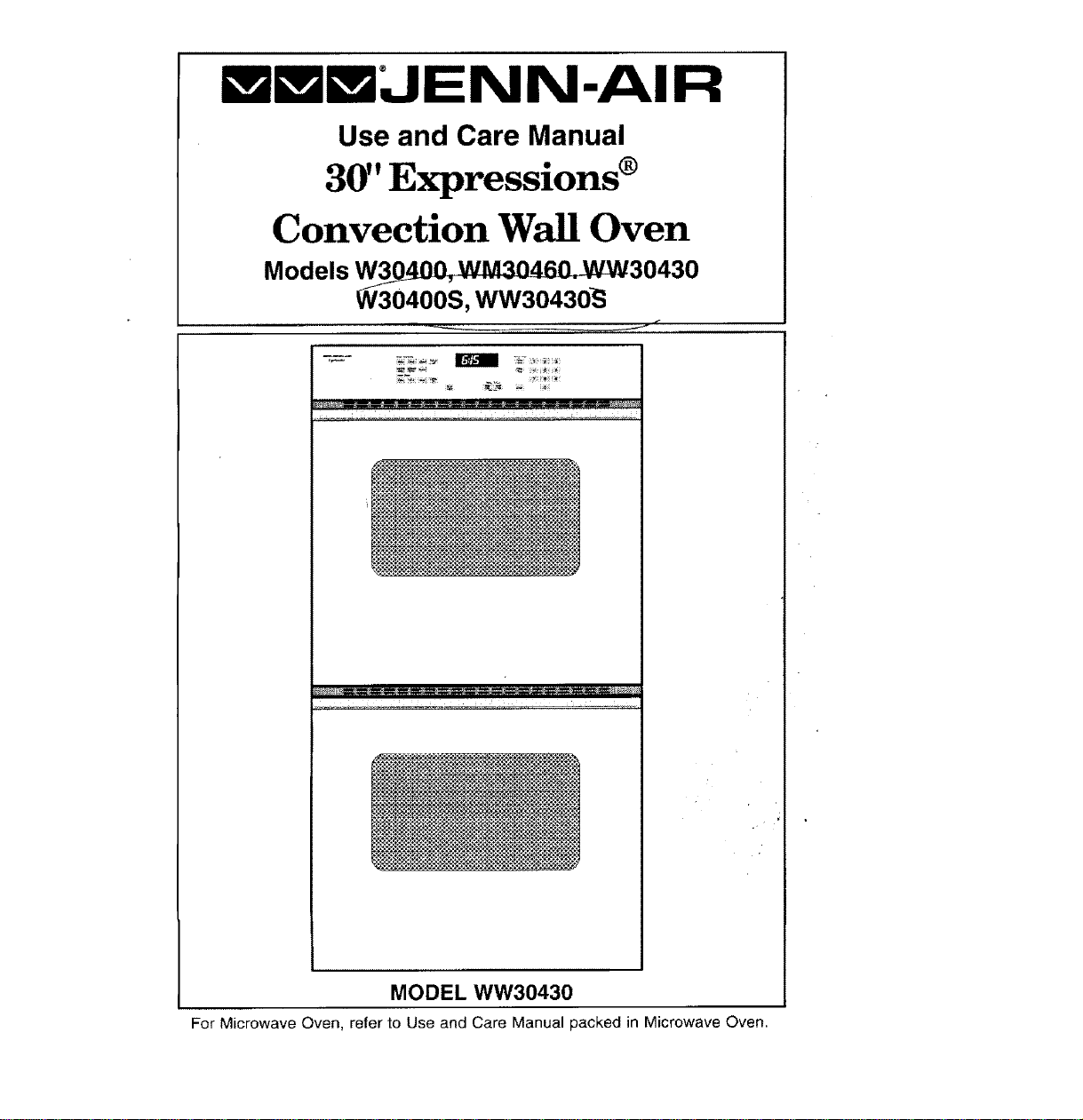
Use and Care Manual
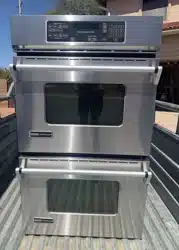
30" Expressions ®
Convection Wall Oven
Models W30 _ 30430
W30400S, WW30430_
(
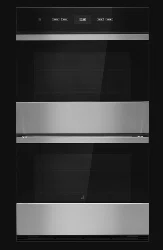
MODEL WW30430
For Microwave Oven, refer 1o Use and Care Manual packed in Microwave Oven.
CongratulationsonyourchoiceofaJenn-Airwalloven.YourJenn-Airconvectionoven
combinesthebestoffourcookingmethods:conventionalbakingorroasting,convection
baking,convectionroasting,andbroiling,inaself-cleaningoven_
TheJenn-Airconvectionovenisactuallyaconventionaloventhatcirculatesheatedair
withintheoven.Asbothbakeandbroilheatingelementscycleonandoffwiththe
thermostat,afankeepstheheatedaircirculatingaroundthefood.Theconstantly
recirculatingheatedairintheconvectionovenstripsawaythelayerofcoolerair that
surroundsfeod. Consequently, many foods cook more quickly. Distributed heat makes
multiple rack cooking possible. Convection roasted meats retain their natural flavor and
juiciness with less shrinkage than conventional roasting.
Before you begin cooking with your new oven, please take a few minutes to read and
become familiar with the instructions in this book. On the following pages you will find
a wealth of information regarding all aspects of using your new oven. By following the
instructions carefully, you will be able to fully enjoy and properly maintain your oven and
achieve excellent results with the food you prepare.
Shoutd you have any questions about using your Jenn-Air oven, write to us. Be sure
to provide the model number.
Jenn-Air Customer Assistance
c!o Maytag Customer Service
P.O. Box 2370
Cleveland, TN 37320-2370
Model Number
Serial Number
(numbers appear on the serial plate on the even front frame)
Date Purchased
JENN-ALR DEALER FROM WHOM PURCHASED
Address
City
Phone
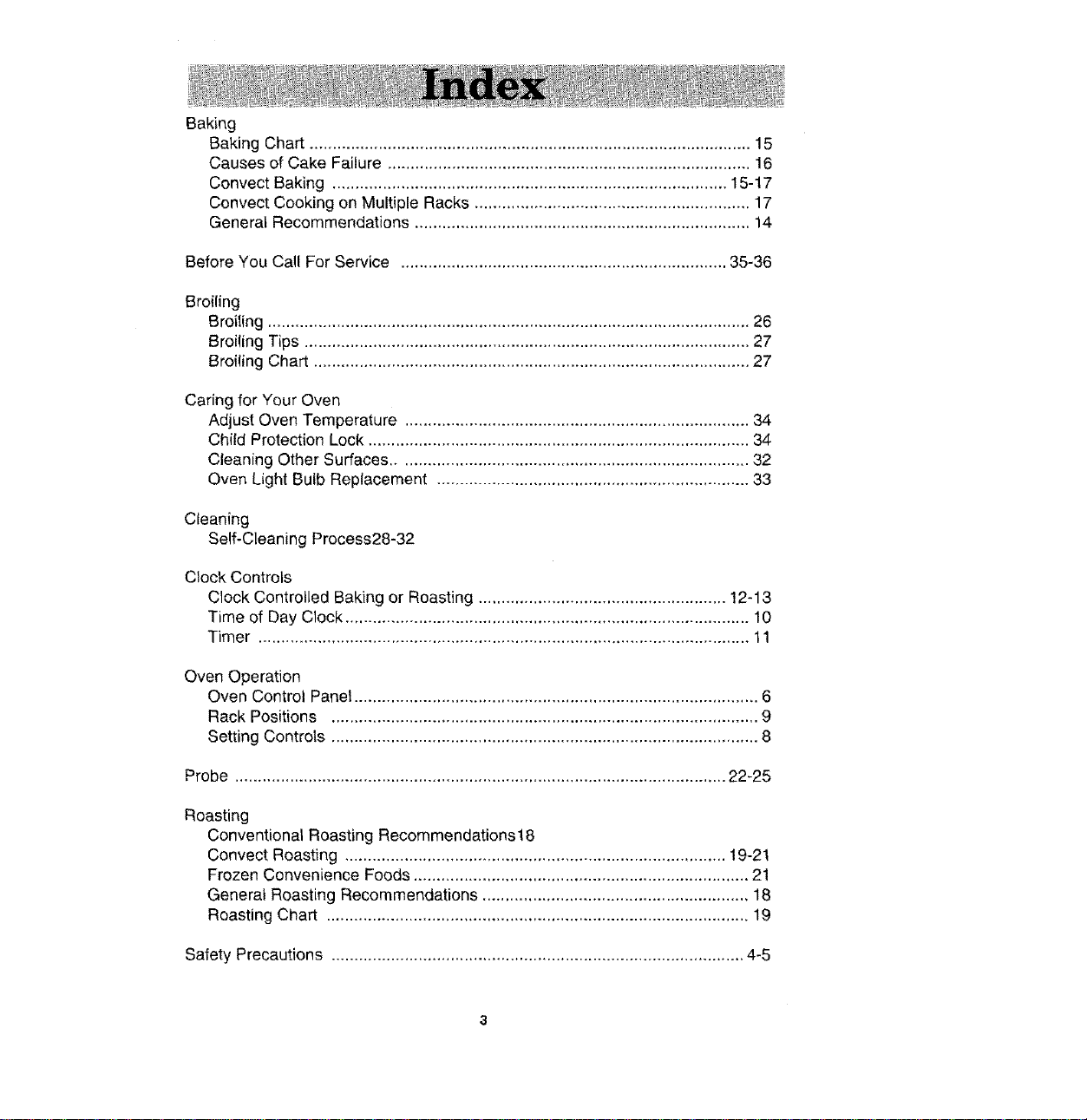
Baking
Baking Chart ................................................................................................ 15
Causes of Cake Failure ............................................................................... 16
Convect Baking ...........................................................................................
Convect Cooking on Multiple Racks ............................................................ 17
Generat Recommendations ......................................................................... 14
Before You Call For Service ....................................................................... 35-36
Broiling
Broiling ......................................................................................................... 26
Broiling Tips ................................................................................................. 27
Broiling Chart ............................................................................................... 27
Caring for Your Oven
Adjust Oven Temperature ........................................................................... 34
Child Protection Lock ................................................................................... 34
Cleaning Other Surfaces ............................................................................. 32
Oven Light Bulb Replacement .................................................................... 33
Cleaning
Self-Cleaning Process28-32
Clock Controls
Clock Controlled Baking or Roasting ...................................................... 12-13
Time of Day Clock ........................................................................................ 10
Timer ........................................................................................................... 11
Oven Operation
Oven Control Panel ........................................................................................ 6
Rack Positions ............................................................................................. 9
Setting Controls ............................................................................................. 8
Probe ........................................................................................................... 22-25
Roasting
Conventional Roasting Recommendations18
Convect Roasting ................................................................................... 19-21
Frozen Convenience Foods ......................................................................... 21
General Roasting Recommendations .......................................................... 18
Roasting Chart ............................................................................................ 19
Safety Precautions .......................................................................................... 4-5
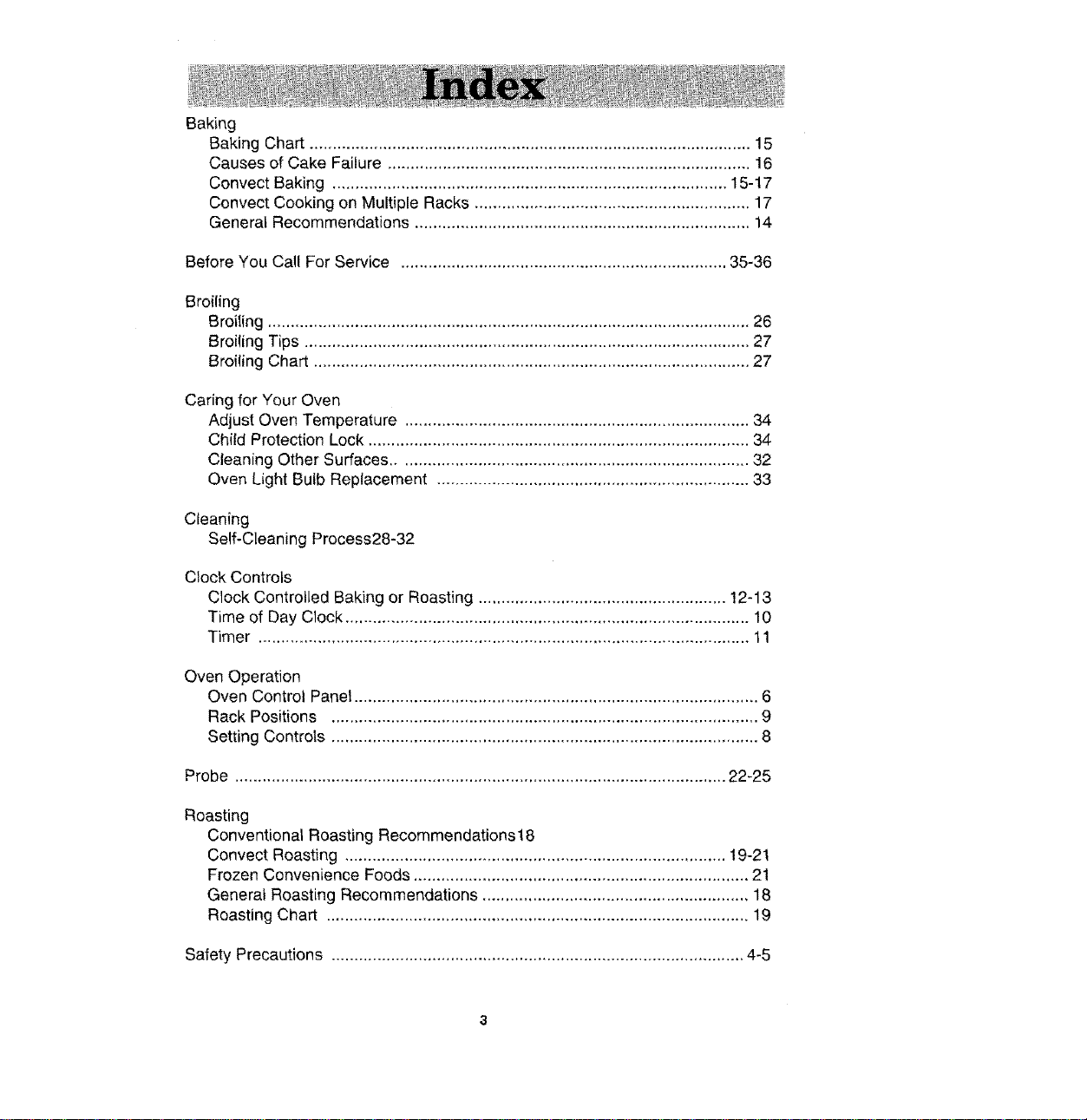
Baking
Baking Chart ................................................................................................ 15
Causes of Cake Failure ............................................................................... 16
Convect Baking ...........................................................................................
Convect Cooking on Multiple Racks ............................................................ 17
Generat Recommendations ......................................................................... 14
Before You Call For Service ....................................................................... 35-36
Broiling
Broiling ......................................................................................................... 26
Broiling Tips ................................................................................................. 27
Broiling Chart ............................................................................................... 27
Caring for Your Oven
Adjust Oven Temperature ........................................................................... 34
Child Protection Lock ................................................................................... 34
Cleaning Other Surfaces ............................................................................. 32
Oven Light Bulb Replacement .................................................................... 33
Cleaning
Self-Cleaning Process28-32
Clock Controls
Clock Controlled Baking or Roasting ...................................................... 12-13
Time of Day Clock ........................................................................................ 10
Timer ........................................................................................................... 11
Oven Operation
Oven Control Panel ........................................................................................ 6
Rack Positions ............................................................................................. 9
Setting Controls ............................................................................................. 8
Probe ........................................................................................................... 22-25
Roasting
Conventional Roasting Recommendations18
Convect Roasting ................................................................................... 19-21
Frozen Convenience Foods ......................................................................... 21
General Roasting Recommendations .......................................................... 18
Roasting Chart ............................................................................................ 19
Safety Precautions .......................................................................................... 4-5
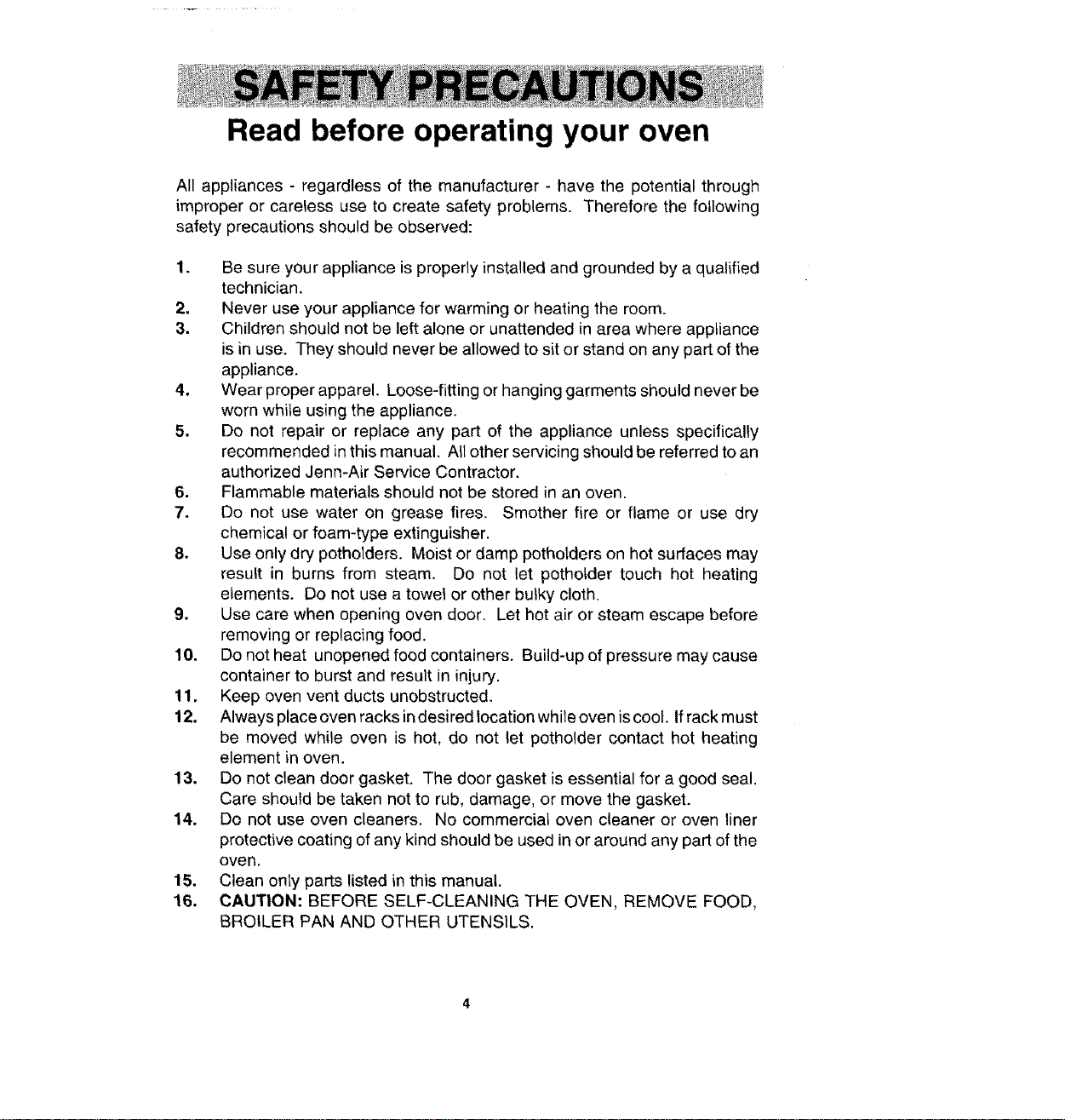
Read before operating your oven
All appliances - regardless of the manufacturer - have the potential through
improper or careless use to create safety problems. Therefore the following
safety precautions should be observed:
1. Be sure your appliance is properly installed and grounded by a qualified
technician.
2. Never use your appliance for warming or heating the room.
3. Children should not be left alone or unattended in area where appliance
is in use. They should never be allowed to sit or stand on any part of the
appliance.
4. Wear proper apparel. Loose-fitting or hanging garments should never be
worn while using the appliance.
5. Do not repair or replace any part of the appliance unless specifically
recommended in this manual. All other servicing should be referred to an
authorized Jenn-Air Service Contractor.
6. Flammable materials should not be stored in an oven.
7. Do not use water on grease fires. Smother fire or flame or use dry
chemical or foam-type extinguisher.
8. Use only dry potholders. Moist or damp potholders on hot surfaces may
result in burns from steam. Do not let potholder touch hot heating
elements. Do net use a towel or other bulky cloth.
9. Use care when opening oven door. Let hot air or steam escape before
removing or replacing food.
10. Do not heat unopened food containers. Build-up of pressure may cause
container to burst and result in injury.
11. Keep oven vent ducts unobstructed.
12. Always place oven racks indesired location while oven is coot. If rack must
be moved while oven is hot, do not let potholder contact hot heating
element in oven.
13. Do not clean door gasket. The door gasket is essential for a good seal.
Care should be taken not to rub, damage, or move the gasket.
14. Do not use oven cleaners. No commercial oven cleaner or oven liner
protective coating of any kind should be used in or around any part of the
oven,
15. Clean only parts listed in this manual.
16. CAUTION: BEFORE SELF-CLEANING THE OVEN, REMOVE FOOD,
BROILER PAN AND OTHER UTENSILS.
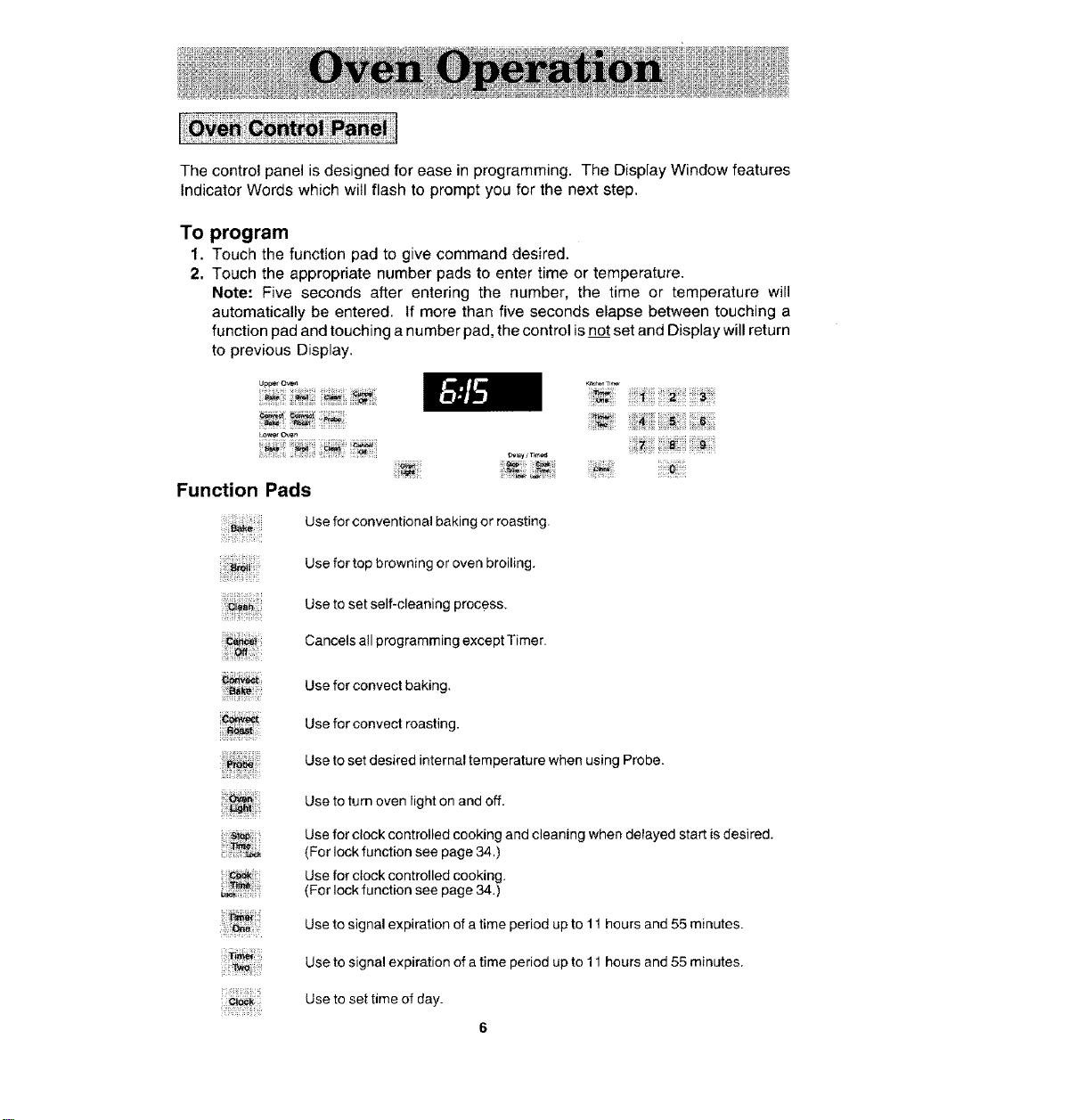
The control panel is designed for ease in programming. The Display Window features
Indicator Words which will flash to prompt you for the next step.
To program
1. Touch the function pad to give command desired.
2. Touch the appropriate number pads to enter time or temperature.
Note: Five seconds after entering the number, the time or temperature will
automatically be entered. If more than five seconds elapse between touching a
function pad and touching a number pad, the control is not set and Display will return
to previous Display.
U#p_t Oven
L_f O_e_ .............
Function Pads
!i!!iiii_!iiii!;;i!;i;!i;;
_a_'_: i
";_- !_"-_i! i!!_ii !i!i_i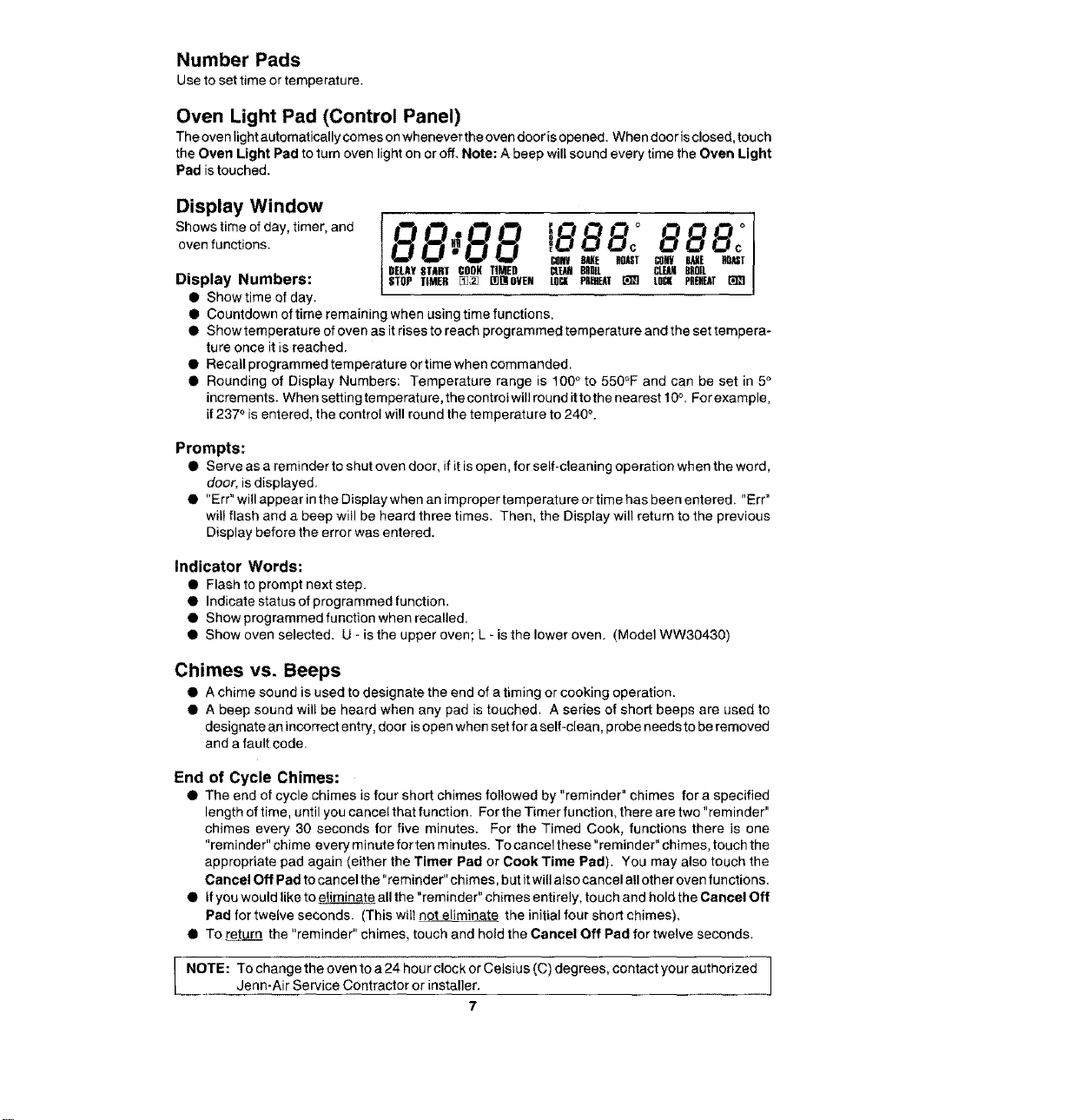
Number Pads
Use to set time or temperature.
Oven Light Pad (Control Panel)
The oven light automatically comes on whenever the oven door isopened. When door is closed, touch
the Oven Light Pad to turn oven light on or off. Note: A beep will sound every time the Oven Light
Pad istouched.
Display Window
Shows time of day, timer, and 88_8 8
oven functions. 1888: 888:
_IJlV BME ROUT _BNV BAKE BOnf
DELAY START CORK TIMED CL_D 8BDIL CLEANBROIL
Display Numbers: STOP TIMER m_ []O!OVEN LOCK PKEHEA! _ LOCK PREHEAT
• Show time of day.
• Countdown of time remaining when using time functions.
• Show temperature of oven as it rises to reach programmed temperature and the set tempera-
ture once it is reached.
•Recatl programmed temperature or time when commanded.
• Rounding of Display Numbers: Temperature range is 100 ° to 550°F and can be set in 5°
increments. When setting temperature, the controt will round it to the nearest t 0°, For example,
if 237 ° is entered, the control wi!l round the temperature to 240 _.
Prompts:
• Serve as a reminder to shut oven door, if it is open, for self-cleaning operation when the word,
door, is displayed.
• "Err" will appear in the Display when an improper temperature or time has been entered. "Err"
will flash and a beep will be heard three times. Then, the Display will return to the previous
Display before the error was entered.
Indicator Words:
• Flash to prompt next step.
• Indicate status of programmed function.
• Show programmed function when recalled.
• Show oven selected. U - is the upper oven; L - is the lower oven. (Model WW30430)
Chimes vs. Beeps
• A chime sound is used to designate the end of a timing or cooking operation.
• A beep sound will be heard when any pad is touched. A series of short beeps are used to
designate an incorrect entry, door is open when set for a self-clean, probe needs to be removed
and a fault code.
End of Cycle Chimes:
• The end of cycle chimes is four short chimes followed by "reminder" chimes for a specified
length of time, until you cancel that function. For the Timer function, there are two "reminder"
chimes every 30 seconds for five minutes. For the Timed Cook, functions there is one
"reminder" chime every minute for ten minutes. To cancel these "reminder" chimes, touch the
appropriate pad again (either the Timer Pad or Cook Time Pad). You may also touch the
Cancel Off Pad to cancel the "reminder" chimes, but it will also cancel all other oven functions.
• if you would like to eJiminate all the "reminder" chimes entirely, touch and hold the Cancel Off
Pad for twelve seconds. (This will not eliminate the initial four short chimes).
• To return the "reminder" chimes, touch and hold the Cancel Off Pad for twelve seconds.
I NOTE: To change the oven to a 24 hourclock or Ce,sius (C) degrees, contact yourauthorizeddenn.AirService Contractor or installer, ]
7
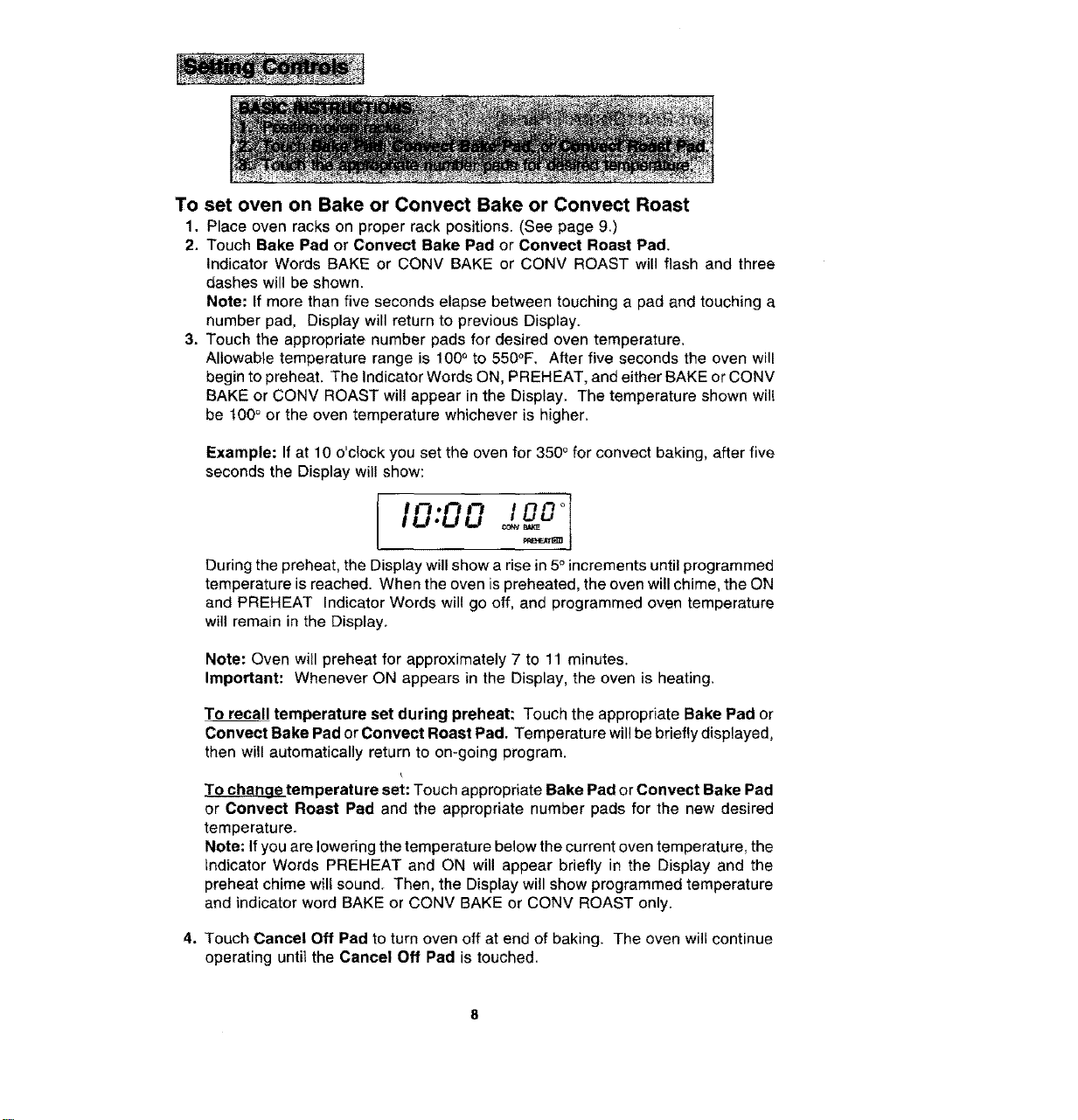
To set oven on Bake or Convect Bake or Convect Roast
1. Place oven racks on proper rack positions. (See page 9.)
2. Touch Bake Pad or Convect Bake Pad or Convect Roast Pad.
Indicator Words BAKE or CONV BAKE or CONV ROAST will flash and three
dashes will be shown.
Note: If more than five seconds elapse between touching a pad and touching a
number pad, Display will return to previous Display.
3. Touch the appropriate number pads for desired oven temperature.
Allowable temperature range is 100 ° to 550°F. After five seconds the oven will
begin to preheat. The Indicator Words ON, PREHEAT, and either BAKE or CONV
BAKE or CONV ROAST will appear in the Display. The temperature shown wil!
be t00 ° or the oven temperature whichever is higher,
Example: If at 10 o'clock you set the oven for 350 ° for convect baking, after five
seconds the Display will show:
During the preheat, the Display will show a rise in 5° increments until programmed
temperature is reached. When the oven is preheated, the oven will chime, the ON
and PREHEAT Indicator Words will go off, and programmed oven temperature
will remain in the Display.
Note: Oven will preheat for approximately 7 to 11 minutes.
Important: Whenever ON appears in the Display, the oven is heating,
To recall temperature set during preheat: Touch the appropriate Bake Pad or
Convect Bake Pad or Convect Roast Pad. Temperature willbe briefly displayed,
then will automatically return to on-going program.
To channgetemperature set: Touch appropriate Bake Pad or Convect Bake Pad
or Convect Roast Pad and the appropriate number pads for the new desired
temperature.
Note: If you are lowering the temperature below the current oven temperature, the
Indicator Words PREHEAT and ON will appear briefly in the Display and the
preheat chime will sound. Then, the Display will show programmed temperature
and indicator word BAKE or CONV BAKE or CONV ROAST only.
4. Touch Cancel Off Pad to turn oven off at end of baking. The oven wilt continue
operating until the Cancel Off Pad is touched.
Therackpositionsnotedaregenerallyrecommendedforthebestbrowningresultsand
mostefficientcookingtimes.Formanyfooditems,excellentresultscanbeachieved
when using one of several different rack positions. Refer to baking and roasting sections
for recommendations for specific foods.
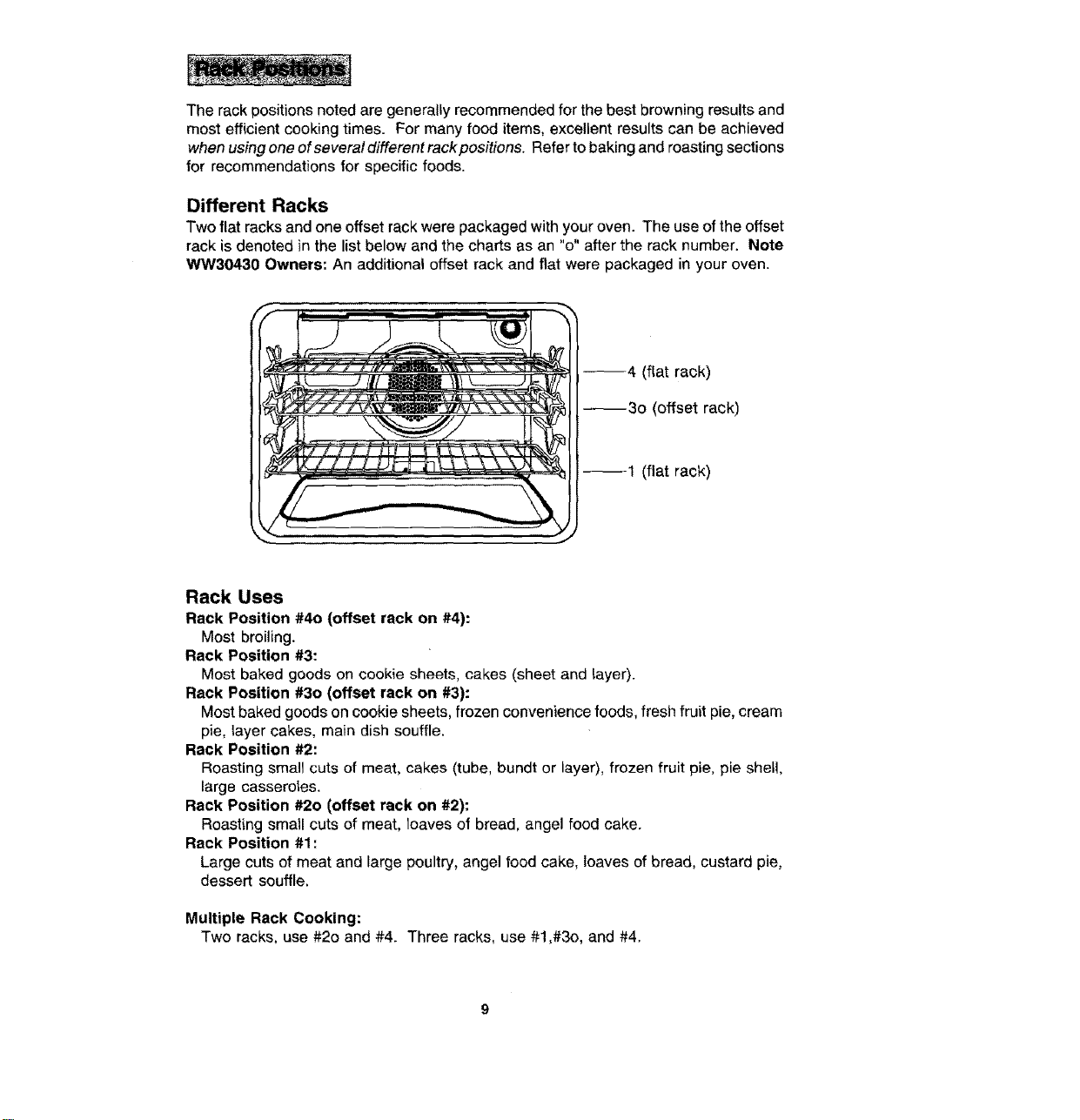
Different Racks
Two flat racks and one offset rack were packaged with your oven. The use of the offset
rack is denoted in the list below and the charts as an "o" after the rack number. Note
_nN30430 Owners: An additional offset rack and flat were packaged in your oven.
--4 (flat rack)
--3o (offset rack)
--1 (flat rack)
Rack Uses
Rack Position #4o (offset rack on #4):
Most broiling.
Rack Position #3:
Most baked goods on cookie sheets, cakes (sheet and layer).
Rack Position #30 (offset rack on #3):
Most baked goods on cookie sheets, frozen convenience foods, fresh fruit pie, cream
pie, layer cakes, main dish souffle.
Rack Position #2:
Roasting small cuts of meat, cakes (tube, bundt or layer), frozen fruit pie. pie shell,
large casseroles.
Rack Position #20 (offset rack on #2):
Roasting small cuts of meat, loaves of bread, angel food cake.
Rack Position #1:
Large cuts of meat and large poultry, angel food cake, loaves of bread, custard pie,
dessert souffle.
Multiple Rack Cooking:
Two racks, use #2o and #4. Three racks, use #1 ,#3o, and #4.

Whenelectricalpowerissuppliedor afterpowerinterruption,thelastclocktime
displayedbeforepowerwasinterruptedwillflash.Timewilladvanceandcontinueto
flashuntilclockisreset.
To set Time of Day
1. Touch Clock Pad.
Indicator word TIME will flash and time digits will appear in the Display. (If more
than five seconds elapse between touching Clock Pad and touching a number
pad, the Clock Pad must be touche d again in order to set clock,)
2. Touch the appropriate number pads until correct time of day appears in Display.
Note: Five seconds after touching the number pads, the time of day will
automatically be entered.
IMPORTANT
• To recall time of day when another time function is showing: Touch Clock Pad.
• Clock time cannot be changed when oven has been programmed for Timed
Bake, Timed Convect Bake, Timed Convect Roast or Self-clean. Cancel program
before reprogramming clock,
10
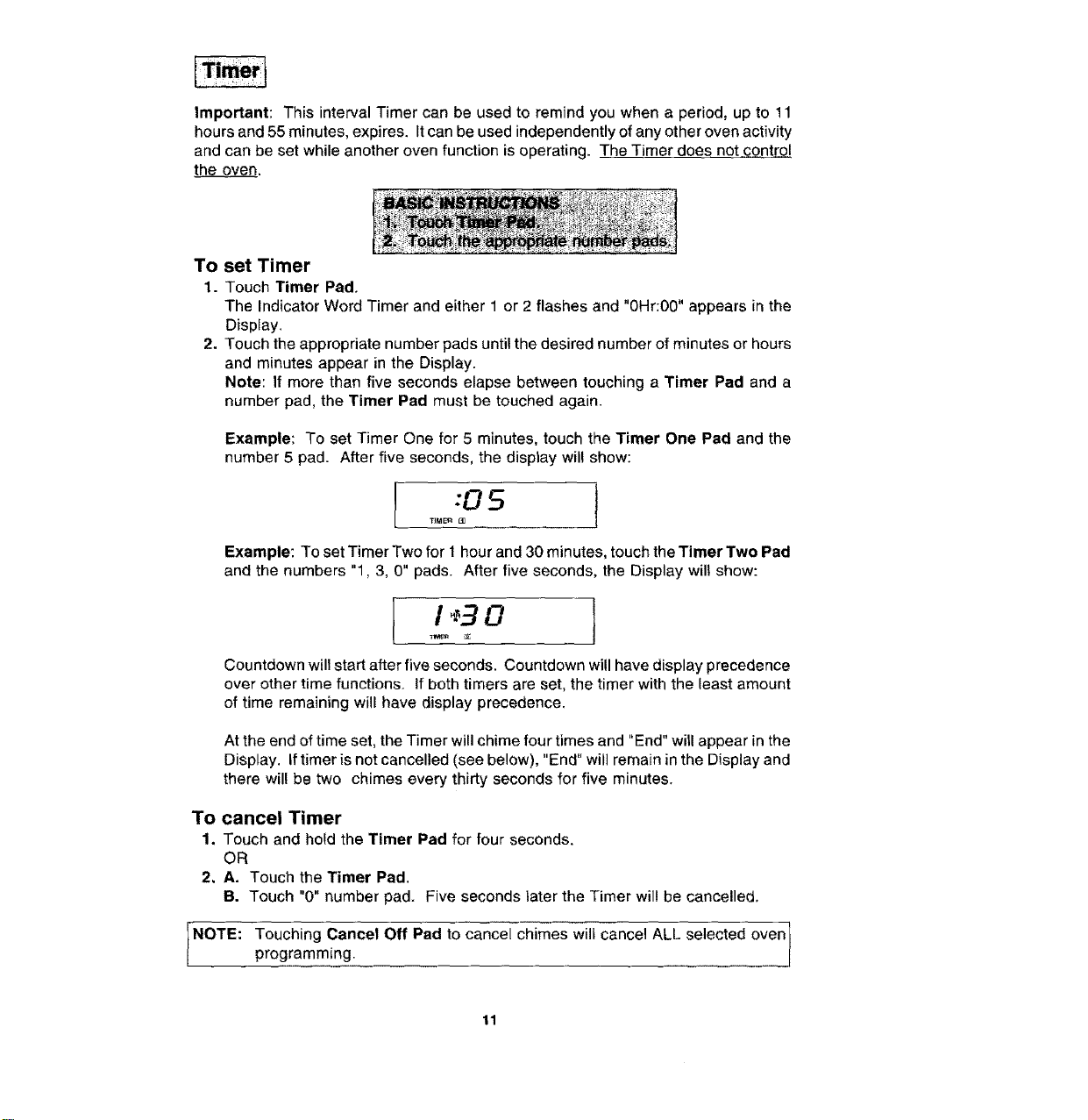
Important: This interval Timer can be used to remind you when a period, up to 11
hours and 55 minutes, expires. It can be used independently of any other oven activity
and can be set while another oven function is operating. T_heTimer does not_c_ntr_0J
the oven.
To set Timer
1. Touch Timer Pad,
The Indicator Word Timer and either 1 or 2 flashes and "0Hr:00" appears in the
Display.
2. Touch the appropriate number pads until the desired number of minutes or hours
and minutes appear in the Display.
Note: If more than five seconds elapse between touching a Timer Pad and a
number pad, the Timer Pad must be touched again.
Example: To set Timer One for 5 minutes, touch the Timer One Pad and the
number 5 pad. After five seconds, the display wil! show:
Example: To set Timer Two for 1 hour and 30 minutes, touch the Timer Two Pad
and the numbers "1,3, 0" pads. After five seconds, the Display will show:
I " 30 I
Countdown will start after five seconds. Countdown will have display precedence
over other time functions. If both timers are set, the timer with the least amount
of time remaining wi!l have display precedence.
At the end of time set, the Timer will chime four times and "End" wil! appear in the
Display. If timer is not cancelled (see below), "End" will remain in the Display and
there will be two chimes every thirty seconds for five minutes.
To cancel Timer
1. Touch and hold the Timer Pad for four seconds.
OR
2. A. Touch the Timer Pad.
B. Touch "0" number pad. Five seconds later the Timer will be cancelled.
NOTE: Touching Cancel Off Pad to cancel chimes will cancel ALL selected oven l
programming.
11
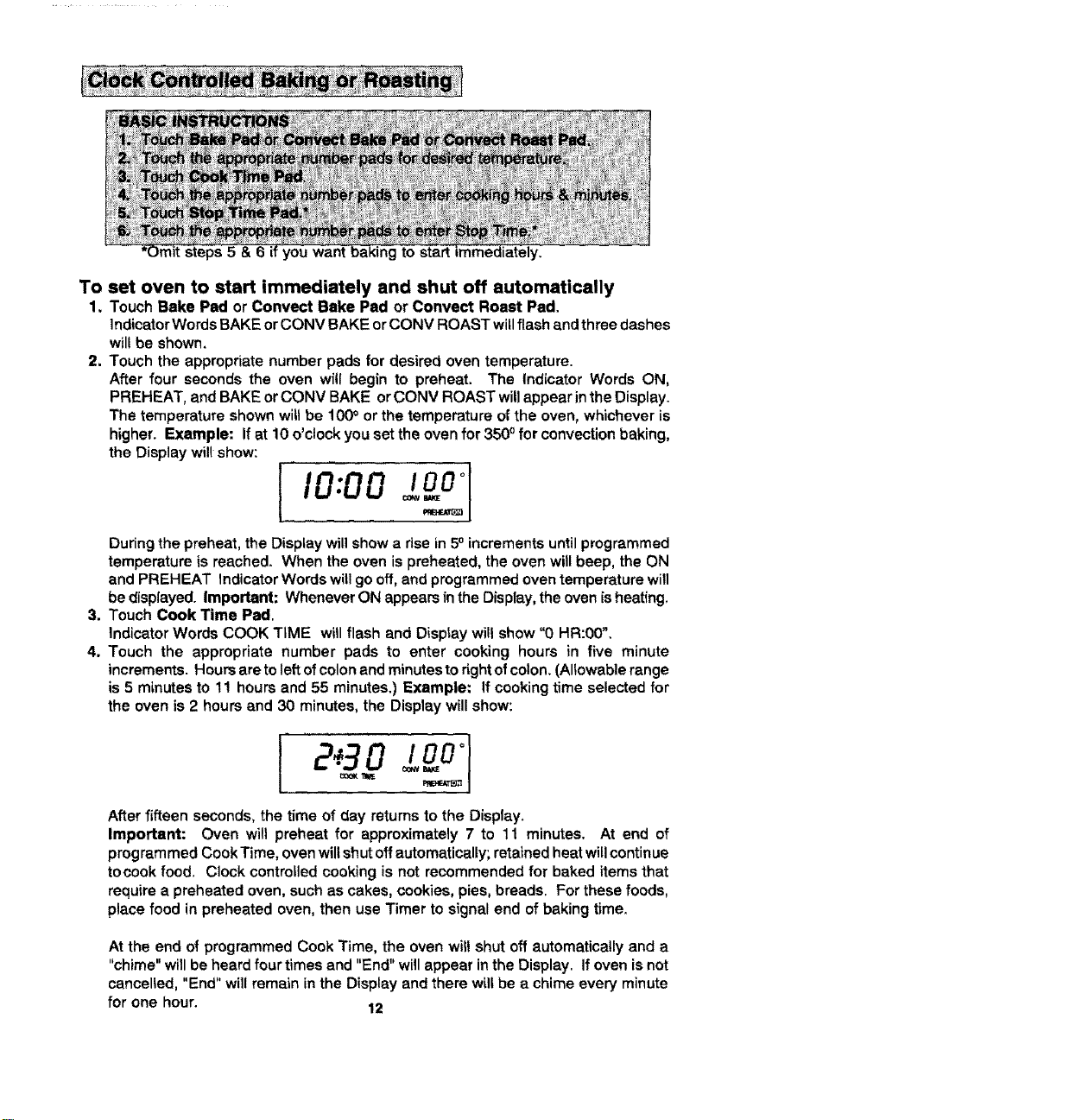
To
1,
2_
3.
4.
you want ng to start
set oven to start immediately and shut off automatically
Touch Bake Pad or Convect Bake Pad or Convect Roast Pad,
Indicator Words BAKE or CONV BAKE or CONV ROAST willflash and three dashes
wil! be shown.
Touch the appropriate number pads for desired oven temperature.
After four seconds the oven will begin to preheat. The Indicator Words ON,
PREHEAT, and BAKE or CONV BAKE or CONV ROAST will appear in the Display.
The temperature shown will be 100° or the temperature of the oven, whichever is
higher. Example: If at 10 o'clock you set the oven for 350° for convection baking,
the Display will show:
,o,oo
During the preheat, the Display will show a dse in 50 increments until programmed
temperature is reached. When the oven is preheated, the oven will beep, the ON
and PREHEAT Indicator Words will go off, and programmed oven temperature will
be displayed. Important: Whenever ON appears in the Display, the oven is heating.
Touch Cook Time Pad.
Indicator Words COOK TIME will flash and Display will show "0 HR:00",
Touch the appropriate number pads to enter cooking hours in five minute
increments. Hours are to left of colon and minutes to right of colon, (Allowable range
is 5 minutes to 11 hours and 55 minutes.) Example: If cooking time selected for
the oven is 2 hours and 30 minutes, the Display will show:
After fifteen seconds, the time of day returns to the Display.
Important: Oven will preheat for approximately 7 to 11 minutes. At end of
programmed Cook Time, oven will shut off automatically; retained heat will continue
tocook food. Clock controlled cooking is not recommended for baked items that
require a preheated oven, such as cakes, cookies, pies, breads. For these foods,
place food in preheated oven, then use Timer to signal end of baking time.
At the end of programmed Cook Time, the oven will shut off automatically and a
"chime" will be heard four times and "End" will appear in the Display. If oven is not
cancelled, "End" will remain in the Display and there will be a chime every minute
for one hour. 12
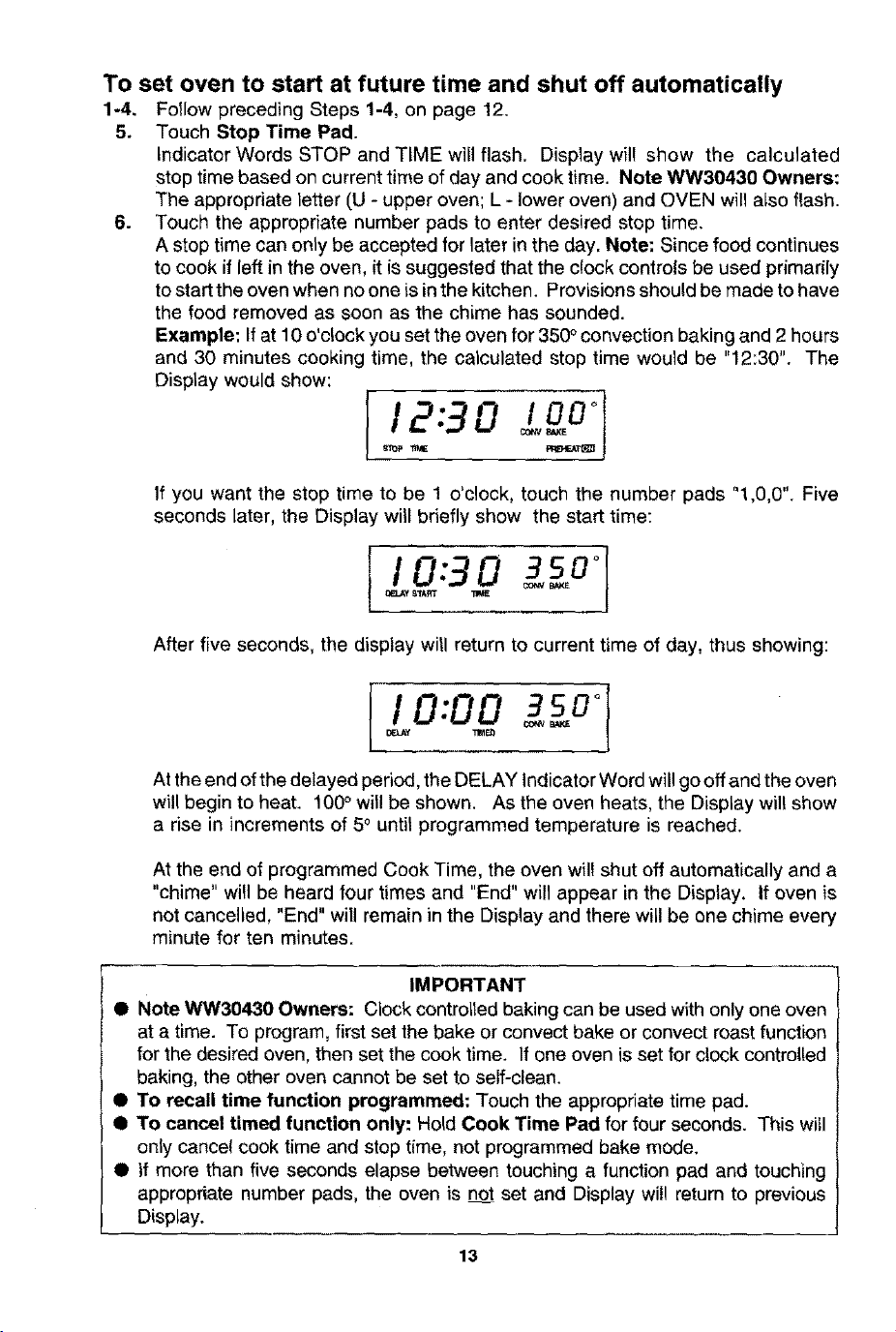
To set oven to start at future time and shut off automatically
1-4. Follow preceding Steps 1-4, on page 12.
5. Touch Stop Time Pad.
Indicator Words STOP and TIME will flash. Display will show the calculated
stop time based on current time of day and cook time. Note WW30430 Owners:
The appropriate letter (U - upper oven; L - lower oven) and OVEN will also flash.
6. Touch the appropriate number pads to enter desired stop time.
A stop time can only be accepted for later in the day. Note: Since food continues
to cook if left in the oven, it is suggested that the clock controls be used primarily
to start the oven when no one is in the kitchen. Provisions should be made to have
the food removed as soon as the chime has sounded.
Example: If at 10 o'ctock you set the oven for 350 ° convection baking and 2 hours
and 30 minutes cooking time, the calculated stop time would be "12:30". The
Display would show:
12:3 0 !gP °
If you want the stop time to be 1 o'clock, touch the number pads "1,0,0". Five
seconds later, the Display will briefly show the start time:
I I 0:30 3so°I_y 8_ArfT TW_
After five seconds, the display will return to current time of day, thus showing:
I 0:00 1O_,J,Y 31_
At the end of the delayed period, the DELAY Indicator Word will go off and the oven
will begin to heat. 100° will be shown. As the oven heats, the Display will show
a rise in increments of 5o until programmed temperature is reached.
At the end of programmed Cook Time, the oven will shut off automatically and a
"chime" will be heard four times and "End" will appear in the Display. If oven is
not cancelled, "End" will remain in the Display and there will be one chime every
minute for ten minutes.
IMPORTANT
• Note WW30430 Owners: Clock controlled baking can be used with only one oven
at a time. To program, first set the bake or convect bake or convect roast function
for the desired oven, then set the cook time. If one oven is set for clock controlled
baking, the other oven cannot be set to self-clean.
• To recall time function programmed: Touch the appropriate time pad.
I To cancel timed function only: Hold Cook Time Pad for four seconds. This witl
only cancel cook time and stop time, not programmed bake mode.
• if more than five seconds elapse between touching a function pad and touching
appropriate number pads, the oven is not set and Display will return to previous
Display.
13
• When cooking foods for the first time in your new oven, use recipe cooking times
and temperatures as a guide.
• Use tested recipes from reliable sources.
• Preheat the oven only when necessary, For baked foods that rise and for richer
browning, a preheated oven is better. Casseroles can be started in a cold oven,
Preheating takes from 7 to 11 minutes; place food in oven after PREHEAT indicator
Word cycles off.
• Arrange oven racks before turning on oven. Follow suggested rack positions on
page 9 and in various baking charts.
• Allow about 1 to 11/2inches of space between the oven side walls and pans to allow
proper air circulation.
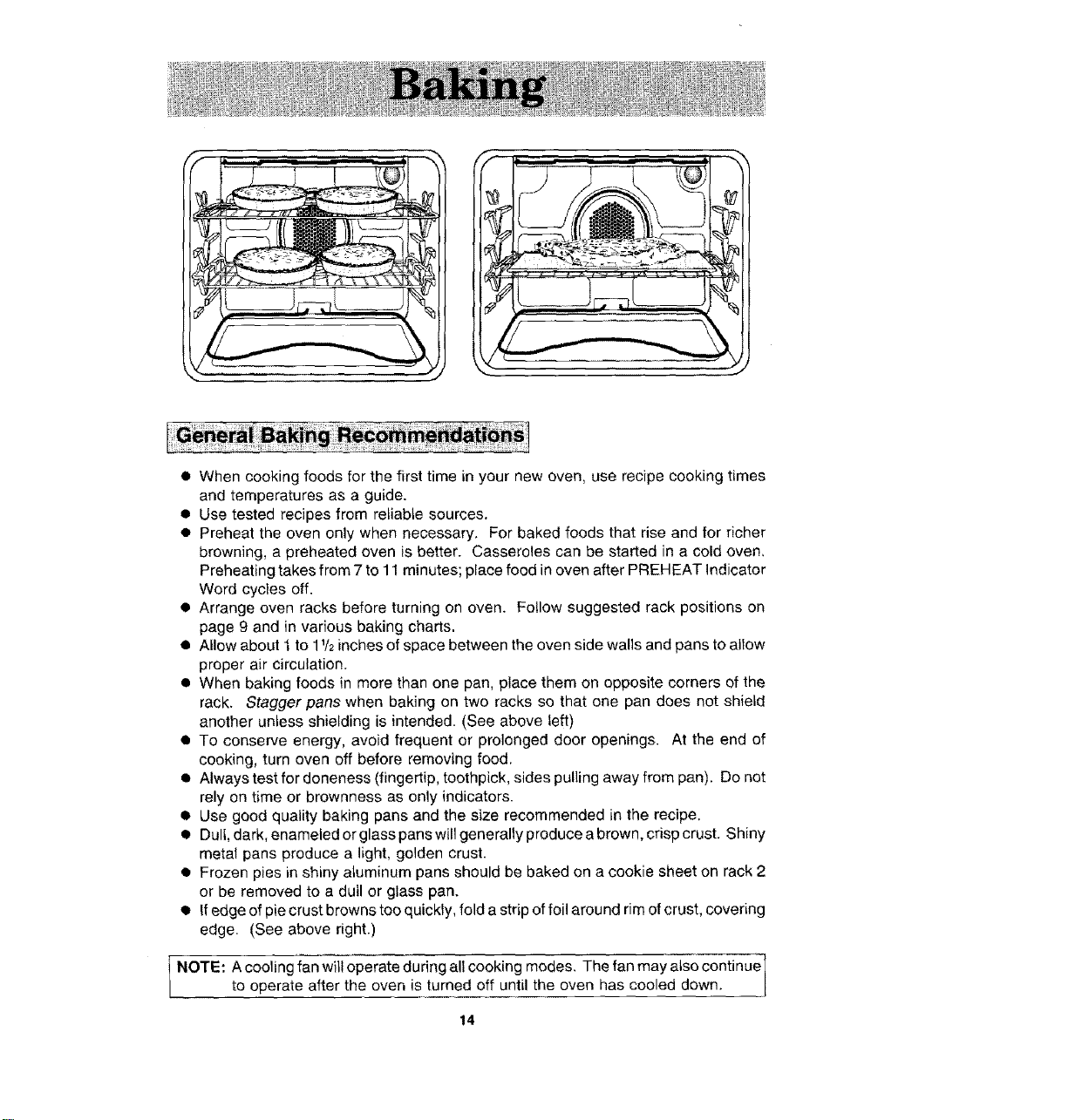
• When baking foods in more than one pan, place them on opposite corners of the
rack. Stagger pans when baking on two racks so that one pan does not shield
another unless shielding is intended. (See above left)
• To conserve energy, avoid frequent or prolonged door openings. At the end of
cooking, turn oven off before removing food.
• Always test for aloneness (fingertip, toothpick, sides pulling away from pan). Do not
rely on time or brownness as only indicators.
• Use good quality baking pans and the size recommended in the recipe.
• Dull, dark, enameled or glass pans will generally produce a brown, crisp crust. Shiny
metal pans produce a light, golden crust.
• Frozen pies in shiny aluminum pans should be baked on a cookie sheet on rack 2
or be removed to a dull or glass pan.
• If edge of pie crust browns too quickly, fold a strip of foil around rim of crust, covering
edge. (See above right.)
NOTE: A cooling fan will operate during all cooking modes. The fan may also continue
to operate after the oven is turned off until the oven has cooled down.
14
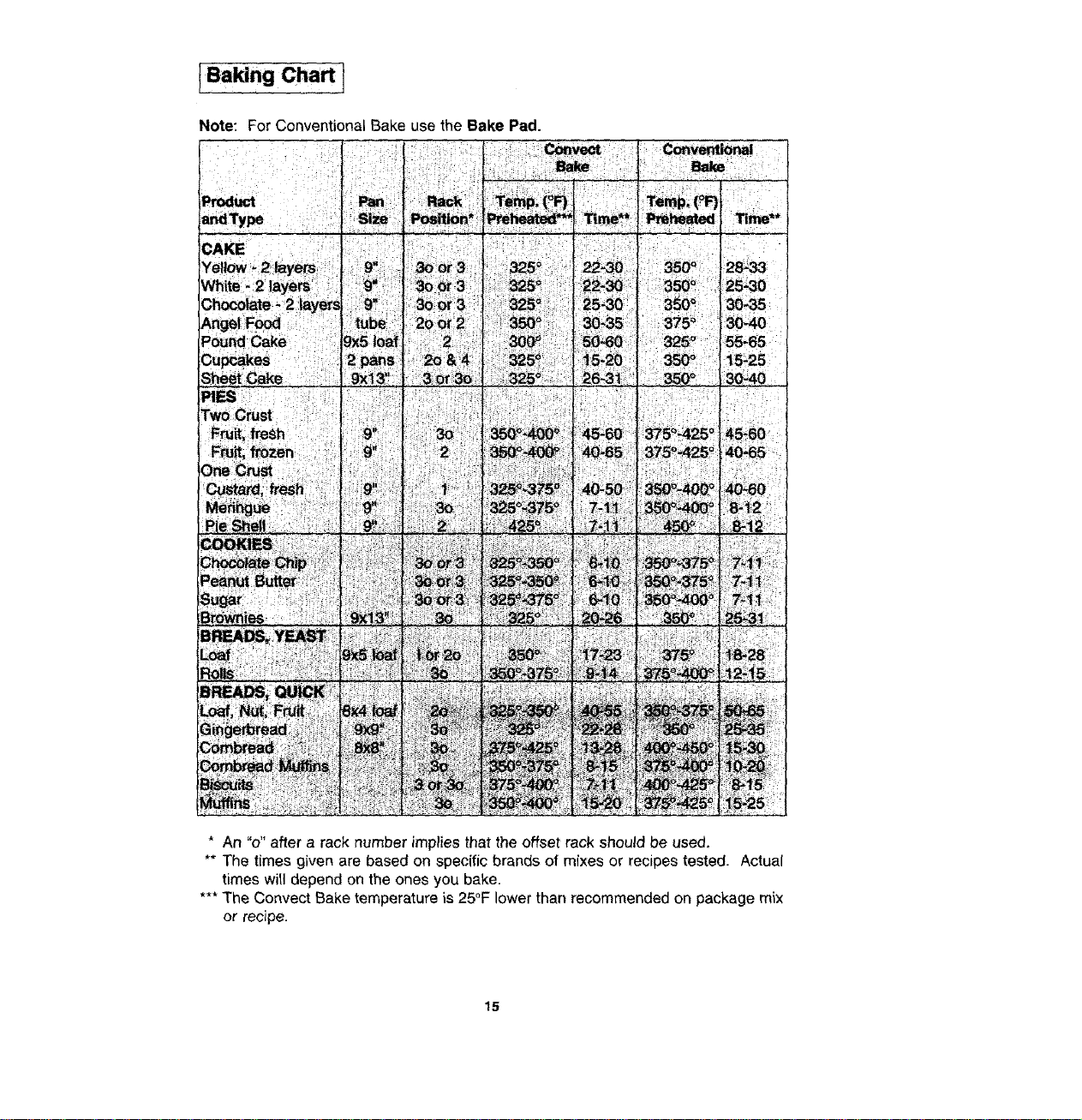
IBaking Chart i
Note: For Conventional Bake use the Bake Pad.
: _tmt
2!:_i!i¸!i!i_!;i!!i:iliT;ii_iiii_!i!i_iii!ii_!iii!i'!ii!i!Li:iiii__i_::i'_i_:i_iiW_;i_:
;:ii i:! iiiii ii!jii ii i il¸i
47!_17_!i:!!!if_:_!i_i!i!_i,iiiiiii_s_iiiiiT_!¸,i:_ii!_i
B_dWnt_ : i:
* An "o" after a rack number implies that the offset rack should be used.
** The times given are based on specific brands of mixes or recipes tested. Actual
times will depend on the ones you bake.
*** The Convect Bake temperature is 25°F lower than recommended on package mix
or recipe.
15
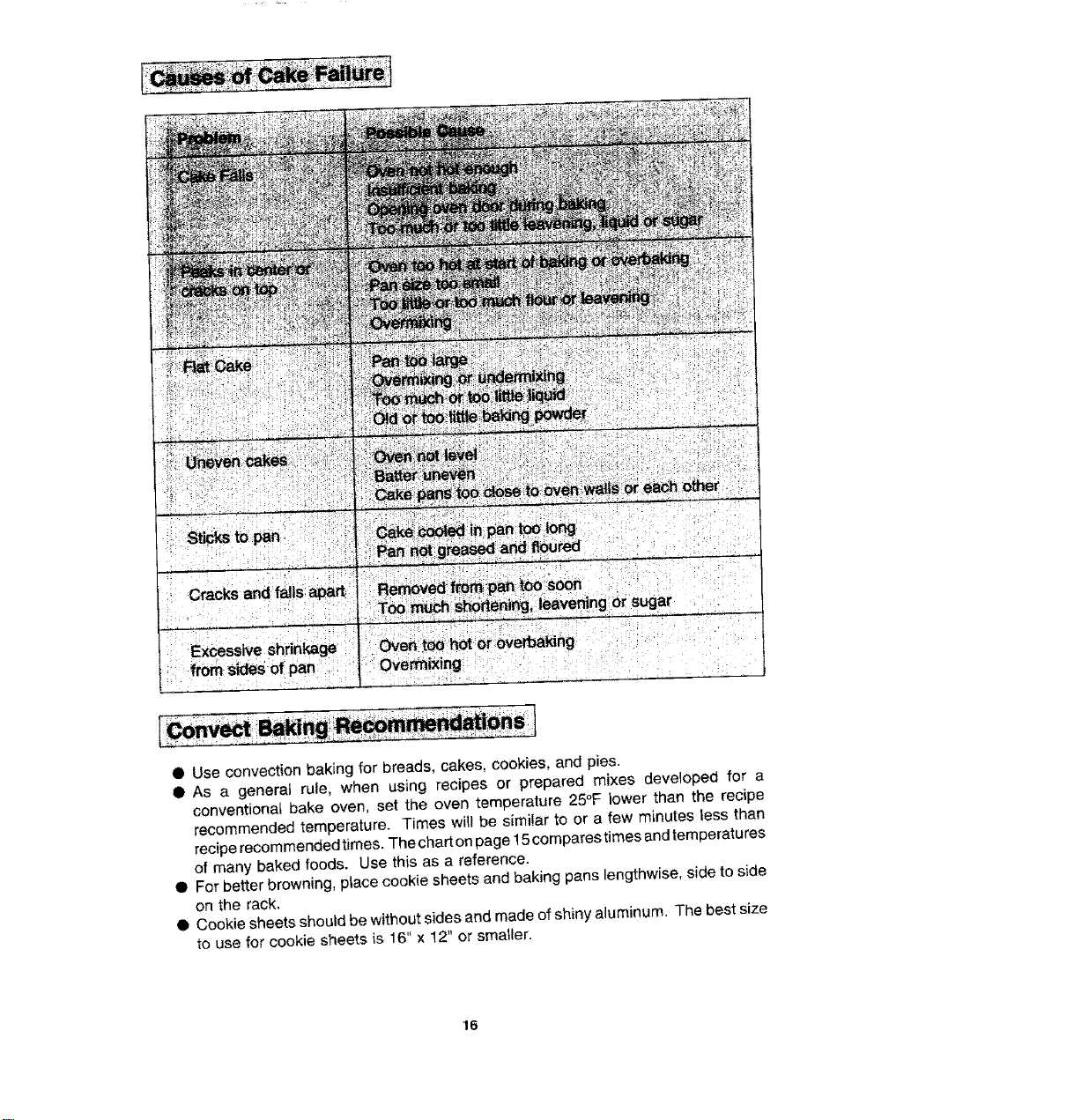
• Use convection baking for breads, cakes, cookies, and p_es.
• As a generat rule, when using recipes or prepared mixes developed for a
conventional bake oven, set the oven temperature 25°F lower than the recipe
recommended temperature. Times will be similar to or a few minutes less than
recipe recommended times. The chart on page 15 compares times and temperatures
of many baked foods. Use this as a reference.
• For better browning, place cookie sheets and baking pans lengthwise, side to side
on the rack.
• Cookie sheets should be without sides and made of shiny aluminum. The best size
to use for cookie sheets is 16" × 12" or smaller,
16
r
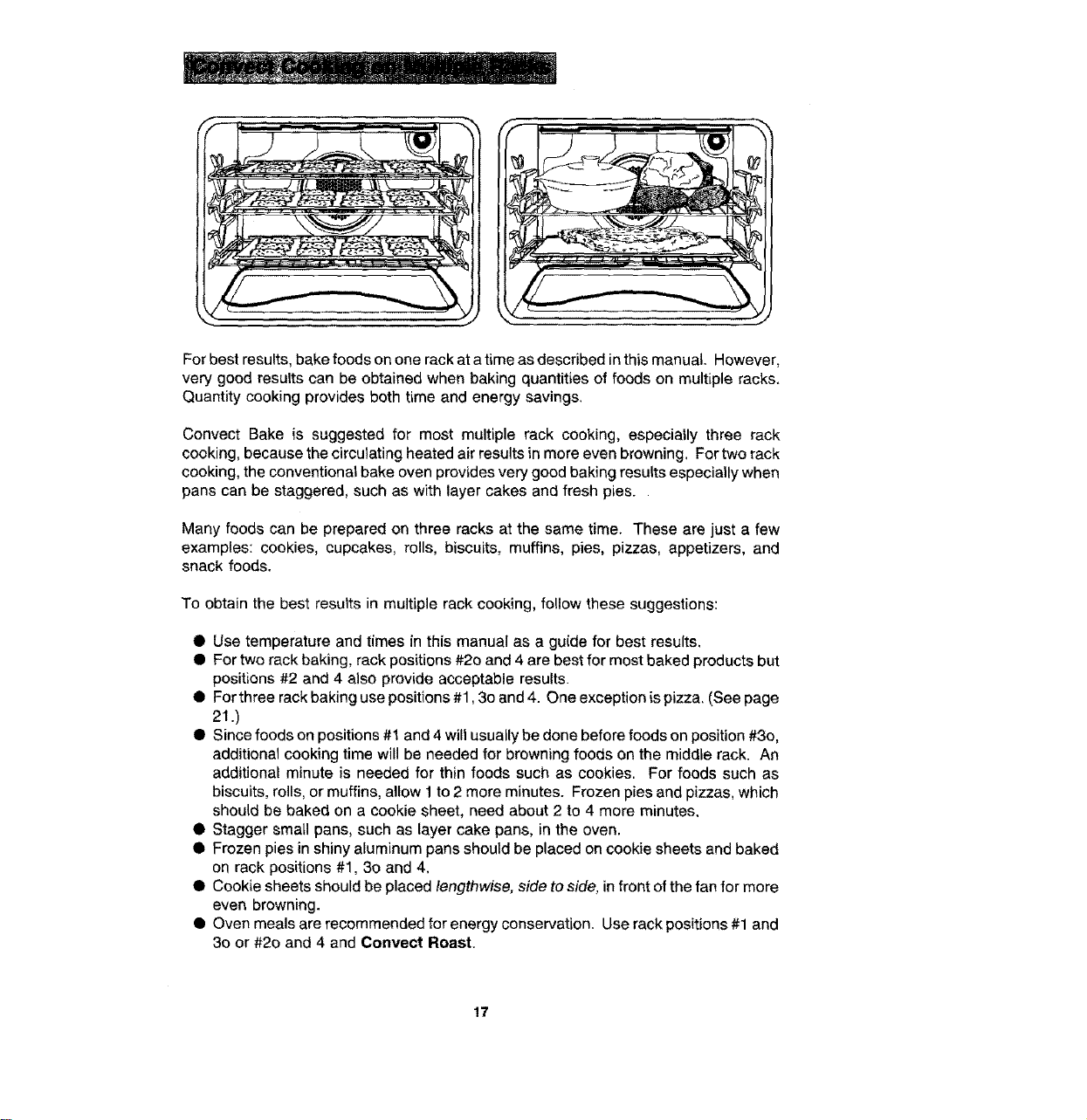
For best results, bake foods on one rack at a time as described in this manual. However,
very good results can be obtained when baking quantities of foods on multiple racks.
Quantity cooking provides both time and energy savings.
Convect Bake is suggested for most multiple rack cooking, especially three rack
cooking, because the circulating heated air results in more even browning. For two rack
cooking, the conventional bake oven provides very good baking results especially when
pans can be staggered, such as with layer cakes and fresh pies.
Many foods can be prepared on three racks at the same time. These are just a few
examples: cookies, cupcakes, rolls, biscuits, muffins, pies, pizzas, appetizers, and
snack foods.
To obtain the best results in multiple rack cooking, follow these suggestions:
• Use temperature and times in this manual as a guide for best results,
Q For two rack baking, rack positions #2o and 4 are best for most baked products but
positions #2 and 4 also provide acceptable results.
• For three rack baking use positions #1,3o and 4. One exception is pizza. (See page
21 .)
• Since foods on positions #1 and 4 will usually be done before foods on position #3o,
additional cooking time will be needed for browning foods on the middle rack. An
additional minute is needed for thin foods such as cookies. For foods such as
biscuits, rolls, or muffins, allow 1 to 2 more minutes. Frozen pies and pizzas, which
should be baked on a cookie sheet, need about 2 to 4 more minutes.
• Stagger small pans, such as layer cake pans, in the oven.
• Frozen pies in shiny aluminum pans should be placed on cookie sheets and baked
on rack positions #1, 3o and 4.
• Cookie sheets should be placed lengthwise, side to side, in front of the fan for more
even browning.
• Oven meals are recommended for energy conservation. Use rack positions #1 and
30 or #2o and 4 and Convect Roast.
17
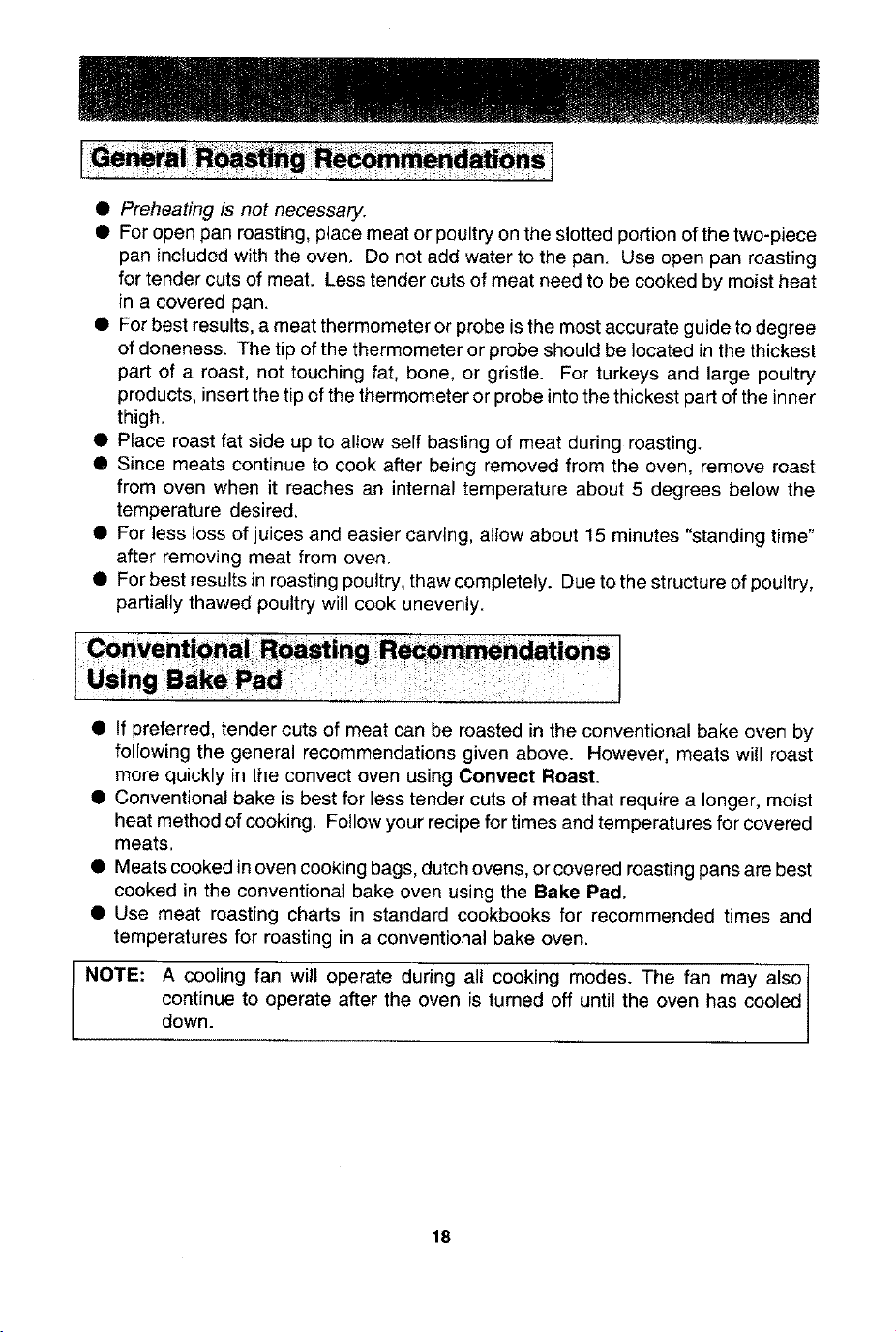
• Preheating is not necessary.
• For open pan roasting, place meat or poultry on the slotted portion of the two-piece
pan included with the oven, Do not add water to the pan. Use open pan roasting
for tender cuts of meat. Less tender cuts of meat need to be cooked by moist heat
in a covered pan.
• For best results, a meat thermometer or probe is the most accurate guide to degree
of doneness. The tip of the thermometer or probe should be located in the thickest
part of a roast, not touching fat, bone, or gristle. For turkeys and large poultry
products, insert the tip of the thermometer or probe into the thickest part of the inner
thigh.
• Place roast fat side up to allow self basting of meat during roasting.
• Since meats continue to cook after being removed from the oven, remove roast
from oven when it reaches an internal temperature about 5 degrees below the
temperature desired,
• For less loss of juices and easier carving, alTow about 15 minutes "standing time"
after removing meat from oven.
• For best results in roasting poultry, thaw completely. Due to the structure of poultry,
partially thawed poultry will cook unevenly.
• If preferred, tender cuts of meat can be roasted in the conventional bake oven by
following the general recommendations given above. However, meats will roast
more quickly in the convect oven using Convect Roast.
• Conventional bake is best for less tender cuts of meat that require a longer, moist
heat method of cooking. Fo!low your recipe for times and temperatures for covered
meats.
• Meats cooked in oven cooking bags, dutch ovens, or covered roasting pans are best
cooked in the conventional bake oven using the Bake Pad.
• Use meat roasting charts in standard cookbooks for recommended times and
temperatures for roasting in a conventional bake oven.
NOTE: A cooling fan will operate during all cooking modes. The fan may also t
continue to operate after the oven is turned off until the oven has cooled /
down.
]
18
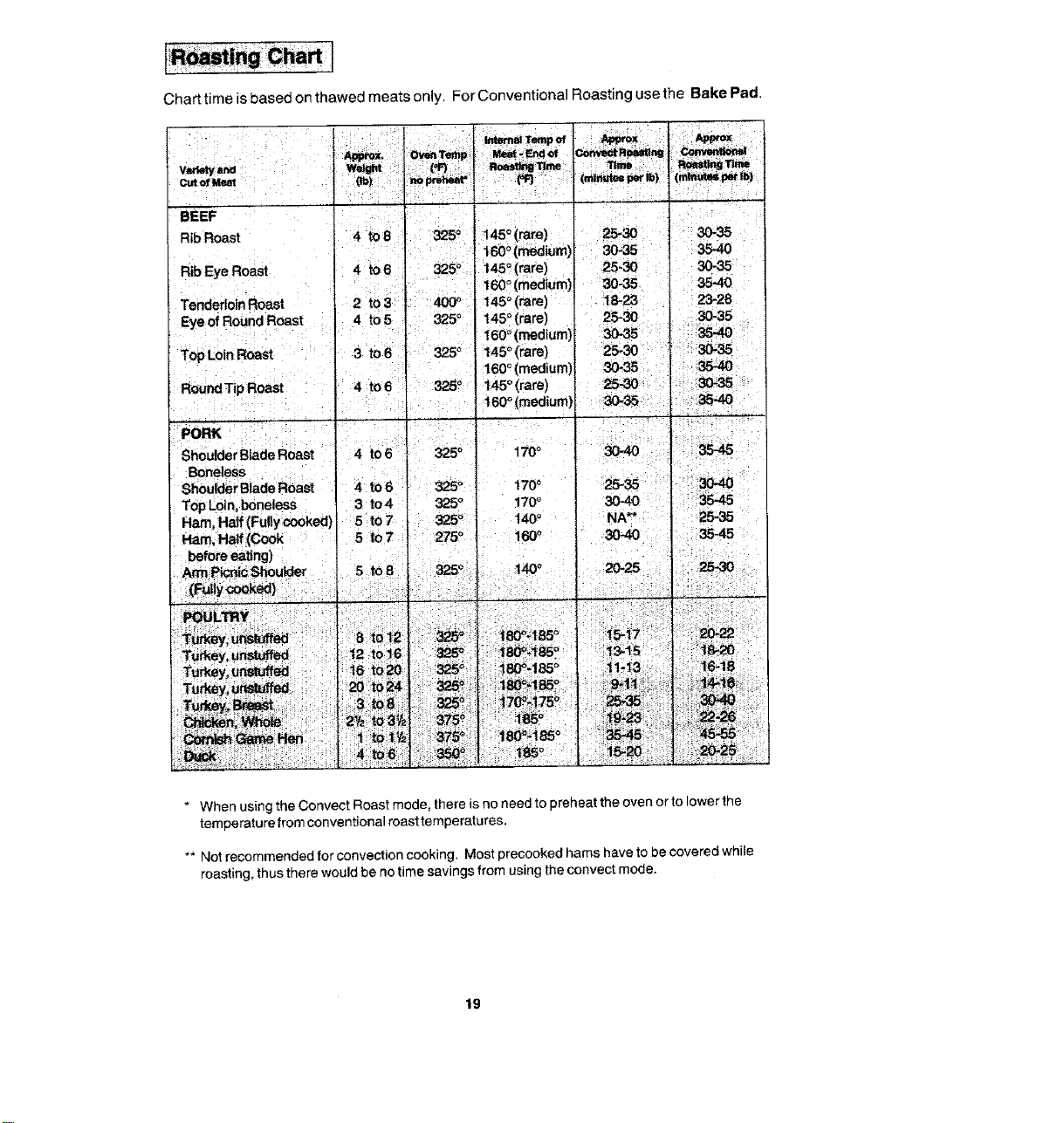
Chart time is based on thawed meats only. For Conventional Roasting use the Bake Pad.
BEEF _ j o '
Rib Roast 4 tO8 325 t45o (rare) 25-30 30-35
•' 160 (medium) 30-35 3540
Rib Eye Roast 4 to6 325 ° ; 145°(rare) 25-30 30-35 _
l ' t " , 160 ° (medium) _-35 35-40
Tenderloin Roast 2 to 3' "
Eye of Round Roast 4 to 5 325
I
TopLoin Roast a to 6 - _s ° "
R°undTipR°ast I °'°°' "
325 o
:PonK " "
Shoulder Blade Roast '
Boneless
_l_der Blade Roast
Top Loin, boneless
Ham, Half (Fulty cooked)
Ham,Ha_Cook
I before eating)
; _ _icrd¢Shoulder :
; :T_ey, ut_tu_ i t2 tOi6 i
Turkey, u_ed : _6 to20
I45_(rare): _ 1:8-23
!4s_(mre) 2S-_
!"60_(medium)
!60_ (medium),
i45 (rare) i
_60_(medium)
23-28
_.35
3035 '
] : i
i
* When using the Convect Roest mode, there is no need to preheat the oven or to lower the
temperature from conventional roast temperatures.
** Not recommended for convection cooking. Most precooked hams have to be covered while
roasting, thus there would be no time savings from using the eonvect mode.
19
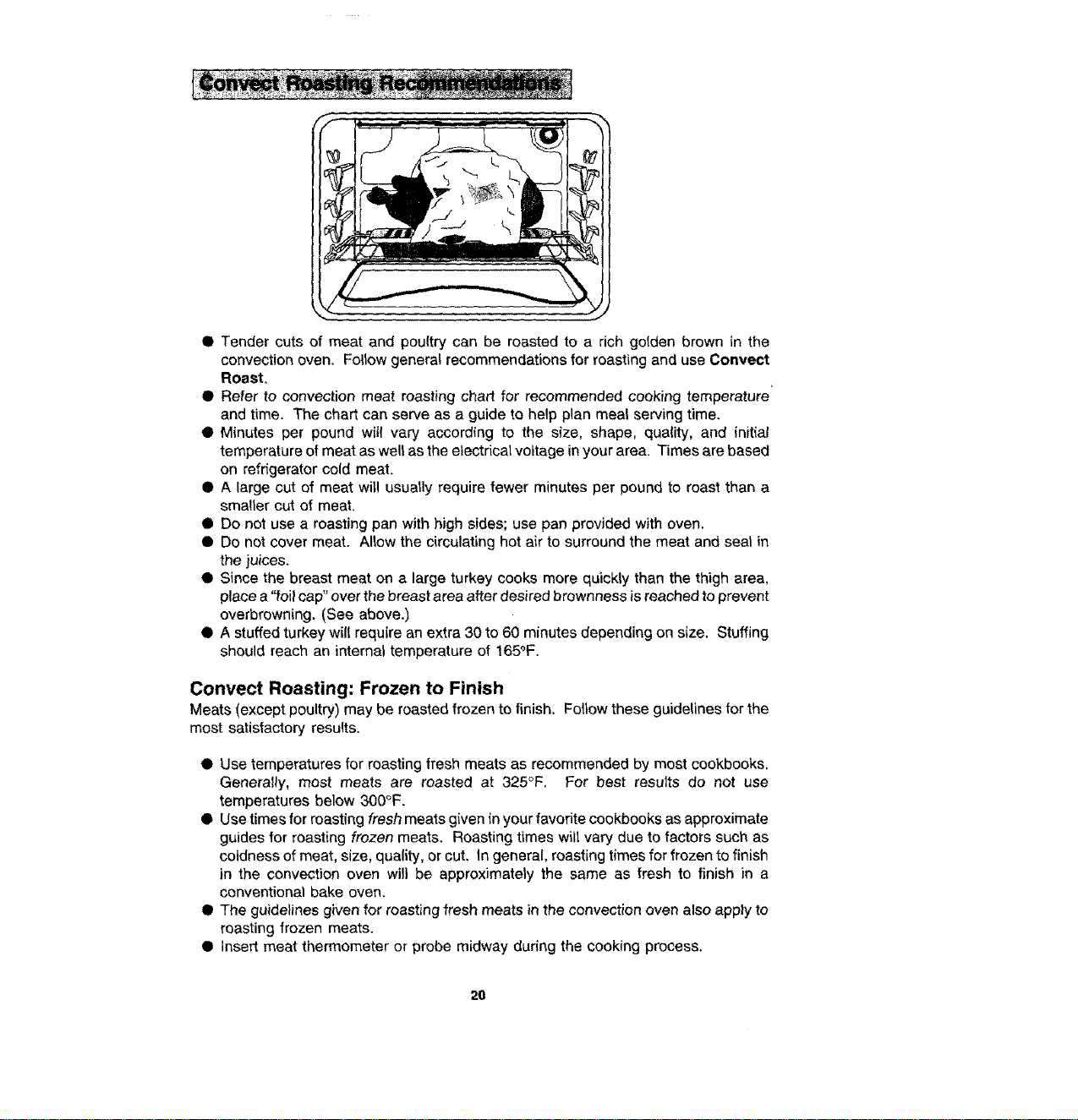
• Tender cuts of meat and poultry can be roasted to a rich golden brown in the
convection oven. Follow general recommendations for roasting and use Conveet
Roast.
• Refer to convection meat roasting chart for recommended cooking temperature'
and time. The chart can serve as a guide to help plan meal serving time.
• Minutes per pound will vary according to the size, shape, quality, and {nitial
temperature of meat as well as the electrical voltage in your area. Times are based
on refrigerator cold meat.
• A large cut of meat wit! usually require fewer minutes per pound to roast than a
smaller cut of meat.
• Do not use a roasting pan with high sides; use pan provided with oven.
• Do not cover meat. Allow the circulating hot air to surround the meat and seal in
the juices.
• Since the breast meat on a large turkey cooks more quickly than the thigh area,
place a "foil cap" over the breast area after desired brownness is reached to prevent
overbrowning. (See above.)
• A stuffed turkey will require an extra 30 to 60 minutes depending on size. Stuffing
should reach an internal temperature of 165°F.
Convect Roasting: Frozen to Finish
Meats (except poultry) may be roasted frozen to finish, Follow these guidelines for the
most satisfactory results.
• Use temperatures for roasting fresh meats as recommended by most cookbooks,
Generally, most meats are roasted at 325°F, For best results do not use
temperatures below 300°F.
• Use times for roasting fresh meats given in your favorite cookbooks as approximate
guides for roasting frozen meats. Roasting times will vary due to factors such as
coldness of meat, size, quality, or cut, In general, roasting times for frozen to finish
in the convection oven will be approximately the same as fresh to finish in a
conventional bake oven.
• The guidelines given for roasting fresh meats in the convection oven also apply to
roasting frozen meats.
• Insert meat thermometer or probe midway during the cooking process.
26
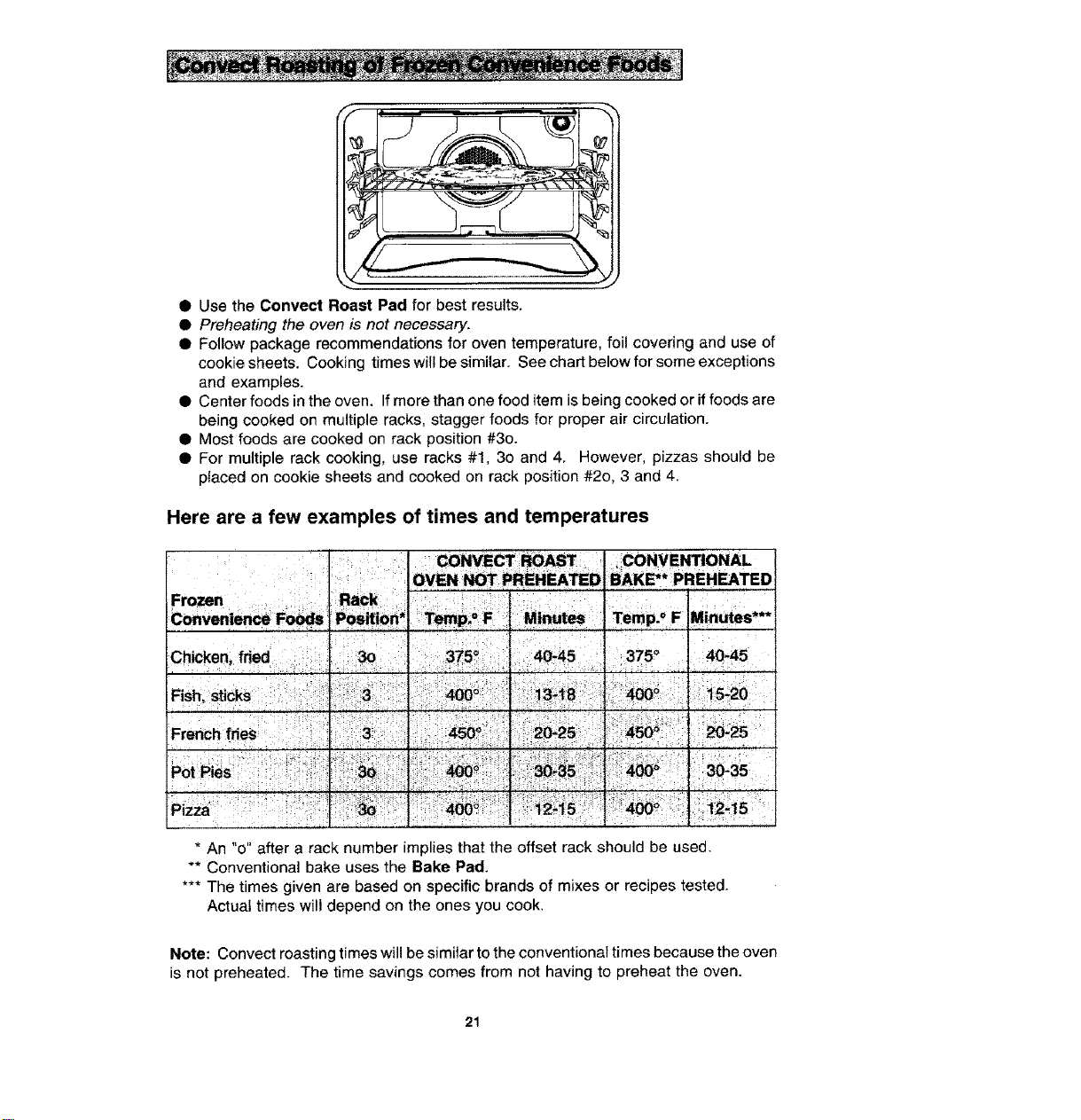
• Use the Convect Roast Pad for best results.
• Preheating the oven is not necessary.
• Follow package recommendations for oven temperature, foil covering and use of
cookie sheets. Cooking times will be similar. See chart below for some exceptions
and examples.
• Center foods in the oven. If more than one food item is being cooked or if foods are
being cooked on multiple racks, stagger foods for proper air circulation.
• Most foods are cooked on rack position #3o.
• For multiple rack cooking, use racks #1, 3o and 4. However, pizzas should be
placed on cookie sheets and cooked on rack position #2o, 3 and 4.
Here are a few examples of times and temperatures
CONVENTIONAL
BAKE** PREHEATED
r375 ° 40"45
* An "0" after a rack number implies that the offset rack should be used.
** Conventional bake uses the Bake Pad.
*** The times given are based on specific brands of mixes or recipes tested.
Actuat times will depend on the ones you cook.
Note: Convect roasting times will be similar to the conventional times because the oven
is not preheated. The time savings comes from not having to preheat the oven.
21
to start cooking ly.
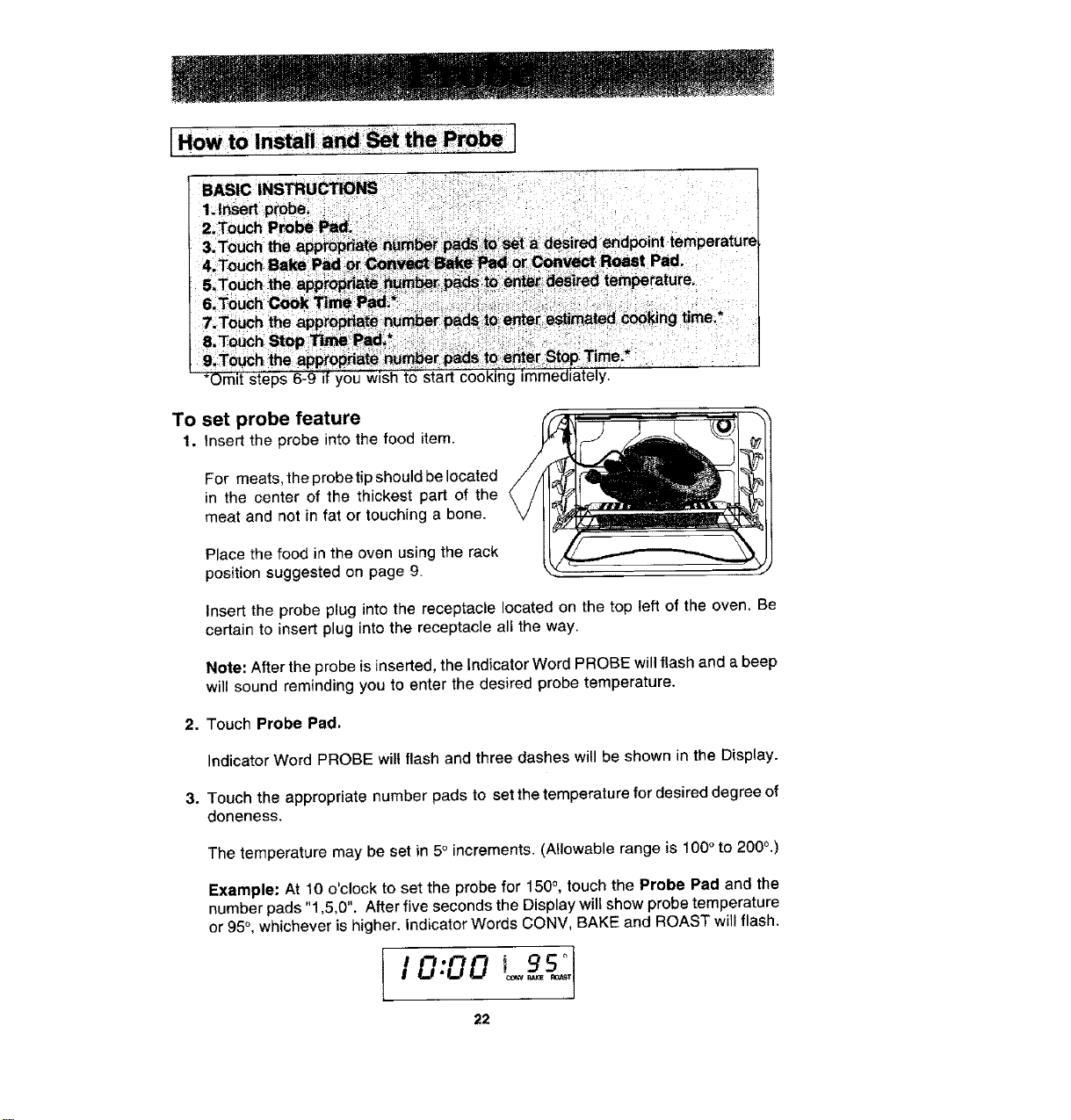
To set probe feature
1, Insert the probe into the food item.
For meats, the probe tip should be located
in the center of the thickest part of the
meat and not in fat or touching a bone.
Place the food in the oven using the rack
position suggested on page 9.
Insert the probe plug into the receptacle located on the top left of the oven, Be
certain to insert plug into the receptacle all the way.
Note'. After the probe is inserted, the Indicator Word PROBE will flash and a beep
will sound reminding you to enter the desired probe temperature.
2. Touch Probe Pad,
Indicator Word PROBE wilt flash and three dashes will be shown in the Display.
3. Touch the appropriate number pads to set the temperature for desired degree of
doneness.
The temperature may be set in 5° increments. (Allowable range is 100 ° to 200°.)
Example: At 10 o'clock to set the probe for 150 °, touch the Probe Pad and the
number pads "1,5,0". After five seconds the Display will show probe temperature
or 95°, whichever is higher. Indicator Words CONV, BAKE and ROAST will flash.
95 °
I O:OO .....
22
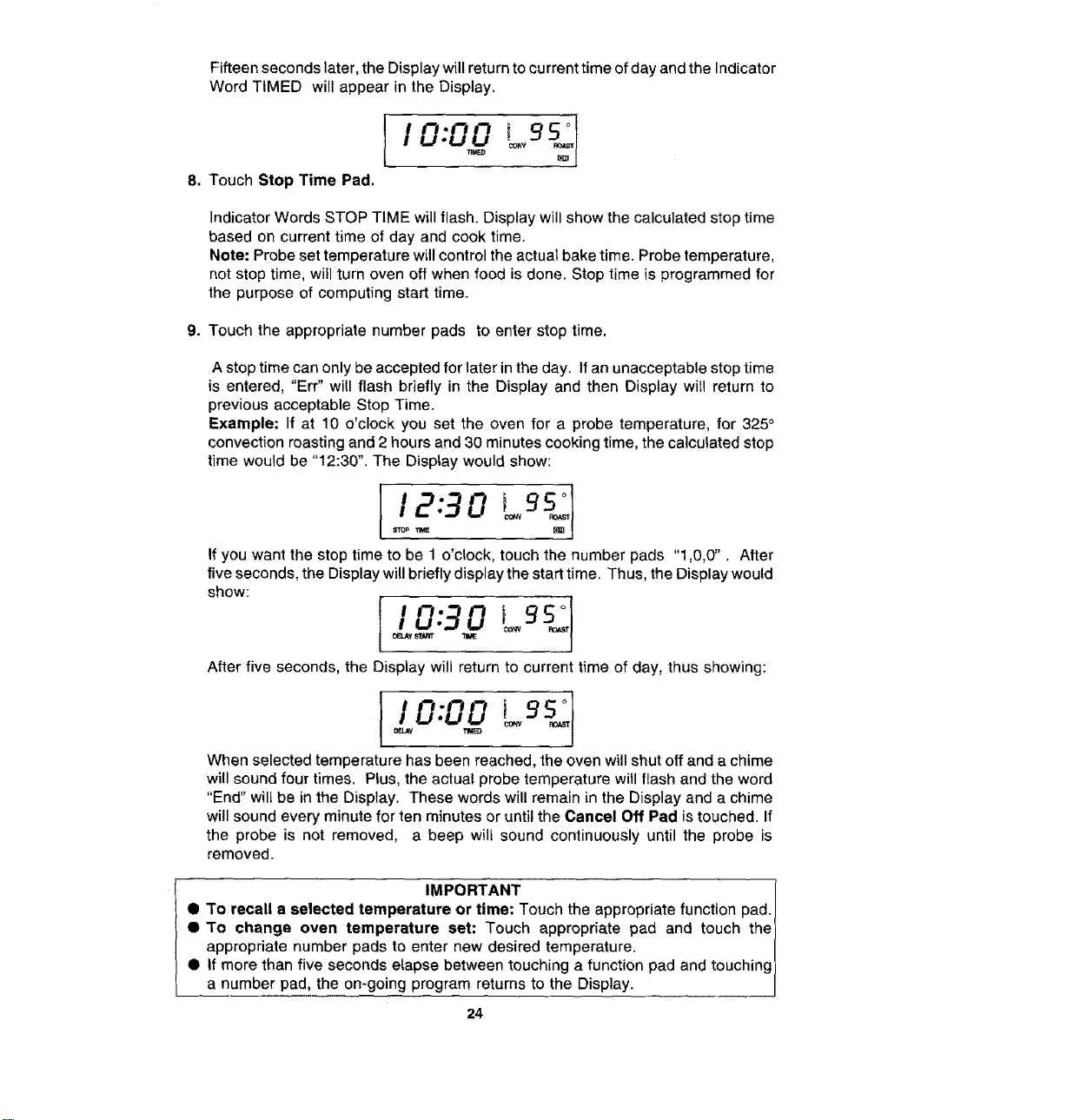
Fifteen seconds later, the Display will return to current time of day and the Indicator
Word TIMED will appear in the Display.
li O'O0 Lgs.
8. Touch Stop Time Pad.
Indicator Words STOP TIME will flash. Display will show the calculated stop time
based on current time of day and cook time.
Note: Probe set temperature wLIIcontrol the actual bake time. Probe temperature,
not stop time, will turn oven off when food is done. Stop time is programmed for
the purpose of computing start time.
9. Touch the appropriate number pads to enter stop time.
A stop time can only be accepted for later in the day. If an unacceptable stop time
is entered, "Err" will flash briefly in the Display and then Display will return to
previous acceptable Stop Time.
Example: If at 10 o'clock you set the oven for a probe temperature, for 325 °
convection roasting and 2 hours and 30 minutes cooking time, the calculated stop
time would be "12:30". The Display would show:
112-3oo .I
If you want the stop time to be 1 o'clock, touch the number pads "1,0,0". After
five seconds, the Display will briefly display the start time. Thus, the Display would
show:
After five seconds, the Display will return to current time of day, thus showing:
II 0:0019s ]
When selected temperature has been reached, the oven will shut off and a chime
will sound four times. Plus, the actual probe temperature will flash and the word
"End" will be in the Display. These words will remain in the Display and a chime
will sound every minute for ten minutes or until the Cancel Off Pad is touched. If
the probe is not removed, a beep wilt sound continuously until the probe is
removed.
! IMPORTANT 1
0 To recall a selected temperature or time: Touch the appropriate function pad. /
• To change oven temperature set: Touch appropriate pad and touch the]
appropriate number pads to enter new desired temperature. /
• If more than five seconds elapse between touching a function pad and touching)
a number pad, the on-going program returns to the Display. J
24
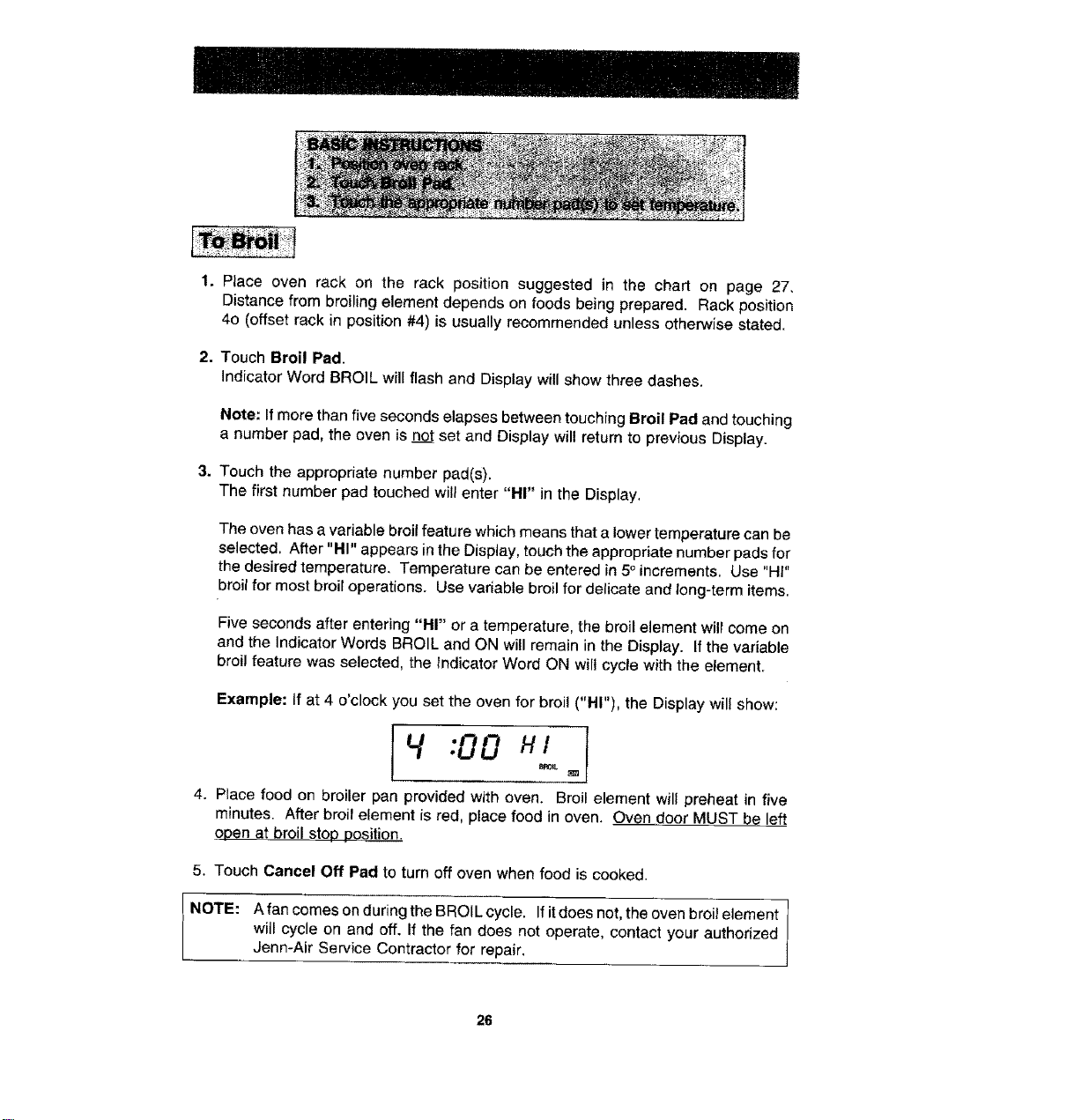
1. Place oven rack on the rack position suggested in the chart on page 27.
Distance from broiling element depends on foods being prepared. Rack position
4o (offset rack in position #4) is usually recommended unless otherwise stated.
2. Touch Broil Pad.
Indicator Word BROIL will flash and Display will show three dashes.
Note: If more than five seconds elapses between touching Broil Pad and touching
a number pad, the oven is not set and Display will return to previous Display.
3. Touch the appropriate number pad(s),
The first number pad touched will enter "HI" in the Display,
The oven has a vadable broil feature which means that a lower temperature can be
selected, After "HI" appears in the Display, touch the appropriate number pads for
the desired temperature. Temperature can be entered in 5° increments, Use "HI"
broil for most broil operations. Use variable broil for delicate and long-term items.
Five seconds after entering "HI" or a temperature, the broil element will come on
and the Indicator Words BROIL and ON will remain in the Display. If the variable
broil feature was selected, the Indicator Word ON will cycle with the element.
Example: If at 4 o'clock you set the oven for broil ("HI"), the Display will show:
4:00 HI
4. Place food on broiler pan provided with oven. Broil element will preheat in five
minutes. After broil element is red, place food in oven. Oven door MUST be left
open at broil stop position.
5. Touch Cancel Off Pad to turn off oven when food is cooked.
NOTE: A fan comes on during the BROIL cycle. If it does not, the oven broil element
will cycle on and off. If the fan does not operate, contact your authorized
Jenn-Air Service Contractor for repair.
26
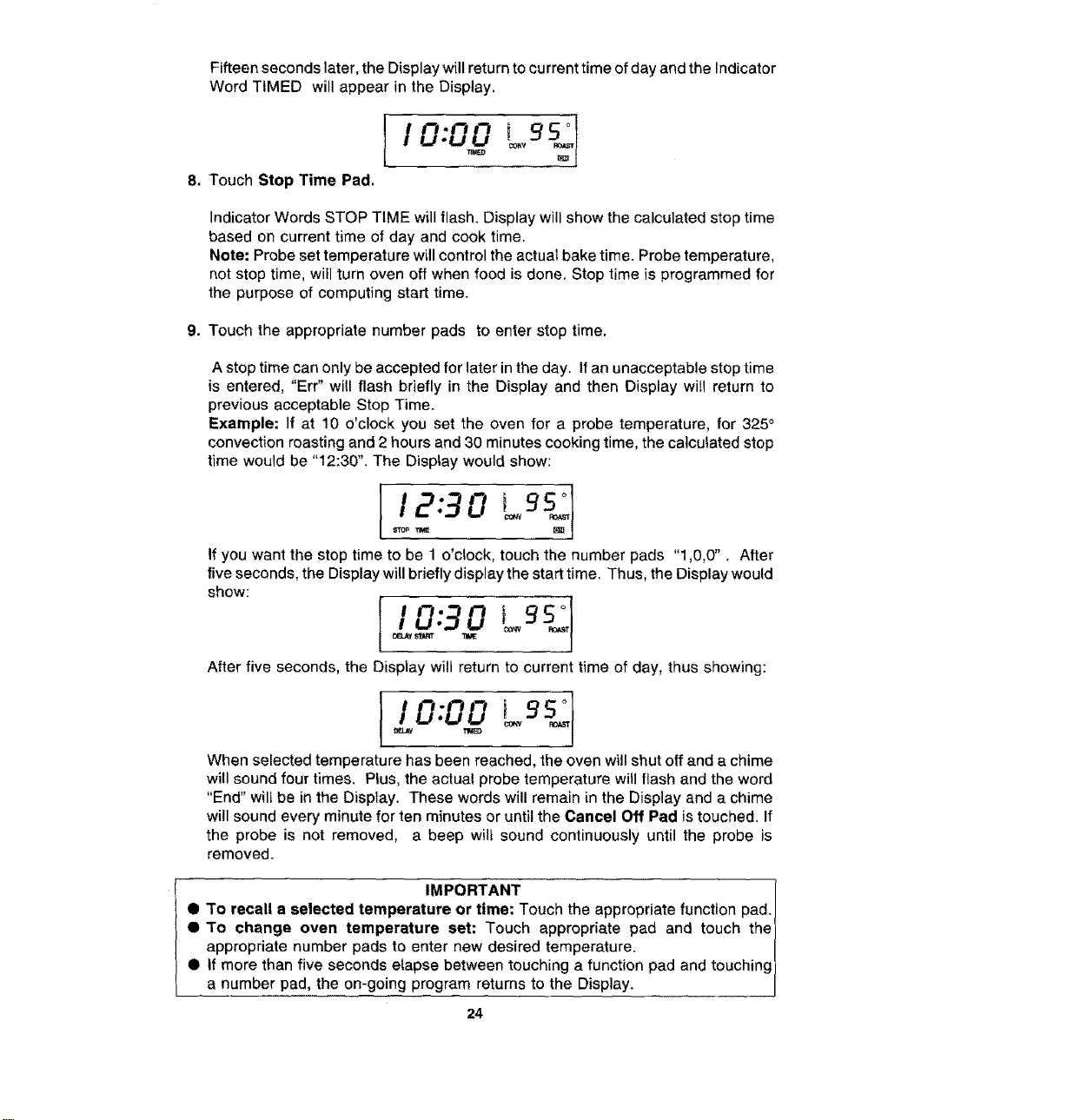
Fifteen seconds later, the Display will return to current time of day and the Indicator
Word TIMED will appear in the Display.
li O'O0 Lgs.
8. Touch Stop Time Pad.
Indicator Words STOP TIME will flash. Display will show the calculated stop time
based on current time of day and cook time.
Note: Probe set temperature wLIIcontrol the actual bake time. Probe temperature,
not stop time, will turn oven off when food is done. Stop time is programmed for
the purpose of computing start time.
9. Touch the appropriate number pads to enter stop time.
A stop time can only be accepted for later in the day. If an unacceptable stop time
is entered, "Err" will flash briefly in the Display and then Display will return to
previous acceptable Stop Time.
Example: If at 10 o'clock you set the oven for a probe temperature, for 325 °
convection roasting and 2 hours and 30 minutes cooking time, the calculated stop
time would be "12:30". The Display would show:
112-3oo .I
If you want the stop time to be 1 o'clock, touch the number pads "1,0,0". After
five seconds, the Display will briefly display the start time. Thus, the Display would
show:
After five seconds, the Display will return to current time of day, thus showing:
II 0:0019s ]
When selected temperature has been reached, the oven will shut off and a chime
will sound four times. Plus, the actual probe temperature will flash and the word
"End" will be in the Display. These words will remain in the Display and a chime
will sound every minute for ten minutes or until the Cancel Off Pad is touched. If
the probe is not removed, a beep wilt sound continuously until the probe is
removed.
! IMPORTANT 1
0 To recall a selected temperature or time: Touch the appropriate function pad. /
• To change oven temperature set: Touch appropriate pad and touch the]
appropriate number pads to enter new desired temperature. /
• If more than five seconds elapse between touching a function pad and touching)
a number pad, the on-going program returns to the Display. J
24
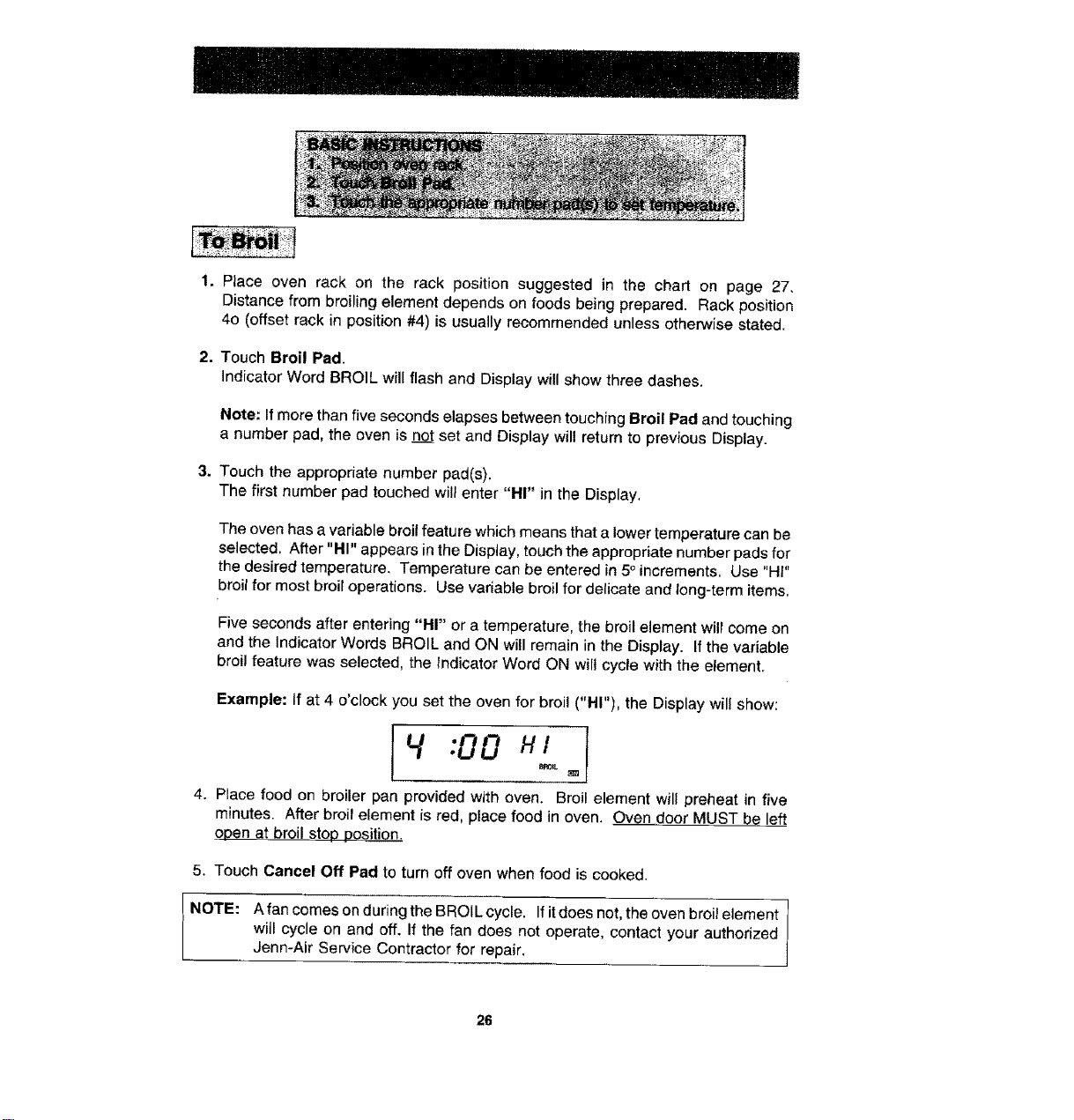
1. Place oven rack on the rack position suggested in the chart on page 27.
Distance from broiling element depends on foods being prepared. Rack position
4o (offset rack in position #4) is usually recommended unless otherwise stated.
2. Touch Broil Pad.
Indicator Word BROIL will flash and Display will show three dashes.
Note: If more than five seconds elapses between touching Broil Pad and touching
a number pad, the oven is not set and Display will return to previous Display.
3. Touch the appropriate number pad(s),
The first number pad touched will enter "HI" in the Display,
The oven has a vadable broil feature which means that a lower temperature can be
selected, After "HI" appears in the Display, touch the appropriate number pads for
the desired temperature. Temperature can be entered in 5°increments, Use "HI"
broil for most broil operations. Use variable broil for delicate and long-term items.
Five seconds after entering "HI" or a temperature, the broil element will come on
and the Indicator Words BROIL and ON will remain in the Display. If the variable
broil feature was selected, the Indicator Word ON will cycle with the element.
Example: If at 4 o'clock you set the oven for broil ("HI"), the Display will show:
4:00 HI
4. Place food on broiler pan provided with oven. Broil element will preheat in five
minutes. After broil element is red, place food in oven. Oven door MUST be left
open at broil stop position.
5. Touch Cancel Off Pad to turn off oven when food is cooked.
NOTE: A fan comes on during the BROIL cycle. If it does not, the oven broil element
will cycle on and off. If the fan does not operate, contact your authorized
Jenn-Air Service Contractor for repair.
26
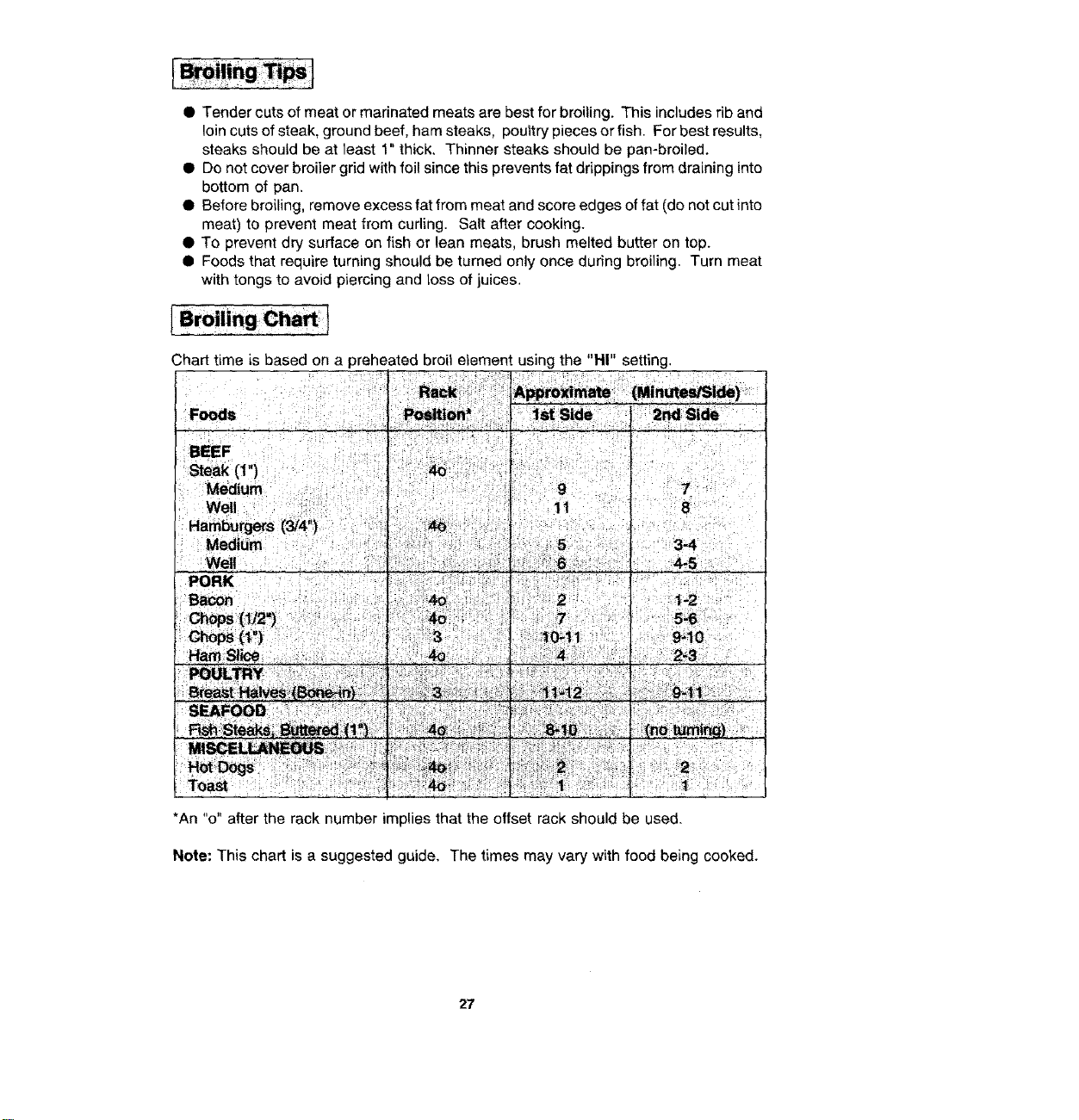
• Tender cuts of meat or marinated meats are best for broiling. This includes rib and
loin cuts of steak, ground beef, ham steaks, poultry pieces or fish. For best results,
steaks should be at least 1" thick. Thinner steaks should be pan-broiled.
• Do not cover broiler grid with foil since this prevents fat drippings from draining into
bottom of pan.
• Before broiling, remove excess fat from meat and score edges of fat (do not cut into
meat) to prevent meat from cuding. Salt after cooking.
• To prevent dry surface on fish or lean meats, brush melted butter on top.
• Foods that require turning should be turned only once during broiling. Turn meat
with tongs to avoid piercing and loss of juices.
Chart time is based on a preheated broil element using the "HI" setting.
*An "o" after the rack number implies that the offset rack should be used.
Note: This chart is a suggested guide. The times may vary with food being cooked.
27
When the oven controls are set to CLEAN, the oven heats to temperatures that are higher
than those used for cooking. The high temperatures cause food soil to burn off and
substantially disappear, While this occurs, a device in the oven vent helps to consume
normal amounts of smoke. The oven is vented through an opening under the control panel.
Note WW30430 Owners: Both ovens cannot be serf-cleaned at the same time.
• Remove the broiler pan and any other utensils from the oven. These utensils cannot
withstand the high temperatures of the cleaning process.
• Clean spatters and spills from those areas which will not be cleaned during the self-
cleaning process:
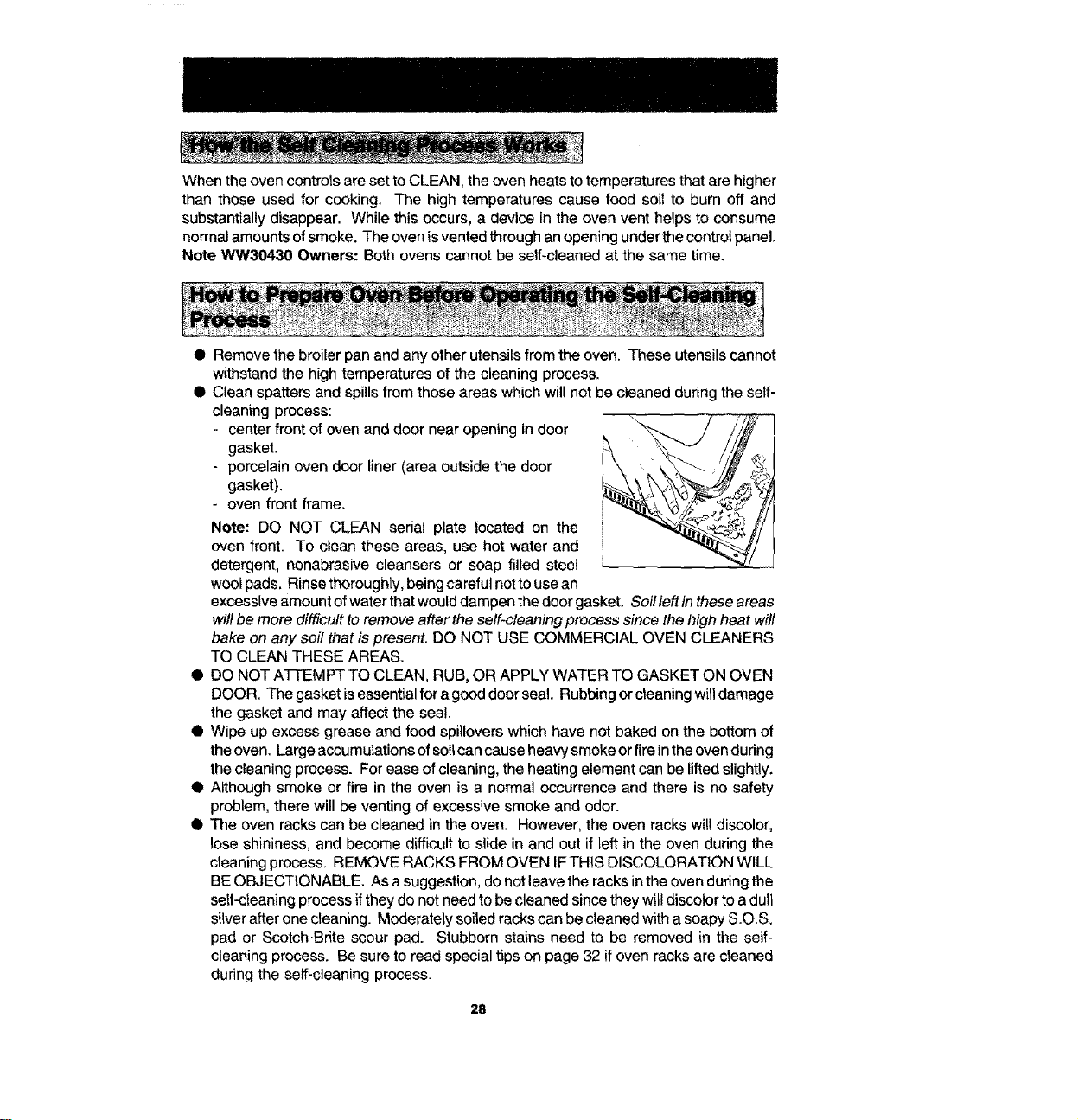
- center front of oven and door near opening in door l "_... / ///_ !
gasket. '_
- porcelain oven door liner (area outside the door
gasket).
- oven front frame.
Note: DO NOT CLEAN serial plate tocated on the
oven front. To clean these areas, use hot water and
detergent, nonabrasive cleansers or soap filled steel
wool pads. Rinse thoroughly, being careful not to use an
excessive amount of water that would dampen the door gasket. Soil left in these areas
will be more difficult to remove after the self-cleaning process since the high heat will
bake on any soil that is present. DO NOT USE COMMERCIAL OVEN CLEANERS
TO CLEAN THESE AREAS.
Q DO NOT ATI'EMPT TO CLEAN, RUB, OR APPLY WATER TO GASKET ON OVEN
DOOR. The gasket isessential for a good door seal. Rubbing or cleaning will damage
the gasket and may affect the seal.
t Wipe up excess grease and food spillovers which have not baked on the bottom of
the oven. Large accumulations of soil can cause heavy smoke or fire in the oven during
the cleaning process. For ease of cleaning, the heating element can be lifted slightly.
Q Although smoke or fire in the oven is a normal occurrence and there is no safety
problem, there will be venting of excessive smoke and odor.
Q The oven racks can be cleaned in the oven. However, the oven racks will discolor,
lose shininess, and become difficult to slide in and out if left in the oven during the
cleaning process. REMOVE RACKS FROM OVEN IFTHIS DISCOLORATION WILL
BE OBJECTIONABLE. As a suggestion, do not leave the racks in the oven during the
self-cleaning process if they do not need to be cleaned since they will discolor to a dull
silver after one cleaning. Moderately soiled racks can be cleaned with a soapy S.O.S.
pad or Scotch-Brite scour pad. Stubborn stains need to be removed in the self_
cleaning process. Be sure to read special tips on page 32 if oven racks are cleaned
during the self-cleaning process.
28
• The oven racks can be cleaned in the oven. However, the oven racks will discolor,
lose shininess, and become difficultto slide in and out if left in the oven during the
cleaning process. REMOVE RACKS FROM OVEN IF THIS DISCOLORATION
WILL BE OBJECTIONABLE. As a suggestion, do not leave the racks in the oven
during the self-cleaning process ifthey do not need to be cleaned since they will
discolor to a dull silver after one cleaning. Moderately soiled racks can be cleaned
with a soapy S.O,S. pad or Scotch-Brite scour-pad. Stubborn stains need to be
removed inthe self-cleaning process. Be sure to read special tips on page 32 ifoven
racks are cleaned during the self-cleaning process.
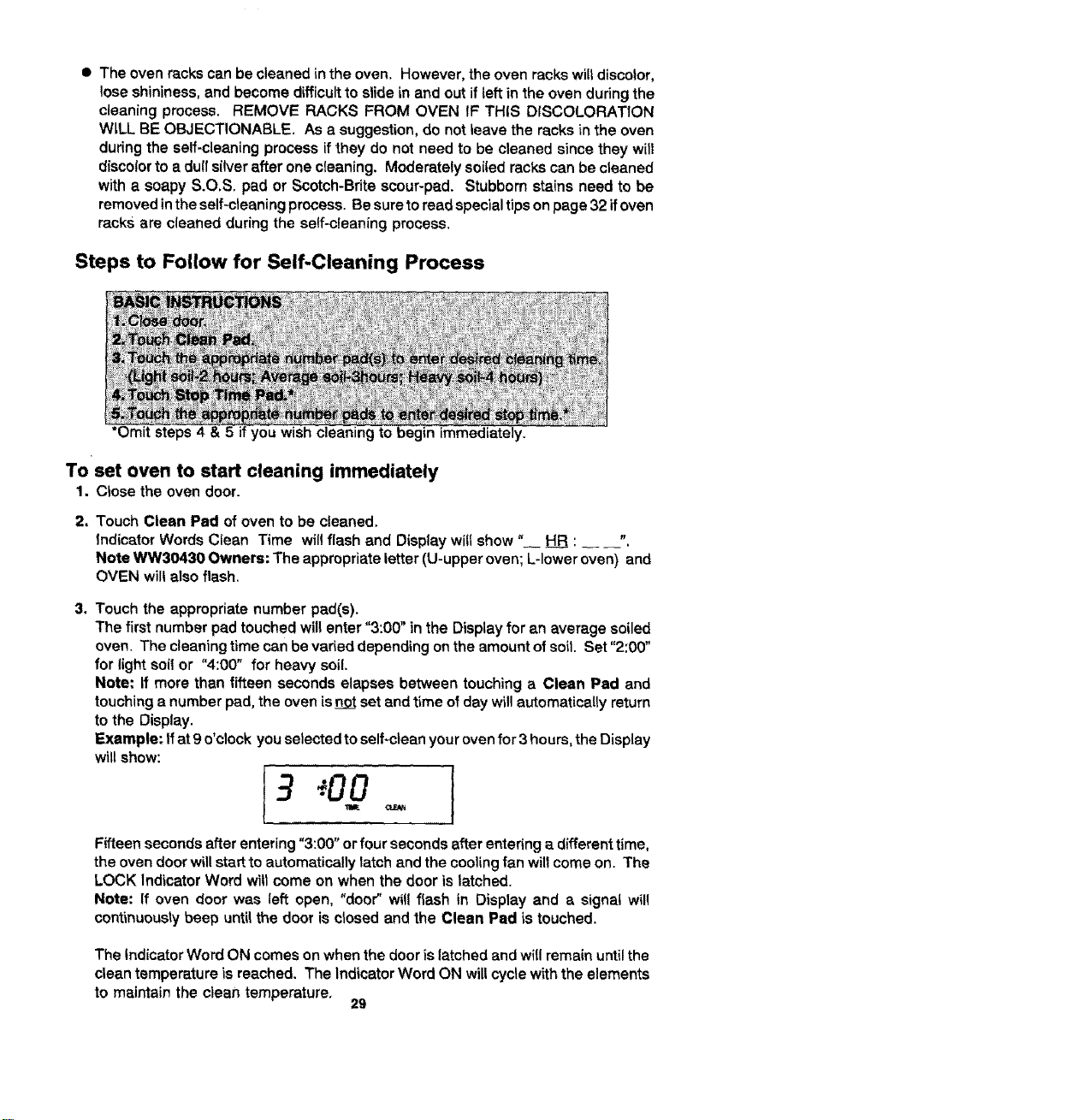
Steps to Follow for Self-Cleaning Process
*Omit steps 4 you wish cleaning to immedit
Toset oven to start cleaning immediately
1. Close the oven door.
2. Touch Clean Pad of oven to be cleaned.
Indicator Words Clean Time will flash and Display will show" HRR: _ ".
Note WW30430 Owners: The appropriate letter (U-upper oven; L-lower oven) and
OVEN will also flash.
3. Touch the appropriate number pad(s).
The first number pad touched will enter "3:00" in the Display for an average soiled
oven. The cleaning time can be varied depending onthe amount of soil. Set "2:00"
for light soil or "4:00" for heavy soil.
Note: If more than fifteen seconds elapses between touching a Clean Pad and
touching a number pad, the oven isn,t set and time of day will automatically return
to the Display.
Example: tfat 9 o'clock you selected to self-clean your oven for 3 hours, the Display
will show:
3:00
Fifteen seconds after entering "3:00" or four seconds after entering a different time,
the oven door will start to automatically latch and the cooling fan wilt come on. The
LOCK Indicator Word will come on when the door is latched.
Note: If oven door was left open, "door" will flash in Display and a signal wil!
continuously beep untilthe door is closed and the Clean Pad is touched.
The Indicator Word ON comes onwhen the door is latched and will remain until the
clean temperature is reached, The Indicator Word ON willcycle with the elements
to maintain the clean temperature,
29
To set oven to start cleaning at a later time
1-3. Follow Steps 1-3 in previous section on page 29.
4, Touch Stop Time Pad.
Indicator Words STOP T_ME will flash in the Display. The Indicator Word CLEAN
and the calculated stop time will also appear in Oisptay.
Note WW30430 Owners: The appropriate letter (U-upper oven; L-lower oven)
and OVEN wil! also flash.
5. Touch the appropriate number pads to enter stop time.
A stop time can only be accepted for later in the day. If an unacceptable stop time
is entered, "Err" wil! flash briefly in the Display and then Display wil! return to
previous acceptable Stop Time,
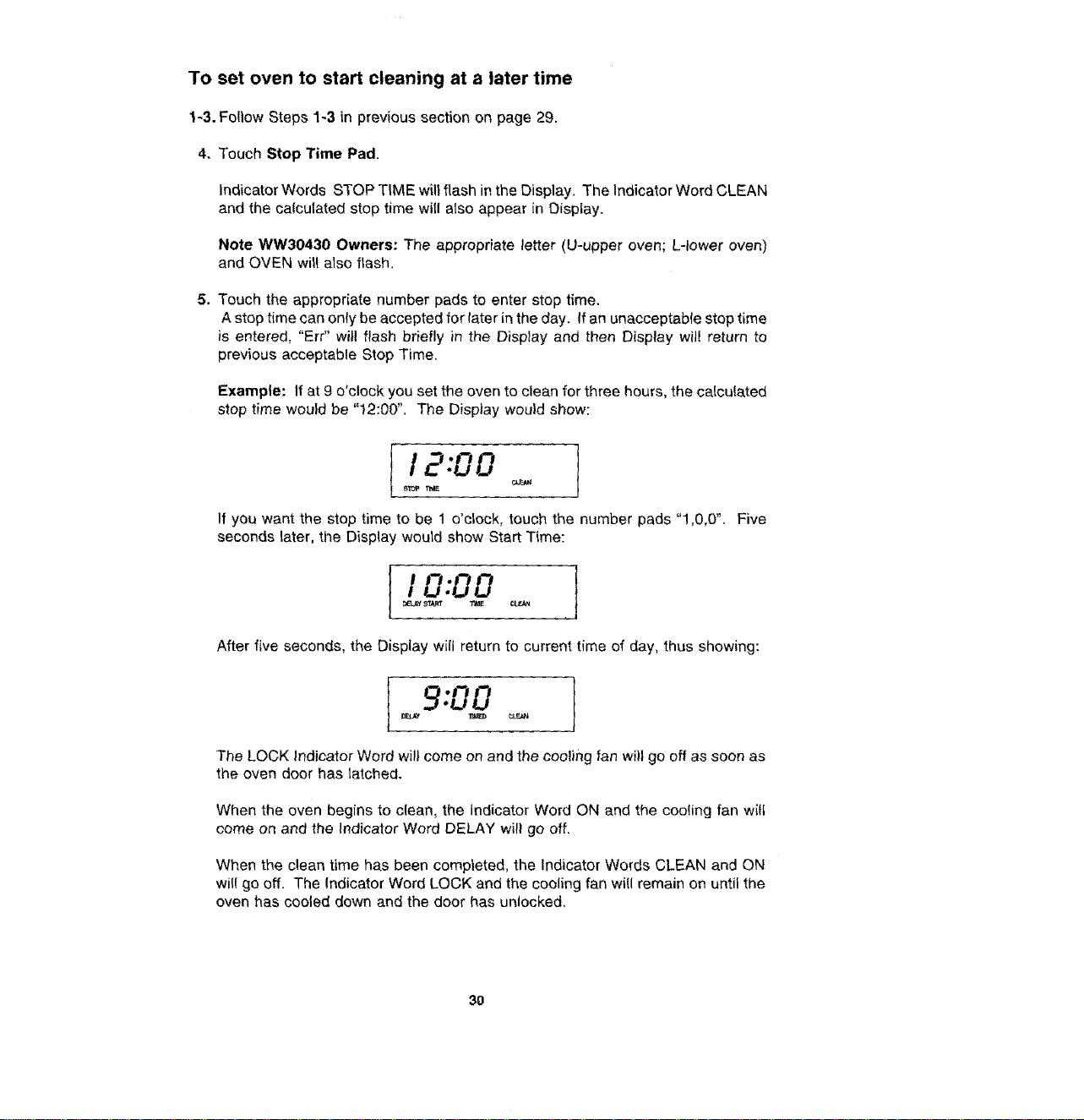
Example: If at 9 o'clock you set the oven to clean for three hours, the calculated
stop time would be "12:00". The Display would show:
12:00
STOP T_E
If you want the stop time to be 1 o'clock, touch the number pads "1,0,0". Five
seconds later, the Display would show Start Time:
I 0:00 1_,Y _ T_E CLFJ_
After five seconds, the Display will return to current time of day, thus showing:
9:00
The LOCK Indicator Word wilt come on and the cooling fan wi)l go off as soon as
the oven door has latched.
When the oven begins to c{ean, the Indicator Word ON and the cooling fan wilt
come on and the Indicator Word DELAY will go off,
When the clean time has been completed, the Indicator Words CLEAN and ON
wil! go off. The Indicator Word LOCK and the cooling fan will remain on until the
oven has cooled down and the door has unlocked.
3O
To cancel self-clean
• Touch Cancel Off Pad.
• The oven door will be locked while the LOCK Indicator Word remains in the Disptay.
Depending on the length of time the oven had been self-cleaning, it may take up
to 45 minutes for the oven to cool down, the door to unlock and cooling fan to turn
off.
IMPORTANT
• Note WW30430 Owners: Both ovens CANNOT be cleaned at the same time. The
LOCK Indicator Word for the first oven must go off before setting the second oven
for a clean
• Note WW30430 Owners: tf one oven is set to clean, the other oven cannot be
set for clock controlled baking.
• To recall cleaning time or stop time: Touch the appropriate pad (Clean Pad or
Stop Time Pad).
• To change cleaning time or stop time before cleaning begins: Repeat the
preceding steps.
• When the Clean Pad is touched, a fan comes on. If this fan is not operating, the
oven will go through the cleaning process at a reduced oven temperature and the
oven will not clean effectively. Ifthe fan does net operate, contact your authorized
Jenn-Air Service Contractor for service.
• A slight odor may be detected, and if an oven is heavily soiled, some smoke may
be visible. Some smoke and odor during the cleaning process is a normal
occurrence. Since the even is vented under the control panel, vapors, moisture,
etc. may be seen coming from this area.
• During the cleaning process, do not be alarmed if an occasional flame is visible
through the oven window. This is caused by excessive food soil that was not
removed before the oven was set to clean.
• SINCE THE DOOR AND WINDOW OF THE OVEN WILL GET WARM DURING
THE SELF-CLEANING PROCESS, AVOID CONTACT.
• Some types of soil may disintegrate but leave a light film or heavier deposit of ash.
The amount of ash depends on the amount of soil which was in the oven. After oven
has cooled, this ash may be removed with a damp sponge. If other dark deposits
remain after wiping with a sponge, the time set for the length of cleaning was not
enough. Increase the cleaning time for future cleanings or clean more frequently,
The normal cleaning time is 3 hours. A maximum of 4 hours may be selected if
necessary.
31
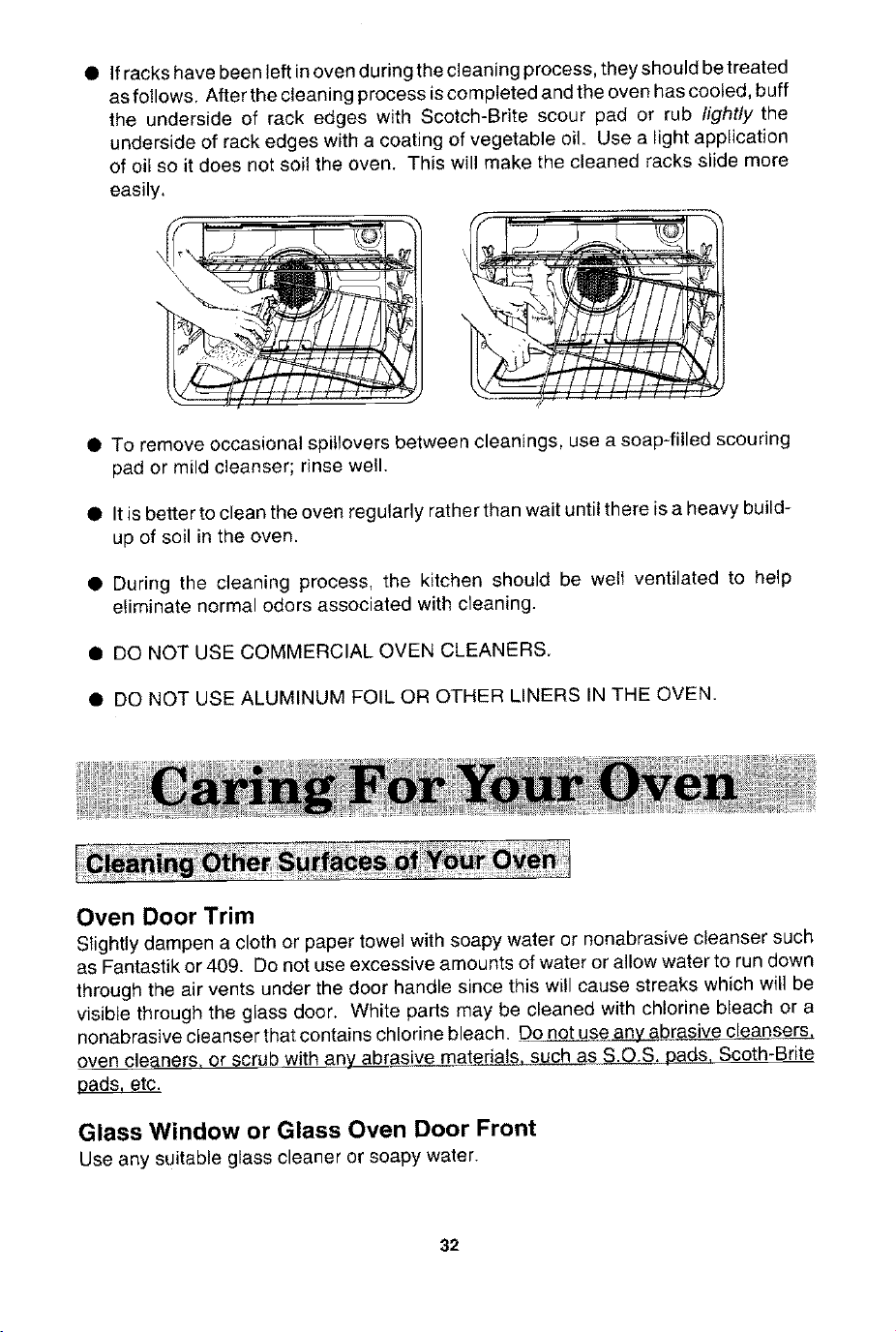
• If racks have been left in oven during the cleaning process, they should be treated
as follows. After the cleaning process is completed and the oven has cooied, buff
the underside of rack edges with Scotch-Brite scour pad or rub hghtfy the
underside of rack edges with a coating of vegetable oil. Use a light application
of oil so it does not soil the oven. This will make the cleaned racks slide more
easily,
L i
• To remove occasional spitlovers between cleanings, use a soap-filled scouring
pad or mild cleanser; rinse well.
• It is better to clean the oven regularly rather than wait until there is a heavy build-
up of soil in the oven.
• During the cleaning process, the kitchen should be welt ventilated to help
eliminate normal odors associated with cleaning.
• DO NOT USE COMMERCIAL OVEN CLEANERS.
• DO NOT USE ALUMINUM FOIL OR OTHER LINERS IN THE OVEN.
Oven Door Trim
Slightly dampen a cloth or paper towel with soapy water or nonabrasive cleanser such
as Fantastik or 409. Do not use excessive amounts of water or allow water to run down
through the air vents under the door handle since this will cause streaks which will be
visible through the glass door, White parts may be cleaned with chlorine bleach or a
nonabrasivecteanserthatcontainschlorinebleach. _brasive clean se_.&rs
oven cleaner& or scrub with any abras!v_at_., such as S.O.S. pads, Scoth-Brite
a._ds etc.
Glass Window or Glass Oven Door Front
Use any suitable glass cleaner or soapy water.
32
Control Panel Area and Display Window
Wipe with soft cloth dampened with soapy water or glass cleaner. Do not spray any
cleaning solutions directly onto the display window or use large amounts of soap and
water. Do not scrub with S.O.S. pads or abrasive cleaners.
Stainless Steel (select models)
Do not use any cleaning product containing chlorine bleach.
Always wipe with the grain when cleaning.
Daily Cleaning/Light Soil -Wipe with one of the following - soapy water, white vinegar/
water solution, Formula 409 Glass and Surface Cleaner or a similar multi-surface cleaner
- using a sponge or soft cloth. Rinse and dry. To polish and help prevent fingerprints,
follow with Stainless Steel Magic Spray (Jenn-Air Model A912, Part No. 20000008).
Moderate/Heavy Soil - Wipe with one of the following -Bon Ami or Soft Scrub _ using
a damp sponge or soft cloth. Rinse and dry. Stubborn soils may be removed with a damp
Scotch-Bdte pad; rub evenly with the grain. Rinse and dry. To restore luster and remove
streaks, follow with Stainless Steel Magic Spray (Jenn-Air Model A912, Part No.
2OO0OOO8).
Discoloration - Using a damp sponge or soft cloth, wipe with Cameo Stainless Steel
Cleaner. Rinse immediately and dry. To remove streaks and restore luster, follow with
Stainless Steel Magic Spray (Jenn-Air Model A9!2, Part No. 20000008).
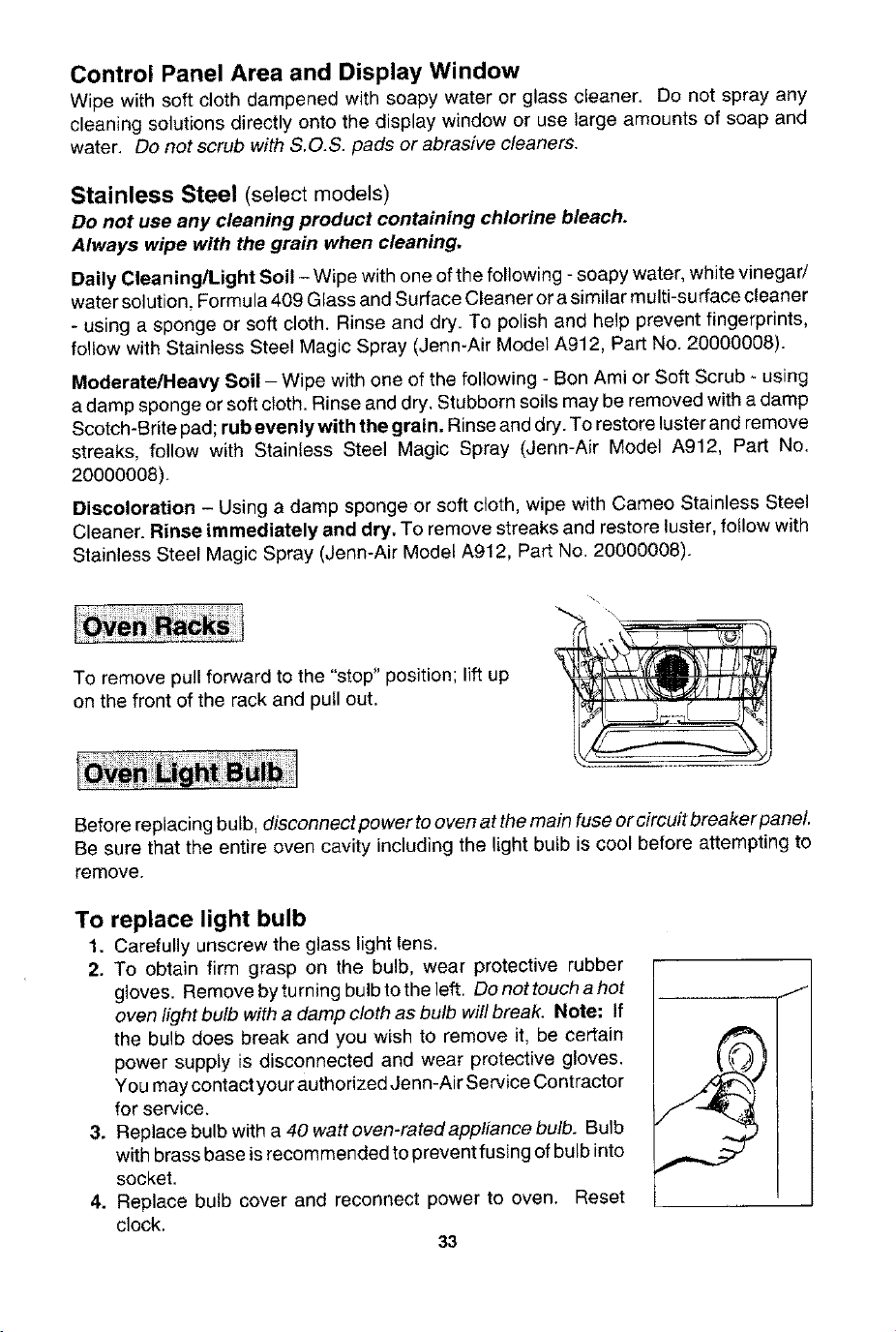
To remove pull forward to the "stop" position; lift up
on the front of the rack and pull out.
Before replacing bulb, disconnect power to oven at the main fuse or circuit breaker paneL
Be sure that the entire oven cavity including the (ight butb is cool before attempting to
remove.
To replace light bulb
1. Carefully unscrew the glass light lens.
2. To obtain firm grasp on the bulb, wear protective rubber
gloves. Remove by turning bulb to the left. Do not touch a hot
oven fight bulb with a damp cloth as bulb will break. Note; If
the bulb does break and you wish to remove it, be certain
power supply is disconnected and wear protective gloves.
You may contact your authorized Jenn-Air Service Contractor
for service.
3. Replace bulb with a 40 watt oven-ratedappliance bulb. Bulb
with brass base is recommended to prevent fusing of bulb into
socket.
4. Replace bulb cover and reconnect power to oven. Reset
clock,
33
Theoventemperaturecanbeadjustedifalloventemperaturesaretoolowortoohigh
andthelengthoftimetocookALLfoodsistoolongortooshort.DeNOTadjustthe
temperatureifonlyoneortwoitemsarenotbakingproperly.
To adjust
1. Touch the Bake Pad.
2. Enter 500 ° by touching the number pads: "5,0,0".
3. Touch and hold the Bake Pad for 8 seconds until "00 °" appears in the Display.
4. Touch the appropriate number pads to enter the offset temperature. (Allowable
range is -35 ° to +35°.) Note: Touching the Broil Pad wirl change the - sign to a
positive number or back to a negative number.
Note: Do not change the temperature setting more than 10° before checking the
oven,
5. Touch the Cancel Off Pad to return to the previous Display.
Important: The oven should be adjusted only 10 ° and the oven shouid be tested. (We
recommend baking two 9" yellow layer cakes using a purchased box mix.) If the oven
temperature is still too low or too high, repeat the procedure described above.
The oven operation controls can be locked in the "OFF" position during cleaning or to
prevent a child from accidentally turning them on. The oven functions which can be
locked inthe "OFF" position are: Bake, Convect Bake, Convect Roast, Probe, Broil and
Clean. The control functions which can always be used regardless of lockout are: Timer,
Clock and Oven Light.
To set
Touch and hold the Cook Time Pad and the Stop Time Pad simultaneously for four
seconds. The indicator Word "OFF" will appear and remain in the temperature digits
for fifteen seconds.
Note: If an oven function is currently being used, the controls cannot be locked off.
Note: If someone touches an oven function pad, the Indicator Word "OFF" will again
appear in the temperature digits for fifteen seconds.
To cancel
Touch and hold the Cook Time Pad and the Stop Time Pad simultaneously for four
seconds. The Indicator Word "OFF" will appear briefly in the temperature digits and
then go off.
34
Check the following list to be sure a service call is really necessary. A quick reference
of this manual may prevent an unneeded service caII,
If nothing on the oven operates:
• check for a blown circuit fuse or a tripped main circuit breaker,
• check if oven is properly connected to electric outlet,
If clock, indicator words, and/or lights operate but oven does not
heat:
• the controls may have been set incorrectly.
• clock controls may be set for delayed start of oven.
• the Child Protection Lock may have been set.
If the oven light does not work:
• the light bulb is loose or defective.
• oven light does not work during self-cleaning process.
If oven will not go through self-cleaning process:
• controls may be improperly set.
• check the "Clean" and "Stop" time settings and the current time of day on the clock,
If oven did not clean properly:
• oven may need longer cleaning time.
• excessive spills were not removed prior to self-cleaning process,
If oven door will not unlock:
• oven may not have cooled to safe temperature after self-cleaning process.
• electric current coming into the oven may be off.
If foods do not broil properly:
• the control may not be set properly.
• check rack position.
• voltage into house may be low,
If baked food is burned or too brown on top:
• food may be positioned incorrectly in oven.
• oven not preheated properly.
If foods bake unevenly:
• the oven may be installed improperly.
• check the oven rack with a level.
• stagger pans, do not allow pans to touch each other or oven wall.
• check instructions for suggested placement of pans on oven rack.
If oven baking results are less than expected:
• the pans being used may not be of the size or material recommended for best
results,
• there may not be sufficient room around sides of the pans for proper air circulation
_nthe oven.
• check instructions for preheating, rack position and oven temperature.
35
If baking results differ from previous oven:
• oven thermostat calibration may differ between old and new ovens. Follow recipe
and use and care directions before calling for service since the calibration on the
previous oven may have drifted to a too high ortoo low setting. (See p. 34 - Adjusting
Oven Temperature,)
If the cooling fan continues to operate after the oven has been
turned off:
• this is normal and the fan wil! automatically shut off when the oven is cooled.
If a fan is heard while using the bake mode:
• this is the cooling fan and is normal. The fan will continue to run after use until the
oven cools.
If probe does not work:
• check to be sure probe plug is properly inserted into oven receptacle.
• probe may not be positioned in food properly.
• probe temperature may have been improperly set.
Fault Codes
• Fault codes are shown in the Display as "F" and a number. If a fault code appears
in the Display and a continuous beep sounds, touch the Cancel Off Pad. If the fault
code reappears, disconnect power to the oven and call an authorized Jenn-Air
Service Contractor.
mBLIENN-AIR
403 WEST _:OURTH STREgT NORTH _ PO 9OX 39 • NE_ON, IA 5_208
Printed in U.S.A. Cat. No. OU30400UF
@1997 Jenn Air Part No. 811 ! P343-60 9/97