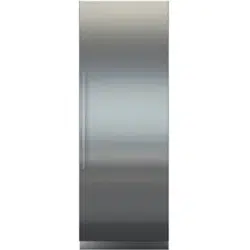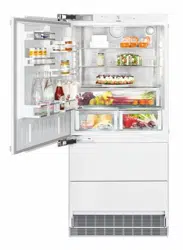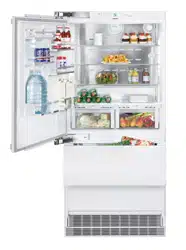
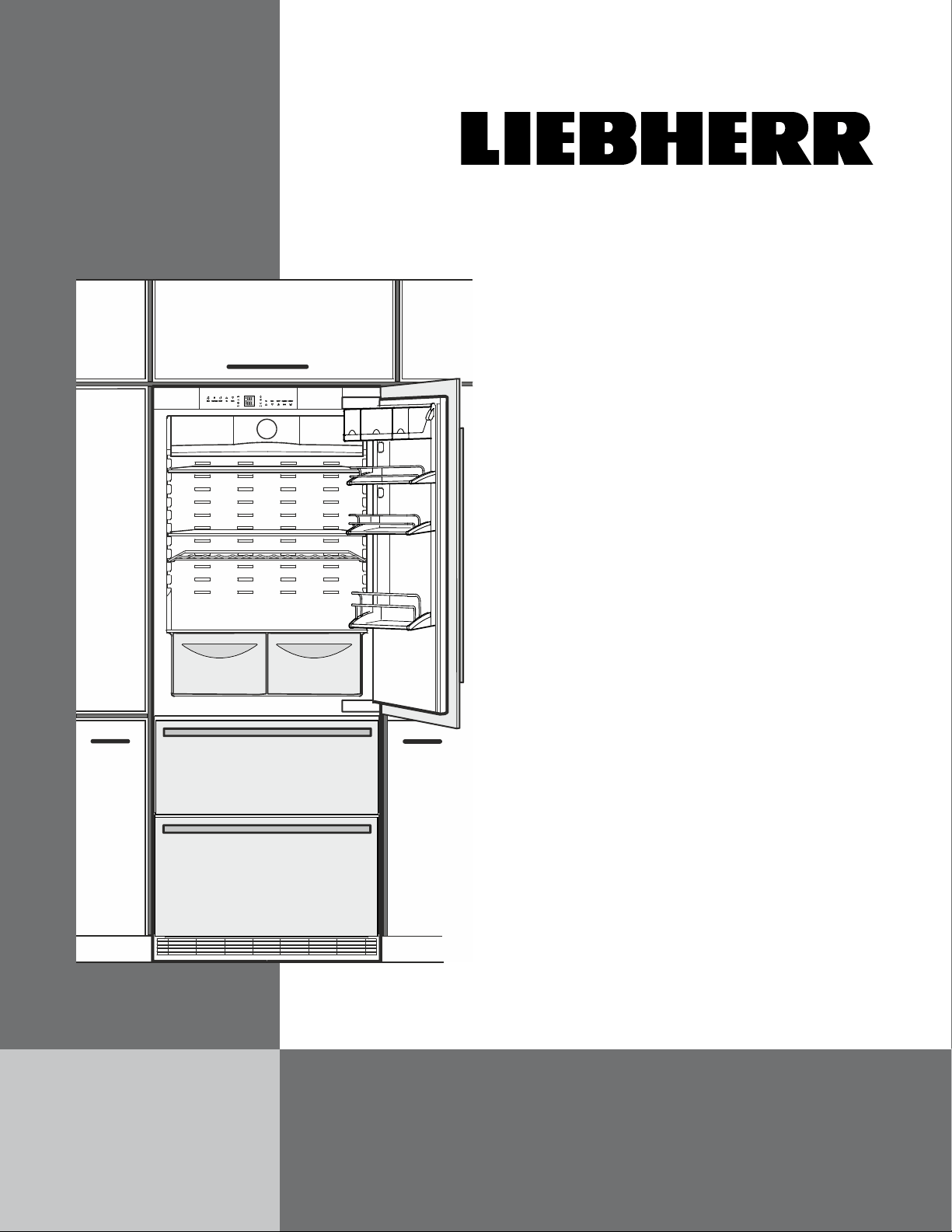
HC 1550/1551
7084 199-00
Use and
Care Manual
For “NoFrost” Combined
Refrigerator-Freezers with IceMaker
Manuel
d’utilisation et
d’entretien
Pour les combinés
réfrigérateur-congélateur
NoFrost avec IceMaker
Page 27
Instrucciones
de manejo y de
mantenimiento
Para combinados
frigorífico-congelador
NoFrost con IceMaker
Página 53

2
Congratulations on your purchase. Choosing this appliance means you want all the ben-
efits of state-of-the-art refrigeration technology, guaranteeing you top quality, a long appli-
ance life span and excellent reliability.
The features on your appliance have been designed to ensure maximum conven-ience -
day in, day out.
This appliance has been manufactured with recyclable materials using an environmentally
friendly process, so together we’re making an active contribution to the preservation of our
environment.
To get to know all the benefits of your new appliance, please read the information con-
tained in these operating instructions carefully.
Additional Benefits
• CFC-free
• Energy-optimizedrefrigerantcircuit
• Energy-efficientinsulation
• Lowenergyconsumption
• User-friendlyelectroniccontrols
• Displayoffunctionsswitchedon
• Temperaturecanbecontrolledwithinclimateratingrange,
regardless of room temperature
• Refrigeratorandfreezercompartmentsdefrostautomat-ically-
no need to spend time defrosting
• Bignetrefrigeratorcapacity
• Variableandpracticalfeatures
• Safety-glassstorageshelves
• Bignetfreezercapacity
• Automaticicemaker
• Waterfilterforgoodwaterqualityiceproduction
• Freezertemperatureincreasealarm
• Audibledooropenalarm
• Powerfailure/“frost-control”display
• Freshfoodcanbefast-frozenasrequired
• Alldrawerssuitableforfastfreezing
• Integratedtransportgripsonappliancehousing
• Transportcastors
• Easytoclean
• ThisunitiscertifiedasSabbathcompliantbytheStar-Korga-
nization,thusallowingtheappliancetobeusedduringreli-
giousholidays.Formoreinformation,pleasevisitStar-Konthe
web at www.star-k.org.

3
IMPORTANT
All types and models are subject to continuous improvement. The manufacturer reserves the right to make
modifications in the shape, equipment and technology.
T
able
of
C
onTenTs
Contents Page
DisposalofOldAppliance ............................................. 4
DisposalofthisAppliance ............................................. 4
DisposalofCarton ......................................................... 4
R600aRefrigerant ......................................................... 4
Settingup ....................................................................... 4
ImportantSafetyInformation ......................................... 5
ElectricalSafety ............................................................. 6
SafetyRegulations ......................................................... 6
WaterFilter ..................................................................... 7
DescriptionofApplianceandEquipment ...................... 8
OperatingandControlElements ................................... 9
TurningtheApplianceOnandOff ...............................10
SettingtheTemperature ...............................................10
TemperatureDisplay .....................................................11
PowerFailure/Frost-controlDisplay .............................11
AudibleAlarmSignal ....................................................11
SuperCool .....................................................................11
SetupMode ................................................................... 12
ArrangingFood .............................................................16
ShelfArrangement ........................................................16
InteriorLight ..................................................................18
FreezerCompartmentDescription .............................. 20
RemovingtheFreezerCompartmentContainers ....... 20
Freezing ....................................................................... 21
FreezingwithSuperFrost ............................................. 21
FreezingandStorage .................................................. 21
SafetyInstructionsandWarningsfortheAutomatic
IceMaker
........................................................................ 22
TurningtheIceMakerOnandOff .............................. 22
IceMakerDescription ................................................ 22
Defrosting ..................................................................... 23
Cleaning ....................................................................... 23
CleaningtheAirFilter .................................................. 24
VacationTips ............................................................... 25
Troubleshooting ........................................................... 26
IceMakerTroubleshooting .......................................... 27
CustomerService ........................................................ 27
ApplianceInformation .................................................. 27
LiebherrWarrantyPlan ................................................ 28
Please Read and Follow these
Instructions
TheseinstructionscontainDanger,Warningand
Caution notes.
This information is important for safe and efficient
installation and operation.
AlwaysreadandcomplywithallDanger,Warningand
Caution notes!
DANGER!
Danger indicates a hazard which
will cause serious injury or death if
precautions are not followed.
WARNING!
Warning indicates a potentially hazardous
situation which, if not avoided, could
result in death or serious injury.
CAUTION!
Caution indicates a potentially hazardous
situation which, if not avoided, may result
in minor or moderate injury.
IMPORTANT
This indicates information that is especially relevant
to a problem-free installation and operation.

4
s
afeTy
Disposal of Old Appliance
DANGER!
Risk of child entrapment.
Child entrapment and suffocation are not problems of
the past.
Junked or abandoned refrigerators are still dangerous –
eveniftheywillsitfor“justafewdays.”
Ifyouaregettingridofyouroldrefrigerator,please
follow these instructions to help prevent accidents.
Before you discard old appliances:
• Removethedoors.
• Leavetheshelvesinplacesothatchildren
may not easily climb inside.
• Cutoffthepowercablefromthediscarded
appliance. Discard separately from the
appliance.
• Besuretofollowyourlocalrequirementsfor
disposal of appliances.
Contact the trash collection agency in
your area for additional information.
Disposal of this Appliance
This appliance contains flamable gases within
the refrigeration circuit and insulation foam.
Contact the Municipality or Disposal Company
in your area for information on approved
recycling or disposal.
R600a Refrigerant
WARNING!
The refrigerant contained within the
appliance R600a is environmentally
friendly,butflammable.Leaking
refrigerant can ignite.
To prevent possible ignition follow
the warnings below:
•
Keep ventilation openings, in
the appliance enclosure or in
the built-in structure, clear of
obstruction.
• Donotusemechanicaldevicesorother
means to accelerate the defrosting process,
other than those recommended by the
manufacturer.
• Donotdamagetherefrigerantcircuit.
• Anyrepairsandworkontheappliance
should only be performed by the customer
service department.
• Donotuseelectricalappliancesinsidethe
food storage compartments of the appliance,
unless they are of the type recommended by
the manufacturer.
Disposal of Carton
The packaging is designed to protect the appliance and
individual components during moving and is made of
recyclable materials.
WARNING!
Keep packaging materials away from
children. Polythene sheets and bags can
cause suffocation!
Pleaserecyclepackagingmaterialwherefacilitiesare
available.
Setting up
Avoidplacingtheapplianceindirectsunlightornear
the stove, range top, radiators and similar heat sources.
Assoonasyouuncratetheunit:
• Examinetheunitandpackagingforshippingdam-
age. Contact the carrier immediately if you suspect
there is any damage.
• Notethetype(modelnumber),index,appliance/
serial number, date of purchase and where pur-
chased on the spaces provided in the back of this
manual.

5
s
afeTy
Important Safety Information
• Topreventinjurytoyouordamagetotheunit,
the appliance should be unpacked and set up by
two people.
• Iftheapplianceisdamagedondelivery,contact
the supplier immediately before connecting to
the power source.
• Toguaranteesafeoperation,ensurethatthe
appliance is set up and connected as described
in these operating instructions.
• Disconnecttheappliancefromthepowersource
ifafaultoccurs.Pullouttheplug,turnoffor
remove the fuse.
• Whendisconnectingtheappliance,usetheplug.
Donotpullonthecable.
• Anyrepairsandworkontheapplianceshould
only be carried out by the customer service
department.Unauthorizedworkmaybe
dangerous to the user. Changing the power
source cable should only be done by the
customer service department.
• Donoteaticecream,particularlyicecream
treats, or ice cubes, immediately from the
freezercompartment.Thereisariskof“burning”
because of the very cold temperatures.
• Donotconsumefoodwhichhasbeenstoredfor
too long; it could cause food poisoning.
• Donotstoreexplosivesorspraysusing
combustible propellants such as butane,
propane, pentane, etc. in the appliance.
Electricalcomponentsmightcauseleakinggas
to ignite. You may identify such sprays by the
printed contents or a flame symbol.
• Donotallowchildrentoplaywiththeappliance.
Children must not climb, sit or stand on the
shelves, drawers or door.
• Topreventpossibleinjuryduetoanelectrical
shock, be sure to disconnect the power cord or
turn off the circuit breaker before cleaning the
appliance.
• Toavoidinjuryordamagetotheappliance,do
not use steam cleaning equipment to clean the
appliance.
• Donotoperatetherefrigeratorinthepresence
of explosive fumes.
• Intheeventofapoweroutage,minimize
openingtherefrigeratordoor(s).Protectthefood
either by placing dry ice on top of the packages
orusingalocalfrozenfoodlockerifthepower
failureisofalongduration.Donotattemptto
re-freezeanypreviouslyfrozenfoodthathas
thawed.
6
s
afeTy
Safety Regulations
Theapplianceisdesignedtocool,freezeandstorefood
andtomakeice.Itisdesignedasahouseholdappli-
ance.
IMPORTANT
The appliance is not intended for outdoor use.
The appliance is manufactured to operate within spe-
cific ambient temperature limits according to its climate
rating.
The climate rating indicates the ambient temperature
at which the appliance may be operated in order to
achieve full refrigeration performance.
Climate Rating Ambient Temperature
SN-T 50°Fto109°F(10°Cto43°C)
IMPORTANT
Do not operate the appliance outside the
specified ambient temperature range.
- The refrigerant circuit has been tested for leaks.
- The appliance complies with current safety regula-
tions
CAN/CSAC22.2No.60335-1-11
UL60335-1FifthEdition
CAN/CSAC22.2No.60335-2-24-06
UL60335-2-24FirstEdition
Werecommendcleaningtheappliancebeforeturningit
onforthefirsttime.SeeCleaning.
Turn on the appliance several hours before loading it.
Donotloadwithfrozenfooduntilthetemperature
showsapproximately0°F(-18°C).
WARNING!
Do not allow children to play with the
appliance. Children must not climb, sit or
stand on the racks or door.
Failure to follow these instructions may
result in death or serious injury.
Electrical Safety
Connectthisappliancetoa15ampor20amp,110-
120VAC,circuitwhichisgroundedandprotectedbya
circuit breaker or fuse.
Werecommendusingadedicatedcircuitforthisappli-
ance to prevent circuit overload and the chance of
interruption to the appliance.
Thisapplianceisequippedwithathree-prong(ground-
ing)polarizedplugforyourprotectionagainstpossible
shockhazards.
Whereatwo-prongwallreceptacleisencountered,
contact a qualified electrician and have it replaced with
a properly grounded three-prong receptacle in accor-
dance with all local codes and ordinances.
WARNING!
Electrocution hazard.
Electricalgroundingrequired.
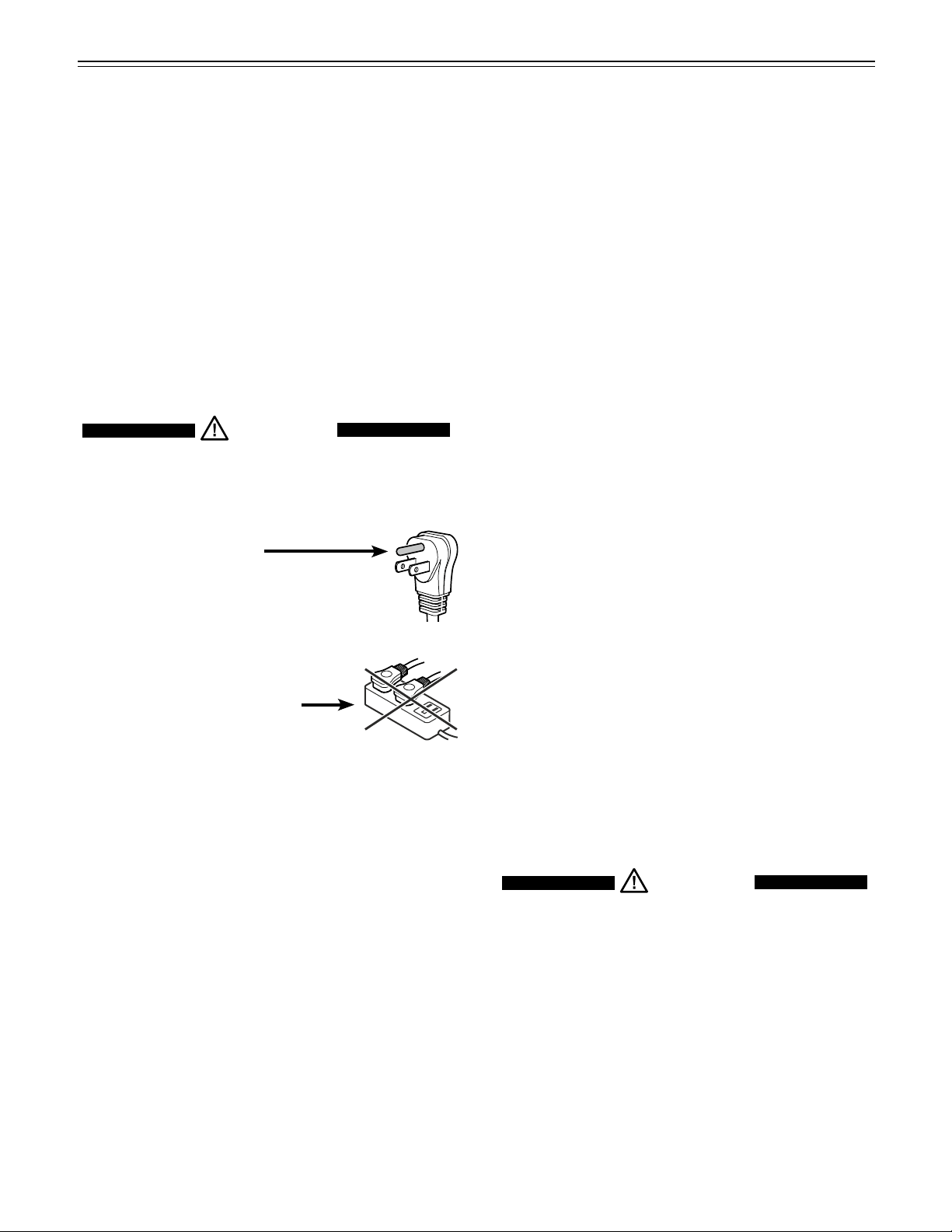
•
Do not remove the round grounding
prong from the plug.
•
Do not use extension cords or
ungrounded (two prong) adapters.
• Donotuseapowercordthatis
frayed or damaged.
•
Do not use a power strip.
Failure to follow these instructions may
result in fire, electrical shock or death.

7
W
aTer
f
ilTer
Water Filter - Figure 1
Beforeturningontheapplianceinstallthewaterfil-
ter provided in the interior rear wall of the refrigerator
compartment. This ensures good ice cube quality and
keeps the water circuit free of solids such as sand.
Waterfilter
location
Installing the water filter - Figures 2, 3
1. Removecoverofthe
filter socket.
2. Insertthefilterand
turnit90°clockwise.
Removing the water filter - Figure 4
3. Turnthefilter90°
counterclockwise
and remove.
Figure 1
Figure 2
Figure 3
Figure 4
IMPORTANT
It is not necessary to turn off the water supply when
removing or installing the water filter.
Replacethefilterwhenthedrop
symbol appears on the tempera-
ture display.
Filterscanbeobtainedfromyour
LiebherrDealerorDistributor.
WARNING!
To avoid the risk of bacteria growth, the
water filter must be changed when the
waterdrop symbol appears on the display!
8
f
eaTures
Figure 5
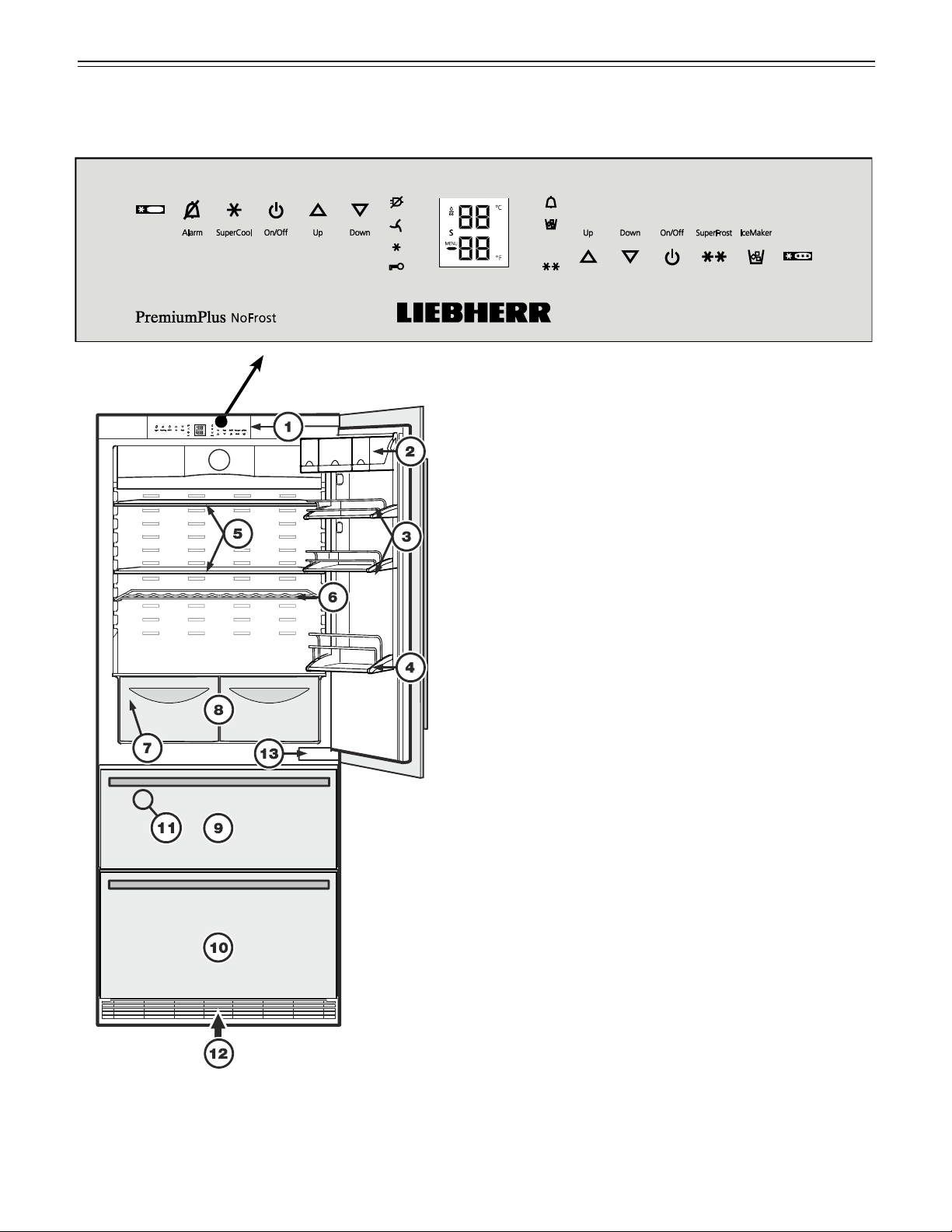
Description of Appliance and Equipment - Figure 5
Description of refrigerator
(1) Operatingandcontrolelements
(2) Butterandcheesecompartment-Variobox
(3) Adjustabledoorracks
(4) Bottlerack
(5) Adjustableshelves
(6) Bottlegrid
(7) Modelplate
(behindthevegetabledraweronthelefthandside)
(8) Vegetabledrawers
Description of freezer
(9) Upperfreezerdrawer
(10) Lowerfreezerdrawer
(11) Icemaker(intheinterioroftheupperfreezerdrawer)
(12) Ventilationgrille
(13) Lowerhinge

9
f
eaTures
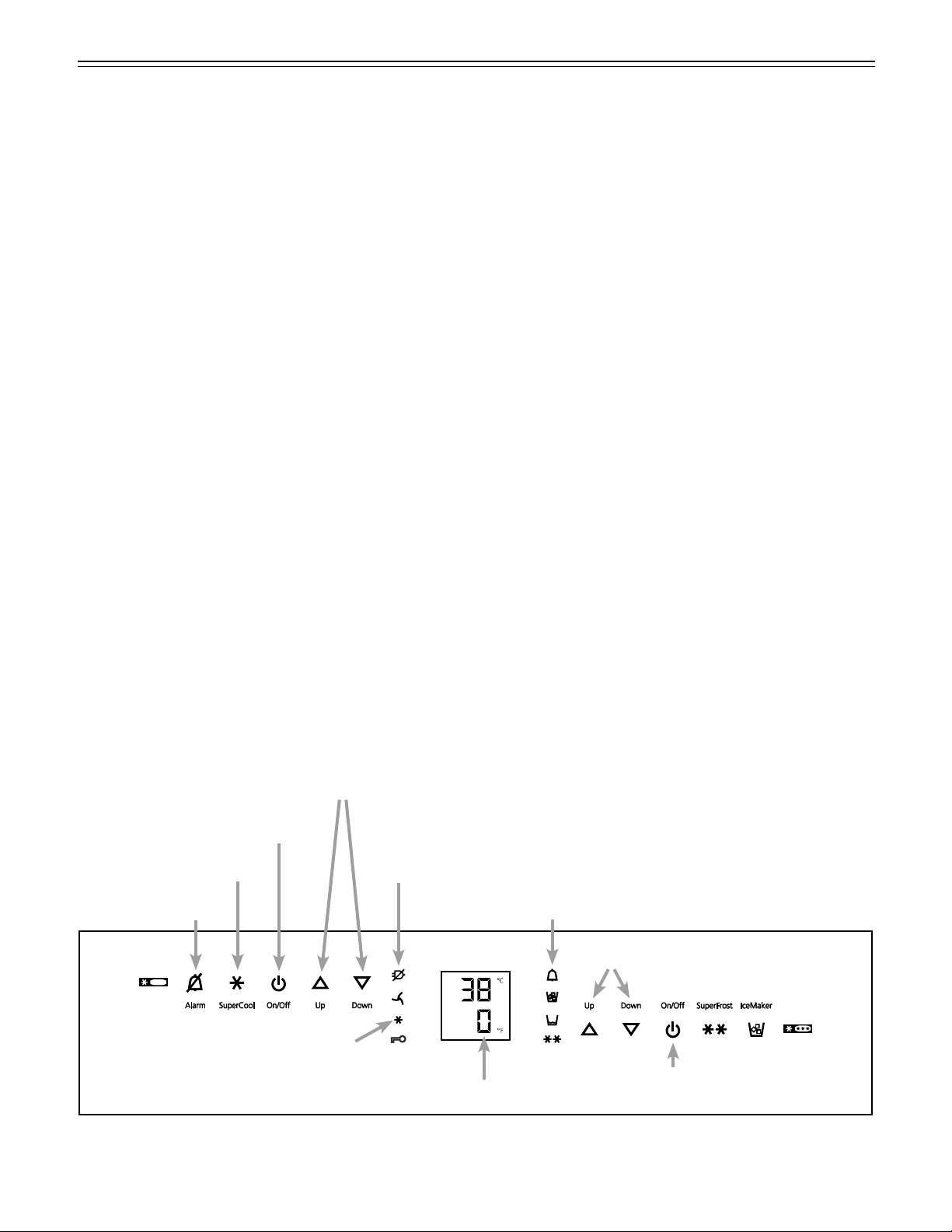
Freezer operating icons
TemperatureUpcontrol(to
increasethefreezertempera-
ture)
TemperatureDowncontrol(to
reducethefreezertempera-
ture)
FreezerOn/Off
SuperFrost
IceMakerOn/Off
Figure 6
Refrigerator operating icons
Alarmmute(refrigeratorand
freezer)
SuperCool
RefrigeratorOn/Off
TemperatureUpcontrol(to
increase the refrigerator tem-
perature)
TemperatureDowncontrol(to
reduce the refrigerator tem-
perature)
Refrigerator
operating icons
Appliance
control icons
Freezer
operating icons
Temperature and control display
Figure 7
DisplaymodedegreesCelsius
DisplaymodedegreesFahrenheit
Refrigeratortemperaturedisplay
Freezertemperaturedisplay
Waterfilterhastobechanged
Sabbathmodeisactivated
Menumodeisactivated
(forsettingadditionalfunctions)
Operating and Control Elements - Figure 6, Figure 7
The electronic control panel uses touch capacitance technology.Anyfunctioncanbeactivatedbyafingertipon
the symbol of the operating icons.
The exact contact point is between the symbol and its label
Appliance control icons
PowerFailureLED
AirFilterLED
WhenthisLEDlightsuptheair
filter in the toe kick area has to
be cleaned.
SuperCoolLED
ChildlockLED
AlarmLED
IceMakerOnLED
SuperFrostLED
10
Turning the Appliance On and
Off - Figure 8
Clean the appliance before turning it on for the first
time.SeeCleaning.
Donotplacefrozenfoodinthefreezeruntilthetemper-
atureshowsatleast0°F/-18°C.Therefrigeratorand
freezercompartmentscanbeoperatedseparately.
Turning on
TouchtheRefrigeratorOn/OfficonandtheFreezer
On/OfficonsotheTemperatureDisplays light up.
Turning off
Toturnofftherefrigeratororfreezer,touchthecorre-
sponding On/Off icon for approximately 3 seconds so
the temperature display and interior lights go out.
o
peraTion
Setting the Temperature - Figure 8
Werecommendtemperaturesof38°F(3°C)inthe
refrigeratorand0°F(-18°C)inthefreezer.
To reduce the temperature
Touch the Down icon on the left to reduce the refrig-
erator temperature and the Down icon on the right to
reducethefreezertemperature.
To increase the temperature
Touch the Up icon on the left to increase the refrigera-
tortemperatureandontherighttoincreasethefreezer
temperature.
• Whileyouareenteringthetemperature,theset
temperature will flash on the display.
• Whenyoutouchthetemperaturesettingiconsforthe
first time, the most recent setting is displayed.
• Youcanchangethesettingsinincrementsof1°F
(1°C)bybrieflytouchingtheiconsagain.
• Approximatelyfivesecondsaftertheiconhasbeen
released, the display will automatically show the
actualfreezingorcoolingtemperature.
Youcanchangethetemperatures:
• In the refrigerator –between36°Fand44°F(2°C
and6°C)and
• In the freezer–between-15°Fand7°F
(-27°Cand-14°C).
Figure 8
RefrigeratorOn/Officon
FreezerOn/Officon
Temperaturecontrolicons-Refrigerator
Temperaturecontrolicons-Freezer
Alarmicon
AlarmLED
Freezertemperature display
PowerfailureLED
SuperCoolicon
SuperCoolLED

11
o
peraTion
Temperature Display - Figure 8
Innormaloperation,thefollowingsettingswillbe
displayed:
• theaveragerefrigeratortemperature
• thewarmestfrozenfoodtemperature.
Whenstartingupforthefirsttimeorwhen
the appliance is warm, dashes will appear
inthefreezertemperaturedisplayuntilthe
temperatureinthefreezercompartmentis
32°F(0°C).
Itwilltakebetweenthreeandeighthoursforthe
requiredtemperature,0°For38°F(-18°Cor3°C)to
be reached and displayed permanently in the display,
depending on the ambient conditions and the tempera-
ture setting.
IfF1 to F5 appears in the display, the appliance has a
fault. Have the fault number available when you contact
the customer service department.
Power Failure/Frost-control
Display - Figure 8
IfthepowerfailureLED islit,thismeansthefreezer
temperature has risen too high during the last few
hoursordaysduetoapowerfailure.Thefreezertem-
perature display flashes at the same time.
• IfyoutouchtheAlarm icon now, the highest tem-
perature registered during the power failure will be
displayed.
• Checkthequalityofthefoodincaseithasbecome
too warm or even defrosted.
• Thehighesttemperaturewillappearforapproxi-
matelyoneminute.Afterthat,theactualtemperature
inthefreezerwillreappear.
The display can be turned off by touching the Alarm
icon again.
Audible Alarm Signal - Figure 8
Theaudiblealarmsignalhelpstoprotectfrozenfood
and to save energy.
The audible alarm signal is switched off by touching the
Alarm icon.
Audible door alarm
This sounds when the door has been left open for
longerthanabout180seconds.Thesoundswitch-off
function is active as long as the door is left open. The
alarm automatically switches back to standby when the
door is shut.
Audible/visual temperature alarm
Italwayssoundsifthefreezertemperatureisnotlow
enough. The temperature display and the alarm LED
flash at the same time.
Thiscanbecausedby:
- warm,freshfoodbeingplacedinthefreezer;
- too much warm air from the outside entering when
re-arrangingorremovingfrozenfood,
- a fault in the appliance.
The temperature display will continue to flash until the
causeofthealarmhasbeenrectified.Itwillthenstop
flashing and light up continually. The audible warning
signal is now automatically reset.
SuperCool - Figure 8
Touching the SuperCool icon switches the refrigerator
compartmenttomaximumcooling.Itisrecommended
particularly if you wish to cool large quantities of food,
drinks, freshly baked goods or meals rapidly.
Turning on
Touch the SuperCool icon brieflysotheLED turns
on. The refrigerator temperature will drop to its lowest
value.
IMPORTANT
The SuperCool function uses slightly more
energy. After approximately six hours, however,
the refrigerator switches back automatically to
normal energy-saving operation. If required, the
SuperCool function can be turned off sooner.
Turning off
Touch the SuperCooliconagainuntiltheLED turns
off.

12
o
peraTion
How to deactivate the Sabbath mode
• ActivatethesetupmodebytouchingtheSuperFrost
icon for 5 seconds.
- the display shows
• TouchtheSuperFrost icon
- the display shows
• TouchtheSuperFrost icon again
- the
symbol in the display disappears, the
Sabbathmodeisdeactivated.
• Exitsetupmodebytouchingthefreezercompart-
ment On/Off icon.
Setup Mode
Inthesetupmodeyoucanactivatethefollowingfunc-
tions:
=Sabbathmode
= Child lock
=Dropsymbolreset
=Icemakerfunctiontest(forservicepersonnelonly)
=Waterquantityforicecubetray
= Temperature display mode
=Displaybrightness
=Lowerhingeheatingcontrol
=ResetairfilterLED
= Child lock
The child lock is designed to protect the appliance from
being turned off accidentally.
How to activate the child lock
• ActivatethesetupmodebytouchingtheSuperFrost
icon for 5 seconds.
• Touch the freezer compartment Down icon until
appearsinthefreezertemperaturedisplay.
• TouchtheSuperFrost icon
- the display shows
• TouchtheSuperFrost icon again
-theLED
is lit and the child lock is activated.
• Exitsetupmodebytouchingthefreezercompart-
ment On/Off icon.
How to deactivate the child lock
• ActivatethesetupmodebytouchingtheSuperFrost
icon for 5 seconds.
- the display shows
• TouchtheSuperFrost icon
- the display shows
• TouchtheSuperFrost icon again
-theLED
goes out. The child lock is deactivated.
• Exitsetupmodebytouchingthefreezercompart-
ment On/Off icon.
= Sabbath mode
ThisfeatureconsiderstheReligiousrequirementson
SabbathorHolidays.WhentheSabbathmodeisactive
some functions of the electronic controls are switched
off.
• Thelightingremainsoff.
• Thecoolingfanremainsinitsactualstate:Ifitison
it remains on, if it is off it remains off.
• Thereisnodooralarm.
• Thereisnotemperaturealarm.
• Defrostcyclesareindependentofthenumberof
times and length of door openings.
• TheunitwillreturnintoSabbathModeafterapower
failure.
How to activate the Sabbath mode
• ActivatethesetupmodebytouchingtheSuperFrost
icon for 5 seconds.
- the display shows
• TouchtheSuperFrost icon
- the display shows
• TouchtheSuperFrost icon again
- the display shows
-theSabbathmodeisactivated.
• Exitsetupmodebytouchingthe
freezercompartmentOn/Off icon.
Sabbathmodeswitchesoffautomaticallyafter
120hoursifitisnotmanuallyswitchedoffbeforehand.

13
o
peraTion
Figure 9
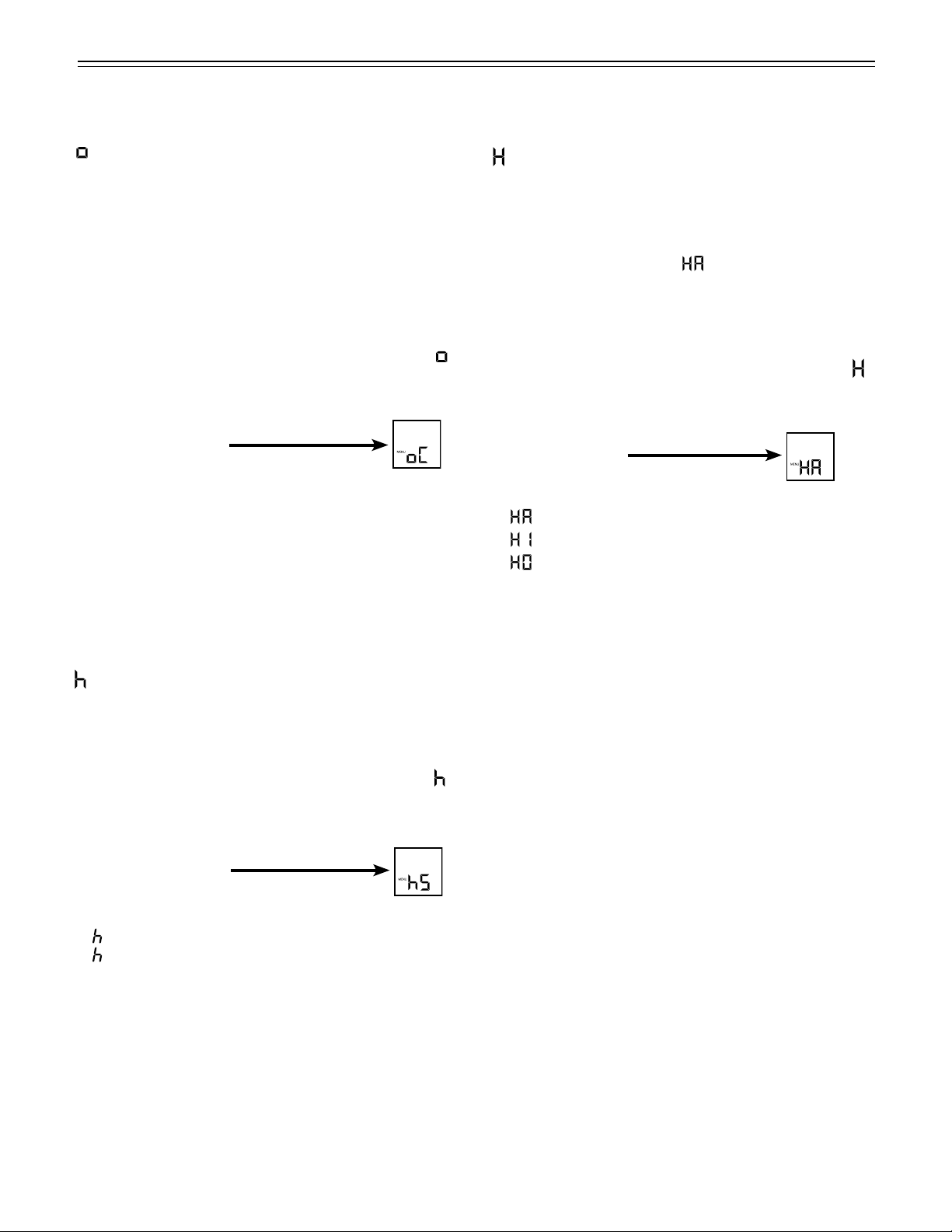
= Drop symbol reset
Afterthewaterfilterhasbeen
changed the drop symbol on the
display must be reset.
How to reset the drop symbol
• ActivatethesetupmodebytouchingtheSuperFrost
icon for 5 seconds.
• Touchthefreezer compartment Down icon until
appearsinthefreezertemperaturedisplay.
• TouchtheSuperFrost icon
- the display shows
• TouchtheSuperFrost icon again
- the display shows
• Thedropsymboldisappears.
• Exitsetupmodebytouchingthefreezercompart-
ment On/Off icon.
= Ice maker function test
Activationbyservicepersonnelonly.
FreezerOn/Officon
FreezercompartmentUp/Downicons
SuperFrosticon
ChildlockLED
= Waterquantityforicemaker
Iftheicecubesproducedbytheicemakeraretoo
small,theinflowingwaterquantitycanbeadjusted.
Howtoadjustthewaterquantity
• ActivatethesetupmodebytouchingtheSuperFrost
icon for 5 seconds.
• Touch the freezer compartment Down icon until
appearsinthefreezertemperaturedisplay.
• TouchtheSuperFrost icon
- the display shows
• Touchthefreezer compartment Up icon
once only so E 4 appears in the display.
IMPORTANT
Do not increase for more than one step. If the
adjusted value is too high, the ice cube tray of the
ice maker could overflow.
• TouchtheSuperFrost icon again.
• Exitsetupmodebytouchingthefreezercompart-
ment On/Off icon.
Checktheicecubesizewithinthenextdays.Iftheice
cubes are still smaller than desired, follow the steps
above again.
14
= Temperature display mode
You can choose the unit of temperature for the dis-
playindegreesFahrenheitordegreesCelsius.
ThefactorysettingisdegreesFahrenheit.
How to change the temperature display to
degrees Celsius
• ActivatethesetupmodebytouchingtheSuperFrost
icon for 5 seconds.
• Touchthefreezer compartment Down icon until
appearsinthefreezertemperaturedisplay.
• TouchtheSuperFrost icon
- the display shows
• TouchtheSuperFrost icon again
- the temperature reading is now displayed in
degrees Celsius.
• Exitsetupmodebytouchingthefreezercompart-
ment On/Off icon.
Note
To change the temperature display back to degrees
Fahrenheit, follow the steps above.
o
peraTion
= Display brightness
How to adjust the display brightness
• ActivatethesetupmodebytouchingtheSuperFrost
icon for 5 seconds.
• Touch the freezer compartment Down icon until
appearsinthefreezertemperaturedisplay.
• TouchtheSuperFrost icon
- the display shows
• Touchthefreezer compartment
Up/Down icons to select
0 = minimum to
5 = maximum brightness
• TouchtheSuperFrost icon at the desired value.
• Exitsetupmodebytouchingthefreezercompart-
ment On/Off icon.
Setup Mode - Figure 10
=Lowerhingeheatingcontrol
Ifcondensedwaterappearsinthelowerhingearea
oronthebaseplatebetweenrefrigeratorandfreezer
compartment, increase the output of the heating located
behind the base plate.
The factory setting is set to
= medium output
How to change the heating output
• ActivatethesetupmodebytouchingtheSuperFrost
icon for 5 seconds
• Touch the freezer compartment Down icon until
appearsinthefreezertemperaturedisplay.
• TouchtheSuperFrost icon
- the display shows
• Touchfreezer compartment
Up/Down icons to select
= at slight condensation
= at heavy condensation
= heating off
• TouchtheSuperFrost icon at the desired value.
• Exitsetupmodebytouchingthefreezercompart-
ment On/Off icon.
Note
With normal ambient conditions no condensation
will appear. With high humidity and low ambient
temperature this feature helps to prevent
condensation.

15
o
peraTion
Figure 10
=ResetairfilterLED
Aftertheairfilterinthetoekickareahasbeencleaned
theairfilterLEDmustbereset.Forhowtocleantheair
filterrefertochapter“Cleaning”.
HowtoresettheairfilterLED
• ActivatethesetupmodebytouchingtheSuperFrost
icon for 5 seconds.
• Touchthefreezer compartment Down icon until
appearsinthefreezertemperaturedisplay.
• TouchtheSuperFrost icon
- the display shows
• TouchtheSuperFrost icon again
- the display shows
• TheairfilterLED disappears.
• Exitsetupmodebytouchingthefreezercompart-
ment On/Off icon.
SuperFrosticon
FreezerOn/Officon
FreezercompartmentUp/Downicons
Freezertemperature
display
Interior Light
The interior light is located at the top in the refrigera-
torcompartmentandaboveeachdrawerinthefreezer
compartment.
Itturnsoniftherefrigeratordoororonefreezerdrawer
is opened.
The light turns off automatically if the refrigerator door
oronefreezerdrawerhasbeenopenedforapproxi-
mately 15 minutes. The audible alarm sounds at the
same time.
ThelightintensityoftheLEDlightcorrespondsto
laser class 1/1M.
IMPORTANT
The light cover may only be removed by customer
service staff.
CAUTION!
Risk of eye damage.
If the cover is removed, do not look
directly at the light through optical lenses
from a close distance.

16
r
efrigeraTor
C
omparTmenT
Arranging Food - Figure 11
(1) Butter,cheese
(2) Eggs,cans,drinks
(3) Bottles
(4) Frozenfood,icecubes
(5) Meatandsausageproducts,dairyproducts
(6) Bakedgoods,pre-cookedmeals
(7) Fruit,vegetables,salad
IMPORTANT
• Liquids and food which give off or absorb odors and
flavors should always be stored covered or in closed
containers.
• High-percentage alcohols should be tightly sealed
and stored upright.
Figure 11
Vario box - Figure 13
The boxes can be removed
and placed on the table as a
single unit.
Re-positioningtheboxes:Lift
them for removal and re-posi-
tion them as required.
The box support bar can
be removed by lifting
upwards and inserted
inanotherposition(e.g.
swapped with a door
rack).
Important!Boxlids
must be shut when you
close the door - risk of dam-
age.
Bottle grid - Figure 14
The bottle grid serves as
an additional storage sur-
face for cooling drinks.
Equipment
To avoid possible injury, only adjust an
empty shelf or door rack. Do not attempt to
adjust a shelf or door rack with food on it.
You can rearrange the height
of the shelves and door racks
as required.
Repositioning the door
racks - Figure 12
Slidethedoorrackup,pull
out toward you and replace in
reverse order.
Figure 12
Figure 13
Figure 14

17
If you need space for large bottles and con-
tainers.
Placetheshelfrailspro-
vided on the supports
on the left and right at
the desired height -
Figure 17.
Inserttheglassshelves
as shown in figure 18.
The glass shelf with the
raised edge must go at
the back.
Ifyouneedtomake
space for tall containers,
simply slide the front
half of the sectioned
glass shelf carefully
underneath the back half
- Figure 18
r
efrigeraTor
C
omparTmenT
To remove the vegetable drawer
Pullthedrawerstraightout,gripatthebackandliftout
- Figure 19.
To install the vegetable drawer
Placethedrawerontherails.Therailsmustbefully
extendedandalignedwiththefrontofthedrawer.Slide
the drawer in.
Figure 19
Removing the shelves - Figure 16
1.Followthefirstthreestepsinthechapterabove.
2.Lifttheshelfdownandstopjustovertheupperveg-
etable bin.
3.Movethefrontoftheshelfupwardsuntiltheshelfis
in a vertical position.
4. Turn the shelf out at left and remove.
Figure 16
Repositioning the shelves - Figure 15
1. Hold the shelf underneath with your hand to avoid
from tipping down backwards when removing.
2.Lifttheshelfatthefront.
3.Removetheshelfforwarduntilthecircularcutoutof
the shelf is in line with the front supports.
4.Lifttheshelfupordownandreplaceinthedesired
position.
Figure 15
Frontsupports
Figure 17
Figure 18

18
Bottom drawer partition - Figure 21
Ifdesired,insertthepartitiongridpro-
vided with the accessories pack.
Openthebottomfreezer
drawer and insert the
partition on the
left or right in the
drawer.
f
reezer
C
omparTmenT
Freezer Compartment
Description
The ice maker is located in the upper drawer on the left
side.
The ice cubes fall out of the ice maker into the drawer.
The upper drawer is divided by a partition wall for stor-
ingicecubesintheleftpartofthedrawer(Figure 20).
Ifyouneedthewholedrawerforicecubestorage,the
partition can be removed by pulling it upwards and out.
Ifyouneedthewholeupperdrawerforfreezingand
storingfood,turnofftheicemaker(seechapter
“TurningtheIceMakerOnandOff”).
Thebottomdrawerisintendedforfreezingandstoring
food.Icecubescanalsobestoredinthisdrawer.
Figure 20
Removing the Freezer
Compartment Containers
Thecontainersofbothfreezerdrawerscanbe
removed.
• Unlatchthecontainerontheleftandrightcornersby
pullingupwards(1)- Figure 22.
• Slidethecontainerbackwards(2)- Figure 22.
Figure 22
• Tiltthecontaineratanangleandremove-
Figure 23.
Installthecontainerinthereverseorder.
Figure 23
Figure 21
Spaceforicecubes

19
f
reezer
C
omparTmenT
Freezing and Storage
• Packfrozenfoodinstandardfreezerbagsor
reusable plastic, metal or aluminum containers.
• Donotallowfreshfoodwhichistobefrozentocome
intocontactwithfoodalreadyfrozen.Alwayskeep
packages dry in order to avoid them sticking together.
• Alwayswritethedateandcontentsonthepackage
and do not exceed the stated storage time for the
food. This prevents spoiling.
• Packfoodwhichyouarefreezingyourselfin
quantities right for your household. To ensure the
foodfreezesrightthroughquickly,thefollowing
quantitiesshouldnotbeexceededperpackage:
- fruit,vegetables:upto2-1/4lbs(1kg);
- meat:upto5-1/2lbs(2.5kg).
• Donotfreezebottlesandcanswhichcontain
carbonateddrinksastheymightburst.Drinkscanbe
cooled down quickly, but take the bottles out of the
freezercompartmentafteranhouratthemost.
• Onlytakeoutasmuchfoodasneededforthawing.
Cook food which has been thawed as quickly as
possible.
Frozenfoodcanbethawedinthefollowingways:
- in a microwave oven
- intherefrigerator:thesaferwaytothawfood
becausethereislesschanceofbacteriagrowth.Use
this method for high density food such as roasts or
poultry.
Freezing
Freshfoodshouldbefrozencompletelyandasrapidly
aspossible.ThisisprovidedbytheSuperFrostfeature
and ensures that the nutritional value, appearance and
flavor of the food remains intact.
Freezing with SuperFrost -
Figure 24
• TouchtheSuperFrosticonbrieflysotheLED
turns on.
• Wait24hours.
• Thenplacethefreshfoodinsidethefreezer.
• TheSuperFrostfunctionturnsoffautomatically.
Dependingonthequantityoffoodplacedinthe
freezer,thiswillnormallybebetween30andamaxi-
mumof65hours.
Thefreezingprocessisnowcomplete;the
SuperFrostLED
willturnoff,andthefreezerwill
change back to normal energy-saving operation.
IMPORTANT
You should not turn on the SuperFrost function:
• when placing frozen food in the freezer;
• when freezing up to approximately 4-1/2 lbs (2 kg)
fresh food daily.
Figure 24
SuperFrostLED
SuperFrosticon

20
i
Ce
m
aker
Safety Instructions and
Warnings for the Automatic Ice
Maker
• Theicemakerisdesignedexclusivelytomakeice
cubes in quantities needed by a household.
• Allrepairsandworkontheicemakermayonlybe
done by customer service personnel or other appro-
priately trained personnel.
• Do not consume or use the first three batches
of ice. This applies both to using the appliance
for the first time and also using it after it has not
been used for a long period of time.
• The manufacturer cannot accept liability for
damagecausedbyequipmentorwaterlines
between the solenoid valve and the water supply.
• Theicemakerwillonlymakeicecubesifthefreezer
compartmentisoperatingandbothfreezerdrawers
are completely closed.
Ice Maker Description
Afteryoustarttheicemakerforthefirsttime,itmay
take up to 24 hours before the first ice cubes are ready.
The ice cubes fall out of the ice maker into the drawer
(seechapter“Freezercompartmentdescription”).
IMPORTANT
The first three batches of ice must not be consumed
or used.
Whentheicereachesacertainlevelinthedrawer,the
appliance stops producing ice automatically.
Theproductioncapacityis100-120icecubesin
24hoursatatemperatureof0°F(-18°C)insidethe
freezercompartment.
Tohavethemaximumcapacityofapprox.150ice
cubesin24hours,activatetheSuperFrostfunction.
Be aware that this increases the energy consump-
tion because the compressor will run constantly.
Note
If the IceMaker LED flashes, the ice maker is not
being supplied with water. Check if the shut off
valve of the water supply is opened.
Figure 25
SuperFrosticon
FreezercompartmentUp/Downicons
IceMakericon
IceMakerLED
Turning the Ice Maker On and
Off (Figure 25)
To turn the ice maker on
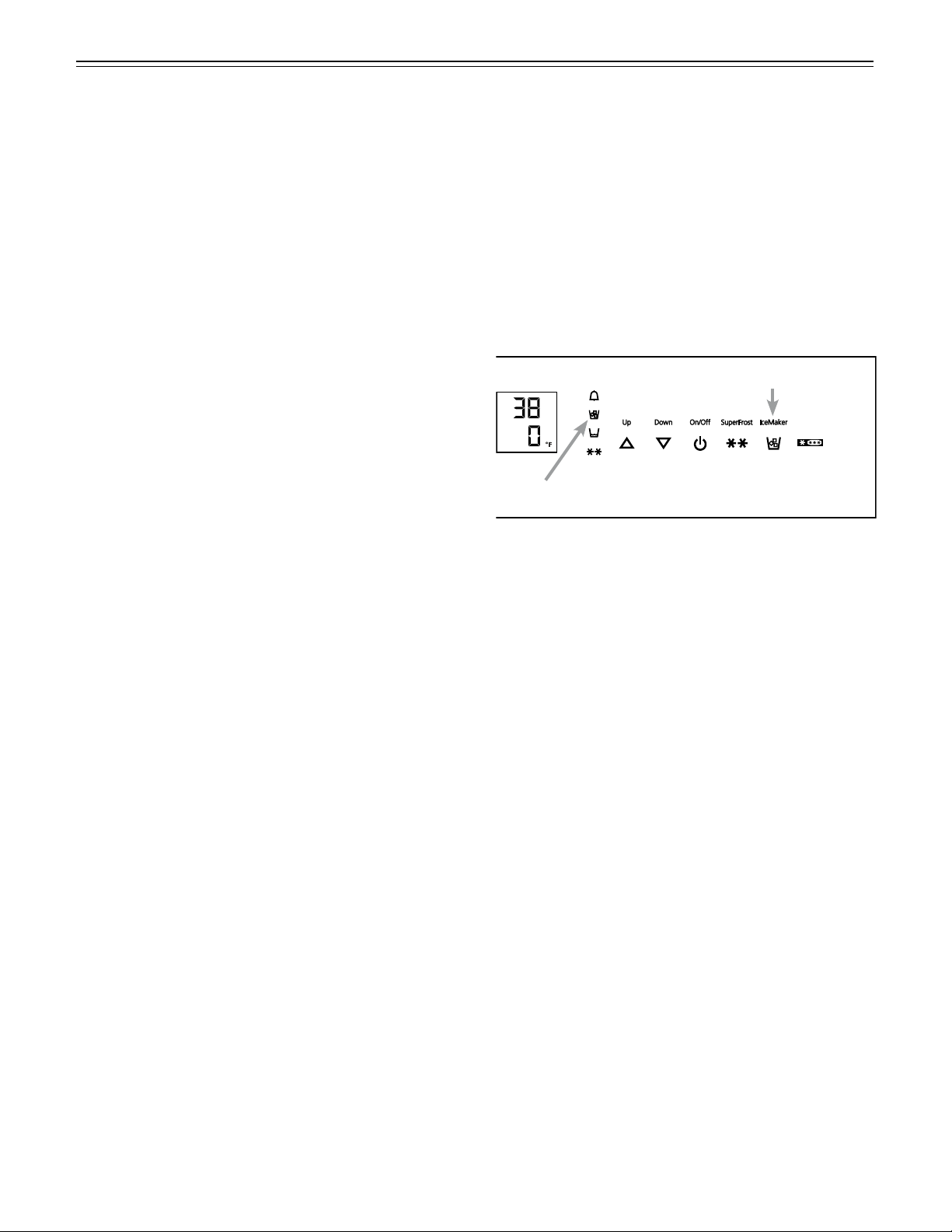
• TouchtheIceMaker icon so the IceMakerLED
comes on.
To turn the ice maker off
Ifyoudonotneedanyicecubes,theicemakercanbe
turnedoffindependentlyofthefreezercompartment.
• TouchtheIceMakericonsotheIceMakerLEDgoes
out.
Ice maker at vacations
Seechapter“Vacationtips”
21
D
efrosTing
/ C
leaning
Defrosting
Refrigerator compartment
The refrigerator compartment defrosts automatically.
The water that forms on the rear wall drains into a
reservoir at the back of the appliance and evaporates
automatically through the compressor heat.
Freezer compartment
TheNoFrostsystemautomaticallydefroststhefreezer
compartment.Anymoisturewillcollectontheevapora-
torandfreeze.Itwillperiodicallydefrostandevaporate.
Cleaning
WARNING!
• Topreventpossibleinjuryduetoan
electrical shock, be sure to disconnect the
power cord or turn off the circuit breaker
before cleaning the appliance.
• Toavoidinjuryordamage,donotusesteam
cleaningequipmenttocleantheappliance.
• Toavoidshort-circuits,ensurenocleaning
water penetrates into the electrical
components when cleaning the appliance.
Do not use a sponge or cloth that is overly
wet.
Do not use abrasive or scouring sponges. Do not use
concentrated cleaning agents. Never use abrasive or
acid cleaners or chemical solvents.
• Removeallfoodfromtherefrigeratorandfreezer
compartments and store in a cool place temporarily.
Storefrozenfoodinotherfreezersifavailable.
• RemovethedoorracksasshowninFigure 12.
• RemovevegetabledrawersasshowninFigure 19.
• RemoveglassshelvesasshowninFigure 16.
• Removethefreezerdrawercontainersasshownin
Figure 22 and Figure 23.
• Acompoundoflukewarmwateranddishwasher
detergent is recommended for cleaning the appli-
ance and equipment parts.
IMPORTANT
Do not clean the equipment parts in a dishwasher.
Strips of these parts could get loose.
• Dryallpartswellwithacloth.
• Do not damage or remove the model plate on the
insideoftheappliance.Itisveryimportantforservic-
ing your appliance.
• Installallequipmentpartsandreplacethefoodin
the appliance.
• Turntheapplianceon.
Cleaning instructions for stainless steel
panels
Keepyourstainlesssteellookingnewbycleaningwith
a good quality stainless steel cleaner or polish monthly.
High quality stainless steel cleaners and conditioners
are commercially available.
Do not clean with steel wool pads or abrasive pads.
Do not use cleaners that are not for use on stain-
less steel, such as glass, tile or counter cleaners.
These types of cleaners can damage the surface
permanently.
22
C
leaning
Figure 26
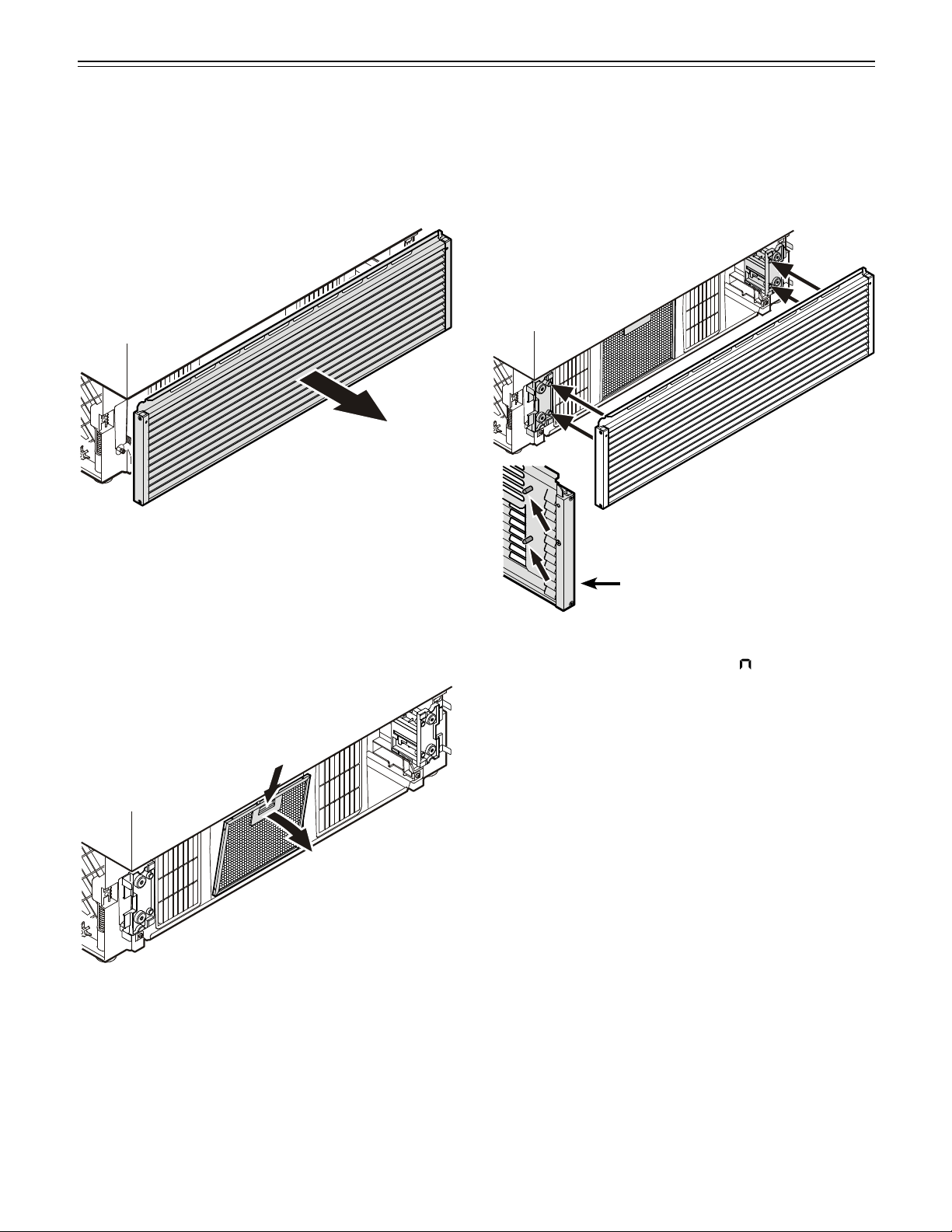
• Openthebottomfreezerdrawerandremovethe
ventilation grille by pulling forwards - Figure 26. The
grille is supported magnetically so no tool is required
for removing.
Cleaning the Air Filter
Figure 27
• Pushdownthebuttonoftheairfilter,tilttothefront
and remove - Figure 27.
• Cleanthefilterinadishwasherorbyhandwithluke-
warm water and dishwasher detergent.
• Installtheairfilterinthereverseorder.
• Installtheventilationgrille.
Thegrillehasboltsontheinside(seedetailin
Fig. 28).Theseboltsmustbeinsertedintotheholes
of the supports.
Figure 28
Detail Figure 28
• ResettheairfilterLED.
RefertochapterSetup Mode - = Resetairfilter
LED.
23
V
aCaTion
Vacation Tips (Figure 29)
Short vacations
Itisnotnecessarytoturnofftherefrigeratorandfreez-
er if you will be away for less than four weeks.
• Shutoffthewatersupplytotheicemaker.
> WhentheIceMakerLEDstartsblinking,theremain-
ing water in the supply line is in the ice maker.
• Leavetheicemakeronandworkingforonedayso
thattheremainingicecubesareejected.
• TouchtheIceMakericonsothattheIceMakerLED
goes out.
• Transferallicecubestotherightpartofthedrawer
or to the bottom drawer.
• Useallperishables.
• Freezeotheritems.
Longvacations
Ifyouwillbeawayforamonthormore:
• Shutoffthewatersupplytotheicemaker.
> WhentheIceMakerLEDstartsblinking,theremain-
ing water in the supply line is in the ice maker.
• Leavetheicemakeronandworkingforonedayso
thattheremainingicecubesareejected.
• TouchtheIceMakericonsothattheIceMakerLED
goes out.
• Removeallicecubesfromthedraweranddispose
of them.
• Removeallfoodfromtherefrigeratorandfreezer
compartments.
• Turnofftherefrigeratorandfreezercompartments.
• Cleantheappliance.RefertoCleaning.
• Leavethedoorandbothfreezerdrawersopento
prevent unpleasant odors. This will also keep mold
from building up.
Turning on the ice maker after vacation
• Openthewatersuppytotheicemaker.
• TouchtheIceMakericonsothattheIceMakerLED
comes on.
IMPORTANT
Do not consume or use the first three batches of
ice after the ice maker has not been used for longer
than one week.
Figure 29
IceMakericon
IceMakerLED
24
T
roubleshooTing
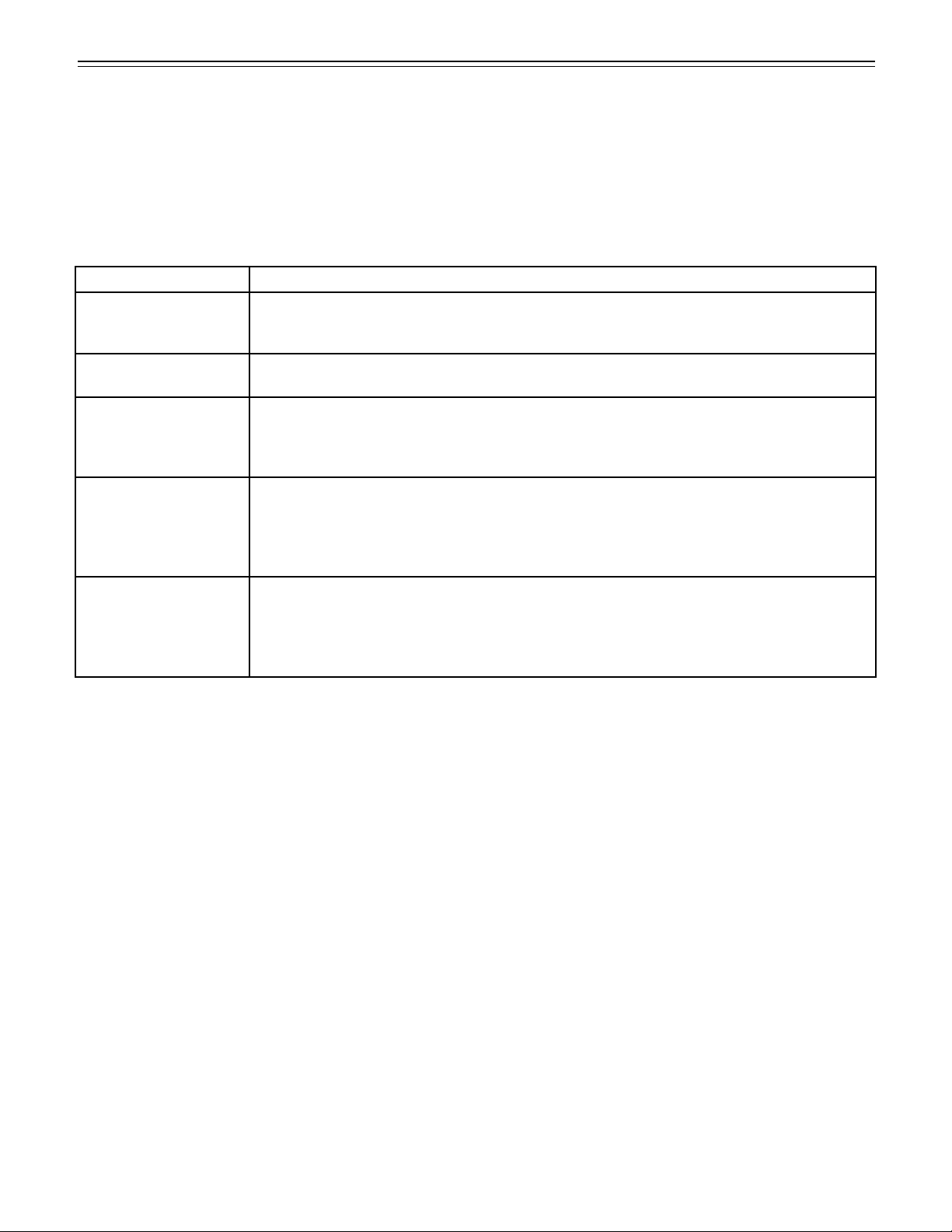
Problem Possible Cause and Remedy
Appliancedoesnot
work, display is off
- Istheapplianceturnedonproperly?
- Isthepowercordproperlyinsertedintheoutlet?
- Isthecircuitbreakerorfuseinoperatingcondition?
The interior light does
not come on
- Istheapplianceturnedon?
Motorseemsto
run too long
- Istheambienttemperaturetoohot?SeeSafety Regulations.
- Hastheappliancebeenopenedtoooftenorleftopentoolong?
- Alargeamountoffoodhasbeenadded.
- UnitisinSuperCoolmode.Verifyunitisinnormaloperationmode.
The temperature is
not cold enough
- Isthetemperaturesettingcorrect?SeeSetting The Temperature.
- Hasanexcessiveamountoffreshfoodbeenplacedintheappliance?
- Doesaseparatelyinstalledthermometershowthecorrectreading?
- Istheventilationsystemworkingproperly?
- Istheappliancesetuptooclosetoaheatsource?
Freezertemperature
display shows two
dashes’’--”.
Thefreezertemperaturedisplaywillonlyshowtemperaturesthatarebelowfreezing.
Wheninitiallystartingthefreezer,itwillnotbebelowfreezing.Itwilltakethreetofive
hours(dependingonambientconditions)forfreezingtemperaturestobeachievedand
thus displayed numerically.
This may also occur after a power failure.
Troubleshooting
Your appliance is designed and manufactured for a long life and reliable operation.
Ifaproblemoccursduringoperation,checkwhetheritisduetoanoperatingerror.Pleasenotethatevenduringthe
warranty period, some repair costs may be your responsibility.
Youmaybeabletocorrectthefollowingfaultsbycheckingthepossiblecausesyourself:

25
Customer Service
Ifnoneoftheabovepossiblecausesapply,andyou
can not rectify the fault yourself, contact your nearest
customer service representative.
Indicatethetype(1) of
appliance, service num-
ber (2) and the appli-
ance/serialnumber
(3) as indicated on the
model plate.
The position of the model plate is shown in the section
entitled Description of the Appliance.
Appliance Information
Recordthisinformationwhentheapplianceisinstalled.
TypeDesignation: _____________________________
ServiceNumber: ______________________________
Appliance/SerialNumber: ______________________
DateofPurchase: _____________________________
WherePurchased: ____________________________
Ice Maker Troubleshooting
Youmaybeabletocorrectthefollowingfaultsyourself:
T
roubleshooTing
Problem Possible Cause and Remedy
Icemakercannotbeturnedon - Istheapplianceconnectedtotheelectricaloutlet?
Icemakerisnotmakinganyice - Istheicemakerturnedon?
- Isthewatersupplylineopen?
- Arebothfreezerdrawersclosedproperly?

26
W
arranTy
LIEBHERR WARRANTY PLAN
FULLTWOYEARWARRANTY
Fortwoyearsfromthedateoforiginalpurchase,yourLiebherrwarrantycoversallpartsandlabortorepairor
replace any part of the product which proves to be defective in materials or workmanship.
FULLFIVEYEARWARRANTY
Forfiveyearsfromthedateoforiginalpurchase,yourLiebherrwarrantycoversallpartsandlabortorepairor
replaceanycomponentsthatprovetobedefectiveinmaterialsorworkmanshipinthesealedsystem.The“Sealed
System”meansonlythecompressor,condenser,evaporator,drierandallconnectingtubing.
LIMITED6THTHROUGH12THYEARWARRANTY
Fromthe6ththrough12thyearfromthedateoforiginalpurchase,yourLiebherrwarrantycoversallpartsthatprove
tobedefectiveinmaterialsorworkmanshipintheSealedSystem(partsonly).
TERMSAPPLICABLETOEACHWARRANTY
AllserviceprovidedbyLiebherrunderthewarrantymustbeperformedbyauthorizedLiebherrservicerepresenta-
tives,unlessotherwisespecifiedbyLiebherr.Servicewillbeprovidedinthehomeduringnormalbusinesshours.
Thiswarrantyappliesonlytoproductsinstalledfornormalresidentialuse.Detailsregardinganon-residentialwar-
ranty are available on request.
ThewarrantyappliesonlytoproductsinstalledinCanadaandanyoneofthefiftystatesoftheUnitedStatesorthe
DistrictofColumbia.Thiswarrantydoesnotcoveranypartsorlabortocorrectanydefectcausedbynegligence,acci-
dent or improper use, maintenance, installation, service or repair, including but not limited to improper removal and
reinstallation of the condensing unit.
THEWARRANTIESDESCRIBEDABOVEAREMADEEXPRESSLYINLIEUOFANYOTHERWARRANTIES,
EXPRESSEDORIMPLIED,INCLUDINGANYIMPLIEDWARRANTYOFMERCHANTABILITYORFITNESSFOR
APARTICULARPURPOSE,ANDOFANYOTHEROBLIGATIONORLIABILITYONTHEPARTOFLIEBHERR.
INNOEVENTSHALLLIEBHERRBELIABLEFORSPECIAL,INCIDENTALORCONSEQUENTIALDAMAGES
ARISINGFROMTHEBREACHOFTHESEWARRANTIESORANYOTHERWARRANTIES,WHETHER
EXPRESS,IMPLIEDORSTATUTORY.
SomeStatesdonotallowtheexclusionorlimitationofincidentalorconsequentialdamagessotheabovelimitation
or exclusion may not apply to you. This warranty gives you specific legal rights and you may also have other rights
whichvaryfromStatetoState.
Toreceivepartsand/orserviceandthenameoftheLiebherrauthorizedservicerepresentativenearestyou,contact
yourLiebherrdealerordistributororcontacttheLiebherrdesignatednationalserviceprovider:
intheUS:Service-appliances.us@liebherr.com,orcall1-866-LIEBHERor1-866-543-2437
inCanada:www.euro-parts.ca,orcall1-888-LIEBHER,1-888-543-2437.

For Service in the U.S.
LiebherrServiceCenter
TollFree:1-866-LIEBHERor1-866-543-2437
Email:Service-appliances.us@liebherr.com
PlusOne Solutions, Inc.
3501QuadrangleBlvd,Suite120
Orlando,FL32817
For Service in Canada
LiebherrServiceCenter
TollFree:1-888-LIEBHERor1-888-543-2437
www.euro-parts.ca
EURO-PARTS CANADA
39822BelgraveRoad
Belgrave,Ontario,N0G1E0
Phone:(519)357-3320
Fax:(519)357-1326