W11185722A
W11185728A -SP
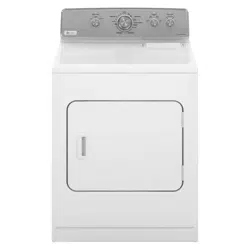
ELECTRIC OR GAS DRYER
USE AND CARE GUIDE
Table of Contents Table des matières
DRYER SAFETY ..................................................................2
CHECK YOUR VENT SYSTEM
FOR GOOD AIR FLOW ......................................................4
USE SENSOR DRY/AUTOMATIC DRY CYCLES FOR
BETTER FABRIC CARE AND ENERGY SAVINGS .....4
CONTROL PANEL & FEATURES .....................................5
CYCLE GUIDE ......................................................................6
USING YOUR DRYER ........................................................7
DRYER CARE .......................................................................9
TROUBLESHOOTING ......................................................11
WARRANTY ........................................................................13
ASSISTANCE OR SERVICE .................... BACK COVER
SÉCURITÉ DE LA SÉCHEUSE ......................................14
VÉRIFICATION D’UNE CIRCULATION D’AIR
ADÉQUATE POUR LE SYSTÈME D’ÉVACUATION ..16
UTILISATION DES PROGRAMMES DE
SÉCHAGE PAR DÉTECTION/PROGRAMMES
AUTOMATIQUES POUR UN MEILLEUR SOIN
DU TISSU ET DAVANTAGE D’ÉCONOMIES
D’ÉNERGIE .........................................................................16
TABLEAU DE COMMANDE
ET CARACTÉRISTIQUES ................................................17
GUIDE DE PROGRAMMES ...........................................18
UTILISATION DE LA SÉCHEUSE .................................. 19
ENTRETIEN DE LA SÉCHEUSE ................................... 21
DÉPANNAGE. .................................................................... 23
GARANTIE. ......................................................................... 26
ASSISTANCE OU
SERVICE. ................................. COUVERTURE ARRIÈRE
SÉCHEUSE
ÉLECTRIQUE OU À GAZ
GUIDE D’UTILISATION
ET D’ENTRETIEN
Para una versión de estas instrucciones en español, visite www.maytag.com
2
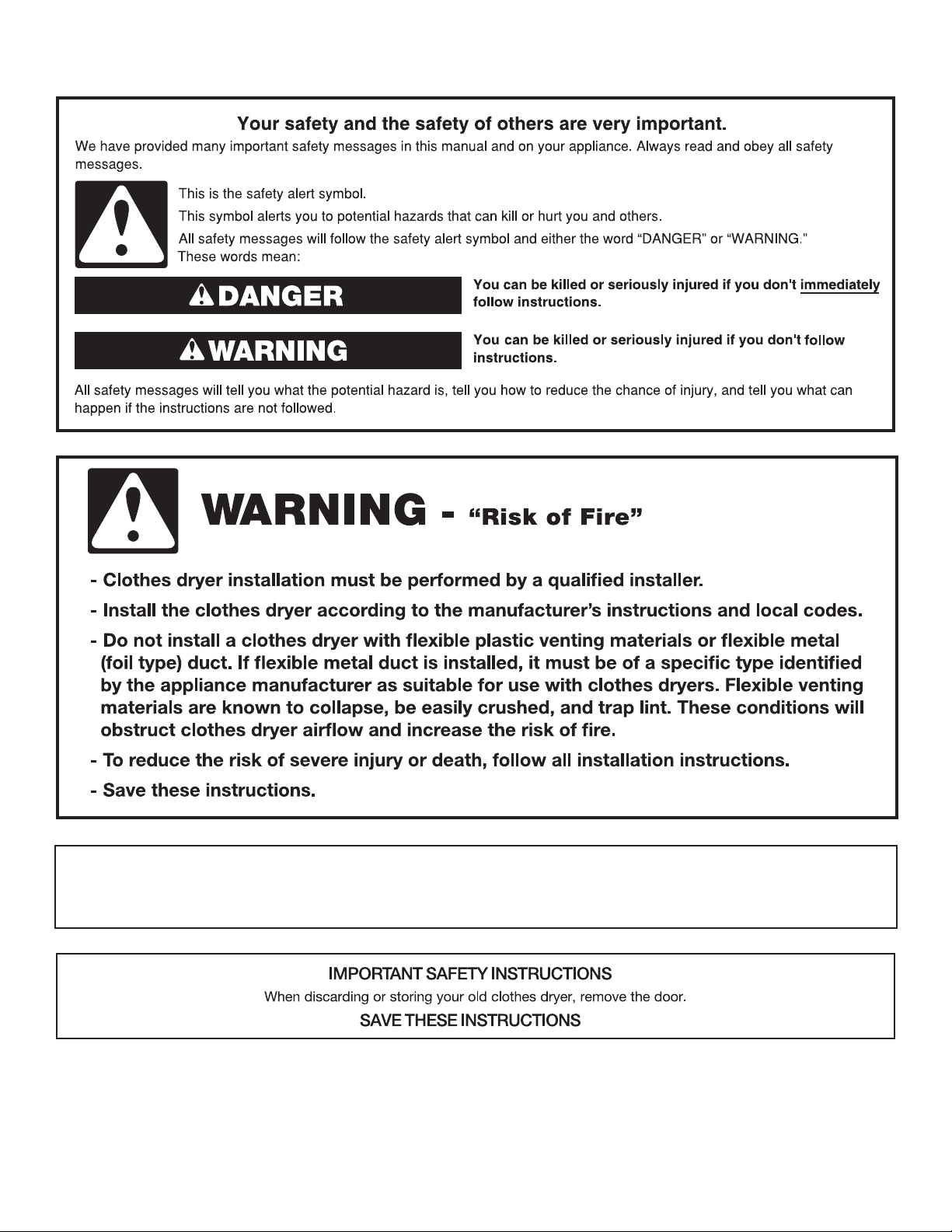
DRYER SAFETY
IMPORTANT: The gas installation must conform with local codes, or in the absence of local codes, with the National Fuel Gas
Code, ANSI Z223.1/NFPA 54, or the Natural Gas and Propane Installation Code, CSA B149.1.
The dryer must be electrically grounded in accordance with local codes, or in the absence of local codes, with the National
Electrical Code, ANSI/NFPA 70, or the Canadian Electrical Code, Part 1, CSA C22.1.
3
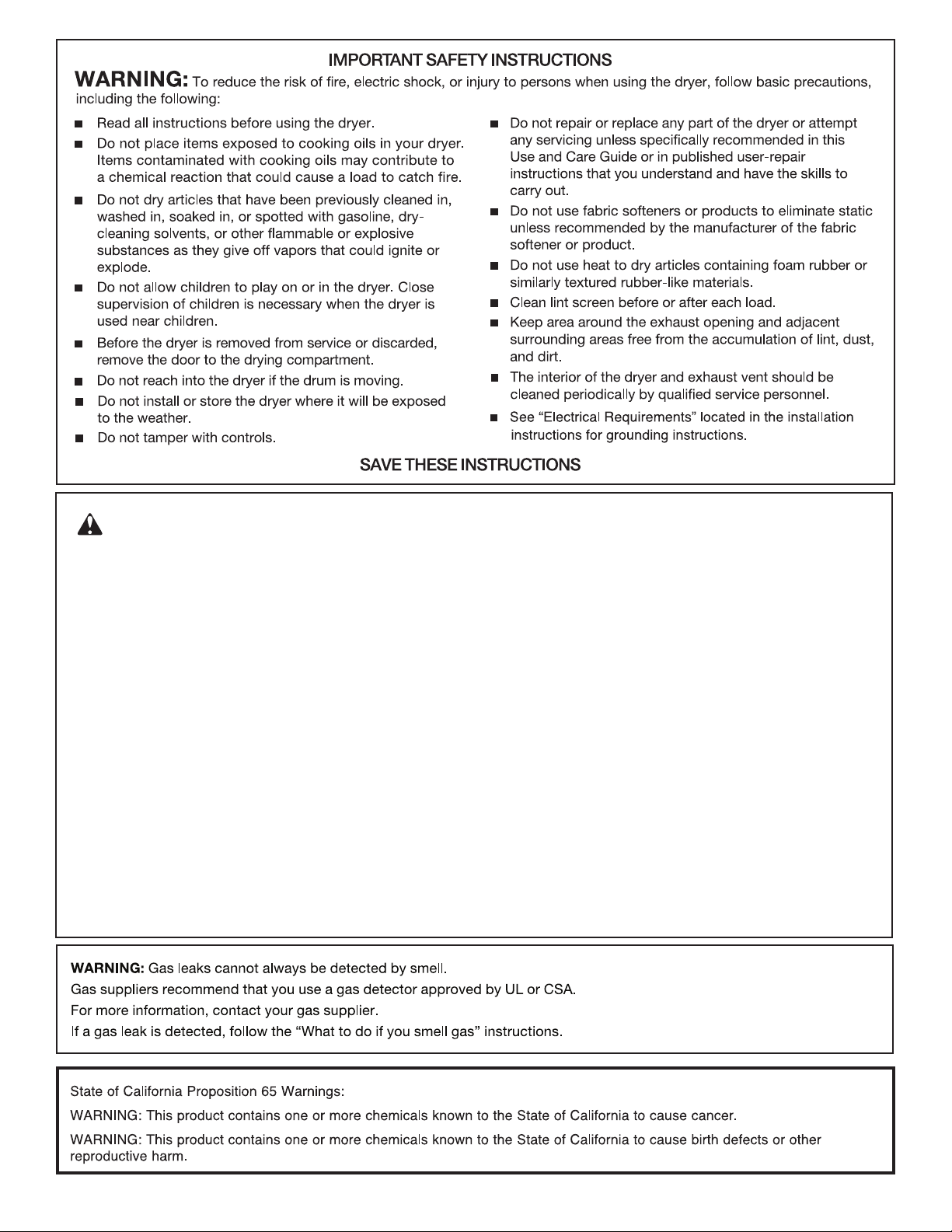
WARNING:
FIRE OR EXPLOSION HAZARD
Failure to follow safety warnings exactly could result in serious injury, death or property
damage.
–
–
Do not store or use gasoline or other flammable vapors and liquids in the vicinity of this
or any other appliance.
WHAT TO DO IF YOU SMELL GAS:
•
Do not try to light any appliance.
•
Do not touch any electrical switch; do not use any phone in your building.
•
Clear the room, building, or area of all occupants.
•
Immediately call your gas supplier from a neighbor's phone. Follow the gas supplier's
instructions.
•
If you cannot reach your gas supplier, call the fire department.
–
Installation and service must be performed by a qualified installer, service agency, or
the gas supplier.

4
CHECK YOUR VENT SYSTEM FOR GOOD AIR FLOW
Good air flow
Along with heat, dryers require good air flow to efficiently
dry laundry. Proper venting will reduce your drying times and
improve your energy savings. See Installation Instructions.
The venting system attached to the dryer plays a big role in
good air flow. Blocked or crushed vents as well as improper
venting installation will reduce air flow and dryer performance.
Service calls caused by improper venting are not covered by
the warranty and will be paid by the customer, regardless of
who installed the dryer. To clean or repair venting, contact a
venting specialist.
Maintain good air flow by:
Good Better
USE SENSOR DRY/AUTOMATIC DRY CYCLES FOR BETTER
FABRIC CARE AND ENERGY SAVINGS
Use the Sensor Dry/Automatic Dry cycles to provide the most energy savings and enhanced fabric care from the dryer. During
Sensor Dry/Automatic Dry cycles, drying air temperature or moisture level is sensed in the load. This sensing occurs throughout
the drying cycle and the dryer shuts off when the load reaches the selected dryness.
With Timed Dry, the dryer runs the amount of time set and sometimes results in shrinkage, wrinkling, and static due to over-drying.
Use Timed Dry for the occasional damp load that needs a little more drying time or when using the drying rack.
■ Cleaning your lint screen before each load.
■ Replace plastic or foil vent material with 4" (102 mm)
diameter heavy, rigid vent material.
■ Use the shortest length of vent possible.
■ Use no more than four 90° elbows in a vent system;
each bend and curve reduces air flow.
■ Remove lint and debris from the exhaust hood.
■ Remove lint from the entire length of the vent system at least
every 2 years. When cleaning is complete, be sure to follow
the “Installation Instructions” supplied with your dryer for
final product check.
■ Clear away items from the front of the dryer.
2
1
4
5
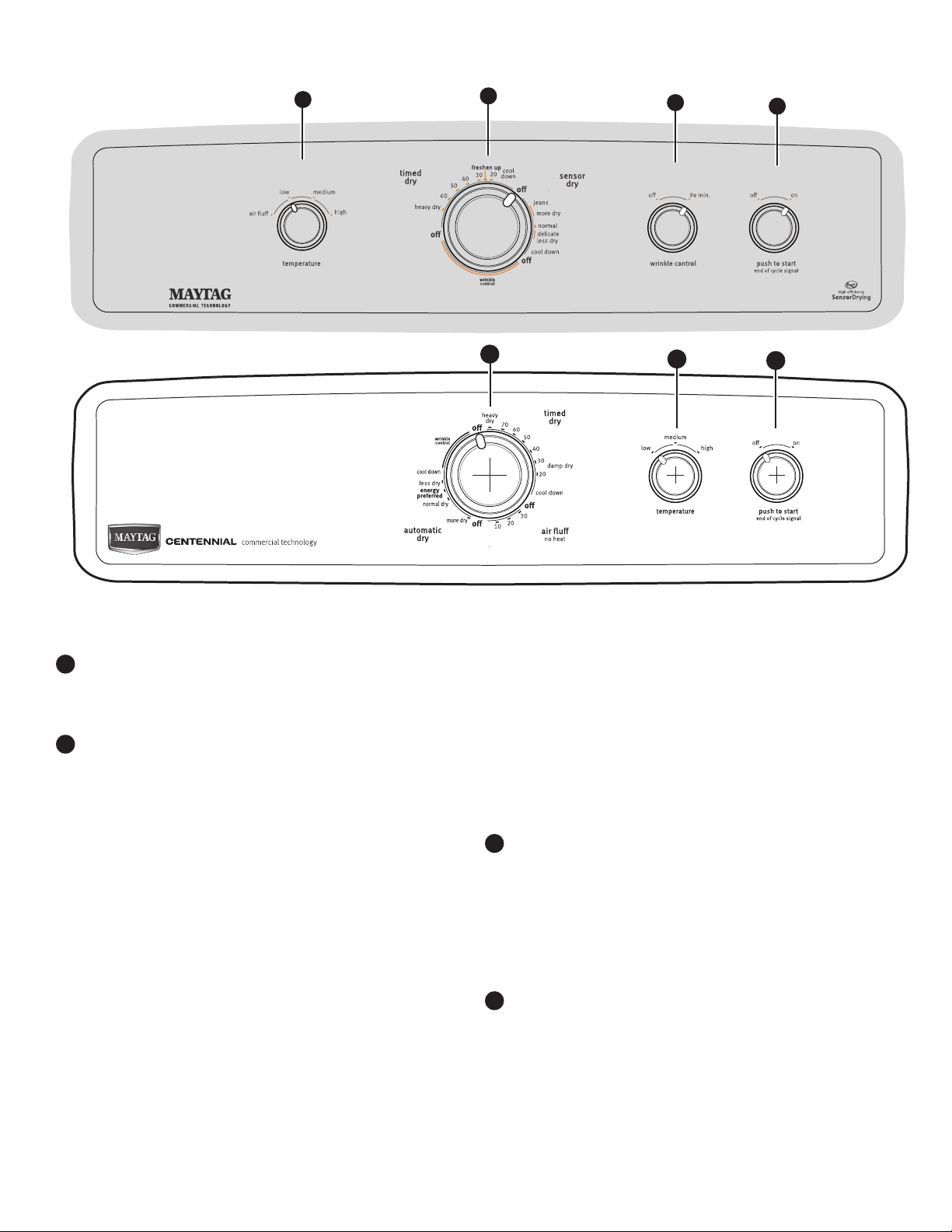
TEMPERATURE/FABRIC
Select a drying temperature based on the fabrics in your load.
If you are unsure of the temperature to select for a load, select
the lower setting rather than the higher setting.
CYCLE KNOB
Use Cycle Knob to select available cycles on your dryer. Turn
the knob to select a cycle for your laundry load. See Cycle
Guide for detailed descriptions of cycles.
TIMED DRY
Will run the dryer for the specified time on the control.
On models with a selectable temperature knob, you may
choose a setting based on the fabrics in your load. On
some models, temperature is included in the cycle
selections. Drying time and temperature will depend on
your dryer model.
SENSOR DRY/AUTOMATIC DRY
Senses moisture in the load or air temperature and shuts
off when the load reaches the selected dryness level.
Gives the best drying in the shortest time. Drying time
will vary based on fabric type, load size, and temperature
setting.
1
2
3
WRINKLE CONTROL Feature (on some models)
The WRINKLE CONTROL feature will run after your drying
cycle is complete. It periodically starts and stops the dryer,
tumbling the load without heat to help avoid wrinkling.
On some models, WRINKLE CONTROL automatically
starts at the end of the cycle. Opening the door will stop
this feature.
NOTE: A signal will sound periodically when the WRINKLE
CONTROL setting is selected, but only if the End of Cycle
signal is also selected.
WRINKLE CONTROL option (on some models)
When you are unable to remove a load of clothes from the
dryer as soon as it stops, wrinkles can form. The WRINKLE
CONTROL option periodically tumbles, rearranges, and fluffs
the load to help keep wrinkles from forming.
■ Get up to 90 minutes of heat-free, periodic tumbling at
the end of a cycle. Turn the WRINKLE CONTROL knob
to select OFF or 90 min. at any time before the cycle has
ended.
PUSH TO START/END OF CYCLE SIGNAL
The End of Cycle Signal produces an audible sound when the
drying cycle is finished. Promptly removing clothes at the end
of the cycle reduces wrinkling.
Turn the END OF CYCLE SIGNAL knob to select the desired
setting (On or Off). Press the PUSH TO START knob to start
the dryer.
Not all features and options are available on all models.
Appearance may vary.
4
CONTROL PANEL & FEATURES
1
2
3
4
6
Items to dry:
Temperature
Fabric:
Available Options:
Cycle Details:
End of Cycle Signal
Wrinkle Control
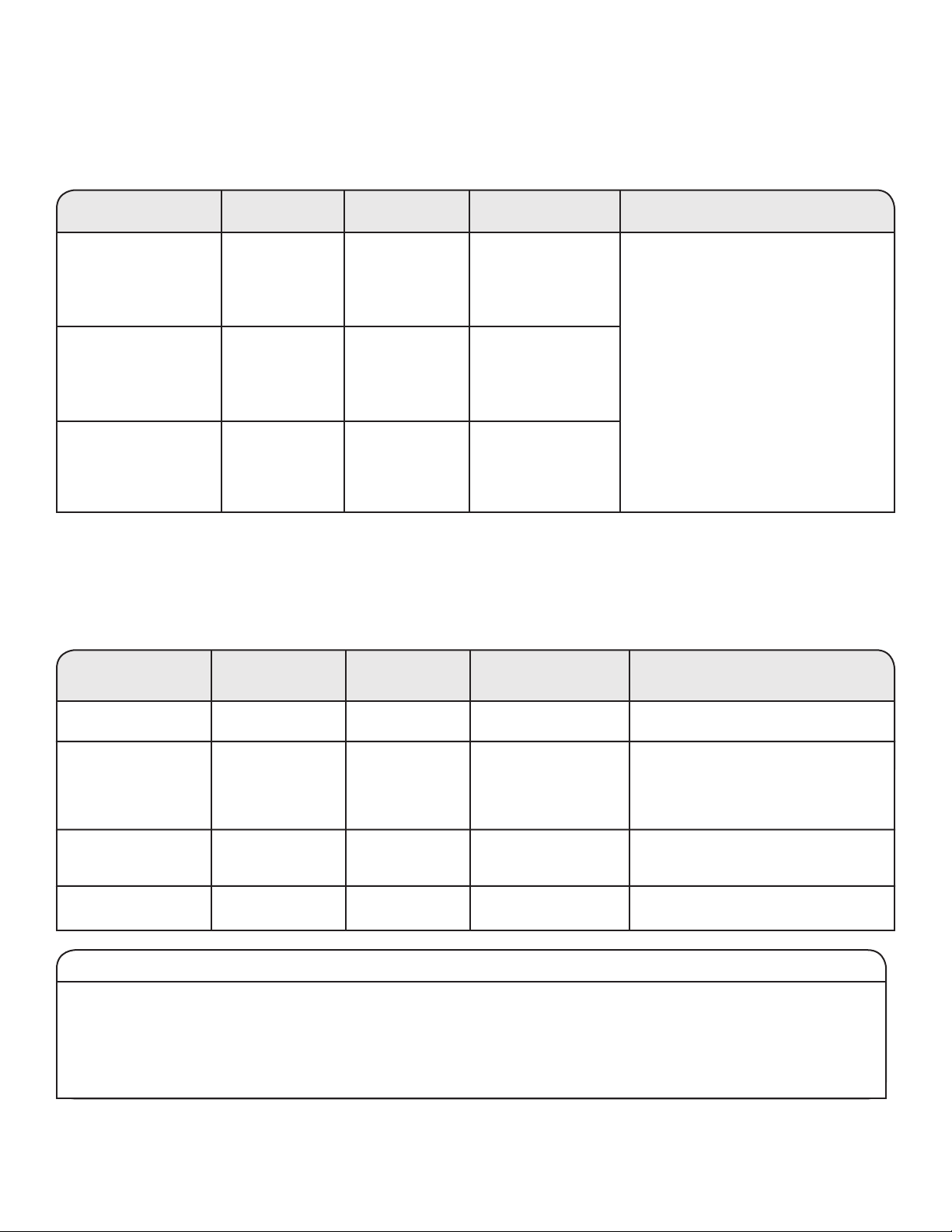
CYCLE GUIDE — SENSOR DRY/AUTOMATIC DRY CYCLES
SENSOR DRY/AUTOMATIC DRY - Senses moisture in the load or air temperature and shuts off when the load reaches the selected
dryness level.
Not all cycles and settings are available on all models. Settings and options shown in bold are default settings for that cycle.
CYCLE GUIDE — TIMED DRY CYCLES
TIMED DRY - Will run the dryer for the specified time on the control.
Not all cycles and settings are available on all models.
NOTE: If loads do not seem as dry as you would like, select More Dry next time you dry a similar load. If loads seem drier than you like,
select Less Dry next time you dry a similar load.
Casual, shirts, pants,
lightweight items,
synthetics, delicates,
athletic wear
End of Cycle Signal
Wrinkle Control
Setting the Drying Temperature
If your dryer has multiple heat settings:
A High temperature setting may be used for drying heavyweight
items such as towels and work clothes.
A Low to Medium temperature setting may be used for drying
medium-weight items such as sheets, blouses, dresses,
underwear, permanent press fabrics, and some knits.
Use the Air Fluff (no heat) setting for foam, rubber, plastic, or
heat-sensitive fabrics.
Line dry bonded or laminated fabrics.
NOTE: If you have questions about drying temperatures for
various loads, refer to the care label directions.
Jeans, heavy work clothes,
towels
More Dry
Less Dry
Normal
End of Cycle Signal
Wrinkle Control
Automatic cycles give the best drying in the
shortest time. Drying time varies based on
fabric type, load size, and dryness setting.
Select a drying temperature based on the
fabrics in your load. If you are unsure of the
temperature to select for a load, select the
lower setting rather than the higher setting.
Dryness Level:
High
Medium or
Low
Low
Work clothes, medium
weight fabrics, sheets
Items to dry: Temperature:Cycle:
Available
Options:
Cycle Details:
Rubber, plastic, heat
sensitive fabrics
Air Fluff
Air Fluff
End of Cycle Signal
No heat drying.
Any load Freshen Up Any End of Cycle Signal Use low to medium temperature to smooth
out wrinkles, such as those found in
clothes packed in a suitcase or in items
wrinkled from being left in the dryer too
long.
Heavy or bulky
items
Heavy Dry Any End of Cycle Signal Completes drying if items are still damp.
Any load Damp Dry
Any
End of Cycle Signal
Dries items to a damp level or for items
that do not require an entire drying cycle.
NOTE: Government energy certifications for the Maytag Gas and Electric models were based on the Timed Dry cycle with the
Maximum drying temperature setting. The as - shipped defaults of Sensor Dry, Normal cycle, Low heat, wrinkle shield were not used.
Energy Preferred
More Dry
Less Dry
Normal
Energy Preferred
More Dry
Less Dry
Normal
Energy Preferred
7
USING YOUR DRYER
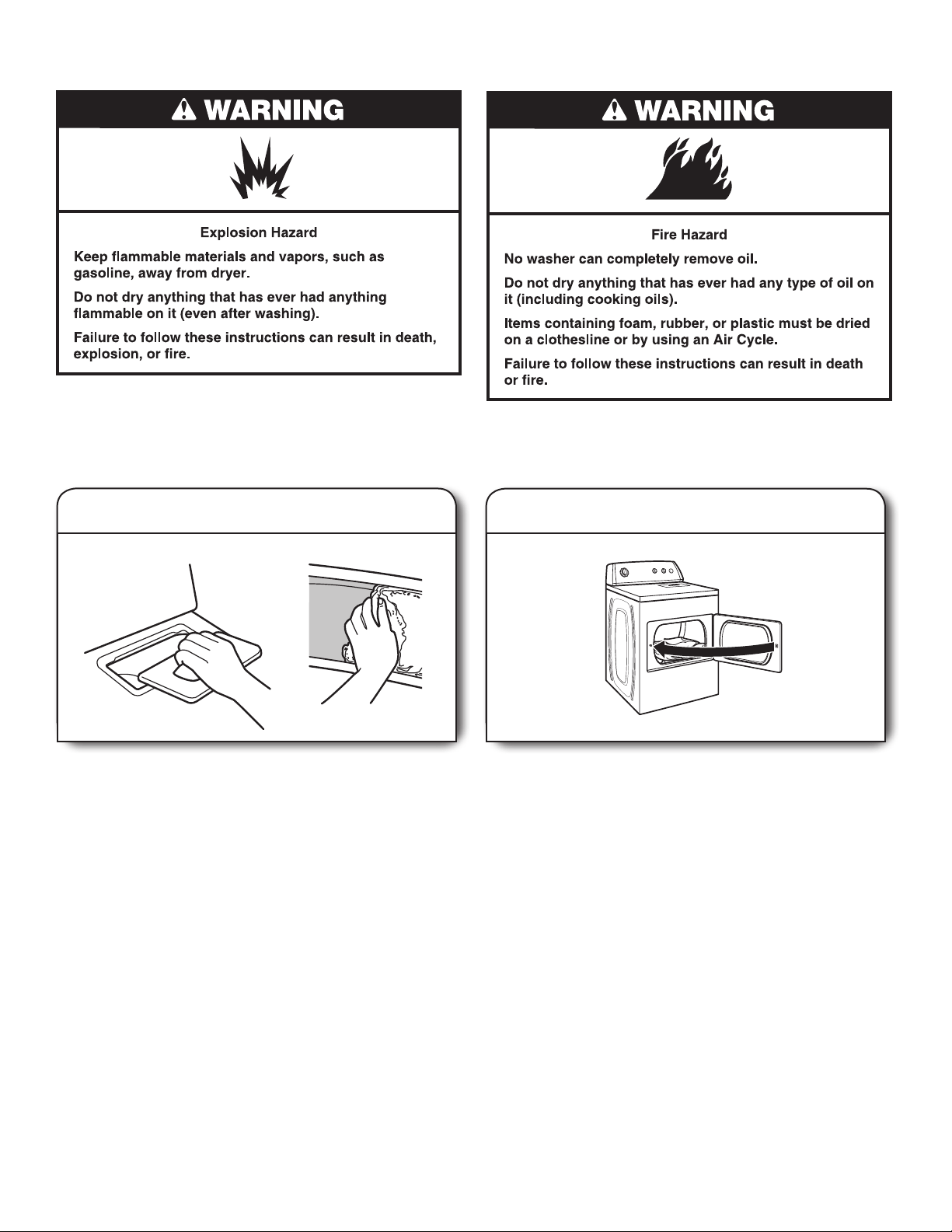
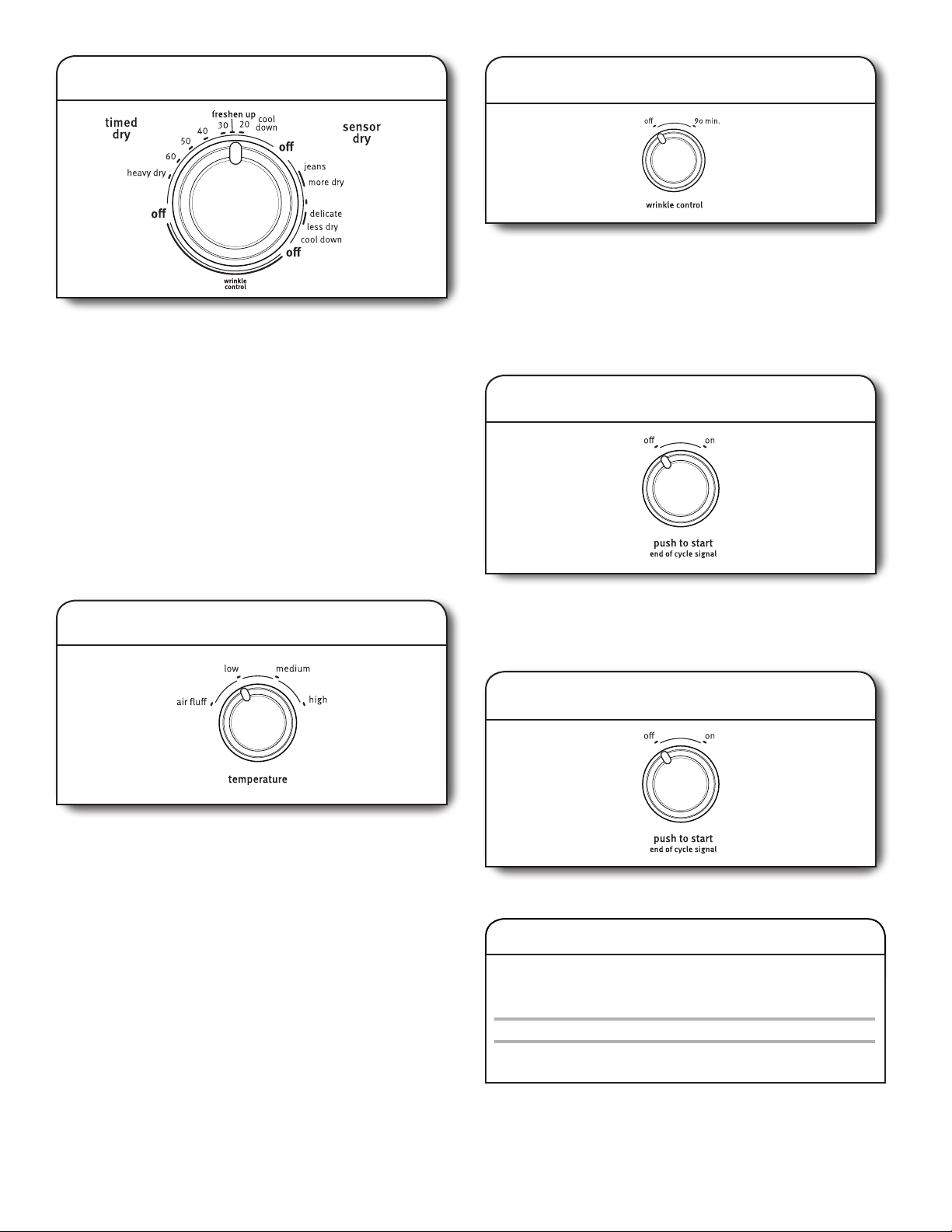
1. Clean the lint screen
Clean the lint screen before each load. Pull the lint screen out of
its holder. Roll lint off the screen with your fingers. Do not rinse
or wash screen to remove lint. Push the lint screen firmly back
into place.
For additional cleaning information, see “Dryer Care”.
2. Load the dryer
Place laundry in the dryer. Close the door.
Do not tightly pack the dryer; clothes should be able to
tumble freely.
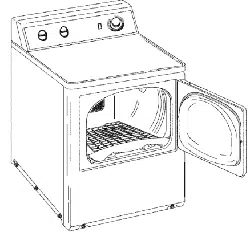
NOTE: Your model may have a different door than the one
shown. Some models have drop down doors.
WARNING: To reduce the risk of fire, electric shock, or injury to
persons, read the IMPORTANT SAFETY INSTRUCTIONS before
operating this dryer.
Before using your dryer, wipe the dryer drum with a damp cloth
to remove dust from storing and shipping.
8
7. Press PUSH TO START to begin cycle
Push and hold the PUSH TO START knob to begin the cycle.
4. Set temperature (on some models)
Select temperature by turning the knob to the desired position or
select the Automatic Dry Cycle that has the temperature included
in the cycle selections. See “Setting the Drying Temperature”.
NOTE: Not all options and settings are available with all cycles.
3. Select the desired cycle
Select the desired cycle for your load. See the Cycle Guide
for more information about each cycle.
SENSOR DRY/AUTOMATIC DRY Cycles
You can select a different dryness level, depending on your load,
by turning the knob to dryness level.
Selecting More Dry, Energy Preferred, Normal, or Less Dry
automatically adjusts the dryness level of the fabrics at which
the dryer will shut off.
Sensor Dry/Automatic Dry cycles give the best drying in the
shortest time. Drying time varies based on fabric type, load size,
and dryness setting. Less Dry removes less moisture and is
used for loads you may want to put on a hanger to complete
drying.
More Dry removes more load moisture. Energy Preferred is used
for a starting point for Sensor Dry/Automatic Dry cycles.
6. Select End of Cycle Signal (if desired)
Turn the END OF CYCLE SIGNAL knob to select the desired
setting (On or Off). The End of Cycle Signal produces an
audible sound when the drying cycle is finished. Promptly
removing clothes at the end of the cycle reduces wrinkling.
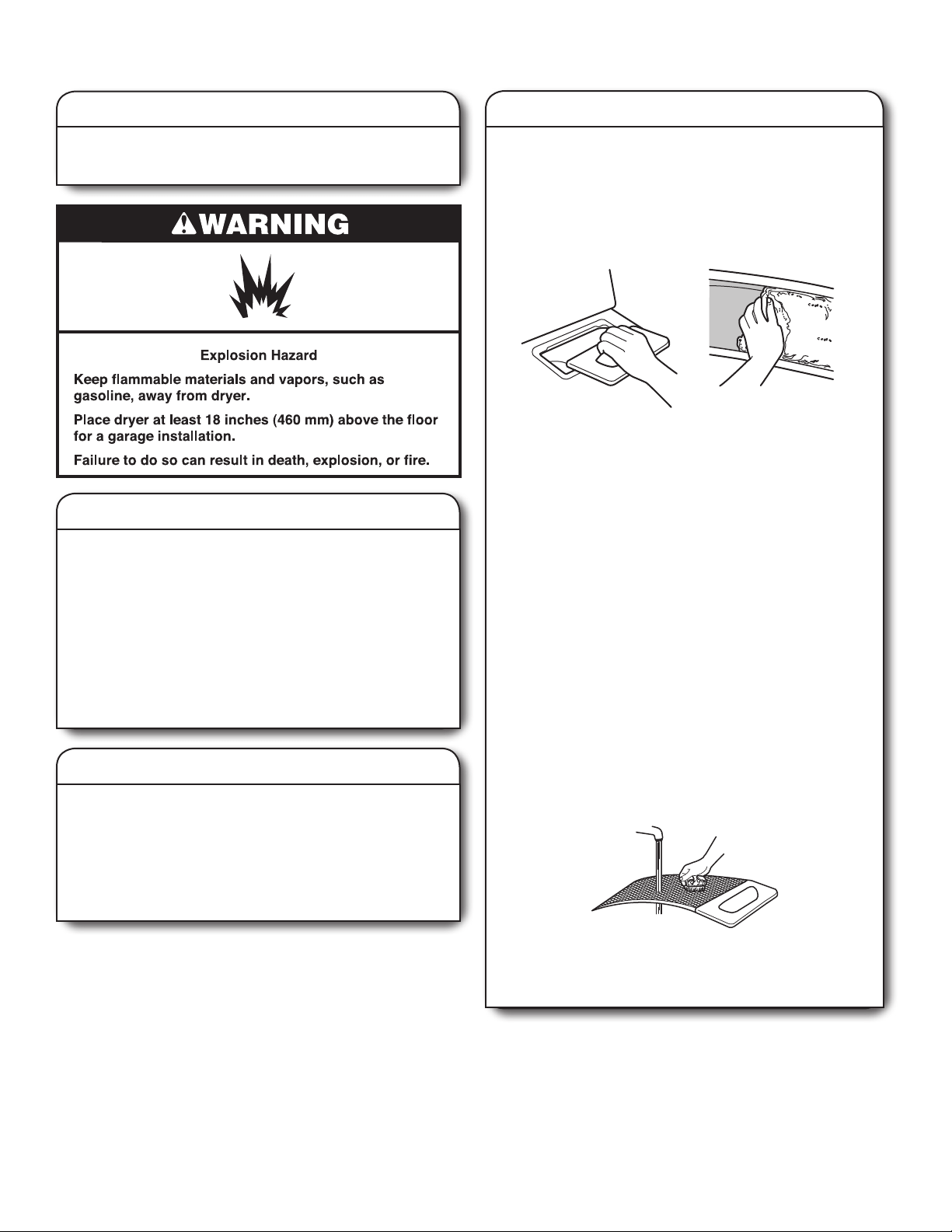
DRYING RACK ACCESSORY
To purchase a drying rack for your dryer, please refer to
“Assistance or Service” on the back cover of the manual or
contact the dealer from whom you purchased your dryer.
Part Number Accessory
3406839 Drying rack - fits 29" Super Capacity Plus
5. Set Wrinkle Control (on some models)
Select Wrinkle Control by turning the knob to the desired
position.
Get up to 90 minutes of heat-free, periodic tumbling at the
end of a cycle. Turn the WRINKLE CONTROL knob to OFF
or 90 min. at any time before the cycle has ended.
NOTE: Not all options and settings are available with all
cycles.
normal
9
DRYER CARE
Keep dryer area clear and free from items that would block the
air flow for proper dryer operation. This includes clearing piles
of laundry in front of the dryer.
Cleaning the lint screen
Every load cleaning
The lint screen is located in the dryer. A screen blocked by lint
can increase drying time.
To clean:
1.
Pull the lint screen out of its holder. Roll lint off the screen
with your fingers. Do not rinse or wash screen to remove
lint. Wet lint is hard to remove.
2. Push the lint screen firmly back into place.
IMPORTANT:
■
Do not run the dryer with the lint screen loose, damaged,
blocked, or missing. Doing so can cause overheating and
damage to both the dryer and fabrics.
■
If lint falls off the screen into the dryer during removal,
check the exhaust hood and remove the lint. See Venting
Requirements.
As needed cleaning
Laundry detergent and fabric softener residue can build up
on the lint screen. This buildup can cause longer drying times
for your clothes, or cause the dryer to stop before your load is
completely dry. The screen is probably clogged if lint falls off
while the screen is in the dryer.
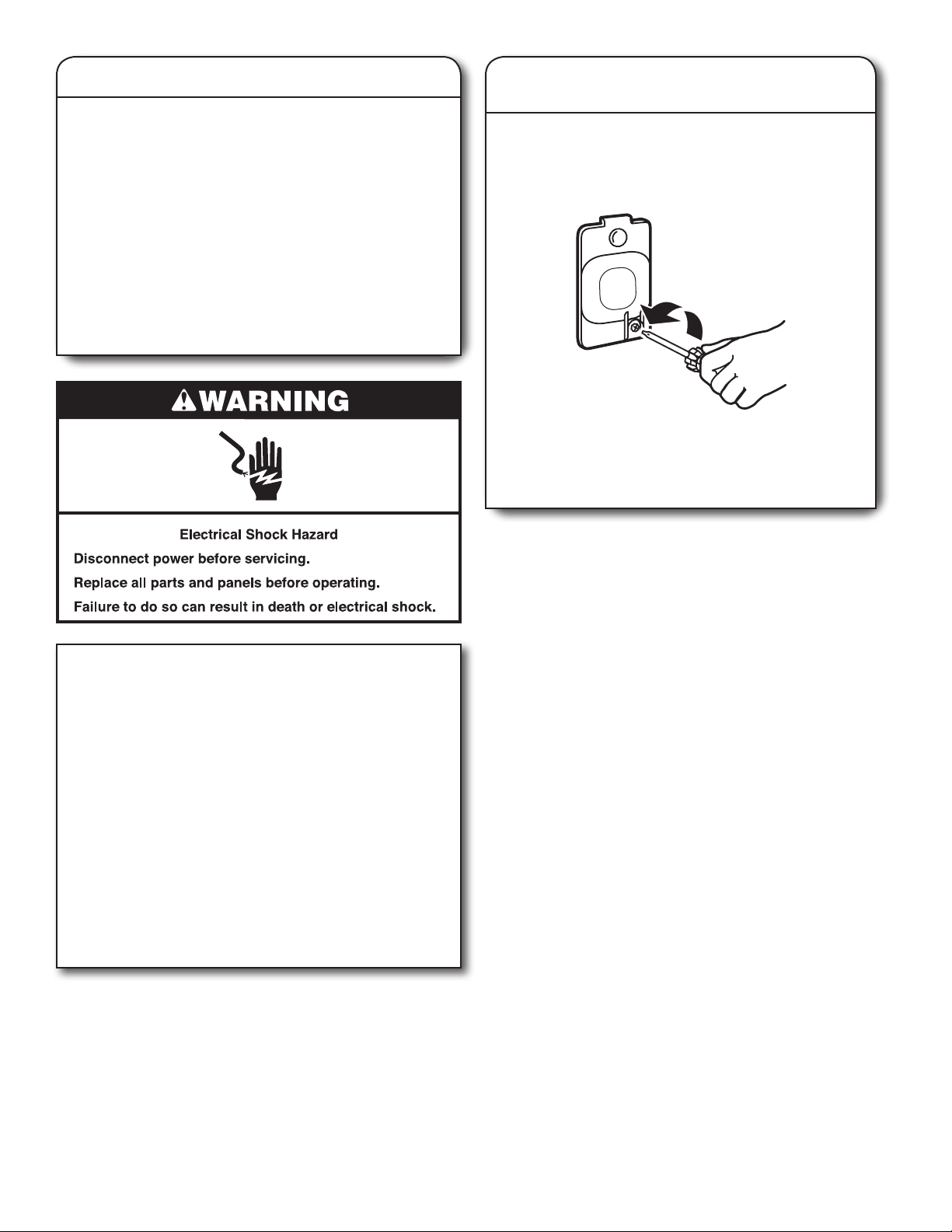
Clean the lint screen with a nylon brush every 6 months,
or more frequently, if it becomes clogged due to a residue
buildup.
To wash:
1. Roll lint off the screen with your fingers.
2. Wet both sides of lint screen with hot water.
3. Wet a nylon brush with hot water and liquid detergent.
Scrub lint screen with the brush to remove residue buildup.
4. Rinse screen with hot water.
5. Thoroughly dry lint screen with a clean towel. Reinstall
screen in dryer.
Cleaning the dryer interior
To clean dryer drum
1.
Apply a liquid, nonflammable household cleaner to the
stained area of the drum and rub with a soft cloth until
stain is removed.
2.
Wipe drum thoroughly with a damp cloth.
3. Tumble a load of clean cloths or towels to dry the drum.
NOTE: Garments that contain loose dyes, such as denim blue
jeans or brightly colored cotton items, may discolor the dryer
interior. These stains are not harmful to your dryer and will
not stain future loads of clothes. Dry these items inside out to
avoid drum staining.
Removing accumulated lint
From Inside the Dryer Cabinet
Lint should be removed every 2 years, or more often, depending
on dryer usage. Cleaning should be done by a qualified servicer.
From the Exhaust Vent
Lint should be removed every 2 years, or more often, depending
on dryer usage.
Cleaning the dryer location
10
Vacation, storage, and moving care
Non-Use or Storage Care
Operate your dryer only when you are at home. If you will be on
vacation or not using your dryer for an extended period of time,
you should:
1.
Unplug dryer or disconnect power.
2. (For gas dryers only): Close shut-off valve to gas supply
line.
3.
Clean lint screen. See “Cleaning the Lint Screen.”
Moving Care
For power supply cord-connected dryers:
1.
Unplug the power supply cord.
2. Make sure leveling legs are secure in dryer base.
3. Use tape to secure dryer door.
For direct-wired dryers:
1.
Turn off power at fuse or breaker box.
2. Disconnect wiring.
3. Make sure leveling legs are secure in dryer base.
4. Use tape to secure dryer door.
For gas dryers:
1.
Unplug or disconnect power to dryer.
2. Close shut-off valve in gas supply line.
3. Disconnect gas supply line pipe and remove fittings
attached to dryer pipe.
4.
Cap the open fuel supply line.
5. Make sure leveling legs are secure in dryer base.
6. Use tape to secure dryer door.
Reinstalling the Dryer
Follow the Installation Instructions to locate, level, and
connect the dryer.
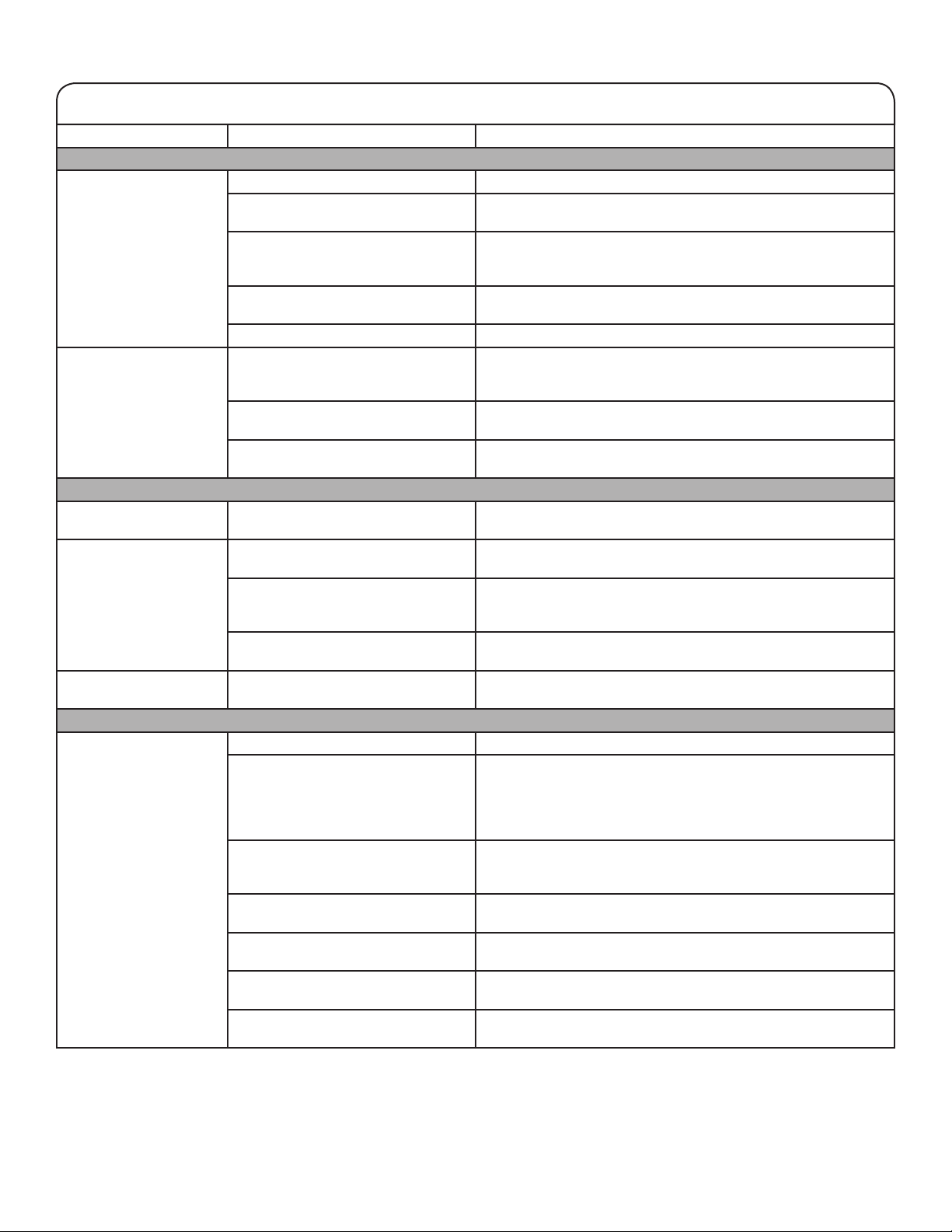
Changing the drum light
(on some models)
1. Unplug dryer or disconnect power.
2. Open the dryer door. Locate the light bulb cover on the
back wall of the dryer. Using a Phillips-head screwdriver,
remove the screw located in the lower right-hand corner
of the cover. Remove the cover.
3. Turn bulb counterclockwise. Replace the bulb with
a 10-watt appliance bulb only. Replace the cover and
secure with the screw.
4.
Plug into a grounded outlet or reconnect power.
11
TROUBLESHOOTING
If you experience Possible Causes Solution
Dryer Operation
Dryer will not run Door not closed completely. Make sure the dryer door is closed completely.
PUSH to START knob not pressed
firmly or held long enough.
Press and hold the PUSH to START knob until you hear the dryer
drum moving.
Household fuse is blown or circuit
breaker has tripped.
Electric dryers use 2 household fuses or circuit breakers. The drum
may be turning, but you may not have heat. Replace both fuses or
reset the circuit breaker. If the problem continues, call an electrician.
Incorrect power supply. Electric dryers require 240-volt power supply. Check with a qualified
electrician.
Wrong type of fuse. Use a time-delay fuse.
Dryer will not heat Household fuse is blown or circuit
breaker has tripped.
The drum may be turning, but you may not have heat. Electric dryers
use 2 household fuses or circuit breakers. Replace the fuses or
reset the circuit breaker. If the problem continues, call an electrician.
Incorrect power supply. Electric dryers require 240-volt power supply. Check with a qualified
electrician.
Supply line valve not open. For gas dryers, make sure that the valve on the gas supply line is
open.
Unusual Noise
Thumping noise Dryer hasn’t been used in a while. This is normal. The thumping sound should diminish after a few minutes
of use.
Rattling or vibrating noise A small object caught between the
edges of dryer drum.
Check the front and rear edges of the drum for small objects. Clean out
pockets before laundering.
Dryer isn’t properly leveled. The dryer may vibrate if not properly installed. See the Installation
Instructions. All four dryer feet should be in firm contact with the
floor.
Clothing is balled up in dryer. When balled up, the load will bounce, causing the dryer to vibrate.
Separate the load items and restart the dryer.
Clicking noise Gas valve operating. On gas dryers, you may hear the gas valve clicking as it opens
and closes. This is normal.
Dryer Results
Clothes are not drying
satisfactorily or drying
times are too long
Lint screen is clogged with lint. Clean lint screen before each load.
The exhaust vent or outside exhaust
hood is clogged with lint, restricting air
movement.
Run the dryer for 5-10 minutes. Hold your hand under the outside
exhaust hood to check air movement. If you do not
feel air movement, clean exhaust system of lint or replace exhaust
vent with heavy metal or flexible metal vent. See Installation
Instructions.
The exhaust vent is not the correct
length.
Check that the exhaust vent is not too long or has too many
turns. Long venting will increase drying times. See “Installation
Instructions”.
The dryer is not level. Clothes not contacting the moisture sensors during Automatic
cycles. See “Level the Dryer” in the Installation Instructions.
The exhaust vent diameter is not the
correct size.
Use 4" (102 mm) diameter vent material.
The Air Fluff cycle has been selected. Select the right cycle for the types of garments being dried.
See Cycle Guide.
The load is too large and heavy to
dry quickly.
Separate the load to tumble freely.
First try the solutions suggested here or visit our website at www.maytag.com/product_help -
In Canada www.maytag.ca for assistance and to possibly avoid a service call.
12
TROUBLESHOOTING
If you experience Possible Causes Solution
Dryer Results
Clothes are not drying
satisfactorily or drying
times are too long (cont.)
Fabric softener sheets are blocking the
grille.
The air outlet grille is just inside the door, behind the lint screen.
Check that it is not blocked by a fabric softener sheet. Use only
one fabric softener sheet, and use it only once.
The dryer is located in a room with
temperature below 45ºF (7ºC).
Proper operation of dryer cycles requires temperatures above 45ºF
(7ºC).
The dryer is located in a closet. Closet doors must have ventilation openings at the top and bottom
of the door. The front of the dryer requires a minimum of 1" (25 mm)
of airspace, and, for most installations, the rear of the dryer requires
5" (127 mm). See Installation Instructions.
Cycle time is too short Automatic cycle ending early. The load may not be contacting the sensor strips. Level the dryer.
Use Timed Dry for very small loads. Change the Dry Level setting on
Sensor Dry/Automatic Dry cycles.
Increasing or decreasing the Dry Level setting will change the
amount of drying time in a cycle.
Lint on load Lint screen is clogged with lint. Clean lint screen before each load.
Stains on load Improper use of fabric softener. Add dryer fabric softener sheets at the beginning of the cycle.
Fabric softener sheets added to a partially dried load can stain your
garments.
Stains on drum Loose dyes in clothes. Drum stains are caused by dyes in clothing (usually blue jeans).
These will not transfer to other clothing.
Loads are wrinkled The load was not removed from dryer at
the end of the cycle.
Use a cycle with Wrinkle Control to tumble the load without heat to
avoid wrinkling.
Dryer tightly packed. Dry smaller loads that can tumble freely and reduce formation of
wrinkles.
Odors Recent painting, staining, or varnishing
in the area where your dryer is located.
Ventilate the area. When the odors or fumes are gone from the area,
rewash and dry the clothing.
The electric dryer is being used for the
first time.
The new electric heating element may have an odor. The odor will be
gone after the first cycle.
Load too hot Laundry items were removed from the
dryer before the end of the cycle.
Allow Cool Down cycle to finish before removing laundry from dryer.
All cycles are cooled slowly to reduce wrinkling and make it easier to
handle. Items removed before Cool Down may feel very warm.
A high temperature cycle was used or
Temperature/Fabric control was set to
high.
Select a lower temperature, and use an automatic drying cycle.
These cycles sense the temperature or the moisture level in the
load and shut off when the load reaches the selected dryness. This
reduces overdrying.
First try the solutions suggested here or visit our website at www.maytag.com/product_help -
In Canada www.maytag.ca for assistance and to possibly avoid a service call.
13
MAYTAG
®
LAUNDRY
LIMITED WARRANTY
1. Commercial, non-residential, multiple-family use, or use inconsistent
with published user, operator, or installation instructions.
2. In-home instruction on how to use your product.
3. Service to correct improper product maintenance or installation,
installation not in accordance with electrical or plumbing codes, or
correction of household electrical or plumbing (i.e. house wiring,
fuses, or water inlet hoses).
4. Consumable parts (i.e. light bulbs, batteries, air or water filters, etc.).
5. Conversion of your product from natural gas or propane gas or
reversal of appliance doors.
6. Damage from accident, misuse, abuse, fire, floods, acts of God, or
use with products not approved by Maytag.
7. Repairs to parts or systems to correct product damage or defects
caused by unauthorized service, alteration, or modification of the
appliance.
8. Cosmetic damage including scratches, dents, chips, and other
damage to appliance finishes unless such damage results from
defects in materials and workmanship and is reported to Maytag
within 30 days.
9. Discoloration, rust, or oxidation of surfaces resulting from caustic or
corrosive environments, including but not limited to, high salt
concentrations, high moisture or humidity, or exposure to chemicals.
10. Pick-up or delivery. This product is intended for in-home repair.
11. Travel or transportation expenses for service in remote locations
where an authorized Maytag servicer is not available.
12. Removal or reinstallation of inaccessible appliances or built-in
fixtures (i.e. trim, decorative panels, flooring, cabinetry, islands,
countertops, drywall, etc.) that interfere with servicing, removal, or
replacement of the product.
13. Service or parts for appliances with original model/serial numbers
removed, altered, or not easily determined.
The cost of repair or replacement under these excluded
circumstances shall be borne by the customer.
ATTACH YOUR RECEIPT HERE. PROOF OF PURCHASE IS
REQUIRED TO OBTAIN WARRANTY SERVICE.
Please have the following information available when you call the
Customer eXperience Center:
■
Name, address, and telephone number
■
Model number and serial number
■
A clear, detailed description of the problem
■
Proof of purchase including dealer or retailer name and address
FIRST YEAR LIMITED WARRANTY (PARTS AND LABOR)
For one year from the date of purchase, when this major appliance
is installed, operated, and maintained according to instructions
attached to or furnished with the product, Maytag brand of
Whirlpool Corporation or Whirlpool Canada LP (hereafter
“Maytag”) will pay for factory specified parts and repair labor to
correct defects in materials or workmanship that existed when this
major appliance was purchased.
SECOND THROUGH TENTH YEAR LIMITED WARRANTY
(DRUM MOTOR AND STAINLESS STEEL BASKET ONLY -
LABOR NOT INCLUDED)
In the second through tenth years from the date of original
purchase, when this major appliance is installed, operated, and
maintained according to instructions attached to or furnished
with the product, Maytag will pay for factory specified parts for
the following components to correct non-cosmetic defects in
materials or workmanship in these parts that prevent function of
this major appliance and that existed when this major appliance
was purchased. This is a limited 10 year warranty on the below
named parts only and does not include repair labor.
■ Drum (Side Walls Only)
■ Drive Motor
YOUR SOLE AND EXCLUSIVE REMEDY UNDER THIS
LIMITED WARRANTY SHALL BE PRODUCT REPAIR AS
PROVIDED HEREIN. Service must be provided by a Maytag
designated service company. This limited warranty is valid only
in the United States or Canada and applies only when the major
appliance is used in the country in which it was purchased. This
limited warranty is effective from the date of original consumer
purchase. Proof of original purchase date is required to obtain
service under this limited warranty.
DISCLAIMER OF IMPLIED WARRANTIES
IMPLIED WARRANTIES, INCLUDING ANY IMPLIED WARRANTY OF MERCHANTABILITY OR IMPLIED WARRANTY OF FITNESS FOR A
PARTICULAR PURPOSE, ARE LIMITED TO TEN YEARS OR THE SHORTEST PERIOD ALLOWED BY LAW. Some states and provinces
do not allow limitations on the duration of implied warranties of merchantability or fitness, so this limitation may not apply to you. This warranty
gives you specific legal rights, and you also may have other rights that vary from state to state or province to province.
LIMITATION OF REMEDIES; EXCLUSION OF INCIDENTAL AND CONSEQUENTIAL DAMAGES
YOUR SOLE AND EXCLUSIVE REMEDY UNDER THIS LIMITED WARRANTY SHALL BE PRODUCT REPAIR AS PROVIDED HEREIN.
MAYTAG SHALL NOT BE LIABLE FOR INCIDENTAL OR CONSEQUENTIAL DAMAGES. Some states and provinces do not allow the
exclusion or limitation of incidental or consequential damages, so these limitations and exclusions may not apply to you. This warranty gives
you specific legal rights, and you also may have other rights that vary from state to state or province to province.
DISCLAIMER OF REPRESENTATIONS OUTSIDE OF WARRANTY
Maytag makes no representations about the quality, durability, or need for service or repair of this major appliance other than the
representations contained in this Warranty. If you want a longer or more comprehensive warranty than the limited warranty that comes
with this major appliance, you should ask Maytag or your retailer about buying an extended warranty.
01/14
IF YOU NEED SERVICE:
1. Before contacting us to arrange service, please determine whether your product requires repair. Some questions can be addressed
without service. Please take a few minutes to review the Troubleshooting or Problem Solver section of the Use and Care Guide, or
visit https://www.maytag.com/product_help.
2. All warranty service is provided exclusively by our authorized Maytag Service Providers. In the U.S. and Canada, direct all requests
for warranty service to:
TEN YEAR LIMITED WARRANTY
WHAT IS COVERED
WHAT IS NOT COVERED
Maytag Customer eXperience Center
In the U.S.A. call 1-800-688-9900. In Canada call 1-800-807-6777.
If outside the 50 United States and Canada, contact your authorized Maytag dealer to determine if another warranty applies.
ASSISTANCE OR SERVICE
Before calling for assistance or service, please check “Troubleshooting” or visit www.maytag.com/help.
It may save you the cost of a service call. If you still need help, follow the instructions below.
When calling, please know the purchase date and the complete model and serial number of your appliance.
This information will help us to better respond to your request.
Maytag Services, LLC
ATTN: CAIR
®
Center
P.O. Box 2370
Cleveland, TN 37320-2370
Customer eXperience Centre
Whirlpool Canada LP
Unit 200-6750 Century Ave
Mississauga, Ontario L5N 0B7
You can write with any questions or concerns at:
Whirlpool Canada LP
Customer Assistance
1-800-807-6777
Our consultants provide assistance with
Please include a daytime phone number in your correspondence.
If you need replacement parts or to order accessories
We recommend that you use only Factory Specified Parts.
These parts will fit right and work right because they are made with the same precision
used to build every new MAYTAG
®
appliance.
To locate factory specified replacement parts, assistance in your area, or accessories:
In the U.S.A.
Features and specifications on our full line of appliances.
Installation information.
Specialized customer assistance (Spanish speaking, hearing
impaired, limited vision, etc.).
In the U.S.A. and Canada
Use and maintenance procedures.
Accessory and repair parts sales.
Referrals to local dealers, repair parts distributors, and service
companies. Maytag
®
designated service technicians are trained
to fulfill the product warranty and provide after-warranty service,
anywhere in the United States and Canada.
ASSISTANCE OU SERVICE
Avant de faire un appel pour assistance ou service, veuillez vérifier la section “Dépannage” ou visiter le site
www.maytag.com/help. Cette vérification peut vous faire économiser le coût d’une visite de réparation.
Si vous avez encore besoin d’aide, suivre les instructions ci-dessous.
Lors d’un appel, veuillez connaître la date d’achat et les numéros au complet de modèle et de série de votre appareil.
Ces renseignements nous aideront à mieux répondre à votre demande.
Si vous avez besoin de pièces de rechange
Si vous avez besoin de commander des pièces de rechange, nous vous recommandons d’utiliser seulement
des pièces spécifiées par l’usine. Ces pièces conviendront et fonctionneront bien parce qu’elles sont fabriquées selon
les mêmes spécifications précises utilisées pour construire chaque nouvel appareil MAYTAG
®
.
Pour trouver des pièces de rechange spécifiées par l’usine dans votre région :
Whirlpool Canada LP - Assistance à la clientèle
1-800-807-6777 www.maytag.ca
Vous pouvez écrire en soumettant toute question
ou tout problème au :
Customer eXperience Centre
Whirlpool Canada LP
Unit 200-6750 Century Ave
Mississauga, Ontario L5N 0B7
Dans votre correspondance, veuillez indiquer un numéro
de téléphone où on peut vous joindre dans la journée.
Nos consultants fournissent
l’assistance pour :
Procédés d’utilisation et d’entretien.
Vente d’accessoires et de pièces de rechange.
Les références aux concessionnaires, compagnies de service
de réparation et distributeurs de pièces de rechange locaux.
Les techniciens de service désignés par Whirlpool Canada LP
sont formés pour remplir la garantie des produits et fournir un
service après la garantie, partout au Canada.
ou contacter votre centre de réparation désigné le plus proche ou consulter l’annuaire téléphonique des Pages Jaunes.
Maytag Services, LLC
1-800-688-9900 ww
w.maytag.com
Maytag
(Accessories
)- (US) 1-800-344-1274
www.maytag.ca
®/™ ©2017 Maytag. All rights reserved. Used under license in Canada.
Tous droits réservés. Emploi sous licence au Canada.
11/17
Printed in U.S.A.
Imprimé aux É.-U.
W11185722A
W11185728A -SP
(CA) 1-800-688-2002
www.maytag.com/accessories
or call your nearest designated service center or refer to your Yellow Pages telephone directory.