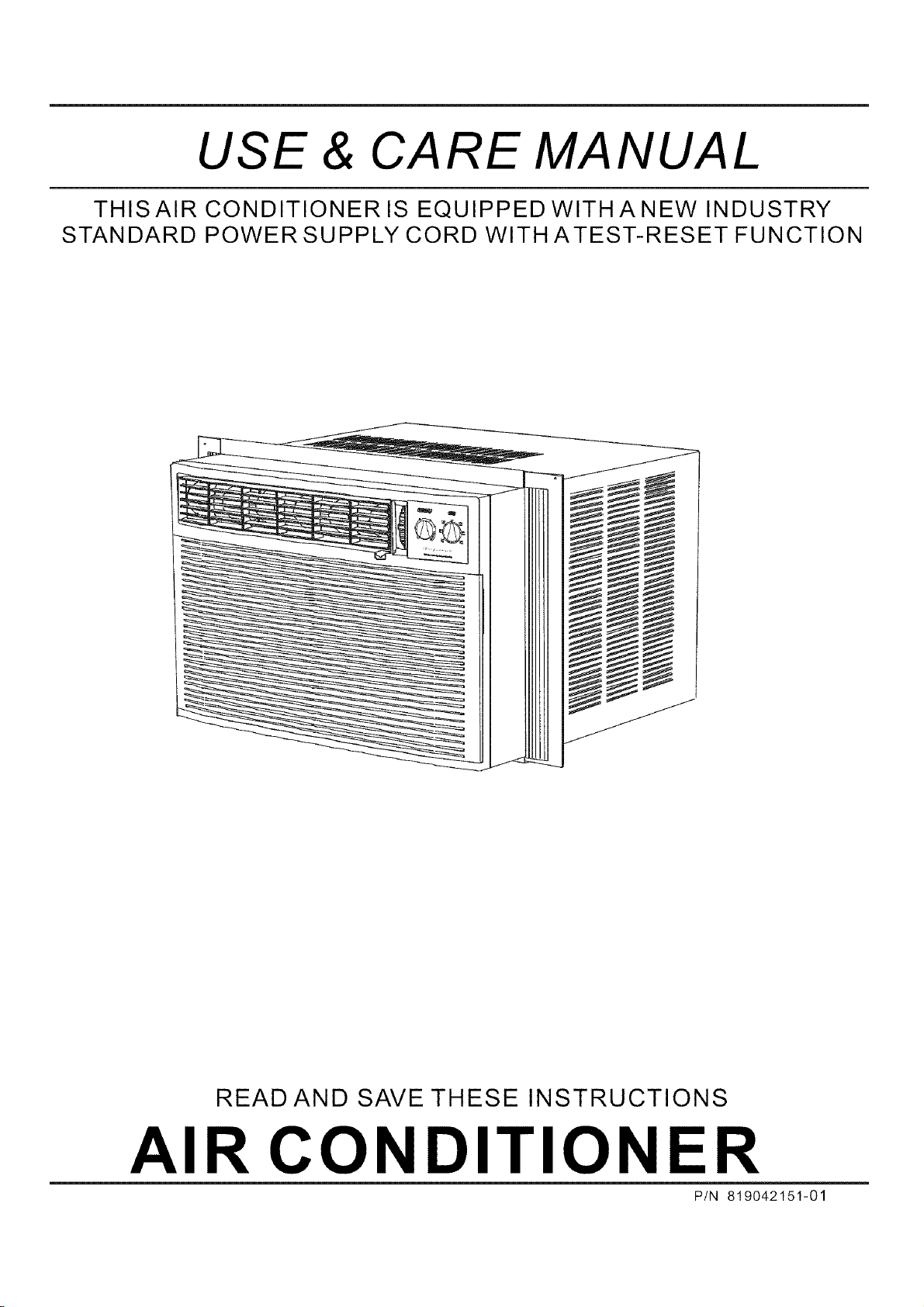
USE & CARE MANUAL
THISAIR CONDITIONER IS EQUIPPEDWITHANEWINDUSTRY
STANDARD POWER SUPPLY CORD WITHATEST-RESET FUNCTION
READ AND SAVE THESE INSTRUCTIONS
AIR CONDI I lONER
P/N 819042151-01
ROOM AIR CONDITIONER WARRANTY
Your product is protected by this warranty
Yourappliance is warranted by Electrolux. Electroluxhas authorized FrigidaireConsumer Services andtheir authorized servicersto
perform service under this warranty. Electrolux authorizes no one else to change or add to any of these obligations under this
warranty. Any obligations for service and parts under this warranty must be performed by Frigidaire Consumer Services or an
authorized Frigidaire servicer.
WARRANTY FRIGIDAIRE, THROUGH ITS THE CONSUMERWILLBE
AUTHORIZED SERVICERS,WILL RESPONSIBLE FOR:
FULL ONE-YEAR One year from original Pay all costs for repairing or replacing Costs ofservicecallsthatarelisted under
WARRANTY purchase date. 3artsofthisappliancewhich provetobe NORMAL RESPONSIBILITIES OF THE
defective in materials or workmanship. CONSUMER.*
LIMITED 2-5 YEAR
WARRANTY (Sealed
system)
Second through fifth
years from original
purchase date.
Repair or replaceany parts inthe Sealed
Refrigeration System (compressor,
condenser,evaporator and tubing)
proves to be defective in materials or
workmanship.
Diagnostic costs and any removal,
transportation and reinstallation costs
which are required because of service.
Costs for labor, parts and transportation
other than with respect to the Sealed
Refrigeration System.
LIMITED WARRANTY Time periods listed All of the provisions ofthefullandlimite( Costs of the technician's travel to the
(Applicable to the above, warranties above and the exclusions home and any costs for pick up and
StateofAlaska) listed below apply, delivery of the appliance required
because of service.
*NORMAL
RESPONSIBILITIES
OF THE CONSUMER
This warranty applies only to products in ordinary household use, and the consumer is
responsible for theitems listed below.
1. Proper use of the appliance in accordance with instructions provided with the product.
2. Proper installation by an authorized servicer in accordance with instructions provided with the
appliance and inaccordancewithalllocalplumbing, electricaland/or gas codes.
3. Proper connection to a grounded power supply ofsufficient voltage, replacement ofblownfuses,
repair of loose connections or defectsin house wiring.
4. Expenses for making the appliance accessible for servicing, such as removalof trim, cupboards,
shelves, etc., whichare not apart oftheappliancewhen itwasshipped fromthefactory.
5. Damages tofinish after installation.
EXCLUSIONS
This warranty doesnot cover thefollowing:
1. CONSEQUENTIALOR INCIDENTAL DAMAGESSUCH ASPROPERTY DAMAGEAND INCIDENTAL
EXPENSES RESULTING FROMANYBREACHOFTHISWRITTENORANYIMPLIEDWARRANTY.
Note: Some statesdo not allowthe exclusion orlimitation of incidentalor consequential damages, so
this limitation orexclusion may notapply to you.
2. Service callswhich do notinvolve malfunction ordefects in workmanshipor material, orfor appliances
not in ordinaryhousehold use. The consumer shall pay for such service calls.
3. Damagescausedbyservices performedby persons other than authorized Frigidaireservicers;use
of parts other than Frigidaire Genuine Renewal Parts; obtained from persons other than such
servicers; orexternalcauses suchasabuse, misuse, inadequatepowersupplyoractsofGod.
4. Products with original serial numbers that have been removed or altered and cannot bereadily
determined.
IF YOU NEED SERVICE Keep your bill of sale, delivery slip, or some other appropriate paymentrecord. Thedateonthebill
establishes the warranty period should service be required. Ifservice is performed,it isinyour best
interest to obtain and keep allreceipts. This written warrantygivesyouspecificlegalrights. You may
also have other rights that vary from state tostate. Service underthiswarrantymustbeobtained by
following these steps,in order:
1. Contact FrigidaireConsumer Services oran authorized Frigidaireservicer.
2. If there is a question as to where to obtain service, contact our Consumer Relations Department at::
Frigidaire
P.O. Box 212378
Augusta, GA30917
800-444-4944
Product features orspecifications as described or illustrated aresubject to changewithout notice.All warranties aremade by Electrolux.
This warranty appliesonly in the50 states ofthe U.S.A., Puerto Rico and Canada.
Product Registration Record Your Modeland Serial Numbers
Record in thespace provided belowthe model andserial numbers. Onall models, theserial
plate is Iocatedon the outsideof the interior bulkhead left side.
Model Number
Serial Number
Register Your Product
The self-addressed PRODUCT REGISTRATION CARD should be filled in completely,
signed and returnedto the FrigidaireCompany.
Contents 2
Warranty
NOTE: This USE & CARE MANUAL
provides specific operating instructions
for your model. Use the room air
conditioner only as instructed in this
USE & CARE MANUAL. These
instructions are not meant to cover
every possible condition and situation
that may occur. Common sense and
caution must be practiced when
installing, operating, and maintainin_
any appliance.
3
3
4
4
5
5
Product Registration
Normal Sounds
Important Safety Instructions
Energy Saving Ideas
Operation of Current Device
Using Air Cond itioner
5-6 Air Conditioner Features
Care and Cleaning
7
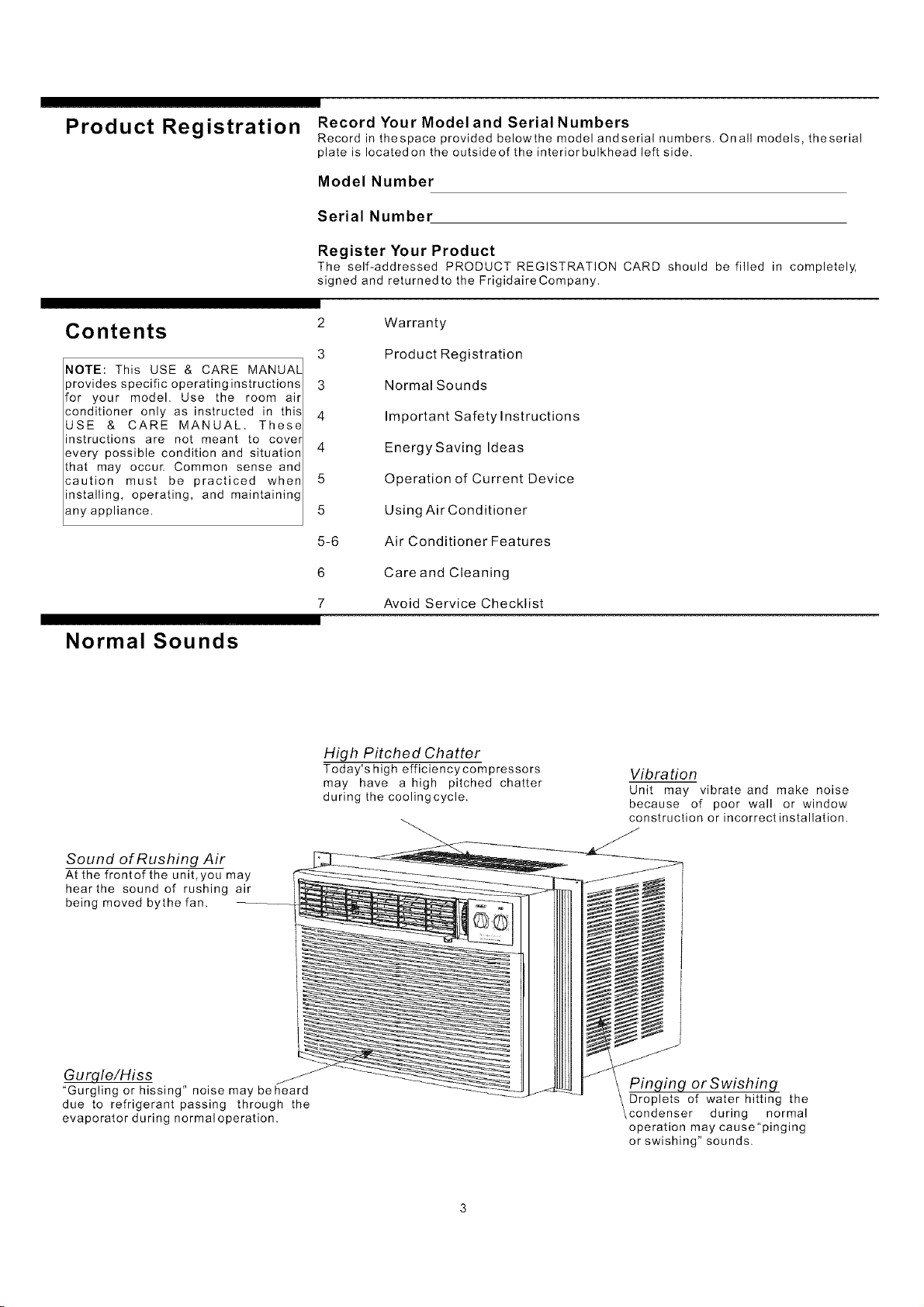
Normal Sounds
Avoid Service Checklist
High Pitched Chatter
Today's high efficiencycompressors
may have a high pitched chatter
during the coolingcycle.
Vibration
Unit may vibrate and make noise
because of poor wall or window
construction or incorrect installation.
Sound of Rushing Air
Atthefrontofthe unit,you may
hearthe sound of rushing air
being moved bythefan.
Gurgle/Hiss
"Gurgling or hissing" noise may beheard
due to refrigerant passing through the
evaporator during normal operation.
Pinging or Swishing
Droplets of water hitting the
condenser during normal
operation may cause "pinging
or swishing" sounds.
Important Safety
Instructions
The power supplycord with
this air conditioner contains a current
detection device designed to reduce the
risk offire.
Please referto the section 'Operation of
Current Device'for details.
Intheeventthatthe power supply cord is
damaged, itcannot be repaired it must be
replaced with a cord from the Product
Manufacturer.
Avoid fire hazard or
electric shock. Do not use an extension
cord or an adaptor plug. Do not remove
any prong from the power cord.
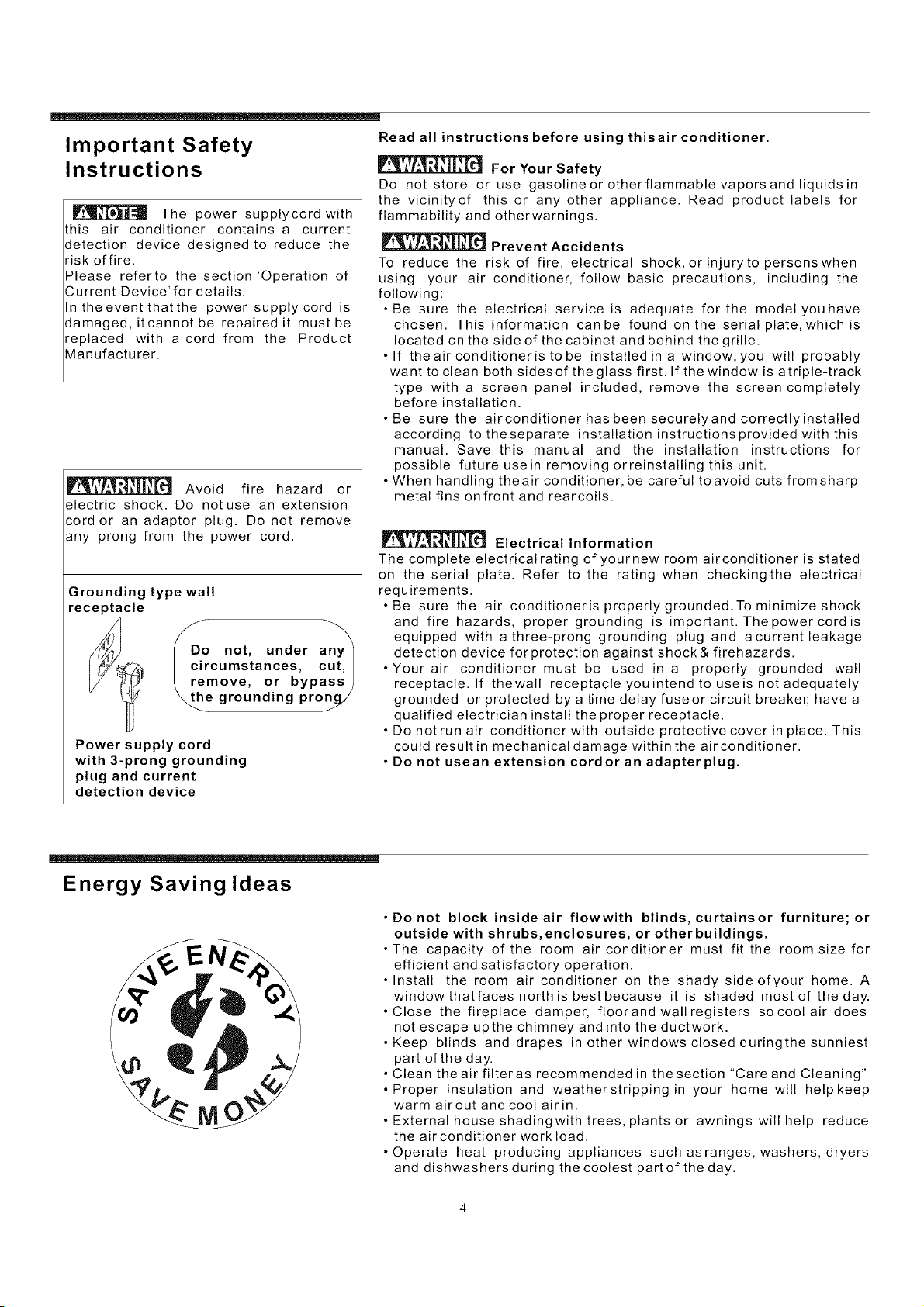
Grounding type wall
receptacle
_DDo not, under any_
circumstances, cut,
/ remove, or bypass)
_he grounding pronq/
Power supply cord
with 3-prong grounding
plug and current
detection device
Read all instructions before using thisair conditioner.
For Your Safety
Do not store or use gasoline or otherflammable vapors and liquids in
the vicinityof this or any other appliance. Read product labels for
flammability and otherwarnings.
Prevent Accidents
To reduce the risk of fire, electrical shock, or injury to persons when
using your air conditioner, follow basic precautions, including the
following:
• Be sure the electrical service is adequate for the model you have
chosen. This information can be found on the serial plate, which is
located on the side of the cabinet and behind the grille.
• If theair conditioneris to be installed in a window, you will probably
want to clean both sides of the glass first. If the window is atriple-track
type with a screen panel included, remove the screen completely
before installation.
• Be sure the airconditioner has been securelyand correctly installed
according to the separate installation instructions provided with this
manual. Save this manual and the installation instructions for
possible futureusein removing orreinstalling this unit.
• When handling theair conditioner, be careful toavoid cuts fromsharp
metal fins onfront and rearcoils.
Electrical Information
The complete electrical rating of yournew room airconditioner is stated
on the serial plate. Refer to the rating when checking the electrical
requirements.
• Be sure the air conditioneris properly grounded. To minimize shock
and fire hazards, proper grounding is important. The power cord is
equipped with athree-prong grounding plug and acurrentleakage
detection device forprotection against shock& firehazards.
• Your air conditioner must be used in a properly grounded wall
receptacle. If thewall receptacleyouintendtouseisnotadequately
grounded or protected by a time delay fuseor circuit breaker, havea
qualified electrician install the proper receptacle.
• Do notrun air conditioner with outside protective cover in place. This
could result in mechanical damage within the airconditioner.
• Do not usean extension cordor an adapterplug.
Energy Saving Ideas
EN
• Donot block inside air flowwith blinds, curtainsor furniture; or
outside with shrubs, enclosures, or other buildings.
• The capacity of the room air conditioner must fit the room size for
efficient and satisfactory operation.
• Install the room air conditioner on the shady sideofyour home. A
window thatfaces north is best because it is shaded most of the day.
• Close the fireplace damper, floorandwallregisters so coolair does
not escape upthe chimney andinto the ductwork.
• Keep blinds and drapes in other windows closed duringthe sunniest
part of the day.
• Clean the air filteras recommended in the section "Care and Cleaning"
• Proper insulation and weatherstrippingin your home will help keep
warm airout and cool airin.
• External house shadingwith trees, plantsor awnings will help reduce
the airconditioner work load.
• Operate heat producing appliances such as ranges, washers, dryers
and dishwashers during the coolest part of the day.
To reduce the risk of fire, electric shock, orinjury to persons, read the
IMPORTANTSAFETY INSTRUCTIONS before operating thisappliance.
Operation of Current
Device
The powersupplycord containsacurrent devicethatsensesdamagetothe power cord. To
test your powersupply cord dothe following:
1. Plug intheAirConditioner.
2. The power supply cord willhaveTWO buttons ontheplug head. Press theTEST button.
Youwill notice aclick as theRESET button pops out.
3. Press theRESET button. Again youwill notice aclick as thebutton engages.
4. The power supply cord is now supplying electricity to the unit. (On some products this is
also indicated bya light onthe plug head).
Air Conditioner
Features
NOTES:
• Do not usethis device toturn the uniton or off.
• Always make surethe RESET button is pushed in for correctoperation.
• The power supply cord must be replaced if it fails to resetwheneither the TESTbuttonis
pushed, oritcannot be reset.A new one canbeobtainedfromthe product manufacturer.
.If power supply cord is damaged,it CANNOT be repaired. ItMUSTbe replaced by one
obtained from theproduct manufacturer.
Using Air Conditioner To begin operating theair conditioner, follow these steps:
1. Set thethermostat to thehighest number (coldestor cooler setting).
turnedl 2. SettheselectorcontroltothehighestCOOLsetting.
NOTE: If the air conditioner is
off, wait 3 minutes before restarting.ll 3. Adjustthelouversforcomfortableairflow(seeAirDirectionalLouvers),
This allows pressure inside thel 4. Oncetheroom has cooled, adjust the thermostatto the settingyou find mostcomfortable.
compressor and equalize. Failure to I Review the "Air ConditionerFeatures"sectionforothersettings.
follow these instructions may be
harmful to yourunit.
The controls featured in this manual are representative of many available models. Your
model may offerslightly different features.
Cool Mode
The desired cool setting is selectedby rotating the knob to the right to theappropriate
location.
"high cool" has maximumcooling effect and airflow.
"low cool" has minimumcooling effectand airflow.
'Mid coor' has the intermediate cooling effect and airflow.
_o. _ Note: If yourunit is equippedwith a venthandle, keep itclosed for maximumefficiency.
Fan Mode
Rotate the knobto the leftto select yourchoice of fanspeeds for aircirculation.
Note: When selecting a fan speed, the compressor will not run. On models withavent
control, this mode can be used to remove stale air from the room, or to draw fresh air into the
room. Check thesection 'Additional Things You Should Know'.
Thermostat
The thermostat isusedtosetthedesiredroomtemperaturewhentheunitis beingoperated
in the "COOL MODE",
To set the desired room temperature, rotate the thermostatswitchtothedesiredsetting,
After the set temperature is achieved the thermostat willautomaticallystartandstopthe
compressor in orderto maintain thedesired set temperature.
Rotate the thermostat selector clockwise forhigher cool settings. Higher cool settingswill
provide lower room temperature.
Rotate the thermostatselector counter clockwisefor lower coolsettings. Lower cool settings
will provide higherroom temperature.
Air Conditioner
Features (Continued)
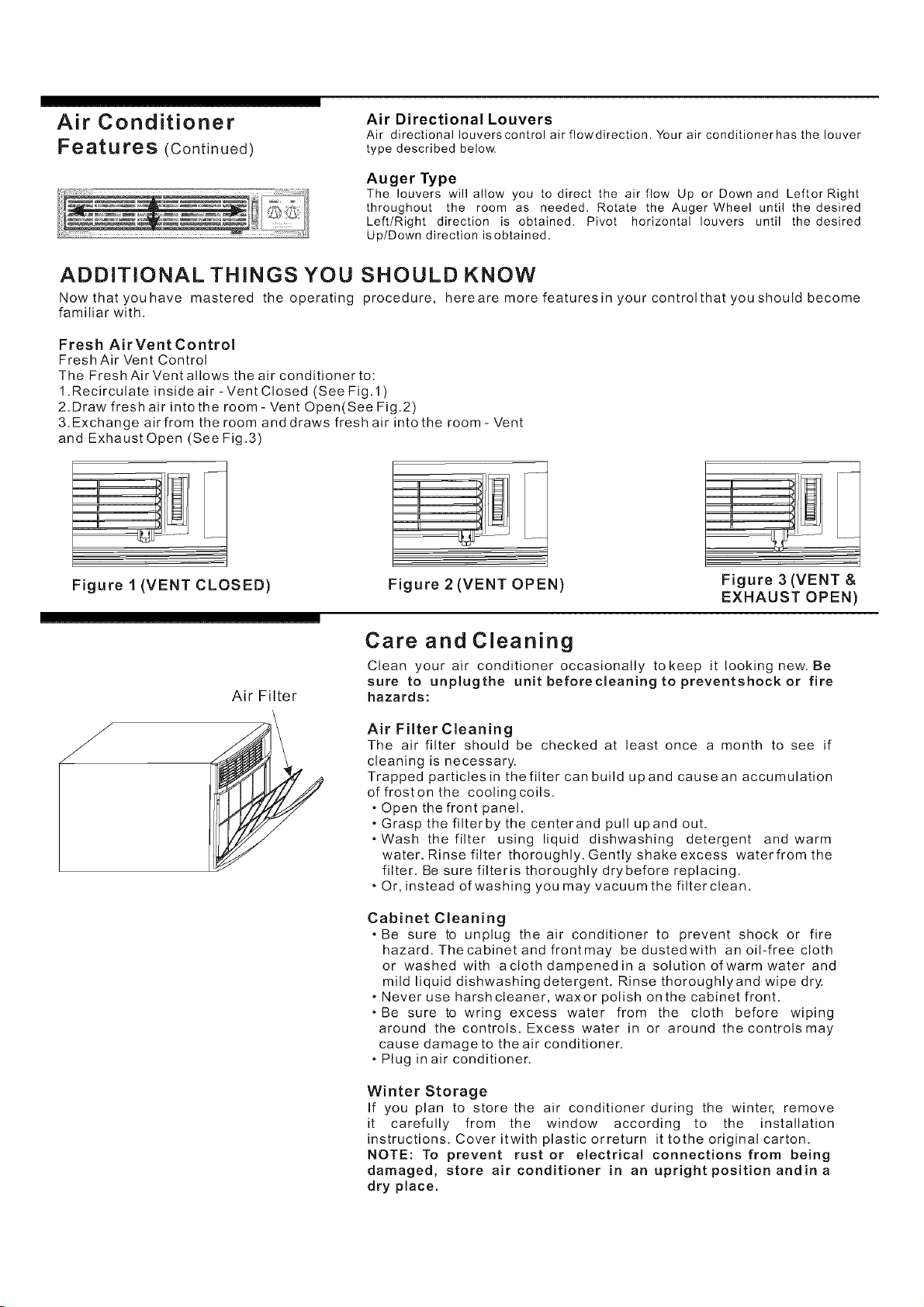
Air Directional Louvers
Air directional Iouverscontrol air flowdirection. Your air conditionerhas the louver
type described below.
Auger Type
The louvers will allow you to direct the air flow Up or Down and LeftorRight
throughout the room as needed. Rotate the Auger Wheel until the desired
Left/Right direction is obtained. Pivot horizontal louvers until the desired
Up/Down direction isobtained.
ADDITIONAL THINGS YOU SHOULD KNOW
Now that you have mastered the operating procedure, herearemorefeaturesinyourcontrolthatyoushould become
familiar with.
Fresh AirVent Control
Fresh Air Vent Control
The Fresh Air Vent allows the air conditioner to:
1.Recirculate inside air -Vent Closed (See Fig.l)
2. Draw fresh air into the room- Vent Open(See Fig .2)
3.Exchange air from the room and draws fresh air into the room- Vent
and Exhaust Open (See Fig .3)
Figure 1 (VENT CLOSED) Figure 2 (VENT OPEN)
Figure 3 (VENT &
EXHAUST OPEN)
Air Filter
Care and Cleaning
Clean your air conditioner occasionally to keep it looking new. Be
sure to unplugthe unit beforecleaning to preventshock or fire
hazards:
Air Filter Cleaning
The air filter should be checked at least once a month to see if
cleaning is necessary.
Trapped particles in the filter can build up and cause an accumulation
offroston the coolingcoils.
• Open the front panel.
• Grasp the filterby the centerand pull upand out.
oWash the filter using liquid dishwashing detergent and warm
water. Rinse filter thoroughly. Gently shake excess waterfromthe
filter. Be sure filteris thoroughly drybefore replacing.
• Or, instead ofwashing you may vacuum the filter clean.
Cabinet Cleaning
• Be sure to unplug the air conditioner to prevent shock or fire
hazard. Thecabinetandfrontmay bedustedwith an oil-free cloth
or washed with aclothdampenedina solution ofwarm water and
mild liquid dishwashingdetergent. Rinse thoroughlyand wipe dry.
• Never use harshcleaner, waxor polish onthe cabinet front.
*Be sure to wring excess water from the cloth before wiping
around the controls. Excess water in or around the controls may
cause damage to the air conditioner.
• Plug in air conditioner.
Winter Storage
If you plan to store the air conditioner during the winter, remove
it carefully from the window according to the installation
instructions. Coveritwith plasticorreturn it tothe original carton.
NOTE: To prevent rust or electrica! connections from being
damaged, store air conditioner in an upright positionandina
dry place.
Avoid Service Checklist Before calling forservice, review this list. It may save you timeand expense. This
list includes common occurrences that are not the result ofdefective workmanship
or materials in this appliance
OCCURRENCE SOLUTION
Air conditionerwill notoperate. Wall plugdisconnected. Push plugfirmly into walloutlet.
Plug current device tripped. Preset RESET button.
House fuse blown orcircuit breaker tripped. Replace fuse with time delaytypeor
reset circuit breaker.
Selector Control in OFF position. Turn selector to ON (some models) orthedesired
FAN or COOLsettinq.
Unit turned off by moving thermostat to a higher number and then immediately
turning back toa colder number. Waitapproximately3minutes. Listen for compress
or to start.
Unit turned off and then on too quickly. Turn unit off and wait 3minutesbefore
restarting.
Thermostat set too low. Adjust thermostat to higher numberfor cooling.
Airfromunitdoesnotfeelcold
enough.
Turn selectorto a higher COOL position
Thermostat set too warm. Set thermostat to colder temperature.
Room temperature below60°F (15°C). Cooling may notoccur until roomtemperature
rises above 60°F(15°C).
Temperature sensing tube touching cold coil, located behind airfilter. Straighten
tube awayfrom coil.
Air conditioner cooling, but
room is toowarm= ice forming
on cooling coilbehind
decorative front.
Outdoor temperature below 60°F(15°C). To defrost the coil, set selectortoFAN
position. Then, set thermostatto warmerposition.
Air filter may be dirty. Clean filter. Refer to Care and Cleaning section. To defrost, set
selector to FAN .
Thermostat set too cold for night-timecooling. To defrost thecoil, setselectortoa
FAN position. Then, set thermostatto awarmer position.
Air conditioner cooling, but
room is too warm=NOice
forming on coolingcoil
behind decorative front.
Dirty air filter-air restricted. Clean airfilter. Referto Care and Cleaning section.
Thermostat set toowarm. Turn thermostat clockwise toa colder setting.
Air directional louvers positioned improperly. Position louvers for better air
distribution.
Front of unit is blocked by drapes, blinds, furniture,etc.-restricts air distribution.
Clear blockage infront of unit.
Doors, windows, registers, etc, open-cold air escapes. Close doors, windows,
registers, etc.
Unit recently turned on in hot room, allow additionaltimetoremove"stored heat"
from walls, ceiling, floorand furniture.
Air conditioner turnson and
off rapidly.
Dirty air filter-air restricted. Clean air filter.
Outside temperature extremely hot. Set to high coolto bring airpast cooling coils
more frequently.
Noise when unitis cooling
Air movement sound. This is normal. If tooloud, set toa slower FAN setting.
Sound of fan hitting water-moisture removalsystem. Thisisnormalwhenhumidity
is high. CIosedoors windows and registers.
Window vibration- poor installation. Refer to installation instructions orcheck with
installer.
Water dripping lNSlDE when Improper installation. Tilt air conditioner slightly to the outside to allow water
unit is cooling, drainage. Refer toinstallation instructions -check with installer.
Water drippingOUTSIDEwhen Unit removing large quantity of moisture from humid room. This isnormalduring
unit is cooling, excessively humid days.