
User Manual

A
Shutter Button
B
Lens
C
Viewnder&SeleMirror
D
Flash|Self-timer|DoubleExposureButton
E
FilmDoorButton
F
Flash
G
ON|OFFButton
H
FilmCounterDisplay
I
WristStrapLoop
J
PhotoEjectSlot
K
BatteryLevelIndicatorLED|ChargingPort
Display This means:
1 (ashing) → Exposure1ofdouble
exposure
2 → Twophotosremaining
2 (ashing) → Exposure2ofdouble
exposure
3 → Threephotosremaining
4 → Fourphotosremaining
5 → Fivephotosremaining
6 → Sixphotosremaining
7 → Sevenphotosremaining
8 → Eightphotosremaining
door → Filmdoorisopen
→ Ejectlmanimation
Film Counter DisplayIndex Flash | Self-timer |
Double Exposure Button
Display This means:
Unlit → Cameraisoff
● → Flashready
Ifnoperiod(.),thenashisoff.
●(ashing) → Flashcharging
0 → Nolm
0(ashing) → Nolm
1 → Onephotoremaining
3 GettingStarted
3 HowToTakeYourFirstPhoto
3 HowToUseLightToTakeGreatPhotos
3 SpecialFeatures
3 Charging
4 Cleaning
4 Troubleshooting
4 CustomerSupport
4 Warranty
4 TechnicalSpecications
5
SafetyInformation
5
Compliance
Thelmcounterdisplayprovidesalot
ofinformationaboutyourcamera:from
howmanyphotosarelefttobatterylevel
anderrors.
Howtoactivatedifferentfeatures
withtheonebutton.
D
G
H
I
J
J
A
B
C
E
F
Feature How to activate it:
FlashON →
Flashisalwayson,unless
youdisableit.
Ifdisabled,holdfor<1
secondtoturnon.
FlashOFF → Pressfor<1second
Self-timerON → Holdfor>2seconds
Self-timer
OFF
→ Holdfor>2seconds
DoubleExposure
ON → Doubletap
DoubleExposureOFF
→ Doubletap
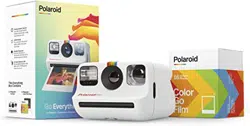
Go create with the pocket-sized analog
instant camera that’s made for big ideas.
Get to know every side of your camera,
learn how to take your rst photo, and nd
the solutions you need when you need
them. Go on, get out there.
We can’t wait to see what you create.
K
2

02
03
4. Shop instant lm
ThiscamerausesPolaroidGoinstant
lm.Youcanshopithere.
How To Take
Your First Photo
1. Turn on the Polaroid Go
PresstheON|OFFbuttonuntilthelm
counterdisplaylightsup.Thisdisplay
willshowhowmanyphotosareleft.
Itshouldbeat‘0’becausethereisno
lminthecamera.
2. Insert your lm pack
Slidethelmdoorbuttonacrossandpull
thedooropen.Matchthecoloronthelm
cassettewiththecolorindicatedonthe
camera.Holdthecassetteoneitherside
topreventdamagingthechemistrypods.
Slidethethicken
dofthecassettein
rstandletitdropintoplace.Leavethe
pulltabon,asyouwillneedthatlaterto
removetheemptylmpack.
Closethelmdooruntilitclicks.The
darkslidecoveredbythelmshieldwill
Getting Started
1. Open the box and check you
have the following items:
01 PolaroidGoCamera
02 MicroUSBChargingCable
03 QuickStartGuide
04 WristStrap
2. Charge the camera
Forsafetransportation,thePolaroidGo
won’tbefullychargedwhenyoureceive
it.Tochargeit,plugthemicroUSBend
ofthechargingcableintothesideof
thecamera,andtheUSB-Asideinto
aUSBwallcharger(5V/1A).Wedon’t
recommendchargingviaalaptop.
ThebatterylevelindicatorLEDwillblink
greenwhilethecameraispluggedinand
charging.ThisLEDwillturnoffoncethe
cameraisfullycharged.Afullcharge
throughawallsockettakesabout2
hours.AfullychargedPolaroidGowill
haveenoughpowertoshoot15packs
oflm,dependingonusage.Remember
toturnoffthecamerawhenyou’renot
usingittosavebatterylife.
3. Attach the wrist strap
01
eject.Removethedarkslideandallowthe
lmshieldtorollbackin.Thisretractable
shieldisdesignedtoprotectphotosfrom
lightastheydevelop,sodon’tremoveit.
Ifthedarkslidehasnotejected,remove
thelmpackandreinsertit.
Toensurethecameradisplaysthecorrect
numberofphotos,alwaysnishthelm
packbeforeinsertinganewone.Ifyou
decidetoswitchpacksanyway,beaware
thatthiswillexposeallthephotostolight,
andtheywillbeunusable.
3. Set the ash mode
Inanysituationwhereyouarenot
shootinginbright,directsunlight,we
recommendusingtheashtoachieve
thebestshots.That’swhytheashwill
triggerbydefaulteverytimeyoupress
theshutterbutton.Whentheashison,
aperiod(.)willappearnexttothenumber
onthelmcounterdisplay.Ifyouwant
toturnitoff—becauseyou’reoutsideon
abrightdayorwanttoplaywithanother
lightsource—presstheashbutton.The
periodonthelmcounterdisplaywill
nowdisappear.
4. Position yourself
Makesureyouareatleast45cm
(1.47ft)awayfromyoursubject.
5. Aim the camera at your subject.
ThePolaroidGousesaviewnderlocated
ontheleftsideofthelensbarrel.Toaim
atyoursubject,alignyoureyewiththe
viewnderbarrelandusetheimageyou
seetohelpcomposeyourshot.Beaware
thatyourphotowillnotreectexactly
whatyouseethroughtheviewnder.For
subjectscloserthan1.2m(5.24ft),adjust
youraimslightlyupandtotheleft.
It’spossibletofocusonyoursubject,
andthenrecomposeyourframe.Todo
this,half-presstheshutterbuttonto
lockfocusandexposure.Adjustyour
composition,andthenfullypressthe
shutterbuttontotakethephoto.Be
carefulnottocovertheash,ranging
sensors(thatsitbelowtheash),and
thephotoejectslotwithyourngers.
6. Press the shutter button
Thephotowillejectfromtheslotatthe
frontofthecameraassoonasyoulet
gooftheshutterbutton.Youwillsee
thatthephotowillbecoveredwitha
lmshieldtoprotectitfromlight.
7. Remove the photo
Leaveyourphotounderthelmshield
forabout5seconds.Gentlyliftthe
lmshieldsoitrollsbackintothe
camera.Removethephotoandplace
itfacedowntocontinueshieldingit
fromlightasitdevelops.Don’tshake
it!Checkthebackofyourlmpacket
forthecorrectdevelopingtimes.
8. Turn the camera off
PresstheON|OFFbuttontoturn
offthePolaroidGo.
How To Use Light To
Take Great Photos
Lightisyourbestfriendwhenitcomes
toanaloginstantphotography,sowe
recommendtoalmostalwaysusethe
ash.ThePolaroidGoashreaches
2m(6.56ft),soifyoursubjectisfurther,
yourashphotomayturnouttoodark.
Ifyou’reoutdoorsandyoursubjectis
beyondtheashrange,werecommend
keepingtheashoff.Thiswillprevent
thecamerafromadjustingitsaperture,
resultinginanunderexposedphoto.
Ifit’sasunnydayoutdoors,letthesun
beyourlightsource.Positionyourself
sothesunisbehindyou,faceyour
subjectside-ontoavoidashadow,turn
theashoff,andkeepthecameraas
steadyaspossible.
Special Features
Sele Mirror
ThePolaroidGoincludesabuilt-insele
mirror.Touseit,holdthecamerainyour
lefthandandcomposeyourseleusing
themirrorontherightofthecamera.
Trytopositionthecameraabout45cm
(1.47ft)awayfromyou.Pressthered
shutterbuttontotakeyourphoto.
Self-timer
Geteveryoneinthephotowiththe
PolaroidGoself-timer.Holdtheself-timer
buttonfor>2seconds.TheorangeLED
belowtheashonthefrontofthecamera
willturnon.Onceyouhaveframedyour
photo,presstheshutterbutton.The
orangeLEDwillblinktoindicatetheself-
timercountdown.Youhave9seconds
beforethephotoistaken.Ifyouchange
yourmind,youcancanceltheself-timer
byholdingitdownagainfor>2seconds.
Totakeaself-timerphotowithoutthe
ash,activatetheself-timerrst.Now
holdthesamebuttonfor<1secondto
disabletheash.Takeyourphoto.
Double Exposure
Combinetwoexposuresintheone
photowiththedoubleexposurefeature.
Doubletapthedoubleexposurebutton
tostart.Thelmcounterdisplaywill
blink‘1’.Youcannowtakeyourrst
exposure.Itwillthenblink‘2’asasignal
totakeyoursecondexposure.
Charging
AbovethemicroUSBslotsitsthe
batterylevelindicatorLED.Tocheck
batterylevel,turnthecameraon,and
matchtheLEDwiththetablebelow.
Battery Level
Indicator LED This means:
NoLight → Cameraisoff
Green → Charged
Orange → Mediumbattery
Red → Lowbattery
Tochargethecamera,plugthemicro
USBendofthechargingcableintothe
sideofthecamera,andtheUSB-Aside
intoaUSBwallcharger(5V/1A).Wedon’t
recommendchargingviaalaptop.Afull
chargethroughawallsocketusually
takesabout2hours.TheLEDlighttells
youhowmuchchargeisremaining.
Battery Level
Indicator LED This means:
NoLight → Cameraisfullycharged
Green →
Charging,batteryalmostfull
Orange →
Charging,batteryishalffull
Red → Charging,batteryislow
3

Cleaning
WhenyoutakeaPolaroidphotograph,
thelmispushedthroughtwometal
rollers.Thisiswherethedeveloper
pasteisspreadbetweenthenegative
andpositivecomponentsofthe
photograph.Iftheserollersaredirty,
thechemistrywillnotspreadevenly,
andcancausesmallmarksonyour
developedphoto.
Whenyourcamerahasnolm,turnit
offandopenthelmdoor.Lookfor
twometalrollersnearthelmeject
slot.Positionasoft,dampclothover
therollers,andholdtheashand
shutterbuttonstogethertomakethem
turn.Becarefulthattheclothdoesn’t
causeajam.Makesuretherollersare
drybeforeyouuseyourcameraagain.
Werecommendcheckingtherollers
betweeneverypackoflm,andto
cleanthemevery2-3packs.
Tocleanthelens,useamicrober
cloth.Thiswillavoidscratchesand
materialparticlesthatmayimpactthe
qualityofyourphotos.
Troubleshooting
1. My Polaroid Go won’t eject my
photo or darkslide.
Makesurethecameraischarged.The
batterylevelindicatorLEDwillblink
redifitdoesn’thaveenoughchargeto
operate.Ifthisisthecase,recharge
yourcamerathentryagain.Stillhaving
trouble?Checkhowmanyphotosyou
haveleft.Ifthelmcounterdisplay
shows‘0’,thismeansthatthereareno
photosleftinthelmpack.
2. The ash doesn’t re when
I take a photo.
ThePolaroidGohasadefaultash,so
itswitchesonassoonasyouturnon
thecamera.Ifit’snotring,pressthe
ashbuttonfor<1seconduntilyousee
aperiodappear(.)onthelmcounter
display.Becarefulthatyournger
doesn’taccidentallyturnofftheash
whenit’saimingfortheshutterbutton.
3. My photo turned out too dark.
Thereareafewpotentialsolutionsforthis.
Ifyou’reusingtheash,makesure
youdon’taccidentallycoveritwith
yourngers.
·Ifyou’reshootingoutside,avoid
directingthecameratowardsthesun.
Excessivelightmaycausethecamera
toovercompensatewhenexposingthe
photo,makingittoodark.
·Ifyou’retakingphotosinside,
rememberthatthePolaroidGohasa
ashlimitof2m(6.56ft).Ifyoursubject
isbeyondthat,yourphotomayalso
turnouttoodark.Ifyoudon’twantto
usetheash,ndanotherlightsource.
·Ifyou’rehalf-pressingtheshutterbutton
toplaywithyourcomposition,remember
thathalf-pressingalsolocksexposure,
notjustfocus.Sothecamerawillbase
exposureontherstlightreading.
4. My photo turned out blurry
or fuzzy.
Makesureyouareatleast45cm
(1.47ft)awayfromyoursubject.When
shooting,holdthecamerasteady
(especiallyinlowlightconditions),use
astronglightsourcetoilluminateyour
subject,andkeepyourngersaway
fromthecamera’ssensors,whichare
positionedundertheash.
5. The lm counter display shows
the wrong number.
Thedisplayresetsto‘8’eachtimea
cassetteisinserted.Ifapartiallyused
cassetteisinserted,thecamerawill
display‘8’andcountdownaseach
photoistaken.Whenyounextinserta
fulllmpack,thecounterwillcorrectly
show‘8’remainingphotos.
6. I took the rst shot of a double
exposure photo, but I changed
my mind.
Switchoffyourcamera,andthenpress
andholddowntheshutterbutton.
Switchonthecameraagainandthe
lmcountwilldisplay‘-’.Continueto
holdtheshutterbuttonforover10
secondsuntilthelmisejected.
7. I’ve opened the lm door by
accident. Now what?
Thesethingshappen.Thismeans
yournextphotographmaynowbe
overexposed.Takeaphototoremove
itfromthepack.Takeanotherto
seeiftherestofyourlmisingood
condition.Ifnot,insertanewlmpack.
Can’tndwhatyou’relookingfor?
Browse our frequentlyaskedquestions.
Customer Support
We’reheretohelp.
Getintouchusingthedetailsbelow.
USA/Canada
usa@polaroid.com
+12122193254
Europe/Rest of World
service@polaroid.com
00 800 577 01500
Polaroid International B.V.
1013APAmsterdam
TheNetherlands
Formoredetailedandup-to-date
informationvisitpolaroid.com/help.
Warranty
Youcanndthewarrantyforthe
PolaroidGohere:
polaroid.com/warranty
Technical
Specications
General
Dimensions
105mm(L)×83.9mm(W)×61.5mm(H)
Weight
242grams(withoutlmpack)
OperatingTemperature
40–108°F/4–38°C,
5–90%relativehumidity
CompatibleFilm
PolaroidGolm.
Battery
Highperformancelithium-ionbattery,
750mAh,3.7Vnominalvoltage,2.7Wh
Materials
Outershells
Polycarbonate+ABSplastics
Lens
Polycarbonateresin
Optical System
Lens
Fixedfocuslens
Focallength
51.1mm
Fieldofview
Diagonal65.1°,horizontal48.1°,
vertical49.1°
Shutterspeed
1/250-1.0sec
Aperture
F12andF52
Flash System
Vacuumdischargetubestrobe
4

Safety Information
Caution Risk of electric shock — Do not
open/ Disassemble the motorized roller
system
• Donotdisassemblethedevice.Incorrect
reassemblycancauseelectricalshockifthe
deviceisusedagain.
• Donotimmersethedeviceinwaterorother
uids.
• Donotoperatethedeviceinahighhumidity
environmentorverydustyenvironments.
• Donotattempttotamperwith,adjustorremove
thebatteryand/ortheelectronicslocatedbelow
therollersbehindthedevice’slmdoor.
• Donotattempttoremovethedooritselfasit
isconnectedelectronicallytothebodyofthe
device.Doingsoisunsafe,willlikelydamage
yourdevice,andwillvoidyourwarranty.
• Donotinsertmetalobjectsintothedevice.
• Donotinsertanyobjectsintotherollersor
gears.
• Keepsmallchildrenandinfantsawayfrom
devicetoavoidthembeinginjuredbythe
device’smovingparts.
• Donotuseorstorethedevicenearanyheat
sourceoranytypeofequipmentthatgenerates
heat,includingstereoampliers.
• Donotusethedevicenearammableor
explosivegases.
• Donotchargethedeviceifyounoticeany
unusualodors,noiseorsmoke.
• Donotcovertheash.
Battery & Charger
• Thisdeviceusesacustomlithium-ionbattery
thatisnon-removableandmountedinsidethe
camerabody.Noothertypeofbatterycanbe
used.Batteryreplacementcanonlybedone
byauthorizedservicecenters.Thebatterywill
providemanyyearsofserviceifproperlyused.
• Powerconsumptionvariesdependingonthe
environmentthedeviceisusedinandhowthe
devicehasbeenstored.Usedimmediatelyafter
fullcharge,thebatterywillpowertheprocessing
ofupto15lmpacks.
• Oncethebatteryenergylevelfallsbelowa
certainlevel,thedevicewillnolongerprocess
lm.TheLEDwillblinkandsignalwhenitneeds
toberecharged.Thisistoavoidaphotogetting
stuckasitisbeingprocessedthroughtheroller
system.
• Therechargeablebatteryisnotfullychargedat
thetimeofpurchase.Chargethebatteryfully
withtheUSBchargingcable(provided).This
usuallytakes1,5hours(canvarydependingon
usage).
• Thesuppliedbatterychargingcablehasbeen
testedtoworkwiththeAppleiPhonepower
adaptors.WhileitcanbeusedinotherUSBports
e.g.computer,USBpoweradaptors,TVs,cars
etc.,correctoperationcannotbeguaranteed.
• Whenthedeviceisnolongerinuse,please
recycleitproperly.
Usage Environment
• Toprotectthehigh-precisiontechnology
containedinthisdevice,neverleavethe
camerainthefollowingenvironmentsfor
extendedperiodsoftime:hightemperature
(+42°C/108°F),highhumidity,placeswith
extremechangesintemperature(hotandcold),
directsunlight,sandyordustyenvironments
suchasbeaches,dampplaces,orplaceswith
strongvibrations.
• Donotdropthedeviceorsubjectittosevere
shocksorvibrations.
• Donotpush,pullorpressonthelenssurface.
Stickers
• Donotplacethestickersonanypartsofthe
PolaroidGothatareinvolvedintheprocessof
takingandejectingapicture.
End of life disposal warning: When the product has come to the end of life, dispose of it in accordance with local regulations. This product is subject to the EU
directive 202/96/EC on Waste Electrical and Electronic Equipment (WEEE) and should not be disposed as unsorted municipal waste.
Made in China for and distributed by Polaroid International B.V., 1013 AP, Amsterdam, The Netherlands. The POLAROID word and logos (including the Polaroid
Classic Border Logo) and Polaroid Go are protected trademarks of Polaroid.
Fabriqué en Chine pour et distributé par Polaroid International B.V., 1013 AP, Amsterdam, Pays-Bas. Le mot et les logos POLAROID (y compris le Polaroid Classic
Border Logo) et Polaroid Go sont des marques protégées de Polaroid.
© 2022 Polaroid. All Rights Reserved.
Compliance
Important directions for using
Lithium–Ion Batteries
1. Donotthrowintore.
2. Donotshortcircuit.
3. Donotdisassemble.
4. Donotcontinuetousewhendamaged.
5. Disposecorrectlyafteruse.
6. Keepawayfromwater.
7. Donotchargewhenthetemperature
isbelowfreezing.
EU Declaration of Conformity
Hereby,PolaroidInternationalB.V.declares
thatthePolaroidGoanaloginstantcameraisin
compliancewiththeessentialrequirementsofthe
ElectromagneticCompatibilityDirective(2014/30/
EU),LowVoltageDirective(2014/35/EU)and
RoHsDirective(2011/65/EU)andotherrelevant
provisions,whenusedforitsintendedpurpose.
FCC Compliance Statement
ThisdevicecomplieswithPart15oftheFCC
Rules.Operationissubjecttothefollowingtwo
conditions:(1)thisdevicemaynotcauseharmful
interference,and(2)thisdevicemustacceptany
interferencereceived,includinginterferencethat
maycauseundesiredoperation.
Caution Theuseriscautionedthatchanges
ormodicationsnotexpresslyapprovedbythe
partyresponsibleforcompliancecouldvoid
theuser’sauthoritytooperatetheequipment.
Thisequipmentmustnotbeco-locatedor
operatedinconjunctionwithanyotherantennaor
transmitter.
Note Thisequipmenthasbeentestedand
foundtocomplywiththelimitsforaClassBdigital
device,pursuanttopart15oftheFCCrules.
Theselimitsaredesignedtoprovidereasonable
protectionagainstharmfulinterferenceina
residentialinstallation.Thisequipmentgenerates,
usesandcanradiateradiofrequencyenergyand,
ifnotinstalledandusedinaccordancewiththe
instructions,maycauseharmfulinterference
toradiocommunications.However,thereisno
guaranteethatinterferencewillnotoccurina
particularinstallation.Ifthisequipmentdoes
causeharmfulinterferencetoradioortelevision
reception,whichcanbedeterminedbyturningthe
equipmentoffandon,theuserisencouragedto
trytocorrecttheinterferencebyoneormoreof
thefollowingmeasures:
• • Reorientorrelocatethereceivingantenna.Reorientorrelocatethereceivingantenna.
• • Increasetheseparationbetweenthe Increasetheseparationbetweenthe
equipmentandreceiver.equipmentandreceiver.
• • ConnecttheequipmentintoanoutletonaConnecttheequipmentintoanoutletona
circuitdifferentfromthattowhichthereceivercircuitdifferentfromthattowhichthereceiver
isconnected.isconnected.
• • Consultthedealeroranexperiencedradio/TVConsultthedealeroranexperiencedradio/TV
technicianforhelp.technicianforhelp.
ThisequipmentcomplieswithFCCradiation
exposurelimitssetforthforanuncontrolled
environment.Endusermustfollowthespecic
operatinginstructionsforsatisfyingRFexposure
compliance.
Industry Canada (IC)
Thisdevicecomplieswithpart15oftheFCC
RuleandIndustryCanadalicense–exempt
RSSstandard(s).Operationissubjecttothe
followingtwoconditions:(1)Thisdevicemay
notcauseharmfulinterference,and(2)this
devicemustacceptanyinterferencereceived,
includinginterferencethatmaycauseundesired
operation.Lepresentappareilestconforme
auxCNRd’IndustrieCanadaapplicablesaux
appareilsradioexemptsdelicence.L’exploitation
estautoriséeauxdeuxconditionssuivantes:
(1)l’appareilnedoitpasproduiredebrouillage,
et(2)l’utilisateurd’appareildoitacceptertout
brouillageradioélectriquesubi,mêmesile
brouillageestsusceptibled’encompromettrele
fonctionnement.
Thesymbolmeansthataccordingtolocal
lawsandregulationsyourproductshouldbe
disposedofseparatelyfromhouseholdwaste.
Whenthisproductreachesitsendoflife,takeit
toacollectionpointdesignatedbylocal
authorities.Somecollectionpointsaccept
productsforfree.Theseparatecollectionand
recyclingofyourproductatthetimeofdisposal
willhelpconservenaturalresourcesandensure
thatitisrecycledinamannerthatprotects
humanhealthandtheenvironment.
Polaroid International B.V.
1013 AP Amsterdam
The Netherlands
5
R-R-IBV-GO