
1000Watts
Model: JVM1660
JVM1661
Profile
SpacemakerXLMicrowave Oven
Owner'sManual
Important Safety Information
2
C
Operating Instructions
7<7_' ;uu/_7_f7
!i
2_
]%
Helpful Information
141
m
If Something GoesWrong
GEAnswer Center@
800.626.2000
GEAppliances
www.geappliances, corn
PartNo.164D3370P107
Pub.No.49-40110
02-00 (JR)
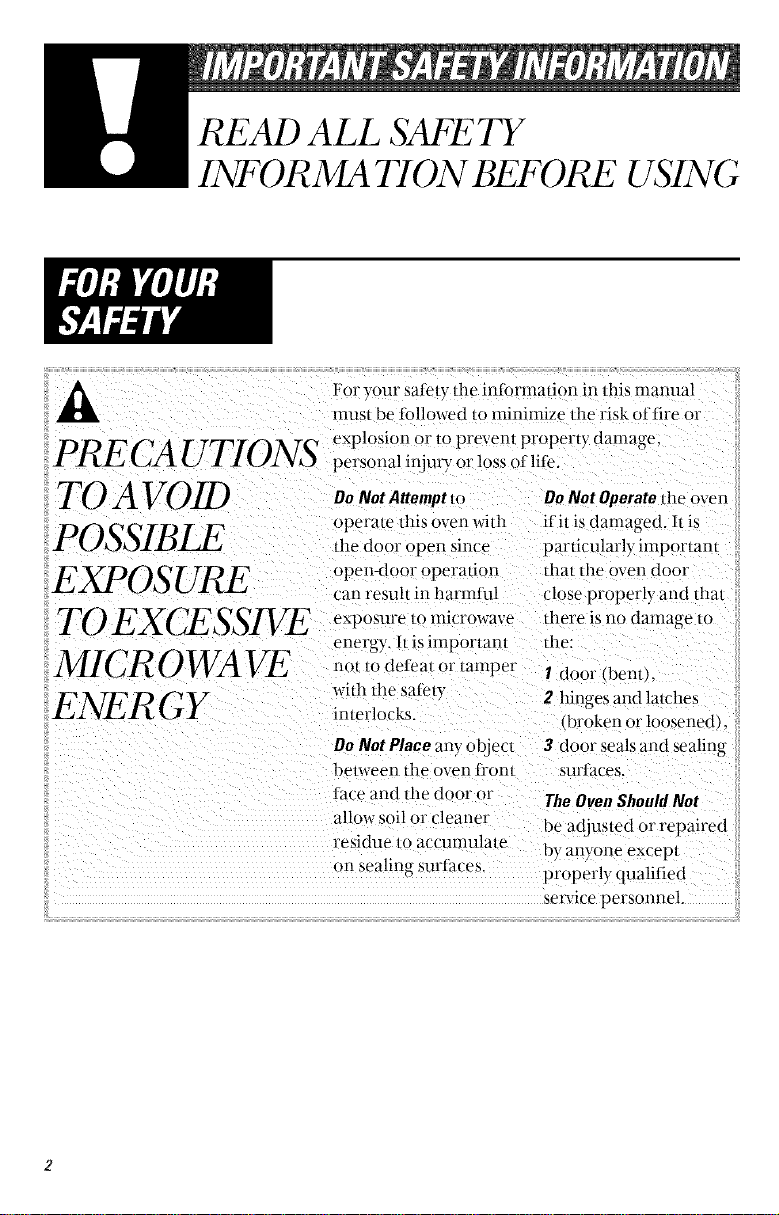
READ ALL SAFETY
INFORMATION BEFORE USING
For your sale/v/l_e intbrmalion in this manual
mus/be fbllowed/o minimize the risk of fire or
PRE CA TrTIONS _plosionor,opr_ven_proper_ydamage
!.A. (_J tJx _ personal injmT or loss of life.
TO A VOID
POSSIBLE
TO EXCESSIVE
DoNotAttemptm DoNotOperatedie oven
operate dlis oven widl if il is damaged. 11is
die door open since particularly' important
open<loor operalion thai lhe oven door
tan result in harmti_l close pr(_ perly and dial
exposure 1o microwave there is no damage lO
energy, h is important the:
MICROWAVE n°t m defl_at °r tamper I door (bern),
wid_ fl_e sate_y 2 hinges and lalches
ENER GY ir.erlock_.
broken o_ loosenedk
Do Not Place any objeo 3 door seals and sealing
l)elween lhe oven J[I'on| surlace_.
f_ .'eand tl_edoor or The OvenShouldNot
allow soil o1"cleaner be adjusled or repaired
residue to accunmlate by anyone excepl
on sealing surtaces.
properly qualified
service personnel.
WelcometotheGE_amilw
We'reproudofourqualit3
prodn(tsandwebelieve
independableservi(e.
YotFlIseeitinthiseas}-to-
use Ulalltlal alld '_o1.1'11 hear
it in the l_'iendl)voices of
Oily consllFiler service
deparmlem.
Best of alI, you'll
experience these values
each time veil 1.iseyour
microwave. Th at' s
importam, because your
new microwave wilI be part
o_ }ou[" famil} tot a lonp£
time.
Start Here/...B@re using your Microwave
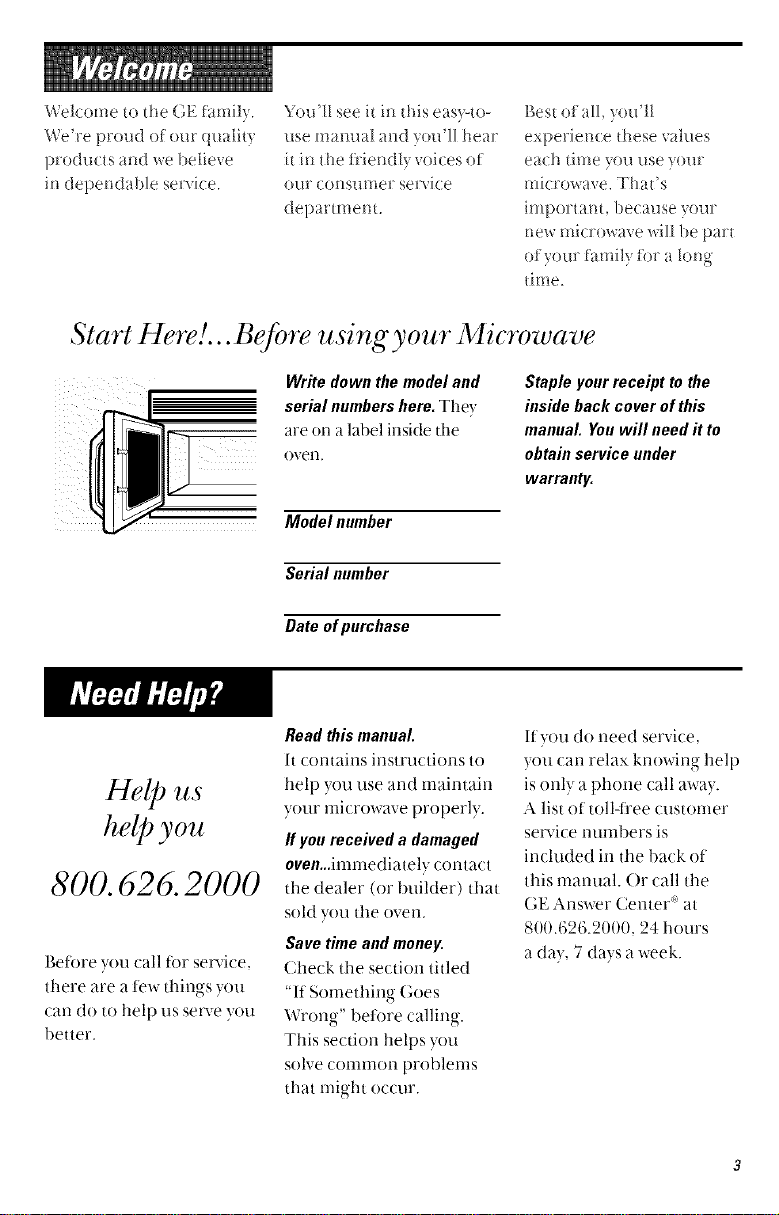
Write down the model and
_ serial numbershere.The-,
are on a label inside the
oven
Model number
Staple your receipt to the
inside back cover of this
manual. You will need it to
obtain service under
warranty.
Serial number
Date of purchase
Help lzs
help you
800. 626. 2000
P,efore you call tor service.
there are a tew things )ou
can do to help us serve you
better.
Readthismanual.
It (orltaixls ixlstrtlctiorls to
help you use and maintain
your microwave properly.
If you received a damaged
oven...imrnediately ((intact
the dealer (or builder) that
sold you the oven.
Save timeand money.
Check the se(tion titled
"If Something Goes
Wron_,-" before calliw,-
This section helps you
solve common problems
that might occur.
If you do need service,
you can relax knowing help
is only a phone call away.
A list of toll-t]'ee customer
service numbers is
included in the back ot
this manual. Or call the
GE Answer CenteF at
800.626.2000, 24 hours
a day, 7 clays a week.
READ ALL SAFETY
INFORMATION BEFORE USING
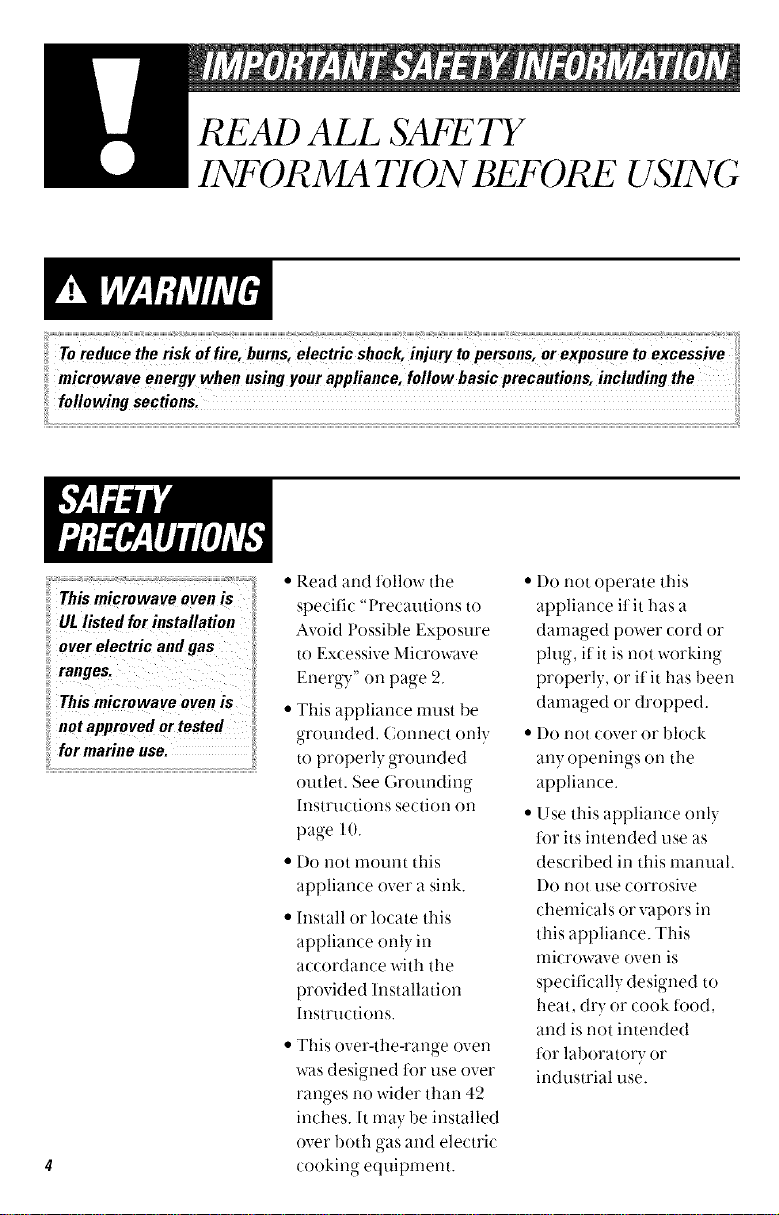
Thismicrowave ovenis
ULlistedfor installation
overelectric and gas
ranges.
Thismicrowave ovenis
notapprovedortested
formarine use,
• Read and follow the
specific "Precautions to
Avoid PossiMe Exposure
to Excessive Microwave
Enerov"_. on page 2.
• This appliance must be
grounded. Coru-lect (mlv
to properl} grounded
outlet See (;roundino-
lnstrtlctions section Oil
page l 0.
• Do not mount this
appliance over a sink.
• Install or locate this
appliance only in
accordance with the
provided Installation
Instructions.
• This over-the-range oven
was designed for use over
ranges no wider than 42
inches. It may be installed
over both gas and electric
cooking equipment.
• I)o not operate this
appliance if it has a
damaged power cord or
plug, if"it is not working
properly, or if it has been
damaged or dropped.
• I)o not cover or bh)ck
all,,', O l)enin°s,.-c on tile
appliance.
• Use this appliance only
for its intended use as
described in this manual.
I)o not use corrosive
chemicals or vapors in
this appliance. This
microwave oven is
specificall} designed to
heat, dry or cook ti)od,
and is not intended
for laboratory or
industrial use.
L!].
• Do not store this
appliance outdoors. Do
not use this product near
water-fi_r example, in a
wet basement, near a
swimming pool or near
a sink.
• Keep power cord away
t_'om heated surtaces.
• Do not immerse power
cord or plug in water.
• To reduce tile risk of fire
in the oven cavity:
- I)o not overcook tood.
Careliflly attend
appliance if paper,
plastic or other conl-
bustible materials are
placed inside the oven
while cookir N.
-- Renlove wire twist-ties
and metal handles ti'om
paper or plastic con-
tainers bet0re placing
them in the oven.
- I)o not use tile oven
for storage purposes.
l)o not leave paper
products, cooking
utensils or ti)od in the
oven when not in use.
-- 1t materials inside oven
should ignite, keep ttle
oven door closed, turn
the oven off and
disconnect the power
cord, or shut ott power
at the ti.lse or circuit
breaker panel. If the
door is opened, the fire
may spread.
• See door surface cleaMng
instructions in the Care
and CleaMng section (s)
ot this manual.
• This appliance should
be serviced only by
qualified service
personnel. Contact
nearest authorized
service t_lcility tor
examination, repair
or a(!jusunent.
• As with any appliance,
close supervision is
necessmT when used
by children.
SAVE THESE INSTRUCTIONS
m
SPECIAL NOTES AB OUT MICR OWA V1NG
Arcing is the rnicrowave
If yousee arcing,press term tor sparks in the oven.
Arcing is caused by
• The temperature probe
in the microwave but not
inserted in the food.
• The metal shelf not
installed correctly so it
touches the nlicrowave
wall.
• Metal or foil touching tile
side ot the oven.
• Foil not molded to tood
(upturned edges act like
alltellnas).
• Metal, such as twist-ties,
poult D pins, or gold-
rimmed dishes, in the
Illicrowave,
• Recycled paper towels
containing small metal
pieces being used in the
microwave,
• Do not pop popcorn in
your nlicrowave ovell
unless in a special
microwave popcorn
accessory or unless you
use popcorn labeled tor
use ill microwave ovens.
• Some products such as
whole eggs and sealed
containers-tor example,
closed jars will explode
and should not be heated
in this microwave oven.
Such use of the microwave
oven could result in i_jm)'.
• I)o ilot boil eggs in a
microwave ovell. Pressure
will build up inside egg
yolk and will cause it to
burst, possibly resulting
in injury.
• ()perating tile microwave
with no tood inside for
more than a mimlte or
txtx)may cause damage to
the oven and could start a
fire. It increases the heat
around tile magnetron
and can shorten the lite
ot the oven.
• Foods with unbroken
outer "skin" such as
potatoes, hot dogs,
sausa¢es tomatoes.
apples, chicken livers
and other giblets, and
egg yolks should be
pierced to allow steam
to escape during cooking.
I!1
FACT
SUPERHEATEDWATER
Microwaved water and
otherliquidsdonot
always bubble when
theyreach theboiling
point. Theycanactually
getsuperheatedandnot
bubbleat all,
Superheated liquid will
bubble up out of the cup
when it is moved or
when something like a
spoon or tea hag is put
into it.
To prevent this frmn
happening and causing
injury, do not heat any
liquid for more than 2
minutes per cup. After
heating, let the cup
stand in the microwave
for 30 seconds before
moving it or putting
anything into it.
• Avoid heating baby food
ln¢l s "
• g ais lars, even with the
lid oil. Make sure all
infaru food is thoroughly
cooked. Stir tood to
distribute the heat
evenly. Be careful to
prevent scaldirlg when
warrning forrnula or
breast milk. The container
may teel cooler than the
milk really is. Always test
tile milk before teedino-
tile baby.
• Spormmeous boiling-
Under certain special
circumstances, liquids
rna_, start to boil during
or shortly atier removal
ti'om the microwave oven.
To prevent burns t_'om
splashing liquid, we
recommend the tollowing:
before removing tile
container ti'ol-n the oven,
allow the container to
stand in the oven t0r 3(1
to 4(1seconds atier the
ovell has shllt off, Do llOt
boil liquids in narrox_=
necked containers such
as SOildrink botdes, wine
flasks and especially
narro_=necked cotDe
cups. Even if the
container is opened,
excessive steam can build
up and cause it to burst
or overflow.
• Don't defl'ost t_'ozen
beverages irl IlaYrow-
necked bottles (especially
carb()nated beverages).
Even if the container is
opened, pressure can
build up. This can cause
the container to burst,
possibly resuhing in
irljuI)-.
• Hot t6ods and steam
can cause burns. Be
careful when opening
any containers of hot
t0od, including popcorn
bags, cooking pouches
and boxes. To prevent
possible i_!iury, direct
steanl away ti'ol-n hands
and titce.
• I)o not overcook
potatoes. They could
dehydrate and catch
fire, causing damage to
your oven.
• Cook meat and poult D-
thoroughl}-meat to at
least an INTERNAL
temperature of 160°F.
and poultry to at least an
INTERNAL temperature
ot 180°F. ('ookino to
these temperatures
usually protects against
toodborne illness,
m
SPECIAL NOTES AB OUT MICR OWA V1NG
Make sure all cookware
used in yotlr microwave
oven is suitable for
microwavir_g. Most glass
casseroles, cooking dishes,
measurirlg cups, custard
/_]ps, pottery or china
dinne]avare which does not
have metallic trim or glaze
with a metallic sheen can
be used. Some cookware is
labeled "suitable t0r
microwavir]g."
How to test for a microwave-
safe dish.
• Ityou are ]lot st]re ifa
dish is microwave-safe,
use this test: ['lace in the
oven both tile dish you
are testinc and a glass
measuring cup tilled with
1 cup of water-set tile
measuring cup either in
or next to the dish.
Microwave 1 minute at
high. If the dish heats, it
should not be used t0r
microwaving.
If tile dish remains cool
and only tile water in the
cup heats, then the dish
is microwave-sate.
• If you llse a meat ther-
mometer while cookin ,
make sure it is safe for
llSe ill microwave ovens.
• Do ]lot use recycled
paper products. Recycled
paper towels, napkins
and waxed paper can
contain metal flecks
which ma) cause arcing
or ignite. Paper products
contaiMng nylon or
nylon tilaments should
be avoided, as they may
also ignite.
• Some St}Totoam trays
(like those that meat is
packaged on) have a thin
strip ot metal embedded
in the bottonl. When
microwaved, tile metal
can burn tile floor of tile
oven or ignite a paper
towel.
• Do not use tile microwave
to dry newspapers.
• Not all plastic wrap is
suitable t0r use in micro-
wave ovens. Check the
package for proper use.
• Paper towels, waxed
paper and plastic wrap
can be used to cover
dishes in order to retain
moisture and prevent
spattering. Be sure to
vent plastic wrap so steam
can escape.
• Cookware may become
hot because of heat
transterred ti'om tile
heated food. F'ot holders
may be needed to handle
tile cookware.
• "Boilable" cooking
pouches and tightl)
closed plastic bags shouM
be slit, pierced or vented
as directed b) package. If
they are not, plastic could
burst during or immed-
iately atier cooking,
possibly resuhing ill injuly.
Also. plastic storage
containers should be at
least partially uncovered
because they form a tight
seal. When cooking with
containers tightl) covered
with plastic wrap, remove
covering careflflly and
direct steam away tl'om
hands and tace.
I!1
• Use foil only as directed
in this manual. TV
dinners may be
microwaved in toil trays
less than ,2 - •
•/4 tngh;
remove tile top fifil cover
and return the tray to tile
box. When using toil in
the nlicrowave oven,
keep ttle foil at least
1 inch away t]'om ttle
sides of ttle oven.
• Plastic cookware--Plastic
cookware designed for
nlicrowave cooking is ve D
useflll, but should be used
carefiflly. Ever) microwave-
salt plastic may not be as
tolerant of overcooking
conditions as are glass or
ceranlic materials and
nlay soften or char if
subjected to short periods
of overcooking. In longer
exposures to over-
cooking, the tood and
cookware could ignite.
Follow these guidelines:
I Use microwave-safe
plastics only and use
thenl in strict compliance
with tile cookware
manuf_tcturer's
reconmlendations.
2 I)o not nlicrowave erupt}
containers.
3 l)o not permit children
to use plastic cookware
without complete
supervision.
Tile f'an Mll operate
automatically tinder
certain conditions (see
Automatic Fan feature).
Take care to prevent the
startin , and spreading of
0
accidental cooking" fires
o
while the vent fan is in use.
• (;lean the underside of
tile microwave often. I)o
not allow grease to build
up oil tile microwave or
the tiul filters,
• Ill tile event of a grease
fire on tile surl_tce units
below tile microwave
oven. snmther a flaming
pan on tile surf ate unit
bvc( ver 11o tile )all
• o 1
completely with a lid, a
cookie sheet or a flat tray,
• Use care when cleanino
tile vent tiul filters.
Corrosive cleaning
agents, such as lye-based
oven cleaners, may
danlage tile filters.
• When preparing
flaming foods under
tile microwave, ttlrn tile
vent fan on.
• Never leave surt_tce units
beneath your microwave
oven unattended at high
heat settings. Boilovers
cause snloking and greasy
spillovers that may ignite
and spread if tile
nlicrowave vent f_ll-i is
operating. To minimize
automatic Pan operation,
use adequate sized
cookware and use high
heat on surt_tce units olllv
when necessai T.
GR0 bWD1NG1NSTR UCTIONS/Ot IONAL KITS
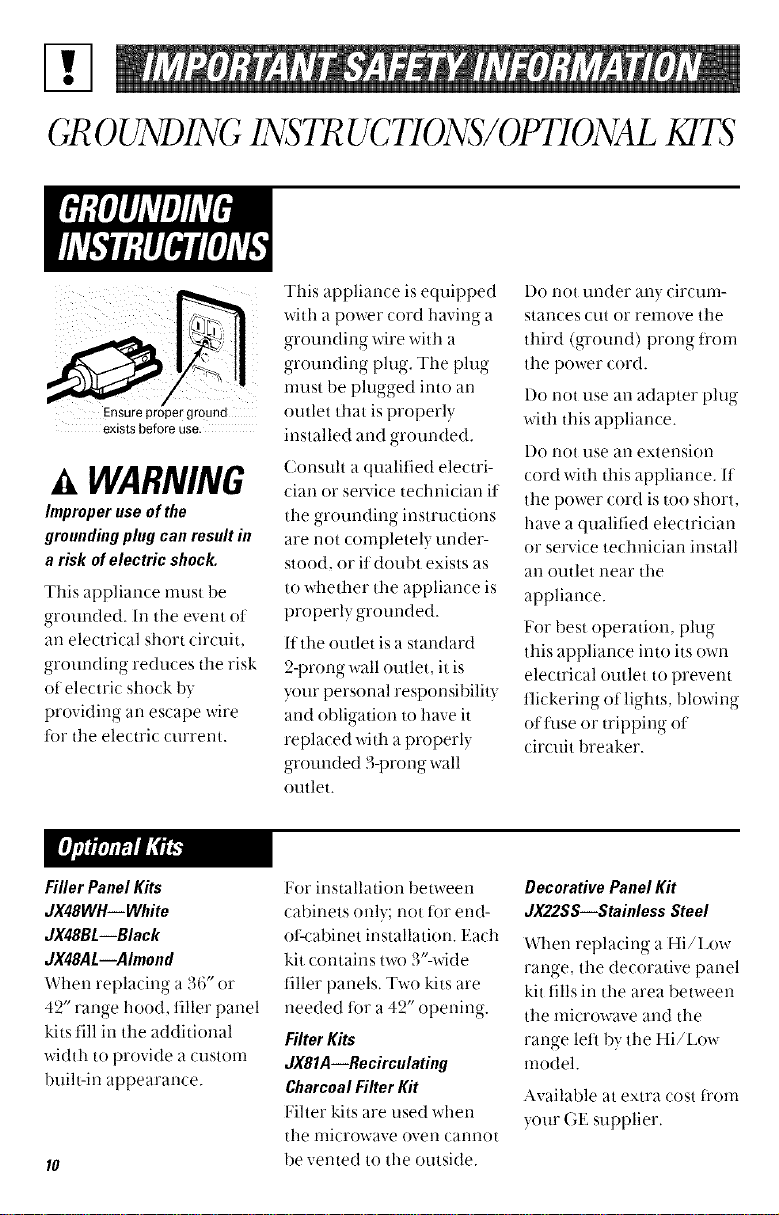
Ensure proper ground
exists before use.
A WARNING
hnproper use of the
grounding plug can result in
a risk of electric shock,
This appliance must be
grounded. In the event ot
an electrical short circuit,
groundinc reduces the risk
, o
of electric shock by
providing an escape wire
for the electric current.
This appliance is equipped
with a power cord haviw,- a
o
grounding wire with a
grounding phtg. The phtg
nmst be plugged into an
outlet that is properly
installed and grounded.
Consuh a qualified electri-
cian or service technician it
the grounding instructions
are not completely under-
stood, or it doubt exists as
to whether the appliance is
properly grounded.
If the outlet is a standard
2-prong wall outlet, it is
ymr personal responsibility
and obligation to have it
replaced with a properly
grounded 3-prong wall
outlet.
l)o not under any circum-
stances cut or remove the
third (ground) prong fl'om
the power cord.
l)o not use an adapter plug
with this appliance.
l)o riot rise an extension
cord with this appliance. It
the power cord is too short,
have a qualified electrician
or service technician install
an outlet near tile
appliance.
For best operation r_lu_,
this appliance into its own
electrical outlet to prevent
t]ickering of lights, blowing
ot fltse or tripping ot
circuit breaker.
Filler Panel Kits
dX48WH--White
dX48BL--Black
dX48AL--Ahnond
When replacing a 36" or
42" range hood, filler panel
kits fill in the additional
width to provide a custom
built-in appearance.
For installation bem-een
cabinets only; not tor end-
ot<'abinet installation. Each
kit contains t_x) 3'%vide
filler panels. Two kits are
• , 9 tt -
needed tor a 4_ opening.
FilterKits
JX81A--Recirculating
CharcoalFilter Kit
lqher kits are used when
tile nlicrowave oven camlot
be vented to the outside.
DecorativePanel Kit
dX22SS--Stainless Steel
When replacing a Hi/Low
ranoye the decorative panel
kit fills in the area between
the microwave and the
ranoe left by tile Hi/Low
model.
Available at extra cost ti'om
your GE supplier.
Features of Your Microwave
(Throughout this manual,/kat'ures arid a]Jpea_m'lce
may vau fiwn yo'm modal•)
0
O /T777777y77_
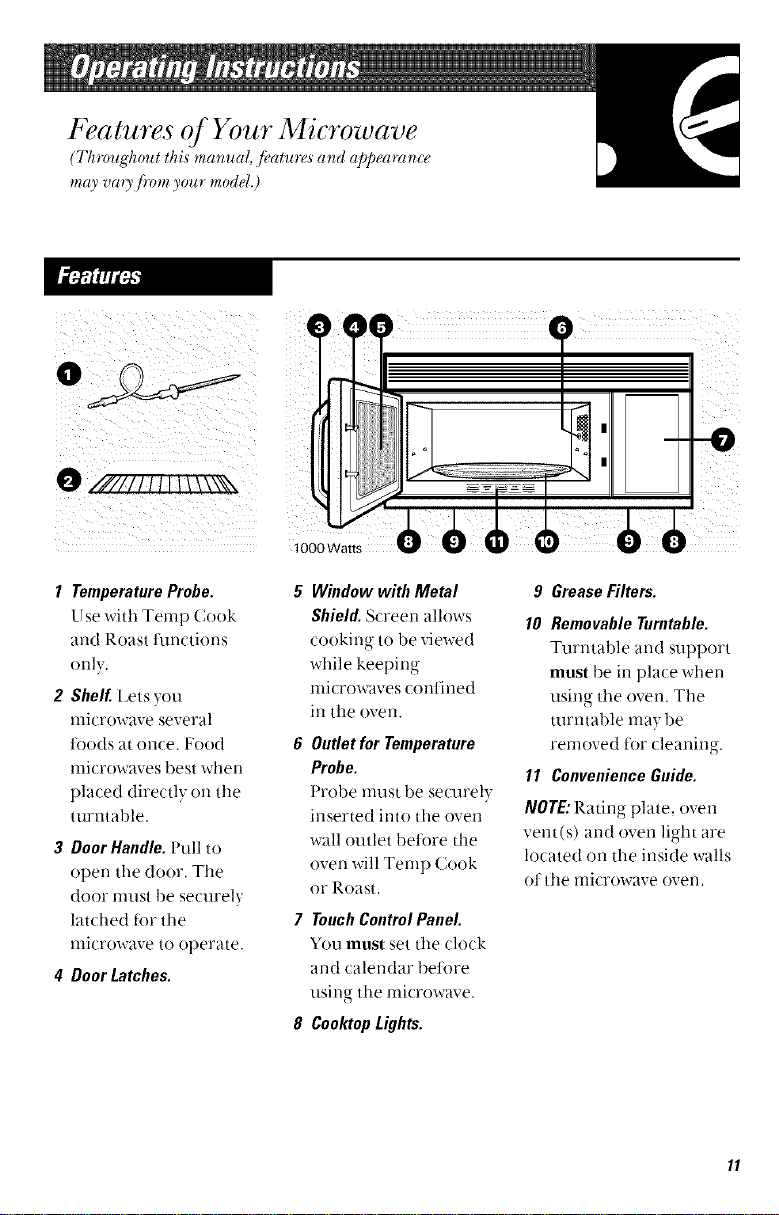
1 TemperatureProbe•
Use with Temp Cook
and Roast functions
only.
2 Shelf, Lets you
nlicrowave several
toods at once. Food
microwaves best when
placed directly on tile
turntable.
3 Door Handle. Pull to
open the door. Tile
door nmst be securely
latched tor the
microwave to operate.
4 DoorLatches.
\ II
iI
5 Window with Metal
Shield. Screen allows
cooking to be viewed
while keeping
nlicrowaves conthled
in tile oven.
6 Outletfor Temperature
Probe.
Probe nmst be se/mely
inserted into the oven
wall outlet betiwe the
oven will Temp Cook
or Roast.
7 TouchControlPanel
You must set tile (lock
and calendar betore
using the microwave.
8 Cool(topLights.
9 Grease Filters.
10 RemovableTurntable.
Turntable and support
must be in place when
using tile oven. Tile
turntable nlay be
removed tor cleaning.
11 ConvenienceGuide.
NOTE"Ratino plate, oven
vent(s) and oven light are
located on the inside walls
(1ttile microwave oven.
The Cont_rols on Your Microwave Oven
(Th_mghout tlzi,sm_mual, J_atu_s _'ld appealing'Icemay _oao,Jmm your modeL)
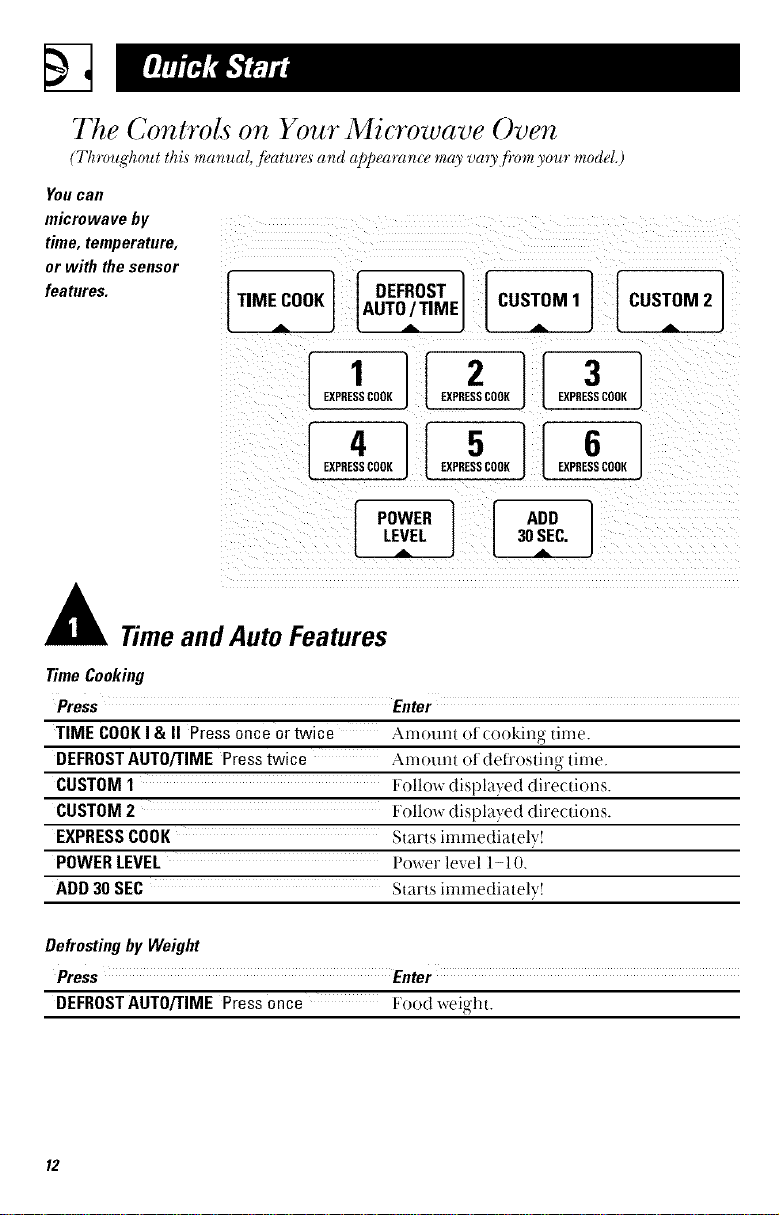
You Call
microwave by
time,temperature,
or with thesensor
features.
[TIME COOK] IAUT0_/TIMEI[DEFROST I CUSTOM1 CUSTOM2
POWER ]
LEVEL
"DD1
30SEC.
Time and Auto Features
TimeCooking
Press Enter
TIME COOKI & II Pressonce or twice Amount of (ooking- time.
DEFROSTAUTORIME Press twice Amotmt oI (tefi'osting time,
CUSTOM1 Follow displayed directions.
CUSTOM2 Follow displayed directions.
EXPRESSCOOK Starts immediately!
POWERLEVEL Power level l-I 0.
ADD 30 SEC Starts immediately!
Defrosting by Weight
Press Enter
DEFROST AUT0/TIME Press once Food weight.
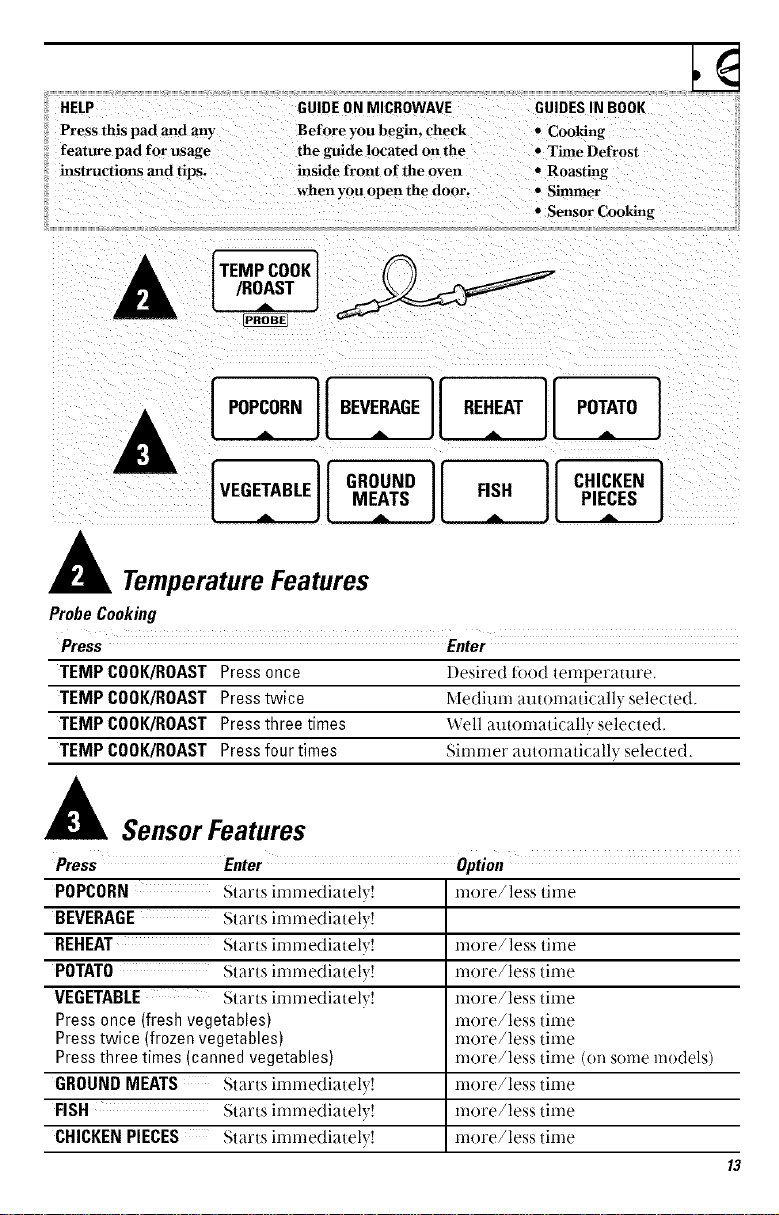
HELP
Press this pad and arty
feature pad for osage
instructions and tips.
GUIDE ON MICROWAVE
Before you begin, check
the gttide located on the
inside front of the oven
when you open the door.
GUIDES IN BOOK
• Cooking
• Time Defrost
• Roasting
• Simmer
• Sensor Cooking
TEMPCOOK1
/ROAST I _.._r_ _-----'_-
J
[ POPCORN] I BEVERAGE]1.,. _,. REHEAT.= POTATOA]
wo:,o, lloooo,o11 I
MEATS FISH PIECES
TemperatureFeatures
ProbeCooking
Press Enter
TEMP COOK/ROAST Press once l)esired food temperature,
TEMP COOK/ROAST Presstwice Medium automatically selected
TEMP COOK/ROAST Pressthree times Well autornatically selected
TEMP COOK/ROAST Pressfour times _irllrllei" autonaatically selected.
SensorFeatures
Press Enter option
POPCORN Starts immediatel} ! more/less time
BEVERAGE Starts immediatel} !
REHEAT Starts immediatel} ! more/less time
POTATO Starts immediatel} ! more/less time
VEGETABLE Starts immediatel} ! more/less time
Pressonce (fresh vegetables) more/less time
Presstwice (frozen vegetables) more/less time
Pressthree times (canned vegetables) more/less time (on some models)
GROUNDMEATS Starts immediatel} ! more/less time
FISH Starts immediatel} ! more/less time
CHICKENPIECES Starts immediatel} ! more/less time
13
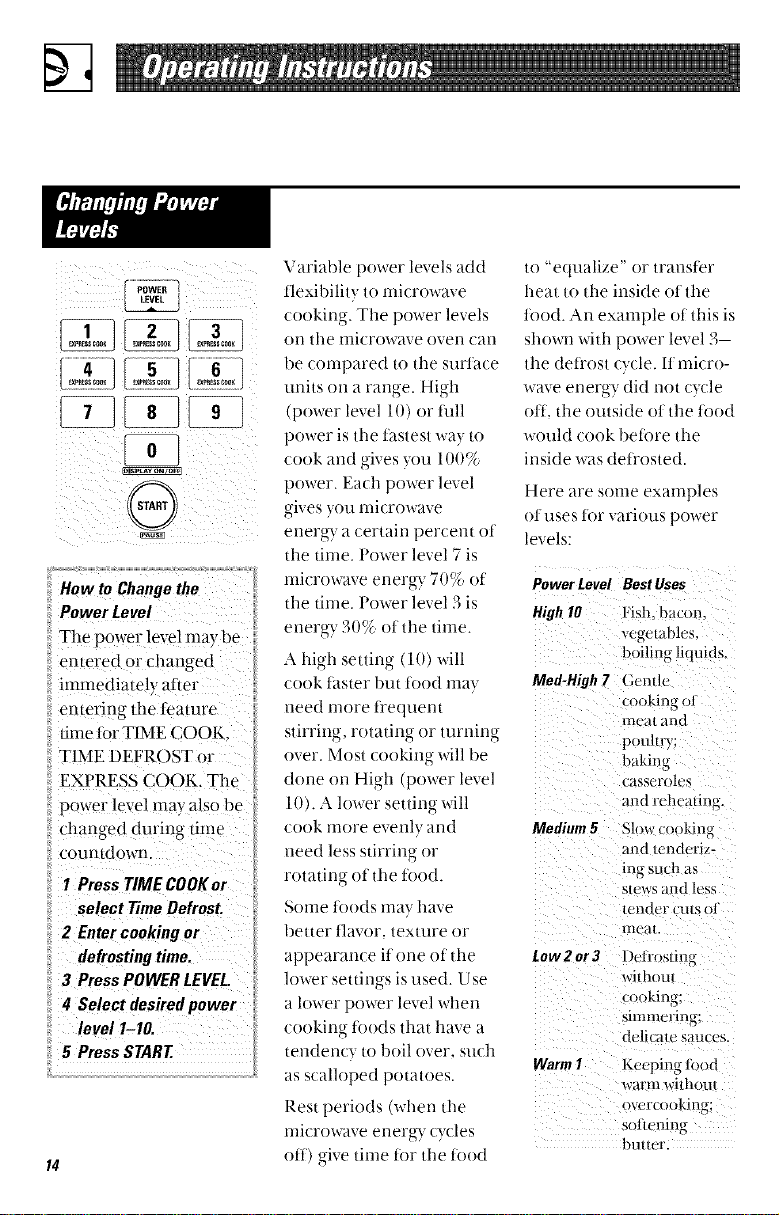
: i>i ill
:::entered or cllanged
iiiimmediate!y af/er
:::entering the feature
:::time 10r TIME (X-)OK,
:::TIME DEFR( )ST Or
iiiEXPRESS COOK, The
:::power !evel may also be
iiichanged du0ng time
::I Press TIMECOOKor
:: select TimeDefrost.
::2 Ente_cookingor :
:: defrostingtime.
::3 PressPOWERLEVEL.
:i4 Select desiredpower
:: le,,elI-I0.
::5 PressSTART
Variable power levels add
tlexibility to microwave
cooking. The power levels
on the microwave oven can
be compared to d_e surl_ce
units Oil a ran_,e High
(power level 101 or t_111
power is the t_istest way lo
cook and gives you 100%
power. Each power level
gives you microwave
energ T a certain percem of
Ille time, Power level 7 is
microwave energy 70% of
Ille time. Power level 3 is
energ T 30% el the time.
hb,h seuing (10) will
cook fitster but ti)od may Meg-High7
need more t_'equem
stirrino rotating or turning
over. Most cooking will be
done on High (power level
10). A lower setting will
cook more evenly and Medium5
need less sdrring or
to "equalize" or transler
heat to tl_e inside olthe
10od. An example ot this is
shown widl power level 3
the deti'ost cycle. 11micro-
wave energy did not cycle
olt. ll_e outside ot the 10od
would cook beibre tlle
inside was det_'osted.
Here are some examples
el uses lot various power
levels:
Power Level Best Uses
High10 Hsh. bacon.
ve_wtables.
boilin_ liquids.
(;entle
cookinu ol
nit al and
pouhry;
bakimz
I_gl bb_ roles
_rodrehc alma.
Slow cooking{
and/cndcri,'-
rotating ot llle h)od. ing such as
SleWS al_d less
_Ollle leeds ilia}" have tender CU|S fl
beuer tlavor, texture or mca_
appearam e if one oid_e Low2or3 Deli'oslin_
lower seuings is used. Use withoul
a lower power level wJlell cookin,r"
cooking li)()(ls that have a _mmcrm_;
delicaw sauces.
tendency to boil over. such
as scalloped potatoes. WarmI Keeping lood
warm wifl'tou
Resl periods (when lhe ,,vcrcookinu:
nlicrowave energ T cycles sol|cnin_
" " butlul
ott) give time tor the food
Time Features
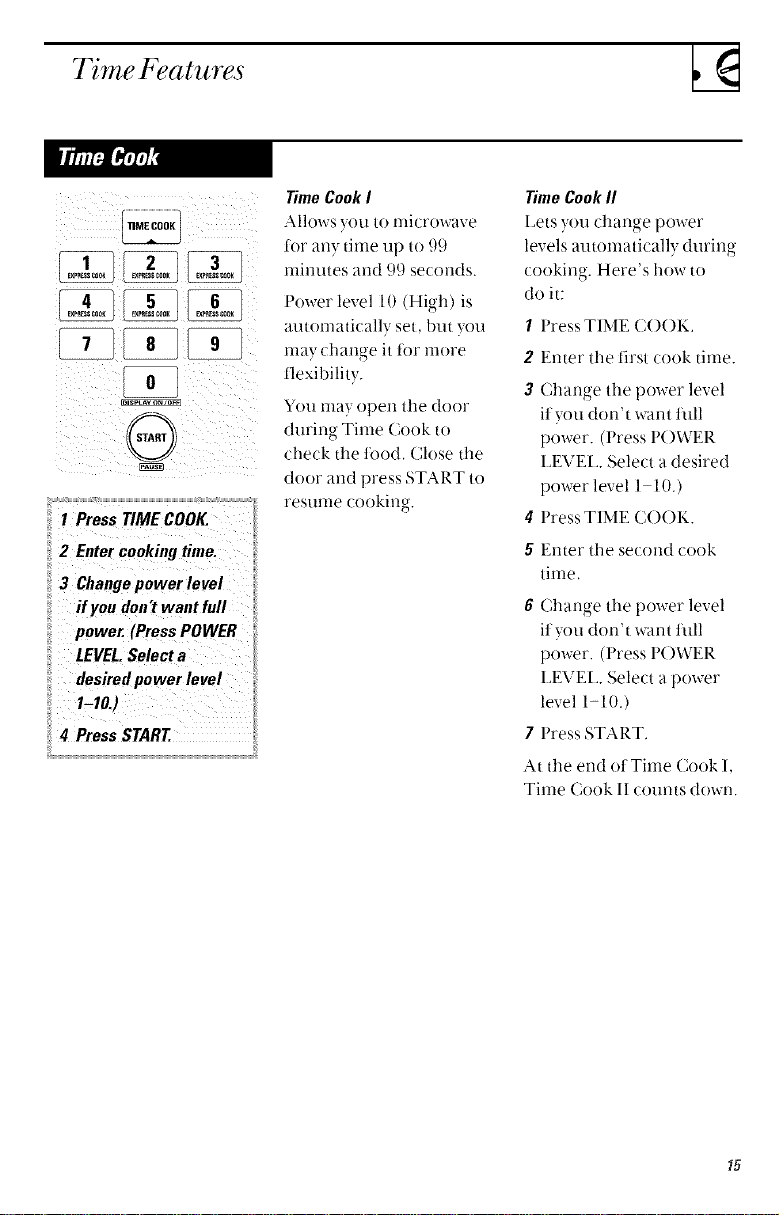
@
ii2 EnterCookingtime.
_zCh,ngepowerlevel
i_!fro, don'tw_ntfoR
power. (PreSsPOWER
II LEVEL.Selecta
il desiredpower level
!_4 Press START.
TimeCookI
Alh)ws you tonlicrowave
tor any time up to 99
nfinutes and 99 seconds.
Power level 10 (High) is
automatically set, but you
may change it t0r more
flexibility.
You may open the door
during Time Cook to
check the t0od, Close the
door and press START to
resume cooking.
TimeCookII
l_ets you change power
levels autonmticallv durino
cooking. Here's how to
do it:
1 Press TIME C()()K.
2 Enter the first cook time.
3 Change the power level
ityou don't want full
power. (Press POWER
LEVH_. Select a desired
power level 1 10.)
4 Press TIME COOK.
5 Enter the second cook
time,
6 Change the power level
ityou don't want full
power. (Press P()WER
LEVH_. Select a power
level 1-10.)
7 Press START,
At the end ot Time Cook l,
Time Cook 11 counts down.
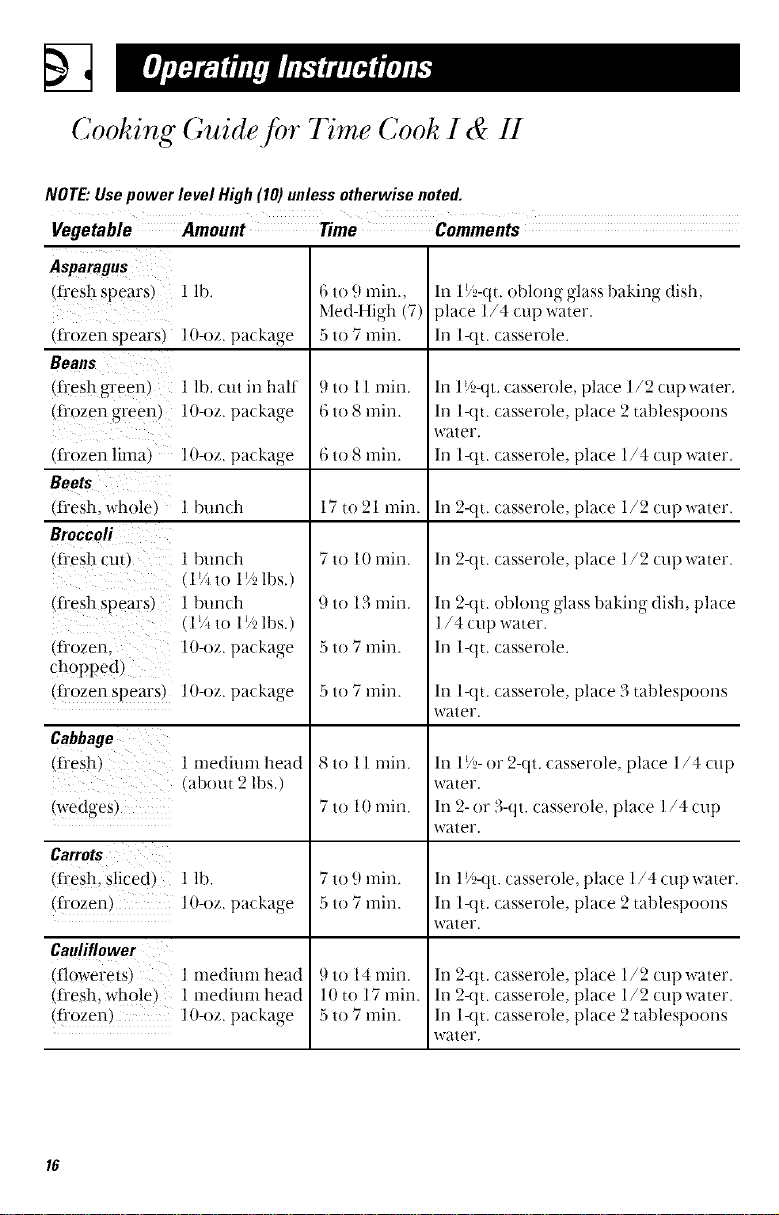
Cooking Guide for Time Cook I & II
NOTE:Usepowerlevel High(10)unlessotherwise noted.
Vegetable Amount Time Comments
Asparagus
(fiesll spears)
(fi'ozen spears)
Beans
(fiesh green)
(fiozen green)
(fi'ozen lima)
(tlesh, whole)
Broccoli
(fiesh cut)
(t_esh spears)
(fi'ozen,
choppe d )
(fi'ozen spears)
Cabbage
(n-esh)
(wedges)
Ca_o_
1 lb.
l O-oz. packa_,e
1 lb. cut in half
10-oz. packa_,e
In 19_2-(lt.oblong glass baking dish,
place 1/4 cup water.
In l-qt. casserole.
l O-oz. packa_,e
l bunch In 2-qt. casserole, place 1/2 cup water.
1 bunch
(1_Ato 1_ lbs.)
1 bunch
(1V*to 1_ lbs.)
I O-oz.package
1O-oz.package
] medium head
(about 2 lbs.)
(fi-esh, Sliced) 1 lb.
(fiozen) 10-oz. packa_,e
6 to 9 rain.,
Med-High (7)
5 to 7 rain.
9 to 11 min.
6 to 8 rain.
6 to 8 rain.
17 to 21 rain.
7 to 10 min.
9 to 13 rain.
5 to 7 rain.
5 to 7 rain.
8 to 1l rain.
7 to 10 rain.
7 to 9 min.
5 to 7 rain.
9 to 14 rain.
10 to 17 rain.
5 to 7 rain.
Cauliflower
(flowerets) 1 medium head
(fi'esh, whole) 1 medium head
(Ii'ozen) 10-oz. packa_,e
o
In 1_5-(1t. casserole, place 1/2 cup water.
In l-(l t. casserole, place 2 tablespoons
water.
In l-qt. casserole, place 1./4 cup water.
In 2-qt. casserole, place 1/2 cup water.
h) 2-qt. oblong glass baking dish, place
l/4 cup water.
In l-qt. casserole.
In l-qt. casserole, place 3 tablespoons
water.
In 1!5- or 2-(tt. casserole, place 1 ,/4 cup
water.
In 2- or 3-qt. casserole, [)lace 1/4 cup
water.
In I i'}-(lt. casserole, place 1,/4 cup water,
In 1-(l t. casserole, place 2 tablespoons
water.
In 2-qt. casserole, place 1/2 cup water.
h) 2-qt. casserole, place 1/2 cup water.
In l-qt. casserole, place 2 tablespoons
water.
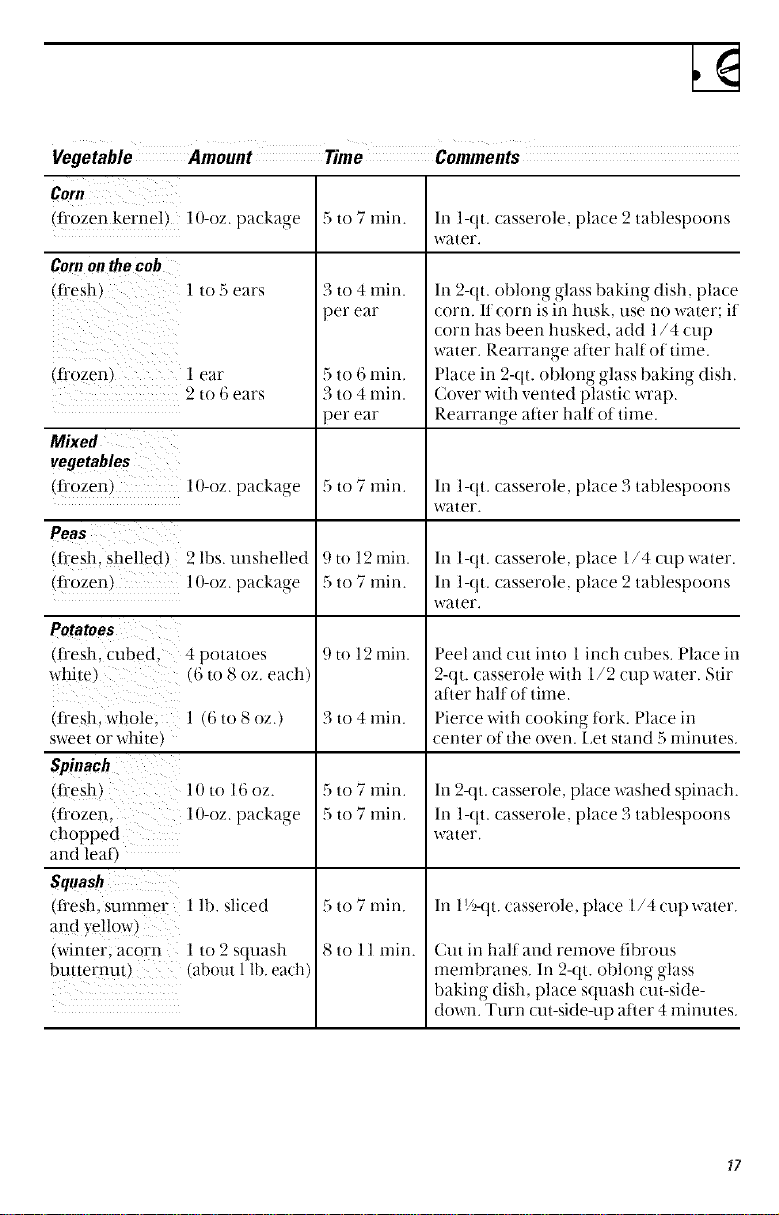
Lg
CoN/
(fl'ozen kernel) lO-oz, pa(kage 5 to 7 rain. In 1-qt. casserole, place 2 tablespoons
water.
Cornonthecob
(f_es!l) 1 to 5 ears
(frozen) 1 ear
9 to 6 ears
Mixed
vegetables
(fl'ozen) 1O-oz. pat kag-e
Peas
(fi'esh, shelled) 9 lbs. unshelled
(fi'ozen) 1O-oz. package
Potatoes
(fresh, cubed, 4 potatoes
wb-ite) (6 to 8 oz. each)
(flesh, whole; 1 (6 to 8 oz.)
sweet or white)
Spinach
(fl'esh) 10 to 16 oz.
(frozen, 10-oz. package
chopped
and leaf)
Squash
(Iresh, sulnmer 1 lb. slked
and yellow)
(winter; acorn 1 to 2 squasl_
butternut ) (about I lb. each)
3 to 4 min.
)er ear
5 to 6 min.
3 to 4min.
)er ear
5 to 7 min.
9 to 12 min.
5 to 7 min.
9 to 12 rain.
3 to 4 min.
5 to 7 min.
5 to 7 min.
5 to 7 min.
S tO ] ] mill.
In 2-qt. oblong glass baking dish. place
corn. It corn is in husk, use no water; it
corn has been husked, add 1/4 cup
water. Rearrange atter half of time.
Place in 2-qt. oblong glass baking dish.
Cover with vented plastic wrap.
Rearrange after half of time.
In 1-qt, casserole. [)lace 3 tablespoons
water.
In l-lit, casserole, place 1/4 cup water.
In 1-qt. casserole, place 2 tablespoons
water.
['eel and cut into 1 inch cubes. ['lace in
2-qt. casserole with 1/2 cup water. Stir
alter halt ot time.
Pierce with cooking fork. Place in
center of the oven. I_et stand 5 nlinutes.
In 2-qt. casserole, place washed spinach.
In l-qt. casserole, place 3 tablespoons
water.
In 19,_alt. casserole, place 1/4 cup water.
Cut in half and remove fibrous
membranes. In 2-qt. oMong, ,glass.
baking- dish, pla(e squash cut-side-
down. Turn cut-side-up after 4 minutes,
Time Fealures
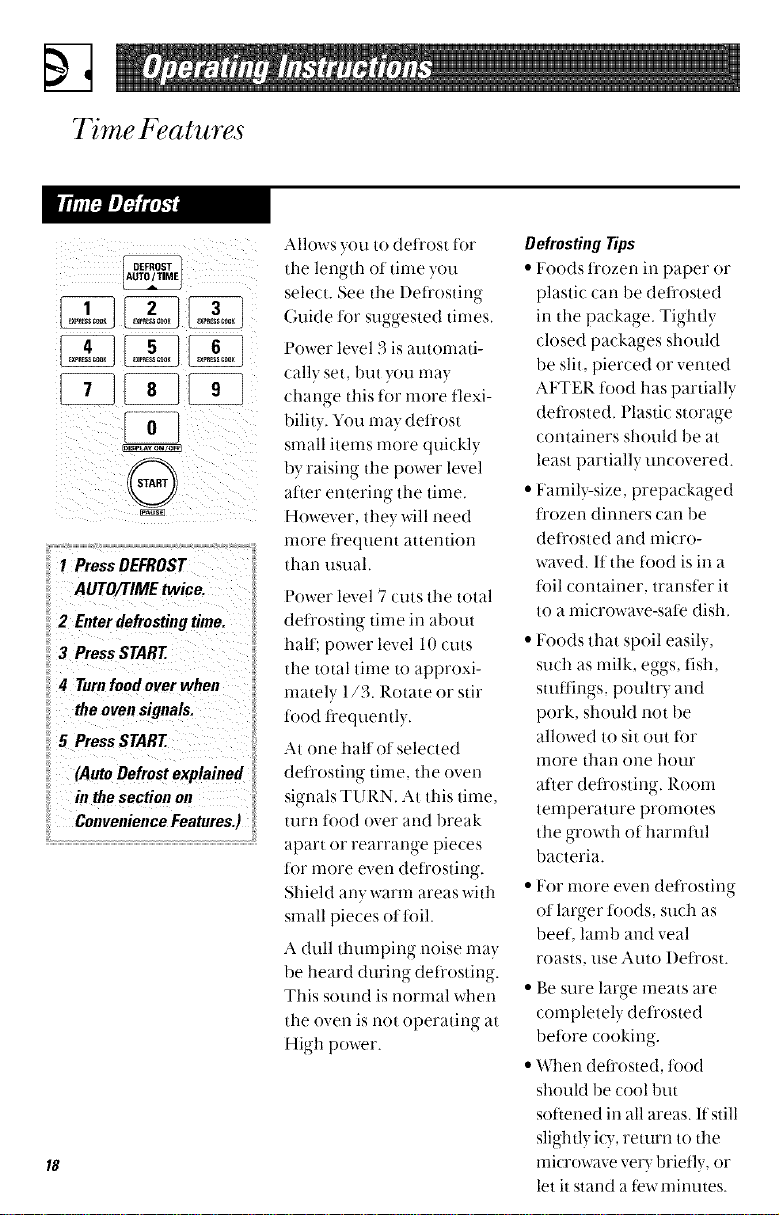
DEFROST
AUTO/TIME
G
PressDEFROST
AUTO/TIMEtwice.
2 Enterdefrostingtime.
3 PressSTART
# Turnfoodoverwheu
theovensignals.
5 PressSTART
(AutoDefrostexplained
in the sectionon
CenvenieuceFeatures.)
Allows you to defl'ost tot
tile length ot tinle you
select. See the l)efl'ostin_,-
' o
C,uide ti)r suggested times.
F'ower level 3 is automati-
cally set, but you may
change this tot more flexi-
bility. You may defl'ost
small items more quickly
by raising the power level
atter entering the time.
However, they will need
nlore ti'equent attention
than usual.
Power level 7 cuts the total
deli'osting time in about
halt; power level 10 cuts
the total time 1o approxi-
mately 1/3. Rotate or stir
t6od li'equently.
At one hall ot selected
deli'osting tinle, the oven
signals TURN. At this time.
turn t6od over and break
apart or rearrange pieces
for more even deirosting.
Shield any warm areas with
small pieces ot foil.
A dull thumping noise ma}
be heard duriw,- defl'ostiw,-
This sound is normal when
the oven is not operating at
High power.
DefrostingTips
• Foods f_()zen ill paper or
plasti( can be defi'osted
in the package. Tightl}
closed packages should
be slit, pierced or vented
AFTER t'ood has partially
deti'osted. Plastic storage
containers should be at
least partially uncovered.
• Family-size, prepackaged
fl'ozen dinners call be
det_'osted and micro-
waved. If the food is ill a
ti)il container, transt'er it
to a microwave-sate dish.
• Foods that spoil easily,
such as nlilk, eggs. fish.
stuitiws poultI 3 and
' o '
pork, should not be
allowed to sit out tot
more than one hour
after defi'osting. Room
temperature pronlotes
the growth of harnfful
bacteria.
• For nlore even defl'ostino-
ot larger foods, such as
beef, lamb and veal
roasts, use Auto l)efl'ost.
• Be sure large lneats are
completely defl'osted
before cookino
o"
• When defrosted, tood
should be cool but
sot'tened ill all areas. If still
slightly icy, return to the
microwave very briefly, or
let it stand a tew mimltes.
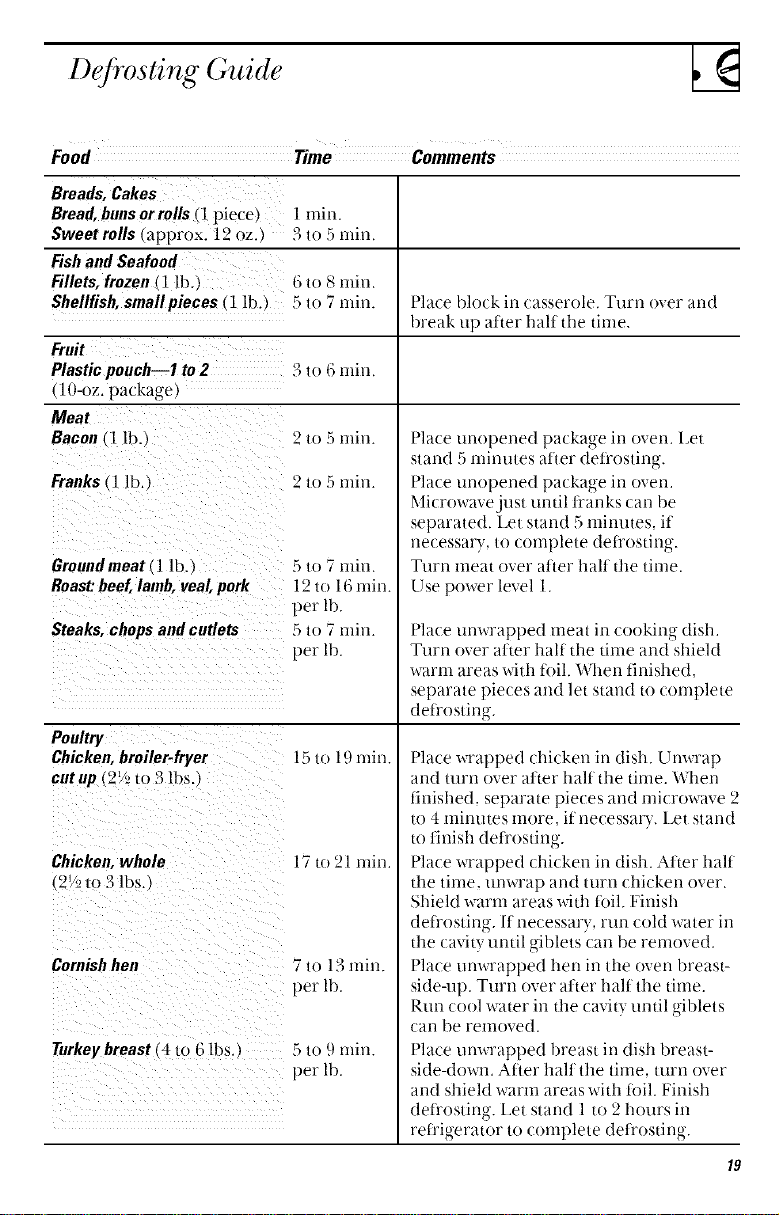
Defrosting Guide
Food Time Comments
Breads, Cakes
Bread, buns or rolls (1 piece)
Sweet rolls Iapprox. 12 oz.
Fishand Seafood
Fillets, frozen_1lb.,
Shellfish,small pieces (1 lb.)
Fruit
Plastic pouch--1 to 2
(lO-oz. package)
Meat
Bacon (1 lb.
Franks (1 lb ,
Ground meat 11 lb.
Roast:beef, lamb, veal, pork
Steaks, chops and cutlets
Poultry
Chicken, broiler-fryer
cutup (2! _lo 3 lbs.,
Chicken,whole
(2V2m 3 lbs.,
Cornishhen
Turkey breast (4 to G lbs.)
1 mirL
3 to 5 rnin
6 to 8 rain,
5 to 7 rain Hate |)lock in casserole. Turn over and
break up aiter half the time.
3 to 6 rain
2 to 5 min
2 to 5 min
5 to 7 rain
12 to 16 rain.
per lb.
5 to 7 nfin
per lb.
15 to 19 rain.
17 (o 21 min.
7 to 13 min.
per lb.
5 to 9 min
per lb.
Place unopened package in oven. Let
stand 5 minutes atter defi'osting.
Place unopened package in oven.
Microwave just until ti'anks can be
separated. Let stand 5 minutes, if
necessary., to complete deti'ostir_g.
Ttn'n meat over atter halt the time.
Use power level 1.
Place unwrapped meat in cooking dish.
Turn over atler half the time and shield
warn] areas with ti)il. When finished,
separate pieces and let stand to complete
defi'ostin ,
o"
Place wrapped chicken in dish. Unwrap
and turn over atler half the time. When
finished, separate pieces and microwave 2
to 4 minutes more, if necessa_ T. Let stand
to tinish det['ostino
Hale wrapped ]hi(ken in dish. Attar half
the time, unwrap and turn ]hicken over.
Shield warm areas with lbil. Finish
defi'osting. If necessary, run cold water in
the cavily until giblets can be removed.
Place unwrapped hen in the oven breast-
side-up. Turn over atter half the time.
Run cool water in the cavity until giblets
can be removed.
Place unwrapped breast in dish breast-
side-down. Atier halt the time, turn over
and shield warm areas with ti}il. Finish
deii'osting. Let stand 1 to 2 hours it]
refi'igerator to complete deti'osting.
Time Fealures
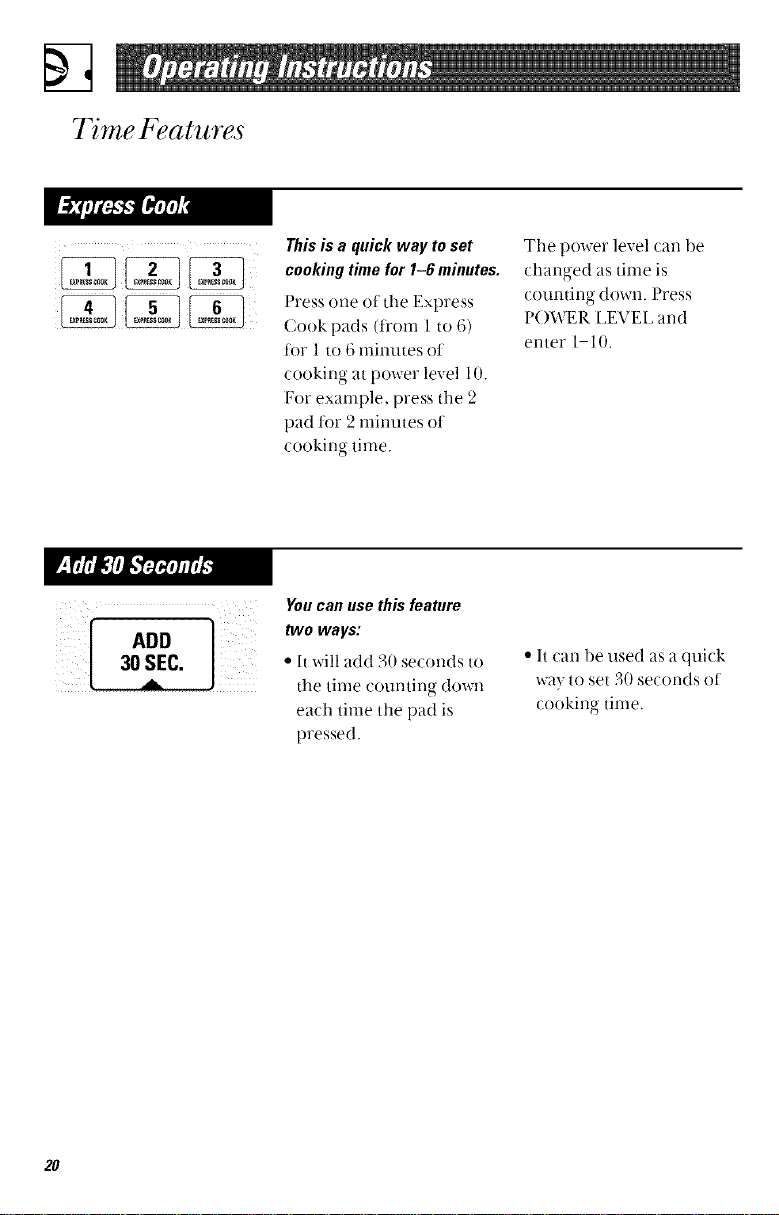
Thisisa quick way toset
cookingtimefor 1-6 minutes.
Press one of the Express
Cook pads (t_'om 1 to 6)
tot 1 to 6 minutes ot
co()king at power level 10.
For example, press the 2
pad ti)r 2 minutes ot
cookir)g time.
The power level can be
changed as time is
c()tmting down. Press
I'()WEP. LEVEL and
enter 1 10.
You can use this feature
two ways:
• It will add 30 seconds to
the time counting down
each time the pad is
pressed.
• It can be used as a quick
wa} to set 30 seconds of
cookino time.
0
2O
A u to Fea ture
I@
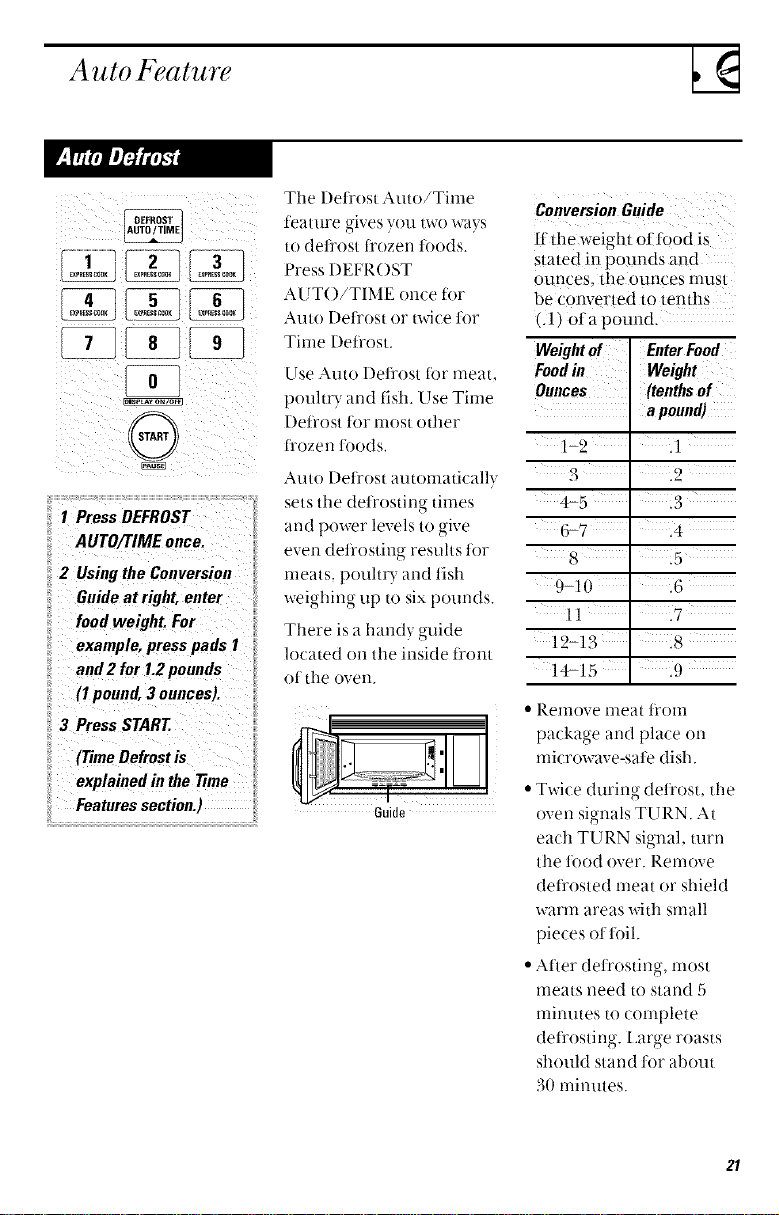
I PressDEFROST
:: AUTO/TIMEonce.
2 Usingthe Conversion
Guideat right, enter
foodweight.For
example,presspads 1
and2 for 1.2pounds
(1pound,3 ounces).
3 PressSTART
(TimeDefrostis
explainedin the77me
Featuressection.)
The l)eflost Auto/Time
feature gives you two ways
to defl'ost ti'ozen toods.
Press DEFROST
AUT()/TIME once tor
Auto Defrost or twice t0r
Time Dett'ost.
Use Auto Defl'ost ibr meat.
pouhry and fish. Use Time
Dett'ost t0r most other
i]'ozen t0ods.
Auto Defl'ost automaticall_
sets the defl'osting times
and power levels to oive
even deti'osting resuhs t0r
meats, poult D-and fish
weighing tip to six pounds.
There is a hand} guide
located on the inside t]'ont
of the oven.
6uide
ConversionGuide
if din weight ot f0od is
stated in pounds and
ounces, tl]e ounces must
be converted to tenths
(.1) of a pound.
Weightof EnterFood
Foodin Weight
Ounces (tenthsof
apom_d)
1-2 ' .1
3 .2
4-5 :3
6-7 ' .4
8 ' i5
9-10 .6
11 ' .7
12-13' i8
14-15 .9
• Remove l-neat tI'()II]
package and place on
mk rowave-sate dish.
• Twice during defl'ost, tile
oven signals TURN. At
each TURN signal, turn
the tood over. Renlove
det]'osted meat or shield
warm areas with small
pieces ot t0il.
• After det['osting, most
meats need to stand 5
minutes to complete
defi'ostiw,- Large roasts
' o"
should stand t0r about
30 minutes.
21
Tempera ture Fea tures
Appearance may valv
Whathappenswhen you
use theprobe...
Cooking with/he
probe allows you lo
heal food to a cer/ain
mmperalure. This is
the best way to cook
many foods.
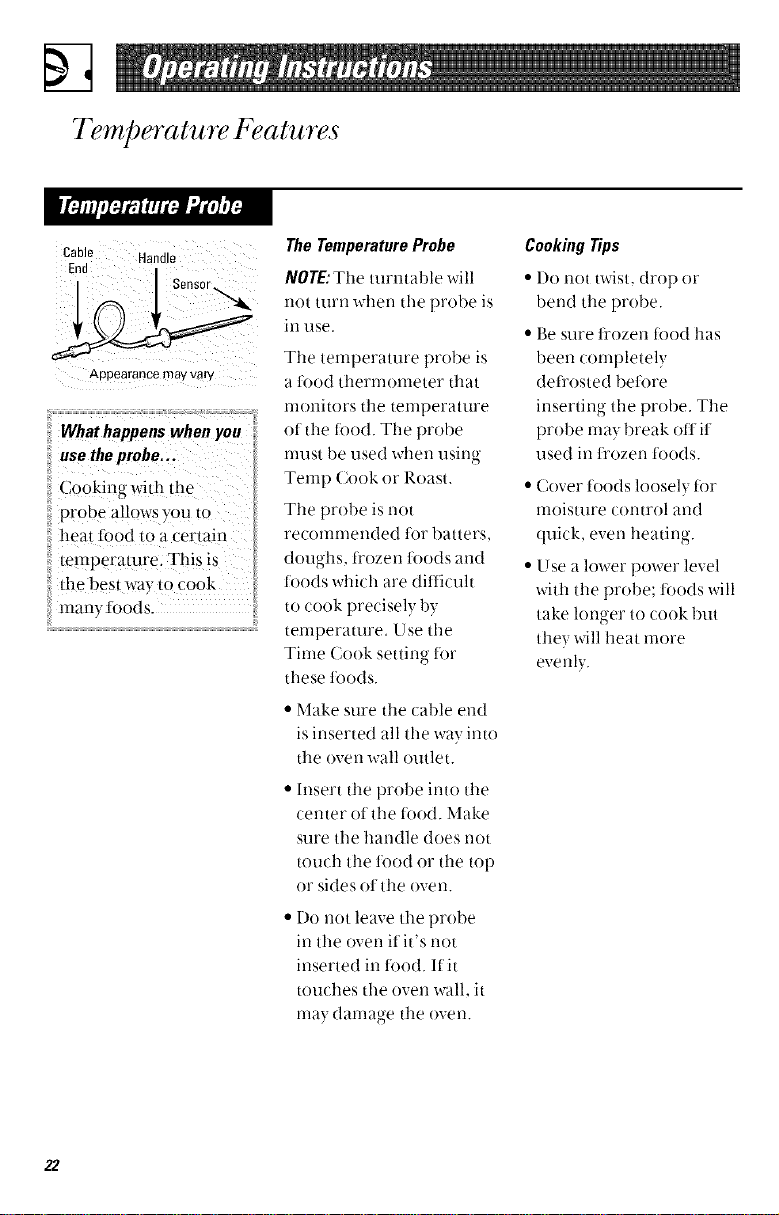
TheTemperature Probe
NOTE:The turntable will
[lOt turn when tile probe is
in use.
Tile temperature probe is
a lood thermometer that
monitors the temperature
of the ti)od. The probe
nmst be used when usin ,
Temp Cook or Roast.
The probe is not
recommended tot batters.
d(mghs, ti'ozen li)ods and
toods which are diflicuh
to cook precisely by
\
temperature. Use tile
Time Cook setting for
these foods.
• Make sure tile cable end
is inserted all tile way into
tile oven wall outlet.
• Insert tile probe into tile
center of tile tood. Make
sure the handle does not
touch tile ti)o(t or the top
or sides ot tile ()veil.
• Do not leave the probe
in tile oven Kit's not
inserted in t0od. If it
touches the oven wall, it
nla} danlage tile oven.
CookingTips
• Do not twist, drop or
bend tile probe.
• Be sure ti'ozen ti)o(t has
been completely
det_'osted 1)eti)re
inserting the prol)e. Tile
probe may break otl it
used in fl'ozen ti)ods.
• Cover toods loosely t0r
moisture control and
quick, even heating.
• Use a lower power level
with tile probe; ti)ods will
take longer to cook but
they will heat more
evenly.
22
ii !!i)ii :ii;i(:
L¸
done roasts.
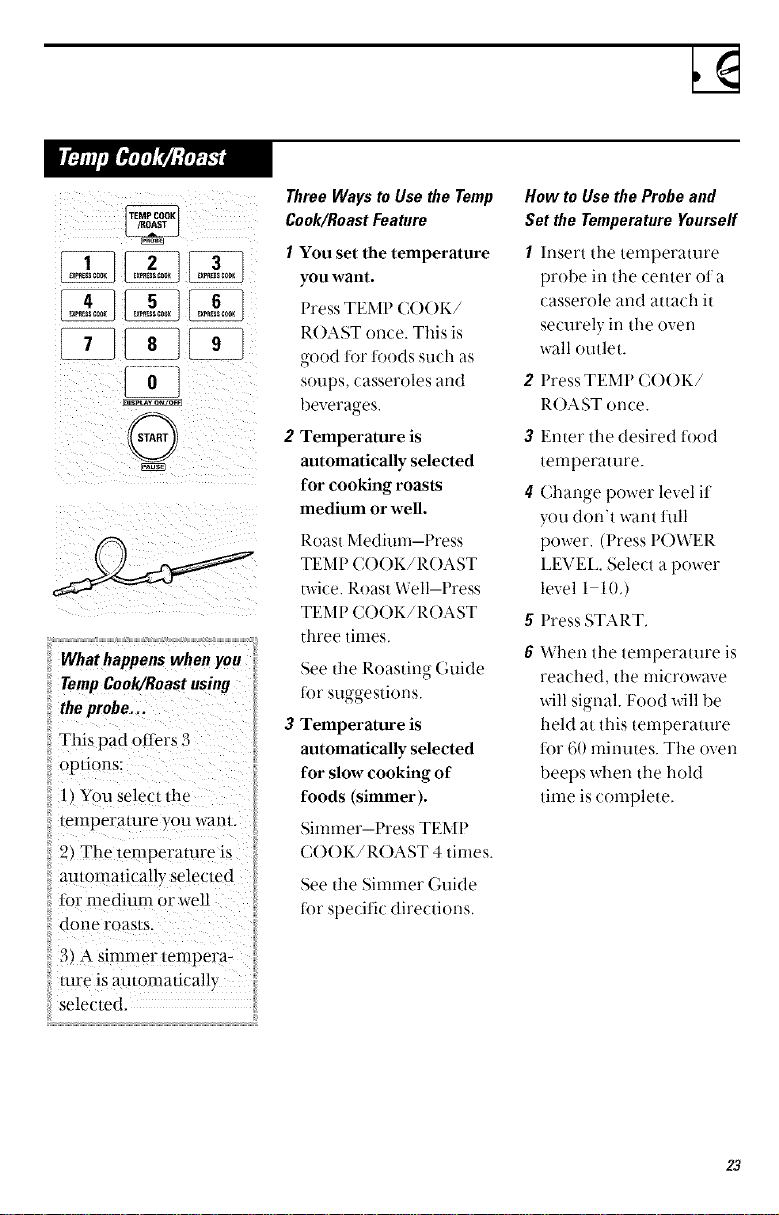
Three Waits to Use the Temp
Cook/Roast Feature
1 You set the temperature
you want.
Press TEMP C()()K/
ROAST ome. This is
good for foods su/h as
soups, casseroles and
beverages.
2 Temperature is
automatically selected
for cooking roasts
medium or well.
Roast Medium-Press
TEMP CO()K/ROAST
twice. Roast Well-Press
TEMP CO()K/ROAST
three tinles.
See tile Roasting Guide
ior suggestions.
3 Temperature is
automatically selected
for slow cooking of
foods (simmer).
Simmer--Press TEMP
C()()K/R()AST 4 times.
See the Simnler Guide
t0r specific directions.
How to Use the Probe and
Set the Tetoperetttre Yottrseff
I Insert the temperature
probe in the center ot a
casserole and attach it
securely in the oven
wall outlet.
2 Press TEMP C()()K/
ROAST once.
3 Enter the desired tood
temperature.
4 Chan ,'e power level it
you don't want full
power. (Press P()WER
LEVEL. Select a power
level 1-10.)
g Press START.
6 When the temperature is
reached, the microwave
will signal. Food will be
held at this temperature
lor 60 minutes. Tile oven
beeps when tile hold
time is complete.
:{:........................................................................................................................................................................
23
Tempera ture Fea tures
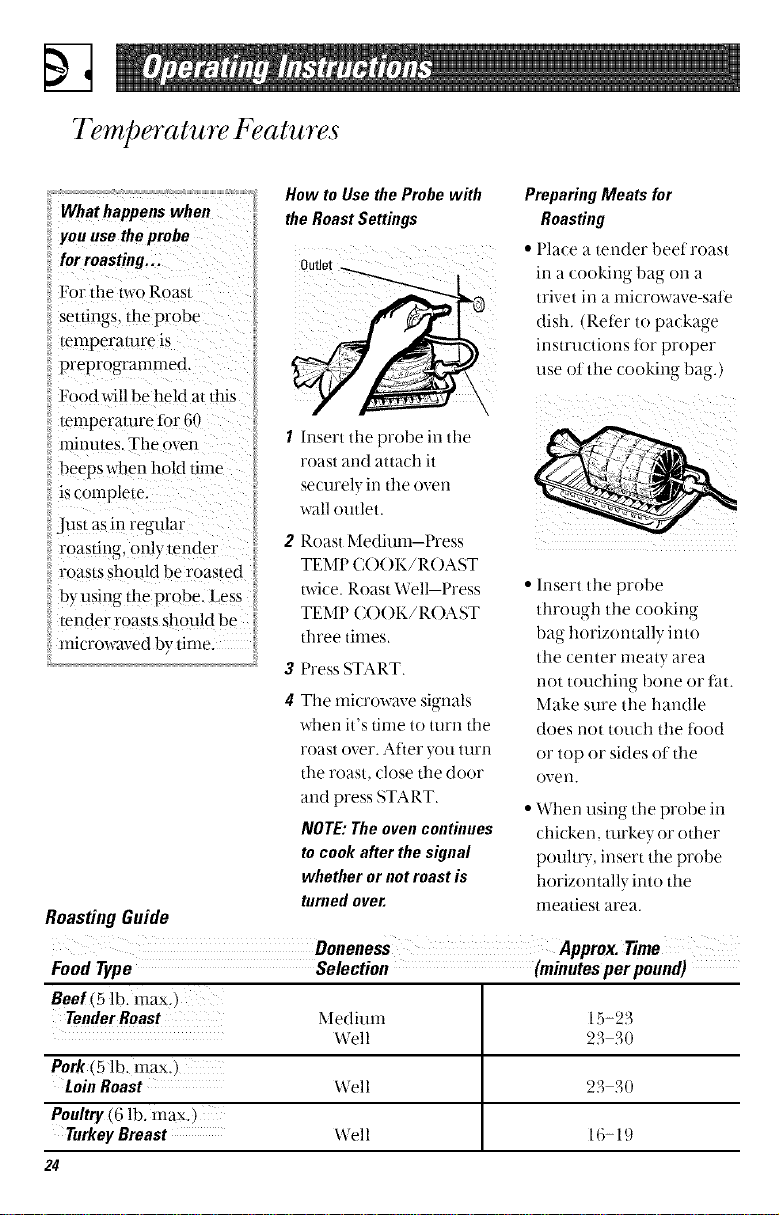
How to UsetheProbewith
the RoastSettings
you use theprobe
for roasting... Outlet _ I
For the two Roast
settings,/he probe
temperature is
preprogrammed.
Food will be held a/dfis
temperalure for 60
minules. The oven !, 1 Insert the probe in the
beeps wllen hold time roast and attach it
is complete, securely in tlle oven
Just as in regular wall outlet.
roasting, only render 2 Roast l_[edium Press
roasts should be roasted TEM P ( :( )( )1</R( )AST
byusin_"/he probe. Less i m-ice. Roasl Well Press
u
tender roasts should be TEMP C()()I</R()AST
microwaved by time. i d_ree times.
3 Press START.
4 Tile microwave signals
when it's time to turn tile
roast over. After you turn
the roast, close the door
and press START.
NOTE:The ovencontinues
tocook after thesignal
whetherornot roast is
turnedover.
RoastingGuide
PreparingMeats for
Roasting
• Place a tender heel roast
in a cooking l)a_ on a
trivet in a microwave-sate
dish tReter to package
instructions ti)r prope_
use olflle cooking bag.)
• Insert tile probe
through tile cookino
1)ao-horizontally into
o • ,
tile center meaty area
not touching 1)one or fat.
Make sure tile handle
does not touch tile t0od
or top or sides ot tile
ove i1.
• When using tile probe in
chicken, turkey or ()tiler
poultt T, insert the probe
horizontally into the
meatiest area.
Food Type Selection (minutesper pound)
Beef(5 lb. max.)
TenderRoast Mediuna 15-23
Well 23 30
Pork (5 lb. max,)
Loin Roast Well 23 30
Poultry (6 lb. max.)
Turkey Breast Well 16-19
24
Press TEMP COOK/ROAST 4
times to select Simrner.
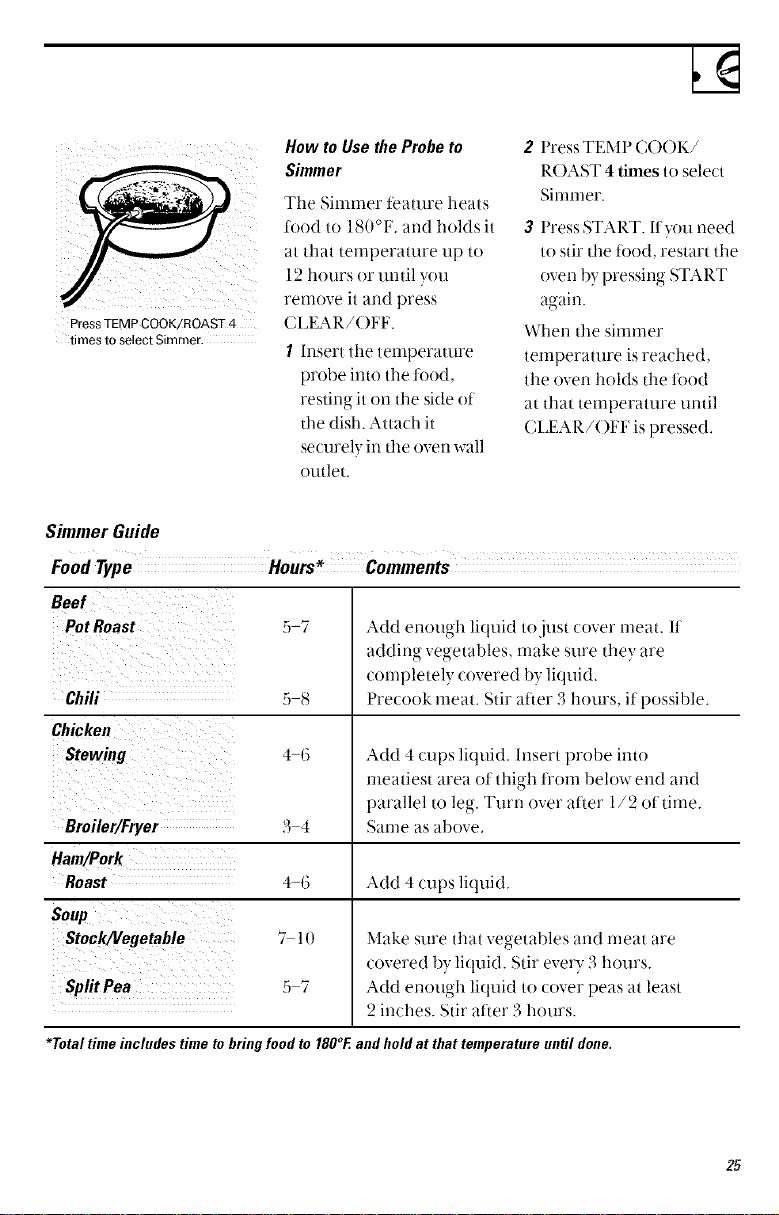
How to Use the Probe to
Simmer
The Simmer teamre heats
tood to 180°E. and holds it
at that temperature tip to
12 hours or until you
remove it and press
CI,EAR/()FF.
I Insert the temper_uure
probe into the tood,
restino-it on the side of
O
the dish. Attach it
securely in tile oven wall
outlet.
2 Press TEMP C()OK/
ROAST 4 times to select
Simmer.
3 Press START. Ityou need
to stir the i0od, restart the
oven by pressing START
again.
When the simmer
temperature is reached,
the oven holds the tood
at that temperature until
CI J_2AR/()FI_ is pressed,
SimmerGuide
Food Type
Beef
PotRoast 5-7
Chili ; s
Chicken
Stewing 4-(;
Broiler/Fryer 3 4
Ham/Pork
Roast 4-6
Soup
Stock/Vegetable 7 l(
Split Pea 5 7
Add enough liquid to just cover rneat. 11
adding veuetables, make sure they are
completely covered by liquid,
Precook meat. Stir at'ter 3 hours, it possible.
Add 4 cups liquid. Insert probe into
meatiest area ol thigh li'om below end and
parallel to leg. Turn over alter 1/2 of time.
bame as above,
Add 4 cups liquid.
Make sure that vegetables and rneat are
covered l)y liquid. Stir ever}" 3 hours.
Add enough liquid to cover peas at least
2 inches. Stir after 3 hours.
*Total time includes time to bring fond to 180°F.and hold at that temperature until done.
25
Sensor Features
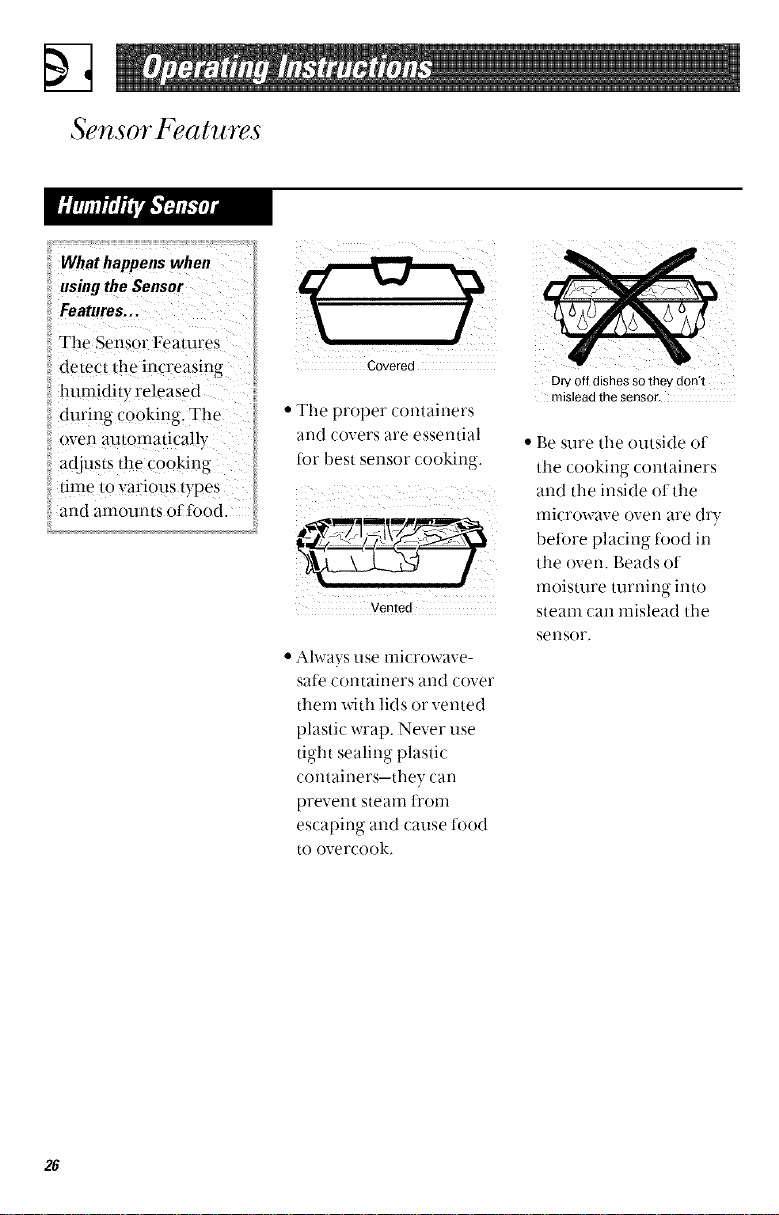
il What happenswhen
ii using theSensor
The Sensor Features
detect the increasing
ii lmmidity released
iiduring Co0king_ T!_e
oven automatically
adjusts the cooking
dine tO various type s
and amounts 0t fbod.
Covered
• The proper containers
and covers are essential
tot best sensor cooking.
Vented
• Always use microwave-
sate containers and cover
them with lids or vented
plastic wrap. Never use
tight sealing plastic
containers--they can
prevent steam tI'Onl
escaping and cause food
to overtook,
Dry off dishes so they don't
mislead the sensor.
• Be sure the outside ot
tile (()()king containers
and the inside ot ttle
IllicI'owave oven are dry
before placing food in
ttle oven. Beads ot
moisture turning into
steam can mislead the
seIlsor,
26
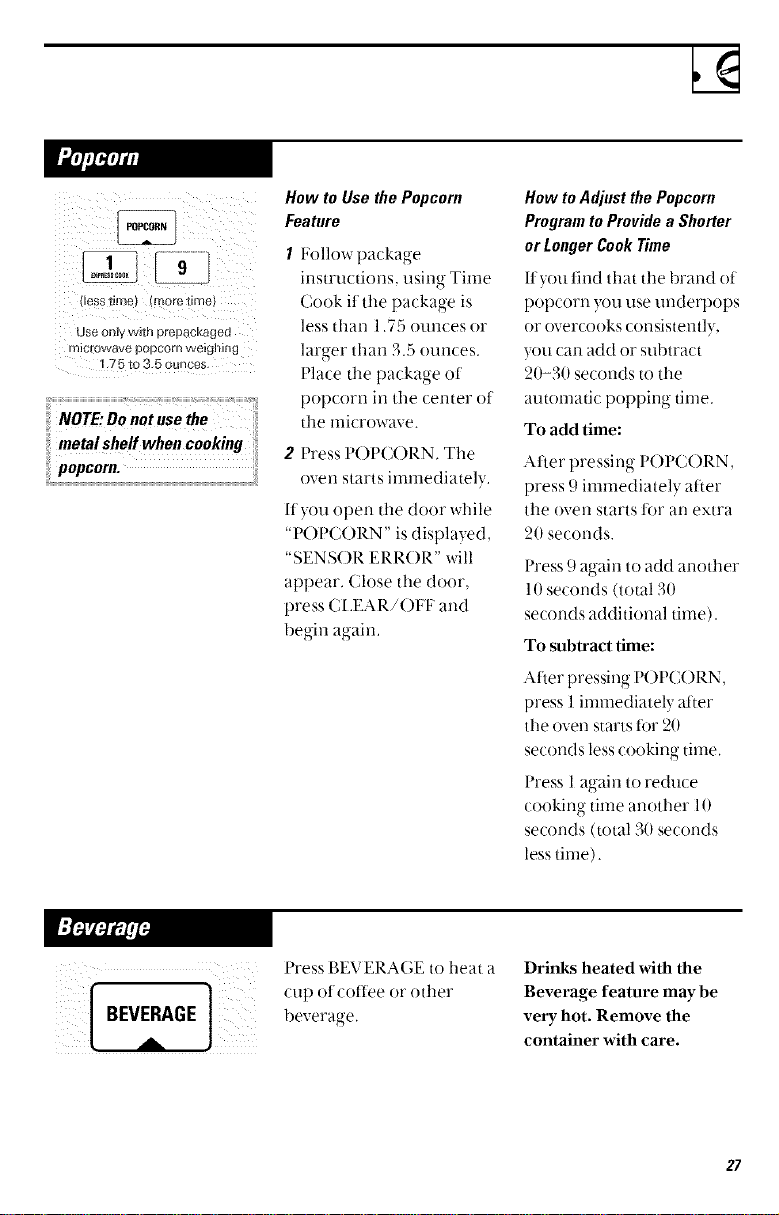
USe Ol_ly w_th prepack_ jea
1.75 to 3.5 ounces
/VOTE:Do not use the
metal shelf when cooking
popcorn.
How to UsethePopcorn
Feature
1 l_ollow package
instructions, using Time
Cook it tile package is
less than 1.75 ounces or
larger than 3.5 ounces.
Place ttle package of
popcorn in the center ot
tile microwave.
2 Press P()PC()RN. Tile
oven starts immediately.
If you open tile door while
"POPCORN" is displayed,
"SENSOR ERR()R" will
appear, Close the door,
press (;LEAR/OFF and
begin again,
How toAdjustthePopcorn
ProgramtoProvidea Slmrter
orLongerCookTime
lfyou find that tile 1)rand o!
popcorn }xm use underpops
or overcooks consistently,
you can add or subtract
20-30 seconds to the
automatic popping time.
To add time:
Alter pressing I'OI'C()RN,
press 9 immediately after
tile oven starts for an extra
20 seconds.
Press 9 again to add arzottler
l 0 seconds (total 30
seconds additional time).
To subtract time:
After pressing P()PC()RN,
press 1 immediately atter
the oven starts tor 20
seconds less cooking time,
Press I again to reduce
cooking time another 10
seconds (total 30 seconds
less time).
Press P,EV ERAGE to heat a
cup ot coffee or ()tiler
beverage.
Drinks heated with the
Beverage feature may be
very hot. Remove the
container with care.
27
Sensor Features
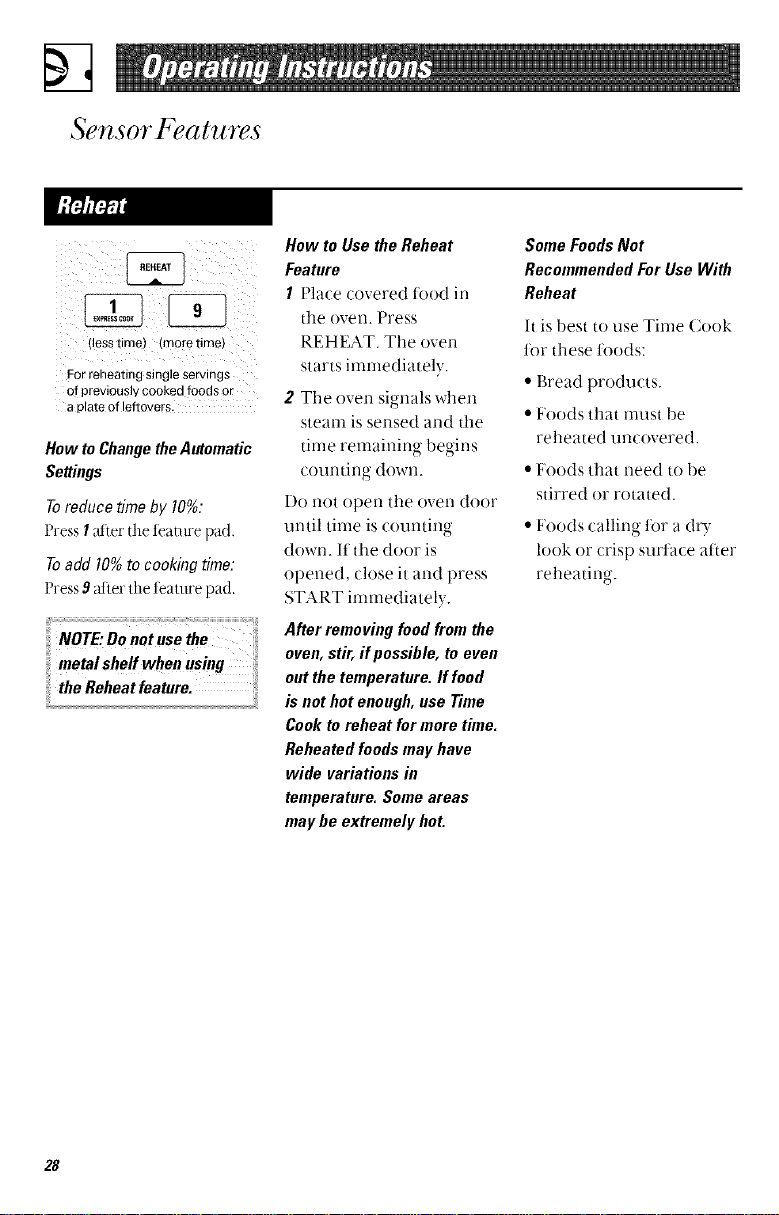
!less tlrrlel (more time)
For reheating stogie servings
of previously cooked foods or
a _ ate of leftovers.
How to Change the Automatic
Settings
Toreduce time by 10%:
Press I alter the teatnre pad.
Toadd 10%to cookingtime:
Press 9_d].erthe te_mwepad.
ii NOTE: Do not use the _
i: tnetat shetf wheu using
the Reheat feature.
How to Use the Reheat
Feature
1 Place covered l()()d in
tile ()veil. Press
REHEAT. Tile oven
starts immediately.
2 The oven signals when
steanl is sensed and tile
time remaining begins
counting down.
Do not open tile oven door
until tinle is countino
O
down. If the door is
opened, close it and press
START immediately.
After removing food from the
oven, stir, if possible, to even
out the temperature. If food
is not hot enough, use Time
Cook to reheat for more time.
Reheated foods may have
wide variations in
temperature. Some areas
may be extremely hot.
SomeFoodsNot
RecommendedForUse With
Reheat
It is best to use Time Cook
ti)r these ti)o(ts:
• Bread products.
• Foods that must be
reheated uncovered.
• Foods that need to be
stirred or rotated.
• Foods calling ti)r a dr?."
look or crisp surtace after
reheating.
28
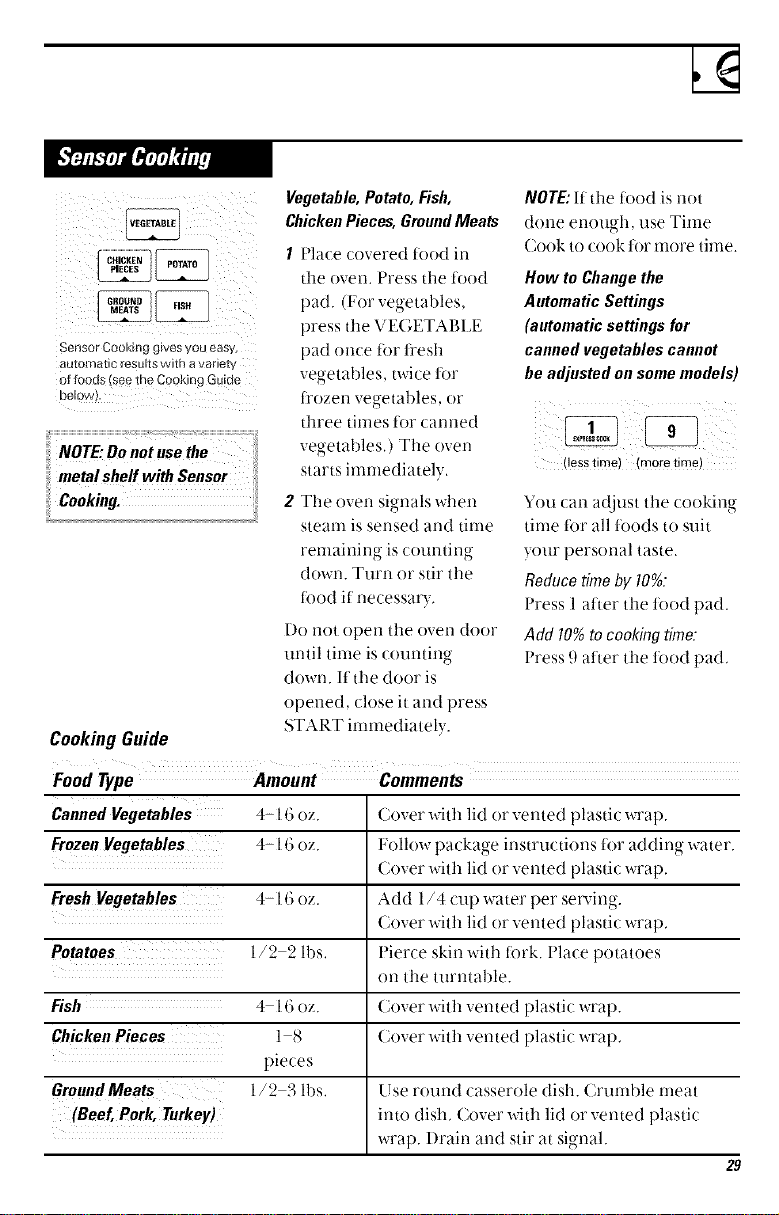
__COICI(EN POTATO
FISH
Sensor CookiJ g gwes vou easy,
8utomatlC result s vvith a vanet_
ol Tooas _ee the Cooking Guide
De_o,&
NOTE."Donot use the
metalsheff withSensor
Cooking.
Vegetable,Potato,Fish,
ChickenPieces,GroundMeats
CookingGuide
1 Place covered toed in
the oven. Press the _6od
pad. (F'or vegetal)les,
press the VEGETABI JE
pad once tot fl'esh
vegetables, twice for
t_'ozen vegetables, or
three times t6r canned
vegetables,) The oven
starts immediately,
2 The oven signals when
steam is sensed and time
remaining is counting
down. Turn or stir the
todd if necessau,
Do llot open the oven door
until time is countino
down. If the door is
opened, close it and press
START immediately.
NOTE:If the food is not
done enough, use Time
(;ook to cook for more time.
How to Change the
Automatic Settings
(automatic settings for
canned vegetables cannot
be adjusted on some models)
(less time) (more time)
You can adjust the cooking
time t0r all t0ods to suit
your personal taste.
Reduce time by I0%:
Press 1 atter the toed pad.
Add 10%to cookingtime.
Press 9 atler the food pad,
Food Type Amount Comments
Canned Vegetables 4-16 oz. Cover with lid or vented plastic wrap.
FrozenVegetables 4-16 oz. l_ollow package instructions for adding water.
Cover with lid or vented plastic wrap.
FreshVegetables 4-16 oz. Add 1/4 cup water per serving.
Cover with lid or vented plastic wrap,
Potatoes 1/2 2 lbs, Pierce skin with R)rk. l'lace potatoes
on the turntable.
Fish 4 16oz. Cover wit h vented plastic wrap.
ChickenPieces l 8 Cover with vented plastic wrap,
pieces
GroundMeats 1/2 3 lbs, Use round casserole dish. Crumble meat
(Beef,Pork, Turkey) into dish, Cover with lid or vented plastic
wrap. l)rain and stir at signal.
29
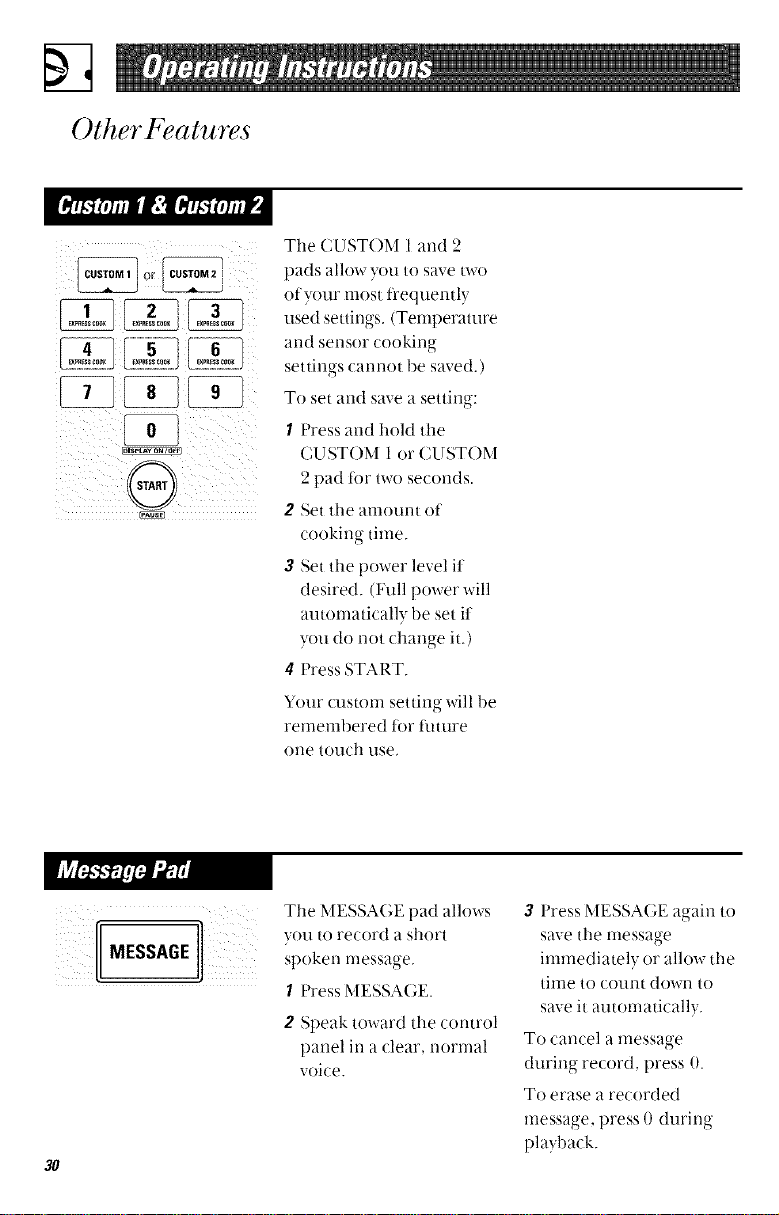
Other Features
-1: iili
L_E_E..JL._EEEP_LJ
The CUST()M I and 2
pads allow you to save m-o
of your most ii'equently
used settings. (Temperature
arid sensor cooking
settings carmot be saved.)
To set atld save a setting:
I Press and hold the
CUST()M 1 or CUSTOM
2 pad t0r two seconds.
2 Set the amount of
cooking time.
3 Set the power level it
desired. (Full power will
automatically be set it
you do not chano-e it )
• o "
4 Press START.
Your custom setting will be
remembered for flmlre
one touch use,
The MESSA(,E pad allows
spoken message.
I Press MESSAGE.
2 Speak toward the control
panel in a clear, normal
voice.
3O
3 Press MESSAGE again to
save the message
immediately or allow the
time to count down to
save it automatically.
To cancel a message
during record, press 0.
To erase a recorded
message, press 0 during
playback.
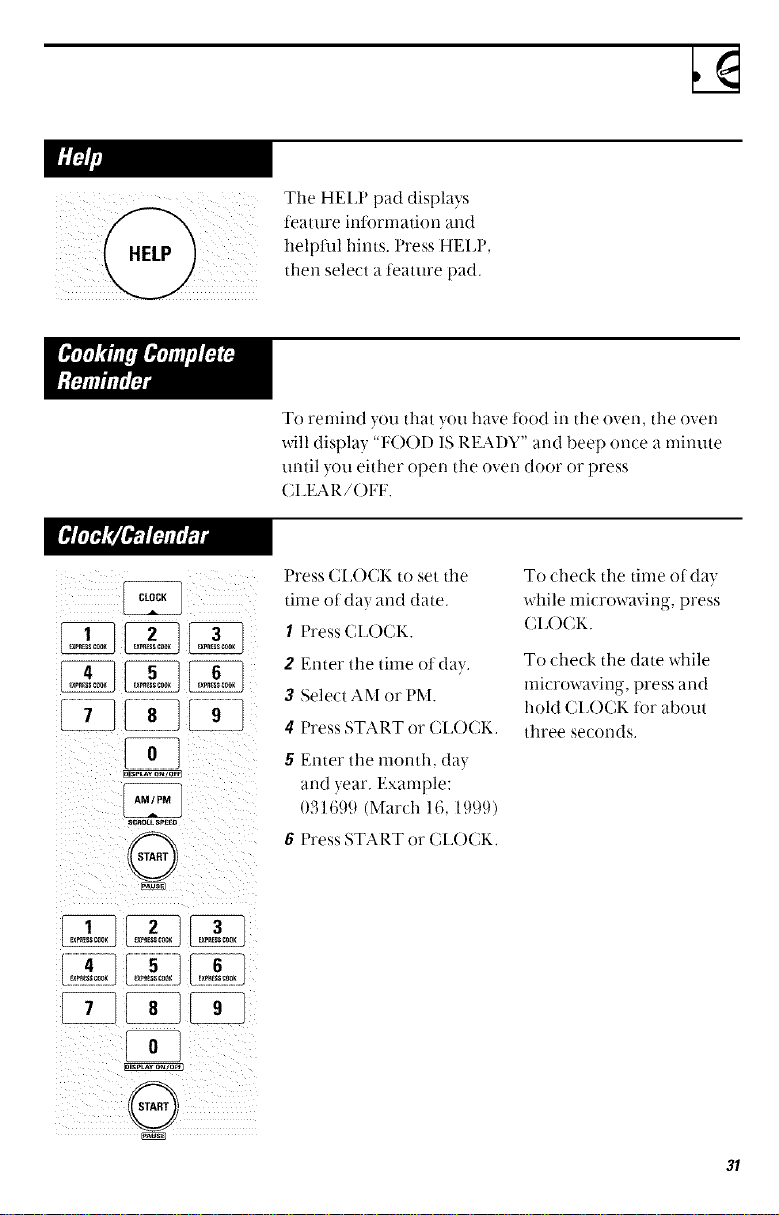
The HEI_P pad displays
teature intorrnation and
helpful hints. Press HELP,
then select a teature pad.
To remind you that you have fi)od in the oven, the oven
will display "FOOD IS REAl)Y" and beep once a minute
until you either ()pen the oven door or press
CI_EAR/OH _'.
CLOCK
z__Ji {:l
S_..tL_K.[
0
Press CI_OCK to set the
time of day and (late.
I Press CIJOCK.
2 Enter the time ot day.
3 Select AM or t)M.
4 F'ress START or CI_()CK.
5 Enter the month, (lay
and year. Example:
031699 (March 16, 1999)
6 F'ress START or CI_()CK.
To check the time ofda}
while microwaving, press
(;I_()(;K.
To check the date while
lnicrowaving, press and
hold CI_OCK for about
three seconds.
i¸:5¸¸¸¸¸¸[_ : :
31
Other Features
AM/PM
SCROLL SPEED
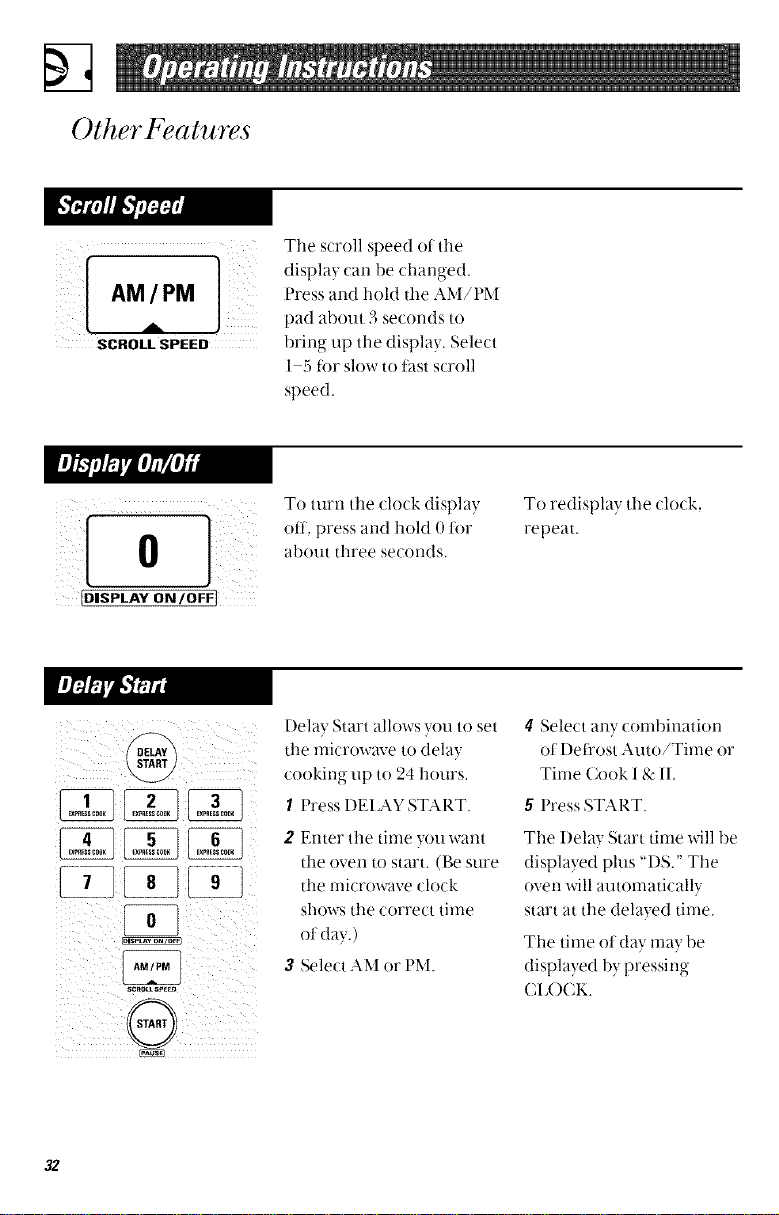
Tile scroll speed of the
display can be changed.
Press and hold tile AM/PM
pad about 3 seconds to
bring up the display. Select
1 5 t0r slow to t_tstscroll
speed.
[DISPLAY ON IOFFj
T( turn tile clock display,
off, press and hold 0 for
about three seconds,
To redisplay tile clock,
repeat.
f_
RELAY
START
srRo_sP_
(@
I)ela} Start allows Hm to set
tile microwave to dela)
(ookirzg up to 24 hours.
1 Press I)EIAY START.
2 Enter tile time you want
tile oven to start. (Be sure
tile microwave clock
shows tile correct time
oI (lay.)
3 Select AM or PM.
4 Select any combination
of I)efl'ost Auto/Time or
Time Cook 1& II,
5 Press START.
Tile Delay Start tinle will be
displayed plus "DS." Tile
oven will autonlatically
start _t ttle delayed time.
The tinle oI day nlay be
displa_ed )v rwess no-
CI_OCK.
32
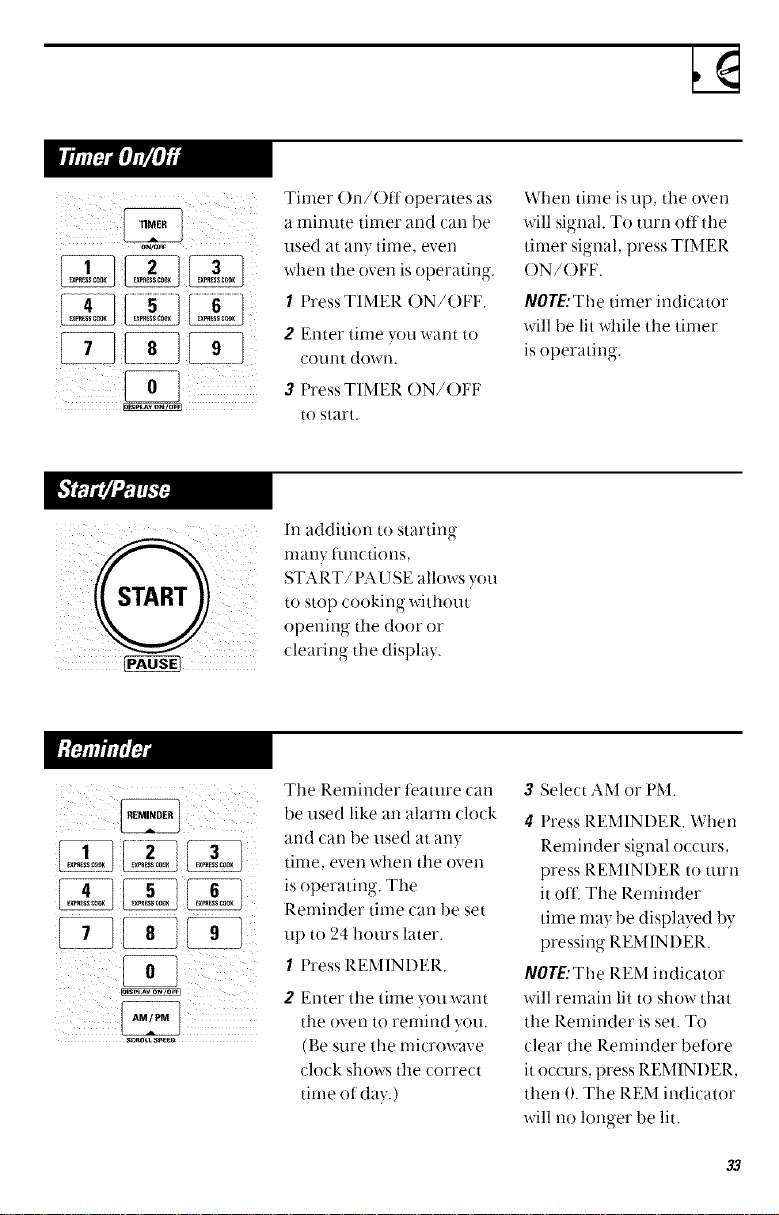
Tinier ()n/Off operates as
a minute timer and can be
used at an)- time, even
when the oven is operating.
I Press TIMER ()N/()I:F.
2 E'nter tinle yotl want to
COllnt dowll.
3 Press TIMER ON/()FI_
to start.
When tinle is up, tile oven
will signal. To turn off the
timer signal, press TIMER
()N/()FE.
a/OYE:The timer indicator
will be lit while tile tinier
is operating.
In addition to starting
many functions,
START/I'A USE allows you
to stop cooking without
opening the door or
clearing tile displa?.
Tile Reminder teature can
be used like an alarm clock
and can be used at any
tinle, even when the oven
is operating. The
Reminder time can be set
tip to 24 hours later.
I Press REMINDER.
2 Enter the time you want
the ()veil to renlind you.
(Be sure the nlicrowave
clock shows the correct
time of day.)
3 Select AM or PM.
4 Press REMINDER. When
Reminder signal occurs,
press REMINDER to turn
it oil'. The Reminder
time may be displayed by
pressing REMINI)ER.
a/OrE:The REM indicator
will remain lit to show that
tile Reminder is set. To
clear the Reminder betore
it occurs, press REMINDER,
then 0. The REM indicator
will no longer be lit.
33
Other Features
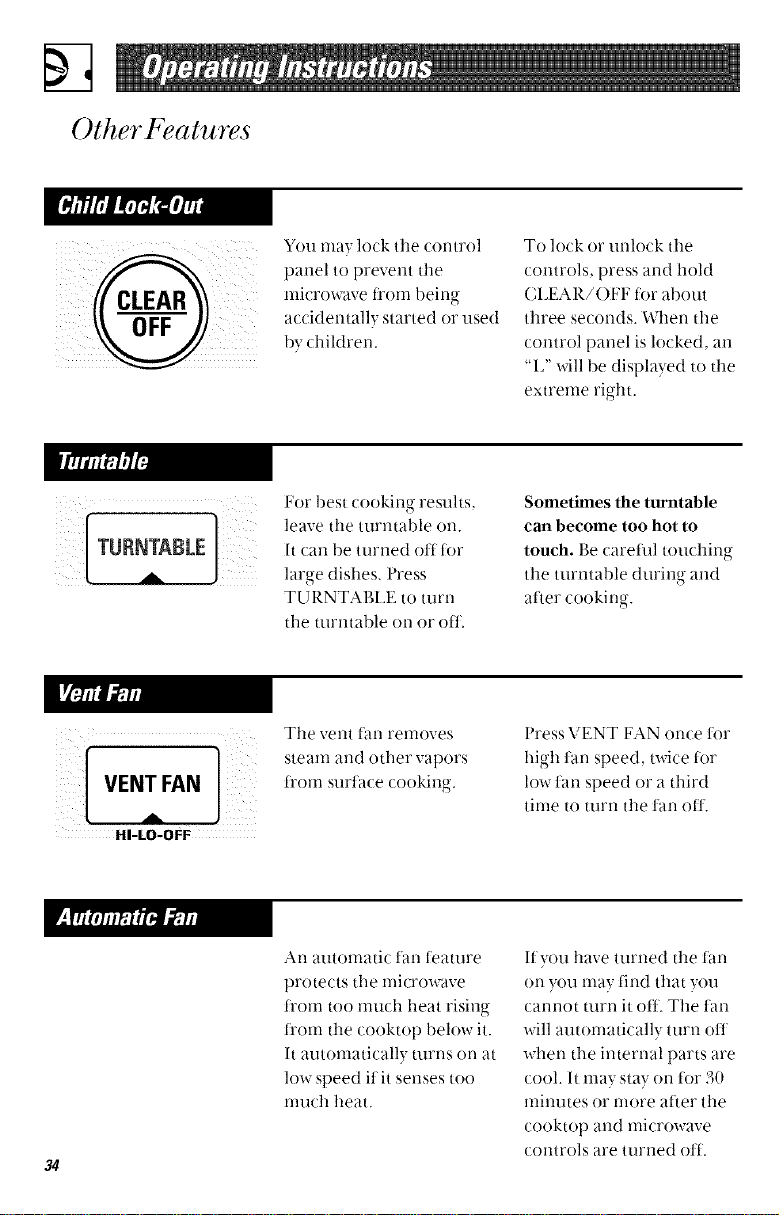
You ma? lock tile c(mtrol
paneltopreventtile
microwave t]?()ii] bein_ r
o
OFF i a/cidentall',, started or used
by dfiktren.
To lock or unlock the
controls, press and hold
CIJEAR/OFF tot about
three seconds. When the
control panel is locked, an
"I," will be displayed to tile
extreme right.
For best cookirlg resuhs.
leave tile turntable on.
It/an be turned off for
large dishes. Press
TU RNTABI_E to turn
tile tnrlltal)le on or ()tJ:.
Sometimes the turntable
can become too hot to
touch. Be careflfl toudfing
tile turntable during and
after cooking,-
o-
HI-LO-OFF
Tile vent t_lll removes
steam and ()tiler vapors
fl'om surtace cooking.
Press VENT FAN once for
high tan speed, twice for
low tan speed or a third
time to turn tile fan off.
34
An automatic tan ti_ature
protects tile nlicrowave
trom too much heat rising
ti'om the cooktop below it.
It automatically turns on at
low speed flit senses too
nmch heat.
If you have turned tile tim
on you may lind that you
cannot turn it off. Tile tan
will automatically turn oil
when the internal parts are
cool. It may stay on ti)r 30
minutes or more at'_er tile
cooktop and microwave
controls are turned oil.
LIGHT
BRIGHT-NIGHT
OFF
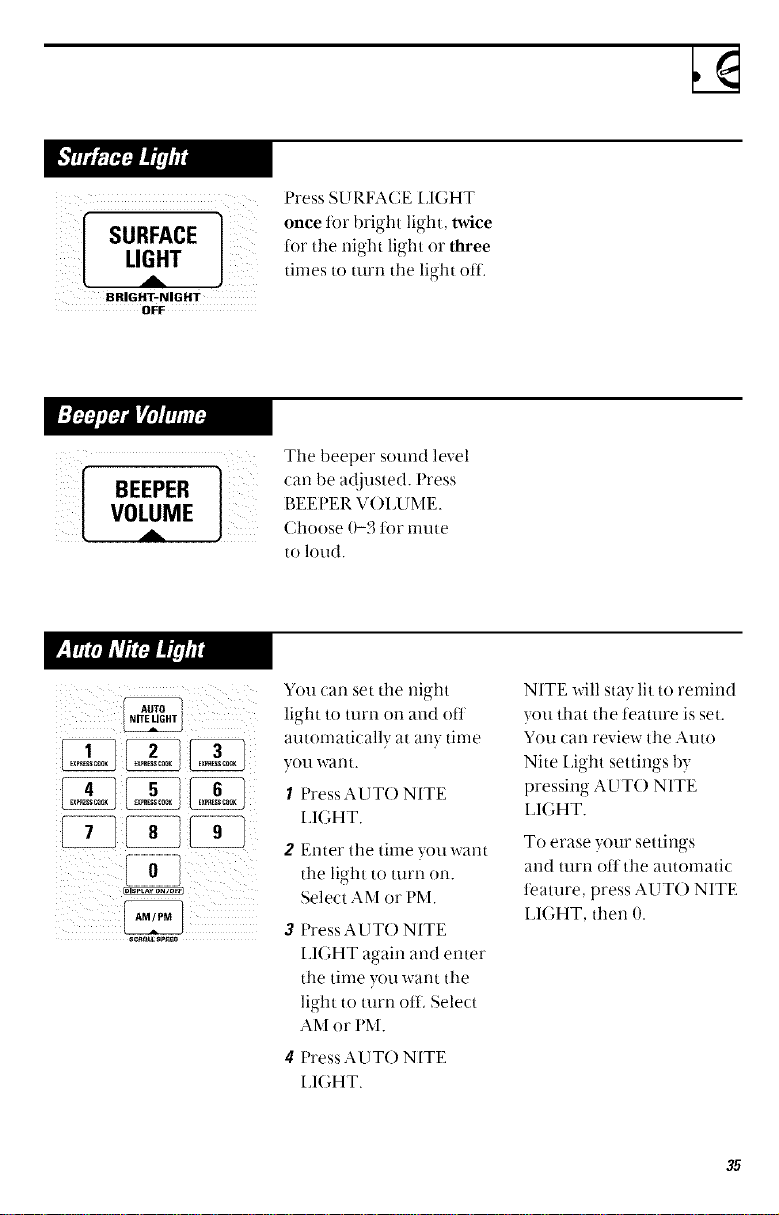
Press SE TRFACE IdGHT
once for bright light, twice
for the night light or three
times to turn the light off.
[ VOLuMEBEEPERA]
The beeper sound level
can be ac!justed. Press
BEEPER V()LUME.
Choose 0-3 ti)r mute
to loud.
sc_o_sP_D
You can set the night
light to turn on and off
automatically at any time
yotl want.
1 PressAUT() NITE
I_IGHT.
2 Enter the time }ou want
the light to turn on.
Select AM or PM.
3 Press A UT() NITE
LI(;HT again and enter
the time you want the
light to turn off. Select
AM or I'M.
q Press AUT() NITE
LIGHT.
NITE will stay lit to renfind
you that the teature is set.
Yotl can review the AtltO
Nite Light settin s b_
pressing AUTO NITE
I JIGHT.
To erase your settin s
and turn oft the automatic
teature, press AUT() NITE
LIGHT, then 0.
35
Other Features
AM/PM
_ o__'_
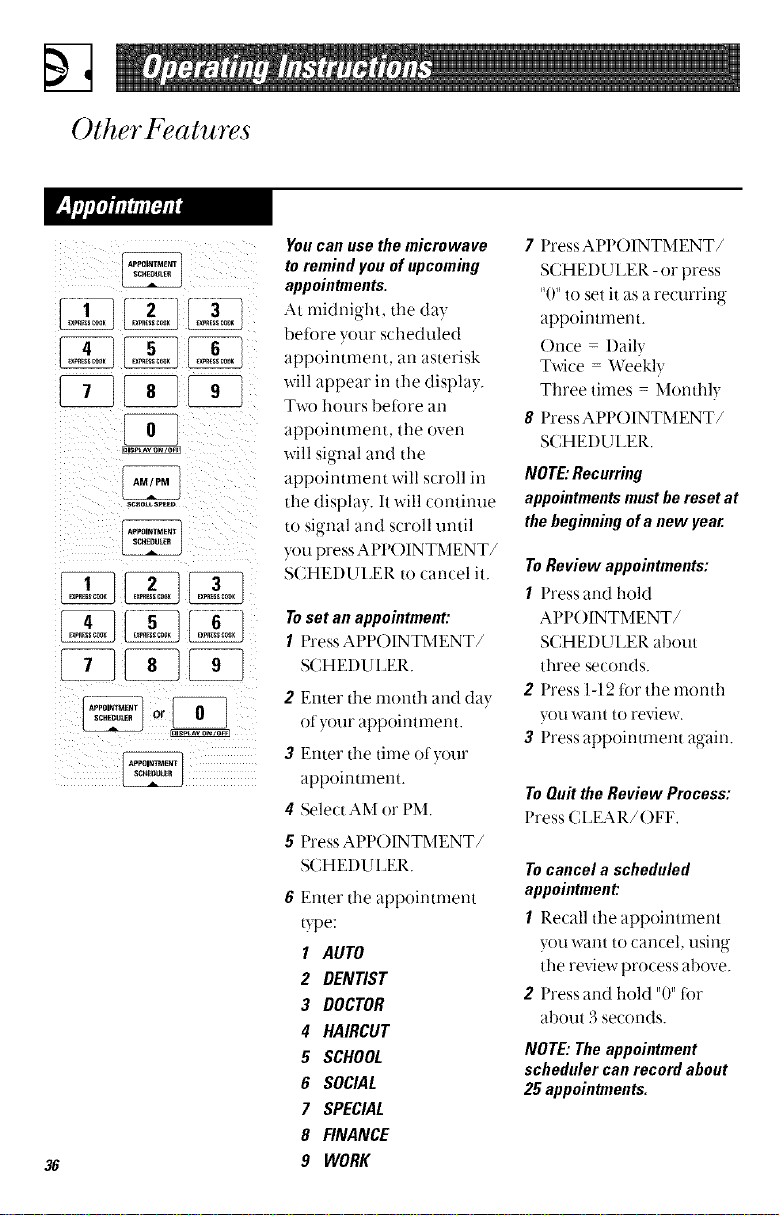
You Call use the microwave
toremindyouof upcoming
appointments.
At rnidrfight, the day
betore your scheduled
appointment, an asterisk
will appear in the display.
Tx_x)hours bei0re an
appoimment, the oven
will signal and the
appoinunent will scroll in
the display. It will continue
to signal and scroll until
you press APPOINTMENT/
SCHEI)ULER to cancel it.
Toset an appointment:
1 Press APP()INTMENT/
SCHEI)UI_ER.
2 Enter the n_onth and (lay
of)our appointment.
Enter the time of)our
appoumnent.
4 Select AM or PM.
5 Press APP()INTMENT/
SCHEI)U I_ER.
36
6 Enter the appointment
type:
1 AUTO
2 DENTIST
3 DOCTOR
4 HAIRCUT
5 SCHOOL
6 SOCIAL
7 SPECIAL
B FINANCE
9 WORK
7 Press APP()INTMENT/
SCHEI)UI_ER - or press
"0" to set it as a recurring
appointment.
()nce- Daily
Twice - Weekly
Three times - Monthly
8 PressAPPOINTMENT/
SCHEI)L II_ER.
NOTE:Recurring
appointmentsmustbe resetat
thebeginningofa newyear.
ToReviewappointments:
1 Press and hold
APPOINTMENT/
SCHEI)UI_ER about
three seconds.
2 Press 1-12 t(_r the month
you want to review,
3 Press appoinunent again.
ToQuit the Review Process:
Press CI_EAI_./()FF,
Tocancel a scheduled
appointment:
1 Recall the appointment
)ou want to cancel, using
tim review process above.
2 Press and hold "0" tot
about 3 seconds.
NOTE: The appointment
scheduler can record about
25 appointments.
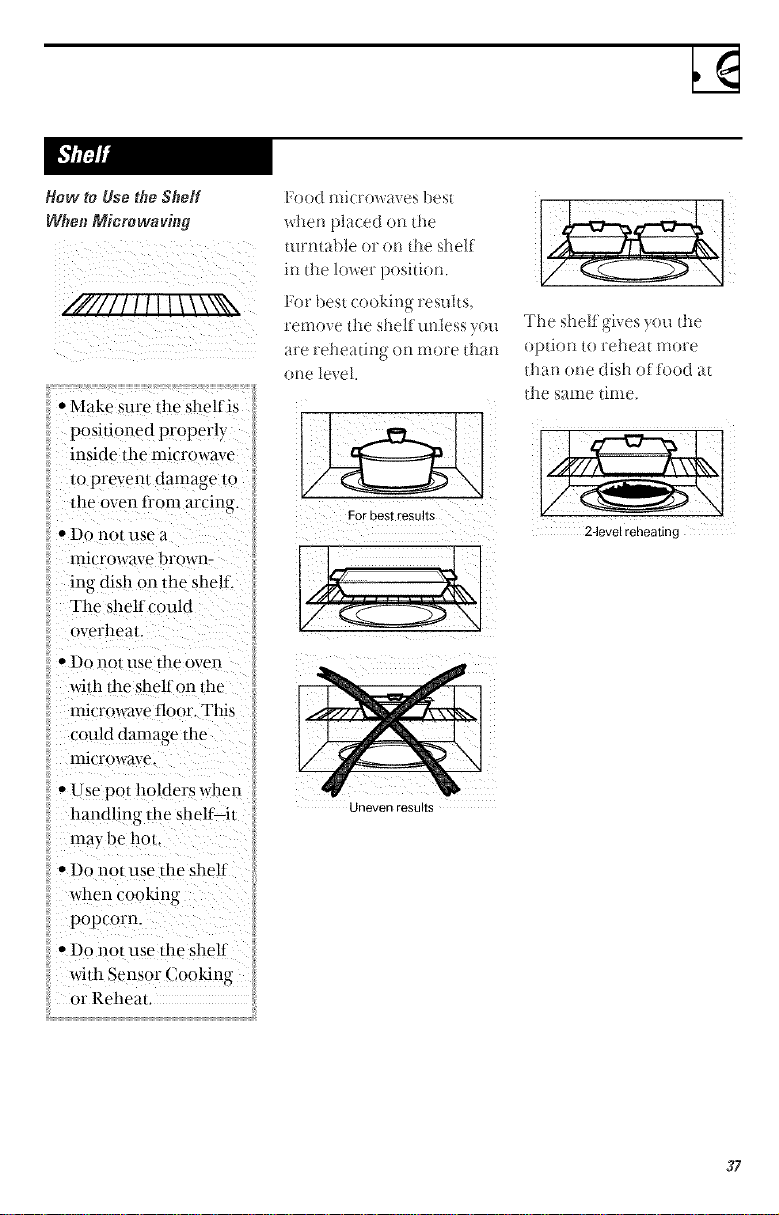
Row to Usethe Shelf
WhenMicro waring
////II I/I!\\\\hh\
•Make _uredm shelfis
posidorted properly
inside the microwave
/o prevem damage 1o
tile oven from arcing.
• Do no[ use El
microwave brown-
ing dish on 1he shelf.
The shelf could
overheat.
• Do IIOt llse the oven
widl dm shel£ oil/he
lmcrowave floor. Thi_
could damage llle
lnlcrowave,
• Use pol holders when
handling die shelf it
may be hot.
• Do not use lhe shelf
when cooMng
popcorn.
• Dr) l]OI use lhe shelf
with Sensor (;oo_ng
or Reheat.
Food microwaves best
when placed on the
turntable or on d_e shelf
in the lower position.
remo_ e the shelf tmless yon
are reheating on more than
otto level
For best results
Uneven results
The shelf gi_es ?on tt_e
optioll to reheat more
lhat! one dish of food at
the same time.
24evel reheating
37
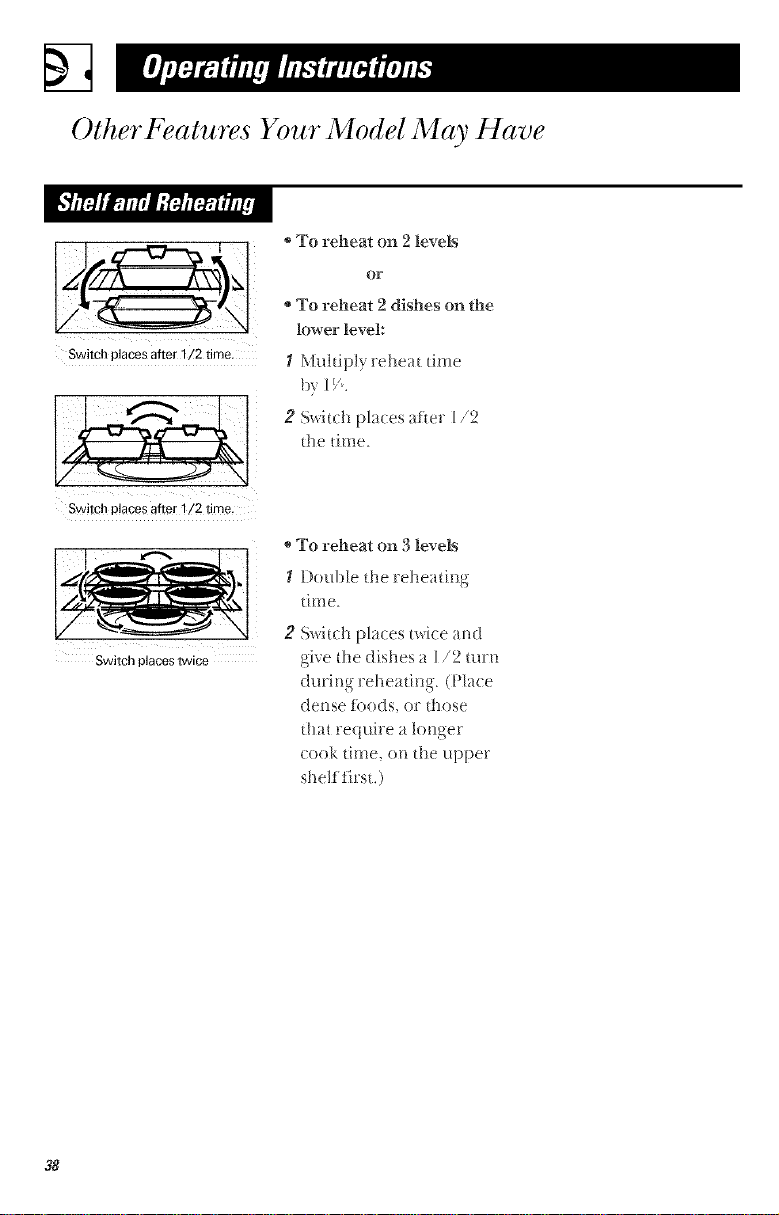
OtherFeatures Your Model May Have
To reheat on 2 levels
lower level:
Switch places after l /2 time. I Mtlltipl} Fehea[ ti[1Qe
b_ LV.
Switch places after 1/2 time.
Switch places twice
2 Sv,.hch places after 1,,'2
the time.
To reheat on 3 levels
_/Double the reheating
[ i Fi!e.
2 Switch places twk:e and
give the dishes a 1/2 mrn
(lurit_g reheadY% (Pla(e
dense li)ods, or those
that require a l(mger
cook time, on the upper
shelf first.)
38
Microwave Terms
Arcing
_.rcinc is the microwave term tbr sparks in the oven. Arcing is
caused w:
• the ternperamre probe staying in the oven but not inserted in
the food.
• the metal shelf being installed incorrecth, and touching the
nlicI'owave walls.
• metal or toil touclfing the side ot the oven.
• foil that is not rooMed to tbod (upturr_ed edges act like
arltellrlas).
• 1 ms 1 " "rnetal such as twist ties. pou tl_ p" ,. gO d-rimmed (hshes,
• rec}cled paper towels containing srnall metal pieces.
Covering Covers hold in moisture, allow tot more even heating and reduce
cookirN time. VentirN plastic wrap or coverirN with wax paper
allows excess ste_tm to escape,
Shielding In a regular oven, )ou shield chicken breasts or baked tbods to
prevent over-browrfing. When rnicrowaving }ou use small strips ot
tbil to shield thir_ parts, such as the tips ofwir_gs and legs on poult_),
which would cook before larger parts.
Standing Time When )ou cook with regular ovens, foods such as roasts or (akes are
alh)_ed to stared to th-fish cookirw or to set Standing- time is
' 0 ' "_ 0
especiall} important in rnicrowave cooking. Note that a rnicrowaved
cake is riot placed oil a cooling rack
o "
Venting Atter coverirw a dish with plastic wrap. }ou vent the plastic wrap b}
ttlrnirlg back one corner so excess steam can escape.
39
%
Care and Cleaning
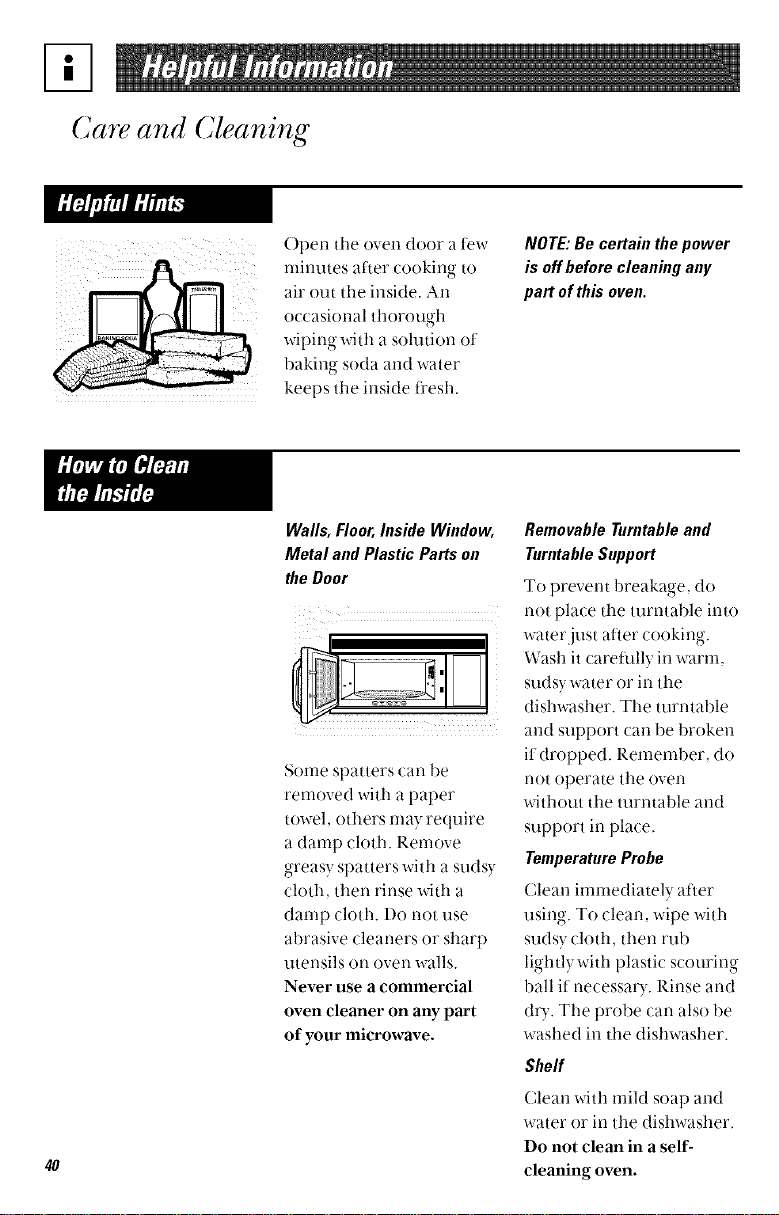
Open the oven door a tew
rnitll.ltes after cooking to
air out the inside. An
occasional thorough
wiping with a solution ot
baking soda and water
keeps the inside fresh.
NOTE:Be certain thepower
is offbeforecleaning any
part ofthis oven.
4O
Walls, Floor, Inside Window,
Metal and Plastic Parts on
the Door
Some spatters can be
removed with a paper
towel, ()tilers may require
a damp cloth. Remove
_,-reasvsoatters _ th a stlds'_
o , 't '.
cloth, then rinse with a
damp cloth. Do not use
abrasive cleaners or sharp
utensils on oven walls.
Never use a commercial
oven cleaner on any part
of your microwave.
RemovableTurntableand
TurntableSupport
To prevent breakaoe do
not place the turntable into
water just a_ter cooking.
Wash it caretially in warm,
sudsy water or in the
dishwasher. The turntable
and support can be broken
it dropped. Remember, do
not operate the oven
without the turntable and
support in place.
TemperatureProbe
Clean immediately atier
using. To clean, wipe with
sudsy cloth, then rub
lightl) with plastic scouring
ball if necessaD'. Rinse and
d_'. The probe can also be
washed in the dishwasher.
Shelf
Clean Mth mild soap and
water or in the dishwasher.
Do not clean in a self-
cleaning oven.
Ill
alcohol onthe
microwave oven.
Ammoniaoralcohol can
dainagethe appearance
ofthe microwave.
CBse
(;lean the outside of the
microwave with a sudsy
ch)th. Rinse and then dry,
Wipe the window clean
with a damp cloth.
ControlPanel andDoor
Wipe with a damp cloth.
I)ry thoroughl), l)o not use
cleaning spra) s, large
amounts ot soap and
water, abrasives or sharp
objects on the panel--they
can damage it. Some paper
towels can Mso scratch the
control panel.
Door Surface
It's important to keep the
area clean where the door
seals against the micro-
wave. Use only mild, non-
abrasive detergents
applied ....with a clean Sl)Onoe
or soft cloth. Rinse well.
Stainless Steel
To clean the surtace use
hot soapy water, then rinse
and dry. Do not use steel
wool pads or other abrasive
cleaners. They will scratch
the surtace.
Bottom
Clean otl the grease and
dust on the bottorn often.
Use a solution ot warrn
water and detergent.
41
%
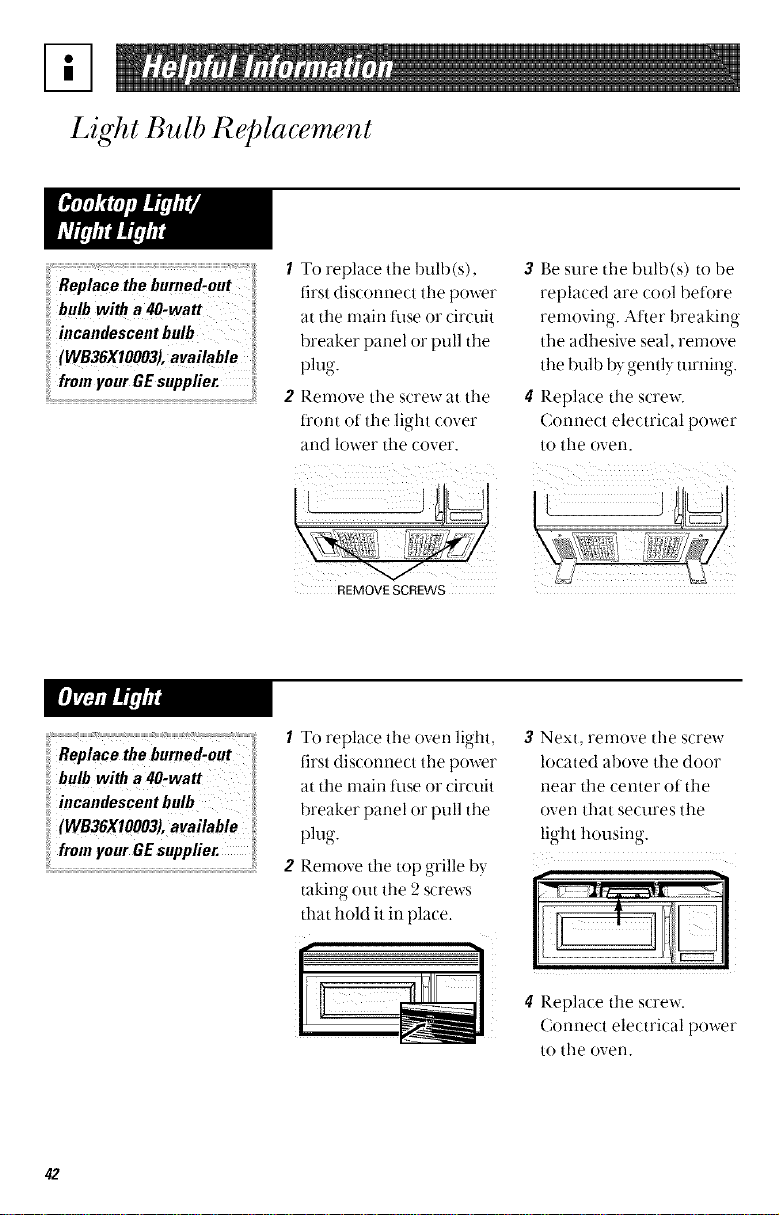
Light Bulb Replacement
/ To replace tile bulb(s),
first disconnect the power
at the nlain ti_se or circuit
breaker panel or pull the
phlo
9"
Renlove the screw at the
fl'or_t of tile light cover
and lower the cover.
REMOVE SCREWS
WB36X10003), available "i
frmn your GE supplier.
2
3 Be sure tile bulb(s) to be
replaced are cool betore
rernovir_g. Atter breaking
the adhesive seal, remove
tile bul ) by _,-entlvturnino-
• _ , 9"
# Replace the screw.
Connect electrical power
to the oven.
(WB36X10003), available
from your GE suppfier.
2
To replace tile oven light,
first disconnect tile power
at tile main tiase or circuit
breaker panel or pull the
phlo"
9"
Remove tile top grille by
takino O[lt tile 2 screws
that hold it in place.
r
3 Next, remove tile screw
located above tile door
near tile center of tile
oven that secures the
light housing
t II'
4 Replace the screw.
Connect electrical power
to tile oven.
42
AJ
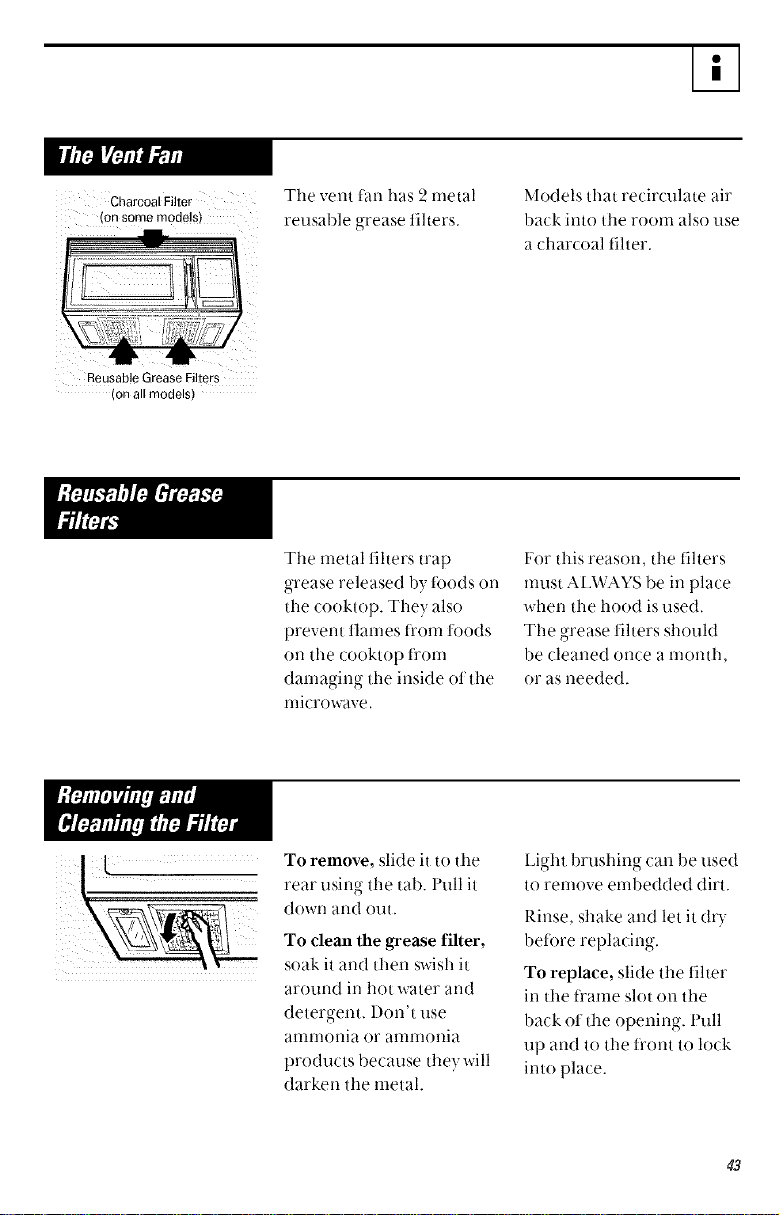
Charcoal Filter
on some models,
The vent fan has 2 metal
reusaMe grease filters.
Models that recirculate air
back into ttle room also use
a charcoal filter.
Reusable Grease Filters
(on all models)
The metal filters trap
grease released b? foods on
the cooktop. They also
prevent flames fi'om foods
oil the cooktop f_'om
damaging tile inside of tile
microwave.
For this reason, tile filters
must AEWAYS be in place
when the hood is used.
The grease filters should
be cleaned once a month,
or as needed.
To remove, slide it to the
rear using tile tab. l'ull it
down and out.
To clean the grease filter,
soak it and then swish it
around in hot water and
detergent, l)on't use
anll-nollia or anll-noilia
products because they will
darken the metal.
Light brushing can be used
to remove embedded dirt.
Rinse, shake and let it (h)-
before replacing.
To replace, slide the filter
in the t_'ame slot oil the
back of the () 3enin,c_'ii... [:'till
tip and to the t_'ont to lock
into place.
43
%
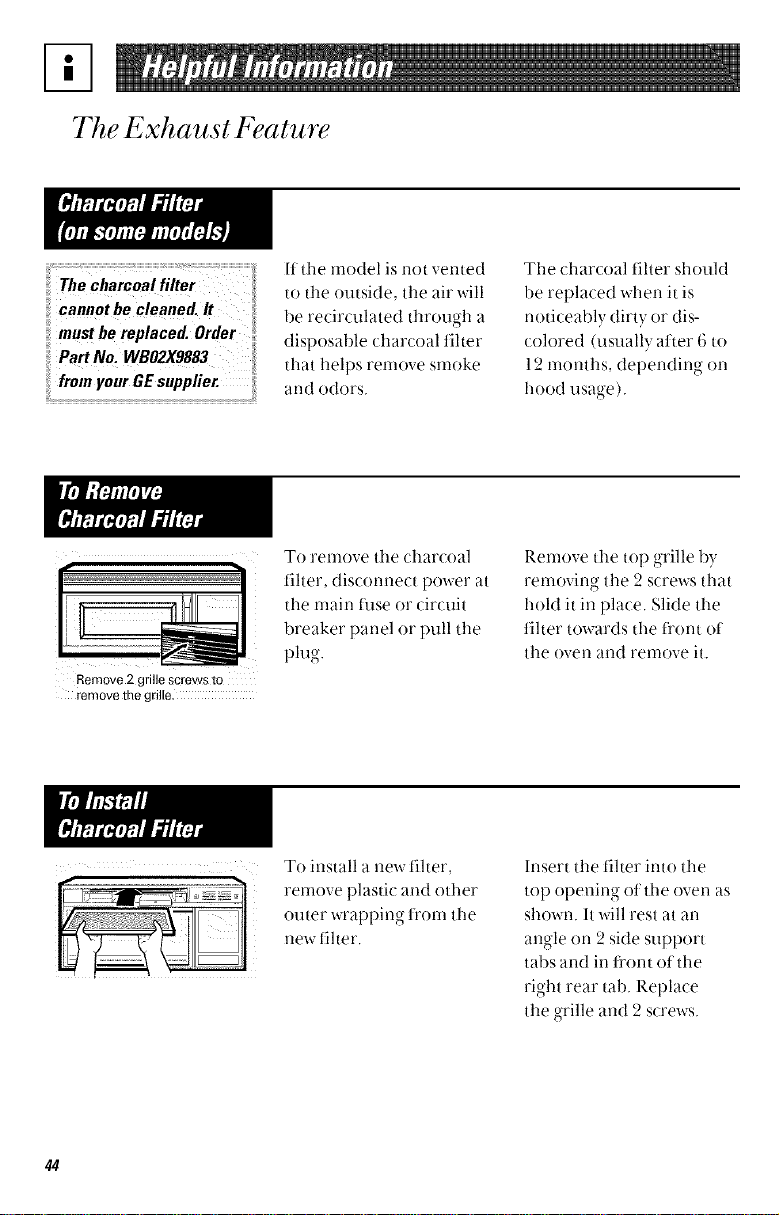
The Exhaust Feature
ii cannotbe cleaned. It
iiimustbe replaced. Orde,
Part No. WBO2X9883
from
If the model is not vented
to the outside, the air will
be recirculated through a
disposable charcoal filter
that helps remove smoke
and odors.
The charcoal filter should
be replaced when it is
noticeably dirty or dis-
colored (usually atter 6 to
12 months, depending on
hood usage).
To remove tile charcoal
filter, disconnect power at
the main tuse or circuit
breaker panel or pull tile
plug.
Remove 2 grille screws to
remove the gdlle.
Remove the top grille by
removing tile 2 screws that
hold it in place. Slide the
filter towards the fl'ont of
the oven and remove it.
To install a new tilter,
renlove plastic and other
outer wrapping fl'om the
new filter.
Insert tile filter into tile
top opening of tile oven as
shown. It will rest at an
angle on 2 side support
tabs and in fl'ont oI the
right rear tab. P-.eplace
the grille and 2 screws.
44
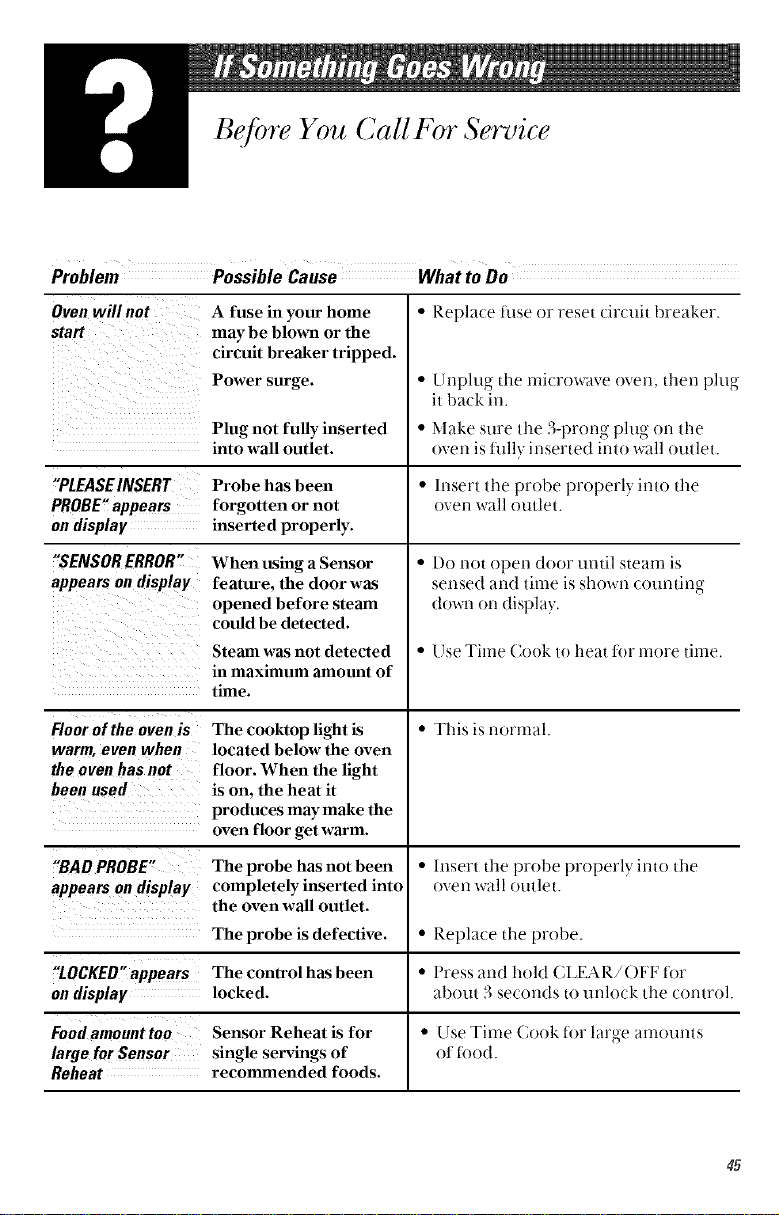
Bef!)re You Call For Service
Problem
Oven will not A fuse in your home
start may be blown or the
circuit breaker tripped.
Power surge.
• Replace fllse or reset circuit breaker.
• Unplug the rnicrowave oven, then Dluo
, • o
it back in.
Plug not fully inserted • Make sure the 3-1)rorl , plug on tile
("9 <
into wall outlet, oven is hilly inserted into wall outlet.
"PLEASE INSERT Probe has been • Insert the probe properly into the
PROBE" appears forgotten or not oven wall outlet.
on display inserted properly.
"SENSOR ERROR"
appears on display
When using a Sensor
feature, the door was
opened before steam
could be detected.
Steam was not detected
in maximum amount of
time.
The cooktop light is
located below the oven
floor. When the light
is on. the heat it
produces may make the
oven floor get warm.
Floor of the oven is
warm, even when
the oven has not
been used
• Do not open door until steam is
sensed and time is shown counting
(tox_a-_on display,
• Use Time Cook to heat for more time.
• Tiffs is normal.
"BAD PROBE" The probe has not been • Insert tile probe properly into tl_e
appears on display completely inserted into oven wall outlet.
the oven wall outlet.
The probe is defective. • Replace the probe.
"tOCKEO" appears The control has been • Press and hold (;IJ_IAR/()FF ti)r
on display locked, about 3 seconds to uMock the control.
Food amount too Sensor Reheat is for • Use Time Cook lot large amounts
large for Sensor single servings of ot _ood.
Reheat recommended foods.
45
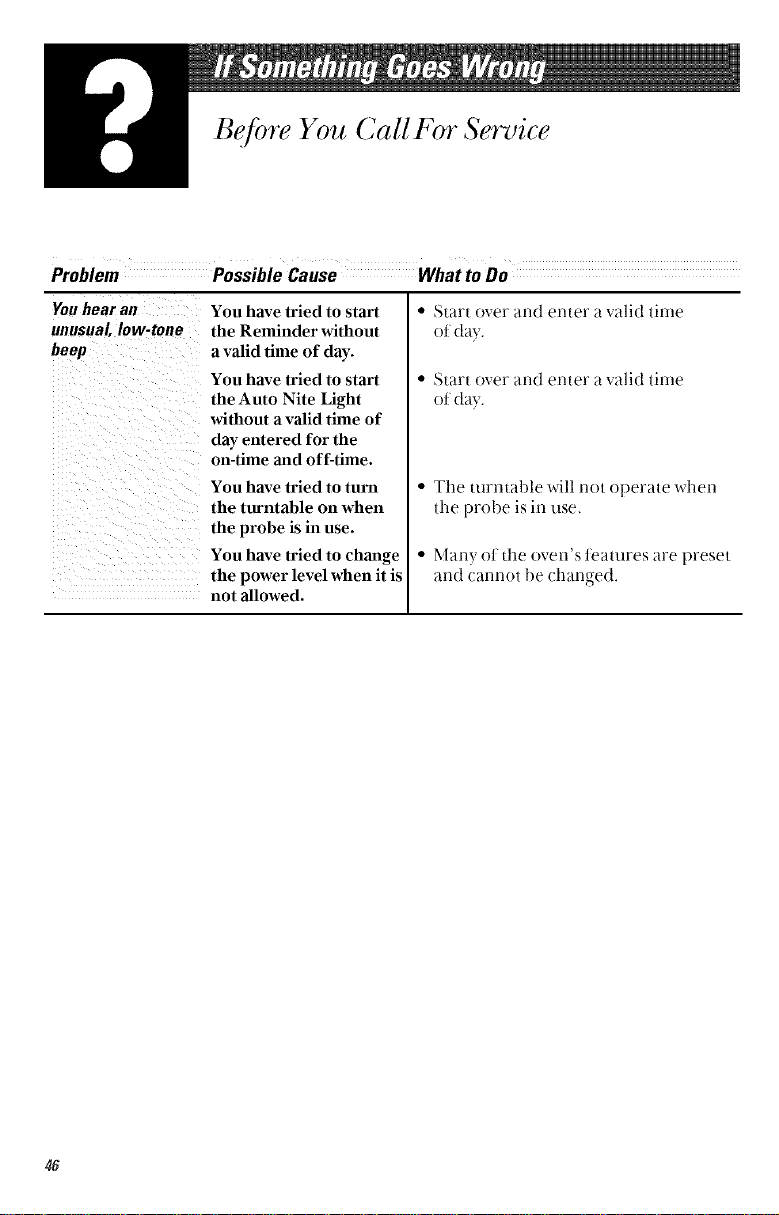
Before You Call For Service
Problem
Fou hear an You have tried to start
unusual, low-tone the Reminder without
beep a valid time of day.
You have tried to start
the Auto Nite Light
without a valid time of
day entered for the
on-time and off-time.
You have tried to turn
the turntable on when
the probe is in use.
You have tried to change
the power level when it is
not allowed.
• Start over and enter a valid time
of day.
• Start over and enter a valid time
of day.
• The turntable will not operate when
the probe is in use.
• Many ot the ()veil's features are preset
and cannot 1)e changed.
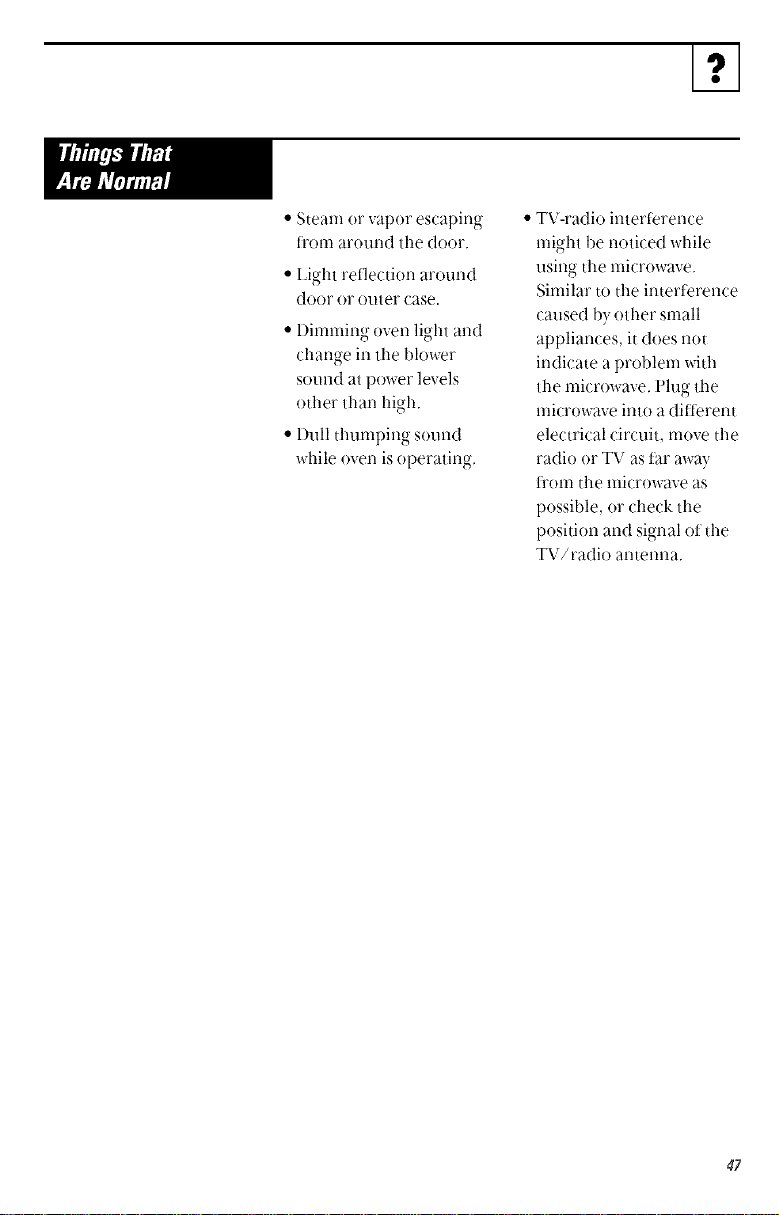
I.,I
• Steam or vapor escaping
trom around tile door.
• l.ight reflection around
door or outer case.
• Dimnlir_g oven light and
char_ge in tile blower
SOl_llldat power levels
other than high.
• I)ull thunlping sound
while oven is operating.
• TV-radio intertbrence
might be noticed while
using tile nlicrowave.
Sinlilar to the interterence
caused bv other snlall
appliances, it does not
indicate a problem with
tile microwave, l'lug tile
microwave into a ditterent
electrical circuit, nlove the
radio or TV as Par away
ti'onl tile nlicrowave as
possible, or check tile
position and signal of tile
TV/radio antenna.
47
No te,_
48

No te,_
49
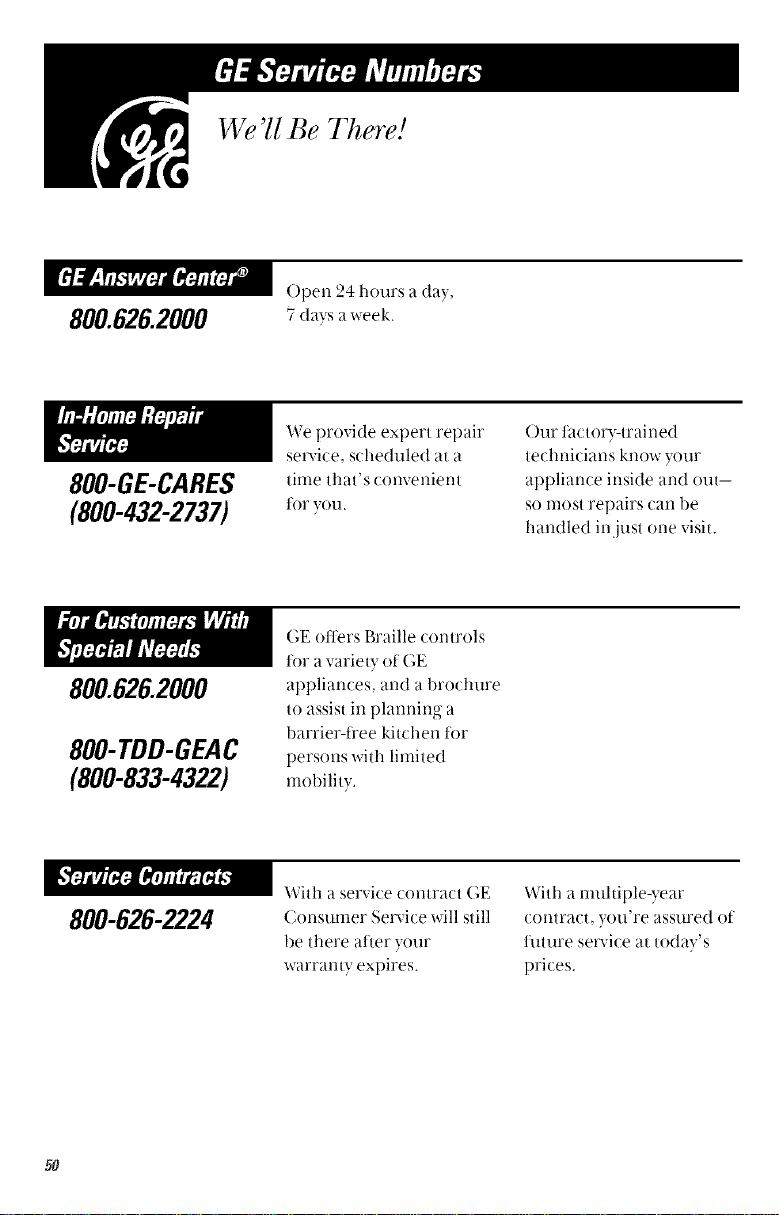
800.626.2000
800-GE-CARES
(800-432-2737)
800.626.2000
800-TDD-GEAC
(800-833-4322)
We'U Be There!
()pen 24 hours ada},
7 days a week.
We provide expert repair
service, scheduled at a
time that's convenient
tot you.
()ur t_lctor?_trained
technicians know your
appliance inside and out--
so most repairs can be
handled in just one visit.
800-626-2224
GE oilers Braille controls
tot a variety of GE
appliances, and a brochure
to assist in planning a
barrier-ti'ee kitchen tor
persons with limited
mobility.
With a service contract GE
Consumer Service will still
be there aher your
warranty expires.
With a multiple-year
contract, you're assured of
futt_re service at today's
prices.
50
800-626-2002
Individuals qualified
to servi<e their OWll
appliances can have
parts or accessories sent
directly to their home.
(VISA, MasterCard and
Discover cards are
accepted.)
Instructions contained
in this manual cover
procedures to be
performed by any user.
Other servicing generally
should be referred to
qualified service
personnel. Caution
must be exercised, since
improper servicing may
cause unsafe operation.
If tot some reason you are
not happy with the service
you receive, here are steps
to tollow tot further help.
First contact the people
who serviced yOtlr
appliance. Explain why
you are not pleased.
Next,ityou are still not
pleased, x_Titeall the
details-including
your phone number-to:
(_ustomer Relations
GE Appliances
I_ouisville, KY4(t925
51
St@le sales slip or _art_dled _heck here, P_vq]'o]'o_4g4_al
pu _'chase date is rteeded to obta i_ serv ice u _der warm _ ty.
FULL ONE=YEAR WARBANTY
For one year fl'om date of original
purthase, we will provide fl'ee of t harge,
parts and servi( e labor ill Your home to
repair or replate a_l)'/)al'l oi #_e mio_owave
OY#_ that fails ])ecatlse of a llia[ltl_act_.ii'ii]_"
defect.
LIMITED ADDITH)NAL
l%Tik_'-YEAR WARRANTY
For the secotld through the tet!th '_ear
from the date of original purchase, we
will provide, fl'ee of charge, a replacement
mag_netr+mtub<,if the magnetrot_ tube tails
because of a manufacturing deject. You
pay tor the service trip to your home and
service labor ch asges.
This warranty is extended to the original
purchaser and any succeeding owner lop
products purchased lop ordinary home use
in the 48 mainland states, Hawaii and
Washin ton I).C. h_ Alaska the warranty is
o
the same except that it is LIMITEI) because
you must pay to ship the product to the
service shop or fop the service tech ilician's
travel costs to }our home.
All warranty service will be provided by our
Factory Service Centers or b} our
authorized Customer Care" servicers
dm'i_g normal worki_g horn's.
Should }our appliance need service,
during wart'amy period or beyond, call
800-GE-CAR ES (800432-2737).
Warrantor is not responsible for consequential damages.
• Service trips to your home to teach you
how to use tile product.
Read your Owner's Manual. If you then
have any questions about operating the
product, please contact your dealer or
our Customer Relations office at the
address below, or call, toll t_'ee:
GE Answer Center '_
800.626.2000
consumer intormation service
• hnproper installation.
If you have an installation problenl, contact
your dealer or installer. You are responsible
tor providing adequate electrical,
exhausting and other connecting thcilities.
• Replacement of house ftlses or resettino
1 ........... o
ot cirt_tit breakers.
• Faihtre of the product itit is misused, or
used tor other than the intended purpose
or used commercially.
• l)amage to product caused by accident,
fire, floods or acts of God.
Some states do not allow ti!e exclusion or limitation of incidental or consequentia! damages, ]
so the abo,,e limitation ()_exclusion may not appl} to you. This warranty gi,,es you specitic lega! ]
rights, and you may als Oha; e other rights wl-dch vau it-ore state to state. To kno',_ 5dmt your ]
legal rights are in your sta!e, consult your !oca! 0 r state c0nsumer att}!irs o!!ice (_ryour statels i
Attorney (;eneral. I
Warrantor: G_nwralEleetric Company Iffurther help is needed conconing this warrant, _ite: I
Manager-(_ustomer Relations, GE Applimwes, Louisville, KY40225 ]
Printed in Korea

