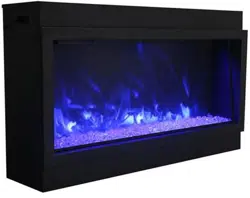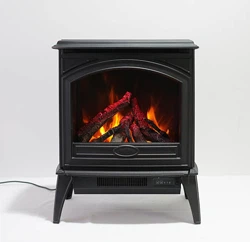
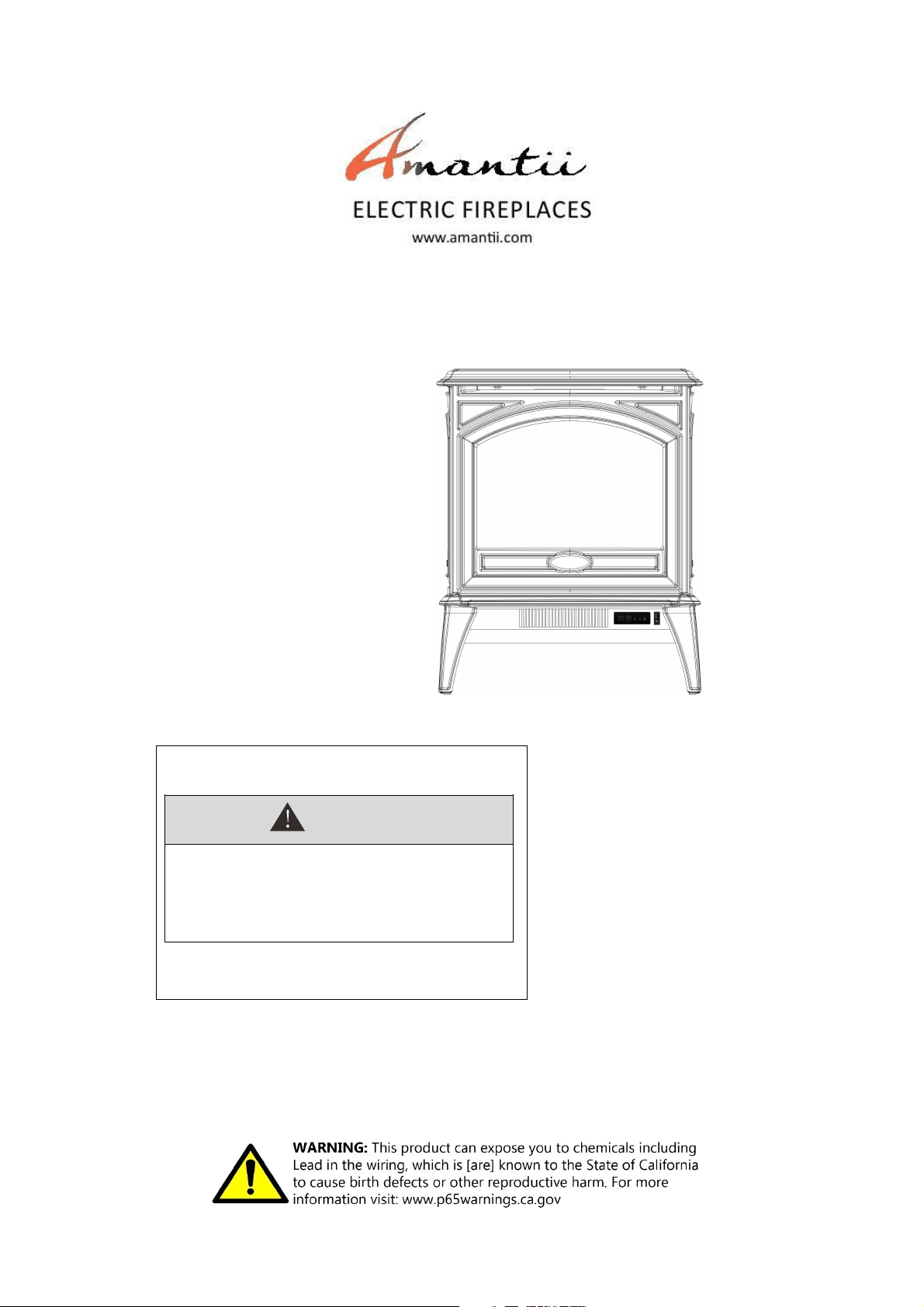
INSTALLATION AND OPERATION INSTRUCTIONS FOR
INSTALLER: LEAVE OWNER’S MANUAL WITH THE APPLIANCE.
CONSUMER: RETAIN OWNER’S MANUAL FOR FUTURE REFERENCE.
SAFETY INFORMATION
WARNING
For your safety, always comply with all
warnings and safety instructions
contained in this manual to prevent
personal injury or property damage.
Do not store or use gasoline or other flammable vapors
and liquids in the vicinity of this appliance.
E 70
E 50

2
Table of Contents
IMPORTANT INSTRUCTIONS ............................................................................................................................. 3
UNPACKING AND TESTING APPLIANCE ........................................................................................................ 4
GROUNDING APPLIANCE ................................................................................................................................... 4
CHOOSING FIREPLACE LOCATION .................................................................................................................. 4
VIRTUS 50 ............................................................................................................................................................... 5
VIRTUS 70 ...............................................................................................................................................................
6
MEDIA OPTIONS ................................................................................................................................................... 7
OPERATION ........................................................................................................................................................... 8
MANUAL OPERATION ......................................................................................................................................... 8
AUTO MODE .......................................................................................................................................................... 8
REMOTE CONTROL OPERATION ...................................................................................................................... 9
REPLACEMENT PARTS ...................................................................................................................................... 10
EXPLODED VIEW ................................................................................................................................................ 11
WIRING DIAGRAM ............................................................................................................................................. 12
TROUBLE SHOOTING ........................................................................................................................................ 13
SERVICE HISTORY ............................................................................................................................................. 14
WARRANTY ......................................................................................................................................................... 15
Please read and carefully follow all instructions found in this manual. Please pay special attention to
the safety instructions provided in this manual. The instructions included here will assure that you
have many years of dependable and enjoyable service from your Amantii product.

3
PLEASE RETAIN THIS USER GUIDE FOR FUTURE REFERENCE
When using electrical appliances, basic precautions should always be followed to reduce the risk of fire,
electric shock, and injury to persons, including the following:
1) Read all instructions before using this fireplace
2) The fireplace is hot when in use. To avoid burns, do not let bare skin touch hot surfaces. Keep
combustible material such as furniture, cushions, bedding, paper, clothes, curtains at least 3
feet from the front of the unit
3) Extreme caution is necessary when any heater is used near children and whenever the unit is
left operating and unattended
4) Do not operate a fireplace with a damaged cord or plug, or if the heater has malfunctioned, the
fireplace has dropped or damaged in any manner
5) Not all fireplaces are suitable for use in bathrooms or laundry facilities. Please consult with
individual product literature to confirm suitability
6) Do not run the cord under carpeting. Do not cover cord with throw rugs, runners or the like.
Arrange the cord away from traffic area and where it will not be tripped over
7) Do not modify this fireplace. Use it as described in the manual. Any other use not recommended
by the manufacture may cause fire, shock or injury to persons
8) Do not use this heater with a programmer, timer, separate remote-control system or any other
device that switches the heater on automatically, since a fire risk exists if the heater is covered
or positioned incorrectly
9) Disconnect all power supply before cleaning, maintenance or relocation of the fireplace
10) Keep the heater clean. Do not allow any objects to enter any ventilation or exhaust opening as
this may cause electric shock, fire or damage to the heater
11) Do not immerse the cord, plug or any part of the appliance in water or any other liquid
12) In order to avoid a hazard due to inadvertent resetting of the thermal cut-out, this appliance
must not be supplied through an external switching device
CAUTION: Procedures and techniques, which, if not carefully followed, will result in damage to the
equipment.
WARNING: Procedures and techniques, which, if not carefully followed, will expose the user to the risk
of fire, serious injury, illness or death.
IMPORTANT INSTRUCTIONS
4
UNPACKING AND TESTING APPLIANCE
Carefully remove the appliance from the box.
Prior to installing the appliance, test to make sure the appliance operates properly by
plugging the power supply cord into a conveniently located 120 Volt grounded outlet.
Test all aspects of its operation (manual switches, remote and heater) to make sure all
components operate correctly.
As with most electronic devices, your electric fireplace has been designed to operate at
temperatures between 5
℃ (41℉) and 35℃ (95℉). During the cold winter months, allow the
fireplace to reach room temperature before turning it on.
NOTE: There may be trace of odor during the first few minutes of initial use. This is
harmless, normal and will never occur again.
GROUNDING APPLIANCE
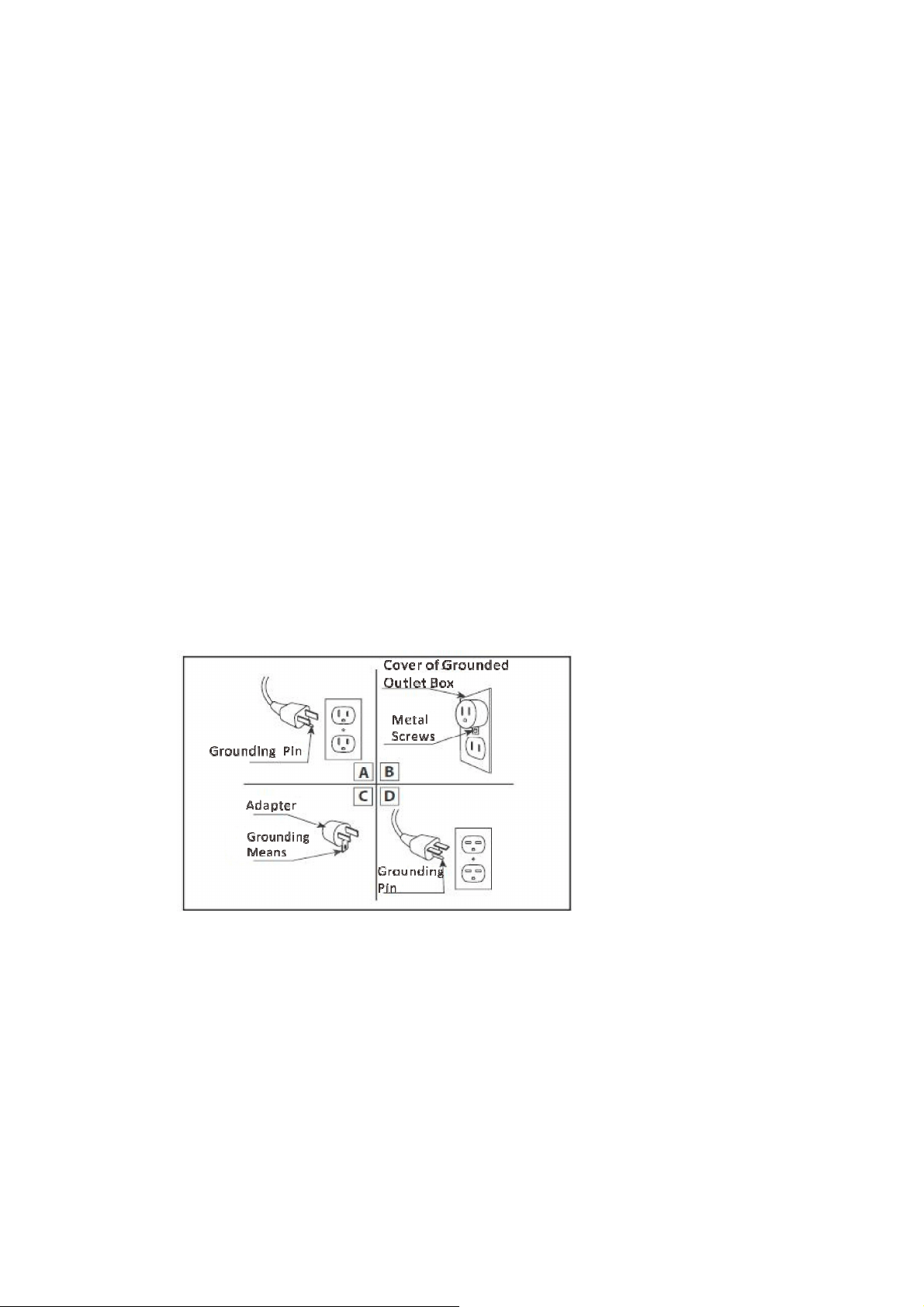
This appliance is for use on 120 volts. The cord has a plug as shown in (A). An adapter as
shown in (C) is available for connecting three-blade grounding type plugs to two-slot
receptacles. The green grounding lug extending from the adapter must be connected to a
permanent ground such as a properly grounded outlet box. The adapter should not be used if
a three-slot grounded receptacle is available.
To disconnect appliance, turn controls to off, then remove plug from outlet.
CHOOSING A LOCATION FOR THE FIREPLACE
Plan where to place and frame the fireplace. Before installation consider the following:
1.
The location of the fireplace must allow for wall and ceiling clearances.
2.
Consider a location where the fireplace screen will not be exposed to direct sunlight from
windows or doors.
3.
A 15 ampere, 120 Volt, 60 Hz branch circuit with proper ground must be available at the
location. A dedicated branch circuit should be provided to avoid circuit breakers to trip or
fuses to blow.
55
VIRTUS 50
This appliance has been tested in
accordance with the UL Standard
2021 for fixed and location
dedicated electric room appliances
in the United States and Canada. If
you need assistance during
installation, please contact your
local dealer.
NOTE: This appliance must be
electrically wired and grounded
in accordance with local codes.
In the absence of local codes,
use the current CSA C22.1
Canadian Electrical Code in
Canada or the ANSI/NFPA 70
National Electrical Code in the
United States.
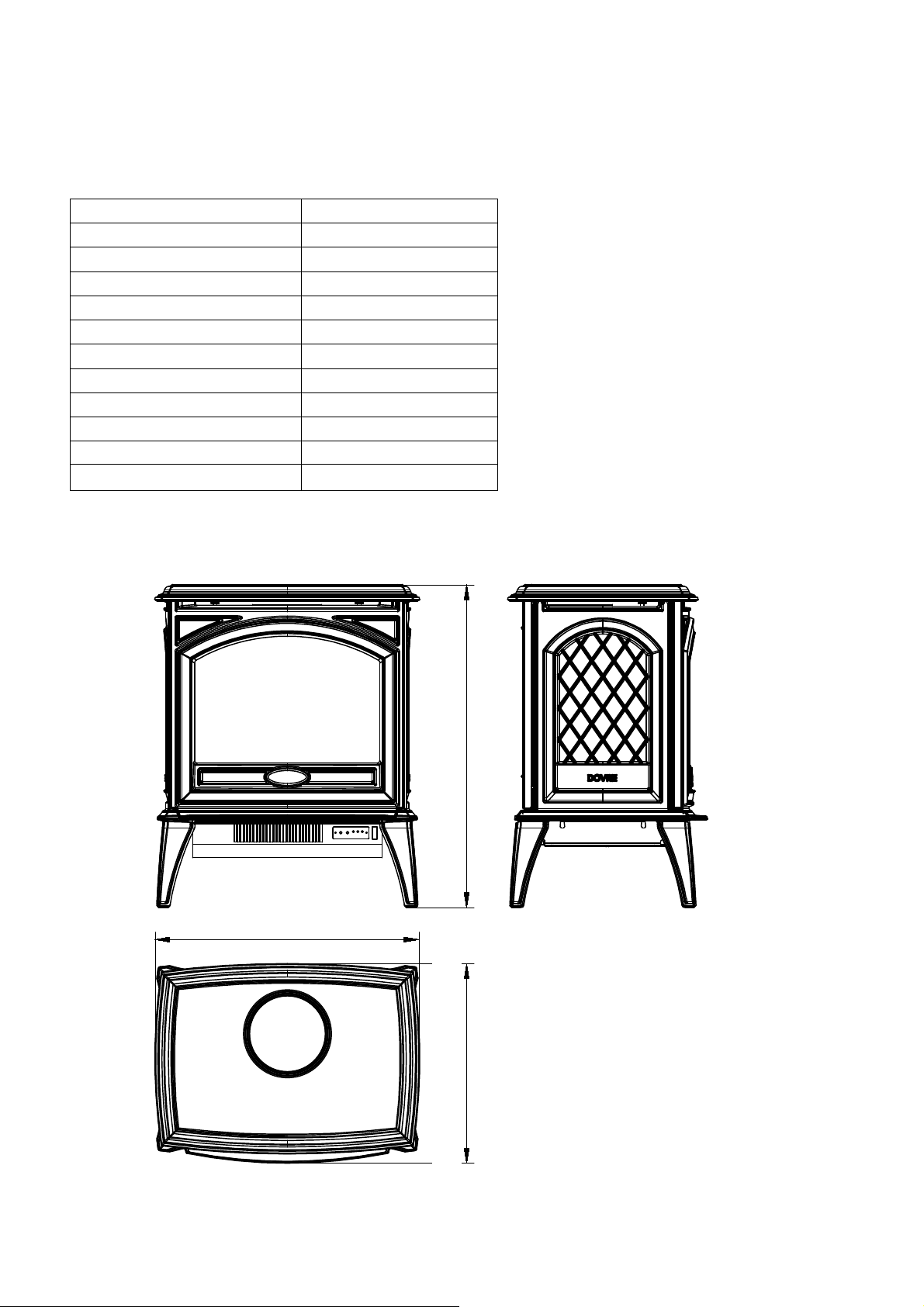
Description
Free Standing Appliance
Voltage 120V AC 60Hz
Watts 1500W Max
NO HEATER 18.5W
MOTOR HEATER 19W
Appliance Width 23" or 58.6 cm
Appliance Height 28 1/4" or 71.7 cm
Appliance Depth 17 1/2" or 44.3 cm
Gross Weight 123.5 lbs or 56 kgs
Plug Location Left side
Cord Length 70 7/8” or 180
BTU
4800
586.1mm [23"]
716.6mm [28 1/4"]443.4mm [17 1/2"]
VIRTUS 70
This appliance has been tested in
accordance with the UL Standard
2021 for fixed and location
dedicated electric room appliances
in the United States and Canada. If
you need assistance during
installation, please contact your
local dealer.
NOTE: This appliance must be
electrically wired and grounded
in accordance with local codes.
In the absence of local codes,
use the current CSA C22.1
Canadian Electrical Code in
Canada or the ANSI/NFPA 70
National Electrical Code in the
United States.
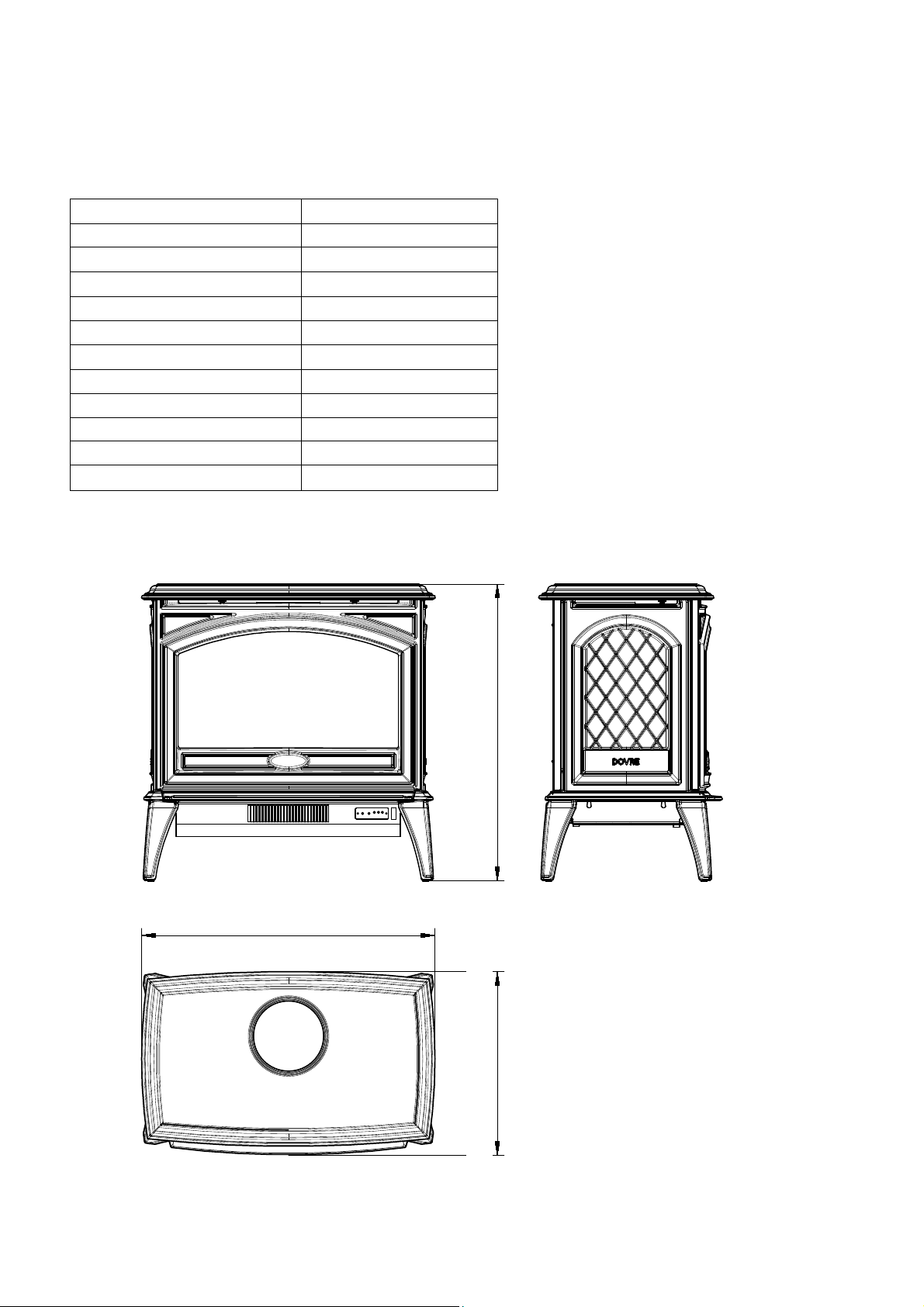
Description
Free Standing Appliance
Voltage 120V AC 60Hz
Watts 1500W Max
NO HEATER 18.5W
MOTOR HEATER 19W
Appliance Width 28" or 70.8 cm
Appliance Height 28 1/4" or 71.6 cm
Appliance Depth 17 1/2" or 44.3 cm
Gross Weight 140.9 lbs or 63.9 kgs
Plug Location Left side
Cord Length 180 cm
BTU
4800
708.1mm [28"]
716.7mm [28 1/4"]443.4mm [17 1/2"]
6
7
M EDIA OPTIONS
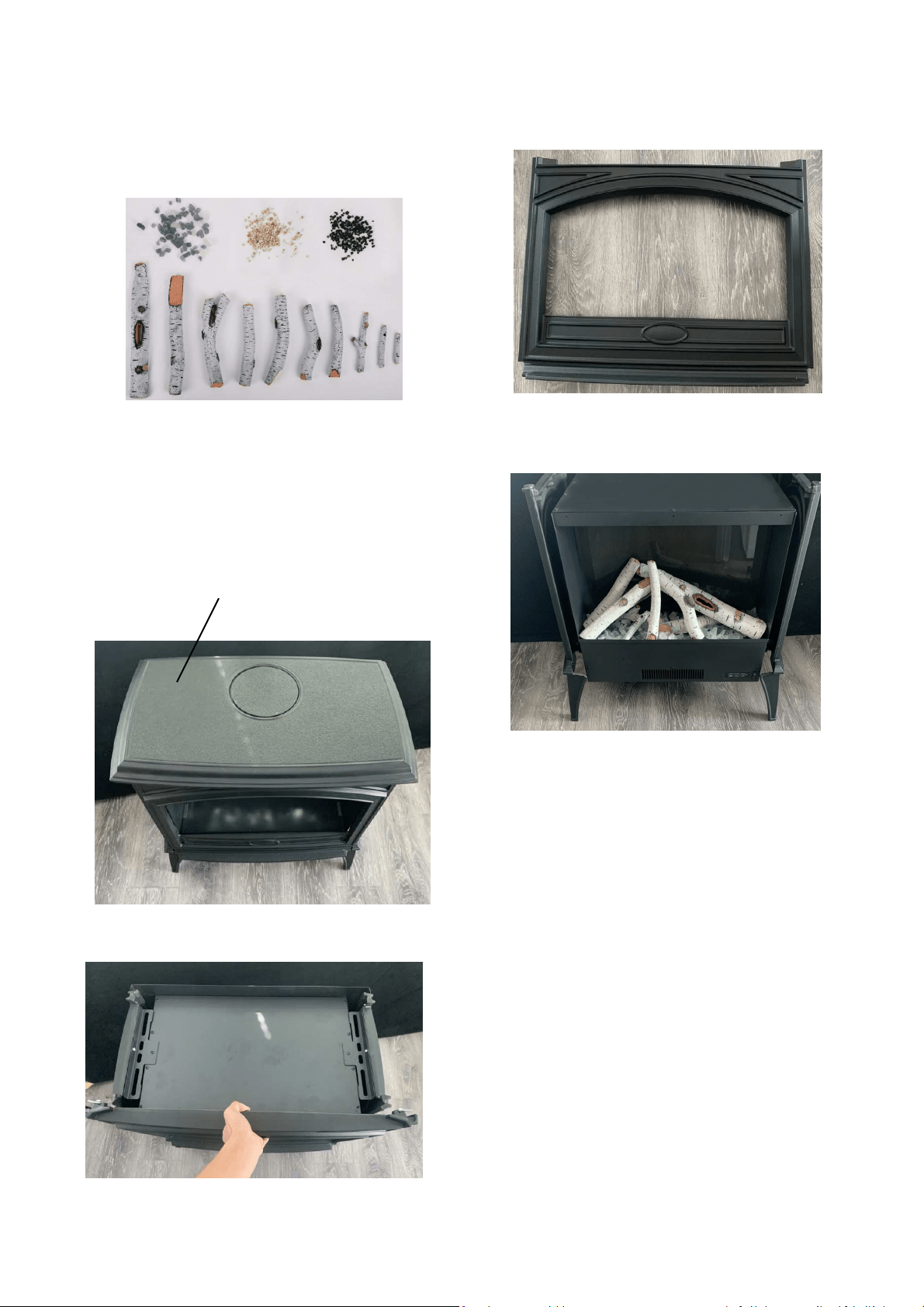
MEDIA INSTALLATION
STEP 1: Unplug the unit and make sure
controls are switched off.
STEP 2: Take off the top cover.
STEP 3: Pull the front door up and take it off.
Top cover
STEP 4: Now you can decorate your fireplace.
Your fireplace shipped with DESIGN-
MEDIA-BIRCH-10PCE.
DESIGN-MEDIA-BIRCH-10PCE
STEP 5: After the media has been installed,
reinstall the front door and top cover.
OPERATION
The fireplace can be operated
by th
remote control (included).
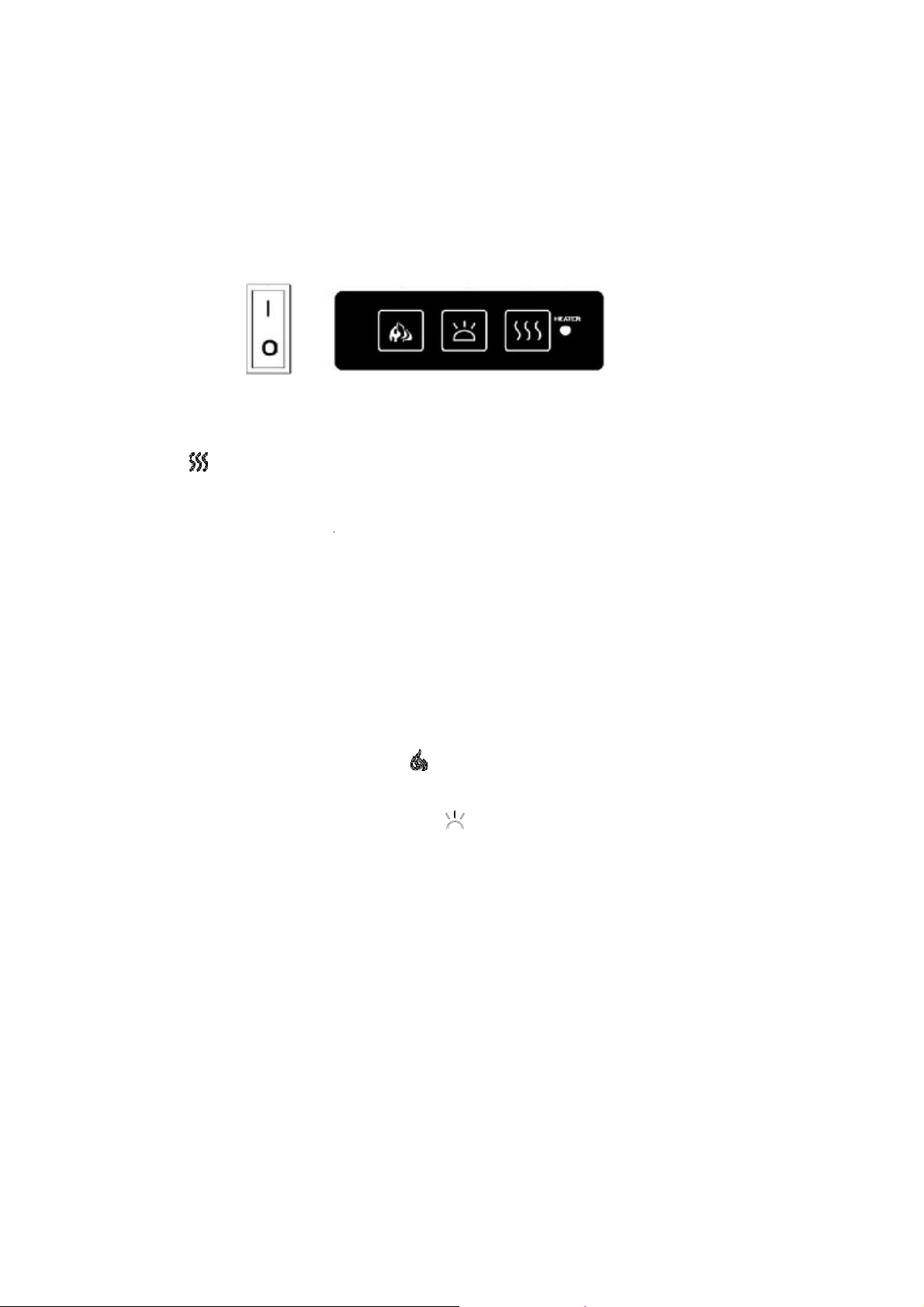
MANUAL OPERATION
1.
The main power ON/OFF switch
2.
When main power ON/OFF swi
3.
Press the
button repeatedl
LED will glow which shows the
a)
RED 1500W HEAT
OUTPUT
b)
BLUE 750W HEAT
OUTPUT
c)
PURPLE AUTO MODE
AUTO MODE
Under this mode the heater will au
the room te
mperature drops bel
25℃(72-77℉
) the heater output w
goes above 25℃(77℉
) the heater
will be PURPLE in colour under this
4.
Flame effect:
Press the button
will cycle through –Low-
Mediu
5.
Mood light effect: Press the bu
NOTE:
If operated at
the Low heat
setting, however,
the low setting w
circuit, do not plug the firepla
ce in
When the fireplace is not in use,
sw
SAFETY CUT-OFF
This appliance is fitted
with a sa
to blocked air vents). For safety
To
reset the appliance, disconn
Reconnect the suppl
y to the m
8
y the switches located on the left front of the fir
witch in position
O, the fireplace is OFF.
switch is
at position I, the fireplace is ready to
tedly to set the heater to desired heat
setting.
the current heater
settings.
PUT
PUT
ll automatically turn ON at high heat setting 150
below 22
℃(72℉
). When the room tempera
ut will switch to low heat setting
750W.
When t
ater will be turned
off
and the cycle will contin
this
mode.
ton
marked
to adjust the flame brightness. T
edium
-High -OFF.
e button
marked to change the mood light
co
heat setting, the fireplace will not provide as mu
ng will not r
equire as much electrical power.
To
e into a circuit that already has other appliance
switch
off and unplug.
a safety
cut-off
which will operate if the fireplac
afety reasons, the fire
place will NOT
automatical
onnect the appliance from
the main supply for
e main and switch on the
appliance.
e fi
replace unit or by
use.
g.
The heater indicator
1500W heat output when
perature is between 22
-
en the room temperature
ntinue. The LED ind
icator
ss. The flame brightnes
s
colour.
much heat as in the High
To
avoid overloading the
ances
working connected.
place overheats (eg.
Due
tically
reset.
for
at least 10 minutes.
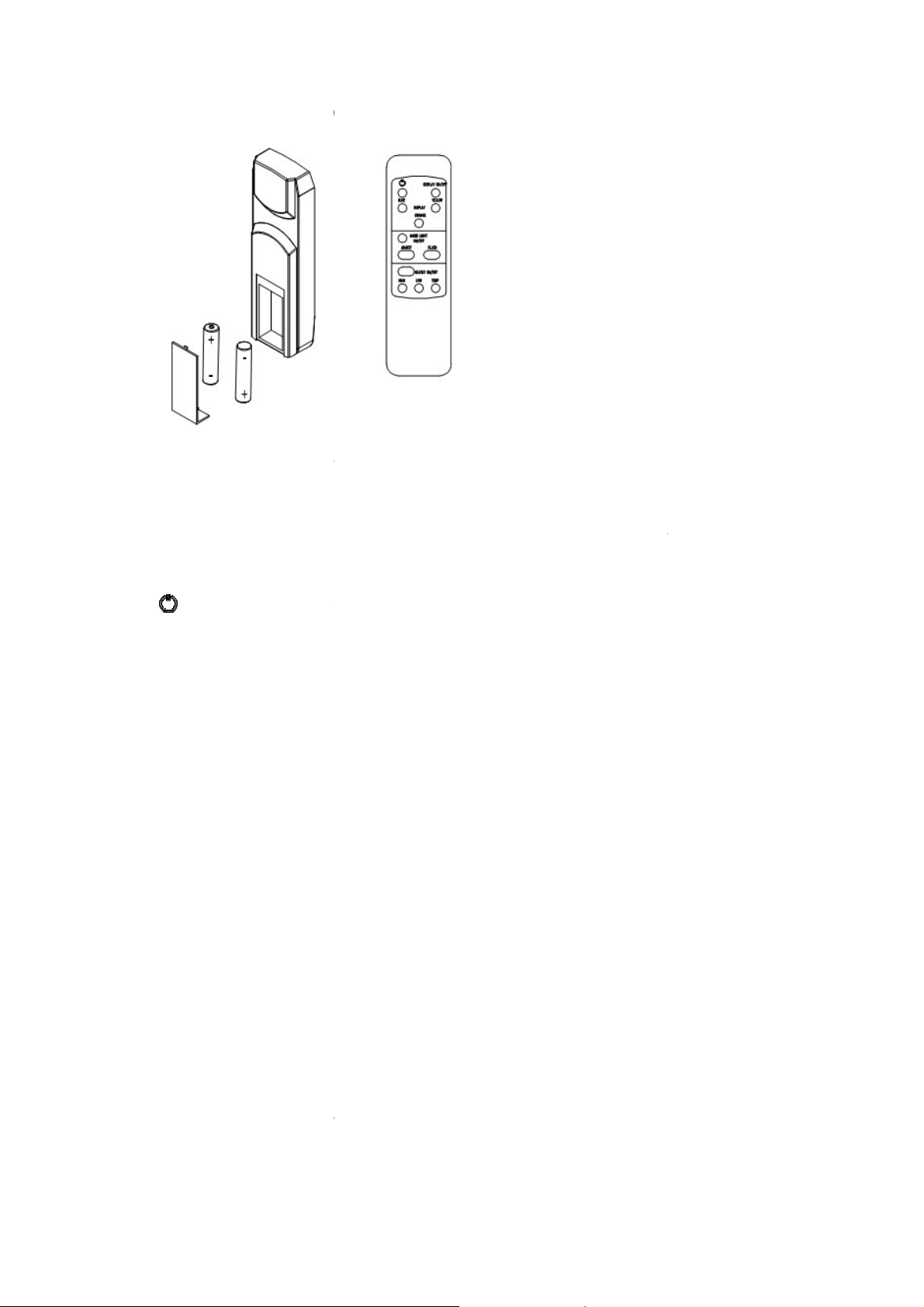
REMOTE CONTROL OPERATIO
For remote to function make sure t
bottom left hand side is at position
When operating the remote make s
sure each time you press the butto
the receiver to respond to the tra
seconds for correct operation.
Power on button: The power-
power button. This will turn off
all t
DISPLAY ON/OFF button:
Switc
the last setting.
DISPLAY BLUE button
: Adjust
DISPLAY YELLOW button
: Adju
tray.
DISPLAY ORANGE button
: Adj
and tray.
MOOD LIGHT ON/OFF button
: Swit
ADJUST button: Switches
the color
FLASH button
: Switches the mood l
HEATER ON/OFF button:
Turns
HIGH button
: Press the high but
LOW button
: Press the low butto
TEMP button
: Press the TEMP
the heater will operate as explain
9
TION
re the heater is plugged in and main power swit
tion I.
ake s
ure you point the remote to the center
of th
utton the buzzer inside the unit will beep once.
transmitter. Do not PRESS the buttons more
-
on button at top left corner of the remote is t
all the functions and the fireplace will be in stan
Switch
es
the fireplace flame and tray light O
djust
s the blue color and
brightness of flame a
: Adjust
s the yellow color and
brightness of fl
: Adjust
s the orange color and
brightness of fl
Switch
es the mood light On and Off..
olor of the mood light.
od light into flash mode
. This cycles
through all
Turns
the heater On and Off. It
will store the la
gh button to switch the heater to high heat setti
button to switch the heater to
low heat setting
EMP
button to switch the heater to AUTO mod
xplained
in the manual operation.
switch located on the
of the fireplace and make
ce. It takes some time for
ore than once withi
n two
is the m
ain ON/OFF
stan
dby mode.
ht O
n and Off. It will store
me and tray.
s of flame and
s of flame
all mood light colors.
the last
setting.
t setting 1500W.
setting 750W.
mode. Under thi
s mode

10
REPLACEMENT PARTS
This list contains replacement parts
NO
PART NUMBER
DESCRIPTION QTY
E 50 E 70
2 10701381 10701382 FRONT GLASS 1
3 10702263 10702265 BOTTOM GLASS 1
4 10702262 10702264 BACK GLASS 1
7 3224505 3225505 FLICKER ASSEMBLY 1
8
601136B LED STRIP
601141B LED STRIP
9 601097B CIRCUIT BOARD 1
11 602067D
BLOWER AND HEATER
ASSEMBLY(FRT45-187)
1
12 10105063 REMOTE CONTROL 1
13 601036 CONTROL PANEL 1
14 10101225 FLAME MOTOR 1
15 10104002 SWITCH 1
NOTE: Remote control, control panel, flame motor and switch are not shown at the exploded view.
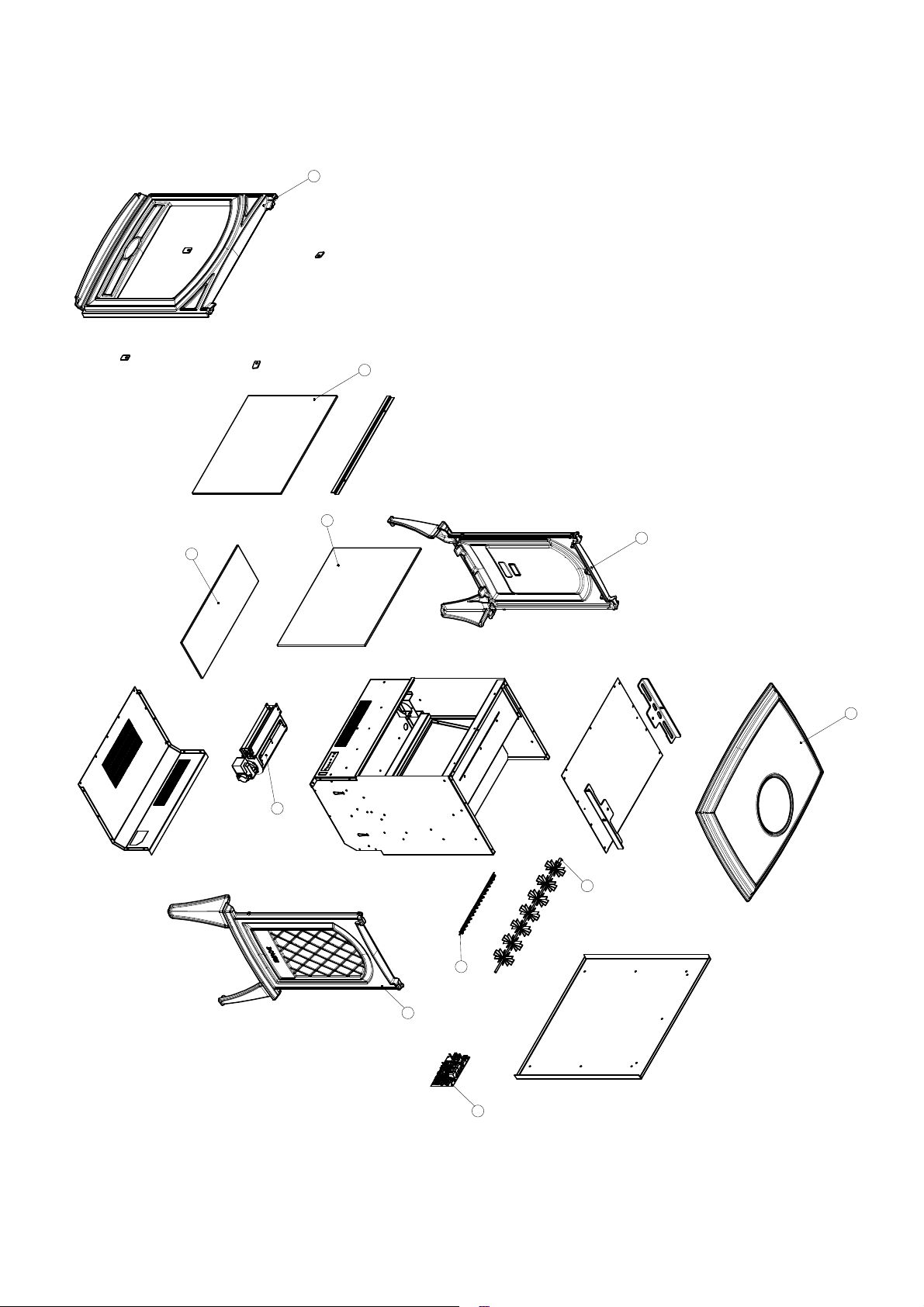
EXPLODED VIEW
11
2
1
5
6
7
10
8
4
3
11
9
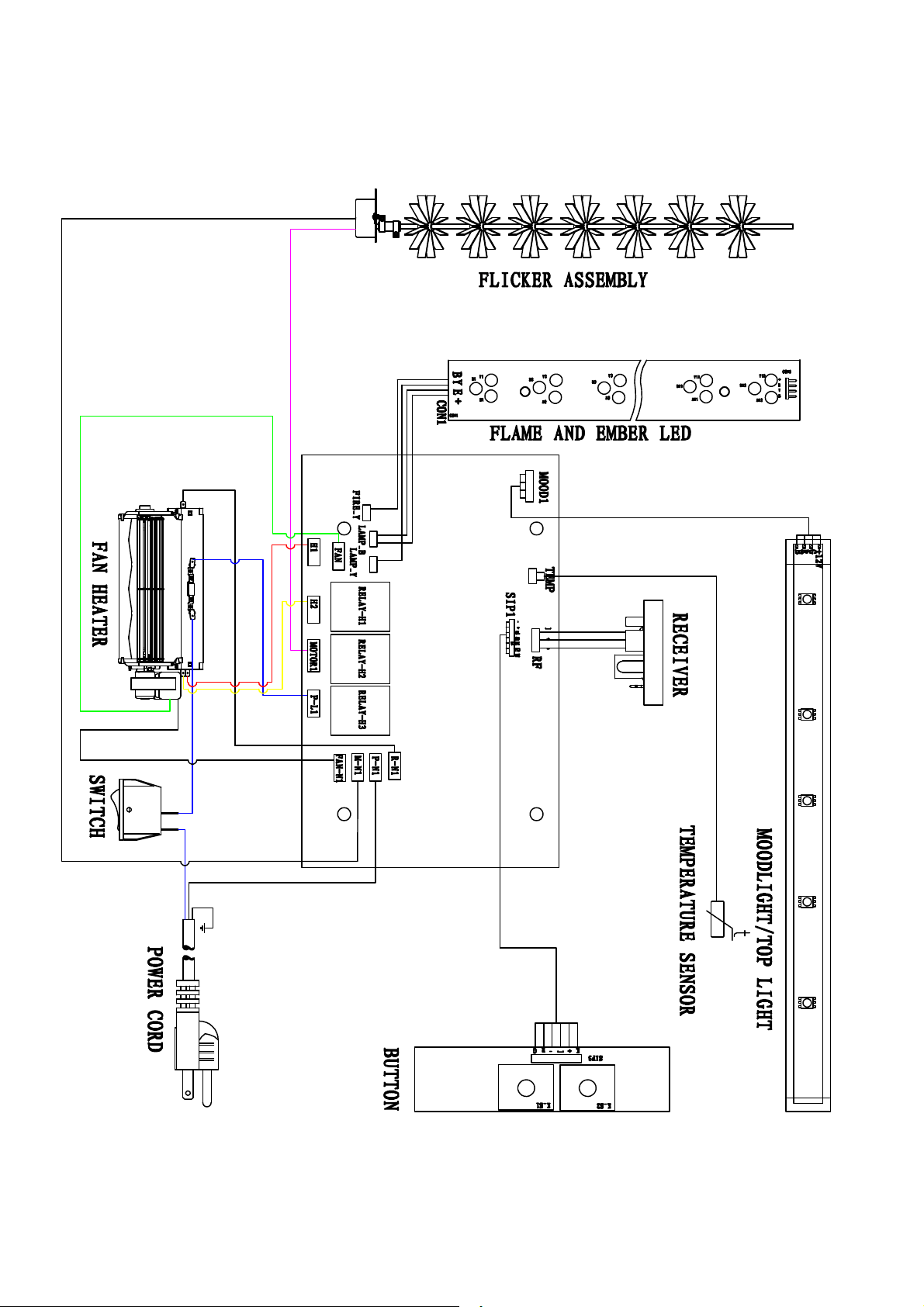
Wiring Diagram
12

13
TROUBLE SHOOTING
PROBLEM POSSIBLE CAUSE SOLUTION
Flame LED’s are burnt out Inspect the LED’s and replace them if
necessary.
Dim or no flame
Back black clot h is falling off
and rolled up in the flicker
Change a flicker and back black cloth.
Ember bed is not
glowing or dimming
Ember LED’s are burnt out Inspect the ember bed LED’s and
replace them if necessary.
Appliance has overheated and
safet y device has caused the
thermal swit ch to disconnect
Turn off the main sw it ch, allow
appliance to cool for 10 minutes, then
turn it on.
House circuit breaker has
tripped
Reset house circuit breaker.
Appliance turns off and
will not turn on
Appliance’s fuse has blown Replace the fuse.
Appliance is not plugged into an
elect rical out let
Check plug and plug in.
Appliance has overheated and
safet y device has caused the
thermal swit ch to disconnect
Turn off the main sw it ch, allow
appliance to cool for 10 minutes, then
turn it on.
Appliance will not come
on when swit ch is
flipped to ON
Circuit board is burnt out Inspect the circuit board and replace
it if necessary.
No warm air coming out
of appliance
Heat er is burnt out Inspect the burner and heater
assembly and replace it if necessary.
Flame sput ters
Flame mot or is defective. Call a qualified service technician and
replace flame mot or.
Remote Control does
not work.
Low batteries.
Unit swit ch in “O” position.
Replace AAA bat teries in remote
control.
Turn the switch in “I” position.
Flame is fixed. Wiring may be loose or the
flame mot or may be defective.
14
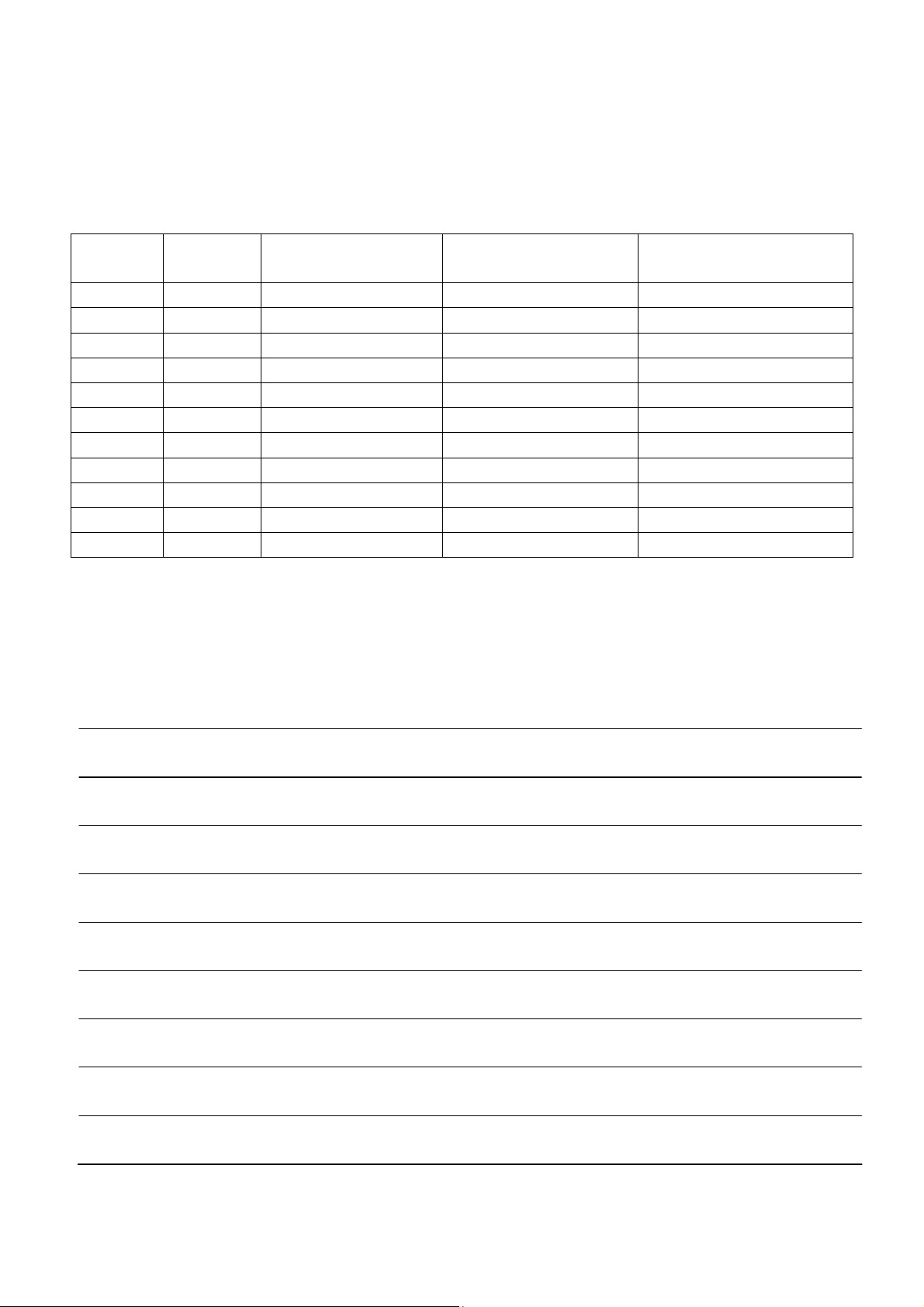
SERVICE HISTORY
NOTES:
This heater must be serviced annually depending on usage.
Date Dealer
Name
Service technician
Name
Service Performed Special Concerns
15