
Powersports
PSS-SX01 v20200724 1/9
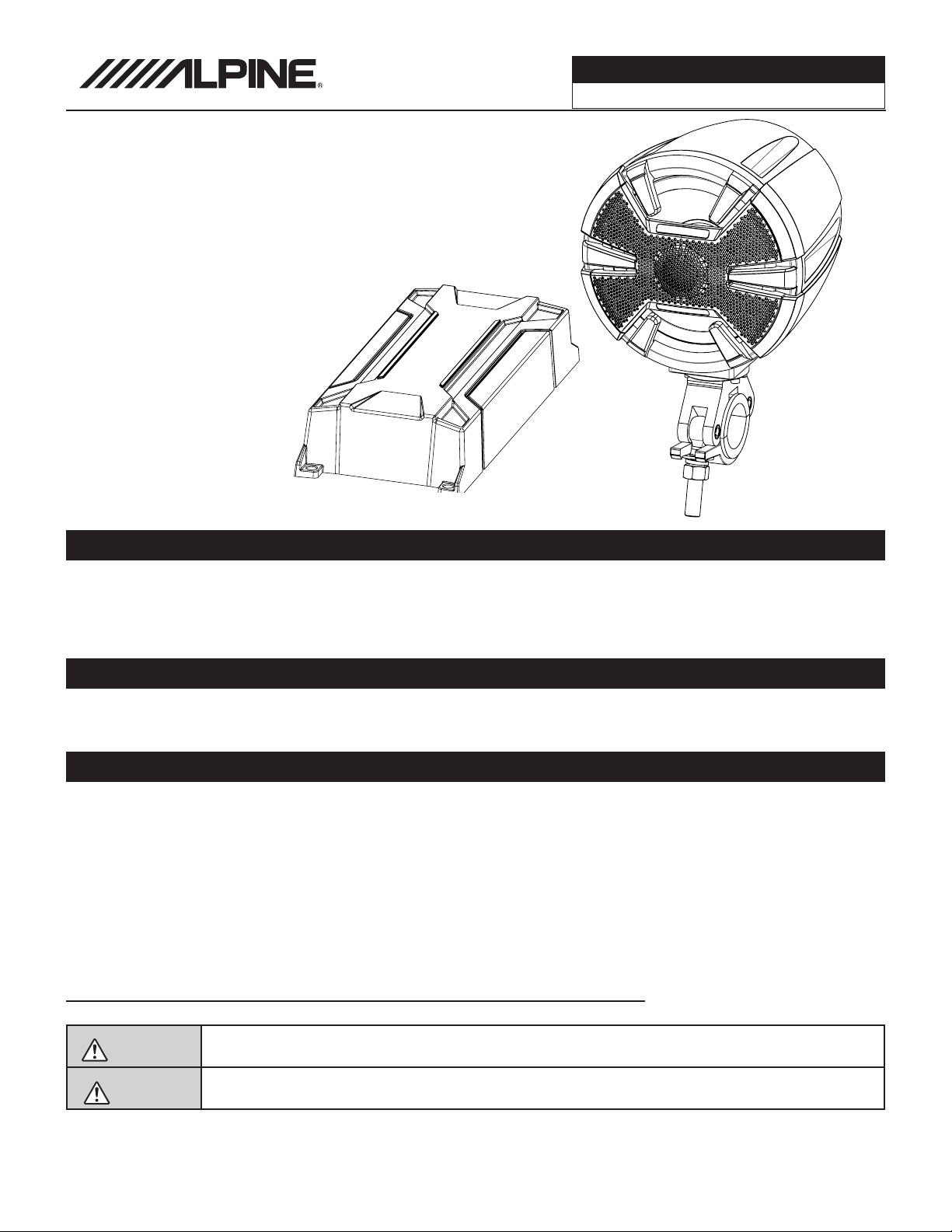
PSS-SX01
Complete Weather-Resistant
Powersports Sound System
Installation Manual
Note
Design and specifications are subject to change without notice for improvement.
To Ensure Safe Use, Always Follow These Precautions
The installation of this product requires specialized skills and experience. We recommend that you have the
product installed by an Alpine authorized dealer.
Before you use this product, be sure to carefully read this installation manual and the separate user's manual
so that you can use the product correctly. Alpine Electronics bears no responsibility for problems that arise as
a result of failure to follow the instructions in the manuals.
This manual includes a number of symbols that are intended to help you use the product safely, to prevent
harm to you and others, and to protect against damage to property. These symbols and their meanings are
listed below. Make sure you fully understand these symbols before you begin reading the main text.
Explanations of Injury and Damage That May Result from Incorrect Use
Warning
Ignoring the content marked by this indication and using the product incorrectly is
expected to lead to death or serious injury.
Caution
Ignoring the content marked by this indication and using the product incorrectly is only
expected to lead to injury or property damage.
Introduction
Congratulations on purchasing the PSS-SX01. This installation manual is designed to give you an overview
of how to install the PSS-SX01. Please familiarize yourself with the owners manual before attempting the
installation. If you still have additional questions please call 1-800-TECH-101.
Powersports
PSS-SX01 v20200724 2/9
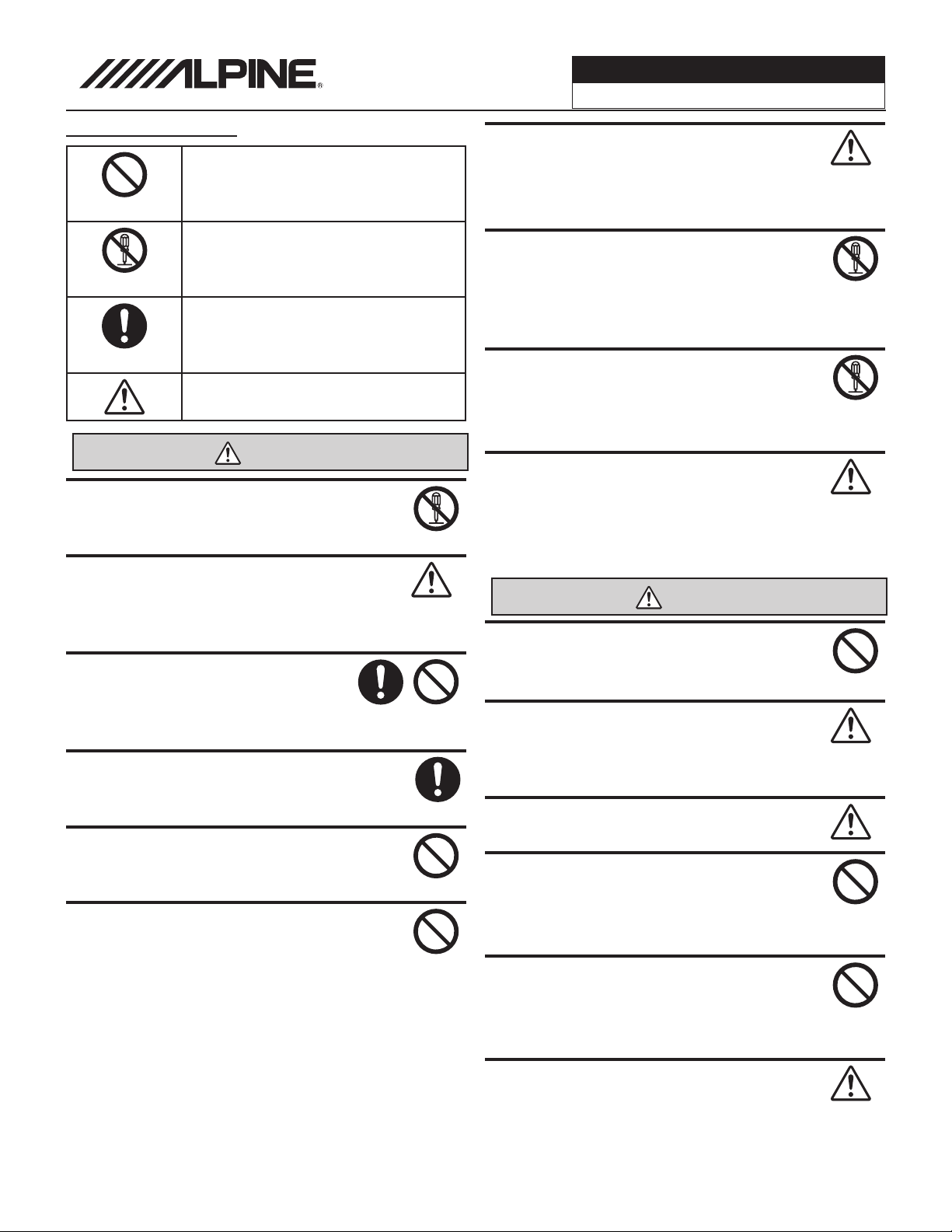
Forbidden
Indicates actions that are
forbidden (must not be
performed)
Forbidden
Indicates that disassembly is
forbidden.
Mandatory
Indicates actions that are
mandatory (must be performed)
Marks content that should receive
your full attention.
Warning
Do not disassemble or modify the product.
Doing so could lead to an accident, fire, or
electric shock.
Forbidden
Store screws and other small objects where
children cannot reach them. If one of those
small objects is swallowed, consult with a
doctor immediately.
When replacing fuses be sure to
use the fuses with the specified current
rating. Failing to do so could lead to
an accident or fire.
Forbidden
Only connect the product to a 12 VDC negative
ground car. Failing to do so could lead to an
accident or fire.
Mandatory
Do not cut the insulation on a cord and take
power from another device. Doing so could
lead to fire or electric shock.
Forbidden
Do not install the product in a location where
it willl obstruct the driver’s forward view;
interfere with the operation of the steering
wheel, gear shift, or the like; or pose a threat
to passengers. Doing so could lead to an ac-
cident or injury.
Forbidden
When making a hole in the vehicle body, be
careful to avoid damaging pipes, the fuel tank,
electrical wiring, and the like. This kind of
damage could lead to an accident or fire.
When installing and grounding the product, do
not use any of the bolts or nuts of the steering
wheel, brakes, fuel tank, or the like. Doing so
could make the brakes stop working or could
lead to fire.
Forbidden
Do not install the product near the passenger-
side airbag. Doing so could interfere with the
operation of the airbag and lead to an acci-
dent or injury.
Forbidden
Bundle cords so that they don’t interfere with
driving. Wrapping cords around the steer-
ing wheel, gearshift, brake pedal, or the like
could lead to an accident or damage equip-
ment.
Caution
Connect the product properly according to the
instructions. Failing to do so could lead to fire
or an accident.
Forbidden
Do not sandwich cords between the seat
railing or allow them to touch protrusions. Re-
sulting breaks or shorts could lead to electric
shock or fire.
Do not block vents or heat sinks. Doing so
could lead to fire or damage equipment.
Use the accessories according to the instruc-
tions, and attach them securely. Failing to
do so could lead to an accident or damage
equipment.
Forbidden
Do not install the product where it may be ex-
posed to water or in a place with high levels
of humidity or dust. Doing so could lead to fire
or damage equipment.
Forbidden
The installation and wiring of this product re-
quires specialized skills and experience. Have
the product installed by an Alpine authorized
dealer.
Types of Precautions
Mandatory
Powersports
PSS-SX01 v20200724 3/9
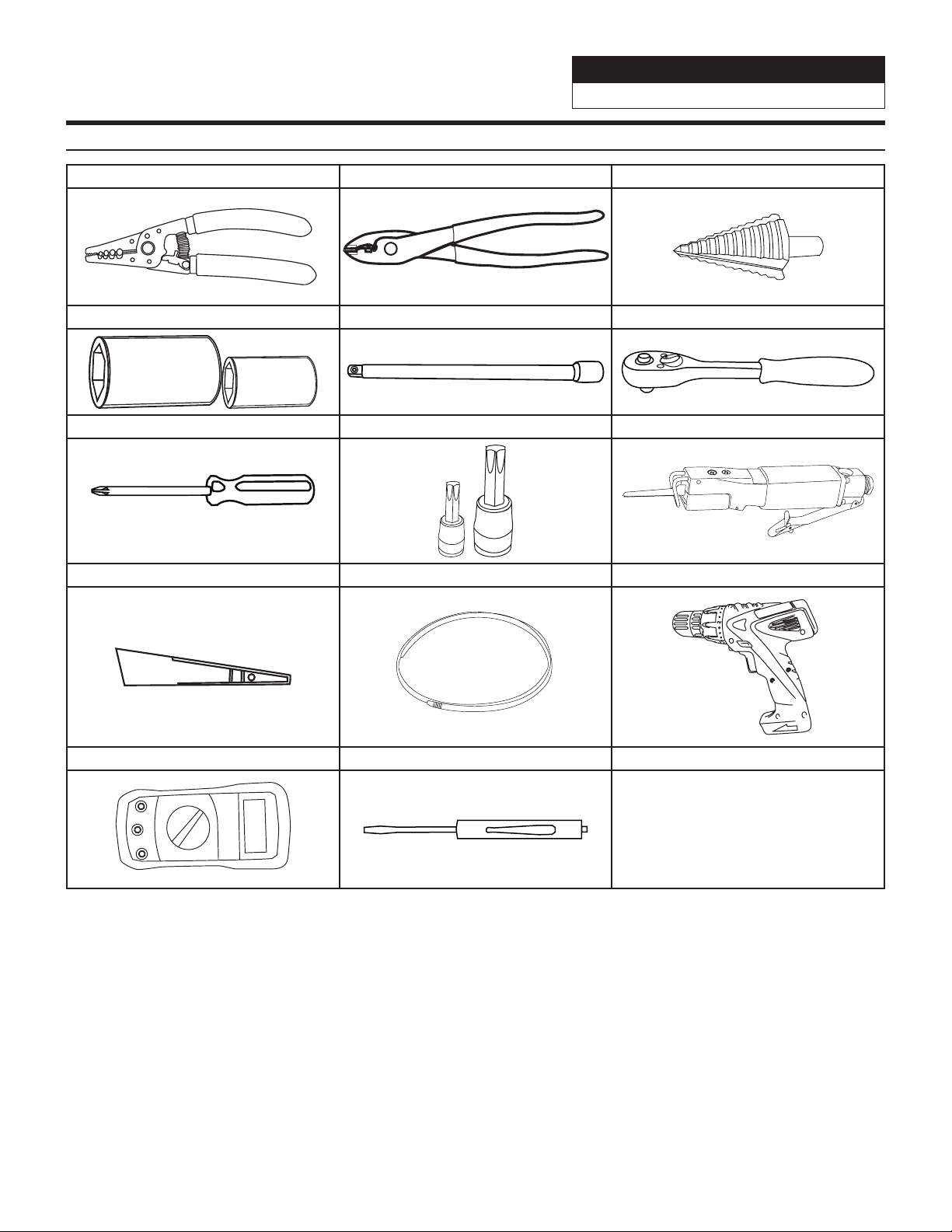
Tools Potentially Needed
Wire Strippers Wire Cutters Step Drill Bit
Socket Set With 19mm Socket Extension Ratchet
Phillips Screwdriver Torx Bits Air Saw
Panel Removal Tools Wire Fishing Tool Cordless Power Drill
Digital Multimeter Flathead Screwdriver
Powersports
PSS-SX01 v20200724 4/9
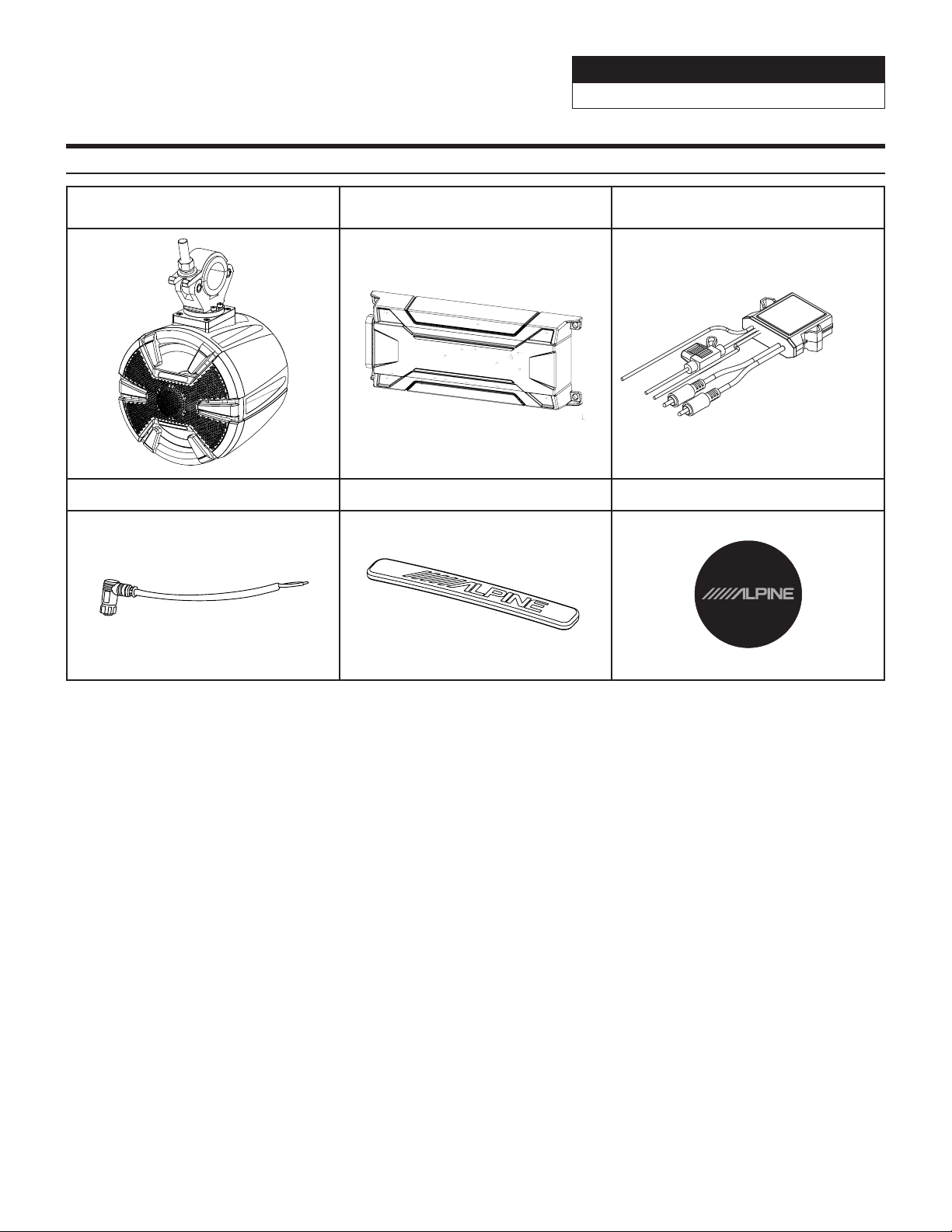
SPV-65-SXS Pod With
Speaker x 2
KTA-30FW 4-Channel Amplifier KTX-BT100 Bluetooth Adapter
90 Degree Speaker Terminal Front Logo Badge x 2 Rear Logo Badge x 2
Accessory List
Powersports
PSS-SX01 v20200724 5/9
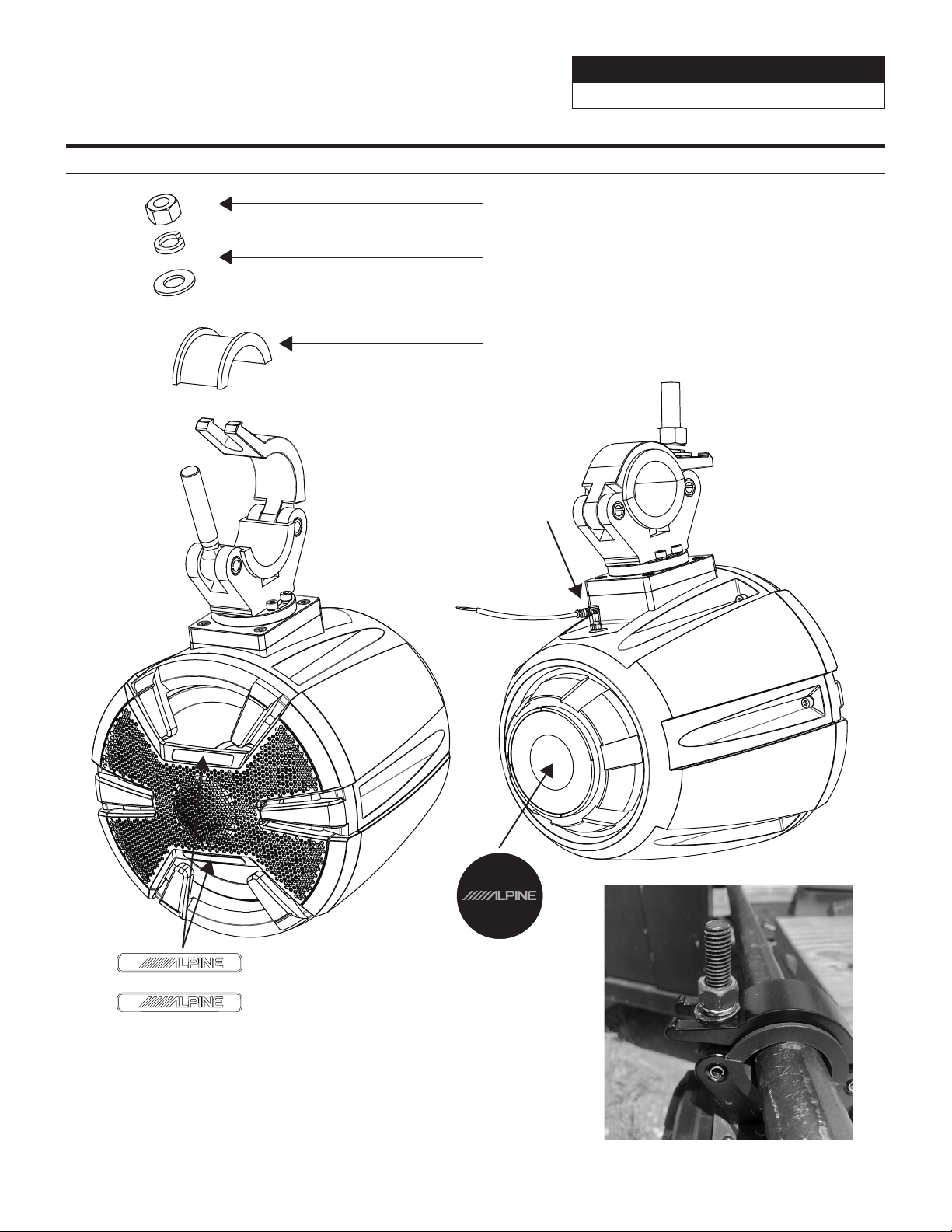
Mounting The Speaker Pod Exploded View
Remove 19mm bolt with socket
or wrench. This will allow the clamp to slide back.
Make sure the lock washer and washer go below
the bolt in this order when tightening.
Use the spacer for tubing that is 1.5’’ to 1.75’’.
Do not use spacer if you have 2” tubing.
Attach the (2) front logo’s
based on the orientation the
pod is mounted.
Attach the rear logo
based on the orientation the
pod is mounted.
Plug in 90 degree speaker
terminal here.
Powersports
PSS-SX01 v20200724 6/9
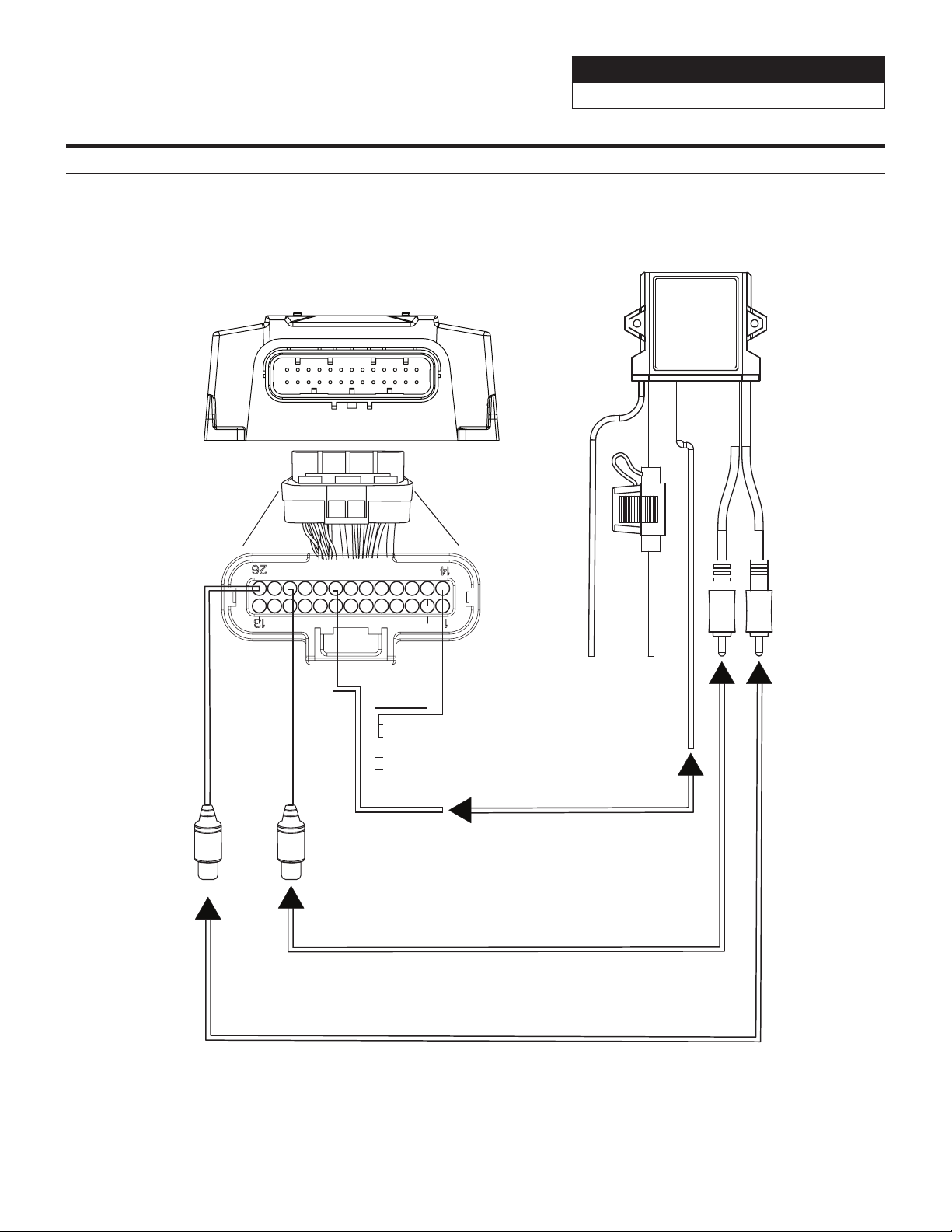
Bluetooth Module Connections
To
Chassis
Ground
To
+12V
Switched
Ignition
To front right Red RCA input
(Gray Sleeve)
To front left White RCA input
(Gray Sleeve)
Front Left RCA Input
White/Black (-)
Front Right RCA Input
Grey/Black (-)
Front Left RCA Input
White (+)
Front Right RCA Input
Grey (+)
KTA-30FW
Note: For all of the information
for the KTA-30FW refer to the owners
manual of that product.
Ground Leads
Black x 2 (-)
+12V Constant Leads
Red x 2 (+)
Blue-White (+)
Remote Input To Amplier
KTX-BT100
Black
Red
Blue/White (Remote Output)
Connect Remote Output
To Remote Input
Powersports
PSS-SX01 v20200724 7/9
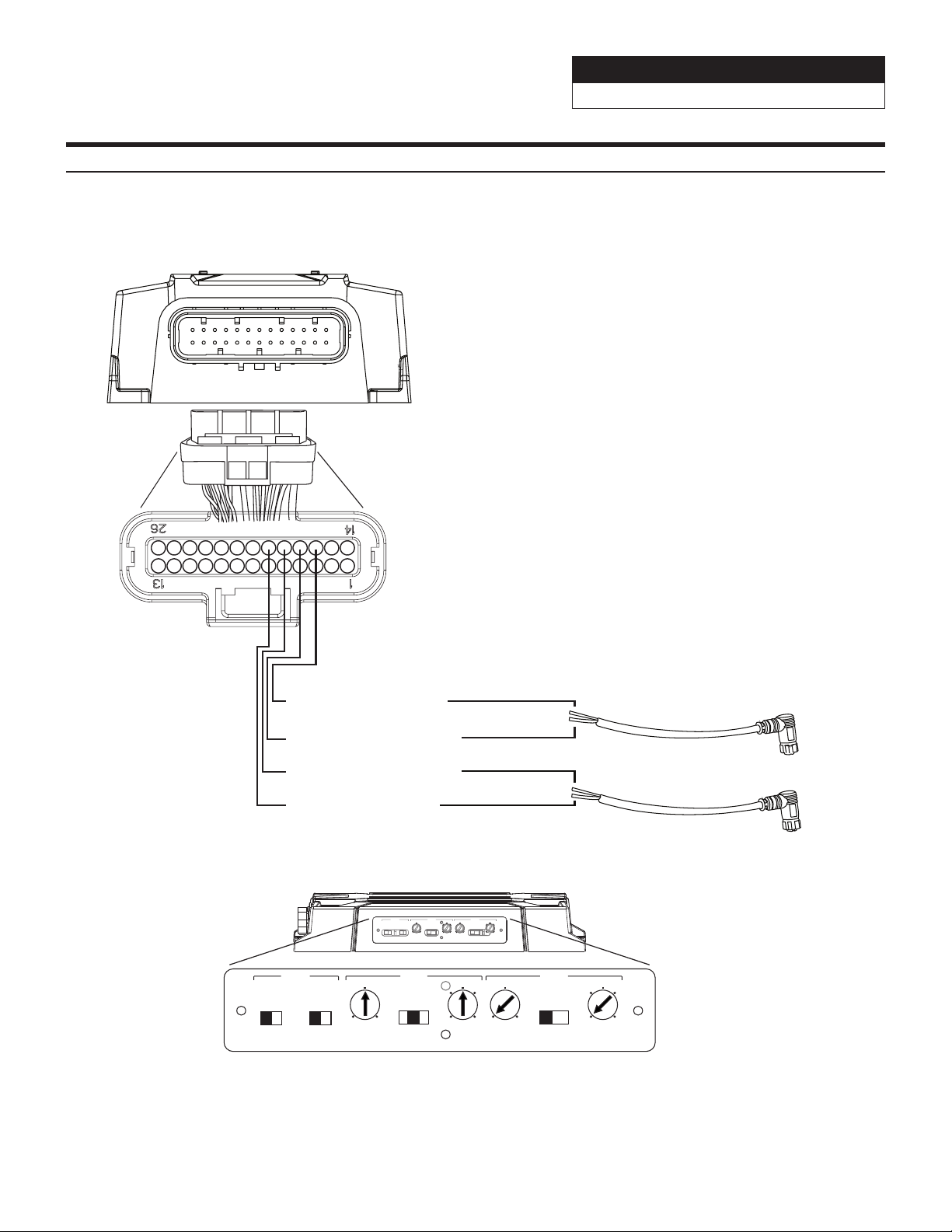
Bridging The Amplifier
Rear Right Speaker Output
Purple (+)
Rear Left Speaker Output
Green/Black (-)
Front Right Speaker Output
Grey/Black (-)
Front Left Speaker Output
White (+)
To Right White (+)
To Left Black (-)
To Right Black (-)
To Left White (+)
To Right Pod
Speaker Terminal
To Left Pod
Speaker Terminal
KTA-30FW
GAIN FREQ
FREQ
2CH 4CH
RCA SPK
FILTER
OFF HP LP
FILTER
OFF HP LP
GAIN
CH1/2 CH3/4INPUT
(Hz)
NOM
MAXMIN
80
12060
50
400
(Hz)
NOM
MAXMIN
80
12060
50
400
GAIN FREQ
FREQ
2CH 4CH
RCA SPK
FILTER
OFF HP LP
FILTER
OFF HP LP
GAIN
CH1/2 CH3/4INPUT
(Hz)
NOM
MAXMIN
80
12060
50
400
(Hz)
NOM
MAXMIN
80
12060
50
400
Recommended Amplier Settings

Powersports
PSS-SX01 v20200724 8/9
How To Pair Phone
1 Open the settings menu of the phone.
2 Go to the Bluetooth settings and make sure it’s turned on.
3 Scan for devices.
4 The phone will find KTX-BT100.
5 Select KTX-BT100 on the phone to pair to it.
Specifications
Continuous Power Handling
(RMS)
90W
Woofer Size 6-1/2”
Nominal Impedance 4 Ohms
Frequency Response 50-22kHz
Voice Coil Resistance (Re) 3.6 Ohms
Free Air Resonance (Fs) 49 Hz
Efficiency 87.8 dB @ 1W / 1m
Electrical “Q” (Qes) .61
Mechanical “Q” (Qms) 11.19
Total Speaker “Q” (Qts) .57
Equivalent Compliance (Vas) 20.17 Liters
Moving Mass (Mms) 14.22
Mechanical Compliance (Cms) 735.84 mm/N
Magnetic Strength (BL) 5.13 T-m
Effective Piston Area (Sd) 21.5 sq in
One Way Linear Excursion (Xmax) 4.9mm
IP Rating IP55
Powersports
PSS-SX01 v20200724 9/9
Troubleshooting Guide
Symptom Possible Cause Remedy
1
System will not turn on.
Missing or blown fuse at the
battery.
Insert or replace fuse.
Amp’s Remote Turn-On wire may
be disconnected.
Use a digital multimeter on the Blue/White
remote wire to ensure it gets +12V positive
when the audio system is on. If not trace the
wire and correct the connection.
Amp +12V constant wire not getting
voltage.
Test the Yellow +12V constant wire with
a digital multimeter to ensure it is getting
+12V at all times. Trace the wire to the fused
battery source.
2
Output is low.
Amplifier gain is not adjusted
properly.
Adjust the gain to where it should be
according to your specific system setup.
Signal input to the amp is not good.
Use a known good RCA input into the
amplifier to see if that works.
3
One of the speakers is not
working.
Disconnected pin or loose
connection.
Check all connections to the speaker, loose
pins, disconnected terminals etc.. Swap
around the speakers for the working one to
see if that works.
Amp channel not installed properly.
Swap the left and right RCA’s to see if the
other side works. If so the installation of the
other amp channel needs to be gone over.
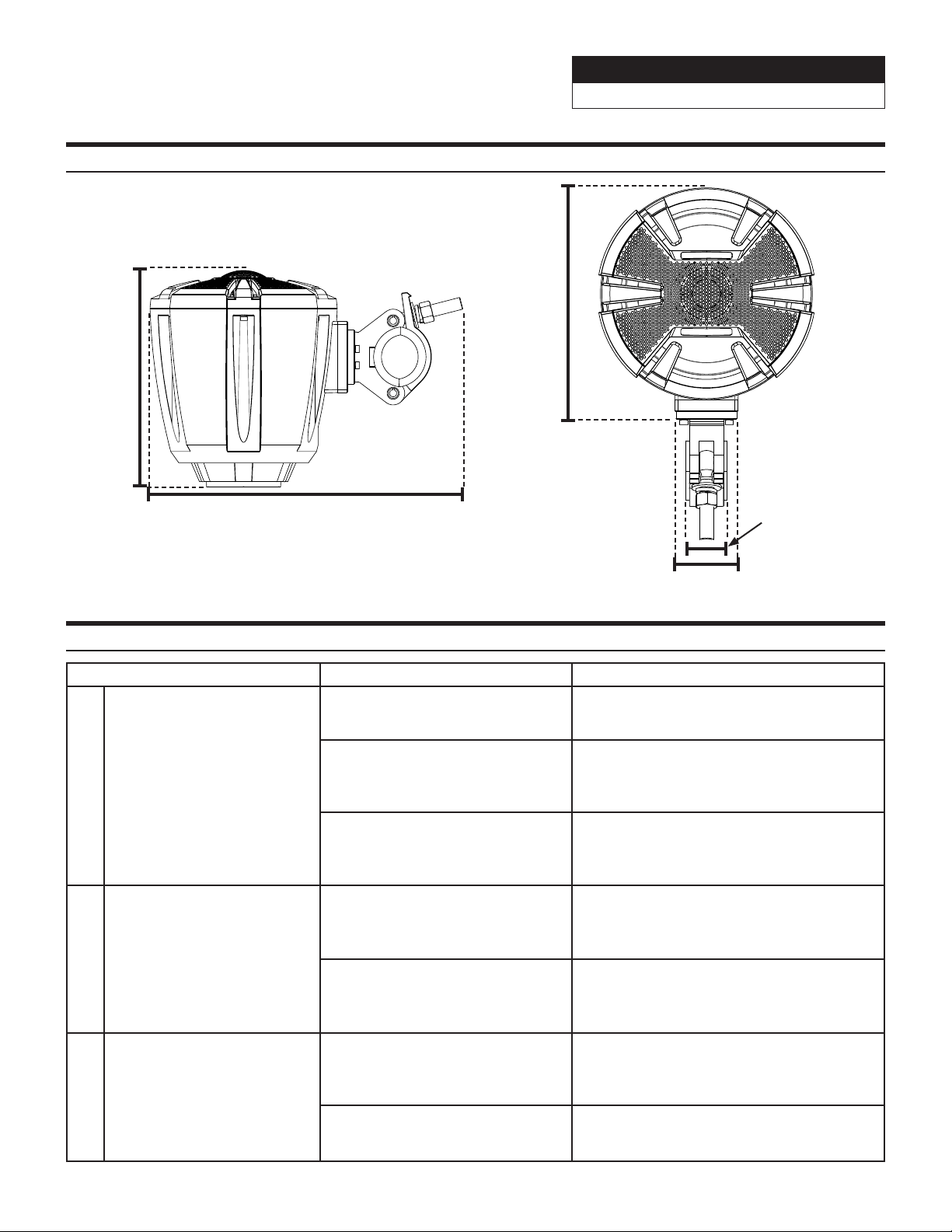
Dimensions
310.6mm
12-15/64”
214.5mm
8-7/16”
36mm
1-27/64”
203mm
7-63/64”
55.5mm
2-3/16”