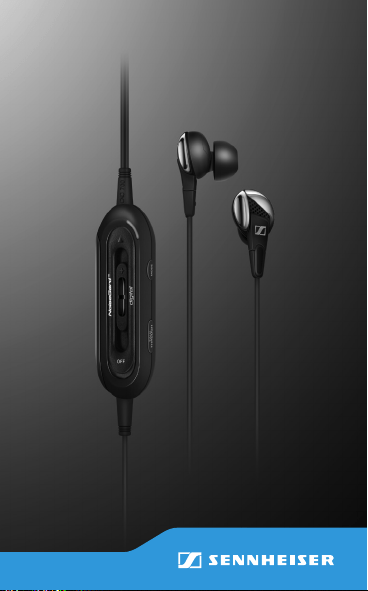
CXC 700
Ear canal phones with
digital NoiseGard
for travel
Instruction manual

CXC 700 | 1
Contents
Contents
Important safety instructions ...........2
Delivery includes ..................................6
Product overview .................................7
Putting the CXC 700 into operation .. 8
Inserting/changing the battery ....9
Exchanging the ear adapters ........9
Connecting the ear canal
phones to the audio source ........ 10
Using the CXC 700 ............................ 11
Adjusting the volume/
routing the cable ........................... 11
Switching NoiseGard on/off ....... 13
Individually adapting
NoiseGard
TM
................................... 15
Switching TalkThrough on/off ... 19
Storing the CXC 700 ......................... 20
Cleaning and maintaining ............... 21
Specifications ..................................... 23
Manufacturer Declarations ............. 24

2 | CXC 700
Important safety instructions
In order to prevent health problems:
왘 Set the volume to a low level before
inserting the ear canal phones into
your ears.
왘 Avoid listening at high volume levels
for long periods of time.
왘 Mount the suitable ear adapters
(S, M or L) to the ear canal phones.
Do not insert the ear canal phones
too deep into your ears and never
insert them without ear adapters.
왘 Always insert and extract the ear
canal phones from your ears very
carefully and slowly.
The product generates stronger perma-
nent magnetic fields that could cause
interference with cardiac pacemakers
and implanted defibrillators (ICDs).
왘 Always maintain a distance of at
least 3.94” (10 cm) between the
headphone housing and the cardiac
pacemaker or implanted defibrillator.
Important safety
instructions

CXC 700 | 3
Important safety instructions
In order to prevent accidents:
Do not use the product in an environ-
ment that requires your special atten-
tion (e.g. in traffic).
왘 Keep the product out of reach of
children who could swallow smaller
pieces.
In order to prevent damage to the
product:
왘 Do not expose the product to exces-
sive heat (hair dryer, heater, etc.)
and do not store in direct sunlight
for extended periods.
왘 Protect the product from humidity.
Intended use
Intended use of the product includes
• having read this instruction manual,
especially the chapter “Important
safety instructions”,
• using the product within the oper-
ating conditions and limitations
described in this instruction manual.
4 | CXC 700
Important safety instructions
“Improper use” means using the product
other than as described in this instruc-
tion manual, or under operating condi-
tions which differ from those described
herein.
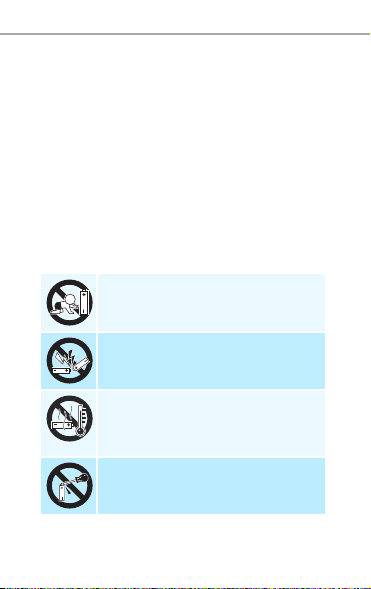
Safety instructions for batteries
If abused or misused, batteries may
leak and, in extreme cases, may even
present an explosion and fire hazard.
Sennheiser does not accept any liability
for damage arising from abuse or
misuse.
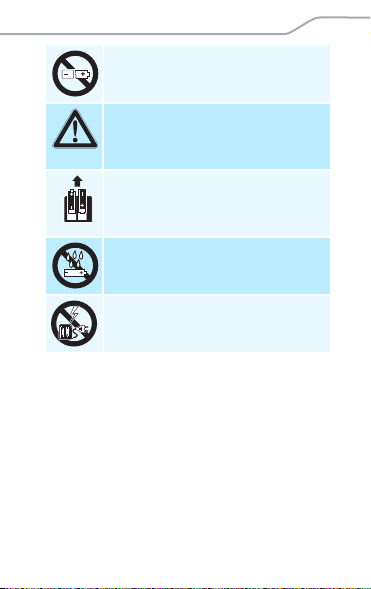
Keep out of reach of children.
Do not short-circuit.
Do not heat above 70°C/
158°F, e.g. do not expose to
sunlight or throw into a fire.
Do not mutilate or dismantle.
CXC 700 | 5
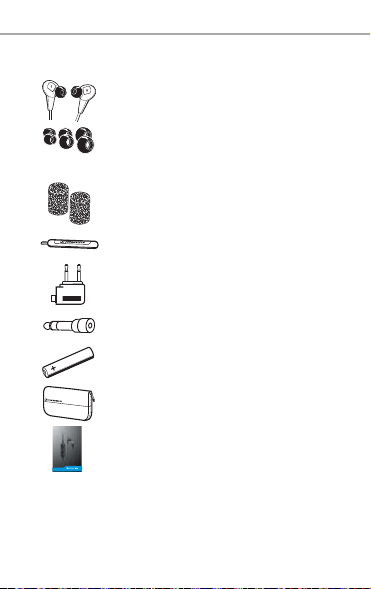
Important safety instructions
Do not continue to use
defective batteries.
Immediately remove
batteries from an obviously
defective product.
Remove batteries from the
product when it is not used
for extended periods of time.
Do not expose to moisture.
Do not charge non-recharge-
able batteries.
6 | CXC 700
Delivery includes
Delivery includes
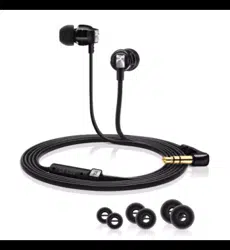
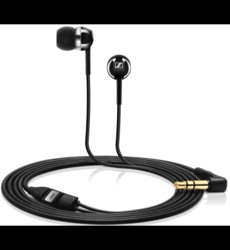
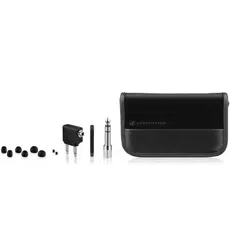
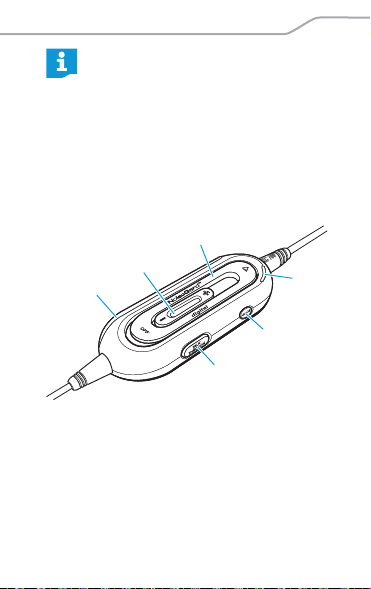
CXC 700 ear canal phones
Ear adapters (size S, M, L),
size M is pre-mounted to
the ear canal phones
Diaphragm guards
Cleaning tool
In-flight adapter
Audio adapter
AAA size battery, 1.5 V
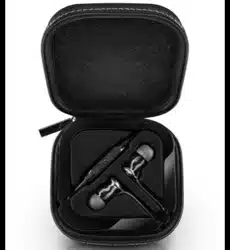
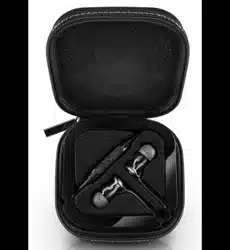
Carrying case
Instruction manual
S
M
L
CXC 700
Ear canal phones with
digital NoiseGard
for travel
Instruction manual
Notice d’emploi
Instrucciones de uso
Manual de utilização
Bedienungsanleitung
Istruzioni per l’uso
Gebruiksaanwijzing
説明書
CXC 700 | 7
Product overview
Product overview
Accessory parts are available
from your Sennheiser partner.
For a list of suitable accessory
parts, please visit our website at
www.sennheiser.com > “Service
& Support”.
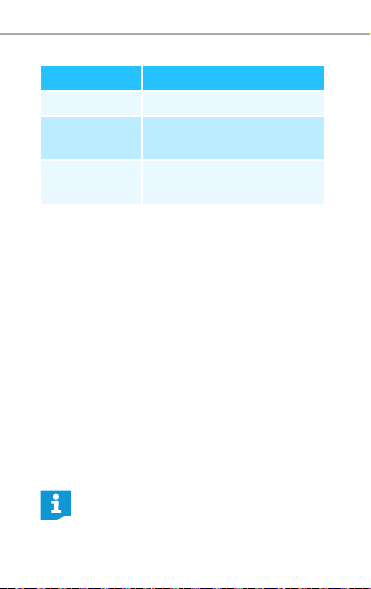
햲 Volume
control
햳 NoiseGard
TM
switch
햴 LED
햵 Mode button
햶 TalkThrough
button
햷 Battery
compartment
5
4
3
6
1
2
8 | CXC 700
Putting the CXC 700 into operation
LED 햴 indications
Putting the CXC 700 into
operation
For powering the NoiseGard active noise
compensation, an AAA size battery is
required. If you are using a recharge-
able battery, the operating time will be
reduced.
When the battery is discharged or not
inserted:
왘 Switch NoiseGard off if you want to
continue listening to your audio
source (see page 13).
LED Meaning
lights up NoiseGard is switched on
flashes
continuously
Battery is almost flat
is off NoiseGard is switched
off
When the battery is almost empty,
the LED flashes continuously.
CXC 700 | 9
Putting the CXC 700 into operation
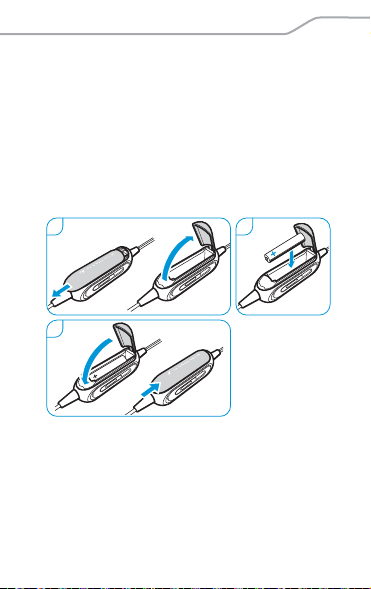
Inserting/changing the battery
1
Open the battery compartment.
Remove the discharged battery
(where applies).
2 Insert a new battery. Observe
correct polarity when inserting the
battery.
3 Close the battery compartment.
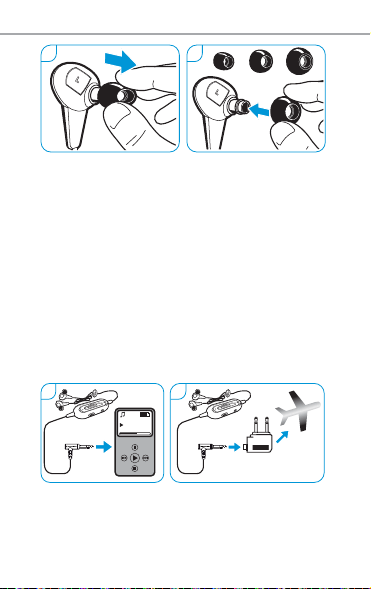
Exchanging the ear adapters
1
Carefully remove the ear adapters
from the ear canal phones.
2 Mount the desired ear adapters to
the ear canal phones.
1
3
2
10 | CXC 700
Putting the CXC 700 into operation
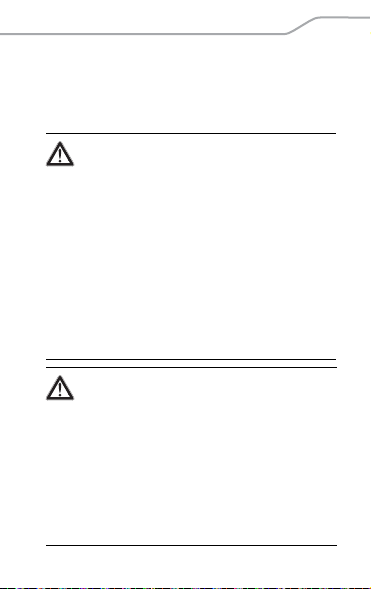
Connecting the ear canal phones to
the audio source
1
Connect the audio cable to the head-
phone socket of your audio source.
You hear the sound from your audio
source.
2 Slip on the in-flight adapter if you
wish to use the ear canal phones
with the in-flight entertainment
system of the aircraft.
1 2
SM L
1
2
Title 01
02:21|03:54
CXC 700 | 11
Using the CXC 700
Using the CXC 700
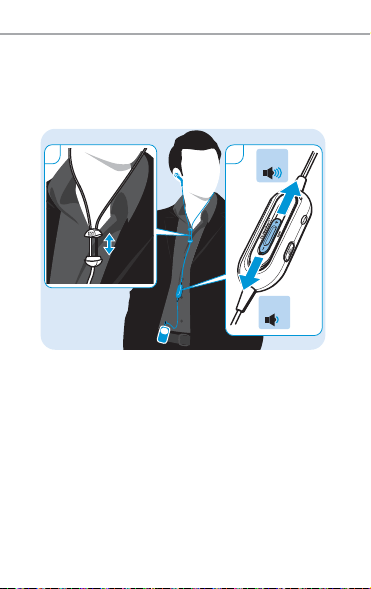
Adjusting the volume/
routing the cable
WARNING
Interference due to magnetic fields!
The product generates stronger per-
manent magnetic fields that could
cause interference with cardiac
pacemakers and implanted defibril-
lators (ICDs).
왘 Always maintain a distance of
at least 3.94” (10 cm) between
the headphone housing and the
cardiac pacemaker or implanted
defibrillator.
WARNING
Hearing damage due to high volumes!
Listening at high volume levels for
long periods can lead to permanent
hearing defects.
왘 Set the volume to a low level
before using the product.
왘 Do not continuously expose your-
self to high volumes.
12 | CXC 700
Using the CXC 700
1 Use the cable slider to adjust the
length for best fit.
2 Use the volume control to set the
volume to a comfortable level.
Vol +
Vol –
2
1
CXC 700 | 13
Using the CXC 700
Switching NoiseGard on/off
To switch the NoiseGard active noise
compensation on:
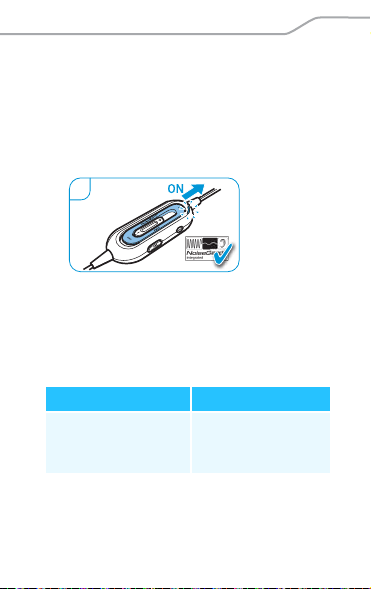
1 Slide the NoiseGard switch to ON.
NoiseGard is switched on and your
audio source is momentarily muted.
To ideally adapt the NoiseGard active
noise compensation to the current
noise environment, you can choose
from 3 different modes:
NoiseGard Mode 1
Optimized for: Impact:
Trains, subways,
buses, cars, short
distance flights
Focus on low
frequency range
(100 to 400 Hz)
1

14 | CXC 700
Using the CXC 700
NoiseGard Mode 2
NoiseGard Mode 3
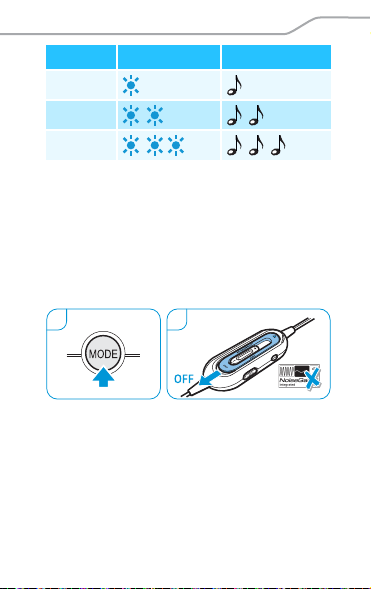
2 Press the Mode button repeatedly
until external noise is optimally
isolated.
The CXC 700 confirms the selected
mode as follows:
Optimized for: Impact:
Long-haul flights,
air-conditioned
rooms
Focus on mid
frequency range
(400 to 3,000 Hz)
Optimized for: Impact:
On-the-go:
airports, stations,
crowds, places with
loud surroundings
in general
Balance between
low and mid
frequency ranges
(100 to 3,000 Hz)
CXC 700 | 15
Using the CXC 700
Then, the LED lights up permanently
again.
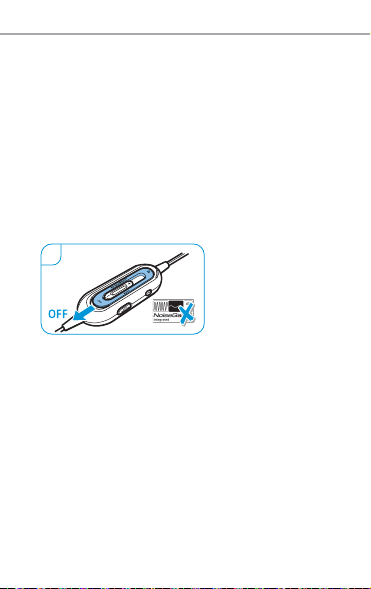
When the battery is completely empty,
NoiseGard is deactivated. The audio
source will stay muted until you switch
NoiseGard off:
3 Slide the NoiseGard switch to OFF.
Mode LED Beep
1
2
3
32
16 | CXC 700
Using the CXC 700
Individually adapting NoiseGard
TM
The CXC 700 features a function that
allows you to individually adapt Noise-
Gard to the anatomy of your left and
right ear. For the best possible adjust-
ment of this function, you need to be in
a noisy environment (e.g. aircraft).
Step 1: Slide the NoiseGard switch to
OFF to switch NoiseGard off. Proceed to
either step 2a or step 2b.
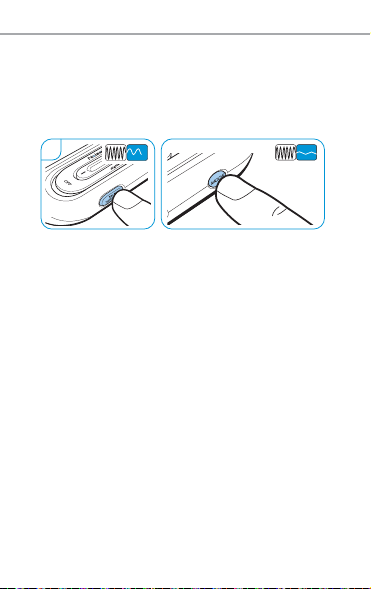
Selecting the right or left earphone
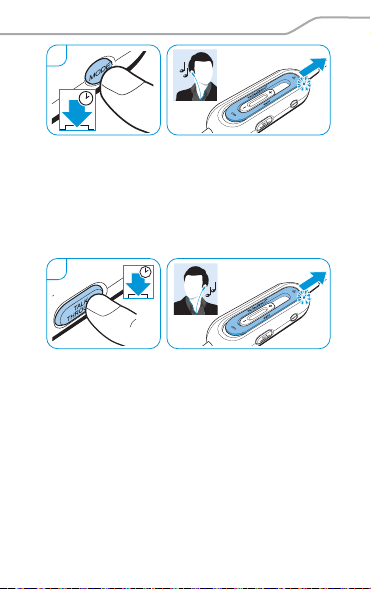
Step 2a, right earphone: Press and hold
the Mode button and slide the Noise-
Gard switch to ON. Keep the button
pressed until you hear two beeps and
the LED flashes rapidly (approx. 5 sec-
onds). Proceed to step 3.
1
CXC 700 | 17
Using the CXC 700
Step 2b, left earphone: Press and hold
the TalkThrough button and slide the
NoiseGard switch to ON. Keep the
button pressed until you hear two
beeps and the LED flashes rapidly
(approx. 5 seconds). Proceed to step 3.
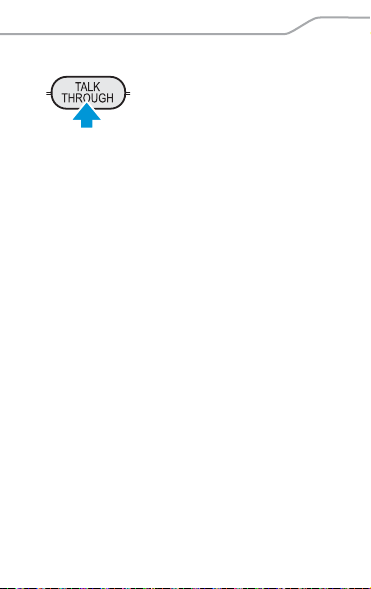
Adapting NoiseGard and storing the
setting
Step 3: Press the TalkThrough button or
the Mode button to individually adapt
NoiseGard to your needs. You hear a
beep when the maximum or minimum
setting is reached.
ON
R
2a
5s
ON
2b
5s
L
18 | CXC 700
Using the CXC 700
When you have adjusted NoiseGard so
that external noise is optimally iso-
lated, wait until you hear a beep and
the LED lights up (approx. 10 seconds).
The settings are stored.
Resetting the factory default settings
왘 Slide the NoiseGard switch to OFF to
switch NoiseGard off.
왘 Simultaneously press and hold the
Mode button and the TalkThrough
button and slide the NoiseGard
switch to ON. Keep the buttons
pressed until you hear three beeps
(approx. 5 seconds). The NoiseGard
settings are reset to the factory
default settings.
3
CXC 700 | 19
Using the CXC 700
Switching TalkThrough on/off
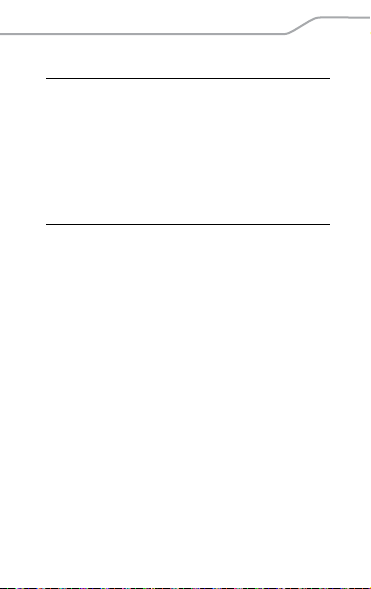
TalkThrough enables you
to communicate with
flight attendants or seat
mates, without removing
the ear canal phones and while Noise-
Gard is switched on. When activated,
the ear canal phones filter out
unwanted ambient noise while
ensuring excellent speech clarity.
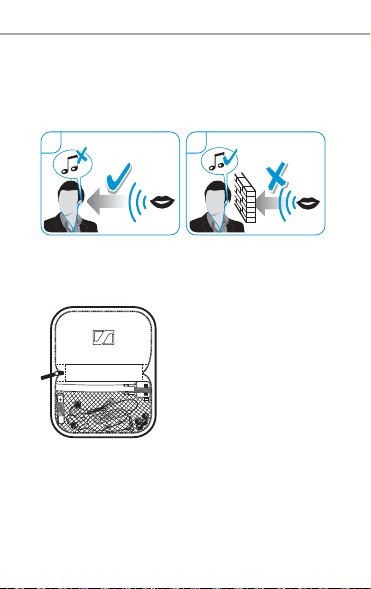
To switch TalkThrough on:
1 Press the TalkThrough button.
You hear a beep. Your audio source
is muted. The LED flashes rapidly
until you switch TalkThrough off.
20 | CXC 700
Storing the CXC 700
To switch TalkThrough off:
2 Press the TalkThrough button again.
You hear your audio source. The LED
lights up permanently.
Storing the CXC 700
왘 Store the ear
canal phones and
accessories in the
carrying case.
1 2
TalkThrough
OFF
TM
TalkThrough
ON
TM
CXC 700 | 21
Cleaning and maintaining
Cleaning and maintaining
For hygiene reasons, clean your ear
canal phones regularly.
Replacing the diaphragm guards
The diaphragm guards protect the dia-
phragms of the ear canal phones and
contribute to the sound quality of the
ear canal phones. Ensure that the dia-
phragm guards are always installed in
the ear canal phones.
CAUTION
Danger of damage to the ear canal
phones!
Solvents and other cleansing agents
can damage the ear canal phones.
왘 Use a soft, slightly damp cloth to
remove dirt from the product.
22 | CXC 700
Cleaning and maintaining
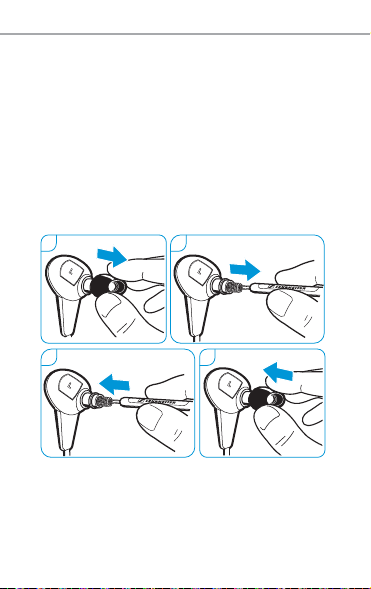
To replace the diaphragm guards:
1 Carefully remove the ear adapters
from the ear canal phones.
2 Carefully remove the diaphragm
guards using the supplied cleaning
tool or tweezers.
3 Install the new diaphragm guards.
4 Mount the ear adapters to the ear
canal phones.
1 2
43

CXC 700 | 23
Specifications
Specifications
Transducer
principle dynamic, closed
Frequency
response 20 Hz to 21 kHz
Operating
temperature 0 – 40°C
Nominal
impedance 45 – 300
SPL 108 dB
(1 kHz/1V
rms
)
THD at 1 kHz < 0.5%
Noise attenuation active: –23 dB
passive: –25 dB
Audio connector 3.5 mm jack plug
In-flight adapter 3.5 mm double
mono jack plug
Audio adapter 6.35 mm stereo
jack plug
Cable length 1.6 m

24 | CXC 700
Manufacturer Declarations
Manufacturer Declarations
Warranty
Sennheiser electronic GmbH & Co. KG
gives a warranty of 24 months on this
product.
For the current warranty conditions,
please visit our website at
www.sennheiser.com or contact your
Sennheiser partner.
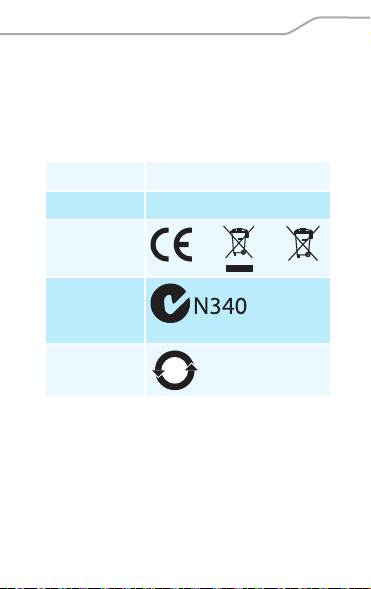
Declaration of Conformity
This product is in compliance with the
essential requirements and other rele-
vant provisions of directives:
• EMC Directive (2004/108/EC)
• RoHS Directive (2002/95/EC)
• WEEE Directive (2002/96/EC)
• Battery Directive (2006/66/EC)
Weight
(incl. battery) approx. 44 g
NoiseGard
power supply
1 AAA size
battery, 1.5 V
Operating time approx. 16 hrs
CXC 700 | 25
Manufacturer Declarations
The declarations are available on
the Internet at www.sennheiser.com.
Before putting the product into opera-
tion, observe the respective country-
specific regulations!
In compliance with:
NoiseGard
TM
is a registered trademark
of Sennheiser electronic GmbH & Co. KG.
USA FCC Part 15b
Canada ICES-003
Europe
Australia/
New
Zealand
China
15
26 | CXC 700
Manufacturer Declarations
Statements regarding FCC and
Industry Canada
This device complies with Part 15 subpart
b of the FCC Rules. Operation is subject to
the following two conditions: (1) this
device may not cause harmful interfer-
ence, and (2) this device must accept any
interference received, including interfer-
ence that may cause undesired operation.
This equipment has been tested and
found to comply with the limits for a Class
B digital device, pursuant to Part 15 of the
FCC Rules. These limits are designed to
provide reasonable protection against
harmful interference in a residential
installation. This equipment generates,
uses and can radiate radio frequency
energy and, if not installed and used in
accordance with the instructions, may
cause harmful interference to radio com-
SENNHEISER
Model No: CXC 700
FCC Declaration of Conformity (DoC)
We,
Sennheiser Electronic Corporation
One Enterprise Drive • Old Lyme •
CT 06371 • USA
Tel: +1 (860) 434 9190, ext. 144
Fax: +1 (860) 434 1759
declare the above device comply with the requirements of Federal Communic ations Commission.
This device complies with Part 15 of the FCC rules. Operation is subjected to the following two conditions:
1) This device may not cause harmful interference, and
2) This device must accept any interference received, including interference that may cause undesired operation.
Responsible Party : John Falcone

CXC 700 | 27
Manufacturer Declarations
munications. However, there is no guar-
antee that interference will not occur in
a particular installation. If this equipment
does cause harmful interference to radio
or television reception, which can be
determined by turning the equipment off
and on, the user is encouraged to try to
correct the interference by one or more of
the following measures:
• Reorient or relocate the receiving
antenna.
• Increase the separation between the
equipment and receiver.
• Connect the equipment into an outlet
on a circuit different from that to
which the receiver is connected.
• Consult the dealer or an experienced
radio/TV technician for help.
Changes or modifications made to this
equipment not expressly approved by
Sennheiser electronic Corp. may void FCC
authorization to operate this equipment.
This class B digital apparatus complies
with the Canadian ICES-003.

Sennheiser electronic GmbH & Co. KG
Am Labor 1, 30900 Wedemark, Germany
www.sennheiser.com
Printed in China, Publ. 07/11, 540087/A05
CXC700_Rueckseite_West_SP8.fm Seite 2 Mittwoch, 6. Juli 2011
5