GOWISE USA®
Digital BMI Scale
Instruction Manual
GW22039
GoWISE USA®
www.gowiseusa.com
1-855-233-9199
Thank you for purchasing this
GoWISE USA Digital Body Fat Scale.
To ensure correct use of this scale,
read these instructions carefully and
thoroughly.
Please keep the manual for future
reference.
Specifications
Uses ITO Glass with Intelligent “Step On” Technology
Weight Capacity: 440 lbs. / 200 kg / 31 st: 4 lb
Weight Unit: kg / lb / st:lb
Weight Graduation: kg: 0.1 kg / lb: 0.2 lb / st: 0.2 lb
Height Range: 3’ 3.5” – 7’ 2.5” (100-220 cm)
Age Range: 18 years of age or older
Measures weight & body mass index (BMI)
Weight-only feature with automatic “step on”
8 User Profiles
Auto off and Low Battery indicator
Operates on 2XCR2032 batteries
Safety Information
Safety and Usage Information
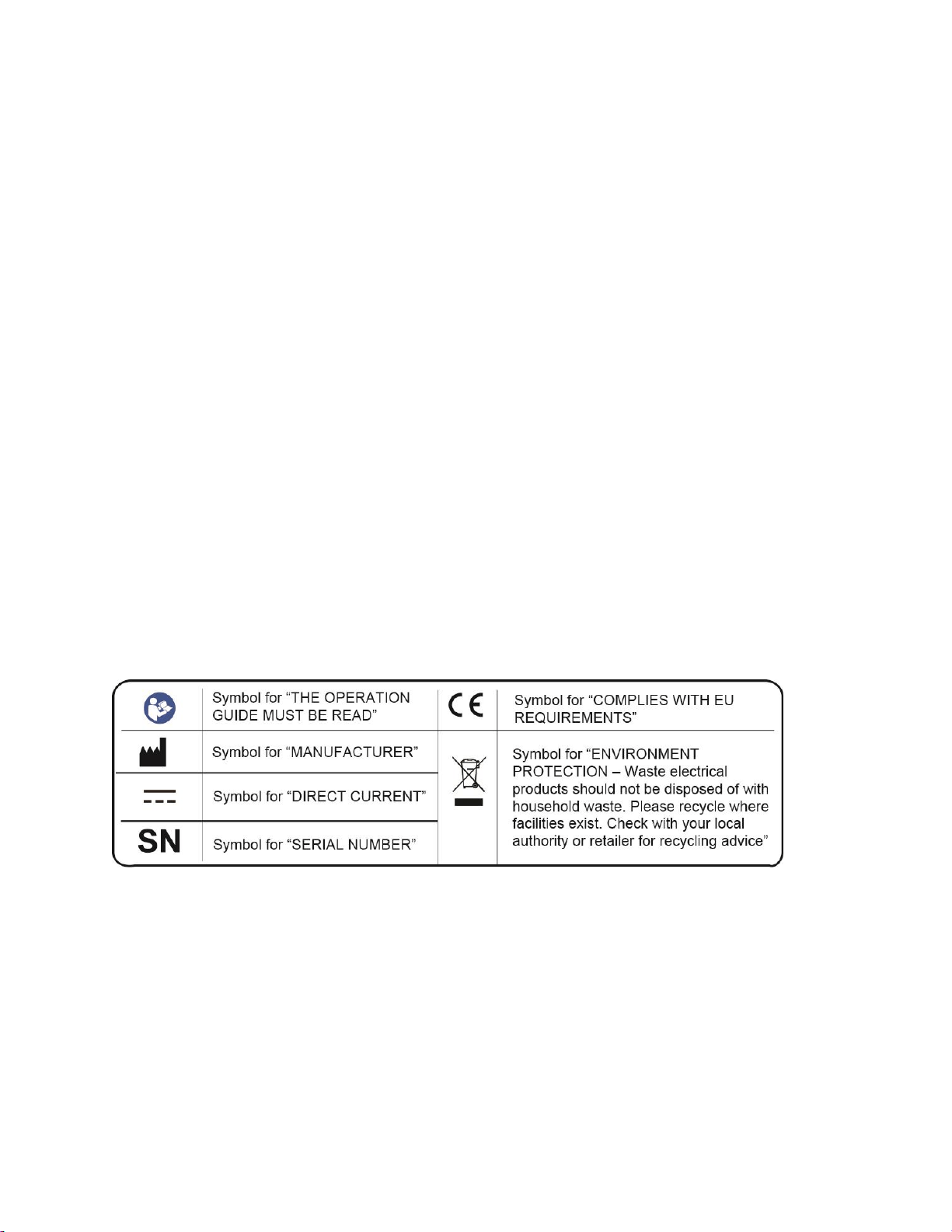
The warning signs and symbols are essential to ensure your correct and safe use of this product
and protect you and others from injury. The chart below explains meanings of the warning signs
and symbols you may encounter in the packaging or user manual.
HOW DOES BODY MASS INDEX (BMI) WORK?
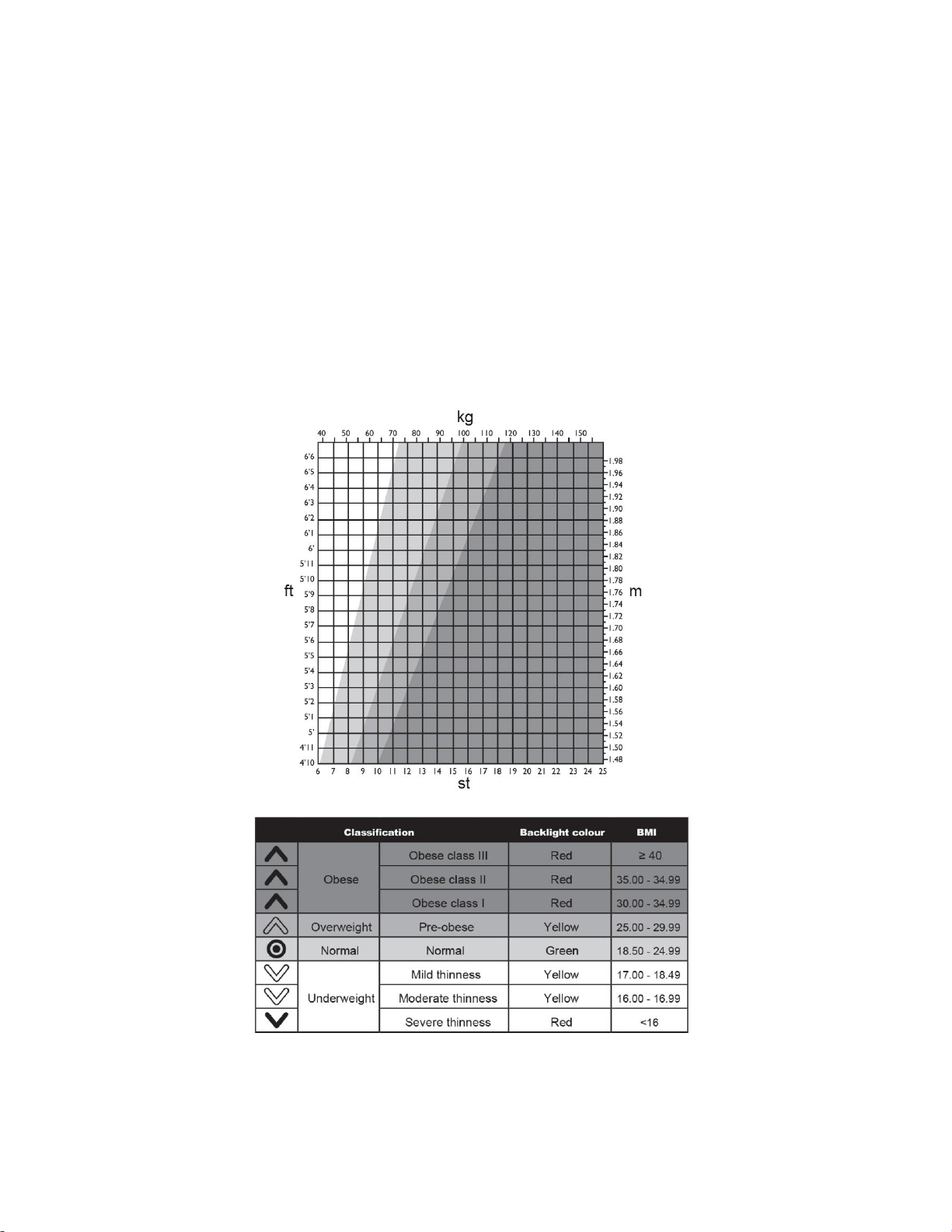
The scale will calculate your BMI based on your height and weight.
BODY MASS INDEX (BMI) – WHY MEASURE IT?
Maintaining proper weight is essential to healthy living. Obesity has been linked to a higher risk
of heart disease, diabetes, and some forms of cancer. The Body Mass Index (BMI) is calculated
based on a person’s weight and height, and is the most widely accepted measurement of
weight according to health professionals. Use the chart below to determine your own BMI by
matching your height in the left hand column with your weight in the center. Anyone, male or
female, with a BMI of 25-29 is considered overweight and a body mass index of 30 is considered
obese. Remember to eat right and exercise.
NOTE : If the chart/table shows that you are outside of a ‘normal’ healthy weight range,
consult your doctor before taking any action. BMI classifications are for adults only.
Device Components
Items & Accesories
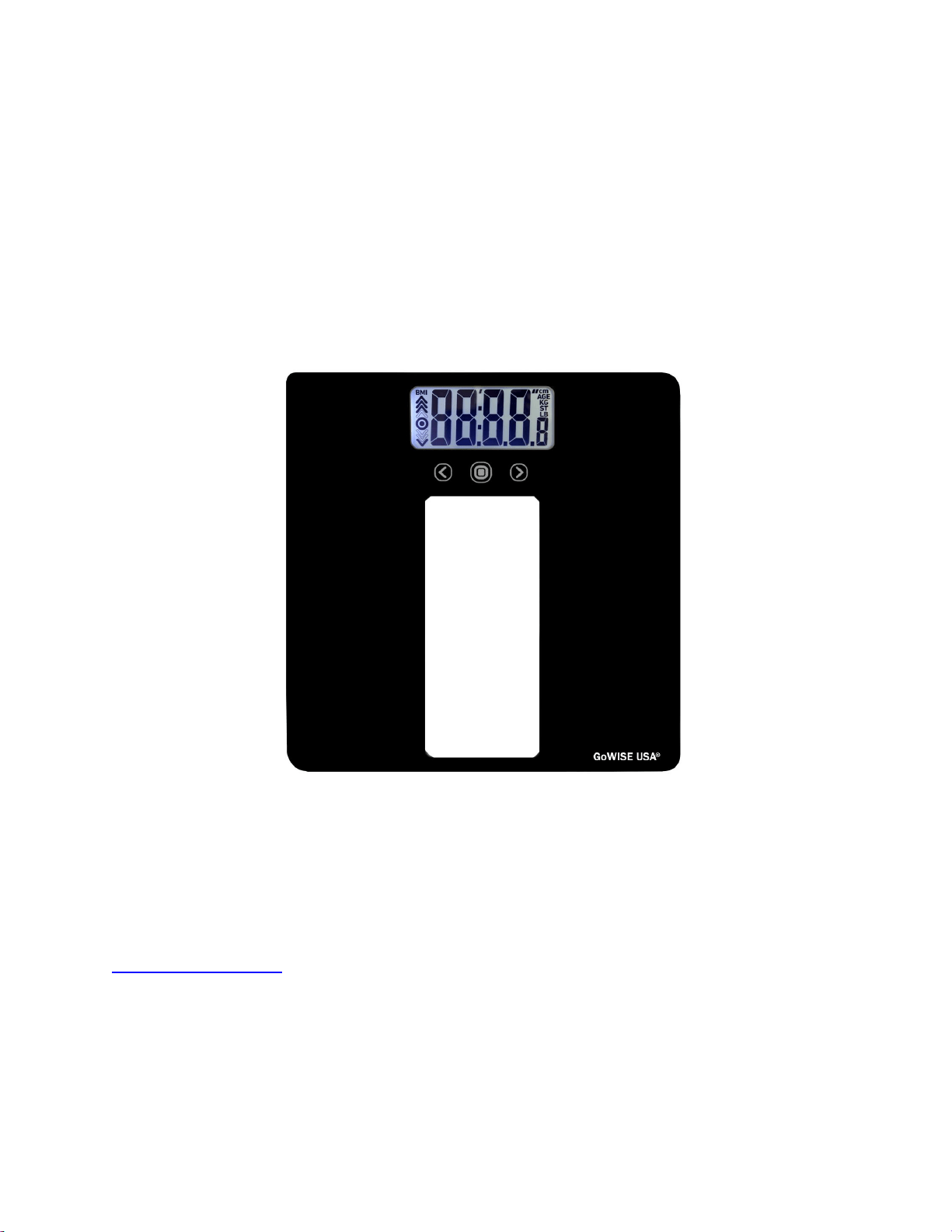
1. Glass Body Fat Scale GW22039
2. 2 x CR2032 Batteries (3V each)
3. User Manual
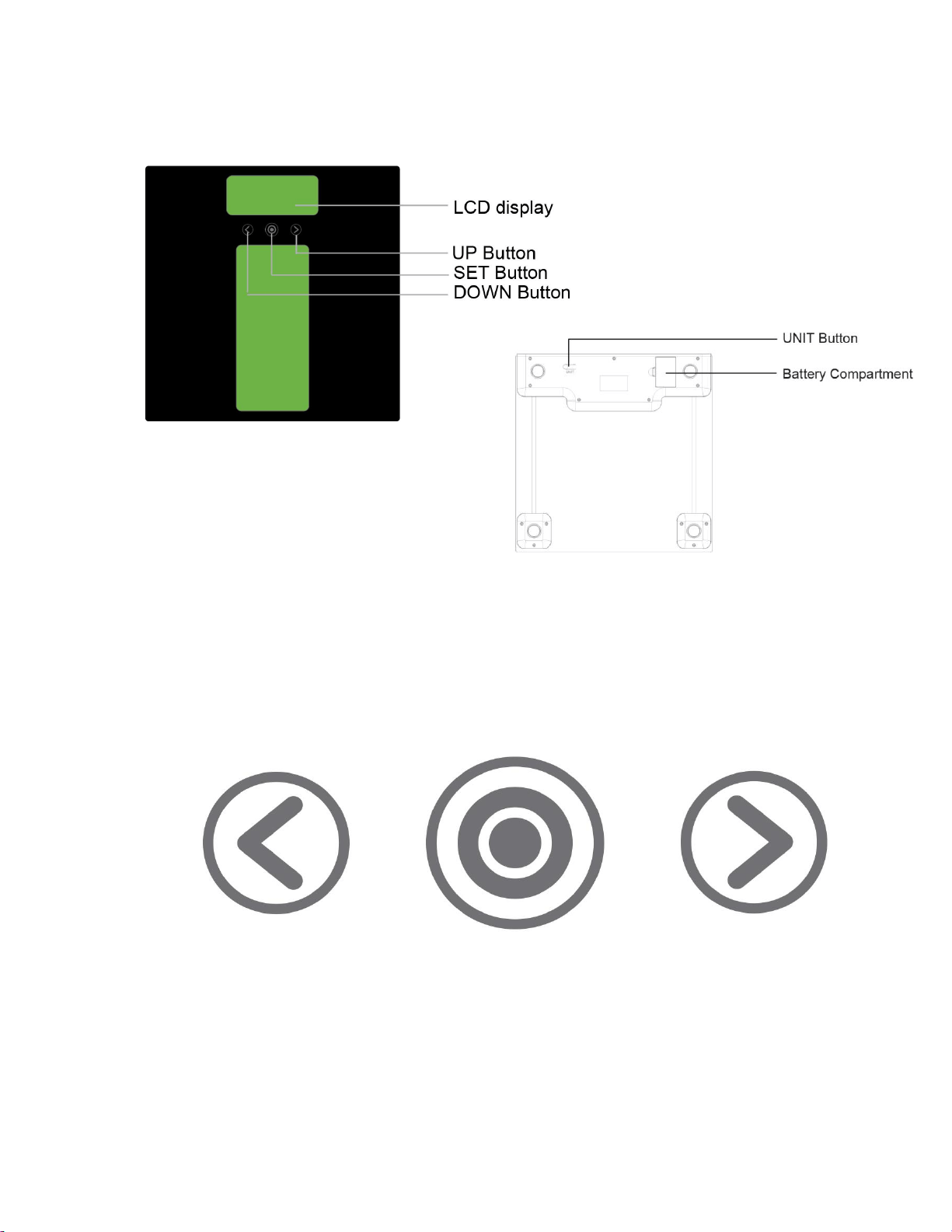
BUTTONS DIAGRAM
LEFT SET RIGHT
BATTERY INFORMATION AND GENERAL SET-UP PROCEDURE
INSERT THE BATTERIES
Open the battery door on the back of the scale. Insert the batteries (4 x 1.5V AAA) into the
battery compartment according to the polarity indications marked inside the compartment.
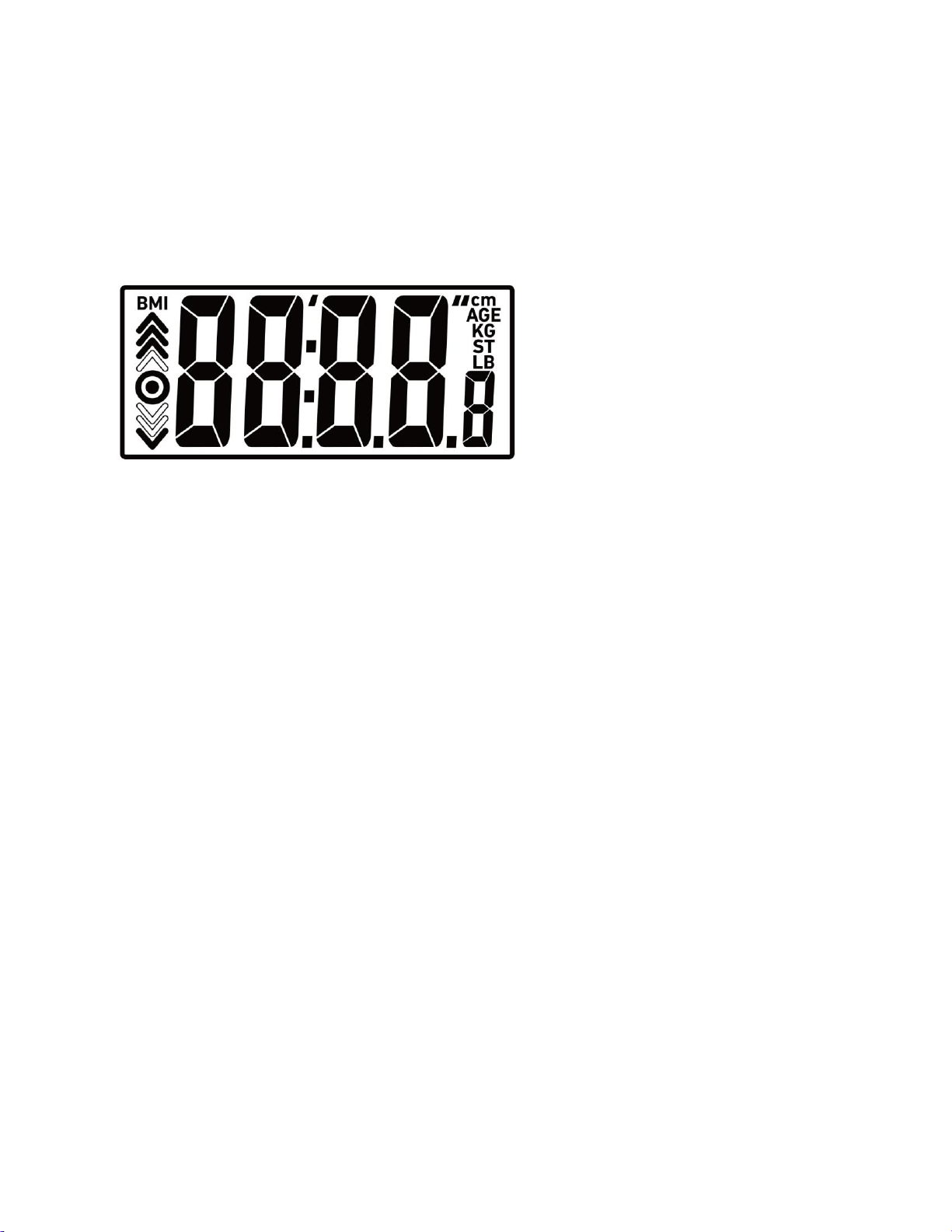
* All the digits will be shown on the LCD
Close the battery door and wait until the digits
“0.0lb” are shown on the LCD.
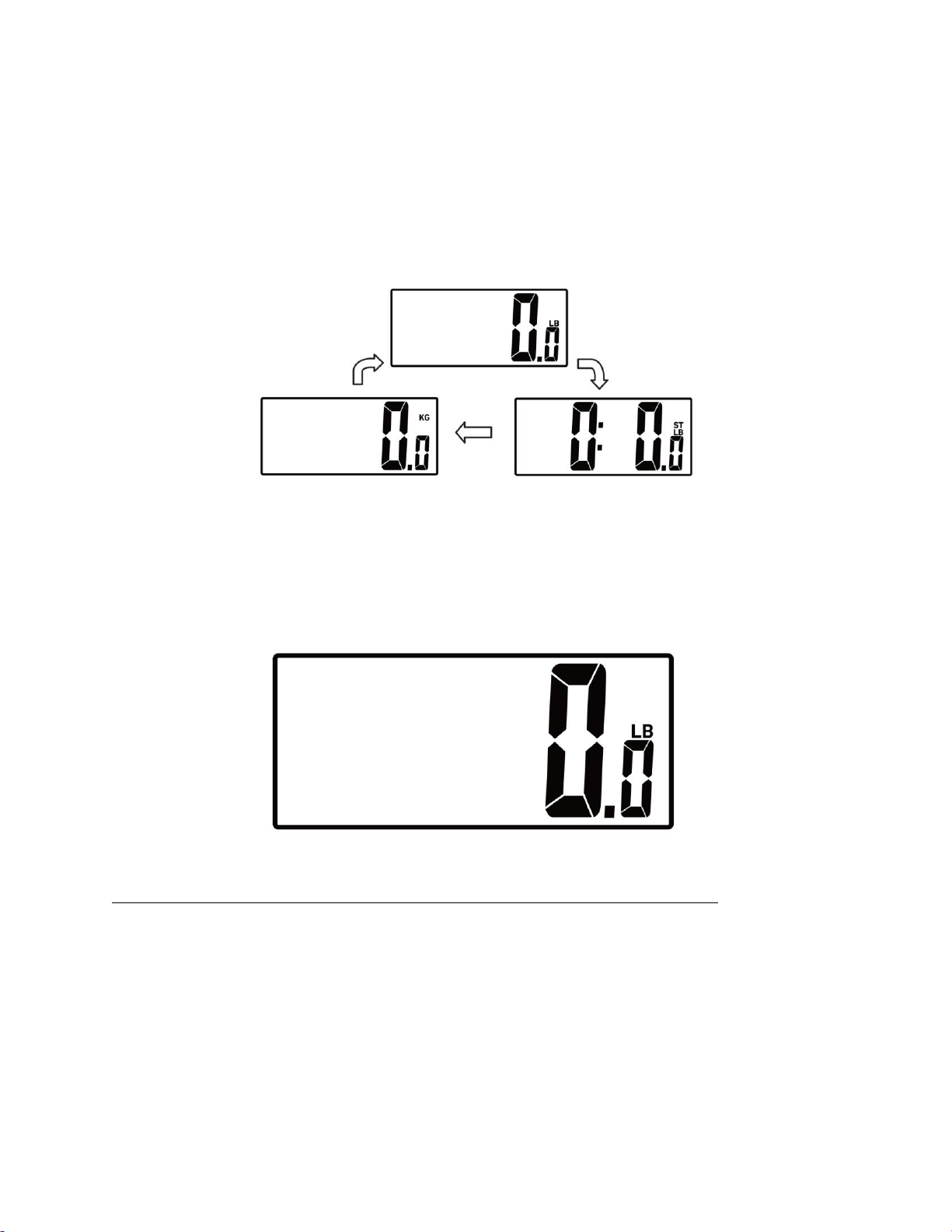
Your scale has been set to measure in pounds (lb) and inches (in) by default. To change the
setting to kilograms/centimeters or stone/inches, press the button on the bottom of the scale
labeled “UNIT” until the display shows (kg) or (st).
When the symbol “Lo “appears, replace with a new set of batteries. Please replace all batteries
at the same time. DO NOT combine old and new batteries.
Worn batteries are hazardous waste. Do NOT dispose of them together with the
household garbage.
Please refer to the local ordinances and recycling instructions regarding disposal of the
worn batteries.
If you need any assistance setting up your scale, please contact customer support via
phone 1-855-233-9199 or email sales@gowiseusa.com.
SELECT MEASUREMENT UNIT
With batteries correctly installed, press “UNIT” button in the back of the scale to select
measurement unit. The default measurement unit is “lb”. You may press “UNIT” button to
choose among pound, kilogram and stone.
INITIALIZING YOUR SCALE
Press firmly on the center of the platform and remove your foot. A “0.0” will show on the
display.
The scale needs to be initialized before first use and after battery replacement. Press firmly on
the scale platform. The display will show a running zeros pattern and automatically turn off.
Your scale is now ready for use.
DAILY MEASUREMENT
1. Position the scale on a hard, flat, and even surface. Carpeted or uneven floors may
affect accuracy.
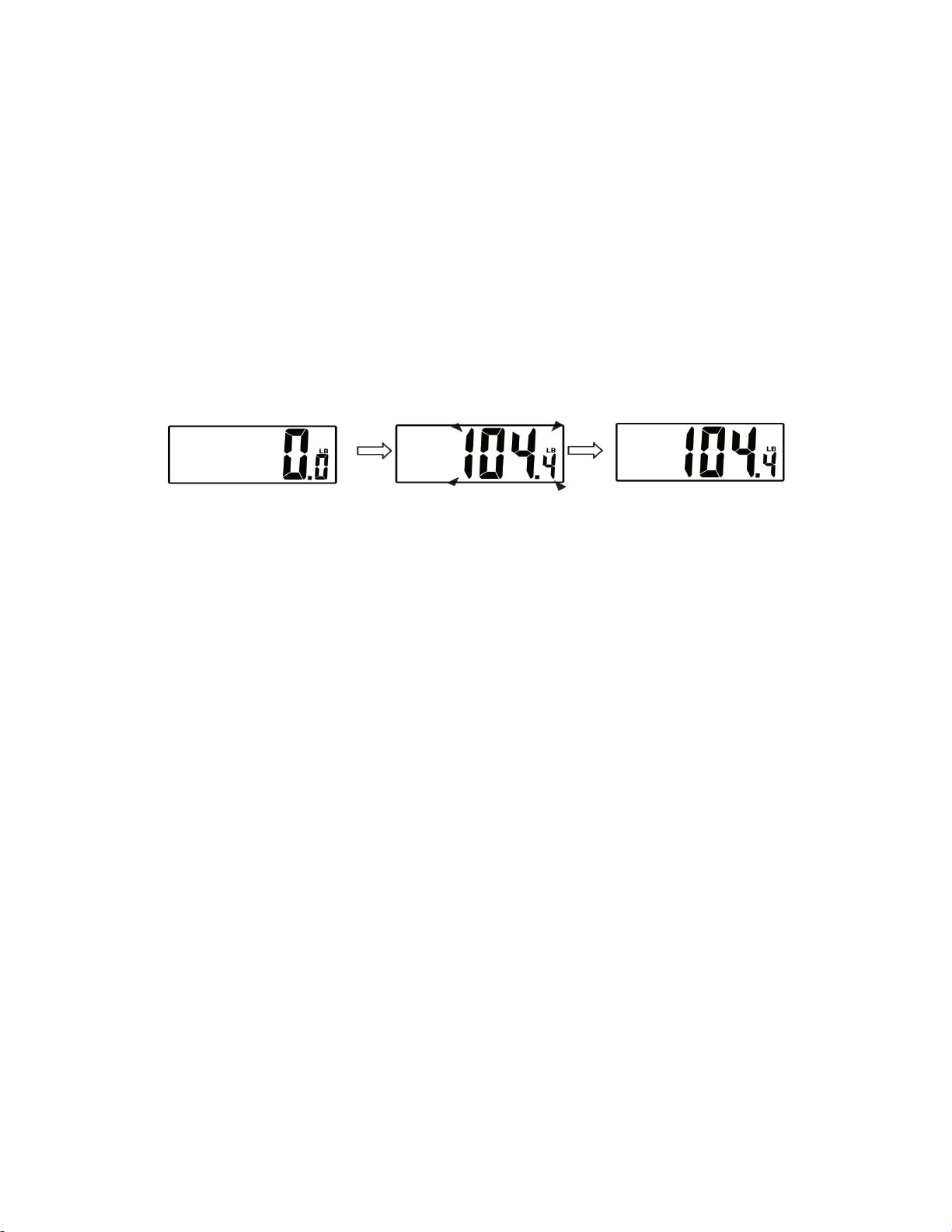
2. Step onto the scale platform and stand still while the scale computes your weight.
3. You can step off the scale and the scale will automatically turn off after a few seconds.
See the diagram below for reference.
If you need any assistance setting up your scale, please contact customer support via
phone 1-855-233-9199 or email sales@gowiseusa.com.
SET UP YOUR PROFILE
Your BMI Scale supports up to 8 users. Please read the directions below to set up your
profile.
1. SELECTING THE USER NUMBER
Press or step on the scale to power ON the scale. The scale will show “0.0”
2. SELECTING THE USER
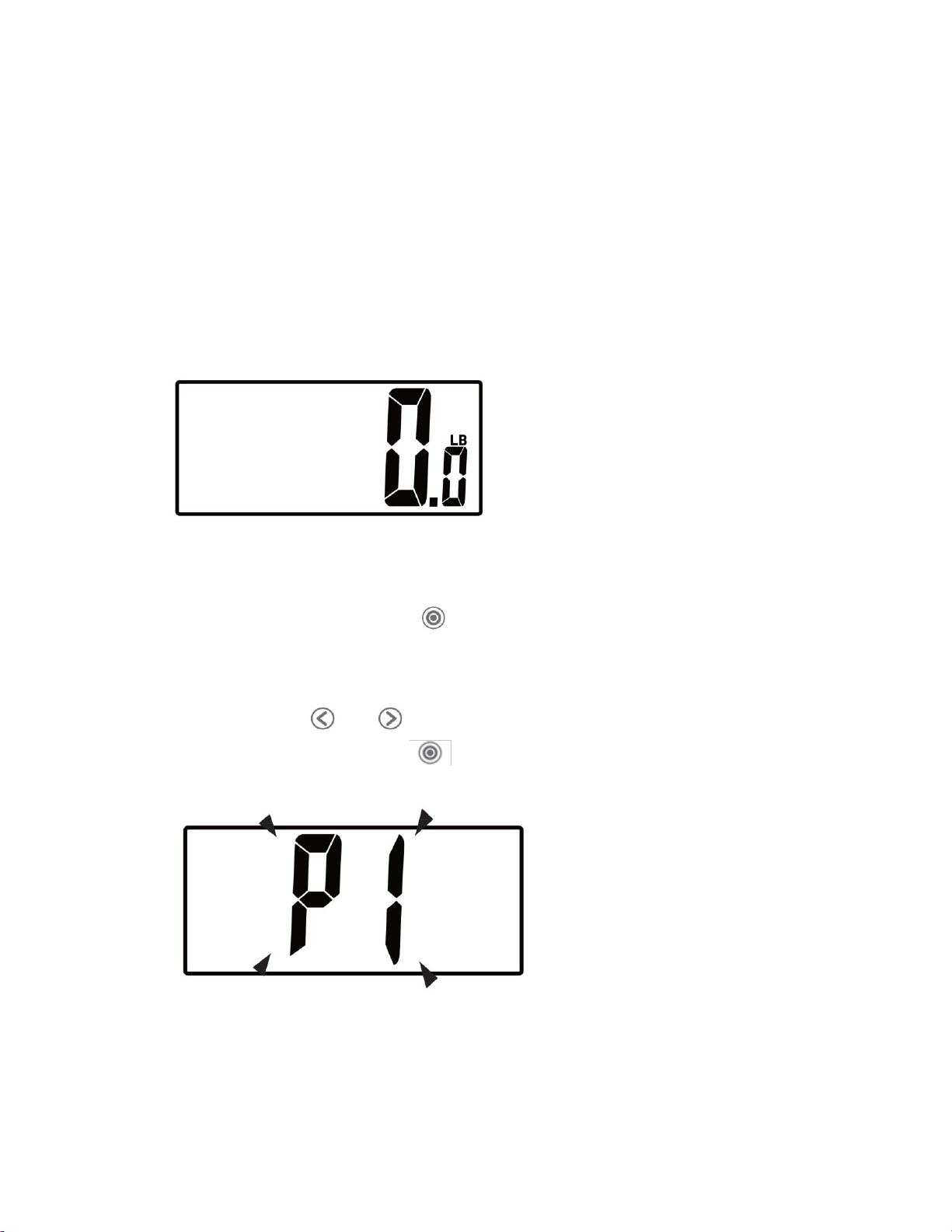
Immediately hold down the “ ” for at least three seconds then let go of the
button. The letter “P” with a corresponding number should flash on the display,
which represents the user profile. See the image below for reference.
You can use the or buttons to cycle through the user profiles. To select
a user profile, hold down the center button for at for at least 3 seconds to
enter the user set up mode.
3. SETTING THE UNIT
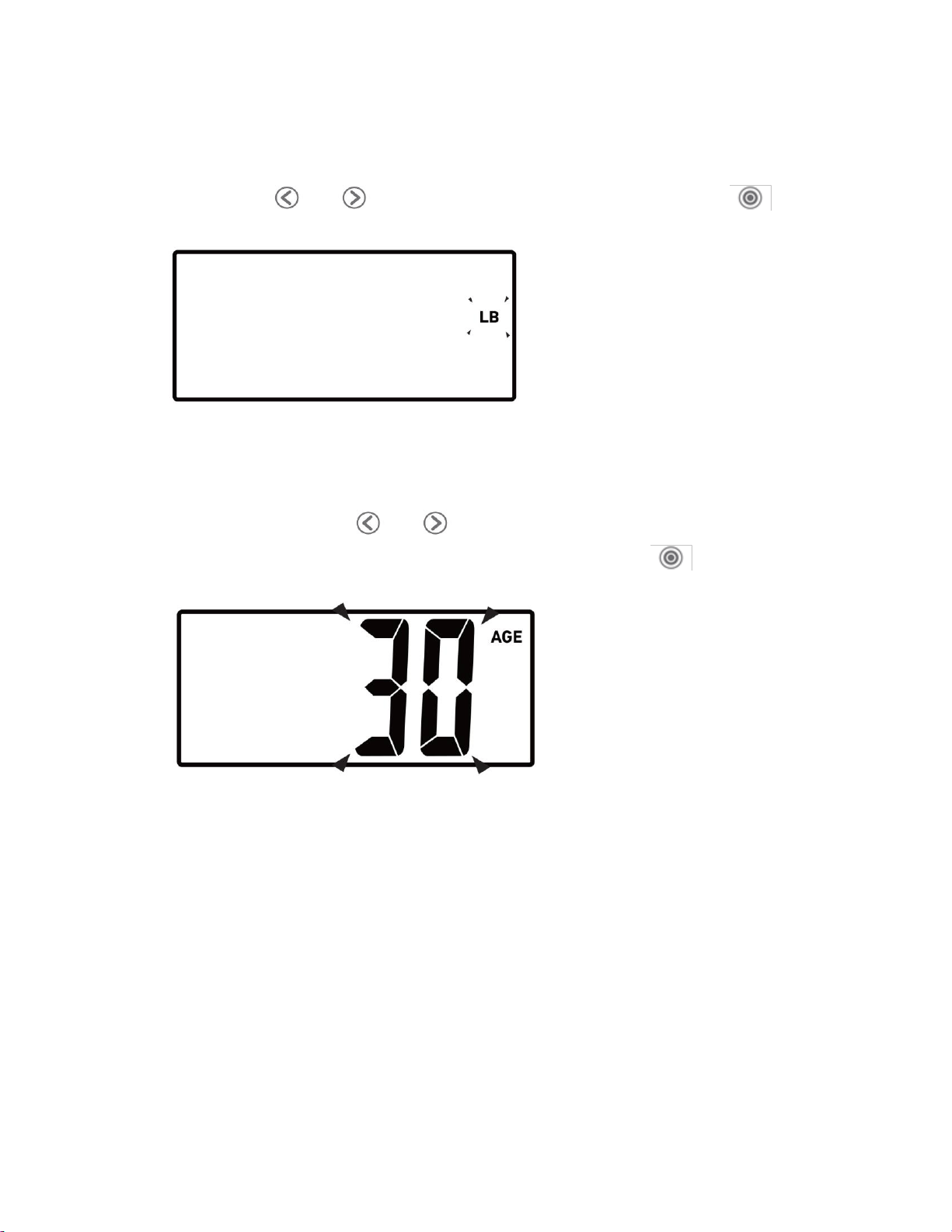
The display will flash “LB” , “KG”, or “ST LB”, to select the unit of your choice, you
can use the or to cycle through the choices and press the button
to confirm. See image below for reference.
4. SETTING THE AGE
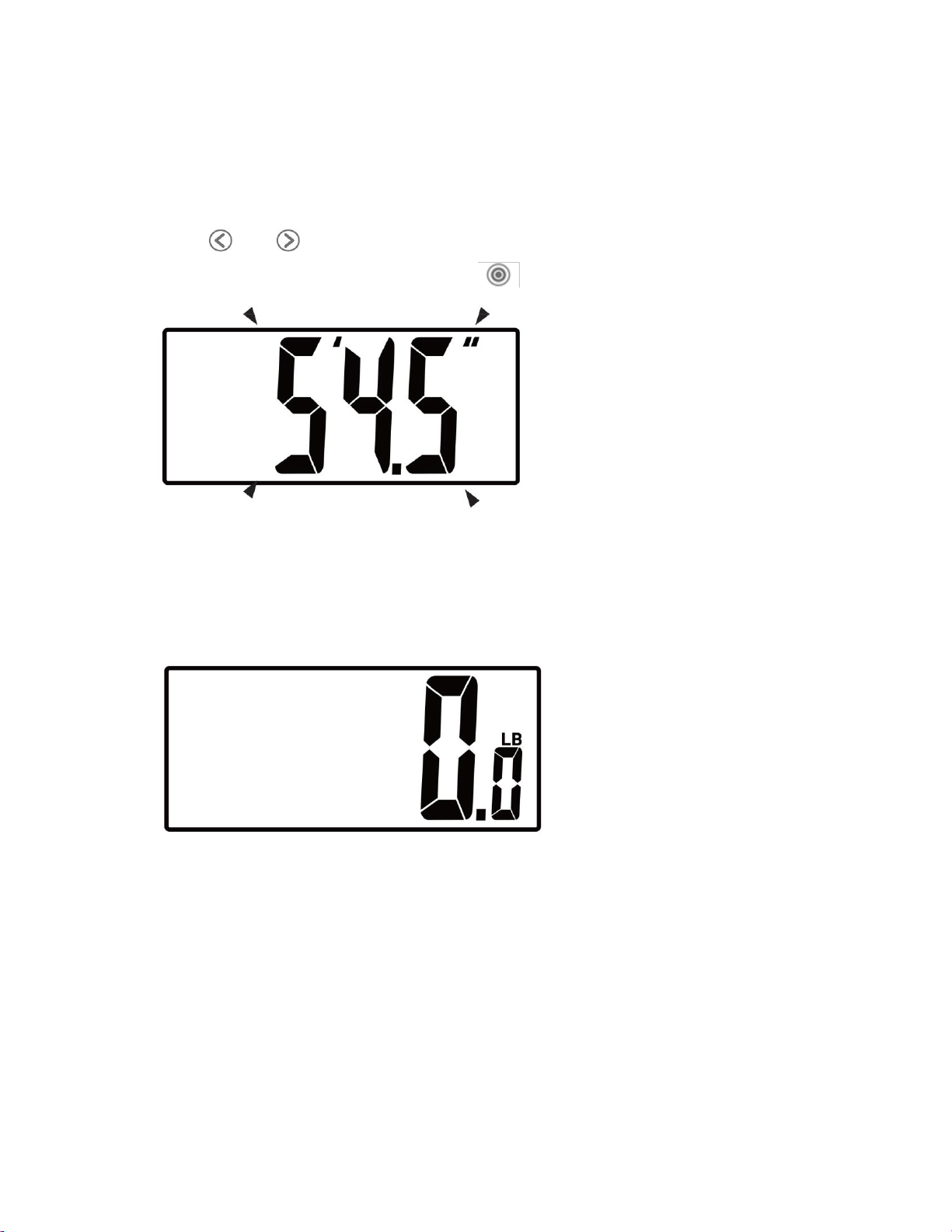
After confirming the unit of measurement, you will have to set the age of the
user. You can use the or to increase or decrease the age shown on the
display. Once you have reached the desired age, press the button to confirm.
See the image below for reference.
5. SETTING THE HEIGHT
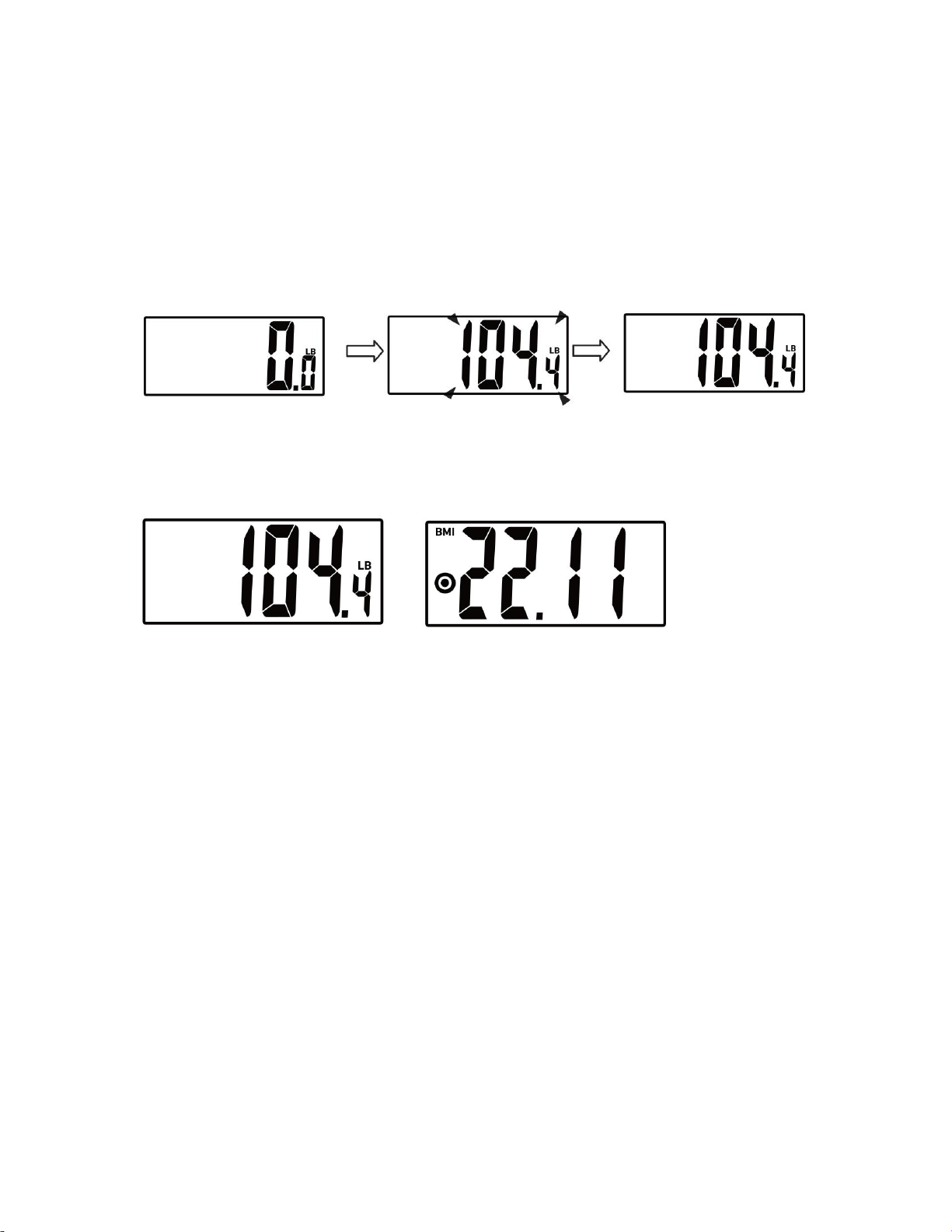
After confirming the age, you will have to set the height of the user. You can use
the or buttons to increase or decrease the numbers. Once you have
reached the desired height, press the button to confirm. See the image
below for reference.
After confirming the height, the LCD will display a “0.0”, you must step on the scale
immediately, so the profile will be saved to your specific weight. See the image below
for reference.
If you need any assistance setting up your scale, please contact customer support via
phone 1-855-233-9199 or email sales@gowiseusa.com.
WEIGHT & BMI READING
1. After setting up your profile, step on the platform when the scale displays “0.0”
2. Stand still on the platform until the weight is stable. The numbers will blink three
times and this indicates that the weight is locked.
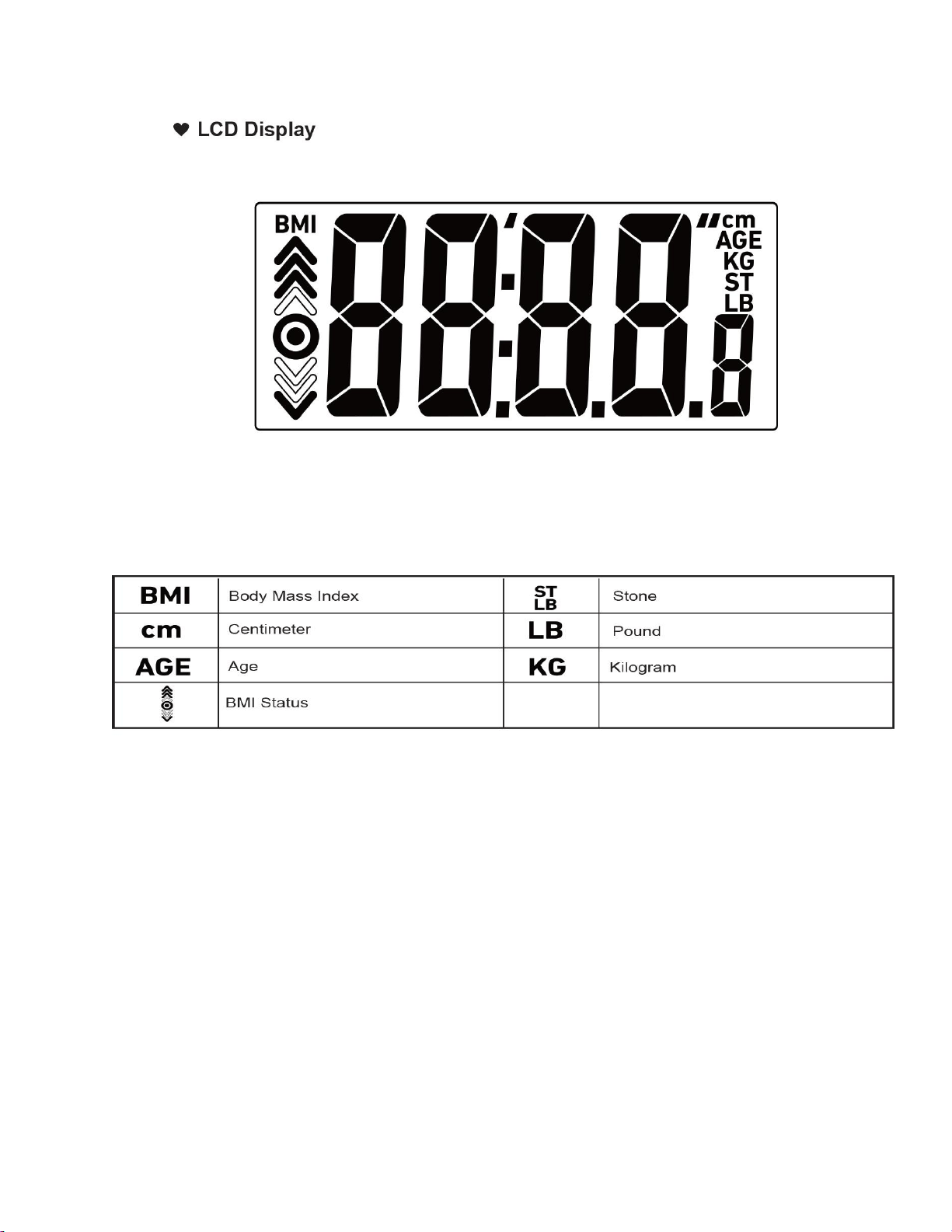
3. After your weight is shown, the BMI status will display on the LCD.
NOTE : BMI status is shown for users are 18 – 100 years old only. For ages 10-17, only
the BMI number will display.
If you need any assistance setting up your scale, please contact customer support via
phone 1-855-233-9199 or email sales@gowiseusa.com.
ERROR PROMPT
If you need any assistance setting up your scale, please contact customer support via
phone 1-855-233-9199 or email sales@gowiseusa.com.
ERROR
DESCRIPTION
SOLUTION
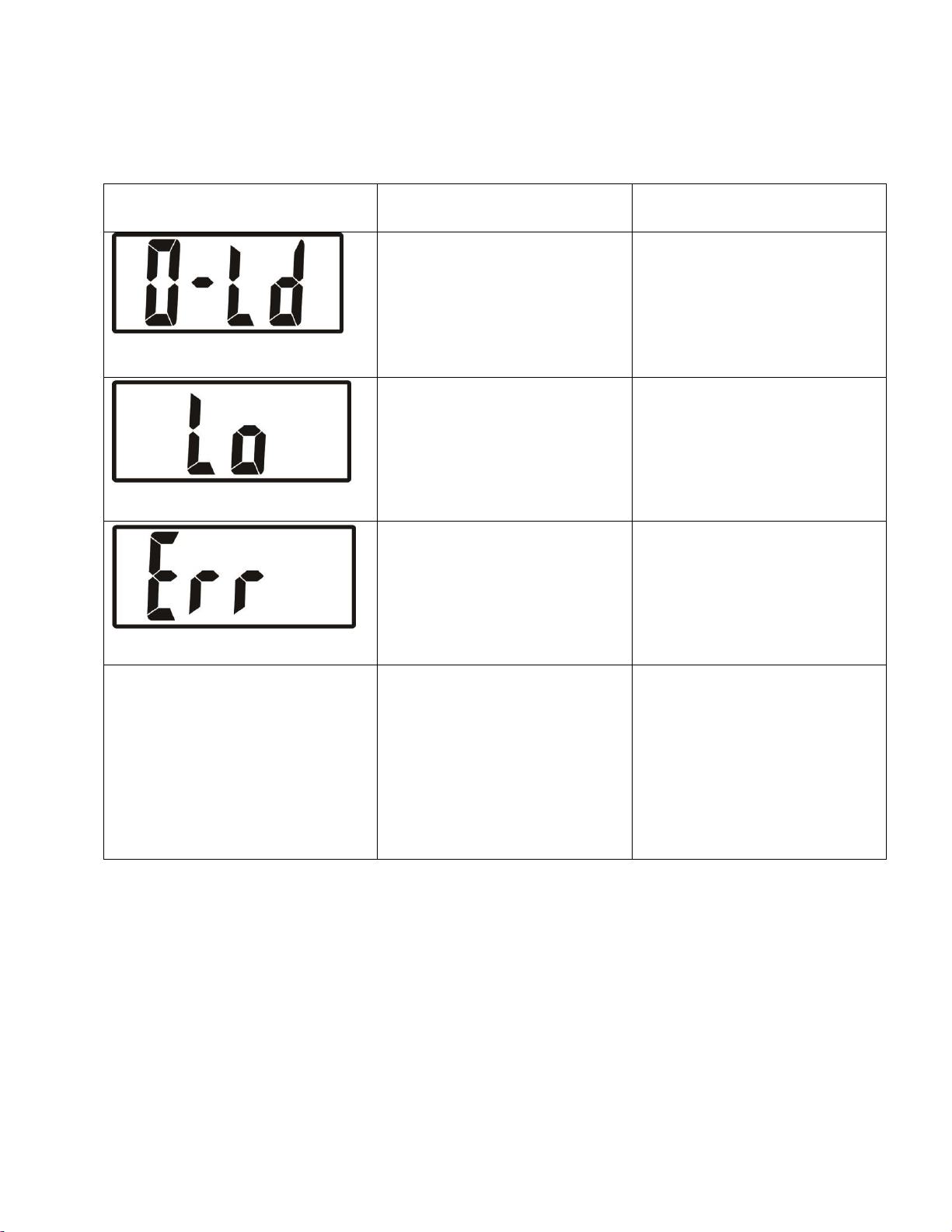
Overload
The user has reached the
scale capacity. The scale
does not support weight
over 440.
Low Battery. The device will
power off in four seconds.
Replace both batteries at
the same. Please purchase
the correct batteries for
replacement.
The weight is unstable.
Step off the scale. Step back
onto the scale and stand still
to measure your weight
again.
After standing on the scale, the
LCD doesn’t light up.
The batteries are weak.
The batteries were not
installed correctly.
Replace the batteries with
new batteries.
Insert the batteries as
indicated in the battery slot.

MAINTENANCE
Please be sure to practice the following guideline for properly maintaining the scale:
Use a dry soft cloth to wipe dust off the scale.
Use a damp soft cloth to wipe the dirt off the surface of the scale and use a dry
cloth to wipe the surface of the scale after.
Do not wash the device with water or immerse it in water
Do not use propellant, abrasive or other chemicals to wipe the dirt as this may
result in discoloration or malfunction.
Do not disassemble the device. If you have any problems, please contact GoWISE
USA customer support via phone or email for assistance. (Refer to the Warranty
section for contact information.)
If you need any assistance setting up your scale, please contact customer support via
phone 1-855-233-9199 or email sales@gowiseusa.com.

WARRANTY
This product is warrantied against defects in materials and workmanship for one year from the
date of purchase, when used in accordance with the instructions provided. This warranty does
not cover damages or wear resulting from accident, misuse, abuse, commercial use, or
unauthorized adjustment and/or repair.
Ming’s Mark Inc. dba GoWISE USA® shall not be liable for loss of use or any other incidental,
consequential or indirect costs, expenses or damages. There are no express warranties except
as listed above. This warranty gives you specific legal rights, and you may have other rights
which vary from state to state.
Should this product require service (or replacement at our option) while under warranty, CALL
1-855-233-9199 for RETURN INSTRUCTIONS. Be sure to keep your receipt showing the date of
purchase.
GoWISE USA®
3000 E. Chambers St.
Phoenix, AZ 85040
www.gowiseusa.com
1-855-233-9199