T P150
MANUAL
Read and save these instructions
Lisez et enregistrez ces instructions
Lea y guarde estas instrucciones
2
EN Always observe all safety notes (included separately in delivery).
FR Veuillez respecter impérativement l’ensemble des consignes de sécurité
(fournies séparéme nt dans le contenu de la livraison).
ES Tenga en cuenta siempre todas las indicaciones de seguridad
(se suministran aparte junto con el producto).

3

4
EN Instructions for use 5
FR Mode d’emploi 13
ES Instrucciones de uso 21

5
en
INSTRUCTIONS FOR USE

6
en
TABLE OF CONTENTS
Technical data 7
Introduction 8
Scope of delivery 8
Overview and part names 9
Starting up 10
Symbols and displays 11
Cleaning and maintenance 12
Care instructions 12
Filter compartment 12
Replacing the Filter 12

7
en
* @ 120V ~ 60 Hz
TECHNICAL DATA
TECHNICAL DATA*
Mains voltage 120V ~ 60Hz
Power consumption Standby: 0.5 W
Min–Max: 1–9 W
Operation noise level 48 dB(A)
CADR (Dust / Smoke / Pollen) 39 cfm (66 m
3
/h) / 31 cfm (53 m
3
/h) / 32 cfm (54 m
3
/h)
Dimensions L × W × H 6.4 × 6.4 × 40.9 in (162 × 162 × 276 mm)
Weight (empty) 2.5 lbs (1.15 kg)
8
en
INTRODUCTION
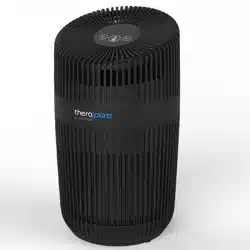
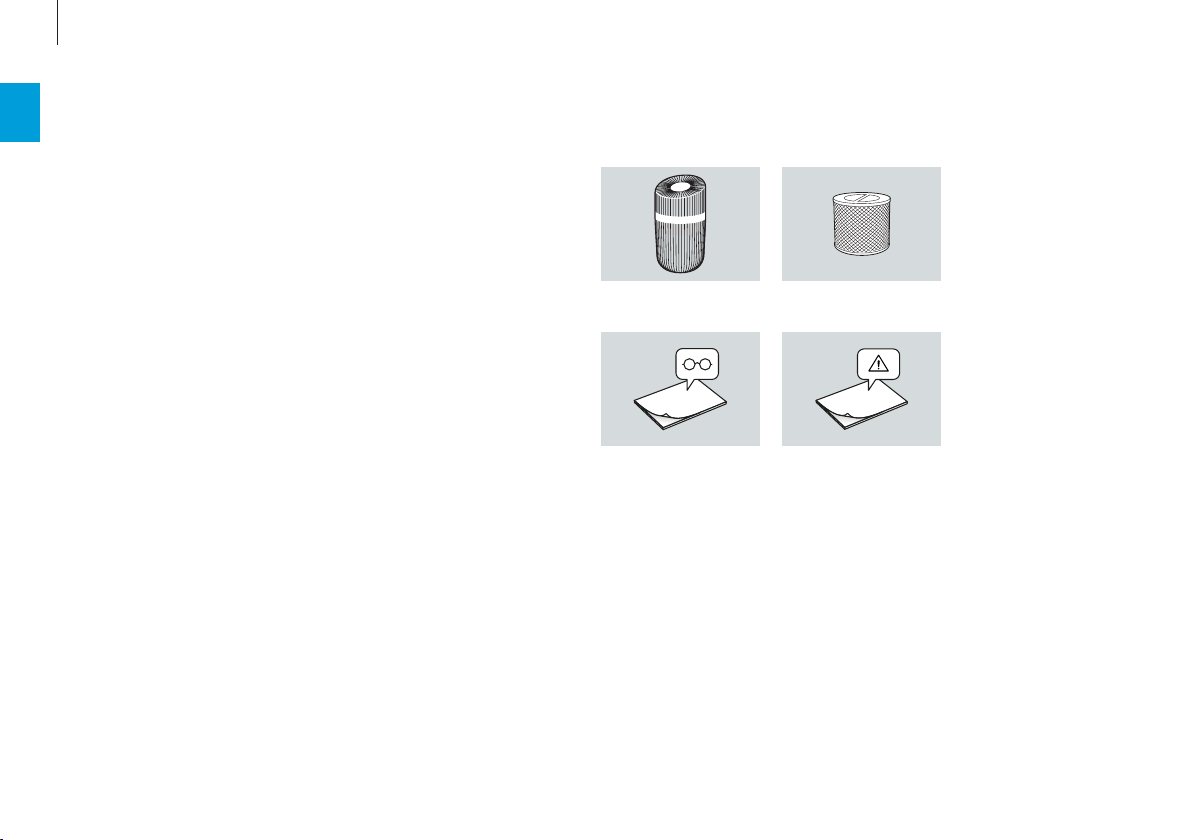
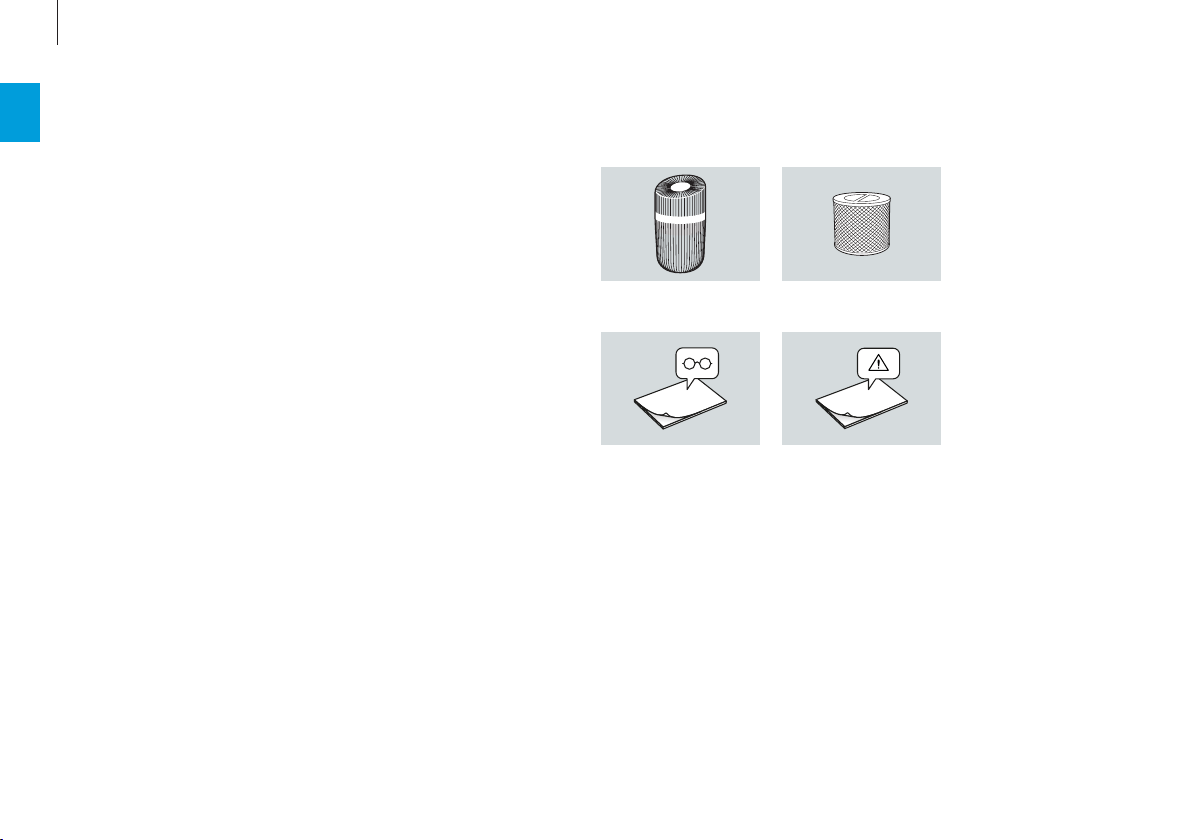
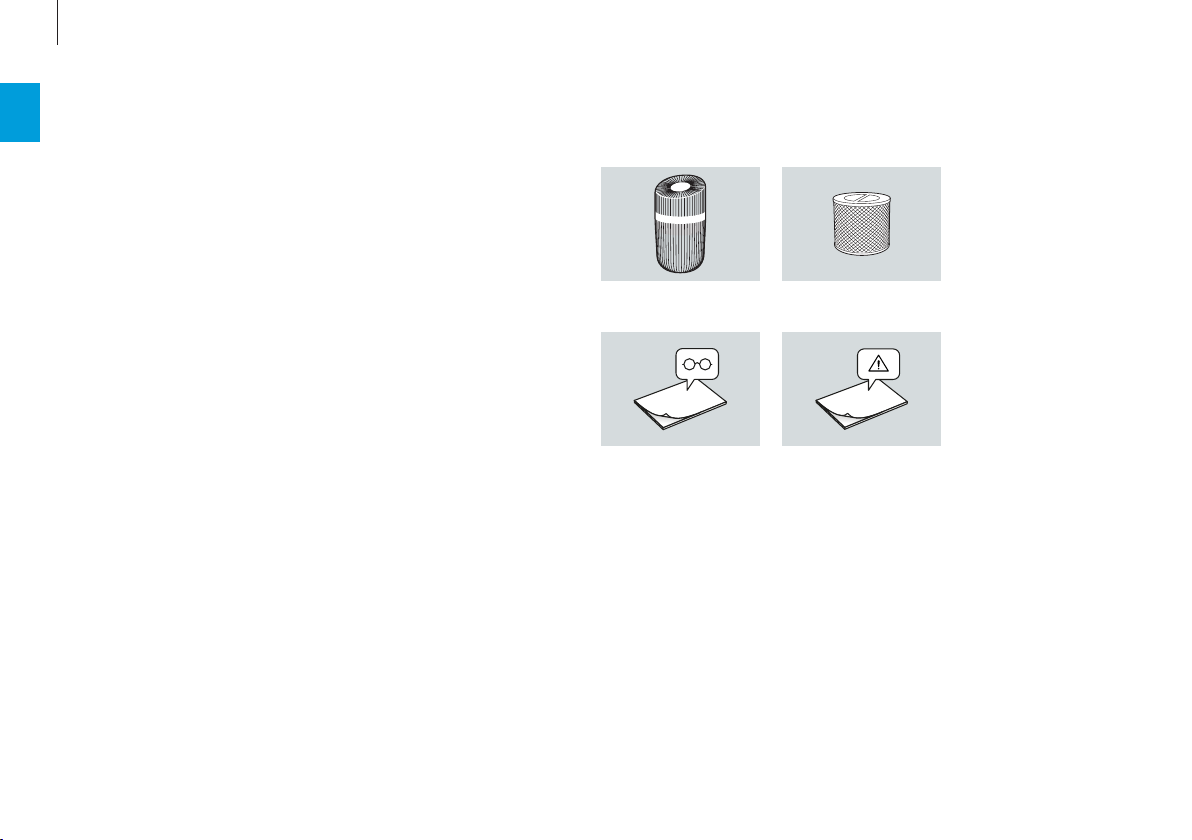
Therapure® TP150 ATP150 HEPA Filter
Safety instructionsQuick Manual
SCOPE OF DELIVERY
Thank you for purchasing the Therapure® TP150 air
purifier. With UV light and filtration to clean the air,
the Therapure® TP150 air purifier will greatly im
-
prove the quality of the air in your home, oce, or
other environments. Once you’ve experienced the
purity of Therapure® TP150 air, visit us at our web-
site to find out more ways to improve the quality of
your air and your life with our premium products
and upgrades. Please be sure to read the follow-
ing instructions carefully to ensure optimal perfor-
mance and safety.
2
3
1
9
en
OVERVIEW AND PART NAMES
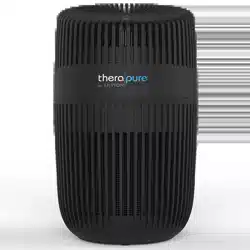
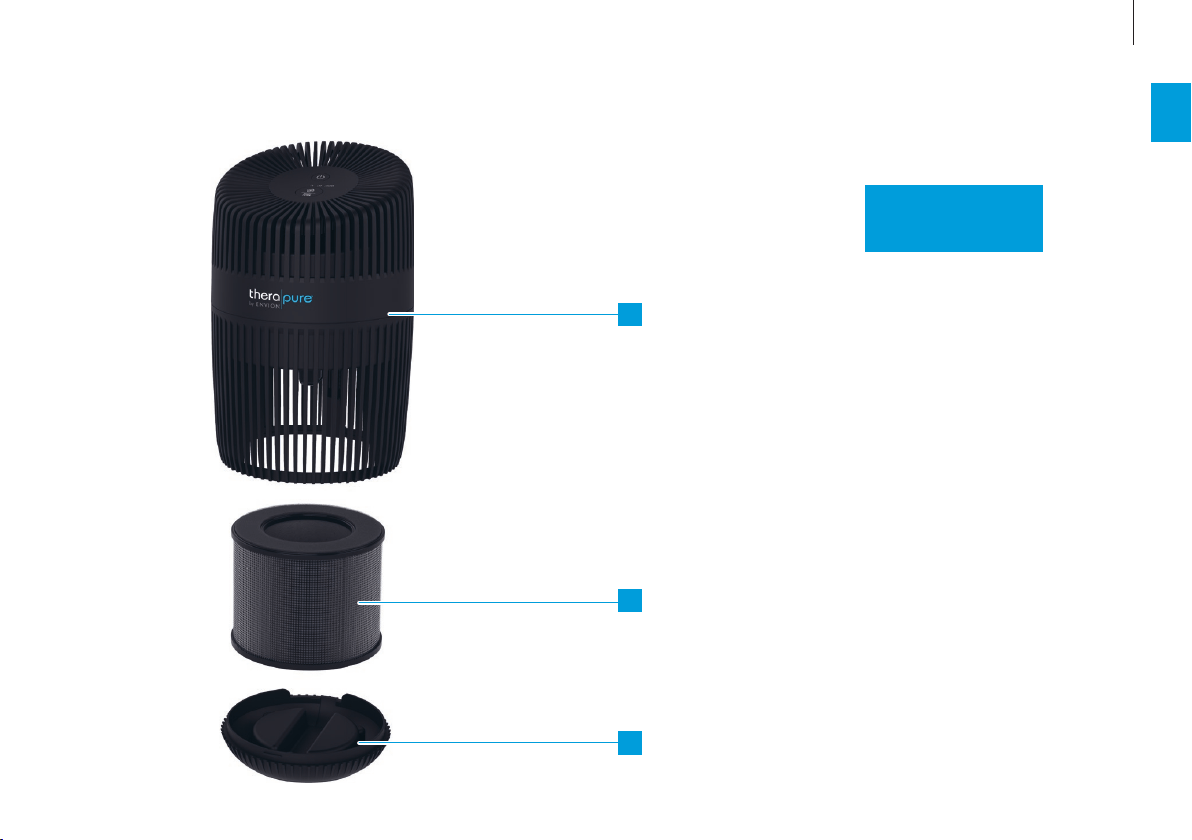
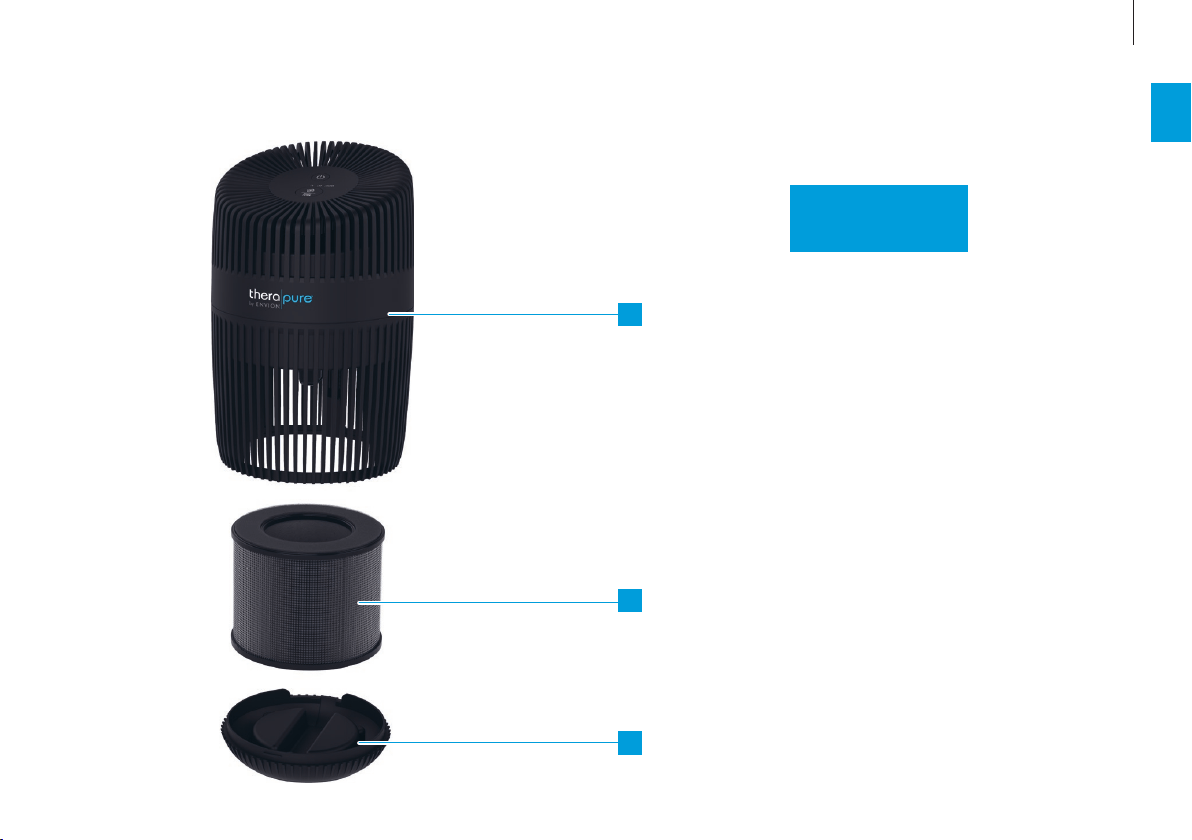
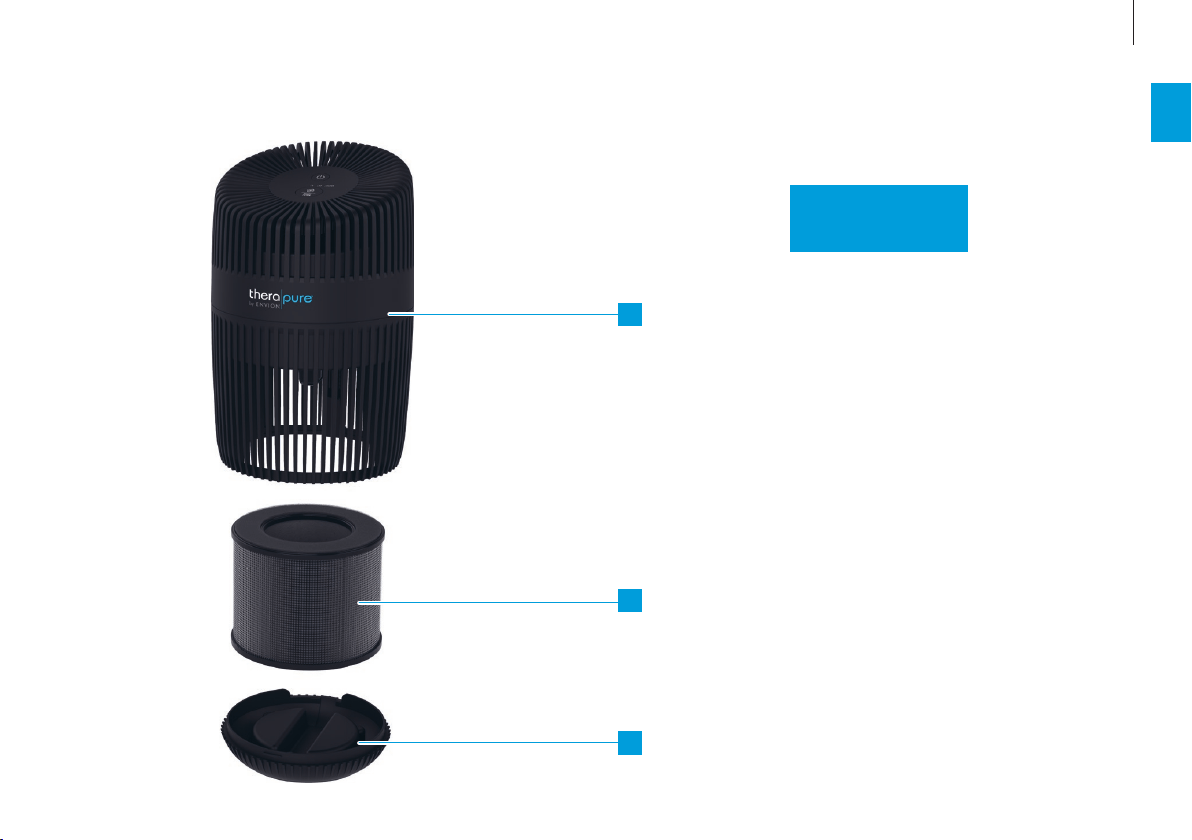
1 Therapure TP150
2 Filter & Prefi lter
3 Bottom Cover
10
en
STARTING UP
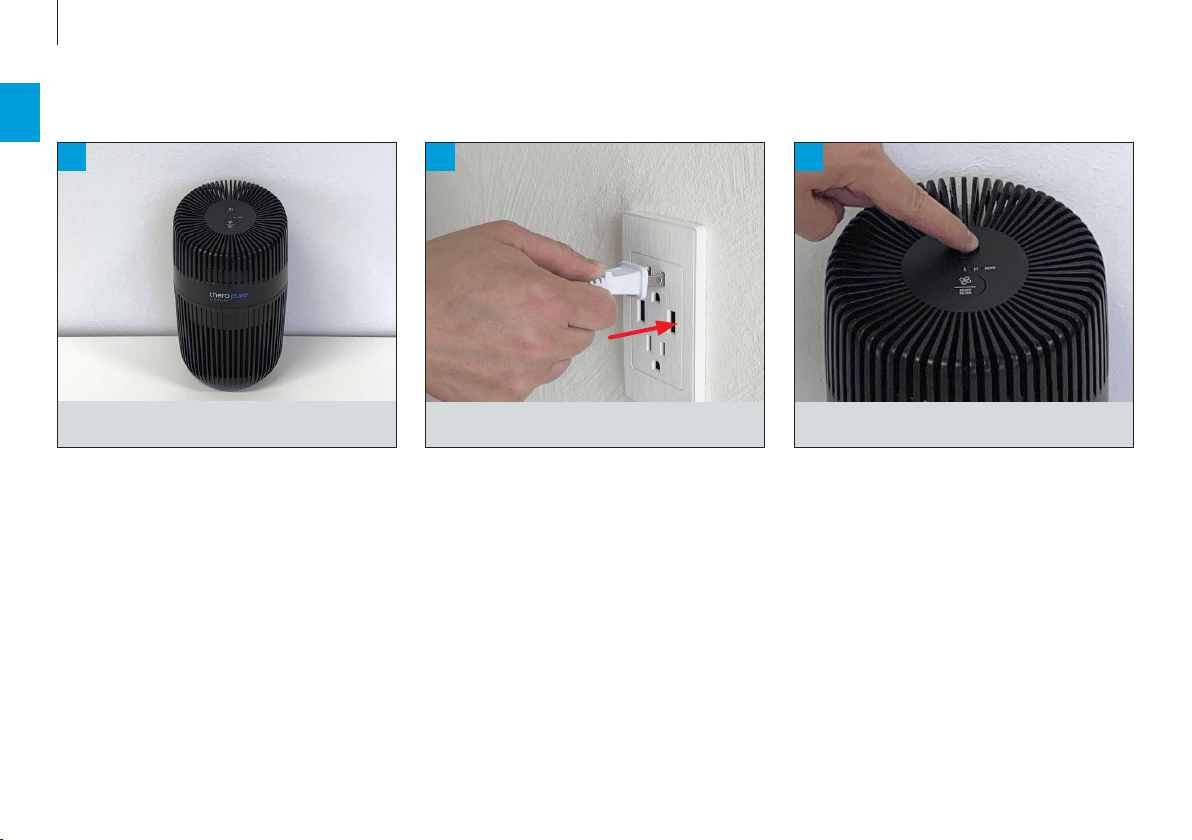
3
1
2
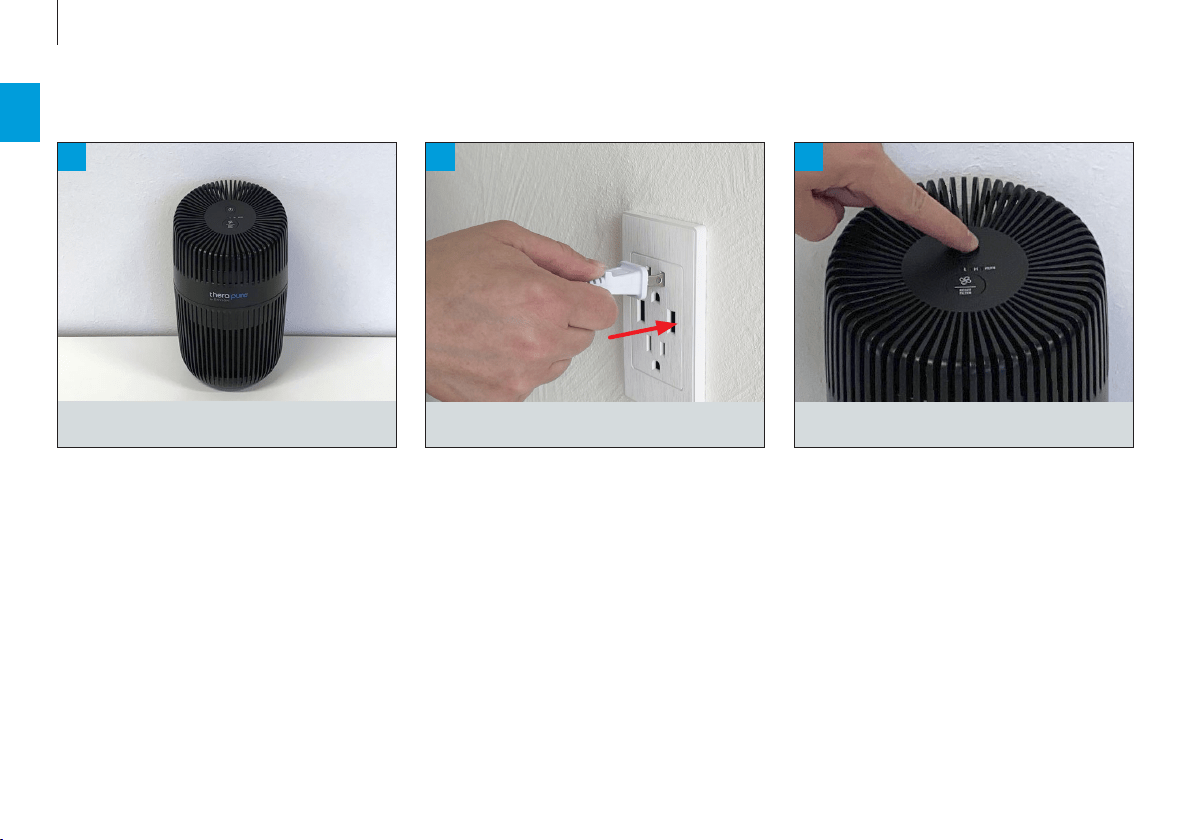
Place the device on a flat surface
Turn it on.
Plug the power cord into a power outlet.

11
en
SYMBOLS AND DISPLAYS
Power Button Switch the appliance on and o
Fan Level / Filter Reset Button Tapping once switches the fan levels L and H
Hold for 3 sec. to reset the filter light

12
en
CLEANING AND MAINTENANCE
CARE INSTRUCTIONS
Stagnant water can impair cleanliness and lead to
unpleasant odors. This means regular maintenance
and cleaning is necessary to ensure clean and unim
-
paired operation.
Recommended cleaning and maintenance intervals
vary depending on air quality, water quality and
operating time.
Do not use alcohol or corrosive cleaning
agents for cleaning.
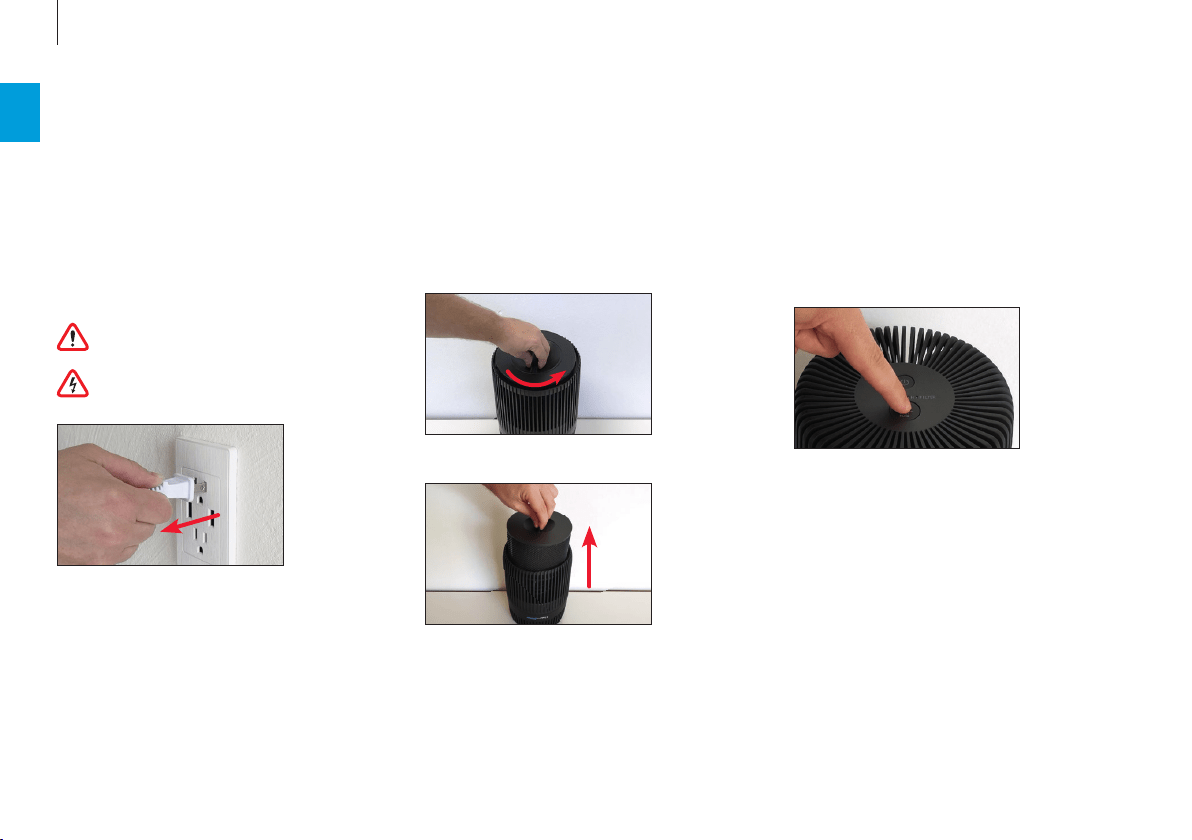
Always unplug the appliance from the power
outlet before cleaning.
After removing the combination Filter and Pre-Fil-
ter from the device it can be cleaned with a vacuum
cleaner and/or with a dry soft towel.
REPLACING THE FILTER
The filter should be replaced after the filter light
turns on. After replacing the filter press the Reset
Filter button for 3 seconds to reset the filter re
-
minder.
FILTER COMPARTMENT
Use a soft, damp cloth to clean the exterior.
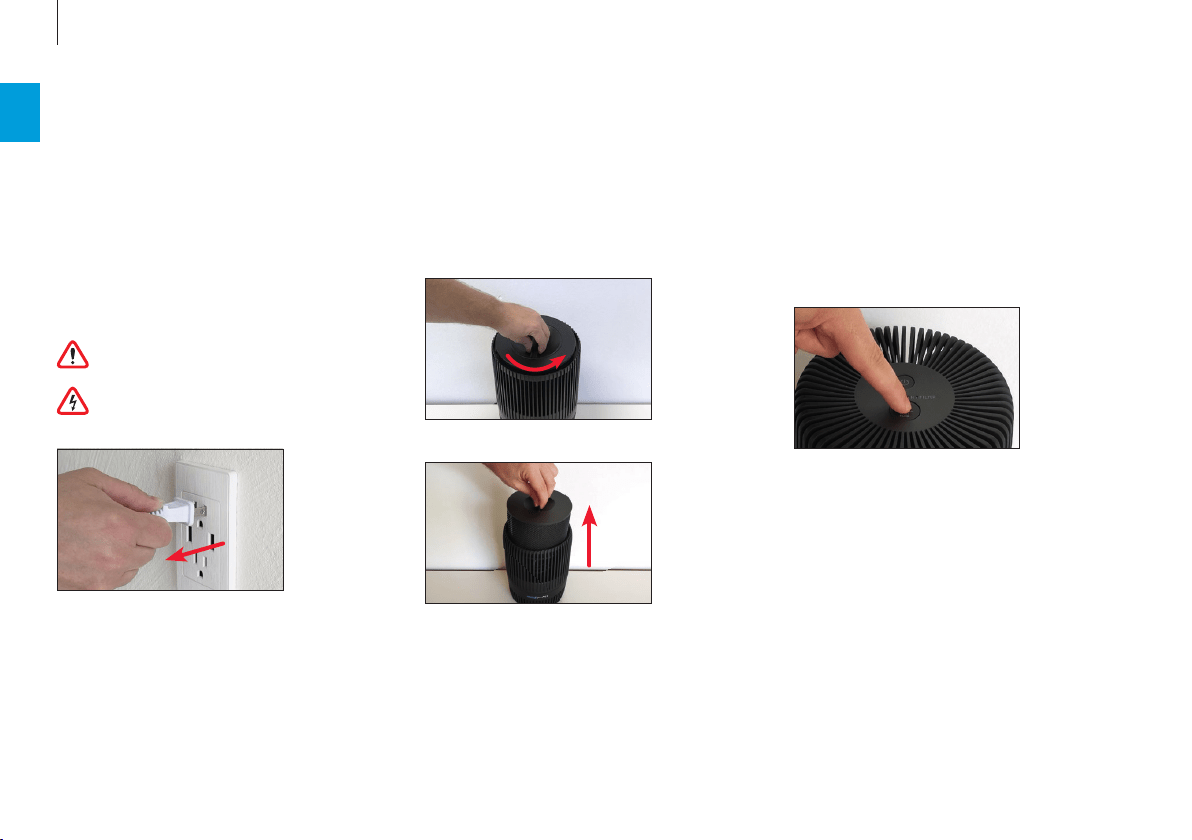
1. Place your device upside down.
2. Turn the bottom cover anti-clockwise until it un
-
locks.
3. Remove the filter.
4. Use a dry soft towel to clean the filter compart
-
ment.
5. Place the filter back in the device and lock the
bottom cover. Cleaning the Filter and Pre-Filter

13
fr
MODE D’EMPLOI

14
fr
SOMMAIRE
Caractéristiques techniques 15
Introduction 16
Parce que l’air sain est un besoin fondamental 16
Disponibilité des accessoires 16
Contenu de la livraison 16
Vue d’ensemble et désignation des pièces 17
Première utilisation 18
Symboles et affichages 19
Nettoyage et entretien 20
Consignes d’entretien 20
Compartiment du filtre 20
Remplacement du filtre 20

15
fr
* @ 120V ~ 60 Hz
CARACTÉRISTIQUES TECHNIQUES
CARACTÉRISTIQUES TECHNIQUES*
Tension de réseau 120V ~ 60Hz
Consommation électrique Veille : 0.5 W
Min–Max: 1–9 W
Niveau sonore 48 dB(A)
CADR (Poussière / Fumée / Pollen) 39 cfm (66 m
3
/h) / 31 cfm (53 m
3
/h) / 32 cfm (54 m
3
/h)
Dimensions L × l × H 6.4 × 6.4 × 40.9 in (162 × 162 × 276 mm)
Poids à vide 2.5 lbs (1.15 kg)
16
fr
INTRODUCTION
Consignes de sécuritéManuel succinct
CONTENU DE LA LIVRAISONPARCE QUE L’AIR SAIN EST UN BESOIN
FONDAMENTAL
Il y a peu de choses auxquelles nous soyons aus
-
si sensibles qu’à une mauvaise qualité de l’air. Et
pourtant nombreuses sont les personnes qui ac-
cordent trop peu d’attention à la qualité de l’air, ce
qui se répercute sur notre santé et notre qualité de
vie. Nous nous réjouissons d’autant plus que votre
appareil ENVION vous permette, à vous et à votre
entourage, de satisfaire votre besoin fondamental
en air ambiant sain.
DISPONIBILITÉ DES ACCESSOIRES
Des pièces de rechange pour accessoires usagés ou
des accessoires supplémentaires sont disponibles :
• auprès de votre revendeur spécialisé ENVION
• à l’adresse envion.com
Therapure® TP150 ATP150 HEPA Filter
2
3
1
17
fr
VUE D’ENSEMBLE ET DÉSIGNATION DES PIÈCES
1 Therapure TP150
2 Filtre et pré-fi ltre
3 Couvercle du fond
18
fr
PREMIÈRE UTILISATION
2
Branchez le bloc d’alimentation sur la prise de
courant.
3
Mettez l‘appareil en marche.
1
Posez l’appareil BONECO sur une surface plane.

19
fr
SYMBOLES ET AFFICHAGES
Bouton d’alimentation Allumer et éteindre l‘appareil
Niveau du ventilateur /
Bouton de réinitialisation du filtre
En tapant une fois, on passe aux niveaux L et H du ventilateur.
Maintenir pendant 3 secondes pour réinitialiser le voyant du filtre.
20
fr
CONSIGNES D’ENTRETIEN
L’eau stagnante peut altérer l’hygiène et entraîner
la formation d’odeurs désagréables. La mainte
-
nance et le nettoyage réguliers sont donc indispen-
sables pour un fonctionnement hygiénique et sans
problèmes.
La fréquence de nettoyage et de maintenance re
-
commandée dépend de la qualité de l’air et de
l’eau, ainsi que de la durée de fonctionnement.
N‘utilisez pas d‘alcool ou de produits corrosifs
pour le nettoyage.
Avant tout nettoyage, il faut débrancher le
cordon secteur de la prise de courant.
COMPARTIMENT DU FILTRE
Utilisez un chion doux et humide pour nettoyer
l‘extérieur.
1. Placez votre appareil à l‘envers.
2. Tournez le couvercle inférieur dans le sens inver
-
se des aiguilles d‘une montre jusqu‘à ce qu‘il se
déverrouille.
3. Retirez le filtre.
4. Utilisez une serviette douce et sèche pour netto
-
yer le compartiment du filtre.
5. Replacez le filtre dans l‘appareil et verrouillez le
couvercle inférieur. Nettoyage du filtre et du pré-
filtre.
Après avoir retiré le filtre et le pré-filtre combinés
de l‘appareil, vous pouvez les nettoyer à l‘aide d‘un
aspirateur et/ou d‘un chion doux et sec.
REMPLACEMENT DU FILTRE
Le filtre doit être remplacé lorsque le voyant du filt
-
re s‘allume. Après avoir remplacé le filtre, appuyez
sur le bouton Reset Filter pendant 3 secondes pour
réinitialiser le rappel du filtre.
NETTOYAGE ET ENTRETIEN

21
es
INSTRUCCIONES DE USO

22
es
ÍNDICE
Datos técnicos 23
Instrucciones 24
El aire limpio es una necesidad básica 24
Disponibilidad de los accesorios 24
Contenido 24
Vista de conjunto y denominación de los componentes 25
Puesta en marcha 26
Símbolos y pantallas 27
Limpieza y mantenimiento 28
Indicaciones de mantenimiento 28
Compartimento del filtro 28
Sustitución del filtro 28

23
es
* @ 120V ~ 60Hz
DATOS TÉCNICOS
DATOS TÉCNICOS*
Tensión de red 120V ~ 60Hz
Consumo de energía Standby: 0.5 W
Min–Max: 1–9 W
Nivel de ruido en funcionamiento 48 dB(A)
CADR (Polvo / Humo / Polen) 39 cfm (66 m
3
/h) / 31 cfm (53 m
3
/h) / 32 cfm (54 m
3
/h)
Dimensiones largo × ancho × alto 6.4 × 6.4 × 40.9 in (162 × 162 × 276 mm)
Peso (vacío) 2.5 lbs (1.15 kg)
24
es
INSTRUCCIONES
Indicaciones de seguridadGuía rápida
CONTENIDO
EL AIRE LIMPIO ES UNA NECESIDAD BÁSICA
A pocas cosas reaccionamos con mayor sensibili
-
dad que al mal aire. Sin embargo, muchas personas
apenas prestan atención a la calidad del aire, lo que
conlleva consecuencias en la salud y la calidad de
vida. Por eso, nos complace enormemente que haya
elegido este aparato ENVION para garantizar un aire
limpio y sano para su entorno.
DISPONIBILIDAD DE LOS ACCESORIOS
Puede adquirir recambios de sus accesorios usados
y adicionales:
• a través de su distribuidor de ENVION,
• en envion.com
Therapure® TP150 ATP150 HEPA Filter
2
3
1
25
es
VISTA DE CONJUNTO Y DENOMINACIÓN DE LOS COMPONENTES
1 Therapure TP150
2 Filtro y prefi ltro
3 Tapa inferior

26
es
PUESTA EN MARCHA
2
Enchufe la fuente de alimentación a la toma de
corriente.
3
Encienda la unidad.
1
Coloque el dispositivo en una superficie plana.

27
es
SÍMBOLOS Y PANTALLAS
Botón de encendido Encender y apagar el aparato
Nivel del ventilador /
Botón de reinicio del filtro
Tocando una vez se cambian los niveles del ventilador L y H
Mantenga durante 3 segundos para restablecer la luz del filtro
28
es
INDICACIONES DE MANTENIMIENTO
El agua estancada puede perjudicar las condicio
-
nes higiénicas y provocar olores desagradables.
Por este motivo, un mantenimiento y una limpieza
regulares son condiciones indispensables para que
el equipo funcione correctamente y de forma higi-
énica.
La frecuencia de limpieza y mantenimiento reco
-
mendada varía dependiendo de la calidad del aire
y del agua, así como del tiempo de funcionamiento.
No utilice alcohol ni productos de limpieza
corrosivos para la limpieza.
Antes de la limpieza, debe desconectarse el
enchufe de la toma de corriente.
LIMPIEZA Y MANTENIMIENTO
COMPARTIMENTO DEL FILTRO
Utilice un paño suave y húmedo para limpiar el ex-
terior.
1. Coloque su dispositivo boca abajo.
2. Gire la tapa inferior en sentido contrario a las
agujas del reloj hasta que se desbloquee.
3. Retire el filtro.
4. Utilice una toalla suave y seca para limpiar el
compartimento del filtro.
5. Vuelva a colocar el filtro en el aparato y cierre la
tapa inferior. Limpieza del filtro y del prefiltro
Después de retirar la combinación de filtro y prefil
-
tro del aparato, se puede limpiar con una aspirado-
ra y/o con una toalla suave y seca.
SUSTITUCIÓN DEL FILTRO
El filtro debe ser reemplazado después de que la
luz del filtro se encienda. Después de reemplazar
el filtro, presione el botón Reset Filter durante 3
segundos para restablecer el recordatorio del filtro.




80662-01
www.envion.us
EN V ION is a registered trademark of BONECO AG, Switzerland
BONECO North America Corp. 15821 Ventura Blvd., Encino, CA 91436