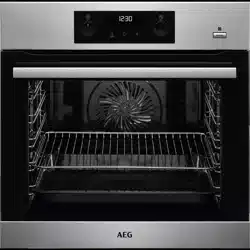
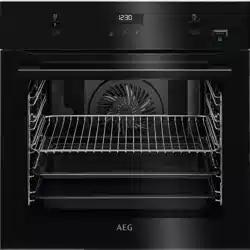
USER MANUAL for AEG BPK556260M
Table of Contents
- SAFETY INFORMATION
- Children and vulnerable people safety
- General Safety
- SAFETY INSTRUCTIONS
- Installation
- Electrical connection
- Use
- Care and cleaning
- Pyrolytic cleaning
- Internal lighting
- Service
- Disposal
- PRODUCT DESCRIPTION
- General overview
- Accessories
- HOW TO TURN OVEN ON AND OFF
- Retractable knobs
- Control panel
- BEFORE FIRST USE
- Initial cleaning
- Initial preheating
- DAILY USE
- How to set: Heating functions
- Heating functions
- Notes on: Moist Fan Baking
- How to set: Assisted Cooking
- Assisted Cooking
- CLOCK FUNCTIONS
- Clock functions
- How to set: Clock functions
- HOW TO USE: ACCESSORIES
- Inserting accessories
- Using Trivet and Grill- /Roasting pan
- Food Sensor
- ADDITIONAL FUNCTIONS
- Lock
- Automatic switch-off
- Cooling fan
- HINTS AND TIPS
- Moist Fan Baking
- Moist Fan Baking - recommended accessories
- Cooking tables for test institutes
- CARE AND CLEANING
- Notes on cleaning
- How to clean: Cavity
- embossment
- How to remove: Shelf supports
- How to use: Pyrolytic Cleaning
- Cleaning Reminder
- How to remove and install: Door
- How to replace: Lamp
- TROUBLESHOOTING
- What to do if
- Service data
- ENERGY EFFICIENCY
- Product Information Sheet
- UK Ecodesign and Energy
- Labelling Regulations
- Energy saving
- MENU STRUCTURE
- Menu
- ENVIRONMENTAL CONCERNS
DAILY USE
Initial cleaning
Before first use clean the empty oven and set the time
Initial preheating
Preheat the empty oven before the first use.
- Step 1 Remove all accessories and removable shelf supports from the oven.
- Step 2 Set the maximum temperature for the function: Let the oven operate for 1 h.
- Step 3 Set the maximum temperature for the function: Let the oven operate for 15 min.
The oven can emit an odour and smoke during preheating. Make sure that the room is ventila‐ ted.
WARNING! Refer to Safety chapters.
Standard heating functions
True Fan Cooking
To bake on up to three shelf positions at the same time and to dry food. Set the temperature 20 - 40 °C lower than for Conventional Cooking.
Conventional Cooking
To bake and roast food on one shelf position.
SteamBake
To add humidity during the cooking. To get the right colour and crispy crust during baking. To give more juiciness during reheating. To preserve fruit or vegetables.
Pizza Function
To bake pizza. To make intensive browning and a crispy bottom.
Bottom Heat
To bake cakes with crispy bottom and to preserve food.
Frozen Foods
To make convenience food (e.g., french fries, potato wedges or spring rolls) crispy.
Moist Fan Baking
This function is designed to save energy during cooking. When you use this function, the temperature in the cavity may differ from the set temper‐ ature. The residual heat is used. The heating power may be reduced. For more information refer to "Daily Use" chapter, Notes on: Moist Fan Bak‐ ing.
Grill
To grill thin pieces of food and to toast bread.
Turbo Grilling
To roast large meat joints or poultry with bones on one shelf position. To make gratins and to brown.
Menu
To enter the Menu: Assisted Cooking, Cleaning, Settings.
Notes on: Moist Fan Baking
This function was used to comply with the energy efficiency class and ecodesign requirements. Tests according to BS EN 60350-1. The oven door should be closed during cooking so that the function is not interrupted and the oven operates with the highest energy efficiency possible. When you use this function the lamp automatically turns off after 30 sec. For the cooking instructions refer to "Hints and tips" chapter, Moist Fan Baking. For general energy saving recommendations refer to "Energy Efficiency" chapter, Energy Saving.
How to set: Assisted Cooking
Every dish in this submenu has a recommended function and temperature. You can adjust the time and the temperature during cooking.
Assisted Cooking - use it to prepare a dish quickly with default settings:
- Step 1 Enter the menu.
- Step 2 Select Assisted Cooking. Press OK
- Step 3 Select the dish. Press OK
- Step 4 Insert the dish to the oven. Confirm setting.
ADDITIONAL FUNCTIONS
Lock
This function prevents an accidental change of the oven function. Turn it on when the oven works - the set cooking continues, the control panel is locked. Turn it on when the oven is off - the oven cannot be turned on, the control panel is locked.
Automatic switch-off
For safety reasons the oven turns off after some time, if a heating function works and you do not change any settings.
The Automatic switch-off does not work with the functions: Light, Food sensor, Time Delay.
Cooling fan
When the oven operates, the cooling fan turns on automatically to keep the surfaces of the oven cool. If you turn off the oven, the cooling fan can continue to operate until the oven cools down.
CARE AND CLEANING
WARNING! Refer to Safety chapters.
Notes on cleaning
Cleaning Agents
- Clean the front of the oven with a soft cloth with warm water and a mild deter‐ gent.
- Use a cleaning solution to clean metal surfaces.
- Clean stains with a mild detergent
Everyday Use
- Clean the cavity after each use. Fat accumulation or other residue may cause fire.
- Do not store the food in the oven for longer than 20 minutes. Dry the cavity with a soft cloth after each use.
Accessories
- Clean all accessories after each use and let them dry. Use a soft cloth with warm water and a mild detergent.
- Do not clean the accessories in a dishwash‐ er. Do not clean the non-stick accessories using abrasive cleaner or sharp-edged objects.
How to clean: Cavity embossment
Clean the cavity embossment to remove limestone residue after cooking with steam.
- Step 1 Pour: 250 ml of white vinegar into the cavity embossment. Use maximum 6% vinegar without any additives.
- Step 2 Let the vinegar dissolve the limestone residue at the ambi‐ ent temperature for 30 mi‐ nutes.
- Step 3 Clean the cavity with warm water and a soft cloth.
For the function: SteamBake clean the oven for every 5 - 10 cooking cycles.
How to remove: Shelf supports
Remove the shelf supports to clean the oven.
- Step 1 Turn off the oven and wait until it is cold.
- Step 2 Pull the front of the shelf sup‐ port away from the side wall.
- Step 3 Pull the rear end of the shelf support away from the side wall and remove it.
- Step 4 Install the shelf supports in the opposite sequence.