Models: SLSFE18FP | SLSFE24FP
FINGERPRINT-ENABLED
ELECTRONIC SAFE
USER MANUAL
2
!
Please do not keep emergency keys in your safe!
FUNCTION
DIAGRAM
FEATURES
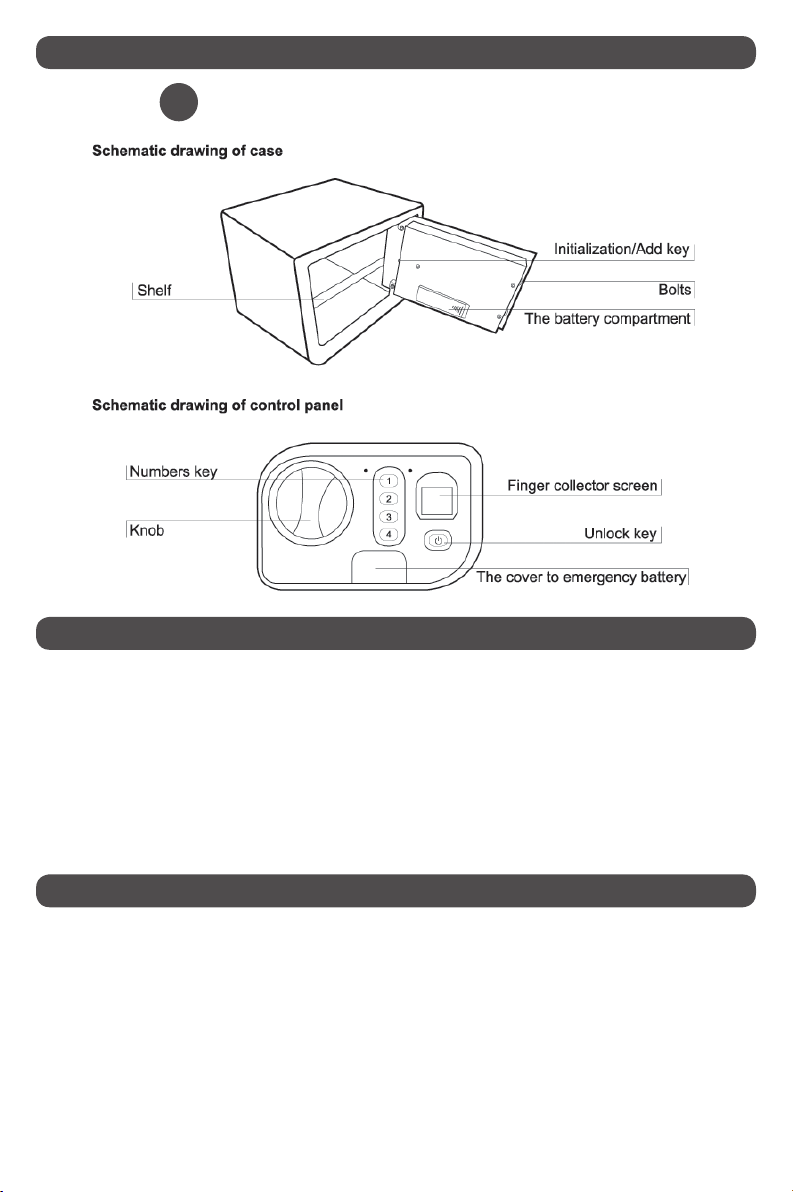
• Locks:usinghigh-qualityanti-drillinglockingbolts,high-theftproofperformance.
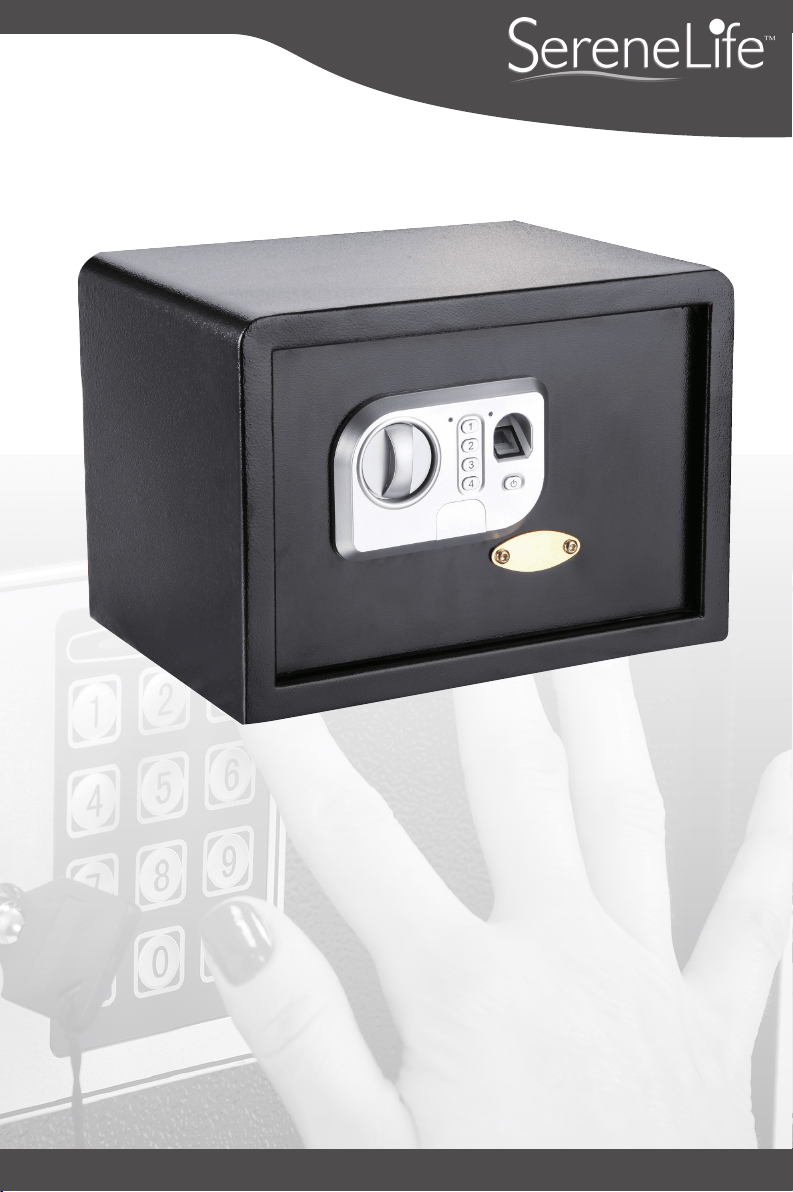
• Initialization/Addkey:addngerprintregistrationordeletengerprintrecord
• Unlockkey:openthesafe
• Fingercollectorscreen:ngerprintregistration
• Numberkeysonthepanel:representing1,2,3,4separately
• Key"1":setusecode
• Gildedbadge:removethecoverandopenemergencylock
• Powersupply:4XAAbatteries
• Thissafeisahigh-techproduct,andplaysastrongroleinpsecurity.
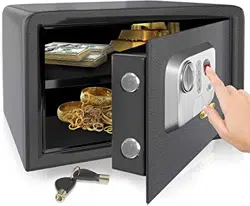
• Usengerprintrecognitioninsteadofakeyordigitalcodeforgreaterconvenience
• Maximumof20ngerprintscanberegistered
• Constructedfromsolidmaterialstoresistattackfromhand&powertools
• User-friendlyproduct,originaldesign,uniquestructure

3
!
!
!
!
NOTE: For security of your property, you will need to change the preset code.
PREPARATION
POWER SUPPLY
FINGERPRINT REGISTRATION
SET USER CODE
• Thesafeondeliverycomeswithnoregisteredngerprints.
• Thesafeisnotloadedwithbatteries,youmayinserttheemergencykeyintothe
emergencykeyholetoopenthedoor.
• Uncoverthebatterycompartmentcoveratthebackofdoor.Andputin4XAA
batteries.Pleasepayattentiontothepolarityofthebatteries.Fornormaluse,the
batterieslastuptooneyear.
• Thepresetcodeofsafeondeliveryis"1234",theusermayopenthedoorwiththe
presetcodewhenbatteriesareplacedandtestednormal.
• Pullthedooropen.
• Pulloutthebatterycompartmentcover.
• Replace4freshbatteriesbyliningthemupinamannerasindicatedbythe"+"and
"-"signs.
NOTE: If the red light activates, it means the batteries are low. So you can plug
the emergency battery boxes into the jack to power. While choosing batteries,
it’s suggested to use high-powered, high quality alkaline batteries. Please do
not use any inferior, counterfeit or carbon-zinc batteries.
NOTE: A maximum of 20 ngerprints can be registered.
NOTE: Factory preset code is 1234.
• PressInitialization/Addkey,andyou’llhearashort"Bleep,Bleep".
• Putyourngeratngercollectorscreenwheretheredlightis.You’’llhear"Bleep,
Bleep"fortwotimes.
• Afteraboutasecond,along"Bleep"followsashortone,whichmeansthatngerprint
registrationsucceeded.(3 short "Bleep, Bleep, Bleep" means registration failed.)
• Accordingtothismethod,youcanregisterotherngerprints.
Pressnumberkey"1"forabout5seconds,thegreenindicatorlightwillturnon.Input
thecurrent/originalcodeandpresstheunlockkeytoconrm.Afterhearinga"Bleep",
inputnewcode(4to8digits)andpresstheunlockkey.Inputthecodeagain,and
presstheunlockkey.Hearinga"Bleep"meanstheoperationwassuccessful.

4
SET USER CODE
EMERGENCY KEY
• Fingerprint unlock:Pressunlockkey,theredlightatngercollectorscreenison.
Don'tremoveanyngerprintregisteredatngercollectorscreenuntiltheredlight
o.Afterhearingalong"Bleep",thegreenlightshinning,motordrives.Pleaseturn
theknobclockwise,thenunlocksucceed.
• Password unlock:Inputcode(4to8digits)andpressunlockkeytoconrm.After
hearingalong"Bleep",thegreenlightshinning,motordrives.Pleaseturntheknob
clockwise,andunlocksucceed.
NOTE: In order to improve the success rate of nger identication, users
can refer to the following advice: Avoid using the nger collector screen
in bright light. It’s suggested that each user registers 2-3 ngerprints. Women
and children should try to register with thumb and middle nger. Try to press
with even weight for an accurate print. Avoid pressing with too much or too
little weight. If the air is very dry, try breatheing on ngers till a little wet.
NOTE: For your total security, please take care of the emergency key and
keep them in one secret place OUTSIDE of the safe.
!
!
Duringrstuse,incaseofcircuitmalfunction,ifyouforgotyourcodes,oryourngerprint
isn’tbeingrecognized,youcouldalsousetheemergencykeytoopenthesafe.
• Useinside-hexagonalspannertoopenthegildedbadgeonthesafedoor,thenyouwill
seetheemergencylock.
• Unlockwithemergencykey,andturntheemergencykeycounterclockwiseonthe
panel.
• Turntheknobclockwiseandopenthesafedoor.

5
SYSTEM INITIALIZATION/DELETION
IMPORTANT NOTES
PresstheInitialization/Addkeyforaround5seconds,thegreenindicatorlightwillblink
about12times.Letgoofthekeywhenitstopsblinking.Afterhearingalong"tick",alln-
gerprintsrecordsinthemodulewillbeeliminatedandreturntofactorysetting.
• Donotuseliquidorasprayertocleanthesafe.Useawetclothinstead.
• Donotplacetheproductinaninsecureandelevatedplace,lestitmayfalloverand
damagetheproductorhurtpeople.Neverspillliquidoverthecontrolpanel,oritmay
causeelectricalshocktotheelectronicpartsinsideanddisabletheirproperfunctions.
• Nevertrytodismantletheproductbyyourself.UnguidedDismantlingandincorrect
reassemblyoftheinsideofbackcovermaydamagetheelectricalcircuitandaectsits
performance.Wheremaintenanceisrequired,pleasecontactthelocalservicecenteror
localdistributor.
For additional help, please consult the local distributor