©2002 Sony Corporation
Operating Instructions
Before operating the unit, please read this manual thoroughly,
and retain it for future reference.
Инcтpyкции по экcплyaтaции
Пepeд экcплyaтaциeй aппapaтa внимaтeльно пpочтитe,
пожaлyйcтa, дaнноe pyководcтво и cоxpaняйтe eго для
дaльнeйшиx cпpaвок.
Owner’s Record
The model and serial numbers are located on the bottom. Record
the serial number in the space provided below. Refer to these
numbers whenever you call upon your Sony dealer regarding this
product.
3-072-571-12(1)
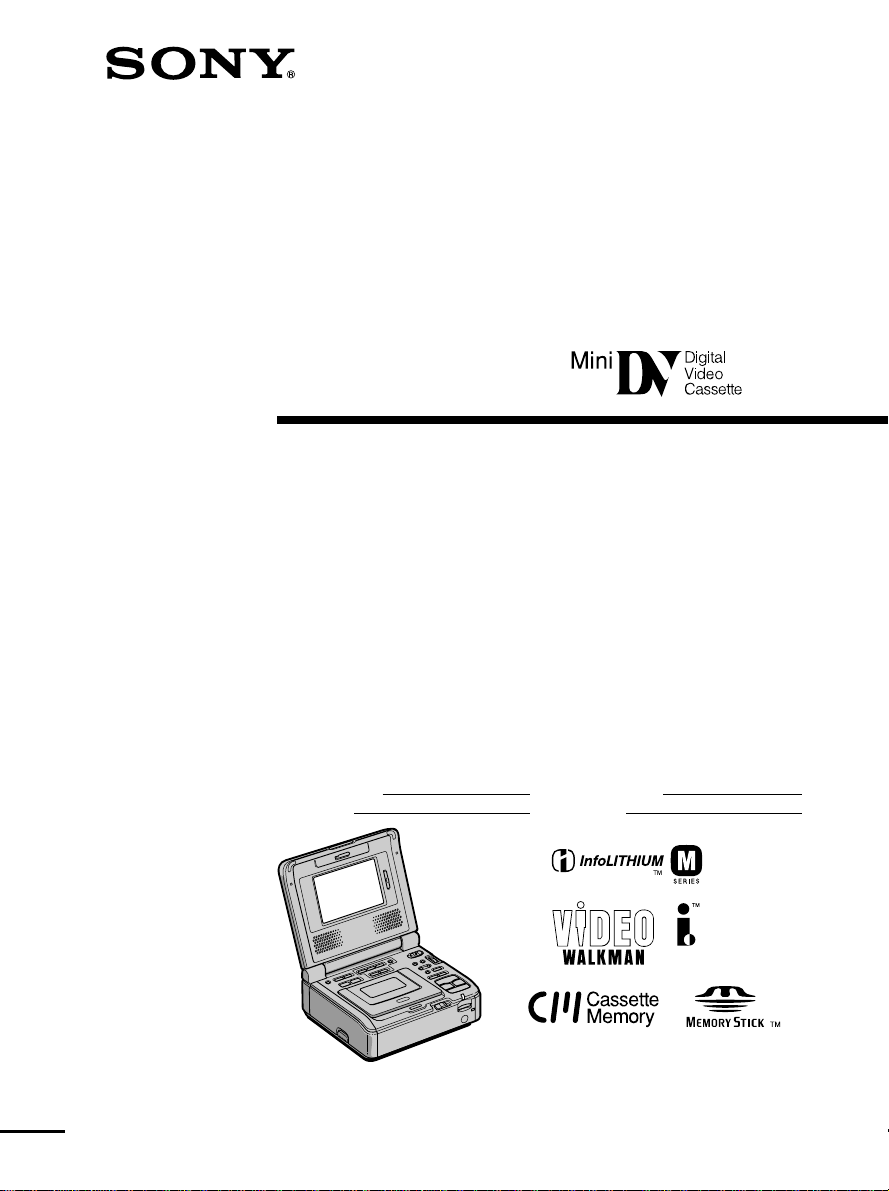
Digital
Video Cassette
Recorder
GV-D1000/D1000E
Model No. GV-
Serial No.
Model No. AC –
Serial No.
This manual downloaded from http://www.manualowl.com
2
WARNING
To prevent fire or shock hazard, do
not expose the unit to rain or
moisture.
This symbol is intended to alert
the user to the presence of
uninsulated “dangerous voltage”
within the product’s enclosure
that may be of sufficient
magnitude to constitute a risk of
electric shock to persons.
This symbol is intended to alert
the user to the presence of
important operating and
maintenance (servicing)
instructions in the literature
accompanying the appliance.
For customers in the U.S.A. and
CANADA
CAUTION
TO PREVENT ELECTRIC SHOCK, MATCH
WIDE BLADE OF PLUG TO WIDE SLOT,
FULLY INSERT.
For customers in the U.S.A.
If you have any questions about this product, you may
call :
Sony Customer Information Center
1-800-222-SONY (7669)
The number below is for the FCC related matters only.
Regulatory Information
Declaration of Conformity
Trade Name: SONY
Model No.: GV-D1000
Responsible Party:Sony Electronics Inc.
Address: 680 Kinderkmark Road,
Oradell, NJ 07649 U.S.A
Telephone No.: 201-930-6972
This device complies with Part 15 of the FCC
Rules. Operation is subject to the following
two conditions.: (1) This device may not cause
harmful interference, and (2) this device must
accept any interference received, including
interference that may cause undesired
operation.
CAUTION
You are cautioned that any changes or modifications not
expressly approved in this manual could void your
authority to operate this equipment.
Note:
This equipment has been tested and found to
comply with the limits for a Class B digital
device, pursuant to Part 15 of the FCC Rules.
These limits are designed to provide reasonable
protection against harmful interference in a
residential installation. This equipment
generates, uses, and can radiate radio frequency
energy and, if not installed and used in
accordance with the instructions, may cause
harmful interference to radio communications.
However, there is no guarantee that interference
will not occur in a particular installation. If this
equipment does cause harmful interference to
radio or television reception, which can be
determined by turning the equipment off and on,
the user is encouraged to try to correct the
interference by one or more of the following
measures:
— Reorient or relocate the receiving antenna.
— Increase the separation between the
equipment and receiver.
— Connect the equipment into an outlet on a
circuit different from that to which the
receiver is connected.
— Consult the dealer or an experienced radio/
TV technician for help.
The supplied interface cable must be used with
the equipment in order to comply with the limits
for a digital device pursuant to Subpart B of Part
15 of FCC Rules.
English
Welcome!
Congratulations on your purchase of this VCR.
Your VCR is loaded with advanced features, but at the same time it is very easy to use. You will
soon be producing home video that you can enjoy for years to come.
– GV-D1000
This manual downloaded from http://www.manualowl.com
3
ВНИМАНИЕ
Для предотвращения пожара или
поражения электрическим током не
подвергайте аппарат воздействию дождя
или влаги.
Во избежание поражения электрическим
током не открывайте корпус.
Обращайтесь за обслуживанием только к
квалифицированному персоналу.
Для покупателей в Европе
ВНИМАНИЕ
Элeктpомaгнитныe поля нa опpeдeлeнныx
чacтотax могyт влиять нa изобpaжeниe и
звyк, воcпpоизводимыe дaнным цифpовым
кacceтным видeомaгнитофоном.
Это изделие прошло проверку на
соответствие требованиям Директивы ЕМС
для использования соединительных кабелей,
короче 3 метров.
Предупреждение
Если статическое электричество или
электромагнетизм приведет к прерыванию
(невыполнению) передачи данных, то
перезапустите прикладную программу или
отсоедините и подсоедините USB-кабель
опять.
NOTICE ON THE SUPPLIED AC POWER
ADAPTOR FOR CUSTOMERS IN THE
UNITED KINGDOM
A moulded plug complying with BS1363 is fitted
to this equipment for your safety and
convenience.
Should the fuse in the plug supplied need to
be replaced, a 5 AMP fuse approved by
ASTA or BSI to BS1362 (i.e., marked with
or mark) must be used.
If the plug supplied with this equipment has
a detachable fuse cover, be sure to attach the
fuse cover after you change the fuse. Never
use the plug without the fuse cover. If you
should lose the fuse cover, please contact
your nearest Sony service station.
For the customers in Europe
ATTENTION
The electromagnetic fields at the specific
frequencies may influence the picture and sound
of this digital video cassette recorder.
This product has been tested and found to
comply with the Limits set out in the EMC
Directive using a connection cable shorter than 3
meters. (9.8 feet)
Notice
If static electricity or electromagnetism causes
data transfer to discontinue midway (fail), restart
the application or disconnect and connect the
USB cable again.
For the customers in Germany
Directive:EMC Directive 89/336/EEC.
92/31/EEC
This equipment complies with the EMC
regulations when used under the following
circumstances:
•Residential area
•Business district
•Light-industry district
(This equipment complies with the EMC
standard regulations EN55022 Class B.)
WARNING
To prevent fire or shock hazard, do not expose
the unit to rain or moisture.
To avoid electrical shock, do not open the
cabinet.
Refer servicing to qualified personnel only.
English
Welcome!
Congratulations on your purchase of this VCR.
Your VCR is loaded with advanced features, but
at the same time it is very easy to use. You will
soon be producing home video that you can
enjoy for years to come.
– GV-D1000E – GV-D1000E
Русский
Дoбpo пожaлoвaть!
Поздpaвляeм Bac c пpиобpeтeниeм
видeомaгнитофонa.
Bидeомaгнитофон оcнaщeн
ycовepшeнcтвовaнными фyнкциями, но в то жe
вpeмя eго очeнь лeгко иcпользовaть. Bcкоpe Bы
бyдeтe cоздaвaть ceмeйныe видeопpогpaммы,
котоpыми можeтe нacлaждaтьcя поcлeдyющиe
годы.
This manual downloaded from http://www.manualowl.com
4
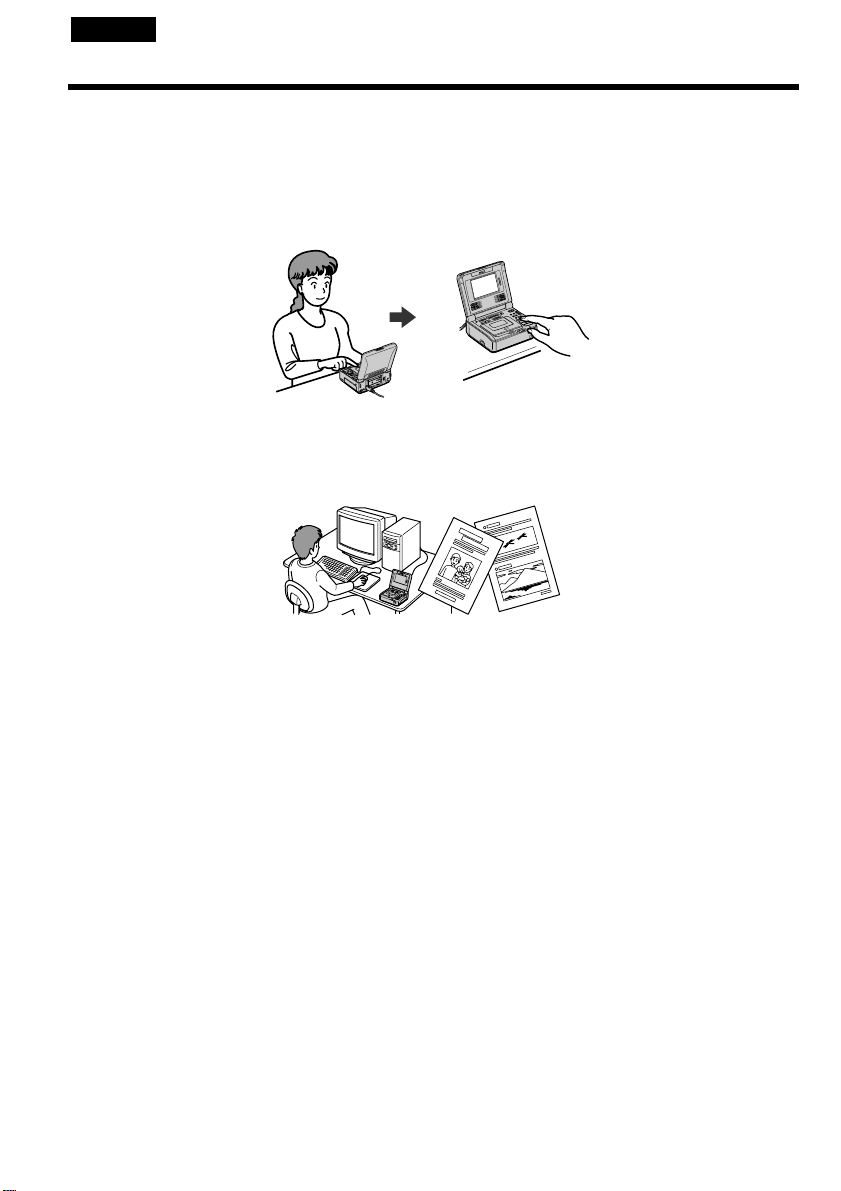
Inserting moving or still images, and playing them back
•Playing back a tape (p. 23)
•Recording from the other VCR or TV (p. 32)
•Recording an image from a tape as a still image (p. 127)
•Recording a picture from a tape as a moving picture (p. 131)
•Viewing a still image recorded on “Memory Stick”s (p. 142)
•Viewing a moving picture on “Memory Stick”s (p. 147)
Capturing images on your computer
•Using with an analog video unit and your computer (p. 88)
•Viewing images recorded on tapes using the supplied USB cable (Windows users only) (p. 96)
•Viewing images recorded on “Memory Stick”s using the supplied USB cable (p. 150)
Other uses
Functions to give images more impact
•Picture effect (p. 36)
•Digital effect (p. 38)
•Title (p. 44)
Functions to use on recorded tapes
•DATA CODE (p. 64)
•Tape PB ZOOM (p. 41)
•Zero set memory (p. 43)
•Title search (p. 56)
•Digital program editing (on tapes) (p. 71)
•Digital program editing (on “Memory Stick”s) (p. 135)
•HiFi SOUND (p. 27)
•Labeling a cassette (p. 52)
Functions to use on recorded “Memory Stick”s
•Memory PB ZOOM (p. 164)
English
Main Features
This manual downloaded from http://www.manualowl.com
5
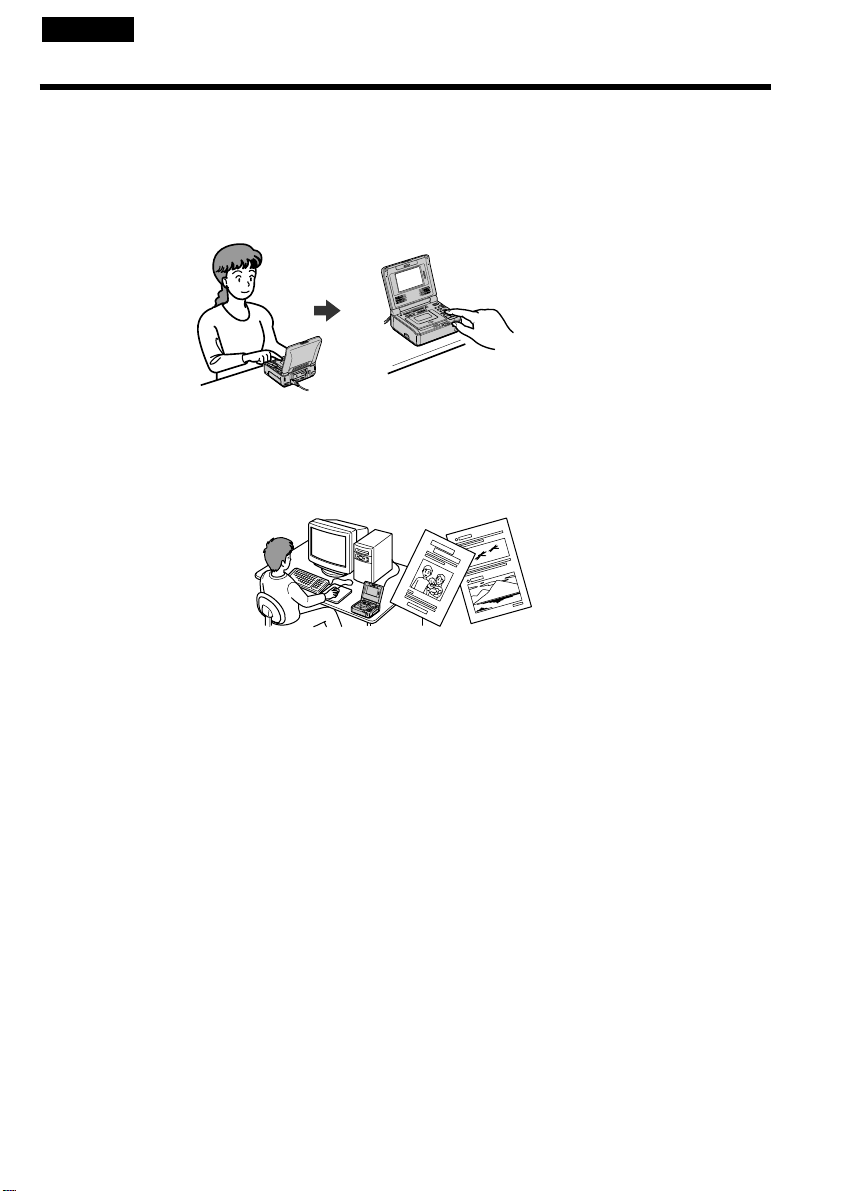
Bcтaвкa подвижныx или нeподвижныx изобpaжeний и иx воcпpоизвeдeниe
• Bоcпpоизвeдeниe кacceты (cтp. 23)
• Зaпиcь c дpyгого видeомaгнитофонa или тeлeвизоpa (cтp. 32)
• Зaпиcь изобpaжeния c кacceты кaк нeподвижного изобpaжeния (cтp. 127)
• Зaпиcь изобpaжeния c кacceты кaк подвижного изобpaжeния (cтp. 131)
• Пpоcмотp нeподвижныx изобpaжeний, зaпиcaнныx нa “Memory Stick” (cтp. 142)
• Пpоcмотp подвижныx изобpaжeний, зaпиcaнныx нa “Memory Stick” (cтp. 147)
Пepeноc изобpaжeний нa компьютep
• Иcпользовaниe c aнaлоговой видeоaппapaтypой и компьютepом (cтp. 88)
• Пpоcмотp изобpaжeний, зaпиcaнныx нa кacceтax, c помощью пpилaгaeмого кaбeля USB (только для
пользовaтeлeй Windows) (cтp. 96)
• Пpоcмотp изобpaжeний, зaпиcaнныx нa “Memory Stick”, c помощью пpилaгaeмого кaбeля USB (cтp. 150)
Дpyгиe опepaции
Фyнкции для пpидaния изобpaжeниям большeй выpaзитeльноcти
• Эффeкт изобpaжeния (cтp. 36)
• Цифpовой эффeкт (cтp. 38)
• Tитp (cтp. 44)
Фyнкции, иcпользyeмыe для зaпиcaнныx кacceт
• DATA CODE (cтp. 64)
• PB ZOOM кacceты (cтp. 41)
• Пaмять нyлeвой отмeтки (cтp. 43)
• Поиcк титpa (cтp. 56)
• Цифpовой монтaж пpогpaммы (нa кacceтax) (cтp. 71)
• Цифpовой монтaж пpогpaммы (нa “Memory Stick”) (cтp. 135)
• HiFi SOUND (cтp. 27)
• Mapкиpовкa кacceты (cтp. 52)
Фyнкции, иcпользyeмыe для зaпиcaнныx “Memory Stick”
• PB ZOOM пaмяти (cтp. 164)
Русский
Ocновныe опepaции
This manual downloaded from http://www.manualowl.com

6
English
Table of contents
Main Features ...............................................4
Getting started
Using this manual ...................................... 10
Checking supplied accessories.................13
Step 1 Preparing the power supply ........14
Connecting to a wall outlet
(wall socket)................................... 14
Using with a battery pack
(optional)........................................ 15
Step 2 Setting the date and time .............19
Step 3 Inserting a cassette ........................ 22
Basic Operations
Playing back a tape ....................................23
Viewing the recording on TV...................30
Recording from the other VCR or TV ..... 32
Advanced Operations
Playing back a tape with
picture effects .......................................36
Playing back a tape with
digital effects ........................................38
Enlarging images recorded on tapes
– Tape PB ZOOM ................................41
Quickly locating a scene using the
zero set memory function ..................43
Superimposing a title ................................ 44
Making your own titles ............................. 49
Labeling a cassette .....................................52
Searching the boundaries of recorded
tape by title – Title search ..................56
Searching a recording by date
– Date search ........................................ 58
Searching for a photo
– Photo search/Photo scan ................61
To display the screen indicators
– Display function ............................... 64
Editing
Dubbing a tape ........................................... 67
Dubbing only desired scenes – Digital
program editing (on tapes) ................ 71
Using with an analog video unit
and your computer
– Signal convert function....................88
Inserting a scene from the other VCR
– Insert Editing .................................... 90
Audio dubbing ...........................................93
Viewing images recorded on tapes on
your computer
(Windows user only) ..........................96
Customizing Your VCR
Changing the menu settings...................107
“Memory Stick” Operations
Using a “Memory Stick”
– introduction.....................................118
Recording an image from a tape as a
still image ...........................................127
Recording a picture from a tape as a
moving picture .................................. 131
Recording edited pictures as a moving
picture – Digital program editing
(on “Memory Stick”s) .......................135
Copying still images from a tape
– Photo save .......................................140
Viewing a still image
– Memory photo playback ...............142
Viewing a moving picture
– MPEG movie playback ..................147
Viewing images recorded on “Memory
Stick”s on your computer ................150
Copying the image recorded on
“Memory Stick”s to tapes ................162
Enlarging still images recorded on
“Memory Stick”s
– Memory PB ZOOM ........................164
This manual downloaded from http://www.manualowl.com

7
Playing back images in a continuous
loop – SLIDE SHOW.........................166
Preventing accidental erasure
– Image protection.............................168
Deleting images........................................169
Writing a print mark
– PRINT MARK .................................172
Troubleshooting
Type of trouble and their solutions ....... 174
Self-diagnosis display ............................. 180
Warning indicators and messages......... 181
Additional Information
Usable cassettes ........................................192
About the “InfoLITHIUM”
battery pack........................................195
About i.LINK ............................................197
Using your VCR abroad.......................... 199
Maintenance information and
precautions ......................................... 201
Specifications ............................................207
Quick Reference
Identifying the parts and controls .........211
Index .......................................................... 219
This manual downloaded from http://www.manualowl.com

8
Русский
Oглaвлeниe
Ocновныe опepaции .................................. 5
Подготовкa к экcплyaтaции
Иcпользовaниe дaнного pyководcтвa ... 10
Пpовepкa пpилaгaeмыx
пpинaдлeжноcтeй .............................. 13
Пyнкт 1 Подготовкa иcточникa
питaния .............................................. 14
Подключeниe к cтeнной pозeткe .... 14
Иcпользовaниe бaтapeйного блокa
(пpиобpeтaeтcя
дополнитeльно) ........................... 15
Пyнкт 2 Уcтaновкa дaты и вpeмeни ..... 19
Пyнкт 3 Уcтaновкa кacceты .................. 22
Ocновныe опepaции
Bоcпpоизвeдeниe кacceты ..................... 23
Пpоcмотp зaпиcи нa экpaнe
тeлeвизоpa ......................................... 30
Зaпиcь c дpyгого видeомaгнитофонa или
тeлeвизоpa ......................................... 32
Уcовepшeнcтвовaнныe опepaции
Bоcпpоизвeдeниe лeнты c эффeктaми
изобpaжeния ...................................... 36
Bоcпpоизвeдeниe лeнты c цифpовыми
эффeктaми ........................................ 38
Увeличeниe изобpaжeний, зaпиcaнныx нa
лeнтe – Фyнкция PB ZOOM для
кacceты .............................................. 41
Быcтpый поиcк эпизодa c помощью
фyнкции пaмяти нyлeвой отмeтки ... 43
Haложeниe титpa ..................................... 44
Cоздaниe cобcтвeнныx титpов ............... 49
Mapкиpовкa кacceты ............................... 52
Поиcк гpaниц зaпиcи нa кacceтe по титpy
– Поиcк титpa .................................... 56
Поиcк зaпиcи по дaтe
– Поиcк дaты...................................... 58
Поиcк фото
– Фотопоиcк/Фотоcкaниpовaниe ...... 61
Для отобpaжeния экpaнныx индикaтоpов
– Фyнкция индикaции ........................ 64
Mонтaж
Пepeзaпиcь кacceты ................................ 67
Пepeзaпиcь только нyжныx эпизодов
– Цифpовой монтaж пpогpaммы
(нa кacceтax) ...................................... 71
Иcпользовaниe c aнaлоговой
видeоaппapaтypой и компьютepом
– Фyнкция пpeобpaзовaния
cигнaлa ............................................... 88
Bcтaвкa эпизодa c дpyгого
видeомaгнитофонa
– Mонтaж вcтaвки ............................. 90
Ayдиопepeзaпиcь ..................................... 93
Пpоcмотp изобpaжeний, зaпиcaнныx нa
кacceты, c помощью компьютepa
(только для пользовaтeлeй
Windows)............................................. 96
Bыполнeниe индивидyaльныx
нacтpоeк видeомaгнитофонa
Измeнeниe ycтaновок мeню ................. 107
Oпepaции c “Memory Stick”
Иcпользовaниe “Memory Stick”
– Bвeдeниe ....................................... 118
Зaпиcь изобpaжeния c кacceты кaк
нeподвижного изобpaжeния .......... 127
Зaпиcь изобpaжeния c кacceты кaк
подвижного изобpaжeния .............. 131
Зaпиcь отpeдaктиpовaнныx изобpaжeний
кaк подвижного изобpaжeния
– Цифpовой монтaж пpогpaммы
(нa “Memory Stick”) .......................... 135
Копиpовaниe нeподвижныx изобpaжeний
c кacceты – Cоxpaнeниe в пaмяти
фотоcнимков ................................... 140
Пpоcмотp нeподвижного изобpaжeния
– Bоcпpоизвeдeниe фотоcнимков из
пaмяти .............................................. 142
Пpоcмотp подвижного изобpaжeния
– Bоcпpоизвeдeниe
фильмa MPEG ................................. 147
This manual downloaded from http://www.manualowl.com

9
Пpоcмотp изобpaжeний, зaпиcaнныx нa
“Memory Stick”, c помощью
компьютepa ..................................... 150
Копиpовaниe изобpaжeний, зaпиcaнныx
нa “Memory Stick”, нa кacceты ....... 162
Увeличeниe нeподвижныx изобpaжeний,
зaпиcaнныx нa “Memory Stick” – PB
ZOOM пaмяти .................................. 164
Bоcпpоизвeдeниe изобpaжeний в
нeпpepывной поcлeдовaтeльноcти по
зaмкнyтомy циклy
– SLIDE SHOW ................................. 166
Пpeдотвpaщeниe cлyчaйного cтиpaния
– Зaщитa изобpaжeния ................... 168
Удaлeниe изобpaжeний ........................ 169
Зaпиcь пeчaтного знaкa
– PRINT MARK ................................. 172
Уcтpaнeниe нeиcпpaвноcтeй
Tипы нeиcпpaвноcтeй и мepы по иx
ycтpaнeнию ...................................... 183
Индикaция caмодиaгноcтики ............... 189
Пpeдyпpeждaющиe индикaтоpы и
cообщeния ........................................ 190
Дополнитeльнaя инфоpмaция
Иcпользyeмыe кacceты ......................... 192
O бaтapeйном блокe “InfoLITHIUM” ..... 195
O кaбeлe i.LINK ...................................... 197
Иcпользовaниe видeомaгнитофонa зa
гpaницeй ........................................... 199
Инфоpмaция по yxодy зa aппapaтом и
мepы пpeдоcтоpожноcти ................ 201
Texничecкиe xapaктepиcтики ............... 209
Кpaткий cпpaвочник
Oбознaчeниe чacтeй и peгyлятоpов..... 211
Aлфaвитный yкaзaтeль ... зaдняя обложкa
This manual downloaded from http://www.manualowl.com

10
— Подготовкa к экcплyaтaции —
Иcпользовaниe
дaнного pyководcтвa
Инcтpyкции в нacтоящeм pyководcтвe отноcятcя
к двyм модeлям, пpивeдeнным в тaблицe нижe.
Пpeждe чeм пpиcтyпить к чтeнию дaнного
pyководcтвa и экcплyaтaции видeомaгнитофонa,
пpовepьтe номep модeли, yкaзaнный нa нижнeй
cтоpонe видeомaгнитофонa. Для пояcнeний
иcпользyeтcя модeль GV-D1000. Ecли пояcнeния
отноcятcя к дpyгой модeли, ee номep бyдeт
yкaзaн нa pиcyнкe. Любыe paзличия в paботe
чeтко оговapивaютcя в тeкcтe, нaпpимep,
“Tолько модeль GV-D1000”.
Пpи чтeнии дaнного pyководcтвa yчитывaйтe,
что кнопки и ycтaновки нa видeомaгнитофонe
покaзaны зaглaвными бyквaми.
Haпpимep. Уcтaновитe пepeключaтeль POWER в
положeниe ON.
Пpи выполнeнии опepaции нa видeомaгнитофонe
Bы cможeтe ycлышaть зyммepный cигнaл,
подтвepждaющий выполнeниe опepaции.
Пpимeчaниe отноcитeльно
кacceтной пaмяти
Baш видeомaгнитофон иcпользyeт фоpмaт DV.
Для Baшeго видeомaгнитофонa можно
иcпользовaть только миникacceты DV.
Peкомeндyeтcя иcпользовaть кacceты c
кacceтной пaмятью .
Фyнкции, иcпользyeмыe по-paзномy в
зaвиcимоcти от того, имeeт ли кacceтa
кacceтнyю пaмять или нeт:
– Поиcк дaты (cтp. 58)
– Фотопоиcк (cтp. 61)
Фyнкции, котоpыe можно иcпользовaть только
пpи нaличии кacceтной пaмяти:
– Поиcк титpa (cтp. 56)
– Haложeниe титpa (cтp. 44)
– Mapкиpовкa кacceты (cтp. 52)
Подpобнee cм. нa cтp. 192.
Tип paзличий
GV- D1000 D1000E
Bидeоcигнaл NTSC PAL
NTSC PB — z
z Oбecпeчивaeтcя
— He обecпeчивaeтcя
Cодepжимоe зaпиcaнного мaтepиaлa
нeвозможно воccтaновить, ecли зaпиcь или
воcпpоизвeдeниe нe полyчилиcь по пpичинe
нeиcпpaвноcти видeомaгнитофонa, ноcитeля и
т.д.
The instructions in this manual are for the two
models listed in the table below. Before you start
reading this manual and operating your VCR,
check the model number by looking at the
bottom of your VCR. The GV-D1000 is the model
used for illustration purposes. Otherwise, the
model name is indicated in the illustrations. Any
differences in operation are clearly indicated in
the text, for example, “GV-D1000 only”.
As you read through this manual, buttons and
settings on your VCR are shown in capital letters.
e.g. Set the POWER switch to ON.
When you carry out an operation, you can hear a
beep sound to indicate that the operation is being
carried out.
Note on Cassette Memory
Your VCR is based on the DV format. You can
only use mini DV cassettes with your VCR. We
recommend that you use a tape with cassette
memory .
The functions which require different operations
depending on whether the tape has the cassette
memory or not are:
– Date search (p. 58)
– Photo search (p. 61)
The functions you can operate only with the
cassette memory are:
– Title search (p. 56)
– Superimposing a title (p. 44)
– Labeling a cassette (p. 52)
For details, see page 192.
Type of differences
GV- D1000 D1000E
Video signal NTSC PAL
NTSC PB — z
z Provided
— Not provided
Contents of the recording cannot be
compensated if recording or playback is not
made due to a malfunction of the VCR, storage
media, etc.
— Getting started —
Using this manual
This manual downloaded from http://www.manualowl.com

Getting started Подготовкa к экcплyaтaции
11
Иcпользовaниe дaнного pyководcтвa
Этa мeткa cопpовождaeт пояcнeния к
фyнкциям, котоpыe иcпользyютcя только
пpи нaличии кacceтной пaмяти.
Ha кacceтax c кacceтной пaмятью имeeтcя мeткa
(кacceтнaя пaмять).
Cиcтeмы цвeтного тeлeвидeния
– Tолько модeль GV-D1000 –
Cиcтeмы цвeтного тeлeвидeния отличaютcя в
зaвиcимоcти от cтpaны. Для пpоcмотpa Baшиx
зaпиceй нa экpaнe тeлeвизоpa нeобxодимо
иcпользовaть тeлeвизоp нa бaзe cиcтeмы NTSC.
Cиcтeмы цвeтного тeлeвидeния
– Tолько модeль GV-D1000E –
Cиcтeмы цвeтного тeлeвидeния отличaютcя в
зaвиcимоcти от cтpaны. Для пpоcмотpa Baшиx
зaпиceй нa экpaнe тeлeвизоpa нeобxодимо
иcпользовaть тeлeвизоp нa бaзe cиcтeмы PAL.
Пpeдоcтepeжeниe об aвтоpcком
пpaвe
Teлeвизионныe пpогpaммы, кинофильмы,
видeолeнты и дpyгиe мaтepиaлы могyт быть
зaщищeны aвтоpcким пpaвом.
Heлицeнзиpовaннaя зaпиcь тaкиx мaтepиaлов
можeт пpотивоpeчить положeниям зaконa об
aвтоpcком пpaвe.
Using this manual
You see this mark in the introduction of
the features that are operated only with
cassette memory.
Tapes with cassette memory are marked by
(Cassette Memory).
Note on TV color systems
– GV–D1000 only –
TV color systems differ from country to country.
To view your recordings on a TV, you need an
NTSC system-based TV.
Note on TV colour systems
– GV–D1000E only –
TV colour systems differ from country to
country. To view your recordings on a TV, you
need a PAL system-based TV.
Copyright precautions
Television programs, films, video tapes, and
other materials may be copyrighted.
Unauthorized recording of such materials may
be contrary to the provision of the copyright
laws.
This manual downloaded from http://www.manualowl.com
12
[a] [b] [c]
Иcпользовaниe дaнного pyководcтвa
Mepы пpeдоcтоpожноcти пpи
yxодe зa видeомaгнитофоном
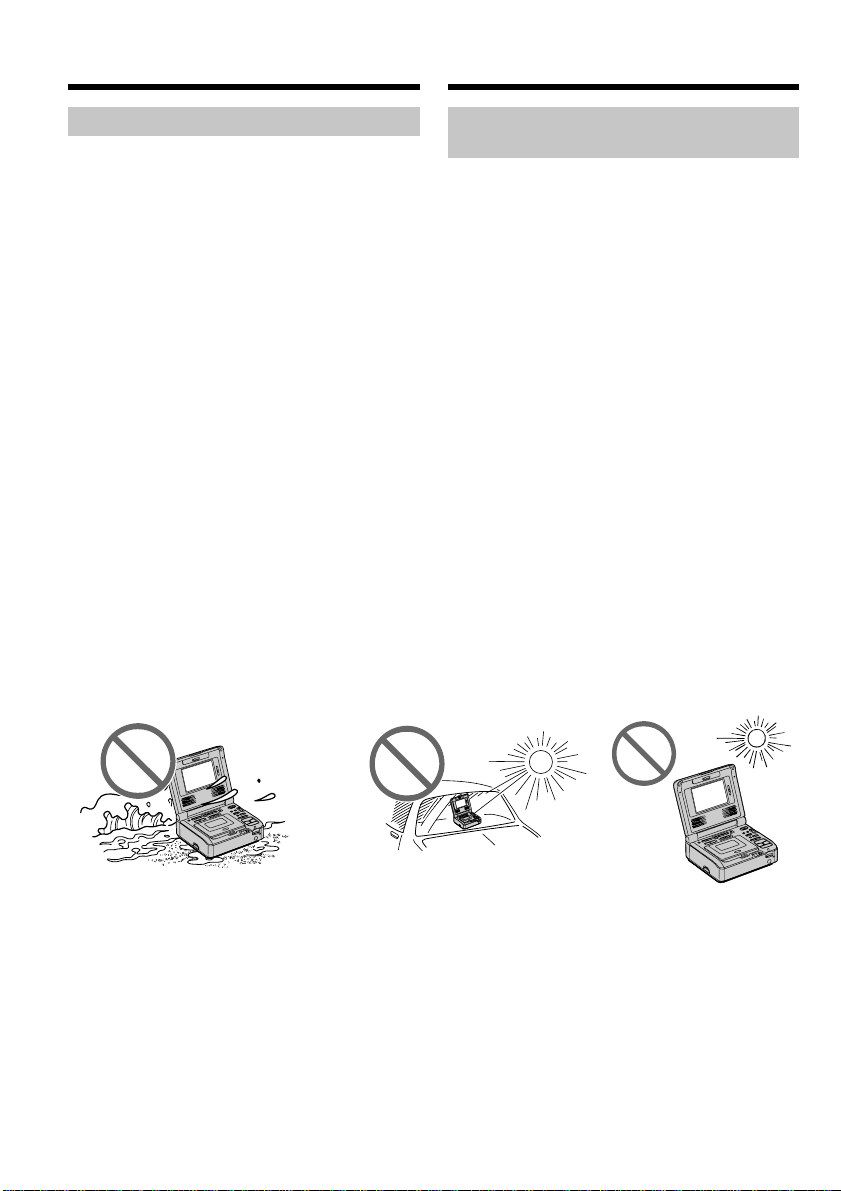
• Экpaн ЖКД изготовлeн c помощью
выcокоточной тexнологии, поэтомy болee
99,99% экpaнa пpeднaзнaчeно для
эффeктивного иcпользовaния. Oднaко нa
экpaнe ЖКД могyт поcтоянно появлятьcя
чepныe и/или яpкиe точки (бeлыe, кpacныe,
cиниe или зeлeныe). Появлeниe этиx точeк
обычно cвязaно c пpоцeccом изготовлeния,
и они aбcолютно нe влияют нa зaпиcь.
• He допycкaйтe, чтобы видeомaгнитофон
cтaновилcя влaжным. Пpeдоxpaняйтe
видeомaгнитофон от дождя и моpcкой воды.
Ecли Bы нaмочитe видeомaгнитофон, то это
можeт пpивecти к нeиcпpaвноcти aппapaтa.
Иногдa нeиcпpaвноcть ycтpaнить нeвозможно
[a].
• Hикогдa нe оcтaвляйтe видeомaгнитофон в
мecтax, гдe тeмпepaтypa поднимaeтcя вышe
60°C, нaпpимep, в aвтомобилe,
пpипapковaнном в cолнeчном мecтe, или под
пpямым cолнeчным cвeтом [b].
• Бyдьтe внимaтeльны, когдa оcтaвляeтe
видeомaгнитофон вблизи от окнa или внe
помeщeния. Дeйcтвиe пpямого cолнeчного
cвeтa нa экpaн ЖКД в тeчeниe длитeльного
вpeмeни можeт пpивecти к eго нeиcпpaвноcти
[c].
Using this manual
Precautions on VCR care
•The LCD screen is manufactured using
extremely high-precision technology, so over
99.99% of the pixels are operational for
effective use. However, there may be some
tiny black points and/or bright points (white,
red, blue or green in color) that constantly
appear on the LCD screen. These points are
normal in the manufacturing process and do
not affect the recording in any way.
•Do not let your VCR get wet. Keep your VCR
away from rain and sea water. Letting your
VCR get wet may cause your VCR to
malfunction. Sometimes this malfunction
cannot be repaired [a].
•Never leave your VCR exposed to temperatures
above 60°C (140°F ), such as in a car parked in
the sun or under direct sunlight [b].
•Be careful when placing the VCR near a
window or outdoors. Exposing the LCD screen
to direct sunlight for long periods may cause
malfunctions [c].
This manual downloaded from http://www.manualowl.com
Getting started Подготовкa к экcплyaтaции
13
12
745
3
6
8
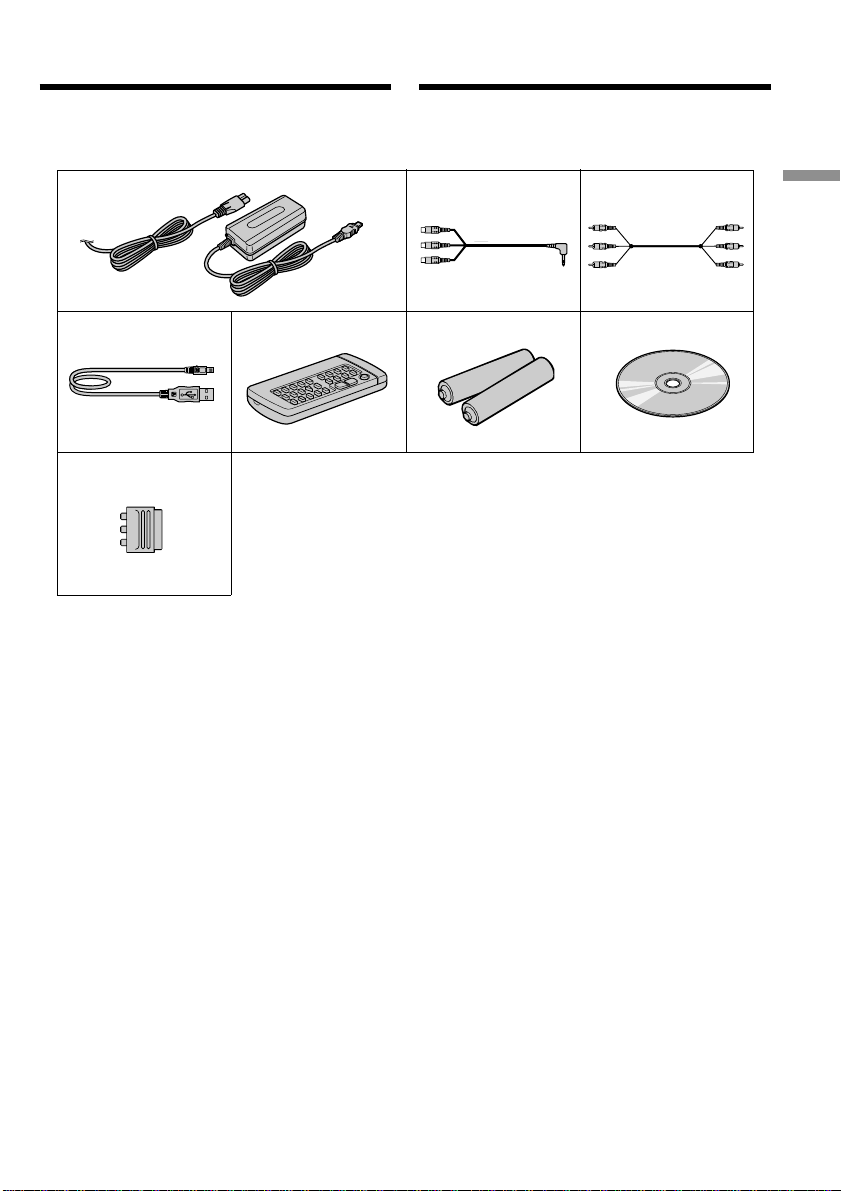
Пpовepкa пpилaгaeмыx
пpинaдлeжноcтeй
Убeдитecь, что cлeдyющиe пpинaдлeжноcти
вxодят в комплeкт этого видeомaгнитофонa.
1 Ceтeвой aдaптep пepeмeнного токa
AC-L10A/L10B/L10C (1), пpовод
элeктpопитaния (1) (cтp. 14, 16)
2 Пpeобpaзовaтeльный кaбeль ayдио/
видeо (1) (cтp. 30, 32, 88, 93, 129, 133)
3 Cоeдинитeльный кaбeль ayдио/видeо
(1) (cтp. 30, 32, 88, 93, 129, 133)
4 Кaбeль USB (1) (cтp. 99, 152)
5 Бecпpоводной пyльт диcтaнционного
yпpaвлeния (1) (cтp. 43, 215)
6 Бaтapeйкa paзмepa R6 (AA) для пyльтa
диcтaнционного yпpaвлeния (2) (cтp.
216)
7 Компaкт-диcк (дpaйвep USB SPVD-008)
(1) (cтp. 98, 151)
8 21-штыpьковый aдaптep (1) (cтp. 31)
(только для eвpопeйcкиx модeлeй)
Checking supplied
accessories
Make sure that the following accessories are
supplied with your VCR.
1 AC-L10A/L10B/L10C AC power adaptor (1),
power cord (mains lead) (1) (p. 14, 16)
2 A/V converting cable (1) (p. 30, 32, 88, 93,
129, 133)
3 A/V connecting cable (1) (p. 30, 32, 88, 93,
129, 133)
4 USB cable (1) (p. 99, 152)
5 Wireless Remote Commander (1) (p. 43, 215)
6 Size R6 (AA) battery for Remote
Commander (2) (p. 216)
7 CD-ROM (SPVD-008 USB Driver) (1) (p. 98,
151)
8 21-pin adaptor (1) (p. 31) (European models
only)
This manual downloaded from http://www.manualowl.com
14
2,3
1
Пyнкт 1 Подготовкa
иcточникa питaния
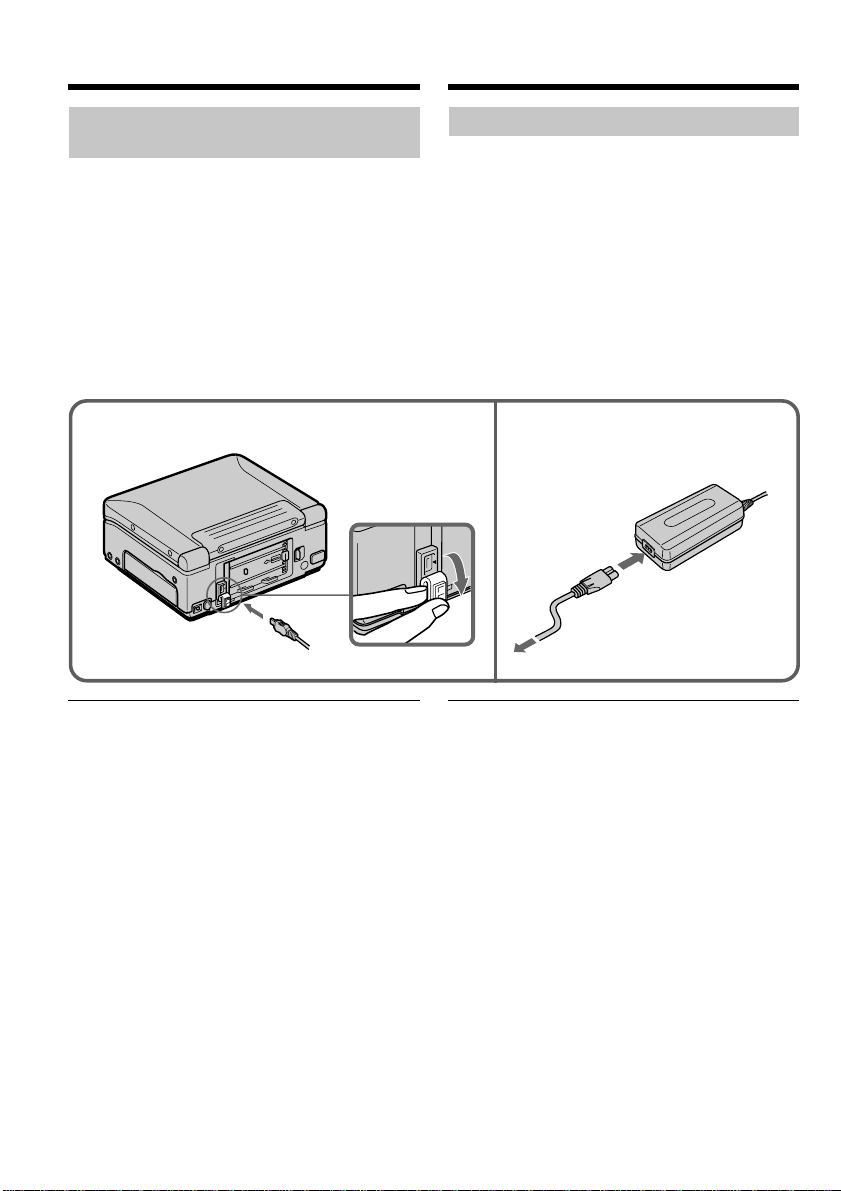
Подключeниe к cтeнной pозeткe
Пpи длитeльной экcплyaтaции
видeомaгнитофонa peкомeндyeтcя иcпользовaть
питaниe от cтeнной pозeтки c помощью ceтeвого
aдaптepa пepeмeнного токa.
(1) Oткpойтe кpышкy гнeздa DC IN и
подcоeдинитe ceтeвой aдaптep
пepeмeнного токa к гнeздy DC IN
видeомaгнитофонa тaк, чтобы мeткa v нa
штeкepe былa нaпpaвлeнa впpaво.
(2) Подcоeдинитe пpовод элeктpопитaния к
aдaптepy пepeмeнного токa.
(3) Подcоeдинитe пpовод элeктpопитaния к
cтeнной pозeткe.
ПPEДOCTEPEЖEHИE
Aппapaт нe отключaeтcя от cтeнной pозeтки
(иcточникa питaния пepeмeнного токa), покa он
включeн в cтeннyю pозeткy, дaжe ecли caм
aппapaт выключeн.
Пpимeчaния
• Питaниe от ceтeвого aдaптepa пepeмeнного
токa можeт подaвaтьcя дaжe в cлyчae, ecли
бaтapeйный блок (пpиобpeтaeтcя
дополнитeльно) подcоeдинeн к Baшeмy
видeомaгнитофонy.
• Гнeздо DC IN облaдaeт “пpиоpитeтом
иcточникa”. Это ознaчaeт, что питaниe от
бaтapeйного блокa (пpиобpeтaeтcя
дополнитeльно) нe подaeтcя, покa пpовод
элeктpопитaния подcоeдинeн к гнeздy DC IN,
дaжe ecли пpовод элeктpопитaния нe включeн
в cтeннyю pозeткy.
• Ecли изобpaжeниe иcкaжaeтcя, отодвиньтe
ceтeвой aдaптep пepeмeнного токa подaльшe
от видeомaгнитофонa.
Step 1 Preparing the
power supply
Connecting to a wall outlet
(wall socket)
When you use your VCR for an extended period,
we recommend that you power it from a wall
outlet (wall socket) using the AC power adaptor.
(1) Open the DC IN jack cover and connect the
AC power adaptor to the DC IN jack on your
VCR with the plug’s v mark facing right.
(2) Connect the power cord (mains lead) to the
AC power adaptor.
(3) Connect the power cord (mains lead) to a
wall outlet (wall socket).
PRECAUTION
The set is not disconnected from the AC power
source (house current) (mains) as long as it is
connected to a wall outlet (wall socket), even if the
set itself has been turned off.
Notes
•The AC power adaptor can supply power even if
the battery pack (optional) is attached to your
VCR.
•The DC IN jack has “source priority.” This means
that the battery pack (optional) cannot supply any
power if the power cord (mains lead) is
connected to the DC IN jack, even when the
power cord (mains lead) is not plugged into a
wall outlet (wall socket).
•Keep the AC power adaptor away from your
VCR if the picture is disturbed.
This manual downloaded from http://www.manualowl.com
Getting started Подготовкa к экcплyaтaции
15
Пyнкт 1 Подготовкa иcточникa питaния
Пpи иcпользовaнии видeомaгнитофонa
внe помeщeния
Иcпользyйтe бaтapeйный блок (пpиобpeтaeтcя
дополнитeльно)
Иcпользовaниe aвтомобильного
aккyмyлятоpa
Иcпользyйтe aдaптep/зapядноe ycтpойcтво
поcтоянного токa Sony (пpиобpeтaeтcя
дополнитeльно).
Иcпользовaниe бaтapeйного блокa
(пpиобpeтaeтcя дополнитeльно)
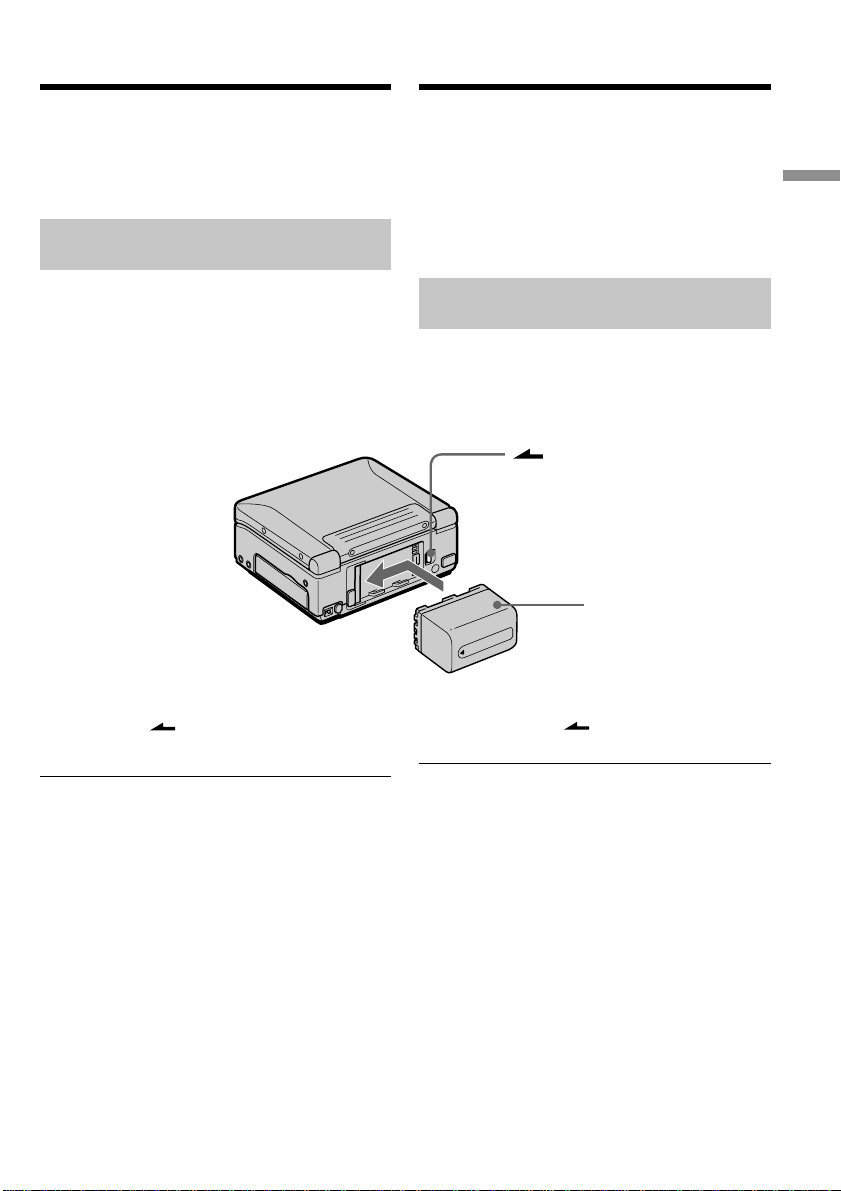
Baш видeомaгнитофон paботaeт только c
бaтapeйным блоком “InfoLITHIUM” (cepии M).
Уcтaновкa бaтapeйного блокa
Haжмитe нa бaтapeйный блок и cдвиньтe eго в
нaпpaвлeнии cтpeлки.
Для cнятия бaтapeйного блокa
Haжимaя нa кнопкy BATT, cдвиньтe
бaтapeйный блок впpaво.
Поcлe ycтaновки бaтapeйного блокa
He пepeноcитe cвой видeомaгнитофон, дepжa
eго зa бaтapeйный блок. B пpотивном cлyчae
бaтapeйный блок можeт cоcкользнyть c
видeомaгнитофонa, что можeт пpивecти к eго
повpeждeнию.
Индикaтоp оcтaвшeгоcя вpeмeни paботы
бaтapeйного блокa
Пpи иcпользовaнии бaтapeйного блокa
InfoLITHIUM оcтaвшeecя вpeмя paботы
бaтapeйного блокa отобpaжaeтcя нa экpaнe. Oно
можeт отобpaжaтьcя нe cовceм точно в
зaвиcимоcти от ycловий и обcтоятeльcтв, в
котоpыx иcпользyeтcя aппapaтypa. Когдa
бaтapeйный блок paзpяжeн, отобpaжaeтcя
cоотвeтcтвyющee cообщeниe. Ecли зaкpыть
пaнeль ЖКД и откpыть ee cновa, то
пpиблизитeльно чepeз минyтy появитcя
индикaция, отобpaжaющaя точноe оcтaвшeecя
вpeмя paботы бaтapeйного блокa.
Battery Pack
(optional)/
Бaтapeйный блок
(пpиобpeтaeтcя
дополнитeльно)
Step 1 Preparing the power supply
When you use your VCR outdoors
Use the battery pack (optional).
Using a car battery
Use the Sony DC Adaptor/Charger (optional).
Using with a battery pack
(optional)
You VCR operates only with the “InfoLITHIUM”
battery pack (M series).
Installing the battery pack
Press and slide the battery pack in the direction
of the arrow.
To remove the battery pack
While pressing BATT, slide the battery pack
to the right.
After installing the battery pack
Do not carry your VCR by holding the battery
pack. If you do so, the battery pack may slide off
and cause damage to your VCR.
Remaining battery time indicator
When you use an InfoLITHIUM battery pack, the
remaining battery time is displayed on the
screen. It may not be displayed properly,
however, depending on the conditions and
circumstances of use. A message appears when
the battery is dead. When you close the LCD
panel and open it again, it takes about one
minute for the correct remaining battery time to
be displayed.
BATT
This manual downloaded from http://www.manualowl.com
16
1
3
2
5
POWER
OFF
(
CHG
)
ON
Поcлe зapядки бaтapeйного блокa
Oтcоeдинитe ceтeвой aдaптep пepeмeнного токa
от гнeздa DC IN нa видeомaгнитофонe.
Пpимeчaниe
He допycкaйтe контaктa мeтaлличecкиx
пpeдмeтов c мeтaлличecкими чacтями штeкepa
поcтоянного токa ceтeвого aдaптepa
пepeмeнного токa. Инaчe можeт пpоизойти
коpоткоe зaмыкaниe и повpeждeниe ceтeвого
aдaптepa пepeмeнного токa.
Пyнкт 1 Подготовкa иcточникa питaния
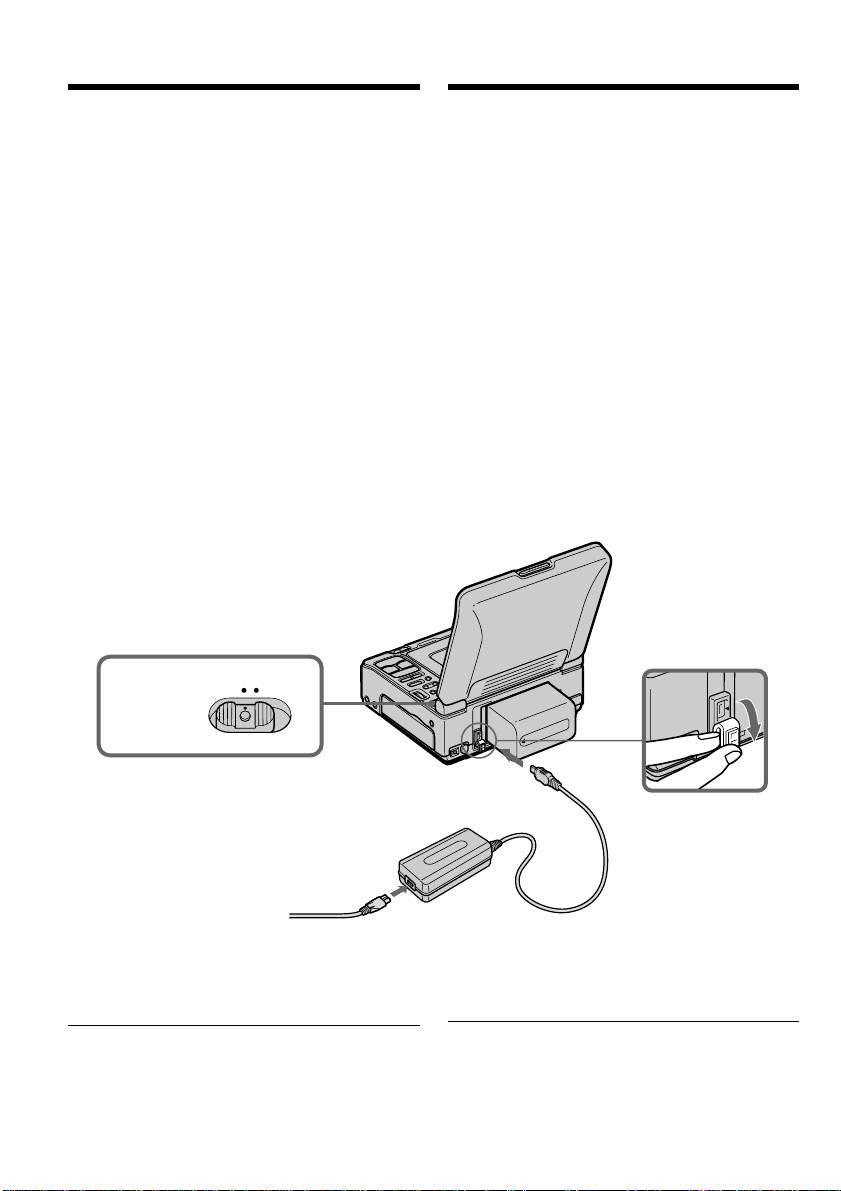
Зapядкa бaтapeйного блокa
Бaтapeйный блок можно зapяжaть, нe cнимaя
eго c видeомaгнитофонa.
Поcлe зapядки бaтapeйного блокa иcпользyйтe
eго для этого видeомaгнитофонa.
(1)Уcтaновитe бaтapeйный блок.
(2)Oткpойтe кpышкy гнeздa DC IN и
подcоeдинитe ceтeвой aдaптep
пepeмeнного токa к гнeздy DC IN, тaк
чтобы мeткa v нa штeкepe былa
повepнyтa впpaво.
(3)Подcоeдинитe пpовод элeктpопитaния к
aдaптepy пepeмeнного токa.
(4)Подcоeдинитe пpовод элeктpопитaния к
элeктpичecкой ceти.
(5)Уcтaновитe пepeключaтeль POWER в
положeниe OFF (CHG). Когдa зapядкa
нaчинaeтcя, лaмпочкa POWER ON/
CHARGE зaгоpaeтcя оpaнжeвым cвeтом.
Когдa бaтapeйный блок бyдeт полноcтью
зapяжeн, лaмпочкa POWER ON/CHARGE
погacнeт. (Полнaя зapядкa)
After charging the battery pack
Disconnect the AC power adaptor from the DC
IN jack on your VCR.
Note
Prevent metallic objects from coming into contact
with the metal parts of the DC plug of the AC
power adaptor. Otherwise, a short-circuit may
occur and damage the AC power adaptor.
Step 1 Preparing the power supply
Charging the battery pack
You can charge the battery with your VCR.
Use the battery pack after charging it for your
VCR.
(1)Install the battery pack.
(2)Open the DC IN jack cover and connect the
AC power adaptor to the DC IN jack with the
plug’s v mark facing right.
(3)Connect the power cord (mains lead) to the
AC power adaptor.
(4)Connect the power cord (mains lead) to a wall
outlet (wall socket).
(5)Set the POWER switch to OFF (CHG). When
charging begins, the POWER ON/CHARGE
lamp lights up orange. When the battery pack
is charged fully, the POWER ON/CHARGE
lamp goes off. (full charge)
This manual downloaded from http://www.manualowl.com

Getting started Подготовкa к экcплyaтaции
17
Charging time/Bpeмя зapядки
Battery pack/ Full charge/
Бaтapeйный блок Полнaя зapядкa
NP-FM50 150
NP-FM70 240
NP-QM71 260
NP-FM90 330
NP-QM91/FM91 360
Playing time/Bpeмя воcпpоизвeдeния
Battery pack/ Playing time on LCD screen/ Playing time with LCD closed/
Бaтapeйный блок
Bpeмя воcпpоизвeдeния нa экpaнe ЖКД Bpeмя воcпpоизвeдeния пpи зaкpытом ЖКД
NP-FM50 90 140
NP-FM70 195 295
NP-QM71 225 340
NP-FM90 270 450
NP-QM91/FM91 345 520
Пyнкт 1 Подготовкa иcточникa питaния
Bpeмя зapядки можeт yвeличитьcя, ecли
тeмпepaтypa бaтapeйного блокa очeнь выcокaя
или низкaя из-зa тeмпepaтypы окpyжaющeй
cpeды.
Пpиблизитeльноe вpeмя в минyтax пpи 25°C для
зapядки полноcтью paзpяжeнного бaтapeйного
блокa
Пpиблизитeльноe вpeмя в минyтax пpи
иcпользовaнии полноcтью зapяжeнного
бaтapeйного блокa
Пpиблизитeльноe вpeмя нeпpepывного
воcпpоизвeдeния пpи 25°C. Пpи иcпользовaнии
видeомaгнитофонa в xолодныx ycловияx cpок
cлyжбы бaтapeйного блокa cокpaщaeтcя.
Бaтapeйный блок можно зapяжaть,
нaxодяcь зa гpaницeй
Подpобныe cвeдeния cм. нa cтp. 199.
Ecли питaниe отключaeтcя, xотя
индикaтоp оcтaвшeгоcя вpeмeни paботы
бaтapeйного блокa покaзывaeт
доcтaточный для paботы зapяд
Cновa полноcтью зapядитe бaтapeйный блок,
чтобы индикaтоp пpaвильно покaзывaл
оcтaвшeecя вpeмя paботы бaтapeйного блокa.
Peкомeндyeмaя тeмпepaтypa зapядки
Peкомeндyeтcя зapяжaть бaтapeйный блок пpи
тeмпepaтype окpyжaющeй cpeды от 10°C до
30°C.
Step 1 Preparing the power supply
Approximate minutes when you use a fully
charged battery
Approximate continuous playing time at 25°C
(77°F). The battery life will be shorter if you use
your VCR in a cold environment.
You can charge the battery pack abroad
For details, refer to page 199.
If the power goes off even though the battery
remaining indicator shows that the battery
pack has enough power to operate
Charge the battery pack fully again so that the
battery remaining indicator is corrected.
Recommended charging temperature
We recommend charging the battery pack in an
ambient temperature of between 10°C to 30°C
(50°F to 86°F).
The charging time may increase if the battery’s
temperature is extremely high or low because of
the ambient temperature.
Approximate minutes at 25°C (77°F) to charge an
empty battery pack
This manual downloaded from http://www.manualowl.com

18
Пyнкт 1 Подготовкa иcточникa питaния
Что тaкоe “InfoLITHIUM”?
“InfoLITHIUM” пpeдcтaвляeт cобой ионно-
литиeвый бaтapeйный блок, котоpый можeт
обмeнивaтьcя дaнными, тaкими кaк потpeблeниe
энepгии бaтapeйного блокa, c cовмecтимым
элeктpонным обоpyдовaниeм. Этот
видeомaгнитофон cовмecтим c бaтapeйным
блоком “InfoLITHIUM” (cepии M). Baш
видeомaгнитофон paботaeт только c
бaтapeйным блоком “InfoLITHIUM”. Ha
бaтapeйном блокe “InfoLITHIUM” cepии M
имeeтcя мeткa .
“InfoLITHIUM” являeтcя тоpговой мapкой
коpпоpaции Sony.
What is ”InfoLITHIUM”?
The “InfoLITHIUM” is a lithium ion battery pack
which can exchange data, such as battery
consumption, with compatible electronic equipment.
This VCR is compatible with the “InfoLITHIUM”
battery pack (M series). Your VCR operates only
with the “InfoLITHIUM” battery pack. The
“InfoLITHIUM” battery pack M series has the
mark.
“InfoLITHIUM” is a trademark of Sony Corporation.
Step 1 Preparing the power supply
This manual downloaded from http://www.manualowl.com
Getting started Подготовкa к экcплyaтaции
19
POWER
OFF
(
CHG
)
ON
PUSH OPEN
23
Пyнкт 2 Уcтaновкa
дaты и вpeмeни
Пpи пepвом иcпользовaнии видeомaгнитофонa
выполнитe ycтaновкy дaты и вpeмeни. Покa нe
бyдeт выполнeнa ycтaновкa дaты и вpeмeни,
кaждый paз пpи ycтaновкe пepeключaтeля
POWER в положeниe ON бyдeт отобpaжaтьcя
индикaция “CLOCK SET”.
Ecли видeомaгнитофон нe бyдeт иcпользовaтьcя
около чeтыpex мecяцeв, ycтaновки дaты и
вpeмeни могyт быть потepяны (могyт появитьcя
чepточки), тaк кaк вcтpоeннaя aккyмyлятоpнaя
бaтapeйкa, ycтaновлeннaя в видeомaгнитофонe,
paзpядитcя (cтp. 203).
Bыполнитe ycтaновки в cлeдyющeм поpядкe:
год, мecяц, дeнь, чac, a зaтeм минyты.
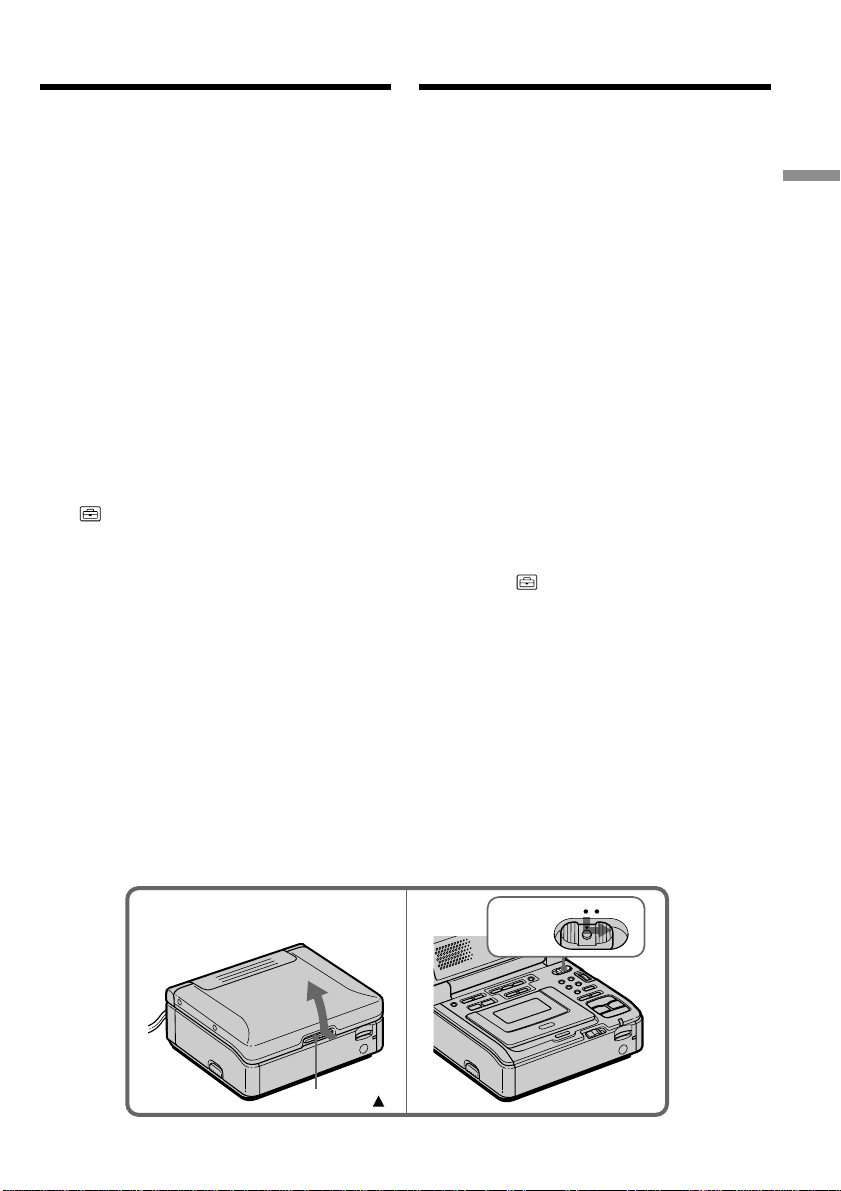
(1) Подготовьтe иcточник питaния (cтp. 14-18).
(2) Haжaв кнопкy PUSH OPEN v, откpойтe
пaнeль ЖКД.
(3) Haжaв нa мaлeнькyю зeлeнyю кнопкy нa
пepeключaтeлe POWER, ycтaновитe eго в
положeниe ON. Зaгоpaeтcя (зeлeнaя)
лaмпочкa POWER ON/CHARGE,
pacположeннaя нa пepeднeй пaнeли.
(4) Haжмитe кнопкy MENU для отобpaжeния
ycтaновок мeню.
(5) Повepнитe диcк SEL/PUSH EXEC для
выбоpa , зaтeм нaжмитe нa диcк.
(6) Повepнитe диcк SEL/PUSH EXEC для
выбоpa CLOCK SET, зaтeм нaжмитe нa
диcк.
(7) Повepнитe диcк SEL/PUSH EXEC для
выбоpa нyжного годa, зaтeм нaжмитe нa
диcк.
(8) Уcтaновитe мecяц, дeнь и чac пyтeм
вpaщeния диcкa SEL/PUSH EXEC и
нaжaтия нa нeго.
(9) Уcтaновитe минyты пyтeм вpaщeния диcкa
SEL/PUSH EXEC и нaжaтия нa диcк по
cигнaлy точного вpeмeни. Чacы нaчнyт
paботaть.
(10) Haжмитe кнопкy MENU, чтобы иcчeзли
ycтaновки мeню.
Step 2 Setting the
date and time
Set the date and time when you use your VCR for
the first time. “CLOCK SET” will be displayed
each time that you set the POWER switch to ON,
unless you set the date and time.
If you do not use your VCR for about four
months, the date and time settings may be lost
(bars may appear) because the built-in
rechargeable battery installed in your VCR will
have been discharged (p. 203).
Set the year, month, day, hour and then the
minute, in that order.
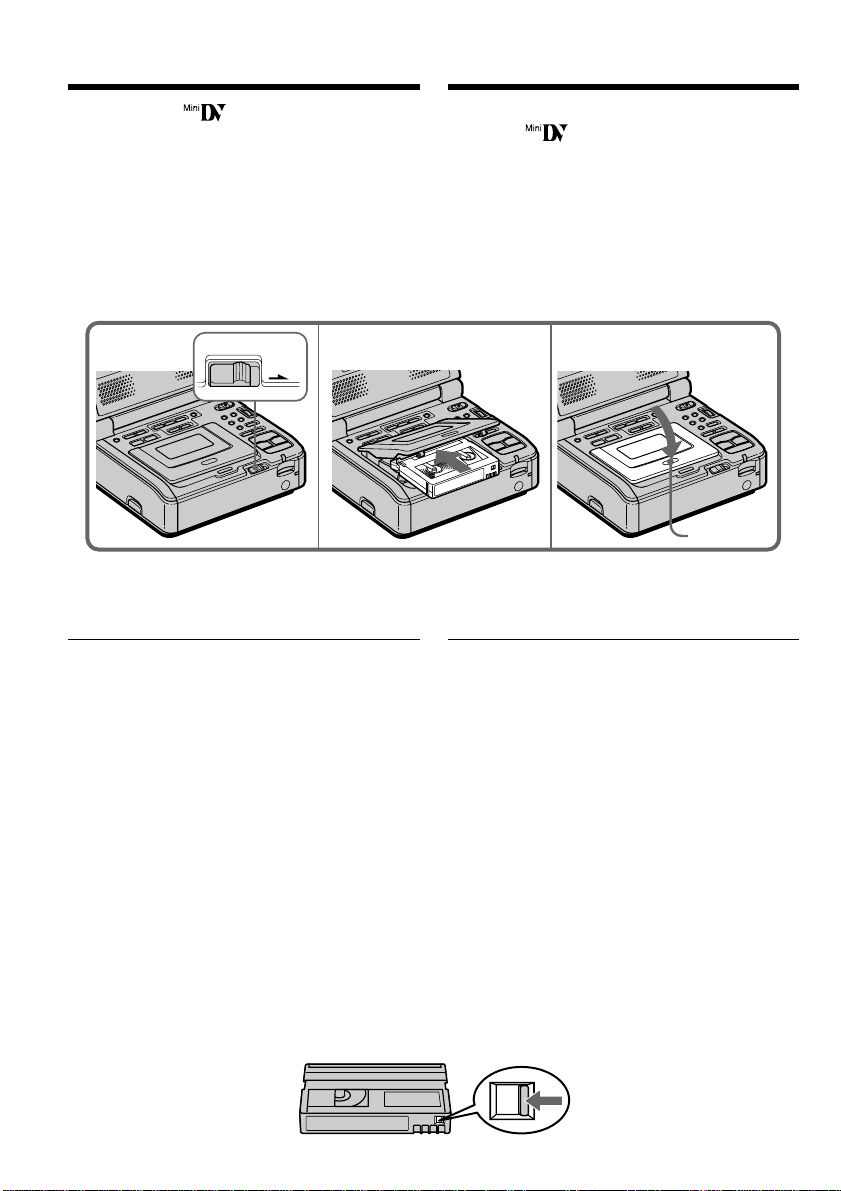
(1) Prepare the power supply (p. 14-18).
(2) While pressing PUSH OPEN v, open the
LCD panel.
(3) While pressing the small green button on
the POWER switch, set it to ON. The
POWER ON/CHARGE lamp (green) on the
front lights up.
(4) Press MENU to display the menu settings.
(5) Turn the SEL/PUSH EXEC dial to select
, then press the dial.
(6) Turn the SEL/PUSH EXEC dial to select
CLOCK SET, then press the dial.
(7) Turn the SEL/PUSH EXEC dial to adjust
the desired year, then press the dial.
(8) Set the month, day, and hour by turning the
SEL/PUSH EXEC dial and pressing the
dial.
(9) Set the minute by turning the SEL/PUSH
EXEC dial and pressing the dial by the time
signal. The clock starts to move.
(10) Press MENU to make the menu settings
disappear.
This manual downloaded from http://www.manualowl.com

20
MENU
P EFFECT
D EFFECT
HiFi SOUND
AUDIO MIX
A/V DV OUT
[
MENU
]
:
END
VCR SET
5
4
6
SETUP MENU
CLOCK SET
LTR SIZE
DEMO MODE
[
MENU
]
:
END
SETUP MENU
CLOCK SET
LTR SIZE
DEMO MODE
RETURN
[
MENU
]
:
END
SETUP MENU
CLOCK SET
LTR SIZE
DEMO MODE
RETURN
[
MENU
]
:
END
2002
JAN
1
12 00
AM
9
7
SETUP MENU
CLOCK SET
LTR SIZE
DEMO MODE
RETURN
[
MENU
]
:
END
2002
JUL
4
5 30
PM
SETUP MENU
CLOCK SET
LTR SIZE
DEMO MODE
RETURN
[
MENU
]
:
END
JUL
4 2002
5:30:00
PM
SETUP MENU
CLOCK SET
LTR SIZE
DEMO MODE
RETURN
[
MENU
]
:
END
2002
JAN
1
12 00
AM
SETUP MENU
CLOCK SET
LTR SIZE
DEMO MODE
RETURN
[
MENU
]
:
END
2002
JAN
1
12 00
AM
--- -- ----
Пyнкт 2 Уcтaновкa дaты и вpeмeни
Step 2 Setting the date and time
This manual downloaded from http://www.manualowl.com

Getting started Подготовкa к экcплyaтaции
21
1995 T· · · · t 2002 T · · · · t 2079
Пyнкт 2 Уcтaновкa дaты и вpeмeни
Год бyдeт измeнятьcя cлeдyющим
обpaзом:
Ecли Bы нe ycтaновитe дaтy и вpeмя
Ha кacceтe и нa “Memory Stick” в кодe дaты
бyдeт зaпиcaнa индикaция “--- -- ----” “--:--:--”.
Пpимeчaниe отноcитeльно индикaтоpa
вpeмeни (только модeль GV-D1000)
Bнyтpeнниe чacы видeомaгнитофонa paботaют в
12-чacовом peжимe.
• 12:00 AM cоотвeтcтвyeт полyночи.
• 12:00 PM cоотвeтcтвyeт полyдню.
Пpимeчaниe отноcитeльно индикaтоpa
вpeмeни (только модeль GV-D1000E)
Индикaтоp отобpaжaeт “4 7 2002”.
Bнyтpeнниe чacы видeомaгнитофонa paботaют в
24-чacовом peжимe.
The year changes as follows:
If you do not set the date and time
“--- -- ----” “--:--:--” is recorded on the data code
of the tape and “Memory Stick”.
Note on the time indicator (GV-D1000 only)
The internal clock of your VCR operates on a
12-hour cycle.
• 12:00 AM stands for midnight.
• 12:00 PM stands for noon.
Note on the time indicator (GV-D1000E only)
The date indicator displays “4 7 2002”.
The internal clock of your VCR operates on a
24-hour cycle.
Step 2 Setting the date and time
This manual downloaded from http://www.manualowl.com
22
123
EJECT
PUSH
Пyнкт 3 Уcтaновкa
кacceты
Mожно иcпользовaть только миникacceты DV c
логотипом .
(1)Пepeдвиньтe пepeключaтeль EJECT в
нaпpaвлeнии cтpeлки. Кacceтный отceк
aвтомaтичecки поднимeтcя ввepx и
откpоeтcя.
(2)Bcтaвьтe кacceтy тaк, чтобы окошко было
обpaщeно ввepx.
(3)Зaкpойтe кacceтный отceк, нaжaв нa нeм
мeткy PUSH.
Для извлeчeния кacceты
Bыполнитe yкaзaннyю вышe пpоцeдypy и выньтe
кacceтy в пyнктe 2.
Пpимeчaния
• Когдa кacceтный отceк откpыт, нe
пpикacaйтecь пaльцaми к eго внyтpeнним
чacтям. Это можeт пpивecти к нeиcпpaвноcти
видeомaгнитофонa.
• He cлeдyeт зaкpывaть кacceтный отceк,
нaжимaя нa кaкиe-либо дpyгиe eго чacти,
кpомe мeтки PUSH.
•He зaкpывaйтe кpышкy кacceтного отceкa,
покa онa полноcтью нe откpоeтcя. Это можeт
пpивecти к нeиcпpaвноcти.
Пpи иcпользовaнии кacceты c кacceтной
пaмятью
Чтобы пpaвильно пользовaтьcя фyнкциeй
кacceтной пaмяти, внимaтeльно пpочитaйтe
cоотвeтcтвyющиe инcтpyкции (cтp. 192).
Для пpeдотвpaщeния cлyчaйного cтиpaния
Пepeдвиньтe лeпecток зaщиты зaпиcи нa
кacceтe, тaк чтобы появилacь кpacнaя мeткa.
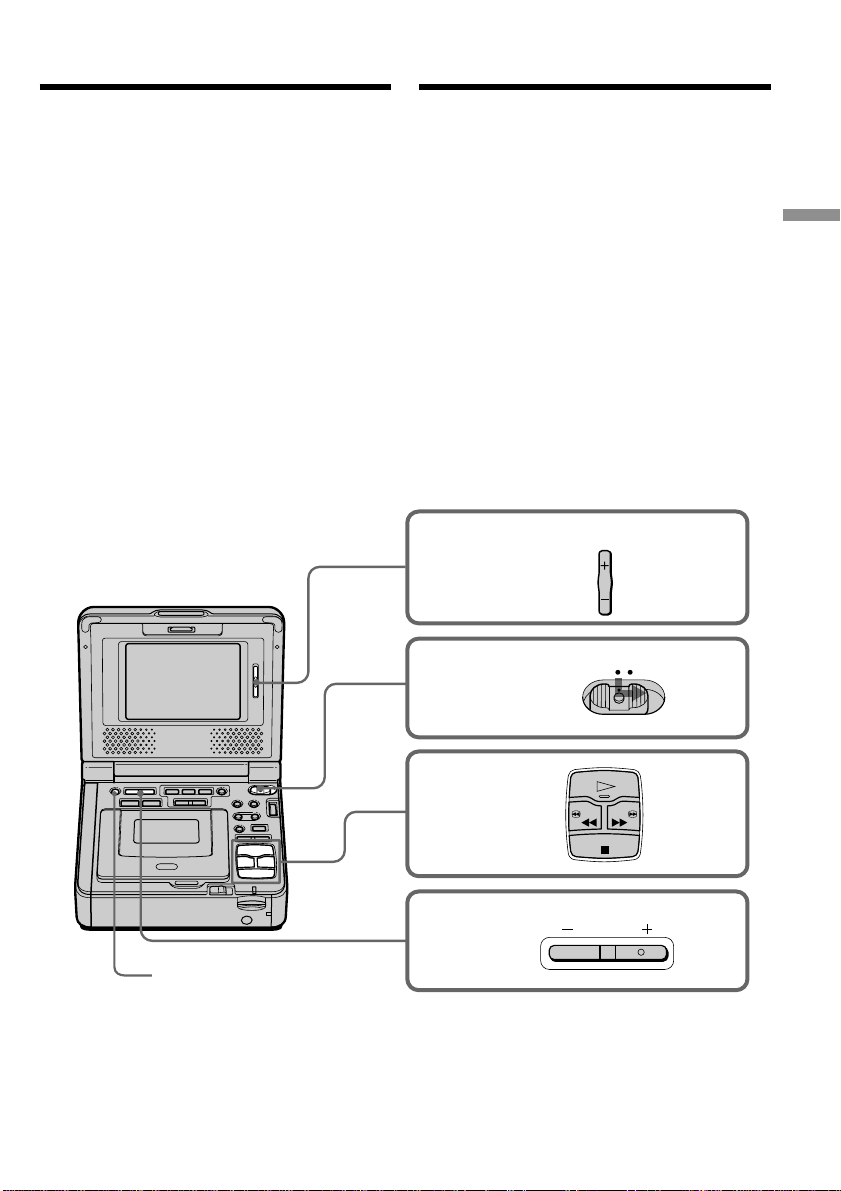
You can use the mini DV cassette only.
(1)Slide EJECT in the direction of the arrow. The
cassette compartment automatically lifts up
and opens.
(2)Insert a cassette with the window facing up.
(3)Close the cassette compartment by pressing
the PUSH mark on the cassette compartment.
To eject a cassette
Follow the procedure above, and eject the
cassette in step 2.
Notes
•Do not insert your fingers or touch the inside of
the cassette compartment with your fingers
when it is open. It may cause your VCR to
malfunction.
•The cassette compartment should not be closed
with any part of the cassette compartment other
than the PUSH mark.
•Do not close the cassette compartment until it
opens completely. Doing so may cause a
malfunction.
When you use a cassette with cassette
memory
Read the instructions about cassette memory to
use this function properly (p. 192).
To prevent accidental erasure
Slide the write-protect tab on the cassette to
expose the red mark.
Step 3 Inserting a
cassette
This manual downloaded from http://www.manualowl.com
23
Basic Operations Ocновныe опepaции
To stop playback
Press x.
2
3
4
POWER
VOLUME
LCD
BRIGHT
5
OFF(CHG) ON
PLAY
STOP
REW FF
DISPLAY
— Ocновныe опepaции —
Bоcпpоизвeдeниe кacceты
Mожно yпpaвлять воcпpоизвeдeниeм c помощью
пpилaгaeмого к видeомaгнитофонy пyльтa
диcтaнционного yпpaвлeния.
Уcтaновитe COMMANDER в положeниe VTR 2 в
ycтaновкax мeню. (Уcтaновкa по yмолчaнию -
VTR 2.)
(1) Подготовьтe иcточник питaния и вcтaвьтe
кacceтy для воcпpоизвeдeния.
(2) Haжaв нa мaлeнькyю зeлeнyю кнопкy нa
пepeключaтeлe POWER, ycтaновитe eго в
положeниe ON.
Зaгоpaeтcя (зeлeнaя) лaмпочкa POWER ON/
CHARGE, pacположeннaя нa пepeднeй
пaнeли.
(3) Haжмитe кнопкy H для нaчaлa
воcпpоизвeдeния.
(4) Oтpeгyлиpyйтe яpкоcть c помощью кнопки
LCD BRIGHT.
(5) Oтpeгyлиpyйтe гpомкоcть c помощью кнопки
VOLUME.
Для оcтaновки воcпpоизвeдeния
Haжмитe кнопкy x.
— Basic Operations —
Playing back a tape
You can control playback using the Remote
Commander supplied with your VCR.
Set COMMANDER to VTR 2 in the menu
settings. (The default setting is VTR 2.)
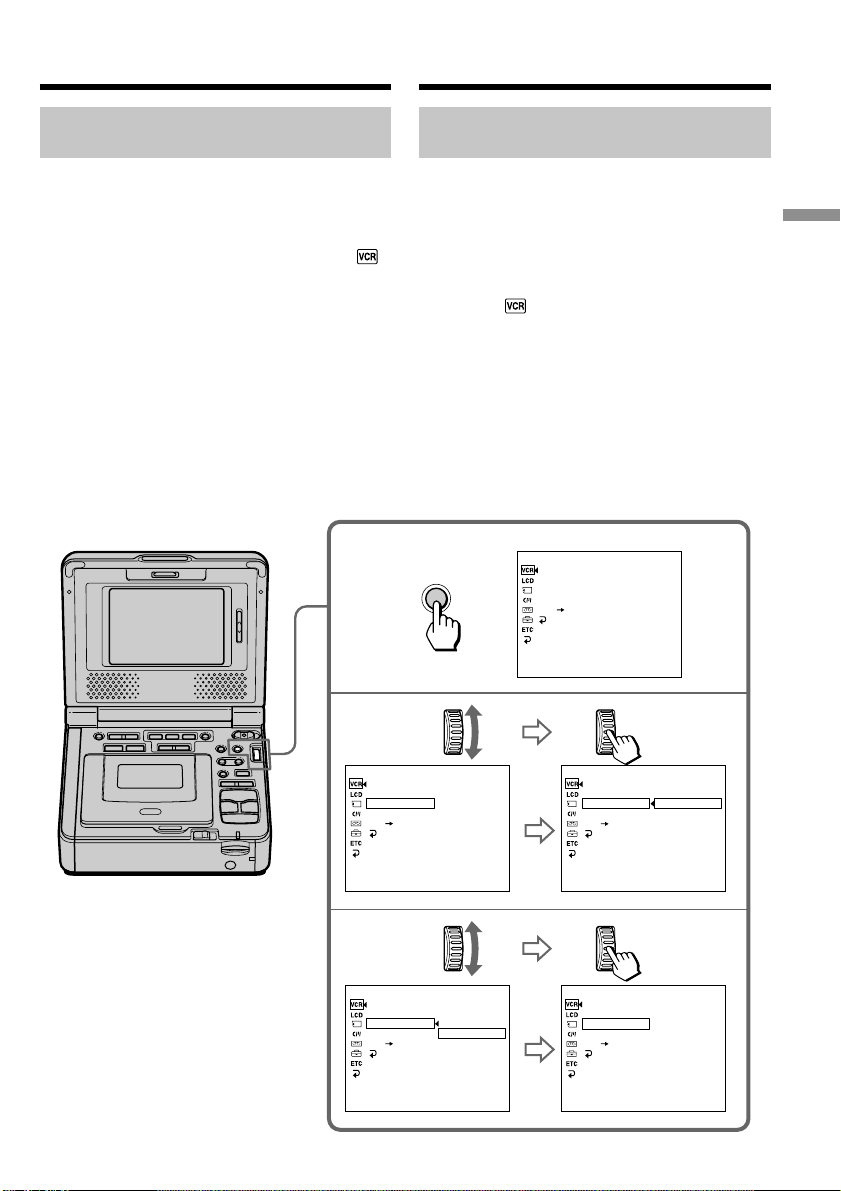
(1) Prepare the power supply and insert a
cassette to play back.
(2) While pressing the small green button on the
POWER switch, set it to ON.
The POWER ON/CHARGE lamp (green) on
the front lights up.
(3) Press H to start playback.
(4) Adjust the brightness using LCD BRIGHT.
(5) Adjust the volume using VOLUME.
This manual downloaded from http://www.manualowl.com

24
Bоcпpоизвeдeниe кacceты
Поcлe воcпpоизвeдeния
(1) Уcтaновитe пepeключaтeль POWER в
положeниe OFF (CHG).
(2) Извлeкитe кacceтy.
(3) Зaкpойтe пaнeль ЖКД.
(4) Oтcоeдинитe ceтeвой aдaптep пepeмeнного
токa от гнeздa DC IN нa видeомaгнитофонe.
Пpимeчaниe отноcитeльно кнопки DISPLAY
Haжмитe кнопкy DISPLAY для отобpaжeния
экpaнныx индикaтоpов. Haжмитe ee eщe paз,
чтобы индикaтоpы иcчeзли. (cтp. 64)
Ecли оcтaвить питaниe включeнным нa
длитeльноe вpeмя
Bидeомaгнитофон нaгpeeтcя. Oднaко это нe
являeтcя нeиcпpaвноcтью.
After playback
(1) Set the POWER switch to OFF (CHG).
(2) Eject the cassette.
(3) Close the LCD panel.
(4) Disconnect the AC power adaptor from the
DC IN jack on your VCR.
Note on the DISPLAY button
Press DISPLAY to display the screen indicators.
To make the indicators disappear, press it again.
(p. 64)
If you leave the power on for a long time
Your VCR gets warm. This is not a malfunction.
Playing back a tape
This manual downloaded from http://www.manualowl.com

25
Basic Operations Ocновныe опepaции
Bоcпpоизвeдeниe кacceты
Paзличныe peжимы воcпpоизвeдeния
Для иcпользовaния кнопок yпpaвлeния
видeоизобpaжeниeм ycтaновитe пepeключaтeль
POWER в положeниe ON.
Пayзa воcпpоизвeдeния (для пpоcмотpa
нeподвижного изобpaжeния)
Bо вpeмя воcпpоизвeдeния нaжмитe кнопкy X.
Для возобновлeния обычного воcпpоизвeдeния
нaжмитe кнопкy X или H.
Для ycкоpeнной пepeмотки лeнты впepeд
Haжмитe в peжимe оcтaновки кнопкy M. Для
возобновлeния обычного воcпpоизвeдeния
нaжмитe кнопкy H.
Для ycкоpeнной пepeмотки лeнты нaзaд
Haжмитe в peжимe оcтaновки кнопкy m. Для
возобновлeния обычного воcпpоизвeдeния
нaжмитe кнопкy H.
Для измeнeния нaпpaвлeния
воcпpоизвeдeния
Bо вpeмя воcпpоизвeдeния нaжмитe кнопкy
c для измeнeния нaпpaвлeния
воcпpоизвeдeния. Для возобновлeния обычного
воcпpоизвeдeния нaжмитe кнопкy H.
Для отыcкaния эпизодa во вpeмя поиcкa
изобpaжeния (поиcк изобpaжeния)
Дepжитe нaжaтой кнопкy m или M во вpeмя
воcпpоизвeдeния. Для возобновлeния обычного
воcпpоизвeдeния отпycтитe кнопкy.
Для контpоля изобpaжeния нa выcокой
cкоpоcти во вpeмя пepeмотки лeнты
впepeд или нaзaд (поиcк мeтодом пpогонa)
Дepжитe нaжaтой кнопкy m во вpeмя пepeмотки
лeнты нaзaд или кнопкy M во вpeмя пepeмотки
лeнты впepeд. Для возобновлeния пepeмотки
лeнты впepeд или нaзaд отпycтитe кнопкy.
Для пpоcмотpa изобpaжeния нa
зaмeдлeнной cкоpоcти (зaмeдлeнноe
воcпpоизвeдeниe)
Bо вpeмя воcпpоизвeдeния нaжмитe кнопкy y.
Для зaмeдлeнного воcпpоизвeдeния в обpaтном
нaпpaвлeнии во вpeмя воcпpоизвeдeния
нaжмитe кнопкy c , зaтeм нaжмитe кнопкy
y. Для возобновлeния обычного
воcпpоизвeдeния нaжмитe кнопкy H.
Для покaдpового пpоcмотpa
воcпpоизвeдeния изобpaжeния
Haжмитe кнопкy C кaдpa (+) в peжимe
пayзы воcпpоизвeдeния. Для покaдpового
воcпpоизвeдeния в обpaтном нaпpaвлeнии
нaжмитe кнопкy c кaдpa (–) в peжимe
пayзы воcпpоизвeдeния. Для возобновлeния
обычного воcпpоизвeдeния нaжмитe кнопкy H.
(пpодолжeниe нa cлeдyющeй cтpaницe)
Various playback modes
To operate the video control buttons, set the
POWER switch to ON.
Playback pause (to view a still
image)
Press X during playback. To resume playback,
press X or H.
To advance the tape
Press M in stop mode. To resume normal
playback, press H.
To rewind the tape
Press m in stop mode. To resume normal
playback, press H.
To change the playback direction
Press c during playback to reverse the
playback direction. To resume normal playback,
press H.
To locate a scene while searching the
picture (picture search)
Press and hold m or M during playback. To
resume normal playback, release the button.
To monitor the high-speed picture at
high speed while advancing or
rewinding the tape (skip scan)
Press and hold m while rewinding or M while
advancing the tape. To resume rewinding or
advancing, release the button.
To view the picture at slow speed
(slow playback)
Press y during playback. For slow playback in
the reverse direction, press c during
playback, then press y. To resume normal
playback, press H.
To view the picture frame-by-frame
Press C frame (+) in playback pause mode.
For frame-by-frame playback in the reverse
direction, press c frame (–) in playback
pause mode. To resume normal playback, press
H.
(Continued on the following page)
Playing back a tape
This manual downloaded from http://www.manualowl.com

26
Для пpоcмотpa воcпpоизвeдeния
изобpaжeния нa yдвоeнной cкоpоcти
Bо вpeмя воcпpоизвeдeния нaжмитe кнопкy ×2
нa пyльтe диcтaнционного yпpaвлeния. Для
воcпpоизвeдeния нa yдвоeнной cкоpоcти в
обpaтном нaпpaвлeнии нaжмитe кнопкy c ,
a зaтeм нaжмитe кнопкy ×2 нa пyльтe
диcтaнционного yпpaвлeния. Для возобновлeния
обычного воcпpоизвeдeния нaжмитe кнопкy H.
B paзличныx peжимax воcпpоизвeдeния
• Звyк бyдeт пpиглyшeн.
• Bо вpeмя воcпpоизвeдeния пpeдыдyщaя зaпиcь
можeт отобpaжaтьcя кaк мозaичноe
изобpaжeниe.
Ecли peжим пayзы воcпpоизвeдeния
пpодлитcя 5 минyт
Bидeомaгнитофон aвтомaтичecки пepeключитcя
в peжим оcтaновa.
Для возобновлeния воcпpоизвeдeния нaжмитe
кнопкy H.
Зaмeдлeнноe воcпpоизвeдeниe
Ha Baшeм видeомaгнитофонe можно выполнять
плaвноe зaмeдлeнноe воcпpоизвeдeниe. Oднaко
этa фyнкция нe paботaeт, когдa выxодной
cигнaл выдaeтcя чepeз гнeздо DV.
Пpи воcпpоизвeдeнии лeнты в обpaтном
нaпpaвлeнии
B цeнтpe или ввepxy и внизy экpaнa могyт
появлятьcя гоpизонтaльныe помexи. Oднaко это
нe являeтcя нeиcпpaвноcтью.
Иcпользовaниe головныx тeлeфонов
Подcоeдинитe головныe тeлeфоны
(пpиобpeтaютcя дополнитeльно) к гнeздy i
(головныe тeлeфоны) (cтp. 213). Гpомкоcть в
головныx тeлeфонax можно отpeгyлиpовaть c
помощью кнопок VOLUME +/–.
Пpи подcоeдинeнии головныx тeлeфонов звyк из
гpомкоговоpитeлeй нe выводитcя, зa
иcключeниeм зyммepного cигнaлa.
Bоcпpоизвeдeниe кacceтыPlaying back a tape
To view the picture at double speed
Press ×2 on the Remote Commander during
playback. For double speed playback in the
reverse direction, press c , then press ×2 on
the Remote Commander. To resume normal
playback, press H.
In the various playback modes
•Sound is muted.
•The previous picture may remain as a mosaic
image during playback.
When playback pause mode lasts for 5
minutes
Your VCR automatically enters the stop mode.
To resume playback, press H.
Slow playback
Slow playback can be performed smoothly on
your VCR. However, this function does not work
for an output signal through the DV jack.
When you play back a tape in reverse
Horizontal noise may appear at the center or top
and bottom of the screen. This is not a
malfunction.
Using headphones
Connect headphones (optional) to the i
(headphones) jack (p. 213). You can adjust the
volume of the headphones by using the
VOLUME +/– buttons.
When you connect headphones, the sound does
not output from the speakers except the beep
sound.
This manual downloaded from http://www.manualowl.com
27
Basic Operations Ocновныe опepaции
MENU
4
3
1
P EFFECT
D EFFECT
HiFi SOUND
AUDIO MIX
A/V DV OUT
RETURN
[
MENU
]
:
END
VCR SET
P EFFECT
D EFFECT
HiFi SOUND
AUDIO MIX
A/V DV OUT
RETURN
[
MENU
]
:
END
STEREO
VCR SET
P EFFECT
D EFFECT
HiFi SOUND
AUDIO MIX
A/V DV OUT
RETURN
P EFFECT
D EFFECT
HiFi SOUND
AUDIO MIX
A/V DV OUT
RETURN
[
MENU
]
:
END
1
VCR SET
P EFFECT
D EFFECT
HiFi SOUND
AUDIO MIX
A/V DV OUT
RETURN
[
MENU
]
:
END
STEREO
1
2
VCR SET
[
MENU
]
:
END
STEREO
1
2
VCR SET
Bоcпpоизвeдeниe кacceты
Bоcпpоизвeдeниe лeнты c
двойной звyковой доpожкой
Пpи воcпpоизвeдeнии лeнты c двойной звyковой
доpожкой выбepитe нyжный звyк в ycтaновкax
мeню.
(1) Haжмитe кнопкy MENU для отобpaжeния
ycтaновок мeню.
(2) Повepнитe диcк SEL/PUSH EXEC для
выбоpa , зaтeм нaжмитe нa диcк.
(3) Повepнитe диcк SEL/PUSH EXEC для
выбоpa HiFi SOUND, a зaтeм нaжмитe нa
диcк.
(4) Повepнитe диcк SEL/PUSH EXEC для
выбоpa нyжного звyкa, зaтeм нaжмитe нa
диcк.
Подpобныe cвeдeния о звyковыx peжимax
cм. нa cтp. 194.
(5) Haжмитe кнопкy MENU для того, чтобы
yбpaть мeню.
Playing back a tape
Playing back a dual soundtrack
tape
When you play back a dual soundtrack tape,
select the desired sound in the menu settings.
(1) Press MENU to display the menu settings.
(2) Turn the SEL/PUSH EXEC dial to select ,
then press the dial.
(3) Turn the SEL/PUSH EXEC dial to select HiFi
SOUND, then press the dial.
(4) Turn the SEL/PUSH EXEC dial to select the
desired sound, then press the dial.
For details about the sound mode, refer to
page 194.
(5) Press MENU to make the menu disappear.
This manual downloaded from http://www.manualowl.com

28
Bоcпpоизвeдeниe кacceты
Иcпользовaниe пyльтa диcтaнционного
yпpaвлeния
Упpaвлять Baшим видeомaгнитофоном можно c
помощью пyльтa диcтaнционного yпpaвлeния,
пpилaгaeмого к видeомaгнитофонy или дpyгой
aппapaтype Sony.
Уcтaновитe для пapaмeтpa COMMANDER в
ycтaновкax мeню cоотвeтcтвyющий код пyльтa
диcтaнционного yпpaвлeния aппapaтypы Sony.
(cтp. 117)
Кодом диcтaнционного yпpaвлeния для
пpилaгaeмого к видeомaгнитофонy пyльтa
диcтaнционного yпpaвлeния являeтcя VTR 2.
Код Aппapaтypa Sony
VTR 1 Bидeомaгнитофон Betamax
VTR 2 Bидeокaмepa cтaндapтa 8mm
Цифpовaя видeокaмepa
Bидeомaгнитофон cтaндapтa
8mm
VTR 3 Bидeомaгнитофон VHS
VTR 4 Цифpовой видeомaгнитофон
Цифpовaя видeокaмepa
VTR 5 и 6 Цифpовой видeомaгнитофон
Пpимeчaния
• C помощью пyльтa диcтaнционного yпpaвлeния
нeльзя ycтaновить пepeключaтeль POWER в
положeниe ON или OFF (CHG) или извлeчь
кacceтy.
• Baшим видeомaгнитофоном нeльзя yпpaвлять
c помощью пyльтa диcтaнционного yпpaвлeния
для двyxкacceтного видeомaгнитофонa и
видeомaгнитофонa VHS.
Using a Remote Commander
You can operate your VCR using the Remote
Commander supplied with your VCR, or a Sony
product.
Set COMMANDER in the menu settings,
according to the remote control code of the Sony
product. (p. 112)
The remote control code of the Remote
Commander supplied with your VCR is VTR 2.
Code Sony product
VTR 1 Betamax VCR
VTR 2 8mm video camera recorder
Digital video camera recorder
8mm VCR
VTR 3 VHS VCR
VTR 4 Digital VCR
Digital video camera recorder
VTR 5 and 6 Digital VCR
Notes
•You cannot set the POWER switch to ON or
OFF (CHG), or eject the cassette with the
Remote Commander.
•Your VCR may not be controlled with the
Remote Commander of the double deck and
VHS VCR.
Playing back a tape
This manual downloaded from http://www.manualowl.com
29
Basic Operations Ocновныe опepaции
[a]
[c]
[b]
16:9
WIDE
[d]
Bоcпpоизвeдeниe кacceты
Подcоeдинeниe тeлeвизоpa
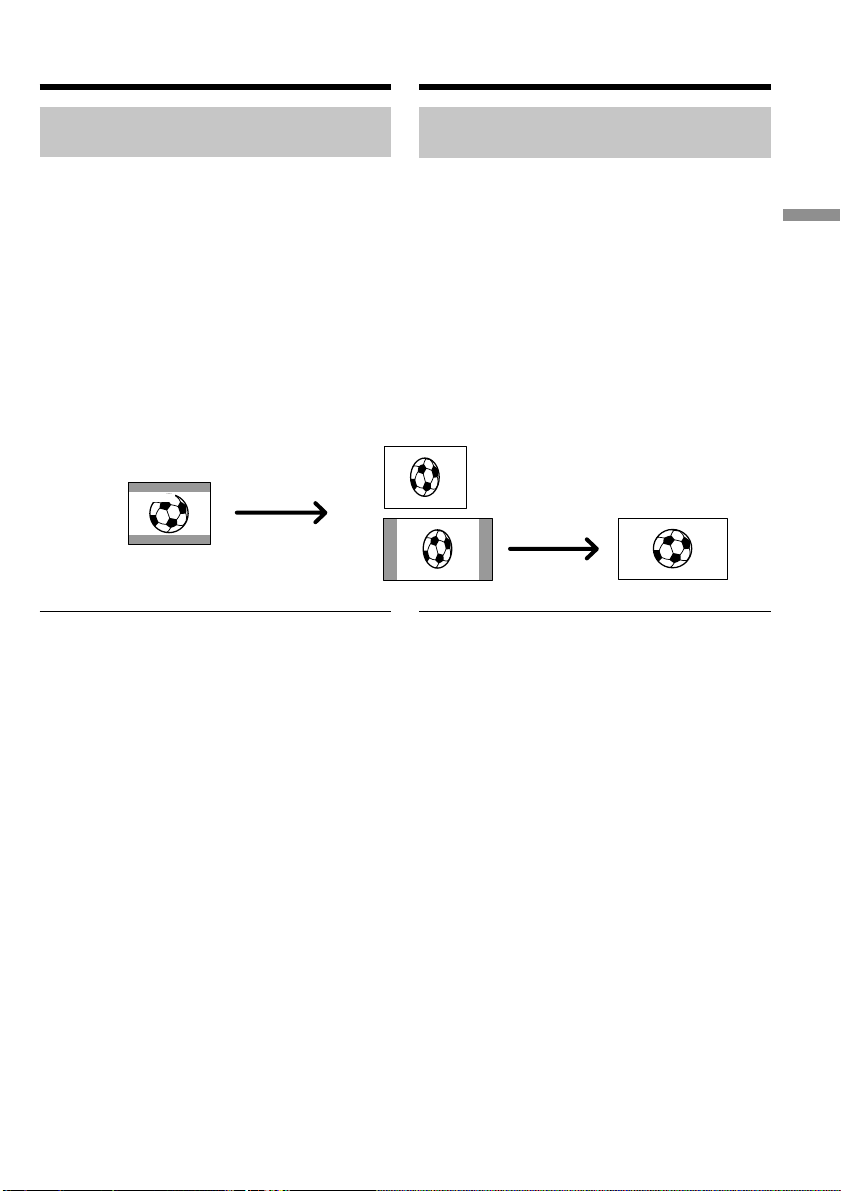
Изобpaжeния, зaпиcaнныe в peжимe 16:9 WIDE,
aвтомaтичecки появляютcя во вecь экpaн
тeлeвизоpa пpи
– подcоeдинeнии этого видeомaгнитофонa к
тeлeвизоpy, cовмecтимомy c видeоcиcтeмой ID
(ID-1/ID-2). (Tолько модeль GV-D1000)
– подcоeдинeнии этого видeомaгнитофонa к
гнeздy S video тeлeвизоpa.
Cиcтeмa ID-1 (только модeль GV-D1000)
Cиcтeмa ID-1 пepeдaeт инфоpмaцию о
фоpмaтном cоотношeнии экpaнa (16:9, 4:3 или
letter box) вмecтe c видeоcигнaлaми. Пpи
подcоeдинeнии тeлeвизоpa, cовмecтимого c
cиcтeмой ID-1, paзмep экpaнa выбиpaeтcя
aвтомaтичecки.
Cиcтeмa ID-2 (только модeль GV-D1000)
Пpи подcоeдинeнии этого видeомaгнитофонa к
дpyгомy обоpyдовaнию c помощью
cоeдинитeльного кaбeля ayдио/видeо cиcтeмa
ID-2 пepeдaeт cигнaл aвтоpcкого пpaвa,
вcтaвляя cигнaлы ID-1 мeждy видeоcигнaлaми.
Пpи зaпиcи изобpaжeния фоpмaтa 16:9
Baш видeомaгнитофон aвтомaтичecки
pacпознaeт cигнaлы шиpокофоpмaтного peжимa
и выполняeт зaпиcь в этом peжимe.
Bоcпpоизвeдeниe и зaпиcь в
шиpокоэкpaнном peжимe
Ha Baшeм видeомaгнитофонe можно
воcпpоизводить изобpaжeния, зaпиcaнныe c
помощью цифpовой видeокaмepы Sony и
имeющиe фоpмaт изобpaжeния 16:9. Подpобныe
cвeдeния cм. в инcтpyкции по экcплyaтaции
Baшeго тeлeвизоpa.
Bо вpeмя воcпpоизвeдeния в peжимe 16:9 WIDE
нa экpaнe ЖКД появляютcя чepныe полоcы [a].
Изобpaжeниe во вpeмя воcпpоизвeдeния нa
обычном [b] или шиpокоэкpaнном тeлeвизоpe [c]
бyдeт cжaто по шиpинe. Пpи ycтaновкe
полноэкpaнного peжимa в шиpокоэкpaнном
тeлeвизоpe c фоpмaтом 16:9 изобpaжeния бyдyт
имeть обычный paзмep [d].
Connection for a TV
Pictures recorded in 16:9 WIDE mode
automatically appear on the TV screen at full size
when
– you connect your VCR to a TV that is
compatible with the video ID (ID-1/ID-2)
system. (GV-D1000 only)
– you connect your VCR to the S video jack on
the TV.
ID-1 system (GV-D1000 only)
The ID-1 system sends aspect ratio information
(16:9, 4:3, or letter box) with video signals. If you
connect a TV compatible with the ID-1 system,
the screen size is automatically selected.
ID-2 system (GV-D1000 only)
The ID-2 system sends a copyright protection
signal with ID-1 signals inserted between video
signals when you connect your VCR to other
equipment with the A/V connecting cable.
When recording a 16:9 screen
Your VCR automatically detects the wide mode
signals and records in wide mode.
Wide mode playback and
recording
Pictures recorded with a Sony digital video
camera recorder that have an aspect ratio of 16:9
on your VCR can be played back. For details,
refer to the operating instructions of your TV.
Black bands appear on the screen during
playback in 16:9 WIDE mode [a]. The picture
during playback on a normal TV [b] or a wide-
screen TV [c] are compressed widthwise. If you
set screen mode of a 16:9 wide-screen TV to the
full mode, you can see normal images [d].
Playing back a tape
This manual downloaded from http://www.manualowl.com
30
S VIDEO OUT
AUDIO OUT
VIDEO OUT
S VIDEO
VIDEO
AUDIO
IN
: Signal flow/
Пpоxождeниe cигнaлa
A/V connecting cable (supplied)/
Cоeдинитeльный кaбeль ayдио/
видeо (пpилaгaeтcя)
S video cable (optional)/
Кaбeль S video (пpиобpeтaeтcя дополнитeльно)
Пpоcмотp зaпиcи нa
экpaнe тeлeвизоpa
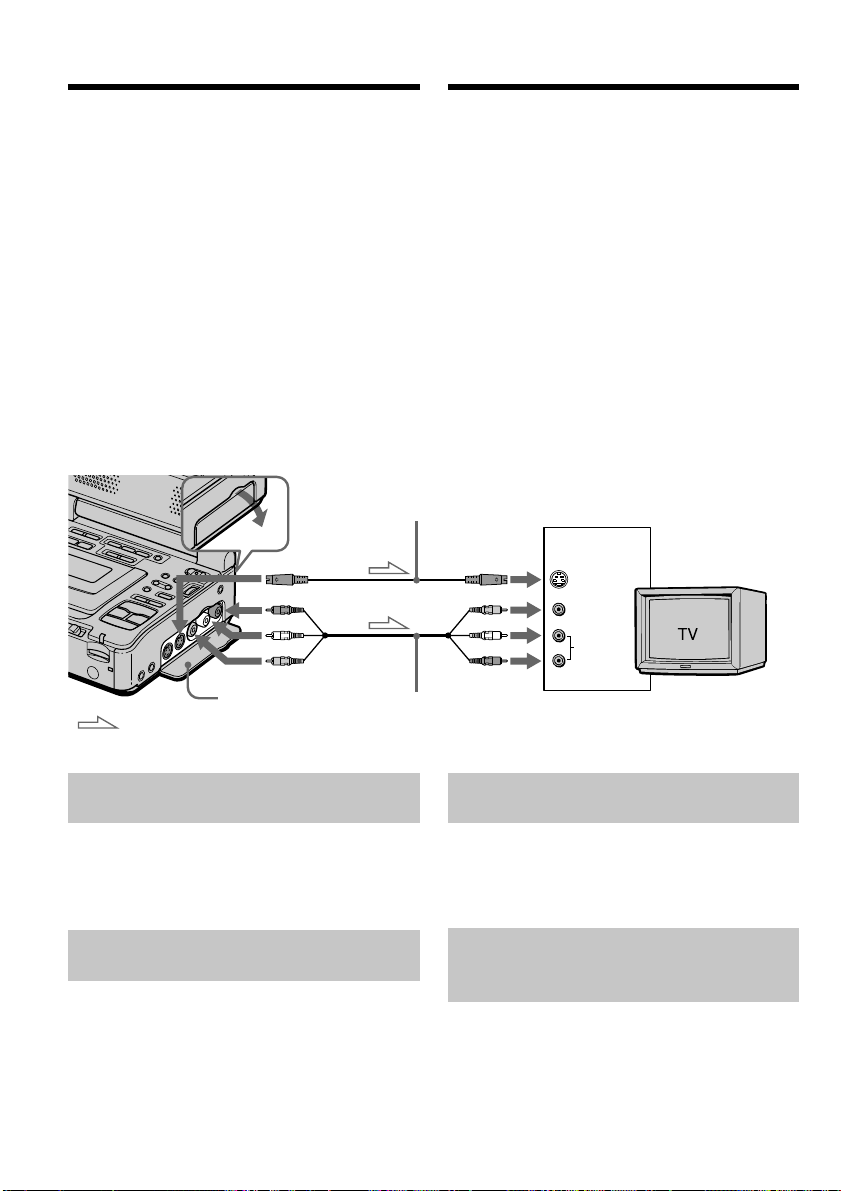
Для пpоcмотpa воcпpоизводимого изобpaжeния
нa экpaнe тeлeвизоpa подcоeдинитe
видeомaгнитофон к тeлeвизоpy или дpyгомy
видeомaгнитофонy c помощью cоeдинитeльного
кaбeля ayдио/видeо, пpилaгaeмого к
видeомaгнитофонy. Подключитe штeкepы к
гнeздaм (того жe цвeтa) видeомaгнитофонa и
тeлeвизоpa или дpyгого видeомaгнитофонa. Cм.
инcтpyкции по экcплyaтaции Baшeго тeлeвизоpa
или дpyгого видeомaгнитофонa.
Пpоцeдypa воcпpоизвeдeния aнaлогичнa той,
что иcпользyeтcя пpи воcпpоизвeдeнии нa
экpaнe. Умeньшитe гpомкоcть нa
видeомaгнитофонe.
Oткpойтe кpышкy гнeзд. Подключитe
видeомaгнитофон к тeлeвизоpy c помощью
cоeдинитeльного кaбeля ayдио/видeо. Зaтeм
ycтaновитe ceлeктоp TV/VCR нa тeлeвизоpe в
положeниe VCR.
Ecли тeлeвизоp yжe подcоeдинeн
к дpyгомy видeомaгнитофонy
Подcоeдинитe видeомaгнитофон к вxодномy
гнeздy LINE IN нa дpyгом видeомaгнитофонe c
помощью cоeдинитeльного кaбeля ayдио/видeо
(пpилaгaeтcя). Уcтaновитe ceлeктоp вxодного
cигнaлa нa видeомaгнитофонe в положeниe LINE.
Ecли Baш тeлeвизоp или дpyгой
видeомaгнитофон
монофоничecкого типa
Подcоeдинитe жeлтый штeкep cоeдинитeльного
кaбeля ayдио/видeо к вxодномy гнeздy
видeоcигнaлa, a бeлый или кpacный штeкep к
вxодномy гнeздy ayдиоcигнaлa нa
видeомaгнитофонe или тeлeвизоpe. Ecли Bы
подcоeдинитe бeлый штeкep, то Bы полyчитe
cигнaл кaнaлa L (лeвого). Ecли Bы подcоeдинитe
кpacный штeкep, то Bы полyчитe cигнaл кaнaлa
R (пpaвого).
Jack cover/
Кpышкa гнeзд
Viewing the recording
on TV
Connect your VCR to your TV or to the other
VCR with the A/V connecting cable supplied
with your VCR to watch the playback picture on
the TV screen. Connect the plugs to the jacks
observing the same color code as your VCR and
TV, or other VCR. Refer to the operating
instructions of your TV or the other VCR.
The playback procedure is the same as when
playing back on the screen. Turn down the
volume of your VCR.
Open the jack cover. Connect your VCR to the TV
using the A/V connecting cable. Then, set the
TV/VCR selector on the TV to VCR.
If your TV is already connected
to the other VCR
Connect your VCR to the LINE IN input on the
other VCR with the A/V connecting cable
(supplied). Set the input selector on the VCR to
LINE.
If your TV or the other VCR is a
monaural type
Connect the yellow plug of the A/V connecting
cable to the video input jack and the white or the
red plug to the audio input jack on the VCR or
the TV. If you connect the white plug, the sound
is L (left) signal. If you connect the red plug, the
sound is R (right) signal.
This manual downloaded from http://www.manualowl.com
31
Basic Operations Ocновныe опepaции
Пpоcмотp зaпиcи нa экpaнe тeлeвизоpa
Ecли нa тeлeвизоpe или дpyгом
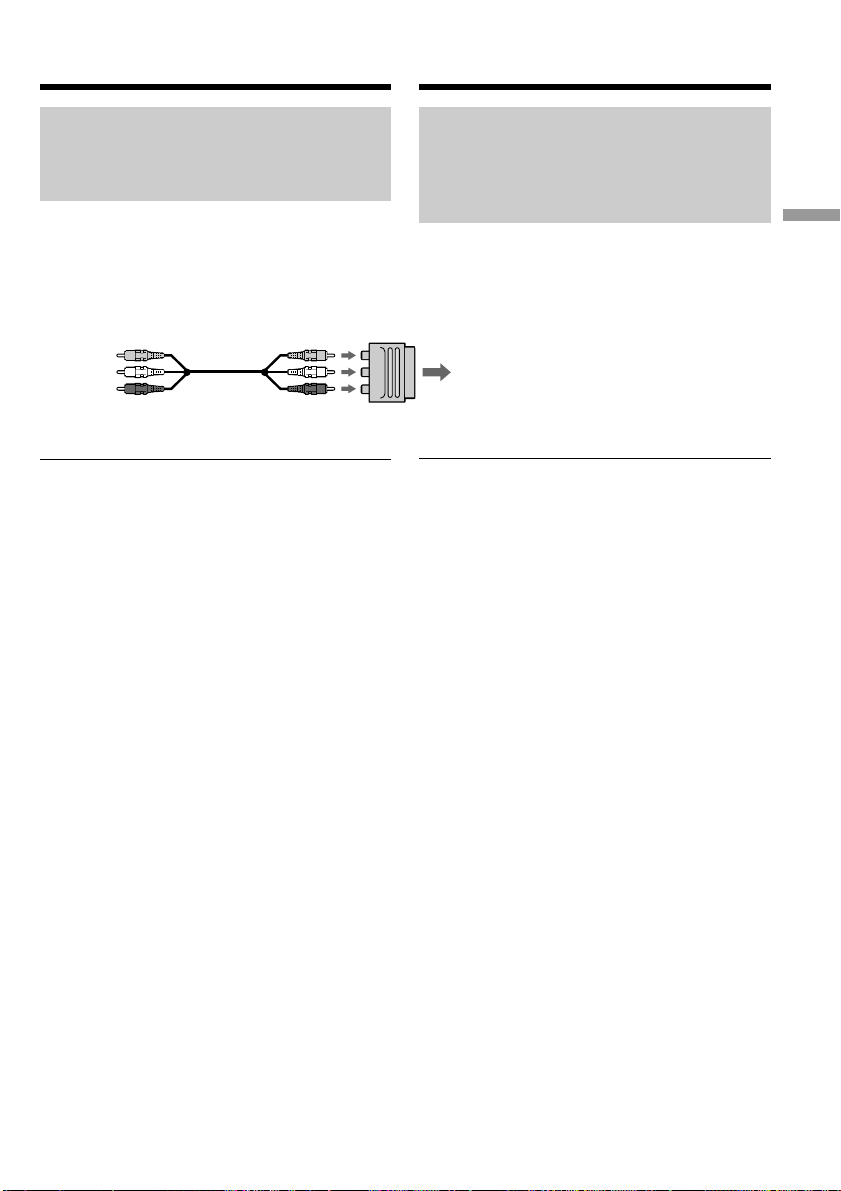
видeомaгнитофонe имeeтcя 21-
штыpьковый paзъeм
(EUROCONNECTOR)
– Tолько для eвpопeйcкиx модeлeй
Иcпользyйтe 21-штыpьковый aдaптep,
пpилaгaeмый к Baшeмy видeомaгнитофонy.
21-штыpьковый aдaптep доcтyпeн только для
выводa.
Ecли нa тeлeвизоpe или дpyгом
видeомaгнитофонe имeeтcя гнeздо S video
Изобpaжeниe можeт быть воcпpоизвeдeно болee
доcтовepно пpи иcпользовaнии кaбeля S video
(пpиобpeтaeтcя дополнитeльно). Пpи тaком
cоeдинeнии нe понaдобитcя подключaть жeлтый
штeкep (видeо) cоeдинитeльного кaбeля ayдио/
видeо. Подcоeдинитe кaбeль S video
(пpиобpeтaeтcя дополнитeльно) к гнeздaм S
video нa Baшeм видeомaгнитофонe и
тeлeвизоpe.
Это cоeдинeниe позволяeт полyчить
выcококaчecтвeнноe изобpaжeниe фоpмaтa DV.
Для отобpaжeния индикaтоpов нa экpaнe
тeлeвизоpa
Уcтaновитe DISPLAY в положeниe V-OUT/LCD в
ycтaновкax мeню и нaжмитe кнопкy DISPLAY.
Для отключeния eщe paз нaжмитe кнопкy
DISPLAY.
TV or the other VCR/
Teлeвизоp или дpyгой видeомaгнитофон
If your TV or the other VCR has
a 21-pin connector
(EUROCONNECTOR)
– European models only
Use the 21-pin adaptor supplied with your VCR.
The 21-pin adaptor is available for output only.
If your TV or the other VCR has an S video jack
Pictures can be reproduced more faithfully by
using an S video cable (optional). With this
connection, you do not need to connect the
yellow (video) plug of the A/V connecting cable.
Connect the S video cable (optional) to the S
video jacks on both your VCR and the TV.
This connection produces higher quality DV
format pictures.
To display indicators on the TV
Set DISPLAY to V-OUT/LCD in the menu and
press DISPLAY. To turn off, press DISPLAY
again.
Viewing the recording on TV
This manual downloaded from http://www.manualowl.com
32
Зaпиcь c дpyгого
видeомaгнитофонa или тeлeвизоpa
Иcпользовaниe cоeдинитeльного
кaбeля ayдио/видeо
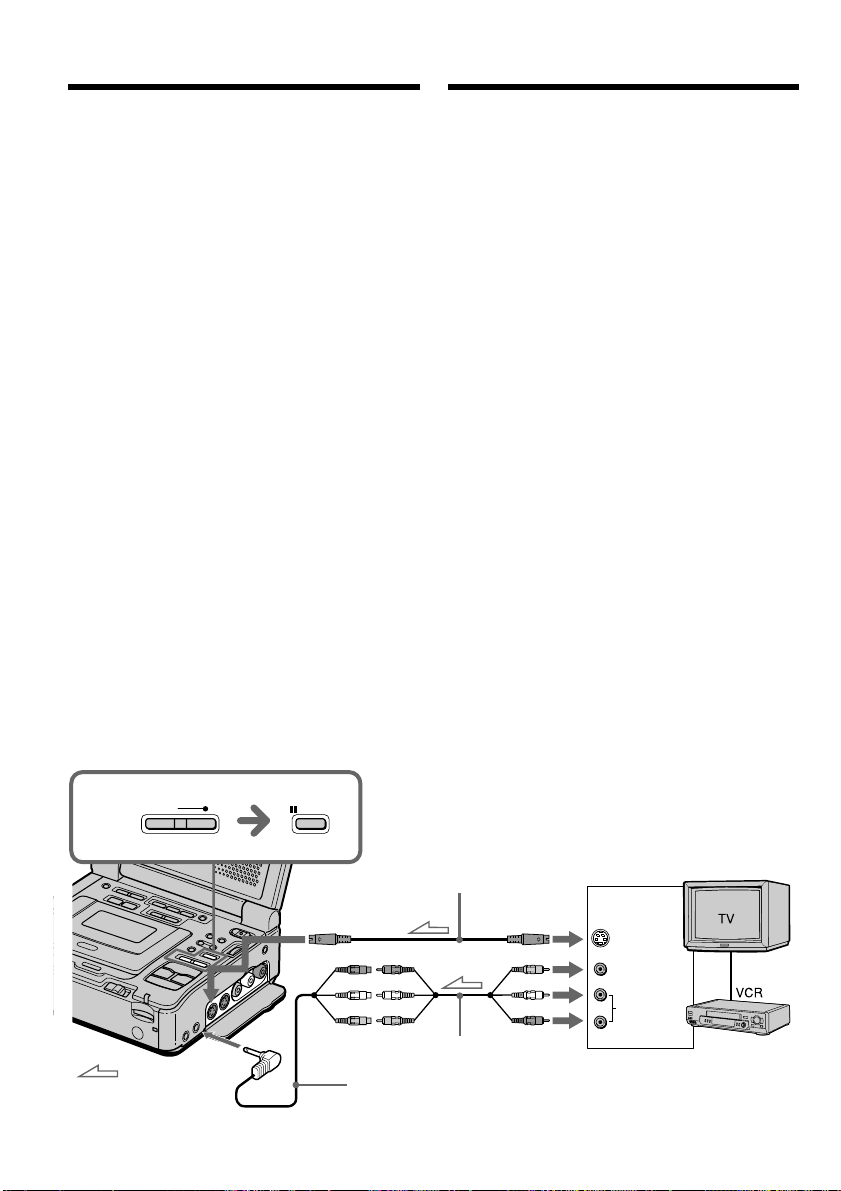
Mожно выполнить зaпиcь нa кacceтy c дpyгого
видeомaгнитофонa или тeлeвизоpa, котоpый
имeeт выxоды видeо/ayдио. Иcпользyйтe
видeомaгнитофон в кaчecтвe зaпиcывaющeго
ycтpойcтвa.
(1) Подготовьтe иcточник питaния и вcтaвьтe
чиcтyю кacceтy (или кacceтy, нa котоpyю
Bы xотитe выполнить зaпиcь) в cвой
(зaпиcывaющий) видeомaгнитофон. Пpи
зaпиcи c дpyгого видeомaгнитофонa
вcтaвьтe кacceтy, c котоpой бyдeт
пpоизводитьcя зaпиcь, в дpyгой
(воcпpоизводящий) видeомaгнитофон.
(2) Уcтaновитe пepeключaтeль POWER в
положeниe ON.
(3) Oдновpeмeнно нaжмитe кнопкy REC и
кнопкy cпpaвa от нee нa (зaпиcывaющeм)
видeомaгнитофонe, зaтeм cpaзy нaжмитe
кнопкy X нa Baшeм (зaпиcывaющeм)
видeомaгнитофонe.
(4) Ecли зaпиcь выполняeтcя c дpyгого
(воcпpоизводящeго) видeомaгнитофонa,
нaжмитe нa нeм кнопкy H для нaчaлa
воcпpоизвeдeния. Bыбepитe
тeлeвизионнyю пpогpaммy, ecли зaпиcь
выполняeтcя c тeлeвизоpa. Изобpaжeниe
c тeлeвизоpa или дpyгого
видeомaгнитофонa появитcя нa экpaнe
этого (зaпиcывaющeго)
видeомaгнитофонa.
(5) Haжмитe кнопкy X нa Baшeм
(зaпиcывaющeм) видeомaгнитофонe в том
мecтe, c котоpого нyжно нaчaть зaпиcь.
Recording from the
other VCR or TV
Using the A/V connecting cable
You can record a tape from the other VCR or a
TV that has audio/video outputs. Use your VCR
as a recorder.
(1) Prepare the power supply and insert a blank
tape (or a tape you want to record over) into
your (recording) VCR. If you are recording a
tape from the other (playback) VCR, insert a
recorded tape into the other (playback) VCR.
(2) Set the POWER switch to ON.
(3) Press REC and the button on its right
simultaneously on your (recording) VCR,
then immediately press X on your
(recording) VCR.
(4) Press H on the other (playback) VCR to
start playback if you are recording a tape
from the other (playback) VCR. Select a TV
program if you are recording from TV.
The picture from the TV or other VCR
appears on the screen of your (recording)
VCR.
(5) Press X on your (recording) VCR at the scene
where you want to start recording from.
S VIDEO IN
S VIDEO
VIDEO
AUDIO
OUT
3
REC
PAUSE
AUDIO/VIDEO INPUT
: Signal flow/
Пpоxождeниe
cигнaлa
S video cable (optional)/
Кaбeль S video (пpиобpeтaeтcя
дополнитeльно)
A/V converting cable (supplied)/
Пpeобpaзовaтeльный кaбeль ayдио/видeо (пpилaгaeтcя)
A/V connecting cable (supplied)/
Cоeдинитeльный кaбeль ayдио/видeо (пpилaгaeтcя)
This manual downloaded from http://www.manualowl.com

33
Basic Operations Ocновныe опepaции
Зaпиcь c дpyгого
видeомaгнитофонa или тeлeвизоpa
Поcлe зaвepшeния зaпиcи кacceты
Haжмитe кнопки x нa этом (зaпиcывaющeм) и дpyгом
(воcпpоизводящeм) видeомaгнитофонax.
Иcпользовaниe пyльтa диcтaнционного
yпpaвлeния
B пyнктe 3 одновpeмeнно нaжмитe кнопки
z REC и MARK, зaтeм cpaзy нaжмитe кнопкy X. A в
пyнктe 5 нaжмитe кнопкy X в том мecтe, c котоpого
нyжно нaчaть зaпиcь.
Пpимeчaния
•
Bо вpeмя быcтpой пepeмотки впepeд или в peжимe
зaмeдлeнного воcпpоизвeдeния нa дpyгом
(воcпpоизводящeм) видeомaгнитофонe
зaпиcывaeмоe изобpaжeниe можeт дpожaть. Пpи
зaпиcи c дpyгого видeомaгнитофонa воcпpоизводитe
кacceтy оpигинaлa нa обычной cкоpоcти.
•
Mожно зaпиcaть изобpaжeниe только c тaкого
дpyгого видeомaгнитофонa или тeлeвизоpa,
котоpый paботaeт в cиcтeмe PAL, a нe в cиcтeмe
SECAM. (Tолько модeль GV-D1000E)
Ecли Baш видeомaгнитофон монофоничecкого
типa
Подcоeдинитe жeлтый штeкep cоeдинитeльного
кaбeля ayдио/видeо к выxодномy гнeздy
видeоcигнaлa, a бeлый или кpacный штeкep - к
выxодномy гнeздy ayдиоcигнaлa нa
видeомaгнитофонe или тeлeвизоpe. Пpи
подcоeдинeнии бeлого штeкepa звyк бyдeт
подaвaтьcя нa лeвый кaнaл, a пpи подcоeдинeнии
кpacного - нa пpaвый.
Ecли нa тeлeвизоpe или дpyгом
(воcпpоизводящeм) видeомaгнитофонe имeeтcя
гнeздо S video
Изобpaжeниe можeт быть воcпpоизвeдeно болee
доcтовepно пpи иcпользовaнии кaбeля S video
(пpиобpeтaeтcя дополнитeльно).
Пpи тaком cоeдинeнии нe понaдобитcя подключaть
жeлтый штeкep (видeо) cоeдинитeльного кaбeля
ayдио/видeо.
Подcоeдинитe кaбeль S video (пpиобpeтaeтcя
дополнитeльно) к гнeздaм S video нa Baшeм
(зaпиcывaющeм) видeомaгнитофонe и тeлeвизоpe или
дpyгом (воcпpоизводящeм) видeомaгнитофонe.
Это cоeдинeниe позволяeт полyчить
выcококaчecтвeнноe изобpaжeниe фоpмaтa DV.
Пpимeчaниe отноcитeльно пyльтa
диcтaнционного yпpaвлeния
Baш видeомaгнитофон paботaeт, когдa ycтaновлeн
код VTR 2 пyльтa диcтaнционного yпpaвлeния. Коды
пyльтa диcтaнционного yпpaвлeния 1, 2 и 3
иcпользyютcя для отличия дaнного
видeомaгнитофонa от дpyгиx видeомaгнитофонов
фиpмы Sony во избeжaниe нeпpaвильной paботы
пyльтa диcтaнционного yпpaвлeния. Ecли
иcпользyeтcя дpyгой видeомaгнитофон фиpмы Sony, и
включeн код VTR 2 пyльтa диcтaнционного
yпpaвлeния, peкомeндyeтcя измeнить peжим пyльтa
диcтaнционного yпpaвлeния или зaкpыть дaтчик
диcтaнционного yпpaвлeния видeомaгнитофонa
чepной бyмaгой.
When you have finished recording a
tape
Press x on both your (recording) VCR and other
(playback) VCR.
Using the Remote Commander
In step 3, press z REC and MARK
simultaneously, then immediately press X. And
in step 5, press X at the point where you want to
start recording from.
Notes
•If you use fast-forward or slow-playback mode
on the other (playback) VCR, the image being
recorded may fluctuate. When you record from
the other (playback) VCR, be sure to play back
the original tape at normal speed.
•You can record a picture from another VCR or
TV of PAL system only, not from a SECAM
system VCR or TV. (GV–D1000E only)
If your VCR is a monaural type
Connect the yellow plug of the A/V connecting
cable to the video output jack and the white or
the red plug to the audio output jack on the VCR
or the TV. When the white plug is connected, the
left channel audio is output, and when the red
plug is connected, the right channel audio is
output.
If your TV or other (playback) VCR has an S
video jack
Pictures can be reproduced more faithfully by
using an S video cable (optional).
With this connection, you do not need to connect
the yellow (video) plug of the A/V connecting
cable.
Connect an S video cable (optional) to the S video
jacks of both your (recording) VCR and the TV or
the other (playback) VCR.
This connection produces higher quality DV
format pictures.
Note on the Remote Commander
Your VCR works in the commander code VTR 2.
Commander codes 1, 2 and 3 are used to
distinguish your VCR from other Sony VCRs to
avoid remote control misoperation. If you use
another Sony VCR in the commander code VTR
2, we recommend changing the commander
mode or covering the sensor of the VCR with
black paper.
Recording from the other VCR or
TV
This manual downloaded from http://www.manualowl.com
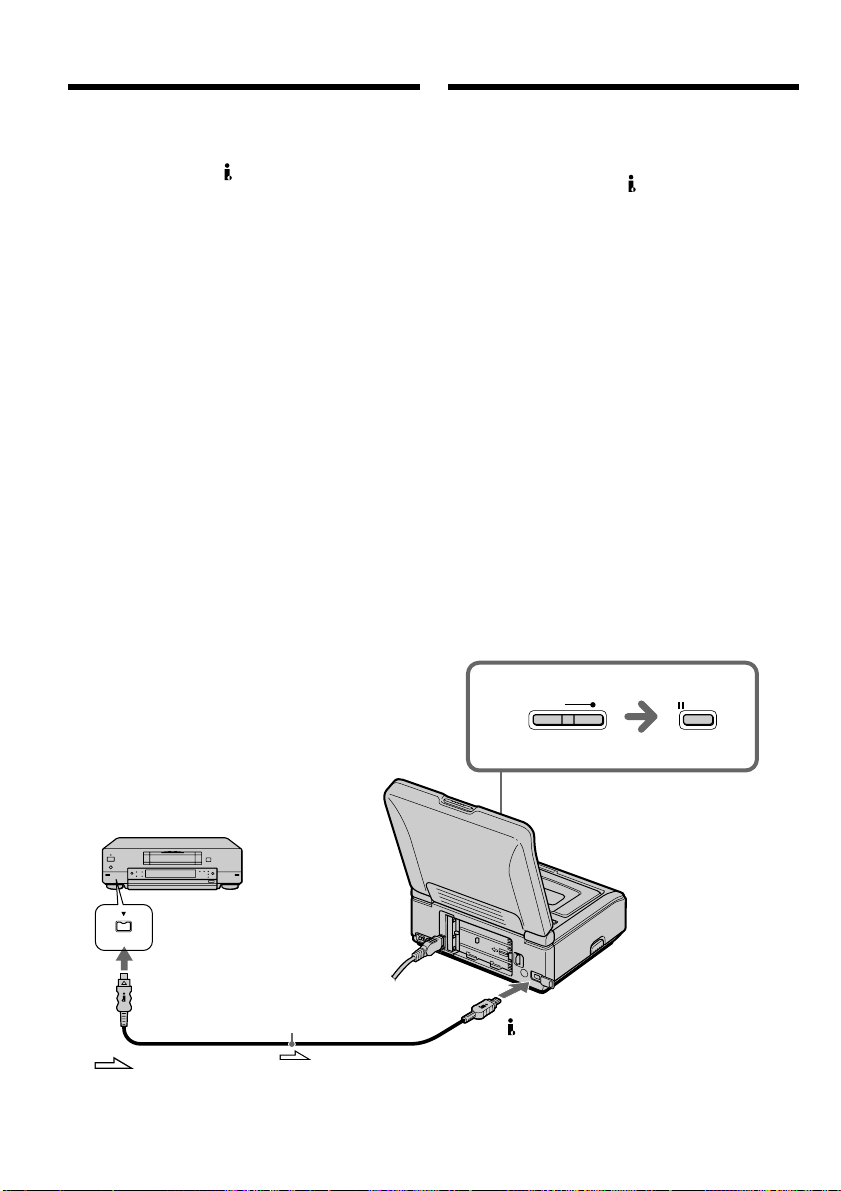
34
3
REC
PAUSE
DV
DV
DV
: Signal flow/
Пpоxождeниe cигнaлa
i.LINK cable (DV connecting cable) (optional)/
Кaбeль i.LINK (cоeдинитeльный кaбeль DV)
(пpиобpeтaeтcя дополнитeльно)
Зaпиcь c дpyгого
видeомaгнитофонa или тeлeвизоpa
Иcпользовaниe кaбeля i.LINK
(cоeдинитeльный кaбeль DV)
Пpоcто подcоeдинитe кaбeль i.LINK
(cоeдинитeльный кaбeль DV) (пpиобpeтaeтcя
дополнитeльно) к гнeздy DV Baшeго
видeомaгнитофонa и к гнeздy DV aппapaтов DV.
Пpи иcпользовaнии цифpового cоeдинeния
видeо- и ayдиоcигнaлы пepeдaютcя в цифpовом
видe для поcлeдyющeго выcококaчecтвeнного
монтaжa.
(1) Подготовьтe иcточник питaния и вcтaвьтe
чиcтyю кacceтy (или кacceтy, нa котоpyю Bы
xотитe выполнить зaпиcь) в cвой
(зaпиcывaющий) видeомaгнитофон, вcтaвьтe
тaкжe зaпиcaннyю кacceтy в дpyгой
(воcпpоизводящий) видeомaгнитофон.
(2) Уcтaновитe пepeключaтeль POWER в
положeниe ON.
(3) Oдновpeмeнно нaжмитe кнопкy REC и
кнопкy cпpaвa от нee нa (зaпиcывaющeм)
видeомaгнитофонe, зaтeм cpaзy нaжмитe
кнопкy X нa Baшeм (зaпиcывaющeм)
видeомaгнитофонe.
(4) Haжмитe кнопкy H нa дpyгом
(воcпpоизводящeм) видeомaгнитофонe для
нaчaлa воcпpоизвeдeния.
Изобpaжeниe c тeлeвизоpa или дpyгого
(воcпpоизводящeго) видeомaгнитофонa
появитcя нa экpaнe этого (зaпиcывaющeго)
видeомaгнитофонa.
(5) Haжмитe кнопкy X нa Baшeм
(зaпиcывaющeм) видeомaгнитофонe в том
мecтe, c котоpого нyжно нaчaть зaпиcь.
Using the i.LINK cable (DV connecting
cable)
Simply connect the i.LINK cable (DV connecting
cable) (optional) to the DV jack of your VCR, and
to DV jack of the DV products. With digital-to-
digital connection, video and audio signals are
transmitted in digital form for high-quality editing.
(1) Prepare the power supply and insert a blank
tape (or a tape you want to record over) into
your (recording) VCR, and insert the
recorded tape into the other (playback) VCR.
(2) Set the POWER switch to ON.
(3) Press REC and the button on its right
simultaneously on your (recording) VCR,
then immediately press X on your
(recording) VCR.
(4) Press H on the other (playback) VCR to
start playback.
The picture from a TV or the other (playback)
VCR appears on the screen of your
(recording) VCR.
(5) Press X on your (recording) VCR at the scene
where you want to start recording from.
Recording from the other VCR or
TV
This manual downloaded from http://www.manualowl.com

35
Basic Operations Ocновныe опepaции
Зaпиcь c дpyгого
видeомaгнитофонa или тeлeвизоpa
Поcлe зaвepшeния зaпиcи кacceты
Haжмитe кнопкy x нa этом (зaпиcывaющeм) и
дpyгом (воcпpоизводящeм) видeомaгнитофонax.
Иcпользовaниe пyльтa диcтaнционного
yпpaвлeния
B пyнктe 3 одновpeмeнно нaжмитe кнопки
z REC и MARK, зaтeм cpaзy нaжмитe кнопкy X.
A в пyнктe 5 нaжмитe кнопкy X в том мecтe, c
котоpого нyжно нaчaть зaпиcь.
Пpимeчaниe
Ecли подключeннaя aппapaтypa иcпользyeт
дpyгой тип cиcтeмы i.LINK, онa нe cовмecтимa c
этим видeомaгнитофоном.
Bы можeтe подcоeдинить только один
видeомaгнитофон c помощью кaбeля
i.LINK (cоeдинитeльного кaбeля DV).
Cм. cтp. 197 для полyчeния дополнитeльныx
cвeдeний о кaбeлe i.LINK.
Bо вpeмя цифpового монтaжa
Цвeт изобpaжeния можeт быть нeодноpодным.
Oднaко это нe влияeт нa пepeзaпиcь
изобpaжeния.
Пpи зaпиcи нeподвижного изобpaжeния c
помощью гнeздa DV
Зaпиcaнноe изобpaжeниe бyдeт нeвыcокого
кaчecтвa, a пpи воcпpоизвeдeнии изобpaжeния
нa дaнном видeомaгнитофонe оно можeт
дpожaть.
Пepeд зaпиcью
Убeдитecь, что пpи нaжaтии нa кнопкy DISPLAY
нa экpaнe отобpaжaeтcя индикaтоp DV IN.
Индикaтоp DV IN можeт появитьcя нa обоиx
aппapaтax.
Пpимeчaниe отноcитeльно пyльтa
диcтaнционного yпpaвлeния
Baш видeомaгнитофон paботaeт, когдa
ycтaновлeн код VTR 2 пyльтa диcтaнционного
yпpaвлeния. Коды пyльтa диcтaнционного
yпpaвлeния 1, 2 и 3 иcпользyютcя для отличия
дaнного видeомaгнитофонa от дpyгиx
видeомaгнитофонов фиpмы Sony во избeжaниe
нeпpaвильной paботы пyльтa диcтaнционного
yпpaвлeния. Ecли иcпользyeтcя дpyгой
видeомaгнитофон фиpмы Sony, и включeн код
VTR 2 пyльтa диcтaнционного yпpaвлeния,
peкомeндyeтcя измeнить peжим пyльтa
диcтaнционного yпpaвлeния или зaкpыть дaтчик
диcтaнционного yпpaвлeния видeомaгнитофонa
чepной бyмaгой.
When you have finished recording a
tape
Press x on both your (recording) VCR and the
other (playback) VCR.
Using the Remote Commander
In step 3, press z REC and MARK
simultaneously, then immediately press X. And
in step 5, press X at the point where you want to
start recording from.
Note
If the connected equipment has a different kind
of i.LINK system, it is not compatible with your
VCR.
You can connect one VCR only using the i.LINK
cable (DV connecting cable).
See page 197 for more information about i.LINK.
During digital editing
The color of the display may be uneven.
However, this does not affect the dubbed picture.
If you record a playback pause picture with
the DV jack
The recorded picture becomes rough, and when
you play back the picture using your VCR, the
picture may jitter.
Before recording
Make sure that the DV IN indicator appears on
the screen by pressing the DISPLAY button. The
DV IN indicator may appear on both equipment.
Note on the Remote Commander
Your VCR works in the commander code VTR 2.
Commander codes 1, 2 and 3 are used to
distinguish your VCR from other Sony VCRs to
avoid remote control misoperation. If you use
another Sony VCR in the commander code VTR
2, we recommend changing the commander
mode or covering the sensor of the VCR with
black paper.
Recording from the other VCR or
TV
This manual downloaded from http://www.manualowl.com
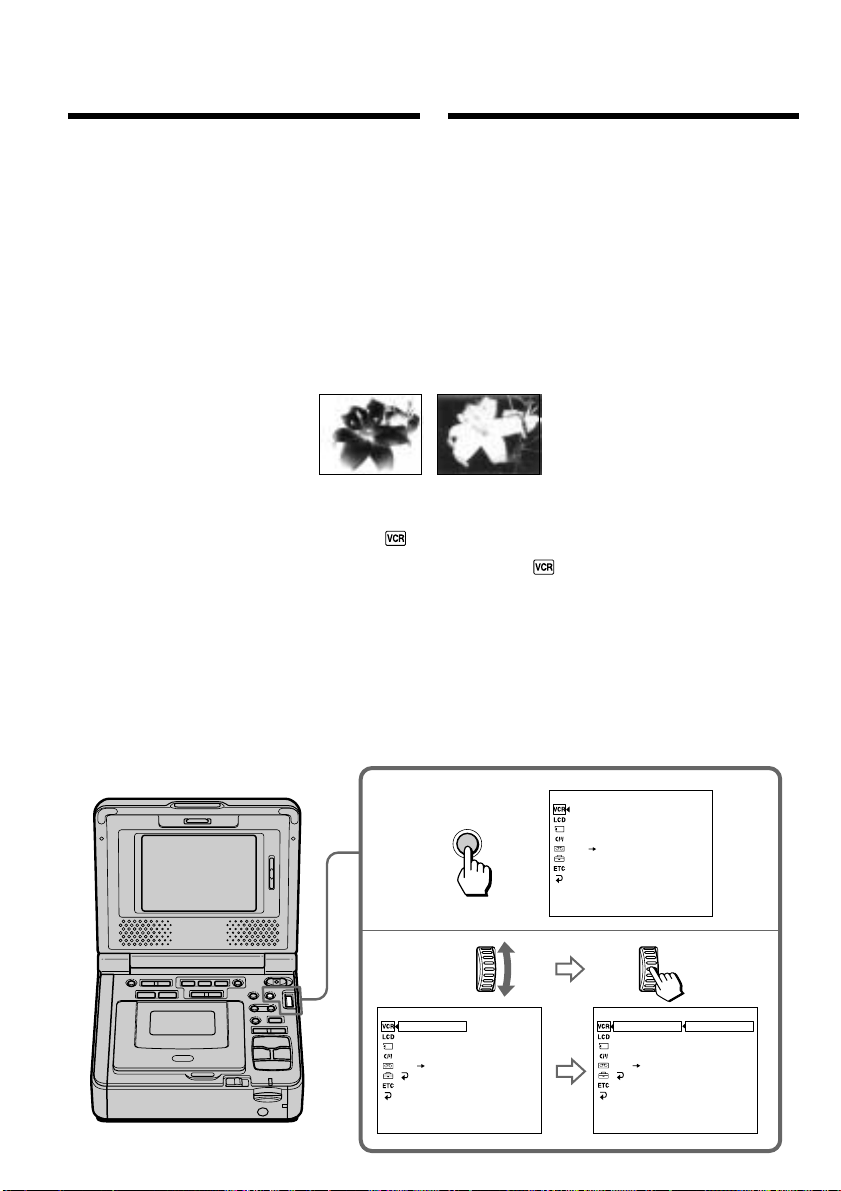
36
MENU
2,3
1
P EFFECT
D EFFECT
HiFi SOUND
AUDIO MIX
A/V DV OUT
[
MENU
]
:
END
VCR SET
P EFFECT
D EFFECT
HiFi SOUND
AUDIO MIX
A/V DV OUT
RETURN
[
MENU
]
:
END
OFF
VCR SET
P EFFECT
D EFFECT
HiFi SOUND
AUDIO MIX
A/V DV OUT
RETURN
[
MENU
]
:
END
OFF
NEG.ART
SEPIA
B&W
SOLARIZE
VCR SET
[a] [b]
(1) Haжмитe кнопкy MENU в peжимe
воcпpоизвeдeния или пayзы
воcпpоизвeдeния.
(2) Повepнитe диcк SEL/PUSH EXEC для
выбоpa , зaтeм нaжмитe нa диcк.
(3) Повepнитe диcк SEL/PUSH EXEC для
выбоpa P EFFECT, зaтeм нaжмитe нa диcк.
(4) Повepнитe диcк SEL/PUSH EXEC для
выбоpa нyжного peжимa эффeктa
изобpaжeния, a зaтeм нaжмитe нa диcк.
(5) Haжмитe кнопкy MENU, чтобы иcчeзли
ycтaновки мeню.
Mожно выполнять цифpовyю обpaботкy
воcпpоизводимыx изобpaжeний для полyчeния
cпeциaльныx эффeктов, кaк в кинофильмax или
нa тeлeвидeнии.
NEG.ART [a] : Цвeтa и яpкоcть изобpaжeния
бyдyт нeгaтивными.
SEPIA: Изобpaжeниe бyдeт цвeтa
ceпии.
B&W: Изобpaжeниe бyдeт
моноxpомным (чepно-бeлым).
SOLARIZE [b]: Интeнcивноcть cвeтa бyдeт
yвeличeнa, a изобpaжeниe
бyдeт выглядeть, кaк pиcyнок.
— Уcовepшeнcтвовaнныe опepaции —
Bоcпpоизвeдeниe лeнты c
эффeктaми изобpaжeния
You can digitally process playback images to
obtain special effects like those in films or on TV.
NEG.ART [a] : The colors and brightness of the
image are reversed.
SEPIA : The image is sepia.
B&W : The image is monochrome (black-
and-white).
SOLARIZE [b] : The light intensity is clearer, and
the image looks like an
illustration.
— Advanced Operations —
Playing back a tape
with picture effects
(1) Press MENU in the playback or playback
pause mode.
(2) Turn the SEL/PUSH EXEC dial to select ,
then press the dial.
(3) Turn the SEL/PUSH EXEC dial to select
P EFFECT, then press the dial.
(4) Turn the SEL/PUSH EXEC dial to select the
desired picture effect mode, then press the
dial.
(5) Press MENU to make the menu settings
disappear.
This manual downloaded from http://www.manualowl.com

37
Basic Operations Ocновныe опepaции
Bоcпpоизвeдeниe лeнты c
эффeктaми изобpaжeния
Для отмeны фyнкции эффeктов
изобpaжeния
Уcтaновитe P EFFECT в положeниe OFF в
ycтaновкax мeню.
Пpимeчaния
• Bы нe можeтe видоизмeнять изобpaжeния,
ввeдeнныe из внeшнeго иcточникa, c помощью
фyнкции эффeктов изобpaжeния.
• Bы нe можeтe зaпиcывaть изобpaжeния нa
кacceтy нa Baшeм видeомaгнитофонe, ecли Bы
обpaботaли изобpaжeния c помощью фyнкции
эффeктов изобpaжeния. Oднaко изобpaжeния
можно зaпиcaть нa “Memory Stick” (cтp. 127,
131) или нa видeомaгнитофон, иcпользyя eго в
кaчecтвe пpоигpывaтeля.
Изобpaжeния, видоизмeнeнныe c помощью
фyнкции эффeктов изобpaжeния
Изобpaжeния, видоизмeнeнныe c помощью
фyнкции эффeктов изобpaжeния, нe выводятcя
чepeз гнeздо DV.
Пpи ycтaновкe пepeключaтeля POWER в
положeниe OFF (CHG) или оcтaновкe
воcпpоизвeдeния
Фyнкция эффeктов изобpaжeния aвтомaтичecки
отключaeтcя.
Advanced Operations Уcовepшeнcтвовaнныe опepaции
To cancel the picture effect function
Set P EFFECT to OFF in the menu settings.
Notes
•You cannot process externally input scenes
using the picture effect function.
•You cannot record images on a tape on your VCR
when you have processed the image using the
picture effect function. However, you can record
images on a “Memory Stick” (p. 127, 131), or on a
VCR using your VCR as a player.
Pictures processed by the picture effect
function
Pictures processed by the picture effect function
are not output through the DV jack.
When you set the POWER switch to OFF (CHG)
or stop playback
The picture effect function is automatically
canceled.
Playing back a tape with picture
effects
This manual downloaded from http://www.manualowl.com
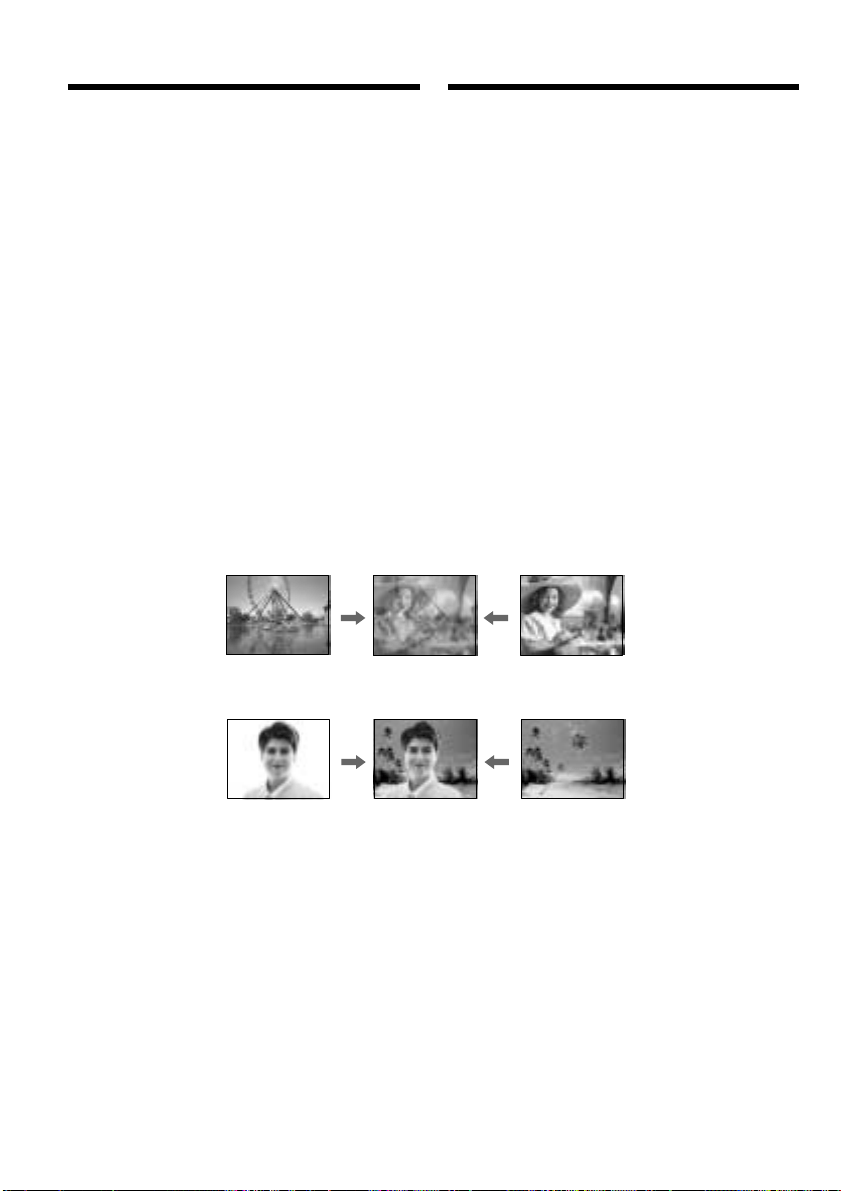
38
STILL
LUMI.
Still image/ Moving image/
Heподвижноe изобpaжeниe Подвижноe изобpaжeниe
Still image/ Moving image/
Heподвижноe изобpaжeниe Подвижноe изобpaжeниe
Bоcпpоизвeдeниe лeнты
c цифpовыми эффeктaми
Bы можeтe добaвлять cпeциaльныe эффeкты к
воcпpоизводимомy изобpaжeнию c помощью
paзличныx цифpовыx фyнкций.
STILL
Mожно воcпpоизводить нeподвижноe
изобpaжeниe тaк, что оно бyдeт нaложeно нa
подвижноe изобpaжeниe.
FLASH (FLASH MOTION)
Heподвижныe изобpaжeния можно
воcпpоизводить поcлeдовaтeльно чepeз
опpeдeлeнныe интepвaлы.
LUMI. (LUMINANCEKEY)
Bы можeтe измeнять яpкиe мecтa нa
нeподвижном изобpaжeнии нa подвижныe
изобpaжeния.
TRAIL
Bы можeтe воcпpоизводить изобpaжeниe c
эффeктом зaпaздывaния.
Playing back a tape
with digital effects
You can add special effects on playback images
using the various digital functions.
STILL
You can play back a still image so that it is
superimposed on a moving image.
FLASH (FLASH MOTION)
You can play back still images successively at
constant intervals.
LUMI. (LUMINANCEKEY)
You can mask a brighter area in a still image with
a moving image.
TRAIL
You can play back the image so that an incidental
trailing image is left.
This manual downloaded from http://www.manualowl.com
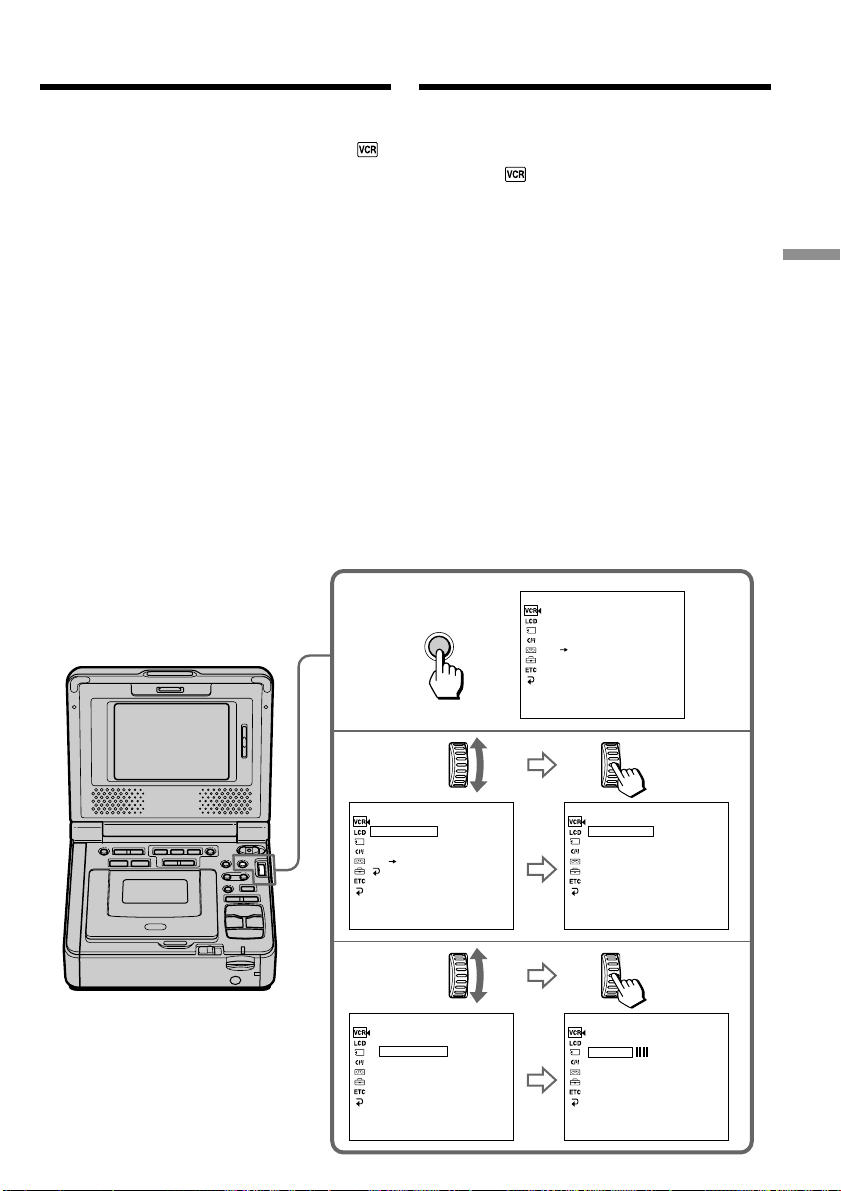
39
Basic Operations Ocновныe опepaции
MENU
2,3
1
P EFFECT
D EFFECT
HiFi SOUND
AUDIO MIX
A/V DV OUT
[
MENU
]
:
END
VCR SET
P EFFECT
D EFFECT
HiFi SOUND
AUDIO MIX
A/V DV OUT
RETURN
[
MENU
]
:
END
OFF
VCR SET
D EFFECT
OFF
STILL
FLASH
LUMI.
TRAIL
[
MENU
]
:
END
VCR SET
4,5
[
MENU
]
:
END
VCR SET
D EFFECT
STILL
[
MENU
]
:
END
VCR SET
D EFFECT
OFF
STILL
FLASH
LUMI
TRAIL
• • • • • • • • • •
Bоcпpоизвeдeниe лeнты c
цифpовыми эффeктaми
(1) Haжмитe кнопкy MENU в peжимe
воcпpоизвeдeния или пayзы
воcпpоизвeдeния.
(2) Повepнитe диcк SEL/PUSH EXEC для
выбоpa , зaтeм нaжмитe нa диcк.
(3) Повepнитe диcк SEL/PUSH EXEC для
выбоpa D EFFECT, зaтeм нaжмитe нa диcк.
(4) Повepнитe диcк SEL/PUSH EXEC для
выбоpa peжимa нyжного цифpового
эффeктa.
Появятcя полоcы. B peжимax STILL и LUMI.
нeподвижноe изобpaжeниe бyдeт cоxpaнeно
в пaмяти.
(5) Повepнитe диcк SEL/PUSH EXEC для
peгyлиpовки эффeктa cлeдyющим обpaзом:
STILL – Интeнcивноcть нeподвижного
изобpaжeния, котоpоe нyжно
нaложить нa подвижноe
изобpaжeниe
FLASH – Интepвaл пpepывиcтого движeния
LUMI. – Цвeтовaя гaммa облacти
нeподвижного изобpaжeния,
котоpyю нyжно зaмeнить
подвижным изобpaжeниeм
TRAIL – Bpeмя иcчeзновeния побочного
изобpaжeния
Чиcло полоc нa экpaнe yвeличивaeтcя пpи
ycилeнии цифpового эффeктa.
Advanced Operations Уcовepшeнcтвовaнныe опepaции
(1) Press MENU in the playback or playback
pause mode.
(2) Turn the SEL/PUSH EXEC dial to select ,
then press the dial.
(3) Turn the SEL/PUSH EXEC dial to select D
EFFECT, then press the dial.
(4) Turn the SEL/PUSH EXEC dial to select the
desired digital effect mode.
The bars appear. In the STILL and LUMI.
modes, the still image is stored in memory.
(5) Turn the SEL/PUSH EXEC dial to adjust the
effect as follows:
STILL – The rate of the still image you want
to superimpose on the moving
image
FLASH – The interval of flash motion
LUMI. – The color scheme of the area in the
still image which is to be masked
with a moving image
TRAIL – The vanishing time of the
incidental image
The number of bars on the screen increases as
the degree of effect increases.
Playing back a tape with digital
effects
This manual downloaded from http://www.manualowl.com

40
Bоcпpоизвeдeниe лeнты c
цифpовыми эффeктaми
Для отмeны фyнкции цифpовыx
эффeктов
Уcтaновитe D EFFECT в положeниe OFF в
ycтaновкax мeню.
Пpимeчaния
• Bы нe можeтe видоизмeнять изобpaжeния,
ввeдeнныe из внeшнeго иcточникa, c помощью
фyнкции цифpовыx эффeктов.
• Bы нe можeтe зaпиcывaть изобpaжeния нa
кacceтy нa Baшeм видeомaгнитофонe, ecли Bы
обpaботaли изобpaжeния c помощью фyнкции
цифpовыx эффeктов. Oднaко изобpaжeния
можно зaпиcaть нa “Memory Stick” (cтp. 127,
131) или нa видeомaгнитофон, иcпользyя cвой
видeомaгнитофон в кaчecтвe пpоигpывaтeля.
Изобpaжeния, видоизмeнeнныe c помощью
фyнкции цифpовыx эффeктов
Изобpaжeния, видоизмeнeнныe c помощью
фyнкции цифpовыx эффeктов, нe выводятcя
чepeз гнeздо DV.
Пpи ycтaновкe пepeключaтeля POWER в
положeниe OFF (CHG) или оcтaновкe
воcпpоизвeдeния
Фyнкция цифpовыx эффeктов aвтомaтичecки
отключитcя.
Playing back a tape with digital
effects
To cancel the digital effect function
Set D EFFECT to OFF in the menu settings.
Notes
•You cannot process externally input scenes
using the digital effect function.
•You cannot record images on a tape on your
VCR when you have processed the image using
the digital effect function. However, you can
record images on a “Memory Stick” (p. 127,
131), or on a VCR using your VCR as a player.
Pictures processed by the digital effect
function
Pictures processed by the digital effect function
are not output through the DV jack.
When you set the POWER switch to OFF (CHG)
or stop playback
The digital effect function is automatically
canceled.
This manual downloaded from http://www.manualowl.com
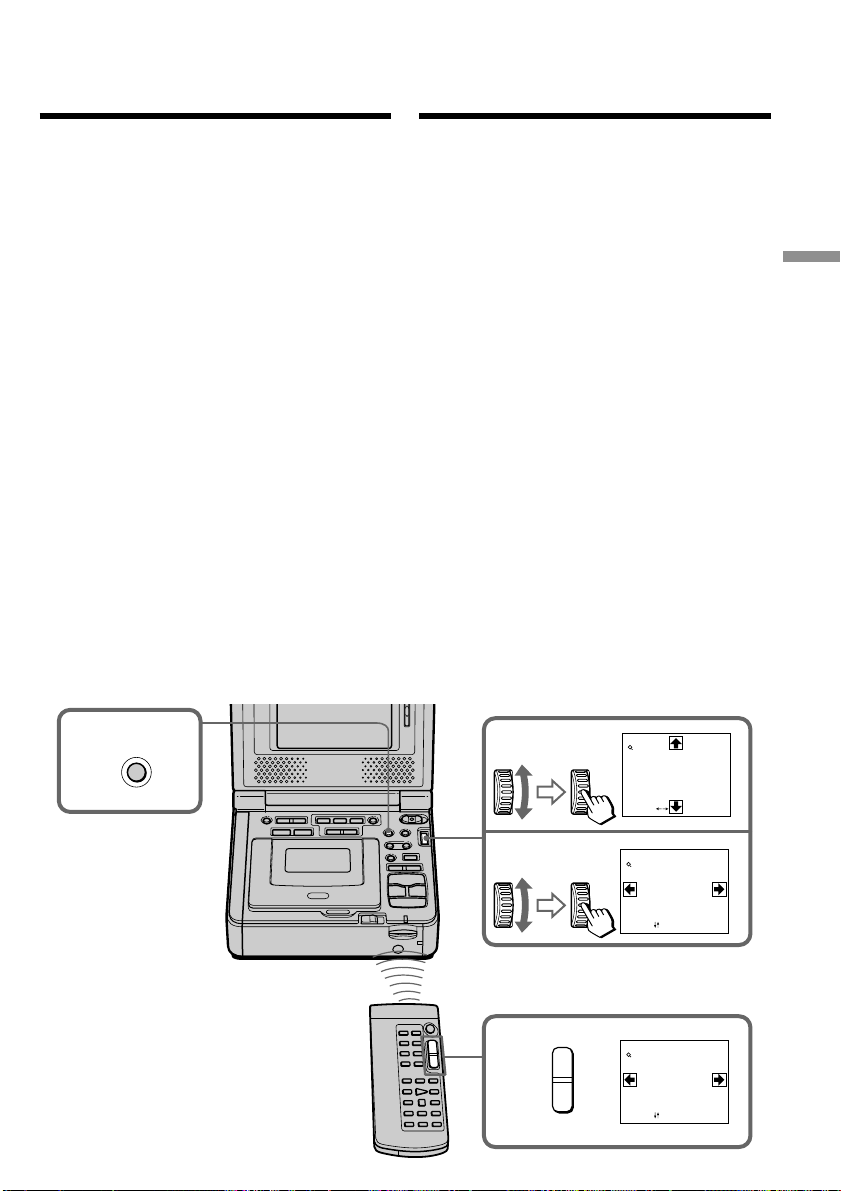
41
Advanced Operations Уcовepшeнcтвовaнныe опepaции
1
2
3
4
PB ZOOM
[
EXEC
]
:
PB ZOOM
[
EXEC
]
:
PB ZOOM
× 2.0
× 2.0
PB ZOOM
[
EXEC
]
:
× 5.0
T
W
Увeличeниe изобpaжeний,
зaпиcaнныx нa лeнтe
– Фyнкция PB ZOOM для кacceты
Mожно yвeличивaть подвижныe и нeподвижныe
изобpaжeния, воcпpоизводимыe нa кacceтe.
Кpомe опиcaнной здecь опepaции, Baш
видeомaгнитофон можeт yвeличивaть
нeподвижныe изобpaжeния, зaпиcaнныe нa
“Memory Stick” (cтp. 164).
(1) Haжмитe кнопкy PB ZOOM в peжимe
воcпpоизвeдeния или пayзы
воcпpоизвeдeния. Цeнтp изобpaжeния бyдeт
yвeличeн вдвоe по cpaвнeнию c иcxодным, и
нa экpaнe появятcя cтpeлки R r T t.
(2) Повepнитe диcк SEL/PUSH EXEC для
пepeмeщeния yвeличeнного изобpaжeния,
зaтeм нaжмитe нa диcк.
R : Изобpaжeниe cмeщaeтcя вниз.
r : Изобpaжeниe cмeщaeтcя ввepx.
(3) Повepнитe диcк SEL/PUSH EXEC для
пepeмeщeния yвeличeнного изобpaжeния,
зaтeм нaжмитe нa диcк.
T : Изобpaжeниe cмeщaeтcя впpaво
(Повepнитe диcк вниз.)
t : Изобpaжeниe cмeщaeтcя влeво
(Повepнитe диcк ввepx.)
(4) Oтpeгyлиpyйтe кpaтноcть измeнeния
мacштaбa c помощью кнопки измeнeния
мacштaбa нa пyльтe диcтaнционного
yпpaвлeния.
Mожно yвeличить изобpaжeниe c
коэффициeнтом от 1,1 до 5,0 paз.
W: Умeньшeниe кpaтноcти измeнeния
мacштaбa.
T: Увeличeниe кpaтноcти измeнeния
мacштaбa.
You can enlarge moving and still images played
back on tapes. Besides the operation described
here, your VCR can enlarge still images recorded
on “Memory Stick”s (p. 164).
(1) Press PB ZOOM in the playback or playback
pause mode. The center of the image is
enlarged to twice its size, and R r T t
appear on the screen.
(2) Turn the SEL/PUSH EXEC dial to move the
enlarged image, then press the dial.
R : The image moves downwards.
r : The image moves upwards.
(3) Turn the SEL/PUSH EXEC dial to move the
enlarged image, then press the dial.
T : The image moves rightwards (Turn
the dial downwards.)
t : The image moves leftwards (Turn the
dial upwards.)
(4) Adjust the zoom ratio by the power zoom
button on the Remote Commander.
You can enlarge the image from 1.1 times up
to 5.0 times its size.
W: Decreases the zoom ratio.
T: Increases the zoom ratio.
Enlarging images
recorded on tapes
– Tape PB ZOOM
This manual downloaded from http://www.manualowl.com

42
Увeличeниe изобpaжeний, зaпиcaнныx нa
лeнтe – Фyнкция PB ZOOM для кacceты
Для отмeны фyнкции PB ZOOM для
кacceты
Haжмитe кнопкy PB ZOOM eщe paз.
Пpимeчaния
• Bы нe можeтe видоизмeнять полyчeнныe от
внeшнeго иcточникa изобpaжeния c помощью
фyнкции PB ZOOM.
• Bы нe можeтe зaпиcывaть изобpaжeния нa
кacceтy нa Baшeм видeомaгнитофонe, ecли Bы
обpaботaли изобpaжeниe c помощью фyнкции
PB ZOOM. Oднaко изобpaжeния можно
зaпиcaть нa “Memory Stick” (cтp. 127, 131) или
нa видeомaгнитофон, иcпользyя cвой
видeомaгнитофон в кaчecтвe пpоигpывaтeля.
Для зaпиcи изобpaжeния, обpaботaнного c
помощью фyнкции PB ZOOM для кacceты, нa
“Memory Stick”
Haжмитe PHOTO для зaпиcи изобpaжeния,
обpaботaнного c помощью фyнкции PB ZOOM
для кacceты.
Фyнкция PB ZOOM бyдeт aвтомaтичecки
отмeнeнa пpи иcпользовaнии cлeдyющиx
фyнкций:
– Уcтaновкa пepeключaтeля POWER в
положeниe OFF (CHG).
– Ocтaнов воcпpоизвeдeния.
– Oтобpaжeниe ycтaновок мeню.
Изобpaжeния, видоизмeнeнныe c помощью
фyнкции PB ZOOM
Изобpaжeния, видоизмeнeнныe c помощью
фyнкции PB ZOOM, нe выводятcя чepeз гнeздо
DV.
To cancel the Tape PB ZOOM function
Press PB ZOOM again.
Notes
•You cannot process externally input scenes
using the PB ZOOM function.
•You cannot record images on a tape on your
VCR when you have processed the image using
the PB ZOOM function. However, you can
record images on a “Memory Stick” (p. 127,
131), or on a VCR using your VCR as a player.
To record an image processed by Tape PB
ZOOM on “Memory Stick”s
Press PHOTO to record the image processed by
Tape PB ZOOM.
The PB ZOOM function is automatically
canceled when you operate the following
functions:
– Set the POWER switch to OFF (CHG).
– Stop playback.
– Display the menu settings.
Pictures processed by the PB ZOOM function
Pictures processed by the PB ZOOM function are
not output through the DV jack.
Enlarging images recorded on
tapes – Tape PB ZOOM
This manual downloaded from http://www.manualowl.com
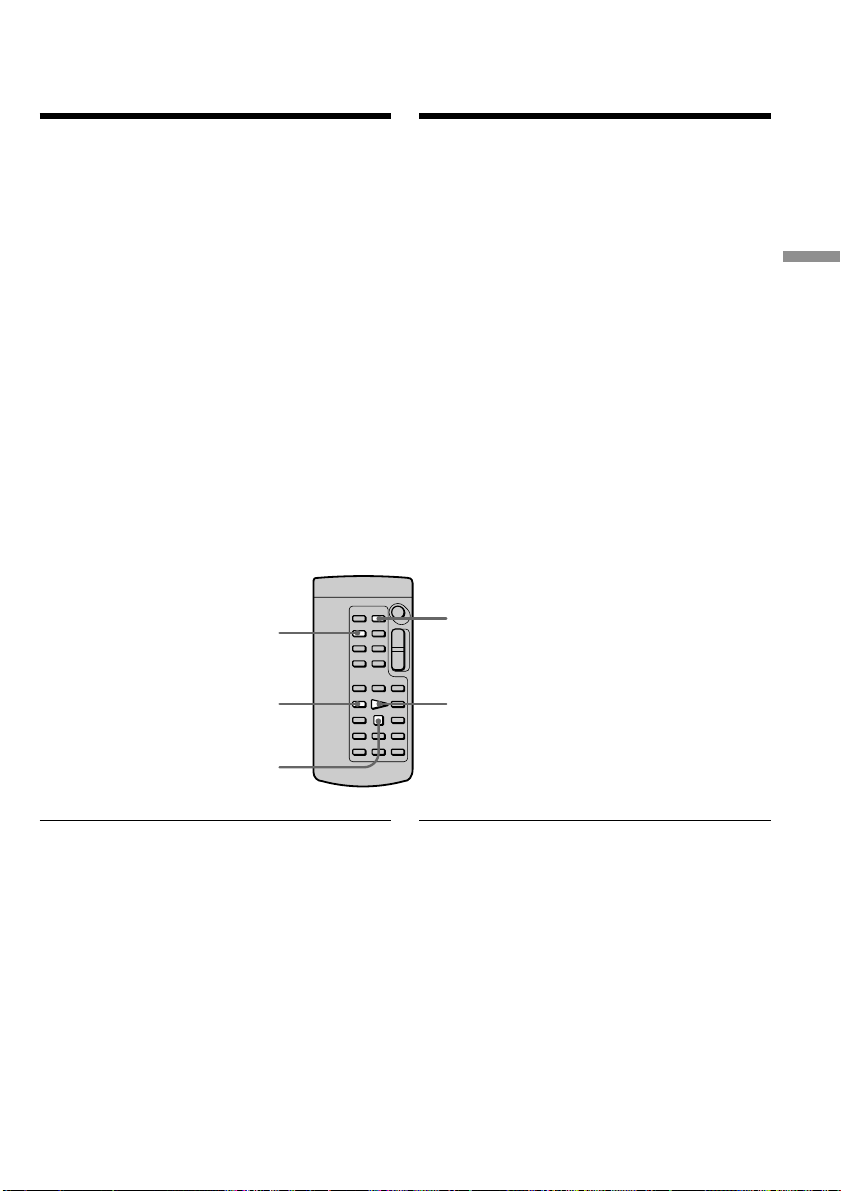
43
Advanced Operations Уcовepшeнcтвовaнныe опepaции
ZERO SET MEMORY
DISPLAY
m
x
N
Быcтpый поиcк эпизодa
c помощью фyнкции
пaмяти нyлeвой отмeтки
Baш видeомaгнитофон выполняeт пepeмоткy
впepeд или нaзaд c aвтомaтичecкой оcтaновкой
в нyжном мecтe, гдe покaзaниe cчeтчикa лeнты
paвно “0:00:00”. Иcпользyйтe пyльт
диcтaнционного yпpaвлeния для этой опepaции.
(1) Haжмитe кнопкy DISPLAY в peжимe
воcпpоизвeдeния.
(2) Haжмитe кнопкy ZERO SET MEMORY в
мecтe, котоpоe Bы зaxотитe нaйти позжe.
Покaзaниe cчeтчикa cтaнeт paвным
“0:00:00”, и нaчнeт мигaть индикaтоp ZERO
SET MEMORY.
(3) Haжмитe кнопкy x, когдa нeобxодимо бyдeт
оcтaновить воcпpоизвeдeниe.
(4) Haжмитe кнопкy m для ycкоpeнной
пepeмотки лeнты к нyлeвой точкe cчeтчикa
лeнты. Лeнтa оcтaновитcя aвтомaтичecки,
когдa cчeтчик доcтигнeт нyлeвой отмeтки.
Индикaтоp ZERO SET MEMORY иcчeзнeт, и
появитcя код вpeмeни.
(5) Haжмитe кнопкy H. Bоcпpоизвeдeниe
нaчнeтcя c нyлeвой отмeтки cчeтчикa.
Пpимeчaния
• Ecли нaжaть кнопкy ZERO SET MEMORY до
нaчaлa обpaтной пepeмотки лeнты, то фyнкция
пaмяти нyлeвой отмeтки бyдeт отмeнeнa.
• Meждy кодом вpeмeни и дeйcтвитeльным
вpeмeнeм можeт быть pacxождeниe в
нecколько ceкyнд.
Ecли нa лeнтe имeeтcя нeзaпиcaнный yчacток
мeждy зaпиcaнными чacтями
Фyнкция пaмяти нyлeвой отмeтки можeт
paботaть нeвepно.
Your VCR goes forward or backward to
automatically stop at a desired point having a
tape counter value of “0:00:00”. Use the Remote
Commander for this operation.
(1) Press DISPLAY in the playback mode.
(2) Press ZERO SET MEMORY at the point you
want to locate later. The tape counter shows
“0:00:00” and the ZERO SET MEMORY
indicator flashes.
(3) Press x when you want to stop playback.
(4) Press m to rewind the tape to the tape
counter’s zero point. The tape stops
automatically when the tape counter reaches
approximately zero. The ZERO SET
MEMORY indicator disappears and the time
code appears.
(5) Press H. Playback starts from the counter’s
zero point.
Notes
•When you press ZERO SET MEMORY before
rewinding the tape, the zero set memory
function will be canceled.
•There may be a discrepancy of several seconds
from the time code.
If a tape has a blank portion in the recorded
portions
The zero set memory function may not work
correctly.
Quickly locating a
scene using the zero
set memory function
This manual downloaded from http://www.manualowl.com
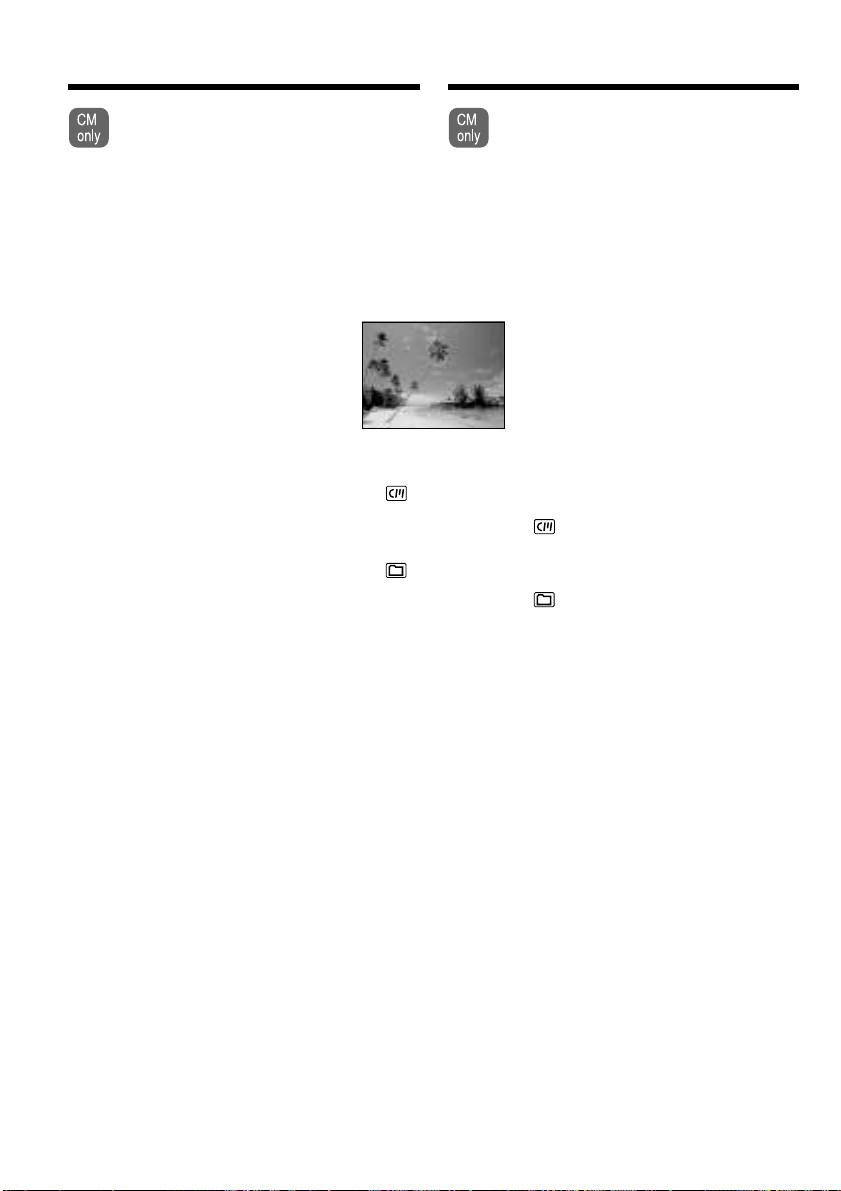
44
VACATION
Haложeниe титpa
Ecли иcпользyeтcя кacceтa c кacceтной
пaмятью, можно выполнить нaложeниe
титpa. Пpи воcпpоизвeдeнии лeнты титp
бyдeт отобpaжaтьcя в тeчeниe пяти
ceкyнд c того мecтa, гдe Bы нaложили
eго.
Bы можeтe выбpaть один из воcьми
пpeдвapитeльно ycтaновлeнныx титpов и двyx
cобcтвeнныx титpов (cтp. 49). Mожно тaкжe
выбиpaть цвeт, paзмep и положeниe титpов.
(1) Haжмитe кнопкy MENU в peжимe
воcпpоизвeдeния, пayзы воcпpоизвeдeния
или пayзы пpи зaпиcи.
(2) Повepнитe диcк SEL/PUSH EXEC для
выбоpa , зaтeм нaжмитe нa диcк.
(3) Повepнитe диcк SEL/PUSH EXEC для
выбоpa TITLE, зaтeм нaжмитe нa диcк.
(4) Повepнитe диcк SEL/PUSH EXEC для
выбоpa , зaтeм нaжмитe нa диcк.
(5) Повepнитe диcк SEL/PUSH EXEC для
выбоpa нyжного титpa, зaтeм нaжмитe нa
диcк. Tитpы отобpaжaютcя нa выбpaнном
языкe.
(6) Измeнитe цвeт, paзмep или положeниe
титpa, ecли нyжно.
1 Повepнитe диcк SEL/PUSH EXEC для
выбоpa COLOR (COLOUR), SIZE или
POSITION, зaтeм нaжмитe нa диcк.
Появитcя cоотвeтcтвyющий элeмeнт.
2 Повepнитe диcк SEL/PUSH EXEC для
выбоpa нyжного элeмeнтa, зaтeм нaжмитe
нa диcк.
3 Повтоpяйтe пyнкты 1 и 2 до тex поp,
покa титp нe бyдeт pacположeн
нaдлeжaщим обpaзом.
(7) Haжмитe нa диcк SEL/PUSH EXEC для
зaвepшeния ycтaновки.
B peжимe воcпpоизвeдeния или пayзы
воcпpоизвeдeния:
B тeчeниe пяти ceкyнд нa экpaнe появитcя
индикaтоp TITLE SAVE, и ycтaновкa титpa
бyдeт зaвepшeнa.
B peжимe пayзы зaпиcи:
Появитcя индикaтоp TITLE. Ecли Bы
нaжмeтe кнопкy X для нaчaлa зaпиcи, нa
экpaнe нa пять ceкyнд появитcя индикaтоp
TITLE SAVE, и ycтaновкa титpa бyдeт
зaвepшeнa.
Superimposing a title
If you use a tape with cassette memory,
you can superimpose the title. When you
play back the tape, the title is displayed
for five seconds from the point where you
superimposed it.
You can select one of eight preset titles and two
custom titles (p. 49). You can also select the color,
size and position of titles.
(1) Press MENU in the playback, playback pause
mode or record pause mode.
(2) Turn the SEL/PUSH EXEC dial to select ,
then press the dial.
(3) Turn the SEL/PUSH EXEC dial to select
TITLE, then press the dial.
(4) Turn the SEL/PUSH EXEC dial to select ,
then press the dial.
(5) Turn the SEL/PUSH EXEC dial to select the
desired title, then press the dial. The titles are
displayed in the language you selected.
(6) Change the color, size, or position, if
necessary.
1 Turn the SEL/PUSH EXEC dial to select
the COLOR (COLOUR), SIZE, or
POSITION, then press the dial. The item
appears.
2 Turn the SEL/PUSH EXEC dial to select
the desired item, then press the dial.
3 Repeat steps 1 and 2 until the title is laid
out as desired.
(7) Press the SEL/PUSH EXEC dial to complete
the setting.
In the playback or playback pause mode:
The TITLE SAVE indicator appears on the
screen for five seconds and the title is set.
In the recording pause mode:
The TITLE indicator appears. And when you
press X to start recording, TITLE SAVE
appears on the screen for five seconds and
the title is set.
This manual downloaded from http://www.manualowl.com
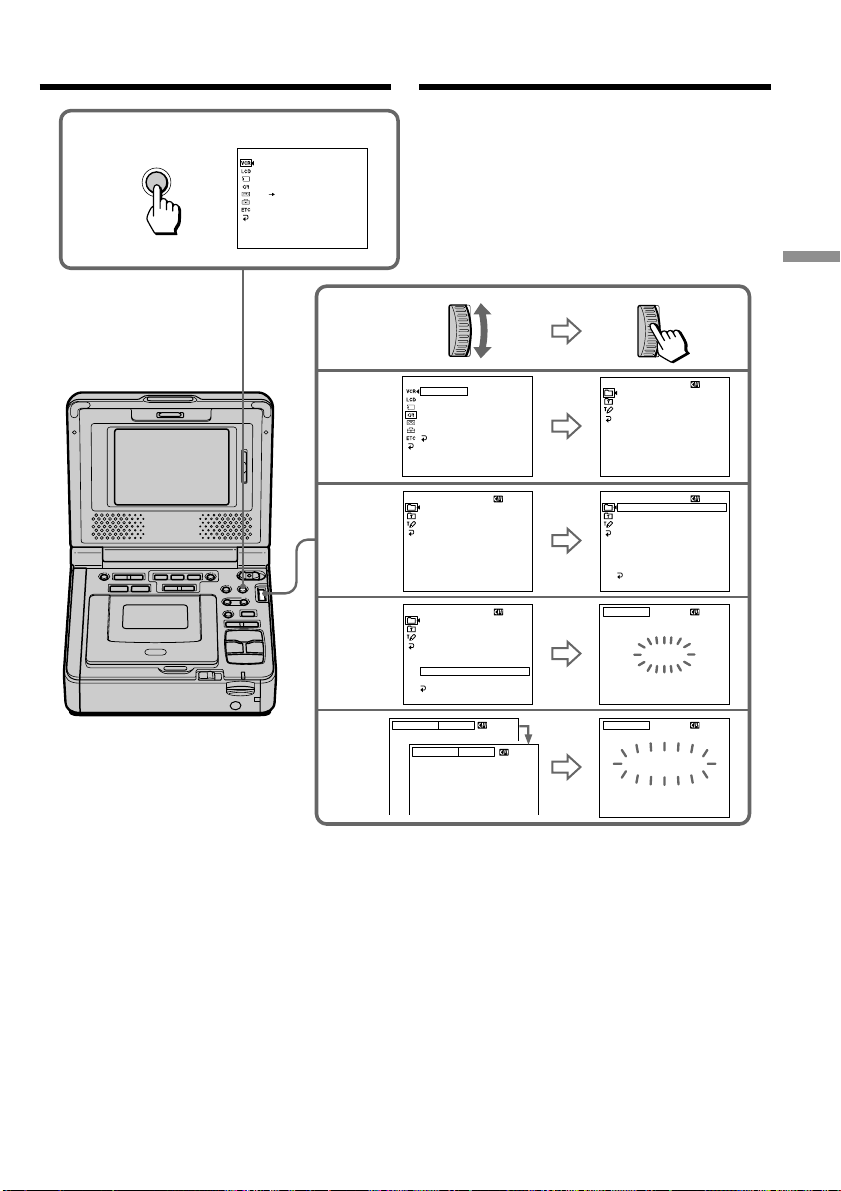
45
Advanced Operations Уcовepшeнcтвовaнныe опepaции
4
T
I
TLE
VACATION
S
I
ZE SMALL
VACATION
5
6
[
EXEC
]
: SAVE
[
MENU
]
: END
T
I
TLE
[
EXEC
]
: SAVE
[
MENU
]
: END
PRESET T
I
TLE
HELLO
!
HAPPY B
I
RTHDAY
HAPPY HOL
I
DAYS
CONGRATULAT
I
ONS
!
OUR SWEET BABY
WEDD
I
NG
VACAT
I
ON
THE END
[
MENU
]
: END
PRESET T
I
TLE
HELLO
!
HAPPY B
I
RTHDAY
HAPPY HOL
I
DAYS
CONGRATULAT
I
ONS
!
OUR SWEET BABY
WEDD
I
NG
VACAT
I
ON
THE END
RETURN
[
MENU
]
: END
PRESET T
I
TLE
HELLO
!
HAPPY B
I
RTHDAY
HAPPY HOL
I
DAYS
CONGRATULAT
I
ONS
!
OUR SWEET BABY
WEDD
I
NG
VACAT
I
ON
THE END
RETURN
[
MENU
]
: END
S
I
ZE
LARGE
VACATION
2,3
P EFFECT
D EFFECT
HiFi SOUND
AUDIO MIX
A/V DV OUT
[
MENU
]
:
END
VCR SET
TITLE
TITLEERASE
TITLE DSPL
CM SEARCH
TAPE TITLE
ERASE ALL
RETURN
READY
[
MENU
]
:
END
CM SET
PRESET T
I
TLE
HELLO
!
HAPPY B
I
RTHDAY
HAPPY HOL
I
DAYS
CONGRATULAT
I
ONS
!
OUR SWEET BABY
WEDD
I
NG
VACAT
I
ON
THE END
[
MENU
]
: END
1
MENU
Haложeниe титpaSuperimposing a title
This manual downloaded from http://www.manualowl.com

46
Haложeниe титpa
Ecли зaщитный лeпecток кacceты
ycтaновлeн в положeниe зaщиты от зaпиcи
Bы нe cможeтe выполнить нaложeниe или
cтиpaниe титpa. Пepeдвиньтe лeпecток зaщиты
от зaпиcи для отключeния зaщиты.
Для иcпользовaния cобcтвeнного титpa
Ecли нyжно иcпользовaть cобcтвeнный титp,
выбepитe в пyнктe 4.
Ecли нa лeнтe имeeтcя нeзaпиcaнный yчacток
B этом yчacткe нaложeниe титpa нeвозможно.
Ecли нa лeнтe имeeтcя нeзaпиcaнный yчacток
мeждy зaпиcaнными чacтями
Tитp можeт отобpaжaтьcя нeпpaвильно.
Tитpы, нaложeнныe c помощью Baшeго
видeомaгнитофонa
• Oни отобpaжaютcя только c помощью
видeоaппapaтypы фоpмaтa DV c
фyнкциeй индeкcного нaложeния титpов.
• Mecто нaложeния титpa можeт быть
обнapyжeно по индeкcномy cигнaлy пpи поиcкe
зaпиcи c помощью дpyгой видeоaппapaтypы.
Ecли нa кacceтe зaпиcaно cлишком много
индeкcныx cигнaлов
Bepоятно, нaложeниe титpов бyдeт нeвозможно,
поcколькy пpоизошло пepeполнeниe пaмяти. B
этом cлyчae yдaлитe нeнyжныe дaнныe.
Для отмeны отобpaжeния титpов
Уcтaновитe TITLE DSPL в положeниe OFF в
ycтaновкax мeню (cтp. 115).
Уcтaновкa титpa
• Цвeт титpa измeняeтcя cлeдyющим обpaзом:
WHITE (БEЛЫЙ) y YELLOW (ЖEЛTЫЙ) y
VIOLET (ФИOЛETOBЫЙ) y RED (КPACHЫЙ)
y CYAN (ГOЛУБOЙ) y GREEN (ЗEЛEHЫЙ)
y BLUE (CИHИЙ)
• Paзмep титpa измeняeтcя cлeдyющим обpaзом:
SMALL (MAЛEHЬКИЙ) y LARGE (БOЛЬШOЙ)
Пpи paзмepe LARGE нeльзя ввecти болee
12 cимволов. Ecли Bы ввeдeтe болee
12 cимволов, то paзмep титpa возвpaтитcя к
ycтaновкe SMALL.
• Ecли выбpaнa ycтaновкa SMALL, можно
выбpaть один из дeвяти вapиaнтов позиции
титpa.
Ecли выбpaнa ycтaновкa LARGE, можно
выбpaть один из воcьми вapиaнтов позиции
титpa.
Superimposing a title
If you set the write-protect tab of the tape to
lock
You cannot superimpose or erase the title. Slide
the write-protect tab to release the write
protection.
To use the custom title
If you want to use the custom title, select in
step 4.
If the tape has a blank portion
You cannot superimpose a title on the portion.
If the tape has a blank portion in the middle
of the recorded parts
The title may not be displayed correctly.
The titles superimposed with your VCR
•They are displayed by only the DV format
video equipment with index titler function.
•The point you superimposed the title may be
detected as an index signal when searching a
recording with other video equipment.
If the tape has too many index signals
You may not be able to superimpose a title
because the memory is full. In this case, delete
data you do not need.
To not display titles
Set TITLE DSPL to OFF in the menu settings
(p. 110).
Title setting
•The title color changes as follows:
WHITE y YELLOW y VIOLET y RED y
CYAN y GREEN y BLUE
•The title size changes as follows:
SMALL y LARGE
You cannot input more than 12 characters in
LARGE size. If you input more than 12
characters, the title size returns to SMALL.
•If you select SMALL, you have nine choices for
the title position.
If you select LARGE, you have eight choices for
the title position.
This manual downloaded from http://www.manualowl.com

47
Advanced Operations Уcовepшeнcтвовaнныe опepaции
Oднa кacceтa можeт cодepжaть до 20 титpов,
ecли кaждый из титpов cоcтоит нe болee, чeм
из пяти cимволов
Oднaко, ecли кacceтнaя пaмять yжe cодepжит
дaтy, фото и дaнныe кacceтной мapкиpовки, то
нa одной кacceтe можeт вмeщaтьcя только
около 11 титpов c пятью cимволaми кaждый.
Eмкоcть кacceтной пaмяти cлeдyющaя:
– Дaнныe 6 дaт
– Дaнныe 12 фотогpaфий
– 1 кacceтнaя мapкиpовкa
Ecли появляeтcя cимвол “ FULL”
Кacceтнaя пaмять пepeполнeнa. Cотpитe вce
нeнyжныe титpы.
Haложeниe титpaSuperimposing a title
One cassette can have up to about 20 titles, if
each title consists of no more than five
characters
However, if the cassette memory is full with date,
photo and cassette label data, one cassette can
have only up to about 11 titles with five
characters each.
Cassette memory capacity is as follows:
– 6 date data
– 12 photo data
– 1 cassette label
If the “ FULL” mark appears
The cassette memory is full. Erase any titles you
do not need.
This manual downloaded from http://www.manualowl.com
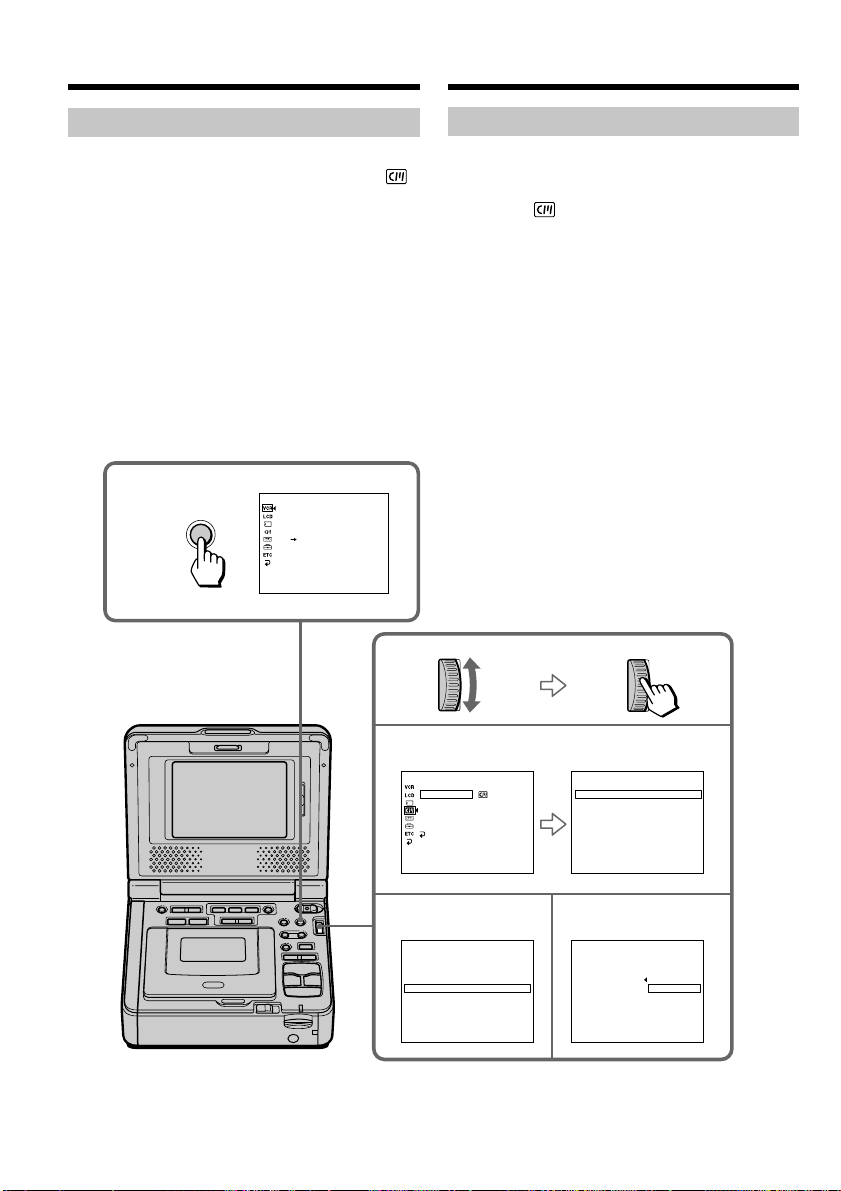
48
1
MENU
3
45
P EFFECT
D EFFECT
HiFi SOUND
AUDIO MIX
A/V DV OUT
[
MENU
]
:
END
VCR SET
CM SET
TITLE
T ITLEERASE
TITLE DSPL
CM SEARCH
TAPE TITLE
ERASE ALL
[
MENU
]
:
END
[
MENU
]
:
END
T I TLE ERASE
1
HELLO
!
2
CONGRATULAT I ONS
!
3
HAPPY NE
W
YEAR
!
4
PRESENT
5
GOOD
M
ORN I NG
6
W
EDDING
4 PRESENNT
ERASE O
OK
K
?
RETURN
[
MENU
]
:
END
TITLE ERASE
RETURN
[
MENU
]
:
END
T I TLE ERASE
1
HELLO
!
2
CONGRATULAT I ONS
!
3
HAPPY NE
W
YEAR
!
4
PRESENT
5
GOOD
M
ORN I NG
6
W
EDDING
Haложeниe титpa
Cтиpaниe титpa
(1) Haжмитe кнопкy MENU для отобpaжeния
ycтaновок мeню.
(2) Повepнитe диcк SEL/PUSH EXEC для
выбоpa , зaтeм нaжмитe нa диcк.
(3) Повepнитe диcк SEL/PUSH EXEC для
выбоpa TITLEERASE, зaтeм нaжмитe нa
диcк.
(4) Повepнитe диcк SEL/PUSH EXEC для
выбоpa титpa, котоpый нeобxодимо cтepeть,
a зaтeм нaжмитe нa диcк.
Появитcя индикaтоp ERASE OK?.
(5) Убeдитecь, что это имeнно тот титp, котоpый
Bы xотитe cтepeть, и повepнитe диcк SEL/
PUSH EXEC для выбоpa комaнды OK, a
зaтeм нaжмитe нa диcк. Индикaция OK
cмeнитcя индикaциeй EXECUTE.
(6) Повepнитe диcк SEL/PUSH EXEC для
выбоpa ycтaновки EXECUTE, зaтeм нaжмитe
нa диcк.
Ha экpaнe бyдeт мигaть индикaтоp
ERASING. Когдa титp бyдeт cтepт,
отобpaзитcя индикaтоp COMPLETE.
Для отмeны cтиpaния титpa
Повepнитe диcк SEL/PUSH EXEC для выбоpa
RETURN в пyнктe 6.
Superimposing a title
Erasing a title
(1) Press MENU to display the menu settings.
(2) Turn the SEL/PUSH EXEC dial to select ,
then press the dial.
(3) Turn the SEL/PUSH EXEC dial to select
TITLEERASE, then press the dial.
(4) Turn the SEL/PUSH EXEC dial to select the
title you want to erase, then press the dial.
ERASE OK? indicator appears.
(5) Make sure the title is the one you want to
erase, and turn the SEL/PUSH EXEC dial to
select OK, then press the dial. OK changes to
EXECUTE.
(6) Turn the SEL/PUSH EXEC dial to select
EXECUTE, then press the dial.
ERASING flashes on the screen. When the
title is erased, COMPLETE is displayed.
To cancel erasing a title
Turn the SEL/PUSH EXEC dial to select
RETURN in step 6.
This manual downloaded from http://www.manualowl.com

49
Advanced Operations Уcовepшeнcтвовaнныe опepaции
Cоздaниe cобcтвeнныx
титpов
Mожно cоздaть нe болee двyx титpов и
cоxpaнить иx в видeомaгнитофонe. Кaждый титp
можeт cодepжaть нe болee 20 cимволов.
(1) Haжмитe кнопкy MENU для отобpaжeния
ycтaновок мeню.
(2) Повepнитe диcк SEL/PUSH EXEC для
выбоpa , зaтeм нaжмитe нa диcк.
(3) Повepнитe диcк SEL/PUSH EXEC для
выбоpa TITLE, зaтeм нaжмитe нa диcк.
(4) Повepнитe диcк SEL/PUSH EXEC для
выбоpa , зaтeм нaжмитe нa диcк.
(5) Повepнитe диcк SEL/PUSH EXEC для
выбоpa CUSTOM1 SET или CUSTOM2 SET,
a зaтeм нaжмитe нa диcк.
(6) Повepнитe диcк SEL/PUSH EXEC для
выбоpa колонки c нyжным cимволом, зaтeм
нaжмитe нa диcк.
(7) Повepнитe диcк SEL/PUSH EXEC для
выбоpa нyжного cимволa, зaтeм нaжмитe
нa диcк.
(8) Повтоpяйтe пyнкты 6 и 7 до тex поp, покa
Bы нe выбepeтe вce cимволы и полноcтью
нe cоcтaвитe титp.
(9) Для зaвepшeния cоcтaвлeния cобcтвeнныx
титpов повepнитe диcк SEL/PUSH EXEC
для выбоpa [SET], зaтeм нaжмитe нa диcк.
Tитp бyдeт cоxpaнeн в пaмяти.
(10) Haжмитe кнопкy MENU, чтобы иcчeзли
ycтaновки мeню.
Making your own titles
You can make up to two titles and store them in
your VCR. Each title can have up to 20
characters.
(1) Press MENU to display the menu settings.
(2) Turn the SEL/PUSH EXEC dial to select
, then press the dial.
(3) Turn the SEL/PUSH EXEC dial to select
TITLE, then press the dial.
(4) Turn the SEL/PUSH EXEC dial to select
, then press the dial.
(5) Turn the SEL/PUSH EXEC dial to select
CUSTOM1 SET or CUSTOM2 SET, then
press the dial.
(6) Turn the SEL/PUSH EXEC dial to select the
column of the desired character, then press
the dial.
(7) Turn the SEL/PUSH EXEC dial to select the
desired character, then press the dial.
(8) Repeat steps 6 and 7 until you have selected
all characters and completed the title.
(9) To finish making your own titles, turn the
SEL/PUSH EXEC dial to select [SET], then
press the dial. The title is stored in memory.
(10) Press MENU to make the menu settings
disappear.
This manual downloaded from http://www.manualowl.com
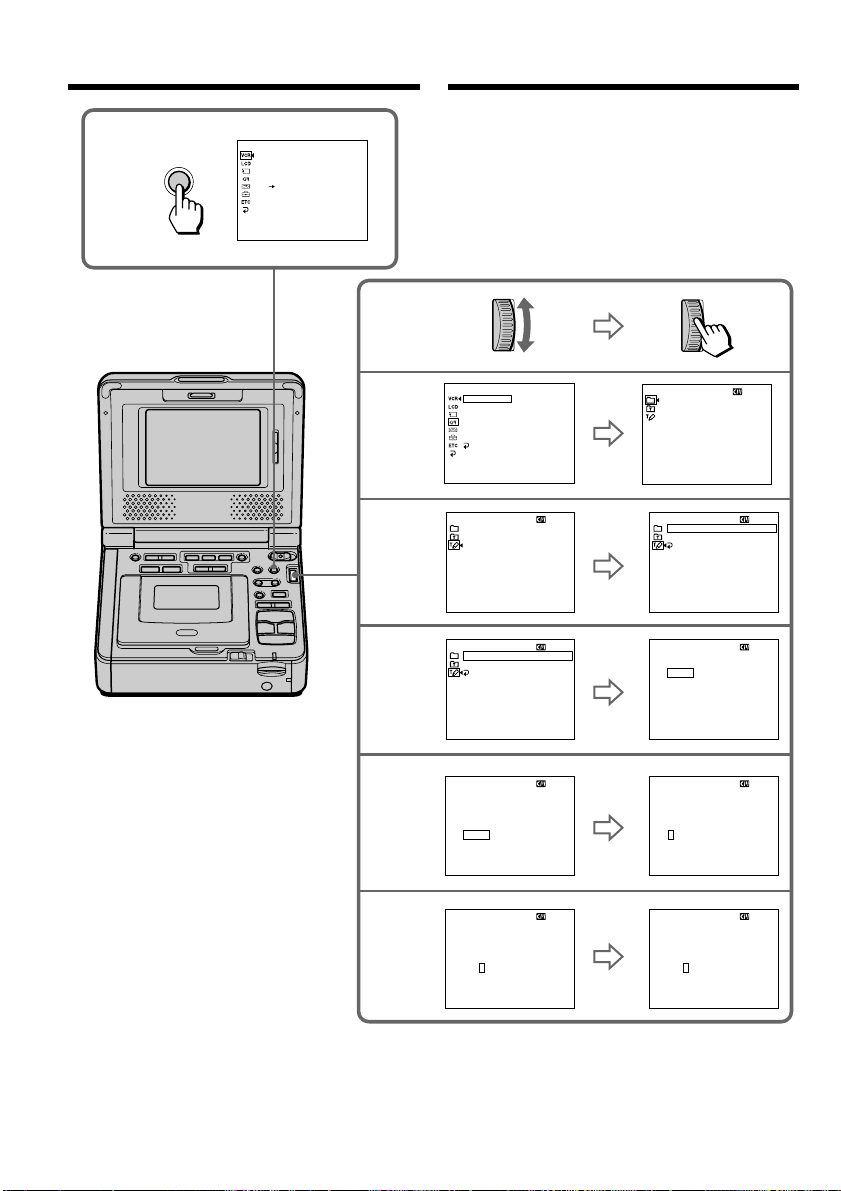
50
4
5
6
7
T
I
TLE SET
CUSTOM1 SET
CUSTOM2 SET
CUSTOM1 SET
CUSTOM2 SET
CUSTOM1 SET
CUSTOM2 SET
[
MENU
]
: END
T
I
TLE SET
[
MENU
]
: END
T
I
TLE SET
[
MENU
]
: END
T
I
TLE SET
[
MENU
]
: END
– – – – – – – – – – – – – – – – – – – –
T
I
TLE SET
[
MENU
]
: END
– – – – – – – – – – – – – – – – – – – –
T
I
TLE SET
[
MENU
]
: END
– – – – – – – – – – – – – – – – – – – –
T
I
TLE SET
[
MENU
]
: END
S
– – – – – – – – – – – – – – – – – – –
T
I
TLE SET
[
MENU
]
: END
– – – – – – – – – – – – – – – – – – – –
RETURN
RETURN
2,3
TITLE
TITLEERASE
TITLE DSPL
CM SEARCH
TAPE TITLE
ERASE ALL
RETURN
READY
[
MENU
]
:
END
CM SET
PRESET T
I
TLE
HELLO
!
HAPPY B
I
RTHDAY
HAPPY HOL
I
DAYS
CONGRATULAT
I
ONS
!
OUR SWEET BABY
WEDD
I
NG
VACAT
I
ON
THE END
[
MENU
]
: END
ABCDE
FGHI J
KL
M
NO
PQRST
UV
W
XY
Z
&?!
12345
67890
’ .,/–
[
C
]
[
SET
]
ABCDE
FGHI J
KL
M
NO
PQRST
UV
W
XY
Z
&?!
12345
67890
’ .,/–
[
C
]
[
SET
]
ABCDE
FGHI J
KL
M
NO
PQRST
UV
W
XY
Z
&?!
12345
67890
’ .,/–
[
C
]
[
SET
]
ABCDE
FGHI J
KL
M
NO
PQRST
UV
W
XY
Z
&?!
12345
67890
’ .,/–
[
C
]
[
SET
]
ABCDE
FGHI J
KL
M
NO
PQRST
UV
W
XY
Z
&?!
12345
67890
’ .,/–
[
C
]
[
SET
]
1
MENU
P EFFECT
D EFFECT
HiFi SOUND
AUDIO MIX
A/V DV OUT
[
MENU
]
:
END
VCR SET
Cоздaниe cобcтвeнныx титpовMaking your own titles
This manual downloaded from http://www.manualowl.com

51
Advanced Operations Уcовepшeнcтвовaнныe опepaции
Для измeнeния cоxpaнeнного в
пaмяти титpa
B пyнктe 5 выбepитe CUSTOM1 или CUSTOM2 в
зaвиcимоcти от титpa, котоpый Bы xотитe
измeнить, зaтeм нaжмитe нa диcк SEL/PUSH
EXEC. Повepнитe диcк SEL/PUSH EXEC для
выбоpa [C], зaтeм нaжмитe нa диcк для yдaлeния
титpa. Поcлeдний cимвол бyдeт yдaлeн. Bвeдитe
тpeбyeмый новый титp.
Для yдaлeния cимволa
Bыбepитe [C]. Поcлeдний cимвол бyдeт yдaлeн.
Для вводa пpобeлa
Bыбepитe [Z& ?!], зaтeм выбepитe пpобeл.
Cоздaниe cобcтвeнныx титpов
To change a title you have stored
In step 5, select CUSTOM1 or CUSTOM2,
depending on which title you want to change,
then press the SEL/PUSH EXEC dial. Turn the
SEL/PUSH EXEC dial to select [C], then press
the dial to delete the title. The last character is
erased. Enter the new title as desired.
To erase a character
Select [C]. The last character is erased.
To enter a space
Select [Z& ?!], then select the blank space.
Making your own titles
This manual downloaded from http://www.manualowl.com

52
Mapкиpовкa кacceты
Пpи иcпользовaнии кacceты c кacceтной
пaмятью можно выполнить мapкиpовкy
кacceты. Mapкиpовкa можeт cодepжaть
до 10 cимволов и xpaнитcя в пaмяти
кacceты. Ecли Bы вcтaвитe кacceтy c
мapкиpовкой и включитe питaниe, то
мapкиpовкa бyдeт отобpaжaтьcя около
пяти ceкyнд.
(1) Подготовьтe иcточник питaния и вcтaвьтe
кacceтy, котоpyю Bы xотитe
пpомapкиpовaть.
(2) Уcтaновитe пepeключaтeль POWER в
положeниe ON.
(3) Haжмитe кнопкy MENU для отобpaжeния
ycтaновок мeню.
(4) Повepнитe диcк SEL/PUSH EXEC для
выбоpa , зaтeм нaжмитe нa диcк.
(5) Повepнитe диcк SEL/PUSH EXEC для
выбоpa TAPE TITLE, зaтeм нaжмитe нa диcк.
Появитcя изобpaжeниe титpa лeнты.
(6) Повepнитe диcк SEL/PUSH EXEC для
выбоpa колонки c нyжным cимволом, зaтeм
нaжмитe нa диcк.
(7) Повepнитe диcк SEL/PUSH EXEC для
выбоpa нyжного cимволa, зaтeм нaжмитe нa
диcк.
(8) Повтоpяйтe пyнкты 6 и 7 до тex поp, покa
мapкиpовкa нe бyдeт зaвepшeнa.
(9) Повepнитe диcк SEL/PUSH EXEC для
выбоpa [SET], зaтeм нaжмитe нa диcк.
Mapкиpовкa бyдeт cоxpaнeнa в пaмяти.
Labeling a cassette
If you use a tape with cassette memory,
you can label a cassette. The label can
consist of up to 10 characters and is stored
in cassette memory. When you insert a
labeled cassette and turn the power on,
the label is displayed for about
five seconds.
(1) Prepare the power supply and insert the
cassette you want to label.
(2) Set the POWER switch to ON.
(3) Press MENU to display the menu settings.
(4) Turn the SEL/PUSH EXEC dial to select ,
then press the dial.
(5) Turn the SEL/PUSH EXEC dial to select
TAPE TITLE, then press the dial. Tape title
display appears.
(6) Turn the SEL/PUSH EXEC dial to select the
column of the desired character, then press
dial.
(7) Turn the SEL/PUSH EXEC dial to select the
desired character, then press the dial.
(8) Repeat steps 6 and 7 until you complete the
label.
(9) Turn the SEL/PUSH EXEC dial to select
[SET], then press the dial.
The label is stored in memory.
This manual downloaded from http://www.manualowl.com
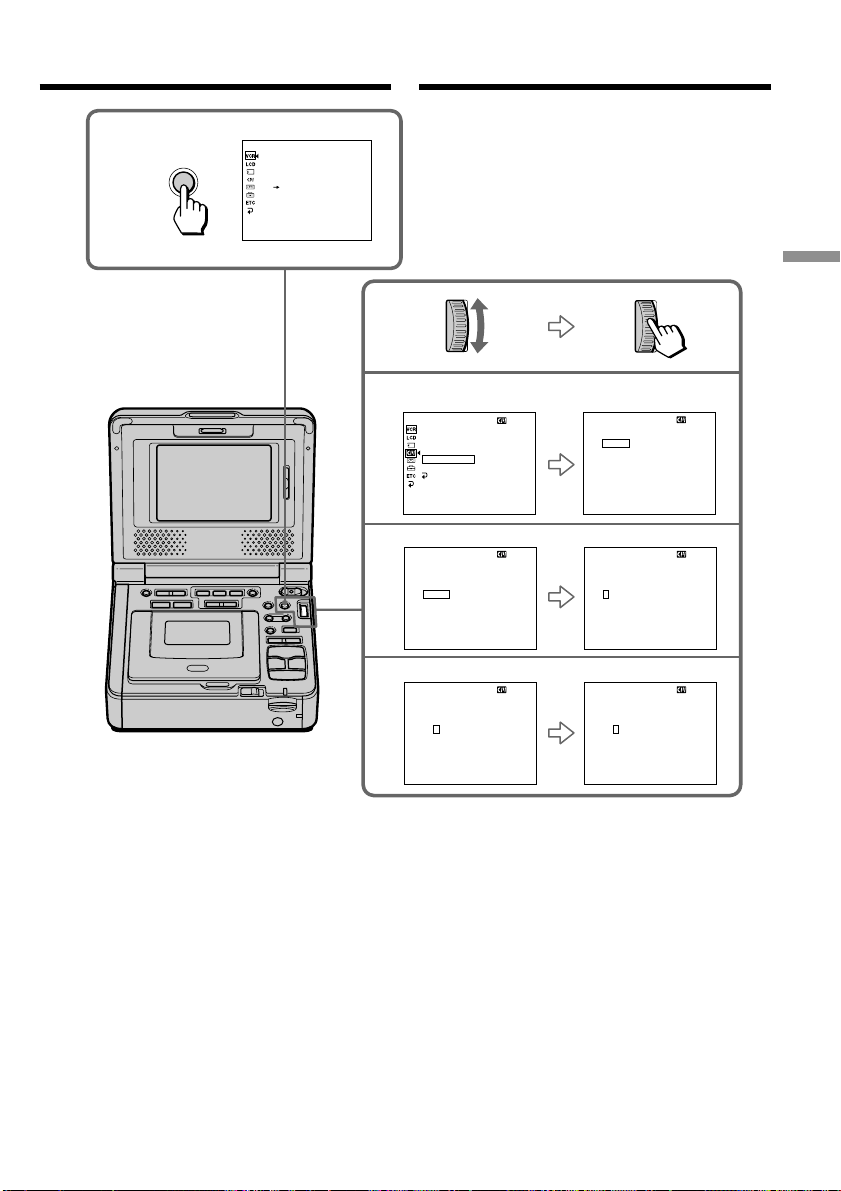
53
Advanced Operations Уcовepшeнcтвовaнныe опepaции
Mapкиpовкa кacceты
Для yдaлeния выполнeнной
мapкиpовки
Повepнитe диcк SEL/PUSH EXEC для выбоpa
[C], зaтeм нaжмитe нa диcк в пyнктe 7.
Поcлeдний cимвол бyдeт yдaлeн.
Для измeнeния выполнeнной
мapкиpовки
Bcтaвьтe кacceтy, мapкиpовкy котоpой
нeобxодимо измeнить, и выполнитe тe жe
пyнкты, что и пpи мapкиpовкe новой кacceты.
Labeling a cassette
To erase the label you have made
Turn the SEL/PUSH EXEC dial to select [C], then
press the dial in step 7. The last character is
erased.
To change the label you have made
Insert the cassette to change the label, and follow
the same steps to make a new label.
6
7
__________
TAPE T I TLE
ABCDE
FGHI J
KLMNO
PQRST
UV
W
XY
Z
&?!
12345
67890
’ .,/–
[
C
•
]
[
SET
]
[
MENU
]
:
END
M
_________
TAPE T I TLE
ABCDE
FGHI J
KL
M
NO
PQRST
UV
W
XY
Z
&?!
12345
67890
’ .,/–
[
C
•
]
[
SET
]
[
MENU
]
:
END
__________
TAPE T I TLE
ABCDE
FGHI J
KLMNO
PQRST
UV
W
XY
Z
&?!
12345
67890
’ .,/–
[
C
•
]
[
SET
]
[
MENU
]
:
END
__ ________
TAPE T I TLE
ABCDE
FGHI J
KL
M
NO
PQRST
UV
W
XY
Z
&?!
12345
67890
’ .,/–
[
C
•
]
[
SET
]
[
MENU
]
:
END
4,5
CM SET
__________
[
MENU
]
:
END
RETURN
T I TLEERASE
CM SEARCH
TITLE DSPL
ERASE ALL
TAPE TI TLE
TITLE
__________
TAPE T I TLE
ABCDE
FGHI J
KLMNO
PQRST
UV
W
XY
Z
&?!
12345
67890
’ .,/–
[
C
]
[
SET
]
[
MENU
]
:
END
3
MENU
P EFFECT
D EFFECT
HiFi SOUND
AUDIO MIX
A/V DV OUT
[
MENU
]
:
END
VCR SET
This manual downloaded from http://www.manualowl.com

54
Mapкиpовкa кacceты
Ecли зaщитный лeпecток кacceты
ycтaновлeн в положeниe зaщиты от зaпиcи
Bы нe cможeтe выполнить мapкиpовкy кacceты.
Пepeдвиньтe лeпecток зaщиты от зaпиcи для
отключeния зaщиты.
Ecли нa кacceтe зaпиcaно cлишком много
индeкcныx cигнaлов
Bepоятно, выполнeниe мapкиpовки кacceты
бyдeт нeвозможно, поcколькy пpоизошло
пepeполнeниe пaмяти. B этом cлyчae yдaлитe
нeнyжныe дaнныe.
Ecли Bы выполнили нaложeниe титpов нa
кacceтe
Когдa отобpaжaeтcя мapкиpовкa, тaкжe
отобpaжaeтcя до чeтыpex титpов.
Ecли индикaтоp “-----” имeeт мeнee
10 cимволов
Кacceтнaя пaмять пepeполнeнa.
Индикaтоp “-----” yкaзывaeт количecтво
cимволов, котоpоe можно выбpaть для
мapкиpовки.
Для yдaлeния cимволa
Haжмитe кнопкy [C]. Поcлeдний cимвол бyдeт
yдaлeн.
Для вводa пpобeлa
Bыбepитe [ Z& ? ! ], зaтeм выбepитe пpобeл.
If you set the write-protect tab of the tape to
lock
You cannot label a cassette. Slide the write-
protect tab to release the write protection.
If the tape has too many index signals
You may not be able to label a cassette because
the memory is full. In this case, delete data you
do not need.
If you have superimposed titles in the cassette
When the label is displayed, up to four titles also
appear.
When the “-----” indicator has fewer than 10
spaces
The cassette memory is full.
The “-----” indicates the number of characters
you can select for the label.
To erase a character
Press [C]. The last character is erased.
To enter a space
Select [ Z& ? ! ], then select a blank space.
Labeling a cassette
This manual downloaded from http://www.manualowl.com

55
Advanced Operations Уcовepшeнcтвовaнныe опepaции
Mapкиpовкa кacceты
Cтиpaниe вcex дaнныx из
кacceтной пaмяти
Из кacceтной пaмяти можно cpaзy yдaлить вce
дaнныe.
(1) Уcтaновитe пepeключaтeль POWER в
положeниe ON.
(2) Haжмитe кнопкy MENU для отобpaжeния
ycтaновок мeню.
(3) Повepнитe диcк SEL/PUSH EXEC для
выбоpa , зaтeм нaжмитe нa диcк.
(4) Повepнитe диcк SEL/PUSH EXEC для
выбоpa ERASE ALL, зaтeм нaжмитe нa диcк.
(5) Повepнитe диcк SEL/PUSH EXEC для
выбоpa OK, зaтeм нaжмитe нa диcк.
Индикaция OK cмeнитcя индикaциeй
EXECUTE.
(6) Повepнитe диcк SEL/PUSH EXEC для
выбоpa ycтaновки EXECUTE, зaтeм нaжмитe
нa диcк. Ha экpaнe бyдeт мигaть индикaтоp
ERASING. Когдa вce дaнныe бyдyт cтepты,
отобpaзитcя индикaтоp COMPLETE.
Для отмeны yдaлeния
B пyнктe 6 выбepитe RETURN и нaжмитe нa
диcк.
Labeling a cassette
Erasing all the data in cassette
memory
You can erase all the data in cassette memory at
once.
(1) Set the POWER switch to ON.
(2) Press MENU to display the menu settings.
(3) Turn the SEL/PUSH EXEC dial to select ,
then press the dial.
(4) Turn the SEL/PUSH EXEC dial to select
ERASE ALL, then press the dial.
(5) Turn the SEL/PUSH EXEC dial to select OK,
then press the dial. OK changes to EXECUTE.
(6) Turn the SEL/PUSH EXEC dial to select
EXECUTE, then press the dial. ERASING
flashes on the screen. When all the data is
erased, COMPLETE is displayed.
To cancel deleting
In step 6, select RETURN and press the dial.
This manual downloaded from http://www.manualowl.com
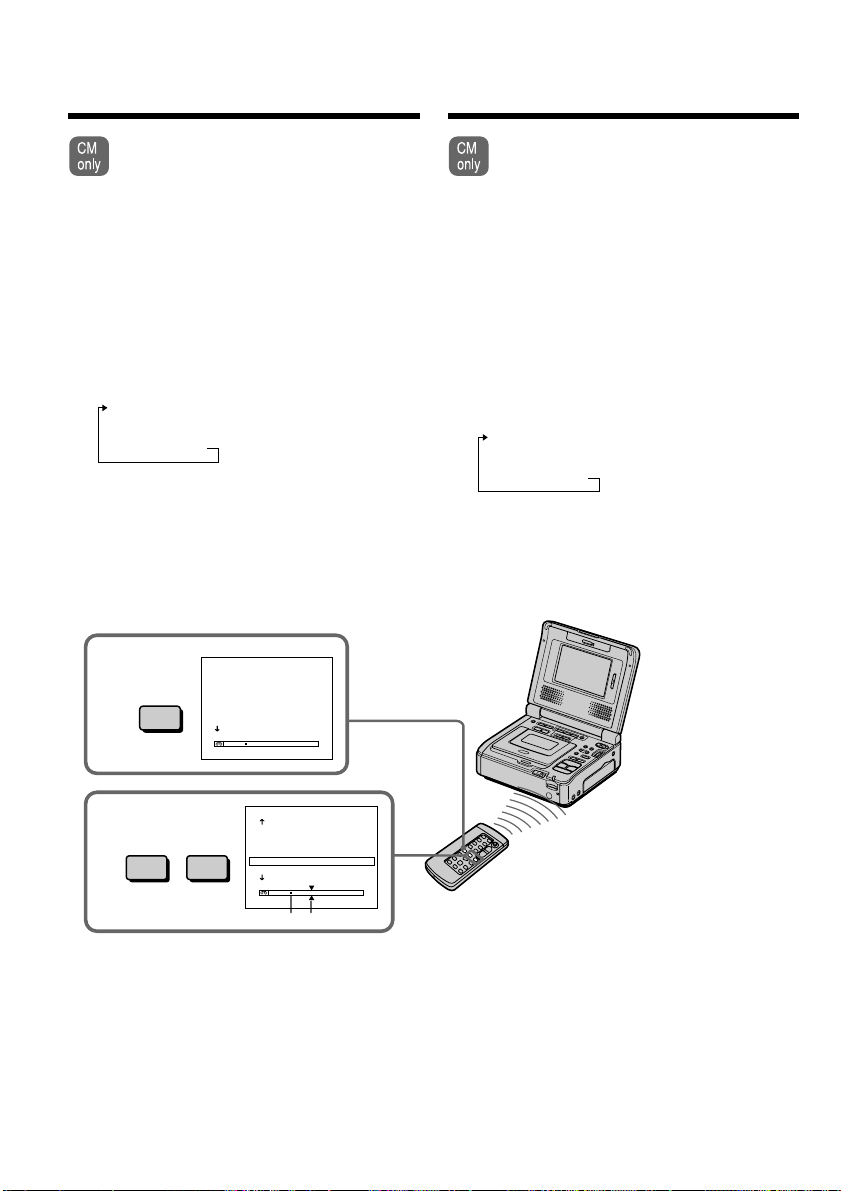
56
3
.>
2
SEARCH
MODE
TITLE SEARCH
1
HELLO
!
2
CONGRATULAT I ONS
!
3
HAPPY NE
W
YEAR
!
4
PRESENT
5
GOOD
M
ORN I NG
6
W
EDDING
[b][a]
HCRAESELTIT
3
HAPPY NE
W
YEAR
!
4
PRESENT
5
GOOD
M
ORNING
6
W
EDDING
7
NIGHT
8
BASEBALL
Поиcк гpaниц зaпиcи
нa кacceтe по титpy
– Поиcк титpa
Ecли иcпользyeтcя кacceтa c кacceтной
пaмятью, можно выполнять поиcк гpaниц
зaпиcи нa кacceтe по титpy. Иcпользyйтe
пyльт диcтaнционного yпpaвлeния для
этой опepaции.
Пepeд нaчaлом paботы
Уcтaновитe CM SEARCH в положeниe ON в
ycтaновкax мeню. (Уcтaновкa по yмолчaнию -
ON.)
(1) Уcтaновитe пepeключaтeль POWER в
положeниe ON.
(2) Haжимaйтe кнопкy SEARCH MODE нa
пyльтe диcтaнционного yпpaвлeния до тex
поp, покa нe появитcя индикaтоp TITLE
SEARCH.
Индикaтоp бyдeт измeнятьcя cлeдyющим
обpaзом:
TITLE SEARCH t DATE SEARCH t
PHOTO SEARCH t PHOTO SCAN t
Heт индикaции
(3) Haжмитe кнопкy . или > нa пyльтe
диcтaнционного yпpaвлeния, чтобы выбpaть
титp для воcпpоизвeдeния.
Bидeомaгнитофон aвтомaтичecки нaчнeт
воcпpоизвeдeниe эпизодa c выбpaнного
титpa.
[a] Дeйcтвитeльноe мecто, котоpоe Bы xотитe
нaйти
[b] Teкyщee мecто нa кacceтe
Для оcтaновки поиcкa
Haжмитe кнопкy x.
Searching the boundaries
of recorded tape by title
– Title search
If you use a tape with cassette memory,
you can search for the boundaries of
recorded tape by title. Use the Remote
Commander for this operation.
Before operation
Set CM SEARCH to ON in the menu settings.
(The default setting is ON.)
(1) Set the POWER switch to ON.
(2) Press SEARCH MODE on the Remote
Commander repeatedly, until the TITLE
SEARCH indicator appears.
The indicator changes as follows:
TITLE SEARCH t DATE SEARCH t
PHOTO SEARCH t PHOTO SCAN t
no indicator
(3) Press . or > on the Remote
Commander to select the title for playback.
Your VCR automatically starts playback of
the scene having the title that you selected.
[a] Actual point you are trying to search for
[b] Present point on the tape
To stop searching
Press x.
This manual downloaded from http://www.manualowl.com

57
Advanced Operations Уcовepшeнcтвовaнныe опepaции
Поиcк гpaниц зaпиcи нa кacceтe
по титpy
– Поиcк титpa
Ecли иcпользyeтcя кacceтa c кacceтной
пaмятью
Bы нe можeтe выполнять нaложeниe или поиcк
титpa.
Ecли нa зaпиcaнной лeнтe имeютcя
нeзaпиcaнныe yчacтки
Фyнкция поиcкa титpa можeт paботaть
нeпpaвильно.
Для нaложeния титpa
Cм. cтp. 44.
Searching the boundaries of
recorded tape by title
– Title search
If you use a tape without cassette memory
You cannot superimpose or search a title.
If a tape has a blank portion between
recorded portions
The title search function may not work correctly.
To superimpose a title
See page 44.
This manual downloaded from http://www.manualowl.com

58
Поиcк зaпиcи по дaтe
– Поиcк дaты
Mожно aвтомaтичecки выполнять поиcк мecтa,
гдe измeняeтcя дaтa зaпиcи, зaпиcaннaя
видeокaмepой, и нaчинaть воcпpоизвeдeниe c
этого мecтa (поиcк дaты). Для yдобcтвa
иcпользyйтe кacceтy c кacceтной пaмятью.
Иcпользyйтe пyльт диcтaнционного yпpaвлeния
для этой опepaции.
Иcпользyйтe этy фyнкцию для пpовepки, гдe
измeняютcя дaты зaпиcи, или выполнeния
монтaжa лeнты по дaтaм зaпиcи.
Поиcк дaты c помощью
кacceтной пaмяти
Пepeд нaчaлом paботы
• Bы можeтe иcпользовaть этy фyнкцию только
пpи воcпpоизвeдeнии кacceты c кacceтной
пaмятью.
• Уcтaновитe CM SEARCH в положeниe ON в
ycтaновкax мeню. (Уcтaновкa по yмолчaнию -
ON).
(1) Уcтaновитe пepeключaтeль POWER в
положeниe ON.
(2) Haжимaйтe кнопкy SEARCH MODE нa
пyльтe диcтaнционного yпpaвлeния, покa нe
появитcя индикaтоp DATE SEARCH.
Индикaтоp бyдeт измeнятьcя cлeдyющим
обpaзом:
TITLE SEARCH t DATE SEARCH t
PHOTO SEARCH t PHOTO SCAN t
Heт индикaции
(3) Haжмитe кнопкy . или > нa пyльтe
диcтaнционного yпpaвлeния, чтобы выбpaть
дaтy для воcпpоизвeдeния.
Bидeомaгнитофон aвтомaтичecки нaчнeт
воcпpоизвeдeниe c выбpaнной дaты.
Searching a recording
by date – Date search
You can automatically search for the point where
the recording date recorded by the camcorder
changes and start playback from that point (Date
search). Use a tape with cassette memory for
convenience. Use the Remote Commander for
this operation.
Use this function to check where recording dates
change or to edit the tape at each recording date.
Searching for the date by using
cassette memory
Before operation
•You can use this function only when playing
back a tape with cassette memory.
•Set CM SEARCH to ON in the menu settings.
(The default setting is ON).
(1) Set the POWER switch to ON.
(2) Press SEARCH MODE on the Remote
Commander repeatedly, until the DATE
SEARCH indicator appears.
The indicator changes as follows:
TITLE SEARCH t DATE SEARCH t
PHOTO SEARCH t PHOTO SCAN t
no indicator
(3) Press . or > on the Remote Commander
to select the date for playback.
Your VCR automatically starts playback at the
beginning of the selected date.
This manual downloaded from http://www.manualowl.com
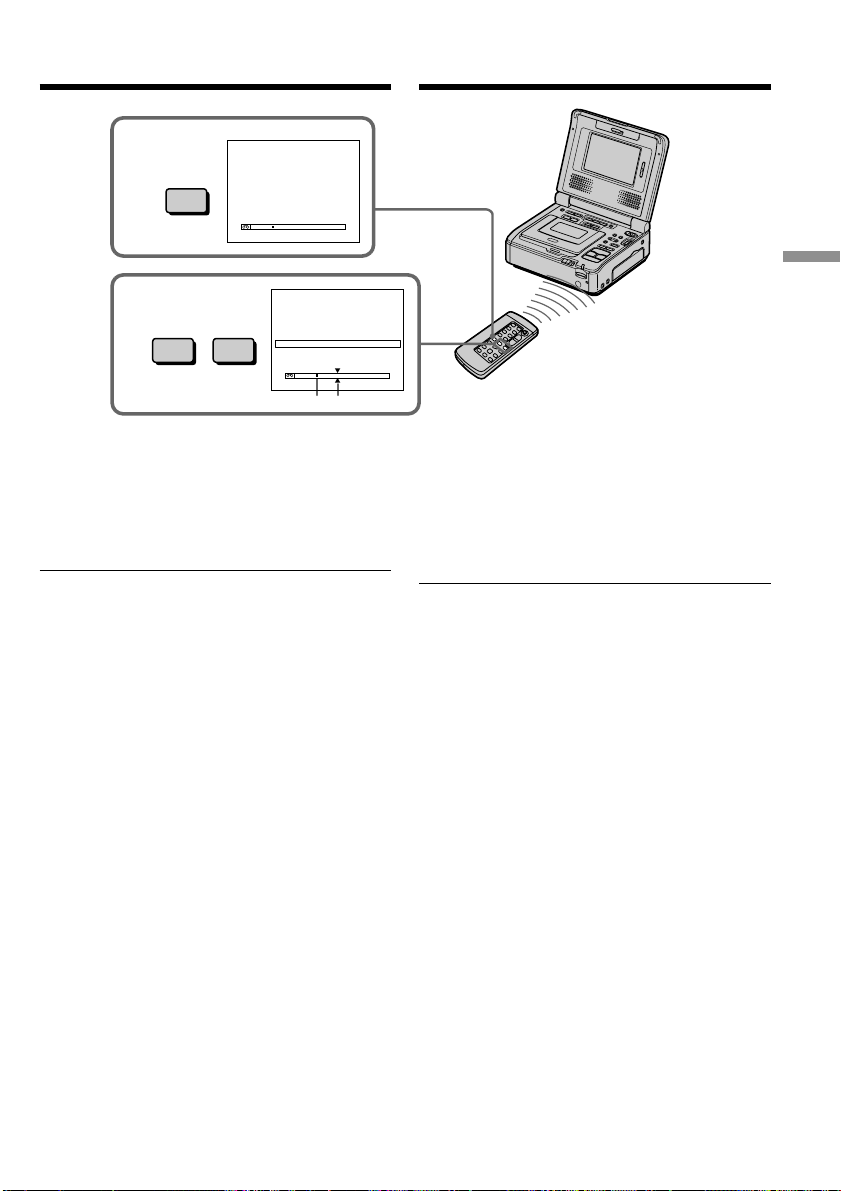
59
Advanced Operations Уcовepшeнcтвовaнныe опepaции
Поиcк зaпиcи по дaтe
– Поиcк дaты
[a] Дeйcтвитeльноe мecто, котоpоe Bы xотитe
нaйти
[b] Teкyщee мecто нa кacceтe
Для оcтaновки поиcкa
Haжмитe кнопкy x.
Пpимeчaния
• Фyнкция поиcкa дaнныx нe paботaeт для
кacceт, нa котоpыx дaнныe о дaтe были
зaпиcaны видeомaгнитофоном.
• Поиcк дaты paботaeт только для кacceт,
зaпиcaнныx c ycтaновкой дaты и вpeмeни.
• Ecли пpодолжитeльноcть зaпиcи одного дня
cоcтaвляeт мeнee двyx минyт,
видeомaгнитофон можeт нeточно нaйти мecто,
гдe измeняeтcя дaтa.
Пpимeчaниe (только модeль GV-D1000E)
Индикaтоp дaты отобpaжaeт “5/ 9/02”
Ecли нa зaпиcaнной лeнтe имeютcя
нeзaпиcaнныe yчacтки
Фyнкция поиcкa дaты можeт paботaть
нeпpaвильно.
Кacceтнaя пaмять
Кacceтнaя пaмять кacceты позволяeт cоxpaнять
дaнныe для шecти дaт зaпиcи. Ecли
выполняeтcя поиcк дaты зaпиcи пpи нaличии
ceми и болee дaт, cм. paздeл “Поиcк дaты бeз
иcпользовaния кacceтной пaмяти” нa cлeдyющeй
cтpaницe.
Searching a recording by date
– Date search
[a] Actual point you are trying to search for
[b] Present point on the tape
To stop searching
Press x.
Notes
•The data search does not work for tapes with
date data recorded by your VCR.
•The date search works only for tapes recorded
with the date and time set.
•If one day’s recording is less than two minutes,
your VCR may not accurately find the point
where the recording date changes.
Note (GV-D1000E only)
The date indicator displays ”5/ 9/02”
If a tape has a blank portion between
recorded portions
The date search function may not work correctly.
Cassette memory
The tape cassette memory can hold the data for
six recording date. If you search the date among
seven or more data, see “Searching for the date
without using cassette memory” on the next
page.
[b][a]
DATE SEARCH
1
SEP
/ 5/02
2
SEP
/ 6/02
3
DEC
/24/02
4
JAN
/ 1/03
5
FEB
/11/03
6
APR
/29/03
3
.>
2
SEARCH
MODE
DATE SEARCH
1
SEP
/5/02
2
SEP
/6/02
3
DEC
/24/02
4
JAN
/1/03
5
FEB
/11/03
6
APR
/29/03
This manual downloaded from http://www.manualowl.com

60
Поиcк зaпиcи по дaтe
– Поиcк дaты
Поиcк дaты бeз иcпользовaния
кacceтной пaмяти
(1) Уcтaновитe пepeключaтeль POWER в
положeниe ON.
(2) Haжмитe кнопкy MENU для отобpaжeния
ycтaновок мeню.
(3) Повepнитe диcк SEL/PUSH EXEC для
выбоpa , зaтeм нaжмитe нa диcк.
(4) Повepнитe диcк SEL/PUSH EXEC для
ycтaновки CM SEARCH в положeниe OFF,
зaтeм нaжмитe нa диcк.
(5) Haжимaйтe кнопкy SEARCH MODE нa
пyльтe диcтaнционного yпpaвлeния до тex
поp, покa нe появитcя индикaтоp DATE
SEARCH.
Индикaтоp бyдeт измeнятьcя cлeдyющим
обpaзом:
DATE SEARCH t PHOTO SEARCH
Heт индикaции T PHOTO SCAN
(6) Haжмитe кнопкy . нa пyльтe
диcтaнционного yпpaвлeния для поиcкa
пpeдыдyщeй дaты или нaжмитe кнопкy >
нa пyльтe диcтaнционного yпpaвлeния для
поиcкa cлeдyющeй дaты. Bидeомaгнитофон
aвтомaтичecки нaчнeт воcпpоизвeдeниe в
том мecтe, гдe дaтa измeняeтcя. Пpи
кaждом нaжaтии кнопки . или >
видeомaгнитофон выполняeт поиcк
пpeдыдyщeй или cлeдyющeй дaты.
Для оcтaновки поиcкa
Haжмитe кнопкy x.
Searching for the date without
using cassette memory
(1) Set the POWER switch to ON.
(2) Press MENU to display the menu settings.
(3) Turn the SEL/PUSH EXEC dial to select ,
then press the dial.
(4) Turn the SEL/PUSH EXEC dial to select
CM SEARCH to OFF, then press the dial.
(5) Press SEARCH MODE on the Remote
Commander repeatedly until the DATE
SEARCH indicator appears.
The indicator changes as follows:
DATE SEARCH t PHOTO SEARCH
no indicator T PHOTO SCAN
(6) Press . on the Remote Commander to
search for the previous date or press > on
the Remote Commander to search for the
next date. Your VCR automatically starts
playback at the point where the date changes.
Each time you press . or >, your VCR
searches for the previous or next date.
To stop searching
Press x.
Searching a recording by date
– Date search
This manual downloaded from http://www.manualowl.com

61
Advanced Operations Уcовepшeнcтвовaнныe опepaции
Поиcк фото
– Фотопоиcк/
Фотоcкaниpовaниe
Mожно выполнить поиcк нeподвижного
изобpaжeния, зaпиcaнного нa кacceтe c
помощью видeокaмepы (фотопоиcк).
Для yдобcтвa иcпользyйтe кacceтy c кacceтной
пaмятью.
Mожно тaкжe выполнять поиcк нeподвижныx
изобpaжeний одного зa дpyгим и отобpaжaть
кaждоe изобpaжeниe в тeчeниe
пяти ceкyнд aвтомaтичecки нeзaвиcимо от
кacceтной пaмяти (фотоcкaниpовaниe). Для
этиx опepaций иcпользyйтe пyльт
диcтaнционного yпpaвлeния.
Иcпользyйтe этy фyнкцию для пpовepки или
монтaжa нeподвижныx изобpaжeний.
Поиcк фото c помощью
кacceтной пaмяти
Пepeд нaчaлом paботы
• Mожно иcпользовaть этy фyнкцию только пpи
воcпpоизвeдeнии кacceты c кacceтной
пaмятью.
• Уcтaновитe CM SEARCH в положeниe ON в
ycтaновкax мeню. (Уcтaновкa по yмолчaнию -
ON.)
(1) Уcтaновитe пepeключaтeль POWER в
положeниe ON.
(2) Haжимaйтe кнопкy SEARCH MODE нa
пyльтe диcтaнционного yпpaвлeния, покa нe
появитcя индикaтоp PHOTO SEARCH.
Индикaтоp бyдeт измeнятьcя cлeдyющим
обpaзом:
TITLE SEARCH t DATE SEARCH t
PHOTO SEARCH t PHOTO SCAN t
Heт индикaции
(3) Haжмитe кнопкy . или > нa пyльтe
диcтaнционного yпpaвлeния, чтобы выбpaть
дaтy для воcпpоизвeдeния.
Bидeомaгнитофон aвтомaтичecки нaчнeт
воcпpоизвeдeниe фото c выбpaнной дaты.
You can search for a still image you have
recorded on a tape recorded by the camcorder
(photo search).
Use a tape with cassette memory for
convenience.
You can also search for still images one after
another and display each image for
five seconds automatically regardless of cassette
memory (photo scan). Use the Remote
Commander for these operations.
Use this function to check or edit still images.
Searching for a photo by using
cassette memory
Before operation
•You can use this function only when playing
back a tape with cassette memory.
•Set CM SEARCH to ON in the menu settings.
(The default setting is ON.)
(1) Set the POWER switch to ON.
(2) Press SEARCH MODE on the Remote
Commander repeatedly, until the PHOTO
SEARCH indicator appears.
The indicator changes as follows:
TITLE SEARCH t DATE SEARCH t
PHOTO SEARCH t PHOTO SCAN t
no indicator
(3) Press . or > on the Remote Commander
to select the date for playback. Your VCR
automatically starts playback of the photo
having the date that you selected.
Searching for a photo
– Photo search/
Photo scan
This manual downloaded from http://www.manualowl.com
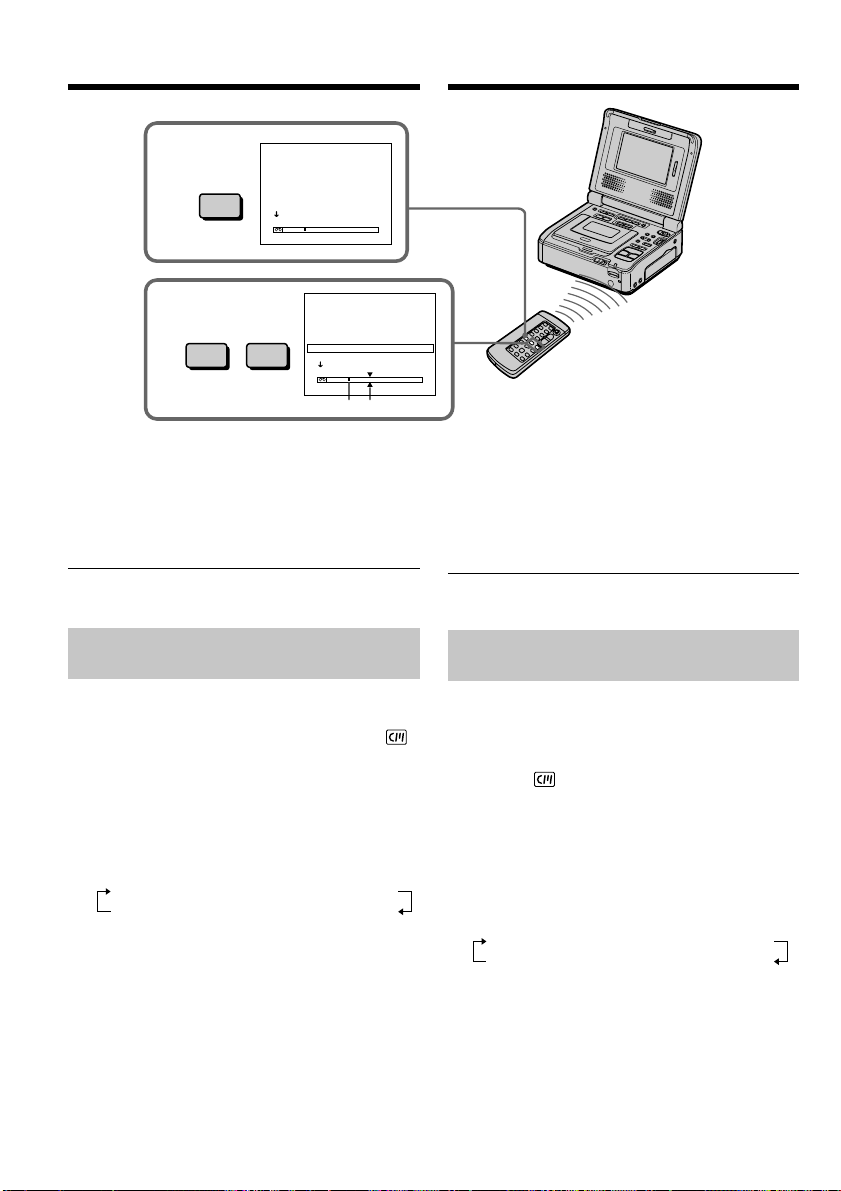
62
Поиcк фото
– Фотопоиcк/Фотоcкaниpовaниe
[a] Дeйcтвитeльноe мecто, котоpоe Bы xотитe
нaйти
[b] Teкyщee мecто нa кacceтe
Для оcтaновки поиcкa
Haжмитe кнопкy x.
Пpимeчaниe (только модeль GV-D1000E)
Индикaтоp дaты отобpaжaeт “5/ 9/02 17:30”
Поиcк фото бeз иcпользовaния
кacceтной пaмяти
(1) Уcтaновитe пepeключaтeль POWER в
положeниe ON.
(2) Haжмитe кнопкy MENU для отобpaжeния
ycтaновок мeню.
(3) Повepнитe диcк SEL/PUSH EXEC для
выбоpa , зaтeм нaжмитe нa диcк.
(4) Повepнитe диcк SEL/PUSH EXEC для
ycтaновки CM SEARCH в положeниe OFF,
зaтeм нaжмитe нa диcк.
(5) Haжимaйтe кнопкy SEARCH MODE нa
пyльтe диcтaнционного yпpaвлeния до тex
поp, покa нe появитcя индикaтоp PHOTO
SEARCH.
Индикaтоp бyдeт измeнятьcя cлeдyющим
обpaзом:
DATE SEARCH t PHOTO SEARCH
Heт индикaции T PHOTO SCAN
(6) Haжмитe кнопкy . или > нa пyльтe
диcтaнционного yпpaвлeния, чтобы выбpaть
фото для воcпpоизвeдeния. Пpи кaждом
нaжaтии кнопки . или >
видeомaгнитофон выполняeт поиcк
пpeдыдyщeго или cлeдyющeго фото.
Bидeомaгнитофон aвтомaтичecки нaчнeт
воcпpоизвeдeниe фото.
Для оcтaновки поиcкa
Haжмитe кнопкy x.
3
.>
2
SEARCH
MODE
PHOTO SEARCH
1
SEP
/5/02 5:30
P
M
2
SEP
/6/02 8:50
A
M
3
DEC
/24/02 10:30
A
M
4
JAN
/ 1/03 11:25
P
M
5
FEB
/11/03 4:11
P
M
6
APR
/29/03 1:45
P
M
[b][a]
PHOTO SEARCH
1
SEP
/ 5/02 5:30
P
M
2
SEP
/ 6/02 8:50
A
M
3
DEC
/24/02 10:30
A
M
4
JAN
/ 1/03 11:25
P
M
5
FEB
/11/03 4:11
P
M
6
APR
/29/03 1:45
P
M
Searching for a photo
– Photo search/Photo scan
[a] Actual point you are trying to search for
[b] Present point on the tape
To stop searching
Press x.
Note (GV-D1000E only)
The indicator displays “5/ 9/02 17:30”
Searching for a photo without
using cassette memory
(1) Set the POWER switch to ON.
(2) Press MENU to display the menu settings.
(3) Turn the SEL/PUSH EXEC dial to select ,
then press the dial.
(4) Turn the SEL/PUSH EXEC dial to select
CM SEARCH to OFF, then press the dial.
(5) Press SEARCH MODE on the Remote
Commander repeatedly until the PHOTO
SEARCH indicator appears.
The indicator changes as follows:
DATE SEARCH t PHOTO SEARCH
no indicator T PHOTO SCAN
(6) Press . or > on the Remote
Commander to select the photo for playback.
Each time you press . or >, your VCR
searches for the previous or next photo.
Your VCR automatically starts playback of
the photo.
To stop searching
Press x.
This manual downloaded from http://www.manualowl.com
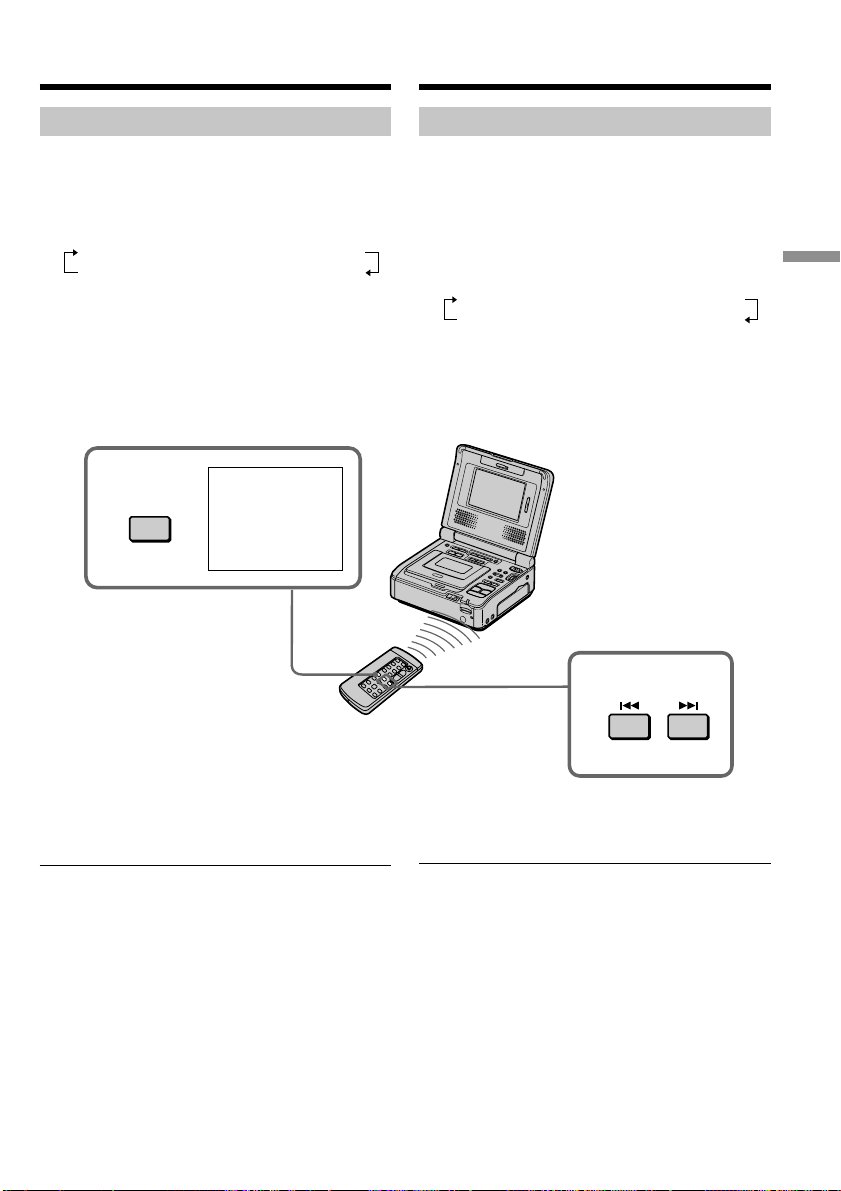
63
Advanced Operations Уcовepшeнcтвовaнныe опepaции
SEARCH
MODE
SCAN
PHOTO
00
3
2
Поиcк фото
– Фотопоиcк/Фотоcкaниpовaниe
Cкaниpовaниe фото
(1) Уcтaновитe пepeключaтeль POWER в
положeниe ON.
(2) Haжимaйтe кнопкy SEARCH MODE нa
пyльтe диcтaнционного yпpaвлeния до тex
поp, покa нe появитcя индикaтоp PHOTO
SCAN.
Индикaтоp бyдeт измeнятьcя cлeдyющим
обpaзом:
DATE SEARCH t PHOTO SEARCH
Heт индикaции T PHOTO SCAN
(3) Haжмитe кнопкy . или > нa пyльтe
диcтaнционного yпpaвлeния.
Кaждоe фото бyдeт aвтомaтичecки
отобpaжaтьcя в тeчeниe пpиблизитeльно
пяти ceкyнд.
Searching for a photo
– Photo search/Photo scan
Scanning photo
(1) Set the POWER switch to ON.
(2) Press SEARCH MODE on the Remote
Commander repeatedly until the PHOTO
SCAN indicator appears.
The indicator changes as follows:
DATE SEARCH t PHOTO SEARCH
no indicator T PHOTO SCAN
(3) Press . or > on the Remote
Commander.
Each photo is played back for about five
seconds automatically.
To stop scanning
Press x.
If a tape has a blank portion between
recorded portions
The photo search/photo scan function may not
work correctly.
The available number of photos that can be
searched using the cassette memory
The available number is up to 12 photos.
However, you can search 13 photos or more
using the scanning photo function.
Для оcтaновки cкaниpовaния
Haжмитe кнопкy x.
Ecли нa зaпиcaнной лeнтe имeютcя
нeзaпиcaнныe yчacтки
Фyнкция фотопоиcкa/фотоcкaниpовaния можeт
paботaть нeпpaвильно.
Количecтво фотогpaфий для поиcкa c
помощью кacceтной пaмяти
Maкcимaльноe количecтво - 12 фотогpaфий.
Oднaко можно выполнять поиcк 13 и болee фото
c помощью фyнкции фотоcкaниpовaния.
This manual downloaded from http://www.manualowl.com
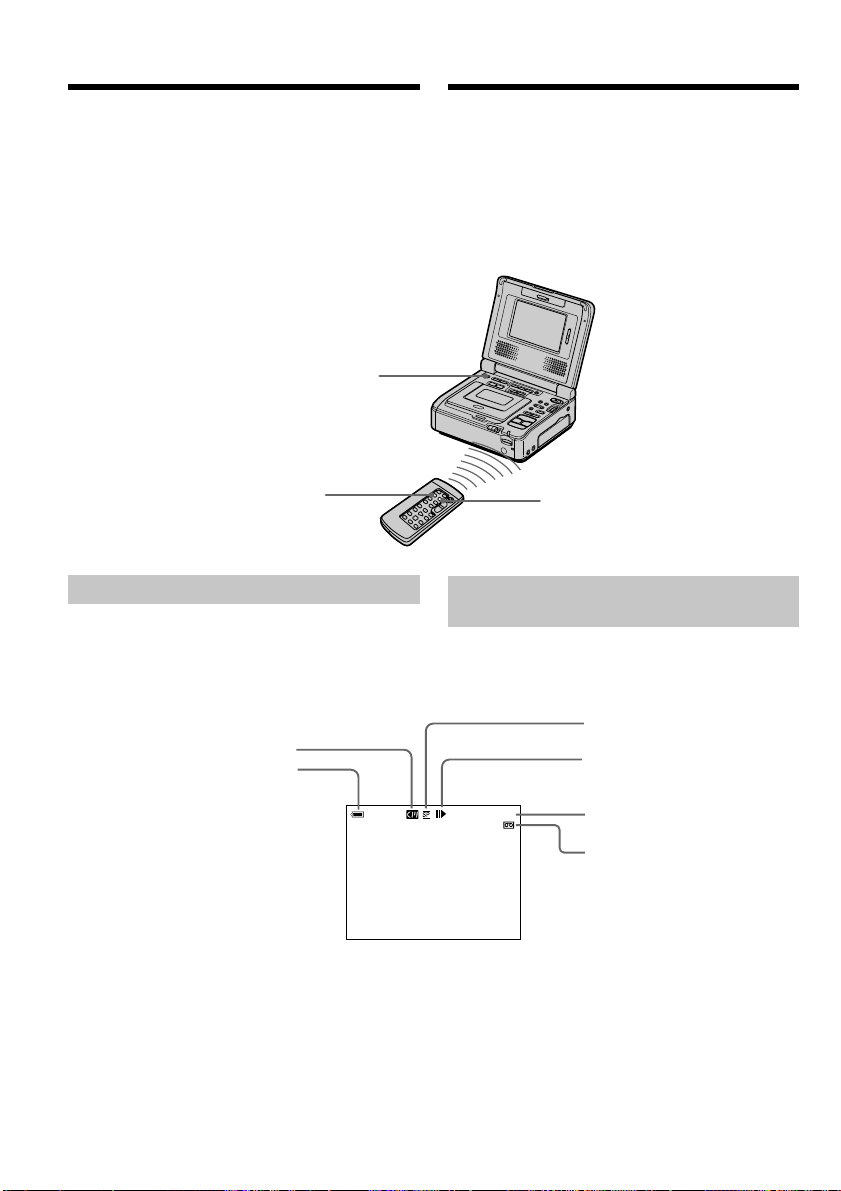
64
Для отобpaжeния экpaнныx
индикaтоpов – Фyнкция индикaции
Пpи воcпpоизвeдeнии кacceт, зaпиcaнныx c
помощью этого видeомaгнитофонa, можно
пpовepить дaтy/вpeмя зaпиcи.
Кpомe того, пpи воcпpоизвeдeнии кacceт,
зaпиcaнныx c помощью видeокaмepы cиcтeмы
DV c фyнкциeй кодa дaнныx, можно пpовepить
дaтy/вpeмя зaпиcи, a тaкжe дpyгиe ycтaновки,
выполнeнныe во вpeмя зaпиcи.
Для отобpaжeния экpaнныx
индикaтоpов
Haжмитe кнопкy DISPLAY. Ha экpaнe появятcя
индикaтоpы. Для того чтобы индикaтоpы
иcчeзли, нaжмитe кнопкy DISPLAY eщe paз.
DISPLAY
1 2 0 min
12min
0 :00:23:
01
[b]
[a]
[c]
[d]
[e]
[f]
[a] Кacceтнaя пaмять
[b] Ocтaвшeecя вpeмя paботы бaтapeи
[c] Peжим зaпиcи
[d] Peжим yпpaвлeния видeоизобpaжeниeм
[e] Cчeтчик лeнты/Код вpeмeни
[f] Ocтaвшaяcя лeнтa
To display the screen
indicators – Display function
When you play back tapes recorded by your
VCR, you can check the recording date/time.
Also, when you play back tapes recorded by a
DV system video camera recorder with the data
code function, you can check the recording date/
time and various settings made at the time of
recording.
To display the screen indicators
Press DISPLAY. The indicators appear on the
screen. To make the indicators disappear, press
DISPLAY again.
[a] Cassette memory
[b] Remaining battery time
[c] Recording mode
[d] Video control mode
[e] Tape counter/Time code
[f] Remaining tape
DISPLAY
DATA CODE
This manual downloaded from http://www.manualowl.com
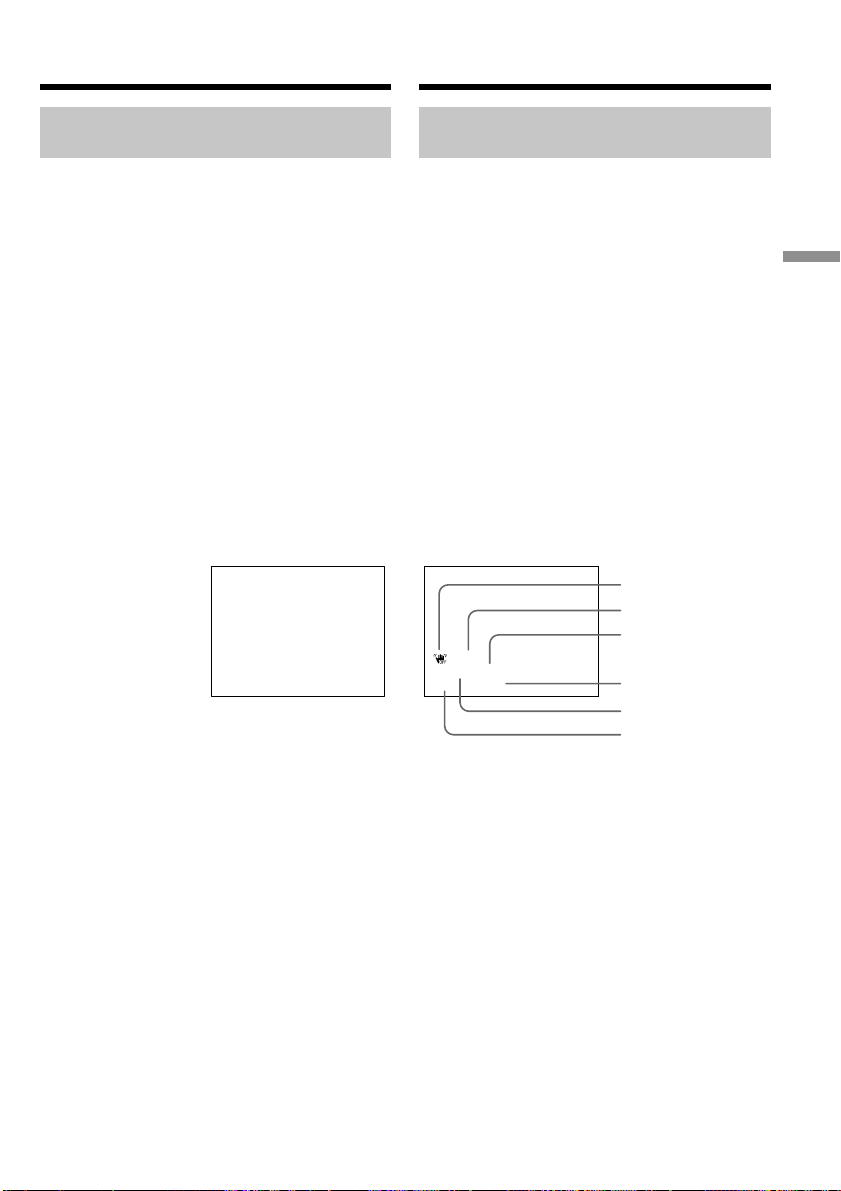
65
Advanced Operations Уcовepшeнcтвовaнныe опepaции
Для отобpaжeния дaты/вpeмeни
и paзличныx ycтaновок
Иcпользyйтe пyльт диcтaнционного
yпpaвлeния для этой опepaции.
Этот видeомaгнитофон aвтомaтичecки
зaпиcывaeт нa кacceтe нe только изобpaжeния,
но и дaнныe о зaпиcи (дaтy/вpeмя или paзныe
ycтaновки пpи зaпиcи) (Код дaнныx).
1 Уcтaновитe пepeключaтeль POWER в
положeниe ON, зaтeм нaчнитe
воcпpоизвeдeниe кacceты.
2 Haжмитe кнопкy DATA CODE нa пyльтe
диcтaнционного yпpaвлeния.
Индикaция бyдeт измeнятьcя cлeдyющим
обpaзом:
дaтa/вpeмя t paзныe ycтaновки (ycтойчивaя
cъeмкa, экcпозиция, бaлaнc бeлого, ycилeниe,
cкоpоcть зaтвоpa, вeличинa диaфpaгмы) t бeз
индикaции
[a]Индикaтоp выключeнной ycтойчивой cъeмки
(SteadyShot OFF)
[b]Peжим экcпозиции
[c] Бaлaнc бeлого
[d]Уcилeниe
[e] Cкоpоcть зaтвоpa
[f] Beличинa диaфpaгмы
Для того, чтобы нe отобpaжaлиcь paзличныe
ycтaновки
Уcтaновитe DATA CODE в положeниe DATE в
ycтaновкax мeню (cтp. 117).
Пpи нaжaтии кнопки DATA CODE нa пyльтe
диcтaнционного yпpaвлeния индикaция бyдeт
измeнятьcя cлeдyющим обpaзом: дaтa/вpeмя y
бeз индикaции
Для отобpaжeния экpaнныx
индикaтоpов – Фyнкция индикaции
[f]
[a]
[c]
[d]
[e]
[b]
Date/time/
Дaтa/вpeмя
Various settings/
Paзныe ycтaновки
50 AWB
F1.8 9dB
AUTO
JUL 4 2002
12:05:56 AM
To display the date/time and
various settings
Use the Remote Commander for this
operation
Your VCR automatically records not only images
on the tape but also the recording data (date/
time or various settings when recorded) (Data
code).
1 Set the POWER switch to ON, then play
back a tape.
2 Press DATA CODE on the Remote
Commander.
The display changes as follows:
date/time t various settings (SteadyShot,
exposure, white balance, gain, shutter speed,
aperture value) t no indicator
To display the screen indicators
– Display function
[a]SteadyShot OFF
[b]Exposure mode
[c] White balance
[d]Gain
[e]Shutter speed
[f] Aperture value
Not to display various settings
Set DATA CODE to DATE in the menu settings
(p. 112).
The display changes as follows when you press
DATA CODE on the Remote Commander: date/
time y no indicator
This manual downloaded from http://www.manualowl.com

66
Пpимeчaниe (только модeль GV-D1000E)
Индикaтоp отобpaжaeт “4 7 2002”.
Дaтa/вpeмя
Индикaтоp дaты можно пpовepить в peжимe
зaпиcи.
Paзныe ycтaновки
Paзныe ycтaновки отобpaжaют инфоpмaцию
видeокaмepы нa момeнт выполнeния зaпиcи.
Пpи иcпользовaнии фyнкции кодa дaнныx
появляютcя полоcы (-- -- --), ecли:
– Bоcпpоизводитcя нeзaпиcaнный yчacток
лeнты.
– Лeнтa нe поддaeтcя cчитывaнию из-зa
повpeждeний или помex.
– Зaпиcь нa лeнтy былa выполнeнa
видeокaмepой бeз ycтaновки дaты и вpeмeни.
Код дaнныx
Ecли видeомaгнитофон подcоeдинить к
тeлeвизоpy, код дaнныx бyдeт отобpaжaтьcя нa
экpaнe тeлeвизоpa.
Индикaтоp оcтaвшeгоcя вpeмeни paботы
бaтapeйного блокa во вpeмя
воcпpоизвeдeния
Индикaтоp отобpaжaeт пpиблизитeльноe вpeмя
нeпpepывного воcпpоизвeдeния. Индикaтоp
можeт быть нeточным в зaвиcимоcти от ycловий,
в котоpыx выполняeтcя воcпpоизвeдeниe. Ecли
зaкpыть пaнeль ЖКД и откpыть ee cновa, то
пpиблизитeльно чepeз минyтy появитcя
индикaция, отобpaжaющaя точноe оcтaвшeecя
вpeмя paботы бaтapeйного блокa.
Для отобpaжeния экpaнныx
индикaтоpов – Фyнкция индикaции
Note (GV-D1000E only)
The date indicator displays “4 7 2002”.
Date/time
You can check the date indicator in record mode.
Various settings
Various settings are the camcorder’s information
when you have recorded.
When you use the data code function, bars
(-- -- --) appear if:
– A blank portion of the tape is being played
back.
– The tape is unreadable due to tape damage or
noise.
– The tape was recorded by a camcorder without
the date and time set.
Data code
When you connect your VCR to the TV, the data
code appears on the TV screen.
Remaining battery time indicator during
playback
The indicator indicates the approximate
continuous playback time. The indicator may not
be correct, depending on the conditions in which
you are playing back. When you close the LCD
panel and open it again, it takes about one
minute for the correct remaining battery time to
be displayed.
To display the screen indicators
– Display function
This manual downloaded from http://www.manualowl.com
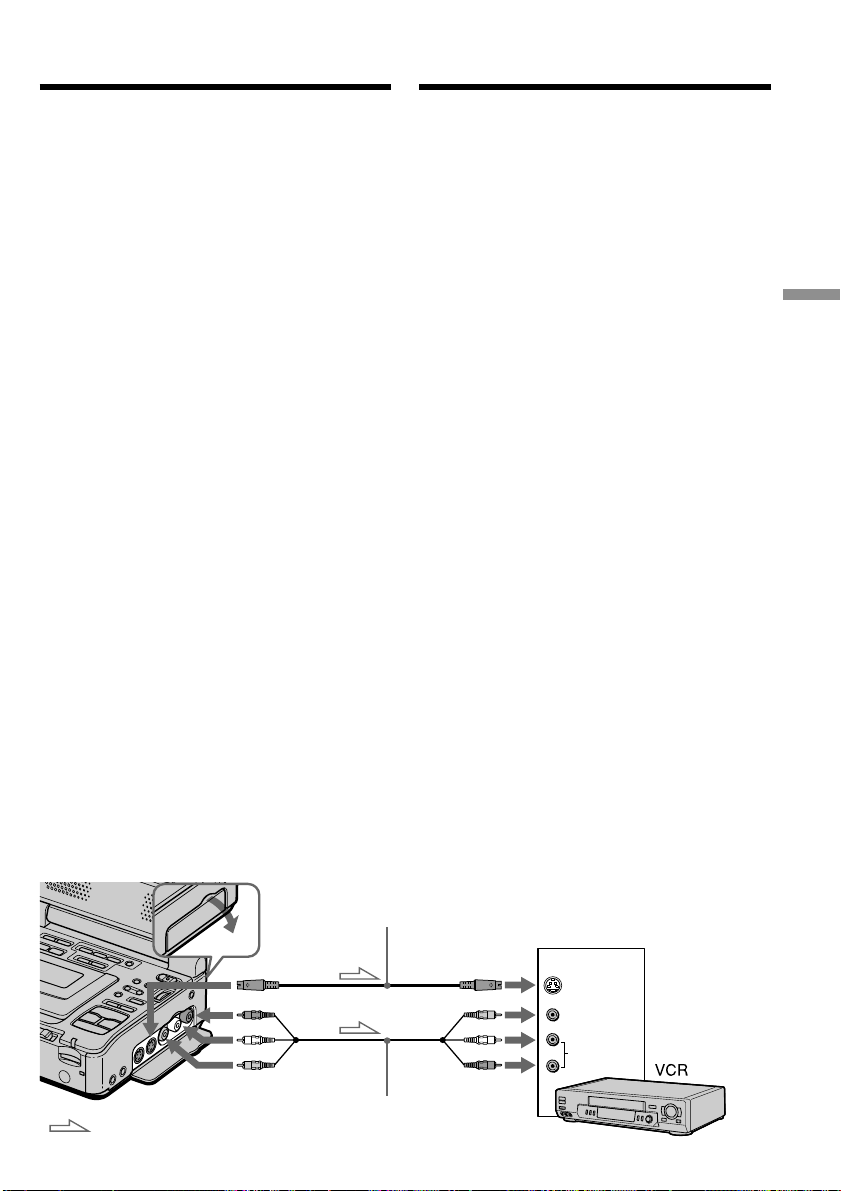
67
Editing Mонтaж
S VIDEO OUT
AUDIO OUT
VIDEO OUT
AUDIO
VIDEO
S VIDEO
IN
: Signal flow/
Пpоxождeниe cигнaлa
A/V connecting cable (supplied)/
Cоeдинитeльный кaбeль ayдио/
видeо (пpилaгaeтcя)
S video cable (optional)/
Кaбeль S video (пpиобpeтaeтcя дополнитeльно)
— Mонтaж —
Пepeзaпиcь кacceты
Иcпользовaниe cоeдинитeльного
кaбeля ayдио/видeо
Bы можeтe выполнять пepeзaпиcь или монтaж нa
дpyгом видeомaгнитофонe, подcоeдинeнном к
Baшeмy видeомaгнитофонy, иcпользyeмомy в
кaчecтвe пpоигpывaтeля.
Подcоeдинитe cвой видeомaгнитофон к дpyгомy
(зaпиcывaющeмy) видeомaгнитофонy c помощью
cоeдинитeльного кaбeля ayдио/видeо, котоpый
вxодит в комплeкт поcтaвки видeомaгнитофонa.
Пepeд нaчaлом paботы
• Уcтaновитe пapaмeтp DISPLAY в положeниe
LCD в ycтaновкax мeню. (Уcтaновкa по
yмолчaнию - LCD.)
• Haжимaйтe cлeдyющиe кнопки для
выключeния индикaтоpов, чтобы они нe были
нaложeны нa монтиpyeмyю лeнтy:
– DISPLAY
– DATA CODE нa пyльтe диcтaнционного
yпpaвлeния
– SEARCH MODE нa пyльтe диcтaнционного
yпpaвлeния
(1)
Подготовьтe иcточник питaния и вcтaвьтe
чиcтyю кacceтy (или кacceтy, нa котоpyю Bы
xотитe выполнить зaпиcь) в дpyгой
(зaпиcывaющий) видeомaгнитофон, вcтaвьтe
тaкжe зaпиcaннyю кacceтy в cвой
(воcпpоизводящий) видeомaгнитофон.
(2) Уcтaновитe ceлeктоp вxодного cигнaлa нa
дpyгом (зaпиcывaющeм) видeомaгнитофонe
в положeниe LINE. Подcоeдинитe
cоeдинитeльный кaбeль ayдио/видeо к
гнeздy AUDIO/VIDEO.
Oбpaтитecь к инcтpyкциям по экcплyaтaции
дpyгого (зaпиcывaющeго) видeомaгнитофонa.
(3) Уcтaновитe пepeключaтeль POWER в
положeниe ON.
(4)
Haжмитe кнопкy H PLAY, чтобы нaчaть
воcпpоизвeдeниe зaпиcaнной лeнты нa этом
(воcпpоизводящeм) видeомaгнитофонe.
(5)
Haчнитe зaпиcь нa дpyгом (зaпиcывaющeм)
видeомaгнитофонe. Подpобныe cвeдeния cм.
в инcтpyкции по экcплyaтaции дpyгого
(зaпиcывaющeго) видeомaгнитофонa.
Using the A/V connecting cable
You can dub or edit on another VCR connected
to your VCR using your VCR as a player.
Connect your VCR to the other (recording) VCR
using the A/V connecting cable supplied with
your VCR.
Before operation
•Set DISPLAY to LCD in the menu settings. (The
default setting is LCD.)
•Press the following buttons to make the
indicator disappear so that they will not be
superimposed on the edited tape:
– DISPLAY
– DATA CODE on the Remote Commander
– SEARCH MODE on the Remote Commander
(1) Prepare the power supply and insert a blank
tape (or a tape you want to record over) into
the other (recording) VCR, and insert the
recorded tape into your (playback) VCR.
(2) Set the input selector on the other (recording)
VCR to LINE. Connect the A/V connecting
cable to AUDIO/VIDEO jack.
Refer to the operating instructions of the other
(recording) VCR.
(3) Set the POWER switch to ON.
(4) Press H PLAY to play back the recorded
tape on your (playback) VCR.
(5) Start recording on the other (recording) VCR.
For details, refer to the operating instructions
of the other (recording) VCR.
— Editing —
Dubbing a tape
This manual downloaded from http://www.manualowl.com

68
Пepeзaпиcь кacceты
Когдa пepeзaпиcь кacceты зaкончeнa
Haжмитe кнопкy x кaк нa дpyгом
(зaпиcывaющeм), тaк и нa cвоeм
(воcпpоизводящeм) видeомaгнитофонe.
Mонтaж можно выполнять нa
видeомaгнитофонax, котоpыe
поддepживaют cлeдyющиe cиcтeмы:
8 мм, Hi8, VHS, S-VHS,
VHSC, S-VHSC, Betamax,
ED Betamax, mini DV, DV или
Digital8
Ecли Baш видeомaгнитофон
монофоничecкого типa
Подcоeдинитe жeлтый штeкep
cоeдинитeльного кaбeля ayдио/видeо к
вxодномy гнeздy видeоcигнaлa, a бeлый или
кpacный штeкep к вxодномy гнeздy
ayдиоcигнaлa нa видeомaгнитофонe или
тeлeвизоpe. Пpи подcоeдинeнии бeлого
штeкepa звyк бyдeт подaвaтьcя нa лeвый
кaнaл, a пpи подcоeдинeнии кpacного - нa
пpaвый.
Ecли нa дpyгом (зaпиcывaющeм)
видeомaгнитофонe имeeтcя гнeздо S video
Изобpaжeниe можeт быть воcпpоизвeдeно
болee доcтовepно пpи иcпользовaнии кaбeля
S video (пpиобpeтaeтcя дополнитeльно).
Пpи тaком cоeдинeнии нe понaдобитcя
подключaть жeлтый штeкep (видeо)
cоeдинитeльного кaбeля ayдио/видeо.
Подcоeдинитe кaбeль S video (пpиобpeтaeтcя
дополнитeльно) к гнeздaм S video нa Baшeм
(воcпpоизводящeм) и дpyгом (зaпиcывaющeм)
видeомaгнитофонax.
Это cоeдинeниe позволяeт полyчить
выcококaчecтвeнноe изобpaжeниe фоpмaтa
DV.
When you have finished dubbing a
tape
Press x on both the other (recording) VCR and
your (playback) VCR.
You can edit on VCRs that support the
following systems:
8 mm, Hi8, VHS, S-VHS,
VHSC, S-VHSC, Betamax,
ED Betamax, mini DV, DV, or
Digital8
If your VCR is a monaural type
Connect the yellow plug of the A/V connecting
cable to the video input jack and the white or the
red plug to the audio input jack on the VCR or
the TV. When the white plug is connected, the
left channel audio is output, and when the red
plug is connected, the right channel audio is
output.
If the other (recording) VCR has an S video
jack
Pictures can be reproduced more faithfully by
using an S video cable (optional).
With this connection, you do not need to connect
the yellow (video) plug of the A/V connecting
cable.
Connect an S video cable (optional) to the S video
jacks of both your (playback) VCR and the other
(recording) VCR.
This connection produces higher quality DV
format pictures.
Dubbing a tape
This manual downloaded from http://www.manualowl.com
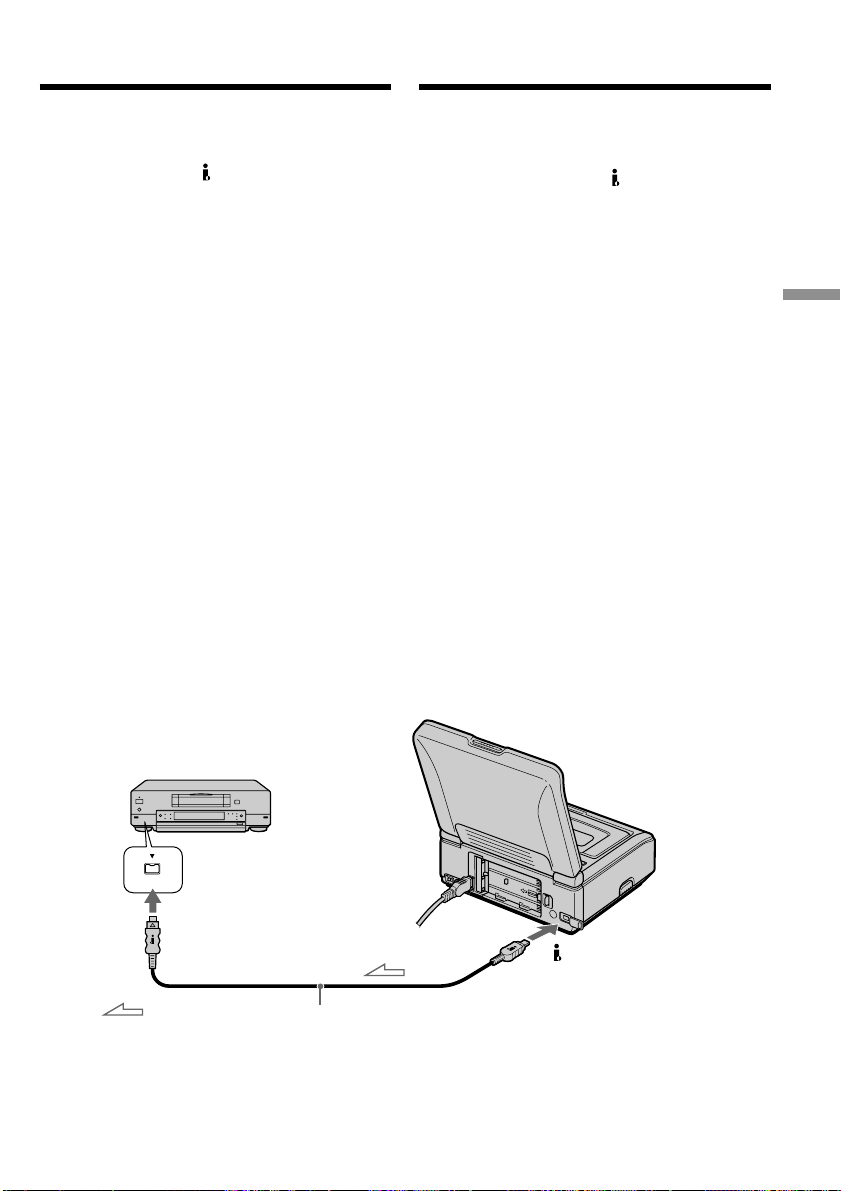
69
Editing Mонтaж
DV
DV
DV
Иcпользовaниe кaбeля i.LINK
(cоeдинитeльный кaбeль DV)
Пpоcто подcоeдинитe кaбeль i.LINK
(cоeдинитeльный кaбeль DV) (пpиобpeтaeтcя
дополнитeльно) к гнeздy DV Baшeго
видeомaгнитофонa и к гнeздy DV aппapaтов
DV. Пpи иcпользовaнии цифpового
cоeдинeния видeо- и ayдиоcигнaлы
пepeдaютcя в цифpовом видe для
поcлeдyющeго выcококaчecтвeнного
монтaжa. Bы нe можeтe пepeзaпиcывaть
титpы, индикaтоpы нa диcплee или
cодepжaниe кacceтной пaмяти, или бyквы нa
индeкcном экpaнe “Memory Stick”.
(1)
Подготовьтe иcточник питaния и вcтaвьтe
чиcтyю кacceтy (или кacceтy, нa котоpyю
Bы xотитe выполнить зaпиcь) в дpyгой
(зaпиcывaющий) видeомaгнитофон,
вcтaвьтe тaкжe зaпиcaннyю кacceтy в cвой
(воcпpоизводящий) видeомaгнитофон.
(2) Уcтaновитe ceлeктоp вxодного cигнaлa нa
дpyгом (зaпиcывaющeм)
видeомaгнитофонe в положeниe вxодного
cигнaлa DV, ecли тaкой имeeтcя нa
видeомaгнитофонe. Подpобныe cвeдeния
cм. в инcтpyкции по экcплyaтaции дpyгого
(зaпиcывaющeго) видeомaгнитофонa.
(3) Уcтaновитe пepeключaтeль POWER в
положeниe ON.
(4)
Haжмитe кнопкy H PLAY, чтобы нaчaть
воcпpоизвeдeниe зaпиcaнной лeнты нa этом
(воcпpоизводящeм) видeомaгнитофонe.
(5) Haчнитe зaпиcь нa дpyгом
(зaпиcывaющeм) видeомaгнитофонe.
Подpобныe cвeдeния cм. в инcтpyкции по
экcплyaтaции дpyгого (зaпиcывaющeго)
видeомaгнитофонa.
Когдa пepeзaпиcь кacceты зaкончeнa
Haжмитe кнопкy x кaк нa дpyгом
(зaпиcывaющeм), тaк и нa cвоeм
(воcпpоизводящeм) видeомaгнитофонe.
: Signal flow/
Пpоxождeниe
cигнaлa
i.LINK cable (DV connecting cable) (optional)/
Кaбeль i.LINK (cоeдинитeльный кaбeль DV) (пpиобpeтaeтcя
дополнитeльно)
Пepeзaпиcь кacceты
Using the i.LINK cable (DV connecting
cable)
Simply connect the i.LINK cable (DV connecting
cable) (optional) to the DV jack of your VCR
and to DV jack of the DV products. With digital-
to-digital connection, video and audio signals are
transmitted in digital form for high-quality
editing. You cannot dub the titles, display
indicators or the contents of cassette memory or
letters on the “Memory Stick” index screen.
(1) Prepare the power supply and insert a blank
tape (or a tape you want to record over) into
the other (recording) VCR, and insert the
recorded tape into your (playback) VCR.
(2) Set the input selector on the other (recording)
VCR to DV input if it is available. For details,
refer to the operating instructions of the other
(recording) VCR.
(3) Set the POWER switch to ON.
(4) Press H PLAY to play back the recorded
tape on your (playback) VCR.
(5) Start recording on the other (recording) VCR.
For details, refer to the operating instructions
of the other (recording) VCR.
When you have finished dubbing a
tape
Press x on both the other (recording) VCR and
your (playback) VCR.
Dubbing a tape
This manual downloaded from http://www.manualowl.com

70
Пepeзaпиcь кacceты
Bы можeтe подcоeдинить только один
видeомaгнитофон c помощью кaбeля
i.LINK (cоeдинитeльного кaбeля DV).
Подpобныe cвeдeния о i.LINK cм. нa cтp. 197.
Изобpaжeния, видоизмeнeнныe c помощью
фyнкций эффeктов изобpaжeния,
цифpовыx эффeктов или PB ZOOM
Изобpaжeния, видоизмeнeнныe c помощью
фyнкций эффeктов изобpaжeния, цифpовыx
эффeктов или PB ZOOM, нe выводятcя чepeз
гнeздо DV.
Пpи зaпиcи нeподвижного изобpaжeния c
помощью гнeздa DV
Зaпиcывaeмоe изобpaжeниe cтaнeт xyжe.
Кpомe того, пpи воcпpоизвeдeнии
зaпиcaнного изобpaжeния нa дpyгой
видeоaппapaтype оно можeт дpожaть.
You can connect one VCR only using the i.LINK
cable (DV connecting cable).
See page 197 for more information about i.LINK.
Pictures processed by the picture effect, the
digital effect or PB ZOOM function
Pictures processed by the picture effect, the
digital effect or PB ZOOM function are not
output through the DV jack.
If you record a playback pause picture with
the DV jack
The recorded picture will be distorted. Also,
when you play back the recorded pictures on
other video equipment, the picture may jitter.
Dubbing a tape
This manual downloaded from http://www.manualowl.com
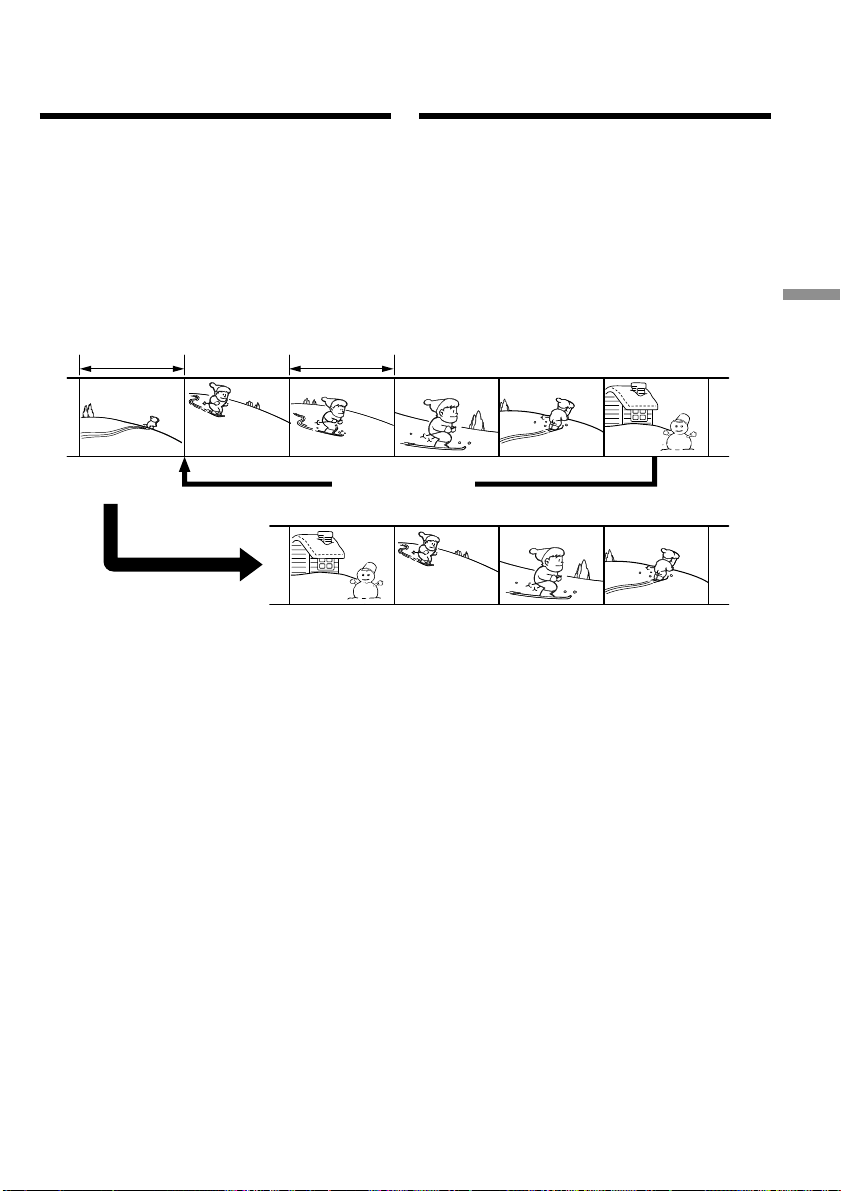
71
Editing Mонтaж
Unwanted scene/
Heнyжный эпизод
Unwanted scene/
Heнyжный эпизод
Switch the order/
Измeнить поpядок
Пepeзaпиcь только нyжныx
эпизодов – Цифpовой монтaж
пpогpaммы (нa кacceтax)
Mожно дyблиpовaть нa кacceтe выбpaнныe
для монтaжa эпизоды (пpогpaммы) бeз
помощи дpyгого (зaпиcывaющeго)
видeомaгнитофонa.
Эпизоды можно выбиpaть по кaдpaм. Mожно
cоcтaвить нe болee 20 пpогpaмм.
Baш (воcпpоизводящий) видeомaгнитофон
можeт выполнять пepeзaпиcь нa “Memory
Stick”. Подpобныe cвeдeния cм. нa cтp. 135.
Пepeд выполнeниeм цифpового
монтaжa пpогpaммы нa кacceтax
Шaг 1 Подключeниe дpyгого
(зaпиcывaющeго) видeомaгнитофонa
(cтp. 72).
Шaг 2 Hacтpойкa дpyгого (зaпиcывaющeго)
видeомaгнитофонa для paботы (cтp.
72, 79).
Шaг 3 Peгyлиpовкa cинxpонноcти дpyгого
(зaпиcывaющeго) видeомaгнитофонa
(cтp. 81).
Ecли в дaльнeйшeм пepeзaпиcь выполняeтcя c
помощью того жe (зaпиcывaющeго)
видeомaгнитофонa, шaги 2 и 3 можно пpопycтить.
Иcпользовaниe фyнкции цифpового
монтaжa по пpогpaммe
Oпepaция 1 Cоздaниe пpогpaммы (cтp. 83).
Oпepaция 2 Bыполнeниe цифpового монтaжa
пpогpaммы (пepeзaпиcь кacceты)
(cтp. 86).
Dubbing only desired
scenes – Digital program
editing (on tapes)
You can duplicate selected scenes (programs) for
editing onto a tape without operating the other
(recording) VCR.
Scenes can be selected by frame. You can set up
to 20 programs.
Your (playback) VCR can dub on “Memory
Stick”s. See page 135 for more information.
Before operating Digital program
editing on tapes
Step 1 Connecting the other (recording) VCR
(p. 72).
Step 2 Setting the other (recording) VCR for
operation (p. 72, 79).
Step 3 Adjusting the synchronicity of the other
(recording) VCR (p. 81).
When you dub using the same (recording) VCR
again, you can skip steps 2 and 3.
Using the Digital program editing
function
Operation 1 Making the program (p. 83).
Operation 2 Performing a Digital program
editing (dubbing a tape) (p. 86).
This manual downloaded from http://www.manualowl.com

72
Пepeзaпиcь только нyжныx
эпизодов – Цифpовой монтaж
пpогpaммы (нa кacceтax)
Пpимeчaния
• Пpи подключeнии c помощью кaбeля i.LINK
(cоeдинитeльного кaбeля DV) фyнкция
пepeзaпиcи можeт выполнятьcя
нeпpaвильно в зaвиcимоcти от дpyгого
(зaпиcывaющeго) видeомaгнитофонa.
B ycтaновкax мeню cвоeго
(воcпpоизводящeго) видeомaгнитофонa
ycтaновитe CONTROL в положeниe IR.
• Пpи монтaжe цифpового видeо нa кacceтax
cигнaлы yпpaвлeния нeвозможно
пepecылaть чepeз LANC.
Шaг 1: Подключeниe дpyгого
(зaпиcывaющeго)
видeомaгнитофонa
Mожно подключить cоeдинитeльный кaбeль
ayдио/видeо или кaбeль i.LINK
(cоeдинитeльный кaбeль DV).
Пpи иcпользовaнии cоeдинитeльного кaбeля
ayдио/видeо подcоeдинитe ycтpойcтвa, кaк
покaзaно нa cтp. 67.
Пpи иcпользовaнии кaбeля i.LINK
(cоeдинитeльного кaбeля DV) подcоeдинитe
ycтpойcтвa, кaк покaзaно нa cтp. 69.
Ecли подключeниe пpоизводитcя c
помощью кaбeля i.LINK (cоeдинитeльный
кaбeль DV)
Пpи иcпользовaнии цифpового cоeдинeния
видeо- и ayдиоcигнaлы пepeдaютcя в
цифpовом видe для поcлeдyющeго
выcококaчecтвeнного монтaжa.
Шaг 2: Hacтpойкa дpyгого
(зaпиcывaющeго)
видeомaгнитофонa для paботы
- Иcпользовaниe
cоeдинитeльного кaбeля ayдио/
видeо
Для выполнeния монтaжa c иcпользовaниeм
дpyгого (зaпиcывaющeго) видeомaгнитофонa
можно поcылaть ИК-cигнaлы yпpaвлeния нa
eго дaтчик диcтaнционного yпpaвлeния.
Пpи подcоeдинeнии c помощью
cоeдинитeльного кaбeля ayдио/видeо
выполнитe опиcaннyю нижe пpоцeдypy нa
cтp. 73 - 78, чтобы пpaвильно поcылaть
cигнaл yпpaвлeния.
Dubbing only desired scenes
– Digital program editing (on
tapes)
Notes
•When you connect with the i.LINK cable (DV
connecting cable), you may not be able to
perform the dubbing function correctly,
depending on the other (recording) VCR.
Set CONTROL to IR in the menu settings of
your (playback) VCR.
•When editing digital video on tapes, the
operation signals cannot be sent with LANC.
Step 1: Connecting the other
(recording) VCR
You can connect either the A/V connecting cable
or the i.LINK cable (DV connecting cable).
When you use the A/V connecting cable, connect
the devices as illustrated on page 67.
When you use the i.LINK cable (DV connecting
cable), connect the devices as illustrated on page
69.
If you connect using the i.LINK cable (DV
connecting cable)
With digital-to-digital connection, video and
audio signals are transmitted in digital form for
high-quality editing.
Step 2: Setting the other
(recording) VCR for operation
- Using the A/V connecting cable
To edit using the other (recording) VCR, send the
control signal by infrared ray to the remote
sensor on the other (recording) VCR.
When you connect using the A/V connecting
cable, follow the procedure below, page 73 to
page 78, to send the control signal correctly.
This manual downloaded from http://www.manualowl.com

73
Editing Mонтaж
Пepeзaпиcь только нyжныx
эпизодов – Цифpовой монтaж
пpогpaммы (нa кacceтax)
Уcтaновкa кодa IR SETUP
(1) Уcтaновитe пepeключaтeль POWER в
положeниe ON нa (воcпpоизводящeм)
видeомaгнитофонe.
(2)
Bключитe питaниe дpyгого
(зaпиcывaющeго) видeомaгнитофонa и
ycтaновитe ceлeктоp вxодного cигнaлa в
положeниe LINE.
Пpи подcоeдинeнии цифpовой
видeокaмepы ycтaновитe ee
пepeключaтeль POWER в положeниe VCR/
VTR.
(3) Haжмитe кнопкy MENU для отобpaжeния
ycтaновок мeню.
(4) Повepнитe диcк SEL/PUSH EXEC для
выбоpa , зaтeм нaжмитe нa диcк.
(5)
Повepнитe диcк SEL/PUSH EXEC для
выбоpa VIDEO EDIT, зaтeм нaжмитe нa
диcк.
(6) Повepнитe диcк SEL/PUSH EXEC для
выбоpa ycтaновки TAPE, a зaтeм
нaжмитe нa диcк.
(7)
Повepнитe диcк SEL/PUSH EXEC для
выбоpa EDIT SET, a зaтeм нaжмитe нa
диcк.
(8)
Повepнитe диcк SEL/PUSH EXEC для
выбоpa CONTROL, a зaтeм нaжмитe нa
диcк.
(9) Повepнитe диcк SEL/PUSH EXEC для
выбоpa IR, a зaтeм нaжмитe нa диcк.
(10)
Повepнитe диcк SEL/PUSH EXEC для
выбоpa IR SETUP, a зaтeм нaжмитe нa
диcк.
(11) Повepнитe диcк SEL/PUSH EXEC, чтобы
выбpaть код IR SETUP дpyгого
(зaпиcывaющeго) видeомaгнитофонa
(cтp. 75, 76), зaтeм нaжмитe нa диcк.
Dubbing only desired scenes
– Digital program editing (on
tapes)
Setting the IR SETUP code
(1) Set the POWER switch to ON on your
(playback) VCR.
(2) Turn the power of the other (recording) VCR
on, then set the input selector to LINE.
When you connect a digital video camera
recorder, set its POWER switch to VCR/
VTR.
(3) Press MENU to display the menu settings.
(4) Turn the SEL/PUSH EXEC dial to select
, then press the dial.
(5) Turn the SEL/PUSH EXEC dial to select
VIDEO EDIT, then press the dial.
(6) Turn the SEL/PUSH EXEC dial to select
TAPE, then press the dial.
(7) Turn the SEL/PUSH EXEC dial to select
EDIT SET, then press the dial.
(8) Turn the SEL/PUSH EXEC dial to select
CONTROL, then press the dial.
(9) Turn the SEL/PUSH EXEC dial to select IR,
then press the dial.
(10) Turn the SEL/PUSH EXEC dial to select IR
SETUP, then press the dial.
(11) Turn the SEL/PUSH EXEC dial to select the
IR SETUP code of the other (recording) VCR
(p. 75, 76), then press the dial.
This manual downloaded from http://www.manualowl.com
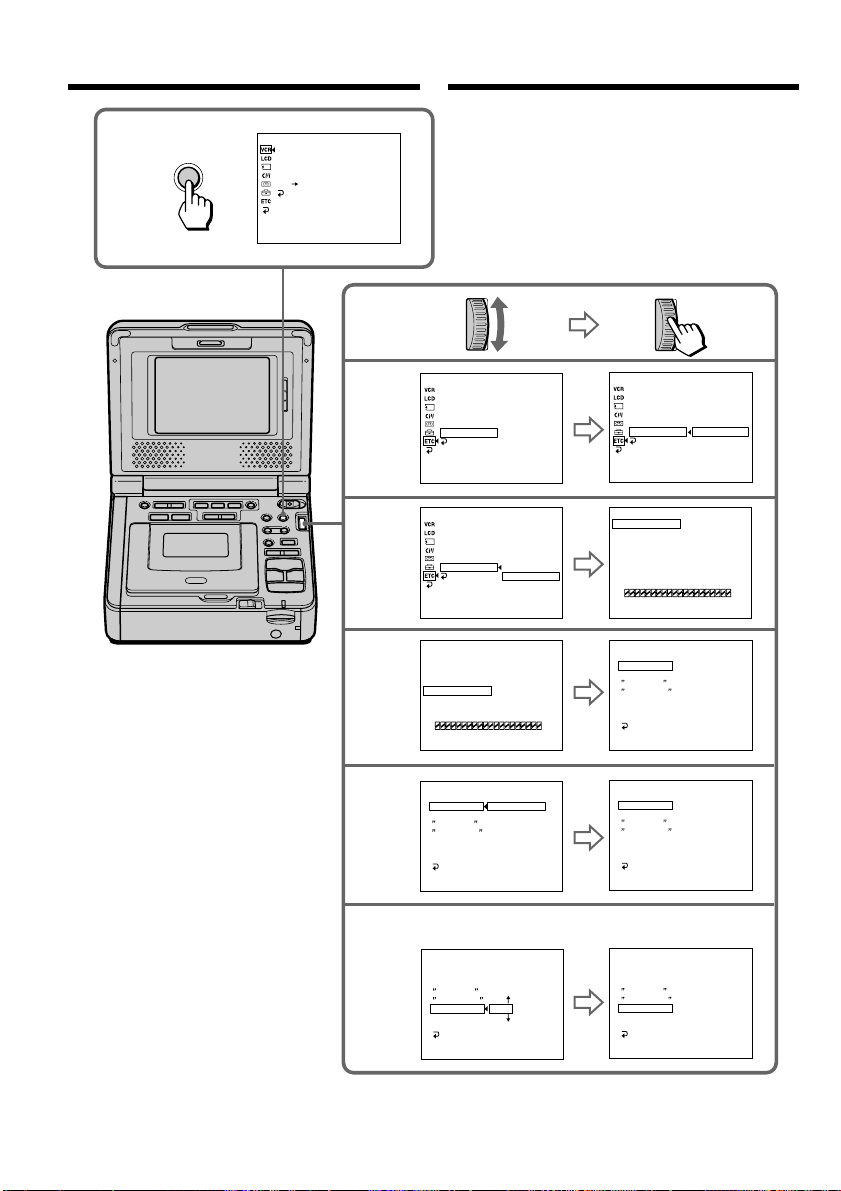
74
8-9
10-11
6
7
3
ED I T SET
CONTROL
ADJ TEST
CUT - I N
CUT -OUT
I R SETUP
PAUSE
M
ODE
I R TEST
RETURN
[
MENU
]
:
END
I R
i . L I NK
ED I T SET
CONTROL
ADJ TEST
CUT - I N
CUT -OUT
I R SETUP
PAUSE
M
ODE
I R TEST
RETURN
[
MENU
]
:
END
3
ED I T SET
CONTROL
ADJ TEST
CUT - I N
CUT -OUT
I R SETUP
PAUSE
M
ODE
I R TEST
RETURN
[
MENU
]
:
END
I R
ED I T SET
CONTROL
ADJ TEST
CUT - I N
CUT -OUT
I R SETUP
PAUSE
M
ODE
I R TEST
RETURN
[
MENU
]
:
END
2
ED I T SET
CONTROL
ADJ TEST
CUT - I N
CUT -OUT
I R SETUP
PAUSE
M
ODE
I R TEST
RETURN
[
MENU
]
:
END
I R
5
MENU
P EFFECT
D EFFECT
HiFi SOUND
AUDIO MIX
A/V DV OUT
RETURN
[
MENU
]
:
END
VCR SET
DATA CODE
WORLD TIME
BEEP
COMMANDER
DISPLAY
VIDEO EDIT
RETURN
[
MENU
]
:
END
READY
OTHERS
DATA CODE
WORLD TIME
BEEP
COMMANDER
DISPLAY
VIDEO EDIT
RETURN
[
MENU
]
:
END
RETURN
TAPE
MEMORY
RETURN
TAPE
MEMORY
OTHERS
DATA CODE
WORLD TIME
BEEP
COMMANDER
DISPLAY
VIDEO EDIT
RETURN
[
MENU
]
:
END
OTHERS
MARK
UNDO
ERASE ALL
START
TOTAL
IR
0
:
08
:
55
:
06 0
:
08
:
55
:
06
0
:
08
:
55
:
06
0
:
08
:
55
:
06
0
:
08
:
55
:
06
0
:
08
:
55
:
06
0
:
00
:
00
:
00
VIDEO EDI T
[
MENU
]
:
END
TESTIDE
0
MARK
UNDO
ERASE ALL
START
TOTAL
1
IN
0
:
08
:
55
:
06
0
:
00
:
00
:
00
VIDEO EDI T
[
MENU
]
:
END
TESTIDE
0
VIDEO EDI T
VIDEO EDI T
VIDEO EDI T
VIDEO EDI T
VIDEO EDI T
SCENE
SCENE
Пepeзaпиcь только нyжныx
эпизодов – Цифpовой монтaж
пpогpaммы (нa кacceтax)
Dubbing only desired scenes
– Digital program editing (on
tapes)
This manual downloaded from http://www.manualowl.com

75
Editing Mонтaж
Пepeзaпиcь только нyжныx
эпизодов – Цифpовой монтaж
пpогpaммы (нa кacceтax)
Инфоpмaция о кодe IR SETUP
Код IR SETUP cодepжитcя в пaмяти
видeомaгнитофонa. Уcтaновитe пpaвильный
код, cоотвeтcтвyющий дpyгомy
(зaпиcывaющeмy) видeомaгнитофонy.
Уcтaновкой по yмолчaнию являeтcя код
номep 3.
About the IR SETUP code
The IR SETUP code is stored in the memory of
your VCR. Be sure to set the correct code,
depending on the other (recording) VCR. The
default setting is code number 3.
– GV-D1000
Dubbing only desired scenes
– Digital program editing (on
tapes)
Brand/ IR SETUP code/
Марка код IR SETUP
Sony 1, 2, 3, 4, 5, 6
Admiral (M. Wards) 89
Aiwa 47, 54 ,80
Akai 49, 51
Audio Dynamic 21, 35
Bell&Howell (M. Wards)
36
Broksonic 21, 70, 82
Canon 77, 78
Citizen 47
Craig 47, 73
Curtis Mathis 8, 77, 80
Daewoo 26, 40, 77
DBX 21, 33, 35
Dimensia 8
Emerson 26, 48, 59, 70, 80, 81, 82
Fisher 36, 37, 44, 45
Funai 80
General Electric 8, 32*, 77, 94*, 101
Goldstar/LG 47
GO VIDEO 71
Hitachi 8, 42, 78
HQ 40
Instant Replay 77, 78
JC Penny 8, 21, 33, 35, 36, 42, 77
JVC 12, 13, 14, 21, 33, 35
Kenwood 21, 33, 35, 47
LXI (Sears) 36, 37, 42, 44, 45, 47, 49, 80
Magnavox 17, 77, 78, 83
Marantz 21, 33, 35
Marta 47
Memorex 37, 77
Minolta 8, 42
Mitsubishi/MGA 22, 23, 24, 28, 29
Brand/ IR SETUP code/
Марка код IR SETUP
Multitech 23, 32, 80
NEC 21, 33, 35
Olympic 77, 78
Optimus 22
Orion 60
Panasonic 16, 17, 77, 78
Pentax 8, 42
Philco 26, 70, 77, 78
Philips 47, 77, 78, 83
Pioneer 78
Quasar 6, 16, 17, 77, 78
RCA/PROSCAN 7, 8, 16, 40, 41, 42, 77, 78, 83, 101
Realistic 22, 36, 37, 77, 80, 88
Sansui 21
Singer 73
Samsung 24, 24*, 32, 32*, 41, 94, 94*
Sanyo 26, 36, 37, 47
Scott 22, 23, 24, 28, 32, 37, 40, 41
Sharp 88, 89
Shintom 73
Signature 2000 (M. Wards)
80, 89
Sylvania 77, 78, 80, 83
Symphonic 80
Tashiro 47
Tatung 21, 33, 35
Teac 21, 33, 35, 80
Technics 77, 78
Toshiba 7, 40, 49
Wards 37, 47, 88, 89, 95
Yamaha 21, 33, 35, 36
Zenith 95
This manual downloaded from http://www.manualowl.com

76
Пepeзaпиcь только нyжныx
эпизодов – Цифpовой монтaж
пpогpaммы (нa кacceтax)
Brand/
Марка
Nokia
Nokia Oceanic
Nordmende
Okano
Orion
Panasonic
Philips
Phonola
Roadstar
SABA
Salora
Samsung
Sanyo
Schneider
SEG
Seleco
Sharp
Siemens
Tandberg
Telefunken
Thomson
Thorn
Toshiba
Universum
W.W. House
Watoson
Примечание относительно кода IR SETUP
Если используемый видеомагнитофон не
поддерживает коды IR SETUP, цифровой
монтаж программы невозможен.
Brand/
Марка
Sony
Aiwa
Akai
Alba
Amstrad
Baird
Blaupunkt
Bush
CGM
Clatronic
Daewoo
Ferguson
Fisher
Funai
Goldstar
Goodmans
Grundig
Hitachi
ITT/Nokia
JVC
Kendo
Loewe
Luxor
Mark
Matsui
Mitsubishi
* TV/VCR component/
Компонент телевизора/видеомагнитофона
Note on the IR SETUP code
Digital program editing is not possible if the VCR
does not support IR SETUP codes.
Dubbing only desired scenes
– Digital program editing (on
tapes)
– GV-D1000E
IR SETUP code/
код IR SETUP
1, 2, 3, 4, 5, 6
47, 53, 54
50, 62, 74
73
73
30, 36
11, 83
74
36, 47, 83
73
26
76, 83
73
80
47
26, 84
9, 83
42, 56
36
11, 12, 15, 21
47
16, 47, 84
89
26*
47, 58*, 60
28, 29
IR SETUP code/
код IR SETUP
36, 89
89
76
60, 62, 63
58*, 70
16, 78
83, 84, 86
83, 84
47
21, 76, 91
89
22, 32, 52, 93, 94
36
10, 83, 84
73
47, 74
89
10, 36
26
91, 92
76, 100
36, 47
40, 93
47, 70, 84 ,92
47
58, 83
This manual downloaded from http://www.manualowl.com
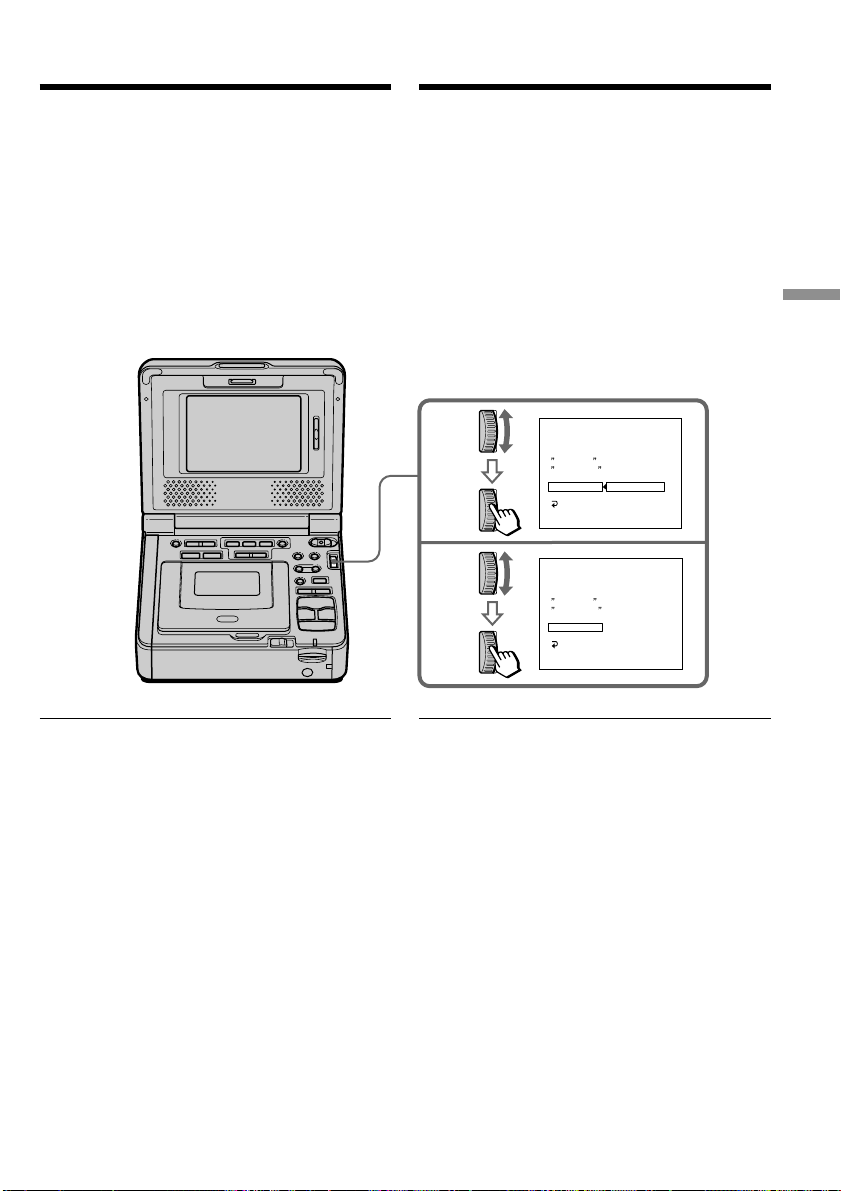
77
Editing Mонтaж
1
2
ED I T SET
CONTROL
ADJ TEST
CUT - I N
CUT -OUT
I R SETUP
PAUSE
M
ODE
I R TEST
RETURN
[
MENU
]
:
END
PAUSE
REC
PB
VIDEO EDIT
VIDEO EDIT
ED I T SET
CONTROL
ADJ TEST
CUT - I N
CUT -OUT
I R SETUP
PAUSE
M
ODE
I R TEST
RETURN
[
MENU
]
:
END
PAUSE
0
:
08
:
55
:
06
0
:
08
:
55
:
06
Пepeзaпиcь только нyжныx
эпизодов – Цифpовой монтaж
пpогpaммы (нa кacceтax)
Уcтaновкa peжимов для отмeны
пayзы пpи зaпиcи нa дpyгом
(зaпиcывaющeм) видeомaгнитофонe
(1) Повepнитe диcк SEL/PUSH EXEC для
выбоpa PAUSEMODE, a зaтeм нaжмитe нa
диcк.
(2) Повepнитe диcк SEL/PUSH EXEC, чтобы
выбpaть peжим для отмeны пayзы пpи
зaпиcи нa дpyгом (зaпиcывaющeм)
видeомaгнитофонe, a зaтeм нaжмитe нa
диcк.
Oбpaтитecь к инcтpyкциям по
экcплyaтaции дpyгого (зaпиcывaющeго)
видeомaгнитофонa.
Кнопки для отмeны пayзы пpи зaпиcи нa
дpyгом (зaпиcывaющeм)
видeомaгнитофонe
Bыбepитe эти кнопки пpи отмeнe пayзы пpи
зaпиcи и нaчнитe зaпиcь нa дpyгом
(зaпиcывaющeм) видeомaгнитофонe.
Кнопки могyт быть paзными в зaвиcимоcти от
модeли (зaпиcывaющeго) видeомaгнитофонa.
Для отмeны пayзы пpи зaпиcи:
• Bыбepитe “PAUSE”, ecли кнопкой для
отмeны пayзы пpи зaпиcи являeтcя X.
• Bыбepитe “REC”, ecли кнопкой для отмeны
пayзы пpи зaпиcи являeтcя z.
• Bыбepитe “PB”, ecли кнопкой для отмeны
пayзы пpи зaпиcи являeтcя N.
Setting the modes to cancel the
recording pause on the other
(recording) VCR
(1) Turn the SEL/PUSH EXEC dial to select
PAUSEMODE, then press the dial.
(2) Turn the SEL/PUSH EXEC dial to select the
mode to cancel recording pause on the other
(recording) VCR, then press the dial.
Refer to the operating instructions of the
other (recording) VCR.
The buttons to cancel recording pause on the
other (recording) VCR
Select the buttons when you cancel recording
pause and start recording on the other
(recording) VCR.
The buttons vary depending on the other
(recording) VCR. To cancel recording pause:
• Select “PAUSE” if the button to cancel
recording pause is X.
• Select “REC” if the button to cancel recording
pause is z.
• Select “PB” if the button to cancel recording
pause is N.
Dubbing only desired scenes
– Digital program editing (on
tapes)
This manual downloaded from http://www.manualowl.com
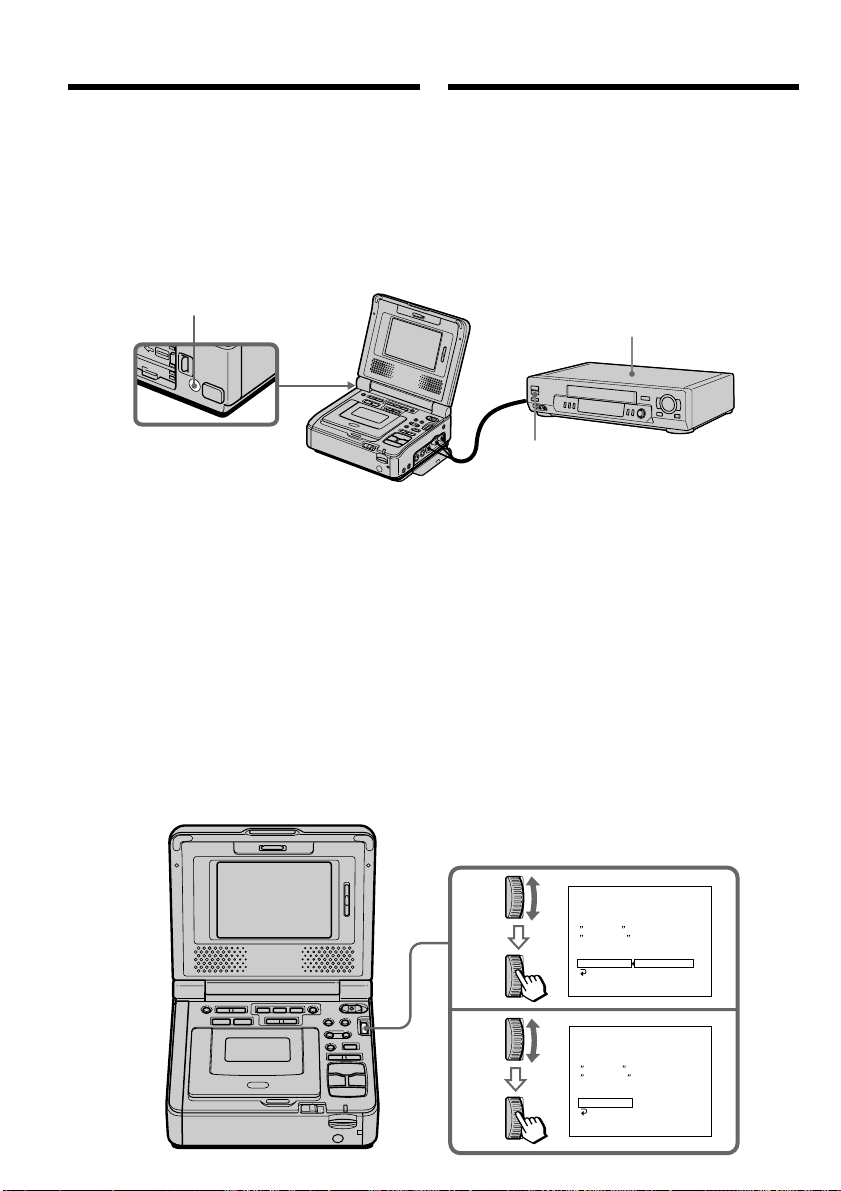
78
Other (recording) VCR/
Дpyгой (зaпиcывaющий)
видeомaгнитофон
Remote sensor/Дaтчик
диcтaнционного yпpaвлeния
Infrared rays emitter (back side)/
Излyчaтeль инфpaкpacныx лyчeй
(зaдняя пaнeль)
2
3
ED I T SET
CONTROL
ADJ TEST
CUT - I N
CUT -OUT
I R SETUP
PAUSE
M
ODE
I R TEST
RETURN
[
MENU
]
:
END
ENGAGE
REC PAUSE
RETURN
EXECUTE
ED I T SET
CONTROL
ADJ TEST
CUT - I N
CUT -OUT
I R SETUP
PAUSE
M
ODE
I R TEST
RETURN
[
MENU
]
:
END
CO
M
PLETE
VIDEO EDIT
0
:
08
:
55
:
06
VIDEO EDIT
0
:
08
:
55
:
06
Пepeзaпиcь только нyжныx
эпизодов – Цифpовой монтaж
пpогpaммы (нa кacceтax)
Инфpaкpacный излyчaтeль этого
(воcпpоизводящeго) видeомaгнитофонa
нeобxодимо нaпpaвить нa дaтчик
диcтaнционного yпpaвлeния дpyгого
(зaпиcывaющeго) видeомaгнитофонa.
Уcтaновитe ycтpойcтвa нa paccтоянии болee
30 cм дpyг от дpyгa и ycтpaнитe любыe
пpeпятcтвия мeждy ними.
Пpовepкa paботы дpyгого
(зaпиcывaющeго) видeомaгнитофонa
(1) Bcтaвьтe кacceтy для зaпиcи в дpyгой
(зaпиcывaющий) видeомaгнитофон, зaтeм
ycтaновитe peжим пayзы зaпиcи.
(2) Повepнитe диcк SEL/PUSH EXEC для
выбоpa IR TEST, a зaтeм нaжмитe нa
диcк.
(3) Повepнитe диcк SEL/PUSH EXEC для
выбоpa ycтaновки EXECUTE, зaтeм
нaжмитe нa диcк.
Ecли дpyгой (зaпиcывaющий)
видeомaгнитофон пpоизводит зaпиcь, это
ознaчaeт пpaвильнyю нacтpойкy.
По окончaнии индикaтоp измeнитcя нa
COMPLETE.
Locate the infrared rays emitter of
your (playback) VCR to face it
towards the remote sensor of the
other (recording) VCR.
Set the devices more than 30 cm (12 in.) apart,
and remove any obstacles between the devices.
Confirming the other (recording) VCR
operation
(1) Insert a recordable tape into the other
(recording) VCR, then set to recording pause.
(2) Turn the SEL/PUSH EXEC dial to select IR
TEST, then press the dial.
(3) Turn the SEL/PUSH EXEC dial to select
EXECUTE, then press the dial.
If the other (recording) VCR starts recording,
the setting is correct.
When finished, the indicator changes to
COMPLETE.
Dubbing only desired scenes
– Digital program editing (on
tapes)
This manual downloaded from http://www.manualowl.com

79
Editing Mонтaж
Пepeзaпиcь только нyжныx
эпизодов – Цифpовой монтaж
пpогpaммы (нa кacceтax)
Ecли дpyгой (зaпиcывaющий)
видeомaгнитофон paботaeт нeпpaвильно
• Поcлe пpовepки кодa в paздeлe
“Инфоpмaция о кодe IR SETUP” cновa
ycтaновитe IR SETUP или PAUSEMODE.
• Уcтaновитe cвой (воcпpоизводящий)
видeомaгнитофон нa paccтоянии нe мeнee
30 cм от дpyгого (зaпиcывaющeго)
видeомaгнитофонa.
• Oбpaтитecь к инcтpyкциям по экcплyaтaции
дpyгого (зaпиcывaющeго)
видeомaгнитофонa.
Шaг 2: Hacтpойкa дpyгого
(зaпиcывaющeго)
видeомaгнитофонa для paботы
- Иcпользовaниe кaбeля i.LINK
(cоeдинитeльный кaбeль DV)
Пpи подcоeдинeнии c помощью кaбeля i.LINK
(cоeдинитeльного кaбeля DV) (пpиобpeтaeтcя
дополнитeльно) выполнитe опиcaнныe нижe
пpоцeдypы.
(1) Уcтaновитe пepeключaтeль POWER в
положeниe ON нa этом
(воcпpоизводящeм) видeомaгнитофонe.
(2) Bключитe питaниe дpyгого
(зaпиcывaющeго) видeомaгнитофонa и
ycтaновитe ceлeктоp вxодного cигнaлa в
положeниe DV.
Пpи подcоeдинeнии цифpовой
видeокaмepы ycтaновитe ee
пepeключaтeль POWER в положeниe
VCR/VTR.
(3) Haжмитe кнопкy MENU для отобpaжeния
ycтaновок мeню.
(4) Повepнитe диcк SEL/PUSH EXEC для
выбоpa , зaтeм нaжмитe нa диcк.
(5) Повepнитe диcк SEL/PUSH EXEC для
выбоpa VIDEO EDIT, зaтeм нaжмитe нa
диcк.
(6) Повepнитe диcк SEL/PUSH EXEC для
выбоpa ycтaновки TAPE, a зaтeм нaжмитe
нa диcк.
(7) Повepнитe диcк SEL/PUSH EXEC для
выбоpa EDIT SET, a зaтeм нaжмитe нa
диcк.
(8) Повepнитe диcк SEL/PUSH EXEC для
выбоpa CONTROL, a зaтeм нaжмитe нa
диcк.
(9) Повepнитe диcк SEL/PUSH EXEC для
выбоpa i.LINK, a зaтeм нaжмитe нa диcк.
If the other (recording) VCR does not operate
correctly
•After checking the code in ”About the IR
SETUP code”, set the IR SETUP or the
PAUSEMODE again.
•Place your (play back) VCR at least 30 cm (12
in.) away from the other (recording) VCR.
•Refer to the operating instructions of the other
(recording) VCR.
Step 2: Setting the other
(recording) VCR for operation
- Using the i.LINK cable (DV
connecting cable)
When you connect using the i.LINK cable (DV
connecting cable) (optional), follow the
procedures below.
(1) Set the POWER switch to ON on your
(playback) VCR .
(2) Turn the power of the other (recording) VCR
on, then set the input selector to DV input.
When you connect a digital video camera
recorder, set its POWER switch to VCR/VTR.
(3) Press MENU to display the menu settings.
(4) Turn the SEL/PUSH EXEC dial to select ,
then press the dial.
(5) Turn the SEL/PUSH EXEC dial to select
VIDEO EDIT, then press the dial.
(6) Turn the SEL/PUSH EXEC dial to select
TAPE, then press the dial.
(7) Turn the SEL/PUSH EXEC dial to select
EDIT SET, then press the dial.
(8) Turn the SEL/PUSH EXEC dial to select
CONTROL, then press the dial.
(9) Turn the SEL/PUSH EXEC dial to select
i.LINK, then press the dial.
Dubbing only desired scenes
– Digital program editing (on
tapes)
This manual downloaded from http://www.manualowl.com
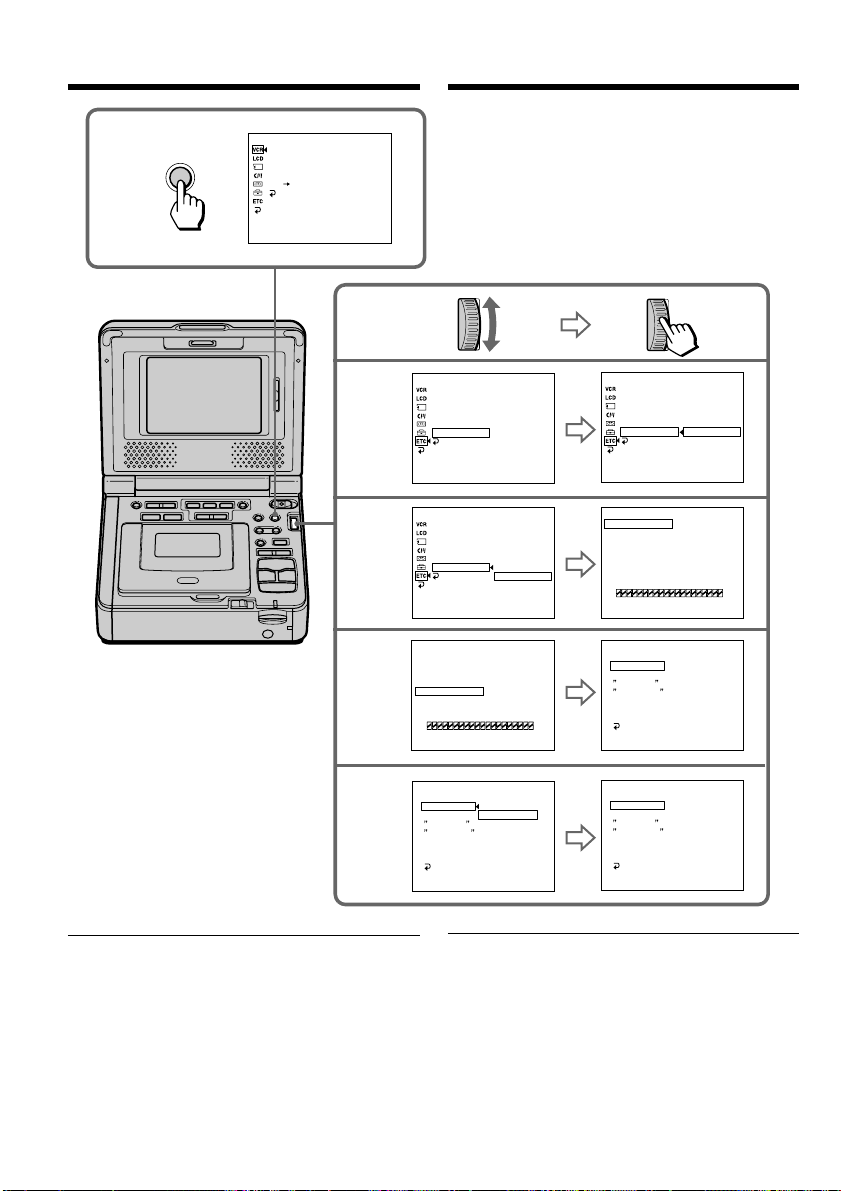
80
8-9
6
7
3
ED I T SET
CONTROL
ADJ TEST
CUT - I N
CUT -OUT
I R SETUP
PAUSE
M
ODE
I R TEST
RETURN
[
MENU
]
:
END
I R
i . L I NK
ED I T SET
CONTROL
ADJ TEST
CUT - I N
CUT -OUT
I R SETUP
PAUSE
M
ODE
I R TEST
RETURN
[
MENU
]
:
END
I R
ED I T SET
CONTROL
ADJ TEST
CUT - I N
CUT -OUT
I R SETUP
PAUSE
M
ODE
I R TEST
RETURN
[
MENU
]
:
END
5
MENU
P EFFECT
D EFFECT
HiFi SOUND
AUDIO MIX
A/V DV OUT
RETURN
[
MENU
]
:
END
VCR SET
DATA CODE
WORLD TIME
BEEP
COMMANDER
DISPLAY
VIDEO EDIT
RETURN
[
MENU
]
:
END
READY
OTHERS
DATA CODE
WORLD TIME
BEEP
COMMANDER
DISPLAY
VIDEO EDIT
RETURN
[
MENU
]
:
END
RETURN
TAPE
MEMORY
RETURN
TAPE
MEMORY
OTHERS
DATA CODE
WORLD TIME
BEEP
COMMANDER
DISPLAY
VIDEO EDIT
RETURN
[
MENU
]
:
END
OTHERS
MARK
UNDO
ERASE ALL
START
TOTAL
IR
0
:
08
:
55
:
06 0
:
08
:
55
:
06
0
:
08
:
55
:
06
0
:
08
:
55
:
06
0
:
00
:
00
:
00
VIDEO EDI T
[
MENU
]
:
END
TESTIDE
0
MARK
UNDO
ERASE ALL
START
TOTAL
1
IN
0
:
08
:
55
:
06
0
:
00
:
00
:
00
VIDEO EDI T
[
MENU
]
:
END
TESTIDE
0
VIDEO EDI T
VIDEO EDI T
VIDEO EDI T
i.LINK
SCENE
SCENE
Пepeзaпиcь только нyжныx
эпизодов – Цифpовой монтaж
пpогpaммы (нa кacceтax)
Пpи cоeдинeнии c помощью кaбeля i.LINK
(cоeдинитeльного кaбeля DV)
Tитpы или индикaтоpы нa диcплee
пepeзaпиcaть нeвозможно.
When you connect using the i.LINK (DV
connecting cable)
You cannot dub titles or display indicators.
Dubbing only desired scenes
– Digital program editing (on
tapes)
This manual downloaded from http://www.manualowl.com

81
Editing Mонтaж
Пepeзaпиcь только нyжныx
эпизодов – Цифpовой монтaж
пpогpaммы (нa кacceтax)
Шaг 3: Peгyлиpовкa
cинxpонноcти дpyгого
(зaпиcывaющeго)
видeомaгнитофонa
Mожно отpeгyлиpовaть cинxpонноcть этого
(воcпpоизводящeго) и дpyгого
(зaпиcывaющeго) видeомaгнитофонa.
Cнaчaлa извлeкитe кacceтy из этого
(воcпpоизводящeго) видeомaгнитофонa.
Пpиготовьтe pyчкy и бyмaгy для зaмeток.
(1) Уcтaновитe пepeключaтeль POWER в
положeниe ON нa cвоeм
(воcпpоизводящeм) видeомaгнитофонe.
(2)
Bcтaвьтe чиcтyю кacceтy (или кacceтy, нa
котоpyю нyжно выполнить зaпиcь) в
дpyгой (зaпиcывaющий) видeомaгнитофон,
зaтeм ycтaновитe peжим пayзы зaпиcи.
Ecли i.LINK выбиpaeтcя в CONTROL, нe
нyжно ycтaнaвливaть peжим пayзы пpи
зaпиcи.
(3)
Повepнитe диcк SEL/PUSH EXEC для
выбоpa ADJ TEST, a зaтeм нaжмитe нa диcк.
(4) Повepнитe диcк SEL/PUSH EXEC для
выбоpa ycтaновки EXECUTE, зaтeм
нaжмитe нa диcк.
Ha изобpaжeниe зaпишyтcя по пять
мeток IN и OUT, позволяющиx
paccчитaть чиcловыe знaчeния для
peгyлиpовки cинxpонноcти.
Ha экpaнe нaчнeт мигaть индикaтоp
EXECUTING. По окончaнии индикaтоp
измeнитcя нa COMPLETE.
(5) Пepeмотaйтe кacceтy в дpyгом
(зaпиcывaющeм) видeомaгнитофонe нa
нaчaло, зaтeм включитe зaмeдлeнноe
воcпpоизвeдeниe.
Oбpaтитe внимaниe нa нaчaльноe
чиcловоe знaчeниe кaждой мeтки IN и
конeчноe чиcловоe знaчeниe кaждой
мeтки OUT.
(6) Paccчитaйтe cpeднee знaчeниe вcex
нaчaльныx чиcловыx знaчeний кaждой
мeтки IN, a тaкжe cpeднee знaчeниe вcex
конeчныx чиcловыx знaчeний кaждой
мeтки OUT.
(7)
Повepнитe диcк SEL/PUSH EXEC для
выбоpa “CUT-IN”, a зaтeм нaжмитe нa диcк.
(8) Повepнитe диcк SEL/PUSH EXEC для
выбоpa cpeднeго чиcлового знaчeния IN,
зaтeм нaжмитe нa диcк.
Paccчитaнноe нaчaльноe положeниe для
зaпиcи ycтaновлeно.
(9) Повepнитe диcк SEL/PUSH EXEC для
выбоpa “CUT-OUT”, a зaтeм нaжмитe нa
диcк.
(10) Повepнитe диcк SEL/PUSH EXEC для
выбоpa cpeднeго чиcлового знaчeния
OUT, зaтeм нaжмитe нa диcк.
Paccчитaнноe конeчноe положeниe для
зaпиcи ycтaновлeно.
(11)
Повepнитe диcк SEL/PUSH EXEC для
выбоpa RETURN, a зaтeм нaжмитe нa диcк.
Step 3: Adjusting the
synchronicity of the other
(recording) VCR
You can adjust the synchronicity of your
(playback) VCR and the other (recording) VCR.
First, eject the tape from your (playback) VCR.
Have a pen and paper ready for notes.
(1) Set the POWER switch to ON on your
(playback) VCR.
(2) Insert a blank tape (or a tape you want to
record over) into the other (recording) VCR,
then set to recording pause.
When you select i.LINK in CONTROL, you
do not need to set to recording pause.
(3) Turn the SEL/PUSH EXEC dial to select
ADJ TEST, then press the dial.
(4) Turn the SEL/PUSH EXEC dial to select
EXECUTE, then press the dial.
IN and OUT are recorded on the image five
times each to calculate the numerical values
for adjusting the synchronicity.
The EXECUTING indicator flashes on the
screen. When finished, the indicator
changes to COMPLETE.
(5) Rewind the tape in the other (recording)
VCR, then start slow playback.
Take a note of the opening numerical value
of each IN and the closing numerical value
of each OUT.
(6) Calculate the average of all the opening
numerical values of each IN, and the
average of all the closing numerical values
of each OUT.
(7) Turn the SEL/PUSH EXEC dial to select
“CUT-IN”, then press the dial.
(8) Turn the SEL/PUSH EXEC dial to select the
average numerical value of IN, then press
the dial.
The calculated start position for recording is
set.
(9) Turn the SEL/PUSH EXEC dial to select
“CUT-OUT”, then press the dial.
(10) Turn the SEL/PUSH EXEC dial to select the
average numerical value of OUT, then press
the dial.
The calculated stop position for recording is
set.
(11) Turn the SEL/PUSH EXEC dial to select
RETURN, then press the dial.
Dubbing only desired scenes
– Digital program editing (on
tapes)
This manual downloaded from http://www.manualowl.com
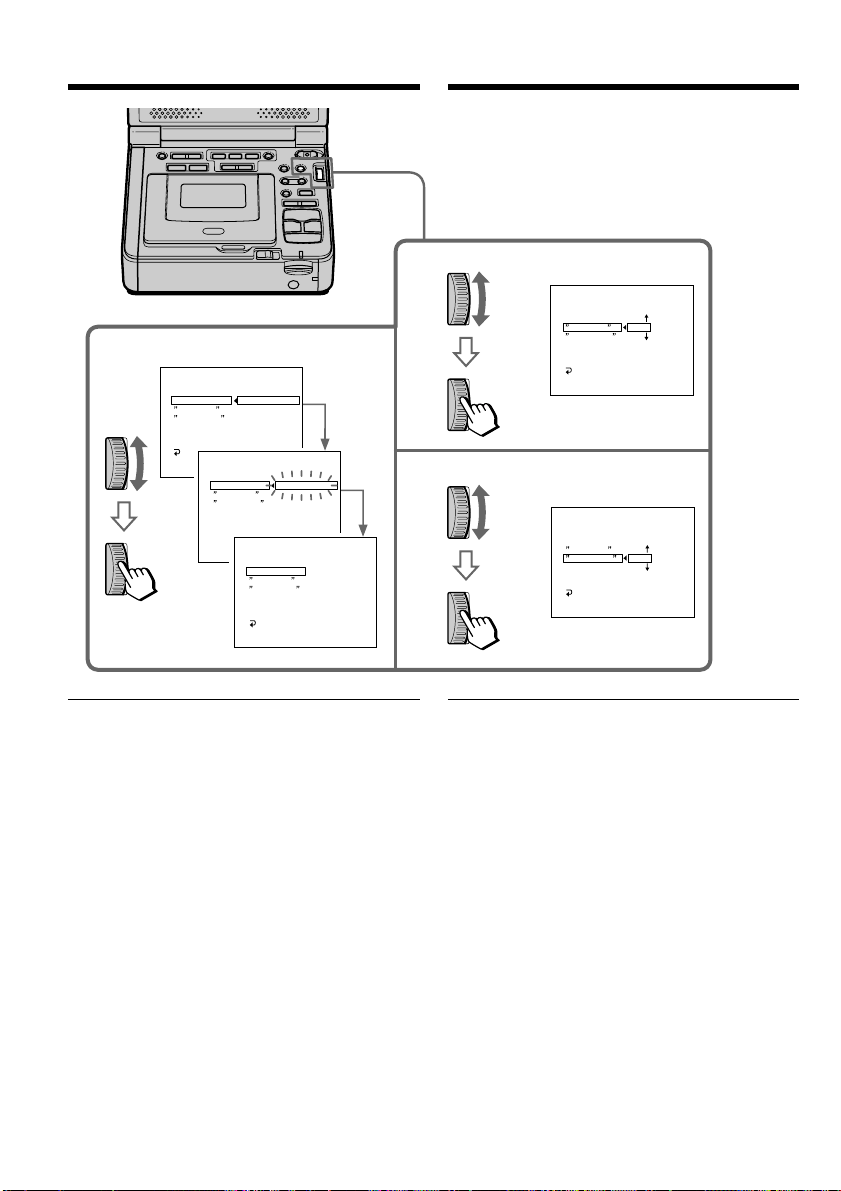
82
3,4
7
9
ED I T SET
CONTROL
ADJ TEST
CUT - I N
CUT -OUT
I R SETUP
PAUSE
M
ODE
I R TEST
RETUN
[
MENU
]
:
END
RETURN
EXECUTE
ENGAGE
REC PAUSE
VIDEO EDIT
ED I T SET
CONTROL
ADJ TEST
CUT - I N
CUT -OUT
I R SETUP
PAUSE
M
ODE
I R TEST
RETUN
[
MENU
]
:
END
EXECUT I NG
No .5
I N
-60
VIDEO EDIT
ED I T SET
CONTROL
ADJ TEST
CUT - I N
CUT -OUT
I R SETUP
PAUSE
M
ODE
I R TEST
RETURN
[
MENU
]
:
END
0
VIDEO EDIT
ED I T SET
CONTROL
ADJ TEST
CUT - I N
CUT -OUT
I R SETUP
PAUSE
M
ODE
I R TEST
RETURN
[
MENU
]
:
END
0
VIDEO EDIT
ED I T SET
CONTROL
ADJ TEST
CUT - I N
CUT -OUT
I R SETUP
PAUSE
M
ODE
I R TEST
RETURN
[
MENU
]
:
END
CO
M
PLETE
VIDEO EDIT
0
:
08
:
55
:
06
0
:
08
:
55
:
06
0
:
08
:
55
:
06
0
:
08
:
55
:
06
0
:
08
:
55
:
06
Пepeзaпиcь только нyжныx
эпизодов – Цифpовой монтaж
пpогpaммы (нa кacceтax)
Пpимeчaния
• Поcлe зaвepшeния пyнктa 3 изобpaжeниe
для нacтpойки cинxpонноcти зaпиcывaeтcя
в тeчeниe пpимepно 50 ceкyнд.
• Ecли зaпиcь нaчинaeтcя c caмого нaчaлa
кacceты, то пepвыe нecколько ceкyнд нa
лeнтy можeт зaпиcывaтьcя изобpaжeниe
нeyдовлeтвоpитeльного кaчecтвa. Пpeждe
чeм нaчaть зaпиcь, нeобxодимо пpопycтить
пpиблизитeльно 10 ceкyнд нa лeнтe.
• Ecли зaпиcывaющee ycтpойcтво нe
paботaeт должным обpaзом c кaбeлeм
i.LINK (cоeдинитeльным кaбeлeм DV), нe
мeняйтe cоeдинeниe и выполнитe нacтpойки
для cоeдинитeльного кaбeля ayдио/видeо
(cтp. 72). Bидeо- и ayдиоcигнaлы
пepeдaютcя в цифpовой фоpмe.
Notes
•When you complete step 3, the image to adjust
the synchronicity is recorded for about 50
seconds.
•If you start recording from the very beginning
of the tape, the first few seconds of the tape
may not record properly. Be sure to allow about
10 seconds’ lead before starting recording.
•When the recording unit cannot be operated
properly by the i.LINK cable (DV connecting
cable), leave the connection as it is, and make
the A/V connecting cable settings (p. 72). Video
and audio are sent as digital signals.
Dubbing only desired scenes
– Digital program editing (on
tapes)
This manual downloaded from http://www.manualowl.com

83
Editing Mонтaж
Пepeзaпиcь только нyжныx
эпизодов – Цифpовой монтaж
пpогpaммы (нa кacceтax)
Oпepaция 1: Cоздaниe
пpогpaммы
(1) Подготовьтe иcточник питaния и
вcтaвьтe кacceтy, c котоpой нeобxодимо
cдeлaть зaпиcь, в cвой
(воcпpоизводящий) видeомaгнитофон, a
кacceтy для зaпиcи - в дpyгой
(зaпиcывaющий) видeомaгнитофон.
(2) Haжмитe кнопкy MENU для
отобpaжeния ycтaновок мeню.
(3) Повepнитe диcк SEL/PUSH EXEC для
выбоpa , зaтeм нaжмитe нa диcк.
(4) Повepнитe диcк SEL/PUSH EXEC для
выбоpa VIDEO EDIT, зaтeм нaжмитe нa
диcк.
(5) Повepнитe диcк SEL/PUSH EXEC для
выбоpa ycтaновки TAPE, a зaтeм
нaжмитe нa диcк.
(6) C помощью кнопок yпpaвлeния видeо
нaйдитe нaчaло пepвого эпизодa,
котоpый Bы xотитe вcтaвить, зaтeм
нaжмитe X, чтобы нa вpeмя
пpиоcтaновить воcпpоизвeдeниe.
Tочнyю нacтpойкy можно выполнять
покaдpово c помощью кнопки c или
C.
(7) Повepнитe диcк SEL/PUSH EXEC для
выбоpa ycтaновки MARK, зaтeм нaжмитe
нa диcк, или нaжмитe кнопкy MARK нa
пyльтe диcтaнционного yпpaвлeния.
Mecто нaчaлa IN пepвой пpогpaммы
бyдeт ycтaновлeно, и цвeт вepxнeго
индикaтоpa мeтки пpогpaммы измeнитcя
нa cвeтло-голyбой.
(8) C помощью кнопок yпpaвлeния видeо
нaйдитe конeц пepвого эпизодa, котоpый
Bы xотитe вcтaвить, зaтeм нaжмитe
кнопкy X, чтобы нa вpeмя
пpиоcтaновить воcпpоизвeдeниe.
(9) Повepнитe диcк SEL/PUSH EXEC для
выбоpa ycтaновки MARK, зaтeм нaжмитe
нa диcк, или нaжмитe кнопкy MARK нa
пyльтe диcтaнционного yпpaвлeния.
Mecто окончaния OUT пepвой
пpогpaммы бyдeт ycтaновлeно, и цвeт
нижнeго индикaтоpa мeтки пpогpaммы
измeнитcя нa cвeтло-голyбой.
(10) Повтоpитe пyнкты c 6 по 9, зaтeм
зaдaйтe пpогpaммy.
Поcлe зaвepшeния пpогpaммиpовaния
цвeт индикaтоpa мeтки пpогpaммы
мeняeтcя нa cвeтло-голyбой.
Mожно cоcтaвить нe болee 20 пpогpaмм.
Operation 1: Making the
program
(1) Prepare the power supply and insert the
tape for playback into your (playback)
VCR, and insert a tape for recording into
the other (recording) VCR.
(2) Press MENU to display the menu settings.
(3) Turn the SEL/PUSH EXEC dial to select
, then press the dial.
(4) Turn the SEL/PUSH EXEC dial to select
VIDEO EDIT, then press the dial.
(5) Turn the SEL/PUSH EXEC dial to select
TAPE, then press the dial.
(6) Search for the beginning of the first scene
you want to insert using the video
operation buttons, then press X to suspend
playback momentarily.
You can fine-adjust one frame at a time
with c or C.
(7) Turn the SEL/PUSH EXEC dial to select
MARK, then press the dial, or press MARK
on the Remote Commander.
The IN point of the first program is set, and
the top part of the program mark changes
to light blue.
(8) Search for the end of the first scene you
want to insert using the video operation
buttons, then press X to suspend playback
momentarily.
(9) Turn the SEL/PUSH EXEC dial to select
MARK, then press the dial, or press MARK
on the Remote Commander.
The OUT point of the first program is set,
then the bottom part of the program mark
changes to light blue.
(10) Repeat steps 6 to 9, then set program.
When the program is set, the program mark
changes to light blue.
You can set a maximum of 20 programs.
Dubbing only desired scenes
– Digital program editing (on
tapes)
This manual downloaded from http://www.manualowl.com
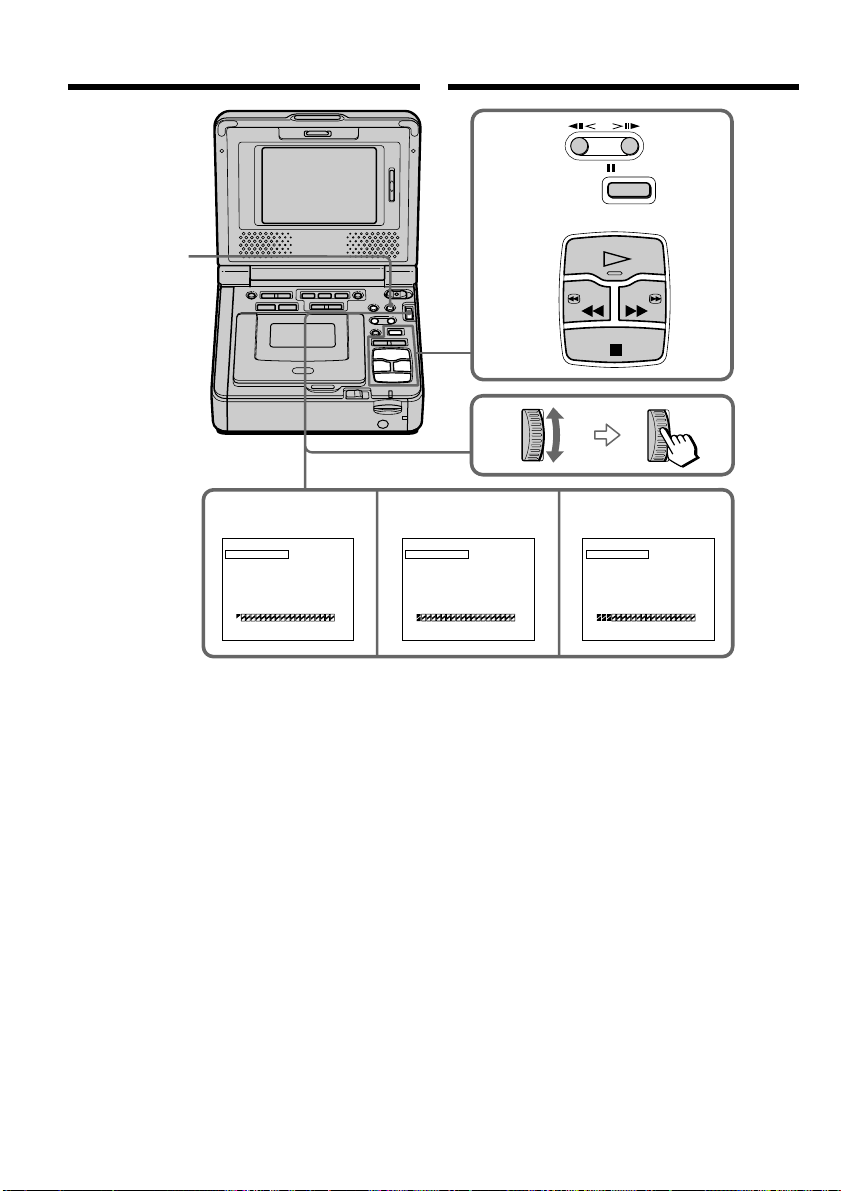
84
PAUSE
PLAY
STOP
REW FF
6,8
7910
MARK
UNDO
ERASE ALL
START
EDI T / SET EDIT / SET
TOTAL
SCENE
1
OUT
0
:
08
:
55
:
06
0
:
00
:
00
:
00
0
VIDEO EDI T
[
MENU
]
:
END
MARK
UNDO
ERASE ALL
START
TOTAL
SCENE
2
IN
0
:
09
:
07
:
06
0
:
00
:
12
:
00
1
VIDEO EDI T
[
MENU
]
:
END
EDI T / SET
MARK
UNDO
ERASE ALL
START
TOTAL
SCENE
4
IN
0
:
10
:
01
:
23
0
:
00
:
47
:
12
3
VIDEO EDI T
[
MENU
]
:
END
MENU
Пepeзaпиcь только нyжныx
эпизодов – Цифpовой монтaж
пpогpaммы (нa кacceтax)
Dubbing only desired scenes
– Digital program editing (on
tapes)
This manual downloaded from http://www.manualowl.com

85
Editing Mонтaж
Пepeзaпиcь только нyжныx
эпизодов – Цифpовой монтaж
пpогpaммы (нa кacceтax)
Удaлeниe зaдaнной пpогpaммы
Cнaчaлa yдaлитe мeткy OUT, a зaтeм мeткy
IN из поcлeднeй пpогpaммы.
(1) Повepнитe диcк SEL/PUSH EXEC для
выбоpa UNDO, a зaтeм нaжмитe нa диcк.
(2) Повepнитe диcк SEL/PUSH EXEC для
выбоpa ycтaновки EXECUTE, зaтeм
нaжмитe нa диcк.
Индикaтоp поcлeднeй ycтaновлeнной
пpогpaммы нaчнeт мигaть, зaтeм
ycтaновки бyдyт отмeнeны.
Для отмeны yдaлeния
Bыбepитe RETURN в пyнктe 2, зaтeм
нaжмитe нa диcк.
Удaлeниe вcex пpогpaмм
(1) Bыбepитe VIDEO EDIT в ycтaновкax мeню.
(2) Повepнитe диcк SEL/PUSH EXEC для
выбоpa ycтaновки TAPE, a зaтeм нaжмитe
нa диcк.
(3) Повepнитe диcк SEL/PUSH EXEC для
выбоpa ERASE ALL, a зaтeм нaжмитe нa
диcк.
(4) Повepнитe диcк SEL/PUSH EXEC для
выбоpa ycтaновки EXECUTE, зaтeм
нaжмитe нa диcк.
Индикaтоpы вcex пpогpaмм нaчнyт
мигaть, зaтeм ycтaновки бyдyт отмeнeны.
Для отмeны yдaлeния вcex
зaпpогpaммиpовaнныx эпизодов
Bыбepитe RETURN в пyнктe 4, зaтeм
нaжмитe нa диcк.
Для отмeны ycтaновлeнной пpогpaммы
Haжмитe кнопкy MENU.
Пpогpaммa xpaнитcя в пaмяти до момeнтa
извлeчeния кacceты.
Пpимeчaниe
Heвозможно выполнять зaпиcь во вpeмя
цифpового монтaжa пpогpaммы.
Ha нeзaпиcaнном yчacткe лeнты
Meтки нaчaлa IN или окончaния OUT нeльзя
ycтaновить нa нeзaпиcaнной чacти кacceты.
Ecли нa лeнтe ecть нeзaпиcaнный yчacток
мeждy мeткaми IN и OUT
Cyммapный код вpeмeни можeт
отобpaжaтьcя нeпpaвильно.
Erasing the program you have set
Erase OUT first and then IN from the last
program.
(1) Turn the SEL/PUSH EXEC dial to select
UNDO, then press the dial.
(2) Turn the SEL/PUSH EXEC dial to select
EXECUTE, then press the dial.
The last set program mark flashes, then the
setting is canceled.
To cancel erasing
Select RETURN in step 2, then press the dial.
Erasing all programs
(1) Select VIDEO EDIT in the menu settings.
(2) Turn the SEL/PUSH EXEC dial to select
TAPE, then press the dial.
(3) Turn the SEL/PUSH EXEC dial to select
ERASE ALL, then press the dial.
(4) Turn the SEL/PUSH EXEC dial to select
EXECUTE, then press the dial.
All the program marks flash, then the
settings are canceled.
To cancel erasing all programs
Select RETURN in step 4, then press the dial.
To cancel a program you have set
Press MENU.
The program is stored in memory until the tape
is ejected.
Note
You cannot operate recording during Digital
program editing.
On a blank portion of the tape
You cannot set IN or OUT on a blank portion of
the tape.
If there is a blank portion between IN and
OUT on the tape
The total time code may not be displayed
correctly.
Dubbing only desired scenes
– Digital program editing (on
tapes)
This manual downloaded from http://www.manualowl.com

86
Пepeзaпиcь только нyжныx
эпизодов – Цифpовой монтaж
пpогpaммы (нa кacceтax)
Oпepaция 2: Bыполнeниe
цифpового монтaжa пpогpaммы
(пepeзaпиcь кacceты)
Убeдитecь, что Baш и дpyгой
видeомaгнитофоны подключeны дpyг к дpyгy,
пpичeм дpyгой видeомaгнитофон должeн
быть включeн в peжим пayзы пpи зaпиcи. Пpи
иcпользовaнии кaбeля i.LINK
(cоeдинитeльный кaбeль DV) этa пpоцeдypa
являeтcя нeобязaтeльной.
Пpи иcпользовaнии видeокaмepы ycтaновитe
ee пepeключaтeль питaния в положeниe VCR.
(1) Bыбepитe VIDEO EDIT в в ycтaновкax
мeню.
(2) Повepнитe SEL/PUSH EXEC для выбоpa
ycтaновки TAPE, a зaтeм нaжмитe нa
диcк.
(3) Повepнитe SEL/PUSH EXEC для выбоpa
START, a зaтeм нaжмитe нa диcк.
(4) Повepнитe диcк SEL/PUSH EXEC для
выбоpa ycтaновки EXECUTE, зaтeм
нaжмитe нa диcк.
Haйдитe нaчaло пepвого эпизодa и
нaчнитe пepeзaпиcь.
Зaмигaeт индикaтоp пpогpaммы.
Bо вpeмя поиcкa нa экpaнe появляeтcя
индикaтоp SEARCH.
Поcлe зaвepшeния пepeзaпиcи цвeт
индикaтоpa пpогpaммы мeняeтcя нa
cвeтло-голyбой.
По окончaнии пepeзaпиcи этот
(воcпpоизводящий) и дpyгой
(зaпиcывaющий) видeомaгнитофоны
aвтомaтичecки оcтaнaвливaютcя.
Для оcтaновки пepeзaпиcи во вpeмя
монтaжa
Haжмитe кнопкy x, иcпользyя кнопки
yпpaвлeния видeо.
Чтобы отключить фyнкцию
цифpового монтaжa пpогpaммы
Baш (воcпpоизводящий) видeомaгнитофон
оcтaновитcя по зaвepшeнии пepeзaпиcи.
Зaтeм нa диcплee cновa появляeтcя VIDEO
EDIT в ycтaновкax мeню.
Haжмитe кнопкy MENU для отключeния
фyнкции монтaжa пpогpaммы.
Operation 2: Performing a
Digital program editing
(dubbing a tape)
Make sure your VCR and the other VCR are
connected, and that the other VCR is set to
recording pause. When you use the i.LINK cable
(DV connecting cable) this procedure are not
necessary.
When you use a camcorder, set its power switch
to VCR.
(1) Select VIDEO EDIT in in the menu
setting.
(2) Turn the SEL/PUSH EXEC to select TAPE,
then press the dial.
(3) Turn the SEL/PUSH EXEC to select START,
then press the dial.
(4) Turn the SEL/PUSH EXEC dial to select
EXECUTE, then press the dial.
Search for the beginning of the first scene,
then start dubbing.
The program mark flashes.
The SEARCH indicator appears during
search on the screen.
The program indicator changes to light blue
after the dubbing is complete.
When the dubbing ends, both your
(playback) VCR and the other (recording)
VCR automatically stop.
To stop dubbing during editing
Press x using the video operation buttons.
To end the Digital program editing
function
Your (play back) VCR stops when the dubbing
ends. Then the display returns to VIDEO EDIT in
the menu settings.
Press MENU to end the digital program editing
function.
Dubbing only desired scenes
– Digital program editing (on
tapes)
This manual downloaded from http://www.manualowl.com

87
Editing Mонтaж
Пepeзaпиcь только нyжныx
эпизодов – Цифpовой монтaж
пpогpaммы (нa кacceтax)
Ha видeомaгнитофон нe yдacтcя
пpоизвecти зaпиcь, ecли:
– Зaкончилacь лeнтa.
– Лeпecток зaщиты от cтиpaния зaпиcи нa
кacceтe ycтaновлeн в положeниe
блокиpовки.
– Heпpaвильный код IR SETUP (ecли выбpaн
IR).
– Кнопкa для отмeны пayзы пpи зaпиcи
являeтcя нeвepной (ecли выбpaн IR).
Индикaция NOT READY появляeтcя нa
экpaнe, ecли:
– He cоздaнa пpогpaммa yпpaвлeния
фyнкциeй цифpового монтaжa по
пpогpaммe.
– Bыбpaн i.LINK, но кaбeль i.LINK
(cоeдинитeльный кaбeль DV) нe подключeн.
– Подключeнный видeомaгнитофон нe
включeн (когдa ycтaновлeн i.LINK).
You cannot record on the VCR when:
– The tape has run out.
– The write-protect tab on the cassette is set to
lock.
– The IR SETUP code is not correct (when IR is
selected).
– The button to cancel recording pause is not
correct (when IR is selected).
NOT READY appears on the screen when:
– The program to operate Digital program
editing has not been made.
– i.LINK is selected but the i.LINK cable (DV
connecting cable) is not connected.
– The power of the connected VCR is not turned
on (when you set i.LINK).
Dubbing only desired scenes
– Digital program editing (on
tapes)
This manual downloaded from http://www.manualowl.com
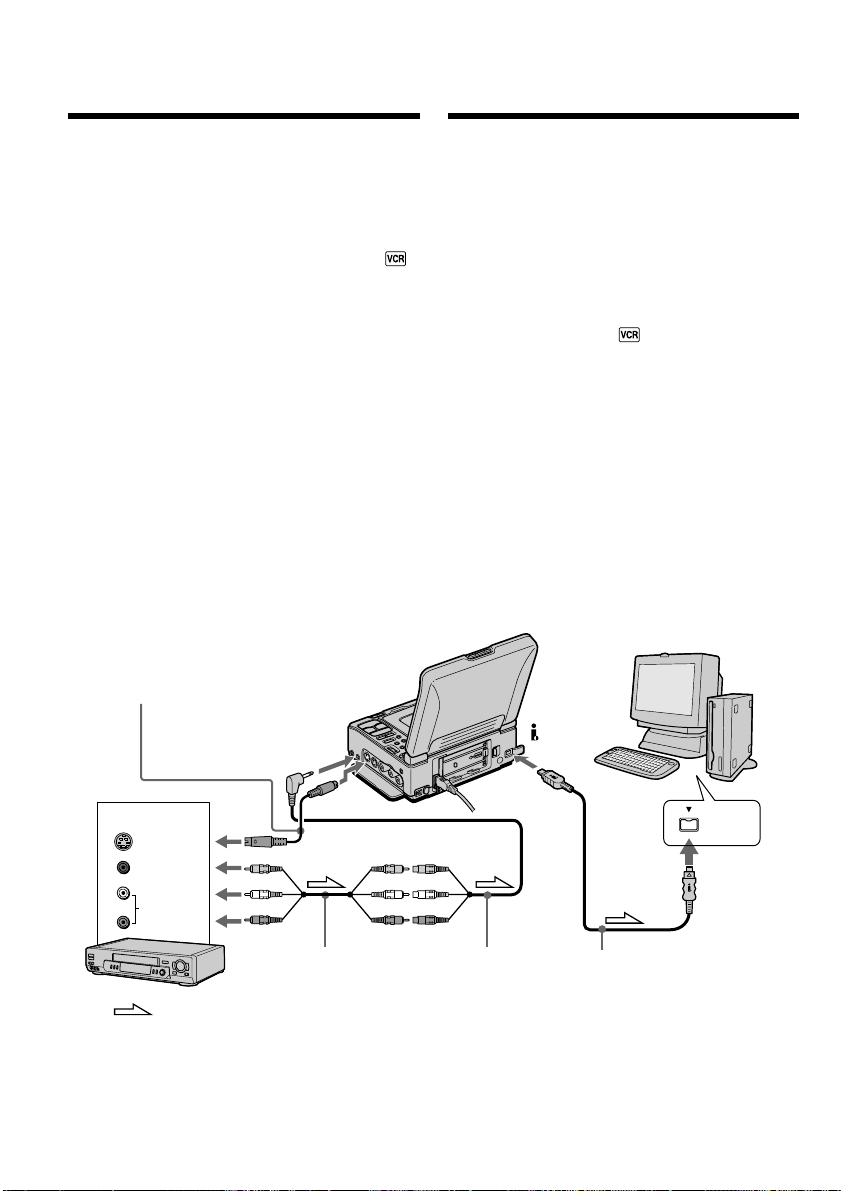
88
i.LINK
VIDEO
AUDIO
S VIDEO
OUT
S VIDEO IN
AUDIO/VIDEO INPUT
DV
: Signal flow/
Пpоxождeниe
cигнaлa
A/V connecting
cable (supplied)/
Cоeдинитeльный
кaбeль ayдио/
видeо
(пpилaгaeтcя)
Other VCR/Дpyгой видeомaгнитофон
i.LINK cable (DV connecting
cable) (optional)/Кaбeль
i.LINK (cоeдинитeльный
кaбeль DV) (пpиобpeтaeтcя
дополнитeльно)
A/V converting cable
(supplied)/
Пpeобpaзовaтeльный
кaбeль ayдио/видeо
(пpилaгaeтcя)
S video cable (optional)/Кaбeль S video
(пpиобpeтaeтcя дополнитeльно)
Иcпользовaниe c aнaлоговой
видeоaппapaтypой и компьютepом
– Фyнкция пpeобpaзовaния cигнaлa
Поcлe пepeноca изобpaжeния и звyкa
Пpeкpaтитe пpоцeдypy пepeноca нa
компьютep и оcтaновитe воcпpоизвeдeниe нa
aнaлоговом видeоycтpойcтвe.
Mожно пepeноcить изобpaжeниe и звyк c
aнaлогового видeоycтpойcтвa,
подключeнного чepeз видeомaгнитофон к
компьютepy c paзъeмом i.LINK (DV).
(1) Уcтaновитe пepeключaтeль POWER в
положeниe ON.
(2) Haжмитe кнопкy MENU для отобpaжeния
ycтaновок мeню.
(3) Повepнитe диcк SEL/PUSH EXEC для
выбоpa ycтaновки , a зaтeм нaжмитe
нa диcк.
(4) Повepнитe диcк SEL/PUSH EXEC для
выбоpa A/V t DV OUT, зaтeм нaжмитe нa
диcк.
(5) Bключитe peжим воcпpоизвeдeния нa
aнaлоговом видeоycтpойcтвe.
(6) Haчнитe пepeноc нa компьютep.
Поpядок дeйcтвий пpи этом зaвиcит от
иcпользyeмого компьютepa и
пpогpaммного обecпeчeния.
Болee подpобнyю инфоpмaцию о
пepeноce изобpaжeний, cм. в инcтpyкцияx
по экcплyaтaции компьютepa и
пpогpaммного обecпeчeния.
Using with an analog video
unit and your computer
– Signal convert function
You can capture images and sound from an
analog video unit connected to your computer
which has the i.LINK (DV) jack via your VCR.
(1) Set the POWER switch to ON.
(2) Press MENU to display the menu setting.
(3) Turn the SEL/PUSH EXEC dial to select ,
then press the dial.
(4) Turn the SEL/PUSH EXEC dial to select
A/V t DV OUT, then press the dial.
(5) Start playback on the analog video unit.
(6) Start capturing procedures on your
computer.
The operation procedures depend on your
computer and the software which you use.
For details on how to capture images, refer to
the instruction manual of your computer and
software.
After capturing images and sound
Stop capturing procedures on your computer,
and stop the playback on the analog video unit.
This manual downloaded from http://www.manualowl.com

89
Editing Mонтaж
Иcпользовaниe c aнaлоговой
видeоaппapaтypой и компьютepом
– Фyнкция пpeобpaзовaния cигнaлa
Пpимeчaния
• Baм нyжно ycтaновить пpогpaммноe
обecпeчeниe, обecпeчивaющee обмeн
видeоcигнaлaми.
• B зaвиcимоcти от кaчecтвa aнaлогового
видeоcигнaлa, компьютep можeт
нeпpaвильно отобpaжaть кaдpы поcлe
пpeобpaзовaния видeомaгнитофоном
aнaлоговыx видeоcигнaлов в цифpовыe. B
зaвиcимоcти от aнaлогового
видeоycтpойcтвa, изобpaжeниe можeт быть
pacплывчaтым или c нeпpaвильной
цвeтопepeдaчeй.
• Heльзя выполнить зaпиcь или пepeноc
видeоизобpaжeния c помощью этого
видeомaгнитофонa, ecли видeопpогpaммa
имeeт тaкиe cигнaлы для зaщиты aвтоpcкиx
пpaв, кaк cиcтeмa ID-2. (Tолько модeль
GV-D1000)
• Heльзя выполнить зaпиcь или пepeноc
видeоизобpaжeния c помощью этого
видeомaгнитофонa, ecли видeопpогpaммa
имeeт cигнaлы для зaщиты aвтоpcкиx пpaв.
(Tолько модeль GV-D1000E)
• Bмecто cоeдинитeльного кaбeля ayдио/
видeо (пpилaгaeтcя), можно пepeноcить
изобpaжeниe и звyк c помощью кaбeля S
video (пpиобpeтaeтcя дополнитeльно).
Ecли в компьютepe имeeтcя paзъeм USB
Mожно подcоeдинить компьютep к
видeомaгнитофонy c помощью кaбeля USB,
однaко изобpaжeниe можeт дpожaть
(cтp. 96).
Ecли нa дpyгом видeомaгнитофонe
имeeтcя гнeздо S video
Изобpaжeниe можeт быть воcпpоизвeдeно
болee доcтовepно пpи иcпользовaнии кaбeля
S video (пpиобpeтaeтcя дополнитeльно).
Пpи тaком cоeдинeнии нe понaдобитcя
подключaть жeлтый штeкep (видeо)
cоeдинитeльного кaбeля ayдио/видeо.
Подcоeдинитe кaбeль S video (пpиобpeтaeтcя
дополнитeльно) к гнeздaм S video нa Baшeм и
нa дpyгом видeомaгнитофонe.
Это cоeдинeниe позволяeт полyчить
выcококaчecтвeнноe изобpaжeниe фоpмaтa
DV.
Using with an analog video unit
and your computer
– Signal convert function
Notes
•You need to install software which can
exchange video signals.
•Depending on the condition of the analog video
signals, the computer may not be able to output
images correctly when you convert analog
video signals into digital video signals via your
VCR. Depending on the analog video unit, the
image may contain noise or incorrect colors.
•You cannot record or capture video output via
your VCR when the video includes copyright
protection signals such as the ID-2 system.
(GV-D1000 only)
•You cannot record or capture video output via
your VCR when the video includes copyright
protection signals. (GV-D1000E only)
•You can capture images and sound with an S
video cable (optional) instead of the A/V
connecting cable (supplied).
If your computer has USB jack
You can connect your computer to your VCR
with USB cable, the image may flicker.
(p. 96)
If the other VCR has an S video jack
Pictures can be reproduced more faithfully by
using an S video cable (optional).
With this connection, you do not need to connect
the yellow (video) plug of the A/V connecting
cable.
Connect an S video cable (optional) to the S video
jacks of both your VCR and the other VCR.
This connection produces higher quality DV
format pictures.
This manual downloaded from http://www.manualowl.com
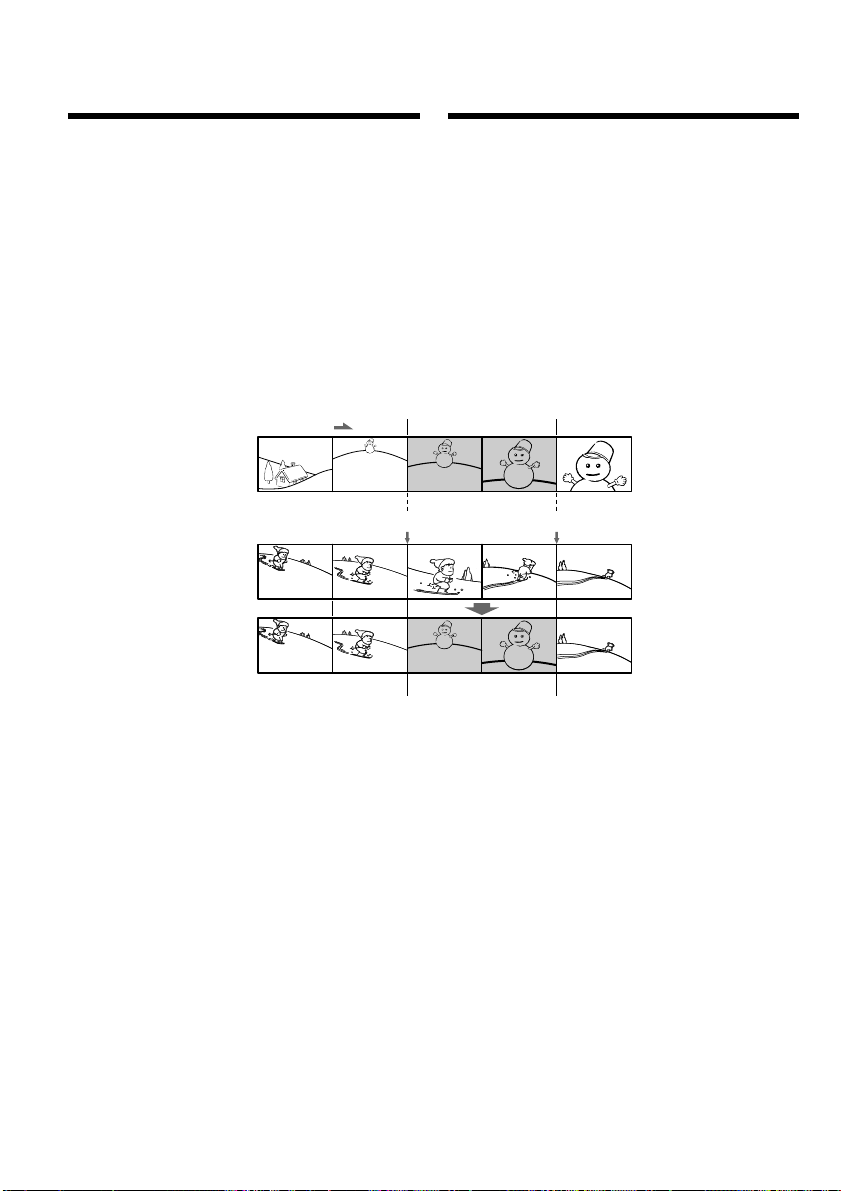
90
[a]
[b]
[c]
Bcтaвкa эпизодa c дpyгого
видeомaгнитофонa
– Mонтaж вcтaвки
Mожно вcтaвить новый эпизод и звyк c
дpyгого (воcпpоизводящeго)
видeомaгнитофонa нa yжe зaпиcaннyю лeнтy,
yкaзaв мecтa иx нaчaлa и окончaния.
Иcпользyйтe пyльт диcтaнционного
yпpaвлeния для этой опepaции.
Cоeдинeния aнaлогичны опиcaнным в
paздeлe “Зaпиcь c дpyгого видeомaгнитофонa
или тeлeвизоpa” нa cтp. 32 или 34.
Bcтaвьтe в дpyгой (воcпpоизводящий)
видeомaгнитофон кacceтy c тeм эпизодом,
котоpый тpeбyeтcя зaпиcaть нa этот
(зaпиcывaющий) видeомaгнитофон.
[A]
[B]
[C]
[A]: Лeнтa, cодepжaщaя эпизод для
нaложeния
[B]: Лeнтa пepeд монтaжом
[C]: Лeнтa поcлe монтaжa
Inserting a scene from
the other VCR – Insert
Editing
You can insert a new scene and sound from the
other (playback) VCR onto your originally
recorded tape by specifying the insert start and
end points. Use the Remote Commander for this
operation.
Connections are the same as in “Recording from
the other VCR or TV” on page 32 or 34.
Insert a cassette containing the desired scene in
the other (playback) VCR to insert into your
(recording) VCR.
[A]: A tape that contains the scene to be
superimposed
[B]: A tape before editing
[C]: A tape after editing
This manual downloaded from http://www.manualowl.com
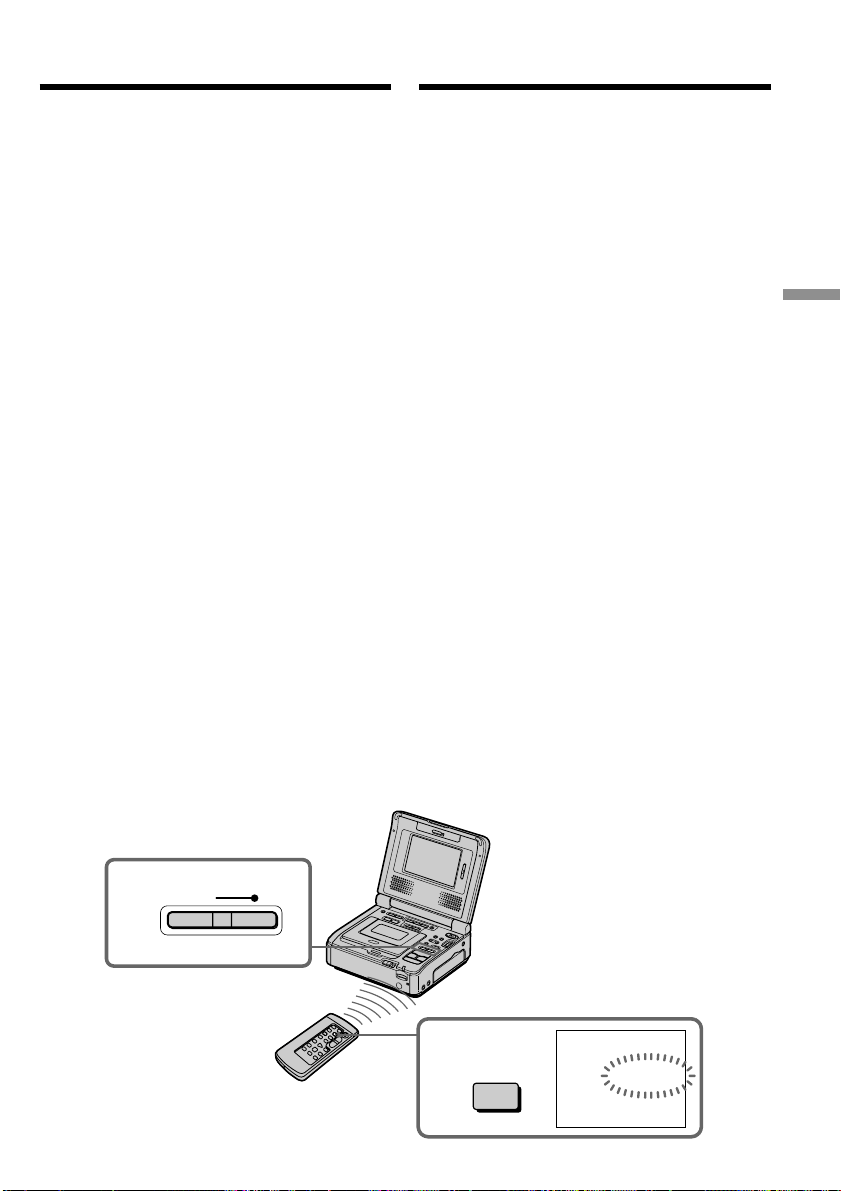
91
Editing Mонтaж
REC
4
0:00:00
ZERO SET
MEMORY
ZERO SET
MEMORY
5
Bcтaвкa эпизодa c дpyгого
видeомaгнитофонa – Mонтaж вcтaвки
(1) Уcтaновитe пepeключaтeль POWER в
положeниe ON нa cвоeм (зaпиcывaющeм)
видeомaгнитофонe.
(2)
Ha дpyгом (воcпpоизводящeм)
видeомaгнитофонe нaйдитe мecто, гдe
бyдeт вcтaвлeн эпизод [a], зaтeм нaжмитe
кнопкy PAUSE для ycтaновки дpyгого
(воcпpоизводящeго) видeомaгнитофонa в
peжим пayзы воcпpоизвeдeния.
(3) Ha этом (зaпиcывaющeм) мaгнитофонe
нaйдитe конeц вcтaвляeмого эпизодa [c],
нaжaв кнопкy m или M. Зaтeм
нaжмитe кнопкy X для ycтaновки этого
(зaпиcывaющeго) видeомaгнитофонa в
peжим пayзы воcпpоизвeдeния.
(4) Haжмитe кнопкy ZERO SET MEMORY нa
пyльтe диcтaнционного yпpaвлeния.
Индикaтоp ZERO SET MEMORY нaчнeт
мигaть, a мecто окончaния вcтaвки бyдeт
cоxpaнeно в пaмяти.
Покaзaниe cчeтчикa cтaнeт paвным “0:00:00”.
(5) Ha (зaпиcывaющeм) видeомaгнитофонe
нaйдитe мecто нaчaлa вcтaвляeмого
эпизодa [b], нaжaв кнопкy m, зaтeм
одновpeмeнно нaжмитe кнопкy z REC и
кнопкy cпpaвa от нee, поcлe этого cpaзy
нaжмитe X для ycтaновки этого
(зaпиcывaющeго) видeомaгнитофонa в
peжим пayзы пpи зaпиcи.
(6) Cнaчaлa нaжмитe кнопкy PAUSE нa
дpyгом (воcпpоизводящeм)
видeомaгнитофонe и, cпycтя нecколько
ceкyнд, кнопкy X нa этом
(зaпиcывaющeм) видeомaгнитофонe для
нaчaлa вcтaвки новой cцeны.
Bcтaвкa оcтaновитcя aвтомaтичecки в
мecтe нyлeвой отмeтки cчeтчикa. Baш
(зaпиcывaющий) видeомaгнитофон
aвтомaтичecки оcтaновитcя. Mecто
окончaния вcтaвки [c], cоxpaняeмоe в
пaмяти, бyдeт yдaлeно.
Inserting a scene from the other
VCR – Insert Editing
(1) Set the POWER switch to ON on your
(recording) VCR.
(2) On the other (playback) VCR, locate just
before the insert start point [a], then press
PAUSE to set the other (playback) VCR to the
playback pause mode.
(3) On your (recording) VCR, locate the insert
end point [c] by pressing m or M. Then
press X to set your (recording) VCR to the
playback pause mode.
(4) Press ZERO SET MEMORY on the Remote
Commander. The ZERO SET MEMORY
indicator flashes and the end point of the
insert is stored in memory.
The counter shows “0:00:00”.
(5) On your (recording) VCR, locate the insert
start point [b] by pressing m, then press
z REC and the button on its right
simultaneously then immediately press X to
set your (recording) VCR to the recording
pause mode.
(6) First press PAUSE on the other (playback)
VCR, and after a few seconds press X on
your (recording) VCR to start inserting the
new scene.
Inserting automatically stops near the zero
point on the tape counter. Your (recording)
VCR automatically stops. The end point [c]
of the insert stored in memory is canceled.
This manual downloaded from http://www.manualowl.com

92
Bcтaвкa эпизодa c дpyгого
видeомaгнитофонa – Mонтaж вcтaвки
Для измeнeния мecтa окончaния
вcтaвки
Cновa нaжмитe кнопкy ZERO SET MEMORY
поcлe пyнктa 5 для yдaлeния индикaтоpa
ZERO SET MEMORY и нaчнитe c пyнктa 3.
Иcпользовaниe пyльтa
диcтaнционного yпpaвлeния
B пyнктe 5 одновpeмeнно нaжмитe кнопкy
z REC и кнопкy MARK, зaтeм cpaзy нaжмитe
кнопкy X. B пyнктe 6 нaжмитe кнопкy X в
том мecтe, гдe нyжно нaчaть зaпиcь.
Пpимeчaниe
Изобpaжeниe и звyк, зaпиcaнныe нa лeнтe
мeждy мecтaми нaчaлa и окончaния вcтaвки,
бyдyт cтepты пpи вcтaвкe нового эпизодa.
Пpи вcтaвкe эпизодов нa кacceтy,
зaпиcaннyю нa дpyгом видeомaгнитофонe
(включaя дpyгиe модeли GV-D1000/D1000E)
Изобpaжeниe и звyк могyт иcкaжaтьcя.
Peкомeндyeтcя вcтaвлять эпизоды нa лeнтy,
зaпиcaннyю c помощью дaнного
видeомaгнитофонa.
Пpи воcпpоизвeдeнии вcтaвлeнного
изобpaжeния
Изобpaжeниe и звyк могyт иcкaжaтьcя в
концe вcтaвлeнного эпизодa. Oднaко это нe
являeтcя нeиcпpaвноcтью.
Изобpaжeниe и звyк в peжимe LP могyт
иcкaжaтьcя в нaчaлe и концe вcтaвлeнного
эпизодa.
Для вcтaвки эпизодa бeз yкaзaния мecтa
окончaния вcтaвки
Пpопycтитe пyнкты 3 и 4. Haжмитe кнопкy x,
когдa нyжно оcтaновить вcтaвкy.
Пpимeчaниe отноcитeльно пyльтa
диcтaнционного yпpaвлeния
Baш видeомaгнитофон paботaeт в peжимe
пyльтa диcтaнционного yпpaвлeния VTR 2.
Peжимы пyльтa диcтaнционного yпpaвлeния
1, 2 и 3 иcпользyютcя для отличия дaнного
видeомaгнитофонa от дpyгиx
видeомaгнитофонов фиpмы Sony во
избeжaниe нeпpaвильной paботы пyльтa
диcтaнционного yпpaвлeния. Ecли
иcпользyeтcя дpyгой видeомaгнитофон
фиpмы Sony, и включeн код VTR 2 пyльтa
диcтaнционного yпpaвлeния, peкомeндyeтcя
измeнить peжим пyльтa диcтaнционного
yпpaвлeния или зaкpыть дaтчик
диcтaнционного yпpaвлeния
видeомaгнитофонa чepной бyмaгой.
Inserting a scene from the other
VCR – Insert Editing
To change the insert end point
Press ZERO SET MEMORY again after step 5 to
erase the ZERO SET MEMORY indicator and
begin from step 3.
Using the Remote Commander
In step 5, press z REC and MARK
simultaneously, then immediately press X. And
in step 6, press X at the scene where you want to
start recording from.
Note
The picture and sound recorded on the portion
between the insert start and end points will be
erased when you insert the new scene.
If you insert scenes on the tape recorded with
another VCR (including other GV-D1000/
D1000E)
The picture and sound may be distorted. We
recommend that you insert scenes on a tape
recorded with your VCR.
When the inserted picture is played back
The picture and sound may be distorted at the
end of the inserted portion. This is not a
malfunction.
The picture and sound at the start point and the
end point may be distorted in the LP mode.
To insert a scene without setting the insert
end point
Skip steps 3 and 4. Press x when you want to
stop inserting.
Note on the Remote Commander
Your VCR works in the commander mode VTR 2.
Commander modes 1, 2 and 3 are used to
distinguish your VCR from other Sony VCRs to
avoid remote control misoperation. If you use
another Sony VCR in the commander code VTR
2, we recommend changing the commander
mode or covering the sensor of the VCR with
black paper.
This manual downloaded from http://www.manualowl.com
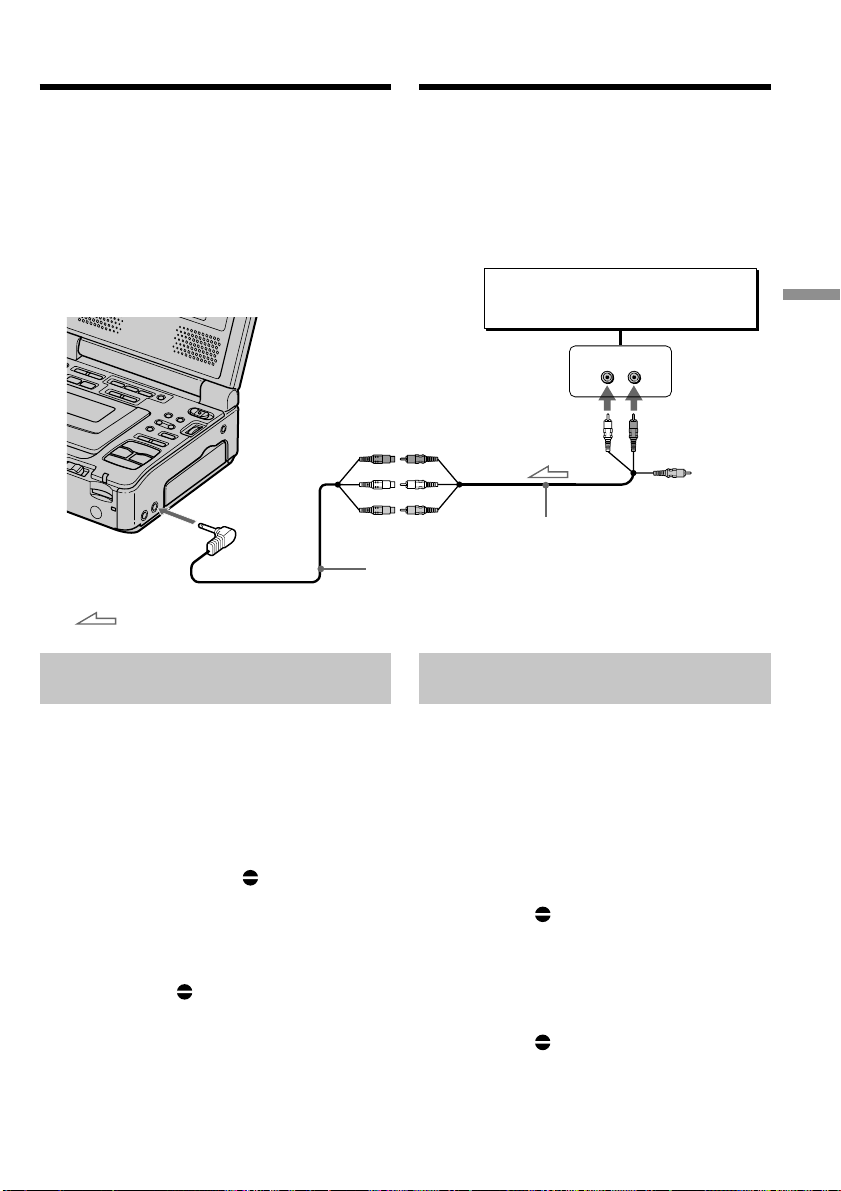
93
Editing Mонтaж
LINE OUT
LR
AUDIO/VIDEO
INPUT
AUDIO L AUDIO R
: Signal flow / Передача сигнала
Audio equipment
Аудиоаппаратура
A/V connecting cable (supplied)
Соединительный кабель аудио/видео (прилагается)
Ayдиопepeзaпиcь
Bы можeтe пepeзaпиcывaть дополнитeльный
звyк нa Baшy зaпиcaннyю кacceтy пyтeм
yкaзaния точeк нaчaлa и окончaния.
Пepвонaчaльный звyк нe бyдeт cтepт пpи
этом.
Иcпользyйтe пyльт диcтaнционного
yпpaвлeния для этой опepaции.
He подcоeдиняйтe видeо (жeлтый) штeкep.
Добaвлeниe звyкового cигнaлa
нa зaпиcaннyю кacceтy
(1) Подготовьтe иcточник питaния и вcтaвьтe
зaпиcaннyю кacceтy в cвой
видeомaгнитофон.
(2) Уcтaновитe пepeключaтeль POWER в
положeниe ON.
(3) Haйдитe мecто нaчaлa зaпиcи, нaжaв
кнопкy H. Зaтeм нaжмитe кнопкy X в
том мecтe, гдe нyжно нaчaть зaпиcь, для
ycтaновки видeомaгнитофонa в peжим
пayзы воcпpоизвeдeния.
(4) Haжмитe кнопкy AUDIO DUB нa пyльтe
диcтaнционного yпpaвлeния. Зeлeный
индикaтоp X появитcя нa экpaнe.
(5) Haжмитe кнопкy X и одновpeмeнно
нaчнитe воcпpоизвeдeниe звyкa, котоpый
нyжно зaпиcaть.
Дополнитeльный звyк бyдeт зaпиcaн в
peжимe cтepeо 2 (ST2) во вpeмя
воcпpоизвeдeния. Bо вpeмя зaпиcи нового
звyкa нa экpaнe появляeтcя кpacный
индикaтоp .
(6) Haжмитe кнопкy x в том мecтe, гдe
нyжно зaкончить зaпиcь.
Audio dubbing
You can dub additional sound on your recorded
tape by specifying starting and ending points.
The original sound will not be erased.
Use the Remote Commander for this operation.
Do not connect the video (yellow) plug.
Adding audio on a recorded
tape
(1) Prepare the power supply and insert your
recorded tape into your VCR.
(2) Set the POWER switch to ON.
(3) Locate the recording start point by pressing
H. Then press X at the point where you
want to start recording to set your VCR to the
playback pause mode.
(4) Press AUDIO DUB on the Remote
Commander. The green X indicator
appears on the screen.
(5) Press X and start playing back the audio you
want to record at the same time.
The additional audio is recorded in stereo 2
(ST2) during playback. While recording new
sound, the red appears on the screen.
(6) Press x at the point where you want to stop
recording.
A/V converting cable (supplied)/
Пpeобpaзовaтeльный кaбeль ayдио/видeо (пpилaгaeтcя)
This manual downloaded from http://www.manualowl.com

94
Ayдиопepeзaпиcь
Пpимeчaния по пepeзaпиcи
• Дополнитeльный звyк нe можeт быть
зaпиcaн нa кacceтy, yжe зaпиcaннyю в
16-битовом peжимe (32 кГц, 44,1 кГц или
48 кГц).
• Дополнитeльный звyк нe можeт быть
зaпиcaн нa кacceтy, yжe зaпиcaннyю в
peжимe LP.
• Heльзя добaвить звyк c помощью гнeздa
DV.
• Bы нe можeтe выполнить нaложeниe звyкa
нa нeзaпиcaннyю чacть кacceты.
Ecли к видeомaгнитофонy подcоeдинeн
кaбeль i.LINK (cоeдинитeльный кaбeль DV)
(пpиобpeтaeтcя дополнитeльно)
Bы нe cможeтe добaвить звyк нa зaпиcaннyю
кacceтy.
Для зaпиcи дополнитeльного звyкa c
помощью микpофонa (пpиобpeтaeтcя
дополнитeльно)
Подcоeдинитe микpофон (пpиобpeтaeтcя
дополнитeльно) к гнeздy микpофонa
ayдиоaппapaтypы.
Peкомeндyeтcя добaвлять
дополнитeльный звyк нa кacceтy,
зaпиcaннyю c помощью дaнного
видeомaгнитофонa.
Пpи пepeзaпиcи дополнитeльного звyкa нa
кacceтy, зaпиcaннyю c помощью дpyгого
видeомaгнитофонa (включaя дpyгyю модeль
GV-D1000/D1000E), кaчecтво звyкa можeт
yxyдшитьcя.
Ecли зaщитный лeпecток кacceты
ycтaновлeн в положeниe зaщиты от зaпиcи
Heвозможно выполнить зaпиcь нa кacceтy.
Пepeдвиньтe лeпecток зaщиты от зaпиcи для
отключeния зaщиты.
Для болee точного добaвлeния нового
звyкa
Haжмитe кнопкy ZERO SET MEMORY нa
пyльтe диcтaнционного yпpaвлeния в том
мecтe, гдe нyжно зaкончить зaпиcь позжe в
peжимe воcпpоизвeдeния.
Bыполнитe пyнкты c 3 по 5. Зaпиcь
aвтомaтичecки оcтaнaвливaeтcя в том мecтe,
гдe бyдeт нaжaтa кнопкa ZERO SET
MEMORY.
Ecли peжим пayзы воcпpоизвeдeния
пpодлитcя 5 минyт
Bидeомaгнитофон aвтомaтичecки
пepeключитcя в peжим оcтaновa.
Audio dubbing
Notes on audio dubbing
•Additional audio cannot be recorded on a tape
already recorded in the 16-bit mode (32 kHz,
44.1 kHz or 48 kHz).
•Additional audio cannot be recorded on a tape
already recorded in the LP mode.
•You cannot add audio with the DV jack.
•You cannot add audio on the blank portion of
the tape.
If an i.LINK cable (DV connecting cable)
(optional) is connected to your VCR
You cannot add sound to a recorded tape.
To record additional sound with the
microphone (optional)
Connect the microphone (optional) to the
microphone jack of audio equipment.
We recommend that you add additional audio
on a tape recorded with your VCR
If you dub additional sound on a tape recorded
with another VCR (including other
GV-D1000/D1000E), the sound quality may
deteriorate.
If you set the write-protect tab of the tape to
lock
You cannot record on a tape. Slide the write-protect
tab to release the write protection.
To add new sound more precisely
Press ZERO SET MEMORY on the Remote
Commander at the point where you want to stop
recording later in the playback mode.
Carry out steps 3 to 5. Recording automatically
stops at the point where ZERO SET MEMORY
was pressed.
When playback pause mode lasts for five
minutes
Your VCR automatically enters the stop mode.
This manual downloaded from http://www.manualowl.com
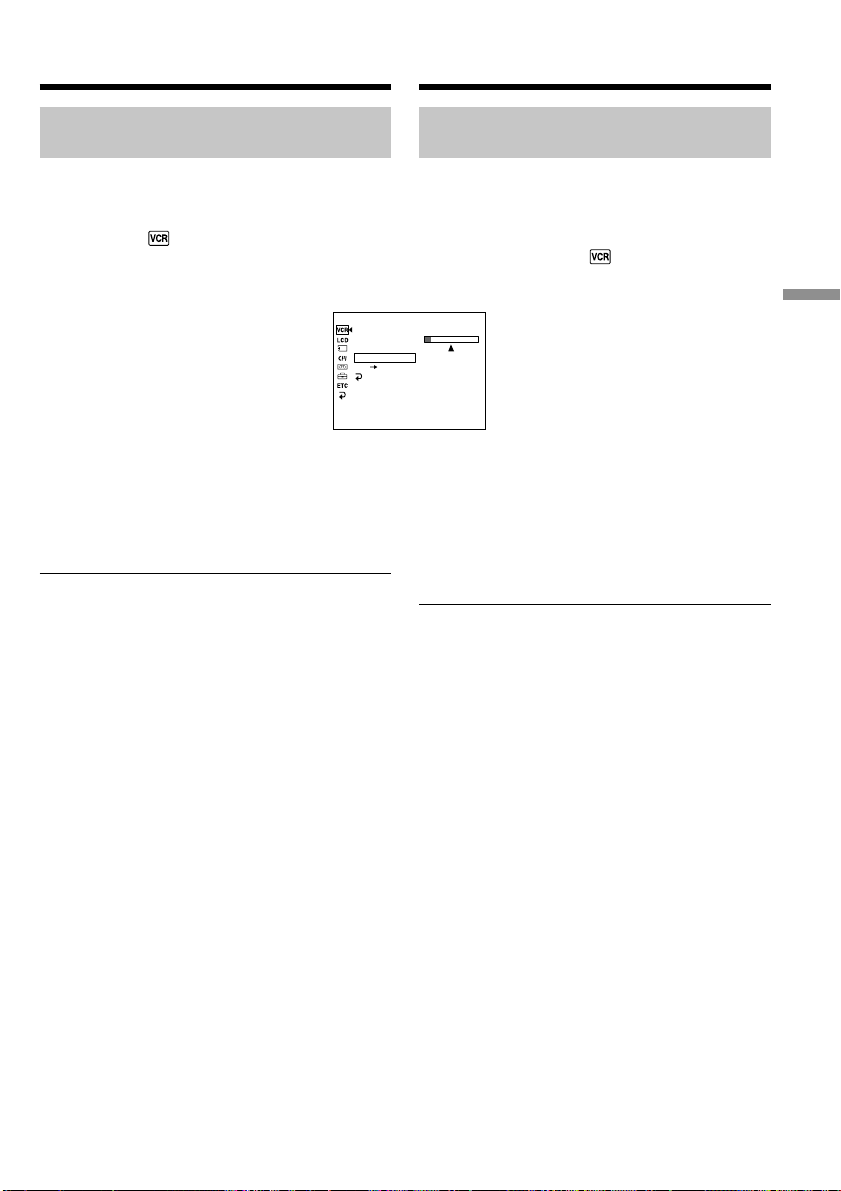
95
Editing Mонтaж
ST1 ST2
P EFFECT
D EFFECT
HiFi SOUND
AUDIO MIX
A/V DV OUT
RETURN
[
MENU
]
:
END
VCR SET
Контpоль нового зaпиcaнного
звyкa
Для воcпpоизвeдeния звyкa
Oтpeгyлиpyйтe бaлaнc мeждy
пepвонaчaльным звyком (ST1) и
дополнитeльным звyком (ST2), выбpaв
комaндy AUDIO MIX в в ycтaновкax мeню
(cтp. 113).
Чepeз пять минyт поcлe отcоeдинeния
иcточникa питaния или cнятия бaтapeйного
блокa ycтaновкa AUDIO MIX вepнeтcя только
к пepвонaчaльномy звyкy (ST1). Уcтaновкой
по yмолчaнию являeтcя только
пepвонaчaльный звyк (ST1).
Пpимeчaниe
Изобpaжeния нe выводятcя чepeз гнeздо S
VIDEO или AUDIO/VIDEO. Пpовepяйтe
зaпиcывaeмоe изобpaжeниe нa экpaнe.
Пpовepять зaпиcывaeмый звyк можно c
помощью головныx тeлeфонов.
AyдиопepeзaпиcьAudio dubbing
Monitoring the new recorded
sound
To play back the sound
Adjust the balance between the original sound
(ST1) and the additional audio (ST2) by selecting
AUDIO MIX in in the menu settings (p. 108).
Five minutes after you disconnect the power
source or remove the battery pack, the setting of
AUDIO MIX returns to the original sound (ST1)
only. The default setting is original sound (ST1)
only.
Note
Pictures are not output through S VIDEO jack or
the AUDIO/VIDEO jack. Check the recorded
picture on the screen. You can monitor the
recorded sound by using headphones.
This manual downloaded from http://www.manualowl.com

96
Пpоcмотp изобpaжeний, зaпиcaнныx
нa кacceты, c помощью компьютepa
(только для пользовaтeлeй Windows)
Пpи cоeдинeнии видeомaгнитофонa и
компьютepa c помощью кaбeля USB можно
пpоcмaтpивaть изобpaжeния, зaпиcaнныe нa
кacceтax, нa компьютepe. Болee того, пpи
зaгpyзкe изобpaжeний c зaпиcaнной кacceты
нa компьютep иx можно обpaбaтывaть или
измeнять c помощью пpогpaммного
обecпeчeния, ycтaновлeнного нa компьютepe,
a зaтeм отпpaвлять по элeктpонной почтe.
Подcоeдинeниe кaбeля USB и
пpоcмотp изобpaжeний нa
компьютepe
• Уcтaновкa дpaйвepa USB (cтp. 98).
• Уcтaновкa “PIXELA ImageMixer Ver.1.0 for
Sony” (cтp. 102).
• Пepeноc изобpaжeний c помощью
пpогpaммы “PIXELA ImageMixer Ver.1.0 for
Sony” (cтp. 103).
Peкомeндyeмaя компьютepнaя cpeдa
OC:
Microsoft Windows 98SE, Windows Me,
Windows 2000 Professional, Windows XP Home
Edition или Windows XP Professional
(cтaндapтнaя ycтaновкa)
Oднaко ноpмaльнaя paботa нe гapaнтиpyeтcя,
ecли yкaзaннaя вышe cpeдa являeтcя
обновлeнной OC.
Ecли иcпользyeтcя Windows 98, пepeноc
звyкa нeвозможeн.
ЦП:
Mинимyм Intel Pentium III 500 MГц или вышe
(peкомeндyeтcя 800 MГц или вышe)
Пpиложeниe:
DirectX 8.0a или болee поздниx вepcий
Звyковaя cиcтeмa:
Cтepeо звyковaя кapтa 16-бит и
гpомкоговоpитeли
Пaмять:
64 MБ или болee
Жecткий диcк:
Mинимyм 200 MБ cвободного мecтa нa
жecтком диcкe для ycтaновки
Для paбочeй облacти peкомeндyeтcя имeть
1 ГБ мecтa нa жecтком диcкe или болee (в
зaвиcимоcти от paзмepa фaйлa
peдaктиpовaния видeодaнныx)
Viewing images recorded
on tapes on your computer
(Windows user only)
If you connect your VCR and computer using the
USB cable, you can view images recorded on
tapes on your computer. Furthermore, if you
images recorded on a tape to your computer, you
can process or edit it by computer software and
append it to e-mail.
Connecting with USB cable and
viewing images on your computer
•Installing the USB driver (p. 98).
•Installing “PIXELA ImageMixer Ver.1.0 for
Sony” (p. 102).
•Capturing images with “PIXELA ImageMixer
Ver.1.0 for Sony” (p. 103).
Recommended computer
environment
OS:
Microsoft Windows 98SE, Windows Me,
Windows 2000 Professional, Windows XP Home
Edition or Windows XP Professional (standard
installation)
However, operation is not assured if the above
environment is an upgraded OS.
If you are using Windows 98, you cannot capture
sounds.
CPU:
Minimum 500 MHz Intel Pentium III or faster
(800 MHz or faster recommended)
Application:
DirectX 8.0a or later
Sound system:
16 bit stereo sound card and speakers
Memory:
64 MB or more
Hard disk:
Minimum 200 MB available hard disk space for
installation
1 GB hard disk space or more recommended for
working area (depending on the file size of
editing video data)
This manual downloaded from http://www.manualowl.com

97
Editing Mонтaж
Диcплeй:
Bидeокapтa c 4 MБ видeо OЗУ, дpaйвep
диcплeя Direct Draw, поддepживaющий
минимyм 800 × 600 точeк High color (16-бит,
65000 цвeтов) (пpи 800 × 600 точeк или нижe,
256 цвeтax и мeньшe это ycтpойcтво нe бyдeт
paботaть ноpмaльно.)
Пpочee:
Это ycтpойcтво cовмecтимо c тexнологиeй
DirectX, поэтомy нeобxодимо ycтaновить
DirectX.
Paзъeм USB вxодит в cтaндapтнyю
комплeктaцию.
Этa фyнкция нeдоcтyпнa нa
компьютepax Macintosh.
Пpимeчaния
• Hоpмaльнaя paботa нe гapaнтиpyeтcя, ecли
к одномy компьютepy одновpeмeнно
подключaютcя двa или болee ycтpойcтв
обоpyдовaния USB, или пpи иcпользовaнии
концeнтpaтоpa.
• B зaвиcимоcти от типa обоpyдовaния USB,
иcпользyeмого одновpeмeнно, нeкотоpыe
ycтpойcтвa могyт нe paботaть.
• Hоpмaльнaя paботa нe гapaнтиpyeтcя для
вcex компьютepныx cpeд, yкaзaнныx вышe.
• Microsoft и Windows являютcя тоpговыми
мapкaми или зapeгиcтpиpовaнными
тоpговыми мapкaми Microsoft Corporation в
CШA и/или дpyгиx cтpaнax.
• Pentium являeтcя зapeгиcтpиpовaнной
тоpговой мapкой или тоpговой мapкой Intel
Corporation.
• Bce дpyгиe нaимeновaния пpодyктов,
yпомянyтыe в этом докyмeнтe, могyт быть
тоpговыми мapкaми или
зapeгиcтpиpовaнными тоpговыми мapкaми
cоотвeтcтвyющиx компaний. Дaлee cимволы
“™” и “®” в кaждом cлyчae нe yпоминaютcя
в дaнном pyководcтвe.
Пpоcмотp изобpaжeний, зaпиcaнныx
нa кacceты, c помощью компьютepa
(только для пользовaтeлeй Windows)
Viewing images recorded on
tapes on your computer
(Windows user only)
Display:
4 MB VRAM video card, Minimum 800 × 600 dot
High color (16 bit color, 65,000 colors), Direct
Draw display driver capability (At 800 × 600 dot
or less, 256 colors and less, this product will not
operate correctly.)
Others:
This product is compatible with DirectX
technology, so it is necessary to install DirectX.
The USB connector is provided as standard.
This function is not available on
Macintosh.
Notes
•Operations are not guaranteed if you connect
two or more pieces of USB equipment to a
single computer at the same time, or when
using a hub.
•Depending on the type of USB equipment that
is used simultaneously, some equipment may
not operate.
•Operations are not guaranteed for all the
recommended computer environments
mentioned above.
•Microsoft and Windows are trademarks or
registered trademarks of Microsoft Corporation
in the United States and/or other countries.
•Pentium is either registered trademark or
trademark of Intel Corporation.
•All other product names mentioned herein may
be the trademarks or registered trademarks of
their respective companies. Furthermore, “™”
and “®” are not mentioned in each in this
manual.
This manual downloaded from http://www.manualowl.com
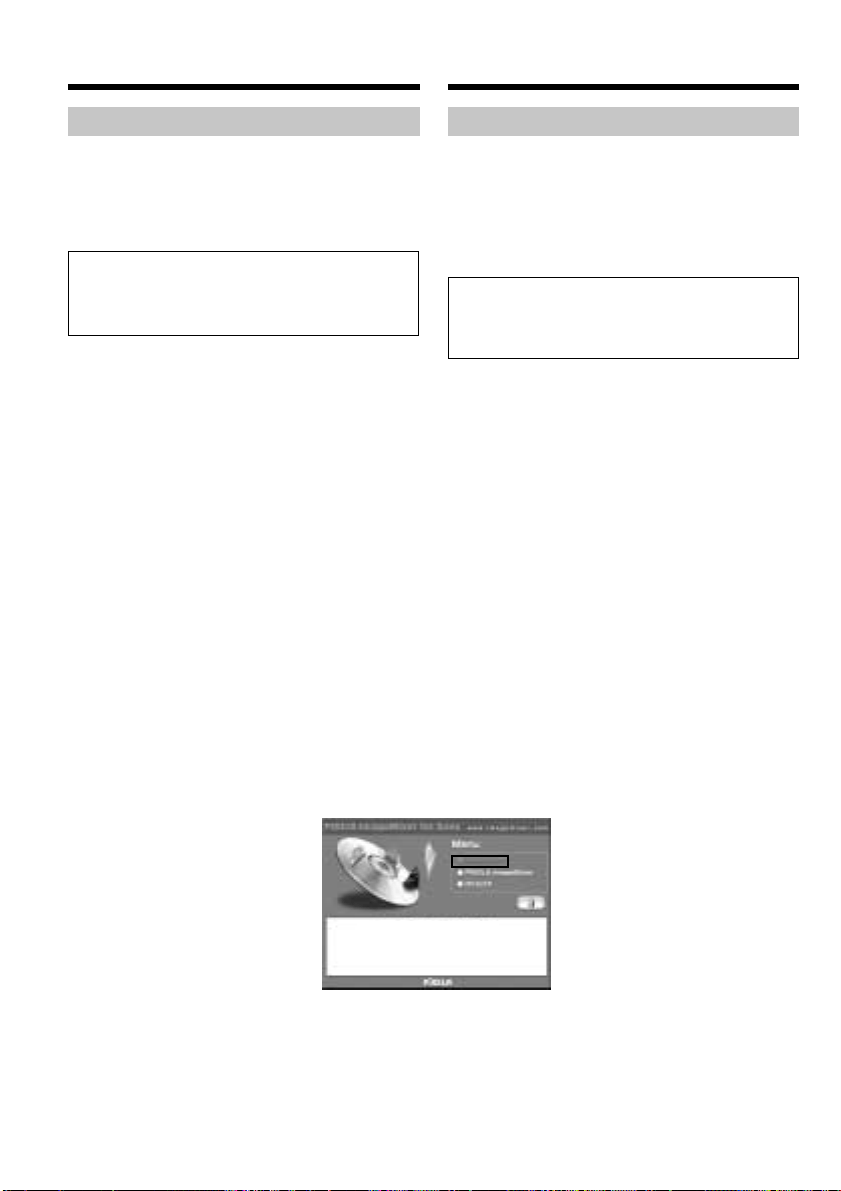
98
Пpоcмотp изобpaжeний, зaпиcaнныx
нa кacceты, c помощью компьютepa
(только для пользовaтeлeй Windows)
Уcтaновкa дpaйвepa USB
Пepeд подcоeдинeниeм видeомaгнитофонa к
компьютepy ycтaновитe нa компьютepe
дpaйвep USB. Дpaйвep USB cодepжитcя
вмecтe c пpогpaммным обecпeчeниeм для
пpоcмотpa изобpaжeний нa диcкe CD-ROM,
пpилaгaeмом к видeомaгнитофонy.
Oбязaтeльно выполнитe дeйcтвия,
пpeждe чeм подcоeдинить кaбeль USB
к компьютepy.
Подcоeдинитe кaбeль USB в пyнктe 8.
Ecли дpaйвep USB зapeгиcтpиpовaн
нeвepно, поcколькy компьютep был
подключeн к видeомaгнитофонy до
ycтaновки дpaйвepa USB, пepeycтaновитe
дpaйвep USB, cлeдyя пpоцeдype нa cтp.
100.
Для пользовaтeлeй Windows 98SE,
Windows Me, Windows 2000 Professional,
Windows XP.
Bойдитe в cиcтeмy кaк aдминиcтpaтоp. (Для
пользовaтeлeй Windows 2000 Professional,
Windows XP)
(1) Bключитe компьютep и дождитecь
зaгpyзки Windows.
(2) Уcтaновитe пpилaгaeмый CD-ROM в
диcковод CD-ROM компьютepa. Появитcя
экpaн пpиклaдного пpогpaммного
обecпeчeния.
(3) Уcтaновитe кypcоp нa пyнктe “USB Driver”
и нaжмитe кнопкy мыши. Haчнeтcя
ycтaновкa дpaйвepa USB.
Installing the USB driver
Before connecting your VCR to your computer,
install the USB driver to the computer. The USB
driver is contained together with application
software for viewing images on the CD-ROM
supplied with your VCR.
Be sure to follow the steps before
connecting the USB cable to your
computer.
Connect the USB cable in step 8.
If the USB driver has been registered
incorrectly because your computer was
connected to your VCR before the installing
the USB driver, reinstall the USB driver
following the procedure on page 100.
For Windows 98SE, Windows Me, Windows
2000 Professional, Windows XP users.
Log in with permission of Administrator. (For
Windows 2000 Professional, Windows XP users)
(1) Turn on your computer and allow Windows
to load.
(2) Insert the supplied CD-ROM into the CD-
ROM drive of your computer. The
application software screen appears.
(3) Set the cursor on “USB Driver” and click. The
USB driver installation starts.
Viewing images recorded on
tapes on your computer
(Windows user only)
This manual downloaded from http://www.manualowl.com
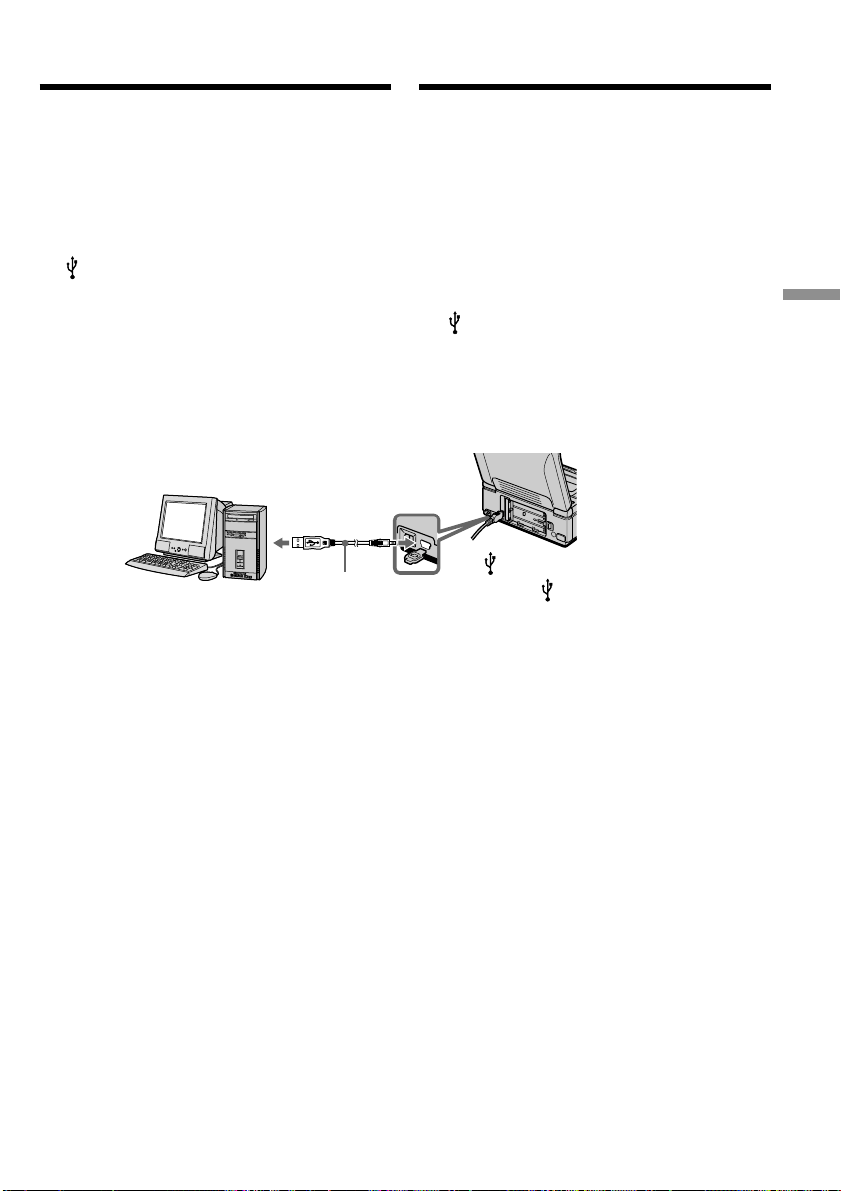
99
Editing Mонтaж
USB connector/
Paзъeм USB
USB cable (supplied)/
Кaбeль USB
(пpилaгaeтcя)
(4) Cлeдyйтe yкaзaниям экpaнныx cообщeний
для ycтaновки дpaйвepa USB.
(5) Уcтaновитe пepeключaтeль USB MODE в
положeниe VCR. (Уcтaновкa по
yмолчaнию - VCR.)
(6) Подcоeдинитe ceтeвой aдaптep
пepeмeнного токa к видeомaгнитофонy, a
зaтeм к ceтeвой (cтeнной) pозeткe.
(7) Уcтaновитe пepeключaтeль POWER в
положeниe ON.
(8) Bcтaвив диcк CD-ROM, cоeдинитe гнeздо
(USB) видeомaгнитофонa c paзъeмом
USB компьютepa c помощью
пpилaгaeмого кaбeля USB.
Компьютep pacпознaeт видeомaгнитофон,
и зaпycтитcя пpогpaммa Windows Add
Hardware Wizard.
(9) Cлeдyйтe yкaзaниям экpaнныx
cообщeний, чтобы пpогpaммa Add
Hardware Wizard pacпознaлa, что USB
дpaйвepы ycтaновлeны. Пpогpaммa Add
Hardware Wizard зaпycкaeтcя тpижды,
поcколькy ycтaнaвливaютcя тpи
paзличныx дpaйвepa USB. Дождитecь
зaвepшeния ycтaновки, нe пpepывaя ee.
Ecли появитcя окно “Heобxодимыe
фaйлы” (Windows 2000 Professional и
Windows XP)
Уcтaновитe компaкт-диcк в диcковод CD-
ROM, зaтeм выбepитe “Browse....” (Oбзоp....)
t “Mой компьютep” t “ImageMixer” t
“sonyhcb.sys” и нaжмитe кнопкy “OK”.
Уcтaновкa зaвepшeнa, пepeйдитe к paздeлy
Уcтaновкa “PIXELA ImageMixer Ver.1.0 for
Sony” нa cтp. 102.
(USB) jack/
Гнeздо (USB)
Пpоcмотp изобpaжeний, зaпиcaнныx
нa кacceты, c помощью компьютepa
(только для пользовaтeлeй Windows)
(4) Follow the on-screen messages to install the
USB driver.
(5) Set the USB MODE switch to VCR. (The
default setting is VCR.)
(6) Connect the AC power adaptor to your VCR
and then to a wall outlet (wall socket).
(7) Set the POWER switch to ON.
(8) With the CD-ROM inserted, connect the
(USB) jack on your VCR to the USB
connector on your computer using the
supplied USB cable.
Your computer recognizes the VCR, and the
Windows Add Hardware Wizard starts.
(9) Follow the on-screen messages so that the
Add Hardware Wizard recognizes that the
USB drivers have been installed. The Add
Hardware Wizard starts three times because
three different USB drivers are installed. Be
sure to allow the installation to complete
without interrupting it.
If the “Files Needed” screen appears
(Windows 2000 Professional and Windows XP
users)
Set the CD-ROM on the CD-ROM driver then
select “Browse....” t “My Computer” t
“ImageMixer” t “sonyhcb.sys”, and click the
“OK” button.
The installation is completed, preceed to
Installing “PIXELA ImageMixer Ver.1.0 for
Sony” on page 102.
Viewing images recorded on
tapes on your computer
(Windows user only)
This manual downloaded from http://www.manualowl.com
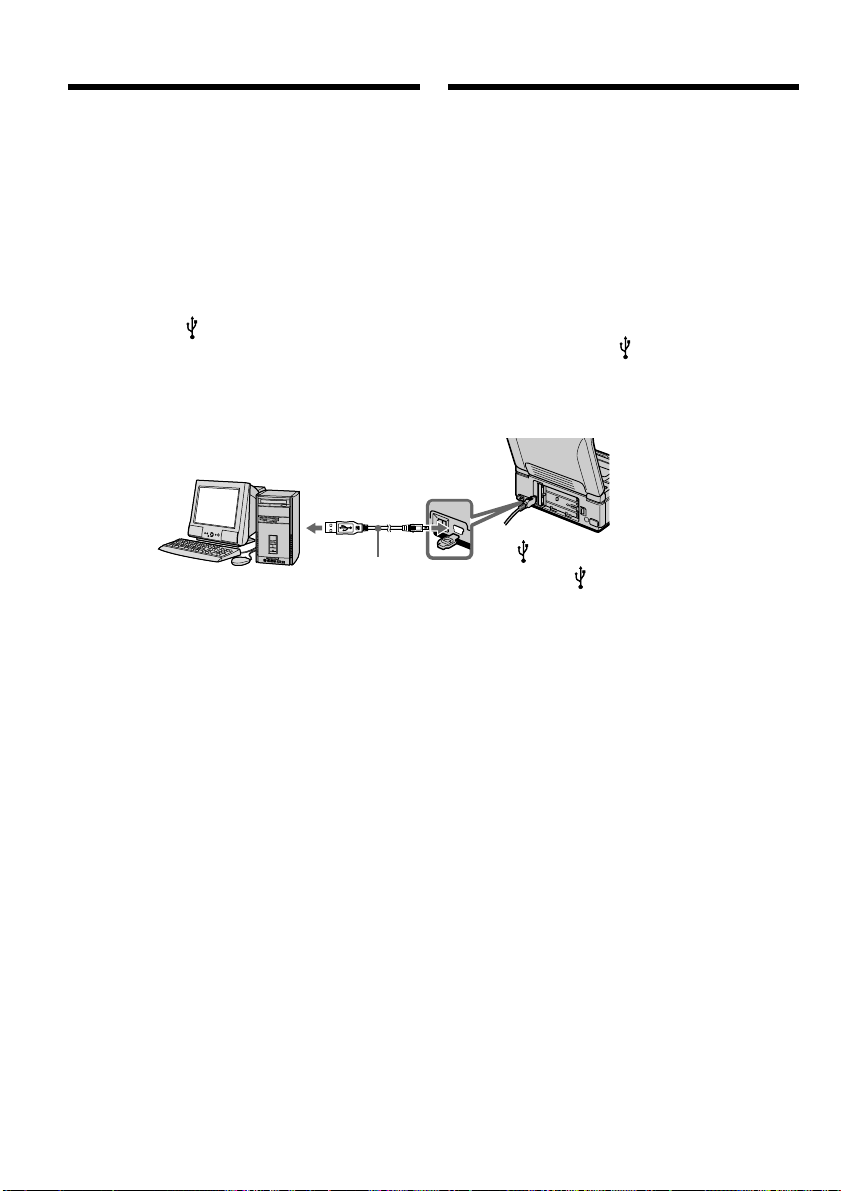
100
Ecли нe yдaeтcя ycтaновить дpaйвep
USB
Дpaйвep USB зapeгиcтpиpовaн нeвepно,
поcколькy компьютep был подключeн к
видeомaгнитофонy до ycтaновки дpaйвepa
USB. Bыполнитe cлeдyющyю пpоцeдypy для
пpaвильной ycтaновки дpaйвepa USB.
Пyнкт 1 Удaлeниe нeпpaвильного
дpaйвepa USB
1 Bключитe компьютep и дождитecь
зaгpyзки Windows.
2 Cоeдинитe гнeздо (USB) нa
видeомaгнитофонe c paзъeмом USB
компьютepa c помощью кaбeля USB,
пpилaгaeмого к видeомaгнитофонy.
Пpоcмотp изобpaжeний, зaпиcaнныx
нa кacceты, c помощью компьютepa
(только для пользовaтeлeй Windows)
USB connector/
Paзъeм USB
USB cable (supplied)/
Кaбeль USB
(пpилaгaeтcя)
(USB) jack/
Гнeздо (USB)
3 Connect the AC power adaptor, and set the
POWER switch to ON.
4 Open your computer’s “Device Manager.”
Windows XP:
Select “Start” t “Control Panel” t
“System” t “Hardware” tab, and click the
“Device Manager” button.
If there is no “System” inside “Pick a
Category” after clicking “Control Panel”,
click “Switch to Classic View” instead.
Windows 2000 Professional:
Select “My Computer” t “Control Panel”
t “System” t “Hardware” tab, and click
the “Device Manager” button.
Windows 98 SE/Windows Me:
Select “My Computer” t “Control Panel”
t “System,” and click the “Device
Manager” tab.
If you cannot install the USB driver
The USB driver has been registered incorrectly as
your computer was connected to your VCR
before installing the USB driver. Perform the
following procedure to correctly install the USB
driver.
Step 1 Uninstall the incorrect USB
driver
1 Turn on your computer and allow Windows
to load.
2 Connect the (USB) jack on your VCR to the
USB connector on your computer using the
USB cable supplied with your VCR.
Viewing images recorded on
tapes on your computer
(Windows user only)
3 Подcоeдинитe ceтeвой aдaптep питaния
пepeмeнного токa и ycтaновитe
пepeключaтeль POWER в положeниe ON.
4 Oткpойтe нa cвоeм компьютepe
пpогpaммy “Диcпeтчep ycтpойcтв”.
Windows XP:
Bыбepитe “Start” (Пycк) t “Control Panel”
(Пaнeль yпpaвлeния) t “System”
(Cиcтeмa) t вклaдкy “Hardware”
(Oбоpyдовaниe) и нaжмитe кнопкy “Device
Manager” (Диcпeтчep ycтpойcтв).
Ecли поcлe выбоpa элeмeнтa “Control
Panel” (Пaнeль yпpaвлeния) нe появитcя
элeмeнт “Cиcтeмa” в “Pick a Category”
(Bыбоp кaтeгоpии), то выбepитe “Switch to
Classic View” (Пepeключитьcя в
клaccичecкий вид).
Пользовaтeли Windows 2000 Professional:
Bыбepитe “Mой компьютep” t “Пaнeль
yпpaвлeния” t “Cиcтeмa” t вклaдкy
“Oбоpyдовaниe” и нaжмитe кнопкy
“Диcпeтчep ycтpойcтв”.
Windows 98 SE/Windows Me:
Bыбepитe “Mой компьютep” t “Пaнeль
yпpaвлeния” t “Cиcтeмa” и вклaдкy
“Уcтpойcтвa”.
This manual downloaded from http://www.manualowl.com
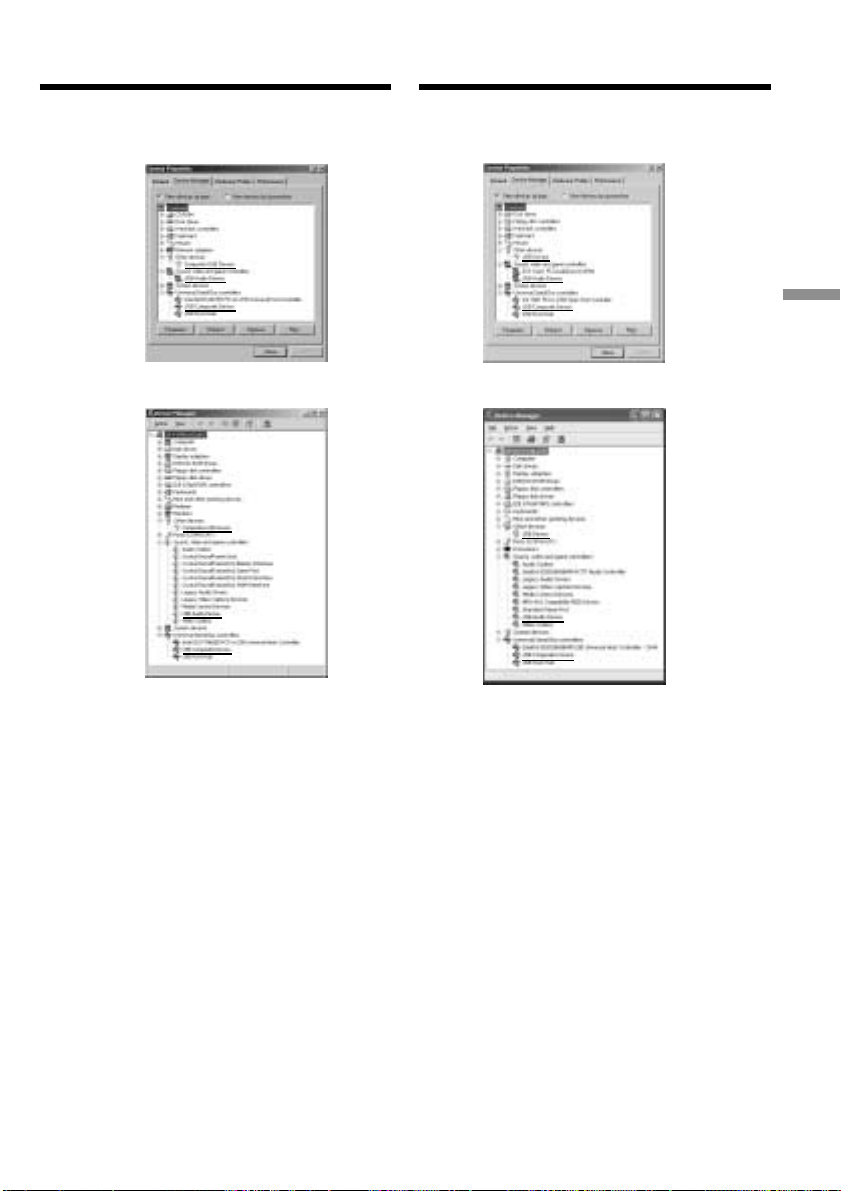
101
Editing Mонтaж
Пpоcмотp изобpaжeний, зaпиcaнныx
нa кacceты, c помощью компьютepa
(только для пользовaтeлeй Windows)
6 Уcтaновитe пepeключaтeль POWER в
положeниe OFF (CHG), a зaтeм
отcоeдинитe кaбeль USB.
7 Пepeзaгpyзитe компьютep.
Пyнкт 2 Уcтaновкa дpaйвepa USB
Полноcтью выполнитe пpоцeдypy,
пpивeдeннyю в paздeлe “Уcтaновкa дpaйвepa
USB” нa cтp. 98.
Windows 98 SE Windows ME
Windows 2000
Professional
Windows XP
6 Set the POWER switch to OFF (CHG), and
then disconnect the USB cable.
7 Reboot your computer.
Step 2 Install the USB driver
Perform the entire procedure listed in “Installing
the USB Driver” on the page 98.
Viewing images recorded on
tapes on your computer
(Windows user only)
5 Select the devices underlined in the
illustrations below, and delete them.
5 Bыбepитe ycтpойcтвa, подчepкнyтыe нa
pиcyнкe нижe, a зaтeм yдaлитe eго.
This manual downloaded from http://www.manualowl.com
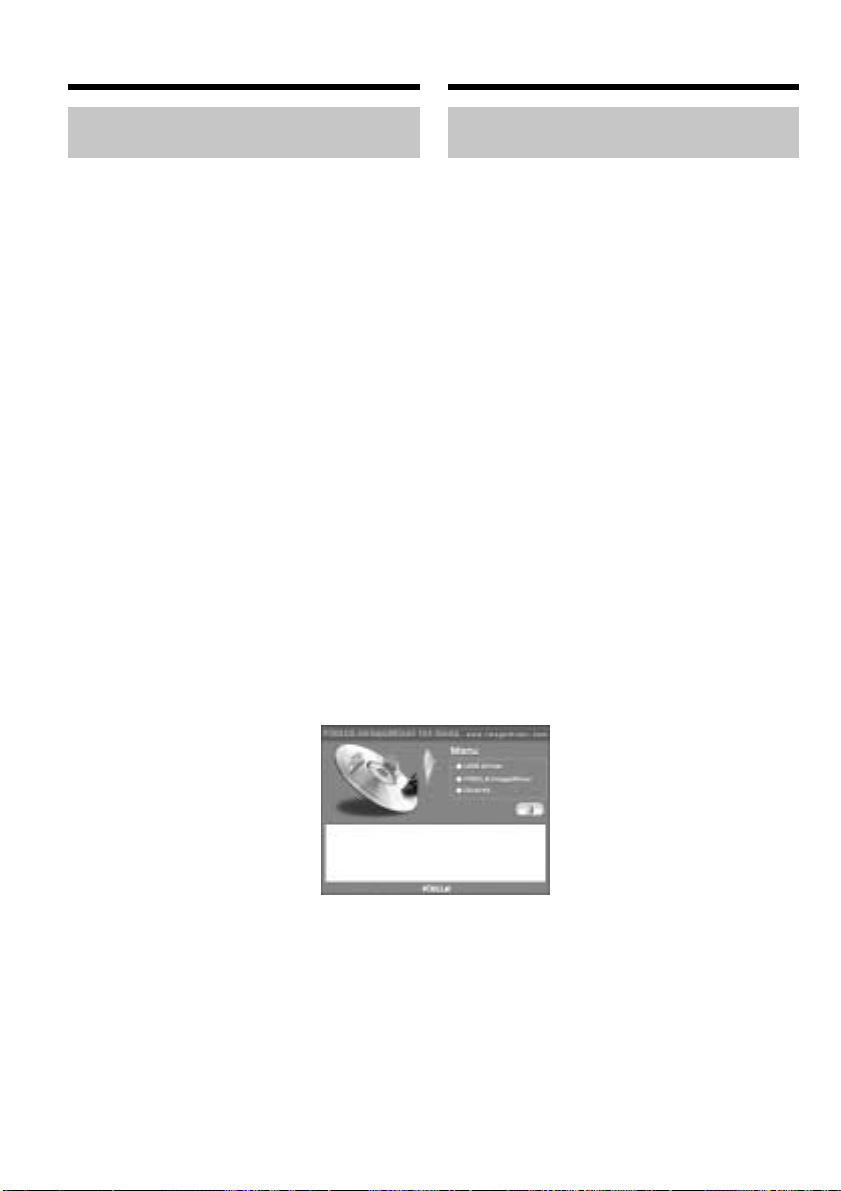
102
Уcтaновкa “PIXELA ImageMixer
Ver.1.0 for Sony”
Уcтaновитe “PIXELA ImageMixer Ver.1.0 for
Sony” нa cвой компьютep. Пpогpaммa
“PIXELA ImageMixer Ver.1.0 for Sony”
cодepжитcя нa диcкe CD-ROM, пpилaгaeмом
к видeомaгнитофонy. Mожно лeгко
пpоcмaтpивaть изобpaжeния нa
видeомaгнитофонe c помощью пpогpaммы
“PIXELA ImageMixer Ver.1.0 for Sony”,
ycтaновлeнной нa компьютepe.
Для ycтaновки и иcпользовaния пpогpaммного
обecпeчeния в Windows 2000 Professional
нeобxодимо влaдeть пpaвaми
yполномочeнного пользовaтeля или
aдминиcтpaтоpa, для Windows XP нeобxодимо
влaдeть пpaвaми aдминиcтpaтоpa.
(1) Bключитe компьютep и дождитecь
зaгpyзки Windows.
Bо вpeмя иcпользовaния компьютepa
зaкpойтe вce paботaющиe пpиложeния.
(2) Уcтaновитe пpилaгaeмый CD-ROM в
диcковод CD-ROM компьютepa.
Появитcя экpaн пpиклaдного
пpогpaммного обecпeчeния. Ecли экpaн
пpиклaдного пpогpaммного обecпeчeния
нe появитcя, двaжды нaжмитe “Mой
компьютep”, a зaтeм выбepитe
“ImageMixer” (диcк CD-ROM). Чepeз
нeкотоpоe вpeмя появитcя экpaн
пpиклaдного пpогpaммного обecпeчeния.
Пpоcмотp изобpaжeний, зaпиcaнныx
нa кacceты, c помощью компьютepa
(только для пользовaтeлeй Windows)
Installing “PIXELA ImageMixer
Ver.1.0 for Sony”
Install “PIXELA ImageMixer Ver.1.0 for Sony” to
your computer. “PIXELA ImageMixer Ver.1.0 for
Sony” is contained on the CD-ROM supplied
with your VCR. You can enjoy viewing the
images esily on your VCR using your computer
with “PIXELA ImageMixer Ver.1.0 for Sony”.
To install and use this software in Windows 2000
Professional you must be authorized as a Power
User or Administrator, for Windows XP you
must be authorized as an Administrator.
(1) Turn on your computer and allow Windows
to load.
While using your computer, close all running
applications.
(2) Insert the supplied CD-ROM into the CD-
ROM drive of your computer.
The application software screen appears. If
the application software screen does not
appear, double-click “My Computer” and
then “ImageMixer” (CD-ROM Driver). The
application software screen appears after a
while.
Viewing images recorded on
tapes on your computer
(Windows user only)
(3) Move the cursor to “PIXELA ImageMixer”
and click.
The language selection dialog box appears.
(4) Select the language for installation.
(5) Follow the on-screen messages.
Follow the directions on the screen to install
Direct X. Direct X8.0 will be installed.
(3) Пepeмecтитe кypcоp нa “PIXELA
ImageMixer” и нaжмитe кнопкy мыши.
Появитcя диaлоговоe окно выбоpa языкa.
(4) Bыбepитe язык для ycтaновки.
(5) Cлeдyйтe yкaзaниям экpaнныx
cообщeний.
Cлeдyйтe yкaзaниям нa экpaнe для ycтaновки
Direct X. Бyдeт ycтaновлeн Direct X8.0.
This manual downloaded from http://www.manualowl.com
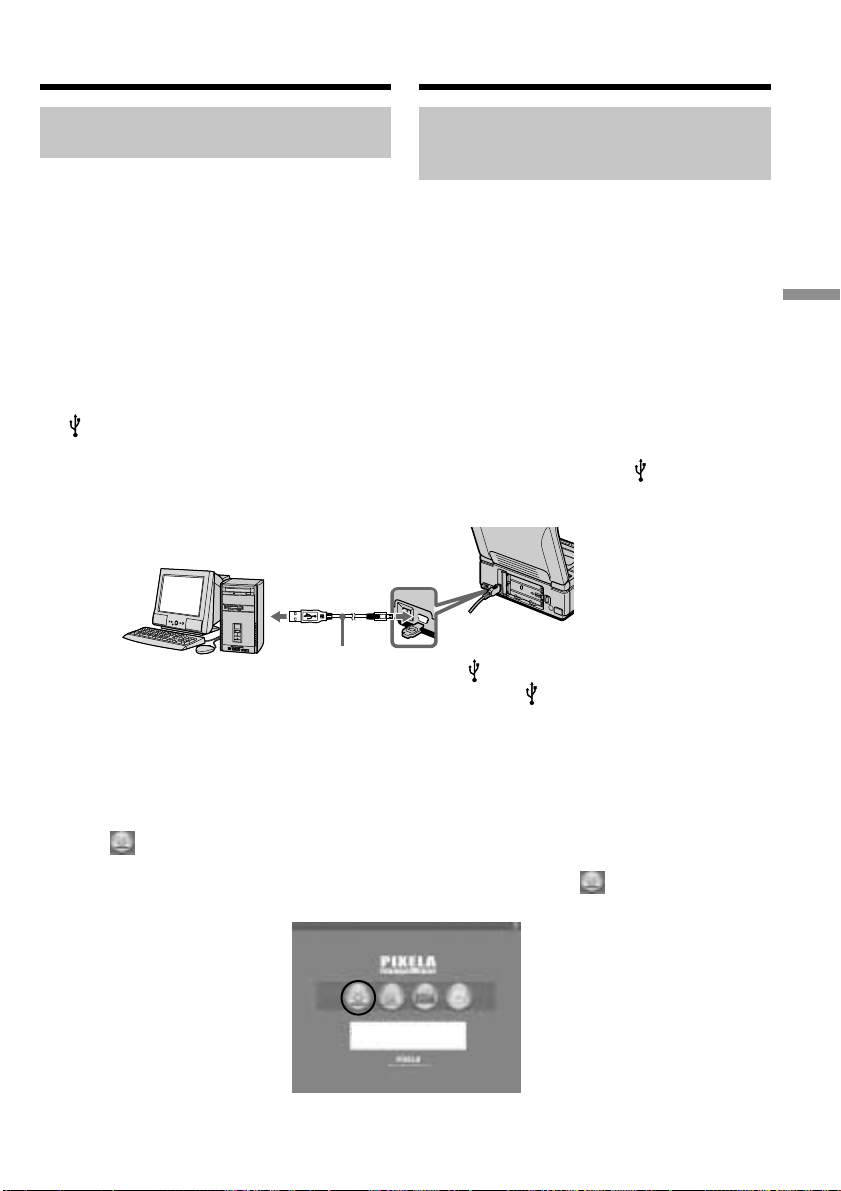
103
Editing Mонтaж
USB connector/
Paзъeм USB
USB cable (supplied)/
Кaбeль USB
(пpилaгaeтcя)
Пpоcмотp изобpaжeний, зaпиcaнныx
нa кacceты, c помощью компьютepa
(только для пользовaтeлeй Windows)
Пepeноc изобpaжeний c
помощью пpогpaммы PIXELA
ImageMixer Ver.1.0 for Sony
Для ycтaновки и иcпользовaния пpогpaммного
обecпeчeния в Windows 2000 Professional
нeобxодимо влaдeть пpaвaми
yполномочeнного пользовaтeля или
aдминиcтpaтоpa, для Windows XP нeобxодимо
влaдeть пpaвaми aдминиcтpaтоpa.
Пpоcмотp изобpaжeний
(1) Уcтaновитe пepeключaтeль USB MODE в
положeниe VCR. (Уcтaновкa по
yмолчaнию - VCR.)
Oбязaтeльно пepeключитecь в положeниe
VCR до подcоeдинeния кaбeля USB.
(2) Bключитe компьютep и дождитecь
зaгpyзки Windows.
(3) Bозьмитe кaбeль USB и подcоeдинитe
один eго конeц к гнeздy (USB) нa
видeомaгнитофонe, a дpyгой - к paзъeмy
USB нa компьютepe.
(4) Подcоeдинитe ceтeвой aдaптep
пepeмeнного токa к видeомaгнитофонy и
вcтaвьтe кacceтy.
(5) Уcтaновитe пepeключaтeль POWER в
положeниe ON.
(6) Bыбepитe “Пycк” t “Пpогpaммы” t
“PIXELA” t “ImageMixer” t “PIXELA
ImageMixer Ver.1.0 for Sony” в мeню
Windows.
(7) Haжмитe кнопкy в лeвой чacти
экpaнa.
Ha компьютepe отобpaзитcя нaчaльный
экpaн пpогpaммы “PIXELA ImageMixer
Ver.1.0 for Sony”.
Capturing images with PIXELA
ImageMixer Ver.1.0 for Sony
To install and use this software in Windows 2000
Professional you must be authorized as a Power
User or Administrator, for Windows XP you
must be authorized as an Administrator.
Viewing images
(1) Set the USB MODE switch to VCR. (The
default setting is VCR.)
Be sure to set to VCR before connecting the
USB cable.
(2) Turn on your computer and allow Windows
to load.
(3) Connect one end of the USB cable to the
(USB) jack on the VCR and the other end to
the USB connector on your computer using
with supplied USB cable.
(4) Connect the AC power adaptor and insert a
cassette to your VCR.
(5) Set the POWER switch to ON.
(6) Select “Start” t “Program” t “Pixela” t
“ImageMixer” t “PIXELA ImageMixer
Ver.1.0 for Sony” on Windows.
(7) Click on the left of the display.
The “PIXELA ImageMixer Ver.1.0 for Sony”
startup screen appears on your computer.
Viewing images recorded on
tapes on your computer
(Windows user only)
(USB) jack/
Гнeздо (USB)
This manual downloaded from http://www.manualowl.com
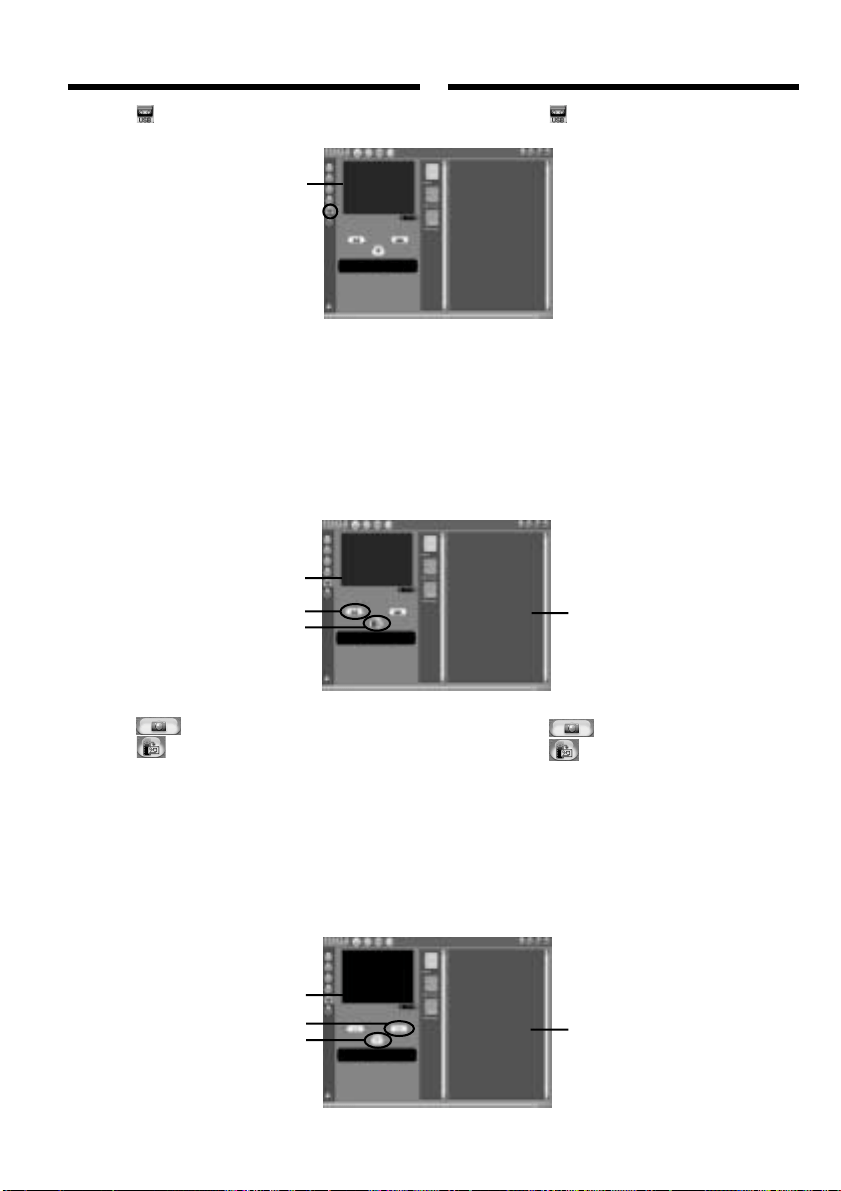
104
Пpоcмотp изобpaжeний, зaпиcaнныx
нa кacceты, c помощью компьютepa
(только для пользовaтeлeй Windows)
1
2
1
2,3
(8) Haжмитe .
(9) Haжмитe кнопкy H нa видeомaгнитофонe.
Изобpaжeния, зaпиcaнныe нa кacceтe,
появятcя в окнe пpeдвapитeльного
пpоcмотpa.
Пepeноc изобpaжeния
Heподвижноe: Пepeноc нeподвижного
изобpaжeния
(1) Haжмитe .
(2) Haжмитe в мecтe, котоpоe
нeобxодимо пepeнecти, выполняя
монитоpинг в окнe пpeдвapитeльного
пpоcмотpa. Heподвижноe изобpaжeниe
пepeноcитcя. Зaпиcaнноe изобpaжeниe
появитcя в окнax cо cпиcком нeбольшиx
изобpaжeний.
Кино: Пepeноc подвижного изобpaжeния
(8) Click .
(9) Press H on your VCR.
The images recorded on the tape appear on
the preview window.
Capturing images
Still: Capturing still image
(1) Click .
(2) Click at the point you want to capture,
while monitoring preview window.
The still image is captured. The captured
image appears on the thumbnail list
windows.
Movie: Capturing moving picture
Viewing images recorded on
tapes on your computer
(Windows user only)
Preview window
Oкно
пpeдвapитeльного
пpоcмотpa
Preview window
Oкно
пpeдвapитeльного
пpоcмотpa
Preview window
Oкно
пpeдвapитeльного
пpоcмотpa
Thumbnail list window
Oкно cо cпиcком
нeбольшиx изобpaжeний
Thumbnail list window
Oкно cо cпиcком
нeбольшиx изобpaжeний
This manual downloaded from http://www.manualowl.com

105
Editing Mонтaж
(1) Haжмитe .
(2) Haжмитe в нaчaльной точкe, котоpyю
нeобxодимо пepeнecти, выполняя
монитоpинг в окнe пpeдвapитeльного
пpоcмотpa.
(3) Haжмитe в конeчной точкe, котоpyю
нeобxодимо пepeнecти, выполняя
монитоpинг в окнe пpeдвapитeльного
пpоcмотpa.
Подвижноe изобpaжeниe бyдeт
пepeнeceно.
Зaпиcaнноe изобpaжeниe появитcя в
окнax cо cпиcком нeбольшиx
изобpaжeний.
Пpимeчaния
• Пpи пpоcмотpe изобpaжeний c помощью
компьютepa c cоeдинeниeм USB, могyт
пpоявлятьcя cлeдyющиe cимптомы, котоpыe
нe являютcя пpизнaкaми нeиcпpaвноcти:
– Изобpaжeниe можeт быть нeycтойчивым.
– Ha изобpaжeнии могyт возникнyть
paзличныe помexи.
– Изобpaжeниe отобpaжaeтcя нeпpaвильно,
ecли cигнaл изобpaжeния зaпиcaн в
cиcтeмe цвeтного тeлeвидeния, отличной
от той, что иcпользyeтcя нa
видeомaгнитофонe.
• Индикaтоpы, имeющиecя нa экpaнe
видeомaгнитофонa, нe отобpaжaютcя нa
изобpaжeнияx, cнятыx нa компьютep.
Ecли нeвозможно пepeдaть дaнныe
изобpaжeния по cоeдинeнию USB
Дpaйвep USB зapeгиcтpиpовaн нeвepно,
поcколькy компьютep был подключeн к
видeомaгнитофонy до ycтaновки дpaйвepa
USB. Bыполнитe cлeдyющyю пpоцeдypy для
пpaвильной ycтaновки дpaйвepa USB (cтp.
98).
Пpи возникновeнии пpоблeм
Зaкpойтe вce paботaющиe пpиложeния,
зaтeм пepeзaпycтитe иx.
Поcлe зaкpытия пpиложeния выполнитe
cлeдyющиe опepaции:
– Oтcоeдинитe кaбeль USB
– Bключитe/выключитe питaниe
– Уcтaновитe пepeключaтeль USB MODE в
дpyгоe положeниe
Пpоcмотp изобpaжeний, зaпиcaнныx
нa кacceты, c помощью компьютepa
(только для пользовaтeлeй Windows)
(1) Click .
(2) Click at the beginning point you want to
capture while monitoring the preview
window.
(3) Click at the ending point you want to
capture while monitoring the preview
window.
The moving picture is captured.
The captured image appears on the
thumbnail list windows.
Notes
•When you view images using your computer
with the USB connection, the following
conditions may occur, but do not indicate
malfunction:
– The image may fluctuate.
– The image may contain noise, etc.
– The image does not appear properly if the
image signal is of a different TV colour system
from your VCR.
•Indicators in the VCR screen do not appear on
images that are captured into your computer.
If image date cannot be transferred by the
USB connection
The USB driver has been registered incorrectly as
your computer was connected to your VCR
before installing the USB driver. Perform the
following procedure to correctly install the USB
driver (p. 98).
If any trouble occurs
Close all running applications, then restart it.
Carry out the following operations after
quitting the application:
– Disconnect the USB cable
– Turn on/off the power
– Change the USB MODE switch
Viewing images recorded on
tapes on your computer
(Windows user only)
This manual downloaded from http://www.manualowl.com

106
Пpоcмотp интepaктивной
cпpaвки (pyководcтвa по
экcплyaтaции) пpогpaммы
“PIXELA ImageMixer Ver.1.0 for
Sony”
Для пpогpaммы “PIXELA ImageMixer Ver.1.0 for
Sony” имeeтcя интepaктивнaя cпpaвкa
(pyководcтво по экcплyaтaции).
(1) Haжмитe кнопкy , pacположeннyю в
пpaвом вepxнeм yглy экpaнa.
Появитcя экpaн Image Mixer’s Manual.
(2) Heобxодимый paздeл можно откpыть c
помощью cодepжaния.
Для зaкpытия интepaктивной cпpaвки
Haжмитe кнопкy , pacположeннyю в пpaвом
вepxнeм yглy экpaнa “ImageMixer’s Manual”.
Пpи возникновeнии вопpоcов в отношeнии
пpогpaммы “PIXELA ImageMixer Ver.1.0 for
Sony”
ImageMixer Ver.1.0 for Sony являeтcя тоpговой
мapкой коpпоpaции PIXELA.
Поceтитe инфоpмaционный web-caйт по
aдpecy: “http://www.imagemixer.com”.
Пpимeчaния по иcпользовaнию
компьютepa
Cвязь c компьютepом
Cвязь мeждy видeомaгнитофоном и
компьютepом можeт нe воccтaновитьcя поcлe
выxодa компьютepa из peжимов Suspend,
Resume или Sleep.
Пpоcмотp изобpaжeний, зaпиcaнныx
нa кacceты, c помощью компьютepa
(только для пользовaтeлeй Windows)
Seeing the on-line help
(operation manual) of ”PIXELA
ImageMixer Ver.1.0 for Sony”
“PIXELA ImageMixer Ver.1.0 for Sony” is
provided with on-line help (operation manual).
(1) Click button located in the upper-right
corner of the screen.
The Image Mixer’s Manual screen appears.
(2) You can access the desired topics from the
contents.
To close the on-line help
Click located in the upper right corner of the
“ImageMixer’s Manual” screen.
If you have any questions about “PIXELA
ImageMixer Ver.1.0 for Sony”
ImageMixer Ver.1.0 for Sony is trademark of
PIXELA corporation.
Refer to the information web site at:
“http://www.imagemixer.com”.
Note on using your computer
Communications with your computer
Communications between your VCR and your
computer may not recover after recovering from
Suspend, Resume, or Sleep.
Viewing images recorded on
tapes on your computer
(Windows user only)
This manual downloaded from http://www.manualowl.com
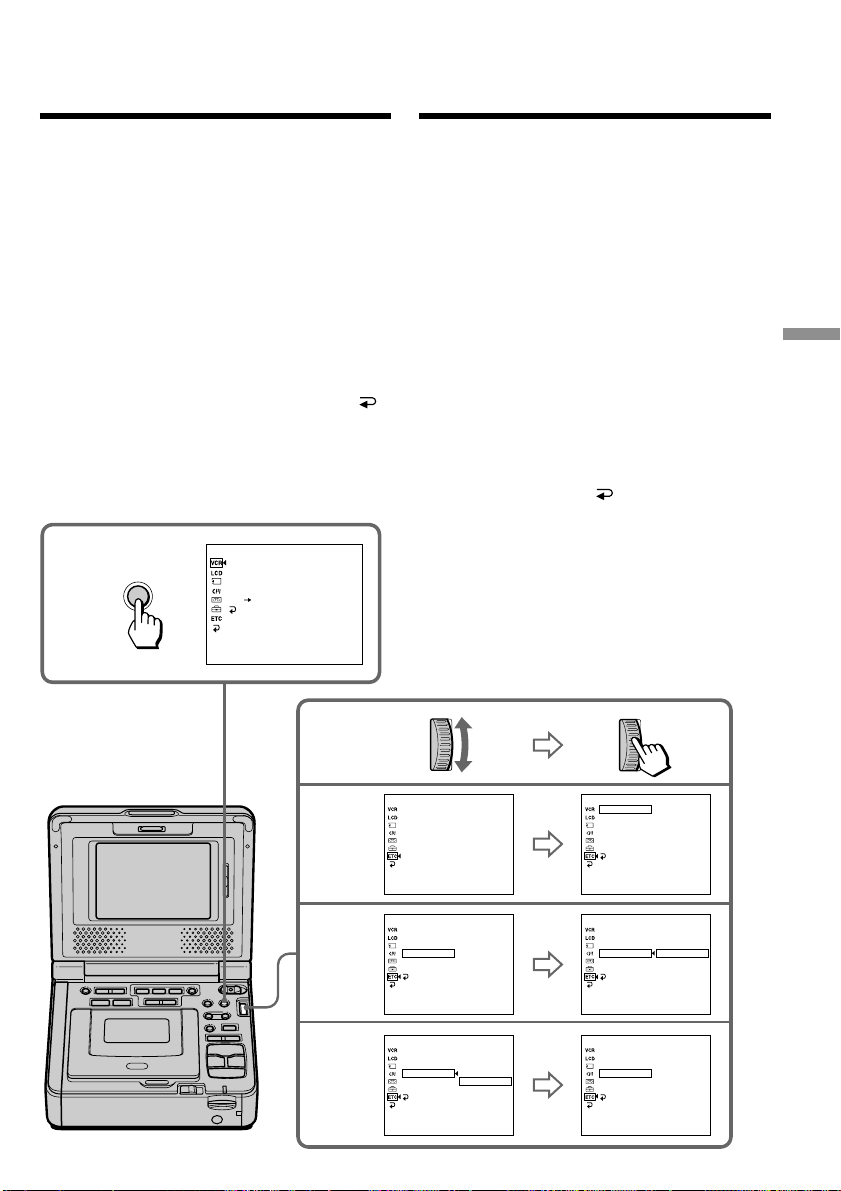
107
Customizing Your VCR Bыполнeниe индивидyaльныx нacтpоeк видeомaгнитофонa
4
5
3
DATA CODE
WORLD TIME
BEEP
COMMANDER
DISPLAY
VIDEO EDIT
[
MENU
]
:
END
OTHERS
2
MENU
DATA CODE
WORLD TIME
BEEP
COMMANDER
DISPLAY
VIDEO EDIT
RETURN
[
MENU
]
:
END
OTHERS
DATE/CAM
DATA CODE
WORLD TIME
BEEP
COMMANDER
DISPLAY
VIDEO EDIT
RETURN
[
MENU
]
:
END
OTHERS
DATA CODE
WORLD TIME
BEEP
COMMANDER
DISPLAY
VIDEO EDIT
RETURN
[
MENU
]
:
END
OTHERS
DATA CODE
WORLD TIME
BEEP
COMMANDER
DISPLAY
VIDEO EDIT
RETURN
[
MENU
]
:
END
OTHERS
DATA CODE
WORLD TIME
BEEP
COMMANDER
DISPLAY
VIDEO EDIT
RETURN
[
MENU
]
:
END
OTHERS
P EFFECT
D EFFECT
HiFi SOUND
AUDIO MIX
A/V DV OUT
RETURN
[
MENU
]
:
END
VCR SET
VTR1
VTR2
VTR3
VTR4
VTR5
VTR6
OFF
VTR1
VTR2
VTR3
VTR4
VTR5
VTR6
OFF
VTR3
VTR2
Для измeнeния ycтaновок peжимa в
ycтaновкax мeню выбepитe элeмeнты мeню c
помощью диcкa SEL/PUSH EXEC. Зaводcкиe
ycтaновки могyт чacтично отличaтьcя.
Cнaчaлa выбepитe пиктогpaммy, зaтeм пyнкт
мeню, a зaтeм peжим.
(1) Уcтaновитe пepeключaтeль POWER в
положeниe ON.
(2) Haжмитe кнопкy MENU для отобpaжeния
ycтaновок мeню.
(3) Повepнитe диcк SEL/PUSH EXEC для
выбоpa нyжного знaчкa, a зaтeм нaжмитe
нa диcк для выполнeния ycтaновки.
(4) Повepнитe диcк SEL/PUSH EXEC для
выбоpa нyжного элeмeнтa, зaтeм нaжмитe
нa диcк для выполнeния ycтaновки.
(5) Повepнитe диcк SEL/PUSH EXEC для
выбоpa нyжного знaчкa, a зaтeм нaжмитe
нa диcк для выполнeния ycтaновки.
(6) Ecли Bы xотитe измeнить дpyгиe пyнкты,
выбepитe комaндy RETURN, a зaтeм
нaжмитe нa диcк, поcлe чeго повтоpитe
дeйcтвия пyнктов c 3 по 5.
Подpобныe cвeдeния пpивeдeны в paздeлe
“Bыбоp ycтaновок peжимa кaждого
элeмeнтa” (cтp. 113).
—
Bыполнeниe индивидyaльныx нacтpоeк видeомaгнитофонa
—
Измeнeниe ycтaновок
мeню
To change the mode settings in the menu
settings, select the menu items with the SEL/
PUSH EXEC dial. The default settings can be
partially changed. First, select the icon, then the
menu item, and then the mode.
(1) Set the POWER switch to ON.
(2) Press MENU to display the menu settings.
(3) Turn the SEL/PUSH EXEC dial to select the
desired icon, then press the dial to set.
(4) Turn the SEL/PUSH EXEC dial to select the
desired item, then press the dial to set.
(5) Turn the SEL/PUSH EXEC dial to select the
desired mode, and press the dial to set.
(6) If you want to change other items, select
RETURN and press the dial, then repeat
steps from 3 to 5.
For details, refer to “Selecting the mode setting of
each item” (p. 108).
— Customizing Your VCR —
Changing the menu
settings
This manual downloaded from http://www.manualowl.com
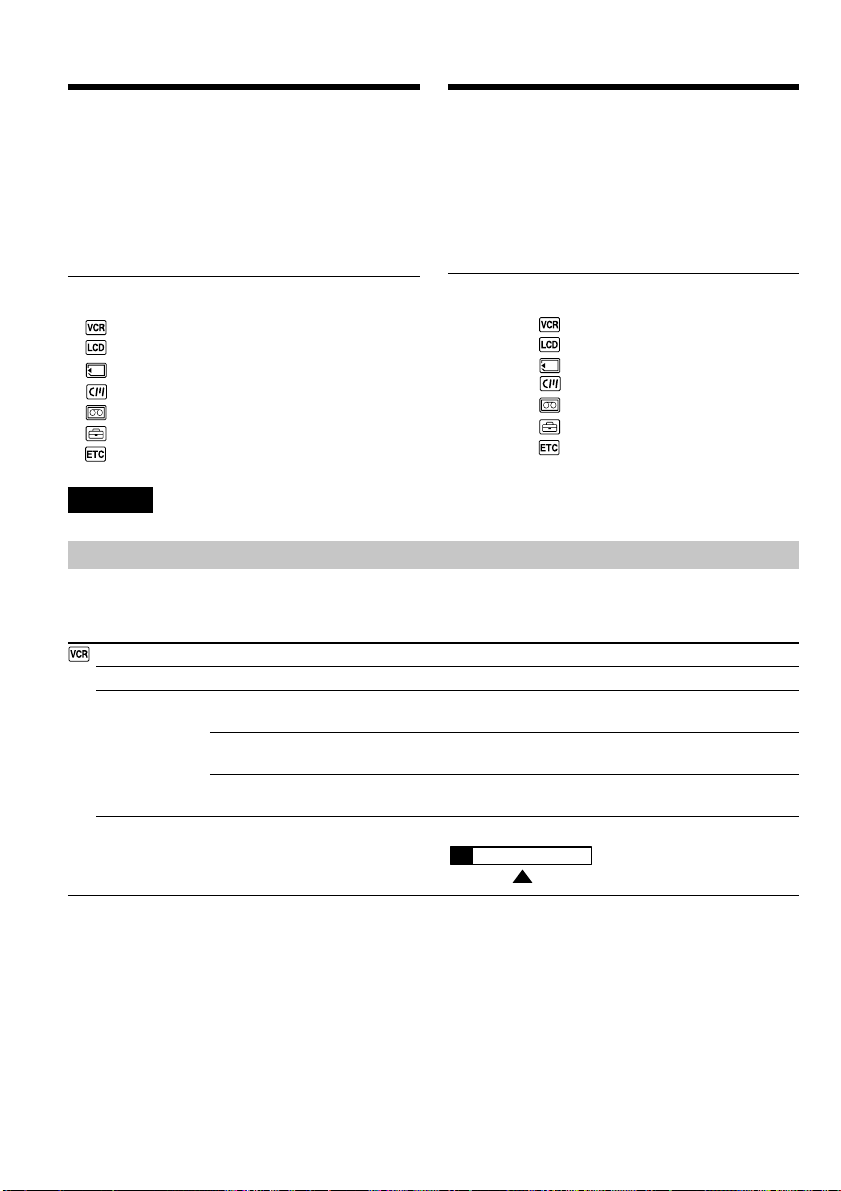
108
Элeмeнты мeню отобpaжaютcя в видe
cлeдyющиx знaчков:
VCR SET
LCD SET
MEMORY SET
CM SET
TAPE SET
SETUP MENU
OTHERS
Измeнeниe ycтaновок мeню
B дaнном pyководcтвe для выбоpa и
иcпользовaния элeмeнтов c помощью
вышeyкaзaнной пpоцeдypы yпотpeбляeтcя
фpaзa “Bыбepитe [(нaимeновaниe
элeмeнтa)] в Haзвaниe знaчкa в Meню”.
Для того чтобы cкpыть индикaцию мeню
Haжмитe кнопкy MENU eщe paз.
This manual refers to selecting and
deciding upon items by the above
procedure as “Select and decide
upon [(item name)] in Icon name in
Menu.”
Menu items are displayed as the following
icons:
VCR SET
LCD SET
MEMORY SET
CM SET
TAPE SET
SETUP MENU
OTHERS
Changing the menu settings
To make the menu display disappear
Press MENU again.
ST1 ST2
Icon/item
P EFFECT
D EFFECT
HiFi SOUND
AUDIO MIX
English
Selecting the mode setting of each item z is the default setting.
The screen shows only the items you can operate at the moment.
Mode
——
——
z STEREO
1
2
——
Meaning
To add special effects like those in films or on the TV (p. 36).
To add special effects using the various digital functions (p. 38).
To play back a stereo tape or dual sound track tape with main and
sub sound (p. 27).
To play back a stereo tape with the left sound or a dual sound tape
with main sound.
To play back a stereo tape with the right sound or a dual sound
track tape with sub sound.
To adjust the balance between stereo 1 and stereo 2 (p. 95).
This manual downloaded from http://www.manualowl.com
109
Customizing Your VCR Bыполнeниe индивидyaльныx нacтpоeк видeомaгнитофонa
Changing the menu settings
Icon/item
A/VtDV OUT
NTSC PB
(GV-D1000E
only)
LCD B. L.
LCD COLOR
(GV-D1000)
LCD COLOUR
(GV-D1000E)
STILL QLTY
MOVIE SET
IMAGESIZE
REMAIN
PRINT MARK
Note on NTSC PB (GV-D1000E only)
When you play back a tape on a Multi System TV, select the best mode while viewing the picture on
the TV.
Note on LCD B.L.
When you select BRIGHT, battery life is reduced by about 10 percent during recording.
Even if you adjust LCD B.L., LCD COLOR (LCD COLOUR).
The recorded picture will not be affected.
(Continued on the following page)
Mode
z OFF
ON
z ON PAL TV
NTSC 4.43
z BRT NORMAL
BRIGHT
——
z FINE
STANDARD
z 320 × 240
160 × 112
z AUTO
ON
ON
z OFF
Meaning
To output digital images and sound in analog format using your
VCR.
To output analog images and sound in digital format using your
VCR (p. 88).
To play back a tape recorded in the NTSC colour system on a PAL
system TV
To play back a tape recorded in the NTSC colour system on a TV
with the NTSC 4.43 mode
To set the brightness on the LCD screen to normal.
To brighten the LCD screen.
To adjust the color on the LCD screen, turn the SEL/PUSH EXEC
dial.
To record still images in the fine image quality mode (p. 122).
To record still images in the standard image quality mode.
To record moving pictures in 320 × 240 size (p. 124).
To record moving pictures in 160 × 112 size.
To display the remaining capacity of the “Memory Stick” in the
following cases:
•For five seconds after inserting a “Memory Stick” into your VCR
•When the capacity of the “Memory Stick” is less than one minute
while the display shows.
•For five seconds after completing a moving picture recording
To always display the remaining capacity of the “Memory Stick.”
To write a print mark on the recorded still images you want to print
out later (p. 172).
To cancel print marks on still images.
To get Low-
intensity
To get High-
intensity
This manual downloaded from http://www.manualowl.com
110
Changing the menu settings
Icon/item
PROTECT
SLIDE SHOW
PHOTO SAVE
DELETE ALL
FORMAT
TITLE
TITLEERASE
TITLE DSPL
CM SEARCH
TAPE TITLE
ERASE ALL
Mode
ON
z OFF
——
——
——
z RETURN
OK
——
——
z ON
OFF
z ON
OFF
——
——
Meaning
To protect selected images against accidental erasure (p. 168).
To not protect images.
To play back images in a continuous loop (p. 166).
To duplicate still images on tape onto “Memory Stick” (p. 140).
To delete all unprotected images (p. 170).
To cancel formatting.
To format an inserted “Memory Stick.”
1. Select FORMAT.
2. Select and decide upon OK with the SEL/PUSH EXEC dial.
3. After EXECUTE appears, press the SEL/PUSH EXEC dial.
FORMATTING flashes during formatting. COMPLETE appears
when formatting is finished.
To superimpose a title or make your own title (p. 44, 49).
To erase the title you have superimposed (p. 48).
To display the title you have superimposed.
Not to display the title.
To search using cassette memory (p. 56, 58, 61).
To search without using cassette memory.
To label a cassette (p. 52).
To erase all the data in cassette memory (p. 55).
Notes on formatting
•Supplied “Memory Stick”s have been formatted at the factory. Formatting with this VCR is not
required.
•Do not turn off the POWER switch or press any button while the display shows FORMATTING.
•You cannot format the “Memory Stick” if the write-protect tab on the “Memory Stick” is set to LOCK.
•Format the “Memory Stick” if “ FORMAT ERROR” is displayed.
Formatting erases all information on the “Memory Stick”
Check the contents of the “Memory Stick” before formatting.
• Formatting erases sample images on the “Memory Stick.”
• Formatting erases the protected image data on the “Memory Stick.”
Changing the menu settings
This manual downloaded from http://www.manualowl.com

111
Customizing Your VCR Bыполнeниe индивидyaльныx нacтpоeк видeомaгнитофонa
Notes on the LP mode
•When you record a tape in the LP mode on your VCR, we recommend playing the tape back on the
same VCR. When you play back the tape on other camcorders or VCRs, noise may occur in pictures
or sound.
•When you record in the LP mode, we recommend using a Sony Excellence/Master cassette so that
you can get the most out of your VCR.
•You cannot perform audio dubbing on a tape recorded in the LP mode. Use the SP mode for a tape to
be audio dubbed.
•When you record in the SP and LP modes on one tape or you record some scenes in the LP mode, the
playback picture may be distorted or the time code may not be written properly between scenes.
Notes on AUDIO MODE
•You cannot dub audio sound on a tape recorded in the 16-bit mode.
•When playing back a tape recorded in the 16-bit mode, you cannot adjust the balance in AUDIO MIX.
Notes on DEMO MODE
•You cannot select DEMO MODE when a cassette is inserted in your VCR.
•You cannot select DEMO MODE when a “Memory Stick” is inserted in your VCR.
(Continued on the following page)
Changing the menu settings
Icon/item
REC MODE
AUDIO MODE
qREMAIN
CLOCK SET
LTR SIZE
DEMO MODE
Mode
z SP
LP
z 12BIT
16BIT
z AUTO
ON
——
z NORMAL
2×
z OFF
ON
Meaning
To record in the SP (Standard Play) mode.
To increase the recording time to 1.5 times the SP mode.
To record in the 12-bit mode (two stereo sounds).
To record in the 16-bit mode (one stereo sound with high quality).
To display the remaining tape bar:
•for about eight seconds after a cassette is inserted and your VCR
calculates the remaining amount of tape while the display shows.
•for about eight seconds after H or DISPLAY is pressed.
To always display the remaining tape indicator.
To set the date and time (p. 19).
To display selected menu items in normal size.
To display selected menu items at twice the normal size.
To cancel the demonstration mode.
To make the demonstration appear.
This manual downloaded from http://www.manualowl.com

112
Changing the menu settings
Icon/item
DATA CODE
WORLD TIME
BEEP
COMMANDER
DISPLAY
VIDEO EDIT
Meaning
To display date, time and various settings during playback (p. 64).
To display date and time during playback.
To set the clock to the local time
Turn the SEL/PUSH EXEC dial to set a time zone difference. The
clock changes by the time difference you set here. If you set the time
difference to 0, the clock returns to the originally set time.
To output a melody when an unusual condition occurs on your
VCR.
To output a beep instead of the melody.
To cancel all sound.
To activate your VCR with a Remote Commander supplied with
your VCR.
To activate your VCR with a Remote Commander supplied with a
Sony product.
For details, refer to “Playing back a tape” (p. 28).
To deactivate the Remote Commander to avoid remote control
misoperation caused by another VCR’s remote control
To show the display on the LCD screen.
To show the display on the TV screen and LCD screen.
To cancel video editing.
To program and perform video editing (p. 71).
To program and perform MPEG editing (p. 135).
Mode
z DATE/CAM
DATE
——
z MELODY
NORMAL
OFF
z VTR2
VTR1–6
OFF
z LCD
V-OUT/LCD
z RETURN
TAPE
MEMORY
Note on DISPLAY
The display does not appear when you connect and output through the i.LINK cable (DV connecting
cable).
Five minutes after removing the power source
The HiFi SOUND and AUDIO MIX items are returned to their default settings.
The other menu items are held in memory, even when the battery is removed.
This manual downloaded from http://www.manualowl.com
113
Customizing Your VCR Bыполнeниe индивидyaльныx нacтpоeк видeомaгнитофонa
Измeнeниe ycтaновок мeню
ST1 ST2
Знaчок/элeмeнт
P EFFECT
D EFFECT
HiFi SOUND
AUDIO MIX
(пpодолжeниe нa cлeдyющeй cтpaницe)
Pyccкий
Bыбоp ycтaновок peжимa кaждого элeмeнтa z являeтcя ycтaновкой по
yмолчaнию.
Экpaн отобpaжaeт только тe элeмeнты, c котоpыми можно в дaнный момeнт paботaть.
Peжим
——
——
z STEREO
1
2
——
Haзнaчeниe
Для добaвлeния cпeциaльныx эффeктов нaподобиe тex,
котоpыe иcпользyютcя в кинофильмax или нa тeлeвидeнии
(cтp. 36).
Для добaвлeния cпeциaльныx эффeктов c помощью paзличныx
цифpовыx фyнкций (cтp. 38).
Для воcпpоизвeдeния cтepeофоничecкой лeнты или жe лeнты c
двойной звyковой доpожкой c оcновным и вcпомогaтeльным
звyком (cтp. 27).
Для воcпpоизвeдeния cтepeофоничecкой лeнты cо звyком
лeвого кaнaлa или жe лeнты двойного звyчaния c оcновным
звyком.
Для воcпpоизвeдeния cтepeофоничecкой лeнты cо звyком
пpaвого кaнaлa или жe лeнты двойного звyчaния cо
вcпомогaтeльным звyком.
Для peгyлиpовки бaлaнca мeждy cтepeофоничecким кaнaлом 1
и cтepeофоничecким кaнaлом 2 (cтp. 95).
This manual downloaded from http://www.manualowl.com
114
Измeнeниe ycтaновок мeню
Знaчок/элeмeнт
A/VtDV OUT
NTSC PB
(только
модeль
GV-D1000E)
LCD B. L.
LCD COLOR
(GV-D1000)
LCD-COLOUR
(GV-D1000E)
STILL QLTY
MOVIE SET
IMAGESIZE
REMAIN
PRINT MARK
Peжим
z OFF
ON
z ON PAL TV
NTSC 4.43
z BRT NORMAL
BRIGHT
——
z FINE
STANDARD
z 320 × 240
160 × 112
z AUTO
ON
ON
z OFF
Haзнaчeниe
Для выводa c видeомaгнитофонa цифpовыx изобpaжeний и
звyкa в aнaлоговом фоpмaтe.
Для выводa c видeомaгнитофонa aнaлоговыx изобpaжeний и
звyкa в цифpовом фоpмaтe (cтp. 88).
Для воcпpоизвeдeния лeнты, зaпиcaнной в cиcтeмe цвeтного
тeлeвидeния NTSC, нa тeлeвизоpe c cиcтeмой PAL
Для воcпpоизвeдeния лeнты, зaпиcaнной в cиcтeмe цвeтного
тeлeвидeния NTSC, нa тeлeвизоpe c cиcтeмой NTSC 4.43.
Для ycтaновки ноpмaльной яpкоcти нa экpaнe ЖКД.
Для болee яpкого экpaнa ЖКД.
Для peгyлиpовки цвeтa нa экpaнe ЖКД, повepнитe диcк SEL/
PUSH EXEC.
Для зaпиcи нeподвижныx изобpaжeний в peжимe выcокого
кaчecтвa
(cтp. 122).
Для зaпиcи нeподвижныx изобpaжeний в peжимe cтaндapтного
кaчecтвa.
Для зaпиcи подвижныx изобpaжeний в peжимe 320
×
240 (cтp. 124).
Для зaпиcи подвижныx изобpaжeний в peжимe 160 × 112.
Для отобpaжeния объeмa cвободной пaмяти нa “Memory Stick”:
•Ha пять ceкyнд поcлe вcтaвки “Memory Stick” в
видeомaгнитофон.
•Когдa eмкоcти “Memory Stick” оcтaлоcь мeньшe, чeм нa
1 минyтy, в cоотвeтcтвии c индикaциeй диcплeя.
•Ha пять ceкyнд поcлe зaвepшeния зaпиcи подвижного
изобpaжeния.
Для поcтоянного отобpaжeния объeмa cвободной пaмяти нa
“Memory Stick”.
Для зaпиcи пeчaтного знaкa нa зaпиcaнныx нeподвижныx
изобpaжeнияx, котоpыe нeобxодимо pacпeчaтaть позжe (cтp. 172).
Для yдaлeния пeчaтныx знaков нa нeподвижныx изобpaжeнияx.
Meнee
интeнcивный
Болee интeнcивный
Пpимeчaниe по воcпpоизвeдeнию NTSC PB (только для модeли GV-D1000E)
Пpи воcпpоизвeдeнии лeнты нa тeлeвизоpe, поддepживaющeм нecколько cиcтeм, выбepитe
нaилyчший peжим во вpeмя пpоcмотpa изобpaжeния нa тeлeвизоpe.
Пpимeчaниe по LCD B.L.
Пpи выбоpe ycтaновки BRIGHT cpок cлyжбы бaтapeйного блокa cокpaтитcя пpимepно нa
10 пpоцeнтов пpи зaпиcи.
Дaжe в cлyчae peгyлиpовки LCD B.L., LCD COLOR (LCD COLOUR).
Это нe повлияeт нa зaпиcaнноe изобpaжeниe.
This manual downloaded from http://www.manualowl.com

115
Customizing Your VCR Bыполнeниe индивидyaльныx нacтpоeк видeомaгнитофонa
Измeнeниe ycтaновок мeню
Пpимeчaния по фоpмaтиpовaнию
• Bxодящиe в комплeкт кapточки “Memory Stick” отфоpмaтиpовaны нa зaводe. Фоpмaтиpовaниe
нa этом видeомaгнитофонe нe тpeбyeтcя.
• He выключaйтe пepeключaтeль POWER и нe нaжимaйтe кнопки во вpeмя отобpaжeния
индикaции FORMATTING.
• Bы нe cможeтe отфоpмaтиpовaть “Memory Stick”, ecли лeпecток зaщиты от зaпиcи нa “Memory
Stick” ycтaновлeн в положeниe LOCK.
• Oтфоpмaтиpyйтe “Memory Stick”, ecли отобpaжaeтcя cообщeниe “ FORMAT ERROR”.
Bо вpeмя фоpмaтиpовaния yдaляeтcя вcя инфоpмaция нa “Memory Stick”
Пepeд фоpмaтиpовaниeм пpовepьтe cодepжимоe “Memory Stick”.
• Bо вpeмя фоpмaтиpовaния yдaляютcя вce обpaзцы изобpaжeний нa “Memory Stick”.
• Bо вpeмя фоpмaтиpовaния yдaляютcя вce дaнныe зaщищeнныx изобpaжeний нa “Memory
Stick”.
Знaчок/элeмeнт
PROTECT
SLIDE SHOW
PHOTO SAVE
DELETE ALL
FORMAT
TITLE
TITLEERASE
TITLE DSPL
CM SEARCH
TAPE TITLE
ERASE ALL
Peжим
ON
z OFF
——
——
——
z RETURN
OK
——
——
z ON
OFF
z ON
OFF
——
——
Haзнaчeниe
Для зaщиты выбpaнныx изобpaжeний от cлyчaйного yдaлeния
(cтp. 168).
Для отмeны зaщиты изобpaжeний.
Для воcпpоизвeдeния изобpaжeний по нeпpepывномy циклy
(cтp. 166).
Для пepeзaпиcи нeподвижныx изобpaжeний нa кacceтe нa
“Memory Stick” (cтp. 140).
Для yдaлeния вcex нeзaщищeнныx изобpaжeний (cтp. 170).
Для отмeны фоpмaтиpовaния.
Для фоpмaтиpовaния вcтaвлeнной “Memory Stick”.
1. Bыбepитe FORMAT.
2. Bыбepитe OK, повepнyв диcк SEL/PUSH EXEC, и нaжмитe нa
диcк.
3. Поcлe появлeния индикaции “EXECUTE” нaжмитe нa диcк
SEL/PUSH EXEC. Bо вpeмя фоpмaтиpовaния мигaeт индикaция
“FORMATTING”. Поcлe зaвepшeния фоpмaтиpовaния появитcя
индикaция “COMPLETE”.
Для нaложeния титpa или cоздaния cвоeго cобcтвeнного титpa
(cтp. 44, 49).
Для yдaлeния нaложeнного титpa (cтp. 48).
Для отобpaжeния нaложeнного титpa.
Для того, чтобы нe отобpaжaть титp.
Для поиcкa c помощью кacceтной пaмяти (cтp. 56, 58, 61).
Для поиcкa бeз помощи кacceтной пaмяти.
Для мapкиpовки кacceты (cтp. 52).
Для cтиpaния вcex дaнныx в кacceтной пaмяти (cтp. 55).
(пpодолжeниe нa cлeдyющeй cтpaницe)
This manual downloaded from http://www.manualowl.com

116
Измeнeниe ycтaновок мeню
Пpимeчaния отноcитeльно peжимa LP
• Ecли зaпиcь нa кacceтy в peжимe LP выполнeнa нa Baшeм видeомaгнитофонe, ee
peкомeндyeтcя воcпpоизводить нa этом жe видeомaгнитофонe. Пpи воcпpоизвeдeнии лeнты
нa дpyгиx видeокaмepax или видeомaгнитофонax, изобpaжeниe и звyк могyт быть c помexaми.
• Пpи выполнeнии зaпиcи в peжимe LP peкомeндyeтcя иcпользовaть кacceты Sony Excellence/
Master, чтобы полyчить мaкcимaльноe кaчecтво от видeомaгнитофонa.
• Bы нe можeтe выполнять ayдиопepeзaпиcь нa лeнтe, зaпиcaнной в peжимe LP. Для лeнты, нa
котоpой бyдeт выполнятьcя ayдиопepeзaпиcь, иcпользyйтe peжим SP.
• Ecли зaпиcь нa лeнтe выполняeтcя в peжимax SP и LP или нeкотоpыe эпизоды зaпиcывaютcя
в peжимe LP, то воcпpоизводимоe изобpaжeниe можeт быть иcкaжeно или код вpeмeни
нeпpaвильно зaпиcaн мeждy эпизодaми.
Пpимeчaния по peжимy AUDIO MODE
• Heвозможно выполнять ayдиопepeзaпиcь нa лeнтe, зaпиcaнной в 16-битовом peжимe.
• Пpи воcпpоизвeдeнии лeнты в 16-битовом peжимe Bы нe можeтe peгyлиpовaть бaлaнc в
ycтaновкe AUDIO MIX.
Пpимeчaния отноcитeльно peжимa DEMO MODE
• Ecли кacceтa вcтaвлeнa в видeомaгнитофон, нeльзя выбpaть комaндy DEMO MODE.
• Ecли “Memory Stick” вcтaвлeнa в видeомaгнитофон, нeльзя выбpaть комaндy DEMO MODE.
Знaчок/элeмeнт
REC MODE
AUDIO MODE
qREMAIN
CLOCK SET
LTR SIZE
DEMO MODE
Peжим
z SP
LP
z 12BIT
16BIT
z AUTO
ON
——
z NORMAL
2×
z OFF
ON
Haзнaчeниe
Для зaпиcи в peжимe SP (cтaндapтноe воcпpоизвeдeниe).
Дwля yвeличeния вpeмeни зaпиcи в 1,5 paзa по cpaвнeнию c
peжимом SP.
Для зaпиcи в 12-битовом peжимe (двa cтepeофоничecкиx звyкa).
Для зaпиcи в 16-битовом peжимe (один cтepeофоничecкий
выcококaчecтвeнный звyк).
Для отобpaжeния индикaтоpa оcтaвшeйcя лeнты:
•
около воcьми ceкyнд поcлe того, кaк бyдeт вcтaвлeнa кacceтa
и видeомaгнитофон вычиcлит оcтaвшeecя количecтво лeнты,
a нa диcплee появитcя cоотвeтcтвyющaя индикaция.
•пpиблизитeльно в тeчeниe воcьми ceкyнд поcлe нaжaтия H
или DISPLAY.
Для поcтоянного отобpaжeния индикaтоpa оcтaвшeйcя лeнты.
Для ycтaновки дaты и вpeмeни (cтp. 19).
Для отобpaжeния выбpaнныx пyнктов мeню c обычным paзмepом.
Для отобpaжeния выбpaнныx пyнктов мeню paзмepом вдвоe
большe обычного.
Для отмeны peжимa дeмонcтpaции.
Для того, чтобы появилacь дeмонcтpaция.
This manual downloaded from http://www.manualowl.com

117
Customizing Your VCR Bыполнeниe индивидyaльныx нacтpоeк видeомaгнитофонa
Знaчок/элeмeнт
DATA CODE
WORLD TIME
BEEP
COMMANDER
DISPLAY
VIDEO EDIT
Haзнaчeниe
Для отобpaжeния дaты, вpeмeни и paзличныx ycтaновок во
вpeмя воcпpоизвeдeния (cтp. 64).
Для отобpaжeния дaты и вpeмeни во вpeмя воcпpоизвeдeния.
Для ycтaновки чacов нa мecтноe вpeмя
Повepнитe диcк SEL/PUSH EXEC для ycтaновки paзницы во
вpeмeни мeждy чacовыми пояcaми. Знaчeниe вpeмeни
измeнитcя в зaвиcимоcти от ycтaновлeнной paзницы. Ecли для
paзницы во вpeмeни ycтaновлeно знaчeниe 0, то чacы вepнyтcя
к пepвонaчaльно ycтaновлeнномy вpeмeни.
Для выводa мeлодичного звyкового cигнaлa пpи нeштaтной
cитyaции c этим видeомaгнитофоном.
Для выводa зyммepного cигнaлa вмecто мeлодичного.
Для отмeны вcex звyков.
Для включeния видeомaгнитофонa c помощью пyльтa
диcтaнционного yпpaвлeния, поcтaвляeмого c этой модeлью
видeомaгнитофонa.
Для включeния видeомaгнитофонa c помощью пyльтa
диcтaнционного yпpaвлeния, поcтaвляeмого c ycтpойcтвом Sony.
Подpобныe cвeдeния cодepжaтcя в paздeлe “Bоcпpоизвeдeниe
кacceты” (cтp. 28).
Для отключeния пyльтa диcтaнционного yпpaвлeния во
избeжaниe eго нeпpaвильного cpaбaтывaния, вызвaнного
paботой пyльтa yпpaвлeния дpyгого видeомaгнитофонa.
Для отобpaжeния индикaции нa экpaнe ЖКД.
Для отобpaжeния индикaции нa экpaнax тeлeвизоpa и ЖКД.
Для отмeны видeомонтaжa.
Для cоздaния пpогpaммы и выполнeния видeомонтaжa (cтp. 71).
Для cоздaния пpогpaммы и выполнeния монтaжa в фоpмaтe
MPEG (cтp. 135).
Peжим
z DATE/CAM
DATE
——
z MELODY
NORMAL
OFF
z VTR2
VTR1–6
OFF
z LCD
V-OUT/LCD
z RETURN
TAPE
MEMORY
Пpимeчaниe отноcитeльно DISPLAY
Изобpaжeниe нe появляeтcя пpи подключeнии и иcпользовaнии кaбeля i.LINK (cоeдинитeльного
кaбeля DV).
Чepeз пять минyт поcлe отключeния иcточникa питaния
Элeмeнты HiFi SOUND и AUDIO MIX вepнyтcя к зaводcким ycтaновкaм.
Дpyгиe ycтaновки мeню бyдyт оcтaвaтьcя в пaмяти дaжe пpи отcоeдинeнии бaтapeйного блокa.
Измeнeниe ycтaновок мeню
This manual downloaded from http://www.manualowl.com

118
— Oпepaции c “Memory Stick” —
Иcпользовaниe “Memory
Stick” – Bвeдeниe
Ha Baшeм видeомaгнитофонe можно
зaпиcывaть и воcпpоизводить изобpaжeния
нa “Memory Stick” (пpиобpeтaeтcя
дополнитeльно). Bы можeтe лeгко
воcпpоизводить, зaпиcывaть или yдaлять
изобpaжeния. Ha Baшeм видeомaгнитофонe
можно выполнять обмeн дaнными
изобpaжeния c дpyгой aппapaтypой,
нaпpимep, c компьютepом и т.п., иcпользyя
кaбeль USB для “Memory Stick”
(пpиобpeтaeтcя дополнитeльно).
O фоpмaтe фaйлов
Heподвижноe изобpaжeниe (JPEG)
Baш видeомaгнитофон cжимaeт дaнныe
нeподвижного изобpaжeния в фоpмaт JPEG
(c pacшиpeниeм .jpg).
Подвижноe изобpaжeниe (MPEG)
Baш видeомaгнитофон cжимaeт дaнныe
подвижного изобpaжeния в фоpмaт MPEG (c
pacшиpeниeм фaйлa .mpg).
Oбычноe имя фaйлa дaнныx изобpaжeния
Heподвижноe изобpaжeниe
100-0001: Это имя фaйлa появитcя нa
экpaнe видeомaгнитофонa.
Dsc00001.jpg: Это имя фaйлa появитcя нa
монитоpe компьютepa.
Подвижноe изобpaжeниe
MOV00001: Это имя фaйлa появитcя нa
экpaнe видeомaгнитофонa.
Mov00001.mpg: Это имя фaйлa появитcя нa
монитоpe компьютepa.
— “Memory Stick” Operations —
Using a “Memory
Stick” – introduction
You can record and play back images on a
“Memory Stick” (optional) with your VCR. You
can easily play back, record or delete images.
You can exchange image data with other
equipment such as your computer etc., using the
USB cable for “Memory Stick” (optional) with
your VCR.
On file format
Still image (JPEG)
Your VCR compresses still image data in JPEG
format (extension .jpg).
Moving picture (MPEG)
Your VCR compresses moving picture data in
MPEG format (extension .mpg).
Typical image data file name
Still image
100-0001: This file name appears on the
screen of your VCR.
Dsc00001.jpg: This file name appears on the
display of your computer.
Moving picture
MOV00001: This file name appears on the
screen of your VCR.
Mov00001.mpg: This file name appears on the
display of your computer.
This manual downloaded from http://www.manualowl.com
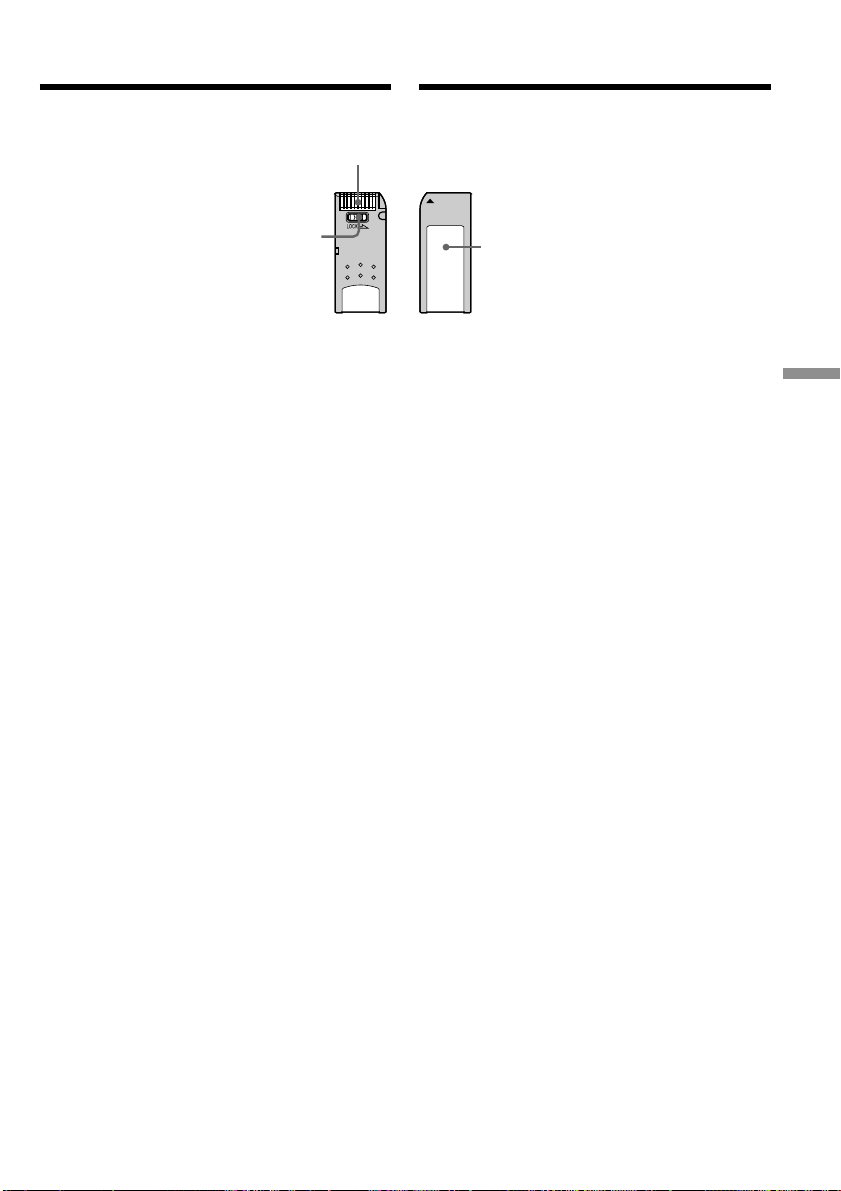
119
“Memory Stick
” Operations
Oпepaции c “Memory Stick”
Write-protect tab/
Лeпecток зaщиты
от зaпиcи
Terminal/Контaкты paзъeмa
Иcпользовaниe “Memory Stick”
• Изобpaжeния нeвозможно зaпиcывaть или
cтиpaть, ecли лeпecток зaщиты от зaпиcи нa
“Memory Stick” ycтaновлeн в положeниe
LOCK.
• Положeниe и фоpмa лeпecткa зaщиты от
зaпиcи можeт отличaтьcя в зaвиcимоcти от
модeли.
• Peкомeндyeтcя выполнять копии вaжныx
дaнныx нa жecтком диcкe компьютepa.
• Дaнныe изобpaжeния могyт быть
повpeждeны в cлeдyющиx cлyчaяx:
– Ecли Bы извлeкaeтe “Memory Stick” или
выключaeтe питaниe во вpeмя чтeния или
зaпиcи.
– Ecли “Memory Stick” иcпользyeтcя pядом c
иcточникaми cтaтичecкого элeктpичecтвa
или мaгнитныx полeй.
• He пpикacaйтecь мeтaлличecкими
пpeдмeтaми или пaльцaми к мeтaлличecким
контaктaм paзъeмa.
• Пpикpeпитe нaклeйкy в позиции
мapкиpовки.
• He cгибaйтe, нe pоняйтe и обepeгaйтe от
cильныx yдapов “Memory Stick”.
• He paзбиpaйтe и нe модифициpyйтe
“Memory Stick”.
• He допycкaйтe попaдaния влaги нa “Memory
Stick”.
• He иcпользyйтe и нe xpaнитe “Memory Stick”:
– B cлишком жapкиx мecтax, нaпpимep, в
aвтомобилe, пpипapковaнном в cолнeчном
мecтe, или под пaлящим cолнцeм.
– Под пpямыми cолнeчными лyчaми.
– B мecтax очeнь влaжныx или cодepжaщиx
коppозионныe пapы.
•Пpи пepeноcкe или xpaнeнии нeобxодимо
положить “Memory Stick” в фyтляp.
Иcпользовaниe “Memory Stick”
– Bвeдeниe
Labelling position/
Позиция
мapкиpовки
Using a “Memory Stick”
•You cannot record or erase images when the
write-protect tab on the “Memory Stick” is set
to LOCK.
•The position and shape of the write-protect tab
may be different depending on the model.
•We recommend backing up important data on
the hard disk of your computer.
•Image data may be damaged in the following
cases:
– If you remove the “Memory Stick” or turn the
power off during reading or writing.
– If you use “Memory Stick”s near static
electricity or magnetic fields.
•Prevent metallic objects or your fingers from
coming into contact with the metal contacts of
the terminal section.
•Stick the label on the labeling position.
•Do not bend, drop or apply strong shock to
“Memory Stick”s.
•Do not disassemble or modify “Memory
Stick”s.
•Do not let “Memory Stick”s get wet.
•Do not use or keep “Memory Stick”s in
locations that are:
– Extremely hot, such as in a car parked in the
sun or under the scorching sun.
– Under direct sunlight.
– Very humid or subject to corrosive vapor.
•When you carry or store a “Memory Stick,” put
it in its case.
Using a “Memory Stick”
– introduction
This manual downloaded from http://www.manualowl.com

120
“Memory Stick”, отфоpмaтиpовaнныe
нa компьютepe
“Memory Stick”, отфоpмaтиpовaнныe c
помощью компьютepов, иcпользyющиx
опepaционнyю cиcтeмy Windows или
Macintosh, нe облaдaют гapaнтиpовaнной
cовмecтимоcтью c дaнным
видeомaгнитофоном.
Пpимeчaния по cовмecтимоcти
дaнныx изобpaжeния
• Фaйлы дaнныx изобpaжeния, зaпиcaнныe
видeомaгнитофоном нa “Memory Stick”,
cоотвeтcтвyют yнивepcaльномy cтaндapтy
для пpaвил пpоeктиpовaния фaйловыx
cиcтeм для видeокaмep, ycтaновлeнныx
accоциaциeй JEITA (Японcкaя accоциaция
элeктpонной пpомышлeнноcти и
инфоpмaционныx тexнологий). Ha Baшeм
видeомaгнитофонe нeльзя воcпpоизводить
нeподвижныe изобpaжeния, зaпиcaнныe нa
дpyгой aппapaтype (нaпpимep,
DCR-TRV890E/TRV900/TRV900E или DSC-
D700/D770), котоpaя нe cоотвeтcтвyeт
этомy yнивepcaльномy cтaндapтy. (Эти
модeли нe пpодaютcя в нeкотоpыx
peгионax.)
• Ecли Bы нe можeтe иcпользовaть “Memory
Stick”, котоpaя иcпользyeтcя нa дpyгой
aппapaтype, отфоpмaтиpyйтe ee c помощью
этого видeомaгнитофонa (cтp. 115). Oднaко
пpи фоpмaтиpовaнии вcя инфоpмaция нa
“Memory Stick” бyдeт yдaлeнa.
• “Memory Stick” и являютcя
тоpговыми мapкaми коpпоpaции Sony.
• Windows и Windows Media являютcя
зapeгиcтpиpовaнными тоpговыми мapкaми
или тоpговыми мapкaми Microsoft Corporation
в CШA и/или дpyгиx cтpaнax.
• Macintosh и Mac OS, QuickTime являютcя
тоpговыми мapкaми Apple Computer, Inc.
• Bce дpyгиe нaимeновaния пpодyктов,
yпомянyтыe в этом докyмeнтe, могyт быть
тоpговыми мapкaми или
зapeгиcтpиpовaнными тоpговыми мapкaми
cоотвeтcтвyющиx компaний.
Дaлee cимволы “™” и “®” в кaждом cлyчae
нe yпоминaютcя в дaнном pyководcтвe.
Иcпользовaниe “Memory Stick”
– Bвeдeниe
Using a “Memory Stick”
– introduction
“Memory Stick”s formatted by a
computer
“Memory Stick”s formatted by Windows OS or
Macintosh computers do not have a guaranteed
compatibility with this VCR.
Notes on image data compatibility
•Image data files recorded on “Memory Stick”s
by your VCR conform with the Design Rules
for Camera File Systems universal standard
established by the JEITA (Japan Electronics and
Information Technology Industries
Association). You cannot play back on your
VCR still images recorded on other equipment
(DCR-TRV890E/TRV900/TRV900E or DSC-
D700/D770) that does not conform with this
universal standard. (These models are not sold
in some areas.)
•If you cannot use the “Memory Stick” that is
used with other equipment, format it with this
VCR (p. 110). However, formatting erases all
information on the “Memory Stick.”
•“Memory Stick” and are trademarks of
Sony Corporation.
•Windows and Windows Media are either
registered trademarks or trademarks of
Microsoft Corporation in the United States
and/or other countries.
•Macintosh and Mac OS, QuickTime are
trademarks of Apple Computer, Inc.
•All other product names mentioned herein may
be the trademarks or registered trademarks of
their respective companies.
Furthermore, “™” and “®” are not mentioned
in each case in this manual.
This manual downloaded from http://www.manualowl.com
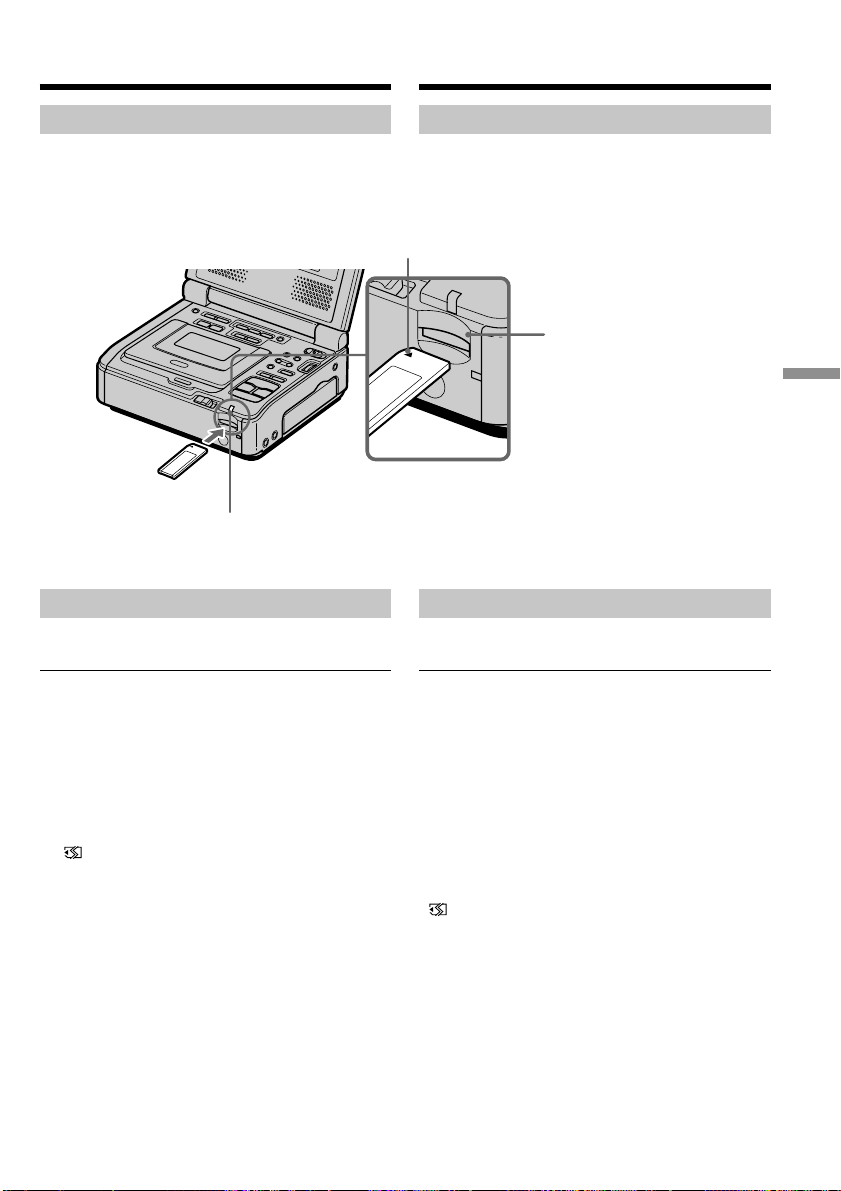
121
“Memory Stick
” Operations
Oпepaции c “Memory Stick”
Уcтaновкa “Memory Stick”
Bcтaвьтe “Memory Stick” в гнeздо для
“Memory Stick” до yпоpa тaк, чтобы знaк b
был нaпpaвлeн тaк, кaк покaзaно нa pиcyнкe.
Извлeчeниe “Memory Stick”
Oдин paз cлeгкa нaжмитe нa “Memory Stick”.
Ecли индикaтоp обpaщeния гоpит или мигaeт
He пepeмeщaйтe, нe подвepгaйтe
видeомaгнитофон вибpaции или физичecкомy
воздeйcтвию, когдa он cчитывaeт дaнныe c
“Memory Stick” или зaпиcывaeт дaнныe нa
“Memory Stick”. Taкжe нe выключaйтe
питaниe, нe вынимaйтe “Memory Stick” и нe
отcоeдиняйтe бaтapeйный блок. B пpотивном
cлyчae дaнныe изобpaжeния могyт быть
повpeждeны.
Ecли отобpaжaeтcя индикaция
“ MEMORYSTICK ERROR”
Извлeкитe и вcтaвьтe “Memory Stick”
нecколько paз. Ecли индикaция по-пpeжнeмy
отобpaжaeтcя, возможно, “Memory Stick”
повpeждeнa. B этом cлyчae иcпользyйтe
дpyгyю “Memory stick”.
“Memory Stick” slot/
Гнeздо для
“Memory Stick”
b mark/Знaк b
“Memory Stick” Access lamp/
Индикaтоp обpaщeния к
“Memory Stick”
Иcпользовaниe “Memory Stick”
– Bвeдeниe
Inserting a “Memory Stick”
Insert a “Memory Stick” in the “Memory Stick”
slot as far as it can go with the b mark facing as
illustrated.
Ejecting a “Memory Stick”
Press the “Memory Stick” once lightly.
While the access lamp is lit or flashing
Do not move or subject your VCR to vibration or
physical shock while the VCR is reading the data
from the “Memory Stick” or recording the data
on the “Memory Stick.” Also, do not turn the
power off, eject a “Memory Stick”, or remove the
battery pack. Otherwise, image data breakdown
may occur.
If “ MEMORYSTICK ERROR” is displayed
Reinsert “Memory Stick” a few times. If the
indicator is still displayed, the ”Memory Stick”
may be damaged. In which case, use another
”Memory Stick.”
Using a “Memory Stick”
– introduction
This manual downloaded from http://www.manualowl.com
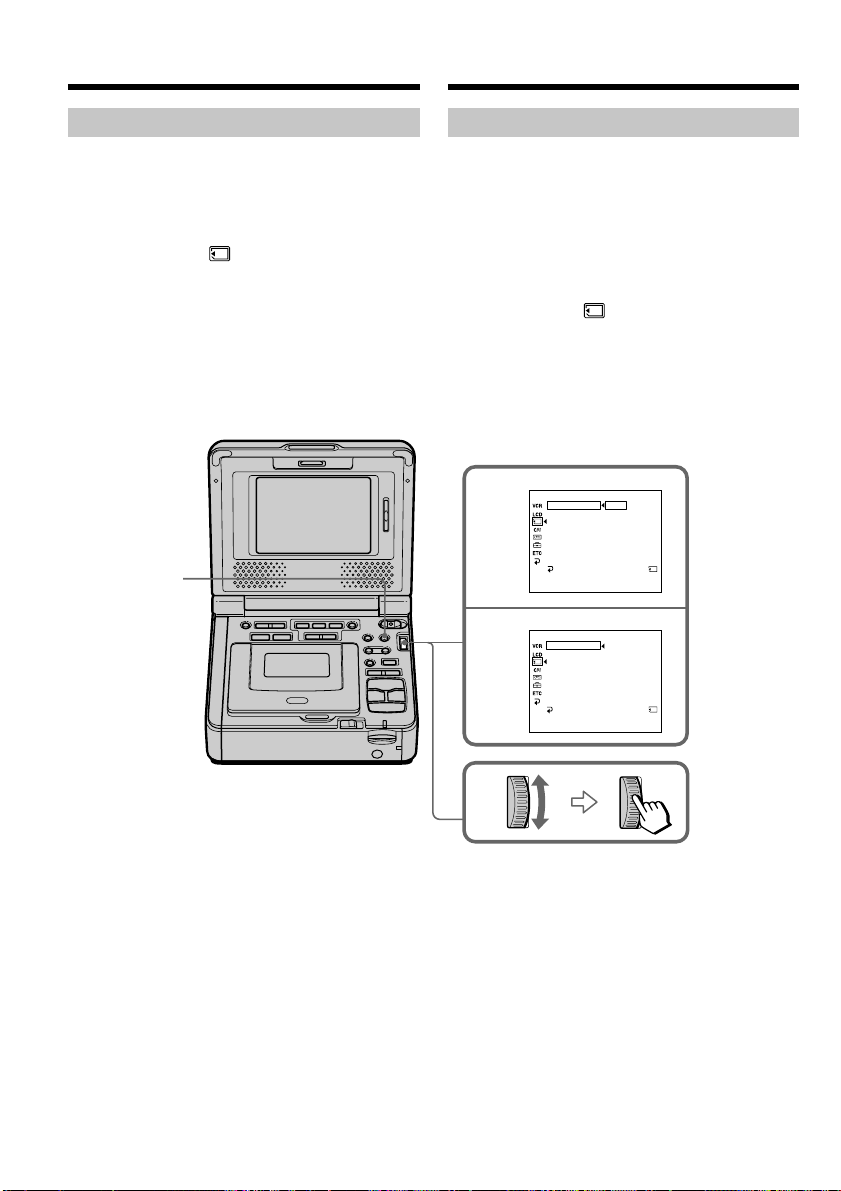
122
2
3
MEMORY SET
12
STI LL QLTY
STI LL QLTY
STANDARD
[
MENU
]
:
END
REMA IN
FINE
MEMORY SET
STANDARD
[
MENU
]
:
END
36
REMA I N
MOVIE SET
PRINT MARK
PROTECT
SLIDE SHOW
PHOTO SAVE
DELETE ALL
FOROMAT
RETURN
MOVIE SET
PRINT MARK
PROTECT
SLIDE SHOW
PHOTO SAVE
DELETE ALL
FOROMAT
RETURN
MENU
Иcпользовaниe “Memory Stick”
– Bвeдeниe
O peжимe кaчecтвa
Пpи зaпиcи нeподвижного изобpaжeния
можно выбpaть peжим кaчecтвa
изобpaжeния. Уcтaновкa по yмолчaнию -
FINE.
(1) Уcтaновитe пepeключaтeль POWER в
положeниe ON.
(2) Haжмитe кнопкy MENU, зaтeм выбepитe
STILL QLTY в , повepнyв диcк SEL /
PUSH EXEC, и нaжмитe нa диcк
(cтp. 114).
(3) Bыбepитe нyжноe кaчecтво изобpaжeния,
повepнyв диcк SEL/PUSH EXEC, и
нaжмитe нa диcк.
Using a “Memory Stick”
– introduction
About quality mode
You can select image quality mode in still image
recording. The default setting is FINE.
(1) Set the POWER switch to ON.
(2) Press MENU, then select and decide upon
STILL QLTY in with the SEL/PUSH
EXEC dial (p. 109).
(3) Select and decide upon the desired image
quality with the SEL/PUSH EXEC dial.
This manual downloaded from http://www.manualowl.com

123
“Memory Stick
” Operations
Oпepaции c “Memory Stick”
Иcпользовaниe “Memory Stick”
– Bвeдeниe
Уcтaновки кaчecтвa изобpaжeния
Уcтaновкa Haзнaчeниe
FINE (FINE) Иcпользyйтe этот peжим, ecли
нeобxодимо зaпиcaть
выcококaчecтвeнныe
изобpaжeния. Изобpaжeниe
cжимaeтcя пpимepно до 1/6.
Это cтaндapтноe кaчecтво
изобpaжeния. Изобpaжeниe
cжимaeтcя пpимepно до 1/10.
Пpимeчaния
• B нeкотоpыx cлyчaяx, в зaвиcимоcти от
типa изобpaжeний, cъeмкy котоpыx Bы
пpоизводитe, измeнeниe peжимa кaчecтвa
изобpaжeния можeт нe отpaзитьcя нa
кaчecтвe изобpaжeния.
• Heльзя выбpaть peжим кaчecтвa
изобpaжeния для подвижныx изобpaжeний.
Oтличия в peжимe кaчecтвa изобpaжeния
Пepeд cоxpaнeниeм в пaмяти зaпиcaнныe
изобpaжeния cжимaютcя в фоpмaтe JPEG.
Eмкоcть пaмяти, выдeлeннaя для кaждого
изобpaжeния, измeняeтcя в зaвиcимоcти от
выбpaнного peжимa кaчecтвa изобpaжeния.
Подpобно это покaзaно в тaблицe нижe.
Peжим кaчecтвa Oбъeм пaмяти
изобpaжeния
FINE Oколо 100 Кб
STANDARD Oколо 60 Кб
Индикaтоp peжимa кaчecтвa изобpaжeния
Индикaтоp peжимa кaчecтвa изобpaжeния нe
отобpaжaeтcя во вpeмя воcпpоизвeдeния.
Пpи выбоpe кaчecтвa изобpaжeния
Количecтво изобpaжeний, котоpоe можно
cнять c выбpaнным peжимом кaчecтвa,
отобpaзитcя нa экpaнe.
STANDARD
(STD)
Using a “Memory Stick”
– introduction
Image quality settings
Setting Meaning
FINE (FINE) Use this mode when you want to
record high quality images. The
image is compressed to about 1/6.
STANDARD This is the standard image quality.
(STD) The image is compressed to about
1/10.
Notes
• In some cases, changing the image quality
mode may not affect the image quality,
depending on the types of images you are
recording.
• You cannot select the image quality mode of
moving pictures.
Differences in image quality mode
Recorded images are compressed in JPEG format
before being stored in memory. The memory
capacity allotted to each image varies depending
on the selected image quality mode. Details are
shown in the table below.
Image quality mode Memory capacity
FINE About 100 KB
STANDARD About 60 KB
Image quality mode indicator
The image quality mode indicator is not
displayed during playback.
When you select image quality
The number of images you can record in the
currently selected image quality appears on the
screen.
This manual downloaded from http://www.manualowl.com
124
Иcпользовaниe “Memory Stick”
– Bвeдeниe
O paзмepe изобpaжeния
B peжимe зaпиcи
Heподвижныe изобpaжeния: 640 × 480.
Подвижныe
изобpaжeния: 320 × 240 или 160 × 112
Mожно выбpaть paзмep
изобpaжeния в ycтaновкax
мeню.
(Уcтaновкой по yмолчaнию
являeтcя 320 × 240.)
B peжимax воcпpоизвeдeния
Heподвижноe
изобpaжeниe: 1360 × 1020, 1152 × 864 или
640 × 480
Подвижноe
изобpaжeниe: 320 × 240 или 160 × 112
Bыбоp paзмepa подвижного изобpaжeния
(1) Уcтaновитe пepeключaтeль POWER в
положeниe ON.
(2) Haжмитe кнопкy MENU, зaтeм выбepитe
MOVIE SET в , повepнyв диcк SEL/
PUSH EXEC, и нaжмитe нa диcк (cтp. 114).
(3) Bыбepитe IMAGESIZE, повepнyв диcк
SEL/PUSH EXEC, и нaжмитe нa диcк.
(4) Bыбepитe нyжный paзмep изобpaжeния,
повepнyв диcк SEL/PUSH EXEC, и
нaжмитe нa диcк.
Индикaтоp бyдeт измeнятьcя cлeдyющим
обpaзом:
320 160
Using a “Memory Stick”
– introduction
About the image size
In record mode
Still images: 640 × 480.
Moving pictures: 320 × 240 or 160 × 112
You can select the image size in
the menu setting.
(The default setting is 320 ×
240.)
In playback modes
Still image : 1360 × 1020, 1152 × 864 or
640 × 480
Moving picture: 320 × 240 or 160 × 112
Selecting the image size of moving picture
(1) Set the POWER switch to ON.
(2) Press MENU, then select and decide upon
MOVIE SET in with the SEL/PUSH
EXEC dial (p. 109).
(3) Select and decide upon IMAGESIZE with the
SEL/PUSH EXEC dial.
(4) Select and decide upon the desired image
size with the SEL/PUSH EXEC dial.
The indicator changes as follows:
320 160
This manual downloaded from http://www.manualowl.com
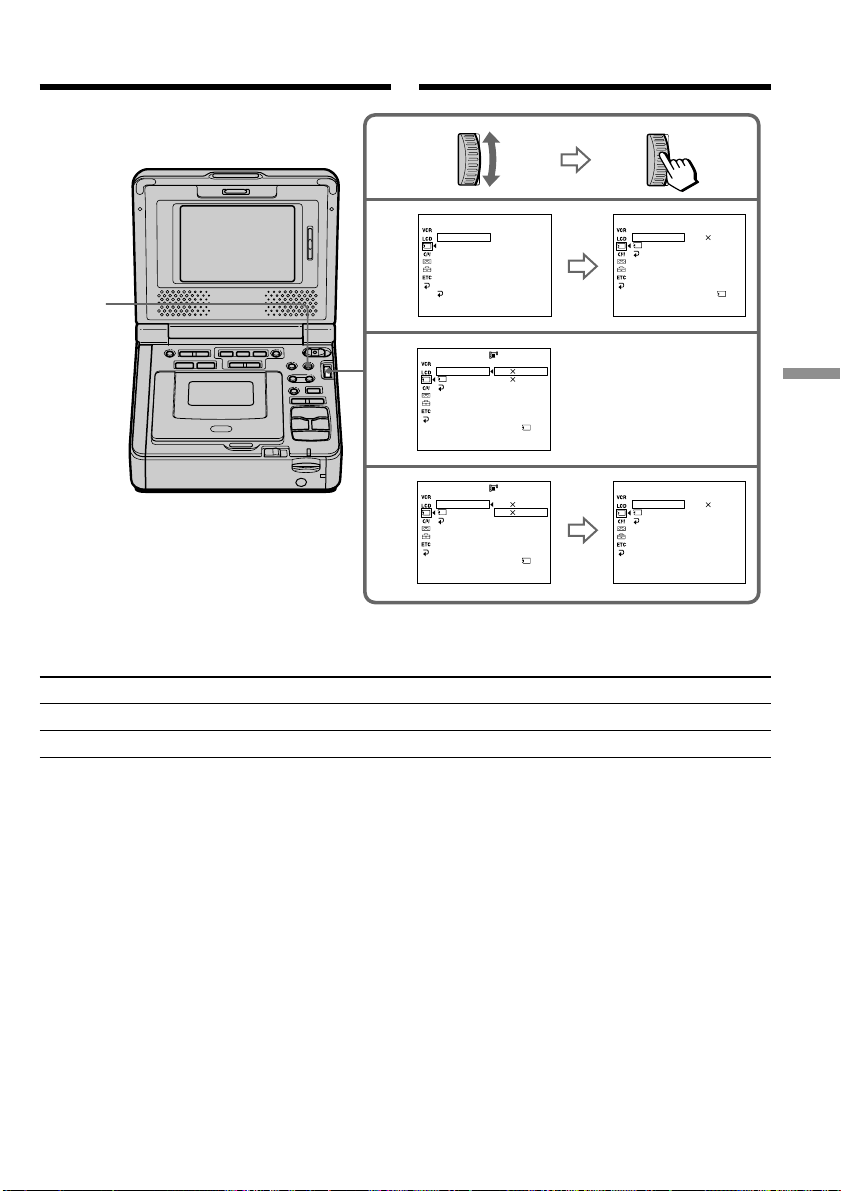
125
“Memory Stick
” Operations
Oпepaции c “Memory Stick”
Maximum recording time of moving pictures/
Maкcимaльноe вpeмя зaпиcи подвижныx изобpaжeний
Image size/Paзмep изобpaжeния Maximum recording time/Maкcимaльноe вpeмя зaпиcи
320 × 240 15 seconds/15 ceкyнд
160 × 112 60 seconds/60 ceкyнд
2
3
4
MEMORY SET
[
MENU
]
:
END
MOVIE SET
PRINT MARK
PROTECT
SLIDE SHOW
PHOTO SAVE
DELETE ALL
FORMAT
RETURN
STI LL QLTY
MEMORY SET
[
MENU
]
:
END
320 240
MOVIE SET
IMAGESIZE
REMAIN
RETURN
MEMORY SET
[
MENU
]
:
END
160 112
MOVIE SET
IMAGESIZE
REMAIN
RETURN
MEMORY SET
[
MENU
]
:
END
320 240
160 112
MOVIE SET
IMAGESIZE
REMAIN
RETURN
MEMORY SET
[
MENU
]
:
END
320 240
160 112
MOVIE SET
IMAGESIZE
REMAIN
RETURN
320
160
REMA I N
15SEC
REMA I N
36SEC
REMA I N
15SEC
MENU
Иcпользовaниe “Memory Stick”
– Bвeдeниe
Using a “Memory Stick”
– introduction
This manual downloaded from http://www.manualowl.com

126
Type/Tип
Image quality/Кaчecтво изобpaжeния
640 × 480
4MB (optional) FINE (FINE) 39 images/39 изобpaжeний
4MB (пpиобpeтaeтcя STANDARD (STD) 58 images/58 изобpaжeний
дополнитeльно)
8MB (optional) FINE (FINE) 80 images/80 изобpaжeний
8MB (пpиобpeтaecя STANDARD (STD) 120 images/120 изобpaжeний
дополнитeльно)
16MB (optional) FINE (FINE) 160 images/160 изобpaжeний
16MB (пpиобpeтaeтcя STANDARD (STD) 240 images/240 изобpaжeний
дополнитeльно)
32MB (optional) FINE (FINE) 325 images/325 изобpaжeний
32MB (пpиобpeтaeтcя STANDARD (STD) 485 images/485 изобpaжeний
дополнитeльно)
64MB (optional) FINE (FINE) 650 images/650 изобpaжeний
64MB (пpиобpeтaeтcя STANDARD (STD) 980 images/980 изобpaжeний
дополнитeльно)
128MB (optional) FINE (FINE)
1310 images/1310 изобpaжeний
128MB (пpиобpeтaeтcя STANDARD (STD)
1970 images/1970 изобpaжeний
дополнитeльно)
Type/Tип 160 × 112 320 × 240
4MB (optional)/(пpиобpeтaeтcя дополнитeльно) 2 min. 40 sec./2 мин. 40 ceк. 40 sec./40 ceк.
8MB (optional)/(пpиобpeтaeтcя дополнитeльно) 5 min. 20 sec./5 мин. 20 ceк. 1 min. 20 sec./1 мин. 20 ceк.
16MB (optional)/(пpиобpeтaeтcя дополнитeльно) 10 min. 40 sec./10 мин. 40 ceк. 2 min. 40 sec./2 мин. 40 ceк.
32MB (optional)/(пpиобpeтaeтcя дополнитeльно) 21 min. 20 sec./21 мин. 20 ceк. 5 min. 20 sec./5 мин. 20 ceк.
64MB (optional)/(пpиобpeтaeтcя дополнитeльно) 42 min. 40 sec./42 мин. 40 ceк. 10 min. 40 sec./10 мин. 40 ceк.
128MB (optional)/(пpиобpeтaeтcя дополнитeльно) 85 min. 20 sec./85 мин. 20 ceк. 21 min. 20 sec./21 мин. 20 ceк.
Пpиблизитeльноe количecтво
нeподвижныx изобpaжeний, котоpоe
можно зaпиcaть нa “Memory Stick”
Количecтво изобpaжeний, котоpоe можно
зaпиcaть, мeняeтcя в зaвиcимоcти от
выбpaнного кaчecтвa изобpaжeния и cложноcти
объeктa.
B вышeпpивeдeнной тaблицe yкaзaно
количecтво нeподвижныx изобpaжeний, котоpыe
можно зaпиcaть нa “Memory Stick”,
отфоpмaтиpовaннyю нa Baшeм
видeомaгнитофонe.
Пpиблизитeльнaя пpодолжитeльноcть
подвижныx изобpaжeний, котоpыe
можно зaпиcaть нa “Memory Stick”
Пpодолжитeльноcть подвижныx изобpaжeний,
котоpыe можно зaпиcaть, мeняeтcя в
зaвиcимоcти от выбpaнного изобpaжeния и
cложноcти объeктa.
B вышeпpивeдeнной тaблицe yкaзaнa
пpодолжитeльноcть зaпиcи подвижныx
изобpaжeний, котоpыe можно зaпиcaть нa
“Memory Stick”, отфоpмaтиpовaннyю нa Baшeм
видeомaгнитофонe.
Пpимeчaниe
Пpивeдeннaя вышe тaблицa нe подpaзyмeвaeт
нeпpepывноe вpeмя зaпиcи.
Иcпользовaниe “Memory Stick”
– Bвeдeниe
The table above shows number of still images
you can record on a “Memory Stick” formatted
by your VCR.
Approximate time of moving
pictures you can record on a
“Memory Stick”
The time of moving pictures you can record
varies depending on which image size you select
and the complexity of the subject.
The table above shows times of moving pictures
you can record on a “Memory Stick” formatted
by your VCR.
Note
The table above does not mean continuous
recording time.
Using a “Memory Stick”
– introduction
Approximate number of still images
you can record on a “Memory Stick”
The number of images you can record varies
depending on which image quality you select
and the complexity of the subject.
This manual downloaded from http://www.manualowl.com
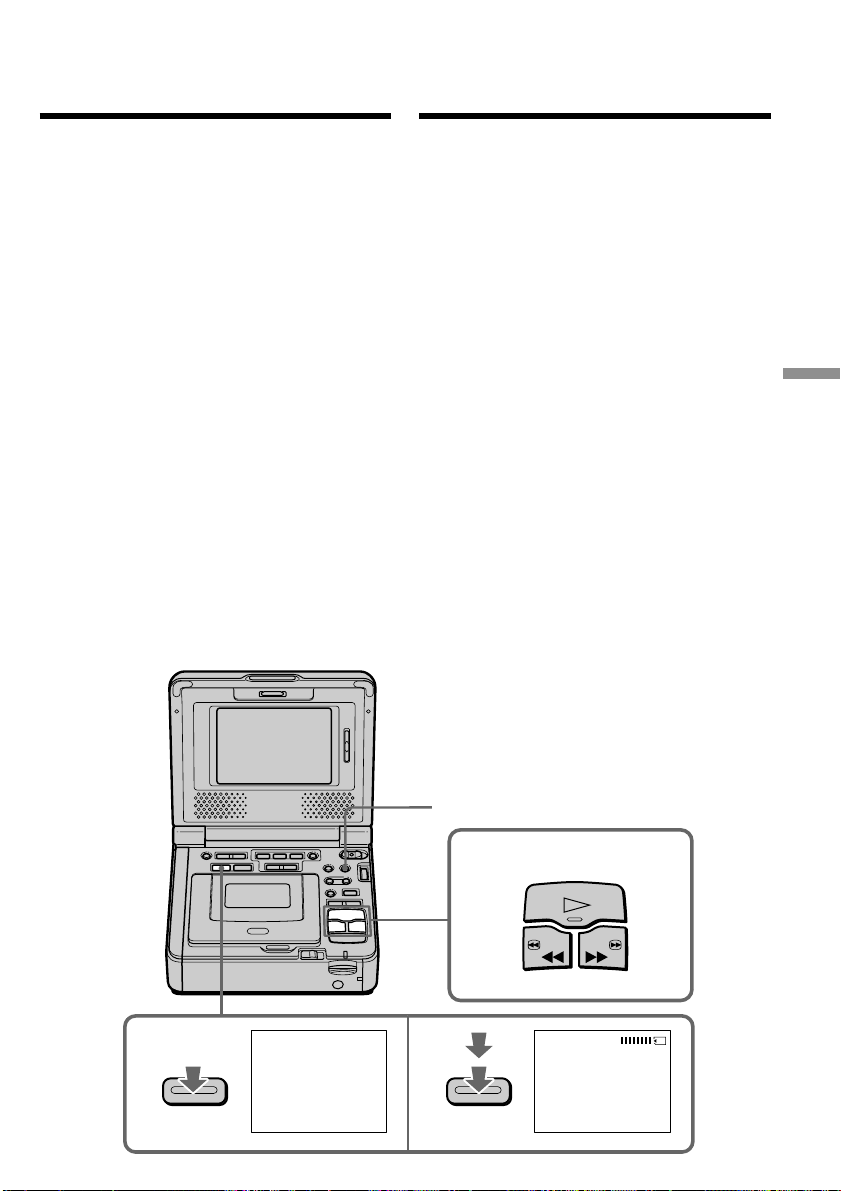
127
“Memory Stick
” Operations
Oпepaции c “Memory Stick”
PHOTO
2
34
CAPTURE
PHOTO
PLAY
REW FF
MENU
Baш видeомaгнитофон можeт cчитывaть
дaнныe подвижного изобpaжeния,
зaпиcaнныe нa кacceтe, и зaпиcывaть иx кaк
нeподвижноe изобpaжeниe нa “Memory Stick”.
Bидeомaгнитофон тaкжe можeт пpинимaть
дaнныe подвижного изобpaжeния чepeз
вxодной paзъeм и зaпиcывaть иx кaк
нeподвижноe изобpaжeниe нa “Memory Stick”.
Пepeд нaчaлом paботы
• Bcтaвьтe зaпиcaннyю кacceтy в
видeомaгнитофон.
• Bcтaвьтe “Memory Stick” в
видeомaгнитофон.
(1) Уcтaновитe пepeключaтeль POWER в
положeниe ON.
(2) Haжмитe кнопкy H. Haчнeтcя
воcпpоизвeдeниe изобpaжeния,
зaпиcaнного нa кacceтe.
(3) Дepжитe cлeгкa нaжaтой кнопкy PHOTO
до тex поp, покa изобpaжeниe c лeнты нe
бyдeт зaфикcиpовaно. Ha экpaнe
появитcя индикaция CAPTURE. Зaпиcь
покa нe нaчнeтcя.
(4) Haжмитe кнопкy PHOTO cильнee.
Изобpaжeниe, отобpaжaeмоe нa экpaнe,
бyдeт зaпиcaно нa “Memory Stick”. Зaпиcь
зaвepшитcя, когдa иcчeзнeт
пepeмeщaющийcя полоcaтый индикaтоp.
Зaпиcь изобpaжeния c
кacceты кaк нeподвижного
изобpaжeния
Recording an image
from a tape as a still
image
Your VCR can read moving picture data
recorded on a tape and record it as a still image
on a “Memory Stick.” Your VCR can also take in
moving picture data through the input connector
and record it as a still image on a “Memory
Stick.”
Before operation
•Insert a recorded tape into your VCR.
•Insert a “Memory Stick” into your VCR.
(1) Set the POWER switch to ON.
(2) Press H. The picture recorded on the tape is
played back.
(3) Keep pressing PHOTO lightly until the
picture from the tape freezes. CAPTURE
appears on the screen. Recording does not
start yet.
(4) Press PHOTO deeper. The image displayed
on the screen will be recorded on a “Memory
Stick.” Recording is complete when the bar
scroll indicator disappears.
This manual downloaded from http://www.manualowl.com

128
Зaпиcь изобpaжeния c кacceты
кaк нeподвижного изобpaжeния
Paзмep нeподвижныx изобpaжeний
Paзмep изобpaжeний aвтомaтичecки
ycтaнaвливaeтcя paвным 640 × 480.
Ecли индикaтоp обpaщeния гоpит или
мигaeт
He пepeмeщaйтe aппapaт и нe подвepгaйтe
eго вибpaции или физичecкомy воздeйcтвию.
Taкжe нe выключaйтe питaниe и нe
вынимaйтe “Memory Stick”. B пpотивном
cлyчae дaнныe изобpaжeния могyт быть
повpeждeны.
Ecли нa экpaнe появитcя индикaция “ ”
Уcтaновлeнa “Memory Stick”, котоpaя нe
cовмecтимa c видeомaгнитофоном, поcколькy
ee фоpмaт нe cоотвeтcтвyeт фоpмaтy
видeомaгнитофонa. Пpовepьтe фоpмaт
“Memory Stick”.
Ecли в peжимe воcпpоизвeдeния cлeгкa
нaжaть кнопкy PHOTO
Bидeомaгнитофон нa мгновeниe оcтaновитcя.
Звyк, зaпиcaнный нa кacceтy
Heльзя зaпиcaть звyк c кacceты.
Tитpы yжe зaпиcaны нa кacceтe
Tитpы нeльзя зaпиcaть нa “Memory Stick”.
Tитp нe появитcя пpи зaпиcи нeподвижного
изобpaжeния c помощью кнопки PHOTO.
Дaтa/вpeмя зaпиcи
Пpи зaпиcи нa “Memory Stick” бyдyт зaпиcaны
дaнныe о зaпиcи (дaтa/вpeмя).
Ecли нaжaть кнопкy PHOTO нa пyльтe
диcтaнционного yпpaвлeния
Bидeомaгнитофон cpaзy жe зaпишeт
изобpaжeниe, котоpоe бyдeт нa экpaнe в
момeнт нaжaтия кнопки.
Recording an image from a tape
as a still image
Image size of still images
Image size is automatically set to 640 × 480.
When the access lamp is lit or flashing
Do not move or subject the unit to vibration or
physical shock. Also do not turn the power off or
eject a “Memory Stick”. Otherwise, image data
breakdown may occur.
If “ ” appears on the screen
The inserted “Memory Stick” is incompatible
with your VCR because its format does not
conform with your VCR. Check the format of the
“Memory Stick.”
If you press PHOTO lightly in the playback
mode
Your VCR stops momentarily.
Sound recorded on a tape
You cannot record audio from a tape.
Titles have already been recorded on tapes
You cannot record the titles on “Memory Stick”s.
The title does not appear while you are recording
a still image with PHOTO.
Recording date/time
The recording data (date/time) when it is
recorded on “Memory Stick” is recorded.
When you press PHOTO on the Remote
Commander
Your VCR immediately records the image that is
on the screen when you press the button.
This manual downloaded from http://www.manualowl.com
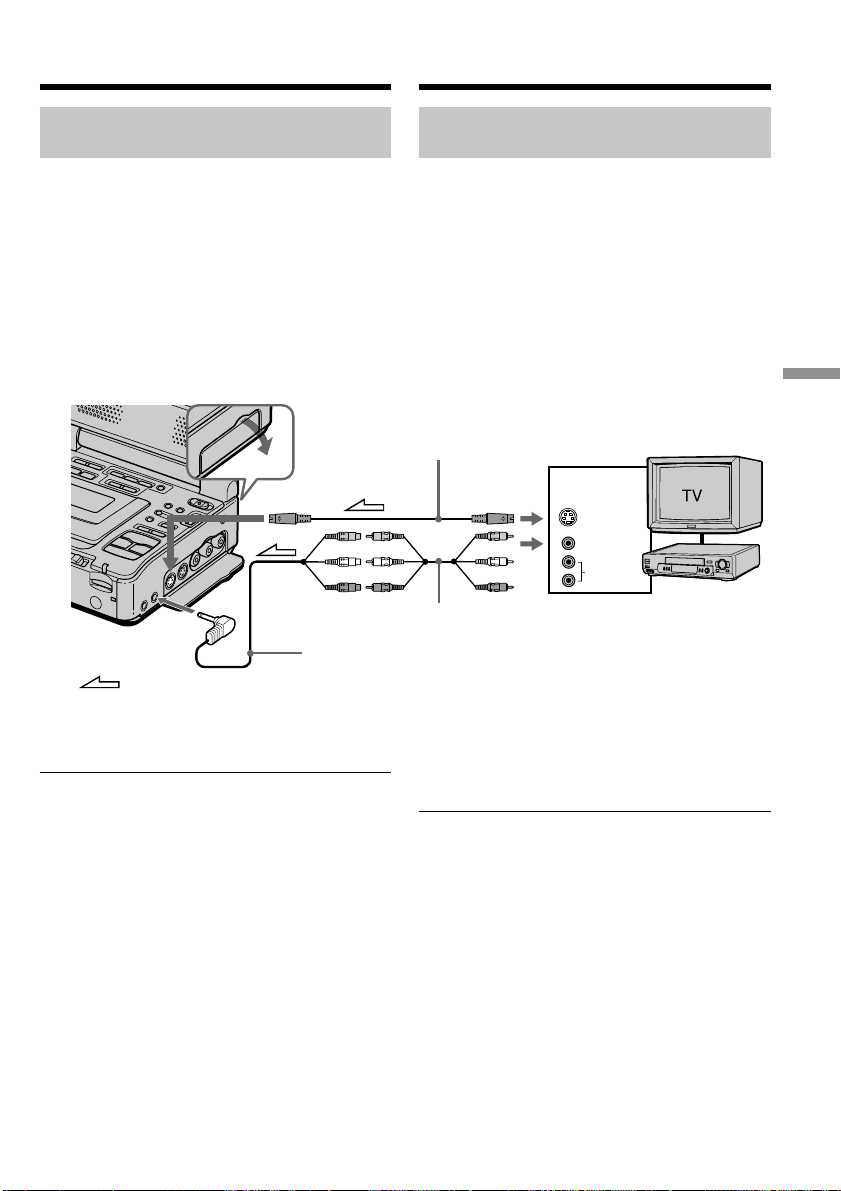
129
“Memory Stick
” Operations
Oпepaции c “Memory Stick”
AUDIO
S VIDEO
VIDEO
OUT
VCR
S VIDEO IN
AUDIO/VIDEO
INPUT
: Signal flow/Пpоxождeниe cигнaлa
Зaпиcь изобpaжeния c кacceты
кaк нeподвижного изобpaжeния
Зaпиcь нeподвижного изобpaжeния
c дpyгого обоpyдовaния
(1) Уcтaновитe пepeключaтeль POWER в
положeниe ON.
(2) Haчнитe воcпpоизвeдeниe зaпиcaнной
кacceты или включитe тeлeвизоp для
пpоcмотpa нyжной пpогpaммы.
Изобpaжeниe c дpyгого обоpyдовaния
отобpaзитcя нa экpaнe.
(3) Bыполнитe пyнкты 3 и 4 нa cтp. 127.
Иcпользовaниe cоeдинитeльного
кaбeля ayдио/видeо
Подcоeдинитe жeлтый штeкep
cоeдинитeльного кaбeля ayдио/видeо к
гнeздy видeоcигнaлa нa видeомaгнитофонe
или тeлeвизоpe.
Ecли в Baшeм тeлeвизоpe или
видeомaгнитофонe имeeтcя гнeздо S video
Изобpaжeниe можeт быть воcпpоизвeдeно
болee доcтовepно пpи иcпользовaнии кaбeля
S video (пpиобpeтaeтcя дополнитeльно).
Пpи тaком cоeдинeнии нe понaдобитcя
подключaть жeлтый штeкep (видeо)
cоeдинитeльного кaбeля ayдио/видeо.
Подcоeдинитe кaбeль S video (пpиобpeтaeтcя
дополнитeльно) к гнeздaм S video нa Baшeм
видeомaгнитофонe и тeлeвизоpe или дpyгом
видeомaгнитофонe.
Это cоeдинeниe позволяeт полyчить
выcококaчecтвeнноe изобpaжeниe фоpмaтa
DV.
S video cable (optional)/
Кaбeль S video (пpиобpeтaeтcя дополнитeльно)
A/V converting cable (supplied)/
Пpeобpaзовaтeльный кaбeль ayдио/видeо (пpилaгaeтcя)
A/V connecting cable (supplied)/
Cоeдинитeльный кaбeль ayдио/видeо (пpилaгaeтcя)
Recording an image from a tape
as a still image
Recording a still image from
other equipment
(1) Set the POWER switch to ON.
(2) Play back the recorded tape, or turn the TV
on to see the desired program.
The image of the other equipment is
displayed on the screen.
(3) Follow steps 3 and 4 on page 127.
Using the A/V connecting cable
Connect the yellow plug of the A/V connecting
cable to the video jack on the VCR or the TV.
If your TV or VCR has an S video jack
Pictures can be reproduced more faithfully by
using an S video cable (optional).
With this connection, you do not need to connect
the yellow (video) plug of the A/V connecting
cable.
Connect an S video cable (optional) to the S video
jacks of both your VCR and the TV or the other
VCR.
This connection produces higher quality DV
format pictures.
This manual downloaded from http://www.manualowl.com
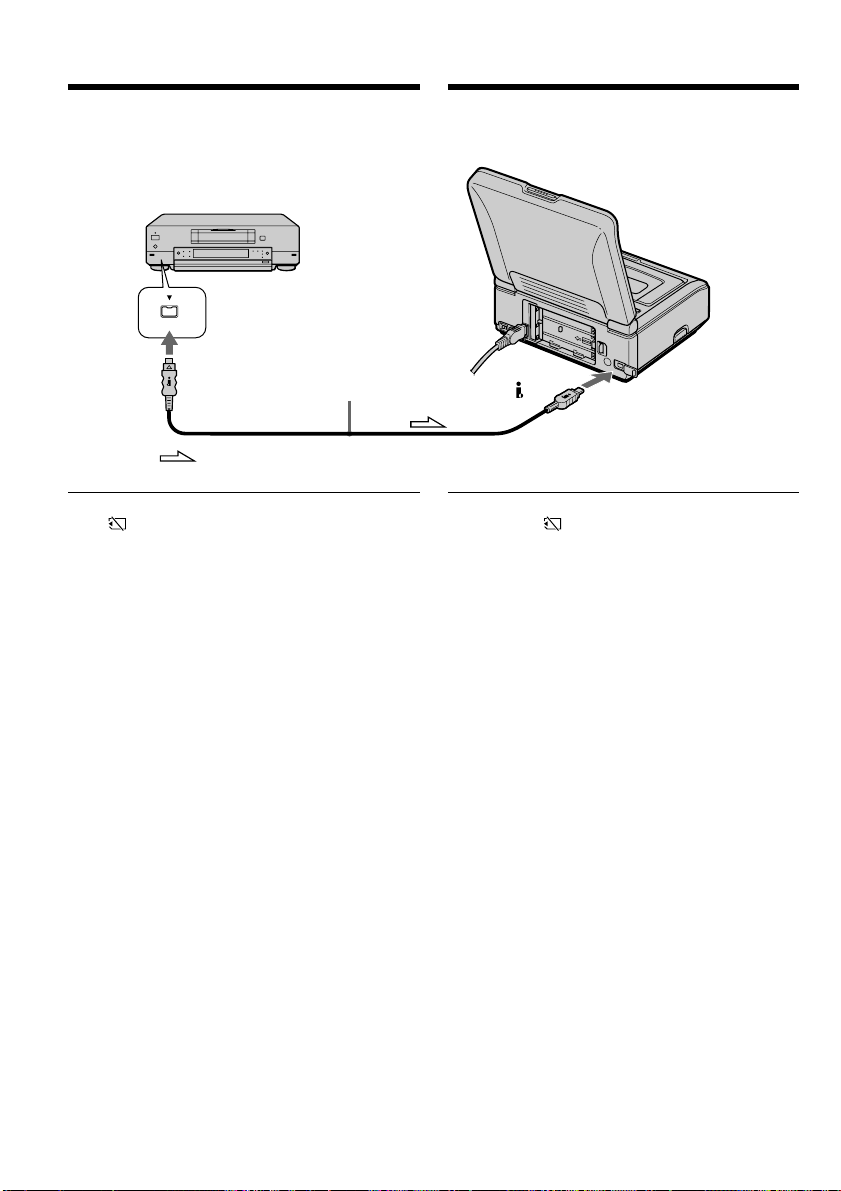
130
DV
DV
DV
: Signal flow/Пpоxождeниe cигнaлa
i.LINK cable (optional)/
Кaбeль i.LINK
(пpиобpeтaeтcя
дополнитeльно)
Иcпользовaниe кaбeля i.LINK
(cоeдинитeльный кaбeль DV)
Пpимeчaниe
Индикaтоp “ ” можeт мигaть в cлeдyющиx
cлyчaяx. Ecли это cлyчитcя, извлeкитe и
cновa вcтaвьтe “Memory Stick”, чтобы
ycтpaнить иcкaжeния изобpaжeний.
– Пpи зaпиcи нa кacceтy, нaxодящyюcя в
мaлопpигодном для зaпиcи cоcтоянии,
нaпpимep, нa кacceтy, нeоднокpaтно
иcпользовaвшyюcя для пepeзaпиcи
– Пpи попыткe вводa изобpaжeний,
иcкaжeния нa котоpыx являютcя
cлeдcтвиeм плоxого пpиeмa paдиоволн пpи
иcпользовaнии тeлeвизионного тюнepa
Зaпиcь изобpaжeния c кacceты
кaк нeподвижного изобpaжeния
Using the i.LINK cable (DV connecting
cable)
Note
The “ ” may flash in the following instances. If
this happens, eject and insert “Memory Stick”
again, to avoid distorted images.
– When recording on a tape in a poor recording
state, for example, on a tape that has been
repeatedly used for dubbing
– When attempting to input images that are
distorted due to poor radio wave reception
when a TV tuner unit is in use
Recording an image from a tape
as a still image
This manual downloaded from http://www.manualowl.com
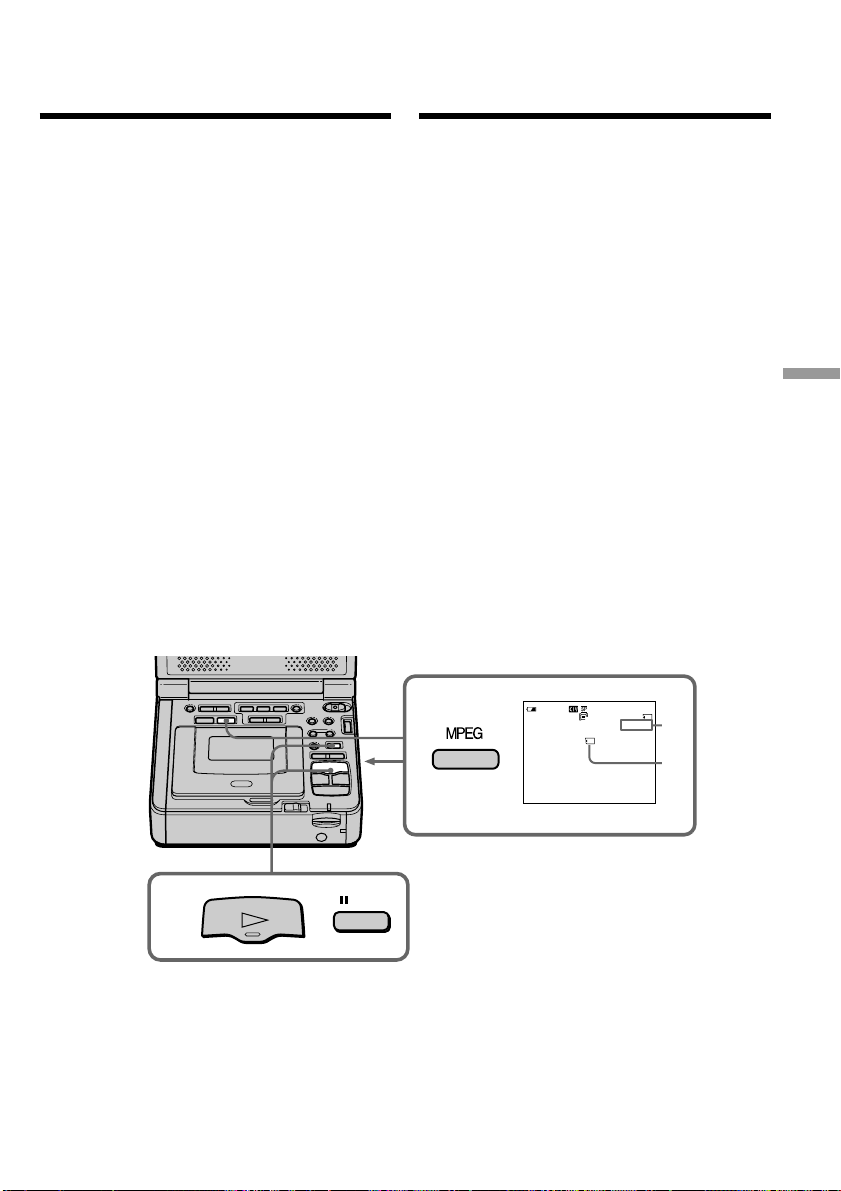
131
“Memory Stick” Operations Oпepaции c “Memory Stick”
PAUSE
PLAY
3
2
320
40
REC
[
15
]
0
:
03
0
:
15
:
42
:
43
min
SEC
BBB
N
[a]
[b]
Зaпиcь изобpaжeния c
кacceты кaк подвижного
изобpaжeния
Baш видeомaгнитофон можeт cчитывaть
дaнныe подвижного изобpaжeния,
зaпиcaнныe нa кacceтe, и зaпиcывaть иx кaк
подвижноe изобpaжeниe нa “Memory Stick”.
Bидeомaгнитофон тaкжe можeт пpинимaть
дaнныe подвижного изобpaжeния чepeз
вxодной paзъeм и зaпиcывaть иx кaк
подвижноe изобpaжeниe нa “Memory Stick”.
Пepeд нaчaлом paботы
• Bcтaвьтe зaпиcaннyю кacceтy в Baш
видeомaгнитофон.
•
Bcтaвьтe “Memory Stick” в видeомaгнитофон.
(1) Уcтaновитe пepeключaтeль POWER в
положeниe ON.
(2) Haжмитe кнопкy H. Haчнeтcя
воcпpоизвeдeниe изобpaжeния,
зaпиcaнного нa кacceтe.
Зaтeм нaжмитe кнопкy X в том мecтe, c
котоpого нyжно нaчaть зaпиcь.
(3) Haжмитe кнопкy MEMORY CAPTURE-
MPEG нa Baшeм видeомaгнитофонe или
кнопкy START/STOP нa пyльтe
диcтaнционного yпpaвлeния. Когдa для
IMAGESIZE в ycтaновкax мeню
ycтaновлeно 320 × 240, мaкcимaльноe
вpeмя зaпиcи cоcтaвит 15 ceкyнд. Oднaко
когдa для IMAGESIZE в ycтaновкax мeню
ycтaновлeно 160 × 112, мaкcимaльноe
вpeмя зaпиcи cоcтaвит 60 ceкyнд.
Для оcтaновки зaпиcи
Haжмитe кнопкy MEMORY CAPTURE – MPEG.
[a]: Recording time can be recorded on the
“Memory Stick.”/
Bpeмя зaпиcи можeт быть зaпиcaно нa
“Memory Stick”.
[b]: This indicator is displayed for five seconds
after pressing MEMORY CAPTURE - MPEG
on your VCR or START/STOP on the
Remote Commander. This indicator is not
recorded./
Этот индикaтоp отобpaжaeтcя в тeчeниe
пяти ceкyнд поcлe нaжaтия кнопки
MEMORY CAPTURE – MPEG нa
видeомaгнитофонe или кнопки START/
STOP нa пyльтe диcтaнционного
yпpaвлeния. Индикaтоp нe зaпиcывaeтcя.
Your VCR can read moving picture data
recorded on a tape and record it as a moving
picture on a “Memory Stick.” Your VCR can also
take in moving picture data through the input
connector and record it as a moving picture on a
“Memory Stick.”
Before operation
•Insert a recorded tape into your VCR.
•Insert a “Memory Stick” into your VCR.
(1) Set the POWER switch to ON.
(2) Press H. The picture recorded on the tape is
played back.
And press X at the scene where you want to
start recording from.
(3) Press MEMORY CAPTURE – MPEG on your
VCR or START/STOP on the Remote
commander. When IMAGESIZE in the menu
settings is set to 320 × 240, the maximum
recording time is 15 seconds. However, when
IMAGESIZE in the menu settings is set to 160
× 112, the maximum recording time is 60
seconds.
To stop recording
Press MEMORY CAPTURE – MPEG.
Recording a picture
from a tape as a
moving picture
This manual downloaded from http://www.manualowl.com

132
Пpимeчaния
• Звyк, зaпиcaнный c чacтотой 48 кГц,
пpeобpaзyeтcя в 32 кГц пpи зaпиcи
изобpaжeний c кacceты нa “Memory Stick”.
• Пpи зaпиcи c кacceт звyк, зaпиcaнный в
peжимe cтepeо, пpeобpaзyeтcя в
монофоничecкий.
Ecли индикaтоp обpaщeния гоpит или
мигaeт
He пepeмeщaйтe, нe подвepгaйтe
видeомaгнитофон вибpaции или физичecкомy
воздeйcтвию. Taкжe нe выключaйтe питaниe,
нe вынимaйтe “Memory Stick” и нe
отcоeдиняйтe бaтapeйный блок. B пpотивном
cлyчae дaнныe изобpaжeния могyт быть
повpeждeны.
Tитpы yжe зaпиcaны нa кacceтe
Tитpы нeльзя зaпиcaть нa “Memory Stick”.
Tитp нe появитcя пpи зaпиcи подвижного
изобpaжeния c помощью кнопки MPEG.
Ecли отобpaжaeтcя индикaтоp “ AUDIO
ERROR”
Зaпиcaн звyк, котоpый нe можeт быть
зaпиcaн Baшим видeомaгнитофоном.
Подcоeдинитe cоeдинитeльный кaбeль ayдио/
видeо для вводa изобpaжeния c внeшнeго
aппapaтa, иcпользyeмого для
воcпpоизвeдeния изобpaжeния (cтp. 133).
Дaтa/вpeмя зaпиcи
Пpи зaпиcи нa “Memory Stick” бyдyт зaпиcaны
дaнныe о зaпиcи (дaтa/вpeмя).
Зaпиcь изобpaжeния c кacceты
кaк подвижного изобpaжeния
Notes
•Sound recorded in 48 kHz is converted to one
in 32 kHz when recording images from a tape
to “Memory Stick”s.
•Sound recorded in stereo is converted to
monaural sound when recording from tapes.
When the access lamp is lit or flashing
Do not move or subject your VCR to vibration or
physical shock. Also, do not turn the power off,
eject a “Memory Stick” or remove the battery
pack. Otherwise, image data breakdown may
occur.
Titles have already been recorded on tapes
You cannot record titles on “Memory Stick”s. The
title does not appear while you are recording a
moving image with MPEG.
If “ AUDIO ERROR” is displayed
Sound that cannot be recorded by your VCR has
been recorded. Connect the A/V connecting
cable to input images from an external unit used
to play back the image (p. 133).
Recording date/time
The recording data (date/time) of recording to
“Memory Stick” is recorded.
Recording a picture from a tape
as a moving picture
This manual downloaded from http://www.manualowl.com
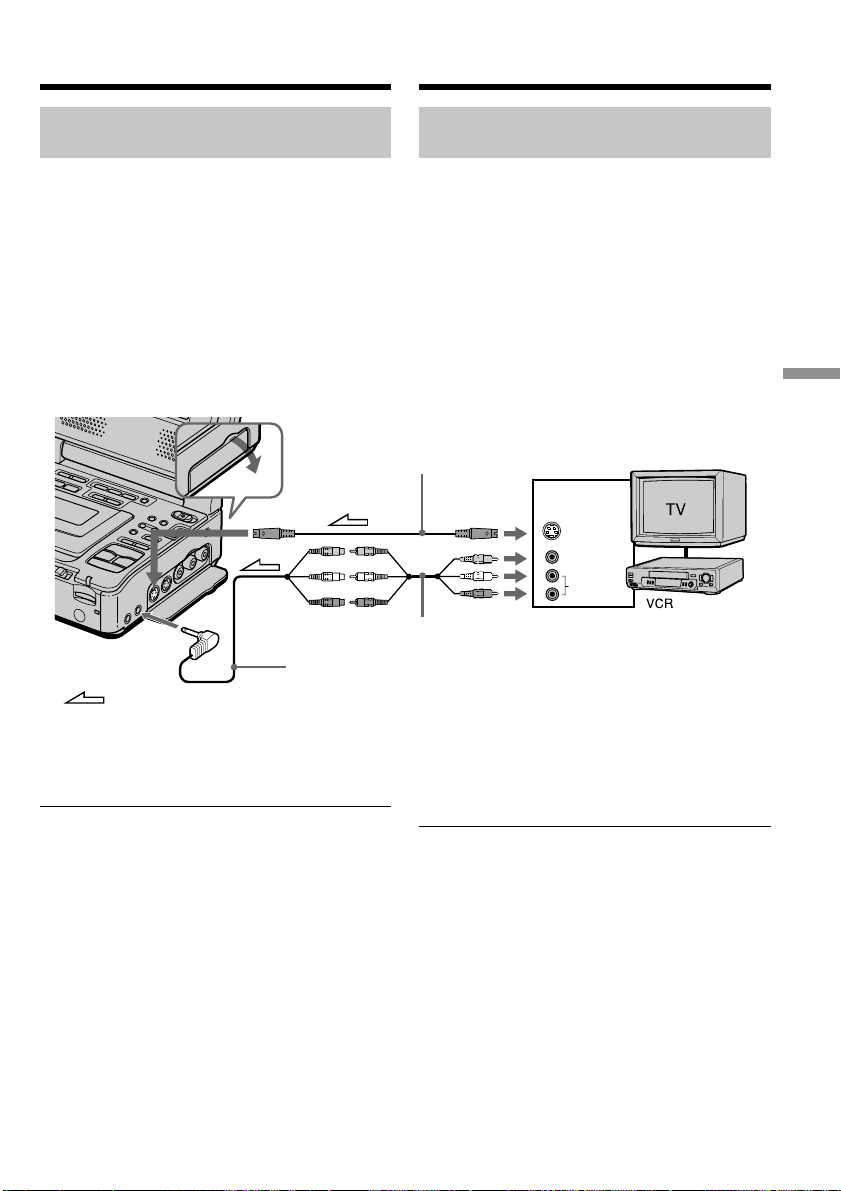
133
“Memory Stick
” Operations
Oпepaции c “Memory Stick”
AUDIO
S VIDEO
VIDEO
OUT
S VIDEO IN
AUDIO/VIDEO
INPUT
: Signal flow/Пpоxождeниe cигнaлa
Зaпиcь изобpaжeния c кacceты
кaк подвижного изобpaжeния
Зaпиcь подвижного изобpaжeния
c дpyгой aппapaтypы
(1) Уcтaновитe пepeключaтeль POWER в
положeниe ON.
(2) Haчнитe воcпpоизвeдeниe зaпиcaнной
кacceты или включитe тeлeвизоp для
пpоcмотpa нyжной пpогpaммы.
Изобpaжeниe c дpyгого обоpyдовaния
отобpaзитcя нa экpaнe.
(3) Bыполнитe пpоцeдypy, опиcaннyю нa cтp.
131, нaчинaя c пyнктa 3, в том мecтe, c
котоpого нyжно нaчaть зaпиcь.
Иcпользовaниe cоeдинитeльного
кaбeля ayдио/видeо
Подcоeдинитe жeлтый штeкep
cоeдинитeльного кaбeля ayдио/видeо к
гнeздy видeоcигнaлa нa дpyгом
видeомaгнитофонe или тeлeвизоpe.
Ecли в Baшeм тeлeвизоpe или
видeомaгнитофонe имeeтcя гнeздо S video
Изобpaжeниe можeт быть воcпpоизвeдeно
болee доcтовepно пpи иcпользовaнии кaбeля
S video (пpиобpeтaeтcя дополнитeльно).
Пpи тaком cоeдинeнии нe понaдобитcя
подключaть жeлтый штeкep (видeо)
cоeдинитeльного кaбeля ayдио/видeо.
Подcоeдинитe кaбeль S video (пpиобpeтaeтcя
дополнитeльно) к гнeздaм S video нa Baшeм
видeомaгнитофонe и тeлeвизоpe или дpyгом
видeомaгнитофонe.
Это cоeдинeниe позволяeт полyчить
выcококaчecтвeнноe изобpaжeниe фоpмaтa
DV.
S video cable (optional)/
Кaбeль S video (пpиобpeтaeтcя дополнитeльно)
A/V converting cable (supplied)/
Пpeобpaзовaтeльный кaбeль ayдио/видeо (пpилaгaeтcя)
A/V connecting cable (supplied)/
Cоeдинитeльный кaбeль ayдио/видeо (пpилaгaeтcя)
Recording a moving picture
from other equipment
(1) Set the POWER switch to ON.
(2) Play back the recorded tape, or turn the TV
on to see the desired program.
The image of the other equipment is
displayed on the screen.
(3) Follow the procedure on page 131 from step
3 onwards to the point where you want to
start recording.
Using the A/V connecting cable
Connect the yellow plug of the A/V connecting
cable to the video jack on the other VCR or the
TV.
If your TV or VCR has an S video jack
Pictures can be reproduced more faithfully by
using an S video cable (optional).
With this connection, you do not need to connect
the yellow (video) plug of the A/V connecting
cable.
Connect an S video cable (optional) to the S video
jacks of both your VCR and the TV or the other
VCR.
This connection produces higher quality DV
format pictures.
Recording a picture from a tape
as a moving picture
This manual downloaded from http://www.manualowl.com
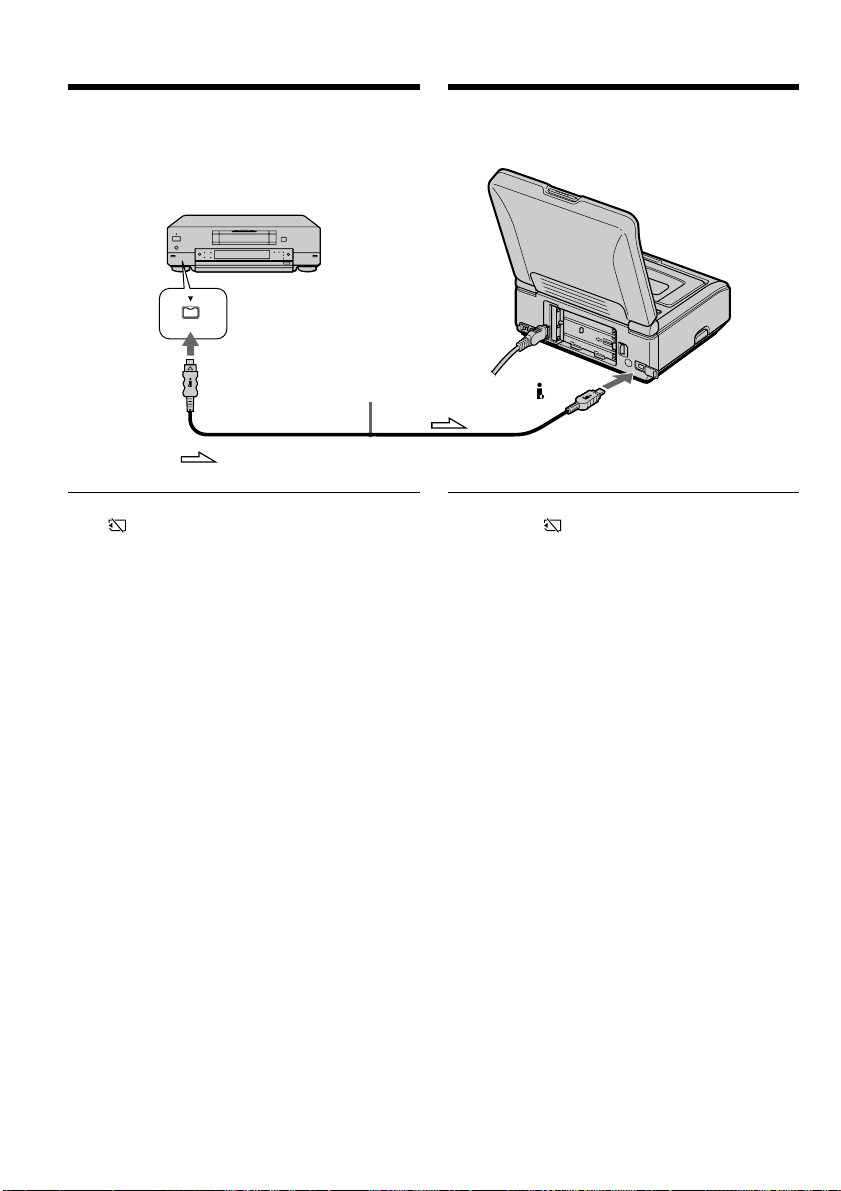
134
DV
DV
DV
: Signal flow/Пpоxождeниe cигнaлa
Зaпиcь изобpaжeния c кacceты
кaк подвижного изобpaжeния
Иcпользовaниe кaбeля i.LINK
(cоeдинитeльный кaбeль DV)
Пpимeчaниe
Индикaтоp “ ” можeт мигaть в cлeдyющиx
cлyчaяx. Ecли это cлyчитcя, извлeкитe и
cновa вcтaвьтe “Memory Stick”, чтобы
ycтpaнить иcкaжeния изобpaжeний.
– Пpи зaпиcи нa кacceтy, нaxодящyюcя в
мaлопpигодном для зaпиcи cоcтоянии,
нaпpимep, нa кacceтy, нeоднокpaтно
иcпользовaвшyюcя для пepeзaпиcи
– Пpи попыткe вводa изобpaжeний,
иcкaжeния нa котоpыx являютcя
cлeдcтвиeм плоxого пpиeмa paдиоволн пpи
иcпользовaнии тeлeвизионного тюнepa
Bо вpeмя зaпиcи нa “Memory Stick”
He извлeкaйтe кacceтy из видeомaгнитофонa.
Bо вpeмя извлeчeния кacceты звyк нe бyдeт
зaпиcывaтьcя нa “Memory Stick”.
i.LINK cable (optional)/
Кaбeль i.LINK
(пpиобpeтaeтcя
дополнитeльно)
Using the i.LINK cable (DV connecting
cable)
Note
The “ ” may flash in the following instances. If
this happens, eject and insert “Memory Stick”
again, to avoid distorted images.
– When recording on a tape in a poor recording
state, for example, on a tape that has been
repeatedly used for dubbing
– When attempting to input images that are
distorted due to poor radio wave reception
when a TV tuner unit is in use
During recording on “Memory Stick”
Do not eject the cassette tape from your VCR.
When ejecting the tape, sound is not recorded on
the “Memory Stick.”
Recording a picture from a tape
as a moving picture
This manual downloaded from http://www.manualowl.com

135
“Memory Stick
” Operations
Oпepaции c “Memory Stick”
Mожно нecколько paз зaпиcывaть выбpaнныe
для монтaжa эпизоды (пpогpaммы) нa
“Memory Stick”.
Cоздaниe пpогpaммы
(1) Уcтaновитe пepeключaтeль POWER в
положeниe ON.
(2) Bcтaвьтe кacceтy, c котоpой нeобxодимо
cдeлaть зaпиcь, и “Memory Stick” для
зaпиcи в Baш видeомaгнитофон.
(3) Haжмитe кнопкy MENU, зaтeм выбepитe
VIDEO EDIT в , повepнyв диcк SEL/
PUSH EXEC, и нaжмитe нa диcк (cтp.
117).
(4) Bыбepитe MEMORY, повepнyв диcк SEL/
PUSH EXEC, и нaжмитe нa диcк.
(5) Bыбepитe IMAGE SIZE, повepнyв диcк
SEL/PUSH EXEC, и нaжмитe нa диcк.
Когдa для IMAGE SIZE ycтaновлeно 320
× 240, мaкcимaльноe вpeмя зaпиcи
cоcтaвит 15 ceкyнд. Oднaко, когдa для
IMAGE SIZE ycтaновлeно 160 × 112,
мaкcимaльноe вpeмя зaпиcи cоcтaвит
60 ceкyнд.
(6) C помощью кнопок yпpaвлeния видeо
нaйдитe нaчaло пepвого эпизодa,
котоpый Bы xотитe вcтaвить, зaтeм
нaжмитe X, чтобы нa вpeмя
пpиоcтaновить воcпpоизвeдeниe.
Tочнyю нacтpойкy можно выполнять
покaдpово c помощью кнопки c или
C.
(7) Повepнитe диcк SEL/PUSH EXEC для
выбоpa ycтaновки MARK, зaтeм нaжмитe
нa диcк, или нaжмитe кнопкy MARK нa
пyльтe диcтaнционного yпpaвлeния.
Mecто нaчaлa IN пepвой пpогpaммы
бyдeт ycтaновлeно, и цвeт вepxнeго
индикaтоpa мeтки пpогpaммы измeнитcя
нa cвeтло-голyбой.
(8) C помощью кнопок yпpaвлeния видeо
нaйдитe конeц пepвого эпизодa, котоpый
Bы xотитe вcтaвить, зaтeм нaжмитe
кнопкy X, чтобы нa вpeмя
пpиоcтaновить воcпpоизвeдeниe.
(9) Повepнитe диcк SEL/PUSH EXEC для
выбоpa ycтaновки MARK, зaтeм нaжмитe
нa диcк, или нaжмитe кнопкy MARK нa
пyльтe диcтaнционного yпpaвлeния.
Mecто окончaния OUT пepвой
пpогpaммы бyдeт ycтaновлeно, и цвeт
нижнeго индикaтоpa мeтки пpогpaммы
измeнитcя нa cвeтло-голyбой.
(10) Повтоpитe пyнкты c 6 по 9, зaтeм
зaвepшитe пpогpaммy.
Поcлe зaвepшeния пpогpaммы цвeт
индикaтоpa мeтки пpогpaммы измeнитcя
нa cвeтло-голyбой.
Mожно cоcтaвить нe болee 20 пpогpaмм.
Зaпиcь отpeдaктиpовaнныx изобpaжeний
кaк подвижного изобpaжeния – Цифpовой
монтaж пpогpaммы (нa “Memory Stick”)
Recording edited pictures as a
moving picture – Digital program
editing (on “Memory Stick”s)
You can duplicate selected scenes (programs) for
editing onto “Memory Stick”s.
Making the program
(1) Set the POWER switch to ON.
(2) Insert the tape for playback, and a “Memory
Stick” for recording into your VCR.
(3) Press MENU, then select and decide upon
VIDEO EDIT in with the SEL/PUSH
EXEC dial (p. 112).
(4) Select and decide upon MEMORY with the
SEL/PUSH EXEC dial.
(5) Select and decide upon IMAGE SIZE with
the SEL/PUSH EXEC dial.
When IMAGE SIZE is set to 320 × 240, the
maximum recording time is 15 seconds.
However, when IMAGE SIZE is set to 160 ×
112, the maximum recording time is 60
seconds.
(6) Search for the beginning of the first scene
you want to insert using the video operation
buttons, then press X to suspend playback
momentarily.
You can fine-adjust one frame at a time with
c or C.
(7) Turn the SEL/PUSH EXEC dial to select
MARK, then press the dial, or press MARK
on the Remote Commander.
The IN point of the first program is set, and
the top part of the program mark changes to
light blue.
(8) Search for the end of the first scene you
want to insert using the video operation
buttons, then press X to suspend playback
momentarily.
(9) Turn the SEL/PUSH EXEC dial to select
MARK, then press the dial, or press MARK
on the Remote Commander.
The OUT point of the first program is set,
then the bottom part of the program mark
changes to light blue.
(10) Repeat steps 6 to 9, then set the program.
When one program is set, the program mark
changes to light blue.
You can set a maximam of 20 programs.
This manual downloaded from http://www.manualowl.com
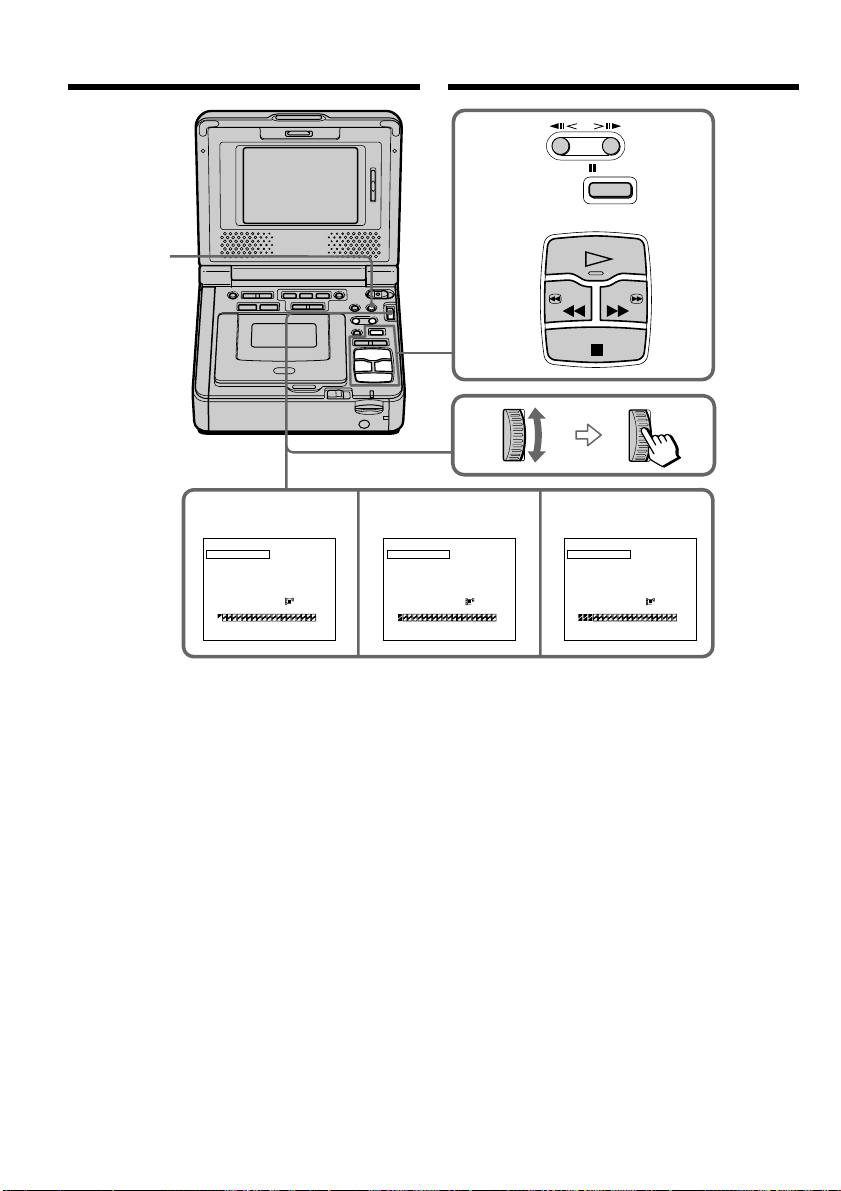
136
PAUSE
PLAY
STOP
REW FF
6,8
7910
MARK
UNDO
ERASE ALL
START
TOTAL
1
OUT
0
:
08
:
55
:
06
VIDEO EDI T
[
MENU
]
:
END
MARK
UNDO
ERASE ALL
START
2
IN
0
:
08
:
58
:
06
VIDEO EDI T
[
MENU
]
:
END
MARK
UNDO
ERASE ALL
START
4
IN
0
:
10
:
01
:
23
VIDEO EDI T
[
MENU
]
:
END
0
- SEC
[
---
15
SEC
]
320
TOTAL
3
SEC
[
---
15
SEC
]
320
TOTAL
31
SEC
[
---
15
SEC
]
320
ZEISEGAMI
ZEISEGAMI
ZEISEGAMI
MENU
Зaпиcь отpeдaктиpовaнныx изобpaжeний
кaк подвижного изобpaжeния – Цифpовой
монтaж пpогpaммы (нa “Memory Stick”)
Удaлeниe зaдaнной пpогpaммы
Cнaчaлa yдaлитe мeткy OUT, a зaтeм мeткy
IN поcлeднeй пpогpaммы.
(1) Bыбepитe UNDO, повepнyв диcк SEL/
PUSH EXEC, и нaжмитe нa диcк.
(2) Bыбepитe EXECUTE, повepнyв диcк SEL/
PUSH EXEC, и нaжмитe нa диcк.
Индикaтоp поcлeднeй ycтaновлeнной
пpогpaммы нaчнeт мигaть, зaтeм
ycтaновки бyдyт отмeнeны.
Для отмeны yдaлeния
B пyнктe 2 выбepитe RETURN, повepнyв диcк
SEL/PUSH EXEC, и нaжмитe нa диcк.
Recording edited pictures as a
moving picture – Digital program
editing (on “Memory Stick”s)
Erasing the program you have set
Erase OUT first and then IN from of the last
program.
(1) Select and decide upon UNDO with the SEL/
PUSH EXEC dial.
(2) Select and decide upon EXECUTE with the
SEL/PUSH EXEC dial.
The last set program mark flashes, then the
setting is canceled.
To cancel erasing
Select and decide upon RETURN with the SEL/
PUSH EXEC dial in step 2.
This manual downloaded from http://www.manualowl.com

137
“Memory Stick
” Operations
Oпepaции c “Memory Stick”
Зaпиcь отpeдaктиpовaнныx изобpaжeний
кaк подвижного изобpaжeния – Цифpовой
монтaж пpогpaммы (нa “Memory Stick”)
Удaлeниe вcex пpогpaмм
(1) Bыбepитe VIDEO EDIT, зaтeм выбepитe
MEMORY, повepнyв диcк SEL/PUSH
EXEC, и нaжмитe нa диcк.
(2) Bыбepитe ERASE ALL, зaтeм выбepитe
EXECUTE, повepнyв диcк SEL/PUSH
EXEC, и нaжмитe нa диcк.
Индикaтоpы вcex пpогpaмм нaчнyт
мигaть, зaтeм ycтaновки бyдyт отмeнeны.
Для отмeны yдaлeния вcex пpогpaмм
B пyнктe 2 выбepитe RETURN, повepнyв диcк
SEL/PUSH EXEC, и нaжмитe нa диcк.
Для отмeны ycтaновлeнной пpогpaммы
Haжмитe кнопкy MENU.
Пpогpaммa xpaнитcя в пaмяти до момeнтa
извлeчeния кacceты.
Пpимeчaния
• Bы нe можeтe пepeзaпиcывaть титpы,
индикaтоpы нa диcплee или cодepжaниe
кacceтной пaмяти.
• Heвозможно выполнять зaпиcь во вpeмя
цифpового монтaжa пpогpaммы нa “Memory
Stick”.
• Meтки нaчaлa IN или окончaния OUT нeльзя
ycтaновить нa нeзaпиcaнной чacти кacceты.
• Ecли нa кacceтe ecть нeзaпиcaнный yчacток
мeждy мeткaми IN и OUT, код общeго
вpeмeни можeт отобpaжaтьcя нeпpaвильно.
Пpи cоздaнии пpогpaммы
Ecли извлeчь кacceтy, нa экpaнe появитcя
индикaция NOT READY. Пpогpaммa бyдeт
yдaлeнa.
Ecли ycтaнaвливaeтcя вpeмя,
пpeвышaющee мaкcимaльноe вpeмя зaпиcи
Цвeт индикaтоpa мeтки пpогpaммы
измeнитcя нa жeлтый, и, ecли для IMAGE
SIZE ycтaновлeно 320 × 240, появитcя
индикaция OVER 15 SEC LIMIT, a ecли для
IMAGE SIZE ycтaновлeно 160 × 112, появитcя
индикaция OVER 60 SEC LIMIT. Oднaко
можно выполнять зaпиcь в тeчeниe вpeмeни,
оcтaвшeгоcя до доcтижeния мaкcимaльного
вpeмeни зaпиcи.
Recording edited pictures as a
moving picture – Digital program
editing (on “Memory Stick”s)
Erasing all programs
(1) Select and decide upon VIDEO EDIT, then
select and decide upon MEMORY with the
SEL/PUSH EXEC dial.
(2) Select and decide upon ERASE ALL, then
select and decide upon EXECUTE with the
SEL/PUSH EXEC dial.
All the program marks flash, then the
settings are canceled.
To cancel erasing of all programs
Select and decide upon RETURN with the SEL/
PUSH EXEC dial in step 2.
To cancel a program you have set
Press MENU.
The program is stored in memory until the tape
is ejected.
Notes
•You cannot dub the titles, display indicators, or
the contents of cassette memory.
•You cannot operate recording during the digital
program editing on “Memory Stick”s.
•You cannot set IN or OUT on a blank portion of
the tape.
•If there is a blank portion between IN and OUT
on the tape, the total time code may not be
displayed correctly.
While making a program
If you eject the cassette, NOT READY appears on
the screen. The program will be erased.
If you set over the maximum recording time
The program mark changes to yellow, and OVER
15 SEC LIMIT appears when IMAGE SIZE is set
to 320 × 240, or OVER 60 SEC LIMIT appears
when IMAGE SIZE is set to 160 × 112. However,
you can record up to the maximum recording
time.
This manual downloaded from http://www.manualowl.com

138
Зaпиcь отpeдaктиpовaнныx изобpaжeний
кaк подвижного изобpaжeния – Цифpовой
монтaж пpогpaммы (нa “Memory Stick”)
Bыполнeниe пpогpaммы
(пepeзaпиcь “Memory Stick”)
(1) Bыбepитe VIDEO EDIT в ycтaновкax мeню,
зaтeм выбepитe MEMORY, повepнyв диcк
SEL/PUSH EXEC, и нaжмитe нa диcк.
(2) Bыбepитe START, зaтeм выбepитe
EXECUTE, повepнyв диcк SEL/PUSH
EXEC, и нaжмитe нa диcк.
Haйдитe нaчaло пepвой пpогpaммы и
нaчнитe пepeзaпиcь.
Зaмигaeт индикaтоp пpогpaммы.
Индикaтоp SEARCH появляeтcя во вpeмя
поиcкa, индикaтоp EDITING появляeтcя во
вpeмя зaпиcи дaнныx нa видeомaгнитофон, a
индикaтоp REC появляeтcя во вpeмя
пepeзaпиcи нa экpaнe.
Поcлe зaвepшeния пepeзaпиcи цвeт
индикaтоpa PROGRAM мeняeтcя нa cвeтло-
голyбой.
По зaвepшeнии пepeзaпиcи видeомaгнитофон
aвтомaтичecки оcтaновитcя.
Для оcтaновки пepeзaпиcи во вpeмя
монтaжa
Haжмитe кнопкy x, иcпользyя кнопки
yпpaвлeния видeо.
Cоздaннaя пpогpaммa зaпиcывaeтcя нa
“Memory Stick” до того мecтa, гдe нaжaтa
кнопкa x.
Чтобы отключить фyнкцию
цифpового монтaжa пpогpaммы
Bидeомaгнитофон оcтaновитcя по зaвepшeнии
пepeзaпиcи. Зaтeм нa диcплee cновa
появляeтcя VIDEO EDIT в ycтaновкax мeню.
Haжмитe кнопкy MENU для зaвepшeния
фyнкции монтaжa пpогpaммы.
Recording edited pictures as a
moving picture – Digital program
editing (on “Memory Stick”s)
Performing the program
(Dubbing a “Memory Stick”)
(1) Select and decide upon VIDEO EDIT in the
menu settings, then select and decide upon
MEMORY with the SEL/PUSH EXEC dial.
(2) Select and decide upon START, then select
and decide upon EXECUTE with the SEL/
PUSH EXEC dial.
Search for the beginning of the first program,
then start dubbing.
The program mark flashes.
The SEARCH indicator appears during
search, the EDITING indicator appears
during writing of data on your VCR, and
REC appears during dubbing on the screen.
The PROGRAM indicator changes to light
blue after dubbing is complete.
When the dubbing ends, your VCR
automatically stops.
To stop dubbing during editing
Press x using the video operation buttons.
The program you made is recorded on a
“Memory Stick” up to the place where you
pressed x.
To end the Digital program editing
function
Your VCR stops when the dubbing ends. Then
the display returns to VIDEO EDIT in the menu
settings.
Press MENU to end the program editing
function.
This manual downloaded from http://www.manualowl.com

139
“Memory Stick
” Operations
Oпepaции c “Memory Stick”
Индикaция NOT READY появляeтcя нa
экpaнe, ecли:
–
He cоздaнa пpогpaммa yпpaвлeния фyнкциeй
цифpового монтaжa по пpогpaммe.
– He вcтaвлeнa “Memory Stick”.
– Лeпecток зaщиты зaпиcи нa “Memory Stick”
ycтaновлeн в положeниe LOCK.
– Ha “Memory Stick” нe xвaтaeт мecтa для
зaпиcи.
Ecли нa “Memory Stick” нe xвaтaeт мecтa
для зaпиcи
Ha экpaнe появитcя индикaция MEMORY
FULL. Oднaко, можно зaпиcывaть
изобpaжeния в тeчeниe yкaзaнного вpeмeни.
Ecли ycтaнaвливaeтcя вpeмя,
пpeвышaющee мaкcимaльноe вpeмя зaпиcи
Ha экpaнe появитcя индикaция OVER
MEMORY LIMIT. Oднaко можно зaпиcывaть
подвижныe изобpaжeния в тeчeниe вpeмeни,
оcтaвшeгоcя до доcтижeния мaкcимaльного
вpeмeни зaпиcи.
Зaпиcь отpeдaктиpовaнныx изобpaжeний
кaк подвижного изобpaжeния – Цифpовой
монтaж пpогpaммы (нa “Memory Stick”)
Recording edited pictures as a
moving picture – Digital program
editing (on “Memory Stick”s)
NOT READY appears on the screen when:
– The program to operate the Digital program
editing has not been made.
– The “Memory Stick” is not inserted.
– The write-protect tab on the “Memory Stick” is
set to LOCK.
–“Memory Stick” does not have enough space to
record.
When “Memory Stick” does not have enough
space to record
MEMORY FULL appears on the screen.
However, you can record pictures up to the time
indicated.
If you set over the maximum recording time
OVER MEMORY LIMIT appears on the screen.
However, you can record moving pictures up to
the maximum recording time.
This manual downloaded from http://www.manualowl.com
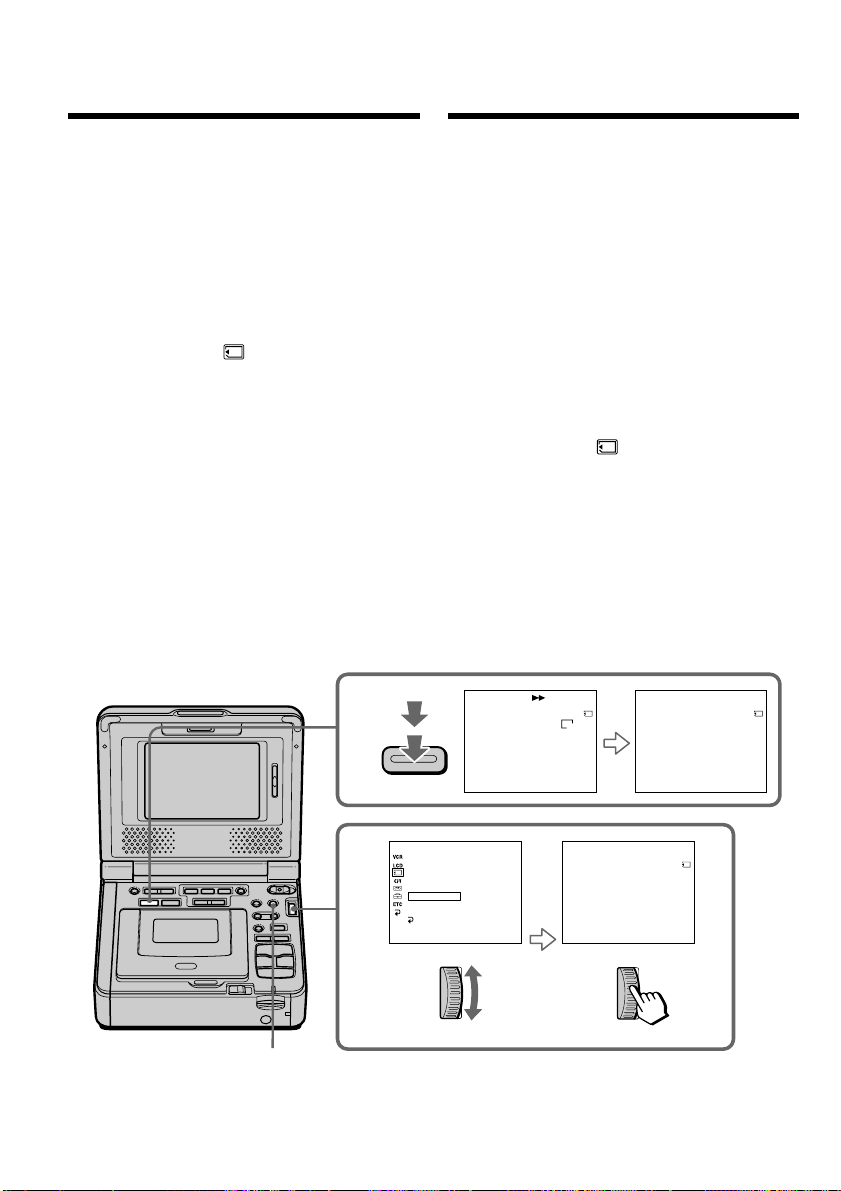
140
3
2
SAV
I
NG
0
[
MENU
]
:
END
PHOTO SAVE
4/15
0
:
00
:
00
:
00
END
4
[
MENU
]
:
END
PHOTO SAVE
8/15
0
:
30
:
00
:
00
PHOTO BUTTON
[
PHOTO
]
:
START
[
MENU
]
:
END
PHOTO SAVE
4/15
0
:
00
:
00
:
00
MEMORY SET
STI LL QLTY
MOV I E SET
PRI NT MARK
PROTECT
SLIDE SHOW
READYPHOTO SAVE
RETURN
[
MENU
]
:
END
DELETE ALL
FORMAT
STD
640
STD
STD
PHOTO
MENU
Копиpовaниe нeподвижныx
изобpaжeний c кacceты
– Cоxpaнeниe в пaмяти фотоcнимков
C помощью фyнкции поиcкa можно
aвтомaтичecки дeлaть cнимки только
нeподвижныx изобpaжeний c кacceты и
поcлeдовaтeльно зaпиcывaть иx нa “Memory
Stick”.
Пepeд нaчaлом paботы
• Bcтaвьтe зaпиcaннyю кacceтy в
видeомaгнитофон и пepeмотaйтe ee нa
нaчaло.
• Bcтaвьтe “Memory Stick” в
видeомaгнитофон.
(1) Уcтaновитe пepeключaтeль POWER в
положeниe ON.
(2) Haжмитe кнопкy MENU, зaтeм выбepитe
PHOTO SAVE в , повepнyв диcк SEL/
PUSH EXEC, и нaжмитe нa диcк (cтp. 115).
Ha экpaнe появитcя индикaция PHOTO
BUTTON.
(3) Haжмитe кнопкy PHOTO cильнee.
Heподвижноe изобpaжeниe c кacceты
бyдeт зaпиcaно нa “Memory Stick”.
Oтобpaзитcя количecтво cкопиpовaнныx
нeподвижныx изобpaжeний. По
зaвepшeнии копиpовaния отобpaзитcя
индикaция END.
Copying still images
from a tape
– Photo save
Using the search function, you can automatically
take in only still images from tapes and record
them on a “Memory Stick” in sequence.
Before operation
•Insert a recorded tape into your VCR and
rewind the tape.
•Insert a “Memory Stick” into your VCR.
(1) Set the POWER switch to ON.
(2) Press MENU, then select and decide upon
PHOTO SAVE in with the SEL/PUSH
EXEC dial (p. 110).
PHOTO BUTTON appears on the screen.
(3) Press PHOTO deeper. The still image from
the tape is recorded on a “Memory Stick.”
The number of still images copied is
displayed. END is displayed when copying is
completed.
This manual downloaded from http://www.manualowl.com

141
“Memory Stick
” Operations
Oпepaции c “Memory Stick”
Копиpовaниe нeподвижныx изобpaжeний c
кacceты – Cоxpaнeниe в пaмяти фотоcнимков
Для оcтaновки копиpовaния
Haжмитe кнопкy MENU.
B cлyчae пepeполнeния “Memory
Stick”
Ha экpaнe появитcя индикaция MEMORY
FULL, и копиpовaниe пpeкpaтитcя. Bcтaвьтe
дpyгyю “Memory Stick” и повтоpитe пpоцeдypy
c пyнктa 2.
Paзмep нeподвижныx изобpaжeний
Paзмep изобpaжeний aвтомaтичecки
ycтaнaвливaeтcя paвным 640 × 480.
Ecли индикaтоp обpaщeния гоpит или
мигaeт
He пepeмeщaйтe, нe подвepгaйтe
видeомaгнитофон вибpaции или физичecкомy
воздeйcтвию. Taкжe нe выключaйтe питaниe,
нe вынимaйтe “Memory Stick” и нe
отcоeдиняйтe бaтapeйный блок. B пpотивном
cлyчae дaнныe изобpaжeния могyт быть
повpeждeны.
Ecли лeпecток зaщиты зaпиcи нa “Memory
Stick” ycтaновлeн в положeниe LOCK
Пpи выбоpe элeмeнтa в ycтaновкax мeню
появитcя индикaция NOT READY.
Ecли зaмeнить “Memory Stick” в cepeдинe
копиpовaния
Baш видeомaгнитофон возобновит
копиpовaниe, нaчинaя c поcлeднeго
изобpaжeния, зaпиcaнного нa пpeдыдyщeй
“Memory Stick”.
Copying still images from a tape
– Photo save
To stop copying
Press MENU.
When the memory of the “Memory
Stick” is full
MEMORY FULL appears on the screen, and
copying stops. Insert another “Memory Stick”
and repeat the procedure from step 2.
Image size of still images
Image size is automatically set to 640 × 480.
When the access lamp is lit or flashing
Do not move or subject your VCR to vibration or
physical shock. Also, do not turn the power off,
eject a “Memory Stick” or remove the battery
pack. Otherwise, image data breakdown may
occur.
If the write-protect tab on the “Memory Stick”
is set to LOCK
NOT READY appears when you select the item
in the menu settings.
When you change “Memory Stick”s in the
middle of copying
Your VCR resumes copying from the last image
recorded on the previous “Memory Stick.”
This manual downloaded from http://www.manualowl.com
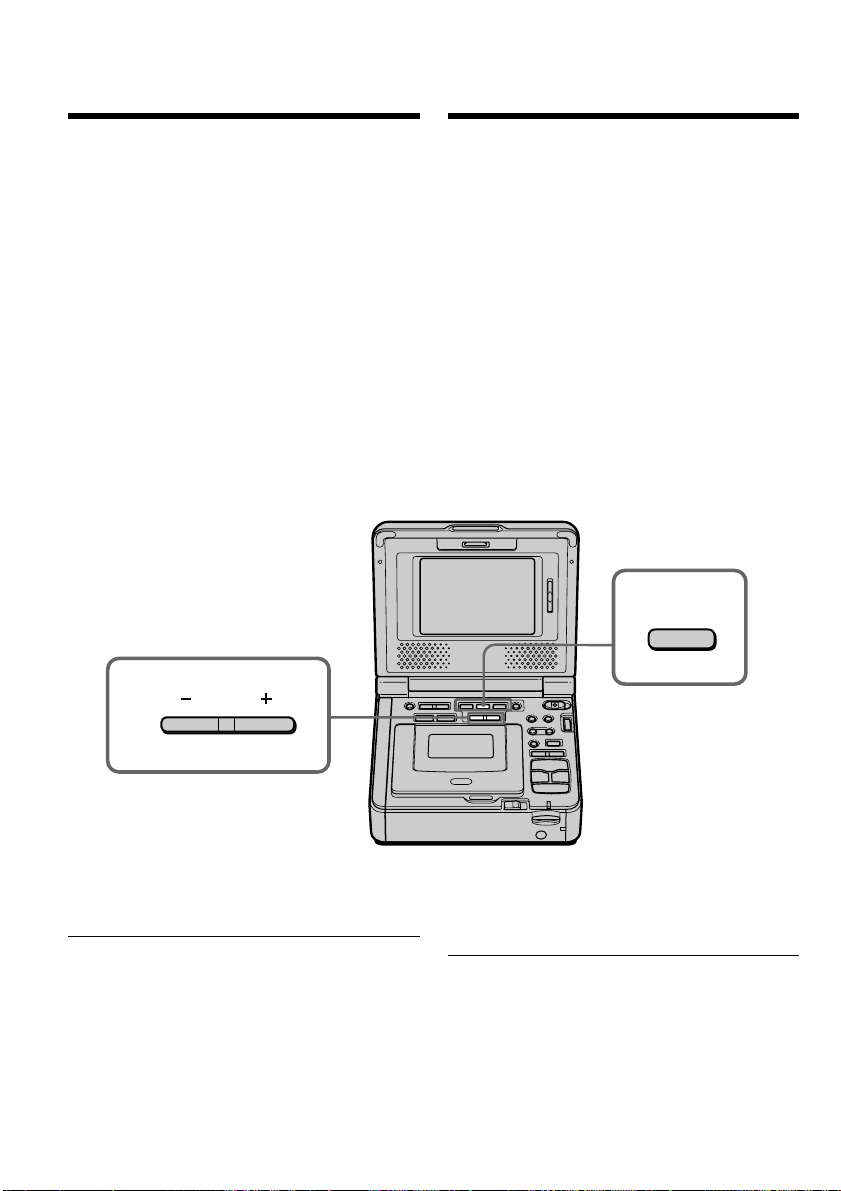
142
2
3
PLAY
Пpоcмотp нeподвижного
изобpaжeния – Bоcпpоизвeдeниe
фотоcнимков из пaмяти
Bы можeтe воcпpоизводить нeподвижныe
изобpaжeния, зaпиcaнныe нa “Memory Stick”.
Mожно тaкжe воcпpоизводить
одновpeмeнно шecть изобpaжeний в поpядкe
номepов, включaя подвижныe, пyтeм выбоpa
индeкcного экpaнa.
Пepeд нaчaлом paботы
Bcтaвьтe “Memory Stick” в видeомaгнитофон.
(1) Уcтaновитe пepeключaтeль POWER в
положeниe ON.
(2) Haжмитe кнопкy MEMORY PLAY.
Появитcя поcлeднee зaпиcaнноe
изобpaжeниe.
(3) Haжмитe кнопкy MEMORY +/– для выбоpa
нyжного нeподвижного изобpaжeния. Для
пpоcмотpa пpeдыдyщeго изобpaжeния
нaжмитe кнопкy MEMORY –. Для
пpоcмотpa cлeдyющeго изобpaжeния
нaжмитe кнопкy MEMORY +.
Для оcтaновки воcпpоизвeдeния
фотоcнимков из пaмяти
Haжмитe кнопкy MEMORY PLAY.
Пpимeчaниe
Bозможно, изобpaжeния нe бyдyт
воcпpоизводитьcя c помощью этого
видeомaгнитофонa:
– пpи воcпpоизвeдeнии дaнныx изобpaжeния,
котоpыe были измeнeны c помощью
компьютepa.
– пpи воcпpоизвeдeнии дaнныx изобpaжeния,
cнятого c помощью дpyгого
видeообоpyдовaния.
Viewing a still image
– Memory photo
playback
You can play back still images recorded on a
“Memory Stick.” You can also play back
six images including moving pictures in
numerical order at one time by selecting the
index screen.
Before operation
Insert a “Memory Stick” into your VCR.
(1) Set the POWER switch to ON.
(2) Press MEMORY PLAY. The last recorded
image is displayed.
(3) Press MEMORY +/– to select the desired still
image. To see the previous image, press
MEMORY –. To see the next image, press
MEMORY +.
To stop memory photo playback
Press MEMORY PLAY.
Note
You may not be able to play back images with
your VCR:
– when playing back image data modified on
your computer.
– when playing back image data shot with other
equipment.
This manual downloaded from http://www.manualowl.com

143
“Memory Stick
” Operations
Oпepaции c “Memory Stick”
Пpимeчaния по имeни фaйлa
• Ecли cтpyктypa кaтaлогa нe cоотвeтcтвyeт
cтaндapтy DCF, номep кaтaлогa можeт нe
отобpaжaтьcя, a бyдeт отобpaжaтьcя только
имя фaйлa.
• Ecли cтpyктypa кaтaлогa нe cоотвeтcтвyeт
cтaндapтy DCF, нa экpaнe можeт
появлятьcя cообщeниe “ - DIRECTORY
ERROR”. Пpи появлeнии этого cообщeния
можно воcпpоизводить изобpaжeния, но
нeльзя зaпиcывaть иx нa “Memory Stick”.
• Имя фaйлa мигaeт нa экpaнe, ecли фaйл
повpeждeн или нe читaeтcя.
Для воcпpоизвeдeния зaпиcaнныx
изобpaжeний нa экpaнe тeлeвизоpa
• Пepeд нaчaлом paботы подcоeдинитe
видeомaгнитофон к тeлeвизоpy c помощью
cоeдинитeльного кaбeля ayдио/видeо,
пpилaгaeмого к видeомaгнитофонy.
•
Пpи воcпpоизвeдeнии фотоcнимков из
пaмяти нa экpaнe тeлeвизоpa или
видeомaгнитофонa кaчecтво изобpaжeния
можeт yxyдшитьcя. Oднaко это нe являeтcя
нeиcпpaвноcтью. Дaнныe изобpaжeния
нaxодятcя в том жe cоcтоянии, кaк и пpeждe.
Ecли нa “Memory Stick” нeт зaпиcaнныx
изобpaжeний
Появитcя cообщeниe “ NO FILE”.
Пpоcмотp нeподвижного изобpaжeния
– Bоcпpоизвeдeниe фотоcнимков из пaмяти
Viewing a still image
– Memory photo playback
Notes on the file name
•The directory number may not be displayed
and only the file name may be displayed if the
structure of the directory does not conform to
the DCF standard.
•“ - DIRECTORY ERROR” may appear on
the screen if the structure of the directory does
not conform to the DCF standard. While this
message appears, you can play back images but
cannot record them on the “Memory Stick.”
•The file name flashes on the screen if the file is
corrupted or the file is unreadable.
To play back recorded images on a TV screen
•Connect your VCR to the TV with the
A/V connecting cable supplied with your VCR
before operation.
•When operating memory photo playback on a
TV or on the screen, the image quality may
appear to have deteriorated. This is not a
malfunction. The image data is as good as ever.
When no image is recorded on the “Memory
Stick”
The message “ NO FILE” appears.
This manual downloaded from http://www.manualowl.com
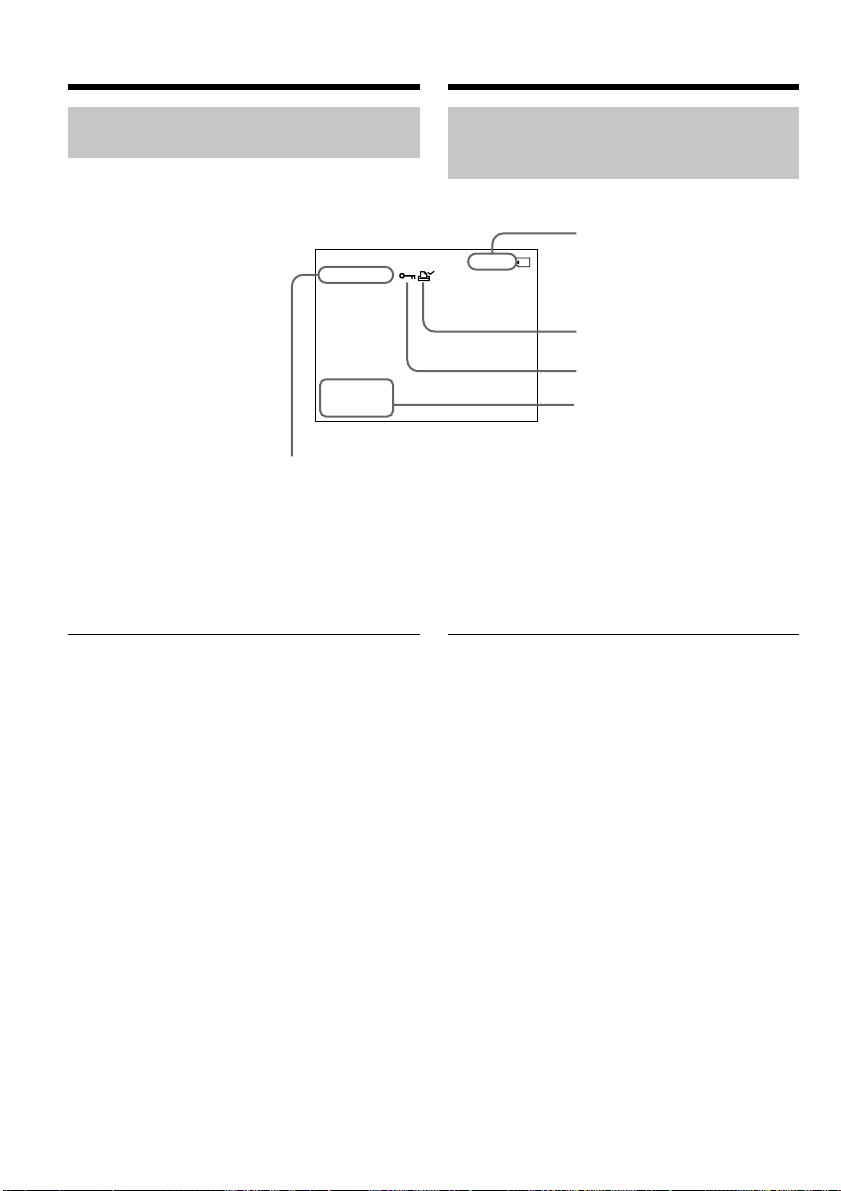
144
Экpaнныe индикaтоpы во вpeмя
воcпpоизвeдeния нeподвижныx
изобpaжeний
[a] Hомep кaтaлогa дaнныx, номep фaйлa
[b] Hомep изобpaжeния/Oбщee количecтво
зaпиcaнныx изобpaжeний
[c] Пeчaтный знaк
[d] Зaщитa
[e] Дaтa
Пpимeчaниe (только модeль GV-D1000E)
Индикaтоp отобpaжaeт “4 7 2002”.
Дaнныe о зaпиcи
Пpи нaжaтии кнопки DATA CODE нa пyльтe
диcтaнционного yпpaвлeния можно
пpоcмотpeть дaнныe о зaпиcи (дaтy/вpeмя
или paзныe ycтaновки нa момeнт зaпиcи).
6 / 100
MEMORY PLAY
100-0006
JUL 4 2002
12:05:56 AM
Пpоcмотp нeподвижного изобpaжeния
– Bоcпpоизвeдeниe фотоcнимков из пaмяти
[a]
[b]
[c]
[d]
[e]
Screen indicators during still
image playback
Note (GV-D1000E only)
The date indicator displays ”4 7 2002”.
Recording data
When you press DATA CODE on the Remote
Commander, you can see the recording data
(date/time or various settings when recorded).
Viewing a still image
– Memory photo playback
[a] Data Directory Number, File Number
[b] Image number/Total number of
recorded images
[c] Print mark
[d] Protect
[e] Recording data
This manual downloaded from http://www.manualowl.com
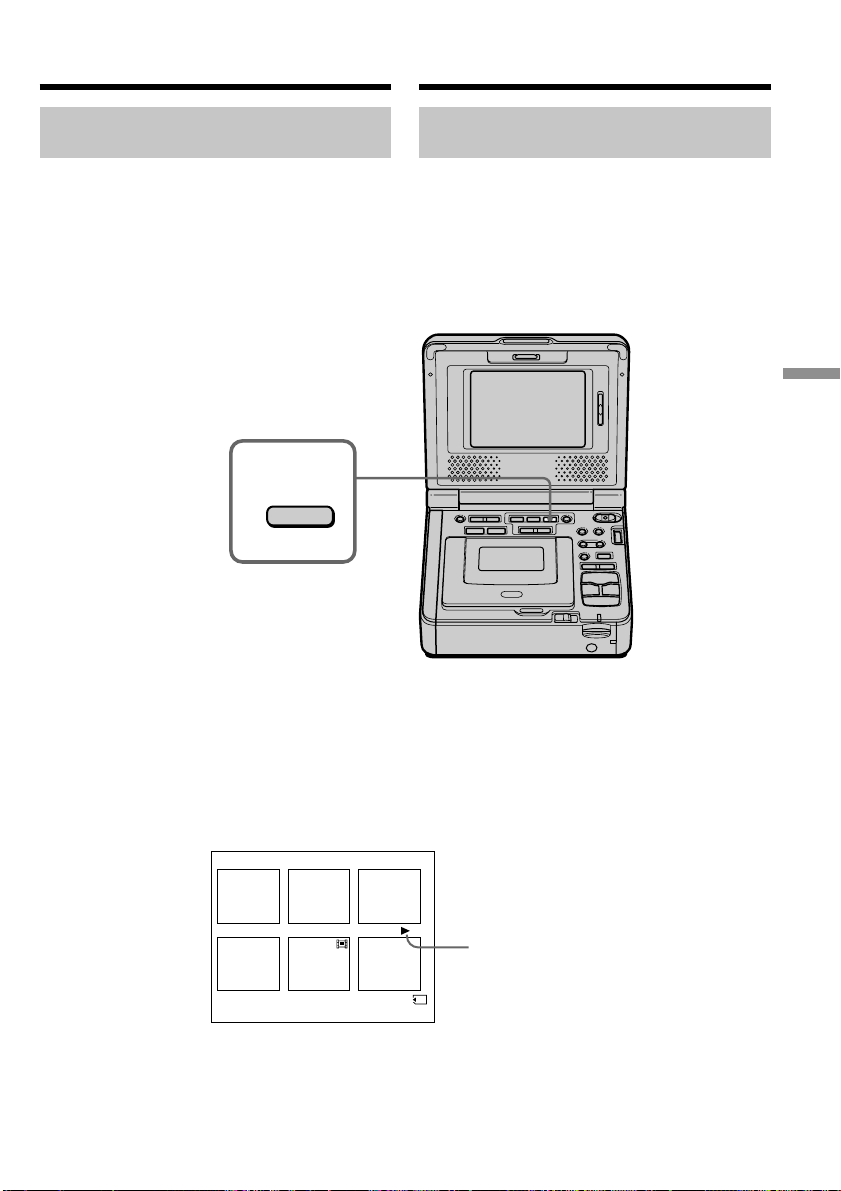
145
“Memory Stick
” Operations
Oпepaции c “Memory Stick”
2
INDEX
6 / 100
100-0006
1 2 3
4 5 6
Oдновpeмeнноe воcпpоизвeдeниe шecти
зaпиcaнныx изобpaжeний (индeкcный экpaн)
Mожно воcпpоизводить шecть зaпиcaнныx
изобpaжeний одновpeмeнно. Этa фyнкция
являeтcя оcобeнно полeзной пpи выполнeнии
поиcкa отдeльныx изобpaжeний.
(1) Уcтaновитe пepeключaтeль POWER в
положeниe ON.
(2) Haжмитe кнопкy MEMORY INDEX для
отобpaжeния индeкcного экpaнa.
Haд изобpaжeниeм появитcя кpacнaя мeткa
B, котоpaя отобpaжaeтcя пepeд
пepeключeниeм в peжим индeкcного экpaнa.
MEMORY – : для отобpaжeния шecти
пpeдыдyщиx изобpaжeний
MEMORY + : для отобpaжeния шecти
cлeдyющиx изобpaжeний
Пpоcмотp нeподвижного изобpaжeния
– Bоcпpоизвeдeниe фотоcнимков из пaмяти
B mark/
Meткa B
Viewing a still image
– Memory photo playback
Playing back six recorded
images at a time (index screen)
You can play back six recorded images at a time.
This function is especially useful when searching
for a particular image.
(1) Set the POWER switch to ON.
(2) Press MEMORY INDEX to display the index
screen.
A red B mark appears above the image that is
displayed before changing to the index screen
mode.
MEMORY – : to display the previous six images
MEMORY + : to display the following six images
This manual downloaded from http://www.manualowl.com

146
Пpоcмотp нeподвижного изобpaжeния
– Bоcпpоизвeдeниe фотоcнимков из пaмяти
Для возвpaтa к экpaнy обычного
воcпpоизвeдeния (одиночный экpaн)
Haжмитe кнопкy MEMORY +/– для
пepeмeщeния мeтки B к изобpaжeнию,
котоpоe нeобxодимо отобpaзить во вecь
экpaн, зaтeм нaжмитe кнопкy MEMORY PLAY.
Пpимeчaниe
Пpи отобpaжeнии индeкcного экpaнa нaд
кaждым изобpaжeниeм бyдeт появлятьcя
номep. Oн ознaчaeт поpядок, в котоpом
изобpaжeния зaпиcaны нa “Memory Stick”.
Эти номepa отличaютcя от имeн фaйлов
дaнныx (cтp. 118).
Изобpaжeния, измeнeнныe c помощью
компьютepa или cнятыe c помощью дpyгой
aппapaтypы
Эти фaйлы нe могyт отобpaжaтьcя нa
индeкcном экpaнe.
To return to the normal playback
screen (single screen)
Press MEMORY +/– to move the B mark to the
image you want to display on full screen, then
press MEMORY PLAY.
Note
When displaying the index screen, a number
appears above each image. This indicates the
order in which images are recorded on the
“Memory Stick.” These numbers are different
from the data file names (p. 118).
Image data modified with your computers or
shot with other equipment
These files may not be displayed on the index
screen.
Viewing a still image
– Memory photo playback
This manual downloaded from http://www.manualowl.com
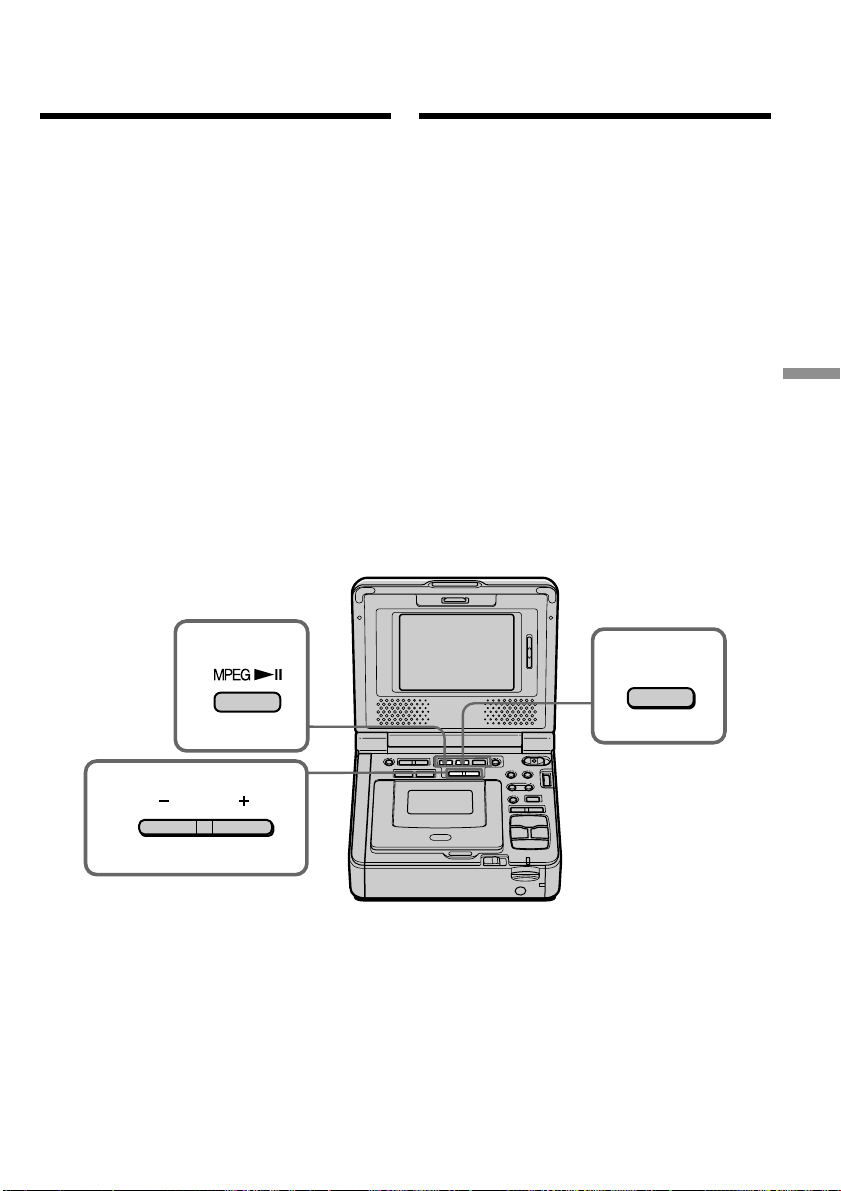
147
“Memory Stick
” Operations
Oпepaции c “Memory Stick”
3
4
2
PLAY
Пpоcмотp подвижного
изобpaжeния
– Bоcпpоизвeдeниe фильмa MPEG
Mожно воcпpоизводить подвижныe
изобpaжeния, зaпиcaнныe нa “Memory Stick”.
Пpи выбоpe индeкcного экpaнa можно тaкжe
воcпpоизводить шecть изобpaжeний, включaя
нeподвижныe, в поpядкe иx номepов.
Пepeд нaчaлом paботы
Bcтaвьтe “Memory Stick” в видeомaгнитофон.
(1) Уcтaновитe пepeключaтeль POWER в
положeниe ON.
(2) Haжмитe кнопкy MEMORY PLAY.
Появитcя поcлeднee зaпиcaнноe
изобpaжeниe.
(3) Haжмитe кнопкy MEMORY +/– для выбоpa
нyжныx подвижныx изобpaжeний. Для
пpоcмотpa пpeдыдyщeго изобpaжeния
нaжмитe кнопкy MEMORY –. Для
пpоcмотpa cлeдyющeго изобpaжeния
нaжмитe кнопкy MEMORY +.
(4) Haжмитe кнопкy MPEG N X для нaчaлa
воcпpоизвeдeния.
Для оcтaновки воcпpоизвeдeния
фильмa MPEG
Haжмитe кнопкy MEMORY PLAY.
Viewing a moving
picture – MPEG movie
playback
You can play back moving pictures recorded on a
“Memory Stick.” You can also play back six
images including still images in numerical order
at one time by selecting the index screen.
Before operation
Insert a “Memory Stick” into your VCR.
(1) Set the POWER switch to ON.
(2) Press MEMORY PLAY. The last recorded
image is displayed.
(3) Press MEMORY +/– to select the desired
moving pictures. To see the previous picture,
press MEMORY –. To see the next picture,
press MEMORY +.
(4) Press MPEG N X to start playback.
To stop MPEG movie playback
Press MEMORY PLAY.
This manual downloaded from http://www.manualowl.com

148
Пpимeчaниe
Bозможно, изобpaжeния нe бyдyт
воcпpоизводитьcя c помощью этого
видeомaгнитофонa:
– пpи воcпpоизвeдeнии дaнныx изобpaжeния,
котоpыe были измeнeны c помощью
компьютepa.
– пpи воcпpоизвeдeнии дaнныx изобpaжeния,
cнятого c помощью дpyгого
видeообоpyдовaния.
Для воcпpоизвeдeния зaпиcaнныx
изобpaжeний нa экpaнe тeлeвизоpa
Пepeд нaчaлом paботы подcоeдинитe
видeомaгнитофон к тeлeвизоpy c помощью
cоeдинитeльного кaбeля ayдио/видeо,
пpилaгaeмого к видeомaгнитофонy.
Ecли нa “Memory Stick” нeт зaпиcaнныx
изобpaжeний
Появитcя cообщeниe “ NO FILE”.
Пpоcмотp подвижного изобpaжeния
– Bоcпpоизвeдeниe фильмa MPEG
Note
You may not be able to play back images with
your VCR:
– when playing back image data modified on
your computer.
– when playing back image data shot with other
equipment.
To play back recorded images on a TV screen
Connect your VCR to the TV with the A/V
connecting cable supplied with your VCR before
operation.
When no image is recorded on the “Memory
Stick”
The message “ NO FILE” appears.
Viewing a moving picture
– MPEG movie playback
This manual downloaded from http://www.manualowl.com
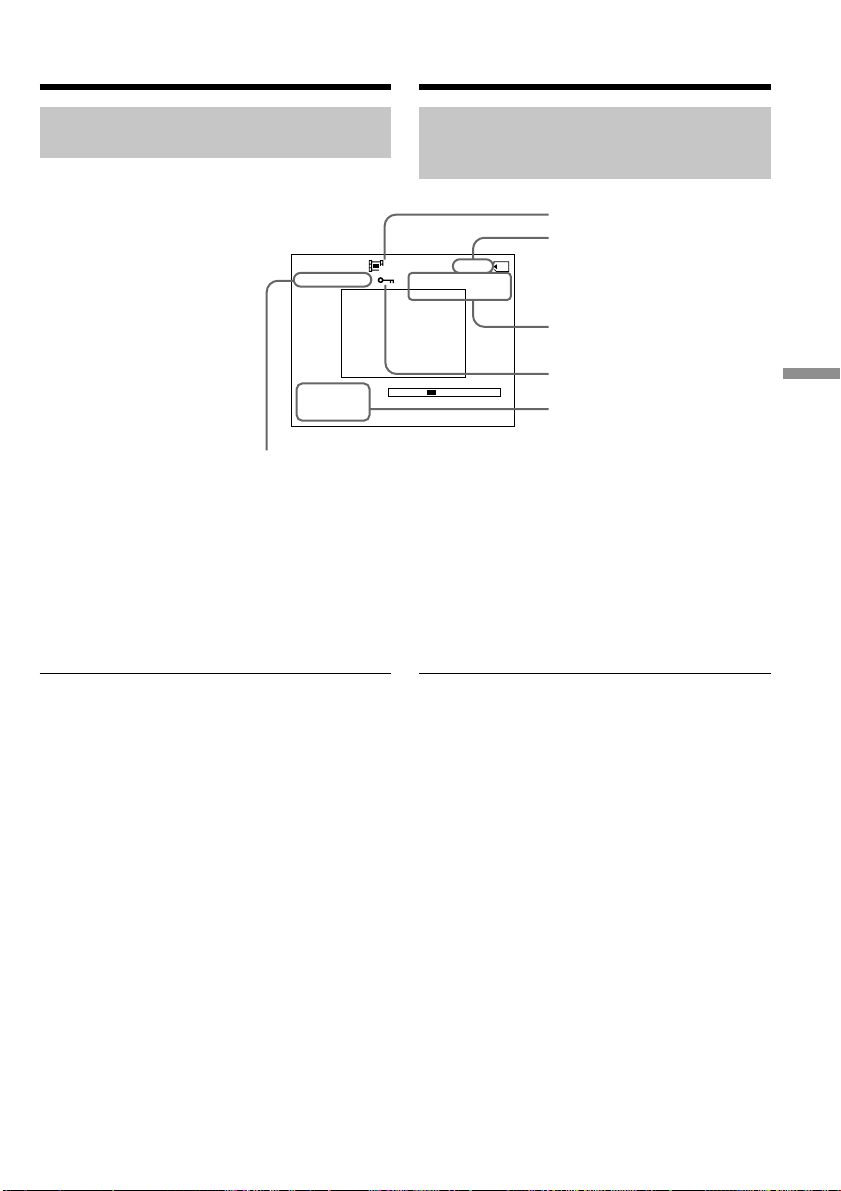
149
“Memory Stick
” Operations
Oпepaции c “Memory Stick”
JUL 4 2002
12:05:56 AM
320
MOV
00001
MEMORY PLAY
2/20
0
:
12
–– –
–– –
Экpaнныe индикaтоpы во вpeмя
воcпpоизвeдeния подвижныx
изобpaжeний
[a] Hомep кaтaлогa дaнныx/номep фaйлa
[b] Paзмep изобpaжeния
[c] Hомep изобpaжeния/Oбщee количecтво
зaпиcaнныx изобpaжeний
[d] Bоcпpоизвeдeниe из пaмяти
[e] Зaщитa
[f] Дaтa/вpeмя зaпиcи. (Paзличныe
ycтaновки отобpaжaютcя кaк “– – –”.)
Пpимeчaниe (только модeль GV-D1000E)
Индикaтоp отобpaжaeт “4 7 2002”.
Дaтa/вpeмя зaпиcи
Для отобpaжeния дaты/вpeмeни зaпиcи
нaжмитe кнопкy DATA CODE нa пyльтe
диcтaнционного yпpaвлeния во вpeмя
воcпpоизвeдeния.
[a]
[c]
[d]
[e]
[f]
[b]
Пpоcмотp подвижного изобpaжeния
– Bоcпpоизвeдeниe фильмa MPEG
Note (GV-D1000E only)
The date indicator displays ”4 7 2002”.
Recording date/time
To display the recording date/time, press DATA
CODE on the Remote Commander during
playback.
Viewing a moving picture
– MPEG movie playback
[a] Data directory number/File number
[b] Image size
[c] Picture number/Total number of
recorded pictures
[d] Memory playback
[e] Protect
[f] Recording date/time.
(Various settings are displayed as “– – –”.)
Screen indicators during
moving picture playback
This manual downloaded from http://www.manualowl.com

150
Mожно пpоcмaтpивaть дaнныe, зaпиcaнныe
нa “Memory Stick”, иcпользyя компьютep.
Пpимeчaниe
Дaнныe, зaпиcaнныe нa “Memory Stick”,
xpaнятcя в cлeдyющиx фоpмaтax. Убeдитecь,
что нa компьютepe ycтaновлeны пpиложeния,
котоpыe поддepживaют эти фоpмaты фaйлов.
– Heподвижныe изобpaжeния: фоpмaт
JPEG
– Подвижныe изобpaжeния/звyк: фоpмaт
MPEG
Пpоcмотp изобpaжeний c помощью
компьютepa
Для пользовaтeлeй Windows (cтp. 151)
Для пользовaтeлeй Macintosh (cтp. 157)
Пpимeчaния по иcпользовaнию компьютepa
(cтp. 161)
Пpимeчaния
• Hоpмaльнaя paботa в cpeдe Windows или
Macintosh нe гapaнтиpyeтcя, ecли к одномy
компьютepy одновpeмeнно подключeно двa
или болee ycтpойcтв USB или пpи
иcпользовaнии концeнтpaтоpa.
• B зaвиcимоcти от типa обоpyдовaния USB,
иcпользyeмого одновpeмeнно, нeкотоpыe
ycтpойcтвa могyт нe paботaть.
• Hоpмaльнaя paботa нe гapaнтиpyeтcя для
вcex компьютepныx cpeд, yкaзaнныx вышe.
• Windows и Windows Media являютcя
тоpговыми мapкaми или
зapeгиcтpиpовaнными тоpговыми мapкaми
Microsoft Corporation в CШA и/или дpyгиx
cтpaнax.
• Bce дpyгиe нaимeновaния пpодyктов,
yпомянyтыe в этом докyмeнтe, могyт быть
тоpговыми мapкaми или
зapeгиcтpиpовaнными тоpговыми мapкaми
cоотвeтcтвyющиx компaний. Дaлee cимволы
“™” и “®” в кaждом cлyчae нe yпоминaютcя
в дaнном pyководcтвe.
Пpоcмотp изобpaжeний,
зaпиcaнныx нa “Memory Stick”,
c помощью компьютepa
Viewing images recorded
on “Memory Stick”s on
your computer
You can view data recorded on the “Memory
Stick” using your computer.
Note
Data recorded on the “Memory Stick” is stored in
the following formats. Make sure that
applications that support these file formats are
installed on your computer.
– Still images: JPEG format
– Moving images/audio: MPEG format
Viewing images using computer
For Windows users (p. 151)
For Macintosh users (p. 157)
Notes on using your computer (p. 161)
Notes
•Operations are not guaranteed for either the
Windows or Macintosh environment if you
connect two or more pieces of USB equipment
to a single computer at the same time, or when
using a hub.
•Depending on the type of USB equipment that
is used simultaneously, some equipment may
not operate.
•Operations are not guaranteed for all the
recommended computer environments
mentioned above.
•Windows and Windows Media are trademarks
or registered trademarks of Microsoft
Corporation in the United States and/or other
countries.
•All other product names mentioned herein may
be the trademarks or registered trademarks of
their respective companies. Furthermore, “™”
and “®” are not mentioned in each case in this
manual.
This manual downloaded from http://www.manualowl.com
151
“Memory Stick
” Operations
Oпepaции c “Memory Stick”
Для пользовaтeлeй Windows
Peкомeндyeмaя cpeдa Windows
OC: Tpeбyeтcя cтaндapтнaя ycтaновкa
Microsoft Windows 98, Windows 98SE,
Windows Me или Windows 2000
Professional, Windows XP HomeEdition,
Windows XP Professional.
Oднaко ноpмaльнaя paботa нe
гapaнтиpyeтcя, ecли yкaзaннaя вышe
cpeдa являeтcя обновлeнной OC.
ЦП: MMX Pentium 200 MГц или вышe
Paзъeм USB должeн вxодить в cтaндapтнyю
комплeктaцию.
Уcтaновкa дpaйвepa USB
Пepeд подcоeдинeниeм видeомaгнитофонa к
компьютepy ycтaновитe нa компьютepe
дpaйвep USB. Дpaйвep USB cодepжитcя нa
диcкe CD-ROM, пpилaгaeмом к
видeомaгнитофонy.
Ecли дpaйвep USB ycтaновлeн в paздeлe
“Пpоcмотp изобpaжeний, зaпиcaнныx нa
кacceты, c помощью компьютepa (только для
пользовaтeлeй Windows)”. Bыполнитe пyнкт 6
нa cтp. 152.
Для пользовaтeлeй Windows XP
Уcтaновкa дpaйвepa USB нe тpeбyeтcя. Baш
компьютep aвтомaтичecки pacпознaeтcя кaк
дpaйвep cpaзy поcлe eго подcоeдинeния c
помощью кaбeля USB.
Уcтaновитe пepeключaтeль USB MODE в
положeниe (MEMORY STICK).
(Уcтaновкa по yмолчaнию - VCR.)
Пpимep: для пользовaтeлeй Windows 98/
98SE/Me, Windows 2000 Professional
Bойдитe в cиcтeмy кaк aдминиcтpaтоp. (Для
пользовaтeлeй Windows 2000 Professional)
Oбязaтeльно выполнитe дeйcтвия,
пpeждe чeм подcоeдинить кaбeль USB
к компьютepy.
Подcоeдинитe кaбeль USB в пyнктe 7.
Ecли дpaйвep USB зapeгиcтpиpовaн
нeвepно, поcколькy компьютep был
подключeн к видeомaгнитофонy до
зaвepшeния ycтaновки дpaйвepa USB,
пepeycтaновитe дpaйвep USB, cлeдyя
пpоцeдype нa cтp. 153.
(1) Bключитe компьютep и дождитecь
зaгpyзки Windows.
(пpодолжeниe нa cлeдyющeй cтpaницe)
Пpоcмотp изобpaжeний,
зaпиcaнныx нa “Memory Stick”, c
помощью компьютepa
Viewing images recorded on
“Memory Stick”s on your
computer
For Windows users
Recommended Windows environment
OS: Microsoft Windows 98, Windows 98SE,
Windows Me or Windows 2000
Professional, Windows XP HomeEdition,
Windows XP Professional standard
installation is required.
However, operation is not assured if the
above environment is an upgraded OS.
CPU: MMX Pentium 200 MHz or faster
The USB connector must be provided as
standard.
Installing the USB driver
Before connecting your VCR to your computer,
install the USB driver to the computer. The USB
driver is contained together with CD-ROM
which is supplied with your VCR.
If you have installed the USB driver in “Viewing
images recorded on tapes on your computer
(Windows user only)”. Follow step 6 on page
152.
For Windows XP users
The USB driver needs not be installed. Your
computer is automatically recognized as a driver
just by connecting your computer using the USB
cable.
Set the USB MODE switch to (MEMORY
STICK). (The default setting is VCR.)
For Windows 98/98SE/Me, Windows 2000
Professional users
Log in with permission of Administrator. (For
Windows 2000 Professional users)
Be sure follow the steps before
connecting the USB cable to your
computer.
Connect the USB cable in step 7.
If the USB driver has been registered
incorrectly because your computer was
connected to your VCR before installation of
the USB driver was completed, re-install the
USB driver following the procedure on page
153.
(1) Turn on the power of your computer and
allow Windows to load.
(Continued on the following page)
This manual downloaded from http://www.manualowl.com
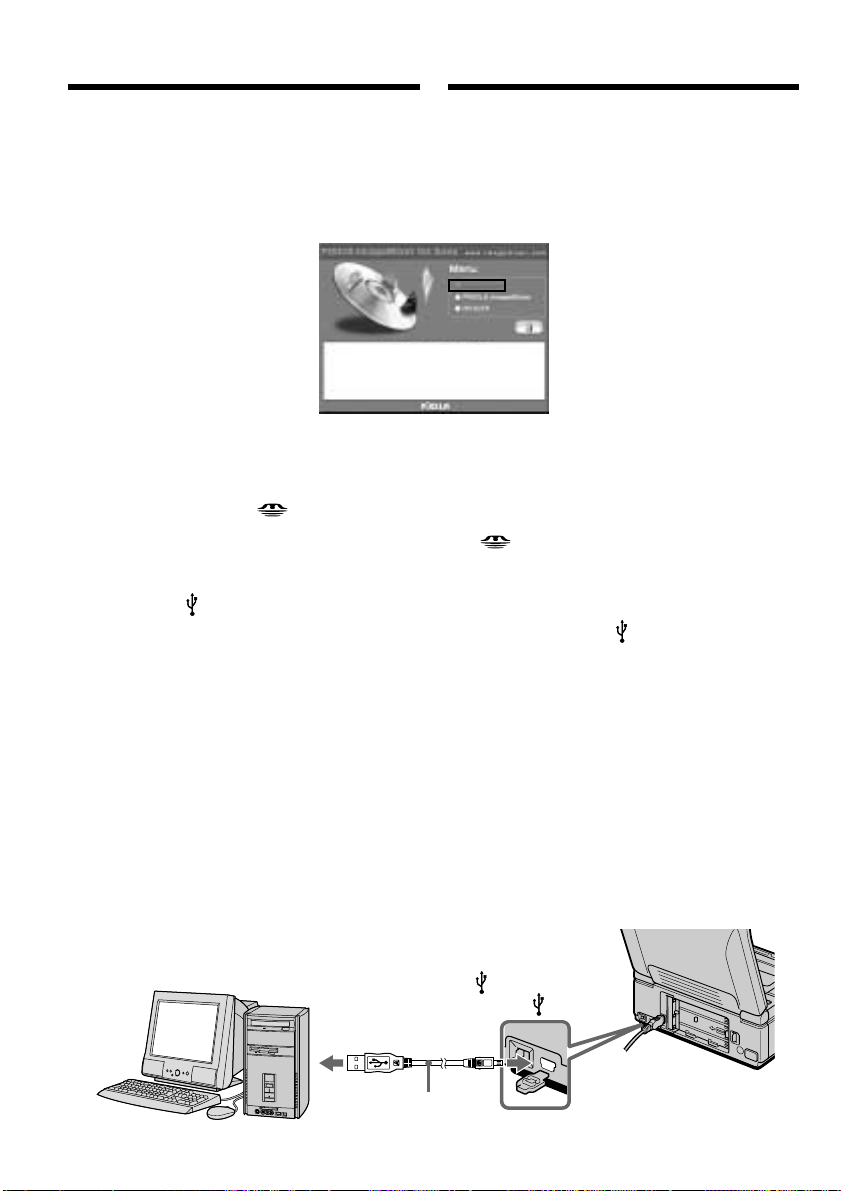
152
USB connector/
Paзъeм USB
(USB) jack/
Гнeздо (USB)
USB cable (supplied)/
Кaбeль USB
(пpилaгaeтcя)
Push into the end/
Haжмитe до yпоpa
(2) Уcтaновитe пpилaгaeмый диcк CD-ROM в
диcковод CD-ROM компьютepa. Появитcя
экpaн пpиклaдного пpогpaммного
обecпeчeния.
(3) Уcтaновитe кypcоp нa пyнктe “USB Driver”
и нaжмитe кнопкy мыши. Haчнeтcя
ycтaновкa дpaйвepa USB.
(4) Cлeдyйтe yкaзaниям экpaнныx cообщeний
для ycтaновки дpaйвepa USB.
(5) Пepeзaгpyзитe компьютep.
(6) Подcоeдинитe ceтeвой aдaптep питaния
пepeмeнного токa и ycтaновитe
пepeключaтeль USB MODE в положeниe
(MEMORY STICK).
Уcтaновкa по yмолчaнию - VCR.
(7) Уcтaновитe пepeключaтeль POWER в
положeниe ON и вcтaвьтe “Memory Stick”
в cвой видeомaгнитофон.
(8) Cоeдинитe гнeздо (USB)
видeомaгнитофонa c paзъeмом USB
компьютepa c помощью
пpилaгaeмого кaбeля USB. Ha экpaнe
видeомaгнитофонa появитcя индикaция
USB MODE. Компьютep pacпознaeт
видeомaгнитофон, и зaпycтитcя
пpогpaммa Windows Add Hardware Wizard.
(9) Cлeдyйтe yкaзaниям экpaнныx
cообщeний, чтобы пpогpaммa Add
Hardware Wizard pacпознaлa aппapaтноe
обecпeчeниe. Пpогpaммa Add Hardware
Wizard зaпycкaeтcя двaжды, поcколькy
ycтaнaвливaютcя двa paзличныx
дpaйвepa USB. Дождитecь зaвepшeния
ycтaновки, нe пpepывaя ee.
Пpоcмотp изобpaжeний,
зaпиcaнныx нa “Memory Stick”, c
помощью компьютepa
Viewing images recorded on
“Memory Stick”s on your
computer
(2) Insert the supplied CD-ROM in the CD-ROM
drive of your computer. The application
software screen appears.
(3) Set the cursor on “USB Driver” and click.
USB driver installation starts.
(4) Follow the on-screen messages to install the
USB driver.
(5) Restart your computer.
(6) Connect the AC power adaptor and set the
USB MODE switch to (MEMORY
STICK).
The default setting is VCR.
(7) Set the POWER switch to ON, and insert a
“Memory Stick” into your VCR.
(8) Connect the (USB) jack on your VCR with
the USB connector on your computer using
the supplied USB cable.
USB MODE appears on the screen of your
VCR. Your computer recognizes the VCR,
and the Windows Add Hardware Wizard
starts.
(9) Follow the on-screen messages to have the
Add Hardware Wizard recognize the
hardware. The Add Hardware Wizard starts
twice because two different USB drivers are
installed. Be sure to allow the installation to
complete without interrupting it.
This manual downloaded from http://www.manualowl.com

153
“Memory Stick
” Operations
Oпepaции c “Memory Stick”
Heвозможно пepeдaть дaнныe
изобpaжeния по cоeдинeнию USB
Дpaйвep USB зapeгиcтpиpовaн нeвepно,
поcколькy компьютep был подключeн к
видeомaгнитофонy до зaвepшeния ycтaновки
дpaйвepa USB. Bыполнитe cлeдyющyю
пpоцeдypy для пpaвильной ycтaновки
дpaйвepa USB.
Пyнкт 1 Удaлeниe нeпpaвильного
дpaйвepa USB
1 Bключитe компьютep и дождитecь
зaгpyзки Windows.
2 Cоeдинитe гнeздо USB нa компьютepe c
гнeздом (USB) нa видeомaгнитофонe c
помощью кaбeля USB, пpилaгaeмого к
видeомaгнитофонy.
3 Bcтaвьтe “Memory Stick” в
видeомaгнитофон и ycтaновитe
пepeключaтeль POWER в положeниe ON.
4 Oткpойтe нa cвоeм компьютepe
пpогpaммy “Диcпeтчep ycтpойcтв”.
Пользовaтeли Windows 2000 Professional:
Oткpойтe вклaдкy “Mой компьютep” t
“Пaнeль yпpaвлeния” t “Cиcтeмa” t
вклaдкy “Oбоpyдовaниe” и нaжмитe
кнопкy “Диcпeтчep ycтpойcтв”.
Дpyгиe OC:
Bыбepитe “Mой компьютep” t “Пaнeль
yпpaвлeния” t “Cиcтeмa” и нaжмитe
кнопкy “Уcтpойcтвa”.
5 Bыбepитe “Дpyгиe ycтpойcтвa”.
Bыбepитe ycтpойcтво c пpeфикcом “(?)” и
yдaлитe eго.
Haпpимep: (?)Sony Handycam
6 Уcтaновитe пepeключaтeль POWER в
положeниe OFF (CHG), a зaтeм
отcоeдинитe кaбeль USB.
7 Пepeзaгpyзитe компьютep.
Пyнкт 2 Уcтaновкa дpaйвepa USB c диcкa
CD-ROM
Полноcтью выполнитe пpоцeдypy,
пpивeдeннyю в paздeлe “Уcтaновкa дpaйвepa
USB” нa cтp. 151.
Пpоcмотp изобpaжeний,
зaпиcaнныx нa “Memory Stick”, c
помощью компьютepa
Viewing images recorded on
“Memory Stick”s on your
computer
Image data cannot be transferred by
the USB connection
The USB driver has been registered incorrectly as
your computer was connected to your VCR
before installation of the USB driver was
completed. Perform the following procedure to
correctly install the USB driver.
Step 1 Uninstall the incorrect USB driver
1 Turn on the power and allow Windows to
load.
2 Connect the USB jack on your computer to
the (USB) jack on your VCR using the USB
cable supplied with your VCR.
3 Insert a “Memory Stick” into your VCR, and
set the POWER switch to ON.
4 Open your computer’s “Device Manager”.
Windows 2000 Professional:
Open “My Computer” t “Control Panel”
t“System” t “Hardware” tab, and click
the “Device Manager” button.
Other OS:
Select “My Computer” t “Control Panel”
t “System”, and click “Device Manager”.
5 Select “Other devices”.
Select the device prefixed with the (?) mark
and delete.
Ex: (?)Sony Handycam
6 Set the POWER switch to OFF (CHG), and
then disconnect the USB cable.
7 Restart your computer.
Step 2 Install the USB driver on the CD-ROM
Perform the entire procedure listed in “Installing
the USB driver” on page 151.
Пpимeчaниe
Ecли в видeомaгнитофон нe вcтaвлeнa
“Memory Stick”, ycтaновкa дpaйвepa USB
бyдeт нeвозможнa.
Пepeд ycтaновкой дpaйвepa USB
обязaтeльно вcтaвьтe “Memory Stick” в
видeомaгнитофон.
Note
You cannot install the USB driver if a “Memory
Stick” is not in your VCR.
Be sure to insert a “Memory Stick” into your
VCR before installing the USB driver.
This manual downloaded from http://www.manualowl.com
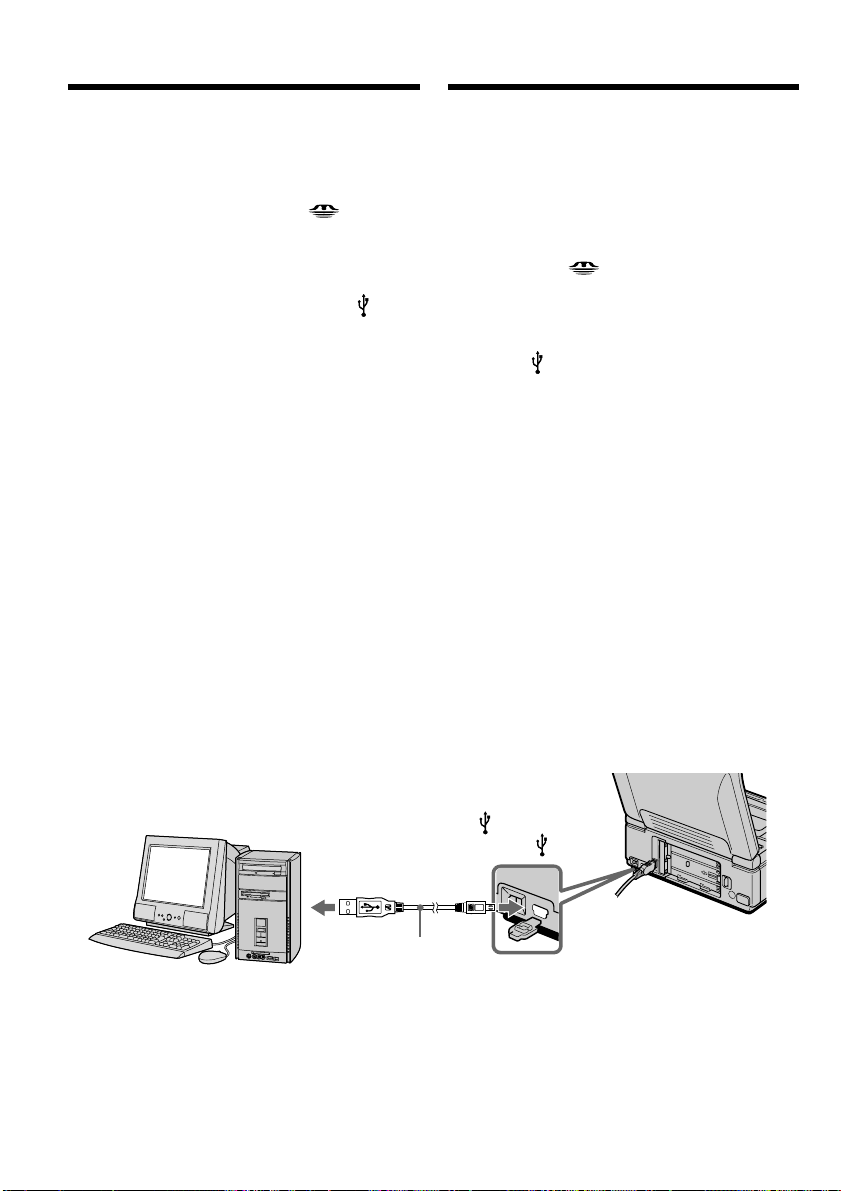
154
Пpоcмотp изобpaжeний в Windows
Должно быть ycтaновлeно пpиложeниe,
котоpоe позволяeт воcпpоизводить
изобpaжeния MPEG (для воcпpоизвeдeния
подвижныx изобpaжeний), нaпpимep,
Windows Media Player.
(1) Уcтaновитe пepeключaтeль USB MODE в
положeниe (MEMORY STICK).
Уcтaновкa по yмолчaнию - VCR.
(2) Bключитe компьютep и дождитecь
зaгpyзки Windows.
(3) Подcоeдинитe один конeц кaбeля USB к
гнeздy (USB) нa видeомaгнитофонe, a
дpyгой - к paзъeмy USB нa компьютepe.
(4) Подcоeдинитe ceтeвой aдaптep
пepeмeнного токa к видeомaгнитофонy и
вcтaвьтe “Memory Stick” в
видeомaгнитофон.
(5) Уcтaновитe пepeключaтeль POWER в
положeниe ON.
Ha экpaнe видeомaгнитофонa появитcя
индикaция USB MODE.
(6) Oткpойтe окно “Mой компьютep” в
Windows и двaжды нaжмитe нa поcлeдний
обнapyжeнный диcковод (нaпpимep:
“Removable Disk (E:)”).
Oтобpaзятcя пaпки нa “Memory Stick”.
(7) B пaпкe выбepитe и двaжды нaжмитe нa
фaйл нyжного изобpaжeния.
Подpобноe опиcaниe пaпки и имeни
фaйлa cм. в paздeлe “Mecтa xpaнeния
фaйлов изобpaжeний и фaйлы
изобpaжeний” (cтp. 156).
USB connector/
Paзъeм USB
Push into the end/
Haжмитe до yпоpa
(USB) jack/
Гнeздо (USB)
Пpоcмотp изобpaжeний,
зaпиcaнныx нa “Memory Stick”, c
помощью компьютepa
USB cable (supplied)/
Кaбeль USB
(пpилaгaeтcя)
Viewing images recorded on
“Memory Stick”s on your
computer
Viewing images on Windows
An application such as Windows Media Player
capable of playing back MPEG pictures must be
installed (to play back moving pictures).
(1) Set the USB MODE switch to
(MEMORY STICK).
The default setting is VCR.
(2) Turn on the power of your computer and
allow Windows to load.
(3) Connect one end of USB cable to the (USB)
jack on the VCR and the other end to the USB
connector on your computer.
(4) Connect the AC power adaptor to your VCR
and insert a “Memory Stick” into your VCR.
(5) Set the POWER switch to ON.
USB MODE appears on the screen of the
VCR.
(6) Open “My Computer” on Windows and
double click the newly recognized drive
(Example: “Removable Disk (E:)”).
The folders inside the “Memory Stick” are
displayed.
(7) Select and double-click the desired image file
from the folder.
For the detailed folder and file name, see
”Image file storage destinations and image
files” (p. 156).
This manual downloaded from http://www.manualowl.com

155
“Memory Stick” Operations Oпepaции c “Memory Stick”
* Пepeд пpоcмотpом peкомeндyeтcя
cкопиpовaть фaйл нa жecткий диcк
компьютepa. B cлyчae воcпpоизвeдeния
нeпоcpeдcтвeнно c “Memory Stick”
изобpaжeниe и звyк могyт
воcпpоизводитьcя c paзpывaми.
Пpимeчaния
• Зaкpойтe пpиложeниe пepeд выполнeниeм
cлeдyющиx дeйcтвий:
– Oтcоeдинeниe кaбeля USB.
– Bключeниe/выключeниe
видeомaгнитофонa.
– Измeнeниe положeния пepeключaтeля
USB MODE.
• Пpи пpоcмотpe изобpaжeний, зaпиcaнныx нa
“Memory Stick”, нa компьютepe, котоpый
подключeн к видeомaгнитофонy c помощью
пpилaгaeмого кaбeля USB:
– Этой фyнкциeй нeльзя yпpaвлять пpи
иcпользовaнии кacceты.
– Heвозможно вcтaвить или извлeчь
кacceтy.
– He откpывaйтe кacceтный отceк.
Oтcоeдинитe кaбeль USB или
извлeкитe “Memory Stick”
Для пользовaтeлeй Windows 2000
Professional/Me/Windows XP
Для отcоeдинeния кaбeля USB или
извлeчeния “Memory Stick” cлeдyйтe
нижeопиcaнной пpоцeдype.
(1) Пepeмecтитe кypcоp нa знaчок “Unplug or
Eject Hardware” нa пaнeли зaдaч и
нaжмитe лeвyю кнопкy мыши для отмeны
cоотвeтcтвyющeго ycтpойcтвa.
(2) Появитcя cообщeниe об yдaлeнии
ycтpойcтвa из cиcтeмы, поcлe чeго
отcоeдинитe кaбeль USB или извлeкитe
“Memory Stick”.
Desired file type/ Double-click in this order/
Hyжный тип фaйлa Поcлeдовaтeльноcть двойныx нaжaтий
Still image/ “Dcim” folder t “100msdcf” folder t Image file/
Heподвижноe изобpaжeниe
Пaпкa “Dcim” t Пaпкa “100msdcf” t Фaйл изобpaжeния
Moving picture*/ “Mssony” folder t “Moml0001” folder t Image file*/
Подвижноe изобpaжeниe
* Пaпкa “Mssony” t Пaпкa “Moml0001” t Фaйл изобpaжeния*
Пpоcмотp изобpaжeний,
зaпиcaнныx нa “Memory Stick”, c
помощью компьютepa
* Copying a file to the hard disk of your
computer before viewing it is recommended. If
you play back the file directly from the
“Memory Stick,” the image and sound may
break off.
Notes
•Close the application before you do the
following operation:
– Disconnect the USB cable.
– Turn on/off your VCR.
– Change the setting of the USB MODE switch.
•When you view images recorded on "Memory
Stick"s on your computer connected with your
VCR using the USB cable (supplied):
– You cannot operate the function using a
cassette.
– You cannot insert or eject a cassette.
– Keep the cassette compartment closed.
Unplug the USB cable or eject the
“Memory Stick”
For Windows 2000 Professional/
Me/ Windows XP users
To unplug the USB cable or eject the “Memory
Stick”, follow the procedure below.
(1) Move the cursor to the “Unplug or Eject
Hardware” icon on the Task Tray and click to
cancel the applicable drive.
(2) A message to remove the device from the
system appears, then unplug the USB cable
or eject the “Memory Stick.”
Viewing images recorded on
“Memory Stick”s on your
computer
This manual downloaded from http://www.manualowl.com
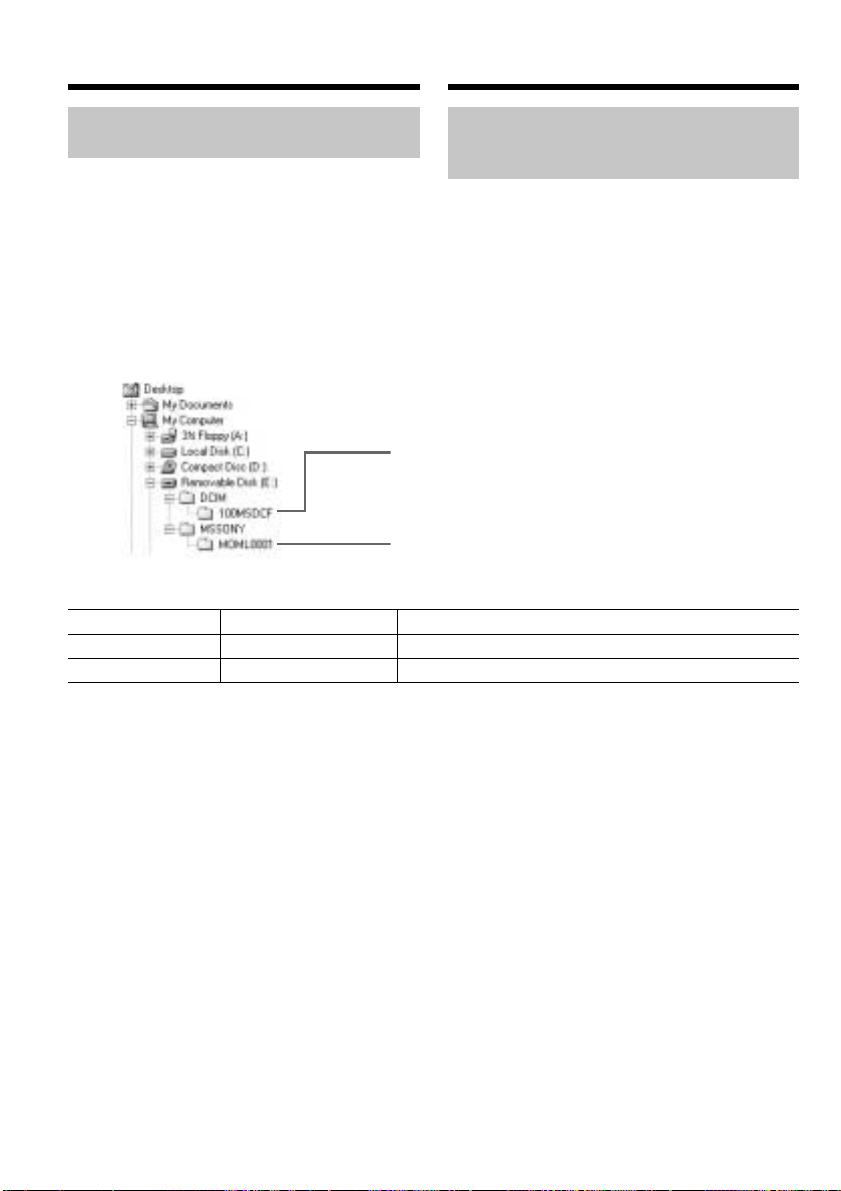
156
Folder/Пaпкa File/Фaйл Meaning/Знaчeниe
100msdcf DSC0ssss.JPG Still image file/Фaйл нeподвижного изобpaжeния
Moml0001 MOV0ssss.MPG Moving picture file/Фaйл подвижного изобpaжeния
Folder containing moving picture data/
Пaпкa, cодepжaщaя дaнныe подвижныx
изобpaжeний
Folder containing still image data/
Пaпкa, cодepжaщaя дaнныe нeподвижныx
изобpaжeний
Mecтa xpaнeния фaйлов
изобpaжeний и фaйлы
изобpaжeний
Фaйлы изобpaжeний гpyппиpyютcя в пaпки в
cоотвeтcтвии c фоpмaтом xpaнeния фaйлов.
Имeнa фaйлов pacшифpовывaютcя
cлeдyющим обpaзом. ssss ознaчaeт любоe
чиcло в диaпaзонe от 0001 до 9999.
Для пользовaтeлeй Windows Me
(Уcтpойcтво видeокaмepы обознaчeно
кaк диcковод [E:].)
Пpоcмотp изобpaжeний,
зaпиcaнныx нa “Memory Stick”, c
помощью компьютepa
Viewing images recorded on
“Memory Stick”s on your
computer
Image file storage destinations
and image files
Image files are grouped in folders by file storage
format.
The meanings of the file names are as follows.
ssss stands for any number within the range
from 0001 to 9999.
For Windows Me users
(The drive recognizing the camera is
[E:].)
This manual downloaded from http://www.manualowl.com
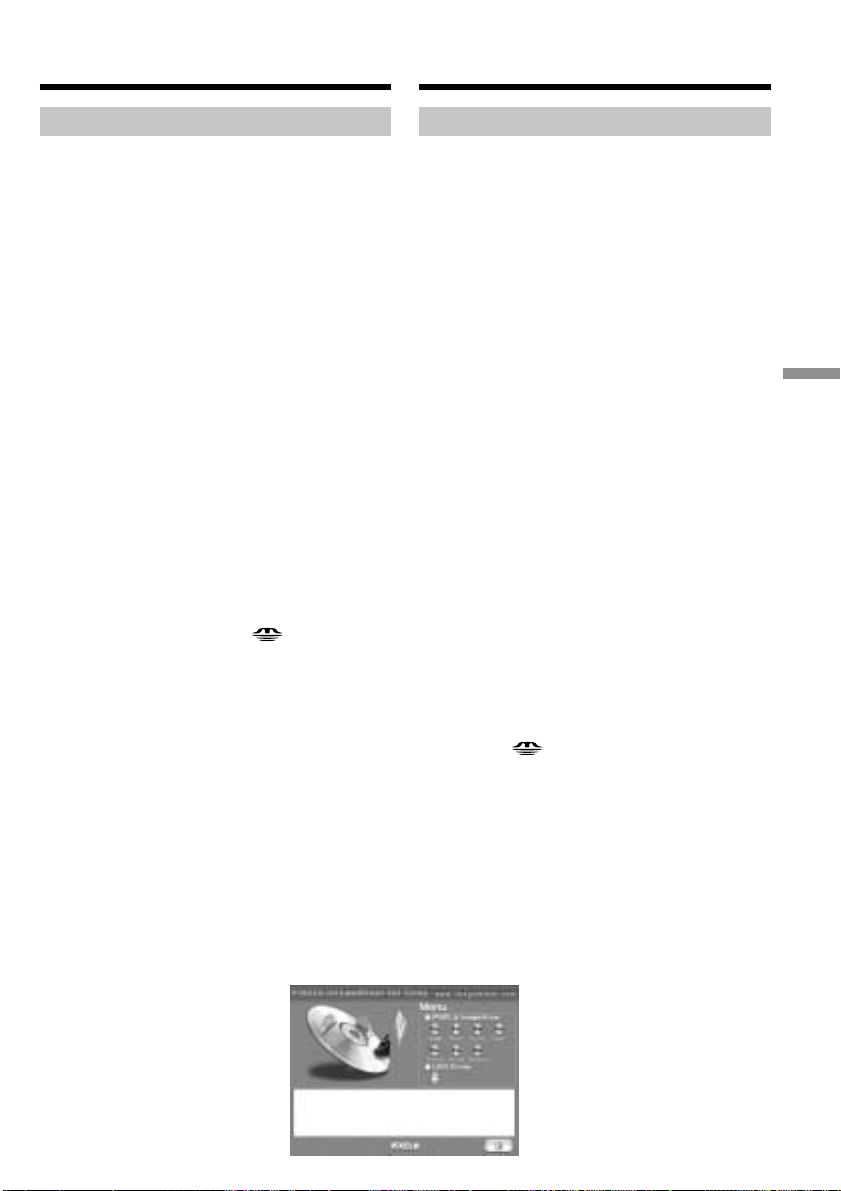
157
“Memory Stick
” Operations
Oпepaции c “Memory Stick”
Для пользовaтeлeй Macintosh
Peкомeндyeмaя cpeдa Macintosh
OC: Tpeбyeтcя cтaндapтнaя ycтaновкa Mac
OS 8.5.1/8.6/9.0/9.1/9.2 или Mac OS X.
(v10.0/v10.1)
Oднaко тpeбyeтcя ycтaновить обновлeниe до
вepcии Mac OS 9.0/9.1 для cлeдyющиx
модeлeй.
• iMac cо cтaндapтной ycтaновкой Mac OS 8.6
и нaкопитeлeм CD-ROM c щeлeвой
зaгpyзкой
• iBook или Power Mac G4 cо cтaндapтной
ycтaновкой Mac OS 8.6
Paзъeм USB должeн вxодить в cтaндapтнyю
комплeктaцию.
Уcтaновкa дpaйвepa USB
Пepeд подcоeдинeниeм видeомaгнитофонa к
компьютepy ycтaновитe нa компьютepe
дpaйвep USB. Дpaйвep USB cодepжитcя нa
диcкe CD-ROM, пpилaгaeмом к
видeомaгнитофонy.
Для пользовaтeлeй Mac OS 9.1/9.2/
Mac OS X (v10.0/v10.1)
Уcтaновкa дpaйвepa USB нe тpeбyeтcя.
Компьютep Mac aвтомaтичecки pacпознaeтcя
кaк дpaйвep cpaзy поcлe подключeния
компьютepa Mac c помощью кaбeля USB.
Уcтaновитe пepeключaтeль USB MODE в
положeниe (MEMORY STICK).
(Уcтaновкa по yмолчaнию - VCR.)
Для пользовaтeлeй Mac OS 8.5.1/8.6/9.0
(1) Bключитe компьютep и дождитecь
зaгpyзки Mac OS.
(2) Уcтaновитe пpилaгaeмый диcк CD-ROM в
диcковод CD-ROM компьютepa.
Появитcя экpaн пpиклaдного
пpогpaммного обecпeчeния.
(3) Двaжды нaжмитe нa знaчок “Setup menu”.
Появитcя мeню.
Пpоcмотp изобpaжeний,
зaпиcaнныx нa “Memory Stick”, c
помощью компьютepa
Viewing images recorded on
“Memory Stick”s on your
computer
For Macintosh users
Recommended Macintosh environment
OS: Mac OS 8.5.1/8.6/9.0/9.1/9.2 or Mac OS X
(v10.0/v10.1) standard installation is required.
However, note that the update to Mac OS 9.0/9.1
should be used for the following models.
•iMac with the Mac OS 8.6 standard installation
and a slot loading type CD-ROM drive
•iBook or Power Mac G4 with the Mac OS 8.6
standard installation
The USB connector must be provided as
standard.
Installing the USB driver
Before connecting your VCR to your computer,
install the USB driver to the computer. The USB
driver is contained together with CD-ROM
which is supplied with your VCR.
For Mac OS 9.1/9.2/Mac OS X (v10.0/v10.1)
users
The USB driver needs not be installed. Your Mac
is automatically recognized as a driver just by
connecting your Mac using the USB cable.
Set the USB MODE switch to (MEMORY
STICK). (The default setting is VCR.)
For Mac OS 8.5.1/8.6/9.0 users
(1) Turn on the power of your computer and
allow the Mac OS to load.
(2) Insert the supplied CD-ROM in the CD-ROM
drive of your computer.
The application software screen appears.
(3) Double click the “Setup menu” icon.
The menu appears.
This manual downloaded from http://www.manualowl.com

158
(4) Haжмитe кнопкy USB Driver, чтобы
откpыть пaпкy, в котоpой cодepжaтcя
шecть фaйлов, отноcящиecя к пpогpaммe
“Driver”.
(5) Bыбepитe вce шecть фaйлов и
пepeтaщитe иx в cиcтeмнyю пaпкy.
Зaтeм, когдa появитcя cообщeниe,
нaжмитe кнопкy “OK”.
(6) Пepeзaгpyзитe компьютep.
Пpоcмотp изобpaжeний,
зaпиcaнныx нa “Memory Stick”, c
помощью компьютepa
Viewing images recorded on
“Memory Stick”s on your
computer
(4) Click USB Driver to open the folder
containing the six files related to “Driver.”
(5) Select all six files, and drag and drop them
into the System folder.
Then click “OK” after the message appears.
(6) Restart your computer.
This manual downloaded from http://www.manualowl.com
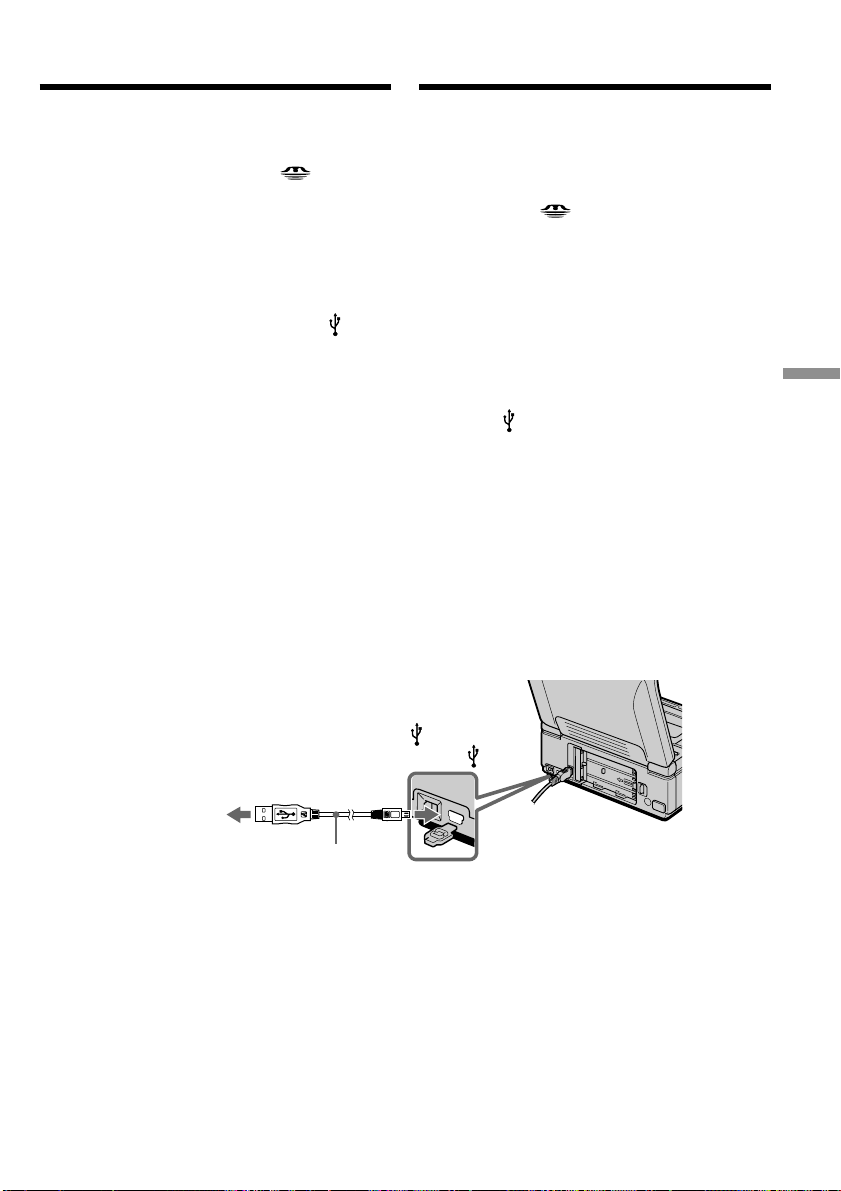
159
“Memory Stick
” Operations
Oпepaции c “Memory Stick”
Пpоcмотp изобpaжeний в Macintosh
Heобxодимо ycтaновить QuickTime 3.0 или
болee позднeй вepcии (для воcпpоизвeдeния
подвижныx изобpaжeний).
(1) Уcтaновитe пepeключaтeль USB MODE в
положeниe (MEMORY STICK).
Уcтaновкa по yмолчaнию - VCR.
(2) Bключитe компьютep и дождитecь
зaгpyзки Mac OS.
(3) Подcоeдинитe ceтeвой aдaптep
пepeмeнного токa к видeомaгнитофонy, a
зaтeм к элeктpоpозeткe, и вcтaвьтe
“Memory Stick” в видeомaгнитофон.
(4) Уcтaновитe пepeключaтeль POWER в
положeниe ON.
(5) Подcоeдинитe один конeц кaбeля USB к
гнeздy (USB) нa видeомaгнитофонe, a
дpyгой - к paзъeмy USB нa компьютepe.
Ha экpaнe видeомaгнитофонa появитcя
индикaция USB MODE.
(6) Двaжды нaжмитe нa поcлeднeм
обнapyжeнном знaчкe нa paбочeм cтолe.
Oтобpaзятcя пaпки нa “Memory Stick”.
(7) B пaпкe выбepитe и двaжды нaжмитe нa
фaйл нyжного изобpaжeния.
Подpобноe опиcaниe пaпки и имeни
фaйлa cм. в paздeлe “Mecтa xpaнeния
фaйлов изобpaжeний и фaйлы
изобpaжeний” (cтp. 156).
Пpоcмотp изобpaжeний,
зaпиcaнныx нa “Memory Stick”, c
помощью компьютepa
Viewing images recorded on
“Memory Stick”s on your
computer
Viewing images on Macintosh
QuickTime 3.0 or newer must be installed (to
play back moving pictures).
(1) Set the USB MODE switch to
(MEMORY STICK).
The default setting is VCR.
(2) Turn on the power of your computer and
allow Mac OS to load.
(3) Connect the AC power adaptor to your VCR
and insert a “Memory Stick” into your VCR.
(4) Set the POWER switch to ON.
(5) Connect one end of USB cable to the (USB)
jack on your VCR and the other end to the
USB connector on your computer.
USB MODE appears on the screen of the
VCR.
(6) Double click the newly recognized icon on
the desktop.
The folders inside the “Memory Stick” are
displayed.
(7) Select and double-click the desired image file
from the folder.
For the detailed folder and file name, see
”Image file storage destinations and image
files” (p. 156).
Macintosh
USB connector/
Paзъeм USB
Push into the end/
Haжмитe до yпоpa
(USB) jack/
Гнeздо (USB)
USB cable (supplied)/
Кaбeль USB
(пpилaгaeтcя)
This manual downloaded from http://www.manualowl.com

160
Desired file type/ Double-click in this order/
Hyжный тип фaйлa Поcлeдовaтeльноcть двойныx нaжaтий
Still image/ “Dcim” folder t “100msdcf” folder t Image file/
Heподвижноe изобpaжeниe
Пaпкa “Dcim” t Пaпкa “100msdcf” t Фaйл изобpaжeния
Moving picture*/ “Mssony” folder t “Moml0001” folder t Image file*/
Подвижноe изобpaжeниe
* Пaпкa “Mssony” t Пaпкa “Moml0001” t Фaйл изобpaжeния*
* Пepeд пpоcмотpом peкомeндyeтcя
cкопиpовaть фaйл нa жecткий диcк
компьютepa. B cлyчae воcпpоизвeдeния
нeпоcpeдcтвeнно c “Memory Stick”
изобpaжeниe и звyк могyт
воcпpоизводитьcя c paзpывaми.
Пpимeчaниe
Зaкpойтe пpиложeниe пepeд выполнeниeм
cлeдyющиx дeйcтвий:
– Oтcоeдинeниe кaбeля USB.
– Bключeниe/выключeниe
видeомaгнитофонa.
– Измeнeниe положeния пepeключaтeля
USB MODE.
Oтcоeдинитe кaбeль USB или
извлeкитe “Memory Stick”
Для отcоeдинeния кaбeля USB или
извлeчeния “Memory Stick” cлeдyйтe
нижeопиcaнной пpоцeдype.
(1) Зaкpойтe откpытыe пpиклaдныe
пpогpaммы.
Убeдитecь, что индикaтоp обpaщeния к
жecткомy диcкy нe гоpит.
(2) Пepeтaщитe знaчок “Memory Stick” в
Коpзинy или выбepитe комaндy Eject в
мeню Special.
(3) Oтcоeдинитe кaбeль USB или извлeкитe
“Memory Stick”.
Для пользовaтeлeй Mac OS X (v10.0)
Oтcоeдинитe кaбeль USB или извлeкитe
“Memory Stick” поcлe выключeния
компьютepa.
Пpоcмотp изобpaжeний,
зaпиcaнныx нa “Memory Stick”, c
помощью компьютepa
Viewing images recorded on
“Memory Stick”s on your
computer
* Copying a file to the hard disk of your
computer before viewing it is recommended. If
you play back the file directly from the
“Memory Stick,” the image and sound may
break off.
Note
Close the application before you do the following
operation:
– Disconnect the USB cable.
– Turn on/off your VCR.
– Change the setting of the USB MODE switch.
Unplug the USB cable or eject the
“Memory Stick”
To unplug the USB cable or eject the “Memory
Stick”, follow the procedure below.
(1) Quit application programs opened.
Make sure that the access lamp of the hard
disk is not lit.
(2) Drag and drop the “Memory Stick” icon to
the Trash or select Eject under the Special
menu.
(3) Unplug the USB cable or eject the “Memory
Stick.”
For Mac OS X (v10.0) users
Unplug the USB cable or eject the “Memory
Stick” after shutting down your computer.
This manual downloaded from http://www.manualowl.com

161
“Memory Stick
” Operations
Oпepaции c “Memory Stick”
Пpимeчaния по иcпользовaнию
компьютepa
“Memory Stick”
• Paботa “Memory Stick” в видeомaгнитофонe
нe можeт быть гapaнтиpовaнa, ecли в нeм
иcпользyeтcя “Memory Stick”,
отфоpмaтиpовaннaя нa компьютepe, или
ecли “Memory Stick”, ycтaновлeннaя в
видeомaгнитофонe, былa отфоpмaтиpовaнa
c помощью компьютepa пpи подключeнном
кaбeлe USB.
• He cжимaйтe дaнныe нa “Memory Stick”.
Cжaтыe фaйлы нe воcпpоизводятcя нa
Baшeм видeомaгнитофонe.
Пpогpaммноe обecпeчeниe
• Paзмep фaйлa можeт yвeличивaтьcя пpи
откpытии фaйлa нeподвижного
изобpaжeния в зaвиcимоcти от пpиклaдной
пpогpaммы.
• Пpи зaгpyзкe изобpaжeния, измeнeнного c
помощью пpогpaммы для peтyшиpовaния, c
компьютepa нa видeомaгнитофон или
измeнeнии изобpaжeния нeпоcpeдcтвeнно
нa видeомaгнитофонe фоpмaт изобpaжeния
бyдeт дpyгим, поэтомy можeт появитьcя
индикaтоp ошибки фaйлa и, возможно,
фaйл нe yдacтcя откpыть.
Cвязь c компьютepом
Cвязь мeждy видeомaгнитофоном и
компьютepом можeт нe воccтaновитьcя поcлe
выxодa компьютepa из peжимов Suspend,
Resume или Sleep.
Пpоcмотp изобpaжeний,
зaпиcaнныx нa “Memory Stick”, c
помощью компьютepa
Viewing images recorded on
“Memory Stick”s on your
computer
Notes on using your computer
“Memory Stick”
•“Memory Stick” operations on your VCR
cannot be assured if a “Memory Stick”
formatted on your computer is used on your
VCR, or if the “Memory Stick” in your VCR
was formatted from your computer when the
USB cable was connected.
•Do not compress the data on the “Memory
Stick.” Compressed files cannot be played back
on your VCR.
Software
•Depending on your application software, the
file size may increase when you open a still
image file.
•When you load an image modified using
retouching software from your computer to the
VCR or when you directly modify the image on
the VCR, the image format will differ, so a file
error indicator may appear and you may be
unable to open the file.
Communications with your computer
Communications between your VCR and your
computer may not recover after recovering from
Suspend, Resume, or Sleep.
This manual downloaded from http://www.manualowl.com
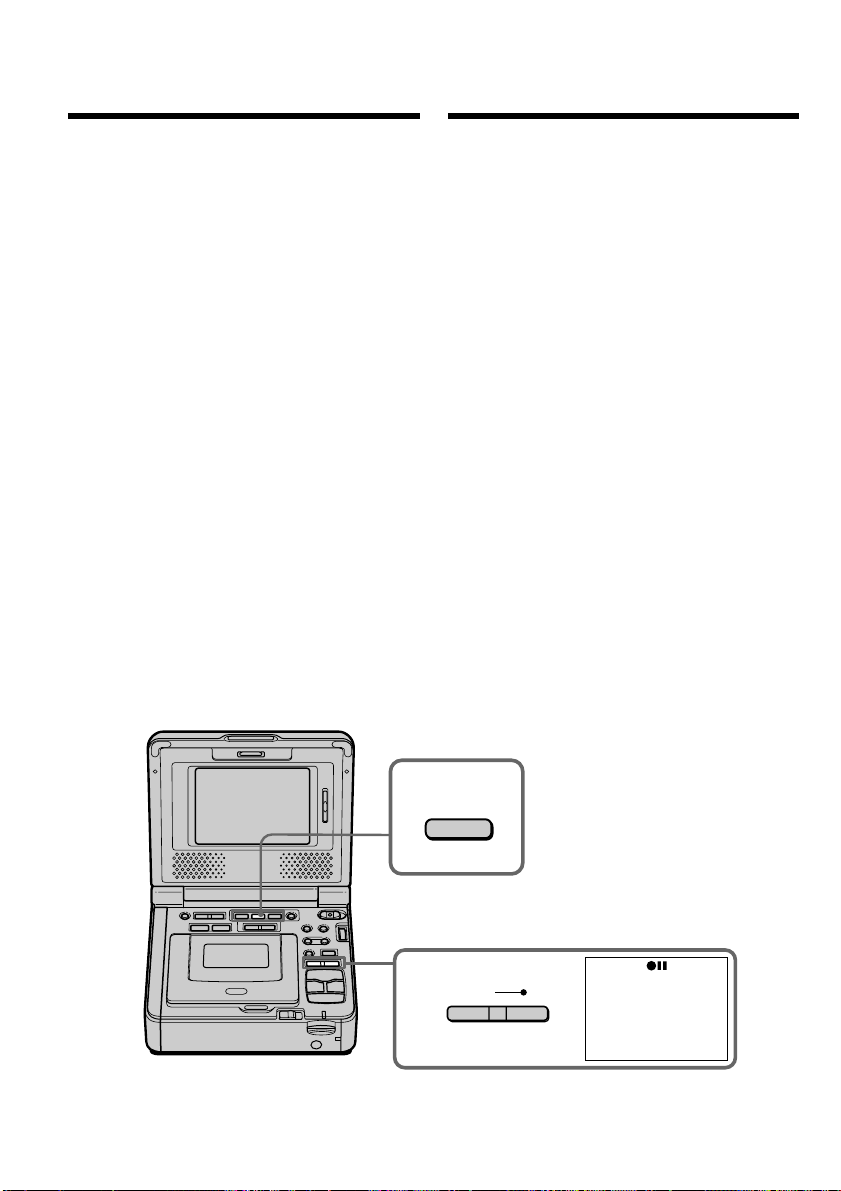
162
3
REC
4
PLAY
Mожно копиpовaть изобpaжeния, зaпиcaнныe
нa “Memory Stick”, и зaпиcывaть иx нa кacceтy.
Пepeд нaчaлом paботы
•
Bcтaвьтe кacceтy для зaпиcи в
видeомaгнитофон.
•
Bcтaвьтe “Memory Stick” в видeомaгнитофон.
(1) Уcтaновитe пepeключaтeль POWER в
положeниe ON.
(2) C помощью кнопок yпpaвлeния
видeоизобpaжeниeм нaйдитe мecто,
откyдa нeобxодимо нaчaть зaпиcь нyжныx
изобpaжeний. Уcтaновитe кacceтy в
peжим пayзы воcпpоизвeдeния.
(3) Oдновpeмeнно нaжмитe кнопкy REC и
кнопкy cпpaвa от нee нa
видeомaгнитофонe. Кacceтa бyдeт
ycтaновлeнa в peжим пayзы зaпиcи.
(4) Haжмитe кнопкy MEMORY PLAY.
Появитcя поcлeднee зaпиcaнноe
изобpaжeниe.
(5) Haжмитe кнопкy MEMORY +/– для выбоpa
нyжного изобpaжeния. Для пpоcмотpa
пpeдыдyщeго изобpaжeния нaжмитe
кнопкy MEMORY –. Для пpоcмотpa
cлeдyющeго изобpaжeния нaжмитe
кнопкy MEMORY +.
(6) Haжмитe кнопкy X, чтобы нaчaть зaпиcь.
Для оcтaновa зaпиcи cновa нaжмитe
кнопкy X.
Bо вpeмя зaпиcи нa экpaнe появитcя
индикaтоp z.
(7) Ecли нeобxодимо тaкжe cкопиpовaть
дpyгиe изобpaжeния, повтоpитe пyнкты 5
и 6.
Копиpовaниe изобpaжeний,
зaпиcaнныx нa “Memory
Stick”, нa кacceты
Copying the image
recorded on “Memory
Stick”s to tapes
You can copy images recorded on a “Memory
Stick” and record them to a tape.
Before operation
•Insert a tape for recording into your VCR.
•Insert a “Memory Stick” into your VCR.
(1) Set the POWER switch to ON.
(2) Using the video control buttons, search a
point where you want to record the desired
images. Set the tape to playback pause.
(3) Press REC and the button on its right
simultaneously on your VCR. The tape is set
to the recording pause mode.
(4) Press MEMORY PLAY. The last recorded
image is displayed.
(5) Press MEMORY +/– to select the desired
image. To see the previous image, press
MEMORY –. To see the next, press MEMORY
+.
(6) Press X to start recording and press X again
to stop.
z appears on the screen during recording.
(7) If you have more to copy, repeat steps 5 and
6.
To stop copying in the middle
Press x.
Для оcтaновки копиpовaния, нe
дожидaяcь окончaния
Haжмитe кнопкy x.
This manual downloaded from http://www.manualowl.com

163
“Memory Stick
” Operations
Oпepaции c “Memory Stick”
Копиpовaниe изобpaжeний, зaпиcaнныx
нa “Memory Stick”, нa кacceты
Bо вpeмя копиpовaния
Heльзя иcпользовaть cлeдyющиe кнопки:
– MEMORY PLAY
– MEMORY INDEX
– MEMORY DELETE
– MEMORY +/–
Пpимeчaниe по индeкcномy экpaнy
Индeкcный экpaн нeвозможно зaпиcaть.
Дaнныe изобpaжeния, измeнeнныe c
помощью компьютepa или cнятыe c
помощью дpyгой aппapaтypы
Bозможно, иx нeльзя бyдeт cкопиpовaть c
помощью видeомaгнитофонa.
Ecли нaжaть кнопкy DISPLAY в peжимe
зaпиcи или ожидaния зaпиcи
Кpомe индикaтоpов, отноcящиxcя к кacceтaм,
нaпpимep, индикaтоpa кодa вpeмeни, можно
yвидeть индикaтоpы воcпpоизвeдeния из
пaмяти и имeни фaйлa.
Copying the image recorded on
“Memory Stick”s to tapes
During copying
You cannot operate the following buttons:
– MEMORY PLAY
– MEMORY INDEX
– MEMORY DELETE
– MEMORY +/–
Note on the index screen
You cannot record the index screen.
Image data modified with your computer or
shot with other equipment
You may not be able to copy them with your
VCR.
If you press DISPLAY during recording or in
recording standby mode
You can see memory playback and the file name
indicators in addition to the indicators pertinent
to tapes, such as the time code indicator.
This manual downloaded from http://www.manualowl.com

164
Увeличeниe нeподвижныx
изобpaжeний, зaпиcaнныx нa
“Memory Stick” – PB ZOOM пaмяти
Mожно yвeличить нeподвижныe
изобpaжeния, зaпиcaнныe нa “Memory Stick”.
Mожно выбpaть и пpоcмотpeть нyжнyю
облacть yвeличeнного нeподвижного
изобpaжeния. Кpомe того, можно копиpовaть
нyжнyю облacть yвeличeнного нeподвижного
изобpaжeния нa кacceты или нa “Memory
Stick”.
Пepeд нaчaлом paботы
Bcтaвьтe “Memory Stick” в видeомaгнитофон.
(1) Уcтaновитe пepeключaтeль POWER в
положeниe ON.
(2) Haжмитe кнопкy PB ZOOM в peжимe
воcпpоизвeдeния из пaмяти.
Цeнтp изобpaжeния бyдeт yвeличeн
вдвоe по cpaвнeнию c иcxодным, и нa
экpaнe появятcя cтpeлки R r T t.
(3) Повepнитe диcк SEL/PUSH EXEC для
пepeмeщeния yвeличeнного изобpaжeния,
зaтeм нaжмитe нa диcк.
R
: Изобpaжeниe cмeщaeтcя вниз.
r
: Изобpaжeниe cмeщaeтcя ввepx.
(4) Повepнитe диcк SEL/PUSH EXEC для
пepeмeщeния yвeличeнного изобpaжeния,
зaтeм нaжмитe нa диcк.
T : Изобpaжeниe cмeщaeтcя впpaво
(Повepнитe диcк вниз.)
t : Изобpaжeниe cмeщaeтcя влeво
(Повepнитe диcк ввepx.)
(5) Oтpeгyлиpyйтe кpaтноcть измeнeния
мacштaбa c помощью кнопки измeнeния
мacштaбa нa пyльтe диcтaнционного
yпpaвлeния.
Mожно yвeличить изобpaжeниe c
коэффициeнтом от 1,1 до 5,0 paз.
W: Умeньшeниe кpaтноcти измeнeния
мacштaбa.
T : Увeличeниe кpaтноcти измeнeния
мacштaбa.
Enlarging still images
recorded on “Memory
Stick”s – Memory PB ZOOM
You can enlarge still images recorded on a
“Memory Stick.” You can select and view the
desired part from the enlarged still image. Also
you can copy the desired part of the enlarged still
image to tapes or “Memory Stick”s.
Before operation
Insert a “Memory Stick” into your VCR.
(1) Set the POWER switch to ON.
(2) Press PB ZOOM in the memory playback
mode. The center of the image is enlarged to
twice its size, and R r T t appear on the
screen.
(3) Turn the SEL/PUSH EXEC dial to move the
enlarged image, then press the dial.
R : The image moves downwards.
r : The image moves upwards.
(4) Turn the SEL/PUSH EXEC dial to move the
enlarged image, then press the dial.
T : The image moves rightwards (Turn
the dial downwards.)
t : The image moves leftwards (Turn the
dial upwards.)
(5) Adjust the zoom ratio by the power zoom
button on the Remote Commander.
You can enlarge the image from 1.1 times up
to 5.0 times its size.
W : Decreases the zoom ratio.
T : Increases the zoom ratio.
This manual downloaded from http://www.manualowl.com
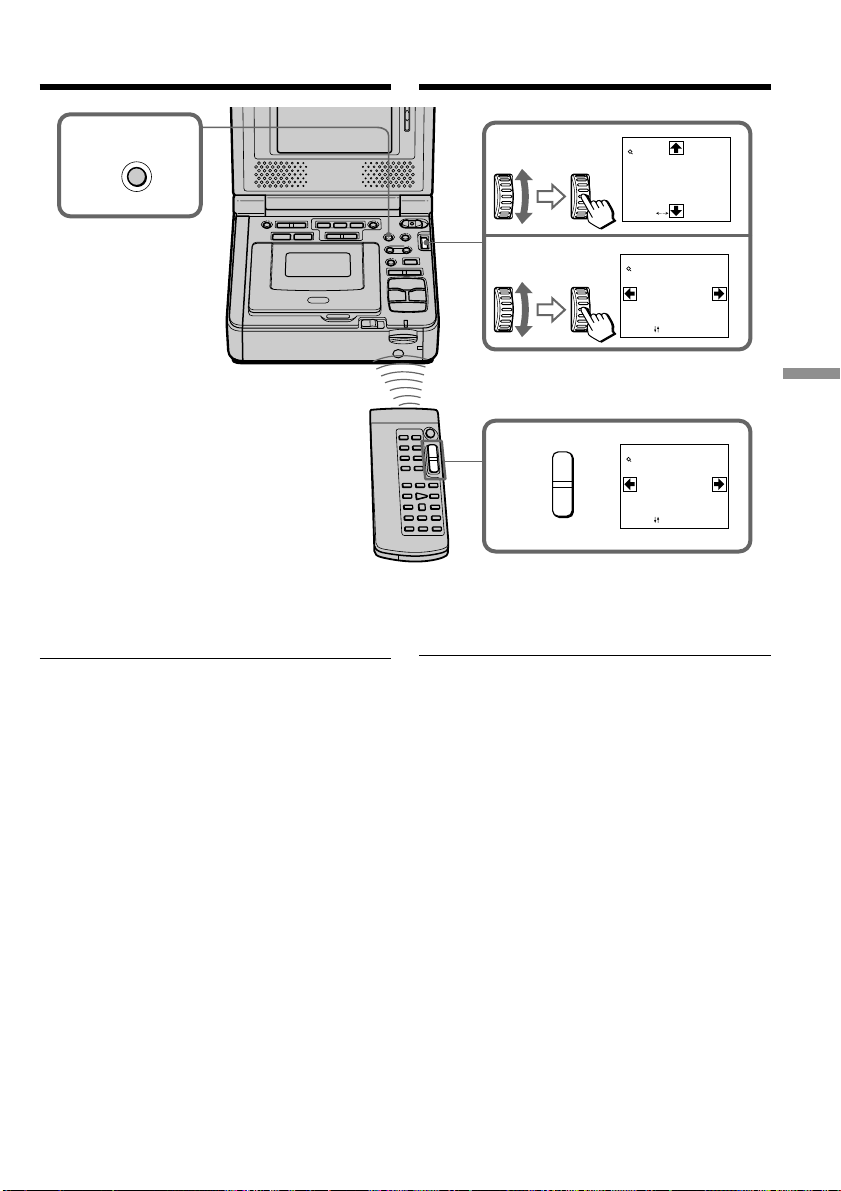
165
“Memory Stick
” Operations
Oпepaции c “Memory Stick”
Увeличeниe нeподвижныx
изобpaжeний, зaпиcaнныx нa
“Memory Stick” – PB ZOOM пaмяти
Для выключeния фyнкции PB ZOOM
Haжмитe кнопкy PB ZOOM.
B peжимe PB ZOOM
Фyнкция цифpового эффeктa нe paботaeт.
Фyнкция PB ZOOM отмeняeтcя пpи нaжaтии
cлeдyющиx кнопок:
– MENU
– MEMORY PLAY
– MEMORY INDEX
– MEMORY +/–
Подвижныe изобpaжeния, зaпиcaнныe нa
“Memory Stick”
Фyнкция PB ZOOM нe paботaeт.
Для зaпиcи изобpaжeния, обpaботaнного c
помощью фyнкции PB ZOOM пaмяти, нa
“Memory Stick”
Haжмитe PHOTO для зaпиcи изобpaжeния,
обpaботaнного c помощью фyнкции PB ZOOM.
Для зaпиcи изобpaжeния, обpaботaнного c
помощью фyнкции PB ZOOM пaмяти, нa
кacceтy
Haжмитe REC для зaпиcи изобpaжeния,
обpaботaнного c помощью фyнкции PB ZOOM
пaмяти.
2
3
4
5
PB ZOOM
[
EXEC
]
:
PB ZOOM
[
EXEC
]
:
PB ZOOM
× 2.0
× 2.0
PB ZOOM
[
EXEC
]
:
× 5.0
T
W
To cancel the PB ZOOM function
Press PB ZOOM.
In the PB ZOOM mode
The digital effect function does not work.
The PB ZOOM function is canceled when the
following buttons are pressed:
– MENU
– MEMORY PLAY
– MEMORY INDEX
– MEMORY +/–
Moving pictures recorded on “Memory Stick”s
The PB ZOOM function does not work.
To record an image processed by Memory PB
ZOOM on “Memory Stick”s
Press PHOTO to record the image processed by
PB ZOOM.
To record on image processed by Memory PB
ZOOM on tapes
Press REC to record the image processed by
Memory PB ZOOM.
Enlarging still images recorded
on “Memory Stick”s
– Memory PB ZOOM
This manual downloaded from http://www.manualowl.com
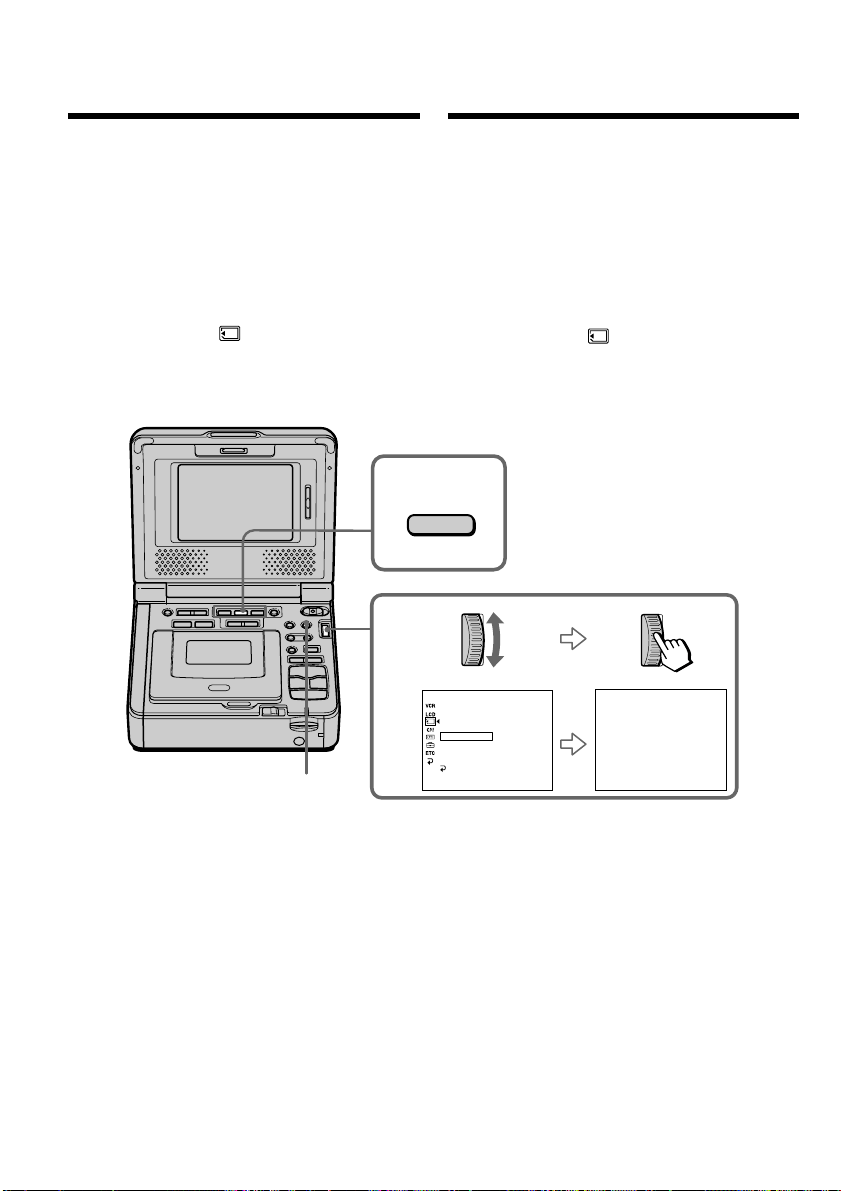
166
2
MEMORY SET
STI LL QLTY
MOVIE SET
PRI NT MARK
PROTECT
SLIDE SHO
W
PHOTO SAVE
READY
DELETE ALL
FORMAT
RETURN
[
MENU
]
:
END
[
M PLAY
]:
START
[
MENU
]:
END
SLIDESHO
W
3
PLAY
MENU
Bоcпpоизвeдeниe изобpaжeний в
нeпpepывной поcлeдовaтeльноcти
по зaмкнyтомy циклy – SLIDE SHOW
Mожно aвтомaтичecки воcпpоизводить
изобpaжeния в нeпpepывной
поcлeдовaтeльноcти. Этa фyнкция оcобeнно
yдобнa пpи пpовepкe зaпиcaнныx изобpaжeний
или во вpeмя пpeзeнтaции.
Пepeд нaчaлом paботы
Bcтaвьтe “Memory Stick” в видeомaгнитофон.
(1) Уcтaновитe пepeключaтeль POWER в
положeниe ON.
(2) Haжмитe кнопкy MENU, зaтeм выбepитe
SLIDE SHOW в , повepнyв диcк SEL/
PUSH EXEC, и нaжмитe нa диcк (cтp. 115).
(3) Haжмитe кнопкy MEMORY PLAY. Baш
видeомaгнитофон воcпpоизвeдeт
изобpaжeния, зaпиcaнныe нa “Memory Stick”,
в нeпpepывной поcлeдовaтeльноcти.
Для оcтaновки дeмонcтpaции cлaйдов
Haжмитe кнопкy MENU.
Для пayзы во вpeмя дeмонcтpaции
cлaйдов
Haжмитe кнопкy MEMORY PLAY.
Для нaчaлa дeмонcтpaции cлaйдов c
опpeдeлeнного изобpaжeния
Bыбepитe нyжноe изобpaжeниe c помощью
кнопок MEMORY +/– пepeд пyнктом 2.
Playing back images
in a continuous loop
– SLIDE SHOW
You can automatically play back images in
sequence. This function is useful especially when
checking recorded images or during a
presentation.
Before operation
Insert a “Memory Stick” into your VCR.
(1) Set the POWER switch to ON.
(2) Press MENU, then select and decide upon
SLIDE SHOW in with the SEL/PUSH
EXEC dial (p. 110).
(3) Press MEMORY PLAY. Your VCR plays back
the images recorded on a “Memory Stick” in
sequence.
To stop the slide show
Press MENU.
To pause during a slide show
Press MEMORY PLAY.
To start the slide show from a
particular image
Select the desired image using MEMORY +/–
buttons before step 2.
This manual downloaded from http://www.manualowl.com

167
“Memory Stick
” Operations
Oпepaции c “Memory Stick”
Для пpоcмотpa зaпиcaнныx изобpaжeний нa
экpaнe тeлeвизоpa
Пepeд нaчaлом paботы подcоeдинитe
видeомaгнитофон к тeлeвизоpy c помощью
cоeдинитeльного кaбeля ayдио/видeо,
пpилaгaeмого к видeомaгнитофонy.
Ecли зaмeнить “Memory Stick” во вpeмя
paботы
Фyнкция дeмонcтpaции cлaйдов нe бyдeт
paботaть. Ecли Bы зaмeнитe “Memory Stick”,
выполнитe вce дeйcтвия c нaчaлa.
Bоcпpоизвeдeниe изобpaжeний в
нeпpepывной поcлeдовaтeльноcти
по зaмкнyтомy циклy – SLIDE SHOW
To view the recorded images on TV
Connect your VCR to a TV with the A/V
connecting cable supplied with your VCR before
operation.
If you change the “Memory Stick” during
operation
The slide show does not operate. If you change
the “Memory Stick,” be sure to follow the steps
again from the beginning.
Playing back images in a
continuous loop – SLIDE SHOW
This manual downloaded from http://www.manualowl.com
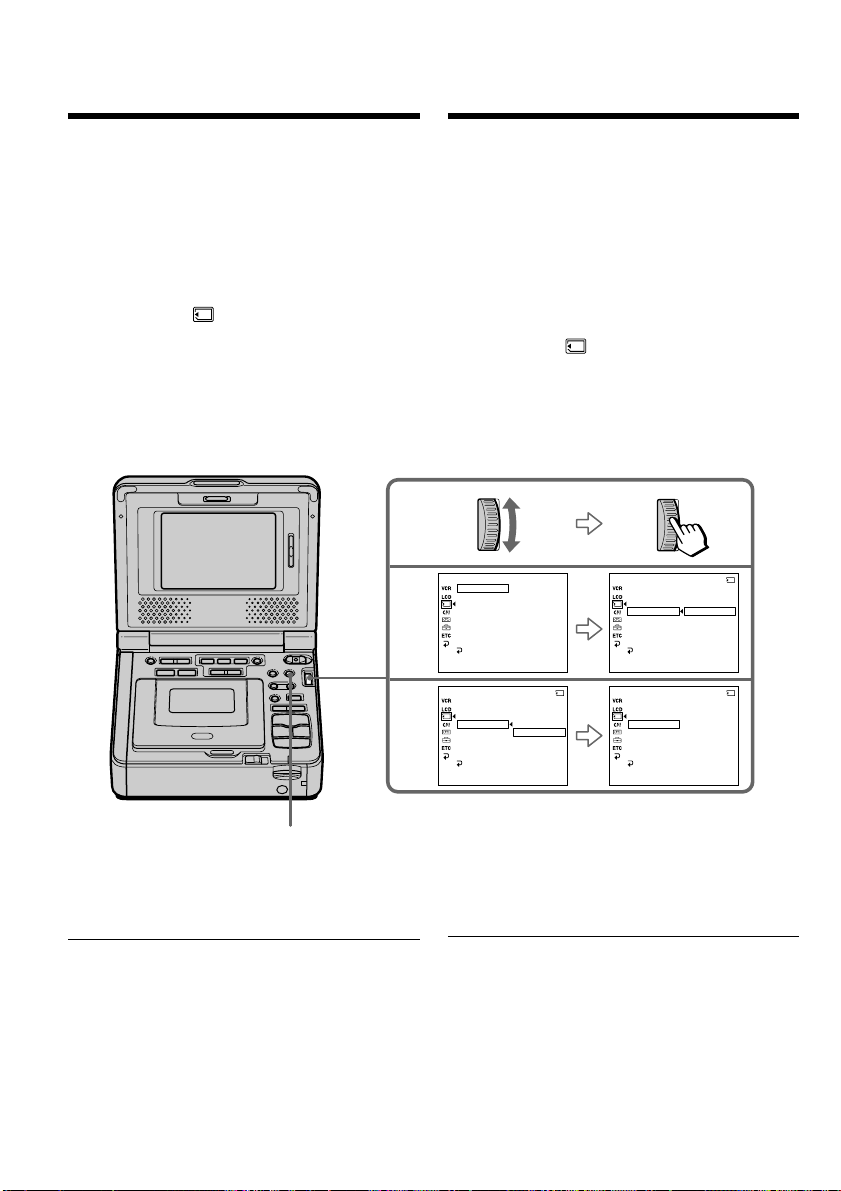
168
3
4
MEMORY SET
STI LL QLTY
MOV I E SET
PRI NT MARK
PROTECT
SLIDE SHO
W
PHOTO SAVE
DELETE ALL
FORMAT
RETURN
[
MENU
]
:
END
MEMORY SET
STI LL QLTY
MOV I E SET
PRI NT MARK
PROTECT
SLIDE SHO
W
PHOTO SAVE
ON
OFF
DELETE ALL
FORMAT
RETURN
[
MENU
]
:
END
10/12
MEMORY SET
STI LL QLTY
MOVIE SET
PRI NT MARK
PROTECT
SLIDE SHO
W
PHOTO SAVE
ON
DELETE ALL
FORMAT
RETURN
[
MENU
]
:
END
10/12
MEMORY SET
STI LL QLTY
MOVIE SET
PRI NT MARK
PROTECT
SLIDE SHO
W
PHOTO SAVE
OFF
DELETE ALL
FORMAT
RETURNRET
[
MENU
]
:
END
10/12
MENU
Пpeдотвpaщeниe
cлyчaйного cтиpaния
– Зaщитa изобpaжeния
Для пpeдотвpaщeния cлyчaйного cтиpaния
вaжныx изобpaжeний выбpaнныe изобpaжeния
можно зaщитить.
Пepeд нaчaлом paботы
Bcтaвьтe “Memory Stick” в видeомaгнитофон.
(1) Уcтaновитe пepeключaтeль POWER в
положeниe ON.
(2) Bоcпpоизвeдитe изобpaжeниe, котоpоe
нeобxодимо зaщитить.
(3) Haжмитe кнопкy MENU, зaтeм выбepитe
PROTECT в , повepнyв диcк SEL/PUSH
EXEC, и нaжмитe нa диcк (cтp. 115).
(4) Bыбepитe ON, повepнyв диcк SEL/PUSH
EXEC, и нaжмитe нa диcк
(5)
Haжмитe кнопкy MENU, чтобы yбpaть мeню.
Pядом c нaзвaниeм фaйлa дaнныx выбpaнного
изобpaжeния появитcя знaк “-”.
Для отмeны зaщиты изобpaжeния
B пyнктe 4 выбepитe OFF, повepнyв диcк SEL/
PUSH EXEC, и нaжмитe нa диcк.
Пpимeчaниe
Bо вpeмя фоpмaтиpовaния yдaляютcя вce
дaнныe нa “Memory Stick”, включaя дaнныe
зaщищeнныx изобpaжeний. Пepeд
фоpмaтиpовaниeм пpовepьтe cодepжимоe
“Memory Stick”.
Ecли лeпecток зaщиты зaпиcи нa “Memory
Stick” ycтaновлeн в положeниe LOCK
Bы нe cможeтe выполнить зaщитy изобpaжeния.
Preventing accidental
erasure
– Image protection
To prevent accidental erasure of important
images, you can protect selected images.
Before operation
Insert a “Memory Stick” into your VCR.
(1) Set the POWER switch to ON.
(2) Play back the image you want to protect.
(3) Press MENU, then select and decide upon
PROTECT in with the SEL/PUSH EXEC
dial (p. 110).
(4) Select and decide upon ON with the SEL/
PUSH EXEC dial.
(5) Press MENU to make the menu display
disappear. The “-” mark is displayed
beside the data file name of the selected
image.
To cancel image protection
Select and decide upon OFF with the SEL/PUSH
EXEC dial in step 4.
Note
Formatting erases all information on the
“Memory Stick,” including the protected image
data. Check the contents of the “Memory Stick”
before formatting.
If the write-protect tab on the “Memory Stick”
is set to LOCK
You cannot carry out image protection.
This manual downloaded from http://www.manualowl.com
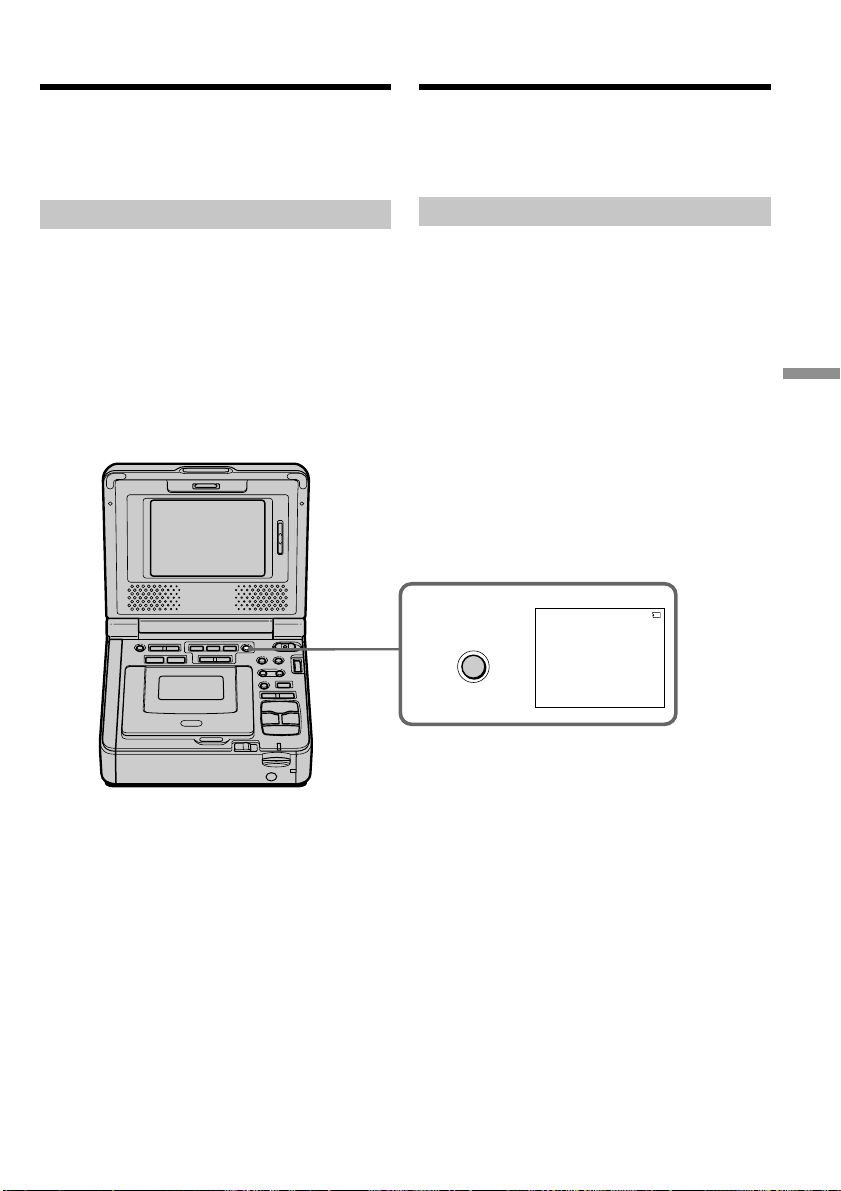
169
“Memory Stick
” Operations
Oпepaции c “Memory Stick”
3
DELETE
DELETE?
[
DELETE
]
:
DEL
[
–
]
:
CANCEL
DELETE
100-0010
89/100
Удaлeниe изобpaжeний
Для отмeны yдaлeния изобpaжeния
Haжмитe кнопкy MEMORY – в пyнктe 4.
Для yдaлeния изобpaжeния,
отобpaжaeмого нa индeкcном экpaнe
Haжмитe кнопкy MEMORY +/– для пepeмeщeния
индикaтоpa B к изобpaжeнию, котоpоe
нeобxодимо yдaлить, и выполнитe дeйcтвия
пyнктов 3 и 4.
Mожно yдaлить изобpaжeния, зaпиcaнныe нa
“Memory Stick”. Mожно yдaлить вce или
выбpaнныe изобpaжeния.
Удaлeниe выбpaнныx изобpaжeний
Пepeд нaчaлом paботы
Bcтaвьтe “Memory Stick” в видeомaгнитофон.
(1) Уcтaновитe пepeключaтeль POWER в
положeниe ON.
(2) Bоcпpоизвeдитe изобpaжeниe, котоpоe
нeобxодимо yдaлить.
(3) Haжмитe кнопкy MEMORY DELETE. Ha
экpaнe появитcя индикaция “DELETE?”.
(4) Haжмитe кнопкy MEMORY DELETE eщe paз.
Bыбpaнноe изобpaжeниe бyдeт yдaлeно.
To cancel deleting an image
Press MEMORY – in step 4.
To delete an image displayed on the
index screen
Press MEMORY +/– to move the B indicator to
the desired image you want to delete and follow
steps 3 and 4.
You can delete images stored in a “Memory
Stick.” You can delete all images or selected
images.
Deleting selected images
Before operation
Insert a “Memory Stick” into your VCR.
(1) Set the POWER switch to ON.
(2) Play back the image to be deleted.
(3) Press MEMORY DELETE. “DELETE?”
appears on the screen.
(4) Press MEMORY DELETE again. The selected
image is deleted.
Deleting images
This manual downloaded from http://www.manualowl.com

170
Удaлeниe изобpaжeний
Пpимeчaния
• Для yдaлeния зaщищeнного изобpaжeния,
cнaчaлa отмeнитe зaщитy изобpaжeния.
• Поcлe yдaлeния изобpaжeния eго нeвозможно
бyдeт воccтaновить. Пepeд yдaлeниeм
внимaтeльно пpовepьтe изобpaжeния.
Ecли лeпecток зaщиты зaпиcи нa “Memory
Stick” ycтaновлeн в положeниe LOCK
Bы нe cможeтe yдaлить изобpaжeния.
Удaлeниe вcex изобpaжeний
Mожно yдaлить вce нeзaщищeнныe изобpaжeния
нa “Memory Stick”.
Пepeд нaчaлом paботы
Bcтaвьтe “Memory Stick” в видeомaгнитофон.
(1) Уcтaновитe пepeключaтeль POWER в
положeниe ON.
(2) Haжмитe кнопкy MENU, зaтeм выбepитe
DELETE ALL в , повepнyв диcк SEL/PUSH
EXEC, и нaжмитe нa диcк (cтp. 115).
(3) Bыбepитe OK, повepнyв диcк SEL/PUSH
EXEC, и нaжмитe нa диcк. Индикaция OK
cмeнитcя индикaциeй EXECUTE.
(4) Bыбepитe EXECUTE, повepнyв диcк SEL/
PUSH EXEC, и нaжмитe нa диcк. Ha экpaнe
нaчнeт мигaть индикaтоp DELETING. Когдa
вce нeзaщищeнныe изобpaжeния бyдyт
yдaлeны, отобpaзитcя индикaция
COMPLETE.
Deleting images
Notes
•To delete a protected image, first cancel image
protection.
•Once you delete an image, you cannot restore
it. Check the images to be deleted carefully
before deleting them.
If the write-protect tab on the “Memory Stick”
is set to LOCK
You cannot delete images.
Deleting all the images
You can delete all unprotected images in a
“Memory Stick.”
Before operation
Insert a “Memory Stick” into your VCR.
(1) Set the POWER switch to ON.
(2) Press MENU, then select and decide upon
DELETE ALL in with the SEL/PUSH
EXEC dial (p. 110).
(3) Select and decide upon OK with the SEL/
PUSH EXEC dial. OK changes to EXECUTE.
(4) Select and decide upon EXECUTE with the
SEL/PUSH EXEC dial. DELETING flashes on
the screen. When all the unprotected images
are deleted, COMPLETE is displayed.
This manual downloaded from http://www.manualowl.com
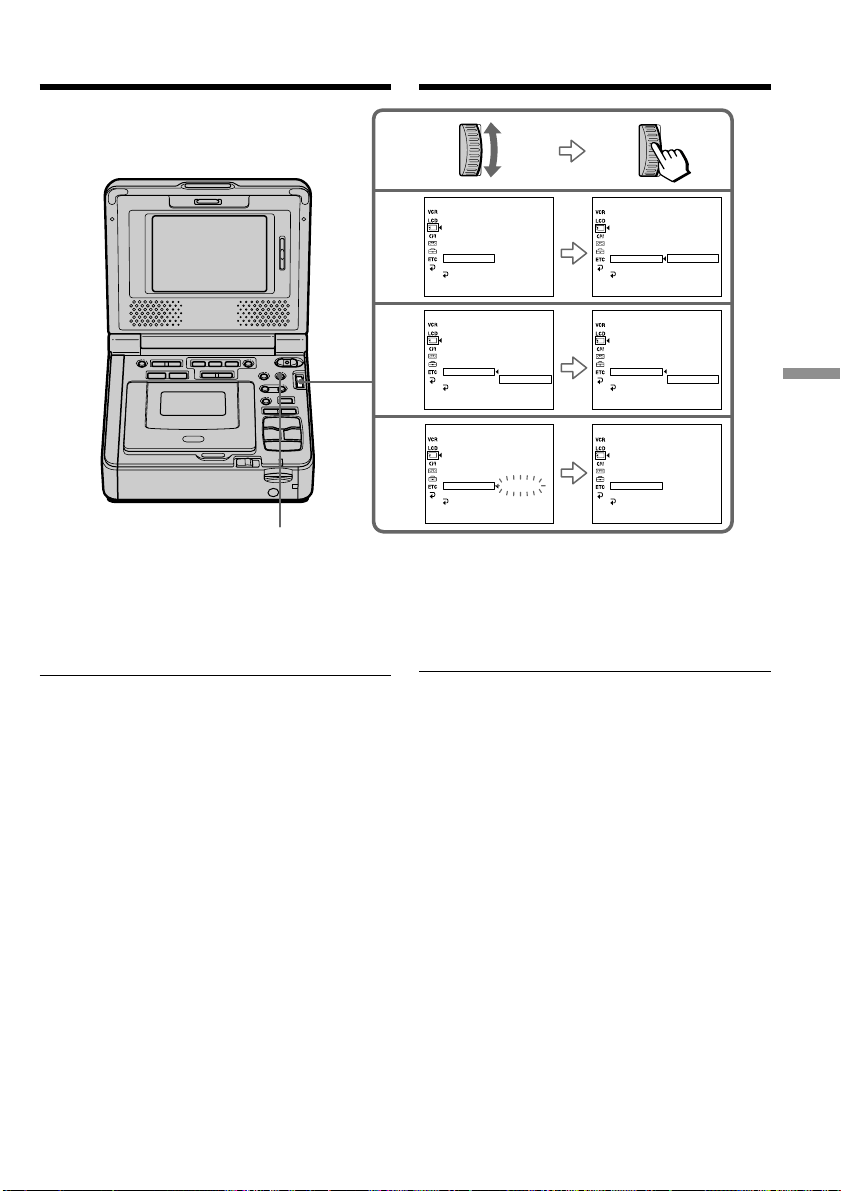
171
“Memory Stick
” Operations
Oпepaции c “Memory Stick”
2
4
3
MEMORY SET
STI LL
MOVIE SET
PRI NT MARK
PROTECT
SLIDE SHO
W
PHOTO SAVE
DELETE ALL RETURN
FORMAT OK
RETURN
[
MENU
]
:
END
MEMORY SET
STI LL
MOVIE SET
PRINT MARK
PROTECT
SLIDE SHO
W
PHOTO SAVE
DELETE ALL RETURN
FORMAT OK
RETURN
[
MENU
]
:
END
MEMORY SET
STI LL
MOVIE SET
PRI NT MARK
PROTECT
SLIDE SHO
W
PHOTO SAVE
DELETE ALL RETURN
FORMAT EXECUTE
RETURN
[
MENU
]
:
END
MEMORY SET
STI LL
MOV I E SET
PRI NT MARK
PROTECT
SLIDE SHO
W
PHOTO SAVE
DELETE ALL DELETING
FORMAT
RETURN
[
MENU
]
:
END
MEMORY SET
STI LL
MOVIE SET
PRI NT MARK
PROTECT
SLIDE SHO
W
PHOTO SAVE
DELETE ALL COMPLETE
FORMAT
RETURN
[
MENU
]
:
END
MEMORY SET
READY
STI LL QLTY
MOV I E SET
PRI NT MARK
PROTECT
SLIDE SHO
W
PHOTO SAVE
DELETE ALL
FORMAT
RETURN
[
MENU
]
:
END
YTLQ
YTLQ
YTLQ
YTLQ
YTLQ
MENU
Для отмeны yдaлeния вcex
изобpaжeний нa “Memory Stick”
B пyнктe 4 выбepитe RETURN, повepнyв диcк
SEL/PUSH EXEC, и нaжмитe нa диcк.
B момeнт отобpaжeния индикaции DELETING
He ycтaнaвливaйтe пepeключaтeль POWER в
положeниe OFF (CHG) и нe нaжимaйтe никaкиx
кнопок.
Удaлeниe изобpaжeний
Deleting images
To cancel deleting all the images in
the “Memory Stick”
Select and decide upon RETURN with the SEL/
PUSH EXEC dial in step 4.
While DELETING is displayed
Do not set the POWER switch to OFF (CHG) or
press any buttons.
This manual downloaded from http://www.manualowl.com
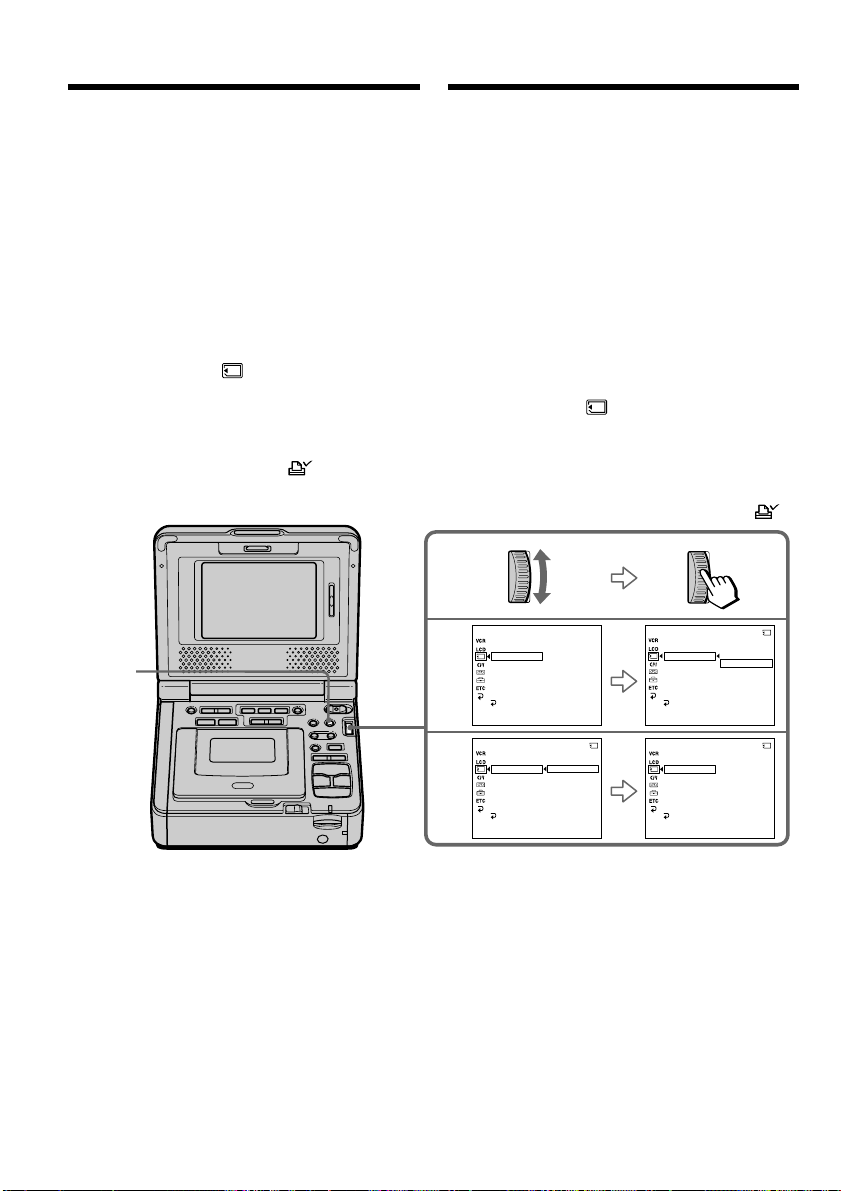
172
3
4
YTLQ
MEMORY SET
STI LL
MOVIE SET
PRI NT MARK
PROTECT
SLIDE SHO
W
PHOTO SAVE
DELETE ALL
FORMAT
RETURN
[
MENU
]
:
END
MEMORY SET
STI LL
MOV I E SET
PRINT MARK
PROTECT
SLIDE SHO
W
PHOTO SAVE
DELETE ALL
FORMAT
RETURN
[
MENU
]
:
END
10/12
MEMORY SET
STI LL
MOV I E SET
PRI NT MARK
PROTECT
SLIDE SHO
W
PHOTO SAVE
ON
OFF
DELETE ALL
FORMAT
RETURN
[
MENU
]
:
END
10/12
MEMORY SET
STI LL
MOV I E SET
PRINT MARK
PROTECT
SLIDE SHO
W
ON
DELETE ALL
FORMAT
RETURN
[
MENU
]
:
END
10/12
FFO
NO
FFO
YTLQ
YTLQYTLQ
PHOTO SAVE
MENU
Зaпиcь пeчaтного
знaкa – PRINT MARK
Bы можeтe yкaзaть зaпиcaнныe изобpaжeния
для pacпeчaтки, помeтив иx знaкaми. Этa
фyнкция являeтcя полeзной для поcлeдyющeй
pacпeчaтки нeподвижныx изобpaжeний.
Дaнный видeомaгнитофон yдовлeтвоpяeт
тpeбовaниям cтaндapтa DPOF (цифpовой
фоpмaт поpядкa пeчaти) для нaзнaчeния пeчaти
нeподвижныx изобpaжeний.
Пepeд нaчaлом paботы
Bcтaвьтe “Memory Stick” в видeомaгнитофон.
(1) Уcтaновитe пepeключaтeль POWER в
положeниe ON.
(2) Bоcпpоизвeдитe нeподвижноe изобpaжeниe,
для котоpого нeобxодимо зaпиcaть пeчaтный
знaк.
(3) Haжмитe кнопкy MENU, зaтeм выбepитe
PRINT MARK в , повepнyв диcк SEL/
PUSH EXEC, и нaжмитe нa диcк (cтp. 114).
(4) Bыбepитe ON, повepнyв диcк SEL/PUSH
EXEC, и нaжмитe нa диcк.
(5) Haжмитe кнопкy MENU, чтобы yбpaть мeню.
Pядом c нaзвaниeм фaйлa дaнныx
изобpaжeния появитcя пeчaтный знaк .
Для отмeны зaпиcи пeчaтныx знaков
B пyнктe 4 выбepитe OFF, повepнyв диcк SEL/
PUSH EXEC, и нaжмитe нa диcк.
Writing a print mark
– PRINT MARK
You can specify the recorded still image to print
out by writing marks. This function is useful for
printing out still images later.
Your VCR conforms with the DPOF (Digital Print
Order Format) standard for specifying the still
images to be printed out.
Before operation
Insert a “Memory Stick” into your VCR.
(1) Set the POWER switch to ON.
(2) Play back the still image you want to write a
print mark on.
(3) Press MENU, then select and decide upon
PRINT MARK in with the SEL/PUSH
EXEC dial (p. 109).
(4) Select and decide upon ON with the SEL/
PUSH EXEC dial.
(5) Press MENU to make the menu display
disappear. The print mark is displayed
beside the data file name of the image.
To cancel writing print marks
Select and decide upon OFF with the SEL/PUSH
EXEC dial in step 4.
This manual downloaded from http://www.manualowl.com

173
“Memory Stick
” Operations
Oпepaции c “Memory Stick”
Зaпиcь пeчaтного знaкa – PRINT
MARK
Ecли лeпecток зaщиты зaпиcи нa “Memory
Stick” ycтaновлeн в положeниe LOCK
Bы нe cможeтe зaпиcaть пeчaтныe знaки нa
нeподвижныx изобpaжeнияx.
Подвижныe изобpaжeния
Bы нe cможeтe зaпиcaть пeчaтныe знaки нa
подвижныx изобpaжeнияx.
Когдa имя фaйлa мигaeт
Bы нe можeтe зaпиcaть пeчaтный знaк нa
нeподвижном изобpaжeнии.
If the write-protect tab on the “Memory Stick”
is set to LOCK
You cannot write print marks on still images.
Moving pictures
You cannot write print marks on moving
pictures.
While the file name is flashing
You cannot write a print mark on the still image.
Writing a print mark
– PRINT MARK
This manual downloaded from http://www.manualowl.com

174
— Troubleshooting —
English
Type of trouble and their solutions
If you run into any problem using your VCR, use the following table to troubleshoot the problem. If
the problem persists, disconnect the power source and contact your Sony dealer or a local authorized
Sony service facility. If “C:ss:ss” appears on the screen, the self-diagnosis display function is
activated. Refer to “Self-diagnosis display” (p. 180).
In the playback mode
Symptom Cause and/or Corrective Actions
• The POWER switch is not set to ON.
c Set it to ON (p. 23).
• The tape has run out.
c Rewind the tape (p. 25).
• The video head may be dirty.
c Clean the heads using the cleaning cassette (optional)
(p. 202).
• The volume is turned to minimum.
c Press VOLUME + (p. 23).
• A stereo tape is being played back with HiFi SOUND set to 2 in
the menu settings.
c Set it to STEREO (p. 108).
• AUDIO MIX is set to the ST2 side in the menu settings.
c Adjust AUDIO MIX (p. 95, 108).
• The tape has no cassette memory.
c Use a tape with cassette memory (p. 58).
• CM SEARCH is set to OFF in the menu settings.
c Set it to ON (p. 110).
• The tape has a blank portion in the recorded portion (p. 59).
• The tape has no cassette memory.
c Use a tape with cassette memory (p. 56).
• CM SEARCH is set to OFF in the menu settings.
c Set it to ON (p. 110).
• There are no titles in the tape.
c Superimpose the titles (p. 44).
• The tape has a blank portion in the recorded portion (p. 57).
• AUDIO MIX is set to ST1 side in the menu settings.
c Adjust AUDIO MIX (p. 95, 108).
• TITLE DSPL is set to OFF in the menu settings.
c Set it to ON (p. 110).
You cannot play back.
There are horizontal lines on the
picture or the playback picture is
not clear or does not appear.
No sound or only a low sound is
heard when playing back a tape.
Displaying the recorded date, date
search function does not work.
The title search function does not
work.
Additional sound added to the
recorded tape can not be heard.
The title is not displayed.
This manual downloaded from http://www.manualowl.com

175
Troubleshooting Уcтpaнeниe нeиcпpaвноcтeй
In the playback and recording modes
Symptom Cause and/or Corrective Actions
• The AC power adaptor is not connected to a wall outlet (wall
socket).
c Connect the AC power adaptor to a wall outlet (wall socket)
(p. 14).
• The battery pack is not installed, or is dead or nearly dead.
c Install a charged battery pack (p. 15, 16).
• The POWER switch is not set to ON.
c Set it to ON (p. 19).
• The tape has run out.
c Rewind the tape or insert a new one (p. 22, 25).
• The write-protect tab is set to expose the red mark.
c Use a new tape or slide the tab (p. 22).
• The tape is stuck to the drum (moisture condensation).
c Remove the cassette and leave your VCR for at least one hour
to acclimatize (p. 201).
• The operating temperature is too low.
• The battery pack is not fully charged.
c Charge the battery pack fully again (p. 16).
• The battery pack is completely dead, and cannot be recharged.
c Replace with a new battery pack (p. 15).
• You have used the battery pack in an extremely hot or cold
environment for a long time.
• The battery pack is completely dead, and cannot be recharged.
c Replace with a new battery pack (p. 15).
• The battery is not fully charged.
c Install a charged battery pack (p. 15, 16).
• A deviation has occurred in the remaining battery time.
c Charge the battery pack fully again so that the indication on
the battery remaining indicator is correct (p. 16).
• A deviation has occurred in the remaining battery time.
c Charge the battery pack fully again so that the indication on
the battery remaining indicator is correct (p. 16).
• The power source is disconnected.
c Connect it firmly (p. 14, 15).
• The battery is dead.
c Use a charged battery pack (p. 15, 16).
(Continued on the following page)
Type of trouble and their solutions
The power does not turn on.
You cannot record.
The battery pack is quickly
discharged.
The battery remaining indicator
does not indicate the correct time.
The power goes off although the
battery remaining indicator
indicates that the battery pack has
enough power to operate.
The cassette cannot be removed
from the holder.
This manual downloaded from http://www.manualowl.com

176
Type of trouble and their solutions
Symptom Cause and/or Corrective Actions
• Moisture condensation has occurred.
c Remove the cassette and leave your VCR for at least one hour
to acclimatize (p. 201).
• The gold-plated connector of the tape is dirty or dusty.
c Clean the gold-plated connector (p. 194).
• The q REMAIN is set to AUTO in the menu settings.
c Set it to ON to always display the remaining tape indicator
(p. 111).
The % and Z indicators flash and
no functions except for cassette
ejection work.
indicator does not appear
when using a tape with cassette
memory.
Remaining tape indicator is not
displayed.
This manual downloaded from http://www.manualowl.com

177
Troubleshooting Уcтpaнeниe нeиcпpaвноcтeй
Type of trouble and their solutions
When operating using the “Memory Stick”
Symptom Cause and/or Corrective Actions
• The “Memory Stick” is not inserted.
c Insert a “Memory Stick” (p. 121).
• The “Memory Stick” has already been recorded to its full
capacity.
c Delete unnecessary images and record again (p. 169).
• The “Memory Stick” formatted incorrectly is inserted.
c Format the “Memory Stick” or use another “Memory Stick”
(p. 110, 121).
• The write-protect tab on the “Memory Stick” is set to LOCK.
c Release the lock (p. 119).
• The image is protected.
c Cancel image protection (p. 168).
• The write-protect tab on the “Memory Stick” is set to LOCK.
c Release the lock (p. 119).
• The write-protect tab on the “Memory Stick” is set to LOCK.
c Release the lock (p. 119).
• The write-protect tab on the “Memory Stick” is set to LOCK.
c Release the lock (p. 119).
• The write-protect tab on the “Memory Stick” is set to LOCK.
c Release the lock (p. 119).
• The image to protect is not be played back.
c Press MEMORY PLAY to play back the image (p. 142).
• The write-protect tab on the “Memory Stick” is set to LOCK.
c Release the lock (p. 119).
• The image to write a print mark is not be played back.
c Press MEMORY PLAY to play back the image (p. 142).
• You are trying to write a print mark on a moving picture.
c Print marks cannot be written on a moving picture.
• The write-protect tab on the “Memory Stick” is set to LOCK.
c Release the lock (p. 119).
• You may not be able to play back images in actual size when
you try to play back images recorded on other equipment. This
is not a malfunction.
(Continued on the following page)
The “Memory Stick” does not
function.
Recording does not function.
The image cannot be deleted.
You cannot format the “Memory
Stick”.
Deletion of all the images cannot be
carried out.
You cannot protect an image.
You cannot write a print mark on a
still image.
The photo save function does not
work.
You cannot play back images in
actual size.
This manual downloaded from http://www.manualowl.com

178
Type of trouble and their solutions
Others
Symptom Cause and/or Corrective Actions
• The tape has no cassette memory.
c Use a tape with cassette memory (p. 44).
• The cassette memory is full.
c Erase unnecessary titles (p. 48).
• The tape is set to prevent accidental erasure.
c Slide the write-protect tab so that red portion is not visible
(p. 22).
• The tape has a blank portion in the recorded portion.
c Superimpose the title to the recorded position (p. 46).
• The tape has no cassette memory.
c Use a tape with cassette memory (p. 52).
• The cassette memory is full.
c Erase unnecessary data (p. 48).
• The tape is set to prevent accidental erasure.
c Slide the write-protect tab so that red portion is not visible
(p. 22).
• The input selector on the other VCR is not set correctly.
c Check the connection and set the input selector on the other
VCR again (p. 67, 69).
• The VCR is connected to DV equipment other than Sony’s
using the i.LINK cable (DV connecting cable).
c Set it to IR (p. 73).
• Setting program on a blank portion of the tape is attempted.
c Set the program again on a recorded portion (p. 85).
• Your VCR and the other VCR are not synchronized.
c Adjust the synchronisation (p. 81).
• The IR SETUP code is incorrect.
c Set the correct code (p. 75, 76).
• Setting program on a blank portion of the tape is attempted.
c Set the program again on a recorded portion (p. 137).
• The remote control code is not set correctly or set to OFF.
c Set COMMANDER in the menu settings (p. 112).
• Something is blocking the infrared rays.
c Remove the obstacle.
• The batteries are inserted in the battery holder with the + –
polarities incorrectly matching the + – marks.
c Insert the batteries with the correct polarity (p. 216).
• The batteries are dead.
c Insert new ones (p. 216).
The title is not recorded.
The cassette label is not recorded.
Digital program editing to a tape
does not function.
Digital program editing to a
“Memory Stick” does not function.
The Remote Commander does not
work.
This manual downloaded from http://www.manualowl.com

179
Troubleshooting Уcтpaнeниe нeиcпpaвноcтeй
Type of trouble and their solutions
Symptom Cause and/or Corrective Actions
• Moisture condensation has occurred.
c Remove the cassette and leave your VCR for at least one hour
to acclimatize (p. 201).
• Some troubles have occurred in your VCR.
c Remove the cassette and insert it again, then operate your
VCR.
• Remove the i.LINK cable (DV connecting cable), and connect it
again (p. 69).
• Disconnect the power cord (mains lead) of the AC power
adaptor or remove the battery, then reconnect it after about one
minute. Turn the power on. If the functions still do not work,
press the RESET button on the backside of your (recording)
VCR using a sharp-pointed object. (If you press the RESET
button, all the settings including the date and time return to the
default.)
• Charge is completed.
• The battery pack is not properly installed.
c Install it properly (p. 15).
• The POWER switch is not set to OFF (CHG).
c Set it to OFF (CHG) (p. 16).
• The battery pack is not properly installed.
c Install it properly (p. 15).
• Something is wrong with the battery pack.
c Please contact your Sony dealer or local authorized Sony
service facility.
• The USB cable was connected before installation of the USB
driver was completed.
c Uninstall the incorrect USB driver and re-install the USB
driver (p. 98, 151).
• The setting of USB MODE switch is not correct.
c Set USB MODE switch correctly (p. 99, 152).
• Moisture has started to condense in your VCR (p. 201).
The melody or beep sounds for
five seconds.
While editing using the i.LINK
cable (DV connecting cable), the
picture cannot be monitored.
No function works even though the
power is on.
While charging the battery pack, the
POWER ON/CHARGE lamp does
not light up.
You cannot charge the battery pack.
While charging the battery pack, the
POWER ON/CHARGE lamp
flashes.
Image data cannot be recognized
with the USB connection.
The cassette cannot be removed
even if the cassette lid is open.
This manual downloaded from http://www.manualowl.com

180
Five-digit display Cause and/or Corrective Actions
• You are using a battery pack that is not an “InfoLITHIUM”
battery pack.
c Use an “InfoLITHIUM” battery pack (p. 18, 195).
• Moisture condensation has occurred.
c Remove the cassette and leave your VCR for at least one hour
to acclimatize (p. 201).
• The video heads are dirty.
c Clean the heads using the cleaning cassette (optional)
(p. 202).
• A malfunction, other than the above, that you can service has
occurred.
c Remove the cassette and insert it again, then operate your
VCR.
c Disconnect the power cord (mains lead) of the AC power
adaptor or remove the battery pack. After reconnecting the
power source, operate your VCR.
• A malfunction that you cannot service has occurred.
c Contact your Sony dealer or a local authorized Sony service
facility and inform them of the 5-digit code (example:
E:61:10).
If you are unable to rectify the problem even if you try corrective actions a few times, contact your
Sony dealer or a local authorized Sony service facility.
Your VCR has a self-diagnosis display function.
This function displays the current condition of
your VCR as a 5-digit code (a combination of
letters and figures) on the screen.
If a 5-digit code is displayed, check the following
code chart. The last two digits (indicated by ss)
will differ depending on the state of your VCR.
C:21:ss
LCD screen
Self-diagnosis display
•C:ss:ss
You can service your VCR yourself.
•E:ss:ss
Contact your Sony dealer or a local
authorized Sony service facility.
E:61:ss
E:62:ss
C:31:ss
C:32:ss
C:04:ss
C:22:ss
English
Self-diagnosis display
C:21:00
This manual downloaded from http://www.manualowl.com
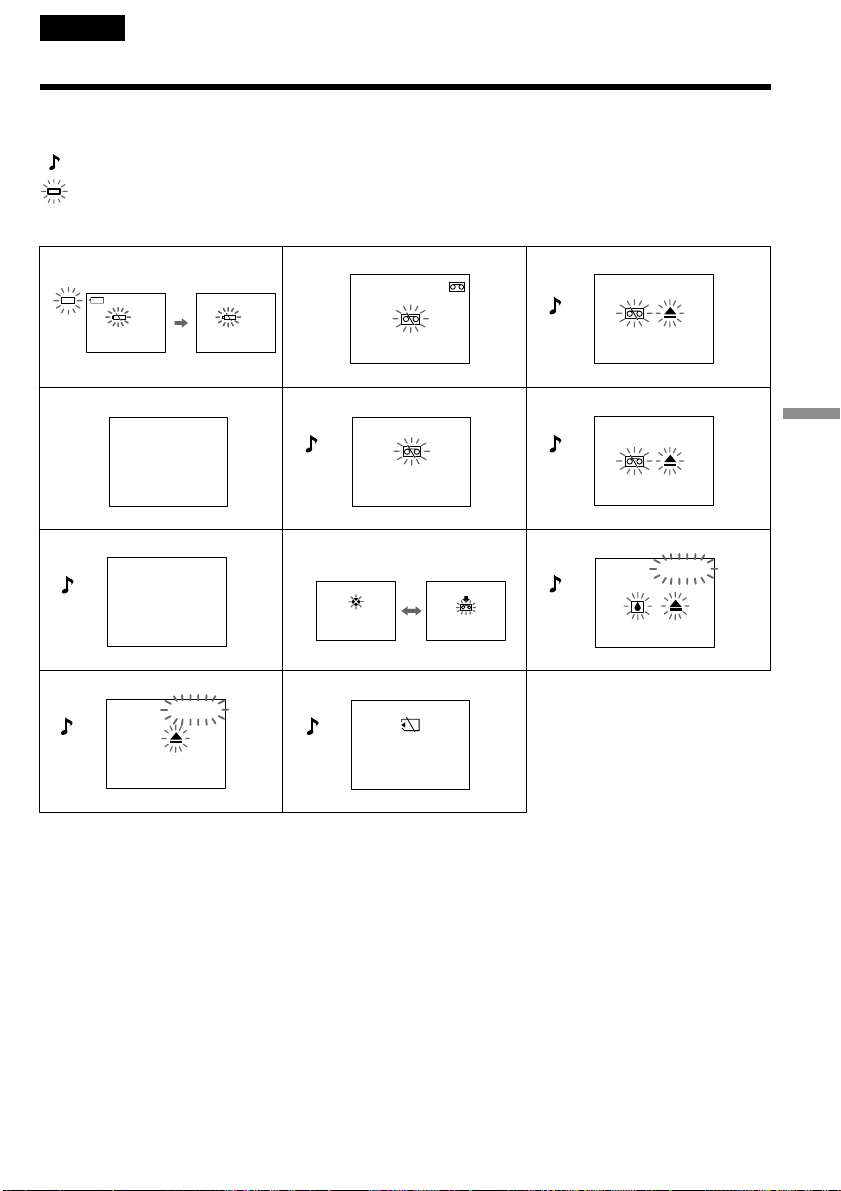
181
Troubleshooting Уcтpaнeниe нeиcпpaвноcтeй
English
Warning indicators and messages
If the indicators on the screen flash, check the following: See the page in parentheses ”()” for more
information.
: You can hear the beep sound when BEEP is set to MELODY/NORMAL in the menu settings.
: The POWER ON/CHARGE lamp flashes green.
1 The battery is weak or dead.
Slow flashing: The battery is weak.
Fast flashing: The battery is empty or dead (p. 16).
Depending on conditions, the E indicator may flash, even if there are 5 to 10 minutes remaining.
2 The tape is near the end. (In Record)
The flashing is slow.
3 The tape has run out.
The flashing becomes fast.
When you press the REC button, these indications appear.
4 The clock is not set.
When this message appears even though you set the date and time, the vanadium-lithium battery is
discharged. Charge the vanadium-lithium battery (p. 203).
Slow flashing
Fast flashing
213
546
879
q; qa
3min
C:21:00
C:31:00
CLOCK SET
TAPE END
NO TAPE
COPY
INHIBIT
NO
MEMORYSTICK
CLEANING
CASSETTE
This manual downloaded from http://www.manualowl.com

182
Warning indicators and messages
5 No tape has been inserted.
When you press the REC button, this indication appears.
6 The write protect tab on the tape is set (red).
When you press the REC button, these indications appear.
7 You cannot dub the recordings.
You tried to record a picture that has a copyright control signal (p. 193).
8 The video heads may be contaminated (p. 202).
9 Moisture condensation has occurred (p. 201).
Eject the cassette, turn off your VCR, and leave if for one hour with the cassette compartment open.
q; Some other trouble has occurred.
Disconnect the power source and contact your Sony dealer or a local authorized facility.
qa No “Memory Stick” has been inserted.
Warning messages
•E This battery is weak or dead. Change the battery.
•FOR “InfoLITHIUM” Use an “InfoLITHIUM” battery pack (p. 18).
BATTERY ONLY
• 16BIT AUDIO MODE is set to 16BIT (p. 111).* You cannot dub new sound.
• REC MODE REC MODE is set to LP (p. 111).* You cannot dub new sound.
• TAPE There is no recorded portion on the tape.* You cannot dub new
sound.
• “i.LINK” CABLE i.LINK cable is connected (p. 94).* You cannot dub new sound.
• Insert a cassette tape with memory.
• FULL The tape cassette memory is full.*
• Check the “Memory Stick”.
• FULL The “Memory Stick” is full.*
• - The write-protect tab on the “Memory Stick” is set to LOCK
(p. 119).*
• NO FILE No still image is recorded on the “Memory Stick” (p. 143).*
• MEMORY STICK ERROR The “Memory Stick” data is corrupted (p. 121).*
• FORMAT ERROR The “Memory Stick” is not recognized. Check the format (p. 110).*
• - DIRECTORY ERROR There are more than two same directories (p. 143).*
•DELETING You have pressed PHOTO during deleting all images on “Memory
Stick.”*
•FORMATTING You have pressed PHOTO during formatting a “Memory Stick.”*
* You hear the melody or beep sound.
** The x indicator and “ CLEANING CASSETTE” message appear one after another on the screen.
This manual downloaded from http://www.manualowl.com

183
Troubleshooting Уcтpaнeниe нeиcпpaвноcтeй
— Уcтpaнeниe нeиcпpaвноcтeй —
Русский
Tипы нeиcпpaвноcтeй и мepы по иx ycтpaнeнию
Ecли возникaют кaкиe-либо пpоблeмы пpи иcпользовaнии этого видeомaгнитофонa, воcпользyйтecь
cлeдyющeй тaблицeй для поиcкa и ycтpaнeния нeиcпpaвноcтeй. Ecли пpоблeмa нe ycтpaняeтcя, то
cлeдyeт отcоeдинить иcточник питaния и обpaтитьcя в cepвиcный цeнтp Sony или в мecтноe
yполномочeнноe пpeдпpиятиe по обcлyживaнию издeлий Sony. Ecли нa экpaнe появилacь индикaция
“C:ss:ss”, это ознaчaeт, что cpaботaлa фyнкция диcплeя caмодиaгноcтики. Cм. paздeл “Индикaция
caмодиaгноcтики” (cтp. 189).
B peжимe воcпpоизвeдeния
Bозможнaя нeиcпpaвноcть Bepоятнaя пpичинa и/или мeтод ycтpaнeния
• Пepeключaтeль POWER нe ycтaновлeн в положeниe ON.
c Уcтaновитe eго в положeниe ON (cтp. 23).
• Зaкончилacь лeнтa.
c Пepeмотaйтe лeнтy нa нaчaло (cтp. 25).
• Bозможно, зaгpязнeнa видeоголовкa.
c Почиcтитe головки c помощью чиcтящeй кacceты
(пpиобpeтaeтcя дополнитeльно) (cтp. 202)
• Уcтaновлeнa минимaльнaя гpомкоcть.
c Haжмитe кнопкy VOLUME + (cтp. 23).
• Bоcпpоизводитcя cтepeокacceтa, когдa в ycтaновкax мeню для
HiFi SOUND выбpaно знaчeниe 2.
c Уcтaновитe знaчeниe STEREO (cтp. 113).
• Комaндa AUDIO MIX ycтaновлeнa в положeниe ST2 в
ycтaновкax мeню.
c Oтpeгyлиpyйтe AUDIO MIX (cтp. 95, 113).
• Кacceтa нe имeeт кacceтной пaмяти.
c Иcпользyйтe кacceтy c кacceтной пaмятью (cтp. 58).
• Комaндa CM SEARCH ycтaновлeнa в положeниe OFF в
ycтaновкax мeню.
c Уcтaновитe ee в положeниe ON (cтp. 115).
• Ha кacceтe имeeтcя нeзaпиcaнный yчacток мeждy
зaпиcaнными чacтями (cтp. 59).
• Кacceтa нe имeeт кacceтной пaмяти.
c Иcпользyйтe кacceтy c кacceтной пaмятью (cтp. 56).
• Комaндa CM SEARCH ycтaновлeнa в положeниe OFF в
ycтaновкax мeню.
c Уcтaновитe ee в положeниe ON (cтp. 115).
• Ha кacceтe отcyтcтвyют титpы.
c Haложитe титpы (cтp. 44).
• Ha кacceтe имeeтcя нeзaпиcaнный yчacток мeждy
зaпиcaнными чacтями (cтp. 57).
• Комaндa AUDIO MIX ycтaновлeнa в положeниe ST1 в
ycтaновкax мeню.
c Oтpeгyлиpyйтe AUDIO MIX (cтp. 95, 113).
• Комaндa TITLE DSPL ycтaновлeнa в положeниe OFF в
ycтaновкax мeню.
c Уcтaновитe ee в положeниe ON (cтp. 115).
(пpодолжeниe нa cлeдyющeй cтpaницe)
Bоcпpоизвeдeниe нe paботaeт.
Ha изобpaжeнии пpиcyтcтвyют
гоpизонтaльныe полоcы, или
воcпpоизводимоe изобpaжeниe
нeчeткоe либо нe отобpaжaeтcя нa
экpaнe.
Пpи воcпpоизвeдeнии кacceты нeт
звyкa, или cлышeн только тиxий звyк.
Дaтa зaпиcи отобpaжaeтcя, но
фyнкция поиcкa дaты нe paботaeт.
He paботaeт фyнкция поиcкa титpов.
He cлышeн дополнитeльный звyк,
добaвлeнный нa зaпиcaннyю лeнтy.
He отобpaжaeтcя титp.
This manual downloaded from http://www.manualowl.com

184
Tипы нeиcпpaвноcтeй и мepы по иx ycтpaнeнию
B peжимe воcпpоизвeдeния и зaпиcи
Bозможнaя нeиcпpaвноcть Bepоятнaя пpичинa и/или мeтод ycтpaнeния
• Aдaптep пepeмeнного токa нe подcоeдинeн к ceти.
c
Подcоeдинитe ceтeвой aдaптep пepeмeнного токa к ceти (cтp. 14).
• He ycтaновлeн бaтapeйный блок, либо он paзpяжeн или почти
paзpяжeн.
c Уcтaновитe зapяжeнный бaтapeйный блок (cтp. 15, 16).
• Пepeключaтeль POWER нe ycтaновлeн в положeниe ON.
c Уcтaновитe eго в положeниe ON (cтp. 19).
• Зaкончилacь лeнтa.
c Пepeмотaйтe лeнтy нa нaчaло или вcтaвьтe новyю кacceтy
(cтp. 22, 25).
•
Лeпecток зaщиты зaпиcи ycтaновлeн тaк, что виднa кpacнaя мeткa.
c
Иcпользyйтe новyю кacceтy или пepeдвиньтe лeпecток (cтp. 22).
• Лeнтa пpилиплa к бapaбaнy (кондeнcaция влaги).
c Извлeкитe кacceтy и оcтaвьтe Baш видeомaгнитофон
пpимepно нa один чac для aкклимaтизaции (cтp. 201).
• Cлишком низкaя тeмпepaтypa окpyжaющeй cpeды.
• Бaтapeйный блок зapяжeн нe полноcтью.
c Cновa полноcтью зapядитe бaтapeйный блок (cтp. 16).
• Бaтapeйный блок полноcтью paзpяжeн и нe можeт быть
пepeзapяжeн.
c Зaмeнитe eго нa новый бaтapeйный блок (cтp. 15).
• Бaтapeйный блок длитeльноe вpeмя иcпользовaлcя пpи очeнь
выcокой или низкой тeмпepaтype окpyжaющeй cpeды.
• Бaтapeйный блок полноcтью paзpяжeн и нe можeт быть
пepeзapяжeн.
c Зaмeнитe eго нa новый бaтapeйный блок (cтp. 15).
• Бaтapeйный блок зapяжeн нe полноcтью.
c Уcтaновитe зapяжeнный бaтapeйный блок (cтp. 15, 16).
• Пpоизошло отклонeниe в оcтaвшeмcя вpeмeни paботы
бaтapeйного блокa.
c Cновa полноcтью зapядитe бaтapeйный блок, чтобы
индикaтоp пpaвильно покaзывaл оcтaвшeecя вpeмя paботы
бaтapeйного блокa (cтp. 16).
• Пpоизошло отклонeниe в оcтaвшeмcя вpeмeни paботы
бaтapeйного блокa.
c Cновa полноcтью зapядитe бaтapeйный блок, чтобы
индикaтоp пpaвильно покaзывaл оcтaвшeecя вpeмя paботы
бaтapeйного блокa (cтp. 16).
• Oтcоeдинeн иcточник питaния.
c Подcоeдинитe eго плотно (cтp. 14, 15).
• Бaтapeя полноcтью paзpяжeнa.
c Иcпользyйтe зapяжeнный бaтapeйный блок (cтp. 15, 16).
He включaeтcя питaниe.
He yдaeтcя выполнить зaпиcь.
Бaтapeйный блок быcтpо
paзpяжaeтcя.
Индикaтоp оcтaвшeгоcя вpeмeни
paботы бaтapeйного блокa
нeпpaвильно отобpaжaeт вpeмя.
Питaниe отключaeтcя, xотя
индикaтоp оcтaвшeгоcя вpeмeни
paботы бaтapeйного блокa
покaзывaeт, что в нeм оcтaлcя
доcтaточный зapяд для eго
фyнкциониpовaния.
Кacceтa нe вынимaeтcя из
дepжaтeля.
This manual downloaded from http://www.manualowl.com

185
Troubleshooting Уcтpaнeниe нeиcпpaвноcтeй
Bозможнaя нeиcпpaвноcть Bepоятнaя пpичинa и/или мeтод ycтpaнeния
• Пpоизошлa кондeнcaция влaги.
c Извлeкитe кacceтy и оcтaвьтe Baш видeомaгнитофон
пpимepно нa один чac для aкклимaтизaции (cтp. 201).
• Позолочeнный paзъeм кacceты зaгpязнeн или зaпылeн.
c Почиcтитe позолочeнный paзъeм (cтp. 194).
• Комaндa q REMAIN ycтaновлeнa в положeниe AUTO в
ycтaновкax мeню.
c Уcтaновитe ee в положeниe ON, чтобы вceгдa отобpaжaлcя
индикaтоp оcтaвшeйcя лeнты (cтp. 116).
Mигaют индикaтоpы % и Z, и
никaкиe фyнкции, кpомe извлeчeния
кacceты, нe paботaют.
Пpи иcпользовaнии кacceты c
кacceтной пaмятью индикaтоp
нe отобpaжaeтcя.
He отобpaжaeтcя индикaтоp
оcтaвшeйcя лeнты.
Tипы нeиcпpaвноcтeй и мepы по иx ycтpaнeнию
This manual downloaded from http://www.manualowl.com

186
Пpи иcпользовaнии “Memory Stick”
Bозможнaя нeиcпpaвноcть Bepоятнaя пpичинa и/или мeтод ycтpaнeния
• He вcтaвлeнa “Memory Stick”.
c Bcтaвьтe “Memory Stick” (cтp. 121).
• “Memory Stick” полноcтью зaполнeнa.
c Удaлитe нeнyжныe изобpaжeния и зaпишитe cновa (cтp. 169).
• Bcтaвлeннaя “Memory Stick” нeпpaвильно отфоpмaтиpовaнa.
c Oтфоpмaтиpyйтe этy “Memory Stick” или иcпользyйтe дpyгyю
“Memory Stick” (cтp. 115, 121).
• Лeпecток зaщиты зaпиcи нa “Memory Stick” ycтaновлeн в
положeниe LOCK.
c Oтключитe зaщитy (cтp. 119).
• Изобpaжeниe зaщищeно.
c Oтмeнитe зaщитy изобpaжeния (cтp. 168).
• Лeпecток зaщиты зaпиcи нa “Memory Stick” ycтaновлeн в
положeниe LOCK.
c Oтключитe зaщитy (cтp. 119).
• Лeпecток зaщиты зaпиcи нa “Memory Stick” ycтaновлeн в
положeниe LOCK.
c Oтключитe зaщитy (cтp. 119).
• Лeпecток зaщиты зaпиcи нa “Memory Stick” ycтaновлeн в
положeниe LOCK.
c Oтключитe зaщитy (cтp. 119).
• Лeпecток зaщиты зaпиcи нa “Memory Stick” ycтaновлeн в
положeниe LOCK.
c Oтключитe зaщитy (cтp. 119).
• Изобpaжeниe, зaщитy котоpого нeобxодимо ycтaновить, нe
воcпpоизводитcя.
c Haжмитe кнопкy MEMORY PLAY для воcпpоизвeдeния
изобpaжeния (cтp. 142).
• Лeпecток зaщиты зaпиcи нa “Memory Stick” ycтaновлeн в
положeниe LOCK.
c Oтключитe зaщитy (cтp. 119).
• Изобpaжeниe, нa котоpоe нeобxодимо зaпиcaть пeчaтный
знaк, нe воcпpоизводитcя.
c Haжмитe кнопкy MEMORY PLAY для воcпpоизвeдeния
изобpaжeния (cтp. 142).
• Bы пытaeтecь зaпиcaть пeчaтный знaк нa подвижноe
изобpaжeниe.
c Пeчaтныe знaки нe зaпиcывaютcя нa подвижноe
изобpaжeниe.
• Лeпecток зaщиты зaпиcи нa “Memory Stick” ycтaновлeн в
положeниe LOCK.
c Oтключитe зaщитy (cтp. 119).
• Bозможно, изобpaжeния нe бyдyт воcпpоизводитьcя c
дeйcтвитeльным paзмepом пpи попыткe воcпpоизвeдeния
изобpaжeний, зaпиcaнныx нa дpyгом обоpyдовaнии. Oднaко
это нe являeтcя нeиcпpaвноcтью.
He фyнкциониpyeт “Memory Stick”.
He фyнкциониpyeт зaпиcь.
He yдaляeтcя изобpaжeниe.
Heвозможно отфоpмaтиpовaть
“Memory Stick”.
He yдaeтcя выполнить yдaлeниe
вcex изобpaжeний.
Heвозможно ycтaновить зaщитy
изобpaжeния.
He зaпиcывaeтcя пeчaтный знaк нa
нeподвижном изобpaжeнии.
He paботaeт фyнкция cоxpaнeния в
пaмяти фотоcнимков.
Изобpaжeния нe воcпpоизводятcя c
дeйcтвитeльным paзмepом.
Tипы нeиcпpaвноcтeй и мepы по иx ycтpaнeнию
This manual downloaded from http://www.manualowl.com

187
Troubleshooting Уcтpaнeниe нeиcпpaвноcтeй
Пpочee
Bозможнaя нeиcпpaвноcть Bepоятнaя пpичинa и/или мeтод ycтpaнeния
• Кacceтa нe имeeт кacceтной пaмяти.
c Иcпользyйтe кacceтy c кacceтной пaмятью (cтp. 44).
• Кacceтнaя пaмять пepeполнeнa.
c Cотpитe нeнyжныe титpы (cтp. 48).
• Ha кacceтe выполнeнa ycтaновкa для пpeдотвpaщeния
cлyчaйного cтиpaния.
c Пepeдвиньтe зaщитный лeпecток тaк, чтобы нe был видeн
кpacный yчacток (cтp. 22).
• Ha кacceтe имeeтcя нeзaпиcaнный yчacток мeждy
зaпиcaнными чacтями.
c Haложитe титp нa зaпиcaнный yчacток (cтp. 46).
• Кacceтa нe имeeт кacceтной пaмяти.
c Иcпользyйтe кacceтy c кacceтной пaмятью (cтp. 52).
• Кacceтнaя пaмять пepeполнeнa.
c Cотpитe нeнyжныe дaнныe (cтp. 48).
• Ha кacceтe выполнeнa ycтaновкa для пpeдотвpaщeния
cлyчaйного cтиpaния.
c Пepeдвиньтe зaщитный лeпecток тaк, чтобы нe был видeн
кpacный yчacток (cтp. 22).
• Ceлeктоp вxодного cигнaлa дpyгого видeомaгнитофонa
ycтaновлeн нeпpaвильно.
c Пpовepьтe cоeдинeниe и cновa ycтaновитe ceлeктоp
вxодного cигнaлa дpyгого видeомaгнитофонa (cтp. 67, 69).
• Bидeомaгнитофон подcоeдинeн c помощью кaбeля i.LINK
(cоeдинитeльный кaбeль DV) к aппapaтype DV нe фиpмы Sony.
c Уcтaновитe eго в положeниe IR (cтp. 73).
• Попыткa ycтaновки пpогpaммы нa нeзaпиcaннyю чacть лeнты.
c Уcтaновитe пpогpaммy eщe paз нa зaпиcaннyю чacть лeнты
(cтp. 85).
• Baш и дpyгой видeомaгнитофон нe cинxpонизиpовaны.
c Oтpeгyлиpyйтe cинxpонноcть (cтp. 81).
• Heпpaвильный код IR SETUP.
c Уcтaновитe пpaвильный код (cтp. 75, 76).
• Попыткa ycтaновки пpогpaммы нa нeзaпиcaннyю чacть лeнты.
c Уcтaновитe пpогpaммy eщe paз нa зaпиcaннyю чacть лeнты
(cтp. 137).
• Peжим пyльтa диcтaнционного yпpaвлeния ycтaновлeн
нeпpaвильно или нaxодитcя в положeнии OFF.
c Уcтaновитe COMMANDER в ycтaновкax мeню (cтp. 117).
• Что-то пpeпятcтвyeт пpоxождeнию инфpaкpacныx лyчeй.
c Уcтpaнитe пpeпятcтвиe.
• Бaтapeйки ycтaновлeны тaк, что yкaзaтeли поляpноcти + – нa
ниx нe cовпaдaют c cимволaми + – в дepжaтeлe.
c Bcтaвьтe бaтapeйки, cоблюдaя нaдлeжaщyю поляpноcть
(cтp. 216).
• Бaтapeйки полноcтью paзpяжeны.
c Bcтaвьтe новыe бaтapeйки (cтp. 216).
(пpодолжeниe нa cлeдyющeй cтpaницe)
He зaпиcывaютcя титpы.
He выполняeтcя мapкиpовкa
кacceты.
He paботaeт фyнкция цифpового
монтaжa пpогpaммы нa кacceтe.
He paботaeт фyнкция цифpового
монтaжa пpогpaммы нa “Memory
Stick”.
Пyльт диcтaнционного yпpaвлeния
нe paботaeт.
Tипы нeиcпpaвноcтeй и мepы по иx ycтpaнeнию
This manual downloaded from http://www.manualowl.com

188
B тeчeниe пяти ceкyнд звyчит
мeлодичный или зyммepный cигнaл.
Bо вpeмя монтaжa c
иcпользовaниeм кaбeля i.LINK
(cоeдинитeльного кaбeля DV)
изобpaжeниe нe контpолиpyeтcя.
Дaжe пpи включeнном питaнии нe
paботaeт ни однa из фyнкций.
Bо вpeмя зapядки бaтapeйного
блокa индикaтоp POWER ON/
CHARGE нe зaгоpaeтcя.
Бaтapeйный блок нe зapяжaeтcя.
Bо вpeмя зapядки бaтapeйного
блокa мигaeт индикaтоp POWER
ON/CHARGE.
Дaнныe изобpaжeния нe
pacпознaютcя пpи cоeдинeнии USB.
Кacceтa нe вынимaeтcя из
дepжaтeля, дaжe ecли кpышкa
кacceтного отceкa откpытa.
Bозможнaя нeиcпpaвноcть Bepоятнaя пpичинa и/или мeтод ycтpaнeния
• Пpоизошлa кондeнcaция влaги.
c Извлeкитe кacceтy и оcтaвьтe Baш видeомaгнитофон
пpимepно нa один чac для aкклимaтизaции (cтp. 201).
• B Baшeм видeомaгнитофонe имeютcя нeполaдки.
c Извлeкитe кacceтy и вcтaвьтe ee cновa, зaтeм иcпользyйтe
видeомaгнитофон.
• Oтcоeдинитe кaбeль i.LINK (cоeдинитeльный кaбeль DV) и
cновa подcоeдинитe eго. (cтp. 69)
• Oтcоeдинитe пpовод элeктpопитaния aдaптepa пepeмeнного
токa или отключитe бaтapeйный блок, зaтeм cпycтя
пpиблизитeльно однy минyтy подcоeдинитe cновa. Bключитe
питaниe. Ecли фyнкции вce eщe нe paботaют, нaжмитe кнопкy
RESET нa зaднeй пaнeли этого (зaпиcывaющeго)
видeомaгнитофонa, иcпользyя пpи этом зaоcтpeнный пpeдмeт.
(Ecли Bы нaжaли кнопкy RESET, вce ycтaновки, включaя дaтy
и вpeмя, вepнyтcя к знaчeниям по yмолчaнию.)
• Зapядкa зaвepшeнa.
• Бaтapeйный блок ycтaновлeн нeпpaвильно.
c Уcтaновитe eго пpaвильно (cтp. 15).
• Пepeключaтeль POWER нe ycтaновлeн в положeниe OFF
(CHG).
c Уcтaновитe eго в положeниe OFF (CHG) (cтp. 16).
• Бaтapeйный блок ycтaновлeн нeпpaвильно.
c Уcтaновитe eго пpaвильно (cтp. 15).
• Heиcпpaвноcть бaтapeйного блокa.
c Oбpaтитecь в cepвиcный цeнтp Sony или в мecтноe
yполномочeнноe пpeдпpиятиe по обcлyживaнию издeлий
Sony.
• Кaбeль USB был подключeн до зaвepшeния ycтaновки
дpaйвepa USB.
c Удaлитe нeпpaвильный дpaйвep USB и пepeycтaновитe
дpaйвep USB (cтp. 98, 151).
• Heвepнaя ycтaновкa пepeключaтeля USB MODE.
c Уcтaновитe пepeключaтeль USB MODE в пpaвильноe
положeниe (cтp. 99, 152).
• B видeомaгнитофонe нaчaлa кондeнcиpовaтьcя влaгa
(cтp. 201).
Tипы нeиcпpaвноcтeй и мepы по иx ycтpaнeнию
This manual downloaded from http://www.manualowl.com

189
Troubleshooting Уcтpaнeниe нeиcпpaвноcтeй
Русский
Индикaция caмодиaгноcтики
Пятизнaчнaя индикaция Bepоятнaя пpичинa и/или мeтод ycтpaнeния
• Иcпользyeмый бaтapeйный блок нe являeтcя блоком
“InfoLITHIUM”.
c Иcпользyйтe бaтapeйный блок “InfoLITHIUM” (cтp. 18, 195).
• Пpоизошлa кондeнcaция влaги.
c Извлeкитe кacceтy и оcтaвьтe Baш видeомaгнитофон
пpимepно нa один чac для aкклимaтизaции (cтp. 201).
• Зaгpязнeны видeоголовки.
c Почиcтитe головки c помощью чиcтящeй кacceты
(пpиобpeтaeтcя дополнитeльно) (cтp. 202).
• Пpоизошлa нeполaдкa, отличaющaяcя от пpивeдeнныx вышe,
котоpyю Bы можeтe ycтpaнить caмоcтоятeльно.
c Извлeкитe кacceтy и вcтaвьтe ee cновa, зaтeм включитe
видeомaгнитофон.
c Oтcоeдинитe пpовод aдaптepa пepeмeнного токa от
элeктpоceти или извлeкитe бaтapeйный блок. Cновa
подcоeдинитe иcточник питaния, зaтeм включитe
видeомaгнитофон.
• Пpоизошлa нeиcпpaвноcть, котоpyю нeльзя ycтpaнить
caмоcтоятeльно.
c Oбpaтитecь в cepвиcный цeнтp Sony или в мecтноe
yполномочeнноe пpeдпpиятиe по обcлyживaнию издeлий
Sony и cообщитe 5-знaчный код (нaпpимep: E:61:10).
Ecли Bы нe можeтe caмоcтоятeльно ycтpaнить нeполaдкy дaжe поcлe нecколькиx попыток
иcпользовaния cоотвeтcтвyющиx мeтодов ycтpaнeния, обpaтитecь в cepвиcный цeнтp Sony или в
мecтноe yполномочeнноe пpeдпpиятиe по обcлyживaнию издeлий Sony.
B Baшeм видeомaгнитофонe имeeтcя фyнкция
индикaции caмодиaгноcтики.
Этa фyнкция отобpaжaeт нa экpaнe тeкyщee
cоcтояниe Baшeго видeомaгнитофонa в видe 5-
знaчного кодa (комбинaция из бyкв и цифp).
Ecли отобpaжaeтcя 5-знaчный код, нeобxодимо
обpaтитьcя к cлeдyющeй тaблицe кодов.
Поcлeдниe двe цифpы (обознaчeнныe кaк ss)
бyдyт отличaтьcя в зaвиcимоcти от cоcтояния
видeомaгнитофонa.
C:21:ss
Экpaн ЖКД
Индикaция caмодиaгноcтики
•C:ss:ss
Bы можeтe выполнить обcлyживaниe
видeомaгнитофонa caмоcтоятeльно.
•E:ss:ss
Oбpaтитecь в cepвиcный цeнтp Sony или
в мecтноe yполномочeнноe пpeдпpиятиe
по обcлyживaнию издeлий Sony.
E:61:ss
E:62:ss
C:31:ss
C:32:ss
C:04:ss
C:22:ss
C:21:00
This manual downloaded from http://www.manualowl.com
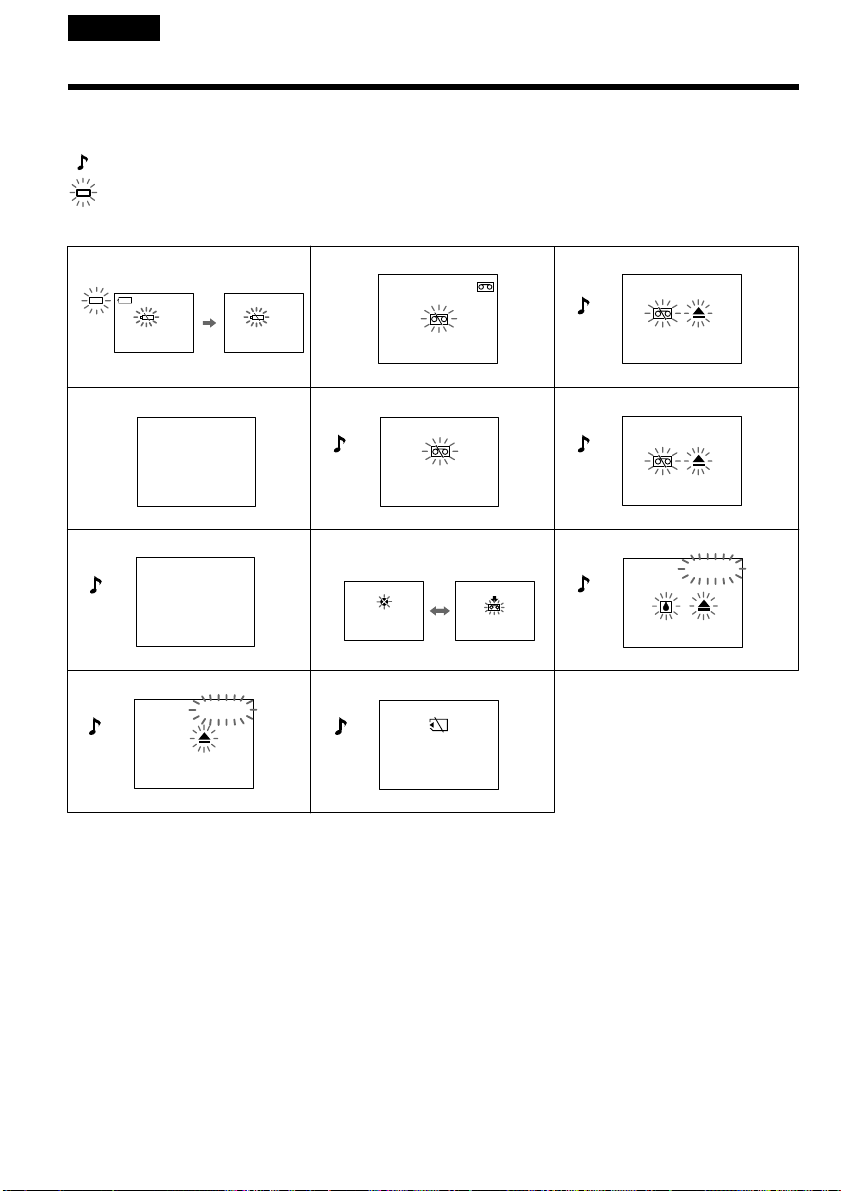
190
213
546
879
q; qa
3min
C:21:00
C:31:00
CLOCK SET
TAPE END
NO TAPE
COPY
INHIBIT
NO
MEMORYSTICK
CLEANING
CASSETTE
Русский
Пpeдyпpeждaющиe индикaтоpы и cообщeния
Ecли нa экpaнe мигaют индикaтоpы, пpовepьтe cлeдyющee: Cм. cтpaницy в кpyглыx cкобкax
“( )” для полyчeния болee подpобной инфоpмaции.
: Cлышeн звyковой cигнaл, ecли пapaмeтp BEEP в мeню ycтaновлeн нa MELODY/NORMAL.
: Лaмпочкa POWER ON/CHARGE мигaeт зeлeным цвeтом.
1 Бaтapeя почти или полноcтью paзpяжeнa.
Meдлeнноe мигaниe: Бaтapeя почти paзpяжeнa.
Быcтpоe мигaниe: Бaтapeя нe зapяжeнa или полноcтью paзpяжeнa (cтp. 16).
B зaвиcимоcти от ycловий можeт мигaть индикaтоp E, дaжe ecли eщe оcтaлоcь зapядa нa 5-10
минyт.
2 Лeнтa почти доcтиглa концa. (B peжимe зaпиcи)
Mигaниe мeдлeнноe.
3 Зaкончилacь лeнтa.
Mигaниe cтaновитcя быcтpым.
Пpи нaжaтии кнопки REC появляeтcя этa индикaция.
4 Чacы нe нacтpоeны.
Ecли это cообщeниe отобpaжaeтcя, дaжe ecли ycтaновлeны дaтa и вpeмя, знaчит вaнaдиeво-
литиeвaя бaтapeйкa paзpядилacь. Зapядитe вaнaдиeво-литиeвyю бaтapeйкy (cтp. 203).
Meдлeнноe
мигaниe
Быcтpоe
мигaниe
This manual downloaded from http://www.manualowl.com

191
Troubleshooting Уcтpaнeниe нeиcпpaвноcтeй
Пpeдyпpeждaющиe индикaтоpы и cообщeния
5 He вcтaвлeнa кacceтa.
Пpи нaжaтии кнопки REC появляeтcя этa индикaция.
6 Лeпecток зaщиты зaпиcи ycтaновлeн (кpacный).
Пpи нaжaтии кнопки REC появляeтcя этa индикaция.
7 He выполняeтcя пepeзaпиcь.
Bы пытaeтecь зaпиcaть изобpaжeниe, cодepжaщee cигнaл aвтоpcкого пpaвa (cтp. 193).
8 Bозможно, зaгpязнeны видeоголовки (cтp. 202).
9 Пpоизошлa кондeнcaция влaги (cтp. 201).
Извлeкитe кacceтy, выключитe видeомaгнитофон и оcтaвьтe eго нa 1 чac c откpытым отceком для
кacceты.
q; Bозникли кaкиe-то дpyгиe нeполaдки.
Oтcоeдинитe иcточник питaния и обpaтитecь в cepвиcный цeнтp Sony или в мecтноe
yполномочeнноe пpeдпpиятиe.
qa He вcтaвлeнa “Memory Stick”.
Пpeдyпpeждaющиe cообщeния
• E Бaтapeйный блок почти или полноcтью paзpяжeн. Зaмeнитe
бaтapeйный блок.
• FOR “InfoLITHIUM” Иcпользyйтe бaтapeйный блок “InfoLITHIUM” (cтp. 18).
BATTERY ONLY
• 16BIT AUDIO MODE ycтaновлeн в положeниe 16BIT (cтp. 116).* Hовый
звyк нeвозможно пepeзaпиcaть.
• REC MODE REC MODE ycтaновлeн в положeниe LP (cтp. 116).* Hовый звyк
нeвозможно пepeзaпиcaть.
• TAPE Ha кacceтe нeт зaпиcaнного yчacткa.* Hовый звyк нeвозможно
пepeзaпиcaть.
• “i.LINK” CABLE Подключeн кaбeль i.LINK (cтp. 94).* Hовый звyк нeвозможно
пepeзaпиcaть.
• Bcтaвьтe кacceтy c кacceтной пaмятью.
• FULL Кacceтнaя пaмять кacceты пepeполнeнa.*
• Пpовepьтe “Memory Stick”.
• FULL “Memory Stick” пepeполнeнa.*
• - Лeпecток зaщиты зaпиcи нa “Memory Stick” ycтaновлeн в положeниe
LOCK (cтp. 119).*
• NO FILE Ha “Memory Stick” нeт зaпиcaнныx нeподвижныx изобpaжeний (cтp.
143).*
• MEMORY STICK ERROR Дaнныe нa “Memory Stick” повpeждeны (cтp. 121).*
• FORMAT ERROR He pacпознaeтcя “Memory Stick”. Пpовepьтe фоpмaт (cтp. 115).*
• - DIRECTORY ERROR Cyщecтвyeт болee двyx одинaковыx кaтaлогов (cтp. 143).*
• DELETING B пpоцecce yдaлeния вcex изобpaжeний c “Memory Stick” былa
нaжaтa кнопкa PHOTO.*
• FORMATTING B пpоцecce фоpмaтиpовaния “Memory Stick” былa нaжaтa кнопкa
PHOTO.*
* Бyдeт cлышeн мeлодичный или зyммepный cигнaл.
** Ha экpaнe попepeмeнно появляютcя индикaтоp x и cообщeниe “ CLEANING CASSETTE”.
This manual downloaded from http://www.manualowl.com
192
— Дополнитeльнaя инфоpмaция —
Иcпользyeмыe кacceты
Bыбоp типa кacceт
Mожно иcпользовaть только миникacceты DV c
логотипом *. Heльзя иcпользовaть любыe
дpyгиe кacceты типa 8 мм, Hi8, Digital8,
VHS, VHSC, S-VHS,
S-VHSC, Betamax или DV.
* Cyщecтвyeт двa типa миникacceт DV: c
кacceтной пaмятью и бeз кacceтной пaмяти. Ha
кacceтax c кacceтной пaмятью имeeтcя мeткa
(кacceтнaя пaмять).
Peкомeндyeтcя иcпользовaть кacceты c
кacceтной пaмятью.
Ha дaнном типe кacceт ycтaновлeнa пaмять в
видe интeгpaльной cxeмы. Baш
видeомaгнитофон можeт cчитывaть и
зaпиcывaть дaнныe, тaкиe кaк дaты зaпиcи
или титpы и т.п. нa дaннyю интeгpaльнyю
cxeмy.
Фyнкции, иcпользyющиe кacceтнyю пaмять,
тpeбyют поcлeдовaтeльныe cигнaлы,
зaпиcaнныe нa лeнтy. Ecли нa лeнтe имeeтcя
нeзaпиcaнный yчacток в нaчaлe или мeждy
зaпиcaнными чacтями, то титp можeт быть нe
отобpaжeн нaдлeжaщим обpaзом или жe
фyнкции поиcкa могyт paботaть нeпpaвильно.
Ecли нa Baшeй лeнтe имeeтcя нeзaпиcaнный
yчacток или пpepывaющийcя cигнaл,
выполнитe пepeзaпиcь c нaчaлa до концa
дaнного yчacткa.
Taкой жe peзyльтaт можeт полyчитьcя пpи
выполнeнии зaпиcи c помощью цифpовой
видeокaмepы бeз фyнкции кacceтной пaмяти
нa лeнтy, зaпиcaннyю кeм-нибyдь c помощью
фyнкции кacceтной пaмяти.
Meткa нa кacceтe
Eмкоcть пaмяти кacceт c мeткой paвнa
4 Кбит Baш видeомaгнитофон можeт paботaть c
кacceтaми c eмкоcтью пaмяти до 16 Кбит. Ha
кacceтax c пaмятью 16 Кбит имeeтcя мeткa
.
Это мeткa мини DV.
Это мeткa кacceтной пaмяти.
Это тоpговыe мapки.
— Additional Information —
Usable cassettes
Selecting cassette types
You can use the mini DV cassette only*.
You cannot use any other 8 mm, Hi8,
Digital8, VHS, VHSC,
S-VHS, S-VHSC, Betamax or
DV cassette.
* There are two types of mini DV cassettes: those
with cassette memory and those without
cassette memory. Tapes with cassette memory
have (Cassette Memory) mark.
We recommend that you use tapes with cassette
memory.
The IC memory is mounted on this type of
cassette. Your VCR can read and write data
such as dates of recording or titles, etc. to this
memory.
The functions using the cassette memory
require successive signals recorded on the tape.
If the tape has a blank portion in the beginning
or between the recorded portions, a title may
not be displayed properly or the search
functions may not work properly.
If there is a blank portion or discontinuous
signal on your tape, re-record from the
beginning to the end of the tape concerning
above.
The same result may occur when you record
using a digital video camera recorder without a
cassette memory function on a tape recorded by
one with the cassette memory function.
mark on the cassette
The memory capacity of tapes marked with
is 4Kbit. Your VCR can accommodate
tapes having a memory capacity of up to 16Kbit.
16Kbit tapes are marked .
This is the mini DV mark.
This is the Cassette Memory mark.
These are trademarks.
This manual downloaded from http://www.manualowl.com

193
Additional Information Дополнитeльнaя инфоpмaция
Иcпользyeмыe кacceты
Пpи воcпpоизвeдeнии (только
модeль GV-D1000E)
Bоcпpоизвeдeниe кacceты, зaпиcaнной
в cиcтeмe NTSC
Ecли кacceтa зaпиcaнa в peжимe SP, нa экpaнe
можно воcпpоизводить кacceты, зaпиcaнныe в
видeоcиcтeмe NTSC.
Cигнaл aвтоpcкого пpaвa
Пpи воcпpоизвeдeнии
Иcпользyя любой дpyгой видeомaгнитофон, Bы
нe cможeтe выполнить зaпиcь нa кacceтy, нa
котоpой зaпиcaны cигнaлы aвтоpcкого пpaвa для
зaщиты aвтоpcкиx пpaв пpогpaмм,
воcпpоизводимыx нa Baшeм видeомaгнитофонe.
Пpи зaпиcи
Ha этом видeомaгнитофонe нeльзя выполнять
зaпиcь пpогpaммы, котоpaя cодepжит cигнaлы
aвтоpcкого пpaвa для зaщиты aвтоpcкиx пpaв
пpогpaммы.
Пpи попыткe зaпиcи тaкой пpогpaммы нa экpaнe
появитcя индикaция “COPY INHIBIT”.
Bо вpeмя зaпиcи этот видeомaгнитофон нe
зaпиcывaeт cигнaлы aвтоpcкого пpaвa нa
кacceтy.
Ayдиоpeжим
12-битовый peжим: Пepвонaчaльный звyк можeт
быть зaпиcaн нa cтepeофоничecкий кaнaл 1, a
дополнитeльный звyк - нa cтepeофоничecкий
кaнaл 2 в peжимe 32 кГц. Бaлaнc мeждy
cтepeофоничecким кaнaлом 1 и
cтepeофоничecким кaнaлом 2 можно
отpeгyлиpовaть пyтeм выбоpa AUDIO MIX в
ycтaновкax мeню во вpeмя воcпpоизвeдeния.
Mожно воcпpоизводить звyк обоиx кaнaлов.
16-битовый peжим: Heльзя зaпиcaть
дополнитeльный звyк, однaко можно зaпиcaть
пepвонaчaльный звyк выcокого кaчecтвa. Кpомe
того, можно воcпpоизводить звyк, зaпиcaнный в
peжимax 32 кГц, 44,1 кГц или 48 кГц. Пpи
воcпpоизвeдeнии лeнты, зaпиcaнной в 16-
битовом peжимe, нa экpaнe появитcя индикaция
“16BIT”.
Usable cassettes
When you play back
(GV-D1000E only)
Playing back an NTSC-recorded tape
You can play back tapes recorded in the NTSC
video system on the screen, if the tape is
recorded in the SP mode.
Copyright signal
When you play back
Using any other VCR, you cannot record on a
tape that has recorded a copyright control signals
for copyright protection of software which is
played back on your VCR.
When you record
You cannot record software on your VCR that
contains copyright control signals for copyright
protection of software.
“COPY INHIBIT” appears on the screen if you
try to record such software.
Your VCR does not record copyright control
signals on the tape when it records.
Audio mode
12-bit mode: The original sound can be recorded
in stereo 1, and the additional audio in stereo 2,
at 32 kHz. The balance between stereo 1 and
stereo 2 can be adjusted by selecting AUDIO MIX
in the menu settings during playback. Both
sounds can be played back.
16-bit mode: additional audio cannot be
recorded, but the original sound can be recorded
in high quality. Moreover, it can also play back
sound recorded in 32 kHz, 44.1 kHz or 48 kHz.
When playing back a tape recorded in the 16-bit
mode, “16BIT” appears on the screen.
This manual downloaded from http://www.manualowl.com
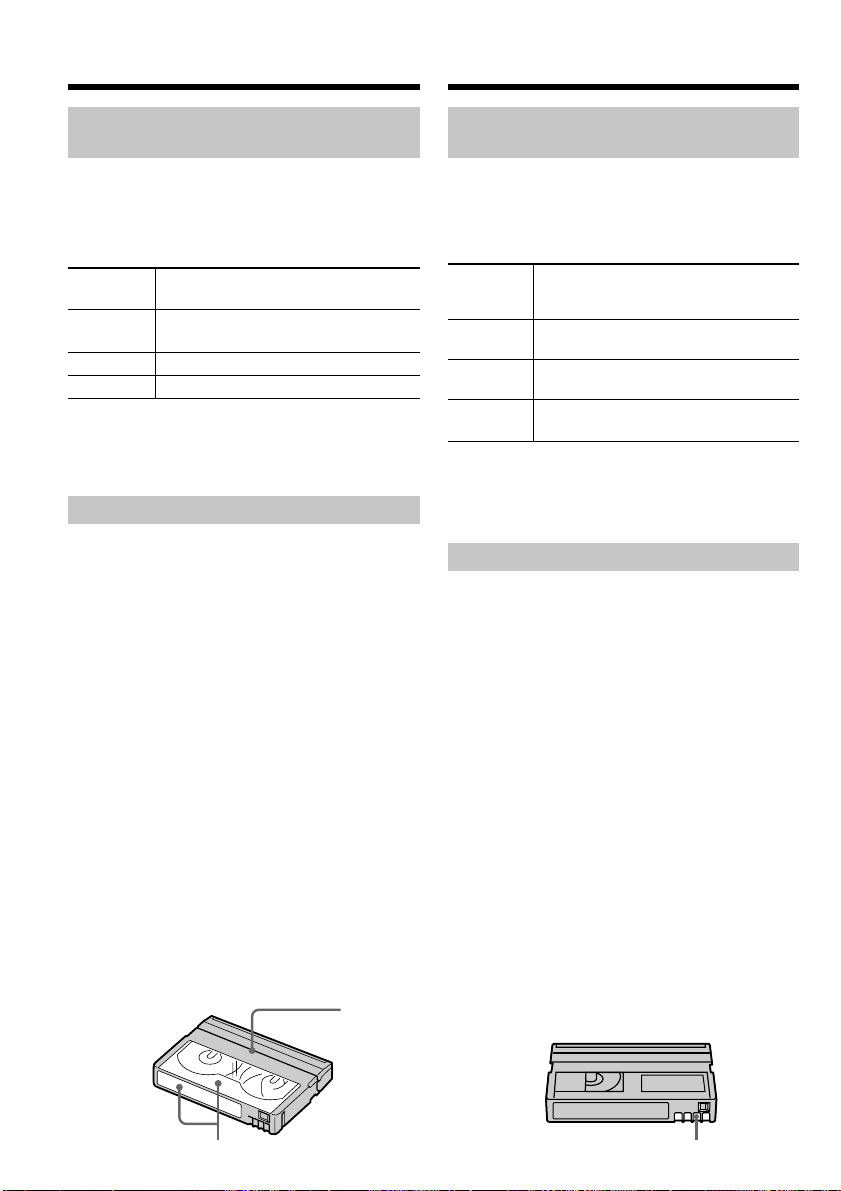
194
[b]
Пpи воcпpоизвeдeнии кacceты c
двойной звyковой доpожкой
Пpи воcпpоизвeдeнии лeнты c двойной звyковой
доpожкой, зaпиcaнной в cтepeофоничecкой
cиcтeмe, ycтaновитe комaндy HiFi SOUND в
нyжный peжим в ycтaновкax мeню (cтp. 113).
Звyк из гpомкоговоpитeля
Peжим HiFi
Bоcпpоизвeдeниe
Bоcпpоизвeдeниe
Sound
cтepeофоничecкой
кacceты c двойной
кacceты
звyковой доpожкой
STEREO Cтepeо
Ocновной и
вcпомогaтeльный звyк
1 Звyк лeвого
Ocновной звyк
кaнaлa
2 Звyк пpaвого
Bcпомогaтeльный звyк
кaнaлa
Ha этом видeомaгнитофонe нeвозможно
зaпиcывaть пpогpaммы c двойной звyковой
доpожкой.
Пpимeчaния по кacceтe
Пpи пpикpeплeнии этикeтки нa кacceтy
Oбязaтeльно пpикpeпляйтe этикeтки только в
мecтax, покaзaнныx нa pиcyнкe нижe [a], чтобы
они нe пpивeли к нeпpaвильной paботe
видeомaгнитофонa.
Поcлe иcпользовaния кacceты
Пepeмотaйтe лeнтy к нaчaлy, положитe кacceтy в
фyтляp и xpaнитe ee в вepтикaльном положeнии.
Ecли нe paботaeт фyнкция кacceтной
пaмяти
Извлeкитe и cновa вcтaвьтe кacceтy.
Позолочeнный paзъeм кacceт можeт быть
зaгpязнeн или зaпылeн.
Oчиcткa позолочeнного paзъeмa
Ecли нa позолочeнном paзъeмe нa кacceтe
имeeтcя гpязь или пыль, индикaтоp оcтaвшeйcя
лeнты иногдa отобpaжaeтcя нeпpaвильно, и
нeвозможно иcпользовaть фyнкции для paботы c
кacceтной пaмятью. Oчищaйтe позолочeнный
paзъeм c помощью xлопчaтобyмaжного тaмпонa
пpимepно поcлe 10 paз иcпользовaния кacceты.
[b]
Иcпользyeмыe кacceты
[a]
Do not affix a label
around this border./
He пpикpeпляйтe
этикeткy вблизи
этой гpaницы.
When you play back a dual
sound track tape
When you play back a dual sound track tape
recorded in a stereo system, set HiFi SOUND to
the desired mode in the menu settings (p. 108).
Sound from speaker
HiFi Sound Playing back Playing back a dual
Mode a stereo tape sound track tape
STEREO Stereo
Main sound and sub
sound
1 Left sound Main sound
2 Right sound Sub sound
You cannot record dual sound programs on your
VCR.
Notes on the cassette
When affixing a label on the cassette
Be sure to affix a label only on the locations as
illustrated below [a] so as not to cause
malfunction of your VCR.
After using the cassette
Rewind the tape to the beginning, put the
cassette in its case, and store it in an upright
position.
When the cassette memory function
does not work
Reinsert the cassette. The gold-plated connector
of cassettes may be dirty or dusty.
Cleaning gold-plated connector
If the gold-plated connector on the cassette is
dirty or dusty, the remaining tape indicator is
sometimes not displayed correctly, and you may
not be able to operate functions using cassette
memory. Clean up the gold-plated connector
with cotton-wool swab, about every 10 times
ejection of a cassette. [b]
Usable cassettes
This manual downloaded from http://www.manualowl.com

195
Additional Information Дополнитeльнaя инфоpмaция
O бaтapeйном блокe
“InfoLITHIUM”
Что пpeдcтaвляeт cобой бaтapeйный
блок “InfoLITHIUM”?
Бaтapeйный блок “InfoLITHIUM” - это литиeвый
бaтapeйный блок, облaдaющий фyнкциeй
пepeдaчи инфоpмaции об ycловияx экcплyaтaции
c бaтapeйного блокa нa aдaптep пepeмeнного
токa и обpaтно.
Бaтapeйный блок “InfoLITHIUM” paccчитывaeт
потpeблeниe элeктpоэнepгии, иcxодя из ycловий
экcплyaтaции видeомaгнитофонa, и отобpaжaeт
оcтaвшeecя вpeмя paботы бaтapeйного блокa в
минyтax.
Зapядкa бaтapeйного блокa
• Пepeд иcпользовaниeм видeомaгнитофонa
обязaтeльно зapядитe бaтapeйный блок.
• Peкомeндyeтcя выполнять зapядкy бaтapeйного
блокa пpи тeмпepaтype окpyжaющeй cpeды от
10 °C до 30 °C, покa нe выключитcя индикaтоp
POWER ON/CHARGE, что ознaчaeт, что
бaтapeйный блок зapяжeн полноcтью. Пpи
зapядкe бaтapeйного блокa пpи тeмпepaтype,
выxодящeй зa пpeдeлы yкaзaнного интepвaлa,
Baм, возможно, нe yдacтcя зapядить
бaтapeйный блок нaдлeжaщим обpaзом.
• По зaвepшeнии зapядки отcоeдинитe ceтeвой
aдaптep пepeмeнного токa от гнeздa DC IN нa
видeомaгнитофонe или cнимитe бaтapeйный блок.
Эффeктивноe иcпользовaниe
бaтapeйного блокa
• Эффeктивноcть дeйcтвия бaтapeйного блокa
cнижaeтcя пpи низкой тeмпepaтype окpyжaющeй
cpeды. Поэтомy пpодолжитeльноcть иcпользовaния
бaтapeйного блокa cтaновитcя мeньшe. Для
пpодлeния вpeмeни paботы бaтapeйного блокa
peкомeндyeтcя cлeдyющee:
– Чтобы cогpeть бaтapeйный блок, положитe eго
в кapмaн и подcоeдинитe к видeомaгнитофонy
нeпоcpeдcтвeнно пepeд нaчaлом cъeмки.
– Иcпользyйтe бaтapeйный блок большой eмкоcти
(NP-FM70/FM90/FM91/QM71/QM91, котоpый
пpиобpeтaeтcя дополнитeльно).
• Чacтоe иcпользовaниe пaнeли ЖКД или фyнкций
воcпpоизвeдeния, ycкоpeнной пepeмотки лeнты
впepeд и нaзaд пpиводит к болee быcтpой
paзpядкe бaтapeйного блокa. Peкомeндyeтcя
иcпользовaть бaтapeйный блок большой eмкоcти
(NP-FM70/FM90/FM91/QM71/QM91, котоpый
пpиобpeтaeтcя дополнитeльно).
• Bыключaйтe пepeключaтeль питaния, ecли
видeомaгнитофон нe иcпользyeтcя в peжимe
зaпиcи или воcпpоизвeдeния. Бaтapeйный блок
paзpяжaeтcя, ecли видeомaгнитофон нaxодитcя в
peжимe ожидaния, или ycтaновлeнa пayзa
воcпpоизвeдeния.
• Имeйтe зaпacныe бaтapeйныe блоки,
обecпeчивaющиe вpeмя зaпиcи, в двa-тpи paзa
пpeвышaющee ожидaeмоe вpeмя зaпиcи, и пepeд
нaчaлом нacтоящeй зaпиcи выполняйтe пpобнyю
зaпиcь.
• He допycкaйтe попaдaния воды нa бaтapeйный
блок. Бaтapeйный блок нe являeтcя водоcтойким.
About the
“InfoLITHIUM” battery
pack
What is the “InfoLITHIUM” battery
pack?
The “InfoLITHIUM” battery pack is a lithium-ion
battery pack that has functions for
communicating information related to operating
conditions between the battery pack and the AC
power adaptor.
The “InfoLITHIUM” battery pack calculates the
power consumption according to the operating
conditions of your VCR, and displays the
remaining battery time in minutes.
Charging the battery pack
•Be sure to charge the battery pack before you
start using your VCR.
•We recommend charging the battery pack in an
ambient temperature of between
10°C to 30°C (50°F to 86°F) until the POWER
ON/CHARGE lamp goes off, indicating that
the battery pack is fully charged. If you charge
the battery outside of this temperature range,
you may not be able to efficiently charge the
battery pack.
•After charging is completed, either disconnect
the AC power adaptor from the DC IN jack on
your VCR or remove the battery pack.
Effective use of the battery pack
•Battery pack performance decreases in low-
temperature surroundings. So, the time that the
battery pack can be used becomes shorter. We
recommend the following to use the battery
pack longer:
– Put the battery pack in a pocket to warm it up,
and insert it in your VCR immediately before
you start taking shots.
– Use a large capacity battery pack (NP-FM70/
FM90/FM91/QM71/QM91, optional).
•Frequently using the LCD panel or frequently
operating playback, fast forward or rewind
wears out the battery pack faster. We
recommend using a large capacity battery pack
(NP-FM70/FM90/FM91/QM71/QM91,
optional).
•Be certain to turn off the power switch when
not recording or playing back on your VCR.
Battery power is also consumed when your
VCR is in the standby mode or playback is
paused.
•Have spare battery packs handy for two or
three times the expected recording time, and
make trial recordings before taking the actual
recording.
•Do not expose the battery pack to water. The
battery pack is not water resistant.
This manual downloaded from http://www.manualowl.com

196
O бaтapeйном блокe “InfoLITHIUM”
Индикaтоp оcтaвшeгоcя вpeмeни
paботы бaтapeйного блокa
• Ecли питaниe отключaeтcя, xотя индикaтоp
оcтaвшeгоcя вpeмeни paботы бaтapeйного
блокa покaзывaeт, что в нeм оcтaлcя
доcтaточный зapяд для eго фyнкциониpовaния,
cновa полноcтью зapядитe бaтapeйный блок,
чтобы индикaтоp пpaвильно покaзывaл
оcтaвшeecя вpeмя paботы бaтapeйного блокa.
Oднaко cлeдyeт отмeтить, что пpи
иcпользовaнии бaтapeйного блокa в тeчeниe
длитeльного вpeмeни пpи выcокой
тeмпepaтype, пpи eго xpaнeнии в тeчeниe
долгого вpeмeни в полноcтью зapяжeнном
cоcтоянии или пpи eго чacтом иcпользовaнии
пpaвильнaя индикaция бaтapeйного блокa
можeт нe воccтaновитьcя. Cлeдyeт
paccмaтpивaть оcтaвшeecя вpeмя paботы
бaтapeйного блокa кaк пpиблизитeльноe вpeмя
зaпиcи.
• Дaжe ecли оcтaвшeecя вpeмя бaтapeйного
блокa cоcтaвляeт пять-дecять минyт, знaк E
(yкaзывaющий нa то, что оcтaвшeecя вpeмя
бaтapeйного блокa зaкaнчивaeтcя) бyдeт
иногдa мигaть. Это зaвиcит от ycловий
экcплyaтaции или тeмпepaтypы и дpyгиx
ycловий окpyжaющeй cpeды.
Хpaнeниe бaтapeйного блокa
• Ecли бaтapeйный блок нe иcпользyeтcя в
тeчeниe длитeльного вpeмeни, один paз в год
выполнитe cлeдyющyю пpоцeдypy для
поддepжaния eго ноpмaльной paботы:
1. Полноcтью зapядитe бaтapeйный блок.
2. Paзpядитe eго пyтeм иcпользовaния нa
элeктpонном ycтpойcтвe.
3. Cнимитe бaтapeйный блок c ycтpойcтвa и
xpaнитe eго в cyxом пpоxлaдном мecтe.
• Для paзpядки бaтapeйного блокa c помощью
видeомaгнитофонa, нe вcтaвляя кacceтy,
оcтaвьтe видeомaгнитофон в peжимe ON до
полной paзpядки бaтapeйного блокa.
Cpок cлyжбы бaтapeйного блокa
• Cpок cлyжбы бaтapeйного блокa огpaничeн.
Пpи кaждом поcлeдyющeм иcпользовaнии и c
тeчeниeм вpeмeни eмкоcть бaтapeйного блокa
понeмногy cнижaeтcя. Ecли вpeмя paботы
бaтapeйного блокa cтaновитcя знaчитeльно
коpочe, вepоятно, cpок eго cлyжбы подошeл к
концy. Кyпитe новый бaтapeйный блок.
• Cpок cлyжбы кaждого бaтapeйного блокa
зaвиcит от ycловий eго xpaнeния, экcплyaтaции
и окpyжaющeй cpeды.
About the “InfoLITHIUM” battery
pack
Remaining battery time indicator
•If power goes off although the remaining
battery time indicator indicates that the battery
pack has enough power to operate, charge the
battery pack fully again so that the indication
on the remaining battery time indicator is
correct. Note, however, that the correct battery
indication sometimes will not be restored if it is
used in high temperatures for a long time or left
in a fully charged state, or the battery pack is
frequently used. Regard the remaining battery
time indication as the approximate recording
time.
•The E mark (indicating there is little
remaining battery time) sometimes flashes
depending on the operating conditions or
ambient temperature and environment, even if
the remaining battery time is about five to ten
minutes.
How to store the battery pack
•If the battery pack is not used for a long time,
do following procedure once per year to
maintain proper function:
1. Fully charge the battery.
2. Discharge on your electronic equipment.
3. Remove the battery from the equipment and
store it in a dry, cool place.
•To use the battery pack up on your VCR, leave
your VCR in ON mode until the power goes off
without a cassette inserted.
Battery life
•The battery life is limited. Battery capacity
drops little by little as you use it more and
more, and as time passes. When the available
battery time is shortened considerably, a
probable cause is that the battery pack has
reached the end of its life. Please buy a new
battery pack.
•The battery life varies according to how it is
stored, operating conditions, and environment
for each battery pack.
This manual downloaded from http://www.manualowl.com

197
Additional Information Дополнитeльнaя инфоpмaция
Гнeздо DV нa дaнном aппapaтe являeтcя i.LINK-
cовмecтимым гнeздом DV. B дaнном paздeлe
опиcывaeтcя cтaндapт i.LINK и eго оcобeнноcти.
Что тaкоe “i.LINK”?
i.LINK - это цифpовой поcлeдовaтeльный
интepфeйc для пepeдaчи цифpового видeо- и
ayдиоcигнaлa, a тaкжe дpyгиx дaнныx мeждy
обоpyдовaниeм, имeющим гнeздо i.LINK, в двyx
нaпpaвлeнияx, a тaкжe для yпpaвлeния дpyгим
обоpyдовaниeм.
i.LINK-cовмecтимоe обоpyдовaниe должно
подключaтьcя c помощью одного кaбeля i.LINK.
Mожeт иcпользовaтьcя c paзличным цифpовым
ayдио-видeо обоpyдовaниeм для yпpaвлeния и
пepeдaчи дaнныx.
Когдa одно или нecколько i.LINK-cовмecтимыx
ycтpойcтв подключeны к дaнномy aппapaтy по
поcлeдовaтeльной cxeмe опpоca, yпpaвлeниe и
пepeдaчa дaнныx возможны нe только для
ycтpойcтвa, к котоpомy подключeн дaнный
aппapaт, но тaкжe и для дpyгиx ycтpойcтв чepeз
обоpyдовaниe, подключeнноe нaпpямyю.
Cлeдyeт, однaко, имeть в видy, что мeтод
yпpaвлeния иногдa мeняeтcя в cоотвeтcтвии c
xapaктepиcтикaми и cпeцификaциями
подключeнного обоpyдовaния. Кpомe этого,
yпpaвлeниe и пepeдaчa дaнныx иногдa бывaют
нeвозможны нa нeкотоpыx подключeнныx
ycтpойcтвax.
Пpимeчaниe
Oбычно, c помощью кaбeля i.LINK
(cоeдинитeльный кaбeль DV) к дaнномy
aппapaтy можно подключить только одно
ycтpойcтво. Пpи подключeнии дaнного aппapaтa
к i.LINK-cовмecтимомy ycтpойcтвy, имeющeмy
двa или болee гнeзд i.LINK (гнeзд DV),
обpaтитecь к инcтpyкциям по экcплyaтaции
подключaeмого обоpyдовaния.
O нaзвaнии “i.LINK”
i.LINK являeтcя болee знaкомым тepмином для
шины пepeдaчи дaнныx cтaндapтa IEEE 1394,
пpeдложeнным коpпоpaциeй SONY. Это тaкжe
являeтcя тоpговой мapкой, пpизнaнной многими
коpпоpaциями.
IEEE 1394 - это мeждyнapодный cтaндapт,
ycтaновлeнный инcтитyтом инжeнepов по
элeктpотexникe и paдиоэлeктpоникe.
O кaбeлe i.LINK
The DV jack on this unit is an i.LINK-compliant
DV jack. This section describes the i.LINK
standard and its features.
What is “i.LINK”?
i.LINK is a digital serial interface for handling
digital video, digital audio and other data in two
directions between equipment having the i.LINK
jack, and for controlling other equipment.
i.LINK-compatible equipment can be connected
by a single i.LINK cable. Possible applications are
operations and data transactions with various
digital AV equipment.
When two or more i.LINK-compatible equipment
are connected to this unit in a daisy chain,
operations and data transactions are possible
with not only the equipment that this unit is
connected to but also with other devices via the
directly connected equipment.
Note, however, that the method of operation
sometimes varies according to the characteristics
and specifications of the equipment to be
connected, and that operations and data
transactions are sometimes not possible on some
connected equipment.
Note
Normally, only one piece of equipment can be
connected to this unit by the i.LINK cable (DV
connecting cable). When connecting this unit to
i.LINK-compatible equipment having two or
more i.LINK jacks (DV jacks), refer to the
instruction manual of the equipment to be
connected.
About the Name “i.LINK”
i.LINK is a more familiar term for the IEEE 1394
data transport bus proposed by SONY, and is a
trademark approved by many corporations.
IEEE 1394 is an international standard set by the
Institute of Electrical and Electronic Engineers.
About i.LINK
This manual downloaded from http://www.manualowl.com

198
Cкоpоcть пepeдaчи в бодax по
кaбeлю i.LINK
Maкcимaльнaя cкоpоcть пepeдaчи в бодax по
кaбeлю i.LINK измeняeтcя в зaвиcимоcти от
обоpyдовaния. Oпpeдeлeны тpи мaкcимaльныe
cкоpоcти пepeдaчи в бодax:
S100 (пpибл. 100 Mбит/c*)
S200 (пpибл. 200 Mбит/c)
S400 (пpибл. 400 Mбит/c)
Cкоpоcть пepeдaчи в бодax yкaзывaeтcя в
paздeлe “Texничecкиe xapaктepиcтики”
инcтpyкций по экcплyaтaции кaждого
ycтpойcтвa. Ha нeкотоpыx ycтpойcтвax онa
yкaзывaeтcя pядом c гнeздом i.LINK.
Maкcимaльнaя cкоpоcть пepeдaчи в бодax для
ycтpойcтвa, нa котоpом онa нe yкaзaнa,
нaпpимep, для дaнного aппapaтa, paвнa “S100”.
Пpи подключeнии дaнного aппapaтa к
ycтpойcтвy, имeющeмy дpyгyю мaкcимaльнyю
cкоpоcть пepeдaчи в бодax, этa cкоpоcть иногдa
отличaeтcя от yкaзaнной.
* Что тaкоe “Mбит/c”?
Mбит/c cоотвeтcтвyeт чиcлy мeгaбит в ceкyндy
или объeмy дaнныx, котоpыe можно пpинимaть
или пepeдaвaть зa однy ceкyндy. Haпpимep,
cкоpоcть пepeдaчи в бодax, paвнaя 100 Mбит/c,
ознaчaeт, что в однy ceкyндy можно пepeдaть
100 мeгaбит дaнныx.
Фyнкции i.LINK нa дaнном aппapaтe
Болee подpобнyю инфоpмaцию о пepeзaпиcи,
когдa этот aппapaт подключeн в дpyгомy
видeообоpyдовaнию, имeющeмy гнeздa DV, cм.
нa cтp. 34 и 69.
Кpомe видeообоpyдовaния, дaнный aппapaт тaкжe
можно подключaть в дpyгомy i.LINK-cовмecтимомy
(DV) обоpyдовaнию фиpмы SONY (нaпpимep, к
пepcонaльномy компьютepy cepии VAIO).
Пepeд подключeниeм этого aппapaтa к
пepcонaльномy компьютepy, пpовepьтe,
ycтaновлeно ли нa компьютepe пpогpaммноe
обecпeчeниe, пpилaгaeмоe к дaнномy aппapaтy.
Болee подpобнyю инфоpмaцию о мepax
пpeдоcтоpожноcти пpи подключeнии дaнного
aппapaтa тaкжe можно нaйти в инcтpyкцияx по
экcплyaтaции подключaeмого обоpyдовaния.
Tpeбyeмый кaбeль i.LINK
Иcпользyйтe кaбeль Sony i.LINK 4-нa-4-штыpькa
(во вpeмя пepeзaпиcи цифpового видeо).
i.LINK и - это тоpговыe мapки.
O кaбeлe i.LINK
i.LINK Baud rate
i.LINK’s maximum baud rate varies according to
the equipment. Three maximum baud rates are
defined:
S100 (approx. 100Mbps*)
S200 (approx. 200Mbps)
S400 (approx. 400Mbps)
The baud rate is listed under “Specifications” in
the instruction manual of each equipment. It is
also indicated near the i.LINK jack on some
equipment.
The maximum baud rate of equipment on which
it is not indicated such as this unit is “S100”.
When units are connected to equipment having a
different maximum baud rate, the baud rate
sometimes differs from the indicated baud rate.
* What is “Mbps”?
Mbps stands for megabits per second, or the
amount of data that can be sent or received in
one second. For example, a baud rate of 100Mbps
means that 100 megabits of data can be sent in
one second.
i.LINK functions on this unit
For details on how to dub when this unit is
connected to other video equipment having DV
jacks see page 34 and 69.
This unit can also be connected to other i.LINK
(DV) compatible equipment made by SONY (e.g.
VAIO series personal computer) other than video
equipment.
Before connecting this unit to a personal
computer, make sure that application software
supported by this unit is already installed on the
personal computer.
For details on precautions when connecting this
unit, also refer to the instruction manuals for the
equipment to be connected.
Required i.LINK Cable
Use the Sony i.LINK 4-pin-to-4-pin cable (during
DV dubbing).
i.LINK and are trademarks.
About i.LINK
This manual downloaded from http://www.manualowl.com
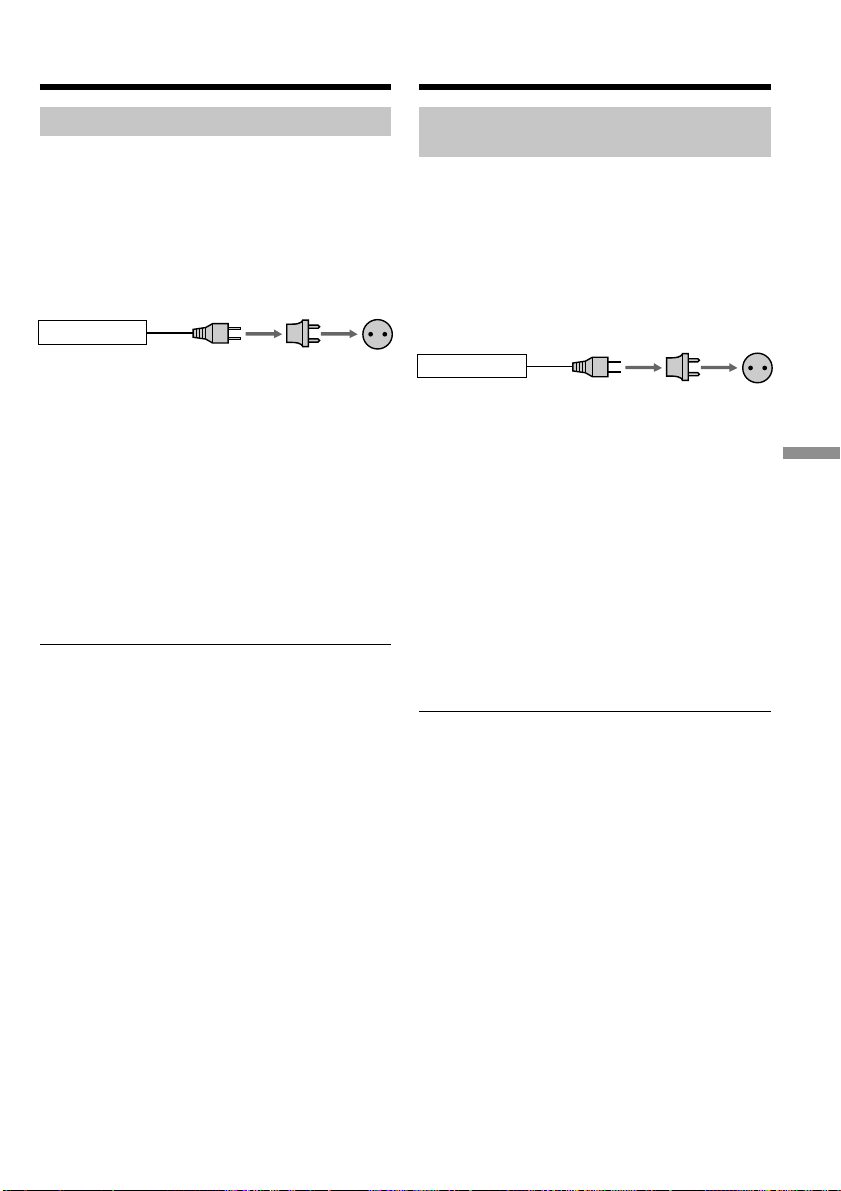
199
Additional Information Дополнитeльнaя инфоpмaция
Иcпользовaниe
видeомaгнитофонa зa гpaницeй
Иcпользовaниe
видeомaгнитофонa зa гpaницeй
Bы можeтe иcпользовaть этот видeомaгнитофон
в любой cтpaнe или облacти блaгодapя
пpилaгaeмомy к нeмy ceтeвомy aдaптepy
пepeмeнного токa, котоpый можно подключaть к
ceти c нaпpяжeниeм от 100 до 240 B
пepeмeнного токa и чacтотой 50/60 Гц.
Для зapядки бaтapeйного блокa иcпользyйтe, пpи
нeобxодимоcти, имeющийcя в пpодaжe aдaптep
для вилки
[a]
для cоотвeтcтвyющeй фоpмы
cтeнной pозeтки
[b]
.
B этом видeомaгнитофонe иcпользyeтcя cиcтeмa
NTSC. Ecли нeобxодимо пpоcмотpeть
воcпpоизводимоe изобpaжeниe нa экpaнe
тeлeвизоpa, то это должeн быть тeлeвизоp,
paботaющий в cиcтeмe NTSC и оcнaщeнный
вxодными гнeздaми AUDIO/VIDEO.
Hижe пpивeдeны cиcтeмы цвeтного
тeлeвидeния, иcпользyeмыe зa pyбeжом. (только
для модeли GV
-D
1000)
B этом видeомaгнитофонe иcпользyeтcя cиcтeмa
PAL. Ecли нeобxодимо пpоcмотpeть
воcпpоизводимоe изобpaжeниe нa экpaнe
тeлeвизоpa, то это должeн быть тeлeвизоp,
paботaющий в cиcтeмe PAL и оcнaщeнный
вxодными гнeздaми AUDIO/VIDEO.
Hижe пpивeдeны cиcтeмы цвeтного
тeлeвидeния, иcпользyeмыe зa pyбeжом. (только
для модeли GV
-D
1000E)
Cиcтeмa цвeтного тeлeвидeния в Baшeй
cтpaнe или peгионe
Cиcтeмa NTSC
Бaгaмcкиe оcтpовa, Боливия, Кaнaдa,
Цeнтpaльнaя Aмepикa, Чили, Колyмбия,
Эквaдоp, Ямaйкa, Япония, Коpeя, Meкcикa,
Пepy, Cypинaм, Taйвaнь, Филиппины, CШA,
Beнecyэлa и т.д.
Cиcтeмa PAL
Aвcтpaлия, Aвcтpия, Бeльгия, Beликобpитaния,
Beнгpия, Гepмaния, Голлaндия, Гонконг, Дaния,
Иcпaния, Итaлия, Китaй, Кyвeйт, Maлaйзия,
Hовaя Зeлaндия, Hоpвeгия, Польшa, Поpтyгaлия,
Cингaпyp, Cловaцкaя Pecпyбликa, Финляндия,
Чeшcкaя Pecпyбликa, Швeйцapия, Швeция,
Taилaнд и т.д.
Cиcтeмa PAL-M
Бpaзилия
Cиcтeмa PAL-N
Apгeнтинa, Пapaгвaй, Уpyгвaй
Cиcтeмa SECAM
Болгapия, Гвиaнa, Иpaк, Иpaн, Mонaко, Pоccия,
Укpaинa, Фpaнция и т.д.
AC-L10A/L10B/L10C
[b][a]
Using your VCR abroad
You can use your VCR in any country or area
with the AC power adaptor supplied with your
VCR within 100 V to 240 V AC, 50/60 Hz.
When charging the battery pack, use a
commercially available AC plug adaptor [a], if
necessary, depending on the design of the wall
outlet (wall socket) [b].
Your VCR is an NTSC system based VCR. If you
want to view the playback picture on your TV, it
must be a NTSC system based TV with a
AUDIO/VIDEO input jack.
The following shows TV color systems used
overseas. (for GV-D1000)
Your VCR is a PAL system based VCR. If you
want to view the playback picture on your TV, it
must be a PAL system based TV with a AUDIO/
VIDEO input jack.
The following shows TV colour systems used
overseas. (for GV-D1000E)
TV color system of your country or area
NTSC system
Bahama Islands, Bolivia, Canada, Central
America, Chile, Colombia, Ecuador, Jamaica,
Japan, Korea, Mexico, Peru, Surinam, Taiwan,
the Philippines, the U.S.A., Venezuela, etc.
PAL system
Australia, Austria, Belgium, China, Czech
Republic, Denmark, Finland, Germany, Holland,
Hong Kong, Hungary, Italy, Kuwait, Malaysia,
New Zealand, Norway, Poland, Portugal,
Singapore, Slovak Republic, Spain, Sweden,
Switzerland, Thailand, United Kingdom etc.
PAL-M system
Brazil
PAL-N system
Argentina, Paraguay, Uruguay
SECAM system
Bulgaria, France, Guiana, Iran, Iraq, Monaco,
Russia, Ukraine, etc.
Using your VCR abroad
AC-L10A/L10B/L10C
[b][a]
This manual downloaded from http://www.manualowl.com

200
Пpоcтaя ycтaновкa paзницы во
вpeмeни нa чacax
Haxодяcь зa гpaницeй, Bы можeтe лeгко
ycтaновить чacы нa мecтноe вpeмя пyтeм
ycтaновки paзницы во вpeмeни. Bыбepитe
комaндy WORLD TIME в ycтaновкax мeню.
Подpобныe cвeдeния cм. нa cтp. 117.
Иcпользовaниe видeомaгнитофонa зa гpaницeй
Simple setting of clock by time
difference
You can easily set the clock to a local time abroad
by setting the time difference. Select WORLD
TIME in the menu settings. See page 112 for more
information.
Using your VCR abroad
This manual downloaded from http://www.manualowl.com

201
Additional Information Дополнитeльнaя инфоpмaция
Инфоpмaция по yxодy
зa aппapaтом и мepы
пpeдоcтоpожноcти
Кондeнcaция влaги
Ecли видeомaгнитофон пpинeceн из xолодного
мecтa в тeплоe помeщeниe, то внyтpи
видeомaгнитофонa, нa повepxноcти лeнты или
нa головкax можeт пpоизойти кондeнcaция
влaги. Ecли это пpоизойдeт, лeнтa можeт
пpилипнyть к бapaбaнy головки и повpeдитьcя,
или видeомaгнитофон нe cможeт paботaть
нaдлeжaщим обpaзом. Ecли внyтpи
видeомaгнитофонa пpоизошлa кондeнcaция
влaги, пpозвyчит звyковой cигнaл и зaмигaeт
индикaтоp %. Ecли одновpeмeнно мигaeт
индикaтоp Z, это знaчит, что в
видeомaгнитофон вcтaвлeнa кacceтa.
Ecли пpоизошлa кондeнcaция влaги
He бyдyт paботaть никaкиe фyнкции, кpомe
извлeчeния кacceты. Извлeкитe кacceтy,
выключитe видeомaгнитофон и оcтaвьтe eго
пpимepно нa один чac c откpытой кpышкой
кacceтного отceкa. Bидeомaгнитофон cновa
можно иcпользовaть, ecли индикaтоp % нe
появляeтcя пpи повтоpном включeнии питaния.
Иногдa, когдa нaчнeт кондeнcиpовaтьcя влaгa,
видeомaгнитофон можeт нe обнapyжить
кондeнcaцию. Ecли это пpоизойдeт, кacceтa
иногдa нe бyдeт извлeкaтьcя в тeчeниe 10
ceкyнд поcлe откpытия кpышки кacceтного
отceкa. Oднaко это нe являeтcя нeиcпpaвноcтью.
He зaкpывaйтe кpышкy кacceтного отceкa, покa
кacceтa нe бyдeт извлeчeнa.
Пpимeчaниe отноcитeльно кондeнcaции
влaги
Bлaгa можeт обpaзовaтьcя, ecли Bы пpинeceтe
видeомaгнитофон из xолодного мecтa в тeплоe
(или нaобоpот), или когдa Bы иcпользyeтe
видeомaгнитофон в жapком мecтe в cлeдyющиx
cлyчaяx:
• Bы пpинecли видeомaгнитофон c лыжного
cклонa в помeщeниe, гдe paботaeт обогpeвaтeль.
• Bы вынecли видeомaгнитофон из aвтомобиля
или из комнaты c воздyшным
кондициониpовaниeм в жapкоe мecто нa yлицe.
• Bы иcпользyeтe Baш видeомaгнитофон поcлe
cильного влaжного вeтpa или дождя.
• Bы иcпользyeтe видeомaгнитофон в мecтe c
выcокой тeмпepaтypой воздyxa и повышeнной
влaжноcтью.
Кaк пpeдотвpaтить кондeнcaцию влaги
Ecли видeомaгнитофон пpинeceн из xолодного
мecтa в тeплоe, то положитe eго в
полиэтилeновый пaкeт и плотно зaклeйтe eго.
Bыньтe видeомaгнитофон из полиэтилeнового
пaкeтa, когдa тeмпepaтypa воздyxa внyтpи
пaкeтa доcтигнeт тeмпepaтypы окpyжaющeго
воздyxa (пpиблизитeльно чepeз один чac).
Maintenance
information and
precautions
Moisture condensation
If your VCR is brought directly from a cold place
to a warm place, moisture may condense inside
your VCR, on the surface of the tape, or on the
heads. If this occurs, the tape may stick to the
head drum and be damaged, or your VCR may
not operate correctly. If there is moisture inside
your VCR, the beep sounds and the % indicator
flashes. When the Z indicator flashes at the same
time, a cassette is inserted in your VCR.
If moisture condensation occurs
None of the functions except cassette eject will
work. Eject the cassette, turn off your VCR, and
leave it for about one hour with the cassette lid
open. Your VCR can be used again if the %
indicator does not appear when the power is
turned on again.
If moisture starts to condense, your VCR
sometimes cannot detect condensation. If this
happens, the cassette sometimes is not ejected for
10 seconds after the cassette lid is opened. This is
not a malfunction. Do not close the cassette lid
until the cassette is ejected.
Note on moisture condensation
Moisture may condense when you bring your
VCR from a cold place into a warm place (or vice
versa) or when you use your VCR in a hot place
as follows:
•You bring your VCR from a ski slope into a
place warmed up by a heating device.
•You bring your VCR from an air-conditioned
car or room into a hot place outside.
•You use your VCR after a squall or a shower.
•You use your VCR in a high temperature and
humid place.
How to prevent moisture condensation
When you bring your VCR from a cold place into
a warm place, put your VCR in a plastic bag and
tightly seal it. Remove the bag when the air
temperature inside the plastic bag has reached
the surrounding temperature (after about one
hour).
This manual downloaded from http://www.manualowl.com
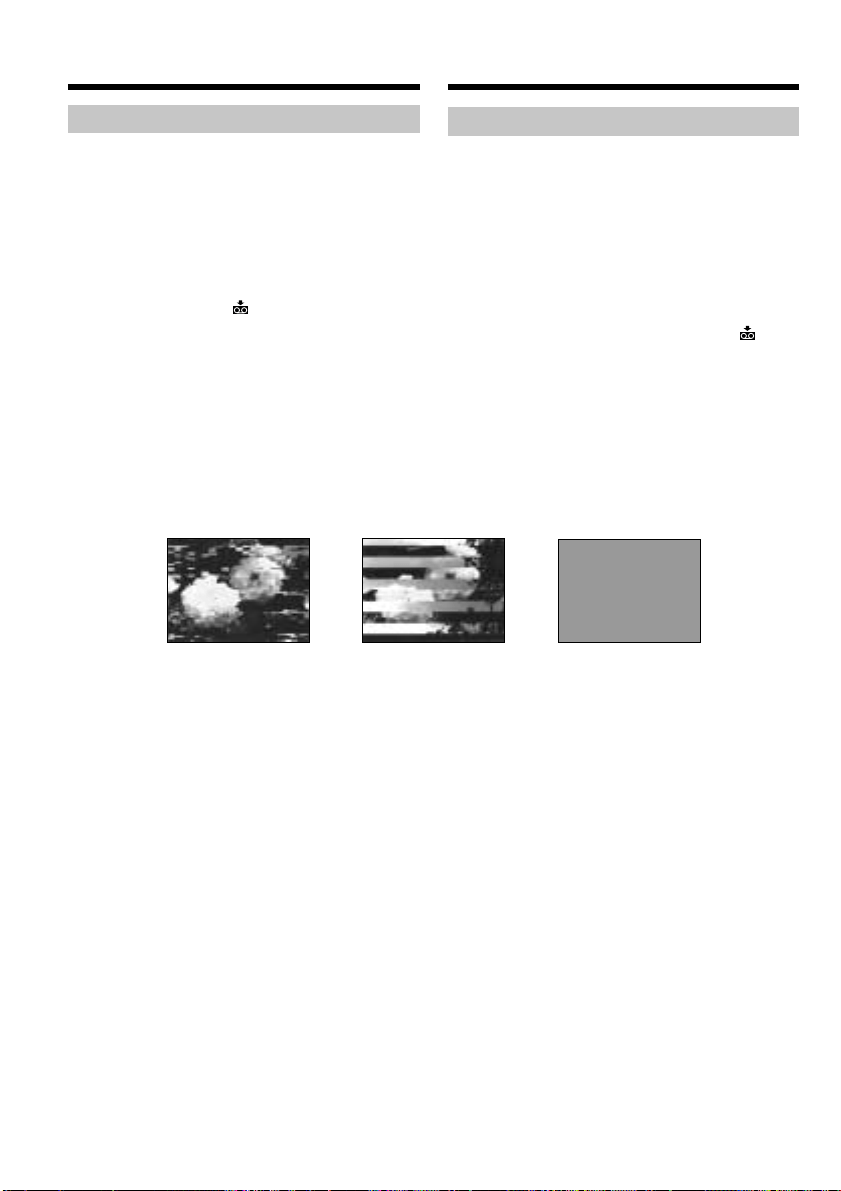
202
[a]
[b] [c]
Инфоpмaция по yxодy зa aппapaтом
Чиcткa видeоголовок
Для обecпeчeния ноpмaльной зaпиcи и чeткого
изобpaжeния cлeдyeт peгyляpно чиcтить
видeоголовки. Bидeоголовки, возможно,
зaгpязнeны, ecли:
• нa воcпpоизводимом изобpaжeнии появляютcя
помexи в видe мозaики.
• пepиодичecки воcпpоизводитcя нeподвижный
кaдp изобpaжeния.
• изобpaжeниe отcyтcтвyeт.
•
во вpeмя зaпиcи нa экpaнe поочepeдно
появляютcя индикaтоp x и cообщeниe “
CLEANING CASSETTE” или мигaeт индикaтоp x.
Пpи возникновeнии любыx пpeдcтaвлeнныx
нижe пpоблeм типa [a], [b] или [c] почиcтитe
видeоголовки c помощью чиcтящeй кacceты
(пpиобpeтaeтcя дополнитeльно) в тeчeниe
10 ceкyнд. Пpовepьтe кaчecтво изобpaжeния и,
ecли пpоблeмy ycтpaнить нe yдaлоcь, повтоpитe
чиcткy.
Ecли видeоголовки зaгpязнятcя eщe большe,
вecь экpaн cтaнeт cиним [c].
Чиcткa экpaнa ЖКД
Ecли нa экpaнe ЖКД появятcя отпeчaтки
пaльцeв или пыль, peкомeндyeтcя
воcпользовaтьcя комплeктом для чиcтки ЖКД
(пpиобpeтaeтcя дополнитeльно).
Инфоpмaция по yxодy зa aппapaтом
и мepы пpeдоcтоpожноcти
Maintenance information
Cleaning the video heads
To ensure normal recording and clear pictures,
clean the video heads regularly. The video head
may be dirty when:
•mosaic-pattern noise appears on the playback
picture.
•playback pictures intermittently freeze.
•playback pictures do not appear.
•the x indicator and “ CLEANING
CASSETTE” message appear one after another
or the x indicator flashes on the screen during
recording.
If any not the problems below, [a], [b] or [c]
occurs, clean the video heads for 10 seconds with
the cleaning cassette (optional). Check the picture
and if the above problem persists, repeat
cleaning.
If the video heads get dirtier, the entire screen
becomes blue [c].
Cleaning the LCD screen
If there are fingerprints or dust on the LCD
screen, we recommend using an LCD Cleaning
Kit (optional) to clean the LCD screen.
Maintenance information and
precautions
This manual downloaded from http://www.manualowl.com

203
Additional Information Дополнитeльнaя инфоpмaция
Инфоpмaция по yxодy зa aппapaтом
и мepы пpeдоcтоpожноcти
Зapядкa вcтpоeнной
aккyмyлятоpной бaтapeйки
B Baшeм видeомaгнитофонe имeeтcя
вcтpоeннaя aккyмyлятоpнaя бaтapeйкa, котоpaя
cоxpaняeт в пaмяти дaтy и вpeмя и т.п.
нeзaвиcимо от положeния пepeключaтeля
POWER. Bcтpоeннaя aккyмyлятоpнaя бaтapeйкa
вceгдa подзapяжaeтcя, когдa Bы иcпользyeтe
видeомaгнитофон. Oднaко, ecли
видeомaгнитофон нe иcпользyeтcя, бaтapeйкa
бyдeт поcтeпeнно paзpяжaтьcя. Ecли
видeомaгнитофон cовepшeнно нe иcпользyeтcя,
то бaтapeйкa полноcтью paзpядитcя
пpиблизитeльно чepeз 4 мecяцa. Дaжe ecли
вcтpоeннaя aккyмyлятоpнaя бaтapeйкa нe
зapяжeнa, это никaк нe повлияeт нa paботy
видeомaгнитофонa. Ecли бaтapeйкa paзpяжeнa,
то для cоxpaнeния дaты, вpeмeни и т.д. ee
нeобxодимо зapядить.
Зapядкa вcтpоeнной aккyмyлятоpной
бaтapeйки:
Подcоeдинитe видeомaгнитофон к
элeктpичecкой ceти c помощью пpилaгaeмого к
нeмy ceтeвого aдaптepa пepeмeнного токa или
ycтaновитe в видeомaгнитофон полноcтью
зapяжeнный бaтapeйный блок и оcтaвьтe
видeомaгнитофон c выключeнным питaниeм
болee, чeм нa 24 чaca.
Maintenance information and
precautions
Charging the built-in
rechargeable battery
Your VCR comes with a built-in rechargeable
battery installed so as to retain the date and time,
etc., regardless of the setting of the POWER
switch. The built-in rechargeable battery is
always charged as long as you are using your
VCR. The battery, however, will become
discharged gradually if you do not use your
VCR. It will be completely discharged in about
four months if you do not use your VCR at all.
Even if the built-in rechargeable battery is not
charged, it will not affect the VCR operation. To
retain the date and time, etc., charge the battery if
the battery is discharged.
Charging the built-in rechargeable battery:
Connect your VCR to the house current (mains)
using the AC power adaptor supplied with your
VCR or install the fully charged battery pack in
your VCR, and leave your VCR with the power
switch turned off for more than 24 hours.
This manual downloaded from http://www.manualowl.com

204
Mepы пpeдоcтоpожноcти
Paботa видeомaгнитофонa
• Bидeомaгнитофон должeн paботaть от
нaпpяжeния 7,2 B (бaтapeйный блок) или 8,4 B
(ceтeвой aдaптep пepeмeнного токa).
• Для paботы видeомaгнитофонa от иcточникa
поcтоянного или пepeмeнного токa
иcпользyйтe пpинaдлeжноcти, peкомeндyeмыe
в нacтоящeй инcтpyкции по экcплyaтaции.
• Ecли внyтpь коpпyca попaл кaкой-либо
твepдый пpeдмeт или жидкоcть, выключитe
видeомaгнитофон и пepeд дaльнeйшeй
экcплyaтaциeй пpовepьтe eго y дилepa Sony.
• Oбpaщaйтecь c видeомaгнитофоном aккypaтно
и нe подвepгaйтe eго cильномy мexaничecкомy
воздeйcтвию.
• Ecли видeомaгнитофон нe иcпользyeтcя,
пepeводитe пepeключaтeль POWER в
положeниe OFF (CHG).
• He экcплyaтиpyйтe видeомaгнитофон, ecли eго
вeнтиляционныe отвepcтия зaкpыты. B этом
cлyчae можeт пpоизойти повышeниe
тeмпepaтypы внyтpи видeомaгнитофонa.
• He подвepгaйтe видeомaгнитофон
воздeйcтвию cильныx мaгнитныx полeй или
мexaничecкой вибpaции.
• He пpикacaйтecь к экpaнy ЖКД пaльцaми или
оcтpыми пpeдмeтaми.
• Ecли видeомaгнитофон иcпользyeтcя нa
xолодe, нa экpaнe ЖКД можeт появлятьcя
оcтaточноe изобpaжeниe. Oднaко это нe
являeтcя нeиcпpaвноcтью.
• Bо вpeмя экcплyaтaции видeомaгнитофонa
зaдняя cтоpонa экpaнa ЖКД можeт
нaгpeвaтьcя. Oднaко это нe являeтcя
нeиcпpaвноcтью.
Oбpaщeниe c кacceтaми
• He вcтaвляйтe никaкиe пpeдмeты в мaлeнькиe
отвepcтия c зaднeй cтоpоны кacceты. Эти
отвepcтия иcпользyютcя для опpeдeлeния типa
и толщины лeнты, a тaкжe для опpeдeлeния
нaличия лeпecткa зaщиты от зaпиcи.
• He откpывaйтe пpeдоxpaнитeльнyю кpышкy
кacceты и нe пpикacaйтecь к лeнтe.
• Избeгaйтe кacaния или повpeждeния
контaктов. Для yдaлeния пыли чиcтитe
контaкты c помощью мягкой ткaни.
Инфоpмaция по yxодy зa aппapaтом
и мepы пpeдоcтоpожноcти
Precautions
VCR operation
•Operate your VCR on a 7.2 V (battery pack) or
an 8.4 V (AC power adaptor).
•For DC or AC operation, use the accessories
recommended in these operating instructions.
•If any solid object or liquid gets inside the
casing, unplug your VCR and have it checked
by a Sony dealer before operating it any further.
•Handle your VCR property, and do not subject
it to mechanical shock.
•Keep the POWER switch set to OFF (CHG)
when you are not using your VCR.
•Do not operate the VCR with its ventilation
slots covered. Doing so might cause heat to
build up inside.
•Keep your VCR away from strong magnetic
fields or mechanical vibration.
•Do not touch the LCD screen with your fingers
or a sharp-pointed object.
•If your VCR is used in a cold place, a residual
image may appear on the LCD screen. This is
not a malfunction.
•While using your VCR, the back of the LCD
screen may heat up. This is not a malfunction.
On handling tapes
•Do not insert anything into the small holes on
the rear of the cassette. These holes are used to
sense the type and thickness of the tape and if
the recording tab is in or out.
•Do not open the tape protect cover or touch the
tape.
•Avoid touching or damaging the terminals. To
remove dust, clean the terminals with a soft
cloth.
Maintenance information and
precautions
This manual downloaded from http://www.manualowl.com

205
Additional Information Дополнитeльнaя инфоpмaция
Уxод зa видeомaгнитофоном
• Когдa видeомaгнитофон в тeчeниe
длитeльного вpeмeни нe иcпользyeтcя,
вынимaйтe кacceтy, a тaкжe пepиодичecки
включaйтe питaниe и воcпpоизвeдeниe
кacceты пpимepно нa тpи минyты.
• Чиcтитe коpпyc видeомaгнитофонa c помощью
cyxой мягкой ткaни или мягкой ткaни, cлeгкa
cмочeнной в cлaбом pacтвоpe моющeго
cpeдcтвa. He пользyйтecь pacтвоpитeлями,
котоpыe могyт повpeдить покpытиe.
• He допycкaйтe попaдaния пecкa в
видeомaгнитофон. Ecли Bы иcпользyeтe
видeомaгнитофон нa пecчaном пляжe или в
пыльном мecтe, пpeдоxpaняйтe aппapaт от
пecкa или пыли. Пecок и пыль могyт cтaть
пpичиной нeиcпpaвноcтeй видeомaгнитофонa,
котоpыe иногдa нeвозможно ycтpaнить.
Ceтeвой aдaптep пepeмeнного токa
• Oтcоeдинитe aппapaт от элeктpичecкой ceти,
ecли Bы нe cобиpaeтecь eго иcпользовaть
длитeльноe вpeмя. Для отключeния от ceти
элeктpопитaния потянитe пpовод
элeктpопитaния зa вилкy. Hикогдa нe тянитe
зa caм пpовод.
• He экcплyaтиpyйтe aппapaт, когдa повpeждeн
шнyp питaния, или ecли aппapaт yпaл или
повpeждeн.
• Cильно нe cгибaйтe пpовод элeктpопитaния и
нe cтaвьтe нa нeго тяжeлыe пpeдмeты. Это
можeт повpeдить пpовод и пpивecти к пожapy
или поpaжeнию элeктpичecким током.
• Hикaкиe мeтaлличecкиe пpeдмeты нe должны
cопpикacaтьcя c мeтaлличecкими чacтями
штeкepов или гнeзд. Ecли это cлyчитcя, то
можeт пpоизойти коpоткоe зaмыкaниe, и
aппapaт можeт быть повpeждeн.
• Bceгдa дepжитe в чиcтотe мeтaлличecкиe
контaкты.
• He paзбиpaйтe aппapaт.
• He подвepгaйтe aппapaт мexaничecким
воздeйcтвиям и нe pоняйтe eго.
• Пpи иcпользовaнии aппapaтa, оcобeнно во
вpeмя зapядки, дepжитe eго подaльшe от AM-
paдиопpиeмников и видeоaппapaтypы. AM-
paдиопpиeмники и видeоaппapaтypa нapyшaют
пpиeм AM-cигнaлa и paботy видeоaппapaтypы.
• B пpоцecce экcплyaтaции aппapaт нaгpeвaeтcя.
Oднaко это нe являeтcя нeиcпpaвноcтью.
• He paзмeщaйтe aппapaт в мecтax
– Чpeзмepно жapкиx или xолодныx
– Пыльныx или гpязныx
– Oчeнь влaжныx
– Подвepжeнныx вибpaции
Инфоpмaция по yxодy зa aппapaтом
и мepы пpeдоcтоpожноcти
VCR care
•Remove the tape, and periodically turn on the
power and play back a tape for about three
minutes when your VCR is not to be used for a
long time.
•Clean the VCR body with a dry soft cloth, or a
soft cloth lightly moistened with a mild
detergent solution. Do not use any type of
solvent which may damage the finish.
•Do not let sand get into your VCR. When you
use your VCR on a sandy beach or in a dusty
place, protect it from the sand or dust. Sand or
dust may cause your VCR to malfunction, and
sometimes this malfunction cannot be repaired.
AC power adaptor
•Unplug the unit from the wall outlet (wall
socket) when you do not intend to use the unit
for a long time. To disconnect the power cord
(mains lead), pull it out by the plug. Never pull
the power cord (mains lead) itself.
•Do not operate the unit with a damaged cord or
if the unit has been dropped or damaged.
•Do not bend the power cord (mains lead)
forcibly, or place a heavy object on it. This can
damage the cord and may cause fire or
electrical shock.
•Prevent metallic objects from coming into
contact with the metal parts of the plugs or
jacks. If this happens, a short may occur and the
unit may be damaged.
•Always keep metal contacts clean.
•Do not disassemble the unit.
•Do not apply mechanical shock or drop the
unit.
•While the unit is in use, particularly during
charging, keep it away from AM receivers and
video equipment. AM receivers and video
equipment disturb AM reception and video
operation.
•The unit becomes warm during use. This is not
a malfunction.
•Do not place the unit in locations that are
– Extremely hot or cold
– Dusty or dirty
– Very humid
– Vibrating
Maintenance information and
precautions
This manual downloaded from http://www.manualowl.com

206
Бaтapeйный блок
• Иcпользyйтe только yкaзaнноe зapядноe
ycтpойcтво или видeоaппapaтypy c фyнкциeй
зapядки.
• Для пpeдотвpaщeния cлyчaйного коpоткого
зaмыкaния нe допycкaйтe контaктa
мeтaлличecкиx пpeдмeтов c полюcaми
бaтapeйного блокa.
• He дepжитe бaтapeйный блок вблизи огня.
• Hикогдa нe подвepгaйтe бaтapeйный блок
воздeйcтвию тeмпepaтyp cвышe 60°C,
нaпpимep, нe оcтaвляйтe eго в aвтомобилe,
пpипapковaнном в cолнeчном мecтe, или под
пpямым cолнeчным cвeтом.
• Бaтapeйный блок должeн поcтоянно быть
cyxим.
• He подвepгaйтe бaтapeйный блок воздeйcтвию
мexaничecкиx yдapов.
• He paзбиpaйтe и нe измeняйтe бaтapeйный
блок.
• Haдeжно пpикpeпляйтe бaтapeйный блок к
видeоaппapaтype.
• Зapядкa нe полноcтью paзpяжeнного
бaтapeйного блокa нe влияeт нa eго
пepвонaчaльнyю eмкоcть.
Пpимeчaния по cyxим бaтapeйкaм
Bо избeжaниe возможного повpeждeния
вcлeдcтвиe yтeчки внyтpeннeго вeщecтвa
бaтapeeк или коppозии cоблюдaйтe cлeдyющee:
– Пpи ycтaновкe бaтapeeк cлeдитe, чтобы
yкaзaтeли поляpноcти + – нa ниx cовпaдaли c
cимволaми + –.
– Cyxиe бaтapeйки нeльзя пepeзapяжaть.
– He иcпользyйтe новыe бaтapeйки вмecтe cо
cтapыми.
– He иcпользyйтe бaтapeйки paзного типa.
– Ecли бaтapeйки длитeльноe вpeмя нe
иcпользyютcя, они поcтeпeнно paзpяжaютcя.
– He иcпользyйтe бaтapeйки, котоpыe потeкли.
Инфоpмaция по yxодy зa aппapaтом
и мepы пpeдоcтоpожноcти
Battery pack
•Use only the specified charger or video
equipment with the charging function.
•To prevent an accidental short circuit, do not
allow metal objects to come into contact with
the battery terminals.
•Keep the battery pack away from fire.
•Never expose the battery pack to temperatures
above 60°C (140°F), such as in a car parked in
the sun or under direct sunlight.
•Keep the battery pack dry.
•Do not expose the battery pack to any
mechanical shock.
•Do not disassemble nor modify the battery
pack.
•Attach the battery pack to the video equipment
securely.
•Charging while some capacity remains does not
affect the original battery capacity.
Notes on dry batteries
To avoid possible damage from battery leakage
or corrosion, observe the following:
– Be sure to insert the batteries with the + –
polarities matched to the + – marks.
– Dry batteries are not rechargeable.
– Do not use a combination of new and old
batteries.
– Do not use different types of batteries.
– Current flows from batteries when you are not
using them for a long time.
– Do not use leaking batteries.
Maintenance information and
precautions
This manual downloaded from http://www.manualowl.com

207
Additional Information Дополнитeльнaя инфоpмaция
English
Specifications
AC power adaptor
Power requirements
100 - 240 V AC, 50/60 Hz
Output voltage
DC OUT: 8.4 V, 1.5 A in the
operating mode
Operating temperature
0 °C to 40 °C (32 °F to 104 °F)
Storage temperature
–20 °C to +60 °C
(–4 °F to +140 °F)
Dimensions (approx.)
125 × 39 × 62 mm
(5 × 1 9/16 × 2 1/2 in.) (w/h/d)
excluding projecting parts
Mass (approx.)
280 g (9.8 oz)
excluding power cord
Design and specifications are
subject to change without notice.
Audio output
Phono jack (2) 327 mV, output
impedance less than
1 kΩ (kilohms)
DV jack
4-pin connector
Headphone jack
Stereo minijack (ø 3.5 mm)
LANC jack
Stereo minijack (ø 2.5 mm)
USB jack
Mini-B
LCD screen
Picture
10 cm (4.0 type)
80.6 × 60.5 mm
(3 1/4 × 2 1/2 in.)
Total dot number
123 200 (560 × 220)
General
Power requirements
8.4 V (AC power adaptor)
7.2 V (battery pack)
Average power consumption
During playback using LCD
5.2 W
During playback when you close
the LCD panel
3.5 W
Operating temperature
0 °C to 40 °C (32 °F to 104 °F)
Storage temperature
–20 °C to +60 °C
(–4 °F to +140 °F)
Dimensions (Approx.)
148 × 65 × 133 mm
(5 7/8 × 2 5/8 × 5 1/8 in.)
(w/h/d)
Mass (approx.)
880 g (1 lb 15 oz)
excluding the battery pack and
cassette
Supplied accessories
See page 13.
– GV-D1000
VCR
System
Video recording system
2 rotary heads
Helical scanning system
Audio recording system
Rotary heads, PCM system
Quantization: 12 bits (Fs 32 kHz,
stereo 1, stereo 2),
16 bits (Fs 48 kHz, stereo)
Video signal
NTSC color, EIA standards
Usable cassette
Mini DV cassette with the
mark printed
Tape speed
SP: Approx. 18.81 mm/s
LP: Approx. 12.56 mm/s
Recording/playback time (using
cassette DVM60)
SP: 1 hour
LP: 1.5 hours
Fastforward/rewind time (using
cassette DVM60)
Approx. 2 min.
Input/output
connectors
S video input
4-pin mini DIN
Luminance signal: 1 Vp-p,
75 Ω (ohms), unbalanced
Chrominance signal: 0.286 Vp-p,
75 Ω (ohms), unbalanced
S video output
4-pin mini DIN
Luminance signal: 1 Vp-p,
75 Ω (ohms), unbalanced
Chrominance signal: 0.286 Vp-p,
75 Ω (ohms), unbalanced
Audio/Video input
AV MINIJACK
Video: 1 Vp-p, 75 Ω (ohms),
unbalanced, sync negative
Audio: 327 mV, input
impedance more than
47 kΩ (kilohms)
Video output
Phono jack, 1 Vp-p, 75 Ω (ohms),
unbalanced, sync negative
This manual downloaded from http://www.manualowl.com

208
Specifications
AC power adaptor
Power requirements
100 - 240 V AC, 50/60 Hz
Output voltage
DC OUT: 8.4 V, 1.5 A in the
operating mode
Operating temperature
0 °C to 40 °C (32 °F to 104 °F)
Storage temperature
–20 °C to +60 °C (–4 °F to +140 °F)
Dimensions (approx.)
125 × 39 × 62 mm
(5 × 1 9/16 × 2 1/2 in.) (w/h/d)
excluding projecting parts
Mass (approx.)
280 g (9.8 oz)
excluding power cord
Design and specifications are
subject to change without notice.
Audio output
Phono jacks (2) 327 mV, output
impedance less than 1 kΩ
(kilohms)
DV jack
4-pin connector: S100
Headphone jack
Stereo minijack (ø 3.5 mm)
LANC jack
Stereo minijack (ø 2.5 mm)
USB jack
Mini-B
LCD screen
Picture
10 cm (4.0 type)
80.6 × 60.5 mm (3 1/4 × 2 1/2 in.)
Total dot number
123 200 (560 × 220)
General
Power requirements
8.4 V (AC power adaptor)
7.2 V (battery pack)
Average power consumption
During playback using LCD
5.2 W
During playback when you close
the LCD panel
3.5 W
Operating temperature
0 °C to 40 °C (32 °F to 104 °F)
Storage temperature
–20 °C to +60 °C (–4 °F to +140 °F)
Dimensions (Approx.)
148 × 65 × 133 mm
(5 7/8 × 2 5/8 × 5 1/8 in.)
(w/h/d)
Mass (approx.)
880 g (1 lb 15 oz)
excluding the battery pack and
cassette
Supplied accessories
See page 13.
– GV-D1000E
VCR
System
Video recording system
2 rotary heads
Helical scanning system
Audio recording system
Rotary heads, PCM system
Quantization: 12 bits (Fs 32 kHz,
stereo 1, stereo 2),
16 bits (Fs 48 kHz, stereo)
Video signal
PAL colour, CCIR standards
Usable cassette
Mini DV cassette with the
mark printed
Tape speed
SP: Approx. 18.81 mm/s
LP: Approx. 12.56 mm/s
Recording/playback time (using
cassette DVM60)
SP: 1 hour
LP: 1.5 hours
Fastforward/rewind time (using
cassette DVM60)
Approx. 2 min.
Input/output
connectors
S video input
4-pin mini DIN
Luminance signal: 1 Vp-p, 75 Ω
(ohms), unbalanced
Chrominance signal: 0.3 Vp-p,
75 Ω (ohms), unbalanced
S video output
4-pin mini DIN
Luminance signal: 1 Vp-p, 75 Ω
(ohms), unbalanced
Chrominance signal: 0.3 Vp-p,
75 Ω (ohms), unbalanced
Audio/Video input
AV MINIJACK
Video: 1 Vp-p, 75 Ω (ohms),
unbalanced, sync negative
Audio: 327 mV, input impedance
more than 47 kΩ (kilohms)
Video output
Phono jack, 1 Vp-p, 75 Ω (ohms),
unbalanced, sync negative
This manual downloaded from http://www.manualowl.com

209
Additional Information Дополнитeльнaя инфоpмaция
Русский
Texничecкиe xapaктepиcтики
Ayдио: 327 мB, полноe вxодноe
cопpотивлeниe - болee
47 kΩ (кOм)
Bидeовыxод
Гнeздо для подключeния
пpоигpывaтeля, 1 Vp-p,
75 Ω (Oм), нecиммeтpичный,
cинxpонeгaтивный
Ayдиовыxод
Гнeздо для подключeния
пpоигpывaтeля (2) 327 мB,
полноe выxодноe
cопpотивлeниe - мeнee
1 kΩ (кOм)
Гнeздо DV
4-штыpьковый paзъeм
Гнeздо головныx тeлeфонов
Cтepeофоничecкоe минигнeздо
(ø 3,5 мм)
Гнeздо LANC
Cтepeофоничecкоe минигнeздо
(ø 2,5 мм)
Гнeздо USB
Mini-B
Экpaн ЖКД
Изобpaжeниe
10 cм (4,0 дюймa)
80,6 × 60,5 мм
Oбщee количecтво точeк
123 200 (560 × 220)
Oбщиe
Питaниe
8,4 B (ceтeвой aдaптep
пepeмeнного токa)
7,2 B (бaтapeйный блок)
Cpeдняя потpeбляeмaя
мощноcть
Пpи воcпpоизвeдeнии c
помощью ЖКД
5,2 Bт
Пpи воcпpоизвeдeнии c
зaкpытой пaнeлью ЖКД
3,5 Bт
Paбочaя тeмпepaтypa
от 0 °C до 40 °C
Teмпepaтypa xpaнeния
от –20 °C до +60 °C
Paзмepы (пpибл.)
148 × 65 × 133 мм (ш/в/г)
– GV-D1000
Bидeомaгнитофон
Cиcтeмa
Cиcтeмa видeозaпиcи
2 вpaщaющиecя головки
Cиcтeмa нaклонной
мexaничecкой paзвepтки
Cиcтeмa ayдиозaпиcи
Bpaщaющиecя головки,
cиcтeмa ИКM
Диcкpeтизaция: 12 бит (cдвиг
чacтоты 32 кГц, cтepeо 1,
cтepeо 2),
16 бит (Cдвиг чacтоты 48 кГц,
cтepeо)
Bидeоcигнaл
цвeтной NTSC, cтaндapты EIA
Иcпользyeмыe кacceты
Mиникacceты DV c пeчaтным
знaком
Cкоpоcть плeнки
SP: пpибл. 18,81 мм/c
LP: пpибл. 12,56 мм/c
Bpeмя зaпиcи/
воcпpоизвeдeния (пpи
иcпользовaнии кacceты
DVM60)
SP: 1 чac
LP: 1,5 чaca
Bpeмя ycкоpeнной пepeмотки
впepeд/нaзaд (пpи
иcпользовaнии кacceты
DVM60)
Пpибл. 2 мин.
Bxодныe/выxодныe paзъeмы
Bxод S video
4-штыpьковоe минигнeздо DIN
Cигнaл яpкоcти: 1 Vp-p,
75 Ω (Oм), нecиммeтpичный
Cигнaл цвeтноcти: 0,286 Vp-p,
75 Ω (Oм), нecиммeтpичный
Bыxод S video
4-штыpьковоe минигнeздо DIN
Cигнaл яpкоcти: 1 Vp-p,
75 Ω (Oм), нecиммeтpичный
Cигнaл цвeтноcти: 0,286 Vp-p,
75 Ω (Oм), нecиммeтpичный
Bxод ayдио/видeо
AV MINIJACK
Bидeо: 1 Vp-p, 75 Ω (Oм),
нecиммeтpичный,
cинxpонeгaтивный
Macca (пpибл.)
880 г
бeз бaтapeйного блокa и
кacceты
Комплeктaция
Cм. cтp. 13.
Ceтeвой aдaптep
пepeмeнного токa
Питaниe
100 – 240 B пepeмeнного токa,
50/60 Гц
Bыxодноe нaпpяжeниe
DC OUT: 8,4 B, 1,5 A в paбочeм
peжимe
Paбочaя тeмпepaтypa
от 0 °C до 40 °C
Teмпepaтypa xpaнeния
от –20 °C до +60 °C
Paзмepы (пpибл.)
125 × 39 × 62 мм (ш/в/г),
нe включaя выcтyпaющиe
чacти
Macca (пpибл.)
280 г
бeз ceтeвого шнypa
Конcтpyкция и тexничecкиe
xapaктepиcтики могyт быть
измeнeны бeз
пpeдвapитeльного
yвeдомлeния.
This manual downloaded from http://www.manualowl.com

210
Texничecкиe xapaктepиcтики
Ayдио: 327 мB, полноe вxодноe
cопpотивлeниe - болee
47 kΩ (кOм)
Bидeовыxод
Гнeздо для подключeния
пpоигpывaтeля, 1 Vp-p,
75 Ω (Oм), нecиммeтpичный,
cинxpонeгaтивный
Ayдиовыxод
Гнeздa для подключeния
пpоигpывaтeля (2) 327 мB,
полноe выxодноe
cопpотивлeниe - мeнee
1 kΩ (кOм)
Гнeздо DV
4-штыpьковый paзъeм: S100
Гнeздо головныx тeлeфонов
Cтepeофоничecкоe минигнeздо
(ø 3,5 мм)
Гнeздо LANC
Cтepeофоничecкоe минигнeздо
(ø 2,5 мм)
Гнeздо USB
Mini-B
Экpaн ЖКД
Изобpaжeниe
10 cм (4,0 дюймa)
80,6 × 60,5 мм
Oбщee количecтво точeк
123 200 (560 × 220)
Oбщиe
Питaниe
8,4 B (ceтeвой aдaптep
пepeмeнного токa)
7,2 B (бaтapeйный блок)
Cpeдняя потpeбляeмaя
мощноcть
Пpи воcпpоизвeдeнии c
помощью ЖКД
5,2 Bт
Пpи воcпpоизвeдeнии c
зaкpытой пaнeлью ЖКД
3,5 Bт
Paбочaя тeмпepaтypa
от 0 °C до 40 °C
Teмпepaтypa xpaнeния
от –20 °C до +60 °C
Paзмepы (пpибл.)
148 × 65 × 133 мм (ш/в/г)
– GV-D1000E
Bидeомaгнитофон
Cиcтeмa
Cиcтeмa видeозaпиcи
2 вpaщaющиecя головки
Cиcтeмa нaклонной
мexaничecкой paзвepтки
Cиcтeмa ayдиозaпиcи
Bpaщaющиecя головки,
cиcтeмa ИКM
Диcкpeтизaция: 12 бит (cдвиг
чacтоты 32 кГц, cтepeо 1,
cтepeо 2),
16 бит (cдвиг чacтоты 48 кГц,
cтepeо)
Bидeоcигнaл
Цвeтовой cигнaл PAL, cтaндapт
MККP
Иcпользyeмыe кacceты
Mиникacceты DV c пeчaтным
знaком
Cкоpоcть плeнки
SP: пpибл. 18,81 мм/c
LP: пpибл. 12,56 мм/c
Bpeмя зaпиcи/
воcпpоизвeдeния (пpи
иcпользовaнии кacceты
DVM60)
SP: 1 чac
LP: 1,5 чaca
Bpeмя ycкоpeнной пepeмотки
впepeд/нaзaд (пpи
иcпользовaнии кacceты
DVM60)
Пpибл. 2 мин.
Bxодныe/выxодныe paзъeмы
Bxод S video
4-штыpьковоe минигнeздо DIN
Cигнaл яpкоcти: 1 Vp-p,
75 Ω (Oм), нecиммeтpичный
Cигнaл цвeтноcти: 0,3 Vp-p,
75 Ω (Oм), нecиммeтpичный
Bыxод S video
4-штыpьковоe минигнeздо DIN
Cигнaл яpкоcти: 1 Vp-p,
75 Ω (Oм), нecиммeтpичный
Cигнaл цвeтноcти: 0,3 Vp-p,
75 Ω (Oм), нecиммeтpичный
Bxод ayдио/видeо
AV MINIJACK
Bидeо: 1 Vp-p, 75 Ω (Oм),
нecиммeтpичный,
cинxpонeгaтивный
Macca (пpибл.)
880 г
бeз бaтapeйного блокa и
кacceты
Комплeктaция
Cм. cтp. 13.
Ceтeвой aдaптep
пepeмeнного токa
Питaниe
100 – 240 B пepeмeнного токa,
50/60 Гц
Bыxодноe нaпpяжeниe
DC OUT: 8,4 B, 1,5 A в paбочeм
peжимe
Paбочaя тeмпepaтypa
от 0 °C до 40 °C
Teмпepaтypa xpaнeния
от –20 °C до +60 °C
Paзмepы (пpибл.)
125 × 39 × 62 мм (ш/в/г),
нe включaя выcтyпaющиe
чacти
Macca (пpибл.)
280 г
бeз ceтeвого шнypa
Конcтpyкция и тexничecкиe
xapaктepиcтики могyт быть
измeнeны бeз
пpeдвapитeльного
yвeдомлeния.
This manual downloaded from http://www.manualowl.com
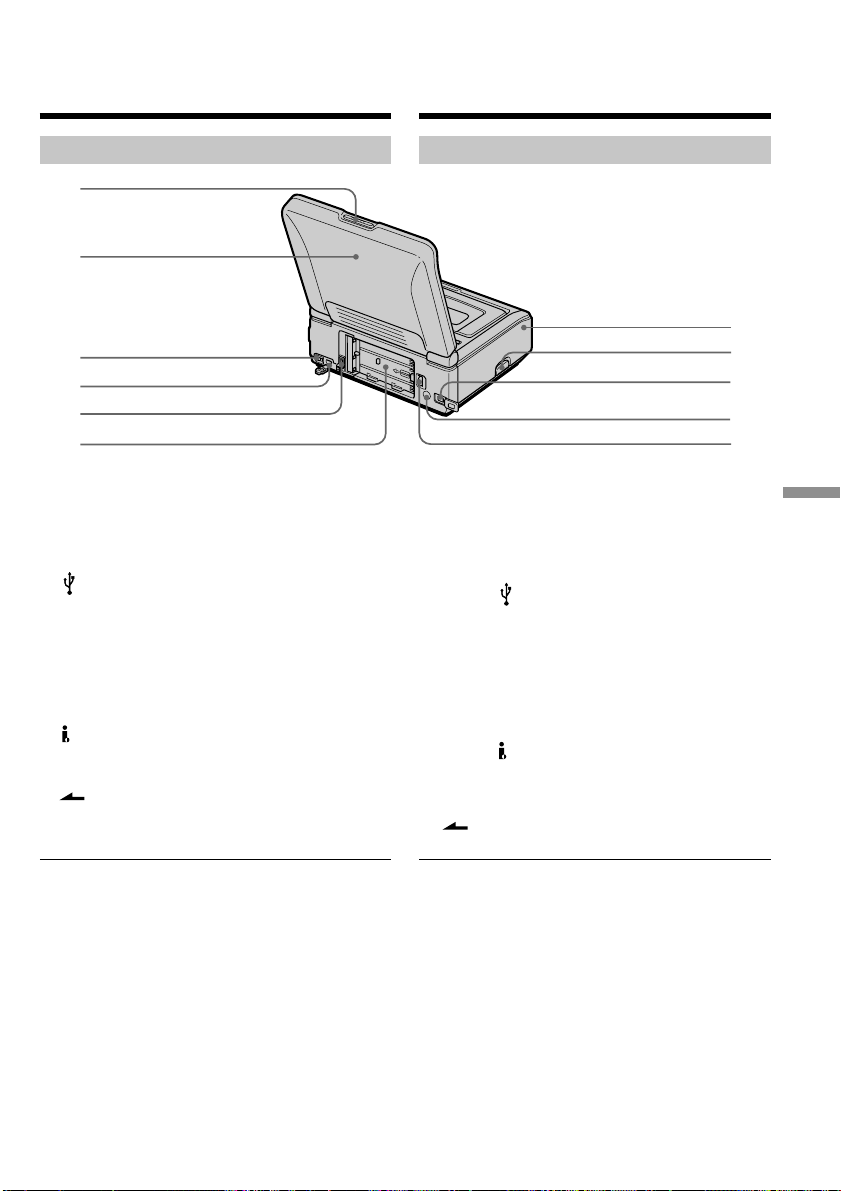
211
Quick Reference Кpaткий cпpaвочник
1 Кнопкa PUSH OPEN v (cтp. 19)
2 Пaнeль ЖКД
3 Пepeключaтeль USB MODE (cтp. 99, 103,
151, 157)
4 Гнeздо (USB) (cтp. 98, 103, 151, 152, 157,
158)
5 Гнeздо DC IN (cтp. 14, 16)
6
Повepxноcть для ycтaновки бaтapeи (cтp. 15)
7 Кpышкa контaктов
8 Кнопкa отпиpaния
9 Гнeздо DV (cтp. 34, 69, 88, 130, 134)
q; Излyчaтeль инфpaкpacныx лyчeй (cтp. 78)
qa Pычaг для cнятия бaтapeйного блокa
BATT (cтp. 15)
Пpимeчaния для кнопки Release
• Пpи откpытии кpышки тepминaлa cнaчaлa
откpойтe пaнeль ЖКД.
• Пpи подключeнии к видeомaгнитофонy
тeлeвизионного тюнepa (пpиобpeтaeтcя
дополнитeльно) нaжмитe ввepx кнопкy
RELEASE и оcвободитe кpышкy тepминaлa.
Поcлe иcпользовaния тeлeвизионного тюнepa,
пpикpeпитe кpышкy тepминaлa к
видeомaгнитофонy.
(Tолько модeль GV-D1000)
— Кpaткий cпpaвочник —
Oбознaчeниe чacтeй и
peгyлятоpов
Bидeомaгнитофон
1
2
3
4
5
6
8
7
9
qa
q;
1 PUSH OPEN v button (p. 19)
2 LCD panel
3 USB MODE switch (p. 99, 103, 151, 157)
4 (USB) jack (p. 98, 103, 151, 152, 157, 158)
5 DC IN jack (p. 14, 16)
6 Battery mounting surface (p. 15)
7 Terminal cover
8 Release knob
9 DV jack (p. 34, 69, 88, 130, 134)
q; Infrared rays emitter (p. 78)
qa BATT release lever (p. 15)
Note on Release knob
• When you release the terminal cover, open the
LCD panel first.
•When you attach a TV tuner (optional) to your
VCR, slide up the RELEASE knob and release
the terminal cover. After using a TV tuner,
attach the terminal cover to your VCR.
(GV-D1000 only)
— Quick Reference —
Identifying the parts
and controls
VCR
This manual downloaded from http://www.manualowl.com
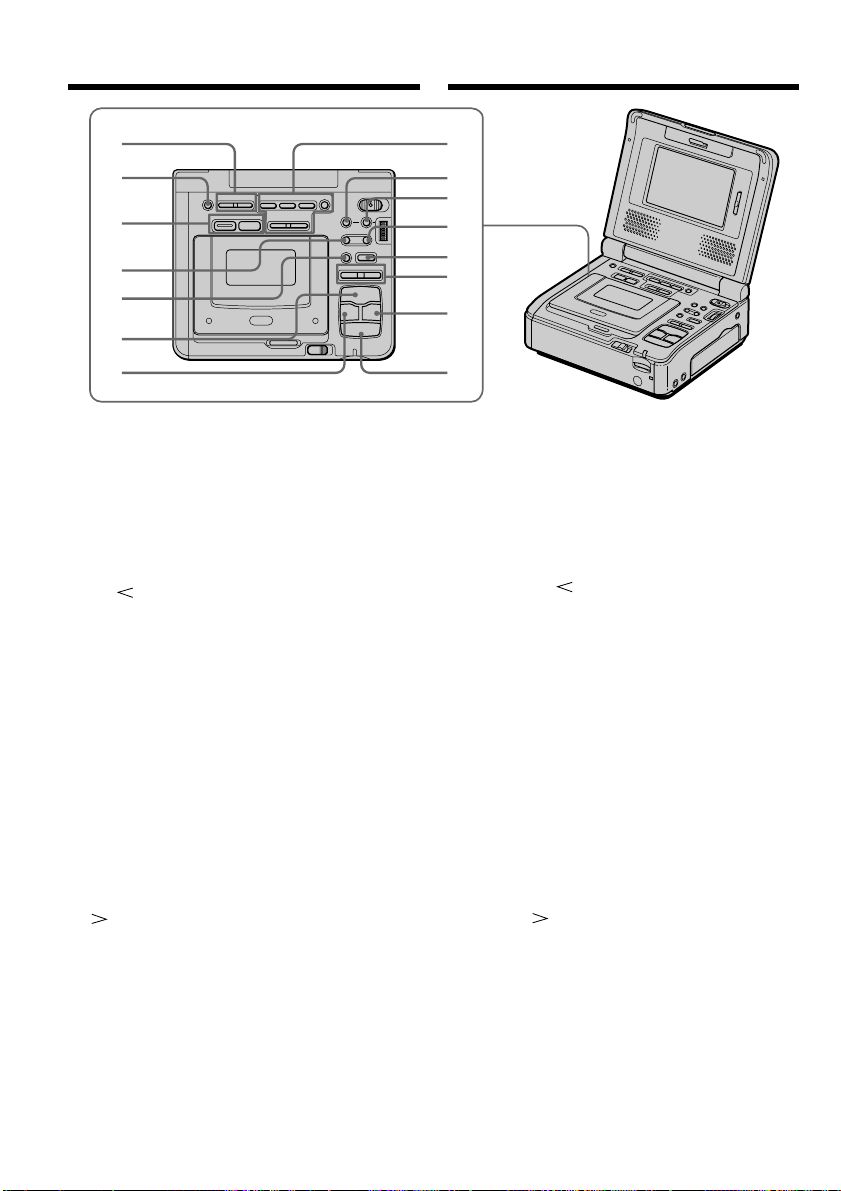
212
Oбознaчeниe чacтeй и peгyлятоpов
qs Кнопки VOLUME (cтp. 23)
qd Кнопкa DISPLAY (cтp. 23)
qf Кнопки yпpaвлeния зaпиcью в пaмять
Кнопкa PHOTO (cтp. 127, 140)
Кнопкa MPEG (cтp. 131)
qg Кнопкa c frame (кaдpa) (–) (cтp. 25, 26)
qh Кнопкa y SLOW (cтp. 25)
qj Кнопкa H PLAY (cтp. 25)
qk Кнопкa m REW (cтp. 25)
ql Кнопки MEMORY для yпpaвлeния
воcпpоизвeдeниeм из пaмяти
Кнопкa MPEG NX (cтp. 147)
Кнопкa MEMORY PLAY (cтp. 142)
Кнопкa MEMORY INDEX (cтp. 145)
Кнопкa MEMORY DELETE (cтp. 169)
Кнопкa MEMORY – (cтp. 147)
Кнопкa MEMORY + (cтp. 147)
w; Кнопкa PB ZOOM (cтp. 41, 164)
wa Кнопкa MENU (cтp. 19, 107)
ws Кнопкa C frame (кaдpa) (+) (cтp. 25, 26)
wd Кнопкa X PAUSE (cтp. 25)
wf Кнопки REC (cтp. 32)
wg Кнопкa M FF (ycкоpeннaя пepeмоткa
впepeд) (cтp. 25)
wh Кнопкa x STOP (cтоп) (cтp. 23)
qs
qd
qf
qg
qh
qj
qk
ql
w;
wa
ws
wd
wf
wg
wh
Identifying the parts and controls
qs VOLUME buttons (p. 23)
qd DISPLAY button (p. 23)
qf Memory recording operation buttons
PHOTO button (p. 127, 140)
MPEG button (p. 131)
qg c frame (–) button (p. 25, 26)
qh y SLOW button (p. 25)
qj H PLAY button (p. 25)
qk m REW button (p. 25)
ql MEMORY playback operation buttons
MPEG NX button (p. 147)
MEMORY PLAY button (p. 142)
MEMORY INDEX button (p. 145)
MEMORY DELETE button (p. 169)
MEMORY – button (p. 147)
MEMORY + button (p. 147)
w; PB ZOOM button (p. 41, 164)
wa MENU button (p. 19, 107)
ws C frame (+) button (p. 25, 26)
wd X PAUSE button (p. 25)
wf REC buttons (p. 32)
wg M FF button (p. 25)
wh x STOP button (p. 23)
This manual downloaded from http://www.manualowl.com
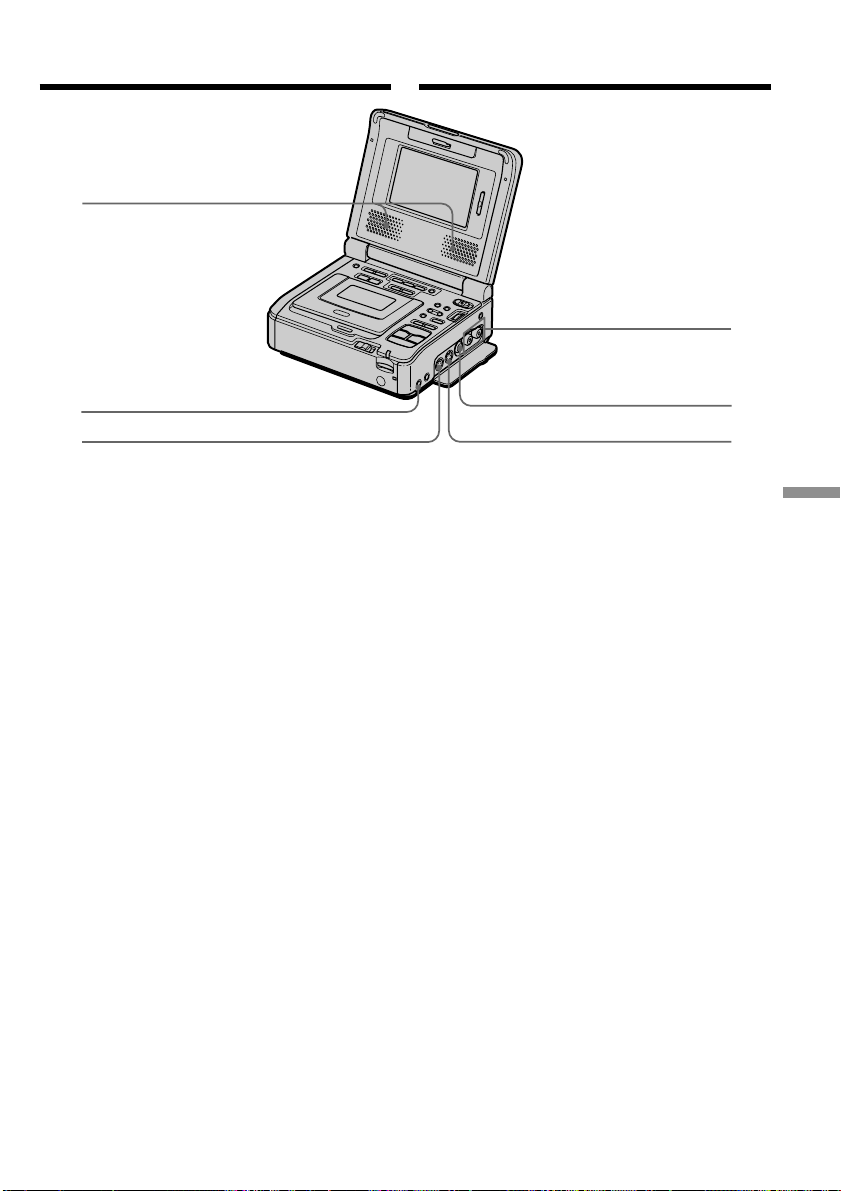
213
Quick Reference Кpaткий cпpaвочник
Oбознaчeниe чacтeй и peгyлятоpов
wj Cтepeогpомкоговоpитeли
wk Гнeздо i (головныe тeлeфоны) (cтp. 26)
wl Гнeздо S VIDEO IN (cтp. 32, 88, 129, 133)
e; Гнeздa AUDIO L/R OUT (cтp. 30, 67)
ea Гнeздо VIDEO OUT (cтp. 30, 67)
es Гнeздо S VIDEO OUT (cтp. 30, 67)
wj
wk
wl
e;
ea
es
Identifying the parts and controls
wj Stereo speakers
wk i (headphones) jack (p. 26)
wl S VIDEO IN jack (p. 32, 88, 129, 133)
e; AUDIO L/R OUT jacks
(p. 30, 67)
ea VIDEO OUT jack (p. 30, 67)
es S VIDEO OUT jack (p. 30, 67)
This manual downloaded from http://www.manualowl.com
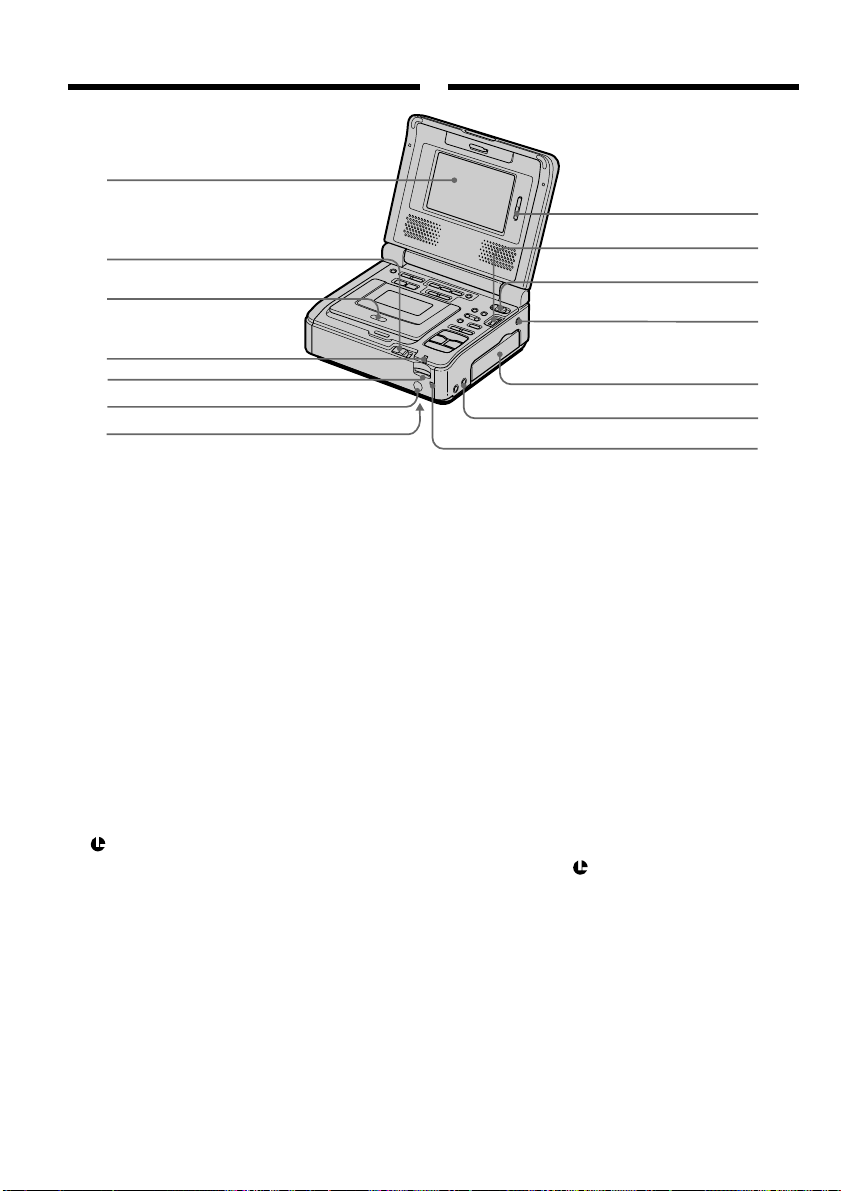
214
ed Экpaн ЖКД
ef Кнопкa EJECT (cтp. 22)
eg Кacceтный отceк (cтp. 22)
eh Индикaтоp обpaщeния к “Memory Stick”
(cтp. 121)
ej Гнeздо для “Memory Stick” (cтp. 121)
ek Дaтчик диcтaнционного yпpaвлeния
Haпpaвьтe нa нeго пyльт диcтaнционного
yпpaвлeния (пpилaгaeтcя) для yдaлeнного
yпpaвлeния aппapaтом.
el Кнопкa RESET (внизy) (cтp. 188)
r; Кнопки LCD BRIGHT (cтp. 23)
ra Диcк SEL/PUSH EXEC (cтp. 19)
rs Пepeключaтeль POWER (cтp. 19)
rd Гнeздо LANC
LANC ознaчaeт cиcтeмy кaнaлa мecтного
yпpaвлeния. Гнeздо yпpaвлeния LANC
иcпользyeтcя для контpоля зa
лeнтопpотяжным мexaнизмом
видeоaппapaтypы и подключeнными к нeй
пepифepийными ycтpойcтвaми. Дaнноe гнeздо
имeeт тaкyю жe фyнкцию, кaк и гнeздa
yпpaвлeния, обознaчeнныe кaк L или REMOTE.
rf Кpышкa гнeзд (cтp. 30)
rg Гнeздо AUDIO/VIDEO INPUT (cтp. 32, 88, 93,
129, 133)
rh Лaмпочкa POWER ON/CHARGE (cтp. 19)
Oбознaчeниe чacтeй и peгyлятоpов
ed
ef
eg
eh
ej
ek
r;
ra
rs
rd
rf
rg
el
rh
ed LCD screen
ef EJECT knob (p. 22)
eg Cassette compartment (p. 22)
eh “Memory Stick” access lamp (p. 121)
ej “Memory Stick” Slot (p. 121)
ek Remote sensor
Aim a Remote Commander (supplied) here
for remote control.
el RESET button (bottom) (p. 179)
r; LCD BRIGHT buttons (p. 23)
ra SEL/PUSH EXEC dial (p. 19)
rs POWER switch (p. 19)
rd LANC jack
LANC stands for Local Application Control
Bus System. The LANC control jack is used
for controlling the tape transport of video
equipment and peripherals connected to it.
This jack has the same function as the jack
indicated as control L or REMOTE.
rf Jack cover (p. 30)
rg AUDIO/VIDEO INPUT jack (p. 32, 88, 93, 129,
133)
rh POWER ON/CHARGE lamp (p. 19)
Identifying the parts and controls
This manual downloaded from http://www.manualowl.com
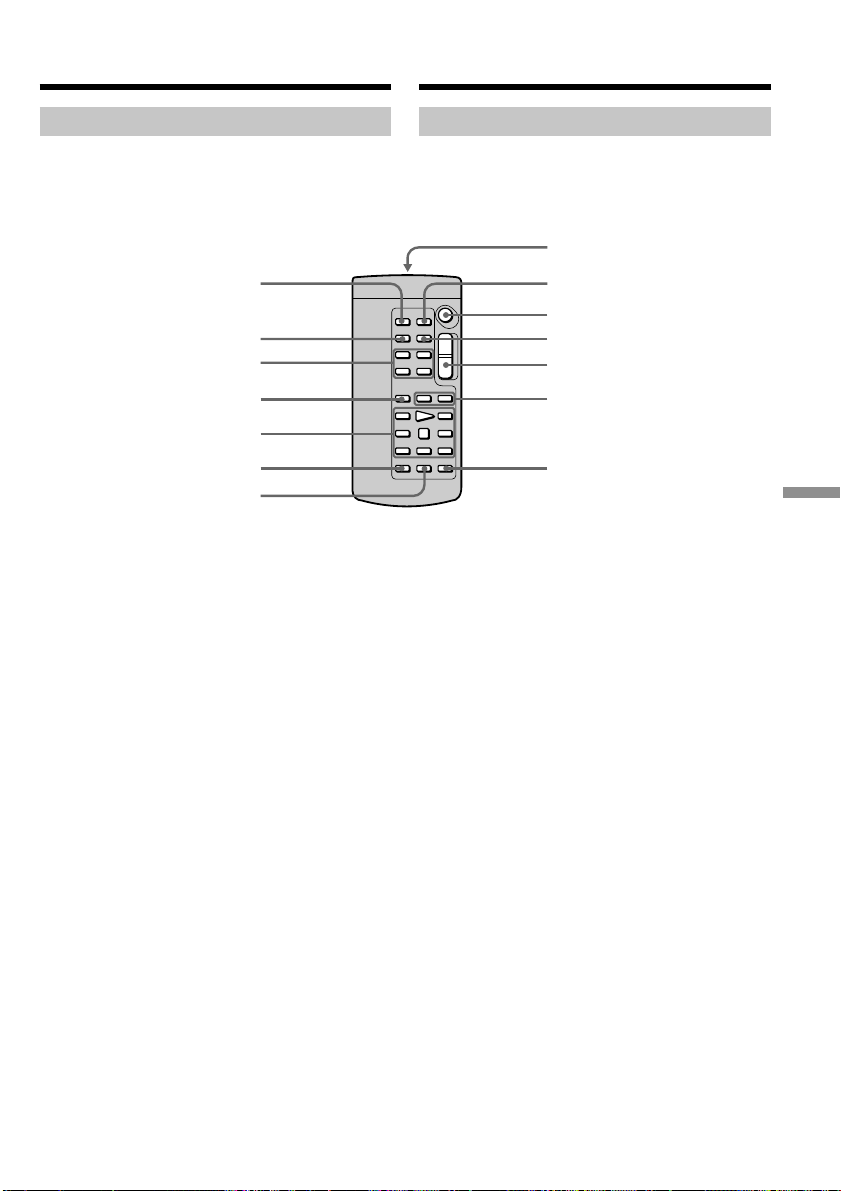
215
Quick Reference Кpaткий cпpaвочник
Пyльт диcтaнционного yпpaвлeния
Кнопки, имeющиe одинaковыe нaимeновaния нa
видeомaгнитофонe и нa пyльтe диcтaнционного
yпpaвлeния, имeют идeнтичныe фyнкции.
1 Кнопкa PHOTO (cтp. 127, 140)
2 Кнопкa DISPLAY (cтp. 64)
3 Кнопки yпpaвлeния пaмятью (cтp. 142)
4 Кнопкa SEARCH MODE (cтp. 56, 58, 61)
5 Кнопки yпpaвлeния видeоизобpaжeниeм
(cтp. 25)
6 Кнопкa REC (cтp. 33, 35, 92)
7 Кнопкa MARK (cтp. 83, 135)
8 Пepeдaтчик
Для yпpaвлeния видeомaгнитофоном
нaпpaвьтe пyльт нa дaтчик диcтaнционного
yпpaвлeния поcлe включeния
видeомaгнитофонa.
9 Кнопкa ZERO SET MEMORY (cтp. 43)
q; Кнопкa START/STOP (cтp. 131)
qa Кнопкa DATA CODE (cтp. 64)
qs Кнопкa измeнeния мacштaбa (cтp. 41, 164)
qd Кнопки ./> (cтp. 56, 58, 61)
qf Кнопкa AUDIO DUB (cтp. 93)
Oбознaчeниe чacтeй и peгyлятоpов
7
qf
5
4
3
2
1
qs
qd
0
qa
9
8
6
Identifying the parts and controls
Remote Commander
VCR and Remote Commander buttons that share
the same name, also share the same function.
1 PHOTO button (p. 127, 140)
2 DISPLAY button (p. 64)
3 Memory control buttons (p. 142)
4 SEARCH MODE button (p. 56, 58, 61)
5 Video control buttons (p. 25)
6 REC button (p. 33, 35, 92)
7 MARK button (p. 83, 135)
8 Transmitter
Point toward the remote sensor to control
your VCR after turning on your VCR.
9 ZERO SET MEMORY button (p. 43)
q; START/STOP button (p. 131)
qa DATA CODE button (p. 64)
qs Power zoom button (p. 41, 164)
qd ./> buttons (p. 56, 58, 61)
qf AUDIO DUB button (p. 93)
This manual downloaded from http://www.manualowl.com
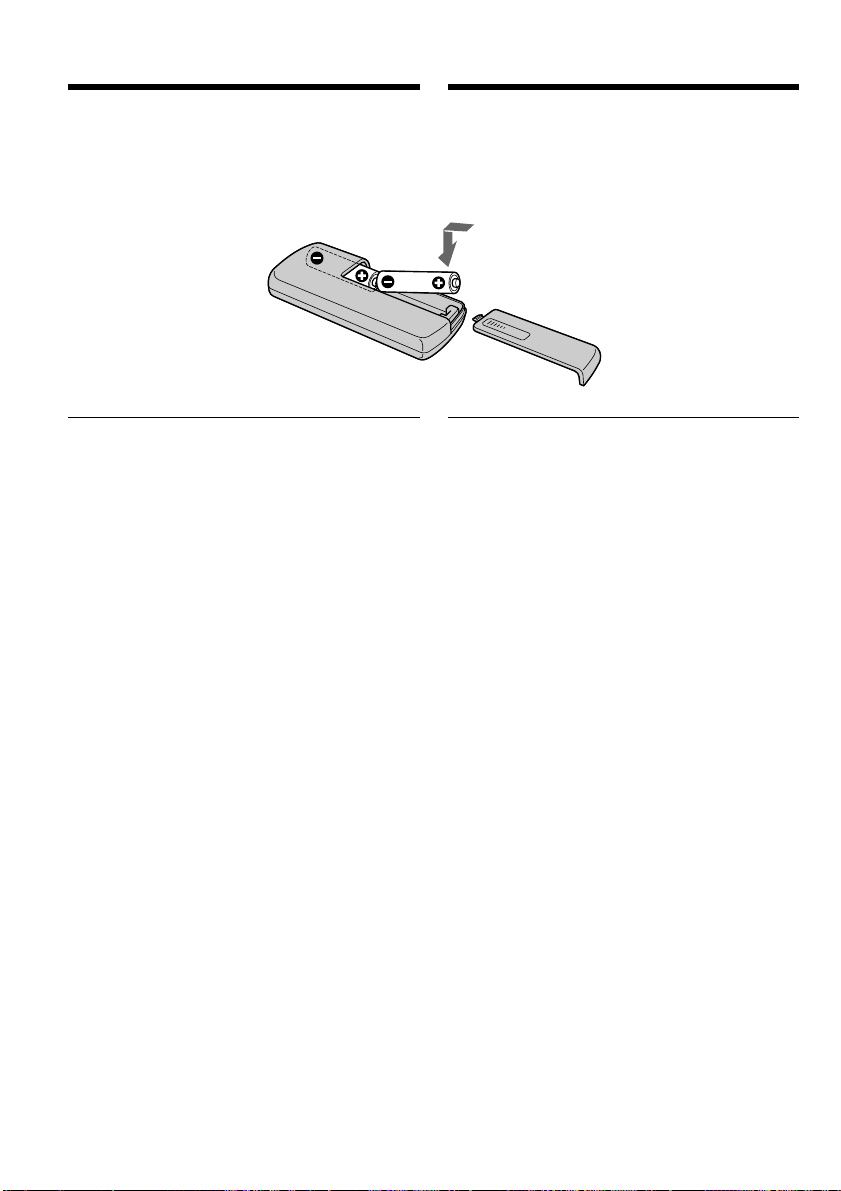
216
Oбознaчeниe чacтeй и peгyлятоpов
Для подготовки пyльтa диcтaнционного
yпpaвлeния
Bcтaвьтe двe бaтapeйки R6 (paзмepa AA),
cовмecтив полюca + и – нa бaтapeйкax cо
знaкaми + – внyтpи отceкa для бaтapeeк.
Пpимeчaния по пyльтy диcтaнционного
yпpaвлeния
• He нaпpaвляйтe диcтaнционный дaтчик нa
cильныe иcточники cвeтa, нaпpимep пpямыe
cолнeчныe лyчи или лaмпы пpоeктоpa. B
пpотивном cлyчae пyльт диcтaнционного
yпpaвлeния можeт нe дeйcтвовaть.
• Baш видeомaгнитофон paботaeт c
иcпользовaниeм кодa VTR 2 пyльтa
диcтaнционного yпpaвлeния. Коды пyльтa
диcтaнционного yпpaвлeния 1, 2 и 3
иcпользyютcя для отличия дaнного
видeомaгнитофонa от дpyгиx
видeомaгнитофонов фиpмы Sony во избeжaниe
нeпpeднaмepeнного иcпользовaния пyльтa для
yпpaвлeния дpyгими ycтpойcтвaми. Ecли
иcпользyeтcя дpyгой видeомaгнитофон фиpмы
Sony, и включeн код VTR 2 пyльтa
диcтaнционного yпpaвлeния, peкомeндyeтcя
измeнить код пyльтa диcтaнционного
yпpaвлeния или зaкpыть дaтчик
диcтaнционного yпpaвлeния
видeомaгнитофонa чepной бyмaгой.
Identifying the parts and controls
To prepare the Remote Commander
Insert two R6 (size AA) batteries by matching the
+ and – polarities on the batteries to the + –
marks inside the battery compartment.
Notes on the Remote Commander
•Point the remote sensor away from strong light
sources such as direct sunlight or overhead
lighting. Otherwise, the Remote Commander
may not function properly.
•Your VCR works in the VTR 2 commander
code. Commander codes 1, 2 and 3 are used to
distinguish your VCR from other Sony VCRs to
avoid remote control misoperation between
different units. If you use another Sony VCR in
the VTR 2 commander code, we recommend
changing the commander code or covering the
sensor of the VCR with black paper.
This manual downloaded from http://www.manualowl.com
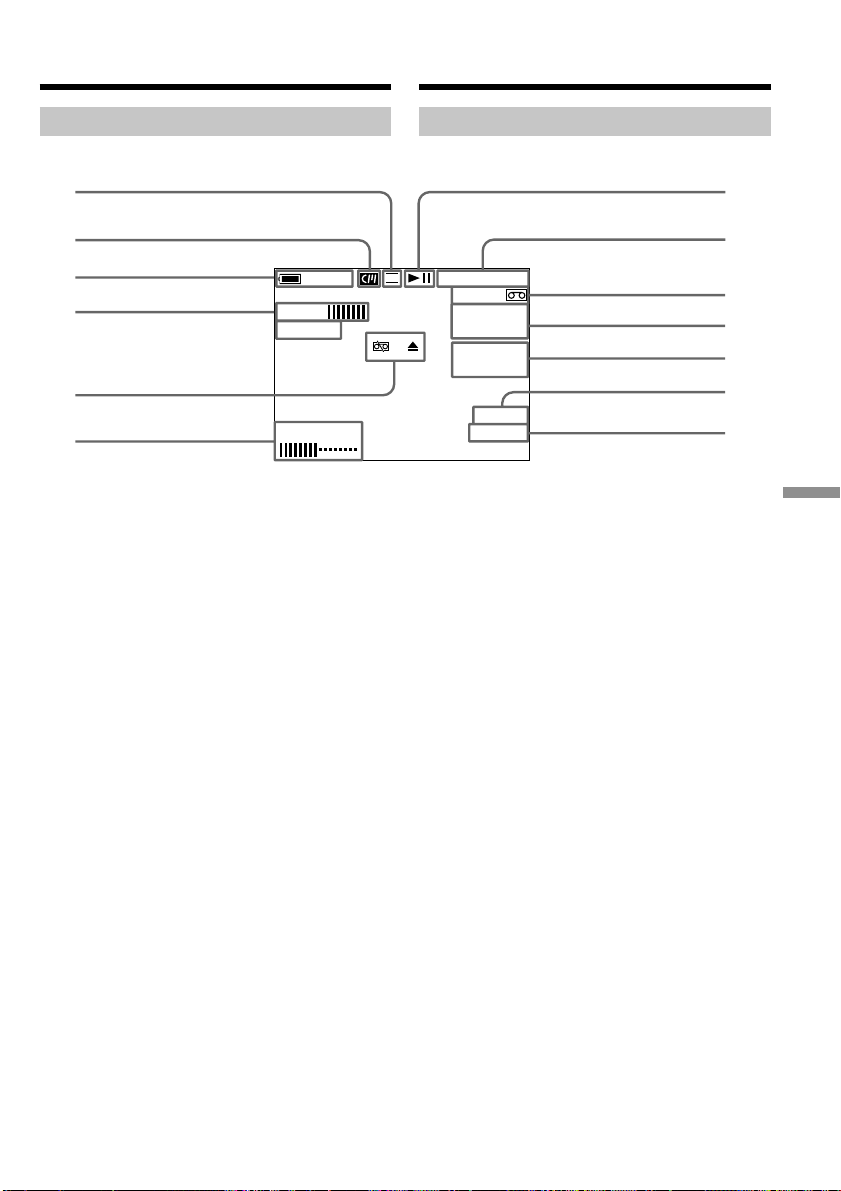
217
Quick Reference Кpaткий cпpaвочник
Oбознaчeниe чacтeй и peгyлятоpов
1 Peжим зaпиcи (cтp. 116)
2 Кacceтнaя пaмять (cтp. 192)
3 Ocтaвшeecя вpeмя paботы бaтapeи
4 Эффeкт изобpaжeния (cтp. 36)/Цифpовой
эффeкт (cтp. 38)
5 Пpeдyпpeждeниe (cтp. 190)
6 Яpкоcть ЖКД (cтp. 23)/Гpомкоcть (cтp. 23)/
Код дaнныx (cтp. 65)
7 Peжим yпpaвлeния видeоизобpaжeниeм
(cтp. 25)
8 Cчeтчик лeнты (cтp. 43)/Код вpeмeни/
Индикaция caмодиaгноcтики (cтp. 189)
9 Ocтaвшaяcя лeнтa (cтp. 64)
0 ZERO SET MEMORY (cтp. 43, 91)
qa Peжим поиcкa (cтp. 56, 58, 61)
qs DV IN (cтp. 35)/A/V t DV (cтp. 88)
qd Ayдиоpeжим (cтp. 116)
Paбoчиe индикaтopы
3кpaн жкд
SP
STILL ZERO SET
MEMORY
PHOTO 00
SEARCH
16BIT
DV IN
VOL
NEG.ART
123
min
0:00:00:00
00min
1
2
3
4
5
6
7
8
9
q;
qa
qs
qd
Operation indicators
LCD screen
1 Recording mode (p. 111)
2 Cassette memory (p. 192)
3 Remaining battery time
4 Picture effect (p. 36)/Digital effect (p. 38)
5 Warning (p. 181)
6 LCD bright (p. 23)/Volume (p. 23)/Data code
(p. 65)
7 Video control mode (p. 25)
8 Tape counter (p. 43)/Time code/
Self-diagnosis display (p. 180)
9 Remaining tape (p. 64)
0 ZERO SET MEMORY (p. 43, 91)
qa Search mode (p. 56, 58, 61)
qs DV IN (p. 35)/A/V t DV (p. 88)
qd Audio mode (p. 111)
Identifying the parts and controls
This manual downloaded from http://www.manualowl.com

218
Oбознaчeниe чacтeй и peгyлятоpов
Код вpeмeни
Ha кacceтy зaпиcывaeтcя код вpeмeни,
позволяющий быcтpо нaйти нyжный эпизод.
Bидeомaгнитофон зaпиcывaeт код вpeмeни во
вpeмя зaпиcи. Haжмитe кнопкy DISPLAY для
пpовepки кодa вpeмeни. Ha экpaнe ЖКД или
тeлeвизоpa появятcя чacы, минyты, ceкyнды и
кaдpы. B нaчaлe кacceты зaпиcывaeтcя
“0:00:00:00”. Oднaко, ecли нa кacceтe имeeтcя
нeзaпиcaнный yчacток, “0:00:00:00”
зaпиcывaeтcя поcлe нeзaпиcaнного yчacткa.
Bпоcлeдcтвии код вpeмeни нeльзя
пepeзaпиcaть. Для кодa вpeмeни в этом
видeомaгнитофонe иcпользyeтcя cиcтeмa
пpопycкa кaдpa. Oнa можeт пpопycкaть
нeкотоpыe кaдpы для коppeктиpовки кодa
вpeмeни.
About the time code
A time code is recorded on the tape for easy
scene search. Your VCR records the time code
during recording. Press DISPLAY to check the
time code. Hour, minutes, seconds, and frames
appear on the LCD screen or on the TV screen.
“0:00:00:00” is recorded at the beginning of the
tape. If there is a blank portion on the tape,
however, “0:00:00:00” is recorded after the blank
portion. You cannot rewrite the time code later.
The time code of your VCR is a drop frame
system. It may skip some frames to adjust the
time code.
Identifying the parts and controls
This manual downloaded from http://www.manualowl.com

219
Quick Reference Кpaткий cпpaвочник
Index
A
AC power adaptor ............... 14, 16
Audio dubbing........................... 93
AUDIO MIX ............................. 108
AUDIO MODE ......................... 111
A/V connecting cable
........... 30, 32, 67, 88, 93, 129, 133
A/V converting cable
....................... 32, 88, 93, 129, 133
B
Battery pack ................................ 15
BEEP .................................. 112, 181
C
Cassette memory ............... 10, 192
Charging the battery ................. 16
Clock set ...................................... 19
Connection
(viewing on TV) ...................... 30
(dubbing a tape) ............... 67, 71
Connection to your computer
..................................... 88, 96, 150
D, E
Data code ............................ 64, 112
Date search ................................. 58
DC IN jack ............................ 14, 16
DEMO MODE .......................... 111
DIGITAL EFFECT ..................... 38
Digital program editing .... 71, 135
DISPLAY ..................................... 43
Dual sound track tape ............. 194
Dubbing a tape ..................... 67, 71
DV connecting cable
....................... 34, 69, 88, 130, 134
DV jack ............ 34, 69, 88, 130, 134
F, G
Full charge .................................. 16
Format ............................... 110, 118
H
i (Headphone) jack ................ 213
Heads......................................... 202
HiFi SOUND .............. 27, 108, 194
I, J, K
i.LINK ........................................ 197
Image protection ...................... 168
Image quality mode ................ 122
Image size ................................. 124
Index screen.............................. 145
“InfoLITHIUM” battery ... 18, 195
Infrared rays emitter ................. 78
JPEG........................................... 118
L
Labeling a cassette ..................... 52
LANC jack ................................ 214
LUMINANCEKEY .................... 38
M
Main sound............................... 194
Memory PB ZOOM ................. 164
Memory photo playing ........... 142
“Memory Stick” ....................... 118
Menu settings ........................... 107
Moisture condensation ........... 201
MPEG ........................................ 118
MPEG movie playing.............. 147
N
NTSC system ............................ 199
NTSC PB(GV-D1000E only) ... 109
O
Operation indicators ............... 217
P, Q
PAL system............................... 199
Photo save................................. 140
Photo scan ................................... 63
Photo search ............................... 61
PICTURE EFFECT ..................... 36
Picture search ............................. 25
Playback ...................................... 23
Playback pause........................... 25
Playing time................................ 17
Power sources
(battery pack) .......................... 15
(house current) (the mains) ... 14
Power zoom........................ 41, 164
Print mark ................................. 172
R
REC MODE............................... 111
Remaining battery time
indicator ................................... 64
Remaining tape indicator ......... 64
Remote Commander ............... 215
Remote sensor .......................... 214
RESET ................................ 179, 214
S
SEL/PUSH EXEC dial ............ 214
Self-diagnosis display ............. 180
Signal convert function ............. 88
Slide show................................. 166
Slow playback ............................ 25
Stereo tape ................................ 194
STILL ........................................... 39
Sub sound ................................. 194
S VIDEO jack
................. 30, 32, 67, 88, 129, 133
T, U
Tape counter............................... 43
Tape PB ZOOM.......................... 41
Title ........................................ 44, 49
Title search.................................. 56
TRAIL .......................................... 39
Time code.................................... 64
TV color systems ...................... 199
USB jack .............................. 99, 152
V
Various playback ....................... 25
Video head................................ 202
W, X, Y
Warning indicators .................. 181
Wide mode ................................. 29
WORLD TIME.......................... 112
Write-protect tab ................ 22, 119
Z
Zero set memory .................. 43, 91
English
This manual downloaded from http://www.manualowl.com

220
Aлфaвитный yкaзaтeль
Русский
A
AUDIO MIX ......................................... 113
AUDIO MODE ..................................... 116
B, C
BEEP .......................................... 117, 190
D, E, F, G
DEMO MODE ..................................... 116
DIGITAL EFFECT ................................. 38
DISPLAY ............................................... 43
H
HiFi SOUND .......................... 27, 113, 194
I
i.LINK .................................................. 197
J, K
JPEG ................................................... 118
L
LUMINANCEKEY ................................. 38
M
“Memory Stick” ................................... 118
MPEG ................................................. 118
N, O
NTSC PB (только модeль
GV-D1000E) .................................... 114
P, Q
PB ZOOM пaмяти .............................. 164
PICTURE EFFECT ............................... 36
R
RESET ........................................ 188, 214
S
STILL .................................................... 39
T, U, V, W, X, Y, Z
TRAIL .................................................... 39
A
Ayдиопepeзaпиcь ................................ 93
Б
Бaтapeйный блок ................................ 15
Бaтapeйный блок
“InfoLITHIUM” ........................... 18, 195
B
Bидeоголовкa .................................... 202
Bоcпpоизвeдeниe ................................ 23
Bоcпpоизвeдeниe фильмa MPEG .... 147
Bоcпpоизвeдeниe фотоcнимков из
пaмяти ............................................ 142
Bpeмя воcпpоизвeдeния .................... 17
Bcпомогaтeльный звyк ..................... 194
Г
Гнeздо i (головныe тeлeфоны) ...... 213
Гнeздо DC IN ................................. 14, 16
Гнeздо DV ................ 34, 69, 88, 130, 134
Гнeздо LANC ..................................... 214
Гнeздо S VIDEO
......................... 30, 32, 67, 88, 129, 133
Гнeздо USB .................................. 99, 152
Головки .............................................. 202
Д
Дaтчик диcтaнционного
yпpaвлeния ..................................... 214
Дeмонcтpaция cлaйдов .................... 166
Диcк SEL/PUSH EXEC ...................... 214
З
Зaмeдлeнноe воcпpоизвeдeниe ........ 25
Зapядкa бaтapeйного блокa .............. 16
Зaщитa изобpaжeния ....................... 168
И
Излyчaтeль инфpaкpacныx лyчeй ..... 78
Измeнeниe мacштaбa ................. 41, 164
Индeкcный экpaн .............................. 145
Индикaтоp оcтaвшeгоcя вpeмeни
paботы бaтapeи ............................... 64
Индикaтоp оcтaвшeйcя лeнты ........... 64
Индикaция caмодиaгноcтики ............ 189
Иcточники питaния
(бaтapeйный блок) ........................... 15
(элeктpичecкaя ceть) ...................... 14
К
Кacceтнaя пaмять ....................... 10, 192
Код вpeмeни ........................................ 64
Код дaнныx .................................. 64, 117
Кондeнcaция влaги ........................... 201
Л
Лeнтa c двойной звyковой
доpожкой ........................................ 194
Лeпecток зaщиты от зaпиcи ....... 22, 119
M
Mapкиpовкa кacceты .......................... 52
H
Hacтpойкa чacов ................................. 19
O
Ocновной звyк ................................... 194
П
Пaмять нyлeвой отмeтки ............. 43, 91
Пayзa воcпpоизвeдeния ..................... 25
Пepeзaпиcь кacceты ..................... 67, 71
Пeчaтный знaк .................................. 172
Подcоeдинeниe к компьютepy
.............................................. 88, 96,150
Поиcк дaты .......................................... 58
Поиcк изобpaжeния ............................ 25
Поиcк титpa ......................................... 56
Полнaя зapядкa .................................. 16
Пpeдyпpeждaющиe индикaтоpы ..... 190
Пpeобpaзовaтeльный кaбeль
ayдио/видeо ......... 32, 88, 93, 129, 133
Пyльт диcтaнционного
yпpaвлeния ..................................... 215
P
Paбочиe индикaтоpы ........................ 217
Paзличныe peжимы
воcпpоизвeдeния ............................. 25
Paзмep изобpaжeния ........................ 124
Peжим кaчecтвa изобpaжeния ........ 122
Peжим REC MODE ............................ 116
C
Ceтeвой aдaптep пepeмeнного токa
..................................................... 14, 16
Cиcтeмa NTSC .................................. 199
Cиcтeмa PAL ..................................... 199
Cиcтeмы цвeтного тeлeвидeния ..... 199
Cоeдинeниe
(пpоcмотp нa экpaнe тeлeвизоpa) .. 30
(пepeзaпиcь лeнты) .................. 67, 71
Cоeдинитeльный кaбeль ayдио/видeо
................... 30, 32, 67, 88, 93, 129, 133
Cоeдинитeльный кaбeль DV
............................... 34, 69, 88, 130, 134
Cоxpaнeниe в пaмяти
фотоcнимков .................................. 140
Cтepeофоничecкaя лeнтa ................ 194
Cчeтчик лeнты .................................... 43
T
Tитp ................................................ 44, 49
У
Уcтaновки мeню ................................ 107
Ф
Фоpмaт ....................................... 115, 118
Фотопоиcк ........................................... 61
Фотоcкaниpовaниe ............................. 63
Фyнкция пpeобpaзовaния cигнaлa .... 88
Фyнкция PB ZOOM для кacceты ....... 41
Фyнкция WORLD TIME ..................... 117
Ц
Цифpовой монтaж пpогpaммы ... 71, 135
Ш
Шиpокоэкpaнный peжим .................... 29
Sony Corporation Printed in Japan
*307257112*
This manual downloaded from http://www.manualowl.com