OwnersManual
Ver.1.7FULL
ConsoleOperation
Treadmills
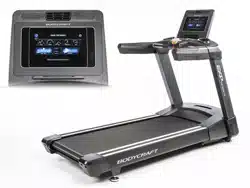
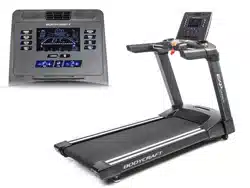
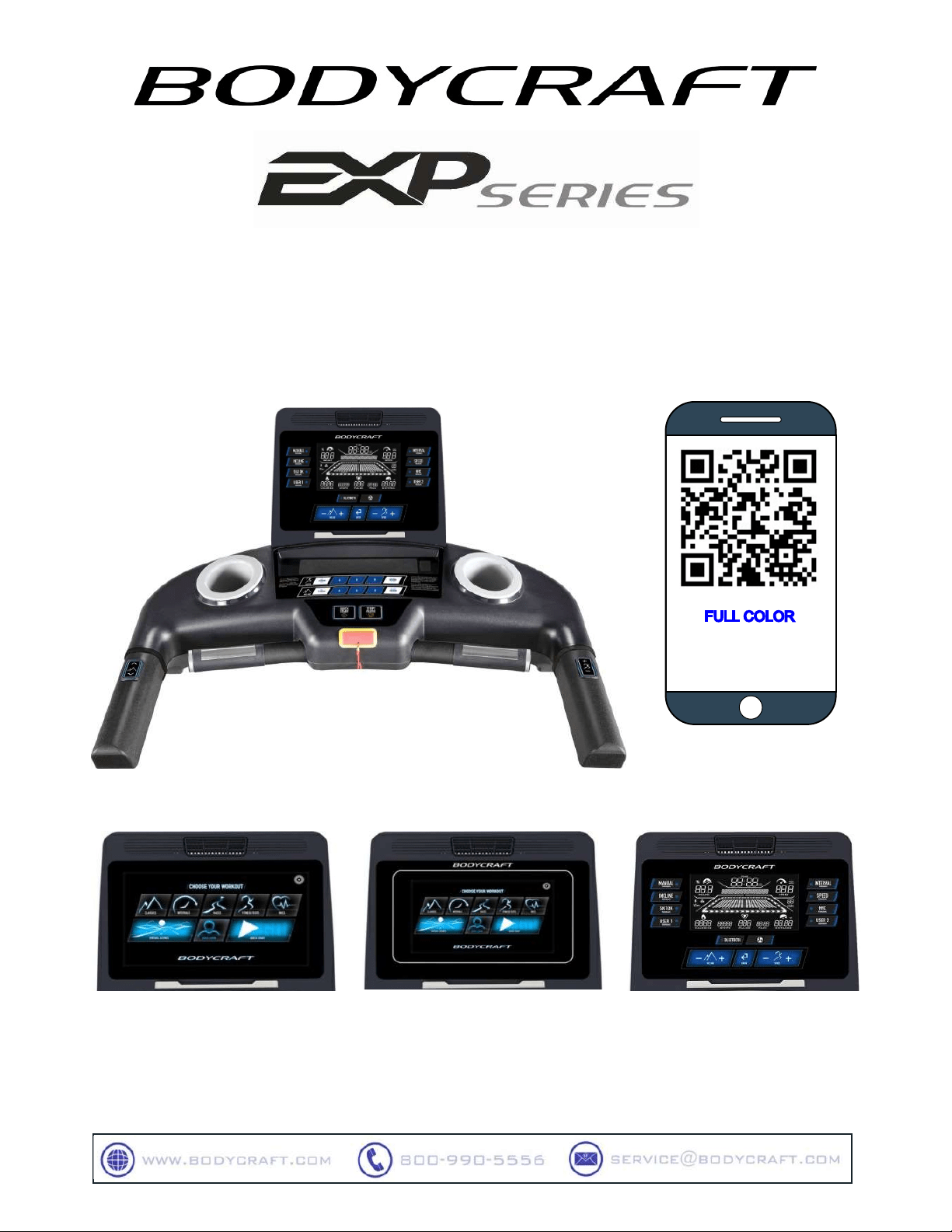
16”SmartTouch(16TS)
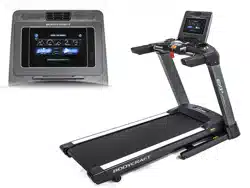
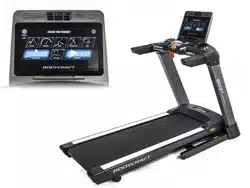
10”SmartTouch(10TS)
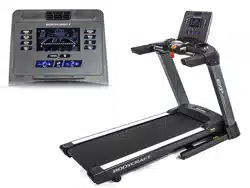
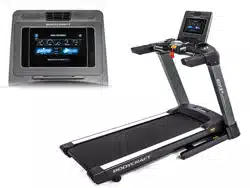
9”LCD(9LCD)
Toseein
&additioninformation,
scanthisQRcode
www.bodycraft.com/EXP-
Consoles-qr.html

CongratulationsandWelcometotheBODYCRAFTFamily
ThankyouforselectingaBODYCRAFT Treadmill.Yourchoicereflectsawise
investmentinyouandyourfacility. Wehopeyouuseitformanyhealthyyears!
Purchaser’sReferenceInformation:
ITISIMPERATIVETHATYOUFILLINTHEFOLLOWING
INFORMATIONANDREFERTOITSHOULDTHENEED
FORSERVICEARISE.
ProductName:TXXXXXConsole
SerialNumber:T____________
Proofofpurchasemustbesuppliedtovalidatewarrantyandtheproductmusthavebeen
registeredwithBODYCRAFTviaonlineatwww.bodycraft.comorbycalling800-990-5556or
740-965-2442M-F9a.m.-5p.m.EST.
BODYCRAFT offers a complete array of high-quality fitness equipment. Please refer to our
websiteatwww.bodycraft.comtoviewmorewaystoenhanceyourlifestyle.
Your BODYCRAFT machine has all the quality and design elements to make your workout
extremelyefficientandcomfortable.YournewTreadmillisaseriouscardiomachinethatwill
keepyoumotivated,challengedandwithinreachofyourfitnessgoals.Strength&
cardiovasculartrainingisvitalforallageswhichwillprovideaneffectiveworkout,producing
resultsthatwillencourageyoutoreachyourfitnessgoalsandmaintainthebodyyouhave
alwayswanted.Spending15to30minutesaday,threetimesaweek,isallyouneedtostart
seeingthebenefitsofaregularexerciseprogram.
Asapremiumexerciseequipmentmanufacturer,wearecommittedtoyourcomplete
satisfaction.Ifyouhavequestions,suggestionsorfindmissingordamagedparts,we
guaranteeyourcompletesatisfactionthroughourauthorizeddealernetworkorbycontacting
usdirectly.PleasecallyourlocaldealerorBODYCRAFT.
BODYCRAFT(adivisionofRecreationSupply,Inc.)
7699GreenMeadowsDr.
LewisCenter,OH43035
Phone:800-990-55569am-5pmEST Email: service@bodycraft.com
Proofofpurchasemustbesuppliedtovalidatewarrantyandtheproductmusthavebeen
registeredwithBODYCRAFTviaonlineatwww.bodycraft.comorbycalling800-990-5556or
740-965-2442M-F9a.m.-5p.m.EST.
1

EnergySavingfunction:Thesetreadmillconsolesareequippedwithpowersaving
function.Thismeansafter10minutesofinactivity;thetreadmillwillautomatically
poweroff.Pressanykeyonthedashboardtowakeuptheconsolefrompowersave
mode.
2
WeatBODYCRAFTbelieveinthecontinuedimprovementprocessesandreservetherightto
makechangesatanytimewithoutnoticethatmayormaynotaffectcolor,partsand
materials.
T
ABLE
O
F
C
ONTENTS
Page
ConsoleOperationInstructions
-16”SmartTouchConsoleOperation Instructions..…………………………4-19
-10”Smart TouchConsoleOperationInstructions.………………………….4-19
-9”LCD ConsoleOperation Instructions.……………………………………20-24
-HeartRateMonitoringDevice&ExerciseTips…
…………………………25-26
ErrorCodes
-T1000(T1K2)..………………………………………………………………..…27-29
-T800(T802)&T400(T402)..………………………………………………..…30-31
ProductWarranty
-ProductWarranty..……………………………………………………………………32
-WarrantyRegistration..………………………………………………………………33
-ContactUsInformation…………………………………………………………….34

C
ONSOLE
O
PERATION
I
NSTRUCTIONS
Please read the console operation instructions thoroughly and get familiar with the console layout.
Practiceusingthisconsolebeforeyoustarttogetabetterunderstandingofthefunctions.Belowarethe
consolelayoutanddetailedoperationinstructions.
AtInstallation: Theconsole needs tobepaired with thetreadmill productmodel correctlytoensure
smoothoperation. Whentheconsoleispoweredonthefirsttime,itneedstobecalibrated.Please
followthemessagewindowpromptsto calibratebeforeuse.
Topowerupthetreadmill,locatethepowercordattachedtothefrontofthetreadmillandplugitintoa
Dedicated120V/15Ahomeuse(Commercialuseupgradeto120V/20A)groundedwalloutlet.Turnonthe
powerswitchtowakeupthetreadmillandgointotheidlemode.
Alwaysturnoffthetreadmillafterhourswhennotinuse.
3
16”SmartTouch(16TS)
10”SmartTouch(10TS)
9”LCD(9LCD)

16”&10”SmartTouchScreenLayout:
DevicePorts
TouchscreenDisplay
Thedisplayisequippedwithacapacitivetouchscreentechnology,and
itismoreresponsivethanaresistive
screen.Becauseofthis,thecapacitivescreencanbecontrolledwithverylighttouchesofafinger.Capacitive
touchscreenscanonlybetouchedwithafingerandwillnotrespondtotoucheswitharegularstylus,glovesor
mostotherobjects.
USBport:
Chargeyourdeviceupto1amporupdateconsolesoftware.(Devicenotincluded.)Italsobeusedfor
media(music&video)playing.
CSAFEportx2:
Oneforcharging3
rd
partycompatibledevices(notincluded).Oneforcommunicatingwith3
rd
party
compatibledevicessuchastransmittingworkoutdata.
HeadphoneJack:
Standard3.5mmaudiojackusedtoconnectheadphonestotheconsoleduringmediaplayback.
HDMIInput&Ethernetport&WIFI:
Video,internetconnections.
Bluetooth&ANT+connectivity:
ConnectwithBluetooth&ANT+heartratestrapsaswellasBluetoothheadphone&speakeraudio
devices.
(Note:YourmediadevicecompatibilitywiththeUSB&CSAFE
chargingwilldependonthebrandandmodel.)
4

5
PhysicalKeys
● QuickStartkey:Pressingthisphysicalkeyoron-screenQuickStartkeyduringidlemodebefore
youselectaprogramwillactivatetheQuickStartprogramimmediatelywithdefaultuservalues.Or
pressing this key during the program set-up after a program is selected will start the selected
program.
● Stop/Pause key: Press this physical key or on-screen Stop key during exercise to pause the
treadmill.Pressthiskeyoron-screenStopkeyduringCoolDownmodetoendcool-downandenter
workoutsummarymode.
● Speed & Incline keys: Thereare 2 sets of+, -keys (onscreen&handrails)for each Speed &
Incline.UsethesekeystoadjusttheSpeed&Inclinesettingsduringexercise.
● Speed&Inclinequickkeys: PressthesequickkeystorapidlychangetheSpeedorInclinesettings
duringexercise.Foryourconvenience,youmaypressandholdthe“Custom”keytosavethecurrent
speed/inclinesettingintothekeyasanewcustomquickkey.
● Safetykey:Thiskeyisdesignedfortheemergencystopduringexercise.Re-attachthiskeyand
press“INCLINEDOWN”keyonthescreentoadjusttheinclinesettingbackto0%toresume
treadmilloperation.

6
TouchScreenNavigation
HomeScreen
HomeScreeniswhereyoucanlogintoseeyourworkoutdataorselectfromvariousprogram
optionstobeginaworkoutorgetinto
variousengineeringsettingstomake
theconsolemoreuser-friendly.
● UserLogin:Togetintouser
setting,buildacustomworkout
programandtrackauser
Workout.
● QuickStart:Tostartaworkout
withadefaultsettingrightaway.
● Classics:Togetinto6preset
Classicprograms:Goal,
RandomIncline,Hill,Walk,Run
&Sprint.
● Intervals:Thereare4intervalprogramsinsidethiscategory:Incline,Speed,HIIT&Custom
Intervals.
● Races:Thereare3distancegoalprogramsinsidethiscategory:5K,10K&HalfMarathon.
● FitnessTests:Thereare9popularfitnesstestprotocols:Bruce,Gerkin,WFI,PEB,Army,Navy,
Marine,AirForce&CoastGuard.
● HRCs:Thereare4heartratecontrolprograms:TargetHR,HRinterval,FatBurn&Cardio.
● VirtualScenes:Thiscategorycomeswith4beautifulsceniclandscapevideostomakeyour
exercisemoreinteresting.
● Setting:SelecttheinitialconsolesettingsuchasSystemsetting,Bluetooth,Wireless&Language
settingtomakethisconsolefunctionproperly.
● “FitnessApp+BTpulse”button:Pressthisbuttononthehomescreentosyncwiththe
compatiblefitnessAppsand/orconnectwithBluetooth/ANT+heartratesignal.
● The“i“InformationButton:Whenthisbuttonislitup,youmaypressthisbuttontolearnabout
thisseriesoftreadmilldesigns.
ProgramSelection&SettingDesiredValues
Touchthedesiredprogramcategory,itwillopentheprogramselectionscreenundereachcategory.Then
touchthedesiredprogramtoopenprogramsettingscreen.Fillinthenecessaryvaluestofinishthe
programsettingsandpressSTARTbuttontostarttheprogram.Forexample,tostartagoalprogram:
→

7
ExerciseScreen
Someprogramswillstartwitha3-minuteWarmUp.Thetimewillcountdownandspeed&inclinedefault
atalowerrate&grade.Youmayadjust
themduringthisperiod.
AfterWarmUporassoonastheSKIP
buttonispressedtobeginaprogram,the
exercisescreenwillstartinsomeprograms.
● Datadisplays:Time,Pulse,Mets,Calories,Distance,Pace,ElevationGainonthetopandIncline
%,aswellasSpeedmph/kphonthe
bottom.
● STOPbutton:Topausetheexercise.
● Speed&Incline+/-keys: Toadjust
speed&inclinesettings.
● Profiledisplay:Thereare3differentprofiledisplaysavailable:Speed(Blueprofile),Incline(red
profile)&400m/0.25milelapdisplaywithalapcounter.Speed&Inclineprofileswillbedisplayed
accordingtoprogramdefaultaswell
asspeed/inclineadjustmentduring
exercise.Touchthedesiredprofileon
thescreentoswitch.

8
CoolDownScreen
AfterprogramtimeisachievedathreeminuteCoolDownmodewillbegin.AswithWarmUpmode,the
speedandinclinewilldefaulttoalowerrate
andgrade.Youmayadjustthesevaluesas
desired.
● Media:Swipethemediatabto
openthemediaselection.
PauseScreen
Duringexercise,youmaypresstheSTOPkeytopausethetreadmillforupto10minutes.Thetreadmill
speedwillstop,andinclinewillstay,and
datawillstopaccumulating.Youmay
pressContinuetoresumebackto
previousactivityorCoolDowntoendthe
programandenterCoolDown.Ifnokeyis
pressedwithin10minutes,theconsolewill
resetandgobacktoidlemode.
Forsafetyreasons,ifyoustepoffthe
treadmillfor20seconds,thetreadmill
willautomaticallypauseaswell.

9
WorkoutSummaryScreen
WhenCoolDownperiodends,orwhentheSkipbuttonispressedduringCoolDown,theprogramwill
endandenterasummaryreviewscreen.Thereare4pagesofsummaryforyoutoreview.Swipethe
screentoseethenextpage.
Ifthe“SaveAsFavorite”optionisavailable,youmaysavethisprogramintoyourfavoriteprogramsby
pressingthe“SaveAsFavorite”buttonandfollowon-screeninstructiontosaveit.
NOTE:Duringfitnesstestprograms,theTestresultwillbedisplayedinsteadofFlightsClimbed.
InitialSetup
Toensurethisproductrunssmoothlyandaccurately,pleaseinitiatetheproductsettingbeforeusingthe
treadmill.Touchthe“SETTINGS”iconatthetoprightcorneroftheHomescreen.Thereareselections
listedonthebottomofthescreen.Selectthesettingtoyourliking.Also,pairaBluetoothdeviceand/or
WIFIsettingifyouwouldlike.CheckSYSTEM&APPSforlatestsoftwaretoinstall.Lastly,selectyour
languageifyoupreferacertainone.

10
SystemSoftwareUpdate
Beforestartusingthisproduct,itisrecommendedtocheckandinstalllatestsystemsoftware.Todoso,
youmaychecktheCustomSupportonBODYCRAFTwebsiteforthelatestsoftwareavailable.Download
ittoaUSBdrivetoinstall.Orifavailable,thenewsoftwarecanbeupdatedviaCloudwithamessage
showingonthehomescreentonotifyyou.
Finally,toinstalllatestMediaApps’software,goto“SYSTEM&APPS”under“SETTINGS”fortheupdate.
LubeIcon(Indicator)lightingup:
Thisconsoleisequippedwithasmarttreadbelt/decklubricationreminder.Whenthelubeiconcomes
on,meansthetreadmillisdueforlubricationmaintenance.PleasefollowtheTreadmillOwner’s
Manuallubricationproceduretolubricatethebelt/deckarea.Thisensuresthelongevityandwarrantyof
yourtreadmill.AFTERthelubricationprocedureiscomplete,followtheResetpromptsontheconsole.
**ContactyourserviceproviderorBodyCraftCustomerSupportforanyquestionsregardingthistask
andadditional100%SiliconeLubeBottles.

11
BasicOperation
UserLogin
Usersectionisdesignedwithyouinmind.Youcanstoreyouruserprofile,buildacustomworkout,as
wellasreviewyourworkouthistory.Ifyouaretheownerofthisproduct,youwillwanttosetupyouruser
profiletoutilizetheutmostthisconsolehastooffer.Thereare6userprofilesthatcanbestoredinthis
console.Eachpersonhasupto10favoriteprogramspaces.Ifyoustarteachprogramwiththeuserlogin,
allyourworkoutdatawillbetrackedandstoredhereforyourfuturereview.Youcanalsosynchronizewith
WahooAppforfurtherfitnessmanagement.
→

12
Forthefirsttimeuser,youmustbuildyouruserprofilefirst.
SelecttheUserLoginbutton
→
SelectaUsername/number
→
UserInfo
→
Setupallyour
userinformation
→
ChooseanAvataroruploadapictureviaUSBdisk.
(IfyouareuploadingapictureviaUSB,fortheconsoletorecognizethepicture,youmustfirst
storethepicturewithafilename“userphoto.jpg”,theninserttheUSBdisk.Otherwise,itwillnot
workproperly.)
Forsecuritypurposes,thepasswordwillbeactivatedonceyouenterapasswordhere.Youwillbe
requiredtoenterthecorrectpasswordthenexttimeyoulogin.
(Ifyourpasswordisforgotten,contactBODYCRAFTcustomerserviceforassistance.Ifyou
don’twantapassword,justleavethepasswordboxblank.)
Onceyourinformationisfilledin,youmaynowgotoyourfavoriteprogramsorreviewyourworkout
historyifyouhavedoneaworkoutunderthisuserbefore.Foryourconvenience,youcansetyourown
customspeedandinclinewithcustomquickkeys.
→
→

SelectUserLoginonthehomescreen
→
Pickyouruserprofile
→
Selectafavorite
program/Chooseyourworkout.
ProgramBasics
Therearetwowaystoselectandstartanyprogram:selectaprogramdirectlyonthehomescreenorgo
throughUserLogintoselectaprogram.Thedifferenceistheyourinformation.Ifyouselectaprogram
directlyfromhomescreen,theprogramsettingwillstartwithdefaultvaluesandyoucanchangeitfordata
calculationaccuracy,buttheworkoutdatawillnotbestoredandtrackedonyouruserprofile.
QuickStart
TheQuickStartprogramallowsyoutostartexercisingimmediatelywithoutanyproductsettingsteps.Just
pressQuickStartonthehomescreenorthephysicalQuickStartbuttontostartthetreadmillrightaway.It
willstartwithdefaultvaluesofage&weightforcaloriescalculation.YoumaygothroughUserLogin
→
ChooseYourWorkout
→
QuickStarttobeginthisprogram.Theconsolewillthenuseyouruser
dataforcalculation.
● Theprogramwillstartwith0.5mphspeedand0%incline.
● Theprogramtimewillcountupfrom0.
● Youmayadjustspeed&inclineanytimeduringtheprogram.
● PresstheStopbuttontopausetheprogram;presstheQuitbuttontoendtheprogramandreview
summary.
ClassicPrograms
Thereare7programsinsidetheClassic
programcategory.Theseareeasy-to-use
simplepresetinclineorspeedprograms.
Followtheon-screeninstructionstoenter
userinformationandstartexercisingright
away.Atanytimeduringyourexercise,the
usermayadjusttheinclineorspeedby
pressingassociated+/-keys.
13
Afteruserprofilehasbeenbuilt,thebestwaytobeginusingthisproductisasfollows:

●
GoalProgram: Youmaypresetone,
two,orallthreeavailablegoalshere.
ThethreeoptionsaretotalTime,
Distance,and/orCaloriesburned.You
musttouchthedesiredgoal(s)andset
desiredvalues(s).Duringyourexercise
thetreadmillwillthencountdowneach
goalandletyouknowwhenyouhave
achievedeachgoal.
14
● CustomProgram:Buildyourown
workoutprogrambydrawingthe
programprofilewithyourfinger.
● HillProgram:Thisisanotherpreset
inclineprofileprogram.Thespeed
defaultsataconstantspeed.
● Walk,Run&SprintPrograms:These
threeprogramsaresimilar.Theyallare
speedprofileprogramswithaconstant
inclinesetting.Youmaysetyourmax
Speedfortheseprograms.
● ClimbLandmarksProgram:Thisisan
elevationgoalprogramandyoumuststart
withaninclinetoachievethegoal.There
are8famouslandmarkswithdifferent
elevationgoalstoselectfrom.

IntervalPrograms
Therearefourintervalprogramsinsidethiscategoryforthepurposeofcardioconditiontraining. Each
programcomeswithasetofworkintervals
andasetofrestintervals.Itisdesignedto
trainyourcardioconditionduringwork
intervalsandthenrest&recoverduringrest
intervals.Theworkintervalsareconnected,
sowhenyouadjusttheworkintervalsetting,
itwillapplytoalltheremainingwork
intervals;sameasrestintervals.These
programswillstartwith3-minuteWarmUp
period.
● Incline&SpeedIntervals:Impliedbythenames,oneiswithpresetinclineintervalsandtheother
oneiswithpresetspeedintervals.Youmaysetmaxinclineormaxspeedrespectively.
● CustomHIIT(High-IntensityInterval
Training):Thisprogramisdesignedto
runataveryhighspeedinaveryshort
period.Thereare4intervalworkvs.rest
timeratiosfromwhichtochoose.For
example,10:30meaning10secondsof
workand30secondsofrest.Youwillthen
repeatthisintervalwithyourpreset
repetitiontimes.
15

● CustomInterval:Youdesignyourown
work&restintervaltime,speed,incline&
repetitionupto100times.
RacePrograms
Thesearepopularlong-distancerunprograms:5K,10K&Halfmarathon(21K).Eachprogramcomes
withatrackmapmatchingthedistanceselected.Yousetyourtimegoalandthecalculatedpaceindicator
(arrow)willlightuptoguideyouorraceyou(avatarindicator).
FitnessTests
Thereare9fitnessassessmentprotocolsbuiltintothisfitnesstestcategory.Theseprotocolsareused
commonlyfortheUSmilitary,firefighters,aswellaslawenforcementagencies.
● Bruce,Gerkin&WFIprogramsaretestedbasedontheheartratecondition:Heartratesignal
mustbevalidthroughoutthe
testtocalculatethescore.The
consolewilladjustspeed&
inclineautomaticallyaccording
totheprotocoltoraiseyour
heartrate.Dependingonhow
soonyourheartratereaches
85%max,thecomputerwill
calculate&presentatest
score.Ifthereisnovalidheart
ratesignalorStopkeyis
pressedbeforethetestis
completed,thetestwillfail.
● PEB,Army,Navy,Marine,AirForce&CoastGuard:Theseprogramsaretestedwithapreset
distancegoal,suchas2.0mileforArmyor3.0mileforMarine.Youadjustthespeedandrunas
fasthe/shecan,toreachthedistance.Theinclineisnotadjustable.Thetestresultpassornot
dependsonthetimeyoufinishthesetdistancetakingconsiderationsofage&gender.
onthetimeyoufinishthesetdistancetakingconsiderationsofage&gender.
16

HRCPrograms
TheHeartRateprogramsaredesignedtokeepyoutrainingatthechosenheartratelevel.Theseprograms
will only work when there is a valid
heartratesignal.Itisrecommendedto
use a wireless heart rate chest strap
rather than hand grip pulse sensors for
these programs. There are Target, HR
interval,Fat Burn and Cardio programs.
Followtheon-screenmessagestoselect
your HR program as well as program
settings. Please note that Fat Burn &
Cardioprogramsdefaultwith65%&80%
target heart rate respectively and
therefore their target heart rates setting
cannotbechanged.
Theseprogramsstartwithawarm-upperiodinwhichtheuserwillbeabletoadjustthespeed&inclineuntil
theHRreached80%ofthetargetHRsetting.Afterthewarm-up,theheartrateprogrambegins.Theconsole
will take control and adjust the speed automatically to ensure your target heart rate is achieved and
maintainedduringtheentireprogram.YoumaystilladjustthetargetHRduringtheexerciseandadjustthe
InclinesettingduringtheexercisebypressingtheIncline“+/-“key.
VirtualScenes
Thereare4sceniclandscapevideostovirtuallybring
yourruntoanoutdoorexperience:Tropical,Beaches,
Forests &Mountains. Youmayselect to sync your
speed with the video playing speed or just view a
videoalongthewayduringyourrun.Everypartofthe
programworksthesamewayasotherprogramsas
you canadjust incline or speedanytimeduringthe
exercise; however, the profile display will be
replacedwithscenicvideo.
Please note: The video speed will not
increase significantly due to the natural of the
scenic video when you sync the speed.
Please note: Each video is 60 minutes long
with normal playing speed. If you synchronize
the video speed with your run speed or you
are running more than 60 minutes, the video
will be repeated.
Pleasenote:TheMediafunctionwillbedisabled
duringVisualScenesprogram.
17

MediaSelection
5.4KHzPolarcompatible,Bluetooth&ANT+heartratemonitoring:
Thisconsoleisequippedwith5.4KHzPolarcompatible,BluetoothaswellasANT+heartrate
monitoring.Theconsolewillautomaticallyscanandconnect.
18
Bluetoothheadphone/speakerfeature:
Topairadevicewiththeconsole,tabSettingontheHomepage
→
Bluetooth
→
pairwiththedevice.
(Pleasenote:thereisonlyoneaudiodevice&aheartratetransmittercanbepairedatonetime.)
HDMIdeviceconnection:
PlugtheHDMIcableintotheHDMI
receptoronthebackoftheconsole
→
Slidethemediaoption
→
selectHDMI to
watchvideo.

19
USBmusic&videofeatures:
PlugtheUSBflashdrivecontains
themusic/videothatyouwantto
listen/see
→
Slidethemedia
optionandtabthemusicorvideo
Button
→
Selectthemusicor
videofromtheplaylist.
(Note:noteverymusicorvideoformatissupported.)
CSAFEportfeature:
Thisisreservedfor3
rd
partydevices,suchas
personalTVwhichdrawspowerfromCSAFE
port.PleasecontactBODYCRAFTservicefor
moreinformation.
RUNFITAppsyncing:
RUNFITAppisfreeofcharge,youmaydownloaditfrom
yourmobiledevice.T
hebenefitofusingthisApp
withthetreadmillisthatitwillstoreyourtreadmillworkoutsummarytotheApp.YoucanusethisAppto
manageallyourexerciseactivities.
Toconnect:TabRUNFITAppicononthehomescreen>opentheApponyoursmartphone/tablet
→
Tab“RUN/WALK”fromthephone/tablet
→
Select“INDOORS”
→
Select“CONNECTTO
TREADMILL”
→
Pairwiththetreadmill
→
Startexercise.
(Pleasenote:onlyoneusercanbesyncedwiththetreadmillatonetime.
Thisconsoleisequippedwith
GEMConnecttechnology.AnyAppfollowsthisprotocolwillbeabletoconnecttotheconsoledirectly,suchasZWIFT,
VIRTUALRUNNER,RUNSOCIAL...
.)
DisclaimerNotice:UseofThird-PartySoftwareorApps
Wemayrecommenduseof3rdpartysoftware,Apps,information,products,orwebsitesthatare
ownedoroperatedbyothercompanies.Whileweendeavortodirectyoutohelpful,trustworthy
resources,Wecannotendorse,approve,orguaranteesoftware,information,Apps,products,or
servicesprovidedbyoratathird-partyresourceortrackchangesintheresource.Thus,wearenot
responsibleforthecontentoraccuracyofanythird-partyresourceorforanylossordamageofany
sortresultingfromtheuseof,orforanyfailureof,productsorservicesprovidedatorfromathird
partyresource.
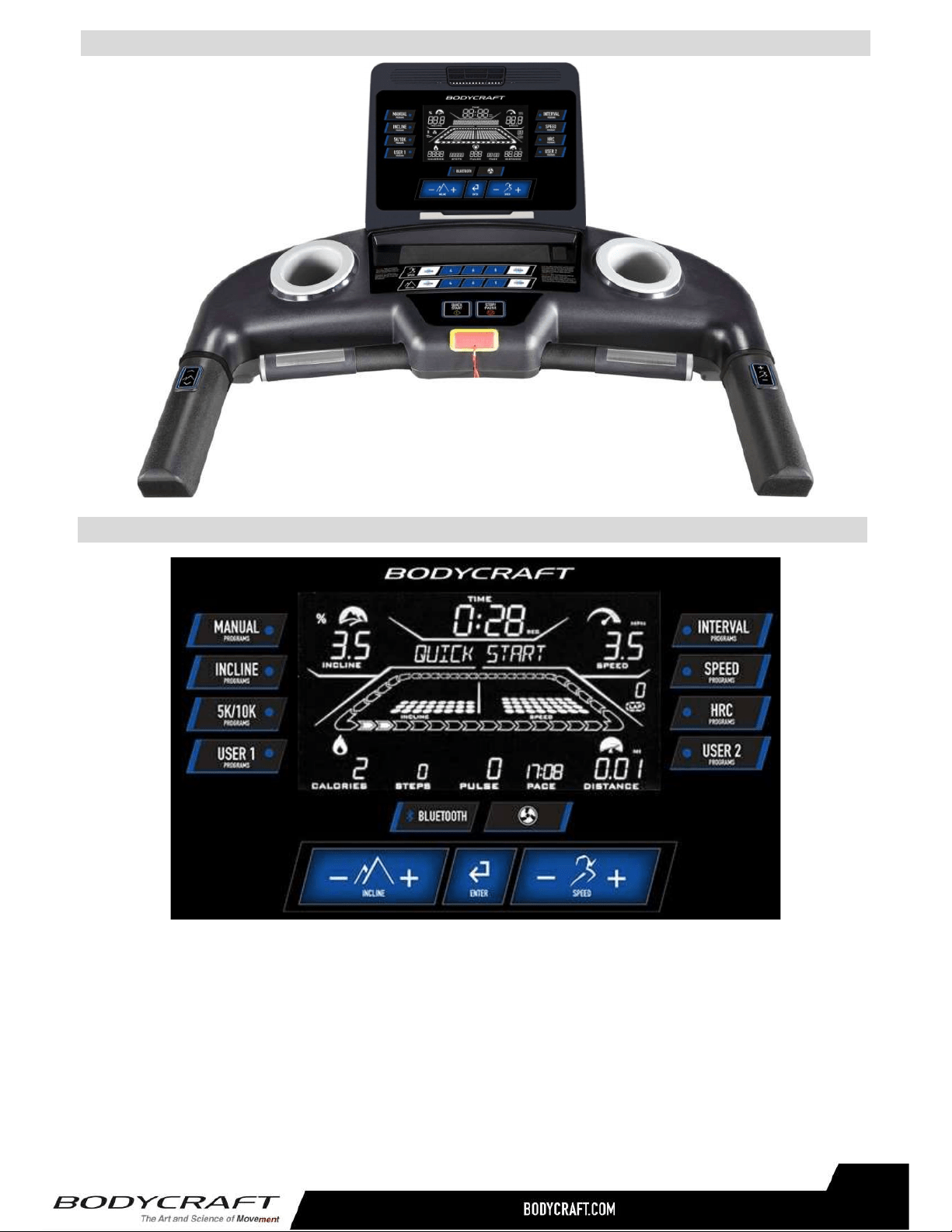
20
● Dotmatrixprofilewindow:
Displaysprogramprofileduringprogramsettingandexecuting.Theprogramprofilewillbedifferent
accordingtowhichprogramisselected.
Thereare 2profiledisplays:SpeedandInclineprofiles.Eachprofilecontains10columnsofLED
representing20segmentsoftime;eachsegmenttime=totalprogramtimedividedby20columns,
exceptQuickStartprogramwhichrepresents1minuteinstead.Duringexercise,the3rdcolumnof
LEDwillblinktoindicatethetimesegmentyouarecurrentlyinandshowyourworkoutprogress.
Thepastsegmentwillmovetotheleftwhenthesegmentisfinished.
9”LCDDisplays
9”LCDScreenLayout:

21
USBport–
Chargeyourdeviceupto1A.(Devicenotincluded.)
CSAFEport–
Charge3
rd
partycompatibledevices(notincluded).
Note:YourmediadevicecompatibilitywiththeUSB&CSAFEchargingwilldependonthebrandandmodel.
Keys
● QuickStartkey:Pressingthiskeyduringidlemodebeforeyouselectaprogramwillactivatethe
QuickStartprogramimmediatelywithdefaultuservalues.Pressingthiskeyduringtheprogramset-
upafteraprogramisselectedwillstarttheselectedprogram.
● Stop/Pause key: Pressthiskeyonce during exercise to pause the treadmill. Press thiskeythe
secondtimetoendtheprogramandreviewsummary.Press&holdthiskeyforafewsecondsto
resettheconsoleandgobacktoidlemode.
● Speed&Inclinekeys:Thereare2setsof+,-keys(console&handrails)foreachSpeed&Incline.
UsethesekeystoadjusttheusersettingsduringaprogramaswellastheSpeed&Inclinesettings
duringexercise.
● Enterkey:Usedtoconfirmprogramanddataentry.
● Speed&Inclinequickkeys:pressthesequickkeystorapidlychangetheSpeedorInclinesettings
duringexercise.Foryourconvenience,youmaypressandholdthe“Custom”keytosavethecurrent
speed/inclinesettingintothekeyasanewcustomquickkey.
● Fankey:Pressthiskeytoadjustfanspeedfrom3differentsettings.
● Bluetoothkey:PressthiskeytosynctheFitnessappandconnectwithBluetoothorANT+heartrate
transmittersignal.
● Safetykey:Thiskeyisdesignedfortheemergencystopduringexercise.Pullingthiskeywillstop
thetreadmillimmediately.Theinclinewillstaywhereitis.Re-attachthiskeyandadjusttheincline
settingbackto0%toresumetreadmilloperation.
DevicePorts
● Trackprofiledisplay: Thetrackindicatorwilllightuponeatatimetoindicatetheprogress.One
complete track = ¼ mile or 400m. During 5K/10K programs, a complete track is 5KM/10KM
respectively.
● Lapcounter: ThisdisplayisassociatedwithTrackprofiledisplay,which1completetrack=1lap
=¼mile/400M.During5K/10Kprograms,thelapcounterwillbeoff.
● Data displaywindows: Thereare 7datadisplaywindows displaying“INCLINE,SPEED,TIME,
CALORIES,STEPS,PULSE,PACE&DISTANCE”duringexercise.
● Alphanumeric displaywindow: This display will prompt instruction messages to assist you in
settinguptheprogramandduringexercising.
● Lubeicon:Thisconsoleisequippedwithasmarttreadbelt/decklubricationreminder.Whenthe
lubeiconcomeson,meansthetreadmillisdueforlubricationmaintenance.Pleasefollowthe
TreadmillOwner’sManuallubricationproceduretolubricatethebelt/deckarea.Thisensuresthe
longevityandwarrantyofyourtreadmill.AFTERlubricationhasbeenapplied,youmaypress&
holdthe “STOP”keyforafewsecondstoresetthelubereminder. (Contactyourservice
providerorBodyCraftCustomerSupportforanyquestionsregardingthistaskandadditional
100%SiliconeLubeBottles.)

BasicOperation
● Pauseaprogram:PressStop/Pausekeytopausethetreadmill.Themotorwillstopandtheconsole
willstopaccumulatingdata.Thepausetimeis10minutes.Afterthat,theconsolewillresetbackto
idlemode.Withinpausemode,pressSTARTkeytoresumetheprogram.
Forsafetyreasons,whentheuserstepsoffthetreadmillformorethan20seconds,thetreadmillwill
enterPausemodeaswell.
● Powersave function:This treadmill is equippedwithpowersavefunction. Thismeansafter 10
minutesofinactivity;thetreadmillwillautomaticallypoweroff.Pressanykeytowakeuptheconsole
frompowersavemode.
● Startaprogram:Tobeginaworkoutprogramduringidlemode,pressthe“QuickStart”keytoquick
starttheprogramorany“Program”keytoselectaprogramand“Enter”keytoconfirmaprogram.
Thenfollowtheinstructionsonthealphanumericwindowtosetupthepersonaldata.Whenfinished
enteringdata,pressthe“Start”keytobeginthe workout.(Youmaypressthe“Start”keyanytime
duringsetuptobypassandstarttheworkoutimmediately.)
● Defaultvalues:Initiallytheconsoleiscodedwithasetofdefaultsforanexpressquickstart.Ifyou
didnotadjustthesevaluesbeforetheprogramstarted,theywillbeusedfordatacalculations,such
ascalories.Itisrecommendedthatyouadjustthesevalueswithyourownpersonaldatatogetthe
mostaccurateworkoutfeedbacks.Thefactorydefaultsare:
o Age–35;defaultwillbereplacedwhenthereisanewvalueentered.
o Weight–150lbsor70kg;defaultwillbereplacedwhenthereisanewvalueentered.
o Programtime–30minutes
o Programgoalformanualprogram–Time
● Endaprogramandreviewsummary:Whenprogramtimeisreached,itwillendtheprogramand
enter summary review mode. There are 60 seconds for you to review and record the workout
summarybeforeitresetsandgoesbacktoidlemode.
o Duringthesummaryreview,youmaypress&holdtheUSER1or2keyforafewsecondsto
storethisprogramasaUSERprogram.Youruserinformationwillbestoredaswellforquick
andeasyaccessforfutureuse.
● Unitsswitching:ThedefaultunitssettingisEnglish.ToswitchthistoMetricsystem,pressandhold
“ENTER&SPEED+”keysatthesametimeinidlemodefor2secondstogoto“Engineermode”.
The message window will prompt a couple of messages.When you see “UNITS: ENGLISH or
METRIC”message,press“Speed+/-”keytoswitchanda“MILE”or“KM”indicatorwillshowonthe
currentsetting.AfterwardpresstheEnterkeytoconfirmthesetting.Pressthe“STOP”keyforafew
secondstogetbacktoidlemode.
22

WorkoutPrograms
BesidesQuickStartfunction,therearebuilt-inprogramoptionsforyourselection:Manual,Incline,5K/10K,
Interval,Speed,HRC,User1&2.
QuickStart: Pressingthe“QuickStart”keyduringidlemodewillquicklystarttheconsole.Theprogram
willusefactorydefaultsforcalculationanddisplay.Thetimewillcountupandeachsegmentoftheprofile
equals1minute.Youmaystopatanytimebypressing“Stop/Pause”keytopauseorendtheprogram.
Presetprograms: ThisgroupincludesManual,Incline,Interval&Speedprograms.Theseprogramsare
presetspeedorinclineprofileprogramsandbehavesimilarly.Thereareafewprogramsstoredinsideeach
programkey.Continuingtopressthesameprogramkeywillbringupadifferentprogrameachtime.When
thedesiredprogramappearsonthescreen,presstheEnterkeytoconfirm.Thenfollowtheinstructionsto
setuptheuserdataandstarttheprogram.YoumayadjusttheSpeedorInclinebypressingSpeed“+/-”or
Incline”+/-“keyorquickkeyanytimeduringtheprogram.Thedotmatrixprofilewillupdateaccordingly.
● Manualprogram:ThedefaultspeedforManualprogramis0.5mphand0%incline.Thisprogram
goal can also be adjusted from “Time” to “Distance or Calories” goal. Any goal is set during
program setting (otherwise remains as “0”), the goals will be counting down from target
during exercise. Once it reaches “0”, it will continue counting up until STOP button is
pressed to end the program.
● Incline programs: There are Hill, Mountain and Random Hill programsinside this program key.
Eachoftheprogramshasapresetinclineprofileandaconstantspeedsetting.Followthemessage
promptstoenterprogramsettings/maxinclinesettingandstarttheprogram.Theprogramprofilewill
be modifiedaccording tothe newmax incline. However, you can still increase the incline in the
individualsegmentduringtheprogram.
● Speedprograms:ThereareEasyJogandSprintprogramsinsidethisprogramkey.Eachofthe
programshasapresetspeedprofileandaconstantinclinesetting.Followthemessagepromptsto
enterprogramsettings/maxspeedsettingandstarttheprogram.Theprogramprofilewillbemodified
accordingtothenewmaxspeed.However,youcanstillincreasethespeedinindividualsegment
duringtheprogram.
● Intervalprograms: Thereare Speedinterval andHIITprogramsinside this program key.These
programs are behaving similarly as the speed profile program described above; however, the
programisdividedwithwork speed&restspeedintervals.Followthemessagepromptstoenter
programsettings/maxspeedsetting and start the program. The program profile will bemodified
accordingtothenewmaxspeed.
o Speed Interval:defaultworkspeed= 6mph(9km)andrestspeed=2.5mph(4km). You
may adjust the speed during exercise.
o HIIT(High-IntensityIntervalTraining):Thisprogramisdesignedwithafast-pacedworkout
routine.Thereare4different(work:rest)timesettingsfromwhichtochoose:1:3;2:1;2:2&
2:3. Each number represents a multiplication of 10 seconds. Press the +/- key to toggle
between these settings and ENTER to pick your desire one. Then follow the message
promptstofinishtheprogramsettingandstarttheprogram.Alwaysstartslowandrampup
intensitylevelasyourfitnessimproves.
23

5K/10Kprograms: Thesearedistancegoalprogramswithconstantspeed&inclinesettings.Thefaster
yourun,thefasteryouwillreachthe5K/10Kdistance.Thetrackprofileindicatesyourprogresstothegoal
duringexercise.
HRprograms: TheHeartRateprogramsaredesignedtokeepyoutrainingatthechosenheartratelevel.
Theseprogramswillonlyworkwhenthereisavalidheartratesignal.Itisrecommendedtousea
wirelessheartratecheststrapratherthanhandgrippulsesensorsforthisprogram.
ThereareTargetHRandHRintervalprograms.FollowthemessagepromptstosetyourtargetHRaswell
asMaxspeedsettingduringtheprogram.
Theseprogramswillstartwithawarm-upperiodinwhichtheuserwillbeabletoadjustthespeed&incline
untiltheHRreached80%ofthetargetHRsetting.Afterthewarm-up,theheartrateprogrambegins. The
consolewilltakecontrolandadjustthespeedautomaticallytoensureyourtargetheartrateisachievedand
maintainedduringtheentireprogram.YoumaystilladjustthetargetHRsettingbypressingSpeed“+/-“
keyduringexerciseandadjusttheInclinesettingduringexercisebypressingIncline“+/-“key.
Thisconsoleisequippedwith5.4KHzPolarcompatible,BluetoothaswellasANT+heartratemonitoring.The
consolewillautomaticallyscanandconnectwiththe5.4KHzheartratetransmitter.ForBluetoothorANT+
transmitter,theBluetoothfeaturemustbeturnedoninorderfortheconsoletopickuptheheartratesignal.
User1&2programs: Theseprogramsarethespacesforyoutobuildyourownworkoutprofilesandstore
forfutureuse.Ifyousavedaprogrambefore,youmayrecallitandpressthe“QuickStart"keytobegin
immediatelywithoutthehassleofenteringuserinformationagainbecauseithasbeenstoredalongwith
theprogramprofileyoucreated.
Tobuildyourownprofile,justfollowthemessagepromptstosetupyourpersonaldata.Onceuserdatais
set,youcanthenbuildthespeedprofilebyadjustingthespeedsettingintheindividualsegment. Press
“Enter”toconfirmthesettingeachtime.Afterafewsegments,ifyouwant,youcanpress&holdthe“Enter”
keyforafewsecondstobypasstherestofthespeedprofileandenterInclineprofilebuilding.Asexpected,
theInclineprofilebuildingisthesameasSpeedprofilebuilding.Oncetheprofileisset,theuserinformation
&profileisstoredforfutureuse.
24
Afteryouraerobicworkoutofabout24-32minutes,spend10minutesgraduallyreducingyour
heartratewithalowerresistancelevel.
Remembertostartslowwithlowintensityuntilyoubuildenduranceandstrength.Andalways
consultyourphysicianbeforebeginninganyexerciseprogram.
DisclaimerNotice:UseofThird-PartySoftwareorApps
Wemayrecommenduseof3rdpartysoftware,Apps,information,products,orwebsitesthatare
ownedoroperatedbyothercompanies.Whileweendeavortodirectyoutohelpful,trustworthy
resources,Wecannotendorse,approve,orguaranteesoftware,information,Apps,products,or
servicesprovidedbyoratathird-partyresourceortrackchangesintheresource.Thus,wearenot
responsibleforthecontentoraccuracyofanythird-partyresourceorforanylossordamageofany
sortresultingfromtheuseof,orforanyfailureof,productsorservicesprovidedatorfromathird
partyresource.

PulseHandGrips
Thisproductcomesstandardwithstainlesssteelpulsehandgrips.Toactivate,gentlygraspboth
handgripstoobtainaheartratereading.(Note:ItisrecommendedtowearacheststrapforHeart
Ratecontrolprogram,asitismoreaccurate.Ifyouwearacheststrapandusehandgripsatthe
sametimeforheartratemonitoringpurpose,pleasenotetheconsolewilltakethemeasurementof
thecheststrap.)Forsafety,itisnotrecommendedtousetheHeartRateSensorswhenexercisingat
highspeeds.TheSensorsmaynotalwaysbeaccurateforanyuseratallspeeds.Individual
physiologyisafactorthatcandetermineaccuracy,oreveniftheSensorsworkforyouatall.The
TouchHeartRatereadingisnotintendedtobeusedformedicalpurposes.
PulseGripOperatingTips:Ifyouarenotgettingaconsistentreadingwhileusingthehandpulseoption,
werecommendthefollowingsuggestions:
� Makesurethatthepalmsofthehandsaretouchingthecontact
areaofeachhandpulsegrip.
� Maintainanevenpressureonthegrips.
� Donotholdthehandpulsegripstootightly.
� Makesureyourpalmsarewarmandslightlymoist.
� Excessivemovement especially onanelliptical handrail is not
optimumforhandgripsoranyHighIntensiveExercisewhileon
amachine.
BuiltinWirelessHeartRateReceiver
Note:Cheststraptransmitterdoes notcome withthisunit; contactBODYCRAFT,oryourdealerfor
purchase.
Thisproductisequippedwithabuilt-inreceiverforyourheartratemonitoring.Anyheartratetelemetry
strapthattransmitsat5KHzorBluetoothiscompatible.Togetanaccuratereadingusingthesedevices,
youwillneedtobewithinthreefeetoftheconsole,andaminimumoffourfeetfromothersusingaheart
ratemonitoringdevice.
(Note: The transmitter may fluctuate erratically if you are too close to other heart rate monitoring
equipmentorthereisotherelectronicsnearby,suchasTV,Radio...)
Whileusingheartratecontrol modes,the computer monitorsthe exactmeasurementofyour pulse.
Heart rate frequency is displayed while the computer continually compares heart rate to the
preprogrammed personal data. The computer adjusts the wattage to maintain heart rate at the
preprogrammedlevel.
HowtoWearYourSensor/Transmitter(ChestStrap)
1.Buckleoneendofthecheststrapontothetransmitter.
2.Adjustthebandlengthsothatthefitissnug,butnottootight.
3.Buckletheotherendofthecheststrapontothetransmitter.
4.Centerthetransmitteronyourchestbelowthepectoralmuscle(breasts).
5.Stretchthetransmitterawayfromyourchestandmoistentheconductive
electrodestripslocatednexttothebuckleswithwater.
(Note:Thetransmitterisonautomaticallywhenbeingworn.Itisoffwhenitisnotconnectedtoyour
body.However,asmoisturemayactivatethetransmitter,thoroughlydrythetransmittertoprolongbattery
life.)
25
HeartRateMonitoringDevice&ExerciseTips

ErraticHeartRateReadings:
Erraticreadingson thereceiver can becausedbyelectromagneticdisturbances. Ifthe heart rate
readings appear to be abnormal, check that your product is not within range of other strong
electromagneticsignals.Commonsourcesaretelevisions,computers,cars,cellphones,TVantennas
andhighvoltagepowerlines(bothaboveandbelowground).Pleasenote:Staticelectricityinclothing
oraflappingshirtcancauseelectricalinterference,sosomeitemsofclothing,i.e.man-madefibers,
canalsobethecause.Pleasetrywettingthet-shirtintheareawherethetransmitteris.
Ifthebatteryofthetransmitterisrunninglow,thetransmissionrangedecreasesandmaycauseerrors
similartotheoneslistedaboveinthisdocument.
Heartrateisanimportantkeytoyourexercise
Medicalresearchhasshownusthatthereisanamountofexercise,whichisenoughtoconditionthe
cardiorespiratorysystemandthemusclesofthebody.Thisamountofexerciseisbetween60%and
85%of your maximumheart rate measuredduring atraining session. Thisrange allowsenough
exercisetoachievefitness,butnotanexcessiveamounttocauseinjury.Yourheartrateisanexcellent
indicatoroftheamountofstressplacedonthecardiovascularsystem.
Ifexerciseintensityistoolowortoohigh,nogainswillbemadeinfitness.Iftheintensityistoolow,
thestresslevelsareineffective.Iftheintensityistoohigh,injuryorfatiguemaysetyourexercise
program back as you try to recover. Your target heart rate, the intensity needed to improve
cardiovascularfitness,dependsprimarilyonyourageandnotyourstateoffitness.Itiscalculatedas
apercentageofyourmaximumheartrate,estimatedas220minusyourage.Itismosteffectiveto
trainatyourtargetheartratebetween60%and85%ofyourmaximumheartrate.
Getasmartstartonexercising.
Anyoneovertheageof35,aswellasyoungerpersonswhomareoverweight,shouldcheckwith
his/herphysicianbeforebeginninganytypeofexerciseprogram.Peoplewhohavediabetesorhigh
bloodpressure,afamilyhistoryofheartdisease,highcholesterolorhaveleadasedentarylifestyle
shouldprotectthemselveswithamedicalcheck-upandastresstest,preferablyadministeredduring
exercisebyahealthcareprofessional.
� Alwaysstretchbeforeyourworkouttoloosenmuscles,andafterwardstocooldown.
� Thefirstfewminutesofyourworkoutshouldbedevotedtowarmingupmusclesbeforeavigorous
workoutandbuildingyourheartrateslowly.
� After youraerobic workoutof about 24-32minutes, spend 10 minutesgraduallyreducing your
heartratewithalowerresistancelevel.
Remember,tostartslow,withintensitylow,untilyoubuildenduranceandstrength.Andalwaysconsult
yourphysicianbeforebeginninganyexerciseprogram.
26
HeartRateMonitoringDevice&ExerciseTips

27
ErrorCodes-T1000(T1K2) 1of3

28
ErrorCodes-T1000(T1K2) 2of3

29
ErrorCodes-T800(T802)&T400(T402)

30
ErrorCodes-T800(T802)&T400(T402)

31
ErrorCodes-T800(T802)&T400(T402)

32
P
RODUCT
W
ARRANTY
ResidentialWarranty(T1000AC/T800DC/T400DC):
Frame:Lifetime,Parts:10years,Console:3years,Labor:2years
HeadphoneJack,HDMI,CSAFE,ETHERNET&USBPort:90daysandLabor:None
CommercialWarranty(T1000AC&T800DC):
Frame:10years,Parts:5years,Console:3years,andLabor:1year.
HeadphoneJack,HDMI,CSAFE,ETHERNET&USBPort:90daysandLabor:None
Thiswarrantyexcludesthefollowing:
1. Thewarrantydoesnotcovernormalmaintenanceorlaborchargesunlesslabortermsare
listedabove.
2. Normalcosmeticwearonpartssuchaspaint,seatcoverings,footrails,labelsandlogos.
3. Consumablessuchasbatteriesandheartratebeltsthatdonothaveareplaceablebattery.
4. Eprom/Softwareversionupgradesunlessdeterminedasnecessary.
5. Anyaccessoriesnotincludedintheoriginalpackaging.
*Thiswarrantyisinlieuofallwarranties,expressedorimplied,and/orallotherobligationsor
liabilitiesonourpart,andweneitherassumenorauthorizeanypersontoassumeforusanyother
obligationorliabilityinconnectionwiththesaleofyourBODYCRAFTproduct.Underno
circumstancesshallwebeliablebyvirtueofthiswarrantyorotherwisefordamagetoanyperson
orpropertywhatsoeverforanyspecial,indirect,incidental,secondaryorconsequentialdamageof
anynaturewhatsoeverarisingoutoftheuseorinabilitytousetheBODYCRAFTproduct.
Registeryourproduct’swarrantyatwww.bodycraft.com/product-registration.html
VALIDFORUSAANDCANADAONLY
(Pleaseconsultwithyourlocaldistributorforwarrantyinfospecifictoyourregion).
BODYCRAFTwarrantsitsproductstobefreeofdefectsinmaterialsandworkmanshipforthetime
statedbelowtotheoriginalpurchaser.
Registeryourproductwithin30daysofpurchaseat www.bodycraft.comorcall800-990-5556
Thiswarrantyisvalidonlyinaccordancewiththefollowingconditions:
Thewarrantybeginsontheoriginalpurchasedateatretailandendswhentheoriginalowner
disposesofit, eitherthroughsale,gift,orotherwise.Thiswarrantyisnottransferableandisonly
validtotheoriginalpurchaser.
Thiswarrantyisavailableonlyforpurchasesmadewithinandtheoriginalpurchasercurrently
residingintheUSAandCanada.Pleaseconsultwithyourlocaldistributorforwarrantyinformation
specifictoyourregion. Theproductmusthavebeenregisteredwithin30daysoftheoriginal
purchasedateorsupplyproofof purchasetovalidatewarranty(originalsalesinvoice).
Thiswarrantydoesnotextendtoanylossesordamagesduetoaccident,misuse,abuse,neglect,
negligence,unauthorizedmodificationoralteration,usebeyondratedcapacity,unsuitablepower
sourcesorenvironmentalconditions,water,tampering,cosmeticdamages,orimproperinstallation,
handling,repair,maintenance,orapplication,orlackofpropermaintenance.
Iftheitemexhibitssuchadefect,BODYCRAFTwill,atitsoption,repairorreplaceitwithoutcostfor
parts.Shippingandhandlingchargesmayapply.(BODYCRAFTmayrequirereturnofthepart(s)or
photographicevidenceofthedamagedpart(s)priortoreplacement.)Serialnumberisrequired.
Partsrepairedorreplacedwillbewarrantedfortheremainderoftheoriginalwarrantyperiodonly.

W
ARRANTY
R
EGISTRATION
33
WarrantyRegistration