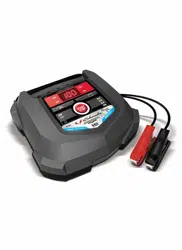
WARNING! RISK OF CONTACT WITH BATTERY ACID. BATTERY ACID IS A HIGHLY CORROSIVE SULFURIC ACID.
Make sure the area around the battery is well ventilated while the unit is in use.
Clean the battery terminals before using the jump starter. During cleaning, keep airborne corrosion from coming into contact with your eyes, nose and mouth. Use baking soda and water to neutralize the battery acid and help eliminate airborne corrosion. Do not touch your eyes, nose or mouth.
Determine the voltage of the battery by referring to the vehicle owner’s manual and make sure that the output voltage is 12V.
Make sure that the unit’s cable clamps make tight connections.
FOLLOW THESE STEPS WHEN CONNECTING TO A BATTERY
WARNING! A SPARK NEAR THE BATTERY MAY CAUSE A BATTERY EXPLOSION. TO REDUCE THE RISK OF A SPARK NEAR THE BATTERY:
Plug the clamps into the unit, and then attach the output cables to the battery and chassis as indicated below. Never allow the output clamps to touch each other.
Position the DC cables to reduce the risk of damage by the hood, door and moving or hot engine parts. NOTE: If it is necessary to close the hood during the jump starting process, ensure that the hood does not touch the metal part of the battery clips or cut the insulation of the cables.
Stay clear of fan blades, belts, pulleys and other parts that can cause injury.
Check the polarity of the battery posts. The POSITIVE (POS, P, +) battery post usually has a larger diameter than the NEGATIVE (NEG, N, -) post.
Determine which post of the battery is grounded (connected) to the chassis. If the negative post is grounded to the chassis (as in most vehicles), see step 4.6. If the positive post is grounded to the chassis, see step 4.7.
For a negative-grounded vehicle, connect the POSITIVE (RED) clamp from the jump starter to the POSITIVE (POS, P, +) ungrounded post of the battery. Connect the NEGATIVE (BLACK) clamp to the vehicle chassis or engine block away from the battery. Do not connect the clamp to the carburetor, fuel lines or sheet-metal body parts. Connect to a heavy gauge metal part of the frame or engine block.
For a positive-grounded vehicle, connect the NEGATIVE (BLACK) clamp from the jump starter to the NEGATIVE (NEG, N, -) ungrounded post of the battery. Connect the POSITIVE (RED) clamp to the vehicle chassis or engine block away from the battery. Do not connect the clamp to the carburetor, fuel lines or sheet-metal body parts. Connect to a heavy gauge metal part of the frame or engine block.
When finished using the jump starter, remove the clamp from the vehicle chassis and then remove the clamp from the battery terminal. Disconnect the clamps from the unit.
FEATURES
1. LCD display 2. ON/OFF switch 3. Micro USB input port for recharging 4. USB port – 2.1A 5. USB port – 1A 6. Jump start output socket 7. Display ON/OFF button 8. Battery clamps/smart cable Not shown: 9. LED light (on back) 10. Micro-USB charging cable 11. Carrying case
CHARGING THE JUMP STARTER
IMPORTANT! CHARGE IMMEDIATELY AFTER PURCHASE, AFTER EACH USE AND EVERY 30 DAYS, OR WHEN THE CHARGE LEVEL FALLS BELOW 85%, TO KEEP THE INTERNAL BATTERY FULLY CHARGED AND PROLONG BATTERY LIFE.
CHECKING THE LEVEL OF THE INTERNAL BATTERY
Slide the ON/OFF switch to the ON position. The LCD display will show the battery’s percentage of charge. A fully charged internal battery will read 100%. Charge the internal battery if the display shows it is under 85%.
To reduce the risk of electric shock, unplug the unit’s charging cable from a USB or wall charger before attempting any maintenance or cleaning. Simply turning off the controls will not reduce this risk.
When charging the internal battery, work in a well ventilated area and do not restrict the ventilation in any way.
CHARGING THE INTERNAL BATTERY
NOTE: Use a 2A USB charger (sold separately), or a 2A USB charging port to quickly recharge the jump starter. Using a charger with less than 2A will increase charge time.
Plug the Micro USB end of the charging cable into the input port. Next, plug the USB end of the charging cable into a charger’s USB port.
Plug your charger into a live AC or DC power outlet.
The LCD display will light, the digit begins to flash and show “IN”, indicating that charging has begun.
The jump starter will fully charge in 2-3 hours. When the unit is fully charged, the display will show “100%”.
When the battery is fully charged, disconnect your charger from the outlet, and then remove the charging cable from the charger and the unit. Slide the ON/OFF switch to the OFF position, if you are not using the unit immediately.
Charge the unit as soon as possible after use.
OPERATING INSTRUCTIONS
JUMP STARTING A VEHICLE ENGINE
NOTE: Use either model number SA883 or SA859 jump cable.
IMPORTANT: Do not use the jump starter while charging its internal battery.
IMPORTANT: Using the jump starter without a battery installed in the vehicle will damage the vehicle’s electrical system.
NOTE: The internal battery must have a charge if at least 40% to jump start a vehicle
1. Turn the ignition OFF.
2. Plug the battery clamp cable into the jump starter’s output socket.
3. Lay the DC cables away from any fan blades, belts, pulleys and other moving parts. Make sure all of the vehicle’s electrical devices are turned off.
4. For a negative-grounded vehicle, connect the POSITIVE (RED) clamp from the jump starter to the POSITIVE (POS, P, +) ungrounded post of the battery. Connect the NEGATIVE (BLACK) clamp to the vehicle chassis or engine block away from the battery. Do not connect the clamp to the carburetor, fuel lines or sheet-metal body parts. Connect to a heavy gauge metal part of the frame or engine block.
5. For a positive-grounded vehicle, connect the NEGATIVE (BLACK) clamp from the jump starter to the NEGATIVE (NEG, N, -) ungrounded post of the battery. Connect the POSITIVE (RED) clamp to the vehicle chassis or engine block away from the battery. Do not connect the clamp to the carburetor, fuel lines or sheet-metal body parts. Connect to a heavy gauge metal part of the frame or engine block.
6. Slide the ON/OFF switch to the ON position. The green LED on the smart cable should light.
NOTE: If the vehicle battery is extremely discharged, the initial current draw from the jump starter may activate short circuit protection in the smart cable. When the condition is corrected, the smart cable will automatically reset.
7. After a proper connection has been made, crank the engine. If the engine does not start within 5-8 seconds, stop cranking and wait at least 1 minute before attempting to start the vehicle again.
NOTE: If the car does not crank a second time, check the smart cable to see if the green LED is lit. If you hear beeping or an LED is flashing, refer to section 10, Troubleshooting. When the condition is corrected, the smart cable will automatically reset.
NOTE: Cold weather may affect the performance of the jump starter’s lithium battery. If you hear only a click and the engine does not turn over, try the following:
With the jump starter connected to the car battery and the green LED illuminated on the smart cable, turn on all lights and electrical accessories for one minute. This draws current from the jump starter and warms the battery. Now try to crank the engine. If it does not turn over, repeat the procedure. Extremely cold weather may require two or three battery warmings before the engine will start.
NOTE: If no activity is detected, the smart cable will automatically shut off after 120 seconds, and the red and green LEDs will be solid. To reset, disconnect the clamps from the vehicle battery, and then reconnect.
IMPORTANT: DO NOT attempt to jump start your vehicle more than three consecutive times. If the vehicle will not start after three attempts, consult a service technician.
8. After the engine starts, disconnect the black clamp (-) and the red clamp (+), in that order, and then unplug the battery clamps from the jump starter socket.
9. Recharge the unit as soon as possible after each use.
CHARGING A MOBILE DEVICE, USING THE USB PORTS
The 028-43448 includes two USB ports. One provides up to 2.1A at 5V DC; the other provides up to 1A at 5V DC.
1. Consult your mobile device manufacturer for proper charging power specifications. Connect a mobile device cable to the appropriate USB port.
2. Slide the ON/OFF switch to the ON position. Charging should begin automatically. The display will show which port is in use.
3. Charging time will vary, based on the mobile device’s battery size and the charging port used.
NOTE: Most devices will charge with either USB port, but may charge at a slower rate.
4. When finished using the USB port, disconnect the charging cable from your mobile device and then disconnect the charging cable from the unit. Slide the ON/OFF switch to the OFF position.
5. Recharge the unit as soon as possible after each use.
NOTE: If no USB device is connected, power to the USB ports will automatically shut off after 30 seconds.
USING THE LED LIGHT
Slide the ON/OFF switch to the ON position.
Hold down the display button for 3 seconds.
Once the LED light is on, press and release the display button to cycle through the following modes:
Steady glow
Flash for an SOS signal
Flash in strobe mode
When finished using the LED light, press and hold the display button until the light turns off.
Slide the ON/OFF switch to the OFF position.
Recharge the unit as soon as possible after each use.
MAINTENANCE INSTRUCTIONS
After use and before performing maintenance, unplug and disconnect the unit.
Use a dry cloth to wipe all battery corrosion and other dirt or oil from the battery clamps, cords, and the outer case.
Do not open the unit, as there are no user-serviceable parts.
STORAGE INSTRUCTIONS
Charge battery to full capacity before storage.
Store this unit at temperatures between -5°F-+140°F (-20°C-+60°C).
Never completely discharge the battery.
Charge after each use.
Charge at least once every month, if not in frequent use, to prevent over-discharge.
TROUBLESHOOTING
Jump Starter
PROBLEM
SOLUTION
The jump starter’s display will not turn on.
Make sure the unit is charged.
Connect to a power source, to reset.
Make sure the ON/OFF switch is set to the ON position.
The thermometer symbol is flashing.
The unit is too hot or cold. The thermometer symbol will disappear when the condition is removed
The jump starter will not recharge.
Make sure the power source is live.
The jump starter turns on, but won’t jump start my vehicle.
Check connections.
Verify the charge level of the jump starter is at least 40%.
Do not attempt to jump start your vehicle more than three consecutive times. If the vehicle still does not start, consult a qualified service technician.
When cable is connected only to the battery: Solid Red LED, (Green LED off); beeps once per second
The vehicle battery voltage is lower than 10.5V. User can connect to jump starter and turn key to jump start the vehicle.
When cable is correctly connected to both battery and jump starter: Green LED blinking; Red LED off; no beep.
“Fake” high battery voltage is detected, but reverse charging protection did not activate. User can turn key to jump start the vehicle.
Smart Cable LED and Alarm Behavior
BEHAVIOR
REASON
Green LED blinking; Red LED off; no beep.
Cable is connected to battery only.
Cable is connected to jump starter only.
Green LED solid; Red LED off; no beep.
Cable is connected correctly to both battery and jump starter.
Solid Red LED, Green LED off; beeps once per second
Low voltage protection
Solid Red LED, Green LED off; beeps twice per second
Reverse polarity protection
Alternating Red and Green flashing LEDs; no beep
Solid Red LED, Green LED off; rapid beeping
Short circuit protection
Solid Red and Green LEDs; no beep.
Auto shut-off, due to inactivity. Disconnect and reconnect clamps to the vehicle battery.
Solid Red and Green LEDs; beeps once per second
Temperature protection
NOTE: When the condition is corrected, the smart cable will automatically reset.
SPECIFICATIONS
Internal battery type .......................................... Lithium ion polymer Capacity ............................................................8,000 mAh/29.6 Wh USB output.............................................................5V DC, 2.1A / 1A Jump start ................................................400A peak/200A cranking Charging Temperature..................................... 32°-122°F (0°-50°C)
To reduce the risk of battery explosion, follow these instructions and those published by the battery manufacturer and the manufacturer of any equipment you intend to use in the vicinity of a battery. Review cautionary markings on these products and on the engine.
WARNING! RISK OF ELECTRIC SHOCK OR FIRE.
Read the entire manual before using this product. Failure to do so could result in serious injury or death.
Keep out of reach of children.
Do not put fingers or hands into any of the unit’s outlets.
Do not expose the unit to rain or snow.
Use only recommended attachments (SA883 or SA859 jump cable).
Use of an attachment not recommended or sold by the manufacturer of the 028-43448 may result in a risk of fire, electric shock or injury to persons or damage to property.
To reduce the risk of damage to the electric plug or cord, pull by the adaptor rather than the cord when disconnecting the unit.
Do not operate the unit with damaged cables or clamps.
Do not operate the unit if it has received a sharp blow, been dropped or otherwise damaged in any way; take it to a qualified service person.
Do not disassemble the unit; take it to a qualified service person when service or repair is required. Incorrect reassembly may result in a risk of fire or electric shock.
WARNING! RISK OF EXPLOSIVE GASES.
To reduce the risk of a battery explosion, follow these instructions and those published by the battery manufacturer and the manufacturer of any equipment you intend to use in the vicinity of the battery. Review the cautionary markings on these products and on the engine.
Do not set the unit on flammable materials, such as carpeting, upholstery, paper, cardboard, etc.
Never place the unit directly above battery being jumped.
Do not use the unit to jump start a vehicle while charging the internal battery.
PERSONAL PRECAUTIONS
WARNING! RISK OF EXPLOSIVE GASES. A SPARK NEAR THE BATTERY MAY CAUSE A BATTERY EXPLOSION. TO REDUCE THE RISK OF A SPARK NEAR THE BATTERY:
NEVER smoke or allow a spark or flame in the vicinity of a battery or engine.
Remove personal metal items such as rings, bracelets, necklaces and watches when working with a lead-acid battery. A lead-acid battery can produce a short-circuit current high enough to weld a ring to metal, causing a severe burn.
Be extra cautious, to reduce the risk of dropping a metal tool onto the battery. It might spark or short-circuit the battery or other electrical part that may cause an explosion.
Do not permit the internal battery of the unit to freeze. Never charge a frozen battery.
To prevent sparking, NEVER allow clamps to touch together or contact the same piece of metal.
Consider having someone nearby to come to your aid when you work near a lead-acid battery.
Have plenty of fresh water, soap and baking soda nearby for use, in case battery acid contacts your eyes, skin, or clothing.
Wear complete eye and body protection, including safety goggles and protective clothing. Avoid touching your eyes while working near the battery.
If battery acid contacts your skin or clothing, immediately wash the area with soap and water. If acid enters your eye, immediately flood the eye with cold running water for at least 10 minutes and get medical attention right away.
If battery acid is accidentally swallowed, drink milk, the whites of eggs or water. DO NOT induce vomiting. Seek medical attention immediately.
Neutralize any acid spills thoroughly with baking soda before attempting to clean up.
This product contains a lithium ion battery. In case of fire, you may use water, a foam extinguisher, Halon, CO2 , ABC dry chemical, powdered graphite, copper powder or soda (sodium carbonate) to extinguish the fire. Once the fire is extinguished, douse the product with water, an aqueous-based extinguishing agent, or other nonalcoholic liquids to cool the product and prevent the battery from re-igniting. NEVER attempt to pick up or move a hot, smoking, or burning product, as you may be injured.
-378920.png)
-875990.png) Display ON/OFF button
Display ON/OFF button-36759.png) The thermometer symbol is flashing.
The thermometer symbol is flashing.