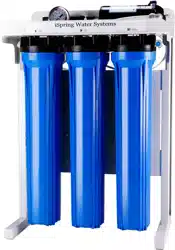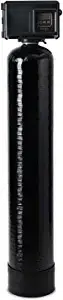

WCFM500K Central Whole House
Water Filtration System
INSTALLATION INSTRUCTIONS
& OPERATING MANUAL
Ver. 01/2021
Copyright ©2005-2021 ISPRING WATER SYSTEMS, LLC. All rights reserved.


We stand behind our products
Since 2005, iSpring has been dedicated to providing high-quality drinking water to families across
the United States.We provide various residential faucets and water filtration systems that purify
your water in everyday life and deliver pure, healthy, and tasty water to you and your family.
At iSpring, we strive to develop products to the highest of standards and aim to make excellent
drinking water accessible for all households.With affordable pricing, reliable quality, prompt
delivery, and top-notch customer service, we hope to assist in bringing you great water for years to
come.
Page 1 www.123filter.com | (678) 261-7611 | [email protected]

Prior to Installation
Read this instruction manual carefully prior to installation.
Keep this manual readily available for future reference.
Table of Contents
Installation .................................................................................................................................................. 3
Using the System
Programming the Central Whole House Water Filtration System ............................... 5
WCFM500K Central Whole House Water Filtration System Operation ..................... 7
Troubleshooting ............................................................................................................ 9
Warranty
Warranty Registration ................................................................................................. 12
www.123filter.com | (678) 261-7611 | support@123filter.com Page 2

Installation
(1) Water Pressure
A minimum of 20 pounds (1.4 bar) of water pressure is required for the regeneration valve to
operate effectively.
(2) Electrical Facilities
An uninterrupted alternating current (A/C) supply is required.
(3) Notes
• Water pressure should not exceed 125 psi (8.6 bar), water temperature should not exceed 110°F
(43°C), and the unit cannot be subjected to freezing conditions.
• Install the Central Whole House Water Filtration System after the supply lines to outside
faucets (unless outside faucets need to be free of iron).
• Install the Central Whole House Water Filtration System after any sediment filters or
neutralizing filters (ex: calcite, corosex), if applicable.
• The Central Whole House Water Filtration System should be installed before a water softener
or any taste/odor filters (if applicable).
• The drain line should be installed per local plumbing codes.
• Due to the air release during regeneration, the drain line must be secured at the end and
anchored throughout the run.
(4) Equipment Installation
Step 1. Place where you want to install the unit, ensuring the unit is level and on a firm base.
Step 2. During cold weather, the installer should warm the valve to room temperature before operating.
Step 3. All plumbing should be done per local plumbing codes. The residential drain line's pipe size
should be a minimum of 1/2 inch (13 mm). Backwash flow rates over 7 GPM (26.5 Lpm) or length
in excess of 20 feet (6 m) require a 3/4-inch (19 mm) drain line. Commercial drain lines should be
the same size as the drain line flow control.
Step 4. Lubricate the distributor o-ring seal and tank o-ring seal. Place the main control valve on the
tank. Only use silicone lubricant.
All keys will lock after 3 minutes during standby. Press and hold the “MENU” key for
3 seconds to unlock.
Step 5. Plumber tape is the only sealant to be used on the drain fitting.
Step 6. Place the bypass in the bypass position. Turn on the main water supply. Open a cold water tap
nearby and let run a few minutes or until the system is free from foreign material (usually solder)
that may have resulted from the installation. Once clean, close the water tap.
Page 3 www.123filter.com | (678) 261-7611 | [email protected]
Step 7. Slowly place the bypass in the service position and let water flow into the mineral tank. When
water flow stops, slowly open a cold water tap nearby and let it run until the air is purged from the
unit.
Step 8. Plug unit into an electrical outlet.
All electrical connections must be connected according to local codes. Be sure the
outlet is uninterrupted.
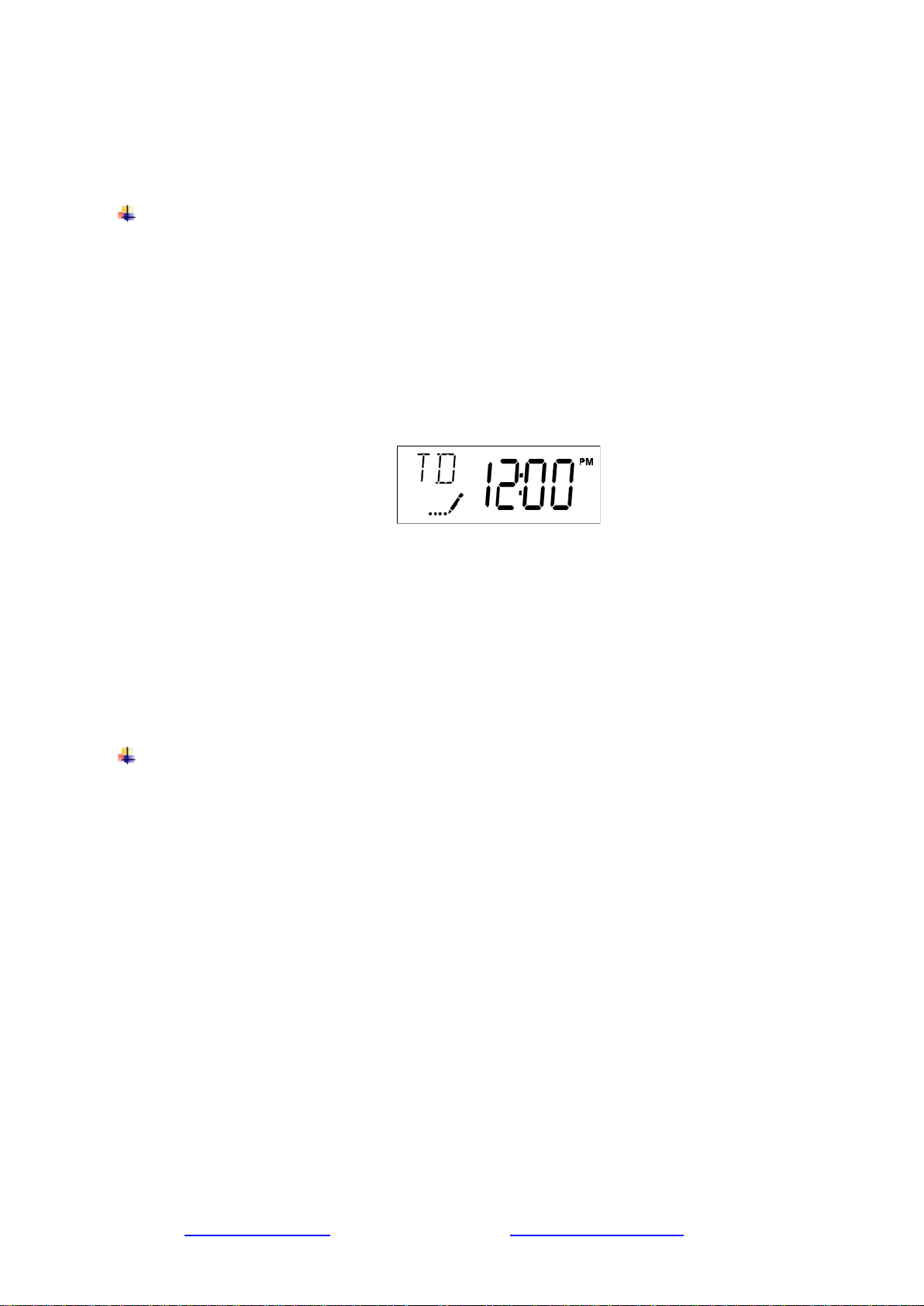
Step 9. Setting the Time of Day.
Step 9. a. Press and hold either the Up or Down button until the programming icon replaces the
service icon, and the parameter display reads TD.
Step 9. b. Adjust the displayed time with the Up and Down buttons.
Step 9. c. When the desired time is set, press the Extra Cycle button to resume normal operation.
The unit will also return to normal operation after 5 seconds if no buttons are pressed.
Step 10. Regenerating Immediately, Regeneration Cycle (59 minutes)
Step 10. a. Press and hold the Extra Cycle button for five seconds.
Step 10. a. 1. Backwash (14 minutes)
Step 10. a. 2. Air Recharge (40 minutes)
Step 10. a. 3. Rapid Rinse (5 minutes)
Step 10. a. 4. Unit Returns to the In-Service Position
Due to the air pocket, exceeding 80 psi will adversely impact performance.
www.123filter.com | (678) 261-7611 | support@123filter.com Page 4
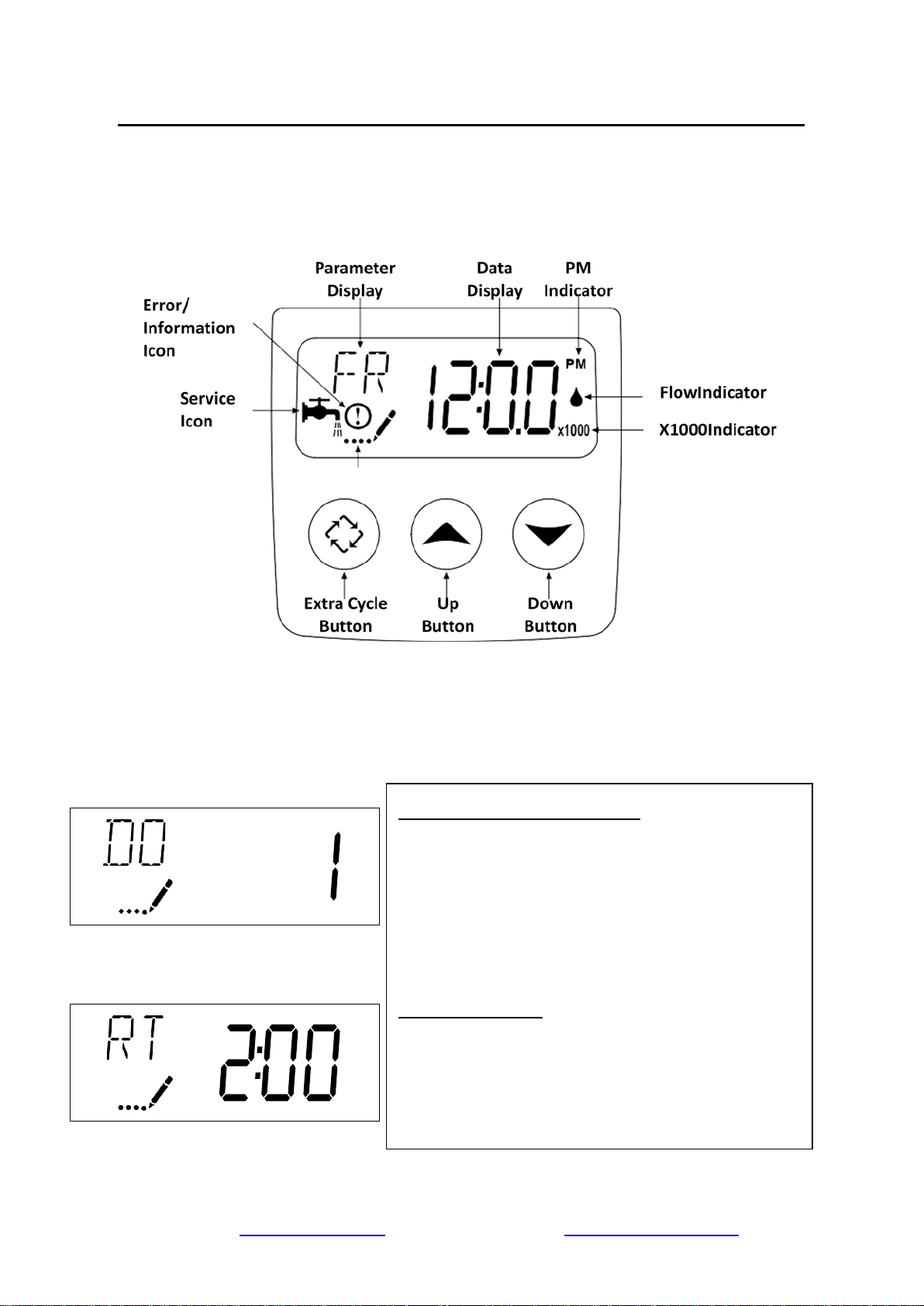
Programming the Central Whole House Water Filtration System
(1) Features of the SXT
(3) Press and hold "Up" and "Down"at the same time for 5 seconds to enter the following user
menu settings:
Day Override (Display Code DO):
Press the Extra Cycle button. Use this display to set the
Day Override. This setting specifies the maximum number
of days between regeneration cycles. The system is set to
a timer- type control, the day override setting determines
how often the system will regenerate. Setting the day
override value to "OFF" disables this function. This option
setting is identified by "DO" in the upper left corner of the
screen. Use the Up and Down buttons to adjust the value
as needed.
Regeneration Time:
Press the Extra Cycle button. Use this display to set the
Regeneration Time. This setting specifies the time of day
the control will initiate a delayed, manually queued, or day
over-ride regeneration. This option setting is identified by
"RT" in the upper left corner of the screen. Use the Up and
Down buttons to adjust the value as needed.
Page 5 www.123filter.com | (678) 261-7611 | [email protected]
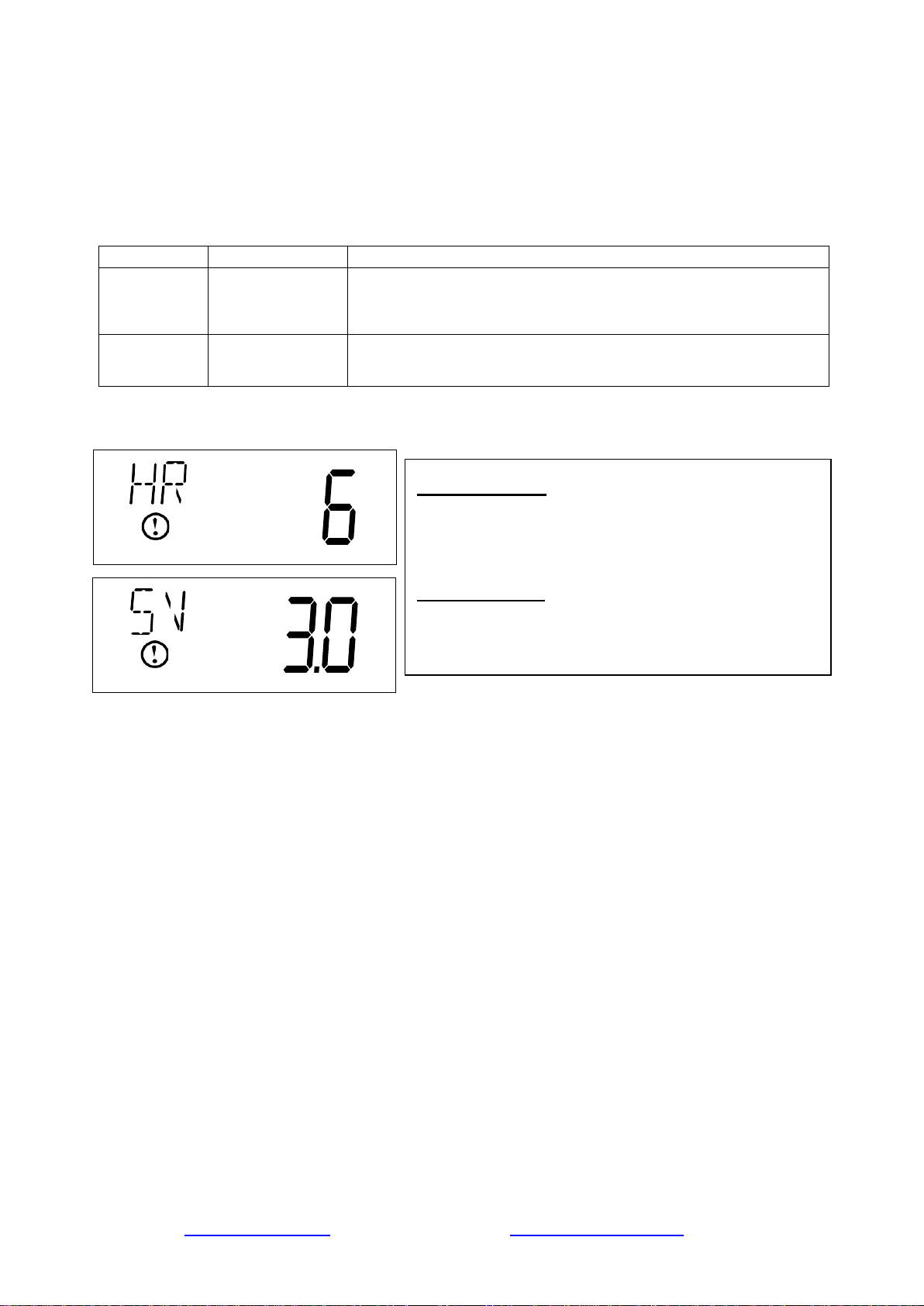
(4) Press and hold "Extra Cycle" and "Up" at the same time for 5 seconds to view diagnostic
data:
The SXT control records and maintains diagnostic data to assist with servicing and troubleshooting
the water treatment system.
Abbreviation
Parameter
Description
HR
Hours in Service
Displays the total hours that the unit has been in service since
last regeneration.
SV
Software Version
Displays the software version installed on the
controller.
Display Code HR:
Press the Up button. Use this display to view the Hours in
Service since the last regeneration cycle. This option
setting is identified by "HR" in the upper left corner of the
screen.
Display Code SV:
Press the Up button. Use this display to view the Software
Version. This option setting is identified by "SV" in the
upper left corner of the screen.
www.123filter.com | (678) 261-7611 | support@123filter.com Page 6
WCFM500K Central Whole House
Water Filtration System Operation
(1) Product Functions and Features
The Central Whole House Water Filtration System is designed for use whenever iron is problematic
in the water supply. When water enters the Central Whole House Water Filtration System, it passes
through a pocket of compressed air that incorporates oxygen. The water then passes through a filter
bed, creating a reaction that separates the iron particles from the water. The Central Whole House
Water Filtration System catches the iron particles, leaving iron-free water for use in all water
applications. The Central Whole House Water Filtration System refreshes itself every three days in
a process that washes the iron out from the filter, down the drain. It refills the compressed air
pocket at a scheduled time (normally 12:00 AM).
• Regeneration Cycle (59 minutes)
Backwash (14 minutes): During this cycle, the water carrying the iron/manganese runs to the
drain. Untreated water is available during regeneration.
Air Recharge (40 minutes): During this cycle, the unit empties water to drain and is recharged
with air. The sound of air being recharged will be heard. Air bubbles should go down to the
drain before proceeding to the next step. Adjust cycle time if necessary.
Rapid Rinse (5 minutes): During this cycle, water enters the tank, compressing the air into a
pocket at the top of the tank.
(2) SXT Timer
Page 7 www.123filter.com | (678) 261-7611 | [email protected]

Power backup that continues to keep time and the passage of days for a minimum of 48 hours in the
event of power failure. During a power outage, the control goes into a power-saving mode. It does
not monitor water usage during a power failure, but it does store the volume remaining at the time
of power failure.
• Day-of-the-Week controls.
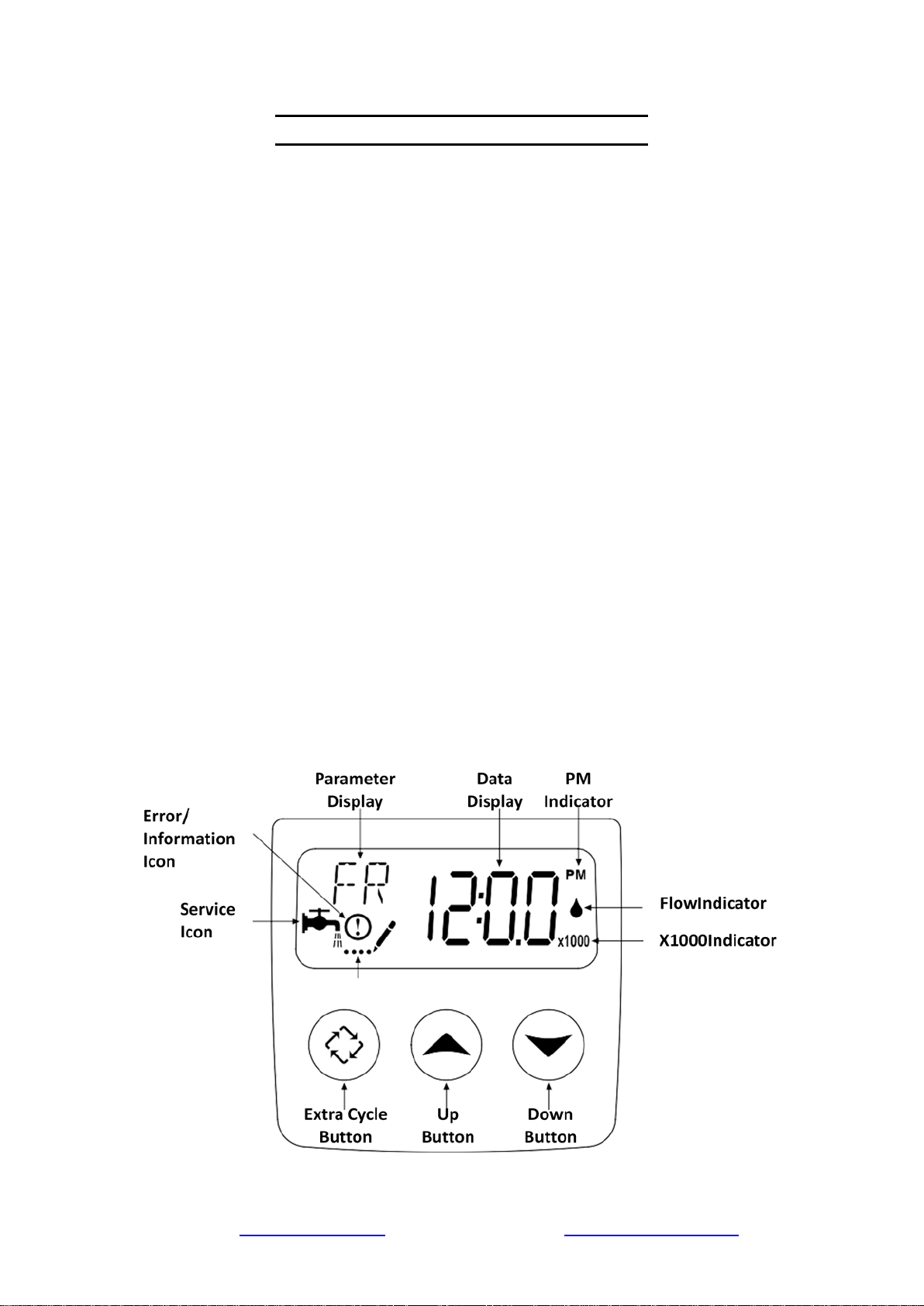
• While in service, the display alternates between time of day, volume remaining, or days to
regeneration.
• The Flow Indicator flashes when outlet flow is detected.
• The Service Icon flashes if a regeneration cycle has been queued.
• A Regeneration can be triggered immediately by pressing the Extra Cycle button for five
seconds.
• The Parameter Display displays the current Cycle Step (BW, BD, RR, etc.) during regeneration,
and the data display counts down the time remaining for that cycle step. While the valve is
transferring to a new cycle step, the display will flash. The parameter display will identify the
destination cycle step (BW, BD, RR, etc.), and the data display will read “----.” Once the valve
reaches the cycle step, the display will stop flashing, and the data display will change to the time
remaining. During regeneration, the user can immediately force the control to advance to the
next cycle step by pressing the extra cycle button.
NOTE:
The electronic control is preset at the factory to begin regeneration at 12:00 A.M. every three
days. This ensures the right times for each step of the regeneration process. Under normal
circumstances, these settings will not need to be altered and should not be changed.
(3) The frequency and time of regeneration can be changed due to the following reasons:
• Need for the unit to regenerate at a different time of day (DO NOT regenerate any other
softener/filter at the same time as the Central Whole House Water Filtration System, since this
will interfere with the regeneration process).
• In conditions of high water usage and/or high iron levels, the unit may need to regenerate more
frequently than once every three days. The unit can be set for daily regeneration or to regenerate
every two days. DO NOT set the regeneration frequency for a longer period than 3 days, as the
filter medium can become fouled with iron, rendering the unit ineffective.
www.123filter.com | (678) 261-7611 | support@123filter.com Page 8
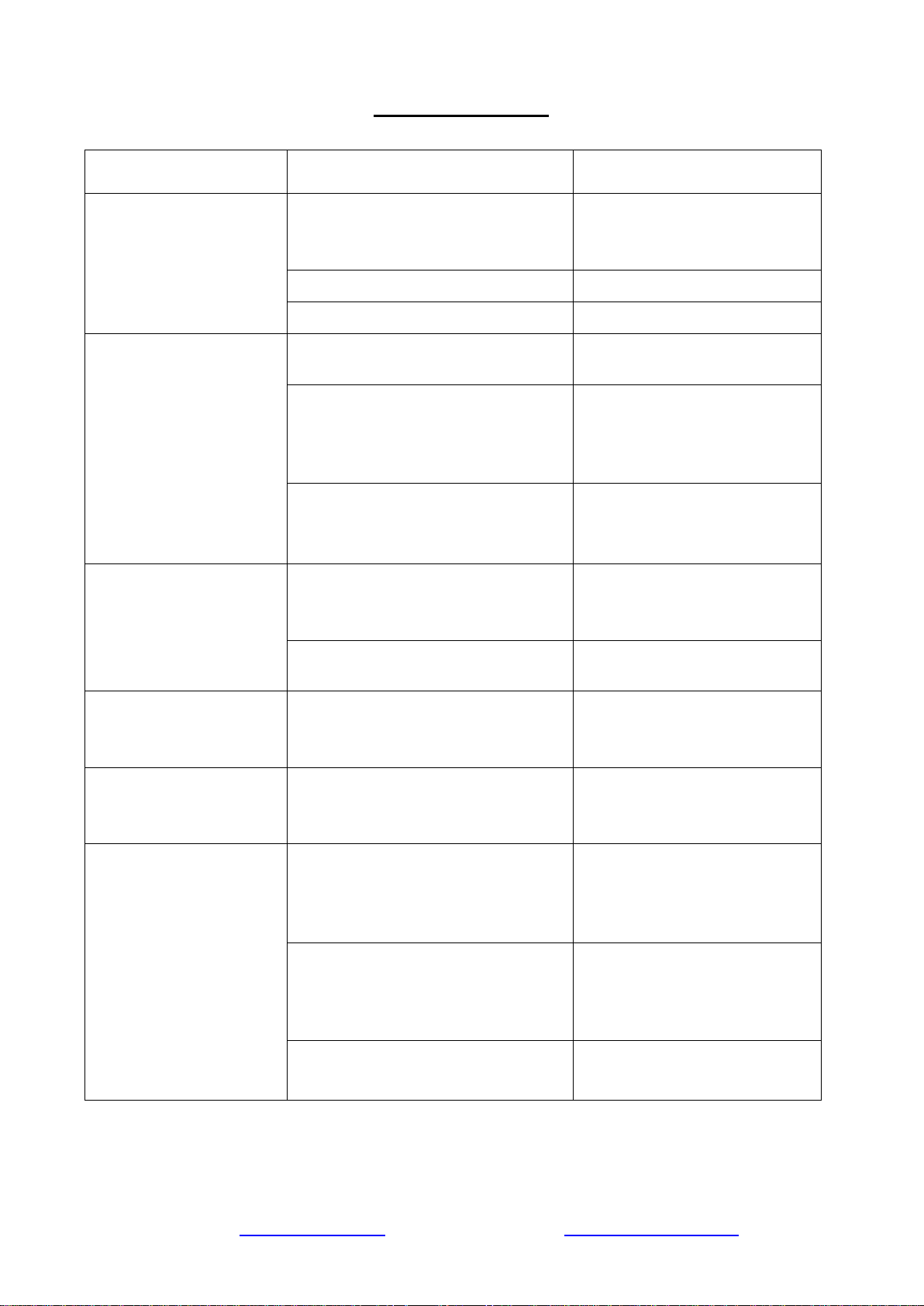
Troubleshooting
ISSUE POSSIBLE CAUSE POSSIBLE SOLUTION
The water conditioner
fails to regenerate.
Electrical service to the unit has
been interrupted.
Assure permanent electrical
service (check fuse, plug, pull
chain, or switch).
The timer is defective.
Replace timer.
Power failure.
Reset time of day.
Loss of water pressure.
Iron buildup in line to water
conditioner.
Clean line to water conditioner.
Iron buildup in water conditioner.
Clean control and add the
mineral cleaner to the mineral
bed. Increase frequency of
regeneration.
Inlet of control plugged due to
foreign material is broken loose
from pipes by recent work done on
the plumbing system.
Remove piston and clean control.
Loss of mineral through
drain line.
The air in the water system.
Assure that the well system has
proper air eliminator control.
Check for the dry well condition.
Improperly sized drain line flow
control.
Check for proper drain rate.
Iron in conditioned
water.
Fouled mineral bed.
Check backwash. Increase
frequency of regeneration.
Increase backwash time.
Control cycles
continuously.
Misadjusted, broken, or shorted
switch.
Determine if the switch or timer
is faulty and replace it, or replace
the complete power head.
The drain flows
continuously.
The valve is not programming
correctly.
Check timer program and
positioning of control. Replace
power head assembly if not
positioning correctly.
Foreign material in control.
Remove power head assembly
and inspect bore. Remove
foreign material and check
control in various regeneration
positions.
Internal control leak.
Replace seals and piston
assembly.
Page 9 www.123filter.com | (678) 261-7611 | [email protected]
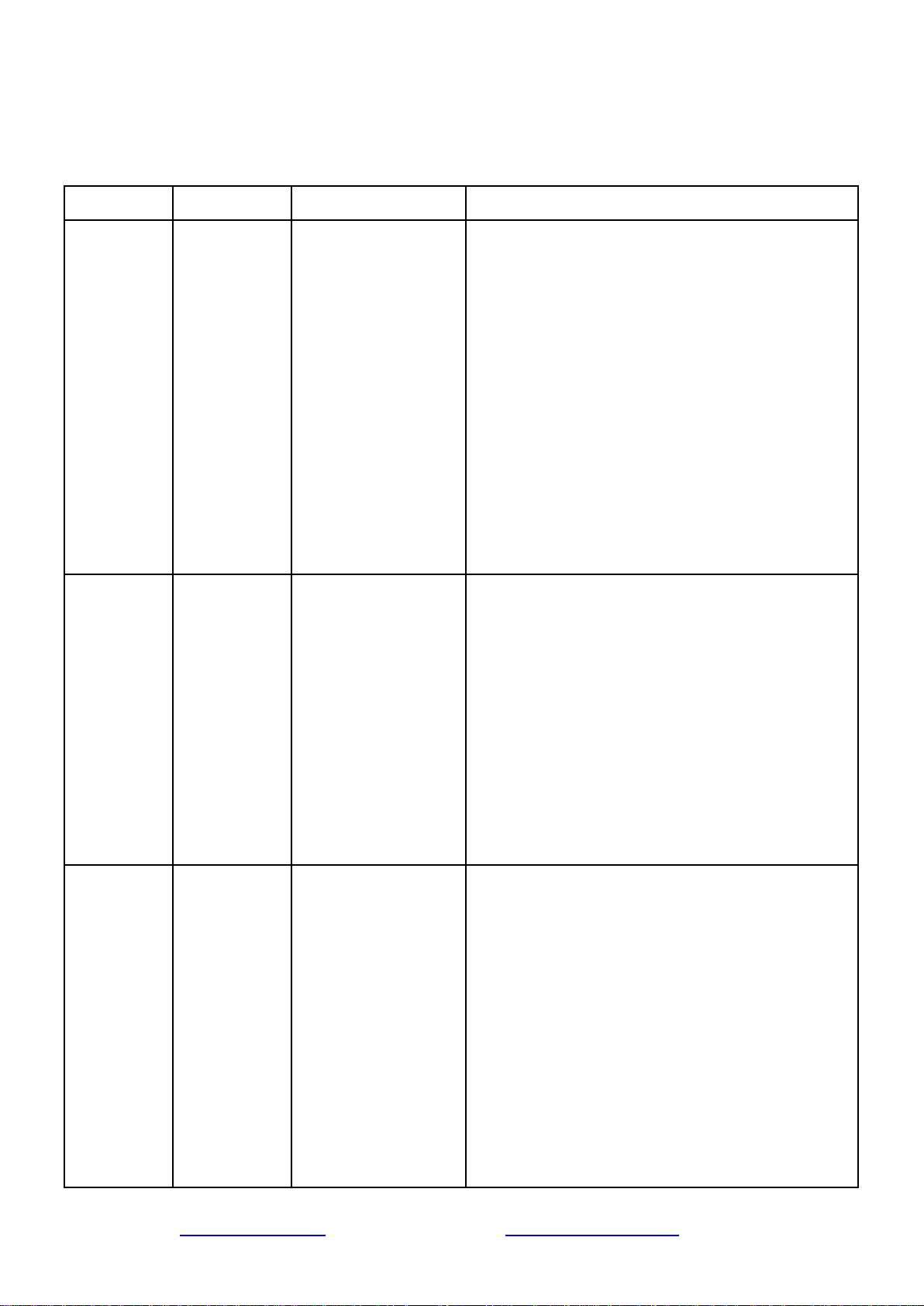
Error Codes
NOTE: Error codes appear on the In Service display.
Error Code
Error Type
Cause
Reset and Recovery
0
Cam Sense
Error
The valve drive took
longer than 6 minutes
to advance to the next
regeneration position.
Unplug the unit and examine the power head.
Verify that all cam switches are connected to the
circuit board and functioning correctly. Verify that
the motor and drive train components are in good
condition and assembled correctly. Check the
valve and verify that the piston travels freely.
Replace/reassemble the various parts as necessary.
Plug the unit back in and observe its behavior. The
unit should cycle to the next valve position and
stop. If the error re-occurs, unplug the unit and
contact iSpring.
1
Cycle Step
Error
The control
experienced an
unexpected cycle
input.
Unplug the unit and examine the power head.
Verify that all cam switches are connected to the
circuit board and functioning correctly. Enter
Master Programming mode and verify that the
valve type and system type are set correctly with
regard to the unit itself.
Step the unit through a manual regeneration and
verify that it functions correctly. If the error re-
occurs, unplug the unit and contact iSpring.
2
Regen Failure
The system has not
regenerated for more
than 99 days (or
7days if the Control
Type has been set to
Day-of- Week).
Perform a Manual Regeneration to reset the error
code. If the system is metered, verify that it
measures flow by running service water and
watching the flow indicator on display. If the unit
does not measure flow, verify that the meter cable
is connected correctly and that the meter is
functioning correctly.
Enter a Master Programming Mode and verify that
the unit is appropriately configured. As
appropriate for the valve configuration, check that
www.123filter.com | (678) 261-7611 | support@123filter.com Page 10
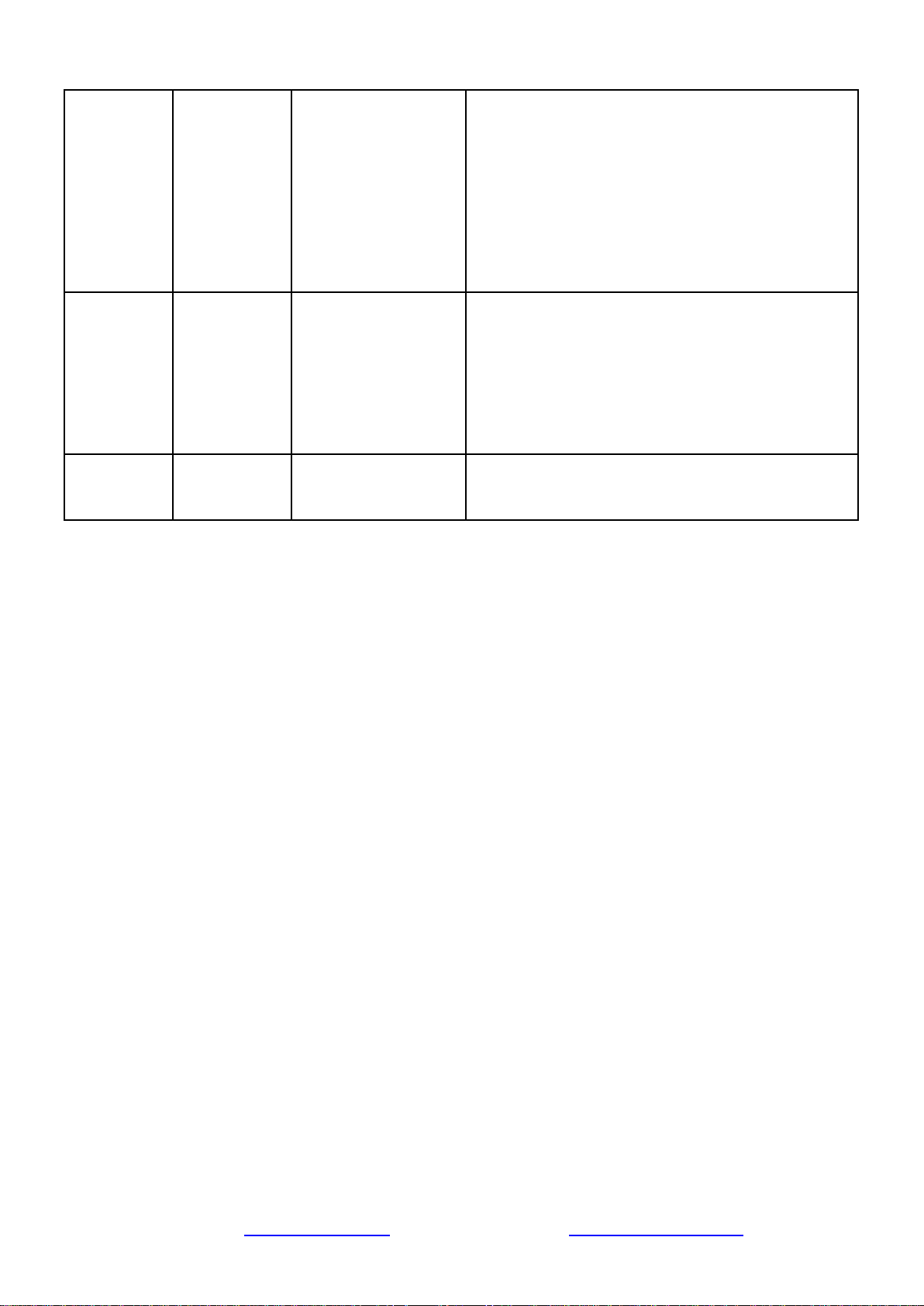
the correct system capacity has been selected, that
the day override is set correctly, and that meter is
identified correctly.
If the unit is configured as a Day-of-Week system,
verify that at least one day is set ON. Correct the
settings as necessary.
3
Memory Error
Control board
memory failure.
Perform a Master Reset and reconfigure the
system via Master Programming Mode. After
reconfiguring the system, step the valve through a
manual regeneration. If the error re-occurs, unplug
the unit and contact iSpring.
UD
Upper Drive
Sync
Power failure install
programming change.
Valve will automatically recover.
Need help with troubleshooting? If you have any questions or find there are missing parts or
damage, please call 1-678-261-7611 or visit www.ispringfilter.com
When calling, please be prepared to provide the model of your product.
(The model of this product is "WCFM500K".)
Page 11 www.123filter.com | (678) 261-7611 | [email protected]

Warranty Registration
To register your product for the warranty, visit our website at 123filter.com and go to the
“Warranty” tab.
We provide a 30-day money-back guarantee, a 1-year manufacturer warranty, and lifetime tech
support for all of our products. However, we do not have the order information from websites other
than 123Filter.com (Amazon, Home Depot, etc.), so please be sure to fill in that information upon
registration of your system. If you have any questions or concerns about your product, please do
not hesitate to call or email us, or put it in the notes/comments upon your warranty registration.
Your satisfaction is our business!
If you are happy with our products and service, please show your support by
writing a product review on Amazon, even just a single line. It takes you just a
minute but means a lot to us. Thank you!
www.123filter.com | (678) 261-7611 | support@123filter.com Page 12