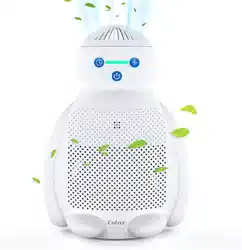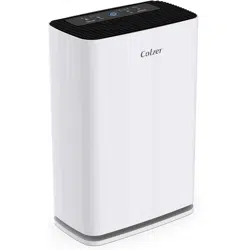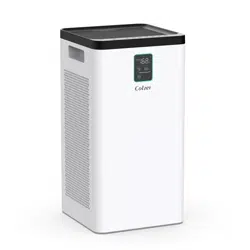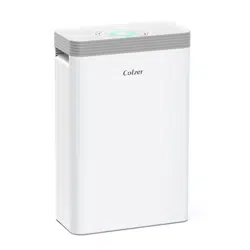
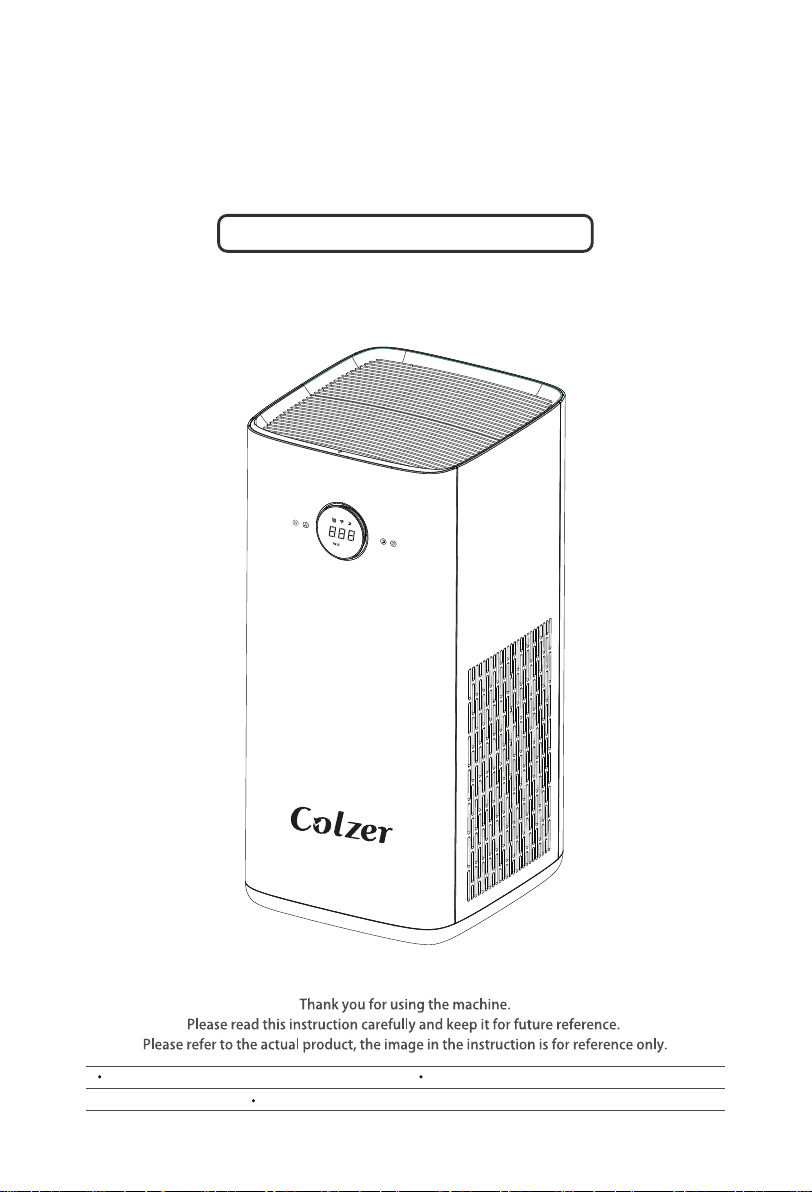
Product Model: KJ580
AIR PURIFIER
INSTRUCTION MANUAL
Customer Service Email: service@colzer.com Office Website: https://www.colzersmart.com
Registe Warranty Service: colzersmart.com/vip


TABLE OF CONTENTS
The pro duct is subject to actual products. The product pictures in the manual are fo r
reference o nly.
Device and Accessories 01
Product Structure 01
Operation Instruction 02
Instructions Placing Essential Oils 03
Filter Replacement 04
Common Troubleshooting 06
Technical Pararameters 06
01
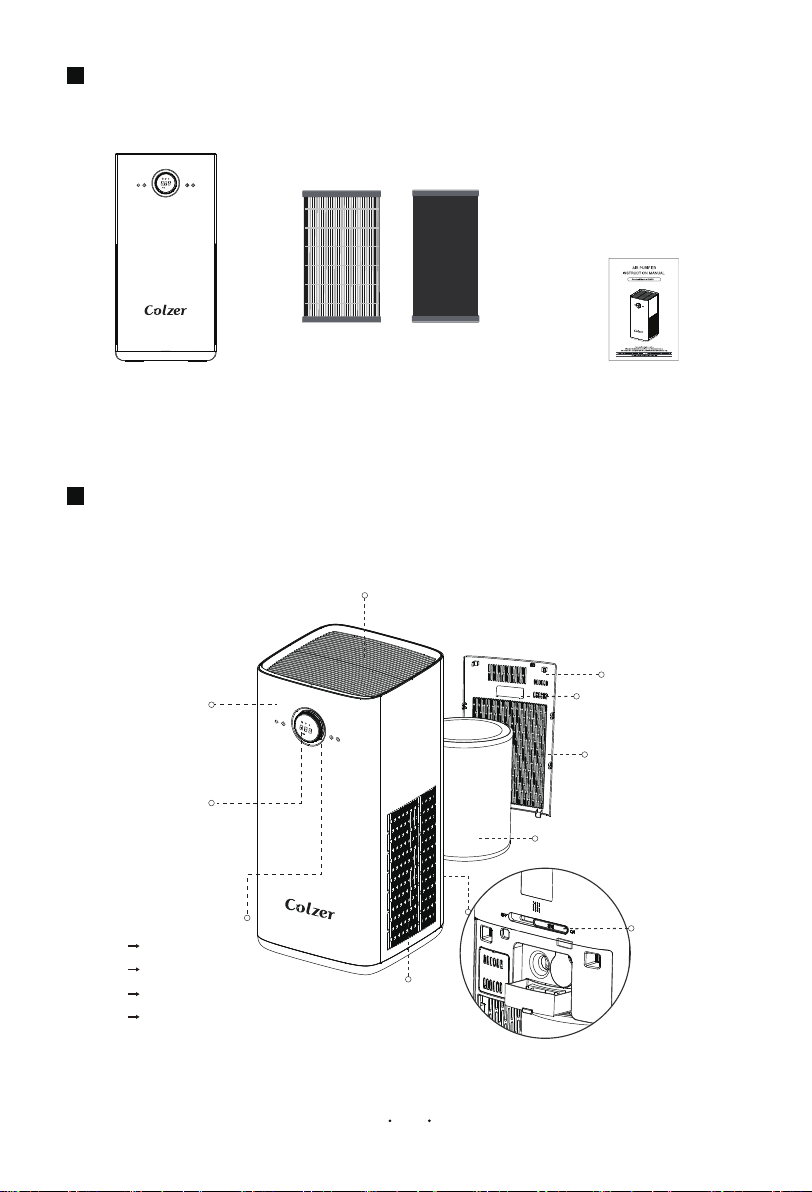
DEVICE AND ACCESSORIES
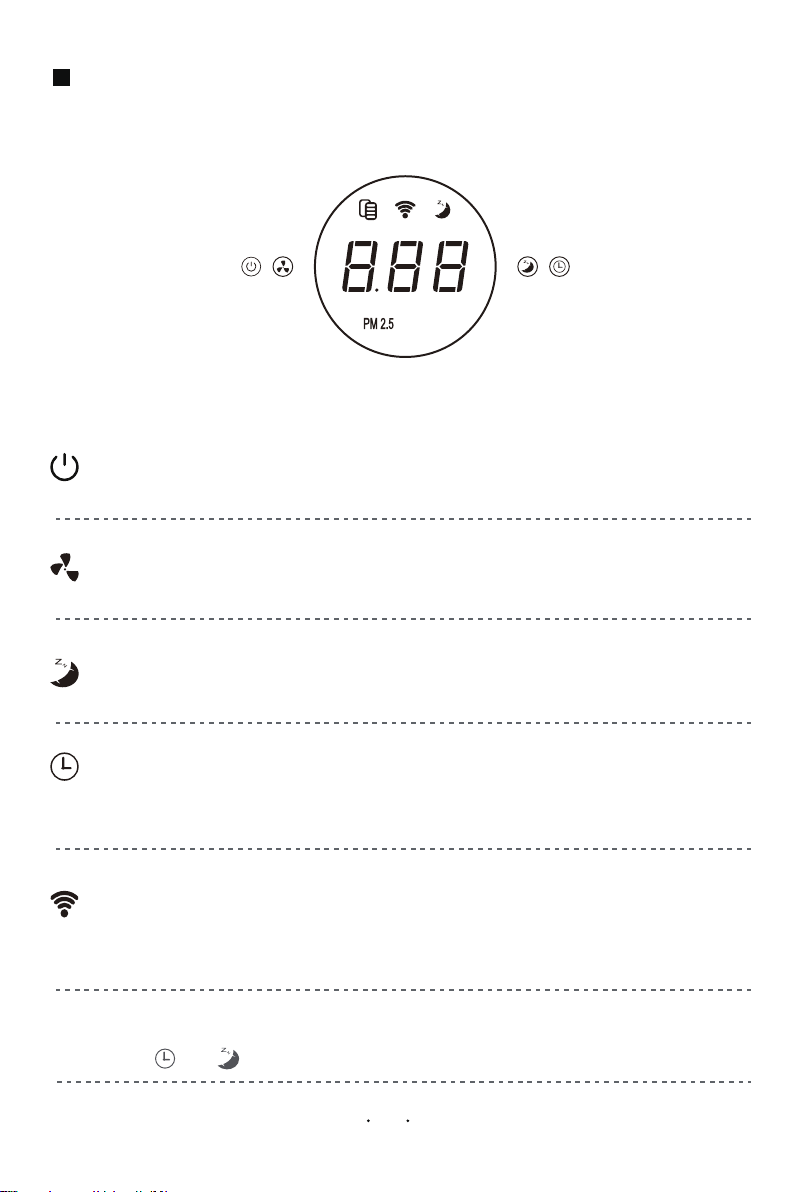
PRODUCT STRUCTURE
Air Outlet
Air Quality
light
Manual
Essential Oil
Open Key
Buckle
Back Cover
Filter
Air Inlet
Control and
Display Area
Front Panel
Air Inlet
Green
Blue
Yellow
Red
Perfect (0-50)
Good (51-100)
Normal (101-150)
Poor (> 150)
(The filter is placed inside the device)
Air Purifier Device 1*Combination Filter
FilterHEPA Activated
Carbon Filter
02
OPERATION INSTRUCTION
Touch Panel Diagram
The device will be standby states when connect power, indicator lights up.
ON/OFF
a.
Press “ON/OFF" button to turn on/off the device.
SPEED
a. The speed is 2 level when turn on, and cycling 2-3-4-A-1-2-3 by press “SPEED” button.
b. Fan speed “A” is an automatic mode, which automatically adjusts the wind speed according
to the air quality.
SLEEP
a. Only “SLEEP" button light when sleep mode,other buttons are turn off lights.
TIMER
a. Press “TIMER" button to set the timer on/off the device,cyclic setting as 01-012 hours,
and enters the co untd o wn state after d isplaying fo r 2 seco nd s:
b. Sched uled shutd ow n: If it is on, it will shutd o wn at sched uled time.
c. Timing po wer-o n: If it is in standby mo de, it will po wer o n regularly.
WIFI
a. Press and ho ld the p ower switch fo r 3 seco nd s to
enter the WIF I pairing state.
b. The indicato r lig ht keep s flashing when the pairing is in pro g ress
,
once the p airing is successful, the ind icato r lig ht keep s on.
Filter Reminder
a.When the filter ind icato r sho ws red , it pro mpts to rep lace the filters.
b.Press the “ ”+“ ”at the same time and ho ld for 3 seconds to reset the filter life.
Touch Panel Diagram
Download and Install APP
INSTRUCTIONS FOR PLACING ESSENTIAL OILS
03
图一
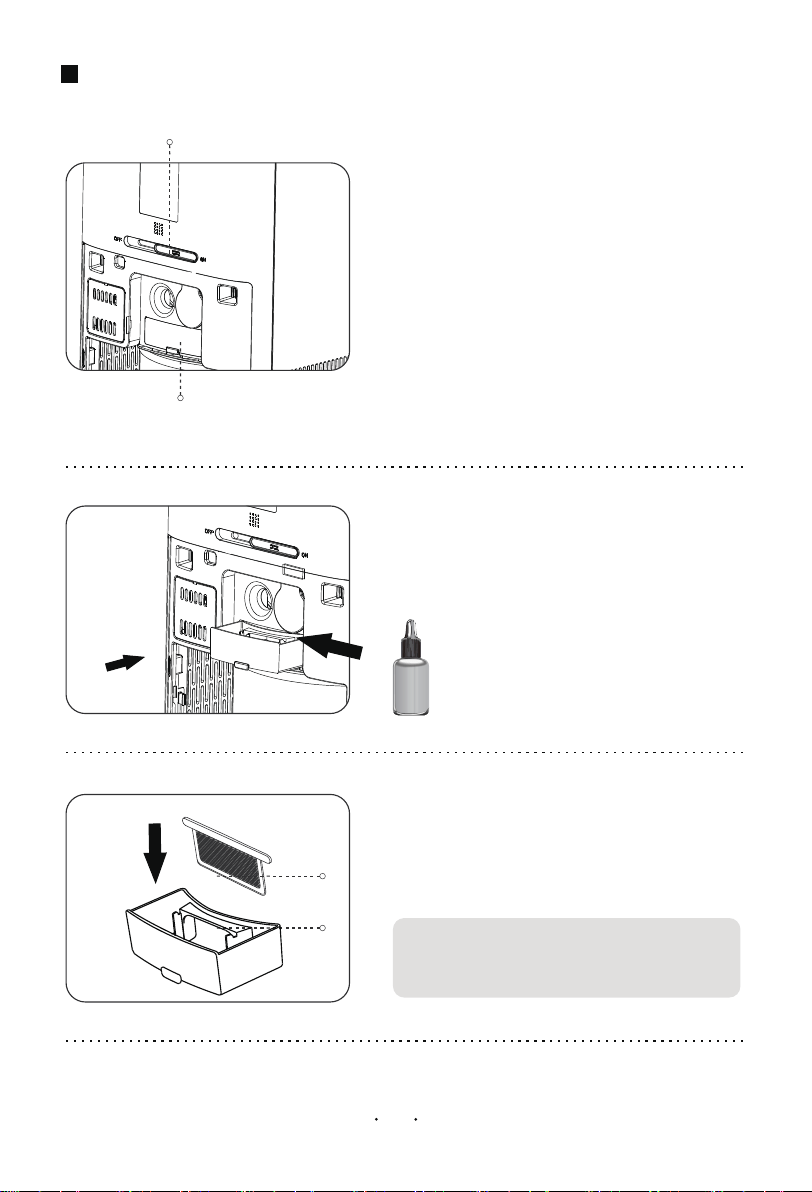
Essential Oil Storage Box
Open/Lock Switch
1. Wh e n th e switc h is p u sh e d to " ", ON
th e esse n tia l o il is in a la rg e vo la tile
sta te ; wh e n th e switc h is pu sh e d to " ", OF F
th e esse n tia l o il is in a sm a ll vo la tile sta te .
2. Op e n th e ba c k c o ve r, p u ll ou t th e esse n tia l
oil sto ra ge box, drip th e e sse n tia l oil in to th e
su c tio n sp on ge in sid e th e bo x, th e n pu sh th e
e sse n tia l oil sto ra ge b ox in to th e c h u te , a n d
th e n c lo se th e filte r c ove r is ok.
Dust Net
Tips: Ple a se tu rn off th e de vic e a n d c u t off
th e p owe r wh e n c le a n in g.
Essential Oil
Storage Box
3. Cle a n th e e sse n tia l o il sto ra ge box. Afte r
u sin g it fo r a pe riod of tim e , th e e sse n tia l oil
sto ra g e bo x n e e d s to b e c le a n e d . Cle a n
Me th o d: Pu ll o u t th e box, ta ke ou t th e du st
n e t, rin se th e m with wa te r. An d th e n pu sh th e
e sse n tia l oil sto ra ge b ox in to th e c h u te . (It is
re c o m m e n d e d to re pla c e th e
a b so rb e n t spon ge . )
04
FILTER REPLACEMENT
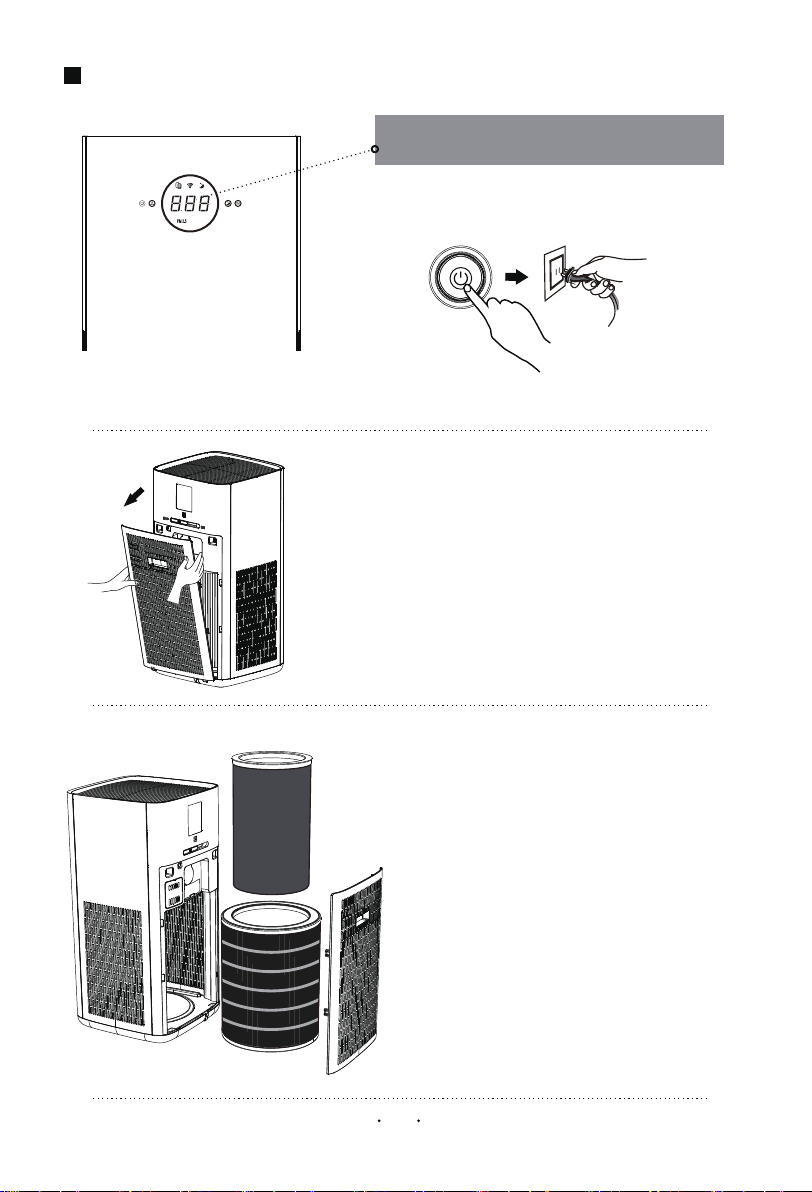
The Filter Interface Prompts to Replace
the Filter
1. Turn off the device and cut down the plug.
( )Activated Carbon Filter
( ) FilterHEPA
2.Open the filter cover
3.Take out the filter sets, and pack the used
filter into bag to avoid any second pollution.
N OTE :
After the unit is power off, catch the buckle position
of the filter cover and pull it out.
C O M B U STIB LE GA RBA GE
b. Th e re pla c e m e n t c yc le of th e filte rs is a b o u t
h a lf a ye a r (th e c yc le o f re p la c in g th e filte r
va rie s gre a tly de pe n d in g on th e u se
e n viro n m e n t)
c . Wh e n th e filte r re m in d e r in te rfa c e disp la ys
"Ple a se re p la c e th e filte r in tim e , ple a se
re p la c e th e c o rre sp on din g filte r ac c ordin g
to th e prom pt a n d re se t th e filte r
life .
FILTER REPLACEMENT
05
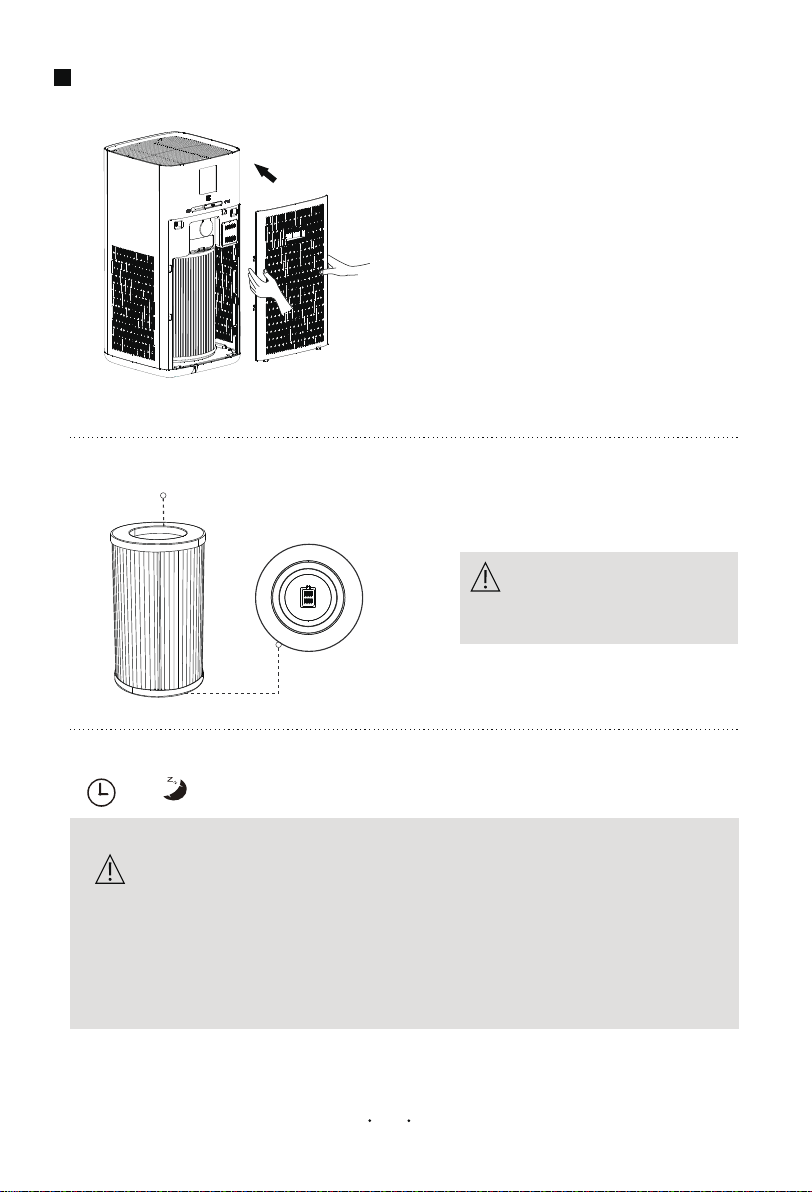
4. Adjust the direction of the new filter.
Install the new filter until match device
perfectly, then close the cover.
a . Ple a se re a d th e fi lte r re p la c e m e n t o pe ra tio n in d e ta il to
e n su re th e pu rifi c a tion e ffe c t of th e de vic e
c . K e e p th e in sid e of th e de vic e dry to pre ve n t c irc u it da m a g e
b. B e fore c le a n in g d e vic e , u n p lu g th e d e vic e a n d c u t o ff th e
pow e r.
d. Wh e n th e su rfa c e a re a is du sty, u se a va c u u m c le a n e r to
c le a n th e su rfa c e du st, wh ic h c a n pro lon g th e life of th e fi lte r.
The top of filter
The bottom of filter
Th e fi lte r sh o u ld b e in sta lle d with
th e bo tto m fa c e do wn .
Note
Note
5 .Press the "ON/OFF" button to turn on the device. And press the
“ ”+“ ”button for 5s to reset the filter life.
COMMON TROUBLESHOOTING
TECHNICAL PARAMETERS
If the air purifier is not working properly, please check the following
problems before send it to repair.
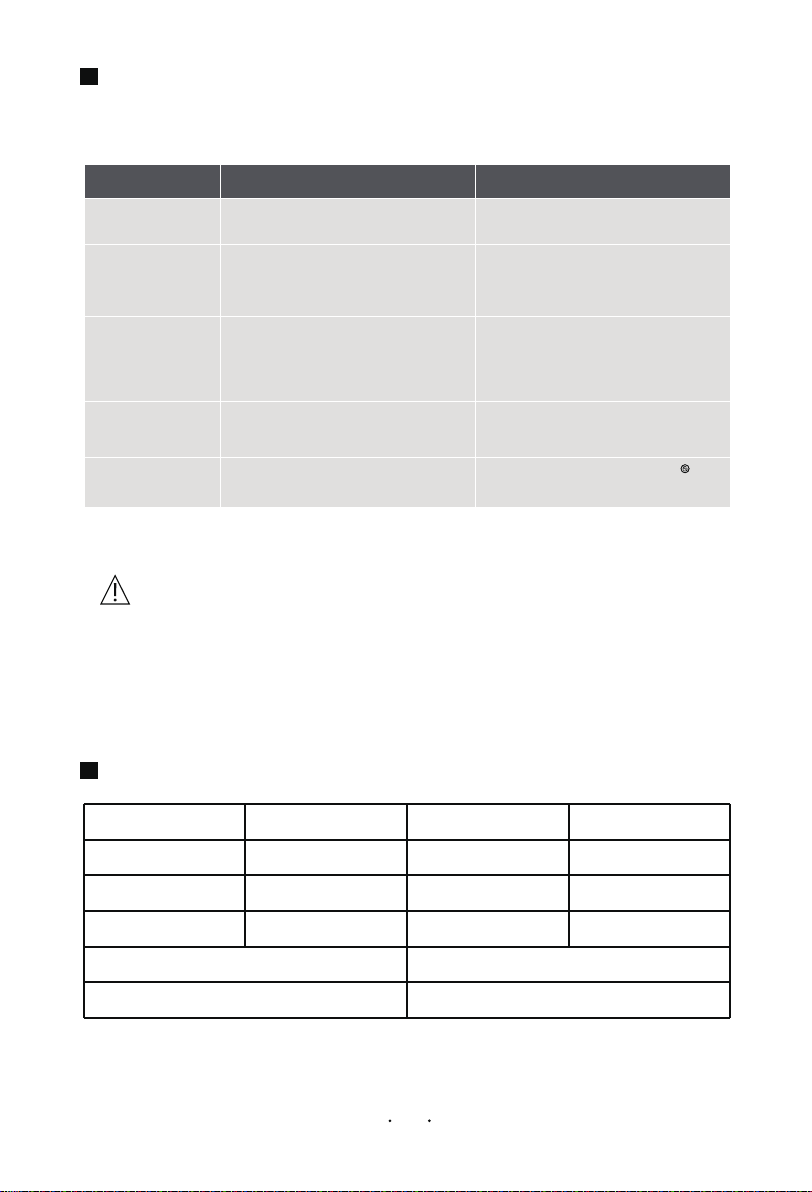
可能缘由
SolutionProblem Cause
The devi ce does
not work.
If you still can't tro ub leshoot after the abo ve insp ectio n, please co ntact the
rep air sho p or technical service center pro vided by o ur service center. Do no t
disassemb le and rep air by yo urself to avo id danger and damage to the device.
A . No power suppl y .
B. Motor or breakdownP CB A
A . E xam i ne the power s uppl y connecti on.
B. P l ease contact the after-serv i ce center
Bad sm el l rel eas ed
from the ai r outl et
of the devi ce.
A . The fi l ter’s fi l trati on and adsorpti on
vol um e i s saturated.
B. The odor concentrati on of the i ndoor
ai r i s too hi gh.
A . R epl ace a new fi l ter.
B. Open wi ndows for v enti l ati on, and check
i f the bad sm el l i s from the dev i ce or not.
The puri ficati on effect
i s not s i gni fi cant, and
the ai r qual i ty i s not
si gni ficantl y i m prov ed.
A . The fi l ter i s not i nstal l ed
B. The m achi ne i s pl aced on a narrow fl oor
or near obstacl es that affect the
puri fi cati on.
C. The fi l ter i s too di rty
A . I nstal l the fi l ter
B. Cl ear the obstructi on or change pl ace
C. Cl ean or repl ace the fi l ter
The devi ce i s too noisy .
A . Forei gn objects have fal l en i nto the dev i ce.
B. P l aced on unev en ground.
C. P oor assem bl y of parts .
A . I nstal l the fi l ter
B. Cl ear the obstructi on or change pl ace
C. Cl ean or repl ace the fi l ter
Devi ce Key Fai l ure
Product Name
Rated Voltage
Rated Input Power
Net Weight
Model No.
Rated Frequency
Noise
Gross Weight
KJ580
60Hz
≤66dB(A)
26.46 lb
Air Purifier
110-120V
60W
20.94 lb
Unit Size
CADR(Particels)
12.5*12.5*25.9 inch
580m³/h (342CFM)
I s i t on chil d-l ock-s tate.
A fter turni ng the knob s wi tch to the
i con, press and hol d the knob for 3
seconds to rel eas e the chi l d l ock
Note
06