
FOR SUPPORT, VISIT ELEMENTELECTRONICS.COM/SUPPORT 1
QUICK
STA RT
GUIDE
Element, the Element Logo, and Bring it home are trademarks of
Element Brand Holding, LLC. ©2021, Element Brand Holding, LLC, All Rights Reserved.
QUICK START GUIDE2
WHAT’S
INCLUDED
+
_
+
_
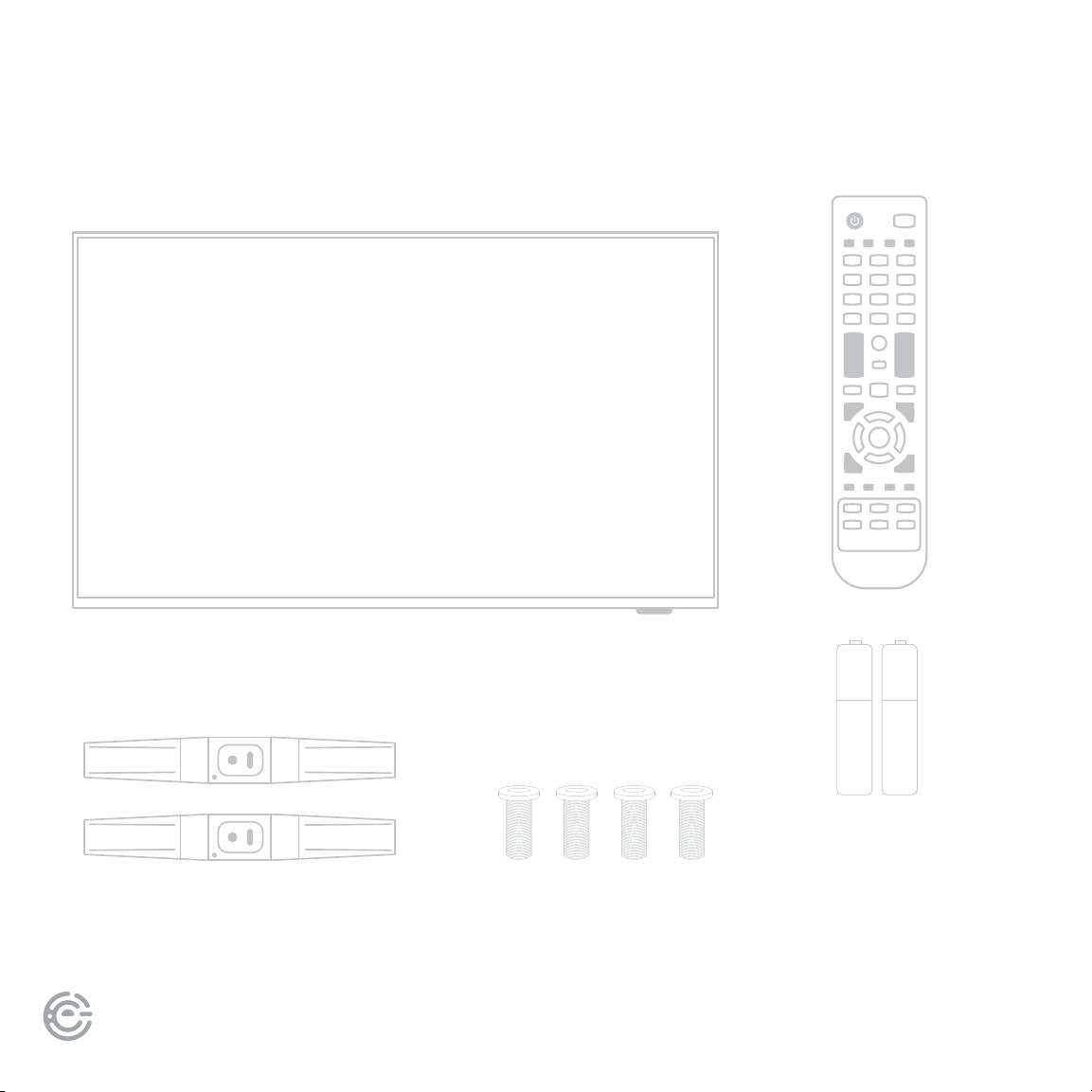
Your new TV!
TV Stand
Remote
4 Stand Screws
2 AAA
Remote
Batteries
FOR SUPPORT, VISIT ELEMENTELECTRONICS.COM/SUPPORT 3
WE’RE HERE
TO HELP
elementelectronics.com
1.888.842.3577
customerservice@elementelectronics.com
Find resources and get help with product setup,
connecting devices, technical issues,
downloading manuals and more!
We’re available 24 hours a day, 7 days a week
QUICK START GUIDE4
CONNECT DEVICES
TO YOUR TV
Check to ensure that you have selected the right cables for the ports and
that they are connected securely (cables and external devices not included).
Loose connections can aect your picture and audio quality. Actual connections
may vary by model. Please refer to the actual product.
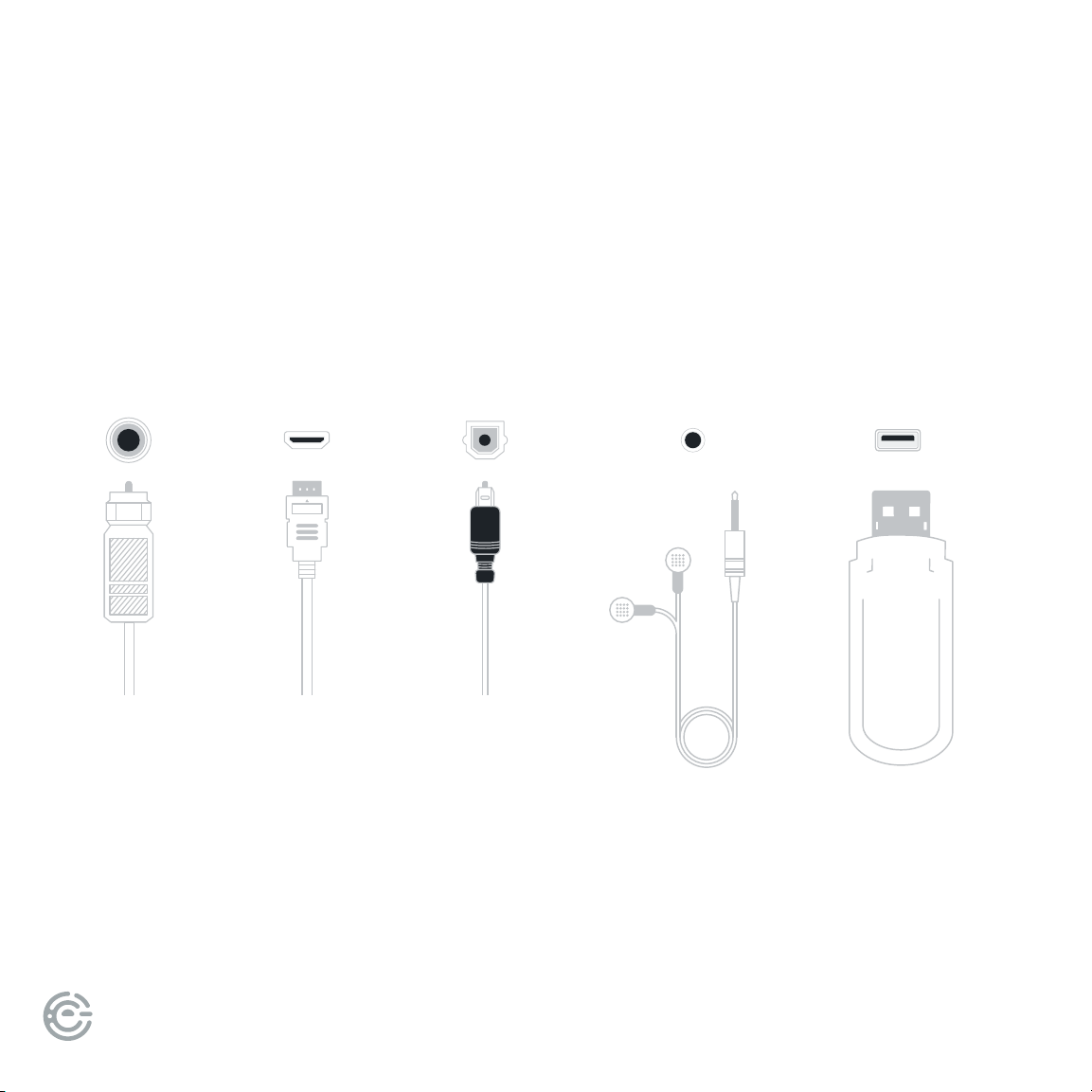
ANT/CA
BLE HDMI OPTICAL
Connect an
outdoor or
indoor
antenna.
Connect a Blu-ray
or DVD player,
gaming console,
streaming device
or other external
devices to your TV.
Highest quality
audio/visual
connection.
Connect
an optical
cable from
an external
digital audio
system.
HEADPHONE USB
Connect
headphones
or external
speakers.
Connect a
USB device for
browsing photos,
music, movies, or
pausing live TV.
FOR SUPPORT, VISIT ELEMENTELECTRONICS.COM/SUPPORT 5
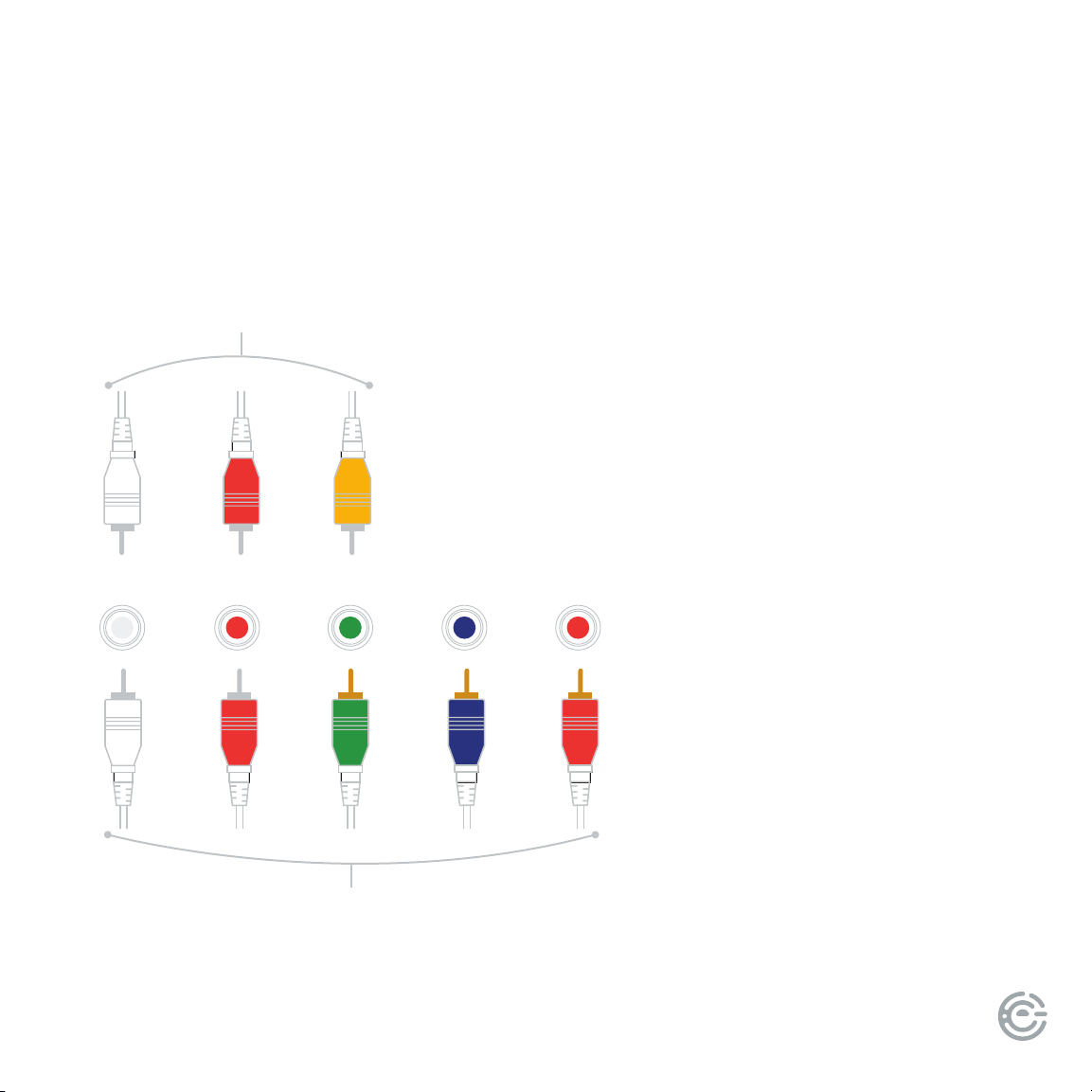
Connect a composite video (yellow)
or component video (green/blue/red)
and le-right audio cables from
an external AV device.
CONNECT DEVICES
TO YOUR TV
(continued)
L R
component (better quality)
Y/VIDEO Pb Pr
composite (good quality)
QUICK START GUIDE6
+
_
+
_
SETTING UP
YOUR TV
1
2
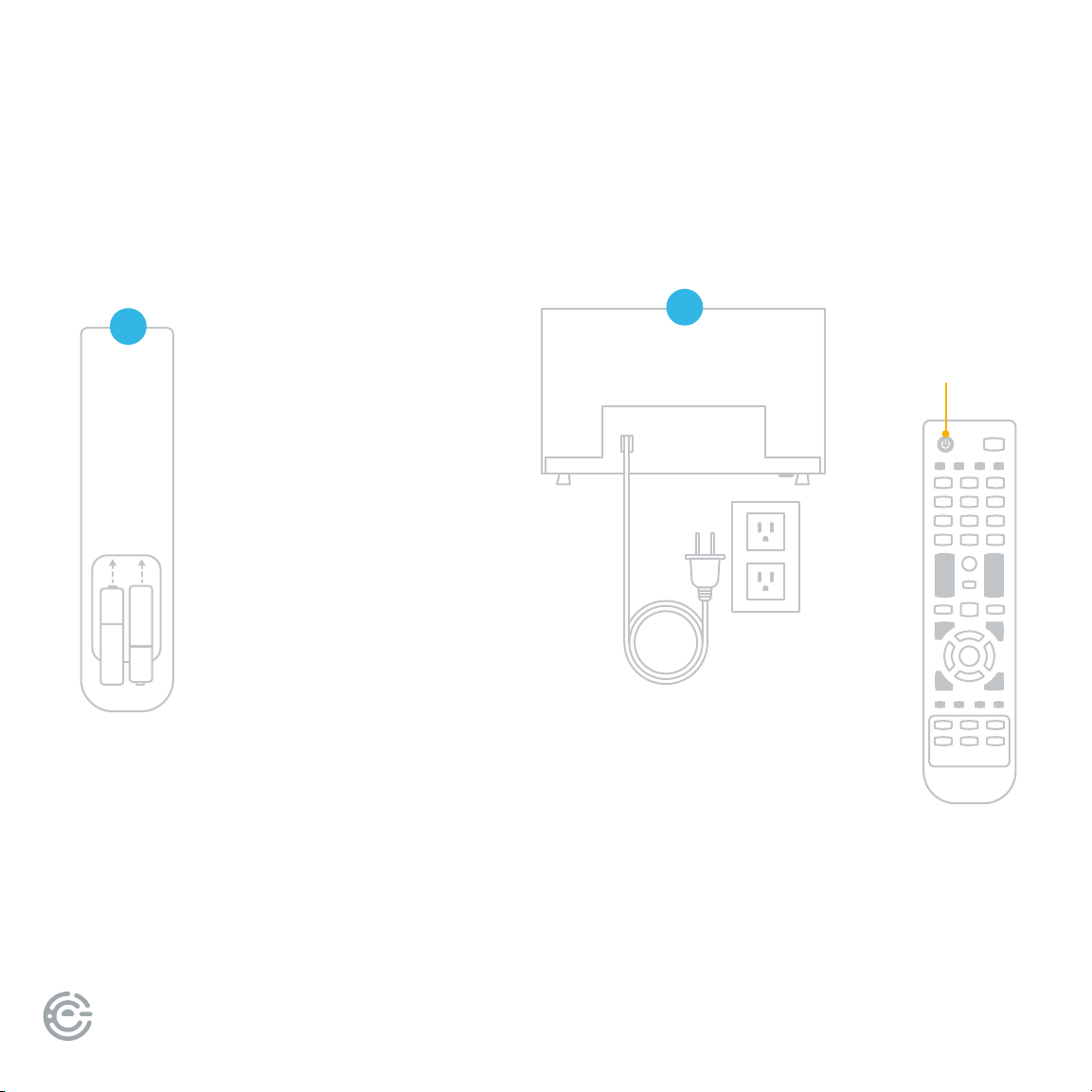
Power your TV remote by
inserting the included batteries
carefully matching (+) and (-)
indicated inside the battery
compartment.
TIP: Always replace dead
batteries with two brand-new
batteries from the same
manufacturer. Never use
damaged batteries.
If your remote gets warm/hot
during use, discontinue use
and contact customer
support immediately.
Place Batteries
in Remote
Plug your TV into the
wall outlet and press the
power button on your
remote control.
Plug in and
turn on TV
Power
button
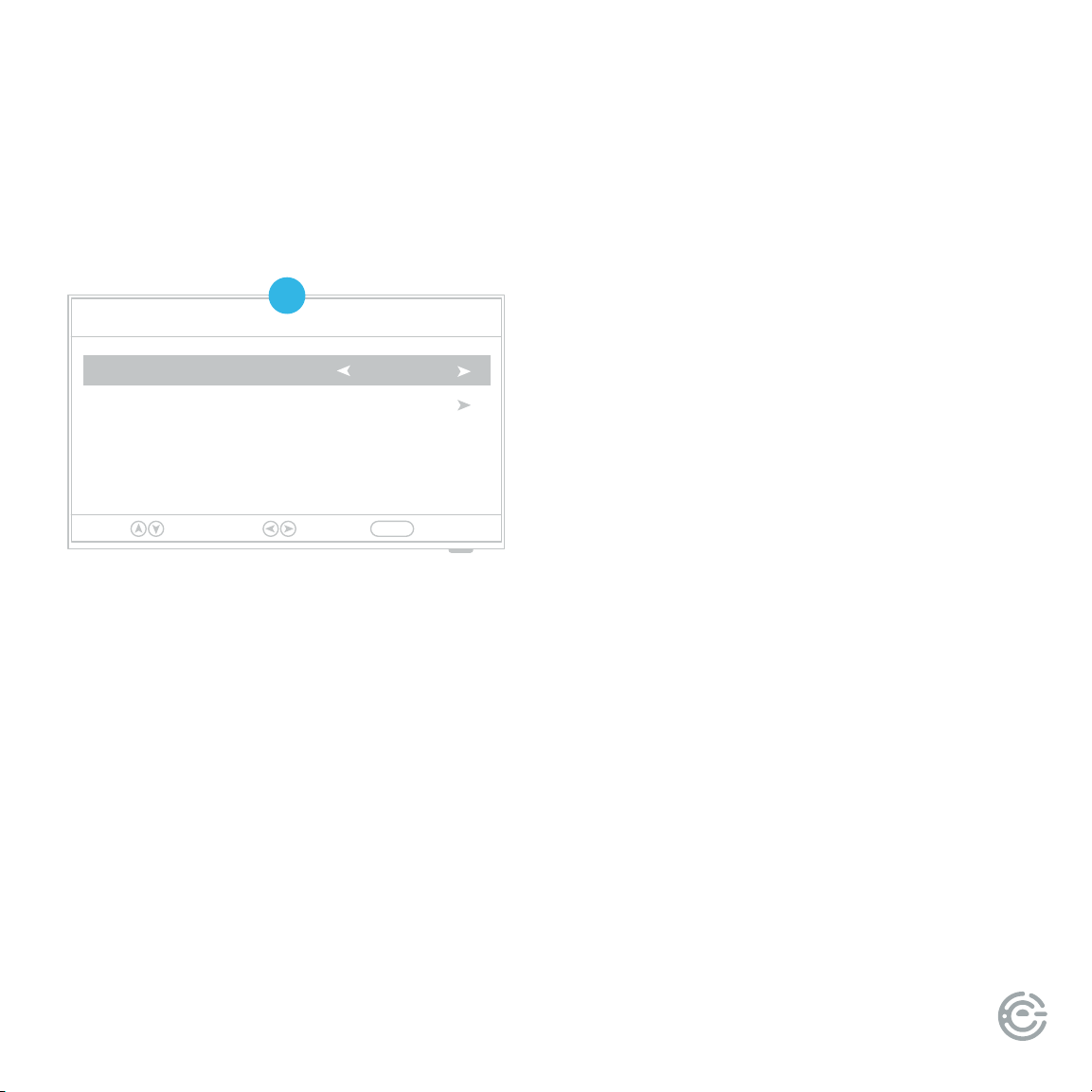
FOR SUPPORT, VISIT ELEMENTELECTRONICS.COM/SUPPORT 7
Setup Wizard
Menu Language English
Go to next step
Please select your preferred language
Select Move Exit
MENU
SETTING UP
YOUR TV
3
(continued)
Press the buttons on your remote
to select or change a setting. When
you’re nished, press MENU to exit
the Setup Wizard.
Menu Language: Select the language
you want to be displayed in the menu.
e default language is English.
Time: Select the time zone and
daylight saving time.
Air/Cable: Select whether you want to
watch TV with an antenna (Air) or through
a cable/satellite box (Cable).
Auto Scan: Search and store available
channels automatically.

QUICK START GUIDE8
LET’S REGISTER
YOUR PRODUCT
It’s super easy, just head on over to
elementelectronics.com/register
www
BENEFITS OF REGISTERING YOUR PRODUCT:
Updates
Stay current with
important product updates
and notications.
Support
Get assistance quickly
by pre-registering
your product.
News & Oers
Take advantage of the
latest news and special
oers from Element.
2 YEAR
WARRANTY
Warranty
Receive a 2 year
warranty with
product registration.*
*1 year manufacturer warranty with purchase or 2 year warranty with product registration within 90 days of purchase.