Write Model and Serial Numbers here:
Model _________________________
Serial No. ______________________
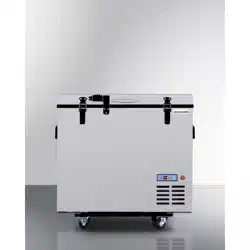
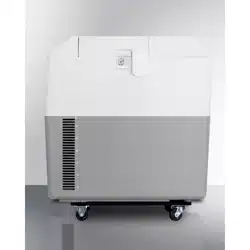
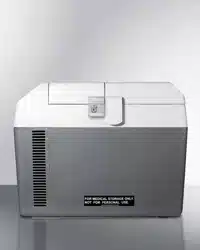
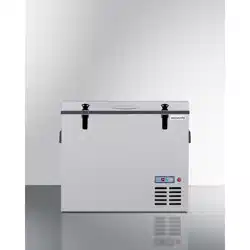
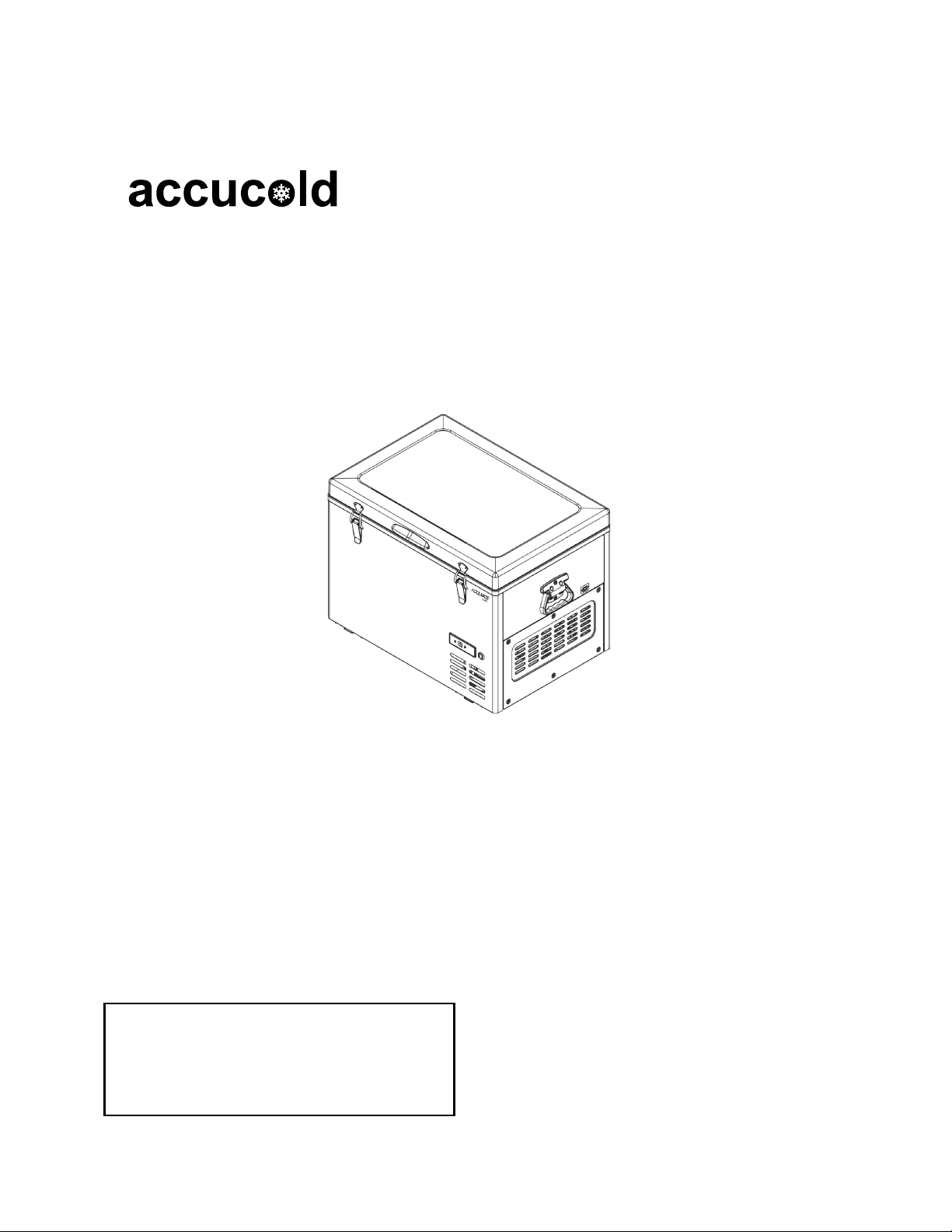
PORTABLE REFRIGERATOR/FREEZER
Models:
SPRF56 and SPRF86
User Manual
BEFORE USE, PLEASE READ AND FOLLOW
ALL SAFETY RULES AND OPERATING INSTRUCTIONS
FELIX STORCH, INC.
ISO 9001:2015 registered
770 Garrison Avenue
Bronx, NY10474

2
TABLE OF CONTENTS
Appliance Safety 3
Technical Information 3
Location of Parts 4
Before your First Use 5
Installation 5
Electrical Connection 5
Setting the Temperature 6-7
Celsius Temperature Readout 7
Energy-Saving Tips 7
Cleaning 7
Storage 7
Troubleshooting 8
Limited Warranty 10
3
APPLIANCE SAFETY
Your safety and the safety of others is very important.
We have provided many important safety messages in this manual. Always read and obey all safety
messages. Serious injury or even death can result from not following these instructions. All safety
messages will tell you what the potential hazard is, tell you how to reduce the chance of injury, and
tell you what can happen if the instructions are not followed.
• Keep the cooler upright while it is turned on and in use.
• Never switch the cooler on with wet hands or when your feet are in contact with water.
• If connected to a DC power source (for example, a data port socket) in a vehicle, do not
attempt to turn the cooler on when your vehicle engine is not turned on.
• Always be sure the correct voltage and current are applied to the cooler. The voltage and
current are clearly marked on the manufacturer's label, which can be found on the side of
the cooler.
• Be sure the power source can safely supply the required current when you use the AC/DC
adapter.
• Do not carry corrosives or solvent material in the cooler.
• Never obstruct vents as they supply necessary airflow to motors and fans.
• Do not fill cooler with liquid or ice.
TECHNICAL INFORMATION
Model Number
SPRF56
SPRF86
Capacity
55 liters (1.94 ft
3
)
80 liters (2.8 ft
3
)
Rated Voltage
12V/24V DC
Total Input Power
50W
55W
Refrigerant
R134a
Product Dimensions (in.)
27.1W x 19.3D x 21H
27.1W x 19.3D x 22.4H
Pack Dimensions (in.)
29.3W x 21.5D x 24.8H
29.3Wx 21.5D x 26.3H
Net Weight (lb.)
55.1-61.7
59.5-66.1
NOTE: Specifications are subject to change without notice.
4
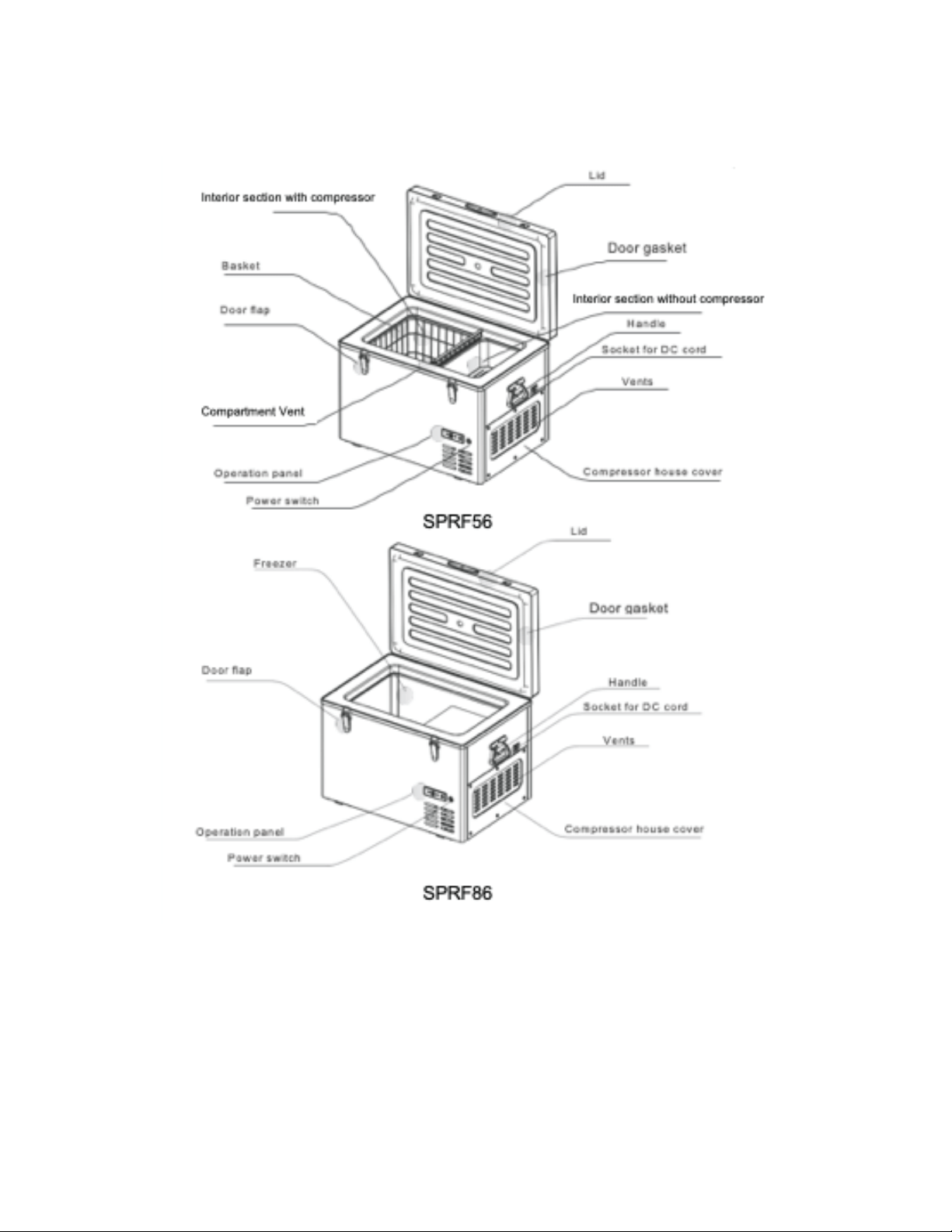
LOCATION OF PARTS

5
BEFORE YOUR FIRST USE
Check to ensure all of the following items have been included in the carton box along with this
manual:
1 Portable Refrigerator/Freezer, model number SPRF56 or SPRF86
1 12V Power Cord
1 110V AC/DC Power Adapter
Cleaning Before First Use
After you remove the cooler from its packaging, clean the inside before using. See the cleaning
instruction in the Cleaning section of this manual.
INSTALLATION
1. Place the cooler on a dry surface where it will be protected from water or moisture.
2. The cooler should not be used where it may be exposed to rain.
3. The cooler should be installed in a position that allows for adequate ventilation.
4. Never locate the unit anywhere the ambient temperature is below 0°C (32°F) or above 32°C
(90°F).
Electrical Connection
This cooler can be operated from either a DC or an AC power source. Both require the use of the
12V power cord supplied with the unit. With an AC source, the included AC/DC adapter must be
plugged into the end of the 12V power cord, then connected to the AC power source, such as a wall
socket.
DC Source
The cooler can be operated between 10.3V and 17.5V DC or 22V and 31V DC. Check that the
battery voltage falls within these ranges before connecting the unit. If the voltage is out of range, the
unit will not operate. Excessive voltage could damage the electrical components of the cooler.
AC Source
Be sure to use the AC/DC adapter when your power source is AC, otherwise the cooler could be
damaged.
6
SETTING THE TEMPERATURE
The cooler can be operated with 12V/ 24V DC power. Prior to connection, check whether the
voltage indicated on the manufacturer’s label is in accordance with the battery voltage.
Connect your cooler to the data port socket of your vehicle with the 12V/ 24V DC cord.
1. Plug the 12V power cord into the cord socket on the side of the unit (see diagrams on page 4).
2. If using a DC power source, such as the data port of a vehicle, plug the other end of the cord into
the power source.
3. If using an AC power source, connect the AC/DC adapter to the of the power cord, then plug the
adapter into a wall socket or other AC power source.
4. Press the power switch to turn on the cooler. You will hear the sound of the compressor starting.
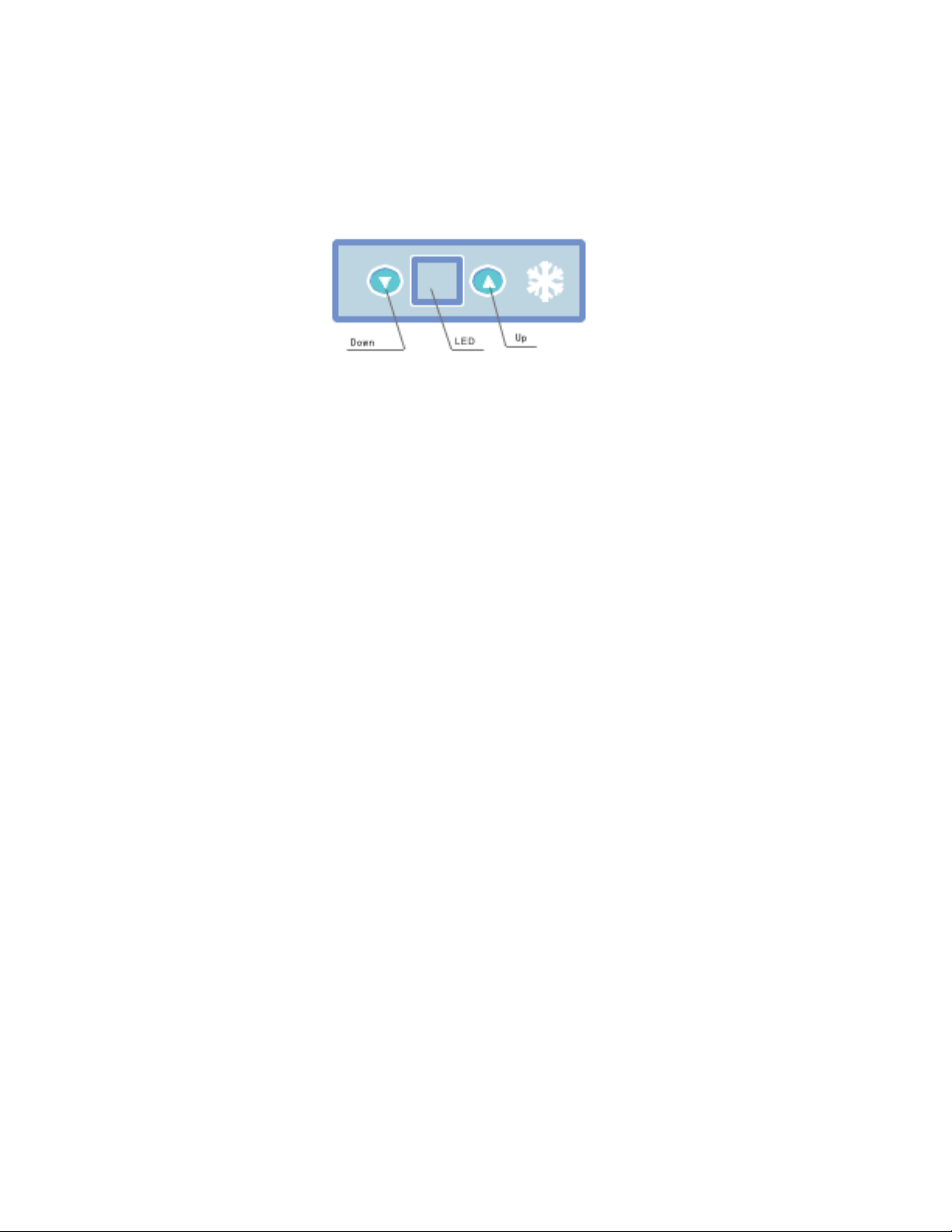
5. Press the UP button or the DOWN button to adjust the temperature. Pressing either button with
adjust the temperature by 1°C.
6. The temperature of the units can be set from -19°C (-2.2°F) to 10°C (50°F).
• The cooler is an advanced fridge, combining the latest compressor and computerized digital
control system technology. The high efficiency of the compressor will freeze to -18°C (-0.4°F) in
an ambient temperature of 30°C (86°F). (The computerized digital control system display a direct
readout of the actual inbox temperature).
NOTE: The compressor will shut off if the internal temperature of the unit is 1°C or more below the
set temperature. When the inbox temperature is higher than the set-temperature by 2°C, the
compressor will turn on again, after an interval of about two minutes.
7
Celsius Temperature Readout
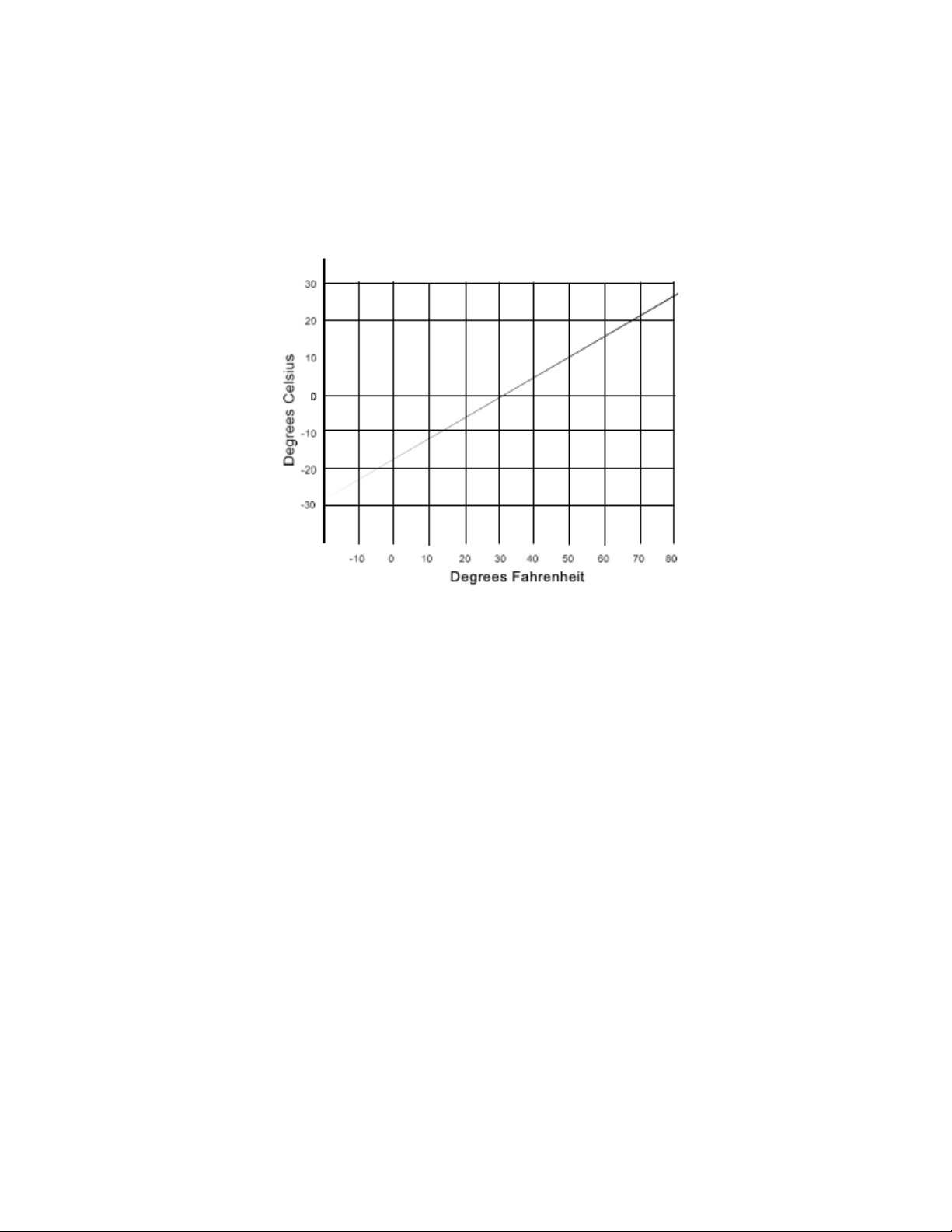
You’ll notice that the temperature readout on the LED display of your cooler is in Celsius degrees
rather than Fahrenheit. You can use the graph below to quickly convert one temperature scale into
the other. For example, to change 32°F into °C find 32 on the horizontal Fahrenheit scale, trace up
to the inclined line, then move left to the vertical axis. That reading, 0, is the Celsius equivalent of
32°F. Reverse the procedure to change Celsius to Fahrenheit.
ENERGY-SAVING TIPS
• Place the cooler in a cool, dry place away from direct sunlight.
• Always cool items before storing them in the cooler.
• Do not set the temperature colder than you require.
• Do not open the cooler more than necessary.
• Do not leave the lid open longer than necessary.
STORAGE
When storing your cooler, we recommend that you leave the lid open slightly. This will help keep
mold from forming and prevent stale odors. It is a good idea to follow the cleaning procedure (below)
before storing your cooler.
CLEANING
• Clean your unit with a soft cloth moistened with lukewarm water.
• Avoid getting water droplets in the vents, as this may lead to damage to the electronic
components.
• Use a soft, dry cloth to completely dry the cooler completely after cleaning.
• Clean the unit after use and before storage.
NOTE: Never use solvents or abrasive cleaners, as this will damage the cooler. Do not use
scouring agents or scrapers when cleaning your cooler.
8
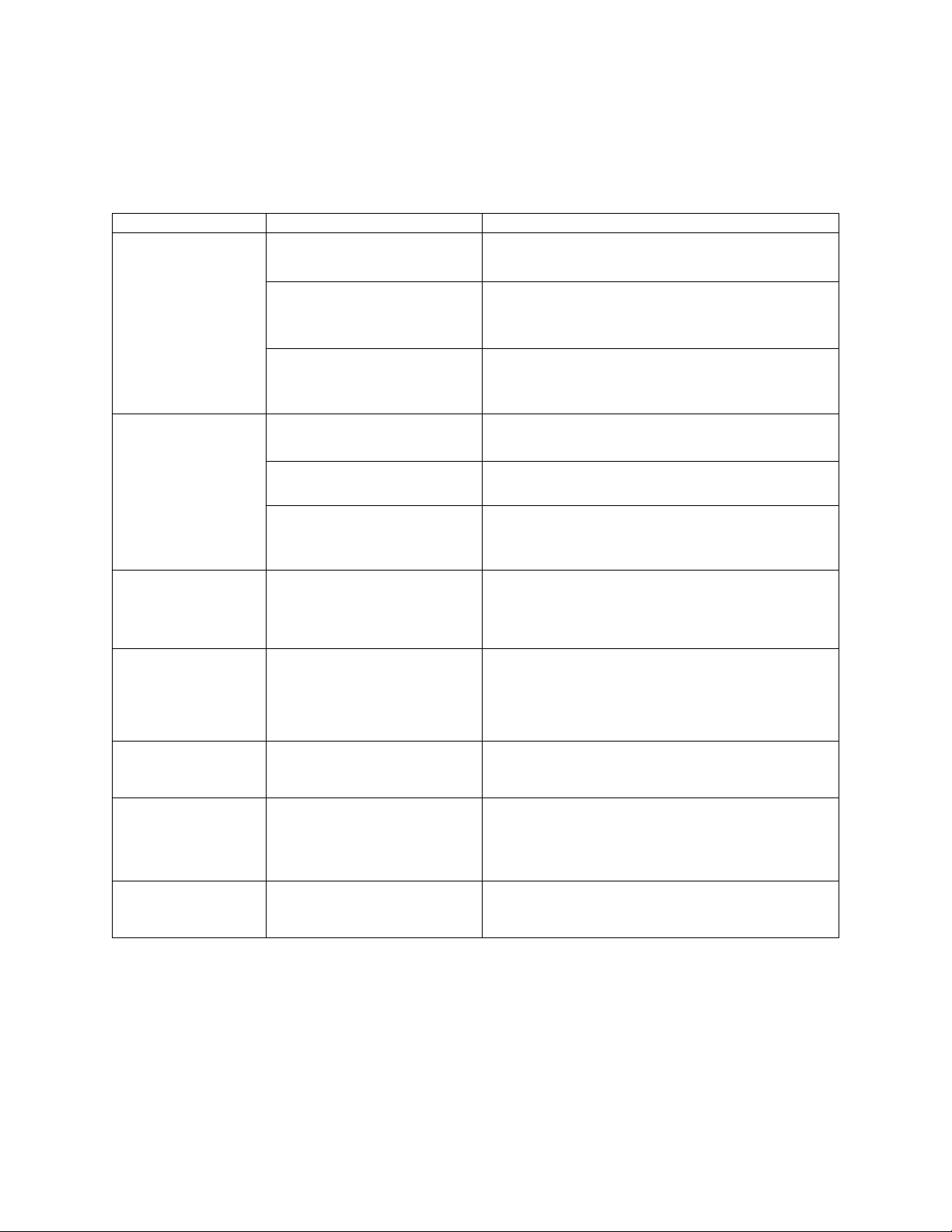
TROUBLESHOOTING
Before calling for assistance or service, please check this Troubleshooting section. It may save you
the cost of a service call. If you still need help, follow the instructions below.
Problem
Cause
Solution
The unit is not
cooling.
Loose contact between the
plug and the unit socket.
Connect the plug firmly into the unit socket and
data port.
The power voltage is out of
range.
Check if the unit is plugged into power
supply of 12V or 24V.
The temperature sensor is
malfunctioning.
Contact a local repair center to replace the
temperature sensor.
The cooling
efficiency is bad.
The fan motor does not
work.
Contact a local repair center to replace the fan
motor.
The unit is exposed to
direct sunlight.
Place the unit in a shady, cool place with good
airflow.
The ventilator or propeller
is blocked.
Clean the ventilator and the propeller, and
make sure the unit has good ventilation.
There is a strange
noise or vibration
during operation.
The unit is malfunctioning.
To prevent breakdown, turn the unit off
immediately and unplug it from the data
port. Contact a local repair center.
There is a burning
smell or the case
is deformed.
The unit is malfunctioning.
To prevent breakdown, turn the unit off
immediately and unplug it from the data
port. Contact a local repair center.
LED displays “E1”
and the unit is not
running.
Not enough power is being
supplied to the unit.
Check unit whether it’s plugged into the power
supply of 12V or 24V, ensure that battery
charge is not too low.
LED displays “E2”
and the unit is not
running.
The voltage being supplied
to the unit is too high.
Check unit whether it’s plugged into the power
supply of 12V or 24V, ensure that input voltage
is not too high.
LED displays “E3”
and the unit is not
running.
The temperature senor is
disconnected or faulty.
Check temperature sensor’s plug, or replace
the sensor.
If your appliance shows other symptoms than those described above, or if you have checked all
items listed as the cause and the problem still exists, then call Accucold® Customer Service at
1-888-4-MEDLAB.

9
NOTES
10
LIMITED WARRANTY
ONE YEAR LIMITED WARRANTY
Within the 48 contiguous United States, for one year from the date of purchase, when this appliance is
operated and maintained according to instructions attached to or furnished with the product, warrantor will
pay for factory specified parts and repair labor to correct defects in materials or workmanship. Service must
be provided by a designated service company. Outside the 48 states, all parts are warranted for one year
from manufacturing dates. Plastic parts, shelves, and cabinets are warranted to be manufactured to
commercially acceptable standards and are not covered from damage during handling or breakage.
5 YEAR COMPRESSOR WARRANTY
1. The compressor is covered for five years.
2. Replacement does not include labor.
ITEMS WARRANTOR WILL NOT PAY FOR:
1. Service calls to correct the installation of your appliance, to instruct you how to use your appliance, to
replace or repair fuses or correct wiring or plumbing.
2. Service calls to repair or replace appliance light bulbs or broken shelves. Consumable parts (such as
filters) are excluded from warranty coverage.
3. Damage resulting from accident, alteration, misuse, abuse, fire, flood, acts of God, improper installation,
installation not in accordance with electrical or plumbing codes, or use of products not approved by
warrantor.
4. Replacement parts or repair labor costs for units operated outside the United States.
5. Repairs to parts or systems resulting from unauthorized modifications made to the appliance.
6. Expenses for travel and transportation for product service in remote locations.
7. The removal and reinstallation of your appliance if it is installed in an inaccessible location or is not
installed in accordance with published installation instructions.
DISCLAIMER OF IMPLIED WARRANTIES; LIMITATION OF REMEDIES
CUSTOMERS SOLE AND EXCLUSIVE REMEDY UNDER THIS LIMITED WARRANTY SHALL BE
PRODUCT REPAIR AS PROVIDED HEREIN, IMPLIE WARRANTIES, INCLUDING WARRANTIES OF
MERCHANTABILITY OR FITNESS FOR A PARTICULAR PURPOSE, ARE LIMITED TO ONE YEAR.
WARRANTOR SHALL NOT BE LIABLE FOR INCIDENTAL OR CONSEQUENTIAL DAMAGES. SOME
STATES DO NOT ALLOW THE EXCLUSION OR LIMITATION OF INCIDENTIAL OR CONSEQUENTIAL
DAMAGES, OR LIMITATIONS TO THE DURATION OF IMPLIED WARRANTIES OF MERCHANTABILITY
OR FITNESS, SO THESE EXCLUSIONS OR LIMITATIONS MAY NOT APPLY TO YOU. THIS WARRANTY
GIVES YOU SPECIFIC LEGAL RIGHTS AND YOU MAY ALSO HAVE OTHER RIGHTS, WHICH VARY
FROM STATE TO STATE.
FELIX STORCH, INC.
ISO 9001:2015 registered
770 Garrison Avenue
Bronx, NY10474
www.accucold.com
For parts and accessory ordering,
troubleshooting, and helpful hints, visit:
www.accucold.com/support