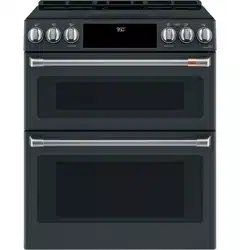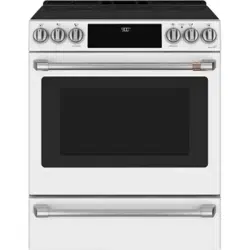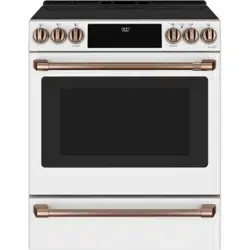

Write the model and serial numbers here:
Model # _______________________________
Serial # _______________________________
You can find the rating label on the front behind the
range drawer.
49-2000573 Rev. 5 01-23 GEA
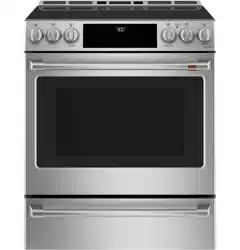
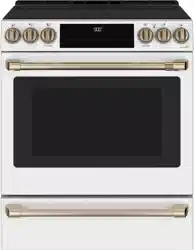
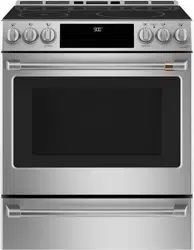
Induction Slide-In Ranges
Model: CHS90XP
Contents
Safety Information ...............................3
Using the Range
Surface Units ..................................8
Cookware for Induction Cooktop ...................9
Precision Cooking .............................12
Oven Controls ................................16
Oven Door Camera ............................16
Cooking Options ...............................17
Settings .....................................17
Sabbath Mode ................................19
Oven Racks ..................................20
Aluminum Foil and Oven Liners ...................21
Cookware ....................................21
Oven Cooking Modes ..........................21
Oven Probe ..................................23
Oven Cooking Guide ...........................24
Air Fry Cooking Guide ..........................26
Care And Cleaning
Range – Exterior ..............................27
Range – Interior ...............................28
Glass Cooktop ................................29
Oven Probe ..................................30
Drawer ......................................31
Oven Lights ..................................32
Oven Door ...................................33
Troubleshooting Tips ...........................34
Limited Warranty ...............................38
Accessories ...................................39
Consumer Support .............................40
Owner's Manual
Español
Para consultar una version en español de este manual de instrucciones,
visite nuestro sitio de internet cafeappliances.com.
TM

2 49-2000573 Rev. 5
THANK YOU FOR MAKING CAFÉ A PART OF YOUR HOME.
We take pride in the craftsmanship, innovation and design that goes into every Café product, and
we think you will too. Among other things, registration of your appliance ensures that we can deliver
important product information and warranty details when you need them.
Register your Café appliance now online. Helpful websites are available in the Consumer Support
section of this Owner’s Manual. You may also mail in the pre-printed registration card included in the
packing material.
TM

49-2000573 Rev. 5 3
READ AND SAVE THESE INSTRUCTIONS
IMPORTANT SAFETY INFORMATION
READ ALL INSTRUCTIONS BEFORE USING THE APPLIANCE
SAFETY INFORMATION
WARNING
Read all safety instructions before using the product. Failure to follow these instructions may result
in fire, electrical shock, serious injury or death.
ANTI-TIP DEVICE
To reduce the risk of tipping the range,
the range must be secured by a properly
installed anti-tip bracket. See installation
instructions shipped with the bracket for
complete details before attempting to install.
For Free-Standing and Slide-In Ranges
To check if the bracket is installed and
engaged properly, look underneath the
range to see that the rear leveling leg is
engaged in the bracket. On some models, the storage drawer or kick panel
can be removed for easy inspection. If visual inspection is not possible,
slide the range forward, confirm the anti-tip bracket is securely attached to
the floor or wall, and slide the range back so the rear leveling leg is under
the anti-tip bracket.
If the range is pulled from the wall for any reason, always repeat this
procedure to verify the range is properly secured by the anti-tip bracket.
Never completely remove the leveling legs or the range will not be secured
to the anti-tip device properly.
• A child or adult can tip the range and be killed.
• Install the anti-tip bracket to the wall or floor.
• Engage the range to the anti-tip bracket by sliding the
range back such that the foot is engaged.
• Re-engage the anti-tip bracket if the range is moved.
• Failure to do so can result in death or serious burns
to children or adults.
Tip-Over Hazard
WARNING
Anti-Tip
Bracket
Leveling Leg
Free-Standing and Slide-In Ranges
WARNING
GENERAL SAFETY INSTRUCTIONS
■ Beforeperforminganyservice,unplugtherange
or disconnect the power supply at the household
distribution panel by removing the fuse or switching
off the circuit breaker.
■ Donotleavechildrenalone—childrenshouldnot
be left alone or unattended in an area where an
appliance is in use. They should never be allowed
to climb, sit or stand on any part of the appliance.
■
CAUTION
Do not store items of interest to
children above a range or on the backguard of a
range—childrenclimbingontherangetoreach
items could be seriously injured.
■ Useonlydrypotholders—moistordamppot
holders on hot surfaces may result in burns from
steam. Do not let pot holders touch hot surface
units or heating elements. Do not use a towel or
other bulky cloth in place of pot holders.
■ Neveruseyourapplianceforwarmingorheating
the room.
■ Donottouchthesurfaceunits,theheatingelements
or the interior surface of the oven. These surfaces
may be hot enough to burn even though they are
dark in color. During and after use, do not touch,
or let clothing or other flammable materials contact
the surface units, areas nearby the surface units or
any interior area of the oven; allow sufficient time
for cooling first. Other surfaces of the appliance
may become hot enough to cause burns. Potentially
hot surfaces include the cooktop, areas facing the
cooktop, oven vent opening, surfaces near the
opening and crevices around the oven door.
■ Donotheatunopenedfoodcontainers.Pressure
could build up and the container could burst,
causing an injury.
■ Donotuseanytypeoffoilorlinertocoverthe
oven bottom or anywhere in the oven, except as
described in this manual. Oven liners can trap heat
or melt, resulting in damage to the product and risk
of shock, smoke or fire.
■ Avoidscratchingorimpactingglassdoors,cook
tops or control panels. Doing so may lead to glass
breakage. Do not cook on a product with broken
glass. Shock, fire or cuts may occur.
■ Cookmeatandpoultrythoroughly—meattoatleast
an internal temperature of 160°F and poultry to at
least an internal temperature of 180°F. Cooking
to these temperatures usually protects against
foodborne illness.
4 49-2000573 Rev. 5
WARNING
KEEP FLAMMABLE MATERIALS AWAY FROM THE RANGE
Failure to do so may result in fire or personal injury.
■ Donotstoreoruseflammablematerialsinanoven
or near the cooktop, including paper, plastic, pot
holders, linens, wall coverings, curtains, drapes and
gasoline or other flammable vapors and liquids.
■ Neverwearloose-fittingorhanginggarmentswhile
using the appliance. These garments may ignite if
they contact hot surfaces causing severe burns.
■ Donotletcookinggreaseorotherflammable
materials accumulate in or near the range. Grease
in the oven or on the cooktop may ignite.
■ Cleanventilatinghoodsfrequently.Greaseshould
not be allowed to accumulate on the hood or filter.
■ Remote Operation - This appliance is configurable to
allow remote operation at any time. Do not store any
flammable materials or temperature sensitive items
inside, on top or near surface units of the appliance.
SAFETY INFORMATION
READ AND SAVE THESE INSTRUCTIONS
WARNING
IN THE EVENT OF A FIRE, TAKE THE FOLLOWING
STEPS TO PREVENT INJURY AND FIRE SPREADING
■ Donotusewaterongreasefires.Neverpickup
a flaming pan. Turn the controls off. Smother a
flaming pan on a surface unit by covering the pan
completely with a well-fitting lid, cookie sheet or flat
tray. Use a multi-purpose dry chemical or foam-type
fire extinguisher.
■ Ifthereisafireintheovenduringbaking,smother
the fire by closing the oven door and turning the
oven off or by using a multi-purpose dry chemical or
foam-type fire extinguisher.
■ Ifthereisafireintheovenduringself-clean,turn
the oven off and wait for the fire to go out. Do not
force the door open. Introduction of fresh air at self-
clean temperatures may lead to a burst of flame
from the oven. Failure to follow this instruction may
result in severe burns.
IMPORTANT SAFETY INFORMATION
READ ALL INSTRUCTIONS BEFORE USING THE APPLIANCE
WARNING
COOKTOP SAFETY INSTRUCTIONS
■ Neverleavethesurfaceunitsunattended.Boilovers
cause smoking and greasy spillovers that may catch
on fire.
■ Neverleaveoilunattendedwhilefrying.Ifallowed
to heat beyond its smoking point, oil may ignite
resulting in fire that may spread to surrounding
cabinets. Use a deep fat thermometer whenever
possible to monitor oil temperature.
■ Toavoidoilspilloverandfire,useaminimum
amount of oil when shallow pan-frying and avoid
cooking frozen foods with excessive amounts of ice.
■ Onlycertaintypesofglass,glass/ceramic,
earthenware or other glazed containers are suitable
for cooktop service; others may break because of
the sudden change in temperature.
■ Tominimizethepossibilityofburns,ignitionof
flammable materials and spillage, the handle of a
container should be turned toward the center of the
range without extending over nearby surface units.
■ Whenpreparingflamingfoodsunderahood,turn
the fan on.

49-2000573 Rev. 5 5
SAFETY INFORMATION
READ AND SAVE THESE INSTRUCTIONS
IMPORTANT SAFETY INFORMATION
READ ALL INSTRUCTIONS BEFORE USING THE APPLIANCE
WARNING
GLASS COOKTOP SAFETY INSTRUCTIONS
■ Usecarewhentouchingthecooktop.Theglass
surface of the cooktop will retain heat after the
controls have been turned off.
■ Donotcookonabrokencooktop.Ifglasscooktop
should break, cleaning solutions and spillovers
may penetrate the broken cooktop and create a
risk of electric shock. Contact a qualified technician
immediately.
■ Avoidscratchingtheglasscooktop.Thecooktop
can be scratched with items such as knives, sharp
instruments, rings or other jewelry, and rivets on
clothing.
■ Useceramiccooktopcleanerandnon-scratch
cleaning pad to clean the cooktop. Wait until the
cooktop cools and the indicator light goes out
before cleaning. A wet sponge or cloth on a hot
surface can cause steam burns. Some cleaners can
produce noxious fumes if applied to a hot surface.
NOTE: Sugar spills are an exception. They should
be scraped off while still hot using an oven mitt
and a scraper. See the Cleaning the glass cooktop
section for detailed instructions.
■ Readandfollowallinstructionsandwarningsonthe
cleaning cream label.
■ Donotplaceorstoreitemsthatcanmeltorcatch
fire on the glass cooktop, even when it is not being
used. If the cooktop is inadvertently turned on, they
may ignite. Heat from the cooktop or oven vent after
it is turned off may cause them to ignite also.
■ Donotplacemetallicobjectssuchasknives,forks,
spoons and lids on the cooktop surface since they
can get hot.
WARNING
OVEN SAFETY INSTRUCTIONS
■ Standawayfromtherangewhenopeningtheoven
door. Hot air or steam which escapes can cause
burnstohands,faceand/oreyes.
■ Donotusetheovenifaheatingelementdevelops
a glowing spot during use or shows other signs
of damage. A glowing spot indicates the heating
element may fail and present a potential burn, fire,
or shock hazard. Turn the oven off immediately and
have the heating element replaced by a qualified
service technician.
■ Keeptheovenventunobstructed.
■ Keeptheovenfreefromgreasebuildup.Greasein
the oven may ignite.
■ Placeovenracksindesiredlocationwhileovenis
cool. If rack must be moved while oven is hot, do not
let pot holder contact hot heating element in oven.
■ Whenusingcookingorroastingbagsintheoven,
follow the manufacturer’s directions.
■ Pulltheovenracktothestop-lockpositionwhen
loading and unloading food from the oven. This
helps prevent burns from touching hot surfaces of
the door and oven walls.
■ Donotleaveitemssuchaspaper,cookingutensils
or food in the oven when not in use. Items stored in
an oven can ignite.
■ Neverplacecookingutensils,pizzaorbakingstones,
or any type of foil or liner on the oven floor. These
items can trap heat or melt, resulting in damage to
the product and risk of shock, smoke or fire.
6 49-2000573 Rev. 5
SAFETY INFORMATION
READ AND SAVE THESE INSTRUCTIONS
IMPORTANT SAFETY INFORMATION
READ ALL INSTRUCTIONS BEFORE USING THE APPLIANCE
WARNING
SELF-CLEANING OVEN SAFETY INSTRUCTIONS
The self-cleaning feature operates the oven at temperatures high enough to burn away food soils in the oven.
Follow these instructions for safe operation.
■ Donottouchovensurfacesduringself-clean
operation.Keepchildrenawayfromtheovenduring
self-cleaning. Failure to follow these instructions
may cause burns.
■ Beforeoperatingtheself-cleancycle,removepans,
shiny metal oven racks and other utensils from the
oven. Only gray porcelain-coated oven racks may
be left in the oven. Do not use self-clean to clean
other parts, such as drip pans or bowls.
■ Beforeoperatingtheself-cleancycle,wipegrease
and food soils from the oven. Excessive amount
of grease may ignite leading to smoke damage to
your home.
■ Iftheself-cleaningmodemalfunctions,turnthe
oven off and disconnect the power supply. Have it
serviced by a qualified technician.
■ Donotcleanthedoorgasket.Thedoorgasketis
essential for a good seal. Care should be taken not
to rub, damage or move the gasket.
■ Donotuseaprotectivecoatingtolinetheovenand
do not use commercial oven cleaner unless certified
for use in a self-cleaning oven.
WARNING
WARMING DRAWER SAFETY INSTRUCTIONS
■ Thepurposeofthewarmingdraweristoholdhot
cooked foods at serving temperature. Bacteria will
grow in food while it is below 140°F. Do not put cold
food in warming drawer. Do not heat food for more
than 2 hours. Failure to follow these instructions
may result in foodborne illness.
■ Donotleavepaperproducts,plastics,cannedfoodor
combustible materials in the drawer. They may ignite.
■ Donottouchtheheatingelementortheinterior
surface of the drawer. These surfaces may be hot
enough to cause burns.
■ Usecarewhenopeningthedrawer.Openthedrawer
a crack and let hot air or steam escape before
removing or replacing food. Hot air or steam that
escapescancauseburnstohands,faceand/oreyes.
■ Donotusealuminumfoiltolinethelower
drawer. The foil will trap heat below, and upset
the performance of the oven. Foil can melt and
permanently damage the drawer bottom. Damage
from improper use of aluminum foil is not covered
by the product warranty.
How to Remove Protective Shipping Film and Packaging Tape
Carefully grasp a corner of the protective shipping film
with your fingers and slowly peel it from the appliance
surface. Do not use any sharp items to remove the film.
Remove all of the film before using the appliance for the
first time.
To assure no damage is done to the finish of the
product, the safest way to remove the adhesive from
packaging tape on new appliances is an application of
a household liquid dishwashing detergent. Apply with a
soft cloth and allow to soak.
NOTE: The adhesive must be removed from all parts. It
cannot be removed if it is baked on.
Consider recycling options for your appliance packaging
material.
PROPER DISPOSAL OF YOUR APPLIANCE
Dispose of or recycle your appliance in accordance with Federal and Local Regulations. Contact your local
authorities for the environmentally safe disposal or recycling of your appliance.

49-2000573 Rev. 5 7
SAFETY INFORMATION
READ AND SAVE THESE INSTRUCTIONS
IMPORTANT SAFETY INFORMATION
READ ALL INSTRUCTIONS BEFORE USING THE APPLIANCE
Radio Frequency Interference
This unit has been tested and found to comply with the
limits for a class B digital device, pursuant to Part 18
of the FCC rules. These limits are designed to provide
reasonable protection against harmful interference in
a residential installation. This unit generates, uses and
can radiate radio frequency energy and, if not installed
and used in accordance with the instructions, may cause
harmful interference to radio communications. However,
there is no guarantee that interference will not occur in
a particular installation. If this unit does cause harmful
interference to radio or television reception, which can
be determined by turning the unit off and on, the user is
encouraged to try to correct the interference by one or
more of the following measures:
■ Reorientorrelocatethereceivingantennae.
■ Increasethedistancebetweentheunitandreceiver.
■ Connecttheunitintoanoutletoracircuitdifferent
from that to which the receiver is connected.
CAUTION
Persons with a pacemaker or
similar medical device should exercise caution when
using or standing near an induction unit while it is in
operation. The electromagnetic field may affect the
working of the pacemaker or similar medical device. It
is advisable to consult your doctor or the pacemaker
manufacturer about your particular situation.
■Usethisapplianceonlyforitsintendedpurposeas
described in this Owner’s Manual.
■Besureyourapplianceisproperlyinstalledand
grounded by a qualified installer in accordance with the
provided installation instructions.
■Donotattempttorepairorreplaceanypartofyour
range unless it is specifically recommended in this
manual. All other servicing should be transferred to a
qualified technician.
Remote Enable Equipment
This device complies with part 15 of the FCC Rules.
Operation is subject to the following two conditions: (1)
This device may not cause harmful interference, and
(2) this device must accept any interference received,
including interference that may cause undesired operation.
The wireless communication equipment installed on this
range has been tested and found to comply with the
limits for a Class B digital device, pursuant to part 15 of
the FCC Rules. These limits are designed to:
(a) provide reasonable protection against harmful
interference in a residential installation. This equipment
generates, uses, and can radiate radio frequency energy
and, if not installed and used in accordance with the
instructions, may cause harmful interference to radio
communications. However, there is no guarantee that
interference will not occur in a particular installation. If
this equipment does cause harmful interference to radio
or television reception, which can be determined by
turning the equipment off and on, the user is encouraged
to try to correct the interference by one or more of the
following measures:
■Reorientorrelocatethereceivingantenna.
■Increasetheseparationbetweentheequipmentand
receiver.
■Connecttheequipmentintoanoutletonacircuit
different from that to which the receiver is connected.
■Consultthedealeroranexperiencedradio/TV
technician for help.
(b) accept any interference received, including interference
that may cause undesired operation of the device.
Note that any changes or modifications to the wireless
communication device installed on this oven that are not
expressly approved by the manufacturer could void the
user’s authority to operate the equipment.

8 49-2000573 Rev. 5
USING THE RANGE: Surface Units
Surface Units
How Induction Surface Cooking Works
The elements beneath the cooking surface produce a
magnetic field that generates heat in ferrous metal pans
that are in close proximity.
The cooking surface itself does not heat. Heat is
produced in the cooking pan, and cannot be generated
until a pan is placed on the cooking surface.
When the element is activated, the pan begins to heat
immediately and in turn heats the contents of the pan.
Magnetic induction cooking requires the use of cookware
madeofferrousmetals—metalstowhichmagnetswill
stick, such as iron or steel.
Use pans that fit the element size. The pan must be large
enough for the element to detect the pan and be able to
deliver full power.
The cooktop will not operate if a very small steel or iron
utensil, such as a steel spatula, cooking spoon, knife
or other small utensil, is placed on the cooking surface
when the unit is turned on.
CAUTION
■ Theinductioncookingelementsmayappeartobecool
while turned ON and after they have been turned OFF.
The glass surface may be HOT from residual heat
transferred from the cookware and burns may occur.
■ DONOTTOUCHHOTCOOKWAREorPANSdirectly
with hands. Always use mitts or pot holders to protect
hands from burns.
■ DONOTSLIDEcookwareacrossthecooktopsurface.
Doing so may permanently damage the appearance of
the ceramic cooktop.
Operating the Cooktop Elements
WARNING
FIRE HAZARD: Never leave the
range unattended with the cooktop on. Keep
flammable items away from the cooktop. Turn off all
controls when done cooking. Failure to follow these
instructions can result in fire, serious injury or death.
Before using the cooktop for the first time, clean it with
ceramic cooktop cleaner. This helps protect the top and
makes cleanup easier.
Throughout this manual, features and appearance may
vary from your model.
Place your Induction designed cookware on the cooking
surface. Push the knob in and turn in either direction to
the setting you want.
A knob indicator light will glow when any surface unit is on.
For glass cooktop surfaces:
A HOT COOKTOP indicator light will:
■ comeonwhentheunitishottothetouch.
■ stayonevenaftertheunitisturnedoff.
■ stayonuntiltheunitiscooledto
approximately 150°F.
At both OFF and HI the control clicks into position. You may hear slight
clicking sounds during cooking, indicating the control is maintaining
your desired setting.
Be sure you turn the control knob to OFF when you finish cooking.
Use the minimum size pan for the element. The
pan material is correct if a magnet sticks to the
bottom.
Min. Size
Min. Size

49-2000573 Rev. 5 9
USING THE RANGE:SurfaceUnits/CookwareforInductionCooktop
Surface Units (Cont.)
How To Synchronize Left Elements
NOTE: The left elements of the cooktop can be controlled
together via the Sync Burners feature. Sync Burners
feature is useful for cooking activities such as griddle
cooking. The Sync Burners feature is only intended for
cookware that completely spans both burners.
Knob Operation
1. Ensure both left element knobs are Off.
2. Turn the Sync Burners knob to the desired
heat setting.
Using the Warming Zone (on some models)
WARNING
FOOD POISON HAZARD: Bacteria may grow in food at
temperatures below 140°F.
■ Always start with hot food. Do not use warm setting to
heat cold food.
■ Do not use warm setting for more than 2 hours.
The WARMING ZONE, located in the back center of
the glass surface, will keep hot, cooked food at serving
temperature. Always start with hot food. Do not use to
heat cold food. Placing uncooked or cold food on the
WARMING ZONE could result in foodborne illness.
To turn the WARMING ZONE on, turn knob clockwise to
the setting you want.
For best results, all foods on the WARMING ZONE
should be covered with a lid or aluminum foil. When
warming pastries or breads, the cover should be vented
to allow moisture to escape.
The initial temperature, type and amount of food, type of
pan, and the time held will affect the quality of the food.
Always use pot holders or oven mitts when removing
food from the WARMING ZONE, since cookware and
plates will be hot.
Sync Burners
Cookware for Induction Cooktop
Using the correct size cookware
The induction coils require a minimum pan size to
function properly. Pans that are not ferrous or are too
small will not allow the induction elements to turn on, and
the ON indicator for that element location will flash for 25
seconds and then turn off. If a pan is removed from or not
centered on the induction coil for more than 30 seconds,
the power for that element will be shut off.
Cookware larger than the element ring may be used;
however, heat will only occur above the element.
For best results, the cookware must make FULL contact
with the glass surface. Cookware that is small may be
too light to compress the Precision Cooktop Sensor on
models with sensor on left front burner and should not
be used on that burner. Small pans with heavy handles
are likely to be incompatible with the Precision Cooktop
Sensor.
Do not allow the bottom of the pan or cookware to touch
the surrounding metal cooktop trim.
For best performance, match the pan size to the element
size. Using a smaller pot on a larger burner will generate
less power at any given setting.
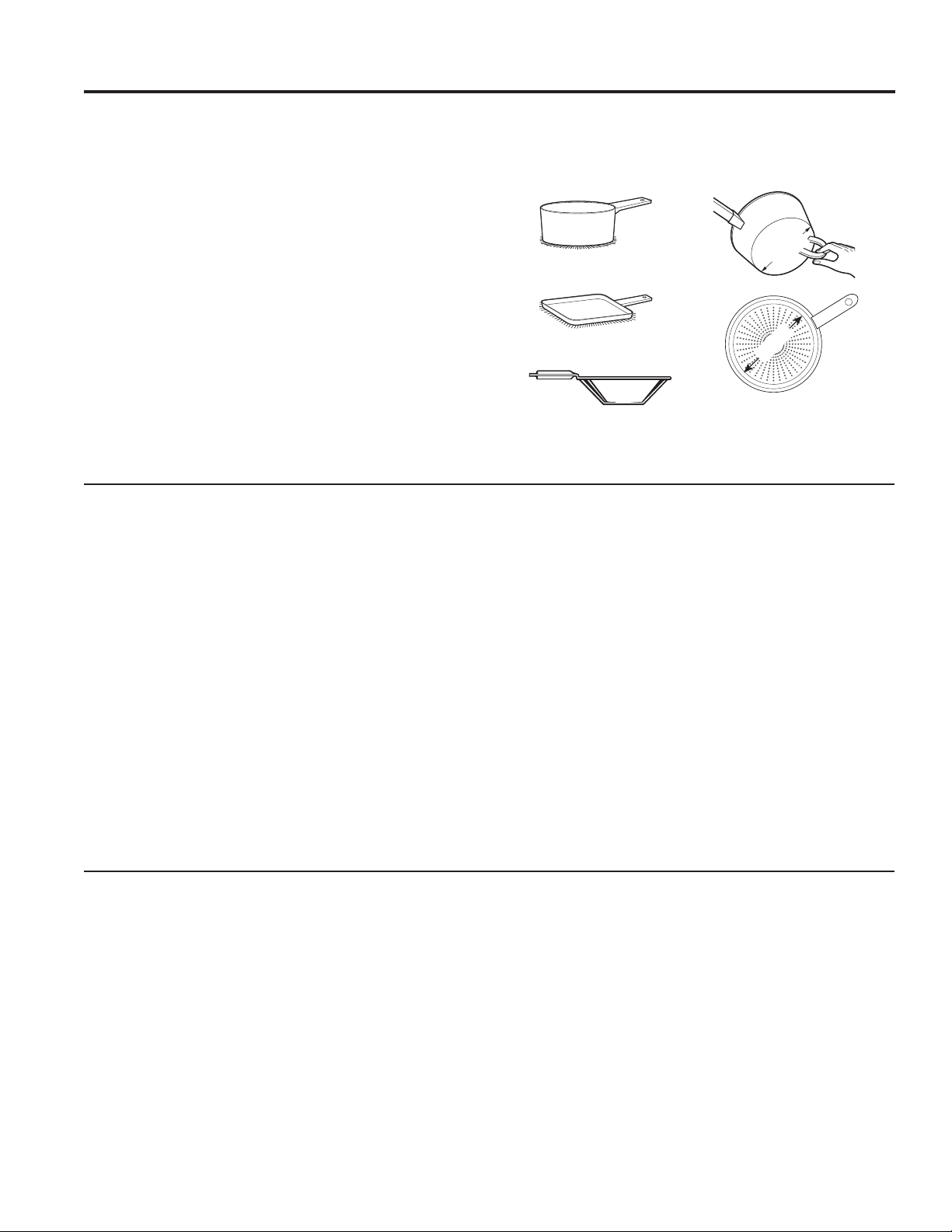
Use the minimum size pan shown
for each cooking element.
5” Min. Dia.
Pan Size
5” Min. Dia.
Pan Size
4-1/2”
Min. Dia.
Pan Size
7” Min. Dia.
Pan Size
10 49-2000573 Rev. 5
Suitable Cookware
Use quality cookware with heavier bottoms for better
heat distribution and even cooking results. Choose
cookware made of magnetic stainless steel, enamel
coated cast iron, enameled steel or combinations of
these materials.
Some cookware is specifically identified by the
manufacturer for use with induction cooktops. Use a
magnet to test if the cookware will work.
Flat-bottomed pans give best results. Pans with rims or
slight ridges can be used.
Round pans give best results. Pans with warped or
curved bottoms will not heat evenly.
For wok cooking, use a flat-bottomed wok. Do not use a
wok with a support ring.
NOTE: The warming zone is NOT an induction element
and will work with flat bottomed cookware that is NOT
ferrous.
Cookware “Sounds”
Slight sounds may be produced by different types of
cookware. Heavier pans such as enameled cast iron
produce less sound than a lighter weight multi-ply
stainless steel pan. The size of the pan, and the amount
of contents, can also contribute to the sound level.
When using adjacent elements that are set at certain
power level settings, magnetic fields may interact and
produce a high pitch whistle or intermittent “hum”. These
sounds can be reduced or eliminated by lowering or
raising the power level settings of one or both of the
elements. Pans that completely cover the element ring
will produce less sound.
A low “humming” sound is normal particularly on high
settings.
Slight sounds, such as hums or buzzes, may be
produced by different types of cookware. This is normal.
Heavier and uniform material pans such as enameled
cast iron produce less sound than lighter weight multi-
layered stainless steel pans or pans that have bonded
disks on the bottom of the pan. The size of the pan, the
amount of contents in the pan, and the flatness of the
pan can also contribute to the sound level. Some pots
will “Buzz” louder depending on the material. A “Buzz”
sound may be heard if the pan contents are cold. As the
pan heats, the sound will decrease. If the power level is
reduced, the sound level will go down.
Pans that do not meet the minimum size requirements
for the burner can produce louder noises. They can
cause the controller to "search" for the pot and produce
a clicking and "zipping" sound. This can happen when
one burner is running or only when an adjacent burner
is also running. See User Manual for the minimum sized
pots for each burner. Only measure the flat, magnetic
bottom of the pot.
Power Control
If a surface unit is on power level H (high), for an
extended period of time or if multiple surface units are
on, there may be a slight reduction in power to the
surface unit. Water under pans may also cause the
controls to reduce the power delivered to the cookware.
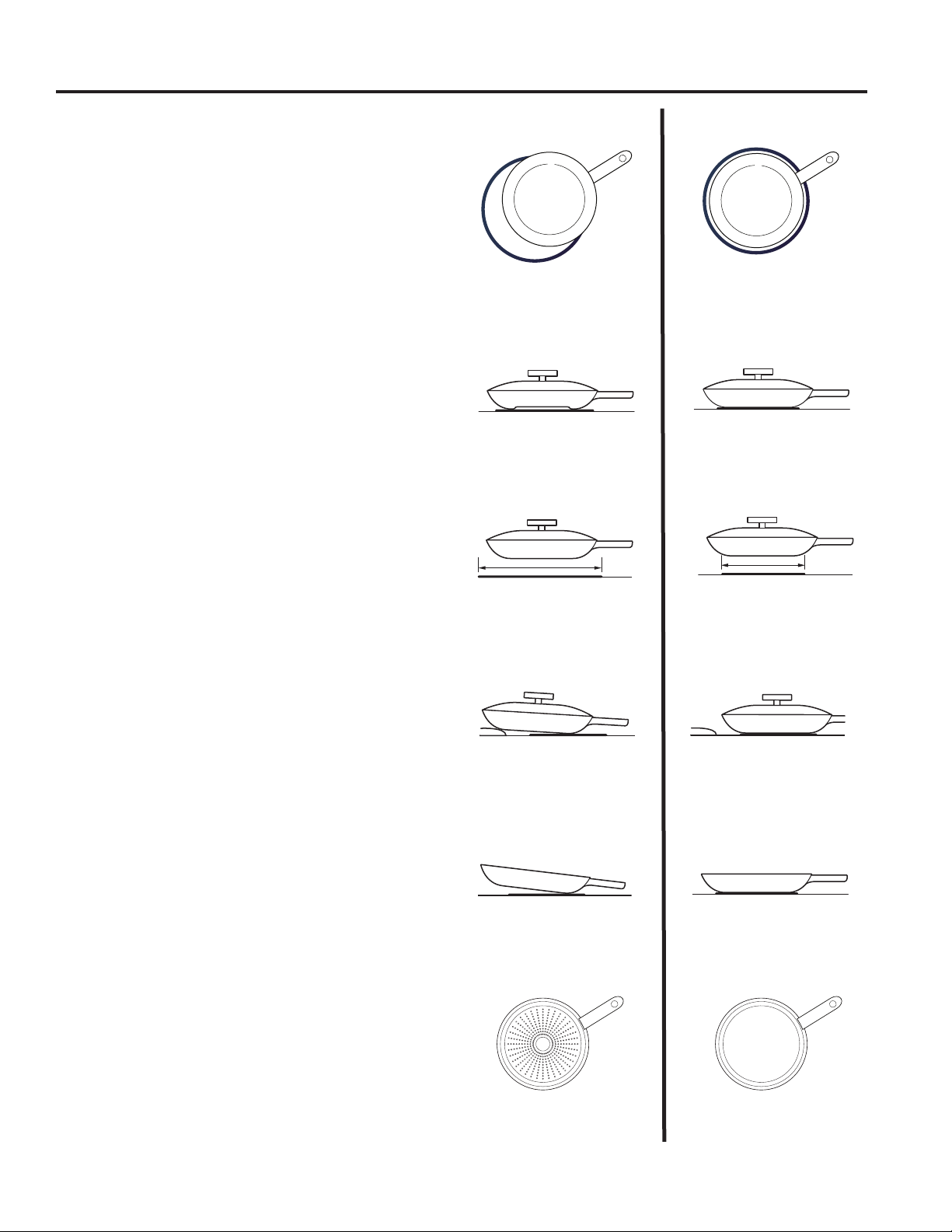
Use a griddle.
Use a flat-bottomed wok.
Use flat-bottomed pans.
USING THE RANGE: Cookware for Induction Cooktop
Cookware for Induction Cooktop (Cont.)
Use the minimum size
pan for the element. The
pan material is correct if a
magnet sticks to the bottom.
Min. Size
Min. Size
49-2000573 Rev. 5 11
Cookware for Induction Cooktop (Cont.)
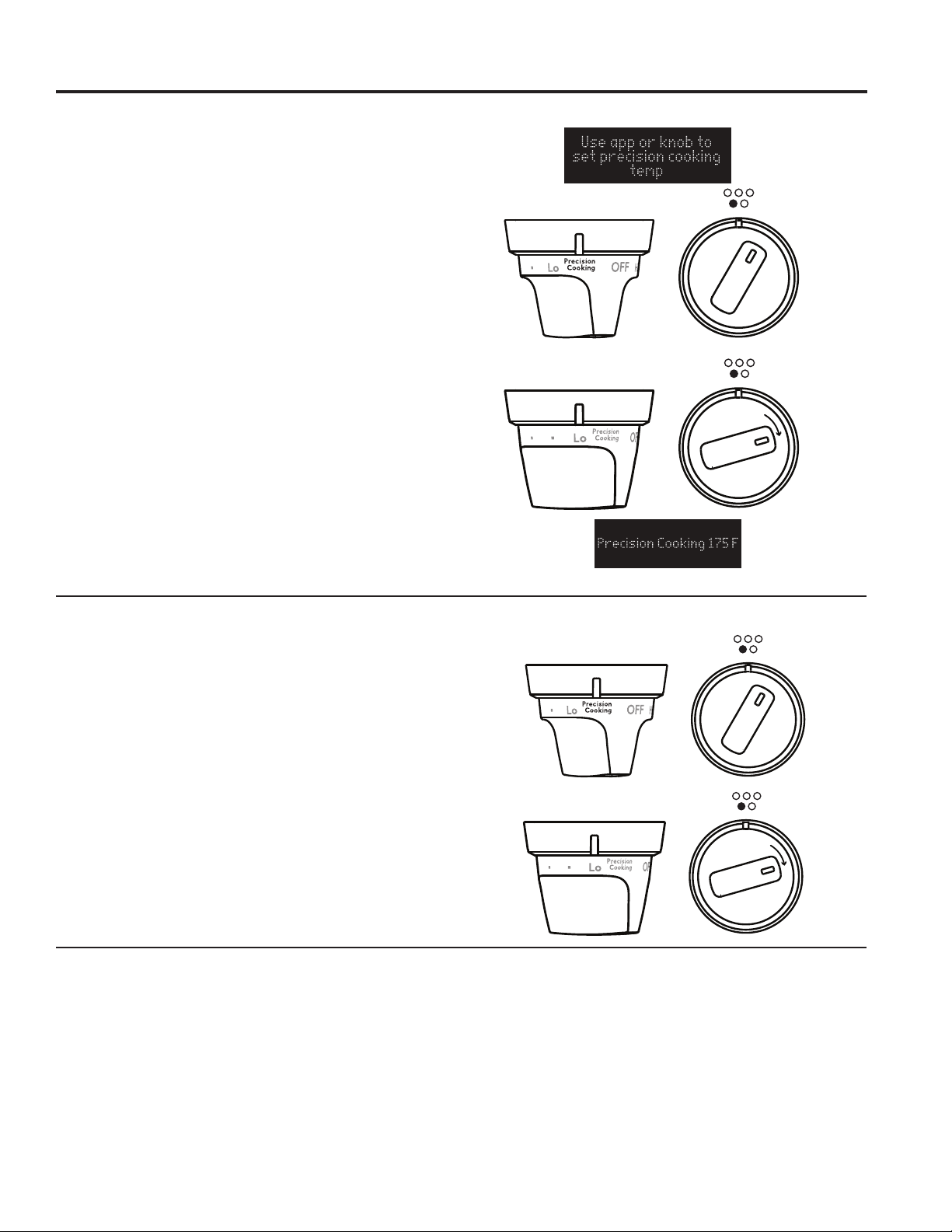
Cookware not centered on
cooking element surface.
Curved or warped pan bottoms
or sides.
Pan does not meet the minimum
size required for the cooking
element used.
Cookware centered correctly
on cooking element surface.
Flat pan bottom.
Pan size meets or exceeds the
recommended minimum size
for the cooking element used.
INCORRECT
CORRECT
Pan bottom rests on cooktop
trim or does not rest completely
on the cooktop surface.
Heavy handle tilts pan.
Pan is partially magnetic
on the bottom.
Pan is completely magnetic
on the bottom.
Pan bottom rests completely on
the cooktop surface.
Pan is properly balanced.
Cookware recommendations
Cookware must fully contact the surface of the cooking
element.
Use flat-bottomed pans sized to fit the cooking element
and also to the amount of food being prepared.
Induction interface disks are NOT recommended.
USING THE RANGE: Cookware for Induction Cooktop

12 49-2000573 Rev. 5
USING THE RANGE: Precision Cooking
Precision Cooking
Device Works on. . . How it works. . . Use this for. . . Temperature
range.
Additional information
Precision
Cooking
Cooktop
Sensor
Front left burner
only
Controls cookware
temperature based
on the temperature
of the cooktop
sensor. Cookware
must be in good
contact with the
sensor
Precise control
of cookware
temperature
100°F-425°F Can be set with the range
controls or through the
SmartHQ app. See SmartHQ
Appforrecommendedfood/
technique temperature settings.
Good for pan frying, sauteing,
and searing. For boiling,
simmering and similar liquid
based cooking, traditional
power control settings are
recommended rather than
temperature based control
(temperature of a large liquid
load will be lower than the
temperature of the cookware).
Hestan Cue
Cookware
All burners except
the warming zone.
Controls cookware
temperature based
on a sensor in the
cookware
Precise control
of cookware
temperature
and Hestan Cue
Guided Cooking
recipes
Small to medium
elements:
100°F-500°F
Large elements:
150°F-500°F
Left front element:
100°F-425°F
Can be set with the range
controls, with the SmartHQ app,
or with the Hestan Cue app.
Precision
Cooktop
Probe
All burners except
the warming zone.
Controls the
temperature of
liquid loads based
on a sensor in the
probe. The probe
tip must be in good
contact with the
liquid load
Precise control
of liquid load
temperature
for sous-vide
cooking or other
low temperature
liquid cooking
Small to medium
element:
100°F-200°F
Large element:
100°F-200°F
See the Smart HQ app for
recommendedsettingsfood/
technique temperature settings
If you are experiencing
trouble maintaining lower set
temperatures try changing your
set up by:
• Remove the lid from the pot.
• Use a larger diameter pot.
• Use a smaller burner with a
pot larger than the burner.
Can also be used to hold
foods at a specific temperature
for applications like melted
chocolate for dipping or fondue.
If using for these scenarios,
use traditional power control
settings to bring the item to the
target temperature first, then
use the precision probe to hold.
The Precision Cooking feature allows precise temperature control for improved results. This feature may be used
with the Precision Cooktop Sensor on the left front burner (on some models) or with compatible Bluetooth paired
cooking devices on any burner.
NOTE: only one precision cooking device may operate at a time
49-2000573 Rev. 5 13
Precision Cooking (Cont.)
Precision Cooking with the Precision Cooktop Sensor (on some models)
1. The left front burner should be turned OFF to begin.
2.Knobforleftfrontburnershouldbeturnedto
“Precision Cooking”.
3. When prompted, press 1 on control to activate
Cooktop Sensor.
4. For optimal cooking performance, choose the material
type that best matches the cookware you are using
(stainless, cast iron, or other).
5. Turn knob clockwise to set desired cookware
temperature or use SmartHQ app to set temperature,
according to the instructions listed above for app and
local control. NOTE: Precision Cooktop Sensor set
temperature cannot exceed 425°F. Only one burner
may run a Precision Cooking mode at a time.
Precision Cooktop Sensor
Cookware needs to make contact with the sensor for
proper operation of the left front burner on models
with the precision cooktop sensor. Cookware will bow
naturally during heating, therefore cookware with
recessed bottoms, including griddles, should not be
used to avoid improper contact with the sensor. Poor
cooking performance and damage are likely if bowed
cookware is used with precision cooktop sensor.
Precision Cooking Control Modes
There are two control modes available:
■ App Control – set the temperature with the SmartHQ
or the Hestan Cue mobile app
■ Local Control – set the temperature with the range
element controls. No app use is required.
App Control
After activating your device on your selected burner,
open the
SmartHQ mobile app
designed to control
the selected device. Depending on the device and
application, the set temperature may be shown in the
unit display, in the
SmartHQ mobile app
, or hidden from
view. NOTE: Use of Local Control mode is blocked upon
entering App Control mode.
Local Control
After activating your device on your selected burner,
rotate the knob to desired temperature. The set
temperature will be shown in the display. To use Hestan
Cue
®
for temperature control and recipes, open the
Hestan Cue
®
app and follow on screen instructions.
NOTE: Use of App Control mode is blocked upon
entering Local Control mode.
USING THE RANGE: Precision Cooking

14 49-2000573 Rev. 5
USING THE RANGE: Precision Cooking
Precision Cooking (Cont.)
Precision Cooking – Sync Burners
1. To start a Precision Cooking mode using the sync
burners feature, ensure both left element knobs are
OFF.
2. Turn the Sync knob to Precision Cooking.
3. When prompted, press 1 on control to activate
Cooktop Sensor.
4. For optimal cooking performance, choose the material
type that best matches the cookware you are using
(stainless, cast iron, or other).
5. Turn the Sync knob clockwise to set desired cookware
temperature or use SmartHQ app to set temperature,
according to the instructions listed above for app and
local control.
Sync Burners
Sync Burners
Use Precision Cooking with Compatible Bluetooth Precision Probe or Hestan Cue
®
Cookware
The range is able to communicate via Bluetooth with
smart accessories such as Hestan Cue
®
cookware or
Precision Probe. Each smart accessory must be paired
with the range to establish the Bluetooth connection.
To pair a Bluetooth device to the range, press the
Settings pad and select Bluetooth. Select Pair and
activate your device to initiate the device’s pairing mode.
Refer to the table below for device specific instructions.
Once paired, the Hestan Cue
®
cookware and Precision
probe becomes available as a Precision Cooking option
for any burner. Multiple smart accessories may be
paired. You will be prompted to choose one to activate
each time you use Precision cooking. (Precision cooking
is not available on the warming zone.) Only one burner
may run a Precision Cooking mode at a time.
Precision Cooking with Compatible Bluetooth Devices
1. The burner should be turned OFF to begin.
2. Turn the knob to Precision Cooking on burner desired
for use.
3. Activate cookware according to the activation
instructions table.
4. Turn knob clockwise to set desired cookware
temperature or use SmartHQ app to set temperature,
according to the instructions listed above for app and
local control.
NOTE: Only one burner may run a Precision Cooking
mode at a time. If another Precision Cooking mode is
attempted, the burner in use for Precision Cooking will
flash, and the following error message will be displayed.
• If the unit cancels your precision cooking cycle,
the precision cooking device may need a battery
replacement. Replace the AAA battery located
in the handle of the Hestan Cue cookware or
charge Precision Probe. Please contact the device
manufacturer if problem persists after battery
replacement.
Supported
Devices How to Activate Control with this App
Hestan
Cue
®
cookware
Firmly double tap the
black plastic endcap
Hestan Cue
®
(by Hestan
Smart Cooking)
Precision
Probe Press side button once
Hestan Cue
®
(by Hestan
Smart Cooking) or
SmartHQ

49-2000573 Rev. 5 15
Food Variation Temp.
(F)
Butter Melt 240
Melt and Hold 150
Brown 350
Clarify 240
Chocolate Melt and Hold 115
Crepes 375
Eggs Fried - white and
tender
250
Fried - browned
and crispy
350
Omelette 275
Scrambled 275
French Toast - 0.5-
0.875” thick
375
French Toast - 1-1.5”
thick
350
Grilled Sandwiches -
0.5-1” thick
375
Grilled Sandwiches -
1.125-2.5” thick
350
Pancakes 375
Potatoes Diced - 0.5-1” thick 375
Patties 375
Shredded 375
Food Thickness
(in)
Temp. (F)
Bacon 375
Beef - ground 350
Beef - patties 0.5 - 0.875 375
1 - 1.5 350
Beef - steak (rare) 0.5 - 0.875 400
1 - 1.5 375
Beef - steak (medium rare) 0.5 - 0.875 400
1 - 1.5 375
Beef - steak (medium) 0.5 - 0.875 375
1 - 1.5 350
Beef - steak (medium well) 0.5 - 0.875 375
1 - 1.5 350
Beef - steak (well) 0.5 - 0.875 375
1 - 1.5 350
Chicken - breasts 0.5 - 0.875 375
1 - 1.5 350
Chicken - thighs 0.5 - 0.875 375
1 - 1.5 350
Chicken - ground 350
Pork - chops 0.5 - 0.875 375
1 - 1.5 350
Pork - ground 350
Sausage - ground 350
Sausage - links 0.25 - 0.875 350
1 - 1.5 325
Sausage - patties 0.25 - 0.875 375
Seafood - fish fillet or steak 0.25 - 0.875 425
1 - 1.5 400
Seafood - scallops 425
Suggested Cooking Temperatures for Common Foods (also available in SmartHQ)
Precision Cooking (Cont.)
USING THE RANGE: Precision Cooking
16 49-2000573 Rev. 5
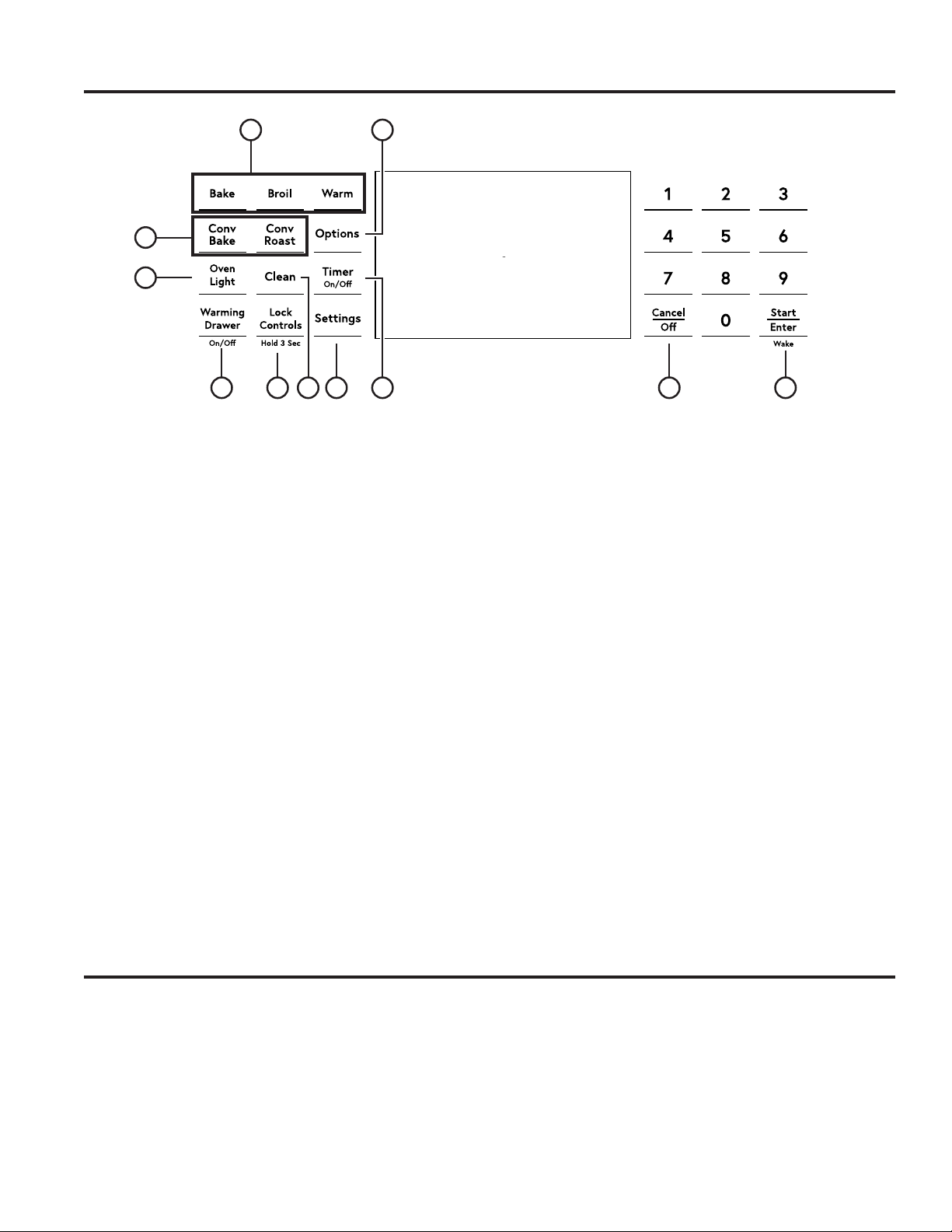
Oven Controls
1. Convection Cooking Modes: Convection
cooking mode uses increased air circulation to
improve performance. See the Cooking Modes
section for more information.
2. Traditional Cooking Modes: Your oven
has the following traditional cooking modes: Bake
and Broil. See the Cooking Modes section for more
information.
3. Clean: Your oven has two cleaning modes: Self
Clean (on some models) and Steam Clean. See the
Cleaning the Oven section for important information
about using these modes.
4. Start/Enter: Must be pressed to start any
cooking, cleaning, or timed function.
5. Cancel/Off: Cancels ALL oven operations
except the clock, timer and warming drawer.
6. Timer: Works as a countdown timer. Press the
Timer pad and use the number pads to program the
time in hours and minutes. Press the Start/Enter
pad. The oven will continue to operate when the
timer countdown is complete. To turn the timer off,
press the Timer pad.
7. Lock Controls: Locks out the control so that
pressing the pads does not activate the controls.
Press the Lock Controls pad, for three seconds
to lock or unlock the control. Cancel/Off is always
active, even when the control is locked.
8. Options and Settings: The Options and
Settings pads open up more detailed menus in the
display that allow access to additional functions and
cooking modes. For each you select the function in
the display using the associated number pad. You
can exit at any time by pressing the Options or
Settings pad again. See the Settings, Options, and
Cooking Modes Sections for more details.
9. Oven Light: Turns the oven light on or off.
10. Warming Drawer: Will keep hot, cooked
foods at serving temperature. See the Cooking
Modes section for more information.
1
9
2
63 8 457
8
10
Oven Door Camera
The Oven Door Camera allows for remote viewing of
the center of the oven cavity using the SmartHQ mobile
app. Download the latest SmartHQ mobile app and follow
instructions in the app to connect your range. From the
SmartHQ mobile app's home page, select your range,
then tap on the camera icon to start the camera stream
to your smart device. The oven lights will illuminate while
the camera is streaming. The camera stream will stop if
the oven door is opened, and is not allowed during certain
modes such as Proof and Self Clean (on some models).
Soils on the oven door glass and oven cavity light cover
may cause an unclear oven camera image. Refer to Care
and Cleaning section for door glass cleaning instructions.
For best results, clean door glass immediately after
spillage once the oven has cooled.
USING THE RANGE:OvenControls/OvenDoorCamera

49-2000573 Rev. 5 17
USING THE RANGE:CookingOptions/Settings
Cooking Options
The options pad opens up a menu of more cooking modes when the oven is off. It opens a menu with additional features
if a cooking mode is already in process. You can exit the menu at any time by pressing the Options pad again.
You must first select a mode (bake, convection bake, convection roast) and then select Options to get to the
following functions.
Air Fry
Air Fry cooking mode is designed to produce foods with
a crispier exterior than traditional oven cooking. See the
Oven Cooking Modes section for more information. Press
the Options pad and select Air Fry. Use the number
pads to input the desired set temperature and press
Start/Enter.
Cook Time
Counts down cooking time and turns off the oven when
the cooking time is complete. Select a desired cooking
mode. Use the number pads to program a baking
temperature. Press the Options pad and select Cook
Time. Use the number pad to program cook time in hours
and minutes. Then press Start/Enter. This can only be
used with Bake, Convection Bake, Convection Roast,
and Air Fry..
Delay Time
Delays when the oven will turn on. Use this to set a
time when you want the oven to start. Select a desired
cooking mode. Use the number pad to program a baking
temperature. Press the Options pad and select Delay
Time. Use the number pads to program the time of day
for the oven to turn on, and then press Start/Enter. Delay
Time is not available with all modes.
NOTE: When using the Delay Time feature, foods that
spoil easily – such as milk, eggs, fish, stuffing, poultry,
and port – should not be allowed to sit for more than
1 hour before or after cooking. Room temperature
promotes the growth of harmful bacteria. Be sure that the
oven light is off because heat from the bulb will speed
harmful bacteria growth.
Oven Probe
NOTE: Only accessible through traditional and
convection cooking modes.
Monitors internal food temperature and turns the oven
off when the food reaches the programmed temperature.
Insert the probe, press the desired cooking mode, and
program the probe temperature. See the Cooking Modes
Section for more information. The probe can only be used
with Bake, Convection Bake, and Convection Roast.
* Compatible Apple or Android devices and home WiFi network required.
Settings
The Options and Settings pads open up more detailed menus in the display that allow access to additional
functions. For each you select the function in the display using the associated number pad. You can exit at
any time by pressing the Options or Settings pad again.
WiFi Connect and Remote Enable
Your oven is designed to provide you with two-way
communication between your appliance and smart
device. By using the SmartHQ mobile app, you will
be able to control essential oven operations such as
temperature settings, timers and cooking modes using
your smartphone or tablet.*
Select Settings then Wifi - follow the instructions on your
oven display and
SmartHQ mobile app
. It is necessary to
turn on WiFi before using Remote Enable on your oven.
Connecting your WiFi Connect Enabled Oven
What you will need
Your Café oven uses your existing home WiFi network
to communicate between the appliance and your smart
device. In order to setup your Café oven, you will need
to gather some information:
1. Each Café oven has a connected appliance
information label that includes an Appliance Network
Name and Password. These are the two important
details that you will need to connect to the appliance.
The label is typically located inside the door of the
oven or drawer.
2. Have your smart phone or tablet ready with the ability
to access the internet and download the
SmartHQ
mobile app
.
3. You will need to know the password of your home
WiFi router. Have this password ready while you are
setting up your Café oven.
Connect your Café oven
1. On your smart phone or tablet visit
cafeappliances.com/connect to learn more about
connected appliance features and to download the
SmartHQ mobile app
.
2. Follow the
SmartHQ mobile app
onscreen
instructions to connect your Café oven.
3. Once the process is complete, the connection light
located on your Café oven display will stay on solid
and the app will confirm you are connected.
FCC: ZKJ-WCATA001
Network: GE_XXXXXX_XXXX
Password: XXXXXXXX
PT. NO. 229C6272G001-0
IC: 10229A-WCATA001
MAC ID: XX - XX - XX - XX - XX - XX
Connected Appliance Information
Sample Label

18 49-2000573 Rev. 5
Settings (Cont.)
WiFi Connect and Remote Enable (cont.)
4.
If the connection light does not turn on or is blinking,
follow the instructions on the
SmartHQ mobile
app
to reconnect. If issues continue, please visit
cafeappliances.com/connect and ask for assistance
regarding oven wireless connectivity.
To connect additional smart devices, repeat steps 1 and 2.
Note that any changes or modifications to the remote
enable device installed on this oven that are not
expressly approved by the manufacturer could void the
user’s authority to operate the equipment.
REMOTE STARTING YOUR OVEN
To be able to start the oven remotely once connected to
WiFi, select Turn Remote On/Off and the icon will turn
on in the display. The oven can now be remotely started
with a connected device. The icon must be lit to start the
oven remotely. The icon is not required to change the
oven temperature while it is running, set a timer or to turn
the oven off from the SmartHQ mobile app while the
icon shows it is Wifi Connected.
After using the oven, remember to verify that the icon
is lit if you wish to start the oven remotely in the future.
NOTE: Foodsthatspoileasily—suchasmilk,eggs,fish,
stuffings,poultryandpork—shouldnotbeallowedto
sit for more than 1 hour before or after cooking. Room
temperature promotes the growth of harmful bacteria. Be
sure that the oven light is off because heat from the bulb
will speed harmful bacteria growth.
Clock
This setting sets the oven clock time. Press the Settings
pad and select Clock. Select Set Clock and follow the
instructions to set the clock. This feature also specifies
how the time of day will be displayed. You can select a
standard 12-hour clock (12H), 24-hour military time display
(24H), or no clock displayed (Off). Press the Settings pad,
select Set Clock and select either 12/24 hr or On/Off.
Bluetooth
®
- Chef Connect
This is a pairing feature for use with other compatible
Chef Connect enabled products like an over-the-
range microwave oven or range hood. To pair those
products to the range Press the Settings pad and select
Bluetooth
®
. Select Pair and follow the corresponding
instructions included with the mating Chef Connect
enabled product. The range will cancel pairing mode
after two minutes if no mating device is detected. Select
Remove to confirm product is paired or to un-pair from
range. The Precision Cooking Probe can also be paired
using the Bluetooth
®
feature.
Auto Conv (Auto Conversion)
When using Convection Bake and Convection Roast
cooking, Auto Recipe Conversion will automatically
convert the regular baking temperatures entered to
convection bake cooking temperatures when turned
on. Note that this option does not convert convection
bake cooking times, it only converts temperatures. This
feature may be turned On or Off. Select Settings, Auto
Conversion is 5th option and shows up on first display of
settings, and Auto Conversion then follow the prompts
to turn this feature on or off.
Auto Off
This feature shuts the oven down after 12 hours of
continuous operation. It may be enabled or disabled.
Select Settings, More, and Auto Off to turn this feature
on or off.
Sound
You can adjust the volume and type of alert your appliance
uses. Select Settings, More, and Sound. Follow prompts
for making volume adjustments or for changing between
continuous and single alert tones. A continuous setting
will continue to sound a tone until a button on the control
is pressed. The oven tone volume can be adjusted. The
control will sound the oven tone at the new volume level
each time the sound level is changed.
F/C (Fahrenheit or Celsius)
The oven control is set to use Fahrenheit temperatures
(F), but you can change it to use Celsius temperatures
(C). Select Settings, More, and F/C to alter between
temperature scales displayed.
Adjust the Oven temperature
This feature allows the oven baking and convection
baking temperature to be adjusted up to 35ºF hotter
or down to 35ºF cooler. Use this feature if you believe
your oven temperature is too hot or too cold and wish to
change it. This adjustment affects Bake and Convection
Bake modes. Does not change Proof or Cleaning modes.
Select Settings and Oven Adjust to add More Heat or
Less Heat and then press Save.
Oven Info
Select Settings, More, and Oven Info to turn this
feature on or off. This setting displays Model Number and
SoftwareVersion.
USING THE RANGE: Settings
49-2000573 Rev. 5 19
USING THE RANGE: Sabbath Mode
The Sabbath mode includes the disabling of tones, disabling of oven lights, and delays of about 30 seconds to one
minute on display changes. Only continuous baking or timed baking is allowed in the Sabbath mode. Cooking in the
Sabbath mode is a two-step process; first the Sabbath mode must be set and then the bake mode must be set.
Setting the Sabbath Mode
Press the Settings pad, select Sabbath, and select
Turn on. A single bracket “]” will appear in the display
indicating that the Sabbath mode is set. The clock will not
be displayed. Continuous bake or timed bake can now be
programmed.
Starting a Continuous Bake
1. Press the Bake pad. (For double ovens, this operates
the upper oven. If desiring to use Lower Oven, press
Lower Oven and then Bake.)
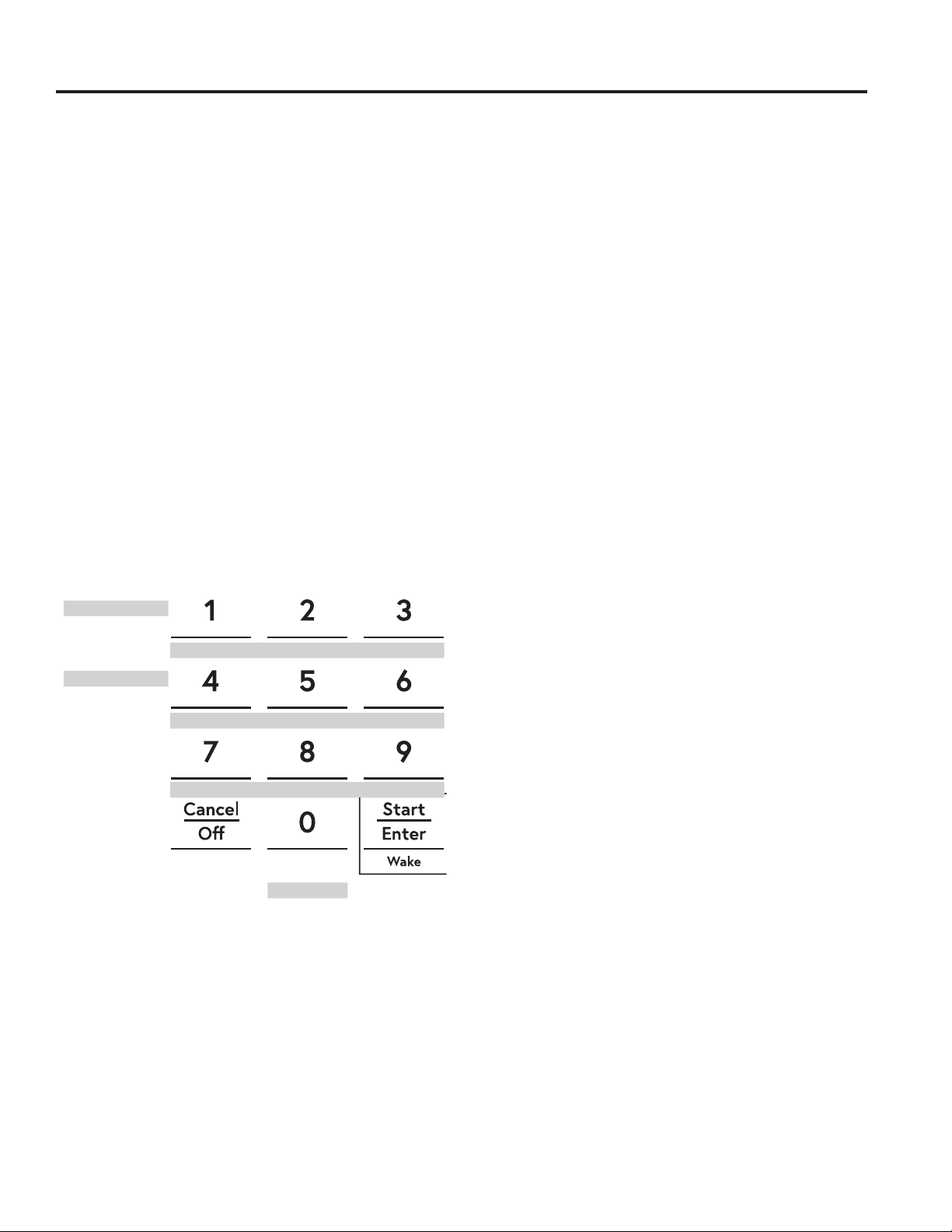
2. If the desired temperature is 350°F, press Start/
Enter. If a different cooking temperature is desired,
use the 1 through 5 number pads to select a preset
cooking temperature, then press Start/Enter. Refer
to the graphic below to determine which pad sets the
desired cooking temperature.
After a delay, a second bracket “] [“ will appear in the
display indicating that the oven is baking.
Adjusting the Temperature
1. Press Bake (or press Lower Oven and then Bake for
lower oven in a double oven unit), use the 1 through
5 number pads to select a different preset cooking
temperature, and press Start/Enter.
2. Since no feedback is given during temperature
change, an oven thermometer can be used to confirm
temperature changes.
Starting a Timed Bake
1. Press the Bake pad.
2. If the desired temperature is 350°F, use the 6 through
0 number pads to select a cooking time. If a cooking
temperature other than 350°F is desired, use the 1
through 5 number pads to select a preset cooking
temperature, then select the cooking time. Refer to
the graphic on this page to determine which pad sets
the desired cooking temperature and cooking time.
3. Press Start/Enter.
After a delay, a second bracket “] [“ will appear in the
display indicating that the oven is baking. When the cook
time expires, the display will change back to a single
bracket “]” indicating that the oven is no longer baking.
No tone will sound when the cook time is complete.
Exit the Sabbath Mode
Exiting the Sabbath mode should be done after the
Sabbath is over.
1. Press Cancel/Off to end any bake mode that may be
running.
2. Press and hold Settings pad until Sabbath Mode off
is displayed.
Sabbath Mode Power Outage Note
If a power outage occurs while the oven is in Sabbath
Mode, the unit will return to Sabbath Mode when power
is restored, however the oven will return to the off state
even if it was in the middle of a bake cycle when the
power outage occurred.
Sabbath Mode
Temperature (°F)
Time (hours)
200
325
250
400
4h
300
2h
1 = 200° F, 2 = 250° F, 3 = 300° F, 4 = 325° F, 5 = 400° F
6 = 2 hours, 7 = 2.5 hours, 8 = 3 hours, 9 = 3.5 hours, 0 = 4 hours
2.5h 3h 3.5h

20 49-2000573 Rev. 5
The number of rack positions may vary by model.
Upper Front
Rail
Fully Open Position
Grasp here
Oven Racks
Recommended rack positions for various types of
foods are provided in the Cooking Guide. Adjusting
rack position is one way to impact cooking results. For
example, if you would prefer darker tops on cakes,
muffins, or cookies, try moving food one rack position
higher. If you find foods are too brown on top try moving
them down next time.
When baking with multiple pans and on multiple racks,
ensure there is at least 1½" between pans to allow
sufficient space for air to flow.
YourOvenmayhaveextensionracksand/ortraditional
flat racks.
To avoid possible burns, place the racks in the desired
position before you turn the oven on.
Extension Racks
Always pull the rack out by its upper front rail to its fully
open position, when placing or removing cookware.
If extension racks are difficult to extend, lubricate the
racks with the graphite lubricant provided with your
oven. Remove the rack from the oven, remove debris in
the side tracks with a paper towel, shake the graphite
lubricant and place 4 small drops on the two bottom
tracks of the left and right sides. Open and close the
rack several times to distribute the lubricant.
To order additional graphite lubricant, see the
Accessories and Consumer Support sections at the end
of this manual.
To Remove An Extension Rack:
1. Make sure the rack is pushed all the way into the
oven so that side paddles on the rack disengage from
the oven support.
2. Slide the rack toward you to the bump (stop position)
on the rack support.
3. Firmly grasp both sides of the rack frame and the
sliding rack, tilt the front end up and pull it out.
To Replace An Extension Rack:
1. Firmly grasp both sides of the rack frame and the
sliding rack.
2. Place the curved end of the rack (stop-locks) onto the
oven supports, tilt up the front of the rack and push it
in as far as it will go.
If extension racks are difficult to replace or remove, wipe
the oven rack supports with cooking oil. Do not wipe oil
on the rack slides.
To Lubricate the Paddle:
Shake lubricant and apply to the moving parts of the
paddle mechanisms as shown.
USING THE RANGE: Oven Racks

49-2000573 Rev. 5 21
USING THE RANGE: Aluminum Foil and Oven Liners /Cookware/OvenCookingModes
Cookware
Cookware Guidelines
The material, finish, and size of cookware affect baking
performance.
Dark, coated and dull pans absorb heat more readily
than light, shiny pans. Pans that absorb heat more
readily can result in a browner, crisper, and thicker crust.
If using dark and coated cookware check food earlier
than minimum cook time. If undesirable results are
obtained with this type of cookware consider reducing
oven temperature by 25°F next time.
Shiny pans can produce more evenly cooked baked
goods such as cakes and cookies.
Glass and ceramic pans heat slowly but retain heat well.
These types of pans work well for dishes such as pies
and custards.
Air insulated pans heat slowly and can reduce bottom
browning.
Keepcookwarecleantopromoteevenheating.
Stoneware heats slowly and retains heat well. It is
recommended to preheat this type of cookware if
possible. Additional cook time may be required.
CAUTION
Do not use any type of foil or oven liner to cover the oven bottom. These items can trap heat
or melt, resulting in damage to the product and risk of shock, smoke or fire. Damage from improper use of
these items is not covered by the product warranty.
Foil may be used to catch spills by placing a sheet on a lower rack, several inches below the food. Do not use more
foilthannecessaryandneverentirelycoveranovenrackwithaluminumfoil.Keepfoilatleast1-1/2”fromovenwalls
to prevent poor heat circulation.
Aluminum Foil and Oven Liners
Oven Cooking Modes
Your new oven has a variety of cooking modes to help you get the best results. These modes are described below.
Refer to the Cooking Guide section for rack position and other recommendations for specific modes and foods.
Bake
The bake mode is for baking and roasting. When
preparing baked goods such as cakes, cookies and
pastries, always preheat the oven first. To use this
mode press the Bake pad, enter a temperature with the
number pads, and then press Start/Enter.
Convection Bake Multi Rack
The Convection Bake mode is intended for baking
on multiple racks at the same time. This mode uses
air movement from the convection fan to enhance
cooking evenness. Your oven is equipped with Auto
Recipe Conversion, so it is not necessary to adjust the
temperature when using this mode. Always preheat
when using this mode. Baking times may be slightly
longer for multiple racks than what would be expected
for a single rack. To use this mode press the Conv Bake
pad, enter a temperature with number pads, and then
press Start/Enter.
Convection Roast
The Convection Roast mode is intended for roasting
whole cuts of meat on a single rack. This mode uses air
movement from the convection fan to improve browning
and reduce cooking time. Check food earlier than the
recipe suggested time when using this mode, or use the
probe (see the Probe section for more information). It is
not necessary to preheat when using this mode. To use
this mode press the Conv Roast pad, enter a temperature
with the number pads, and then press Start/Enter.
Broiling Modes
Alwaysbroilwiththeovendoor/drawerclosed.Monitor
food closely while broiling. Use caution when broiling;
placing food close to the broil element or burner
increases smoking, spattering and the possibility of fats
igniting. It is not necessary to preheat when using the
Broil modes.
Broil Hi
The Broil High mode uses intense heat from the upper
element or burner to sear foods. Use Broil High for
thinnercutsofmeatand/orwhenyouwouldliketohave
a seared surface and rare interior. To use this mode
press the Broil pad once and then press Start/Enter.
Broil Lo
The Broil Low mode uses less intense heat from the
upper element or burner to cook food thoroughly while
also browning the surface. Use Broil Low for thicker cuts
ofmeatand/orfoodsthatyouwouldlikecookedallthe
way through. To use this mode press the Broil pad twice
and then press Start/Enter.

22 49-2000573 Rev. 5
Oven Cooking Modes (Cont.)
USING THE RANGE: Oven Cooking Modes
Air Fry
Air Fry is a special, no-preheat, cooking mode that is
designed to produce foods with a crispier exterior than
traditional oven cooking. The Air Fry mode is intended
for single rack cooking only. Press the Air Fry pad,
then input the desired set temperature and press
Start. The temperature can be set between 300°F and
500°F. Preheating is not recommended for this mode.
Follow traditional oven recipe or package guidelines for
set temperatures and cook times; adjust cook time to
achieve your desired crispness. Additional guidelines for
using this mode can be found in the Cooking Guide.
Baked Goods
The Baked Goods mode is designed for cooking cakes,
breads, cookies, and similar foods on a single rack. This
mode is designed to provide lighter top browning and
better volume. Some foods may require slightly longer
cook times relative to when cooked in the traditional bake
mode. Press Options and select Baked Goods than
follow any display prompts to access this mode.
Frozen Snacks
The Frozen Snacks modes are designed to cook frozen
foods such as potato nuggets, French fries, and similar
frozen snacks and appetizers. Most foods will cook
within package recommended time. Adjust cooking time
according to individual preferences.
Use Frozen Snacks Single when cooking frozen snacks
on a single rack. This mode does not require preheating
the oven. Food should be placed in the oven before or
immediately upon starting this mode.
Use Frozen Snacks Multi when cooking frozen snacks
on two racks simultaneously. This mode includes a
preheating cycle to prepare the oven for multi-rack
baking. Press Options and select Frozen then follow any
display prompts to access this mode.
Frozen Pizza
The Frozen Pizza modes are designed to cook
frozen pizzas. Most pizzas will cook within package
recommended times. Adjust cooking time according to
individual preferences.
Use Frozen Pizza Single when cooking on a single rack.
This mode does not require preheating the oven. Food
should be placed in the oven before or immediately upon
starting this mode.
Use Frozen Pizza Multi when cooking on two racks
simultaneously. This mode includes a preheating cycle
to prepare the oven for multi-rack baking. Press Options
and select Frozen then follow any display prompts to
access this mode.
Warm
Warm mode is designed to keep hot foods hot. Cover
foods that need to remain moist and do not cover foods
that should be crisp. Preheating is not required. Do
not use warm to heat cold food It is recommended that
food not be kept warm for more than 2 hours. Press the
Warm pad and then press Start/Enter.
Some models may also have warming drawers. Three
settings are available - use High for items such as
stews, meats, and potatoes; use Medium for items such
as casseroles and pizzas; use Low for items such as
breads, waffles, and also for warming oven-safe dishes.
Proof
Proof mode maintains a warm environment for rising
yeast-leavened dough. If the oven is too warm, Proof
mode will not operate and the display will show "Oven
too hot for Proof". For best results, cover the dough
while proofing and check early to avoid over-proofing.
CAUTION
Do not use the Proof mode for warming
food or keeping food hot. The proofing oven temperature
is not hot enough to hold foods at safe temperatures.
Pre-Heat
Proper preheating ensures that the oven is hot enough
to begin baking. Improper preheating (that is, cooking
in the oven that has not come up to set temperature)
can negatively affect cooking. Depending on the recipe
recommendations, the temperature of your foods when
they go into the oven may determine your final baking
time and baking results; if you put your food, such as
biscuits or breads, in during Pre-heat, they may over
brown on top or burn.
IMPORTANT: The more items to be heated in the oven
during preheat (this includes multiple racks, baking
stones, etc.) will affect the length of your pre-heat time.
Always begin baking after the pre-heat signal. The signal
will be a beep, indicator light or chime. This lets you
know your oven is at your needed baking temperature.
For best results, turn the oven On before you begin your
prep work.

49-2000573 Rev. 5 23
USING THE RANGE: Oven Probe
Oven Probe
Internal food temperature is frequently used as an
indicator of doneness, especially for roasts and poultry.
The Probe mode monitors the internal food temperature
and turns the oven off when the internal food
temperature reaches the programmed temperature.
Always check the temperature at multiple locations in
the food with a food thermometer after cooking to ensure
that all portions of the food have reached the minimum
safe internal temperature for that food.
Proper Probe Placement
After preparing the meat and placing it on the cooking
pan follow these instructions for proper probe placement.
■ Inserttheprobeintothefood,sothatthetipofthe
probe will rest in the center of the thickest part of
the food. For best performance the probe should
be fully inserted into the food. If the probe is not
located properly, it may not accurately measure the
temperature of the coolest portion of the food. Some
foods, particularly small items, are not well suited for
cooking with the probe due to their shape or size.
■ Theprobeshouldnottouchbone,fatorgristle.
■ Forwholepoultryinserttheprobeintothethickest
part of the breast.
■ Forbonelessroasts,inserttheprobeintothecenter
of the roast.
■ Forbone-inhamorlamb,inserttheprobeintothe
center of the lowest large muscle or joint.
■ Forcasserolesordishessuchasmeatloaf,insertthe
probe into the center of the dish.
■ Forfish,inserttheprobefromjustabovethegillinto
the meatiest area, parallel to the backbone.
Probe Usage
The temperature probe can only be used with Bake,
Convection Bake, and Convection Roast.
To use the probe with preheating:
1. Select the desired cook mode (Bake, Convection
Bake, or Convection Roast) pad and enter the
desired cooking temperature with the number pads.
2. Insert the probe into the food (see Proper Probe
Placement).
3. Once the oven is preheated, place the food in the
oven and connect the probe to the probe outlet,
making sure it is fully inserted. Use caution, the oven
walls and probe outlet are hot.
4. When the probe is connected, the display will prompt
you to enter the desired food temperature. The
maximum internal food temperature that you can set
is 200° F.
To use the probe without preheating:
1. Insert the probe into the food (see Proper Probe
Placement).
2. Place the food in the oven and connect the probe into
the probe outlet in the oven.
3. Press the Cook Mode pad (Traditional Bake,
Convection Bake, or Convection Roast) and
enter the desired cooking temperature with the
number pads. Press Options and select Probe then
follow the display prompts to enter the desired food
temperature.
Probe Care Guidelines
■ Useofprobesotherthantheoneprovidedwiththis
product may result in damage to the probe outlet.
■ Usethehandlesoftheprobeandplugwheninserting
and removing them from the meat and outlet
■ Toavoiddamagingyourprobe,donotusetongsto
pull on the cable when removing it.
■ Toavoidbreakingtheprobe,makesurefoodis
completely defrosted before inserting the probe.
■ Topreventpossibleburns,donotunplugtheprobe
from the outlet until the oven has cooled.
■ Neverleavetheprobeinsidetheovenduringaselfor
steam clean cycle.
■ Donotstoretheprobeintheoven.
WARNING
Consuming undercooked food can result in foodborne illness. Use probe according to
the following instructions to ensure all portions of the food reach minimum safe cooking temperatures.
Recommendations for minimum safe food temperatures can be found at
foodsafety.gov or IsItDoneYet.gov.

24 49-2000573 Rev. 5
USING THE RANGE: Oven Cooking Guide
Oven Cooking Guide
Cook food thoroughly to help protect against food borne illness. Minimum safe food temperature recommendations
for food safety can be found at IsItDoneYet.gov. Use a food thermometer to measure food temperatures.
Oven Cookware Guidelines
The material, finish, and size of cookware affect baking
performance.
Dark, coated and dull pans absorb heat more readily
than light, shiny pans. Pans that absorb heat more
readily can result in a browner, crisper, and thicker crust.
If using dark and coated cookware check food earlier
than minimum cook time. If undesirable results are
obtained with this type of cookware consider reducing
oven temperature by 25°F next time.
Shiny pans can produce more evenly cooked baked
goods such as cakes and cookies.
Glass and ceramic pans heat slowly but retain heat well.
These types of pans work well for dishes such as pies
and custards.
Air insulated pans heat slowly and can reduce bottom
browning.
Keepcookwarecleantopromoteevenheating.
Stoneware heats slowly and retains heat well. It is
recommended to preheat this type of cookware if
possible. Additional cook time may be required.
Cookware used in broil modes and air fry must be broil-
safe.

49-2000573 Rev. 5 25
Oven Cooking Guide
FOOD TYPE
RECOMMENDED
MODE(S)
RECOMMENDED
RACK POSITION(S) ADDITIONAL SUGGESTIONS
Baked Goods
Layer cakes, sheet cakes,
bundt cakes, muffins, quick
breads on a Single Rack
Bake
Bake Goods
3 Use shiny cookware.
Layer cakes* on Multiple
Racks
Bake
Convection Bake
2 ext and 5 flat Use shiny cookware. Ensure adequate airflow (see illustration below).
Chiffon cakes (angel food)
Bake
Bake Goods
1 Use shiny cookware.
Cookies, biscuits, scones on
a Single Rack
Bake
Bake Goods
3 Use shiny cookware.
Cookies, biscuits, scones on
Multiple Racks
Convection Bake
2 ext and 5 flat
1 flat, 3 flat, 5 ext
Use shiny cookware. Ensure adequate airflow.
Yeast Breads
Proof 2 or 3 Cover dough loosely.
Bake
Bake Goods
3
Beef & Pork
Hamburgers Broil High 6 flat
Useabroilpan;movefooddownformoredoneness/lesssearing.
Watch food closely when broiling. For best performance center food
below the broil heater.
Steaks & Chops Broil High 6 flat or 5 ext
Useabroilpan;movefooddownformoredoneness/lesssearing.
Watch food closely when broiling. For best performance center food
below the broil heater.
Roasts
Bake
Convection Roast
2 or 3 Use a low sided pan such as a broil pan. Preheating is not necessary.
Poultry
Whole chicken
Bake
Convection Roast
2 or 3 Use a low sided pan such as a broil pan. Preheating is not necessary.
Bone-in chicken breasts,
legs, thighs
Broil Low
Bake
3
If breaded or coated in sauce avoid Broil High modes. Broil skin side
down first. Watch food closely when broiling. For best performance
when broiling, center food below the broil heater.
Boneless chicken breasts
Broil Low
Bake
3
Movefooddownformoredoneness/lesssearingandupforgreater
searing/browningwhenbroiling.Forbestperformancewhenbroiling,
center food below the broil element or burner.
Whole turkey
Bake
Convection Roast
1 Use a low sided pan such as a broil pan. Preheating is not necessary.
Turkey Breast
Bake
Convection Roast
3 Use a low sided pan such as a broil pan. Preheating is not necessary.
Fish Broil Low
6(1/2inchthickorless)
5(>1/2inch)
Watch food closely when broiling. For best performance center food
below the broil heater.
Casseroles Bake 3 or 4
Frozen Convenience Foods
Pizza on a Single Rack Frozen Pizza Single 3 Place food in oven prior to starting mode.
Pizza on Multiple Racks Frozen Pizza Multi 2 ext and 5 flat Stagger pizzas left to right, do not place directly over each other.
Potato products, chicken
nuggets, appetizers on a
Single Rack
Frozen Snacks Single 4 or 5
Place food in oven prior to starting mode. Use dark cookware for more
browning/crisping;useshinycookwareforlessbrowning.
Potato products, chicken
nuggets, appetizers on
Multiple Racks
Frozen Snacks Multi 2 ext and 5 flat
Usedarkcookwareformorebrowning/crisping;useshinycookware
for less browning.
*When baking four cake layers at a time use racks
2 ext and 5 flat. Place the pans as shown so that one
pan is not directly above another.
Cook food thoroughly to help protect against food
borne illness. Minimum safe food temperature
recommendations for food safety can be found at
IsItDoneYet.gov. Make sure to use a food thermometer
to take food temperatures.
Rear Placement
Front Placement
Rack positions
USING THE RANGE: Cooking Guide
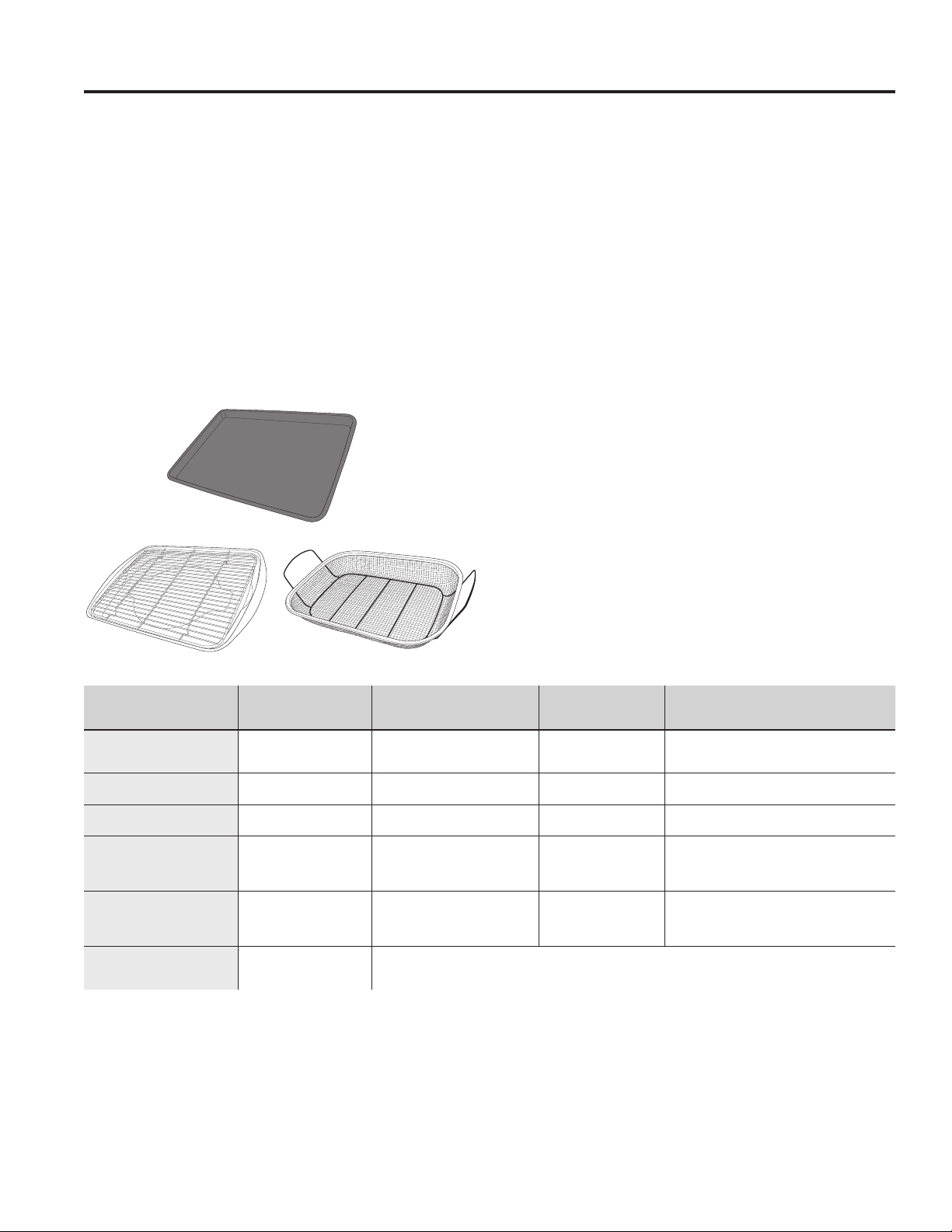
26 49-2000573 Rev. 5
Oven Cooking Guide
Air Fry Cooking Guide
Air Fry is a special, no-preheat, cooking mode that is
designed to produce foods with a crispier exterior than
traditional oven cooking. Press the Air Fry pad, then
input the desired set temperature and press Start. The
temperature can be set between 300°F and 500°F.
Air Fry Cookware Guidelines
• Only use broil safe cookware when using Air Fry mode.
• A dark sheet pan is recommended. A dark pan
promotes better browning and crisping.
• Oven baking baskets and baking grids can also be
used. A sheet pan should be placed on the rack below
the foods to catch any drippings when using a baking
basket.
General Tips for Air Fry Mode
• The Air Fry mode is designed for cooking on a single
rack.
• The Air Fry mode is designed to be used without
preheating.
• Rack position 4 is recommended for most foods. Use
rack position 3 for thicker foods.
• Foods may cook faster than expected if the oven is
already hot when food is placed in the oven.
• When air frying foods with sauce, it is recommended to
apply the sauce at the end of cooking.
• If foods are browning too quickly, try a lower rack
position or lower oven set temperature.
• For packaged foods, use traditional oven cooking
instructions for set temperature and expected cook
time.
• It is not necessary to flip or stir food during cooking
• Arrange food in a single layer on the pan, do not
overload the pan.
• Always check internal food temperature to confirm
minimum safe temperatures have been reached.
Minimum safe food temperatures can be found on
packages and at IsItDoneYet.gov.
FOOD TYPE
RECOMMENDED
RACK POSITION(S)
RECOMMENDED
SET TEMPERATURES (F°)
RECOMMENDED
COOK TIME (MIN) NOTES
Fresh boneless fish or
poultry pieces, breaded such
as nuggets, tenders, fillets
4 375-400 15-30
User lower set temperatures for larger pieces.
Use shiny cookware.
Fresh bone in
chicken wings
4 375-400 25-40
Salt wings or coat in a dry rub, if using sauce
apply after cooking or toward the end of cooking
Fresh bone in chicken
drumsticks or thighs
3 or 4 375-400 30-55 User lower set temperatures for larger pieces.
Fresh French fries,
thin (< ½ inch)
4 400-425 15-30
Parchment paper is recommended when
preparing fresh French fries. For crispier fries,
toss fries in corn starch or rice flour before
cooking.
Fresh French fries,
thick (> ½ inch)
3 or 4 375-400 20-35
Parchment paper is recommended when
preparing fresh French fries. For crispier fries,
toss fries in corn starch or rice flour before
cooking.
Frozen packaged
foods
3 or 4
(use rack position 3 for
thicker foods)
Use traditional oven(not Air Fry) cooking instructions as a guideline for set temperature and cook time. Additional
cook time beyond recommended package time may be required for some foods. If oven is hot when starting, food
may cook faster than the minimum package time.
Primary recommended cookware
Alternate cookware options
USING THE RANGE: Oven Cooking Guide

49-2000573 Rev. 5 27
CARE AND CLEANING: Range – Exterior
A child or adult can tip the range and be killed.
Verify the anti-tip bracket has been properly installed
and engaged.
Ensure the anti-tip bracket is re-engaged when the range
is moved.
Do not operate the range without the anti-tip bracket in
place and engaged.
Failure to follow these instructions can result in death or
serious burns to children or adults.
Tip-Over Hazard
WARNING
Range – Exterior
WARNING
If your range is removed for cleaning, servicing or any reason, be sure the
anti-tip device is reengaged properly when the range is replaced. Failure to
take this precaution could result in tipping of the range and can result in death
or serious burns to children or adults.
Be sure all controls are off and all surfaces are cool before cleaning any part of the range.
Control Lockout
If desired, the touch pads may be deactivated before
cleaning.
See Lock Controls in the Oven Controls section in this
manual.
Clean up splatters with a damp cloth.
You may also use a glass cleaner.
Remove heavier soil with warm, soapy water. Do not use
abrasives of any kind.
Reactivate the touch pads after cleaning.
Control Panel
It’s a good idea to wipe the control panel after each use.
Clean with mild soap and water or vinegar and water,
rinse with clean water and polish dry with a soft cloth.
Do not use abrasive cleansers, strong liquid cleansers,
plastic scouring pads or oven cleaners on the control
panel—theywilldamagethefinish,includingBlack
Stainless Steel.
Oven Exterior
Do not use oven cleaners, abrasive cleansers, strong
liquid cleansers, steel wool, plastic scouring pads, or
cleaning powders on the exterior of the oven. Clean with
a mild soap and water or vinegar and water solution.
Rinse with clean water and dry with a soft cloth. When
cleaning surfaces, make sure that they are at room
temperature and not in direct sunlight.
If stain on the door vent trim is persistent, use a mild
abrasive cleaner and a sponge-scrubber for best results.
Spillage of marinades, fruit juices, tomato sauces and
basting liquids containing acids may cause discoloration
and should be wiped up immediately. Let hot surfaces
cool, then clean and rinse.
Painted Surfaces
Painted surfaces include the sides of the range and the
door, top of control panel and the drawer front. Clean
these with soap and water or a vinegar and water solution.
Do not use commercial oven cleaners, cleaning
powders, steel wool or harsh abrasives on any painted
surface, including Black Stainless Steel.
Stainless Steel excluding Black Stainless Steel
Do not use a steel wool pad; it will scratch the surface.
CleanerswithoxalicacidsuchasBarKeepersFriend
Soft Cleanser™ will remove surface rust, tarnish and
small blemishes. Use only a liquid cleanser free of grit
and rub in the direction of the brush lines with a damp,
soft sponge.
To clean the stainless steel surface, use warm sudsy
water or a stainless steel cleaner or polish. Always wipe
the surface in the direction of the grain. Follow the cleaner
instructions for cleaning the stainless steel surface.
To inquire about purchasing cleaning products
including stainless steel appliance cleaner or polish,
see the Accessories and Consumer Support sections
at the end of this manual.

28 49-2000573 Rev. 5
Range – Interior
Racks
All racks can be washed with warm, soapy water.
Enameled (not shiny) racks can be left in the cavity
during self clean (on some models).
Racks may be more difficult to slide, especially after
a self-clean. Put some vegetable oil on a soft cloth or
paper towel and rub onto the left and right edges.
The interior of your new oven can be cleaned manually or by using Steam Clean or Self Clean (on some models) modes.
Spillage of marinades, fruit juices, tomato sauces and basting liquids containing acids may cause discoloration and
should be wiped up immediately. Let hot surfaces cool, then clean and rinse.
IMPORTANT: For models with Oven Camera in the door: If door glass or oven cavity light cover are not clean,
camera image clarity may be affected. Please follow directions below to properly clean the door glass. For best
results, clean door glass and oven light cover immediately after spillage once the oven has cooled.
Manual Cleaning
Do not use oven cleaners (unless certified for self-
cleaning oven), abrasive cleansers, strong liquid
cleansers, steel wool, or scouring pads on the interior
of the oven. For soils on the oven bottom and other
enameled surfaces, use a gentle abrasive containing
oxalicacid,suchasBarKeepersFriend
®
, with a non-
scratch sponge. Take care not to apply any abrasive
cleaners or sponges to the door glass, as it will scratch
the reflective coating. The oven interior and door glass
may be cleaned using a soft cloth with a mild soap and
water, or vinegar and water solution. After cleaning, rinse
with clean water and dry with a soft cloth.
Steam Clean Mode
The Steam Clean feature is for cleaning light soil from
your oven at a lower temperature than Self Clean.
To use the Steam Clean feature:
1. Start with the oven at room temperature.
2. Wipe excess grease and soils from the oven.
3. Pour one cup of water onto the bottom of the oven.
4. Close the door.
5. Press the Clean pad, select Steam Clean and
then press Start/Enter.
Do not open the door during the 30 minute steam clean
as this will decrease the steam clean performance. At
the end of the Steam Clean cycle, soak up the remaining
water, and wipe the moisture-softened soil from the oven
walls and door.
Self Clean Mode (on some models)
Read Self-Cleaning Oven Safety Instructions at the
beginning of this manual before using the Self Clean
Mode. Self Clean uses very high temperatures to clean
the oven interior. For a moderately soiled oven, run a
3 hour self-clean cycle. For a heavily soiled oven, run
a 5 hour self-clean cycle. Only self-clean (black) racks
and grates may remain in the oven during the self-clean
cycle. All other items, including nickel plated (silver) racks,
should be removed. If nickel plated (silver) racks are left
in the oven during a self-clean cycle, the racks will tarnish.
If either type of rack is left in the oven during a self-clean
cycle, the rack may become difficult to slide. See the
Oven Racks section for instructions on how to improve.
IMPORTANT: The health of some birds is extremely
sensitive to the fumes given off during the self-cleaning
cycle of any range. Move birds to another well-
ventilated room.
To use the Self Clean feature:
1. Start with the oven at room temperature.
2. Wipe excess grease and soils from the oven and
interior door.
3. Remove all items other than self-clean (black)
racks and grates, if desired. See Cleaning the
Cooktop to determine if your grates may be self-
cleaned and for important details regarding grate
placement.
4. Close the door.
5. Press the Clean pad, select Self Clean and then
press Start/Enter.
You cannot open the door during the self-clean cycle.
The door will remain locked after the self-clean cycle until
the oven cools below the unlocking temperature. At the
end of the self-clean cycle, allow the oven to cool and
wipe any ash out of the oven.
To Stop a Self-Clean Cycle
PresstheCancel/Offpad.Waituntiltheovenhascooled
below the locking temperature to unlatch the door. You
will not be able to open the door right away unless the
oven has cooled below the locking temperature.
On Some Models:
The surface units are automatically disabled during the
self-clean cycle. Make sure that all surface unit controls
are turned off at all times during the self-clean cycle.
Wait until the self-clean cycle is finished to set and use
the surface units.
CARE AND CLEANING: Range – Interior
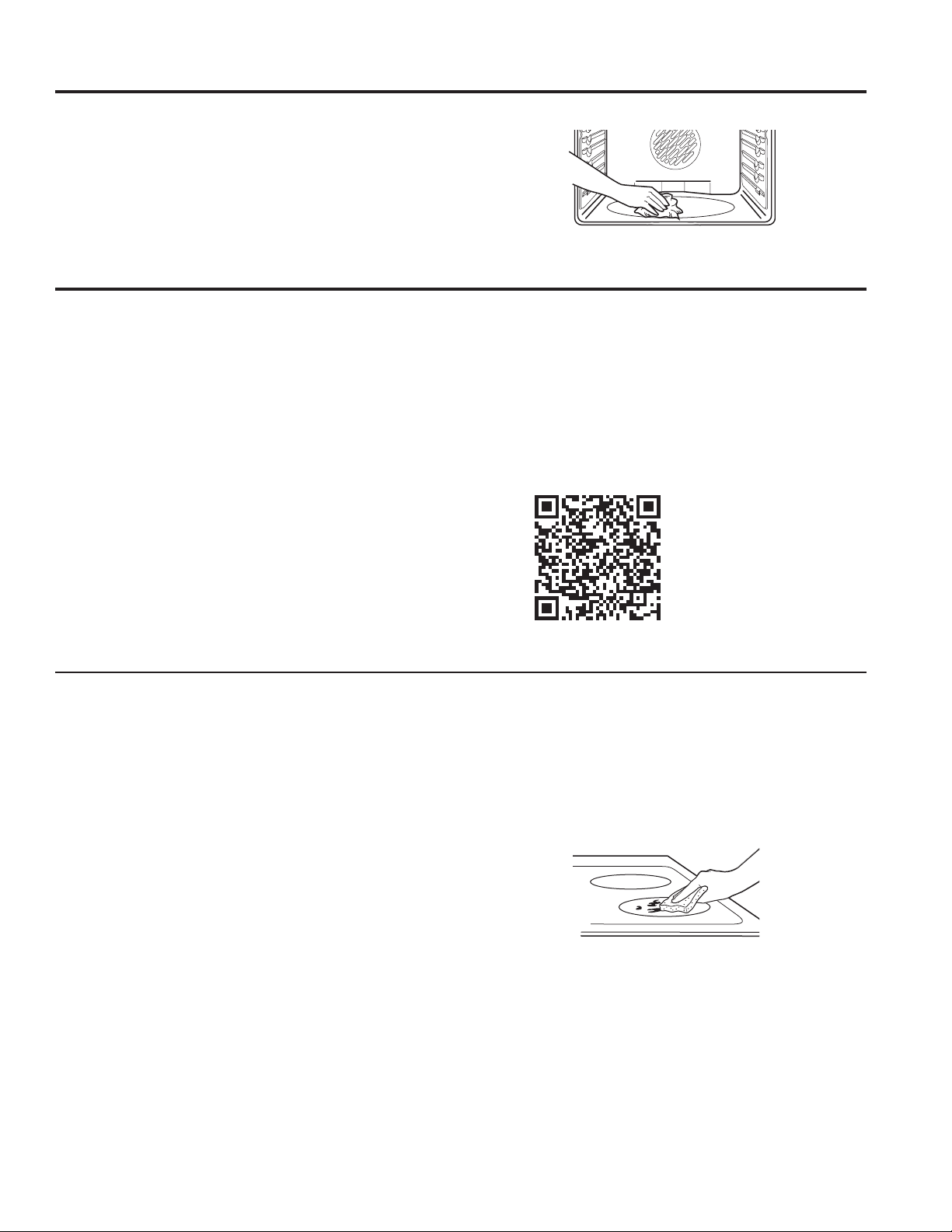
49-2000573 Rev. 5 29
CARE AND CLEANING:Range–Interior/GlassCooktop
Range – Interior (Cont.)
Oven Heating Elements
Do not clean the bake element or the broil element. Any
soil will burn off when the elements are heated.
The bake element is not exposed and is under the oven
floor. Clean the oven floor with warm, soapy water.
Wipe up heavy soil on the oven bottom.
Normal Daily Use Cleaning
ONLY use ceramic cooktop cleaner on the glass
cooktop. Other creams may not be as effective.
For models with Precision Cooktop Sensor on the
left front element: ONLY use water and dish detergent
on the Precision Cooktop Sensor. Do not use cream
based cleaners. Cleaners that have grit can cause build
up around sensor and restrict its ability to move freely.
To maintain and protect the surface of your glass cooktop,
follow these steps:
1. Before using the cooktop for the first time, clean it
with ceramic cooktop cleaner. This helps protect the
top and makes cleanup easier.
2. Daily use of ceramic cooktop cleaner will help keep
the cooktop looking new.
3. Shake the cleaning cream well. Apply a few drops of
ceramic cooktop cleaner directly to the cooktop.
4. Use a paper towel or non-scratch cleaning pad
for Ceramic Cooktops to clean the entire cooktop
surface.
5. Use a dry cloth or paper towel to remove all cleaning
residue. No need to rinse.
NOTE: It is very important that you DO NOT heat the
cooktop until it has been cleaned thoroughly.
Burned-On Residue
NOTE: DAMAGE to your glass surface may occur if you
use scrub pads other than those recommended.
For models with Precision Cooktop Sensor on the
left front element: ONLY use non-scratch pads to clean
the surface of the Precision Cooktop Sensor. DAMAGE
to the sensor surface may occur if you use scrub pads
that are abrasive.
1. Allow the cooktop to cool.
2. Spread a few drops of ceramic cooktop cleaner on
the entire burned residue area.
3. Using the included non-scratch cleaning pad for
Ceramic Cooktops, rub the residue area, applying
pressure as needed.
4. If any residue remains, repeat the steps listed above
as needed.
5. For additional protection, after all residue has been
removed, polish the entire surface with ceramic
cooktop cleaner and a paper towel.
Glass Cooktop
Use a non-scratch cleaning pad for
Ceramic Cooktops.
For cleaning videos and
instructions, scan the QR
code with your device.

30 49-2000573 Rev. 5
Metal Marks and Scratches
1. Be careful not to slide pots and pans across your
cooktop. It will leave metal markings on the cooktop
surface.
These marks are removable using the ceramic
cooktop cleaner with the non-scratch cleaning pad for
Ceramic Cooktops.
2. If pots with a thin overlay of aluminum or copper
are allowed to boil dry, the overlay may leave black
discoloration on the cooktop.
This should be removed immediately before heating
again or the discoloration may be permanent.
NOTE: Carefully check the bottom of pans for roughness
that would scratch the cooktop.
3. Be careful not to place aluminum baking sheets or
aluminum frozen entrée containers on a hot cooktop
surface. It will leave shinny dots or markings on the
cooktop surface. These markings are permanent and
cannot be cleaned off.
Damage from Sugary Spills and Melted Plastic
Special care should be taken when removing hot
substances to avoid permanent damage of the glass
surface. Sugary spillovers (such as jellies, fudge, candy,
syrups) or melted plastics can cause pitting of the
surface of your cooktop (not covered by the warranty)
unless the spill is removed while still hot. Special care
should be taken when removing hot substances.
Be sure to use a new, sharp razor scraper.
Do not use a dull or nicked blade.
1. Turn off all surface units. Remove hot pans.
2. Wearing an oven mitt:
a. Use a single-edge razor blade scraper to move
the spill to a cool area on the cooktop.
b. Remove the spill with paper towels.
3. Any remaining spillover should be left until the surface
of the cooktop has cooled.
4. Don’t use the surface units again until all of the
residue has been completely removed.
NOTE: If pitting or indentation in the glass surface has
already occurred, the cooktop glass will have to be
replaced. In this case, service will be necessary.
Glass Cooktop (Cont.)
Precision Cooktop Sensor
1. Allow cooktop to cool.
2. Apply soapy water to a non-abrasive sponge and
spread across any residue on the sensor.
3. Using the sponge, rub the residue area applying
pressure as needed
4. If any residue remains, repeat the steps listed above
as needed.
5. Wipe the sensor with a wet towel or sponge to remove
any soap.
6. Dry the sensor after cleaning using dry towel.
IMPORTANT: Make sure sensor is dry before cooking.
If sensor is not clean and dry cooking performance could
be affected. Do not use cream based cleaners, abrasive
pads or razor blades on sensor surfaces.
CARE AND CLEANING: Glass Cooktop
Heavy, Burned-On Residue
For models with Precision Cooktop Sensor on the
left front element: Do not use razor blades or scrapers
on Precision Cooktop Sensor surfaces.
1. Allow the cooktop to cool.
2. Use a single-edge razor blade scraper at approximately
a 45° angle against the glass surface and scrape the
soil. It will be necessary to apply pressure to the razor
scraper in order to remove the residue.
3. After scraping with the razor scraper, spread a few drops
of ceramic cooktop cleaner on the entire burned residue
area. Use the non-scratch cleaning pad to remove any
remaining residue.
4. For additional protection, after all residue has been
removed, polish the entire
surface with ceramic
cooktop cleaner and a
paper towel.
The ceramic cooktop scraper and all recommended supplies
are available through our Parts Center. See the Accessories
and Consumer Support sections at the end of this manual.
NOTE: Do not use a dull or nicked blade.
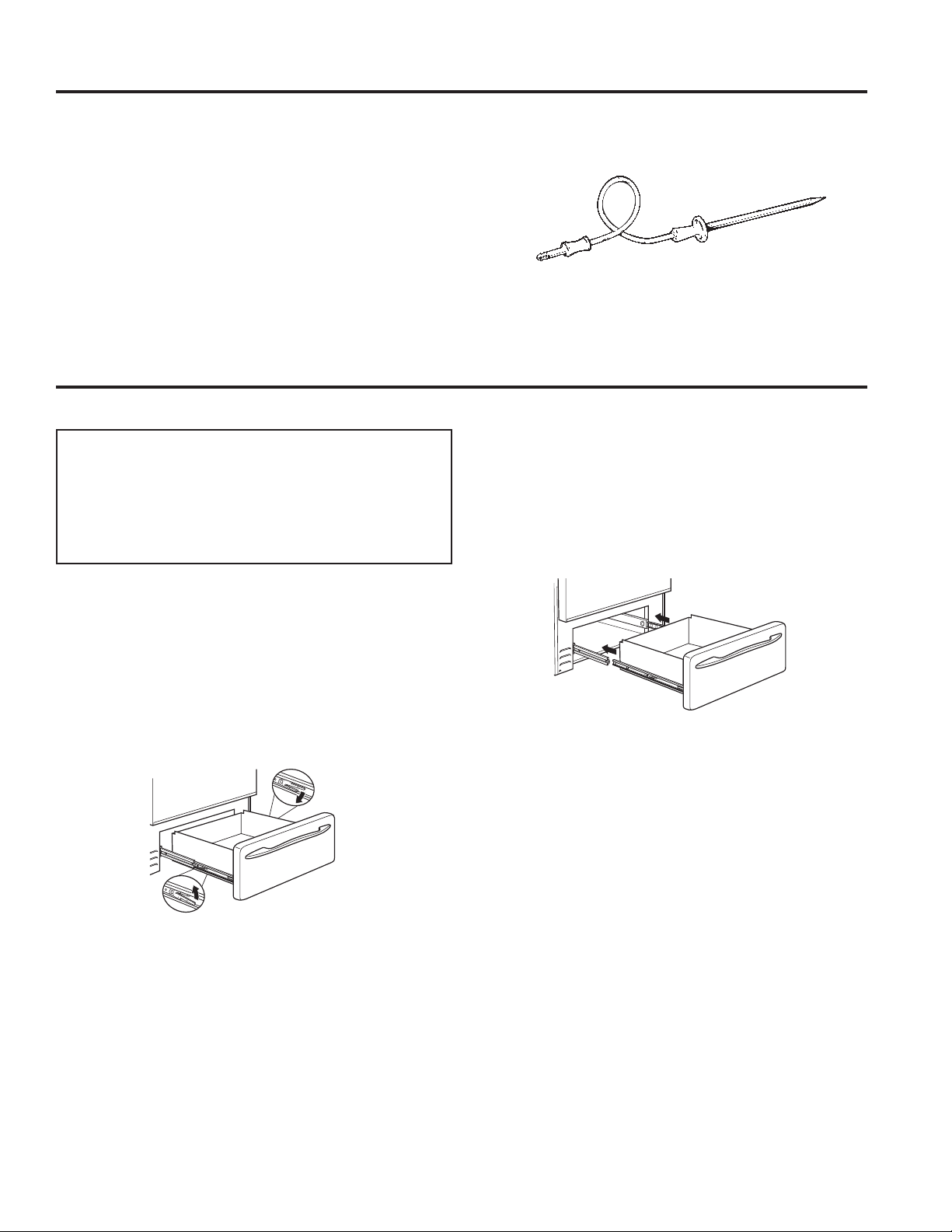
49-2000573 Rev. 5 31
Oven Probe
The temperature probe may be cleaned with soap and
water or a soap-filled scouring pad. Cool the temperature
probe before cleaning. Scour stubborn spots with a soap-
filled scouring pad, rinse and dry.
To order additional temperature probes, see the
Accessories and Consumer Support sections at the end
of this manual.
■ Do not immerse the temperature probe in water.
■ Do not store the temperature probe in the oven.
■ Do not leave the temperature probe inside the oven
during a self or steam clean cycle.
CARE AND CLEANING: OvenProbe/Drawer
Removable Warming Drawer
NOTE: For models with an electric warming drawer,
before performing any adjustments, cleaning or
service, disconnect the range electrical power supply
at the household distribution panel by removing the
fuse or switching off the circuit breaker. Make sure
the warming drawer heating element is cool.
Most cleaning can be done with the drawer in place.
However, the drawer may be removed if further cleaning
is needed. Use soap and warm water to thoroughly clean.
To remove the drawer:
1. Pull drawer straight out until it stops.
2. Press the left rail release up and press the right rail
release down, while pulling the drawer forward and
free.
To replace the drawer:
1. Place the left drawer rail around the inner left rail
guide and slide it in slightly to hook it.
2. Place the right drawer rail around the inner right rail
guide and slide it in slightly to hook it.
3. Slide the drawer all the way in.
Drawer
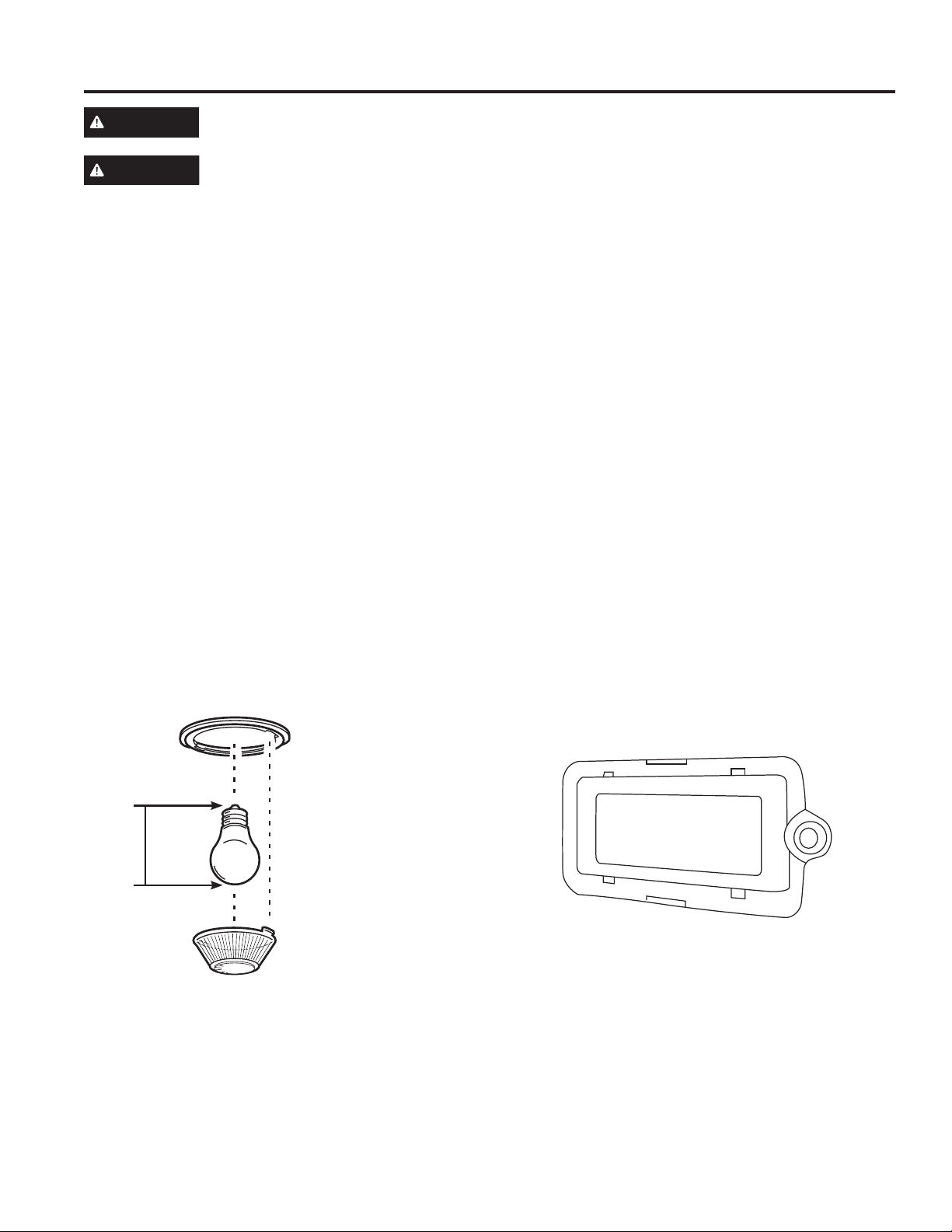
32 49-2000573 Rev. 5
40-watt appliance bulb
NOTE: The glass cover should be removed only when
cold. Wearing latex gloves may offer a better grip.
Before replacing the bulb, disconnect electrical power to
the oven at the main fuse or circuit breaker panel. Let
the bulb cool completely before removing it. For your
safety do not touch a hot bulb with a damp cloth. If you
do the bulb may break.
To remove:
Turntheglasscovercounterclockwise1/4turnuntilthe
tabs of the glass cover clear the grooves of the socket
and pull the cover off. Remove the bulb.
To replace:
Put in a new 40-watt appliance bulb. Place the tabs of
the glass cover into the grooves of the socket. Turn the
glasscoverclockwise1/4turn.
NOTE:
■ A 40-watt appliance bulb is smaller than a standard
40-watt household bulb.
■ Reconnect electrical power to the oven once the new
bulb is installed.
■ For improved lighting inside the oven, clean the glass
cover frequently using a wet cloth. This should be
done when the oven is completely cool.
Bulb
Socket
Tab
3
1
⁄2”
Max
length
Glass cover
WARNING
SHOCK OR BURN HAZARD: Before replacing oven light bulb, disconnect the electrical power to the
range at the main fuse or circuit breaker panel. Failure to do so may result in electric shock or burn.
CAUTION
BURN HAZARD: The glass cover and bulb should be removed when cool. Touching hot glass with
bare hands or a damp cloth can cause burns.
Oven Lights
50-watt halogen lamp bulb
1. Disconnect power at the main fuse or circuit breaker
panel.
2. Remove oven racks.
3. Slide a flat blade screwdriver between the housing
and the glass light cover.
4. Support the glass light cover with two fingers to
prevent the cover from falling to the bottom of the
oven. Be careful not to chip the oven coating.
5. Gently twist the screwdriver blade to loosen the glass
light cover.
6. Remove the glass light cover.
7. Remove the bulb by firmly grasping and sliding the
bulb straight out until the two prongs have cleared the
ceramic holder.
8. Do not touch the glass of the 50-watt halogen lamp
bulb with your fingers. It will cause the bulb to fail
when it lights. Grasp the replacement bulb with a
clean towel or facial tissue with the prongs facing
down. Align the two prongs in the ceramic holder,
pressing gently until the bulb is securely in the
ceramic socket.
9. Slide the protective lens into the holder and push until
the clips snap into the housing.
10. Reconnect power.
CARE AND CLEANING: Oven Lights
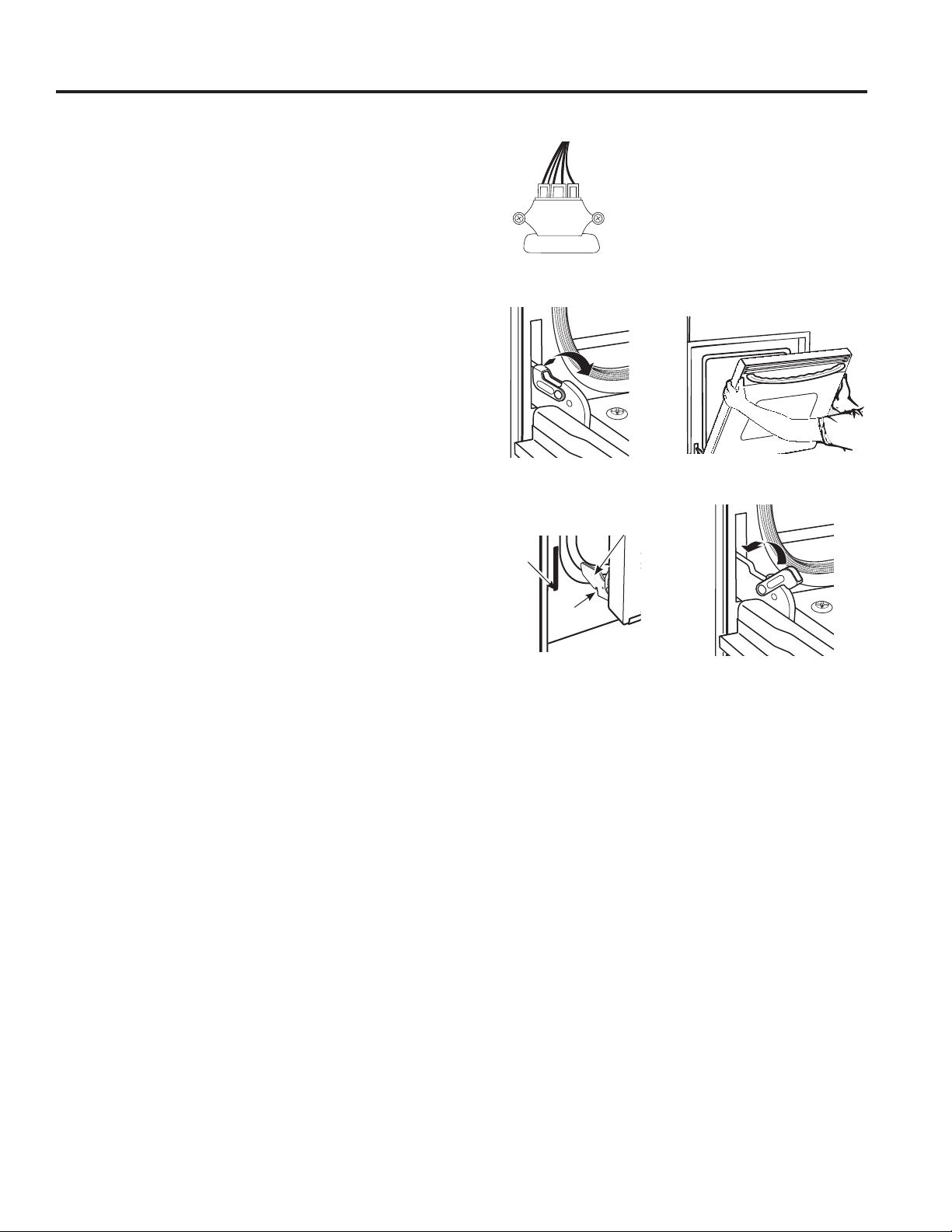
49-2000573 Rev. 5 33
CARE AND CLEANING: Oven Door
Oven Door
The door is very heavy. Be careful when removing and lifting the door. Do not lift door by the handle.
Removal positionPull hinge locks up to unlock
Push hinge locks down to lockRest notch on bottom edge
of hinge slot
Notch
Bottom
edge of
slot
Hinge arm
Before removing the door, open the warming drawer
and disconnect the camera harness by unhooking the
connector that is snapped into the front frame bracket.
To Remove the Door:
1. Fully open the door.
2. Pull the hinge locks up and away from the range
frame to the unlocked position.
3. Firmly grasp both sides of the door near the top.
4. Close door until the top of the door is approximately
6” from the range frame.
5. Lift door up and away from the range until both hinge
arms are clear of the slots in the range frame.
To Replace the Door:
1. Firmly grasp both sides of the door near the top.
2. With the door at the same angle as the removal
position, rest the notch on the underside of the left
hinge arm on the bottom edge of the left hinge slot.
The notch in the hinge arm must be fully seated into
the bottom of the slot. Repeat for the right side.
3. Fully open the door. If the door will not fully open, the
notches in the bottoms of the hinge arms have not
seated correctly in the bottom edge of the slot. Lift the
door off the range and repeat previous step.
4. Push the hinge locks toward the range cavity and
down to the locked position.
5. Close the oven door.
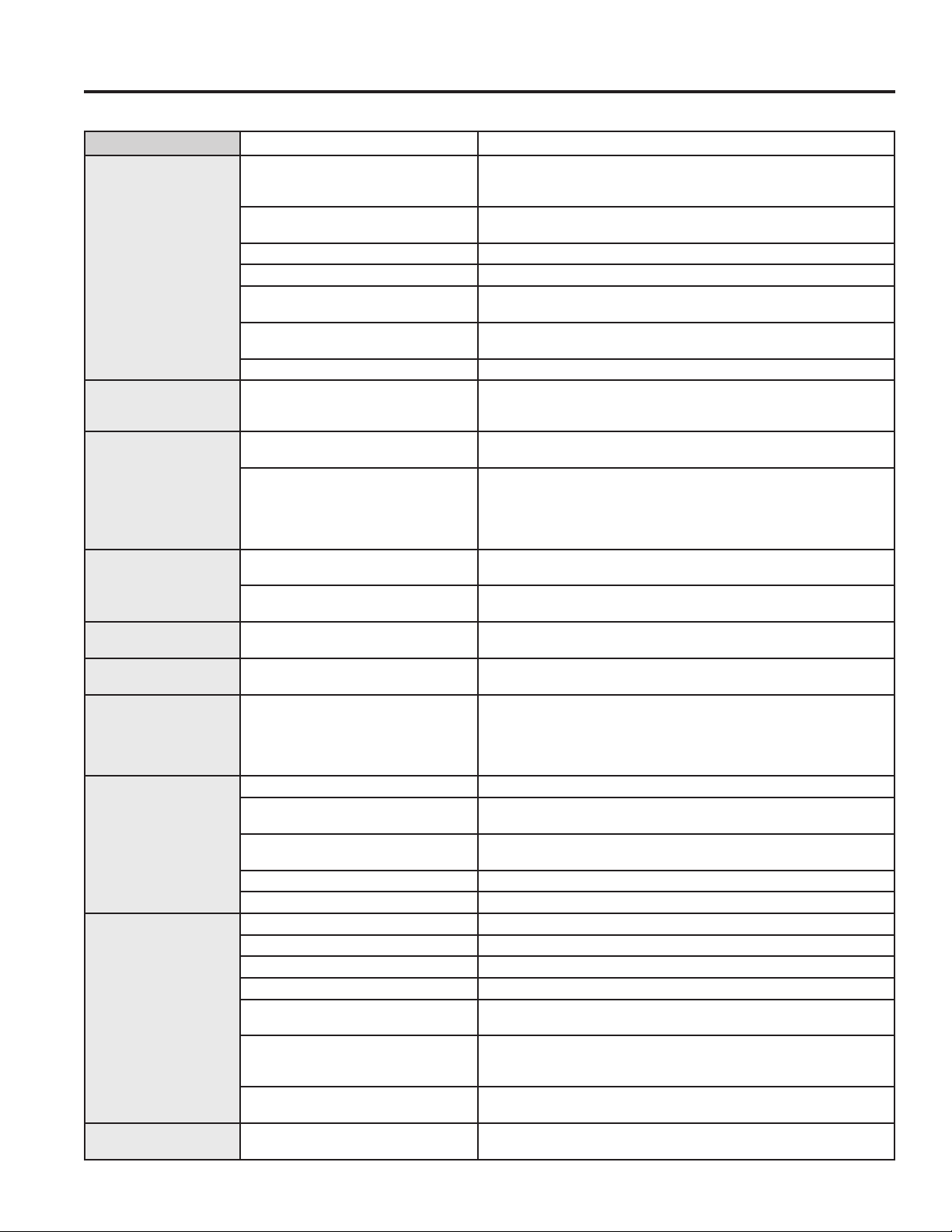
34 49-2000573 Rev. 5
Problem Possible Cause What To Do
Surface units do not
work properly or
flashing power setting.
Improper cookware being used. Wrong pan type. Use a magnet to check that cookware is induction-
compatible. Use a flat induction-capable pan that meets the minimum
size for the element being used. See the Pan size and shape section.
Pan is too small. Pan size is below the minimum size for the element. See the Pan size
and shape section. Use smaller element.
Pan not positioned correctly. Center the pan in the cooking zone.
Pan is not in full contact with glass surface.
Pan must be flat.
In some areas, the power (voltage) may
be low.
Cover pan with a lid until desired heat is obtained.
A fuse in your home may be blown or
the circuit breaker tripped.
Replace the fuse or reset the circuit breaker.
Cooktop controls improperly set. Check to see that the control is set properly. Press On then + or -
Surface unit setting
changed or turned off
unexpectedly.
High cooktop temperature. Allow the internal fan to cool the cooktop. Check if pan boiled dry.
Scratches (may appear
as cracks) on cooktop
glass surface.
Incorrect cleaning methods being used. Scratches are not removable. Tiny scratches will become less visible in
time as a result of cleaning.
Cookware with rough bottoms being
used or coarse particles (salt or sand)
were between the cookware and the
surface of the cooktop. Cookware has
been slid across the cooktop surface.
To avoid scratches, use the recommended cleaning procedures. Make
sure bottoms of cookware are clean before use, and use cookware with
smooth bottoms.
Areas of discoloration
on the cooktop.
Food spillovers not cleaned before next
use.
See the Cleaning the glass cooktop section.
Hot surface on a model with a light-
colored cooktop.
This is normal. The surface may appear discolored when it is hot. This is
temporary and will disappear as the glass cools.
Plastic melted to the
surface.
Hot cooktop came into contact with
plastic placed on the hot cooktop.
SeetheGlasssurface—potentialforpermanentdamagesectioninthe
Cleaning the glass cooktop section.
Pitting (or indentation)
of the cooktop.
Hot sugar mixture spilled on the cooktop. Call a qualified technician for replacement.
My new oven doesn't
cook like my old one.
Is something wrong
with the temperature
settings?
Your new oven has a different cooking
system from your old oven and therefore
may cook differently than your old oven.
For the first few uses, follow your recipe times and temperatures
carefully. If you still think your new oven is too hot or too cold, you
can adjust the temperature yourself to meet your specific cooking
preference. NOTE: This adjustment affects Bake, and Convection Bake
temperatures; it will not affect Broil or Clean.
Food does not bake
properly.
Oven controls improperly set. See the Cooking Modes section.
Rack position is incorrect or rack is not
level.
See the Cooking Modes section and Cooking Guide.
Incorrect cookware or cookware of
improper size being used.
See the Cookware section.
Oven temperature needs adjustment. See the Special Features section.
Ingredient substitution. Substituting ingredients can change the recipe outcome.
Food does not broil
properly.
Oven controls improperly set. Make sure you select the appropriate broil mode.
Improper rack position being used. See Cooking Guide for rack location suggestions.
Food being cooked in a hot pan. Make sure cookware is cool.
Cookware not suited for broiling. Use a pan specifically designed for broiling.
The probe is plugged into the outlet in
the oven.
Unplug and remove the probe from the oven.
Aluminum foil used on the broiling pan
and grid has not been fitted properly
and slit as recommended.
If using aluminum foil conform to pan slits.
In some areas the power (voltage) may
be low.
Preheat the broil element for 10 minutes.
Oven temperature too
hot or too cold.
Oven temperature needs adjustment. See the Special Features section.
Save time and money! Review the charts on the following pages first and you may not need to schedule service.
Troubleshooting tips ... Before you schedule service
TROUBLESHOOTING TIPS
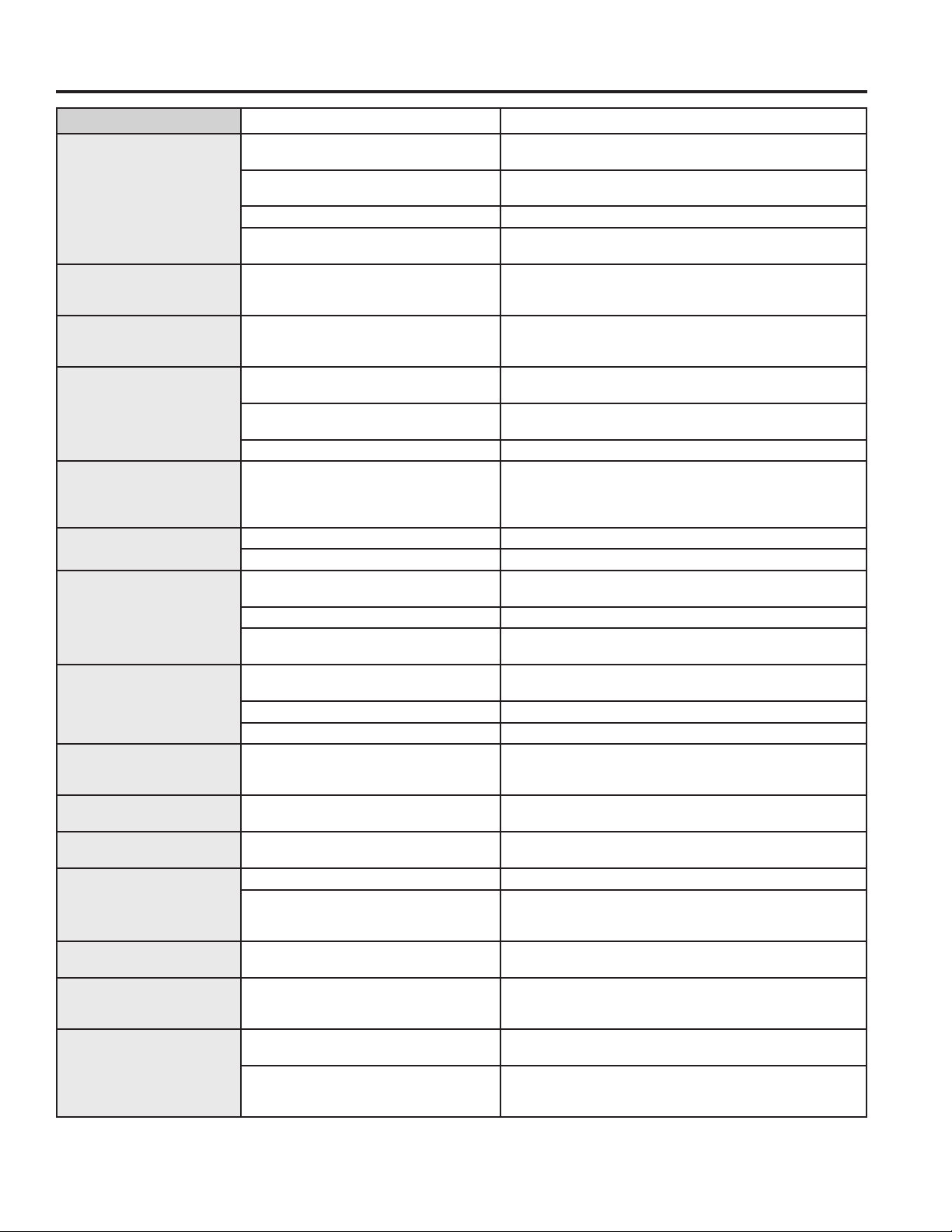
49-2000573 Rev. 5 35
TROUBLESHOOTING TIPS
Problem Possible Cause What To Do
Oven does not work or
appears not to work.
Plug on range is not completely inserted in
the electrical outlet.
Make sure electrical plug is plugged into a live, properly
grounded outlet.
A fuse in your home may be blown or the
circuit breaker tripped.
Replace the fuse or reset the circuit breaker.
Oven controls improperly set. See the Using the Oven section.
Oven is in Sabbath Mode. Verify,thattheovenisnotinSabbathMode.SeetheSpecial
Features section.
“Crackling” or “popping”
sound.
This is the sound of the metal heating
and cooling during both the cooking and
cleaning functions.
This is normal.
Why is my range making a
"clicking" noise when using
my oven?
Your range cycles the heating elements by
turning relays on and off to maintain the
oven temperature.
This is normal.
Clock and timer do not
work.
A fuse in your home may be blown or the
circuit breaker tripped.
Replace the fuse or reset the circuit breaker.
Plug on range is not completely inserted in
the electrical outlet.
Make sure electrical plug is plugged into a live, properly
grounded outlet.
Oven controls improperly set. See the Using the kitchen timer section.
Oven door is crooked. The door is out of position. Because the oven door is removable, it sometimes gets out of
position during installation. To straighten the door, re-install the
door. See the "Lift-Off Oven Door" instructions in the "Care and
Cleaning" section.
Oven light does not work. Light bulb is loose or defective. Tighten or replace bulb.
Pad operating light is broken. Call for service.
Oven will not self-clean. The temperature is too high to set a self-
clean operation.
Allow the oven to cool and reset the controls.
Oven controls improperly set. See the Cleaning the Oven section.
The probe is plugged into the outlet in the
oven.
Remove the probe from the oven.
Oven will not steam clean. Display flashes HOT. Allow the oven to cool to room temperature and reset the
controls.
Oven controls improperly set. See the Using Steam Clean section.
Oven door is not closed. Make sure you close the door to start steam clean cycle.
Excessive smoking during
clean cycle.
Excessive soil or grease. Press the Cancel/Off pad. Open the windows to rid the room
of smoke. Wait until the LOCKED light goes off. Wipe up the
excess soil and reset the clean cycle.
Excessive smoking during
broiling.
Food too close to burner element. Lower the rack position of the food.
Oven door will not open
after a clean cycle.
Oven too hot. Allow the oven to cool below locking temperature.
Oven not clean after a clean
cycle.
Oven controls improperly set. See the Cleaning the Oven section.
Oven was heavily soiled. Clean up heavy spillovers before starting the clean cycle.
Heavily soiled ovens may need to self-clean again or for a
longer period of time.
"LOCK DOOR" flashes in
the display.
The self-clean cycle has been selected but
the door is not closed.
Close the oven door.
DOOR LOCK light is on
when you want to cook.
The oven door is locked because the
temperature inside the oven has not
dropped below the locking temperature.
Press the Cancel/Off pad. Allow the oven to cool.
“F— and a number or letter”
flash in the display.
You have a function error code. Press the Cancel/Off pad. Allow the oven to cool for one hour.
Put the oven back into operation.
If the function code repeats. Disconnect all power to the oven for at least 30 seconds and
then reconnect power. If the function error code repeats, visit
cafeappliances.com/service.
Troubleshooting tips ... Before you schedule service
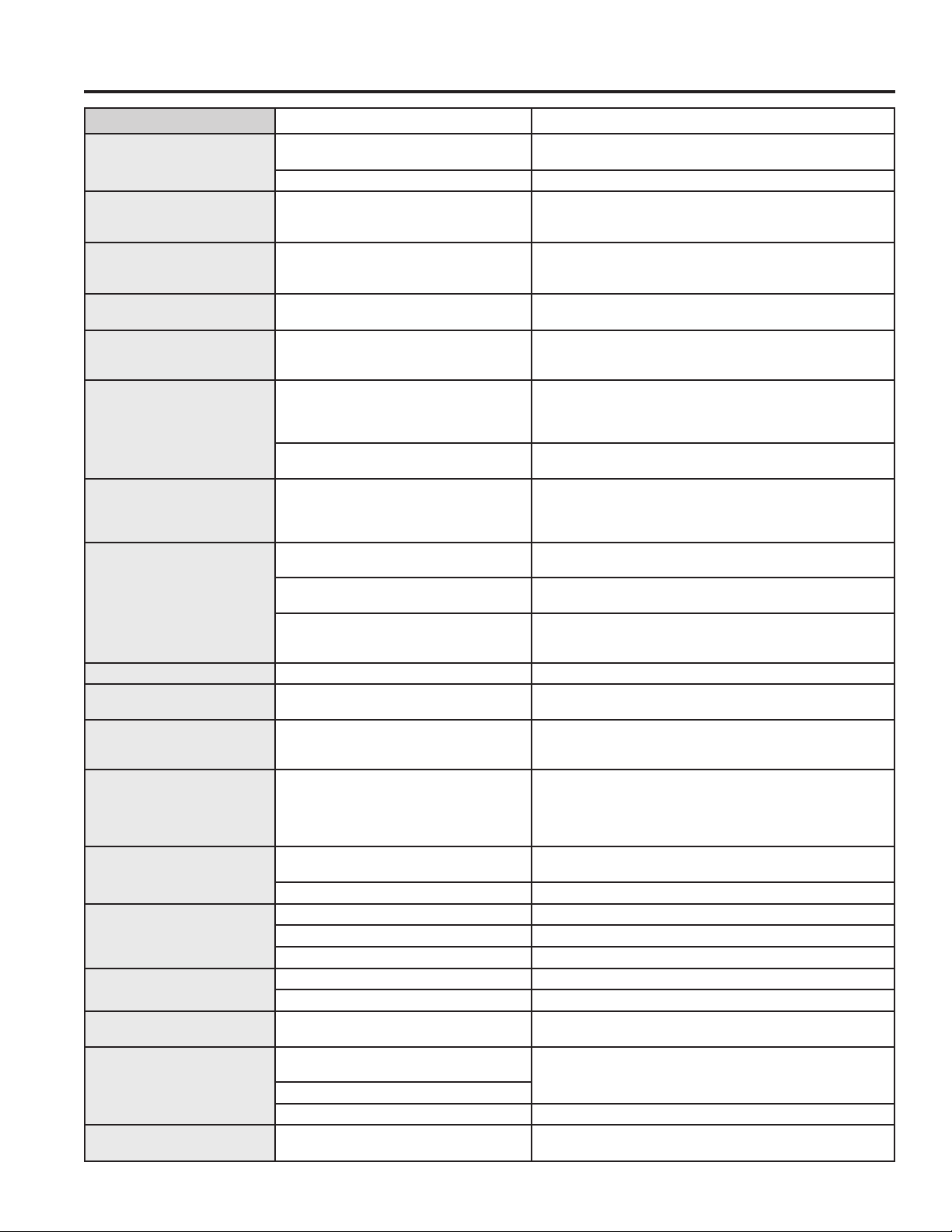
36 49-2000573 Rev. 5
Problem Possible Cause What To Do
Display goes blank. A fuse in your home may be blown or the
circuit breaker tripped.
Replace the fuse or reset the circuit breaker.
The clock is turned off. See the Special features section.
Oven or cooktop will not stay
set.
Function error. Disconnect all power for at least 30 seconds and then
reconnect power. If repeating, visit cafeappliances.com/
service.
Power outage, clock flashes. Power outage or surge. Reset the clock. If the oven was in use, you must reset it by
pressing the Cancel/Off pad, setting the clock and resetting
any cooking function.
“Burning” or “oily” odor
emitting from the vent.
This is normal in a new oven and will
disappear in time.
To speed the process, set a self-clean cycle for a minimum of
3 hours. See the Cleaning the Oven section.
Strong odor. An odor from the insulation around the
inside of the oven is normal for the first few
times the oven is used.
This is temporary and will go away after several uses or a self-
clean cycle.
Fan noise. A convection fan may automatically turn on
and off.
This is normal. The fan is designed to operate intermittently to
maximize cooking evenness. The convection fan will operate
during preheat of the bake cycle. The fan will turn off after the
oven is heated to the set temperature. This is normal.
A cooling fan may automatically turn on
and off.
This is normal. The cooling fan will turn off and on to cool
internal parts. It may run after the oven is turned off.
My oven door glass appears
to be "tinted" or have a
"rainbow" color. Is this
defective?
No. The inner oven glass is coated with
a heat barrier to reflect the heat back into
the oven to prevent heat loss and keep the
outer door cool while baking.
This is normal. Under certain light or angles, you may see this
tint or rainbow color.
Sometimes the oven takes
longer to preheat to the same
temperature.
Cookware or food in oven. The cookware or food in the oven will cause the oven to take
longer to preheat. Remove items to reduce preheat time.
Number of racks in oven. Adding more racks to the oven will cause the oven to take
longer to preheat. Remove some racks.
Different cooking modes. The different cooking modes use different preheat methods to
heat the oven for the specific cooking mode. Some modes will
take longer than others (i.e. convection bake).
Display flashes. Power failure. Reset the clock.
Control signals after entering
cooking time or start time.
You forgot to enter a bake temperature or
cleaning time.
Touch the Bake pad and desired temperature or the Self
Clean pad and desired clean time.
Oven racks are difficult to
slide.
The shiny, silver-colored racks were
cleaned in a self-clean cycle.
Apply a small amount of vegetable oil to a paper towel and
wipe the edges of the oven racks with the paper towel. Do not
spray with Pam
®
or other lubricant sprays.
Steam from the vent. When using the ovens, it is normal to see
steam coming out of the oven vents. As the
number of racks or amount of food being
cooked increases, the amount of visible
steam will increase.
This is normal.
Warming drawer will not
work.
A fuse in your home may be blown or the
circuit breaker tripped.
Replace the fuse or reset the circuit breaker.
Controls improperly set. See the Using the warming drawer section.
Excessive condensation in
the drawer.
Liquid in drawer. Remove liquid.
Uncovered foods. Cover food with lid or aluminum foil.
Temperature setting too high. Reduce temperature setting.
Food dries out in the
warming drawer.
Moisture escaping. Cover food with lid or aluminum foil.
Drawer not fully closed. Push drawer in until latch engages.
Water remaining on oven floor
after Steam Clean cycle.
This is normal. Remove any remaining water with a dry cloth or sponge.
Oven will not work remotely Router issues, no wireless signal, etc. For assistance with oven wireless network connectivity, please
call 1-800-220-6899.
Oven is not connected.
Remote enable is off Turn remote enable on (see Settings section of this manual)
“Probe” appears in the
display.
This is reminding you to enter a probe
temperature after plugging in the probe.
Enter a probe temperature.
Troubleshooting tips ... Before you schedule service
TROUBLESHOOTING TIPS

49-2000573 Rev. 5 37
TROUBLESHOOTING TIPS
Problem Possible Cause What To Do
Probe actual temperature is
not stable while charger is
inserted
Electrical noise is impacting the signal. Probe should be charged before cooking. Do not leave probe
plugged in while cooking.
My precision probe
JXSOUSV1 won't pair
Existing precision probes are not compatible
with new features.
Connect a model compatible precision probe.
My precision probe is not
accurately maintaining low
temperatures
Thepotsize,potset-up,and/orburnersize
you are using may be unsuitable to hold low
temperatures.
Remove the lid, use a larger diameter pot, or use a smaller
burner. Please keep your unit connected and install upcoming
updates to improve performance.
Pan won't pair or activate
when tapping handle
Tapping force is too light. Double tap the pan with firm taps (or knock) on the black
plastic endcap.
Battery in pan is low or dead. Replace AAA battery, installing with positive end out of handle.
Using different pan hardware. Check that your pan has a black endcap that unscrews from
the end of the handle. Pans with an oval module reading
"Hestan Cue
®
" will not work with Café appliances.
Experiencing performance
or minor technical issues
including seeing 20F or 100F
as set temperature
Old unit or pan software. Connect your unit to the SmartHQ mobile app and update
unit software. Connect your unit and pan to the Hestan Smart
Cooking app and update pan software.
The unit cancelled my
precision cooking mode
Battery in device is low or dead. Replace AAA battery in pan, or charge probe.
Old unit or pan software. Connect your unit to the SmartHQ mobile appp and update
unit software. Connect your unit and pan to the Hestan Smart
Cooking app and update pan software.
Your precision cooking device has gone out
of range.
This could indicate a problem with the device. If the problem
persists, please contact the device manufacturer.
Your precision cooking device had a
computation malfunction.
The unit lost communication with your
precision cooking device.
This could indicate a problem with the device or the unit.
If the problem persists, please contact the device or unit
manufacturer.
Some cooking techniques and set
temperatures in combination may trigger a
fault in the temperature sensing algorithm.
Re-start the precision cooking mode and if problem persists
under the same conditions but is not consistent in other use
cases, contact the unit manufacturer.
Unable to reach set
temperature in Precision
Cooking mode
Boiling water or cooking liquid based
foods at high temperatures will result
in temperature stalls close to the set
temperature.
Use temperature settings for pan frying, sautéing, and searing
when using Hestan Cue cookware or built-in conventional
Precision Cooktop Sensor. The Precision Cooking Probe
accessory can be used to control liquid temperatures between
100-200 degrees F for slow cooking, simmering, and advanced
cookingtechniqueslikeSousVide.
Hestan Cue cookware battery
life does not last as long as
expected
Limitation of Hestan Cue cookware design Replace battery
Oven camera image is not
clear
Oven door glass is dirty Follow directions in Care and Cleaning section to properly
clean oven door glass.
No image on oven camera
app
Camera cable unplugged Check to make sure camera cable is plugged into bottom of
door.
Camera stream color
fluctuates between red and
green tint
Auto white balancing of camera if fluctuation occurs for longer than 30 seconds, reach out
to service. If internet connection is suboptimal, you may
experience frequent resetting of the camera stream, which will
trigger color fluctuation
Reflection of the kitchen or
reflections of the door mask
pattern are visible in the
camera image.
Reflections are likely when kitchen has very
bright lighting that shines onto the oven
door or onto surfaces in front of the oven.
Dim kitchen lights and or close window blinds when using the
oven camera. If lighting modification is not possible, then a
kitchen towel could be hung off door handle to block ambient
light.
Camera stops and starts
intermittently while
streaming. Sometimes stream
is disconnected and must be
manually restarted.
Poor/suboptimalinternetconnection Check internet connection. If internet connection is suboptimal,
you may experience frequent resetting of the camera stream
Camera image appears darker
than when camera stream
started
Optimized camera settings need to be
re-set
Open and close oven door or STOP and restart camera
stream.
Troubleshooting tips ... Before you schedule service
38 49-2000573 Rev. 5
Staple your receipt here. Proof of the original purchase
date is needed to obtain service under the warranty.
LIMITED WARRANTY
cafeappliances.com
All warranty service is provided by our Factory Service Centers, or an authorized service technician. To schedule service
online, visit us at cafeappliances.com/service. Please have your serial number and your model number available when
scheduling service.
Servicing your appliance may require the use of the onboard data port for diagnostics. This gives a Café factory service
technician the ability to quickly diagnose any issues with your appliance and helps Café improve its products by providing
Café with information on your appliance. If you do not want your appliance data to be sent to Café, please advise your
technician not to submit the data to Café at the time of service.
What Café will not cover:
■ Service trips to your home to teach you how to use
the product.
■ Improperinstallation,deliveryormaintenance.
■ Failureoftheproductifitisabused,misused,
modified or used for other than the intended purpose
or used commercially.
■ Damagetotheglasscooktopcausedbyuseof
cleaners other than the recommended cleaning
creams and pads.
■ Damagetotheglasscooktopcausedbyhardenedspills
of sugary materials or melted plastic that are not cleaned
according to the directions in the Owner's Manual.
■ Replacementofhousefusesorresettingofcircuit
breakers.
■ Damagetotheproductcausedbyaccident,fire,
floods or acts of God.
■ Damagetofinish,suchassurfacerust,tarnish,orsmall
blemishes not reported within 48 hours of delivery.
■ Incidentalorconsequentialdamagecausedby
possible defects with this appliance.
■ Damagecausedafterdelivery.
■ Productnotaccessibletoproviderequiredservice.
■ Servicetorepairorreplacelightbulbs,exceptfor
LED lamps.
■ EffectiveJanuary1,2022,cosmeticdamagetothe
glass cooktop such as, but not limited to, chips,
scratches, or baked on residue not reported within 90
days of installation.
■ EffectiveJanuary1,2022,
damage to the glass cooktop
due to impact or misuse. See
example.
Café Electric Range Limited Warranty
EXCLUSION OF IMPLIED WARRANTIES
Your sole and exclusive remedy is product repair as provided in this Limited Warranty. Any implied warranties,
including the implied warranties of merchantability or fitness for a particular purpose, are limited to one year or
the shortest period allowed by law.
This limited warranty is extended to the original purchaser and any succeeding owner for products purchased for home
use within the USA. If the product is located in an area where service by a Café Authorized Servicer is not available, you
may be responsible for a trip charge or you may be required to bring the product to an Authorized Café Service location
for service. In Alaska, the limited warranty excludes the cost of shipping or service calls to your home.
Some states do not allow the exclusion or limitation of incidental or consequential damages. This limited warranty
gives you specific legal rights, and you may also have other rights which vary from state to state. To know what your
legal rights are, consult your local or state consumer affairs office or your state’s Attorney General.
Warrantor: GE Appliances, a Haier company
Louisville,KY40225
Extended Warranties: Purchase a Café extended warranty and learn about special discounts that are available while
your warranty is still in effect. You can purchase it online anytime at
cafeappliances.com/extended-warranty
Café Service will still be there after your warranty expires.
For the period of Café will replace
One year
From the date
of the original
purchase
Any part of the range which fails due to a defect in materials or workmanship. During this
limited one-year warranty, Café will provide, free of charge, all labor and in-home service to
replace the defective part.

49-2000573 Rev. 5 39
Accessories
FrontControlKnobsandHandles
Small Broiler Pan (8 ¾ ” x 1 ¼” x 13 ½ “)
Large Broiler Pan (12 ¾ ” x 1 ¼” x 16 ½ “)
XLBroilerPan(17”x1¼”x191/4“)
Parts
Oven racks
Oven elements
Light bulbs
Cleaning Supplies
CitruShine™ Stainless Steel Wipes
Stainless Steel Appliance Cleaner
Non-scratch Cleaning Pads for Ceramic Cooktops
Ceramic Cooktop Cleaner
Ceramic Cooktop Scraper
Kit(Kitincludescreamandcooktopscraper)
*Thelargebroilerpandoesnotfitin20”/24”ranges.
**TheXLbroilerpandoesnotfitin24”wallovens,27”drop-insor20”/24”range.
ACCESSORIES
Looking For Something More?
Café offers a variety of accessories to improve your
cooking and maintenance experiences!
Refer to the Consumer Support page for website
information.
The following products and more are available:
Accessories

40 49-2000573 Rev. 5
Printed in Mexico
Consumer Support
CONSUMER SUPPORT
Café Website
Have a question or need assistance with your appliance? Try the Café website 24 hours a day, any day of the year!
You can also shop for more great Café products and take advantage of all our on-line support services designed for
your convenience. In the US: cafeappliances.com
Register Your Appliance
Register your new appliance on-line at your convenience! Timely product registration will allow for enhanced
communication and prompt service under the terms of your warranty, should the need arise. You may also mail in
the pre-printed registration card included in the packing material. In the US: cafeappliances.com/register
Schedule Service
Expert Café repair service is only one step away from your door. Get on-line and schedule your service at your
convenience any day of the year. In the US: cafeappliances.com/service
Extended Warranties
Purchase a Café extended warranty and learn about special discounts that are available while your warranty is still in
effect. You can purchase it on-line anytime. Café Service will still be there after your warranty expires.
In the US: cafeappliances.com/extended-warranty
Remote Connectivity
For assistance with wireless network connectivity (for models with remote enable),
visit our website at cafeappliances.com/connect
Parts and Accessories
Individuals qualified to service their own appliances can have parts or accessories sent directly to their homes
(VISA,MasterCardandDiscovercardsareaccepted).Orderon-linetoday24hourseveryday.
In the US: cafeappliances.com/parts
Instructions contained in this manual cover procedures to be performed by any user. Other servicing
generally should be referred to qualified service personnel. Caution must be exercised, since improper
servicing may cause unsafe operation.
Contact Us
If you are not satisfied with the service you receive from Café, contact us on our website with all the details including
your phone number, or write to:
IntheUS:GeneralManager,CustomerRelations|CaféAppliances,AppliancePark|Louisville,KY40225
cafeappliances.com/contact