30" Self-Cleaning Single
Electric Built-In Wall Oven
Horno de Pared Empotrado
El_ctrico
de una unidad de 30"
con Autolimpieza
Models, Modelos 911.47082, 47084, 47089
229C4020P282 Sears, Roebuck and Co.,
(SR-10476) Hoffman Estates, IL 60179 U.S.A. www, sears.com
30"SELF-CLEANINGOVEN
TABLEOFCONTENTS
Oven Safety ........................... 3-4
Features of Your Oven .............. 5
Removal of Packaging Tape .... 5
Oven Control, Clock, Timer ...... 6
Control Display ......................... 7
Clock ........................................ 8
Kitchen Timer ........................... 8
Tones ........................................ 9
F Code ...................................... 9
Oven Cooking Tips ........... 10-12
Baking .................................... 13
Broiling ................................... 14
Setting Special Features .. 15-19
Self-Cleaning Cycle .......... 20, 21
Control Panel .......................... 22
Broiler Pan and Grid ............... 22
Oven Interior ........................... 22
Oven Light Bulb ...................... 22
Oven Racks ............................ 23
Oven Door .............................. 23
Before Calling for
Service .............................. 24-26
Temperature Adjustment ....... 27
Warranty ................................. 28
Consumer Service Numbers ... 56
For your convenience and future reference, please write down your model
and serial numbers in the space provided. They are located on the front
frame behind the oven door,
MODEL NUMBER:
SERIAL NUMBER:
© Sears, Roebuck and Co.
2
IMPORTANT
SAFETYINSTRUCTIONS
SAVE THESE INSTRUCTIONS
Read all instructions before using this appliance. When using gas or
electrical appliances, basic safety precautions should be followed,
including the following:
To insure safety for yourself, family
and home, please read your Owner's
Manual carefully. Keep it handy for
reference. Pay close attention to
Safety Sections. BE SURE your
appliance is installed and grounded
by a qualified technician.
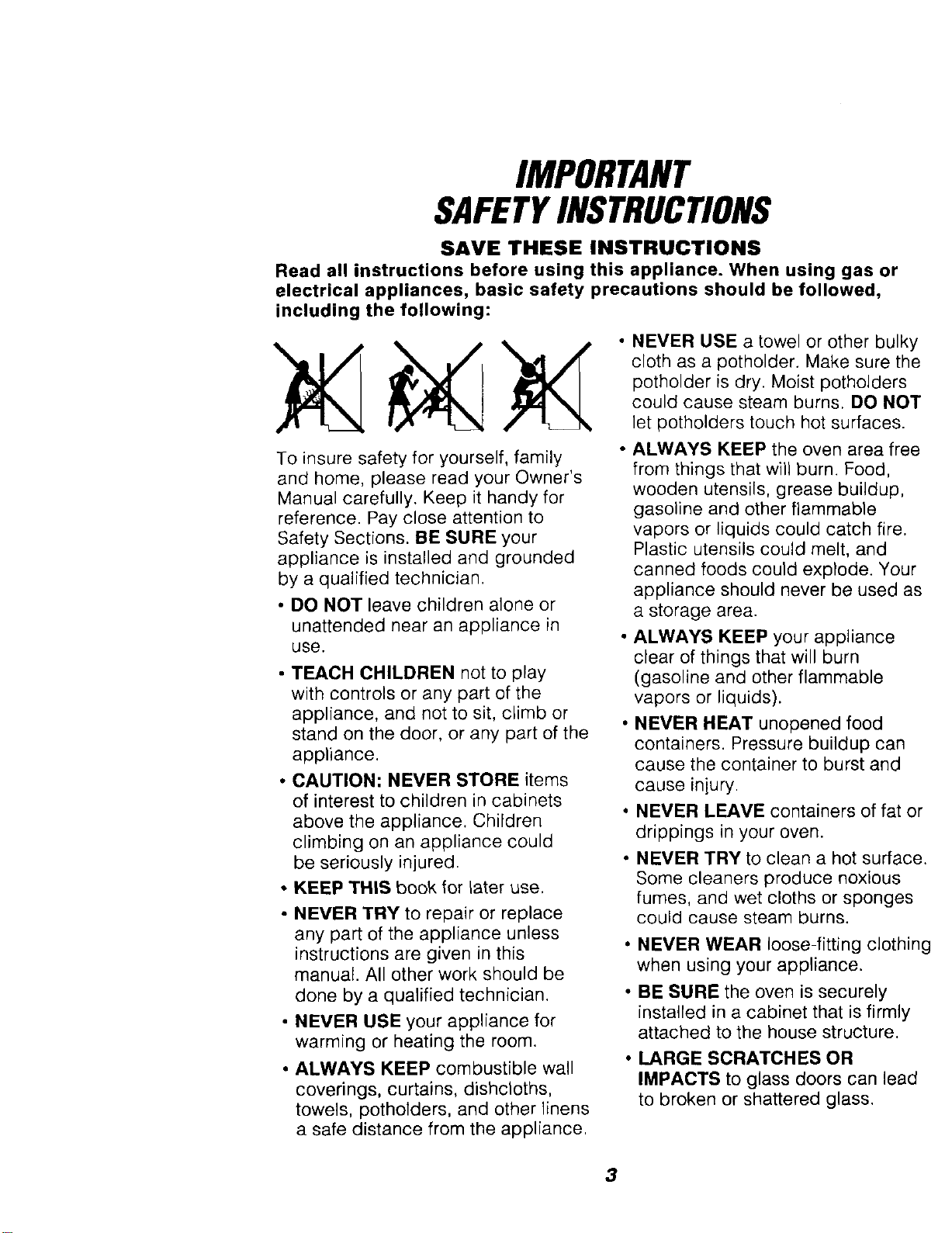
• DO NOT leave children alone or
unattended near an appliance in
use.
• TEACH CHILDREN not to play
with controls or any part of the
appliance, and not to sit, climb or
stand on the door, or any part of the
appliance.
• CAUTION: NEVER STORE items
of interest to children in cabinets
above the appliance. Children
climbing on an appliance could
be seriously injured.
• KEEP THIS book for later use.
• NEVER TRY to repair or replace
any part of the appliance unless
instructions are given in this
manual. All other work should be
done by a qualified technician.
• NEVER USE your appliance for
warming or heating the room.
• ALWAYS KEEP combustible wall
coverings, curtains, dishcloths,
towels, potholders, and other linens
a safe distance from the appliance.
NEVER USE a towel or other bulky
cloth as a potholder. Make sure the
potholder is dry. Moist potholders
could cause steam burns. DO NOT
let potholders touch hot surfaces.
ALWAYS KEEP the oven area free
from things that will burn. Food,
wooden utensils, grease buildup,
gasoline and other flammable
vapors or liquids could catch fire.
Plastic utensils could melt, and
canned foods could explode. Your
appliance should never be used as
a storage area.
• ALWAYS KEEP your appliance
clear of things that will burn
(gasoline and other flammable
vapors or liquids).
NEVER HEAT unopened food
containers. Pressure buildup can
cause the container to burst and
cause iniury.
• NEVER LEAVE containers of fat or
drippings in your oven.
NEVER TRY to clean a hot surface.
Some cleaners produce noxious
fumes, and wet cloths or sponges
could cause steam burns.
• NEVER WEAR loose-fitting clothing
when using your appliance.
• BE SURE the oven is securely
installed in a cabinet that is firmly
attached to the house structure.
• LARGE SCRATCHES OR
IMPACTS to glass doors can lead
to broken or shattered glass.
3
IMPORTANTSAFETY
INSTRUCTIONS
• DO NOT touch heating elements,
surfaces near them, or interior oven
surfaces. These may be hot enough to
cause burns even though they are dark
in color. During and after use, do not
touch or let clothing or flammable
material contact the elements or hot
surfaces until they have had time to
cool. Other surfaces near the oven vent
openings, oven door, and window may
also be hot enough to cause burns.
Immemmm',il
• PLACE OVEN RACKS in the desired
position while the oven is cool. If racks
must be moved while oven is hot, do
not let potholder contact the hot oven
element.
* AFTER BROILING, always take the
broiler pan and grid out of the oven
and clean them. Leftover grease in the
broiler pan could catch fire the next
time you use your oven.
• ALWAYS USE care when opening
the oven door. Let hot air and steam
escape before moving foods.
• NEVER USE aluminum foil to line
the oven bottom. Improper use of foil
could start a fire, or electrical shock
could result.
• NEVER BLOCK the oven vent
opening.
• CLEAN ONLY the parts listed in this
manual. Follow all cleaning instructions.
• NEVER RUB, move, clean or damage
the door gasket on self-cleaning ovens.
It is essential for a good seal.
• NEVER TRY to clean utensils,
cookware, removable parts or broiler
pan and grid in the self-clean cycle.
• DO NOT USE oven cleaners - No
commercial oven cleaner or protective
coating of any kind, should be used in
or around any part of the oven.
• IF THE SELF.CLEANING mode
malfunctions, turn the oven off and
disconnect the power supply. Have it
serviced by a qualified technician.
IMPORTANT SAFETY NOTICE!
The California Safe Drinking Water and
Toxic Enforcement Act requires the
governor of California to publish a list
of substances known to the state to
cause birth defects or other
reproductive harm and requires
businesses to warn their customers
of potential exposure to such
substances. The fiberglass insulation
in a self-cleaning oven will give off a
very small amount of carbon monoxide
during the cleaning cycle. Exposure
can be minimized by venting with an
open door or window or using a
ventilation fan or hood.
IMPORTANT" The health of some
birds Is extremely sensitive to the
fumes given off during the self-cleaning
cycle of any oven. Move birds to
another well-ventilated room.
READ AND UNDERSTAND
THIS INFORMATION
NOW!
Be sure everyone in your home
knows what to do in case of fire.
Never use water on a grease fire; it
will only spread the flames,
OVEN FIRE:
Do not try to move the pan!
1. Close the oven door and turn
controls off.
2. If fire continues carefully open the
door, throw baking soda on the
fire, or use a dry chemical, foam,
or halon type extinguisher.
4
OPERATION
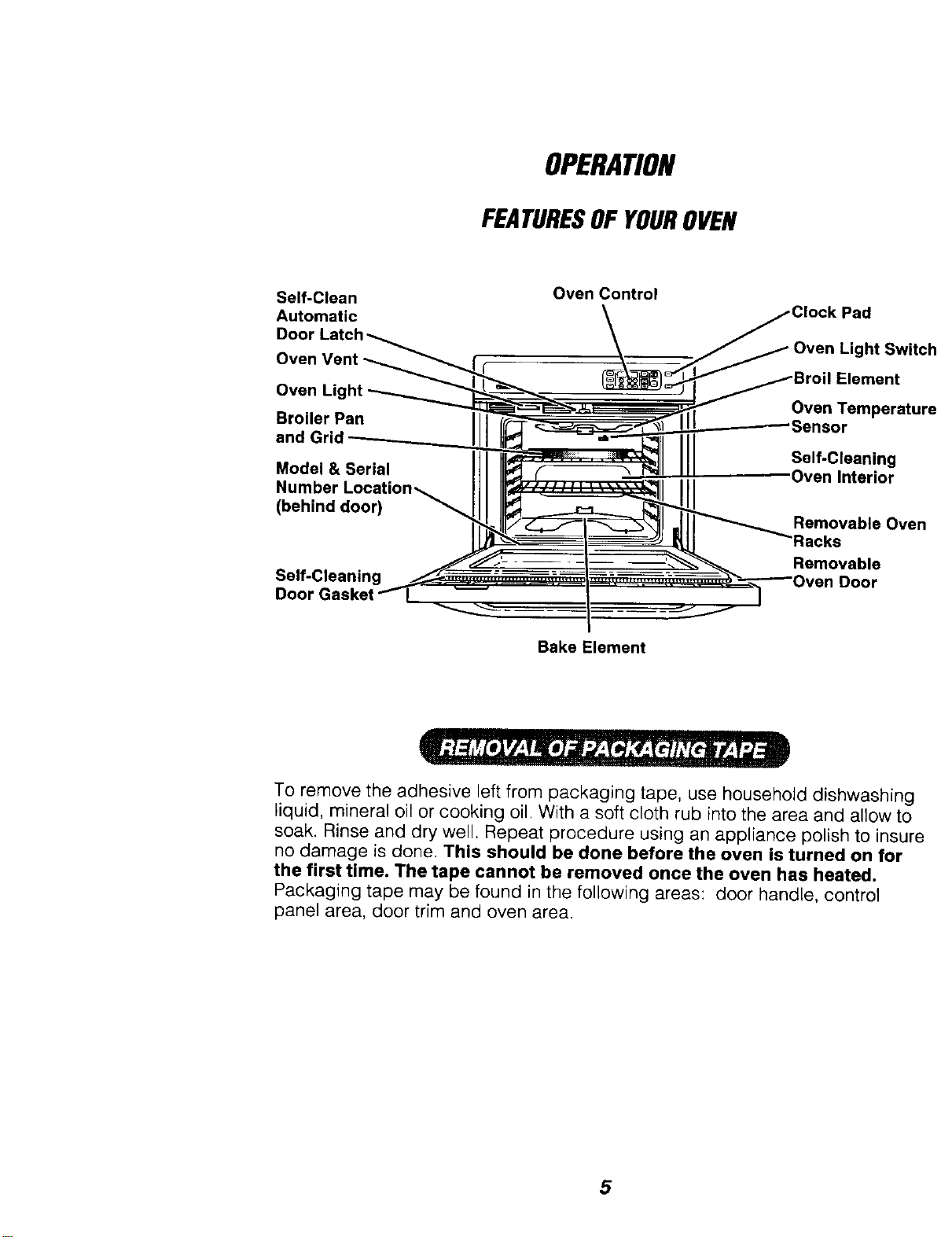
FEATURESOFYOUROVEN
Self-Clean
Automatic
Door
Oven Control
Oven Light Swirl
Oven Light Oven Temperatu
Broiler Pan Sensor
and Grid
Model & Serial
Number
(behind door)
Self-Cleaning
Self-Cleaning
Removable Ove_
acks
Removable
Door
Bake Element
To remove the adhesive left from packaging tape, use household dishwashing
liquid, mineral oil or cooking oil. With a soft cloth rub into the area and allow to
soak. Rinse and dry well. Repeat procedure using an appliance polish to insur_
no damage is done This should be done before the oven is turned on for
the first time. The tape cannot be removed once the oven has heated.
Packaging tape may be found in the following areas: door handle, control
panel area, door trim and oven area.
5
OPERATION
OvenControl,Clockand Timer
@
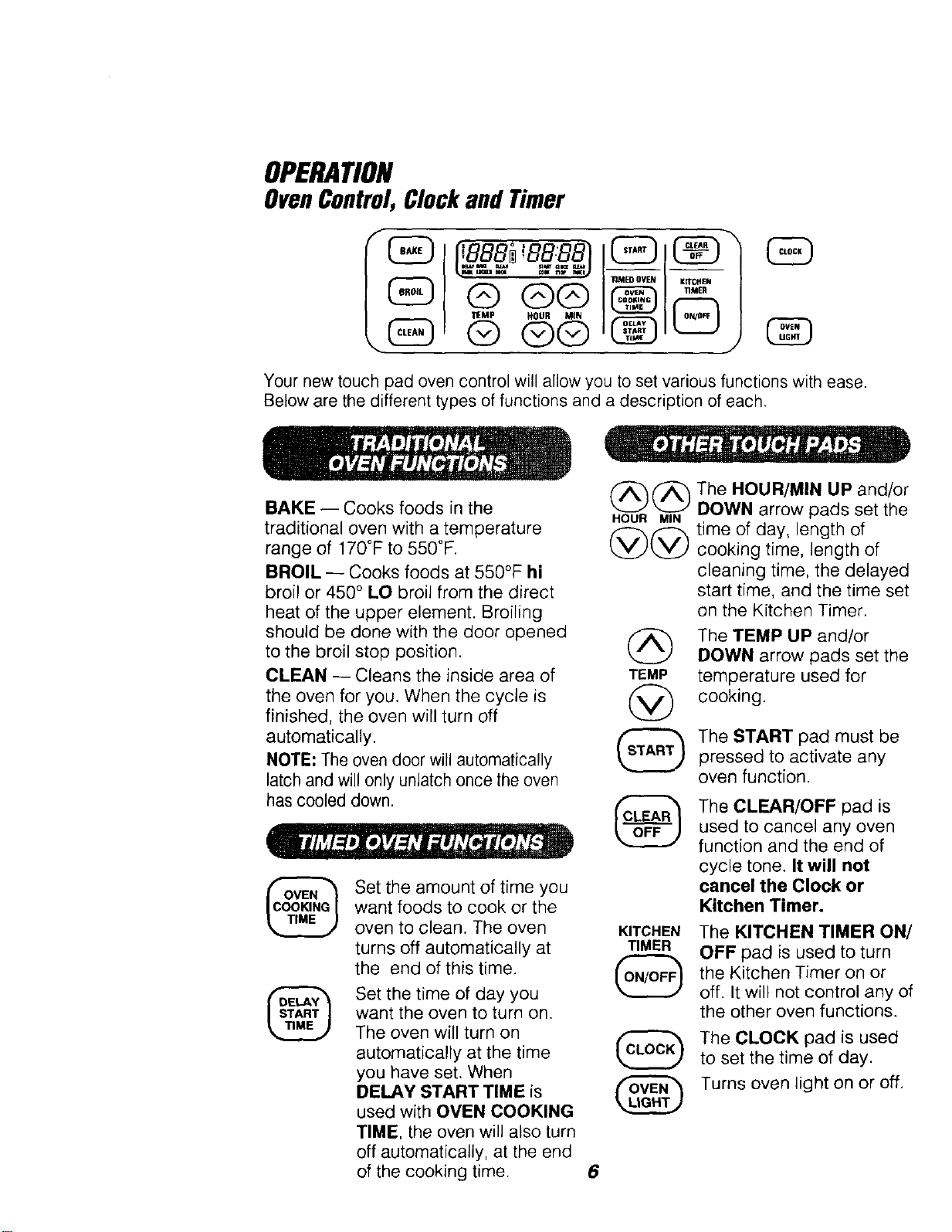
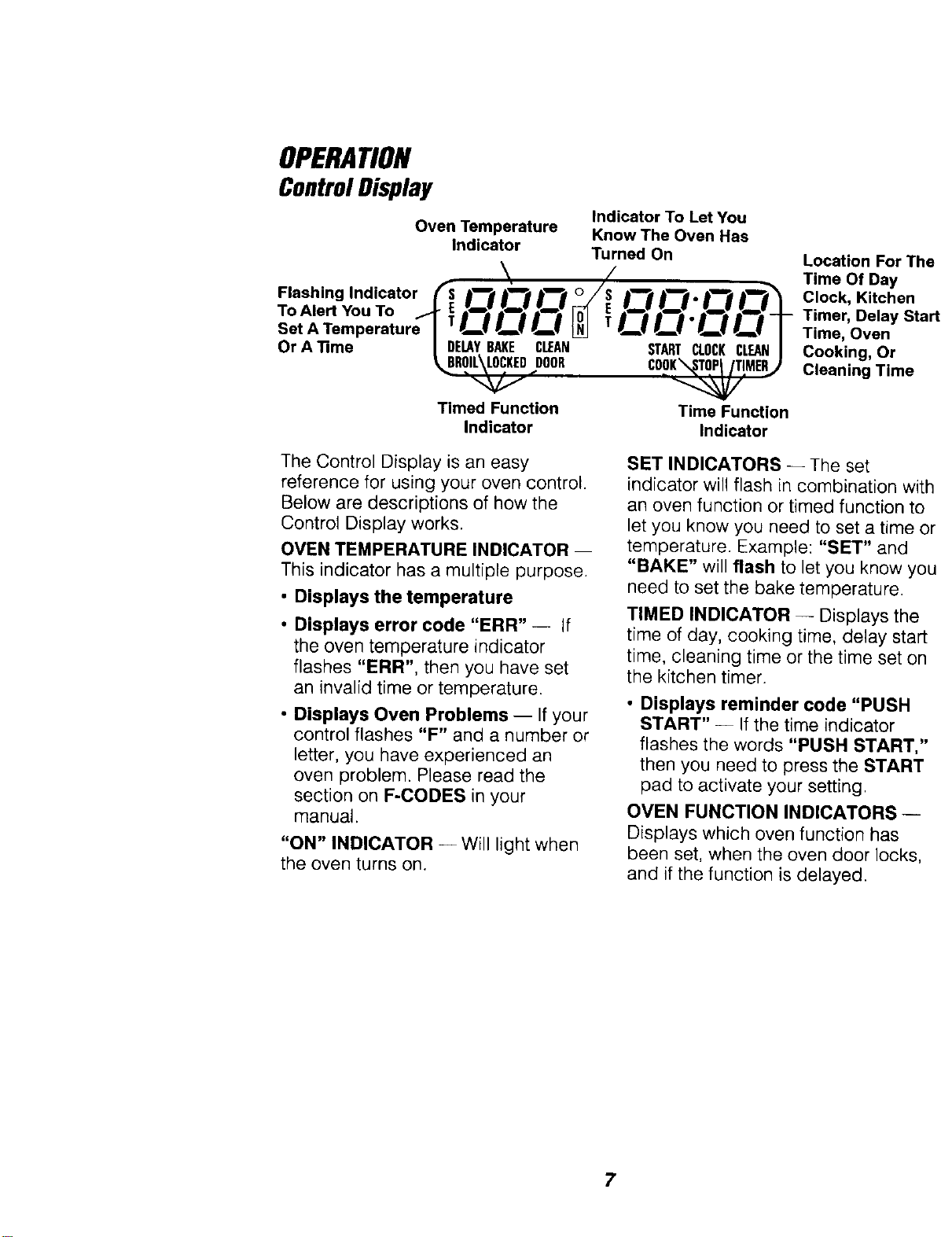
Your new touch pad oven control will allow you to set various functions with ease.
Below are the different types of functions and a description of each.
BAKE -- Cooks foods in the
traditional oven with a temperature
range of 170°F to 550°F.
BROIL -- Cooks foods at 550°F hi
broil or 450 ° LO broil from the direct
heat of the upper element. Broiling
should be done with the door opened
to the broil stop position.
CLEAN -- Cleans the inside area of
the oven for you. When the cycle is
finished, the oven will turn off
automatically.
NOTE; The oven door will automatically
latch and will only unlatch once the oven
has cooled down.
(_ ("_"_ The HOUR/MIN UP and/or
HOUR_ DOWN arrow pads set the
,<---------_f-_-_ time of day, length of
w. JvLyJcooking time, length of
cleaning time, the delayed
start time, and the time set
on the Kitchen Timer.
TEMP
@
The TEMP UP and/or
DOWN arrow pads set the
temperature used for
cooking.
The START pad must be
pressed to activate any
oven function.
Set the amount of time you
want foods to cook or the
oven to clean. The oven KITCHEN
turns off automatically at TIMER
the end of this time.
Set the time of day you
want the oven to turn on.
The oven will turn on
automatically at the time
you have set. When
DELAY START TIME is
used with OVEN COOKING
TIME, the oven will also turn
off automatically, at the end
of the cooking time. 6
The CLEAR/OFF pad is
used to cancel any oven
function and the end of
cycle tone. It will not
cancel the Clock or
Kitchen Timer.
The KITCHEN TIMER ON/
OFF pad is used to turn
the Kitchen Timer on or
off. It will not control any of
the other oven functions.
The CLOCK pad is used
to set the time of day.
Turns oven light on or off.
OPERATION
ControlDisplay
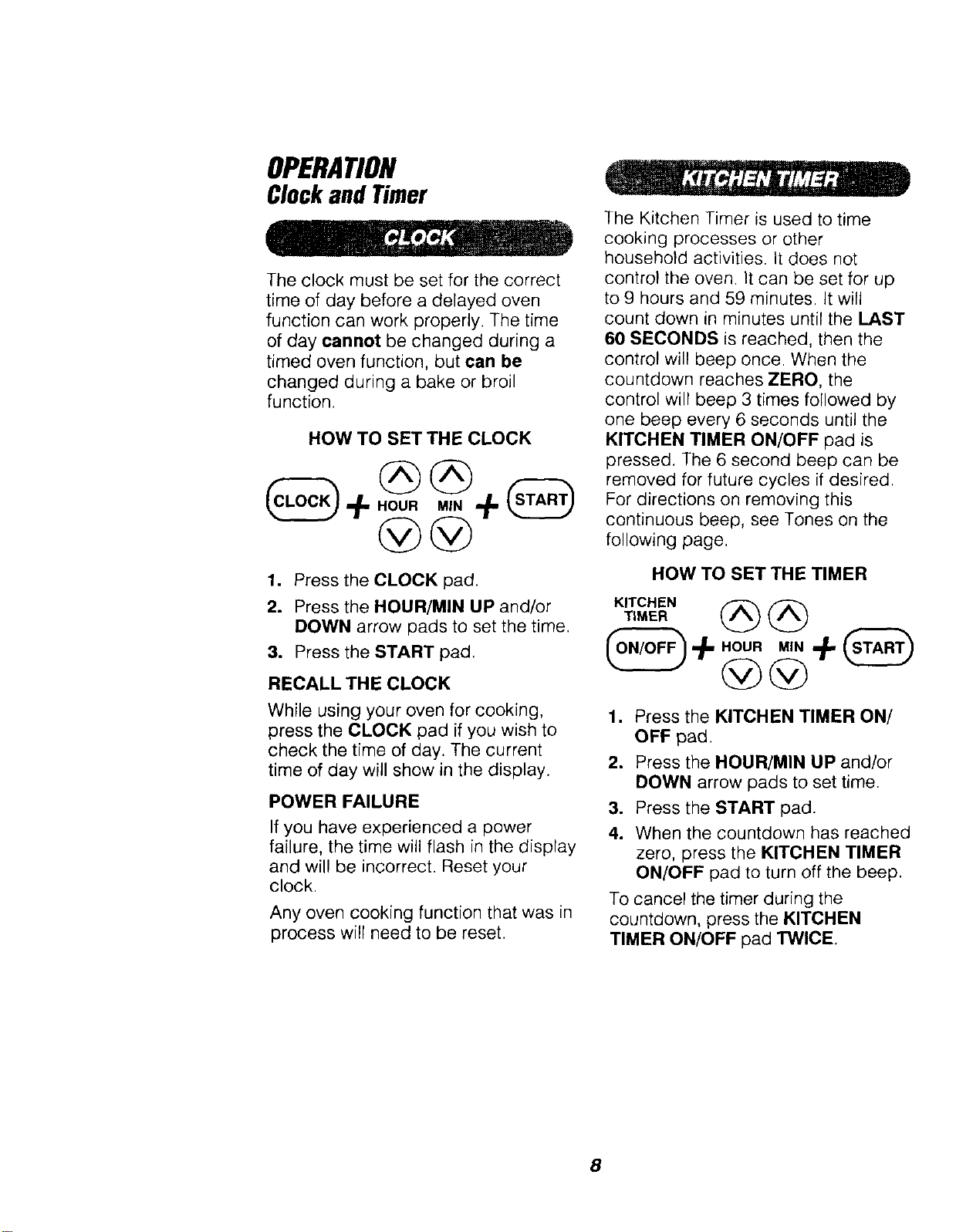
Oven Temperature
Indicator
Indicator To Let You
Know The Oven Has
Turned On
/\
,losh,.gIndicotorm O O O O"O
To,,e. ouToq Oc ct N, c c 'C!OT
Set A Temperature
Or A_me I DELAYBARE CIFAN STARTCLOCKCLEANI
_ROIL\LOCKED DOOR COOK_TOPt/T!MER,J
'"---Ng
Timed Function Time Function
Indicator Indicator
Location For Th,
Time Of Day
Clock, Kitchen
Timer, Delay Sta
Time, Oven
Cooking, Or
Cleaning Time
The Control Display is an easy
reference for using your oven control.
Below are descriptions of how the
Control Display works.
OVEN TEMPERATURE INDICATOR --
This indicator has a multiple purpose.
• Displays the temperature
• Displays error code "ERR" -- If
the oven temperature indicator
flashes "ERR", then you have set
an invalid time or temperature.
• Displays Oven Problems -- If your
control flashes "F" and a number or
letter, you have experienced an
oven problem. Please read the
section on F-CODES in your
manual.
"ON" INDICATOR -- Will light when
the oven turns on.
SET INDICATORS -- The set
indicator will flash in combination wit
an oven function or timed function to
let you know you need to set a time (
temperature. Example: "SET" and
"BAKE" will flash to let you know yc
need to set the bake temperature.
TIMED INDICATOR -- Displays the
time of day, cooking time, delay start
time, cleaning time or the time set on
the kitchen timer.
• Displays reminder code "PUSH
START" -- If the time indicator
flashes the words "PUSH START,"
then you need to press the START
pad to activate your setting.
OVEN FUNCTION INDICATORS-
Displays which oven function has
been set, when the oven door locks,
and if the function is delayed.
7
OPERATION
ClockandTimer
The clock must be set for the correct
time of day before a delayed oven
function can work properly. The time
of day cannot be changed during a
timed oven function, but can be
changed during a bake or broil
function.
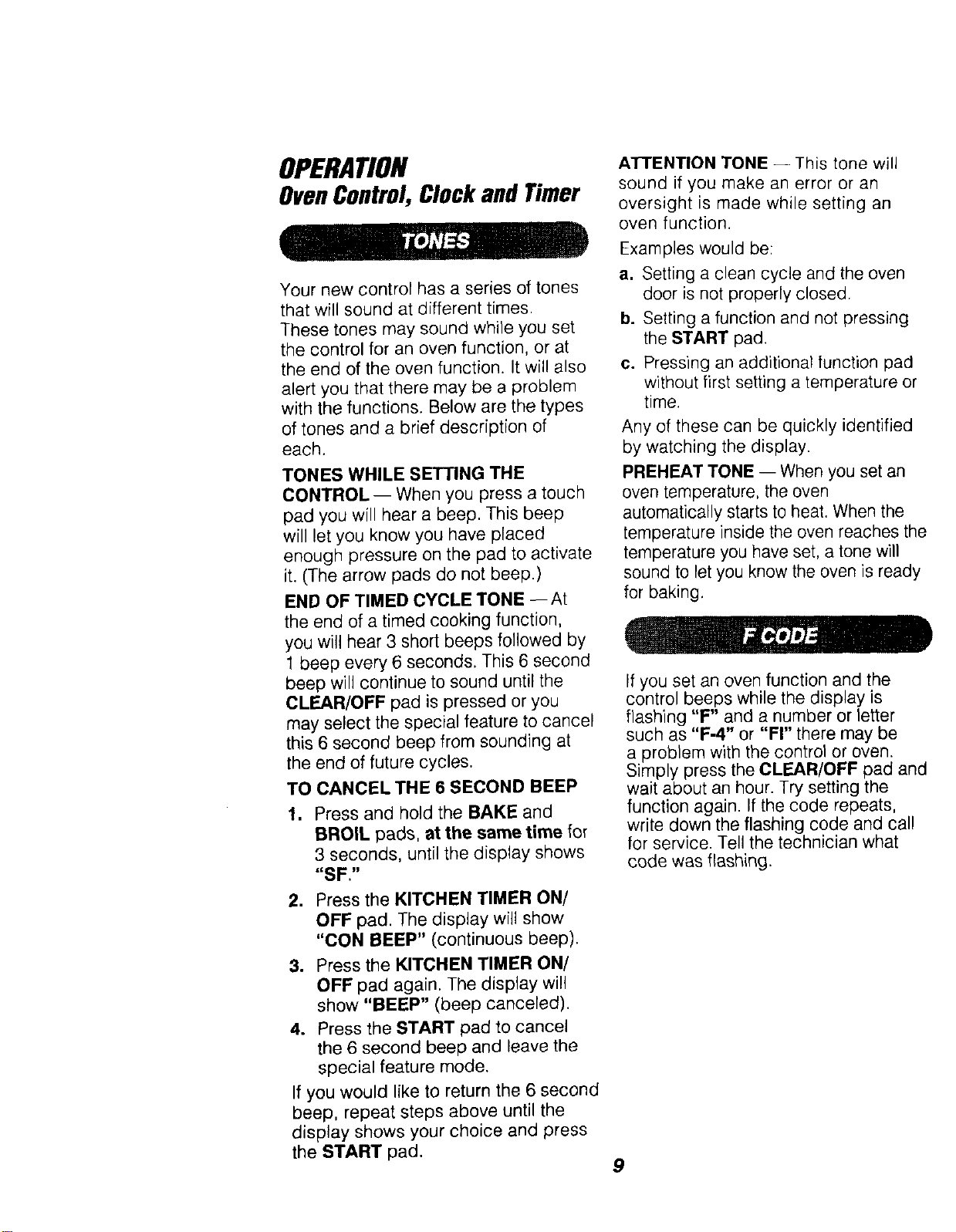
HOW TO SET THE CLOCK
1. Press the CLOCK pad.
2. Press the HOUR/MIN UP and/or
DOWN arrow pads to set the time.
3. Press the START pad.
RECALLTHE CLOCK
While using your oven for cooking,
press the CLOCK pad if you wish to
check the time of day. The current
time of day will show in the display.
POWER FAILURE
If you have experienced a power
failure, the time will flash in the display
and will be incorrect. Reset your
clock.
Any oven cooking function that was in
process will need to be reset.
The Kitchen Timer is used to time
cooking processes or other
household activities. It does not
control the oven. It can be set for up
to 9 hours and 59 minutes. It will
count down in minutes until the LAST
60 SECONDS is reached, then the
control will beep once. When the
countdown reaches ZERO, the
control will beep 3 times followed by
one beep every 6 seconds until the
KITCHEN TIMER ON/OFF pad is
pressed. The 6 second beep can be
removed for future cycles if desired.
For directions on removing this
continuous beep, see Tones on the
following page.
HOW TO SET THE TIMER
KITCHEN
TIMER
HOUR MIN
1. Press the KITCHEN TIMER ON/
OFF pad.
2. Press the HOUR/MIN UP and/or
DOWN arrow pads to set time.
3. Press the START pad.
4. When the countdown has reached
zero, press the KITCHEN TIMER
ON/OFF pad to turn off the beep.
To cancel the timer during the
countdown, press the KITCHEN
TIMER ON/OFF pad TWICE.
8
OPERATION
OvenControl,ClockandTimer
Your new control has a series of tones
that will sound at different times.
These tones may sound while you set
the control for an oven function, or at
the end of the oven function. It will also
alert you that there may be a problem
with the functions. Below are the types
of tones and a brief description of
each.
TONES WHILE SETTING THE
CONTROL -- When you press a touch
pad you will hear a beep. This beep
will let you know you have placed
enough pressure on the pad to activate
it. (The arrow pads do not beep.)
END OF TIMED CYCLE TONE --At
the end of a timed cooking function,
you will hear 3 short beeps followed by
1 beep every 6 seconds. This 6 second
beep will continue to sound until the
CLEAR/OFF pad is pressed or you
may select the special feature to cancel
this 6 second beep from sounding at
the end of future cycles.
TO CANCEL THE 6 SECOND BEEP
1. Press and hold the BAKE and
BROIL pads, at the same time for
3 seconds, until the display shows
"SF."
2. Press the KITCHEN TIMER ON/
OFF pad. The display will show
"CON BEEP" (continuous beep).
3. Press the KITCHEN TIMER ON/
OFF pad again. The display will
show "BEEP" (beep canceled).
4. Press the START pad to cancel
the 6 second beep and leave the
special feature mode.
If you would like to return the 6 second
beep, repeat steps above until the
display shows your choice and press
the START pad.
ATTENTION TONE -- This tone will
sound if you make an error or an
oversight is made while setting an
oven function.
Examples would be:
a. Setting a clean cycle and the oven
door is not properly closed.
b. Setting a function and not pressing
the START pad,
c. Pressing an additional function pad
without first setting a temperature or
time.
Any of these can be quickly identified
by watching the display.
PREHEAT TONE -- When you set an
oven temperature, the oven
automatically starts to heat. When the
temperature inside the oven reaches th,
temperature you have set, a tone will
sound to let you know the oven is ready
for baking.
If you set an oven function and the
control beeps while the display is
flashing "F" and a number or letter
such as "F-4" or "FI" there may be
a problem with the control or oven.
Simply press the CLEAR/OFF pad an
wait about an hour. Try setting the
function again. If the code repeats,
write down the flashing code and call
for service. Tell the technician what
code was flashing.
9
OPERATION
OvenCookingTips
It is normal to have some odor when
using your oven for the first time. To help
eliminate this odor, ventilate the room
by opening a window or using a vent
hood.
"J, L mm!m
IMPORTANT: Never cover the oven
bottom or oven rack with aluminum foil.
Improper use can cause poor heat flow,
poor baking results, and may damage
the oven finish. To prevent staining from
spillovers, you may place a piece of
aluminum foil or a cookie sheet below
foods which may spill over.
Preheating is bringing the oven
temperature up to the temperature
you will be using during baking. Let the
oven preheat when recipes call for
preheating.
To prolong the life of your
oven light bulbs, follow this
helpful tip: Always turn the lights
off when the oven is not in use or during a
clean cycle. If your oven lights are left on
for an extended period of time, the oven
will be warm when the door is opened
due to the heat generated from the oven
light bulbs.
In the back of the oven you will notice a
small tube. This is a heat sensor that
maintains the temperature of the oven.
Never move or bend this tube.
_..,_ _ _ Oven
L_'I_ Temperature
Sensor
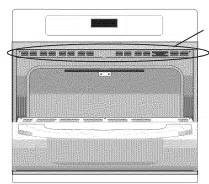
The oven vent is located under the control
panel. This area could become hot during
oven use. It is normal for steam to come
out of the vent and/or collect moisture
underneath when the oven is in use. The
vent is important for proper air circulation.
Never block this vent. Oven Vent
t. J ) -- Location
Opening the door often to check foods will
cause heat loss and poor baking results.
The low temperature zone of your oven
(between 170° and 200°F) is available to
keep hot cooked foods warm. However,
foods should not be kept at these
temperatures longer than 2 hours,
When using your convenient Delay Start
operation, foods such as dairy products,
fish, poultry, etc,, should never sit more
than 1 hour before cooking. Room
temperatures and the heat from the
oven light promote bacterial growth.
10
OPERATION
OvenCookingTips
Most recipes for baking have been
developed using high-fat products
such as butter or margarine (80% fat
by weight--the federal requirement
for products labeled "margarine").
You will get poor results if cakes, pies,
pastries, cookies or candies are made
with low-fat spreads. Low-fat spreads
contain less fat and more water. The
high moisture content of these
spreads affects the texture and flavor
of favorite baked recipes. The lower
the fat content of a spread product,
the more noticeable these differences
become. To ensure best results, use
margarine, butter or stick spreads
containing at least 70% vegetable oil.
The Oven Temperature Sensor at the
back of the oven continuously senses
and controls the temperature inside
the oven. To keep a constant set
temperature, the elements will cycle
(turn on and off during cooking).
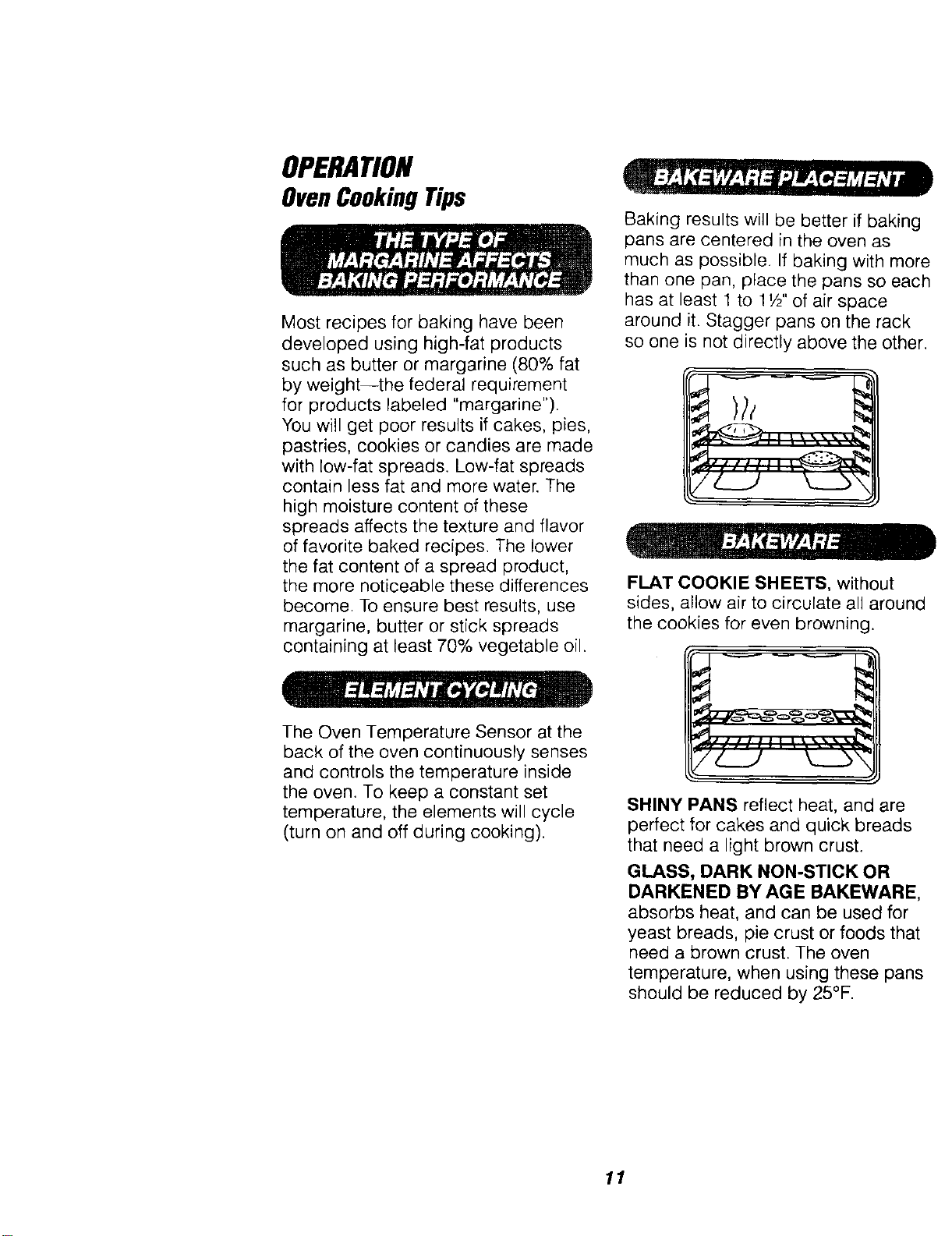
Baking results will be better if baking
pans are centered in the oven as
much as possible. If baking with more
than one pan, place the pans so each
has at least 1 to t W' of air space
around it. Stagger pans on the rack
so one is not directly above the other.
7/_.__J k__.b'<
FLAT COOKIE SHEETS, without
sides, allow air to circulate all around
the cookies for even browning.
SHINY PANS reflect heat, and are
perfect for cakes and quick breads
that need a light brown crust.
GLASS, DARK NON-STICK OR
DARKENED BY AGE BAKEWARE,
absorbs heat, and can be used for
yeast breads, pie crust or foods that
need a brown crust. The oven
temperature, when using these pans
should be reduced by 25°F.
11
OPERATION
OvenCookingTips(cont.)
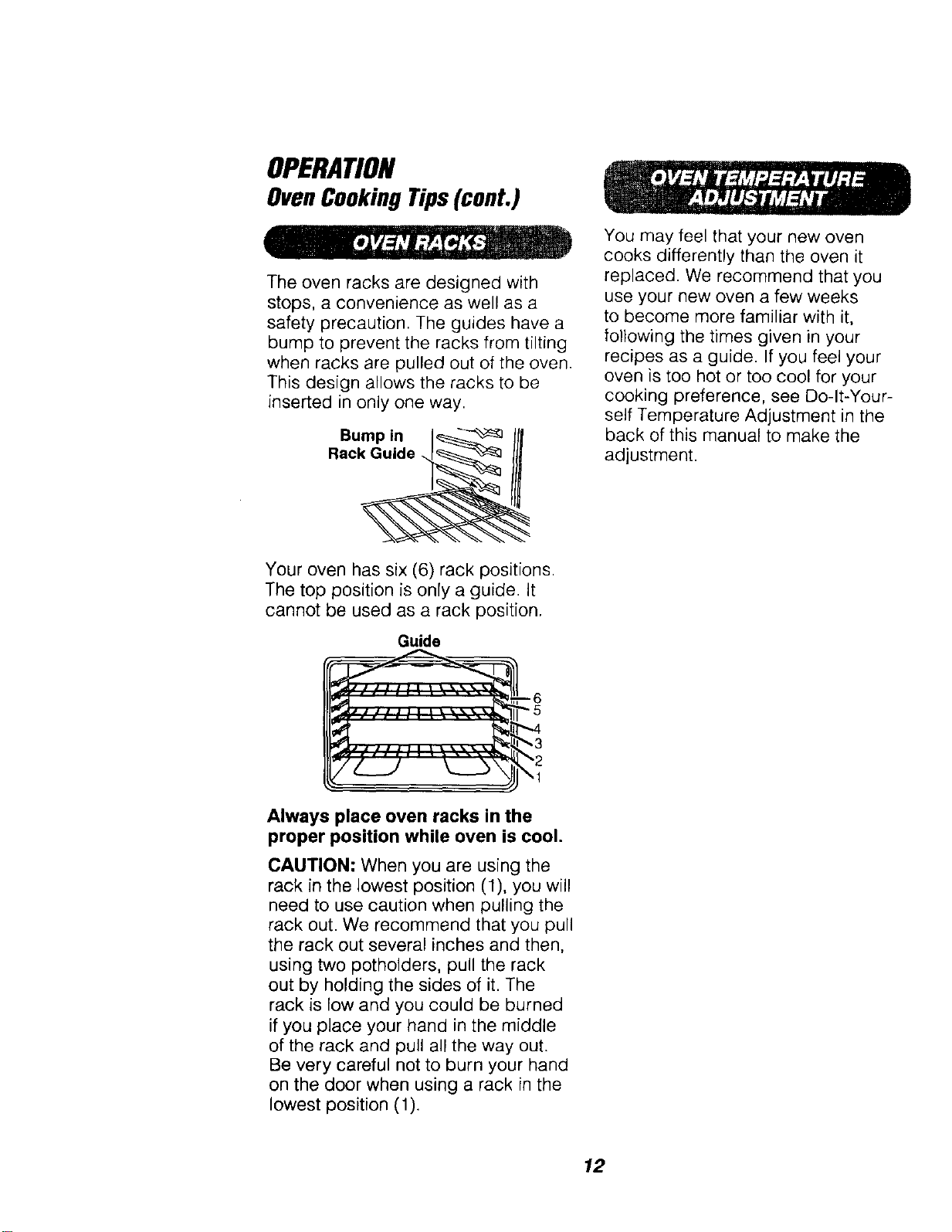
The oven racks are designed with
stops, a convenience as well as a
safety precaution. The guides have a
bump to prevent the racks from tilting
when racks are pulled out of the oven.
This design allows the racks to be
inserted in only one way.
Bump in I_
Rack_
Your oven has six (6) rack positions.
The top position is only a guide. It
cannot be used as a rack position.
Guide
Always place oven racks in the
proper position while oven is cool.
CAUTION: When you are using the
rack in the lowest position (1), you will
need to use caution when pulling the
rack out. We recommend that you pull
the rack out several inches and then,
using two potholders, pull the rack
out by holding the sides of it. The
rack is low and you could be burned
if you place your hand in the middle
of the rack and pull all the way out.
Be very careful not to burn your hand
on the door when using a rack in the
lowest position (1).
You may feel that your new oven
cooks differently than the oven it
replaced. We recommend that you
use your new oven a few weeks
to become more familiar with it,
following the times given in your
recipes as a guide. If you feel your
oven is too hot or too cool for your
cooking preference, see Do-It-Your-
self Temperature Adjustment in the
back of this manual to make the
adjustment.
12
OPERATION
Baking
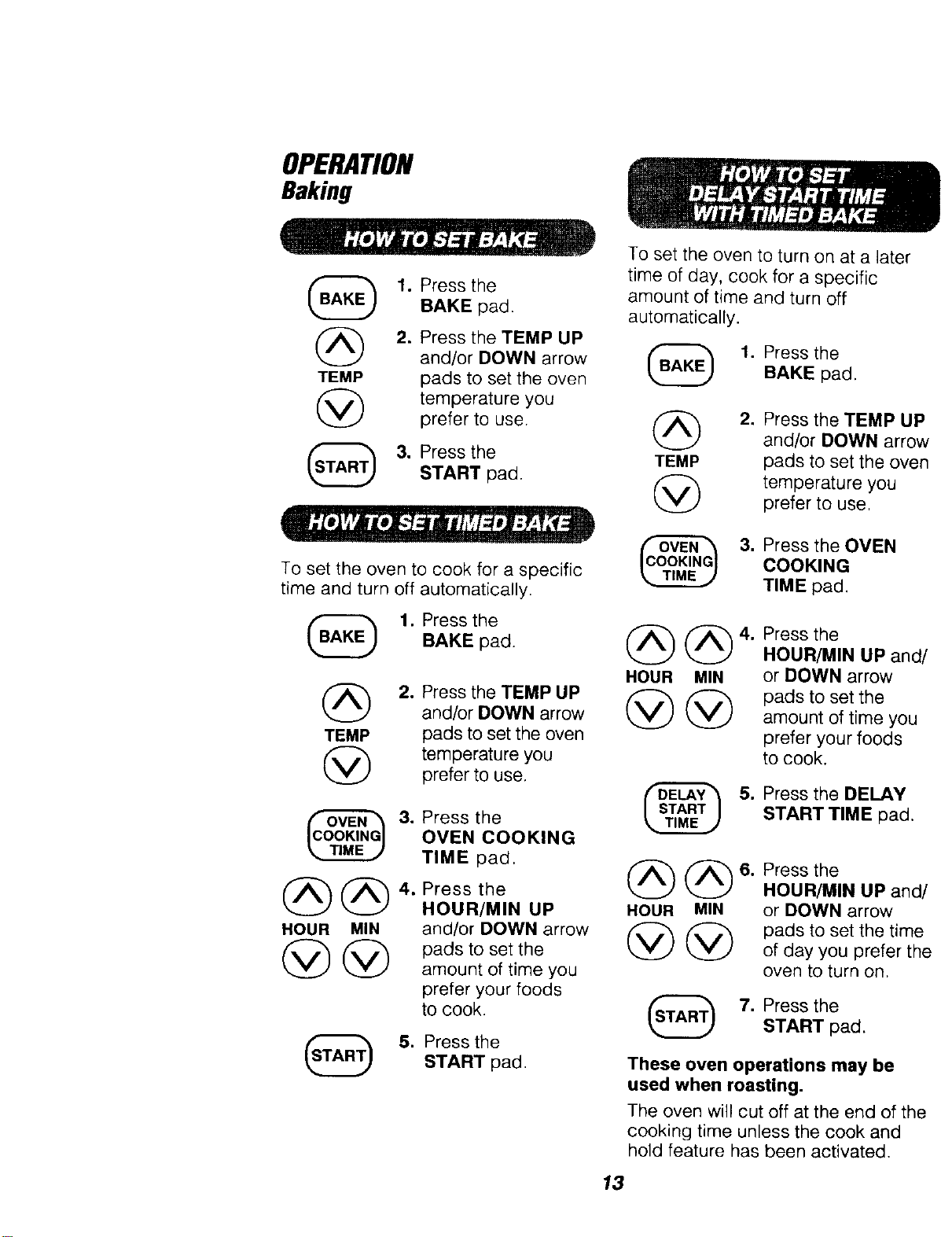
1. Press the
BAKE pad.
(_ 2. Press the TEMP UP
and/or DOWN arrow
TEMP pads to set the oven
temperature you
prefer to use.
3. Press the
START pad.
To set the oven to cook for a specific
time and turn off automatically.
1. Press the
BAKE pad.
(_) 2. Press the TEMP UP
and/or DOWN arrow
TEMP pads to set the oven
temperature you
prefer to use.
@@
HOUR MIN
3. Press the
OVEN COOKING
TIME pad.
4. Press the
HOUR/MIN UP
and/or DOWN arrow
pads to set the
amount of time you
prefer your foods
to cook.
5. Press theSTART pad.
To set the oven to turn on at a later
time of day, cook for a specific
amount of time and turn off
automatically.
1. Press the
BAKE pad.
2. Press the TEMP UP
and/or DOWN arrov
TEMP pads to set the over
temperature you
prefer to use,
3. Press the OVEN
COOKING
TIME pad.
HOUR MIN
@@
4. Press the
HOUR/MIN UP and
or DOWN arrow
pads to set the
amount of time you
prefer your foods
to cook.
5. Press the DELAY
START TIME pad,
HOUR MIN
@@
Press the
HOUR/MIN UP and,
or DOWN arrow
pads to set the time
of day you prefer th
oven to turn on.
7. Press the
START pad.
These oven operations may be
used when roasting.
The oven will cut off at the end of the
cooking time unless the cook and
hold feature has been activated.
13
OPERATION
Broiling
Broiling is cooking by direct heat
from the upper element. The oven
door should remain open to the broil
stop position during broiling.
It is not necessary to preheat the
oven when broiling. Use the broiler
pan and grid that came with your
oven. Both are designed for proper
drainage of fat and liquids.
If foil is used it must be
molded tightly to the
grid and slits cut into
the foil to match those
of the grid. This allows fats and
liquids to drain into the broiler
pan, preventing fire and
excessive smoke.
Always remove the pan and grid
from the oven. Storing or
forgetting a soiled (_
broiler pan in the oven
is a potential smoke or
fire hazard.
The U.S. Department of Agriculture
recommends to cook meat and
poultry thoroughly--meat to at least
an INTERNAL temperature of 160 ° F
and poultry to at least an INTERNAL
temperature of 180 ° F. Cooking to
these temperatures usually protects
against food-borne illness.
The closer you place foods to the
broil element, the faster foods brown
on the outside, yet remain red to pink
in the center.
Moving meats away from the element
will allow the meat to cook to the
center while browning on the outside.
Cook side 1 at least 2 minutes longer
than side 2. If your oven is connected
to 208 volts, you may want to use a
higher rack position and/or broil
foods longer.
The size, weight, thickness, starting
temperature and your preference of
the doneness of the meat will affect
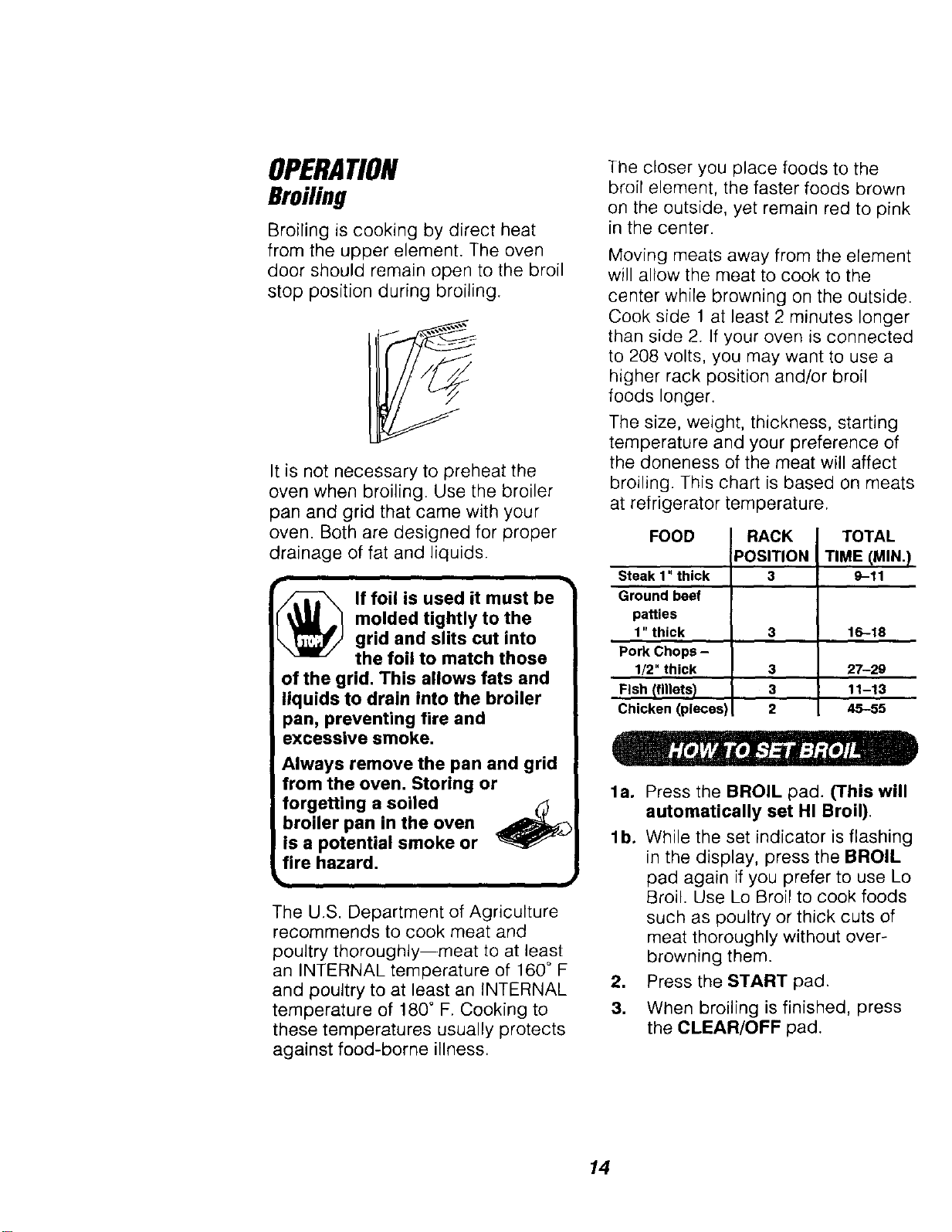
broiling. This chart is based on meats
at refrigerator temperature.
FOOD
Steak 1" thick
Ground beef
patties
1" thick
Pork Chops -
1/2" thick
Fish (fillets)
Chicken (pieces)
RACK
POSITION
3
TOTAL
TIME (MIN._
9-11
3 16-18
3
3
2
27-29
11-13
45-55
la°
lb,
.
3.
Press the BROIL pad. (This will
automatically set HI Broil).
While the set indicator is flashing
in the display, press the BROIL
pad again if you prefer to use Lo
Broil. Use Lo Broil to cook foods
such as poultry or thick cuts of
meat thoroughly without over-
browning them.
Press the START pad.
When broiling is finished, press
the CLEAR/OFF pad.
14
OPERATION
SettingSpecial Features
Your new touch pad control has
additional features that you may choose
to use, After making your selection, if you
want to change the setting, follow the
steps until the display shows your choice.
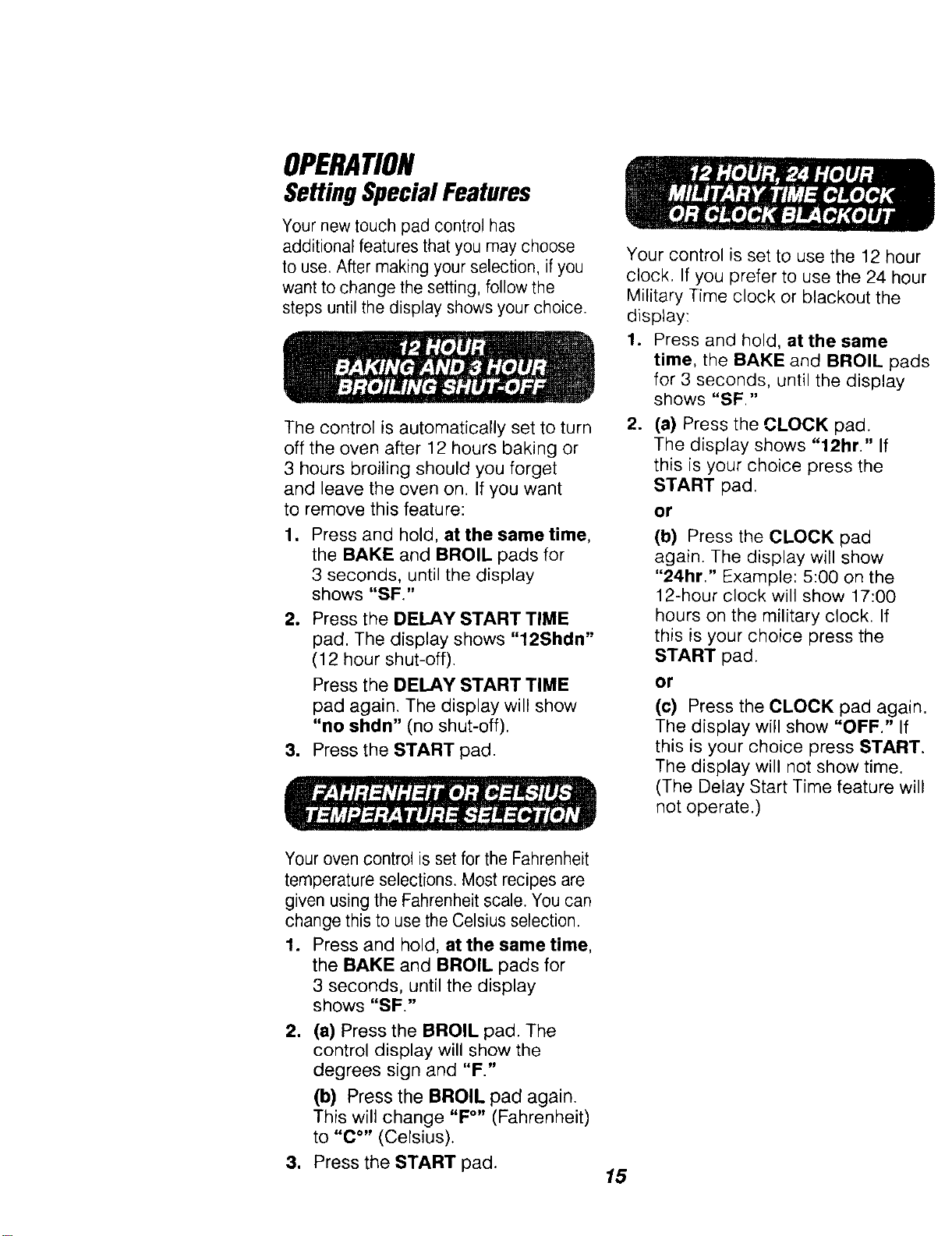
The control is automatically set to turn
off the oven after 12 hours baking or
3 hours broiling should you forget
and leave the oven on. If you want
to remove this feature:
1. Press and hold, at the same time,
the BAKE and BROIL pads for
3 seconds, until the display
shows "SF."
2. Press the DELAY START TIME
pad. The display shows "12Shdn"
(12 hour shut-off).
Press the DELAY START TIME
pad again. The display will show
"no shdn" (no shut-off).
3. Press the START pad.
Your control is set to use the 12 hour
clock, If you prefer to use the 24 hour
Military Time clock or blackout the
display:
1. Press and hold, at the same
time, the BAKE and BROIL pads
for 3 seconds, until the display
shows "SF."
.
(a) Press the CLOCK pad.
The display shows "12hr." If
this is your choice press the
START pad.
or
(b) Press the CLOCK pad
again. The display will show
"24hr." Example: 5:00 on the
12-hour clock will show 17:00
hours on the military clock. If
this is your choice press the
START pad.
or
(c) Press the CLOCK pad again.
The display will show "OFF." If
this is your choice press START.
The display will not show time.
(The Delay Start Time feature will
not operate.)
Your oven control is set for the Fahrenheit
temperature selections. Most recipes are
given using the Fahrenheit scale. You can
change this to use the Celsius selection.
1. Press and hold, at the same time
the BAKE and BROIL pads for
3 seconds, until the display
shows "SF."
2. (a) Press the BROIL pad. The
control display will show the
degrees sign and "F."
=
(b) Press the BROIL pad again.
This will change "F°" (Fahrenheit
to "C °" (Celsius).
Press the START pad.
15
OPERATION
SettingSpecialFeatures
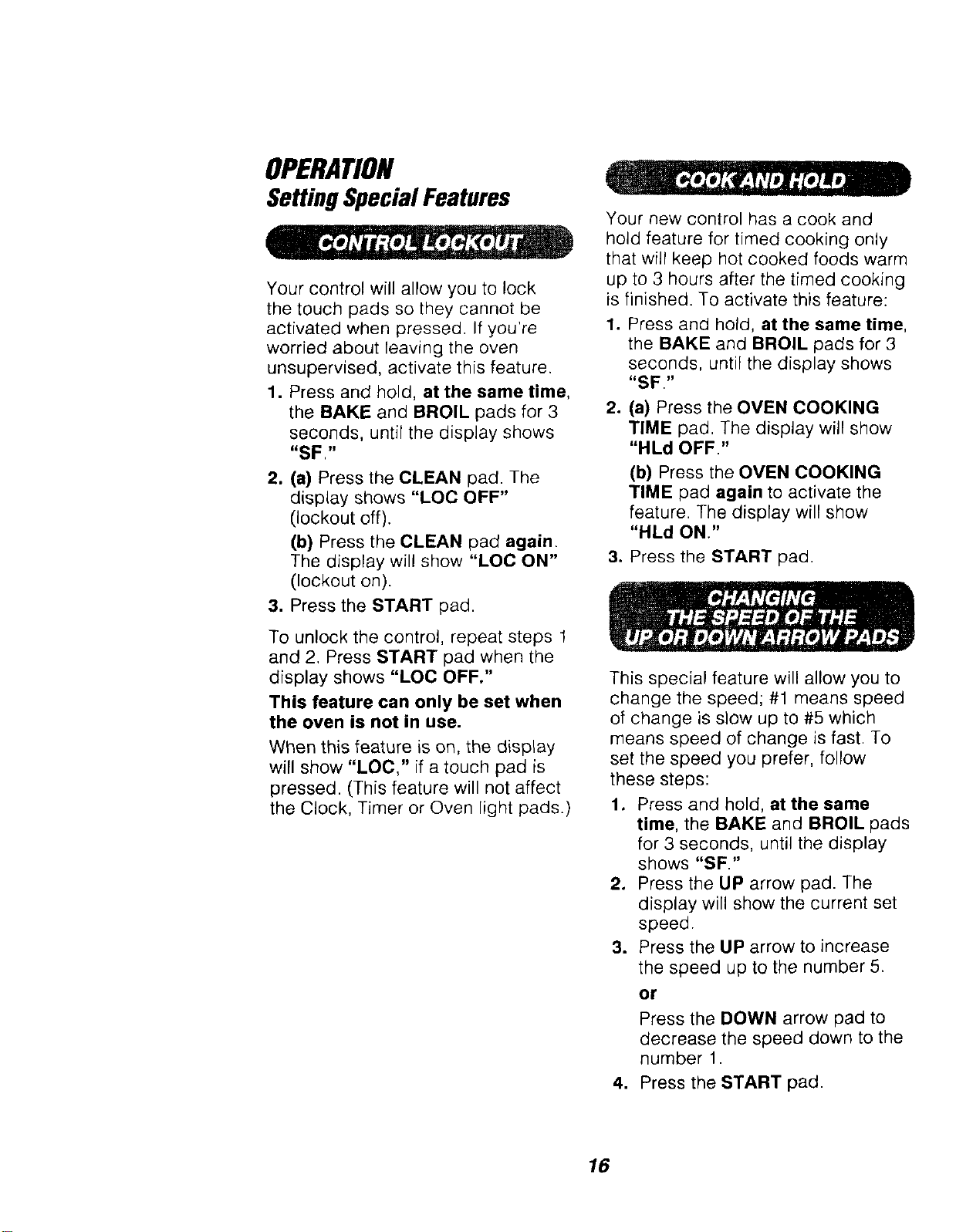
Your control will allow you to lock
the touch pads so they cannot be
activated when pressed. If you're
worried about leaving the oven
unsupervised, activate this feature.
1. Press and hold, at the same lime,
the BAKE and BROIL pads for 3
seconds, until the display shows
"SF,"
2. (a) Press the CLEAN pad. The
display shows "LOC OFF"
(lockout off).
(b) Press the CLEAN pad again.
The display will show "LOC ON"
(lockout on).
3. Press the START pad.
To unlock the control, repeat steps 1
and 2. Press START pad when the
display shows "LOC OFF."
This feature can only be set when
the oven is not in use.
When this feature is on, the display
will show "LOC," if a touch pad is
pressed. (This feature will not affect
the Clock, Timer or Oven light pads.)
Your new control has a cook and
hold feature for timed cooking only
that will keep hot cooked foods warm
up to 3 hours after the timed cooking
is finished. To activate this feature:
1. Press and hold, at the same time,
the BAKE and BROIL pads for 3
seconds, until the display shows
"SF,"
.
(a) Press the OVEN COOKING
TIME pad. The display will show
"HLd OFF."
(b) Press the OVEN COOKING
TIME pad again to activate the
feature. The display will show
"HLd ON."
3. Press the START pad.
This special feature will allow you to
change the speed; #1 means speed
of change is slow up to #5 which
means speed of change is fast. To
set the speed you prefer, follow
these steps:
1. Press and hold, at the same
time, the BAKE and BROIL pads
for 3 seconds, until the display
shows "SF "
2. Press the UP arrow pad. The
display will show the current set
speed.
3. Press the UP arrow to increase
the speed up to the number 5.
or
Press the DOWN arrow pad to
decrease the speed down to the
number 1.
4. Press the START pad.
16
OPERATION
SettingSpecialFeatures
mill.-]l?[rJi;/_'T.,f:t:T'__l;_
(Designed for use on the Jewish
Sabbath and Holidays.)
(in some models)
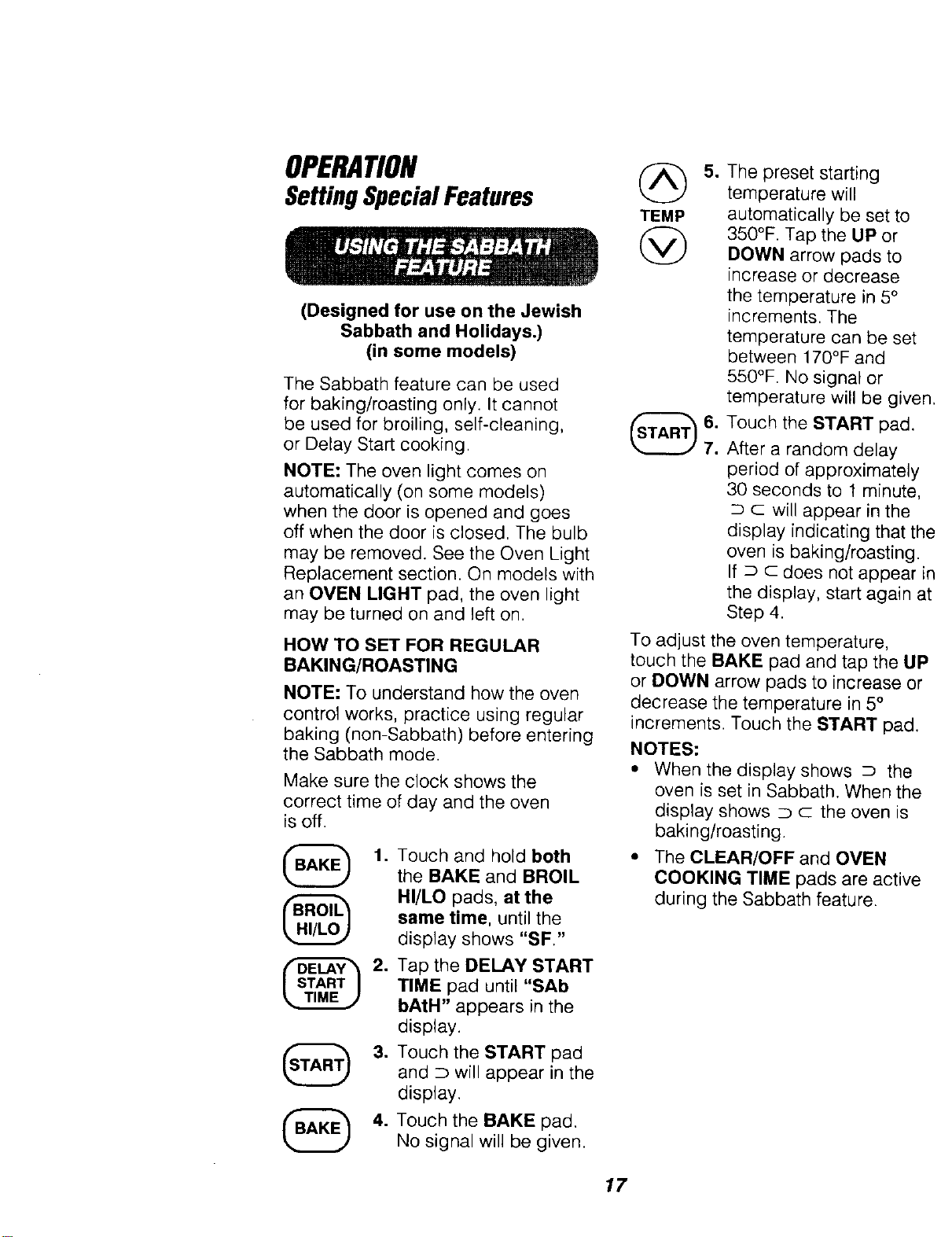
The Sabbath feature can be used
for baking/roasting only. It cannot
be used for broiling, self-cleaning,
or Delay Start cooking.
NOTE: The oven light comes on
automatically (on some models)
when the door is opened and goes
off when the door is closed. The bulb
may be removed. See the Oven Light
Replacement section. On models with
an OVEN LIGHT pad, the oven light
may be turned on and left on.
HOW TO SET FOR REGULAR
BAKING/ROASTING
NOTE: To understand how the oven
control works, practice using regular
baking (non-Sabbath) before entering
the Sabbath mode.
Make sure the clock shows the
correct time of day and the oven
is off.
@
Touch and hold both
the BAKE and BROIL
HI/LO pads, at the
same time, until the
display shows "SF"
Tap the DELAY START
TIME pad until "SAb
bAtH" appears in the
display.
Touch the START pad
and D will appear in the
display.
Touch the BAKE pad.
No signal will be given.
@
TEMP
@
.
The preset starting
temperature will
automatically be set to
350°F. Tap the UP or
DOWN arrow pads to
increase or decrease
the temperature in 5°
increments. The
temperature can be set
between 170°F and
550°F. No signa_ or
temperature will be given
Touch the START pad,
After a random delay
period of approximately
30 seconds to t minute,
c will appear in the
display indicating that th_
oven is baking/roasting.
If _ c does not appear ir
the display, start again at
Step 4.
To adiust the oven temperature,
touch the BAKE pad and tap the LIP
or DOWN arrow pads to increase or
decrease the temperature in 5°
increments. Touch the START pad.
NOTES:
• When the display shows D the
oven is set in Sabbath. When the
display shows D c the oven is
baking/roasting.
• The CLEAR/OFF and OVEN
COOKING TIME pads are active
during the Sabbath feature.
17
OPERATION
SettingSpecialFeatures
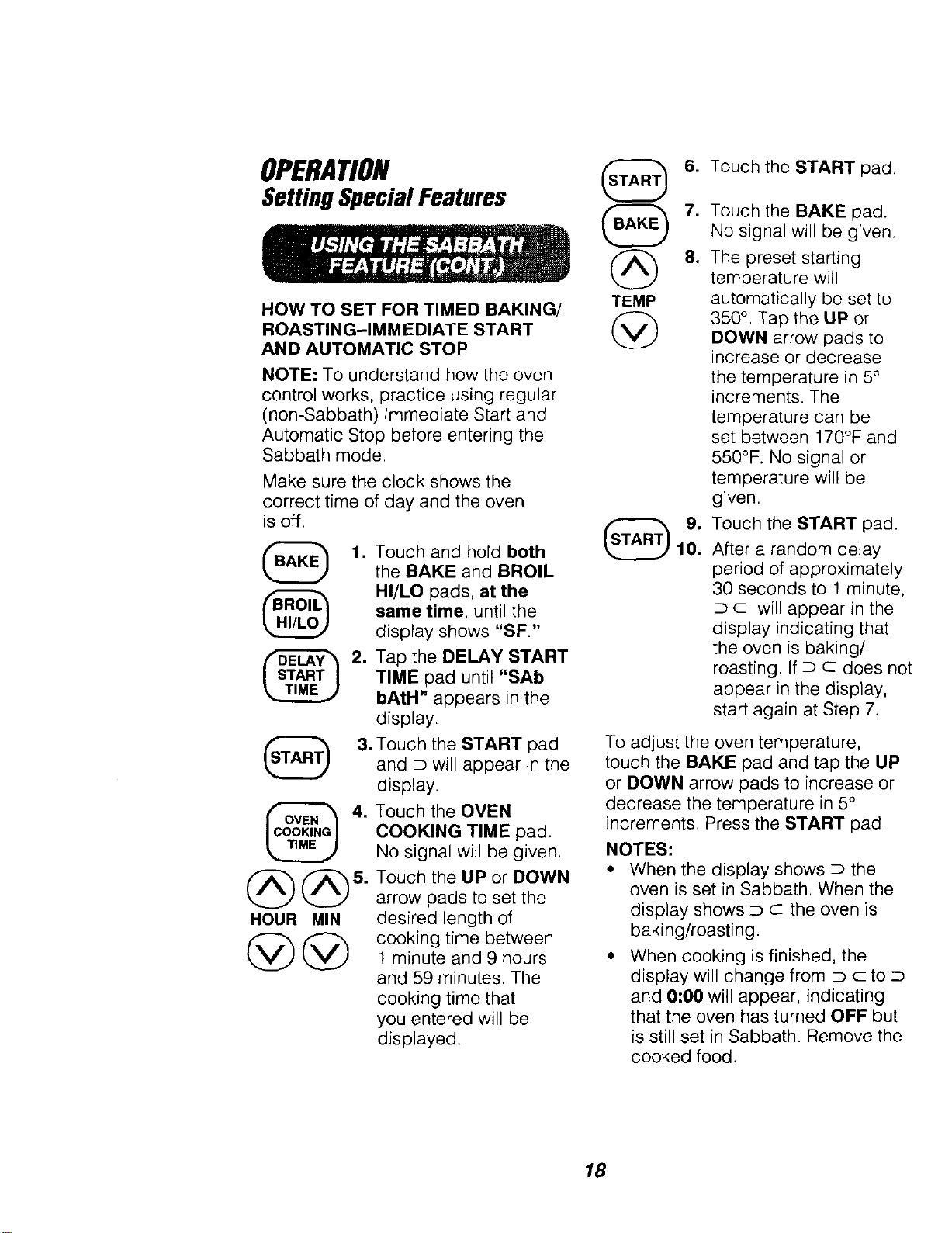
HOW TO SET FOR TIMED BAKING/ TEMP
ROASTING-IMMEDIATE START @
AND AUTOMATIC STOP
NOTE: To understand how the oven
control works, practice using regular
(non-Sabbath) Immediate Start and
Automatic Stop before entering the
Sabbath mode.
Make sure the clock shows the
correct time of day and the oven
is off.
@
1. Touch and hold both
the BAKE and BROIL
HI/LO pads, at the
same time, until the
display shows "SF."
6. Touch the START pad.
.
Tap the DELAY START
TIME pad until "SAb
bAtH" appears in the
display.
3. Touch the START pad
and _ will appear in the
display.
4.
HOUR MIN
@@
Touch the OVEN
COOKING TIME pad.
No signal will be given.
Touch the UP or DOWN
arrow pads to set the
desired length of
cooking time between
1 minute and 9 hours
and 59 minutes. The
cooking time that
you entered will be
displayed.
,
8.
Touch the BAKE pad.
No signal will be given.
The preset starting
temperature will
automatically be set to
350 °. Tap the UP or
DOWN arrow pads to
increase or decrease
the temperature in 5°
increments. The
temperature can be
set between 170°F and
550°F. No signal or
temperature will be
given.
Touch the START pad.
After a random delay
period of approximately
30 seconds to 1 minute,
D c will appear in the
display indicating that
the oven is baking/
roasting. If D C does not
appear in the display,
start again at Step 7.
To adjust the oven temperature,
touch the BAKE pad and tap the UP
or DOWN arrow pads to increase or
decrease the temperature in 5°
increments. Press the START pad.
NOTES:
* When the display shows D the
oven is set in Sabbath. When the
display shows _ c the oven is
baking/roasting
* When cooking is finished, the
display will change from D c to D
and 0:00 will appear, indicating
that the oven has turned OFF but
is still set in Sabbath. Remove the
cookedfood.
18
OPERATION
SettingSpecialFeatures
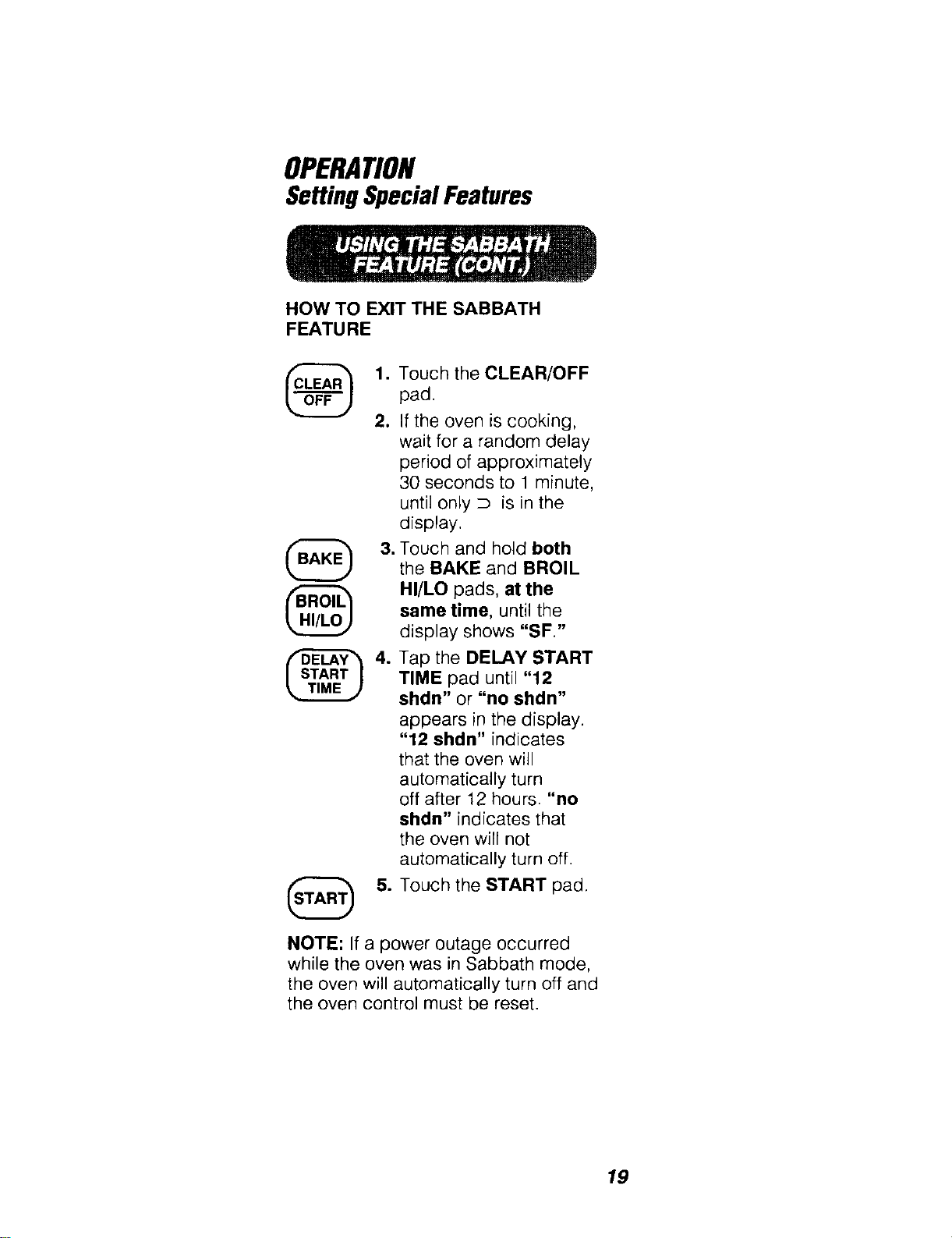
HOW TO EXIT THE SABBATH
FEATURE
@
1. Touch the CLEAR/OFF
pad.
2. If the oven is cooking,
wait for a random delay
period of approximately
30 seconds to 1 minute,
until only D is in the
display,
3. Touch and hold both
the BAKE and BROIL
HI/LO pads, at the
same time, until the
display shows "SF."
4. Tap the DELAY START
TIME pad until "12
shdn" or "no shdn"
appears in the display.
"12 shdn" indicates
that the oven will
automatically turn
off after 12 hours. "no
shdn" indicates that
the oven will not
automatically turn off.
5. Touch the START pad.
NOTE: If a power outage occurred
while the oven was in Sabbath mode,
the oven will automatically turn off and
the oven control must be reset.
19
CAREAND CLEANING
Self-CleaningCycle
,
,
Remove the broiler pan and grid,
utensils and any foil that may be in
the oven.
If your oven is equipped with
nickel oven racks, they should be
removed. If your oven is equipped
with gray porcelain-coated oven
racks, they may stay in the oven
during the self-clean cycle.
3. Soil on the front frame and outside
the gasket on the door liner will
need to be cleaned by hand.
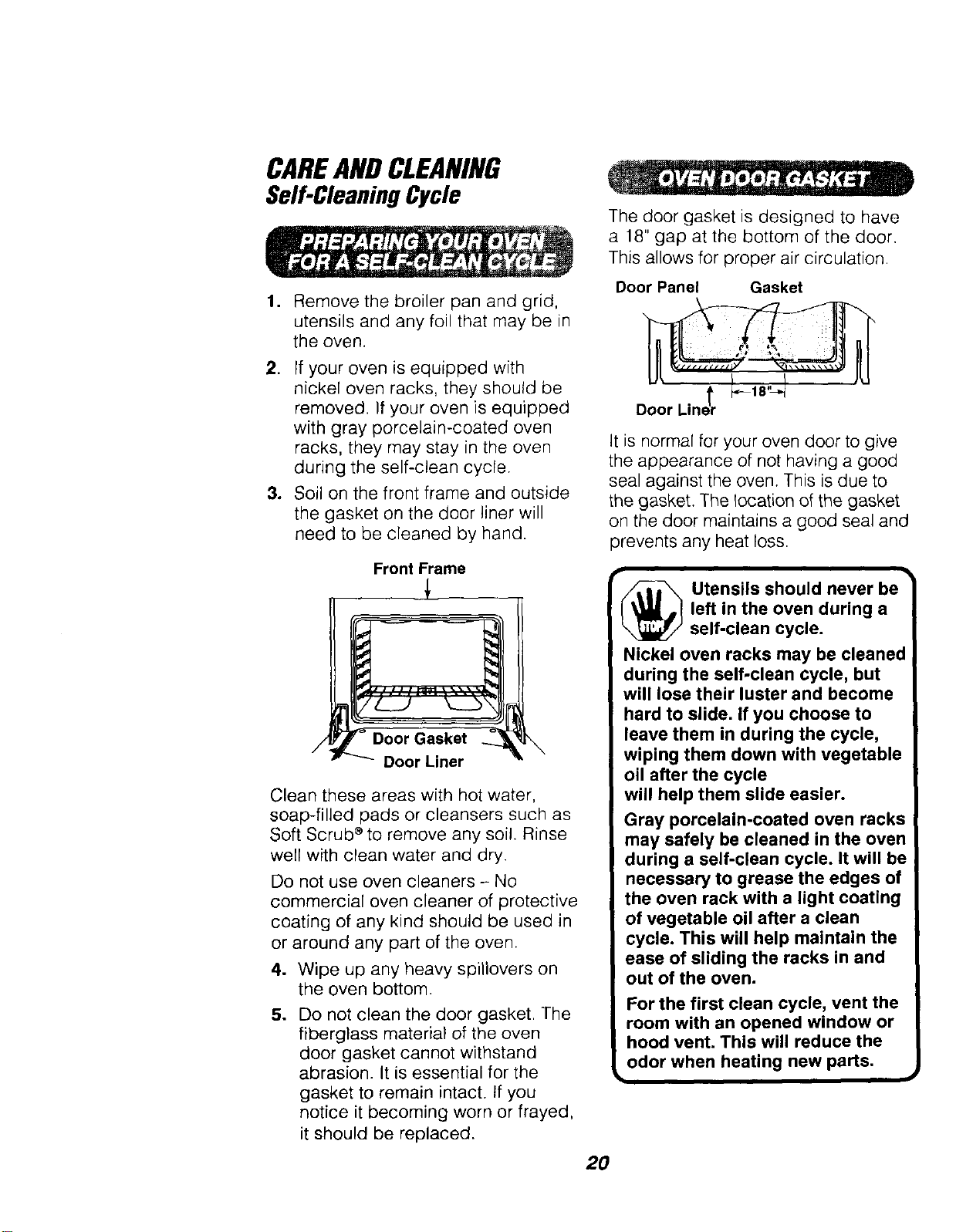
Front Frame
Door Liner
Clean these areas with hot water,
soap-filled pads or cleansers such as
Soft Scrub _ to remove any soil. Rinse
well with clean water and dry.
Do not use oven cleaners - No
commercial oven cleaner of protective
coating of any kind should be used in
or around any part of the oven.
4. Wipe up any heavy spillovers on
the oven bottom.
5. Do not clean the door gasket. The
fiberglass material of the oven
door gasket cannot withstand
abrasion. It is essential for the
gasket to remain intact. If you
notice it becoming worn or frayed,
it should be replaced.
The door gasket is designed to have
a 18" gap at the bottom of the door.
This allows for proper air circulation.
Door Panel Gasket
It is normal for your oven door to give
the appearance of not having a good
seal against the oven. This is due to
the gasket. The location of the gasket
on the door maintains a good seal and
prevents any heat loss.
_ tensils should never be
left in the oven during a
self-clean cycle.
Nickel oven racks may be cleanec
during the self-clean cycle, but
will lose their luster and become
hard to slide. If you choose to
leave them in during the cycle,
wiping them down with vegetable
oil after the cycle
will help them slide easier.
Gray porcelain-coated oven racks
may safely be cleaned in the oven
during a self-clean cycle. It will be
necessary to grease the edges of
the oven rack with a light coating
of vegetable oil after a clean
cycle. This will help maintain the
ease of sliding the racks in and
out of the oven.
For the first clean cycle, vent the
room with an opened window or
hood vent. This will reduce the
odor when heating new parts.
2O
CAREANDCLEANING
Self-CleaningCycle
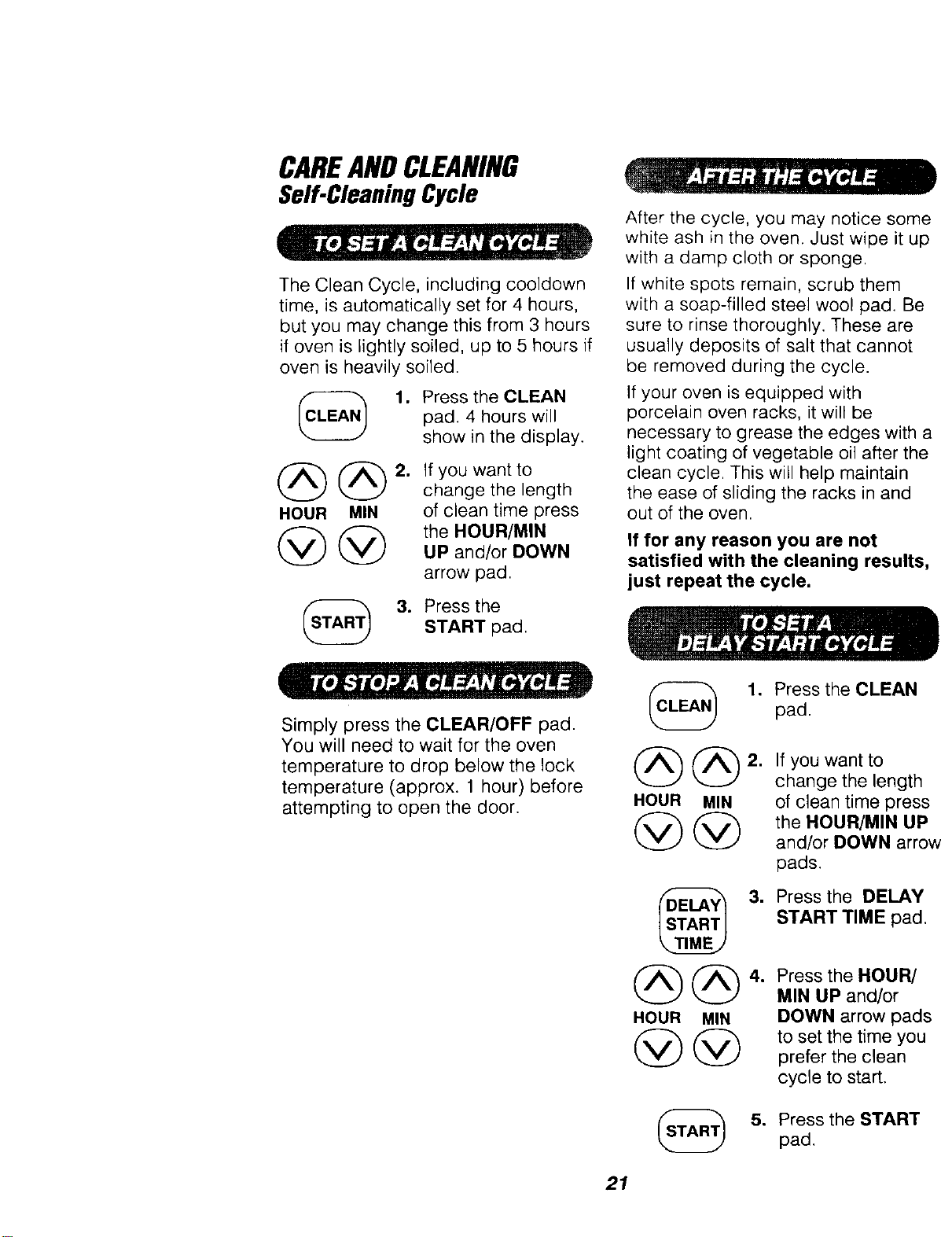
The Clean Cycle, including cooldown
time, is automatically set for 4 hours,
but you may change this from 3 hours
if oven is lightly soiled, up to 5 hours if
oven is heavily soiled.
1. Press the CLEAN
pad. 4 hours will
show in the display.
@@
HOUR MIN
2. If you want to
change the length
of clean time press
the HOUR/MIN
UP and/or DOWN
arrow pad.
3. Press the
START pad.
After the cycle, you may notice some
white ash in the oven. Just wipe it up
with a damp cloth or sponge.
If white spots remain, scrub them
with a soap-filled steel wool pad. Be
sure to rinse thoroughly. These are
usually deposits of salt that cannot
be removed during the cycle.
If your oven is equipped with
porcelain oven racks, it will be
necessary to grease the edges with a
light coating of vegetable oil after the
clean cycle. This will help maintain
the ease of sliding the racks in and
out of the oven.
If for any reason you are not
satisfied with the cleaning results,
just repeat the cycle.
Simply press the CLEAR/OFF pad.
You will need to wait for the oven
temperature to drop below the lock
temperature (approx. 1 hour) before
attempting to open the door.
(_ 1. Press the CLEAN
pad.
@@2. Ifyouwantto
change the length
HOUR MIN of clean time press
@ @ theHOUR/MINUP
and/or DOWN arrow
pads.
@@
HOUR MIN
@@
3. Press the DELAY
START TIME pad.
4. Press the HOUR/
MIN UP and/or
DOWN arrow pads
to set the time you
prefer the clean
cycle to start.
5. Press the START
pad.
21
CAREAND CLEANING
CleaningandRemovableParts
CLEANING MATERIALS
• Dishwashing detergent
• Warm water
• Soft cloth
Do not use abrasive cleaners,
industrial cleaners or bleach.
CLEANING MATERIALS
• Dishwashing detergent
• Warm water
• Soap-filled scouring pad
• Commercial oven cleaner
TO CLEAN
Allow the pan to soak. Sprinkle the
grid with dishwashing detergent and
cover with a damp cloth or paper
towel. Rinse and dry well. Scour as
needed. You may also place both the
pan and grid in the dishwasher.
Clean only as touch-up between
clean cycles. Use dishwashing liquid,
warm water, or a soap-filled pad.
Rinse well after cleaning and dry.
NEVER USE OVEN CLEANERS IN
OR AROUND ANY PART OF THE
OVEN.
When cleaning, be sure not to bend
or displace the temperature sensor
located on the back wall of the oven.
• 1
CAUTION: Disconnect
electrical power to the
oven at the main circuit
breaker or fuse box before
attempting to replace the oven
light bulb. Do not touch a hot
light bulb with wet hands or a
wet cloth. Wait until the bulb
has cooled and use a dry cloth.
k
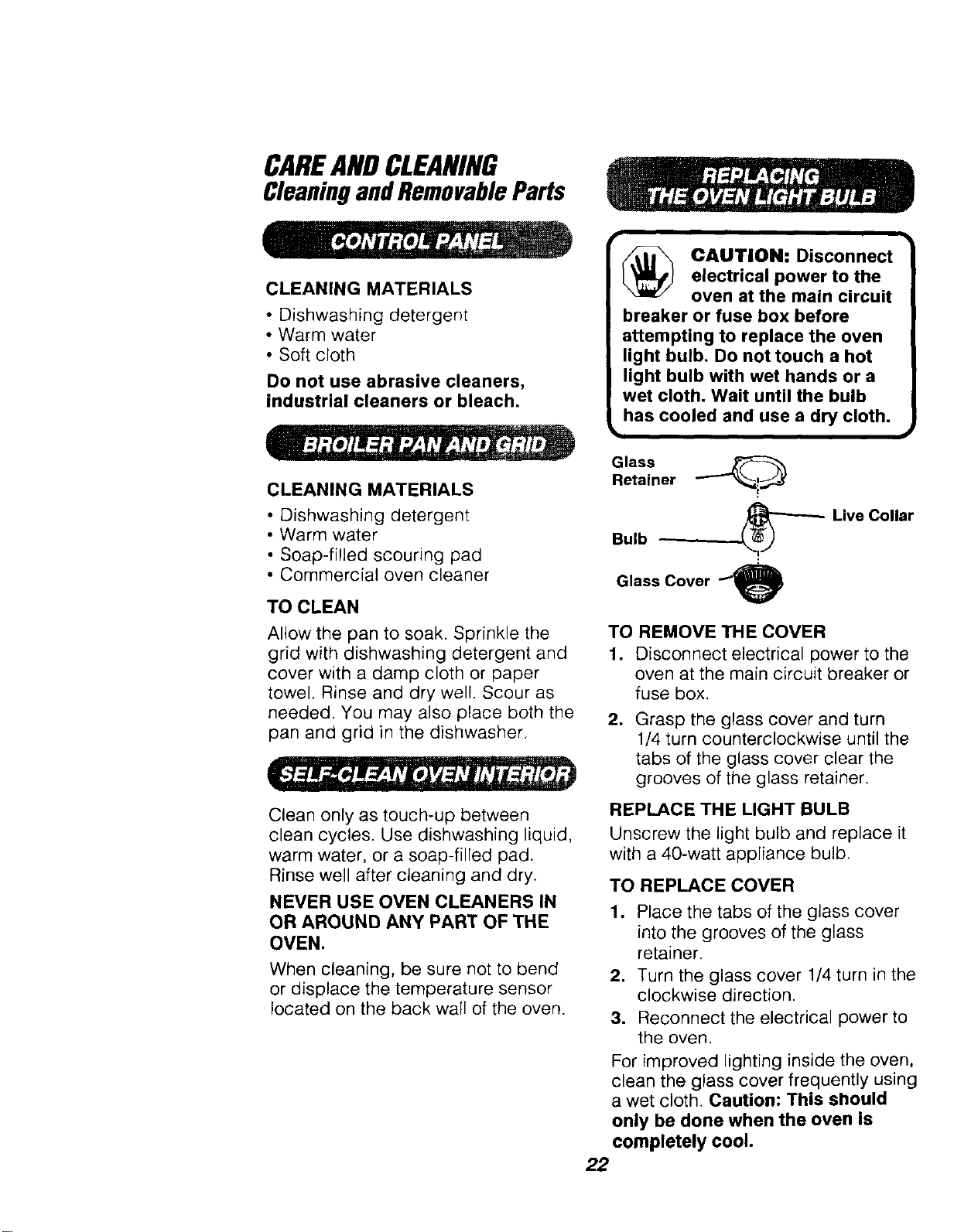
Glass ._
Retainer
Bulb --
Glass Cover _
Live Collar
TO REMOVE THE COVER
1. Disconnect electrical power to the
oven at the main circuit breaker or
fuse box.
,
Grasp the glass cover and turn
1/4 turn counterclockwise until the
tabs of the glass cover clear the
grooves of the glass retainer.
REPLACE THE LIGHT BULB
Unscrew the light bulb and replace it
with a 40-watt appliance bulb.
TO REPLACE COVER
1, Place the tabs of the glass cover
into the grooves of the glass
retainer•
2. Turn the glass cover 1/4 turn in the
clockwise direction.
3. Reconnect the electrical power to
the oven.
For improved lighting inside the oven,
clean the glass cover frequently using
a wet cloth. Caution: This should
only be done when the oven is
completely cool.
22
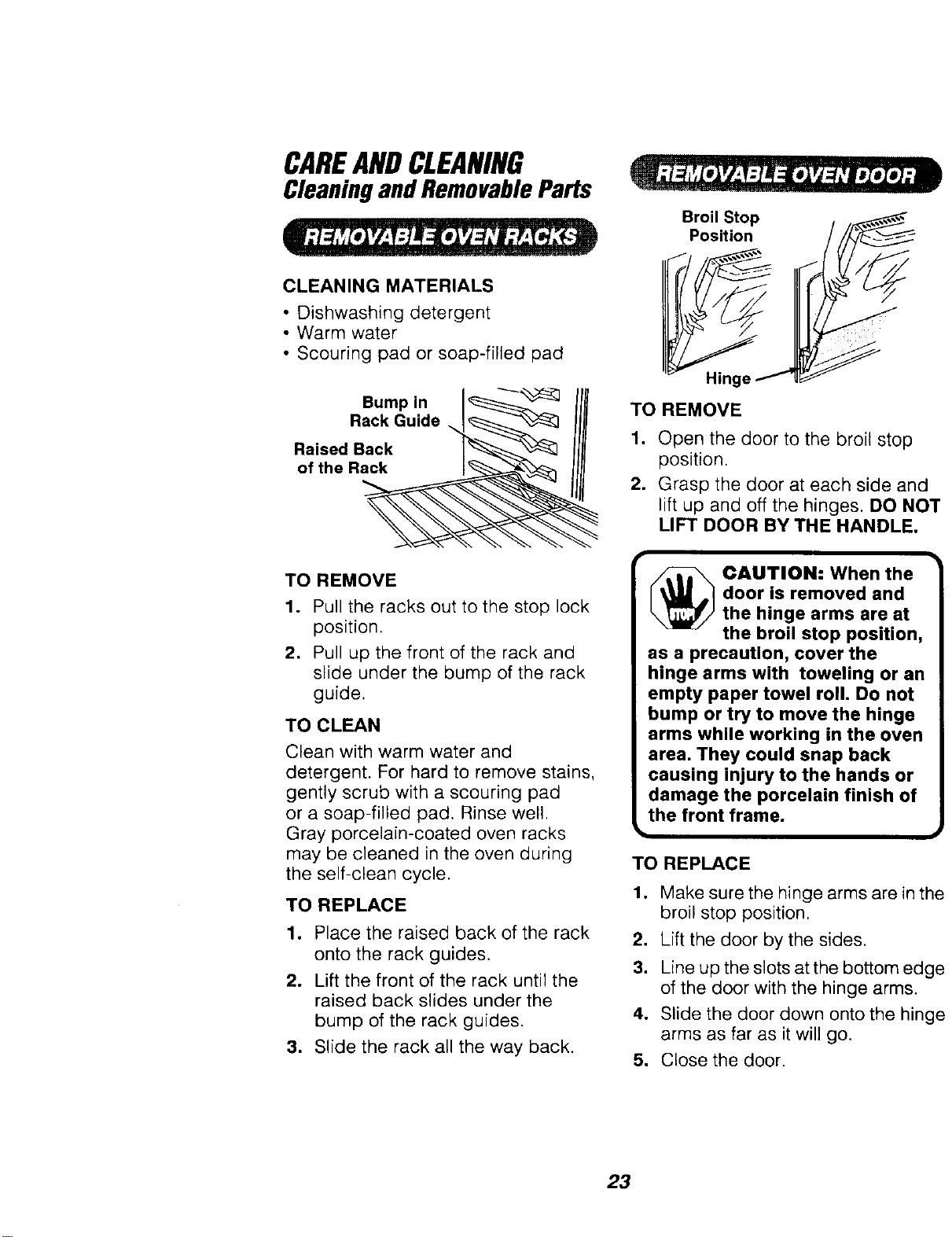
CAREANDCLEANING
CleaningandRemovableParts
CLEANING MATERIALS
• Dishwashing detergent
• Warm water
• Scouring pad or soap-filled pad
Bump in I_
Rack Guide I_"_'_]
Ro ' t gack
TO REMOVE
1. Pull the racks out to the stop lock
position.
2, Pull up the front of the rack and
slide under the bump of the rack
guide.
TO CLEAN
Clean with warm water and
detergent. For hard to remove stains,
gently scrub with a scouring pad
or a soap-filled pad. Rinse well,
Gray porcelain-coated oven racks
may be cleaned in the oven during
the self-clean cycle.
TO REPLACE
1, Place the raised back of the rack
onto the rack guides.
2, Lift the front of the rack until the
raised back slides under the
bump of the rack guides.
3. Slide the rack all the way back.
TO
1.
o
Broil Stop
Position
REMOVE
Open the door to the broil stop
position.
Grasp the door at each side and
lift up and off the hinges. DO NOT
LIFT DOOR BY THE HANDLE.
[_ CAUTION" When the
door is removed and
the hinge arms are at
the broil stop position,
as a precaution, cover the
hinge arms with toweling or an
empty paper towel roll. Do not
bump or try to move the hinge
arms while working in the oven
area. They could snap back
causing injury to the hands or
damage the porcelain finish of
the front frame.
TO REPLACE
°
2.
3.
4.
Make sure the hinge arms are in the
broil stop position,
Lift the door by the sides.
Line up the slots at the bottom edge
of the door with the hinge arms.
Slide the door down onto the hinge
arms as far as it will go.
5. Close the door.
23
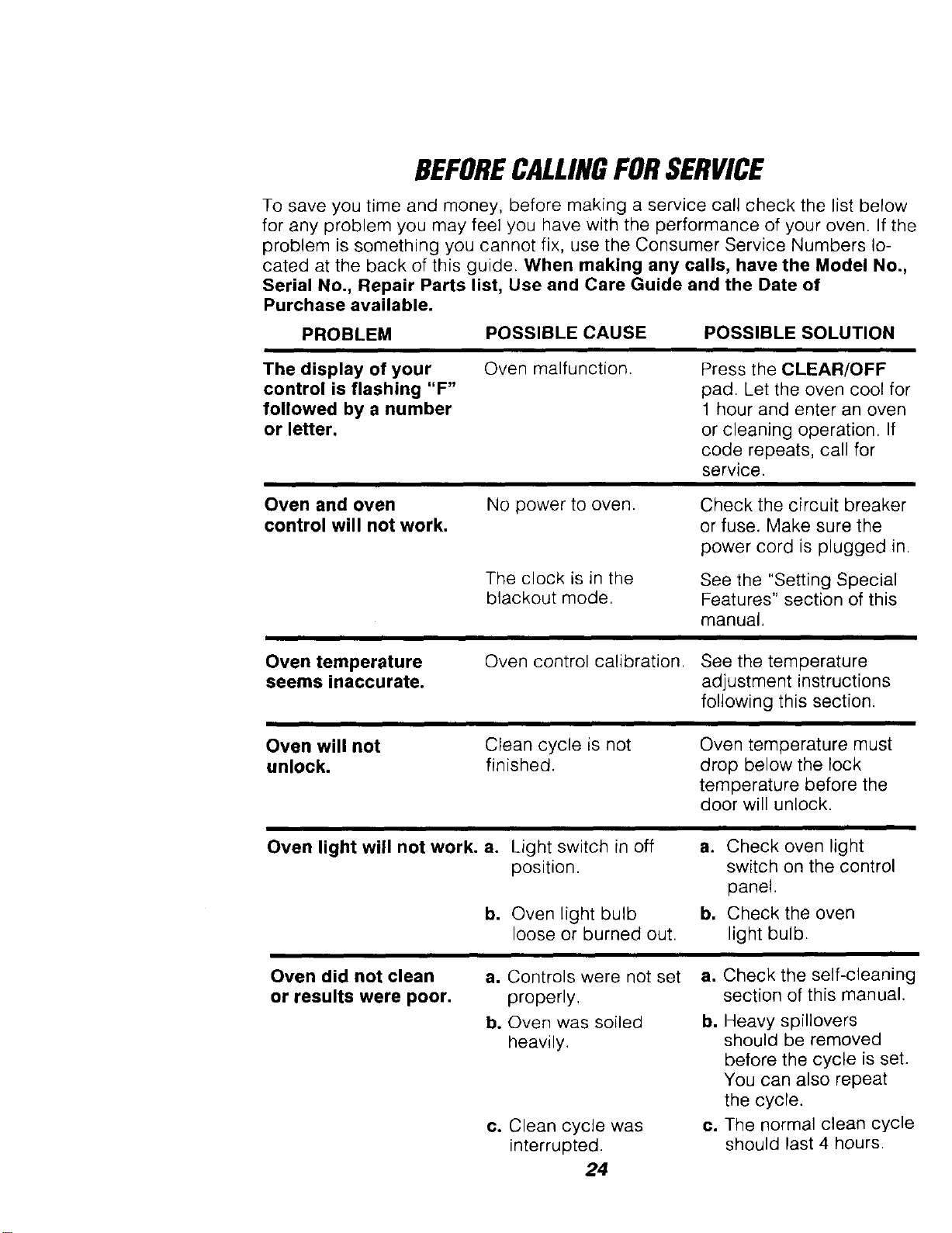
BEFORECALLINGFORSERVICE
To save you time and money, before making a service call check the list below
for any problem you may feel you have with the performance of your oven. If the
problem is something you cannot fix, use the Consumer Service Numbers lo-
cated at the back of this guide. When making any calls, have the Model No.,
Serial No., Repair Parts list, Use and Care Guide and the Date of
Purchase available.
PROBLEM
POSSIBLE CAUSE POSSIBLE SOLUTION
The display of your
control is flashing "F"
followed by a number
or letter.
Oven malfunction.
Press the CLEAR/OFF
pad. Let the oven cool for
1 hour and enter an oven
or cleaning operation. If
code repeats, call for
service.
Oven and oven
control will not work.
No power to oven.
The clock is in the
blackout mode.
Check the circuit breaker
or fuse. Make sure the
power cord is plugged in.
See the "Setting Special
Features" section of this
manual.
Oven temperature
seems inaccurate.
Oven control calibration. See the temperature
adjustment instructions
following this section.
Oven will not
unlock.
Clean cycle is not
finished.
Oven temperature must
drop below the lock
temperature before the
door will unlock.
Oven light will not work. a. Light switch in off
position.
b. Oven light bulb
loose or burned out.
a. Check oven light
switch on the control
panel.
b, Check the oven
light bulb.
Oven did not clean
or results were poor.
a. Controls were not set
properly,
b. Oven was soiled
heavily.
co Clean cycle was
interrupted.
24
a. Check the self-cleaning
section of this manual.
b. Heavy spillovers
should be removed
before the cycle is set.
You can also repeat
the cycle.
c. The normal clean cycle
should last 4 hours.
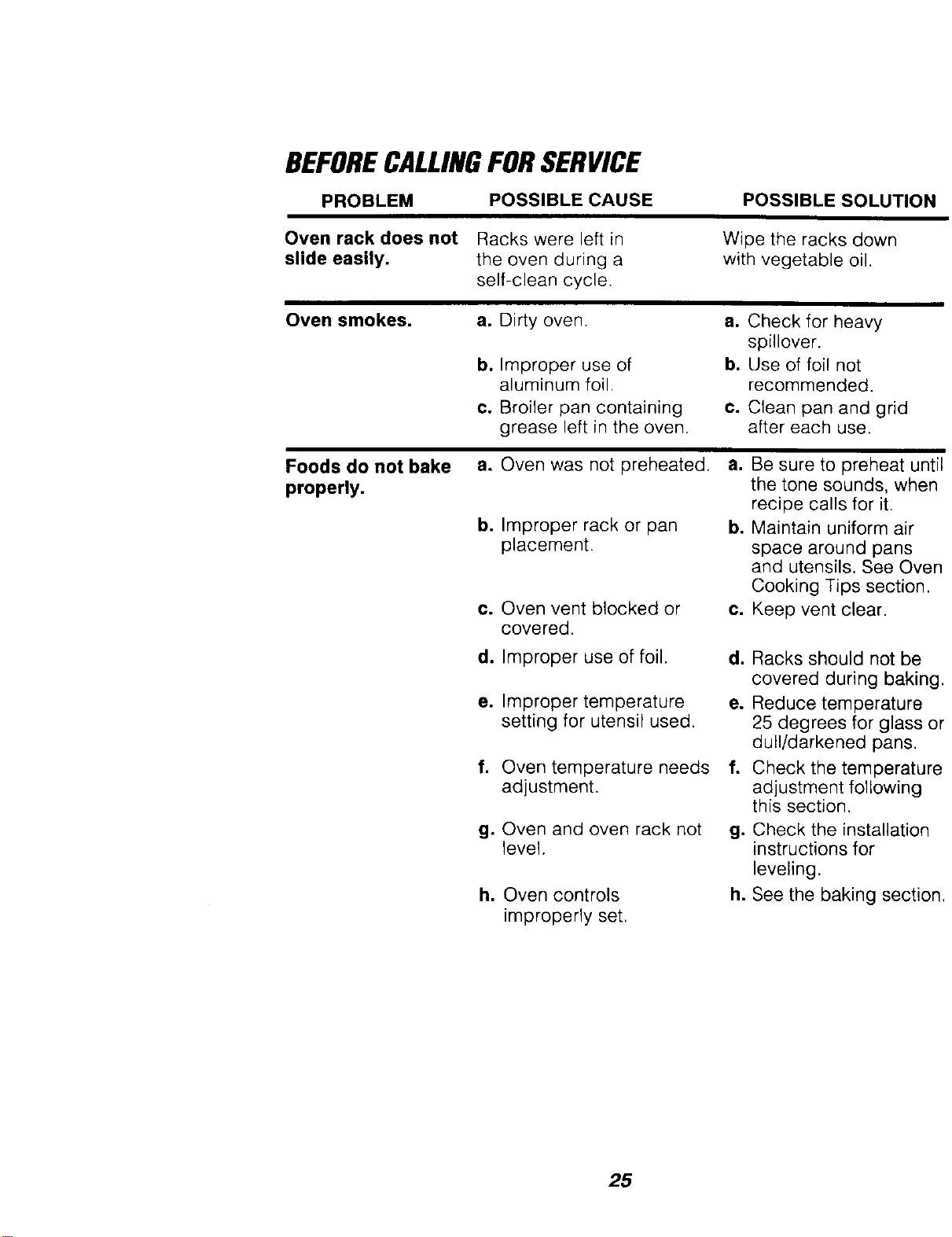
BEFORECALLINGFORSERVICE
PROBLEM POSSIBLE CAUSE POSSIBLE SOLUTION
Oven rack does not Racks were left in
slide easily, the oven during a
self-clean cycle.
Wipe the racks down
with vegetable oil.
Oven smokes.
a. Dirty oven.
b. Improper use of
aluminum foil.
¢.
Broiler pan containing
grease left in the oven.
a. Check for heavy
spillover.
bo Use of foil not
recommended.
c. Clean pan and grid
after each use.
Foods do not bake
properly.
a. Oven was not preheated,
b. Improper rack or pan
placement.
c. Oven vent blocked or
covered.
d. Improper use of foil.
e. Improper temperature
setting for utensil used.
f.
Oven temperature needs
adjustment.
g. Oven and oven rack not
level.
h. Oven controls
improperly set,
a. Be sure to preheat until
the tone sounds, when
recipe calls for it.
b. Maintain uniform air
space around pans
and utensils. See Oven
Cooking Tips section.
¢. Keep vent clear.
d. Racks should not be
covered during baking.
e. Reduce temperature
25 degrees for glass or
dull/darkened pans.
f. Check the temperature
adjustment following
this section.
g. Check the installation
instructions for
leveling.
h. See the baking section.
25
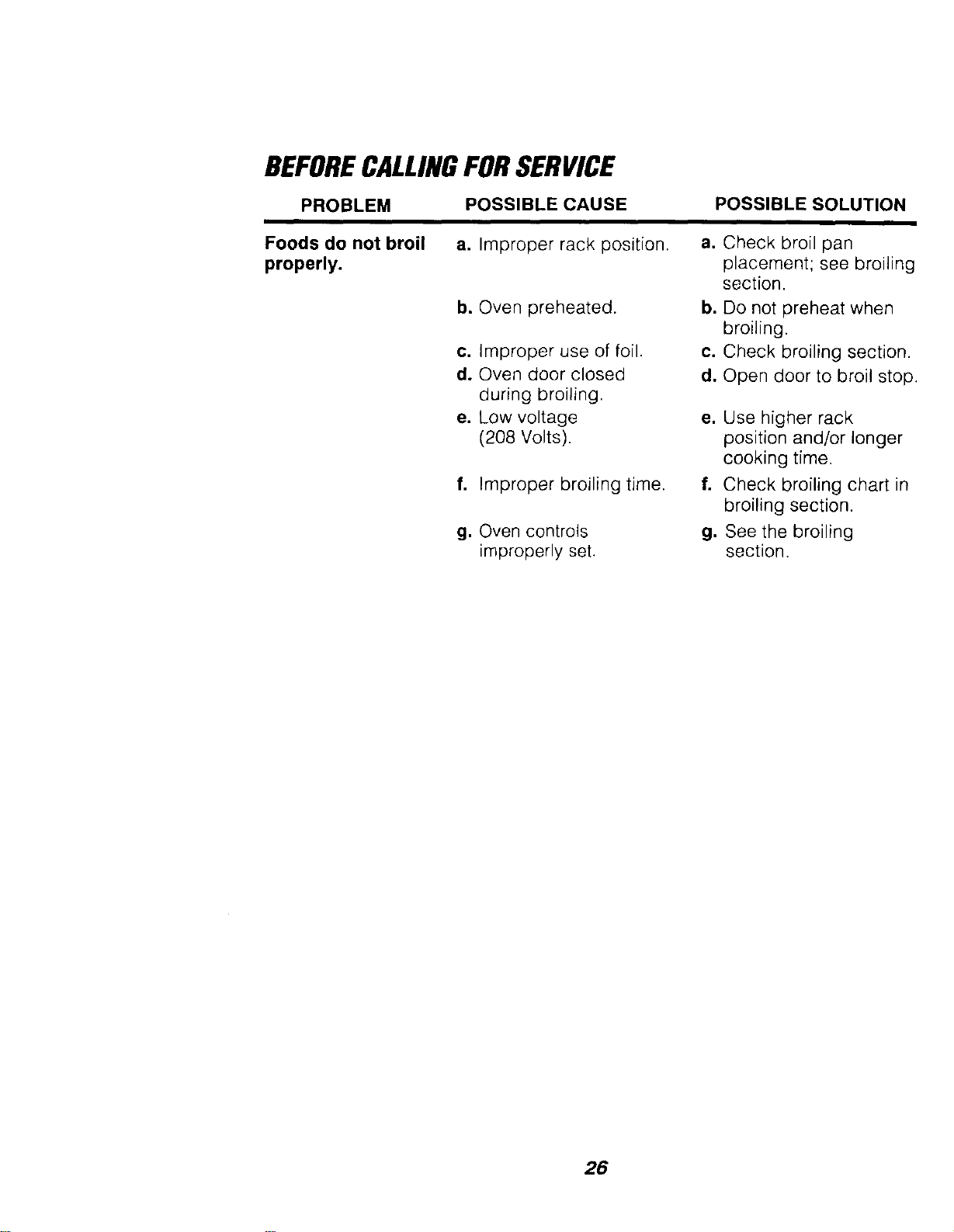
BEFORECALLINGFORSERVICE
PROBLEM
POSSIBLE CAUSE POSSIBLE SOLUTION
Foods do not broil
properly.
a. Improper rack position.
b. Oven preheated.
c. Improper use of foil.
d. Oven door closed
during broiling.
e. Low voltage
(208 Volts).
f. Improper broiling time.
g, Oven controls
improperly set.
a. Check broil pan
placement; see broiling
section.
b. Do not preheat when
broiling.
c. Check broiling section.
d. Open door to broil stop.
e, Use higher rack
position and/or longer
cooking time.
f. Check broiling chart in
broiling section.
g. See the broiling
section.
26
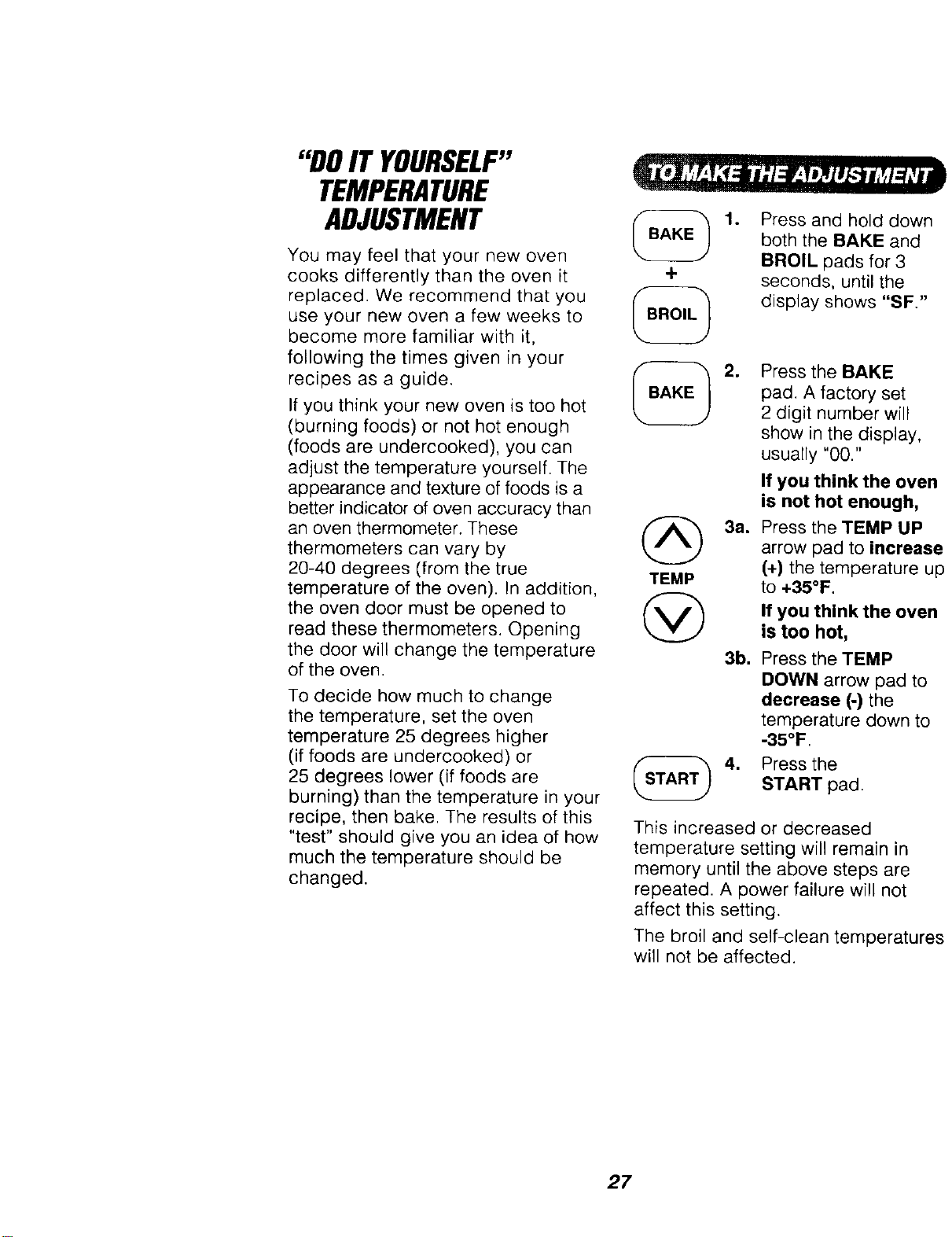
"DOIT YOURSELF"
TEMPERATURE
ADJUSTMENT
You may feel that your new oven
cooks differently than the oven it
replaced. We recommend that you
use your new oven a few weeks to
become more familiar with it,
following the times given in your
recipes as a guide.
If you think your new oven is too hot
(burning foods) or not hot enough
(foods are undercooked), you can
adjust the temperature yourself. The
appearance and texture of foods is a
better indicator of oven accuracy than
an oven thermometer, These
thermometers can vary by
20-40 degrees (from the true
temperature of the oven). In addition,
the oven door must be opened to
read these thermometers. Opening
the door will change the temperature
of the oven.
To decide how much to change
the temperature, set the oven
temperature 25 degrees higher
(if foods are undercooked) or
25 degrees lower (if foods are
burning) than the temperature in your
recipe, then bake. The results of this
"test" should give you an idea of how
much the temperature should be
changed.
+
(_ 3a.
TEMP
@
3b.
1. Press and hold down
both the BAKE and
BROIL pads for 3
seconds, until the
display shows "SF."
Press the BAKE
pad, A factory set
2 digit number will
show in the display,
usually "00."
If you think the oven
is not hot enough,
Press the TEMP UP
arrow pad to increase
(+) the temperature up
to +35°F.
If you think the oven
is too hot,
Press the TEMP
DOWN arrow pad to
decrease (-) the
temperature down to
-35°F.
4. Press theSTART pad.
This increased or decreased
temperature setting will remain in
memory until the above steps are
repeated. A power failure will not
affect this setting.
The broil and self-clean temperatures
will not be affected.
27
BUILT-IN
WALLOVENWARRANTY
f
FULL ONE YEAR WARRANTY ON ALL PARTS
If, within one year from the date of installation, any part fails to function
properly due to a defect in material or workmanship, Sears will repair or
replace it, at our option, free of charge.
If this product is subjected to other than private family use, the above
warranty is effective for only 90 days.
WARRANTY SERVICE IS AVAILABLE BY C©NTACTING THE NEAREST
SEARS SERVICE CENTER IN THE UNITED STATES.
This warranty gives you specific legal rights, and you may also have other
rights which vary from state to state.
Sears Roebuck and Co. Dept. 817 WA Hoffman Estates, IL 60179
J
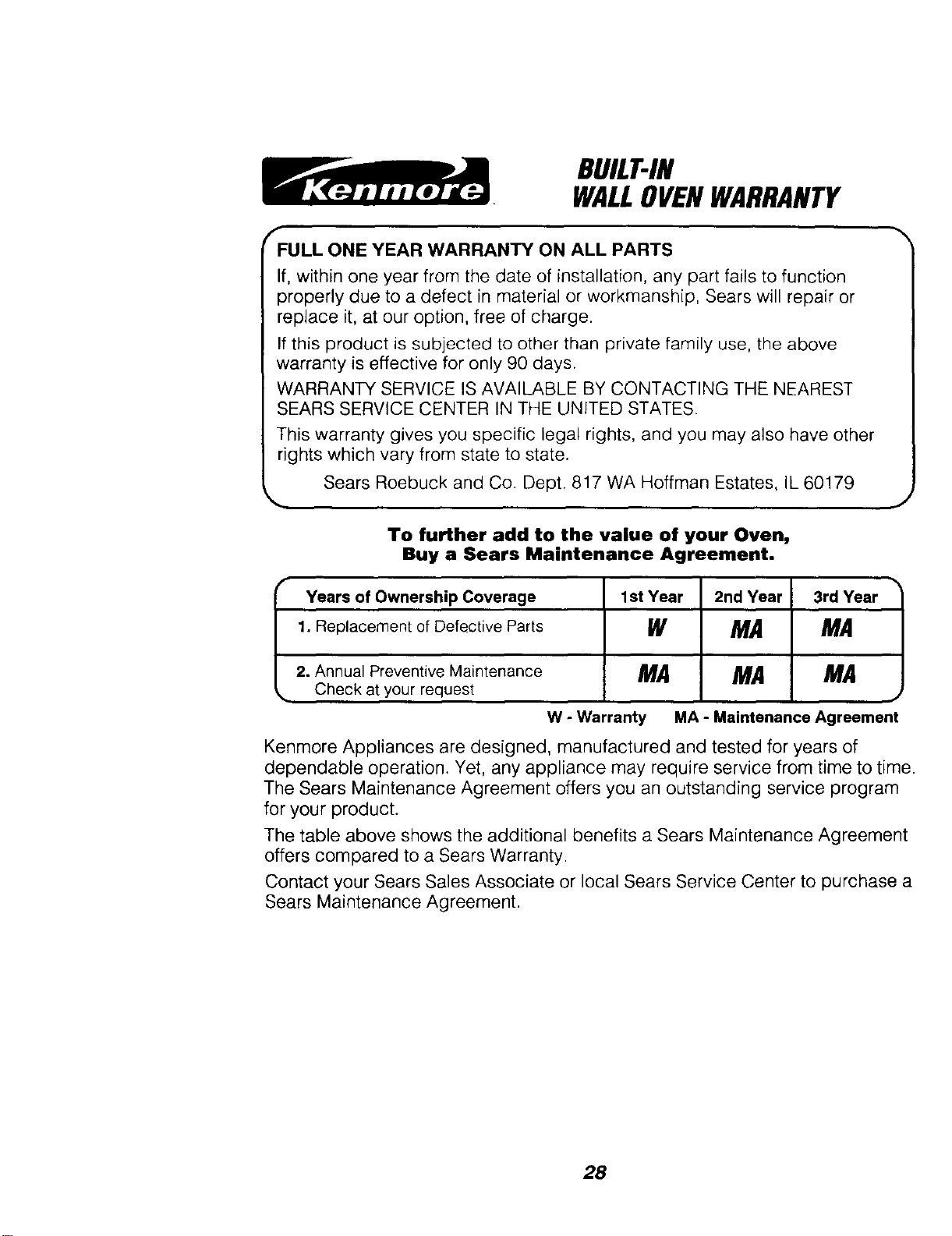
To further add to the value of your Oven,
Buy a Sears Maintenance Agreement.
Years of Ownership Coverage 1st Year 2nd Year 3rd Year
1. Replacement of Defective Parts W MA MA
2. Annual Preventive Maintenance M.4 MA MA
,,. Check at your request .,
W - Warranty MA - Maintenance Agreement
Kenmore Appliances are designed, manufactured and tested for years of
dependable operation. Yet, any appliance may require service from time to time.
The Sears Maintenance Agreement offers you an outstanding service program
for your product.
The table above shows the additional benefits a Sears Maintenance Agreement
offers compared to a Sears Warranty.
Contact your Sears Sales Associate or local Sears Service Center to purchase a
Sears Maintenance Agreement.
28
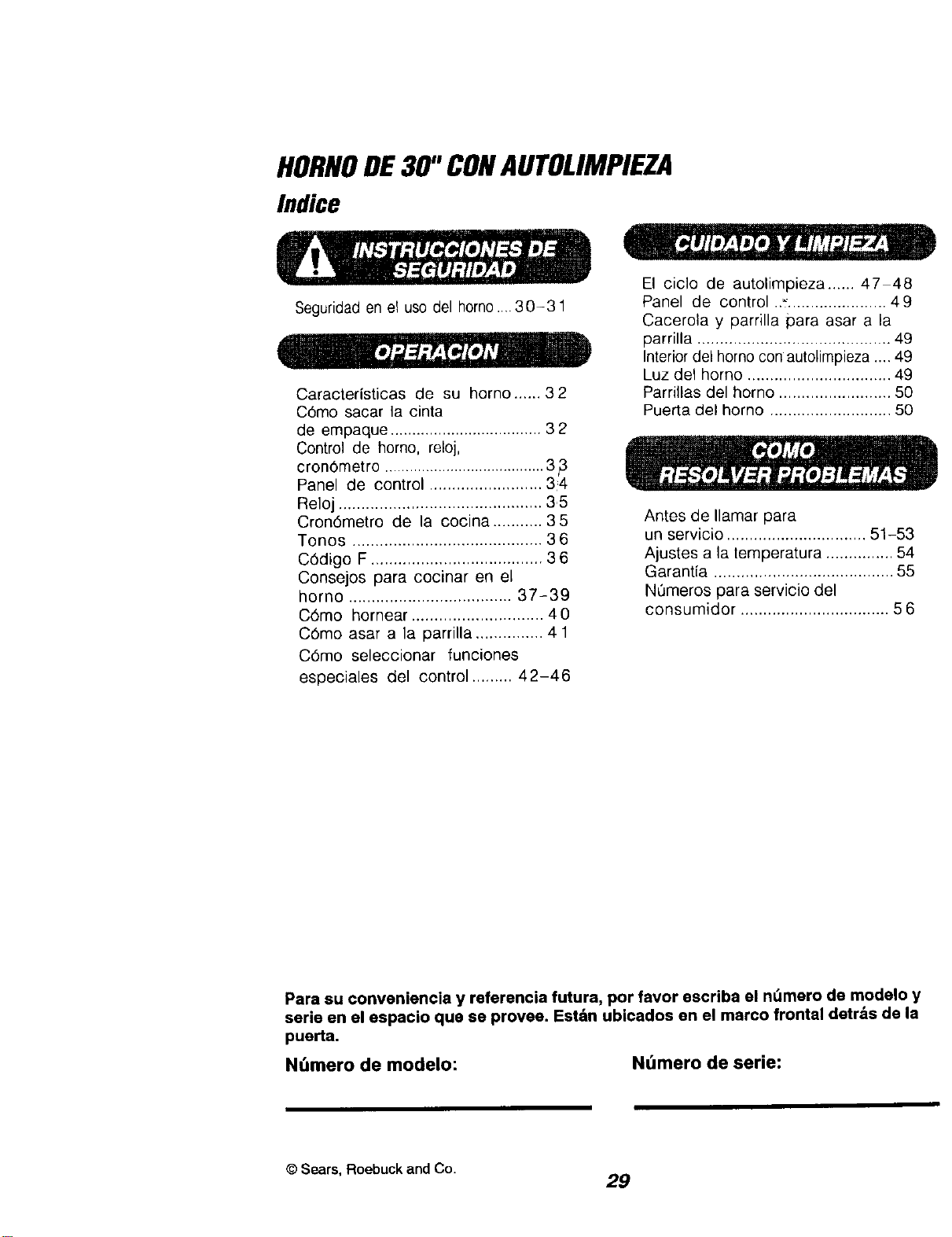
HORNODE30" CONAUTOLIMPIEZA
Indice
Seguridad en el uso del horno ....30-31
Caracteristicas de su homo ...... 32
C6mo sacar la cinta
de empaque ................................... 32
Control de horno, reloj,
cron6metro ....................................... 3
Panel de control ......................... 34
Reloj ............................................. 35
Cron6metro de la cocina ........... 35
Tonos .......................................... 36
C6digo F ...................................... 36
Consejos para cocinar en el
horno .................................... 37-39
C6mo hornear ............................. 40
C6mo asar a la parrilla ............... 41
C6mo seleccionar funciones
especiales del control ......... 42-46
El ciclo de autolimpieza ...... 47 48
Panel de control .._...................... 49
Cacerola y parrilla para asar a la
parrilla ........................................... 49
Interior del horno con autolimpieza ..,. 49
Luz del horno ................................ 49
Parrillas del homo ......................... 50
Puerta del horno ........................... 50
Antes de Ilamar para
un servicio ............................... 51-53
Ajustes a la temperatura ............... 54
Garantfa ........................................ 55
N0meros para servicio del
consumidor ................................. 56
Para su conveniencia y referencia futura, por favor escriba el ndmero de modelo y
serie en el espacio qua se provee. Est_n ubicados en el marco frontal detr_s de la
puerta.
NOmero de modelo:
Nt_mero de serie:
© Sears, Roebuck and Co.
29
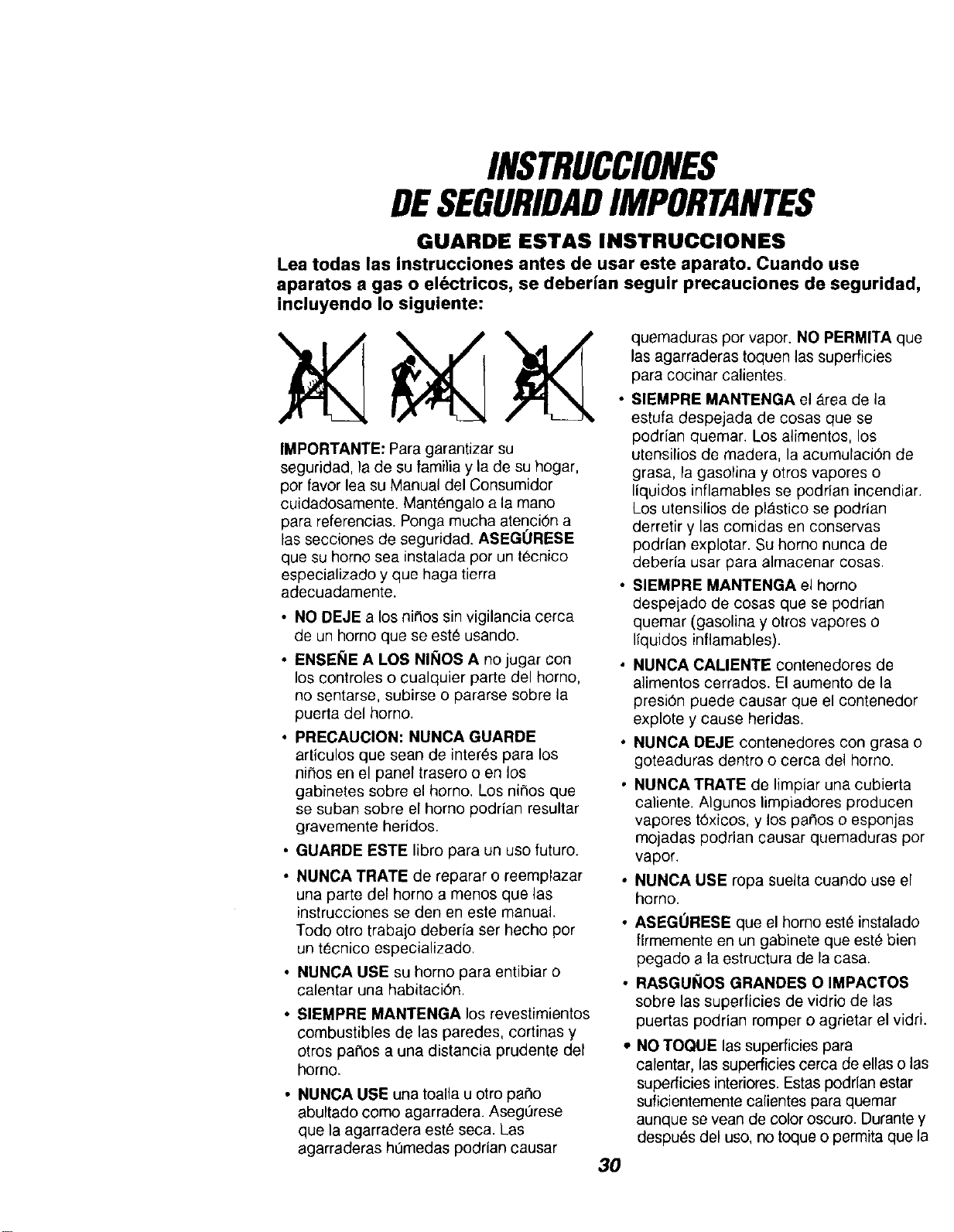
INSTRUCCIONES
DESEGURIDADIMPORTANTES
GUARDE ESTAS INSTRUCCIONES
Lea todas las instrucciones antes de usar este aparato. Cuando use
aparatos a gas o el(_ctricos, se deberian seguir precauciones de seguridad,
incluyendo Io siguiente:
IMPORTANTE: Para garantizar su
seguridad la de su familia y la de su hogar
por favor lea su Manual del Consumidor
cuidadosamente Mantengalo a la mano
para referencias Ponga mucha atenci6n a
las secciones de seguridad ASEGORESE
que su homo sea instalada pot un tecnico
especializado y que haga tierra
adecuadamente
• NO DEJE a los nir_os sin vigilancia cerca
de un homo que se este usando
• ENSENE A LOS NINOS A no jugar con
los controles o cualquier parte del homo,
no sentarse, subirse o pararse sobre la
puerta del homo
• PRECAUCION: NUNCA GUARDE
articulos que sear) de interns para los
ni_os en el panel trasero o en los
gabinetes sobre el homo Los nitros que
se suban sobre el homo podrian resultar
gravemente heridos
• GUARDE ESTE libro para un uso futuro
• NUNCA TRATE de reparar o reemplazar
una parte del homo a menos que las
instrucciones se den en este manual
Todo otro trabajo deber[a ser hecho por
un t_cnico especializado
• NUNCA USE su homo para entibiar o
calentar una habitaci6n
• SIEMPRE MANTENGA los revestimientos
combustibles de las paredes, cortinas y
otros pa_os a una distancia prudente del
horno
• NUNCA USE una toalla u otro par_o
abultado como agarradera Aseg0rese
que la agarradera est_ seca Las
agarraderas ht_medas podrian causar
3O
quemaduras por vapor NO PERMITA que
las agarraderas toquen las superficies
para cocinar calientes
SIEMPRE MANTENGA el _rea de la
estufa despejada de cosas que se
poddan quemar Los alimentos los
utensilios de madera la acumulaci6n de
grasa, la gasolina y otros vapores o
liquidos inflamables se poddan incendiar
Los utensilios de pl_stico se podrian
derretir y las comidas en conservas
podrian explotar Su homo nunca de
deberia usar para almacenar cosas
SIEMPRE MANTENGA el homo
despeLado de cosas que se podrian
quemar (gasolina y otros vapores o
Ifquidos inflamables)
• NUNCA CALIENTE contenedores de
alimentos cerrados. El aumento de la
presi6n puede causar que el contenedor
explote y cause heridas.
o NUNCA DEJE contenedores con grasa o
goteaduras dentro o cerca del homo.
NUNCA TRATE de limpiar una cubierta
caliente Algunos limpiadores producen
vapores t6xicos y los paCtoso esponjas
mojadas podrian causar quemaduras por
vapor
• NUNCA USE ropa suelta cuando use el
horno
• ASEGORESE que el homo est_ instalado
firmemente en un gabinete que este bien
pegado a la estructura de la casa
• RASGUI_IOS GRANDES O IMPACTOS
sobre las superficies de vidrio de las
puertas podrian romper o agrietar el vidri
• NO TOQUE las superficies para
calentar, las superficies cerca de elias o las
superficies interiores Estas poddan estar
suficientemente calientes para quemar
aunque se vean de color oscuro Durante y
despuOs del uso, no toque o permita que la
INSTRUCCIONES
DESEGURIDAD
IMPORTANTES
ropa o materiales inflamables hagan
contacto con las superficies calientes hasta
que hayan tenido tiempo de enfriarrse. Las
otras suprficies cerca de las ventanillas de
ventilaci6n del homo, puertas, ventanas
tambien podrian estar suficientemente
calientes para causar quemaduras.
• COLOQUE LAS PARRILLAS DEL
HORNO en la posici6n deseada mientras
el homo este fifo. Si las parrillas se deben
mover mientras el homo est& caliente, no
permita que la agarradera haga contacto
con el quemador caliente de1 horno.
• DESPUES DE ASAR A LA PARRILLA,
siempre saque la cacerola y la parrilla
para asar del homo y Ifmpielas. Los
sobrados de grasa en la cacerola para
asar podrian incendiarse la pr6xima vez
que usted use el homo.
• SIEMPRE TENGA CUIDADO cuando
abra la puerta del homo. Deje que el aire
caliente y el vapor escapen antes de
mover los alimentos.
• NUNCA USE papel de aluminio para
forrar el fondo del homo. El use
inadecuado del papel de aluminio podfia
resultar en un golpe de corriente o en un
incendio.
• NUNCAOBSTRUYA la abertura de la
ventilaci6n del horno.
parriNa para asar en el ciclo de
autolimpieza.
• NO USE limpiadores para hornos - No se
deberia usar ninguna clase de limpiador
para hornos dentro o alrededor de
cualquier parte del homo.
• SI LA FUNCION DE AUTOLIMPIEZA
falla, apague el horno y desconecte la
electricidad. H&gale un servicio per un
tecnico calificado.
;ADVERTENClA DE
SEGURIDAD IMPORTANTE!
California Safe Drinking Water and
Toxic Enforcement Act requiere que el
gobernador de California publique una
lista de substancias que el estado sepa
que producen defectos de nacimiento u
otros dafms reproductivos y requiere
que los hombres de negocios adviertan
a sus clientes del contacto potencial a
tales substancias. El aislante de fibra de
vidrio en el homo con autolimpieza
emitir& una muy peque_e cantidad de
mon6xido de carbono durante el ciclo
de autolimpieza. El contacto se puede
minimizar ventilando con una puerta o
ventana abierta o usando un ventilador
o una campana de ventilacibn.
IMPORTANTE: La salud de algunos
p_jaros es extremadamente sensitiva a
los vapores producidos por el ciclo de
autolimpieza de cualquier homo. Ponga
los p_jeros en otra habitaci6n qua est6
bien ventilada,
;LEA Y COMPRENDA ESTA
|NFORMAClON AHORA!
Aseg,',rese que todos en su hogar
sepan qu6 hacer en caso de incendio.
Nunca use agua sobre un incendio de
grasa, esto solamente extender& las
llamas.
• LIMPIE SOLAMENTE las partes que se
listan en este manual. Siga todas las
instrucciones para la limpieza.
• NUNCA FRIEGUE, mueva, limpie o da_e
el sello de la puerta en los hornos con
autolimpieza. Es esencial para un buen
sellado.
• NUNCA TRATE de limpiar los utensilios,
elias, partes removibles o la cacerola y la 31
FUEGO EN EL HORNO:
iNo trate de mover la cacerola!
1. Cierre la puerta del homo y apague los
controles.
2,
Si el incendio continQa,
cuidadosamente abra la puerta, arroje
soda para cocinar sobre el fue9o, o
use un extintor de quimico seco,
espuma o "halon".
OPERACION
CARACTERISTICASDESUHORNO
Ventilacibn del
Cerrojo Control de la
automdtico estufa
Luz del para
autolimpieza
Bot6n del reloj
Interruptor Is
del homo
Elemento para
y parrUla asar a Is
para asar a
Parrillas
removibles del
Ubicacibn del
numero de
modelo y serie
(detr=is de
Sensor de
temperatura del
Interior del
horno con
"autolimpieza
Sello de la
puerta pars
Elemento
pars hornear
Puerta
removible del
horno
Para sacar el residuo del adhesivo de la cinta de empaque, use detergente liquido para
platos, aceite mineral o aceite para cocinar. Con un paso suave fr6telos sobre el _rea y
permita que se remoje. Enjague y seque bien. Esto se deberia haeer antes de eneender
al horno por pri_era vez. La clnta no se puede sacar una vez que el homo se hays
calentado. La cinta de empaque se puede encontrar en las siguientes _rea: manilla de la
puerta, _rea del panel de control, moldura de la puerta y _rea del horno.
32
OPERACION
ControlDel Homo,Reloj YCronGmetro
r
!8888
@ @@
TEMP ltOUR MIN
@ GG
TIMED OVEN KITCHEN
TIMER
J
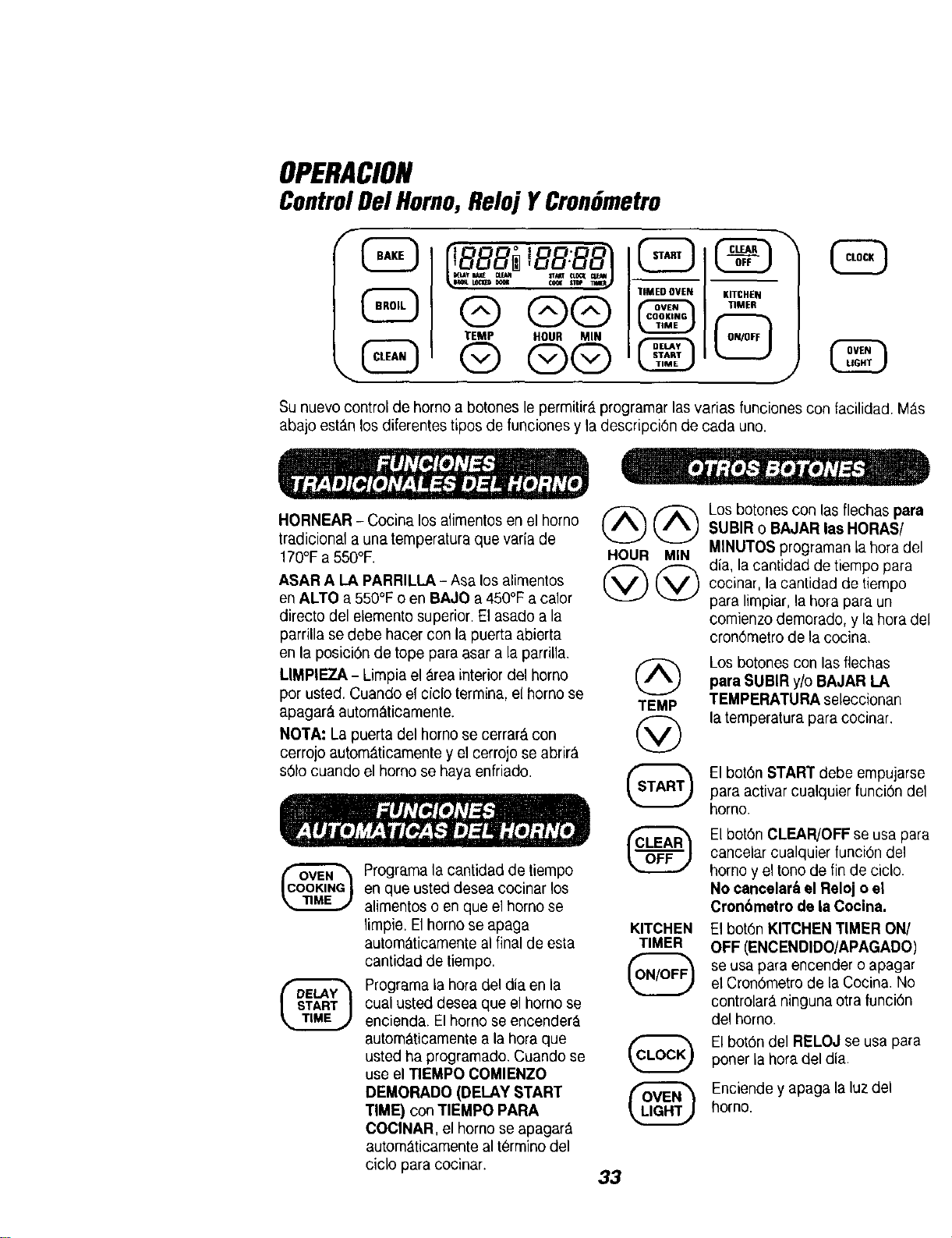
Su nuevo control de homo a botones le permitir& programar las varias funciones con facilidad M_.s
abajo est&n los diferentes tipos de funciones y la descripci6n de cada uno.
HORNEAR - Cocina los alimentos en el homo
tradicional a una temperatura que varla de
170°Fa 550°F.
ASAR A LA PARRILLA- Asa los alimentos
en ALTO a 550°F o en BAJO a 450°F a calor
directo del elemento superior. El asado a la
parrilla se debe hacer con la puerta abierta
en la posici6n de tope para asar a la parrilla.
LIMPIEZA - Limpia el _.reainterior del homo (A)
por usted, Cuando el ciclo termina, el homo se
apagar& autom&ticamente. TEMP
NOTA: La puerta del homo se cerrar_ con (V)
cerrojo autom_,ticamente y el cerrojo se abrir&
s61ocuando el homo se haya enfriado.
LEt
Programa la cantidad de tiempo
en que usted desea cocinar los
alimentos o en que el homo se
limpie, El homo se apaga
autom_ticamente al final de esta
cantidad de tiempo.
Programa la hora del dia en la
cual usted desea que el homo se
encienda. El homo se encender_.
autom&ticamente a la hora que
usted ha programado. Cuando se
use el TIEMPO COMIENZO
DEMORADO (DELAY START
TIME) conTIEMPO PARA
COCINAR, el homo se apagar_
autom_ticamente al t_rmino del
ciclo para cocinar.
@@
HOUR MIN
KITCHEN
TIMER
Losbotones con las flechas para
SUBIR o BAJAR las HORAS/
MINUTOS programan la hora del
dia, la cantidad de tiempo para
cocinar, la cantidacl de tiempo
para limpiar, la hora para un
comienzo demorado, y la hora del
cron6metro de la cocina.
Los botones con las flechas
para SUBIR y/o BAJAR LA
TEMPERATURA seleccionan
la temperatura para cocinar.
El bot6n START debe empujarse
para activar cualquier funci6n de1
homo.
El bot6n CLEAR/OFF se usa para
cancelar cualquier funciOn del
homo y el tono de fin de ciclo.
No cancelar& el Reloj o el
Cron6metro de la Cocina.
El bot6n KITCHEN TIMER ON/
OFF (ENCENDIDO/APAGADO)
se usa para encender o apagar
el Cron6metro de la Cocina. No
controlar_, ninguna otra funci6n
del homo.
El bot6n del RELOJ se usa para
poner la hora del dia.
Enciende y apaga la luz del
homo.
33
OPERACION
PanelDeControl
Indicador de Indicador para avisar
temperatura del que el horno se ha
Indicador para homo encendido
avisar que \ oA
programe una _E s .___._'_._ r_/E -_-_ °._'__._Z_'__
temperaturaoun _l T__ I_J TL_°_T
tiempo I DELAYBAKE CLEAN STARTCLOCKCLEANI
_,BROIL\LOCKEODOOR COOK_,_T(}P_/T!MERj/
Indicador de Indicador de
funcibn de tiempo funcibn de tiempo
UbicaciBn para la
hora del dia en el
reloj, cronBmetro de
la cocina, hora de
comienzo demorado,
coccibn en el homo
o tiempo de limpieza.
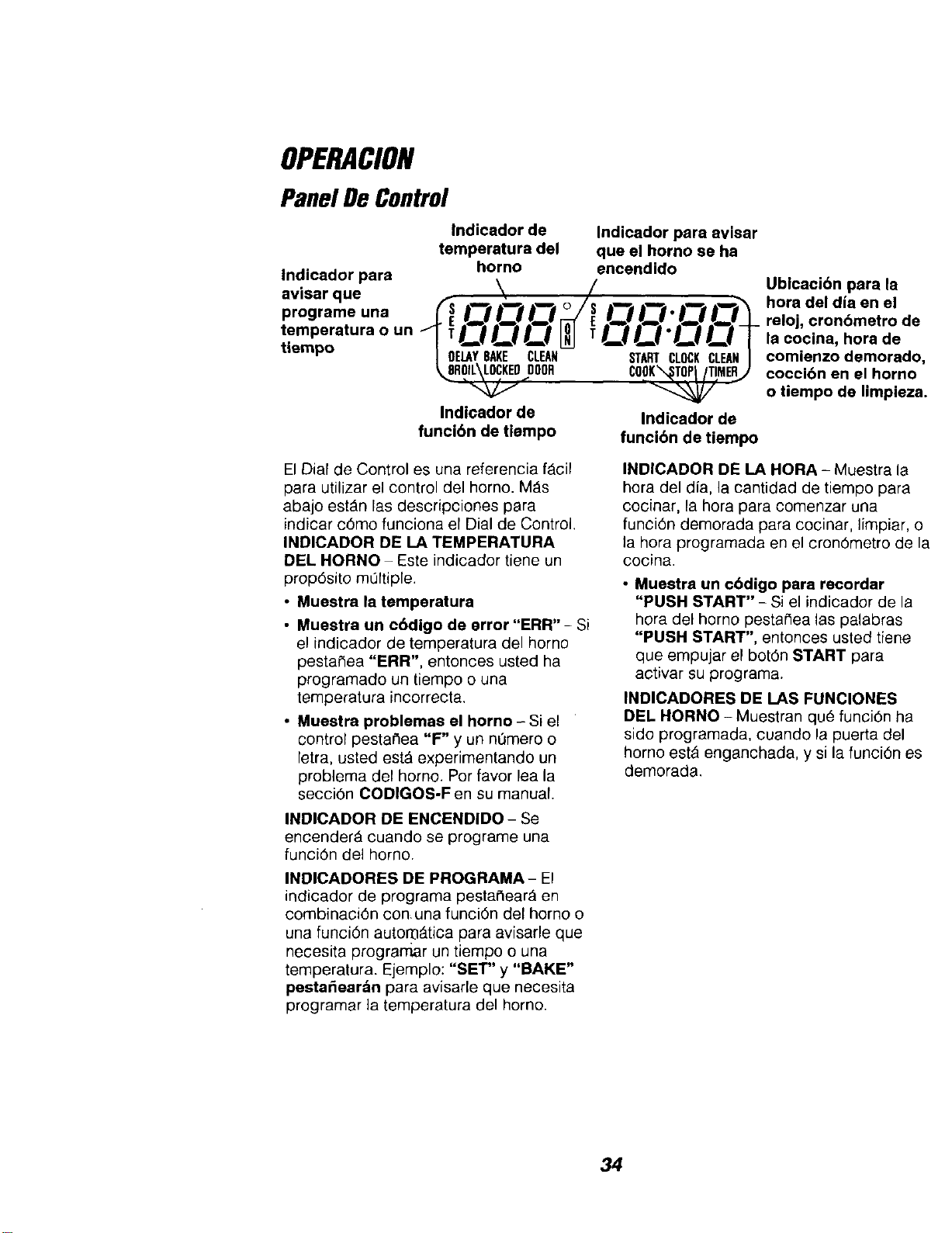
El Dial de Control es una referencia f_cil
para utilizar el control del horno. M_s
abajo estAn las descripciones para
indicar c6mo funciona el Dial de Control.
INDICADOR DE LA TEMPERATURA
DEL HORNO - Este indicador tiene un
prop6sito mQftiple.
• Muestra la temperatura
• Muestra un cBdigo de error "ERR" - Si
el indicador de temperatura del homo
pestaSea "ERR", entonces usted ha
programado un tiempo o una
temperatura incorrecta.
• Muestra problemas el horno - Si el
control pestar_ea "F" y un nOmero o
letra, usted estA experimentando un
problema del horno. Por favor lea la
secci6n CODIGOS-F en su manual.
INDICADOR DE ENCENDIDO - Se
encender_ cuando se programe una
funci6n del horno.
INDICADORES DE PROGRAMA- El
indicador de programa pestaClear_ en
combinaci6n con una funci6n del homo o
una funci6n autoro_.tica para avisarle que
necesita programar un tiempo o una
temperatura. Ejemplo: "SET" y "BAKE"
pestaSear_n para avisade que necesita
programar la temperatura del homo.
INDICADOR DE LA HORA - Muestra la
hora del dia, la cantidad de tiempo para
cocinar, la hora para comenzar una
funci6n demorada para cocinar, limpiar, o
la hora programada en el cron6metro de la
cooina.
• Muestre un cbdigo pare recordar
"PUSH START" - Si el indicador de la
hora del homo pestaNea las palabras
"PUSH START", entonces usted tiene
que empujar el bot6n START para
aotivar su programa.
INDICADORES DE LAS FUNCIONES
DEL HORNO - Muestran que funciBn ha
sido programada, cuando la puerta del
homo est_ enganchada, y si la funciOn es
demorada.
34
OPERAClON
Reloj YCronGmetro
El reloj debe ponerse a la correcta hora
del dia antes que una funcidn demorada
del homo funcione correctamente. La hora
del dia no se puede cambiar durante una
funci6n autom_tica del homo, pero se
puede cambiar durante una funci6n para
hornear o para asar a la parrilla.
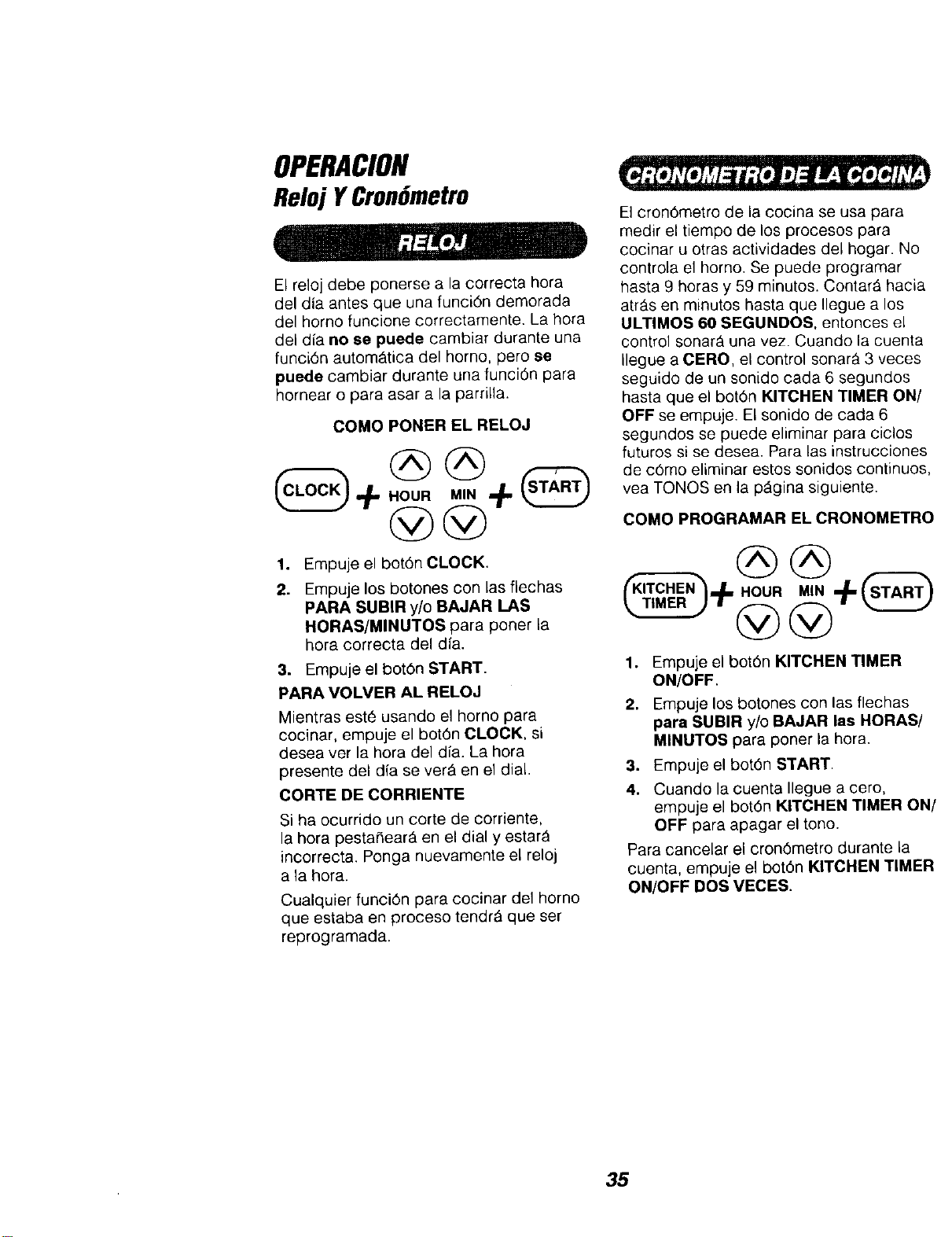
COMO PONER EL RELOJ
1°
2.
Empuje el botOn CLOCK.
Empuje los botones con las flechas
PARA SUBIR y/o BAJAR LAS
HORAS/MINUTOS para poner la
hora correcta del dia.
3. Empuje el botOn START.
PARA VOLVER AL RELOJ
Mientras est6 usando el horno para
cocinar, empuje el botdn CLOCK, si
desea ver la hora del dfa. La hora
presente del dia se ver_ en el dial.
CORTE DE CORRIENTE
Si ha ocurrido un corte de corriente,
la hora pesta_eartL en el dial y estarA
incorrect& Ponga nuevamente el reloj
a la hora.
Cualquier funcidn para cocinar de1 horno
que estaba en proceso tendr_ que ser
reprogramada.
El crondmetro de la cocina se usa para
medir el tiempo de los procesos para
cocinar u otras actividades del hogar. No
controla el homo. Se puede programar
hasta 9 horas y 59 minutos. Contar_ hacia
arras an minutos basra que Ilegue a los
ULTIMOS 60 SEGUNDOS, entonces el
control sonar_ una vez. Cuando la cuenta
Ilegue a CERO, el control sonar_ 3 veces
seguido de un sonido cada 6 segundos
hasta que el botdn KITCHEN TIMER ON/
OFF se empuje. El sonido de cada 6
segundos se puede eliminar para ciclos
futuros si se desea. Para las instrucciones
de cdmo eliminar estos sonidos continuos,
vea TONOS en la p_gina siguiente.
COMO PROGRAMAR EL CRONOMETRO
°
2.
Empuje el botOn KITCHEN TIMER
ON/OFF.
Empuje los botones con las flechas
para SUBIR y/o BAJAR las HORAS/
MINUTOS para poner la hora.
3. Empuje el bot0n START.
4. Cuando la cuenta Ilegue a cero,
empuje el botdn KITCHEN TIMER ON/
OFF para apagar el tono.
Para cancelar el cron6metro durante la
cuenta, empuje el botOn KITCHEN TIMER
ON/OFF DOS VECES.
35
OPERACION
Control Del Homo,
Reloj y CronGmetro
El nuevo control tiene una serie de tones
que sonar_n a tiempos diferentes. Estos
tonos pueden sonar mientras usted
programa una Iunci6n del homo, o al final
de una funci6n del homo. Tambien le
avisar& si existe un problema con una de
las funciones. M_s abajo est_n los tipos
de tonos y una breve descripci6n de
cada uno.
TONOS MIENTRAS PROGRAMA EL
CONTROL- Cuando empuje un bot6n
usted escuchar_, un tono. Este tono le har_
saber que aplic6 suficiente presi6n sobre
el bot6n para activarlo. (Los botones con
las flechas no suonan.)
TONO AL FINAL DE UN CICLO
AUTOMATICO - Despues de una funci6n
para cocinar autom_tica, usted escuchar_
tres tonos cortos seguidos por un tono
cada 6 segundos. El tono de cada
6 segundos seguir_ sonando hasta que
empuje el bot6n CLEAR/OFF ousted
decida seleccionar el programa especial
para cancelar y evitar que el tono de 6
segundos suene al final de un ciclo future.
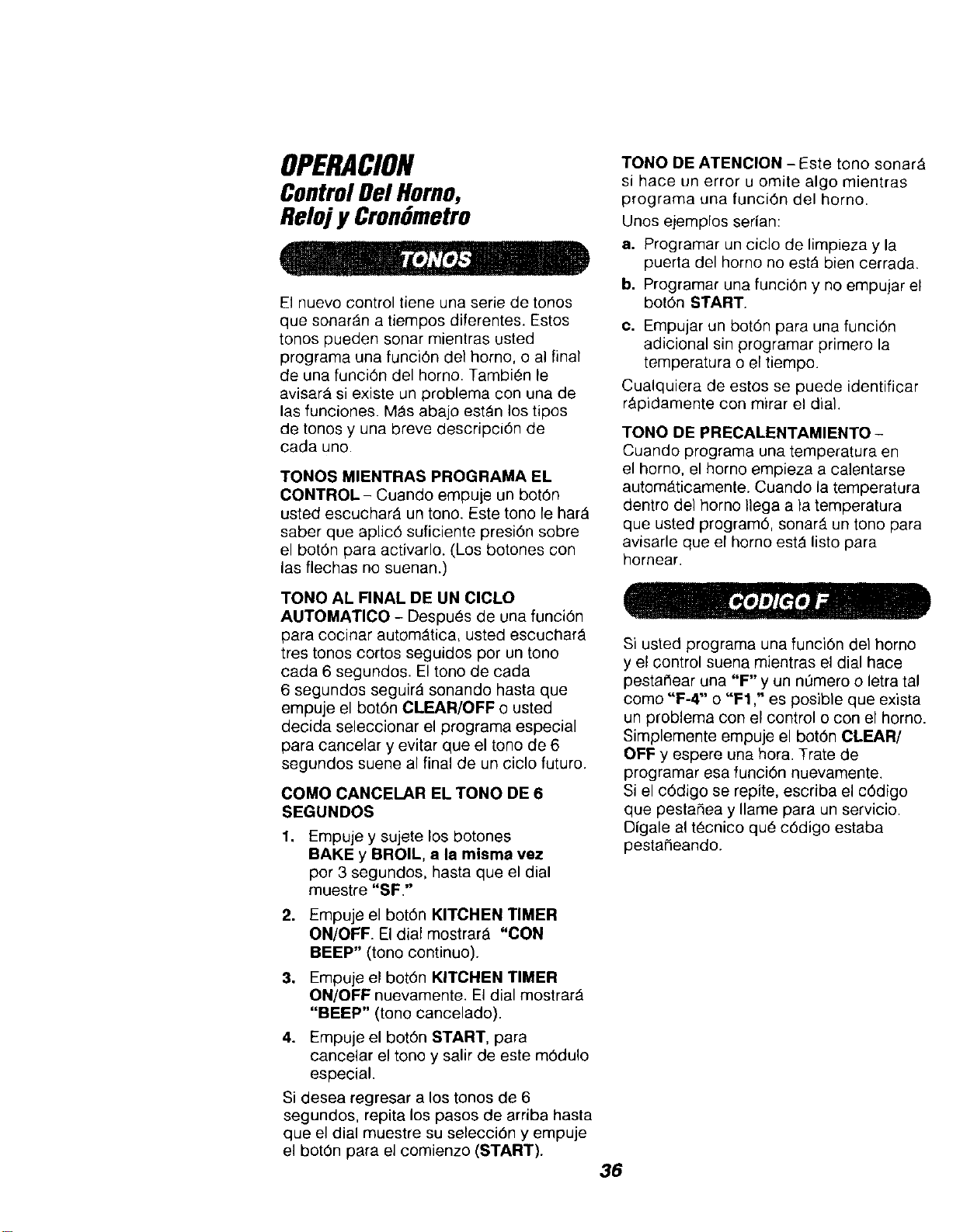
COMO CANCELAR EL TONO DE 6
SEGUNDOS
1.
,
3_
4.
Empuje y sujete los botones
BAKE y BROIL, a la misma vez
per 3 segundos, hasta que el dial
muestre "SF."
Empuje el bot6n KITCHEN TIMER
ON/OFF El dial mostrar_ "CON
BEEP" (tono continuo).
Empuje el bot6n KITCHEN TIMER
ON/OFF nuevamente. El dial mostrarA
"BEEP" (tone cancelado).
Empuje el bot6n START, para
cancelar el tono y salir de este m6dulo
especial.
Si desea regresar a los tonos de 6
segundos, repita los pasos de arriba hasta
que el dial muestre su selecci6n y empuje
el bot0n para el comienzo (START).
TONO DE ATENCION - Este tono sonarA
si hace un error u omite algo mientras
programa una funci6n del homo.
Unos eiemplos sedan:
a. Programar un ciclo de limpieza y la
puerta dol homo no est_ bien cerrada.
b. Programar una funci6n y no empujar el
bot6n START.
c. Empujar un bot6n para una funci6n
adicional sin programar primero la
temperatura o el tiempo.
Cualquiera de estos se puede identificar
r&pidamente con mirar el dial.
TONO DE PRECALENTAMIENTO-
Cuando programa una temperatura en
el homo, el home empieza a calentarse
automAticamente. Cuando la temperatura
dentro del homo Ilega a la temperatura
que usted program6, sonarS, un tono para
avisarle que el homo est_ listo para
hornear.
Si usted programa una funci6n del homo
y el control suena mientras el dial hace
pestaClear una "F" y un n0mero o letra tal
como "F-4" o "F1 ," es posible que exista
un problema con el control o con el homo.
Simplemente empuje el bot6n CLEAR/
OFF y espere una hora. Trate de
programar esa funci6n nuevamente.
Si el c6digo se repite, escriba el c6digo
que pestaSea y Ilame para un servicio.
Digale al tecnico qu6 c6digo estaba
pestaneando.
36
OPERACION
ConsejosParaCocinar
EnE1Homo
Es normal sentir un poco de olor cuando
use su horno por primera vez. Para ayudar
a eliminar este olor, ventile la habitaeibn
abriendo una ventana o usando una
campana de ventilacion.
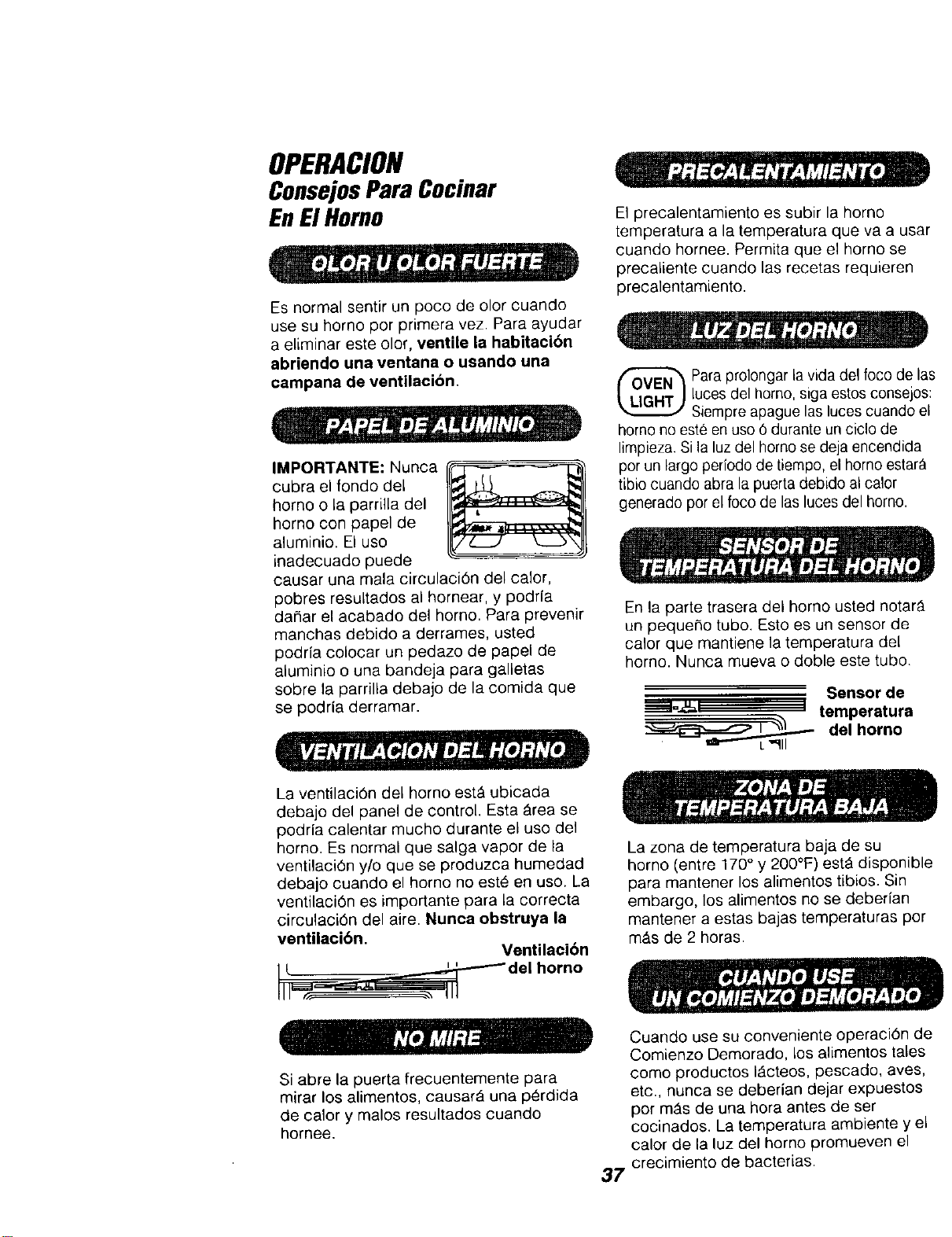
IMPORTANTE: Nunca
cubra el fondo del
homo o la parrilla del
homo con papel de
aluminio. El uso
inadecuado puede
causar una mala circutaci6n de/calor,
pobres resultados al hornear, y podrfa
daNar el acabado del homo. Para prevenir
manchas debido a derrames, usted
podrfa colocar un pedazo de papel de
aluminio o una bandeja para galletas
sobre la parrilla debajo de la comida que
se podria derramar.
El precalentamiento es subir la homo
temperatura a la temperatura que va a usa=
cuando hornee. Permita que el homo se
precaliente cuando las recetas requieren
precalentamiento.
Para prolongar la vida del fooo de la
luces del homo, siga estos consejos
Siempre apague Jasluces cuando ei
homo no este en uso 6 durante un ciclo de
limpieza. Si la luz del homo se deja encendida
por un largo periodo de tiempo,el homo eslar_
tibio cuando abra la puerta debido al calor
generado por el foco de las luces del homo.
En la parte trasera del homo usted notarY.
un pequer_o tubo. Esto es un sensor de
calor que mantiene la temperatura del
homo. Nunca mueva o doble este tubo.
Sensorde
temperatura
del horno
La ventilaciOn del horno est_ ubicada
debajo del panel de control. Esta _rea se
podrla calentar mucho durante el uso del
homo. Es normal que salga vapor de la
ventilaci6n y/o que se produzca humedad
debajo cuando el homo no este en uso. La
ventilaci6n es importante para la correcta
circulaci6n del aire. Nunea obstruya la
ventilacibn.
Ventilacibn
L_m_,=,__S del horn°
Si abre la puerta frecuentemente para
mirar los alimentos, causarA una p_rdida
de calory malos resultados cuando
hornee.
Le zona de temperatura baja de su
homo (entre 170 ° y 200°F) estA disponibl
para mantener los alimentos tibios. Sin
embargo, los alimentos no se deberfan
mantener a estas bajas temperaturas pot
mt_s de 2 horas.
Cuando use su conveniente operacidn d_
Comienzo Demorado, los alimentos tales
como productos IActeos, pescado, aves,
etc., nunca se deberian dejar expuestos
por mAs de una hora antes de ser
cocinados. La temperatura ambiente y el
calor de la luz del homo promueven el
37' crecimiento de bacterias.
OPERACION
ConsejosParaCocinar
EnElHomo(cont.)
La mayorfa de las recetas para hornear
han sido desarrolladas utilizando
productos con un alto contenido de
manteca tales como mantequilla y
margarina (80% de manteca por peso--el
requerimiento federal para los productos
marcados "margarina"). Usted obtendr_
malos resultados si los queques, pasteles,
tortas, galletas, o dulces son hechos con
mantequilla con bajo contenido de
manteca. Las mantequillas y margarinas
con bajo contenido de aceite contienen
menos manteca y m_s agua. El alto
contenido de agua de la mantequilla o
margarina afecta la textura y el sabor de
sus recetas para hornear favoritas.
Mientras m_s bajo sea el contenido de
manteca de la mantequilla o margarina,
m_s se notarAn estas diferencias. Para
asegurar los mejores resultados, use
margarina, mantequilla u otras barras de
estos productos que contengan per Io
menos 70% de aceite vegetal.
El Sensor de Temperatura del Homo en la
parte trasera del borne mide y controla
continuamente la temperatura dentro del
horno. Para mantener una temperatura
programada constante, los elementos
har_.n un ciclo de encendido apagado
mientras el homo cocina.
Los resultados del horneado sertt mejor si
las cacerolas para hornear est_n centradas
en el homo Io m_s posible. SiestA
horneando con m,_sde un utensilio,
col6quelos de manera que cada une tenga
por le menes de 1"a 1 1/2" de espacio de
aire a su alrededor. Coloque los utensilios
de manera que ninguno quede directamente
encima de otro.
BANDEJAS BAJAS PARA GALLETAS,
sin lados, permiten que el aire circule
alrededor de 1asgalletas para que se
doren en forma pareja.
,, .q
//__J k.__b'4
LAS BANDEJAS BRILLANTES reflejan el
calor, y son perfectas para los queques y
panecillos r_.pidos que deben quedar con
una corteza de color cafe claro.
UTENSILIOS DE VIDRIO, OSCUROS
CONTRA PEGADURAS, U OPACOS
POR LA EDAD, absorven el calor
y pueden ser usados para panes con
levadura, cortezas para pasteles o
alimentos que tengan una corteza care. La
temperatura del homo se deberia reducir
en 25°F.
38
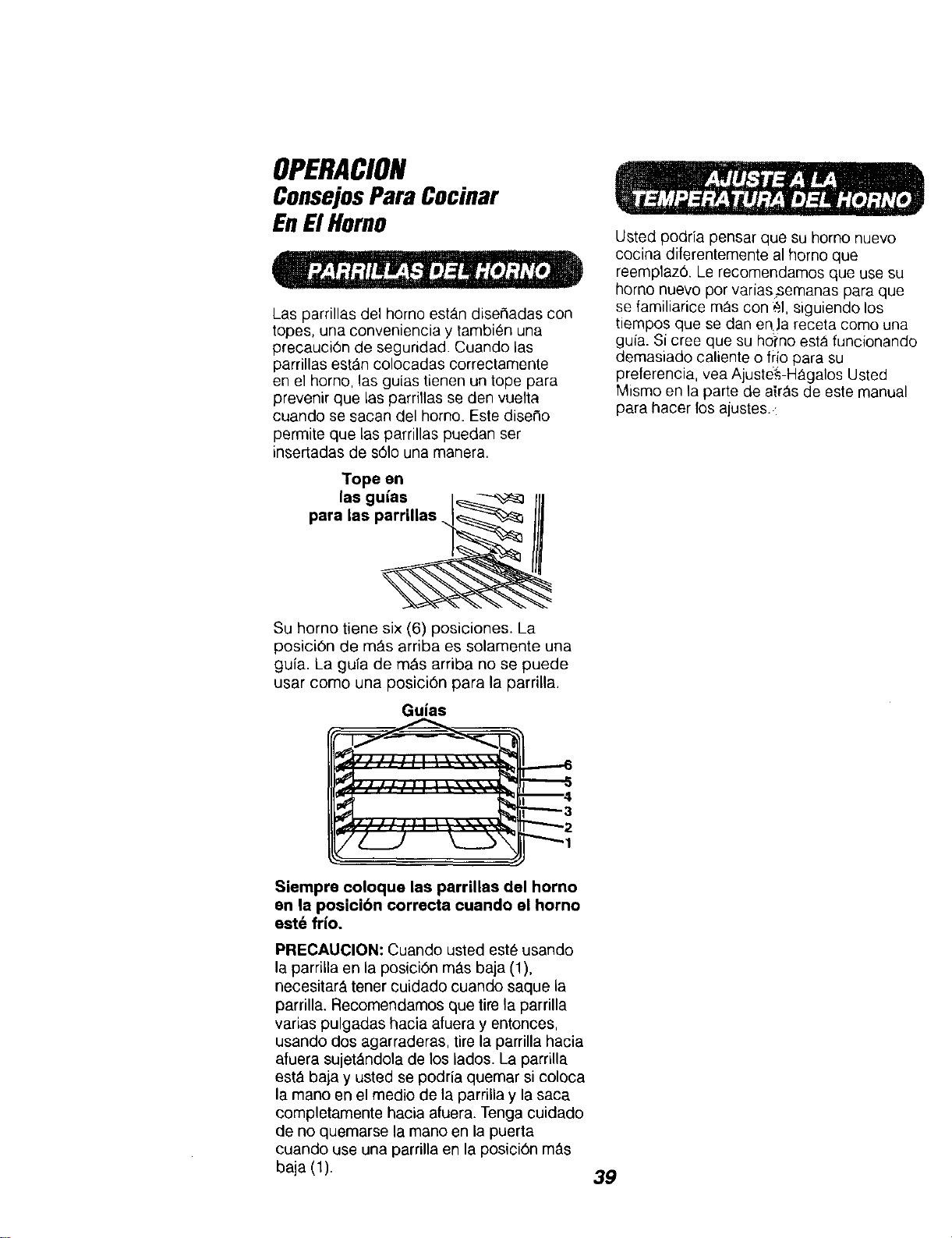
OPERACION
ConsejosPara Cocinar
EnElHomo
Las parrillas del homo est_.n dise#adas con
topes, una conveniencia y tambien una
precauciOn de seguridad. Cuando las
pamllas est_n colocadas correctamente
en el homo, las guias tienen un tope para
prevenir que las parrillas se den vuelta
cuando se sacan del homo. Este dise¢_o
permite que las parrillas puedan ser
insertadas de s61ouna manera.
Tope en
las guias
para las parrilias I_------_
Su horno tiene six (6) posiciones. La
posici6n de mAs arriba es solamente una
guia. La guia de m&s arriba no se puede
usar como una posici6n para la parrilla.
Guias
Usted podria pensar que su homo nuevo
cocina diferentemente al homo que
reemplaz& Le recomendamos que use su
homo nuevo por varias,semanas para que
se familiarice mAs con _1,siguiendo los
tiempos que se dan enJa receta como una
guia. Si cree que su homo est_ funcionando
demasiado caliente o frlo para su
preferencia, yea Ajuste&-HAgalos Usted
Mismo en la parte de alr_s de este manual
para hacer los ajustes. :
_JJlllll |l'*,tL_,'_]
-------6
--4
"-"'--3
""-'-2
Siempre coloque las parrillas del horno
en la posici6n correcta cuando el horno
est6 frio.
PRECAUCION: Cuando usted este usando
la parrilla en la posici6n mils baja (1),
necesitar& tener cuidado cuando saque la
parrilla. Recomendamos que tire la parrilla
varias pulgadas hacia afuera y entonces,
usando dos agarraderas, tire la parrilla hacia
afuera sujet&ndola de los lados. La parrilla
est& baja y usted se podria quemar si coloca
la mano en el medio de ta parrilla y la saca
completamente hacia afuera. Tenga cuidado
de no quemarse la mano en la puerta
cuando use una parrilla en la posici6n m,_s
baja (1).
39
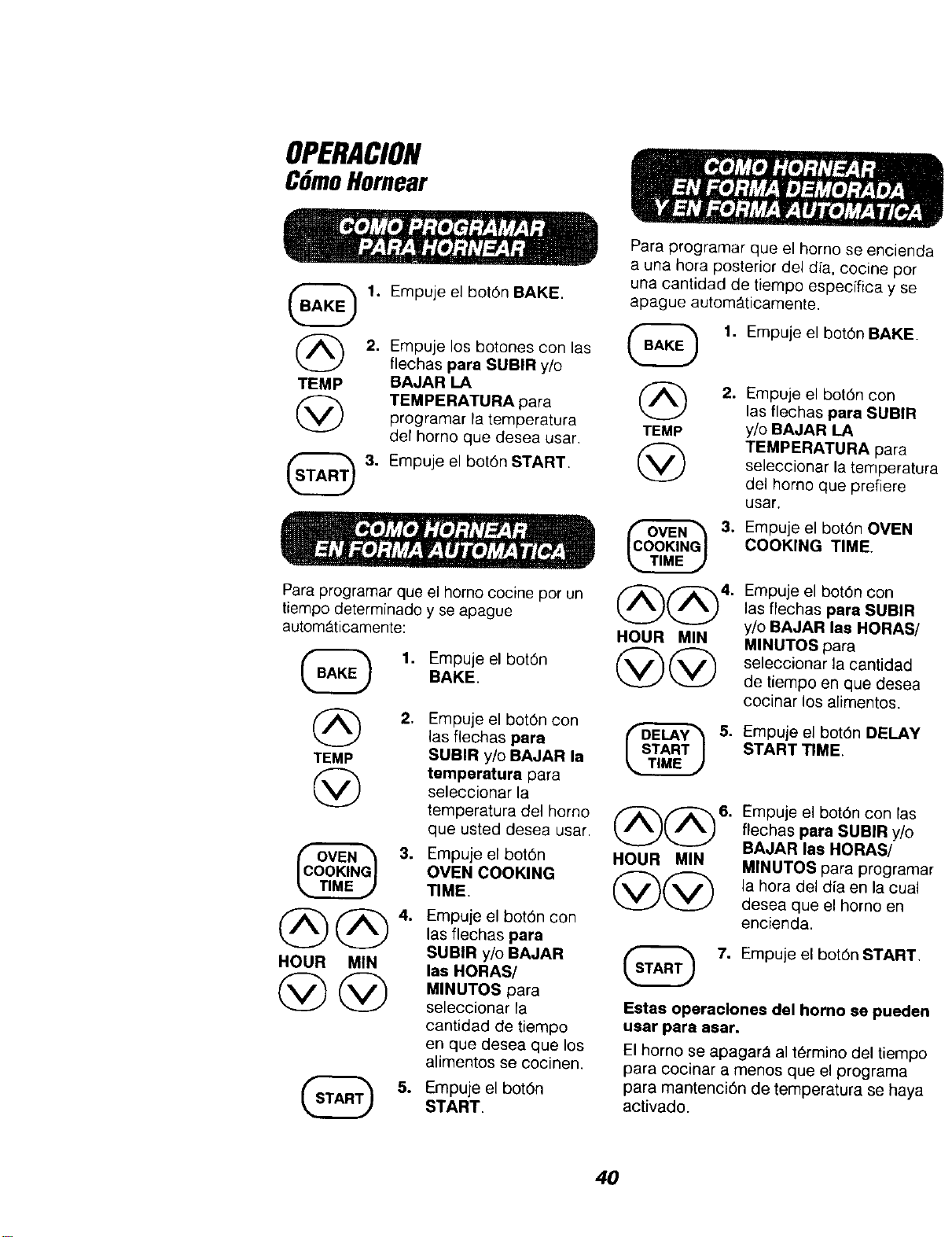
OPERACION
CGmoHornear
@
TEMP
1. Empuje el bot6n BAKE.
2. Empuje los botones con las
ftechas para SUBIR y/o
BAJAR LA
TEMPERATURA para
programar la temperatura
del homo que desea usar.
3. Empuje el botOn START.
Para programar que
tiempo determinado
autom_ticamente:
el homo cocine por un
y se apague
1. Empuje el botOn
BAKE.
2.
TEMP
@
3.
HOUR MIN
@@
Empuje el botOn con
las fiechas para
SUBIR y/o BAJAR la
temperatura para
seleccionar la
temperatura del homo
que usted desea usar.
Empuje el bot6n
OVEN COOKING
TIME.
Empuje el bot6n con
las flechas para
SUBIR y/o BAJAR
las HORAS/
MINUTOS para
seleccionar la
cantidad de tiempo
en que desea que los
alimentos se cocinen.
Empuje el botOn
START.
Para programar que el homo se encien(
a una hera posterior del dia, cocine por
una cantidad de tiempo especffica y se
apague automttticamente.
(_ 1. Empuje el bot6n BAKE.
2. Empuje el bot0n con
las flechas para SUB|R
TEMP y/o BAJAR LA
TEMPERATURA para
seleccionar la temperatu
del homo que prefiere
usar.
3.
@@'
HOUR MIN
@@
Empuje el botOn OVEN
COOKING TIME.
Empuje el botOn con
las flechas para SUBIR
y/o BAJAR las HORAS/
MINUTOS para
seleccionar la cantidad
de tiempo en que desea
cocinar los alimentos.
5. Empuje el botOn DELAY
START TIME.
HOUR MIN
Empuje e{ bet6n con las
flechas para SUBIR y/o
BAJAR las HORAS/
MINUTOS para program=
la hora del dia en la cual
desea que el homo en
encienda.
S(_ 7. Empuje el botOn START.
Estas operaclones del homo se puede
usar para asar.
El horno se apagar_ al termino del tiempc
para cocinar a menos que el programa
para mantenci6n de temperatura se haya
activado.
40
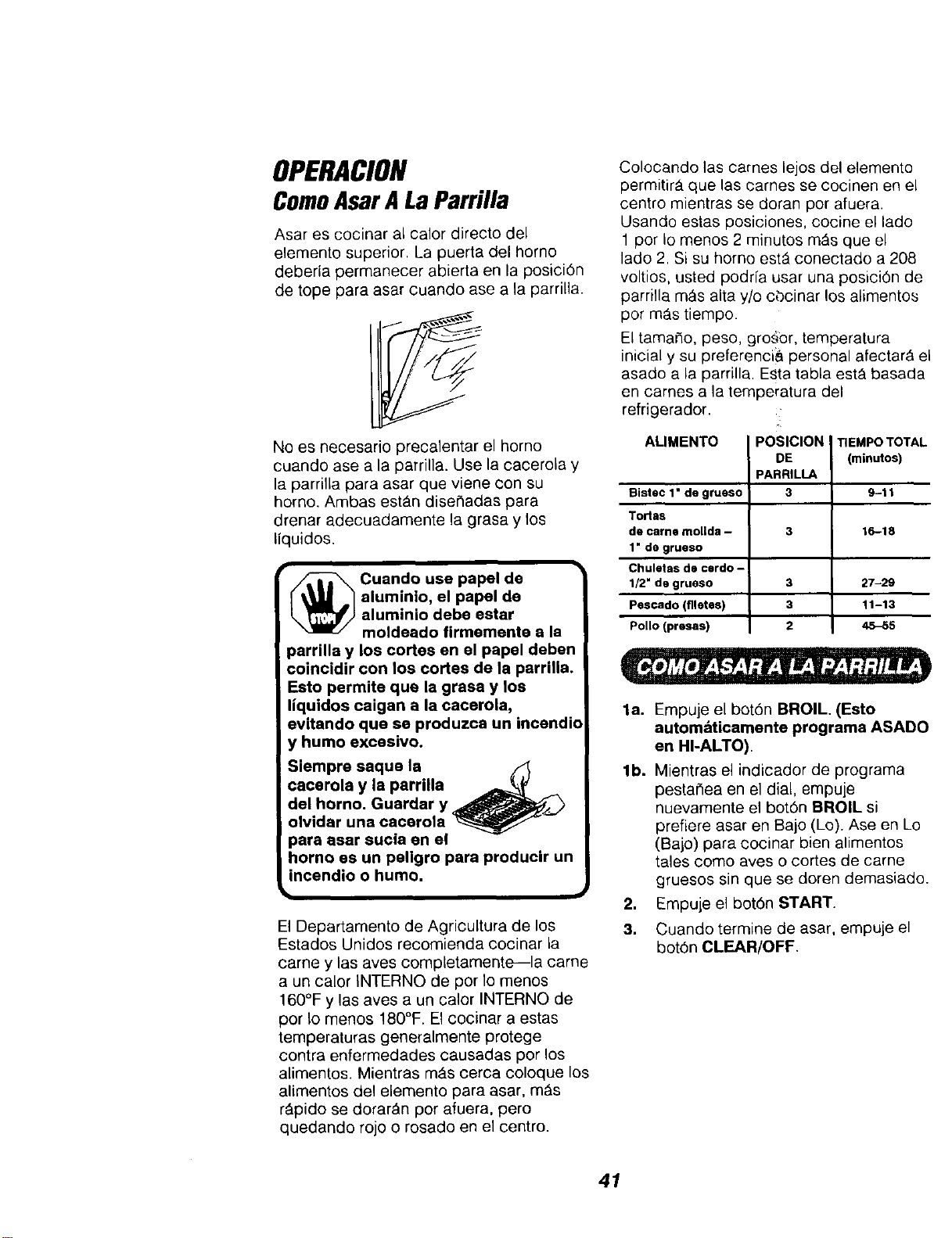
OPERACION
ComoAsarALaParrilla
Asar es cocinar al calor directo del
elemento superior. La puerta del homo
deberia permanecer abierta en la posici6n
de tope para asar cuando ase a la parrilla.
No es necesario precalentar el homo
cuando ase a la parrilla. Use la cacerola y
la parrilla para asar que viene con su
horno. Ambas estt_n dise_adas para
drenar adecuadamente la grasa y los
liquidos.
_ uando use papel de
aluminio, el papel de
aluminio debe estar
moldeado firmemente a la
parrilla y los cortes en el papel deben
coincidir con los cortes de la parrUla.
Esto permite qua la grasa y los
liquidos caigan a la cacerola,
evitando qua se produzca un incendio
y humo excesivo.
Siempre saque la
cacerola y la parrilla _
del homo. Guardar y _.._
olvidar una cacerola
para asar sucia en el
homo es un paligro para producir un
incendio o humo.
El Departamento de Agricultura de los
Estados Unidos recomienda cocinar la
came y las aves completamente--la came
a un calor INTERNO de per Io menos
160°F y las aves a un calor INTERNO de
por Io menos 180°F. El cecinar a estas
temperaturas generalmente protege
contra enfermedades causadas pot los
alimentos. Mientras mAs cerca coloque los
alimentos del elemento para asar, m&s
r&pido se dorar_n pot afuera, pero
quedando rojo o rosado en el centro.
Colocando las tames lejos del elemento
permitir_, que las carnes se cocinen en el
centro mientras se doran per afuera.
Usando estas posiciones, cocine el lado
1 per Io menos 2 minutos m_s que el
lado 2. Si su homo estA conectade a 208
voltios, usted podrfa usar una posici6n de
parrilla m_s alta y/o cbcinar los alimentos
pot m_s tiempo.
El tamaSo, peso, gro_or, temperatura
inicial y su preferenci& personal afectarA el
asado a la parrilla. Esta tabla est,. basada
en cames a la temperatura del
refrigerador.
ALIMENTO POSICION !
DE
PARRILLA
3
TIEMPO TOTAL
(minutos)
Bistec 1• de grueso 9-11
Tortas
de came mollda - 3 16-18
1" de grueso
Chuletas de cerdo -
1/2" de grueso 3 27-29
Pescado (flletes) 3 11-13
Polio (presas) 2 _5
la.
lb.
,
3.
Empuje el bot6n BROIL. (Esto
autom&ticamente programa ASADO
en HI-ALTO).
Mientras el indicador de programa
pestat_ea en el dial, empuje
nuevamente el botOn BROIL si
prefiere asar en Bajo (Lo). Ase en Lo
(Bajo) para cocinar bien alimentos
tales come aves o cortes de carne
gruesos sin que se doren demasiado.
Empuje el bot6n START.
Cuando termine de asar, empuje el
bot6n CLEAR/OFF
41
OPERACION
CGmoSeleccionarProgramas
EspecialesDel Control
El nuevo control a botones tiene
programas adicionales que usted puede
seleccionar. Despues de hacer su
selecci6n, si desea cambiarla, siga los
pasos hasta que el dial muestre su nueva
selecci6n.
El control se programa autom_ticamente
para apagarse despues de hornear por 12
horas o despu6s de asar a la parrilla por 3
horas en caso que se le olvide y deje el
horno encendido. Si desea eliminar este
programa:
1. Empuje y sujete, al mlsmo tiempo, el
bot6n BAKE y BROIL por 3 segundos,
hasta que el dial muestre "SF."
2,
Empuje el bot6n DELAY START
TIME. El dial muestra "12Shdn"
(apagado en 12 horas).
Empuje el bot6n DELAY START TIME
nuevamente. El dial mostrar& "no
shdn" (no apagado).
3. Empuje el bot6n START.
El control del homo est_ programatic
para la selecciOn de temperaturas en
Fahrenheit. La mayorfa de las recetas se
dan usande la escala Fahrenheit. Usted
puede cambiar esto y usar una selecci6n
en Centfgrados.
1. Empuje y sujete, al mismo tiempo,
los botones BAKE y BROIL por
3 segundos, hasta que el dial
muestre "SF."
2. (a) Empuje el bot6n BROIL. El dial del
control mostrar_ el signo para grado
y "F."
,
(b) Empuje el bot6n BROIL
nuevamente. Esto cambiar_ "F °"
(Fahrenheit) a "C °" (Centfgrado).
Empuje el bot6n START.
Su control est_ programado para usar el
reloi en 12 horas. Si usted prefiere usar
Hora Militar de 24 horas o poner el dial en
blanco, se hace asf:
1. Empuje y sujete, a la misma vez, el
bot6n BAKE y BROIL por 3 segundos,
hasta que el dial muestre "SF."
2. (a) Empuje el bot6n CLOCK. El dial
mostrarA "12hr." Siesta es su
selecci6n, empuje el bot6n START.
O
(b) Empuje el bot6n CLOCK
nuevamente. El dial mostrar& "24hr."
Ejemplo: 5:00 en el reloj de 12 horas
leer_. 17:00 en el reloj de 24 h0ras.
Empuje el bot6n START.
O
(¢) Empuje el bot6n CLOCK
nuevamente. El dial ahora mostrar_
"OFF." Si 6sta es su selecci6n,
empuje el bot6n START. La hera no
se mostrar_ en el dial. (La funci6n
delay start no funcionar&)
42
OPERACION
CGmoSeleccionarProgramas
EspecialesDel Control
El control le permitir& cerrar los botones
de manera que no se puedan activar
cuando los empuje, Si se preocupa de
dejar el horno sin supervision, active este
programa.
1. Empuje y sujete, ala misma vez per
3 segundos,el botOn BAKE y BROIL,
hasta que el dial muestre "SF."
2. (a) Empuje el boron CLEAN. El dial
muestra "LOC OFF" (cierre inactivo).
(b) Empuje el bot6n CLEAN
nuevamente. El dial mostrar_ "LOG
ON" (cierre activado).
3. Empuje el botOn START,
Para abrir el control, repita los pesos 1 y 2.
Presione el botdn START cuando la
pantalla muestre "LOC OFF."
Este programa se puede seleccionar
solamente cuando el homo no est_
aN uso,
Cuando este programa este activado, el
control sonar_ y el dial mostrar_ "LOC,"
si se empuja un boron. Los botones Clock,
Timer o Oven Light no son afectados.
2. (a) Empuje el botOn OVEN COOKING
TIME. El dial mostrar_ "NLd OFF."
(b) Empuje el botOn OVEN COOKING
TIME nuevamente para activar este
programa. El dial mostrar_ "HLd ON."
3. Empuje el bot0n START.
Este Programa Especial le permitir_
cambiar la velocidad; #1 significa que el
cambio de velocidad es lento haste #5
que significa que el cambio de velocidad
es r_pido. Para seleccionar la velocidad
que prefiere, siga estos pesos:
1,
Empuje y sujete, ala misma vez,
los botones BAKE y BROIL por
3 segundos, haste que el dial
muestre "SF."
2. Empuje el botOn con la flecha SUBIR
El dial le mostrar_ una posici6n de
velocidad entre 1 y 5.
3. Empuje la flecha SUBIR para
aumentar la velocidad hasta el
nQmero 5.
O
Empuje el botOn con la flecha BAJAR
para disminuir la velocidad hasta el
nQmero 1.
4. Empuje el botOn START.
Su nuevo control tiene una funciOn para
cocinar y mantener la temperature para
cocinar autom_.ticamente solamente que
mantendrQ los alimentos tibios hasta
3 horas despues que el cocinado
automAtico haya terminado. Para
activar esta funciOn:
1. Empuje y sujete, ala misma vez,
los botches BAKE y BROIL per
3 segundos, hasta que el dial
"SF."
43
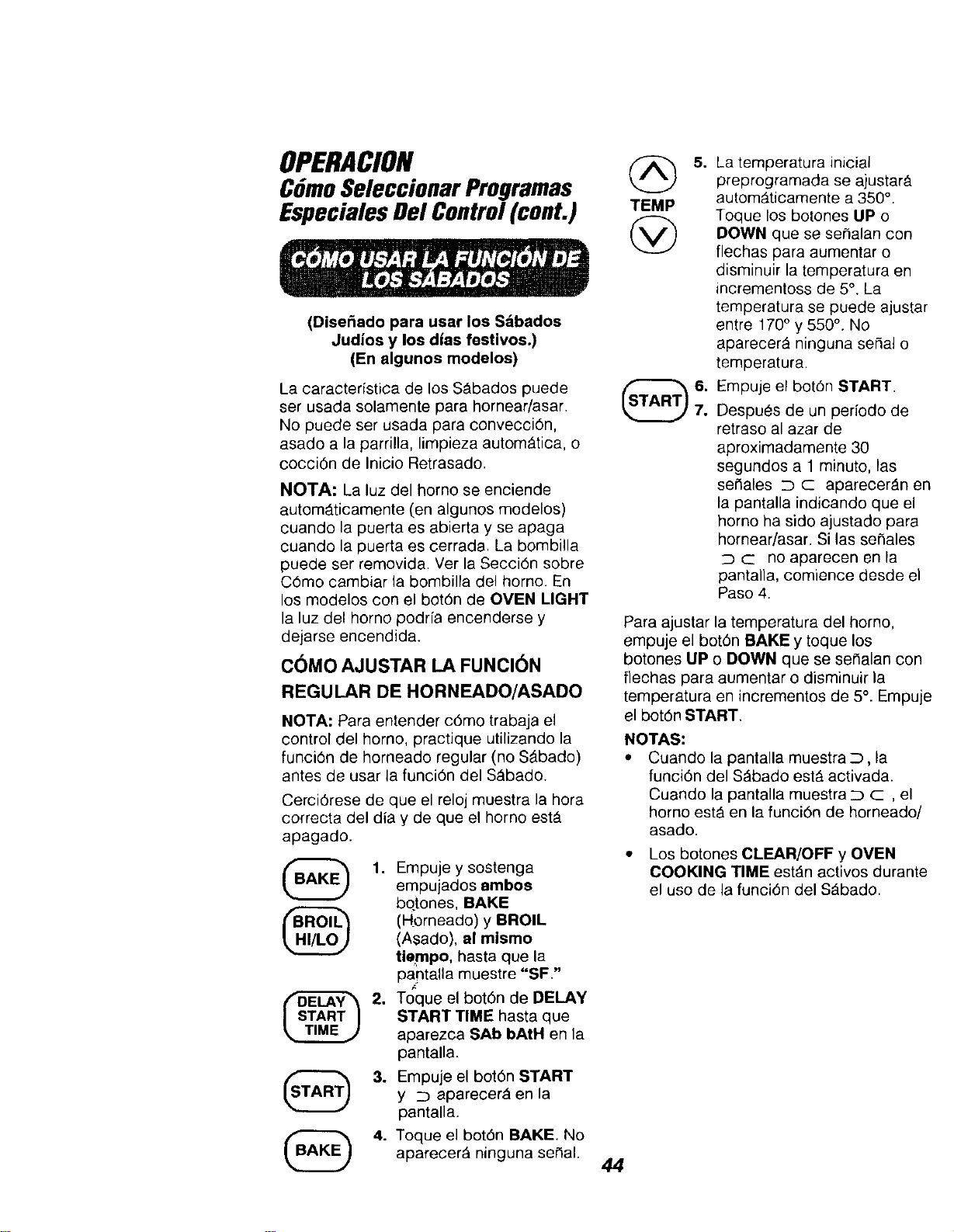
OPERACION
CdmoSeleccionar Programas
Especiales Del Control (cont.)
(Disefiado para usar los Sdbados
Judios y los dias festivoso)
(En algunos modelos)
La caracteristica de los SAbados puede
ser usada solamente para hornear/asar.
No puede ser usada para convecci6n,
asado a la parrilla, limpieza autom_tica, o
cocci0n de Inicio Retrasado.
NOTA: La luz del homo se enciende
automAticamente (en algunos modelos)
cuando la puerta es abierta y se apaga
cuando la puerta es cerrada, La bombilla
puede ser removida. Ver la Secci6n sobre
C6mo cambiar la bombilla del horno. En
los modelos con el bot6n de OVEN LIGHT
la luz del homo podrfa encenderse y
dejarse encendida.
COMO AJUSTAR LA FUNCI6N
REGULAR DE HORNEADO/ASADO
NOTA: Para entender c6mo trabaja el
control del homo, practique utilizando la
funci6n de horneado regular (no SAbado)
antes de usar la funci6n del S_bado.
Cerci6rese de que el reloj muestra la hora
correcta del dia y de que el homo est_
apagado.
1. Empuje y sostenga
empujados ambos
bqtones, BAKE
(Horneado) y BROIL
(Asado), al mlamo
tiempo, hasta que la
pantalla muestre "SF"
2. Toque el bot6n de DELAY
START TIME hasta que
aparezca SAb bAtH en la
pantalla.
3. Empuje el bot6n START
y z) aparecer_ en la
pantalla.
4. Toque el bot6n BAKE. No
aparecer_ ninguna ser'1al.
TEMP
@
5°
La temperatura inicial
preprogramada se ajustar&
autom_ticamente a 350 °.
Toque los botones UP o
DOWN que se se#alan con
flechas para aumentar o
disminuir la temperatura en
incrementoss de 5°. La
temperatura se puede ajustar
entre 170° y 550 °. No
aparecer_ ninguna sepal o
temperatura.
Empuje el bot6n START.
Despues de un perfodo de
retraso al azar de
aproximadamente 30
segundos a 1 minuto, las
serlales _ C aparecer_n en
la pantalla indicando que el
homo ha sido ajustado para
homear/asar. Si las sefiales
c no aparecen en la
pantana, comiance desde el
Paso 4.
Para ajustar la temperatura del homo,
empuje el botOn BAKE y toque los
botones UP o DOWN que se sefialan con
flechas para aumentar o disminuir la
temperatura en incrementos de 5°. Empuje
el bot6n START.
NOTAS:
• Cuando la pantalla muestra _, la
funciOn del S_bado est_ activada.
Cuando la pantalla muestra ::3 c , el
homo estA en la funciOn de horneado/
asado.
• Los botones CLEAR/OFF y OVEN
COOKING TIME est_n activos durante
el uso de la funci6n del SAbado.
44
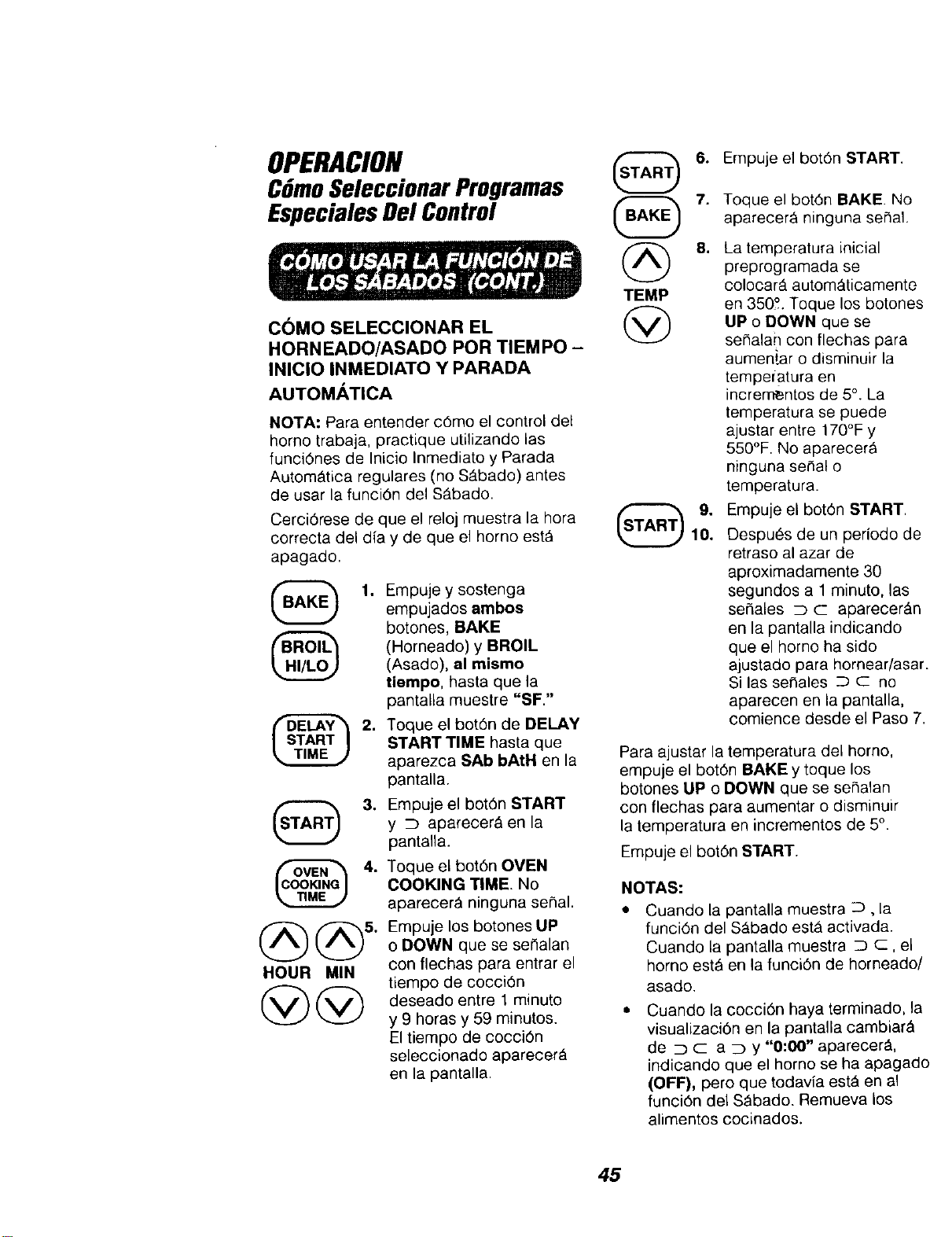
OPERACION
CGmoSeleccionarProgramas
EspecialesDelControl
COMO SELECCIONAR EL
HORNEADO/ASADO POR TIEMPO -
INICIO INMEDIATO Y PARADA
AUTOMATICA
NOTA: Para entender c6mo el control del
homo trabaja, practique utilizando las
funci6nes de Inicio Inmediato y Parada
AutomAtiea regulares (no S_bado) antes
de usar la funci6n del SAbado.
Cerci6rese de que el reloj muestra la hora
correcta del dia y de que el homo est&
apagado.
@
1. Empuje y sostenga
empujados ambos
botones, BAKE
(Horneado) y BROIL
(Asado), al mismo
tiempo, hasta que la
pantalla muestre "SF."
2. Toque el bot6n de DELAY
START TIME hasta que
aparezca SAb bAtH en la
pantalla.
3.
HOUR MIN
@@
Empuje el bot6n START
y c) aparecer& en la
pantalla.
Toque el bot6n OVEN
COOKING TIME. No
aparecer_ ninguna seSal.
Empuje los botones UP
o DOWN que se serlalan
con flechas para entrar el
tiempo de cocci6n
deseado entre 1 minute
y 9 horas y 59 minutos.
El tiempo de cocci6n
seleccionado aparecer_
en la pantalla.
TEMP
6. Empuje el bot6n START.
7.
8.
9,
10,
Toque el bot6n BAKE. No
aparecer& ninguna sehal.
La temperatura ieicial
preprogramada se
colocar_, autom_ticamente
en 350'L Toque los botones
UP o DOWN que se
sehalan con flechas para
aumeniar o disminuir la
tempefatura en
incrementos de 5°. La
temperatura se puede
ajustar entre 170°F y
550°F. No aparecer_
ninguna seF_alo
temperatura.
Empuje el bot6n START.
Despu6s de un periodo de
retraso al azar de
aproximadamente 30
segundos a 1 minuto, las
se_ales _ c aparecer_.n
en la pantalla indicando
que el homo ha sido
ajustado para hornear/asar.
Si las sefiales _ c: no
aparecen en la pantalla,
comience desde el Paso 7.
Para ajustar la temperatura del homo,
empuje el bot6n BAKE y toque los
botones UP o DOWN que se sehalan
con flechas para aumentar o disminuir
la temperatura en incrementos de 5°.
Empuje el bot6n START.
NOTAS:
Cuando la pantalla muestra :::), la
funci6n del SAbado est_ activada.
Cuando [a pantalla muestra D c: el
homo est_ en la funci6n de horneado/
asado.
Cuando la cocci6n haya terminado, la
visualizaci6n en la pantalla cambiar_
de _ c a _Dy "0:00" aparecer&
indicando que el homo se ha apagado
(OFF), pero que todavfa estA en al
funci6n del S_bado. Remueva los
alimentos cocinados.
45
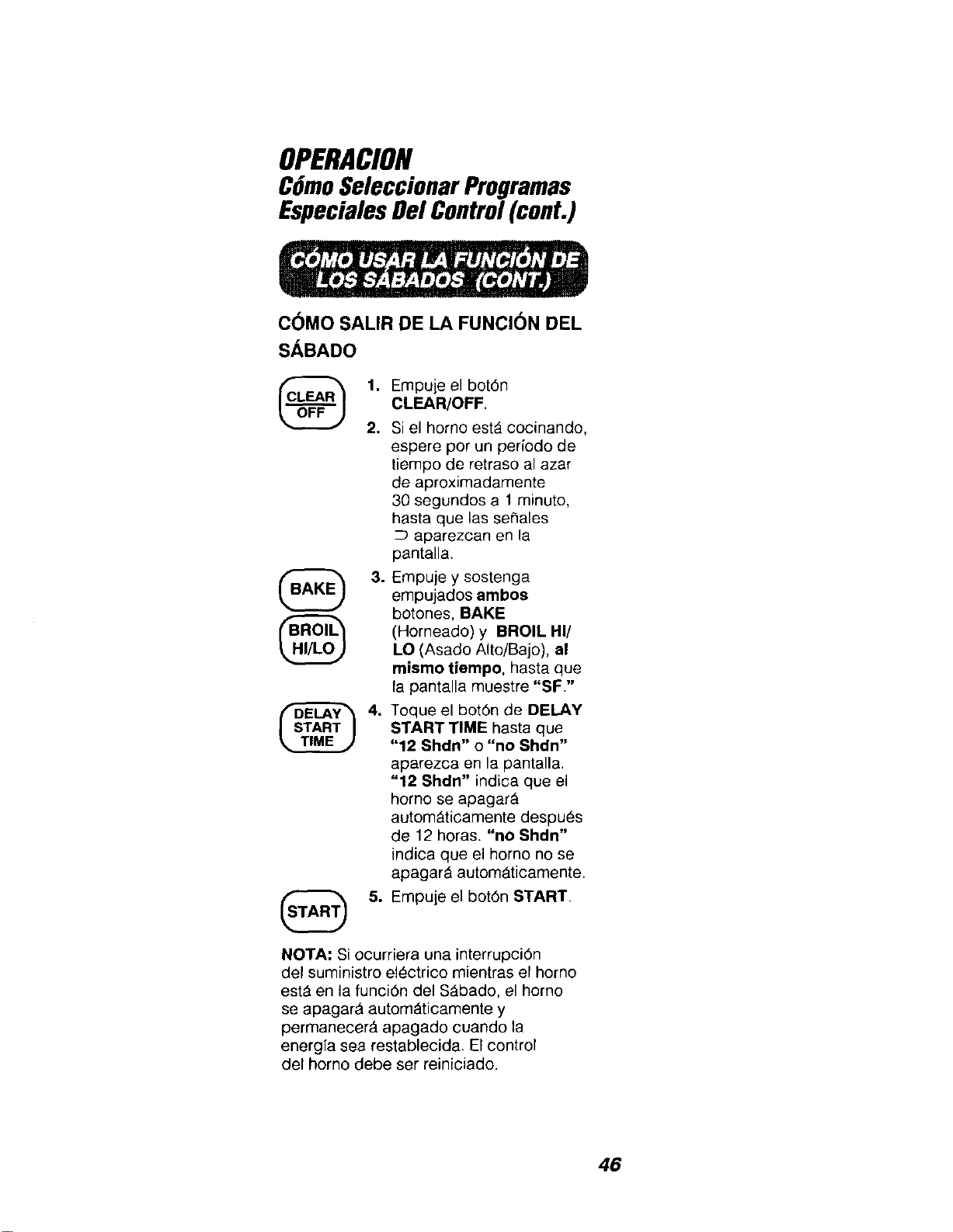
OPERACION
CGmoSeleccionarProgramas
EspecialesDel Control(cont.)
C(_MO SALIR DE LA FUNCION DEL
SABADO
1. Empuje el bot6n
CLEAR/OFF.
2. Si el homo est_ cocinando,
espere por un periodo de
tiempo de retraso al azar
de aproximadamente
30 segundos a 1 minuto,
hasta que las se_ales
aparezcan en la
pantalla.
3. Empuje y sostenga
empujados ambos
botones, BAKE
(Horneado) y BROIL HI/
LO (Asado Alto/Bajo), al
mismo tiempo, hasta que
la pantalla muestre "SF."
4. Toque el bot6n de DELAY
START TIME hasta que
"12 Shdn" o "no Shdn"
aparezca en la pantalla.
"12 Shdn" indica que el
homo se apagar_
autom_ticamente despu_s
de 12 horas. "no Shdn"
indica que el horno no se
apagar& autom_ticamente.
5. Empuje el bot6n START.
NOTA: Si ocurriera una interrupci6n
del suministro electrico mientras el horno
est_ en la funci6n del S_bado, el homo
se apagar_ autom_ticamente y
permanecer_, apagado cuando la
energfa sea restablecida. El control
del horno debe ser reiniciado.
46
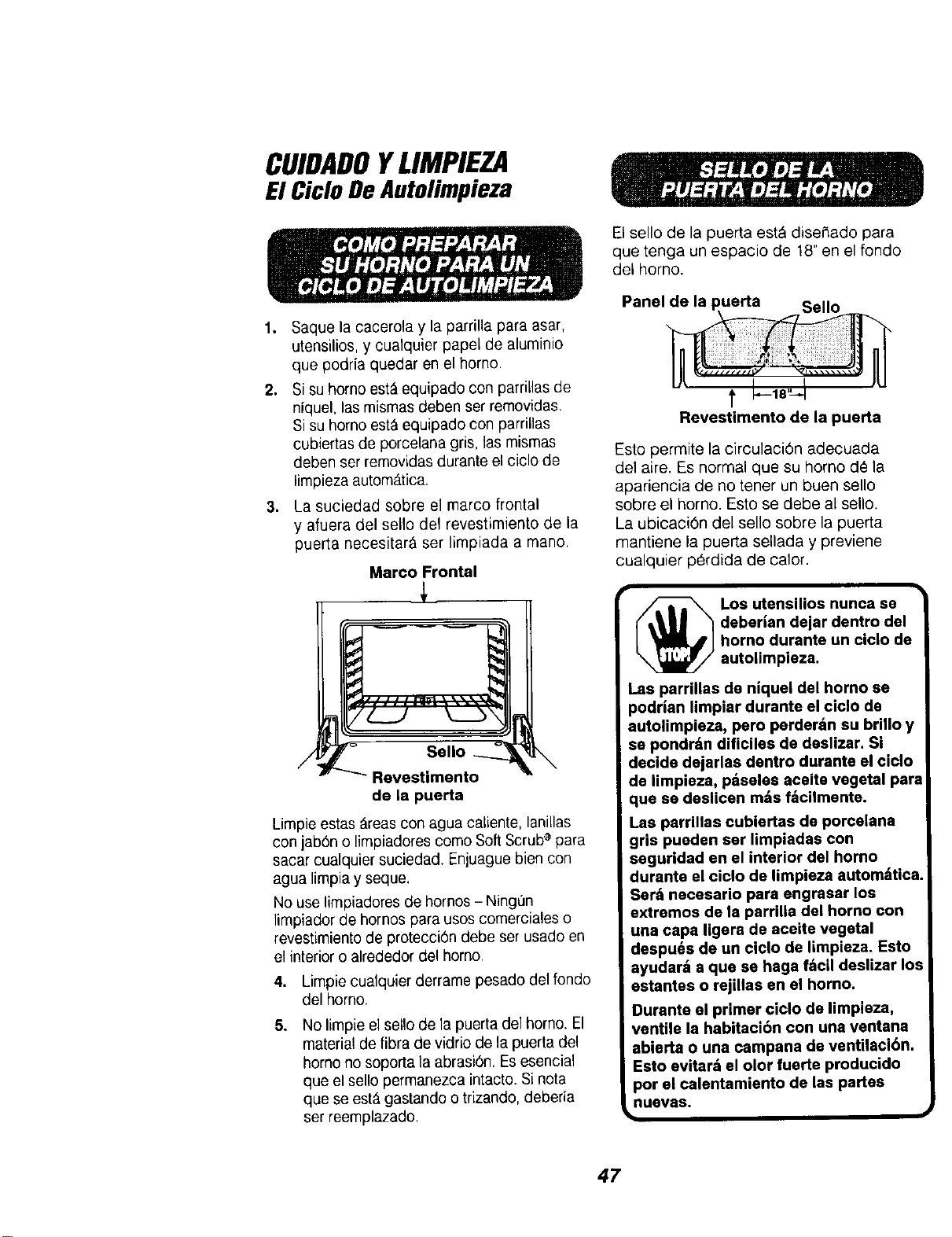
CUIDADOYLIMPIEZA
El Ciclo De Autolimpieza
1. Saquela cacerola y la parrilla para asar,
utensilios, y cualquier papel de aluminio
que podria quedar en el homo.
2. Si su homo est&equipado con parriLlasde
niquel, las mismas deben ser removidas.
Si su homo est&equipado con parrillas
cubiertas de porcelana gris, ias mismas
deben ser removidas durante el ciclo de
limpieza autom_.tica.
3. La suciedad sobre el marco frontal
y afuera del sello del revestimiento de la
puerta necesitar_, ser limpiada a mano.
Marco Frontal
7LZ2.... kLL5
/ Sello _
Revestimento
de la puerta
Limpie estas _reas con agua caliente, lanillas
con jab6n o limpiadores como Soft Scrub®para
sacar cualquier suciedad. Enjuague bien con
agua limpia y seque.
No use limpiadores de hornos - Ningun
limpiador de hornos para usos comerciales o
revestimiento de protecci6n debeser usado en
el interior o alrededor del homo.
4. Limpie cualquier derrame pesado del fondo
del homo.
5. No limpie el sello de la puerta del homo. El
material de libra de vidrio de la puerta del
homo no soporta la abrasion. Es esencial
que el sello permanezca intacto. Si nora
que se est& gastando o trizando, deberia
set reemplazado.
El sello de la puerta est_ disef_ado para
que tenga un espacio de 18" en el rondo
del homo.
Panel
Revestimento de la puerta
Esto permite la circulaci6n adecuada
de1 aire. Es normal que su homo d_ la
apariencia de no tener un buen eerie
sobre el homo. Esto se debe al sello.
La ubicaci6n del sello sobre la puerta
mantiene la puerta sellada y previene
cualquier p_rdida de calor.
Los utensilios nunca se
( t_U_ "_deberlan dejar dentro del
L _ Jhorno durante un ciclo de
autolimpleza.
.as parrillas de niquel del homo se
3odrian limpier durante el ciclo de
autolimpiaza, pero parderdn su brillo y
sa pondrdn dlficiles de deslizar. Si
decide dajarlas dentro durante el ciclo
de limpieza, pdseles aceite vegetal par=
que sa deslicen m#,sfdcilmente.
Las parrillas cubiertas de porcelana
gris puaden ear limpiadas con
seguridad en el interior del horno
duranta el ciclo de limpieza automdtica
Sard necesarlo para angrasar los
extramos de la parrilla del horno con
una capa ligera de aceite vegetal
despu6s de un ciclo de limpieza. Esto
ayudard a qua se haga f;_cil daslizar Io
estantes o rejillas en el homo.
Durante el primer ciclo de limpieza,
ventile la habitaci6n con una ventana
abierta o una campana de ventilaci6n.
Esto avitard el olor fuerte producido
por el calentamiento de las pertas
nuavas.
47
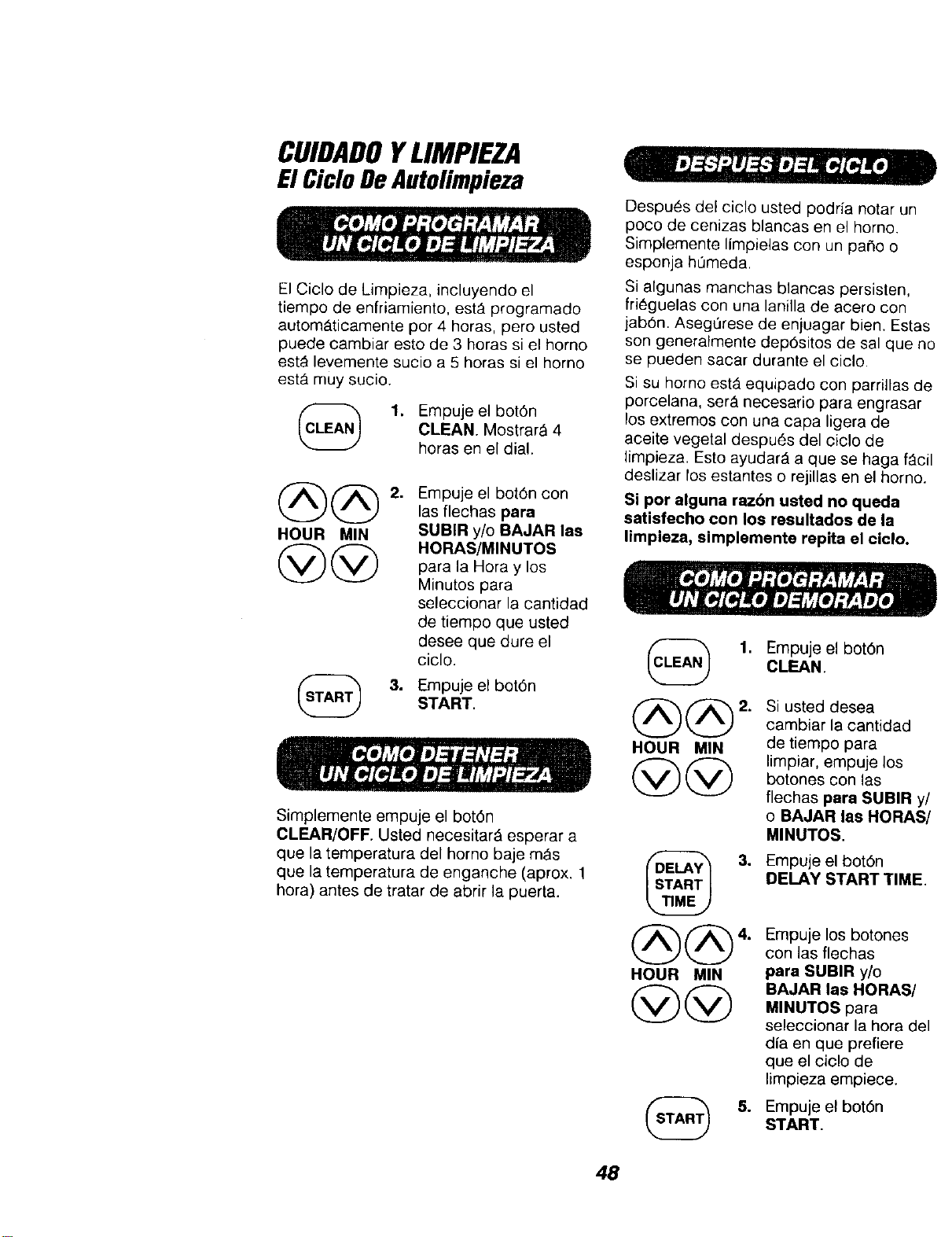
CUIDADOYLIMPIEZA
E1CicloDeAutolimpieza
El Ciclo de Limpieza, incluyendo el
tiempo de enfriamiento, est_ programado
autom_ticamente per 4 bores, pero usted
puede cambiar esto de 3 horas si el homo
est_ levemente sucio a 5 horas si el homo
est,. muy sucio.
1. Empuje el bot6n
CLEAN. Mostrar_ 4
horas en el dial.
@@
HOUR MIN
@@
2. Empuje el bot6n con
las flechas para
SUBIR y/o BAJAR las
HORAS/MINUTOS
para la Hora y los
Minutes para
seleccionar la cantidad
de tiempo que ustecl
desee que dure el
ciclo.
3. Empuje el bot6n
START.
Simplemente empuje el bot6n
CLEAR/OFF. Usted necesitarA esperar a
que la temperatura del homo baje m_s
que la temperatura de enganche (aprox. 1
hera) antes de tratar de abrir la puerta.
Despues del ciclo usted podria notar un
poco de cenizas blancas en el homo.
Simplemente limpielas con un paho o
esponja hQmeda.
Si algunas manchas blancas persisten,
fri_guelas con una lanilla de acero con
jab6n. Aseg0rese de enjuagar bien. Estas
son generalmente dep6sitos de sal que no
se pueden sacar durante el ciclo
Si su homo estA equipado con parrillas de
porcelana, ser_ necesario pare engrasar
los extremes con una capa ligera de
aceite vegetal despu6s del cicle de
limpieza. Esto ayudar_ a que se haga f_cil
deslizar los estantes o rejillas en el homo.
Si per alguna r_.6n usted no queda
satisfecho con los resultados de la
limpieza, simplemente repita el ciclo.
1. Empujeel bot6n
CLEAN.
@@
HOUR MIN
@@
2. Si usted desea
cambiar la cantidad
de tiempo para
limpiar, empuje los
botones con las
flechas pare SUBIR y/
o BAJAR las HORAS/
MINUTES.
HOUR MIN
@@
Empuje el bot6n
DELAY START TIME.
Empuje los botones
con las flechas
pare SUBIR y/o
BAJAR las HORAS/
MINUTOS para
seleccionar la hera del
alia en que prefiere
que el ciclo de
limpieza empiece.
Empuje el bot6n
START.
48
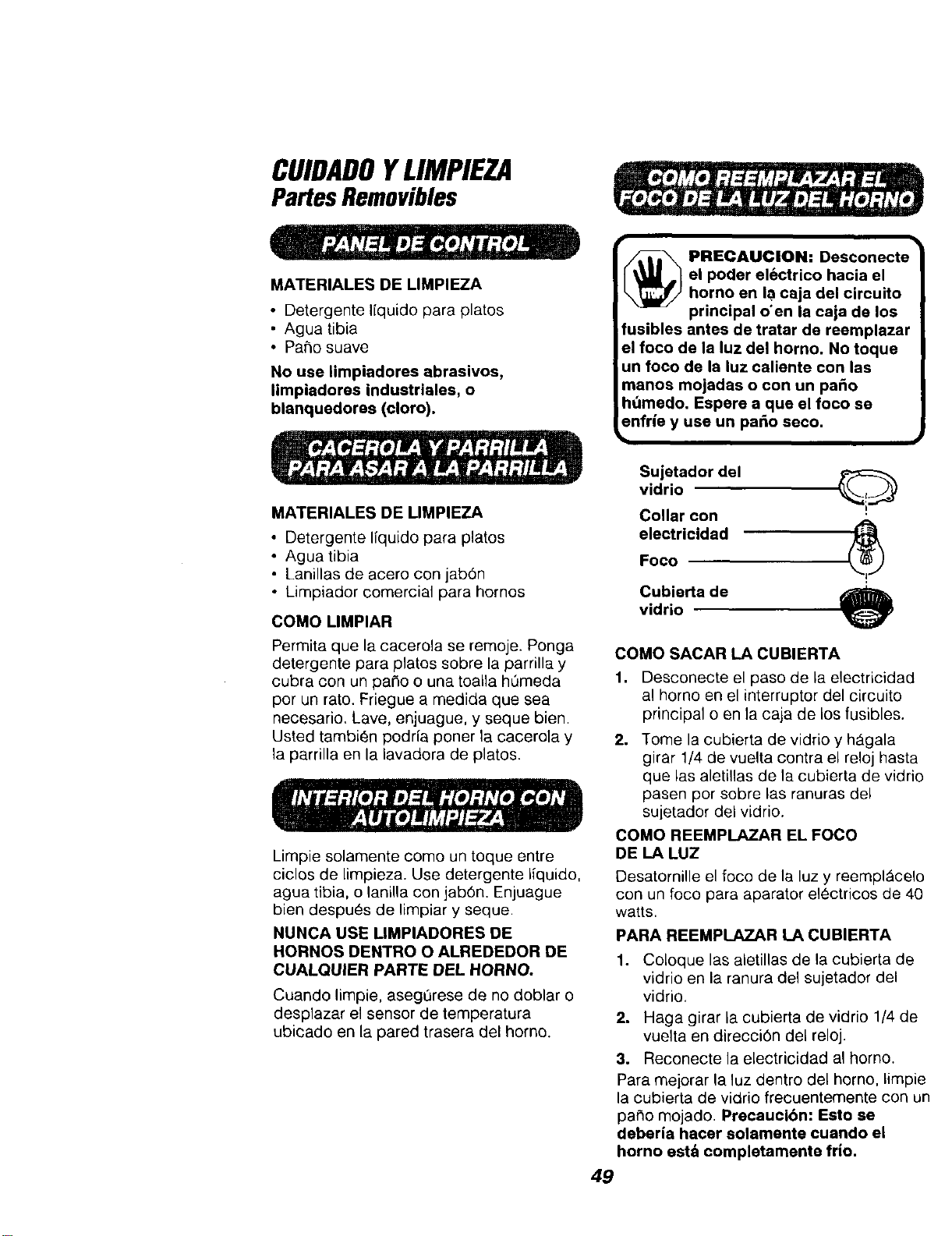
CUIDADOYLIMPIEZA
PartesRemovibles
MATERIALES DE LIMPIEZA
• Detergente liquido para plates
• Agua tibia
• Patio suave
No use limpiadores abrasivos,
limpiadores industriales, o
blanquedores (cloro).
MATERIALES DE LIMPIEZA
• Detergente liquido para platos
• Agua tibia
• Lanillas de acero con jabOn
• Limpiador comercial pars hornos
COMO LIMPIAR
Permits que la cacerola se remoje. Ponga
detergente para platos sobre la parrilla y
cubra con un pa¢_oo una toalla hQmeda
por un rato. Friegue a medida que sea
necesario. Lave, enjuague, y seque bien.
Usted tambien podria porter la cacerola y
la parrilla en la lavadora de platos.
Limpie solamente como un toque entre
ciclos de limpieza. Use detergente iiquido,
agua tibia, o lanilla con jabOn. Enjuague
bien despues de limpiar y seque
NUNCA USE UMPIADORES DE
HORNOS DENTRO O ALREDEDOR DE
CUALQUIER PARTE DEL HORNO.
Cuando limpie, asegQrese de no doblar o
desplazar el sensor de temperatura
ubicado en la pared trasera del homo.
_ RECAUCION: Desconecte
el poder el6ctrico hacia el
homo en la caja de circuito
principal o'en la caja de los
fusibles antes de tratar de reemplazar
el foco de la luz del homo. No toque
un foco de la luz caliente con las
manos mojadss o con un paso
ht_medo, Espere a que el foco se
enfrie y use un palio seeo.
Sujetador del Q
vidrio
Collar con
eleetricidadFoco _'_
Cubierta de
vidrio
COMO SACAR LA CUBIERTA
1. Desconecte el paso de la electricidad
al homo en el interruptor del circuito
principal o en la caja de los fusibles.
2,
Tome la cubierta de vidrio y h_gala
girar 1/4 de vuelta contra el reloj hasta
que las aletillas de la cubierta de vidrio
pasen por sobre las ranuras del
sujetador del vidrio.
COMO REEMPLAZAR EL FOCO
DE LA LUZ
Desatornille el foco de la luz y reempl_celo
con un foco para aparator electricos de 40
watts.
PARA REEMPLAZARLACUBIERTA
1. Coloque las aletillas de la cubierta de
vidrio en la ranura de1 sujetador del
vidrio.
2. Haga girar ia cubierta de vidrio 1/4 de
vuelta en direcciOn del reloj.
3. Reconecte la electricidad al homo.
Para mejorar la luz dentro del homo, limpie
la cubierta de vidrio frecuentemente con un
patio mojado. Precaucibn: Esto se
deberia hacer solamente cuando el
horno est& completamente frio.
49
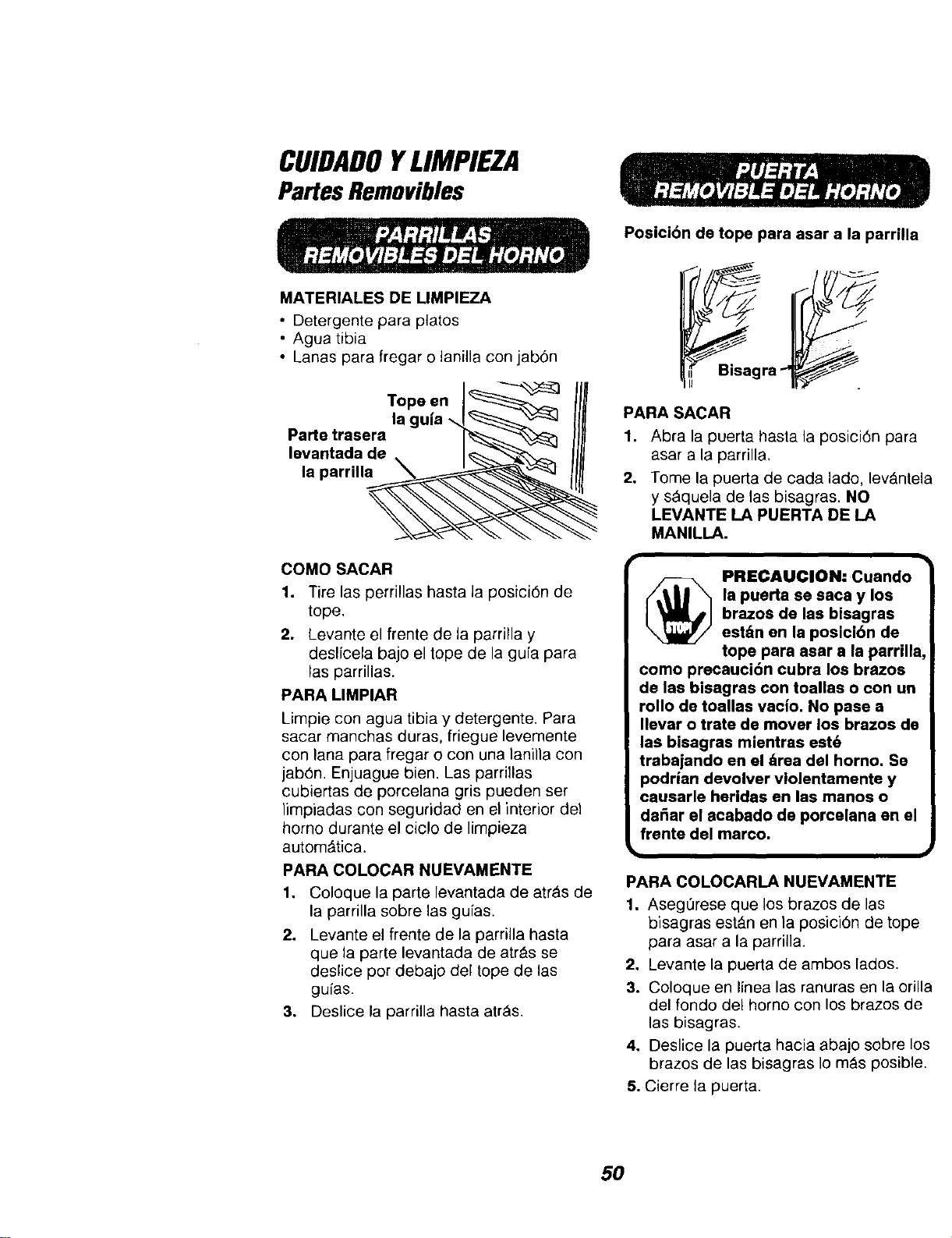
CUIDADOYLIMPIEZA
PartesRemovibles
MATERIALES DE UMPIEZA
• Detergente para platos
• Agua tibia
• Lanas para fregar o lanilla con jabOn
Tope en J_
la guia -_1_ _J
Parte trasera I'_-_'-_
levantada de . J_"_"_, _
la parrill_
COMO SACAR
1. Tire las perrillas hasta la posiciOn de
tope,
2. Levante el frente de la parrilla y
deslfcela bajo el tope de la gu[a para
las parrillas.
PARA LIMPIAR
Limpie con agua tibia y detergente. Para
sacar manchas duras, friegue levemente
con lana para fregar o con una lanilla con
jabOn. Enjuague bien. Las parri]las
cubiertas de porcelana gris pueden ser
}impiadas con seguridad en el interior del
homo durante el ciclo de limpieza
autom_tica.
PARA COLOCAR NUEVAMENTE
1. Coloque la parte levantada de atrAs de
la parrilla sobre las gufas.
2. Levante el frente de la parrilla hasta
que la parte levantada de atr&s se
deslice pot debajo del tope de las
gufas.
3. Deslice la parrilla hasta atr_s.
Posicibn de tope para asar a la parrilla
PARASACAR
1. Abra la puerta hasta la posici6n para
asar a la parrilla,
2. Tome la puerta de cada lado, levAntela
y s_quela de las bisagras. NO
LEVANTE LA PUERTA DE LA
MANILLA.
PRECAUClON: Cuando
la puerta se saca y los
brazos de las bisagras
est&n en la posici6n de
tope para asar a la parrilla,
como precauci6n cubra los brazos
de las bisagras con toallas o con un
rollo de toallas vacio. No pase a
Ilevar o trate de mover los brazos de
las bisagras mientras est6
trabajando en el &rea del horno. Se
podrian devolver vlolentamente y
causarle heridas en las manos o
dafiar el acabado de porcelana en el
frente del marco.
PARA COLOCARLA NUEVAMENTE
1. AsegOrese que los brazos de las
bisagras est_.n en la posiciOn de tope
para asar a la parrilla.
2. Levante la puerta de ambos lados.
3. Coloque en linea las ranuras en la orilla
del fondo del homo con los brazos de
las bisagras.
4. Deslice la puerta hacia abajo sobre los
brazos de las bisagras Io m_s posible.
5. Cierre ta puerta.
5O
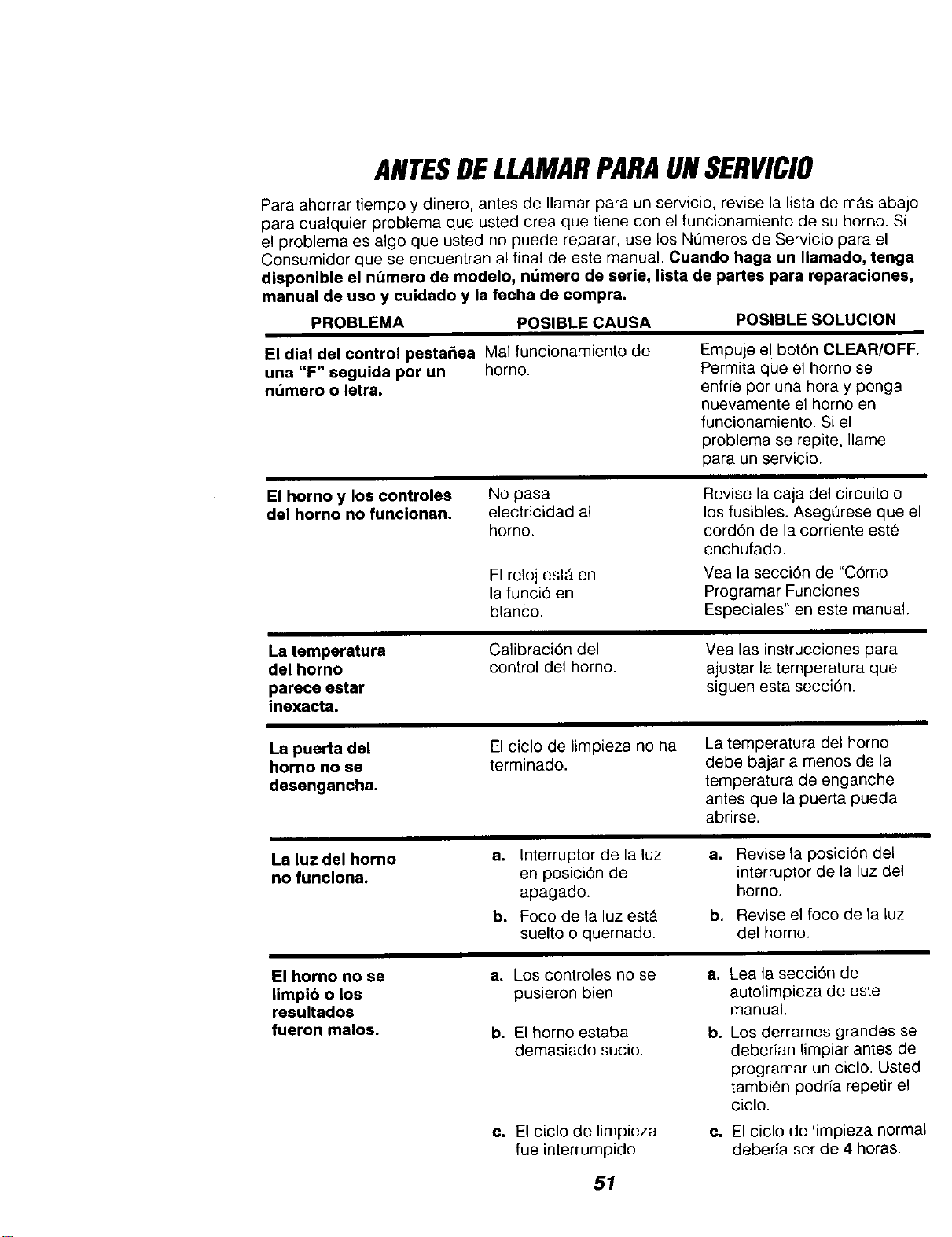
ANTESDELLAMARPARAUNSERVICIO
Para ahorrar tiempo y dinero, antes de Ilamar para un servicio, revise la lista de mAs abajo
para cualquier problema que usted crea que tiene con el funcionamiento de su horno. Si
el problema es algo que usted no puede reparar, use los N0meros de Servicio para el
Consumidor que se encuentran al final de este manual. Ouando haga un Ilamado, tenga
disponible el n_mero de modelo, nt_mero de serie, lista de partes para reparaciones,
manual de uso y cuidado y la fecha de compra.
PROBLEMA POSIBLE CAUSA
POSIBLE SOLUCION
El dial del control pesta_ea Mal funcionamiento del
una "F" seguida por un horno.
numaro o letra.
Empuje e! bot6n CLEAR/OFF.
Permita que el homo se
enffie par una hora y ponga
nuevamente el homo en
funcionamiento. Si el
problema se repite, Ilame
para un servicio.
El homo y los controles
del horno no funcionan.
No pasa
electricidad al
horno.
El reloj est_ en
la funci6 en
blanco.
Revise la caja del circuito o
los fusibles. AsegQrese que el
cord6n de la corriente estO
enchufado.
Yea la secci6n de "C6mo
Programar Funciones
Especiales" en este manual.
La temparatura
del horno
pareca astar
inexacta.
Calibraci6n del
control del homo.
Yea las instrucciones para
ajustar la temperatura que
siguen esta secci6n.
La puerta del
horno no se
desengancha.
El ciclo de limpieza no ha
terminado.
La temperatura del homo
debe bajar a menos de la
temperatura de enganche
antes que la puerta pueda
abrirse.
La luz del horno
no funciona.
a,
b,
Interruptor de la luz
en posici6n de
apagado.
Foco de la luz est_
suelto o quemado.
a. Revise la posici6n del
interruptor de la luz del
homo.
b. Revise el foco de la luz
del horno.
El homo no se a. Los controles no se a. Lea la secci6n de
limpi6 o los pusieron bien. autolimpieza de este
resultados manual.
fueron malos, b. El homo estaba b. Los derrames grandes se
demasiado sucio, deberian limpiar antes de
programar un ciclo. Usted
tambien podria repetir el
ciclo.
c. El ciclo de limpieza
fue interrumpido.
Co
El ciclo de timpieza normal
debeda ser de 4 horas.
51
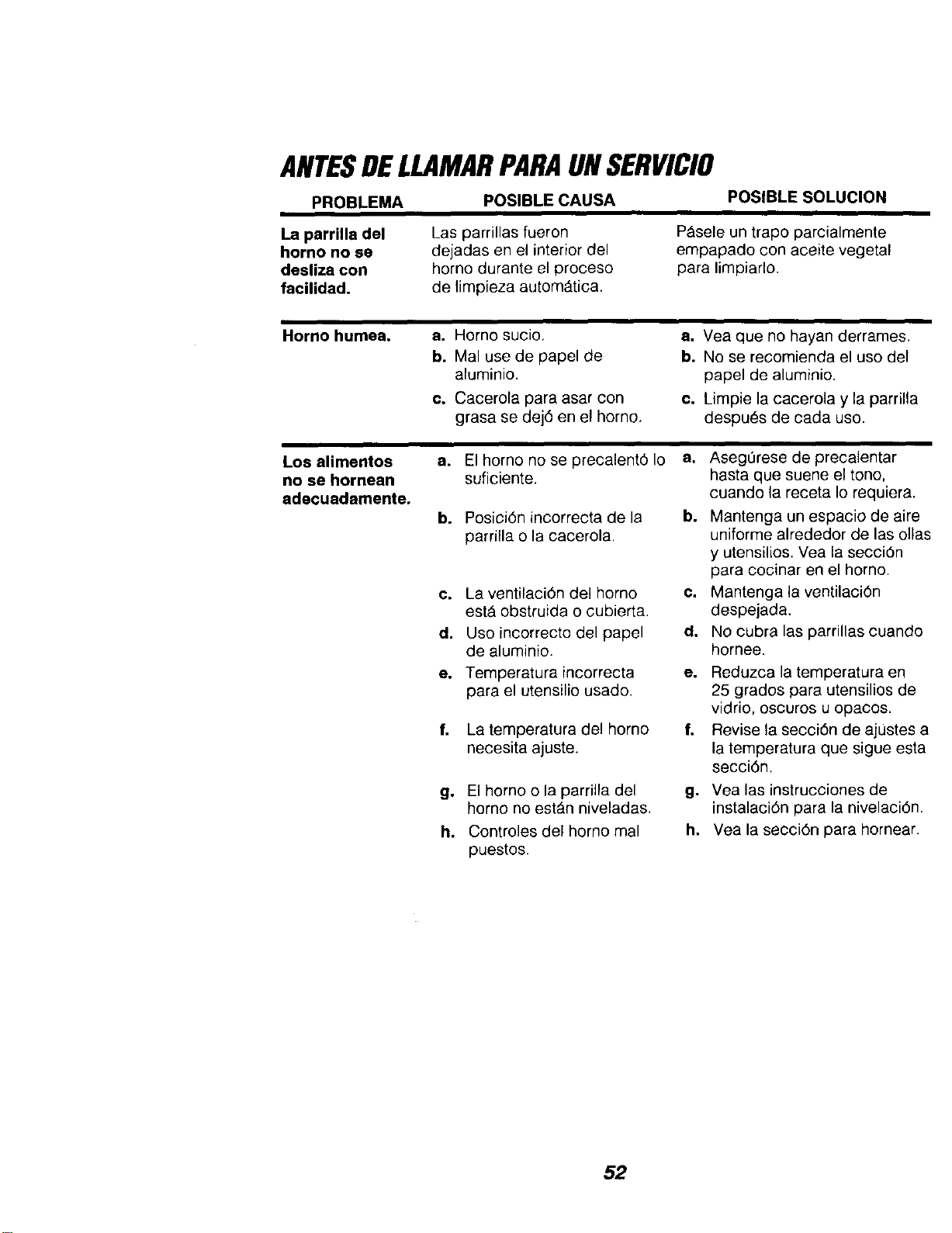
ANTESDELLAMARPARAUNSERVICIO
PROBLEMA
POSIBLECAUSA
POSIBLE SOLUCION
La parrilla del
homo no se
desliza con
facilidad.
Las parrillas fueron
dejadas en el interior del
horno durante el proceso
de limpieza automatic&
P_sele un trapo parcialmente
empapado con aceite vegetal
para limpiarlo.
Homo humea. a. Horno sucio,
b. Mal use de papel de
aluminio.
e. Cacerola para asar con
grasa se dej6 en el homo.
Los alimentos a.
no se hornean
adecuadamente.
b.
a. Vea que no hayan derrames.
b. No se reeomienda el use del
papel de aluminio.
e. Limpie la cacerola y la parrilla
despues de cada use.
El homo no se precalent6 Io
suficiente.
Posici6n incorrecta de la
parrilla o la cacerola.
c. La ventilaci6n del homo
est& obstruida o cubierta.
d. Use incorrecto del papel
de aluminio.
e. Temperatura incorrecta
para el utensilie usado.
f.
g°
h.
La temperatura del homo
necesita ajuste.
El homo o la parrilla del
horno no estAn niveladas.
Controles del horno mal
puestos.
f,
Asegerese de precalentar
hasta que suene el tone,
cuando la receta Io requiera.
a°
b. Mantenga un espacio de aire
uniferme alrededor de las elias
y utensilios. Vea la secci0n
para cocinar en el homo.
e. Mantenga la ventilaci6n
despejada.
d. No cubra las parrillas cuando
hornee.
e. Reduzca la temperatura en
25 grades para utensilios de
vidrio, oscuros u opacos.
Revise la secci6n de ajustes a
la temperatura que sigue esta
secci6n.
g. Yea las instrucciones de
instalaci6n para la nivelaci6n.
h. Vea la seoci6n para hornear.
52
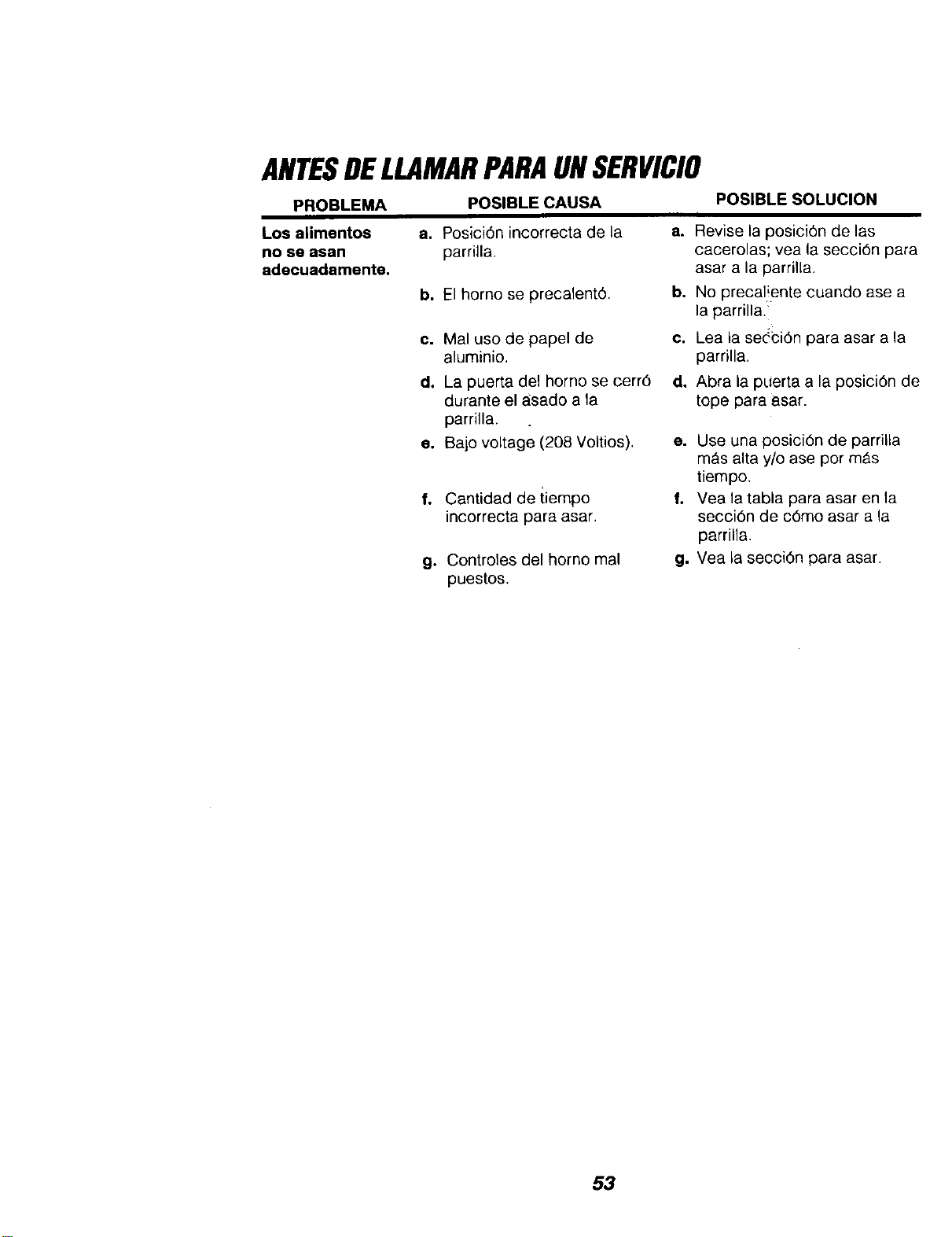
ANTESDELLAMARPARAUNSERVICIO
PROBLEMA
POSIBLECAUSA
POSIBLE SOLUCION
Los alimentos
no se asan
adecuadamente.
a. Posici6n incorrecta de la
parrilla.
a. Revise la posici6n de las
cacerolas; yea la secci6n para
asar a la parrilla.
b. El homo se precalentO.
b. No precal!ente cuando ase a
la parrilla.
c. Mal uso de papel de
aluminio.
c. Lea la se(ci6n para asar a la
parrilla.
dl
e,
f,
g,
La puerta del homo se cerr6
durante el asado a la
parrilla.
Bajo voltage (208 Voltios).
Cantidad de tiempo
incorrecta para asar.
Controles del homo mal
puestos.
d. Abra la puerta a la posici6n de
tope para asar.
e. Use una posici6n de parrilla
m_s alta y/o ase por m_.s
tiempo.
f. Vea la tabla para asar en la
secci6n de c6mo asar a la
parrilla.
g. Vea la secci6n para asar.
53
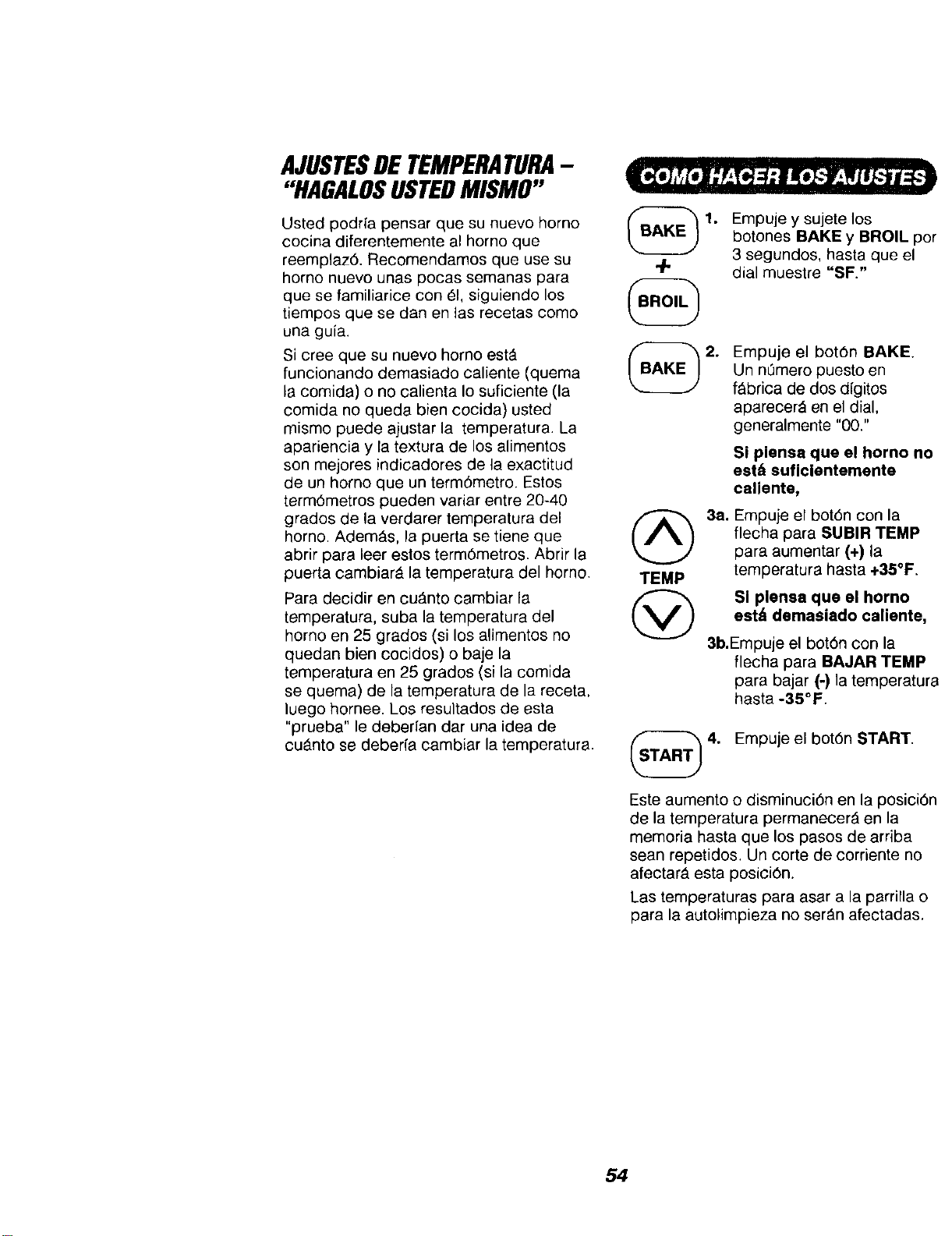
AJUSTESDETEMPERATURA-
"HAGALOSUSTEDMISMO"
Usted podrfa pensar que su nuevo homo
cocina diferentemente al horno que
reemplaz6. Recomendamos que use su
homo nuevo unas pocas semanas para
que se familiarice con _1,siguiendo los
tiempos que se dan en las recetas como
una gufa.
Si cree que su nuevo homo est_
funcionando demasiado caliente (quema
la comida) o no oalienta Io suficiente (la
comida no queda bien cocida) usted
mismo puede ajustar la temperatura. La
apariencia y la textura de los alimentos
son mejores indicadores de la exactitud
de un homo que un term6metro. Estos
term6metros pueden variar entre 20-40
grados de la verdarer temperatura del
homo. AdemAs, la puerta se tiene que
abrir para leer estos term6metros. Abrir la
puerta cambiar_ la temperatura del horno.
Para decidir en cu_.nto cambiar la
temperatura, suba la temperatura del
homo en 25 grades (si los alimentos no
quedan bien cocidos) o baje la
temperatura en 25 grados (si la comida
se quema) de la temperatura de la receta,
luego hornee. Los resultados de esta
"prueba" le deberfan dar una idea de
cuAnto se deberfa cambiar la temperatura.
q-
TEMP
@
1,
Empuje y sujete los
botones BAKE y BROIL por
3 segundos, hasta que el
dial muestre "SF."
2. Empuje el bot6n BAKE.
Un nL_meropuesto en
f_brica de dos digitos
aparecer& en el dial,
generalmente "00."
Si plensa que el homo no
est& suficientemente
caliente,
3a. Empuje el bot6n con la
flecha para SUBIR TEMP
para aumentar (+) la
temperatura hasta +35°F.
Si plensa que el horno
est/_ demasiado caliente,
3b.Empuje el bot6n con la
flecha para BAJAR TEMP
para bajar (-) la temperatura
hasta -35°F.
4. Empuje el botOn START.
Este aumento o disminuci6n en la posici6n
de la temperatura permanecer& en la
memoria hasta que los pasos de arriba
sean repetidos, Un corte de corriente no
afectarA esta posici6n.
Las temperaturas para asar a la parrilla o
para la autolimpieza no ser_n afectadas.
54
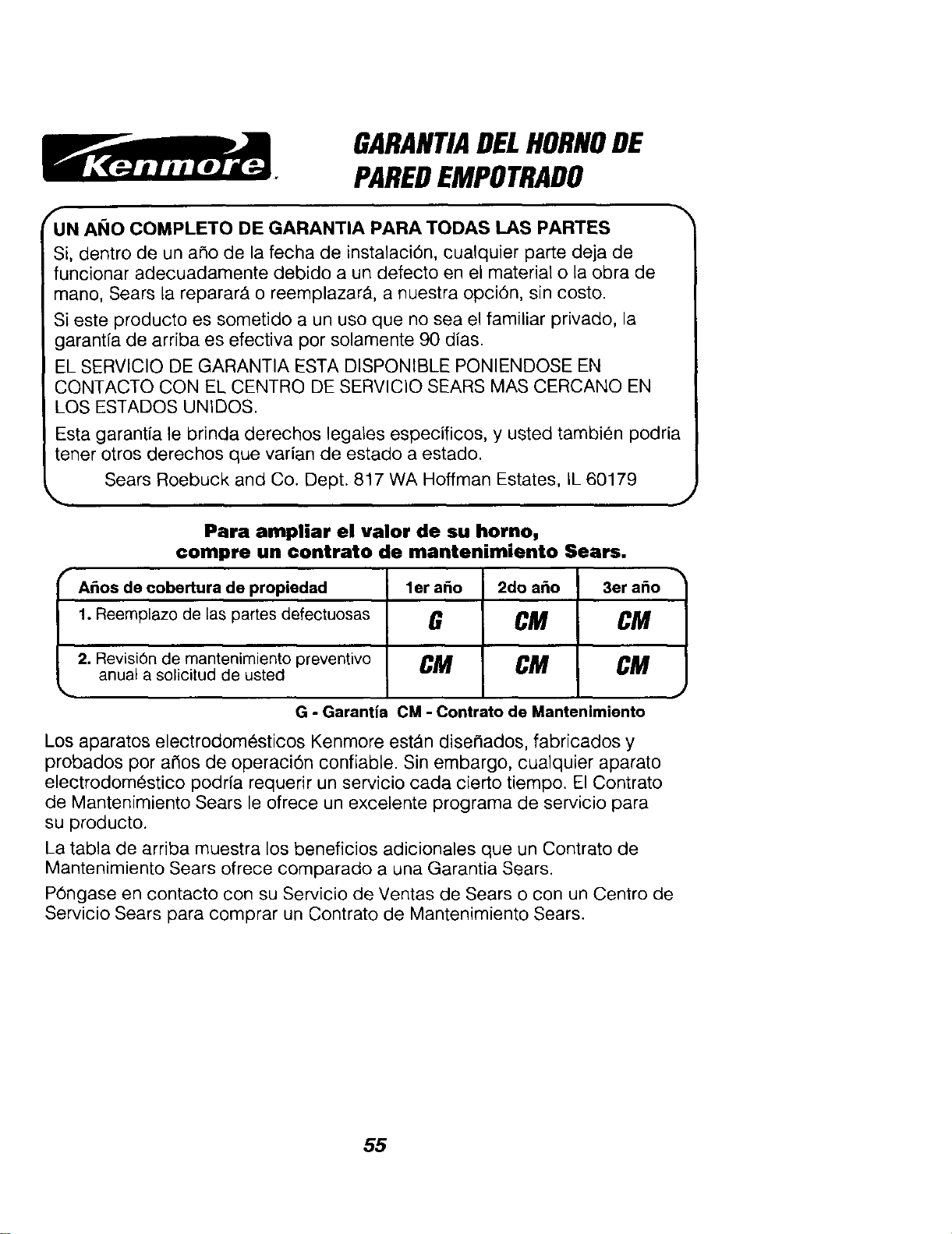
GARANTIADELHORNODE
PAREDEMPOTRADO
f
UN ANO COMPLETO DE GARANTIA PARA TODAS LAS PARTES
Si, dentro de un aSo de la fecha de instalaciOn, cualquier parte deja de
funcionar adecuadamente debido a un defecto en el material o la obra de
mano, Sears la repararA o reemplazar& a nuestra opciOn, sin costo.
Si este producto es sometido a un uso que no sea el familiar privado, la
garantfa de arriba es efectiva por solamente 90 dias.
EL SERVlClO DE GARANTIA ESTA DISPONIBLE PONIENDOSE EN
CQNTACTQ CON EL CENTRQ DE SERVlClO SEARS MAS CERCANO EN
LOS ESTADOS UNIDOS.
Esta garantia te brinda derechos legales especificos, y usted tambien podria
tener otros derechos que varian de estado a estado.
Sears Roebuck and Co. Dept. 817 WA Hoffman Estates, IL 60179
Para ampliar el valor de su homo,
compre un contrato de mantenimienlo Sears.
,,A_os de cobertura de propiedad ler a_o 2do a_o 3er a_o
1. Reemplazo de las partes defectuosas G CM CM
2. Revisi6n de mantenimiento preventivo CM CM CM
anual a solicitud de usted
G - Garantia CM - Contrato de Mantenimiento
Los aparatos electrodomesticos Kenmore est_n dise_ados, fabricados y
probados por argos de operaci6n confiable. Sin embargo, cualquier aparato
electrodomestico podrfa requerir un servicio cada cierto tiempo. El Contrato
de Mantenimiento Sears le ofrece un excelente programa de servicio para
su producto.
La tabla de arriba muestra los beneficios adicionales que un Contrato de
Mantenimiento Sears ofrece comparado a una Garantia Sears.
POngase en contacto con su Servicio de Ventas de Sears o con un Centro de
Servicio Sears para comprar un Contrato de Mantenimiento Sears.
55
Get it fixed, at your home or ours!
For repair ofmajor brand appliancesin your own home...
no matterwho made it,nomatter whosold i'd
1-800-4-MY-HOM E@ Anym_,dayorr=ght
(1_) (US.A.and Car,a_
Forrepairofcarry-inproductslikevacuums, lawnequipmentand
electronics,callforthe nearestSears Parts and Repair Center.
1-800-488-1222 An,pine,dayorr,ght(USA. or_
www.sear&com
Forthe replacement parts, accessories and owner's manuals
that you need to do-it-yourself, call Sears PartsDirect_!
1-800-366-PART 6am.-11 pm, 7daysaweek
(1-800-366-7278) (U.S.A.only)
www_.'s.com/padsdlrect
To purchase or inquireabouta Sears Service Agreement
or Sears Maintenance Agreement:
1-800-827-6655 (usA. ) /1-800-361-6665 (Canada)
7&m.-5pm.,CST, Mort -Sat. 9a.m -8p.m EST, M-F,4pm.Sat.
Para pedlrservtclode repar'acl_ a
dom[_t_o,y paraordenarpe_s.
1.888-SU4-1OGARs"
C1-aas-784-642z)
AuCanadapourse_tc.een_.
1-800-LE..FOYER_
(1.eoo-533-a_7)
WWW, S4E_Ir8ca
© Sea_, Roebt_ and Co
® Registered Trademark / TMTrademark / sMServ=ce Mark of Sears, Roebuck and Co
TM SM
® Marca Reg=strade / Marca de Fabeca / Marca de Serwclo de Sears. Roebuck and Co
MO
MCMarque de commerce / Marque d_pos_e de Sears, Roebuck and Co
56