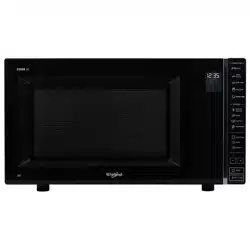
MWP301B

2
EN
INDEX
INSTALLATION
Installation --------------------------------------------------------------------------------------------- 3
SAFETY
Important safety instructions ----------------------------------------------------------------------- 4
Trouble shooting guide ------------------------------------------------------------------------------ 5
Precautions ---------------------------------------------------------------------------------------------- 6
ACCESSORIES AND MAINTENANCE
Accessories --------------------------------------------------------------------------------------------- 7
Maintenance & Cleaning ----------------------------------------------------------------------------- 8
CONTROL PANEL
Control panel ---------------------------------------------------------------------------------------- 9
Display Description ---------------------------------------------------------------------------------- 10
GENERAL USE
Stand-by mode ----------------------------------------------------------------------------------------- 11
Start Protection / Child Lock ---------------------------------------------------------------------- 11
Pause or Stop cooking ------------------------------------------------------------------------------- 11
Add / Stir /Turn food ---------------------------------------------------------------------------------- 11
Clock ------------------------------------------------------------------------------------------------------ 12
COOKING FUNCTIONS
Jet Start ---------------------------------------------------------------------------------------------------13
Microwave ----------------------------------------------------------------------------------------------14
Keep Warm ---------------------------------------------------------------------------------------------- 15
Soft/Melt -------------------------------------------------------------------------------------------------16
Pop Corn
----------------------------------------------------------------------------------------------------
17
Auto Cook ------------------------------------------------------------------------------------------------18
Manual Defrost ----------------------------------------------------------------------------------------20
Defrost Menu --------------------------------------------------------------------------------------------21
Auto Clean ------------------------------------------------------------------------------------------------22
Volume:Silence mode ---------------------------------------------------------------------------------23
ENVIRONMENTAL HINTS
Environmental Hints -----------------------------------------------------------------------------------23
Technical Specications
-----------------------------------------------------------------
24
3
EN
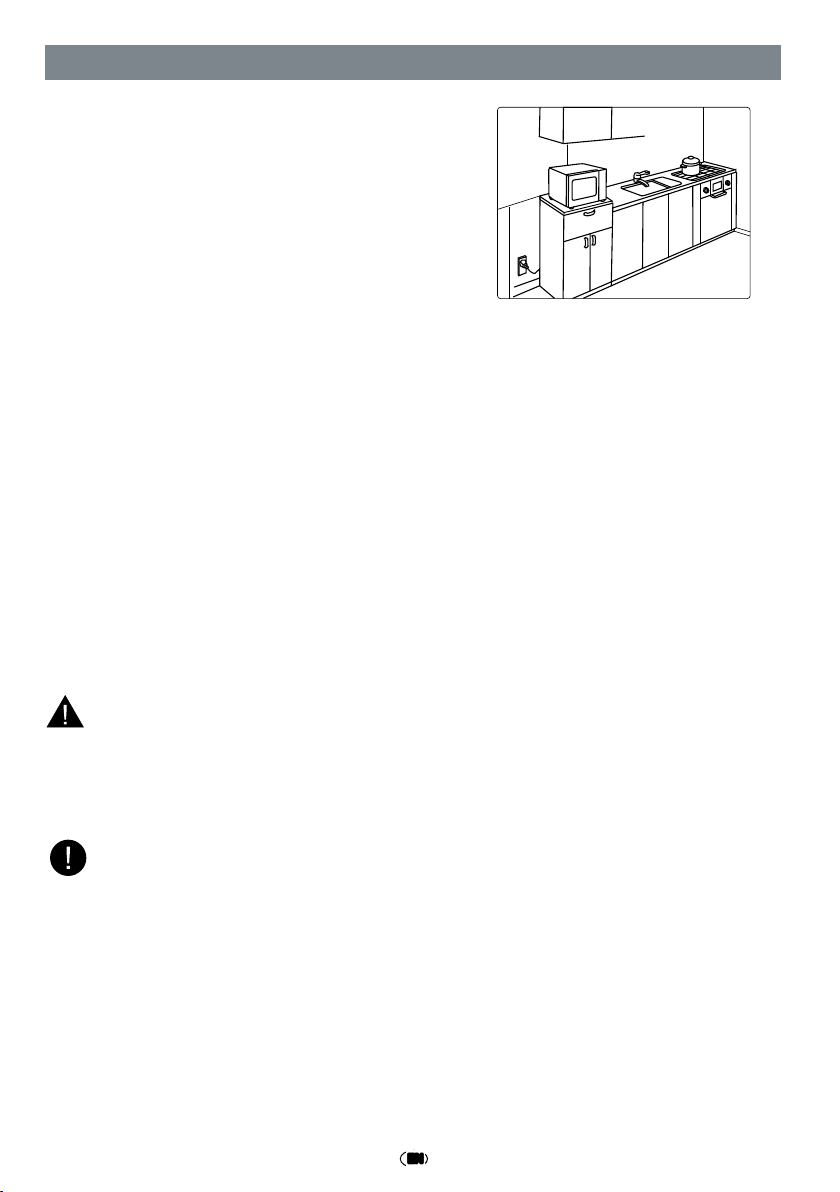
Position the microwave oven at a distance from other
heating sources. For sufficient ventilation, there must
be a space of at least 30 cm above the microwave
oven.
The microwave oven should not be placed in a cabi-
net. This microwave oven is not intended to be pla-
ced or used on a working surface lower than 850 mm
above the floor.
PRIOR TO CONNECTING
* Check that the voltage on the rating plate corresponds to the voltage in your home.
* Place the microwave oven on a stable and even surface that is strong enough to hold
the microwave oven and the food utensils you put in it. Use carefully when handling.
* Ensure that the space underneath, above and around the microwave oven is empty to
allow for proper airflow.
* Ensure that the appliance is not damaged. Check that the microwave oven door is clo-
sed firmly against the door support and the internal door seal is not damaged. Empty
the microwave oven and clean the interior with a soft, damp cloth.
* Do not operate this appliance if it has a damaged mains cord or plug, if it is not working
properly, or if it has been damaged or dropped. Do not immerse the mains cord or plug
in water. Keep the cord away from hot surfaces. Electrical shock, fire or other hazards
may result.
* Do not use an extension cord: If the power supply cord is too short, have a qualified
electrician or serviceman install an outlet near the appliance.
* Do not remove the microwave inlet protection plates located on the side of the oven
cavity wall.They prevent grease and food particles from entering the microwave inlet
channel.
* Improper use of the grounding plug can result in a risk of electric shock.
* Consult a qualified electrician or serviceman if the grounding instructions are not
completely understood, or if you have doubts as to whether the microwave oven
is properly grounded.
Prior to using the microwave for the first time, it is recommended to remove the protec-
tive film from the control panel and the cable tie from the power cord.
INSTALLATION
850mm
30cm
WARNING:
NOTE:
AFTER CONNECTING
* The microwave oven can be operated only if the microwave oven door is firmly closed.
* Poor television reception and radio interference may result if the microwave oven is
located close to a TV, radio or aerial.
* The grounding of this appliance is compulsory. The manufacturer will accept no respon-
sibility for injury to persons, animals or damage to objects arising from the non-obser-
vance of this requirement.
* The manufacturers are not liable for any problems caused by the user's failure to obser-
ve these instructions.
4
EN
SAFETY
IMPORTANT SAFETY INSTRUCTIONS
Read Carefully And Keep For Future Reference
* If material inside / outside the microwave oven ignite or smoke is emitted, keep
microwave oven door closed and turn the microwave oven off. Disconnect the po-
wer or shut off power at the fuse or circuit breaker panel.
* Do not leave the microwave oven unattended, especially when using paper, pla-
stic or other combustible materials in the cooking process. Paper can char or burn
and some plastics can melt if used when heating foods.
* The appliance and its accessible parts become hot during use. Care should be ta-
ken to avoid touching heating elements inside the microwave oven.
* Children shall be kept away unless continuously supervised.
* The microwave oven is intended for heating foods and beverages. Drying of food
or clothing and heating of warming pads, slippers, sponges, damp cloth and simi-
lar may lead to risk of injury, ignition or fire.
* This appliance can be used by children and persons with reduced physical, senso-
ry or mental capabilities or lack of experience and knowledge if they have been
given supervision or instruction concerning use of the appliance in a safe way and
understand the hazards involved.
* Cleaning and user maintenance shall not be made by children unless they are su-
pervised. Children should be supervised to ensure that they do not play with the
appliance. Keep the appliance and its cord out of reach of children.
* Do not use your microwave oven for cooking or reheating whole eggs with or wi-
thout shell since they may explode even after microwave heating has ended.
WARNING:
WARNING:
* If the door or door seals are damaged, the oven must not be operated until it has
been repaired by a competent person.
WARNING:
* It is hazardous for anyone other than a competent person to carry out any service
or repair operation that involves the removal of a cover which provides protection
against exposure to microwave energy.
WARNING:
* Liquids and other foods must not be heated in sealed containers since they are
liable to explode.
WARNING:
* When the appliance is operated in the combination mode, children should only
use the oven under adult supervision due to the temperatures generated.
5
EN
NOTE:
The appliances are not intended to be operated by means of an external timer or
separate remote-control system.
* Do not leave the microwave oven unattended if you are using a lot of fat or oil since they
can overheat and cause a fire!
* Do not heat, or use flammable materials in or near the microwave oven. Fumes can cre-
ate a fire hazard or explosion.
* Do not use your microwave oven for drying textiles, paper, spices, herbs, wood, flowers
or other combustible materials. Fire could result.
* Do not use corrosive chemicals or vapors in this appliance. This type of microwave oven
is specifically designed to heat or cook food. It is not designed for industrial or labora-
tory use.
* Do not hang or place heavy items on the door as this can damage the microwave oven
opening and hinges. The door handle should not be used for hanging things on.
TROUBLE SHOOTING GUIDE
If the microwave oven does not work, do not make a service call until you have made
the following checks:
* The Plug is properly inserted in the wall socket.
* The Door is properly closed.
* Check your Fuses and ensure that there is power available.
* Check that the microwave oven has ample ventilation.
* Wait for 10 minutes, then try to operate the microwave oven once more.
* Open and then close the door before you try again.
* The turntable and turntable support is in place.
This is to avoid unnecessary calls for which you will be charged.
When calling for Service, please give the serial number and type number of the microwa-
ve oven (see Service label).
Consult your warranty booklet for further advice.
If the mains cord needs replacing it should be replaced by the original mains cord, which is
available via our service organization. The mains cord must only be replaced by a trained
service technician.
NOTE:
WARNING:
* Service only to be carried out by a trained service technician.
* Do not remove any cover.

6
EN
PRECAUTIONS
GENERAL
This appliance is intended to be used in household and similar applications such as:
* Staff kitchen areas in shops,offices and other working environments;
* Farm houses;
* By clients in hotels, motels and other residential environments;
* Bed and breakfast type environments.
No other use is permitted (e.g.heating rooms).
* The appliance should not be operated without food in the microwave oven when using
microwaves. Operation in this manner is likely to damage the appliance.
* The ventilation openings on the microwave oven must not be covered. Blocking the air
intake or exhaust vents may cause damage to the microwave oven and poor cooking
results.
* If you practice operating the microwave oven, put a glass of water inside. The water will
absorb the microwave energy and the microwave oven will not be damaged.Note:plea-
se refer to below section“Liquids“.
* Do not store or use this appliance outdoors.
* Do not use this product near a kitchen sink, in a wet basement, or near a swimming
pool, or similar area.
* Do not use the cavity for any storage purposes.
* Remove wire twist-ties from paper or plastic bags before placing bag in the microwave
oven.
* Do not use your microwave oven for deep-frying, because the oil temperature cannot
be controlled.
* Use hot pads or microwave oven mitts to prevent burns, when touching containers,
microwave oven parts, and pans after cooking.
LIQUIDS
E.g. beverages or water. Overheating the liquid beyond boiling point can occur wi-
thout evidence of bubbling. This could result in a sudden boil over of the hot liquid.
To prevent this possibility the following steps should be taken:
* Avoid using straight-sided containers with narrow necks.
* Stir the liquid before placing the container in the microwave oven.
* After heating, allow standing for a short time, stirring again before carefully removing
the container from the microwave oven.
After heating baby food or liquids in a baby bottle or in a baby food jar, always stir
and check the temperature before serving. This will ensure that the heat is evenly dis-
tributed and the risk of scalding or burns can be avoided.
Always refer to a microwave cookbook for detail.Especially, if cooking or reheating
food that contains alcohol.Ensure the lid and the teat is removed before heating.
CAREFUL
NOTE:
7
EN
ACCESSORIES AND MAINTENANCE
ACCESSORIES
* There are a number of accessories available on the market. Before you buy, ensure they
are suitable for microwave use.
* Ensure that the utensils you use are microwave oven proof and allow microwaves to
pass through them before cooking.
* When you put food and accessories in the microwave oven, ensure that they do not
come in contact with the interior of the microwave oven.
* This is especially important with accessories made of metal or metal parts.If accesso-
ries containing metal come into contact with the microwave oven interior, while the
microwave oven is in operation, sparking can occur and the microwave oven could be
damaged.
* Metallic containers for food and beverage are not allowed during microwave cooking.
* For better cooking performance, it is suggested that you need to put the accessories in
the middle of the inner full flat cavity.
GLASS TURNTABLE
Use the Glass Turntable with all cooking methods. It
collects the dripping juices and food particles that
otherwise would stain and soil the interior of the oven.
• Place the Glass Turntable on the Turntable Support.
TURNTABLE SUPPORT
Use the Turntable Support under the Glass Turntable. Never
put any other utensils on the Turntable Support.
• Fit the Turntable Support in the oven.

8
EN
* Failure to maintain the microwave oven in a clean condition could lead to deterioration
of the surface that could adversely affect the life of the appliance and possibly result in
a hazardous situation.
* Do not use metal scouring pads, abrasive cleansers, steel-wool pads, gritty washcloths,
etc. which can damage the control panel, and the interior and exterior microwave oven
surfaces. Use a cloth with a mild detergent or a paper towel with spray glass cleaner.
Apply spray glass cleaner to a paper towel.
* Use a soft and damp cloth with mild detergent to clean the interior surfaces, front and
rear of the door and the door opening.
* Do not use steam cleaning appliances when cleaning your microwave oven.
* The microwave oven should be cleaned regularly and any food deposits removed.
* Cleaning is the only maintenance normally required. It must be carried out with the
microwave oven disconnected.
* Do not spray directly on the microwave oven.
* This microwave oven is designed to operate cooking cycles with a proper container in
a fully flat cavity directly.
* Do not allow grease or food particles to build up around the door,and inlet protection
plates located on the side of the oven cavity wall.
* This product offers an AUTO CLEAN function, which allows for easy cleaning of the
microwave cavity. For more details, please refer to the AUTO CLEAN section on page 22.
MAINTENANCE & CLEANING
9
EN
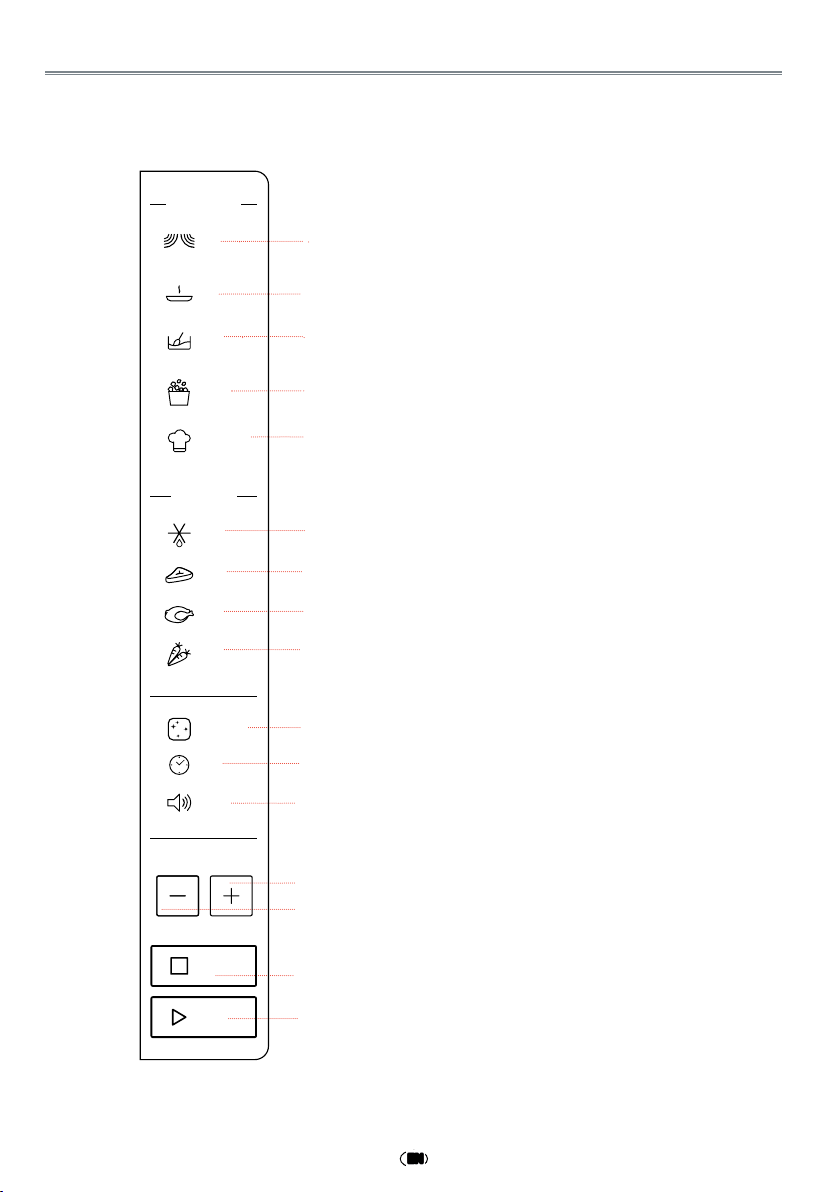
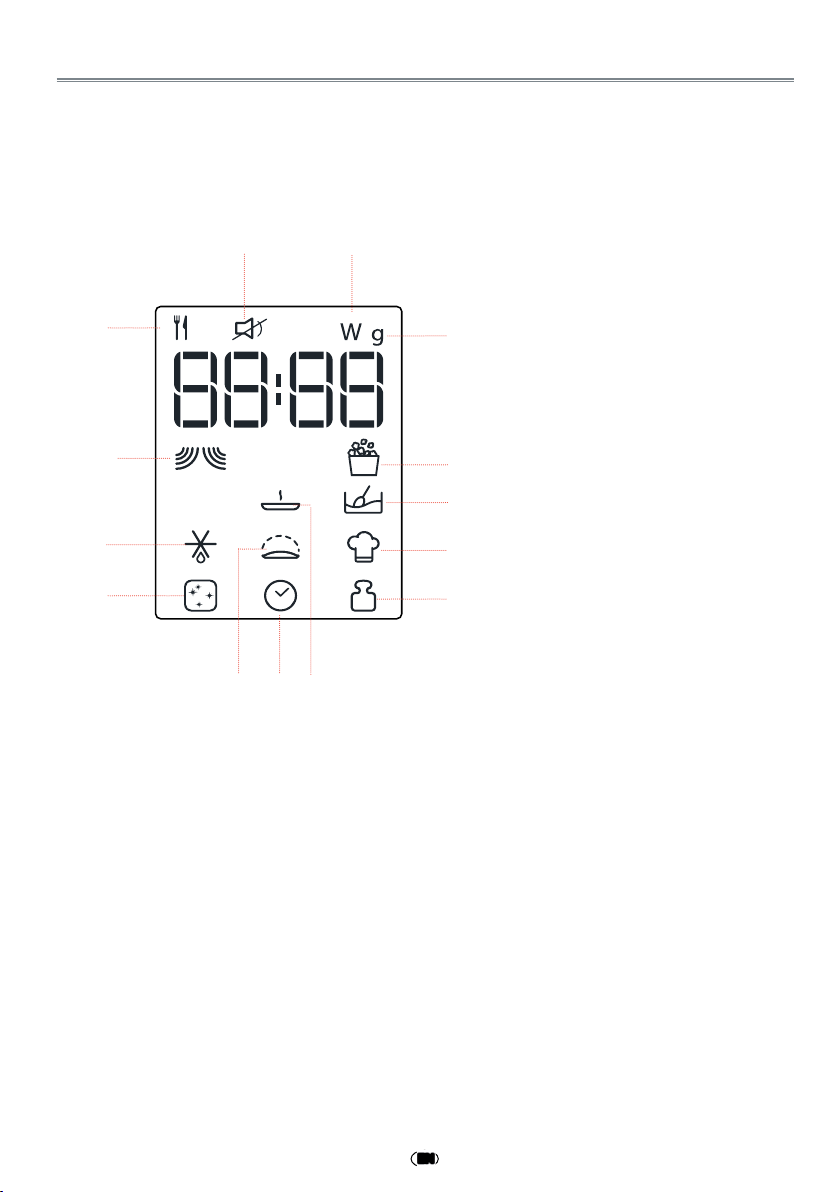
CONTROL PANEL DESCRIPTION
q
Micro
Use to set power level.
w
Keep Warm
Touch to set Keep Warm program.
e
Soft/Melt
Press this button to access Soft/
Melt cooking mode.
r
Pop Corn
t
Auto Cook
Use to access the automatic reci-
pes menu.
y
Manual Defrost
To defrost manually.
uio
Meat/Poultry/Vegetables
To set defrost menu.
a
Auto Clean
Use to clean cavity.
s
Clock
Use to set the time of day.
d
Volume
Use to activate/deactivate beep si-
gnal.
f
+/-
Use to input food menu code, clock
time, cook time, cook weight.
g
STOP
Use to pause, stop or cancel cook-
ing.
h
JET START
Use to start the cooking.
Use to set quick start program.
Keep Warm
Manual Defr ost
Pop Corn
FUNCTIONS
Micro
Soft/Melt
Auto Cook
DEFROST
Meat
Poultry
Vegetables
Auto Clean
Clock
Volume
STOP
JET START
q
w
e
r
t
y
i
o
a
s
d
f
u
h
g
f
10
EN
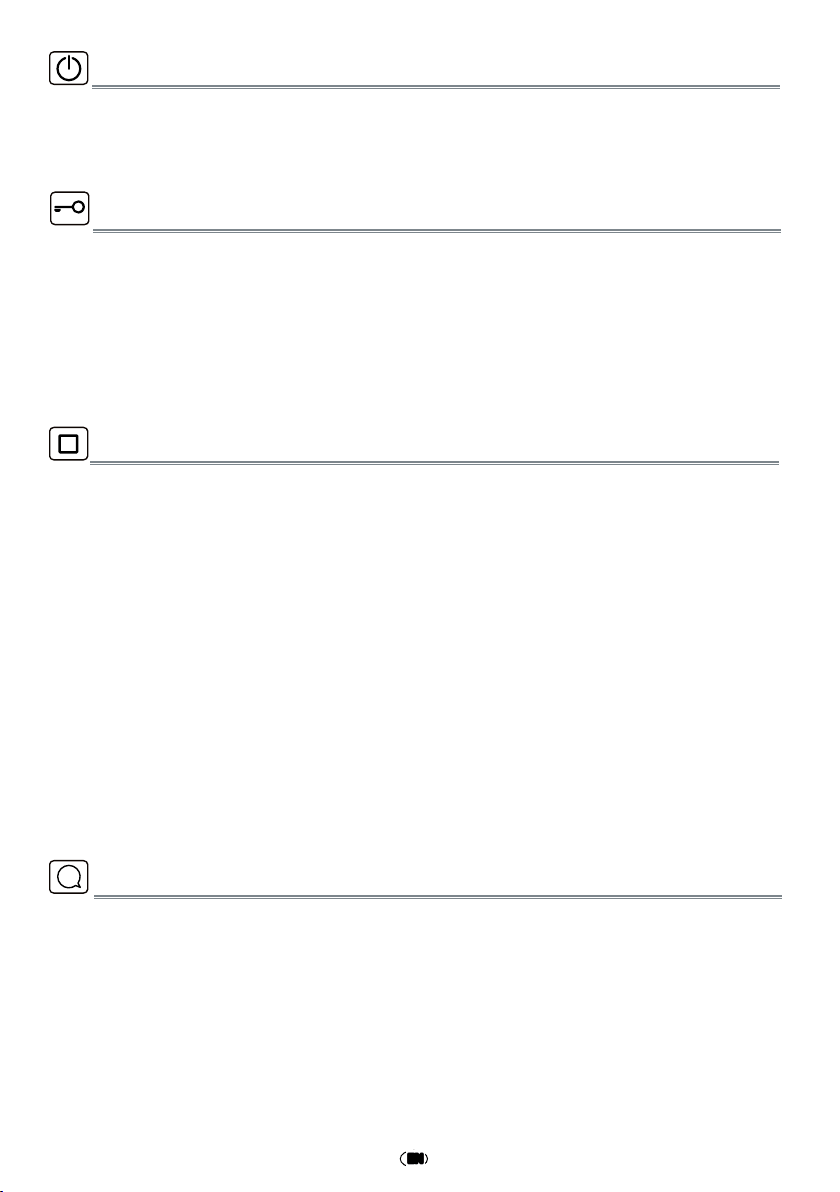
q
Food type selection
w
Mute Icon
e
Microwave power (watt)
r
Weight (grams)
t
Pop Corn Icon
y
Soft/Melt Icon
u
Auto Cook Icon
i
Insert weight
o
Keep Warm Icon
a
Insert time
s
Dough Rising Icon
d
Auto clean Icon
f
Defrost Icon
g
Microwave Icon
w
e
r
t
y
i
o
a
g
f
d
s
q
u
DISPLAY DESCRIPTION
11
EN
The oven is in Stand-by mode when the clock is displayed (or, if the clock has not been
set, when the display will show “:”).
PAUSE OR STOP COOKING
ADD / STIR / TURN FOOD
STANDBY MODE
To pause cooking:
The cooking can be paused to check, add or turn or stir the food by opening the door.
Press STOP button once ,the functions can be paused as what they are,press STOP button
twice,the functions stopped.
The setting will be maintained for 5 minutes.
To continue cooking:
Close the door and press the Jet Start button. The cooking is resumed from where it was
paused.
If you don’t want to continue cooking you can:
Remove the food, close the door and press the Stop button.
When the cooking is finished:
The display will show the text “End”. An acoustic beep will signal once a minute for 2 minutes.
Please note that reducing or stopping this programmed cooling cycle will not have a ne-
gative impact on the functioning of the product.
Depending on the selected function, it could be needed to add / stir / turn food during
cooking. In these cases the oven will pause cooking and it will ask you to perform the nee-
ded action.
When required, you should:
* Open the door.
* Add or Stir or Turn the food (depending on the required action).
* Close the door and restart by pressing JET START button.
Notes: if the door is not opened within 2 minutes from the request to Add or Stir or Turn
the food, the microwave oven will continue the cooking process (in this case the final re-
sult may not be the optimal one).
i
START PROTECTION / CHILD LOCK
This automatic safety function is activated one minute after the oven has returned to
“Stand-by mode”.
When the safety function is active the door must be opened and closed in order to start
the cooking, otherwise the display will show “door”.
DOOR
12
EN
CLOCK
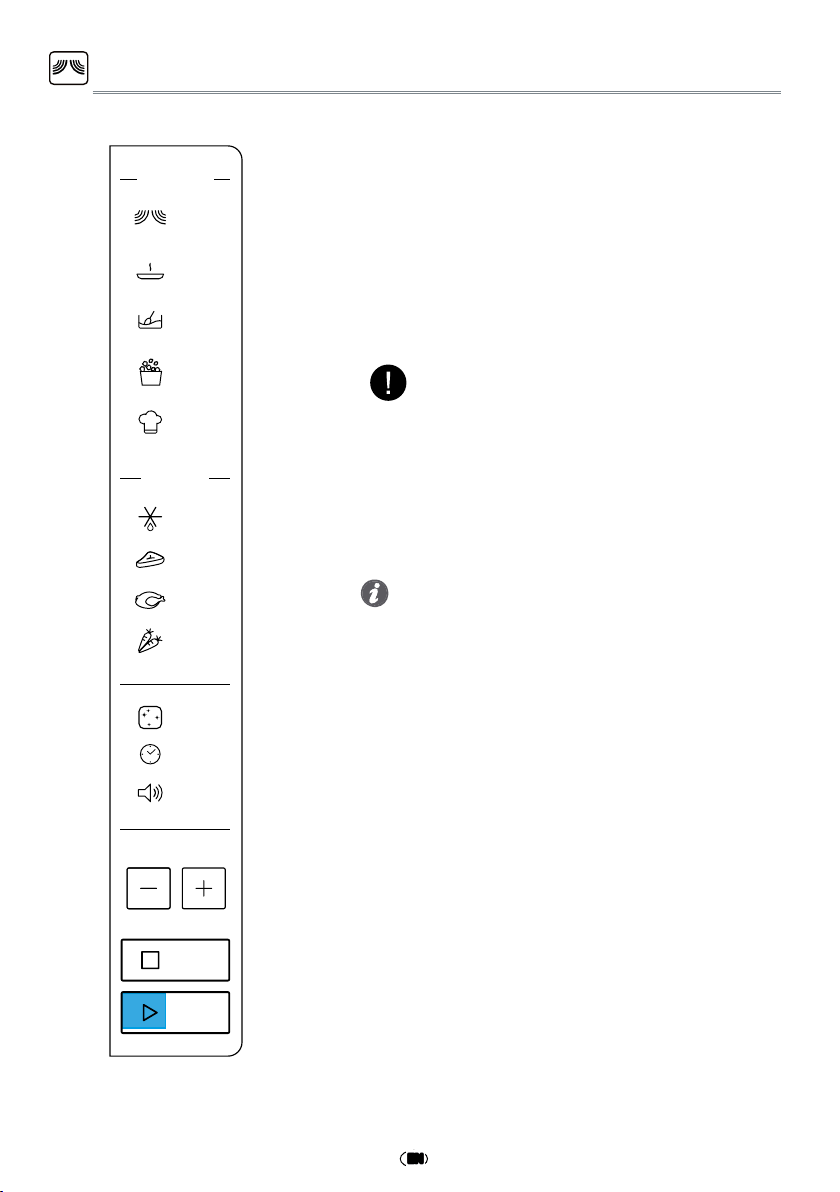
To set the Clock of your appliance:
q
In standby, touch the Clock button once. The
display shows the current clock.
w
Press + / - to set the hour.
e
Press Clock/JET START button to conrm.
r
Press + / - to set the minute.
t
Press Clock/JET START button to conrm the
setting.
Every time after cooking process is completed, the
screen shows
“End” and issued a prompt until ope-
ned the door to return standby (no operation for
10 minutes automatically return to standby).
•
When plug in, the screen shows
“12:00”
(
“12”
flas-
hing ), 1 minute later return to standby (before re-
turning standby can directly set clock).
•
In the process of cooking, press Stop button once
to pause, press Jet Start button to continue cook-
ing, but press Stop twice to cancel this program.
•
In the process of cooking set, no operating system
automatically return to standby mode in 1 minute.
Tips and suggestions:
Keep Warm
Manual Defr ost
Pop Corn
FUNCTIONS
Micro
Soft/Melt
Auto Cook
DEFRO ST
Meat
Poultry
Vegetables
Auto Clean
Clock
Volume
STOP
JET START
13
EN
JET START
This feature allows you to start the oven quickly.
Press JET START button once, the oven starts work
at full power level automatically. During cooking,
press JET START to add time. The longest cooking
time is 90 minutes.
q
Press the JET START button.
•
It is possible to change the power level and the
duration time even after the cooking process has
been already started. To adjust the power level,
simply press the Microwave button repeatedly.
•
To change the duration time, please press +/- but-
ton.Or press the JET START button once to increa-
se the duration time by 30 seconds.
NOTE:
Pressing the JET START button, the Microwave fun-
ction will start at full microwave power (900W) for
30 seconds.
Tips and suggestions:
Keep Warm
Manual Defr ost
Pop Corn
FUNCTIONS
Micro
Soft/Melt
Aut o Cook
DEFRO ST
Meat
Poultry
Vegetables
Auto Clean
Clock
Volume
STOP
JET START
14
EN
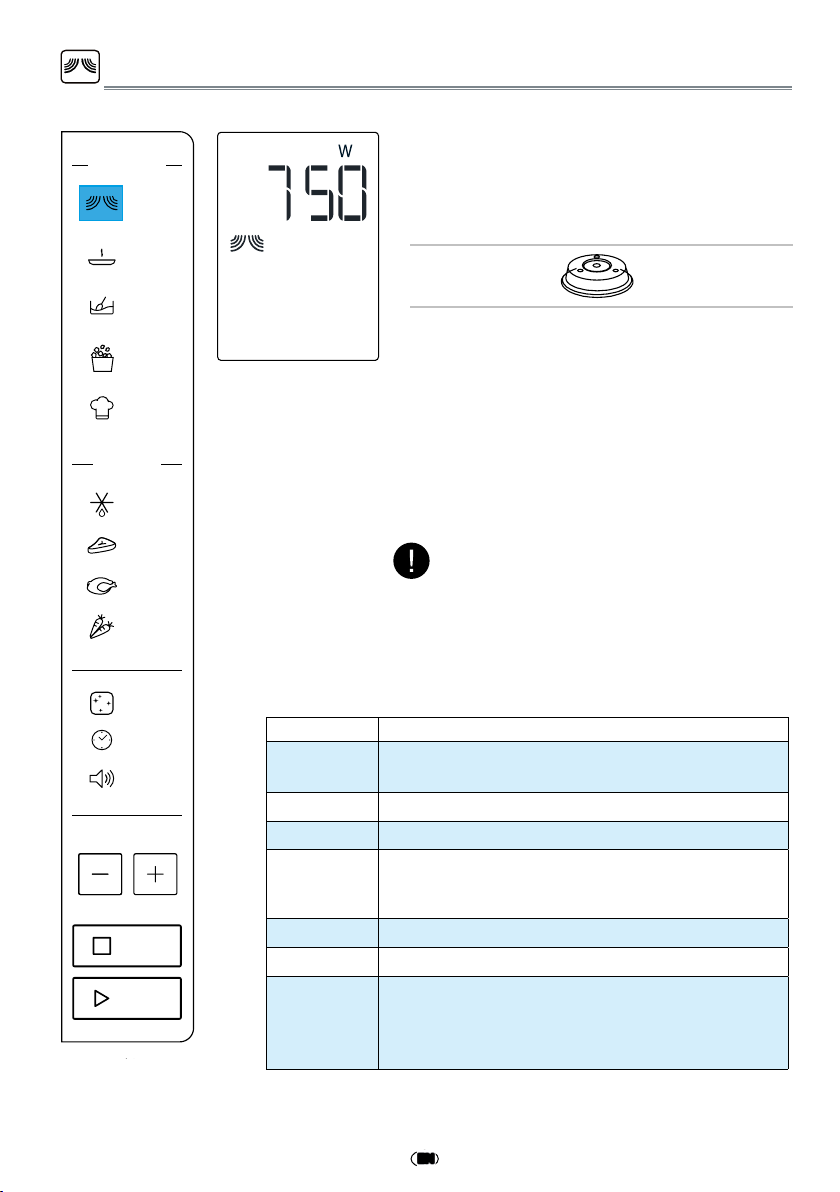
MICROWAVE
To cook with microwave power individually, press
the Micro button repeatly to select a cooking pow-
er level, then press +/- button to set a desired coo-
king time. The longest cooking time is 90 minutes.
Suggested
Accessory:
Plate Cover
(sold separately)
q
Press the Micro button. The defaut power
level (750W) will be shown on the display
and the watt icon starts blinking.
w
Press the Micro button repeatly or press
+/- button to select suitable cooking po-
wer, then press JET START button.
e
Press + / - to set the cooking time.,then
press JET START button to start cooking.
POWER SUGGESTED USE:
90 W
Softening ice cream, butter and cheeses. keep
warming.
160 W Defrosting.
350 W Simmering stews, melting butter.
500 W
More careful cooking e.g. high protein sauces,
cheese and egg dishes and to nish cooking
casseroles.
650 W Cooking of sh, meat, vegetables etc.
750 W Cooking of fish,meat, vegetables,etc.
900 W
Reheating of beverages, water, clear soups, cof-
fee, tea or other food with a high water content.
If the food contains egg or cream choose a low-
er power.
NOTE:
If need to change the power, press the Micro but-
ton again,the desired power level can be selec-
ted as below table.
Keep Warm
Manual Defr ost
Pop Corn
FUNCTIONS
Micro
Soft/Melt
DEFRO ST
Meat
Poultry
Vegetables
Auto Clean
Clock
Volume
STOP
JET START
Aut
o Cook
15
EN
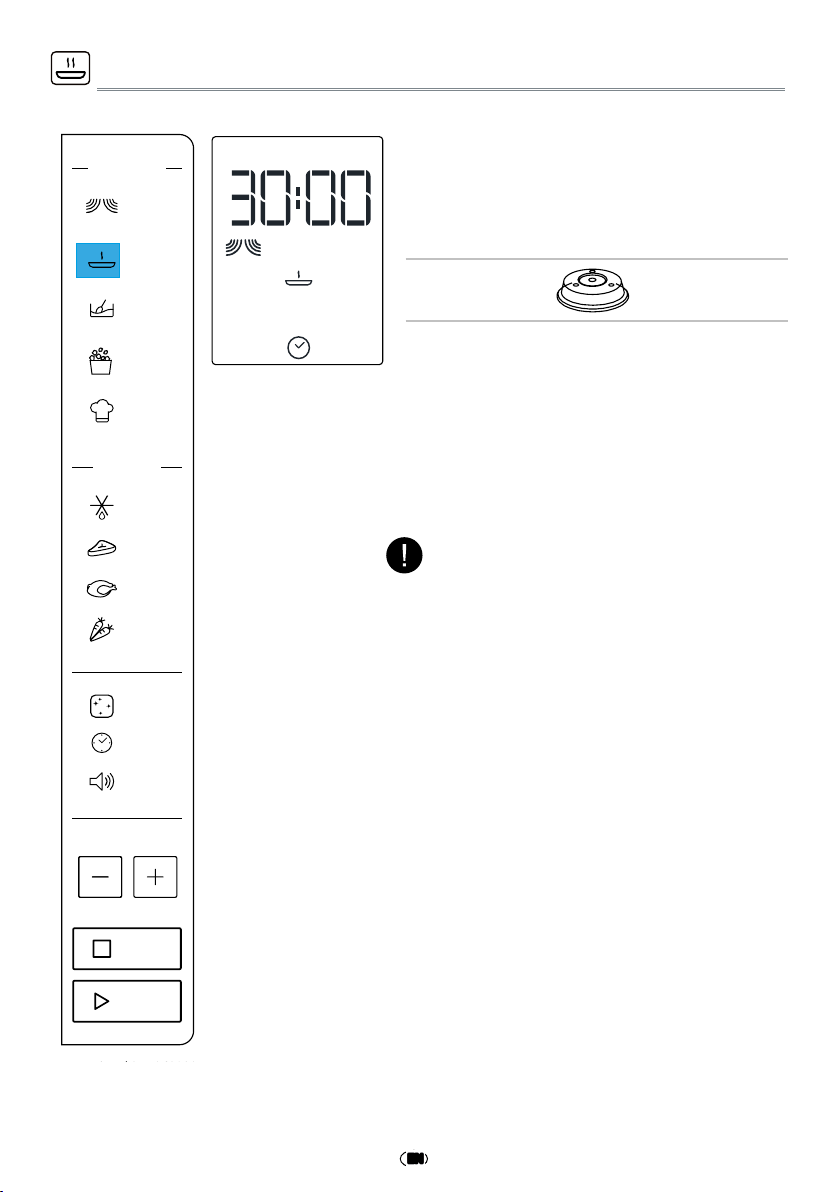
KEEP WARM
q
Press the Keep Warm button. The display
shows as left side.
w
Press +/- button to select suitable time,
then press JET START button.
This function allows you to keep your dishes
warm
automatically
.
Suggested
Accessory:
Plate Cover
(sold separately)
NOTE:
The keep warm cycle is 15minutes, to ensure
keep perfect eect,please select the time more
than 15minutes
Keep Warm
Manual Defr ost
Pop Corn
FUNCTIONS
Micro
Soft/Melt
Auto Cook
DEFRO ST
Meat
Poultry
Vegetables
Auto Clean
Clock
Volume
STOP
JET START
16
EN
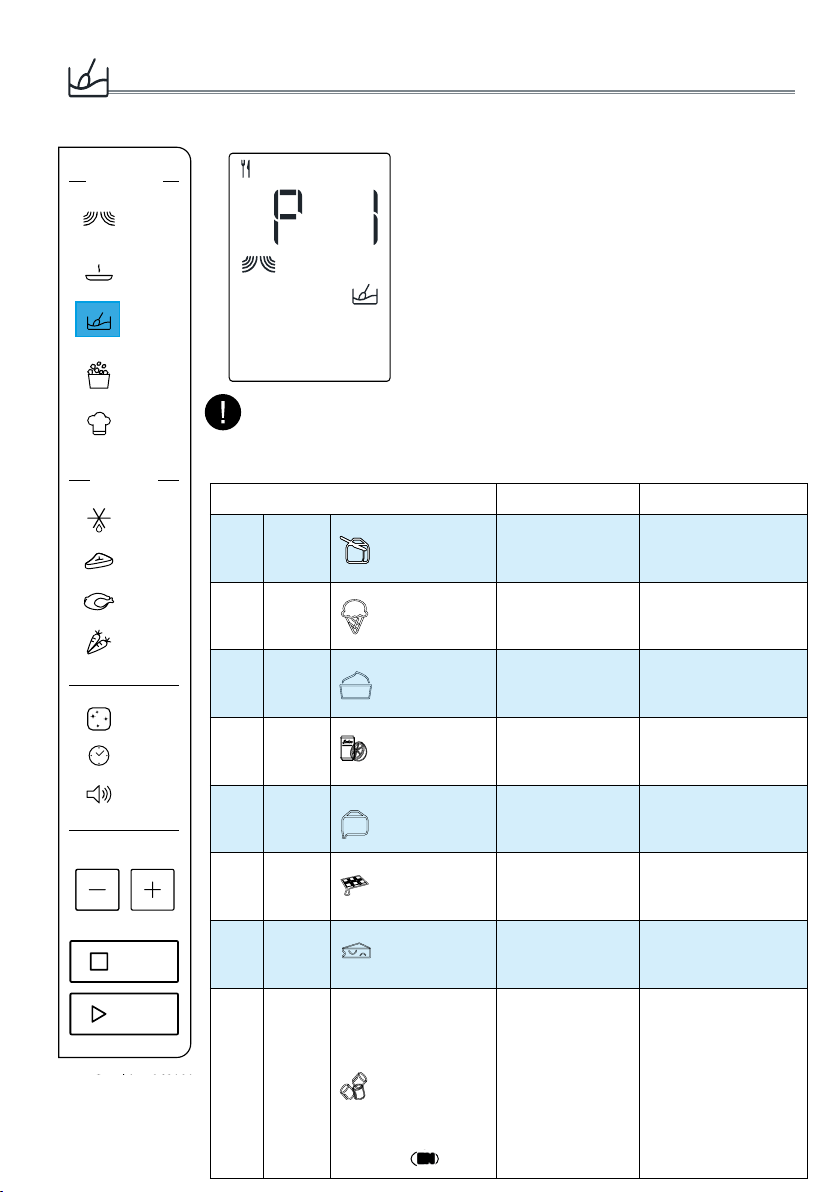
Soft/Melt
A selection of automatic recipes with preset
values to offer optimal cooking results.
q
Press the Soft/Melt button,display show as
left side.
w
Press Soft/Melt button repeatly or press +/-
button to select the desired recipe (see the
table below).
e
Press the JET START button to confirm the
recipe and press +/- button to select the
weight when there is a weight range in the
table.
r
Press the JET START button.The function
will start.
FOOD TYPE WEIGHT HINT
p 1
Soften
Butter 50g - 500g/50g
From refrigerator state,
unwrap and place in
microwave safe dish
p 2
Soften
Ice Cream 50g - 1000g/50g
From frozen state,
place ice cream
container on turntable.
p 3
Soften
Cream Cheese
50g - 500g/50g
From refrigerator state,
unwrap and place in
microwave safe dish
p 4
Soften
Frozen Juice 250g - 1000g/250g
From frozen state,
remove lid from
container.
p 5
Melting
Butter 50g - 500g/50g
From refrigerator state,
unwrap and place in
microwave safe dish
p 6
Melting
Chocolate 100g - 500g/50g
From room
temperature, place in
microwave safe dish.
p 7
Melting
Cheese 50g - 500g/50g
From refrigerator
state,place in
microwave safe dish.
p 8
Melting
Marshmellows 50g - 500g/50g
From room
temperature, place
in microwave safe
dish.The dish should
be at least double
volume with the
marshmellows since
they are expanded
during cooking.
The cooking recipe will be confirmed once you leave the function but-
ton for 3 Seconds,press the function key again to change the recipe type.
NOTE:
Keep Warm
Manual Defr ost
Pop Corn
FUNCTIONS
Micro
Soft/Melt
Auto C ook
DEFRO ST
Meat
Poultry
Vegetables
Auto Clean
Clock
Volume
STOP
JET START
17
EN
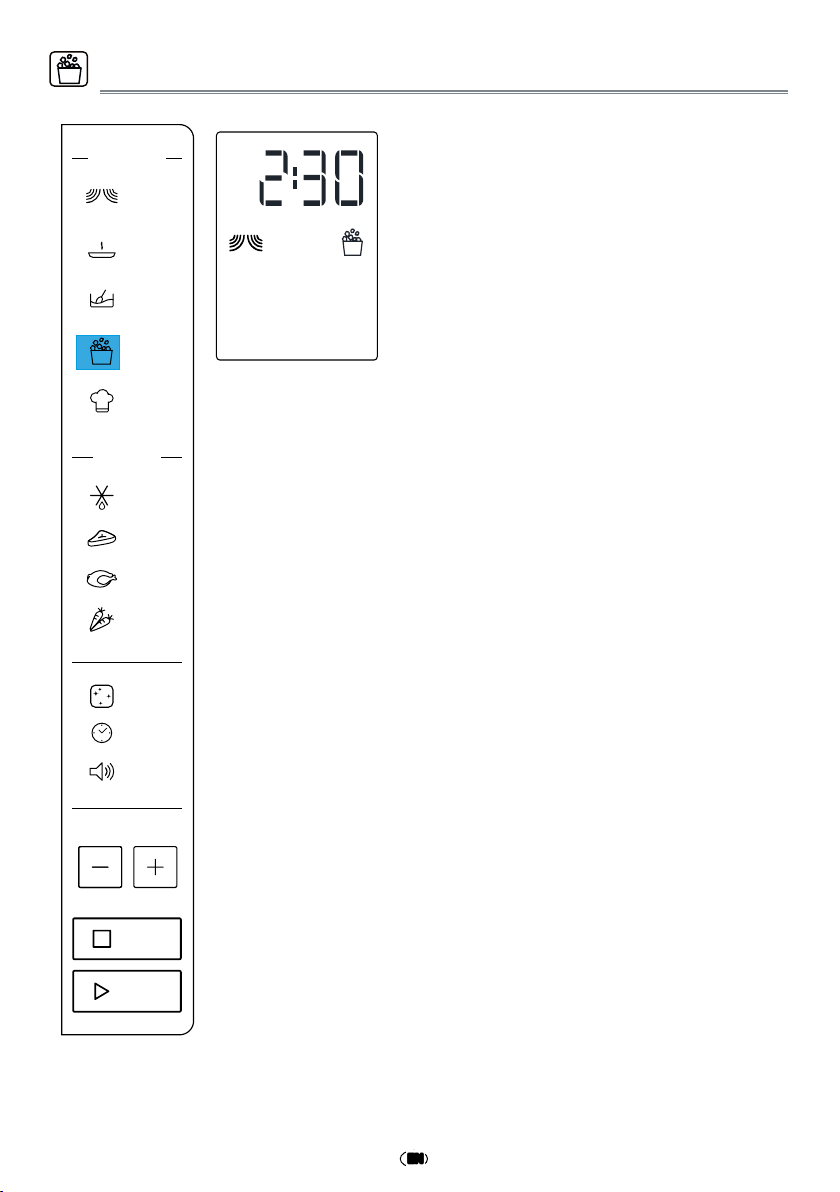
This function allows to cook Pop C orn
microwav eable bag
q
Press the Pop corn button,
display show as
left side.
w
Press JE T STA RT button to start the function.
Keep Warm
Manual Defr ost
Pop Corn
FUNCTIONS
Micro
Soft/Melt
Auto Cook
DEFRO ST
Meat
Poultry
Vegetables
Auto Clean
Clock
Volume
STOP
JET START
s
.
Pop Corn
18
EN
Auto Cook
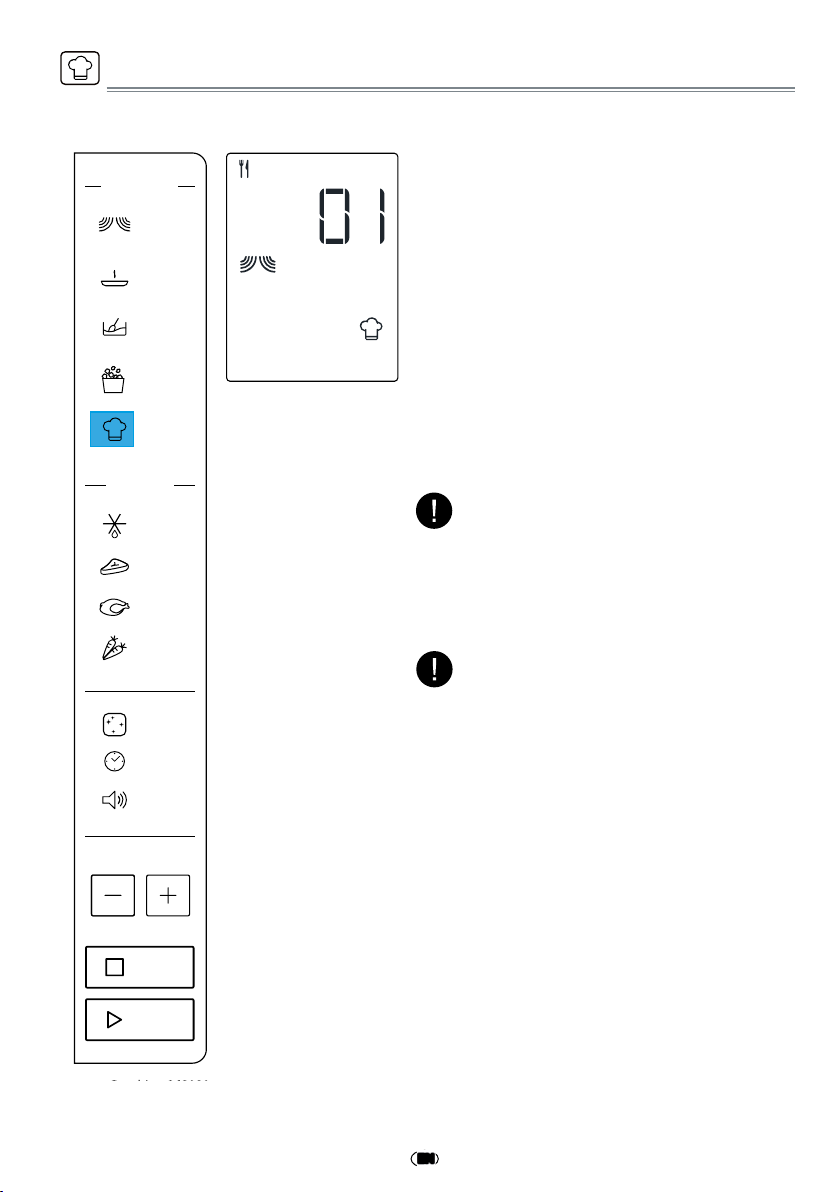
A selection of automatic recipes with preset
values to offer optimal cooking results.
q
Press the Auto Cook button,display show
as left side.
w
Press Auto Cook button repeatly or press
+/- button to select the desired recipe (see
the table following).
e
Press the JET START button to confirm the
recipe and press +/- button to select the
weight when there is a weight range in the
table.
r
Press the JET START button.The function
will start.
According to the selected recipe, after a certain
time, the display would ask you to add or turn
or stir the food. See “Add/Stir/Turn food” chap-
ter on page 11.
NOTE:
The cooking recipe will be confirmed once you
leave the function button for 3 Seconds,press
the function key again to change the recipe type.
NOTE:
Keep Warm
Manual Defr ost
Pop Corn
FUNCTIONS
Micro
Soft/Melt
DEFRO ST
Meat
Poultry
Vegetables
Auto Clean
Clock
Volume
STOP
JET START
Auto Cook
19
EN
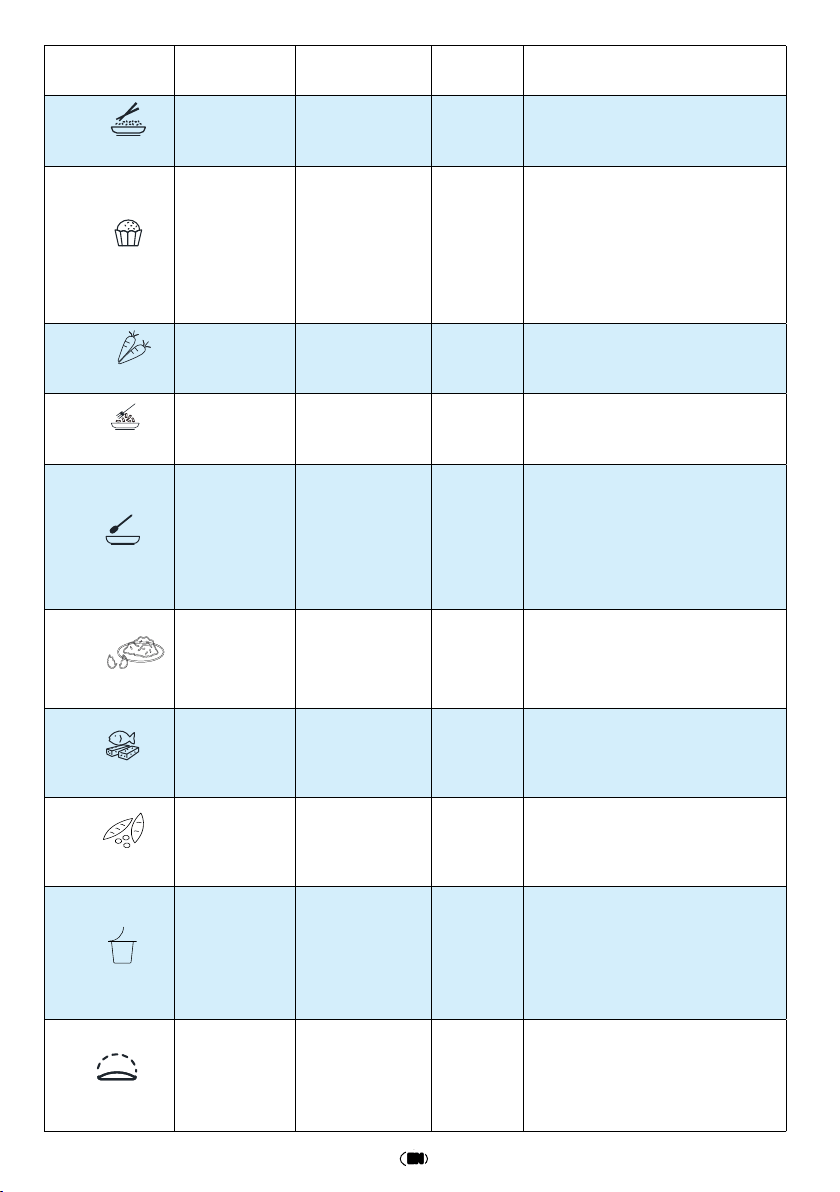
RECIPE INITIAL STATE
WEIGHT
AMOUNT
DURATION
PREPARATION
q
Risotto
Frozen
250-1000g/250g
20-31min.
Put food onto microwave safe
dish(250g risotto with 400g water
for 1 serving ),cover the dish.
w
Cupcakes
Room
temperature
300g / 600g
5-11 min.
Put 125g eggs and 170g sugar
into container then stir for
2-3mins,add 170g flour,10g
baking powder,100g water,50g
butter,put food into the cups.Put
the cups around the turntable to
make sure heaten evenly.
e
Vegetables
Room
temperature
200-500g/50g
3-6 min.
Cut the vegetable into pieces,add
2 tablespoon water.
r
Spaghetti
Room
temperature
100-300g/100g
13-17 min.
Put the spaghetti and water into
microwave safe dish(100g for 1
serving,need 800g water).
t
Soup
refrigerator
temperature
300-1200g/300g
2-7 min.
Cover the dish, leaving an air
ventilation.
y
Scrambled Eggs
Room
temperature
1-4eggs
2-4 min.
Well beat the egg and water
together, cover the measuring cup
with plastic wrap.
u
Fish Fillet
refrigerator
temperature
200-500g/50g
6-11 min. Cover the dish and leave a vent.
i
Green Bean
Room
temperature
200-500g/50g
4-7 min.
Add 2 tablespoon water and cover
the dish.
o
Yogurt
Room
temperature
1000g
5Hr20 min.
Use boilded water to clean the
container.Put 1000ml milk and 1g
yogurt starter into container,then
add 50g sugar.Cover the container
during the cooking.
a
Dough Rising
Room
temperature
1 dough
65min.
Put 200ml water into oven. Add
the prepared dough when oven
prompt.
20
EN
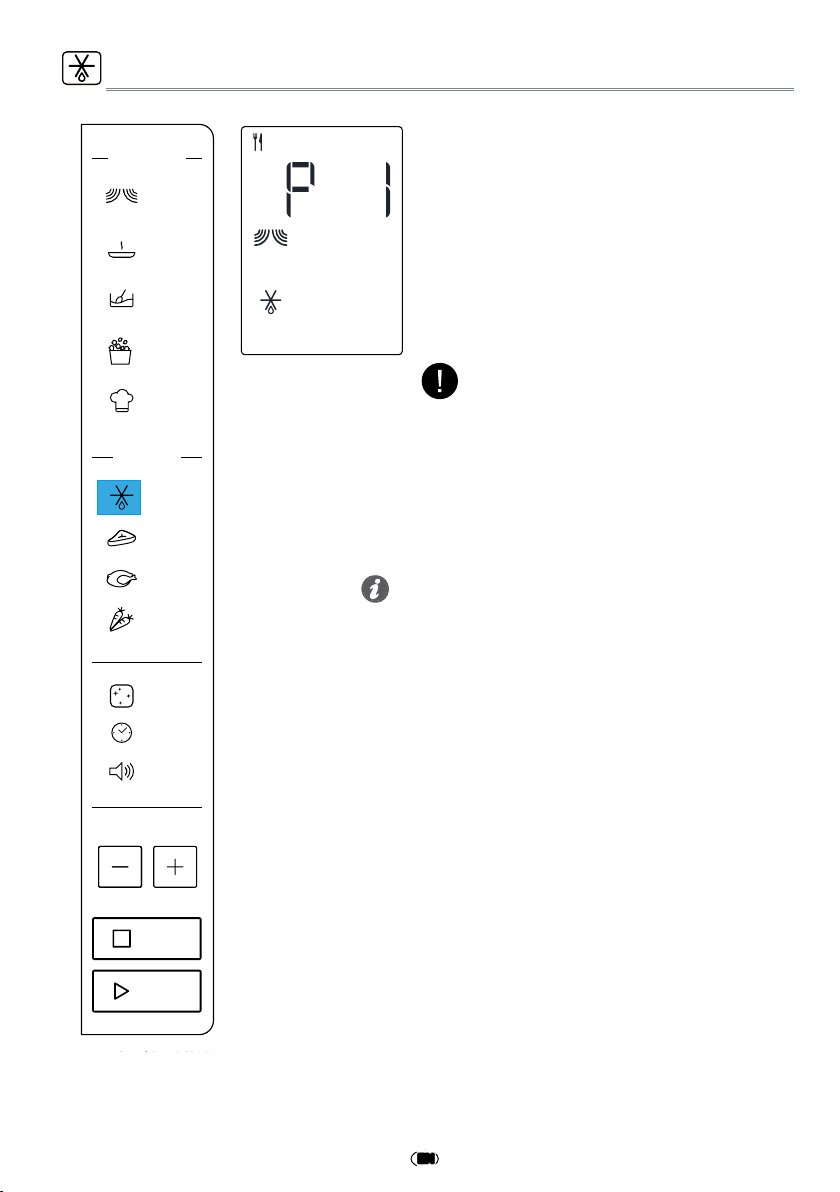
This function allows you to defrost food.
q
Press the Defrost button,display show
as left side,press JET START to conrm.
w
Press +/- button to adjust cooking time.
e
Press JET START to start.
MANUAL DEFROST
• For best result we recommend to defrost directly on
the cavity bottom.
• If the food is warmer than deep-freeze temperature
(-18°C), choose a lower weight than the food.
• If the food is colder than deep-freeze temperature
(-18°C), choose a higher weight than the food.
• Separate pieces as they begin to defrost. Individual
slices defrost more easily.
• Standing time after defrosting always improves the
result since the temperature will then be evenly dis-
tributed throughout the food.
Tips and suggestions:
Two-thirds of cooking time the system will
pause to remind you to turn over the food
until you depress JET START button to enter
into the next defrosting stage, and defrost
resume.
NOTE:
Keep Warm
Manual Defr ost
Pop Corn
FUNCTIONS
Micro
Soft/Melt
DEFRO ST
Meat
Poultry
Vegetables
Auto Clean
Clock
Volume
STOP
JET START
Auto Cook
21
EN
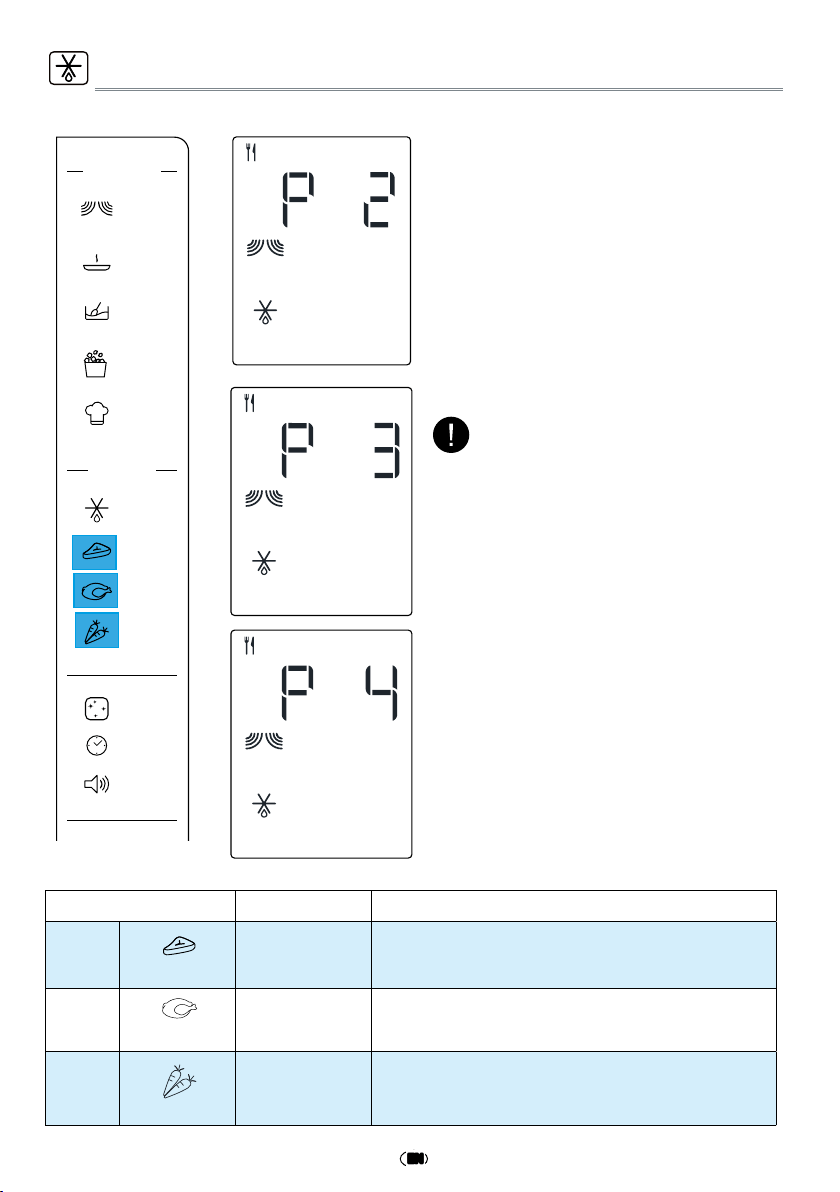
FOOD TYPE WEIGHT SUGGESTED USE
p 2
Minced meat
100g - 2000g
Minced meat,cutlets, steaks or roasts.
After cooking, allow food to rest for at least 5 minutes
for better results.
p 3
Poultry
100g - 2000g
Whole chicken, pieces or fillets.
After cooking, allow food to rest for 5-10 minutes for
better results.
p 4
Vegetables
100g - 1000g
Larger, medium and small cut vegetables.
Before serving, allow food to rest for 3-5 minutes for
better results.
These functions allows you to defrost food.
q
Press the Meat/Poultry/Vegetables
buttons,display show as left side,press
JET START to conrm.
w
Press +/- button to adjust the weight
of food.
e
Press JET START to start.
DEFROST MENUMEAT/POULTRY/VEGETABLES
It would be better that, turn food when the
oven prompts.
NOTE:
Keep Warm
Manual Defr ost
Pop Corn
FUNCTIONS
Micro
Soft/Melt
DEFRO ST
Meat
Poultry
Vegetables
Auto Clean
Clock
Volume
STOP
JET START
停止
極速啟動
Auto Cook
22
EN
Tips and suggestions:
•
For a better cleaning result, it is recommen-
ded to use a container with a diameter of 17-
20cm, and a height that is lower than 6.5cm.
•
It is recommended to use a container of
light plastic material that is suitable for the
microwave.
•
As the container will be hot after the clea-
ning cycle is completed, it is recommended
to use a heat resistant glove when removing
the container from the microwave.
•
For a better cleaning effect and removal of
unpleasant odors, add some lemon juice or
vinegar to the water.
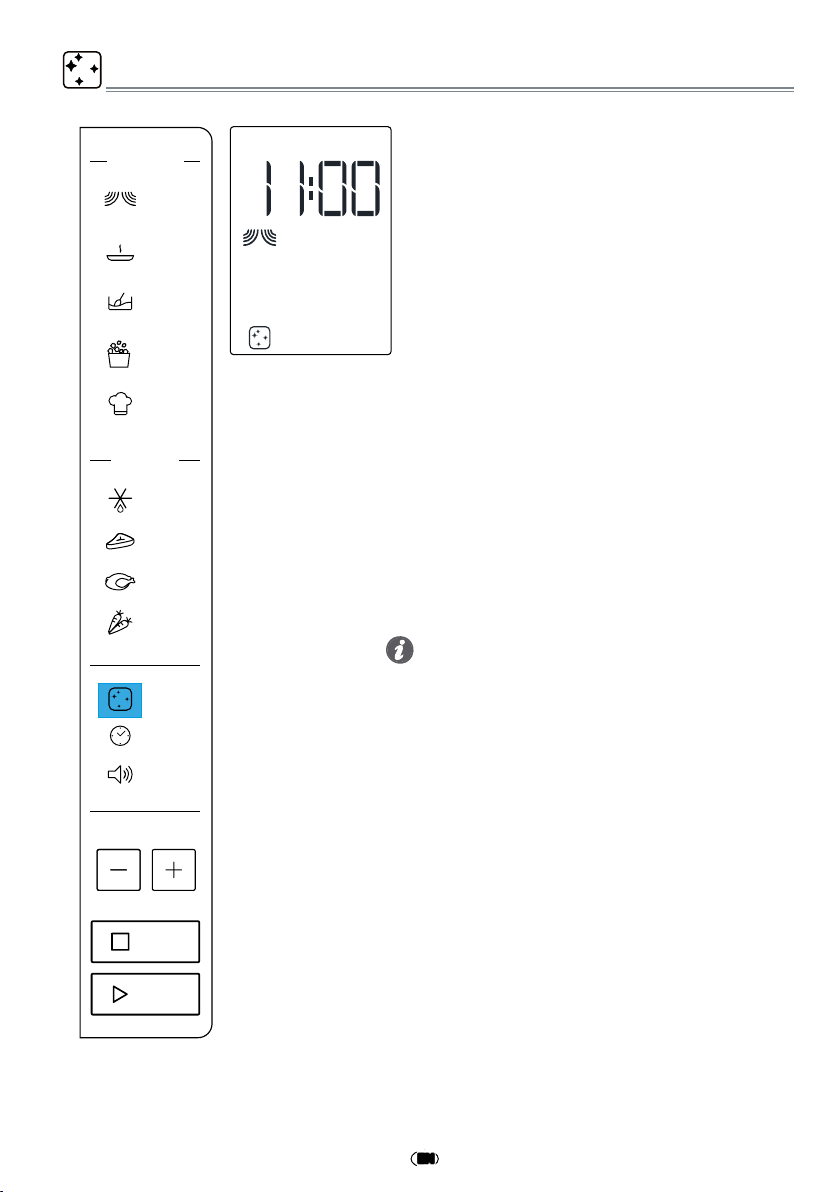
AUTO CLEAN
This automatic cleaning cycle will help you to
to clean the microwave oven cavity and to re-
move unpleasant odors.
Before starting the cycle:
q
Put 300ml water into a container (see our
recommendations in the below section
“Tips and suggestions”).
w
Place the container directly on the middle
of the cavity.
When The Cycle Is Finished:
q
Press the Stop button.
w
Remove the container.
e
Use a soft cloth or a paper towel with mild
detergent to clean the interior surfaces.
To Start The Cycle:
q
Press the Auto Clean button, the cleaning
cycle duration will be visible on the display.
w
Press the Jet Start button to start the fun-
ction.
Keep Warm
Manual Defr ost
Pop Corn
FUNCTIONS
Micro
Soft/Melt
Auto Cook
DEFRO ST
Meat
Poultry
Vegetables
Auto Clean
Clock
Volume
STOP
JET START
23
EN
* The packing box may be fully recycled as confirmed by the recycling sym-
bol. Follow local disposal regulations. Keep potentially hazardous packaging
(plastic bags, polystyrene, etc.) out of the reach of children.
* This appliance is marked according to the European directive 2012/19/EU
on Waste Electrical and Electronic Equipment (WEEE). By ensuring this pro-
duct is disposed of correctly, you will help prevent potential negative conse-
quences for the environment and human health, which could otherwise be caused by
inappropriate waste handling of this product.
* The symbol on the product, or on the documents accompanying the pro-
duct, indicates that this appliance may not be treated as household waste.
Instead it shall be handed over to the applicable collection point for the
recycling of electrical and electronic equipment.
* Disposal must be carried out in accordance with local environmental regu-
lations for waste disposal.
* For more detailed information about treatment, recovery and recycling of
this product, please contact your local city office, your household waste di-
sposal service or the shop where you purchased the product.
* Before scrapping, cut off the mains cord so that the appliance cannot be connected to
the mains.
ENVIRONMENTAL HINTS
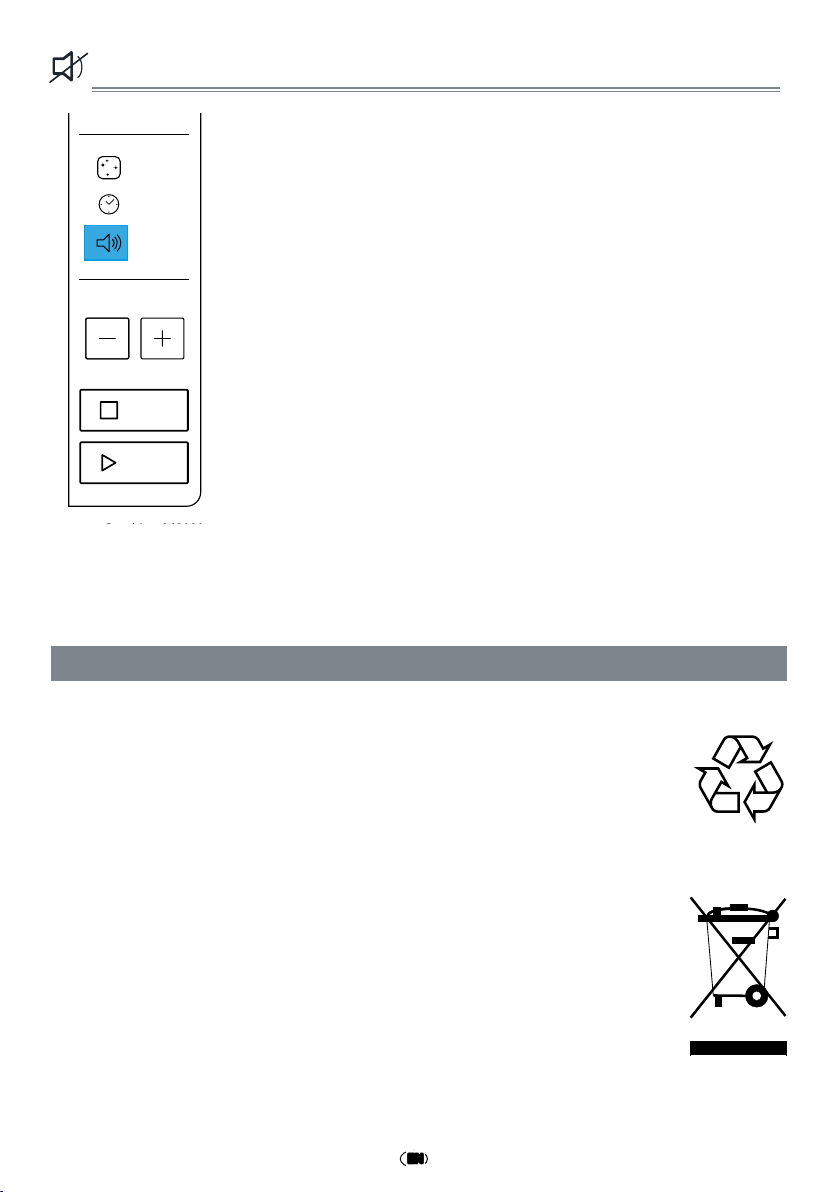
VOLUME:SILENCE MODE
This function allows to activate/deactivate all the sounds played
by the appliances,includes button press, warnings, alarm, even
end audio feedback.
Press Volume button to become mute,press Volume button again
to become sounding.
This function can operate at any time.
Keep Warm
Manual Defr ost
Reheat
FUNCTIONS
Micro
Soft/Melt
Chef M enu
DEFRO ST
Meat
Poultry
Vegetables
Auto Clean
Clock
Volume
STOP
JET START
功能
微波
保溫
軟化/溶化
翻熱
食譜
解凍
手動解凍
肉類
家禽
蔬菜
24
EN
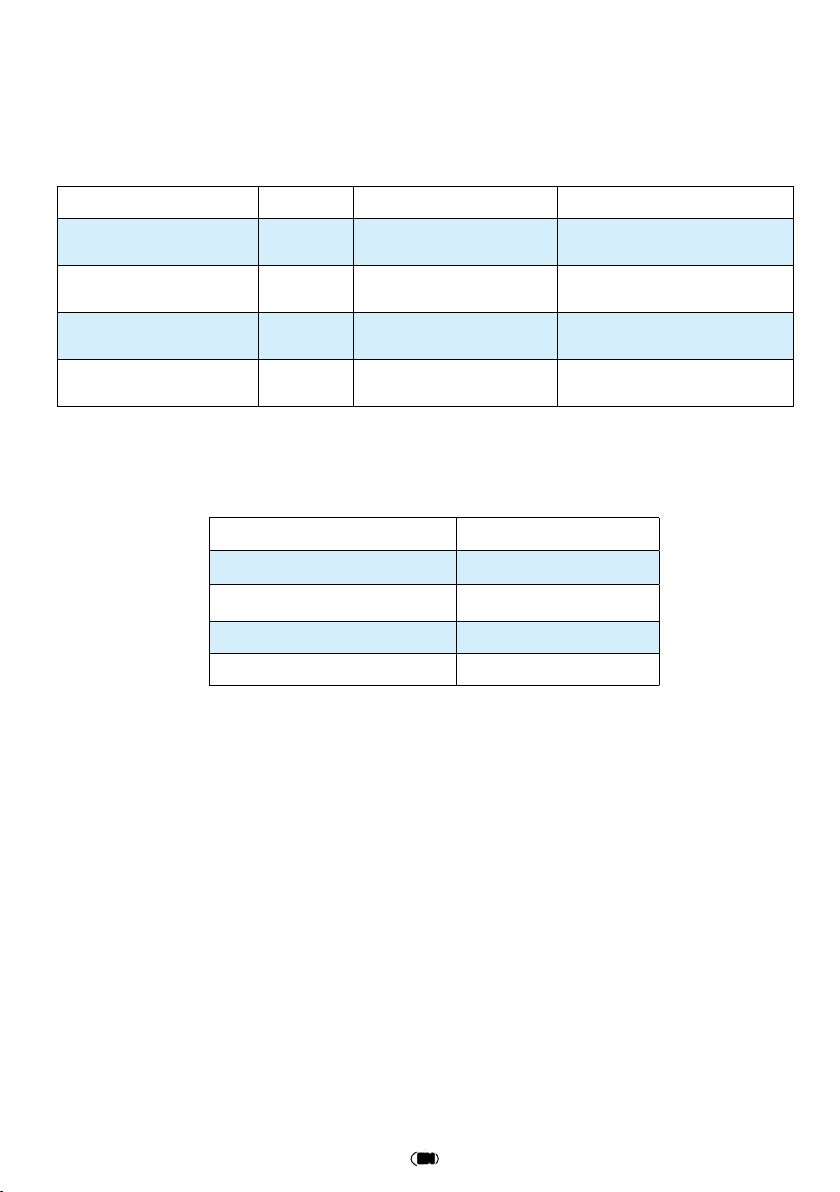
Test Amount Power level Approx. time
Egg custard
(12.3.1)
1000g 900W
28-29.5 mins
Sponge cake
(12.3.2)
475 g 900W 14 mins
Meat loaf
(12.3.3)
900 g 900W
23-24mins
Minced meat defrost
(13.3)
500 g 160W
14-15 mins
The International Electrotechnical Commission has developed a standard for comparati-
ve testing of heating performance of different microwave microwave ovens. We recom-
mend the following for this microwave oven:
In accordance with IEC 60705:2010-04
Technical Specification
Data Description MWP301B
Supply Voltage 230-240V~50 Hz
Rated Input Power 1400 W
Outer dimensions (HxWxD) 300 x 539 x 398
Inner dimensions (HxWxD) 240 x 354 x 358