Get Started
Erste Schritte
Prise en main
Cover (Page 1)

Get started
•
Erste Schritte
•
Prise en main
1
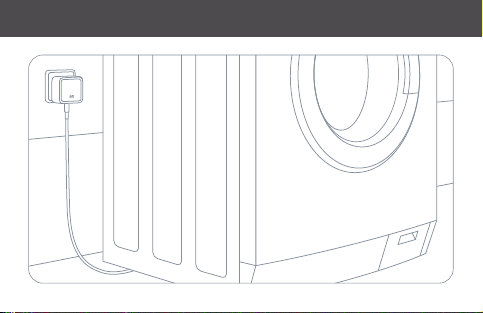
Plug Eve Water Guard into an electrical outlet and connect the supplied sensing
cable to the 3.5 mm (1/8“) socket on the bottom. The entire length of the cable
serves as water detection sensor and is extendable (optional accessory).
Stecke Eve Water Guard in eine Steckdose und verbinde das mitgelieferte Sensorkabel
mit der 3,5 mm Klinkenbuchse auf der Unterseite. Die gesamte Länge des Kabels dient als
Wassersensor und kann erweitert werden (optionales Zubehör).
Branchez Eve Water Guard sur une prise électrique et raccordez le câble de détection fourni
à la prise 3,5 mm sur le dessous. La longueur totale du câble sert de détecteur d‘eau et peut
être étendue (accessoire optionnel).
(2)
Get started
•
Erste Schritte
•
Prise en main
(3)
Get started
•
Erste Schritte
•
Prise en main
2
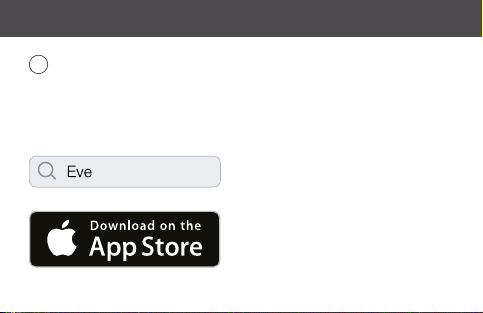
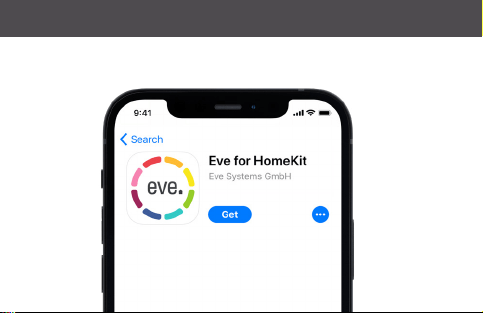
Download the Eve app from the App Store.
Lade die Eve-App aus dem App Store herunter.
Téléchargez l‘app Eve sur l‘App Store.
(4)
Get started
•
Erste Schritte
•
Prise en main
(5)
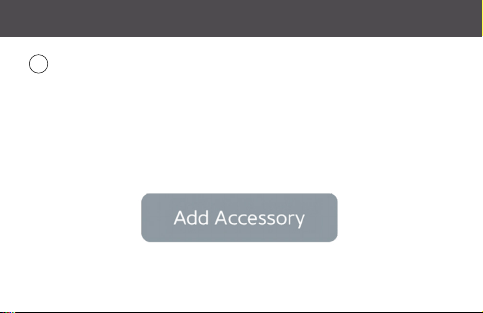
Open the Eve app and tap Add Accessory. Eve will now guide you through the
setup process.
Öffne die Eve-App und tippe auf Zubehör hinzufügen. Eve führt dich nun durch die Einrichtung.
Ouvrez l‘app Eve et touchez Ajouter un accessoire. Eve vous guidera alors tout au long du
processus de configuration.
3
Get started
•
Erste Schritte
•
Prise en main
(6)
Get started
•
Erste Schritte
•
Prise en main
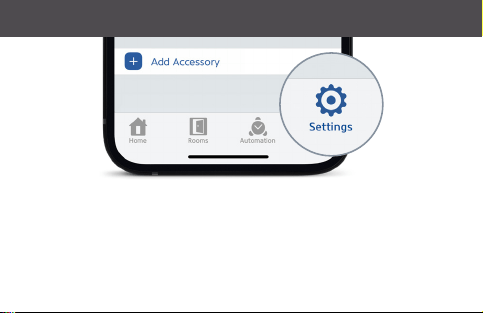
If you have already set up another accessory, go to Settings in Eve to add
Eve Water Guard to your home.
Wenn du Eve bereits zuvor eingerichtet hast, öffne die Eve-Einstellungen und füge
Eve Water Guard hinzu.
Si vous avez déjà configuré un autre accessoire, accédez aux réglages d‘Eve pour
ajouter Eve Water Guard à votre domicile.
(7)
Enjoy
•
Viel Spaß
•
Profitez-en bien
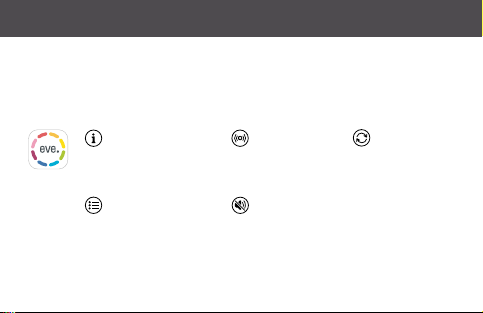
View status
Status einsehen
Voir l‘état
Review previous
events
Vorherige Ereignisse
nachvollziehen
Revoir les événements
précédents
Alarm Test
Alarmtest
Test d‘alarme
Mute alarm
Alarm
stumm schalten
Couper l‘alarme
Install firmware
updates
Firmware-Updates
installieren
Installation des
mises à jour du
programme
interne
Access Eve Water Guard using the Eve app, the Home app, and Siri.
Eve Water Guard kann mit der Eve-App, der Home-App und Siri genutzt werden.
Vous pouvez accéder à Eve Water Guard à l’aide de l’app Eve, de l’app Maison et de Siri.
(8)
Enjoy
•
Viel Spaß
•
Profitez-en bien
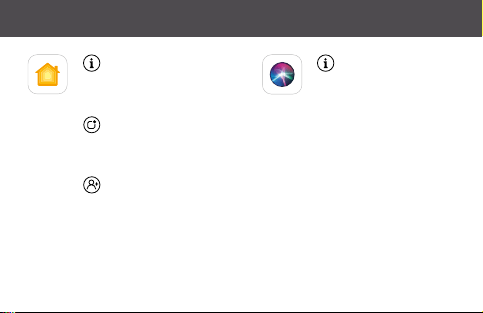
View status
Status einsehen
Voir l‘état
Configure notifications
Mitteilungen konfigurieren
Configuration des notifications
Configure guest access
Gastzugriff konfigurieren
Configuration de l’accès invité
Ask for status
Status erfragen
Demander l‘état
(9)

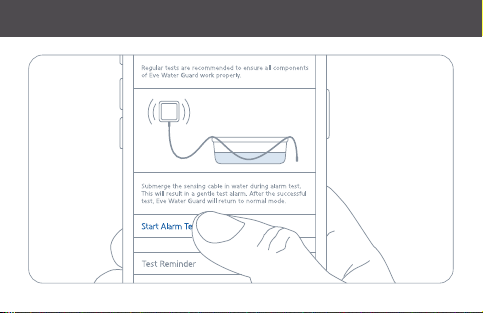
To test the alarm, go to the Settings of Eve Water Guard, tap Alarm Test and
follow the instructions in the app. Performing this test is recommended at least
every three months.
Um einen Testalarm auszulösen, gehe zu den Einstellungen von Eve Water Guard, tippe auf
Alarmtest und folge den Anweisungen der App. Ein Test des Alarms ist mindestens alle drei
Monate empfohlen.
Pour déclencher une alarme de test, allez dans la vue Réglages, touchez Test d‘alarme et
suivez les instructions dans l‘app. Il est recommandé de faire ce test au minimum tous les
trois mois.
Enjoy
•
Viel Spaß
•
Profitez-en bien
(10)
Enjoy
•
Viel Spaß
•
Profitez-en bien
(11)

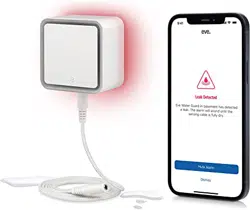
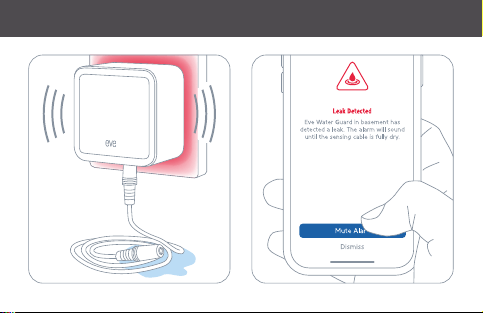
If the sensing cable detects water, a loud alarm will sound and the LEDs will
flash. Please use the Eve app to mute the alarm.
Wenn das Sensorkabel Wasser erkennt, ertönt ein lauter Alarm und das Warnlicht blinkt.
Bitte benutze die Eve-App, um den Alarm zu stoppen.
Si le câble de détection détecte de l‘eau, une forte alarme sonore retentira et le voyant
lumineux clignotera. Utilisez l‘app Eve pour arrêter l‘alarme.
Enjoy
•
Viel Spaß
•
Profitez-en bien
(12)
9:41
Enjoy
•
Viel Spaß
•
Profitez-en bien
(13)
Enjoy
•
Viel Spaß
•
Profitez-en bien
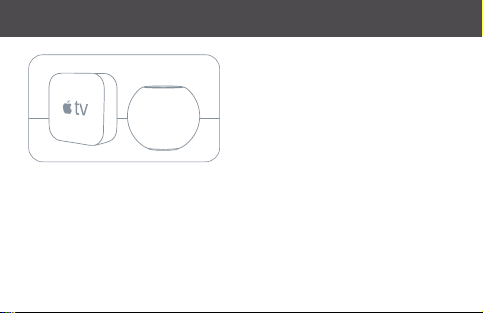
Securely access Eve Water Guard while
you’re away from home and set up
powerful automations. Any Apple TV
HD, Apple TV 4K or HomePod using the
same iCloud account as your iPhone will
automatically serve as a home hub, no
further setup required.
Greife sicher auf Eve Water Guard zu, während du unterwegs bist, und lege umfassende
Automationen an. Wenn ein Apple TV HD, Apple TV 4K oder HomePod denselben iCloud-
Account wie dein iPhone verwendet, dient das Gerät automatisch als Steuerzentrale, ganz
ohne weitere Einrichtung.
Accédez à Eve Water Guard en toute sécurité lorsque vous êtes loin de chez vous, et
configurez de puissantes automatisations. Vous pouvez utiliser automatiquement une Apple
TV HD, une Apple TV 4K ou un HomePod utilisant le même compte iCloud que votre iPhone
comme concentrateur, sans la moindre configuration supplémentaire.
(14)
No Eve Cloud
Keine Eve-Cloud
Pas de cloud Eve
No Registration
Keine Registrierung
Pas d‘inscription
No Tracking
Kein Tracking
Pas de pistage
Enjoy
•
Viel Spaß
•
Profitez-en bien
Eve is designed to safeguard your personal data. All data is fully encrypted and only
transferred directly between your Eve Water Guard and iPhone, iPad or home hub.
Learn more at evehome.com/privacy
Eve wurde von Grund auf so entwickelt, dass deine persönlichen Daten geschützt sind. Alle Daten
werden vollständig verschlüsselt und nur direkt zwischen Eve Water Guard und deinem iPhone,
iPad oder deiner Steuerzentrale ausgetauscht. Weitere Informationen findest du unter
evehome.com/de/privatsphaere.
Eve est conçu pour protéger vos données personnelles. Toutes les données sont entièrement
chiffrées. Elles sont toujours transférées directement entre Eve Water Guard et votre iPhone, votre
iPad ou votre concentrateur. Pour en savoir plus, consultez la page evehome.com/fr/vie-privee
(15)

Legal Information
•
Rechtliche Hinweise
•
Informations légales
This device complies with part 15 of the FCC Rules and Industry Canada licence-exempt RSS standard(s). Operation is
subject to the following two conditions: (1) This device may not cause interference, and (2) this device must accept any
interference received, including interference that may cause undesired operation.
This equipment has been tested and found to comply with the limits for a Class B digital device, pursuant to part 15 of
the FCC Rules. These limits are designed to provide reasonable protection against harmful interference in a residential
installation. This equipment generates, uses and can radiate radio frequency energy and, if not installed and used
in accordance with the instructions, may cause harmful interference to radio communications. However, there is no
guarantee that interference will not occur in a particular installation. If this equipment does cause harmful interference to
radio or television reception, which can be determined by turning the equipment off and on, you are encouraged to try to
correct the interference by one or more of the following measures: reorient or relocate the receiving antenna; increase the
separation between the equipment and receiver; consult the dealer or an experienced radio/TV technician for help.
This Class B digital apparatus complies with Canadian ICES-003.
This equipment complies with FCC RF, IC RSS-102 and CE radiation exposure limits set forth for an uncontrolled
environment. This equipment should be installed and operated with a minimum distance of 20 centimeters between
the radiator and your body. This transmitter must not be co-located or operating in conjunction with any other antenna
or transmitter.
Changes or modifications not expressly approved by Eve Systems could void your authority to operate this device.
Le présent appareil est conforme aux CNR d’Industrie Canada applicables aux appareils radio exempts de licence.
(16)

Legal Information
•
Rechtliche Hinweise
•
Informations légales
L’exploitation est autorisée aux deux conditions suivantes : (1) l’appareil ne doit pas produire de brouillage, et (2)
l’utilisateur de l’appareil doit accepter tout brouillage radioélectrique subi, même si le brouillage est susceptible
d’en compromettre le fonctionnement. Cet appareil numérique de la classe B est conforme à la norme NMB-003
du Canada.
Cet équipement est conforme aux CNR-102 d’Industrie Canada. Cet équipement doit être installé et utilisé avec une
distance minimale de 20 centimètres entre le radiateur et votre corps. Cet émetteur ne doit pas être co-localisée ou
opérant en conjonction avec autre antenne ou émetteur.
For questions about compliance with FCC regulations, please contact:
Compliance Officer, Eve Systems, 100 Pine St., Suite 1250, San Francisco CA 94111, USA.
Hereby, Eve Systems declares that this device is in compliance with the essential requirements and other
relevant provisions of Directive 2014/53/EC.
The declaration of conformity is available at www.evehome.com/doc
Purpose of control: operating control; construction of control: plug-in operating control; type 1 action, operating
time: continuous; control pollution degree: 2; impulse voltage: 1500 V; frequency range: 2402 - 2480 MHz (BLE) /
2405 – 2480 MHz (Thread); max. EIRP: 10 dBm; power consumption: active < 0.5 W, standby < 0.2 W
Product: 10EBZ8701 • Model: 20EBZ8701 • Part: 51EBZ8702 • FCC ID: SNE-WLS-002 • IC: 11192A-WLS002
(17)
Reset • RéinitialisationReset • Zurücksetzen • Réinitialisation
(18)
Please keep your HomeKit setup code in a safe place. You need it to securely
add Eve to your home, and nobody but you has a copy.
Bewahre deinen HomeKit-Code an einem sicheren Platz auf. Du benötigst ihn, um Eve zu
deinem Zuhause hinzuzufügen. Niemand außer dir kennt diesen Code.
Conservez en lieu sûr votre code de configuration HomeKit. Ce code est indispensable
pour ajouter Eve à votre domicile, et personne d‘autre que vous ne connaît ce code.
(19)
Room • Zimmer • Pièce :
Notes • Notizen • Remarques :
BackCover with
Sticker Placement
(Page 20)