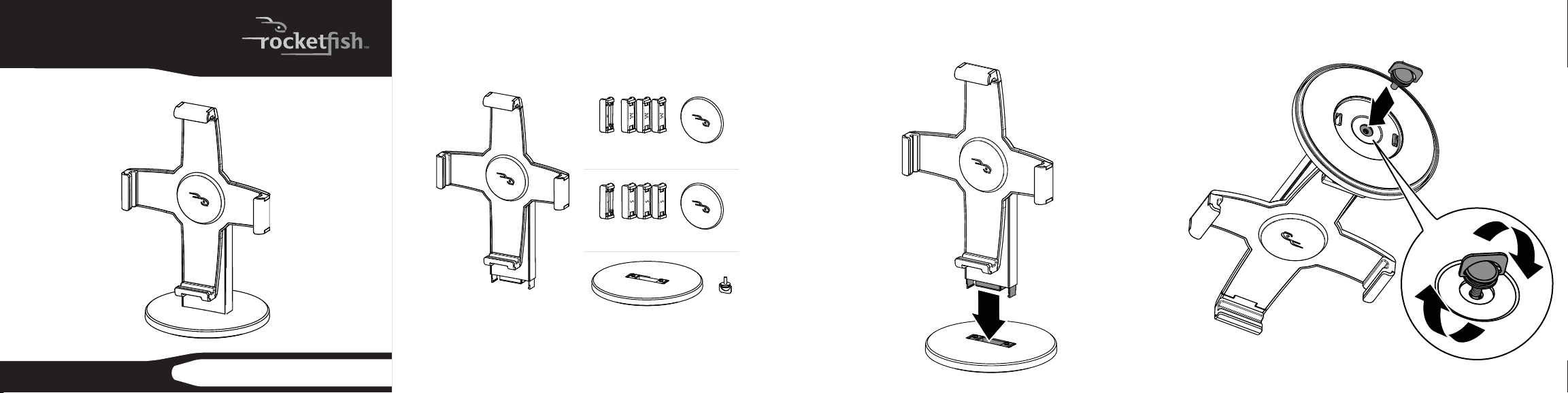
Stand with large pads
pre-installed
Base and thumbscrew
Medium pads (5)
Small pads (5)
Choose set of rubber pads based on the thickness of sleeve or no sleeve on
your iPad.
RF-iSTAND
iPad Stand
General description
Congratulations on your purchase of the RF-iSTAND iPad Stand. The iPad
Stand securely holds your iPad for use or display.
Package contents
Quick Setup Guide
Setting up the stand
1 Insert the base into the stand.
2 Insert the thumbscrew into the bottom of the base and turn it
clockwise to tighten it.
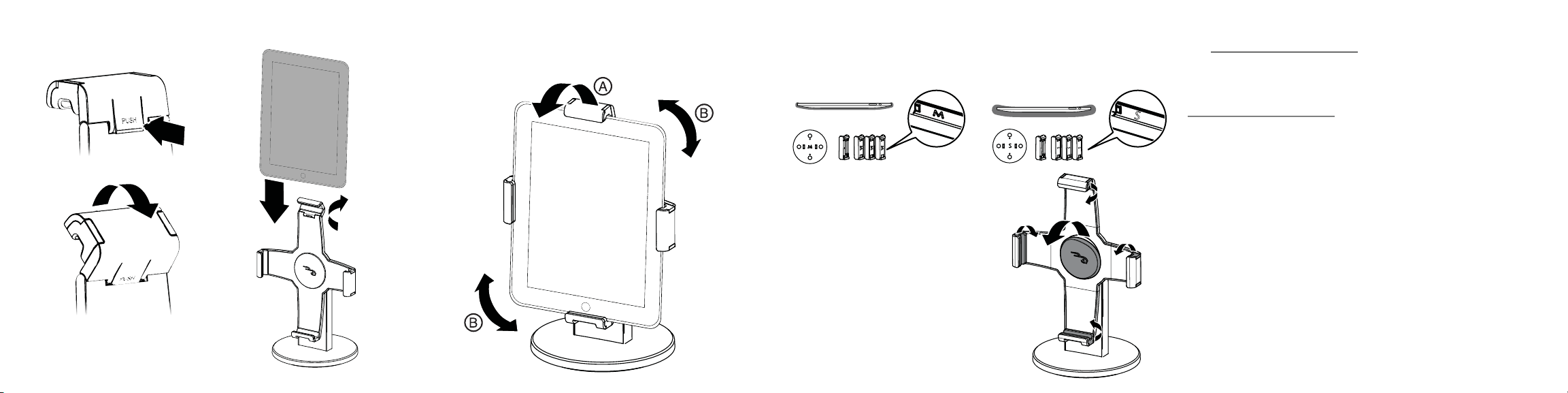
3 Push and ip the top bracket up, slide your iPad into the stand. 4 Flip the top bracket down (A) to lock your iPad into the stand.
The stand rotates 180° for viewing your iPad vertically or
horizontally (B).
ENGLISH 10-0965
Installing the pads (optional)
Your iPad stand comes with two sets of pads labeled medium (M) and
small (S). The large pads are preinstalled. Choose set depending on the
thickness of sleeve or no sleeve on your iPad.
Optional: If you are using the iPad with a
case, remove the large bracket and center
pads and insert the medium pads into
the stand.
One-year limited warranty
Visit www.rocketshproducts.com for details.
Contact Rocketsh:
For customer service please call 1-800-620-2790
www.rocketshproducts.com
Distributed by Best Buy Purchasing, LLC
7601 Penn Avenue South, Richeld, Minnesota, 55423-3645 USA
© 2010 BBY Solutions, Inc. All rights reserved. ROCKETFISH is a trademark of BBY
Solutions, Inc. All other products and brand names are trademarks of their
respective owners.