241-0477
AUTOSTOP
L
H
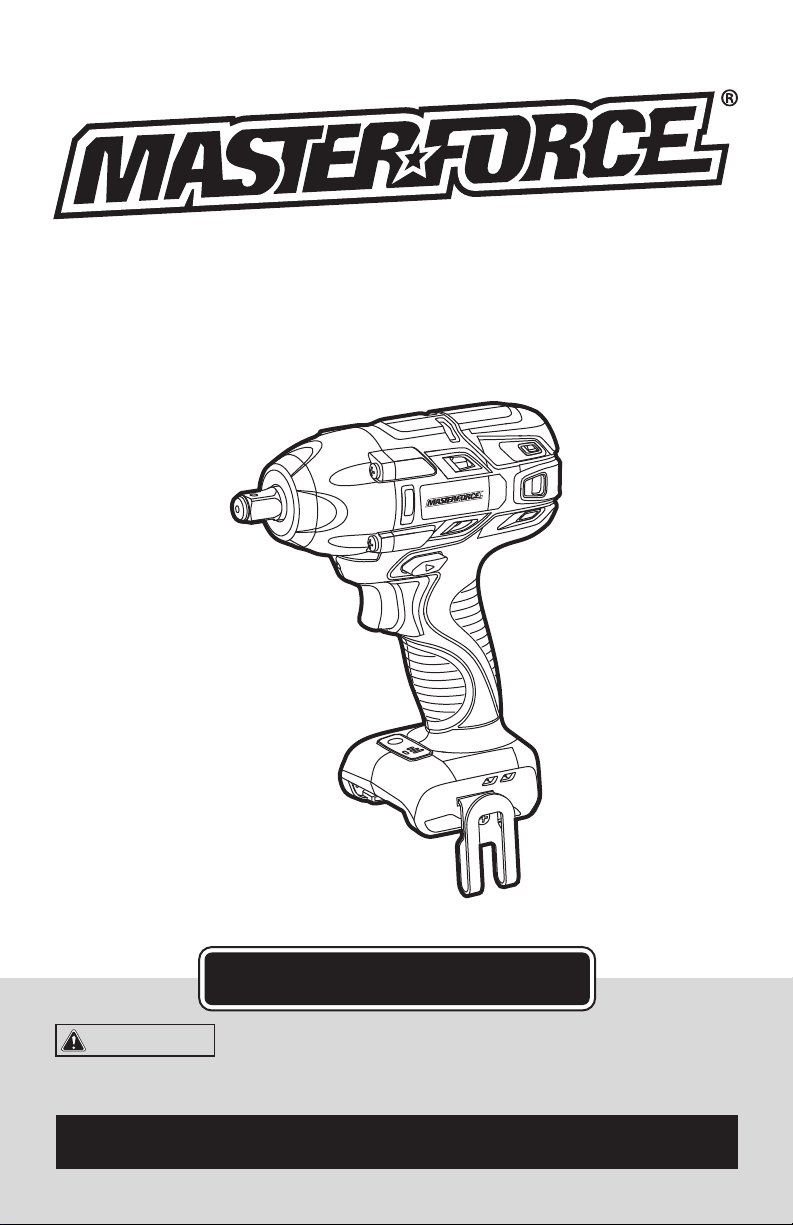
1/2” Impact Wrench
OPERATOR’S MANUAL
CAUTION:
To Reduce the Risk of Injury, User Must
Read and Understand the Operator’s Manual. Save These
Instructions For Future Reference.
For questions / comments, technical assistance or repair parts –
Please Call Toll Free: 1-866-917-4374 (M-F 8:30am-5:00pm EST).

TABLE OF CONTENTS
Safety Symbols ......................................................... Page 2
Safety Instructions ...................................................... Page 3
Overview/Specifications ................................................. Page 7
Assembly ............................................................. Page 8
Operation ............................................................. Page 9
Maintenance .......................................................... Page 12
Troubleshooting ....................................................... Page 13
Warranty .............................................................Page 14
Page 2
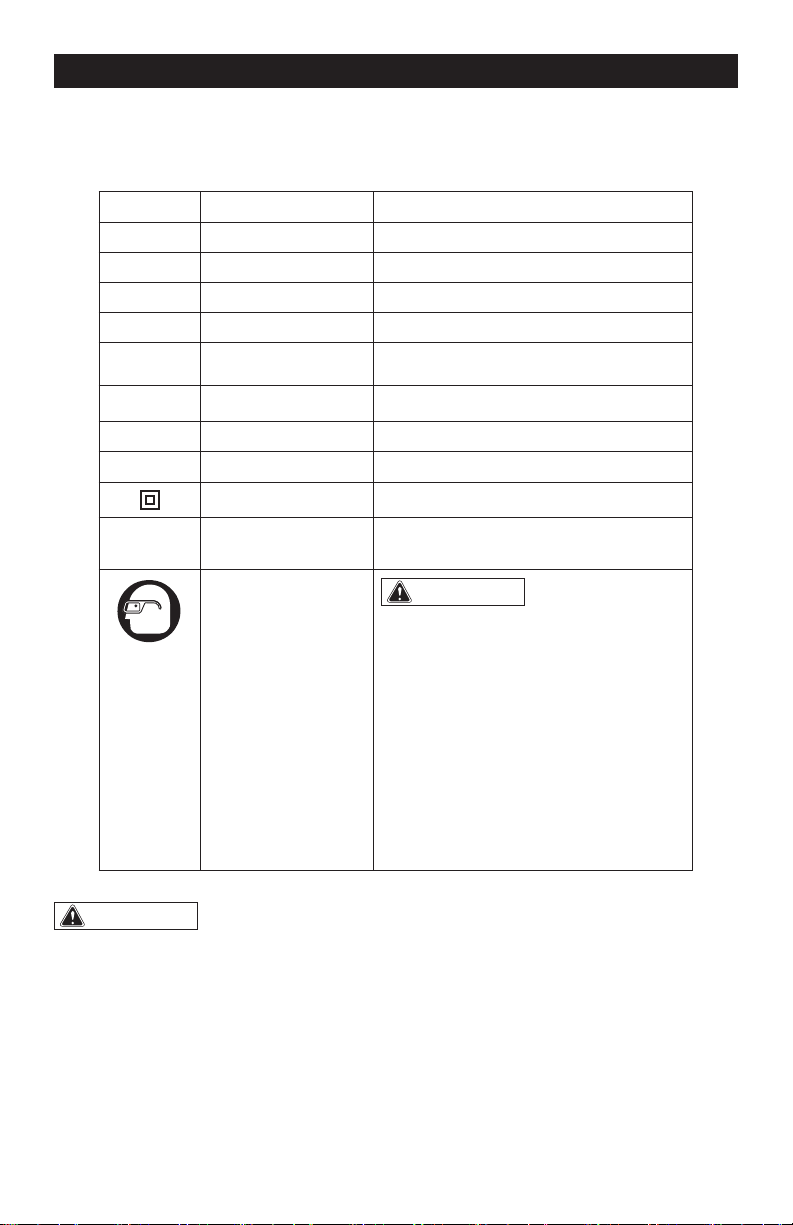
SAFETY SYMBOLS
Some of these following symbols may be used on this tool. Please study them and learn their
meaning. Proper interpretation of these symbols will allow you to operate the tool better and
more safely.
Symbol
Name
Designation / Explanation
V Volts Voltage
A Amperes Current
Hz Hertz Frequency (cycles per second)
W Watts Power
∿
Alternating current Type of current
�
Direct current Type or characteristic of current
n
o
No-load speed Rotational speed at no load
lbs Pounds Weight
Class II construction Double insulated construction
.../min Per minute
Revolutions, strokes, surface speed
orbits, etc., per minute
Wear safety goggles
WARNING:
The operation of any
power tool can result in foreign objects
being thrown into your eyes, which can
result in severe eye damage. Before
beginning power tool operation, always
wear safety goggles or safety glasses
with side shields and a full-face shield
when needed. We recommend a Wide
Vision Safety Mask for use over eye-
glasses or standard safety glasses with
side shields. Always use eye protection
which is marked to comply with
ANSI Z87.1.
WARNING:
To ensure safety and reliability, all repairs should be performed by a
qualied service technician.
Page 3
SAFETY INSTRUCTIONS
The purpose of safety symbols is to attract your attention to possible dangers. The safety
symbols and the explanations with them deserve your careful attention and understanding.
The symbol warnings do not, by themselves, eliminate any danger. The instructions and
warnings they give are no substitutes for proper accident prevention measures.
WARNING:
Be sure to read and understand all safety instructions in this manual,
including all safety alert symbols such as “DANGER,” ”WARNING,” and “CAUTION”
before using this tool. Failure to following all instructions listed below may result in
electric shock, re, and/or serious personal injury.
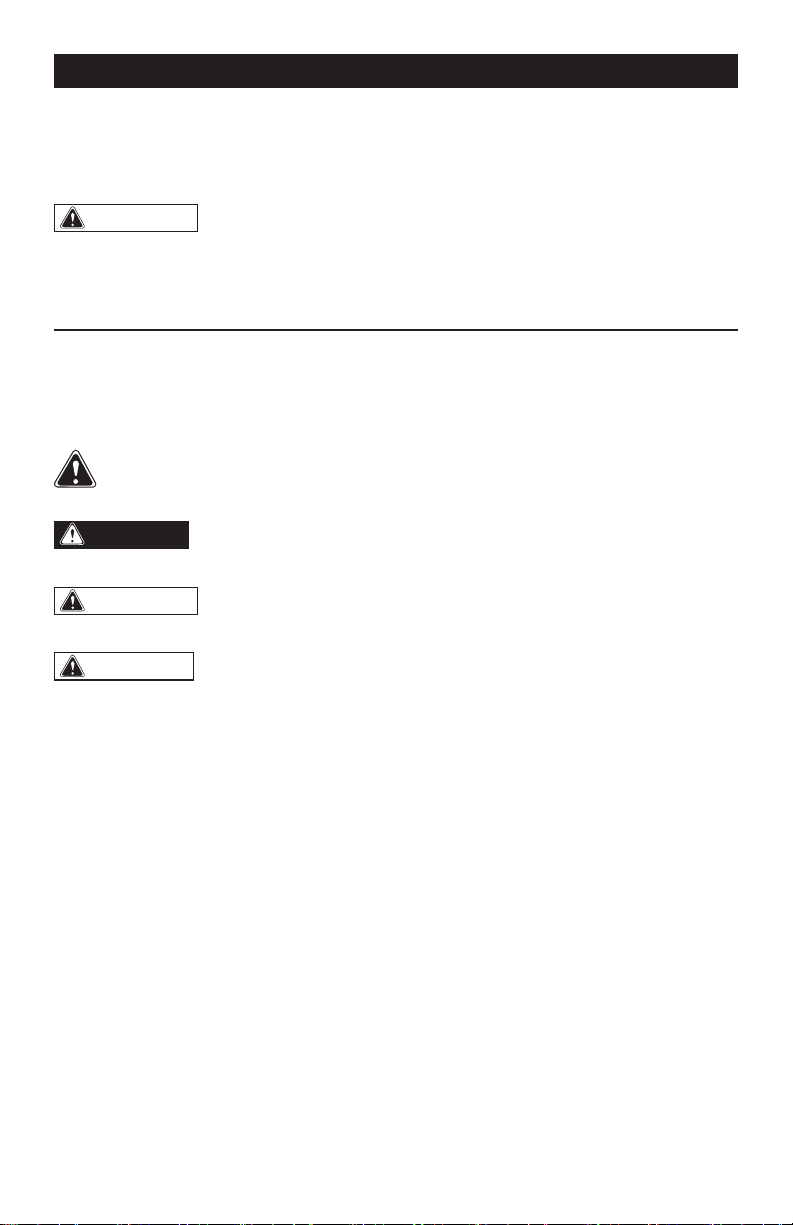
SYMBOL MEANING
SAFETY ALERT SYMBOL: Indicates DANGER, WARNING, OR CAUTION.
May be used in conjunction with other symbols or pictographs.
DANGER:
Indicates an imminently hazardous situation, which, if not avoided,
will result in death or serious injury.
WARNING:
Indicates a potentially hazardous situation, which, if not avoided,
could result in death or serious injury.
CAUTION:
Indicates a potentially hazardous situation, which, if not avoided, could
result in minor or moderate injury.
NOTICE: (Without Safety Alert Symbol) Indicates a situation that may result in property
damage.
SAVE THESE INSTRUCTIONS!

Page 4
SAFETY INSTRUCTIONS
GERNERAL POWER TOOL
SAFETY WARNINGS
WARNING:
Read all safety
warnings and instructions!
Failure to follow the warnings and instruc-
tions may result in electric shock, fire and /
or serious injury. Save all warnings and in-
structions for future reference.
Save all warnings and instructions for
future reference.
The term “power tool” in the warnings refers
to your mains-operated (corded) power tool
or battery-operated (cordless) power tool.
WORK AREA SAFETY
1. Keep the work area clean and well lit.
Cluttered or dark areas invite accidents.
2. Do not operate power tools in explosive
atmospheres, such as in the presence of
ammable liquids, gases or dust. Power
tools create sparks which may ignite the
dust or fumes.
3. Keep children and bystanders away
while operating a power tool. Distractions
can cause you to lose control.
ELECTRICAL SAFETY
1. Power tool plugs must match the
outlet. Never modify the plug in any way.
Do not use any adapter plugs with earthed
(grounded) power tools. Unmodified plugs
and matching outlets will reduce risk of
electric shock.
2. Avoid body contact with earthed
or grounded surfaces such as pipes,
radiators, ranges and refrigerators. There
is an increased risk of electric shock if your
body is earthed or grounded.
3. Do not expose power tools to rain or
wet conditions. Water entering a power tool
will increase the risk of electric shock.
4. Do not abuse the cord. Never use the
cord for carrying, pulling or unplugging the
power tool. Keep the cord away from heat,
oil, sharp edges or moving parts. Damaged
or entangled cords increase the risk of
electric shock.
5. When operating a power tool outdoors,
use an extension cord suitable for outdoor
use. Use of a cord suitable for outdoor use
reduces the risk of electric shock.
6. If operating a power tool in a damp
location is unavoidable, use a ground-fault
circuit interrupter (GFCI) protected supply.
Use of a GFCI reduces the risk of electric
shock.
PERSONAL SAFETY
1. Stay alert, watch what you are doing
and use common sense when operating a
power tool. Do not use the tool while tired
or under the inuence of drugs, alcohol, or
medication. A moment of inattention while
operating power tools may result in serious
personal injury.
2. Use personal protective equipment.
Always wear eye protection. Protective
equipment such as a dust mask, non-skid
safety shoes, hard hat, or hearing protection,
used for appropriate conditions, will reduce
personal injuries.
3. Prevent unintentional starting. Ensure
that the switch is in the off-position before
connecting to a power source and/or
battery pack, picking up or carrying the tool.
Carrying power tools with your finger on the
switch or energizing power tools that have
the switch on invites accidents.
4. Remove any adjusting key or wrench
before turning the power tool on. A wrench
or a key left attached to a rotating part of the
power tool may result in personal injury.
5. Do not overreach. Keep proper footing
and balance at all times. This enables better
control of the power tool in unexpected
situations.

Page 5
SAFETY INSTRUCTIONS
6. Dress properly. Do not wear loose
clothing or jewelry. Keep your hair, clothing
and gloves away from moving parts. Loose
clothes, jewelry or long hair can be caught in
moving parts.
7. If devices are provided for the connection
of dust extraction and collection facilities,
ensure that these are connected and
properly used. Use of these devices can
reduce dust-related hazards.
POWER TOOL USE AND CARE
1. Do not force the power tool. Use the
correct power tool for your application. The
correct power tool will do the job better
and more safely at the rate for which it was
designed.
2. Do not use the power tool if the switch
does not turn it on and off. Any power tool
that cannot be controlled with the switch is
dangerous and must be repaired.
3. Disconnect the plug from the power
source and/or the battery pack from the
power tool before making any adjustments,
changing accessories, or storing power
tools. Such preventive safety measures
reduce the risk of starting the power tool
accidentally.
4. Store idle power tools out of the reach
of children and do not allow persons
unfamiliar with the power tool or these
instructions to operate the power tool.
Power tools are dangerous in the hands of
untrained users.
5. Maintain power tools. Check for
misalignment or binding of moving parts,
breakage of parts and any other condition
that may affect the power tool’s operation.
If damaged, have the power tool repaired
before use. Many accidents are caused by
poorly maintained power tools.
6. Keep cutting tools sharp and clean.
Properly maintained cutting tools with sharp
cutting edges are less likely to bind and are
easier to control.
7. Use the power tool, accessories,
tool bits, etc. in accordance with these
instructions, taking into account the
working conditions and the work to be
performed. Use of the power tool for
operations different from those intended
could result in a hazardous situation.
BATTERY TOOL USE
AND CARE
1. Recharge only with the charger
specied by the manufacturer. A charger
that is suitable for one type of battery pack
may create a risk of fire when used with
another battery pack.
2. Use power tools only with specically
designated battery packs. Use of any other
battery packs may create a risk of injury and
fire.
3. When battery pack is not in use, keep
it away from other metal objects, like
paper clips, coins, keys, nails, screws or
other small metal objects that can make a
connection from one terminal to another.
Shorting the battery terminals together may
cause burns or a fire.
4. Under abusive conditions, liquid may
be ejected from the battery; avoid contact.
If contact accidentally occurs, ush with
water. If liquid contacts eyes, additionally
seek medical help. Liquid ejected from the
battery may cause irritation or burns.
SERVICE
1. Have your power tool serviced by a
qualied repair person using only identical
replacement parts. This will ensure that the
safety of the power tool is maintained.
Page 6
SAFETY INSTRUCTIONS
SPECIFIC SAFETY RULES FOR
IMPACT WRENCH
1. Hold power tool by insulated gripping
surfaces, when performing an operation
where the cutting accessory may contact
hidden wiring or its own cord. Cutting
accessory contacting a “live” wire may
make exposed metal parts of the power tool
“live” and could give the operator an electric
shock.
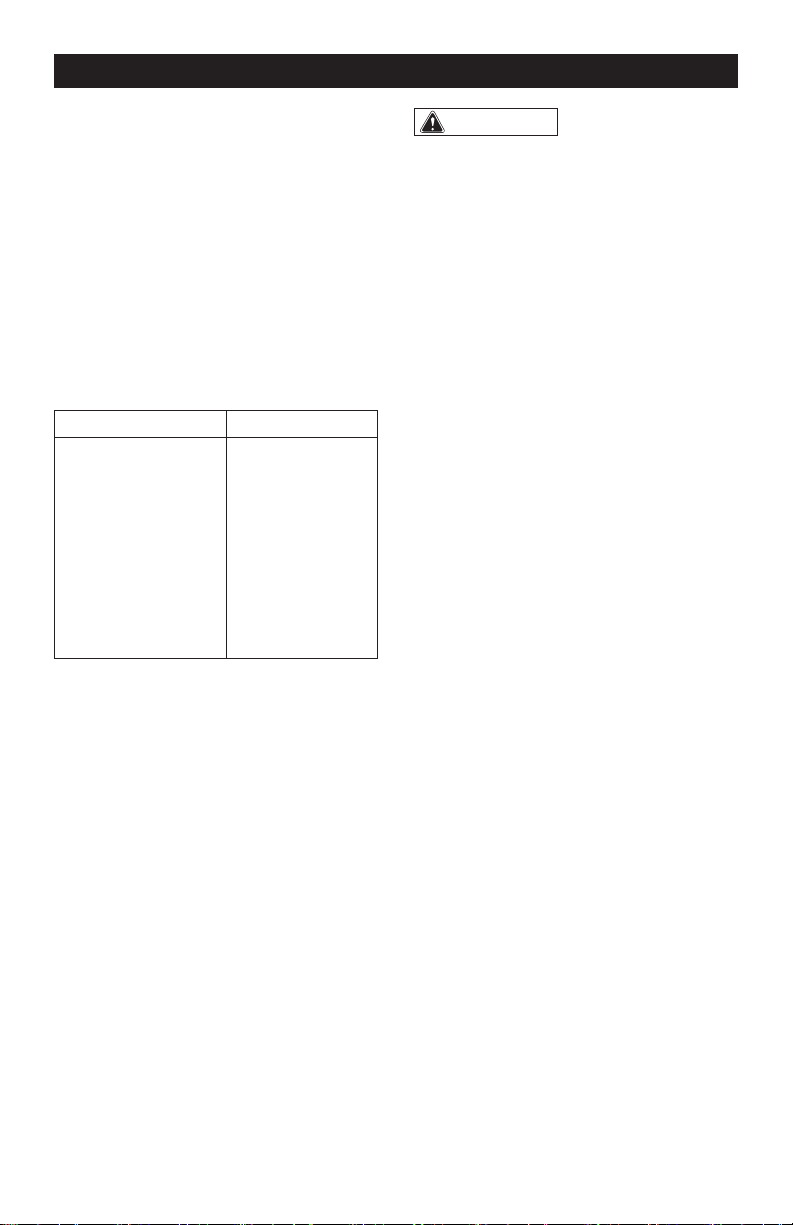
2. Use only with the chargers and
batteries listed below:
Battery pack Charger
252-8024
252-8029
252-8030
252-8031
252-8032
252-8033
252-8034
252-8035
252-8025
252-8036
252-8037
252-8044
3. Always wear safety goggles and ear
protection when using this tool.
4. Ensure the switch is in the off position
before inserting battery pack. Inserting the
battery pack into power tools that have the
switch on invites accidents.
5. Check the impact socket carefully for
wear, cracks or damage before installation.
6. Bit, sockets and tools get hot during
operation. Wear gloves when touching
them after use.
7. Remove the battery pack before
changing accessories. Accidental starting
may occur, because battery appliances
with a battery inserted are in the operative
condition.
WARNING:
Some dust created by
power sanding, sawing, grinding, drilling
and other construction activities contains
chemicals known to the state of California
to cause cancer, birth defects or other
reproductive harm. Some examples of
these chemicals are:
• Lead from lead-based paints
• Crystalline silica from bricks and cement
and other masonry products, and
• Arsenic and chromium from chemically-
treated lumber.
Your risk from these exposures varies,
depending on how often you do this type
of work. To reduce your exposure to these
chemicals: work in a well ventilated area,
and work with approved safety equipment,
such as those dust masks that are specially
designed to filter out microscopic particles.
Page 7
OVERVIEW
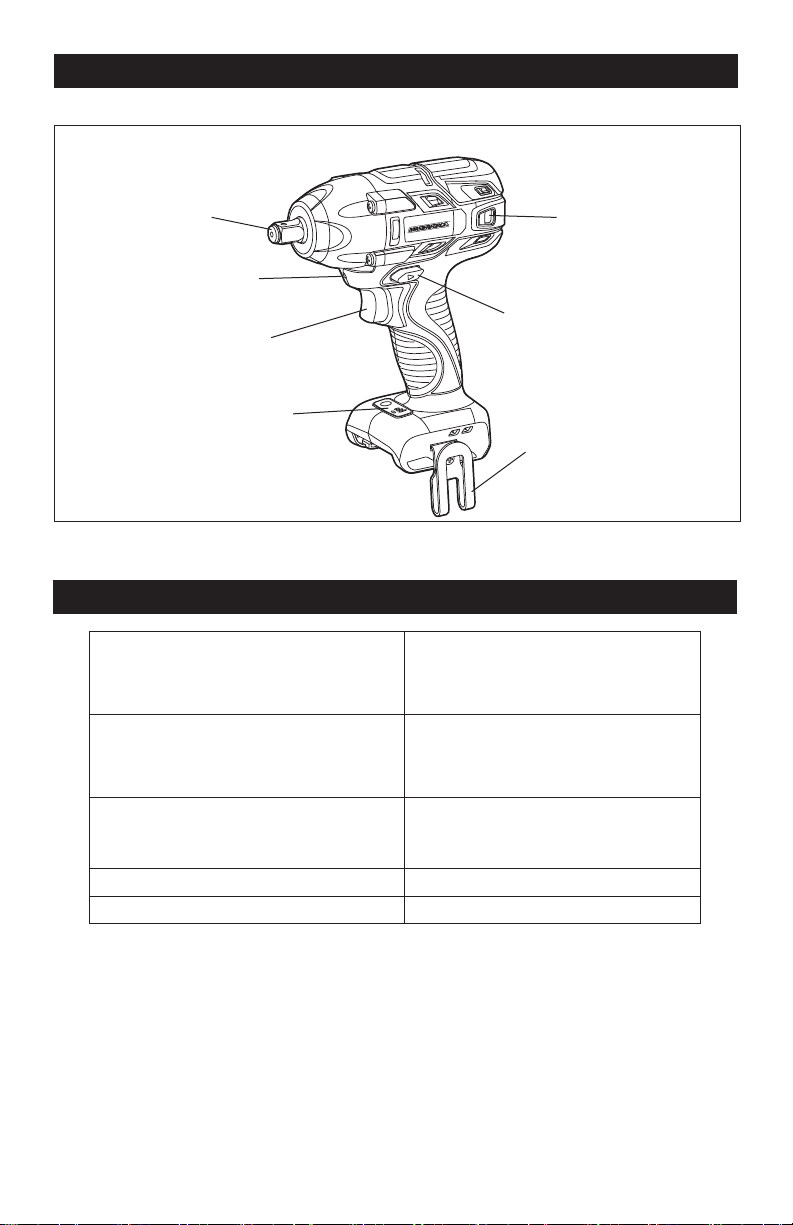
AUTOSTOP
L
H
1/2” Square Driver
Vents
Trigger Switch
Direction-of-
rotation Selector
Mode-Selector
SPECIFICATIONS
No-load Speed I:0-1100 RPM
II:0-1600 RPM
III:0-2200 RPM
Impact Rate I:0-1500 BPM
II:0-2500 BPM
III:0-3000 BPM
Torque I: 360 ft.lb
II: 440 ft.lb
III: 500 ft.lb
Driver 1/2” Square
Weight (Without battery) 3 lb. 5 oz. (1.5 kg)
Belt Clip
LED Worklight
Page 8
ASSEMBLY
WARNING:
If any part is broken
or missing, DO NOT attempt to attach the
battery pack, or operate the tool until the
broken or missing part is replaced. Failure
to do so could result in possible serious
injury.
WARNING:
Do not attempt to
modify this tool or create accessories not
recommended for use with this tool. Any
such alteration or modication is misuse
and could result in a hazardous condition
leading to possibly serious injury.
WARNING:
Your tool should
never be connected to the power source
when you are assembling parts, making
adjustments, installing or removing
blades, cleaning, or when it is not in
use. Disconnecting the tool will prevent
accidental starting, which could cause
serious personal injury.
ASSEMBLY
CONTENTS
Brushless impact wrench, belt clip, instruction
manual.
UNPACKING
1. Carefully remove the tool and any
accessories from the carton. Make sure
that all items listed in the packing list are
included.
2. Inspect the tool carefully to make sure
that no breakage or damage occurred
during shipping.
3. Do not discard the packing material
until you have carefully inspected and
satisfactorily operated the tool.
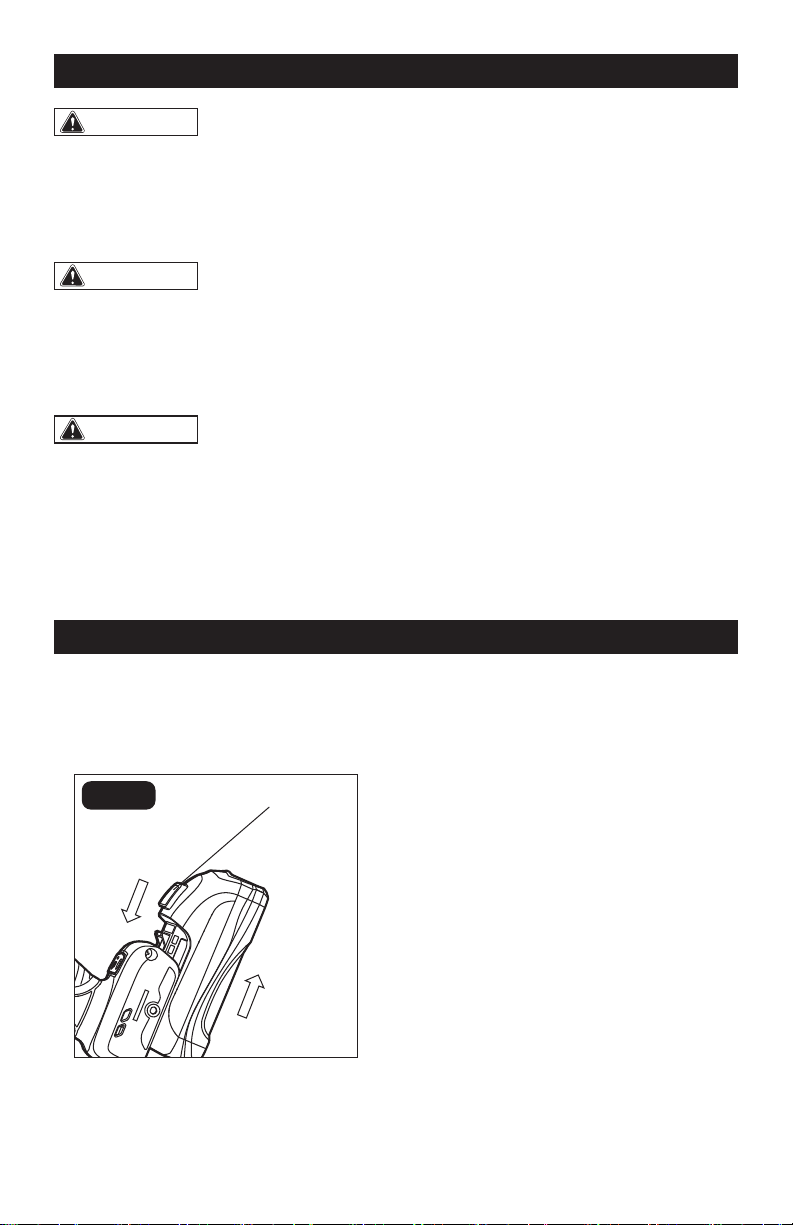
TO ATTACH BATTERY
PACK (FIG. 1)
FIG. 1
Attach
1. Make sure that the tool is switched off.
2. Align the raised rib on the battery pack
with the grooves on the bottom of the
Impact Wrench, and then slide the
battery pack onto the tool.
NOTICE: Make sure that the latch on the
battery pack snaps into place and the bat-
tery pack is secured to the tool before op-
eration.
TO DETACH BATTERY
PACK (FIG. 1)
1. Make sure that the tool is turned off.
2. Depress the battery release buttons
located on the front of the battery pack
to release the battery pack.
3. Pull the battery pack out and remove it
from the tool.
Release
Button
Detach
Page 9
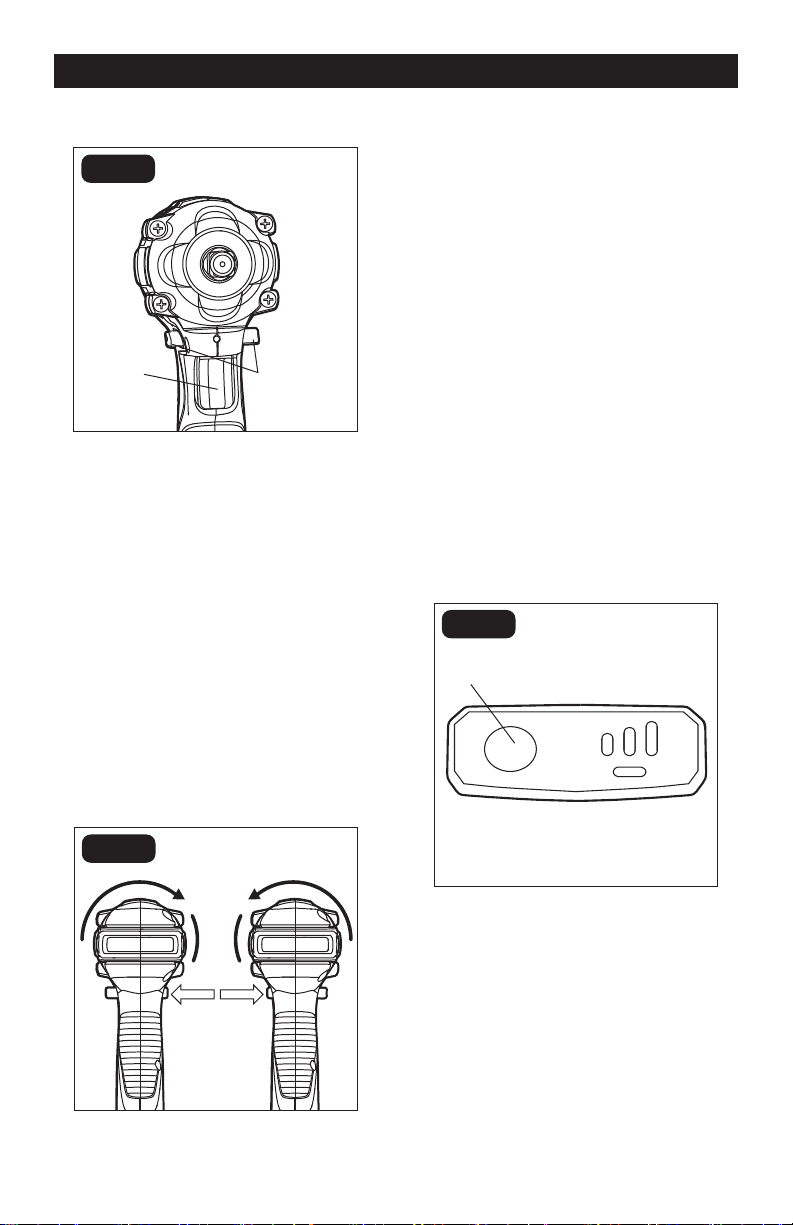
TRIGGER SWITCH (FIG. 2)
Direction-
of-rotation
Selector
Trigger
Switch
FIG. 2
1. To turn the Impact Wrench on, depress
the trigger switch.
2. To turn it off, release the trigger switch.
VARIABLE SPEED
The variable-speed trigger switch delivers
higher speed with increased trigger
pressure and lower speed with decreased
trigger pressure.
DIRECTION -OF-ROTATION
SELECTOR (FORWARD/CENTER-
LOCK/REVERSE) (FIG. 3)
FIG. 3
Reverse
Forward
The direction of rotation is reversible and
is controlled by a selector located above
the trigger switch. With the Impact Wrench
held in normal operating position: Position
the direction-of-rotation selector to the left
of the tool for forward rotation. Position the
direction-of-rotation selector to the right
of the tool for reverse rotation. Setting the
switch in the OFF (center-lock) position
helps to reduce the possibility of accidental
starting when not in use.
NOTICE: To prevent gear damage, always
allow the Impact Wrench to come to a
complete stop before changing the direc-
tion of rotation.
NOTICE: The Impact Wrench will not run
unless the direction of the rotation selector
is engaged fully to the left or right.
MODE SELECTOR (FIG. 4)
AUTOSTOP
L H
FIG. 4
Mode Selector
Button
NOTICE: The Impact Wrench is designed
with 3-speed and auto-stop functions, but
the functions are available only when the
tool is operating in forward rotation.
NOTICE: The mode can change only while
the mode-indicator light is on. The mode-
indicator light will be off automatically af-
ter approximately one minute has elapsed.
OPERATION
Page 10
OPERATION
1. Attach the battery pack to the Impact
Wrench.
2. Position the direction-of-rotation selector
to the left of the tool for forward rotation,
and press the trigger switch to turn on
the mode-indicator light.
3. Press the mode-selector button; the
speed will change in three steps: low,
medium and high. Press and hold the
mode-selector button for three seconds:
the auto-stop mode is available and the
auto-stop indicator will be on. When
the bolt/nut is sufficiently tight, the
tool stops the impact and rotation after
approximately one second.
4. To turn off the auto-stop function, press
and hold the mode-selector button for
three seconds: the auto-stop will turn
off.
ELECTRIC BRAKE
The Impact Wrench is equipped with an
electric brake. When the trigger switch is
released, the electric brake engages auto-
matically to quickly stop the rotation.
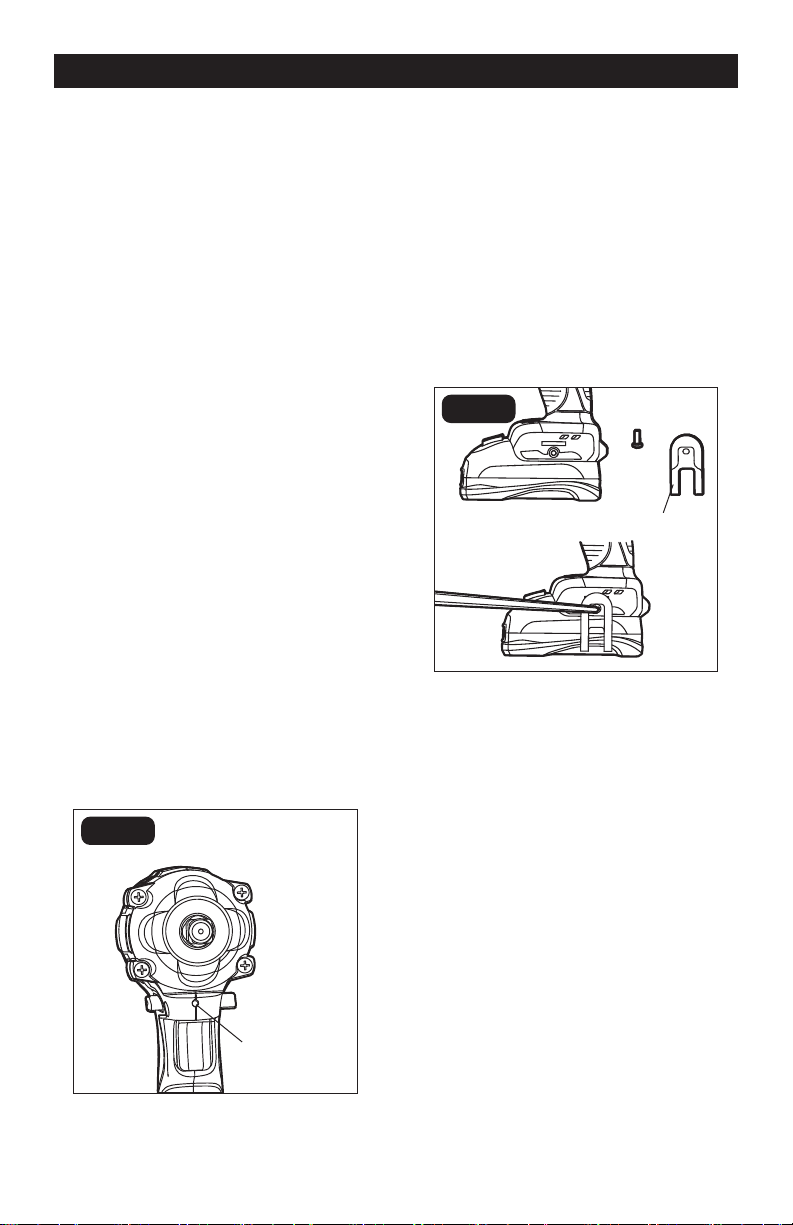
LED WORKLIGHT (FIG. 5)
FIG. 5
LED Worklight
The LED worklight, located on the base of
the Impact Wrench, will illuminate when the
trigger switch is depressed. This provides
additional light on the surface of the
workpiece for operation in lower-light areas.
The light will automatically turn off within 10
seconds after releasing the trigger.
INSTALLING THE BELT
CLIP (FIG. 6)
FIG. 6
Belt Clip
1. Align the rib of the belt clip with the hole
on the base of the wrench.
2. Insert the screw and tighten the screw
securely with a screwdriver (available
separately).
REMOVING THE BELT CLIP
1. Use a screwdriver (available separately)
to loosen the screw that attaches the
belt clip to the wrench.
2. Remove the screw and the belt clip.
Page 11
OPERATION
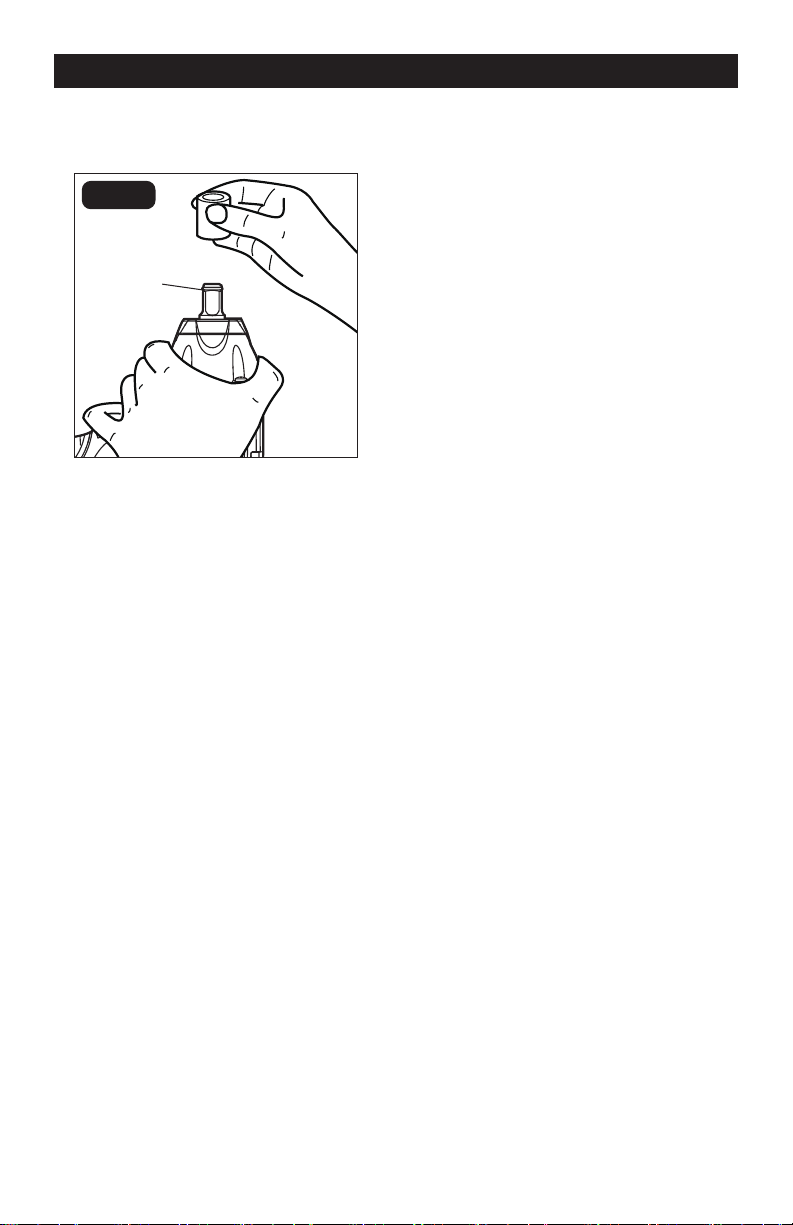
INSTALLING AND REMOVING
THE SOCKET (FIG. 7)
FIG. 7
Friction Ring
NOTICE: The friction ring, with certain
plasticity and strength, helps to prevent
the socket from disengaging from the
output drive of the impact wrench during
the operation.
Always use the correct size socket for bolts
and nuts. An incorrect socket will result
in inaccurate and inconsistent fastening
torque and/or damage to the bolt or nut.
1. Lock the trigger switch by placing the
direction-of-rotation selector in the OFF
(center) position.
2. To install the socket, push it onto the
output drive of the tool until it locks into
place.
3. To remove the socket, simply pull it off.
INSTALLING FASTENERS
NOTICE: Always keep the Impact Wrench
at a right angle to the fastener to avoid
damaging the fastener head.
To fasten:
1. Start threading the fastener by hand
onto or into its threaded counterpart
(e.g. nut onto bolt, or bolt into nut or
threaded hole).
2. With the proper impact socket securely
mounted to the Impact Wrench, slide the
impact socket onto the nut or bolt head.
3. Place the direction-of-rotation selector
in the FORWARD position, and select
a suitable speed or the auto-stop
function. Hold the tool firmly while
depressing the trigger switch. The
impact socket will turn the fastener and
the impacting action will begin when the
fastener encounters resistance.
To loosen:
1. With the proper impact socket securely
mounted to the wrench, slide the impact
socket onto the bolt head.
2. Place the direction-of-rotation selector
in the REVERSE position. Hold the
tool firmly while depressing the trigger
switch. The tool will start to impact
immediately.
3. Once the fastener has “broken loose,”
it will start to unthread. Be careful that
you do not allow a fastener to spin
freely once it is no longer engaged with
its threaded counterpart, as it may be
thrown out of the socket.
IMPACTING TIPS
The proper fastening torque may differ
depending on the type or size of the bolt, the
material of the workpiece to be fastened, etc.
NOTICE: Hold the tool straight along the
axis of the bolt or nut.
NOTICE: Excessive fastening torque may
damage the bolt/nut or socket. Before
starting your job, always perform a
test operation to determine the proper
fastening time for your bolt or nut.
Practice with various fasteners, noting the
length of time required to reach the desired
torque. Check the tightness with a hand-
torque wrench. If the fasteners are too tight,
reduce the impacting time. If they are not
tight enough, increase the impacting time.
Page 12
Hold the tool firmly, and place the socket
over the bolt or nut. Turn the tool on, and
fasten the bolt or nut to the proper torque.
The torque that is required to loosen a
fastener averages 75% to 80% of the
tightening torque, depending on the
condition of the contacting surfaces.
However, if rust or corrosion causes seizing,
more torque may be required.
After fastening, always check the torque
with a torque wrench. The fastening torque
is affected by a wide variety of factors,
including the following:
• Socket
Failure to use the correct size socket will
cause a reduction in the fastening torque.
A worn socket (wear on the hex end or
square end) will cause a reduction in the
fastening torque.
• Bolt
Although the torque coefficient and the
class of bolt may be the same, the proper
fastening torque will differ according to the
diameter of the bolt.
OPERATION
MAINTENANCE
Even if the diameters of bolts are the same,
the proper fastening torque will differ
according to the torque coefficient, the
class of bolt and the bolt length.
• Accessories
The use of a universal joint or an extension
bar (both available separately) will reduce
the fastening force of the Impact Wrench
somewhat. Compensate by fastening for a
longer period of time.
• Technique
The manner of holding the tool or the
material to be fastened will affect the torque.
WARNING:
Always wear safety
goggles or safety glasses with side
shields during power tool operations, or
when blowing dust. If operation is dusty,
also wear a dust mask.
WARNING:
Do not at any time let
brake uids, gasoline, petroleum-based
products, penetrating oils, etc. come in
contact with plastic parts. Chemicals can
damage, weaken or destroy plastic, which
may result in serious personal injury.
The tool may be cleaned most effectively
with compressed dry air. Always wear
safety goggles when cleaning tools with
compressed air.
Avoid using solvents when cleaning plastic
parts. Most plastics are susceptible to
damage from various types of commercial
solvents and may be damaged by their use.
Use clean clothes to remove dirt, dust, oil,
grease, etc.
BEFORE EACH USE
1. Inspect the Impact Wrench, the on/off
switch and the accessories for damage.
2. Check for damaged, missing, or worn
parts.
3. Check for loose screws, misalignment
or binding of moving parts, or any other
condition that may affect the operation.
4. If abnormal vibration or noise occurs,
turn the tool off immediately and have the
problem corrected before further use.
5. Detach the battery from the Impact
Wrench before cleaning or performing any
maintenance. Using compressed air may
be the most effective cleaning method.
Always wear safety goggles when
cleaning tools using compressed air.
LUBRICATION
All of the bearings in this tool are lubricated
with a sufficient amount of high grade
lubricant for the life of the unit under normal
conditions. Therefore, no further lubrication
is required.

Page 13
TROUBLESHOOTING
PROBLEM CAUSE SOLUTION
The Impact Wrench does not
work.
The battery is depleted. Charge the battery.
The Impact Wrench does
not work and the tool LED
worklight flashes.
The tool is overheated. Allow the tool to cool down.
The impact wrench does not
work and the battery pack
LED light flashes.
The battery is overheated.
Allow the battery to cool
down.
SAVE YOUR RECEIPTS
THIS WARRANTY IS VOID WITHOUT THEM
1/2” Impact Wrench
WARRANTY
90-DAY MONEY BACK GUARANTEE:
This MASTERFORCE® brand power tool carries our 90-DAY Money Back
Guarantee. If you are not completely satisfied with your MASTERFORCE® brand
power tool for any reason within ninety (90) days from the date of purchase, return
the tool with your original receipt to any MENARDS® retail store, and we will provide
you a refund – no questions asked.
3-YEAR LIMITED WARRANTY:
This MASTERFORCE® brand power tool carries our famous No Hassle 3-Year Limited
Warranty to the original purchaser. If, during normal use, this MASTERFORCE® power
tool breaks or fails due to a defect in material or workmanship within three (3) years
from the date of original purchase, simply bring this tool with the original sales receipt
back to your nearest MENARDS® retail store. At its discretion, MASTERFORCE®
agrees to have the tool or any defective part(s) repaired or replaced with the same or
similar MASTERFORCE® product or part free of charge, within the stated warranty
period, when returned by the original purchaser with original sales receipt. Not
withstanding the foregoing, this limited warranty does not cover any damage that
has resulted from abuse or misuse of the Merchandise. This warranty: (1) excludes
expendable parts including but not limited to blades, brushes, belts, bits, light bulbs,
and/or batteries; (2) shall be void if this tool is used for commercial and/or rental
purposes; and (3) does not cover any losses, injuries
to persons/property or costs. This
warranty does give you specific legal rights and you may have other rights, which vary
from state to state. Be careful, tools are dangerous if improperly used or maintained.
Seller’s employees are not qualified to advise you on the use of this Merchandise.
Any oral representation(s) made will not be binding on seller or its employees. The
rights under this limited warranty are to the original purchaser of the Merchandise
and may not be transferred to any subsequent owner. This limited warranty is in lieu
of all warranties, expressed or implied including warranties or merchantability and
fitness for a particular purpose. Seller shall not be liable for any special, incidental, or
consequential damages. The sole exclusive remedy against the seller will be for the
replacement of any defects as provided herein, as long as the seller is willing or able
to replace this product or is willing to refund the purchase price as provided above.
For insurance purposes, seller is not allowed to demonstrate any of these power tools
for you.
For questions / comments, technical assistance or repair parts –
Please call toll free: 1-866-917-4374 (M-F 8:30am – 5:00pm EST).
Page 14

08/2018
© 2018 Menard, Inc., Eau Claire, WI 54703