HM CAM W01
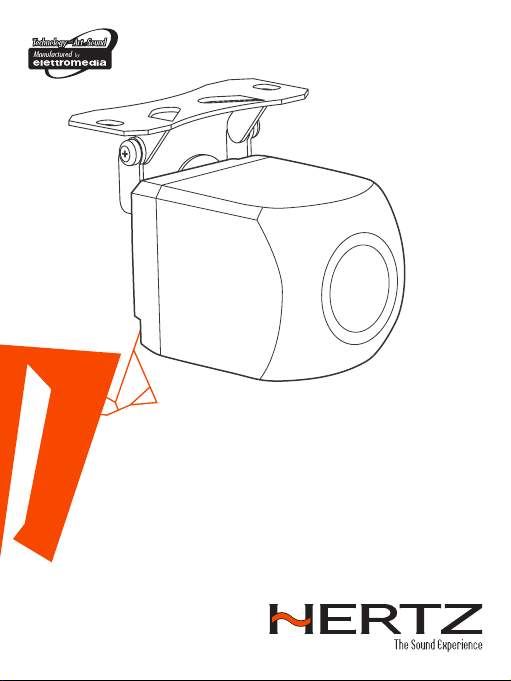
Wi-Fi camera
QUICK
START
GUIDE
hertzaudiovideo.com
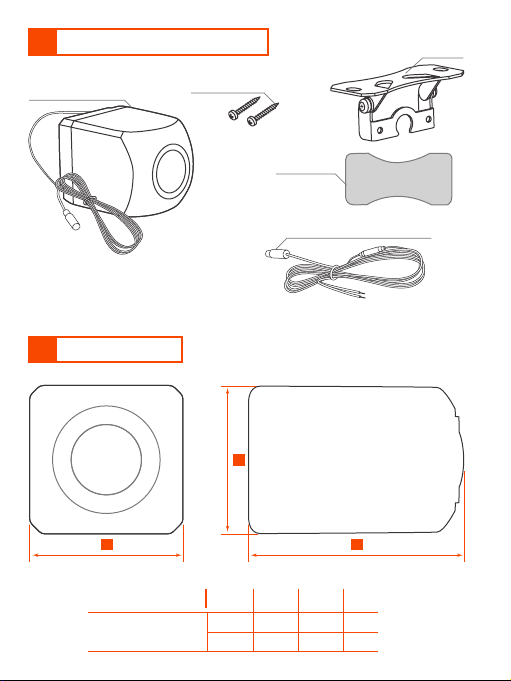
1 PACKAGING CONTENTS
2 DIMENSIONS
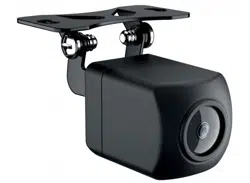
Camera (0.6mt cable with
built-in antenna)
Cushion Tape
Extension cable (2,4m / 94,49 in.)
2 x fixing screws
A C
B
Mounting
bracket
A B C
HM CAM W01
23 23 33 mm
0.3 0.3 1.29 in.
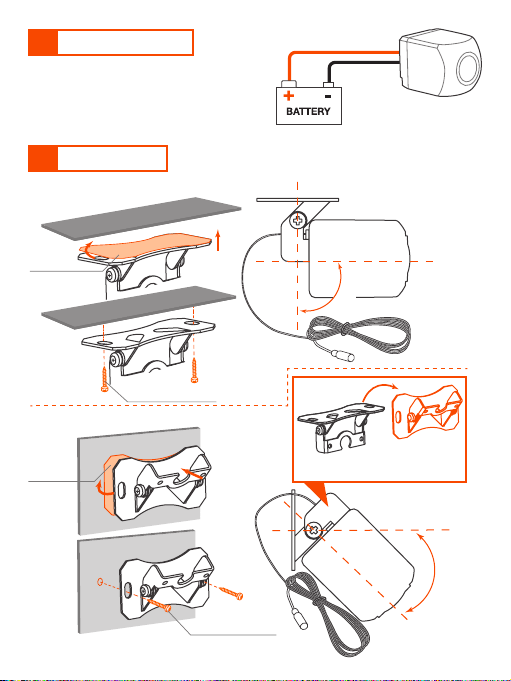
3 INSTALLATION
4 MOUNTING
+ BATT 12V/24V
OPTION 1 - Horizontal mounting
OPTION 2 - Vertical mounting
GND
WARNING: If you do not have a breaker
in the power circuit, it is recommended
to mount an in-line 0,5 A quick blow
fuse on the red “+BATT 12V/24V”
cable.
1
2
45°
Cushion
Tape
2 x fixing screws
2 x fixing screws
Cushion
Tape
Turn on the bracket for
thr vertical installation
90°
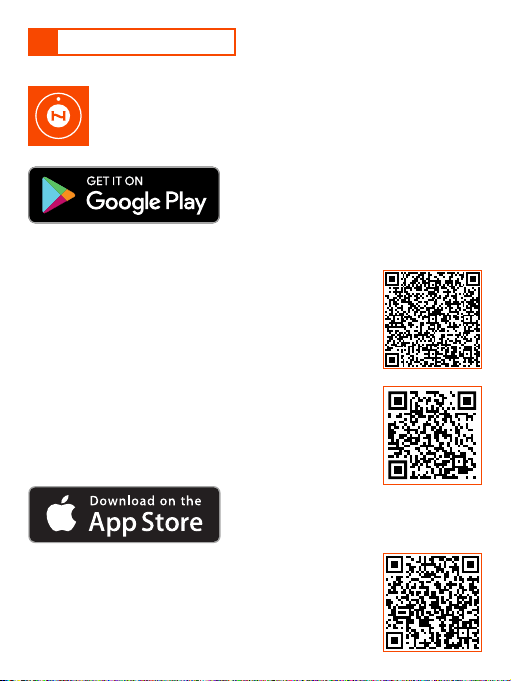
5 APP INSTALLATION
Scan the iOS QR code from the Apple device to access
the Apple App Store, then select “Get” and “Install”.
Search for HertzCam in Play Store, then select “Install”.
Search for HertzCam in the Apple App Store, then
select “Get” and “Install”.
OPTION 2
OPTION 1
Scan the Play Store QR code from the android device
to access the Play Store and select “Install”.
OPTION 2
OPTION 1
OPTION 3
Scan the Website QR code from your android device.
Download the application. Once the download is
complete, select “Install”.
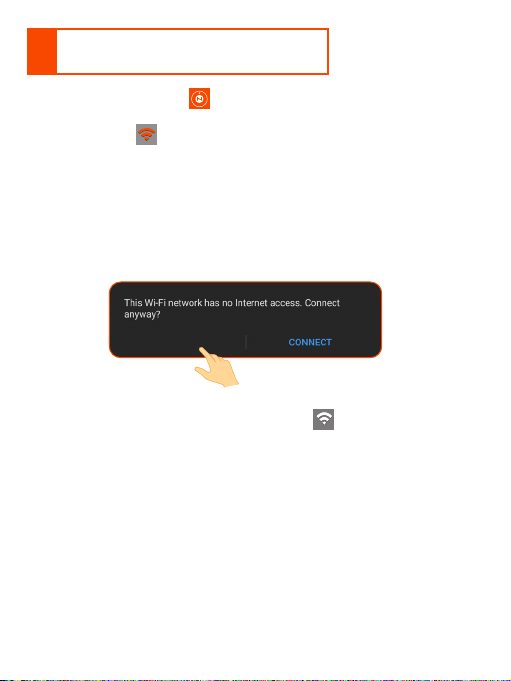
6
HOW TO USE THE HertzCam APP
ON MOBILE DEVICES
• Open the HertzCam APP and does not automatically show the
“HM_CAM_W01_xxxxxx” network to connect to, select the Wi-Fi
connection icon .
(Geolocation permissions are required. You will be requested to enable
this function before going ahead)
• Turn on Wi-Fi and scan for available Wi-Fi networks.
• Select the Wi-Fi network named “HM_CAM_W01_xxxxxx”
(note: xxxxx is the camera identification number)
IMPORTANT: on Android devices with OS up to and including version 10,
when the pop up shown below appears, select “Cancel”.
• Return to the HertzCam APP to use the Wi-Fi camera (when the Wi-Fi
connection with the camera is active the icon is white).
CANCEL
7 APP FUNCTIONS
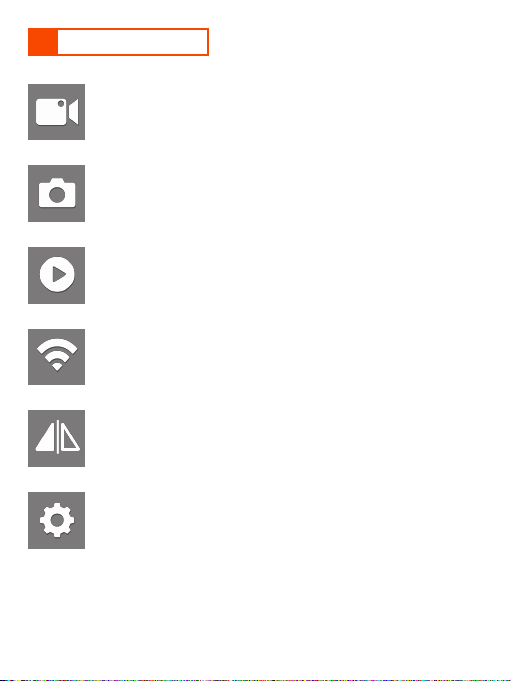
Photo
Select to take a photo from the camera.
Media Library
Select to view or manage videos and photos.
Setting
Select to enable or disable the parking lines.
Wifi connection
Touch to select the HM CAM W01 WI-Fi network to connect to.
Record
Select to start or stop a recording from the camera.
Image mirroring
Select to switch from direct to mirror view and vice versa.
Remark: touch the screen to enable/disable the functions bar. The functions bar is
automatically hidden after 10 sec. of inactivity.
8 MAINTENANCE
9 TROUBLE SHOOTING
Routine maintenance should be carried out on a regular basis for correct
operation:
Spray the camera and lens with fresh water and wipe with a soft cloth to
remove debris or dirt deposits.
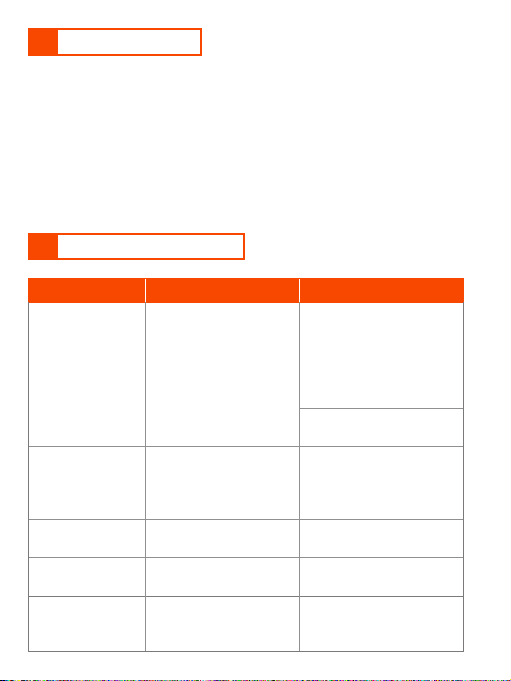
ROBLEM CAUSE REMEDY
Wi-Fi hotspot
generated by
the camera not
found
Camera is not turned on.
Power cable connection
not properly connected
Make sure that the power
cable connections are tight
and free from oxidation.
Fuse blown (if used)
Replace with new fuse
.
No video.
Phone not connected
with the hotspot
generated by the camera
(Wi-Fi icon is RED).
Find the wifi hotspot
generated by the camera
and connect
(es.: “HM_CAM_W01_xxxx”).
Blurred video. The lens is dirty .
Clean the lens with fresh
water and a soft cloth.
Video is not
smooth.
The Wi-Fi signal is
poor.
Check if the antenna is
shielded by metal.
Shaking video.
Camera is not correctly
fixed.
Check to ensure camera
is mounted and secured
tightly.
PART OF ELETTROMEDIA Strada Regina Km 3,500 - Marignano
62018 Potenza Picena (MC) Italy, T +39 0733 870 870 - F +39 0733 870 880
www.elettromedia.it
10 TECHNICAL SPECIFICATIONS
All specifications subject to change without notice FML020_REV.21C
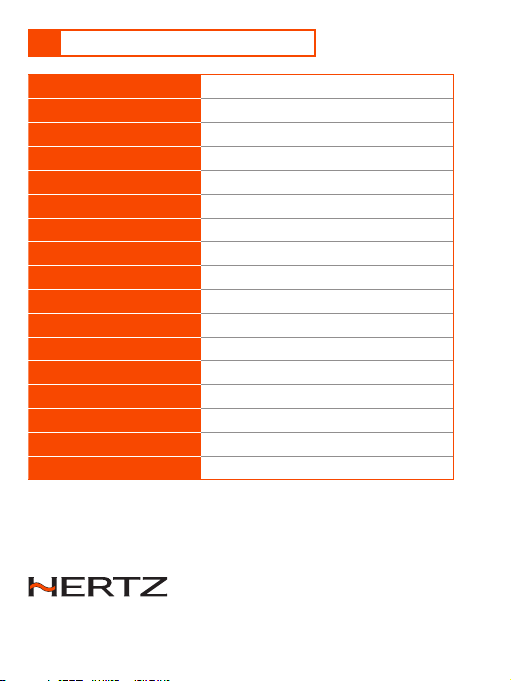
Power supply
DC 12V ~ 24V
Max power consumption
2 W
Camera sensor type
CMOS
Angle of view (Deg.)
90° Vertical, 120º Horizontal
Night sight distance
4 m ~ 10 m
Minimum illumination
0.1 Lux
Transmission method
Wireless 2.4Ghz 56Mbps (802.11g)
Transmission distance
30 m
IP rating
IP67
Operating temp.
-10ºC ~ +75ºC ( 14ºF ~ +167ºF)
System requirement
iOS 11+, Android 9+
Video compression
H.264
Resolution
720p (1280x720pixel)
Frame rate
30 fps
Effective pixels
0,92 megapixel
Size (mm/in.)
23 x 23 x 33 / 0.03 x 0.03 x 1.29
Weight (Kg/Lbs)
0,086 / 0.189 (including the cable)