

OWNER’S
MANUAL
Leon
5F0012720BC
Inglés
5F0012720BC (11.14) (GT9)
Leon Inglés (11.14)
SEAT S.A. is permanently concerned about continuous development of its types and models. For this reason we ask you to under-
stand, that at any given time, changes regarding shape, equipment and technique may take place on the car delivered. For this reason
no right at all may derive based on the data, drawings and descriptions in this current handbook.
All texts, illustrations and standards in this handbook are based on the status of information at the time of printing. Except for error
or omission, the information included in the current handbook is valid as of the date of closing print.
Re-printing, copying or translating, whether total or partial is not allowed unless SEAT allows it in written form.
SEAT reserves all rights in accordance with the “Copyright” Act.
All rights on changes are reserved.
❀
This paper has been manufactured using bleached non-chlorine cellulose.
© SEAT S.A. - Reprint: 15.11.14
About this manual
This manual contains a description of the
equipment supplied with the vehicle at the
time this manual was published. Some of the
units described herein will not be available
until a later date or are only available in cer-
tain markets.
Because this is a general manual for the LEON
range, some of the equipment and functions
that are described in this manual are not in-
cluded in all types or variants of the model;
they may vary or be modified depending on
the technical requirements and on the mar-
ket; this is in no way deceptive advertising.
The illustrations are intended as a general
guide and may vary from the equipment fitted
in your vehicle in some details.
The steering indications (left, right, forward,
reverse) appearing in this manual refer to the
normal driving movements of the vehicle ex-
cept when otherwise indicated.
*
The equipment marked with an aster-
isk* is fitted as standard only in certain
versions, and is only supplied as op-
tional extras for some versions, or are
only offered in certain countries.
® All registered marks are indicated with
®. Although the copyright symbol does
not appear, it is a copyrighted mark.
>> The section is continued on the follow-
ing page.
Important warnings on a given page
Detailed contents on a given page
General information on a given page
Emergency information on a given page
WARNING
Texts preceded by this symbol contain infor-
mation on safety. They warn you about possi-
ble dangers of accident or injury.
CAUTION
Texts with this symbol draw your attention to
potential sources of damage to your vehicle.
For the sake of the environment
Texts preceded by this symbol contain rele-
vant information concerning environmental
protection.
Note
Texts preceded by this symbol contain additio-
nal information.
This manual is divided into five large parts,
which are:
1. Safety
2. Operation
3. Tips
4. Technical data
5. Alphabetical index
At the end of this manual, there is a detailed
alphabetical index that will help you quickly
find the information you require.

Foreword
This Instruction Manual and its correspond-
ing supplements should be read carefully to
familiarise yourself with your vehicle.
Besides the regular care and maintenance of
the vehicle, its correct handling will help pre-
serve its value.
For safety reasons, always note the informa-
tion concerning accessories, modifications
and part replacements.
If selling the vehicle, give all of the on-board
documentation to the new owner, as it
should be kept with the vehicle.
You can access the information in this man-
ual using:
●
Thematic table of contents that follows the
manual’s general chapter structure.
●
Visual table of contents that uses graphics
to indicate the pages containing “essential”
information, which is detailed in correspond-
ing chapters.
●
Alphabetical index with many terms and
synonyms to help you find information.
WARNING
Read and always observe safety informa-
tion concerning the passenger's front air-
bag ››› page 57, Important information
regarding the front passenger's airbag.


Table of Contents
Table of Contents
The essentials . . . . . . . . . . . . . . . . . . . . . . . . 5
Exterior view . . . . . . . . . . . . . . . . . . . . . . . . . . . . 5
Interior view . . . . . . . . . . . . . . . . . . . . . . . . . . . . 7
How it works . . . . . . . . . . . . . . . . . . . . . . . . . . . . 9
Unlocking and locking . . . . . . . . . . . . . . . . . . . . 9
Before driving . . . . . . . . . . . . . . . . . . . . . . . . . . . 11
Starting the vehicle . . . . . . . . . . . . . . . . . . . . . . 14
Lights and visibility . . . . . . . . . . . . . . . . . . . . . . 15
Easy Connect . . . . . . . . . . . . . . . . . . . . . . . . . . . 17
Driver information system . . . . . . . . . . . . . . . . . 19
Cruise control . . . . . . . . . . . . . . . . . . . . . . . . . . . 21
Warning lamps . . . . . . . . . . . . . . . . . . . . . . . . . . 22
Gearbox lever . . . . . . . . . . . . . . . . . . . . . . . . . . . 24
Air conditioning . . . . . . . . . . . . . . . . . . . . . . . . . 26
Level control . . . . . . . . . . . . . . . . . . . . . . . . . . . . 31
Action in the event of a puncture . . . . . . . . . . . 33
Emergency towing of the vehicle . . . . . . . . . . . 35
Safety . . . . . . . . . . . . . . . . . . . . . . . . . . . . . . . . 37
Safe driving . . . . . . . . . . . . . . . . . . . . . . . . . . . . 37
Safety first! . . . . . . . . . . . . . . . . . . . . . . . . . . . . . 37
Advice about driving . . . . . . . . . . . . . . . . . . . . . 37
Sitting position for vehicle occupants . . . . . . . 38
Pedal area . . . . . . . . . . . . . . . . . . . . . . . . . . . . . . 42
Seat belts . . . . . . . . . . . . . . . . . . . . . . . . . . . . . . 43
The reasons why we should wear seat belts . . 43
How to properly adjust your seatbelt . . . . . . . . 46
Seat belt tensioners . . . . . . . . . . . . . . . . . . . . . . 47
Airbag system . . . . . . . . . . . . . . . . . . . . . . . . . . 48
Brief introduction . . . . . . . . . . . . . . . . . . . . . . . . 48
Airbag overview . . . . . . . . . . . . . . . . . . . . . . . . . 50
Deactivating airbags . . . . . . . . . . . . . . . . . . . . . 54
Transporting children safety . . . . . . . . . . . . . . . 56
Safety for children . . . . . . . . . . . . . . . . . . . . . . . 56
Child seats . . . . . . . . . . . . . . . . . . . . . . . . . . . . . 58
Operation . . . . . . . . . . . . . . . . . . . . . . . . . . . . . 65
Controls and displays . . . . . . . . . . . . . . . . . . . . 65
Overview . . . . . . . . . . . . . . . . . . . . . . . . . . . . . . . 64
Instruments and warning/control lamps . . . . . 66
Instruments . . . . . . . . . . . . . . . . . . . . . . . . . . . . 66
Control lamps . . . . . . . . . . . . . . . . . . . . . . . . . . . 71
Driver information system . . . . . . . . . . . . . . . . . 72
Information system . . . . . . . . . . . . . . . . . . . . . . 72
Driving data . . . . . . . . . . . . . . . . . . . . . . . . . . . . 76
Speed warning function . . . . . . . . . . . . . . . . . . . 79
Service interval display . . . . . . . . . . . . . . . . . . . 80
Introduction to the Easy Connect system* . . . . 81
System Settings (CAR)* . . . . . . . . . . . . . . . . . . . 81
Opening and closing . . . . . . . . . . . . . . . . . . . . . 82
Central locking system . . . . . . . . . . . . . . . . . . . . 82
Anti-theft alarm system* . . . . . . . . . . . . . . . . . . 87
Rear lid (luggage compartment) . . . . . . . . . . . . 89
Electric windows . . . . . . . . . . . . . . . . . . . . . . . . . 90
Panoramic sliding sunroof* . . . . . . . . . . . . . . . . 92
Lights and visibility . . . . . . . . . . . . . . . . . . . . . . 94
Lights . . . . . . . . . . . . . . . . . . . . . . . . . . . . . . . . . 94
Visibility . . . . . . . . . . . . . . . . . . . . . . . . . . . . . . . 101
Windscreen wiper and window wiper systems . 102
Rear vision mirror . . . . . . . . . . . . . . . . . . . . . . . . 104
Seats and head restraints . . . . . . . . . . . . . . . . . 106
Adjusting the seats and headrests . . . . . . . . . . 106
Seat functions . . . . . . . . . . . . . . . . . . . . . . . . . . 107
Transport and practical equipment . . . . . . . . . 111
Storage compartments . . . . . . . . . . . . . . . . . . . 111
Storing objects . . . . . . . . . . . . . . . . . . . . . . . . . . 114
Roof carrier . . . . . . . . . . . . . . . . . . . . . . . . . . . . . 122
Air conditioning . . . . . . . . . . . . . . . . . . . . . . . . . 124
Heating, ventilation and cooling . . . . . . . . . . . . 124
Driving . . . . . . . . . . . . . . . . . . . . . . . . . . . . . . . . 129
Ignition lock . . . . . . . . . . . . . . . . . . . . . . . . . . . . 129
Braking and parking . . . . . . . . . . . . . . . . . . . . . 131
Manual gearbox . . . . . . . . . . . . . . . . . . . . . . . . . 132
Automatic gearbox/DSG automatic gearbox* . 132
Run-in and economical driving . . . . . . . . . . . . . 140
Driver assistance systems . . . . . . . . . . . . . . . . . 143
Braking and stability systems . . . . . . . . . . . . . . 143
Start-Stop system* . . . . . . . . . . . . . . . . . . . . . . . 148
Cruise control system (CCS)* . . . . . . . . . . . . . . . 150
Adaptive Cruise Control ACC* . . . . . . . . . . . . . . 151
Monitoring system Front Assist* . . . . . . . . . . . . 161
Lane Assist system* . . . . . . . . . . . . . . . . . . . . . . 166
SEAT driving modes (SEAT Drive Profile)* . . . . . 169
Tiredness detection (break recommendation)* 172
Parking aid . . . . . . . . . . . . . . . . . . . . . . . . . . . . . 173
Towing bracket device . . . . . . . . . . . . . . . . . . . . 177
Trailer towing . . . . . . . . . . . . . . . . . . . . . . . . . . . 177
Advice . . . . . . . . . . . . . . . . . . . . . . . . . . . . . . . . 182
Care and maintenance . . . . . . . . . . . . . . . . . . . . 182
Accessories and modifications to the vehicle . 182
Care and cleaning . . . . . . . . . . . . . . . . . . . . . . . 183
Vehicle exterior care . . . . . . . . . . . . . . . . . . . . . . 183
Care of the vehicle interior . . . . . . . . . . . . . . . . . 187
Intelligent technology . . . . . . . . . . . . . . . . . . . . 190
Electro-mechanical steering . . . . . . . . . . . . . . . 190
Progressive steering . . . . . . . . . . . . . . . . . . . . . 190
Four-wheel drive . . . . . . . . . . . . . . . . . . . . . . . . . 191
Power Management . . . . . . . . . . . . . . . . . . . . . . 191
Checking and refilling levels . . . . . . . . . . . . . . . 193
Refuelling . . . . . . . . . . . . . . . . . . . . . . . . . . . . . . 193
Fuel . . . . . . . . . . . . . . . . . . . . . . . . . . . . . . . . . . . 195
Bonnet . . . . . . . . . . . . . . . . . . . . . . . . . . . . . . . . 198
Engine oil . . . . . . . . . . . . . . . . . . . . . . . . . . . . . . 200
Cooling system . . . . . . . . . . . . . . . . . . . . . . . . . . 203
Brake fluid . . . . . . . . . . . . . . . . . . . . . . . . . . . . . 204
Windscreen washer reservoir . . . . . . . . . . . . . . 204
Battery . . . . . . . . . . . . . . . . . . . . . . . . . . . . . . . . . 205
Wheels . . . . . . . . . . . . . . . . . . . . . . . . . . . . . . . . 208
Wheels and tyres . . . . . . . . . . . . . . . . . . . . . . . . 208
Tyre monitoring systems . . . . . . . . . . . . . . . . . . 212
3

Table of Contents
Compact temporary spare wheel . . . . . . . . . . . . 214
Winter service . . . . . . . . . . . . . . . . . . . . . . . . . . . 215
Emergencies . . . . . . . . . . . . . . . . . . . . . . . . . . . . 217
Changing a wheel . . . . . . . . . . . . . . . . . . . . . . . 217
Tyre repair . . . . . . . . . . . . . . . . . . . . . . . . . . . . . . 220
Jump starting . . . . . . . . . . . . . . . . . . . . . . . . . . . 223
Towing and tow-starting the vehicle . . . . . . . . . 224
Emergency locking and unlocking . . . . . . . . . . 227
Fuses and bulbs . . . . . . . . . . . . . . . . . . . . . . . . . 231
Fuses . . . . . . . . . . . . . . . . . . . . . . . . . . . . . . . . . . 231
Bulbs . . . . . . . . . . . . . . . . . . . . . . . . . . . . . . . . . . 233
Changing bulbs in headlight unit . . . . . . . . . . . 235
Changing bulb for front fog light* . . . . . . . . . . . 236
Changing tail light bulbs (on side panel) . . . . . 237
Changing tail light bulbs (on rear lid) . . . . . . . . 239
Technical specifications . . . . . . . . . . . . . . . 241
Technical specifications . . . . . . . . . . . . . . . . . . 241
Important . . . . . . . . . . . . . . . . . . . . . . . . . . . . . . 241
Vehicle identification data . . . . . . . . . . . . . . . . . 241
Information on fuel consumption . . . . . . . . . . . 242
Towing a trailer . . . . . . . . . . . . . . . . . . . . . . . . . . 243
Wheels . . . . . . . . . . . . . . . . . . . . . . . . . . . . . . . . 243
Engine specifications . . . . . . . . . . . . . . . . . . . . . 245
Dimensions . . . . . . . . . . . . . . . . . . . . . . . . . . . . . 267
Filling capacities . . . . . . . . . . . . . . . . . . . . . . . . 268
Index . . . . . . . . . . . . . . . . . . . . . . . . . . . . . . . . . 269
4
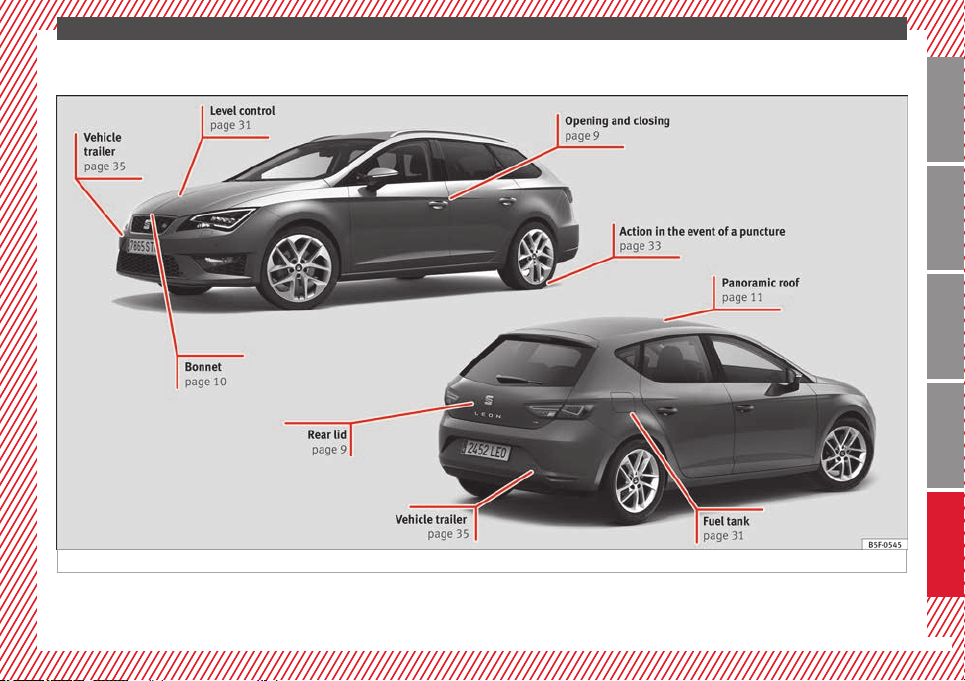
The essentials
Exterior view
Fig. 1
»
5
Technical specifications
AdviceOperationSafetyThe essentials
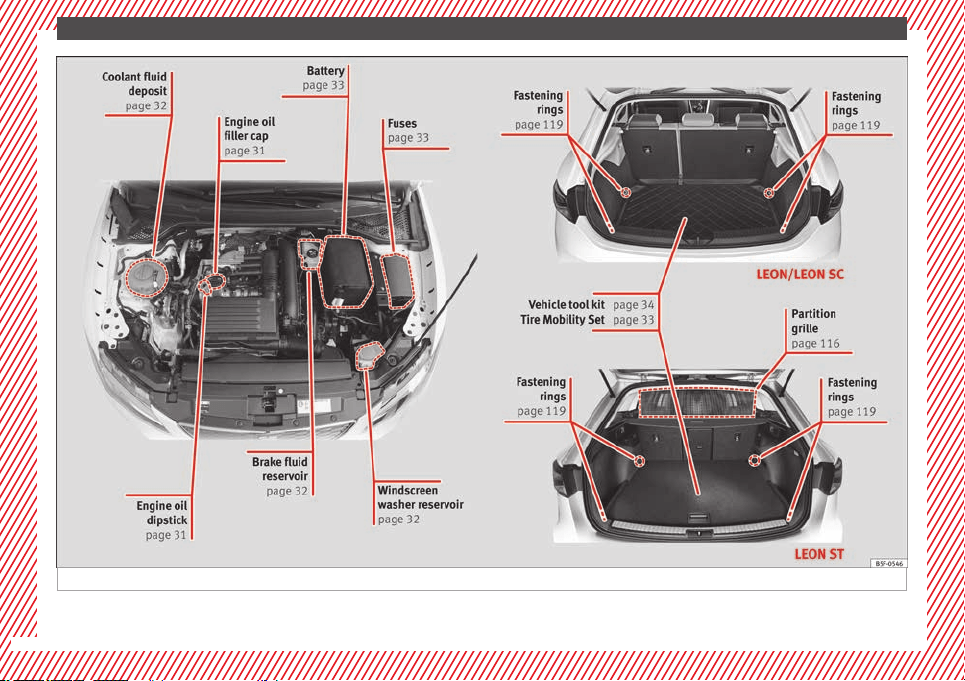
The essentials
Fig. 2
6
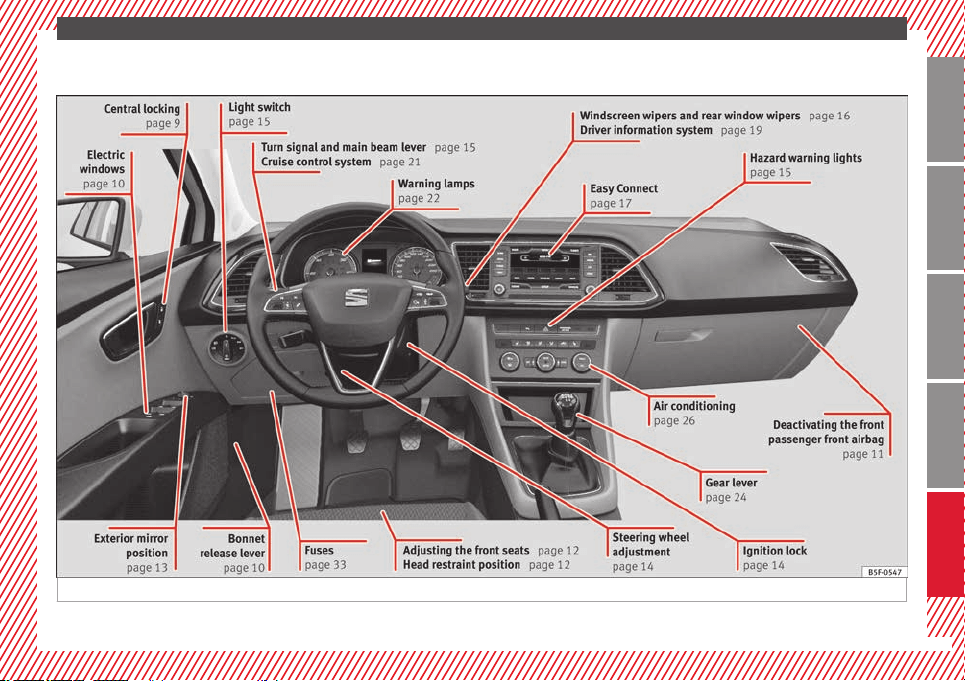
The essentials
Interior view
Fig. 3 Left hand drive
»
7
Technical specifications
AdviceOperationSafetyThe essentials
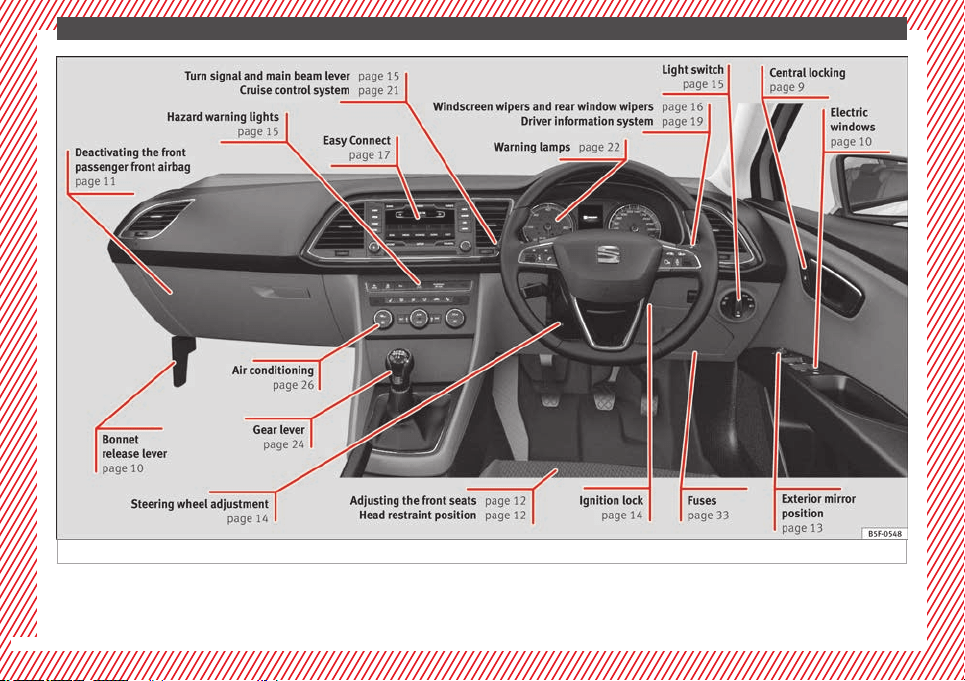
The essentials
Fig. 4 Right hand drive
8
The essentials
How it works
Unlocking and locking
Doors
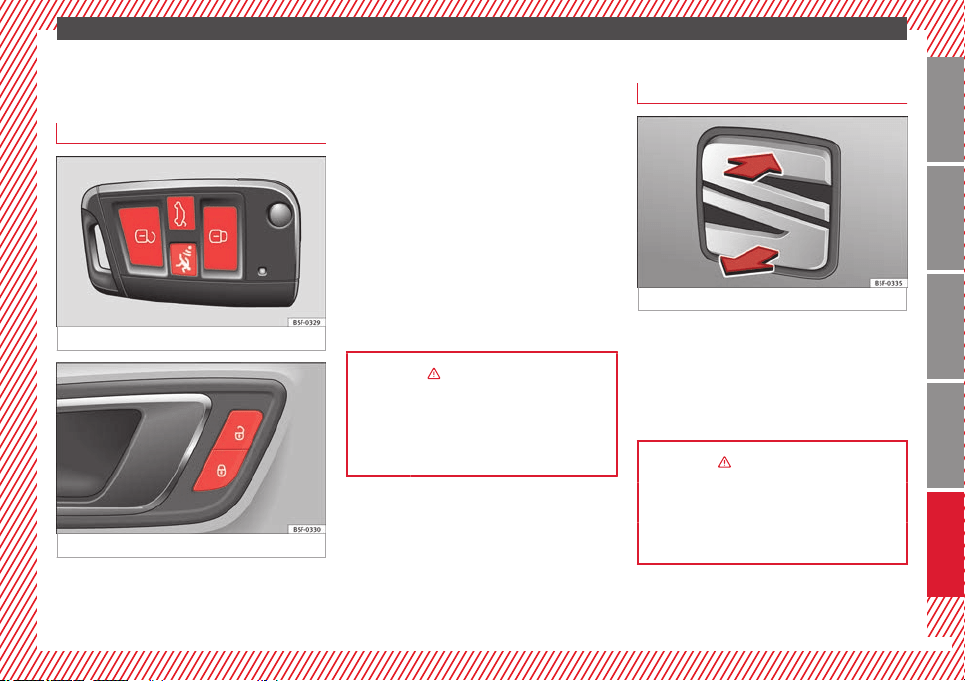
Fig. 5
Fig. 6 See Fig. 3 for positioning
Locking and unlocking the vehicle using the
key
●
Locking: press the ››› Fig. 5
button.
●
L
oc
king the vehicle without activating the
anti-theft system: Press the ››› Fig. 5 button
for a second time for the next 2 seconds.
●
Unlocking: press the ››› Fig. 5 button.
●
Unlocking the rear lid: Hold down the
››› Fig. 5 button for at least 1 second.
Locking and unlocking with the central
locking switch
●
Locking: press the ››› Fig. 6 button. None
of the doors can be opened from the outside.
The doors can be opened from the inside by
pulling the inside door handle.
●
Unlocking: press the ››› Fig. 6 button.
››› in Description on page 82
››› page 82
››› page 227
Rear lid
Fig. 7
●
Opening the rear lid: Pull on the release
lever and lift it up ››› Fig. 7. The rear lid opens
automatically.
●
Closing the rear lid: Hold it by one of the
handles on the interior lining and close it by
pushing gently.
››› in Rear lid on page 90
››› page 89
››› page 229
9
Technical specifications
AdviceOperationSafetyThe essentials
The essentials
Bonnet
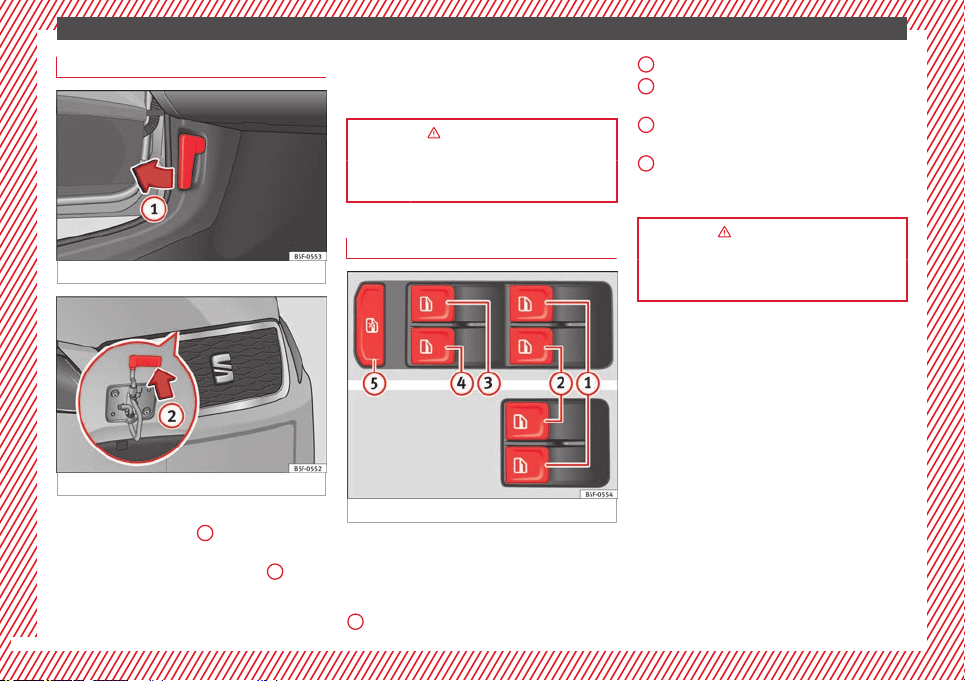
Fig. 8 See Fig. 3 for positioning
Fig. 9
●
Opening the bonnet: Pull the lever under
the dashboard
›››
Fig. 8
1
.
●
Lift up the bonnet. Press the release catch
under the bonnet upwards
›››
Fig. 9
2
. The
arrester hook under the bonnet is released.
●
The bonnet can be opened. Release the
bonnet stay and secure it in the fixture de-
signed for this in the bonnet.
››› in Work in the engine compartment
on page 198
››› page 198
Electric windows*
Fig. 10 See Fig. 3 for positioning
●
Opening the window: Press the button.
●
Closing the window: Pull the button.
Buttons on the driver door
Window on the front left door
1
Window on the front right door
Window on the rear left door (only 5-door
vehicles)
Window on the right rear door (only 5-
door vehicles)
Safety switch for deactivating the electric
window buttons on the rear doors (only 5-
door vehicles)
››› in Opening and closing of the elec-
tric windows* on page 91
››› page 90
2
3
4
5
10
The essentials
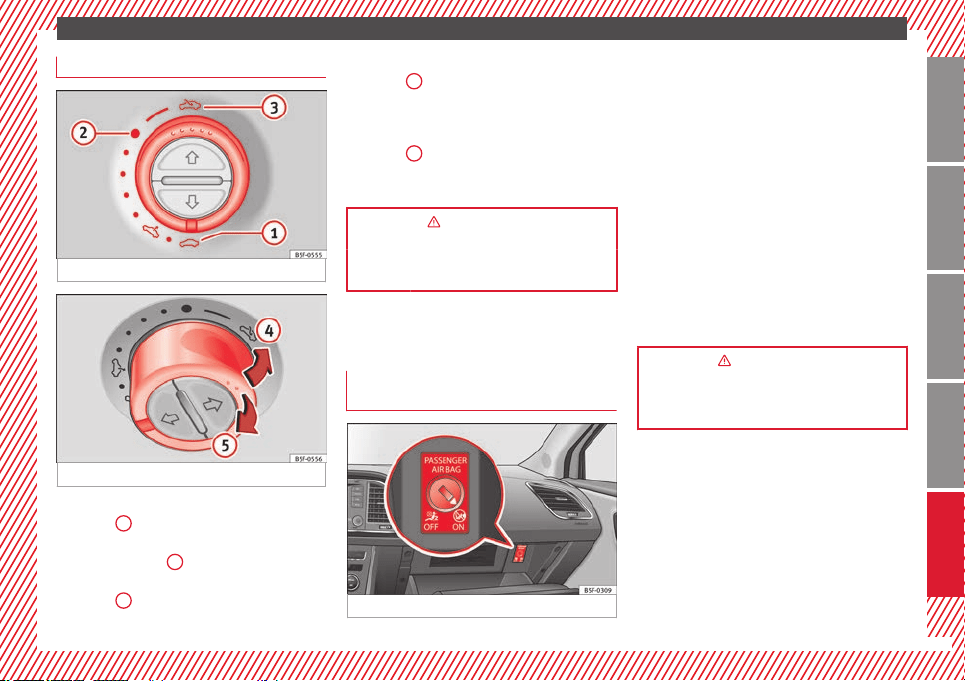
Sunroof*
Fig. 11
Fig. 12
●
Opening: Turn the switch to position
›››
Fig. 11
3
.
●
Convenience position: Turn the switch to
position
›››
Fig. 11
2
.
●
Closing: Turn the switch to position
›››
Fig. 11
1
.
●
To tilt open: Push the switch to position
››› Fig. 12
4
. For an intermediate position,
hold down the switch until you reach the de-
sired position.
●
Lowering: Pull the switch to position
››› Fig. 12
5
. For an intermediate position,
hold down the switch until you reach the de-
sired position.
››› in Opening or closing the panoramic
sliding sunroof on page 92
››› page 92
Before driving
Deactivating the front passenger front
airbag
Fig. 13
To deactivate the front passenger front
airbag:
●
Open the glove compartment on the front
passenger side.
●
Insert the key into the slot provided in the
deactivation switch.
●
Approximately ¾ of the length of the key
remains inserted (the maximum).
●
Turn the key, changing its position to
.
Do not
f
orce it. If you have difficulty, ensure
that you have inserted the key as far as it will
go.
●
Finally, check the control lamp on the in-
strument panel where it shows
the following should appear .
››› in Disabling the front airbag on
page 55
››› page 54
11
Technical specifications
AdviceOperationSafetyThe essentials
The essentials
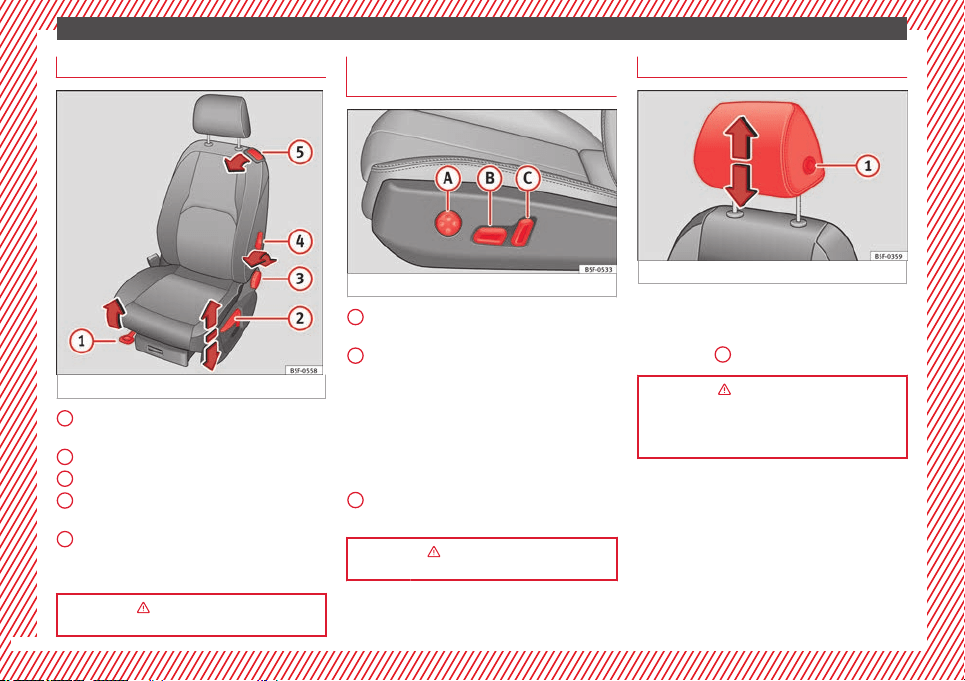
Manually adjusting the front seats
Fig. 14
Forward/back: pull the lever and move
the seat forwards or backwards.
Raising/lowering: pull/push the lever.
Tilting the backrest: turn the hand wheel.
Lumbar support: Press the button in the
corresponding position.
Folding down the backrest (only 3-door
vehicles): pull the lever and push the
backrest forward.
››› in Manual adjustment of seats on
page 106
1
2
3
4
5
Electric adjustment of the driver's
seat*
Fig. 15
Adjusting the lumbar support: press the
button according to the desired position.
Seat up/down: Press the button
up/down. To adjust the front of the seat
cushion, press the front of the button
up/down. To adjust the rear of the seat
cushion, press the rear of the button
up/down.
Seat forwards/backwards: press the but-
ton forwards/backwards.
Backrest further upright/further reclined:
press the button forwards/backwards.
››› in Electric driver seat adjustment*
on page 106
A
B
C
Adjusting the head restraints
Fig. 16
Grab the sides of the head restraints with
both hands and push upwards to the desired
position. To lower it, repeat the same action,
pressing the
1
button on the side.
››› in Correct adjustment of front head
restraints on page 41
››› page 41 ››› page 107
12
The essentials
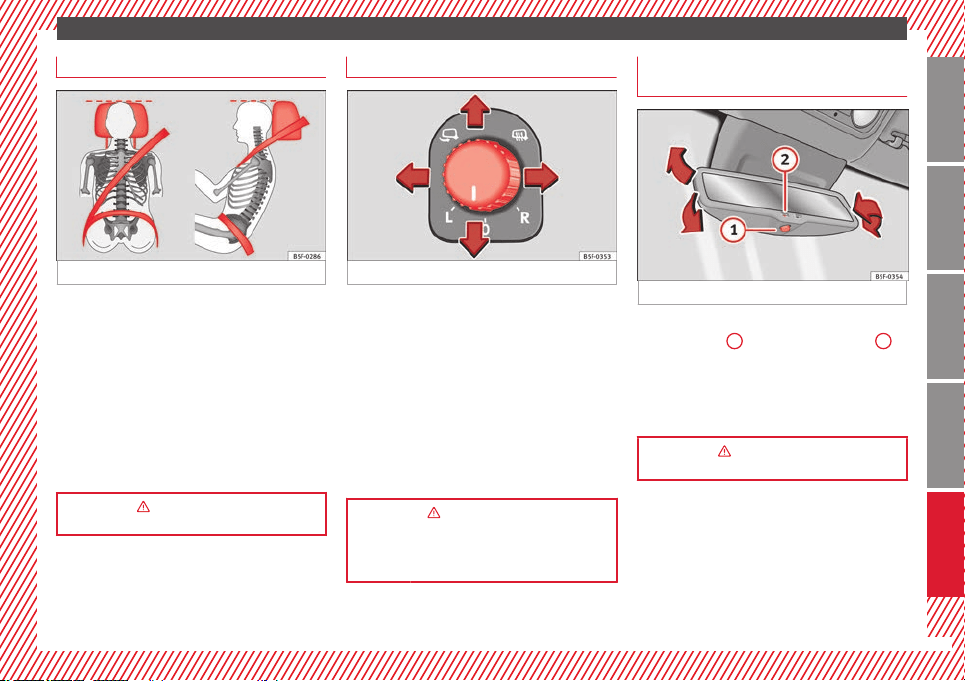
Adjusting the seat belt
Fig. 17
To adjust the seat belt around your should-
ers, adjust the height of the seats.
The shoulder part of the seat belt should be
well centred over it, never over the neck. The
seat belt lies flat and fits comfortably on the
upper part of the body.
The lap part of the seat belt lies across the
pelvis, never across the stomach. The seat
belt lies flat and fits comfortably on the pel-
vis.
››› in Safety instructions on using seat
belts on page 44
Adjusting the exterior mirrors
Fig. 18 See Fig. 3 for positioning
Adjusting the exterior mirrors: Turn the knob
to the corresponding position:
Turning the knob to the desired posi-
tion, adjust the mirrors on the driver
side (L, left) and the passenger side (R,
right) to the direction desired.
Depending on the equipment fitted on
the vehicle, the mirrors may be heated
according to the outside temperature.
Folding in mirrors.
››› in Adjusting the exterior mirrors on
page 105
››› page 104
L/R
Adjusting the rear view mirror
(automatic anti-dazzle function)*
Fig. 19
Switching on the automatic anti-dazzle func-
tion: press the
1
››› Fig. 19
button. The
2
warning lamp lights up and, in bright light,
the rear view mirror darkens.
To adjust the mirror, turn it in the direction of
the arrows.
››› in Anti-dazzle rear vision mirrors on
page 104
13
Technical specifications
AdviceOperationSafetyThe essentials
The essentials
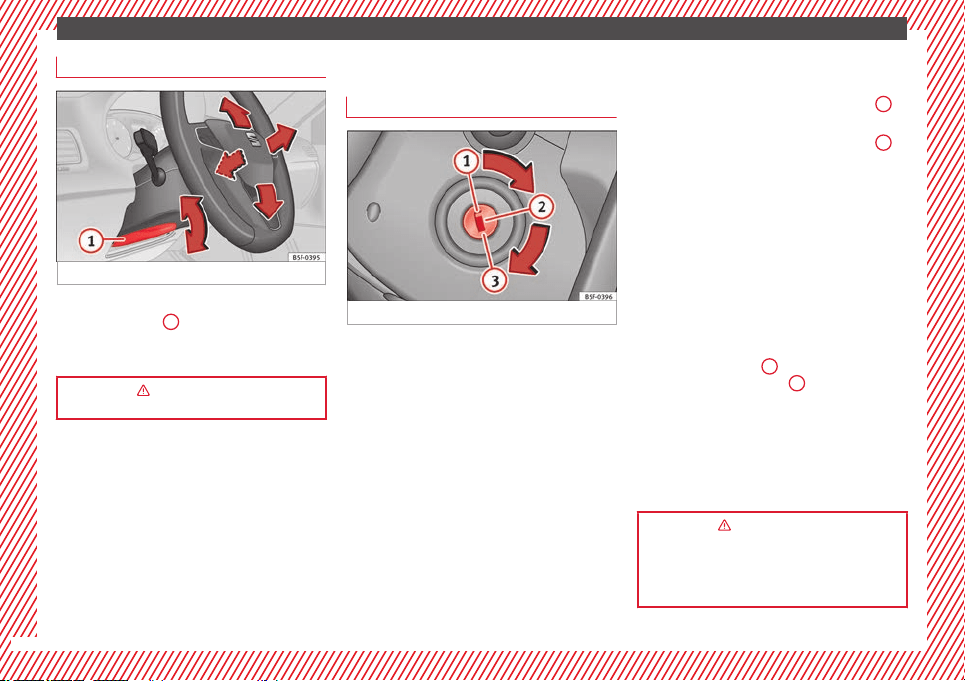
Adjusting the steering wheel
Fig. 20
Adjusting the position of the steering wheel:
Pull the ››› Fig. 20
1
lever down, move the
steering wheel to the desired position and lift
the lever back up until it locks.
››› in Adjusting the steering wheel po-
sition on page 39
Starting the vehicle
Ignition lock
Fig. 21 See Fig. 3 for positioning
Switch ignition on: Place the key in the igni-
tion and start the engine.
Locking and unlocking the steering wheel
●
Engaging the steering wheel lock: Remove
the key from the ignition and turn the wheel
until it locks. In vehicles with an automatic
gearbox, the gear lever must be in the P
posi-
tion in or
der t
o remove the key. If necessary,
press the locking key on the selector lever
and release it again.
●
Unlocking the steering wheel: Put the key
into the ignition and turn it at the same time
as the steering wheel in the direction indica-
ted by the arrow. If it is not possible to turn
the steering wheel, it may be because it is
locked.
Turning on/switching off the ignition, glow
plugs reheating
●
Switch ignition on: Turn the key to the
2
position.
●
Switch ignition off. Turn the key to the
1
position.
●
Diesel vehicles
: The glow plugs reheat
when the ignition i
s
switched on
Starting the engine
●
Manual gearbox: press the clutch pedal all
the way down and move the gearbox lever in-
to neutral.
●
Automatic gearbox: Press the brake pedal
and move the selector lever to the P position
or into N.
●
Turn the key to the
3
position. The key au-
tomatically returns to the
2
position. Do not
press the accelerator.
Start-Stop System*
When you stop and release the clutch pedal,
the Start-Stop system* turns off the engine.
The ignition remains switched on.
››› in Switching on the ignition and
starting the engine with the key on
page 130
››› page 129
14
The essentials
Lights and visibility
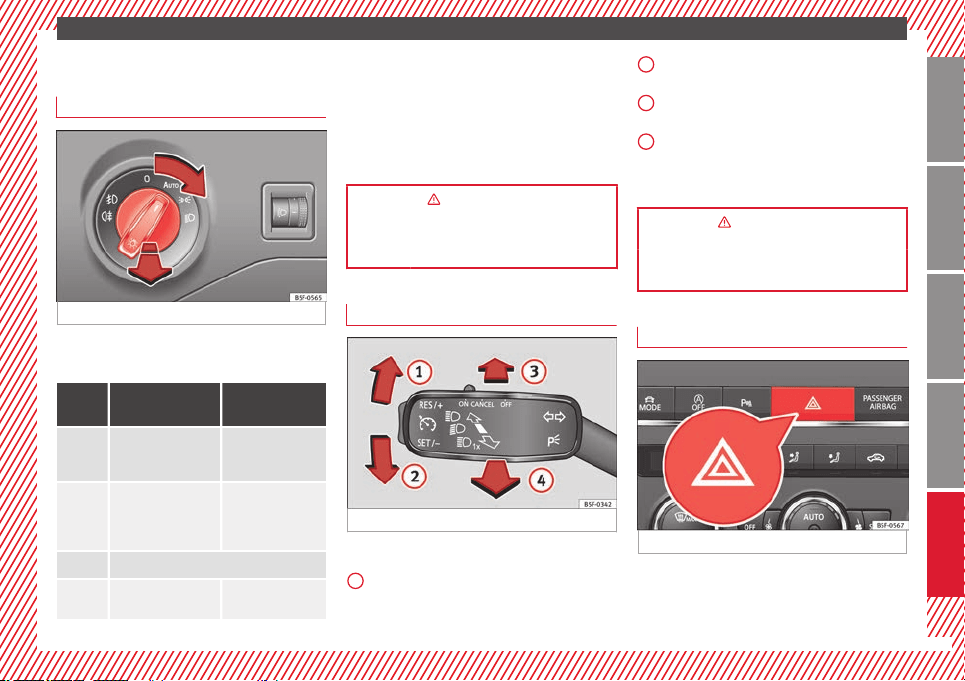
Light switch
Fig. 22 See Fig. 3 for positioning
Turn the switch to the required position
››› Fig. 22
.
Sym-
bol
Ignition switched
off
Ignition is
switched on
Fog lights, dipped
beam and side lights
off.
Light off or daytime
driving light on.
The “Coming home”
and “Leaving home”
guide lights may be
switched on.
Automatic control of
dipped beam and
daytime driving
light.
Side light on.
Dipped beam head-
light off
Dipped beam
switched on.
Front fog lights: move the switch to the
first position, from positions
,
or .
Rear fog light: move the switch completely
from positions , or .
Switching off fog lights: Push the switch or
turn it to the position.
››› in Side light and dipped beam head-
light on page 94
››› page 94
Turn signal and main beam lever
Fig. 23 See Fig. 3 for positioning
More the lever to the required position:
Right turn signal: Right-hand parking
light (ignition switched off).
1
Left turn signal: Left-hand parking light
(ignition switched off).
Main beam switched on: Control lamp
lit up on the instrument panel.
Headlight flasher: lit up when the lever is
pushed. Control lamp
lit up.
L
ev
er all the way down to switch it off.
››› in Turn signal and main beam lever
on page 95
››› page 95
Hazard warning lights
Fig. 24 See Fig. 3 for positioning
Switched on, for example:
●
When approaching a traffic jam
●
In an emergency
»
2
3
4
15
Technical specifications
AdviceOperationSafetyThe essentials
The essentials
●
The vehicle has broken down
●
When towing or being towed
››› in Hazard warning lights
on
page 99
››› page 99
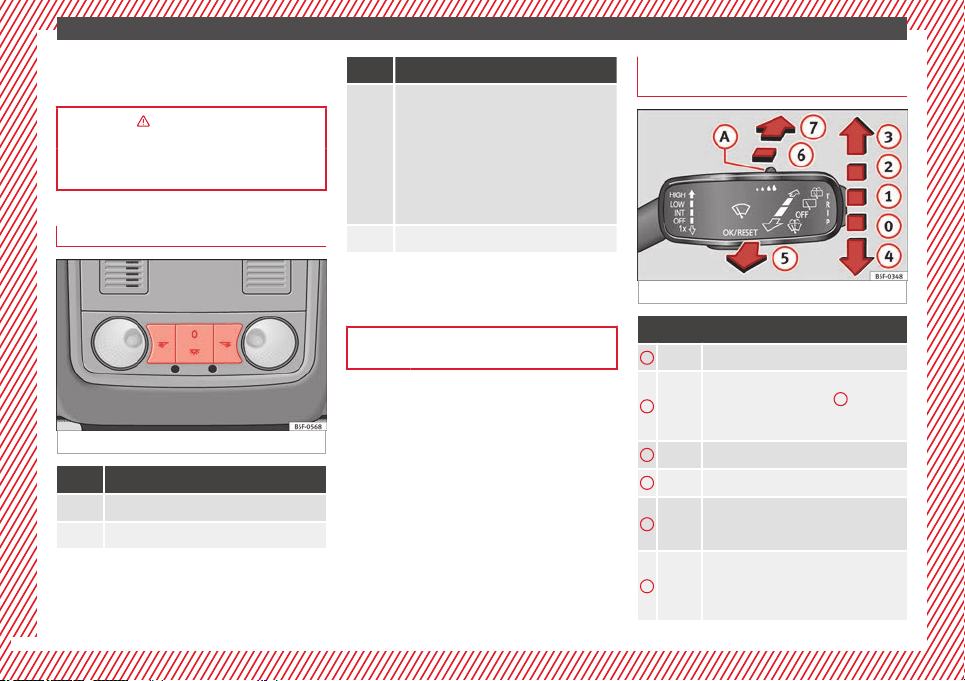
Interior lights
Fig. 25
Knob Function
Switches interior lights off.
Switches interior lights on.
Knob Function
Switches door contact control on (central po-
sition).
The interior lights come on automatically
when the vehicle is unlocked, a door is
opened or the key is removed from the igni-
tion.
The lights go off a few seconds after all the
doors are closed, the vehicle is locked or the
ignition is switched on.
Turning the reading light on and off
Ambient light: in the door panel, it changes
colour (white or red) depending on the driv-
ing mode.
››› page 101
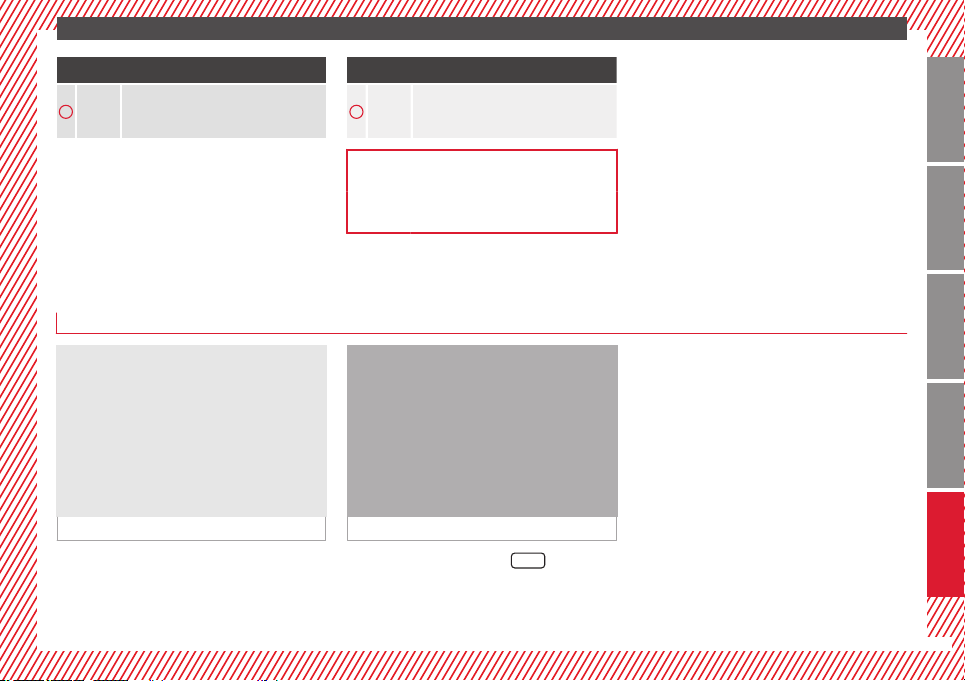
Windscreen wipers and window wiper
blade
Fig. 26
More the lever to the required position:
0
Windscreen wiper off.
1
Windscreen wipers interval wipe.
Using the control ››› Fig. 26
A
adjust the
interval (vehicles without rain sensor), or
the sensitivity of the rain sensor.
2
Slow wipe.
3
Continuous wipe.
4
Short wipe. Brief press, short clean. Hold
the lever down for more time to increase
the wipe frequency.
5
Automatic wipe. The windscreen washer
function is activated by pushing the lever
forwards, and simultaneously the wind-
screen wipers start.
16
The essentials
More the lever to the required position:
6
Interval wipe for rear window. The wiper
will wipe the window approximately every
six seconds.
More the lever to the required position:
7
The rear window wash function is activa-
ted by pressing the lever, and the rear
wiper starts simultaneously.
››› page 102
››› page 230
Easy Connect
CAR menu Setup
Fig. 27 See Fig. 3 for positioning Fig. 28 See Fig. 3 for positioning
●
Switch the ignition on.
●
Switch on the Easy Connect system.
●
Press the Easy Connect button ››› Fig. 27
.
●
Pr
e
ss the function button
Setup
to open the
menu
Vehicle settings ›
›› Fig. 28
.
●
To select a function in the menu, keep the
desired button pressed down.
»
17
Technical specifications
AdviceOperationSafetyThe essentials

The essentials
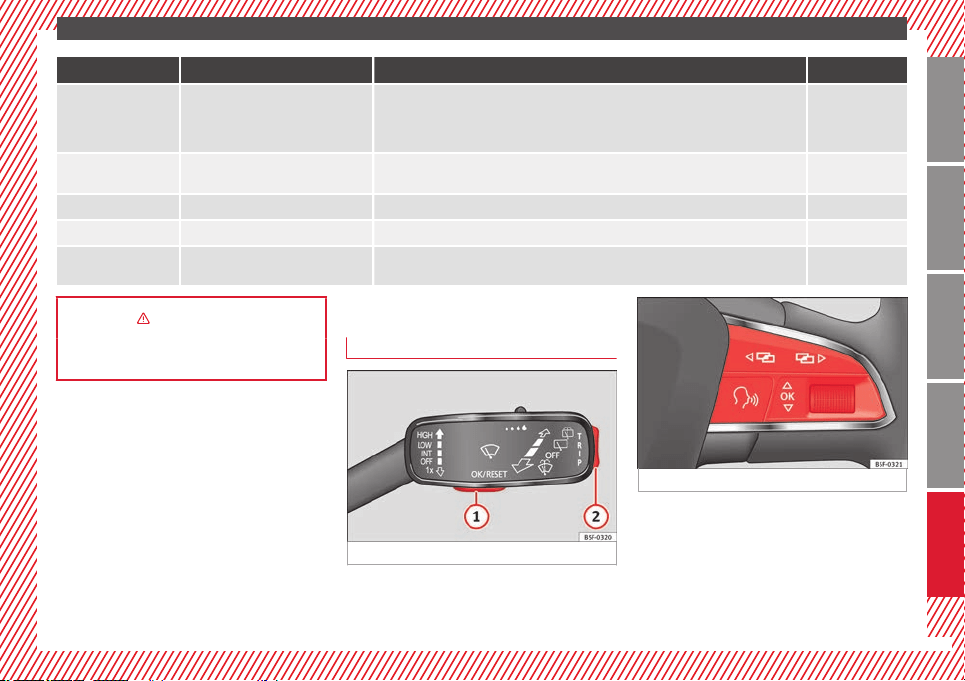
Menu Submenu Possible setting Description
ESC system – Activation of the Electronic Stability Programme (ESC) ››› page 143
Tyres
Tyre pressure monitoring Tyre pressure storing (Calibration) ››› page 212
Winter tyres Activation and deactivation of the speed warning. Setting the speed warning value ››› page 215
Driver assistance
ACC (adaptive cruise control)
Activation/deactivation: Gear programme, temporary distance from the vehicle in front (dis-
tance level)
››› page 151
Front Assist (monitoring system) Activation/deactivation: monitoring system, pre-warning, distance warning display ››› page 161
City emergency braking function Activation/deactivation of the City emergency braking function. ››› page 165
Lane Assist (system warning you if you
leave the lane)
Activation/deactivation: Lane Assists, Lane Centring Assist ››› page 166
Tiredness detection Activation/deactivation ››› page 172
Parking and manoeu-
vring
ParkPilot
Automatically activate, front volume, front sound settings, rear volume, rear sound settings,
adjust volume
››› page 173
Vehicle lights
Vehicle interior lighting Instrument and control lighting, ambient door lighting, footrest lighting ››› page 101
Coming home/Leaving home function Start time for “Coming home” function, start time for “Leaving home” function
››› page 97
››› page 98
Motorway light Activation/deactivation ››› page 100
Mirrors/windscreen wip-
ers
Rear vision mirrors Synchronised regulation, lower the rear-view mirror when reversing, fold in after parking
››› page 13
››› page 104
Windscreen wipers Automatic windscreen wipers, wipe when reversing ››› page 16
Opening and closing
Radio-operated remote control Convenience open function ››› page 91
Central locking system Unlocking doors, automatic locking/unlocking, audible confirmation ››› page 82
18
The essentials
Menu Submenu Possible setting Description
Multifunction display –
Current consumption, average consumption, volume to fill up, convenience equipment,
ECOAdvice, journey duration, distance travelled, digital speed display, average speed,
speeding warning, oil temperature, coolant temperature, restore data “from start”, restore
data “total calculation”
››› page 72
Date and time –
Time source, set the time, automatic summer time setting, select time zone, time format, set
the date, date format
–
Measurement units – Distance, speed, temperature, volume, consumption –
Service – Chassis number, date of next SEAT service inspection, date of next oil change service ››› page 80
Factory settings –
All settings can be reset: driver assistance, parking and manoeuvring, lights, rear view mir-
rors and windscreen wipers, opening and closing, multi-function display
–
››› in Introduction on page 81
››› page 81
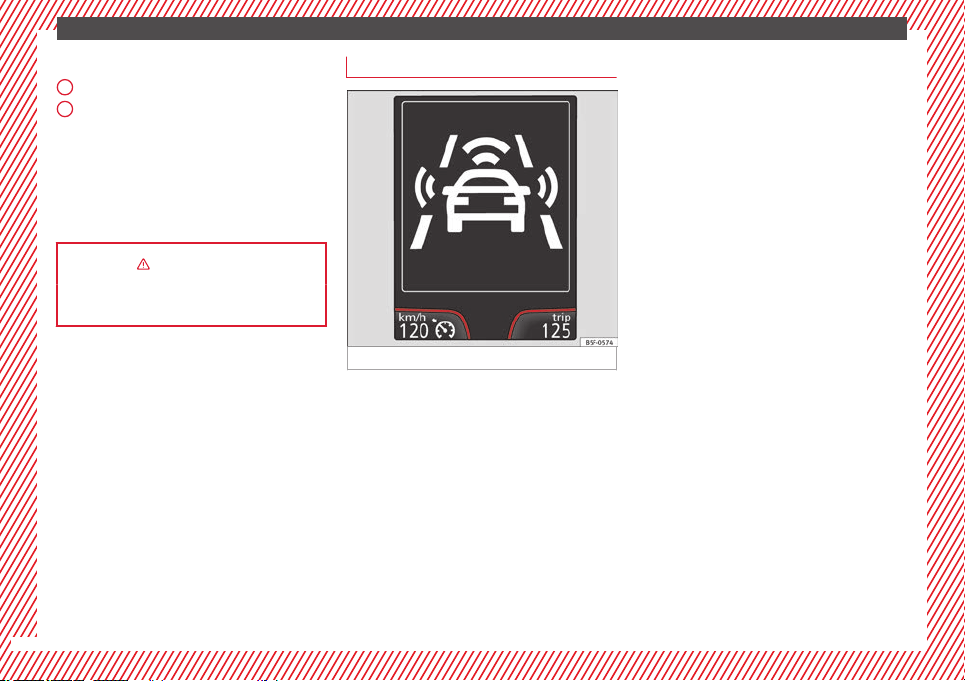
Driver information system
Information system control
Fig. 29 See Fig. 3 for positioning
Fig. 30 See Fig. 3 for positioning
Managed using the buttons on the multi-
function steering wheel ››› Fig. 30
or the
w
ind
screen wiper lever ››› Fig. 29 (if the vehi-
cle does not have a multi-function steering
wheel).
»
19
Technical specifications
AdviceOperationSafetyThe essentials
The essentials
Windscreen wiper lever
Press to select and confirm ››› Fig. 29
Press up or down to view the submenu
››› Fig. 29
Multifunction steering wheel
●
: press to select and confirm ›
›
› Fig. 30
●
/ : press to view the submenu
››› Fig. 30
››› in Introduction on page 72
››› page 72
1
2
Information system menus*
Fig. 31 See Fig. 3 for positioning
●
Driving data: Information and possible con-
figurations of the multifunction display
›››
page 76
●
Assistance systems: information and possi-
ble configurations of the driver assistance
systems ››› page 17
ACC (adaptive cruise control)
Front Assist (monitoring system)
City emergency braking function
Lane Assist (system warning you if you
leave the lane)
Tiredness detection
–
–
–
–
–
Speed warning function
●
Navigation: Activated navigation system in-
formation display ››› Booklet Navigation sys-
tem
●
Audio: Radio station display, name of CD
track or name of track in Media mode
››› Booklet Radio
or ›
›› Book
let Navigation
system
●
Telephone: Information and possible con-
figurations of the mobile phone preinstalla-
tion ››› Booklet Radio or ››› Booklet Naviga-
tion system
●
Lap timer: measurement, memorisation and
comparison of lap times
●
Vehicle status: Display of the current warn-
ing or information texts and other system
components
–
20
The essentials
Cruise control
Cruise control system operation
(CCS)*
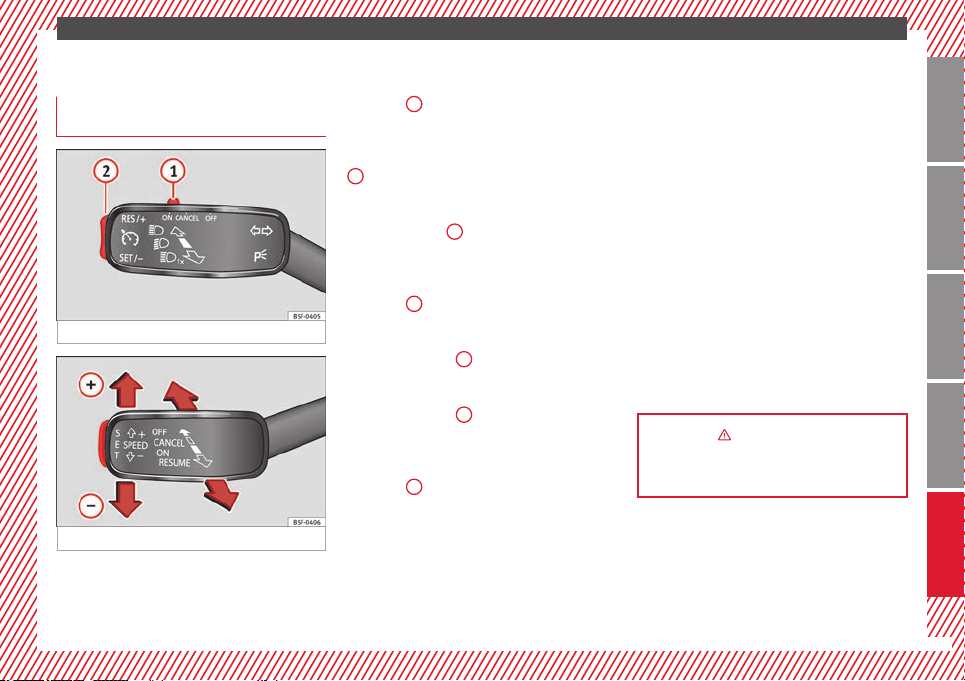
Fig. 32 See Fig. 3 for positioning
Fig. 33 See Fig. 3 for positioning
Operation of the turn signal lever
●
Switching on the CCS: Move switch
››› Fig. 32
1
to
. The system is on. If no
s
peed has been programmed, the system will
not control it.
●
Activating the CCS: Press button ››› Fig. 32
2
in the
area. The current speed is
memori
sed and controlled.
●
Temporarily switching off the CCS: Move
switch ››› Fig. 32
1
to
or push the
br
ak
e. The cruise control system is switched
off temporarily.
●
Reactivating the CCS: Press button
››› Fig. 32
2
in . The memorised speed
is saved and controlled again.
●
Increasing stored speed during CCS regula-
tion: press button
2
in . The vehicle ac-
celerates until the new stored speed.
●
Reducing stored speed during CCS regula-
tion: press button
2
in to lower the
speed by 1 km/h (1 mph). Speed is reduced
until reaching the new stored speed.
●
Switching off the CCS: Move switch
››› Fig. 32
1
to . The system is disconnec-
ted and the memorised speed is deleted.
Operation using the third lever
●
Switching on the CCS: move the third lever
to
›
›› Fig. 33. The system switches on but it
does not control the speed as no speed has
been programmed.
●
Activating the CCS: press the ››› Fig. 33
button. It memorises and maintains the cur-
rent speed.
●
Temporarily switching off the CCS: move
the lever to ››› Fig. 33 and release it or
press the brake pedal. The cruise control sys-
tem is switched off temporarily.
●
Reactivating the CCS: move the lever to
››› Fig. 33 and release it. The memo-
rised speed is saved and controlled again.
●
Switching off the CCS: move the third lever
to position ››› Fig. 33 to . The system is dis-
connected and the memorised speed is de-
leted.
››› in How it works on page 150
››› page 150
21
Technical specifications
AdviceOperationSafetyThe essentials
The essentials
Warning lamps
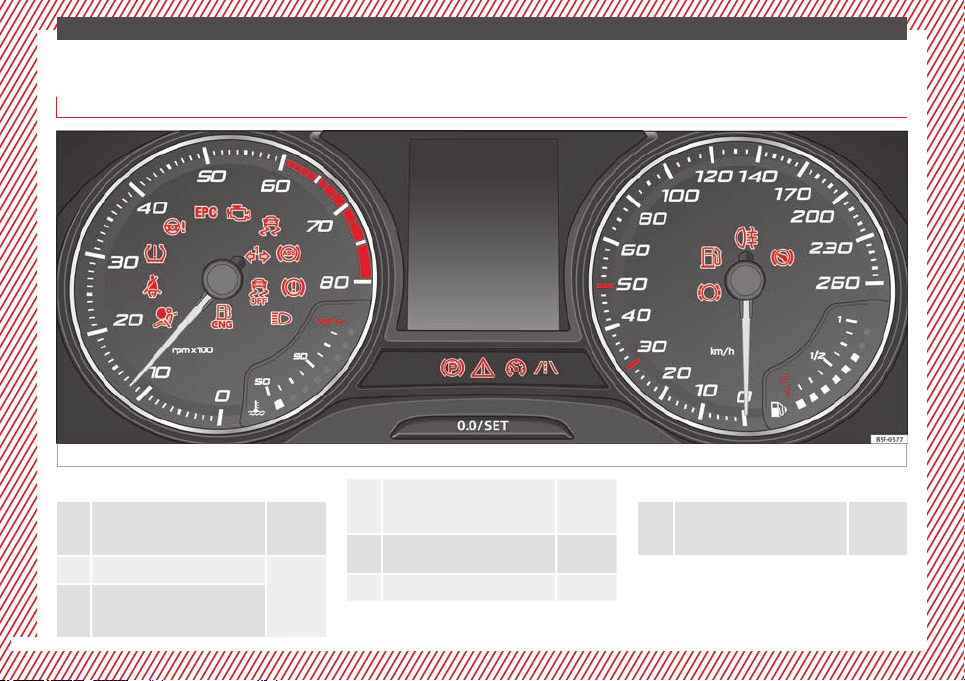
On the instrument panel
Fig. 34 See Fig. 3 for positioning
Red warning lamps
Central warning lamp: additional
information on the instrument pan-
el display
–
Parking brake on.
››› page
131
››› page
146
Do not continue driving!
The brake fluid level is too low or
there is a fault in the brake system.
Lit up or flashing:
Do not continue driving!
Fault in the steering.
››› page
190
Driver or passenger has not fas-
tened seat belt.
››› page
43
Use the foot brake!
Yellow warning lamps
Central warning lamp: additional
information on the instrument pan-
el display
–
22
The essentials
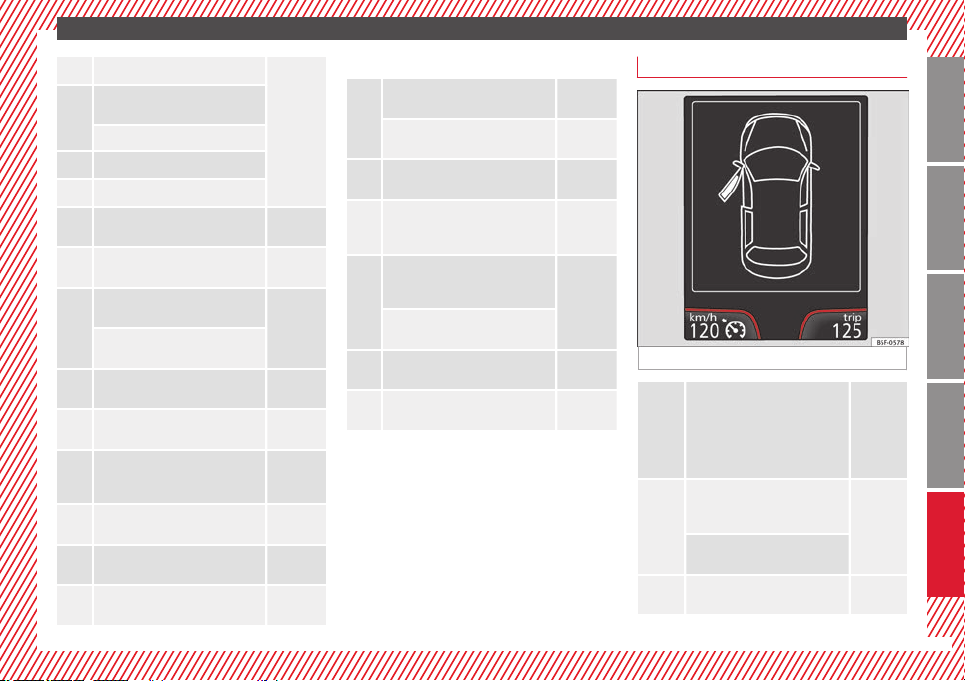
Front brake pads worn.
››› page
143
it lights up: Fault in the ESC, or dis-
connection caused by the system.
flashes: ESC or ASR activated.
ASR manually deactivated.
ABS faulty or does not work.
Rear fog light switched on.
››› page
94
lights up or flashes: fault in the
emission control system.
–
it lights up: pre-ignition of diesel
engine.
››› page
71
flashes: fault in the diesel engine
management.
fault in the petrol engine manage-
ment.
››› page
71
lights up or flashes: fault in the
steering system.
››› page
190
Tyre pressure too low, or fault in
the tyre pressure monitoring sys-
tem.
››› page
212
Fuel tank almost empty.
››› page
66
Fault in airbag system and seat
belt tensioners.
››› page
48
Lane Assist is switched on, but not
active.
››› page
166
Other warning lamps
Left or right turn signal.
››› page
94
Hazard warning lights on.
››› page
99
Trailer turn signals
››› page
177
it lights up: Press the foot brake!
flashes: the selector lever locking
button has not engaged.
››› page
132
it lights up: cruise control activated
or speed limiter switched on and
active.
››› page
150
flashes: the speed set by the
speed limiter has been exceeded.
Lane Assist is switched on and ac-
tive.
››› page
166
Main beam on or flasher on.
››› page
94
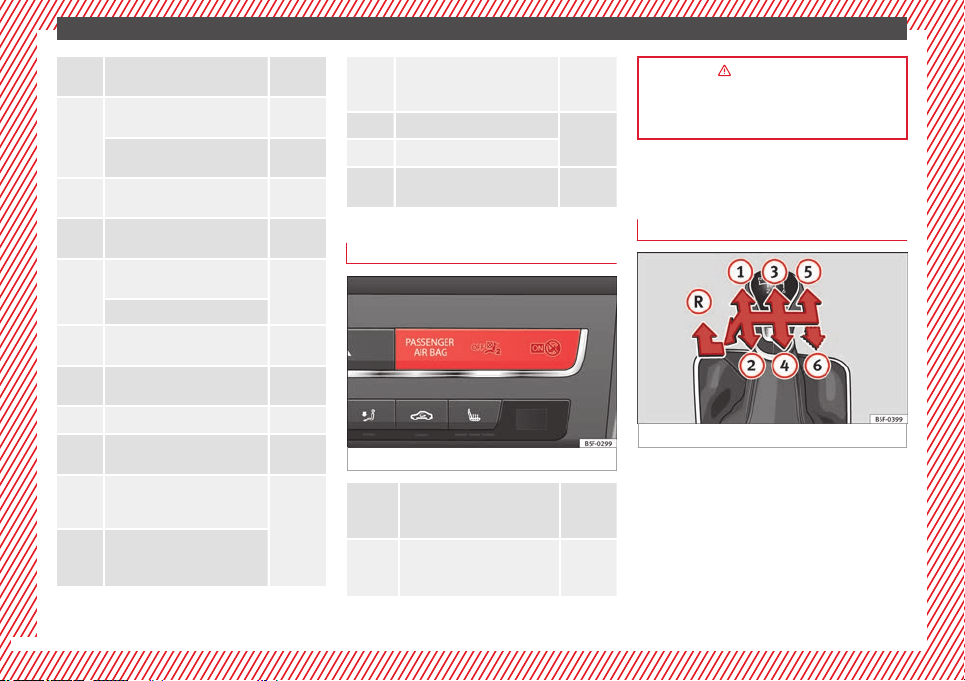
On the instrument panel screen
Fig. 35 See Fig. 3 for positioning
Do not continue driving!
With the corresponding indica-
tion: door(s), rear lid or bonnet
open or not properly closed.
››› page
82
››› page
89
››› page
198
Ignition:
Do not carry on driv-
ing! Engine coolant level too low,
coolant temperature too high
››› page
203
Flashing: Fault in the engine
coolant system.
Do not continue driving!
Engine oil pressure too low.
››› page
200
»
23
Technical specifications
AdviceOperationSafetyThe essentials
The essentials
Fault in the battery.
››› page
205
Driving light totally or partially
faulty.
››› page
233
Fault in the cornering light sys-
tem.
››› page
94
Diesel particulate filter blocked
››› page
141
Level of windscreen washer fluid
too low.
››› page
102
Flashing: Fault in the oil level de-
tection. Control manually.
››› page
200
Ignition: Insufficient engine oil.
Fault in the gearbox.
››› page
139
Light Assist on.
››› page
96
Immobiliser active.
Service interval display
››› page
80
Mobile telephone is connected
via Bluetooth to the original tele-
phone device.
››› Book-
let Radio
or
››› Book-
let Navi-
gation
system
Mobile telephone battery charge
meter. Available only for devices
pre-installed in factory.
Freezing warning. The outside
temperature is lower than +4°C
(+39°F).
››› page
74
Start-Stop system activated.
››› page
148
Start-Stop system unavailable.
Low consumption driving status
››› page
74
On the instrument panel
Fig. 36 See Fig. 3 for positioning
Front passenger front airbag is
disabled (
).
››› page
48
The front passenger front airbag
is activated (
).
››› page
48
››› in Control and warning lamps on
page 71
››› page 71
Gearbox lever
Manual gearbox
Fig. 37
The position of the gears is indicated on the
gearbox lever ››› Fig. 37
.
●
Pr
e
ss the clutch pedal and keep your foot
right down.
●
Move the gearbox lever to the required po-
sition.
●
Release the clutch.
24
The essentials
Selecting reverse gear
●
Press the clutch pedal and keep your foot
right down.
●
With the gearbox lever in neutral, push it
upwards, move it to the left as far as it will go
and then forwards to select reverse ››› Fig. 37
R
.
●
Release the clutch.
››› in Changing gears on page 132
››› page 132
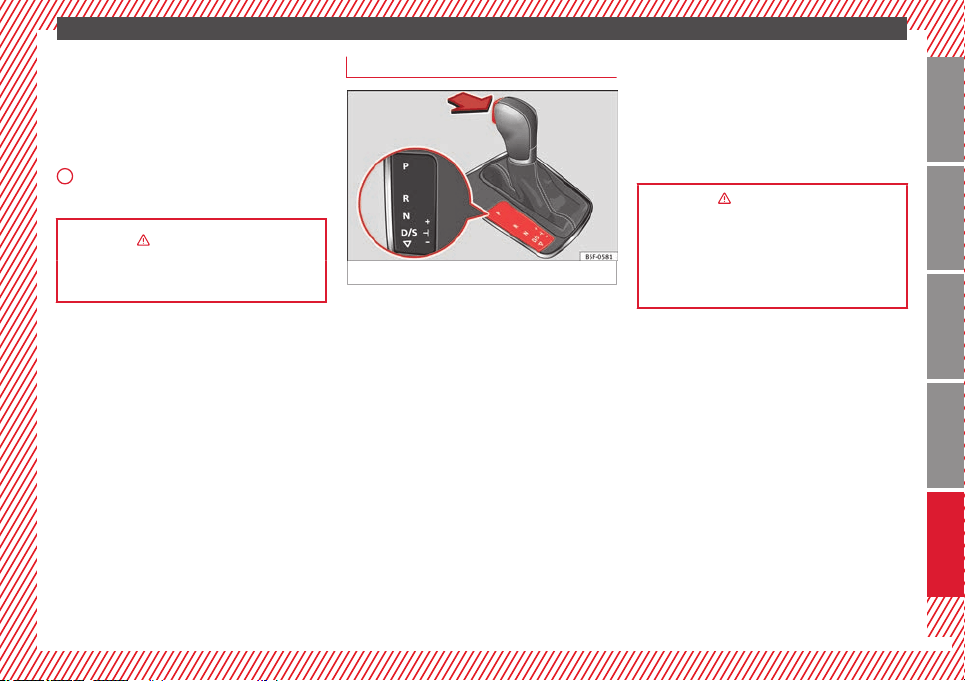
Automatic gearbox*
Fig. 38
Parking lockP
Reverse gear
Neutral (idling)
Drive (forward)
Tiptronic mode: pull the lever forwards
(
+
) to go up a gear or backwards (–
) to
go down a gear.
››› in Selector lever positions on
page 133
››› page 132
››› page 229
R
N
D/S
+/–
25
Technical specifications
AdviceOperationSafetyThe essentials
The essentials
Air conditioning
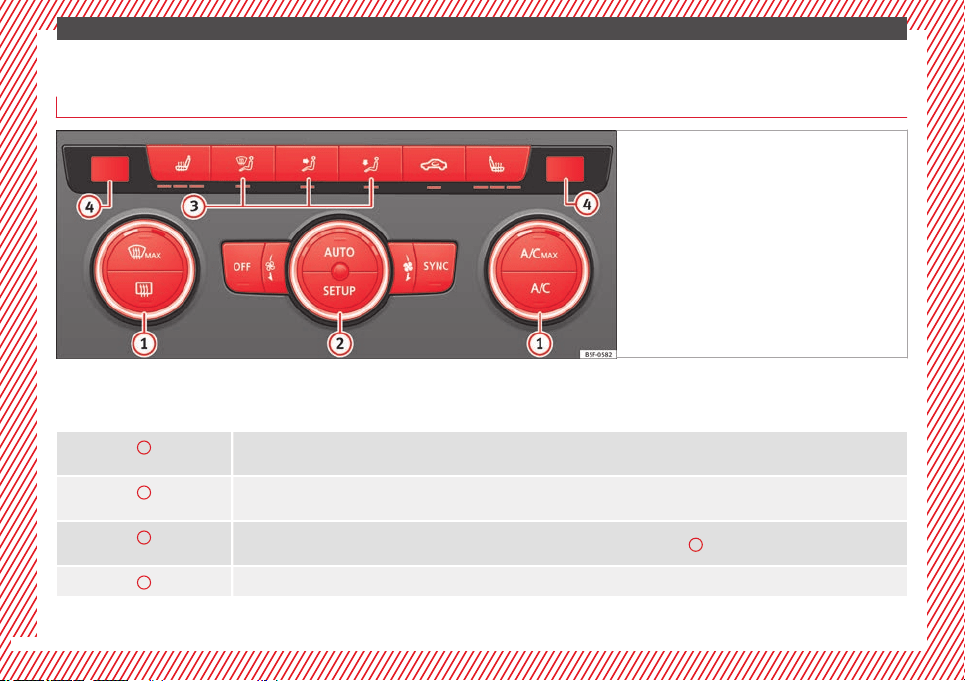
How does Climatronic* work?
Fig. 39 See Fig. 3 for positioning
To switch a specific function on, press the ap-
propriate button. Press the button again to
switch off the function.
The LED on each control lights up to indicate
that the respective function of a control has
been switched on.
1
Temperature
The left and right sides can be adjusted separately: Turn the control to adjust the temperature
2
Fan
The power of the fan is automatically adjusted. The fan is also adjusted manually by turning the control.
3
Air distribution
The airflow adjusts automatically for comfort. You can also switch it on manually using the buttons
3
.
4
Indications on the temperature display screen selected for the right and left sides.
26
The essentials
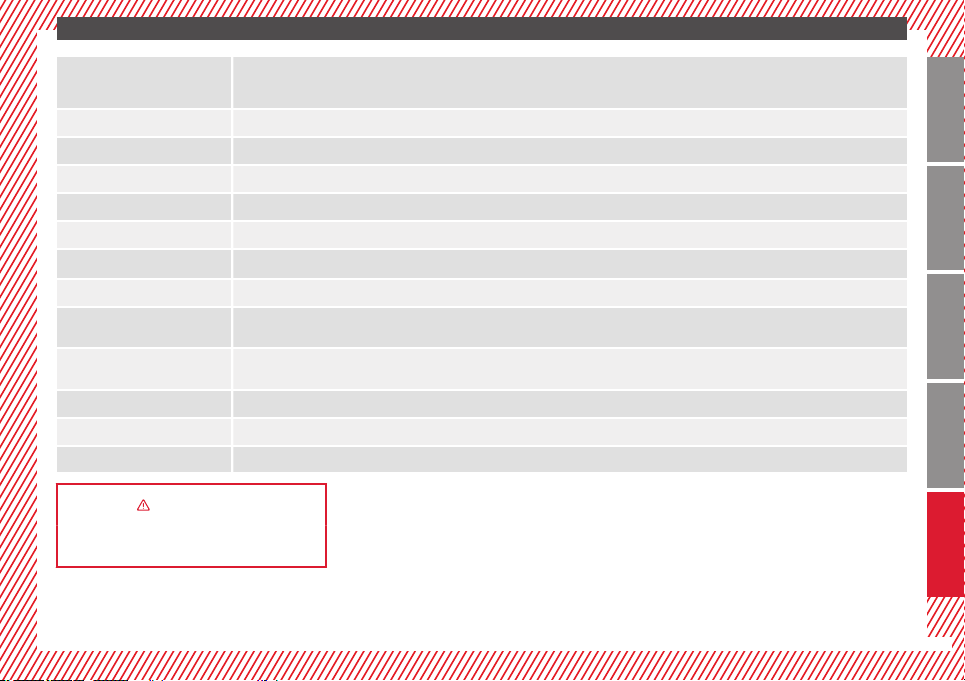
Defrost function
The air drawn in from outside the vehicle is directed at the windscreen and air recirculation is automatically switched off. To defrost the wind-
screen more quickly, the air is dehumidified at temperatures over approximately +3 °C (+38°F) and the fan runs at maximum output.
The air is directed at the chest of driver and passengers by the dash panel air vents.
Air distribution towards the footwell.
Upward air distribution.
Heated rear window: this only works when the engine is running and switches off automatically after a maximum of 10 minutes.
Air recirculation
Seat heating buttons
Press the button to switch on or off the cooling system.
Press the button to make maximum cooling capacity available. The recirculation of air and the cooling system turn on automatically and air distri-
bution adjusts automatically to the position
.
When the warning light for button
lights up, the settings on the driver side also apply to the passenger side. Press the button or the temper-
ature control on the passenger side
Automatic adjustment of temperature, fan, and air distribution. Press the button: the warning lamp on the button will light up
.
Press the configuration button
: the air conditioning operation menu will be displayed on the Easy Connect system screen.
Switching off
Turn the blower control to the
position or press the
button.
››› in Introduction on page 125
››› page 124
27
Technical specifications
AdviceOperationSafetyThe essentials
The essentials
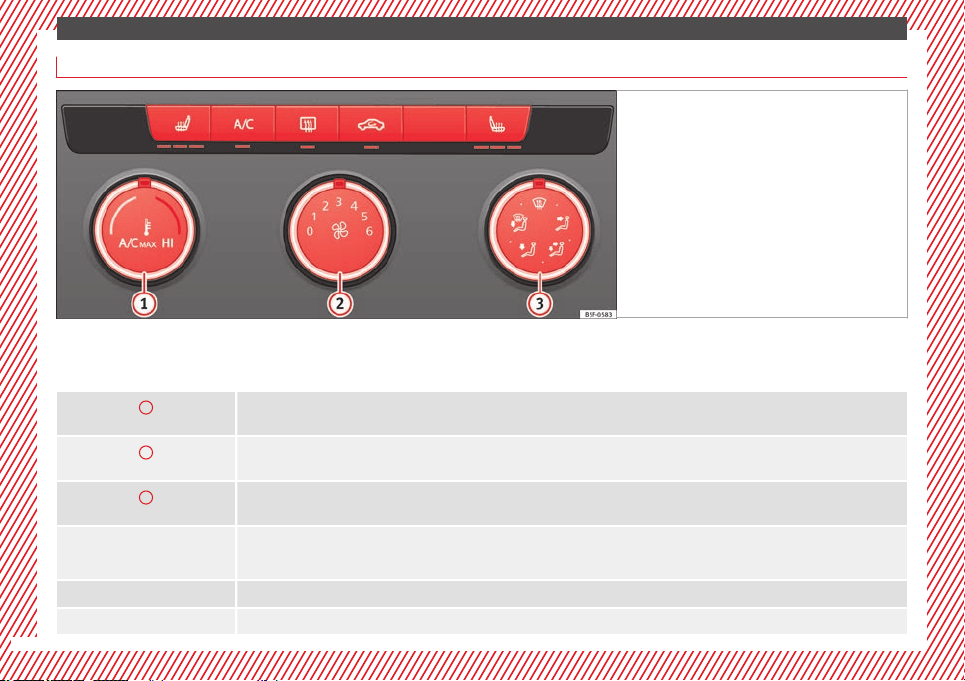
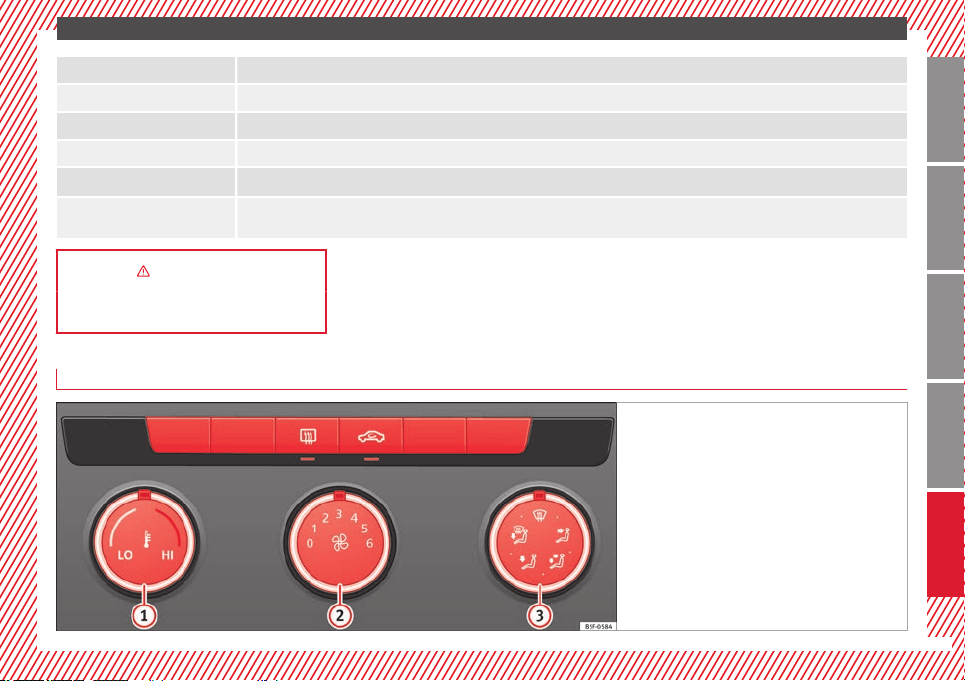
How does the manual air conditioning* work?
Fig. 40 See Fig. 3 for positioning
To switch a specific function on, press the ap-
propriate button. Press the button again to
switch off the function.
The LED on each control lights up to indicate
that the respective function of a control has
been switched on.
1
Temperature
Turn the control to adjust the temperature
2
Fan
Setting 0: blower and manual air conditioning switched off
Level 6: maximum fan level.
3
Air distribution
Rotate the continuous control to direct the airflow to the desired area.
Defrost function
The airflow is directed at the windscreen. Air recirculation is automatically switched off or is not switched on. Increase the fan power to clear the
windscreen of condensation as soon as possible. To dehumidify the air, the cooling system will automatically switch on.
The air is directed at the chest of driver and passengers by the dash panel air vents.
Distribution of air towards the chest and the footwell area.
28
The essentials
Air distribution towards the footwell.
Air distribution towards the windscreen and the footwell.
Heated rear window: this only works when the engine is running and switches off automatically after a maximum of 10 minutes.
Air recirculation
Seat heating buttons
Maximum cooling power. The recirculation of air and the cooling system turn on automatically and air distribution adjusts automatically to the
position
››› in Introduction on page 125
››› page 124
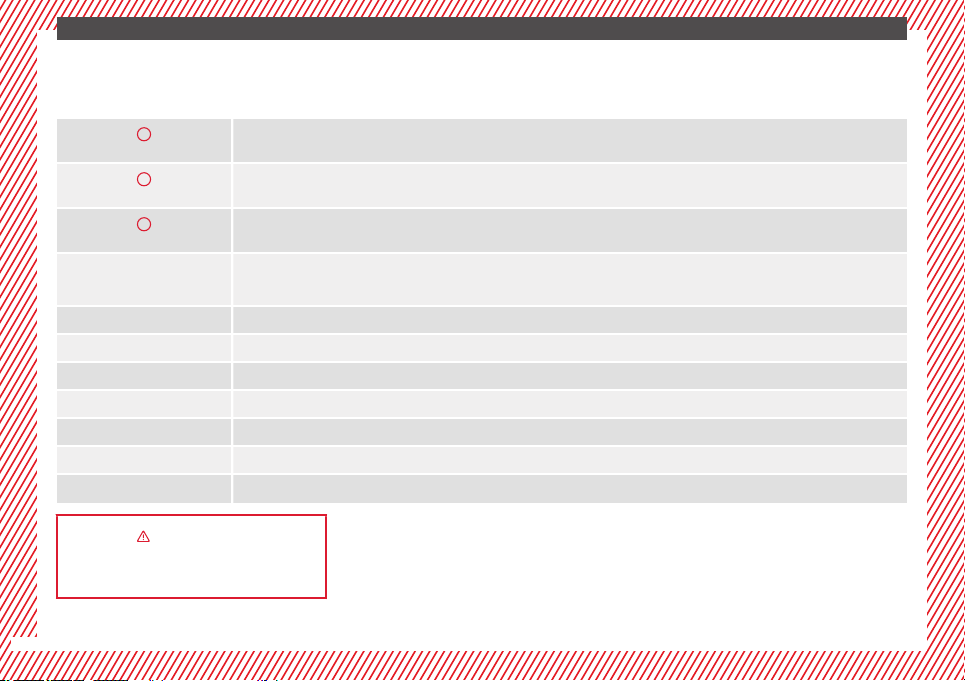
How does the heating and the fresh air system work?
Fig. 41 See Fig. 3 for positioning
»
29
Technical specifications
AdviceOperationSafetyThe essentials
The essentials
To switch a specific function on, press the ap-
propriate button. Press the button again to
switch off the function.
The LED on each control lights up to indicate
that the respective function of a control has
been switched on.
1
Temperature
Turn the control to adjust the temperature. The temperature cannot be lower than that of the exterior air temperature, as this system cannot cool
or dehumidify the air
2
Fan
Setting 0: blower, heating and fresh air systems switched off
Level 6: maximum fan level
3
Air distribution
Rotate the continuous control to direct the airflow to the desired area.
Defrost function
The airflow is directed at the windscreen.
The air is directed at the chest of driver and passengers by the dash panel air vents.
Distribution of air towards the chest and the footwell area.
Air distribution towards the footwell.
Air distribution towards the windscreen and the footwell.
Heated rear window: this only works when the engine is running and switches off automatically after a maximum of 10 minutes
Air recirculation ››› page 128
Seat heating buttons
››› in Introduction on page 125
››› page 124
30
The essentials
Level control
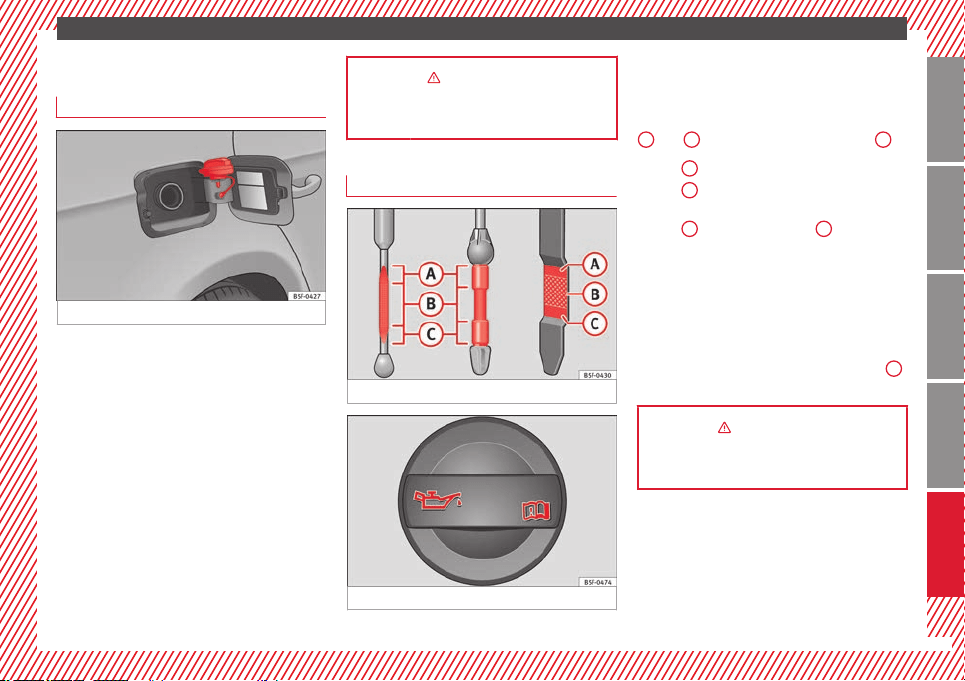
Fuel
Fig. 42
The flap that covers the tank cap is unlocked
and locked automatically using the central
locking.
Opening the fuel tank cap
●
Open the fuel tank flap by pressing on the
left side.
●
Unscrew the cap by turning it to the left.
●
Place it in the space on the hinge of the
open flap ››› Fig. 42
.
C
lo
sing the fuel tank cap
●
Unscrew the cap by turning it to the right as
far as it will go.
●
Close the lid.
››› in Filling the tank on page 193
››› page 193
Oil
Fig. 43
Fig. 44
The level is measured using the dipstick loca-
ted in the engine compartment
›››
page 198
.
The oi
l
should leave a mark between zones
A
and
C
. It should never exceed zone
A
.
●
Zone
A
: Do not add oil.
●
Zone
B
: You can add oil but keep the level
in that zone.
●
Zone
C
: Add oil up to zone
B
.
Topping up engine oil
●
Unscrew cap from oil filler opening.
●
Add oil slowly.
●
At the same time, check the level to ensure
you do not add too much.
●
When the oil level reaches at least zone
B
,
unscrew the engine oil filler cap carefully.
››› in Changing engine oil on page 202
››› page 200
31
Technical specifications
AdviceOperationSafetyThe essentials
The essentials
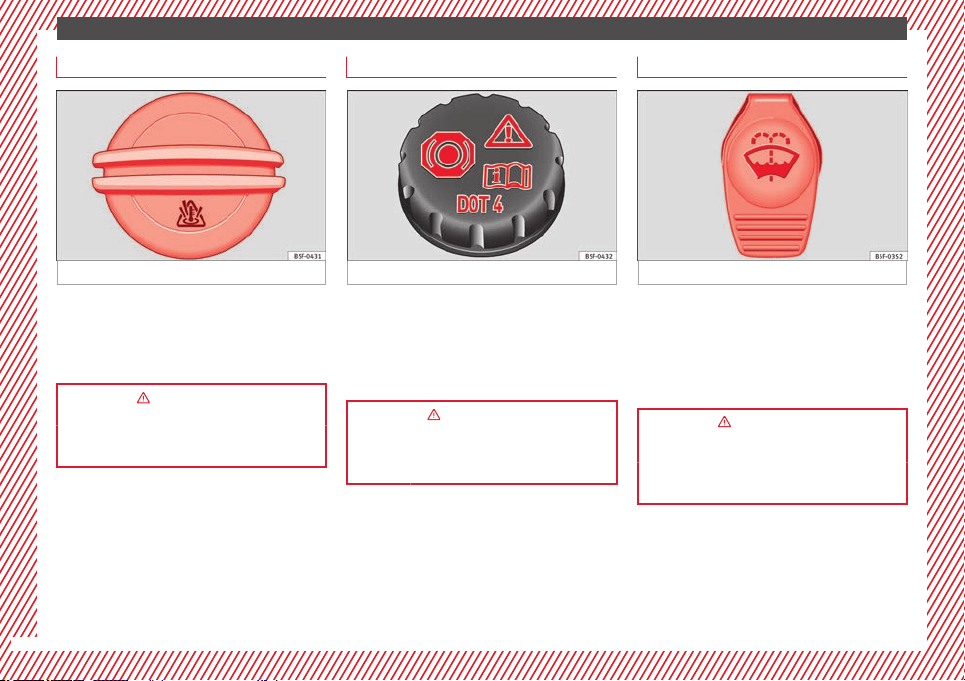
Coolant
Fig. 45
The coolant tank is located in the engine
compartment ›››
page 198
.
When the en
gine i
s cold, replace the coolant
when the level is below .
››› in Engine coolant specifications on
page 203
››› page 203
Brake fluid
Fig. 46
The brake fluid reservoir is located in the en-
gine compartment ›››
page 198.
The level should be between the and
marks. If it is below , please visit a Techni-
cal Service.
››› in Topping up the brake fluid on
page 204
››› page 204
Windscreen washer
Fig. 47
The windscreen washer reservoir is located in
the engine compartment ›››
page 198.
To top up, mix water with a product recom-
mended by SEAT.
In cold temperatures, add anti-freeze.
››› in Checking and topping up the
windscreen washer reservoir with water
on page 205
››› page 204
32
The essentials
Fuses
Fig. 48
Fig. 49
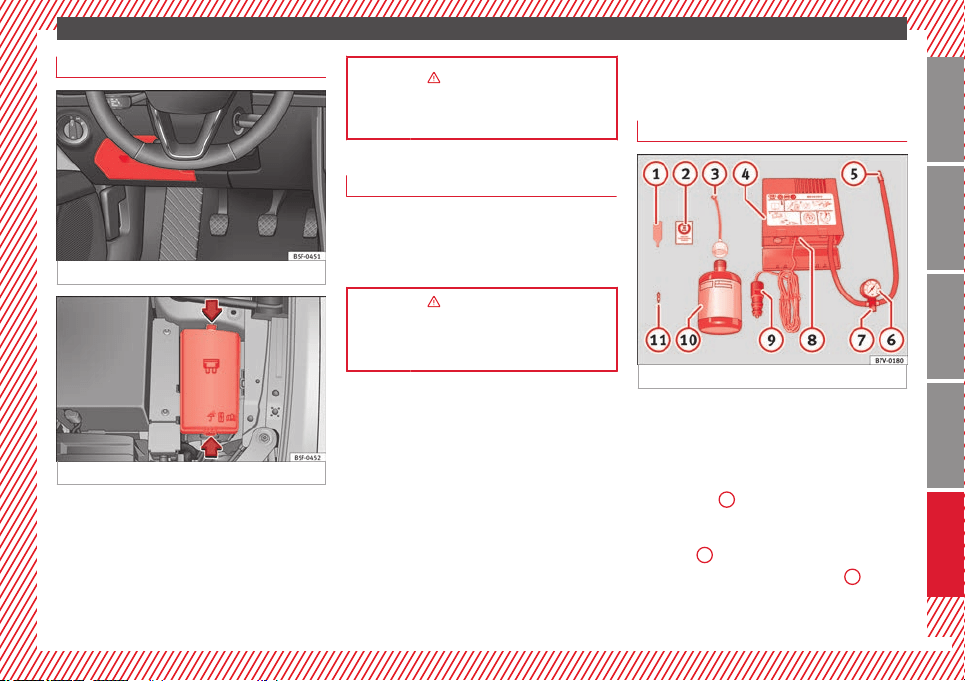
Underneath the instrument panel
The fuse box is located behind the storage
compartment ››› Fig. 48
.
In the en
gine c
ompartment
Press the locking tabs to release the fuse box
cover ››› Fig. 49.
››› in Introduction on page 231
››› page 231
Battery
The battery is located in the engine compart-
ment ›››
page 198. It does not require
maint
enance. It is checked as part of the In-
spection Service.
››› in Important safety warnings for
handling a vehicle battery on page 206
››› page 205
Action in the event of a
puncture
With anti-puncture kit
Fig. 50
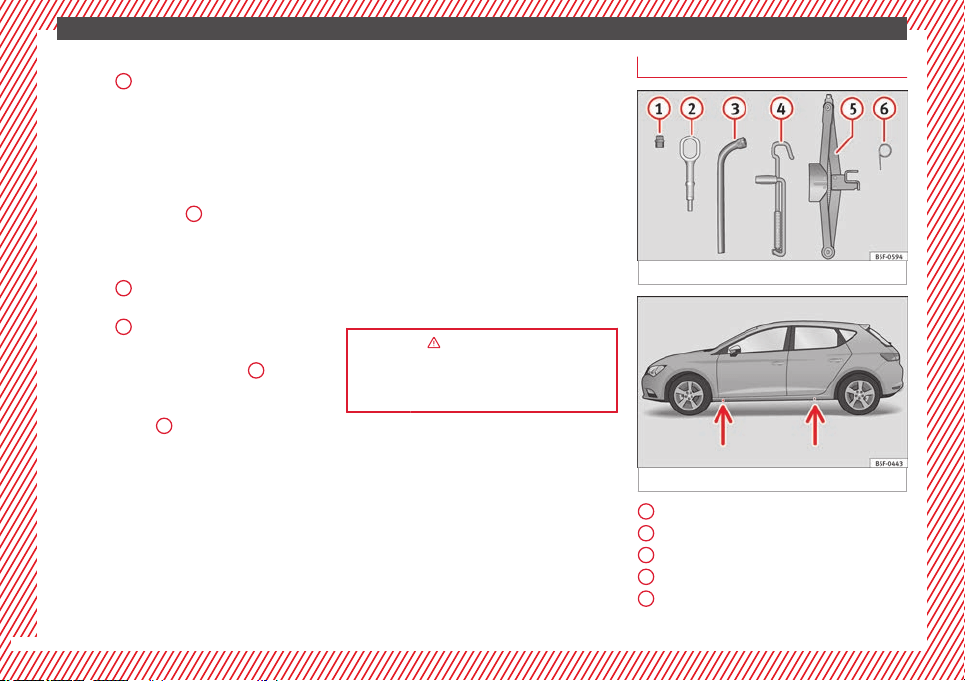
The anti-puncture kit is located under the
floor panel in the luggage compartment.
Sealing the tyre
●
Unscrew the tyre valve cap and insert. Use
the ››› Fig. 50
1
tool to remove the insert.
Place it on a clean surface.
●
Shake the tyre sealant bottle vigorously
››› Fig. 50
10
.
●
Screw the inflator tube ››› Fig. 50
3
into
the sealant bottle. The bottle's seal will break
automatically.
»
33
Technical specifications
AdviceOperationSafetyThe essentials
The essentials
●
Remove the lid from the filling tube
››› Fig. 50
3
and screw the open end of the
tube into the tyre valve.
●
With the tyre sealant bottle upside down,
fill the tyre with the contents of the sealant
bottle.
●
Remove the bottle from the valve.
●
Place the insert back into the tyre valve us-
ing the tool ››› Fig. 50
1
.
Inflating the tyre
●
Screw the compressor tyre inflator tube
››› Fig. 50
5
into the tyre valve.
●
Check that the air bleed screw is closed
››› Fig. 50
7
.
●
Start the engine and leave it running.
●
Insert the connector ››› Fig. 50
9
into the
vehicle's 12-volt socket ›››
page 113.
●
Turn the air compressor on with the ON/OFF
switch ››› Fig. 50
8
.
●
Keep the air compressor running until it
reaches 2.0 to 2.5 bar
(29-36 psi/200-250 kPa). a maximum of 8
minutes
.
●
Di
s
connect the air compressor.
●
If it does not reach the pressure indicated,
unscrew the tyre inflator tube from the valve.
●
Move the vehicle 10m so that the sealant is
distributed throughout the tyre.
●
Screw the compressor tyre inflator into the
valve.
●
Repeat the inflation process.
●
If the indicated pressure still cannot be
reached, the tyre is too badly damaged. Stop
and request assistance from an authorised
technician.
●
Disconnect the air compressor. Unscrew
the tyre inflator tube from the tyre valve.
●
When the tyre pressure is between 2.5 and
2.0 bars, continue driving without exceeding
80 km/h (50 mph).
●
Check the pressure again after 10 minutes
›››
page 222.
››› in TMS (Tyre Mobility System)* on
page 221
››› page 221
With spare wheel
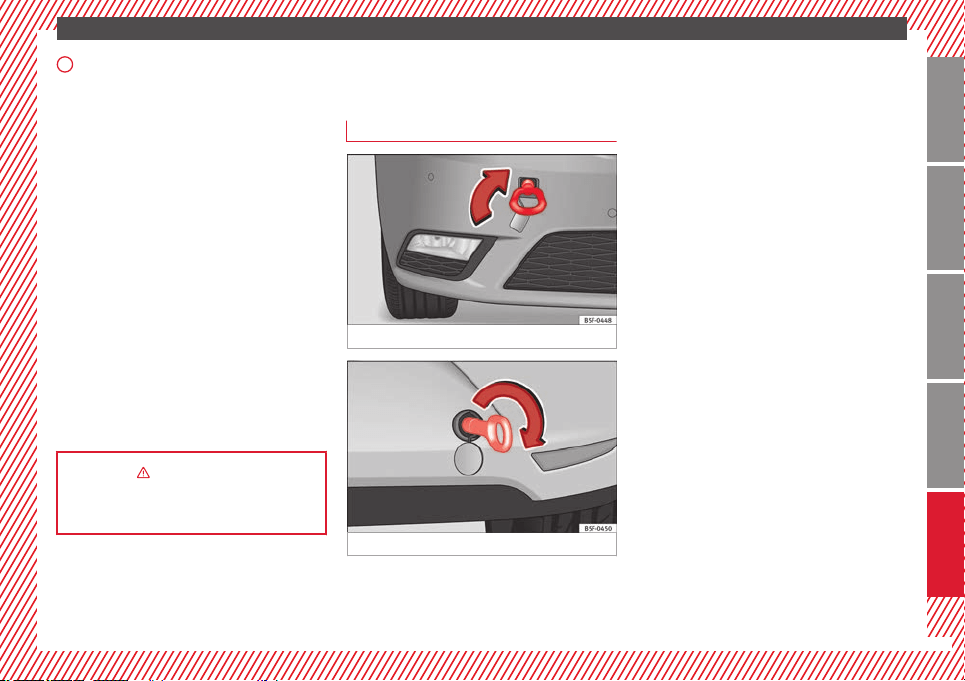
Fig. 51 See Fig. for positioning 2
Fig. 52 Jack anchor points
An adapter for the anti-theft wheel bolts*
Towline anchorage
Box spanner for wheel bolts*
Crank handle for jack
Jack*
1
2
3
4
5
34
The essentials
Wire hook for pulling off the wheel cov-
ers*/wheel bolt cap clip.
●
Take out the spare wheel and the tools that
are located under the floor panel in the lug-
gage compartment.
●
Take out the wheel cover or the bolt caps.
●
Loosen the bolts with the box spanner (1
turn to the left).
●
Mount the jack on the support points de-
signed for this purpose on the strut
››› Fig. 52
.
●
R
ai
se the vehicle, turning the jack until it is
slightly lifted off the ground.
●
Unscrew the bolts completely and remove
the punctured wheel.
●
Put the spare wheel in place. Screw on the
bolts and tighten them loosely with the box
spanner.
●
Lower the vehicle with the jack. Finish tight-
ening the bolts with the box spanner.
››› in What to do first on page 217
››› page 217
6
Emergency towing of the
vehicle
Towing
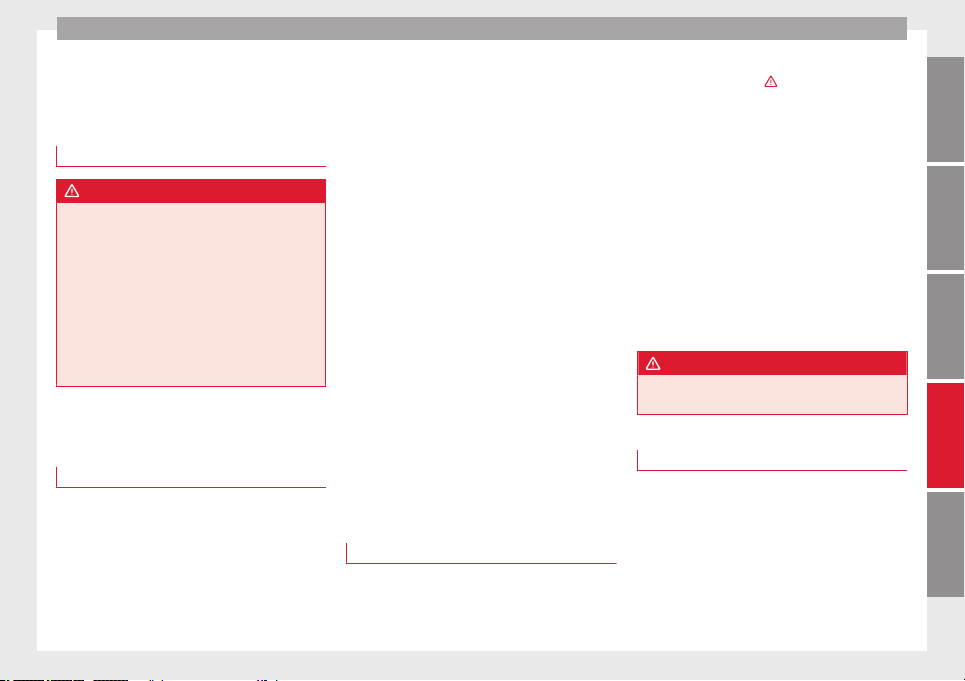
Fig. 53
Fig. 54
The towline anchorages are located under
the floor panel in the luggage compartment.
Switch on the ignition so that the turn sig-
nals, windscreen wipers and windscreen
washer can work. Ensure that the steering
wheel is unlocked and moves freely.
Place the gear lever in neutral on vehicles
with a manual gearbox. With an automatic
gearbox, place the lever in N.
To brake, press the brake pedal firmly. The
brake servo does not work when the engine
is switched off.
The power steering only works when the igni-
tion is switched on and the vehicle is moving,
provided that the battery is sufficiently charg-
ed. Otherwise, it will need more force.
Ensure that the tow rope remains taut at all
times.
Tow rope or tow bar
The tow bar offers increased safety and a
lower risk of damage.
The tow rope is recommended when there is
no tow bar. It must be elastic so that it does
not damage the vehicle.
Towline anchorages
Attach the bar or rope to the towline ancho-
rages.
It is located with the vehicle's tools
›››
page 220
.
»
35
Technical specifications
AdviceOperationSafetyThe essentials

Safe driving
Safety
Safe driving
Safety first!
WARNING
●
This manual contains important informa-
tion about the operation of the vehicle, both
for the driver and the passengers. The other
sections of the on-board documentation also
contain further information that you should
be aware of for your own safety and for the
safety of your passengers.
●
Ensure that the on-board documentation is
kept in the vehicle at all times. This is espe-
cially important when lending or selling the
vehicle to another person.
Advice about driving
Before starting every trip
For your own safety and the safety of your
passengers, always note the following points
before every trip:
–
Make sure that the vehicle's lights and turn
signals are working properly.
–
Check tyre pressure.
–
Ensure that all windows provide a clear and
good view of the surroundings.
–
Make sure all luggage is secured
››› page 114
.
–
M
ak
e sure that no objects can interfere
with the pedals.
–
Adjust front seat, head restraint and rear vi-
sion mirrors properly according to your
size.
–
Ensure that the passengers in the rear
seats always have the head restraints in
the in-use position ››› page 41.
–
Instruct passengers to adjust the head re-
straints according to their height.
–
Protect children with appropriate child
seats and properly applied seat belts
››› page 56.
–
Assume the correct sitting position. Instruct
your passengers also to assume a proper
sitting position. ››› page 38.
–
Fasten your seat belt securely. Instruct your
passengers also to fasten their seat belts
properly. ››› page 43.
What affects driving safety?
As a driver, you are responsible for yourself
and your passengers. When your concentra-
tion or driving safety is affected by any cir-
cumstance, you endanger yourself as well as
others on the road ›››
, for this reason:
–
Always pay attention to traffic and do not
get distracted by passengers or telephone
calls.
–
Never drive when your driving ability is im-
paired (e.g. by medication, alcohol, drugs).
–
Observe traffic laws and speed limits.
–
Always reduce your speed as appropriate
for road, traffic and weather conditions.
–
When travelling long distances, take
breaks regularly - at least every two hours.
–
If possible, avoid driving when you are tired
or stressed.
WARNING
When driving safety is impaired during a trip,
the risk of injury and accidents increases.
Safety equipment
Never put your safety or the safety of your
passengers in danger. In the event of an acci-
dent, the safety equipment may reduce the
risk of injury. The following list includes most
of the safety equipment in your SEAT:
●
Three-point seat belts
●
belt tension limiters for the front and rear
side seats,
»
37
Technical specifications
AdviceOperationSafetyThe essentials
Safety
●
Belt tensioners for the front seats
●
Front airbags
●
knee airbags,
●
Side airbags in the front seat backrests
●
Side airbags in the rear seat backrests*
●
Head-protection airbags
●
“ISOFIX” anchor points for child seats in
the rear side seats with the “ISOFIX” system,
●
Height-adjustable front head restraints
●
Rear head restraints with in-use position
and non-use position
●
Adjustable steering column
The safety equipment mentioned above
works together to provide you and your pas-
sengers with the best possible protection in
the event of an accident. However, these
safety systems can only be effective if you
and your passengers are sitting in a correct
position and use this equipment properly.
Safety is everyone's business!
Sitting position for vehicle
occupants
Correct sitting position for driver
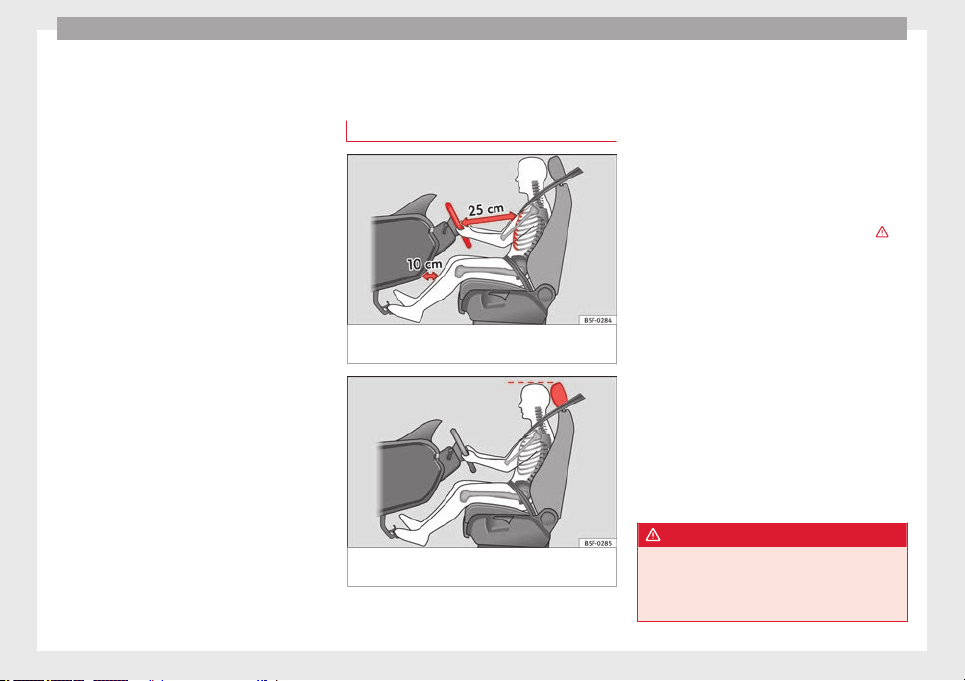
Fig. 55 The proper distance between driver
and steering wheel
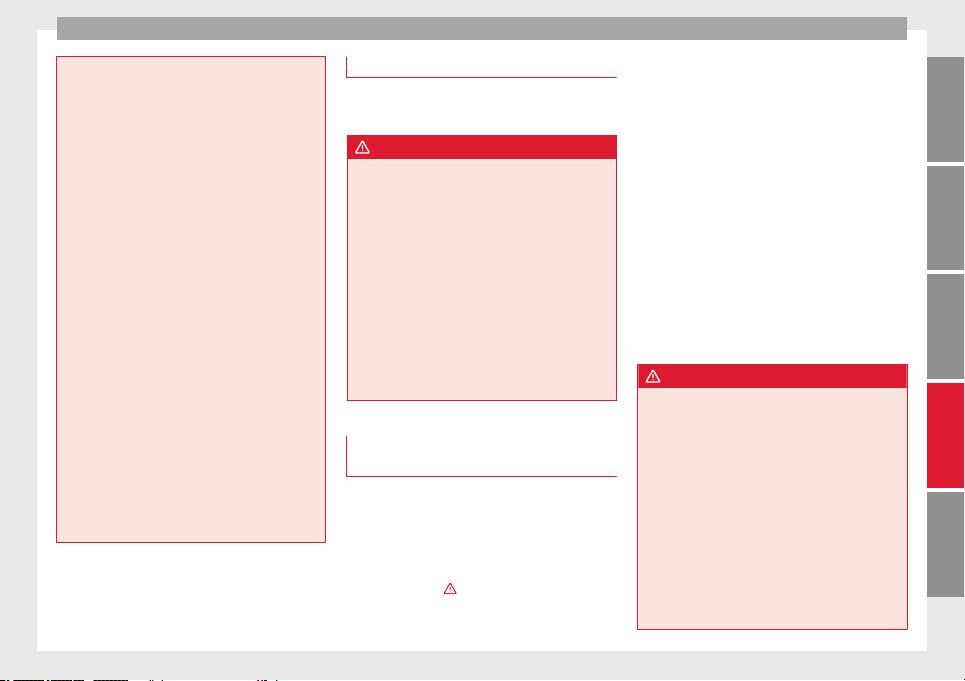
Fig. 56 Correct head restraint position for the
driver.
For your own safety and to reduce the risk of
injury in the event of an accident, we recom-
mend the following adjustments for the driv-
er:
–
Adjust the steering wheel so that there is a
distance of at least 25 cm between the
steering wheel and the centre of your chest
››› Fig. 55
.
–
Mo
v
e the driver seat forwards or backwards
so that you are able to press the accelera-
tor, brake and clutch pedals to the floor
with your knees still slightly angled ›››
.
–
Ensure that you can reach the highest point
of the steering wheel.
–
Adjust the head restraint so that its upper
edge is at the same level as the top of your
head, or as close as possible to the same
level as the top of your head ››› Fig. 56
.
–
Mo
v
e the seat backrest to an upright posi-
tion so that your back rests completely
against it.
–
Fasten your seat belt securely ››› page 43.
–
Keep both feet in the footwell so that you
have the vehicle under control at all times.
Adjustment of the driver seat ››› page 106.
WARNING
●
An incorrect sitting position of the driver
can lead to severe injuries.
●
Adjust the driver seat so that there is at
least 25 cm distance between the centre of
38
Safe driving
the chest and the centre of the steering
wheel ››› Fig. 55. If you are sitting closer than
25 cm, the airb
ag system cannot protect you
properly.
●
If your physical constitution prevents you
from maintaining the minimum distance of 25
cm, contact a specialised workshop. The
workshop will help you decide if special spe-
cific modifications are necessary.
●
When driving, always hold the steering
wheel with both hands on the outside of the
ring at the 9 o'clock and 3 o'clock positions.
This reduces the risk of injury when the driver
airbag is triggered.
●
Never hold the steering wheel at the 12
o'clock position, or in any other manner (e.g.
in the centre of the steering wheel). In such
cases, if the airbag is triggered, you may sus-
tain injuries to the arms, hands and head.
●
To reduce the risk of injury to the driver
during sudden braking manoeuvres or an ac-
cident, never drive with the backrest tilted far
back! The airbag system and seat belts can
only provide optimal protection when the
backrest is in an upright position and the
driver is wearing his or her seat belt correct-
ly.
●
Adjust the head restraint properly to ach-
ieve optimal protection.
Adjusting the steering wheel position
Read the additional information carefully
›››
page 14.
WARNING
●
Never adjust the position of the steering
wheel when the vehicle is moving, as this
could cause an accident.
●
Move the lever up firmly so the steering
wheel position does not accidentally change
during driving. risk of accident!
●
Make sure you are capable of reaching and
firmly holding the upper part of the steering
wheel: risk of accident!
●
If you adjust the steering wheel so that it
points towards your face, the driver airbag
will not protect you properly in the event of
an accident. Make sure that the steering
wheel points towards your chest.
Correct sitting position for front
passenger
For your own safety and to reduce the risk of
injury in the event of an accident, we recom-
mend the following adjustments for the front
passenger:
–
Move the front passenger seat back as far
as possible
›››
.
–
Move the seat backrest to an upright posi-
tion so that your back rests completely
against it.
–
Adjust the head restraint so that its upper
edge is at the same level as the top of your
head, or as close as possible to the same
level as the top of your head ››› page 41.
–
Always keep both feet in the footwell in
front of the front passenger seat.
–
Fasten your seat belt securely ››› page 43.
It is possible to deactivate the front passen-
ger airbag in
exceptional circumstances
›
›
› page 54.
Adjusting the front passenger seat
››› page 106.
WARNING
●
An incorrect sitting position of the front
passenger can lead to severe injuries.
●
Adjust the front passenger seat so that
there is at least 25 cm between your chest
and the dash panel. If you are sitting closer
than 25 cm, the airbag system cannot protect
you properly.
●
If your physical constitution prevents you
from maintaining the minimum distance of 25
cm, contact a specialised workshop. The
workshop will help you decide if special spe-
cific modifications are necessary.
●
Always keep your feet in the footwell when
the vehicle is moving; never rest them on the
»
39
Technical specifications
AdviceOperationSafetyThe essentials

Safety
dash panel, out the window or on the seat. An
incorrect sitting position exposes you to an
increased risk of injury in case of a sudden
braking or an accident. If the airbag is trig-
gered, you could sustain severe injuries due
to an incorrect sitting position.
●
To reduce the risk of injury to the front pas-
senger in events such as sudden braking ma-
noeuvres or an accident, never travel with the
backrest tilted far back! The airbag system
and seat belts can only provide optimal pro-
tection when the backrest is in an upright po-
sition and the front passenger is wearing his
or her seat belt properly. The further the seat
backrests are tilted to the rear, the greater
the risk of injury due to incorrect positioning
of the belt web or to the incorrect sitting po-
sition!
●
Adjust the head restraint correctly in order
to achieve maximum protection.
Correct sitting position for passengers
in the rear seats
To reduce the risk of injury in the event of a
sudden braking manoeuvre or an accident,
passengers on the rear seat bench must con-
sider the following:
–
Sit up straight.
–
Adjust the head restraint to the correct po-
sition ››› page 41
.
–
A
lw
ays keep both feet in the footwell in
front of the rear seat.
–
Fasten your seat belt securely ››› page 43.
–
Use an appropriate child restraint system
when you take children in the vehicle
››› page 56.
WARNING
●
If the passengers in the rear seats are not
sitting properly, they could sustain severe in-
juries.
●
Adjust the head restraint correctly in order
to achieve maximum protection.
●
Seat belts can only provide optimal protec-
tion when seat backrests are in an upright
position and the vehicle occupants are wear-
ing their seat belts correctly. If passengers In
the rear seats are not sitting in an upright po-
sition, the risk of injury due to incorrect posi-
tioning of the seat belt increases.
Examples of incorrect sitting
positions
Seat belts can provide optimal protection on-
ly when the belt webs are properly posi-
tioned. Incorrect sitting positions substan-
tially reduce the protective function of seat
belts and increase the risk of injury due to in-
correct seat belt position. As the driver, you
are responsible for all passengers, especially
children.
–
Never allow anyone to assume an incorrect
sitting position in the vehicle while travel-
ling ››› .
The following list contains examples of sit-
ting positions that could be dangerous for all
vehicle occupants. The list is not complete,
but we would like to make you aware of this
issue.
Therefore, whenever the vehicle is in motion:
●
Never stand in the vehicle.
●
Never stand on the seats.
●
Never kneel on the seats.
●
Never tilt your seat backrest far to the rear.
●
Never lean against the dash panel.
●
Never lie on the rear bench.
●
Never sit on the front edge of a seat.
●
Never sit sideways.
●
Never lean out of a window.
●
Never put your feet out of a window.
●
Never put your feet on the dash panel.
●
Never put your feet on the surface of a seat.
●
Do not allow anyone to travel in the foot-
well.
●
Never travel without wearing the seat belt.
●
Do not allow anyone to travel in the lug-
gage compartment.
40
Safe driving
WARNING
●
Any incorrect sitting position increases the
risk of severe injuries. Sitting in an incorrect
position exposes the vehicle occupants to se-
vere injuries if airbags are triggered, by strik-
ing a vehicle occupant who has assumed an
incorrect sitting position.
●
Before the vehicle moves, assume the prop-
er sitting position and maintain it throughout
the trip. Before every trip, instruct your pas-
sengers to sit properly and to stay in this po-
sition during the trip ››› page 38, Sitting posi-
tion for vehicle occupants.
Correct adjustment of front head
restraints
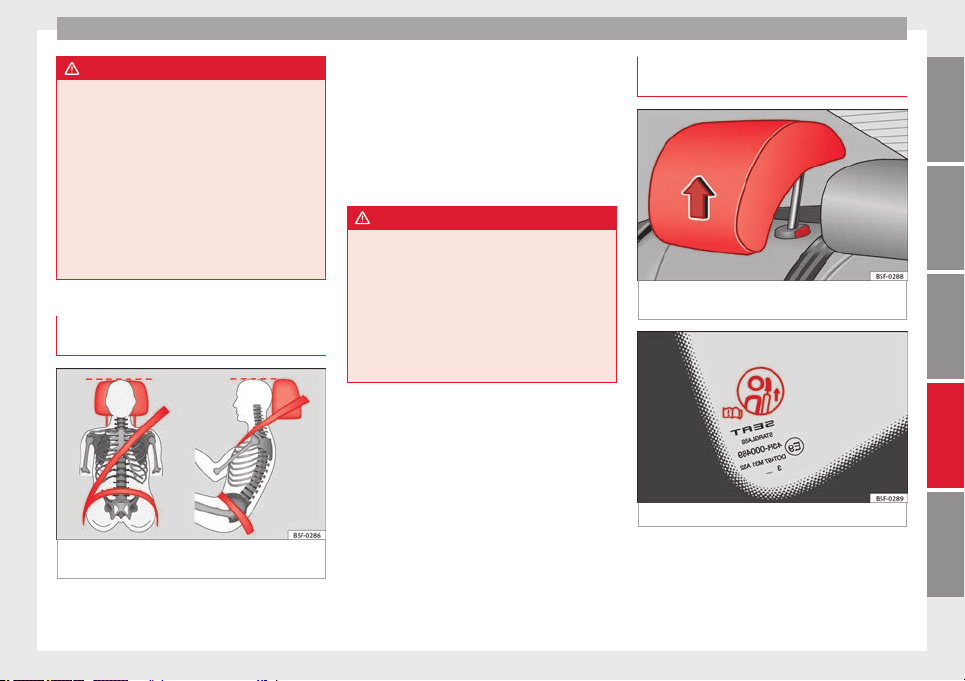
Fig. 57 Correctly adjusted head restraint as
viewed from the front and the side.
Properly adjusted head restraints are an im-
portant part of passenger protection and can
reduce the risk of injuries in most accident
situations.
–
Adjust the head restraint so that its upper
edge is, as far as possible, at the same lev-
el as the top of your head, or at the very
least, at eye level ››› Fig. 57
.
Adju
s
ting the head restraints ›››
page 12
WARNING
●
Travelling with the head restraints removed
or improperly adjusted increases the risk of
severe injuries. An improper adjustment of
the head restraints may cause death in an ac-
cident and increase the risk of suffering inju-
ries during abrupt braking actions or unex-
pected manoeuvres.
●
The head restraints must always be adjus-
ted according to the height of the passenger.
Correct adjustment of rear head
restraints
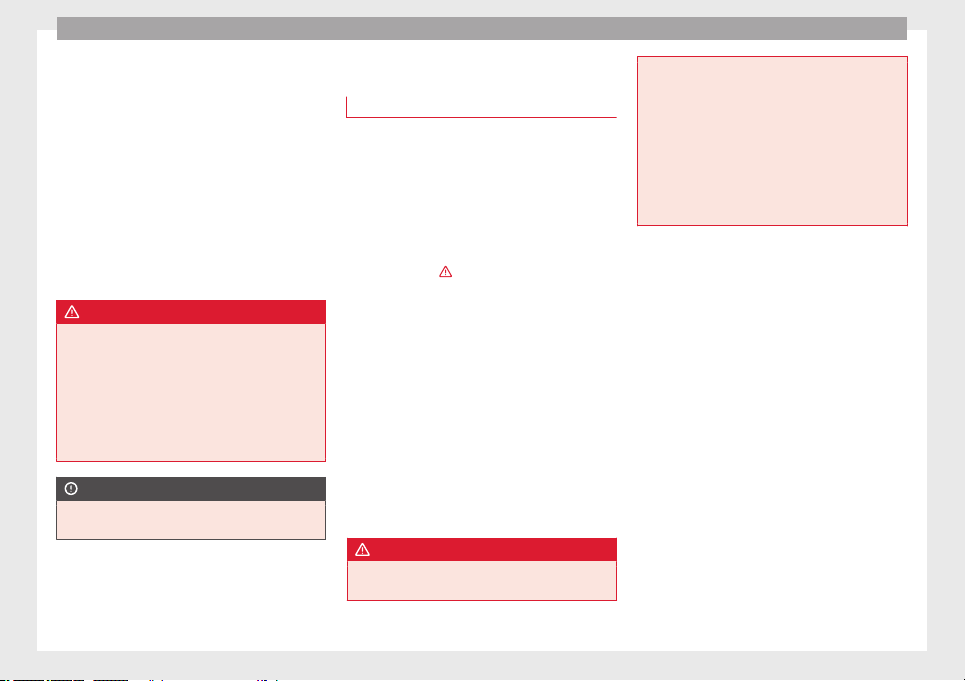
Fig. 58 Head restraints in the correct posi-
tion.
Fig. 59 Head restraint position warning label.
Properly adjusted head restraints are an im-
portant part of the passenger protection and
can reduce the risk of injuries in most acci-
dent situations
»
41
Technical specifications
AdviceOperationSafetyThe essentials
Safety
Rear head restraints
–
The rear head restraints have 2 positions:
use
and
non-use
.
–
One position for use (head restraint raised)
››› Fig. 58. In this position, the head re-
straints are used normally, protecting pas-
sengers along with the rear seat belts.
–
And one position for non-use (head re-
straint lowered).
–
To fit the head restraints in position for use,
pull on the edges with both hands in the
direction of the arrow.
WARNING
●
Under no circumstances should the rear
passengers travel while the head restraints
are in the non-use position. See the warning
label located on the rear side fixed window
››› Fig. 59.
●
Do not sw
ap the centre rear head restraint
with either of the outer seat rear head re-
straints. Risk of injury in case of an accident!
CAUTION
Note the instructions on the adjustment of
the head restraints ››› page 107.
Pedal area
Pedals
–
Ensure that you can always press the accel-
erator, brake and clutch pedals unimpaired
to the floor.
–
Ensure that the pedals can return unim-
paired to their initial positions.
–
Ensure that the floor mats are securely fas-
tened during the trip and do not obstruct
the pedals
›››
.
Only use floor mats which leave the pedal
area free and can be secured to prevent them
from slipping. You can obtain suitable floor
mats from a specialised dealership. Fasten-
ers* for floor mats are fitted in the footwells.
If a brake circuit fails, the brake pedal must
be pressed down thoroughly in order to stop
the vehicle.
Wearing suitable shoes
Always wear shoes which support your feet
properly and give you a good feeling for the
pedals.
WARNING
●
Restricting pedal operation can lead to crit-
ical situations while driving.
●
Never lay or fit floor mats or other floor cov-
erings over the original floor mats. This
would reduce the pedal area and could ob-
struct the pedals. Risk of accident.
●
Never place objects in the driver footwell.
An object could move into the pedal area and
impair pedal operation. In the event of a sud-
den driving or braking manoeuvre, you will
not be able to operate the brake, clutch or ac-
celerator pedal. Risk of accident!
42
Seat belts
Seat belts
The reasons why we should
wear seat belts
Number of seats
Your vehicle has five seats, two in the front
and three in the r
ear. Each seat is equipped
with a three-point seat belt.
In some versions, your vehicle is approved
only for four seats. Two front seats and two
re
ar seats.
WARNING
●
Never transport more than the permitted
amount of people in your vehicle.
●
Every vehicle occupant must properly fas-
ten and wear the seat belt belonging to his or
her seat. Children must be protected with an
appropriate child restraint system.
Seat belt warning lamp*
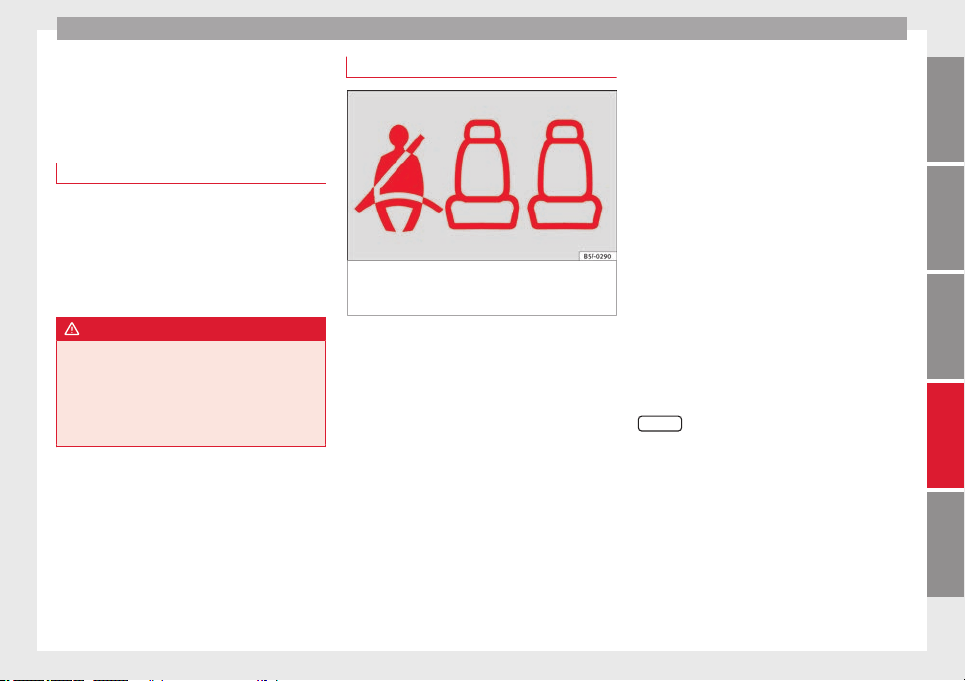
Fig. 60 Instrument panel: right rear seat oc-
cupied and corresponding seat belt fastened
display.
The control lamp illuminates to remind the
driver to fasten his seat belt.
Before starting the vehicle:
–
Fasten your seat belt securely.
–
Instruct your passengers to fasten their
seat belts properly before driving off.
–
Protect children by using a child seat ac-
cording to the child's height and weight.
When the ignition is switched on, the control
lamp in the instrument panel lights up (de-
pending on the model version) if the driver or
passenger have not fastened their seat belts.
An audible warning signal will sound for a
few seconds if the seat belts are not fastened
as the vehicle drives off and reaches a speed
of more than approximately 25 km/h
(15 mph) or if the seat belts are unfastened
while the vehicle is in motion. The warning
light will also flash .
The
l
amp goes out when the driver and
p
assenger seat belts are fastened with the ig-
nition switched on.
Rear seat belts fastened display.*
Depending on the model version, when the
ignition is switched on, the seat belt status
display ››› Fig. 60 on the instrument panel in-
forms the driver whether the passengers in
the rear seats have fastened their seat belts.
The symbol indicates that the passenger in
this seat has fastened “his or her” seat belt.
When a seat belt in the rear seats is fastened
or unfastened, the seat belt status is dis-
played for approximately 30 seconds. The in-
dication can be hidden by pressing the
0.0/SET
button on the dash panel.
The seat belt status flashes for a maximum of
30 seconds when a seat belt in the rear seats
is unfastened while the vehicle is in motion.
An audible warning will also be heard if the
vehicle is travelling at over 25 km/h
(15 mph).
43
Technical specifications
AdviceOperationSafetyThe essentials
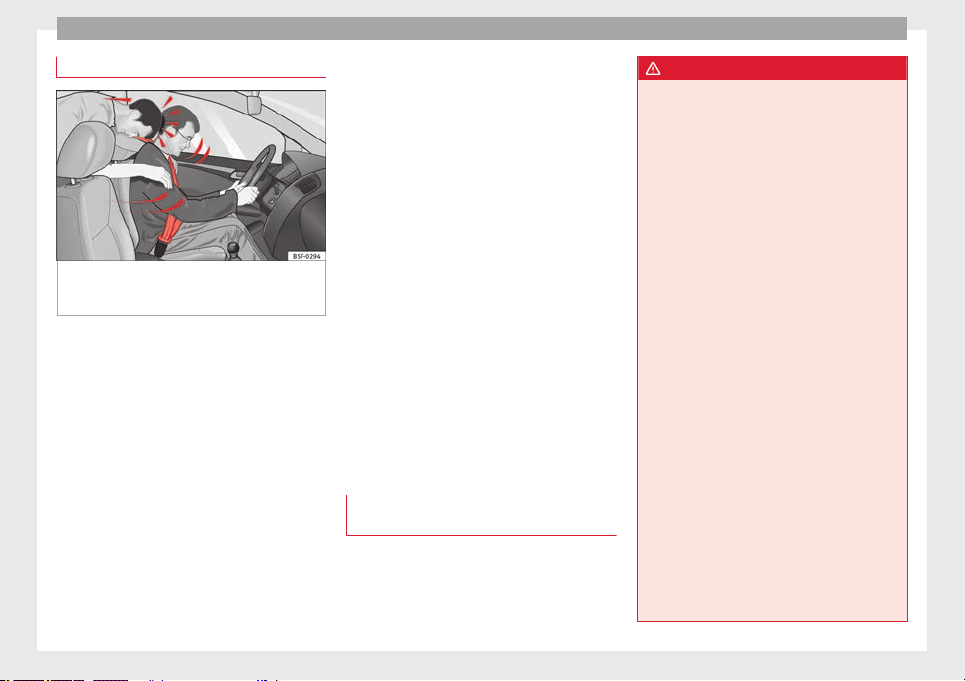
Safety
Seat belt protection
Fig. 61 Drivers with properly worn seat belts
will not be thrown forward in the event of sud-
den braking
Properly worn seat belts hold the occupants
in the proper position. They also help prevent
uncontrolled movements that may result in
serious injury and reduce the risk of being
thrown out of the vehicle in case of an acci-
dent.
Vehicle occupants wearing their seat belts
correctly benefit greatly from the ability of the
belts to absorb kinetic energy. In addition,
the front part of your vehicle and other pas-
sive safety features (such as the airbag sys-
tem) are designed to absorb the kinetic ener-
gy released in a collision. Taken together, all
these features reduce the releasing kinetic
energy and consequently, the risk of injury.
This is why it is so important to fasten seat
belts before every trip, even when "just driv-
ing around the corner".
Ensure that your passengers wear their seat
belts as well. Accident statistics have shown
that wearing seat belts is an effective means
of substantially reducing the risk of injury
and improving the chances of survival when
involved in a serious accident. Furthermore,
properly worn seat belts improve the protec-
tion provided by airbags in the event of an
accident. For this reason, wearing a seat belt
is required by law in most countries.
Although your vehicle is equipped with air-
bags, the seat belts must be fastened and
worn. The front airbags, for example, are only
triggered in some cases of head-on collision.
The front airbags will not be triggered during
minor frontal or side collisions, rear-end colli-
sions, rollovers or accidents in which the air-
bag trigger threshold value in the control unit
is not exceeded.
Therefore, you should always wear your seat
belt and ensure that all vehicle occupants
have fastened their seat belts properly before
you drive off!
Safety instructions on using seat
belts
–
Always wear the seat belt as described in
this section.
–
Ensure that the seat belts can be fastened
at all times and are not damaged.
WARNING
●
If seat belts are worn incorrectly or not at
all, the risk of severe injuries increases. The
optimal protection from seat belts can be
achieved only if you use them properly.
●
Fasten your seat belt before every trip -
even when driving in town. Other vehicle oc-
cupants must also wear the seat belts at all
times, otherwise they run the risk of being in-
jured.
●
The seat belt cannot offer its full protection
if the seat belt is not positioned correctly.
●
Never allow two passengers (even children)
to share the same seat belt.
●
Always keep both feet in the footwell in
front of your seat as long as the vehicle is in
motion.
●
Never unbuckle a seat belt while the vehi-
cle is in motion. Risk of fatal injury.
●
The seat belt must never be twisted while it
is being worn.
●
The seat belt should never lie on hard or
fragile objects (such as glasses or pens, etc.)
because this can cause injuries.
●
Do not allow the seat belt to be damaged or
jammed, or to rub on any sharp edges.
●
Never wear the seat belt under the arm or
in any other incorrect position.
●
Loose, bulky clothing (such as an overcoat
over a jacket) impairs the proper fit and func-
tion of the seat belts, reducing their capacity
to protect.
44
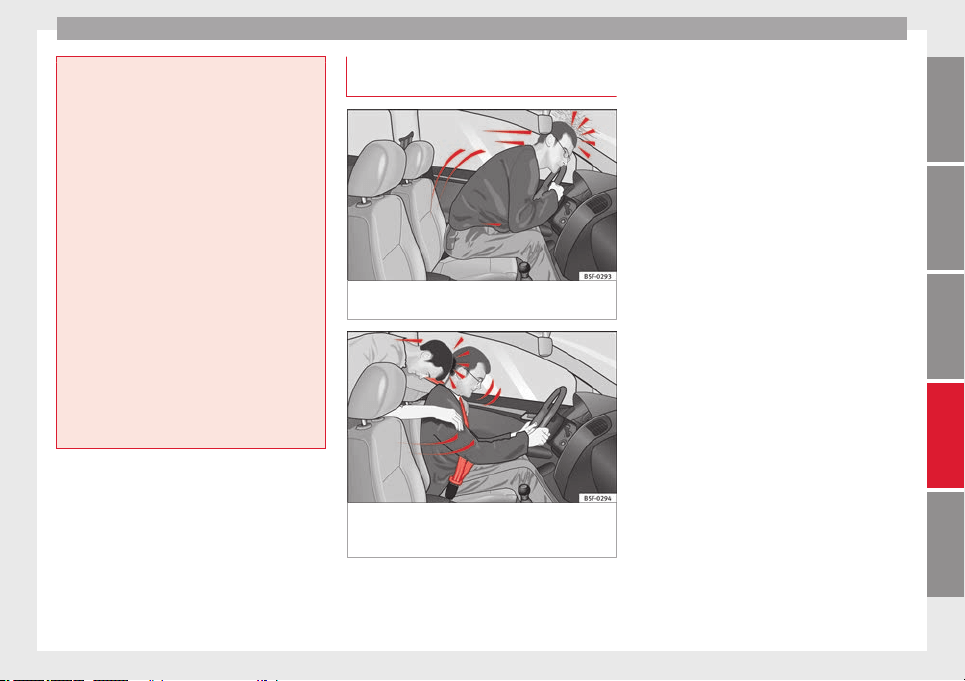
Seat belts
●
The slot in the seat belt buckle must not be
blocked with paper or other objects, as this
can prevent the latch plate from engaging se-
curely.
●
Never use seat belt clips, fastening rings or
similar items to alter the position of the belt
webbing.
●
Frayed or torn seat belts or damage to the
connections, belt retractors or parts of the
buckle could cause severe injuries in the
event of an accident. Therefore, you must
check the condition of all seat belts at regular
intervals.
●
Seat belts which have been worn in an acci-
dent and stretched must be replaced by a
specialised workshop. Renewal may be nec-
essary even if there is no apparent damage.
The belt anchorage should also be checked.
●
Do not attempt to repair a damaged seat
belt yourself. The seat belts must not be re-
moved or modified in any way.
●
The belts must be kept clean, otherwise the
retractors may not work properly.
Head-on collisions and the laws of
physics
Fig. 62 A driver not wearing a seat belt is
thrown forward violently
Fig. 63 The unbelted passenger in the rear
seat is thrown forward violently, hitting the
driver who is wearing a seat belt.
It is easy to explain how the laws of physics
work in the case of a head-on collision: when
a vehicle starts moving, a type of energy
called “kinetic energy” is created both in the
passengers and inside the vehicle.
The amount of “kinetic energy” depends on
the speed of the vehicle and the weight of
the vehicle and its passengers. The higher
they are, the more energy there is to be “ab-
sorbed” in the event of an accident.
The most significant factor, however, is the
speed of the vehicle. If the speed doubles
from 25 km/h (15 mph) to 50 km/h
(30 mph), for example, the corresponding ki-
netic energy is multiplied by four.
Given that the passengers of the vehicle in
our example do not have their seat belts fas-
tened, in the event of a collision the entire
amount of the passengers' kinetic energy will
be only absorbed by the mentioned impact.
Even at speeds of 30 km/h (19 mph) to
50 km/h (30 mph), the forces acting on bod-
ies in a collision can easily exceed one tonne
(1000 kg). At greater speed these forces are
even higher.
Vehicle occupants not wearing seat belts are
not “attached” to the vehicle. In a head-on
collision, they will move forward at the same
speed their vehicle was travelling just before
the impact. This example applies not only to
head-on collisions, but to all accidents and
collisions.
Even at low speeds the forces acting on the
body in a collision are so great that it is not
»
45
Technical specifications
AdviceOperationSafetyThe essentials
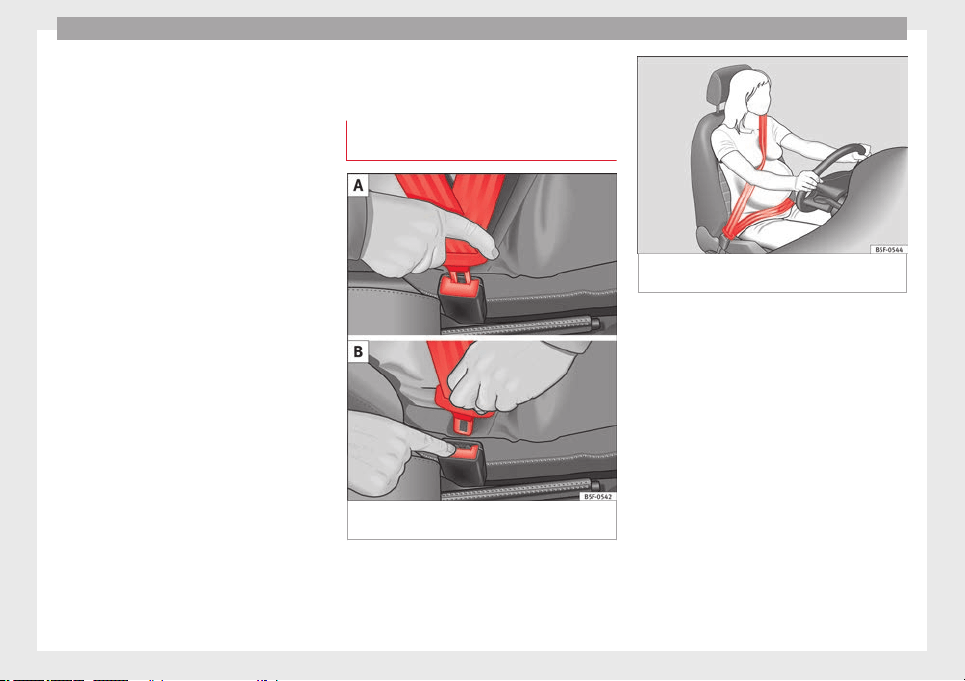
Safety
possible to brace oneself with one's hands.
In a frontal collision, unbelted passengers
are thrown forward and will make violent con-
tact with the steering wheel, dash panel,
windscreen or whatever else is in the way
››› Fig. 62
.
It
i
s also important for rear passengers to
wear seat belts properly, as they could other-
wise be thrown forward violently through the
vehicle interior in an accident. Passengers in
the rear seats who do not use seat belts en-
danger not only themselves but also the front
occupants ››› Fig. 63.
How to properly adjust your
seatbelt
Fastening and unfastening the seat
belt
Fig. 64 Positioning and removing the seat
belt buckle.
Fig. 65 Position of seat belt during pregnan-
cy.
Read the additional information carefully
›››
page 13
.
F
a
sten your seat belt
The seat belt cannot offer its full protection if
the seat belt is not positioned correctly.
●
Adjust the seat and head restraint correctly.
●
To fasten the belt, take hold of the latch
plate and pull it slowly across your chest and
lap.
●
Insert the latch plate into the buckle for the
appropriate seat and push it down until it is
securely locked with an audible click
›››
Fig. 64 A.
●
Pull the belt to ensure that the latch plate is
securely engaged in the buckle.
46
Seat belts
The seat belts are equipped with an automat-
ic retractor on the shoulder strap. Full free-
dom of movement is permitted when the
shoulder belt is pulled slowly. However, dur-
ing sudden braking, during travel in steep
areas or bends and during acceleration, the
automatic retractor on the shoulder belt is
locked.
The automatic belt retractors on the front
seats are fitted with seat belt tensioners
››› page 47
.
R
el
easing the seat belt
●
Press the red button on the belt buckle
››› Fig. 64 B. The latch plate is released and
springs out ›››
.
●
Guide the belt back by hand so that it rolls
up easily and the trim is not damaged.
Adjusting the seat belt
Seat belts offer their maximum protection on-
ly when they are properly positioned
››› Fig. 65
.
WARNING
●
The seat belts offer best protection only
when the backrests are in an upright position
and the seat belts have been fastened prop-
erly.
●
Never put the latch plate in the buckle of
another seat. If you do this, the seat belt will
not protect you properly and the risk of injury
is increased.
●
Never unbuckle a seat belt while the vehi-
cle is in motion. If you do, you increase the
risk of sustaining severe or fatal injuries.
●
An incorrectly worn seat belt can cause se-
vere injuries in the event of an accident.
●
For pregnant women, the lap part of the
seat belt must lie as low as possible over the
pelvis, never across the stomach, and always
lie flat so that no pressure is exerted on the
abdomen ››› Fig. 65.
●
Alw
ays engage the retractor lock when you
are securing a child seat in group 0, 0+ or 1
››› page 56.
●
Read and observe the warnings ››› page 44.
Seat belt tensioners
How the seat belt tensioner works
During a frontal collision, the seat belts on
the front seats are retracted automatically.
The seat belts for the occupants in the front
seats are equipped with belt tensioners. Sen-
sors will trigger the belt tensioners only dur-
ing severe head-on, lateral and rear-end colli-
sions and only if the seat belt is worn. This
retracts and tightens the seat belts, reducing
the forward motion of the occupants.
The seat belt tensioner can be triggered only
once.
The seat belt tensioners will not be triggered
in the event of a light frontal, side or rear col-
lision, if the vehicle overturns or in situations
where no large forces act on the front, side or
rear of the vehicle.
Note
●
If the seat belt tensioners are triggered, a
fine dust is produced. This is normal and it is
not an indication of fire in the vehicle.
●
The relevant safety requirements must be
observed when the vehicle or components of
the system are scrapped. Specialised work-
shops are familiar with these regulations,
which are also available to you.
Service and disposal of belt
tensioners
The belt tensioners are components of the
seat belts that are installed in the seats of
your vehicle. If you work on the belt tension-
ers or remove and install parts of the system
when performing other repair work, the seat
belt may be damaged. The consequence may
be that, in the event of an accident, the belt
tensioners function incorrectly or may not
function at all.
So that the effectiveness of the seat belt ten-
sioner is not reduced and that removed parts
»
47
Technical specifications
AdviceOperationSafetyThe essentials
Safety
do not cause any injuries or environmental
pollution, regulations, which are known to
the specialised workshops, must be ob-
served.
WARNING
●
Improper use or repairs not carried out by
qualified mechanics increase the risk of se-
vere or fatal injuries. The belt tensioners may
fail to trigger or may trigger in the wrong cir-
cumstances.
●
Never attempt to repair, adjust, remove or
install parts of the belt tensioners or seat
belts.
●
The seat belt tensioner, seat belt and auto-
matic retractor cannot be repaired.
●
Any work on the belt tensioners and seat
belts, including the removal and refitting of
system parts in conjunction with other repair
work, must be performed by a specialised
workshop only.
●
The belt tensioners will only provide pro-
tection for one accident and must be changed
if they have been activated.
Airbag system
Brief introduction
Why wear a seat belt and assume the
correct sitting position?
For the inflating airbags to achieve the best
protection, the seat belt must always be worn
properly and the correct sitting position must
be assumed.
The airbag system is not a substitute for seat
belts, but it is an integral part of the vehicle's
overall passive safety system. Please bear in
mind that the airbag system can only work ef-
fectively when the vehicle occupants are
wearing their seat belts correctly and have
adjusted the head restraints properly. There-
fore, it is most important to properly wear the
seat belts at all times, not only because this
is required by law in most countries, but also
for your safety
›››
page 43, The reasons why
we should wear seat belts.
The airbag inflates in a matter of seconds, so
if you are not properly seated when the air-
bag is triggered, you may sustain fatal inju-
ries. Therefore, it is essential that all vehicle
occupants assume a correct sitting position
while travelling.
Sharp braking before an accident may cause
a passenger not wearing a seat belt to be
thrown forward into the area of the deploying
airbag. In this case, the inflating airbag may
inflict critical or fatal injuries on the occu-
pant. This also applies to children.
Always maintain the greatest possible dis-
tance between yourself and the front airbag.
This way, the front airbags can completely
deploy when triggered, providing their maxi-
mum protection.
The most important factors that will trigger
an airbag are: the type of accident, the angle
of collision and the speed of the vehicle.
Whether or not the airbags are triggered de-
pends primarily on the vehicle deceleration
rate resulting from the collision and detected
by the control unit. If the vehicle deceleration
occurring during the collision and measured
by the control unit remains below the speci-
fied reference values, the front, side and/or
curtain airbags will not be triggered. Take in-
to account that the visible damage in a vehi-
cle involved in an accident, no matter how
serious, is not a determining factor for the
airbags to have been triggered.
WARNING
●
Wearing the seat belt incorrectly or assum-
ing an incorrect sitting position can lead to
critical or fatal injuries.
●
All vehicle occupants, including children,
who are not properly belted can sustain criti-
cal or fatal injuries if the airbag is triggered.
Children up to 12 years old should always
48
Airbag system
travel on the rear seat. Never transport
children in the vehicle if they are not restrain-
ed or the restraint system is not appropriate
for their age, size or weight.
●
If you are not wearing a seat belt, or if you
lean forward or to the side while travelling or
assume an incorrect sitting position, there is
a substantially increased risk of injury. This
increased risk of injury will be further in-
creased if you are struck by an inflating air-
bag.
●
To reduce the risk of injury from an inflating
airbag, always wear the seat belt properly
››› page 43.
●
Alw
ays adjust the front seats properly.
Description of airbag system
The airbag system is not a substitute for the
seat belts. The airbag system offers addition-
al protection for the driver and passenger in
combination with the seat belts.
The airbag system comprises the following
modules (as per vehicle equipment):
●
Electronic control unit
●
Front airbags for driver and passenger
●
Knee airbag for the driver
●
Side airbags
●
Head airbag
●
Airbag control lamp on the instrument
panel
●
Key-operated switch for front passenger air-
bag
●
Control lamp to disconnect/connect the
front airbag.
The airbag system operation is monitored
electronically. The airbag control lamp will il-
luminate for a few seconds every time the ig-
nition is switched on (self-diagnosis).
There is a fault in the system if the control
lamp :
●
does not light up when the ignition is
switched on,
●
turns off after 4 seconds after the ignition
is switched on
●
turns off and then lights up again after the
ignition is switched on
●
illuminates or flashes while the vehicle is
moving.
The airbag system is not triggered if:
●
the ignition is switched off
●
there is a minor frontal collision
●
there is a minor side collision
●
there is a rear-end collision
●
the vehicle turns over.
WARNING
●
The seat belts and airbags can only provide
maximum protection if the occupants are
seated correctly ››› page 38, Sitting position
for vehicle occupants.
●
If a fault has occurred in the airbag system,
have the system checked immediately by a
specialised workshop. Otherwise there is a
danger that during a collision, the system
may fail to trigger, or not trigger correctly.
Airbag activation
The airbags deploy extremely rapidly, within
thousandths of a second, to provide addi-
tional protection in the event of an accident.
A fine dust may develop when the airbag de-
ploys. This is normal and it is not an indica-
tion of fire in the vehicle.
The airbag system is only ready to function
when the ignition is on.
In special accidents instances, several air-
bags may activate at the same time.
In the event of minor head-on and side colli-
sions, rear-end collisions, overturning or roll-
over of the vehicle, airbags do not activate.
Activation factors
The conditions that lead to the airbag system
activating in each situation cannot be gener-
alised. Some factors play an important role,
»
49
Technical specifications
AdviceOperationSafetyThe essentials
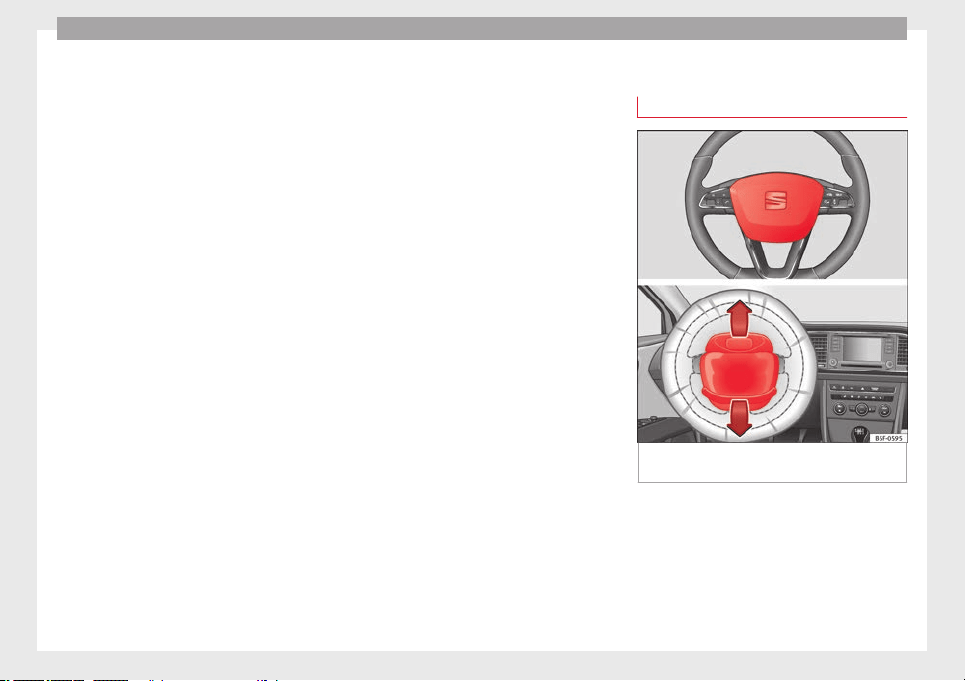
Safety
such as the properties of the object the vehi-
cle hits (hard/soft), angle of impact, vehicle
speed, etc.
Deceleration trajectory is key for airbag acti-
vation.
The control unit analyses the collision trajec-
tory and activates the respective restraint
system.
If the deceleration rate is below the prede-
fined reference value in the control unit the
airbags will not be triggered, even though
the accident may cause extensive damage to
the car.
The following airbags are triggered in
serious head-on collisions
●
Driver airbag.
●
Front passenger front airbag
●
Knee airbag for the driver.
The following airbags are triggered in
serious side-on collisions
●
Front side airbag on the side of the acci-
dent.
●
Rear side airbag on the side of the acci-
dent.
●
Curtain (head) airbag on the side of the ac-
cident.
In an accident with airbag activation:
●
the interior lights switch on (if the interior
light switch is in the courtesy light position);
●
the hazard warning lights switch on;
●
all doors are unlocked;
●
the fuel supply to the engine is cut.
Airbag overview
Front airbags
Fig. 66 Driver airbag located in steering
wheel.
50
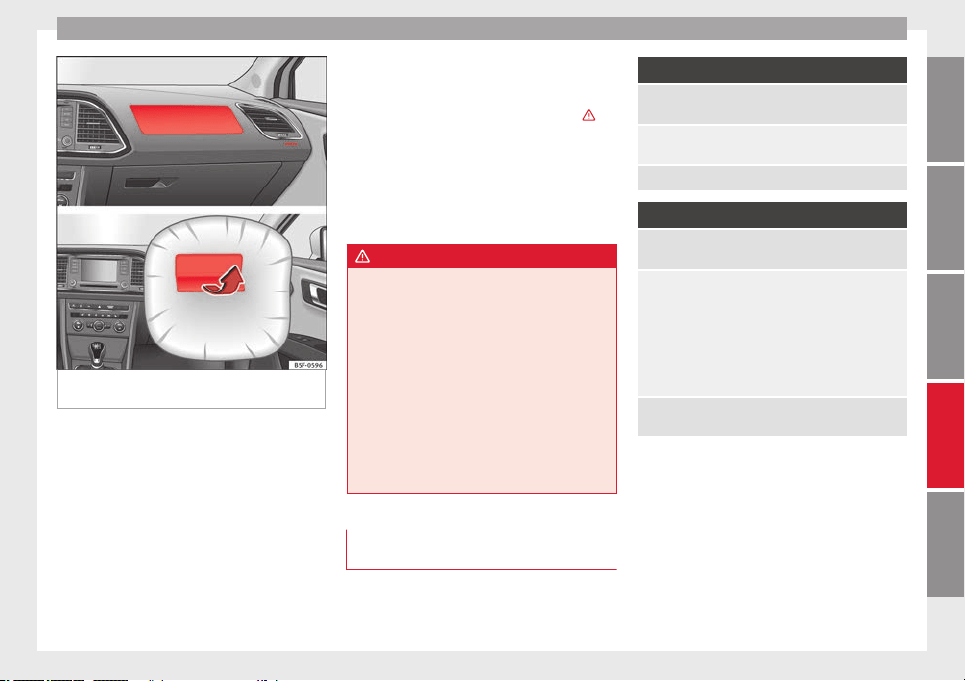
Airbag system
Fig. 67 Front passenger airbag located in
dash panel.
The front airbag for the driver is located in
the steering wheel ››› Fig. 66
and the airbag
f
or the fr
ont passenger is located in the dash
panel ››› Fig. 67. Airbags are identified by the
word “AIRBAG”.
The airbag covers fold out of the steering
wheel and dashboard respectively when the
driver and front passenger airbags are de-
ployed ››› Fig. 66 ››› Fig. 67. The airbag covers
remain connected to the steering wheel or
the dash panel.
In conjunction with the seat belts, the front
airbag system gives the front occupants ad-
ditional protection for the head and chest in
the event of a severe frontal collision ›››
.
The special design of the airbag allows the
controlled escape of the propellant gas when
an occupant puts pressure on the bag. Thus,
the head and chest are surrounded and pro-
tected by the airbag. After the collision, the
airbag deflates sufficiently to allow visibility.
WARNING
●
The deployment space between the front
passengers and the airbags must not in any
case be occupied by other passenger, pets
and objects.
●
The airbags provide protection for just one
accident; replace them once they have de-
ployed.
●
It is also important not to attach any ob-
jects such as cup holders or telephone
mountings to the surfaces covering the air-
bag units.
●
Do not attempt to modify components of
the airbag system in any way.
Types of front passenger front airbag
systems
There are two different SEAT front passenger
front airbag systems:
A
Characteristics of the front passenger front airbag that
can only be disabled in a specialised workshop.
– Control lamp
on the instrument panel.
– Front passenger front airbag on the dash panel.
Name: airbag system.
B
Characteristics of the front passenger front airbag that
can be disabled manually ››› page 55.
– Control lamp
on the instrument panel.
– Control lamp on the instrument panel
.
– Control lamp on the instrument panel
.
– Key-operated switch in the glove compartment on the
front passenger side of the dashboard.
– Front passenger front airbag in the dashboard.
Name: airbag system with front passenger front airbag
disabling.
51
Technical specifications
AdviceOperationSafetyThe essentials
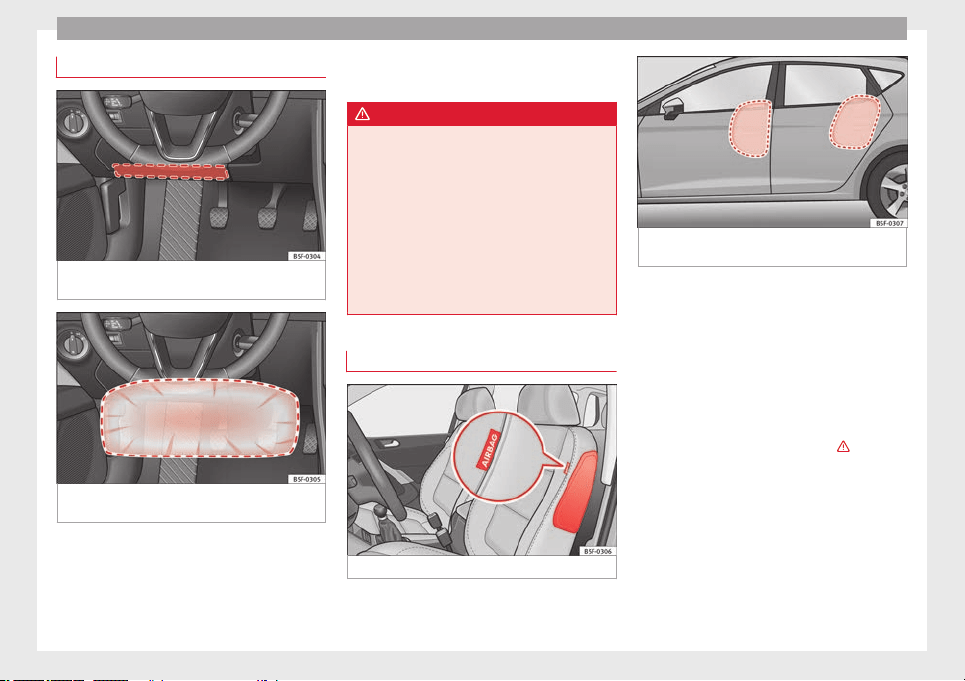
Safety
Knee airbag*
Fig. 68 On the driver side: location of the
knee airbag
Fig. 69 On the driver side: radius of action of
the knee airbag.
The knee airbag is located on the driver side
below the dash panel ››› Fig. 68
. Airbags are
identified b
y
the word “AIRBAG”.
The area framed in red ››› Fig. 69 is covered
by the knee airbag when it is deployed (de-
ployment area). Therefore, objects should
never be placed or mounted in these areas.
WARNING
●
The knee airbag is deployed in front of the
driver's knees. Always keep the deployment
areas of the knee airbags free.
●
Never not fix objects to the cover or in the
deployment area of the knee airbag.
●
Adjust the driver seat so that there is a dis-
tance of at least 10 cm (4 inches) between
your knees and the location of the this air-
bag. If your physical constitution prevents
you from meeting these requirements, make
sure you contact a specialised workshop.
Side airbags*
Fig. 70 Side airbag in driver seat.
Fig. 71 Illustration of completely inflated side
airbags on the left side of the vehicle.
The side airbags are located in the backrest
cushions of the driver seat ››› Fig. 70
and the
fr
ont
passenger seat as well as in the back-
rest of the side rear seats*. The locations are
identified by the text “AIRBAG” in the upper
region of the backrests.
Together with the seat belts, the side airbag
system gives the front seat occupants addi-
tional protection for the upper body in the
event of a severe side collision ›››
.
In a side collision, the side airbags reduce
the risk of injury to passengers on the front
seats to the areas of the body facing the im-
pact. In addition to their normal function of
protecting the occupants in a collision, the
seat belts also hold the passengers in the
front seats and the outer rear seats in a posi-
tion where these airbags can provide maxi-
mum protection.
52
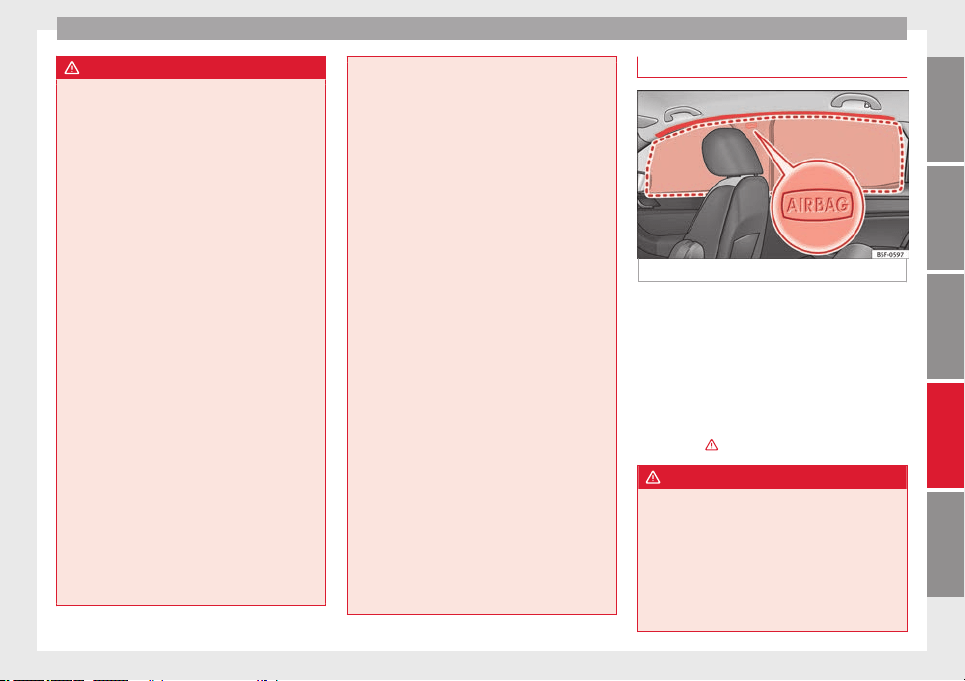
Airbag system
WARNING
●
If you do not wear a seat belt, if you lean
forward, or are not seated correctly while the
vehicle is in motion, you are at a greater risk
of injury if the side airbag system is triggered
in an accident.
●
In order for the side airbags to provide their
maximum protection, the prescribed sitting
position must always be maintained with
seat belts fastened while travelling.
●
In a side-on collision the side airbags will
not work if the sensors do not correctly meas-
ure the pressure increase on the interior of
the doors, due to air escaping through the
areas with holes or openings in the door pan-
el.
●
Never drive if the interior door panels have
been removed or if the panels have not been
correctly fitted.
●
Never drive the vehicle if the loudspeakers
in the door panels have been removed, un-
less the holes left by the loudspeakers have
been closed properly.
●
Always check that the openings are closed
or covered if loudspeakers or other equip-
ment are fitted inside the door panels.
●
Occupants of the outer seats must never
carry any objects or pets in the deployment
space between them and the airbags, or al-
low children or other passengers to travel in
this position. It is also important not to at-
tach any accessories (such as cup holders) to
the doors. This would impair the protection
offered by the side airbags.
●
The built-in coat hooks should be used only
for lightweight clothing. Do not leave any
heavy or sharp-edged objects in the pockets.
●
Great forces, such as hard blows or kicks,
must not be exerted upon the backrest bol-
ster because the system may be damaged. In
this case, the side airbags would not be trig-
gered.
●
Under no circumstances should protective
covers be fitted over seats with side airbags
unless the covers have been approved for use
in your vehicle. Because the airbag deploys
from the side of the backrest, the use of con-
ventional seat covers would obstruct the side
airbag, seriously reducing the airbag's effec-
tiveness.
●
Any damage to the original seat upholstery
or around the seams of the side airbag units
must be repaired immediately by a special-
ised workshop.
●
The airbags provide protection for just one
accident; replace them once they have de-
ployed.
●
Any work on the side airbag system or re-
moval and installation of the airbag compo-
nents for other repairs (such as removal of
the front seat) should only be performed by a
specialised workshop. Otherwise, faults may
occur during the airbag system operation.
●
Do not attempt to modify components of
the airbag system in any way.
Head-protection airbags*
Fig. 72 Location of head-protection airbags.
The head-protection airbags are located on
both sides in the interior above the doors
››› Fig. 72
and are identified with the text
“AIRB
AG”.
In c
onjunction with the seat belts, the head-
protection airbag system gives the vehicle
occupants additional protection for the head
and upper body in the event of a severe side
collision ›››
.
WARNING
●
In order for the head-protection airbags to
provide their maximum protection, the pre-
scribed sitting position must always be main-
tained with seat belts fastened while travel-
ling.
●
For safety reasons, the curtain airbag must
be disabled in those vehicles fitted with a
screen dividing the interior of the vehicle.
»
53
Technical specifications
AdviceOperationSafetyThe essentials
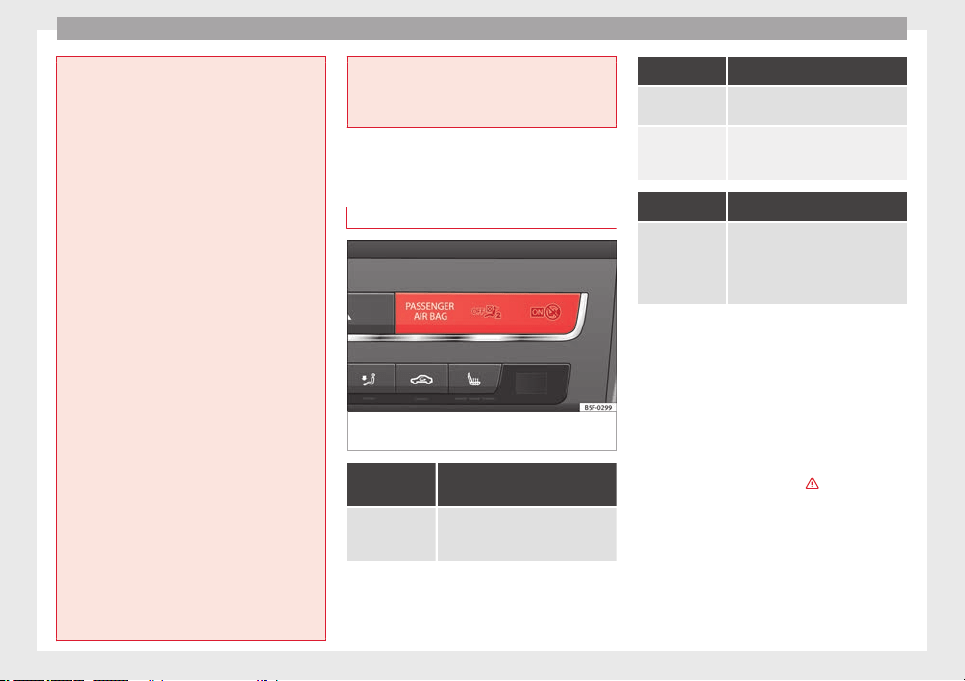
Safety
See your technical service to make this ad-
justment.
●
There must be no other persons, animals or
objects between the occupants of the outer
seats and the deployment space of the head-
protection airbags so that the head-protec-
tion airbag can deploy completely without re-
striction and provide the greatest possible
protection. Therefore, sun blinds which have
not been expressly approved for use in your
vehicle may not be attached to the side win-
dows
●
The built-in coat hooks should be used only
for lightweight clothing. Do not leave any
heavy or sharp-edged objects in the pockets.
Please, do not hang the clothes on coat hang-
ers.
●
The airbags provide protection for just one
accident; replace them once they have de-
ployed.
●
Any work on the head-protection airbag
system or removal and installation of the air-
bag components for other repairs (such as re-
moval of the roof lining) should only be per-
formed by a specialised workshop. Other-
wise, faults may occur during the airbag sys-
tem operation.
●
Do not attempt to modify components of
the airbag system in any way.
●
The side and head airbags are managed
through sensors located in the interior of the
front doors. To ensure the correct operation of
the side and curtain airbags neither the
doors nor the door panels should be modified
in any way (e.g. fitting loudspeakers). If the
front door is damaged, the airbag system
may not work correctly. All work carried out
on the front door must be done in a special-
ised workshop.
Deactivating airbags
Disabling the front airbag
Fig. 73 Control lamp for disabling the front
passenger front airbag on the dash panel
It lights up on the combi-in-
strument
Fault in airbag
system and seat
belt tensioners.
Have the system checked immedi-
ately by a specialised workshop.
It lights up on the dash panel
Fault in the air-
bag system.
Have the system checked immedi-
ately by a specialised workshop.
Front passenger
front airbag dis-
abled.
Check whether the airbag should re-
main disabled.
It lights up on the dash panel
Front passenger
front airbag ena-
bled.
The control lamp switches off about
60 seconds after the ignition is
turned on or after enabling of the
front passenger front airbag with the
key lock switch.
Several warning and control lamps light up
for a few seconds when the ignition is switch-
ed on, signalling that the function is being
verified. They will switch off after a few sec-
onds.
If the front passenger airbag is deactivated,
the lamp
does not re-
m
ain lit
, or if it is lit together with the control
lamp on the dash panel, there may be a
fault in the airbag system ›››
.
The disabling of airbags is only carried out in
certain cases, i.e. if:
●
a child seat is required in the front passen-
ger seat with the child facing in the opposite
direction to the direction of travel (in some
54
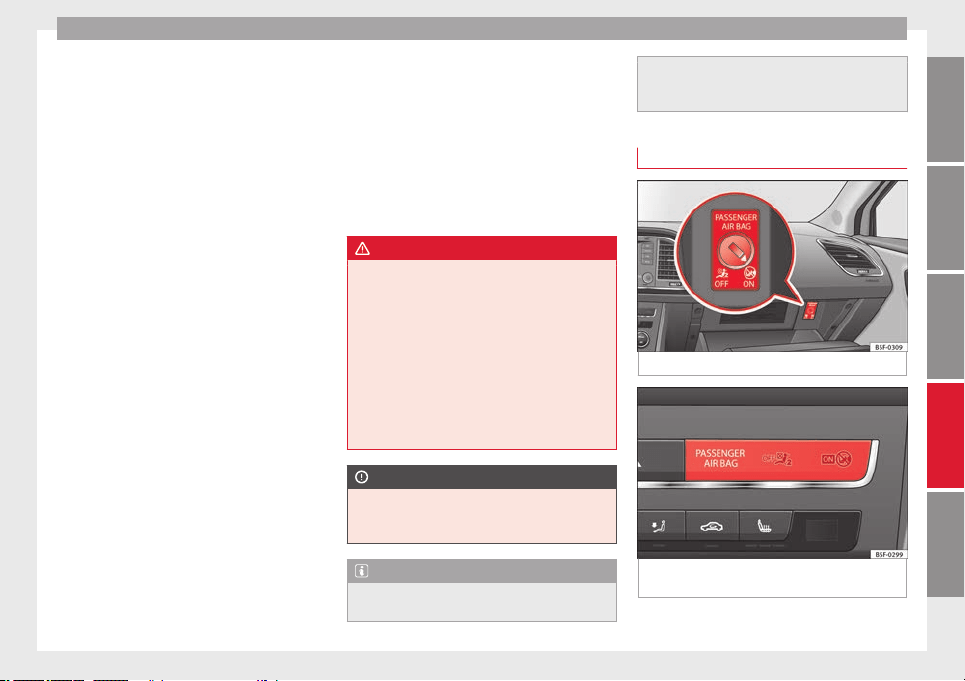
Airbag system
countries, due to divergent legal require-
ments, facing in the direction of travel)
››› page 58
;
●
de
s
pite the driver seat being in the correct
position, a minimum distance of 25 cm can-
not be maintained between the centre of the
steering wheel and the driver's torso,
●
installation of special devices is required in
the steering wheel area due to a physical dis-
ability,
●
if you have special seats installed (e.g. an
orthopaedic seat without side airbags).
The front passenger front airbag can be disa-
bled using the switch ››› page 55.
We recommend that you contact an author-
ised SEAT dealer for the disabling of other air-
bags.
Airbag system control
The airbag system availability is controlled
electronically, regardless of whether an air-
bag is disabled.
If an airbag was disabled using a diagnostics
system:
●
the airbag system warning lamp illumi-
nates after switching on the ignition for
about 4 seconds, and then flashes for about
12 seconds.
If the airbag has been disabled with the air-
bag switch on the side of the dash panel:
●
the airbag control lamp will illuminate
for about 4 seconds after the ignition is
switched on,
●
The airbag is disabled, signalled with the
warning lamp which lights up with the
word placed in the cen-
tre part of the dash panel ››› Fig. 74.
WARNING
In the event of a fault in the airbag system,
the airbag may not trigger correctly, may fail
to trigger or may even trigger unexpectedly,
leading to severe or fatal injuries.
●
Have the airbag system checked immedi-
ately by a specialised workshop.
●
Never mount a child seat in the front pas-
senger seat or remove the mounted child
seat! The front passenger front airbag may
deploy during an accident in spite of the
fault.
CAUTION
Always pay attention to any lit control lamps
and to the corresponding descriptions and in-
structions to avoid damage to the vehicle.
Note
●
Follow the current legislation in your coun-
try regarding the disabling of airbags.
●
At your authorised SEAT dealer you can find
information on which vehicle airbags can be
disabled.
Front passenger front airbag switch
Fig. 74 Front passenger front airbag switch.
Fig. 75 Warning lamp for disabling the front
passenger airbag.
»
55
Technical specifications
AdviceOperationSafetyThe essentials
Safety
Read the additional information carefully
›››
page 11
.
The sw
it
ch disables only the front passenger
front airbag.
Switching on the airbag
–
Switch the ignition off.
–
Open the glove compartment on the front
passenger side.
–
Insert the key into the slot of the switch for
deactivating the front passenger airbag
››› Fig. 74. About 3/4 of the key should en-
ter, as far as it will go.
–
Then turn the key gently to the ON position.
Do not force it if you feel resistance, and
make sure you have inserted the key fully.
–
Close the passenger side storage compart-
ment.
–
Check, with the ignition switched on, that
the control lamp ››› Fig. 75 does not
light up, with the word
in the centre part of the dash panel.
–
The warning lamp is illuminated for
60 seconds in the centre part of the dash
panel.
Control lamp with the word
(front passenger airbag disabled)
If the front passenger front airbag is disa-
bled, after switching on the ignition, the con-
trol lamp will light up for several seconds,
then it will switch off for about 1 s and then
switch on again.
If the control lamp is flashing, there is a fault
in the disabling of the airbag system ›››
.
Please go immediately to an Official Service.
WARNING
●
The driver of the vehicle is responsible for
disabling or switching on the airbag.
●
Always switch off the ignition before disa-
bling the front passenger airbag! Failure to do
so could result in a fault in the airbag deacti-
vation system.
●
Never leave the key in the airbag disabling
switch as it could get damaged or enable or
disable the airbag during driving.
●
If the (airbag disabled) control lamp
fla
shes, the front passenger front airbag will
not trigger in the event of an accident! Have
the system immediately checked by an Offi-
cial Service.
Transporting children safety
Safety for children
Introduction
For safety reasons, as we have learned from
accident statistics, we recommend that chil-
dren under 12 years of age travel in the rear
seats. Depending on their age, height and
weight, children travelling in rear seats must
use a child seat or a seat belt. For safety rea-
sons, the child seat should be installed in the
rear seat, behind the front passenger seat or
in the centre back seat.
The physical laws involved and the forces
acting in a collision apply also to children
›››
page 45
. But unlike adults, children do not
h
av
e fully developed muscle and bone struc-
tures. This means that children are subject to
a greater risk of injury.
To reduce the risk of injuries, children must
always use special child restraint systems
when travelling in the vehicle.
We recommend the use of child safety prod-
ucts from the SEAT Original Accessories Pro-
gramme, which includes systems for all ages
made by “Peke” (not for all countries).
These systems have been especially de-
signed and approved, complying with the
ECE-R44. regulation.
56
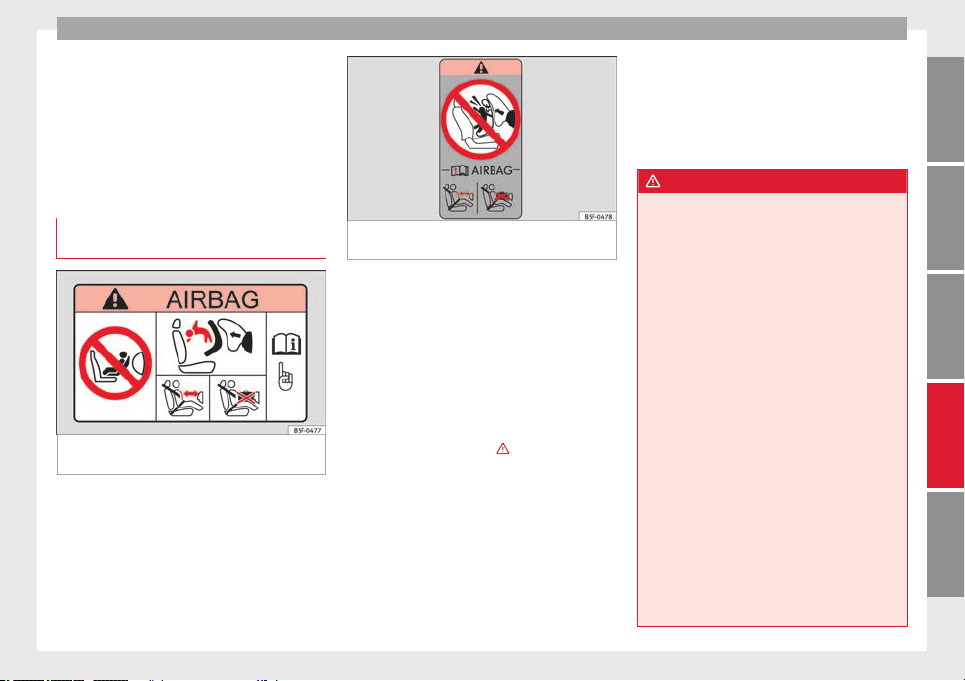
Transporting children safety
Follow the manufacturer's instructions and
observe any statutory requirements when in-
stalling and using child seats. Always read
and note ››› page 57
.
W
e r
ecommend you always carry the manu-
facturer's Child Seat Instruction Manual to-
gether with the on-board documentation.
Important information regarding the
front passenger's airbag
Fig. 76 Passenger's side sun visor: airbag
sticker.
Fig. 77 On the rear frame of the passenger
side door: airbag sticker.
A sticker with important information about
the passenger airbag is located on the pas-
senger's sun visor and/or on the passenger
side door frame. Read and always observe
the safety information included in the follow-
ing chapters:
●
Safety distance with respect to the passen-
ger airbag ››› page 48
.
●
O
b
jects between the passenger and the
passenger side airbag ›››
in Front airbags
on page 51
.
The p
a
ssenger side front airbag, when ena-
bled, is a serious risk for a child that is facing
backward since the airbag can strike the seat
with such force that it can cause serious or
fatal injuries. Children up to 12 years old
should always travel on the rear seat.
Therefore we strongly recommend you to
transport children on the rear seats. This is
the safest location in the vehicle. Alternative-
ly, the front passenger airbag can be disa-
bled with a key-operated switch ››› page 55.
When transporting children, use a child seat
suitable for the age and size of each child
››› page 58.
WARNING
●
If a child seat is secured to the front pas-
senger seat, the risk to the child of sustain-
ing critical or fatal injuries in the event of an
accident increases.
●
An inflating front passenger airbag can
strike the rear-facing child seat and project it
with great force against the door, the roof or
the backrest.
●
Never install a child seat facing backwards
on the front passenger seat unless the front
passenger front airbag has been disabled.
Risk of potentially fatal injuries to the child!
However, if it is necessary, in exceptional ca-
ses, to transport a child in the front passen-
ger seat, the front passenger front airbag
must always be disabled ››› page 54. If the
passenger seat has a height adjustment op-
tion, move it to the highest, most upright po-
sition. If you have a fixed seat, do not install
any child restraint system in this location.
●
For those vehicles that do not include a key
lock switch to deactivate the airbag, the vehi-
cle must be taken to a technical service.
●
All vehicle occupants, especially children,
must assume the proper sitting position and
be properly belted in while travelling.
»
57
Technical specifications
AdviceOperationSafetyThe essentials
Safety
●
Never hold children or babies on your lap,
this can result in potentially fatal injuries to
the child!
●
Never allow a child to be transported in a
vehicle without being properly secured, or to
stand up or kneel on a seat while travelling.
In an accident, the child could be flung
through the vehicle, causing possibly fatal in-
juries to themselves and to the other vehicle
occupants.
●
If children assume an improper sitting posi-
tion when the vehicle is moving, they expose
themselves to greater risk of injury in the
event of a sudden braking manoeuvre or in an
accident. This is particularly important if the
child is travelling on the front passenger seat
and the airbag system is triggered in an acci-
dent; as this could cause serious injury or
even death.
●
A suitable child seat can protect your child!
●
Never leave a child alone in the child seat
or inside the vehicle because depending on
the season, very high temperatures may be
reached inside a parked vehicle, which could
be fatal.
●
Children who are less than 1.5 metres tall
must not wear a normal seat belt without a
child seat, as this could cause injuries to the
abdominal and neck areas during a sudden
braking manoeuvre or in an accident.
●
Do not allow the seat belt to become twis-
ted and the seat belt should be properly in
place ››› page 43.
●
Only
one child may occupy a child seat
››› page 58, Child seats.
●
When a child seat is mounted in the rear
seats, the door child-proof lock should be ac-
tivated ››› page 87.
Child seats
Categorisation of child seats into
groups
Use only child seats that are officially ap-
proved and suitable for the child.
Child seats are subject to the regulation ECE-
R 44. ECE-R stands for: Economic Commis-
sion for Europe Regulations.
The child seats are grouped into 5 catego-
ries:
Group 0
: Up to 10 kg (up to around 9
months)
Gr
oup 0+
: Up to 13 kg (up to around 18
months)
Group 1: from 9 to 18 kg (up to approx. 4
years old)
Group 2: from 15 to 25 kg (up to approx. 7
years old)
Group 3: From 22 to 36 kg (over around 7
years old)
Child seats that have been tested and ap-
proved under the ECE R44 standard bear the
test mark on the seat (the letter E in a circle
with the test number below it).
Follow the manufacturer's instructions and
observe any statutory requirements when in-
stalling and using child seats.
We recommend you to always include the
manufacturer's Child Seat Instruction Manual
together with the on-board documentation.
SEAT recommends you use child seats from
the Original Accessories Catalogue. These
child seats have been designed and tested
for use in SEAT vehicles. You can find the
right child seat for your model and age group
at SEAT dealers.
WARNING
Read and always observe information and
warnings concerning the use of child seats
››› page 57.
Securing the child seat using the seat
belt
The seat belt may be used to secure univer-
sal
type child seats to the vehicle seats
m
ark
ed with a U in the table below.
58
Transporting children safety
●
If the front passenger seat lacks a height
adjustment, child seats cannot be mounted
is this location.
Weight
group
Seating position
Front
passen-
ger seat
Rear side
seat
Rear cen-
tral seat
Group 0
to 10 kg
U* U U
Group 0+
to 13 kg
U* U U
Group I
9 to 18 kg
U* U U
Group II
15 to 25 kg
U* U U
Group III
22 to 36 kg
U* U U
Suitable for universal restraint systems
for use in this weight group.
Only compatible for models with adjust-
able seat height. Place seat in the back-
most highest position possible.
WARNING
●
When travelling, children must be secured
in the vehicle with a restraint system suitable
for age, weight and size.
●
Read and always observe information and
warnings concerning the use of child seats
››› page 57.
U:
*:
“ISOFIX” and Top Tether child seat mounting system*
Child seats can be secured quickly, easily
and safely on the rear outer seats with the
“ISOFIX” and Top Tether* system.
Two “ISOFIX” retaining rings are fitted on
each rear seat. In some vehicles, the rings
are secured to the seat frame and, in others,
they are secured to the rear floor. Access to
the “ISOFIX” rings is between the rear seat
backrest and the seat cushioning. The Top
Tether* rings are located at the rear of the
backrests of the rear seats (behind the seat
backrest or in the boot).
To understand the compatibility of the "ISO-
FIX" systems in the vehicle, consult the table
below.
●
The allowed body weight for the child seat
or information regarding size
A
to
F is indica-
ted on the label on the child seat with certifi-
cation “universal” or “semi-universal”.
»
59
Technical specifications
AdviceOperationSafetyThe essentials
Safety
Weight group Size class Electrical equipment Mounting direction
Vehicle Isofix positions
Rear side seats
Baby carrier
F ISO/L1 Backward-facing X
G ISO/L2 Backward-facing X
Group 0 to 10 kg E ISO/R1 Backward-facing IU
Group 0+ to 13 kg
E ISO/R1 Backward-facing IU
D ISO/R2 Backward-facing IU
C ISO/R3 Backward-facing IU
Group I 9 to 18 kg
D ISO/R2 Backward-facing IU
C ISO/R3 Backward-facing IU
B ISO/F2 Forward-facing IU
B1 ISO/F2X Forward-facing IU
A ISO/F3 Forward-facing IU
Group II 15 to 25 kg --- --- Forward-facing ---
Group III 22 to 36 kg --- --- Forward-facing ---
Suitable for ISOFIX universal child re-
straint systems approved for use in this
weight group.
ISOFIX position not suitable for ISOFIX
child restraint systems for this weight
group or size class.
IU:
X:
WARNING
●
The retaining rings are designed only for
use with “ISOFIX” and Top Tether* system
child seats.
●
Never secure other child seats that do not
have the “ISOFIX” or Top Tether* system, or
retaining belts or objects to the fastening
rings - this can result in potentially fatal inju-
ries to the child.
●
Ensure that the child seat is secured cor-
rectly using the “ISOFIX” and Top Tether* se-
curing rings.
60
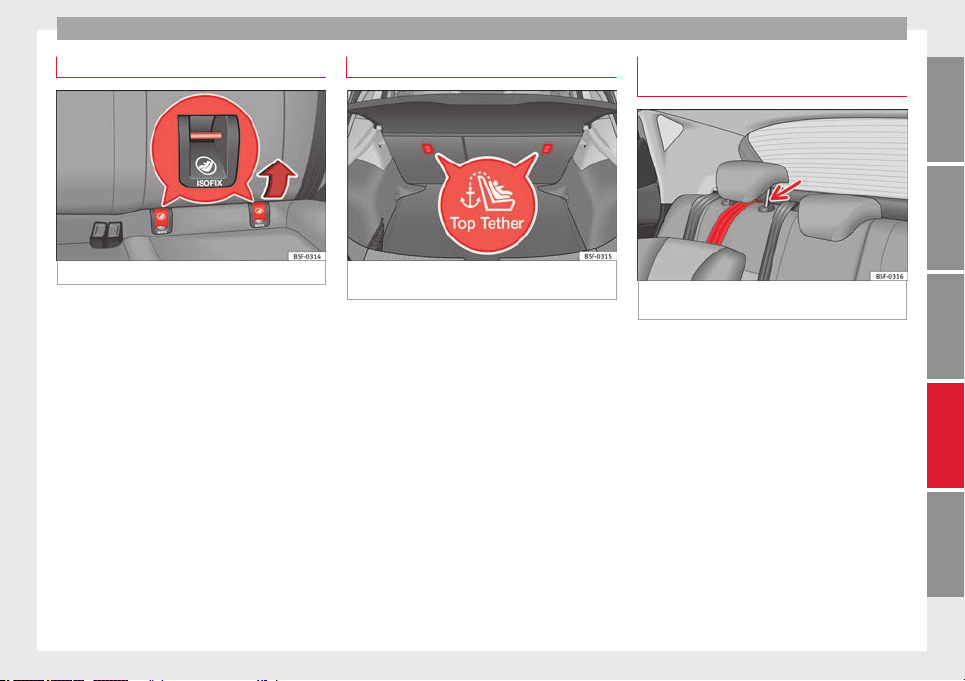
Transporting children safety
“ISOFIX” child seat mounting system
Fig. 78 ISOFIX securing rings.
When removing or fitting the child seat,
please be sure to follow the manufacturer's
instructions.
–
Remove the protective caps of the “ISOFIX”
rings by placing a finger in the hole and
pulling up ››› Fig. 78
.
–
Pr
e
ss the child seat onto the “ISOFIX” re-
taining rings until the child seat can be
heard to engage securely. If the child seat
is equipped with Top Tether* anchor points,
secure it to the correspondent ring
››› Fig. 79. Observe the manufacturer's in-
structions.
–
Do a test by pulling both sides of the child
seat to ensure that it is properly anchored.
Child seats with the “ISOFIX” and Top Tether*
attachment system are available from Techni-
cal Services.
Top Tether* retainer straps
Fig. 79 Position of the Top Tether rings on the
back of the rear seat.
Child seats with the Top Tether system come
with a strap for securing the seat to the vehi-
cle anchor point, located at the back of the
rear seat backrest and provide greater re-
straint.
The objective of this strap is to reduce for-
ward movements of the child seat in a crash,
to reduce the risk of injuries to the head from
hitting the inside of the vehicle.
Using the Top Tether in rear-facing mounted
seats
Currently, there are very few rear-facing child
safety seats that have Top Tether. Please
carefully read and follow the seat manufac-
turer instructions to learn the proper way to
install the Top Tether strap.
Fitting the Top Tether child restraint to
the anchoring point
Fig. 80 Retainer strap: correct adjustment
and fitting.
Securing the Top Tether child restraint to the
anchor point situated on the rear of the
backrest
–
Pull out the fastening belt of the child re-
straint seat according to the manufacturer's
instructions.
–
Guide the Top Tether fastening belt under
the rear seat head restraint ››› Fig. 80
(lift
the he
a
d restraint where necessary).
–
Slide the belt so that the Top Tether belt of
the child restraint seat is correctly secured
to the anchor on the back of the rear seat
››› Fig. 79.
–
Firmly tighten the Top Tether belt following
the child restraint seat manufacturer's in-
structions.
»
61
Technical specifications
AdviceOperationSafetyThe essentials
Safety
Releasing the retaining strap
–
Release the retainer strap in line with the
instructions given by the manufacturer.
–
Push the lock and release it from the an-
choring support.
WARNING
An undue installation of the safety seat will
increase the risk of injury in the event of a
crash.
●
Never tie the retainer strap to a hook in the
luggage compartment.
●
Never secure or tie luggage or other items
to the lower anchorages (ISOFIX) or the upper
ones (Top Tether).
62

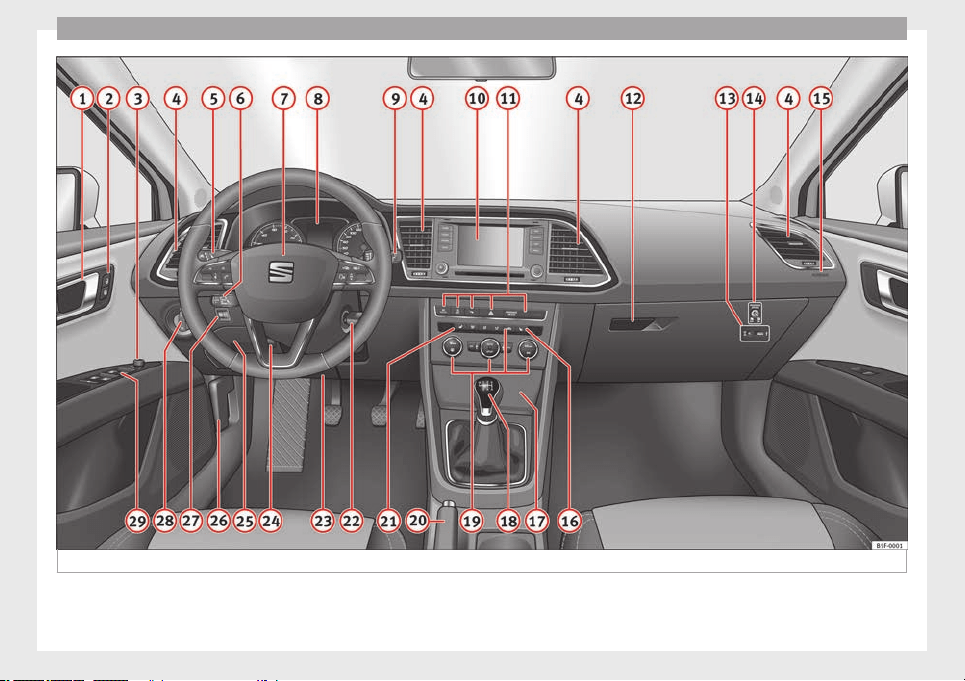
Operation
Fig. 81 Instruments and controls.
64
Controls and displays
Operation
Controls and displays
Overview
Door handle
Central locking switch . . . . . . . . . . . . 85
Electric control to adjust exterior
mirrors . . . . . . . . . . . . . . . . . . . . . . . . . . . 104
Air outlets . . . . . . . . . . . . . . . . . . . . . . . . 127
Control lever for:
–
Turn signals and main beam
headlights . . . . . . . . . . . . . . . . . . . . . 95
–
Lane Assist . . . . . . . . . . . . . . . . . . . . . 166
–
Main beam assist . . . . . . . . . . . . . . . 96
–
Cruise control system (CCS) . . . . . 150
Depending on equipment fitted:
–
Lever for cruise control . . . . . . . . . . 150
Steering wheel with horn and
–
Driver airbag . . . . . . . . . . . . . . . . . . . 50
–
On-board computer controls . . . . 72
–
Controls for radio, telephone,
navigation and speech dialogue
system
›››
Booklet Radio
–
Paddle levers for tiptronic gear-
shift (automatic gearbox) . . . . . . . 135
Instrument panel . . . . . . . . . . . . . . . . . 66
1
2
3
4
5
6
7
8
Control lever for:
–
Windscreen wipers and washer . . 102
–
Wipe and wash system . . . . . . . . . . 102
–
On-board computer . . . . . . . . . . . . . 72
Depending on equipment fitted: ra-
dio or display for Easy Connect
(navigation, radio, TV/video) . . . . . . 81
Depending on the equipment, but-
tons for:
–
SEAT driving modes . . . . . . . . . . . . . 169
–
Start-Stop system . . . . . . . . . . . . . . . 148
–
Park assist system . . . . . . . . . . . . . . 173
–
Hazard warning lights . . . . . . . . . . 99
–
Airbag off display . . . . . . . . . . . . . . . 55
Depending on the equipment,
glove compartment with: . . . . . . . . . 112
–
CD player* and/or SD card*
››› Booklet Radio
–
Multimedia interface* ››› Book-
let Radio
Tyre pressure switch . . . . . . . . . . . . . . 213
Front passenger airbag switch . . . . 55
Front passenger airbag . . . . . . . . . . . 50
Passenger seat heating control . . . . 108
Storage compartment
Depending on equipment fitted,
gear lever or selector lever for:
–
Manual gearbox . . . . . . . . . . . . . . . . 132
9
10
11
12
13
14
15
16
17
18
–
Automatic gearbox . . . . . . . . . . . . . 132
Depending on the equipment, con-
trols for:
–
Heating and ventilation system or
manual air conditioner . . . . . . . . . .29, 28
–
Automatic air conditioner . . . . . . . 26
Parking brake . . . . . . . . . . . . . . . . . . . . 131
Driver seat heating control . . . . . . . . 108
Ignition lock . . . . . . . . . . . . . . . . . . . . . . 129
Knee airbag . . . . . . . . . . . . . . . . . . . . . . 52
Adjustable steering column . . . . . . . 14
Storage compartment
Bonnet lock release . . . . . . . . . . . . . . . 199
Headlight range control . . . . . . . . . . . 100
Light switch . . . . . . . . . . . . . . . . . . . . . . 94
Electric windows . . . . . . . . . . . . . . . . . 90
Note
●
Some of the equipment listed in this sec-
tion is only fitted on certain models or are op-
tional extras.
●
A separate Instructions Manual is enclosed
if the vehicle is equipped with a factory-fitted
radio, CD player, AUX IN connection or navi-
gation system.
●
The arrangement of switches and controls
on right-hand drive models* may be slightly
different from the layout shown in ››› page 64.
However, the symbols used to identify the
controls are the same.
19
20
21
22
23
24
25
26
27
28
29
65
Technical specifications
AdviceOperationSafetyThe essentials
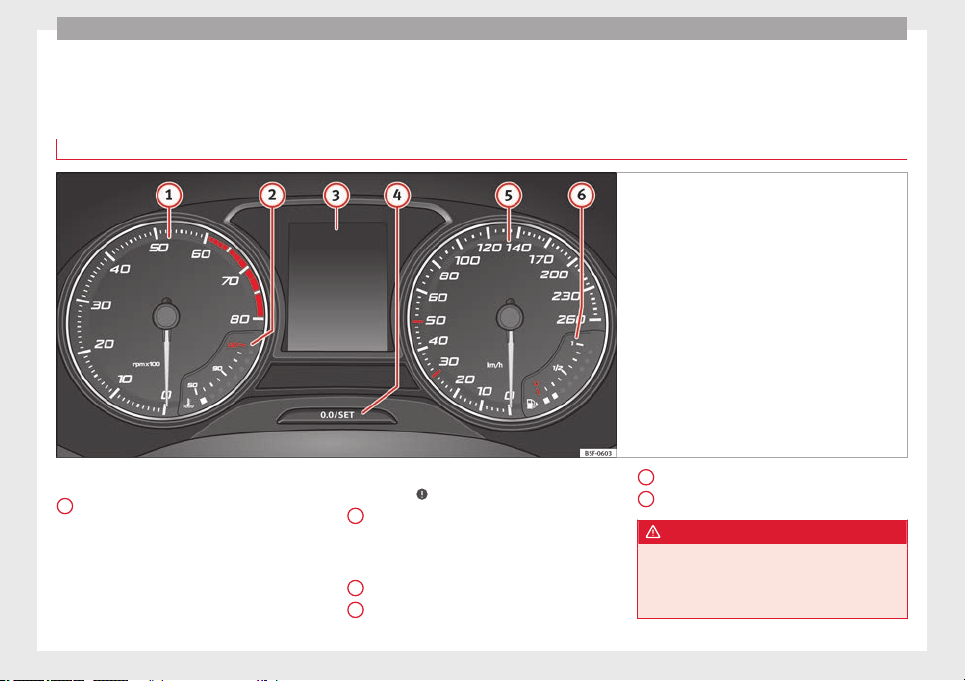
Operation
Instruments and warning/control lamps
Instruments
View of instrument panel
Fig. 82 Instrument panel, on dash panel
Details of the instruments ››› Fig. 82
:
R
ev
counter (with the engine running, in
hundreds of revolutions per minute).
The beginning of the red zone of the rev
counter indicates the maximum speed in
any gear after running-in and with the en-
gine hot. However, it is advisable to
change up a gear or move the selector
lever to D (or lift your foot off the acceler-
1
ator) before the needle reaches the red
zone ››› .
Engine coolant temperature display
››› page 69
or
the natural gas level indi-
c
ator in vehicles with natural gas engine
(CNG) ››› page 70.
Displays on the screen ››› page 67.
Adjuster button and display
››› page 69.
2
3
4
Speedometer
.
F
uel
gauge ››› page 70.
WARNING
Any distraction may lead to an accident, with
the risk of injury.
●
Do not operate the instrument panel con-
trols when driving.
5
6
66
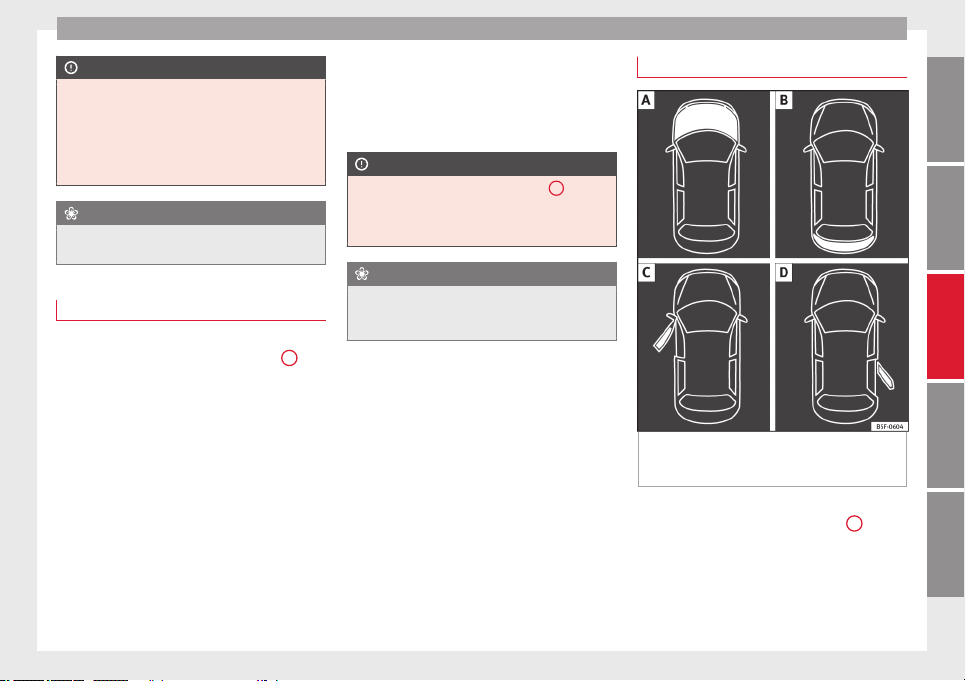
Instruments and warning/control lamps
CAUTION
●
To prevent damage to the engine, the rev
counter needle should only remain in the red
zone for a short period of time.
●
When the engine is cold, avoid high revs
and heavy acceleration and do not make the
engine work hard.
For the sake of the environment
Changing up a gear in time reduces fuel con-
sumption and noise.
Rev counter
The rev counter indicates the number of en-
gine revolutions per minute
›››
Fig. 82
1
.
Together with the gear-change indicator, the
rev counter offers you the possibility of using
the engine of your vehicle at a suitable
speed.
The start of the red zone on the dial indicates
the maximum engine speed which may be
used briefly when the engine is warm and af-
ter it has been run in properly. Before reach-
ing this range, you should change to a higher
gear for vehicles with a manual gearbox or for
automatic gearboxes put the selector lever in
“D” or take your foot off the accelerator ped-
al.
We recommend that you avoid high revs and
that you follow the recommendations on the
gear-change indicator. Consult the additional
information in ››› page 74, Gear-change in-
dicator
.
CAUTION
Never allow the rev counter needle
1
››› Fig. 82 to go into the red zone on the scale
for mor
e than a very brief period, otherwise
there is a risk of engine damage.
For the sake of the environment
Changing up a gear early will help you to save
fuel and minimise emissions and engine
noise.
Displays on screen
Fig. 83 A: bonnet open; B: rear lid open; C:
front left door open; D: rear right door open
(5-door vehicles only).
A variety of information can be viewed on the
instrument panel display ››› Fig. 82
3
de-
pending on the vehicle equipment:
●
Bonnet, rear lid and doors open ››› Fig. 83
.
●
Inf
orm
ation and warning texts.
●
Mileage.
»
67
Technical specifications
AdviceOperationSafetyThe essentials

Operation
●
Time.
●
Navigation instructions.
●
Outside temperature.
●
Compass.
●
Shift lever position ››› page 133.
●
Recommended gear (manual gearbox)
››› page 74
.
●
M
u
ltifunction display (MFD) and menus
with different setting options ››› page 72.
●
Service interval display ››› page 80.
●
Second speed display ››› page 72.
●
Speed warning function ››› page 79.
●
Start-Stop system status display
››› page 148.
●
Low consumption driving status (ECO)
››› page 69
●
Identifying letters on engine (MKB).
●
Active cylinder management display
(ACT
®
)* ››› page 142
Mileage
The odometer registers the total distance
travelled by the car.
The odometer (trip) shows the distance trav-
elled since the last odometer reset. The last
digit of the trip recorder indicates distances
of 100 metres or one tenths of a mile.
●
Briefly press the button ››› Fig. 82
4
to re-
set the trip recorder to 0.
●
Keep the button
4
pressed for about 3
seconds and the previous value will be dis-
played.
Time
●
To set the time, keep the button ››› Fig. 82
4
pressed for more than 3 seconds to select
the hour or minute display.
●
To continue setting the time, press the up-
per or lower part of the button
4
. Hold but-
ton down to scroll through the numbers
quickly.
●
Press the button
4
again in order to finish
setting the time.
The time can also be set via the
key and
Setup
function button in the Easy Connect
system ››› page 81
.
C
omp
ass
With the ignition on and the navigation sys-
tem on, the cardinal point corresponding to
the direction of travel of the vehicle is dis-
played on the instrument panel.
Selector lever position
The selected gear is displayed on the side of
the selector lever and on the instrument pan-
el display. In positions D and S, and with the
Tiptronic, the corresponding gear is also dis-
played.
Recommended gear (manual gearbox)
The recommended gear in order to save fuel
is displayed on the instrument panel while
you are driving ››› page 74.
Second speed display (mph or km/h)
In addition to the speedometer, the speed
can also be displayed in a different unit of
measurement (in miles or in km per hour).
This option cannot be deactivated in models
destined for countries in which the second
speed must always be visible.
The second speed display can be adjusted in
the Easy Connect system via the
key and
the
Setup
function button ››› page 81.
Speed warning
When the speed setting is exceeded, this will
be indicated on the instrument panel display.
This is very useful, for example when using
winter tyres that are not designed for driving
at the maximum speed of the vehicle
››› page 79
.
The s
peed w
arning settings can be adjusted
in the Easy Connect system via the
key
and the
Setup
function button ››› page 81.
Start-Stop operating display.
Updated information relating to the status is
displayed on the instrument panel
››› page 148
.
68
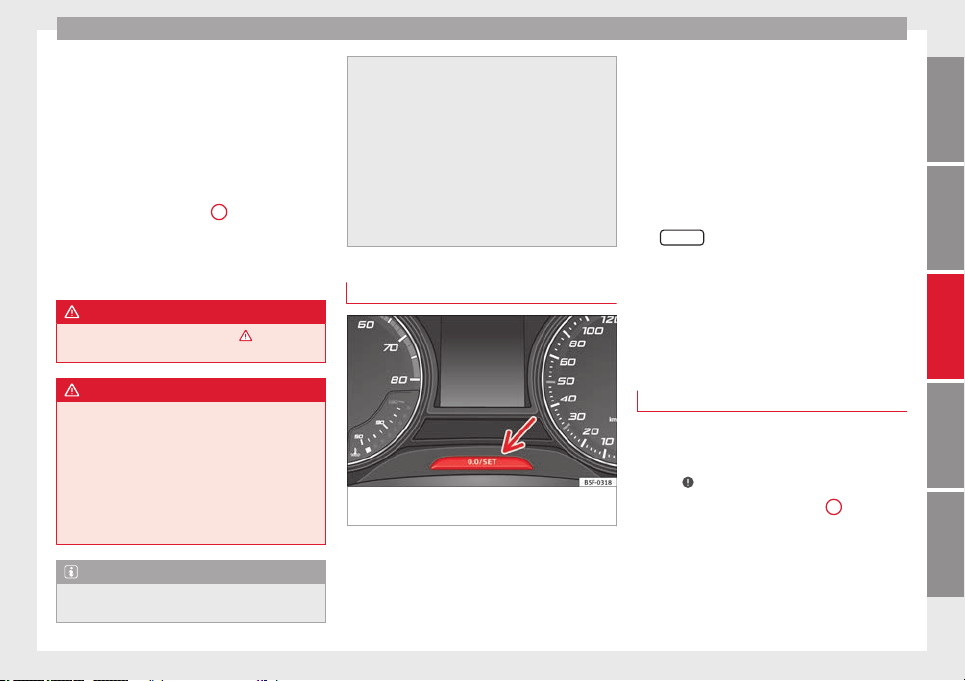
Instruments and warning/control lamps
Low consumption driving status (ECO)*
Depending on the equipment, when driving,
the “
ECO” display appears on the instrument
p
anel
when the vehicle is in low consump-
tion status due to active cylinder manage-
ment (ACT
®
)* ››› page 142.
Identifying letters on engine (MKB)
Hold the button ››› Fig. 82
4
down for more
than 15 seconds to display the identifying
letters of the vehicle engine (MKB). To do
this, the ignition must be switched on and
the engine switched off.
WARNING
Observe the safety warnings ››› in Control
and warning lamps on page 71.
WARNING
Even though outside temperatures are above
freezing, some roads and bridges may be icy.
●
At outside temperatures above +4°C
(+39°F), even when the “ice crystal symbol”
is not visible, there may still be patches of ice
on the road.
●
Never rely on the outside temperature indi-
cator!
Note
●
Different versions of the instrument panel
are available and therefore the versions and
instructions on the display may vary. In the
case of displays without warning or informa-
tion texts, faults are indicated exclusively by
the warning lamps.
●
Depending on the equipment, some set-
tings and instructions can also be carried out
in the Easy Connect system.
●
When several warnings are active at the
same time, the symbols are shown succes-
sively for a few seconds and will stay on until
the fault is rectified.
Trip recorder
Fig. 84 Instrument panel: odometer and reset
button.
The distance covered is displayed in “kilome-
tres” or miles “m”. It is possible to change
the measurement units (kilometres
“km”/miles “m”) in the radio/Easy Connect*.
Please refer to the Easy Connect* Instructions
Manual for more details.
Odometer/trip recorder
The odometer shows the total distance cov-
ered by the vehicle.
The trip recorder shows the distance that has
been travelled since it was last reset. It is
used to measure short trips. The last digit of
the trip recorder indicates distances of 100
metres or tenths of a mile.
The trip recorder can be set to zero by press-
ing
0.0/SET
››› Fig. 84
.
F
au
lt display
If there is a fault in the instrument panel, the
letters DEF will appear in the trip recorder dis-
play. Have the fault repaired immediately, as
far as is possible.
Coolant temperature gauge
For vehicles with no coolant temperature
gauge, a control lamp appears for high
coolant temperatures
›››
page 203. Please
note
›››
.
The coolant temperature gauge
2
›››
Fig. 82
only works when the ignition is switched on.
In order to avoid engine damage, please read
the following notes for the different tempera-
ture ranges.
»
69
Technical specifications
AdviceOperationSafetyThe essentials
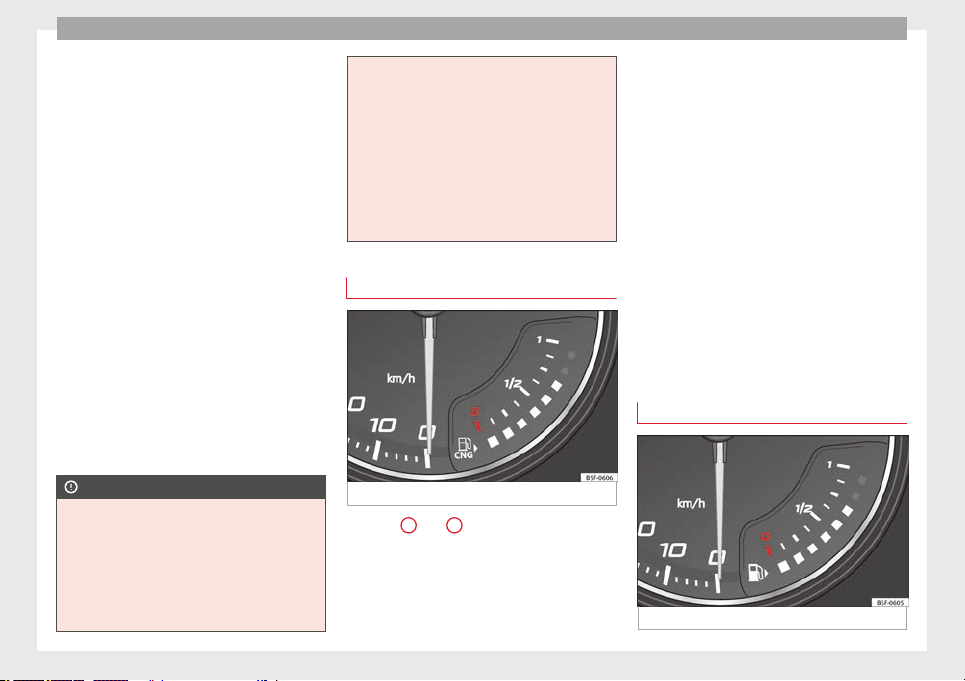
Operation
Engine cold
If only the diodes in the lower part of the
scale light up, this indicates that the engine
has not yet reached operating temperature.
Avoid high revs and heavy acceleration and
do not make the engine work hard.
Normal temperature
If in normal operations, the diodes light up
until the central zone, it means that the en-
gine has reached operating temperature. At
high outside temperatures and when making
the engine work hard, the diodes may contin-
ue lighting up and reach the upper zone. This
is no cause for concern, provided the control
lamp does not light up on the instrument
panel digital display.
Heat range
When the diodes light up in the upper area of
the display and the control lamp appears
on the instrument panel display, the coolant
temperature is excessive ››› page 203.
CAUTION
●
To ensure a long useful life for the engine,
avoid high revs, driving at high speed and
making the engine work hard for approxi-
mately the first 15 minutes when the engine
is cold. The phase until the engine is warm al-
so depends on the outside temperature. If
necessary, use the engine oil temperature*
››› page 77 as a guide.
●
Additional lights and other accessories in
front of the air inlet reduce the cooling effect
of the coolant. At high outside temperatures
and high engine loads, there is a risk of the
engine overheating.
●
The front spoiler also ensures proper distri-
bution of the cooling air when the vehicle is
moving. If the spoiler is damaged this can re-
duce the cooling effect, which could cause
the engine to overheat. Seek specialist assis-
tance.
Fuel level - Gas
Fig. 85 Fuel gauge.
Displays
2
and
6
››› Fig. 82
only work when
the ignition i
s
switched on. When the display
reaches the reserve mark, the lower diode
lights up in red and the control lamp ap-
pears ››› page 66. When the fuel level is very
low, the lower diode flashes in red.
The yellow control lamp lights up when the
reserve level has been reached.
The green warning lamp lights up when the
vehicle is running in natural gas operating
mode.
The green warning lamp switches off when
the natural gas is exhausted. The engine
changes to operate with petrol.
Problem: If the vehicle is left parked for a
long time immediately after refuelling, the
natural gas level indicator may not accurately
indicate the same level shown after refuelling
when the vehicle is started up again. This is
not due to a leak in the system, but to a drop
in pressure in the gas tank for technical rea-
sons after a cooling phase just after refuel-
ling.
Fuel level - Petrol/Diesel
Fig. 86 Fuel gauge.
70
Instruments and warning/control lamps
The display
6
››› Fig. 82
only works when
the ignition i
s
switched on. When the display
reaches the reserve mark, the lower diode
lights up in red and the control lamp ap-
pears ››› page 66. When the fuel level is very
low, the lower diode flashes in red.
The distance to empty fuel level is displayed
on the instrument panel
3
››› Fig. 82
.
The c
ap
acity of the fuel tank of your vehicle is
given in the Technical data section
››› page 268.
CAUTION
Never run the fuel tank completely dry. An ir-
regular fuel supply could cause misfiring. In
this way the unburned fuel can reach the ex-
haust system, which could cause the catalytic
converter to overheat resulting in damage.
Control lamps
Control and warning lamps
Read the additional information carefully
›››
page 22
.
The c
ontr
ol and warning lamps are indicators
of warnings,
›››
, faults
›››
or certain func-
tions. Some control and warning lamps come
on when the ignition is switched on, and
switch off when the engine starts running, or
while driving.
Depending on the model, additional text
messages may be viewed on the instrument
panel display. These may be purely informa-
tive or they may be advising of the need for
action ››› page 66, Instruments
.
D
ependin
g upon the equipment fitted in the
vehicle, instead of a warning lamp, some-
times a symbol may be displayed on the in-
strument panel.
When certain control and warning lamps are
lit, an audible warning is also heard.
WARNING
If the warning lamps and messages are ignor-
ed, the vehicle may stall in traffic, or may
cause accidents and severe injuries.
●
Never ignore the warning lamps or text
messages.
●
Stop the vehicle safely as soon as possible.
●
Park the vehicle away from traffic and en-
sure that there are no highly flammable ma-
terials under the vehicle that could come into
contact with the exhaust system (e.g. dry
grass, fuel).
●
A faulty vehicle represents a risk of acci-
dent for the driver and for other road users. If
necessary, switch on the hazard warning
lamps and put out the warning triangle to ad-
vise other drivers.
●
Before opening the bonnet, switch off the
engine and allow it to cool.
●
In any vehicle, the engine compartment is a
hazardous area and could cause severe inju-
ries ››› page 198.
CAUTION
Failure to heed the control lamps and text
messages when they appear may result in
faults in the vehicle.
Engine management*
This warning lamp monitors the engine man-
agement system for petrol engines.
The warning lamp (Electronic Power Con-
trol) lights up when the ignition is switched
on while system operation is being verified. It
should go out once the engine is started.
If there is a fault in the electronic engine
management system while you are driving,
this warning lamp will light up. Stop the vehi-
cle and seek technical assistance.
Glow plug system/Engine fault*
The warning lamp lights up to show that the
glow plugs are preheating the diesel engine.
The control lamp lights up
If the control lamp lights up when the en-
gine is started it means that the glow plugs
»
71
Technical specifications
AdviceOperationSafetyThe essentials
Operation
are preheating. When the warning lamp goes
off, the engine should be started straight
away.
Control lamp
flashes
If
a f
ault develops in the engine management
system while you are driving, the glow plug
system lamp will flash . Take the vehicle to
a specialised workshop as soon as possible
and have the engine checked.
Driver information system
Information system
Introduction
With the ignition switched on, it is possible
to read the different functions of the display
by scrolling through the menus.
In vehicles with multifunction steering wheel,
the multifunction display can only be operat-
ed with the steering wheel buttons.
The number of menus displayed on the in-
strument panel will vary according to the ve-
hicle electronics and equipment.
A specialised workshop will be able to pro-
gramme or modify additional functions, ac-
cording to the vehicle equipment. SEAT rec-
ommends visiting a SEAT Official Service.
Some menu options can only be read when
the vehicle is at a standstill.
As long as a priority 1 warning is displayed, it
will not be possible to read the menus. Some
warning messages can be confirmed and
made to disappear with the windscreen wiper
lever button or the multifunction steering
wheel button.
The information system also provides the fol-
lowing information and displays (depending
on the vehicle's equipment):
Driving data ››› page 76
■
Vehicle status
■
MFD from departure
■
MFD from refuelling
■
MFD total calculation
Assist systems ››› table on page 74
■
Activate/deactivate Lane Assist
■
Reverse (optional)
Navigation
›
›› Book
let Navigation system
Audio ››› Booklet Radio or ››› Booklet Naviga-
tion system
Telephone ››› Booklet Radio or ››› Book-
let Navigation system
Vehicle ››› table on page 74
WARNING
Any distraction may lead to an accident, with
the risk of injury.
●
Do not operate the instrument panel con-
trols when driving.
72
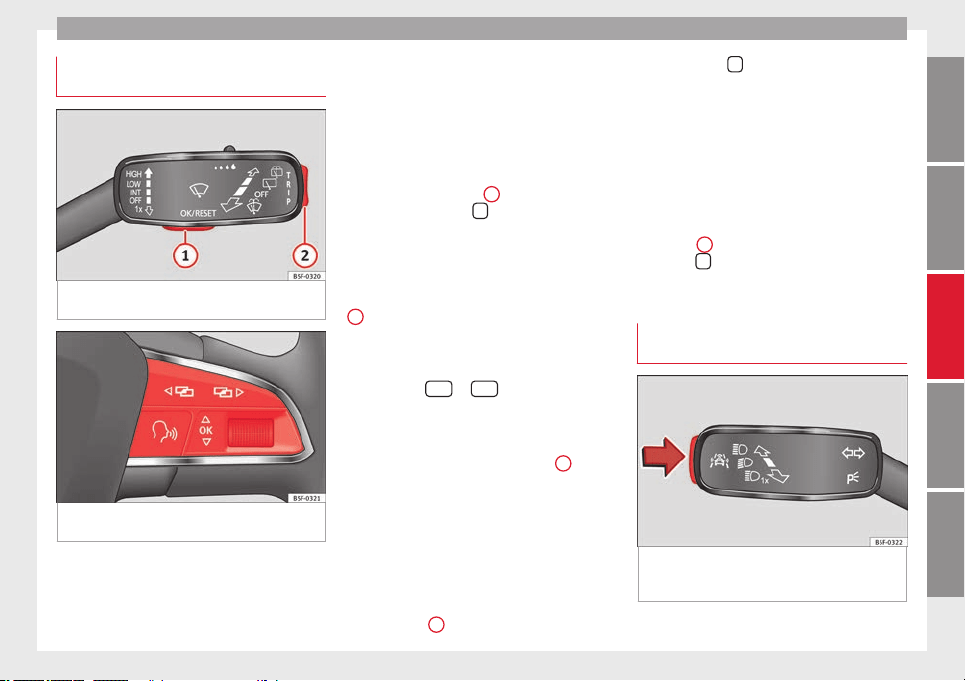
Driver information system
Operating the instrument panel
menus
Fig. 87 Windscreen wiper lever: control but-
tons.
Fig. 88 Right side of multifunction steering
wheel: control buttons.
Read the additional information carefully
›››
page 19
The driver information system is controlled
with the multifunction steering wheel buttons
››› Fig. 88
or with the windscreen wiper lever
›
›
› Fig. 87 (if the vehicle is not equipped with
multifunction steering wheel).
Enabling the main menu
●
Switch the ignition on.
●
If a message or vehicle pictogram appears,
press button ››› Fig. 87
1
on the windscreen
wiper lever or button
on the multifunction
steering wheel ››› Fig. 88.
●
If managed from the windscreen wiper lev-
er:
to display the main screen ›
›
› page 74 or
to return to the main menu from another
menu hold down the rocker button ››› Fig. 87
2
.
●
If managed from the multifunction steering
wheel:
the main menu list is not displayed.
T
o g
o from point to point in the main menu,
press button
or
several times
››› Fig. 88
.
Sel
ect
a submenu
●
Press the rocker switch ››› Fig. 87
2
on the
windscreen wiper lever up or down or turn
the thumbwheel of the multifunction steering
wheel ››› Fig. 88
until the desired option ap-
pe
ar
s marked on the menu.
●
The selected option is displayed between
two horizontal lines. In addition, a triangle is
displayed on the right:
●
To consult the submenu option, press but-
ton ››› Fig. 87
1
on the windscreen wiper
lever or button
on the multifunction steer-
ing wheel ››› Fig. 88
.
M
ak
ing changes according to the menu
●
With the rocker switch on the windscreen
wiper lever or the thumbwheel of the multi-
function steering wheel, make the desired
changes. To increase or decrease the values
more quickly, turn the thumbwheel faster.
●
Mark or confirm the selection with button
››› Fig. 87
1
on the windscreen wiper lever
or button
on the multifunction steering
wheel ››› Fig. 88
.
B
utt
on for the driving assistance
systems*
Fig. 89 On the turn signal and main beam
headlight lever: button for the driving assis-
tance systems
»
73
Technical specifications
AdviceOperationSafetyThe essentials
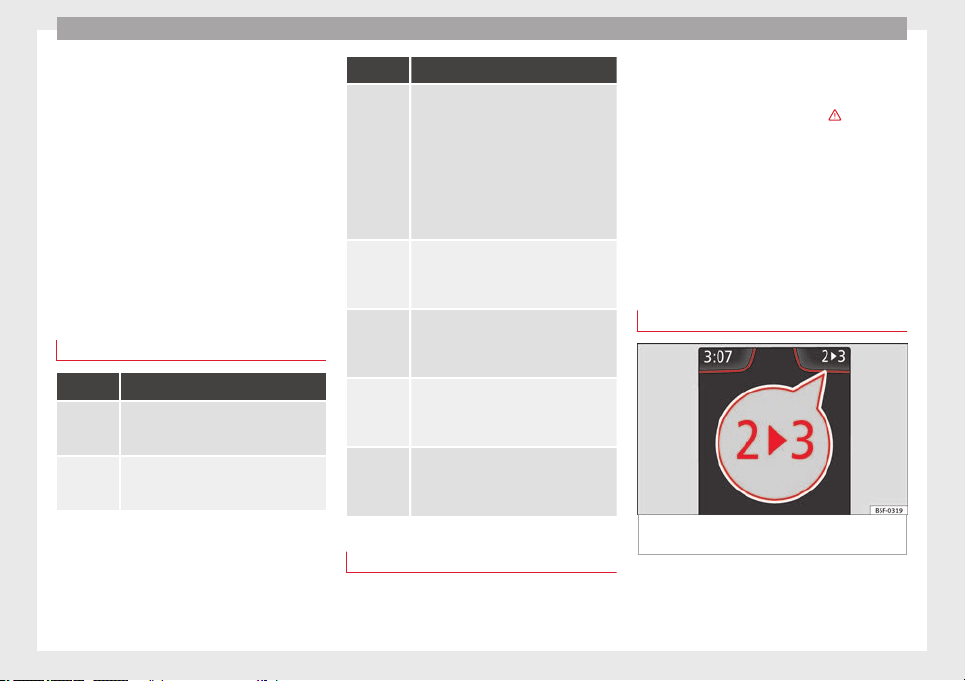
Operation
With the turn signal and main beam head-
light lever button, you can activate or deacti-
vate the driver assistance systems displayed
in the
Assist systems menu ›
›
› page 143.
Activate or deactivate a driver assistance
system
●
Briefly press the button ››› Fig. 89 in the di-
rection of the arrow to open the menu Assist
systems.
●
Select the driver assistance system and ac-
tivate or deactivate it ››› page 73. A mark indi-
cates that driver assistance system is switch-
ed on.
Menu
Menu Function
Driving da-
ta
Information and possible configurations
of the multifunction display (MFD)
››› page 76, ››› page 81.
Assist sys-
tems
Information and possible configurations
of the driver assistance systems
››› page 81.
Menu Function
Navigation
Information instructions from the activa-
ted navigation system: when a route guid-
ance is activated, the turning arrows and
proximity bars are displayed. The appear-
ance is similar to the Easy Connect sys-
tem.
If route guidance is not activated, the di-
rection of travel (compass) and the name
of the street along which you are driving
are shown ››› Booklet Navigation system.
Audio
Station display on the radio.
Track name on the CD.
Track name in Media mode. ››› Booklet Ra-
dio or ››› Booklet Navigation system.
Telephone
Information and possible configurations
of the mobile phone preinstallation
››› Booklet Radio or ››› Booklet Navigation
system.
Lap timer
In a racing circuit, measurement and
memorisation of lap times by the vehicle
and comparison with previously measured
best times ››› page 78.
Vehicle
status
Display of the current warning or informa-
tion texts and other system components,
depending on the equipment
››› page 81.
Outside temperature display
When the outside temperature is below +4°C
(+39°F), the symbol “ice crystal” (warning of
risk of freezing) is also displayed next to the
temperature. At first this symbol flashes and
then it remains lit until the outside tempera-
ture rises above +6°C (+43°F) ››› in Dis-
plays on screen on page 69
.
When the
v
ehicle is at a standstill or when
travelling at very low speeds, the tempera-
ture displayed may be higher than the true
outside temperature as a result of the heat
produced by the engine.
The temperatures measured range from
-40°C to +50°C (-40°F to +122°F).
Gear-change indicator
Fig. 90 Instrument panel: gear-change indica-
tor (manual gearbox).
To familiarise yourself with the gear-change
indicator, we recommend driving in the nor-
mal way to start with. A gear change will be
74
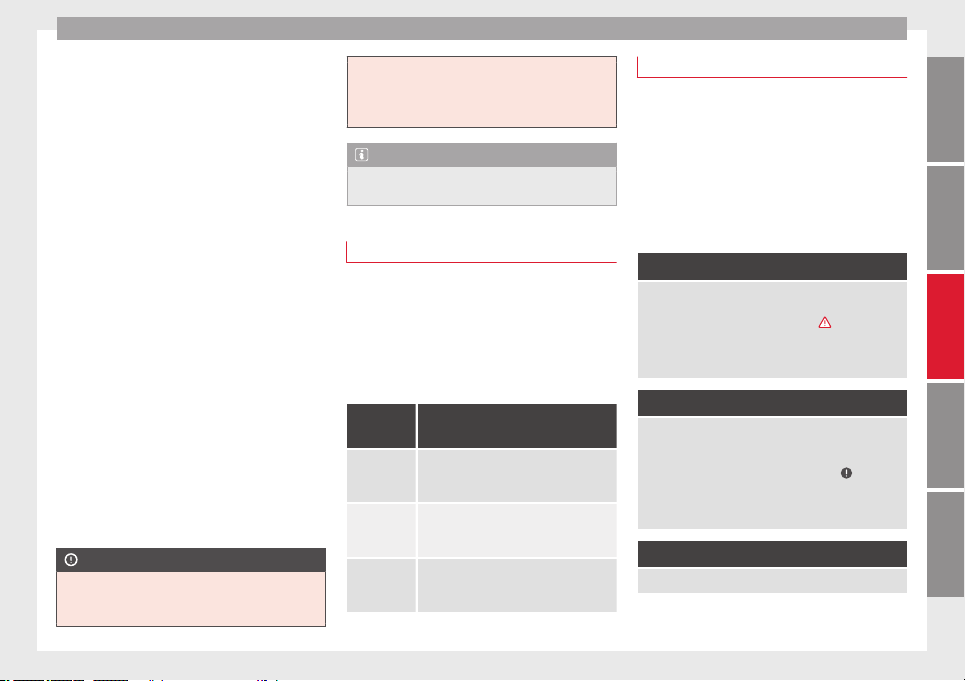
Driver information system
recommended if the gear you are in is not the
most economical choice.
If no gear-change is recommended, it means
that you are already in the most economical
gear.
Vehicles with a manual gearbox
The following display symbols ››› Fig. 90
mean:
●
Change to a higher gear: the suggested
gear appears to the right of the current gear
when a
higher gear is recommended.
●
Change to a lower gear: the suggested
g
e
ar appears to the left of the current gear
when a lower gear is recommended.
The gear recommendation may occasionally
skip a gear (2nd 4th).
Vehicles with an automatic gearbox*
The display is only visible in tiptronic mode
››› page 135.
The following display symbols mean:
●
Shifting up a gear
●
Shifting down a gear
CAUTION
The gear-change indicator is intended to help
save fuel, but it is not intended to recom-
mend the right gear for all driving situations.
In certain situations, only the driver can
choose the correct gear (for instance when
overtaking, driving up a steep gradient or
towing a trailer).
Note
The display disappears from the instrument
panel when you press the clutch pedal.
Bonnet, rear lid and doors open
When the ignition is switched on or when
driving, the bonnet, rear lid or doors that are
open will be indicated on the instrument pan-
el display, and if it should be the case, this
will also be indicated audibly. The display
may vary according to the type of instrument
panel fitted.
Illustra-
tion
Key to ››› Fig. 83
A
Do not continue driving!
The bonnet is open or is not properly
closed ››› page 198.
B
Do not continue driving!
The rear lid is open or is not properly
closed ››› page 89.
C, D
Do not continue driving!
A vehicle door is open or is not properly
closed ››› page 82.
Warning and information texts
The system runs a check on certain compo-
nents and functions when the ignition is
switched on and while the vehicle is moving.
Faults in the operation are displayed on the
screen using red and yellow symbols and
messages on the instrument panel display
(››› page 71) and, in some cases, with audible
warnin
gs. The display may vary according to
the type of instrument panel fitted.
Priority 1 warning (red symbols)
Symbol flashing or lit; partly combined with audible
warnings.
Stop the vehicle! It is dangerous ››› in Control and
warning lamps on page 71 !
Check the function that is faulty and repair it. If necessa-
ry, request assistance from specialised personnel.
Priority 2 warning (yellow symbols)
Symbol flashing or lit; partly combined with audible
warnings.
A faulty function, or fluids which are below the correct
levels may cause damage to the vehicle! ›››
in Control
and warning lamps on page 71
Check the faulty function as soon as possible. If neces-
sary, request assistance from specialised personnel.
Informative text
Information relating to different vehicle processes.
75
Technical specifications
AdviceOperationSafetyThe essentials
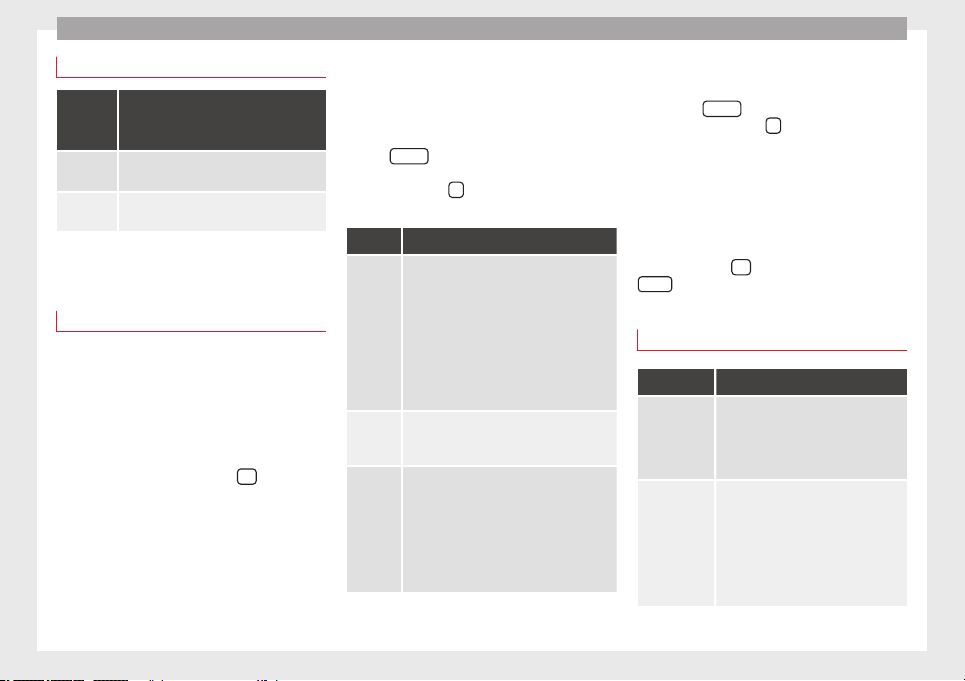
Operation
Assist systems submenu
Assist
systems
menu
Function
Lane As-
sist*
Switching the Lane Assist system on or off
››› page 168.
Tiredness
detection*
Switching the tiredness detection on or off
(pause recommendation) ››› page 172.
Driving data
Presets
The MFD (multifunction display) shows differ-
ent values for the journey and the consump-
tion.
Changing between display modes on the
MFD
●
In vehicles without multifunction steering
wheel:
Press the rocker switch
on the
windscreen wiper lever
›››
Fig. 87
.
●
V
ehicle
s with a multifunction steering
wheel: turn the thumbwheel ››› Fig. 88.
Multifunction display memory
The multifunction display is equipped with
three memories that work automatically: MFD
from departure, MFD from refuelling, MFD to-
tal calculation. On the screen display, you
can read which memory is currently dis-
played.
To change between memories with the igni-
tion on and the memory shown, press the
button
on the windscreen wiper lever
or you can also change between memories
using the button
on the multifunction
steering wheel.
Menu Function
MFD from
depar-
ture
Display and storage of the values for the
journey and the consumption from when the
ignition is switched on to when it is switch-
ed off.
If the journey is continued in less than 2
hours after the ignition is switched off, the
new data is added to the data already stor-
ed in the memory. The memory will auto-
matically be deleted if the journey is inter-
rupted for more than 2 hours.
MFD from
refuelling
Display and storage of the values for the
journey and the consumption. By refuelling,
the memory will be erased automatically.
MFD total
calcula-
tion
The memory records the values for a specif-
ic number of partial trips, up to a total of 19
hours and 59 minutes or 99 hours and 59
minutes, or 1999.9 km or 9999 km, de-
pending on the model of instrument panel.
On reaching either of these limits
a)
, the
memory is automatically erased and starts
to count from 0 again.
a)
It varies according to the type of instrument panel fitted.
Erasing a memory manually
●
Select the memory that you wish to erase.
●
Hold the
button of the multifunction
steering wheel or the
button of the multi-
function wheel pressed down for about 2 sec-
onds.
Personalising the displays
In the Easy Connect system you can adjust
which of the possible displays of the MFD can
be shown on the instrument panel display
with the button
and the function button
Setup
››› page 81
.
Dat
a s
ummary
Menu Function
Current fuel
consumption
The current fuel consumption display
operates throughout the journey, in li-
tres/100 km; and with the engine run-
ning and the vehicle stopped, in li-
tres/hour.
Average fuel
consumption
a)
After turning on the ignition, average
fuel consumption in litres/100 km will
be displayed after travelling about 100
metres. Otherwise horizontal lines are
displayed. The value shown is updated
approximately every 5 seconds.
ACT
®
*: Depending on the equipment,
number of active cylinders.
76
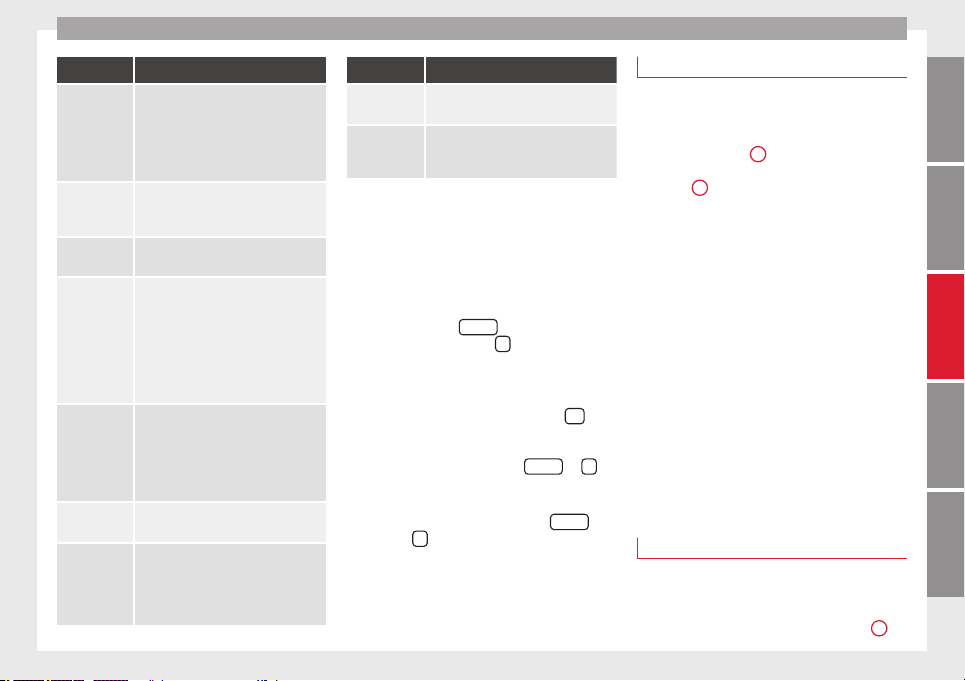
Driver information system
Menu Function
Operating
range
a)
Approximate distance in km that can
still be travelled with the fuel remain-
ing in the tank, assuming the same
style of driving is maintained. This is
calculated using the current fuel con-
sumption.
Journey dura-
tion
This indicates the hours (h) and mi-
nutes (min) since the ignition was
switched on.
Distance cov-
ered
Distance covered in km (m) after
switching on the ignition.
CNG quality
Whenever you refuel the quality of the
natural gas is automatically verified
and is displayed when the ignition is
switched on. The display is made in a
percentage of between 70% and
100%. The greater the percentage dis-
played the lower the consumption may
be.
Average speed
The average speed will be shown after
a distance of about 100 metres has
been travelled. Otherwise horizontal
lines are displayed. The value shown is
updated approximately every 5 sec-
onds.
Digital display
of speed
Current speed displayed in digital for-
mat.
Speed warn-
ing at --- km/h
or Speed
warning at ---
mph
If the stored speed is exceeded (be-
tween 30 - 250 km/h, or 19 -
155 mph), an audible warning is given
together with a visual warning.
Menu Function
Oil tempera-
ture
Updated engine oil temperature digital
display
Coolant tem-
perature
gauge
Digital display of the current tempera-
ture of the liquid coolant.
a)
In vehicles with a natural gas engine, range and average con-
sumption refer only to data or natural gas consumption. If you
are in “petrol mode”, the information of both data only appears
on the dash panel and not on the multifunction screen.
Storing a speed for the speed warning
●
Select the display
Speed warning at --- km/h
(--- mph)
●
Press the button
on the windscreen
wiper lever or the button
on the multifunc-
tion steering wheel to store the current speed
and activate the warning.
●
If necessary, adjust the desired speed with-
in 5 seconds using the rocker switch
on
the windscreen wiper lever or by turning the
thumbwheel on the multifunction steering
wheel. Next, press the button
or
again or wait several seconds. The speed is
stored and the warning activated.
●
To deactivate it
press the button
or
the button
. The stored speed is deleted.
Engine oil temperature display
Vehicles without multifunction steering
wheel
–
To view the temperature, press the rocker
button ››› Fig. 87
2
until the main menu
comes up. Enter into Journey data. With the
button
2
move to the oil temperature
gauge.
Vehicles with multifunction steering wheel
–
To display the engine oil temperature, enter
the submenu Journey data and turn the
thumbwheel until the oil temperature dis-
play appears.
The engine reaches its operating temperature
when in normal driving conditions, the oil
temperature is between
80°C (180°F)
and
120°C (250°F)
. If the engine is required to
work hard and the outside temperature is
high, the engine oil temperature can in-
crease. This does not present any problems
as long as the warning lamps
›››
ta-
ble on page 23
or
›
›
›
table on page 23
do not appear on the display.
Additional electrical appliances
3 Not available in vehicles equipped with natural
gas engine (CNG).
–
Operation with the windscreen wiper lev-
er*: Press the rocker switch
›››
Fig. 87
2
»
77
Technical specifications
AdviceOperationSafetyThe essentials
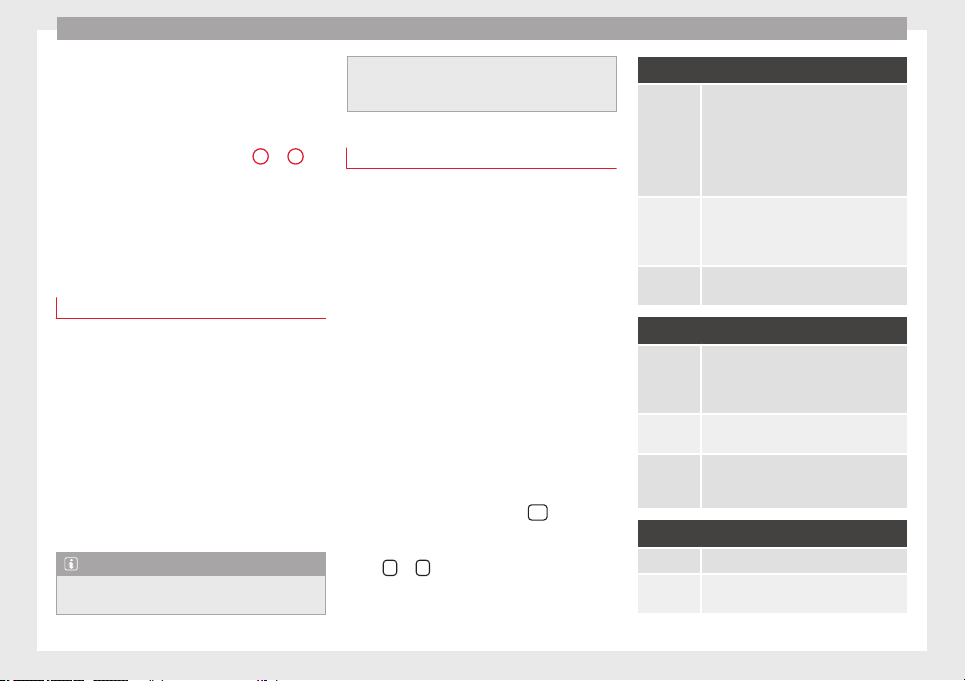
Operation
until the main menu appears. Enter into the
section
Journey data.
W
ith the rocker
switch, move to the display Convenience ap-
pliances.
–
Operation with the multifunction steering
wheel*: Move with the buttons
1
or
2
to
Journey data and enter with
OK
. Turn the
thumb
wheel to the right until the Conven-
ience appliances display appears.
In addition, a scale will inform you of the cur-
rent sum of all the additional appliances.
Saving tips
Tips on how to save fuel will be displayed in
certain conditions that contribute to in-
creased consumption. Following these tips
could reduce the fuel consumption of your
vehicle. The displays appear automatically
and will only be shown with the efficiency
programme. After a time, the saving tips will
disappear automatically.
–
If you wish to hide a saving tip immediately
after it appears, press any button on the
windscreen wiper lever*/multifunction
steering wheel*.
Note
●
If you hide a saving tip, it will reappear af-
ter you switch the ignition on again.
●
The saving tips do not appear in all situa-
tions, but rather with a large separation of
time.
Timer*
If you have the corresponding equipment you
can access the timer via the selection menu
››› page 74.
The timer allo
ws you to manually time lap
times on a racing circuit, memorise them and
compare then to the vehicle's previous best
times.
The following menus can be displayed:
●
Stop
●
Lap
●
Pause
●
Partial time
●
Statistics
Change from one menu to another
●
Vehicles without multifunction steering
wheel: press the rocker switch
in the
windscreen wiper lever.
●
Vehicles with multifunction steering wheel:
press
or
.
Menu “Stop”
Start
The timer starts.
If there are existing laps and they are in-
cluded in the statistics, it will begin with
the number of laps in question.
It is only possible to begin with a new first
lap if the statistics have been reset first in
the Statistics menu.
Since start
The timer begins when the vehicle sets
off.
If the vehicle is already moving, the timer
begins once the vehicle has stopped.
Statistics
The Statistics menu is displayed on the
screen.
Menu “Lap”
New lap
The timer of the current lap stops and a
new lap starts immediately. The time for
the lap you have just completed is inclu-
ded in the statistics.
Partial time
For about 5 seconds a partial time is dis-
played. The timer continues in parallel.
Stop
The current lap timer will be interrupted.
The lap does not end. The Pause menu is
displayed.
Menu “Pause”
Continue The interrupted timer continues.
New lap
A new timer starts. The halted lap ends
and is included in the statistics.
78
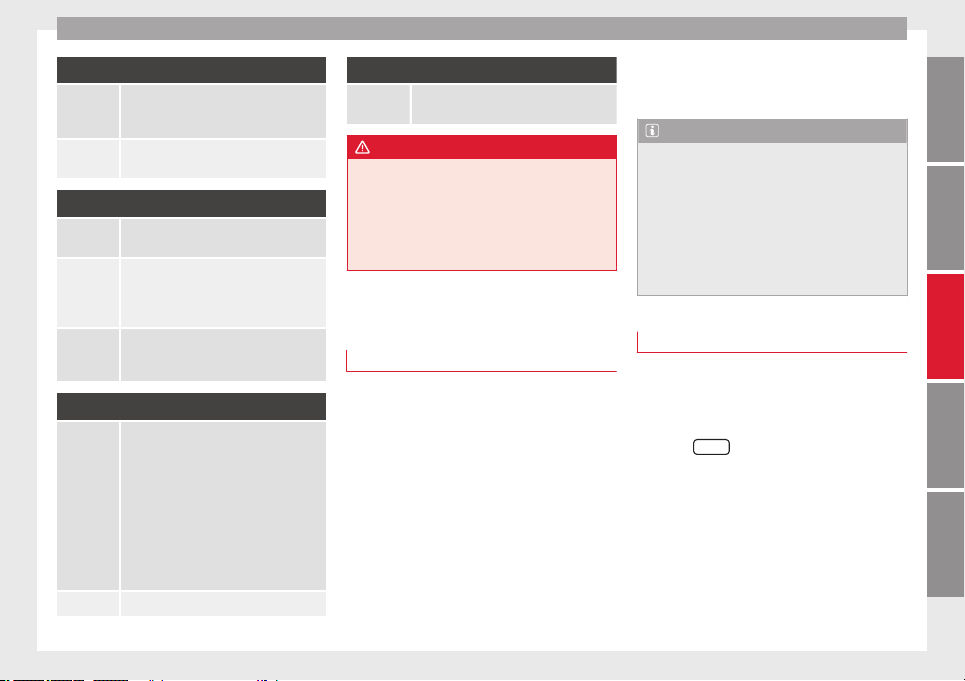
Driver information system
Menu “Pause”
Interr. lap
The timer of the current lap ends and is
cancelled. It is not included in the statis-
tics.
End
The current timer ends. The lap is inclu-
ded in the statistics.
Menu “Partial time”
Partial time
For about 5 seconds a partial time is dis-
played. The timer continues in parallel.
New lap
The timer of the current lap stops and a
new lap starts immediately. The time for
the lap you have just completed is inclu-
ded in the statistics.
Stop
The current lap timer will be interrupted.
The lap does not end. The Pause menu is
displayed.
Menu “Statistics”
View of the latest lap times:
– total time
– best lap time
– worst lap time
– average lap duration
A maximum of 10 laps is possible, and a
total duration of 99 hours, 59 minutes
and 59 seconds.
If one of the 2 limits is reached, you will
have to reset the statistics in order to be-
gin a new timer.
Back This returns to the previous menu.
Menu “Statistics”
Resetting
to zero
All the memorised statistical data are re-
set.
WARNING
Do your best to avoid handling the timer
while driving.
●
Only set the timer or consult statistics
when the vehicle is stationary.
●
While driving, do not handle the timer in
complicated driving situations.
Speed warning function
Introduction
The speed warning function will warn the
driver if a pre-set maximum speed is excee-
ded. The system gives an warning buzzer sig-
nal if the set speed is exceeded by about 3
km/h. The warning lamp and the driver
message
Speed limit exceeded!
will be dis-
played simultaneously on the instrument
panel display. The warning lamp switches
off when reducing speed below the stored
maximum limit.
You are recommended to store this speed
limit warning if you always wish to be re-
minded of a particular speed limit. This could
be when driving in countries with general
speed limits, or if a particular speed should
not be exceeded when winter tyres are fitted
etc.
Note
●
Please bear in mind that, even with the
speed warning function, it is still important
to keep an eye on the vehicle speed with the
speedometer and to observe the legal speed
limits.
●
The speed limit warning function in the ver-
sion for several countries warns you at a
speed of 120 km/h (80 mph). This is a facto-
ry-set speed limit.
Setting speed limit warning
You can use the radio or the Easy Connect* to
set, alter or cancel the speed limit warning.
Vehicles with radio
–
Select:
SETUP
button > control button
Driver assistant
>
Speed warning
.
Vehicles with Easy Connect
–
Select:
Systems
control button or
Vehicle
systems
>
Driver assistant
>
Speed warning
.
The warning limit can be set from 30 to
240 km/h (20 to 150 mph). The adjustment
is done in 10 km/h (mph) intervals.
79
Technical specifications
AdviceOperationSafetyThe essentials
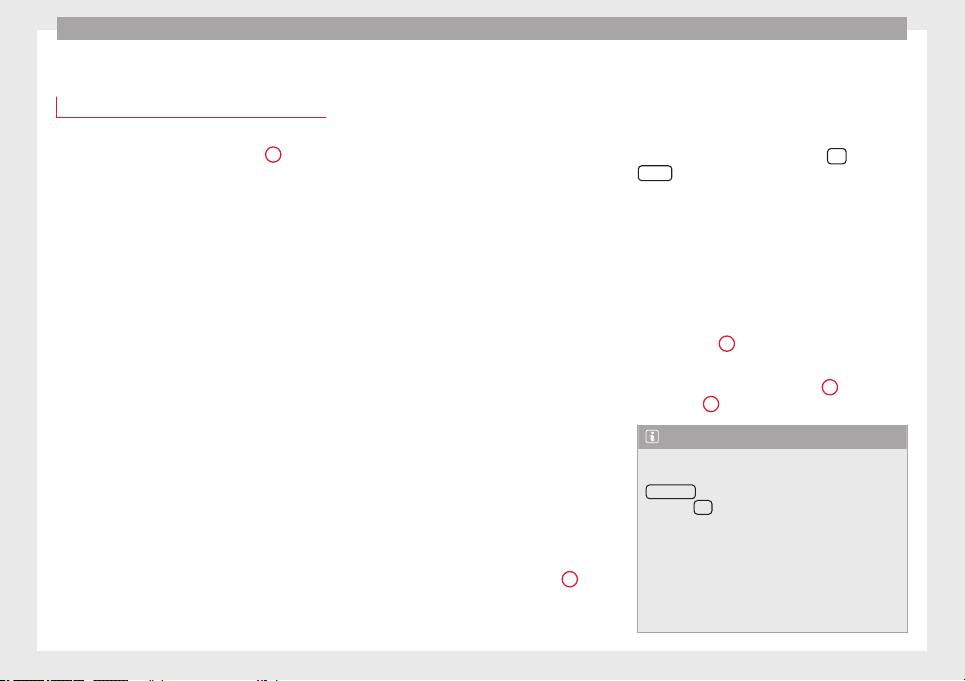
Operation
Service interval display
Service interval display
The service interval indication appears on the
instrument panel display ››› Fig. 82
4
.
SEAT distinguishes between services with en-
gine oil
change (e.g. Oil change service) and
services without engine oil change (e.g. In-
spection).
In vehicles with Services established by time
or mileage, the service intervals are already
pre-defined.
In
vehicles with LongLife Service, the inter-
vals are determined individually. Technical
progress has made it possible to considera-
bly reduce servicing requirements. The tech-
nology used by SEAT ensures that your vehi-
cle only has an Oil Servicing when it is neces-
sary. To establish when the oil servicing is
due (max. 2 years), the vehicle's conditions
of use and individual driving styles are con-
sidered. The service pre-warning first ap-
pears 20 days before the date established for
the corresponding service. The kilometres
(miles) remaining until the next service are
always rounded up to the nearest 100 km
(miles) and the time is given in complete
days. The current service message cannot be
viewed until 500 km after the last service. Pri-
or to this only lines are visible on the display.
Inspection reminder
When the Service date is approaching, when
the ignition is switched on a Service remind-
er is displayed.
In vehicles without text messages, a spanner
is displayed on the instrument panel with
a figure given in km. The number of kilome-
tres shown is the maximum number that may
be driven until the next service. After a few
seconds, the display mode changes. A clock
symbol appears and the number of days until
the next service appointment is due.
In vehicles with text messages, Service in ---
km (miles) or --- days is displayed on the in-
strument panel.
Service due
After the service date, an audible warning is
given when the ignition is switched on and
the spanner displayed on the screen flashes
for a few seconds . In vehicles with text
messages, Service in --- km or --- days is dis-
played on the instrument panel.
Reading a service notification
With the ignition switched on, the engine off
and the vehicle at a standstill, the current
service notification can be read:
Press and hold the button ››› Fig. 82
4
for
more than 5 seconds to consult the service
message.
When the service date has past, a minus sign
is displayed in front of the number of kilome-
tres or days. In vehicles with text messages
the following is displayed: Service --- km
(miles) or --- days ago.
The time can also be set via the
key and
Setup
function button in the Easy Connect
system ››› page 81
.
R
e
setting service interval display
If the service was not carried out by a SEAT
dealership, the display can be reset as fol-
lows:
●
To reset the service interval display, turn
the ignition off and press and hold the but-
ton ››› Fig. 82
4
.
●
Switch the ignition back on.
●
Release the button ››› Fig. 82
4
and press
the button
4
again for the next 20 seconds.
Note
●
The service message disappears after a few
seconds, when the engine is started or when
OK/RESET
is pressed on the windscreen wiper
lever, or
OK
on the multifunction steering
wheel.
●
In vehicles with the LongLife system in
which the battery has been disconnected for
a long period of time, it is not possible to cal-
culate the date of the next service. Therefore
the service interval display may not be cor-
rect. In this case, bear in mind the maximum
80
Introduction to the Easy Connect system*
service intervals permitted in the ››› Book-
let Maintenance Programme.
Introduction to the Easy
Connect system*
System Settings (CAR)*
Introduction
To select the settings menus, press the Easy
Connect
button and the
Setup
function
button.
The actual number of menus available and
the name of the various options in these me-
nus will depend on the vehicle’s electronics
and equipment.
WARNING
Any distraction may lead to an accident, with
the risk of injury. Operating the Easy Connect
system while driving could distract you from
traffic.
CAR menu Setup
Read the additional information carefully
›››
page 17
Pressing the menu button will always take
you to the last menu used.
When the function button check box is activa-
ted , the function is active.
Pressing the menu button
will always take
you to the last menu used.
Any changes made using the settings menus
are automatically saved on closing those me-
nus.
Function buttons in the ve-
hicle’s settings menu
Page
ESC system ››› page 143
Tyres ››› page 212
Driver assistance ››› table on page 18
Parking and manoeuvring ››› page 173
Vehicle lights ››› table on page 18
Rear vision mirrors and wind-
screen wipers
››› table on page 18
Opening and closing ››› table on page 18
Multifunction display ››› page 19
Date and time ››› table on page 18
Units ››› table on page 18
Service ››› page 67
Factory settings ››› table on page 18
81
Technical specifications
AdviceOperationSafetyThe essentials
Operation
Opening and closing
Central locking system
Description
The vehicle can be locked and unlocked via
the central locking system. There are several
methods, depending on the vehicle equip-
ment:
●
key with remote control ››› page 84,
●
lock on driver door (emergency opening
›››
page 227
) or
●
int
erior c
entral locking switch ››› page 85.
Unlocking one side of the vehicle only
When you lock the vehicle with the key, the
doors and the rear lid are locked. When you
open the door, you can either unlock only the
driver door, or all the vehicle doors. To select
the required option, use Easy Connect*
›››
page 85.
Automatic locking (Auto Lock)*
The Auto Lock function locks the doors and
the rear lid when the vehicle exceeds a speed
of about 15 km/h (10 mph).
The vehicle is unlocked again when the igni-
tion key is removed. Alternatively, the vehicle
can also be unlocked via the central locking
switch or by pulling one of the inside door
handles. The Auto Lock function can be
switched on and off on the sound system or
on the Easy Connect* system ››› page 85.
In the event of an accident in which the air-
bags inflate, the doors will be automatically
unlocked to facilitate access and assistance.
Anti-theft alarm system*
If the anti-theft alarm system senses interfer-
ence with the vehicle it triggers an audible
and visible alarm.
The anti-theft alarm system is automatically
switched on when locking the vehicle. It
switches off when the vehicle is unlocked
from a distance.
When the driver door is unlocked with the
key, you should switch on the ignition within
15 seconds. Otherwise the alarm will be trig-
gered. On some export versions, the alarm is
triggered immediately when you open a door.
To deactivate the alarm, press the button
on the remote control key, or switch on the
ignition. After a certain time, the alarm will
automatically switch off.
Switch off the vehicle interior monitoring and
tow-away protection if you wish to prevent
the alarm from being triggered accidentally
›››
page 89
.
T
urn s
ignals
The turn signals will flash twice when the ve-
hicle is unlocked and once when the vehicle
is locked.
If it does not flash, this indicates that one of
the doors, the rear lid or the bonnet is not
closed correctly.
Accidental lock-out
The central locking system prevents you from
being locked out of the vehicle in the follow-
ing situations:
●
If the driver door is open, the vehicle can-
not be locked with the central locking switch
››› page 85.
Lock the vehicle with the remote control key,
when all the doors and the rear lid have been
closed. This prevents the accidental locking
of the vehicle.
WARNING
Do not leave anyone (especially children) in
the vehicle if it is locked from the outside and
the anti-theft security system* is enabled, as
the doors and windows cannot then be
opened from the inside. Locked doors could
delay assistance in an emergency, potentially
putting lives at risk.
82
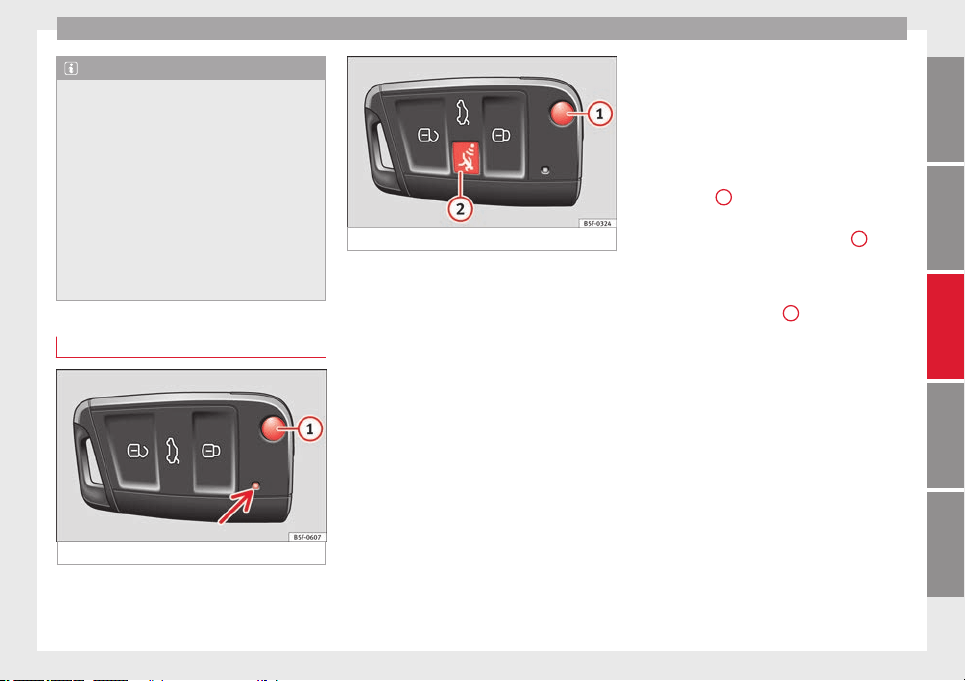
Opening and closing
Note
●
Never leave any valuable items in the vehi-
cle unattended. Even a locked vehicle is not a
safe.
●
If the diode on the driver door sill lights up
for about 30 seconds when the vehicle is
locked, the central locking system or anti-
theft alarm* is not working properly. You
should have the fault repaired at a SEAT Offi-
cial Service or specialised workshop.
●
The vehicle interior monitoring of the anti-
theft alarm* system will only function as in-
tended if the windows and the sunroof* are
closed.
Car key
Fig. 91 Vehicle key
Fig. 92 Vehicle key with alarm button
Vehicle key
With the vehicle key the vehicle may be
locked or unlocked remotely ››› page 82.
The vehicle key includes an emitter and bat-
tery. The receiver is in the interior of the vehi-
cle. The range of the vehicle key with remote
control and new battery is several metres
around the vehicle.
If it is not possible to open or close the vehi-
cle using the remote control key, this should
be re-synchronised ››› page 87 or the bat-
tery changed ››› page 86
.
Diff
er
ent keys belonging to the vehicle may
be used.
Control lamp on the vehicle key
When a button on the vehicle key is pressed,
the control lamp flashes ››› Fig. 91 (arrow)
once briefly, but if the button is held down for
a longer period the control lamp flashes sev-
eral times, such as in convenience opening.
If the vehicle key control lamp does not light
up when the button is pressed, replace the
key's battery ››› page 86.
Unfolding and folding the key shaft
Press button
1
››› Fig. 91
or ›
›› Fig. 92
to un-
lock and unfold the key shaft.
To fold the shaft away, press button
1
and
fold the key shaft in until it locks in place.
Alarm button*
Only press alarm button
2
in the event of an
emergency! When the alarm button is press-
ed, the vehicle horn is heard and the turn sig-
nals are switched on for a short time. When
the alarm button is pressed again, the alarm
is switched off.
Replacing a key
To obtain a spare key and other vehicle keys,
the vehicle chassis number is required.
Each new key contains a microchip which
must be coded with the data from the vehicle
electronic immobiliser. A vehicle key will not
work if it does not contain a microchip or the
microchip has not been encoded. This is also
true for keys which are specially cut for the
vehicle.
»
83
Technical specifications
AdviceOperationSafetyThe essentials

Operation
The vehicle keys or new spare keys can be
obtained from a SEAT Official Service, a spe-
cialised workshop or an approved key service
qualified to create this kind of key.
New keys or spare keys must be synchron-
ised before use ››› page 87.
CAUTION
All of the vehicle keys contain electronic com-
ponents. Protect them from damage, impacts
and humidity.
Note
●
Only use the key button when you require
the corresponding function. Pushing the but-
ton unnecessarily could accidentally unlock
the vehicle or trigger the alarm. It is also pos-
sible even when you are outside the radius of
action.
●
Key operation can be greatly influenced by
overlapping radio signals close to the vehicle
working in the same range of frequencies, for
example, radio transmitters or mobile tele-
phones.
●
Obstacles between the remote control and
the vehicle, bad weather conditions and dis-
charged batteries can considerably reduce
the range of the remote control.
●
If the buttons of the vehicle key are press-
ed ››› Fig. 91 or ››› Fig. 92
or one of the central
locking buttons ››› page 85 is pressed re-
peatedly in short succession, the central
locking briefly disconnects as protection
against overloading. The vehicle is then un-
locked. Lock it if necessary.
Remote unlock/lock
Read the additional information carefully
›››
page 9
The vehicle will be locked again automatical-
ly if you do not open one of the doors or the
rear lid within 30 seconds after unlocking the
car. This function prevents the vehicle from
remaining unlocked if the unlocking button is
pressed by mistake. This does not apply if
you press the button
for at least one sec-
ond.
In vehicles with a security central locking
feature
(selective unlocking of side doors)
›
›
› page 84, when the button
is pressed
once, only the driver door and the fuel tank
flap are unlocked. When the button is press-
ed a second time, all the vehicle doors are
unlocked.
WARNING
Observe the safety warnings ››› in Descrip-
tion on page 82.
Note
●
Do not use the remote control key until the
vehicle is visible.
●
Other functions of the remote control key
››› page 91, Convenience opening/closing.
Selective unlocking system
The selective unlocking system allows you to
only unlock the driver door and the fuel tank
flap. All other doors and the rear lid remain
locked.
Unlocking the driver door and tank flap
–
Press button
on the remote control key
once
, or turn the key onc
e
to open.
Unlocking all the doors, the rear lid and the
tank flap simultaneously.
–
Within 5 seconds, press button
on the
remote control key twice
, or turn the key to
open
twice
within 5 seconds.
The anti-theft security system* and the anti-
theft alarm* are immediately disabled if you
unlock only the driver door, without unlock-
ing the other doors.
In vehicles with Easy Connect*, you can pro-
gramme the security central locking system
directly ››› page 85.
84
Opening and closing
Programming the central locking
system
You can use Easy Connect* to select which
doors are unlocked with the central locking
system. Using the radio or the Easy Connect*
system, you can select whether the vehicle
automatically closes with the “Auto Lock”
programme at speeds of more than 15 km/h
(10 mph).
Programming the unlocking of the doors
(vehicles with Easy Connect)
–
Select: control button Systems or Vehicle
systems > Vehicle settings > Central locking >
Unlocking doors.
Programming the Auto Lock (vehicles with
radio)
–
Select:
SETUP
button > control button
Central locking
>
Locking while driving
.
Programming the Auto Lock (vehicles with
Easy Connect)
–
Select: control button
Systems
or
Vehicle
systems
>
Vehicle settings
>
Locking while
driving
.
Unlocking doors
You can choose to unlock
all
the doors or only the
driver door
when you
unlock the vehicle. In
all
the options, the fuel
tank flap is also unlocked.
With the Driver setting, when you press the
button on the remote control key only the
door on the driver's side is unlocked. If that
button is pressed twice, the rest of the doors
and the rear lid will be unlocked.
In vehicles with a conventional key, turn the
key in the door lock, in the direction of open-
ing, twice within 2 seconds.
If the button
is pressed, all the vehicle
doors are locked. At the same time, a confir-
mation signal* is heard.
Auto Lock/Locking while driving. If you select
on, all the vehicle doors are locked at speeds
above 15 km/h (10 mph).
Central locking switch
Read the additional information carefully
›››
page 9
Please note the following when using the
central locking switch to lock your vehicle:
●
It is not possible to open the doors or the
rear lid from the
outside
(for safety reasons,
e.
g. when stopped at traffic lights).
●
The LED in the central locking switch lights
up when all the doors are closed and locked.
●
You can open the doors individually from
the inside by pulling the inside door handle.
●
In the event of an accident in which the air-
bags inflate, doors locked from the inside will
be automatically unlocked to facilitate access
and assistance.
WARNING
●
The central locking switch also operates
when the ignition is switched off and auto-
matically locks all the vehicle doors when the
button
is pressed.
●
The central locking switch does not operate
if the vehicle is locked from the outside and
the anti-theft security system is switched on.
●
Locked doors could delay assistance in an
emergency, potentially putting lives at risk.
Do not leave anyone, especially children, in
the vehicle.
Note
The doors and the tailgate are locked auto-
matically when the vehicle reaches a speed of
about 15 km/h (Auto Lock) ››› page 82. You
can unlock the vehicle again using button
on the central locking switch.
Anti-theft security system (Safelock)*
The following message is displayed on the in-
strument panel to remind the driver that
when the vehicle is closed from the outside,
the anti-theft security system is switched on.
Do not forget the Safelock. Please see
»
85
Technical specifications
AdviceOperationSafetyThe essentials
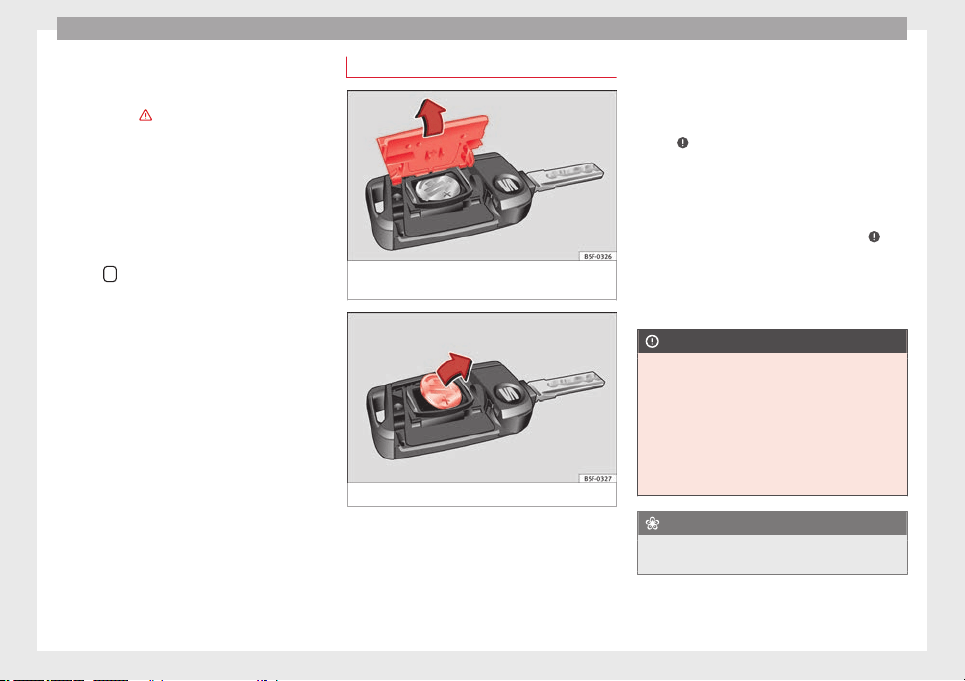
Operation
Instruction Manual. The vehicle cannot be
opened from inside. This makes it more diffi-
cult for unauthorised persons to break into
the vehicle ››› in Description on page 82.
The anti-theft security system can be switch-
ed off each time the vehicle is locked:
●
Turn the key a second time to the lock posi-
tion, in the door lock,
for the next two sec-
ond
s
. If necessary, remove the protective cov-
er on the driver door handle ››› page 227 or
else
●
Press
on the remote control key for a
second time
for the following 2 seconds.
The fl
a
shing frequency of the diode in the
door sill immediately confirms the process.
Initially, the diode flashes in a fast sequence
for a brief period, then it stops for approxi-
mately 30 seconds and, lastly continues
flashing slowly.
Changing the battery
Fig. 93 Vehicle key: opening the battery com-
partment
Fig. 94 Vehicle key: removing the battery
SEAT recommends you ask a specialised
workshop to replace the battery.
The battery is located to the rear of the vehi-
cle key, under a cover.
Changing the battery
●
Unfold the vehicle key shaft ››› page 83.
●
Remove the cover from the back of the ve-
hicle key ››› Fig. 93
in the direction of the ar-
r
o
w ›››
.
●
Extract the battery from the compartment
using a suitable thin object ››› Fig. 94
.
●
Pl
ac
e the new battery in the compartment
as shown ››› Fig. 94, pressing in the opposite
direction to that shown by the arrow ›››
.
●
Fit the cover as shown ››› Fig. 93, pressing
it onto the vehicle key casing in the opposite
direction to that shown by the arrow until it
clicks into place.
CAUTION
●
If the battery is not changed correctly, the
vehicle key may be damaged.
●
Use of unsuitable batteries may damage
the vehicle key. For this reason, always re-
place the dead battery with another of the
same voltage, size and specifications.
●
When fitting the battery, check that the po-
larity is correct.
For the sake of the environment
Please dispose of your used batteries correct-
ly and with respect for the environment.
86

Opening and closing
Synchronising the vehicle key
If the button
is pressed frequently outside
of the vehicle range, it is possible that the ve-
hicle can no longer be locked or unlocked us-
ing the key. In this case, the key must be re-
synchronised as described below:
●
Unfold the vehicle key shaft ››› page 83.
●
If necessary, remove the cover from the
driver door lever ››› page 227.
●
Press the button
on the vehicle key. For
this, it must remain with the vehicle.
●
Open the vehicle within one minute using
the key shift. The key has been synchronised.
●
If necessary, fit the cap.
Childproof lock
3 Applies to vehicles with 5 doors:
Fig. 95 Childproof lock on the left hand side
door.
The childproof lock prevents the rear doors
from being opened from the inside. This sys-
tem prevents minors from opening a door ac-
cidentally while the vehicle is running.
This function is independent of the vehicle
electronic opening and locking systems. It
only affects rear doors. It can only be activa-
ted and deactivated manually, as described
below:
Activating the childproof lock
–
Unlock the vehicle and open the door in
which you wish to activate the childproof
lock.
–
With the door open, rotate the groove in
the door using the ignition key, clockwise
for the left hand side doors ››› Fig. 95
and
anti-c
loc
kwise for the right hand side
doors.
Deactivating the childproof lock
–
Unlock the vehicle and open the door
whose childproof lock you want to deacti-
vate.
–
With the door open, rotate the groove in
the door using the ignition key, anti-clock-
wise for the left hand side doors ››› Fig. 95
and clockwise for the right hand side
doors.
Once the childproof lock is activated, the
door can only be opened from the outside.
The childproof lock can be activated or deac-
tivated by inserting the key in the groove
when the door is open, as described above.
Anti-theft alarm system*
Description
The anti-theft alarm makes it more difficult to
break into the vehicle or steal it.
The anti-theft alarm is automatically turned
on when the vehicle is locked with the key.
●
The turn signal light will flash twice on
opening and deactivating the alarm.
●
The turn signal light will flash once on clos-
ing and activating the alarm.
When does the system trigger an alarm?
The anti-theft alarm siren will be triggered for
about 30 seconds accompanied by sound
and optical (flashing) warning signals and
will be repeated about ten times when the
vehicle is locked and the following unauthor-
ised actions are attempted:
●
Opening a door that is mechanically un-
locked using the vehicle key without switch-
ing on the ignition in the next 15 seconds (in
certain markets, such as the Netherlands,
there is no 15 second waiting time and the
»
87
Technical specifications
AdviceOperationSafetyThe essentials
Operation
alarm is activated immediately on opening
the door).
●
A door is opened.
●
The bonnet is opened.
●
The rear lid is opened.
●
When the ignition is switched on with a
non-authorised key.
●
When the vehicle battery is disconnected.
●
Movement inside the vehicle (in vehicles
with interior monitoring ››› page 89).
●
When the vehicle is towed (in vehicles with
anti-tow system ››› page 89
).
●
When the
v
ehicle is raised (in vehicles with
anti-tow system ››› page 89).
●
When the vehicle is transported on a ferry
or by rail (vehicles with an anti-tow system or
vehicle interior monitoring ››› page 89).
●
When a trailer connected to the anti-theft
alarm system is disconnected.
How to turn OFF the alarm
Unlock the vehicle with the unlocking button
on the key or turn on the ignition with a valid
key.
Note
●
After 28 days, the indicator light will be
switched off to prevent the battery from ex-
hausting if the vehicle has been left parked
for a long period of time. The alarm system
remains activated.
●
If, after the audible warning goes off, an-
other monitored area is accessed (e.g. the
rear lid is opened after a door has been
opened), the alarm is triggered again.
●
The anti-theft alarm is not activated when
the vehicle is locked from within using the
central locking button
.
●
If the driver door is unlocked mechanically
with the key, only the driver door is unlocked,
the rest of the doors remain locked. Only
when the ignition has been turned on will the
other doors be available - but not unlocked -
and the central lock button will be activated.
●
If the vehicle battery is run down or flat
then the anti-theft alarm will not operate cor-
rectly.
●
Vehicle monitoring remains active even if
the battery is disconnected or not working for
any reason.
●
The alarm is triggered immediately if one of
the battery cables is disconnected while the
alarm system is active.
Vehicle interior monitoring and anti-
tow system*
It is a monitoring or control function incorpo-
rated in the anti-theft alarm* which detects
unauthorized vehicle entry by means of ultra-
sound.
Activation
–
It is automatically switched on when the
anti-theft alarm is activated.
Deactivation
–
Open the vehicle with the key, either me-
chanically or by pressing the
button on
the remote control. The time period from
when the door is opened until the key is in-
serted in the contact should not exceed 15
seconds, otherwise the alarm will be trig-
gered.
–
Press the button
on the remote control
twice. The volumetric sensor and tilt sen-
sors will be deactivated. The alarm system
remains activated.
The vehicle interior monitoring and the anti-
tow system are automatically switched on
again next time the vehicle is locked.
The vehicle interior monitoring and anti-tow
sensor (tilt sensor) are automatically switch-
ed on when the anti-theft alarm is switched
on. In order to activate it, all the doors and
the rear lid must be closed.
If you wish to switch off the vehicle interior
monitoring and the anti-tow system, it must
be done each time that the vehicle is locked;
if not, they will be automatically switched on.
The vehicle interior monitoring and the anti-
tow system should be switched off if animals
are left inside the locked vehicle (otherwise,
88

Opening and closing
their movements will trigger the alarm) or
when, for example, the vehicle is transported
or has to be towed with only one axle on the
ground.
False alarms
Interior monitoring will only operate correctly
if the vehicle is completely closed. Please ob-
serve related legal requirements.
The following cases may cause a false alarm:
●
Open windows (partially or fully).
●
Panoramic/tilting sunroof open (partially or
completely).
●
Movement of objects inside the vehicle,
such as loose papers, items hanging from
the rear vision mirror (air fresheners), etc.
Note
●
If the vehicle is relocked and the alarm is
activated without the volumetric sensor func-
tion, relocking will activate the alarm with all
its functions, except the volumetric sensor.
This function is reactivated when the alarm is
switched on again, unless it is deliberately
switched off.
●
If the alarm has been triggered by the volu-
metric sensor, this will be indicated by a
flashing of the warning lamp on the driver
door when the vehicle is opened. The flash is
different to the flash indicating the alarm is
activated.
●
The vibration of a mobile phone left inside
the vehicle may cause the vehicle interior
monitoring alarm to trigger, as both sensors
react to movements and shakes inside the ve-
hicle.
●
If on activating the alarm, any door or the
rear lid is open, only the alarm will be activa-
ted. The vehicle interior monitoring and the
anti-tow system will only be activated once
all the doors are closed (including the rear
lid).
Deactivating the vehicle interior
monitoring and tow-away protection*
Fig. 96 Vehicle interior monitoring/tow-away
protection button.
When the vehicle is locked, the alarm will be
triggered if movements are detected in the
interior (e.g. by animals) or if the vehicle's in-
clination is changed (e.g. during transport).
You can prevent the alarm from being trig-
gered accidentally by switching off the vehi-
cle interior monitoring and/or tow-away pro-
tection.
–
To switch off the vehicle interior monitoring
and tow-away protection, switch off the ig-
nition and press button ››› Fig. 96
. The indi-
c
at
or on the button will light up.
–
When the vehicle is locked now, the vehicle
interior monitoring and the tow-away pro-
tection are switched off until the next time
the door is opened.
If the anti-theft security system (Safelock)*
››› page 85 is switched off, the vehicle interior
monitoring and the tow-away protection are
automatically switched off.
WARNING
Observe the safety warnings ››› in Descrip-
tion on page 82.
Rear lid (luggage
compartment)
Rear lid
Read the additional information carefully
›››
page 9
The rear lid opening system operates electri-
cally. It is activated by using the handle on
the boot lid.
»
89
Technical specifications
AdviceOperationSafetyThe essentials
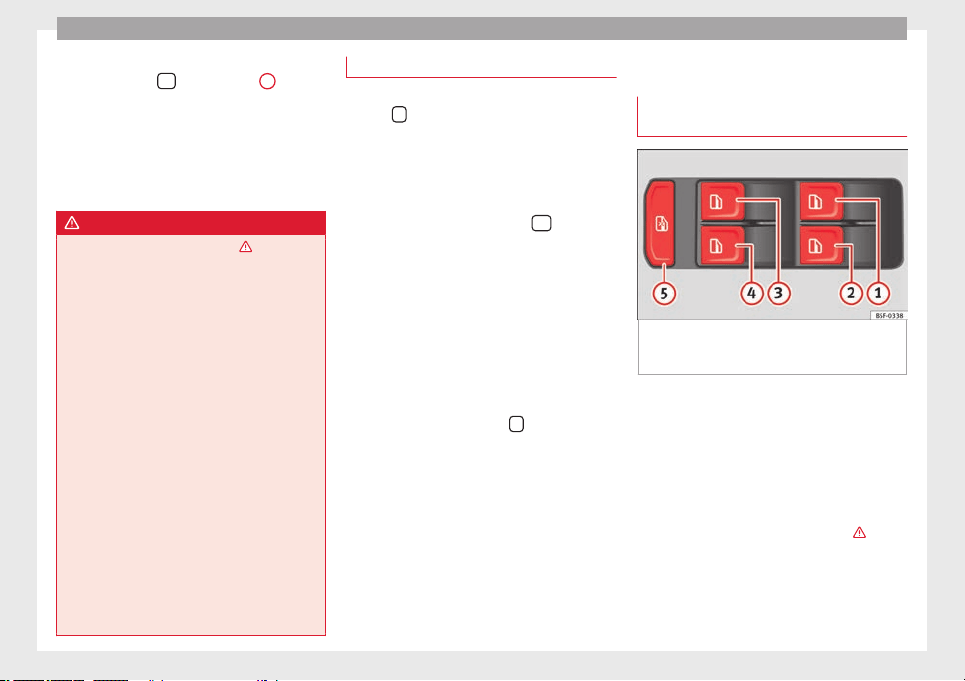
Operation
To change the locking / unlocking status,
press the button
or the button
1
›››
page 9
on the remote control key.
A w
arnin
g appears on the instrument panel
display if the rear lid is open or not properly
closed.* An audible warning is also given if
the rear lid is open when the car is driven
faster than 6 km/h*.
WARNING
Observe the safety warnings ››› in Intro-
duction on page 227.
●
Alw
ays close the rear lid properly. Risk of
accident or injury.
●
The rear lid must not be opened when the
reverse or rear fog lights are lit. This may
damage the tail lights.
●
Do not close the rear lid by pushing it down
with your hand on the rear window. The glass
could smash. Risk of injury!
●
Ensure the rear lid is locked after closing it.
If not, it may open unexpectedly while driv-
ing.
●
Closing the rear lid without observing and
ensuring it is clear could cause serious injury
to you and to third parties. Make sure that no
one is in the path of the rear lid.
●
Never drive with the rear lid open or half-
closed, exhaust gases may penetrate into the
interior of the vehicle. Danger of poisoning!
●
If you only open the rear lid, do not leave
the key inside. The vehicle cannot be opened
if the key is left inside.
Tailgate automatic lock
Where the vehicle has been locked by press-
ing the
button on the remote control with
the rear lid open, the rear lid will lock auto-
matically when closed.
The automatic tailgate locking time extension
function can be activated. Where this func-
tion is activated and once the rear lid has
been unlocked by pressing the
button on
the remote control key ››› page 84, the rear lid
can be re-opened for a certain length of time.
Where required, the automatic tailgate lock-
ing time extension function can be activated
or deactivated at an Authorised SEAT Service,
which will provide all the necessary informa-
tion.
Before the vehicle locks automatically, there
is a risk of intruders getting into the vehicle.
Therefore, we recommend you always lock
the vehicle by pressing the
button on the
remote control or by using the central locking
button.
Electric windows
Opening and closing of the electric
windows*
Fig. 97 Detail of the driver door: controls for
the windows (5-door vehicle with front and
rear electric windows).
Read the additional information carefully
›››
page 10
The front and rear electric windows can be
operated by using the controls on the driver
door. The other doors each have a switch for
their own window.
Always close the windows fully if you park
the vehicle or leave it unattended ››› .
You can use the electric windows for approx.
10 minutes after switching off the ignition if
neither the driver door nor the front passen-
ger door has been opened and the key has
not been removed from the ignition.
90
Opening and closing
Safety switch
* (only in 5-door vehicles)
Saf
ety
switch
5
on the driver door can be
used to disable the electric window buttons
in the rear doors.
Safety switch not pressed: buttons on rear
doors are activated.
Safety switch pressed: buttons on rear doors
are deactivated.
The safety control symbol
lights up in yel-
lo
w if
the buttons on the rear door are switch-
ed off.
WARNING
Observe the safety warnings ››› in Intro-
duction on page 227.
●
Incorr
ect use of the electric windows can
result in injury.
●
Never close the rear lid without observing
and ensuring it is clear, to do otherwise could
cause serious injury to you and third parties.
Make sure that no one is in the path of a win-
dow.
●
The engine may accidentally be started and
be out of control.
●
If the ignition is switched on, the electric
equipment could be activated with risk of in-
jury, for example, in the electric windows.
●
The doors can be locked using the remote
control key. This could become an obstacle
for assistance in an emergency situation.
●
Always take the key with you when you
leave the vehicle.
●
The electric windows will work until the ig-
nition has been switched off and one of the
front doors has been opened.
●
If necessary, use the safety switch to disa-
ble the rear electric windows. Make sure that
they have been disabled.
Note
If the window is not able to close because it
is stiff or because of an obstruction, the win-
dow will automatically open again
››› page 91
. If this happens, check why the
windo
w could not be closed before attempt-
ing to close it again.
Roll-back function
The roll-back function reduces the risk of in-
jury when the electric windows close.
●
If a window is obstructed when closing au-
tomatically, the window stops at this point
and lowers immediately ››› .
●
Next, check why the window does not close
before attempting it again.
●
If you try within the following 10 seconds
and the window closes again with difficulty
or there is an obstruction, the automatic clos-
ing will stop working for 10 seconds.
●
If the window is still obstructed, the win-
dow will stop at this point.
●
If there is no obvious reason why the win-
dow cannot be closed, try to close it again by
pulling the tab within ten seconds. The win-
dow closes with maximum force. The roll-
back function is now deactivated.
●
If more than 10 seconds pass, the window
will open fully when you operate one of the
buttons. One-touch closing is reactivated.
WARNING
Observe the safety warnings ››› in Opening
and closing of the electric windows* on
page 91.
●
The ro
ll-back function does not prevent fin-
gers or other parts of the body getting
pinched against the window frame. Risk of
accident.
Convenience opening/closing
Use the convenience opening/closing func-
tion to easily open/close all the windows and
the sliding/tilting sunroof* from the outside.
Convenience open function
–
Press and hold button
on the remote
control key until all the windows and the
sliding/tilting sunroof* have reached the
desired position, or
»
91
Technical specifications
AdviceOperationSafetyThe essentials
Operation
–
First unlock the vehicle using button
on
the remote control key and then keep the
key in the driver door lock until all the win-
dows and the sliding/tilting sunroof* have
reached the required position.
Convenience close function
–
Press and hold button
on the remote
control key until all the windows and the
sliding/tilting sunroof* are closed ››› , or
–
Keep the key in the driver door in the "lock"
position until all the windows and the slid-
ing/tilting sunroof* are closed.
Programming convenience opening in the
Easy Connect*
–
Select: function button
CAR
> control but-
ton Vehicle systems* > Car settings > Central
locking > Open the window by holding button
down or else > Front window on/off or else
Roof on/off*.
WARNING
●
Take care when closing the sliding/tilting
sunroof* and windows. There is a risk of suf-
fering injury.
●
For safety reasons, you should only use the
remote control open and close functions with-
in about 2 metres of the vehicle. To avoid in-
juries, always keep an eye on the windows
and the sliding/tilting sunroof* when press-
ing the button to close them. The windows
stop moving as soon as the button is re-
leased.
One-touch opening and closing*
One-touch opening and closing means you
do not have to hold down the button.
Buttons ››› Fig. 97
1
,
2
,
3
and
4
have
two positions for opening windows and two
for closing them. This makes it easier to open
and close windows to the desired position.
One-touch closing
–
Pull up the window button briefly up to the
second position. The window closes fully.
One-touch opening
–
Push down the window button briefly up to
the second position. The window opens
fully.
Restoring one-touch opening and closing
The automatic open and close function will
not work if the battery has been temporarily
disconnected. The function can be restored
as follows:
–
Close the window as far as it will go by lift-
ing and holding the electric window switch.
–
Release the switch and then lift it again for
1 second. This will re-enable the automatic
function.
If you push (or pull) a button to the first
stage, the window will open (or close) until
you release the button. If you push or lift the
button briefly to the second stage, the win-
dow will open (one-touch opening) or close
(one-touch closing) automatically. If you op-
erate the button while the window is opening
or closing, it stops at this position.
Panoramic sliding sunroof*
Opening or closing the panoramic
sliding sunroof
Read the additional information carefully
›››
page 11
The panoramic sliding sunroof will only work
with the ignition on. It can be opened or
closed for a few minutes after the ignition
has been switched off, provided the driver
door and the front passenger door are not
opened.
WARNING
Careless or uncontrolled use of the panoram-
ic sliding sunroof can cause serious injuries.
92
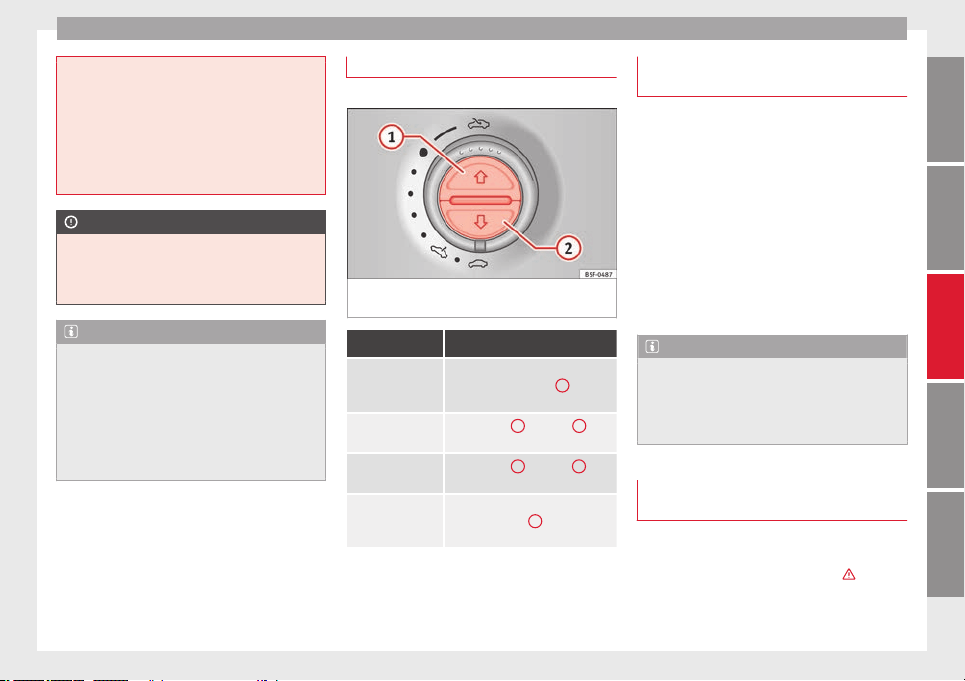
Opening and closing
●
Only open or close the panoramic sliding
sunroof and the sun blind* when nobody is in
the way.
●
The panoramic sliding sunroof can be oper-
ated for up to about ten minutes after the ig-
nition has been switched off, provided the
driver door and the front passenger door are
not opened.
CAUTION
Check that when the rear lid is open, it does
not touch loads carried on the roof. When a
roof carrier is fitted, DO NOT open the panor-
amic roof*.
Note
●
Leaves and other loose objects that accu-
mulate on the sun roof rails should be regu-
larly cleaned away either by hand or with a
vacuum.
●
In case of a fault in the operation of the
panoramic sliding sunroof, the anti-trap func-
tion will not operate correctly. Visit a special-
ised workshop.
Opening and closing the sun blind*
3 Valid for vehicles: with sun blinds
Fig. 98 On the interior roof lining: switches
for the sun blind.
Function Action
Opening com-
pletely (automatic
function)
Press button ››› Fig. 98
1
briefly.
Stop automatic
operation
Press button
1
or button
2
briefly.
To set the inter-
mediate position
Press button
1
or button
2
until
the correct position is set.
Closing complete-
ly (automatic
function)
Press the button
2
briefly.
Once the ignition has been switched off, you
can still open or close the sun blind for a few
minutes provided the driver door and the
front passenger door are not opened.
Convenience closing of the panoramic
sliding sunroof
The panoramic sliding sunroof can be
opened or closed from outside the vehicle
using the vehicle key:
●
Keep the vehicle unlocking or locking but-
ton pressed. The panoramic sliding sunroof
is adjusted or closes.
●
Release the unlock or lock button to stop
the function.
During convenience closing, the windows
and the panoramic sliding sunroof close at
the same time.
Note
The rotary button of the panoramic sliding
sunroof remains in the last position selected
if the roof is closed using convenience clos-
ing from outside the vehicle, and will have to
be re-positioned the next time you drive.
Anti-trap function of the sliding
panoramic sunroof sun blind*
The anti-trap function reduces the risk of in-
jury when opening and closing the panoram-
ic sliding sunroof and sun blind
›››
. When
it encounters an obstacle while closing, it
rolls back and opens again.
»
93
Technical specifications
AdviceOperationSafetyThe essentials
Operation
●
Check why the panoramic sliding sunroof
or the sun blind does not close.
●
Try and close them again.
●
If the panoramic sliding sunroof or sun
blind is still obstructed, it will stop at the cor-
responding position. Close it without the an-
ti-trap function.
Closing without the roll-back function
●
The switch should be in the “closed posi-
tion” ›››
page 11
1
.
●
Panoramic sliding sunroof: Within five sec-
onds of triggering the anti-trap function, pull
the control all the way back ›››
page 11
(arrow
5
) until the panoramic sliding sun-
roof closes fully.
●
Sun blind:
Within five seconds of triggering
the anti-tr
ap f
unction, press button ››› Fig. 98
2
until the sun blind closes fully.
●
The panoramic sliding sunroof and sun
blind close without the anti-trap function.
●
If the panoramic sliding sunroof still cannot
be closed, visit a specialised workshop.
WARNING
Closing the panoramic sliding sunroof or sun
blind without the anti-trap function can cause
serious injuries.
●
Always close the panoramic sliding sunroof
carefully.
●
Nobody should be in the way of the panor-
amic sliding sunroof or sun blind, especially
when they are closed without the anti-trap
function.
●
The anti-trap function does not prevent fin-
gers or other parts of the body getting
pinched against the window frame and caus-
ing injury.
Note
The anti-trap function is activated if the win-
dows and the panoramic sliding sunroof are
closed from the outside of the vehicle using
the ignition key for convenience closing
››› page 91
.
Lights and visibility
Lights
Side light and dipped beam headlight
Read the additional information carefully
›››
page 15
The legal requirements regarding the use of
vehicle lights in each country must be ob-
served.
The driver is personally responsible for the
correct use and adjustment of the lights in all
situations.
Audible warnings to advise the driver that
the lights have not been switched off
If the key is not in the ignition and the driver
door is open, an audible warning signal is
heard in the following cases: this is a remind-
er to turn off the lights.
●
When the parking light is on
›››
page 95.
●
When the light switch is in position or
.
WARNING
The side lights or daytime driving lights are
not bright enough to illuminate the road
ahead and to ensure that other road users are
able to see you.
94
Lights and visibility
●
Always use your dipped beam head lights if
it is raining or if visibility is poor.
WARNING
If the headlights are set too high and not
used correctly, there is a risk of dazzling or
distracting other road users. This could result
in a serious accident.
●
Always make sure that the headlights are
correctly adjusted.
Daytime driving light
The daytime driving lights consist of individu-
al lights, integrated in the front headlights.
With the daylight driving lights on, only these
lights switch on ››› .
The daytime driving lights switch on every
time the ignition is switched on, if the switch
is in positions or , according to the level
of exterior lighting.
When the light switch is in position , a
light sensor automatically switches dipped
beam on and off (including the control and
instrument lighting) or the daytime driving
lights depending on the level of exterior
lighting.
WARNING
●
Never drive with daytime lights if the road
is not well lit due to weather or lighting con-
ditions. Daytime lights do not provide
enough light to illuminate the road properly
or be seen by other road users.
●
The rear lights do not come on with the
daytime driving light. A vehicle which does
not have the rear lights on may not be visible
to other drivers in the darkness, in the case
of heavy rain or in conditions of poor visibili-
ty.
Turn signal and main beam lever
Read the additional information carefully
›››
page 15
Push the lever all the way down to turn off
the corresponding function.
Convenience turn signals
For the convenience turn signals, move the
lever as far as possible upwards or down-
wards and release the lever. The turn signal
will flash three times.
The convenience turn signals are activated
and deactivated in the Easy Connect system
via the
key and the
Setup
function button
›››
page 81
.
In
v
ehicles that do not have the correspond-
ing menu, this function can be deactivated in
a specialised workshop.
WARNING
Improper or lack of use of the turn signals, or
forgetting to deactivate them can confuse
other road users. This could result in a seri-
ous accident.
●
Always give warning when you are going to
change lane, overtake or when turning, acti-
vating the turn signal in good time.
●
As soon as you have finished changing
lane, overtaking or turning, switch the turn
signal off.
WARNING
Incorrect use of the headlights may cause ac-
cidents and serious injury, as the main beam
may distract or dazzle other drivers.
Note
●
The turn signal only works when the igni-
tion is switched on. The hazard warning
lights also work when the ignition is switch-
ed off.
●
If a trailer turn signal malfunctions, the
control lamp will stop flashing (trailer turn
signals) and the vehicle turn signal will flash
at double speed.
●
The main beam headlights can only be
sw
itched on if the dipped beam headlights
are already on.
»
95
Technical specifications
AdviceOperationSafetyThe essentials
Operation
Note
In cold or damp weather conditions, the
headlights, tail lights and turn signals may
mist up inside temporarily. This is normal and
in no way effects the useful life of the vehicle
lighting system.
Automatic dipped beam control
The automatic dipped beam control is merely
intended as an aid and is not able to recog-
nise all driving situations.
When the light switch is in position , the
vehicle lights and the instrument panel and
switch lighting switch on and off automatical-
ly in the following situations
›››
in Daytime
driving light on page 95:
Automatic switching
on
Automatic switching
off
The photo sensor detects
darkness, for example,
when driving through a
tunnel.
When adequate lighting is
detected.
The rain sensor detects
rain and activates the
windscreen wipers.
When the windscreen wip-
ers have been inactive for
a few minutes.
WARNING
If the road is not well lit and other road users
cannot see the vehicle well enough or at all,
accidents may occur.
●
The automatic dipped beam control ()
only switches on the dipped beam when
there are no changes in brightness, and not,
for example when it is foggy.
Main beam assist*
Main beam assist (Light Assist)
The main beam assist operates, within the
limits of the system and depending on the
environmental and traffic conditions, as of a
speed of 60 km/h (37 mph) when it switches
on automatically, and is then deactivated
again below 30 km/h (18 mph)
›››
. This is
managed via a camera situated on the base
of the interior mirror.
The main beam assist generally detects illu-
minated areas and deactivates the main
beam when passing through a town, for ex-
ample.
Switching the main beam assist on and off
Func-
tion
Action
Acti-
vate:
– Switch the ignition on and turn the light
switch to position
.
– From the base position, move the main
beam and turn signal lever forwards
››› page 95. When the warning lamp
is dis-
played on the instrument panel display, the
main beam assist is switched on.
To
switch
system
off:
– Switch off the ignition.
– OR: turn the light switch to a different posi-
tion to
››› page 94.
– OR: with main beam on, move the main
beam and turn signal lever backwards.
– OR: move the main beam and turn the sig-
nal lever forwards to manually switch the
main beam on. The main beam assist will then
be deactivated.
Malfunctions
The following conditions may prevent the
main beam headlight control from turning off
the headlights in time or from turning off al-
together:
●
In poorly lit towns with highly reflective
signs.
●
Other insufficiently lit road users (such as
pedestrians or cyclists).
●
On tight bends and steep slopes (bumps)
and when oncoming vehicles are partially ob-
scured.
96
Lights and visibility
●
When the drivers of other oncoming vehi-
cles (such as a truck) can see over a guard
rail in the centre of the road.
●
If the camera is damaged or the power sup-
ply is cut off.
●
In fog, snow and heavy rain.
●
With dust and sand turbulence.
●
With loose gravel in the field of vision of
the camera.
●
When the field of vision of the camera is
misted up, dirty or covered by stickers, snow,
ice, etc.
WARNING
The convenience features of the main beam
assist should not encourage the taking of
risks. The system is not a replacement for
driver concentration.
●
You are always in control of the main beam
and adapting it to the light, visibility and traf-
fic conditions.
●
It is possible that the main beam headlight
control does not recognise all driving situa-
tions and is limited under certain circumstan-
ces.
●
When the field of vision of the camera is
dirty, covered or damaged, operation of the
main beam control may be affected. This also
applies when changes are made to the vehi-
cle lighting system, for example, if additional
headlights are installed.
CAUTION
To avoid affecting the operation of the sys-
tem, take the following points into considera-
tion:
●
Clean the field of vision of the camera regu-
larly and make sure it is free of snow and ice.
●
Do not cover the field of vision of the cam-
era.
●
Check that the windscreen is not damaged
in the area of the field of vision of the camera.
Note
Main beam and headlight flasher can be
turned on and off manually at any time with
the turn signal and main beam lever
››› page 95.
Fog lights
The warning lamps or also show, on the
light switch or instrument panel, when the
fog lights are on.
●
Switching on front fog lights* : pull the
light switch to the first point
1
, from posi-
tions
,
or .
●
Switching on the rear fog light : com-
pletely pull the light switch
2
from position
,
or .
●
To switch off the fog lights, press the light
switch or turn it to position .
Cornering lights*
1)
When turning slowly or on very tight bends,
the cornering lights are activated automati-
cally. The cornering lights may be integrated
in the fog lights and are switched on only at
speeds of less than 40 km/h (25 mph).
When reverse gear is engaged, the cornering
lights on both sides of the vehicle switch on,
in order to better illuminate the area for park-
ing.
Coming home “function”
This function may be connected/disconnec-
ted through the radio menu. The “Coming
Home” and/or “Leaving Home” delay time
may also be set (default: 30 sec).
»
1)
This function is not available on vehicles equipped
with full-LED headlights.
97
Technical specifications
AdviceOperationSafetyThe essentials

Operation
Vehicle with
halogen
headlights
In the “Coming Home” function, the day-
time running lights (DRL), the rear side
lights and the licence plate lights are
turned on.
Vehicle with
full-LED
headlights
In the “Coming Home” function, the dip-
ped beams and the daytime running
lights (DRL), the rear side lights and the
licence plate lights are switched on.
Automatic* activation of “Coming Home”
For vehicles with a light and rain sensor (rota-
ry light switch in position ).
●
Swit
ch off the engine and remove the key
from the ignition with the rotary light switch
in position
›››
page 15.
●
The automatic “Coming Home” function is
only active when the light sensor detects
darkness.
●
When the car door is opened, the “Coming
Home” lighting comes on.
Manual “Coming Home” activation
For vehicles with a light and rain sensor (rota-
ry light switch without position ).
●
Switch off the engine and remove the key
from the ignition.
●
Activate the headlight flashers for approxi-
mately 1 second.
●
Activated for any position of the rotary light
switch.
●
When the car door is opened, the “Coming
Home” lighting comes on. The headlights are
turned off 60 seconds after the vehicle door
is opened.
Deactivation
●
If no door has been closed, they go out au-
tomatically after 60 seconds.
●
After the last door has been closed, the
headlights will be switched off after the
“Coming Home” delay (as established in the
radio menu) has elapsed.
●
On turning the light switch to position
›››
page 15.
●
When the ignition is
switched on (when
starting the engine).
“Leaving Home” function
The “Leaving Home” function is only availa-
ble for vehicles with a light and rain sensor
(rotary light switch in position ).
This function may be connected/disconnec-
ted through the radio menu. The “Leaving
Home” function switch-off delay may also be
set (default: 30 sec).
Vehicle with
halogen
headlights
In the “Leaving Home” function, the day-
time running lights (DRL), the rear side
lights and the licence plate lights are
switched on.
Vehicle with
full-LED
headlights
In the “Leaving Home” function, the dip-
ped beams, the daytime running lights
(DRL), the rear side lights and the li-
cence plate lights are switched on.
Activation
●
When the vehicle is unlocked using the re-
mote control.
●
The “Leaving Home” function is only activa-
ted when the rotary light switch is in position
and the light sensor detects darkness.
Deactivation
●
When the “Leaving Home” delay period
ends (default: 30 sec).
●
When the vehicle is locked using the re-
mote control.
●
When the light control is switched into a
position other than .
●
With the ignition is switched on.
98
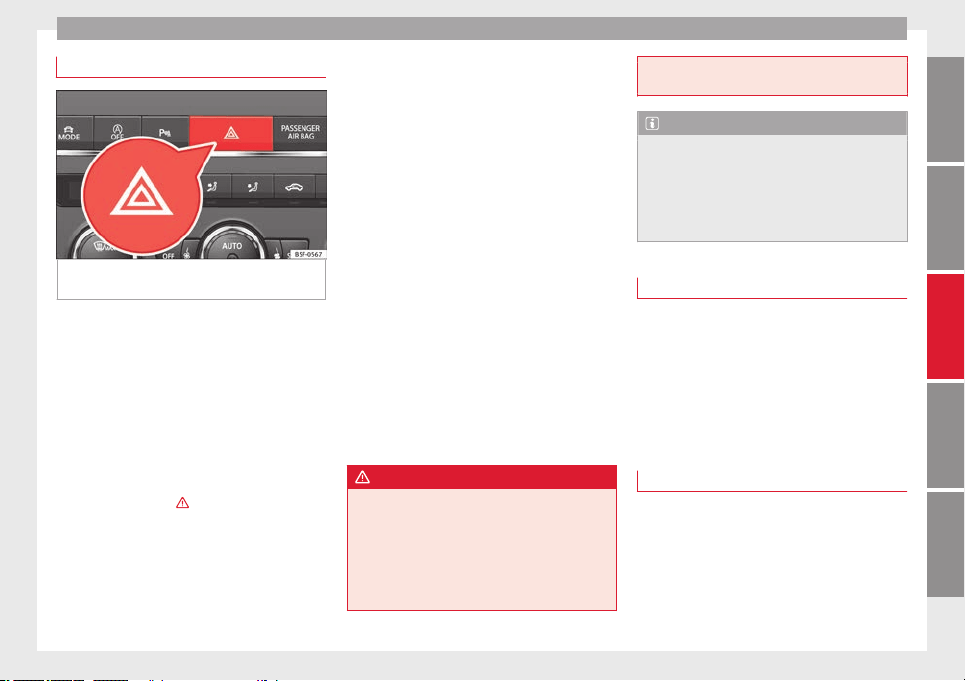
Lights and visibility
Hazard warning lights
Fig. 99 Dash panel: switch for hazard warn-
ing lights.
Read the additional information carefully
›››
page 15
The hazard warning lights are used to draw
the attention of other road users to your vehi-
cle in emergencies.
If your vehicle breaks down:
1. Park your vehicle at a safe distance from
moving traffic.
2. Press the button to switch on the hazard
warning lights ››› .
3. Switch the ignition off.
4. Apply the handbrake.
5. For a manual gearbox, engage 1st gear;
for an automatic gearbox, move the gear
lever to
P
.
6.
Use the warning triangle to draw the atten-
tion of other road users to your vehicle.
7. Always take the vehicle key with you when
you leave the vehicle.
All turn signals flash simultaneously when
the hazard warning lights are switched on.
The two turn signal turn signal lamps
and the turn signal lamp in the switch will
flash at the same time. The hazard warning
lights also work when the ignition is switch-
ed off.
Emergency braking warning
If the vehicle is braked suddenly and continu-
ously at a speed of more than 80 km/h (50
mph), the brake light flashes several times
per second to warn vehicles driving behind. If
you continue braking, the hazard warning
lights will come on automatically when the
vehicle comes to a standstill. They switch off
automatically when the vehicle starts to
move again.
WARNING
●
The risk of an accident increases if your ve-
hicle breaks down. Always use the hazard
warning lights and a warning triangle to draw
the attention of other road users to your sta-
tionary vehicle.
●
Never park where the catalytic converter
could come into contact with inflammable
materials under the vehicle, for example dry
grass or spilt petrol. This could start a fire!
Note
●
The battery will run down if the hazard
warning lights are left on for a long time,
even if the ignition is switched off.
●
The use of the hazard warning lights de-
scribed here is subject to the relevant statu-
tory requirements.
Parking light
When the parking light is switched on, (right
or left turn signal), the front side light and
the rear light on the corresponding side of
the vehicle stay lit. The parking lights can on-
ly be activated with the ignition switched off
and the turn signal and main beam lever in
the central position, before being triggered.
Parking light on both sides
With the ignition switched off and the light
switch in position , when locking the vehi-
cle from the outside, the parking lights on
both sides of the vehicle light up. In doing
so, only the side lights of both headlights
light up, and additionally the tail lights will
do so partially.
99
Technical specifications
AdviceOperationSafetyThe essentials
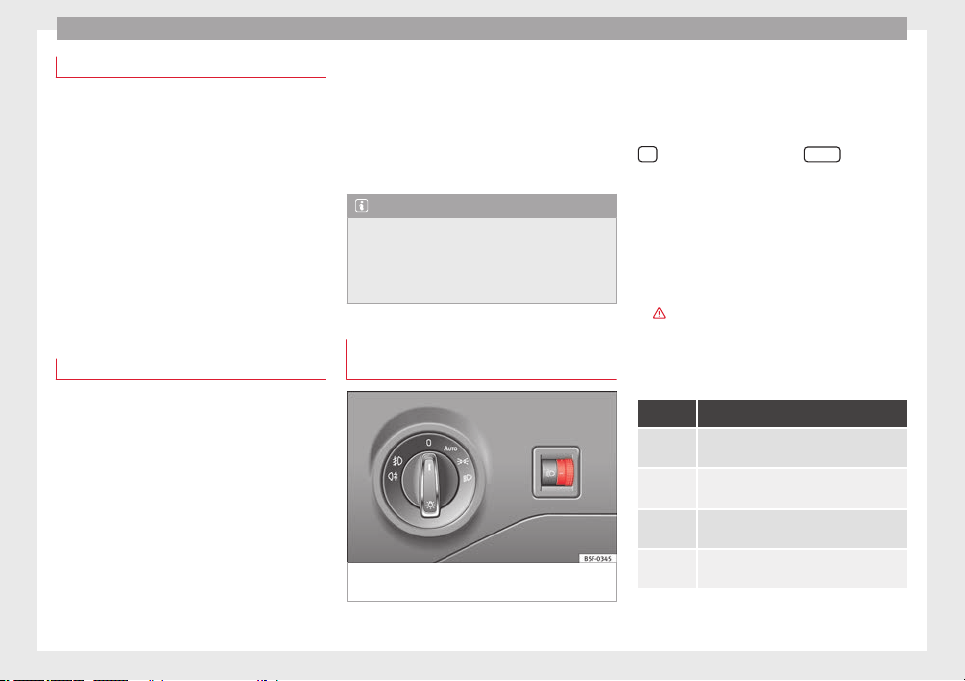
Operation
Motorway lights*
The motorway light is available on vehicles
equipped with full-LED lights.
The function is connected/disconnected via
the corresponding Easy Connect system
menu.
●
Activation: when going above 110 km/h for
more th
an 30 seconds, the dipped beam rai-
ses slightly to increase the distance of visibil-
ity of the driver.
●
Deactivation: when reducing the speed of
the car belo
w 100 km/h, the dipped beam re-
turns to its normal position.
Driving abroad
The light beam of the dipped beam lights is
asymmetric: the side of the road on which
you are driving is lit more intensely.
When a car that is manufactured in a country
that drives on the right travels to a country
that drives on the left (or vice versa), it is nor-
mally necessary to cover part of the headlight
bulbs with stickers or to change the adjust-
ment of the headlights to avoid dazzling oth-
er drivers.
In such cases, the regulations specify certain
light values that must be complied with for
designated points of the light distribution.
This is known as “Tourist light”.
The light distribution that the halogen and
full-LED headlights of the SEAT Leon range
have allows the specific “tourist light” values
to be met without the need for stickers or
changes in the settings.
Note
“Tourist light” is only allowed temporarily. If
you are planning a long stay in a country that
drives on the other side, you should take the
vehicle to an Authorised Technical Service to
change the headlights.
Headlight range control, lighting of
the instrument panel and controls
Fig. 100 Next to the steering wheel: Head-
light range control
Lighting of the instrument panel, screens
and controls*
Depending on the model, lighting of the in-
strument panel and controls can be adjusted
in the Easy Connect system, using the button
and the function button
SETUP
›››
page 17
.
He
a
dlight range control
The headlight range control ››› Fig. 100 is
modified according to the value of the head-
light beam and the vehicle load status. This
offers the driver optimum visibility and the
headlights do not dazzle oncoming drivers
›››
.
The headlights can only be adjusted when
the dipped beam is switched on.
To reset, turn switch ››› Fig. 100
:
Value Vehicle load status
a)
–
Two front occupants, luggage compart-
ment empty
1
All seats occupied, luggage compartment
empty
2
All seats occupied, luggage compartment
full With trailer and minimum drawbar load
3
Driver only, luggage compartment full With
trailer and maximum drawbar load
a)
If the vehicle load does not correspond to those shown in the
table, it is possible to select intermediary positions.
100
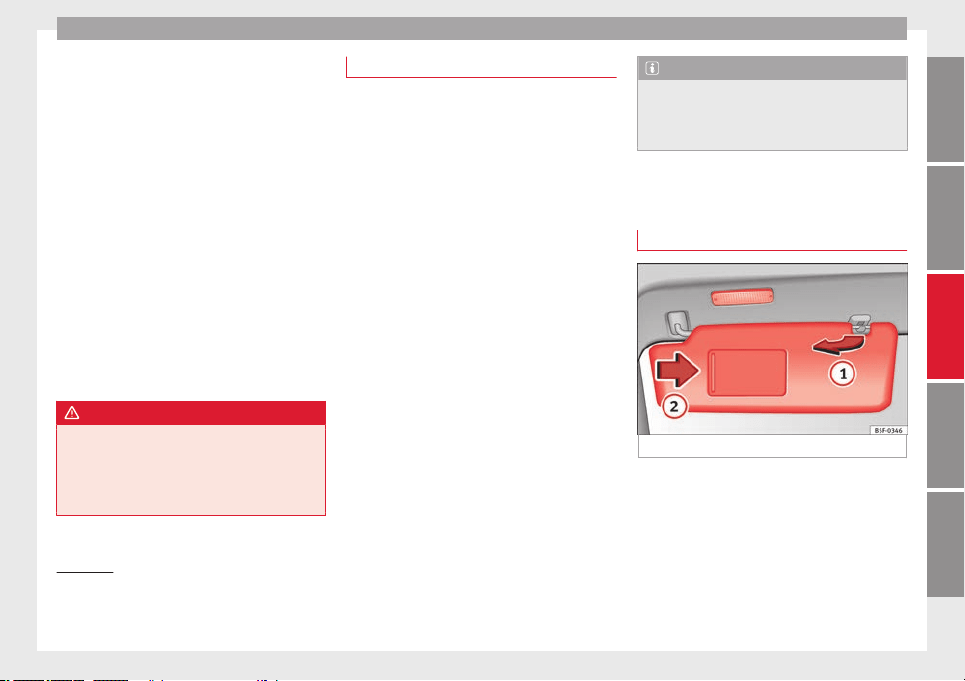
Lights and visibility
Dynamic headlight range control
The control is not mounted in vehicles with
dynamic headlight range control. The head-
light range is automatically adjusted accord-
ing to the vehicle load status when they are
switched on.
Instrument panel lighting
With the ignition on and without light activa-
tion, the instrument panel lighting remains
activated in daytime light conditions. The
lighting is reduced as the exterior light di-
minishes. In some cases, e.g. when driving
through a tunnel without the function
active, the instrument panel lighting may
even switch off. The objective of this function
is to provide the driver with a visual indica-
tion that he or she should activate the dip-
ped beam.
WARNING
Heavy objects in the vehicle may mean that
the headlights dazzle and distract other driv-
ers. This could result in a serious accident.
●
Adjust the light beam to the vehicle load
status so that it does not blind other drivers.
Interior and reading lights
1)
Read the additional information carefully
›››
page 16
Glove compartment and luggage
compartment lighting*
When opening and closing the glove com-
partment on the front passenger side and the
rear lid, the respective light will automatically
switch on and off.
Footwell lighting*
The lights in the footwell area below the dash
(driver and front passenger sides) will switch
on when the doors are opened and will de-
crease in intensity while driving. The intensity
of these lights can be adjusted using the ra-
dio menu (see
Easy Connect > Adjusting Light-
ing > Interior lighting
›››
page 17).
Ambient light*
The ambient light in the door panel changes
colour (white or red) depending on the driv-
ing mode. The intensity of these lights can be
adjusted using the radio menu (see
Easy Con-
nect > Adjusting Lights > Interior lighting
›››
page 17
).
Note
The reading lights switch off when the vehi-
cle is locked using a key or after several mi-
nutes if the key is removed from the ignition.
This prevents the battery from discharging.
Visibility
Sun visors
Fig. 101 Sun visor
Options for adjusting driver and front
passenger sun visors:
●
Lower the sun visor towards the wind-
screen.
»
1)
Depending on the level of equipment fitted in the
vehicle, LEDs can be used for the following interior
lights: front courtesy light, rear courtesy light, foot-
well light and sun visor light.
101
Technical specifications
AdviceOperationSafetyThe essentials
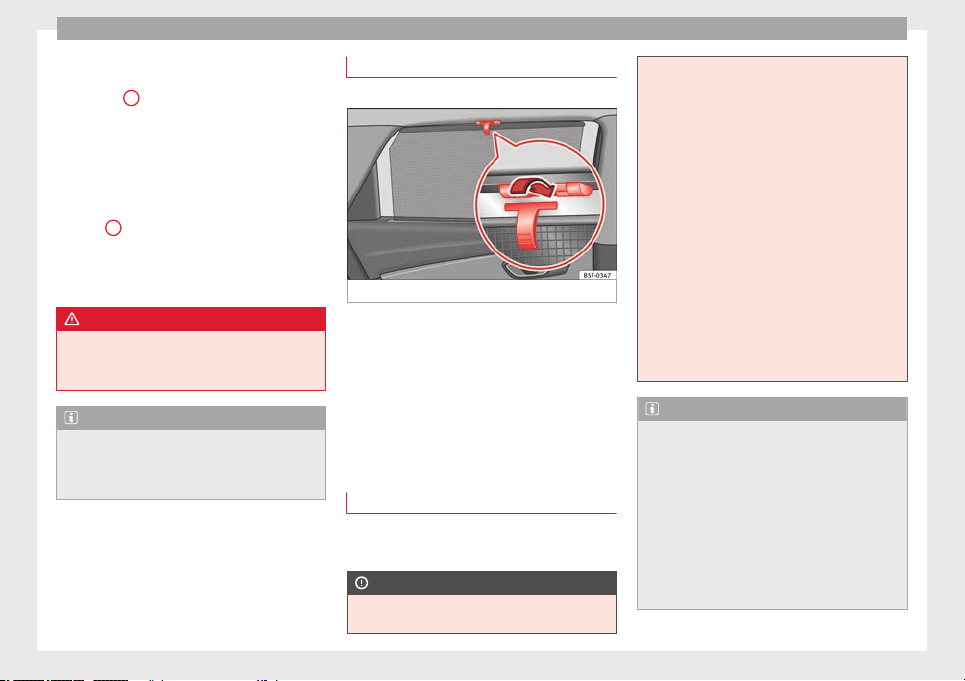
Operation
●
The sun visor can be pulled out of its
mounting and turned towards the door
››› Fig. 101
1
.
●
Swing the sun visor towards the door, lon-
gitudinally backwards.
Vanity mirror light
There may be a vanity mirror, with a cover, on
the rear of the sun visor. When the cover is
opened
2
a light comes on.
The lamp goes out when the vanity mirror
cover is closed or the sun visor is pushed
back up.
WARNING
Folded sun blinds can reduce visibility.
●
Always store sun blinds and visors in their
housing when not in use.
Note
The light above the sun visor automatically
switches off after a few minutes in certain
conditions. This prevents the battery from
discharging.
Sun blind*
3 Applies to the model: LEON ST
Fig. 102 Rear window: sun blind.
Rear window sun blind*
–
Pull out the visor and hook it into the hooks
in the centre of the top of the door frame
››› Fig. 102
.
W
ind
screen wiper and window
wiper systems
Window wiper lever
Read the additional information carefully
›››
page 16
CAUTION
If the ignition is switched off with the wind-
screen wipers active, they complete their
wipe before returning to the rest position.
Ice, snow and other obstacles on the wind-
screen may damage the wiper and the wind-
screen wiper motor.
●
If necessary, remove snow and ice from the
windscreen wipers before starting your jour-
ney.
●
Carefully lift the frozen windscreen wipers
from the glass. SEAT recommends a de-icer
spray for this operation.
●
Do not switch on the windscreen wipers if
the windscreen is dry. Cleaning with the
windscreen wipers while dry can cause dam-
age.
●
In icy conditions, always check that the
wiper blades are not frozen to the glass be-
fore using the wipers. In cold weather, it may
help to leave the vehicle parked with the wip-
ers in service position ››› page 230.
Note
●
The windscreen and window wipers only
function when the ignition is switched on and
the bonnet or rear lid, respectively, are
closed.
●
The interval wipe speed varies according to
the vehicle speed. The faster the vehicle is
moving, the more often the windscreen is
cleaned.
●
The rear wiper is automatically switched on
when the windscreen wiper is on and the car
is in reverse gear.
102
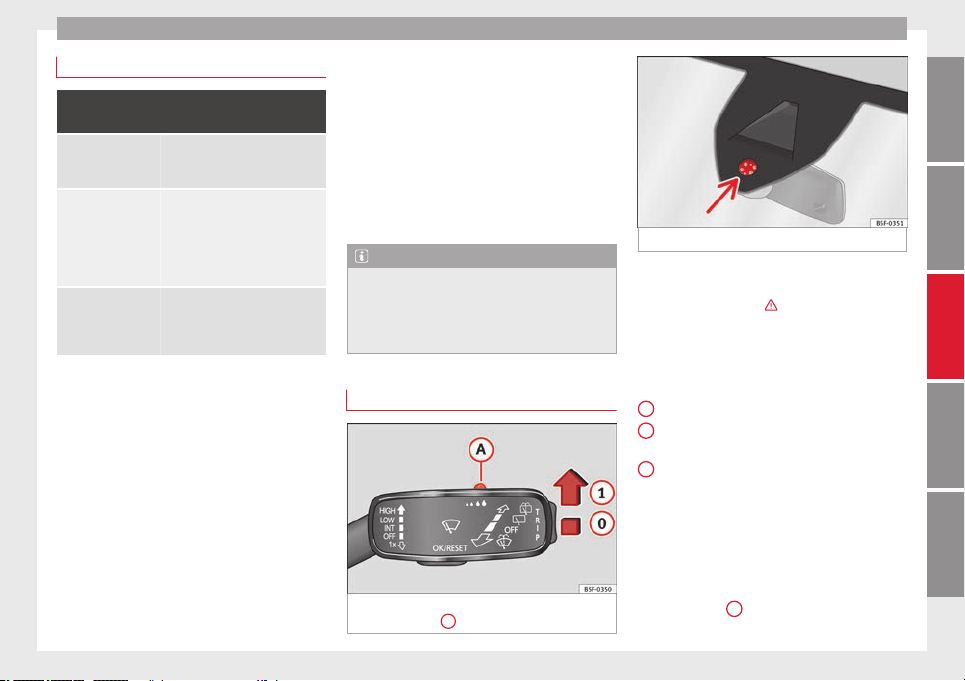
Lights and visibility
Windscreen wiper functions
Windscreen wiper performance in different sit-
uations
If the vehicle is at a
standstill
The activated position provision-
ally changes to the previous posi-
tion.
During automatic
wipe
The air conditioner comes on for
approximately 30 seconds in air
recirculation mode to prevent the
smell of the windscreen washer
fluid entering the inside the vehi-
cle.
For the interval wipe
Intervals between wipes depend
on the vehicle's speed. The high-
er the vehicle speed the shorter
the intervals.
Heated windscreen washer jets
The heating only thaws the frozen jets, it
does not thaw the water in the washer hoses.
The heated windscreen washer jets automati-
cally adjust the heat depending on the ambi-
ent temperature, when the ignition is switch-
ed on.
Headlight wash/wipe system
The headlight washers/wipers clean the
headlight lenses.
After the ignition is switched on, the first and
every fifth time the windscreen washer is
switched on, the headlights are also washed.
Therefore, the windscreen wiper lever should
be pulled towards the steering wheel when
the dipped beam or main beam are on. Any
incrusted dirt (such as insects) should be
cleaned regularly (e.g. when refuelling).
To ensure the headlight washers work cor-
rectly in winter, any snow which has got into
the bumper jet supports should be cleaned
away. If necessary, remove snow with an anti-
icing spray.
Note
The wiper will try to wipe away any obstacles
that are on the windscreen. The wiper will
stop moving if the obstacle blocks its path.
Remove the obstacle and switch the wiper
back on again.
Rain sensor*
Fig. 103 Windscreen wiper lever: adjusting
the rain sensor
A
Fig. 104 Rain sensor sensitive surface
The rain sensor controls the frequency of the
windscreen wiper intervals, depending on
the amount of rain ››› . The sensitivity of the
rain sensor can be adjusted manually. Man-
ual wipe ››› page 102
.
Mo
v
e the lever to the required position
››› Fig. 103:
Rain sensor off.
Rain sensor on; automatic wipe if neces-
sary.
Setting sensitivity level of rain sensor
–
Set control to the right: highly sensi-
tive.
–
Set control to the left: less sensitive.
When the ignition is switched off and then
back on, the rain sensor stays on and starts
operating again when the windscreen wipers
are in position
1
and the vehicle is travel-
ling at more than 16 km/h (10 mph).
»
0
1
A
103
Technical specifications
AdviceOperationSafetyThe essentials
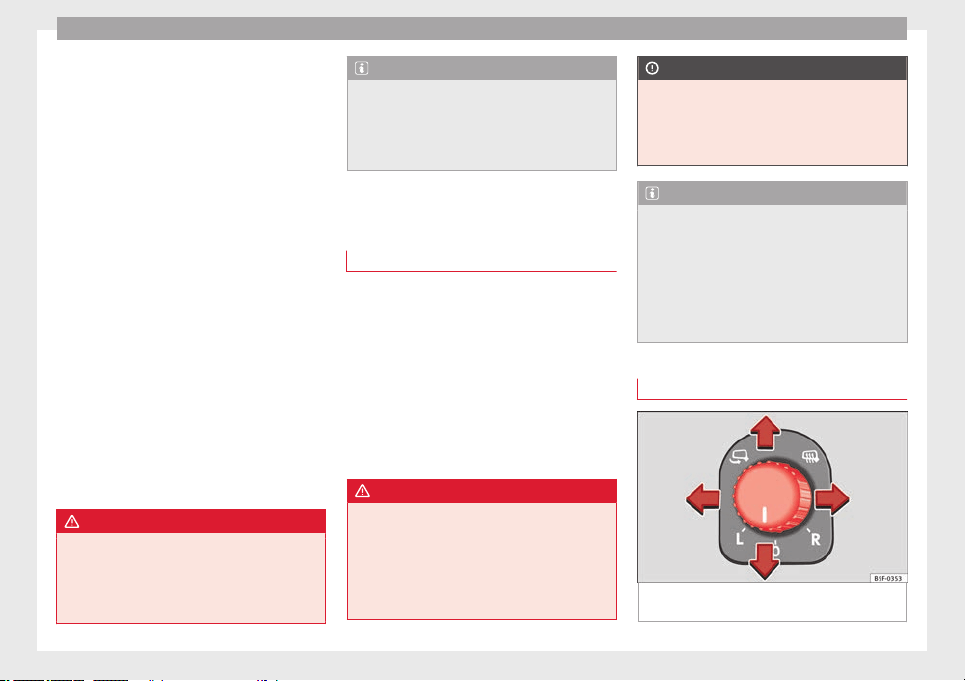
Operation
Rain sensor modified behaviour
Possible causes of faults and mistaken read-
ings on the sensitive surface ››› Fig. 104
of
the r
ain sen
sor include:
●
Damaged blades: a film of water on the
damaged blades may lengthen the activation
time, reduce the washing intervals or result
in a fast and continuous wipe.
●
Insects: insects on the sensor may trigger
the windscreen wiper.
●
Salt on roads: in winter, salt spread in the
roads may cause an extra long wipe when the
windscreen is almost dry.
●
Dirt: dry dust, wax, coating on glass (Lotus
effect) or traces of detergent (car wash) may
reduce the effectiveness of the rain sensor or
make it react more slowly, later or not at all.
●
Cracked windscreen: the impact of a stone
will trigger a single wipe cycle with the rain
sensor on. Next the rain sensor detects the
reduction in the sensitive surface area and
adapts accordingly. The behaviour of the sen-
sor will vary with the size of the damage
caused by the stone.
WARNING
The rain sensor may not detect enough rain
to switch on the wipers.
●
If necessary, switch on the wipers manually
when water on the windscreen obstructs visi-
bility.
Note
●
Clean the sensitive surface of the rain sen-
sor regularly and check the blades for dam-
age ››› Fig. 104 (arrow).
●
To r
emove wax and coatings, we recom-
mend a window cleaner containing alcohol.
Rear vision mirror
Anti-dazzle rear vision mirrors
Read the additional information carefully
›››
page 13
Your vehicle is fitted with an interior rear vi-
sion mirror with a manual or automatic* con-
trol for anti-dazzle position.
Interior rear vision mirror with manual
setting for anti-dazzle position
–
Position the small lever of the lower edge
of the mirror to face towards the rear.
WARNING
In the event that an automatic anti-dazzle
rear vision mirror breaks, an electrolyte fluid
may leak. This could cause irritation to the
skin, eyes and respiratory organs. If you
come into contact with this liquid, it must be
rinsed with large quantities of water. If neces-
sary, get medial help.
CAUTION
In the event that an automatic anti-dazzle
rear vision mirror breaks, an electrolyte fluid
may leak. This liquid attacks plastic surfaces.
Clean it with a wet sponge as soon as possi-
ble.
Note
●
If the light incident in the interior rear vi-
sion mirror is obstructed (e.g. with the sun
blind*, the anti-dazzle rear vision mirror with
automatic setting will not operate perfectly.
●
When the interior lights are on or reverse
gear engaged, the rear vision mirrors do not
darken with automatic adjustment for anti-
dazzle position.
Adjusting the exterior mirrors
Fig. 105 Driver door: control for the exterior
mirror.
104
Lights and visibility
Read the additional information carefully
›››
page 13
Synchronized regulation of the exterior
mirrors
●
In the
Settings - Convenience menu, sel
ect
whether or not
the exterior mirrors should
move in synchronisation.
●
Turn the knob to position L
1)
.
●
Adjust the left-hand exterior mirror. The
right exterior mirror will be adjusted at the
same time (synchronised).
●
If necessary the right exterior mirror adjust-
ment may need correcting. turn the control to
position R
1)
.
●
In the Easy Connect system the exterior mir-
rors can be adjusted using the
CAR
button
and the function button
SETUP
.
Tilt function for front passenger exterior
mirror*
When parking backwards, and in order to be
able to see the kerb, the passenger side mir-
ror can be automatically tilted towards the
passenger to provide a better view of the
kerb. The control must be in the position R
1)
for this feature to be operational.
The mirror returns to its original position as
soon as you drive forwards at over 15 km/h
(10 mph) or switch off the ignition. It also re-
turns to its original position if the position of
the control is adjusted.
Storing the rear view mirror settings for the
tilt function
●
Switch the ignition on.
●
Access the Easy Connect system, Menu
CAR
, function “Rear view mirrors and wind-
screen wipers” and select “lower when re-
versing” ››› page 81
.
●
Sel
ect
the R
1)
position on the control.
●
Select reverse gear.
●
Adjust the front passenger exterior mirror
so that you can see, for example, the kerb
area well.
●
Release the reverse gear.
●
The adjusted position for the rear view mir-
ror is stored.
Fold in the exterior mirrors after parking
(convenience function)*
The Easy Connect system, Menu
CAR
, func-
tion “Rear view mirrors and windscreen wip-
ers” can be used to have the exterior mirrors
fold in when the vehicle is parked ››› page 81.
When the vehicle is locked with the remote
control, by pressing for more than approxi-
mately 1 second the exterior mirrors are fol-
ded in automatically. When the vehicle is
opened with the remote control, the exterior
mirrors are deployed automatically.
WARNING
Convex or wide-angle* exterior mirrors give a
larger field of vision. However, they make ob-
jects look smaller and further away than they
really are. If you use these mirrors to esti-
mate the distance to vehicles behind you
when changing lane, you could misjudge the
distance. Risk of accident!
CAUTION
●
If one of the mirror housings is knocked out
of position (e.g. when parking), the mirrors
must first be fully retracted with the electric
control. Do not readjust the mirror housing by
hand, as this will interfere with the mirror ad-
juster function.
●
Before washing the vehicle in an automatic
car wash, please make sure to retract the ex-
terior mirrors to prevent them from being
damaged. Electrically retractable exterior
mirrors must not be folded in or out by hand.
Always use the electrical power control.
»
1)
Regulation in right-hand drive vehicles is symmet-
rical.
105
Technical specifications
AdviceOperationSafetyThe essentials
Operation
Note
If the electrical adjustment should fail to op-
erate, both of the mirrors can be adjusted by
hand by lightly pressing the edge of the mir-
ror glass.
Seats and head restraints
Adjusting the seats and
headrests
Manual adjustment of seats
Read the additional information carefully
›››
page 12
WARNING
The safe driving chapter contains important
information, tips, suggestions and warnings
that you should read and observe for your
own safety and the safety of your passengers
››› page 37.
WARNING
●
Adjust the front seats only when the vehi-
cle is stationary. Failure to follow this instruc-
tion could result in an accident.
●
Be careful when adjusting the seat height.
Careless or uncontrolled adjustment can
cause injuries.
●
The front seat backrests must not be re-
clined for driving. Otherwise, seat belts and
the airbag system might not protect as they
should, with the subsequent danger of injury.
Electric driver seat adjustment*
Read the additional information carefully
›››
page 12
WARNING
●
If the electric front seats are used negli-
gently or without paying due attention, it can
cause serious injury.
●
The front seats can also be electrically ad-
justed when the ignition is switched off. Nev-
er leave a child or any other person who may
need help in the vehicle.
●
In the event of an emergency, electrical ad-
justment can be stopped by pressing any
control.
CAUTION
To avoid damaging the electrical components
of the front seats, please refrain from kneel-
ing on the seat or applying sharp pressure at
a single point to the seat cushion and back-
rest.
Note
●
It may not be possible to electrically adjust
the seat if the vehicle battery is very low.
●
If the engine is started while the seats are
being electrically adjusted, the adjustment
will stop.
106
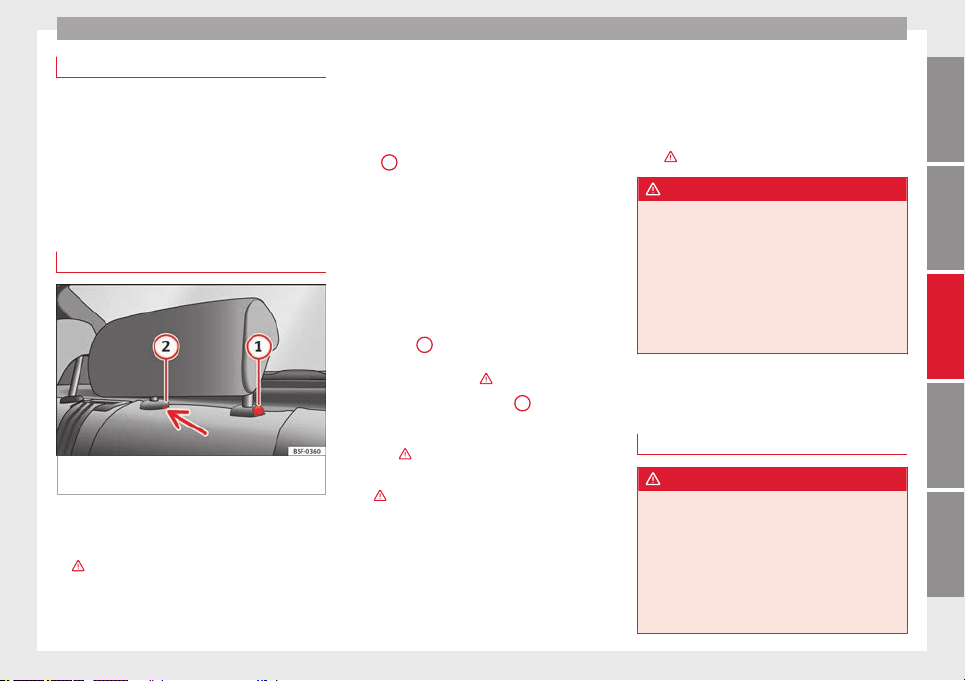
Seats and head restraints
Adjusting the front head restraints
Read the additional information carefully
›››
page 12
Adjust the head restraint ›››
page 12 so
that as far as possible the top of the head re-
straint is level with the top of your head.
When this is not possible, try to get as close
as possible to this position.
Adjusting the rear head restraints
Fig. 106 Rear centre head restraint: release
point.
When transporting people in the back seat,
place the head restraints of the occupied
seats at a minimum of the next socket up
››› .
Adjusting the head restraints
–
To set the head restraint higher, grasp the
sides with both hands and move it up-
wards, until you see it engage.
–
To set the head restraint lower down, press
the
1
››› Fig. 106
button and move it
do
wn
wards.
Removing the head restraint
To remove the head restraint, the correspond-
ing backrest must be partially folded forward.
–
Unlock the backrest ››› page 110.
–
Move the head restraint upwards until it ar-
rives to the top.
–
Press the
1
››› Fig. 106 button while at the
same time removing the head restraint
from the backrest ››› .
–
Insert a screwdriver in the
2
››› Fig. 106
position of the hole while at the same time
removing the head restraint from the back-
rest ››› .
–
Move the backrest until it engages properly
››› .
Fitting the head restraint
To mount the external head restraints, the
corresponding backrest must be partially fol-
ded forward.
–
Unlock the backrest ››› page 110.
–
Insert the head restraint bars into the
guides until they perceptibly engage. It
should not be possible to remove the head
restraint from the backrest.
–
Move the backrest until it engages properly
››› .
WARNING
●
Please observe the general notes
››› page 41.
●
Remo
ve the rear head restraints only when
it is necessary for the placement of a child
seat ››› page 56. After removing a child seat,
remount the head restraint immediately.
Travelling with the head restraints removed
or improperly adjusted increases the risk of
severe injuries.
Seat functions
Introduction
WARNING
Inappropriate use of the seat functions can
cause severe injuries.
●
Assume the proper sitting position before
your trip and remain in it throughout. This al-
so applies to the other occupants.
●
Always keep hands, fingers, feet and other
parts of the body away from the operating ra-
dius and the adjustment of seats.
107
Technical specifications
AdviceOperationSafetyThe essentials
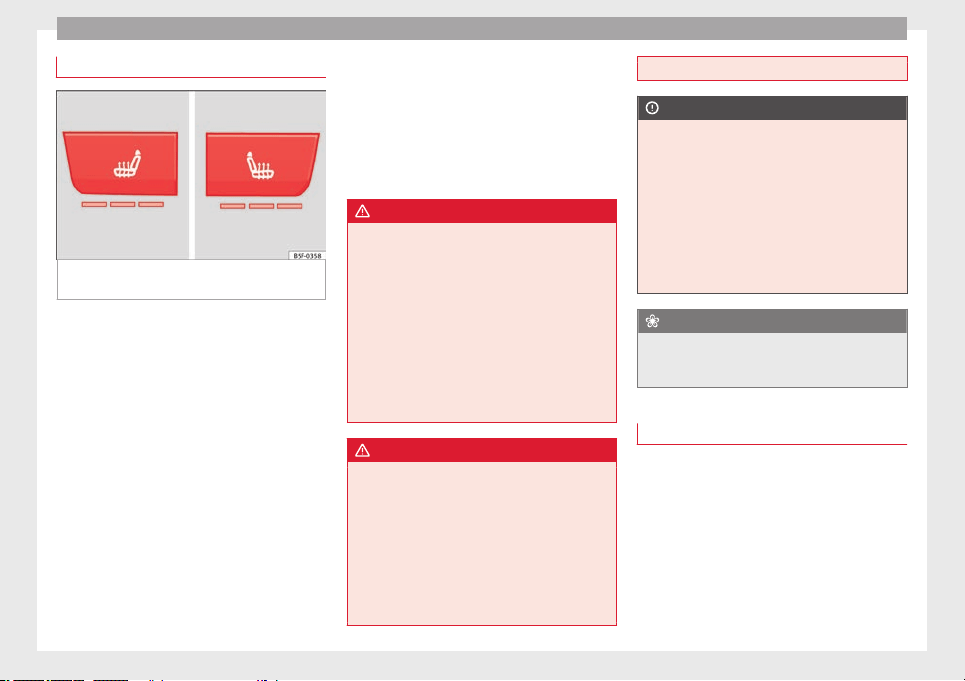
Operation
Seat heating
Fig. 107 In the centre console: front seats
heating switch
The seat cushions can be heated electrically
when the ignition is switched on. The back-
rest is also heated in some versions.
The seat heating should not be engaged in
any of the following conditions:
●
The seat is unoccupied.
●
The seat has a covering.
●
There is a child seat installed in the seat.
●
The seat cushion is wet or damp.
●
The indoor or outdoor temperature is great-
er than 25°C (77°F).
Activate
Press the button or . Seat heating is
switched on fully.
Adjusting the heating output
Press the button
or
repeatedly until the
desired intensity level is reached.
Deactivating
Press the button or until all warning
lamps switch off.
WARNING
People who, because of medications, paraly-
sis or chronic diseases (e.g. diabetes) cannot
perceive pain or temperature, or have a limi-
ted perception thereof, may suffer burns to
the back, buttocks or legs when using seat
heating, an occurrence that may entail a very
lengthy recovery period or from which it may
not be possible to recover fully. Seek medical
advice if you have doubts regarding your
health.
●
People with limited pain and temperature
thresholds must never use seat heating.
WARNING
If the fabric of the cushion is wet, this can ad-
versely affect the operation of the seat heat-
ing, increasing the risk of burns.
●
Make sure the seat cushion is dry prior to
using the seat heater.
●
Do not sit on the seat with clothing that is
wet or damp.
●
Do not leave clothing that is wet or damp
on the seat.
●
Do not spill liquid on the seat.
CAUTION
●
To avoid damaging the heating elements of
the seat heaters, please do not kneel on the
seat or apply sharp pressure to a single point
on the seat cushion or backrest.
●
Liquids, sharps objects and insulating ma-
terials (e.g. covers or child seats) can damage
the seat heating.
●
In the event of smells, switch off the seat
heating immediately and have it inspected by
a specialised workshop.
For the sake of the environment
The seat heating should remain on only when
needed. Otherwise, it is an unnecessary fuel
waste.
Front centre armrest
The centre armrest can be adjusted to various
levels.
Adjusting the centre armrest
–
To adjust the tilt, lift the armrest from the
starting position so that it is engaged.
–
To return the armrest to the starting posi-
tion, remove the armrest from the upper
fixed position and lower it.
108
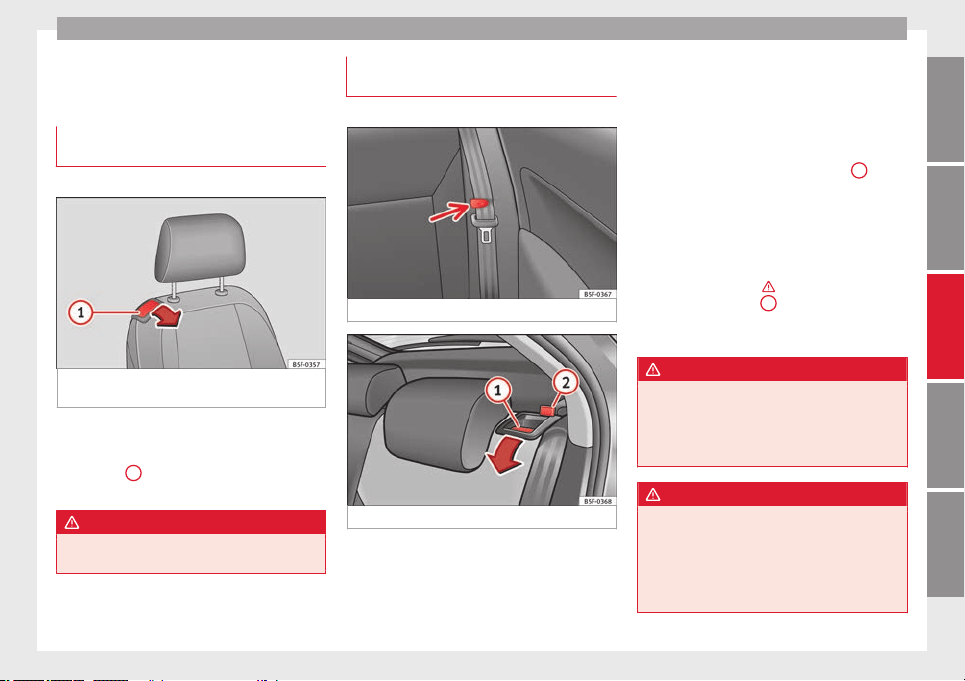
Seats and head restraints
The armrest can be moved backwards and
forwards.
Folding down the passenger seat
backrest*
3 Applies to the model: LEON ST
Fig. 108 Front passenger seat: lever for fold-
ing down the backrest.
The front passenger seat can be folded down
to increase the storage space.
●
Pull lever
1
››› Fig. 108
and push the seat
b
ac
krest until the backrest is horizontal.
WARNING
When the front passenger seat is folded
down it cannot be occupied.
Folding down and raising the back
seat backrest
3 Applies to the model: LEON/LEON SC
Fig. 109 Clip to support the seat belt.
Fig. 110 Backrest release lever.
The backrests can be folded forward individu-
ally or together.
Folding the backrest forwards
–
Place the side seat belts in the trim clip
››› Fig. 109
.
–
Slide the he
a
d restraint(s) downwards
››› page 107.
–
Press the release lever ››› Fig. 110
1
in the
direction of the arrow.
–
Fold the backrest forwards.
Converting the table to a seat
–
Raise the backrest until it engages in its
upright position ››› . The red marking on
the tab ››› Fig. 110
2
should no longer be
visible when the backrest is properly se-
cured.
WARNING
The safe driving chapter contains important
information, tips, suggestions and warnings
that you should read and observe for your
own safety and the safety of your passengers
››› page 37.
WARNING
●
Make sure that the rear backrest is securely
locked in position so that the seat belt can
provide proper protection on the centre rear
seat.
●
The rear backrest must always be securely
latched so that objects stored in the luggage
»
109
Technical specifications
AdviceOperationSafetyThe essentials
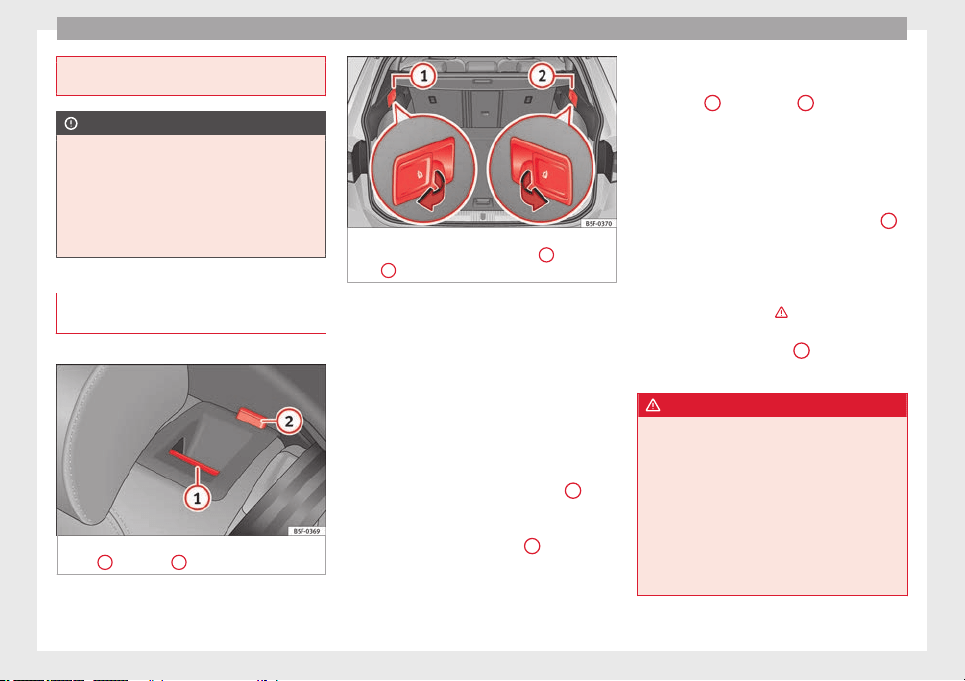
Operation
compartment will not fly forward through the
interior during sudden braking.
CAUTION
●
With the backrest inclined there is a danger
of damaging the rear head restraints when
adjusting the front seats backwards.
●
When folding the backrest forwards, make
sure to place the side seat belts in the trim
clip to prevent them from being damaged by
becoming trapped in the backrest lock.
Folding down and lifting the rear seat
backrest
3 Applies to the model: LEON ST
Fig. 111 On the rear seat backrest: release
catch
1
; red mark
2
.
Fig. 112 In the luggage compartment: levers
for remote release of the left part
1
and right
part
2
of the rear seat backrest.
The rear seat backrest is split and each part
be lowered separately to extend the luggage
compartment.
When the rear seat backrest is lowered no-
body else can travel in the corresponding
seats (not even a child).
Lowering the rear seat backrest with the
unlock button
●
Lower the head restraint properly.
●
Push the unlock button ››› Fig. 111
1
for-
wards and at the same time lift the backrest.
●
The rear seat backrest is not engaged when
the red marking of the button
2
is visible.
Lowering the rear seat backrest with the
remote release lever
●
Lower the head restraint properly.
●
Open the rear lid.
●
Pull the remote release lever of the left part
››› Fig. 112
1
or right part
2
of the backrest
in the direction of the arrow. The released
part of the rear seat backrest is folded auto-
matically down and forwards.
●
If this occurs, close the rear lid.
The rear seat backrest is not engaged when
the red marking of the button ››› Fig. 111
2
is visible.
Folding up the rear seat backrest
●
Lift the backrest and press it firmly into the
lock until it engages ››› .
●
It should not be possible to see the red
mark of the unlock button
2
.
●
The backrest must be properly engaged.
WARNING
Serious injuries can be caused if the rear seat
backrest is lowered or lifted without due care
and attention.
●
Never lower or lift the rear seat backrest
while driving.
●
Do no trap or damage the seat belt when
raising the rear seat backrest.
●
When lowering or lifting the rear seat back-
rest, keep your hands, fingers, feet and other
body parts out of its path.
110
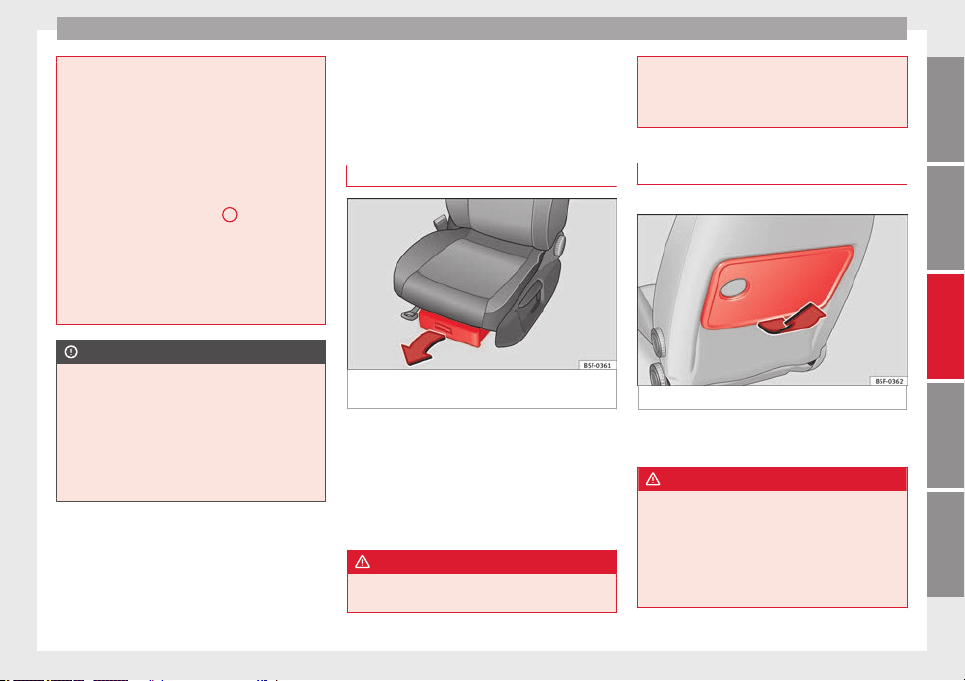
Transport and practical equipment
●
For the rear seat seat belts to offer the nec-
essary protection all the parts of the rear
backrest must be properly engaged. This is
particularly important in the case of the cen-
tre rear seat. If someone is seated in a seat
whose backrest is not properly engaged they
will fly forward, along with the backrest, dur-
ing an accident or a sudden driving or braking
manoeuvre.
●
A red signal on the button
2
warns that
the backrest is not engaged. Always check
that the red marking is not visible when the
backrest is in the upright position.
●
When the rear seat backrest is lowered or is
not properly engaged nobody else can travel
in the corresponding seats (not even a child).
CAUTION
Serious damage can be caused to the vehicle
and other objects if the rear seat backrest is
lowered or lifted without due care and atten-
tion.
●
Before lowering the rear seat backrest, al-
ways adjust the front seats so that neither
the head restraints nor the cushions of the
rear backrest can hit them.
Transport and practical
equipment
Storage compartments
Storage areas under the front seats*
Fig. 113 Storage compartment under the
front seats.
There is a storage compartment with a cover
under each front seat.
The drawer* is opened by pulling on the cov-
er ››› Fig. 113
.
T
o c
lose the drawer, press the cover until it
locks into position.
WARNING
●
The drawers will hold a maximum weight of
1.5 kg.
●
Do not drive with the drawer cover open.
There is an injury risk for passengers if the
cargo is released in case of sudden braking or
an accident.
Folding table*
3 Applies to the model: LEON ST
Fig. 114 Left-hand front seat: folding table.
–
To open the tray, open it up in the direction
of the arrow ››› Fig. 114
.
WARNING
●
The folding trays may not be folded down
whilst the vehicle is in motion and anyone is
seated on the second row of seats. There is a
risk of injury during a sudden braking ma-
noeuvre! The tray must therefore be closed
and properly secured whilst the vehicle is in
motion.
»
111
Technical specifications
AdviceOperationSafetyThe essentials
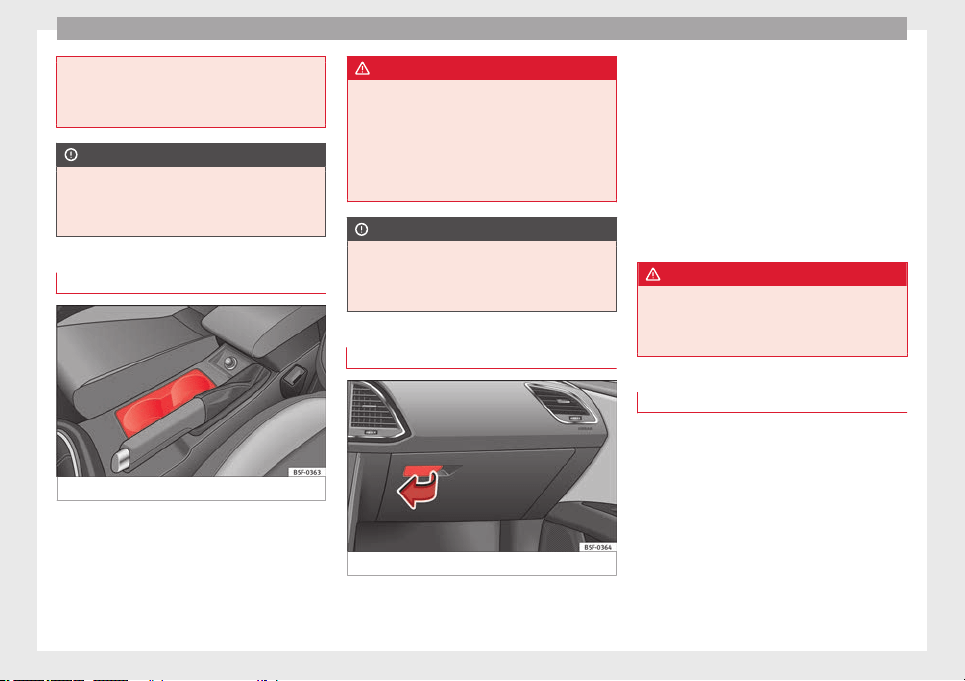
Operation
●
Do not put hot drinks in the drink holders.
During normal or sudden driving manoeuvres,
sudden braking or an accident, the hot drink
could be spilled. Danger of scalding.
CAUTION
When driving, do not leave open cans in the
cup holders. The drink might be spilt on brak-
ing, for example, and could damage the vehi-
cle.
Drink holders
Fig. 115 Centre console: front drink holders.
Front drink holders
–
Place drinks in the holder ››› Fig. 115
.
Pl
ac
ement of two drinks is possible. There
is also the possibility of placing larger plas-
tic bottles in the trims of the doors.
WARNING
●
Do not place any hot drinks in the drink
holder while the vehicle is moving. Hot drinks
could spill and cause burns, which may cause
an accident.
●
Do not use hard china cups or glasses.
These could cause injury in the event of an
accident.
CAUTION
You should avoid putting open drinks con-
tainers in the cup holders. The drinks could
otherwise spill over and cause damage to e.g.
the electrical equipment or the seat covers.
Glove box
Fig. 116 Glove compartment
Opening/closing
–
To open the glove compartment, pull the
handle in the direction of the arrow.
–
To close the glove compartment, move the
cover upwards until it engages.
Depending on the vehicle equipment, the CD
player is located in the glove compartment.
Separate operating instructions are enclosed
for this equipment in the corresponding In-
struction Manual.
WARNING
The cover of the glove compartment should
always be closed while driving. Failure to fol-
low this instruction could result in an acci-
dent.
Other storage compartments
You will find more object holders, compart-
ments and supports in other parts of the ve-
hicle:
●
In the top of the glove compartment in ve-
hicles that do not have a CD reader. The load
of the compartment should not exceed
1.2 kg.
●
In the centre console under the centre arm-
rest*.
●
In the driver side panel there is a remova-
ble box for access to fuses and relays. The
112
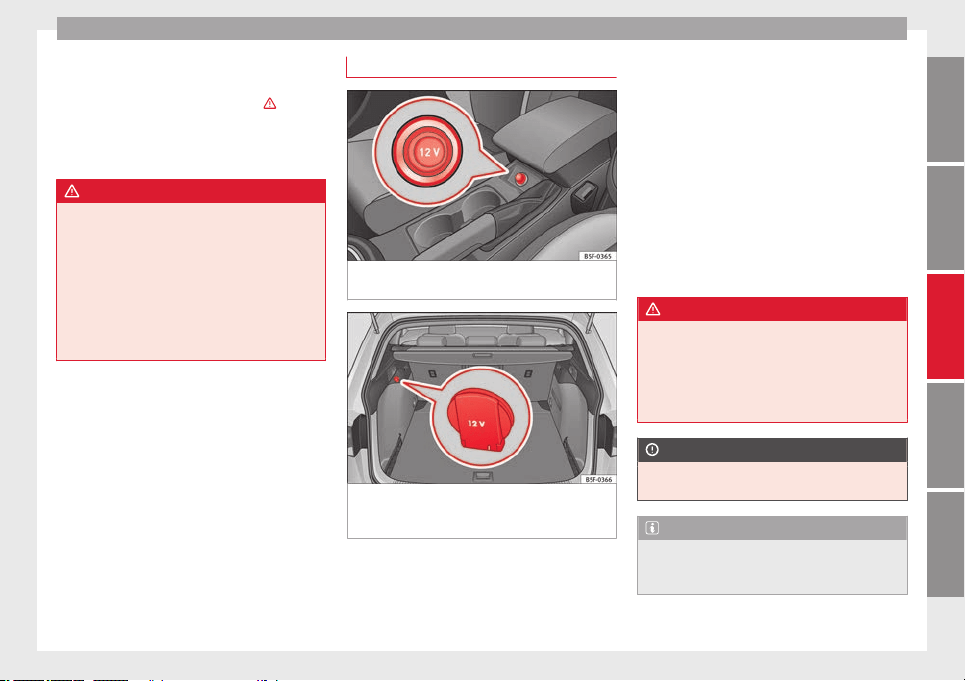
Transport and practical equipment
load of the compartment should not exceed
0.2 kg.
●
Coat hooks in the door frames ››› .
●
Other storage compartments are found in
the rear seat, to the left and the right of the
seats.
WARNING
●
Please make sure that any items of clothing
hanging from the coat hooks do not obstruct
your view to the rear.
●
The coat hooks should only be used for
lightweight clothing. Do not leave any heavy
or sharp objects in the pockets.
●
Do not use clothes hangers to hang up the
clothing, as this could interfere with the func-
tion of the head-protection airbags.
Power sockets
Fig. 117 Centre console: front/rear 12-volt
power socket.
Fig. 118 Detailed view of the side trim in the
luggage compartment: 12-volt power socket
(applies only to the LEON ST model).
In the centre console
–
Remove the connector located in the centre
console of the power socket ››› Fig. 117
.
–
In
ser
t the plug of the electrical appliance
into the power socket.
In the luggage compartment (applies only to
the LEON ST model)
–
Lift the power socket cover ››› Fig. 118.
–
Insert the plug of the electrical appliance
into the power socket.
Electrical equipment can be connected to the
12 volt power socket. The appliances connec-
ted to each power socket must not exceed a
power rating of 120 Watt.
WARNING
The power socket works only when the igni-
tion is on. Improper use may cause serious
injury or even fire. Children should therefore
not be left in the vehicle unattended if the
button is also left behind. Otherwise there is
a possibility that they may be injured.
CAUTION
Always use the correct type of plugs to avoid
damaging the sockets.
Note
The use of electrical appliances with the en-
gine switched off will cause a battery dis-
charge.
113
Technical specifications
AdviceOperationSafetyThe essentials
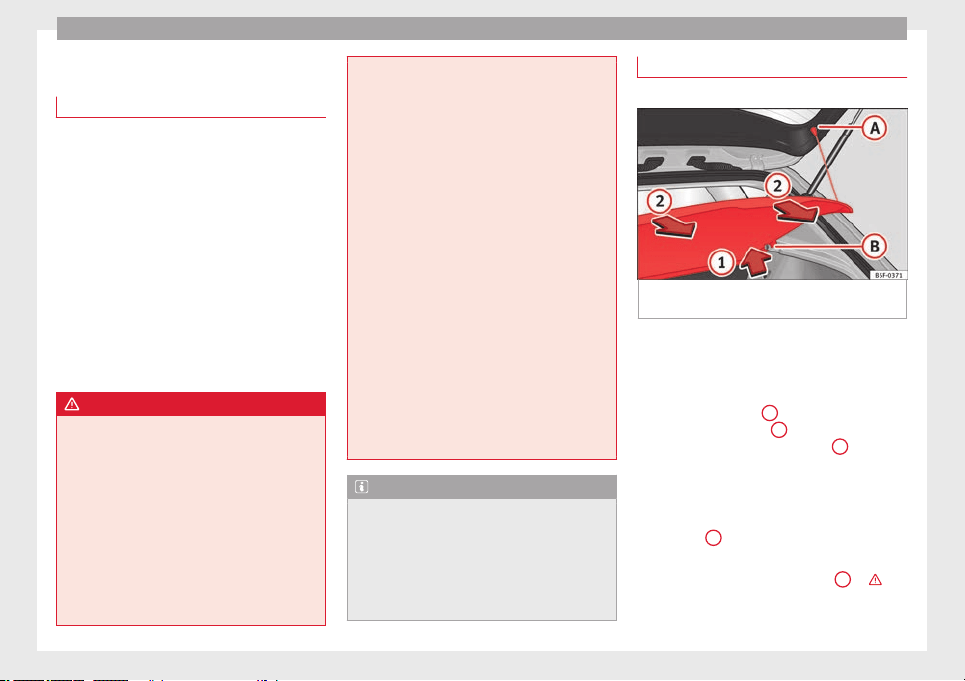
Operation
Storing objects
Loading the luggage compartment
All luggage and other loose objects must be
safely secured in the luggage compartment.
Unsecured objects which shift back and forth
could impair the driving safety or driving
characteristics of the vehicle by shifting the
centre of gravity.
–
Distribute the load evenly in the luggage
compartment.
–
Place heavy objects as far forward as possi-
ble in the luggage compartment.
–
Place the heavy objects first.
–
Secure heavy objects to the fitted fastening
rings
›››
page 119
.
WARNING
●
Loose luggage and other objects in the lug-
gage compartment could cause serious inju-
ries.
●
Always stow objects in the luggage com-
partment and secure them on the fastening
rings.
●
Use suitable straps to secure heavy ob-
jects.
●
During sudden manoeuvres or accidents,
loose objects can be thrown forward, injuring
vehicle occupants or passers-by. This in-
creased risk of injury will be further increased
if a loose object is struck by an inflating air-
bag. If this happens, objects may shoot out-
ward like a missile. Risk of fatal injury.
●
Please note that the centre of gravity may
shift when transporting heavy objects; this
may affect vehicle handling and lead to an ac-
cident. Therefore, it is essential to adjust
your speed and driving style accordingly, to
avoid accidents.
●
Never exceed the allowed axle weights or
allowed maximum weight. If said weights are
exceeded, the driving characteristics of the
vehicle may change, leading to accidents, in-
juries and damage to the vehicle.
●
Never leave your vehicle unattended, espe-
cially when the rear lid is open. Children
could climb into the luggage compartment,
closing the door behind them; they will be
trapped and run the risk of death.
●
Never allow children to play in or around
the vehicle. Close and lock all the doors and
rear lid when you leave the vehicle. Before
you lock the vehicle, make sure that there are
no adults or children in the vehicle.
Note
●
Air circulation in the vehicle helps reduce
fogging of the windows. Used air escapes
through ventilation slits in the side trim of
the luggage compartment. Ensure that the
ventilation slots are never covered.
●
Straps for securing the load to the fasten-
ing rings are commercially available.
Luggage compartment cover
3 Applies to the model: LEON/LEON SC
Fig. 119 Rear lid open with the luggage com-
partment cover.
The luggage compartment cover blocks the
view into the luggage compartment.
Removing
–
Remove the straps
A
and unfasten the
cover of the support
B
by pressing up-
wards in the direction of arrow
1
.
Fitting
–
Insert the cover horizontally so that it coin-
cides with the “plate” on the axis of the
supports
B
and press down until it engag-
es.
–
Attach the straps to the rear lid
A
››› .
114
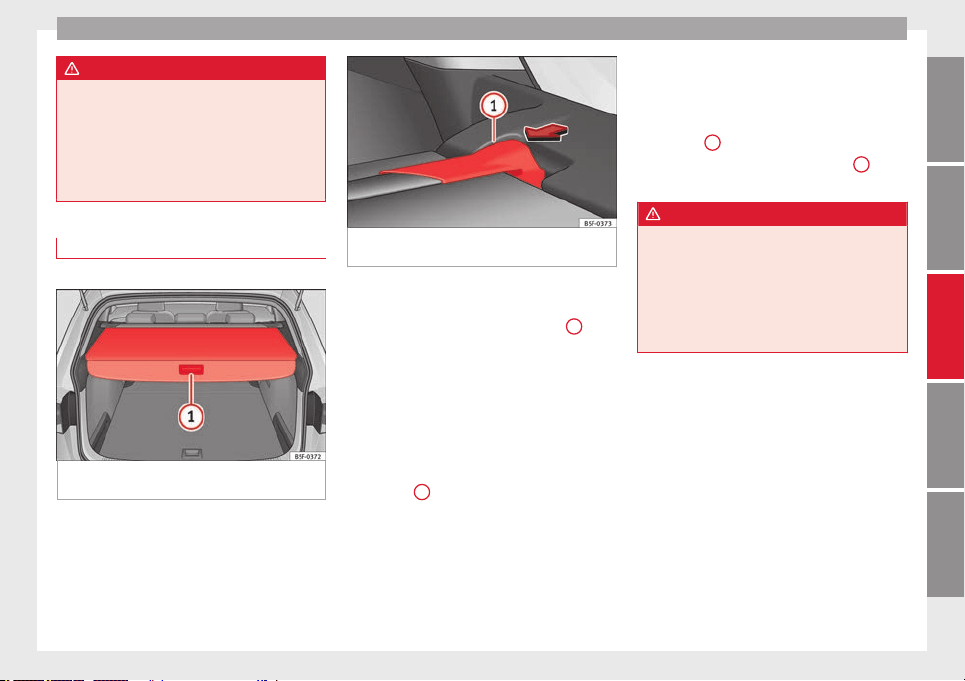
Transport and practical equipment
WARNING
●
The luggage compartment cover must al-
ways be fixed properly (risk of accident).
●
The luggage compartment cover should not
be used as a storage shelf. Articles placed on
this cover could cause injury to vehicle occu-
pants in an accident or if the brakes are ap-
plied suddenly.
Retractable rear shelf
3 Applies to the model: LEON ST
Fig. 120 In the luggage compartment: closing
the rear shelf.
Fig. 121 In the luggage compartment: remov-
ing the rear shelf.
Opening the rear shelf
●
Press the release catch of the rear shelf
(
press
) until it is released ›
›› Fig. 120
1
. The
shelf will automatically move towards the
end and will retract completely.
Closing the rear shelf
●
Pull the unfolded shelf evenly backwards.
Removing the rear shelf
●
Press the support of the rear shelf
››› Fig. 121
1
in the direction of the arrow.
●
Remove the rear shelf through the support
and upwards.
●
The rear shelf can be stored under the lug-
gage compartment variable floor when the
latter is in the top position (except for vehi-
cles equipped with natural gas engine CNG)
››› page 116
.
Fittin
g the r
ear shelf
●
Place the rear shelf in the housing provided
in the left side cover.
●
Engage the support of the rear shelf
››› Fig. 121
1
in the right housing.
●
Check that the support ››› Fig. 121
1
is
properly engaged.
WARNING
Animals, loose or unsecured or objects car-
ried on the rear shelf can cause serious injury
in case of sudden manoeuvring or braking or
in case of an accident.
●
Do not leave hard, sharp or heavy objects
or in bags on the rear shelf.
●
Never carry animals on the rear shelf.
115
Technical specifications
AdviceOperationSafetyThe essentials
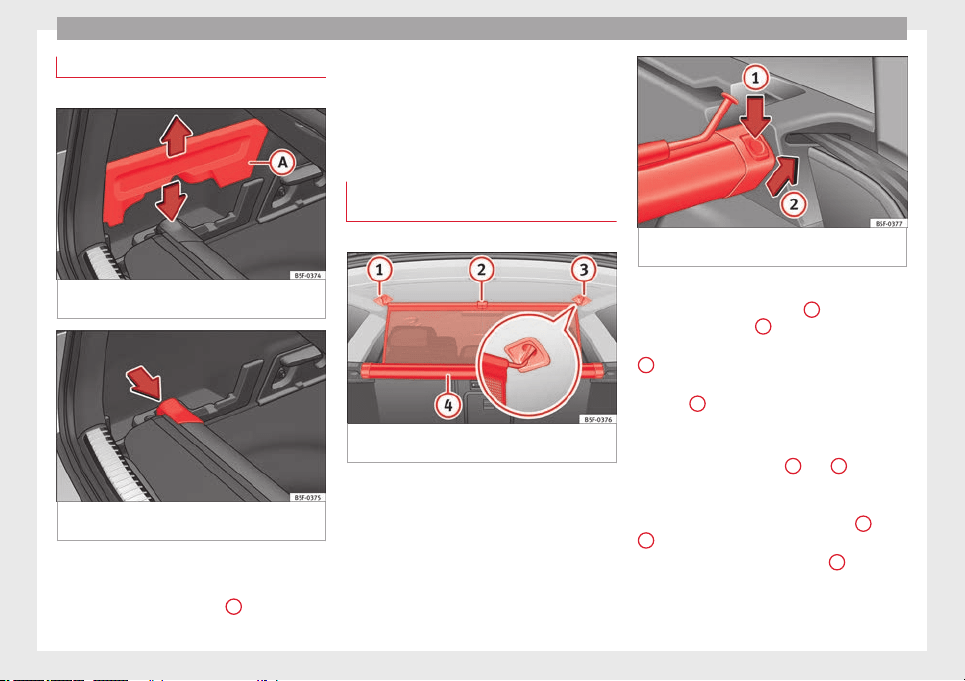
Operation
Storing the rear shelf
3 Applies to the model: LEON ST
Fig. 122 In the luggage compartment: hous-
ing for storing the rear shelf.
Fig. 123 In the luggage compartment: hous-
ing for storing the rear shelf.
The rear shelf cannot be stored under the
luggage compartment variable floor.
●
Remove covers ››› Fig. 122
A
left and right.
●
Press the head of the rear shelf in the direc-
tion of the arrow until it engages in its hous-
ing ››› Fig. 123
.
●
P
ut
the left and right covers in their original
position.
Use of the net partition behind the
front seat*
3 Applies to the model: LEON ST
Fig. 124 In the luggage compartment: pulling
out and securing the net partition.
Fig. 125 In the luggage compartment: remov-
ing the net partition.
Pulling out and securing the net partition
●
Pull up handle ››› Fig. 124
2
to remove the
net from the casing
4
.
●
Hook in the net partition on the right side
3
(magnified image).
●
Hook in the net partition in the left side
housing
1
pulling the rod.
The net partition is properly assembled when
the T-shaped ends are firmly secured in the
corresponding housings
3
and
1
.
Retracting the net partition
●
Unhook the rod from the housings
3
and
1
.
●
Roll up the net into the casing
4
lowering
it with your hand.
116
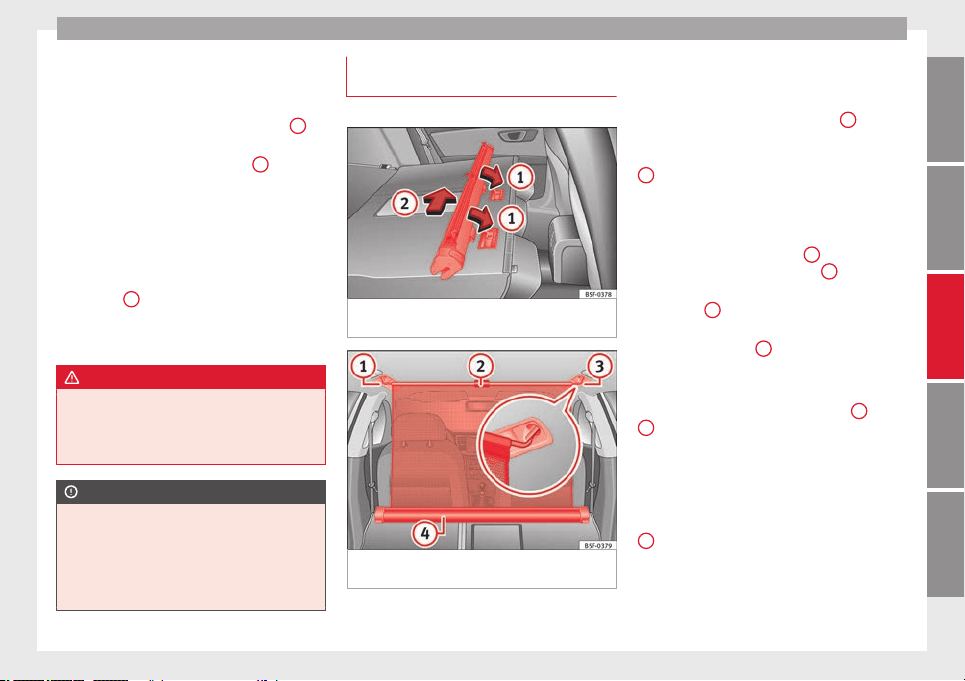
Transport and practical equipment
Removing the net partition
●
Fold the rear seat backrests forward.
●
Press the left or right release catch
››› Fig. 125
in the direction of the arrow
1
.
●
Remove the casing from the support in the
direction of the arrow ››› Fig. 125
2
.
Fitting the net partition
●
Fold the rear seat backrests forward.
●
Fit the casing in the right and left supports.
●
Press the casing into the left and right sup-
ports in the opposite direction to the arrow
››› Fig. 125
2
until it engages.
The red markings on the release buttons
should no longer be visible.
WARNING
●
Always secure objects, even when the net
partition is properly assembled.
●
There should be nobody behind the assem-
bled partition when the vehicle is moving.
CAUTION
Incorrect handling of the net partition could
cause damage.
●
Do not “release” the net partition when
lowering it, as the net and other vehicle parts
could be damaged. Roll down the net parti-
tion by hand.
Use of the net partition with the rear
seat backrests lowered
3 Applies to the model: LEON ST
Fig. 126 Assembling the net partition in the
rear seat backrests.
Fig. 127 In the luggage compartment: net
partition hooked into the rear seat backrests.
Fitting the net partition
●
Fold the rear seat backrests forward.
●
Remove the net partition from the side sup-
ports.
●
Place the net casing in the rail slots in the
direction of the arrows ››› Fig. 126
1
.
●
Push the casing towards the left side of the
vehicle in the direction of arrow ››› Fig. 126
2
and as far as it will go.
●
Check that the net is secure.
Pulling out and securing the net partition
●
Pull up handle ››› Fig. 127
2
to remove the
net from the casing ››› Fig. 127
4
.
●
Hook in the net partition on the right side
››› Fig. 127
3
(magnified image).
●
Hook in the net partition in the left side
housing ››› Fig. 127
1
pulling the rod.
The net partition is properly assembled when
the T-shaped ends are firmly secured in the
corresponding housings ››› Fig. 127
3
and
1
.
Retracting the net partition
●
Remove the rod from the housings in the
trims of the roof side members.
●
Roll up the net into the casing ››› Fig. 127
4
lowering it with your hand.
»
117
Technical specifications
AdviceOperationSafetyThe essentials
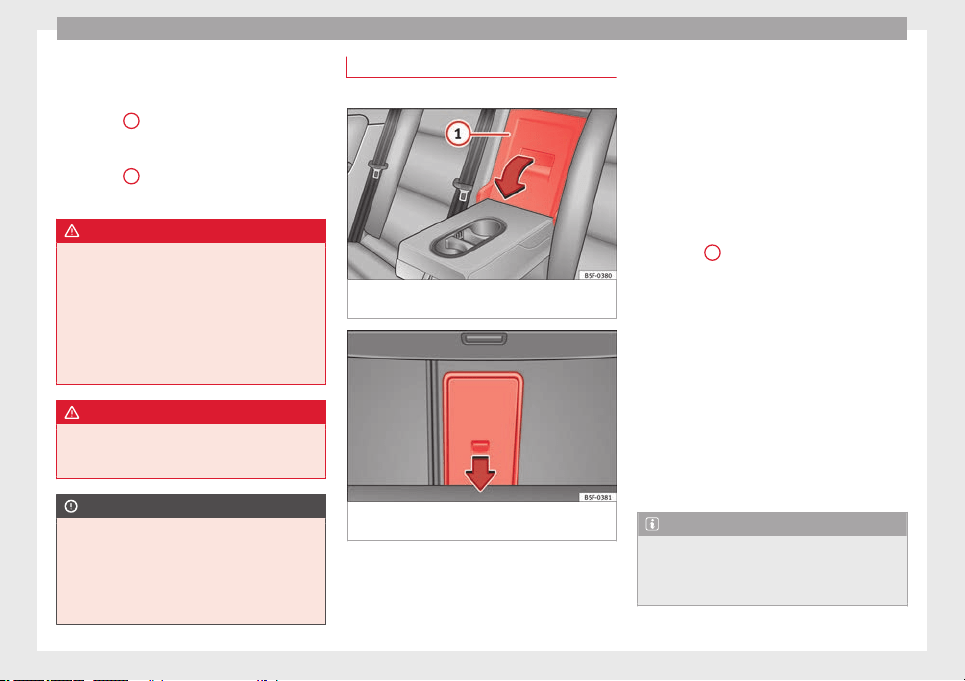
Operation
Removing the net partition
●
Pull the net casing out approximately 5 cm
in the opposite direction to the arrow
››› Fig. 126
2
.
●
Remove the casing from the rails by pulling
in the opposite direction to the arrows
››› Fig. 126
1
.
●
Lift the rear seat backrests.
WARNING
During a sudden driving or braking manoeu-
vre, or in the event of an accident, objects
could be flung though the interior and cause
serious or fatal injuries.
●
Always secure objects, even when the net
partition is properly assembled.
●
There should be nobody behind the assem-
bled partition when the vehicle is moving.
WARNING
The rear seat backrests should only be lifted
again once the net partition has been disas-
sembled.
CAUTION
Incorrect handling of the net partition could
cause damage.
●
Do not “release” the net partition when
lowering it, as the net and other vehicle parts
could be damaged. Roll down the net parti-
tion by hand.
Tailboard for transporting long items
3 Applies to the model: LEON ST
Fig. 128 On the rear seat backrest: opening
the tailboard.
Fig. 129 In the luggage compartment: open-
ing the tailboard.
On the rear seat, behind the central armrest,
there is a tailboard for transporting long
items in the interior, such as skis.
To avoid soiling the interior, dirty objects
should be wrapped (e.g. in a blanket) before
they are inserted through the tailboard.
When the armrest is down, nobody may trav-
el in the centre rear seat.
Opening the tailboard
●
Lower the centre armrest.
●
Pull the release lever in the direction of the
arrow and push the tailboard cover
››› Fig. 128
1
down and forwards.
●
Open the rear lid.
●
Insert the long objects through the gap
from the luggage compartment.
●
Secure the objects with the seatbelt.
●
Close the rear lid.
Closing the tailboard
●
Lift the tailboard cover until it engages. The
red mark on the luggage compartment side
should never be visible.
●
Close the rear lid.
●
Lift the centre armrest if necessary.
Note
The tailboard can also be opened from the
luggage compartment. To do so, press the re-
lease lever down, in the direction of the ar-
row, and the cover upwards ››› Fig. 129.
118
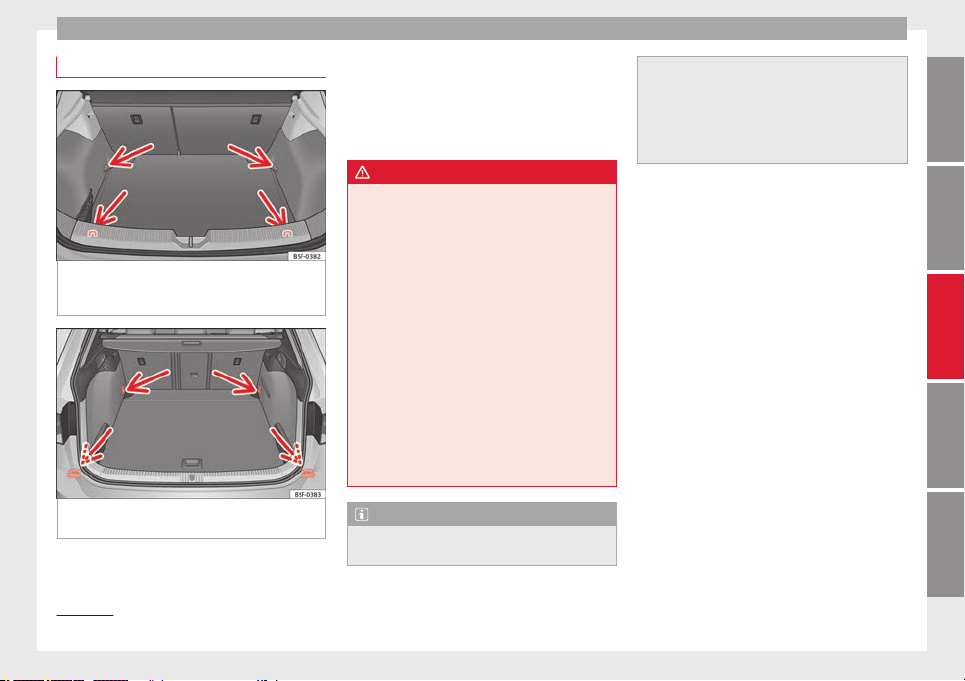
Transport and practical equipment
Fastening rings*
Fig. 130 In the luggage compartment: fasten-
ing rings (LEON/LEON SC model except ver-
sions with spare wheel and CNG).
Fig. 131 In the luggage compartment: fasten-
ing rings (LEON ST model).
In the front and rear part of the luggage com-
partment there are fastening rings to secure
the luggage ››› Fig. 131
.
In or
der t
o use the fastening rings, they must
be lifted beforehand
1)
.
WARNING
If unsuitable or damaged belts or retaining
straps are used, they could break in the event
of braking or an accident. Objects could then
be launched across the passenger compart-
ment and cause serious or fatal injuries.
●
Always use belts or retaining straps that
are suitable and in a good condition.
●
Belts and retaining straps should be se-
curely fastened to the fastening rings.
●
Objects in the luggage compartment that
are unsecured could move suddenly and mod-
ify the handling of the vehicle.
●
Secure all objects, little and large.
●
Never exceed the maximum tensile load of
the fastening ring when securing objects.
●
Never secure a child seat to the fastening
rings.
Note
●
The maximum tensile load that the fasten-
ing rings can support is 3.5 kN.
●
Belts and securing systems for the appro-
priate load can be obtained from specialised
dealerships. SEAT recommends visiting a
SEAT dealership for this.
●
The fastening rings are rendered unusable
for versions with spare wheel and CNG.
1)
Valid only for the LEON ST model.
119
Technical specifications
AdviceOperationSafetyThe essentials
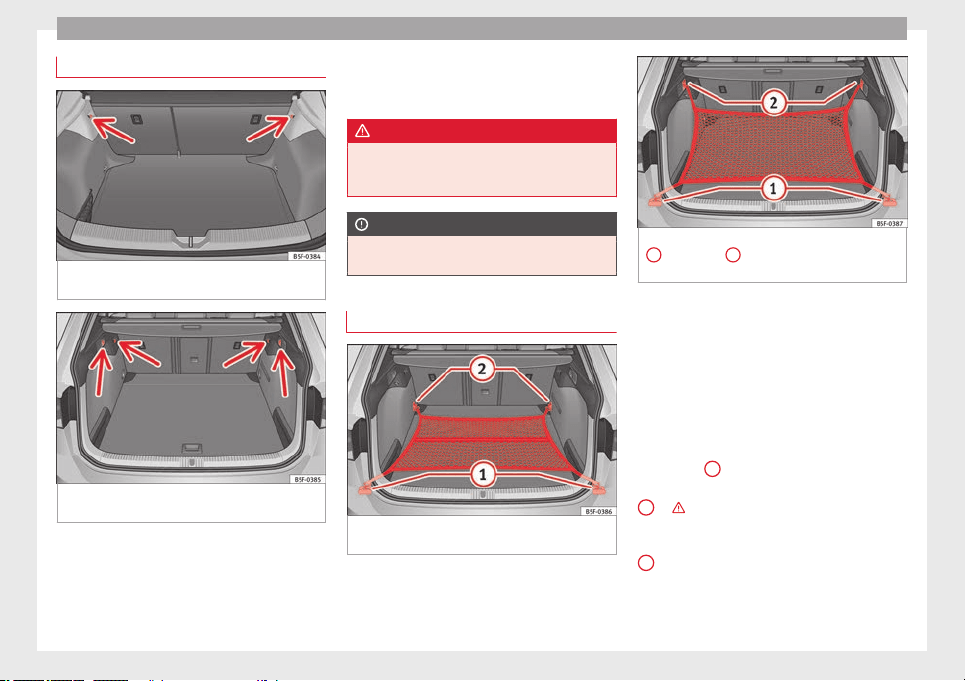
Operation
Retaining hooks
Fig. 132 In the luggage compartment: retain-
ing hooks (LEON/LEON SC model).
Fig. 133 In the luggage compartment: retain-
ing hooks (LEON ST model).
At the rear of the luggage compartment, on
the left and right, there are fixed retaining
hooks ››› Fig. 133
.
The r
et
aining hooks have been designed to
secure light shopping bags.
In the front and rear part of the luggage com-
partment there are fastening rings to secure
the luggage ››› Fig. 130 and ››› Fig. 131.
WARNING
Never use the retaining hooks as fastening
rings. In case of sudden braking or an acci-
dent, the hooks could break.
CAUTION
Each hook is designed for a maximum load of
2.5 kg.
Net bag*
Fig. 134 In the luggage compartment: net
bag hooked up at floor level (LEON ST model).
Fig. 135 In the luggage compartment: rings
1
and hooks
2
for securing the net bag
(LEON ST model).
The luggage compartment prevents light lug-
gage from moving. The net bag has a zip and
can be used to store small objects.
The net bag can be hooked up to the luggage
compartment in different ways.
Hooking the net bag into the luggage
compartment floor
●
As applicable, lift the front fastening rings
››› Fig. 134
2
.
●
Secure the net hooks to the fastening rings
2
››› . The bag zip should be facing up-
wards.
●
Secure the net hooks to the fastening rings
1
.
120
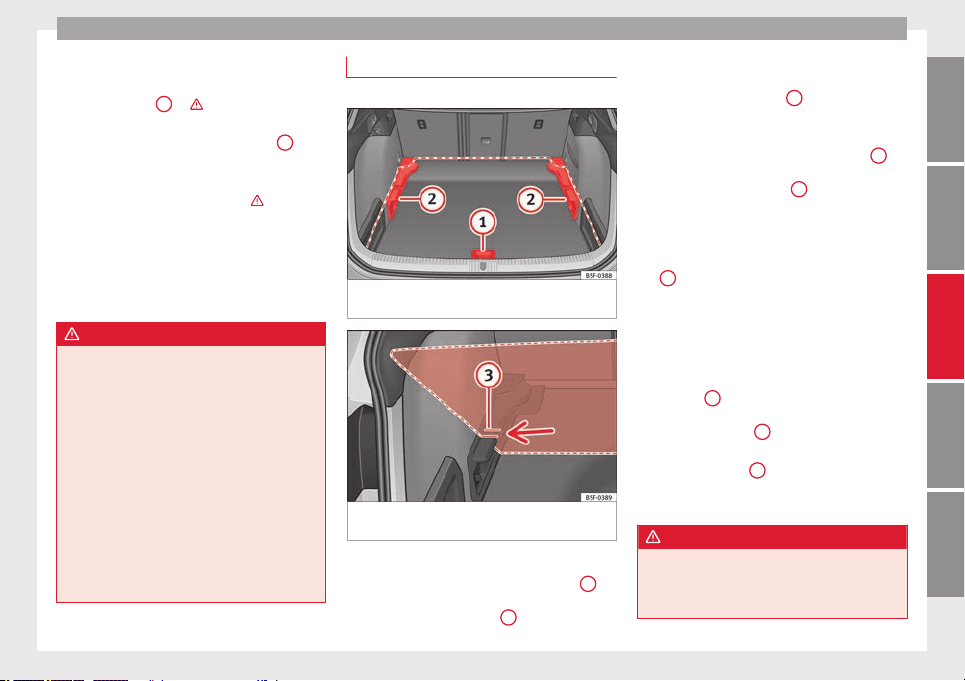
Transport and practical equipment
Hook the net bag next to the load threshold
●
Secure the short net hooks to the fastening
rings ››› Fig. 135
1
››› . The bag zip should
be facing upwards.
●
Secure the straps in the bag hooks
2
.
Removing the net bag
The hooked up net bag is taut ››› .
●
Remove the hooks and the net bag straps
from the fastening rings and from the bag
hooks.
●
Store the net bag in the luggage compart-
ment.
WARNING
To secure the elastic net bag on the fastening
rings it must be stretched out. Once hooked
up it is taut. If the net bag is hooked up or un-
hooked incorrectly the hooks could cause in-
juries.
●
Always secure the net hooks properly so
that they do not suddenly release from the
fastening rings when hooking or unhooking
them.
●
On hooking or unhooking them, protect
your eyes and face in case the hooks are re-
leased suddenly.
●
Always hook up the net bag hooks in the
described order. If a hook is unexpectedly re-
leased the risk of injury is increased.
Luggage compartment variable floor
3 Applies to the model: LEON ST
Fig. 136 Luggage compartment variable
floor: positions.
Fig. 137 Luggage compartment variable
floor: grooves tilted.
Variable floor in the high position
●
Lift the floor using handle ››› Fig. 136
1
and pull it back until the front of the floor has
fully passed the supports
2
.
●
Move the floor forward over the supports as
far as the rear seat backrest and then lower
the floor with the handle
1
.
Variable floor in the low position
●
Lift the floor using handle ››› Fig. 136
1
and pull it back until the front of the floor has
fully passed the supports
2
.
●
Now match the front part with the lower
grooves of the supports and slide the floor
forwards as far as the rear seat backrest and
lower the floor at the same time with the han-
dle
1
.
Variable floor in the tilted position
When the variable floor is tilted you can ac-
cess the spare wheel/anti-puncture kit area.
●
Lift the variable floor using handle
››› Fig. 136
1
and pull it back until the front
of the floor has fully passed the tilted
grooves ››› Fig. 137
3
.
●
Run the floor through these grooves with
the help of handle
1
as the rear seat back-
rest and until the floor is resting in the
grooves.
WARNING
During a sudden driving or braking manoeu-
vre, or in the event of an accident, objects
could be flung though the interior and cause
serious or fatal injuries.
»
121
Technical specifications
AdviceOperationSafetyThe essentials
Operation
●
Always secure objects, even when the lug-
gage compartment floor is properly lifted.
●
Only objects that do not protrude more
than 2/3 the height of the floor may be car-
ried between the rear seat and the raised lug-
gage compartment floor.
●
Only objects that do not weigh than ap-
proximately 7.5 kg may be carried between
the rear seat and the raised luggage compart-
ment floor.
CAUTION
●
The maximum weight that can be loaded on
the luggage compartment variable floor in
the top position is 150 kg.
●
Do not let the luggage compartment floor
fall when closing it. Always carefully guide it
downwards in a controlled manner. Other-
wise, the lining and the floor of the luggage
compartment could be damaged.
Note
SEAT recommends the use of straps to secure
objects to retaining rings.
Roof carrier
Introduction
The vehicle roof has been designed to opti-
mise aerodynamics. For this reason, cross
bars or conventional roof carrier systems can-
not be secured to the roof water drains.
As the roof water drains are integrated in the
roof to reduce air resistance, only SEAT-ap-
proved cross bars and roof carrier systems
can be used.
Cases in which cross bars and the roof
carrier system should be disassembled.
●
When they are not used.
●
When the vehicle is washed in a car wash.
●
When the vehicle height exceeds the maxi-
mum height, for example, in some garages.
WARNING
When heavy or bulky loads are transported
on the roof carrier system, car driving per-
formance is affected, as the centre of gravity
shifts and there is greater wind resistance.
●
Always secure the load properly using belts
or retaining straps that are suitable and in a
good condition.
●
Bulky, heavy, long or flat loads have a neg-
ative effect on aerodynamics, the centre of
gravity and driving performance.
●
Avoid sudden braking and manoeuvres.
●
Adapt your speed and driving style at all
times to suit visibility, weather, road and traf-
fic conditions.
CAUTION
●
Remove the cross bars and the roof carrier
system before entering a car wash.
●
Vehicle height is increased by the installa-
tion of cross bars or a roof carrier system and
the load secured on them. For this purpose,
check that your vehicle's height does not sur-
pass the headspace limit, for example, for un-
derpasses or for entering garage doors.
●
Cross bars, a roof carrier system and the
load secured on them should not interfere
with the roof aerial or hamper the path of the
panoramic sun roof ››› page 92 and the rear
lid.
●
On opening the rear lid make sure that it
does not knock into the roof load.
For the sake of the environment
When cross bars and a roof carrier system are
installed, the increased air resistance means
that the vehicle uses more fuel.
122
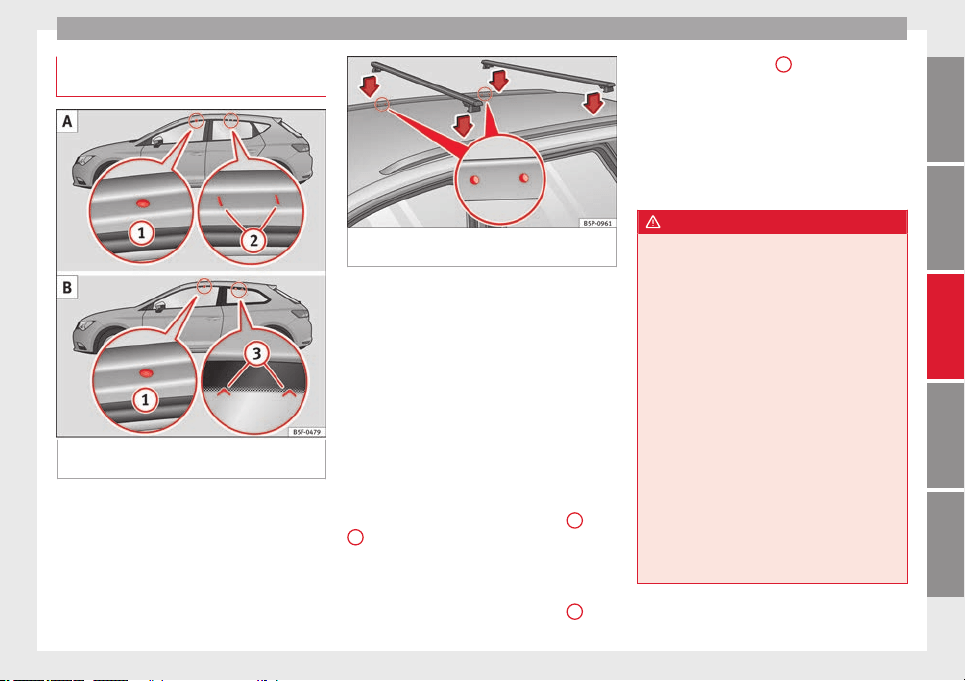
Transport and practical equipment
Securing the crossbars and the roof
carrier system
Fig. 138 Leon/Leon SC: attachment points for
the roof railings for the roof carrier system.
Fig. 139 Leon ST: attachment points for the
roof railings for the roof carrier system.
The crossbars are the basis of a series of spe-
cial roof carrier systems. For safety reasons,
special fixtures must be used to safely trans-
port luggage, bicycles, skis, surf boards or
boats on the roof. Suitable accessories can
be acquired at SEAT dealerships.
Always secure the crossbars and the roof car-
rier system properly. Always take the assem-
bly instructions that come with the crossbars
and the roof carrier system in question into
account.
LEON model
The front and rear attachment points
1
and
2
are only visible when the doors are open
››› Fig. 138
A
.
Leon SC model
The front and rear attachment points
1
are
only visible when the doors are open. The
rear attachment points
3
are marked on the
top edge of the glass with arrow heads
››› Fig. 138
B
.
LEON ST model
The crossbars are assembled on the roof rail-
ings. The attachment points can be seen on
bottom of the roof railing ››› Fig. 139.
WARNING
Incorrect attachment and use of the cross-
bars and the roof carrier system may cause
the whole system to detach from the roof and
cause an accident and injuries.
●
Always take the manufacturer assembly in-
structions into account.
●
Use only crossbars and the roof carrier sys-
tem when they are in perfect condition and
are properly secured.
●
Always secure the crossbars and the roof
carrier system properly.
●
Check threaded joints and attachments
travelling and if necessary tighten them after
you have travelled a short distance. When
making long trips, check the threaded joints
whenever you stop for a rest.
●
Always fit the special roof carrier systems
correctly for wheels, skis and surfboards, etc.
●
Do not modify or repair the crossbars or
roof carrier system.
»
123
Technical specifications
AdviceOperationSafetyThe essentials
Operation
Note
Always read the assembly instructions that
come with the crossbars and the roof carrier
system carefully and keep them in the vehi-
cle.
Loading the roof carrier system
The load can only be secured if the crossbars
and the roof carrier system are properly in-
stalled ››› .
Maximum authorised roof load
The maximum permissible roof load is 75 kg.
This figure comes from the combined weight
of the roof carrier, the cross bars and the load
itself on the roof
›››
.
Always check the weight of the roof carrier
system, the cross bars and the weight of the
load to be transported and weigh them if
necessary. Never exceed the maximum au-
thorised roof load.
If you are using cross bars and a roof carrier
with a lower weight rating, you will not be
able to carry the maximum authorised roof
load. In this case, do not exceed the maxi-
mum weight limit for the roof carrier which is
listed in the fitting instructions.
Distributing a load
Distribute loads uniformly and secure them
correctly ››› .
Check attachments
Once the cross bars and roof carrier system
have been installed, check the bolted con-
nections and attachments after a short jour-
ney and subsequently with a certain frequen-
cy.
WARNING
Exceeding the maximum authorised roof load
can result in accidents and considerable vehi-
cle damage.
●
Never exceed the maximum authorised
load on the roof and on the axles or the vehi-
cle's maximum authorised weight.
●
Never exceed the load capacity of the cross
bars and the roof carrier system, even if the
maximum authorised roof load has not been
reached.
●
Secure heavy items as far forward as possi-
ble and distribute the vehicle load uniformly.
WARNING
If the load is loose or not secured, it could fall
from the roof carrier system or cause acci-
dents and injuries.
●
Always use belts or retaining straps that
are suitable and in a good condition.
●
Secure the load properly.
Air conditioning
Heating, ventilation and
cooling
Introduction
Read the additional information carefully
›››
page 26
Viewing Climatronic information
On the screen of Climatronic control unit and
on the screen of the factory-fitted Easy Con-
nect system, the theoretical values of the
temperature zones are shown.
The unit of temperature measurement can be
changed in the Easy Connect system.
Dust and pollen filter
The dust and pollen filter with its activated
charcoal cartridge serves as a barrier against
impurities in the air taken into the vehicle in-
terior.
The dust and pollen filter must be changed
regularly so that air conditioner performance
is not adversely affected.
If the filter loses efficiency prematurely due
to use in areas with very high levels of air
pollution, the filter must be changed more
frequently than stated in the Service Sched-
ule.
124
Air conditioning
WARNING
Reduced visibility through the windows in-
creases the risk of serious accidents.
●
Always ensure that all windows are free of
ice and snow, and that they are not fogged,
so as to maintain good visibility of everything
outside.
●
The maximum heat output required to de-
frost windows as quickly as possible is only
available when the engine has reached its
normal running temperature. Only drive when
you have good visibility.
●
Always ensure that you use the heating
system, fresh air system, air conditioner and
the heated rear window to maintain good visi-
bility to the outside.
●
Never leave the air recirculation on for a
long period of time. If the cooling system is
switched off and air recirculation mode
switched on, the windows can mist over very
quickly, considerably limiting visibility.
●
Switch air recirculation mode off when it is
not required.
WARNING
Stuffy or used air will increase fatigue and re-
duce driver concentration possibly resulting
in a serious accident.
●
Never leave the fresh air fan turned off or
use the air recirculation for long periods of
time; the air in the vehicle interior will not be
refreshed.
CAUTION
●
Switch the air conditioner off if you think it
may be broken. This will avoid additional
damage. Have the air conditioner checked by
a specialised workshop.
●
Repairs to the air conditioner require spe-
cialist knowledge and special tools. SEAT rec-
ommends visiting a SEAT Official Service.
Note
●
When the cooling system is turned off, air
coming from the outside will not be dried. To
prevent fogging of the windows, SEAT recom-
mends leaving the cooling system (compres-
sor) turned on. To do this, press the button
. The button lamp should light up.
●
The maximum heat output required to de-
frost windows as quickly as possible is only
available when the engine has reached its
normal running temperature.
●
Keep the air intake slots in front of the
windscreen free of snow, ice and leaves to en-
sure heating and cooling are not impaired,
and to prevent the windows from misting
over.
Adjust using the Easy Connect
system*
3 Applies to vehicles with a Touch/Colour Media
Sy
stem.
In the Easy Connect system it is also possible
to perform various adjustments to the Clima-
tronic.
Open the air conditioner menu
●
Press the
Setup
button.
●
OR: press the
MENU
button in Easy Con-
nect. With the rotating switch select the air
conditioner menu and open it.
On the touch screen you can see and change
the current settings, for example, the temper-
ature set for the driver and passenger sides,
the air distribution and the fan speed. With
button
the driver and passenger side
temperatures are synchronised
›››
Book-
let Media System Touch/Colour, chapter Air
conditioning
.
T
o sw
itch a function on or off, or to select a
submenu, you must press the corresponding
function button.
For more information about functions
›››
page 81.
»
125
Technical specifications
AdviceOperationSafetyThe essentials
Operation
Func-
tion
button
Function
OFF Switch off and switch on the Climatronic.
SETTINGS
The air conditioning settings submenu is
opened. It is possible to make the following
adjustments:
Function button
Air conditioning profile.
: to ad-
just the level of the fan in AUTO mode. You
can choose between low, medium and
high.
Function button
Automatic air recirculation
to
switch on and off automatic air recircula-
tion ››› page 128.
BACK
function button to close the sub-
menu.
Adjust using the Easy Connect
system*
3 Applies to vehicles with a Media System Plus/Navi
System.
In the Easy Connect system it is also possible
to perform various adjustments to the Clima-
tronic.
Open the
air conditioner
menu
●
Press the
Setup
button.
On the top of the screen you can see and
change the current settings, such as, for ex-
ample, the temperature set for the driver side
and for that of passenger. Temperatures up
to +22°C (+72°F) are shown with blue arrows,
and temperatures over +22°C (+72°F) with
red arrows.
To switch a function on or off, or to select a
submenu, you must press the corresponding
function button.
Function
button
Function
Air condi-
tioning pro-
file
Adjust the fan level in AUTO mode. You
can choose between low, medium and
high.
OFF Climatronic is switched off.
ON Climatronic is switched on.
SETTINGS
The air conditioning settings submenu
is opened. It is possible to make the fol-
lowing adjustments:
Function button
Air conditioning profile.
: to
adjust the level of the fan in AUTO
mode. You can choose between low, me-
dium and high.
Function button
Automatic air recirculation
to switch on and off automatic air recir-
culation ››› page 128.
BACK
function button to close the
submenu.
Automatic
supplemen-
tary heating
Activate/deactivate the automatic acti-
vation of the supplementary heating for
colder countries (only for engines with
supplementary heating). With the option
deactivated, depending on the outside
temperature the heating may need more
time than normal to reach a comfortable
temperature.
Instructions for use of the air
conditioner
The interior cooling system only works when
the engine is running and fan is switched on.
The air conditioner operates most effectively
with the windows and the panoramic sliding
sunroof closed. However, if the vehicle has
heated up after standing in the sun for some
time, the air inside can be cooled more quick-
ly by opening the windows and the panoram-
ic sliding sunroof briefly.
Climatronic: change the temperature unit on
the screen of the radio or on the factory-
fitted navigation system
Changing the temperature display from Cel-
sius to Fahrenheit on radio or on the factory-
fitted navigation system is done using the
menu on the instrument panel
›››
page 72.
The cooling system cannot be activated
If the air conditioning system cannot be
switched on, this may be caused by the fol-
lowing:
●
The engine is not running.
●
The fan is switched off.
●
The air conditioner fuse has blown.
●
The outside temperature is lower than ap-
proximately +3°C (+38°F).
126
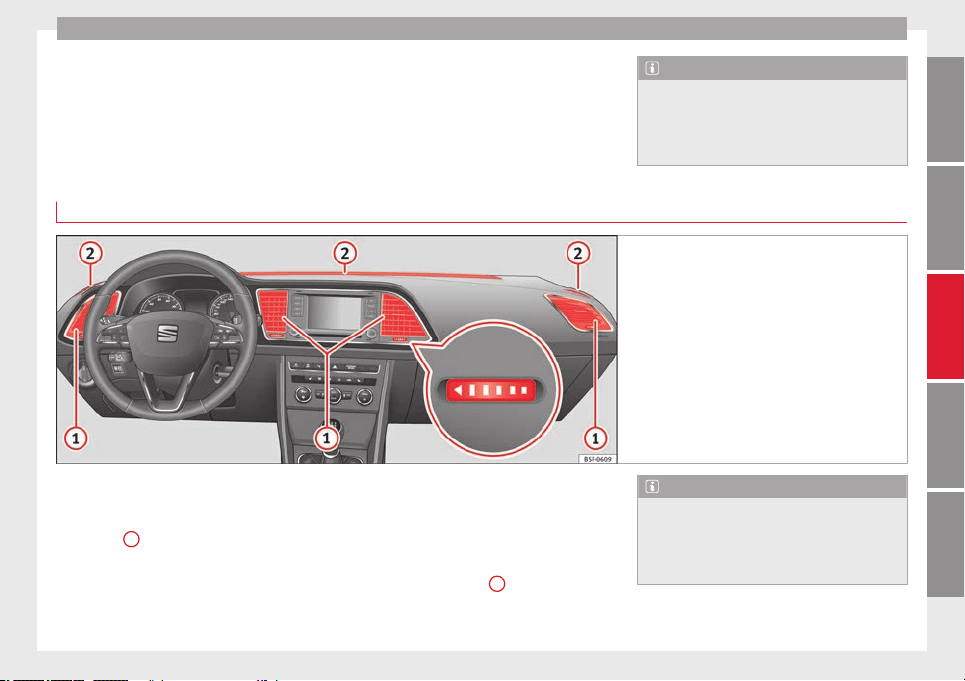
Air conditioning
●
The air conditioner compressor has been
temporarily switched off because the engine
coolant temperature is too high.
●
Another fault in the vehicle. Have the air
conditioner checked by a specialised work-
shop.
Special Characteristics
If the humidity and temperature outside the
vehicle are high,
condensation
can drip off
the ev
aporator in the cooling system and
form a pool underneath the vehicle. This is
normal and does not indicate a leak!
Note
After starting the engine, any residual humid-
ity in the air conditioner could mist over the
windscreen. Switch on the defrost function as
soon as possible to clear the windscreen of
condensation.
Air vents
Fig. 140 On the dash panel: air vents
Air vents
To ensure proper heating, cooling and venti-
lation in the vehicle interior, air vents
››› Fig. 140
1
should remain open.
●
Turn the corresponding thumbwheel (de-
tail) in the required direction to open and
close the air vents. When the thumbwheel is
in the
position, the corresponding air vent
i
s closed.
●
Change the air direction using the ventila-
tion grille lever.
There are other additional, non-adjustable air
vents in the dash panel
2
, in the footwell
and in the rear area of the interior.
Note
Food, medicine and other heat or cold sensi-
tive objects should never be placed in front of
the air outlets as they may be damaged or
made unsuitable for use by the air coming
from the air vents.
127
Technical specifications
AdviceOperationSafetyThe essentials
Operation
Air recirculation
Basic points
Air recirculation:
Manual recirculation
Air recirculation mode prevents the ambient
air from entering the interior.
When the outside temperature is very high,
selecting manual air recirculation mode for a
short period refreshes the vehicle interior
more quickly.
For safety reasons, air recirculation mode is
switched off when the button is press-
ed or the air distributor turned to .
Switching the manual air recirculation mode
on and off
To switch system on: press the button un-
til the warning lamp lights up.
To switch system off: press the button un-
til the warning lamp goes off.
Functioning mode of automatic air
recirculation (air conditioning menu)
With the automatic air recirculation mode ac-
tivated, the entry of fresh air into the cabin
interior is enabled. If the system detects a
high concentration of hazardous substances
in the ambient air, air recirculation mode is
switched on automatically. When the level of
impurities drops to within a normal range, re-
circulation mode is switched off.
The system is unable to detect unpleasant
smells.
The air recirculation will not
connect auto-
m
atic
ally in versions without humidity sensor
and in the following external conditions:
●
The outside temperature is lower than +3°C
(+38°F).
●
The cooling system is switched off and the
outside temperature is below +10°C (+50°F).
●
The cooling system is switched off, the out-
side temperature is below +15°C (+59°F) and
the windscreen wipers are switched on.
Activation/deactivation of automatic air recir-
culation is done in the air conditioner menu,
under Configuration.
WARNING
Observe the safety warnings ››› in Intro-
duction on page 125.
●
If the c
ooling system is switched off and air
recirculation mode switched on, the windows
can mist over very quickly, considerably limit-
ing visibility.
●
Switch air recirculation mode off when it is
not required.
CAUTION
Do not smoke when air recirculation is
switched on in vehicles with an air condition-
er. The smoke taken in could lie on the cool-
ing system vaporiser and on the activated
charcoal cartridge of the dust and pollen fil-
ter, leading to a permanently unpleasant
smell.
Note
Climatronic: air recirculation mode is activa-
ted to prevent exhaust gas or unpleasant
odours from entering the vehicle interior
when it is in reverse and while the automatic
windscreen wiper is working.
128
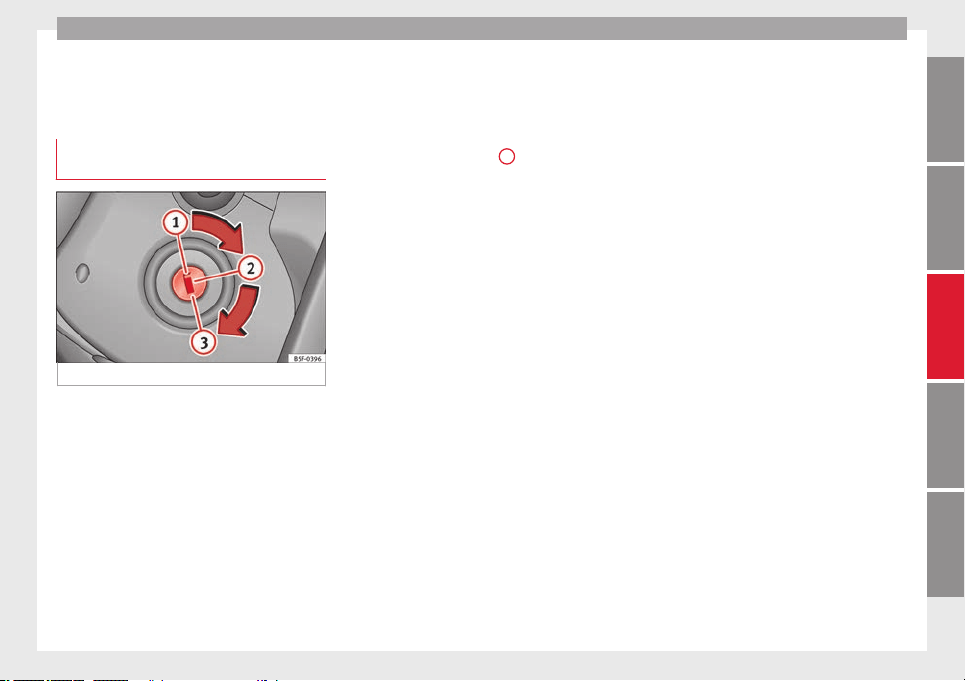
Driving
Driving
Ignition lock
Switching on the ignition and starting
the engine with the key
Fig. 141 Ignition key positions.
Read the additional information carefully
›››
page 14
Diesel engines can take a few seconds longer
than usual to start on cold days. Therefore
the clutch pedal (manual gearbox) or the
brake pedal (automatic gearbox) must re-
main pressed until the engine starts up. Dur-
ing preheating, the warning lamp remains
lit.
The preheating time depends on the coolant
and exterior temperatures. With the engine at
operating temperature, or at outside temper-
atures above +8°C, the warning lamp will
light up for about one second. This means
that the engine starts immediately.
If the engine does not immediately start up,
interrupt the starting process and try again
after 30 seconds. To start the engine again,
return the key to position
1
.
Start-Stop System*
If the vehicle is stopped and the Start-Stop
system* switches off the engine, the ignition
remains switched on.
Automatic gearbox: before leaving the vehi-
cle, make sure that the ignition is switched
off and the selector lever is in position P
.
Driv
er me
ssages on the instrument panel
display
Press the clutch
This message appears on vehicles with a
manual gearbox if the driver tries to start the
engine without having the clutch pedal
pressed. The engine will only start if you
press the clutch pedal.
Press the brake
This message appears on vehicles with an
automatic gearbox if the driver tries to start
the engine without having the brake pedal
pressed.
Select N or P
This message appears if you try to start or
stop the engine when the selector lever of
the automatic gearbox is not in position P or
N. The engine can only start or stop in certain
positions.
Engage position P; the vehicle can move; doors
can only close in position P.
For safety reasons, this driver message ap-
pears and an audible warning sounds if the
selector lever of the automatic gearbox is not
in position P after you switch off the ignition.
Put the selector lever in position P, otherwise
the vehicle could roll away.
Gear change: selector lever in the drive
position!
This driver message is displayed when the
selector lever is not in the position P when
the driver door is opened. Additionally, a
buzzer will sound. Put the selector lever in
position P, otherwise the vehicle could roll
away.
Ignition is switched on
This driver message is displayed and a buz-
zer is sounded when the driver door is
opened with the ignition switched on.
»
129
Technical specifications
AdviceOperationSafetyThe essentials
Operation
WARNING
●
Never run the engine in confined spaces, as
the exhaust gases are poisonous.
CAUTION
Avoid high engine speeds, full throttle and
extreme load conditions until the engine has
reached its normal operating temperature,
otherwise this can damage the engine.
For the sake of the environment
Do not warm up the engine by idling it. You
should drive off as soon as you start the en-
gine. This will help avoid unnecessary ex-
haust emissions.
Note
●
If it is difficult to turn the ignition key to
the position
1
, turn the steering wheel to
both sides to release the steering lock.
●
When starting from cold, the engine may be
a little noisy for the first few seconds until oil
pressure has built up in the hydraulic valve
lifters. This is quite normal, and no cause for
concern.
●
If the vehicle battery is disconnected and
reconnected, the key must remain in the posi-
tion
1
for around 5 seconds before starting
up.
●
Vehicles with automatic gearbox: after
switching off the ignition, you can only re-
move the ignition key if the selector lever is
in position “P” (parking lock). Next, the se-
lector lever is locked.
Switching off the engine with the key
Switching off the engine
–
Stop the vehicle.
–
Turn the ignition key to position
1
››› Fig. 141.
Eng
aging the steering wheel lock
In vehicles with automatic gearbox, the igni-
tion key can only be removed when the selec-
tor lever is in position P.
–
Remo
ve the key from the ignition in posi-
tion
1
››› Fig. 141
›
›› .
–
Turn the steering wheel until you hear it en-
gage.
Possible vehicle theft is prevented with the
steering lock engaged.
WARNING
●
Never switch the engine off until the vehi-
cle is stationary. The brake servo and power
steering functions will not be completely cov-
ered under warranty. More force may also be
needed to turn the steering wheel or to brake.
As you cannot steer and brake in the normal
manner, there is a greater risk of accidents
and serious injury.
●
Never remove the key from the ignition if
the vehicle is in motion. Otherwise, the steer-
ing could suddenly lock, making it impossible
to steer the vehicle: risk of accident!
●
Always take the key with you when you
leave the vehicle. This is particularly impor-
tant if there are children in the vehicle, as
they might otherwise be able to start the en-
gine or use power-operated equipment (e.g.
the electric windows), which could cause in-
juries.
CAUTION
If the engine has been running under high
load for a long time, there is a risk of heat
building up in the engine compartment after
it has been switched off; this could cause en-
gine damage. For this reason, you should idle
the engine for approximately 2 minutes be-
fore you switch it off.
Note
●
After the engine is switched off the radiator
fan may run on for up to 10 minutes, even if
the ignition is switched off. It is also possible
that the fan turns itself on once more if the
coolant temperature increases due to the
heat accumulated in the engine compartment
or due to its prolonged exposure to solar ra-
diation.
●
If the vehicle is stopped and the Start-Stop
system* switches off the engine, the ignition
130
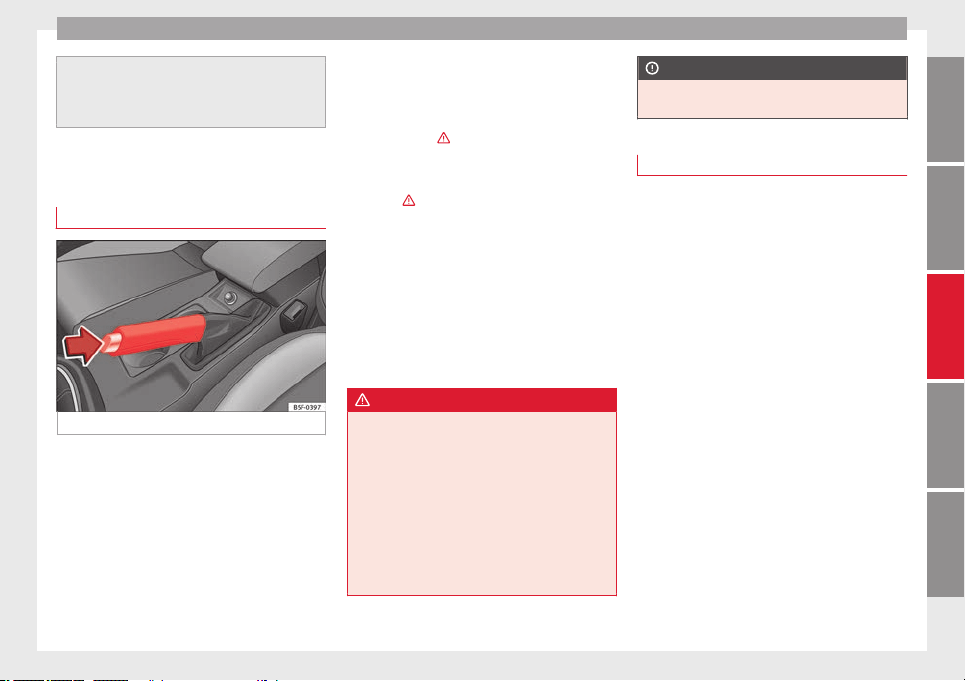
Driving
remains switched on. Make sure that the igni-
tion is switched off before leaving the
vehicle, otherwise the battery could dis-
charge.
Braking and parking
Using the handbrake
Fig. 142 Handbrake between the front seats.
The handbrake should be applied firmly to
prevent the vehicle from accidentally rolling
away.
Always apply the handbrake when you leave
your vehicle and when you park.
Applying the handbrake
–
Pull the handbrake lever up firmly
››› Fig. 142
.
R
el
easing the handbrake
–
Pull the lever up slightly and press the re-
lease knob in the direction of the arrow
››› Fig. 142 and guide the handbrake lever
down fully ›››
.
Always pull the handbrake all the way up, so
there is less risk of driving off with it still en-
gaged ››› .
The handbrake warning lamp lights up
when the handbrake is applied and the igni-
tion switched on. The warning lamp turns off
when the handbrake is released.
If you drive faster than 6 km/h (4 mph) with
the handbrake on, the following message*
will appear on the instrument panel display:
HANDBRAKE ON. You will also hear an audible
warning.
WARNING
●
Never use the handbrake to stop the vehi-
cle when it is in motion. The braking distance
is considerably longer, because braking is
only applied to the rear wheels. Risk of acci-
dent!
●
If the handbrake is only partially released,
this will cause the rear brakes to overheat,
which can impair the function of the brake
system and could lead to an accident. This al-
so causes premature wear on the rear brake
pads.
CAUTION
Always apply the handbrake before you leave
the vehicle. Put it in 1st gear as well.
Parking
The handbrake should always be firmly ap-
plied when the vehicle is parked.
Always note the following points when park-
ing the vehicle:
–
Use the brake pedal to stop the vehicle.
–
Apply the handbrake.
–
Put it in 1st gear.
–
Switch the engine off and remove the key
from the ignition. Turn the steering wheel
slightly to engage the steering lock.
–
Never leave a vehicle key in the vehicle.
Additional notes on parking the vehicle on
gradients:
Turn the steering wheel so that the vehicle
rolls against the kerb if it started to roll.
●
If the vehicle is parked facing downhill,
turn the front wheels so that they point to-
wards the kerb.
●
If the vehicle is parked facing uphill
, turn
the fr
ont
wheels so that they point away from
the kerb.
»
131
Technical specifications
AdviceOperationSafetyThe essentials
Operation
●
Secure the vehicle as usual by applying the
handbrake firmly and putting it in 1st gear.
WARNING
●
Take measures to reduce the risk of injury
when you leave your vehicle unattended.
●
Never park where the hot exhaust system
could ignite inflammable materials, such as
dry grass, low bushes, spilt fuel etc.
●
Never allow vehicle occupants to remain in
the vehicle when it is locked. They would be
unable to open the vehicle from the inside,
and could become trapped in the vehicle in
an emergency. In the event of an emergency,
locked doors will delay assistance to vehicle
occupants.
●
Never leave children alone in the vehicle.
They could set the vehicle in motion, for ex-
ample, by releasing the handbrake or the
gearbox lever.
●
Depending on weather conditions, it may
become extremely hot or cold inside the vehi-
cle. This can be fatal.
Manual gearbox
Changing gears
Read the additional information carefully
›››
page 24
In some countries the clutch pedal must be
fully pressed down for the engine to start.
Selecting reverse gear
●
Engage reverse gear only when the vehicle
is stopped.
Changing down gears
While driving, changing down a gear must al-
ways be done gradually, i.e. to the gear di-
rectly below and when the engine speed is
not too high ›››
. Changing down while by-
passing one or various gears at high speeds
or at high engine speeds can damage the
clutch and the gearbox, even if the clutch
pedal remains depressed ››› .
WARNING
When the engine is running, the vehicle will
start to move as soon as a gear is engaged
and the clutch released. This is also the case
with the electro-mechanical parking brake
switched on.
●
Never engage reverse gear when the vehi-
cle is moving.
WARNING
If the gear is changed down inappropriately
by selecting a gear that is too low, you may
lose control of the vehicle, causing an acci-
dent and serious injuries.
CAUTION
When travelling at high speeds or at high en-
gine speeds, selecting a gear that is too low
can cause considerable damage to the clutch
and the gearbox. This can also occur if the
clutch pedal is pressed and held and it does
not engage.
CAUTION
To prevent damage and avoid premature
wear, please observe the following:
●
Do not rest your hand on the gear lever
while driving. The pressure applied by your
hand is transmitted to the gearbox selector
forks.
●
Always ensure that the vehicle is complete-
ly stopped before engaging the reverse gear.
●
Always press the clutch to the floor when
changing gears.
●
Never hold the vehicle “on the clutch” on
hills with the engine on.
Automatic gearbox/DSG
automatic gearbox*
Introduction
Your vehicle is equipped with an electronical-
ly controlled manual gearbox. Torque be-
tween the engine and the gearbox is trans-
mitted via two independent clutches. They re-
place the torque converter found on conven-
tional automatic gearboxes and allow for
132
Driving
smooth, uninterrupted acceleration of the
vehicle.
The
tiptronic
system allows the driver to
c
hange gears manually if desired
››› page 135, Changing gears in tiptronic
mode*.
Selector lever positions
Read the additional information carefully
›››
page 25
The selector lever position engaged is high-
lighted on the display in the instrument clus-
ter. With the selector lever in the manual
gearbox positions G, D, E and S, the engaged
gear is also indicated on the display.
P – Parking lock
When the selector lever is in this position,
the driven wheels are locked mechanically.
The parking lock must be engaged only when
the vehicle is stationary
›
›
›
.
The interlock button (the button on the selec-
tor lever handle) must be pressed in and
si-
mu
lt
aneously the brake pedal must be de-
pressed before moving the selector lever ei-
ther in or out of position P.
R – Reverse gear
Reverse gear must be engaged only when the
vehicle is stationary and the engine is idling
›››
.
To move the selector lever to position R, the
interlock button must be pressed in and
at
the s
ame time the br
ake pedal must be de-
pressed. The reverse lights come on when
the selector lever is in the R position with the
ignition on.
N – Neutral (idling)
With the selector lever in this position, the
gear is in neutral.
D/S – Permanent drive (forward) position
The selector lever in the D/S position enables
the gears to be controlled in normal mode (D)
or Sport (S). To select Sport mode (S), move
the selector lever backwards. Moving the lev-
er again will select normal mode (D). The se-
lected driving mode is shown on the instru-
ment panel display.
In normal mode (D), the gearbox automatical-
ly selects the best gear ratio. This depends
on the engine load, the road speed and the
dynamic gear control programme (DCP).
Sport mode (S) must be selected for a sporty
driving style. This setting makes use of the
engine's maximum power output. When ac-
celerating the gear shifts will be noticeable.
The brake pedal must be pressed when mov-
ing the selector lever from D/S to N if the ve-
hicle is stationary or at speeds below 5 km/h
(3 mph) ›››
.
Under certain circumstances (e.g. when driv-
ing in mountains) it can be advantageous to
switch temporarily to tiptronic mode
››› page 135
, in order to
manually select g
ear
ratios to suit the driving conditions.
WARNING
●
Take care not to accidentally press the ac-
celerator pedal when the vehicle is stopped.
The vehicle could otherwise start moving im-
mediately (in some cases even if the parking
brake is engaged) resulting in the risk of an
accident.
●
Never move the selector lever to R or P
when driving. Failure to follow this instruc-
tion could result in an accident.
●
With selector lever in any position (except
P) the vehicle must always be held with the
foot brake when the engine is running. This is
because an automatic gearbox still transmits
power even at idling speed, and the vehicle
tends to “creep”). The accelerator pedal must
on no account be pressed inadvertently when
a gear is engaged with the vehicle stationary.
The vehicle could otherwise start moving im-
mediately (in some cases even if the parking
brake is engaged) resulting in the risk of an
accident.
»
133
Technical specifications
AdviceOperationSafetyThe essentials
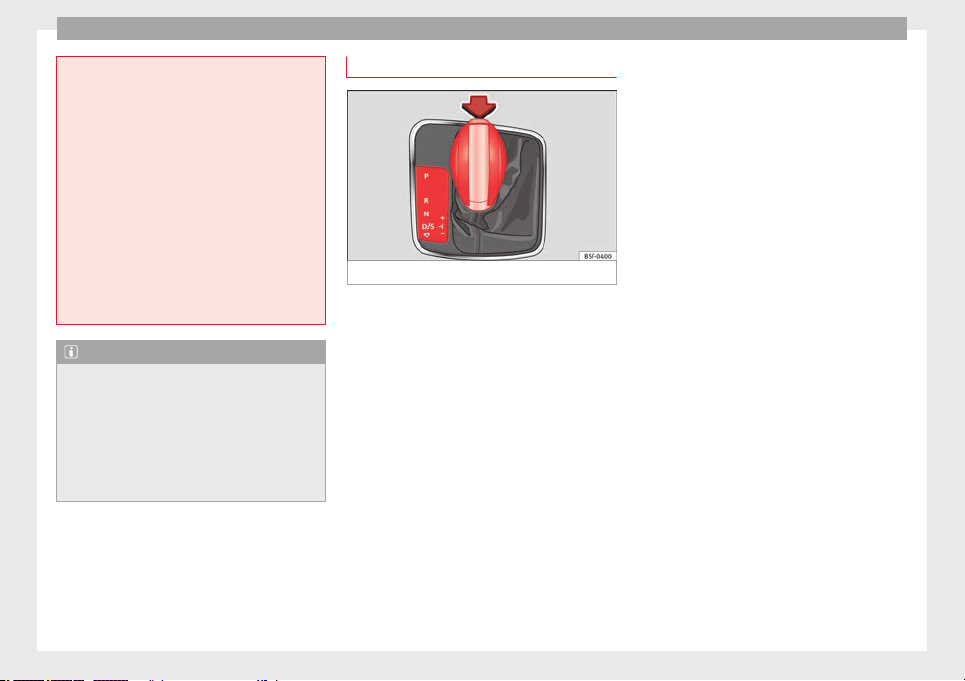
Operation
●
While you are selecting a gear and the vehi-
cle is stopped with the engine running, do
not accelerate. Failure to follow this instruc-
tion could result in an accident.
●
As a driver you should never leave your ve-
hicle if the engine is running and a gear is en-
gaged. If you have to leave your vehicle while
the engine is running, you must apply the
handbrake and engage the parking lock (P).
●
To avoid accidents, apply the handbrake
and put the selector lever in position P before
opening the bonnet and working on the vehi-
cle with the engine running. Please always
observe the important safety warnings
››› page 198, Work in the engine compart-
ment.
Note
●
If the selector lever is moved accidentally
to N when driving, release the accelerator and
let the engine speed drop to idling before se-
lecting gear range D or S again.
●
Should the power supply to the selector
lever be interrupted in position P, the selector
lever will be locked. If this should happen the
manual release can be used ››› page 229.
Selector lever lock
Fig. 143 Selector lever lock.
The selector lever lock prevents gears from
being engaged inadvertently, so that the ve-
hicle is not set in motion unintentionally.
The selector lever lock is released as follows:
–
Switch the ignition on.
–
Press the brake pedal and
at the same time
pr
e
ss in the interlock button.
Automatic selector lever lock
With the ignition switched on, the selector
lever is locked in the positions P and N. The
brake pedal must be pressed to release the
lever while pressing the release button if the
selector lever is in the position P. As a re-
minder for the driver, with the lever in posi-
tions P or N the following message will be
shown on the display:
When stationary, apply footbrake while se-
lecting a gear.
The selector lever lock only works if the vehi-
cle is stationary or driving at speeds up to 5
km/h. At higher speeds the selector lever
lock in the N position is disengaged automat-
ically.
The selector lever lock is not engaged if the
selector lever is moved quickly through posi-
tion N (e.g. when shifting from R to D). This
makes it possible, for instance, to rock the
vehicle “backwards and forwards” if it is
stuck. The selector lever lock engages auto-
matically if the brake pedal is not depressed
and the lever is in position N for more than
about two seconds.
Interlock button
The interlock button on the selector lever
handle prevents the driver from inadvertently
engaging certain gears. Press the button in
to disengage the selector lever lock. The se-
lector lever positions in which the interlock
button has to be pressed are shown in the il-
lustration, highlighted in colour ››› Fig. 143.
Safety interlock for ignition key
Once the ignition has been turned off, the
key may be removed only if the gear selector
is in position P. While the key is not in the ig-
nition, the selector lever is locked in position
P.
134
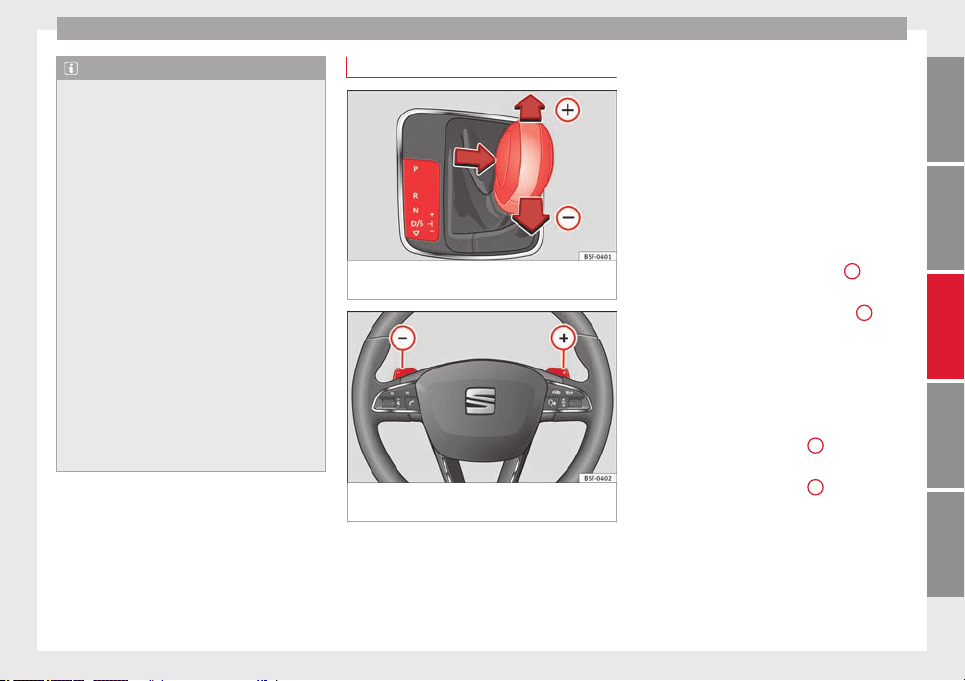
Driving
Note
●
If the selector lever lock does not engage,
there is a fault. The transmission is interrup-
ted to prevent the vehicle from accidentally
moving. Follow the procedure below in order
for the selector lever lock to engage again:
–
With a 6-speed gearbox: press the brake
pedal and release it again.
–
With a 7-speed gearbox: press the brake
pedal. Move the selector lever to posi-
tion P or N and subsequently engage a
gear.
●
Despite a gear being engaged, the vehicle
does not move forwards or back. Proceed to
the next mode:
–
When the vehicle does not move in the
required direction, the system may not
have the gear range correctly engaged.
Press the brake pedal and engage the
gear range again.
–
If the vehicle still does not move in the
required direction, there is a system mal-
function. Seek specialist assistance and
have the system checked.
Changing gears in tiptronic mode*
Fig. 144 Centre console: changing gear with
tiptronic
Fig. 145 Steering wheel: automatic gearbox
levers
The tiptronic gives the driver the option to
change gears manually.
Changing gear manually with the selector
lever
It is possible to change to tiptronic mode,
both when the vehicle is stopped and while
driving.
–
To switch to tiptronic mode, move the se-
lector lever from position D/S to the right.
As soon as the change is made the selector
level will be shown in the position M on the
instrument panel display (for example M4
means that the fourth gear is engaged).
–
Move the selector lever forwards
+
to se-
lect a higher gear ››› Fig. 144
.
–
Mo
v
e the selector lever backwards
–
to
select a lower gear.
Changing gear manually with the gearshift
paddles*
The gearshift paddles can be used when the
selector lever is in the position D/S or M.
–
Press the gearshift paddle
+
to select a
higher gear ››› Fig. 145
.
–
Pr
e
ss the gearshift paddle
–
to select a
lower gear.
–
With the selector lever in position D/S, if no
paddle is operated during a short period of
time, the gearbox control system switches
back to automatic mode. To switch to per-
manent manual gear change using the
gearshift paddles, move the selector lever
from position D/S to the right.
»
135
Technical specifications
AdviceOperationSafetyThe essentials
Operation
When accelerating, the gearbox automatical-
ly shifts up into the next gear shortly before
the maximum engine speed is reached.
If you select a lower gear, the automatic gear-
box will not shift down until there is no risk of
overrevving the engine.
When the kick-down feature is used, the
gearbox shifts down to a lower gear, depend-
ing on road speed and engine speed.
Driving tips
The gearbox changes gear ratios automatical-
ly as the vehicle moves.
The engine can only start with the selector
lever in the position P or N. At low tempera-
tures, below -10°C (50°F), the engine can on-
ly start with the selector lever in the position
P.
Starting the vehicle
–
Press and hold the brake pedal.
–
Press and hold the interlock button (the
button on the selector lever handle), move
the selector lever to the desired position,
for instance
D
›
››
page 133, and release the
interlock button.
–
Wait for the gearbox to engage the gear (a
slight movement can be felt).
–
Release the brake and press the accelerator
›››
.
Stopping briefly
–
Apply the foot brake to hold the vehicle
briefly when stationary (for instance at traf-
fic lights). Do not press the accelerator.
Stopping/Parking
If the driver door is opened and the selector
lever is not in position P, the vehicle could
move. The driver message will be: Gear
change: selector lever in the drive position!.
Additionally, a buzzer will sound.
–
Press and hold the brake pedal ››› .
–
Apply the handbrake.
–
Move the selector lever to position P.
Holding the car on a hill
–
Always
apply the brake pedal firmly to pre-
v
ent
the vehicle from “moving backwards;
if necessary, apply the handbrake” ›››
.
Do
not
try to stop the vehicle “rolling back”
b
y increasing the engine speed when a
gear is engaged (pressing the accelerator)
›››
.
Moving off uphill in vehicles without Hill
start assistant*
–
Apply the handbrake.
–
Once you have engaged a gear press the
accelerator carefully and disengage the
handbrake.
Moving off uphill in vehicles with Hill start
assistant*
–
Once you have engaged a gear, release the
footbrake and press the accelerator
››› page 147, Hill driving assistant*.
Driving down hills: in some situations (on
mountain roads or when towing a trailer or
caravan) it can be advantageous to switch
temporarily to the manual gearbox pro-
gramme so that the gear ratios can be selec-
ted manually to suit the driving conditions
››› .
On level ground it is sufficient to move the
selector lever to position P. On slopes, first
engage the parking brake and then put the
selection lever into the P position. This
avoids overloading the locking mechanism
and it will be easier to move the selector lev-
er from position P.
WARNING
Observe the safety warnings ››› in Selector
lever positions on page 133.
●
Never allow the brake to rub and do not use
the brake pedal too often or for long periods.
Constant braking causes overheating in the
136
Driving
brakes. This could significantly reduce brak-
ing power, increase braking distance or even
result in the total failure of the brake system.
●
To avoid rolling back on gradients always
hold the vehicle with the footbrake or hand-
brake if you have to stop.
CAUTION
●
If you stop the vehicle on a gradient, do not
attempt to stop it from rolling by depressing
the accelerator when a gear has been selec-
ted. This could cause overheating and dam-
age the automatic gearbox. Apply the hand-
brake firmly or press the brake pedal in order
to prevent the vehicle from rolling back.
●
If you allow the car to roll with the selector
lever in position N with the engine switched
off, the automatic gearbox will be damaged
as it will not be lubricated.
●
In certain driving situations or traffic condi-
tions, such as frequently starting, prolonged
“creeping” of the vehicle or traffic jams with
continuous stoppages, the gearbox could
overheat causing damage! If the warning
lamp lights up, stop the vehicle as soon as
possible and wait for the gearbox to cool
››› page 139
.
Kick-down feature
The kick-down feature allows maximum ac-
celeration to be reached.
When the accelerator pedal is pressed right
down past the point of resistance at full throt-
tle, the gearbox will shift down to a lower
gear, depending on road speed and engine
speed. The upshift to the next higher gear is
delayed until the engine reaches maximum
rpm.
WARNING
Please note that if the road surface is slip-
pery or wet, the kick-down feature could
cause the driving wheels to spin, which could
result in skidding.
Launch Control Programme
3 Valid for vehicles: with Launch-Control/6-Speed
DSG with diesel engines superior to 125 kW and
petrol engines superior to 140 kW.
The Launch control programme enables maxi-
mum acceleration.
Important: the engine must have reached op-
erating temperature and the steering wheel
must not be turned.
The engine speed for launch-control is differ-
ent on petrol and diesel engines. To use the
launch-control you must disconnect the anti-
slip regulation (ASR) through the Easy Con-
nect system menu ››› page 81. The warning
lamp
w
ill stay switched on or will flash
s
lowly depending on whether or not the vehi-
cle has a driver information system*.
On vehicles with the driver information sys-
tem, the ESC lamp lights up permanently and
the corresponding text message Stability con-
trol deactivated (temporary) appears on the
instrument panel to indicate the deactivation
status.
–
When the engine is running, switch off the
traction control (ASR)
1)
.
–
Turn the selector lever to the position “S”
or tiptronic, or else select the sport driving
mode from the SEAT Drive Profile*
››› page 169.
–
Press the brake pedal firmly with your left
foot and hold it down for at least one sec-
ond.
–
With your right foot, press the accelerator
down to the full throttle or kick-down posi-
tion. The engine speed will stabilise at
about 3,200 rpm (petrol engine) or about
2,000 rpm (diesel engine).
»
1)
Vehicles without driver information system: the
warning lamp flashes slowly/Vehicles with driver in-
formation system: the warning lamp stays on.
137
Technical specifications
AdviceOperationSafetyThe essentials
Operation
–
Take your left foot off the brake pedal.
WARNING
●
Always adapt your driving style to the traf-
fic conditions.
●
Only use the launch control programme
when road and traffic conditions permit, and
make sure your manner of driving and accel-
erating the vehicle does not inconvenience or
endanger other road users.
●
Make sure that the ESC remains switched
on. Please note that when the ASR and ESC
are deactivated, the wheels may start to spin,
causing the vehicle to lose grip. Risk of acci-
dent!
●
After putting the vehicle into gear, the
“sport” mode of the ESC should be deactiva-
ted again by briefly pressing the
OFF
but-
ton.
Note
●
After using the Launch control programme,
the temperature in the gearbox may have in-
creased considerably. In this case, the pro-
gramme could be disabled for several mi-
nutes. The programme can be used again af-
ter the cooling phase.
●
Accelerating with the Launch control pro-
gramme places a heavy load on all parts of
the vehicle. This can result in increased wear
and tear.
Downhill speed control*
The downhill speed control function helps
the driver when driving down steep gradi-
ents.
Downhill speed control is activated when the
selector lever is in D/S and the driver applies
the foot brake. The automatic gearbox auto-
matically engages a lower gear that is suita-
ble for the slope. The downhill speed control
function attempts to maintain the speed at
which the vehicle was travelling when the
foot brake was applied (subject to the laws of
physics and technical drive limitations). It
may be necessary to adjust the speed again
using the foot brake in certain situations. Giv-
en that the downhill speed control can only
change down to 3rd gear, on very steep de-
scents the tiptronic mode may be required. In
this case, manually reduce the tiptronic to
2nd or 1st gear to use the engine brake and
reduce the charge on the brakes.
Downhill speed control is deactivated as
soon as the road levels out again or you
press the accelerator pedal.
On vehicles with cruise control system*
›››
page 150
, downhill speed control is acti-
v
at
ed when you set a cruising speed.
WARNING
The downhill speed control cannot defy the
laws of physics. Therefore, speed cannot be
maintained constant in all situations. Always
be prepared to use the brakes!
Inertia mode
The inertia mode enables the kinetic energy
of the vehicle to be harnessed enabling cer-
tain stretches to be driven without using the
accelerator. This enables fuel to be saved.
Use the inertia mode to “let the vehicle roll”
before, for example, arriving in a town.
Switching on inertia mode
Important: selector lever must be in position
D, gradients below 12 %.
–
Select, in SEAT Drive Profile*, Eco mode
››› page 169
.
–
T
ak
e your foot off the accelerator.
The driver message Inertia will be displayed.
At speeds higher than 20 km/h (12 mph), the
gearbox will automatically disengage and the
vehicle will roll freely, without the effect of
the engine brake. While the vehicle rolls, the
engine runs at idling speed.
Stopping inertia mode
–
Press the brake or the accelerator pedal.
To make use of the braking force and switch
off the engine again, simply press the brake
pedal briefly.
138
Driving
Applying both the
inertia mode (= prolonged
section w
ith l
ess energy) and the switching
off using inertia (= shorter section without
the need for fuel) facilitates improved fuel
consumption and emission balance.
WARNING
●
If the inertia mode has been switched on,
take into account, when approaching an ob-
stacle and releasing the accelerator pedal,
that the vehicle will not decelerate in the usu-
al manner: risk of accident!
●
When using inertia mode while travelling
down hills, the vehicle can increase speed:
risk of accident!
●
If other users drive your vehicle, warn them
about inertia mode.
Note
●
Inertia mode is only available in eco (SEAT
Drive Profile*) driving mode.
●
The driver message Inertia is only displayed
with the c
urrent consumption. In inertia
mode the gear will no longer be displayed
(for example “E” will appear instead of “E7”).
●
On downhill sections with gradients above
15 %, the inertia mode will automatically be
switched off temporarily.
Backup programme
A backup programme is in place if a fault
should occur in the control system.
If all the positions of the selector lever are
shown over a light background on the instru-
ment panel display, there is a system fault
and the automatic gearbox will operate in
with the backup programme. When the back-
up programme is activated, it is possible to
drive the vehicle, however, at low speeds and
within a selected range of gears. In some ca-
ses driving in reverse gear may not be possi-
ble
.
CAUTION
If the gearbox operates with the backup pro-
gramme, take the vehicle to a specialised
workshop and have the fault repaired without
delay.
Clutch
Clutch overheating! Please stop!
The clutch has overheated and could be dam-
aged. Stop the vehicle and wait for the gear-
box to cool with the engine at idling speed
and the selector lever in position P. When the
warning lamp and the driver message switch
off, have the fault corrected by a specialised
workshop without delay. If the warning lamp
and the driver message do not switch off, do
not continue driving. Seek specialist assis-
tance.
Faults in the gearbox
Gearbox: Fault! Stop the vehicle and place
the lever in the position P.
There is a fault in the gearbox. Stop the vehi-
cle in a safe place and do not continue driv-
ing. Seek specialist assistance.
Gearbox: System fault! You may continue
driving.
Have the fault corrected by a specialised
workshop without delay.
Gearbox: System fault! You can continue
driving with restrictions. Reverse gear disa-
bled
Take the vehicle to a specialised workshop
and have the fault repaired without delay.
Gearbox: System fault! You can continue
driving in D until switching off the engine
Stop the vehicle in a safe place well away
from moving traffic. Seek specialist assis-
tance.
Gearbox: too hot. Adapt your driving ac-
cordingly
Continue driving at moderate speeds. When
the warning lamp switches off, you can con-
tinue driving in a normal manner.
»
139
Technical specifications
AdviceOperationSafetyThe essentials

Operation
Gearbox: press the brake and engage a
gear again.
If the fault was caused by a gearbox with a
high temperature, this driver message will be
displayed when the gearbox has cooled
again.
Run-in and economical driving
Running in the engine
A new vehicle should be run in over a dis-
tance of 1500 km (1000 miles). For the first
1,000 km the engine speed should not ex-
ceed 2/3 of the maximum permissible engine
speed. In doing so, do not accelerate at full
throttle and do not drive with a trailer! From
1000 to 1500 km (600 to 1000 miles) you
can gradually increase the engine rpm and
road speed.
During its first few hours of running, the in-
ternal friction in the engine is greater than
later on when all the moving parts have bed-
ded down.
How the vehicle is driven for the first 1,500
km influences the future engine perform-
ance. Subsequently, also drive at a moderate
rate, especially when the engine is still cold:
this will lead to less engine wear and tear
and will prolong its useful life.
You should also avoid driving with the engine
speed too
low
. Change down to a lower gear
when the en
gine no longer runs “smoothly”.
If the engine revs too much, cut fuel injection
to protect the engine.
Environmental friendliness
Environmental protection is a top priority in
the design, choice of materials and manufac-
ture of your new SEAT.
Constructive measures to encourage
recycling
●
Joints and connections designed for easy
dismantling
●
Modular construction to facilitate disman-
tling
●
Increased use of single-grade materials.
●
Plastic parts and elastomers are marked in
accordance with ISO 1043, ISO 11469 and
ISO 1629.
Choice of materials
●
Use of recycled materials.
●
Use of compatible plastics in the same part
if its components are not easily separated.
●
Use of recycled materials and/or materials
originating from renewable sources.
●
Reduction of volatile components, includ-
ing odour, in plastic materials.
●
Use of CFC-free coolants.
Ban on heavy metals, with the exceptions
dictated by law (Annex II of ELV Directive
2000/53/EC):
cadmium, lead, mercury, hexa-
v
al
ent chromium.
Manufacturing methods
●
Reduction of the quantity of thinner in the
protective wax for cavities.
●
Use of plastic film as protection during ve-
hicle transport.
●
Use of solvent-free adhesives.
●
Use of CFC-free coolants in cooling sys-
tems.
●
Recycling and energy recovery from resi-
dues (RDF).
●
Improvement in the quality of waste water.
●
Use of systems for the recovery of residual
heat (thermal recovery, enthalpy wheels,
etc.).
●
The use of water-soluble paints.
140
Driving
Exhaust gas filtration system
Catalytic converter
Applies to vehicles with petrol engine: the
vehicle must only be used with unleaded pet-
rol, otherwise the catalytic converter will be
irreparably damaged.
Never drive until the tank is empty; an irregu-
lar supply of fuel can cause faulty combus-
tion. In these cases, unburned fuel reaches
the exhaust system, which can overheat and
damage the catalytic converter.
Diesel particulate filter
Applies to vehicles with diesel engine: the
diesel engine particulate filter eliminates
most of the soot from the exhaust gas sys-
tem. Under normal driving conditions, the fil-
ter cleans itself. The diesel particulate filter is
cleaned automatically without need for indi-
cation by the warning lamp . This may be
noticed because the engine idle speed in-
creases and an odour may be detected.
If automatic filter purification cannot be car-
ried out (because only short trips are taken,
for example), soot will accumulate on the fil-
ter and the Diesel particulate filter warning
lamp will switch on.
Facilitate the automatic filter cleaning proc-
ess by driving in the following manner: drive
for approximately 15 minutes at a minimum
speed of 60 km/h in 4th or 5th gear (auto-
matic gearbox: gear S). Maintain the engine
speed at approximately 2,000 rpm. The rise
in temperature causes the soot on the filter
to burn. On completion of the cleaning the
warning lamp will switch off. If the warning
lamp does not switch off, go immediately to a
specialised workshop to rectify the problem.
WARNING
●
Because of the high temperatures which
can occur in the exhaust gas control system
(catalytic converter or diesel particulate fil-
ter), do not park the vehicle where the ex-
haust can come into contact with flammable
materials under the car (e.g. on grass or at
the forest edge). Fire hazard!
●
Do not apply wax underneath the vehicle
around the area of the exhaust system: Fire
hazard!
Driving through flooded roads
To prevent damage to the vehicle when driv-
ing through water, for example, along a floo-
ded road, please observe the following:
●
The water should never come above the
lower edge of the bodywork.
●
Drive at pedestrian speed.
WARNING
After driving through water, mud, sludge,
etc., the braking effect can be delayed slight-
ly due to moisture build-up on the discs and
brake pads. Applying the brakes carefully
several times will remove the moisture and
restore the full braking effect.
CAUTION
●
Driving through flooded areas may severely
damage vehicle components such as the en-
gine, transmission, running gear or electrical
system.
●
Whenever driving through water, the Start-
Stop system* must be switched off
››› page 148.
Note
●
Check the depth of the water before enter-
ing the flooded zone.
●
Do not stop in the water, drive in reverse, or
stop the engine in any situation.
●
Note that vehicles travelling in the opposite
direction may splash water that could exceed
the maximum permitted water height for your
vehicle.
●
Avoid driving through salt water (corro-
sion).
141
Technical specifications
AdviceOperationSafetyThe essentials

Operation
Economical and environmentally
friendly driving
Fuel consumption, environmental pollution
and wear to the engine, brakes and tyres de-
pends largely on driving style. Fuel consump-
tion can be reduced by 10-15% with an eco-
nomical driving style and proper anticipation
of traffic conditions. The following section
gives you some tips on lessening the impact
on the environment and reducing your oper-
ating costs at the same time.
Active cylinder management (ACT
®
)*
Depending on vehicle equipment, the active
cylinder management (ACT
®
) may automati-
cally deactivate some of the engine cylinders
if the driving situation does not require too
much power. When it is switched off, no fuel
is injected into these cylinders, hence total
fuel consumption may be reduced. The num-
ber of active cylinders can be seen on the in-
strument panel display
›››
page 74.
Foresight when driving
Acceleration causes the vehicle to consume
more fuel. If you think ahead when driving,
you will need to brake less and thus acceler-
ate less. Wherever possible, let the car roll
slowly to a stop, with a gear engaged (for in-
stance when you can see that the next traffic
lights are red). This takes advantage of the
engine braking effect, reducing wear on the
brakes and tyres. Emissions and fuel con-
sumption will drop to zero due to the overrun
fuel cut-off.
Changing gear to save energy
An effective way of saving is to change in ad-
vance
to a higher gear. Running the engine at
high rpm in the lo
w
er gears uses an unneces-
sary amount of fuel.
Manual gearbox: shift up from first to second
gear as soon as possible. In any case, we rec-
ommend that you change to a higher gear
upon reaching 2,000 rpm. Choosing the right
gear enables fuel savings. Select the highest
possible gear appropriate for the driving sit-
uation (the engine should continue function-
ing with cyclical regularity).
Automatic gearbox: accelerate gradually and
without reaching the “kick-down” position.
Avoid driving at high speed
Avoid travelling at top speed, whenever pos-
sible. Fuel consumption, emission of harmful
gases and noise pollution multiply dispropor-
tionately as speed is increased. Driving at
moderate speeds will help to save fuel.
Reduce idling time
In vehicles with the Start-Stop system idling
is automatically reduced. In vehicles without
the Start-Stop system it is worth switching off
the engine, for example, at level crossings
and at traffic lights that remain red for long
periods of time. When an engine has reached
operating temperature, and depending on
the cylinder capacity, keeping it switched off
for a minimum of about 5 seconds already
saves more than the amount of fuel necessa-
ry for restarting.
The engine takes a long time to warm up
when it is idling. Mechanical wear and pollu-
tant emissions are also especially high dur-
ing this initial warm-up phase. It is therefore
best to drive off immediately after starting
the engine. Avoid running the engine at high
speed.
Regular maintenance
Regular servicing helps in saving fuel even
before the engine is started. A well-serviced
engine gives you the benefit of improved fuel
efficiency as well as maximum reliability and
an enhanced resale value. A badly serviced
engine can consume up to 10% more fuel
than necessary.
Avoid short journeys
The engine and catalytic converter need to
reach their optimal operating temperature in
order to minimise fuel consumption and
emissions.
A cold engine consumes a disproportionate
amount of fuel. The engine reaches its work-
ing temperature after about four kilometres
142

Driver assistance systems
(2.5 miles), when fuel consumption will re-
turn to a normal level.
Check tyre pressure
Always make sure the tyres are inflated to the
correct pressures ››› page 208
to save fuel. If
the pr
e
ssure is below half bar, fuel consump-
tion may increase by 5%. Due to the greater
rolling resistance, under-inflation also increa-
ses tyre wear and impairs handling.
Do not use winter tyres all year round as they
increase fuel consumption by up to 10%.
Avoid carrying unnecessary loads
Given that every kilo of extra weight will in-
crease the fuel consumption, it is advisable
to always check the luggage compartment to
make sure that no unnecessary loads are be-
ing transported.
Since the luggage rack increases the aerody-
namic drag of the vehicle, you should remove
it when not needed. This will save, at a speed
of 100-120 km/h (60-75 mph), 12% of fuel.
Save electrical energy
The engine drives the alternator, thereby gen-
erating electricity. This implies that any in-
crease in power consumption also increases
fuel consumption! For this reason, switch off
any unneeded electrical devices. Devices that
use a lot of electricity includes the blower at
a high setting, the rear window heating or
the seat heating*.
Driver assistance systems
Braking and stability systems
Electronic Stability Control (ESC)
The ESC helps to improve safety. It reduces
the tendency to skid and improves the stabil-
ity and roadholding of the vehicle. The ESC
detects critical handling situations, such as
vehicle understeer or oversteer, or wheelspin
on the driving wheels. It stabilises the vehi-
cle by braking individual wheels or by reduc-
ing the engine torque. The warning lamp will
flash on the instrument panel when the ESC
is intervening .
ESC includes the Anti-lock brake system
(ABS), the brake assist system, the traction
control system (ASR), electronic differential
lock (EDL), electronic self-locking*, selective
torque control* and tractor-trailer sway miti-
gation*. ESC also helps stabilise the vehicle
by changing the torque.
Anti-lock brake system (ABS)
ABS prevents the wheels from locking up un-
der braking until the vehicle has reached a
virtual standstill. You can continue to steer
the vehicle even when the brakes are on full.
Keep your foot on the brake pedal and do not
pump the brakes. You will feel the brake ped-
al pulsate while the ABS is working.
»
143
Technical specifications
AdviceOperationSafetyThe essentials
Operation
Brake assist system
The brake assist system can reduce the re-
quired braking distance. The braking force is
automatically boosted if you press the brake
pedal quickly in an emergency. You must
keep pressing the brake pedal until the dan-
ger has passed.
Traction control system (ASR)
In the event of wheelspin, the traction control
system reduces the engine torque to match
the amount of grip available. This helps the
car to start moving, accelerate or climb a gra-
dient.
Electronic differential lock (EDL)
When the EDL detects wheelspin, it brakes
the spinning wheel and directs the power to
the other driven wheel. This function is active
up to approximately 100 km/h.
To prevent the disc brake of the braked wheel
from overheating, the EDL cuts out automati-
cally if subjected to excessive loads. The ve-
hicle can still be driven. The EDL will switch
on again automatically when the brake has
cooled down.
Tractor-trailer sway mitigation*
If the vehicle is pulling a trailer, it will control
the following: Tractor-trailers tend to sway.
When the swaying of the trailer is felt by the
vehicle and detected by the ESC, it will auto-
matically brake the towing vehicle within the
limits of the system and mitigate the sway.
Tractor-trailer sway mitigation is not available
in all countries.
Electronic self-locking*/Selective torque
control*
When driving around bends, an electronic
self-locking intervenes. The front wheel on
the inside of the curve, or the two inside
wheels, respectively, are selectively braked
as required. This minimises the traction of
the front wheels, allowing you to take bends
with greater precision and neutrality. In cer-
tain circumstances, where roads are wet or
snow-covered, the respective system may not
intervene.
Multi-collision brake
In an accident, the multi-collision brake can
help the driver by braking to avoid the risk of
skidding during the accident, which could
lead to further collisions.
The multi-collision brake works for front, side
or rear accidents, when the airbag control
unit records its activation level and the acci-
dent takes place at a speed of over 10 km/h
(6 mph). The ESC automatically brakes the
vehicle, as long as the accident has not dam-
aged the ESC, the brake hydraulics or the on-
board network.
The following actions control automatic brak-
ing during the accident:
●
When the driver presses the accelerator,
the automatic braking does not take place.
●
When the braking pressure through press-
ing the brake pedal is greater than the sys-
tem’s braking pressure the vehicle will brake
automatically.
●
Multi-collision braking will not be available
if ESC is malfunctioning.
WARNING
●
The ESC, ABS, ASR, EDL, electronic self-
locking differential or selective torque control
systems cannot exceed the limits imposed by
the laws of physics. Always bear this in mind,
especially on wet or slippery roads. If you no-
tice the systems cutting in, you should re-
duce your speed immediately to suit the road
and traffic conditions. Do not be encouraged
to take risks by the presence of more safety
systems. If you do, an accident may occur.
●
Please remember that the accident risk al-
ways increases if you drive fast, especially in
corners or on a slippery road, or if you follow
too close behind the vehicle in front of you.
The ESC, ABS, brake assist, EDL, electronic
self-locking and selective torque control sys-
tems cannot prevent accidents: risk of acci-
dents!
144
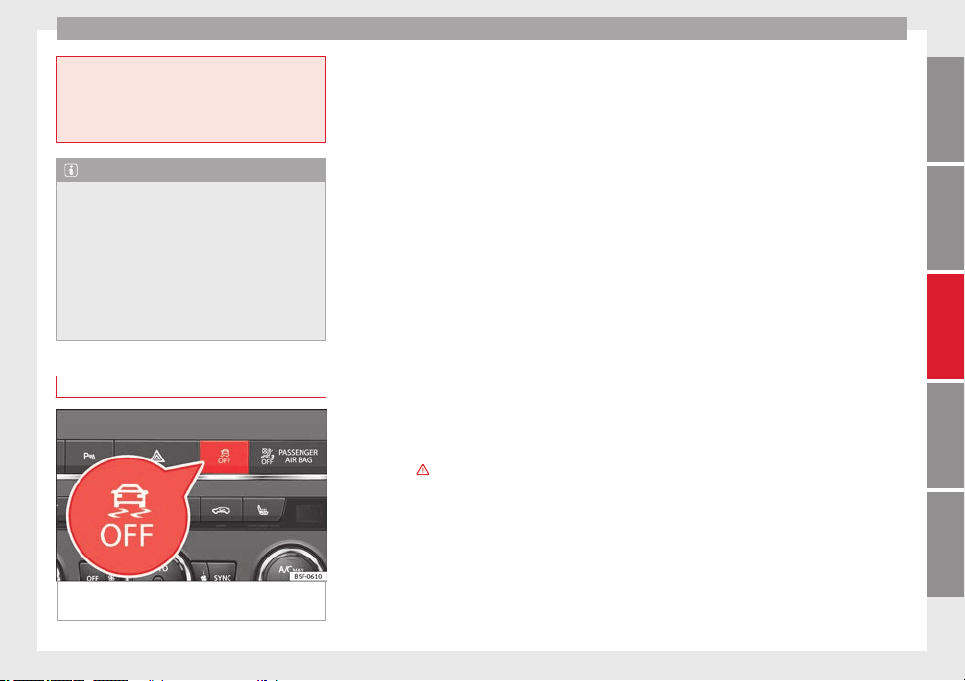
Driver assistance systems
●
Accelerate with caution on slippery surfa-
ces (for example, icy or snow-covered). De-
spite the control systems, the driven wheels
could spin, affecting the stability of the vehi-
cle: risk of accident!
Note
●
The ABS and ASR will only operate correctly
if the four wheels have identical tyres. Any
differences in the rolling radius of the tyres
can cause the system to reduce engine power
when this is not desired.
●
The regulating processes of the systems
can make noises when they intervene.
●
If the warning lamp lights up, or alter-
natively, there could be a fault ››› page 71.
Switching on/off the ESC and ASR
Fig. 146 Centre console: Button for switching
on/off the ESC and ASR
The ESC is switched on automatically when
the engine is started, and only works when
the engine is running and includes the ABS,
EDS and ASR systems.
The ASR and ESC function should only be
switched off in situations in which traction is
insufficient, among others:
●
When driving in deep snow or on surfaces
that are not very firm.
●
To “free” the vehicle if it gets stuck.
Then switch the ASR and ESC function back
on.
Depending on finishes and versions, it is
possible either to disconnect only the ASR or
else activate ESC Sport mode.
ESC in “Sport” mode
Sport mode can be connected via the Easy
Connect ››› page 81
system menu. The ability
of
the E
SC to stabilise the vehicle is limited;
the traction control system (ASR) becomes
disabled ›››
.
The control lamp lights up. For vehicles
with a driver information system*, the driver
will be shown the electronic stability control
(ESC) option: sport. Warning! Limited stability.
Disable ESC “Sport” mode
Through the Easy Connect system menu
››› page 81
. The warning lamp w
i
ll switch
off. For vehicles with a driver information sys-
tem*, the driver will be shown the electronic
stability control (ESC) option: on.
Disable ASR
The Easy Connect system is used to switch off
the ASR ››› page 81. The traction control sys-
tem will be disabled.
The control lamp lights up. For vehicles
with a driver information system* the driver
will be informed that ASR is disabled.
Activate ASR
The Easy Connect system ››› page 81 is used
to switch on the ASR. The traction control sys-
tem will be enabled.
The control lamp switches off. For vehicles
with a driver information system* the driver
will be informed that ASR is enabled.
Disconnection of the ESC
In some versions of the model, besides the
traction control system (ASR), the electronic
stability programme (ESC) can also be
switched off.
●
Press the button ››› Fig. 146 for approxi-
mately 1 second to switch off the ASR func-
tion.
●
Press the button ››› Fig. 146 for approxi-
mately 3 seconds to switch off the Electronic
»
145
Technical specifications
AdviceOperationSafetyThe essentials
Operation
Stability programme (ESC), including the ASR
function.
●
The ASR and ESC function are reconnected
by pressing the button
›
›› Fig. 146
.
●
OR: activate or deactivate the ASR or ESC
function in the Easy Connect system by
means of the button
and the function
buttons
Setup
and
ESC System
.
WARNING
You should switch on the ESC Sport mode on-
ly if the traffic conditions and your driving
ability allow you to do so safely: risk of skid-
ding!
●
With ESC in Sport mode, the stabilising
function will be limited to allow for a sportier
drive. The driving wheels could spin and the
vehicle could skid.
●
If the ESC/ASR is deactivated, the vehicle
stabilisation function is not available.
Note
If the ASR is disconnected or the ESC’s Sport
mode is selected, cruise control* will be
switched off.
Brakes
New brake pads
For the first 400 km (250 miles), new brake
pads have not yet reached their maximum
braking capacity, and need to be “run in”
first. However, you can compensate for the
slightly reduced braking effect by applying
more pressure on the brake pedal. Avoid
overloading the brakes while running them
in.
Wear
The rate of wear on the brake pads depends
a great deal on how you drive and the condi-
tions in which the vehicle is operated. This is
a particular problem in urban traffic and
short stretches, or with very sporty driving.
Depending on the speed, the braking force,
and the environmental conditions (for exam-
ple, the temperature, air humidity, etc.)
noises may be produced on braking.
Wet roads or road salt
In certain situations (for example, on driving
through flooded areas, in severe downpours
or after washing the vehicle) the braking ac-
tion could be delayed if the discs and pads
are damp, or frozen in winter. In this case the
brakes should be “dried” by pressing the
brake pedal several times.
At high speed and with the windscreen wip-
ers activated, the brake pads will briefly
touch the brake discs. This takes place, al-
though unnoticeable to the driver, at regular
intervals to improve the response time of the
brakes when they are wet.
The effectiveness of the brakes can also be
temporarily reduced if the vehicle is driven
for some distance without using the brakes
when there is a lot of salt on the road in win-
ter. The layer of salt that accumulates on the
discs and pads can be removed by gently ap-
plying the brakes a few times.
Corrosion
There may be a tendency for corrosion to
form on the discs and dirt to build up on the
brake pads if the vehicle is used infrequently
or the brakes are not used very often.
If the brakes are not used frequently, or if
rust has formed on the disks, it is advisable
to clean off the pads and disks by braking
firmly a few times at a moderately high speed
››› .
Fault in the brake system
If the brake pedal travel should ever increase
suddenly
, this may mean that one of the two
br
ak
e circuits has failed. Drive immediately
to the nearest specialised workshop and
have the fault repaired. Drive there slowly
and remember that you will have to apply
more pressure on the brake pedal and allow
for longer stopping distances.
146
Driver assistance systems
Low brake fluid level
Malfunctions can occur in the brake system if
the brake fluid level is too low. The brake flu-
id level is monitored electronically.
Brake servo
The brake servo increases the pressure you
apply to the brake pedal. It works only when
the engine is running.
WARNING
●
Apply the brakes heavily to clean the brake
system only in a suitable traffic situation. Do
not put other road users in danger: there is
risk of causing an accident.
●
Ensure the vehicle does not move while in
neutral, when the engine is stopped. Failure
to follow this instruction could result in an
accident.
●
If the brake fluid loses its viscosity and is
subjected to heavy use, vapour bubbles can
form in the brake system. This reduces the ef-
ficiency of the brakes.
CAUTION
●
Never let the brakes “drag” by leaving your
foot on the pedal when it is not necessary to
brake. This overheats the brakes, resulting in
longer stopping distances and greater wear.
●
Before driving down a long, steep gradient,
it is advisable to reduce speed and select a
lower gear. This makes use of engine braking
and relieves the brakes. If you still have to
use the brakes, it is better to brake firmly at
intervals than to apply the brakes continu-
ously.
Note
●
If the brake servo is out of action, for exam-
ple when the car is being towed, you will
have to press the brake pedal considerably
harder than normal to make up for the lack of
servo assistance.
●
If you wish to equip the vehicle with acces-
sories such as a front spoiler or wheel covers,
it is important that the flow of air to the front
wheels is not obstructed, otherwise the
brakes can overheat.
Hill driving assistant*
This function is only included in vehicles with
ESC.
The hill driving assistant helps the driver to
move off and upward on a hill when the vehi-
cle is stationary.
The system maintains brake pressure for ap-
proximately two seconds after the driver
takes his foot off the brake pedal to prevent
the vehicle from lurching backward when it is
started. During these 2 seconds, the driver
has enough time to release the clutch pedal
and accelerate without the vehicle moving
and without having to use the handbrake,
making start-up easier, more comfortable
and safer.
These are the basic operation conditions:
●
being on a ramp or hill/slope,
●
doors closed,
●
vehicle completely stationary,
●
engine running and foot on the brake,
●
besides having a gear engaged or being in
neutral for manual gear change and with the
selector lever at position S
,
D
or R for an au-
tomatic gearbox.
This system is also active when reversing up-
hill.
WARNING
●
If you do not start the vehicle immediately
after taking your foot off the brake pedal, the
vehicle may start to roll back under certain
conditions. Depress the brake pedal or use
the hand brake immediately.
●
If the engine stalls, depress the brake ped-
al or use the hand brake immediately.
●
When following a line of traffic uphill, if you
want to prevent the vehicle from rolling back
accidentally when starting off, hold the brake
pedal down for a few seconds before starting
off.
»
147
Technical specifications
AdviceOperationSafetyThe essentials
Operation
Note
The Official Service or a specialist workshop
can tell you if your vehicle is equipped with
this system.
Start-Stop system*
Description and operation
The Start-Stop system helps save fuel and re-
duce CO
2
emissions.
In Start-Stop mode, the engine will automati-
cally switch off when the vehicle stops, when
stopping at traffic lights for example. The ig-
nition remains switched on during the stop-
ping phase. The engine automatically
switches back on when required.
As soon as the ignition is switched on, the
Start-Stop function is automatically activa-
ted.
Basic requirements for the Start-Stop mode
●
The driver door must be closed.
●
The driver must have their seat belt fas-
tened.
●
The bonnet must be closed.
●
The vehicle must have travelled at more
than 4 km/h (2 mph) since the last stop.
●
The vehicle cannot be towing a trailer.
WARNING
●
Never switch the engine off until the vehi-
cle is stationary. The brake servo and power
steering functions will not be completely cov-
ered under warranty. More force may also be
needed to turn the steering wheel or to brake.
As you cannot steer and brake in the normal
manner, there is a greater risk of accidents
and serious injury.
●
Never remove the key from the ignition if
the vehicle is in motion. Otherwise, the steer-
ing could lock making it impossible to steer
the vehicle.
●
To avoid injury, make sure that the Start-
Stop system is switched off when working in
the engine compartment ››› page 149.
CAUTION
The Start-Stop system must always be
switched off when driving through flooded
areas ››› page 149.
Stop/Start the engine
Vehicles with a manual gearbox
–
When the vehicle is stopped, put it into
neutral and release the clutch pedal. The
engine will switch off. The warning lamp
will appear on the instrument panel dis-
play.
–
When the clutch pedal is pressed the en-
gine will start up again. The warning lamp
will switch off.
Vehicles with an automatic gearbox
–
Use the foot brake to bring the vehicle to a
stop and keep the brake pedal pressed
down with your foot. The engine will switch
off. The warning lamp
will appear in the
di
s
play.
–
When you take your foot off the brake pedal
the engine will start up again. The warning
lamp will switch off.
Additional information related to the
automatic gearbox
The engine stops when the selector lever is in
the positions P, D, N and S, in addition to
when in manual mode. With the selector lev-
er in position P, the engine will also remain
switched off when you take your foot off the
brake pedal. In order to start the engine up
again the accelerator must be pressed, or an-
other gear engaged or the brake released.
If the selector lever is placed in position R
during the stopping phase, the engine will
start up again.
Change from position D to P to prevent the
engine from accidentally starting when
changing and passing by position R.
148
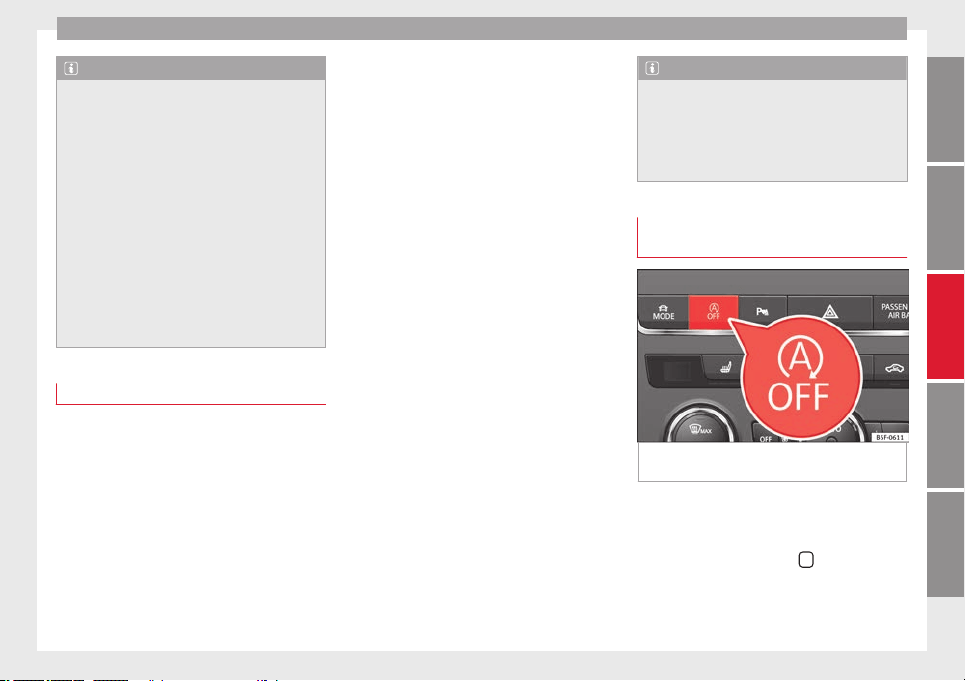
Driver assistance systems
Note
●
You can control whether the engine should
switch off or not by reducing or increasing the
brake force applied. While the vehicle re-
mains stopped, the engine will not stop if the
brake pedal is slightly pressed, in traffic jams
with frequent stopping and starting for exam-
ple. As soon as strong pressure is applied to
the brake pedal, the engine will stop.
●
In vehicles with manual gearbox, during
the stopping phases the brake pedal must re-
main depressed to prevent the vehicle from
moving.
●
If the engine “stalls” in vehicles with man-
ual gearbox, it can be directly started up
again by immediately pressing the clutch
pedal.
General notes
The system can interrupt the Start-Stop mode
frequently for different reasons.
The engine does not switch off
Before the stopping phase, the system veri-
fies whether certain conditions are met. The
engine
does not sw
it
ch off, in the following
situations for example:
●
The engine has not yet reached the mini-
mum required temperature for the Start-Stop
mode.
●
The interior temperature selected for the air
conditioner has not yet been reached.
●
The interior temperature is very high/low.
●
Defrost function button activated
›››
page 26.
●
The parking aid* is switched on.
●
The battery is very low.
●
The steering wheel is overly turned or is be-
ing turned.
●
If there is a danger of misting.
●
After engaging reverse gear.
●
In case of a very steep gradient.
The indication is shown on the instrument
panel display, and in addition, the driver in-
formation system* shows, .
The engine starts by itself
During a stopping phase the normal Start-
Stop mode can be interrupted in the follow-
ing situations: The engine restarts by itself
without involvement from the driver.
●
The interior temperature differs from the
value selected on the air conditioner.
●
Defrost function button activated
›››
page 26.
●
The brake has been pressed several times
consecutively.
●
The battery is too low.
●
High power consumption.
Note
In vehicles with an automatic gearbox, if the
selector lever is placed in position D, N or S
after engaging reverse gear, the vehicle must
be driven at a speed faster than 10 km/h (5
mph) for the system to return to conditions in
which the engine can be stopped.
Manually switching on/off the Start-
Stop system
Fig. 147 Centre console: Start-Stop system
button
If you do not wish to use the system, you can
switch it off manually.
–
To manually switch on/off the Start-Stop
system, press the button
. The button
symbol remains lit up yellow when the sys-
tem is switched off.
»
149
Technical specifications
AdviceOperationSafetyThe essentials
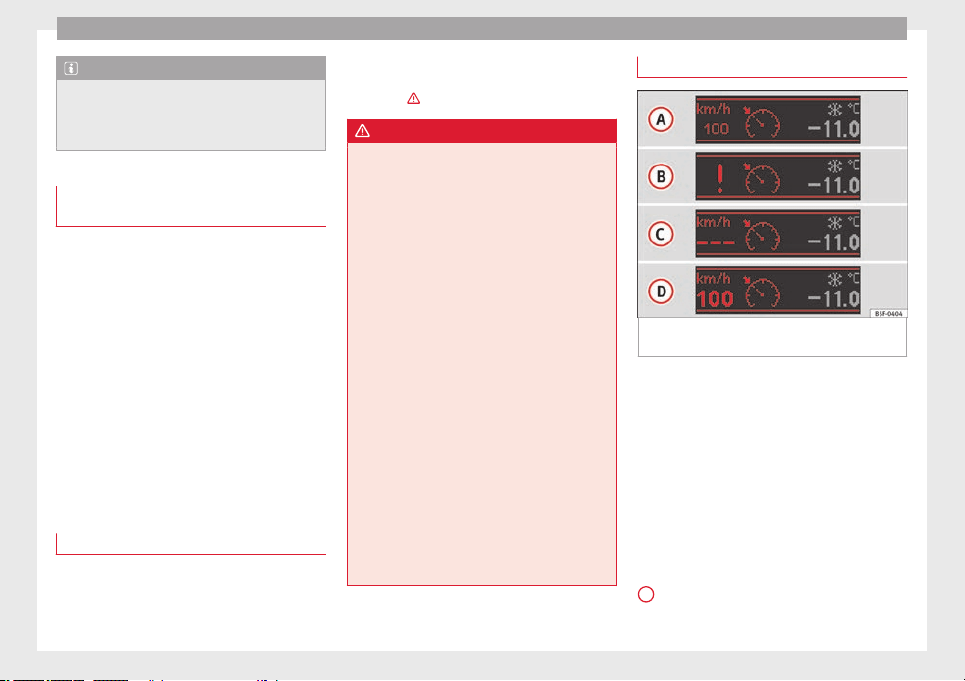
Operation
Note
The system is automatically switched on each
time the engine is deliberately stopped dur-
ing a stopping phase. The engine will start
automatically.
Driver messages on the instrument
panel display
Start-Stop system deactivated. Start the
engine manually
This driver message is displayed when cer-
tain conditions are not met during the stop-
ping phase and the Start-Stop system cannot
restart the engine. The engine must be star-
ted manually.
Start-Stop system: Fault! Function not available
There is a fault in the Start-Stop system. Take
the vehicle to a workshop to have the fault
repaired.
Cruise control system (CCS)*
How it works
The cruise control system (CCS) is able to
maintain the set speed from 20 km/h (15
mph).
The CSS only reduces vehicle speed by ceas-
ing to accelerate, not by actively braking the
vehicle ›››
.
WARNING
Use of the cruise control could cause acci-
dents and severe injuries if it is not possible
to drive at a constant speed maintaining the
safety distance.
●
Do not use the cruise control in heavy traf-
fic, if the distance from the vehicle in front is
insufficient, on steep roads, with several
bends or in slippery circumstances (snow,
ice, rain or loose gravel), or on flooded roads.
●
Never use the CCS when driving off-road or
on unpaved roads.
●
Always adapt your speed and the distance
to the vehicles ahead in line with visibility,
weather conditions, the condition of the road
and the traffic situation.
●
To avoid unexpected operation of the cruise
control system, turn it off every time you fin-
ish using it.
●
It is dangerous to use a set speed which is
too high for the prevailing road, traffic or
weather conditions.
●
When travelling down hills, the CCS cannot
maintain a constant speed. The vehicle tends
to accelerate under its own weight. Select a
lower gear or use the foot brake to slow the
vehicle.
Warning and control lamp
Fig. 148 Instrument panel display: CCS status
indications
Control lamp
When the warning lamp is lit, cruise con-
trol is active.
Several warning and control lamps light up
for a few seconds when the ignition is switch-
ed on, signalling that the function is being
verified. They will switch off after a few sec-
onds.
Displayed on the CCS screen
Status
Fig. 148
:
CCS temporarily switched off. The set
speed is displayed in small figures.
A
150
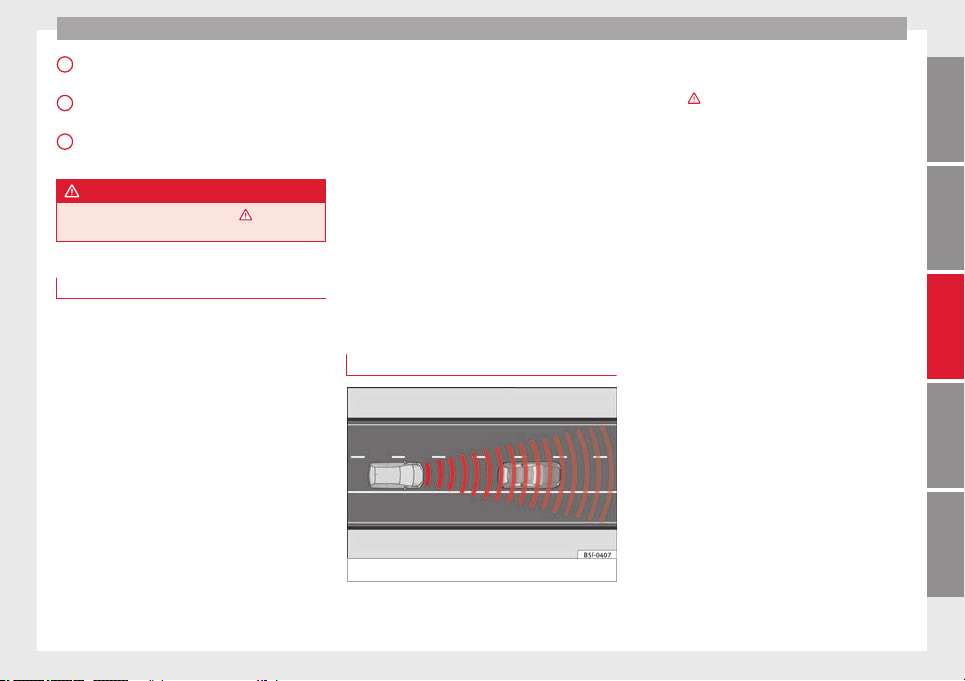
Driver assistance systems
System error. Contact a specialised work-
shop.
CCS switched on. The speed memory is
empty.
The CCS is switched on. The set speed is
displayed in large figures.
WARNING
Observe the safety warnings ››› in Control
and warning lamps on page 71.
Operating the cruise control system*
Read the additional information carefully
›››
page 21
The value indicated in the table in brackets
(in mph, miles per hour) only refers to instru-
ment panels with indications in miles.
Changing gear in CCS mode
The CCS decelerates as soon as the clutch
pedal is pressed, intervening again automati-
cally after a gear is engaged.
Travelling down hills with the CCS
When travelling down hills the CCS cannot
maintain a constant speed. Slow the vehicle
down using the brake pedal and reduce
gears if required.
B
C
D
Automatic off
The cruise control system (CCS) is switched
off automatically or temporarily:
●
If the system detects a fault that could af-
fect the working order of the CCS.
●
If you press and maintain the accelerator
pedal for a certain time, driving faster than
the stored speed.
●
If the dynamic driving control systems in-
tervene (e.g. ASR or ESC).
●
If the airbag is triggered.
Adaptive Cruise Control ACC*
Introduction
Fig. 149 Detection area.
The adaptive cruise control (ACC) is an exten-
sion of the normal cruise control system
(CCS)
›
›› .
The ACC function allows the driver to estab-
lish a cruise speed of between 30 and 160
km/h (18 and 100 mph), as well as the tem-
porary distance required with regard to the
vehicle in front. The ACC function will adapt
the vehicle's cruise speed at all times, main-
taining a safe distance with the vehicle in
front.
The ACC function is based on a radar sensor
that can measure the distance to the vehicles
in front.
If the vehicle is equipped with automatic
gearbox, the ACC can brake the vehicle until
it stops completely if a vehicle in front of it
stops.
Driver intervention prompt
During driving, the ACC is subject to certain
limitations inherent in the system. In other
words, in certain circumstances the driver will
have to adjust speed him or herself, as well
as the distance from other vehicles.
In this case, the instrument panel screen will
warn you to intervene by applying the brake
and a warning tone will be heard
›››
page 153
.
»
151
Technical specifications
AdviceOperationSafetyThe essentials
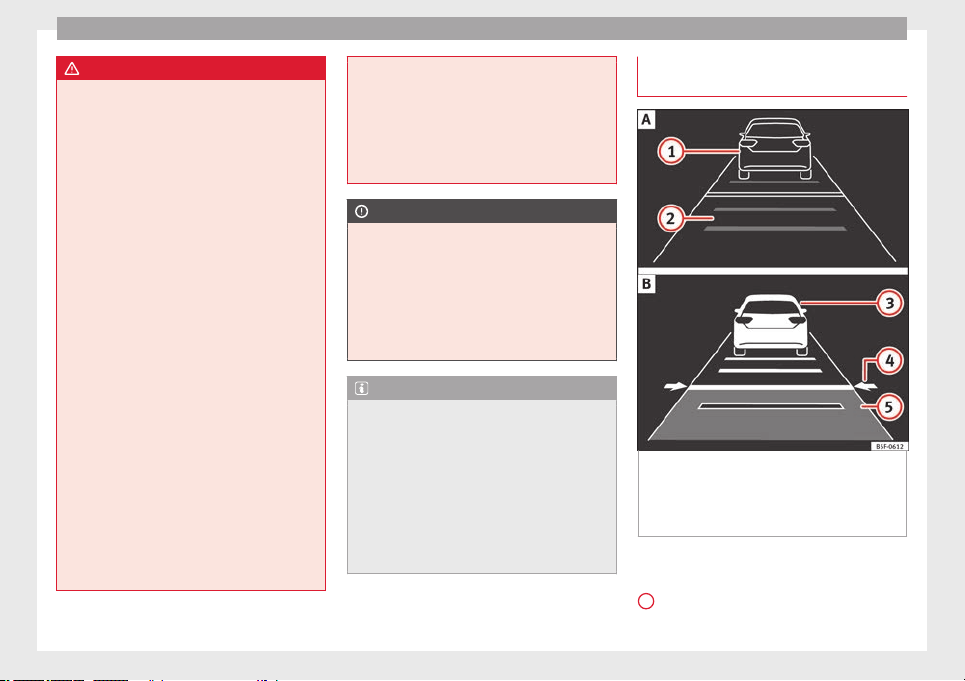
Operation
WARNING
The intelligent technology in the ACC cannot
overcome the system's inherent limitations
or change the laws of physics. If used negli-
gently or involuntarily, it may cause serious
accidents and injuries. The system is not a re-
placement for driver awareness.
●
Adapt your speed and safe distance to the
vehicle in front of you at all times to suit visi-
bility, weather, road and traffic conditions.
●
Do not use the ACC when visibility is bad,
on steep roads, with several bends or in slip-
pery circumstances such as snow, ice, rain or
loose gravel, or on flooded roads.
●
Never use the ACC when driving off-road or
on unpaved roads. The ACC has been de-
signed for use on paved roads only.
●
The ACC does not react on approaching a
fixed obstacle, such as the tail of a traffic
jam, a damaged vehicle or a vehicle stopped
at the traffic lights.
●
The ACC does not react to people or animal
or vehicles crossing your path or which ap-
proach you head-on in the same lane.
●
If the ACC does not reduce speed sufficient-
ly, brake the vehicle immediately by applying
the pedal.
●
If you are driving using the spare wheel,
the ACC system could automatically switch
off during the journey. Switch off the system
when starting off.
●
If the vehicle continues to move involuntar-
ily after a driver intervention prompt, brake
the vehicle by applying the pedal.
●
If the dash panel displays a driver interven-
tion prompt, adjust the distance yourself.
●
The driver shou
ld be ready to accelerate or
brake by him/herself at all times.
CAUTION
If you have the sensation that the radar sen-
sor is damaged, disconnect the ACC. This will
avoid possible damage. If this occurs have it
adjusted.
●
Repairs to the radar sensor require special-
ist knowledge and special tools. SEAT recom-
mends visiting a SEAT dealership for this pur-
pose.
Note
●
If the ACC system does not work as descri-
bed in this chapter, do not use it until it has
been checked by a specialised workshop.
SEAT recommends visiting a SEAT dealership
for this purpose.
●
Maximum speed with the ACC activated is
limited to 160 km/h (100 mph).
●
When the ACC is switched on, strange
noises may be heard during automatic brak-
ing cause by the braking system.
Messages on display, control and
warning lamps
Fig. 150 On the instrument panel display: (A)
ACC temporarily inactive, vehicle detected in
front, temporary distance adjusted. (B) ACC
active, vehicle detected in front, temporary
distance adjusted.
Status display
Indications on the display ››› Fig. 150
:
V
ehic
le in front, the ACC is inactive.
1
152
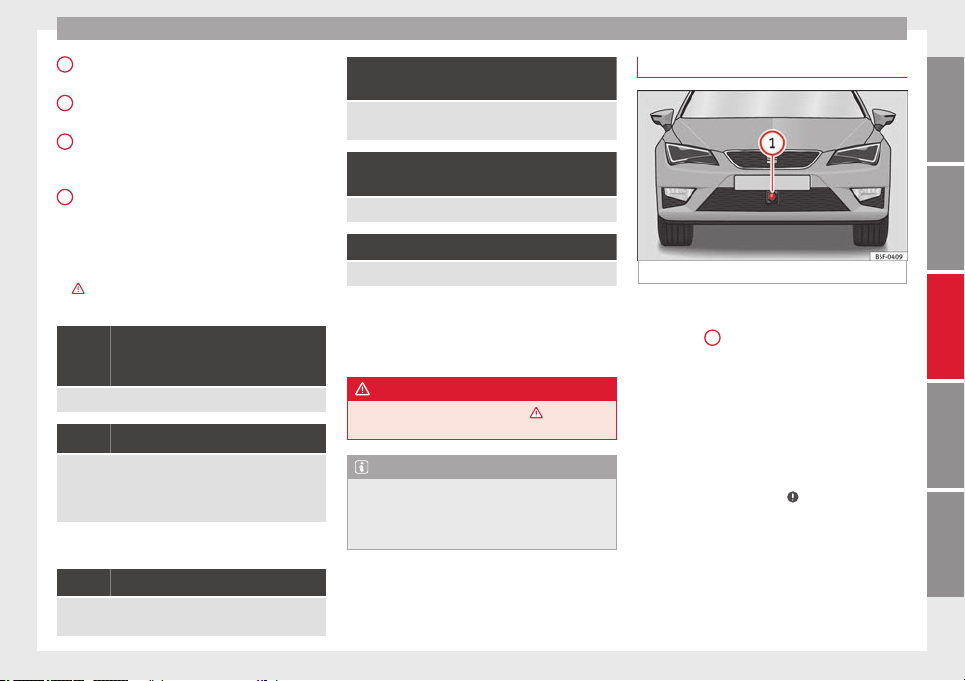
Driver assistance systems
Distance margin selected, the ACC is in-
active.
Vehicle detected in front. The ACC is ac-
tive.
Adjustment of the temporary distance
from the vehicle in front with a program-
med speed.
Temporary distance adjustment from the
vehicle in front with a programmed
speed.
Warning and control lamps
››› in Control and warning lamps on
page 71
.
The speed reduction by the ACC to
maintain the distance from the vehi-
cle in front is not sufficient.
Brake! apply the foot brake! Driver intervention prompt.
The ACC is not currently available.
a)
With the vehicle stationary, switch off the engine and
start it up again. Check the radar sensor visually for dirt,
ice or knocks. If it is still unavailable, refer to a special-
ised workshop to have the system inspected.
a)
The symbol on the instrument panels with colour display is in
colour.
The ACC is active.
No vehicle is detected in front. The programmed speed
remains constant.
2
3
4
5
If the symbol is white: the ACC is ac-
tive.
A vehicle in front has been detected. The ACC adjusts
speed and distance from the vehicle in front.
If the symbol is grey: the ACC is not
active.
The system is switched on, but is not adjusting.
The ACC is active.
Some warning and control lamps will light up
briefly when the ignition is switched on to
check certain functions. They will switch off
after a few seconds.
WARNING
Observe the safety warnings ››› in Control
and warning lamps on page 71.
Note
When the ACC is connected, the indications
on the instrument panel screen may be con-
cealed by warnings from other functions,
such as an incoming call.
Radar sensor
Fig. 151 On the front bumper: radar sensor.
A radar sensor is installed on the front bump-
er to determine the traffic situation
››› Fig. 151
1
. This sensor can detect vehi-
cles in front up to a distance of approximately
120 m.
The radar sensor's visibility may be impaired
by dirt, mud or snow, or by environmental in-
fluences such as rain or mist. In this case the
adaptive cruise control (ACC) does not work.
The instrument panel displays the following
message: ACC: No sensor vision! If necessary
clean the radar sensor ››› .
When the radar sensor begins to operate
properly again, the ACC will automatically be
available again. The message on the instru-
ment panel screen will switch off and the ACC
will be reactivated again.
»
153
Technical specifications
AdviceOperationSafetyThe essentials
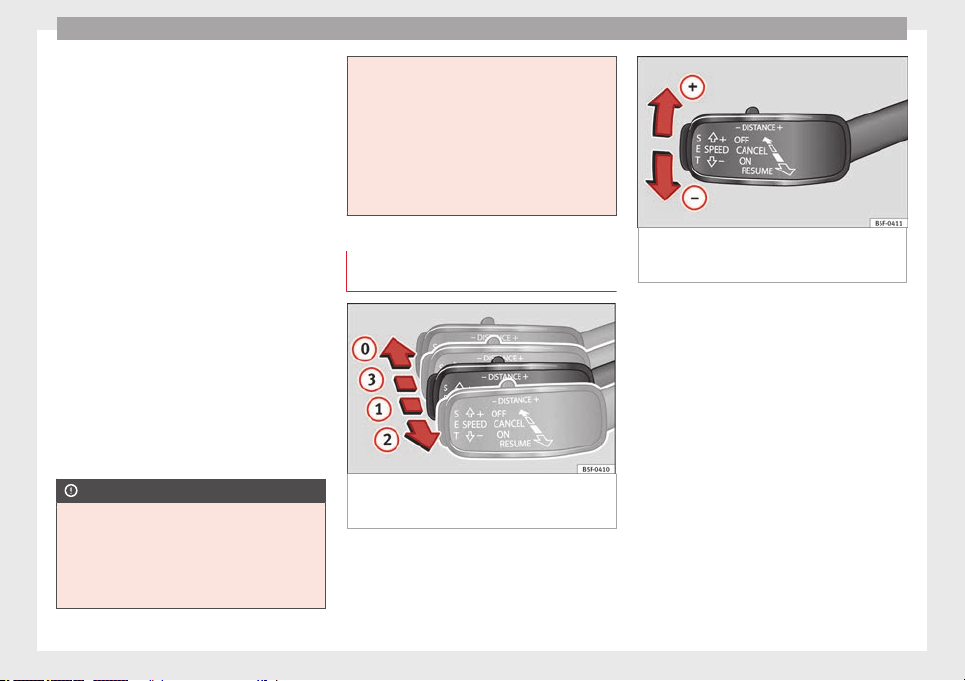
Operation
ACC operation may be affected by a strong ra-
dar reverse reflection. This may occur, for ex-
ample, in a closed car park or due to the
presence of metallic objects (e.g. rails on the
road or sheets used in road works).
The area in front of and around the radar sen-
sor should not be covered with adhesives,
additional or similar headlights, as this may
negatively affect ACC operation.
If structural modifications are made to the ve-
hicle, for example, if the suspension is low-
ered or the front spoiler is modified, ACC op-
eration may be affected. So structural modifi-
cations should only be made by specialised
workshops. SEAT recommends visiting a SEAT
dealership for this purpose.
If work is done incorrectly on the front of the
vehicle, the radar sensor could be damaged
or lose its settings, and ACC operation may
be affected. So repair work should only be
made by specialised workshops. SEAT recom-
mends visiting a SEAT dealership for this pur-
pose.
CAUTION
If you have the sensation that the radar sen-
sor is damaged or has lost its settings, dis-
connect the ACC. This will avoid possible
damage. If this occurs have it adjusted.
●
The sensor may become damaged or lose
its settings when knocked, for example, dur-
ing a parking manoeuvre. This may compro-
mise the system's efficacy or disconnect it.
●
Repairs to the radar sensor require special-
ist knowledge and special tools. SEAT recom-
mends visiting a SEAT dealership for this pur-
pose.
●
Clean away the snow with a brush and the
ice preferably with a solvent-free de-icer
spray.
Operating the Adaptive Cruise Control
ACC
Fig. 152 On the left of the steering column:
third lever for operating the Adaptive Cruise
Control.
Fig. 153 On the left of the steering column:
third lever for operating the Adaptive Cruise
Control.
When the Adaptive Cruise Control (ACC) is
connected, the green control lamp will
light up on the instrument panel, and the
programmed speed and ACC status will be
displayed ››› Fig. 150
.
C
ondition
s for the adaptive cruise control to
be activated
●
The selector lever must be at the D or S po-
sition or in the tiptronic selection track. In
manual gearbox any forward gear must be
engaged, except the 1st gear.
●
In vehicles with manual gearbox, if there is
no programmed speed, drive at least at
30 km/h (18 mph).
Speed control
When the ACC is connected, speed can be
programmed and adjusted. The programmed
154
Driver assistance systems
speed must be different from the speed at
which the vehicle travels if the distance is be-
ing adjusted at the time.
What functions can be operated?
If you activate the ACC the current speed can
be programmed as the “control speed”.
During driving, control can be operated at
any time and the speed also modified.
The following settings can also be adjusted:
●
Distance.
●
Driving Programme.
●
Driving style.
Activating/Deactivating
Any speed
1)
between 30 and 160 km/h (19
and 100 mph) can be adjusted.
Activating the ACC
●
Pull the lever to position
1
››› Fig. 152
.
A
C
C standby will be shown on the instrument
panel display.
Programme speed and activate control
●
Press the
SET
››› Fig. 153 button to pro-
gramme current speed.
●
Automatic gearbox: apply the brake pedal
to activate control with the vehicle stationary.
Deactivating the ACC
●
Move the lever to position
0
until it en-
gages. The text ACC: off
appears.
A
lt
ering speed
●
To increase or reduce speed step by step,
press the lever up/down briefly ››› Fig. 153.
Any modification to the programmed speed
is shown on the bottom left part of the instru-
ment panel display.
Adjusting distance level
The distance according to speed with regard
to the vehicle in front can be controlled on
the Easy Connect system on 5 levels
›››
page 17.
In wet road conditions, you should always set
a larger distance with regard to the vehicle in
front than when driving in dry conditions.
The following distances can be preselected:
●
Very short
●
Short
●
Media
●
Long
●
Very long
You can use the Easy Connect system to ad-
just the level of distance that should be ad-
justed when the ACC is switched on with the
button
and the function buttons
and
Driver assistance
›››
page 17.
Adjusting the driving programme
In vehicles with driving profile selection
(SEAT Drive Profile), the profile selected can
influence acceleration behaviour
››› page 169
.
The f
o
llowing driving programmes items can
be selected:
●
Normal
●
Sport
●
Eco
In vehicles without driving profile selection,
acceleration behaviour can be influenced by
selecting a driving programme on the Easy
Connect system by means of the button
and the function buttons
and
Driver assistance
›››
page 17.
»
1)
Different speed limits apply in each country and
depend on the unit indicated on the speedometer.
155
Technical specifications
AdviceOperationSafetyThe essentials
Operation
The following conditions may lead the ACC
not to react:
●
If the accelerator is pressed.
●
If there is no gear engaged.
●
If the ESC is controlling.
●
If the driver is not wearing his/her seat
belt.
●
If several brake lights of the vehicle or elec-
trically connected trailer are damaged.
●
If the vehicle is reversing.
●
Driving faster than 160 km/h (100 mph).
WARNING
There is a danger of rear collision when the
minimum distance to the vehicle in front is
exceeded and the speed difference between
both vehicles is so great that a speed reduc-
tion by the ACC will not suffice. In this case
the brake pedal should be applied immedi-
ately.
●
The ACC may not be able to detect all situa-
tions properly.
●
“Stepping” on the accelerator may cause
the ACC not to intervene in braking. Driver
braking will have priority over intervention by
the speed control or adaptive cruise control.
●
Always be ready to use the brakes!
●
Observe country-specific provisions gov-
erning obligatory minimum distances be-
tween vehicles.
Note
●
The programmed speed is erased once the
ignition or the ACC are switched off.
●
When the traction control system (ASR) is
deactivated during acceleration or else the
ESC is activated in Sport* Mode (››› page 81),
the ACC switches off automatically.
●
In vehicles with the Start-Stop system, the
engine switches off automatically during the
ACC stopping phase and restarts automatical-
ly to begin driving.
Vehicles with an automatic gearbox
If the vehicle is equipped with automatic
gearbox, the ACC can brake the vehicle until
it stops completely if a vehicle in front of it
stops.
The ACC will still be available for a few sec-
onds. The vehicle will restart by itself if the
vehicle in front moves (traffic jam assistant).
Disconnection criteria
The ACC will switch off if the driver applies
the brake pedal or the driver's door is
opened.
If the vehicle in front remains stationary for
more than 3 seconds, the ACC will also
switch off for safety reasons. In this case the
driver should take control and apply the
brake.
In the latter case, when the ACC is switched
off with the vehicle stationary, the vehicle
has to be braked by the pedal, since al-
though the car is idling it can move, as there
is a gear engaged.
Restarting the vehicle with the ACC manually
The ACC can be activated again by moving
the lever to position
2
››› Fig. 154
.
WARNING
Your vehicle can start up even if there is an
obstacle between your vehicle and the vehi-
cle detected in front. Risk of accident!
CAUTION
●
If your vehicle with ACC does not start up
as expected, you can drive off by briefly step-
ping on the accelerator.
●
The Start-Stop system usually acts if you
are driving with ACC.
156
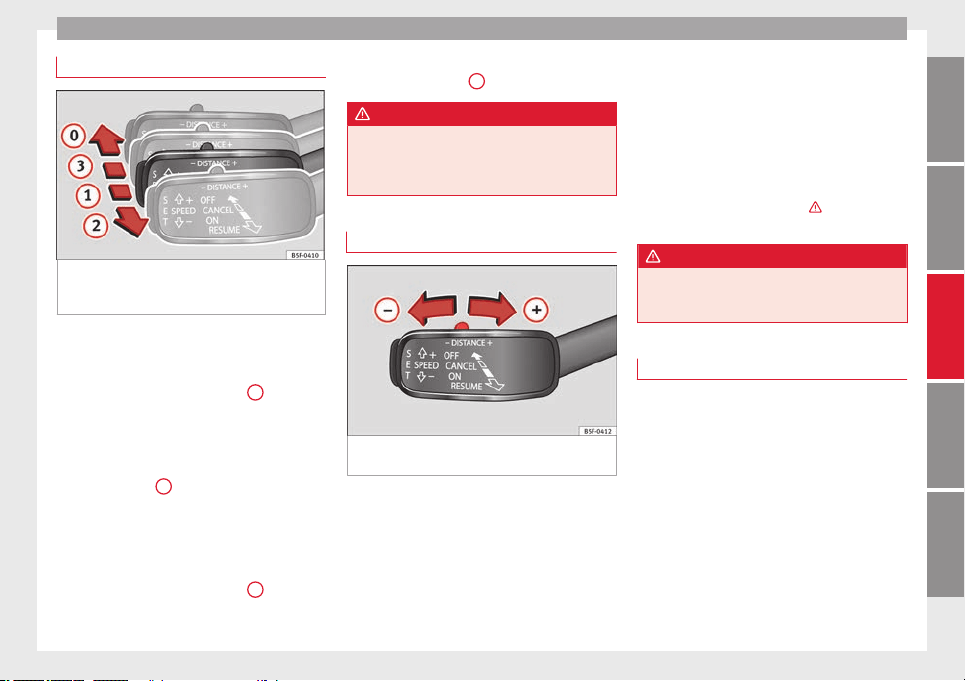
Driver assistance systems
Interrupting control
Fig. 154 On the left of the steering column:
third lever for operating the Adaptive Cruise
Control.
Important: the ACC is active.
Interrupting control during driving
●
Move the lever to the position
3
. The ACC
standby
message is displayed to the driver.
or
●
Br
ak
e.
●
To resume the programmed speed, turn the
lever to position
2
.
Interrupt speed control with the vehicle
stationary
Applies to vehicles with automatic gearbox:
●
Move the lever to the position
3
. The ACC
standby
message is displayed to the driver.
●
T
o r
esume control, apply the brake and turn
the lever to position
2
.
WARNING
It is dangerous to activate control and resume
the programmed speed if the road, traffic or
weather conditions do not permit this. Risk of
accident!
Setting the distance
Fig. 155 Control lever for: setting the dis-
tance.
●
To display the distance currently program-
med, briefly press the rocking button
››› Fig. 155
.
●
T
o inc
rease/reduce the distance one level,
press the rocking button again towards the
left/right. The instrument panel display
modifies the distance between both vehicles.
If the vehicle approaches another vehicle de-
tected in front of it, the ACC reduces the
speed accordingly and then controls the ad-
justed distance. If the vehicle detected in
front accelerates, the adaptive cruise control
will also accelerate up to the target speed
programmed at most.
The greater the speed, the greater the dis-
tance in metres should be ›››
. We recom-
mend the setting
Distance 3
.
WARNING
With regard to distance setting, the driver is
responsible for observing country-specific
legislation.
Message texts
ACC not available
The system can no longer continue to guar-
antee safe vehicle detection and will be de-
activated. The sensor has lost its setting or is
damaged. Take the vehicle to a specialised
workshop and have the fault repaired.
»
157
Technical specifications
AdviceOperationSafetyThe essentials

Operation
ACC: currently not available. No sensor
v
i
sion
ACC and Front Assist: currently not
available. No sensor vision
This message will be displayed to the driver if
the radar sensor's vision is impaired due, for
example, to leaves, snow, heavy fog or dirt.
Clean the sensor.
ACC: currently not available. Gradient too
steep
The maximum road slope has been excee-
ded, hence safe ACC operation cannot be
guaranteed. The ACC cannot be switched on.
ACC: only available in D, S or M
Select the D/S or M position on the selector
lever.
ACC: parking brake applied
The ACC is deactivated if the parking brake is
applied. The ACC is available once again after
the parking brake is released.
ACC: currently not available. Intervention
of stability control
The message for the driver is displayed when
the electronic stability control (ESC) inter-
venes. In this case, the ACC is automatically
switched off.
ACC: Take action!
The message for the driver is displayed if,
when the vehicle starts up on a hill with a
mild slope, the vehicle rolls back even al-
though the ACC is activated. Apply the brake
to stop the vehicle from moving/colliding
with another vehicle.
ACC: speed limit
The message for the driver is displayed if, in
vehicles with manual gearbox, the current
speed is too low for the ACC mode.
The speed to be stored must be at least 30
km/h. The cruise control system switches off
if the speed falls below 20 km/h.
ACC: available as of the 2nd gear
The ACC is operational as of the 2nd gear
(manual gearbox).
ACC: engine speed
The message for the driver is displayed if,
when the AAC accelerates or brakes, the driv-
er does not shift up or down a gear in time,
which means exceeding or not reaching the
permissible engine speed. The AAC switches
itself off. A buzzer warning is heard.
ACC: clutch pressed
Vehicles with a manual gearbox: pressing the
clutch pedal for longer abandons control
mode.
Three white dots appear if a setting made
with the control lever cannot be performed.
For example, if when the vehicle is stationary
the ACC cannot be activated because the
driver is not wearing the seat belt.
Door open
Vehicles with automatic gearbox: the ACC
cannot be activated with the vehicle station-
ary and the door open.
Deactivating the Adaptive Cruise
Control ACC temporarily in certain
situations
In the following situations the Adaptive
Cruise Control (ACC) should be deactivated
due to the system's limitations ››› :
●
When changing lanes, on tight bends and
roundabouts, in acceleration and decelera-
tion lanes on motorways or in sections with
road works to prevent involuntary accelera-
tion to reach the programmed speed.
●
When going through a tunnel, as operation
could be affected.
●
On roads with several lanes, when other ve-
hicles are driving more slowly in the overtak-
ing lane. In this case, slower vehicles will be
overtaken on the right.
158
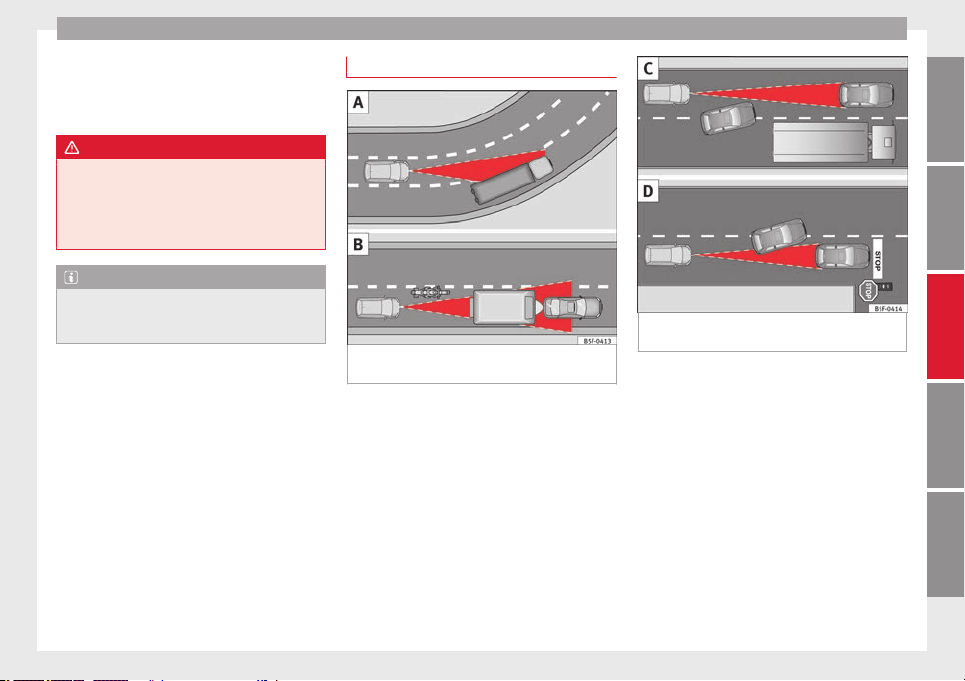
Driver assistance systems
●
In case of heavy rain, snow or spray, as the
vehicle in front might not be detected proper-
ly or, in certain circumstances, might not be
detected at all.
WARNING
If the ACC does not switch off in the situa-
tions described, serious accidents and inju-
ries may occur.
●
Always switch off the ACC in critical situa-
tions.
Note
If you do not switch off the ACC in the afore-
mentioned situations, you may commit a le-
gal offence.
Special driving situations
Fig. 156 (A) Vehicle on a bend. (B) Motorcy-
clist ahead out of range of the radar sensor.
Fig. 157 (C) Vehicle changing lanes. (D) One
vehicle turning and another stationary.
The adaptive cruise control (ACC) has certain
physical limitations inherent in the system.
For example, certain reactions of the ACC, in
certain circumstances, may be unexpected or
come late from the driver's point of view. So
pay attention in order to intervene if necessa-
ry.
For example, the following traffic situations
call for the utmost attention:
»
159
Technical specifications
AdviceOperationSafetyThe essentials

Operation
Deceleration until the vehicle has stopped
(only vehicles with automatic gearbox)
If the vehicle in front slows down and stops,
the ACC will also slow down and halt the ve-
hicle. After approximately 3 seconds the sys-
tem will inform the driver that he or she
should take control of the vehicle by means
of an audible and visual warning on the in-
strument panel.
Starting driving after a stopping phase (only
vehicles with automatic gearbox)
After a stopping phase the ACC may begin
driving automatically when the vehicle in
front drives off.
Overtaking
When the turn signal lights up before the ve-
hicle begins an overtaking manoeuvre, the
ACC accelerates the vehicle automatically
and thus reduces the distance from the vehi-
cle in front.
When the vehicle enters the overtaking lane,
if the ACC does not detect another vehicle in
front, it accelerates until it reaches the pro-
grammed speed and maintains it.
System acceleration can be interrupted at
any time by pressing the brake or moving the
third lever backwards
›››
page 154.
Driving through a bend
On entering or exiting bends, the radar sen-
sor may no longer determine the vehicle in
front or react to a vehicle in the adjacent lane
››› Fig. 156
A
. In these situations the vehicle
may brake unnecessarily or fail to react to re-
act to the vehicle in front. In this case, the
driver has to intervene by accelerating or in-
terrupting the braking process by applying
the brake or pushing the third lever back-
wards ››› page 154.
Driving in tunnels
When driving through tunnels the radar sen-
sor may be limited. Switch off the ACC in tun-
nels.
Narrow or misaligned vehicles
The radar sensor can only detect narrow or
misaligned vehicles when they are within
range ››› Fig. 156 B. This applies particularly
to narrow vehicles such as motorbikes. In
these cases, you should brake as necessary.
Vehicles with special loads and accessories
Special loads and accessories of other vehi-
cles that jut out over the sides, backwards or
over the top may be out of the ACC's range.
Switch off the ACC when driving behind vehi-
cles with special loads and accessories or
when overtaking them. In these cases, you
should brake as necessary.
Other vehicles changing lanes
Vehicles changing lanes a short distance
away from your own can only be detected
when they are within range of the sensors.
Consequently, the ACC will take longer to re-
act ››› Fig. 157 C. In these cases, you should
brake as necessary.
Stationary vehicles
The ACC does not detect stationary objects
while driving, such as traffic tails or damaged
vehicles.
If a vehicle detected by the ACC turns or
moves over and there is a stationary vehicle
in front of it, the ACC will not react to it
››› Fig. 157 D. In these cases, you should
brake as necessary.
Vehicles driving in the opposite direction
and vehicles crossing your path
The ACC does not react to vehicles approach-
ing from the opposite direction or vehicles
crossing your path.
Metal objects
Metal objects, e.g. rails on the road or sheets
used in road works, can confuse the radar
sensor and cause the ACC to react wrongly.
160
Driver assistance systems
Factors that may affect how the radar sensor
operates
If laser sensor operation is impaired, due to
heavy rain, spray, snow or mud, the ACC is
deactivated temporarily. The relevant text
message will appear in the dash panel dis-
play. If necessary, clean the radar sensor.
When the radar sensor begins to operate
properly again, the ACC will automatically be
available again. The message on the instru-
ment panel screen will switch off and the ACC
will be reactivated again.
ACC operation may be affected by a strong ra-
dar reverse reflection, for example in a closed
car park.
Trailer towing
When driving with trailer the ACC controls
less dynamically.
Overheated brakes
If the brakes overheat, for example after
abrupt braking or in long and steep slopes,
the ACC may be deactivated temporarily. The
relevant text message will appear in the dash
panel display. In this case, adaptive cruise
control cannot be activated.
Adaptive cruise control can be reactivated
once brake temperature has cooled suffi-
ciently. The message will disappear from the
instrument panel display. If the message ACC
not available remains on for quite a long time
it means that there is a fault. Contact a speci-
alised workshop. SEAT recommends visiting
a SEAT dealership.
WARNING
If the message ACC ready to start appears on
the instrument panel display and the vehicle
in front starts up, the vehicle will start up au-
tomatically. In this case the radar sensor may
not detect obstacles on the road. This could
cause an accident and serious injuries.
●
Before driving off, check that the road is
clear. If necessary, apply the brake.
Monitoring system Front
Assist*
Introduction
The Front Assist Monitoring system helps to
prevent rear collisions.
The Front Assist can warn the driver of colli-
sion hazards, prepare the vehicle for emer-
gency braking in case of danger, assist the
driver on braking and cause automatic brak-
ing.
The Front Assist is not a replacement for
driver awareness.
Distance warning
If the system detects that safety is endan-
gered by the proximity of the vehicle in front,
it may warn the driver by means of a message
on the instrument panel when driving at a
speed of between approximately 60 km/h
(37 mph) and 210 km/h (130 mph)
››› Fig. 158
.
The w
arnin
g moment varies depending on
the traffic situation and driver behaviour.
Pre-warning
If the system detects a possible collision with
the vehicle in front, it may warn the driver by
means of an audible warning and an indica-
tion on the instrument panel when driving at
a speed of between approximately 30 km/h
(18 mph) and 210 km/h (130 mph)
››› Fig. 158.
The warning moment varies depending on
the traffic situation and driver behaviour. At
the same time, the vehicle will prepare for a
possible emergency braking ›››
.
Critical warning
If the driver fails to react to the pre-warning,
the system may actively intervene in the
brakes when driving at a speed of between
approximately 30 km/h (18 mph) and
210 km/h (130 mph), generating a brief jolt
to warn of the imminent collision.
»
161
Technical specifications
AdviceOperationSafetyThe essentials
Operation
Automatic braking
If the driver also fails to react to the pre-warn-
ing, the system may brake the vehicle auto-
matically, by progressively increasing braking
effect driving at a speed of between approxi-
mately 5 km/h (3 mph) and 210 km/h
(130 mph). By reducing speed in case of a
possible collision, the system may contribute
to reducing the consequences of an accident.
Front assist
If the Front Assist notices that the driver is
not braking sufficiently in case of a collision
hazard, the system can increase braking ef-
fect and thus avert the collision when driving
at a speed of between approximately 5 km/h
(3 mph) and 210 km/h (130 mph). Front as-
sist only acts while the brake pedal is press-
ed down hard.
WARNING
The intelligent technology in the Front Assist
cannot change the laws of physics. The driver
is always responsible for braking in time. If
the Front Assist issues a warning, then, de-
pending on the traffic circumstances, you
must brake immediately or dodge the obsta-
cle.
●
Adapt your speed and safe distance to the
vehicle in front of you at all times to suit visi-
bility, weather, road and traffic conditions.
●
The Front Assist alone cannot avoid acci-
dents and serious injuries.
●
In complex driving situations, the Front As-
sist may issue unnecessary warnings and in-
tervene unnecessarily in braking, such as in
traffic islands.
●
If the operation of the Front Assist is im-
paired, for example, by dirt or because the ra-
dar sensor has lost its settings, the system
may issue unnecessary warnings and inter-
vene inopportunely in the braking.
●
During driving, the Front Assist does not re-
act to people or animals or vehicles crossing
your path or which approach you head-on in
the same lane.
●
The driver must always be ready to take
over the control of the vehicle.
Note
●
When the Front Assist causes a braking,
the brake pedal is “harder”.
●
Automatic interventions by the Front Assist
on the brakes may be interrupted by pressing
the clutch, accelerator or moving the wheel.
●
If the Front Assist does not work as descri-
bed in this chapter (e.g. in intervenes several
times unnecessarily), switch it off. Have the
system checked by a specialised workshop.
SEAT recommends visiting a SEAT dealership.
On-screen warning lamps and
messages
Fig. 158 On the instrument panel display:
Warning indications.
Distance warning
If the safe distance with regard to the vehicle
in front is exceeded, the relevant warning will
appear on the instrument panel display
.
WARNING
Observe the safety warnings ››› in Control
and warning lamps on page 71.
Note
When the Front Assist is connected, the indi-
cations on the instrument panel screen may
be concealed by warnings from other func-
tions, such as an incoming call.
162
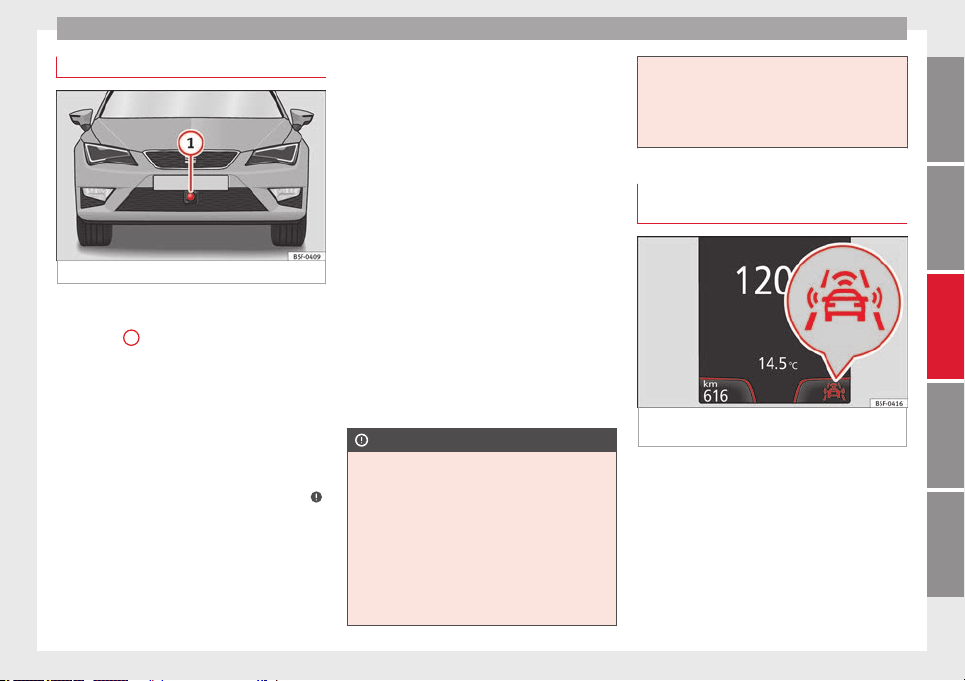
Driver assistance systems
Radar sensor
Fig. 159 On the front bumper: radar sensor.
A radar sensor is installed on the front bump-
er to determine the traffic situation
››› Fig. 159
1
. This sensor can detect vehi-
cles in front up to a distance of approximately
120 m.
The radar sensor's visibility may be impaired
by dirt, mud or snow, or by environmental in-
fluences such as rain or mist. In this case the
Front Assist monitoring system does not
work. The instrument panel displays the fol-
lowing message: Front Assist: No sensor vi-
sion! If necessary clean the radar sensor ››› .
When the radar sensor begins to operate
properly again, the Front Assist will automati-
cally be available again. The message will
disappear from the instrument panel display.
Front Assist operation may be affected by a
strong radar reverse reflection. This may oc-
cur, for example, in a closed car park or due
to the presence of metallic objects (e.g. rails
on the road or sheets used in road works).
The area in front of and around the radar sen-
sor should not be covered with adhesives,
additional or similar headlights, as this may
negatively affect Front Assist operation.
If structural modifications are made to the ve-
hicle, for example, if the suspension is low-
ered or the front spoiler is modified, Front As-
sist operation may be affected. So structural
modifications should only be made by speci-
alised workshops. SEAT recommends visiting
a SEAT dealership for this purpose.
If work is done incorrectly on the front of the
vehicle, the radar sensor could be damaged
or lose its settings, and Front Assist opera-
tion may be affected. So repair work should
only be made by specialised workshops.
SEAT recommends visiting a SEAT dealership
for this purpose.
CAUTION
If you have the sensation that the radar sen-
sor is damaged or has lost its settings, dis-
connect the Front Assist. This will avoid pos-
sible damage. If this occurs have it adjusted.
●
The sensor may become damaged or lose
its settings when knocked, for example, dur-
ing a parking manoeuvre. This may compro-
mise the system's efficacy or disconnect it.
●
Repairs to the radar sensor require special-
ist knowledge and special tools. SEAT recom-
mends visiting a SEAT dealership for this pur-
pose.
●
Clean away the snow with a brush and the
ice preferably with a solvent-free de-icer
spray.
Operating the Front Assist monitoring
system
Fig. 160 On the instrument panel display:
Front Assist switched off message.
The Front Assist monitoring system is active
whenever the ignition is switched on.
When the Front Assist is switched off, so too
are the pre-warning function (pre warning)
and the distance warning.
SEAT recommends leaving the Front Assist al-
ways switched on. Exceptions ››› page 164,
Switching the Front Assist Monitoring Sys-
tem off in the following situations.
»
163
Technical specifications
AdviceOperationSafetyThe essentials
Operation
Switching the Front Assist monitoring
system on and off
With the ignition switched on, the Front As-
sist can be switched on and off as follows:
●
Select the corresponding menu option us-
ing the button for the driver assist systems
››› page 73
.
●
OR: switch the system on or off in the Easy
C
onnect
system with the button
and the
function buttons
and
Driver Assist
›››
page 17
.
When the Fr
ont
Assist monitoring system is
switched off, the instrument panel will inform
that it has been switched off with the follow-
ing indicator ››› Fig. 160.
Switching the pre-warning function on or off
The pre-warning function can be switched on
or off in the Easy Connect system with the
button
and the function buttons
and
Driver Assist
›››
page 17.
The system will store the setting for the next
time the ignition is switched on.
SEAT recommends keeping the pre-warning
function switched on at all times.
Switching distance warning on and off
If the safe distance with regard to the vehicle
in front is exceeded, the relevant warning will
appear on the instrument panel display
. In this case, increase the safe dis-
tance.
The distance warning function can be activa-
ted or deactivated in the Easy Connect sys-
tem with the button
and the function but-
tons
and
Driver Assist
›››
page 17.
The system will store the setting for the next
time the ignition is switched on.
SEAT recommends keeping the distance
warning switched on at all times.
Switching the Front Assist Monitoring
System off in the following situations
In the following situations the Front Assist
Monitoring System should be deactivated
due to the system's limitations ››› :
●
When the vehicle is to be towed.
●
If the vehicle is on a test bed.
●
When the radar sensor is damaged.
●
If the radar sensor takes a heavy knock, for
example in a rear collision.
●
If it intervenes several times unnecessarily.
●
If the radar sensor is covered temporarily
with some kind of accessory, such as an ad-
ditional headlight or the like.
●
When the vehicle is to be loaded on a lorry,
ferry or train.
WARNING
If the Front Assist is not switched off in the
situations described, serious accidents and
injuries may occur.
●
Switch off the Front Assist in critical situa-
tions.
System limitations
The Front Assist Monitoring System has cer-
tain physical limitations inherent in the sys-
tem. Thus, in certain circumstances some of
the system's reactions may be inopportune
or be delayed from the driver's standpoint.
So pay attention in order to intervene if nec-
essary.
The following conditions may cause the Front
Assist Monitoring System not to react or do
so too late:
●
On taking tight bends.
●
Pressing the accelerator all the way down.
●
If the Front Assist is switched off or dam-
aged.
●
If the ASR has been manually disconnec-
ted.
●
If the ESC is controlling.
●
If several brake lights of the vehicle or elec-
trically connected trailer are damaged.
●
If the radar sensor is dirty or covered.
164
Driver assistance systems
●
If there are metal objects, e.g. rails on the
road or sheets used in road works.
●
If the vehicle is reversing.
●
If the vehicle over-accelerates.
●
In case of snow or heavy rain.
●
In case of narrow vehicles, such as motor-
bikes.
●
Misaligned vehicles.
●
Vehicles crossing the other's path.
●
Vehicles approaching in the opposite direc-
tion.
●
Special loads and accessories of other ve-
hicles that jut out over the sides, backwards
or over the top.
City Emergency braking function
Fig. 161 On the instrument panel display:
pre-warning message
The City Emergency braking function is part
of the Front Assist monitoring and is active
whenever the system is switched on.
Depending on the equipment, the pre-warn-
ing function can be switched on or off in the
Easy Connect system with the button
and
the function buttons
and
Driver Assist
›››
page 17
.
The C
ity
Emergency braking function picks
up, at speeds between 5 km/h (3 mph) and
30 km/h (19 mph) approximately, the traffic
situation in front of the vehicle up to a dis-
tance of about 10 m.
If the system detects a possible collision with
a vehicle in front of it, the vehicle prepares
for a possible emergency braking ›››
.
If the driver fails to react to a possible colli-
sion, the system may brake the vehicle auto-
matically, by progressively increasing braking
effect driving to reduce speed in the event of
a collision. The system can thus help to re-
duce the consequences of an accident.
Status display
Automatic deceleration by means of the City
Emergency braking function is displayed on
the instrument panel by means of the pre-
warning ››› Fig. 161
1)
.
WARNING
The smart technology included in the City
Emergency braking function cannot defy the
laws of physics. The driver is always respon-
sible for braking in time.
●
Adapt your speed and safe distance to the
vehicle in front of you at all times to suit visi-
bility, weather, road and traffic conditions.
●
The City Emergency braking function alone
cannot prevent accidents or serious injury.
●
In complex driving situations, the City
Emergency braking function may issue unnec-
essary warnings and intervene inopportunely
»
1)
The symbol on the instrument panels with colour
display is in colour.
165
Technical specifications
AdviceOperationSafetyThe essentials
Operation
in braking, such as in work areas or if there
are metal rails.
●
If the operation of the City Emergency brak-
ing function is impaired, for example, by dirt
or because the radar sensor has lost its set-
tings, the system may issue unnecessary
warnings and intervene inopportunely in the
braking.
●
During driving, the City Emergency braking
function does not react to people or animals
or vehicles crossing your path or which ap-
proach you head-on in the same lane.
Note
●
When the City Emergency braking function
causes a braking, the brake pedal is “hard-
er”.
●
Automatic interventions on the brakes by
the City Emergency braking function may be
interrupted by pressing the clutch, accelera-
tor or moving the wheel.
●
The City Emergency braking function can
brake the vehicle until it stops completely.
However, the brake system does not halt the
vehicle permanently. Use the foot brake!
●
If several inopportune intervenes occur,
switch off the Front Assist and with it the City
Emergency braking function. Take it to a spe-
cialised workshop, SEAT recommends visiting
a SEAT dealership.
●
If numerous unnecessary interventions oc-
cur, the City Emergency braking function may
switch off automatically.
Lane Assist system*
Introduction
WARNING
The intelligent technology in the Lane Assist
system cannot change the limits imposed by
the laws of physics and by the very nature of
the system. Careless or uncontrolled use of
the Lane Assist system may cause accidents
and injury. The system is not a replacement
for driver awareness.
●
Always adapt your speed and the distance
to the vehicles ahead in line with visibility,
weather conditions, the condition of the road
and the traffic situation.
●
Always keep your hands on the steering
wheel so it can be turned at any time.
●
The Lane Assist system does not detect all
road markings. The road surfaces, road struc-
tures or objects in poor condition can be in-
correctly detected as road markings under
certain circumstances by the Lane Assist sys-
tem. In such situations, switch the Lane As-
sist system off immediately.
●
Please observe the indications on the in-
strument panel and act as is necessary.
●
Always pay attention to the vehicle's sur-
roundings.
●
When the area of vision of the camera be-
comes dirty, covered or is damaged, the Lane
Assist system function can be affected.
CAUTION
In order to avoid influencing the operation of
the system, the following points must be tak-
en into account:
●
Regularly clean the area of vision of the
camera and keep it in a clean state, without
snow or ice.
●
Do not cover the area of vision of the cam-
era.
●
Check that the area of vision of the wind-
screen camera is not damaged.
Note
●
The Lane Assist system has been exclusive-
ly developed for driving on paved roads only.
●
If the Lane Assist system does not work as
described in this chapter, do not use it and
contact a specialised workshop.
●
If there is a fault in the system, have it
checked by a specialised workshop.
166
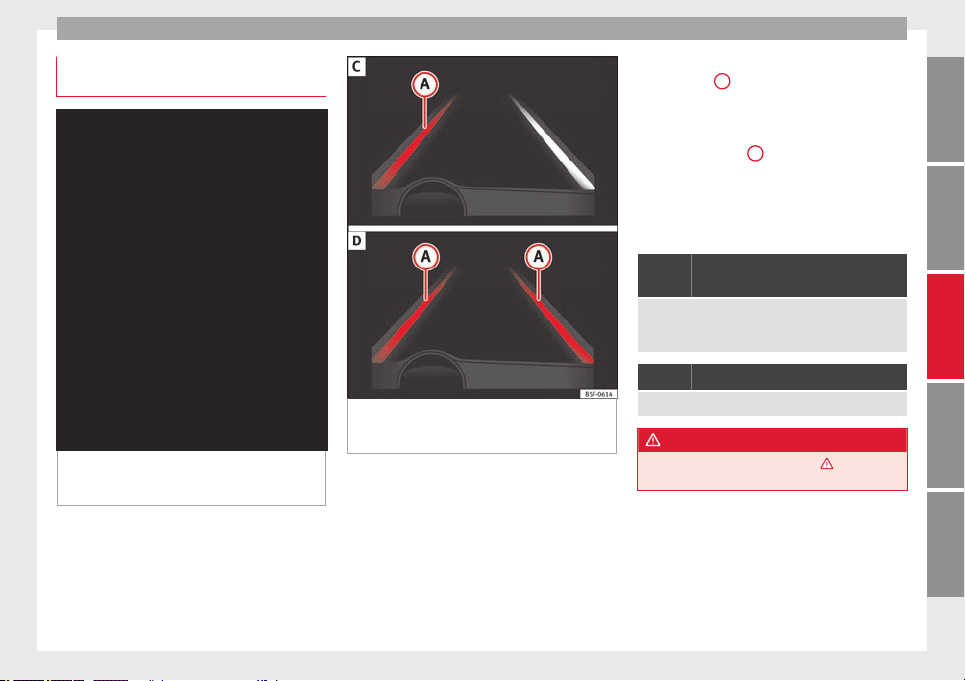
Driver assistance systems
Indication on the display and warning
lamps
Fig. 162 On the instrument panel display: In-
dication on the Lane Assist system display
(example 1).
Fig. 163 On the instrument panel display: In-
dication on the Lane Assist system display
(example 2).
Status display
The system is active, but not available,
either because the minimum speed has
not been reached or because the lane
lines are not recognised ››› Fig. 162
A
.
The system is active and available, both
lane lines are recognised. The steering
angle is not being corrected at this mo-
ment ››› Fig. 162 B.
–
–
The system is operational, the highligh-
ted line
A
indicates that there was a
risk of involuntarily crossing the lane
line and that the steering is being adjus-
ted to correct the angle ››› Fig. 163
C
.
The two lines
A
light up simultaneously
when both lane lines are recognised and
the Lane Assist function is active
››› Fig. 163
D
.
Control lamps
Blinks or lights up yellow: Lane Assist
active but not available.
The system can not accurately recognise the lane.
Please see page 168, the Lane Assist system is not
available (the control lamp is lit up yellow).
Blinks or lights up green:
Lane Assist system active and available.
WARNING
Observe the safety warnings ››› in Control
and warning lamps on page 71.
–
–
167
Technical specifications
AdviceOperationSafetyThe essentials
Operation
Operating mode
Fig. 164 In the windscreen: field of vision of
the Lane Assist system camera.
Using the camera located in the windscreen,
the Lane Assist system detects the possible
lines dividing the lanes. When the vehicle in-
voluntarily approaches a dividing line it has
detected, the system notifies the driver with
a
corrective steering movement.
Thi
s move-
ment can be over-regulated at any time.
No warning is produced with the turn signals
activated, given that the Lane Assist system
understands that a lane change is required.
Steering wheel vibration
The following situations cause vibration in
the steering wheel and require the driver to
take active control of driving:
●
When the limits of the very nature of the
system are reached.
●
When the maximum rotational torque dur-
ing the corrective steering movement is not
enough to keep the vehicle inside the lane.
●
When no lane is detected during the correc-
tive steering movement.
Switching the Lane Assist system on or off
Through the Easy Connect system
●
Push the Easy Connect button
CAR
●
Push the
Setup
function button
●
Press the function button
driver assistance
to
open the menu.
Alternatively:
through the driv
in
g assist but-
ton on the turn signal level*.
The Lane centring guide is activated/deactiva-
ted in the Easy Connect system using the
CAR
button and the button on the
Setup
function ››› page 81
.
Self
-de
activation: the Lane Assist system can
be automatically deactivated if there is a sys-
tem malfunction. The control lamp disap-
pears.
Hands-Off Function
●
If the driver does not exert any physical ac-
tion on the steering wheel for approximately
10 to 12 sec. the function deactivates.
●
Visual and audible warnings on the instru-
ment panel.
●
The function switches off 2 seconds after
the warning.
The lane assist system is active but it is not
available (the control lamp is lit up yellow)
●
When driving at speeds below 65 km/h (38
mph).
●
When the Lane Assist system does not de-
tect the dividing lines of the road. For exam-
ple, in the event warnings indicating road
works, and snow, dirt, moisture or reflec-
tions.
●
When the radius of a curve is too small.
●
When no road markings can be seen.
●
When the distance to the next marking to
too great.
●
When the system does not detect any clear
and active steering movement during a long
period of time.
●
Temporarily, in the event of very dynamic
driving styles.
●
If a turn signal is activated.
●
With the stability control system (ESC) in
Sport mode or switched off.
Note
●
Before starting a journey, verify that the
field of vision of the camera is not covered
››› Fig. 164.
●
Alw
ays keep the field of vision of the cam-
era clean.
168

Driver assistance systems
Switching off the Lane Assist system
in the following situations
Due to the limits of the Lane Assist system,
switch it off in the following situations:
●
When more attention is required of the
driver
●
When driving in a sporty style
●
In unfavourable weather conditions
●
On roads in poor condition
●
In areas of road works
Note
The Lane Assist system deactivates when
driving below 60 km/h (40 mph).
SEAT driving modes (SEAT Drive
Profile)*
Introduction
SEAT Drive Profile enables the driver to
choose between four profiles or modes,
Nor-
mal
,
Sport
,
Eco
and
Individual
, that modify the
behaviour of various vehicle functions, pro-
viding different driving experiences.
In the FR and X-PERIENCE models equipped
with dynamic chassis control and Navi Sys-
tem Plus, the
Comfort profile is also availa-
b
l
e.
In the Leon Cupra model the four profiles are
Comfort, Sport, Cupra and Individual.
The Individual profile can be configured ac-
cording to personal preferences. The other
profiles are fixed.
Description
Depending on the equipment fitted in the ve-
hicle, SEAT Drive Profile can operate on the
following functions:
Engine
Depending on the profile selected, the en-
gine responds more spontaneously or more
in harmony with the movements of the accel-
erator. Additionally, when
Eco
mode is selec-
ted, the Start-stop function is automatically
activated.
In vehicles with automatic transmission, the
gear change points are modified to position
them in lower or higher engine speed ranges.
Additionally, the
Eco
1)
mode activates the In-
ertia function, enabling consumption to be
further reduced.
In manual gearbox vehicles, Eco
1)
mode cau-
ses the gear change recommendation indica-
tions that appear on the instrument panel to
vary, facilitating more efficient driving.
Dynamic chassis control (DCC)
DCC continuously adapts the shock absorb-
ers to the condition of the road and current
driving conditions, according to the pre-set
programme.
In the event of a fault in the DCC, the follow-
ing message is displayed on the instrument
screen Fault: damping setting.
Address
Power steering becomes more robust in Sport
mode to enable a sportier driving style. In the
Leon Cupra the power steering becomes
more robust in Cupra mode.
Air conditioning
In vehicles with Climatronic, this can operate
in eco
1)
mode, especially restricting fuel con-
sumption.
»
1)
In the Leon Cupra model, Eco mode is selected
through the Individual profile.
169
Technical specifications
AdviceOperationSafetyThe essentials
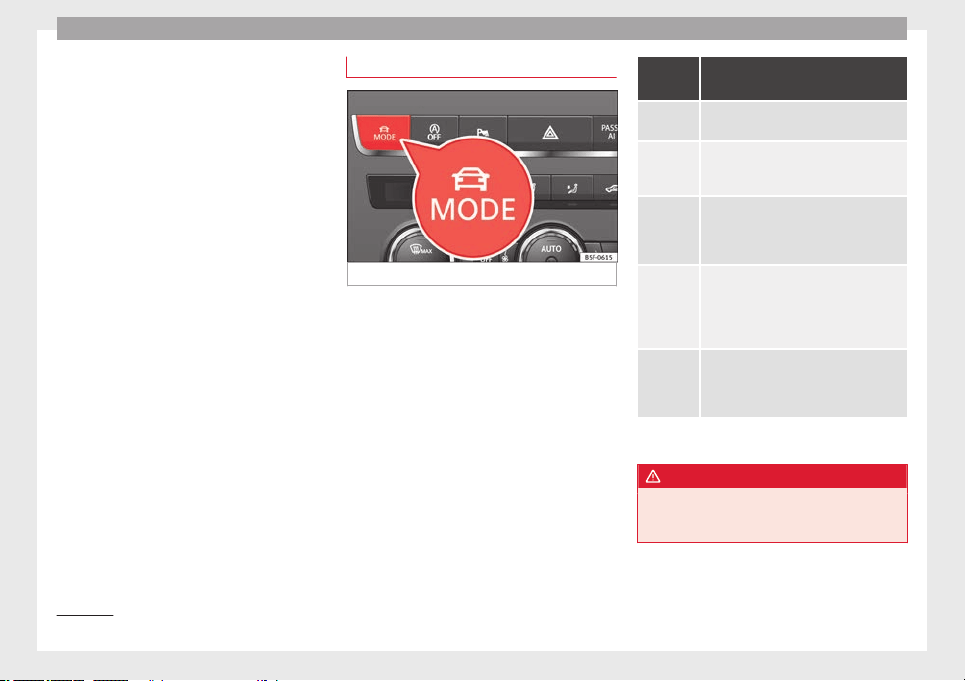
Operation
Ambient lighting
The ambient lighting guides located in the in-
terior front door panels of the Leon FR and
the Leon Cupra change colour from white to
red depending on the driving mode selected.
Adaptive Cruise Control (ACC)
1)
According to the active driving profile, the ac-
celeration gradient of the adaptive cruise
control varies.
Electronic self-locking differential
1)
The self-locking differential adapts its behav-
iour depending on the driving profile chosen.
Normal mode or Cupra mode can be selected
to prioritise improved traction in sport driv-
ing.
Setting driving mode
Fig. 165 Centre console: MODE button.
You can select from
Normal
,
Sport
,
Eco
and
In-
dividual
.
You can select the required mode either by
repeatedly pressing the button
MODE
›››
Fig. 165
, or on the touch screen, in the
menu th
at
opens when the above button is
pressed.
An icon on the Easy Connect system display
informs about the active mode.
The
MODE
button light remains lit up yellow
when the active mode is different to
Normal
.
Driving
profile
Characteristics
Normal
Offers a balanced driving experience, suit-
able for everyday use.
Sport
Provides a complete dynamic performance
in the vehicle, enabling the user a more
sporty driving style.
Eco
Places the vehicle in a particularly low
state of consumption, facilitating a fuel-
saving driving style that is respectful to
the environment.
Individual
Enables some configurations to be modi-
fied by pressing the Profile settings but-
ton. The functions that can be adjusted
depend on the equipment fitted in the ve-
hicle.
Conven-
ience
a)
It permits more relaxed and comfortable
driving, for example for long motorway
journeys. Its main characteristic is the soft
suspension setting (DCC).
a)
Only for FR and X-PERIENCE models equipped with dynamic
chassis control and Navi System Plus.
WARNING
When operating SEAT Drive Profile, pay atten-
tion to all traffic: doing otherwise could cause
an accident.
1)
Applies to the Leon Cupra model.
170
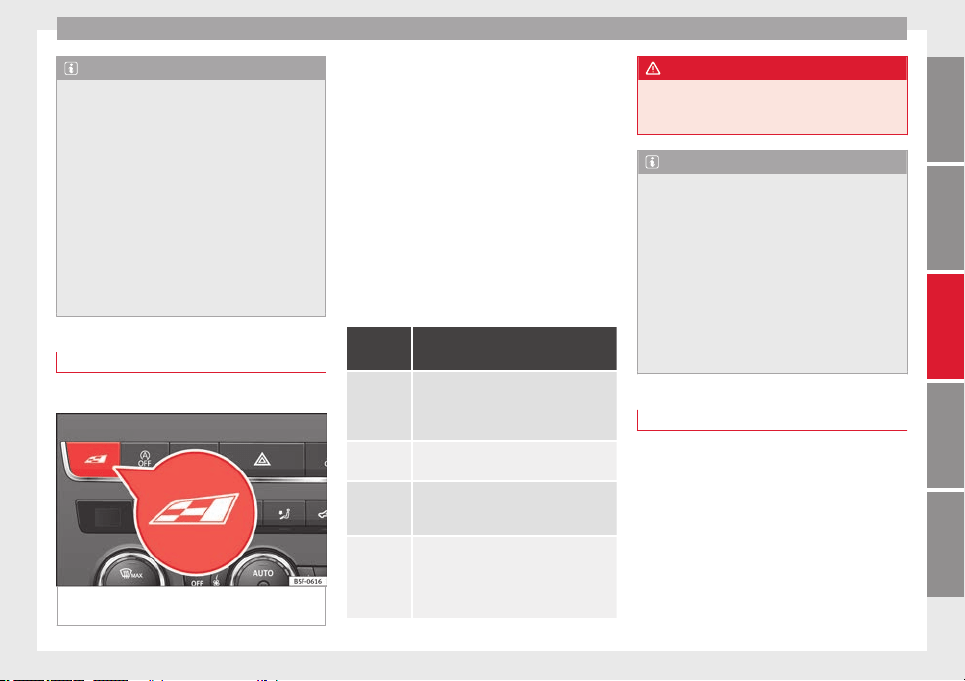
Driver assistance systems
Note
●
When the vehicle is switched off it will al-
ways store the driving profile that was selec-
ted when the ignition key was removed. Nev-
ertheless, when the engine is restarted the
engine and the gear will not restart in its
sportier mode in order to save fuel. For en-
gine and gear to revert to a sportier mode,
select the corresponding driving profile again
on the Easy Connect system screen.
●
Your speed and driving style must always
be adjusted to visibility, weather, and traffic
conditions.
●
The eco mode is not available when towing
a trai
ler.
Setting driving mode
3 Applies to the model: Leon Cupra
Fig. 166 Centre console: Cupra Drive Profile
button.
You can select from Convenience, Sport
,
Cupra
and
Individual.
Cupra Drive Profile button
You can select the required mode either by
repeatedly pressing the button with the Cu-
pra logotype ››› Fig. 166, or on the touch
screen, in the menu that opens when the
above button is pressed.
An icon on the Easy Connect system display
informs about the active mode.
The light of the button with the Cupra logo-
type remains lit up only when the Cupra pro-
file is active.
Driving
profile
Characteristics
Conven-
ience
It permits more relaxed and comfortable
driving, for example for long motorway
journeys. Its main characteristic is the
soft suspension setting (DCC).
Sport
It represents the vehicle's default behav-
iour, suitable for dynamic driving.
Cupra
It gives the vehicle a decidedly sportier
nature, and makes for maximum perform-
ance.
Individual
Enables some configurations to be modi-
fied by pressing the Profile settings but-
ton. The functions that can be adjusted
depend on the equipment fitted in the ve-
hicle.
WARNING
When operating SEAT Drive Profile, pay atten-
tion to all traffic: doing otherwise could cause
an accident.
Note
●
When the vehicle is switched off it will al-
ways store the driving profile that was selec-
ted when the ignition key was removed. Nev-
ertheless, when the engine is restarted the
engine and the gear will not restart in its
sportier mode in order to save fuel. For en-
gine and gear to revert to a sportier mode,
select the corresponding driving profile again
on the Easy Connect system screen.
●
Your speed and driving style must always
be adjusted to visibility, weather, and traffic
conditions.
Kick-down
The kick-down feature allows maximum ac-
celeration to be reached.
If the
eco
*
›››
page 170
mode has been selec-
t
ed in S
EAT Drive Profile*, and the accelerator
is pressed beyond a hard point, the engine
power is automatically controlled to give your
vehicle maximum acceleration.
»
171
Technical specifications
AdviceOperationSafetyThe essentials
Operation
WARNING
Please note that if the road surface is slip-
pery or wet, the kick-down feature could
cause the driving wheels to spin, which could
result in skidding.
Tiredness detection (break
recommendation)*
Introduction
The Tiredness detection informs the driver
when their driving behaviour shows signs of
fatigue.
WARNING
Do not let the comfort afforded by the Tired-
ness detection system tempt you into taking
any risks when driving. Take regular breaks,
sufficient in length when making long jour-
neys.
●
The driver always assumes the responsibil-
ity of driving to their full capacity.
●
Never drive if you are tired.
●
The system does not detect the tiredness of
the driver in all circumstances. Consult the in-
formation in the section ››› page 172, System
limitations.
●
In some sit
uations, the system may incor-
rectly interpret an intended driving manoeu-
vre as driver tiredness.
●
No warning is given in the event of the ef-
fect called microsleep!
●
Please observe the indications on the in-
strument panel and act as is necessary.
Note
●
Tiredness detection has been developed for
driving on motorways and well paved roads
only.
●
If there is a fault in the system, have it
checked by a specialised workshop.
Function and operation
Fig. 167 On the instrument panel display:
tiredness detection symbol.
Tiredness detection determines the driving
behaviour of the driver when starting a jour-
ney, making a calculation of tiredness. This is
constantly compared with the current driving
behaviour. If the system detects that the driv-
er is tired, an audible warning is given with a
sound and an optic warning is shown with a
symbol and complementary message on the
instrument panel display ››› Fig. 167
. The
me
s
sage on the instrument panel display is
shown for approximately 5 seconds, and de-
pending on the case, is repeated. The system
stores the last message displayed.
The message on the instrument panel display
can be switched off by pressing the
button on the windscreen wiper lever or the
button
on the multi function steering
wheel ››› page 72
.
The me
s
sage can be recalled to the instru-
ment panel display using the multifunction
display ››› page 72.
Conditions of operation
Driving behaviour is only calculated on
speeds above about 65 km/h (40 mph) up to
around 200 km/h (125 mph).
Switching on and off
Tiredness detection can be activated or deac-
tivated in the Easy Connect system with the
button
and the function button
››› page 81
. A mark indicates that the adjust-
ment
h
as been activated.
System limitations
The Tiredness detection has certain limita-
tions inherent to the system. The following
172
Driver assistance systems
conditions can limit the Tiredness detection
or prevent it from functioning.
●
At speeds below 65 km/h (40 mph)
●
At speeds above 200 km/h (125 mph)
●
When cornering
●
On roads in poor condition
●
In unfavourable weather conditions
●
When a sporty driving style is employed
●
In the event of a serious distraction to the
driver
Tiredness detection will be restored when the
vehicle is stopped for more than 15 minutes,
when the ignition is switched off or when the
driver has unbuckled their seat belt and
opened the door.
In the event of slow driving during a long pe-
riod of time (below 65 km/h (40 mph) the
system automatically re-establishes the tired-
ness calculation. When driving at a faster
speed the driving behaviour will be recalcula-
ted.
Parking aid
General information
Various systems are available to help you
when parking or manoeuvring in tight
spaces, depending on the equipment fitted
on your vehicle.
The
rear parking aid
is an audible assistant
th
at warns about obstacles located behind
the vehicle ››› page 174.
During parking, the parking system plus as-
sists you visually and audibly about obsta-
cles detected in front and behind the vehicle
››› page 174.
WARNING
●
Always pay attention, also when looking
straight ahead, to traffic and the vehicle sur-
roundings. The assistance systems are not a
replacement for driver awareness. When in-
serting or removing the vehicle from a park-
ing space, or when performing similar ma-
noeuvres the driver always assumes the re-
sponsibility.
●
Take into account that the system is not al-
ways in conditions to recognise or represent
certain surfaces, such as dress fabric: Risk of
causing an accident!
●
The sensors and cameras have blind spots,
making the detection of people and objects
impossible. Pay special attention to children
and animals: Risk of causing an accident!
●
Always keep visual control of the vehicle
surroundings: use the rear vision mirrors for
additional help.
CAUTION
●
Under certain circumstances, the system
does not detect or display certain objects:
–
Objects such as snow chains, trailer draw
bars, bars or fences.
–
Objects that are located above the sen-
sors, such as protrusions in a wall.
–
Objects with certain surfaces or struc-
tures, such as wire mesh fences or pow-
der snow.
●
Please note that low obstacles detected by
the system may no longer be registered by
the sensors as the car moves closer, so the
system will not give any further warning. In
certain circumstances, objects such as high
kerbs that could damage the bottom of the
vehicle are not detected either.
●
If the first warning from the Park Pilot is ig-
nored, the vehicle could suffer considerable
damage.
●
The knocks or damage on the radiator
grille, bumper, wheel arch and vehicle under-
body can adjust the orientation of the sen-
sors. This can affect the parking aid function.
Have the function checked by a specialised
workshop.
Note
●
In certain situations, the system can give a
warning even though there is no obstacle in
the detected area, e.g:
»
173
Technical specifications
AdviceOperationSafetyThe essentials
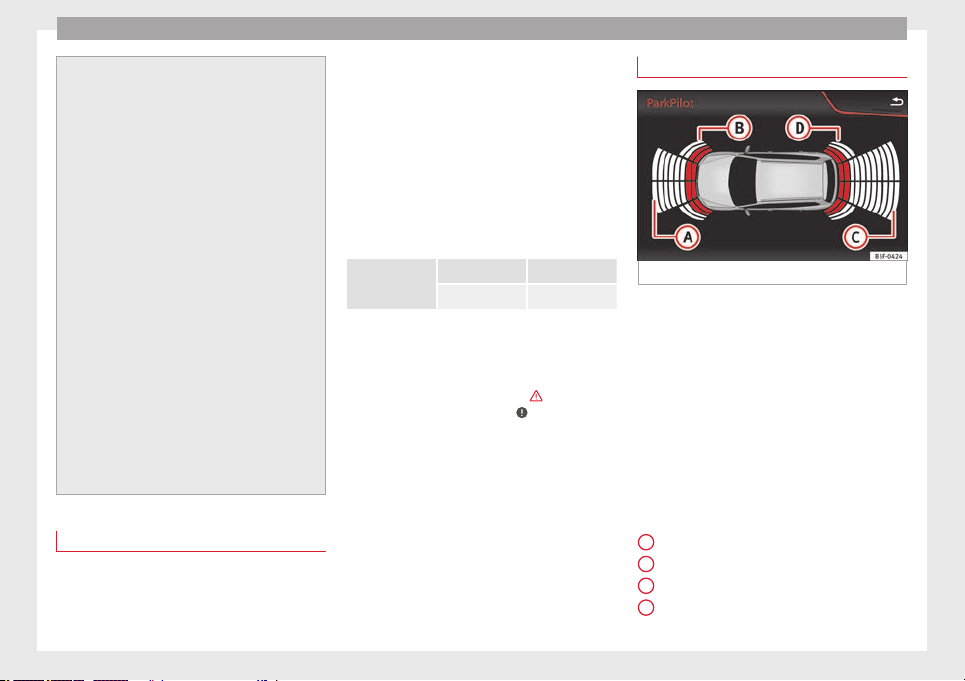
Operation
–
for roads with certain surfaces, or with
long grass,
–
for external ultrasound sources, such as
cleaning vehicles,
–
In downpours, intense snow or dense ex-
haust gases
●
In order to familiarise yourself with the sys-
tem, it is advised that you practice parking in
an area or car park that is free from traffic.
There must be good weather and light condi-
tions.
●
The volume and tone of the warnings can
be modified, in addition to the indications
››› page 176.
●
In v
ehicles without a driver information
system, these parameters can be modified in
a SEAT Official Service or in a specialised
workshop.
●
Please observe information on towing a
trailer ››› page 177.
●
The display on the Easy Connect screen
shows a slight time delay.
●
To ensure that the parking aid works prop-
erly, the sensors must be kept clean and free
of ice and snow.
Rear parking aid*
The rear parking aid is an audible assistant.
Description
There are sensors integrated in the rear
bumper. When the sensors detect an obsta-
cle, you are alerted by audible warnings.
Make sure that the sensors are not covered
by adhesives, residues and the like, given
that this could affect the system operation.
Cleaning instructions ››› page 185.
The approximate measurement range of the
sensors is:
rear
side 0.90 m
centre 1.60 m
As you approach the obstacle, the time inter-
val between the audible warnings will be re-
duced. When you reach around 0.30 m the
warning will be constant: Do not continue to
move forward (or backward)
›››
in General
information on page 173
,
›
›
›
in General in-
formation on page 173 !
If you maintain separation from the obstacle,
the volume of the warning begins to reduce
after four seconds (does not affect the tone
of the constant warning).
Activate
When engaging reverse gear, the parking aid
is automatically switched on. This is con-
firmed with a short warning.
Parking system plus*
Fig. 168 Represented area.
Parking system plus assists you audibly and
visually when parking.
There are sensors integrated in the front and
rear bumpers. When the sensors detect an
obstacle, audible and visual warnings are
given.
Make sure that the sensors are not covered
by adhesives, residues and the like, given
that this could affect the system operation.
Cleaning instructions ››› page 185.
The approximate measurement range of the
sensors is:
1.20 m
0.90 m
1.60 m
0.90 m
A
B
C
D
174
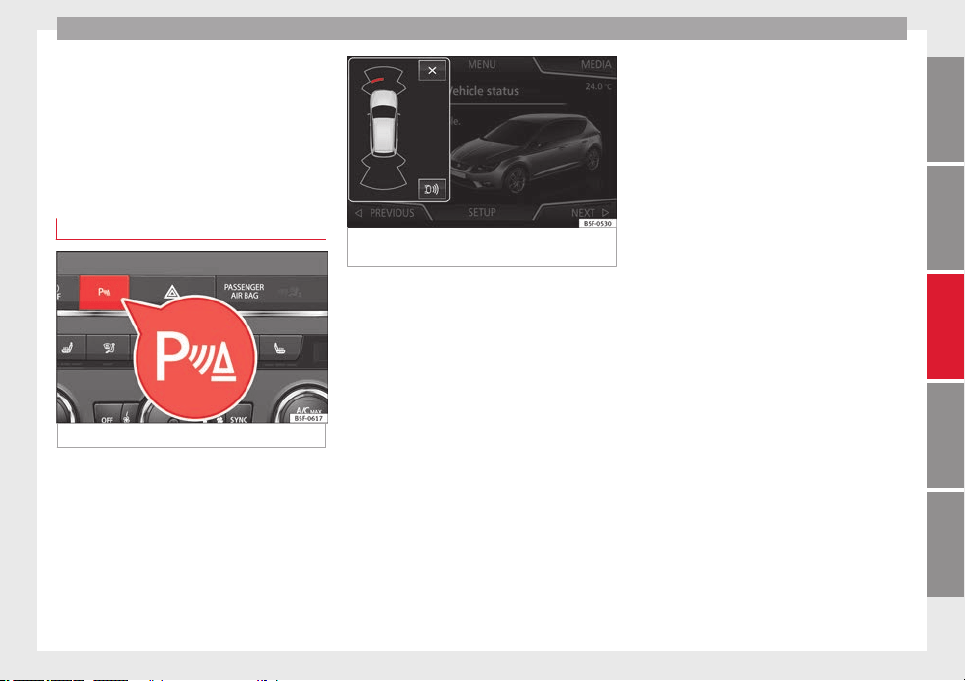
Driver assistance systems
As you approach the obstacle, the time inter-
val between the audible warnings will be re-
duced.
If you maintain separation from the obstacle,
the volume of the warning begins to reduce
after four seconds (does not affect the tone
of the constant warning).
Activating/Deactivating
Fig. 169 Centre console: parking aid button.
Fig. 170 Miniature indication of automatic ac-
tivation
Switching on
–
Engage reverse gear or
–
Press the switch in the centre console
››› Fig. 169
. A short confirmation signal will
be he
ar
d and the button symbol will light
up yellow.
With certain equipment (Adaptive Cruise Con-
trol - ACC), the system will be activated auto-
matically when the vehicle reverses for a cer-
tain distance (about 10 cm if an obstacle is
detected in the rear area and about 20 cm if
no obstacle is detected in the rear area).
Switching off
–
Drive forwards at more than 10 km/h (6
mph), or
–
Press the button, or
–
switch the ignition off.
Segments of the visual indication
The distance of separation from the obstacle
can be estimated using the segments around
the vehicle.
The graphic display of the segments varies
according to the vehicle's equipment:
The yellow trail indi-
cates the vehicle's expected journey
based on the steering wheel angle. A
white segment is displayed when the
obstacle is not within the vehicle's tra-
jectory or the direction of travel would
avoid it entering the vehicle's trajectory.
If the obstacle is within the vehicle’s tra-
jectory, a yellow segment is displayed
(at a distance of more than 30 cm) or a
red segment (at a distance of less than
30 cm) at the same time as the corre-
sponding audible warning sounds.
The
yellow trail indicates the vehicle's ex-
pected journey based on the steering
wheel angle. A white segment is dis-
played when the obstacle is not within
the vehicle's trajectory or the direction
of travel would avoid it entering the ve-
hicle's trajectory. If the obstacle is with-
in the vehicle’s trajectory, a red segment
is displayed at the same time as the cor-
responding audible warning sounds.
»
SEAT Navi System Plus:
SEAT Media System Plus/Navi System:
175
Technical specifications
AdviceOperationSafetyThe essentials
Operation
In this
equipment, a visual display of the vehi-
cle’s trajectory is not available. In any
event, a
white
segment is displayed if
ther
e is an obstacle at a distance of
more than 30 cm. A red segment is dis-
played if there is an obstacle at a dis-
tance of less than 30 cm from the vehi-
cle. Whenever the obstacle is located in
the vehicle’s direction of travel, the cor-
responding audible warning will sound.
As the vehicle approaches an obstacle, the
segments are displayed closer to the vehicle.
When the penultimate segment is displayed,
this means that the vehicle has reached the
collision zone. In the collision zone, the ob-
stacles are represented in red, including
those out of the path. Do not continue to
move forward (or backward) ›››
in General
information on page 173
, ›
›› in General in-
formation on page 173 !
Automatic activation
When the parking aid (ParkPilot) is automati-
cally switched on, a miniature image of the
vehicle and segments will appear on the left
side of the display ››› Fig. 170
.
Aut
om
atic activation occurs when slowly ap-
proaching an obstacle located in front of the
SEAT Media System Touch/Colour: vehicle. It only operates every time the speed
is reduced below approximately 10 km/h (6
mph) for the first time. If the parking aid is
switched off using the button, the follow-
ing actions must be carried out in order for it
to automatically switch on:
●
Switch off the ignition and switch it on
again.
●
OR: accelerate above 10 km/h (6 mph) be-
fore reducing speed below this number
again.
●
OR: place the selector lever in position P
and then move it from this position.
●
OR: switch on and off the automatic activa-
tion in the Easy Connect system menu.
The automatic activation with parking aid
miniature indication can be switched on and
off from the Easy Connect system menu
›››
page 17:
●
Switch the ignition on.
●
Press button
.
●
Press the
Setup
function button.
●
Press the
Parking and Manoeuvring
function
button.
●
Select the parking aid (ParkPilot) from the
list.
●
Automatic activation.
When the function button check box is activa-
ted
, the f
unction is on.
Adju
sting the display and audible
warnings
The settings for the display and audible
warnings are controlled via the Easy Con-
nect*.
–
Select:
CAR
button > Settings > Parking and
manoeuvring ›››
page 17.
Park Pilot activated
1)
on – the parking aid remains activated.
off – the parking aid remains deactivated
whilst the ignition is on. Once the ignition
has been switched off, the system will reacti-
vate automatically.
Automatic activation
on
– activates the
Automatic activation
op-
tion
›››
page 176
.
off
– de
activ
ates the
Automatic activation
option
›››
page 176.
1)
Only available with certain equipment: Navi Sys-
tem Plus.
176

Towing bracket device
Front volume
Volume in the front and rear area.
Front sound settings/sharpness
Frequency (tone) of the sound in the front
area.
Rear volume
Volume in the rear area.
Rear sound settings/sharpness
Frequency (tone) of the sound in the rear
area.
Adjust volume
With the parking aid switched on, the active
audio/video source volume will be reduced
to the intensity of the selected setting.
You will hear a short test tone from the corre-
sponding speaker each time you make a new
setting.
Error messages
When the parking aid is activated or when
switching it on, if a continuous warning can
be heard over several seconds (additionally,
in the case of Parking system plus the LED of
the button flashes), there is a fault in the
system. If the fault does not disappear before
switching off the ignition, the next time the
parking aid is switched on by engaging re-
verse gear the fault will only be indicated
with the flashing LED on the
b
utton.
P
arking system plus*
If there is a fault in a sensor, the symbol is
displayed on the Easy Connect display in
front of/behind the vehicle. If a rear sensor is
faulty, only the obstacles in the areas
A
and
B
are displayed ››› Fig. 168
. If a front sensor
i
s
faulty, only the obstacles in the areas
C
and
D
are displayed.
Have the fault corrected by a specialised
workshop without delay.
Towing bracket
If the trailer power socket is occupied, the
rear parking aid sensors will not activate
when reverse gear is engaged, or when the
button is pressed. This function may not
be covered under warranty if the towing
bracket is not factory-fitted. This causes the
following limitations:
Parking system plus*
There will be no warning about the presence
of obstacles in the rear area. The monitoring
in the front area remains active. The optical
display changes to towing mode.
Towing bracket device
Trailer towing
What do you need to bear in mind
when towing a trailer?
Your vehicle may be used to tow a trailer
when fitted with the correct equipment.
If you wish to retrofit a towing bracket, con-
su
lt ››› page 180.
Connectors
Your vehicle is fitted with a 13-pin connector
for the electrical connection between the
trailer and the vehicle.
If the trailer has a 7-pin plug you will need to
use an a
dapter cable. It is available at any
Technical Service.
Trailer weight/drawbar load
Never exceed the authorised trailer weight. If
you do not load the trailer up to the maxi-
mum permitted trailer weight, you can then
climb correspondingly steeper slopes.
The maximum trailer weights listed are only
applicable for altitudes up to 1000 m above
sea level. With increasing altitude the engine
power and therefore the vehicle climbing
ability are impaired because of the reduced
air density. The maximum trailer weight has
»
177
Technical specifications
AdviceOperationSafetyThe essentials
Operation
to be reduced accordingly. The weight of the
vehicle and trailer combination must be re-
duced by 10% for every further 1000 m (or
part thereof). The gross combination weight
is the actual weight of the laden vehicle plus
the actual weight of the laden trailer. When
possible, operate the trailer with the maxi-
mum permitted
drawbar load on the ball joint
of
the t
owing bracket, but do not exceed the
specified limit.
The figures for trailer weights and drawbar
loads that are given on the data plate of the
towing bracket are for certification purposes
only. The correct figures for your specific
model, which may be lower than these fig-
ures for the towing bracket, are given in the
vehicle documentation or in ››› chapter Tech-
nical Data.
Distributing the load
Distribute loads in the trailer so that heavy
objects are as near to the axle as possible.
Loads carried in the trailer must be secured
to prevent them moving.
Tyre pressure
Set tyre pressure to the maximum permissi-
ble pressure shown on the sticker on the in-
side of the fuel tank flap. Set the tyre pres-
sure of the trailer tyres in accordance with the
trailer manufacturer's recommendations.
Exterior mirrors
Check whether you can see enough of the
road behind the trailer with the standard rear
vision mirrors. If this is not the case, you
should have additional exterior mirrors fitted.
Both exterior mirrors should be mounted on
hinged extension brackets. Adjust the mirrors
to give sufficient vision to the rear.
Tow rope
Always use a cable between the vehicle and
the trailer ››› page 178.
Trailer rear lights
The trailer's rear lights should comply with
the statutory safety regulations ››› page 178.
WARNING
Never transport people in a trailer. This could
result in fatal accidents.
Note
●
Towing a trailer places additional demands
on the vehicle. We recommend additional
services between the normal inspection inter-
vals if the vehicle is used frequently for tow-
ing a trailer.
●
Find out whether special regulations apply
to towing a trailer in your country.
Hitching and connecting the trailer
Fig. 171 Schematic diagram: assignment of
the pins of the trailer's electrical socket.
Key of the Schematic diagram ››› Fig. 171:
Pin Meaning
1 Left turn signal
2 Rear fog light
3 Earth, pins 1, 2, 4 to 8
4 Right turn signal
5 Tail light, right
6 Brake lights
7 Tail light, left
8 Reverse lights
9 Permanent live
10 Cable without positive charge
11 Earth, pin 10
178
Towing bracket device
Key of the Schematic diagram ››› Fig. 171:
Pin Meaning
12 Unassigned
13 Earth, pin 9
Electrical socket for trailer
The vehicle is fitted with a 13-pole power
socket for the electrical connection between
the trailer and the vehicle. If the system de-
tects that a trailer has been connected elec-
trically, the electrical equipment on the trailer
will receive voltage through this connection.
Pin 9 has a permanent live. This powers, for
example, the trailer's interior lighting. Pin 10
is only powered when the engine is running.
The charge wire (pin 10) charges, for exam-
ple, a caravan battery.
Pin 9 and 10 should not be connected to
each other to avoid discharging or damaging
the vehicle's battery.
The earth wires, pin 3, pin 11 and pin 13,
should never be connected to each other to
avoid overloading the electrical system.
If the trailer has a 7-contact connector, you
will need to use an adapter cable. In this case
the function corresponding to pin 10 will not
be available.
Trailer maximum electricity consumption
Brake lights (total) 84 Watts
Turn signal, on each side 42 Watts
Side lights (total) 100 Watts
Rear lights (total) 42 Watts
Rear fog light 42 Watts
Never exceed the values indicated!
Note
●
If the rear lights of the trailer are not cor-
rectly connected, the vehicle electronics may
be damaged.
●
If the trailer absorbs excessive electric cur-
rent, the vehicle electronics may be dam-
aged.
●
Never connect the trailer's electric system
directly to the electrical connections of the
tail lights or any other power sources. Only
use the connections intended for providing
electric current to the trailer.
Ball coupling of towing bracket*
The ball coupling is provided with instruc-
tions on fitting and removing the ball cou-
pling of the towing bracket.
WARNING
The towing bracket ball coupling must be
stored securely in the luggage compartment
to prevent them being flung through the vehi-
cle and causing injury.
Note
●
By law, the ball coupling must be removed
if a trailer is not being towed if it obscures
the number plate.
Driving tips
Driving with a trailer always requires extra
care.
Weight distribution
The weight distribution of a loaded trailer
with an unladen vehicle is very unfavourable.
However, if this cannot be avoided, drive ex-
tra slowly to allow for the unbalanced weight
distribution.
Speed
The stability of the vehicle and trailer is re-
duced with increasing speed. For this reason,
it is advisable not to drive at the maximum
permissible speed in an unfavourable road,
weather or wind conditions. This applies es-
pecially when driving downhill.
»
179
Technical specifications
AdviceOperationSafetyThe essentials
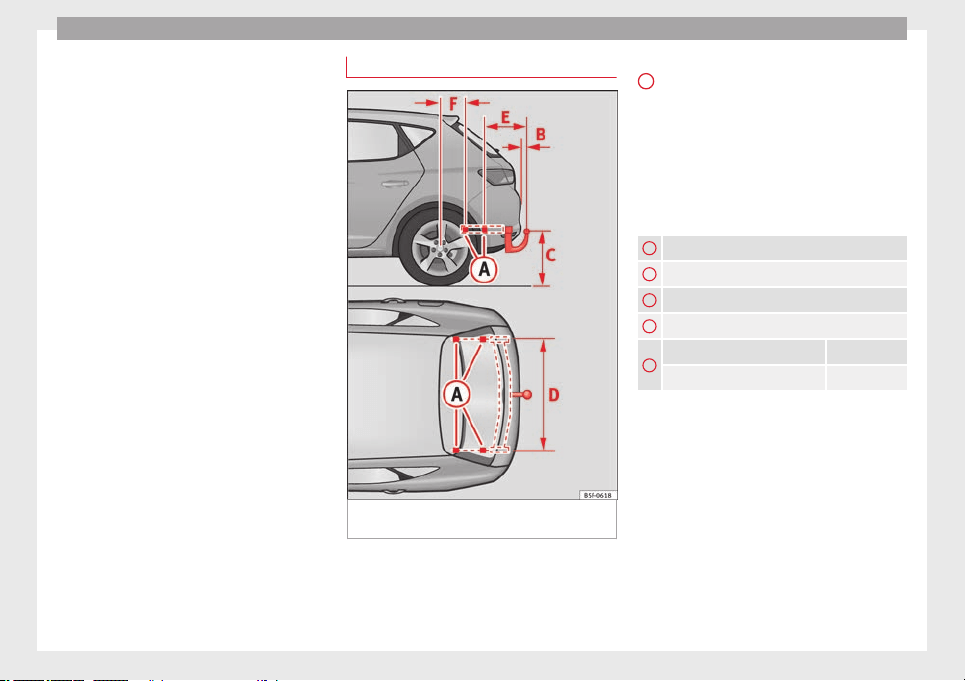
Operation
You should always reduce speed immediately
if the trailer shows the slightest sign of snak-
ing
. Never try to stop the “snaking” by in-
c
r
easing speed.
Always brake in due course. If the trailer has
an overrun brake, apply the brakes gently at
first and then, firmly. This will prevent the
jerking that can be caused by locking of trail-
er wheels. Select a low gear in due course
before going down a steep downhill. This en-
ables you to use the engine braking to slow
down the vehicle.
Reheating
At very high temperatures and during pro-
longed slopes, driving in a low gear and high
engine speed, always monitor the coolant
temperature gauge ››› page 71.
Electronic stability control*
The ESC* system helps to stabilise the trailer
in case of skidding or rocking.
Retrofitting a towing bracket*
Fig. 172 Attachment points for towing brack-
et.
If a towing bracket is to be fitted after the ve-
hicle is purchased, this must be completed
according to the instructions of the towing
bracket manufacturer.
The attachment points for the towing bracket
A
are on the lower part of the vehicle.
The distance between the centre of the ball
coupling and the ground should never be
lower than the indicated value, even with a
fully loaded vehicle and including the maxi-
mum drawbar load.
Elevation values for securing the towing
bracket:
B
65 mm (minimum)
C
350 mm to 420 mm (fully laden vehicle)
D
1040 mm
E
317 mm
F
LEON/LEON SC LEON ST
319 mm 596 mm
Fitting a towing bracket
●
Driving with a trailer involves an extra effort
for the vehicle. Therefore, before fitting a
towing bracket, please contact a Technical
Service to check whether your cooling system
needs modification.
●
The legal requirements in your country
must be observed (e.g. the fitting of a sepa-
rate control lamp).
●
Certain vehicle components, e.g. the rear
bumper, must be removed and reinstalled.
The towing bracket securing bolts must be
180
Towing bracket device
tightened using a torque wrench, and a pow-
er socket must be connected to the vehicle
electrical system. This requires specialised
knowledge and tools.
●
Figures in the illustration show the eleva-
tion value and the attachment points which
must be considered if you are retrofitting a
towing bracket.
WARNING
The towing brackets should be fitted at a spe-
cialised workshop.
●
If the towing bracket is incorrectly instal-
led, there is a serious danger of accident.
●
For your own safety, please observe the tow
bracket manufacturer's instructions.
CAUTION
●
If the power socket is incorrectly installed,
this could cause damage to the vehicle elec-
trical system.
Note
●
SEAT recommends that the towing hooks
be fitted at a specialised workshop. Consult
your SEAT dealer in case additional modifica-
tions to your vehicle are necessary.
●
Due to the specific design of the exhaust,
the fitting of a conventional towing hook is
not recommended for some sportier versions.
Please consult your Technical Service.
181
Technical specifications
AdviceOperationSafetyThe essentials
Advice
Advice
Care and maintenance
Accessories and modifications
to the vehicle
Accessories, replacement parts and
repairs
Always ask your dealer or specialist retailer
for advice before purchasing accessories and
replacement parts.
Your vehicle is designed to offer a high
standard of active and passive safety. For this
reason, we recommend that you ask a SEAT
Official Service for advice before fitting ac-
cessories or replacement parts. Your SEAT Of-
ficial Service has the latest information from
the manufacturer and can recommend acces-
sories and replacement parts which are suita-
ble for your requirements. They can also an-
swer any questions you might have regarding
official regulations.
We recommend you to use only SEAT acces-
sories
and
Genuine SEAT parts
®
.
SEAT has
tested these parts and accessories for suita-
bility, reliability and safety. SEAT Official
Services have the necessary experience and
facilities to ensure that the parts are installed
correctly and professionally.
Any retro-fitted equipment which has a direct
effect on the vehicle and/or the way it is driv-
en, such as a cruise control system or elec-
tronically-controlled suspension, must be
approved for use in your vehicle and bear the
e mark (the European Union's authorisation
symbol).
If any additional electrical devices are fitted
which do not serve to control the vehicle it-
self (for instance a refrigerator box, laptop or
ventilator fan, etc.), they must bear the
sign (manufacturer conformity declaration in
the European Union).
WARNING
Accessories, for example telephone holders
or cup holders, should never be fitted on the
covers, or within the working range of the air-
bags. Otherwise, there is a danger of injury if
the airbag is triggered in an accident.
Technical modifications
Modifications must always be carried out ac-
cording to our specifications.
Unauthorised modifications to the electronic
components, software, wiring or data transfer
in the vehicle may cause malfunctioning. Due
to the way the electronic components are
linked together in networks, other indirect
systems may be affected by the faults. This
can seriously impair safety, lead to excessive
wear of components, and also invalidate your
vehicle registration documents.
You will appreciate that your SEAT dealership
cannot be held liable for any damage caused
by modifications and/or work performed in-
correctly.
We therefore recommend that all work should
be performed by a SEAT Official Service using
genuine SEAT parts
®
.
WARNING
Incorrectly performed modifications or other
work on your vehicle can lead to malfunctions
and cause accidents.
Two-way radios and office equipment
Radio transmitters (fixed installation)
Any retrofit installations of radio transmitters
in the vehicle require prior approval. SEAT
generally authorises in-vehicle installations
of approved types of radio transmitters provi-
ded that:
●
The aerial is installed correctly.
●
The aerial is installed on the exterior of the
vehicle (and shielded cables are used togeth-
er with non-reflective aerial trimming).
●
The effective transmitting power does not
exceed 10 Watts at the aerial base.
182
Care and maintenance
A SEAT Official Service and specialised work-
shop will be able to inform you about options
for installing and operating radio transmitters
with a
higher
transmitting power.
Mo
bile radio transmitters
Commercial mobile telephones or radio
equipment might interfere with the electron-
ics of your vehicle and cause malfunctions.
This may be due to:
●
No external aerial.
●
External aerial incorrectly installed.
●
Transmitting power more than 10 W.
You must, therefore, do not operate portable
mobile telephones or radio equipment inside
the vehicle without a properly installed exter-
nal aerial ›››
.
Please note also that the maximum range of
the equipment can only be achieved with an
external
aerial.
B
u
siness equipment
Retrofit installation of business or private
equipment in the vehicle is permitted, provi-
ded the equipment cannot interfere with the
driver's immediate control of the vehicle and
that any such equipment carries the mark.
Any retrofit equipment that could influence
the driver's control of the vehicle must have a
type approval for your vehicle and must carry
the e mark.
WARNING
Mobile telephones or radio equipment which
is operated inside the vehicle without a prop-
erly installed external aerial can create exces-
sive magnetic fields that could cause a health
hazard.
Note
●
The posterior fitting of electric and elec-
tronic equipment in this vehicle affects its li-
cence and could lead to the withdrawal of the
vehicle registration document under certain
circumstances.
●
Please use the mobile telephone/radio op-
erating instructions.
Care and cleaning
General information
Regular and careful care helps to maintain
the value of the vehicle. This may also be one
of the requirements for upholding any war-
ranty claims in the event of corrosion or paint
defects.
SEAT Official Services and specialist retailers
carry stocks of suitable car care materials.
Please follow the instructions for use on the
packaging.
WARNING
●
Cleaning products and other materials used
for car care can be damaging to your health if
misused.
●
Always keep care products in a safe place,
out of the reach of children. Failure to comply
could result in poisoning.
For the sake of the environment
●
If possible, use environmentally friendly
products.
●
The remains of car care products should not
be disposed of with ordinary household
waste.
Vehicle exterior care
Washing the vehicle
The longer substances such as insects, bird
droppings, resinous tree sap, road dirt, in-
dustrial deposits, tar, soot or road salt and
other aggressive materials remain on the ve-
hicle, the more damage they do to the paint-
work. High temperatures (for instance due to
strong sunlight) further intensify the corro-
sive effect.
After the period when salt is put on the roads
it is important to have the underside of the
vehicle washed thoroughly.
»
183
Technical specifications
AdviceOperationSafetyThe essentials
Advice
Automatic car washes
Before going through a car wash, be sure to
take the usual precautions such as closing
the windows and roof. If the vehicle has spe-
cial accessories such as spoilers or a roof
rack or two-way radio aerial, etc., it is advisa-
ble to consult the car wash tunnel operator.
It is best to use a car wash without revolving
bristles if possible.
Washing the vehicle with a high pressure
cleaner
When washing the vehicle with a high-pres-
sure cleaner, always follow the operating in-
structions for the equipment. This applies
particularly to the operating pressure and the
spraying distance
. Do not hold the nozzle too
c
lo
se to soft materials such as rubber hoses
or seals. The same applies to the parking aid
sensors*, which are located in the rear bump-
er.
Do not use a nozzle that sprays the water out
in a direct stream or one that has a rotating
jet for forcing off dirt.
Washing the car by hand
When washing the car by hand, use plenty of
water to soften the dirt first, and rinse off as
well as possible.
Then clean the vehicle with a soft sponge,
glove or brush using only slight pressure.
You should start on the roof and work down.
Special car soap should only be used for very
persistent dirt.
Rinse the sponge or glove thoroughly and of-
ten.
Wheels, sills and similar should be cleaned
last. Use a second sponge for this.
WARNING
●
The vehicle should only be washed with the
ignition switched off. Failure to follow this in-
struction could result in an accident.
●
Do not clean the underside of chassis, the
inside of wheel arches or wheel trims without
protecting your hands and arms. You may cut
yourself on sharp-edged metal parts. Other-
wise, there is a risk of sustaining cuts.
●
When washing the car during the winter
season: water and ice in the brake system
can reduce braking effectiveness: risk of acci-
dent!
CAUTION
●
Do not wash the vehicle in direct sunlight –
otherwise the paint can be damaged.
●
Do not use sponges, abrasive household
sponges or similar to clean insect remains.
This could damage the surface.
●
Clean off stubborn dirt (insects, etc.) from
the headlights at regular intervals, for in-
stance when filling the fuel tank. The head-
lights should only be washed with water, do
not wipe them with a dry cloth or sponge. It
is best to use soapy water.
●
Never wash tyres with a jet that sprays the
water out in a direct stream. This could dam-
age the tyres even if the spray is kept at a
distance and only used for a very short time.
●
Before washing the vehicle in an automatic
car wash, please make sure to retract the ex-
terior mirrors to prevent them from being
damaged. Electrically retractable exterior
mirrors must not be folded in or out by hand,
always use the electrical power control.
CAUTION
●
Before washing the vehicle in an automatic
car wash, please proceed as follows to lock
the wiper arms so that they are not moved to-
wards the top of the windscreen:
–
the bonnet must be closed.
–
switch the ignition on and off.
–
press the windscreen wiper lever forward
briefly (windscreen washer function).
This will lock the wiper arms.
For the sake of the environment
The car should only be washed in special
wash bays. These areas are prepared to pre-
vent oily water from getting into the public
drains. In some places, washing vehicles out-
side the areas intended for this purpose is
prohibited.
184
Care and maintenance
Camera sensors and lenses
●
Use a small brush to remove snow and a
de-icer spray to remove ice.
●
Clean the sensors with a solvent-free prod-
uct and a soft, dry cloth.
●
Moisten the camera lens using a standard
alcohol-based glass cleaning agent and
clean the lens with a dry cloth. In the active
lane assist*, the area in front of the lens is
normal
ly cleaned with the windscreen wash-
er.
CAUTION
●
When you clean the vehicle with a pressure
washer:
–
Stay a suitable distance from the sensors
on the front and rear bumpers.
–
Do not clean the camera lenses or sur-
rounding area with the pressure washer.
●
Never use warm or hot water to remove
snow and ice from the reverse camera lens,
as it could crack the lens.
●
Never use abrasive cleaning agents on the
lens.
Care and polishing
Care
Waxing protects the paintwork. It is time to
apply a coat of good wax when water no lon-
ger forms droplets and rolls off the clean
paintwork.
Even if a wax solution is used regularly in the
vehicle washing tunnel, it is advisable to pro-
tect the paint with a hard wax coating at least
twice a year.
In the summer, you will find it is much easier
to remove dead insects (which accumulate
on the bumper and the front of the bonnet) if
the car has been treated with care products
recently
.
P
o
lishing
Polishing is only necessary if the paint has
lost its shine, and the gloss cannot be
brought back by putting on wax.
If the polish does not contain wax, a wax
product should be applied after polishing.
CAUTION
●
Do not use polishes and hard wax on pain-
ted parts with a matt finish or on plastic
parts.
●
Do not apply paint polishes to the side trim
that runs around the panoramic roof and ends
on the windscreen. However, it can be treated
with hard wax.
Trims
In respect for the environment, the silver-
plated trims on the body are made of pure
aluminium (they do not contain chrome).
Dirt or marks on the trim mouldings should
be removed with a cleaning product with a
neutra
l PH (do not use a chrome cleaner).
Body polish is also unsuitable for use on trim
mouldings. The intensive cleaning fluids of-
ten used before the car goes into a car wash
may contain alkaline substances, which can
cause dull or milky patches when they dry
out.
SEAT Official Services carry stocks of cleaning
products which have been tested for use on
your vehicle and are not harmful to the envi-
ronment.
Plastic parts
Plastic parts are cleaned with a power wash-
er. If this is not sufficient, plastic parts
should only be treated with a special solvent-
free
plastic cleaning agent. Do not
u
se paint-
work cleaners, polishes or wax on plastic
parts.
185
Technical specifications
AdviceOperationSafetyThe essentials
Advice
Carbon components
The carbon parts on your vehicle have a pain-
ted surface. They do not need any special
care and are cleaned just like any other pain-
ted part ››› page 183.
Paint
damage
Minor damage to the paint, such as scratches
or stone chips, should be touched up without
delay
before the metal starts to corrode. Suit-
ab
l
e touch-up brushes or sprays for your car
can be obtained from a SEAT Official Service.
The number of the original paint finish on the
vehicle is given on the data sticker
›››
page 241.
If corrosion is already visible it must be thor-
oughly removed by a specialised workshop.
Windows
Clear vision is an essential safety factor.
The windscreen must not be cleaned with in-
sect remover or wax, otherwise the wind-
screen wipers will not function properly (jud-
dering).
Traces of rubber, oil, grease or silicone can
be removed with a
window cleaning solution
or a
silicone remover. Wax residue can only
be remo
ved with a special cleaner. Your SEAT
Official Service will be able to provide you
with more detailed information.
The windows should also be cleaned on the
inside at regular intervals.
Use a separate cloth or chamois to dry the
windows. Cloths used for waxing and polish-
ing contain residues that will cause smears
on the glass.
WARNING
Do not use water-repellent coatings on the
windscreen. In bad visibility conditions (e.g.
in the rain, dark or with a low sun), these
coatings may cause dazzle: risk of accident!
Such coatings can also cause the windscreen
wiper blades to make noise.
CAUTION
●
Remove snow and ice from windows and ex-
terior mirrors with a plastic scraper only. To
avoid scratches caused by dirt on the glass,
the scraper should only be pushed in one di-
rection and not moved to and fro.
●
The heating element for the rear window is
located on the inner side of the window. To
avoid damaging them, do not apply stickers
to these heating elements.
●
Never use warm or hot water to remove
snow and ice from windows and mirrors. This
could cause the glass to crack!
Wheels
The wheels require regular attention to pre-
serve their appearance. It is important to re-
move road salt and brake dust by washing
the wheels at regular intervals, otherwise the
finish will be impaired.
After washing, the wheels should only be
cleaned with an "acid-free" cleaning agent
for alloy wheels. This is available from SEAT
Official Services and specialist retailers. Nev-
er leave the cleaning agent on the rims for
any longer than specified in the instructions
before rinsing it off. If the wheel cleaner fluid
contains acid it can attack the surfaces of the
wheel bolts.
Car polish or other abrasive agents should
not be used for maintaining the rims. If the
protective coating is damaged, e.g. by flying
stones, the damaged area should be re-
paired immediately.
WARNING
Please note when cleaning the wheels that
water, ice and road salt can impair the effec-
tiveness of the brakes; this can cause an acci-
dent.
Exhaust tail pipe
It is important to remove road salt and brake
dust by washing the wheels at regular
186

Care and maintenance
intervals, otherwise the exhaust tail pipe ma-
terial could be damaged. To remove impuri-
ties, do not use rim, paint or chrome cleaners
or other abrasive products. Clean the exhaust
tail pipes with cleaning products that are
suitable for stainless steel.
SEAT Official Services carry stocks of cleaning
products that have been tested and ap-
proved for use on your vehicle.
Care of the vehicle interior
Radio display/Easy Connect* and
control panel*
The display can be cleaned with a soft cloth
and a professionally available “LCD cleaner”.
Moisten the cloth with a small amount of the
cleaning fluid.
The Easy Connect control panel* should first
be cleaned with a brush so that no dirt goes
into the device or between the keys and
housing. Next, we recommend cleaning the
Easy Connect control panel* using a cloth
dampened with water and washing-up liquid.
CAUTION
●
To avoid scratching the screen, do not wipe
the display with a dry cloth.
●
To avoid damage, ensure that no liquid
goes into the Easy Connect control panel*.
Plastic and leatherette parts
Plastic parts and leatherette can be cleaned
with a damp cloth. If this is not sufficient,
plastic parts and leatherette should only be
treated with a special solvent-free plastic
cl
eaner.
Textile covers and trim parts
Textile covers and trim parts (e.g. seats, door
trim) should be cleaned regularly with a vac-
uum cleaner. This will remove surface dirt
which could otherwise be rubbed into the
textile material during use. Do not use steam
cleaners, as the steam could carry the dirt
deeper into the textile material.
Normal cleaning
We recommend that you use a soft sponge or
a commercially available lint-free, micro-fibre
cloth for normal cleaning. Only use brushes
on floor coverings and mats, as other textile
surfaces could become damaged.
In the case of normal surface dirt you can use
a foam cleaner. Use a sponge to spread the
foam on the textile surface and to work it into
the material lightly. However, make sure that
the textile material does not become soaking
wet. Then dab off the foam with a dry and ab-
sorbent cloth (e.g. a micro-fibre cloth) and
vacuum off any residue once the surface is
completely dry.
Cleaning stains
Treat drink stains (such as coffee or fruit
juice, etc.) with a cleaning solution for deli-
cate fabrics. This solution should be applied
with a sponge. If the stains are difficult to re-
move, a washing paste can be applied direct-
ly onto the stain and worked into the fabric.
The surface will then have to be wiped with
clear water to remove any residue left by the
paste. To do so, use a damp cloth or sponge
and then dab the stain with an absorbent
cloth.
Remove chocolate or make-up stains with a
cleaning paste (for e.g., soft soap). Then re-
move the soap with water (wet sponge).
A spirit-based cleaner can be used to remove
grease, oil, lipstick or ball point pen. Then
dab the dissolved grease or colour particles
off with an absorbent cloth or similar. You
may also have to treat the stain once more
using washing paste and water.
If the covers or textile trim panels are badly
soiled we recommend that you have them
cleaned by a professional cleaning company
with a shampoo and spray.
»
187
Technical specifications
AdviceOperationSafetyThe essentials
Advice
Note
Open Velcro fasteners on clothes can damage
the seat upholstery. Make sure they are
closed.
Natural leather
General information
Our range of leathers is large. The main type
used is particularly nappa in various forms,
that is, leather with a smooth surface in dif-
ferent colours.
The amount of dye used determines the ap-
pearance and properties of leather. If the
leather is left in a more natural state, it re-
tains its typical natural napped appearance
and confers excellent all-weather properties
to the seats. Fine veins, healed scars, insect
bites, wrinkles and a subtle variation in shad-
ing remain visible; these are the characteris-
tic features of genuine natural leather.
Natural napped leather does not have a pro-
tective surface coating of dye. It is therefore
somewhat more prone to damage. This
should be borne in mind if children or pets
often travel in the car, or if there are other
factors that could lead to damage.
Types of leather with a coloured surface coat-
ing are likely to be more resistant to damage.
This has a great advantage for day-to-day
use. However, this means that the typical
natural characteristics of the surface are less
apparent, though this does not affect quality.
Cleaning and care
Due to the natural properties of the specially
selected hides employed, the finished leath-
er has a certain sensitivity to grease and dirt,
etc. so a degree of care is required in every-
day use and when looking after the leather.
Dark clothing (especially if damp or incorrect-
ly dyed) may stain leather upholstery on the
seats. Dust and grit in the pores and seams
can scratch and damage the surface. There-
fore leather should be cleaned at regular in-
tervals, depending on the actual amount of
use. When they have been in use for a certain
time, your car seats will acquire a typical and
unmistakable patina. This is characteristic for
leather as a natural product and is a sign of
genuine quality.
To maintain the value of natural leather you
should note the following points:
CAUTION
●
Avoid exposing leather to direct sunlight
for long periods, otherwise it may tend to
lose some of its colour. If the car is left for a
prolonged period in the bright sun, it is best
to cover the leather.
●
Sharp-edged objects on clothing, such as
belts, zip fasteners, rivets or similar, can also
leave permanent scratches and rough marks
on the surface of the leather.
Note
●
Use a suitable impregnating cream with ul-
tra-violet protection at regular intervals and
after cleaning. The cream nourishes and
moisturises the leather, keeps it supple and
able to breathe. A protective film will also
form.
●
Clean the leather every 2 to 3 months and
remove fresh dirt as soon as possible.
●
Remove stains from fresh ball-pen and oth-
er inks, lipstick, shoe cream and similar
stains as soon as possible.
●
Preserve the colour of the leather. A special
coloured cream will renew the colour of the
leather when required and will eliminate dif-
ferences in colour.
Cleaning and care of leather
upholstery
Natural leather requires an extra degree of at-
tention and care.
Normal cleaning
–
Moisten a cotton or woollen cloth with wa-
ter and wipe over the leather surfaces.
More stubborn dirt
–
More stubborn dirt can be removed using a
mild soap solution (pure liquid soap: two
188
Care and maintenance
tablespoons dissolved in one litre of
water).
–
Do not let the water soak through the leath-
er or penetrate into the seams.
–
Then wipe off with a soft, dry cloth.
Removal of stains
–
Remove fresh
water-based
stains such as
c
offee, tea, juices, blood etc. with an ab-
sorbent cloth or kitchen roll, or use the
cleaning agent from the care set for dried-
on stains.
–
Remove fresh grease-based stains that
have not penetrated the surface such as
butter, mayonnaise, chocolate, etc. with an
absorbent cloth or kitchen roll or with the
cleaning agent from the care set.
–
Treat fat-based, dried-in stains with grease-
dissolving spray.
–
Treat less common stains on leather, such
as ball-pen and other inks, felt-tip pens,
nail polish, dispersion paint, shoe cream
etc. with a special leather stain remover.
Leather maintenance
–
The leather should be treated regularly
(about twice a year) with a special leather-
care product.
–
Apply these products very sparingly.
–
Then wipe off with a soft, dry cloth.
Should you have questions regarding the
care and cleaning of the leather upholstery in
your vehicle, we recommend that you contact
your SEAT Official Service. Our representa-
tives will be happy to advise you and tell you
about the product range for leather conserva-
tion, for example:
●
Cleaning and care set.
●
Coloured leather-care cream.
●
Stain remover for ball-pen inks, shoe cream
etc.
●
Grease dissolving spray.
●
New products and further developments
CAUTION
On no account use solvents (such as petrol,
turpentine), wax polish, shoe cream or simi-
lar materials.
Cleaning Alcantara upholstery
Removing dust and dirt
–
Moisten a cloth
just a little and w
ipe do
wn
the seat covers.
Removing stains
–
Moisten a cloth with lukewarm water or di-
luted white spirits.
–
Dab at the stain. Start at the outside and
work inwards.
–
Dry the clean area with a soft cloth.
Do not use leather cleaning products on Al-
cantara seat covers.
You may use a suitable soap on dust and dirt.
Dust and grit in the pores and seams can
scratch and damage the surface. If the car is
left standing in the sun for long periods, Al-
cantara leather should be protected against
direct sunlight to prevent it from fading. How-
ever, slight colour variations will arise in nor-
mal use.
CAUTION
●
Do not use solvents, wax polish, shoe
cream, stain removers, leather cleaning prod-
ucts or any similar products on Alcantara.
●
To avoid damage, stubborn stains should
be removed by a specialised workshop.
●
On no account use brushes, hard sponges
or similar utensils.
Seat belts
–
Keep the seat belts clean.
–
For cleaning, use a mild solution of soap
and water.
–
Check the condition of the seat belts at reg-
ular intervals.
»
189
Technical specifications
AdviceOperationSafetyThe essentials
Advice
The retract function may not operate properly
in very dirty belts. Make sure that the inertia
reel seat belts are completely dry before al-
lowing them to retract.
CAUTION
●
Do not remove the seat belts from the vehi-
cle to clean them.
●
Do not use chemical cleaning agents on the
seat belts, as this can damage the webbing.
Ensure that the seat belts do not come into
contact with corrosive fluids.
●
If you find any damage to the belt webbing,
belt fittings, the belt retractor or the buckle,
the belt in question must be replaced by a
specialised workshop.
Intelligent technology
Electro-mechanical steering
Electro-mechanical power steering assists
the driver when steering.
Electro-mechanical power steering adapts
electronically to the speed of the car, torque
and turnin
g angle.
If the power steering should fail at any time
or the engine is switched off (for instance
when being towed), the car can still be
steered. However, more effort than normal
will be required to turn the steering wheel.
Driver warning lamps and messages
(in red) Faulty steering! To park the vehicle
If the warning lamp remains on and the driver
indication appears, the power steering could
be faulty.
Do not continue driving. Seek specialist as-
s
istance.
(in yellow) Steering: System fault! You
may continue driving.
If the warning lamp comes on, the steering
could react with more difficultly or more sen-
sitivity than normal. In addition, when driving
in a straight line the steering wheel may be
off-centre.
Drive slowly to a specialised workshop and
have the fault repaired.
(in yellow) Steering lock: fault! Go to an
Official Service
The electronic steering lock is malfunction-
ing.
Go to a specialised workshop as soon as
possible and have the fault repaired.
WARNING
Take it immediately to a specialised work-
shop and have the fault repaired: risk of acci-
dent!
Note
If the lamp (in red) or else (in y
ellow)
lights up briefly, you may continue driving.
Progressive steering
Depending on the vehicle equipment, the
progressive steering can adapt steering hard-
ness to the current driving situation. The
power steering only works when the engine
is running.
In
city traffic y
ou do not need to turn so much
on p
arking, manoeuvring or in very tight
turns.
On the road or on the motorway, progressive
steering transmits, for example, in bends, a
190

Intelligent technology
sportier, more direct and noticeably more dy-
namic driving sensation.
Four-wheel drive
3 Valid for vehicles: with four-wheel drive
On all-wheel drive models, the engine power
is distributed to all four wheels
General notes
On four-wheel drive vehicles, the engine
power is distributed to all four wheels. The
distribution of power is controlled automati-
cally according to your driving style and the
road conditions. Also see
›››
page 143, Brak-
ing and stability systems.
The all-wheel drive is specially designed to
complement the superior engine power. This
combination gives the vehicle exceptional
handling and performance capabilities, both
on normal roads and in more difficult condi-
tions, such as snow and ice. Even so (or per-
haps especially for this reason), it is impor-
tant to observe certain safety points
›››
.
Winter tyres
Thanks to all-wheel drive, your vehicle will
have plenty of traction in winter conditions,
even with the standard tyres. Nevertheless,
we still recommend that winter tyres or all-
season tyres be fitted on all four
wheels to
giv
e ev
en better braking response.
Snow chains
On roads where snow chains are mandatory,
this also applies to cars with four-wheel drive
››› page 216.
Changing tyres
On vehicles with four-wheel drive, all four
tyres must have the same rolling circumfer-
ence. Also avoid using tyres with varying
tread depths ››› page 210.
Off-roader?
Your SEAT is not an off-road vehicle: it does
not have enough ground clearance to be
used as such. It is therefore best to avoid
rough tracks and uneven terrain as much as
possible.
WARNING
●
Even with all-wheel drive, you should al-
ways adjust your speed to suit the condi-
tions. Do not let the extra safety features
tempt you into taking any risks when driving.
Risk of accident!
●
The braking capability of your vehicle is
limited by the tyres' grip. It is therefore no
different from a car without four-wheel drive.
So do not be tempted to drive too fast on firm
or slippery roads just because the vehicle
still has good acceleration in these condi-
tions. Risk of accident!
●
On wet roads bear in mind that the front
wheels may start to “aquaplane” and lose
contact with the road if the car is driven too
fast. If this should happen, there will be no
sudden increase in engine speed to warn the
driver, as occurs with a front-wheel drive car.
For this reason you should always choose a
driving speed suitable for the road condi-
tions. Risk of accident!
Power Management
This system helps to ensure reliable
starting
The power management controls the distribu-
tion of electrical energy and thus helps to en-
sure that there is always enough power avail-
able to start the engine.
If a vehicle with a conventional electrical sys-
tem is left parked for a long time, the battery
will gradually lose its charge because certain
electrical devices, such as the electronic
gearbox lock continues to draw current even
when the ignition is off. In some cases there
may not be enough power available to start
the engine.
Your vehicle is equipped with an intelligent
power management system to control the
distribution of electrical energy. This signifi-
cantly improves reliability when starting the
engine, and also prolongs the useful life of
the battery.
»
191
Technical specifications
AdviceOperationSafetyThe essentials

Advice
The main functions incorporated in the power
management system are battery diagnosis,
residual current management and
dynamic
po
w
er management.
Battery diagnosis
The battery diagnosis function constantly
registers the condition of the battery. Sen-
sors detect the battery voltage, battery cur-
rent and battery temperature. This enables
the system to calculate the current power lev-
el and charge condition of the battery.
Residual current management
The residual current management reduces
power consumption while the vehicle is
parked. It controls the supply of power to the
various electrical devices while the ignition is
switched off. The system takes the battery di-
agnosis data into consideration.
Depending on the power level of the battery,
switch off the individual electrical devices
one after the other to prevent the battery
from losing too much charge and to ensure
that the engine can be started reliably.
Dynamic power management
While the vehicle is moving, this function dis-
tributes the available power to the various
electrical devices and systems according to
their requirements. The power management
ensures that on-board systems do not con-
sume more electrical power than the alterna-
tor can supply, and thus maintains the maxi-
mum possible battery power level.
Note
●
Neither is the power management system
able to overcome the given physical limits.
Please remember that the power and useful
life of the battery are limited.
●
When there is a risk that the vehicle will
not start, the alternator power failure or low
battery charge level warning lamp will be
shown ››› p
age 71.
Flat battery
Starting ability has first priority.
Short trips, city traffic and low temperatures
all place a heavy load on the battery. In these
conditions a large amount of power is con-
sumed, but only a small amount is supplied.
The situation is also critical if electrical devi-
ces are in use when the engine is not run-
ning. In this case power is consumed when
none is being generated.
In these situations you will be aware that the
power management system is intervening to
control the distribution of electrical power.
When the vehicle is parked for long periods
If you do not drive your vehicle for a period of
several days or weeks, the power manage-
ment will gradually shut off the electrical de-
vices one by one or reduce the amount of cur-
rent they are using. This limits the amount of
power consumed and helps to ensure relia-
ble starting even after a long period. Some
convenience functions, such as remote vehi-
cle opening, may not be available under cer-
tain circumstances. These functions will be
restored when you switch on the ignition and
start the engine.
With the engine switched off
For example, if you listen to the sound sys-
tem with the engine switched off the battery
will run down.
If the energy consumption means there is a
risk that the engine will not start, a text will
appear in vehicles with a driver information
system*.
This driver indicator tells you that you must
start the engine so that the battery can re-
charge.
When the engine is running
Although the alternator generates electrical
power, the battery can still become dis-
charged while the vehicle is being driven.
This can occur when a lot of power is being
consumed but only a small amount supplied,
192

Checking and refilling levels
especially if the battery is not fully charged
initially.
To restore the necessary energy balance, the
system will then temporarily shut off the elec-
trical devices that are using a lot of power, or
reduce the current they are consuming. Heat-
ing systems in particular use a large amount
of electrical power. If you notice, for instance,
that the seat heating* or the rear window
heater is not working, they may have been
temporarily switched off or regulated to a
lower heat output. These systems will be
available again as soon as sufficient electri-
cal power is available.
You may also notice that the engine runs at a
slightly faster idling speed when necessary.
This is quite normal, and no cause for con-
cern. The increased idling speed allows the
alternator to meet the greater power require-
ment and charge the battery at the same
time.
Checking and refilling levels
Refuelling
Filling the tank
Read the additional information carefully
›››
page 31
If the automatic filler nozzle is operated cor-
rectly, it will switch itself off as soon as the
fuel tank is “full”. Do not try to put in more
fuel after the nozzle cuts out, as this will fill
the expansion chamber in the fuel tank.
The correct fuel grade for your vehicle is giv-
en on a sticker on the inside of the fuel tank
flap. Further notes on fuel can be found at
›››
page 195
.
The c
ap
acity of the fuel tank is listed in the
vehicle technical specifications
›››
page 268.
WARNING
Fuel is highly flammable and can cause seri-
ous burns and other injuries.
●
Do not smoke when filling the fuel tank or a
canister. Naked flames are forbidden in the
vicinity due to the risk of explosion.
●
Observe legislation governing the use,
storage and carrying of a spare fuel canister
in the vehicle.
●
For safety reasons we do not recommend
carrying a spare fuel canister in the vehicle.
In an accident the canister could be damaged
and could leak.
●
If, in exceptional circumstances, you have
to carry a spare fuel canister, please observe
the following points:
–
Never fill fuel into the spare fuel canister
if it is inside or on top of the vehicle. An
electrostatic charge could build up during
filling, causing the fuel vapour to ignite.
Danger of explosion. Always place the
canister on the ground to fill it.
–
Insert the filling nozzle as far as possible
into the spare fuel canister.
–
If the spare fuel canister is made of met-
al, the filling nozzle must be in contact
with the canister during filling. This
helps prevent an electrostatic charge
building up.
–
Never spill fuel in the vehicle or in the
luggage compartment. Fuel vapour is ex-
plosive. Risk of fatal accident!
CAUTION
●
If any fuel is spilt onto the vehicle, it
should be removed immediately. It could oth-
erwise damage the paintwork.
●
Never run the tank completely dry. An irreg-
ular fuel supply could cause misfiring. As a
result, unburnt fuel could enter the exhaust
system and damage the catalytic converter.
●
When filling the fuel tank after having run it
completely dry on a vehicle with a diesel en-
gine, the ignition must be switched on for at
»
193
Technical specifications
AdviceOperationSafetyThe essentials
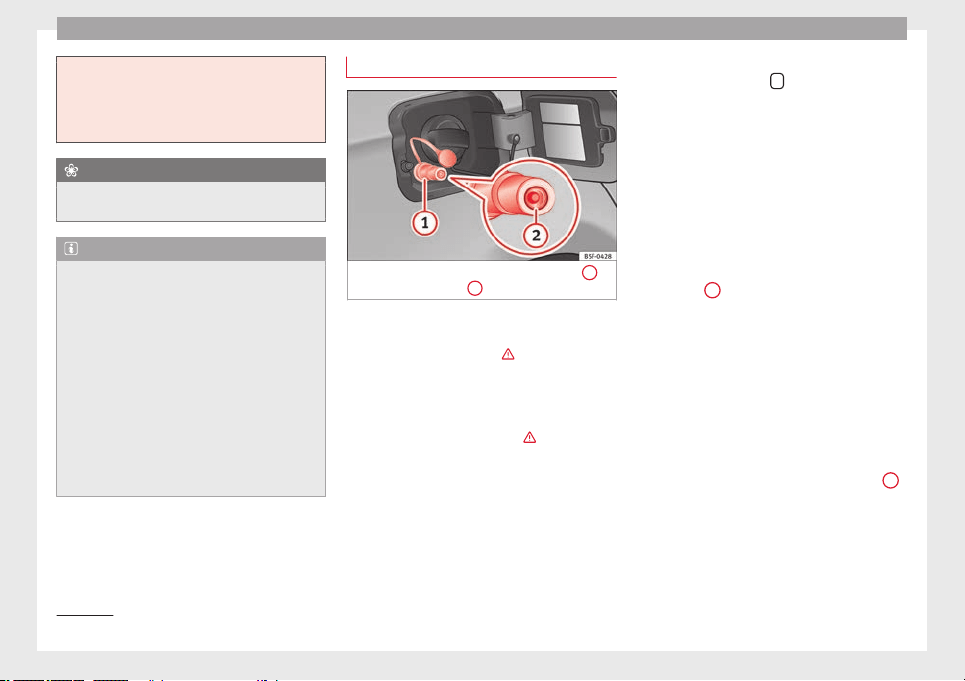
Advice
least 30 seconds before starting the engine.
When you then start the engine it may take
longer than normal (up to one minute) to
start firing. This is because air needs to be
bled from the fuel system while starting.
For the sake of the environment
Do not overfill the fuel tank, it may cause the
fuel to overflow if it becomes warm.
Note
Diesel vehicles are fitted with a protective de-
vice that prevents the insertion of the wrong
fuel hose
1)
. It is only possible to refuel with
Diesel nozzles.
●
If the pump nozzle is worn, damaged, or if
it is very small, it is possible that it will not
be able to open the protective device. Before
trying to insert the pump nozzle by turning it,
try a different pump or request specialist
help.
●
If you fill the tank from a reserve fuel canis-
ter, the protective device will not open. One
way to resolve this is to pour the fuel in very
slowly.
Refuelling with natural gas
Fig. 173 Tank flap open: gas filler mouth
1
,
filler mouth retainer
2
Before refuelling, the engine and the igni-
tion, mobile telephone and heating must be
switched off separately ››› .
Read the instructions on how to use the natu-
ral gas pump carefully.
The vehicle is not prepared for refuelling with
liquefied natural gas (LNG) ››› . Before refu-
elling with natural gas, make sure you add
the appropriate type of fuel ››› page 195.
Opening the fuel tank cap
The natural gas filler mouth is behind the fuel
tank cap, next to the petrol filler mouth.
●
Unlock the vehicle with the key or with the
central locking button
situated on the driv-
er door ››› page 82
.
●
Pr
e
ss on the rear area of the flap and open
it.
Refuelling
Things to note: if the ambient temperature is
very high, the natural gas pump protection
against overheating disconnects this auto-
matically.
●
Remove the plug from the gas filler mouth
››› Fig. 173
1
.
●
Connect the pump filling nozzle to the gas
filler mouth.
●
The fuel tank will be full
when the pump
c
ompr
essor automatically cuts the supply.
●
If you wish to finish refuelling in advance,
press the button on the pump to stop the
flow.
Closing the fuel tank cap
●
Check that the gas filler mouth retainer
2
is not trapped with the filler nozzle. If neces-
sary, place it in the filler mouth again.
●
Insert the plug in the filler mouth.
●
Close the tank flap. Make sure you hear it
click into place.
1)
Depending on country
194
Checking and refilling levels
WARNING
Natural gas is a highly explosive, easily flam-
mable substance. Incorrect handling of the
natural gas can cause accidents serious
burns and other injuries.
●
Before refuelling with natural gas, engage
the filling mouth correctly. If you can smell
gas, stop refuelling immediately.
WARNING
The vehicle is not prepared to use liquefied
natural gas (LNG), and this fuel must not be
added under any circumstances. Liquefied
natural gas can cause the natural gas tank to
explode, resulting in serious injury.
Note
●
The filling nozzles of natural gas pumps
can differ in the way they are operated. If you
do not know, ask a qualified employee at the
petrol station to do the refuelling.
●
Noises heard when refuelling are normal
and do not indicate the presence of a fault in
the system.
●
The vehicle natural gas system is prepared
both for refuelling with a small compressor
(slow refuel) and a large compressor (fast re-
fuel) in natural gas service stations.
Fuel
Types of petrol
The correct grade of petrol is listed inside the
fuel tank flap.
The vehicle is equipped with a catalytic con-
verter and must only be run on unleaded pet-
rol. The petrol must comply with European
Stand
ard EN 228 or German standard DIN
51626-1 and must be unleaded. You can re-
fuel with a maximum ethanol proportion of
10 % (E10). The types of petrol are differenti-
ated by their octane rating (RON).
The fo
llowing titles appear on the corre-
sponding adhesive on the fuel tank flap:
Super unleaded 95 octane or normal 91
octane unleaded petrol
We recommend you use super 95 octane pet-
rol. If this is not available: normal 91 octane
petrol, with a slight decrease in power.
Super unleaded petrol with a minimum of 95
octanes
You should use super petrol with a minimum
of 95 octanes.
If super is not available, in an emergency you
may refuel with normal 91 octane petrol. In
this case only use moderate engine speeds
and a light throttle. Refuel with super as soon
as possible.
Super unleaded 98 octane or super 95
octane unleaded petrol
We recommend you use super plus 98 octane
petrol. If this is not available: super 95 oc-
tane petrol, with a slight decrease in power.
If super is not available, in an emergency you
may refuel with normal 91 octane petrol. In
this case only use moderate engine speeds
and a light throttle. Refuel with super as soon
as possible.
Petrol additives
The quality of the fuel influences the behav-
iour, power and service life of the engine.
This is why the petrol you use should carry
suitable additives already included by the
petrol industry, free of metals. These addi-
tives will help to prevent corrosion, keep the
fuel system clean and prevent deposits from
building up in the engine.
If good-quality petrol with metal-free addi-
tives is not available or engine problems
arise, the necessary additives must be added
when refuelling ›››
.
Not all petrol additives have been shown to
be effective. The use of unsuitable petrol ad-
ditives may cause significant damage to the
engine and the catalytic converter. Metal ad-
ditives should never be used. Metal additives
may also be contained in petrol additives for
improving anti-detonation ratings or octane
ratings ››› .
»
195
Technical specifications
AdviceOperationSafetyThe essentials

Advice
SEAT recommends “genuine Volkswagen
Group Fuel Additives for petrol engines”.
These additives can be bought at SEAT deal-
ers, where information on how to use them
can also be obtained.
CAUTION
●
Do not refuel if the filler indicates that the
fuel contains metal. LRP (lead replacement
petrol) fuels contain high concentrations of
meta
l additives. Using them may damage the
engine!
●
Never refuel with fuels containing a large
proportion of ethanol (for example, E50, E85).
This could damage the fuel system.
●
Just filling one full tank of leaded fuel or
fuel containing other metal additives would
seriously impair the efficiency of the catalytic
converter.
●
Only use fuel additives that have been ap-
proved by SEAT. Octane boosting or anti-
knock additives may contain metal additives
that could seriously damage the engine or
the catalytic converter. These additives must
not be used.
●
High engine speed and full throttle can
damage the engine when using petrol with an
octane rating lower than the correct grade for
the engine.
Note
●
You may use petrol with a high octane num-
ber than the one recommended for your en-
gine.
●
In those countries where unleaded petrol is
not available, you may refuel with a fuel with
a low lead content.
Diesel Fuel
Please note the information on the inside of
the fuel tank flap.
We recommend the use of diesel
fuel which
c
omp
lies to European standard EN 590. If
diesel fuel which meets European standard
EN 590 is not available, the Cetane number
(CZ) must, at minimum, be 51. If the engine
is equipped with a particulate filter, the sul-
phur content of the fuel must be below 50
parts per million.
Winter-grade diesel
Summer fuel becomes thicker in winter and it
is more difficult to start the engine. For this
reason, petrol stations in some countries al-
so offer winter diesel with improved fluidity
when cold (winter-grade diesel).
Water in the fuel filter
1)
If your vehicle has a diesel engine and is
equipped with a fuel filter with a water sepa-
rator, the instrument panel may display the
following warning:
Water in the fuel filter.
If thi
s is the case, take the vehicle to a speci-
alised workshop so that they can drain the
fuel filter.
CAUTION
●
The vehicle is not designed for the use of
FAME fuel (biodiesel). The fuel system would
be damaged if you used biodiesel.
●
Do not mix fuel additives, the so-called
“thinners”, petrol or similar additives with
diesel fuel.
●
If poor-quality diesel fuel is used, it may be
necessary to drain the fuel filter more fre-
quently than is specified in the Maintenance
Programme. We recommend having this done
by a specialised workshop. If water is allowed
to collect in the filter, this can cause engine
performance problems.
Natural gas
Natural gas
Natural gas can be compressed or in liquid
form, addition to others.
1)
Valid for the market: Algeria.
196
Checking and refilling levels
Liquefied natural gas (LNG) is the result of
heavy cooling of natural gas. Therefore its
volume is considerably reduced compared
with compressed natural gas (CNG). In vehi-
cles with a natural gas engine, liquefied nat-
ural gas cannot be directly refilled, as the gas
would expand excessively in the vehicle gas
tank.
Therefore, vehicles with a natural gas engine
must only be refuelled using compressed
natural gas ››› .
Natural gas quality and consumption
Natural gas is divided into the groups H and
L depending on its quality.
Gas type H has a superior heating power and
inferior nitrogen and carbon dioxide content
than type L. The higher the heating power of
the natural gas, the lower the consumption
will be.
However, the heating power and the propor-
tion of nitrogen and carbon dioxide can fluc-
tuate within the quality groups. Therefore, ve-
hicle consumption can also vary when using
a single type of gas only.
The engine management automatically
adapts to the natural gas used according to
its quality. Therefore, different quality gases
can be mixed in the tank, without the need
for comprehensive draining before applying a
different quality gas.
Updated information relating to natural gas
quality is displayed on the instrument panel
››› page 72
.
Nat
ur
al gas and safety
If you can smell gas or suspect that there is a
leak ›››
:
●
Stop the vehicle immediately.
●
Switch the ignition off.
●
Open the doors to appropriately ventilate
the vehicle.
●
Extinguish cigarettes immediately.
●
Move away from the vehicle or switch off
objects that may cause sparks or a fire.
●
If you continue to smell gas, do not contin-
ue driving!
●
Seek specialist assistance. Have the fault
repaired.
WARNING
Failure to act when you can smell gas in the
vehicle or when refuelling can cause serious
injuries.
●
Carry out the necessary operations.
●
Leave the danger zone.
●
If necessary, warn the emergency services.
WARNING
The vehicle is not prepared to use liquefied
natural gas (LNG) and this fuel must not be
added under any circumstances. Liquefied
natural gas can cause the natural gas tank to
explode, resulting in serious injury.
Note
Have the natural gas system checked regular-
ly by a specialised workshop, according to
the Maintenance Programme.
197
Technical specifications
AdviceOperationSafetyThe essentials
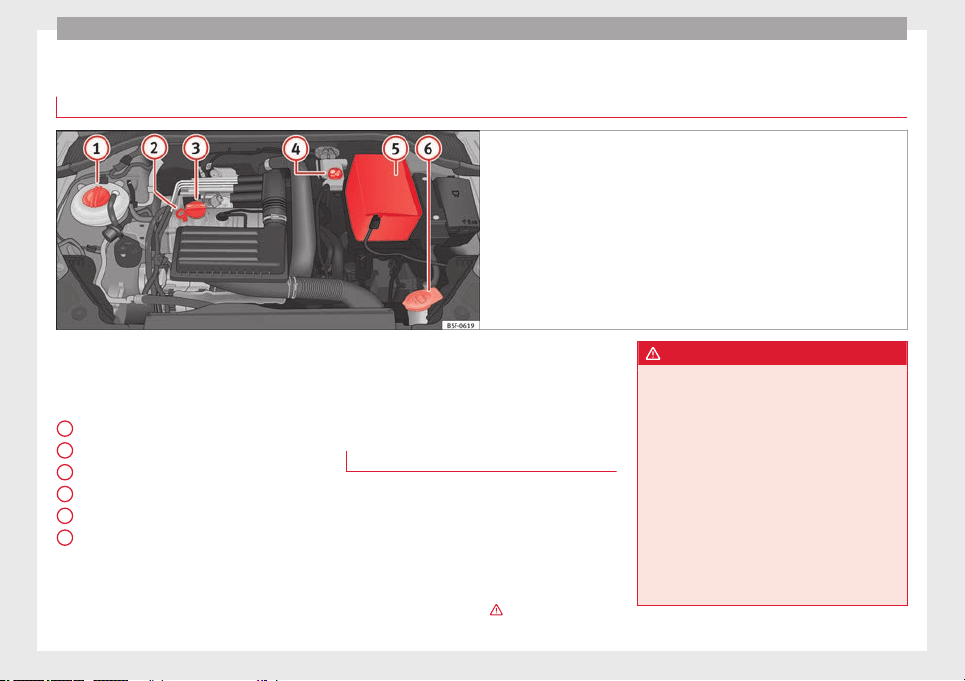
Advice
Bonnet
Checking fluid levels
Fig. 174 Diagram for the location of the various elements.
From time to time, the levels of the different
fluids in the vehicle must be checked. Never
fill with incorrect fluids, otherwise serious
damage to the engine may be caused.
Coolant expansion tank
Engine oil dipstick
Engine oil filler cap
Brake fluid reservoir
Vehicle battery (underneath the cover)
Windscreen washer reservoir
The checking and refilling of service fluids
are carried out on the components men-
tioned above. These operations are descri-
bed in ››› page 198
.
1
2
3
4
5
6
Overview
You will find further explanations, instruc-
tions and restrictions on the technical speci-
fications as of ››› page 241
.
W
ork
in the engine compartment
Always be aware of the danger of injury and
scalding as well as the risk of accident or fire
when working in the engine compartment
(e.g. when checking and refilling fluids). Al-
ways observe the warnings listed below and
follow all general safety precautions. The en-
gine compartment of the vehicle is a poten-
tially hazardous area
›››
.
WARNING
●
Switch the ignition off.
●
Remove the ignition key.
●
Apply the handbrake.
●
If the vehicle has a manual gearbox, place
the lever in neutral; if it has an automatic
gearbox, place the selector lever in position
P.
●
Wait for the engine to cool down.
●
Keep children away from the engine com-
partment.
●
Never spill liquids used for vehicle opera-
tion on the engine compartment, as these
may catch fire (e.g. the antifreeze in coolant).
198
Checking and refilling levels
●
Take care not to cause short circuits in the
electrical system, especially when working
on the battery.
●
If working inside the engine compartment,
remember that, even when the ignition is
switched off, the radiator fan may start up au-
tomatically, and therefore there is a risk of in-
jury.
●
Never cover the engine with additional in-
sulating materials such as a blanket. Risk of
fire!
●
Do not unscrew the cap on the coolant ex-
pansion tank when the engine is hot. The
cooling system is under pressure.
●
Protect face, hands and arms by covering
the cap with a large, thick rag to protect
against escaping coolant and steam.
●
If it is necessary to work in the engine com-
partment while the engine is running, the ro-
tating components (for example, poly-V belt,
alternator, radiator fan) and the high voltage
ignition system are an additional hazard.
●
Observe the following additional warnings
if work on the fuel system or the electrical
system is necessary:
–
Always disconnect the battery from the
on-board network.
–
Do not smoke.
–
Never work near naked flames.
–
Always keep an approved fire extinguish-
er immediately available.
CAUTION
When topping up fluids make sure the correct
fluid is put into the correct filler opening, oth-
erwise this can cause serious malfunctions or
engine damage.
For the sake of the environment
Inspect the ground underneath your vehicle
regularly so that any leaks are detected at an
early stage. If you find spots of oil or other
fluids in the area where it was parked, have
your vehicle inspected at the workshop.
Note
On right-hand drive vehicles* some of the
containers/reservoirs mentioned below are
located on the other side of the engine com-
partment.
Opening the bonnet
Read the additional information carefully
›››
page 10
The bonnet is released from inside the vehi-
cle.
Check that the windscreen wiper arms are
not unfolded. Otherwise the paint may be
damaged.
The bonnet can only be unlocked when the
driver door is open.
WARNING
Never open the bonnet if you see steam or
drips of coolant being released from the en-
gine compartment. Failure to comply could
result in burns. Wait until no steam or coolant
can be seen before opening the bonnet.
Closing the bonnet
–
Slightly lift the bonnet.
–
Release the bonnet stay before pressing it
back into its support.
–
Carefully close the bonnet.
–
Press the bonnet down until it locks into
place.
–
Make sure that the bonnet catches onto its
clasp.
Do not press down too hard
›
›
›
.
WARNING
●
For safety reasons the bonnet must always
be completely closed when the vehicle is
moving. Therefore, after closing the bonnet,
always check that the locking element is
properly engaged. This is the case if the bon-
net is flush with the adjacent body panels.
●
Should you notice that the bonnet is not
safely secured when the vehicle is moving,
stop the vehicle immediately and close the
bonnet. Failure to follow this instruction
could result in an accident.
199
Technical specifications
AdviceOperationSafetyThe essentials

Advice
Engine oil
General notes
The engine comes with a special, multi-grade
oil that can be used all year round.
Because the use of high-quality oil is essen-
tial for the correct operation of the engine
and its long useful life, when topping up or
changing oil, use only those oils that comply
with VW standards.
The specifications (VW standards) set out in
the following page should appear on the con-
tainer of the service oil; when the container
displays the specific standards for petrol and
diesel engines together, it means that the oil
can be used for both types of engines.
We recommend that the oil change indicated
in the Maintenance Programme, be per-
formed by a technical service or specialised
workshop.
The correct oil specifications for your engine
are listed in the
›››
page 201, Oil properties.
Service intervals
Service intervals can be flexible (LongLife
service) or fixed (dependent on time/dis-
tance travelled).
If the PR code that appears on the back of the
Maintenance Programme booklet is PR QI6,
this means that your vehicle has the LongLife
service programmed. If it lists the codes QI1,
QI2, QI3, QI4 or QI7, the interval service is
dependent on time/distance travelled.
Flexible service intervals (LongLife service
intervals*)
Special oils and processes have been devel-
oped which, depending on the characteris-
tics and individual driving profiles, enable
the extension of the oil change service (Long-
Life service intervals).
Because this oil is essential for extending the
service intervals, it must only be used ob-
serving the following indications:
●
Avoid mixing it with oil for fixed service in-
tervals.
●
Only in exceptional circumstances, if the
engine oil level is too low ››› page 201 and
LongLife oil is not available, it is permitted to
top up (once) with oil for fixed service inter-
vals
›
›› p
age 201 (up to a maximum of 0.5 li-
tres).
Fixed service intervals*
If your vehicle does not have the “LongLife
service interval” or it has been disabled (by
request), you may use oils for fixed service
intervals, which also appear in ››› page 201,
Oil properties. In this case, your vehicle must
be serviced after a fixed interval of 1
year/15,000 km (10,000 miles)(whatever
comes first) ››› Booklet Maintenance Pro-
gramme.
●
In exceptional circumstances, if the engine
oil level is too low ››› page 201 and you can-
not obtain the oil specified for your vehicle,
you can add a small quantity of oil conform-
ing to the specification ACEA A2 or ACEA A3
(petrol engines) or ACEA B3 or ACEA B4 (die-
sel engines) (up to 0.5 l).
Vehicles with diesel particulate filter*
The Maintenance Programme states whether
your vehicle is fitted with a diesel particulate
filter.
Only VW 507 00 engine oil, with reduced ash
formation, may be used in diesel engines
equipped with particulate filter. Using other
types of oil will cause a higher soot concen-
tration and reduce the life of the DPF. There-
fore:
●
Avoid mixing this oil with other engine oils.
●
Only in exceptional circumstances, if the
engine oil level is too low ››› page 201 and
you cannot obtain the oil specified for your
vehicle, you can use a small quantity of oil
(once) conforming to the VW 506 00,
VW 506 01, VW 505 00, VW 505 01 or
ACEA B3/ACEA B4 specification. (up to 0.5 l).
200
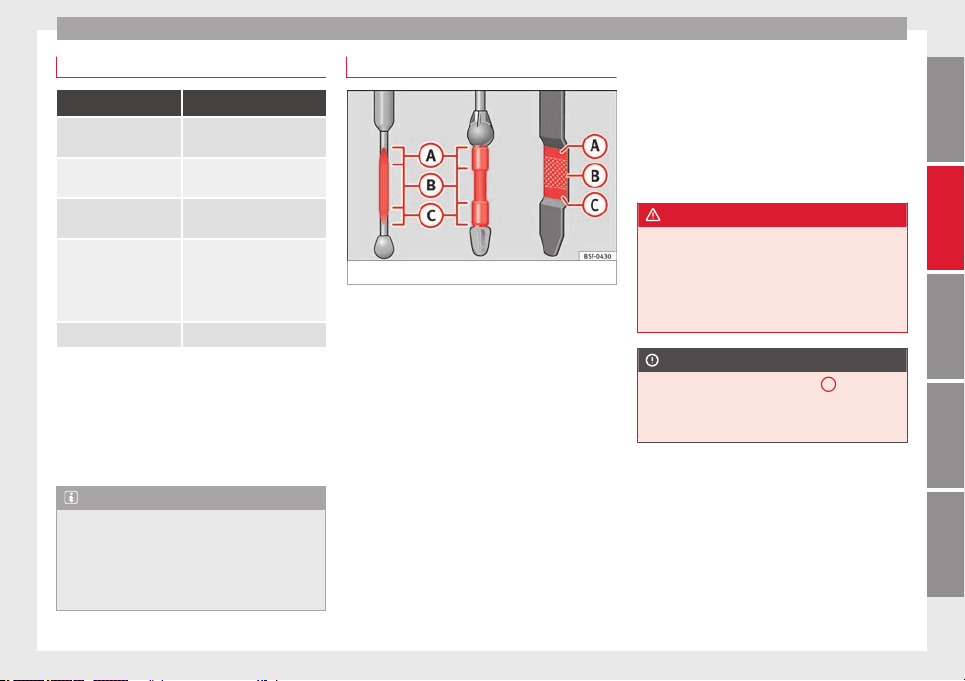
Checking and refilling levels
Oil properties
Engine type Specification
Petrol without flexible
service interval
VW 502 00/VW 504 00
Petrol with flexible serv-
ice interval (LongLife)
VW 504 00
Diesel. Engines without
Particulate filter (DPF)
VW 505 01/VW 506 01/VW
507 00
Diesel. Particulate Filter
Engines (DPF).
With or without flexible
service interval (with
and without LongLife)
a)
VW 507 00
Natural gas engines VW 502 00
a)
Only use recommended oils, otherwise you may damage the
engine.
Engine oil additives
No type of additive should be mixed with the
engine oil. The deterioration caused by these
additives is not covered by the warranty.
Note
Before a long trip, we recommend finding an
engine oil that conforms to the correspond-
ing VW specifications and recommend keep-
ing it in the vehicle. This way, the correct en-
gine oil will always be available for a top-up if
needed.
Checking engine oil level
Fig. 175 Engine oil dipstick.
Read the additional information carefully
›››
page 31
The engine oil dipstick indicates the level of
the oil.
Checking oil level
–
Park the vehicle in a horizontal position.
–
Briefly run the engine at idle speed until
the operating temperature is reached and
then stop.
–
Wait for about two minutes.
–
Pull out the dipstick. Wipe the dipstick with
a clean cloth and insert it again, pushing it
in as far as it will go.
–
Then pull it out once more and check the oil
level ››› Fig. 175
. Top up with engine oil if
nec
e
ssary.
Depending on how you drive and the condi-
tions in which the vehicle is used, oil con-
sumption can be up to 0.5 l/1000 km. Oil
consumption is likely to be higher for the first
5,000 km. For this reason the engine oil level
must be checked at regular intervals, prefera-
bly when filling the tank and before a jour-
ney.
WARNING
Any work carried out in the engine compart-
ment or on the engine must be carried out
cautiously.
●
When working in the engine compartment,
always observe the safety warnings
››› page 198.
CAUTION
If the oil level is above the area
A
do not
start the engine. This could result in damage
to the engine and catalytic converter. Contact
a Technical Service.
201
Technical specifications
AdviceOperationSafetyThe essentials
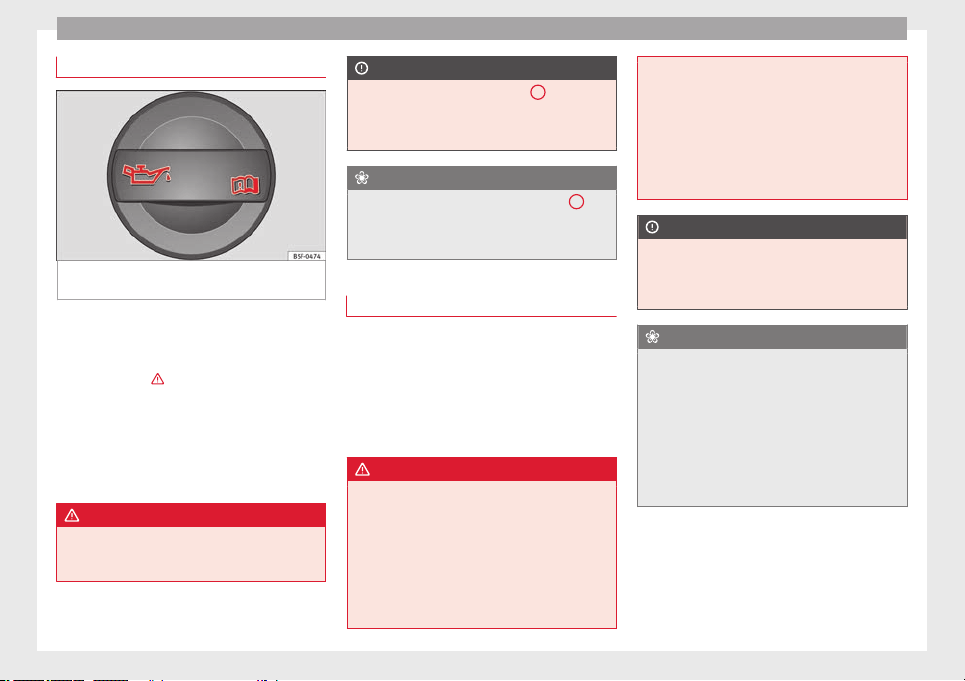
Advice
Topping up engine oil
Fig. 176 In the engine compartment: Engine
oil filler cap
Read the additional information carefully
›››
page 31
Before opening the bonnet, read and observe
the warnings ››› in Work in the engine
compartment on page 198
.
The po
s
ition of the oil filler opening is shown
in the corresponding engine compartment il-
lustration ››› page 198.
Engine oil specification ››› page 200.
WARNING
Oil is highly inflammable! Ensure that no oil
comes into contact with hot engine compo-
nents when topping up.
CAUTION
If the oil level is above the area
A
do not
start the engine. This could result in damage
to the engine and catalytic converter. Contact
a specialised workshop.
For the sake of the environment
The oil level must never be above area
A
.
Otherwise oil can be drawn in through the
crankcase breather and escape into the at-
mosphere via the exhaust system.
Changing engine oil
The engine oil must be changed at the inter-
vals given in the service schedule.
We recommend that you have the engine oil
changed by a Technical Service.
The oil change intervals are shown in the
Maintenance Programme.
WARNING
Only change the engine oil yourself if you
have the specialist knowledge required!
●
Before opening the bonnet, read and ob-
serve the warnings ››› page 198.
●
Wait
for the engine to cool down. Hot oil
may cause burn injuries.
●
Wear eye protection to avoid injuries, such
as acid burns, caused by splashes of oil.
●
When removing the oil drain plug with your
fingers, keep your arm horizontal to help pre-
vent oil from running down your arm.
●
Wash your skin thoroughly if it comes into
contact with engine oil.
●
Engine oil is poisonous! Used oil must be
stored in a safe place out of the reach of chil-
dren.
CAUTION
No additives should be used with engine oil.
This could result in engine damage. Any dam-
age caused by the use of such additives
would not be covered by the factory warranty.
For the sake of the environment
●
Because of disposal problems and the spe-
cial tools and specialist knowledge required,
we recommend that you have the engine oil
and filter changed by a Technical Service.
●
Never pour oil down drains or into the
ground.
●
Use a suitable container when draining the
used oil. It must be large enough to hold all
the engine oil.
202
Checking and refilling levels
Cooling system
Engine coolant specifications
The engine cooling system is supplied from
the factory with a specially treated mixture of
water and, at least, 40 % of the additive G 13
(TLVW 774 J). The engine coolant additive is
recognisable by its purple colour. This mix-
ture of water and additive gives the necessa-
ry frost protection down to -25°C (-13°F) and
protects the light alloy parts of the cooling
system against corrosion. It also prevents
scaling and considerably raises the boiling
point of the coolant.
To protect the engine cooling system, the
percentage of additive must always
be at
l
e
ast 40 %, even in warm climates where an-
ti-freeze protection is not required.
If greater frost protection is required in very
cold climates, the proportion of additive can
be increased. However, the percentage of ad-
ditive should not exceed 60%, as this would
reduce the frost protection and, in turn, de-
crease the cooling capacity.
When the coolant is topped up, use a mixture
of distilled water and, at least, 40 % of the G
13 or G 12 plus-plus (TL-VW 774 G) additive
(both are purple) to obtain an optimum anti-
corrosion protection
›››
. The mixture of G
13 with G 12 plus (TL-VW 774 F), G 12 (red) or
G 11 (green-blue) engine coolants will signifi-
cantly reduce the anticorrosion protection
and should, therefore be avoided ››› .
WARNING
If there is not enough anti-freeze in the cool-
ant system, the engine may fail leading to se-
rious damage.
●
Please make sure that the percentage of
additive is correct with respect to the lowest
expected ambient temperature in the zone in
which the vehicle is to be used.
●
When the outside temperature is very low,
the coolant could freeze and the vehicle
would be immobilised. In this case, the heat-
ing would not work either and inadequately
dressed passengers could die of cold.
CAUTION
The original additives should never be mixed
with coolants which are not approved by
SEAT. Otherwise, you run the risk of causing
severe damage to the engine and the engine
cooling system.
●
If the fluid in the expansion tank is not pur-
ple but is, for example, brown, this indicates
that the G 13 additive has been mixed with
an inadequate coolant. The coolant must be
changed as soon as possible if this is the
case! This could result in serious faults and
engine damage.
For the sake of the environment
Coolants and additives can contaminate the
environment. If any fluids are spilled, they
should be collected and correctly disposed
of, with respect to the environment.
Topping up coolant
Read the additional information carefully
›››
page 32
Top up coolant when the level is below the
MIN (minimum) mark.
Checking coolant level
–
Park the vehicle in a horizontal position.
–
Switch the ignition off.
–
Read off the coolant level on coolant ex-
pansion tank. When the engine is cold, the
coolant level should be between the marks.
When the engine is hot, it may be slightly
above the upper mark.
Topping up coolant
–
Wait for the engine to cool down.
–
Cover the coolant expansion tank cap with
a cloth and carefully unscrew it to the left
›››
.
–
Top up the coolant only if there is still cool-
ant in the expansion tank, otherwise you
»
203
Technical specifications
AdviceOperationSafetyThe essentials
Advice
could
damage the engine
. If there is no
c
oolant in the expansion tank, do not con-
tinue driving. You should obtain professio-
nal assistance ›››
.
–
If there is still some coolant in the expan-
sion tank, top up to the upper mark.
–
Top up with coolant until the level becomes
stable.
–
Screw the cap back on correctly.
Any loss of coolant fluid normally indicates a
leak in the cooling system. Take the vehicle
straight to a specialised workshop to have
the cooling system examined. If there are no
leaks in the engine cooling system, a loss of
coolant can only occur if the coolant boils
and is forced out of the system as a result of
overheating.
WARNING
●
The cooling system is under pressure. Do
not unscrew the cap on the coolant expan-
sion tank when the engine is hot: risk of
burns!
●
The antifreeze and coolant fluid can be a
health hazard. Therefore, the antifreeze
should be stored in the original container in a
safe place out of reach of children. Failure to
comply could result in poisoning.
●
If working inside the engine compartment,
remember that, even when the ignition is
switched off, the radiator fan may start up au-
tomatically, and therefore there is a risk of in-
jury.
CAUTION
Do not top up the expansion tank with cool-
ant fluid if it is empty! Air could enter the
cooling system. In this case, stop driving.
Seek specialist assistance. Otherwise, there
is a risk of engine damage.
Brake fluid
Topping up the brake fluid
Read the additional information carefully
›››
page 32
Checking the brake fluid level
The brake fluid level must be between the
MIN and MAX markings.
However, if the brake fluid level goes down
noticeably in a short time, or drops below the
MIN mark, there may be a leak in the brake
system. Seek specialist assistance. A warn-
ing light on the instrument panel display
monitors the brake fluid level ››› page 71.
In right-hand drive vehicles the brake fluid
reservoir is on the other side of the engine
compartment.
Changing brake fluid
The regular intervals at which the brake fluid
should be replaced are listed in the Mainte-
nance Programme. We recommend you have
it replaced at a SEAT Official Service, during
an Inspection Service.
WARNING
●
Brake fluid should be stored in the closed
original container in a safe place out of reach
of children. Risk of poisoning!
●
If the brake fluid is left in the system for
too long and the brakes are subjected to
heavy use, vapour bubbles may form in the
brake system. This would seriously affect the
efficiency of the brakes and the safety of the
vehicle. This may cause an accident.
CAUTION
Brake fluid should not come into contact with
the vehicle paintwork, as it is abrasive.
Windscreen washer reservoir
Checking and topping up the
windscreen washer reservoir with
water
Read the additional information carefully
›››
page 32
204
Checking and refilling levels
Check the water level in the windscreen
washer reservoir regularly and top up as re-
quired.
The container for the windscreen washer con-
tains the cleaning fluid for the windscreen,
the rear window and the headlight washer
system*.
●
Open the bonnet ››› page 198.
●
The windscreen washer reservoir is marked
with the symbol
on the cap.
●
Chec
k
there is enough windscreen water in
the reservoir.
Recommended windscreen wipers
●
For the hottest seasons we recommend
summer G 052 184 A1 for clear glass. Propor-
tions of the mixture in the washer fluid tank:
1:100 (1 part concentrate per 100 parts wa-
ter).
●
All year round, G 052 164 A2 for clear
glass. Approximate proportion of the winter
mixture, up to -18°C (0°F): 1:2 (1 part con-
centrate per 2 parts water); otherwise, a 1:4
proportion of mixture in the washer fluid
tank.
Top-up quantities
The reservoir holds approximately 3 litres in
versions without headlight washer and 5 li-
tres in versions with headlight washer.
WARNING
If the water from the windscreen washer does
not contain enough anti-freeze, it may freeze
on the windscreen and rear window, reducing
forward and rear visibility.
●
In winter, ensure the windscreen washer
contains enough anti-freeze.
●
In cold conditions, you should not use the
windscreen washer system unless you have
warmed the windscreen with the ventilation
system. The antifreeze could freeze on the
windscreen and reduce visibility.
WARNING
Never mix an unsuitable antifreeze or other
similar additives with the windscreen washer
water. A greasy layer may be formed on the
windscreen which will impair visibility.
●
Use clean water with a window cleaner rec-
ommended by SEAT.
●
If necessary, add a suitable antifreeze to
the water in the reservoir.
CAUTION
●
Do not mix cleaning products recommen-
ded by SEAT with other products. This could
lead to flocculation and may block the wind-
screen washer jets.
●
When topping up service fluids, make abso-
lutely certain that you fill the fluids into the
correct reservoirs. Using the wrong fluids
could cause serious malfunctions and engine
damage!
●
Not having windscreen wiper fluid reduces
visibility through the windscreen, and leads
to loss of visibility in headlights in models
with headlight washer.
Battery
General information
The battery is located in the engine compart-
ment and is almost maintenance-free. It is
checked as part of the Inspection Service.
Nevertheless, check the terminals are clean
and have the correct tightening torque, espe-
cially in summer and winter.
Disconnecting the battery
The battery should only be disconnected in
exceptional cases. When the battery is dis-
connected, some of the vehicle's functions
are “lost” (››› table on page 206). These
functions will require resetting after the bat-
tery is reconnected.
Deactivate the anti-theft alarm* before you
disconnect the battery Otherwise the alarm
will be triggered.
»
205
Technical specifications
AdviceOperationSafetyThe essentials
Advice
Function Reprogramming
One-touch function of
the electric windows
››› page 92, One-touch
opening and closing*.
Remote control key
If the vehicle does not re-
spond to the key, they
should be synchronised
››› page 87.
Digital clock ››› page 68.
ESC warning lamp
After driving for a few me-
tres, the warning lamp goes
out again.
If the vehicle is not used for long periods
The vehicle has a system for monitoring the
current consumption when the engine is left
unused for long periods of time ››› page 191.
Some functions, such as the interior lights, or
the remote door opening, may be temporarily
disabled to prevent the battery from running
flat. These functions will come back on as
soon as the ignition is switched on and the
engine started.
Winter conditions
During the winter, the starting power may be
reduced, and if necessary, the battery should
be charged ››› in Important safety warn-
ings for handling a vehicle battery on
page 206
Important safety warnings for
handling a vehicle battery
All work on batteries requires specialist
knowledge. Please refer to a SEAT Official
Service or a workshop specialising in batter-
ies: risk of burns or exploding battery!
The battery must not be opened. Never try to
change the fluid level of the battery. Other-
wise explosive gas is released from the bat-
tery that could cause an explosion.
Wear eye protection.
Battery acid is very corrosive and caustic. Wear
protective gloves and eye protection. In the event
of electrolyte splashes, rinse off with plenty of
water.
Fires, sparks, open flames and smoking are pro-
hibited.
The battery should only be charged in a well-ven-
tilated zone. Risk of explosion!
Keep children away from acid and batteries!
WARNING
●
When repairing or working on the electrical
system, proceed as follows:
–
1. Remove the key from the ignition. The
negative cable on the battery must be
disconnected.
–
2. When the repair is finished, reconnect
the negative pole of the battery.
●
Switch off all electrical devices before re-
connecting the battery. Reconnect first the
positive cable and then the negative cable.
Never reverse the polarity of the connections.
This could cause an electrical fire.
●
Ensure that the vent hose is always connec-
ted to the battery.
●
Never use damaged batteries. This could
cause an explosion! Replace a damaged bat-
tery immediately.
CAUTION
●
Never disconnect the battery if the ignition
is switched on or if the engine is running.
This could damage the electrical system or
electronic components.
Charging the battery
Terminals for charging the battery are fitted
in the engine compartment.
–
Note the warnings ››› in Important safety
warnings for handling a vehicle battery on
page 206
and ›
›› .
–
Switch off all electrical devices. Remove the
ignition key.
–
Raise the bonnet ››› page 199.
–
Open the battery cover.
–
Connect the charger clamps as described
to the
positive pole of the battery (+) and
206
Checking and refilling levels
exclusively to an earth on the bodywork
(–)
.
–
On
ly
use a charger which is compatible for
use with 12 V nominal voltage batteries.
The charge must not exceed a voltage of 15
V.
–
Now connect the battery charger to the
power socket and switch on.
–
After charging the battery: switch off the
battery charger and disconnect the power
socket cable.
–
Finally disconnect the charger cables from
the battery.
–
Replace the battery cover correctly.
–
Close the bonnet ››› page 199.
Important: Before you charge the battery
make sure you read the manufacturer's in-
structions for using the battery charger.
WARNING
Never charge a battery that has frozen: re-
place battery! Failure to do so may lead to an
explosion.
Note
Use only the terminals in the engine compart-
ment to charge the battery.
Replacing the battery
The new battery should have the same speci-
fications (amperage, load and voltage) as the
used battery.
Your vehicle is equipped with an intelligent
power management system to control the
distribution of electrical energy ››› page 191.
The power management function ensures
that the battery is charged much more effi-
ciently than on vehicles without a power
management system. To maintain this func-
tion after replacing the battery, we recom-
mend that the replacement battery used is of
the same make and type as the original fitted
battery. To make proper use of the power
management function after the battery has
been changed, have the battery coded to the
power management mode at a specialised
workshop.
CAUTION
●
Some vehicles, for example those with the
Start-Stop system* are fitted with a special
battery (AGM-type or EFB-type battery). If any
other type of battery is fitted, the Start-Stop
function may be considerably reduced and
the vehicle may not stop on repeated occa-
sions.
●
Make sure that the vent hose is always at-
tached to the original opening on the side of
the battery. Gases or battery acid can other-
wise escape and possibly cause damage.
●
The battery holder and clamps must always
be correctly secured.
●
Before starting any work on the battery, al-
ways observe the warnings listed under
››› page 206, Important safety warnings for
handling a vehicle battery.
●
Do not forget to replace the battery cover-
ings, where applicable. It is a protection for
high temperatures. This in turn extends the
vehicle service life.
For the sake of the environment
Batteries contain toxic substances includ-
ing s
ulphuric acid and lead. They must be
disposed of appropriately and must not be
disposed of with ordinary household waste.
Make sure disconnected batteries cannot tip
over. Sulphuric acid could be spilt!
207
Technical specifications
AdviceOperationSafetyThe essentials

Advice
Wheels
Wheels and tyres
General notes
–
When driving with new tyres, be especially
car
eful during the first 500 km (300 miles).
–
If you have to drive over a kerb or similar
obstacle, drive very slowly and as near as
possible at a right angle to the obstacle.
–
Check from time to time if the tyres are
damaged (punctures, cuts, cracks or
dents). Remove any foreign objects embed-
ded in the treads.
–
Damaged wheels and tyres must be re-
placed immediately.
–
Keep grease, oil and fuel off the tyres.
–
Replace any missing valve caps as soon as
possible.
–
Mark the wheels before taking them off so
that they rotate in the same direction when
put back.
–
When removed, the wheels or tyres should
be stored in a cool, dry and preferably dark
place.
New tyres
New tyres do not give maximum grip straight
aw
ay and should therefore be “run in” by
driving carefully and at moderate speeds for
about the first 500 km (300 miles). This will
also increase the useful life of the tyres.
The tread depth of new tyres may vary, ac-
cording to the type and make of tyre and the
tread pattern.
Concealed damage
Damage to tyres and rims is often not readily
visible. If you notice unusual vibration or the
car pulling to one side, this may indicate that
one of the tyres is damaged. Reduce speed
immediately if there is any reason to suspect
that damage may have occurred. Inspect the
tyres for damage. If no external damage is
visible, drive slowly and carefully to the near-
est specialised workshop and have the car
inspected.
Tyres with directional tread pattern
An arrow on the tyre sidewall indicates the di-
rection of rotation on single drive tyres. Al-
ways note the direction of rotation indicated
when mounting the wheel. This guarantees
optimum grip and helps to avoid aquaplan-
ing, excessive noise and wear.
Retrofitting Accessories
If you wish to change or fit wheels, rims or
wheel trims, we recommend that you consult
with a SEAT Official Service centre for advice
regarding current techniques.
Useful life of tyres
Correct inflation pressures and sensible driv-
ing habits will increase the useful life of your
tyres.
–
Check tyre pressure at least once a month,
and also prior to any long trip.
–
The tyre pressure should only be checked
when the tyres are cold. Do not reduce the
pressure of warm tyres.
–
Adjust tyre pressure to the load being car-
ried by the vehicle.
–
In vehicles with a tyre pressure indicator,
save the pressure of modified tyres
›››
page 212
,
›
›
›
page 208.
–
Avoid fast cornering and hard acceleration.
–
Inspect the tyres for irregular wear from
time to time.
The useful life of your tyres depends on the
following factors:
Tyre pressure
Tyre pressure values are indicated on the
sticker on the inside of the fuel tank flap.
Insufficient or excessive pressure greatly re-
duces the useful life of the tyres and adverse-
ly affects vehicle performance and ride. Cor-
rect inflation pressures are very important,
especially at high speeds.
208
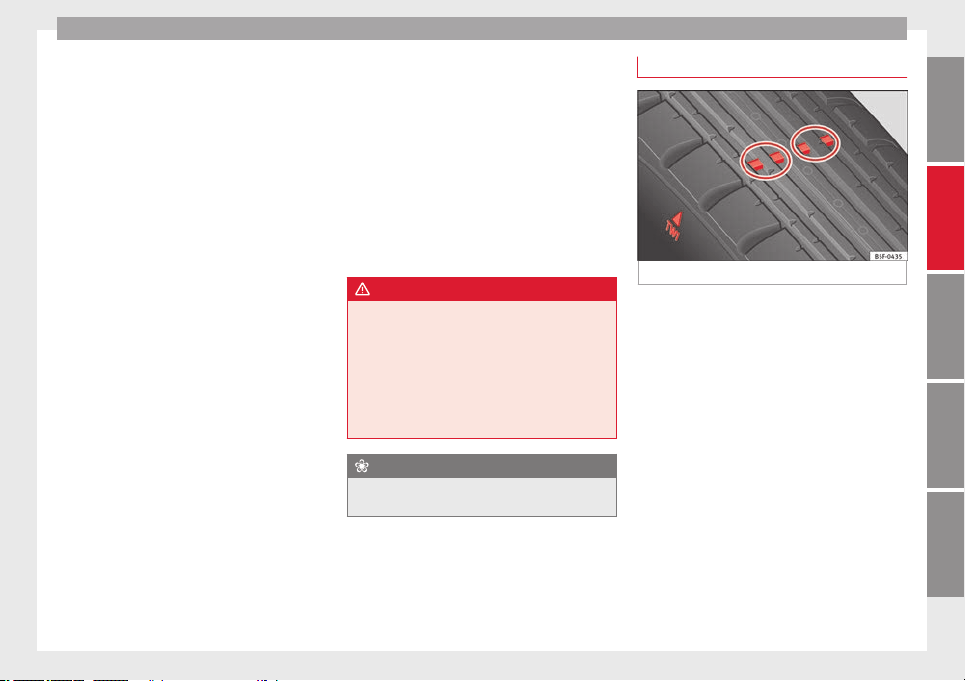
Wheels
Depending on the vehicle, tyre pressure can
be adjusted (“comfort” tyre pressure) to in-
crease driving comfort. When driving with
comfort tyre pressure fuel consumption may
increase slightly.
The tyre pressure must be adjusted according
to the load the vehicle is carrying. If the vehi-
cle is going to carry the maximum load, the
tyre pressure should be increased to maxi-
mum value indicated on the sticker on the in-
side of the fuel tank flap.
Do not forget the spare wheel when checking
the tyre pressures: Keep this spare wheel in-
flated to the highest pressure required for the
road wheels.
In the case of a minimised temporary spare
wheel (125/70 R16 or 125/70 R18) inflate to
a pressure of 4.2 bar as indicated on the tyre
pressure label on the fuel tank flap.
Driving style
Fast cornering, heavy acceleration and hard
braking (squealing tyres) all increase tyre
wear.
Wheel balance
The wheels on new vehicles are balanced.
However, certain circumstances may lead to
imbalance (run-out), which is detected as vi-
brations in the steering wheel.
Unbalanced wheels should be rebalanced, as
they otherwise cause excessive wear on
steering, suspension and tyres. A wheel must
also be rebalanced when a new tyre is fitted
or if a tyre is repaired.
Incorrect wheel alignment
Incorrect wheel alignment causes excessive
tyre wear, impairing the safety of the vehicle.
If you notice excessive tyre wear, you should
check wheel alignment at a SEAT Official
Service.
WARNING
●
Always adapt the tyre pressure accordingly
when the vehicle load changes.
●
A tyre with low air pressure has to flex a lot
more when the vehicle is heavily loaded or at
high speeds, therefore causing overheating
to occur. Under these conditions, the tyre
bead may be released or the tyre may burst.
Risk of accident!
For the sake of the environment
Under-inflated tyres will increase fuel con-
sumption.
Wear indicators
Fig. 177 Tyre tread: tread wear indicators
Tread wear indicators indicate if a tyre is
worn.
The original tyres on your vehicle have
1.6 mm high “tread wear indicators” running
across the tread. Depending on the manufac-
turer, there will be 6 to 8 of them spaced at
equal distances around the tyre. Markings on
the tyre sidewall (for instance the letters
“TWI” or a triangle) indicate the positions of
the tread wear indicators.
The minimum tread depth required by law is
1.6 mm (measured in the tread grooves next
to the tread wear indicators). (Different fig-
ures may apply in other countries.)
»
209
Technical specifications
AdviceOperationSafetyThe essentials
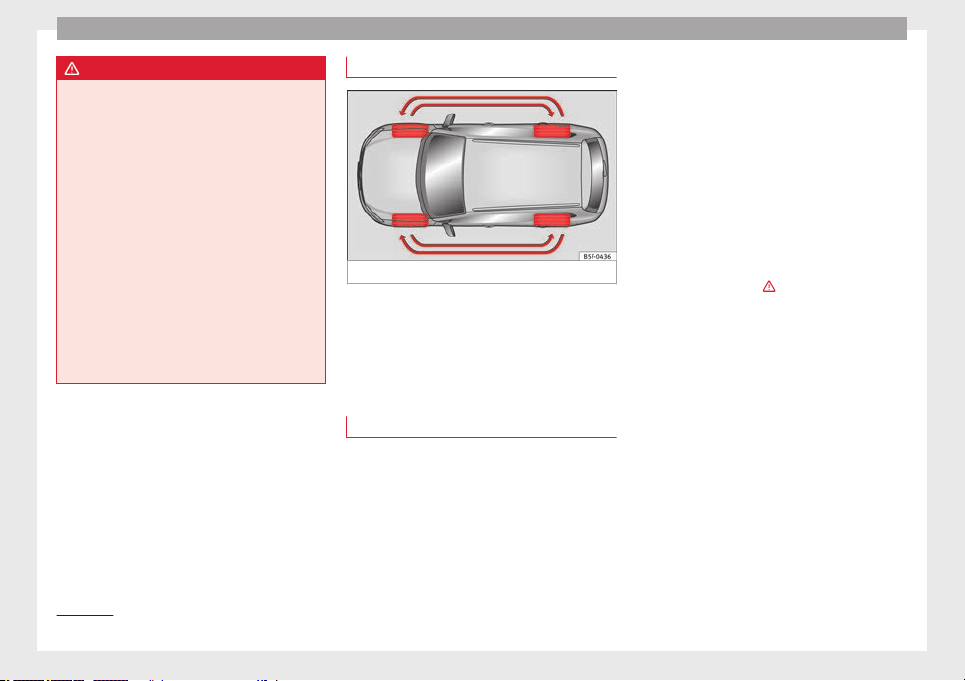
Advice
WARNING
The tyres must be replaced at the latest when
the tread is worn down to the tread wear indi-
cators. Failure to follow this instruction could
result in an accident.
●
Especially in difficult driving conditions
such as wet or icy roads. It is important that
the tyre tread be as deep as possible and be
approximately the same on the tyres of both
the front and the rear axles.
●
The scant driving safety due to insufficient
tread depth is particularly evident in vehicle
handling, when there is a risk of “aquaplan-
ing” in deep puddles of water and when driv-
ing through corners, and braking is also ad-
versely affected.
●
The speed has to be adapted accordingly,
otherwise there is a risk of losing control over
the vehicle.
Changing wheels
Fig. 178 Interchanging tyres.
To ensure that the wear is equal on all tyres
the wheels should be changed round from
time to time according to the system
››› Fig. 178
. The useful life of all the tyres will
then be about
the s
ame time.
Replacing wheels and tyres
–
All four wheels must be fitted with tyres of
the same type, size (rolling circumference)
and preferably the same tread pattern.
–
Tyres should be replaced at least in pairs
and not individually (i.e. both front tyres or
both rear tyres together).
–
Do not use tyres whose effective size ex-
ceeds the dimensions of the factory-ap-
proved makes of tyre.
–
If you wish to fit the vehicle with rims or
tyres different to those installed in manu-
facture, it is advisable to consult a SEAT Of-
ficial Service before
purchasing them.
The ty
r
es and wheel rims are an essential
part of the vehicle's design. The tyres and
rims approved by SEAT are specially matched
to the characteristics of the vehicle and make
a major contribution to good roadholding
and safe handling ›››
.
The sizes of the rims and tyres approved for
your vehicle are listed in the vehicle docu-
mentation (e.g. EC Certificate of Conformity or
COC document
1)
). The vehicle documentation
varies depending on the country of resi-
dence.
Note for Italy:
A SEAT Service Centre should
be c
on
sulted whether different sized wheels
or tyres to those originally fitted by SEAT may
be fitted, as well as the combinations al-
lowed between the front axle (axle 1) and
back axle (axle 2).
A knowledge of tyre designations makes it
easier to choose the correct tyres. The follow-
ing wording can be read on the sides of the
tyre:
1)
COC = certificate of conformity.
210
Wheels
205/55 R16 91V
This contains the following information:
205 Tyre width in mm
55 Height/width ratio in %
R Tyre construction: Radial
16 Rim diameter in inches
91 Load rating code
V Speed index
The
manufacturing date
is also indicated on
the ty
re sidewall (possibly only on the inner
part):
DOT... 2212...
it means, for example, that the tyre was man-
ufactured in the 22nd week of 2012.
But note that with some types of tyre, the ac-
tual tyre size can differ from the nominal size
marked on the tyre (for instance 205/55 R 16
91 W), and there may be significant differen-
ces in the contours of the tyres, even though
the tyres are marked with the same nominal
size designation. When replacing the tyres,
it is therefore important to make sure that
the actual size of the new tyres does not ex-
ceed the dimensions of the factory-approved
makes of tyre.
Failure to observe this requirement can af-
fect the clearance needed for the tyres. If the
tyres rub against the bodywork, in certain
circumstances the tyres , suspension or
bodywork and pipes may be damaged, and
vehicle safety could be severely impaired
›››
.
If you use tyres that are approved by SEAT
you can be sure that the actual tyre dimen-
sions will be correct for your vehicle. If you
decide to fit a different type of tyre, you must
obtain the appropriate manufacturer's certif-
icate from the tyre retailer to confirm that
the tyres are suitable for your vehicle. Keep
this certificate in a safe place.
Your SEAT Official Service will be able to ad-
vise you on which tyres may be fitted to your
vehicle.
It is best to have all servicing of wheels and
tyres performed by a specialised workshop.
They are familiar with the procedure and
have the necessary special tools and spare
parts as well as the proper facilities for dis-
posing of the old tyres respecting the envi-
ronment.
WARNING
●
It is very important to ensure that the tyres
you have chosen have adequate clearance.
When selecting replacement tyres, do not re-
ly entirely on the nominal tyre size marked on
the tyre, since the effective tyre size can dif-
fer significantly depending on the manufac-
turer. Inadequate tyre clearance can result in
damage to the tyres or the vehicle, causing a
serious safety risk. Risk of accident! It may
also invalidate the vehicle's registration for
use on public roads.
●
Avoid running the vehicle on tyres that are
more than 6 years old. If you have no alterna-
tive, you should drive slowly and with extra
care at all times.
●
If wheel trims are fitted after the car is pur-
chased, ensure that there is an adequate flow
of air for cooling the brake system.
For the sake of the environment
Old tyres must be disposed of according to
the laws in the country concerned.
Note
●
Never mount used tyres if you are not sure
of their “previous history”.
●
For technical reasons, it is not generally
possible to use the wheels from other vehi-
cles. In some cases, this may also be true for
the same model of wheel.
Wheel bolts
The
wheel bolts ar
e m
atched to the rims.
When installing different wheels (for instance
alloy wheels or wheels with winter tyres) it is
important to use the correct wheel bolts with
the right length and correctly shaped bolt
heads. This ensures that wheels are fitted
»
211
Technical specifications
AdviceOperationSafetyThe essentials
Advice
securely and that the brake system functions
correctly.
The wheel bolts must be clean and turn easi-
ly.
A special adapter is required to turn the anti-
theft wheel bolts* ››› page 218.
Tyre monitoring systems
Introduction
WARNING
Unsuitable handling of the wheels and tyres
may lead to sudden tyre pressure losses, to
tread separation or even to a blow-out.
●
Check tyre pressures regularly and ensure
they are maintained at the pressures indica-
ted. Tyre pressure that is too low could cause
overheating, resulting in tread detachment or
even burst tyres.
●
Tyre pressure should be that indicated on
the label when the tyres are cold at all times
››› page 243.
●
Re
gularly check the cold inflation pressure
of the tyres. If necessary, change the tyre
pressure of the vehicle tyres while they are
cold.
●
Regularly check your tyres for damage and
wear.
●
Never exceed the maximum permitted
speed or loads specified for the type of tyre
fitted on your vehicle.
For the sake of the environment
Under-inflated tyres lead to increased fuel
consumption and tyre wear.
Note
●
Driving for the first time with new tyres at a
high speed can cause them to slightly ex-
pand, which could then produce an air pres-
sure warning.
●
Only replace used tyres with those author-
ised by SEAT for the corresponding type vehi-
cle.
●
Do not only rely on the tyre monitoring sys-
tem. Regularly check your tyres to ensure
that the tyre pressure is correct and that the
tyres are not damaged due to puncture, cuts,
tears and impacts/dents. Remove objects
from the tyres only when they have not
pierced the tyres.
Tyre monitor indicator warning lamp
If a light appears
The pressure in one or more tyres has
clearly reduced in comparison to the
tyre pressure set by the driver or the
tyre has structural damage.
Additionally, an audible warning can be heard and a text
message can be seen on the instrument panel display.
Stop the vehicle! Reduce speed immediately! Stop
the vehicle safely as soon as possible. Avoid sudden
manoeuvres and braking! Check all tyres and pressures.
Replace any damaged tyres.
If flashing
System malfunction
The control lamp flashes for approximately one minute
and then lights up permanently.
If tyre pressure is correct, switch the ignition off and on
again. If the control lamp remains lit up, the tyre moni-
toring indicator can be calibrated. Have the system
checked by a specialised workshop.
Several warning and control lamps light up
for a few seconds when the ignition is switch-
ed on while the function is verified. They will
switch off after a few seconds.
WARNING
When the tyres are inflated at different pres-
sures or at a pressure that is too low then a
tyre may be damaged resulting in a loss of
212
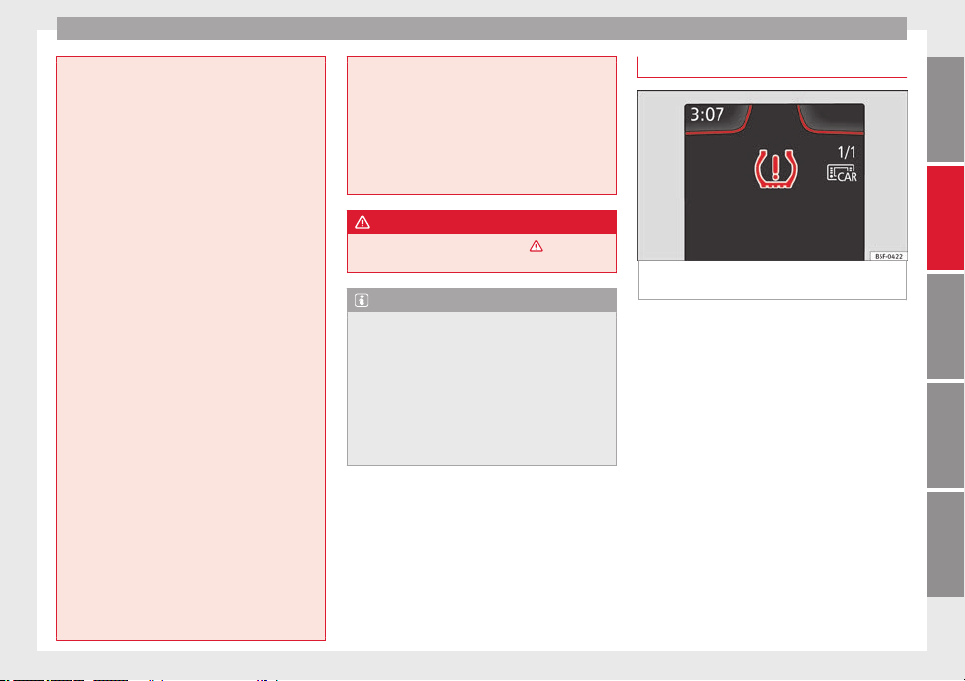
Wheels
control of the vehicle and a serious or fatal
accident.
●
If the warning lamp lights up, stop im-
mediately and check the tyres.
●
If the tyres are inflated at different pres-
sures or if a tyre pressure is too low, this will
increase tyre wear, negatively affecting vehi-
cle stability and increasing braking distan-
ces.
●
If tyres are inflated at different pressures or
a tyre pressure is too low, a tyre may be dam-
aged and burst resulting in a loss of control
of the vehicle.
●
The driver is responsible for ensuring that
all of the vehicle tyres are correctly inflated
to the right pressure. The recommended tyre
pressure is indicated on the label
››› page 243.
●
The tyr
e monitoring system can only oper-
ate correctly if all of the tyres are inflated to
the correct pressure when cold.
●
Driving with tyres at the wrong pressure
can damage them and result in an accident.
Ensure that the tyre pressures of all the tyres
correspond to the vehicle load.
●
Before starting a journey, always inflate
tyres to the correct pressure.
●
Tyres with insufficient pressure are subjec-
ted to more flexing. Due to this, the tyre
could become excessively hot, causing tread
separation and also tyre blow-out.
●
With an overloaded vehicle at high speed,
the tyres can overheat and burst resulting in
a loss of vehicle control.
●
Tyre pressures which are too high or too
low reduce the useful life of the tyre, affect-
ing vehicle performance.
●
If a tyre has not been punctured and it does
not have to be changed immediately, drive to
the nearest specialised workshop at a moder-
ate speed and have the tyre checked and in-
flated to the correct pressure.
WARNING
Observe the safety warnings ›››
in Control
and warning lamps on page 71.
Note
●
If excessively low tyre pressure is detected
with the ignition on, an audible warning will
sound. In the event that there is a fault in the
system, an audible warning will sound.
●
Driving on dirt tracks for a long period of
time or driving in a sporty style can tempora-
rily deactivate the TPMS. The control lamp
shows a fault, but disappears when road con-
ditions or the driving style change.
Tyre monitoring indicator
Fig. 179 Instrument panel: warning of loss of
tyre pressure.
The tyre monitor indicator compares wheel
revolutions and, with this information, the
tread of each wheel using the ABS sensors. If
the rolling circumference of one or more
wheels has changed, the tyre monitoring in-
dicator will indicate this on the instrument
panel through a warning lamp and a warning
to the driver ››› Fig. 179
. When only one spe-
c
ific
tyre is affected, its position within the
vehicle will be indicated.
Loss of pressure: Check left tyre pressure!
Wheel tread change
The wheel tread changes when:
●
Tyre pressure is manually changed
●
Tyre pressure is insufficient
●
Tyre structure is damaged
»
213
Technical specifications
AdviceOperationSafetyThe essentials
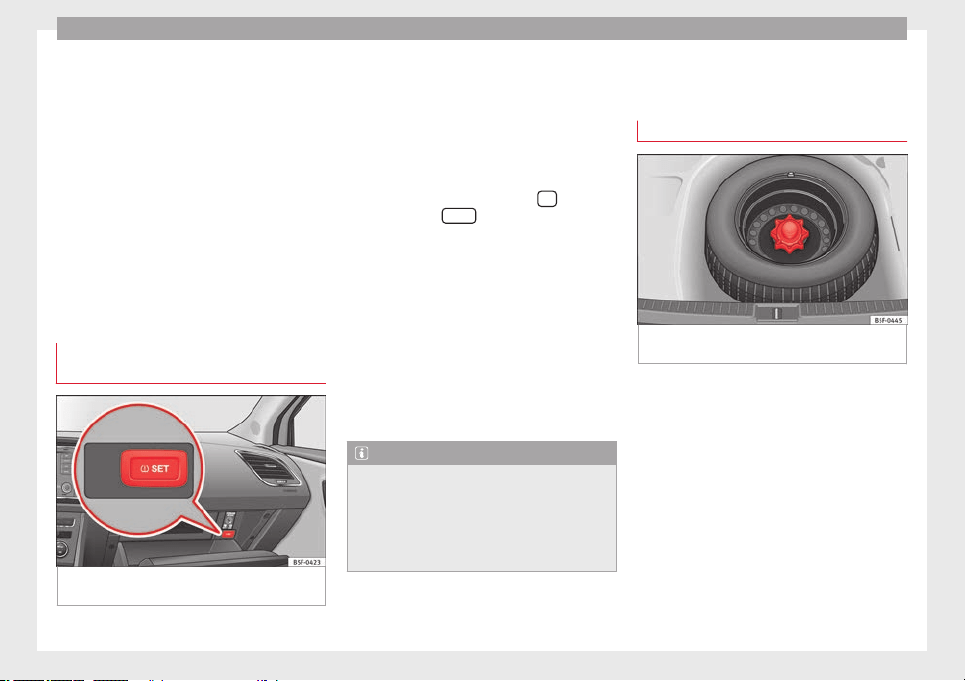
Advice
●
The vehicle is unbalanced because of a
load
●
The wheels on an axle are subject to a
heavier load (e.g. with a heavy load).
●
The vehicle is fitted with snow chains
●
The temporary spare wheel is fitted
●
The wheel on one axle is changed
There may be a delay in the reaction of the
tyre
monitoring indicator or it may not in-
dic
ate anything under certain circumstances
(e.g. sporty driving, snow-covered or un-
paved roads, or when driving with snow
chains).
Calibrating the tyre monitoring
indicator
Fig. 180 Glove compartment: tyre control
switch.
After changing the tyre pressure or replacing
one or more wheels, the tyre monitoring indi-
cator must be recalibrated. Do the same, for
example, when the front and rear wheels are
swapped.
●
Switch the ignition on.
●
Store the new tyre pressure in the Easy
Connect system with the button
and the
function button
Setup
›››
page 17 or us-
ing the switch located in the glove compart-
ment* ››› Fig. 180
.
When driv
in
g, the system self-calibrates the
tyre pressure provided by the driver and the
wheels fitted. After a long journey with varied
speeds the programmed values are collected
and monitored.
With the wheels under very heavy loads, the
tyre pressure must be increased to the total
recommended tyre pressure before the cali-
bration ››› page 243.
Note
●
The tyre monitoring indicator does not
function when there is a fault in the ESC or
ABS ››› page 143.
●
An erroneou
s indication may be given when
snow chains are in use because they increase
the tread of the wheel.
Compact temporary spare
wheel
General information
Fig. 181 Compact temporary spare wheel:
raised floor panel.
The temporary spare wheel has been de-
signed to be used for short periods of time.
Have the tyres checked, and if necessary, re-
placed as soon as possible at a SEAT Official
Service or at a specialised workshop.
Please note the following restrictions when
using the compact temporary spare wheel.
The compact temporary spare wheel is de-
signed specifically for this model. For this
reason, do not use a temporary spare wheel
from a different type of vehicle.
214
Wheels
Removing the temporary spare wheel
–
Lift and hold up the floor panel to remove
the temporary spare wheel ››› Fig. 181.
–
Turn the thumb wheel anti-clockwise.
–
Take out the temporary spare wheel.
Chains
For technical reasons, snow chains must not
be used on the temporary spare wheel.
If you have a puncture on one of the front
wheels when using snow chains, fit the tem-
porary spare wheel in place of one of the rear
wheels. Fit the snow chains on the rear wheel
that you have removed and replace the punc-
tured front wheel with this wheel.
WARNING
●
After fitting the temporary spare wheel,
check the tyre pressures as soon as possible.
Failure to do so may cause an accident. The
tyre pressures are listed on the inside of the
fuel tank flap.
●
Do not drive at over 80 km/h (50 mph)
when the temporary spare wheel is fitted on
the vehicle: risk of accident!
●
Avoid heavy acceleration, hard braking and
fast cornering: risk of accident!
●
Never use more than one temporary spare
wheel at the same time, risk of accident.
●
No other type of tyre (normal summer or
winter tyre) may be fitted on the compact
temporary spare wheel rim.
●
If you are driving using the spare wheel,
the ACC system could automatically switch
off during the journey. Switch off the system
when starting off.
Extraction of the spare wheel in
vehicles with SEAT SOUND 10
speakers (with subwoofer)*
–
Disassemble the
subwoofer's
floor panel
(c
arpet) as follows:
–
LEON/LEON SC model: first, pull the carpet
in the direction of the backrest and then
pull it upwards to remove it. LEON ST mod-
el: lift and secure the floor storage com-
partment as explained in ››› page 121.
–
Disconnect the subwoofer's speaker cable.
–
Turn the securing wheel anti-clockwise.
–
Remove the subwoofer speaker and the
spare wheel.
–
When replacing the spare wheel, place the
subwoofer speaker in the direction indica-
ted by the arrow and with the word
“FRONT” facing forward.
–
Reconnect the speaker cable and firmly ro-
tate the securing wheel clockwise so that
the subwoofer system and wheel are firmly
in place.
Winter service
Winter tyres
–
Winter tyres must be fitted on all four
wheels.
–
Only use winter tyres that are approved for
your vehicle.
–
Please note that the maximum permissible
speed for winter tyres may be lower than
for summer tyres.
–
Also note that winter tyres are no longer ef-
fective when the
tread
is worn down.
–
Af
ter fitting the wheels you must always
check the tyre pressures. The correct tyre
pressures are listed on the sticker on the
inside of the fuel tank flap
›››
page 208.
In winter road conditions winter tyres will
considerably improve vehicle handling. The
design of summer tyres (width, rubber com-
pound, tread pattern) gives less grip on ice
and snow. This applies particularly to vehi-
cles equipped with wide section tyres or with
high speed tyres (code letters H, V or Y on
the sidewall).
»
215
Technical specifications
AdviceOperationSafetyThe essentials
Advice
Only use winter tyres of the correct type ap-
proved for your vehicle. The sizes of these
tyres are specified in the vehicle's docu-
ments (e.g. EC Certificate of Conformity or
COC
1)
). The vehicle documentation varies de-
pending on the country of residence. See al-
so ››› page 210
.
W
int
er tyres lose a great deal of their proper-
ties when the tread is worn down to a depth
of 4 mm.
The performance of winter tyres is also se-
verely impaired by ageing, even if the tread is
still much deeper than 4 mm.
Winter tyres are subject to the following max-
imum speed limits according to speed rating
code letter: ›››
Speed rating
code letter
››› page 210
Maximum speed limit
Q 160 km/h
S 180 km/h
T 190 km/h
H 210 km/h
V
240 km/h (150 mph)
(note restrictions)
W 270 km/h
Speed rating
code letter
››› page 210
Maximum speed limit
Y 300 km/h
Vehicles capable of exceeding these speeds
must have an appropriate sticker attached so
that it is visible to the driver. Suitable stickers
are available from the SEAT Official Service
and specialised workshop. Please note the
regulations to this effect in your country.
“All-weather” tyres can also be used instead
of winter tyres.
Using winter tyres with V-rating
Please note that the generally applicable
240 km/h (150 mph) speed rating for winter
tyres with the letter V is subject to technical
restrictions; the maximum permissible
speed for your vehicle may be significantly
lower
. The maximum speed limit for these
ty
r
es depends directly on the maximum axle
weights for your car and on the listed weight
rating of the tyres being used.
It is best to contact a SEAT Official Service to
check the maximum speed which is permissi-
ble for the V-rated tyres fitted on your car on
the basis of this information.
WARNING
Exceeding the maximum speed permitted for
the winter tyres fitted on your car can cause
tyre failure, resulting in a loss of control of
the vehicle – risk of accident.
For the sake of the environment
Summer tyres should be fitted again as soon
as possible after the winter period; they give
better handling on roads which are free of
snow and ice. Summer tyres perform with
less rolling noise, tyre wear and – most im-
portant – reduce fuel consumption.
Snow chains
–
Snow chains can be used on the front
wheels only.
–
Check that they are correctly seated after
driving for a few yards; correct the position
if necessary. Always take the manufacturer
assembly instructions into account.
–
Keep your speed below 50 km/h.
–
If there is a danger of being trapped de-
spite having mounted the chains, it is best
to disable the driving wheels (ASR) in the
ESC
›››
page 145, Switching on/off the ESC
and ASR
.
1)
COC = certificate of conformity.
216
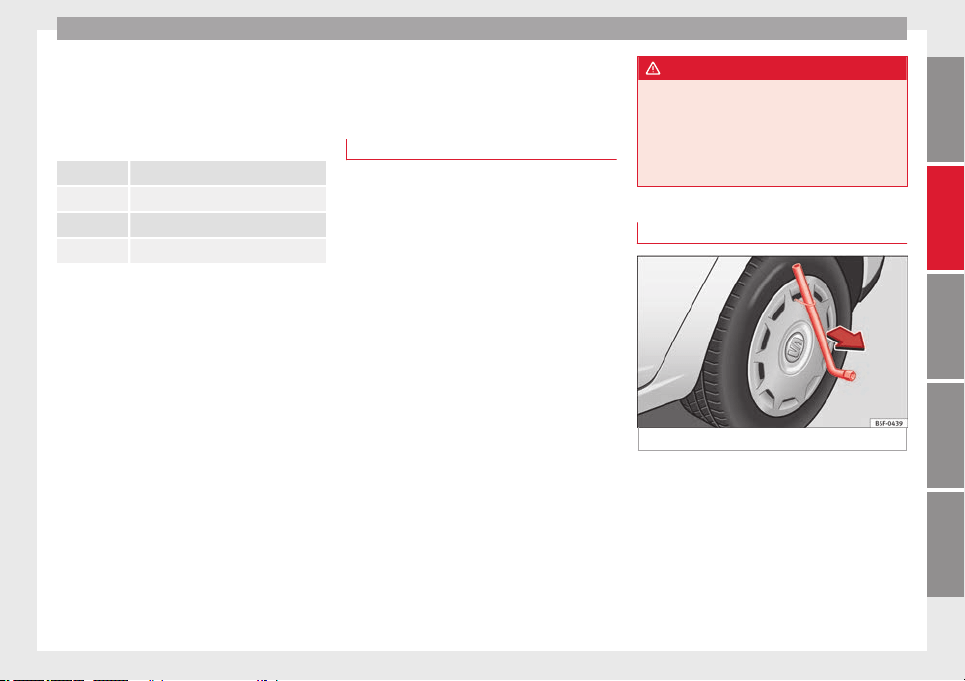
Emergencies
Snow chains will improve braking ability as
well as traction
in winter conditions.
F
or t
echnical reasons snow chains may only
be used with the following wheel rim/tyre
combination.
195/65 R15 Chains with links of maximum 15 mm
205/55 R16 Chains with links of maximum 15 mm
225/45 R17 Chains with links of maximum 9 mm
225/40 R18 Chains with links of maximum 9 mm
Remove wheel covers and any integral trim
ring
before fitting snow chains.
R
emo
ve the chains when roads are free of
snow. Otherwise they will impair handling,
damage the tyres and wear out very quickly.
Emergencies
Changing a wheel
What to do first
Read the additional information carefully
›››
page 34
–
If you have a flat tyre or puncture, park the
car as far away from the flow of traffic as
possible in a safe place. If you have a punc-
ture, stop the vehicle on a horizontal sur-
face. If you are on a slope, take extra care.
–
Apply the handbrake.
–
Switch on the hazard warning lights.
–
Manual gearbox: select the 1st gear.
–
Automatic gearbox: move the selector lever
to P.
–
When towing a trailer: unhitch the trailer
from your vehicle.
–
Have the vehicle tool kit
›››
page 220 and
the spare wheel ready
›››
page 214.
–
Observe the applicable legislation for each
country (reflective vest, warning triangles,
etc.).
–
All vehicle occupants should leave the car.
They should wait in a safe area (for in-
stance behind the roadside crash barrier).
WARNING
●
Always observe the above steps and pro-
tect yourself and other road users.
●
If you change the wheel on a slope, block
the wheel on the opposite side of the car with
a stone or similar to prevent the vehicle from
moving.
Wheel covers*
Fig. 182 Remove the wheel cover.
The wheel covers must be removed for access
to the wheel bolts.
Removing
–
Remove the wheel cover using the wire
hook
›››
Fig. 182
.
–
Hook
thi
s into one of the cut-outs of the
wheel cover.
»
217
Technical specifications
AdviceOperationSafetyThe essentials
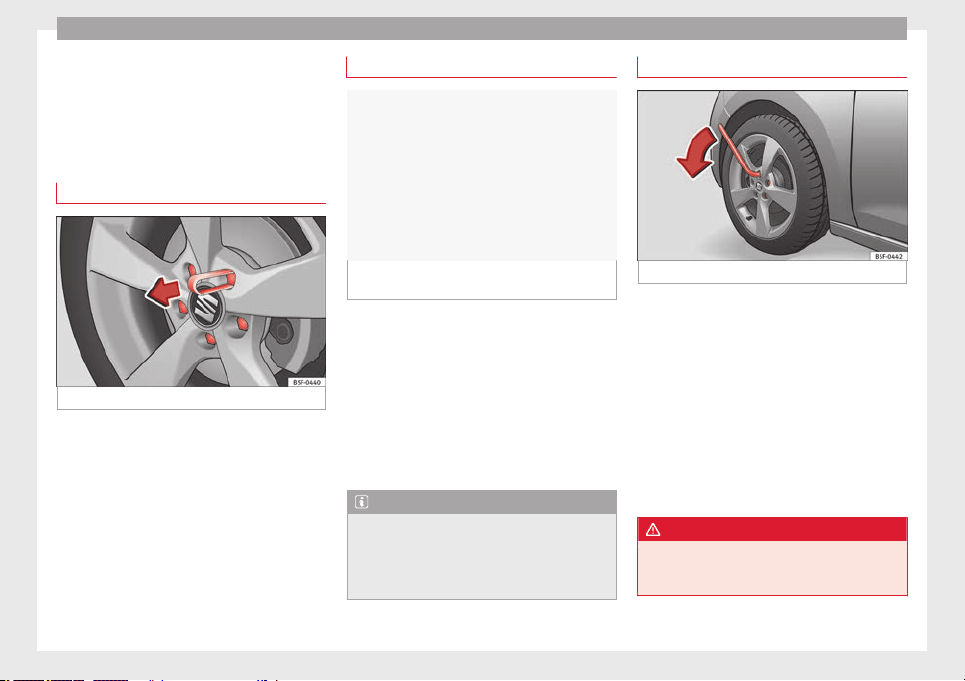
Advice
Fitting
–
Fit the wheel cover onto the wheel rim by
pressing it firmly. Put pressure initially on
the point of the cut-out for the valve. Next
fit the rest of the hubcap
Wheel bolt caps*
Fig. 183 Wheel: wheel bolts with caps.
Removal
–
Fit the plastic clip (vehicle tools) over the
cap until it clicks into place ››› Fig. 183.
–
Remove the cap with the plastic clip.
Anti-theft wheel bolts
Fig. 184 Anti-theft wheel bolt with cap and
adapter.
A special adapter (vehicle tools) is required
to remove the anti-theft wheel bolts.
–
Remove the wheel cover* or the cap*.
–
Insert the adapter onto the anti-theft wheel
bolt and push it on as far as it will go.
–
Insert the wheel brace (vehicle tools) onto
the adapter as far as it will go.
–
Remove the wheel bolt ››› page 218.
Note
Make a note of the code number of the anti-
theft wheel bolt and keep it in a safe place,
but not in your vehicle. If you need a new
adapter, you can obtain it from the SEAT Offi-
cial Service, indicating the code number.
Loosening the wheel bolts
Fig. 185 Wheel: loosen the wheel bolts.
–
Insert the box spanner (vehicle tools) onto
the wheel bolt as far as it will go. An adapt-
er is required to unscrew or tighten the an-
ti-theft wheel bolts ››› page 218.
–
Turn the wheel bolt approximately one turn
to the left ››› Fig. 185
(arrow). To apply the
r
equir
ed torque, hold the wheel brace at
the end. If it is not possible to loosen a
wheel bolt, carefully apply pressure with
one foot on the end of the box spanner.
Hold on to the vehicle for support and take
care not to slip.
WARNING
Slightly loosen the wheel bolts (one turn) be-
fore raising the vehicle with the jack*. If not,
an accident may occur.
218
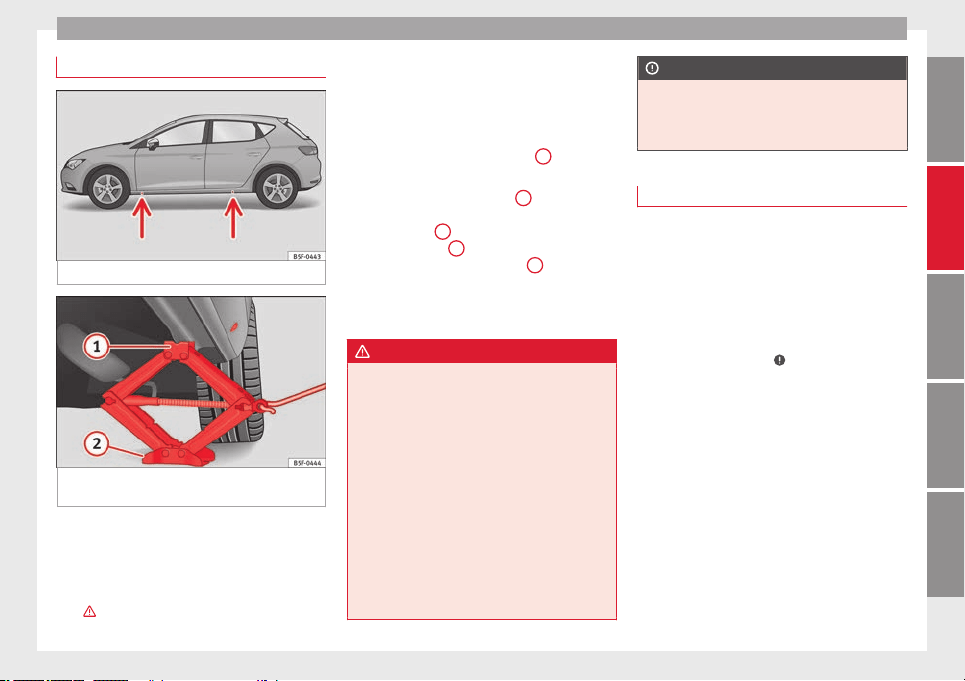
Emergencies
Raising the vehicle
Fig. 186 Crossbar: marks.
Fig. 187 Strut: mounting the jack on the vehi-
cle.
–
Place the jack* (vehicle tools) on a firm sur-
face. If necessary use a large, strong board
or similar support. On a slippery surface
(such as tiles) place the jack on a rubber
mat or similar to prevent it from slipping.
››› .
–
Find the support point on the strut (sunken
area) closest to the wheel to be changed
››› Fig. 186
. The jack* support point is be-
hind the m
ark
on the strut.
–
Turn the jack*, located below the strut sup-
port point, to raise it until tab
1
››› Fig. 187
is below the housing provided.
–
A
lign the j
ack* so that tab
1
“grips” onto
the housing provided on the strut and the
mobile base
2
is resting on the ground.
The base plate
2
should fall vertically with
respect to the support point
1
.
–
Continue turning the jack* until the wheel
is slightly lifted off the ground.
WARNING
●
Make sure that the jack* remains stable. If
the surface is slippery or soft, the jack* could
slip or sink, respectively, with the resultant
risk of injury.
●
Only raise the vehicle with the jack* sup-
plied by the manufacturer. Other vehicles
could slip, with the consequent risk of injury.
●
Only mount the jack* on the support points
designed for this purpose on the strut, and
always align the jack correctly. If you do not,
the jack* could slip as it does not have an ad-
equate grip on the vehicle: risk of injury!
●
The height of the parked vehicle can
change as a result of variations in tempera-
ture and loading.
CAUTION
The vehicle must not be raised on the cross-
bar. Only place the jack* on the points de-
signed for this purpose on the strut. Other-
wise, the vehicle may be damaged.
Removing and fitting a wheel
Change the wheel as described below after
loosening the wheel bolts and raising the ve-
hicle with the jack.
Taking off the wheel
–
Unscrew the wheel bolts using the box
spanner and place them on a clean surface.
–
Take off the wheel
›››
.
Putting on the spare wheel
When fitting tyres with a compulsory rotation
direction, observe the instructions in
›››
page 220
.
–
Mou
nt
the wheel.
–
Screw on the wheel bolts in position and
tighten them loosely with a box spanner.
–
Carefully lower the vehicle using the jack*.
–
Tighten the wheel bolts in diagonal pairs
using the wheel brace.
The wheel bolts should be clean and turn
easily. Before fitting the spare wheel, inspect
»
219
Technical specifications
AdviceOperationSafetyThe essentials
Advice
the wheel condition and hub mounting surfa-
ces. These surfaces must be clean before fit-
ting the wheel.
CAUTION
When removing/fitting the wheel, the rim
may hit and damage the brake disc. For this
reason, please take care and get a second
person to assist you.
Tyres with compulsory direction of
rotation
A directional tread pattern can be identified
by arrows on the sidewall that point in the di-
rection of rotation. Always observe the direc-
tion of rotation indicated when mounting the
wheel. This is important so that these tyres
can give maximum grip and avoid excessive
noise, tread wear and aquaplaning.
If, exceptionally, it is necessary to mount the
spare wheel* in the opposite direction of ro-
tation, please drive carefully, as in this case
the tyre does not have optimum conditions of
use. This is particularly important when driv-
ing on wet roads.
To benefit from the advantages of tyres with
this type of tread pattern, the defective tyre
should be replaced as soon as possible so
that all tyres again rotate in the correct direc-
tion.
After changing a wheel
–
On alloy wheels: replace the wheel bolt
caps.
–
On plate wheels: replace the wheel hubcap
››› page 217.
–
Put the tools and jack back in the luggage
compartment.
–
If the replaced wheel does not fit in the
spare wheel housing, store it safely in the
luggage compartment ››› page 114.
–
Check the tyre pressure of the newly moun-
ted tyre as soon as possible.
–
In vehicles fitted with a tyre pressure indi-
cator, adjust the pressure and store the
reading in the radio/ Easy Connect system*
›››
page 212.
–
The wheel bolts should be tightened to 120
Nm. Check the torque as soon as possible
with a torque wrench. Meanwhile, drive
carefully.
–
Have the flat tyre replaced as quickly as
possible.
Tyre repair
Tools, anti-puncture kit*
The tools and anti-puncture kit* are stored
under the floor panel in the luggage compart-
ment.
To access the vehicle tools:
–
Lift up the floor surface by the plastic han-
dle until it is fastened to the tabs on both
sides.
Depending on the vehicle equipment, the
tyre repair kit* is located under the floor pan-
el in the luggage compartment.
The tool kit includes:
●
Jack*
●
Wire hook for pulling off the wheel cov-
er* /wheel bolt cap clip.
●
Box spanner for wheel bolts*
●
Towline anchorage
●
Adapter for the anti-theft wheel bolts*
Some of the items listed are only provided in
certain model versions, or are optional ex-
tras.
Note
The jack does not generally require any main-
tenance. If required, it should be greased us-
ing universal type grease.
220
Emergencies
TMS (Tyre Mobility System)*
Read the additional information carefully
›››
page 33
The Anti-puncture kit* (Tyre Mobility System)
will reliably seal punctures caused by the
penetration of a foreign body of up to about
4 mm in diameter. Do not remove foreign ob-
j
ects, e.g. screws or nails, from the tyre.
After inserting the sealant residue in the tyre,
you must again check the tyre pressure about
10 minutes after starting the engine.
You should only use the tire mobility set if
the vehicle is parked in a safe place, you are
familiar with the procedure and you have the
necessary tire mobility set! Otherwise, you
should seek professional assistance.
The tyre sealant must not be used in the
following cases:
●
If the wheel rim has been damaged.
●
In outside temperatures below -20°C (-4°F).
●
In the event of cuts or perforations in the
tyre greater than 4 mm.
●
If you have been driving with very low pres-
sure or a completely flat tyre.
●
If the sealant bottle has passed its use by
date.
WARNING
Using the tyre mobility system can be dan-
gerous, especially when filling the tyre at the
roadside. Please observe the following rules
to minimise the risk of injury:
●
Stop the vehicle safely as soon as possible.
Park it at a safe distance from surrounding
traffic to fill the tyre.
●
Ensure the ground on which you park is flat
and solid.
●
All passengers and particularly children
must keep a safe distance from the work area.
●
Turn on the hazard warning lights to warn
other road users.
●
Use the tyre mobility system only if you are
familiar with the necessary procedures. Oth-
erwise, you should seek professional assis-
tance.
●
The tyre mobility set is intended for tempo-
rary emergency use only until you can reach
the nearest specialised workshop.
●
Replace the repaired tyre with the tire mo-
bility set as soon as possible.
●
The sealant is a health hazard and must be
cleaned immediately if it comes into contact
with the skin.
●
Always keep the tire mobility set out of the
reach of small children.
●
Never use an equivalent jack, even if it has
been approved for your vehicle.
●
Always stop the engine, apply the hand-
brake lever firmly and engage gear if using a
manual gearbox, in order to reduce the risk of
vehicle involuntary movement.
WARNING
A tyre filled with sealant does not have the
same performance properties as a conven-
tional tyre.
●
Never drive faster than 80 km/h (50 mph).
●
Avoid heavy acceleration, hard braking and
fast cornering.
●
Drive for only 10 minutes at a maximum
speed of 80 km/h (50 mph) and then check
the tyre.
For the sake of the environment
Dispose of used or expired sealant observing
any legal requirements.
Note
A new bottle of sealant can be purchased at
SEAT dealerships.
Note
Take into account the separate instruction
manual of the tyre mobility set* manufactur-
er.
221
Technical specifications
AdviceOperationSafetyThe essentials
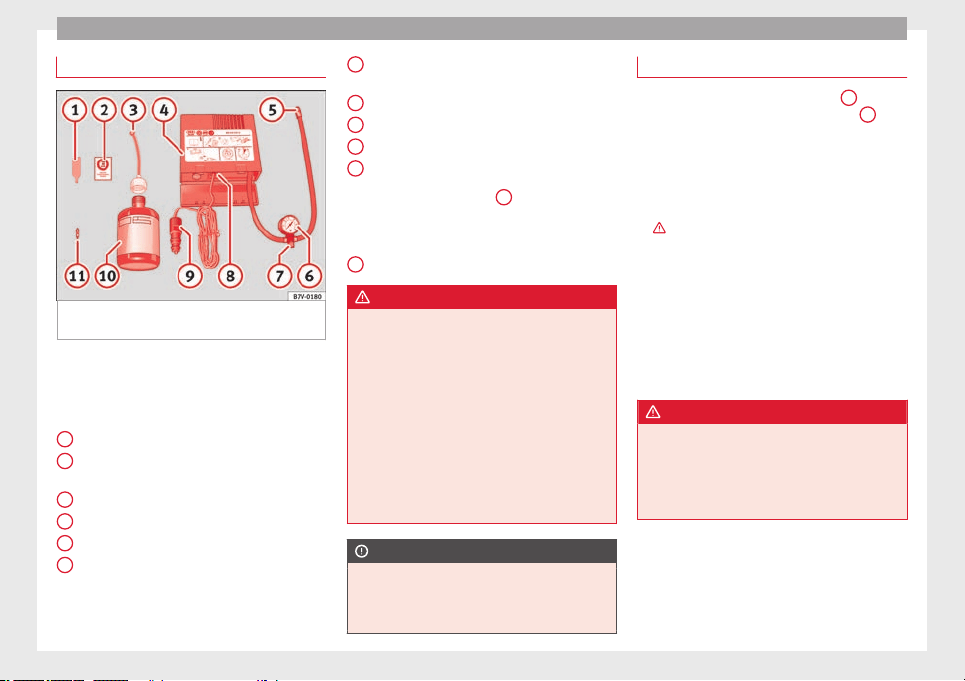
Advice
Contents of the tyre mobility system*
Fig. 188 Standard representation: Contents
of the tyre mobility system.
The tyre mobility set is located underneath
the floor covering in the luggage compart-
ment. It includes the following components
››› Fig. 188
:
T
y
re valve remover
Sticker indicating maximum speed “max.
80 km/h” or “max. 50 mph”
Filler tube with cap
Air compressor
Tube for inflating tyres
Warning provided by tyre pressure moni-
toring system (it can also be integrated in
the compressor).
1
2
3
4
5
6
Air bleed screw (in its place, the compres-
sor may have a button).
ON/OFF switch
12 volt connector
Bottle of sealant
Spare tyre valve
The
valve insert remover
1
has a gap at the
lower end for a valve insert. The valve insert
can only be screwed or unscrewed in this
way. This also applies to its replacement part
11
.
WARNING
When inflating the wheel, the air compressor
and the inflator tube may become hot.
●
Protect hands and skin from hot parts.
●
Do not place the hot flexible inflator tube or
hot air compressor on flammable material.
●
Allow them to cool before storing the de-
vice.
●
If it is not possible to inflate the tyre to at
least 2.0 bars (29 psi / 200 kPa), the tyre is
too badly damaged. The sealant is not in a
good condition to seal the tyre. Do not con-
tinue driving. Seek specialist assistance.
CAUTION
Switch off the air compressor after a maxi-
mum of 8 operational minutes to avoid over-
heating! Before switching on the air compres-
sor again, let it cool for several minutes.
7
8
9
10
11
Check after 10 minutes of driving
Screw the inflator tube ››› Fig. 188
5
again
and check the pressure on the gauge
6
.
1.3 bar (19 psi / 130 kPa) and lower:
●
Stop the vehicle! The tyre cannot be sealed
sufficiently with the tyre mobility set.
●
You should obtain professional assistance
››› .
1.4 bar (20 psi / 140 kPa) and higher:
●
Set the tyre pressure to the correct value
again.
●
Carefully resume your journey until you
reach the nearest specialised workshop with-
out exceeding 80 km/h (50 mph).
●
Have the damaged tyre replaced.
WARNING
Driving with an unsealed tyre is dangerous
and can cause accidents and serious injury.
●
Do not continue driving if the tyre pressure
is 1.3 bar (19 psi / 130 kPa) and lower.
●
Seek specialist assistance.
222
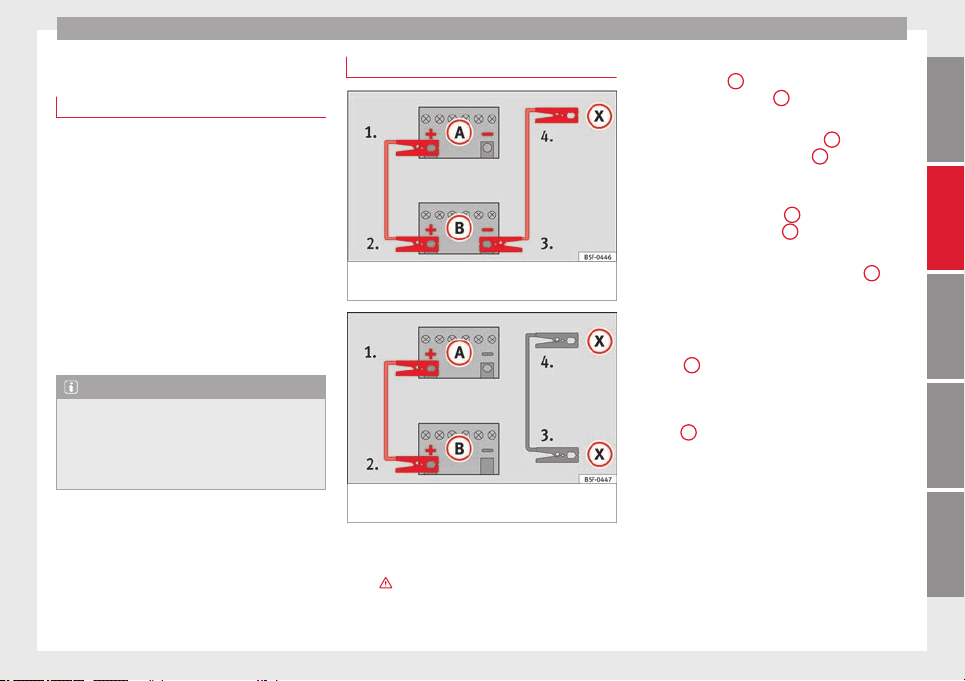
Emergencies
Jump starting
Jump leads
The jump lead must have a sufficient wire
cross section.
If the engine fails to start because of a dis-
charged battery, the battery can be connec-
ted to the battery of another vehicle to start
the engine.
Jump leads
Jump leads must comply with standard DIN
72553
(see cable manufacturer's instruc-
tion
s).
The wire cross section must be at least
25 mm
2
for petrol engines and at least
35 mm
2
for diesel engines.
Note
●
The vehicles must not touch each other,
otherwise electricity could flow as soon as
the positive terminals are connected.
●
The discharged battery must be properly
connected to the on-board network.
How to jump start: description
Fig. 189 Diagram of connections for vehicles
without Start Stop system
Fig. 190 Diagram of connections for vehicles
with Start Stop system
Jump lead terminal connections
1. Switch off the ignition of both vehicles
››› .
2. Connect one end of the red
jump lead to
the po
s
itive
+
terminal of the vehicle
with the flat battery
A
››› Fig. 189
.
3.
C
onnect the other end of the red jump
lead to the positive terminal
+
in the ve-
hicle providing assistance
B
.
4. For vehicles without Start-Stop system:
connect one end of the black jump lead to
the negative terminal
–
of the vehicle
providing the current
B
››› Fig. 189
.
–
F
or
vehicles with Start-Stop system: con-
nect one end of the black jump lead
X
to a
suitable ground terminal, to a solid piece of
metal in the engine block, or to the engine
block itself ››› Fig. 190
.
5.
C
onnect the other end of the black jump
lead
X
to a solid metal component bolted
to the engine block or to the engine block
itself of the vehicle with the flat battery.
Do not connect it to a point near the bat-
tery
A
.
6. Position the leads in such a way that they
cannot come into contact with any moving
parts in the engine compartment.
Starting
7. Start the engine of the vehicle with the
boosting battery and let it run at idling
speed.
»
223
Technical specifications
AdviceOperationSafetyThe essentials
Advice
8. Start the engine of the vehicle with the flat
battery and wait 2 or 3 minutes until the
engine is “running”.
Removing the jump leads
9. Before you remove the jump leads, switch
off the dipped beam headlights (if they
are switched on).
10.Turn on the heater blower and heated rear
window in the vehicle with the flat battery.
This helps minimise voltage peaks which
are generated when the leads are discon-
nected.
11.
When the engine is running, disconnect
the l
e
ads in reverse order to the details
given above.
Connect the battery clamps so they have
good metal-to-metal contact with the battery
terminals.
If the engine fails to start, switch off the start-
er after about 10 seconds and try again after
about 1 minute.
WARNING
●
Please note the safety warnings referring to
working in the engine compartment
››› page 198.
●
The batt
ery providing assistance must have
the same voltage as the flat battery (12V) and
approximately the same capacity (see imprint
on battery). Failure to comply could result in
an explosion.
●
Never use jump leads when one of the bat-
teries is frozen. Danger of explosion! Even af-
ter the battery has thawed, battery acid could
leak and cause chemical burns. If a battery
freezes, it should be replaced.
●
Keep sparks, flames and lighted cigarettes
away from batteries, danger of explosion.
Failure to comply could result in an explo-
sion.
●
Observe the instructions provided by the
manufacturer of the jump leads.
●
Do not connect the negative cable from the
other vehicle directly to the negative terminal
of the flat battery. The gas emitted from the
battery could be ignited by sparks. Danger of
explosion.
●
Do not attach the negative cable from the
other vehicle to parts of the fuel system or to
the brake line.
●
The non-insulated parts of the battery
clamps must not be allowed to touch. The
jump lead attached to the positive battery
terminal must not touch metal parts of the ve-
hicle, this can cause a short circuit.
●
Position the leads in such a way that they
cannot come into contact with any moving
parts in the engine compartment.
●
Do not lean on the batteries. This could re-
sult in chemical burns.
Note
The vehicles must not touch each other, oth-
erwise electricity could flow as soon as the
positive terminals are connected.
Towing and tow-starting the
vehicle
General information
Read the additional information carefully
›››
page 35
Points to observe when tow-starting or tow-
ing away
If you use a tow rope:
Notes for the driver of the towing vehicle
–
The tow rope must be taut before you drive
off.
–
Release the clutch very carefully when start-
ing the vehicle (manual gearbox), or accel-
erate gently (automatic gearbox).
Driving style
Towing requires some experience, especially
when using a tow
rope
. Both drivers should
be f
amiliar with the technique required for
towing. Inexperienced drivers should not at-
tempt to tow.
224
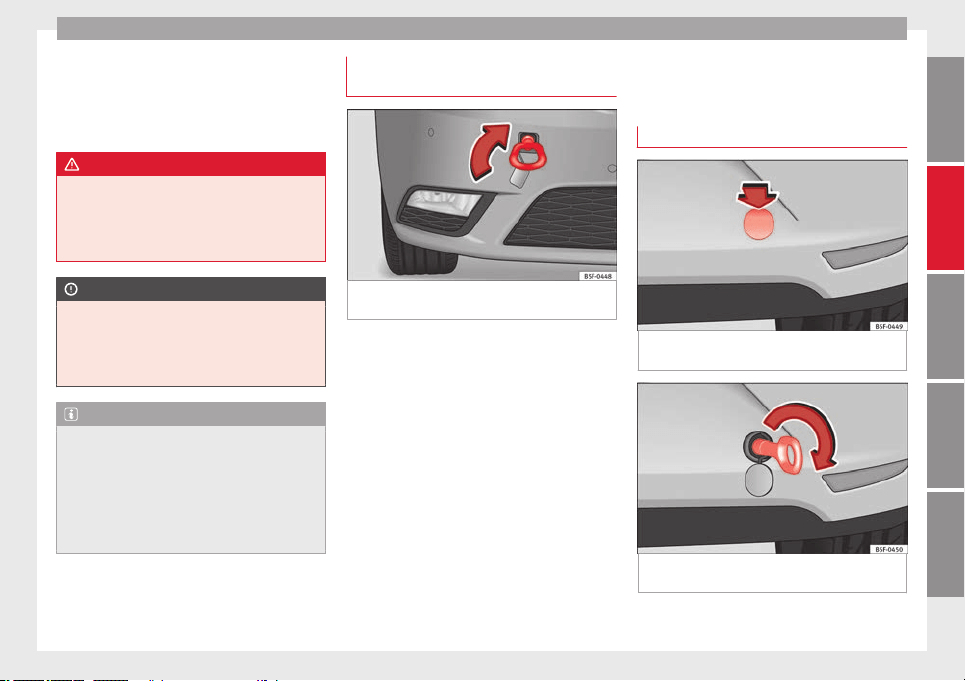
Emergencies
Do not pull too hard with the towing vehicle
and take care to avoid jerking the tow rope.
When towing on an unpaved road, there is al-
ways a risk of overloading and damaging the
anchorage points.
WARNING
If the vehicle has no electrical power, the
brake lights, turn signals and all other lights
will no longer function. Do not have the vehi-
cle towed away. Failure to follow this instruc-
tion could result in an accident.
CAUTION
If there is no oil in the gearbox or no lubricant
in the automatic transmission the car may
only be towed with the driven wheels lifted
clear of the road, or transported on a special
car transporter or trailer.
Note
●
Please observe related legal requirements.
●
Switch on the hazard warning lights of both
vehicles. However, observe any regulations
to the contrary.
●
The tow rope must not be twisted. Other-
wise the front towline anchorage could be
pulled off the vehicle.
Towline anchorage at the front of the
vehicle
Fig. 191 Right side of the front bumper: tow-
line anchorage screwed in.
The front towline anchorage is only mounted
if the vehicle has to be towed.
There is a cover with an opening into which
the towline anchorage is screwed on the right
part of the front bumper.
–
To remove the bumper cover, just press the
upper left side inwards.
–
Take the towline anchorage out of the vehi-
cle tool kit ››› page 220
.
–
Sc
r
ew the towline anchorage into the screw
connection as far as it will go ››› Fig. 191
and tighten with the wheel brace.
After use, unscrew the towline anchorage
and fit the cover back on the bumper. Put the
towline anchorage back in the vehicle tool
kit. The towline anchorage should always be
kept in the vehicle.
Rear towline anchorage
Fig. 192 Right side of the rear bumper: cover-
cap.
Fig. 193 Right side of the rear bumper: tow-
line anchorage screwed in.
The rear towline anchorage should only be
mounted if you wish to tow another vehicle.
»
225
Technical specifications
AdviceOperationSafetyThe essentials
Advice
Vehicles with towline anchorage
On the right of the rear bumper there is a cov-
er which covers a threaded hole.
–
Take the towline anchorage out of the vehi-
cle tool set ››› page 220
.
–
T
o r
emove the bumper cover, just press the
upper side of the cover inwards (arrow) and
remove the cover by levering on the lower
››› Fig. 192 side.
–
Screw the towline anchorage into the screw
connection as far as it will go ››› Fig. 193
and tighten with the wheel brace.
After use, unscrew the towline anchorage
and put it back in the vehicle tool kit. Replace
the cover on the bumper. The towline anchor-
age should always be kept in the vehicle.
WARNING
●
If the towline anchorage is not screwed in
as far as the stop, there is a risk of the screw
connection shearing off during towing (acci-
dent risk).
●
If your car has a towing bracket, only use
special towing ropes. Risk of accident!
CAUTION
In vehicles fitted with a towing bracket, only
use special tow bars to prevent damage to
the ball joint. These tow bars have been spe-
cially approved for use with towing brackets.
Tow-starting
As a general rule, tow-starting is not recom-
mended.
–
Engage 2nd or 3rd gear before moving off.
–
Press the clutch and hold the pedal down.
–
Switch the ignition on.
–
Once both vehicles are moving, release the
clutch.
–
As soon as the engine has started, press
the clutch and move the gear lever to neu-
tral.
If the engine will not start, it is best to try
starting it using the battery of another vehi-
cle
›››
page 223
before attempting to tow
s
t
art. You should only try to tow-start the en-
gine if jump starting is not successful. Tow-
starting is an attempt to start the engine via
the movement of the wheels.
When tow-starting a vehicle with a petrol en-
gine, do not tow it more than a short dis-
tance, otherwise unburned fuel can enter the
catalytic converter.
WARNING
The risk of accidents is high when tow-start-
ing, for example, the towed vehicle can easily
be driven into the towing vehicle.
CAUTION
Do not tow vehicles for more than 50 km. Risk
of damage to the catalytic converter.
Towing vehicles with a manual
gearbox
Towing is relatively straightforward.
Please observe the relevant instructions
››› page 224.
The v
ehicle can be towed using a tow bar or
tow rope in the normal way, with all four
wheels on the road; it can also be towed with
either the front or rear wheels lifted off the
road. The maximum towing speed is 50 km/h
(30 mph).
To
wing a vehicle equipped with
automatic gearbox
Certain restrictions must be observed when
towing your vehicle.
Please observe the relevant instructions
›››
page 224
.
The
v
ehicle can be towed with a tow bar or
tow rope in the normal way, with all four
wheels on the ground. When doing so,
please note the following points:
226
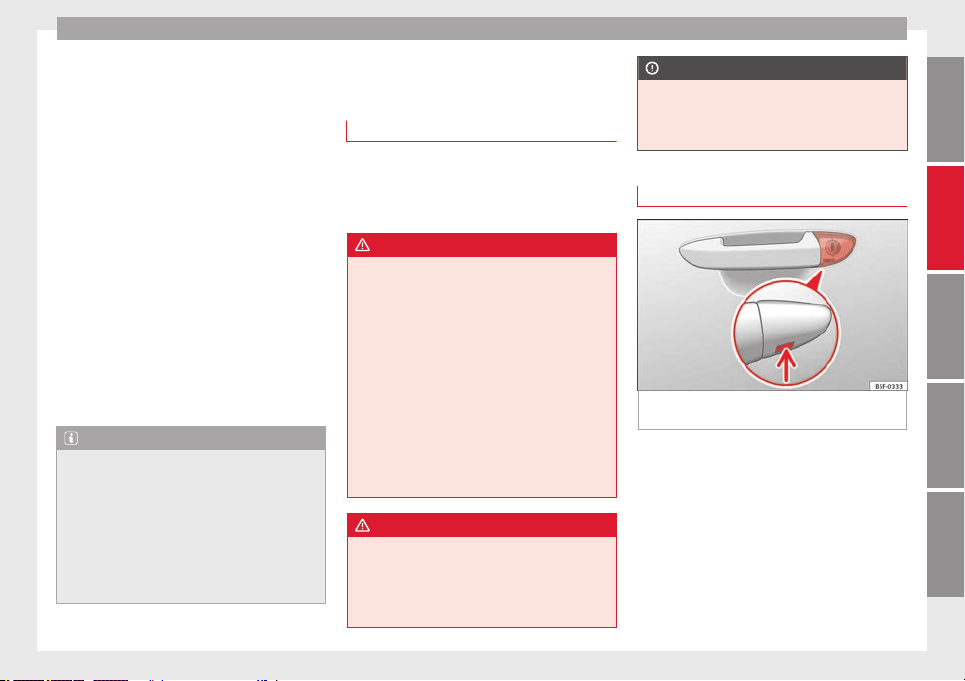
Emergencies
●
Make sure the
selector lever is in the N po-
s
ition.
●
The
vehicle must not be towed faster than
50 km/h (30 mph).
●
The vehicle must not be towed further than
50 km (30 miles). Reason: when the engine
is not running, the gearbox oil pump does
not work and the gearbox is not adequately
lubricated for higher speeds or longer distan-
ces.
If the vehicle has to be towed with a break-
down truck, it must only be suspended at the
front wheels. Reason: the drive shafts are lo-
cated on the front wheels. If the car is towed
with the rear wheels lifted off the road (I.e.
travelling backwards), the drive shafts also
turn backwards. The planetary gears in the
automatic gearbox then turn at such high
speeds that the gearbox will be severely
damaged in a short time.
Note
●
If it is not possible to tow the vehicle in the
normal way, or if it has to be towed further
than 50 km (30 miles), it must be transported
on a special car transporter or trailer.
●
Should the power supply to the selector
lever be interrupted in position P, the selector
lever will be locked. Before the vehicle can be
recovered/manoeuvred you must manually
release the selector lever ››› page 229.
Emergency locking and
unlocking
Introduction
The doors, rear lid and panoramic tilting sun-
roof can be locked manually and partially
opened, for example if the key or the central
locking is damaged.
WARNING
Opening and closing doors carelessly can
cause serious injury.
●
If the vehicle is locked from outside, the
doors and windows cannot be opened from
the inside.
●
Never leave children or disabled people
alone in the car. They could be trapped in the
car in an emergency and will not be able to
get themselves to safety.
●
Depending on the time of the year, temper-
atures inside a locked and closed vehicle can
be extremely high or extremely low resulting
in serious injuries and illness or even death,
particularly for young children.
WARNING
Getting in the way of the doors and the rear
lid is dangerous and can lead to serious in-
jury.
●
Open and close the doors and the rear lid
only when there is nobody in the way.
CAUTION
When opening and closing in an emergency,
carefully disassemble components and then
reassemble them carefully to avoid damage
to the vehicle.
Locking or unlocking the driver door
Fig. 194 Driver door lever: hidden lock cylin-
der.
If the central locking system should fail to op-
erate, the driver door can still be locked and
unlocked by turning the key in the lock.
As a general rule, when the driver door is
locked all other doors are locked. When the
vehicle is unlocked manually, only the driver
door opens. Please observe the instructions
relating to the anti-theft alarm system
››› page 82
.
●
Unf
o
ld the vehicle key shaft ››› page 83.
»
227
Technical specifications
AdviceOperationSafetyThe essentials
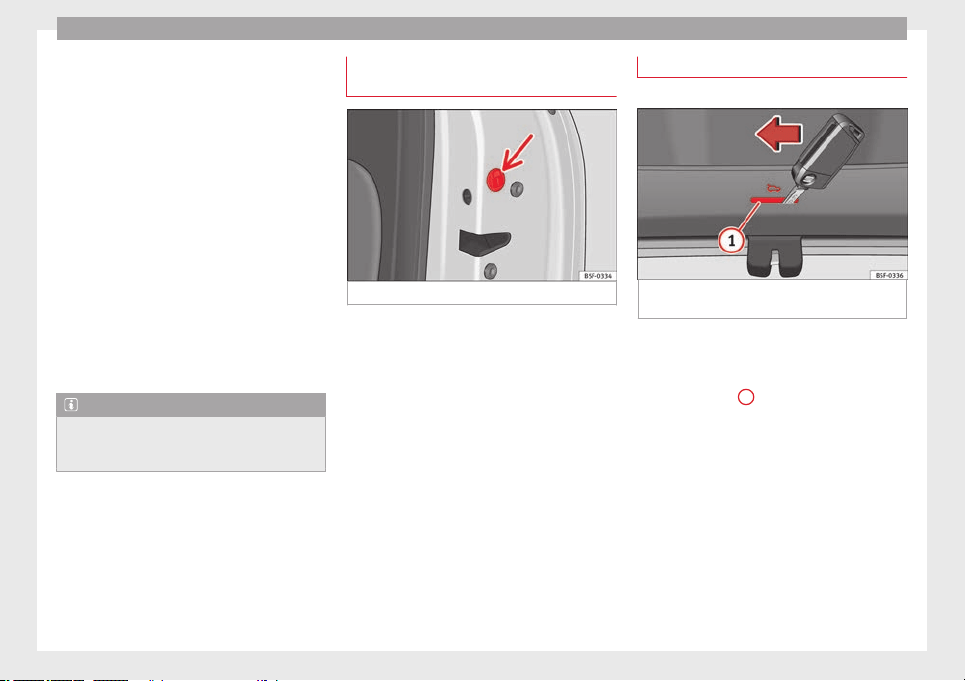
Advice
●
Insert the key shaft into the opening in the
cover on the driver door handle from below
››› Fig. 194
(arrow) then remove the cover up-
w
ar
ds.
●
Insert the key shaft into the lock cylinder to
unlock or lock the vehicle.
Unlocking notes:
●
The anti-theft alarm will remain active when
vehicles are unlocked. However, the alarm
will not yet be triggered ››› page 82.
●
After the driver door is opened, you have
15 seconds to switch on the ignition. After 15
seconds, the alarm is triggered.
●
Switch the ignition on. When the ignition is
switched on, the electronic immobiliser rec-
ognises a valid vehicle key and deactivates
the anti-theft alarm system.
Note
The anti-theft alarm is not activated when the
vehicle is locked manually using the key
shaft ››› page 82.
Manual locking of the doors with no
lock cylinder
Fig. 195 Locking the door manually.
If the central locking system should fail to
work at any time, the doors with no lock cyl-
inder will have to be locked separately.
A mechanical locking device (only visible
when the door is open) is provided on the
front passenger door.
–
Pull the cap out of the opening.
–
Insert the key in the inside slot and turn it
to the right as far as it will go (if the door is
on the right side) or to the left (if the door
is on the left side).
Once the door has been closed it can no lon-
ger be opened from the outside. Pull the inte-
rior door handle once to unlock and open the
door.
Manual release of the rear lid
3 Applies to the model: LEON/LEON SC
Fig. 196 Luggage compartment: access to
manual release.
The rear lid can be unlocked manually from
inside in the event of an emergency.
–
Insert the key in the opening in the lining
of the tail gate
1
and move the key in the
direction of the arrow until the lock is re-
leased.
228
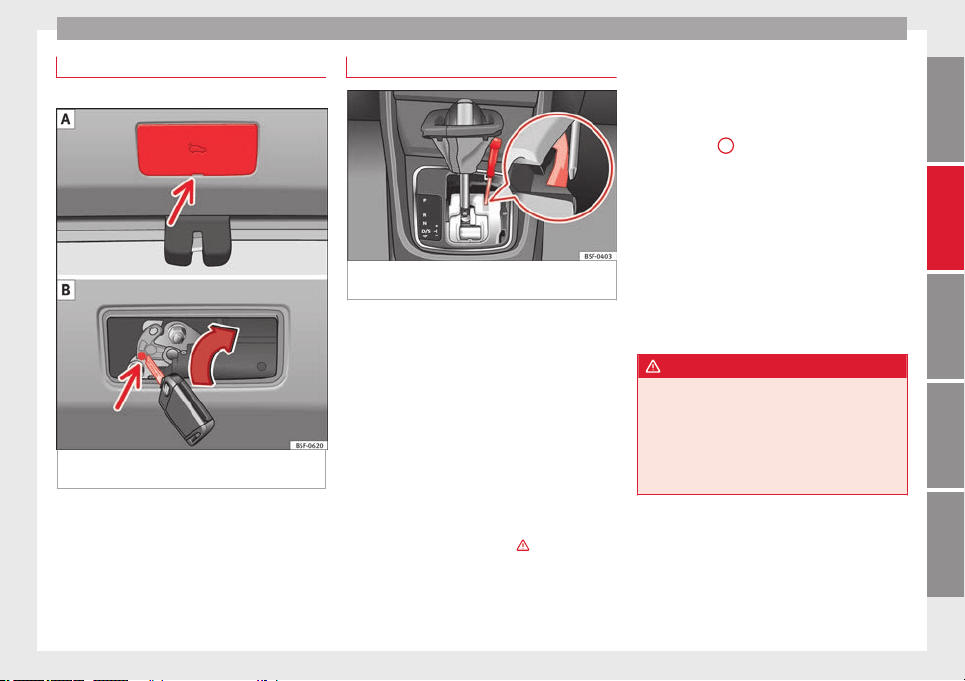
Emergencies
Manual release of the rear lid
3 Applies to the model: LEON ST
Fig. 197 Luggage compartment: access to
manual release.
The rear lid can be unlocked manually from
inside in the event of an emergency.
–
Remove the lid through the groove with a
screwdriver ››› Fig. 197
A
.
–
Insert the key into the opening and turn it
in the direction of the arrow until the latch
››› Fig. 197 B has been released.
Manual release of the selector lever
Fig. 198 Selector lever: manual release from
position P.
The selector lever can be released manually if
the electrical power supply should fail.
The manual release mechanism is located
under the selector lever console on the right
side. Releasing the selector lever requires a
certain degree of practical skill. We therefore
advise you to obtain professional assistance.
A screwdriver will be needed to carry out the
manual release. Use the flat part of the
screwdriver blade ››› page 220.
Removing the cover from the selector lever
–
Apply the handbrake ››› to ensure that
the car does not move.
–
Carefully pull the corners of the selector
lever boot and fold up the selector lever
boot (inside out) by hand.
Releasing the selector lever
–
Using a screwdriver, press and hold the yel-
low unlocking tab sideways ››› Fig. 198
.
–
No
w pr
ess the interlock button on the se-
lector lever
A
and move the selector lever
to position N.
–
After carrying out the manual release, at-
tach the selector lever boot on the gearbox
console again.
If the power supply should ever fail (dis-
charged battery, etc.) and the vehicle has to
be pushed or towed, the selector lever must
first be moved to position N. This is possible
after operating the manual release mecha-
nism.
WARNING
The selector lever may be moved out of posi-
tion P only when the handbrake is firmly ap-
plied. If this does not work, secure the vehi-
cle with the brake pedal. On a slope the vehi-
cle could otherwise start to move inadver-
tently after shifting the selector lever out of
position P - accident risk!
229
Technical specifications
AdviceOperationSafetyThe essentials
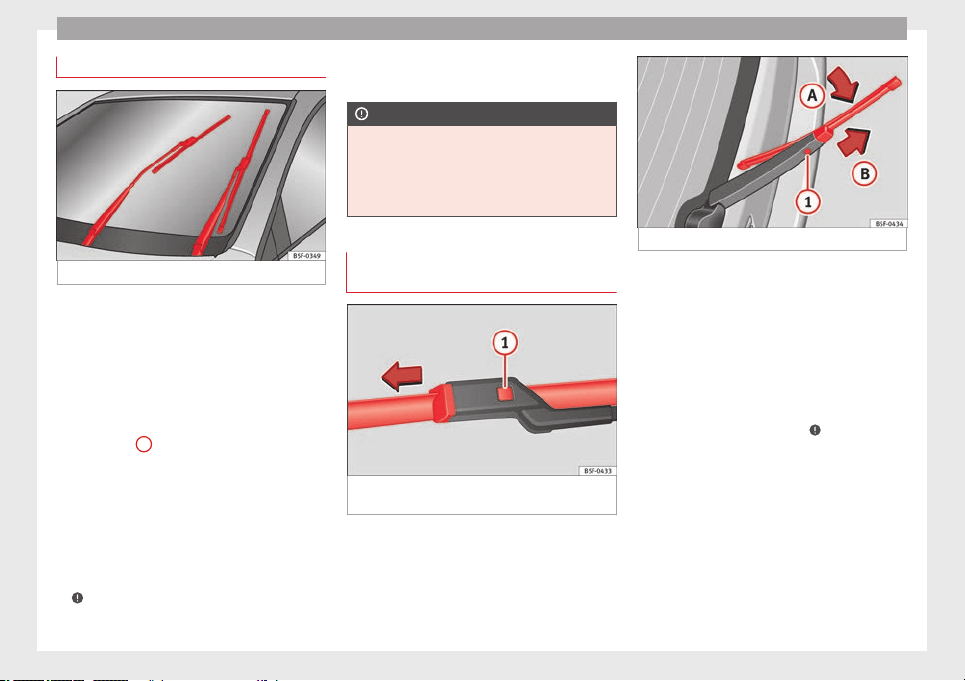
Advice
Windscreen wipers service position
Fig. 199 Wipers in service position
The wiper arms can be raised when the wip-
ers are in service position ››› Fig. 199
. To
p
l
ace the windscreen wipers in the service
position, proceed as follows:
●
The bonnet must be closed ››› page 198.
●
Switch the ignition on and off.
●
Press the windscreen wiper lever down-
wards briefly
4
›››
page 16.
Before driving, always lower the wiper arms.
Using the windscreen wiper lever, the wind-
screen wiper arms return to their initial posi-
tion.
Lifting and returning windscreen wiper arms
●
Place the wiper arms in the service position
››› .
●
Only hold the wiper arms at the point
where the blade is fixed.
CAUTION
●
To prevent damage to the bonnet and the
wiper arms, only leave them in the service
position.
●
Before driving, always lower the wiper
arms.
Changing windscreen wiper and
window washer blades
Fig. 200 Changing the windscreen wiper
blades
Fig. 201 Changing the rear wiper blade
The windscreen wiper blades are supplied as
standard with a layer of graphite. This layer is
responsible for ensuring that the wipe is si-
lent. If the graphite layer is damaged, the
noise of the water as it is wiped across the
windscreen will be louder.
Check the condition of the wiper blades regu-
larly.
If the wipers scrape across the glass,
they
shou
ld be changed if they are damaged,
or cleaned if they are dirty ›››
.
Damaged wiper blades should be replaced
immediately. These are available from quali-
fied workshops.
Raising/lowering windscreen wiper arms
For windscreen wipers, please note: the wip-
er should be in service position before being
lowering ››› page 230
.
When r
ai
sing or lowering an arm, it should
only be held at the blade fastening point.
230
Fuses and bulbs
Cleaning windscreen wiper blades
●
Raising the wiper arms.
●
Use a soft cloth to remove dust and dirt
from the windscreen wiper blades.
●
If the blades are very dirty, a sponge or
damp cloth may be used ››› .
Changing the windscreen wiper blades
●
Raising/lowering wiper arms
●
Hold down the release button
››› Fig. 200
1
while gently pulling the blade
in the direction of the arrow.
●
Fit a new wiper blade of the same length
and design
on to the wiper arm and hook it
int
o p
lace.
●
Rest the wiper arms back onto the wind-
screen.
Changing the rear wiper blade
●
Raising/lowering the wiper arm.
●
Turn the blade slightly ››› Fig. 201 (arrow
A
).
●
Hold down the release button
1
while
gently pulling the blade in the direction of
the arrow
B
.
●
Insert a new blade of the same length and
type
in the rear wiper arm in the opposite di-
r
ection t
o the arrow
B
and hook into place
button
1
.
●
Replace the wiper arm on the rear window.
WARNING
Worn or dirty wiper blades reduce visibility
and increase the risk of accident and serious
injury.
●
Always replace damaged or worn blades or
blades which do not clean the windscreen
correctly.
CAUTION
●
Damaged or dirty windscreen wipers could
scratch the glass.
●
If products containing solvents, rough
sponges or sharp objects are used to clean
the blades, the graphite layer will be dam-
aged.
●
Never use fuel, nail varnish remover, paint
thinner or similar products to clean the win-
dows.
●
In icy conditions, always check that the
wiper blades are not frozen to the glass be-
fore using the wipers. In cold weather, it may
help to leave the vehicle parked with the wip-
ers in service position ››› page 230.
Fuses and bulbs
Fuses
Introduction
Due to the constant updating of vehicles,
fuse assignments based on equipment and
the use of the same fuse for various electrical
components, it is not possible to provide an
up-to-date summary of the fuse positions for
the electrical components at the time this
manual was printed. For detailed information
about the fuse positions, please consult a
technical service.
In general, a fuse can be assigned to various
electrical components. Likewise, an electrical
component can be protected by several
fuses.
Only replace fuses when the cause of the
problem has been solved. If a newly inserted
fuse blows after a short time, you must have
the electrical system checked by a special-
ised workshop as soon as possible.
WARNING
The high voltages in the electrical system can
give serious electrical shocks, causing burns
and even death!
●
Never touch the electrical wiring of the igni-
tion system.
»
231
Technical specifications
AdviceOperationSafetyThe essentials
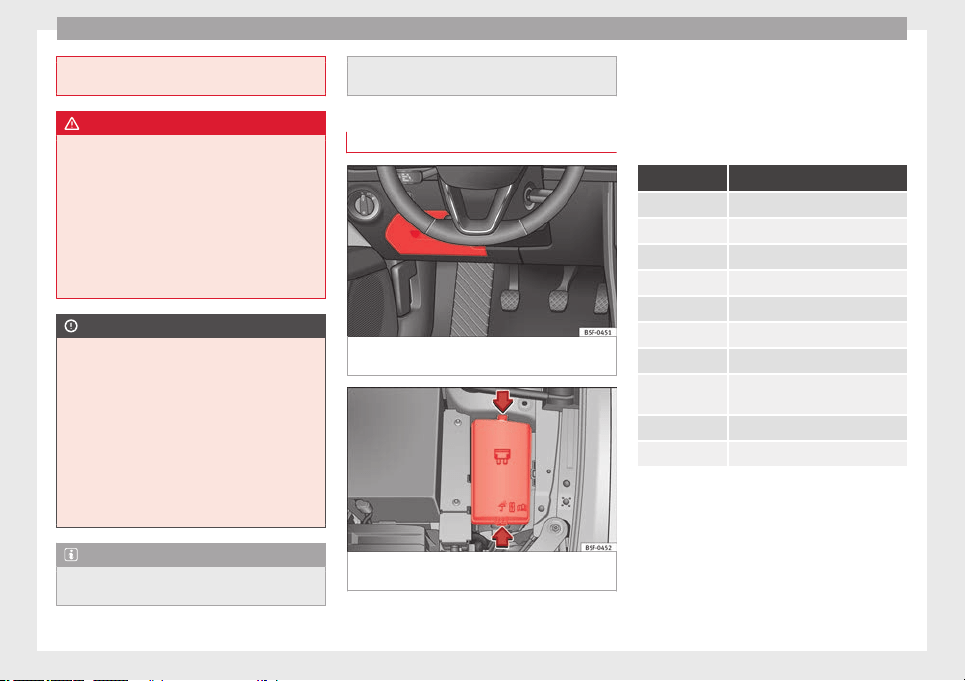
Advice
●
Take care not to cause short circuits in the
electrical system.
WARNING
Using unsuitable fuses, repairing fuses or
bridging a current circuit without fuses can
cause a fire and serious injury.
●
Never use a fuse with a higher value. Only
replace fuses with a fuse of the same amper-
age (same colour and markings) and size.
●
Never repair a fuse.
●
Never replace a fuse by a metal strip, staple
or similar.
CAUTION
●
To prevent damage to the vehicle's electric
system, before replacing a fuse always turn
off the ignition, the lights and all electrical
elements and remove the key from the igni-
tion.
●
If you replace a fuse with higher-rating
fuse, you could cause damage to another part
of the electrical system.
●
Protect the fuse boxes when open to pre-
vent the entry of dust or humidity as they can
damage the electrical system.
Note
●
One component may have more than one
fuse.
●
Several components may run on a single
fuse.
Vehicle fuses
Fig. 202 On the driver-side dash panel: fuse
box cover
Fig. 203 In the engine compartment: fuse box
cover
Read the additional information carefully
›››
page 33
Only replace fuses with a fuse of the same
amperage (same colour and markings) and
size.
Identifying fuses situated below the driver-
side dash panel by colours
Colour Amp rating
Black 1
Purple 3
Light brown 5
Brown 7.5
Red 10
Blue 15
Yellow 20
White or trans-
parent
25
Green 30
Orange 40
Opening and closing the fuse box situated
below the dash panel
●
Opening:
fold the cover down
›
›
›
Fig. 202.
●
Closing: push back the cover it in until it
clicks into place.
To open the engine compartment fuse box
●
Open the bonnet ››› page 198.
232
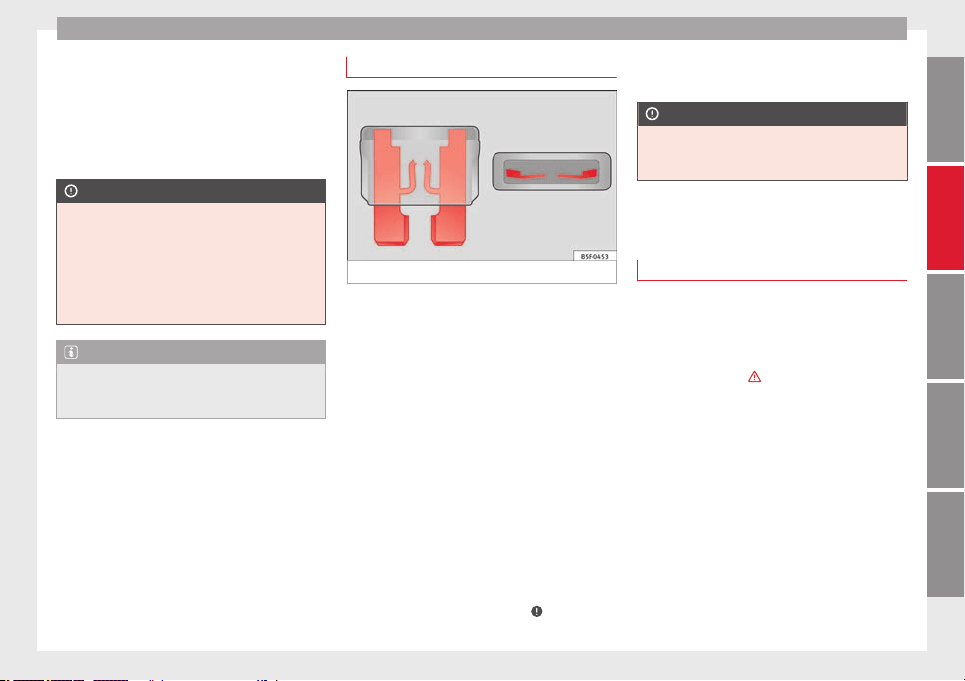
Fuses and bulbs
●
Press the locking tabs to release the fuse
box cover ››› Fig. 203
.
●
Then lif
t
the cover out.
●
To fit the cover, place it on the fuse box.
Push the locking tabs down until they click
audibly into place.
CAUTION
●
Always carefully remove the fuse box cov-
ers and refit them correctly to avoid problems
with your vehicle.
●
Protect the fuse boxes when open to avoid
the entry of dust or humidity. Dirt and humid-
ity inside fuse boxes can cause damage to
the electrical system.
Note
In the vehicle, there are more fuses than
those indicated in this chapter. These should
only be changed by a specialised workshop.
Replacing a blown fuse
Fig. 204 Image of a blown fuse
Preparation
●
Switch off the ignition, lights and all elec-
trical equipment.
●
Open the corresponding fuse box
››› page 232
.
Identif
y
ing a blown fuse
A fuse is blown if its metal strip is ruptured
››› Fig. 204.
Point a lamp at the fuse. This will make it
easier to see if the fuse is blown.
To replace a fuse
●
Remove the fuse.
●
Replace the blown fuse by one with an
identical amperage rating (same colour and
markings) and identical size ›››
.
●
Replace the cover again or close the fuse
box lid.
CAUTION
If you replace a fuse with higher-rating fuse,
you could cause damage to another part of
the electrical system.
Bulbs
Changing a bulb
Changing bulbs requires a certain degree of
practical skill.
If you choose to change the engine compart-
ment lamps yourself, remember that it is a
dangerous area
›››
in Work in the engine
compartment on page 198
.
A
lw
ays use identical bulbs with the same
designation. The name can be found on the
base of the bulb holder.
Depending on how equipped the vehicle is,
there are different sets of headlights and tail
lights:
●
Halogen headlights
●
Full-LED main headlights*
●
Rear bulb light
●
LED rear light*
»
233
Technical specifications
AdviceOperationSafetyThe essentials
Advice
Full-LED headlight system*
Full-LED headlights handle all light functions
(daylight, side light, turn signal, dipped
beam and route light) with light emitting di-
odes (LEDs) as a light source.
Full-LED headlights are designed to last the
lifetime of the car and light bulbs cannot be
replaced. In case of headlight failure, go to
an authorised workshop to have it replaced.
Bulbs (12 V)
Halogen headlights Type
Daytime driving light/side light P21W SLL
Dipped beam headlights H7 LL
Main beam headlights H7 LL
Turn signal PY21W LL
Full-LED main headlights Type
No bulbs may be replaced. All
functions are with LEDs
Front fog light Type
Fog/cornering lights* H8
Rear bulb light Type
Brake light/tail light P21W LL
Side lights 2x W5W LL
Rear bulb light Type
Turn signal PY21W LL
Retro fog light H21W
Reverse lights P21W LL
LED rear light Type
Turn signal PY21W LL
Retro fog light H21W
Reverse lights P21W LL
The remaining functions work
with LEDs
WARNING
●
Take particular care when working on com-
ponents in the engine compartment if the en-
gine is warm. Risk of burns.
●
Bulbs are highly sensitive to pressure. The
glass can break when you touch the bulb,
causing injury.
●
When changing bulbs, please take care not
to injure yourself on sharp edges, in particu-
lar on the headlight housing.
CAUTION
●
Remove the ignition key before working on
the electric system. Otherwise, a short circuit
could occur.
●
Switch off the lights and the parking light
before changing a bulb.
●
Take good care to avoid damaging any com-
ponents.
For the sake of the environment
Please ask your specialist retailer how to dis-
pose of used bulbs in the proper manner.
Note
●
Please check at regular intervals that all
lighting (especially the exterior lighting) on
your vehicle is functioning properly. This is
not only in the interest of your own safety,
but also that of all other road users.
●
Before changing a bulb, make sure you
have the correct new bulb.
●
Do not touch the glass part of the bulb with
your bare hands, use a cloth or paper towel
instead, since the fingerprints left on the
glass will vaporise as a result of the heat gen-
erated by the bulb, they will be deposited on
the reflector and will impair its surface.
234
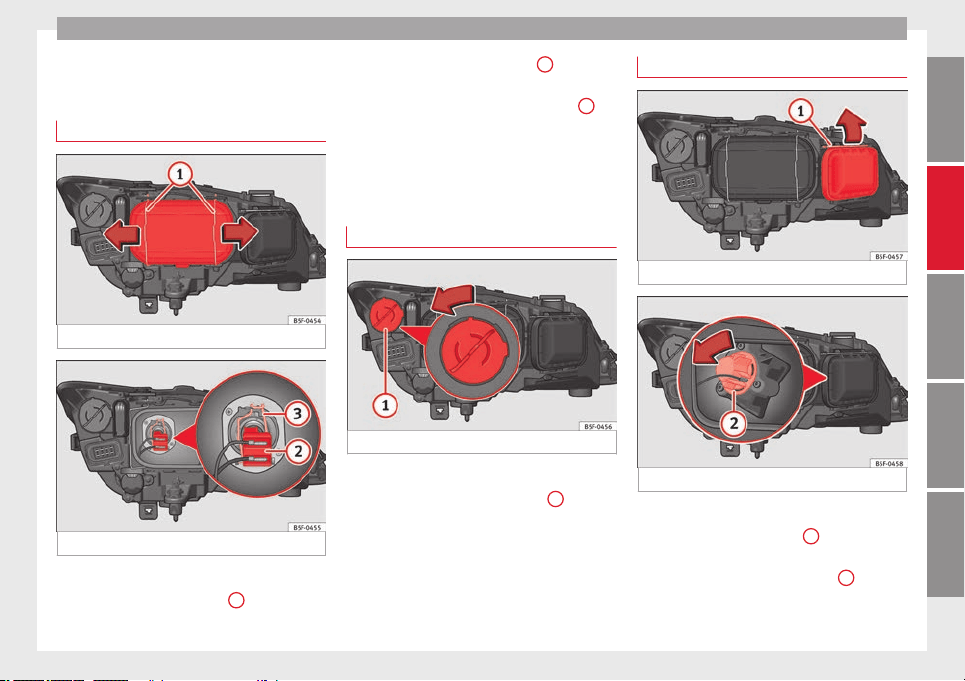
Fuses and bulbs
Changing bulbs in headlight
unit
Dipped light bulb
Fig. 205 Dipped beam headlights.
Fig. 206 Dipped beam headlights.
–
Raise the bonnet.
–
Move the loops ››› Fig. 205
1
in the direc-
tion of the arrow and remove the cover.
–
Remove connector ››› Fig. 206
2
from the
bulb.
–
Unclip the retainer spring ››› Fig. 206
3
pressing inwards to the right.
–
Extract the bulb and fit the replacement so
that the lug on the base fits into the recess
on the reflector.
Day light bulb
Fig. 207 Day light bulb.
–
Raise the bonnet.
–
Turn the bulb holder ››› Fig. 207
1
to the
left and pull.
–
Remove the bulb by pressing on the bulb
holder and turning it anti-clockwise at the
same time.
–
Installation involves all of the above steps
in reverse sequence.
Turn signal bulb
Fig. 208 Turn signal bulb.
Fig. 209 Turn signal bulb.
–
Raise the bonnet.
–
Move the loop ››› Fig. 208
1
in the direc-
tion of the arrow and remove the cover.
–
Turn the bulb holder ››› Fig. 209
2
anti-
clockwise and pull.
»
235
Technical specifications
AdviceOperationSafetyThe essentials
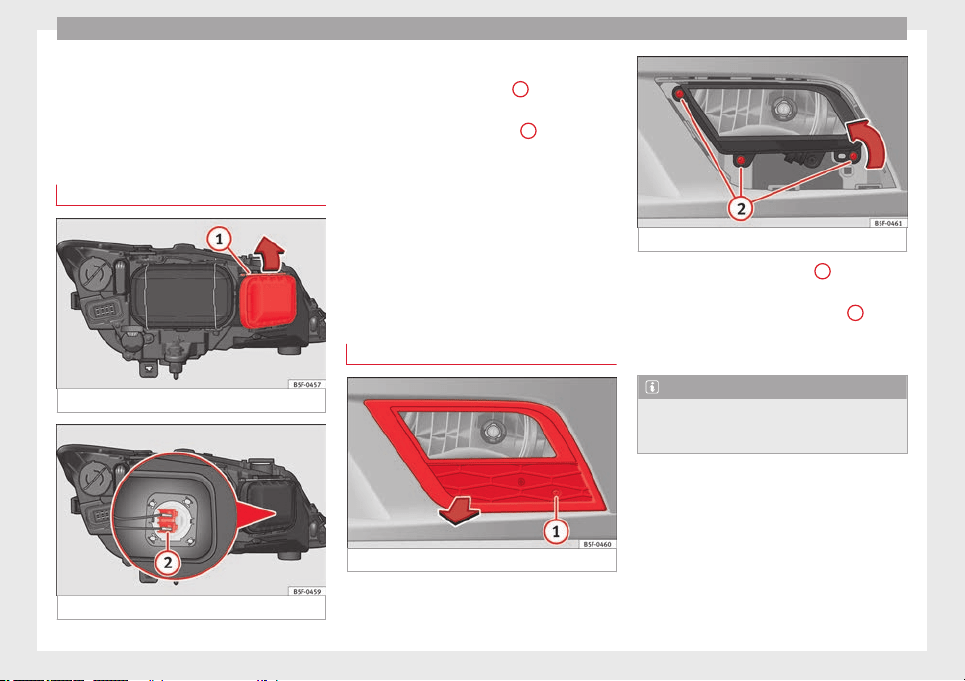
Advice
–
Remove the bulb by pressing on the bulb
holder and turning it anti-clockwise at the
same time.
–
Installation involves all of the above steps
in reverse sequence.
Main beam headlight bulb
Fig. 210 Main beam headlight bulb.
Fig. 211 Main beam headlight bulb.
–
Raise the bonnet.
–
Move the loop ››› Fig. 210
1
in the direc-
tion of the arrow and remove the cover.
–
Slide connector ››› Fig. 211
2
to the left or
right and pull.
–
Remove the bulb by disconnecting the con-
nector.
–
Installation involves all of the above steps
in reverse sequence.
Changing bulb for front fog
light*
Front fog light bulb
Fig. 212 Front fog light.
Fig. 213 Front fog light.
–
Remove the bolt ››› Fig. 212
1
from the fog
light grille with a screwdriver.
–
Remove the bolts (3x) ››› Fig. 213
2
to re-
move the fog light.
–
Remove the fog light.
Note
Due to the difficulty of accessing fog light
bulbs, have them replaced at a Technical
Service or specialised workshop.
236
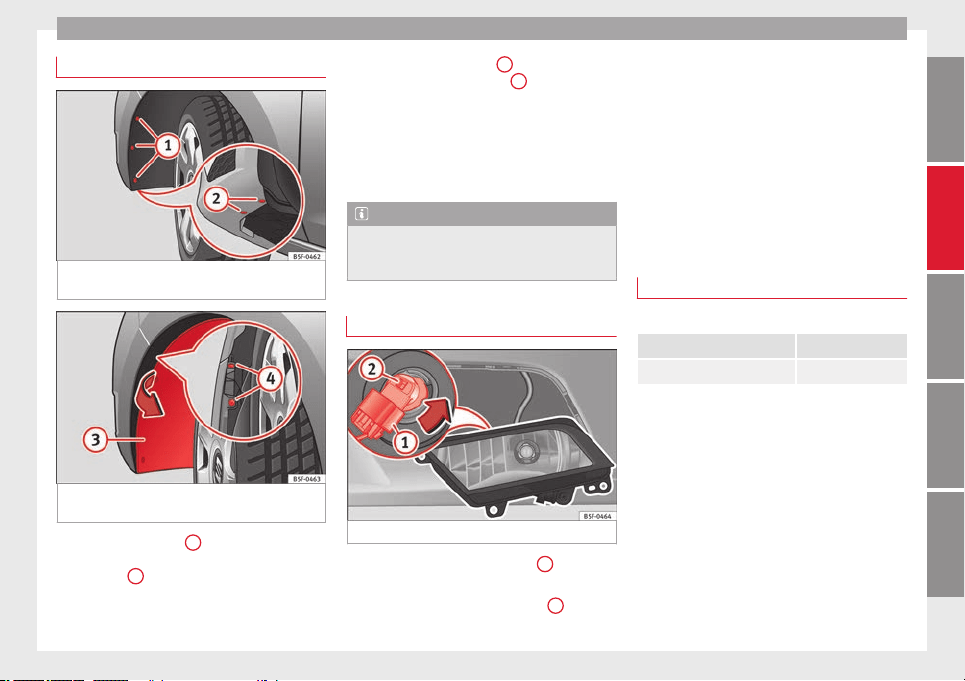
Fuses and bulbs
Fog light, FR version
Fig. 214 Fog light: access to the connector
and to the light bulb holder.
Fig. 215 Fog light: access to the connector
and to the light bulb holder.
–
Remove the 3 bolts
1
››› Fig. 214
from the
in
s
ide of the wheel housing and the 2 bot-
tom bolts
2
››› Fig. 214 from the bumper
with the help of a screwdriver.
–
Pull the wheel housing
3
››› Fig. 215
ac-
c
e
ss the 2 hidden screws
4
››› Fig. 215
of
the b
umper
.
–
Remove the screws using a screwdriver.
–
Pull the bumper to release it from its an-
chorages to access the connector and the
light bulb holder.
Note
Due to the difficulty of accessing fog light
bulbs, have them replaced at a Technical
Service or specialised workshop.
Remove the bulb holder
Fig. 216 Front fog light.
–
Remove connector ››› Fig. 216
1
from the
bulb.
–
Turn the bulb holder ››› Fig. 216
2
anti-
clockwise and pull.
–
Remove the bulb by pressing on the bulb
holder and turning it anti-clockwise at the
same time.
–
Installation involves all of the above steps
in reverse sequence.
–
Check that the bulb works properly.
Changing tail light bulbs (on
side panel)
Overview of tail lights
Rear lights on the side panel
Turn signal PY21W NA LL
Side light and brake light P21W LL
237
Technical specifications
AdviceOperationSafetyThe essentials
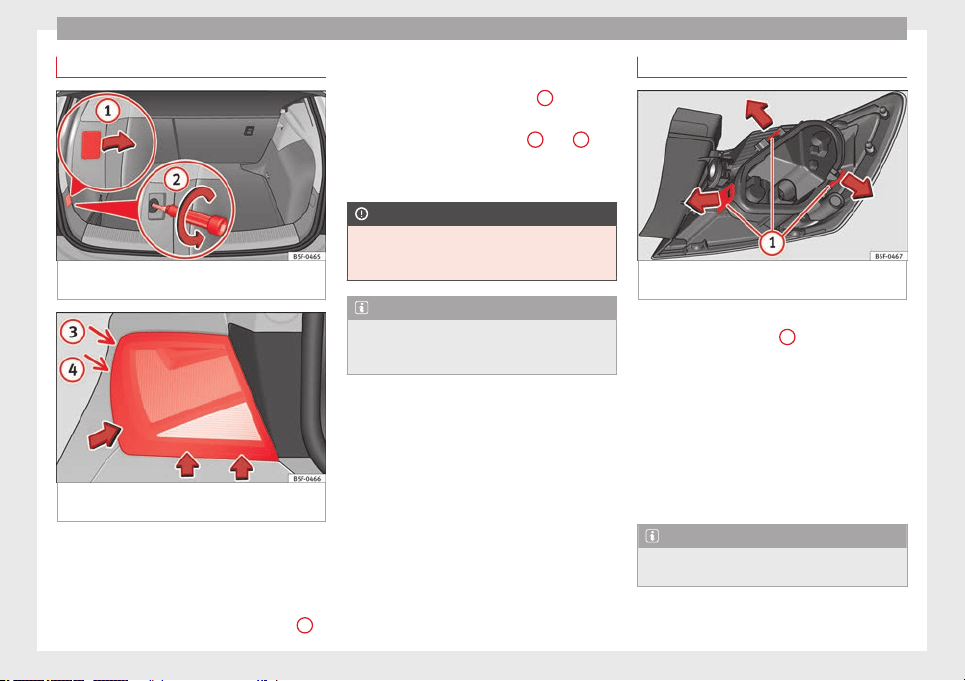
Advice
Removing tail light
Fig. 217 Luggage compartment: location of
the bolt securing the tail light unit.
Fig. 218 Remove the rear light unit from side
panel.
–
Check which of the bulbs is defective.
–
Open the rear lid.
–
Remove the cover by prying the flat side of
a screwdriver into the recess and remove
the cover from the opening ››› Fig. 217
1
.
–
Carefully loosen the screw located behind
the cover with a screwdriver, turning it anti-
clockwise (arrows) ››› Fig. 217
2
.
–
Tilt the light in the direction of the arrows
until it comes out (positions
3
and
4
››› Fig. 218
).
–
R
emo
ve the bulb holder ››› page 238.
CAUTION
Take care when removing the rear light unit to
make sure there is no damage to the paint-
work or any of its components.
Note
Make sure you have a soft cloth ready to
place under the glass on the rear light unit, to
avoid any scratches.
Remove the bulb holder
Fig. 219 Retaining tabs on reverse side of tail
light.
–
Remove the bulb holder ››› Fig. 219
unlock-
in
g the r
etaining tabs
1
.
–
Raise the bulb holder.
–
Change the defective bulb.
–
To refit follow the steps in reverse order,
taking special care when fitting the bulb
holder. And especially that all retaining
tabs are properly secured.
–
Place the light back into place and tighten
with a screwdriver.
Note
In the case of LED lights, change only the turn
signal bulb.
238
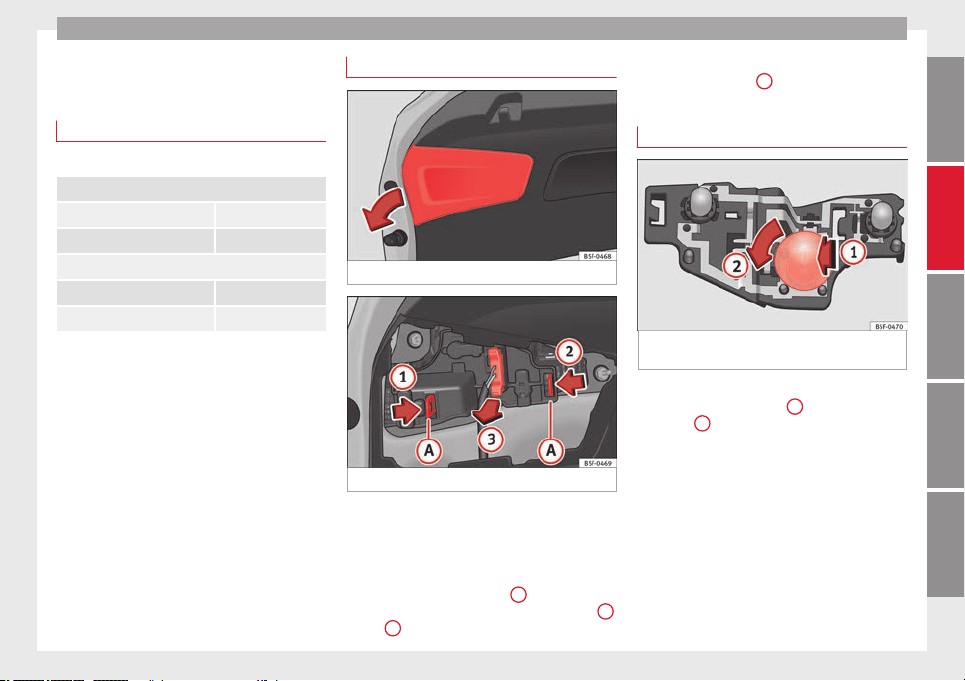
Fuses and bulbs
Changing tail light bulbs (on
rear lid)
Overview of tail lights
Rear lights on tailgate
Left side
Side lights 2x W5W LL
Fog lights H21 W
Right side
Side lights 2x W5W LL
Reverse light P21W LL
The table corresponds to a right-hand traffic
vehicle. The position of lights may vary ac-
cording to the country.
Remove the bulb holder
Fig. 220 Remove the cover from the boot lid.
Fig. 221 Remove the lamp holder
The rear lid must be open to change the
bulbs.
–
Remove the rear lid cover in the direction
indicated ››› Fig. 220
.
–
Un
loc
k the retaining tabs
A
of the bulb
holder, following the direction of arrows
1
and
2
››› Fig. 221
.
–
R
emo
ve the bulb holder by turning it in the
direction of arrow
3
››› Fig. 221
.
Ch
an
ging bulbs
Fig. 222 Position of the bulbs in the bulb
holder
–
Lightly press the defective bulb into the
bulb holder ››› Fig. 222
1
, then turn it to
the left
2
and remove it.
–
Fit the new bulb, pressing it into the bulb
holder and turn it to the right as far as it
will go.
–
Use a cloth to remove any fingerprints from
the glass part of the bulb.
–
Check that the new bulb works properly.
–
Replace the bulb holder.
»
239
Technical specifications
AdviceOperationSafetyThe essentials
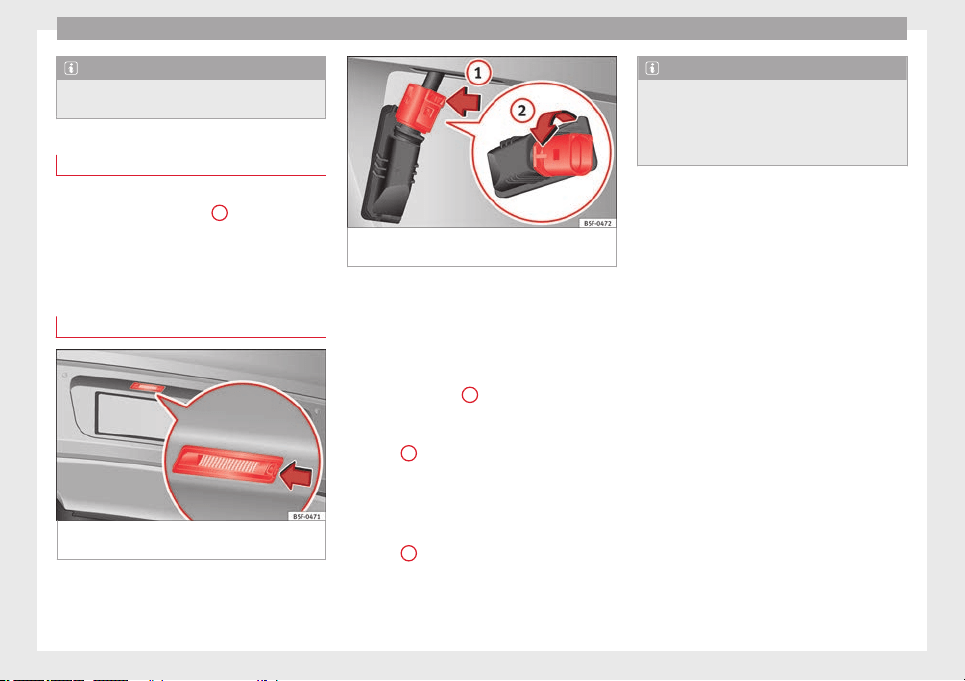
Advice
Note
For LED pilots, you can only change the fog or
reverse bulb, on the left or right guide.
Fitting the bulb holder
–
Install the bulb holder making sure that
locking clips ››› Fig. 221
A
are properly
clipped on.
–
Replace the cover of the rear lid lining
›››
Fig. 220
.
Ch
an
ging number plate light bulbs
Fig. 223 In the rear bumper: number plate
light.
Fig. 224 Number plate light: Remove the bulb
holder.
Follow the steps indicated:
1. Press the number plate light in the direc-
tion of the arrow ››› Fig. 223
.
2.
R
emove the number plate bulb slightly.
3. In the connector lock, turn ››› Fig. 224 to-
wards the arrow
1
and pull the connec-
tor.
4. Rotate the bulb holder in the direction of
arrow
2
and extract it with the bulb.
5. Replace the defective bulb with a new
bulb with the same features.
6. Insert the bulb holder in the number plate
light and turn in the opposite direction of
arrow
2
until it stops.
7. Plug the connector into the bulb holder.
Note
Depending on how equipped the vehicle is,
the number plate lights may be LEDs. LEDs
have an estimated life that exceeds than that
of the car. If a light with LEDs fails, go to an
authorised workshop for replacement.
240
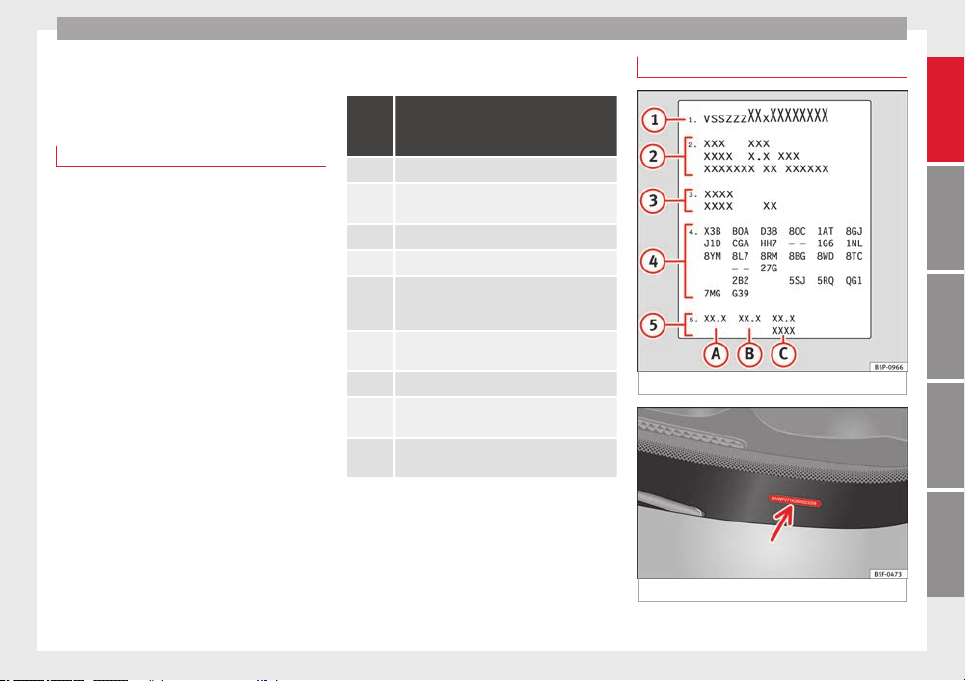
Technical specifications
Technical specifications
Technical specifications
Important
The information in the vehicle documentation
always takes precedence over the informa-
tion in this Instruction Manual.
All technical specifications provided in this
documentation are valid for the standard
model in Spain. The vehicle data card inclu-
ded in the Maintenance Programme or the
vehicle registration documents shows which
engine is installed in the vehicle.
The figures may be different depending
whether additional equipment is fitted, for
different models, for special vehicles and for
other countries.
Abbreviations used in the Technical
Specifications section
Ab-
brevia-
tion
Meaning
kW Kilowatt, engine power measurement.
PS
Pferdestärke (horsepower), formerly used to
denote engine power.
rpm Revolutions per minute - engine speed.
Nm Newton metres, unit of engine torque.
litres
per
100 km
Fuel consumption in litres per 100 km (70
miles).
g/km
Carbon dioxide emissions in grams per km
(mile) travelled.
CO
2
Carbon dioxide
CN
Cetane number, indication of the diesel com-
bustion power.
RON
Research octane number, indication of the
knock resistance of petrol.
Vehicle identification data
Fig. 225 Vehicle data sticker (boot).
Fig. 226 Chassis number.
»
241
Technical specifications
AdviceOperationSafetyThe essentials
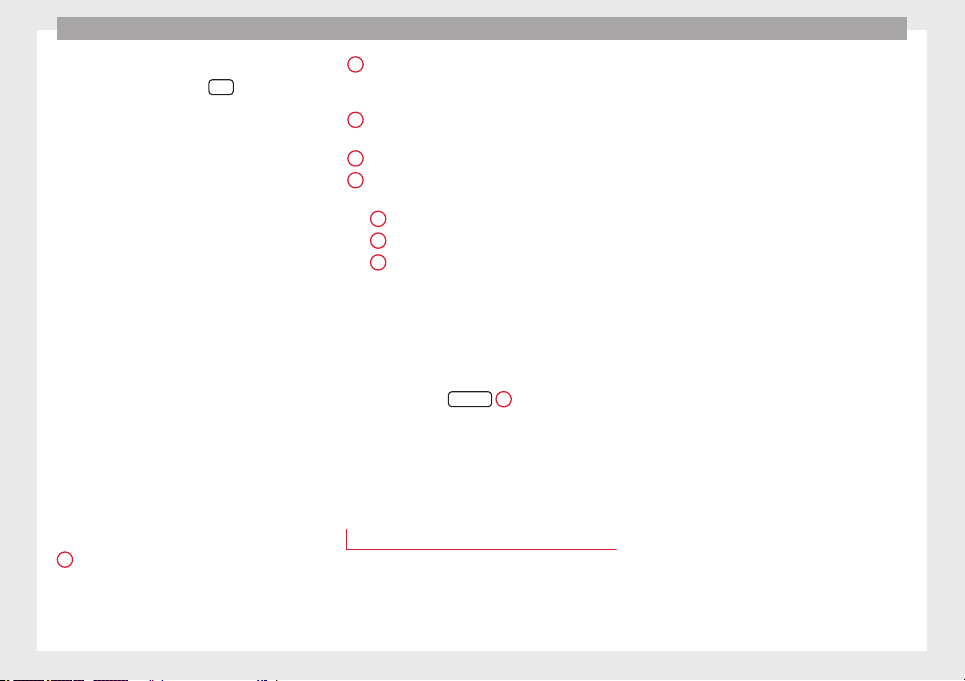
Technical specifications
VIN in the Easy Connect
–
Select: Function button
CAR
> control but-
ton
(Car)* Systems > Service & Control >
Ch
a
ssis number.
Chassis number
The VIN is located in the Easy Connect, on the
vehicle data sticker and under the wind-
screen, on the driver side ››› Fig. 226. Addi-
tionally, the chassis number is located in the
engine compartment, on the right-hand side.
The number is engraved on the top side rail,
and is partially covered.
Type plate
The type plate is located on the right side
door pillar. Vehicles for certain export coun-
tries do not have a type plate.
Vehicle data sticker
The vehicle data sticker is under the carpet
trim in the luggage compartment, in the
spare wheel well. A sticker with the vehicle
data is attached to the inside cover of the
Maintenance Programme.
The following information is provided on the
vehicle data sticker: ››› Fig. 225
Vehicle identification number (chassis
number)
1
Vehicle type, model, capacity, engine
type, finish, engine power and gearbox
type
Engine code, gearbox code, external
paint code and internal equipment code
Optional extras and PR numbers
Consumption values (l/100 km) and CO
2
emissions (g/km)
A
Urban cycle consumption
B
Out-of-town consumption
C
Combined consumption and CO
2
emissions
Identifying letters
The identifying letters of the engine can be
viewed on the instrument panel when the en-
gine is switched off and the ignition is on.
●
Hold down the
0.0/SET
4
››› Fig. 82 button
for more than 15 seconds.
Information on fuel
consumption
Fuel consumption
The consumption and emission details
shown on the vehicle data sticker differ from
one vehicle to another.
2
3
4
5
Vehicle fuel consumption and CO
2
emissions
appear on the vehicle data sticker in the
spare wheel well, inside the boot and on the
rear cover of the Maintenance Programme.
The fuel consumption and CO
2
emission val-
ues refer to the weight category assigned to
your vehicle according to the engine and
gearbox combination, as well as the specific
equipment fitted, and is only used to com-
pare between the different models.
The fuel consumption and CO
2
emissions do
not depend only on the performance of the
vehicle, they can also differ from the estab-
lished values depending on other factors
such as driving style, road conditions, traffic
conditions, environmental conditions, load
and number of passengers.
Calculation of fuel consumption
The consumption values have been calcula-
ted based on measurements performed or
supervised by certified CE laboratories ac-
cording to the latest version of directives
715/2007/EC and 80/1268/CEE (for more in-
formation consult the European Union Publi-
cations Office at EUR-Lex: © European Union,
http://eur-lex.europa.eu/en/index.htm) and
are valid for the kerb weight indicated for the
vehicle.
242
Technical specifications
Note
In practice, and considering all the factors
mentioned here, consumption values can dif-
fer from those calculated in the current Euro-
pean regulations.
Weights
Kerb weight refers to the basic model with a
fuel tank filled to 90% capacity and without
optional extras. The figure quoted includes
75 kg to allow for the weight of the driver.
Special versions, optional equipment fittings
or retro-fitting accessories will increase the
weight of the vehicle
›››
.
WARNING
●
Please note that the centre of gravity may
shift when transporting heavy objects; this
may affect vehicle handling and lead to an ac-
cident. Always adjust your speed and driving
style to suit road conditions and require-
ments.
●
Never exceed the gross axle weight rating
or the gross vehicle weight rating. If the per-
missible axle load or the permissible total
weight is exceeded, the driving characteris-
tics of the vehicle may change, which could
lead to accidents, injuries and damage to the
vehicle.
Towing a trailer
Trailer weights
Trailer weight
The trailer weights and drawbar loads ap-
proved are selected in intensive trials accord-
ing to precisely defined criteria. The ap-
proved trailer weights apply to vehicles in the
EU and generally for maximum speeds of 80
km/h (100 km/h in cer
tain circumstances).
The figures may be different in other coun-
tries. All data in the official vehicle documen-
tation takes precedence over these data at all
times
›››
.
Drawbar loads
The
maximum
permitted drawbar load on the
b
all joint of the towing bracket must not ex-
ceed 80 kg.
In the interest of road safety, we recommend
that you always tow approaching the maxi-
mum drawbar load. The response of the trail-
er on the road will be poor, if the drawbar
load is too small.
If the maximum permissible drawbar load
cannot be met (e.g. with small, empty and
light-weight single axle trailers or tandem
axle trailers with a wheelbase of less than 1
metre), a minimum of 4% of the actual trailer
weight is legally required for the drawbar
load.
WARNING
●
For safety reasons, do not exceed the 80
km/h (50 mph) limit. This is also valid in
countries where higher speeds are permitted.
●
Never exceed the maximum trailer weights
or the drawbar load. If the permissible axle
load or the permissible total weight is excee-
ded, the driving characteristics of the vehicle
may change, leading to accidents, injuries
and damage to the vehicle.
Wheels
Tyre pressure, snow chains, wheel
bolts
Tyre pressures
The sticker with the tyre pressure values can
be found on the inside of the fuel tank flap.
The tyre pressure values given there are for
cold
tyres. The slightly raised pressures of
w
arm ty
res must not be reduced.
›››
Snow chains
Snow chains may be fitted only to the front
wheels, and only for the following tyres:
»
243
Technical specifications
AdviceOperationSafetyThe essentials
Technical specifications
195/65 R15 Chains with links of maximum 15 mm
205/55 R16 Chains with links of maximum 15 mm
205/50 R17 Chains with links of maximum 15 mm
225/45 R17 Chains with links of maximum 9 mm
225/40 R18 Chains with links of maximum 9 mm
225/35 R19 Chains with links of maximum 7 mm
205/55 R17 Snow chains are not permitted
225/45 R18 Snow chains are not permitted
Wheel bolts
After the wheels have been changed, the
tightening torque
of the wheel bolts should
be c
hec
ked as soon as possible with a torque
wrench ›››
. The tightening torque for steel
and alloy wheels is 120
Nm.
WARNING
●
Check the tyre pressure at least once per
month. Checking the tyre pressure is very im-
portant. If the tyre pressure is too high or too
low, there is an increased danger of accidents
- particularly at high speeds.
●
If the tightening torque of the wheel bolts
is too low, they could loosen while the vehi-
cle is in motion. Risk of accident! If the tight-
ening torque is too high, the wheel bolts and
threads can be damaged.
Note
We recommend that you ask your Technical
Service for information about appropriate
wheel, tyre and snow chain size.
244
Technical specifications
Engine specifications
Petrol engine 1.2 63 kW (85 PS)
Power output in kW (PS) at rpm Maximum torque (Nm at rpm) No. of cylinders/displacement (cm
3
) Fuel
63 (86)/4,300-5,300 160/1,400-3,500 4/1,197 Super 95 RON/Normal 91 RON
a)
a)
Slight power loss.
Performance LEON LEON SC LEON ST
Top speed (km/h) 178 (V) 178 (V) 178 (V)
Acceleration from 0-80 km/h (seconds) 7.6 7.5 7.8
Acceleration from 0-100 km/h (seconds) 11.9 11.8 12.1
Weights (in kg)
Gross vehicle weight 1,690 1,700 1,800
Weight in running order (with driver) 1,188 1,168 1,233
Gross front axle weight 880 880 890
Gross rear axle weight 860 870 960
Permitted roof load 75 75 75
Maximum trailer weights (in kg)
Trailer without brakes 590 580 610
Trailer with brakes, gradients up to 8% 1,300 1,300 1,300
Trailer with brakes, gradients up to 12% 1,100 1,100 1,100
245
Technical specifications
AdviceOperationSafetyThe essentials
Technical specifications
Petrol engine 1.2 77 kW (105 PS)
Power output in kW (PS) at rpm Maximum torque (Nm at rpm) No. of cylinders/displacement (cm
3
) Fuel
77 (105)/4,500-5,500 175/1,400-4,000 4/1,197 Super 95 RON/Normal 91 RON
a)
a)
Slight power loss.
Performance
LEON
Manual
LEON
Start-Stop
LEON
Automatic
LEON SC
Manual
LEON SC
Start-Stop
LEON SC
Automatic
LEON ST
Manual
LEON ST
Start-Stop
LEON ST
Automatic
Top speed (km/h) 191 (V) 191 (V) 191 (VI) 191 (V) 191 (V) 191 (V) 191 (V) 191 (V) 191 (VI)
Acceleration from 0-80 km/h (sec-
onds)
6.8 6.8 6.8 6.7 6.7 6.7 6.9 6.8 7.0
Acceleration from 0-100 km/h (sec-
onds)
10.2 10.2 10.2 10 10 10 10.4 10.3 10.3
Weights (in kg)
Gross vehicle weight 1,720 1,720 1,750 1,710 1,710 1,730 1,810 1,820 1,850
Weight in running order (with driv-
er)
1,199 1,209 1,235 1,179 1,189 1,215 1,244 1,254 1,280
Gross front axle weight 890 890 920 880 890 920 880 890 920
Gross rear axle weight 880 880 880 880 870 860 980 980 980
Permitted roof load 75 75 75 75 75 75 75 75 75
Maximum trailer weights (in kg)
Trailer without brakes 590 600 610 580 590 600 620 620 640
Trailer with brakes, gradients up to
8%
1,500 1,500 1,500 1,500 1,500 1,500 1,500 1,500 1,500
Trailer with brakes, gradients up to
12%
1,300 1,300 1,300 1,300 1,300 1,300 1,300 1,300 1,300
246
Technical specifications
Petrol engine 1.2 TSI 81 kW (110 PS)
Power output in kW (PS) at rpm Maximum torque (Nm at rpm) No. of cylinders/displacement (cm
3
) Fuel
81 (110)/4,600-5,600 175/1,400-4,000 4/1,197 Super 95 RON/Normal 91 RON
a)
a)
Slight power loss.
Performance
LEON LEON SC LEON ST
Manual Start-Stop Automatic Manual Start-Stop Automatic Manual Start-Stop Automatic
Top speed (km/h) 194 (V) 194 (V) 194 (V) 194 (V) 194 (V) 194 (VI) 194 (V) 194 (V) 194 (VI)
Acceleration from 0-80 km/h (seconds) 6.6 6.6 6.6 6.5 6.5 6.5 6.7 6.7 6.7
Acceleration from 0-100 km/h (seconds) 9.9 9.9 9.9 9.7 9.7 9.7 10.1 10.1 10.1
Weights (in kg)
Gross vehicle weight 1,740 1,740 1,760 1,710 1,720 1,750 1,790 1,800 1,820
Weight in running order (with driver) 1,206 1,213 1,241 1,186 1,193 1,221 1,240 1,247 1,275
Gross front axle weight 900 900 930 890 890 920 890 890 920
Gross rear axle weight 890 890 880 870 880 880 950 960 950
Permitted roof load 75 75 75 75 75 75 75 75 75
Maximum trailer weights (in kg)
Trailer without brakes 600 600 620 590 590 610 620 620 630
Trailer with brakes, gradients up to 8% 1,500 1,500 1,500 1,500 1,500 1,500 1,500 1,500 1,500
Trailer with brakes, gradients up to 12% 1,300 1,300 1,300 1,300 1,300 1,300 1,300 1,300 1,300
247
Technical specifications
AdviceOperationSafetyThe essentials
Technical specifications
Petrol engine 1.4 90 kW (122 PS) Start-Stop
Power output in kW (PS) at rpm Maximum torque (Nm at rpm) No. of cylinders/displacement (cm
3
) Fuel
90 (122)/5,000-6,000 200/1,400-4,000 4/1,395 Super 95 RON/Normal 91 RON
a)
a)
Slight power loss.
Performance
LEON
Start-Stop
LEON SC
Start-Stop
LEON ST
Start-Stop
Top speed (km/h) 202 (V&VI) 202 (V&VI) 202 (V&VI)
Acceleration from 0-80 km/h (seconds) 6.3 6.2 6.5
Acceleration from 0-100 km/h (seconds) 9.3 9.1 9.6
Weights (in kg)
Gross vehicle weight 1,740 1,710 1,840
Weight in running order (with driver) 1,224 1,204 1,269
Gross front axle weight 910 910 910
Gross rear axle weight 880 850 980
Permitted roof load 75 75 75
Maximum trailer weights (in kg)
Trailer without brakes 610 600 630
Trailer with brakes, gradients up to 8% 1,700 1,700 1,700
Trailer with brakes, gradients up to 12% 1,400 1,400 1,400
248
Technical specifications
Petrol engine 1.4 92 kW (125 PS) Start-Stop
Power output in kW (PS) at rpm Maximum torque (Nm at rpm) No. of cylinders/displacement (cm
3
) Fuel
92 (125)/5,000-6,000 200/1,400-4,000 4/1,395 Super 95 RON/Normal 91 RON
a)
a)
Slight power loss.
Performance LEON LEON SC LEON ST
Top speed (km/h) 203 (V&VI) 203 (V&VI) 203 (V&VI)
Acceleration from 0-80 km/h (seconds) 6.2 6.1 6.4
Acceleration from 0-100 km/h (seconds) 9.1 8.9 9.4
Weights (in kg)
Gross vehicle weight 1,770 1,750 1,840
Weight in running order (with driver) 1,233 1,213 1,267
Gross front axle weight 920 910 910
Gross rear axle weight 900 890 970
Permitted roof load 75 75 75
Maximum trailer weights (in kg)
Trailer without brakes 610 600 630
Trailer with brakes, gradients up to 8% 1,700 1,700 1,700
Trailer with brakes, gradients up to 12% 1,400 1,400 1,400
249
Technical specifications
AdviceOperationSafetyThe essentials
Technical specifications
Petrol engine 1.4 103 kW (140 PS) Start-Stop
Power output in kW (PS) at rpm Maximum torque (Nm at rpm) No. of cylinders/displacement (cm
3
) Fuel
103 (140)/4,500-6,000 250/1,500-3,500 4/1,395 Super 95 RON/Normal 91 RON
a)
a)
Slight power loss.
Performance
LEON
Start-Stop
LEON
Automatic
LEON SC
Start-Stop
LEON SC
Automatic
LEON ST
Start-Stop
LEON ST
Automatic
Top speed (km/h) 211 (VI) 211 (VI) 211 (VI) 211 (VI) 211 (VI) 211 (VI)
Acceleration from 0-80 km/h (seconds) 5.7 5.7 5.6 5.6 5.9 5.9
Acceleration from 0-100 km/h (seconds) 8.2 8.2 8.1 8.1 8.4 8.4
Weights (in kg)
Gross vehicle weight 1,730 1,730 1,740 1,740 1,840 1,860
Weight in running order (with driver) 1,231 1,246 1,211 1,226 1,275 1,291
Gross front axle weight 920 930 910 930 910 930
Gross rear axle weight 860 850 880 860 980 980
Permitted roof load 75 75 75 75 75 75
Maximum trailer weights (in kg)
Trailer without brakes 610 620 600 610 630 640
Trailer with brakes, gradients up to 8% 1,700 1,700 1,800 1,700 1,800 1,700
Trailer with brakes, gradients up to 12% 1,500 1,500 1,500 1,500 1,500 1,500
250
Technical specifications
Petrol engine 1.4 TSI 110 kW (150 hp) ACT
®
Power output in kW (PS) at rpm Maximum torque (Nm at rpm) No. of cylinders/displacement (cm
3
) Fuel
110 (150)/5,000-6,000 250/1,500-3,500 4/1,395 Super 95 RON/Normal 91 RON
a)
a)
Slight power loss.
Performance
LEON LEON SC LEON ST
manual automatic manual automatic manual automatic
Top speed (km/h) 215 (V&VI) 215 (V&VI) 215 (V&VI) 215 (V&VI) 215 (V&VI) 215 (V&VI)
Acceleration from 0-80 km/h (seconds) 5.6 5.6 5.5 5.5 5.5 5.5
Acceleration from 0-100 km/h (seconds) 8 8 7.9 7.9 7.9 7.9
Weights (in kg)
Gross vehicle weight 1,760 1,780 1,740 1,760 1,830 1,840
Weight in running order (with driver) 1,241 1,263 1,223 1,243 1,277 1,297
Gross front axle weight 920 940 920 940 920 940
Gross rear axle weight 890 890 870 870 960 950
Permitted roof load 75 75 75 75 75 75
Maximum trailer weights (in kg)
Trailer without brakes 620 630 610 620 630 640
Trailer with brakes, gradients up to 8% 1,700 1,700 1,700 1,700 1,800 1,700
Trailer with brakes, gradients up to 12% 1,500 1,500 1,500 1,500 1,500 1,500
251
Technical specifications
AdviceOperationSafetyThe essentials
Technical specifications
Petrol engine 1.8 132 kW (180 PS) Start-Stop
Power output in kW (PS) at rpm Maximum torque (Nm at rpm) No. of cylinders/displacement (cm
3
) Fuel
132 (180)/5,100-6,200 250/1,250-5,000 4/1,798 Super 95 RON/Normal 91 RON
a)
a)
Slight power loss.
Performance
LEON
Manual
LEON
Automatic
LEON
Without
Start-Stop
LEON SC
Manual
LEON SC
Automatic
LEON SC
Without
Start-Stop
LEON ST
Manual
LEON ST
Automatic
LEON ST
Without
Start-Stop
Top speed (km/h) 226 (VI) 224 (VI) 224 (VI) 226 (VI) 224 (VI) 224 (VI) 226 (VI) 224 (VI) 224 (VI)
Acceleration from 0-80 km/h (seconds) 5.5 5.3 5.3 5.4 5.2 5.2 5.7 5.6 5.6
Acceleration from 0-100 km/h (seconds) 7.5 7.2 7.2 7.4 7.1 7.1 7.8 7.7 7.7
Weights (in kg)
Gross vehicle weight 1,830 1,850 1,850 1,830 1,850 1,850 1,870 1,890 1,880
Weight in running order (with driver) 1,310 1,327 1,322 1,290 1,307 1,302 1,355 1,372 1,367
Gross front axle weight 970 980 980 960 980 980 960 970 980
Gross rear axle weight 910 920 920 920 920 920 960 970 950
Permitted roof load 75 75 75 75 75 75 75 75 75
Maximum trailer weights (in kg)
Trailer without brakes 650 660 660 640 650 650 670 680 680
Trailer with brakes, gradients up to 8% 1,700 1,700 1,700 1,800 1,800 1,800 1,800 1,800 1,800
Trailer with brakes, gradients up to 12% 1,500 1,500 1,500 1,500 1,500 1,500 1,500 1,500 1,500
252
Technical specifications
Petrol engine 1.8 TSI 132 kW (180 hp) All-wheel drive
Power output in kW (PS) at rpm Maximum torque (Nm at rpm) No. of cylinders/displacement (cm
3
) Fuel
132 (180)/4,500-6,200 280/1,350-4,500 4/1,798 Super 95 RON/Normal 91 RON
a)
a)
Slight power loss.
Performance
LEON ST
X-PERIENCE 4WD
Top speed (km/h) 221 (V&VI)
Acceleration from 0-80 km/h (seconds) 4.9
Acceleration from 0-100 km/h (seconds) 7.2
Weights (in kg)
Gross vehicle weight 2,010
Weight in running order (with driver) 1,486
Gross front axle weight 1010
Gross rear axle weight 1050
Permitted roof load 75
Maximum trailer weights (in kg)
Trailer without brakes 750
Trailer with brakes, gradients up to 8% 2,000
Trailer with brakes, gradients up to 12% 2,000
253
Technical specifications
AdviceOperationSafetyThe essentials
Technical specifications
Petrol engine 2.0 195 kW (265 PS)
Power output in kW (PS) at rpm Maximum torque (Nm at rpm) No. of cylinders/displacement (cm
3
) Fuel
195 (265)/5,350-6,600 350/1,700-5,300 4/1,984 Super 98 RON/Super 95 RON
a)
a)
Slight power loss.
Performance LEON
manual
LEON
automatic
LEON
automat-
ic
a)
LEON SC
manual
LEON SC
automatic
LEON SC
automat-
ic
a)
LEON ST
manual
LEON ST
automatic
LEON ST
automat-
ic
a)
Top speed (km/h) 250 (VI) 250 (VI) 250 (VI) 250 (VI) 250 (VI) 250 (VI) 250 (VI) 250 (VI) 250 (VI)
Acceleration from 0-80 km/h (seconds) 4.7 4.4 4.4 4.6 4.4 4.4 4.8 4.5 4.5
Acceleration from 0-100 km/h (seconds) 6.0 5.9 5.9 5.9 5.8 5.8 6.2 6.1 6.1
Weights (in kg)
Gross vehicle weight 1,890 1,910 1,910 1,870 1,890 1,890 1,920 1,960 1,960
Weight in running order (with driver) 1,395 1,421 1,421 1,375 1,395 1,395 1,440 1,466 1,466
Gross front axle weight 1,020 1,050 1,030 1,010 1,040 1,030 1,020 1,040 1,040
Gross rear axle weight 920 910 920 910 900 900 950 970 970
Permitted roof load 75 75 75 75 75 75 75 75 75
Maximum trailer weights (in kg)
Trailer without brakes – – – – – – – – –
Trailer with brakes, gradients up to 8% – – – – – – – – –
Trailer with brakes, gradients up to 12% – – – – – – – – –
a)
Intended for warm countries with bad roads.
254
Technical specifications
Petrol engine 2.0 206 kW (280 PS)
Power output in kW (PS) at rpm Maximum torque (Nm at rpm) No. of cylinders/displacement (cm
3
) Fuel
206 (280)/5,600-6,500 350/1,700-5,600 4/1,984 Super 98 RON/Super 95 RON
a)
a)
Slight power loss.
Performance LEON
manual
LEON
automatic
LEON SC
manual
LEON SC
automatic
LEON ST
manual
LEON ST
automatic
Top speed (km/h) 250 (VI) 250 (VI) 250 (VI) 250 (VI) 250 (VI) 250 (VI)
Acceleration from 0-80 km/h (seconds) 4.7 4.5 4.6 4.3 4.8 4.5
Acceleration from 0-100 km/h (seconds) 5.9 5.8 5.8 5.7 6.1 6.0
Weights (in kg)
Gross vehicle weight 1,890 1,910 1,870 1,890 1,920 1,950
Weight in running order (with driver) 1,395 1,421 1,375 1,395 1,440 1,466
Gross front axle weight 1,020 1,050 1,010 1,040 1,020 1,040
Gross rear axle weight 920 910 910 900 950 960
Permitted roof load 75 75 75 75 75 75
Maximum trailer weights (in kg)
Trailer without brakes – – – – – –
Trailer with brakes, gradients up to 8% – – – – – –
Trailer with brakes, gradients up to 12% – – – – – –
255
Technical specifications
AdviceOperationSafetyThe essentials
Technical specifications
Petrol/CNG engine 1.4 TSI 81 kW (110 hp)
Power output in kW (PS) at rpm Maximum torque (Nm at rpm) No. of cylinders/displacement (cm
3
) Fuel
81 (110)/4,800-6,000 200/1,500-3,500 4/1,395 CNG
Super 95 RON/Nor-
mal 91 RON
a)
a)
Slight power loss.
Performance LEON LEON ST
Top speed (km/h) 194 (V) 194 (VI)
Acceleration from 0-80 km/h (seconds) 7.1 7.3
Acceleration from 0-100 km/h (seconds) 10.9 11
Weights (in kg)
Gross vehicle weight 1,840 1,880
Weight in running order (with driver) 1,359 1,395
Gross front axle weight 910 910
Gross rear axle weight 980 1,020
Permitted roof load 75 75
Maximum trailer weights (in kg)
Trailer without brakes 670 690
Trailer with brakes, gradients up to 8% 1,700 1,700
Trailer with brakes, gradients up to 12% 1,400 1,400
256
Technical specifications
Diesel engine 1.6 66 kW (90 PS)
Power output in kW (PS) at rpm Maximum torque (Nm at rpm) No. of cylinders/displacement (cm
3
) Fuel
66 (90)/2,750-4,800 230/1,400-2,750 4/1,598
Diesel according to standard EN 590, min.
51 CN
Performance LEON LEON SC LEON ST
Top speed (km/h) 178 (IV) 178 (IV) 178 (IV)
Acceleration from 0-80 km/h (seconds) 8.2 8.0 8.5
Acceleration from 0-100 km/h (seconds) 12.6 12.4 13.0
Weights (in kg)
Gross vehicle weight 1,800 1,780 1,860
Weight in running order (with driver) 1,281 1,261 1,326
Gross front axle weight 970 970 970
Gross rear axle weight 880 860 940
Permitted roof load 75 75 75
Maximum trailer weights (in kg)
Trailer without brakes 640 630 660
Trailer with brakes, gradients up to 8% 1,700 1,700 1,700
Trailer with brakes, gradients up to 12% 1,400 1,400 1,400
257
Technical specifications
AdviceOperationSafetyThe essentials
Technical specifications
Diesel engine 1.6 77 kW (105 PS)
Power output in kW (PS) at rpm Maximum torque (Nm at rpm) No. of cylinders/displacement (cm
3
) Fuel
77 (105)/3,000-4,000 250/1,750-2,750 4/1,598
Diesel according to standard EN 590, min.
51 CN
Performance
LEON
Manual
LEON
Start-Stop
LEON
Automatic
LEON SC
Manual
LEON SC
Start-Stop
LEON SC
Automatic
LEON ST
Manual
LEON ST
Start-Stop
LEON ST
Automatic
Top speed (km/h) 191 (V) 192 (V) 191 (VI) 191 (V) 192 (V) 191 (VI) 191 (V) 191 (V) 191 (VI)
Acceleration from 0-80 km/h (sec-
onds)
7.3 7.3 7.3 7.2 7.2 7.2 7.5 7.5 7.4
Acceleration from 0-100 km/h (sec-
onds)
10.7 10.7 10.7 10.6 10.6 10.6 11.1 11.1 11.0
Weights (in kg)
Gross vehicle weight 1,790 1,800 1,810 1,780 1,790 1,800 1,860 1,860 1,890
Weight in running order (with driv-
er)
1,281 1,286 1,306 1,261 1,266 1,286 1,326 1,331 1,351
Gross front axle weight 970 980 1,000 970 970 990 970 970 990
Gross rear axle weight 870 870 860 860 870 860 940 940 950
Permitted roof load 75 75 75 75 75 75 75 75 75
Maximum trailer weights (in kg)
Trailer without brakes 640 640 650 630 630 640 660 660 670
Trailer with brakes, gradients up to
8%
1,800 1,800 1,800 1,800 1,800 1,800 1,800 1,800 1,800
Trailer with brakes, gradients up to
12%
1,500 1,500 1,500 1,500 1,500 1,500 1,500 1,500 1,500
258

Technical specifications
Diesel engine 1.6 77 kW (105 HP) All-Wheel Drive
Power output in kW (PS) at rpm Maximum torque (Nm at rpm) No. of cylinders/displacement (cm
3
) Fuel
77 (105)/3,000-4,000 250/1,750-2,750 4/1,598
Diesel according to standard EN 590, min.
51 CN
Performance
LEON ST
manual gearbox
Top speed (km/h) 187 (VI)
Acceleration from 0-80 km/h (seconds) 7.5
Acceleration from 0-100 km/h (seconds) 12
Weights (in kg)
Gross vehicle weight 1,980
Weight in running order (with driver) 1,455
Gross front axle weight 1,010
Gross rear axle weight 1,020
Permitted roof load 75
Maximum trailer weights (in kg)
Trailer without brakes 720
Trailer with brakes, gradients up to 8% 1,900
Trailer with brakes, gradients up to 12% 1,700
259
Technical specifications
AdviceOperationSafetyThe essentials
Technical specifications
Diesel engine 1.6 81 kW (110 PS)
Power output in kW (PS) at rpm Maximum torque (Nm at rpm) No. of cylinders/displacement (cm
3
) Fuel
81 (110)/3,200-4,000 250/1,500-3,000 4/1,598
Diesel according to standard EN 590, min.
51 CN
Performance
LEON
Start-Stop
LEON
Ecomotive
LEON
Ecomo-
tive
a)
LEON SC
Start-Stop
LEON SC
Ecomotive
LEON SC
Ecomo-
tive
a)
LEON ST
Start-Stop
LEON ST
Ecomotive
LEON ST
Ecomo-
tive
a)
Top speed (km/h) 192 (V) 199 (V) 200 (V) 192 (V) 199 (V) 200 (V) 191 (V) 199 (V) 200 (V)
Acceleration from 0-80 km/h (seconds) 7.3 7 7 7.3 6.9 6.9 7.5 7.1 7.1
Acceleration from 0-100 km/h (seconds) 10.7 10.5 10.5 10.7 10.4 10.4 11.1 10.6 10.6
Weights (in kg)
Gross vehicle weight 1,770 1,770 1,730 1,750 1,750 1,730 1,870 1,790 1,790
Weight in running order (with driver) 1,260 1,260 1,260 1,240 1,240 1,240 1,305 1,280 1,280
Gross front axle weight 970 970 960 970 970 950 980 950 950
Gross rear axle weight 850 850 820 830 830 830 940 890 890
Permitted roof load 75 75 75 75 75 75 75 75 75
Maximum trailer weights (in kg)
Trailer without brakes 630 630 630 620 620 620 650 640 640
Trailer with brakes, gradients up to 8% 1,300 1,300 1,300 1,300 1,300 1,300 1,800 1,300 1,300
Trailer with brakes, gradients up to 12% 1,000 1,000 1,000 1,000 1,000 1,000 1,500 1,000 1,000
a)
Valid for the market: The Netherlands.
260
Technical specifications
Diesel engine 1.6 81 kW (110 HP) All-Wheel Drive
Power output in kW (PS) at rpm Maximum torque (Nm at rpm) No. of cylinders/displacement (cm
3
) Fuel
81 (110)/3,200-4,000 250/1,500-3,000 4/1,598
Diesel according to standard EN 590, min.
51 CN
Performance LEON ST
LEON ST
X-PERIENCE 4WD
Top speed (km/h) 187 (VI) 187 (VI)
Acceleration from 0-80 km/h (seconds) 7.5 7.2
Acceleration from 0-100 km/h (seconds) 12 11.6
Weights (in kg)
Gross vehicle weight 2,000 2,210
Weight in running order (with driver) 1,455 1,472
Gross front axle weight 1,000 1,010
Gross rear axle weight 1,050 1,050
Permitted roof load 75 75
Maximum trailer weights (in kg)
Trailer without brakes 720 740
Trailer with brakes, gradients up to 8% 1,900 1,900
Trailer with brakes, gradients up to 12% 1,700 1,700
261
Technical specifications
AdviceOperationSafetyThe essentials
Technical specifications
Diesel engine 2.0 TDI CR 81 kW (110 PS)
Power output in kW (PS) at rpm Maximum torque (Nm at rpm) No. of cylinders/displacement (cm
3
) Fuel
81 (110)/3,100-4,500 250/1,500-3,000 4/1,968
Diesel according to standard EN 590, min.
51 CN
Performance LEON LEON SC LEON ST
Top speed (km/h) 189 (V) 189 (V) 189 (V)
Acceleration from 0-80 km/h (seconds) 7.1 6.9 7.1
Acceleration from 0-100 km/h (seconds) 10.4 10.3 10.7
Weights (in kg)
Gross vehicle weight 1,790 1,780 1,850
Weight in running order (with driver) 1,273 1,253 1,318
Gross front axle weight 970 960 960
Gross rear axle weight 870 870 940
Permitted roof load 75 75 75
Maximum trailer weights (in kg)
Trailer without brakes 630 620 650
Trailer with brakes, gradients up to 8% 1,800 1,800 1,800
Trailer with brakes, gradients up to 12% 1,500 1,500 1,500
262
Technical specifications
Diesel engine 2.0 TDI CR 105 kW (143 PS)
Power output in kW (PS) at rpm Maximum torque (Nm at rpm) No. of cylinders/displacement (cm
3
) Fuel
105 (143)/3,500-4,000 320/1,750-3,000 4/1,968
Diesel according to standard EN 590, min.
51 CN
Performance LEON LEON SC LEON ST
Top speed (km/h) 211 (V) 211 (V) 211 (V)
Acceleration from 0-80 km/h (seconds) 6.2 6.1 6.4
Acceleration from 0-100 km/h (seconds) 8.7 8.6 9.0
Weights (in kg)
Gross vehicle weight 1,800 1,800 1,920
Weight in running order (with driver) 1,301 1,281 1,346
Gross front axle weight 1,000 990 990
Gross rear axle weight 850 860 980
Permitted roof load 75 75 75
Maximum trailer weights (in kg)
Trailer without brakes 650 640 670
Trailer with brakes, gradients up to 8% 1,800 1,800 1,800
Trailer with brakes, gradients up to 12% 1,600 1,600 1,600
263
Technical specifications
AdviceOperationSafetyThe essentials
Technical specifications
Diesel engine 2.0 110 kW (150 PS)
Power output in kW (PS) at rpm Maximum torque (Nm at rpm) No. of cylinders/displacement (cm
3
) Fuel
110 (150)/3,500-4,000 320/1,750-3,000 4/1,968
Diesel according to standard EN 590, min.
51 CN
Performance
LEON
Manual
LEON
Start-Stop
LEON
Automatic
LEON SC
Manual
LEON SC
Start-Stop
LEON SC
Automatic
LEON ST
Manual
LEON ST
Start-Stop
LEON ST
Automatic
Top speed (km/h) 215 (VI) 215 (VI) 211 (VI) 215 (VI) 215 (VI) 211 (VI) 215 (VI) 215 (VI) 211 (VI)
Acceleration from 0-80 km/h (sec-
onds)
6.1 6.1 6.0 6.0 6.0 6.0 6.2 6.2 6.2
Acceleration from 0-100 km/h (sec-
onds)
8.4 8.4 8.4 8.3 8.3 8.3 8.6 8.6 8.6
Weights (in kg)
Gross vehicle weight 1,800 1,810 1,840 1,800 1,810 1,830 1,910 1,920 1,950
Weight in running order (with driver) 1,300 1,305 1,335 1,280 1,285 1,315 1,345 1,350 1,380
Gross front axle weight 1,000 1,000 1,030 990 990 1020 990 990 1,020
Gross rear axle weight 850 860 860 860 870 860 970 980 980
Permitted roof load 75 75 75 75 75 75 75 75 75
Maximum trailer weights (in kg)
Trailer without brakes 650 650 660 640 640 650 670 650 690
Trailer with brakes, gradients up to
8%
1,800 1,800 1,800 1,800 1,800 1,800 1,800 1,800 1,800
Trailer with brakes, gradients up to
12%
1,600 1,600 1,600 1,600 1,600 1,600 1,600 1,600 1,600
264
Technical specifications
Diesel engine 2.0 110 kW (150 HP) All-Wheel Drive
Power output in kW (PS) at rpm Maximum torque (Nm at rpm) No. of cylinders/displacement (cm
3
) Fuel
110 (150)/3,500-4,000 320/1,750-3,000 4/1,968
Diesel according to standard EN 590, min.
51 CN
Performance LEON ST
LEON ST
X-PERIENCE 4WD
Top speed (km/h) 211 (VI) 208 (VI)
Acceleration from 0-80 km/h (seconds) 6.3 6.3
Acceleration from 0-100 km/h (seconds) 8.7 8.7
Weights (in kg)
Gross vehicle weight 1,960 2,020
Weight in running order (with driver) 1,474 1,484
Gross front axle weight 1,020 1,020
Gross rear axle weight 1,050 1,050
Permitted roof load 75 75
Maximum trailer weights (in kg)
Trailer without brakes 730 740
Trailer with brakes, gradients up to 8% 1,900 2,000
Trailer with brakes, gradients up to 12% 1,700 2,000
265
Technical specifications
AdviceOperationSafetyThe essentials
Technical specifications
Diesel engine 2.0 135 kW (184 PS)
Power output in kW (PS) at rpm Maximum torque (Nm at rpm) No. of cylinders/displacement (cm
3
) Fuel
135 (184)/3,500-4,000 380/1,750-3,000 4/1,968
Diesel according to standard EN 590, min.
51 CN
Performance LEON
Start-Stop
LEON
Automatic
LEON SC
Start-Stop
LEON SC
Automatic
LEON ST
Start-Stop
LEON ST
Automatic
LEON ST
X-PERIENCE
4WD
Top speed (km/h) 228 (VI) 226 (VI) 228 (VI) 226 (VI) 228 (VI) 226 (VI) 224 (VI)
Acceleration from 0-80 km/h (sec-
onds)
5.7 5.7 5.6 5.6 5.9 5.9 4.9
Acceleration from 0-100 km/h (sec-
onds)
7.5 7.5 7.4 7.4 7.8 7.8 7.1
Weights (in kg)
Gross vehicle weight 1,850 1,870 1,840 1,860 1,980 1,990 2,060
Weight in running order (with driver) 1,370 1,390 1,350 1,370 1,415 1,435 1,529
Gross front axle weight 1,020 1,040 1,020 1,040 1,020 1,040 1,060
Gross rear axle weight 880 880 870 870 1,010 1,000 1,050
Permitted roof load 75 75 75 75 75 75 75
Maximum trailer weights (in kg)
Trailer without brakes 680 690 670 680 700 710 750
Trailer with brakes, gradients up to
8%
1,800 1,800 1,800 1,800 1,800 1,800 2,000
Trailer with brakes, gradients up to
12%
1,600 1,600 1,600 1,600 1,600 1,600 2,000
266
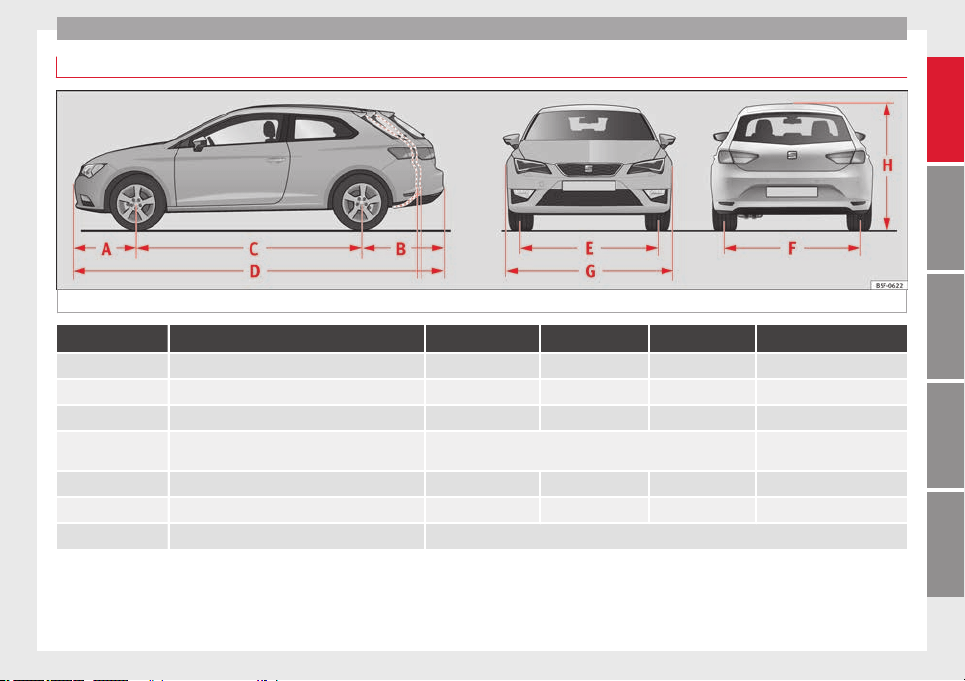
Technical specifications
Dimensions
Fig. 227 Dimensions
LEON LEON SC LEON ST LEON ST X-PERIENCE
A/B Front and rear projection (mm) 853/774 853/774 853/1,046 853/1,060
C Wheelbase (mm) 2,636 2,601 2,636 2,630
D Length (mm) 4,263 4,228 4,535 4,543
E/F Front/rear
a)
track width (mm)
1,533/1,504
1,549/1,520
1,541/1,547
1,504/1,510
G Width (mm) 1,816 1,810 1,816 1,816
H Height at kerb weight (mm) 1,459 1,446 1,454
b)
1,481
b)
Turning radius (m) 10.9
a)
This data will change depending on the type of wheel rim.
b)
Dimension to the roof bars.
267
Technical specifications
AdviceOperationSafetyThe essentials
Technical specifications
Filling capacities
Tank level
Petrol and diesel engines
50 l, of which, approx. 7 l reserve
Vehicles with all-wheel-drive:
55 l, of which, approx. 8.5 l reserve
Natural gas engine
a)
approx. 15 kg
Windscreen washer fluid container
approx. 3 litres in versions without headlight washers
approx. 5 litres in versions with headlight washers
Tyre pressure
Summer tyres:
Correct tyre pressure can be seen on the sticker on the inside of the fuel tank flap.
Winter tyres:
The pressure of these tyres is 0.2 bar higher than that of summer tyres (2.9 psi / 20 kPa).
a)
The capacity depends on the efficacy and characteristics of the natural gas pumps. The capacity indicated is based on a minimum loading pressure of 200 bar.
268

Index
Index
A
ABS
see
Anti-lock brake system . . . . . . . . . . . . . . . 143
A
C
C . . . . . . . . . . . . . . . . . . . . . . . . . . . . . . . . . . . . 151
radar sensor . . . . . . . . . . . . . . . . . . . . . . . . . . . 153
Accessories . . . . . . . . . . . . . . . . . . . . . . . . . . . . . . 113
Acoustic parking aid . . . . . . . . . . . . . . . . . . . . . . 173
Adaptive cruise control
control lamp . . . . . . . . . . . . . . . . . . . . . . . . . . . 152
malfunction . . . . . . . . . . . . . . . . . . . . . . . . . . . . 152
messages on the display . . . . . . . . . . . . . . . . . 152
radar sensor . . . . . . . . . . . . . . . . . . . . . . . . . . . 153
special driving situations . . . . . . . . . . . . . . . . . 159
warning lamp . . . . . . . . . . . . . . . . . . . . . . . . . . 152
Adaptive Cruise Control . . . . . . . . . . . . . . . . . . . . 151
deactivating temporarily . . . . . . . . . . . . . . . . . 158
operating . . . . . . . . . . . . . . . . . . . . . . . . . . . . . . 154
Additional electrical appliances (efficiency pro-
gramme) . . . . . . . . . . . . . . . . . . . . . . . . . . . . . . . 77
Adjusting
front head restraints . . . . . . . . . . . . . . . . . . . . . 107
front seats . . . . . . . . . . . . . . . . . . . . . . . . . . . . . 106
rear head restraints . . . . . . . . . . . . . . . . . . . . . 107
Adjusting the head restraints
Front head restraints . . . . . . . . . . . . . . . . . . . . 107
Airbag . . . . . . . . . . . . . . . . . . . . . . . . . . . . . . . . . . . 48
Airbag covers . . . . . . . . . . . . . . . . . . . . . . . . . . . . . 50
Airbags
description . . . . . . . . . . . . . . . . . . . . . . . . . . . . . 49
Airbag system . . . . . . . . . . . . . . . . . . . . . . . . . . . . . 48
activation . . . . . . . . . . . . . . . . . . . . . . . . . . . . . . 49
Differences between front passenger front air-
bag systems . . . . . . . . . . . . . . . . . . . . . . . . . . 51
disabling the front airbag . . . . . . . . . . . . . . . . . 54
front airbags . . . . . . . . . . . . . . . . . . . . . . . . . . . . 50
functioning . . . . . . . . . . . . . . . . . . . . . . . . . . . . . 49
head-protection airbags . . . . . . . . . . . . . . . . . . 53
Knee airbag . . . . . . . . . . . . . . . . . . . . . . . . . . . . . 52
side airbags . . . . . . . . . . . . . . . . . . . . . . . . . . . . 52
Air conditioning . . . . . . . . . . . . . . . . . . . . . . . . 26, 28
Air pressure (tyres) . . . . . . . . . . . . . . . . . . . . . . . . 208
Alarm system . . . . . . . . . . . . . . . . . . . . . . . . . . . . . 87
Alcantara: cleaning . . . . . . . . . . . . . . . . . . . . . . . 189
All-wheel drive
Snow chains . . . . . . . . . . . . . . . . . . . . . . . . . . . 191
Winter tyres . . . . . . . . . . . . . . . . . . . . . . . . . . . . 191
Ambient lighting . . . . . . . . . . . . . . . . . . . . . . . . . 101
Anti-dazzle interior mirror . . . . . . . . . . . . . . . . . . 104
Anti-dazzle rear vision mirror . . . . . . . . . . . . . . . . 104
Anti-lock brake system . . . . . . . . . . . . . . . . . . . . . 143
Anti-puncture . . . . . . . . . . . . . . . . . . . . . . . . . . . . . 33
Anti-puncture kit . . . . . . . . . . . . . . . . . . . . . . . . . . . 33
Anti-theft alarm . . . . . . . . . . . . . . . . . . . . . . . . 82, 87
see also Anti-theft alarm system . . . . . . . . . . . . 82
Anti-theft alarm system
Interior monitoring . . . . . . . . . . . . . . . . . . . . . . . 89
Tow-away protection . . . . . . . . . . . . . . . . . . . . . . 89
Anti-theft security system . . . . . . . . . . . 82, 85, 227
Anti-theft wheel bolts . . . . . . . . . . . . . . . . . . . . . 218
Anti-trap function
Sliding panoramic sunroof . . . . . . . . . . . . . . . . 93
sun blind . . . . . . . . . . . . . . . . . . . . . . . . . . . . . . . 93
Anti-trap function sliding
Anti-trap function . . . . . . . . . . . . . . . . . . . . . . . . 93
Antifreeze . . . . . . . . . . . . . . . . . . . . . . . . . . . . . . . 203
Aspects to take into account before starting the
vehicle . . . . . . . . . . . . . . . . . . . . . . . . . . . . . . . . . 37
ASR
see Traction control system . . . . . . . . . . . . . . . 143
Ass
istance systems . . . . . . . . . . . . . . . . . . . . . . . 150
ACC . . . . . . . . . . . . . . . . . . . . . . . . . . . . . . . . . . 151
adaptive cruise control . . . . . . . . . . . . . . . . . . . 151
Cruise control . . . . . . . . . . . . . . . . . . . . . . . . . . 150
Parking aid . . . . . . . . . . . . . . . . . . . . . . . . . . . . 174
Assisted starting . . . . . . . . . . . . . . . . . . . . . . . . . 223
Assist systems
Tyre monitoring indicator . . . . . . . . . . . . . . . . . 213
Audible warnings
Lights . . . . . . . . . . . . . . . . . . . . . . . . . . . . . . . . . 94
Audible warning signal . . . . . . . . . . . . . . . . . . . . . 43
Auto Lock (central locking) . . . . . . . . . . . . . . . . . . 82
Automatic car washes
see Washing . . . . . . . . . . . . . . . . . . . . . . . . . . . 183
Autom
atic dipped beam control . . . . . . . . . . . . . . 96
Automatic gearbox . . . . . . . . . . . . . . . . . . . . . . . . 132
Backup programme . . . . . . . . . . . . . . . . . . . . . 139
Downhill speed control . . . . . . . . . . . . . . . . . . 138
Driving tips . . . . . . . . . . . . . . . . . . . . . . . . . . . . 136
Kick-down feature . . . . . . . . . . . . . . . . . . . . . . . 137
Launch Control Programme . . . . . . . . . . . . . . . 137
Manual release of selector lever . . . . . . . . . . . 229
Safety interlock for ignition key . . . . . . . . . . . . 129
Selector lever lock . . . . . . . . . . . . . . . . . . . . . . 134
Selector lever positions . . . . . . . . . . . . . . . . . . 133
Steering wheel with gearshift paddles . . . . . . 135
tiptronic . . . . . . . . . . . . . . . . . . . . . . . . . . 132, 135
Automatic gear change . . . . . . . . . . . . . . . . . . . . . 25
B
Balanced (wheels) . . . . . . . . . . . . . . . . . . . . . . . . 208
Ball coupling . . . . . . . . . . . . . . . . . . . . . . . . . . . . . 179
Battery . . . . . . . . . . . . . . . . . . . . . . . . . . . 33, 86, 205
Assisted starting . . . . . . . . . . . . . . . . . . . . . . . . 223
Charge Level . . . . . . . . . . . . . . . . . . . . . . . . . . . 191
Charging . . . . . . . . . . . . . . . . . . . . . . . . . . . . . . 206
Disconnecting/Connecting . . . . . . . . . . . . . . . 205
Power Management . . . . . . . . . . . . . . . . . . . . . 191
Replacement . . . . . . . . . . . . . . . . . . . . . . . . . . . 207
Winter conditions . . . . . . . . . . . . . . . . . . . . . . . 205
269

Index
Before starting the vehicle . . . . . . . . . . . . . . . . . . 37
Belt tightening . . . . . . . . . . . . . . . . . . . . . . . . . . . . 47
Bench seat . . . . . . . . . . . . . . . . . . . . . . . . . . . . . . 110
Biodiesel . . . . . . . . . . . . . . . . . . . . . . . . . . . . . . . . 196
Bonnet . . . . . . . . . . . . . . . . . . . . . . . . . . . . . 10, 198
Brake fluid . . . . . . . . . . . . . . . . . . . . . . . . . . . . . . . 32
Brakes . . . . . . . . . . . . . . . . . . . . . . . . . . . . . . . . . . 146
Brake fluid . . . . . . . . . . . . . . . . . . . . . . . . . . . . . 204
Brake servo . . . . . . . . . . . . . . . . . . . . . . . . . . . . 146
New brake pads . . . . . . . . . . . . . . . . . . . . . . . . 146
Braking
Brake assist system . . . . . . . . . . . . . . . . . . . . . 143
Moving off on hills . . . . . . . . . . . . . . . . . . . . . . 147
C
Carbon components: Cleaning . . . . . . . . . . . . . . 186
Care . . . . . . . . . . . . . . . . . . . . . . . . . . . . . . . . . . . . 183
Care of vehicle . . . . . . . . . . . . . . . . . . . . . . . . . . . 183
Care (paint care) . . . . . . . . . . . . . . . . . . . . . . . . . . 185
CAR menu Setup . . . . . . . . . . . . . . . . . . . . . . . . . . . 17
Catalytic converter . . . . . . . . . . . . . . . . . . . . . . . . 141
CCS . . . . . . . . . . . . . . . . . . . . . . . . . . . . . . . . . . . . . 21
CD-ROM player (navigation) . . . . . . . . . . . . . . . . 112
Central locking
Anti-theft alarm . . . . . . . . . . . . . . . . . . . . . . . . . . 87
Central locking switch . . . . . . . . . . . . . . . . . . . . 85
Electric windows . . . . . . . . . . . . . . . . . . . . . . . . . 91
Manual locking . . . . . . . . . . . . . . . . . . . . . . . . . 228
Programming . . . . . . . . . . . . . . . . . . . . . . . . . . . 85
Rear lid . . . . . . . . . . . . . . . . . . . . . . . . . . . . . . . . 89
Remote control key . . . . . . . . . . . . . . . . . . . . . . . 84
Selective unlocking system . . . . . . . . . . . . . . . . 84
Sliding/tilting sunroof . . . . . . . . . . . . . . . . . . . . 91
Central locking system . . . . . . . . . . . . . . . . . . . . . . 82
Cetane number (diesel fuel) . . . . . . . . . . . . . . . . 196
Changing
of windscreen wiper and window washer
blades . . . . . . . . . . . . . . . . . . . . . . . . . . . . . . 230
Changing a bulb . . . . . . . . . . . . . . . . . . . . . . . . . . 233
Bulb sizes . . . . . . . . . . . . . . . . . . . . . . . . . . . . . 233
Changing gear
Engaging gears (manual gearbox) . . . . . . . . . 132
Manual gearbox . . . . . . . . . . . . . . . . . . . . . . . . 132
Changing main headlight
turn signal . . . . . . . . . . . . . . . . . . . . . . . . . . . . . 235
Changing the battery
of the vehicle key . . . . . . . . . . . . . . . . . . . . . . . . 86
Changing the main beam headlight bulb
main beam headlight . . . . . . . . . . . . . . . . . . . . 236
Changing the main headlight bulb
day light . . . . . . . . . . . . . . . . . . . . . . . . . . . . . . 235
dipped light . . . . . . . . . . . . . . . . . . . . . . . . . . . 235
Chassis number . . . . . . . . . . . . . . . . . . . . . . . . . . 241
Child-proof lock
Electric windows . . . . . . . . . . . . . . . . . . . . . . . . . 90
Child safety . . . . . . . . . . . . . . . . . . . . . . . . . . . . . . . 56
Child seat
Categorisation in groups . . . . . . . . . . . . . . . . . . 58
Child seats . . . . . . . . . . . . . . . . . . . . . . . . . . . . . . . 58
ISOFIX system . . . . . . . . . . . . . . . . . . . . . . . . . . . 59
safety instructions . . . . . . . . . . . . . . . . . . . . . . . 57
Top Tether system . . . . . . . . . . . . . . . . . . . . . 59, 61
City Emergency braking function . . . . . . . . . . . . . 165
Cleaning . . . . . . . . . . . . . . . . . . . . . . . . . . . . . . . . 183
Alcantara . . . . . . . . . . . . . . . . . . . . . . . . . . . . . . 189
Carbon components . . . . . . . . . . . . . . . . . . . . . 186
Display/Easy Connect control panel . . . . . . . . 187
Exhaust pipe . . . . . . . . . . . . . . . . . . . . . . . . . . . 186
Leather . . . . . . . . . . . . . . . . . . . . . . . . . . . . . . . 188
of Changing windscreen wiper and window
washer blades . . . . . . . . . . . . . . . . . . . . . . . . 230
Plastic parts . . . . . . . . . . . . . . . . . . . . . . 185, 187
Radio display . . . . . . . . . . . . . . . . . . . . . . . . . . 187
Seat belts . . . . . . . . . . . . . . . . . . . . . . . . . . . . . 189
Trim parts . . . . . . . . . . . . . . . . . . . . . . . . . . . . . 187
Trims . . . . . . . . . . . . . . . . . . . . . . . . . . . . . . . . . 185
Washing the vehicle . . . . . . . . . . . . . . . . . . . . . 183
Wheels . . . . . . . . . . . . . . . . . . . . . . . . . . . . . . . 186
Windows . . . . . . . . . . . . . . . . . . . . . . . . . . . . . . 186
Cleaning/De-icing the windows . . . . . . . . . . . . . 186
Cleaning the upholstery
Natural leather . . . . . . . . . . . . . . . . . . . . . . . . . 188
Climatronic . . . . . . . . . . . . . . . . . . . . . . . . . . . . . . . 26
Close . . . . . . . . . . . . . . . . . . . . . . . . . . . . . . . . . . . . 82
Panoramic sunroof . . . . . . . . . . . . . . . . . . . . . . . 92
Windows . . . . . . . . . . . . . . . . . . . . . . . . . . . . . . . 90
Closing . . . . . . . . . . . . . . . . . . . . . . . . . . . . . . . . . . 82
Bonnet . . . . . . . . . . . . . . . . . . . . . . . . . . . . . . . . 199
Panoramic sliding sunroof . . . . . . . . . . . . . . . . . 92
Panoramic sunroof . . . . . . . . . . . . . . . . . . . . . . . 92
Windows . . . . . . . . . . . . . . . . . . . . . . . . . . . . . . . 90
Clutch (warning lamp) . . . . . . . . . . . . . . . . . . . . . 139
Coming Home . . . . . . . . . . . . . . . . . . . . . . . . . . . . . 97
Control lamp
Cruise control . . . . . . . . . . . . . . . . . . . . . . . . . . 150
Tyre monitor indicator warning lamp . . . . . . . 212
Tyre monitoring systems . . . . . . . . . . . . . . . . . 212
Control lamps
Adaptive cruise control . . . . . . . . . . . . . . . . . . 152
Control of function
Rain sensor . . . . . . . . . . . . . . . . . . . . . . . . . . . . 104
Controls and displays (overview) . . . . . . . . . . . . . 65
Convenience closing
Panoramic sliding sunroof . . . . . . . . . . . . . . . . . 93
Convenience opening
Panoramic sliding sunroof . . . . . . . . . . . . . . . . . 93
Convenience opening/closing . . . . . . . . . . . . . . . 91
Coolant . . . . . . . . . . . . . . . . . . . . . . . . . . . . . . . . . . 32
270

Index
Cooling system
Checking the coolant . . . . . . . . . . . . . . . . . . . . 203
Coolant temperature gauge . . . . . . . . . . . . . . . . 69
Topping up coolant . . . . . . . . . . . . . . . . . . . . . . 203
Cornering lights . . . . . . . . . . . . . . . . . . . . . . . . . . . 97
Correct adjustment of front head restraints . . . . . 41
Correct adjustment of rear head restraints
In-use and non-use positions of rear head re-
straints . . . . . . . . . . . . . . . . . . . . . . . . . . . . . . 41
Correct sitting position
front passenger . . . . . . . . . . . . . . . . . . . . . . . . . 39
Incorrect sitting position . . . . . . . . . . . . . . . . . . 40
passenger . . . . . . . . . . . . . . . . . . . . . . . . . . . . . . 40
Cruise control . . . . . . . . . . . . . . . . . . . . . . . . 21, 150
Control lamp . . . . . . . . . . . . . . . . . . . . . . . . . . . 150
Operation . . . . . . . . . . . . . . . . . . . . . . . . . . . . . 151
Warning lamp . . . . . . . . . . . . . . . . . . . . . . . . . . 150
Cruise control system . . . . . . . . . . . . . . . . . . . . . . 150
D
Dangers in not using the seat belt . . . . . . . . . . . . 45
Daytime driving light . . . . . . . . . . . . . . . . . . . . . . . 95
Deactivating the front passenger front airbag . . . 11
DEF (instrument panel) . . . . . . . . . . . . . . . . . . . . . 69
Diesel
Diesel particulate filter . . . . . . . . . . . . . . . . . . . 141
Engine oil . . . . . . . . . . . . . . . . . . . . . . . . . . . . . 200
Pre-heating . . . . . . . . . . . . . . . . . . . . . . . . . . . . 129
Digital clock . . . . . . . . . . . . . . . . . . . . . . . . . . . . . . 66
Dimensions . . . . . . . . . . . . . . . . . . . . . . . . . . . . . . 267
Dipped beam headlight . . . . . . . . . . . . . . . . . . . . . 94
Direction of rotation (tyres) . . . . . . . . . . . . . . . . . 220
Disabling the front airbag . . . . . . . . . . . . . . . . . . . 54
Display . . . . . . . . . . . . . . . . . . . . . . . . . . . . . . . 66, 67
Display/Easy Connect control panel: cleaning . . 187
Disposal
Seat belt tensioners . . . . . . . . . . . . . . . . . . . . . . 47
Distance control
see
Adaptive cruise control . . . . . . . . . . . . . . . 151
Door/r
e
ar lid warning . . . . . . . . . . . . . . . . . . . . . . . 72
Door cylinder . . . . . . . . . . . . . . . . . . . . . . . . . . . . 227
Door handle . . . . . . . . . . . . . . . . . . . . . . . . . . . . . 227
Door lock . . . . . . . . . . . . . . . . . . . . . . . . . . . . . . . . 227
Doors
Childproof locks . . . . . . . . . . . . . . . . . . . . . . . . . 87
Opening and closing . . . . . . . . . . . . . . . . . . . . . . 9
Downhill speed control . . . . . . . . . . . . . . . . . . . . 138
Drawer . . . . . . . . . . . . . . . . . . . . . . . . . . . . . . . . . . 111
Drink holders . . . . . . . . . . . . . . . . . . . . . . . . . . . . 112
Driver
see Correct sitting position . . . . . . . . . 38, 39, 40
Driver information system . . . . . . . . . . . . . . . . . . . 19
CD/radio display . . . . . . . . . . . . . . . . . . . . . . . . . 72
Control . . . . . . . . . . . . . . . . . . . . . . . . . . . . . . . . . 19
Door/rear lid warning . . . . . . . . . . . . . . . . . . . . . 72
Engine oil temperature display . . . . . . . . . . . . . 77
Menu . . . . . . . . . . . . . . . . . . . . . . . . . . . . . . . . . . 20
Operation via the windscreen wiper lever . . . . . 72
Outside temperature display . . . . . . . . . . . . . . . 72
Driving
With a trailer . . . . . . . . . . . . . . . . . . . . . . 177, 179
Driving abroad
Headlights . . . . . . . . . . . . . . . . . . . . . . . . . . . . 100
Driving mode . . . . . . . . . . . . . . . . . . . . . . . 170, 171
Driving profile . . . . . . . . . . . . . . . . . . . . . . . 170, 171
Driving safety . . . . . . . . . . . . . . . . . . . . . . . . . . . . . 37
Driving through water . . . . . . . . . . . . . . . . . . . . . 141
Dynamic headlight range control . . . . . . . . . . . . 100
E
E10
see Ethanol (fuel) . . . . . . . . . . . . . . . . . . . . . . . 195
Ea
sy Connect . . . . . . . . . . . . . . . . . . . . . . . . . . 17, 81
Economic driving . . . . . . . . . . . . . . . . . . . . . . . . . 142
EDL
see Electronic differential lock . . . . . . . . . . . . . 143
Efficiency
programme
Additional electrical appliances . . . . . . . . . . . . 77
Saving tips . . . . . . . . . . . . . . . . . . . . . . . . . . . . . 78
Electric
Windows . . . . . . . . . . . . . . . . . . . . . . . . . . . . . . . 90
Electrical accessories
see Power socket . . . . . . . . . . . . . . . . . . . . . . . 113
Electrical sockets
trailer . . . . . . . . . . . . . . . . . . . . . . . . . . . . . . . . . 179
Electric seat
Adjustment . . . . . . . . . . . . . . . . . . . . . . . . . . . . . 12
Electric windows . . . . . . . . . . . . . . . . . . . . . . . . 10, 90
Convenience opening/closing . . . . . . . . . . . . . . 91
Electro-mechanical steering . . . . . . . . . . . . . . . . 190
Warning lamp . . . . . . . . . . . . . . . . . . . . . . . . . . 190
Electronic differential lock . . . . . . . . . . . . . . . . . . 143
Electronic self-locking . . . . . . . . . . . . . . . . . . . . . 143
Electronic Stability Control (ESC) . . . . . . . . . . . . 143
Emergencies . . . . . . . . . . . . . . . . . . . . . . . . . . . . . 217
Automatic gearbox Backup programme . . . . . 139
Replacing the battery . . . . . . . . . . . . . . . . . . . . 207
Emergency braking warning . . . . . . . . . . . . . . . . . 99
Emergency locking and unlocking . . . . . . . . . . . 227
Emergency towing . . . . . . . . . . . . . . . . . . . . . . . . . 35
Engine
Assisted starting . . . . . . . . . . . . . . . . . . . . . . . . 223
Pre-heating . . . . . . . . . . . . . . . . . . . . . . . . . . . . 129
Start-Stop system . . . . . . . . . . . . . . . . . . . . . . . 148
Starting . . . . . . . . . . . . . . . . . . . . . . . . . . . . . . . 129
Starting up (driver messages with the me-
chanical contact) . . . . . . . . . . . . . . . . . . . . . 129
Switching off (engine) . . . . . . . . . . . . . . . . . . . 130
Engine compartment . . . . . . . . . . . . . . . . . . 10, 198
Closing the bonnet . . . . . . . . . . . . . . . . . . . . . . 199
Opening the bonnet . . . . . . . . . . . . . . . . . . . . . 199
Safety notes . . . . . . . . . . . . . . . . . . . . . . . . . . . 198
271

Index
Engine coolant . . . . . . . . . . . . . . . . . . . . . . . . . . . 203
G 12 plus-plus . . . . . . . . . . . . . . . . . . . . . . . . . 203
G 13 . . . . . . . . . . . . . . . . . . . . . . . . . . . . . . . . . . 203
Specifications . . . . . . . . . . . . . . . . . . . . . . . . . . 203
Engine fault
control lamp . . . . . . . . . . . . . . . . . . . . . . . . . . . . 71
Engine management
control lamp . . . . . . . . . . . . . . . . . . . . . . . . . . . . 71
Engine oil . . . . . . . . . . . . . . . . . . . . . . . . . . . . . . . 200
Changing . . . . . . . . . . . . . . . . . . . . . . . . . . . . . . 202
Checking oil level . . . . . . . . . . . . . . . . . . . . . . . 201
Consumption . . . . . . . . . . . . . . . . . . . . . . . . . . 201
Engine oil dipstick . . . . . . . . . . . . . . . . . . . . . . 201
Inspection service . . . . . . . . . . . . . . . . . . . . . . 200
Longlife inspection service . . . . . . . . . . . . . . . 200
Oil properties . . . . . . . . . . . . . . . . . . . . . . . . . . 201
Replace . . . . . . . . . . . . . . . . . . . . . . . . . . . . . . . 200
Service intervals . . . . . . . . . . . . . . . . . . . . . . . . 200
Specifications . . . . . . . . . . . . . . . . . . . . . . . . . . 200
Temperature display . . . . . . . . . . . . . . . . . . . . . . 77
Topping up . . . . . . . . . . . . . . . . . . . . . . . . . . . . 202
Environment
Ecological driving . . . . . . . . . . . . . . . . . . . . . . . 142
Environmental friendliness . . . . . . . . . . . . . . . 140
Environmental tip
Leaks . . . . . . . . . . . . . . . . . . . . . . . . . . . . . . . . . 199
Environmental tips
Filling the tank . . . . . . . . . . . . . . . . . . . . . . . . . 194
Refuelling . . . . . . . . . . . . . . . . . . . . . . . . . . . . . 193
Environment warning . . . . . . . . . . . . . . . . . . . . . . 174
Equipment . . . . . . . . . . . . . . . . . . . . . . . . . . . . . . 113
ESC
Electronic stability control . . . . . . . . . . . . . . . . 143
Multi-collision brake . . . . . . . . . . . . . . . . . . . . . 144
Sport Mode . . . . . . . . . . . . . . . . . . . . . . . . . . . . 145
Ethanol (fuel) . . . . . . . . . . . . . . . . . . . . . . . . . . . . 195
Exhaust gas filtration system
Catalytic converter . . . . . . . . . . . . . . . . . . . . . . 141
Exhaust tail pipe: Cleaning . . . . . . . . . . . . . . . . . 186
Extending
the luggage compartment . . . . . . . . . . . . . . . . 109
Exterior lighting
Changing a bulb . . . . . . . . . . . . . . . . . . . . . . . . 233
Exterior mirrors
adjusting . . . . . . . . . . . . . . . . . . . . . . . . . . . . . . 104
Adjusting . . . . . . . . . . . . . . . . . . . . . . . . . . . . . . . 13
Exterior view . . . . . . . . . . . . . . . . . . . . . . . . . . . . . . . 5
F
Fastening rings . . . . . . . . . . . . . . . . . . . . . . . . . . . 119
Fault in the gearbox (warning lamp) . . . . . . . . . . 139
Faults
Panoramic sliding sunroof . . . . . . . . . . . . . . . . . 93
Faults in the gearbox (warning lamps) . . . . . . . . 139
Faulty bulbs
Changing a bulb . . . . . . . . . . . . . . . . . . . . . . . . 233
Filling the fuel tank . . . . . . . . . . . . . . . . . . . . . . . 193
Floor mats . . . . . . . . . . . . . . . . . . . . . . . . . . . . . . . . 42
Fog light . . . . . . . . . . . . . . . . . . . . . . . . . . . . . . . . . 97
Folding down the back seats . . . . . . . . . . . . . . . . 109
Folding table . . . . . . . . . . . . . . . . . . . . . . . . . . . . . 111
Four wheel drive . . . . . . . . . . . . . . . . . . . . . . . . . . 191
Front airbags . . . . . . . . . . . . . . . . . . . . . . . . . . . . . 50
Front armrest . . . . . . . . . . . . . . . . . . . . . . . . . . . . 108
Front Assist
City Emergency braking function . . . . . . . . . . . 165
malfunction . . . . . . . . . . . . . . . . . . . . . . . . . . . . 162
on-screen messages . . . . . . . . . . . . . . . . . . . . 162
operating . . . . . . . . . . . . . . . . . . . . . . . . . . . . . . 163
radar sensor . . . . . . . . . . . . . . . . . . . . . . . . . . . 163
switching off temporarily . . . . . . . . . . . . . . . . . 164
system limitations . . . . . . . . . . . . . . . . . . . . . . 164
see also Front Assist Monitoring system . . . . . 161
Front
Assist monitoring system
malfunction . . . . . . . . . . . . . . . . . . . . . . . . . . . . 162
on-screen messages . . . . . . . . . . . . . . . . . . . . 162
operating . . . . . . . . . . . . . . . . . . . . . . . . . . . . . . 163
Front Assist Monitoring system . . . . . . . . . . . . . . 161
City Emergency braking function . . . . . . . . . . . 165
radar sensor . . . . . . . . . . . . . . . . . . . . . . . . . . . 163
Front Assist Monitoring System
switching off temporarily . . . . . . . . . . . . . . . . . 164
system limitations . . . . . . . . . . . . . . . . . . . . . . 164
Front head restraints . . . . . . . . . . . . . . . . . . . . . . . 41
Front headrests . . . . . . . . . . . . . . . . . . . . . . . . . . . 41
Front passenger front airbag
Deactivating . . . . . . . . . . . . . . . . . . . . . . . . . . . . 11
Front seats
Manually adjusting . . . . . . . . . . . . . . . . . . . . . . . 12
Fuel . . . . . . . . . . . . . . . . . . . . . . . . . . . . . . . . 31, 195
Consumption . . . . . . . . . . . . . . . . . . . . . . . . . . 241
diesel . . . . . . . . . . . . . . . . . . . . . . . . . . . . . . . . . 196
Ethanol . . . . . . . . . . . . . . . . . . . . . . . . . . . . . . . 195
Fuel gauge . . . . . . . . . . . . . . . . . . . . . . . . . . . . . 70
natural gas . . . . . . . . . . . . . . . . . . . . . . . . . . . . 196
Fuel consumption . . . . . . . . . . . . . . . . . . . . . . . . . 242
Fuel tank cap
Opening and closing . . . . . . . . . . . . . . . . . . . . . 31
Fuel tank flap
Opening and closing . . . . . . . . . . . . . . . . . . . . . 31
Full-LED headlights . . . . . . . . . . . . . . . . . . . . . . . 233
Fuses . . . . . . . . . . . . . . . . . . . . . . . . . . . . . . . 33, 231
Fuse box . . . . . . . . . . . . . . . . . . . . . . . . . . . . . . 232
Identifying blown fuses . . . . . . . . . . . . . . . . . . 233
Identifying by colours . . . . . . . . . . . . . . . . . . . . 232
Preparation before replacing . . . . . . . . . . . . . . 233
Replacement . . . . . . . . . . . . . . . . . . . . . . . . . . . 233
272

Index
G
Gas
Pre-heating . . . . . . . . . . . . . . . . . . . . . . . . . . . . 129
Gas filtration system
Diesel particulate filter . . . . . . . . . . . . . . . . . . . 141
Gear-change indicator . . . . . . . . . . . . . . . . . . . . . . 74
Gearbox DSG
see
Automatic gearbox . . . . . . . . . . . . . . . . . . . 132
Ge
arbo
x lever . . . . . . . . . . . . . . . . . . . . . . . . . . . . . 24
Gear change . . . . . . . . . . . . . . . . . . . . . . . . . . . . . . 24
Gear engaged . . . . . . . . . . . . . . . . . . . . . . . . . . . . . 24
Gear recommendation . . . . . . . . . . . . . . . . . . . . . . 74
Gearshift paddles (automatic gearbox) . . . . . . . 135
General overview of the engine compartment . . 198
Glass
Cleaning/De-icing . . . . . . . . . . . . . . . . . . . . . . 186
Glove box . . . . . . . . . . . . . . . . . . . . . . . . . . . . . . . 112
Glove compartment lighting . . . . . . . . . . . . . . . . 101
Glow plug system
control lamp . . . . . . . . . . . . . . . . . . . . . . . . . . . . 71
H
Handbrake . . . . . . . . . . . . . . . . . . . . . . . . . . . . . . 131
warning lamp . . . . . . . . . . . . . . . . . . . . . . . . . . 131
Hazard warning lights . . . . . . . . . . . . . . . . . . . 15, 99
Head-on collisions and the laws of physics . . . . . 45
Head-protection airbags . . . . . . . . . . . . . . . . . . . . 53
description . . . . . . . . . . . . . . . . . . . . . . . . . . . . . 53
safety instructions . . . . . . . . . . . . . . . . . . . . . . . 53
Headlight range control . . . . . . . . . . . . . . . . . . . . 100
Headlights
Changing a bulb . . . . . . . . . . . . . . . . . . . . . . . . 233
Driving abroad . . . . . . . . . . . . . . . . . . . . . . . . . 100
Headlight washers . . . . . . . . . . . . . . . . . . . . . . 103
Head restraints . . . . . . . . . . . . . . . . . . . . . . . . . . . . 12
Adjustment . . . . . . . . . . . . . . . . . . . . . . . . . . . . 107
Headrests . . . . . . . . . . . . . . . . . . . . . . . . . . . . . . . . 12
Adjustment . . . . . . . . . . . . . . . . . . . . . . . . . . . . 107
Heated
exterior mirrors . . . . . . . . . . . . . . . . . . . . . . . . . 104
Heated rear window . . . . . . . . . . . . . . . . . . . . . 27, 29
Heating and fresh air . . . . . . . . . . . . . . . . . . . . . . . 29
Hill driving assistant . . . . . . . . . . . . . . . . . . . . . . 147
Horn . . . . . . . . . . . . . . . . . . . . . . . . . . . . . . . . . . . . 65
How to jump start description . . . . . . . . . . . . . . . 223
I
Identification plate . . . . . . . . . . . . . . . . . . . . . . . . 241
Identifying letters of engine . . . . . . . . . . . . . . . . 241
Ignition . . . . . . . . . . . . . . . . . . . . . . . . . . . . . 14, 129
Ignition lock . . . . . . . . . . . . . . . . . . . . . . . . . 14, 129
Importance of the correct adjustment of head re-
straints . . . . . . . . . . . . . . . . . . . . . . . . . . . . . . . . 41
Inertia mode . . . . . . . . . . . . . . . . . . . . . . . . . . . . . 138
Information on emissions . . . . . . . . . . . . . . . . . . 241
Inspection service . . . . . . . . . . . . . . . . . . . . . . . . 200
Instrument cluster . . . . . . . . . . . . . . . . . . . . . . . . . 66
Instrument panel . . . . . . . . . . . . . . . . . . . . . . . 22, 66
Display . . . . . . . . . . . . . . . . . . . . . . . . . . . . . 66, 67
Instruments . . . . . . . . . . . . . . . . . . . . . . . . . . . . . 66
Lamps . . . . . . . . . . . . . . . . . . . . . . . . . . . . . . . . . 71
Service interval display . . . . . . . . . . . . . . . . . . . 80
Instrument panel lighting . . . . . . . . . . . . . . . . . . 100
Instrument panel on-screen messages
Front Assist monitoring system . . . . . . . . . . . . 162
Interior lights . . . . . . . . . . . . . . . . . . . . . . . . . . . . . 16
Interior monitoring . . . . . . . . . . . . . . . . . . . . . . . . . 89
Interior view . . . . . . . . . . . . . . . . . . . . . . . . . . . . . . . 7
ISOFIX . . . . . . . . . . . . . . . . . . . . . . . . . . . . . . . . 59, 61
ISOFIX system . . . . . . . . . . . . . . . . . . . . . . . . . . . . . 59
J
Jack . . . . . . . . . . . . . . . . . . . . . . . . . . . . . . . . . . . . 220
Mounting points . . . . . . . . . . . . . . . . . . . . . . . . 219
Jump leads . . . . . . . . . . . . . . . . . . . . . . . . . . . . . . 223
Jump starting . . . . . . . . . . . . . . . . . . . . . . . . . . . . 223
K
Key
Driver messages (mechanical contact) . . . . . . 129
Unlock/Lock . . . . . . . . . . . . . . . . . . . . . . . . . . . . 84
Keys
Assign key . . . . . . . . . . . . . . . . . . . . . . . . . . . . . . 83
Car key . . . . . . . . . . . . . . . . . . . . . . . . . . . . . . . . . 83
Changing the battery (vehicle key) . . . . . . . . . . 86
Locking/Unlocking . . . . . . . . . . . . . . . . . . . . . . 227
Remote control . . . . . . . . . . . . . . . . . . . . . . . . . . 83
Spare key . . . . . . . . . . . . . . . . . . . . . . . . . . . . . . 83
Kick-down
Manual gearbox . . . . . . . . . . . . . . . . . . . . . . . . 171
Kick-down feature
Automatic gearbox . . . . . . . . . . . . . . . . . . . . . . 137
Knee airbag
see Airbag system . . . . . . . . . . . . . . . . . . . . . . . 52
L
Lamps
Audible warnings . . . . . . . . . . . . . . . . . . . . . . . . 71
Control lamps . . . . . . . . . . . . . . . . . . . . . . . . . . . 71
Warning lamps . . . . . . . . . . . . . . . . . . . . . . . . . . 71
Lane Assist . . . . . . . . . . . . . . . . . . . . . . . . . . . . . . 166
Cleaning the camera area . . . . . . . . . . . . . . . . 185
Lane Assist system
see Lane Assist . . . . . . . . . . . . . . . . . . . . . . . . . 166
Launc
h Control Programme (automatic gearbox) 137
Leather Care
Natural leather . . . . . . . . . . . . . . . . . . . . . . . . . 188
273

Index
Leather: Care . . . . . . . . . . . . . . . . . . . . . . . . . . . . 188
Leaving Home . . . . . . . . . . . . . . . . . . . . . . . . . . . . . 98
Level control . . . . . . . . . . . . . . . . . . . . . . . . . . . . . . 31
Lifting the vehicle . . . . . . . . . . . . . . . . . . . . . . . . . 219
Lighting
Changing a bulb . . . . . . . . . . . . . . . . . . . . . . . . 233
Lights . . . . . . . . . . . . . . . . . . . . . . . . . . . . . . . . 15, 94
Audible warnings . . . . . . . . . . . . . . . . . . . . . . . . 94
AUTO . . . . . . . . . . . . . . . . . . . . . . . . . . . . . . . . . . 96
Changing a bulb . . . . . . . . . . . . . . . . . . . . . . . . 233
Coming home . . . . . . . . . . . . . . . . . . . . . . . . . . . 97
Controls lighting . . . . . . . . . . . . . . . . . . . . . . . . 100
Cornering lights . . . . . . . . . . . . . . . . . . . . . . . . . 97
Daytime driving light . . . . . . . . . . . . . . . . . . . . . 95
Dipped beam headlight . . . . . . . . . . . . . . . . . . . 94
Fog light . . . . . . . . . . . . . . . . . . . . . . . . . . . . . . . 97
Headlight range control . . . . . . . . . . . . . . . . . . 100
Instrument lighting . . . . . . . . . . . . . . . . . . . . . . 100
Interior lights . . . . . . . . . . . . . . . . . . . . . . . . . . 101
Leaving home . . . . . . . . . . . . . . . . . . . . . . . . . . . 98
Light switch . . . . . . . . . . . . . . . . . . . . . . . . . . . . . 94
Main beam lever . . . . . . . . . . . . . . . . . . . . . . . . . 95
Motorway lights . . . . . . . . . . . . . . . . . . . . . . . . 100
Parking light . . . . . . . . . . . . . . . . . . . . . . . . . . . . 99
Reading lights . . . . . . . . . . . . . . . . . . . . . . . . . . 101
Side light . . . . . . . . . . . . . . . . . . . . . . . . . . . . . . . 94
Turn signal lever . . . . . . . . . . . . . . . . . . . . . . . . . 95
Light switch . . . . . . . . . . . . . . . . . . . . . . . . . . . . . . 15
Load compartment in the luggage compartment
see
Loading the luggage compartment . . . . . 114
L
o
ading the luggage compartment . . . . . . . . . . . 114
Loading the vehicle
fastening rings . . . . . . . . . . . . . . . . . . . . . . . . . 119
luggage compartment . . . . . . . . . . . . . . . . . . . . . 9
roof carrier system . . . . . . . . . . . . . . . . . . . . . . 124
tailboard for transporting long items . . . . . . . 118
Locking/Unlocking
In the lock cylinder . . . . . . . . . . . . . . . . . . . . . . 227
With the central locking switch . . . . . . . . . . . . . 85
Longlife inspection service . . . . . . . . . . . . . . . . . 200
Luggage compartment . . . . . . . . . . . . . . . . . . . . 9, 89
automatic lock . . . . . . . . . . . . . . . . . . . . . . . . . . 90
Central locking . . . . . . . . . . . . . . . . . . . . . . . . . . 89
Cover . . . . . . . . . . . . . . . . . . . . . . . . . . . . . . . . . 114
Luggage compartment lighting . . . . . . . . . . . . 101
luggage compartment variable floor . . . . . . . . 121
Manual release . . . . . . . . . . . . . . . . . . . . . . . . . 228
net bag . . . . . . . . . . . . . . . . . . . . . . . . . . . . . . . 120
net partition . . . . . . . . . . . . . . . . . . . . . . 116, 117
retractable rear shelf . . . . . . . . . . . . . . . . . . . . 115
storing the rear shelf . . . . . . . . . . . . . . . . . . . . 116
see also Loading the luggage compartment . 114
Luggage compartment floor . . . . . . . . . . . . . . . . 121
Luggage compartment variable floor . . . . . . . . . 121
Luggage net
luggage compartment . . . . . . . . . . . . . . . . . . . 120
Lumbar support . . . . . . . . . . . . . . . . . . . . . . . . . . 106
M
Main beam . . . . . . . . . . . . . . . . . . . . . . . . . . . . . . . 15
Main beam assist . . . . . . . . . . . . . . . . . . . . . . . . . . 96
Main beam headlight . . . . . . . . . . . . . . . . . . . . . . . 94
Main beam lever . . . . . . . . . . . . . . . . . . . . . . . . . . . 95
Main panel
Turn signal and main beam lever . . . . . . . . . . . 95
malfunction
Front Assist . . . . . . . . . . . . . . . . . . . . . . . . . . . . 162
Malfunction
Adaptive cruise control . . . . . . . . . . . . . . . . . . 152
front assist monitoring system . . . . . . . . . . . . 162
Manual action
Passenger door . . . . . . . . . . . . . . . . . . . . . . . . . 228
Rear lid . . . . . . . . . . . . . . . . . . . . . . . . . . 228, 229
Manual gearbox . . . . . . . . . . . . . . . . . . . . . . . . . . 132
Kick-down . . . . . . . . . . . . . . . . . . . . . . . . . . . . . 171
Manual gear change . . . . . . . . . . . . . . . . . . . . . . . 24
Manual operation
Selector lever . . . . . . . . . . . . . . . . . . . . . . . . . . 229
Messages on the instrument panel display
Adaptive cruise control . . . . . . . . . . . . . . . . . . 152
Mobile phone . . . . . . . . . . . . . . . . . . . . . . . . . . . . 182
Mobile phones . . . . . . . . . . . . . . . . . . . . . . . . . . . 182
Modifications (technical) . . . . . . . . . . . . . . . . . . . 182
Monitoring systems
Front Assist monitoring system . . . . . . . . . . . . 161
Motorway lights . . . . . . . . . . . . . . . . . . . . . . . . . . 100
Mounting pin (tyre change) . . . . . . . . . . . . . . . . . 220
Mounting points (jack) . . . . . . . . . . . . . . . . . . . . . 219
Move off
Hill driving assistant . . . . . . . . . . . . . . . . . . . . . 147
Multi-collision Brake . . . . . . . . . . . . . . . . . . . . . . 144
N
Natural gas . . . . . . . . . . . . . . . . . . . . . . . . . . . . . . 196
Fuel tank cap . . . . . . . . . . . . . . . . . . . . . . . . . . . 194
LNG . . . . . . . . . . . . . . . . . . . . . . . . . . . . . . . . . . 195
refuelling . . . . . . . . . . . . . . . . . . . . . . . . . . . . . . 194
smell . . . . . . . . . . . . . . . . . . . . . . . . . . . . . . . . . 197
things to note . . . . . . . . . . . . . . . . . . . . . . . . . . 194
Natural gas quality . . . . . . . . . . . . . . . . . . . . . . . . 197
Navigation system
CD-ROM player . . . . . . . . . . . . . . . . . . . . . . . . . 112
Net bag
luggage compartment . . . . . . . . . . . . . . . . . . . 120
Net partition . . . . . . . . . . . . . . . . . . . . . . . . 116, 117
Noises
Adaptive cruise control . . . . . . . . . . . . . . . . . . 152
refuelling natural gas . . . . . . . . . . . . . . . . . . . . 195
Number of colour . . . . . . . . . . . . . . . . . . . . . . . . . 241
Number of seats . . . . . . . . . . . . . . . . . . . . . . . . . . . 43
274

Index
O
Octane rating (petrol) . . . . . . . . . . . . . . . . . . . . . . 195
Odometer . . . . . . . . . . . . . . . . . . . . . . . . . . . . . . . . 66
Oil . . . . . . . . . . . . . . . . . . . . . . . . . . . . . . . . . . . . . . 31
Oil change . . . . . . . . . . . . . . . . . . . . . . . . . . . . . . . 202
Oil properties . . . . . . . . . . . . . . . . . . . . . . . . . . . . 201
One-touch opening and closing
Electric windows . . . . . . . . . . . . . . . . . . . . . . . . . 92
Open . . . . . . . . . . . . . . . . . . . . . . . . . . . . . . . . . . . . 82
Panoramic sunroof . . . . . . . . . . . . . . . . . . . . . . . 92
Rear lid . . . . . . . . . . . . . . . . . . . . . . . . . . . . . . . . 89
Windows . . . . . . . . . . . . . . . . . . . . . . . . . . . . . . . 90
Open/Close
By remote control . . . . . . . . . . . . . . . . . . . . . . . . 84
Opening . . . . . . . . . . . . . . . . . . . . . . . . . . . . . . . . . 82
Bonnet . . . . . . . . . . . . . . . . . . . . . . . . . . . . . . . . 199
Fuel tank flap . . . . . . . . . . . . . . . . . . . . . 193, 194
Panoramic sliding sunroof . . . . . . . . . . . . . . . . . 92
Panoramic sunroof . . . . . . . . . . . . . . . . . . . . . . . 92
Rear lid . . . . . . . . . . . . . . . . . . . . . . . . . . . . . . . . 89
Windows . . . . . . . . . . . . . . . . . . . . . . . . . . . . . . . 90
Opening/Closing
By remote control . . . . . . . . . . . . . . . . . . . . . . . . 84
In the lock cylinder . . . . . . . . . . . . . . . . . . . . . . 227
With the central locking switch . . . . . . . . . . . . . 85
Opening and closing . . . . . . . . . . . . . . . . . . . . . . . . 9
Outside temperature . . . . . . . . . . . . . . . . . . . . . . . 74
Outside temperature display . . . . . . . . . . . . . . . . . 72
Overview (controls and displays) . . . . . . . . . . . . . 65
P
Paint code . . . . . . . . . . . . . . . . . . . . . . . . . . . . . . . 241
Paint damage . . . . . . . . . . . . . . . . . . . . . . . . . . . . 186
Panoramic sliding sunroof . . . . . . . . . . . . . . . . . . . 92
Closing . . . . . . . . . . . . . . . . . . . . . . . . . . . . . . . . 92
Convenience closing . . . . . . . . . . . . . . . . . . . . . 93
Convenience opening . . . . . . . . . . . . . . . . . . . . . 93
Fault . . . . . . . . . . . . . . . . . . . . . . . . . . . . . . . . . . . 93
Opening . . . . . . . . . . . . . . . . . . . . . . . . . . . . . . . 92
Parking . . . . . . . . . . . . . . . . . . . . . . . . . . . . 131, 136
Parking aid
Adjusting the display/audible warnings . . . . . 176
Environment warning . . . . . . . . . . . . . . . . . . . . 174
Fault . . . . . . . . . . . . . . . . . . . . . . . . . . . . . . . . . . 177
Parking system plus . . . . . . . . . . . . . . . . . . . . . 174
Rear parking aid . . . . . . . . . . . . . . . . . . . . . . . . 174
Sensors/Camera: cleaning . . . . . . . . . . . . . . . 185
Towing bracket . . . . . . . . . . . . . . . . . . . . . . . . . 177
Parking aid system
see
Parking aid . . . . . . . . . . . . . . . . . . . . . . . . . 174
P
ark
ing light . . . . . . . . . . . . . . . . . . . . . . . . . . . . . . 99
Parking (automatic gearbox) . . . . . . . . . . . . . . . . 136
Particulate filter (diesel) . . . . . . . . . . . . . . . . . . . 141
Passenger
see Correct sitting position . . . . . . . . . 38, 39, 40
Passenger door manual locking . . . . . . . . . . . . . 228
Passenger seat backrest
folding down . . . . . . . . . . . . . . . . . . . . . . . . . . . 109
lifting . . . . . . . . . . . . . . . . . . . . . . . . . . . . . . . . . 109
Pedals . . . . . . . . . . . . . . . . . . . . . . . . . . . . . . . . . . . 42
Plastic parts: Cleaning . . . . . . . . . . . . . . . . 185, 187
Polishing . . . . . . . . . . . . . . . . . . . . . . . . . . . . . . . . 185
Power . . . . . . . . . . . . . . . . . . . . . . . . . . . . . . . . . . 113
Power Management . . . . . . . . . . . . . . . . . . . . . . . 191
Power socket . . . . . . . . . . . . . . . . . . . . . . . . . . . . 113
Pre-heating . . . . . . . . . . . . . . . . . . . . . . . . . . . . . . 129
Progressive steering . . . . . . . . . . . . . . . . . . . . . . 190
Puncture
Action . . . . . . . . . . . . . . . . . . . . . . . . . . . . . . . . . 33
Puncture repair . . . . . . . . . . . . . . . . . . . . . . . . . . . 220
R
Racks . . . . . . . . . . . . . . . . . . . . . . . . . . . . . . . . . . . 112
Radar sensor . . . . . . . . . . . . . . . . . . . . . . . . 153, 163
Radio-operated remote control
see Keys . . . . . . . . . . . . . . . . . . . . . . . . . . . . . . . 83
Radio display: cleaning . . . . . . . . . . . . . . . . . . . . 187
Rain sensor . . . . . . . . . . . . . . . . . . . . . . . . . . . . . . 103
Control of function . . . . . . . . . . . . . . . . . . . . . . 104
Raising the vehicle . . . . . . . . . . . . . . . . . . . . . . . . 219
Rear head restraints . . . . . . . . . . . . . . . . . . . . . . . . 41
Rear headrests . . . . . . . . . . . . . . . . . . . . . . . . . . . . 41
Rear lid . . . . . . . . . . . . . . . . . . . . . . . . . . 9, 228, 229
Manual release . . . . . . . . . . . . . . . . . . . . . . . . . 229
see also Luggage compartment . . . . . . . . . 89, 90
Rear lights
Changing a bulb . . . . . . . . . . . . . . . . . . . . . . . . 233
Rear seat backrest
folding down . . . . . . . . . . . . . . . . . . . . . . . . . . . 110
folding down and lifting the backrest . . . . . . . 110
lifting . . . . . . . . . . . . . . . . . . . . . . . . . . . . . . . . . 110
Rear view mirror
Adjusting . . . . . . . . . . . . . . . . . . . . . . . . . . . . . . . 13
Rear view mirrors
adjusting the exterior mirrors . . . . . . . . . . . . . 104
Rear vision mirror . . . . . . . . . . . . . . . . . . . . . . . . . 104
Refuelling . . . . . . . . . . . . . . . . . . . . . . . . . . . . . . . 193
Fuel gauge . . . . . . . . . . . . . . . . . . . . . . . . . . . . . 70
natural gas . . . . . . . . . . . . . . . . . . . . . . . . . . . . 194
Opening the fuel tank flap . . . . . . . . . . . . . . . . 193
Remote control key
Unlock/Lock . . . . . . . . . . . . . . . . . . . . . . . . . . . . 84
Remove the wheel cover . . . . . . . . . . . . . . . . . . . 217
Removing/installing head restraints . . . . . . . . . 107
Repairs . . . . . . . . . . . . . . . . . . . . . . . . . . . . . . . . . 182
Replacement parts . . . . . . . . . . . . . . . . . . . . . . . . 182
Reset button (trip recorder) . . . . . . . . . . . . . . . . . . 69
Reset the trip recorder to zero . . . . . . . . . . . . . . . . 69
Retaining hooks . . . . . . . . . . . . . . . . . . . . . . . . . . 120
Retractable rear shelf . . . . . . . . . . . . . . . . . . . . . . 115
Retrofitting a towing bracket . . . . . . . . . . . . . . . . 180
275

Index
Rev counter . . . . . . . . . . . . . . . . . . . . . . . . . . . . 66, 67
Reverse gear (automatic gearbox) . . . . . . . . . . . 133
RME (fuel) . . . . . . . . . . . . . . . . . . . . . . . . . . . . . . . 196
Roll-back function
Windows . . . . . . . . . . . . . . . . . . . . . . . . . . . . . . . 91
Roof carrier . . . . . . . . . . . . . . . . . . . . . . . . . . . . . . 122
Roof carrier system . . . . . . . . . . . . . . . . . . . . . . . . 122
Roof load . . . . . . . . . . . . . . . . . . . . . . . . . . . . . . . . 124
technical data . . . . . . . . . . . . . . . . . . . . . . . . . . 124
Roof rack . . . . . . . . . . . . . . . . . . . . . . . . . . . . . . . . 122
Running in
New brake pads . . . . . . . . . . . . . . . . . . . . . . . . 146
New engine . . . . . . . . . . . . . . . . . . . . . . . . . . . . 140
New tyres . . . . . . . . . . . . . . . . . . . . . . . . . . . . . 208
S
Safe driving . . . . . . . . . . . . . . . . . . . . . . . . . . . . . . 37
Safelock . . . . . . . . . . . . . . . . . . . . . . . . . . . . . . . . . 85
see also
Anti-theft security system . . . . . . . . . . 82
Saf
ety
. . . . . . . . . . . . . . . . . . . . . . . . . . . . . . . . . . . 37
child safety . . . . . . . . . . . . . . . . . . . . . . . . . . . . . 56
child seats . . . . . . . . . . . . . . . . . . . . . . . . . . . . . . 56
Safety equipment . . . . . . . . . . . . . . . . . . . . . . . . . . 37
Safety instructions
head-protection airbags . . . . . . . . . . . . . . . . . . 53
side airbags . . . . . . . . . . . . . . . . . . . . . . . . . . . . 53
using child seats . . . . . . . . . . . . . . . . . . . . . . . . 57
Safety interlock for ignition key . . . . . . . . . . . . . . 129
Safety notes
Seat belt tensioners . . . . . . . . . . . . . . . . . . . . . . 47
Using seat belts . . . . . . . . . . . . . . . . . . . . . . . . . 44
Saving fuel
Conscientious driving . . . . . . . . . . . . . . . . . . . . 142
Inertia mode . . . . . . . . . . . . . . . . . . . . . . . . . . . 138
Saving tips (efficiency programme) . . . . . . . . . . . 78
Seat adjuster . . . . . . . . . . . . . . . . . . . . . . . . . . . . . 38
Seat belt
Adjusting . . . . . . . . . . . . . . . . . . . . . . . . . . . . . . . 13
Seat belt control lamp . . . . . . . . . . . . . . . . . . . . . . 43
Seat belt position
for pregnant women . . . . . . . . . . . . . . . . . . . . . . 46
seat belts . . . . . . . . . . . . . . . . . . . . . . . . . . . . . . 46
Seat belt protection . . . . . . . . . . . . . . . . . . . . . . . . 44
Seat belts . . . . . . . . . . . . . . . . . . . . . . . . . . . . . . . . 43
adjustment . . . . . . . . . . . . . . . . . . . . . . . . . . . . . 46
Cleaning . . . . . . . . . . . . . . . . . . . . . . . . . . . . . . 189
control lamp . . . . . . . . . . . . . . . . . . . . . . . . . . . . 43
Safety notes . . . . . . . . . . . . . . . . . . . . . . . . . . . . 44
unfastened . . . . . . . . . . . . . . . . . . . . . . . . . . . . . 45
Seat belt tensioners . . . . . . . . . . . . . . . . . . . . . . . . 47
SEAT Drive Profile . . . . . . . . . . . . . . . . . . . . . . . . . 169
Seats
adjustment . . . . . . . . . . . . . . . . . . . . . . . . . . . . 106
heating . . . . . . . . . . . . . . . . . . . . . . . . . . . . . . . 108
rear seat backrest . . . . . . . . . . . . . . . . . . . . . . . 110
Selective unlocking system . . . . . . . . . . . . . . . . . . 84
Selector lever
Automatic gearbox . . . . . . . . . . . . . . . . . . . . . . 133
Selector lever (automatic gearbox)
Malfunction . . . . . . . . . . . . . . . . . . . . . . . . . . . . 134
Manual release . . . . . . . . . . . . . . . . . . . . . . . . . 229
Service interval display . . . . . . . . . . . . . . . . . . . . . 80
Service intervals . . . . . . . . . . . . . . . . . . . . . . . . . . 200
Service notification: read . . . . . . . . . . . . . . . . . . . . 80
Setting
Headlight range . . . . . . . . . . . . . . . . . . . . . . . . 100
Side airbags
description . . . . . . . . . . . . . . . . . . . . . . . . . . . . . 52
safety instructions . . . . . . . . . . . . . . . . . . . . . . . 53
Side light . . . . . . . . . . . . . . . . . . . . . . . . . . . . . . . . 94
Sitting position
driver . . . . . . . . . . . . . . . . . . . . . . . . . . . . . . . . . . 38
Sitting position for vehicle occupants . . . . . . . . . 38
Sliding/tilting sunroof
Convenience opening/closing . . . . . . . . . . . . . . 91
Smell of gas . . . . . . . . . . . . . . . . . . . . . . . . . . . . . 197
Snow chains . . . . . . . . . . . . . . . . . . . . . . . . 216, 243
All-wheel drive . . . . . . . . . . . . . . . . . . . . . . . . . 191
Spanner symbol . . . . . . . . . . . . . . . . . . . . . . . . . . . 80
Spare wheel . . . . . . . . . . . . . . . . . . . . . . . . . . . . . . 34
Special features
Windscreen wipers . . . . . . . . . . . . . . . . . . . . . . 102
Speedometer . . . . . . . . . . . . . . . . . . . . . . . . . . . . . 72
Speed warning function . . . . . . . . . . . . . . . . . . . . . 79
Sport Mode . . . . . . . . . . . . . . . . . . . . . . . . . . . . . . 145
Start-Stop system . . . . . . . . . . . . . . . . . . . . . . . . . 148
Driver messages . . . . . . . . . . . . . . . . . . . . . . . . 150
Stop/Start the engine . . . . . . . . . . . . . . . . . . . 148
Switching on/off . . . . . . . . . . . . . . . . . . . . . . . . 149
The engine does not switch off . . . . . . . . . . . . 149
The engine starts by itself . . . . . . . . . . . . . . . . 149
Warning lamps . . . . . . . . . . . . . . . . . . . . . . . . . 148
Starting the vehicle . . . . . . . . . . . . . . . . . . . . . . . . 14
Starting (engine) . . . . . . . . . . . . . . . . . . . . . . . . . 129
Steering
Electro-mechanical steering . . . . . . . . . . . . . . 190
Engage the steering lock (ignition key) . . . . . 130
Locking the steering (ignition key) . . . . . . . . . 129
Steering wheel
Adjusting . . . . . . . . . . . . . . . . . . . . . . . . . . . . . . . 14
Gearshift paddles (automatic gearbox) . . . . . 135
Setting . . . . . . . . . . . . . . . . . . . . . . . . . . . . . . . . . 39
Storage area
front seat . . . . . . . . . . . . . . . . . . . . . . . . . . . . . . 111
Storage compartment . . . . . . . . . . . . . . . . . . . . . 112
Storage compartments . . . . . . . . . . . . . . . . . . . . 111
Glove compartment lighting . . . . . . . . . . . . . . 101
Storing the rear shelf . . . . . . . . . . . . . . . . . . . . . . 116
Sun blind . . . . . . . . . . . . . . . . . . . . . . . . . . . 93, 102
Anti-trap function . . . . . . . . . . . . . . . . . . . . . . . . 93
276

Index
Sun protection . . . . . . . . . . . . . . . . . . . . . . . . . . . 101
Sunroof . . . . . . . . . . . . . . . . . . . . . . . . . . . . . . . . . . 11
Sun visor . . . . . . . . . . . . . . . . . . . . . . . . . . . . . . . . 101
Switch
Hazard warning lights . . . . . . . . . . . . . . . . . . . . 99
Switching off using inertia . . . . . . . . . . . . . . . . . . 142
Switching off (engine)
With the key . . . . . . . . . . . . . . . . . . . . . . . . . . . 130
Switching the ignition on/off . . . . . . . . . . . . . . . 129
Switching the lights off . . . . . . . . . . . . . . . . . . . . . 94
Switching the lights on . . . . . . . . . . . . . . . . . . . . . 94
Symbols
See "Lamps" . . . . . . . . . . . . . . . . . . . . . . . . . . . . 71
System
Automatic dipped beam control . . . . . . . . . . . . 96
System Easy Connect . . . . . . . . . . . . . . . . . . . . . . . 81
Systems
ACC . . . . . . . . . . . . . . . . . . . . . . . . . . . . . . . . . . 151
Adaptive Cruise Control . . . . . . . . . . . . . . . . . . 151
Cruise control . . . . . . . . . . . . . . . . . . . . . . . . . . 150
Front Assist monitoring system . . . . . . . . . . . . 161
Tiredness detection . . . . . . . . . . . . . . . . . . . . . 172
Tyre monitoring indicator . . . . . . . . . . . . . . . . . 213
Tyre monitoring systems . . . . . . . . . . . . . . . . . 212
T
Tailboard for transporting long items . . . . . . . . . 118
Tailgate locking time extension
see
Luggage compartment . . . . . . . . . . . . . 89, 90
T
ec
hnical data
roof load . . . . . . . . . . . . . . . . . . . . . . . . . . . . . . 124
Top-up quantities . . . . . . . . . . . . . . . . . . . . . . . 205
Technical modifications . . . . . . . . . . . . . . . . . . . . 182
Technical specifications . . . . . . . . . . . . . . . . . . . . 241
Temperature display
Engine oil . . . . . . . . . . . . . . . . . . . . . . . . . . . . . . 77
Outside temperature . . . . . . . . . . . . . . . . . . 72, 74
Things to note
natural gas . . . . . . . . . . . . . . . . . . . . . . . . . . . . 194
Tightening torque of wheel bolts . . . . . . . . . . . . 244
Timer . . . . . . . . . . . . . . . . . . . . . . . . . . . . . . . . . . . . 78
lap times . . . . . . . . . . . . . . . . . . . . . . . . . . . . . . . 78
menu . . . . . . . . . . . . . . . . . . . . . . . . . . . . . . . . . . 78
statistics . . . . . . . . . . . . . . . . . . . . . . . . . . . . . . . 78
Tiptronic (automatic gearbox) . . . . . . . . . . 132, 135
Tiredness detection . . . . . . . . . . . . . . . . . . . . . . . 172
Tire Mobility Set
Check after 10 minutes . . . . . . . . . . . . . . . . . . 222
Do not use . . . . . . . . . . . . . . . . . . . . . . . . . . . . . 221
Inflating a tyre . . . . . . . . . . . . . . . . . . . . . . . . . . 222
Tools . . . . . . . . . . . . . . . . . . . . . . . . . . . . . . . . . . . 220
Top-up quantities
Windscreen washer reservoir . . . . . . . . . . . . . . 205
Top Tether . . . . . . . . . . . . . . . . . . . . . . . . . . . . . 59, 61
Top Tether system . . . . . . . . . . . . . . . . . . . . . . . . . 59
Top Tether System . . . . . . . . . . . . . . . . . . . . . . . . . 61
Tow-away protection . . . . . . . . . . . . . . . . . . . . . . . 89
Tow-starting the engine . . . . . . . . . . . . . . . . . . . . 224
Towing
Retrofitting a towing bracket . . . . . . . . . . . . . . 180
Towing a trailer . . . . . . . . . . . . . . . . . . . . . . 177, 243
Towing bracket . . . . . . . . . . . . . . . . . . . . . . . . . . . 179
Towing the vehicle . . . . . . . . . . . . . . . . . . . . 35, 224
Towline anchorage . . . . . . . . . . . . . . . . . . . . . . . . 220
Tow rope . . . . . . . . . . . . . . . . . . . . . . . . . . . . . . . . 178
Traction control system . . . . . . . . . . . . . . . . . . . . 143
Trailer
connecting . . . . . . . . . . . . . . . . . . . . . . . . . . . . 178
electrical socket . . . . . . . . . . . . . . . . . . . . . . . . 179
hitching . . . . . . . . . . . . . . . . . . . . . . . . . . . . . . . 178
Parking aid . . . . . . . . . . . . . . . . . . . . . . . . . . . . 177
rear lights . . . . . . . . . . . . . . . . . . . . . . . . . . . . . 178
tow rope . . . . . . . . . . . . . . . . . . . . . . . . . . . . . . 178
Trailer weights . . . . . . . . . . . . . . . . . . . . . . . . . . . 243
Transporting children . . . . . . . . . . . . . . . . . . . . . . . 56
Transporting items
fastening rings . . . . . . . . . . . . . . . . . . . . . . . . . 119
Roof carrier . . . . . . . . . . . . . . . . . . . . . . . . . . . . 122
roof carrier system . . . . . . . . . . . . . . . . . . . . . . 122
Transporting objects
net bag . . . . . . . . . . . . . . . . . . . . . . . . . . . . . . . 120
retaining hooks . . . . . . . . . . . . . . . . . . . . . . . . 120
roof carrier system . . . . . . . . . . . . . . . . . . . . . . 124
tailboard for transporting long items . . . . . . . 118
Trim parts: cleaning . . . . . . . . . . . . . . . . . . . . . . . 187
Trims: Cleaning . . . . . . . . . . . . . . . . . . . . . . . . . . . 185
Trip recorder . . . . . . . . . . . . . . . . . . . . . . . . . . . 66, 69
Turn signal convenience function . . . . . . . . . . . . . 95
Turn signal lever . . . . . . . . . . . . . . . . . . . . . . . . 15, 95
Two-way radios . . . . . . . . . . . . . . . . . . . . . . . . . . . 182
Tyre
Tyre pressure . . . . . . . . . . . . . . . . . . . . . . . . . . . 208
Useful life . . . . . . . . . . . . . . . . . . . . . . . . . . . . . 208
Tyre mobility set . . . . . . . . . . . . . . . . . . . . . . . . . . . 33
Components . . . . . . . . . . . . . . . . . . . . . . . . . . . 222
Sealing a tyre . . . . . . . . . . . . . . . . . . . . . . . . . . 222
Tyre mobility system . . . . . . . . . . . . . . . . . . . . . . . 220
Tyre Mobility System
See tyre mobility system . . . . . . . . . . . . . . . . . 220
Tyre monitoring indicator . . . . . . . . . . . . . . . . . . . 213
Tyre monitoring system . . . . . . . . . . . . . . . . . . . . 212
Tyre monitoring systems
Control lamp . . . . . . . . . . . . . . . . . . . . . . . . . . . 212
Tyre monitoring indicator . . . . . . . . . . . . . . . . . 213
Tyre pressure . . . . . . . . . . . . . . . . . . . . . . . . . . . . 208
Tyre pressures . . . . . . . . . . . . . . . . . . . . . . . . . . . . 243
Tyre profile . . . . . . . . . . . . . . . . . . . . . . . . . . . . . . 209
Tyre repair kit . . . . . . . . . . . . . . . . . . . . . . . . . . . . 220
Tyre repair set
See tyre mobility system . . . . . . . . . . . . . . . . . 220
277

Index
Tyres
Accessories . . . . . . . . . . . . . . . . . . . . . . . . . . . . 208
Changing . . . . . . . . . . . . . . . . . . . . . . . . . . . . . . 217
Repair kit . . . . . . . . . . . . . . . . . . . . . . . . . . . . . . 220
Wear indicators . . . . . . . . . . . . . . . . . . . . . . . . . 209
With compulsory direction of rotation . . . . . . . 220
Tyre tread depth . . . . . . . . . . . . . . . . . . . . . . . . . . 209
U
Unfastening the seat belt . . . . . . . . . . . . . . . . . . . 46
Unlock/Lock
By remote control . . . . . . . . . . . . . . . . . . . . . . . . 84
Unlocking/Locking
With the central locking switch . . . . . . . . . . . . . 85
Unlocking and locking . . . . . . . . . . . . . . . . . . . . . . . 9
Upholstery: Cleaning
Alcantara . . . . . . . . . . . . . . . . . . . . . . . . . . . . . . 189
Fabrics . . . . . . . . . . . . . . . . . . . . . . . . . . . . . . . . 187
V
Vehicle
Identification number . . . . . . . . . . . . . . . . . . . . 241
Raising . . . . . . . . . . . . . . . . . . . . . . . . . . . . . . . 219
Sticker . . . . . . . . . . . . . . . . . . . . . . . . . . . . . . . . 241
Vehicle identification data . . . . . . . . . . . . . . . . 241
Vehicle battery
Disconnect . . . . . . . . . . . . . . . . . . . . . . . . . . . . . 80
Vehicle care
Service position . . . . . . . . . . . . . . . . . . . . . . . . 230
Vehicle interior monitoring and anti-tow system
Activation . . . . . . . . . . . . . . . . . . . . . . . . . . . . . . 88
Vehicle key
Synchronising . . . . . . . . . . . . . . . . . . . . . . . . . . . 87
Vehicle maintenance
Changing windscreen wiper and window
washer blades . . . . . . . . . . . . . . . . . . . . . . . . 230
Cleaning windscreen wiper and window wash-
er blades . . . . . . . . . . . . . . . . . . . . . . . . . . . . 230
Vehicle tools . . . . . . . . . . . . . . . . . . . . . . . . . . . . . 220
Ventilation slits . . . . . . . . . . . . . . . . . . . . . . . . . . 114
W
Warning lamp
Cruise control . . . . . . . . . . . . . . . . . . . . . . . . . . 150
Warning lamps . . . . . . . . . . . . . . . . . . . . . . . . . . . . 22
Adaptive cruise control . . . . . . . . . . . . . . . . . . 152
apply the brake . . . . . . . . . . . . . . . . . . . . 152, 162
Instrument panel . . . . . . . . . . . . . . . . . . . . . 22, 24
Instrument panel screen . . . . . . . . . . . . . . . . . . 23
Washing . . . . . . . . . . . . . . . . . . . . . . . . . . . . . . . . 183
Care of the vehicle exterior . . . . . . . . . . . . . . . 183
Wearing suitable shoes . . . . . . . . . . . . . . . . . . . . . 42
Wheel
changing . . . . . . . . . . . . . . . . . . . . . . . . . . . . . . 210
Wheel bolts . . . . . . . . . . . . . . . . . . . . . . . . . 211, 244
Anti-theft . . . . . . . . . . . . . . . . . . . . . . . . . . . . . . 218
Loosening . . . . . . . . . . . . . . . . . . . . . . . . . . . . . 218
Removing the cap . . . . . . . . . . . . . . . . . . . . . . . 218
Wheel brace . . . . . . . . . . . . . . . . . . . . . . . . . . . . . 220
Wheel cover (wheel bolts): removing . . . . . . . . . 218
Wheels . . . . . . . . . . . . . . . . . . . . . . . . . . . . 208, 243
Changing . . . . . . . . . . . . . . . . . . . . . . . . . 217, 219
Cleaning . . . . . . . . . . . . . . . . . . . . . . . . . . . . . . 186
Why assume the correct sitting position? . . . . . . . 48
Why wear seat belts? . . . . . . . . . . . . . . . . . . . . 43, 48
Window wiper . . . . . . . . . . . . . . . . . . . . . . . . . . . . 102
Window wiper blade . . . . . . . . . . . . . . . . . . . . . . . . 16
Windscreen washer . . . . . . . . . . . . . . . . . . . 32, 102
Windscreen washer water
Checking . . . . . . . . . . . . . . . . . . . . . . . . . . . . . . 204
Topping up . . . . . . . . . . . . . . . . . . . . . . . . . . . . 204
Windscreen wiper . . . . . . . . . . . . . . . . . . . . . . . . . 102
Window wiper lever . . . . . . . . . . . . . . . . . . . . . 102
Windscreen wipers . . . . . . . . . . . . . . . . . . . . . . . . . 16
Functions . . . . . . . . . . . . . . . . . . . . . . . . . . . . . . 103
Headlight washer system . . . . . . . . . . . . . . . . . 103
Heated windscreen washer jets . . . . . . . . . . . . 103
Lifting the wiper blades . . . . . . . . . . . . . . . . . . 230
Rain sensor . . . . . . . . . . . . . . . . . . . . . . . . . . . . 103
Replacing the wiper blades . . . . . . . . . . . . . . . 230
Service position . . . . . . . . . . . . . . . . . . . . . . . . 230
Special features . . . . . . . . . . . . . . . . . . . . . . . . 102
Windscreen wipers service position . . . . . . . . . . 230
Winter conditions
Battery . . . . . . . . . . . . . . . . . . . . . . . . . . . . . . . . 205
Defrosting windows . . . . . . . . . . . . . . . . . . . . . 186
diesel . . . . . . . . . . . . . . . . . . . . . . . . . . . . . . . . . 196
Snow chains . . . . . . . . . . . . . . . . . . . . . . . . . . . 216
Tyres . . . . . . . . . . . . . . . . . . . . . . . . . . . . . . . . . 215
Vehicle care . . . . . . . . . . . . . . . . . . . . . . . . . . . . 183
Winter operation
Headlight washers . . . . . . . . . . . . . . . . . . . . . . 103
Heated windscreen washer jets . . . . . . . . . . . . 103
Salt on the roads . . . . . . . . . . . . . . . . . . . . . . . 104
Winter tyres . . . . . . . . . . . . . . . . . . . . . . . . . . . . . . 215
All-wheel drive . . . . . . . . . . . . . . . . . . . . . . . . . 191
278



SEAT S.A. is permanently concerned about continuous development of its types and models. For this reason we ask you to under-
stand, that at any given time, changes regarding shape, equipment and technique may take place on the car delivered. For this reason
no right at all may derive based on the data, drawings and descriptions in this current handbook.
All texts, illustrations and standards in this handbook are based on the status of information at the time of printing. Except for error
or omission, the information included in the current handbook is valid as of the date of closing print.
Re-printing, copying or translating, whether total or partial is not allowed unless SEAT allows it in written form.
SEAT reserves all rights in accordance with the “Copyright” Act.
All rights on changes are reserved.
❀
This paper has been manufactured using bleached non-chlorine cellulose.
© SEAT S.A. - Reprint: 15.11.14
About this manual
This manual contains a description of the
equipment supplied with the vehicle at the
time this manual was published. Some of the
units described herein will not be available
until a later date or are only available in cer-
tain markets.
Because this is a general manual for the
ALTEA range, some of the equipment and
functions that are described in this manual
are not included in all types or variants of the
model; they may vary or be modified depend-
ing on the technical requirements and on the
market; this is in no way deceptive advertis-
ing.
The illustrations are intended as a general
guide and may vary from the equipment fitted
in your vehicle in some details.
The steering indications (left, right, forward,
reverse) appearing in this manual refer to the
normal driving movements of the vehicle ex-
cept when otherwise indicated.
*
The equipment marked with an aster-
isk* is fitted as standard only in certain
versions, and is only supplied as op-
tional extras for some versions, or are
only offered in certain countries.
® All registered marks are indicated with
®. Although the copyright symbol does
not appear, it is a copyrighted mark.
>> The section is continued on the follow-
ing page.
WARNING
Texts preceded by this symbol contain infor-
mation on safety. They warn you about possi-
ble dangers of accident or injury.
CAUTION
Texts with this symbol draw your attention to
potential sources of damage to your vehicle.
For the sake of the environment
Texts preceded by this symbol contain rele-
vant information concerning environmental
protection.
Note
Texts preceded by this symbol contain additio-
nal information.
This manual is divided into five large parts,
which are:
1. Safety
2. Operation
3. Tips
4. Technical data
5. Alphabetical index
At the end of this manual, there is a detailed
alphabetical index that will help you quickly
find the information you require.
OWNER’S
MANUAL
Leon
5F0012720BC
Inglés
5F0012720BC (11.14) (GT9)
Leon Inglés (11.14)