ENGLISH
www.lg.com
MFL68920502_06
OWNER’S MANUAL
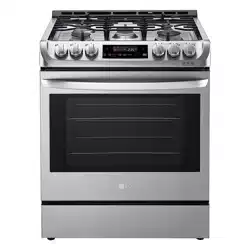
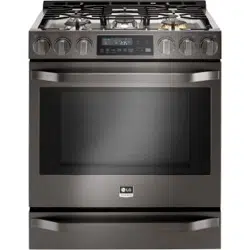
GAS RANGE
Read this owner’s manual thoroughly before operating the appliance
and keep it handy for reference at all times.
•
Do not store or use gasoline or other flammable vapors and liquids in the
vicinity of this or any other appliance.
•
WHAT TO DO IF YOU SMELL GAS
- Do not try to light any appliance.
- Do not touch any electrical switch.
- Do not use any phone in your building.
- Immediately call your gas supplier from a neighbor's phone. Follow the
gas supplier's instructions.
- If you cannot reach your gas supplier, call the fire department.
•
Installation and service must be performed by a qualified installer, service
agency, or the gas supplier.
If the information in this manual is not followed exactly, a fire or explosion
may result causing property damage, personal injury or death.
WARNING
LSSG3016**
LSSG3019**

2
TABLE OF CONTENTS
TABLE OF CONTENTS
3
PRODUCT FEATURES
4
IMPORTANT SAFETY
INSTRUCTIONS
12
PRODUCT OVERVIEW
12 Parts
12 Accessories
13
INSTALLATION
13 Before Installing the Range
14 Installing the Range
15 Dimensions and Clearances
16 Optional Rear Filler
17 Connecting the Range to Gas
18 Electrical Connections
18 Sealing the Openings
19 Assembling the Surface Burners
19 Checking Ignition of the Surface Burners
20 Leveling the Range
20 Engaging the Anti-tip Device
21
OPERATION
21 Gas Surface Burners
22 Burner Locations
22 Setting the Flame Size
23 Using a Wok
24 Using the Griddle
25 The Oven
26 Control Panel Overview
27 Changing Oven Settings
27 Clock
27 Oven Light
27 Minimum & Maximum Default Settings
28 Timer On/Off
28 Settings
-
Setting the Hour Mode
-
Setting Convection Auto Conversion
-
Adjusting the Oven Thermostat
-
Turning the Preheat Alarm Light On/Off
-
Adjusting the Beeper Volume
-
Selecting Fahrenheit or Celsius
29 Lockout
30 Start Time (Delayed Timed Cook)
30 Cook Time (Timed Cook)
31 Recommended Baking and Roasting Guide
32 Bake
33 Convection Bake
34 Convection Roast
35 Broil
37 Pizza
37 Warm
37 Proof
38 Meat Probe
39 Operating the Warming Drawer
41
SMART FEATURES
41 Before Using Tag On
41 Using the Tag On Function
42 Using Tag On with Applications
43
MAINTENANCE
43 Gas Surface Burners
45 Cleaning the Exterior
46 Door Care Instructions
46 EasyClean
®
49 Self Clean
51 Changing the Oven Light
51 Removing and Replacing the Lift-Off Oven
Doors and Drawer
53
TROUBLESHOOTING
53 FAQs
55 Before Calling for Service
57
SMART DIAGNOSIS™
57 Using Smart Diagnosis™
58
WARRANTY
3
PRODUCT FEATURES
ENGLISH
PRODUCT FEATURES
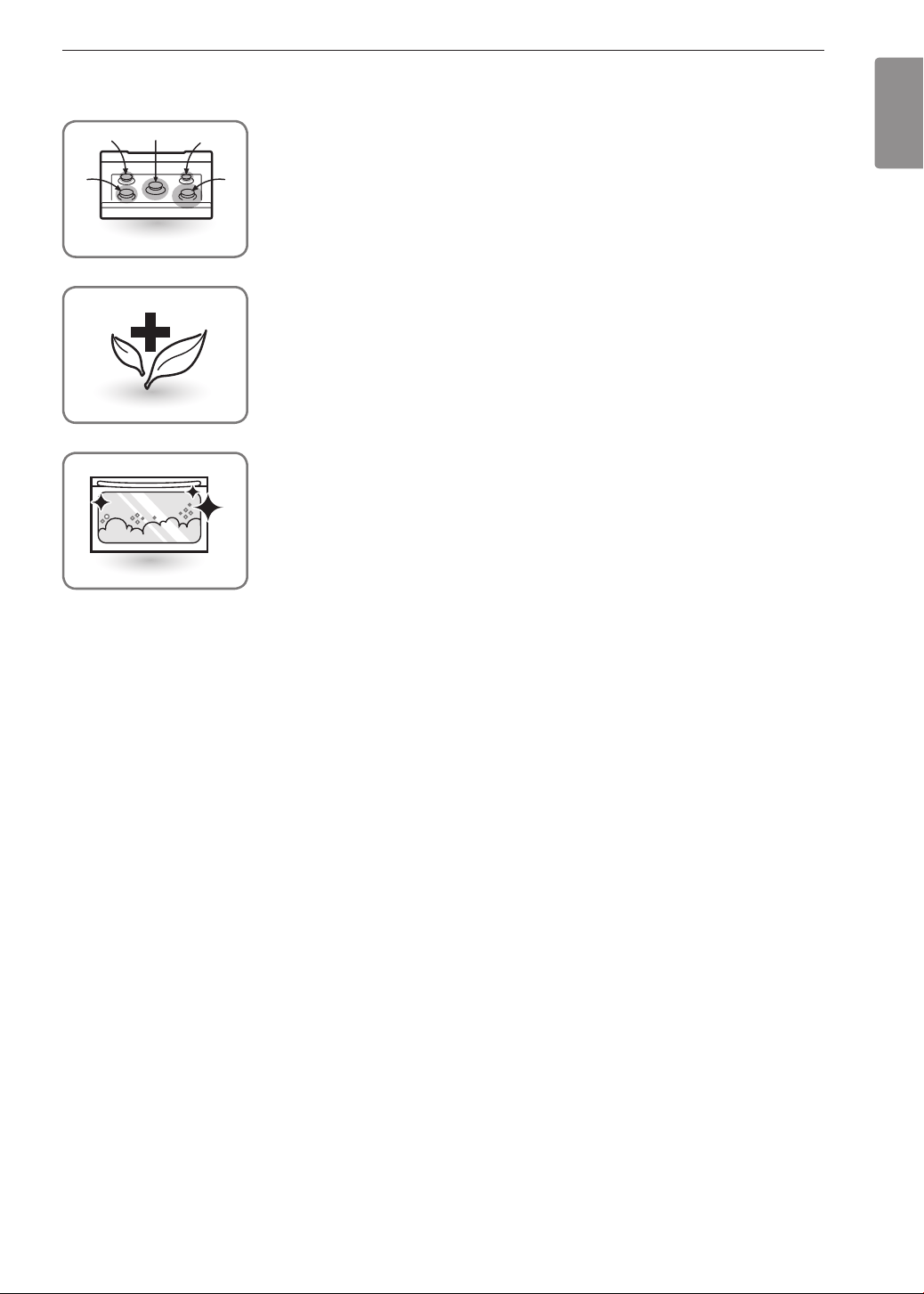
Multiple Gas Burner Sizes
Choose a burner to fit the size of your cookware.
Cooking multiple items at once is possible by using different burners at the
same time.
Safe and Convenient Gas Range
Provides safety and convenience for cooking.
Self Clean & EasyClean
®
Useful for easy cleaning.
4
IMPORTANT SAFETY INSTRUCTIONS
IMPORTANT SAFETY INSTRUCTIONS
Read and follow all instructions when using the range to prevent the risk of fire, electric
shock, personal injury, or damage. This guide does not cover all possible conditions that
may occur. Always contact your service agent or manufacturer about problems that you do
not understand.
Download this owner's manual at: http://www.lg.com
This is the safety alert symbol. This symbol alerts you to potential hazards that
can result in property damage and/or serious bodily harm or death.
All safety messages will follow the safety alert symbol and either the word
WARNING or CAUTION. These words mean:
WARNING
-
Indicates a hazardous situation which, if not avoided, could result
in death or serious injury.
CAUTION
-
Indicates a hazardous situation which, if not avoided, could result
in minor or moderate injury.
ANTI-TIP DEVICE
WARNING
•
ALL RANGES CAN TIP
•
INJURY TO PERSONS COULD RESULT
•
INSTALL ANTI-TIP DEVICES PACKED WITH RANGE
•
SEE INSTALLATION INSTRUCTIONS
•
To avoid tipping, do not step or sit on the door. Install the anti-tip bracket packed with this
range.
- The range could be tipped and injury might result from spilled hot liquid, food, or the
range itself.
- If the range is pulled away from the wall for cleaning, service, or any other reason,
ensure that the anti-tip device is properly reengaged when the range is pushed back
against the wall.
Anti-tip bracket
Approximately
0.65" (16.5 mm)
Screw must
enter wood or
concrete
Wall plate
•
To reduce the risk of the range tipping over, the range must be secured by properly
installing the anti-tip devices.
•
To check that the anti-tip bracket is properly installed: Remove any items on the cooktop.
Grasp the top rear edge of the range back guard and carefully attempt to tilt it forward.
Verify that the anti-tip devices are engaged.
•
Remove the warming or storage drawers and visually inspect that the rear leveling leg is
fully inserted into the anti-tip bracket.
•
Refer to the installation manual for proper anti-tip bracket installation.

5
IMPORTANT SAFETY INSTRUCTIONS
ENGLISH
IMPORTANT SAFETY NOTICE
The Safe Drinking Water and Toxic Enforcement Act requires the Governor of California to
publish a list of substances known to the state to cause birth defects or other reproductive
harm, and requires businesses to warn customers of potential exposure to such substances.
Gas appliances can cause minor exposure to four of these substances, namely benzene,
carbon monoxide, formaldehyde and soot, caused primarily by the imperfect combustion
of natural or LP gas. Correctly adjusted burners, indicated by a bluish rather than a yellow
flame, will minimize imperfect combustion. Exposure to these substances can be minimized
by opening windows or using a ventilation fan or hood.
WARNING
•
This product contains chemicals known to the State of California to cause cancer and
birth defects or other reproductive harm. Wash hands after handling.
•
Never use your range as a space heater to heat or warm the room. Doing so may result
in carbon monoxide poisoning and overheating of the oven.
•
Never wear loose fitting or hanging garments while using the appliance. Be careful
when reaching for items placed in cabinets over the range. Flammable materials could
be ignited if brought in contact with flame or hot oven surfaces and may cause severe
burns.
•
Do not place or use combustible materials such as gasoline or other flammable vapors
and liquids in the vicinity of this or any other appliance.
•
Do not place flammable materials in the oven or near the cooktop.
•
Do not allow cooking grease or other flammable materials in or near the range.
•
Do not use water on grease fires. Never touch a flaming pan. Turn the controls off.
Smother a flaming pan on a surface burner by covering the pan completely with a
well-fitting lid, cookie sheet or flat tray. Use a multi-purpose dry chemical or foam-type
fire extinguisher.
A grease fire can be put out by covering it with baking soda or, if available, by using a
multi-purpose dry chemical or foam-type fire extinguisher.
Flame in the oven or the drawer can be smothered completely by closing the oven door
or drawer and turning the control to off or by using a multi-purpose dry chemical or
foam-type fire extinguisher.
•
Do not use the oven or the drawer for storage.
•
Let the burner grates and other surfaces cool before touching them.
•
Never block the vents (air holes) of the range. They provide the air inlet and outlet
necessary for the range to operate properly with correct combustion. Air openings are
located at the rear of the cooktop, at the top and bottom of the oven door, and at the
bottom of the range.
•
Never obstruct the flow of combustion and ventilation air by blocking the oven vent
or air intakes. Doing so restricts air to the burner and may result in carbon monoxide
poisoning.
•
Never cover any slots, holes or passages in the oven bottom or cover an entire rack
with materials such as aluminum foil. Doing so blocks air flow through the oven and
may cause carbon monoxide poisoning. Aluminum foil linings may also trap heat,
causing a fire hazard.
•
Large scratches or impacts to glass doors can lead to broken or shattered glass.
•
Stepping, leaning or sitting on the doors or drawers of this range can result in serious
injuries and also cause damage to the range. Do not allow children to climb or play
around the range. The weight of a child on an open door may cause the range to tip,
resulting in serious burns or other injury.
•
Leak testing of the appliance must be conducted according to the manufacturer’s
instructions.
6
IMPORTANT SAFETY INSTRUCTIONS
WARNING
•
Gas leaks may occur in the system and result in a serious hazard. Gas leaks may
not be detected by smell alone. Gas suppliers recommend you purchase and install
a UL approved gas detector. Install and use in accordance with the gas detector
manufacturer’s instructions.
•
Do not use commercial oven cleaners on the oven finish or around any part of the
oven. They will damage the finish.
•
To prevent staining or discoloration, clean appliance after each use.
•
Do not attempt to open or close the door or operate the oven until the door is properly
installed.
•
Never place fingers between the hinge and front oven frame. Hinge arms are spring
mounted. If accidentally hit, the hinge will slam shut against the oven frame and injure
your fingers.
CAUTION
•
Items of interest to children should not be placed in cabinets above the range or on
the backsplash of the range - children climbing on the range to reach items could be
seriously injured.
•
Do not leave children alone or unattended where a range is hot or in operation. They
could be seriously burned.
•
Do not let anyone climb, stand or hang on the oven door, warming drawer or cooktop.
They could damage the range or tip it over, causing severe personal injury.
•
Wear gloves when cleaning the range to avoid injury or burns.
•
Do not use the oven for storing food or cookware.
•
To prevent damage to the oven door, do not attempt to open the door when Lock is
displayed.
•
Do not stand or place excessive weight on an open door. This could tip the range,
break the door, or injure the user.
•
Do not use delayed baking for highly perishable foods such as dairy products, pork,
poultry, or seafood.
INSTALLATION SAFETY PRECAUTIONS
Have the installer show you the location of the range gas shut-off valve and how to shut it
off if necessary.
WARNING
•
Make sure your range is properly installed and grounded by a qualified installer,
according to the installation instructions. Any adjustment and service should be
performed only by qualified gas range installers or service technicians.
•
Make sure your range is properly adjusted by a qualified service technician or installer
for the type of gas (natural or LP) that is to be used. Your range can be converted for
use with either type of gas. See the installation instructions.
•
These adjustments must be done by a qualified service technician according to the
manufacturer’s instructions and all codes and requirements of the authority having
jurisdiction. Failure to follow these instructions could result in serious injury or property
damage. The qualified agency performing these adjustments assumes responsibility for
the conversion.
7
IMPORTANT SAFETY INSTRUCTIONS
ENGLISH
WARNING
•
Disconnect the electrical supply before servicing the appliance.
•
Never use the appliance door as a step stool or seat, as this may result in possible
tipping of the appliance and serious injuries.
•
This product should not be installed below ventilation type hood systems that direct air
in a downward direction.
Doing so may cause ignition and combustion problems with the gas burners resulting in
personal injury and may affect the cooking performance of the unit.
•
Plug your range into a 120-volt grounded outlet only. Do not remove the round
grounding prong from the plug. If in doubt about the grounding of the home electrical
system, it is your personal responsibility and obligation to have an ungrounded outlet
replaced with a properly grounded, three-prong outlet in accordance with the National
Electrical Code. Do not use an extension cord with this range.
•
To prevent fire hazard or electrical shock, do not use an adapter plug, an extension
cord, or remove the grounding prong from the electrical power cord. Failure to follow
this warning can cause serious injury, fire or death.
•
To prevent poor air circulation, place the range out of the kitchen traffic path and out of
drafty locations.
•
Do not attempt to repair or replace any part of your range unless it is specifically
mentioned in this manual. All other services should be referred to a qualified technician.
•
Make sure that all packaging materials are removed from the range before operating it
to prevent fire or smoke damage should the packaging material ignite.
•
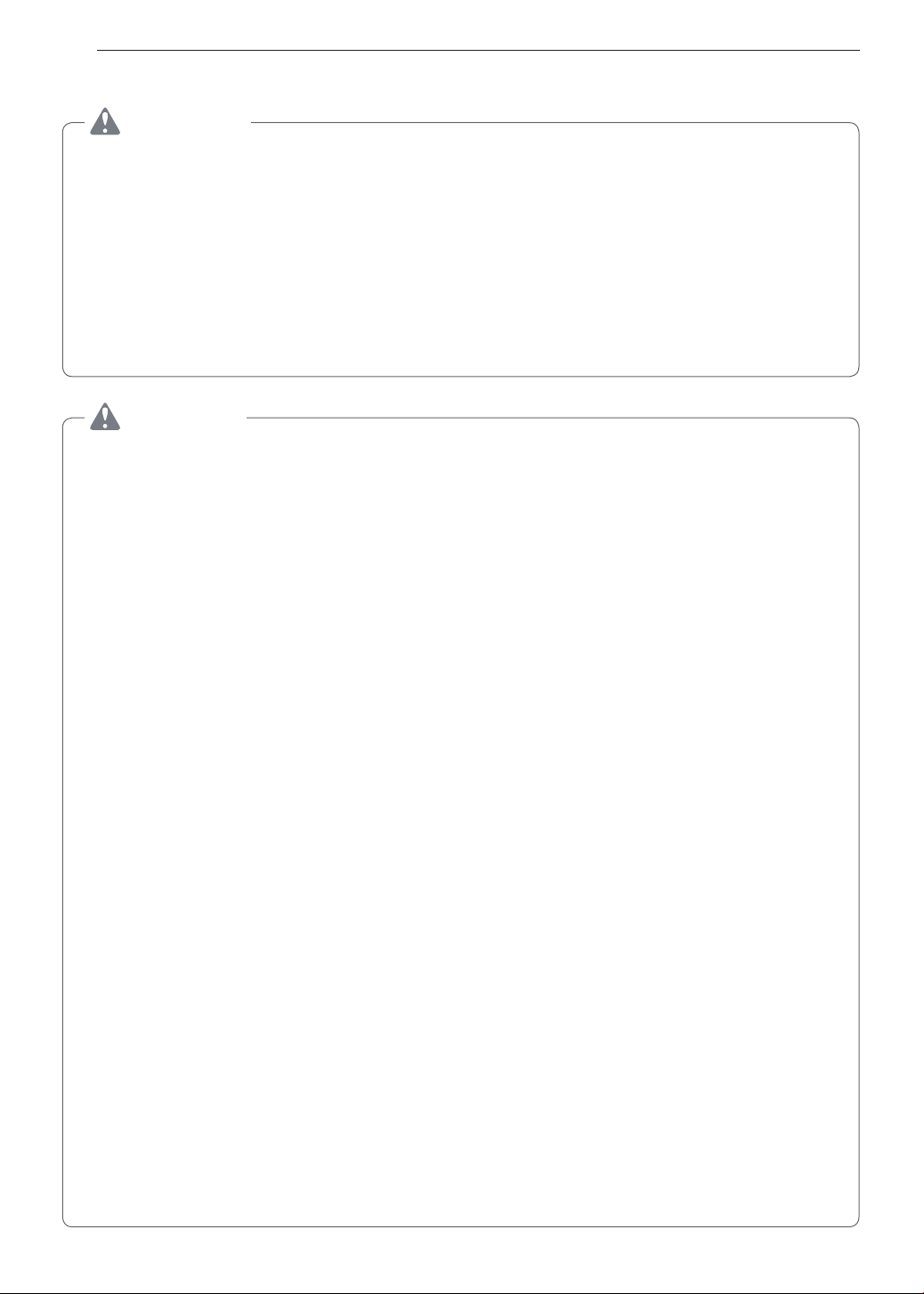
To shut off the gas supply to the range, close the range gas shutoff valve by turning it
clockwise.
1
/
2
"
Adapter
1
/
2
"
Adapter
Gas pressure
regulator valve
Range gas shutoff valve
Gas Flow into Range
Installer: Inform the consumer of the location of the gas shut-off valve.
•
After using your range for an extended period of time high floor temperatures may
result. Many floor coverings will not withstand this kind of use.
•
Never install the range over vinyl tile or linoleum that cannot withstand such type of
use. Never install it directly over interior kitchen carpeting.
8
IMPORTANT SAFETY INSTRUCTIONS
SURFACE BURNERS
WARNING
•
Even if the top burner flame goes out, gas is still flowing to the burner until the knob is
turned to the Off position. If you smell gas, immediately open a window and ventilate
the area for five minutes prior to using the burner. Do not leave the burners on
unattended.
•
Use proper pan size. Do not use pans that are unstable or that can be easily tipped.
Select cookware with flat bottoms large enough to cover burner grates. To avoid
spillovers, make sure the cookware is large enough to contain the food properly. This
will both save cleaning time and prevent hazardous accumulations of food, since heavy
spattering or spillovers left on the range can ignite. Use pans with handles that can be
easily grasped and remain cool.
CAUTION
•
Be sure that all surface controls are set in the Off position prior to supplying gas to the
range.
•
Never leave the surface burners unattended at high flame settings. Boilovers may
cause smoke and greasy spillovers that may ignite.
•
Always turn the knobs to the Lite position when igniting the top burners and make sure
the burners have ignited.
•
Control the top burner flame size so it does not extend beyond the edge of the
cookware. Excessive flame is hazardous.
•
Only use dry pot holders- moist or damp pot holders on hot surfaces may result in
burns from steam. Do not let pot holders come near open flames when lifting cookware.
Do not use towels or other bulky cloth items. Use a pot holder.
•
If using glass cookware, make sure the cookware is designed for range-top cooking.
•
To prevent burns from ignition of flammable materials and spillage, turn cookware
handles toward the side or back of the range without extending them over adjacent
burners.
•
Never leave any items on the cooktop. The hot air from the vent may ignite flammable
items and will increase pressure in closed containers, which may cause them to burst.
•
Carefully watch foods being fried at a high flame setting.
•
Always heat fat slowly, and watch as it heats.
•
If frying combinations of oils and fats, stir together before heating.
•
Use a deep fat thermometer if possible to prevent overheating fat from heating beyond
the smoking point.
•
Use the least possible amount of fat for effective shallow or deep fat frying. Filling the
pan with too much fat can cause spillovers when food is added.
•
Do not cook foods directly on an open flame on the cooktop.
•
Do not use a wok on the surface burners if the wok has a round metal ring that is
placed over the burner grate to support the wok. This ring acts as a heat trap, which
may damage the burner grate and burner head. It may also cause the burner to work
improperly. This may cause carbon monoxide levels which are higher than what is
allowed by current standards, resulting in a health hazard.
•
Foods for frying should be as dry as possible. Frost or moisture on foods can cause hot
fat to bubble up and spill over the sides of the pan.
•
Never try to move a pan of hot fat, especially a deep fryer. Wait until the fat is cool.
•
Do not place plastic items on the cooktop- they may melt if left too close to the vent.
•
Keep all plastics away from the surface burners.
9
IMPORTANT SAFETY INSTRUCTIONS
ENGLISH
CAUTION
•
To prevent burns, always be sure that the controls for all burners are in the Off position
and all grates are cool before attempting to remove them.
•
If you smell gas, turn off the gas to the range and call a qualified service technician.
Never use an open flame to locate a leak.
•
Always turn the knobs to the Off position before removing cookware.
•
Do not lift the cooktop. Lifting the cooktop can cause damage and improper operation
of the range.
•
If the range is located near a window, do not hang long curtains that could blow over
the surface burners and catch on fire.
•
Use care when cleaning the cooktop. The pointed metal ends on the electrodes could
cause injury.
BROILER
Always use a broiler pan and a grid for excess fat and grease drainage. This will help to
reduce splatter, smoke, and flare-ups.
WARNING
When using your broiler, the temperature inside the oven will be extremely high. Take
caution to avoid possible burns by:
•
Keeping the door closed when broiling (refer to Broil section of the manual)
•
Always wearing oven mitts when inserting or removing food items
COOK MEAT AND POULTRY THOROUGHLY
To protect against food-borne illnesses, cook meat and poultry thoroughly—meat to at least an
INTERNAL temperature of 160 °F, poultry to at least an INTERNAL temperature of 165 °F and
beef, pork, veal & lamb steaks & chops to at least an INTERNAL temperature of 145 °F.
SELF-CLEANING OVEN
Make sure to wipe off excess spillage before operating the Self Clean function.
CAUTION
•
Do not leave food, broiler trays, cooking utensils, racks, etc. in the oven during the self
clean cycle.
•
Do not use oven cleaners. No commercial oven cleaner or oven liner protective coating
of any kind should be used in or around any part of the oven. Residue from oven
cleaners will damage the inside of the oven when the self clean cycle is used.
•
Remove oven racks and other items from oven before starting the self clean cycle.
•
Only clean the parts listed in this manual.
•
Do not manually clean the door gasket. The door gasket is necessary for a good seal.
Care should be taken not to rub, damage or move the gasket.
•
If the self cleaning mode malfunctions, turn the range off and disconnect the power
supply. Have it serviced by a qualified technician.
•
It is normal for parts of the oven to become hot during a Self Clean cycle.
•
Avoid touching the door, window or oven vent area during a Self Clean cycle.

10
IMPORTANT SAFETY INSTRUCTIONS
OVEN
When opening the door of a hot oven, stand away from the range. The hot air and steam
that escape can cause burns to hands, face and eyes.
WARNING
•
Never block any slots, holes or passages in the oven bottom or cover an entire rack
with materials such as aluminum foil. Doing so blocks air flow through the oven and
may cause carbon monoxide poisoning. Aluminum foil linings may trap heat, causing a
fire hazard.
•
Do not heat food in closed containers. Pressure inside the container could increase and
cause the container to burst, resulting in injury.
•
Do not line oven walls or bottom with aluminum foil or allow them to contact exposed
heating elements in the oven. Doing so could create a fire hazard or cause damage to
the range.
•
Do not use the oven for storage. Items stored in the oven can catch on fire.
•
Keep the oven free from grease buildup.
•
Insert the oven racks in the desired position while the oven is cool.
•
To prevent burns when removing food, slide racks out until the stop engages, then
remove food items. This may also protect you from getting burnt by touching hot
surfaces of the door or oven walls.
•
When placing or removing a griddle, always wear oven mitts.
•
When using cooking or roasting bags in the oven, follow the manufacturer’s directions.
•
Use only glass cookware that is recommended for use in gas ovens.
•
Always remove the broiler pan from the range after you finish broiling. Grease left in the
pan can catch fire if the oven is used without removing the grease from the broiler pan.
•
If meat is too close to the flame while broiling, the fat may ignite. Trim excess fat to
prevent excessive flare-ups.
•
Make sure the broiler pan is in place correctly to minimize the possibility of grease fires.
•
If you have a grease fire in the broiler pan, turn the oven mode knob to the Off position
and keep the oven door closed to contain the fire until it burns out.
•
For safety and better cooking performance, always bake and broil with the oven door
closed. Open door baking or broiling can cause damage to the knobs or valves.
Do not leave the oven door open during cooking or while the oven is cooling down.

11
IMPORTANT SAFETY INSTRUCTIONS
ENGLISH
ENERGY SAVING TIPS
•
Multiple-rack cooking saves time and energy. Whenever possible, cook foods requiring the
same cooking temperature together in one oven.
•
For optimal performance and energy savings, follow the guides on page 31 for proper rack
and pan placements.
•
Match the size of the cookware to the amount of food being cooked to save energy when
heating. Heating ½ quart of water requires more energy in a 3-quart pot than in a 1-quart
pot.
•
Use cookware with flat bottoms to provide the best contact with the cooktop surface when
cooking on the glass-ceramic cooktop.
•
Match the size of the cooktop burner or element to the size of the cookware in use. Using
a large element for a small pan wastes heating energy, and the exposed surface of the
element is a burn or fire hazard.
•
Reduce energy use by cleaning light oven soils with the EasyClean
®
feature instead of
self-clean.
•
Avoid opening the oven door more than necessary during use. This helps the oven
maintain temperature, prevents unnecessary heat loss, and saves on energy use.
Read all instructions before using the appliance.
SAVE THESE INSTRUCTIONS
12
PRODUCT OVERVIEW
PRODUCT OVERVIEW
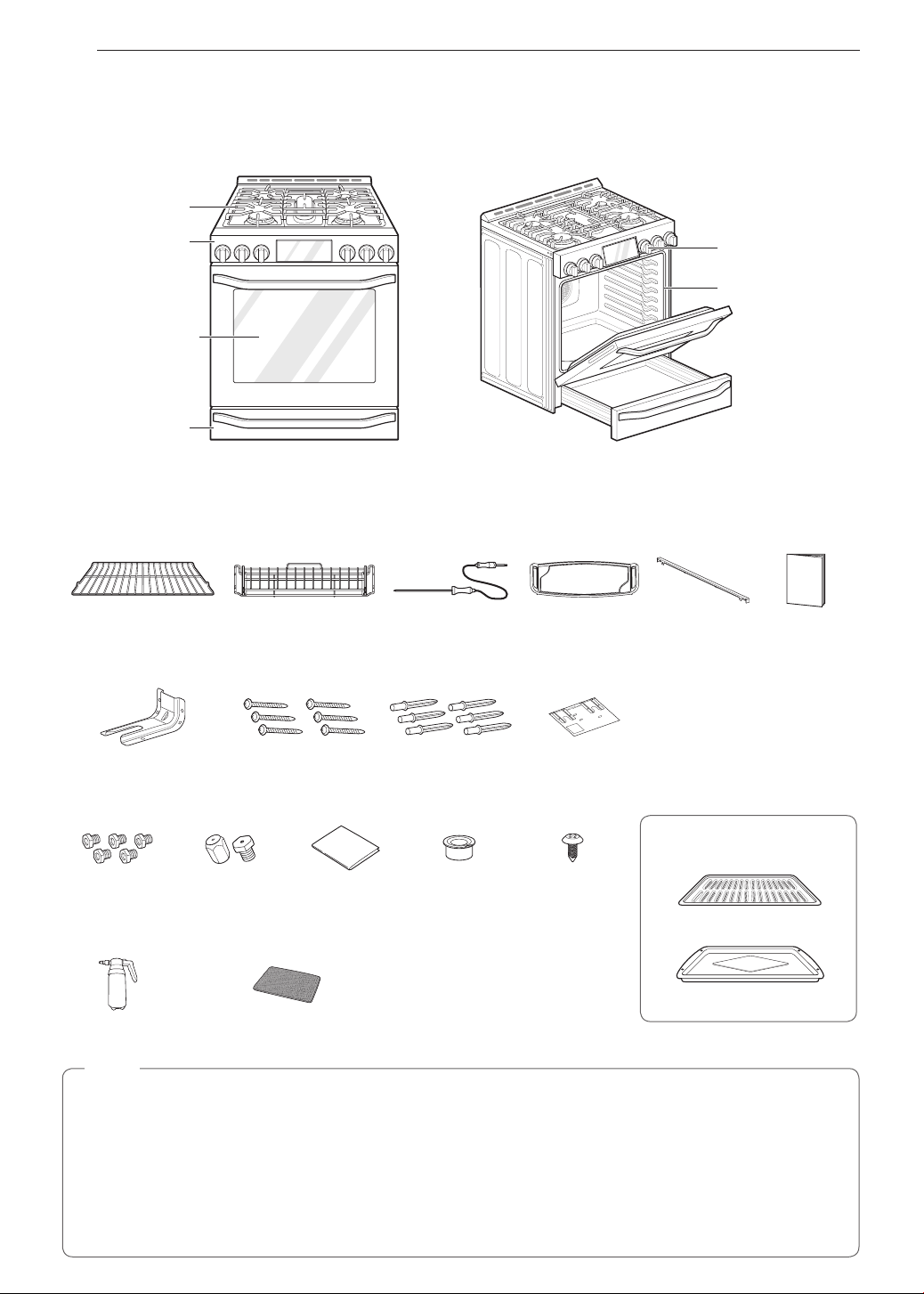
Parts
Oven mode knob
Cooktop
controller
Oven door
Cooktop
Warming drawer
Gasket
Accessories
Included Accessories
Heavy rack (2ea) Gliding rack (1ea) Meat probe (1ea) Griddle (1ea) Rear ller
(1ea)
Owner’s
manual (1ea)
Anti Tip Kit
Anti-tip Screws (6ea) Anchors (6ea) Template
LP Nozzle Conversion Kit
Optional Accessories
Broiler pan
Grid
Cooktop Nozzles
(5ea)
Oven Nozzles
(2ea)
Installation Guide
(1ea)
Choke
(1ea)
Set Screw
(1ea)
EasyClean™ Kit
Spray bottle
(1ea)
Non-scratch
scouring pad (1ea)
NOTE
•
Contact LG Customer Service at 1-800-243-0000 (1-888-542-2623 in Canada) if any accessories are
missing.
•
For your safety and for extended product life, only use authorized components.
•
The manufacturer is not responsible for product malfunction or accidents caused by the use of separately
purchased, unauthorized components or parts.
•
The images in this guide may be different from the actual components and accessories, which are subject
to change by the manufacturer without prior notice for product improvement purposes.
13
INSTALLATION
ENGLISH
INSTALLATION
Before Installing the Range
Make sure your range is properly installed and grounded by a qualified installer, according to the installation
instructions. Any adjustment and service should be performed only by qualified gas range installers or service
technicians.
In the Commonwealth of Massachusetts
•
This product must be installed by a licensed plumber or gas fitter.
•
When using ball type gas shut-off valves, they must be the T-handle type.
•
When using a flexible gas connector, it must not exceed 3 feet in length.
Preparing for Installation
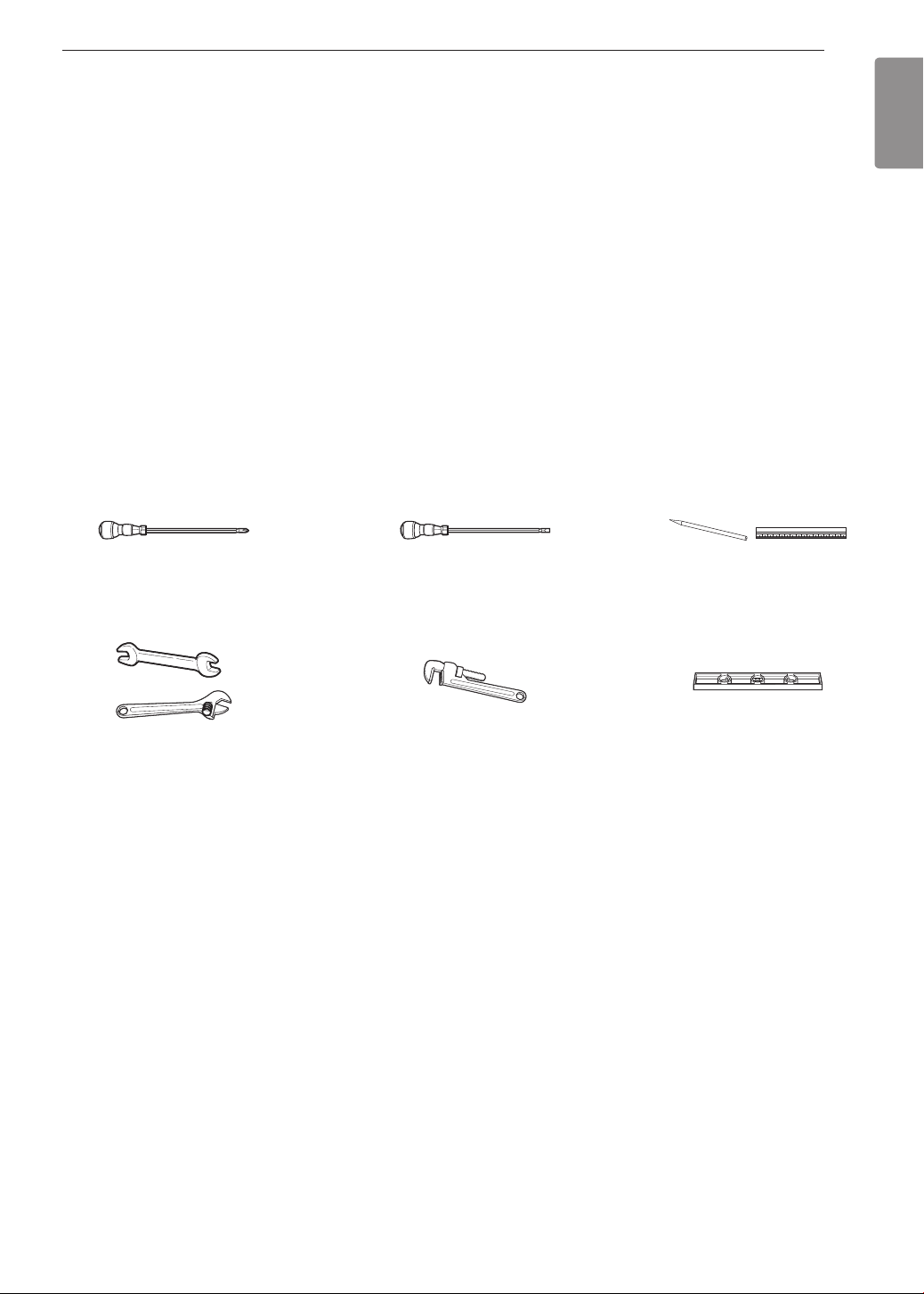
Tools Needed
Phillips screwdriver
Open-end or adjustable
wrench
Pencil and ruler
Level
Flat-blade screwdriver
Pipe wrench (2)
(one for support)
Materials You May Need
•
Gas line shut-off valve
•
Pipe joint sealant that resists action of natural and LP gases
•
Flexible metal appliance connector (
3
/
4
" or
1
/
2
" NPT x
1
/
2
" I.D.)
Never use an old connector when installing a new range.
•
Flare union adapter for connection to gas supply line (
3
/
4
" or
1
/
2
" NPT x
1
/
2
" I.D.)
•
Flare union adapter for connection to pressure regulator on range (
1
/
2
" NPT x
1
/
2
" I.D.)
•
Liquid leak detector or soapy water
•
Lag bolt or
1
/
2
" O.D. sleeve anchor (for concrete floors only)
14
INSTALLATION
Installing the Range
Unpacking and Moving the Range
CAUTION
•
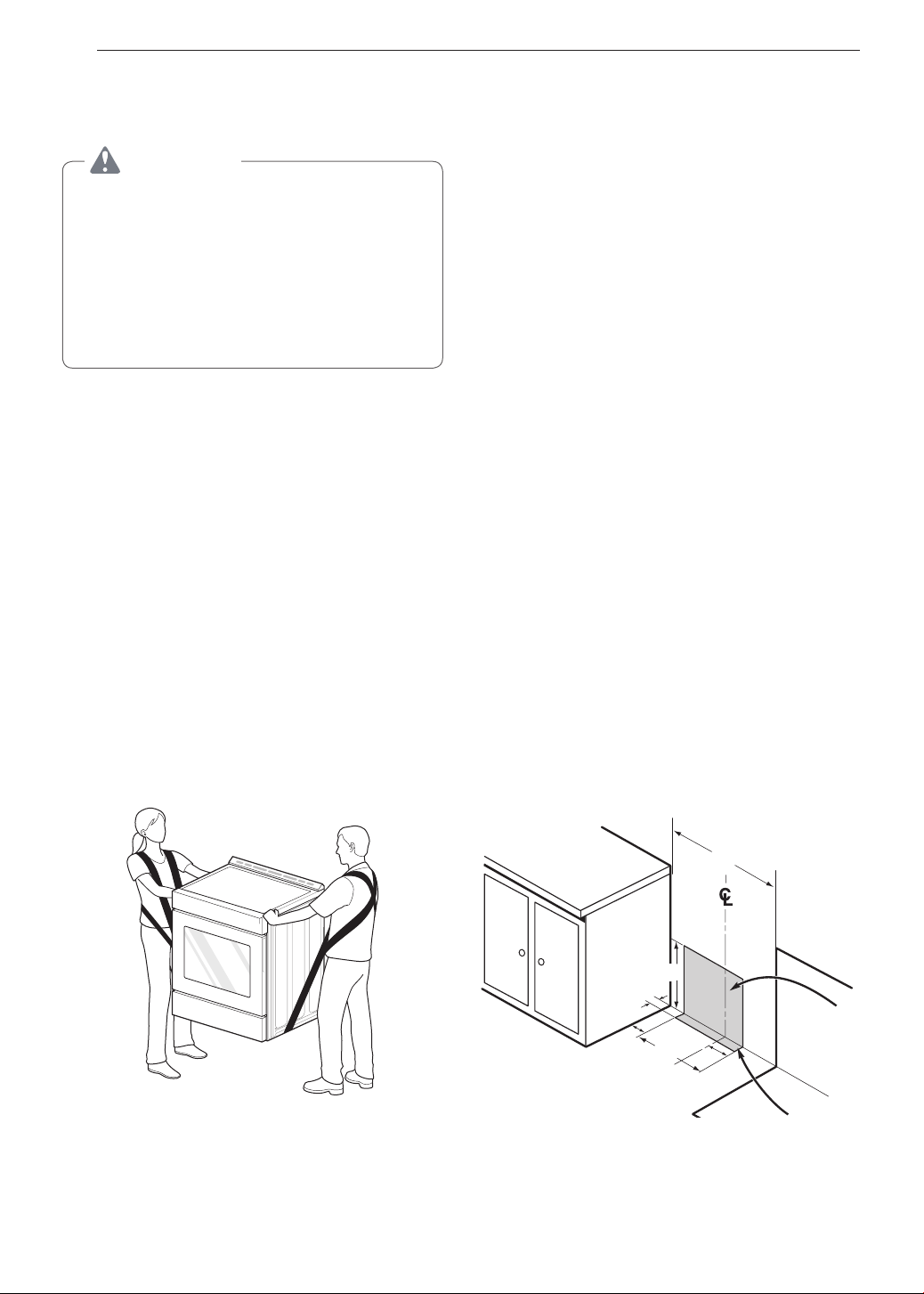
You should use two or more people to move
and install the range. (Excessive Weight
Hazard) Failure to do so can result in back or
other injury.
•
Do not use the door handles to push or
pull the range during installation or when
moving the range out for cleaning or
service. Doing so can result in serious damage
to the door of the range.
Remove packing material, tape and any temporary
labels from your range before using. Do not remove
any warning-type labels, the model and serial number
label, or the Tech Sheet that is located on the back of
the range.
To remove any remaining tape or glue, rub the area
briskly with your thumb. Tape or glue residue can also
be easily removed by rubbing a small amount of liquid
dish soap over the adhesive with your fingers. Wipe
with warm water and dry.
Do not use sharp instruments, rubbing alcohol,
flammable fluids, or abrasive cleaners to remove tape
or glue. These products can damage the surface of
your range.
Your range is heavy and can be installed on soft
floor coverings such as cushioned vinyl or carpeting.
Use care when moving the range on this type of
flooring. Use a belt when moving the range to prevent
damaging the floor. Or slide the range onto cardboard
or plywood to avoid damaging the floor covering.
Choosing the Proper Location
Do not locate your range where it may be subject to
strong drafts. Any openings in the floor or wall behind
the range should be sealed. Make sure the openings
around the base of the range that supply fresh air
for combustion and ventilation are not blocked by
carpeting or woodwork.
Your range, like many other household units, is heavy
and can be installed on soft floor coverings such as
cushioned vinyl or carpeting. Use care when moving
the range on this type of flooring.
This appliance must not be installed with a ventilation
system that blows air downward toward the range.
This type of ventilation system may cause ignition and
combustion problems with the gas cooking appliance
resulting in personal injury or unintended operation.
When the floor covering ends at the front of the
range, the area that the range will be installed on
should be built up with plywood to the same level
or higher than the floor covering. This will allow the
range to be moved for cleaning and servicing, as well
as provide proper air flow to the range.
Also, make sure the floor covering can resist
temperatures of at least 167 °F (75 °C). See the
Installation Safety Instructions included in this
manual.
Make sure the wall coverings around your range
can resist the heat generated up to 194 °F (90 °C)
by the range. See the Installation Safety Instructions
included in this manual.
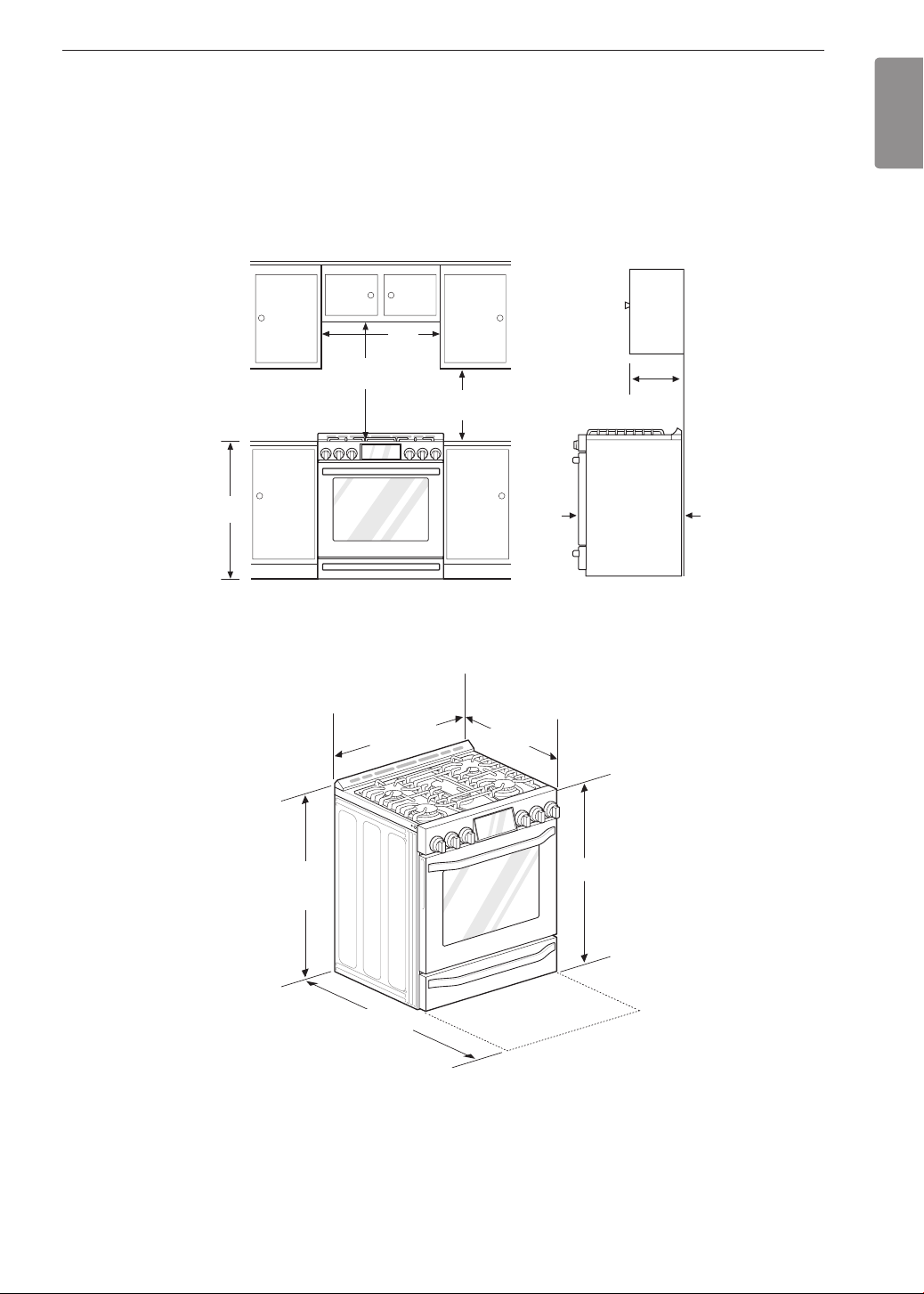
Gas Pipe and Electrical Outlet
Locations
30"
3"
14
5
/
16
"
2
3
/
8
"
2"
11
3
/
32
"
15
INSTALLATION
ENGLISH
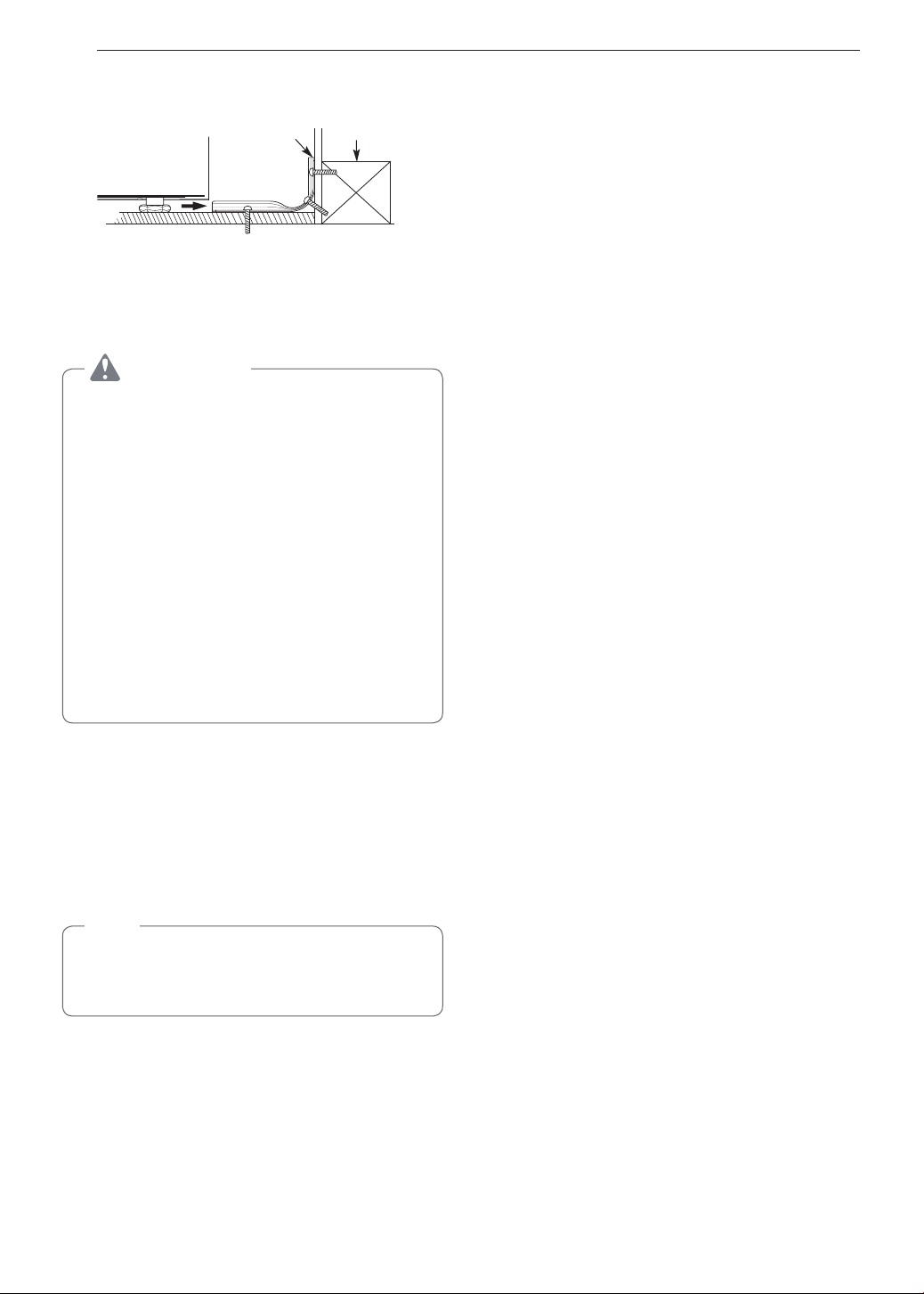
Dimensions and Clearances
Provide proper clearance between the range and adjacent combustible surfaces. These dimensions must be met
for safe use of your range. The location of the electrical outlet and pipe opening (see Gas Pipe and Electrical
Outlet Locations, page 14) may be adjusted to meet specific requirements. The range may be placed with 0"
clearance (flush) at the back wall.
Installation Clearances
Dimensions
30"
(76.2 cm)
30" (76.2 cm)
Minimum
15"
(38.1 cm)
36"
(91.4 cm)
13"
Maximum
depth for
cabinets above
coutertops
Front edge of
the range side
panel forward
from cabinet
0"
To cabinets
below
cooktop and
at the range
back
1
/
4
"
28
3
/
4
"
Height
37
59
/
64
"
Depth with door open
43
5
/
32
"
Depth with door closed
(includes door handle)
36
"
29
7
/
8
"
(75.7 cm)
16
INSTALLATION
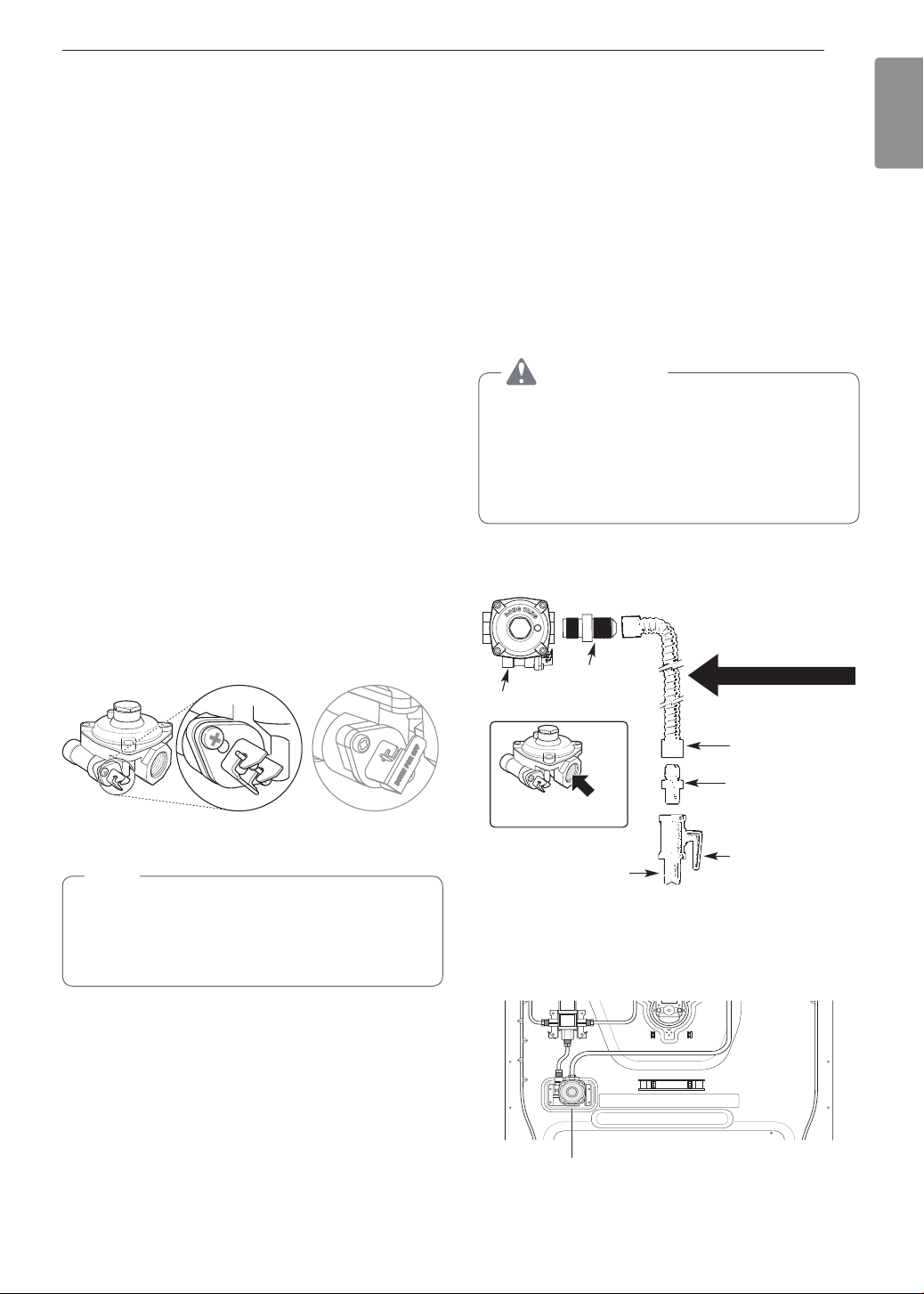
Installing the Anti-tip Device
Anti-tip
bracket
Wall plate
Screw must
enter wood or
concrete
The anti-tip bracket is packaged with an installation
template. The instructions include necessary
information to complete the installation. Read and
follow the range installation instruction sheet.
WARNING
•
Range must be secured with an approved
anti-tip device.
•
The range could be tipped by standing, sitting
or leaning on an open door if the range or
anti-tip device is not properly installed.
•
After installing the anti-tip device, verify that it is
in place by carefully attempting to tilt the range
forward.
•
This range has been designed to meet all
recognized industry tip standards for all normal
conditions.
•
The installation of the anti-tip device must meet
all local codes for securing the appliance.
•
The use of this device does not preclude tipping
of the range when not properly installed.
Optional Rear Filler
If the counter does not bridge the opening at the rear
wall the rear filler kit, that is provided with the slide in
range, will be needed.
NOTE
If the countertop depth is greater than 25" there
will be a gap between the filler kit and the back
wall.
If the countertop depth is less than 24", the control
panel will not sit flush with the countertop.
Installing the Rear Filler
1
Using a screwdriver, remove the upper four
screws that attach the rear bracket and loosen
the lower two screws.
2
Place the rear filler on the rear bracket.
3
Tighten the two lower screws on the rear
bracket. Insert one of the screws removed in
step 1 in the slot at each end of the rear filler.
4
Store the remaining two screws with these
instructions for future use.
Providing Adequate Gas
Supply
Your range is designed to operate at a pressure of
5" of water column on natural gas or 10" of water
column on LP.
Make sure you are supplying your range with the type
of gas for which it is configured.
This range is convertible for use on natural or LP gas.
When using this range on LP gas, conversion must
be made by a qualified LP installer before attempting
to operate the range.
For proper operation, the pressure of natural gas
supplied to the regulator must be between 5" and 13"
of water column.
For LP gas, the pressure supplied to the regulator
must be between 10" and 13" of water column. When
checking for correct operation of the regulator, the
inlet pressure must be at least 1" more than the
operating (manifold) pressure as given above.
The pressure regulator located at the inlet of the
range must remain in the supply line regardless of
which type of gas is being used.
A flexible metal appliance connector used to connect
the range to the gas supply line should have an I.D.
of
5
/
8
" and a maximum length of 5 feet. In Canada,
flexible connectors must be single wall metal
connectors less than 6 feet in length.
17
INSTALLATION
ENGLISH
Connecting the Range to Gas
Shut off the range gas supply valve before removing
the old range and leave it off until the new hook-up
has been completed.
Because hard piping restricts movement of the range,
the use of a CSA International-certified flexible metal
appliance connector should be used unless local
codes require a hard-piped connection.
A manual valve shall be installed in an accessible
location in the gas piping external to the appliance
for the purpose of turning on or shutting off gas to the
appliance.
Never reuse an old connector when installing a new
range.
To protect against gas leaks, use a qualified pipe joint
sealant on all external threads.
1
Install a male
1
/
2
" or
3
/
4
" flare union adapter to the
NPT internal thread of the manual shut-off valve,
taking care to back-up the shut-off valve to keep
it from turning.
2
Install a male
1
/
2
" flare union adapter to the
1
/
2
"
NPT internal thread at the inlet of the pressure
regulator. Use a backup wrench on the pressure
regulator fitting to prevent damage.
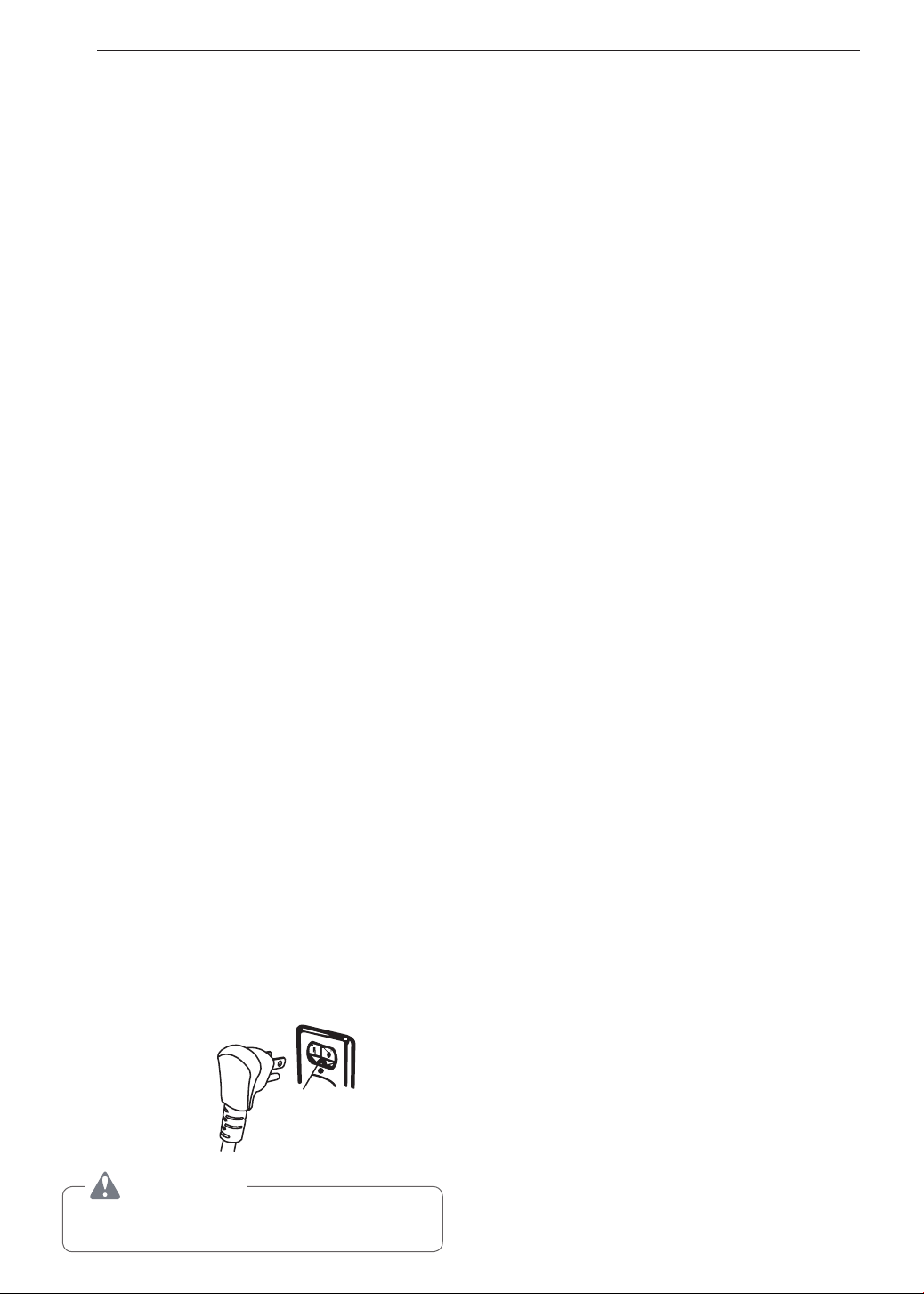
Check that the gas pressure regulator valve is in the
open position.
Lever’s open
position
Lever’s closed
position
NOTE
•
The gas pressure regulator valve is open when
shipped. If the range does not work properly
after installation, make sure the regulator valve
is still open.
3
Connect a flexible metal appliance connector to
the adapter on the range. Position the range to
permit connection at the shut-off valve.
4
When all connections have been made, be sure
all range controls are in the OFF position and the
pressure regulator valve is open before turning
on
the main gas supply valve. Gas leaks may
occur in
your system and create a hazard. Gas
leaks may not
be detected by smell alone.
Check all gas connection joints and fittings for
leaks with a non-corrosive leak detection fluid,
then wipe off.
Gas suppliers recommend you purchase and
install a UL approved gas detector. Install
and use in accordance with the installation
instructions.
WARNING
•
Do not use a flame to check for gas leaks.
•
Isolate the range from the gas supply system
by closing its individual shut-off valve during
any pressure testing of the gas supply system
at test pressures equal to or less than
1
/
2
" psig
(3.5 kPa).
Flexible Connector Hookup
1
/
2
"
Adapter
1
/
2
"
Adapter
Pressure regulator
Flex connector
(6 ft. max.)
Adapter
Gas shut-off
valve
1
/
2
" or
3
/
4
" Gas
pipe
Gas Flow into Range
Installer: Inform the consumer of the location of the gas
shut-off valve
.
Pressure Regulator Position
Pressure Regulator
18
INSTALLATION
Electrical Connections
Electrical Requirements
120 Volt, 60 Hz, properly grounded dedicated circuit
protected by a 15 or 20 Amp circuit breaker, or slow
blow fuse.
If an external electrical source is utilized, the
appliance, when installed, must be electrically
grounded in accordance with local codes or, in the
absence of local codes, with the National Electrical
Code, ANSI/NFPA 70.
Grounding
IMPORTANT: FOR PERSONAL SAFETY, THIS
APPLIANCE MUST BE PROPERLY GROUNDED.
The power cord of this appliance is equipped with
a 3-prong (grounding) plug which mates with a
standard 3-prong grounding wall receptacle to
minimize the possibility of electric shock hazard from
this appliance.
The customer should have the wall receptacle and
circuit checked by a qualified electrician to make sure
the receptacle is properly grounded.
Where a standard two-prong wall receptacle is
encountered, it is the personal responsibility and
obligation of the customer to have it replaced with a
properly grounded three-prong wall receptacle.
DO NOT, UNDER ANY CIRCUMSTANCES, CUT OR
REMOVE THE THIRD (GROUND) PRONG FROM
THE POWER CORD.
A word about GFCI’s – GFCI’s are not required or
recommended for gas range receptacles.
Ground Fault Circuit Interrupters (GFCI’s) are
devices that sense leakage of current in a circuit
and automatically switch off power when a threshold
leakage level is detected. These devices must
be manually reset by the consumer. The National
Electrical Code requires the use of GFCI’s in kitchen
receptacles installed to serve countertop surfaces.
Performance of the range will not be affected
if operated on a GFCI-protected circuit but the
occasional resetting of the circuit can become an
annoyance.
Ensure proper ground
exists before use
Preferred
Method
CAUTION
Have the circuit checked by a qualified electrician
to make sure the receptacle is properly grounded.
Do not use an adapter plug. Disconnecting of the
power cord places undue strain on the adapter
and leads to eventual failure of the adapter ground
terminal.
Installation must conform with local codes or, in the
absence of local codes, with the National Fuel Gas
Code, ANSI Z223.1/NFPA 54.
The installation of appliances designed for mobile
home installation must conform with the Manufactured
Home Construction and Safety Standard, Title 24
CFR, Part 3280 (formerly the Federal Standard
for Mobile Home Construction and Safety, Title
24, HUD, Part 280) or, when such standard is not
applicable, the Standard for Manufactured Home
Installations, latest edition (Manufactured Home Sites,
Communities and Set-Ups), ANSI A225.1, latest
edition, or with local codes. In Canada, mobile home
installation must be in accordance with the current
CAN/CSA Z240/MH Mobile Home Installation Code.
Sealing the Openings
Seal any openings in the wall and floor after electrical
and gas supplies are completed.
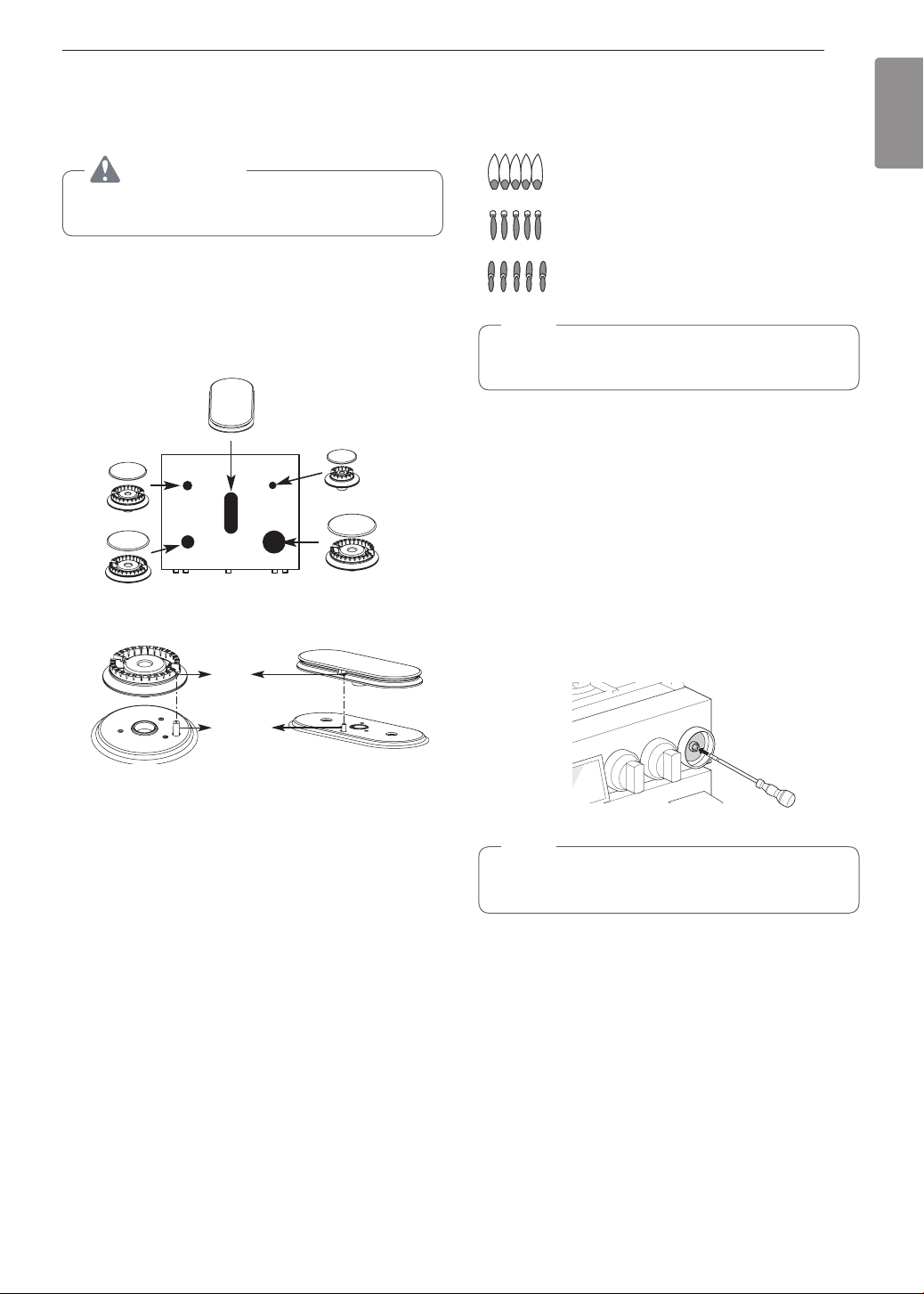
19
INSTALLATION
ENGLISH
Assembling the Surface
Burners
CAUTION
Do not operate the burners without all parts in
place.
Place the burner caps and heads on the cooktop.
Make sure that the caps and heads are placed in the
correct locations. There is one small, one medium,
one large, one oval(center), and one extra large
burner head and cap.
Center Burner
Oval (Center) burner
head/cap assembly
Small burner
head and
cap
Medium
burner
head
and cap
Large burner
head and cap
Front of range
Extra large burner
head and cap
Hole
Electrode
Make sure the hole in the burner head is positioned
over the electrode.
Checking Ignition of the
Surface Burners
Electric Ignition
Select a surface burner knob and simultaneously
push in and turn to the Lite position. You will hear
a clicking sound indicating proper operation of the
spark module.
Once the air has been purged from the supply lines
the burner should ignite within 4 seconds. After the
burner ignites, rotate the knob out of the Lite position.
Try each burner in succession until all burners have
been checked.
Quality of Flames
The combustion quality of the burner flames needs to
be confirmed visually.
A Yellow flames - Call for service.
B Yellow tips on outer cones - This
is normal for LP gas.
C Soft blue flames - This is normal
for natural gas.
NOTE
•
With LP gas, some yellow tipping on outer
cones is normal.
Adjusting the Surface Burner to the
Low Flame (Simmer) Setting
1
Light all surface burners.
2
Turn the knob on the burner being adjusted to
Lo.
3
Remove the knob.
4
Insert a small, flat-blade screwdriver into the
valve shaft.
NOTE
Hold the valve shaft with one hand while turning
the screw to adjust with the other.
5
Replace the knob.
6
Test the flame stability.
Test 1: Turn the knob from Hi to Lo quickly. If the
flame goes out, increase the flame size and test
again.
Test 2: With the burner on a Lo setting, open
and close the oven door quickly. If the flame is
extinguished by the air currents created by the
door movement, increase the flame height and
test again.
7
Repeat steps 1-6 for each surface burner.
20
INSTALLATION
Checking Operation of Bake / Broil
Burners
To check ignition of the Bake burner, follow the steps
below:
1
Remove all packing materials from inside the
oven cavity.
2
Turn oven mode knob to select Bake. 350 °F
appears in the display.
3
Press Start.
It may take between 30 and 90 seconds for the
burner to start heating.
To check ignition of the Broil burner, follow the steps
below:
1
Turn oven mode knob to select Broil High. Hi
appears in the display.
2
Make sure the door is closed.
3
Press Start.
It may take between 30 and 90 seconds for the
burner to start heating.
NOTE
Do not try to light either the Bake or Broil burners
during a power outage. The range has an
electrical ignition system and cannot be used
without power.
Adjusting Air Shutters (for LP
Conversions)
The range comes from the factory with the air
shutters adjusted for proper air flow for natural gas.
If converted to LP, follow the instructions provided in
the conversion kit to properly adjust the air shutters.
LP conversion must be performed by a qualified
technician.
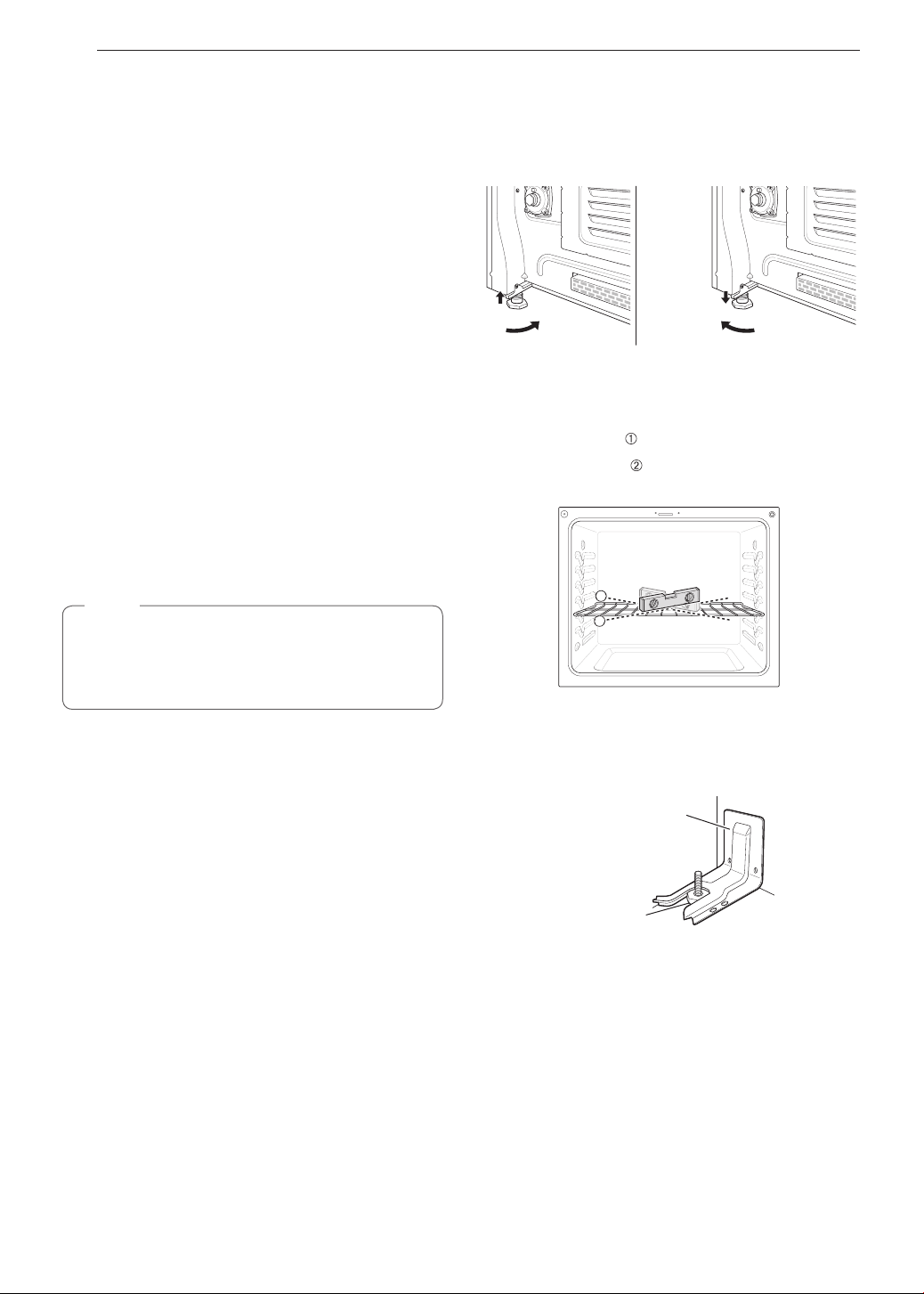
Leveling the Range
Level the range by adjusting the leveling legs.
Extending the legs slightly may also make it easier to
insert the rear leg into the anti-tip bracket.
Use a level to check your adjustments. Place the level
diagonally on the oven rack, and check each direction
for level.
First check direction
.
Then check direction
. If the level doesn’t show level
on the rack, adjust the leveling legs.
1
2
Engaging the Anti-tip Device
Anti-tip
bracket
Leveling leg
1
Slide the range against the wall, making sure
the back leg slides into and engages the anti-tip
bracket.
2
Check for proper installation by grasping
the front edge of the cooktop and carefully
attempting to tilt the range forward.
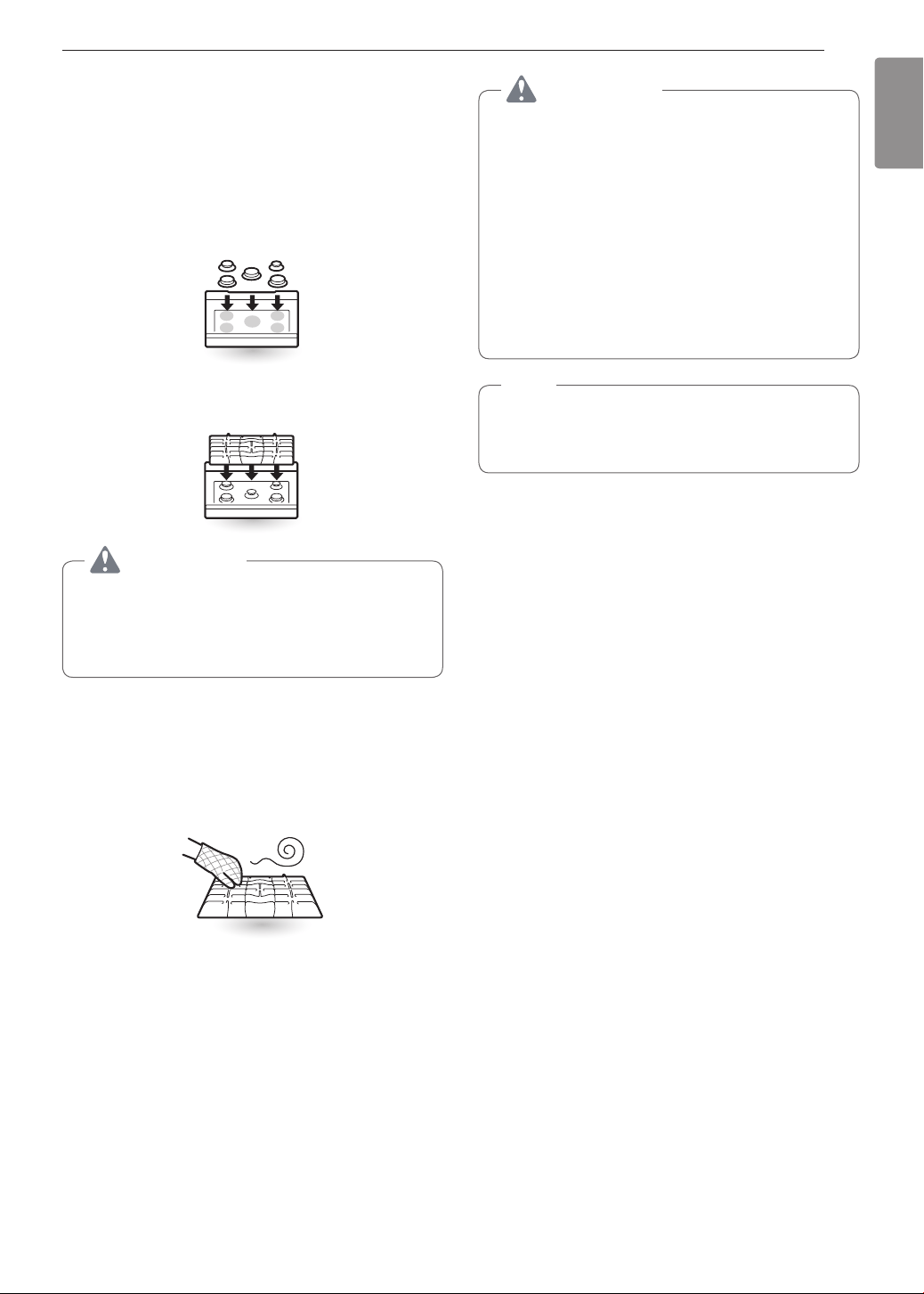
21
OPERATION
ENGLISH
OPERATION
Gas Surface Burners
Before Use
Read all instructions before using.
Make sure that all burners are properly placed.
Make sure that all grates are properly placed
before using the burner.
CAUTION
Do not operate the burner for an extended period
of time without cookware on the grate.
The finish on the grate may chip without cookware
to absorb the heat.
Make sure the burners and grates are cool before
touching them, or placing a pot holder, cleaning
cloth, or other materials on them.
Touching grates before they cool down may cause
burns.
CAUTION
WHAT TO DO IF YOU SMELL GAS
•
Open windows.
•
Do not try to light any appliance.
•
Do not touch any electrical switch.
•
Do not use any phone in your building.
•
Immediately call your gas supplier from a
neighbor’s phone. Follow the gas supplier’s
instructions.
•
If you cannot reach your gas supplier, call the
fire department.
NOTE
Electric spark igniters from the burners cause
a clicking noise. All the spark igniters on the
cooktop will activate when igniting just one burner.
22
OPERATION
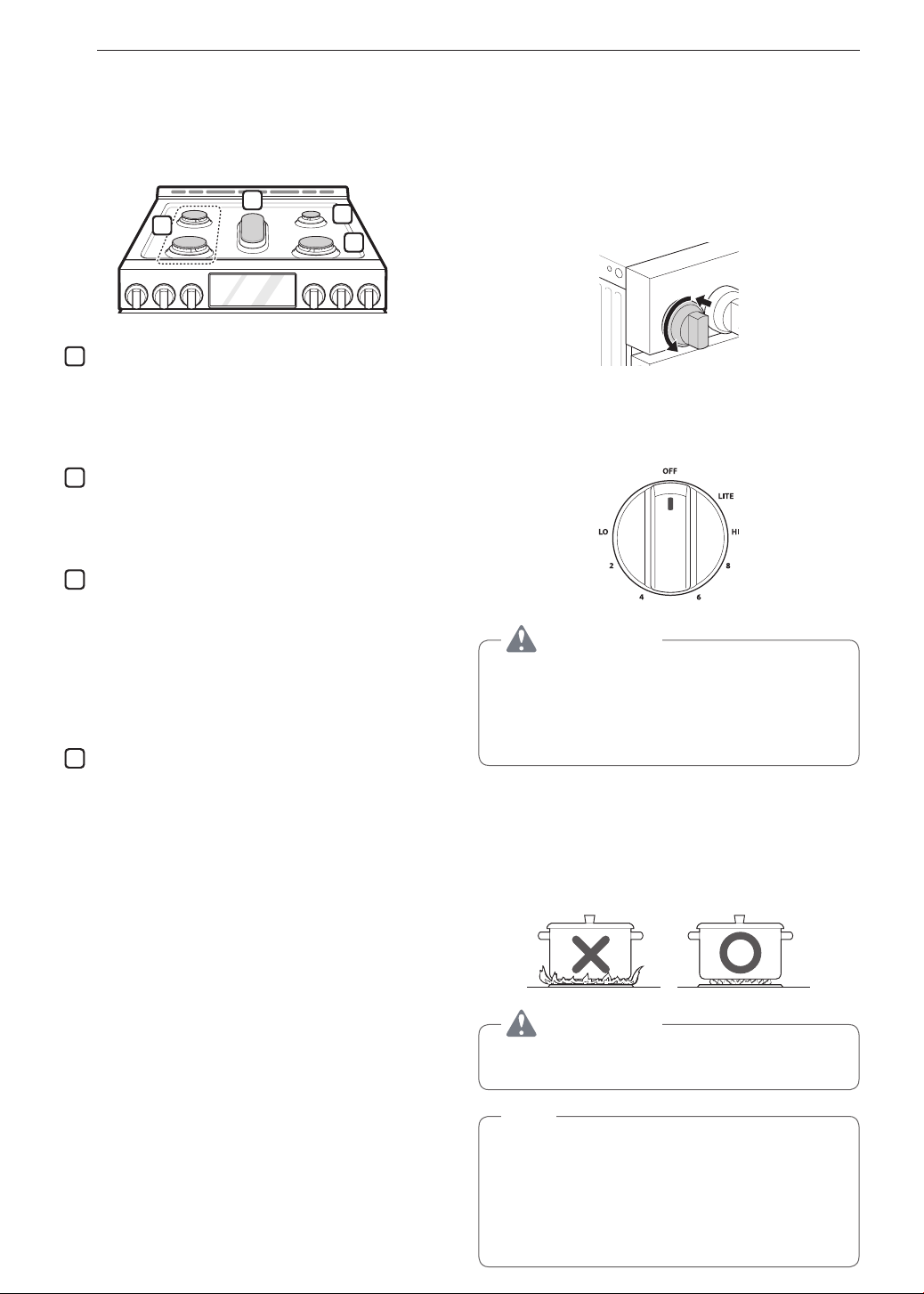
Burner Locations
Your gas range cooktop has four or five sealed gas
burners, depending on the model. These can be
assembled and separated. Follow the guide below.
1
4
2
3
1
Medium and Large Burners
The medium and large burners are the primary
burners for most cooking. These general
purpose burners can be turned down from Hi to
Lo to suit a wide range of cooking needs.
2
Small Burner
The smallest burner is used for delicate foods
such as sauces or foods that require low heat for
a long cooking time.
3
Extra Large Burner
The extra large burner is the maximum output
burner. Like the other four burners, it can be
turned down from Hi to Lo for a wide range
of cooking applications. This burner is also
designed to quickly bring large amounts of liquid
to a boil. It can be used with cookware 10 inches
or larger in diameter.
4
Oval Burner
The center, oval burner is for use with a griddle
or oval pots.
Using the Gas Surface Burners
1
Be sure that all of the surface burners and grates
are placed in the correct positions.
2
Place cookware on the grate.
3
Push the control knob and turn to the Lite
position.
The electric spark ignition system makes a
clicking noise.
4
Turn the control knob to control the flame size.
CAUTION
Do not attempt to disassemble or clean around
any burner while another burner is on. All the
burners spark when any burner is turned to Lite.
An electric shock may result causing you to knock
over hot cookware.
Setting the Flame Size
Watch the flame, not the knob, as you reduce heat.
Match the flame size on a gas burner to the cookware
being used for fastest heating.
CAUTION
Never let the flames extend up the sides of the
cookware.
NOTE
•
The flames on the surface burners may burn
yellow in the presence of high humidity, such as
a rainy day or a nearby humidifier.
•
After LP gas conversion, flames can be bigger
than normal when you put a pot on the surface
burner.
23
OPERATION
ENGLISH
In Case of Power Failure
In case of a power failure, you can light the gas
surface burners on your range with a match.
Surface burners in use when an electrical power
failure occurs will continue to operate normally.
1
Hold a lit match to the burner, then push in the
control knob.
2
Turn the control knob to the Lo position.
CAUTION
Use extreme caution when lighting burners with a
match. It can cause burns and other damage.
Range-Top Cookware
Aluminum
Medium-weight cookware is
recommended because it heats
quickly and evenly. Most foods
brown evenly in an aluminum
skillet. Use saucepans with tight
fitting lids when cooking with
minimum amounts of water.
Cast-Iron
If heated slowly, most skillets will
give satisfactory results.
Stainless Steel
This metal alone has poor
heating properties and is usually
combined with copper, aluminum
or other metals for improved heat
distribution. Combination metal
skillets work satisfactorily if they
are used with medium heat as the
manufacturer recommends.
Enamelware
Under some conditions, the
enamel of this cookware may melt.
Follow cookware manufacturer’s
recommendations for cooking
methods.
Glass
There are two types of glass
cookware. Those for oven use only
and those for top-of-range cooking.
Heatproof
Glass Ceramic
Can be used for either surface or
oven cooking. It conducts heat very
slowly and cools very slowly. Check
cookware manufacturer’s directions
to be sure it can be used on gas
ranges.
Using a Wok
If using a wok, use a 14-inch or smaller flat-bottomed
piece of wok. Make sure that the wok bottom sits flat
on the grate.
Use at-bottomed
wok
CAUTION
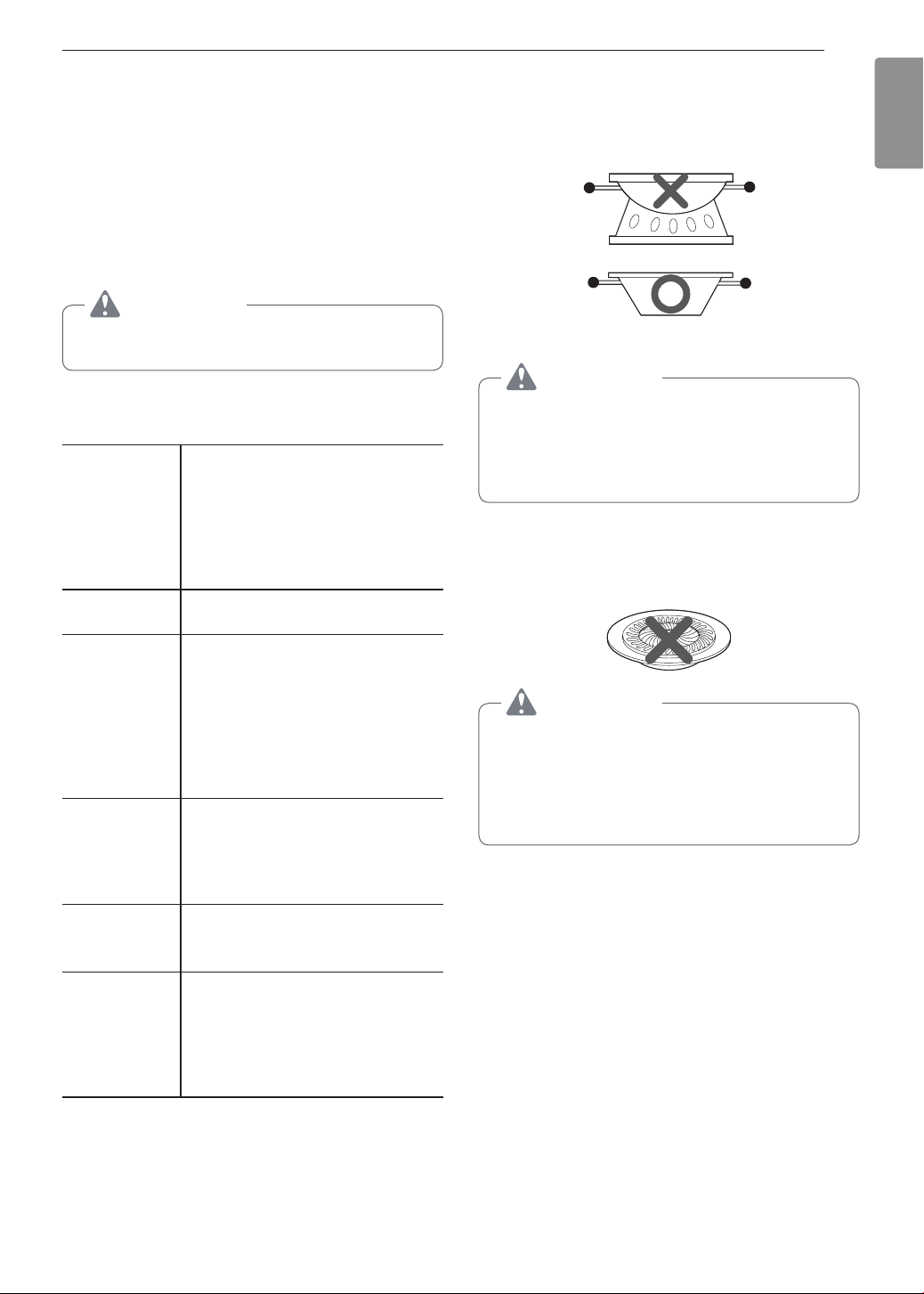
Do not use a wok support ring. Placing the ring
over the burner or grate may cause the burner
to work improperly, resulting in carbon monoxide
levels above allowable standards. This can be
hazardous to your health.
Using Stove-Top Grills
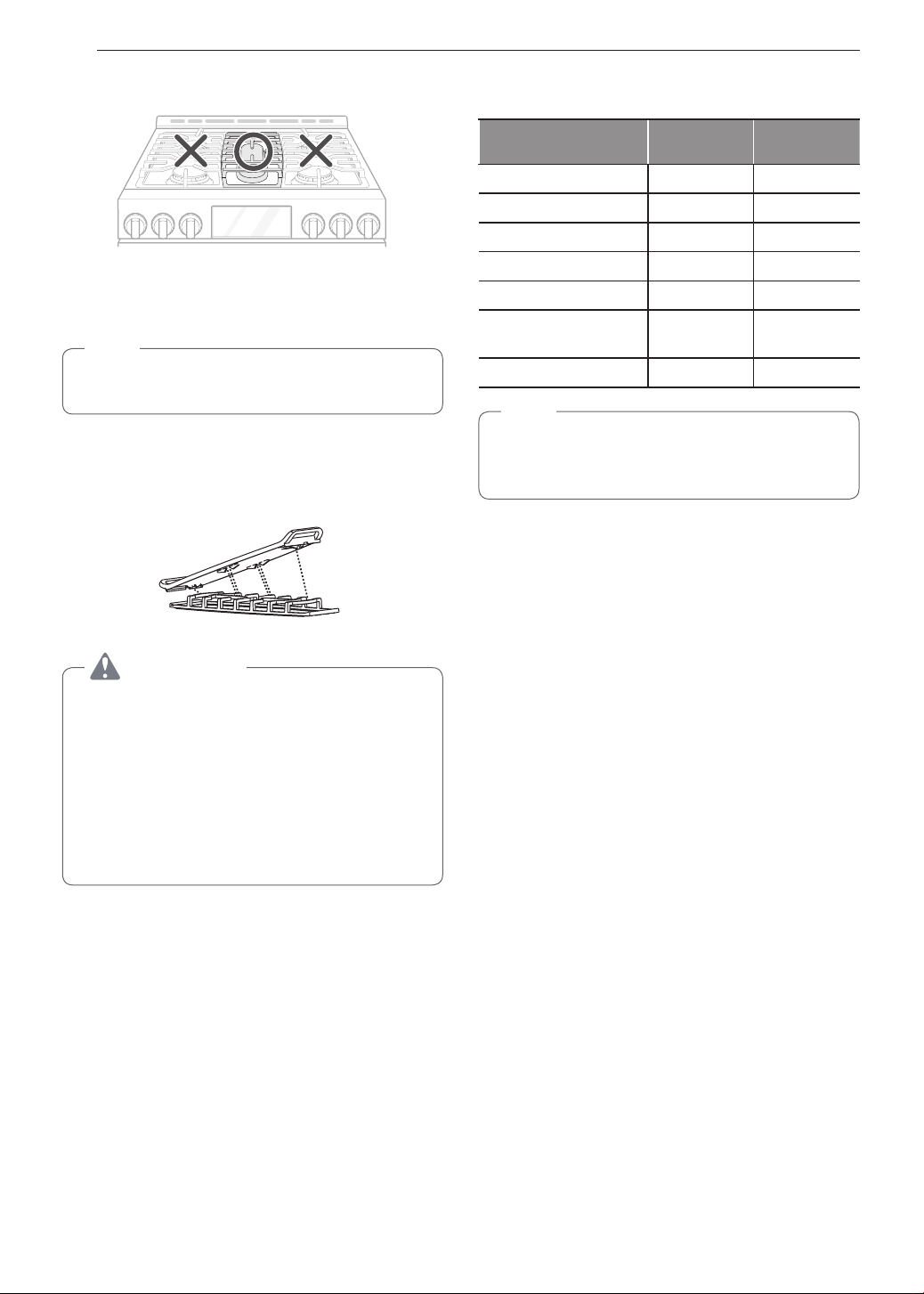
Do not place stove-top grills on the burner.
CAUTION
Do not use stove top grills on the surface burners.
Using a stove top grill on the surface burner will
cause incomplete combustion and can result
in exposure to carbon monoxide levels above
allowable current standards. This can be a health
hazard.
24
OPERATION
Using the Griddle
The non-stick coated griddle provides an extra-large
cooking surface for meats, pancakes or other food
usually prepared in a frying pan or skillet.
NOTE
It is normal for the griddle to become discolored
over time.
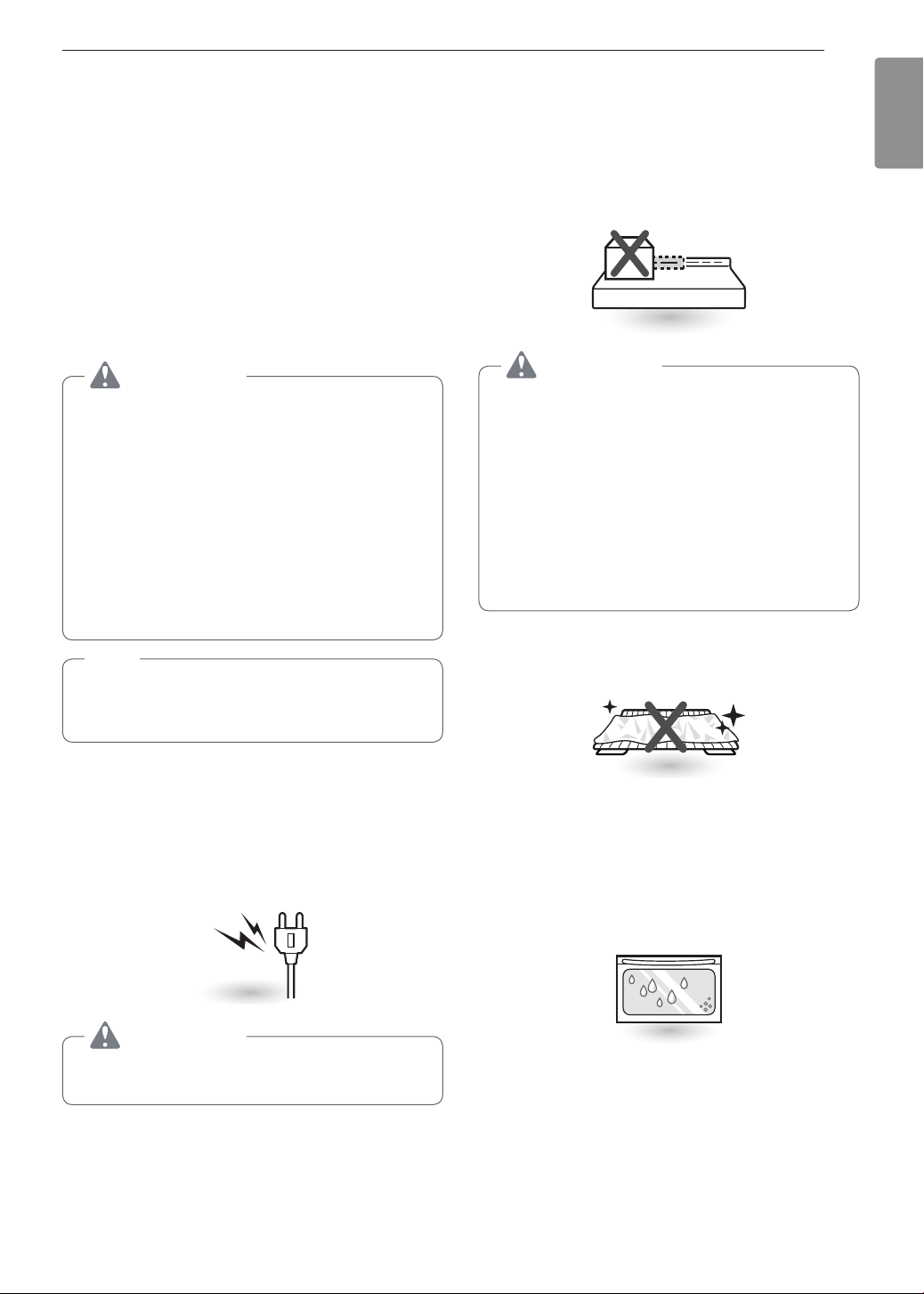
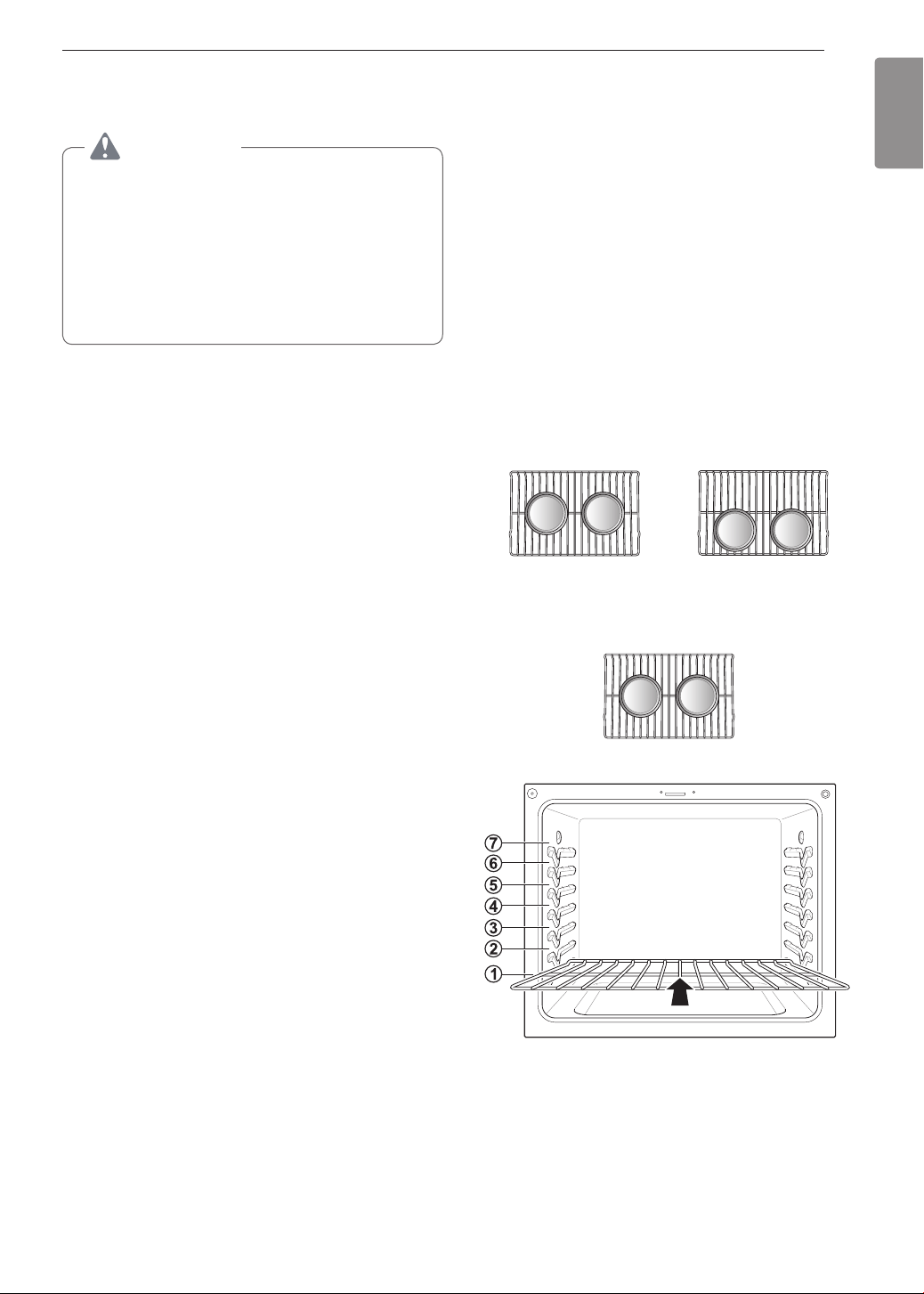
How to Place the Griddle: The griddle can only be
used with the center burner. The griddle must be
properly placed on the center grate, as shown below.
Front
CAUTION
•
Do not remove the center grate when using the
griddle.
•
Do not remove the griddle plate until the
cooktop grates, surfaces and griddle plate have
completely cooled.
•
The griddle plate on the cooktop may become
very hot when using the cooktop, oven or
broiler systems. Always use oven mitts when
placing or removing the griddle plate.
Preheat the griddle according to the guide below and
adjust for the desired setting.
Type of Food
Preheat
Conditions
Cook
Setting
Warming Tortillas - 5 (MED)
Pancakes HI 5 min. HI
Hamburgers HI 5 min. HI
Fried Eggs HI 5 min. HI
Bacon HI 5 min. HI
Breakfast Sausage
Links
HI 5 min. HI
Hot Sandwiches HI 5 min. HI
NOTE
After cooking on the griddle for an extended
period, adjust the griddle temperature settings as
the griddle retains heat.
IMPORTANT NOTES
•
Avoid cooking extremely greasy foods as grease
spillover can occur.
•
The griddle can become hot when surrounding
burners are in use.
•
Do not overheat the griddle. This can damage the
non stick coating.
•
Do not use metal utensils that can damage the
griddle surface. Do not use the griddle as a cutting
board.
•
Do not place or store items on the griddle.
25
OPERATION
ENGLISH
The Oven
Before Use
Read all instructions before using.
Make sure the electrical power cord and the gas
valve are properly connected.
Confirm the correct usage of the range for the
type of food you will cook.
Make sure you know how to use the oven
(temperature setting, time setting and recipe) for best
results.
CAUTION
WHAT TO DO IF YOU SMELL GAS
•
Open windows.
•
Do not try to light any appliance.
•
Do not touch any electrical switch.
•
Do not use any phone in your building.
•
Immediately call your gas supplier from a
neighbor’s phone. Follow the gas supplier’s
instructions.
•
If you cannot reach your gas supplier, call the
fire department.
NOTE
If using an oven thermometer in the oven cavity,
temperatures may differ from the actual set oven
temperature with all modes.
In case of power failure, do not use the oven.
The oven and broiler cannot be used during a power
outage. If the oven is in use when a power failure
occurs, the oven burner shuts off and cannot be re-lit
until power is restored. Once power is restored, you
will need to reset the oven (or Broil function).
BlackOut
CAUTION
Do not attempt to operate the electric ignition
during an electrical power failure.
Do not block, touch or place items around the
oven vent during cooking.
Your oven is vented through ducts at the center above
the burner grate. Do not block the oven vent when
cooking to allow for proper air flow. Do not touch
vent openings or nearby surfaces during any cooking
operation.
CAUTION
•
Do not place plastic or flammable items on the
cooktop. They may melt or ignite if left too close
to the vent.
•
Do not place closed containers on the cooktop.
The pressure in closed containers may
increase, which may cause them to burst.
•
Metal items will become very hot if they are left
on the cooktop, and could cause burns.
•
Handles of pots and pans on the cooktop may
become hot if left too close to the vent.
Do not cover racks or oven bottom with aluminum
foil.
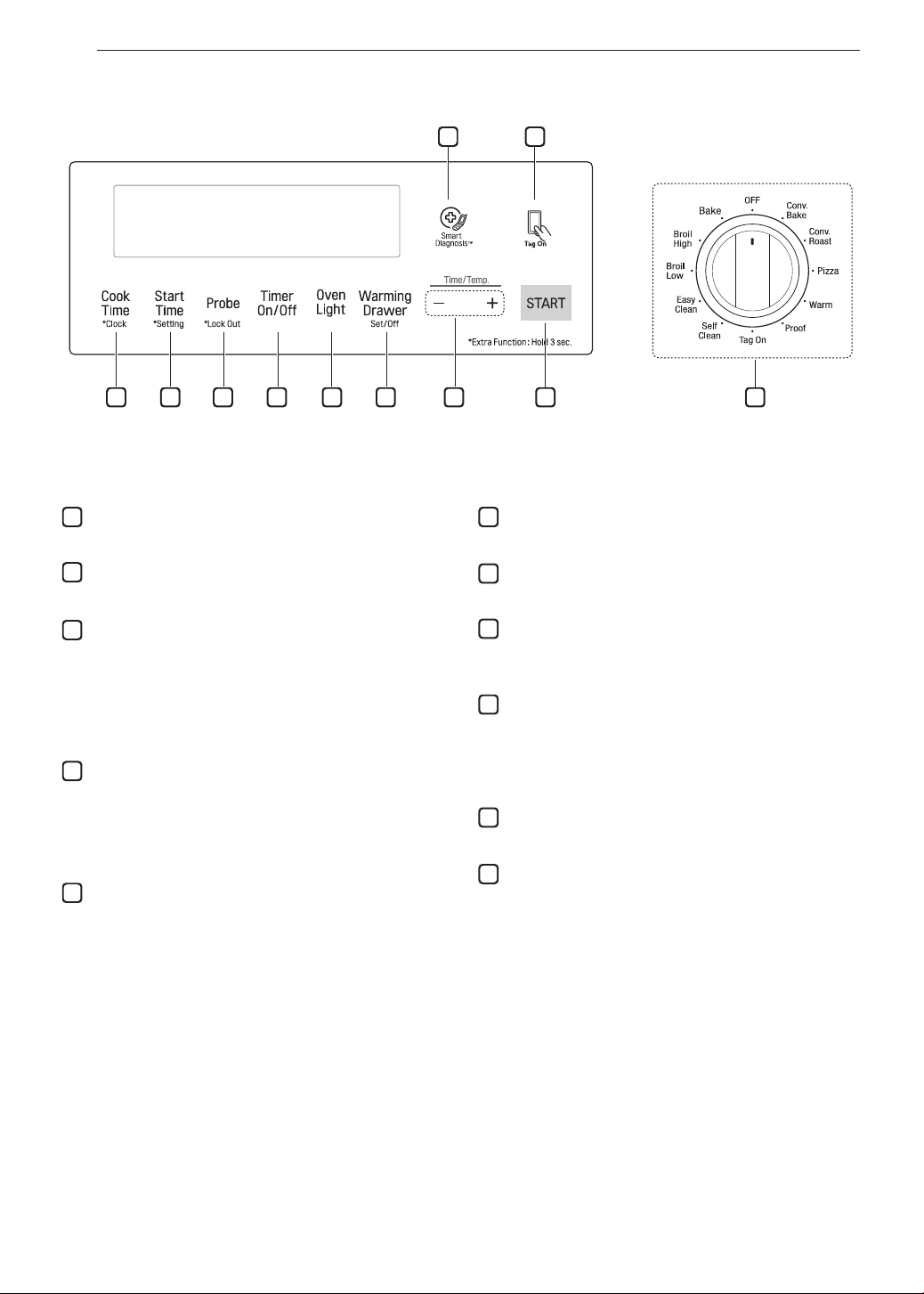
You may see condensation on the oven door
glass.
As the oven heats up, the heated air in the oven
may cause condensation to appear on the oven
door glass. These water drops are harmless and will
evaporate as the oven continues to heat up.
26
OPERATION
1
Smart Diagnosis
TM
Use during the Smart Diagnosis feature.
2
Smart Features
The Tag On icon, for use with Smart Features.
3
Cook Time / Clock
•
Press the button to set the desired amount of time
for food to cook. The oven shuts off when the set
cooking time runs out.
•
Press and hold button for three seconds to set the
time of day.
4
Start Time / Setting
•
Press the button to set the delayed timed cook. The
oven starts at the set time.
•
Press and hold button for three seconds to select
and adjust oven settings.
5
Probe / Lockout
•
Press the button to select Probe function.
•
Press and hold button for three seconds to lock the
door.
6
Timer On/Off
Press the button to set or cancel timer on oven.
7
Oven Light
Press the button to turn oven light on or off.
8
Warming Drawer
Press the button to select the warming drawer
function.
9
- /+
Press the plus button to increase cooking time or
oven temperature.
Press the minus button to decrease cooking time or
oven temperature.
10
Start
Press the button to start all oven features.
11
Oven Mode Knob
Turn the knob to select oven operating mode.
Control Panel Overview
1
3 4 5 6 7 8 9 10 11
2
Flashing Clock
If the colon in the clock display flashes, press Cook Time for three seconds and reset the clock, or press any
key to stop the flashing.
27
OPERATION
ENGLISH
Changing Oven Settings
Clock
The clock must be set to the correct time of day in
order for the automatic oven timing functions to work
properly.
1
Set the oven mode knob to the Off position.
2
Press and hold Cook Time for three seconds.
CLO shows in the display.
3
Press plus(+) or minus(-) to select the desired
time. Plus(+) to increase the time and minus(-)
to decrease the time.
4
Press Start to enter the time and start the clock.
NOTE
•
The time of day cannot be changed during a
timed baking or self-clean cycle.
•
If no other keys are pressed within 25 seconds
of pressing Clock, the display reverts to the
original setting.
•
If the display colon in the clock is blinking, you
may have experienced a power failure. Reset
the time.
Oven Light
The interior oven light automatically turns on when
the door is opened. Press Light to manually turn the
oven light on.
NOTE
The oven light cannot be turned on if the Self
Clean function is active.
Minimum & Maximum Default
Settings
All of the features listed have a minimum and a
maximum time or temperature setting that can be
entered into the control. A beep sounds each time a
control key is pressed.
Two short tones sound if the entry of the temperature
or time is below the minimum or above the maximum
setting for the feature.
Feature
min.
Temp. /
Time
max.
Temp. /
Time
Default
Clock
12 Hr.
1:00
Hr. / min.
12:59
Hr. / min.
24 Hr.
0:00
Hr. / min.
23:59
Hr. / min.
Timer
12 Hr.
0:10
min. / sec.
11:59
Hr. / min.
24 Hr.
0:10
min. / sec.
11:59
Hr. / min.
Cook Time
12 Hr.
0:01
Hr. / min.
11:59
Hr. / min.
24 Hr.
0:01
Hr. / min.
11:59
Hr. / min.
Conv. Bake
300 °F /
150 °C
550 °F /
285 °C
350 °F
(*325 °F)/
12 Hr.
Conv.
Roast
300 °F /
150 °C
550 °F /
285 °C
350 °F
(*325 °F)/
12 Hr.
Broil
Lo
400 °F
Hi
500 °F
Hi /
3 Hr.
Bake
170 °F /
80 °C
550 °F /
285 °C
350 °F /
12 Hr.
Proof 0:01 min.
11:59
Hr. / min.
12 Hr.
Pizza 12 Hr.
Warm 3 Hr.
Self Clean 2 Hr. 5 Hr. 3 Hr.
EasyClean
®
10 min.
* Using Auto Conversion
•
Default cook mode times are without setting cook
time.
28
OPERATION
Timer On/Off
The Timer On/Off serves as an extra timer in the
kitchen that beeps when the set time has run out. It
does not start or stop cooking.
The Timer On/Off feature can be used during any of
the oven control functions.
For example to set 5 minutes
1
Set the oven mode knob to the Off position.
2
Press the Timer On/Off. 0:00 with HR inside it
appears and Timer flashes in the display.
3
Press plus(+) or minus(-) to set the desired
time. Plus(+) to increase the time and minus(-)
to decrease the time.
4
Press Timer On/Off or Start to start the Timer.
The remaining time countdown appears in the
display.
NOTE
If Timer On/Off is pressed, the timer returns to
the time of day.
5
When the set time runs out, End shows in the
display. The indicator tones sound every
15 seconds until Timer On/Off is pressed.
NOTE
•
If the remaining time is not in the display, recall
the remaining time by pressing Timer On/Off.
•
Press Timer On/Off twice to set the time in
minutes and seconds.
•
Press Timer On/Off once to set the time in
hours and minutes.
Cancelling the Timer
1
Press Timer On/Off once.
The display returns to the time of day.
Settings
Set the oven mode knob to the Off position.
Press and hold Start Time for three seconds.
Then press the Start Time key repeatedly to toggle
through and change oven settings.
The Settings key allows you to:
•
set the hour mode on the clock (12 or 24 hours)
•
enable/disable convection auto conversion
•
adjust the oven temperature
•
activate/deactivate the preheating alarm light
•
set the beeper volume
•
switch the temperature scale between Fahrenheit
and Celsius
Setting the Hour Mode
The control is set to use a 12-hour clock. To reset the
clock to 24-hour mode, follow the steps below.
1
Set the oven mode knob to the Off position.
2
Press and hold Start Time for three seconds.
3
Press plus(+) or minus(-) to set the desired
hour mode on the clock.
4
Press Start to accept the desired change.
Setting Convection Auto Conversion
When Conv. Bake and Conv. Roast are selected,
Convection Auto Conversion automatically converts the
standard recipe temperature entered to a convection
temperature by subtracting 25 °F / 14 °C. This
auto-converted temperature shows on the display. For
example, select Conv. Bake, enter 350 °F, and 325 °F
shows on the display after preheat.
Convection Auto Conversion is enabled by default. To
change the setting, follow these instructions.
1
Set the oven mode knob to the Off position.
2
Press and hold Start Time for 3 seconds. Then
press Start Time repeatedly until Auto appears
in the display.
3
Press plus(+) or minus(-) to enable or disable
the feature.
4
Press Start to accept the change.
29
OPERATION
ENGLISH
Adjusting the Oven Thermostat
Your new oven may cook differently from the one
it replaced. Use your new oven for a few weeks to
become more familiar with it before changing the
temperature settings. If after familiarizing yourself
with the new oven, you still think that it is too hot or
too cold, you can adjust the oven thermostat yourself.
NOTE
To begin, either raise or lower the thermostat
15 °F (8 °C). Try the oven with the new setting. If
the oven still needs adjustment, raise or lower the
thermostat again, using the first adjustment as a
gauge. For example, if the adjustment was too
much, raise or lower the thermostat 10 °F (5 °C).
If the adjustment was not enough, raise or lower
the thermostat 20 °F (12 °C). Proceed in this way
until the oven is adjusted to your satisfaction.
1
Set the oven mode knob to the Off position.
2
Press and hold Start Time for three seconds.
Then press Start Time repeatedly until AdJU
appears in the display.
3
To increase the temperature, press plus (+) until
the desired amount appears in the display.
To decrease the temperature, press minus (-)
until the desired amount appears in the display.
4
Press Start to accept the change.
NOTE
•
This adjustment does not affect the broiling
or Self Clean temperatures. The adjustment
is retained in memory after a power failure.
The oven thermostat can be increased (+) or
decreased (-) as much as 35 °F or 19 °C.
•
Once the thermostat is increased or decreased,
the display shows the adjusted temperature
until it readjusts.
Turning the Preheat Alarm Light On/Off
When the oven reaches its set-temperature, the
preheating alarm light flashes 5 times or until the
oven door is opened.
You can activate or deactivate the preheating alarm
light.
1
Set the oven mode knob to the Off position.
2
Press and hold Start Time for three seconds.
Then press Start Time repeatedly until PrE
appears in the display.
3
Press plus(+) or minus(-) to turn the function
on/off.
4
Press Start to accept the change.
Adjusting the Beeper Volume
1
Set the oven mode knob to the Off position.
2
Press and hold Start Time for three seconds.
Then press Start Time repeatedly until Beep
appears in the display.
3
Press plus(+) or minus(-) to select the desired
volume.
4
Press Start to accept the change.
Selecting Fahrenheit or Celsius
Set the oven temperature display to show either
Fahrenheit (°F) or Celsius (°C) units. The oven
defaults to Fahrenheit unless changed by the user.
1
Set the oven mode knob to the Off position.
2
Press and hold Start Time for three seconds.
Then press Start Time repeatedly until Unit
appears in the display.
3
Press plus(+) or minus(-) to select
F(Fahrenheit) or C(Centigrade).
4
Press Start to accept the change.
Lockout
The Lockout feature automatically locks the oven
door and prevents most oven from being turned on. It
does not disable the timer and the interior oven light.
1
Set the oven mode knob to the Off position.
2
Press and hold Probe for three seconds.
3
The lock melody sounds, Loc appears in the
display and the lock icon
blinks in the display.
4
Once the oven door is locked, the lock
indicator stops blinking and remains on.
5
To deactivate the Lockout feature, press and
hold Probe for three seconds. The unlock
melody sounds and the door and the controls
unlock.
30
OPERATION
Start Time (Delayed Timed Cook)
The automatic timer of the Delayed Timed Cook
function turns the oven on and off at the time you
select. This feature can be used with the Bake,
Conv. Bake and Conv. Roast modes.
Setting a Delayed Timed Cook
For example, to bake at 300 °F and delay the start
of baking until 4:30, first set the clock for the correct
time of day.
1
Turn the oven mode knob to select the Bake
mode. 350 °F appears in the display.
2
Set the temperature: press minus(-) until 300 °F
appears in the display.
3
Press Cook Time and set the baking time.
4
Press Start Time.
5
Set the start time: press plus(+) until 4:30
appears in the display.
6
Press Start. A short beep sounds and Timed
Delay and the start time appear in the display.
The oven begins baking at the set start time.
NOTE
•
To cancel the Delayed Timed Cook function,
turn the oven mode knob to the Off position.
•
To change the cooking time, repeat step 3 and
press Start.
•
If the oven clock is set as a 12-hour clock, you
can delay the cook time for 12 hours. If the
oven clock is set as a 24-hour clock, you can
delay the cook time for 24 hours.
The oven will continue to cook for the set amount
of time and then turn off automatically. When the
cooking time has elapsed:
•
End and the time of day show in the display.
•
The cook end indicator tone sounds every 60
seconds until the oven mode knob is turned to the
Off position.
CAUTION
•
Use the automatic timer when cooking cured or
frozen meats and most fruits and vegetables.
Foods that can easily spoil, such as milk, eggs,
fish, meat or poultry, should be chilled in the
refrigerator. Even when chilled, they should
not stand in the oven for more than 1 hour
before cooking begins, and should be removed
promptly when cooking is completed.
•
Eating spoiled food can result in sickness from
food poisoning.
Cook Time (Timed Cook)
Set the oven to cook for a specific length of time
using the Timed Cook feature. This feature can only
be used with the Bake, Conv. Bake and Conv. Roast
modes.
Setting a Timed Cook
For example, to bake at 300 °F for 30 minutes, first
set the clock to the correct time of day.
1
Turn the oven mode knob to select the Bake
mode. 350 °F appears in the display.
2
Set the oven temperature. For this example,
press minus(-) until 300 °F appears in the
display.
3
Press Cook Time. Timed flashes in the display.
Bake, 0:00 and 300 °F appear in the display.
4
Set the baking time: press plus(+) until 30:00
appears in the display. The baking time can be
set for any amount of time between 1 minute
and 11 hours and 59 minutes.
5
Press Start.
The oven will continue to cook for the set amount
of time and then turn off automatically. When the
cooking time has elapsed:
•
End and the time of day show in the display.
•
The cook end indicator tone sounds every 60
seconds until the oven mode knob is turned to the
Off position.
Changing the Cook Time during Cooking
For example, to change the cook time from 30
minutes to 1 hour and 30 minutes, do the following.
1
Press Cook Time.
2
Change the baking time: press plus(+) until
1 hour and 30 minutes appears in the display.
3
Press Start to accept the change.
31
OPERATION
ENGLISH
Removing and Replacing the Oven
Racks
CAUTION
•
Replace the oven racks before turning the oven
on to prevent burns.
•
Do not cover the racks with aluminum foil, or
any other material, or place anything on the
bottom of the oven. Doing so will result in poor
baking performance and may damage the oven
bottom.
•
Only arrange oven racks when the oven is cool.
Removing Racks
1
While wearing oven mitts, grasp the oven rack*.
2
Pull the rack straight out until it stops.
3
Lift up the front of the rack.
4
Pull out the rack.
* When possible, adjust oven racks before using the
oven. Always wear oven mitts if adjusting racks while
the oven is on.
Replacing Racks
1
While wearing oven mitts, place the end of the
rack on the support*
2
Tilt the front end of the rack up.
3
Push the rack in.
4
Check that the rack is properly in place.
*When possible, adjust oven racks before using the
oven. Always wear oven mitts if adjusting racks while
the oven is on.
Recommended Baking and Roasting
Guide
•
Center pans on racks for best baking results. If
baking with more than one pan, place the pans so
that each one has at least 1" to 1
1
/
2
" of air space
around it. Do not allow pans to touch the walls of
the oven.
•
If cooking on single rack, place the rack in the
position suggested in the charts on the following
pages. Center the cookware as shown in the upper
rack of the multiple rack image.
•
If cooking on multiple racks in the oven, place racks
in positions 1 and 4. For best results, place the
cookware as shown, centered on the top rack and
toward the front on the bottom rack.
Multiple rack baking
Rack
(Position 4)
Rack
(Position 1)
Single rack baking
Rack
32
OPERATION
Bake
Bake is used to prepare foods such as pastries,
breads and casseroles. The oven can be programmed
to bake at any temperature from 170 °F (80 °C) to
550 °F (285 °C). The default temperature is 350 °F
(175 °C).
Setting the Bake Function (example, 375 °F)
1
Turn the oven mode knob to select Bake.
2
Set the oven temperature: for example, press
plus(+) until 375 °F appears in the display.
3
Press Start. The oven starts to preheat.
As the oven preheats, the temperature is displayed
and rises in 5-degree increments. Once the oven
reaches the set temperature, a tone sounds and the
oven light blinks on and off.
4
When cooking is complete, turn the oven mode
knob to the Off position.
5
Remove food from the oven.
NOTE
•
It is normal for the convection fan to operate
periodically throughout a normal bake cycle in
the oven. This is to ensure even baking results.
•
The convection fan may continue to run for a
short time after the oven is turned off.
Baking Chart
This chart is only for reference and can be used for
oven. Adjust the cook time according to your recipe.
Food Oven Temperature Rack position
Cakes
- Layer cake
- Bundt cake
- Cupcakes
- Pound cake
- Carrot cake
(from scratch)
350 °F (175 °C)
350 °F (175 °C)
350 °F (175 °C)
350 °F (175 °C)
350 °F (175 °C)
3
3
3
3
3
Cookies
- Sugar cookies
- Chocolate chip
- Brownies
350 °F (175 °C)
350 °F (175 °C)
350 °F (175 °C)
3
3
3
Pizza
- Rising
- Frozen
- Fresh
400 °F (204 °C)
400 °F (204 °C)
425 °F (218 °C)
5
5
5
Breads
- Biscuits
(canned)
- Biscuits
(from scratch)
- Muffins
350 °F (175 °C)
375 °F (190 °C)
400 °F (204 °C)
4
4
4
Fruits and
Vegetables
- Apples (baked)
- Potatoes
(baked)
375 °F (190 °C)
425 °F (218 °C)
2
2
Angel food cake
350 °F (175 °C) 1
Custards
- Cheesecake,
crème brulée
325 °F (161 °C)
-
350 °F (175 °C)
2
Casserole
- Frozen lasagna 375 °F (190 °C) 4
NOTE
•
Because the oven temperature cycles, an oven
thermometer placed in the oven cavity may not
show the same temperature that is set on the
oven.
•
It is normal for the convection fan to run while
preheating during a regular bake cycle.
•
The convection fan motor may run periodically
during a regular bake cycle.
•
The bake burner turns off if the door is left
open during baking. If the door is left open for
longer than 30 seconds during baking, the bake
burner turns off. The bake burner turns back on
automatically once the door is closed.
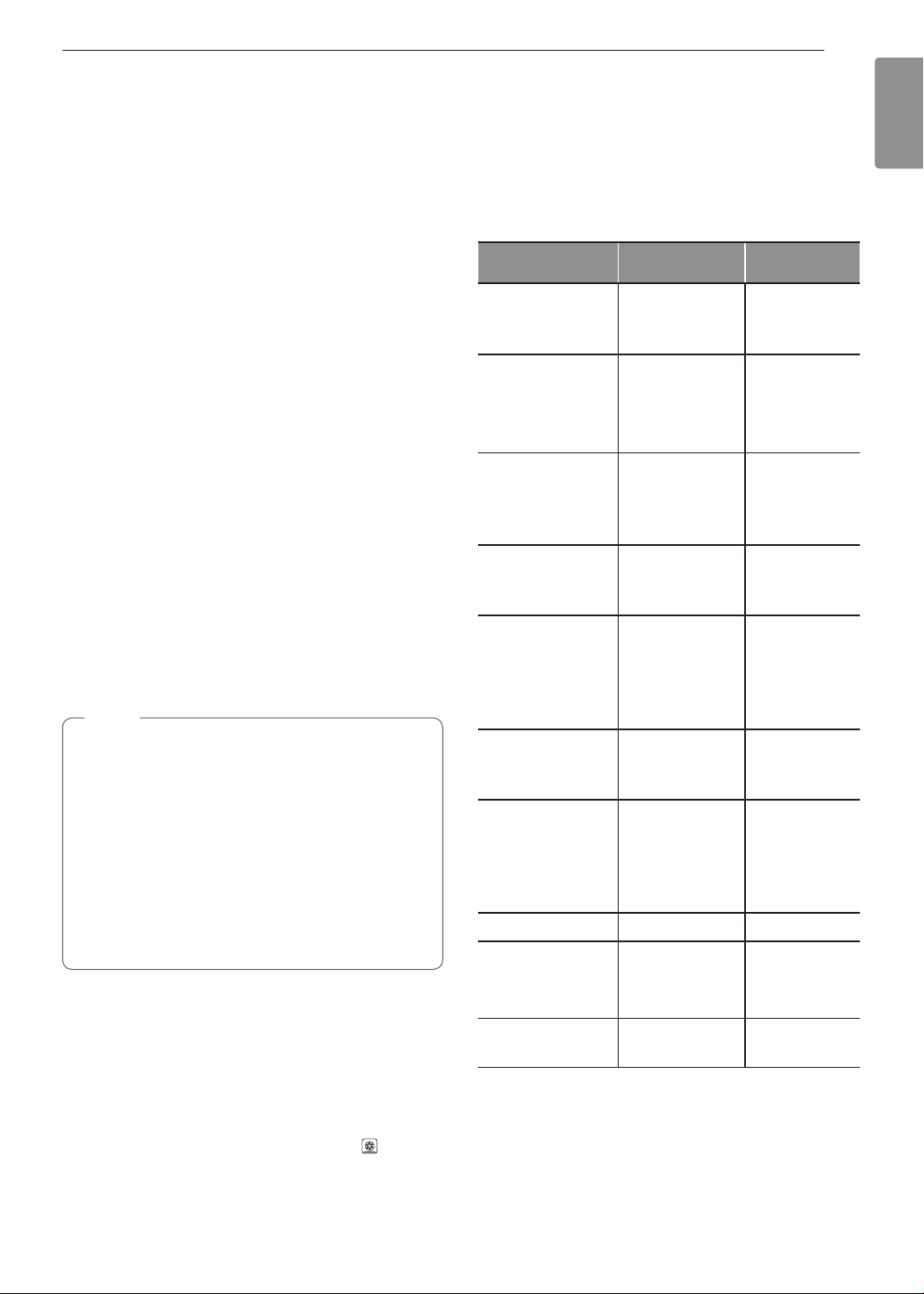
33
OPERATION
ENGLISH
Convection Mode
The convection system uses a fan to circulate heat
evenly within the oven. This improves heat distribution
and allows for even cooking and excellent results,
especially when using multiple racks. Convection
cooking can also shorten cooking times.
Convection Bake
Setting the Conv. Bake Function (example: to
Conv. Bake 375 °F)
1
Turn the oven mode knob to select Conv. Bake.
2
Set the oven temperature: press plus(+) until
375 °F appears in the display.
•
Convection Bake cooks faster and more evenly
when cooking foods like cookies, biscuits, rolls,
or other baked goods on a single rack. Cookies,
muffins, and biscuits will have very good results
when using multiple racks.
•
Multiple rack cooking may slightly increase times
for some foods, but the overall time is reduced.
•
Convection Bake gives excellent results for quick
breads and yeast breads of all kinds, and breads
and pastries brown more evenly.
•
Do not use Convection Bake for delicate items like
custards, souffles, or cheesecakes, which may be
disturbed by the convection fan.
NOTE
•
The convection cooking modes automatically
reduce the oven temperature by 25 °F (14 °C).
The display shows the changed temperature.
•
This feature is called auto conversion.
•
The range comes with this feature enabled.
•
To disable the auto conversion feature, see
Setting Convection Auto Conversion, page 28.
•
The oven fan runs while convection baking. If
the door is left open for longer than 30 seconds
during baking, the fan stops.
3
Press Start. The display shows Conv. Bake and
the converted temperature starting at 100 °F. As
the oven preheats, the displayed temperature
will increase in 5-degree increments.
4
Once the oven reaches the desired temperature,
a tone sounds and the oven light blinks on and
off. The display shows the auto converted oven
temperature 350 °F, Conv. Bake and .
Convection Baking Chart
If auto conversion is disabled, reduce standard
recipe temperature by 25 °F (14 °C) for Convection
Bake. Temperatures have been adjusted in this
chart. Multi-rack cooking may slightly increase cook
times for some foods, but the overall time is reduced.
This chart is only for reference. Adjust cooking time
according to your preference.
Food
Oven Temperature
(converted)
Rack position
Cakes
- Layer cakes
- Bundt cakes
325 °F (161 °C)
325 °F (161 °C)
3
3
Cakes, Specialty
- Popovers
- Cupcakes
- Pound cakes
400 °F (204 °C)
325 °F (161 °C)
325 °F (161 °C)
3
3
3
Cookies
- Sugar cookies
- Chocolate chips
- Brownies
325 °F (161 °C)
325 °F (161 °C)
325 °F (161 °C)
3
3
3
Pizza
- Frozen
- Fresh
375 °F (190 °C)
400 °F (204 °C)
5
5
Breads
- Biscuit, canned
- Biscuit, from scratch
- Muffins
- White bread, loaf
325 °F (161 °C)
350 °F (175 °C)
375 °F (190 °C)
400 °F (204 °C)
4
4
4
4
Pastry Crust
- From scratch
- Refrigerator
400 °F (204 °C)
400 °F (204 °C)
4
4
Desserts
- Fruit crisps and
cobblers, from
scratch
- Pies, from scratch,
2 crust fruit
350 °F (175 °C)
350 °F (175 °C)
3
3
Angel food cake
325 °F (161 °C) 1
Custards
- Cheesecake,
crème brulée
300 °F (149 °C)
-
325 °F (161 °C)
2
Casserole
- Frozen lasagna 350 °F (175 °C) 4

34
OPERATION
Cookware for Convection Cooking
Any cookware safe for use in a conventional oven will
work in a convection oven. But for best results, keep
the following in mind.
•
Make sure pans don’t touch the oven walls when
centered on the racks. Use cookware that leaves
room for air circulation in the oven for best results
when convection cooking.
•
Leave space between pans. Make sure pans don't
touch each other or the oven walls.
•
Do not use pans with high sides. Use flat pans with
no sides for cookies or biscuits. Use a pan with low
sides for oven-baked chicken.
•
Metal pans heat the fastest. Heat-resistant paper
and plastic containers that are recommended for
use in regular ovens can be used in convection
ovens. Glass and ceramic pans can also be used.
However, metal pans heat the fastest and are
recommended for convection cooking.
•
Food cooked on pans with dark or matte finishes
cooks faster than food on pans with shiny finishes.
•
Use the pan size recommended in the recipe.
NOTE
•
Some frozen foods have been developed to use
commercial convection ovens. For best results
in this oven, preheat the oven and use the
temperature recommended on the packaging.
•
If a food manufacturer gives specific convection
cooking instructions, remember that convection
autoconversion will reduce the set temperature
by 25 °F (14 °C). If auto-conversion is enabled,
add 25 °F (14 °C) when setting the temperature
to get a resulting converted temperature which
matches the recipe.
Convection Roast
The Convection Roast feature is designed to give
optimum roasting performance. Convection Roast
combines cooking with the convection fan to roast
meats and poultry. The heated air circulates around
the food from all sides, sealing in juices and flavors.
Food cooked in this manner is crispy brown on the
outside while staying moist on the inside.
Setting the Conv. Roast Function (example: to
Conv. Roast 375 °F)
1
Turn the oven mode knob to select Conv. Roast.
2
Set the oven temperature: press plus(+) until
375 °F appears in the display.
NOTE
The convection cooking modes automatically
reduce the oven temperature by 25 °F (14 °C).
The display shows the changed temperature.
This feature is called auto conversion. The range
comes with this feature enabled. To disable the
auto conversion feature, see Setting Convection
Auto Conversion, page 28.
3
Press Start. The display shows Conv. Roast
and the changing temperature starting at 100 °F.
As the oven preheats, the displayed temperature
will increase in 5-degree increments.
4
Once the oven reaches the desired temperature,
a tone sounds and the oven light flashes on and
off. The display shows the auto converted oven
temperature 350 °F, Conv. Roast and .
5
Place food in oven.
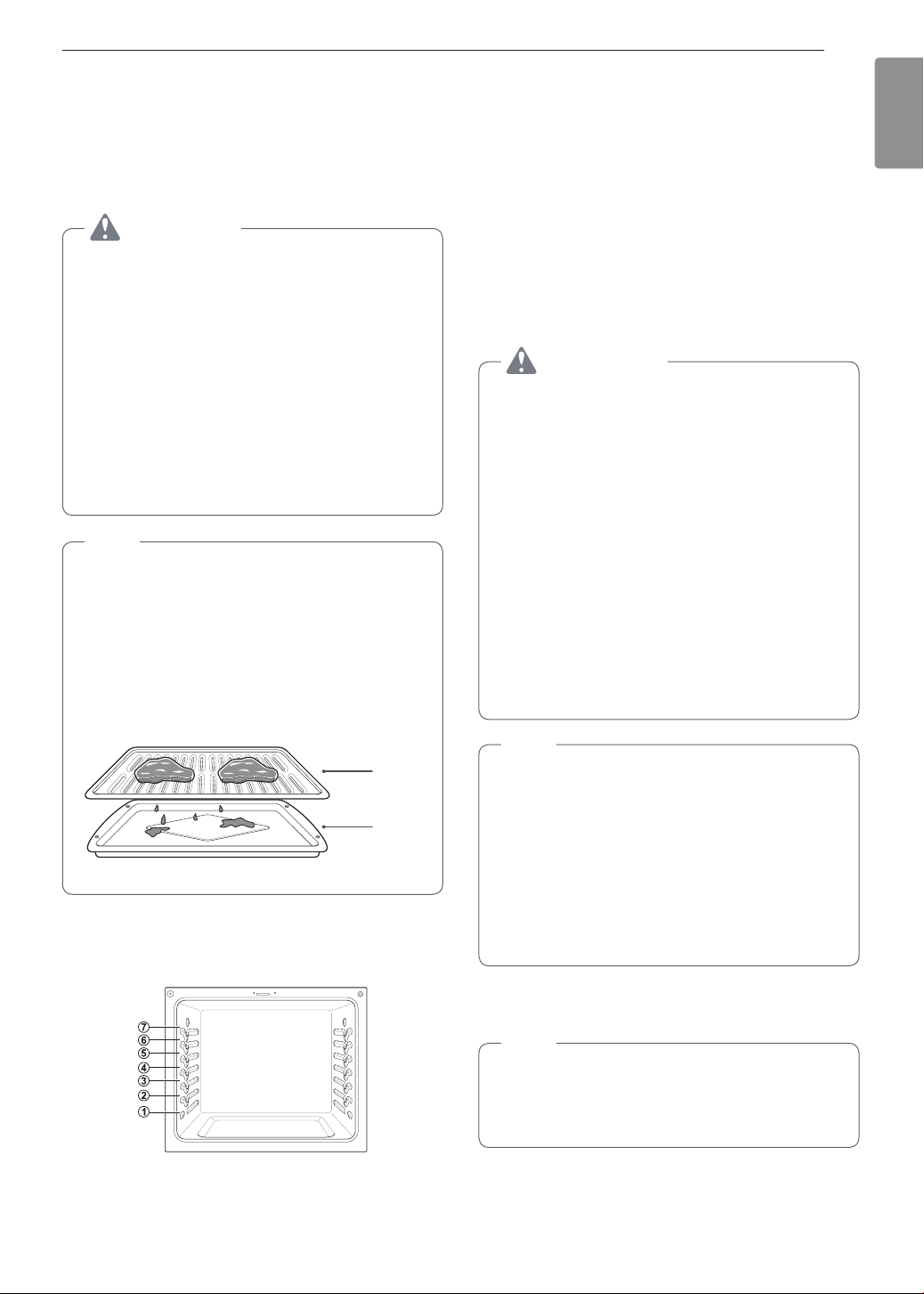
35
OPERATION
ENGLISH
Broil
Your oven is designed for closed-door broiling. Broil
uses an intense heat radiation from the upper gas
burner.
The Broil function works best when broiling thin,
tender cuts of meat (1" or less), poultry or fish.
CAUTION
•
Do not use a broiler pan without a grid. The oil
can cause a grease fire.
•
Do not cover the grid and broiler pan with
aluminum foil. Doing so will cause a fire.
•
Always use a broiler pan and grid for excess fat
and grease drainage. This will help to reduce
splatter, smoke, and flare-ups.
•
Never use a broiler pan that is not thoroughly
cleaned and at room temperature. If your
broiler pan is damaged, warped, or has heavy
permanent soiling, consider replacing it to
reduce the amount of smoke you experience
during broiling.
NOTE
•
Use Lo broil to broil foods such as poultry and
thick cuts of meat.
•
Remove the pan from the oven to cool down for
easy cleaning.
•
For best results, use a pan designed for
broiling, as shown below. The broiler pan will
catch grease spills and the grid will help prevent
grease splatters.
Grid
Broiler pan
When broiling refer to the broiling guide for placing
the rack.
Setting the oven to Broil
1
Turn the oven mode knob to select Broil High or
Broil Low.
2
Press Start.
3
Allow the broiler to preheat for five minutes.
4
Place food in the oven.
5
Close the oven door. The oven door must be
closed during broiling.
WARNING
When using your broiler, the temperature inside
the oven is extremely hot. Take caution to avoid
possible burns by:
•
Keeping the door closed when broiling
•
Always wearing oven mitts when inserting/
removing food items
Improper use of the broiler may result in
excessive smoke or a grease fire. Improper use
conditions include, but are not limited to:
•
Broiling on heavy rack in position 6.
•
Setting the broiler to a higher power level than
recommended.
•
Using dirty/greasy broiler pans.
•
Broiling beyond recommended cooking times.
NOTE
•
This range is designed for closed-door broiling.
Close the door to set the Broil function. If the
door is open, the Broil function cannot be set
and door appears on the display. Close the
door and reset the Broil function. Opening the
door turns off the broil burner during broiling.
If the door is opened during broiling, the broil
burner turns off after five seconds. The broiler
turns back on automatically once the door is
closed.
6
When broiling is finished, turn the oven mode
knob to the Off position.
NOTE
During any Broil function, it is normal for the
broiler to cycle on and off. The igniter for the broil
burner on the ceiling of the oven glows orange
periodically during normal broil operation.
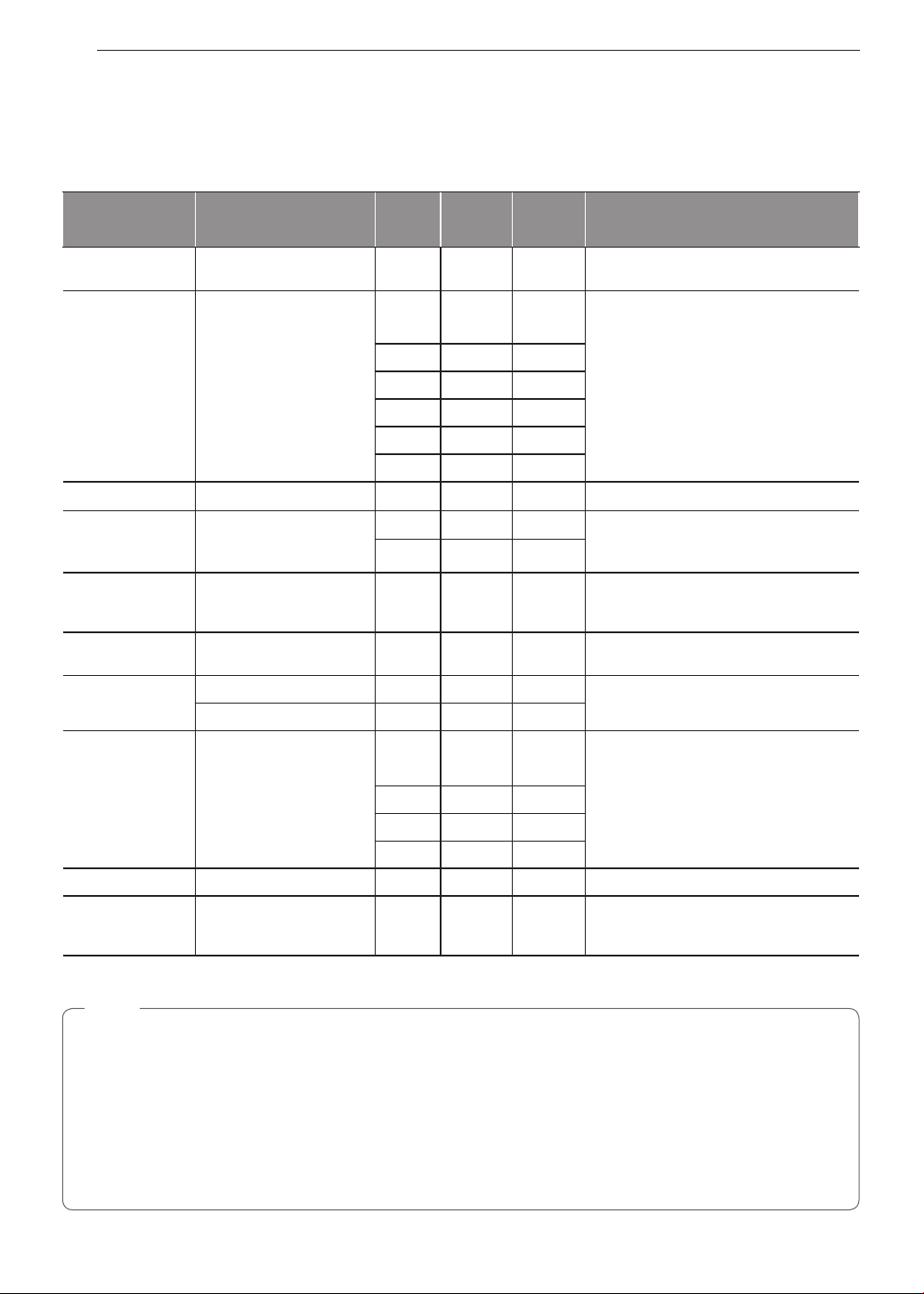
36
OPERATION
Recommended Broiling Guide
The size, weight, thickness, starting temperature, and your preference of doneness will affect broiling times.
This guide is based on meats at refrigerator temperature. For best results when broiling, use a pan designed for
broiling.
Food Quantity and/or Thickness
Rack
Position
First Side
(minutes)
Second
Side
(minutes)
Comments
Ground Beef
Well done
1 lb. (4 patties)
1
/
2
to
3
/
4
" thick
6 5-7 3-4
Space evenly. Up to 8 patties may be
broiled at once.
Beef Steaks
Rare 6 7 5
Steaks less than 1" thick cook
through before browning. Pan frying is
recommended. Slash fat.
1" thick
1 to 1
1
/
2
lbs.
Medium 6 12 5-6
Well Done 6 13 8-9
Rare
1
1
/
2
" thick
2 to 2
1
/
2
lbs.
4 10 6-7
Medium 4 12-15 10-12
Well Done 4 25 16-18
Toast
1 to 9 pieces
5 1-2 1-2
Chicken
1 whole 2 to 2
1
/
2
lbs.,
split lengthwise
4 bone-in breasts
2 35-40 25 Brush each side with melted butter.
Broil skin-side down.
2 25-30 10-15
Fish Fillets
1
/
4
to
1
/
2
" thick 5 7-8 6 Handle and turn very carefully.
Brush with lemon butter before and during
cooking, if desired.
Ham Slices
(precooked)
1" thick
1
/
2
" thick
3
4
10
7
5
4
Increase time 5 to 10 minutes per side for
1
1
/
2
" thick or home-cured ham.
Pork chops
Well Done
2 (
1
/
2
" thick) 4 10 8 Slash fat.
2 (1" thick) about 1lb. 4 13 8-9
Lamb Chops Slash fat.
Medium
2 (1" thick) about
10 to 12 oz.
5 6 4-7
Well Done 5 10 10
Medium
2 (
1
/
2
" thick) about 1lb.
5 10 4-6
Well done 5 17 12-14
Bacon
1
/
2
lb. (about 8 thin slices) 4 8 3 Arrange in single layer.
Lobster Tails 2-4
6 to 8 oz. each
3 13-16 Do not
turn over.
Cut through back of shell. Spread open.
Brush with melted butter before broiling
and after half of broiling time.
•
This guide is only for reference. Adjust cook time according to your preference.
NOTE
The USDA advises that consuming raw or undercooked fish, meat, or poultry can increase your risk of food-
borne illness.
The USDA has indicated the following as safe minimum internal temperatures for consumption:
•
Ground beef: 160 °F (71.1 °C)
•
Poultry: 165 °F (73.9 °C)
•
Beef, veal, pork, or lamb: 145 °F (62.8 °C)
•
Fish / Seafood: 145 °F (62.8 °C)

37
OPERATION
ENGLISH
Pizza
This function automatically sets the oven temperature
to cook either frozen pizza with regular or rising crust,
or freshly made pizza. Simply choose the type of
pizza (see chart) and set the desired cook time.
Setting the Oven for Pizza
1
Turn the oven mode knob to select the Pizza
mode. P1 appears in the display. Press plus(+)
or minus(-) repeatedly to toggle between the
P1, P2 and P3 options. (See Pizza Chart below.)
2
Press Start. The oven starts to preheat.
As the oven preheats, the temperature is displayed
and rises in 5-degree increments. Once the oven
reaches the set temperature, a tone sounds and the
oven light blinks on and off.
3
Place pizza in the oven, close the door and set
the timer following the suggestions in the chart.
4
Turn the oven mode knob to the Off position to
cancel Pizza at any time.
5
Remove the food from the oven.
NOTE
Preheating is necessary for better cooking results.
Place the food in the oven after preheating.
Pizza Chart
Display Mode Item Rack position
Recom-
mended time
(minutes)
P1
Frozen
pizza,
Regular
crust
5 14-16
P2
Frozen
pizza, Rising
crust
5 19-21
P3 Fresh Pizza 5 8-10
Warm
This function will maintain an oven temperature of
170 °F. The Warm function will keep cooked food
warm for serving up to three hours after cooking has
finished. The Warm function may be used without any
other cooking operations.
Setting the Warm Function
1
Turn the oven mode knob to select Warm.
2
Press Start.
3
Turn the oven mode knob to the Off position
when warming is finished.
NOTE
•
The Warm function is intended to keep food
warm. Do not use it to cool food down.
•
It is normal for the fan to operate during the
Warm function.
Proof
This feature maintains a warm oven for rising yeast
leavened products before baking.
Setting the Proof Function
1
Use rack position 2 or 3 for proofing.
2
Turn the oven mode knob to select Proof.
3
Press Start.
4
Turn the oven mode knob to the Off position
when proofing is finished.
NOTE
•
To avoid lowering the oven temperature and
lengthening proofing time, do not open the oven
door unnecessarily. Check bread products early
to avoid over proofing.
•
Do not use the proofing mode for warming
food or keeping food hot. The proofing oven
temperature is not hot enough to keep foods
at safe temperatures. Use the Warm feature
to keep food warm. Proofing does not operate
when the oven is above 125 °F. Hot shows in
the display.
•
It is normal for the fan to operate during the
Proof function.
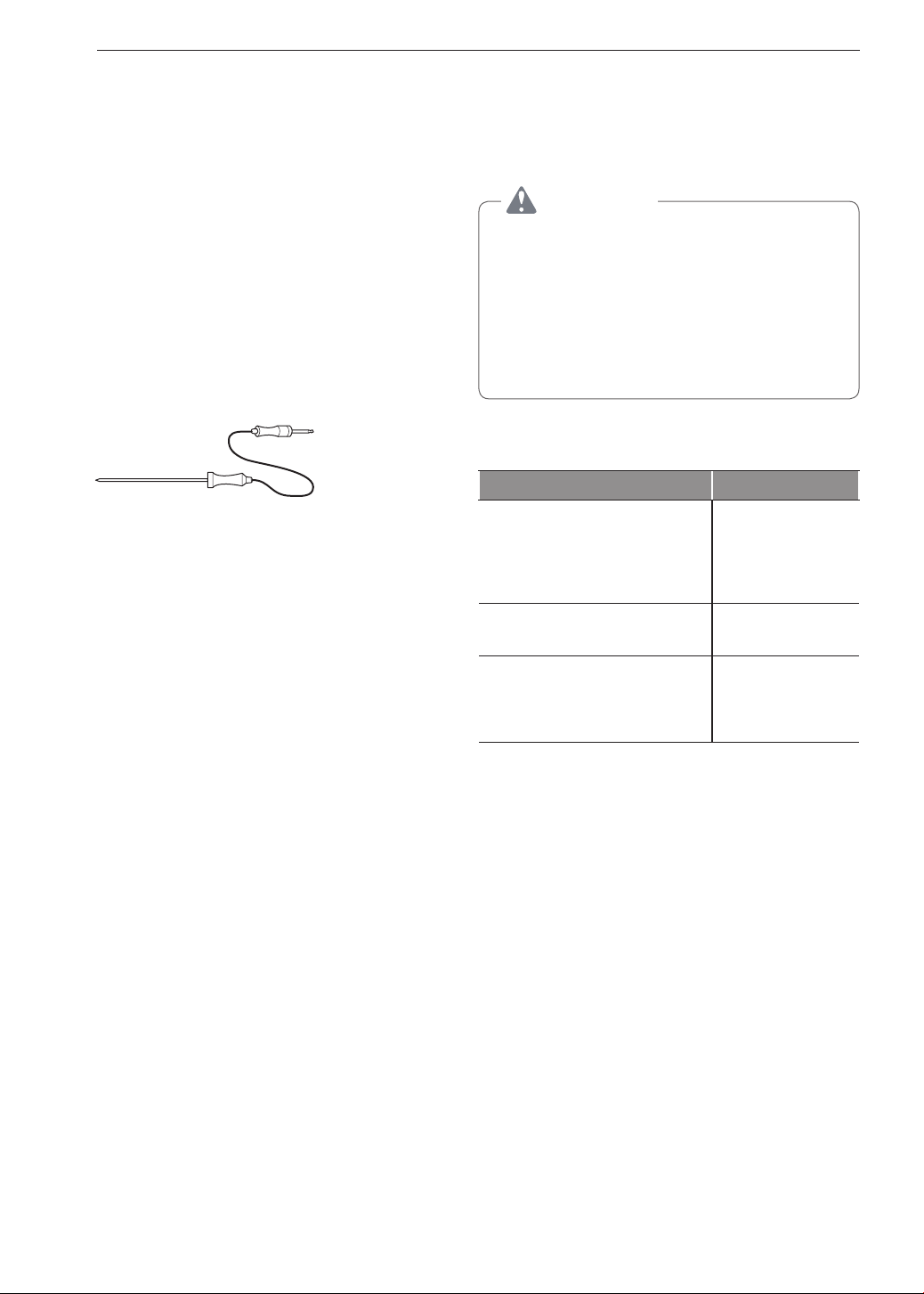
38
OPERATION
Meat Probe
The meat probe accurately measures the internal
temperature of meat, poultry and casseroles. It should
not be used during broiling, self clean, warming or
proofing. Always unplug and remove the meat probe
from the oven when removing food. Before using,
insert the probe into the center of the thickest part of
the meat or into the inner thigh or breast of poultry,
away from fat or bones. Place food in the oven and
connect the meat probe to the jack. Keep the probe
as far away from heat sources as possible.
Setting the Meat Probe Function (example for
Roast 375 °F with probe temp. 160 °F)
1
Insert the meat probe into the meat.
2
Connect the meat probe to the jack.
3
The meat probe icon flashes in the display if the
meat probe is properly connected.
Method
1
Select cook mode. Turn the oven mode knob to
select Conv. Roast.
2
Set the oven temperature: press plus(+) or
minus(-) until 375
°F
appears in the display.
3
Press Probe.
4
Set the probe temperature: press plus(+) or
minus(-) until 160
°F
appears in the display.
5
Press Start.
The default probe temperature is 150 °F (65 °C), but
can be changed to any temperature between
80 °F (27 °C) and 210 °F (100 °C). The display
shows the changing probe temperature. When the
set probe temperature is reached, the oven shuts off
automatically.
Changing the Probe temperature while cooking
1
Press Probe.
2
Set the probe temperature.
3
Press Start.
IMPORTANT NOTE
Turn the oven mode knob to the Off position to
cancel the Meat Probe function at any time. To avoid
breaking the probe, make sure food is completely
defrosted before inserting.
CAUTION
•
Always use an oven mitt to remove the
temperature probe. Do not touch the broil
element. Failure to obey this caution can result
in severe personal injury.
•
To avoid damage to the meat probe, Do
not use tongs to pull on the probe when
removing it.
•
Do not store the meat probe in the oven.
Recommended Probe Temperature Chart
Doneness Probe Temp.
Beef, Lamb and Veal
Rare
Medium Rare
Medium
Well Done
130 °F (54 °C)
140 °F (60 °C)
150 °F (66 °C)
160 °F (71 °C)
Pork
Well Done 170 °F (77 °C)
Poultry
Breast, Well Done
Thigh, Well Done
Stuffing, Well Done
170 °F (77 °C)
180 °F (82 °C)
165 °F (74 °C)
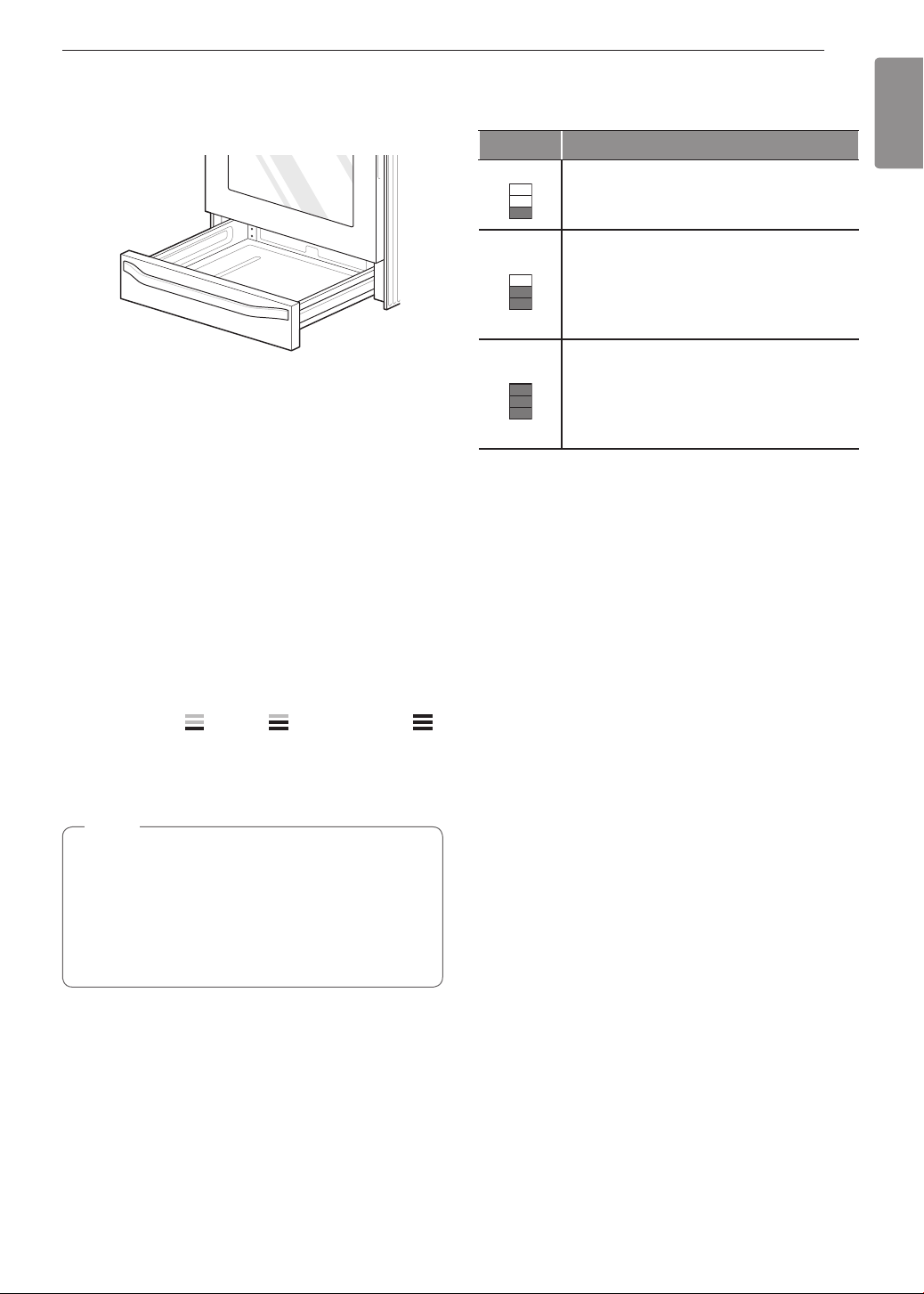
39
OPERATION
ENGLISH
Operating the Warming
Drawer
The Warming Drawer keeps hot cooked foods at
serving temperature.
All food placed in the Warming Drawer should be
covered with an oven-safe lid or aluminum foil to
maintain quality. Do not place foil on bottom or
sides of drawer. Do not use plastic wrap to cover
food. Plastic may melt onto the drawer and be very
difficult to clean. Use only utensils and cookware
recommended for oven use in the Warming Drawer.
Setting the Warming Drawer Control
1
Press Warming Drawer Set/Off. The indicator
light will flash. (If no further buttons are pressed
within 25 seconds, the display will clear.)
2
Use the plus(+) or minus(-) button to set the
power level:
for Low, for Medium, and
for High.
3
When the food is ready, or to cancel, press
Warming Drawer Set/Off.
NOTE
•
The Warming Drawer shuts off automatically
after three hours.
•
Do not heat cold food in the Warming Drawer.
•
Do not use pans or utensils with rough finishes
in the Warming Drawer. Doing so can leave
scratches on the inner drawer surfaces.
Warming Drawer food/power level
recommendations
Setting Type of Food
Low
•
Rolls (Soft)
•
Empty dinner plates
Medium
•
Gravies
•
Casseroles
•
Eggs
•
Vegetables
•
Biscuits
•
Rolls (hard)
•
Pastries
•
Roasts
High
•
Bacon
•
Hamburger patties
•
Poultry
•
Pork chops
•
Pizza
•
Fried Foods
Different types of food may be placed in the warming
drawer at the same time. For best results, do not
leave food in the warming drawer for more than one
hour. Do not leave smaller quantities or heat-sensitive
food, such as eggs, in the warming drawer more than
30 minutes. The maximum operating time is three
hours.

40
OPERATION
CAUTION
•
Do not use the warming drawer for storage
of racks, broiler pans, insert pans, plates,
or utensils. The warming drawer contains a
heating element which may damage any items
not specifically designed to be used with it
and should only be used to store cookware
specifically supplied by LG with your range.
•
Do not put food or foil directly on the surface
or base of the warming drawer. This may result
in damage to your drawer and may spoil your
food.
•
Do not place plastic wrap in the warming
drawer or use it to cover food being heated
in the warming drawer. Plastic may melt onto
the drawer or surrounding areas and is very
difficult to remove. Use only aluminum foil or
cookware that is capable of withstanding baking
temperature to heat or cover your food.
•
Do not use the warming drawer to heat water
or any other liquids. Spilled liquids may cause
an electrical short or result in severe personal
injury, electric shock or death.
•
Never place plastics, paper, canned foods or
other combustible material into the warming
drawer. These items pose a severe risk of fire,
damage and injury.
•
In the unlikely event that an item falls behind
the warming drawer, always turn the power off
and wait for the warming drawer to cool before
retrieving the item. Never attempt to retrieve
any items that fall behind the warming drawer
without first turning the power off and ensuring
the warming drawer cavity has cooled off.
Failure to do so may result in severe personal
injury, electric shock or death.
•
Do not touch the surface of the Warming
Drawer while it is in operation. Use oven mitts
or hot pads when inserting or removing food to
avoid burns or other injury.
•
Do not leave food in the Warming Drawer for
longer than one hour. Eating food which has
been heated for too long at low temperatures
can lead to food-borne illnesses.
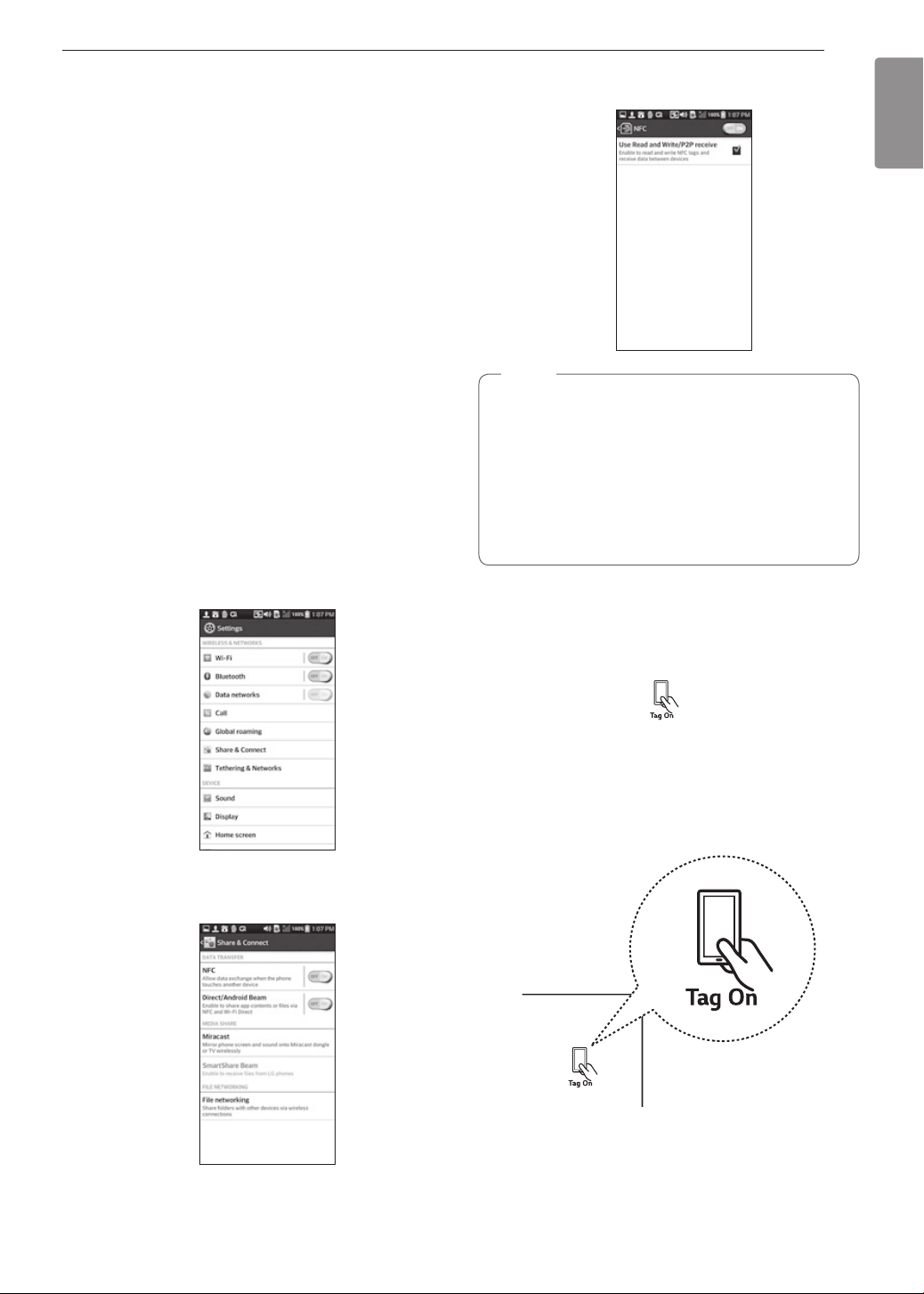
41
SMART FEATURES
ENGLISH
SMART FEATURES
Before Using Tag On
The Tag On function allows you to conveniently
use LG Smart Diagnosis™, set the cook mode and
EasyClean
®
features, and communicate with your
appliance using a smart phone. To use the Tag On
function:
1
Download The LG Smart ThinQ application to a
smart phone.
2
Turn on the NFC (Near Field Communication)
function in the smart phone. The Tag On function
is only compatible with smart phones that are
equipped with the NFC function and based on
the Android 4.0 (Ice Cream Sandwich) or later
OS (operating system).
Turning On the Smart Phone's NFC
Function
1
Enter the Settings menu of the smart phone
and select Share & connect under WIRELESS
NETWORKS.
2
Set NFC and Direct/Android Beam to ON and
select NFC.
3
Check Use Read and Write/P2P receive.
NOTE
•
Depending on the smart phone manufacturer
and Android OS version, the NFC activation
process may differ. Refer to the manual of the
smart phone for details.
•
You can activate Tag On function by using the
Android 4.0 smart phone with NFC function or
higher. NFC function may not work depending
on smart phones.
Using the Tag On Function
The Tag On Icon
Turn the oven mode knob to select Tag On. Look for
the Tag On icon on the control panel. Position the
smart phone next to the icon when using the Tag On
function with the LG Smart Diagnosis™, cook mode
setting and EasyClean
®
features of the LG Smart
ThinQ application.
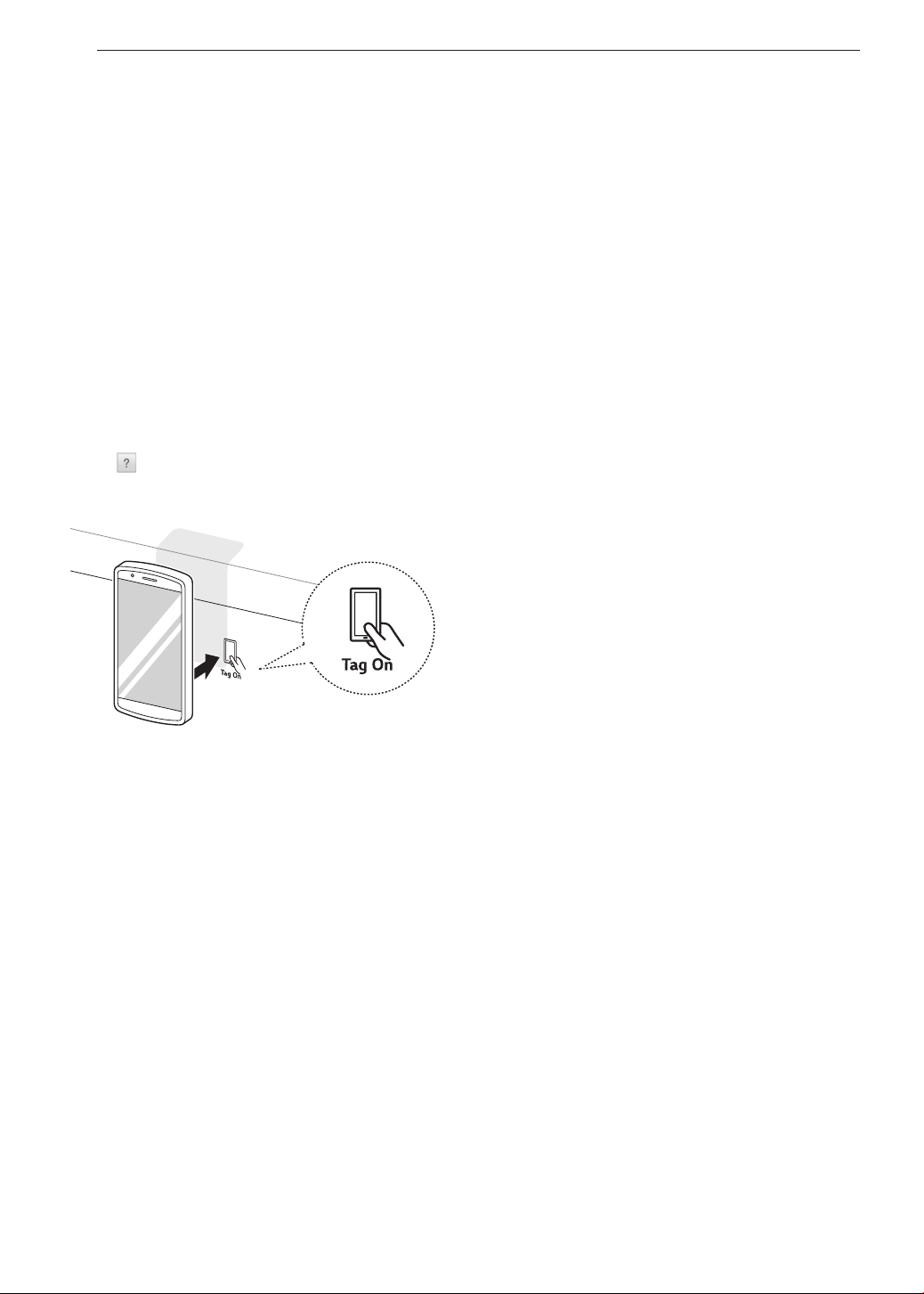
42
SMART FEATURES
The NFC Antenna Position
When using the Tag On function, position the smart
phone so that the NFC antenna inside the back of
the smart phone matches the position of the Tag On
icon on the appliance. (The position of the antenna
cannot be seen, so the LG Smart ThinQ application
will attempt to find it and display a target range for the
antenna on the smart phone's screen.)
If the application is not able to show a target range,
position the center back of the smart phone over
the Tag On icon on the appliance. If the connection
is not made immediately, move the smart phone
very slightly in a widening circular motion until the
application verifies the connection.
Because of the characteristics of NFC, if the
transmission distance is too far, or if there is a metal
sticker or a thick case on the phone, transmission will
not be good.
Press [
] in the LG Smart ThinQ application for
a more detailed guide on how to use the Tag On
function.
Using Tag On with
Applications
Press an LG appliance's Tag On logo with an
NFC-equipped smart phone to use the LG Smart
ThinQ application's LG Smart Diagnosis™, Oven
Settings, and EasyClean
®
features.
Smart Diagnosis™
Allows you to diagnose and troubleshoot problems
with your range.
EasyClean
®
Allows you to set EasyClean
®
alerts, read the
instruction guide, and simulate and compare energy
consumption when using EasyClean
®
versus
self-clean cycles.
Oven Settings
Allows the user to change oven settings, including
the hour mode, preheat alarm light, beeper volume,
temperature units, convection auto conversion, and
thermostat adjustment.
IMPORTANT : Features could be added or deleted
when the LG Smart ThinQ application is updated.
Data saved on the LG Smart ThinQ application could
be deleted when the application is updated or your
smart phone is changed.
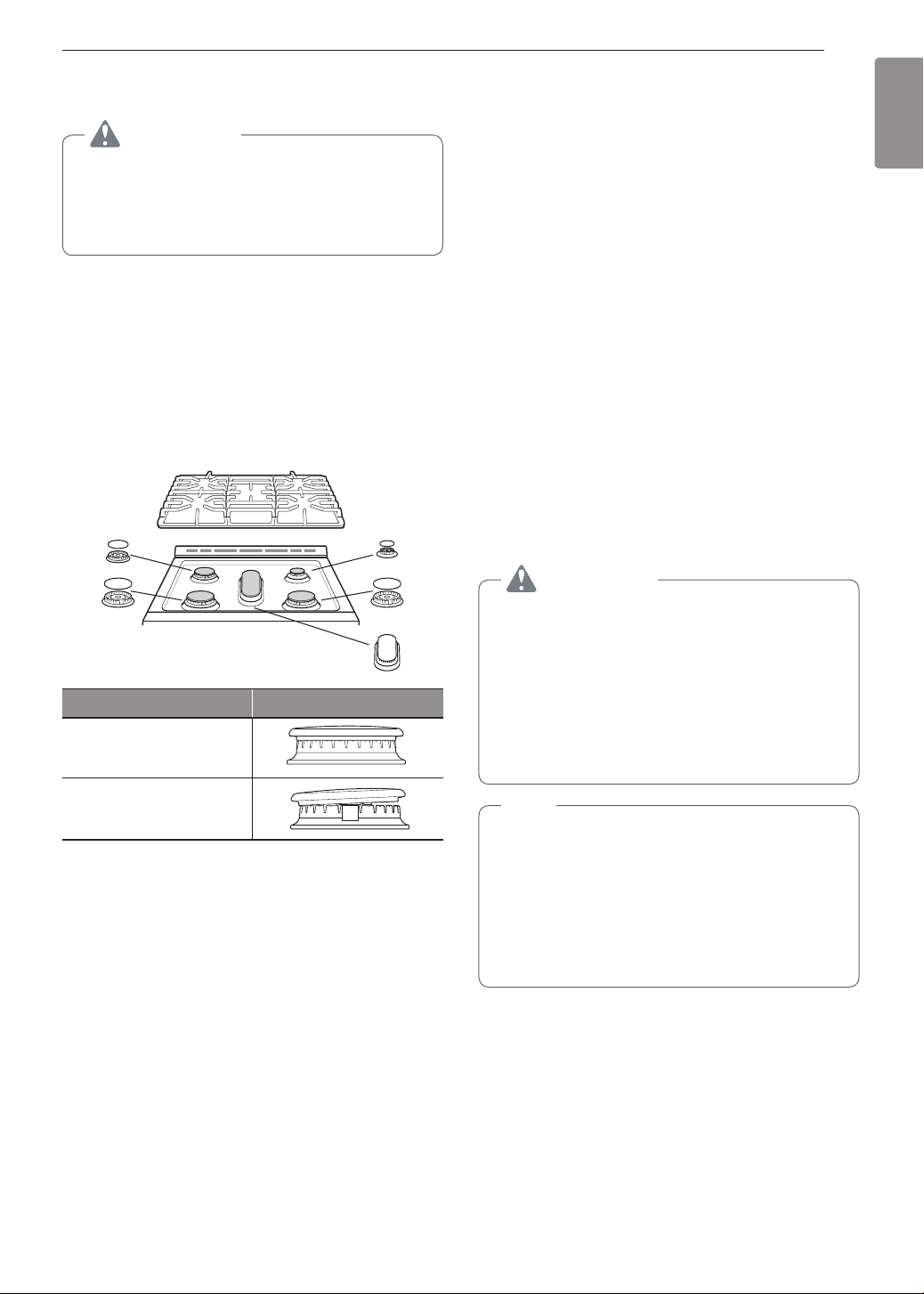
43
MAINTENANCE
ENGLISH
MAINTENANCE
CAUTION
•
Do not clean this appliance with bleach.
•
To prevent burns, wait until the cooktop has
cooled down before touching any of its parts.
•
Always wear gloves when cleaning the cooktop.
Gas Surface Burners
Removing and Replacing the Gas
Surface Burners
Grates and burner heads/caps can be removed for
care and cleaning.
General burner
Burner cap is properly
set.
Burner cap is NOT
properly set.
Cleaning Burner Heads/Caps
For even and unhampered flame, the slits in the
burner heads must be kept clean at all times.The
burner heads and caps (and the oval burner head
and cap assembly) can be lifted off. Do not attempt to
remove the oval burner cap.
•
Wash the burner caps in hot soapy water and rinse
with clean water. Run water through the oval burner
from the bottom stem to flush out debris.
•
Use care when cleaning the cooktop. The pointed
metal ends on the electrodes could cause injury.
Hitting an electrode with a hard object may damage
it.
•
To remove burnt-on food, soak the burner heads
in a solution of mild liquid detergent and hot water
for 20–30 minutes. For stubborn stains, use a
toothbrush or wire brush.
•
The burners will not operate properly if the burner
ports or electrodes are clogged or dirty.
•
Burner caps and heads should be cleaned routinely,
especially after excessive spillover.
•
Burners will not light if the cap is removed.
CAUTION
•
Do not hit the electrodes with anything hard.
Doing so could damage them.
•
Do not use steel wool or scouring powders to
clean the burners.
•
Do not scratch or gouge the port features of the
brass burner bases.
•
It is normal for brass burners to become
tarnished with use.
NOTE
•
To clean the brass burners, use mild abrasive
cleaners or liquid cleaners such as Kleen
King
®
, BonAmi
®
and Wright’s
®
.
•
To clean port openings, use a stiff, nylon bristle
tooth brush.
•
Do not use steel wool or steel bristle brushes
as they can scratch the brass burner surface.
*Brass burner model : LSSG3019
After Cleaning the Burner Heads/
Caps
Shake out any excess water and then let them dry
thoroughly. Placing the oval burner upside down will
allow the water to drain out more easily. Replace
the burner heads and caps over the electrodes on
the cooktop in the correct locations according to
their size. Make sure the hole in the burner head is
positioned over the electrode.
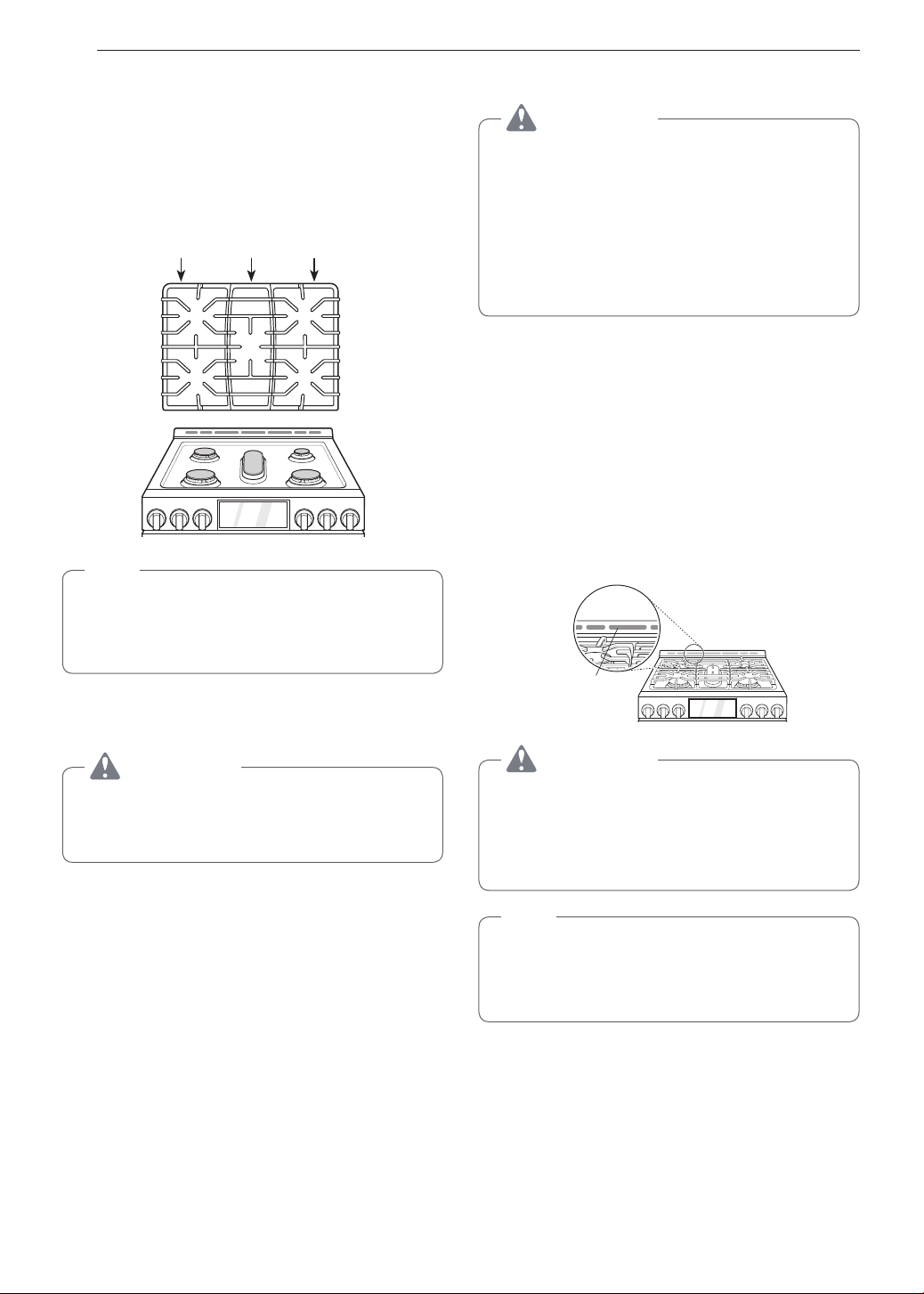
44
MAINTENANCE
Burner Grates
The range consists of three separate professional-
style grates. For maximum stability, these grates
should only be used when in their proper position.
The two side grates can be interchanged from left
to right and front to back. The center grate can be
interchanged from front to back.
Side grate Side grateCenter grate
NOTE
Do not operate a burner for an extended period
of time without cookware on the grate. The finish
on the grate may chip without cookware to absorb
the heat.
Cleaning the Burner Grates
CAUTION
•
Do not lift the grates out until they have cooled.
•
Do not put the grate in the oven during self
cleaning mode.
•
Grates should be washed regularly and after
spillovers.
•
Wash the grates in hot, soapy water and rinse with
clean water.
•
The grates are dishwasher safe.
•
After cleaning the grates, let them dry completely
and securely position them over the burners.
Cleaning the Cooktop Surface
CAUTION
•
To avoid burns, do not clean the cooktop
surface until it has cooled.
•
Do not lift the cooktop surface. Lifting the
cooktop surface can lead to damage and
improper operation of the range.
•
When water is spilled on the cooktop, wipe up
water immediately. If water is left on the cooktop
for a long time, discoloration may occur.
Foods with high acid or sugar content may cause a
dull spot if allowed to set. Wash and rinse soon after
the surface has cooled. For other spills such as oil/
grease spattering, etc., wash with soap and water
when the surface has cooled, then rinse and polish
with a dry cloth.
Oven Air Vents
Air openings are located at the rear of the cooktop,
at the top and bottom of the oven door, and at the
bottom of the range.
Oven Air Vent
CAUTION
•
The edges of the range vent are sharp. Wear
gloves when cleaning the range to avoid injury.
•
Clean ventilating hoods frequently. Grease
should not be allowed to accumulate on the
hood or filter.
NOTE
Do not block the vents and air openings of the
range. They provide the air inlet and outlet that
are necessary for the range to operate properly
with correct combustion.
Control Panel
To prevent activating the control panel during
cleaning, unplug the range. Clean up splatters with
a damp cloth using a glass cleaner. Remove heavier
soil with warm, soapy water. Do not use abrasives of
any kind.
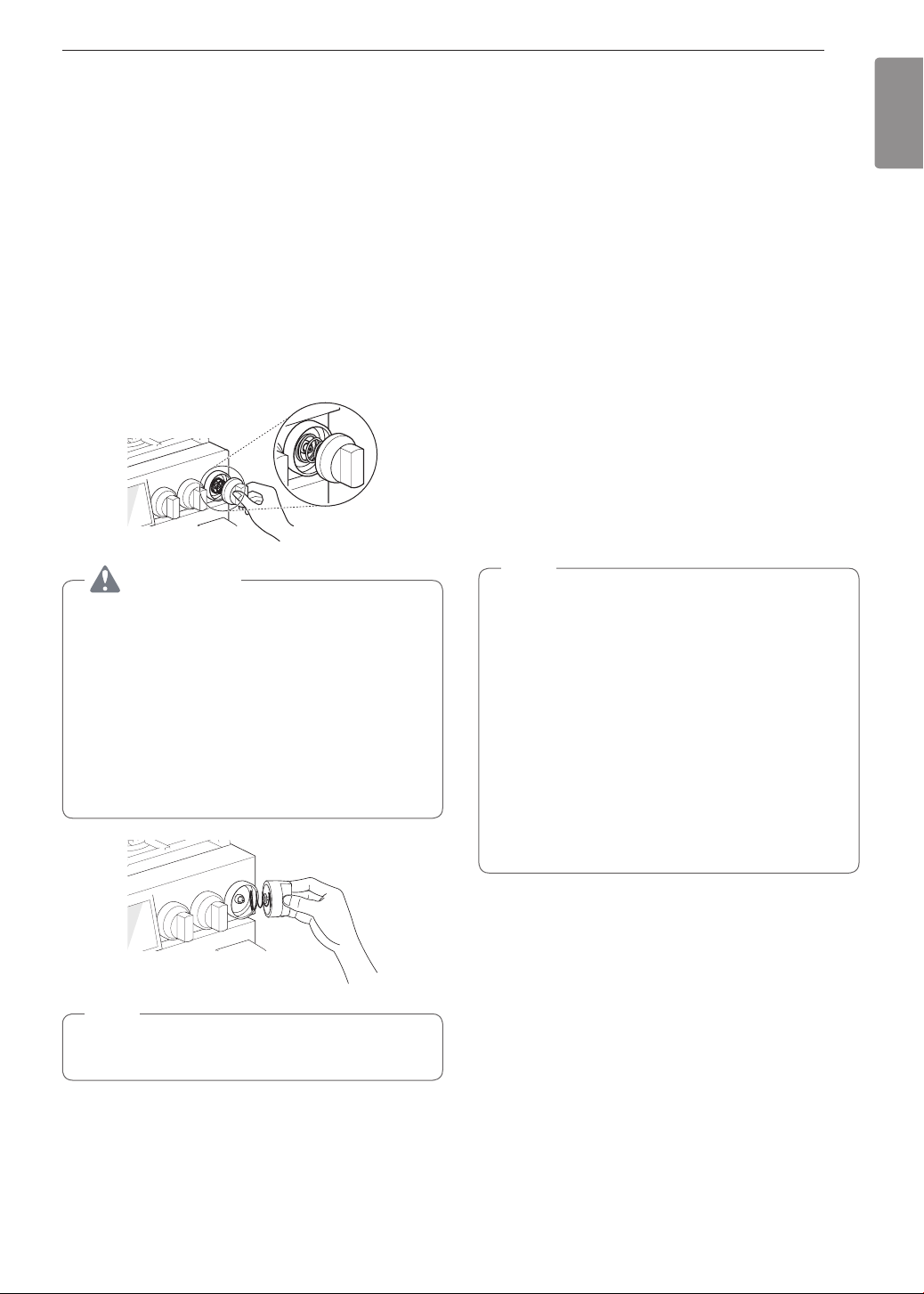
45
MAINTENANCE
ENGLISH
Front Manifold Panel and Knobs
It is best to clean the manifold panel after each use
of the range. For cleaning, use a damp cloth and mild
soapy water or a 50/50 solution of vinegar and water.
For rinsing, use clean water and polish dry with a soft
cloth.
The control knobs may be removed for easy cleaning.
1
To clean the knobs, make sure that they are in
the Off position and pull them straight off the
stems. Be careful not to lose the knob springs.
2
To replace the knobs, make sure that the knobs
have the Off position centered at the top, and
slide the knobs directly onto the stem.
CAUTION
•
Do not use abrasive cleansers, strong liquid
cleaners, plastic scouring pads or oven
cleaners on the manifold panel. Doing so will
damage the finish.
•
Do not try to bend the knobs by pulling them
up or down, and do not hang a towel or other
objects on them. This can damage the gas
valve shaft.
•
If you slide the knobs onto the stem without the
knob springs, it may cause malfunction.
NOTE
To prevent scratching, do not use abrasive
cleaners on any of these materials.
Cleaning the Exterior
Painted and Decorative Trim
For general cleaning, use a cloth with hot soapy
water. For more difficult soils and built-up grease,
apply a liquid detergent directly onto the soil. Leave it
on for 30 to 60 minutes. Rinse with a damp cloth and
dry. Do not use abrasive cleaners.
Stainless Steel Surfaces
To avoid scratches, do not use steel wool pads.
1
Place a small amount of stainless steel
appliance cleaner or polish on a damp cloth or
paper towel.
2
Clean a small area, rubbing with the grain of the
stainless steel if applicable.
3
Dry and buff with a clean, dry paper towel or soft
cloth.
4
Repeat as necessary.
NOTE
•
Do not use a steel wool pad; it will scratch the
surface.
•
To clean the stainless steel surface, use warm
sudsy water or a stainless steel cleaner or
polish.
•
Always wipe in the direction of the metal
surface finish.
•
To purchase stainless steel appliance cleaner
or polish, or to locate a dealer near you, call our
toll-free customer service number:
1-800-243-0000 (USA),
1-888-542-2623(CANADA)
or visit our website at: www.lg.com
Oven Door
•
Use soapy water to thoroughly clean the oven door.
Rinse well. Do not immerse the door in water.
•
You may use a glass cleaner on the outside glass
of the oven door. Do not spray water or glass
cleaner on the door vents.
•
Do not use oven cleaners, cleaning powders, or
harsh abrasive cleaning materials on the outside of
the oven door.
•
Do not clean the oven door gasket. The oven door
gasket is made of a woven material that is essential
for a good seal. Care should be taken not to rub,
damage, or remove this gasket.
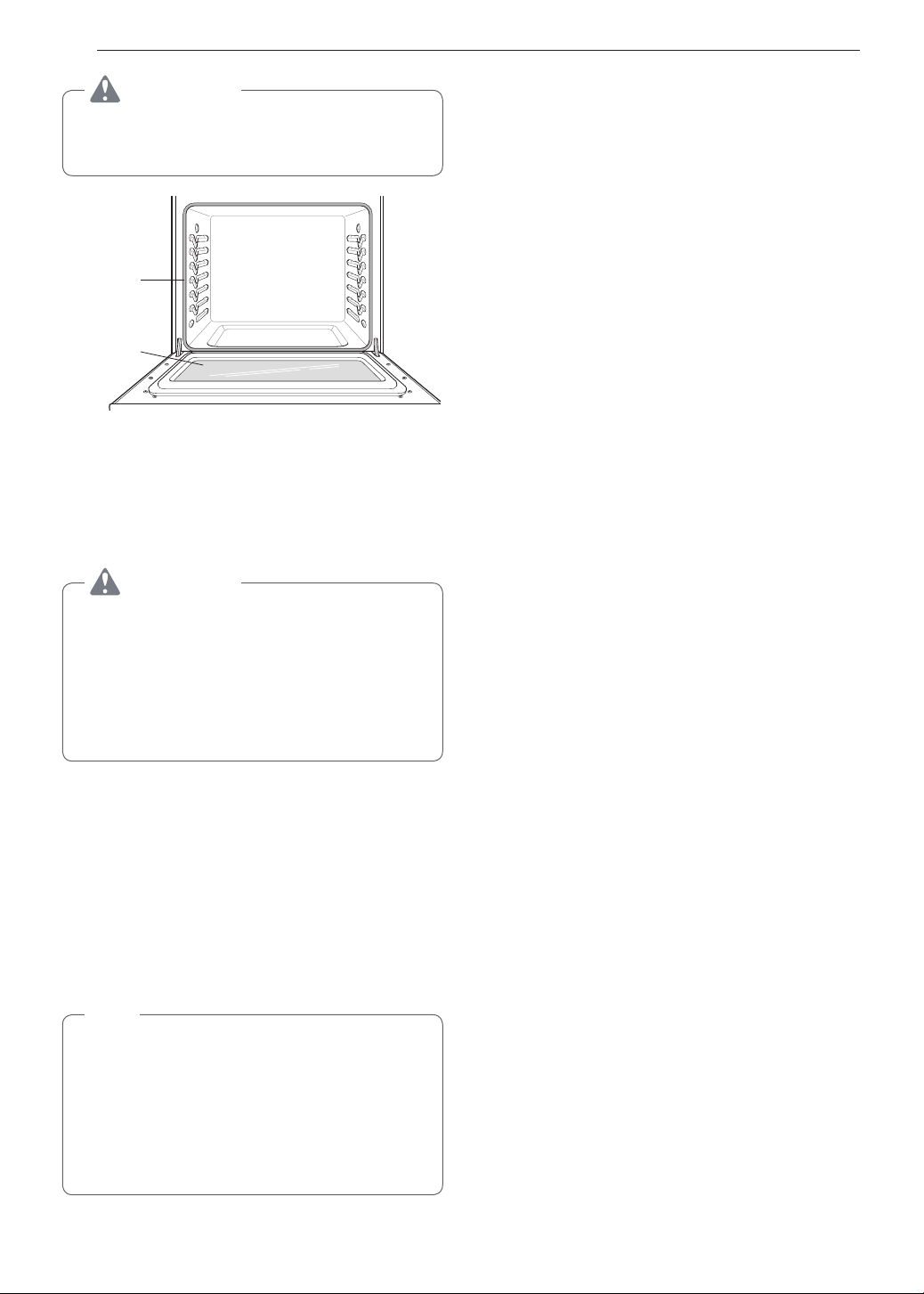
46
MAINTENANCE
CAUTION
Do not use harsh cleaners or harsh abrasive
cleaning materials on the outside of the oven
door. Doing so can cause damage.
Don’t hand
clean oven
door gasket
Do hand
clean door
Door Care Instructions
Most oven doors contain glass that can break.
CAUTION
•
Do not close the oven door until all the oven
racks are fully in place.
•
Do not hit the glass with pots, pans, or any
other object.
•
Scratching, hitting, jarring, or stressing the
glass may weaken its structure causing an
increased risk of breakage at a later time.
Oven Racks
Remove the oven racks before operating the self
clean cycle.
1
Food spilled into the tracks could cause the
racks to become stuck. Clean with a mild,
abrasive cleaner.
2
Rinse with clean water and dry.
NOTE
If the racks are cleaned using the self clean cycle
(not recommended), the color will turn slightly
blue and the finish will become dull. After the self
clean cycle is complete, and the oven has cooled,
rub the sides of the racks with wax paper or a
cloth containing a small amount of oil. This will
make the racks glide more easily into the rack
tracks.
EasyClean
®
LG’s EasyClean
®
enamel technology provides two
cleaning options for the inside of the range. The
EasyClean
®
feature takes advantage of LG’s new
enamel to help lift soils without harsh chemicals, and
it runs using ONLY WATER for just 10 minutes in low
temperatures to help loosen LIGHT soils before hand-
cleaning.
While EasyClean
®
is quick and effective for small
and LIGHT soils, the Self Clean feature can be
used to remove HEAVY, built up soils. The intensity
and high heat of the Self Clean cycle may result in
smoke which will require the opening up of windows
to provide ventilation. Compared to the more intense
Self Clean process, your LG oven gives you the
option of cleaning with LESS HEAT, LESS TIME, and
virtually NO SMOKE OR FUMES.
When needed, the range still provides the self clean
option for longer, more thorough oven cleaning for
heavier, built up soils.
Benefits of EasyClean
®
•
Helps loosen light soils before hand-cleaning
•
EasyClean
®
only uses water; no chemical cleaners
•
Makes for a better self-clean experience
- Delays the need for a self-clean cycle
- Minimizes smoke and odors
- Can allow shorter self-clean time
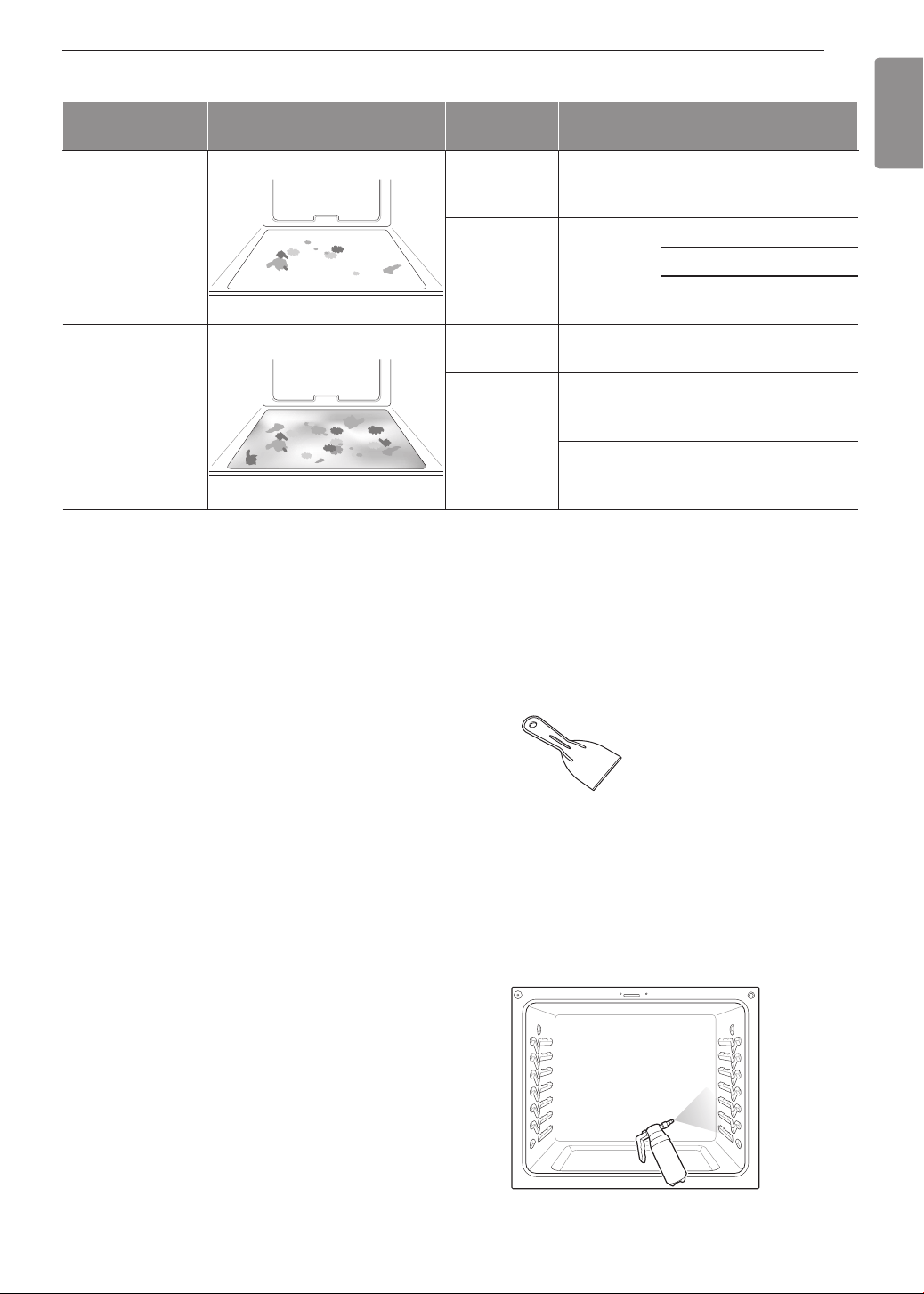
47
MAINTENANCE
ENGLISH
When to Use EasyClean
®
Suggested
Cleaning Method
Example of Oven Soiling Soil Pattern
Types of
Soils
Common Food Items
That Can Soil Your Oven
EasyClean
®
Small drops or
spots
Cheese
or other
ingredients
Pizza
Light splatter Fat/grease
Steaks, broiled
Fish, broiled
Meat roasted at low
temperatures
Self Clean*
Medium to
heavy splatter
Fat/grease
Meat roasted at high
temperatures
Drops or spots
Filling or
sugar based
soils
Pies
Cream or
tomato
sauce
Casseroles
* The Self Clean cycle can be used for soil that has been built up over time.
Cleaning Tips
•
Allow the oven to cool to room temperature before
using the EasyClean
®
cycle. If your oven cavity is
above 150 °F (65 °C), Hot will appear in the display,
and the EasyClean
®
cycle will not be activated until
the oven cavity cools down.
•
A plastic spatula can be used as a scraper to
scrape off any chunks or debris before and during
oven cleaning.
•
Using the rough side of a non-scratch scouring pad
may help to take off burnt-on stains better than a
soft sponge or towel.
•
Certain non-scratch scrubbing sponges, such as
those made of melamine foam, available at your
local stores, can also help improve cleaning.
•
The range should be level to ensure that the bottom
surface of the oven cavity is entirely covered by
water at the beginning of the EasyClean
®
cycle.
•
For best results, use distilled or filtered water. Tap
water may leave mineral deposits on the oven
bottom.
•
Soil baked on through several cooking cycles will
be more difficult to remove with the EasyClean
®
cycle.
•
Do not open the oven door during the EasyClean
®
cycle. Water will not get hot enough if the door is
opened during the cycle.
•
For hard to reach areas such as the back surface
of the oven, it is better to use the Self Clean cycle.
EasyClean
®
Instruction Guide
1
Remove oven racks and accessories from the
oven.
2
Scrape off and remove any burnt-on debris with
a plastic scraper.
Suggested plastic scrapers:
•
Hard plastic spatula
•
Plastic pan scraper
•
Plastic paint scraper
•
Old credit card
3
Fill a spray bottle with 1¼ cups (10 oz or 300 ml)
of water and use the spray bottle to thoroughly
spray the inside surfaces of the oven.
4
Use at least ¼ cup (2 oz or 60 ml) of the water
to completely saturate the soil on both the walls
and in the corners of the oven.
48
MAINTENANCE
5
Spray or pour the remaining 1 cup (8 oz or 250
ml) of water onto the bottom center of the oven
cavity. The indentation on the oven bottom
should be fully covered to submerge all soils.
Add water if necessary.
NOTE
Use the "mist" setting on the spray bottle for
better coverage. The entire 1¼ cup (10 oz or 300
ml) of water should be used for each oven cavity
cleaned. Do not spray water directly on the door.
Doing so will result in water dripping to the floor.
6
Close the oven door.
Turn the oven mode knob to select EasyClean
®
.
Press Start.
CAUTION
•
Some surfaces may be hot after the
EasyClean
®
cycle. Wear rubber gloves while
cleaning to prevent burns.
•
During the EasyClean
®
cycle, the oven
becomes hot enough to cause burns. Wait
until the cycle is over before wiping the inside
surface of the oven. Failure to do so may result
in burns.
•
Avoid leaning or resting on the oven door glass
while cleaning the oven cavity.
7
A tone will sound at the end of the 10 minute
cycle. Turn the oven mode knob to the Off
position to clear the display and end the tone.
8
After the cleaning cycle and during
hand-cleaning, enough water should remain
on the oven bottom to completely submerge all
soils. Add water if necessary. Place a towel on
the floor in front of the oven to capture any water
that may spill out during hand-cleaning.
9
Clean the oven cavity immediately after the
EasyClean
®
cycle by scrubbing with a wet,
non-scratch scouring sponge or pad. (The
scouring side will not scratch the finish.) Some
water may spill into the bottom vents while
cleaning, but it will be captured
in a pan under the oven cavity
and will not hurt the burner.
NOTE
Do not use any steel scouring pads, abrasive
pads or cleaners as these materials can
permanently damage the oven surface.
10
Once the oven cavity is cleaned, wipe any
excess water with a clean dry towel. Replace
racks and any other accessories.
11
If some light soils remain, repeat the above
steps, making sure to thoroughly soak the
soiled areas. If stubborn soils remain after
multiple EasyClean
®
cycles, run the Self
Clean cycle. Be sure that the oven cavity is
empty of oven racks and other accessories,
and that the oven cavity surface is dry before
running the Self Clean cycle. Consult the Self
Clean section of your owner’s manual for
further details.
NOTE
•
If you forget to saturate the inside of the oven
with water before starting EasyClean
®
, turn
the Oven mode knob to the Off position to end
the cycle. Wait for the range to cool to room
temperature and then spray or pour water into
the oven and start another EasyClean
®
cycle.
•
The cavity gasket may be wet when the
EasyClean
®
cycle finishes. This is normal. Do
not clean the gasket.
•
If mineral deposits remain on the oven bottom
after cleaning, use a cloth or sponge soaked in
vinegar to remove them.
•
It is normal for the fan to operate during the
EasyClean
®
cycle.
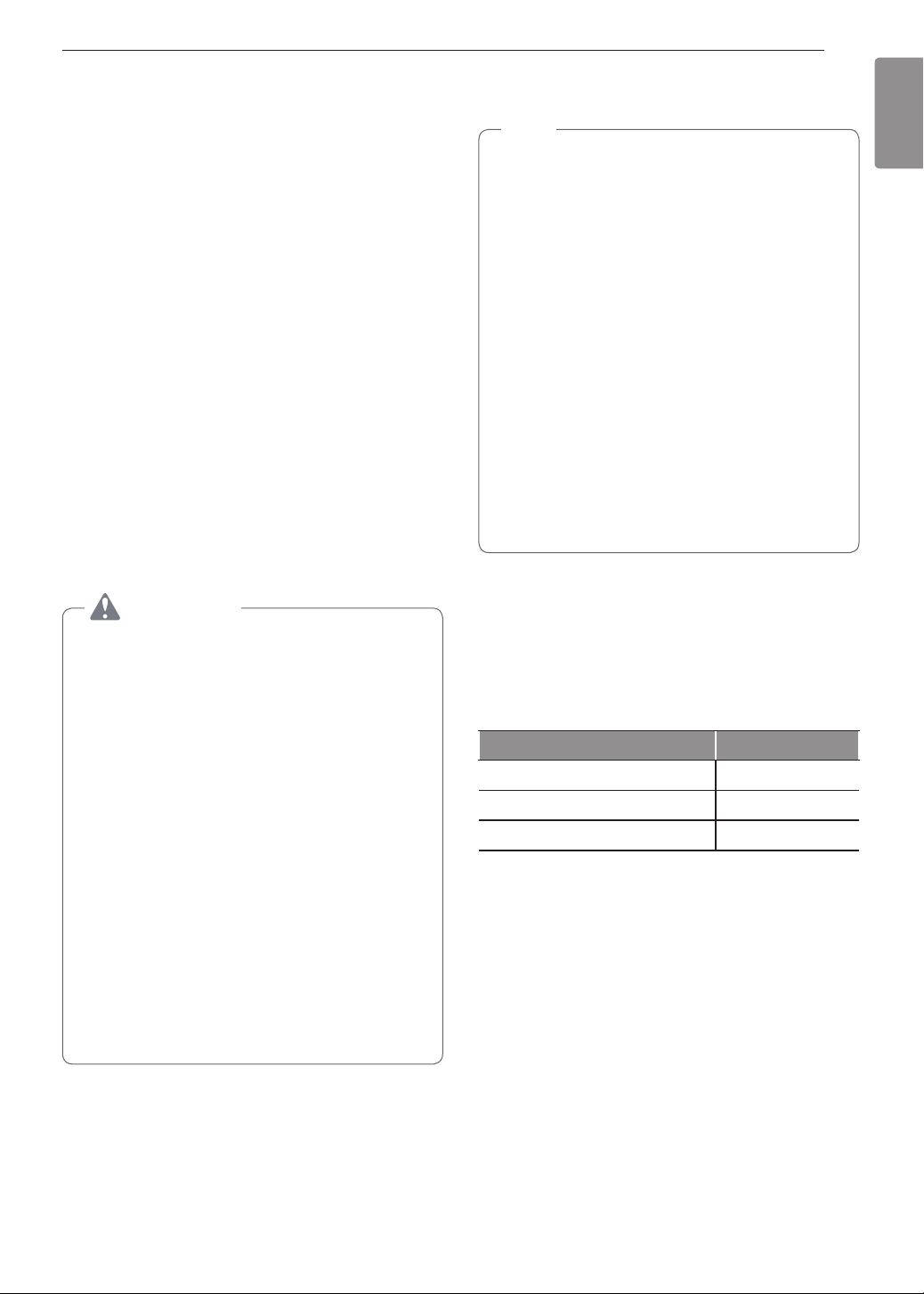
49
MAINTENANCE
ENGLISH
Self Clean
The Self Clean cycle uses extremely hot temperatures
to clean the oven cavity. While running the Self Clean
cycle, you may notice smoking or an odor. This is
normal; especially if the oven is heavily soiled.
During Self Clean, the kitchen should be well
ventilated to minimize the odors from cleaning.
Before Starting Self Clean
•
Remove the oven racks, broiler pan, broiler grid, all
cookware, aluminum foil or any other material from
the oven.
•
The kitchen should be well ventilated to minimize
the odors from cleaning.
•
Wipe any heavy spillovers on the bottom of the
oven.
•
Make sure that the oven light bulb cover is in place
and the oven light is off.
•
The oven light cannot be turned on during a Self
Clean cycle. The oven light cannot be turned on
until the oven temperature has cooled below
500 ˚F (260 ˚C) after a Self Clean cycle is complete.
CAUTION
•
Do not leave small children unattended near
the appliance. During the Self Clean cycle, the
outside of the range can become very hot to
the touch.
•
If you have pet birds, move them to another
well-ventilated room. The health of some birds
is extremely sensitive to the fumes given off
during the Self Clean cycle of any range.
•
Do not line the oven walls, racks, bottom or any
other part of the range with aluminum foil or
any other material. Doing so will destroy heat
distribution, produce poor baking results and
cause permanent damage to the oven interior
(aluminum foil will melt to the interior surface of
the oven).
•
Do not force the door open. This can damage
the automatic door locking system. Use care
when opening the oven door after the Self
Clean cycle. Stand to the side of the oven when
opening the door to allow hot air or steam to
escape. The oven may still be VERY HOT.
During the Self Clean cycle, the cooktop elements
and warming drawer cannot be used.
NOTE
•
Remove oven racks and accessories before
starting the Self Clean cycle.
•
If oven racks are left in the oven cavity during
the Self Clean cycle, they will discolor and
become difficult to slide in and out.
•
Clean the frame of the oven and door with hot
soapy water. Rinse well.
•
Do not clean the gasket. The fiberglass material
of the oven door gasket cannot withstand
abrasion. It is essential for the gasket to remain
intact. If you notice it becoming worn or frayed,
replace it.
•
Wipe up any heavy spillovers on the oven
bottom.
•
Make sure that the oven light bulb cover is in
place and the oven light is off.
•
It is normal for the fan to operate during the Self
Clean cycle.
Setting Self Clean
The Self Clean function has cycle times of 2, 3, or 5
hours.
Self Clean Soil Guide
Soil Level Cycle Setting
Lightly Soiled Oven Cavity 2-Hour Self Clean
Moderately Soiled Oven Cavity 3-Hour Self Clean
Heavily Soiled Oven Cavity 5-Hour Self Clean
1
Remove all racks and accessories from the
oven.
2
Turn the oven mode knob to select Self Clean.
The oven defaults to the recommended
three-hour self clean for a moderately soiled
oven. Press plus(+) or minus(-) to select a self
clean time from 2 to 5 hours.
3
Press Start.
4
Once the self-clean cycle is set, the oven door
locks automatically and the lock icon displays.
You will not be able to open the oven door
until the oven has cooled. The lock releases
automatically when the oven has cooled.
50
MAINTENANCE
CAUTION
Do not force the oven door open when the lock
icon is displayed. The oven door remains locked
until the oven temperature has cooled. Forcing
the door open will damage the door.
Setting Self Clean with a Delayed
Start
1
Remove all racks and accessories from the
oven.
2
Turn the oven mode knob to select Self Clean.
The oven defaults to the recommended
three-hour self clean for a moderately soiled
oven. Press plus(+) or minus(-) to select a self
clean time from 2 to 5 hours.
3
Press Start Time.
4
Press plus(+) or minus(-) to enter the time of
day you would like the Self Clean to start.
5
Press Start.
NOTE
It may become necessary to cancel or interrupt a
Self Clean cycle due to excessive smoke or fire in
the oven. To cancel the Self Clean function, turn
the oven mode knob to the Off position.
During Self Clean
•
The Self Clean cycle uses extremely hot
temperatures to clean the oven cavity. While
running the Self Clean cycle, you may notice
smoking or an odor. This is normal, especially if the
oven is heavily soiled.
•
As the oven heats, you may hear sounds of metal
parts expanding and contracting. This is normal
and will not damage the oven.
•
Do not force the oven door open when the lock
is displayed. The oven door remains locked until
the oven temperature has cooled. Forcing the door
open will damage the door.
After the Self Clean Cycle
•
The oven door remains locked until the oven
temperature has cooled.
•
You may notice some white ash in the oven. Wipe it
off with a damp cloth or a soap-filled steel wool pad
after the oven cools. If the oven is not clean after
one self-clean cycle, repeat the cycle.
•
If oven racks were left in the oven and do not slide
smoothly after a self-clean cycle, wipe racks and
rack supports with a small amount of vegetable oil
to make them glide more easily.
•
Fine lines may appear in the porcelain because it
went through heating and cooling. This is normal
and will not affect performance.
NOTE
•
The Self Clean cycle cannot be started if the
Lockout feature is active.
•
Once the Self Clean cycle is set, the oven door
locks automatically. You will not be able to open
the oven door until the oven is cooled. The lock
releases automatically.
•
Once the door has been locked, the lock
indicator light stops flashing and remains on.
Allow about 15 seconds for the oven door lock
to activate.
•
If the clock is set for a 12-hour display (default)
the Delayed Self Clean can never be set to
start more than 12 hours in advance.
•
After the oven is turned off, the convection
fan keeps operating until the oven has cooled
down.
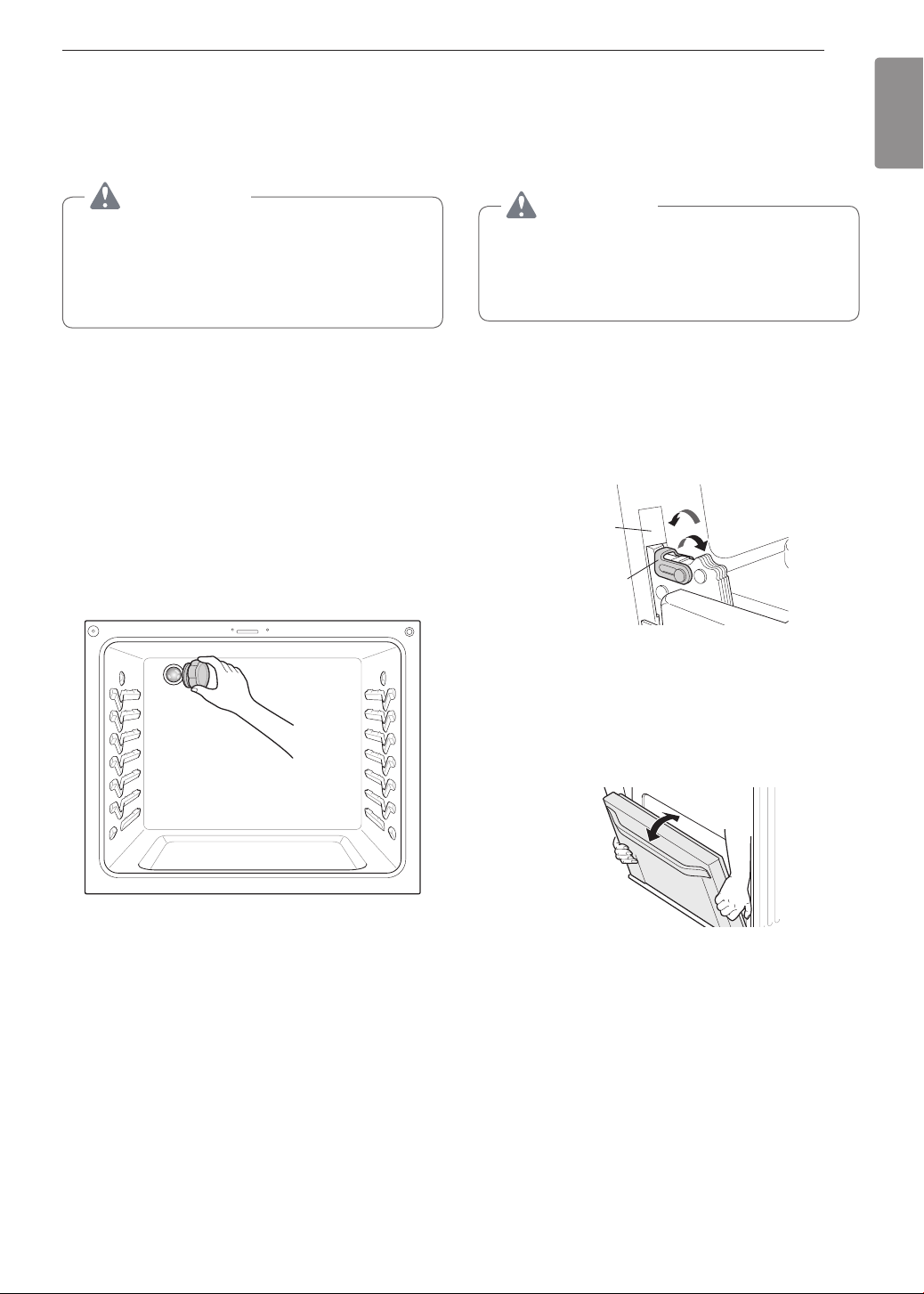
51
MAINTENANCE
ENGLISH
Changing the Oven Light
The oven light is a standard 40-watt appliance bulb. It
turns on when the oven door is open. When the oven
door is closed, press Light to turn it on or off.
WARNING
•
Make sure that the oven and bulb are cool.
•
Disconnect the electrical power to the range at
the main fuse or circuit breaker panel. Failure
to do so can result in severe personal injury,
death, or electrical shock.
1
Unplug the range or disconnect power.
2
Turn the glass bulb cover in the back of the oven
counterclockwise to remove.
3
Turn the bulb counterclockwise to remove it from
the socket.
4
Insert the new bulb and turn it clockwise.
5
Insert the glass bulb cover and turn it clockwise.
6
Plug in the range or reconnect the power.
Removing and Replacing
the Lift-Off Oven Doors and
Drawer
CAUTION
•
Be careful when removing and lifting the
door.
•
Do not lift the door by the handle. The door
is very heavy.
Removing the Door
1
Fully open the door.
2
Unlock the hinge locks, rotating them as far
toward the open door frame as they will go.
Slot
Lock
Unlock
Hinge
lock
3
Firmly grasp both sides of the door at the top.
4
Close the door to the removal position
(approximately five degrees) which is halfway
between the broil stop position and fully closed.
If the position is correct, the hinge arms will
move freely.
about 5°
5
Lift door up and out until the hinge arms are
clear of the slots.
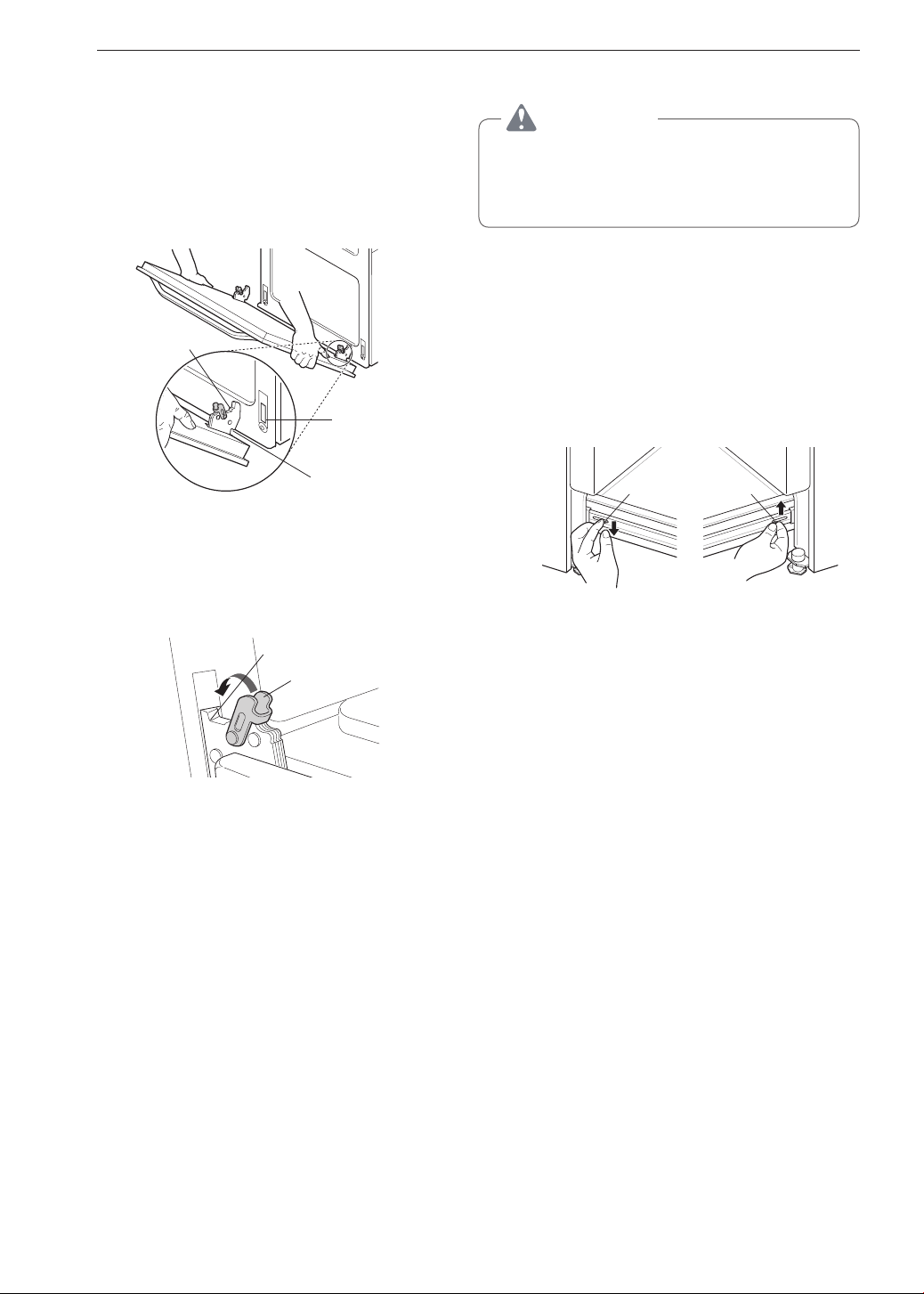
52
MAINTENANCE
Replacing the Door
1
Firmly grasp both sides of the door at the top.
2
With the door at the same angle as the removal
position, seat the indentation of the hinge arms
into the bottom edge of the hinge slots. The
notch in the hinge arms must be fully seated into
the bottom edge of the slots.
Hinge arm
Indentation
Bottom
edge of slot
3
Open the door fully. If the door will not open fully,
the indentation is not seated correctly in the
bottom edge of the slots.
4
Lock the hinge locks, rotating them back toward
the slots in the oven frame until they lock.
Hinge arm
Hinge lock
5
Close the oven door.
Removing the Drawer
CAUTION
Disconnect the electrical power to the range at
the main fuse or circuit breaker panel. Failure to
do so can result in severe personal injury, death,
or electrical shock.
Most cleaning can be done with the drawer in place;
however, the drawer may be removed if further
cleaning is needed. Use warm water to thoroughly
clean.
1
Fully open the drawer.
2
Locate the glide lever on each side of the
drawer. Push down on the left glide lever and
pull up on the right glide lever.
Lever
Push down with nger Pull up with nger
Lever
3
Pull the drawer away from the range.
Replacing the Drawer
1
Pull the bearing glides to the front of the chassis
glide.
2
Align the glide on each side of the drawer with
the glide slots on the range.
3
Push the drawer into the range until levers click
(approximately 2 inch).
4
Pull the drawer open again to seat bearing glides
into position.
53
TROUBLESHOOTING
ENGLISH
TROUBLESHOOTING
FAQs
What types of cookware are recommended for
use with the cooktop?
•
The pans must have a flat bottom and straight
sides.
•
Only use heavy- gauge pans.
•
The pan size must match the amount of food to be
prepared and the size of the surface element.
•
Use tight fitting lids.
•
Only use flat-bottom woks.
Why do the heating elements appear to be turning
ON and OFF during use of the cooktop or oven?
Depending on your cooktop element setting or the
temperature selected in your oven it is NORMAL for
the cooking elements to cycle on and off.
My new oven doesn’t cook like my old one. Is
there something wrong with the temperature
settings?
No, your oven has been factory tested and calibrated.
For the first few uses, follow your recipe times and
temperatures carefully. If you still think your new
oven is too hot or too cold, you can adjust the oven
temperature yourself to meet your specific cooking
needs. Refer to the Oven Temperature Adjustment
section in this manual for easy instructions on how to
adjust your thermostat.
Is it normal to hear a clicking noise coming from
the back of my oven when I am using it?
Your new range is designed to maintain a tighter
control over your oven’s temperature. You may hear
your oven’s heating elements click on and off more
frequently on your new oven. This is NORMAL.
Why is the colon in the clock flashing?
This means that the product has just been plugged
in, or that it has experienced a power interruption. To
clear the flashing colon in the clock, press any key or
reset the clock if needed.
During convection cooking the fan stops when I
open the door. Is that normal?
Yes, this is normal. When the door is opened, the
convection fan will stop until the door is closed.
Can I use aluminum foil to catch drippings in my
oven cavity?
Never use aluminum foil to line the bottom or sides of
the oven or the warming drawer. The foil will melt and
stick to the bottom surface of the oven and will not be
removable. Use a sheet pan placed on a lower oven
rack to catch drippings instead. (If foil has already
melted onto the bottom of the oven, it will not interfere
with the oven's performance.)
Can I use aluminum foil on the racks?
Do not cover racks with aluminum foil. Covering
entire racks with foil restricts air flow, leading to poor
cooking results. Use a sheet pan lined with foil under
fruit pies or other acidic or sugary foods to prevent
spillovers from damaging the oven finish.
CAUTION
Foil may be used to wrap food in the oven or
warming drawer, but do not allow the foil to come
into contact with the exposed heating/broiling
elements in the oven. The foil could melt or ignite,
causing smoke, fire, or injury.
Can I leave my racks in the oven when running a
Self Clean cycle?
No. Although it will not damage the racks, it will
discolor them and may make them hard to slide in
and out during use. Remove all items from the oven
before starting a Self Clean cycle.
What should I do if my racks are sticky and have
become hard to slide in and out?
Over time, the racks may become hard to slide in
and out. Apply a small amount of olive oil to the ends
of the racks. This will work as a lubricant for easier
gliding.
What should I do for hard to remove stains on my
cooktop?
The cooktop should be cleaned after every use to
prevent permanent staining. When cooking foods with
high sugar content, such as tomato sauce, clean the
stain off with a scraper while the cooktop is still warm.
Use an oven mitt when scraping to prevent burns.
Refer to the MAINTENANCE section of this owner's
manual for further instruction.

54
TROUBLESHOOTING
Why aren't the function buttons working?
Make sure that the range is not in Lockout mode.
The lock
will show in the display if Lockout is
activated. To deactivate Lockout, pressing Probe for
three seconds. The unlock melody sounds and Loc
appears in the display until the controls are unlocked.
My range is still dirty after running the
EasyClean
®
cycle. What else should I do?
The EasyClean
®
cycle only helps to loosen light soils
in your oven range to assist in hand-cleaning of your
oven. It does not automatically remove all soils after
the cycle. Some scrubbing of your oven range is
required after running the EasyClean
®
cycle.
I tried scrubbing my oven after running
EasyClean
®
, but some soils still remain. What can
I do?
The EasyClean
®
feature works best when the soils
are fully soaked and submerged in water before
running the cycle and during hand-cleaning. If soils
are not sufficiently soaked in water, it can negatively
affect the cleaning performance. Repeat the
EasyClean
®
process using sufficient water.
Sugar-based and certain greasy soils are especially
hard to clean. If some stubborn soils remain, use the
Self Clean feature to thoroughly clean your oven.
Soils on my oven walls are not coming off. How
can I get my walls clean?
Soils on the side and rear walls of your oven range
may be more difficult to fully soak with water. Try
repeating the EasyClean
®
process with more than
the ¼ cup (2 oz or 60 ml) spray recommended.
Will EasyClean
®
get all of the soils and stains out
completely?
It depends on the soil type. Sugar-based and certain
grease stains are especially hard to clean. Also, if
stains are not sufficiently soaked in water, this can
negatively affect cleaning performance. If stubborn
or built-up stains remain, use the Self Clean feature.
Refer to the Self Clean section of your owner's
manual.
Are there any tricks to getting some of the
stubborn soils out?
Scraping the soils with a plastic scraper before
and during hand-cleaning is recommended. Fully
saturating soils with water is also recommended.
However, certain types of soils are harder to clean
than others. For these stubborn soils, the Self Clean
cycle is recommended. Consult the Self Clean section
of your owner's manual for details.
Is it safe for my convection fan, broil burner or
heater element to get wet during EasyClean
®
?
Yes. The convection fan, broiler burner or heater
element may get a little wet during cleaning. However,
direct spray onto the broil burner and heater elements
is not necessary because these are self-cleaning
during regular use.
Do I need to use all 1¼ cups (10 oz or 300 ml) of
water for EasyClean
®
?
Yes. It is highly recommended that 1 cup (8 oz or
250 ml) of water be sprayed or poured on the bottom
and an additional ¼ cup (2 oz or 60 ml) of water
be sprayed on walls and other soiled areas to fully
saturate the soils for better cleaning performance.
I see smoke coming out of my oven range’s
cooktop vents during EasyClean
®
. Is this normal?
This is normal. This is not smoke. It is actually water
vapor (steam) from the water in the oven cavity. As
the oven heats briefly during EasyClean
®
, the water
in the cavity evaporates and escapes through the
oven vents.
How often should I use EasyClean
®
?
EasyClean
®
can be performed as often as you wish.
EasyClean
®
works best when your oven is LIGHTLY
soiled from such things as LIGHT grease splatter
and small drops of cheese. Please refer to the
EasyClean
®
section in your owner's manual for more
information.
What is required for EasyClean
®
?
A spray bottle filled with 1¼ cups (10 oz or 300 ml) of
water, a plastic scraper, a non-scratch scrubbing pad
and a towel. You should not use abrasive scrubbers
such as heavy-duty scouring pads or steel wool.
Except for a towel, all of the materials you need are
included in a special cleaning kit with your new range.
Is it safe for water to spill into the oven bottom
vents during cleaning?
Some water spillage into the oven bottom vents (gas
range) is okay. However, it is recommended to try
avoid spilling too much water into the vents.
55
TROUBLESHOOTING
ENGLISH
Before Calling for Service
Before you call for service, review this list. It may save you time and expense. The list includes common
occurrences that are not the result of defective workmanship or materials in this appliance.
Symptoms Possible Cause / Solutions
Top burners do not
light or do not burn
evenly.
•
Make sure that the electrical plug is inserted into a live, properly grounded outlet.
•
Remove the burners and clean them. Check the electrode area for burnt on food
or grease. See Cleaning Burner Heads/Caps in the MAINTENANCE section.
•
Make sure that the burner parts are installed correctly.
See Removing and Replacing the Gas Surface Burners in the MAINTENANCE
section.
Burner flames are
very large or yellow.
If the range is connected to LP gas, contact the technician who installed your
range or made the conversion.
Surface burners light
but the oven does not.
Make sure that the oven gas shut-off valve, located behind the range, is fully open.
Food does not bake
or roast properly.
•
Incorrect oven control settings. See Control Panel Overview in the OPERATION
section.
•
Incorrect rack position. See Removing and Replacing the Oven Racks in the
OPERATION section.
•
Incorrect cookware is being used. See Convection Bake in the OPERATION
section.
•
Oven thermostat needs adjustment.
•
See Adjusting the Oven Thermostat in the OPERATION section.
•
The Clock is not set correctly. See Changing Oven Settings in the OPERATION
section.
•
Aluminum foil used improperly in the oven. See Removing and Replacing the
Oven Racks.
Food does not broil
properly in the oven.
•
Incorrect oven control settings. See Control Panel Overview in the OPERATION
section.
•
The oven door is not closed. See Broil in the OPERATION section.
•
Aluminum foil used on the broiling pan and grid is not fitted properly.
Oven temperature is
too hot or too cold.
The oven thermostat needs adjustment. See Adjusting the Oven Thermostat in the
OPERATION section.
Clock and timer does
not work.
•
Make sure the electrical plug is inserted into a live, properly grounded outlet.
Replace the fuse or reset the circuit breaker.
•
Improper oven control settings. See Changing Oven Settings in the OPERATION
section.
Oven light does not
work.
•
The light bulb is loose or defective. Tighten or replace the bulb.
•
The plug on the range is not completely inserted in the electrical outlet. Make
sure the electrical plug is inserted into a live, properly grounded outlet.
Self Clean is not
working.
•
The oven temperature is too high to set a self clean operation. Allow the range to
cool down to room temperature and reset the controls.
•
Improper oven control settings. See Self Clean in the MAINTENANCE section.
“Crackling” or
“popping” sound.
•
This is the sound of the metal heating up and cooling down during both the
cooking and cleaning functions. This is normal.
56
TROUBLESHOOTING
Symptoms Possible Cause / Solutions
Too much smoke
during the Self Clean
cycle.
Too much soil in the oven. Open the windows to get rid of the smoke from the
room. Turn the oven mode knob to select Self Clean. Wait until the light goes off
before trying to open the oven door. Wipe up the excess soil and reset the clean
cycle.
The oven door does
not open after a Self
Clean cycle.
The oven temperature is too high. Wait up to one hour for it to cool down.
The oven door is
not clean after a Self
Clean cycle.
•
Incorrect oven control settings. See Self Clean in the MAINTENANCE section.
•
The oven was heavily soiled. Clean up heavy spills before beginning the Self
Clean cycle. Heavily soiled ovens may need either a longer Self Clean or two
Self Clean cycles.
Clean and door flash
in the display
•
The self clean cycle has been selected, but the door is not closed.
- Close the oven door.
"Loc" message
appears when you
want to cook.
The oven door is locked because the temperature inside of the oven is too high.
Press and hold Probe for three seconds.
Oven control beeps
and displays an F
error code.
•
Check the main gas shut-off valve or
the oven gas shut-off valve and call
for service.
•
Remove the power from the range
for five minutes and then reconnect
the power. If the function error code
repeats, call for service.
CODE CAUSE
F-3 Key short error
F-9 Oven not heating
The oven racks were
cleaned in a Self
Clean cycle.
Apply a small amount of vegetable oil to a paper towel and wipe the edges of the
oven racks. Do not use lubricant sprays.
Clock is flashing.
Power outage or surge. Reset the clock. If the oven was in use, you must reset
it by pressing the oven mode knob to the Off position. Reset the clock and any
cooking function.
“Burning” or “oily”
odor emitting from the
vent.
This is normal in a new oven and will disappear with use. To speed the process,
set a Self Clean cycle for a minimum of three hours. See Self Clean in the
MAINTENANCE section.
Strong odor.
An odor from the insulation around the inside of the oven is normal for the first few
times the oven is used.
Fan noise
•
A convection fan may automatically turn on and off.
- This is normal.
Fan operation
It is normal for the fan to operate periodically throughout a normal bake cycle in the
oven. This is to ensure even baking results.
Burners are not
lighting properly after
cleaning the cooktop
surface.
Make sure that the burner heads and caps are completely dry and properly
positioned.
When lighting just one
burner, clicking noise
is heard from all the
burners.
This is normal. Electric spark igniters from the burners cause the clicking noise. All
the spark igniters on the cooktop will activate when igniting just one burner.
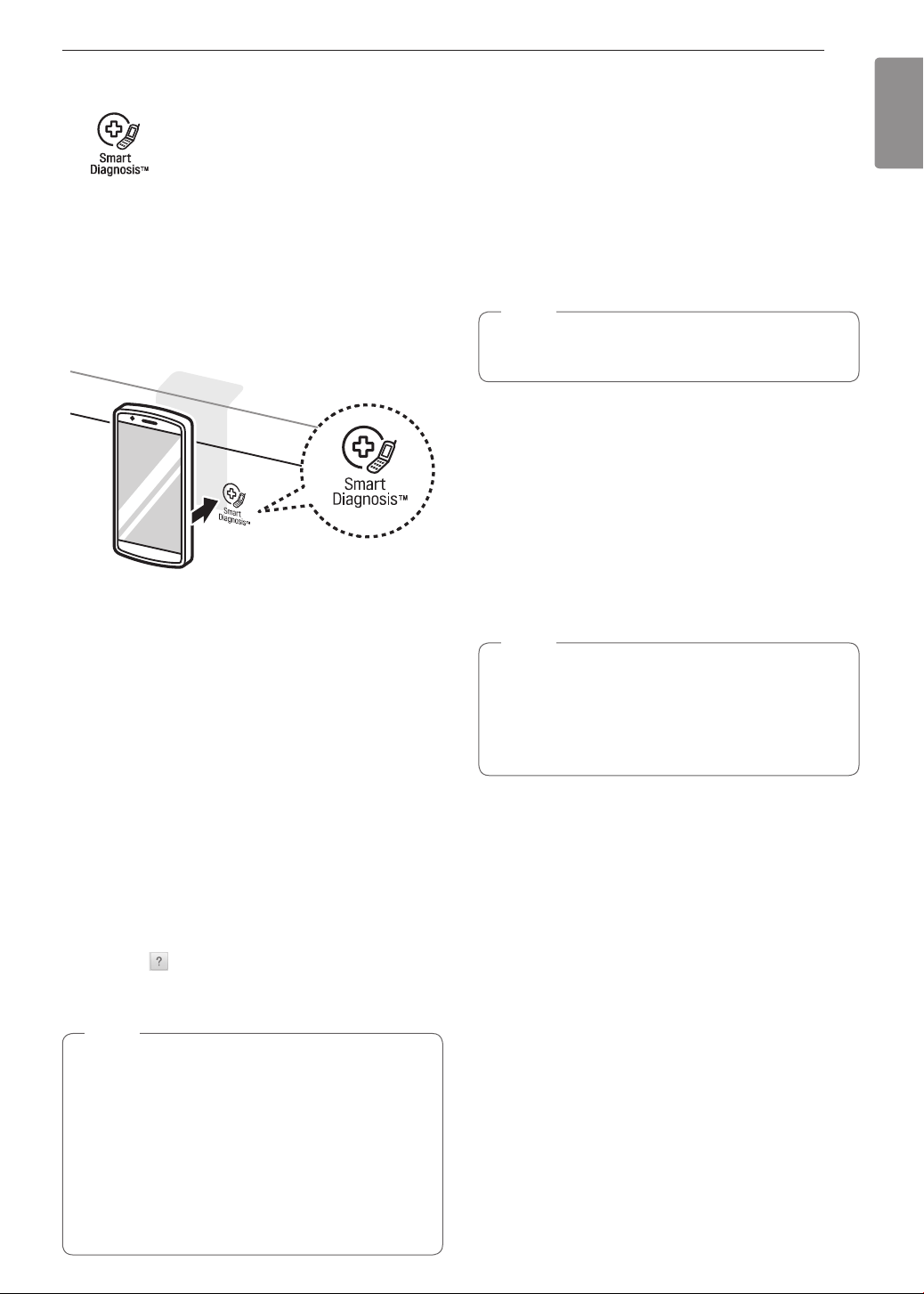
57
SMART DIAGNOSIS™
ENGLISH
SMART DIAGNOSIS™
Should you experience any problems with your range,
it has the capability of transmitting data to your smart
phone using the LG Smart ThinQ application or via
your telephone to the LG call center.
Smart Diagnosis™ cannot be activated unless your
range is turned on by pressing the Start button. If
your range is unable to turn on, then troubleshooting
must be done without using Smart Diagnosis™.
Using Smart Diagnosis™
Smart Diagnosis™ Using Your Smart
Phone
1
Download the LG Smart ThinQ application on
your smart phone.
2
Open the LG Smart ThinQ application on your
smart phone. Press Smart Diagnosis™ button to
advance to the next screen.
3
Follow directions of the application. Using ‘Tag
On’ is recommended but, if it does not work well,
the application will show how to use Audible
Diagnosis.
4
Press [ ] in the LG Smart ThinQ application
for a more detailed guide on how to use the Tag
On function.
NOTE
•
Call quality differences by region may affect the
function.
•
Use the home telephone for better
communication performance, resulting in better
service.
•
Bad call quality may result in poor data
transmission from your phone to the machine,
which could cause Smart Diagnosis™ to
malfunction.
Smart Diagnosis™ Through the Call
Center
1
Call the LG call center at: (LG U.S.) 1-800-243-
0000 (LG Canada) 1-888-542-2623.
2
When instructed to do so by the call center
agent, hold the mouthpiece of your phone over
the Smart Diagnosis™ logo on the machine.
Hold the phone no more than one inch from (but
not touching) the machine.
NOTE
Do not touch any other buttons or icons on the
display screen.
3
Press and hold the Start button for three
seconds.
4
Keep the phone in place until the tone
transmission has finished. This takes about 6
seconds and the display will count down the
time.
5
Once the countdown is over and the tones have
stopped, resume your conversation with the call
center agent, who will then be able to assist you
in using the information transmitted for analysis.
NOTE
•
For best results, do not move the phone while
the tones are being transmitted.
•
If the call center agent is not able to get an
accurate recording of the data, you may be
asked to try again.

58
WARRANTY
WARRANTY (USA)
Should your LG Gas Range fail due to a defect in materials or workmanship under normal home use, during the
warranty period set forth below, LG will at its option repair or replace the product. This limited warranty is valid
only to the original retail purchaser of the product and applies only when purchased and used within the United
States including U.S. Territories. Proof of original retail purchase is required to obtain warranty service under this
limited warranty.
Warranty Period Scope of Warranty HOW SERVICE IS HANDLED
Two (2) years from date of
original retail purchase
Parts and Labor
LG will provide parts and labor to repair or replace
defective parts.
•
Replacement products and parts are warranted for the remaining portion of the original warranty period or
ninety (90) days, whichever is greater.
•
Replacement products and parts may be new or remanufactured.
THIS WARRANTY IS IN LIEU OF ANY OTHER WARRANTY, EXPRESS OR IMPLIED, INCLUDING WITHOUT
LIMITATION, ANY WARRANTY OF MERCHANTABILITY OR FITNESS FOR A PARTICULAR PURPOSE. TO
THE EXTENT ANY IMPLIED WARRANTY IS REQUIRED BY LAW, IT IS LIMITED IN DURATION TO THE
EXPRESS WARRANTY PERIOD ABOVE. NEITHER THE MANUFACTURER NOR ITS U.S. DISTRIBUTOR
SHALL BE LIABLE FOR ANY INCIDENTAL, CONSEQUENTIAL, INDIRECT, SPECIAL, OR PUNITIVE
DAMAGES OF ANY NATURE, INCLUDING WITHOUT LIMITATION, LOST REVENUES OR PROFITS, OR
ANY OTHER DAMAGE WHETHER BASED IN CONTRACT, TORT, OR OTHERWISE.
Some states do not allow the exclusion or limitation of incidental or consequential damages or limitations on how
long an implied warranty lasts, so the above exclusion or limitation may not apply to you. This warranty gives you
specific legal rights and you may also have other rights that vary from state to state.
THIS LIMITED WARRANTY DOES NOT COVER:
•
Service trips to deliver, pick up, or install or repair the product; instruction to the customer on operation of
the product; repair or replacement of fuses or correction of wiring or plumbing, or correction of unauthorized
repairs/installation.
•
Failure of the product to perform during power failures and interruptions or inadequate electrical service.
•
Damage caused by leaky or broken water pipes, frozen water pipes, restricted drain lines, inadequate or
interrupted water supply or inadequate supply of air.
•
Damage resulting from operating the Product in a corrosive atmosphere or contrary to the instructions outlined
in the Product’s owner’s manual.
•
Damage to the Product caused by accidents, pests and vermin, lightning, wind, fire, floods, or acts of God.
•
Damage or failure caused by unauthorized modification or alteration, or if it is used for other than the intended
purpose, or any water leakage where the unit was not properly installed.
•
Damage or failure caused by incorrect electrical current, voltage, or plumbing codes, commercial or industrial
use, or use of accessories, components, or consumable cleaning products that are not approved by LG.
•
Damage caused by transportation and handling, including scratches, dents, chips, and/or other damage to the
finish of your product, unless such damage results from defects in materials or workmanship and is reported
within one (1) week of delivery.
•
Damage or missing items to any display, open box, discounted, or refurbished Product.
•
Products with original serial numbers that have been removed, altered, or cannot be readily determined. Model
and Serial numbers, along with original retail sales receipt, are required for warranty validation.
•
Increases in utility costs and additional utility expenses.
•
Repairs when your Product is used in other than normal and usual household use (e.g. commercial use, in
offices and recreational facilities) or contrary to the instructions outlined in the Product’s owner’s manual.
•
Costs associated with removal of your Product from your home for repairs.
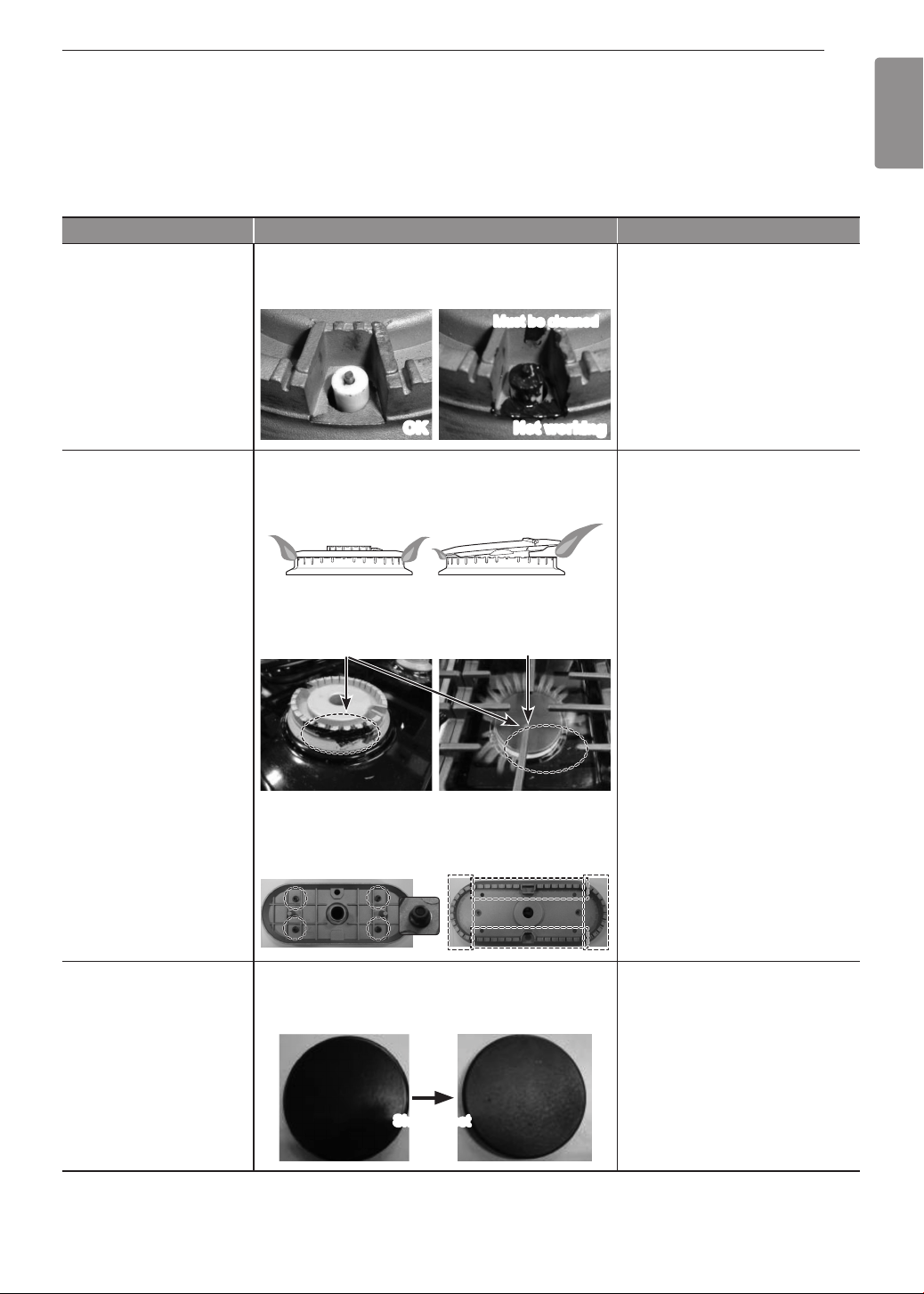
59
WARRANTY
ENGLISH
•
The removal and reinstallation of the Product if it is installed in an inaccessible location or is not installed in
accordance with published installation instructions, including LG’s owner’s and installation manuals.
•
Damage resulting from misuse, abuse, improper installation, repair, or maintenance. Improper repair includes
use of parts not approved or specified by LG.
Not Covered by Warranty
Problem Cause Prevention
•
Burners do not light Clogged or dirty burner ports or electrodes will
not allow the burner to operate properly
•
Check and clean the gas
electrode.
OK Not working
Must be cleaned
•
Uneven flame 1. Improper burner cap installation
•
Check installation of burner
head and cap
Burner cap is
properly seated.
Burner cap is NOT
properly seated.
2. Burner ports clogged by food residue
•
Hardened residue should be
removed using a toothbrush.
Ports blocked by dirt Flames uneven
* Oval burner
•
Oval burner
1) Release 4 nuts
2) Clean residue using
toothbrush
To clean: Release 4 nuts
Clean red part with toothbrush
•
Burner cap color
change and lost shine
1. Scratching
2. Use of detergent or abrasive cleansers
•
Do not use steel wool or
abrasive cleansers to clean.
•
To remove burnt-on food,
soak the burner heads in hot
water for 20–30 minutes. (Do
not use detergent)
Shine is lost
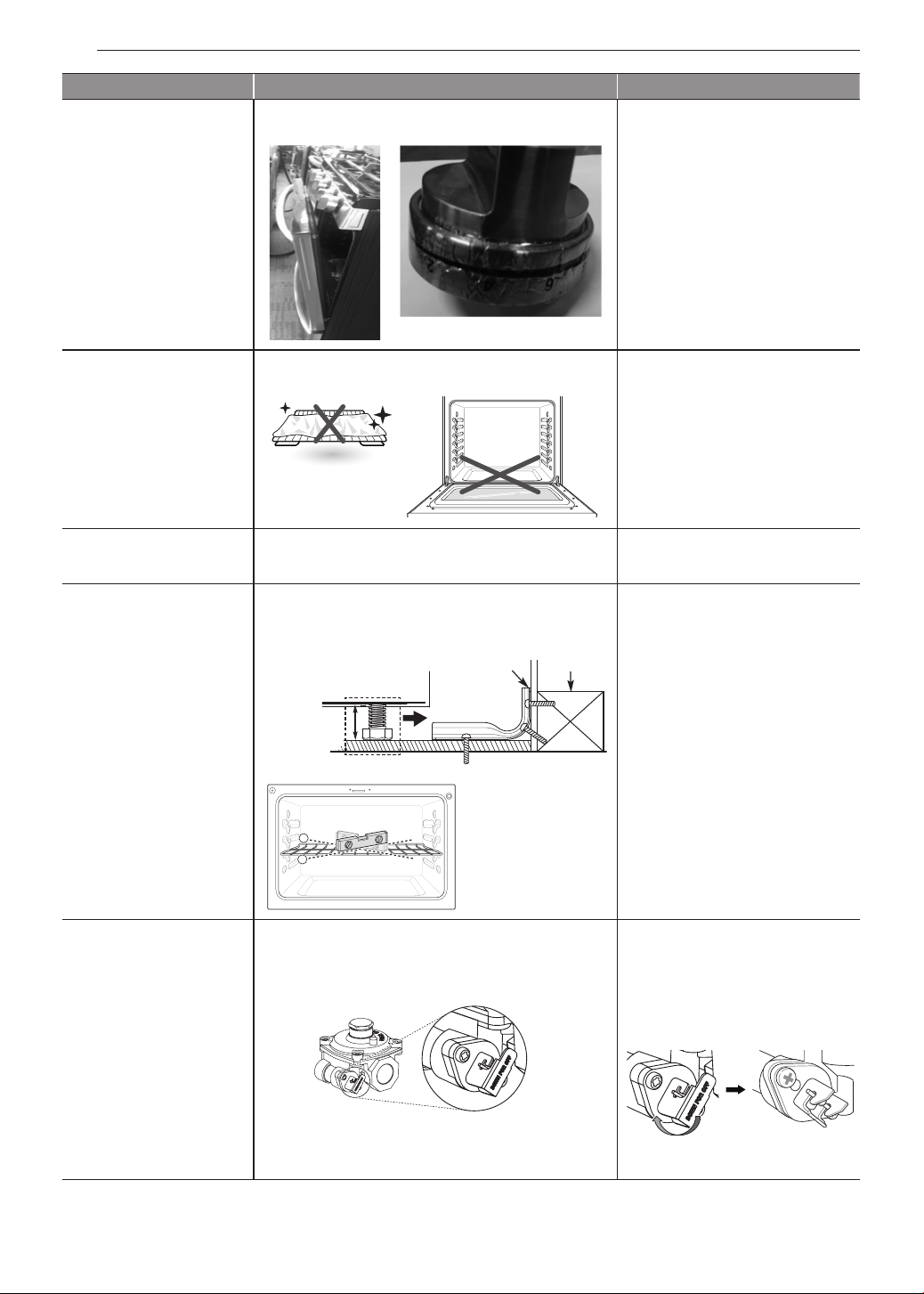
60
WARRANTY
Problem Cause Prevention
•
Knobs melt Improper usage
•
Do not leave door at stop
position during Broil/Bake
mode or right after cooking.
•
Oven or racks are
stained after using
aluminum foil
Aluminum foil has melted in the oven
•
Never cover the oven bottom
or cover an entire rack with
materials such as aluminum
foil.
•
If the foil has already melted
onto the oven, it will not
affect the performance of the
oven.
•
Flame or power is
weak
Gas pressure may be weak
•
Check with gas supplier first
•
Surface is not level
•
Oven is tipping
1. Range not leveled
2. Anti-tip device not installed correctly
•
Check with installer first
Anti-tip bracket
Approximately
0.65"
(16.5 mm)
Level both sides of range
Screw must
enter wood or
concrete
Wall plate
1
2
Use carpenter’s level to
check level.
•
Oven shows error
code (F9, F19) but
cooktop burners are
working.
The gas pressure regulator valve is closed.
•
Check that the regulator
valve is in the open position.
•
If the regulator valve
is
closed, rotate the lever to
open the valve.
Lever’s closed position
Lever’s open
position
Lever’s closed
position
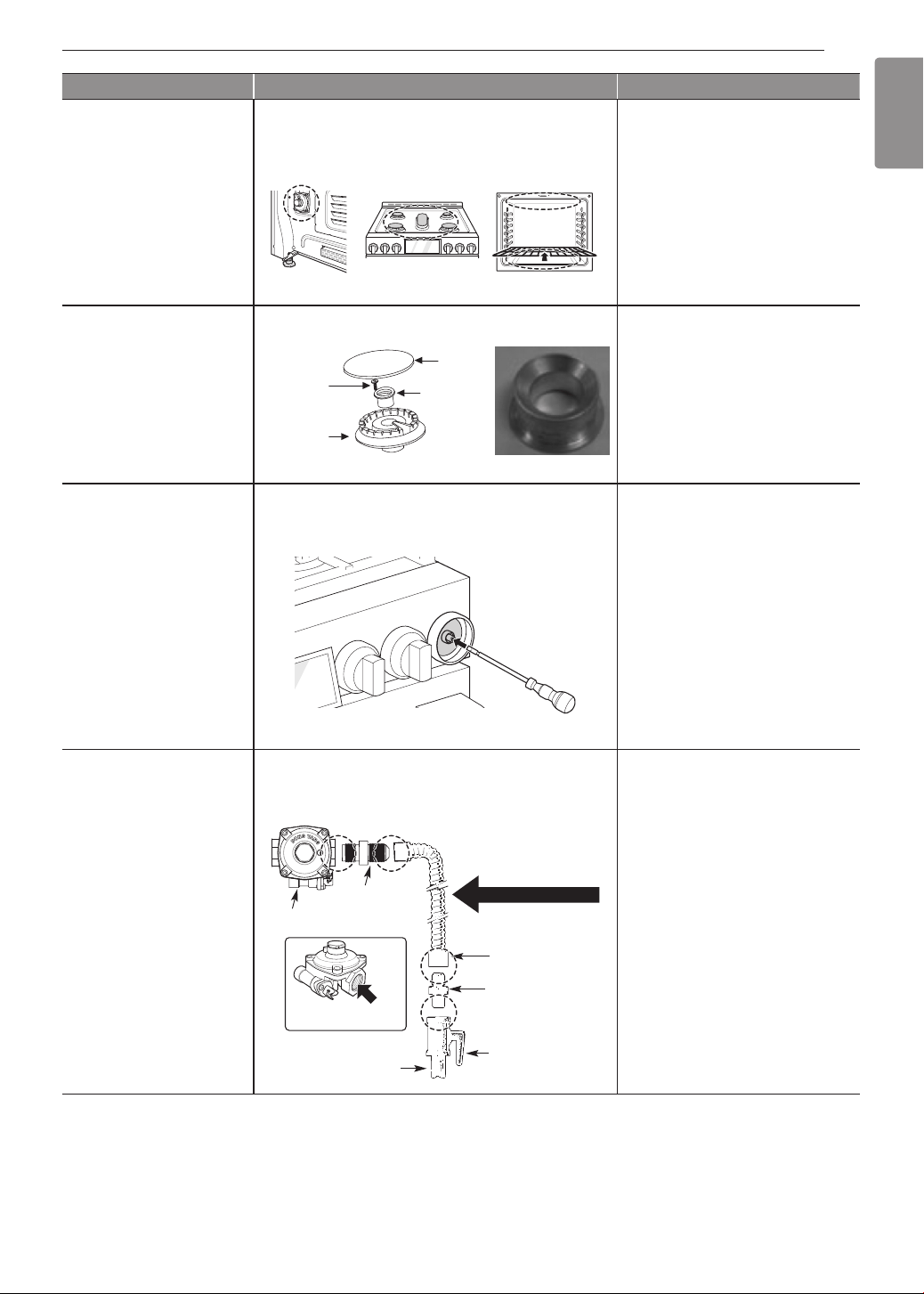
61
WARRANTY
ENGLISH
Problem Cause Prevention
•
Flames too bigon
converted cooktop
(NP
LP)
The installer missed part of the conversion.
(Check 3 parts: regulator, cooktop valve, broil/
bake valve.)
•
Check with installer first
•
Refer to installation manual
regulator
cooktop valve broil/bake valve
17K/18.5K burner needs choke.
•
Check with installer first
•
Refer to installation manual
choke
Burner
cap
Set Screw
Burner
base
Choke
•
Flame is too small or
too large
1. Variable gas pressure
2. Installer did not check
•
Check with installer first
Center adjustment screw
•
Gas smell Improper connection
•
Check with installer first
1
/
2
" Adapter
1
/
2
" Adapter
Pressure regulator
Flex connector
(6 ft. max.)
Adapter
Gas shut-off
valve
1
/
2
" or
3
/
4
" Gas
pipe
Gas Flow into Range
Flexible Connector Hookup

62
WARRANTY
The cost of repair or replacement under these excluded circumstances shall be borne by the consumer.
OBTAIN WARRANTY SERVICE AND ADDITIONAL INFORMATION
If you do not have access to the internet and you need assistance using your product or you would like to
schedule service, you may contact LG Electronics at the number below.
For assistance or service, call 1-800-243-0000.
If you need further assistance, you can write to LG with any questions or concerns at the address below:
LG Electronics, 201 James Record Road, Huntsville, Alabama 35813
For additional product information, visit our website at http://www.lg.com

LG Customer Information Center
Register your product Online!
www.lg.com
1-800-243-0000
USA
1-888-542-2623
CANADA
Printed in Korea