

Welcome to the world of Mercedes-Benz
Before you first drive off, read this Operator's
Manual carefully and familiarize yourself with
your vehicle. For your own safety and a longer
operating lifespan, follow the instructions and
warning notices in this Operator's Manual. Disre‐
garding them may lead to damage to the vehicle
or personal injury.
Vehicle damage resulting from the disregard of
the instructions is not covered by the Mercedes-
Benz Limited Warranty.
The equipment or model designation of your
vehicle may vary according to:
R
Model
R
Order
R
National version
R
Availability
Mercedes-Benz reserves the right to introduce
changes in the following areas:
R
Design
R
Equipment
R
Technical features
The equipment in your vehicle may therefore dif‐
fer from that shown in the descriptions and illus‐
trations.
The following are integral parts of the vehicle:
R
Digital Operator's Manual
R
Printed Operator's Manual
R
Maintenance Booklet
R
equipment-dependent Supplements
Keep these documents in the vehicle at all
times. If you sell the vehicle, always pass all of
the documents on to the new owner.
Mercedes-Benz USA, LLC
Mercedes-Benz Canada, Inc.
A Daimler Company
2905846200
2905846200

At a glance .................................................... 6
Cockpit ........................................................... 6
Warning and indicator lamps ........................ 10
Overhead control panel ................................ 12
Door control panel and seat adjustment ....... 14
Emergencies and breakdowns ...................... 16
Digital Operator's Manual ......................... 18
Calling up the Digital Operator's Manual ...... 18
General notes ............................................. 19
Protecting the environment .......................... 19
Genuine Mercedes-Benz parts ...................... 20
Operator's Manual ........................................ 20
Service and vehicle operation ....................... 21
Operating safety ........................................... 22
Declaration of conformity for wireless
vehicle components ...................................... 24
Diagnostics connection ................................ 24
Qualified specialist workshop ....................... 25
Correct use of the vehicle ............................ 25
Information on the REACH regulation ........... 25
Problems with your vehicle ........................... 26
Reporting safety defects ............................... 26
Limited Warranty .......................................... 26
QR code for rescue card ............................... 27
Data storage ................................................. 27
Copyright ...................................................... 30
Occupant safety ......................................... 32
Restraint system ........................................... 32
Seat belts ..................................................... 35
Airbags ......................................................... 39
PRE-SAFE
®
system ....................................... 46
Safely transporting children in the vehi‐
cle ................................................................ 48
Notes on pets in the vehicle ......................... 62
Opening and closing .................................. 63
SmartKey ...................................................... 63
Doors ............................................................ 68
Cargo compartment ...................................... 71
Sun blind ...................................................... 77
Side windows ............................................... 77
Sliding sunroof .............................................. 81
Anti-theft protection ..................................... 84
Seats and stowing ..................................... 86
Notes on the correct driver's seat posi‐
tion ............................................................... 86
Seats ............................................................ 87
Steering wheel .............................................. 95
Easy entry and exit feature ........................... 96
Operating the memory function .................... 97
Stowage areas .............................................. 98
Cup holder .................................................. 105
Ashtray and cigarette lighter ....................... 107
Sockets ....................................................... 108
Wireless charging of the mobile phone
and connection with the exterior antenna ... 111
Installing/removing the floor mats .............. 113
Light and visibility .................................... 115
Exterior lighting ........................................... 115
Interior lighting ........................................... 120
Windshield wiper and windshield washer
system ........................................................ 121
Mirrors ........................................................ 123
Operating the sun visors ............................. 126
Infrared reflective windshield function ........ 126
2
Contents

Climate control ......................................... 128
Overview of climate control systems .......... 128
Operating the climate control system ......... 129
Driving and parking ................................. 135
Driving ........................................................ 135
DYNAMIC SELECT switch ............................ 147
Automatic transmission .............................. 149
Function of the 4MATIC .............................. 153
Refueling .................................................... 154
Parking ....................................................... 156
Driving and driving safety systems ............. 165
Vehicle towing instructions ......................... 223
Instrument Display and on-board
computer .................................................. 224
Instrument Display overview ....................... 224
Overview of the buttons on the steering
wheel .......................................................... 225
Operating the on-board computer .............. 225
Setting the design ...................................... 227
Setting the additional value range .............. 227
Overview of displays on the multifunc‐
tion display ................................................. 228
Adjusting the instrument lighting ............... 229
Menus and submenus ................................ 229
Head-up Display ......................................... 237
Voice Control System .............................. 240
Notes on operating safety ........................... 240
Operation ................................................... 240
Using the Voice Control System effec‐
tively ........................................................... 242
Essential voice commands .......................... 242
Multimedia system .................................. 248
Overview and operation .............................. 248
System settings .......................................... 257
AMG TRACK PACE ...................................... 267
Fit & Healthy ............................................... 271
Navigation .................................................. 273
Telephone ................................................... 298
Online and Internet functions ...................... 319
Media ......................................................... 325
Radio .......................................................... 338
Sound ......................................................... 342
Rear touchscreen ....................................... 345
Maintenance and care ............................. 350
ASSYST PLUS service interval display ........ 350
Engine compartment .................................. 351
Cleaning and care ....................................... 357
Breakdown assistance ............................ 366
Emergency .................................................. 366
Flat tire ....................................................... 366
Battery (vehicle) .......................................... 372
Tow starting or towing away ....................... 377
Electrical fuses ........................................... 382
Wheels and tires ...................................... 386
Notes on noise or unusual handling char‐
acteristics ................................................... 386
Notes on regularly inspecting wheels and
tires ............................................................ 386
Notes on snow chains ................................ 387
Tire pressure .............................................. 388
Loading the vehicle .................................... 393
Tire labeling ................................................ 398
Definition of terms for tires and loading ..... 403
Changing a wheel ....................................... 406
Contents
3
Technical data ........................................... 416
Notes on technical data .............................. 416
Vehicle electronics ...................................... 416
Vehicle identification plate, VIN and
engine number ............................................ 418
Operating fluids .......................................... 420
Vehicle data ................................................ 426
Display messages and warning/indi‐
cator lamps .............................................. 428
Display messages ....................................... 428
Warning and indicator lamps ....................... 474
Index ......................................................... 488
4
Contents

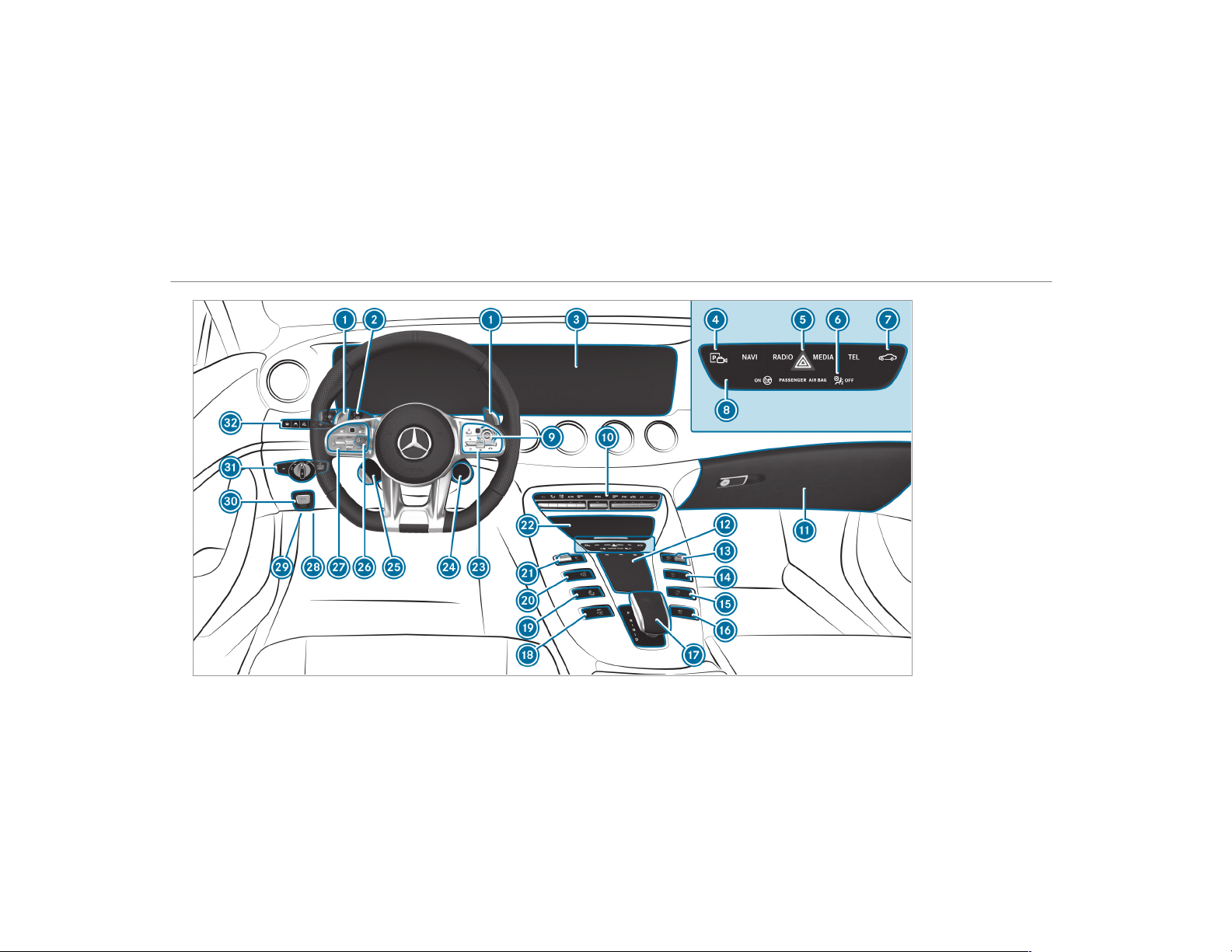
Left-hand-drive vehicles
6
At a glance – Cockpit

1
Steering wheel paddle shifters
→
151
2
Combination switch
→
116
3
Multimedia system display
→
248
4
Active Parking Assist
→
211
5
Hazard warning lamps
→
117
6
PASSENGER AIR BAG indicator lamp
→
44
7
Calls up vehicle functions
→
253
8
Control panel for the multimedia system
→
249
9
Start/stop button
→
136
A
Climate control systems
→
129
B
Glove box
→
100
C
Control elements for the multimedia system
→
248
D
Control knob for volume and switches sound
on/off
→
248
Switches the multimedia system on/off
→
248
E
ECO start/stop function
→
142
F
Adjusts the rear wing
→
193
G
AMG Performance exhaust system
→
146
H
AMG E-SELECT selector lever
→
149
I
Activates/deactivates ESP
®
→
167
J
AMG adaptive sport suspension system
→
195
K
Manual gearshifting (permanent setting)
→
151
L
DYNAMIC SELECT switch
→
147
M
Stowage compartment
→
100
N
Control panel for the multimedia system
(steering wheel)
→
225
O
AMG DRIVE UNIT actuator
→
193
P
AMG DRIVE UNIT buttons
→
193
Q
Adjusts the steering wheel
→
95
Switches the steering wheel heater on or off
→
96
R
Control panel for the on-board computer
→
225
Operates cruise control
→
176
Operates Active Distance Assist DISTRONIC
→
179
S
Diagnostics connection
→
24
At a glance – Cockpit
7

T
Opens the hood
→
351
U
Electric parking brake
→
162
V
Light switch
→
115
W
Control panel for:
Active Steering Assist
→
185
Active Lane Keeping Assist
→
222
Parking Assist PARKTRONIC
→
203
Head-up Display
→
238
Rear window roller sunblind
→
77
Sets the vehicle level
→
198
8
At a glance – Cockpit

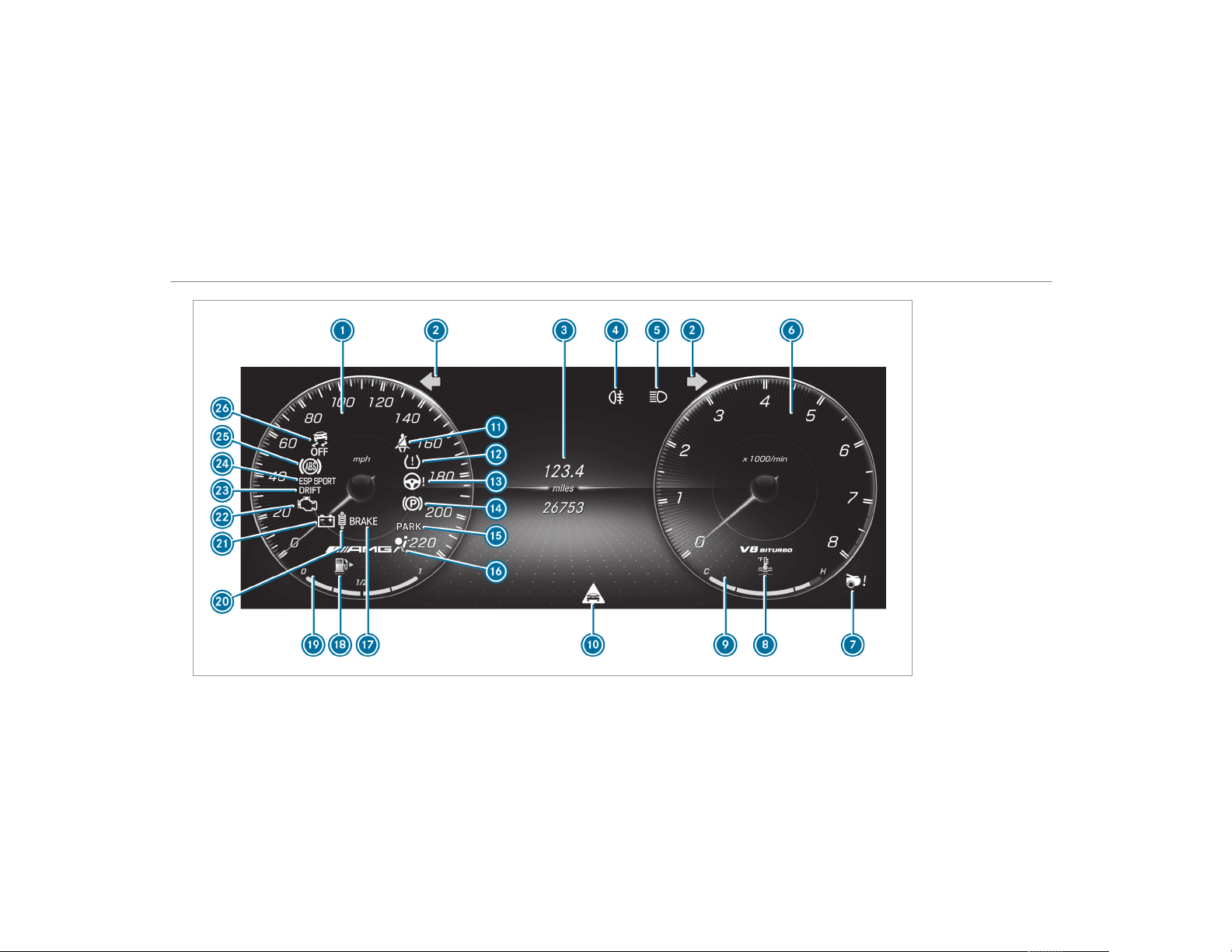
Instrument Display
10
At a glance – Warning and indicator lamps

1
Speedometer
→
224
2
#! Turn signal lights
→
116
3
Multifunction display
→
228
4
R Rear fog light
→
116
5
K High beam
→
116
L Low beam
→
115
T Parking lights
→
115
6
Tachometer
→
224
7
Rear wing
→
194
8
? Coolant too hot/cold
→
483
9
Coolant temperature gauge
→
224
A
L Distance warning
→
482
B
ü Seat belt not fastened
→
481
C
h Tire pressure monitoring system
→
486
D
Ð Power-assisted steering malfunctioning
→
482
E
! Electric parking brake (yellow)
→
475
F
Electric parking brake applied (red)
→
475
F USA only
! Canada only
G
6 Restraint system
→
33
H
Brakes (red)
→
475
$ USA only
J Canada only
I
8 Fuel reserve with fuel filler flap location
indicator
→
483
J
Fuel level indicator
K
à AMG adaptive sport suspension system
→
482
L
# Electrical malfunction
→
483
M
; Check Engine
→
483
N
DRIFT MODE
→
191
O
±M ESP SPORT
→
475
P
! ABS malfunctioning
→
475
Q
å ESP
®
OFF
→
475
At a glance – Warning and indicator lamps
11
12
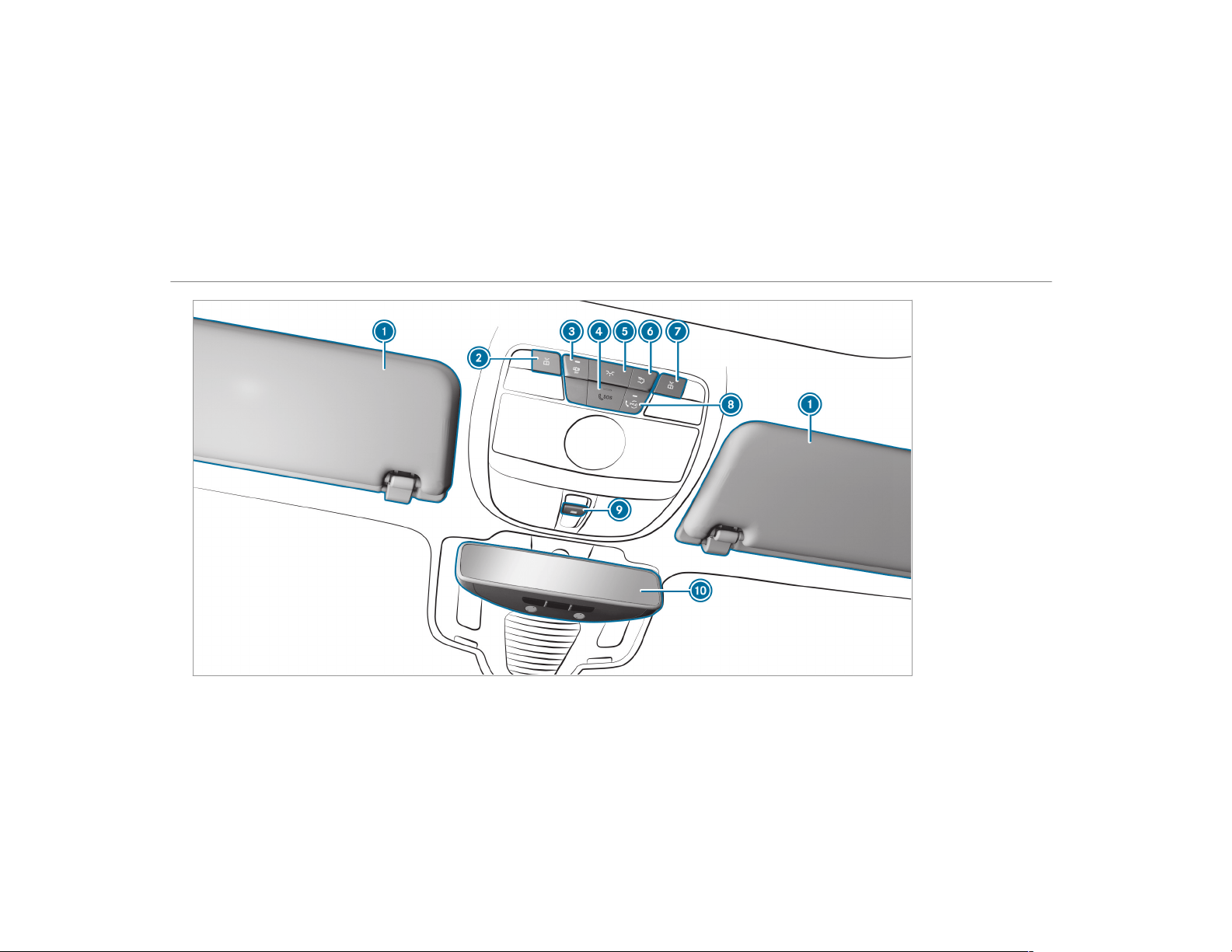
At a glance – Overhead control panel

1
Sun visors
→
126
2
p Switches the left-hand reading lamp
on/off
→
120
3
S Switches automatic light control on/off
→
120
4
SOS emergency call system (Mercedes-Benz
emergency call system)
→
315
5
c Switches the front interior lighting
on/off
→
120
6
u Switches the rear interior lighting
on/off
→
120
7
p Switches the right-hand reading lamp
on/off
→
120
8
Service call button (Mercedes me connect)
→
315
9
3 Opens/closes the sliding sunroof
→
81
A
Inside rearview mirror
→
124
At a glance – Overhead control panel
13
14
At a glance – Door control panel and seat adjustment

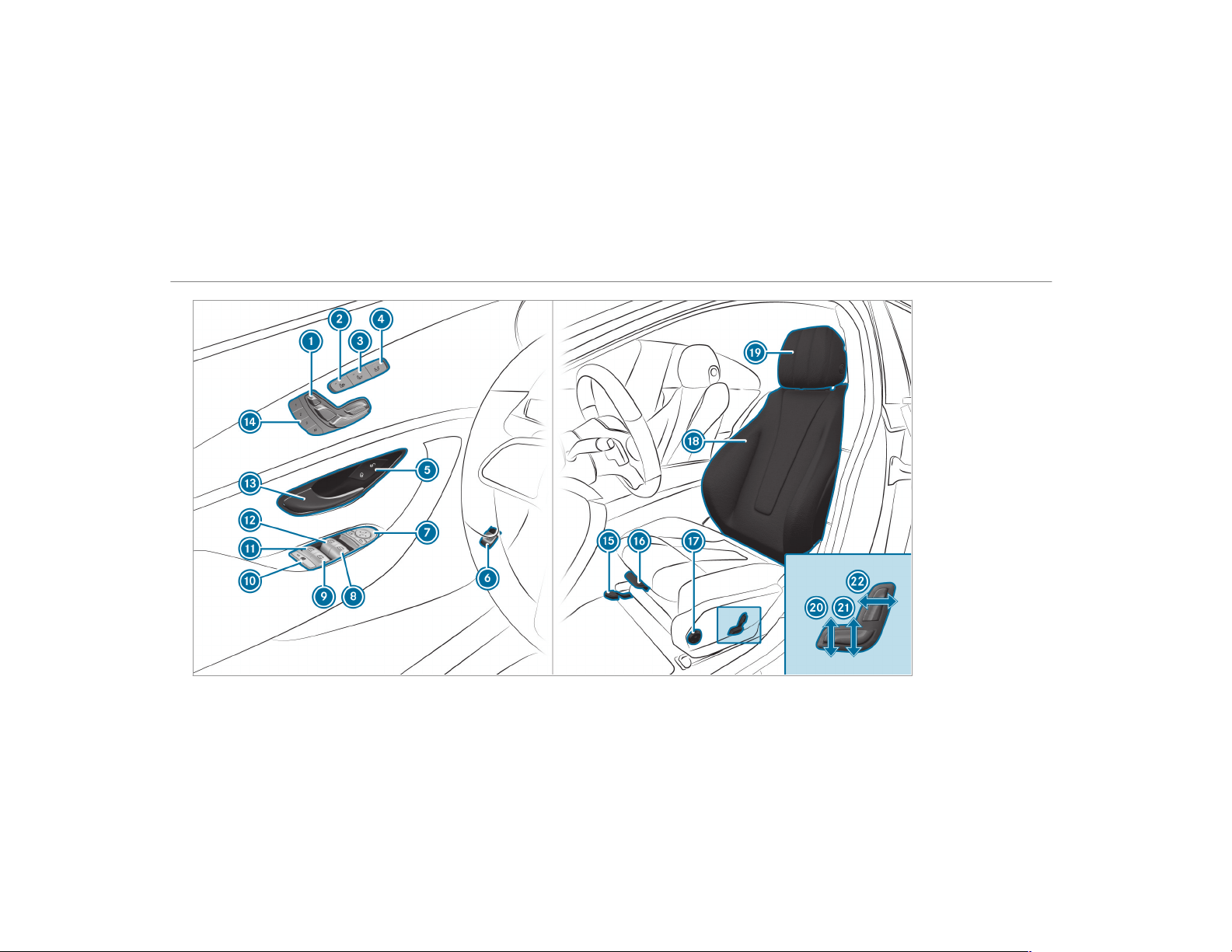
1
Adjusts the seats electrically
→
89
2
Switches the seat heater on/off
→
93
3
Switches the seat ventilation on/off
→
95
4
Adjusts the front passenger seat from the
driver's seat
→
89
5
& % Locks/unlocks the vehicle
→
68
6
Opens/closes the tailgate
→
71
7
Operates the outside mirror s
→
123
8
W Opens/closes the right side window
→
77
9
W Opens/closes the rear right side win‐
dow
→
77
A
Child safety lock for the rear side windows
→
61
B
W Opens/closes the rear left side window
→
77
C
W Opens/closes the left side window
→
77
D
Opens the door
→
68
E
Operates the memory function
→
97
F
Sets the seat fore-and-aft position
→
87
G
Adjusts the seat cushion length
→
87
H
Adjusts the 4-way lumbar support
→
87
I
Seat adjustment using the multimedia system
→
92
J
Adjusts the head restraints
→
90
K
Adjusts the seat cushion inclination
→
87
L
Adjusts the seat height
→
87
M
Adjusts the seat backrest inclination
→
87
At a glance – Door control panel and seat adjustment
15
16
At a glance – Emergencies and breakdowns

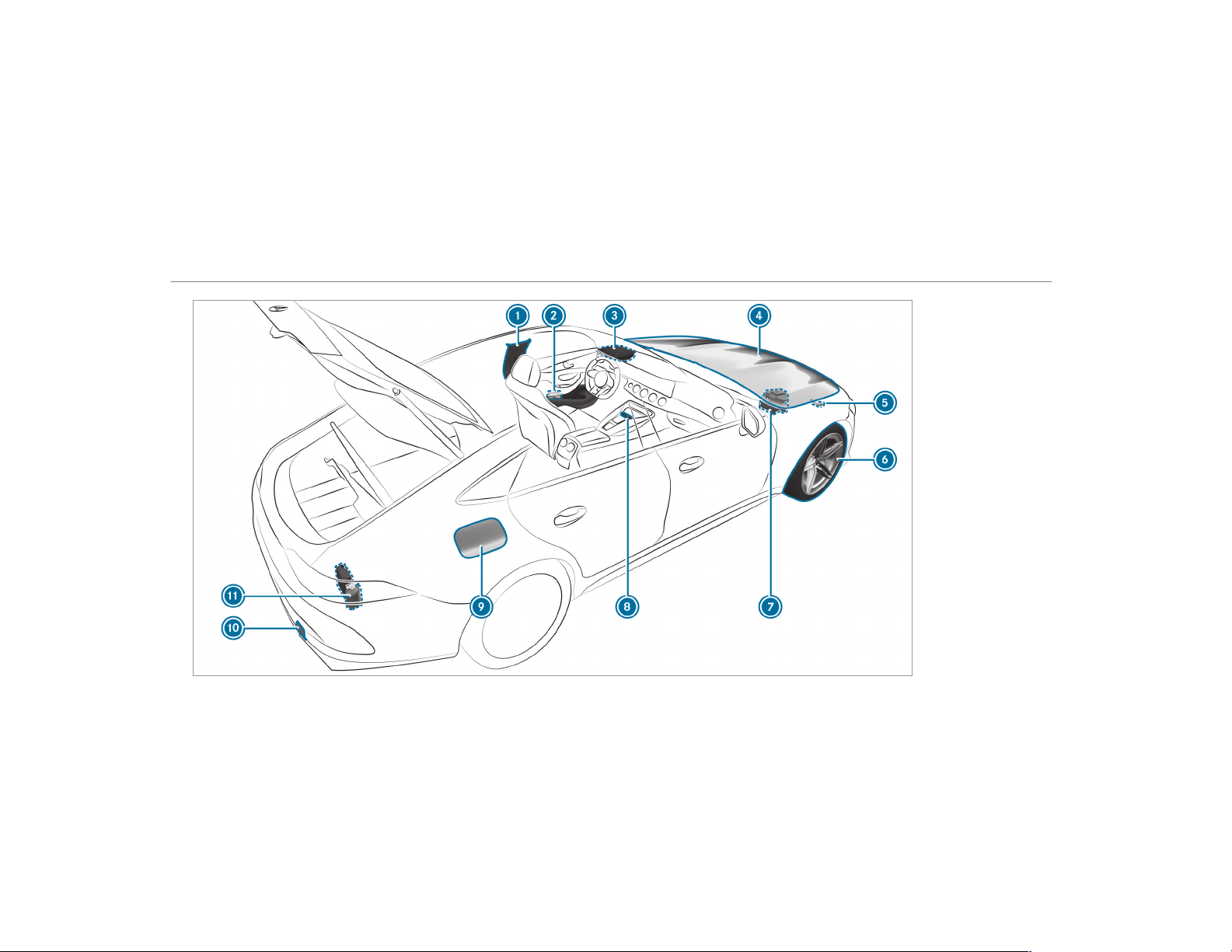
1
QR code for accessing the rescue card
→
27
2
Safety vests
→
366
3
Buttons for the SOS emergency call system
and breakdown assistance call
→
315
4
To check and top up operating fluids
→
420
5
To tow-start and tow away
→
377
6
Flat tire
→
366
7
Jump-starting
→
376
8
Hazard warning lamps
→
117
9
Fuel filler flap with instruction labels for tire
pressure, fuel type and QR code for accessing
the rescue card
→
154
A
To tow-start and tow away
→
377
B
TIREFIT kit
→
368
At a glance – Emergencies and breakdowns
17
Calling up the Digital Operator's Manual
Multimedia system:
,
Vehicle
.
Õ Operator's Manual
#
Select a menu item.
In addition, you can also call up the Operator's
Manual within a main function (e.g. via Naviga-
tion Info).
The Digital Operator's Manual describes the
function and operation of the vehicle and the
multimedia system.
For safety reasons, the Digital Operator's Man‐
ual is deactivated while driving.
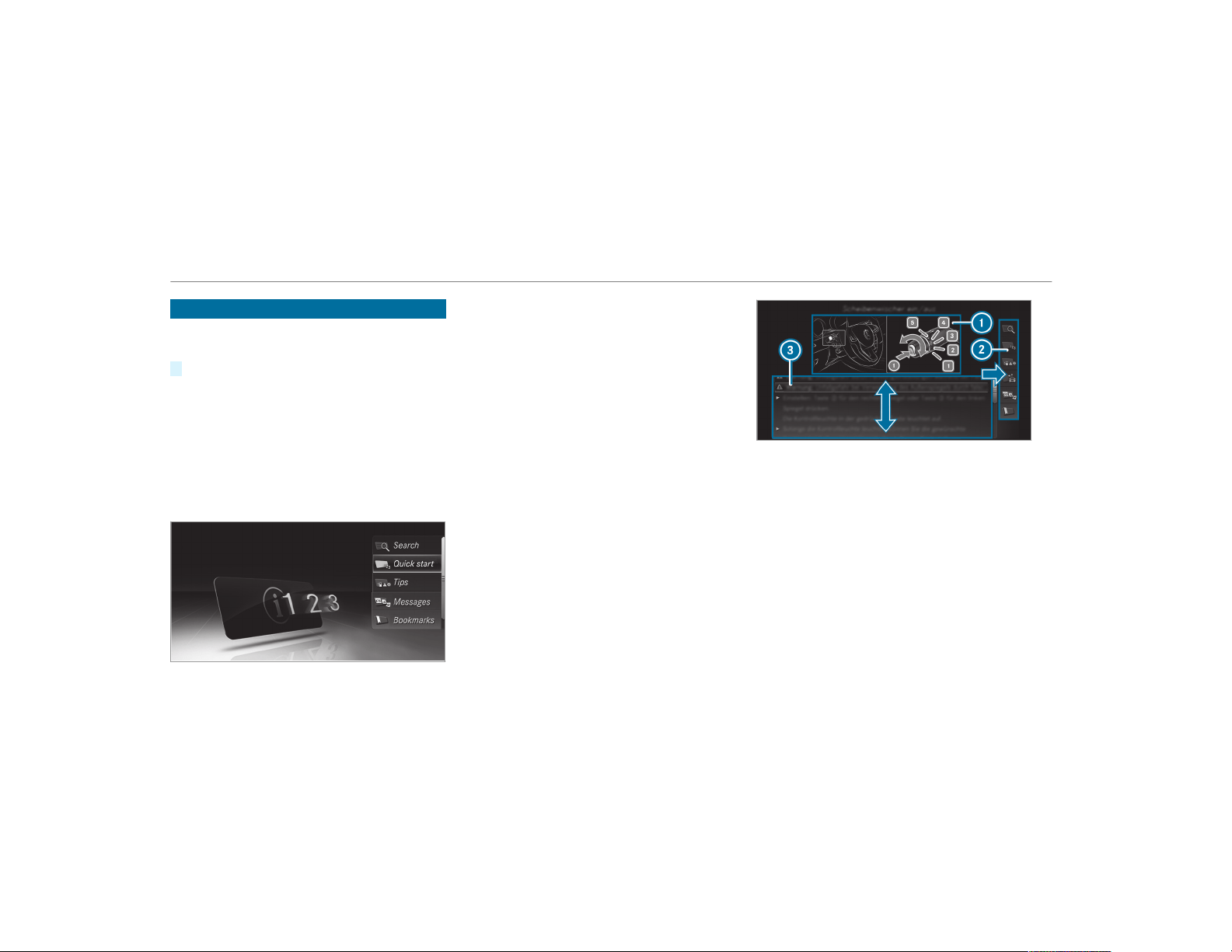
The Digital Operator's Manual contains the fol‐
lowing menu items:
R
Search: allows you to search precisely for
keywords.
R
Quick start: provides you with important
information so that you can start using your
vehicle immediately.
R
Tips: provides tips on how to use your vehicle
in certain situations.
R
Messages: provides you with further informa‐
tion about the messages in the instrument
cluster.
R
Bookmarks: provides you with a list of all the
bookmarks you have stored yourself.
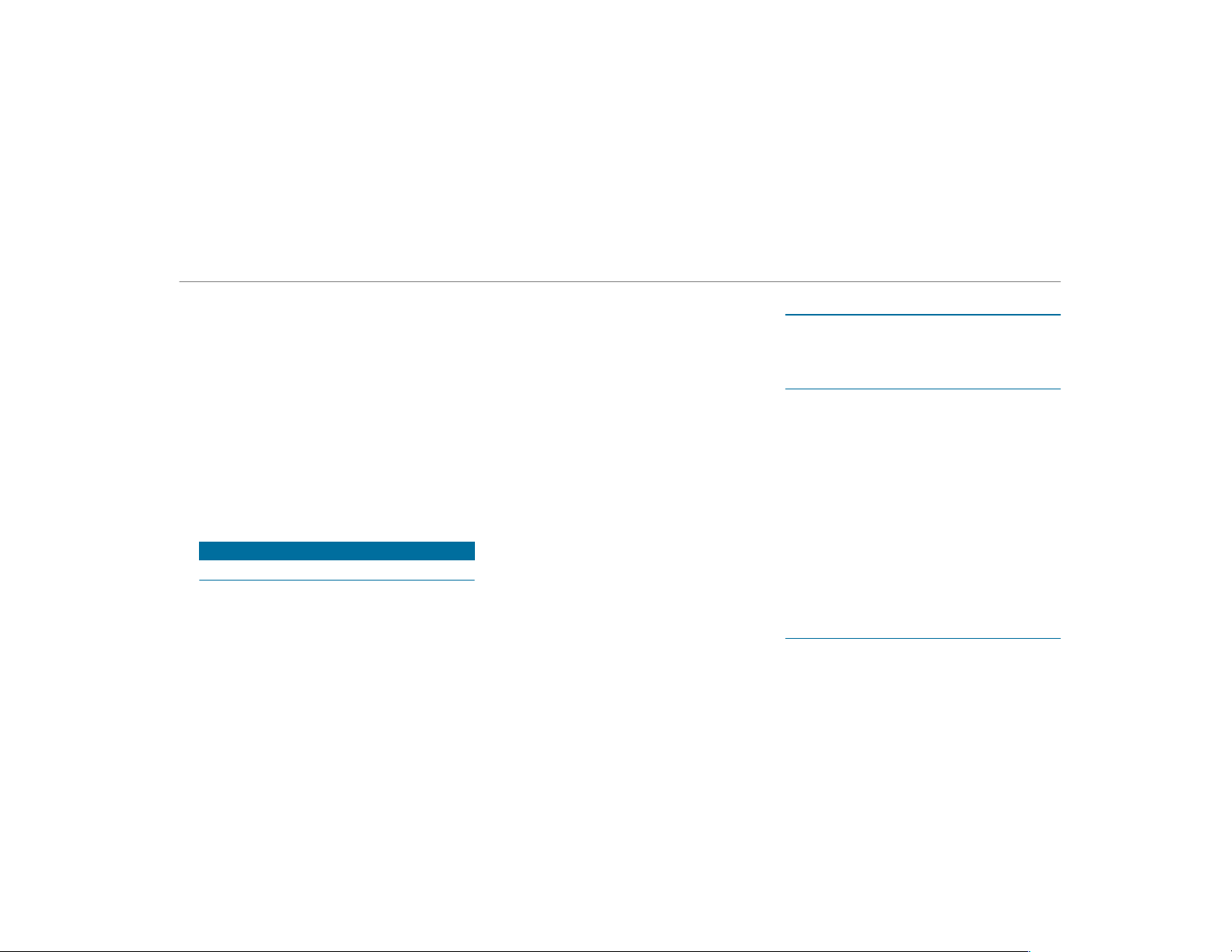
1
Picture
2
Menu
3
Navigation window
Some sections of the Digital Operator's Manual,
such as warnings, can be made visible by high‐
lighting and pressing them.
%
The Operator's Manual can also be found in
the Mercedes-Benz Guides app in all com‐
mon app stores.
18
Digital Operator's Manual

Protecting the environment
+
ENVIRONMENTAL NOTE Environmental
damage due to operating conditions and
personal driving style
The pollutant emission of your vehicle is
directly related to the way you operate your
vehicle.
You can help to protect the environment by
operating your vehicle in an environmentally
responsible manner. Please observe the fol‐
lowing recommendations on operating condi‐
tions and personal driving style.
Operating conditions:
#
Make sure that the tire pressure is cor‐
rect.
#
Do not carry any unnecessary weight
(e.g. roof luggage racks once you no
longer need them).
#
Adhere to the service intervals.
A regular ly serviced vehicle will contrib‐
ute to environmental protection.
#
Always have maintenance work carried
out at a qualified specialist workshop.
Personal driving style:
#
Do not depress the accelerator pedal
when starting the engine.
#
Do not warm up the engine while the
vehicle is stationary.
#
Drive carefully and maintain a suitable
distance from the vehicle in front.
#
Avoid frequent, sudden acceleration
and braking.
#
Change gear in good time and use each
gear only up to Ô of its maximum
engine speed.
#
Switch off the engine in stationary traf‐
fic, e.g. by using the ECO start/stop
function.
#
Drive fuel-efficiently. Observe the ECO
display for a fuel-efficient driving style.
+
ENVIRONMENTAL NOTE Environmental
pollution caused by irresponsible dis‐
posal of the high-voltage battery
A high-voltage battery contains materials
which are harmful to the environment.
#
Dispose of defective high-voltage bat‐
teries at a qualified specialist work‐
shop.
Environmental issues and recommendations:
It is recommended that you re-use or recycle
materials instead of just disposing of them.
The relevant environmental guidelines and regu‐
lations serve to protect the environment and
must be strictly observed.
General notes
19

Genuine Mercedes-Benz parts
+
ENVIRONMENTAL NOTE Environmental
damage caused by not using recycled
reconditioned components
Daimler AG offers recycled reconditioned
components and parts with the same quality
as new parts. The same entitlement from the
Limited Warranty is valid as for new parts.
#
Use recycled reconditioned compo‐
nents and parts from Daimler AG.
*
NOTE Impairment of the operating effi‐
ciency of the restraint systems from
installing accessory parts or from repairs
or welding
Airbags and Emergency Tensioning Devices,
as well as control units and sensors for the
restraint systems, may be installed in the fol‐
lowing areas of your vehicle:
R
Doors
R
Door pillars
R
Door sills
R
Seats
R
Cockpit
R
Instrument cluster
R
Center console
R
Lateral roof frame
#
Do not install accessory parts such as
audio systems in these areas.
#
Do not carry out repairs or welding.
#
Have aftermarket installation of acces‐
sories carried out at a qualified special‐
ist workshop.
You could jeopardize the operating safety of your
vehicle if you use parts, tires and wheels as well
as accessories relevant to safety which have not
been approved by Mercedes-Benz. Safety-rele‐
vant systems, e.g. the brake system, may mal‐
function. Only use Mercedes-Benz Genuine Parts
or parts of equal quality. Only use tires, wheels
and accessories that have been specifically
approved for your vehicle model.
Mercedes-Benz Genuine Parts are subject to
strict quality control. Each part has been spe‐
cially developed, manufactured or selected for
Mercedes-Benz vehicles and fine-tuned for them.
Therefore, only Mercedes-Benz Genuine Parts
should be used.
More than 300,000 different Mercedes-Benz
Genuine Parts are available for Mercedes-Benz
models.
All authorized Mercedes-Benz Centers maintain
a supply of Mercedes-Benz Genuine Parts for
necessary service and repair work. In addition,
strategically located parts delivery centers pro‐
vide for quick and reliable parts service.
Always specify the vehicle identification number
(VIN) (
→ page 418) when ordering Mercedes-
Benz Genuine Parts.
Operator's Manual
This Operator's Manual describes all models and
all standard and optional equipment available for
your vehicle at the time of this Operator's Man‐
ual going to press. Country-specific differences
are possible. Note that your vehicle may not be
20
General notes
equipped with all features described. This is also
the case for systems and functions relevant to
safety. Therefore, the equipment on your vehicle
may differ from that in the descriptions and illus‐
trations.
The original purchase agreement for your vehicle
contains a list of all of the systems in your vehi‐
cle.
Should you have any questions concerning
equipment and operation, please consult an
authorized Mercedes-Benz Center.
The Operator's Manual and Maintenance Booklet
are important documents and should be kept in
the vehicle.
Service and vehicle operation
Vehicle operation outside the USA or Canada
When you are abroad with your vehicle, observe
the following points:
R
service points or replacement parts may not
be available immediately.
R
unleaded fuel may not be available for vehi‐
cles with a catalytic converter. Leaded fuel
may cause damage to the catalytic converter.
R
the fuel may have an extremely low octane
number. Unsuitable fuel can cause engine
damage.
Some Mercedes-Benz models are available in
Europe through our European Delivery Program.
For more information, please consult an author‐
ized Mercedes‑Benz service center, or write to
one of the following address:
in the USA:
Mercedes-Benz USA, LLC
European Delivery Department
One Mercedes-Benz Drive
Sandy Springs, GA 30328
in Canada:
Mercedes-Benz Canada, Inc.
European Delivery Department
98 Vanderhoof Avenue
Toronto, Ontario M4G 4C9
Maintenance
Your customer advisor confirms the service in
the service report.
Roadside Assistance
The Mercedes-Benz Roadside Assistance Pro‐
gram offers technical help in the case of a
breakdown. Your calls to the toll-free Roadside
Assistance Hotline are answered by our agents
24 hours a day, 365 days a year.
1-800-FOR-MERCedes (1-800-367-6372) (USA)
1-800-387-0100 (Canada)
You can find further information in the
Mercedes-Benz Roadside Assistance Program
brochure (USA) or the "Roadside Assistance"
section in the maintenance and warranty infor‐
mation booklet (Canada). You will find both in
the vehicle document wallet.
Change of address or change of ownership
In the event of a change of address, please send
us the "Notification of address change" in the
General notes
21

Service and Guarantee booklet or simply call the
Mercedes-Benz Customer Assistance Center
(USA) on the hotline number
1-800-FOR-MERCedes (1-800-367-6372) or Cus‐
tomer Service (Canada) on 1-800-387-0100. We
can then reach you in a timely fashion, if neces‐
sary.
If you sell your Mercedes, please leave all litera‐
ture in the vehicle so that it is available to the
next owner. If you have purchased a used vehi‐
cle, please send us the "Notice of Purchase of
Used Car" in the Service and Guarantee booklet
or simply call the Mercedes-Benz Customer
Assistance Center (USA) at the hotline number
1-800-FOR-MERCedes (1-800-367-6372) or Cus‐
tomer Service (Canada) at 1-800-387-0100.
Operating safety
&
WARNING Risk of accident due to mal‐
functions or system failures
If you do not have the prescribed service/
maintenance work or any required repairs
carried out, this could result in malfunctions
or system failures.
#
Always have the prescribed service/
maintenance work as well any required
repairs carried out at a qualified spe‐
cialist workshop.
&
WARNING Risk of accident or injury due
to incorrect modification of electronic
components and parts
Modification to electronic components, their
software or wiring could impair their function
and/or the function of other networked com‐
ponent parts. In particular, systems relevant
to safety could also be affected.
As a result, these may no longer function
properly and/or jeopardize the operating
safety of the vehicle.
#
Never tamper with the vehicle's wiring,
electronic components or software.
#
You should have all work on electrical
and electronic components carried out
at a qualified specialist workshop.
&
WARNING Risk of fire due to flammable
materials on hot parts of the exhaust
system
Flammable material such as leaves, grass or
twigs may ignite if they come into contact
with hot parts of the exhaust system.
#
When driving on unpaved roads or off-
road, regularly check the vehicle under‐
side.
#
Remove trapped plants or other flam‐
mable material.
#
If there is damage, consult a qualified
specialist workshop immediately.
*
NOTE Damage to the vehicle
In the following situations, in particular, there
is a risk of damage to the vehicle:
R
The vehicle becomes grounded, e.g. on a
high curb or an unpaved road
22
General notes
R
The vehicle is driven too fast over an
obstacle, e.g. a curb, speed bump or pot‐
hole
R
A heavy object strikes the underbody or
chassis components
In situations such as this, the body, the
underbody, chassis components, wheels or
tires could be damaged without the damage
being visible. Components damaged in this
way can unexpectedly fail or, in the case of
an accident, may not absorb the loads that
arise as intended.
If the underbody paneling is damaged, flam‐
mable materials such as leaves, grass or
twigs can collect between the underbody and
the underbody paneling. These materials may
ignite if they come into contact with hot
par ts on the exhaust system.
#
Have the vehicle checked and repaired
immediately at a qualified specialist
workshop.
or
#
If driving safety is impaired while con‐
tinuing your journey, pull over and stop
the vehicle immediately in accordance
with the traffic conditions, and contact
a qualified specialist workshop.
Vehicles with a 48 V on-board electrical sys‐
tem (EQ Boost technology)
&
DANGER Risk of fatal injury by touching
damaged high-voltage components
Vehicles with a 48 V on-board electrical sys‐
tem contain individual high-voltage compo‐
nents. These high-voltage components are
under high voltage.
If you modify component parts of these high-
voltage components or touch damaged com‐
ponent parts, you may be electrocuted.
High voltage components may be damaged
in an accident, although the damage may not
be visible.
#
Never perform modifications to compo‐
nent parts of high-voltage components.
#
Never touch damaged component parts
of high-voltage components.
#
Never touch component parts of high-
voltage components after an accident.
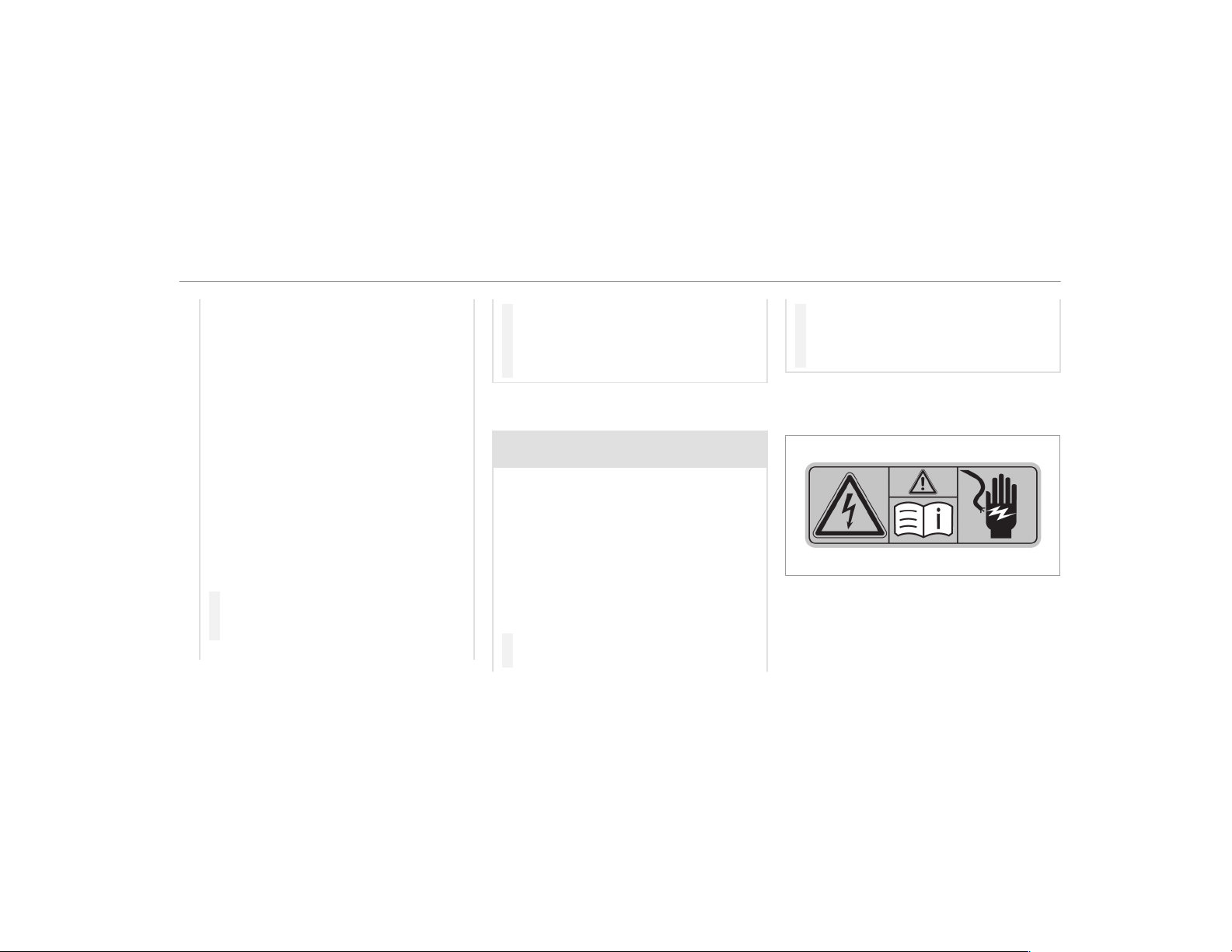
Vehicles with a 48 V on-board electrical system
contain high voltage components. These compo‐
nents are marked with a high voltage label:
All work on high voltage components must be
carried out at a qualified specialist workshop.
General notes
23
Declaration of conformity for wireless vehi‐
cle components
USA: "The wireless devices of this vehicle com‐
ply with Part 15 of the FCC Rules. Operation is
subject to the following two conditions: 1) These
devices may not cause harmful interference, and
2) These devices must accept any interference
received, including interference that may cause
undesired operation. Changes or modifications
not expressly approved by the party responsible
for compliance could void the user's authority to
operate the equipment."
Canada: "The wireless devices of this vehicle
comply with Industry Canada license-exempt
RSS standard(s). Operation is subject to the fol‐
lowing two conditions: (1) These devices may
not cause interference, and (2) These devices
must accept any interference, including interfer‐
ence that may cause undesired operation of the
device."
USA: "Wireless charging system for mobile devi‐
ces (Model: D-WMI2015A): this device complies
with Part 18 of the FCC Rules."
The name and address of the responsible party
is:
Continental Automotive Systems US Inc.
2400 Executive Hills Drive
Auburn Hills, MI 48326-2980
United States of America
Diagnostics connection
The diagnostics connection is only intended for
the connection of diagnostic devices at a quali‐
fied specialist workshop.
&
WARNING Risk of accident due to con‐
necting devices to the diagnostics con‐
nection
If you connect equipment to a diagnostics
connection in the vehicle, it may affect the
operation of vehicle systems.
As a result, the operating safety of the vehi‐
cle could be affected.
#
Only connect equipment to a diagnos‐
tics connection in the vehicle which is
approved for your vehicle by Mercedes-
Benz.
&
WARNING Risk of accident due to
objects in the driver's footwell
Objects in the driver's footwell may impede
pedal travel or block a depressed pedal.
This jeopardizes the oper ating and road
safety of the vehicle.
#
Stow all objects in the vehicle securely
so that they cannot get into the driver's
footwell.
#
Always install the floor mats securely
and as prescribed in order to ensure
that there is always sufficient room for
the pedals.
#
Do not use loose floor mats and do not
place floor mats on top of one another.
24
General notes
*
NOTE Battery discharging from using
devices connected to the diagnostics
connection
Using devices at the diagnostics connection
drains the battery.
#
Check the charge level of the battery.
#
If the charge level is low, charge the
battery, e.g. by driving a considerable
distance.
Connecting equipment to the diagnostics con‐
nection can lead to emissions monitoring infor‐
mation being reset, for example. This may lead
to the vehicle failing to meet the requirements of
the next emissions inspection during the main
inspection.
Qualified specialist workshop
An authorized Mercedes-Benz Center is a quali‐
fied specialist workshop. It has the necessary
special skills, tools and qualifications to cor‐
rectly car ry out the work required on your vehi‐
cle. This particularly applies to safety-relevant
works.
For the following, always have your vehicle
checked at an authorized Mercedes-Benz Cen‐
ter:
R
safety-relevant works
R
service and maintenance work
R
repair work
R
modifications as well as installations and
conversions
R
work on electronic components
Mercedes‑AMG recommends a Mercedes‑Benz
service center.
Correct use of the vehicle
If you remove any warning stickers, you or others
could fail to recognize certain dangers. Leave
warning stickers in position.
When using the vehicle, observe the following
information:
R
the safety notes in this manual
R
technical data for the vehicle
R
traffic rules and regulations
R
laws and safety standards pertaining to
motor vehicles
Information on the REACH regulation
The REACH Regulation (Regulation (EC) No.
1907/2006, Article 33) stipulates an informa‐
tion obligation for substances of very high con‐
cern (SVHC).
Daimler AG is acting to the best of its knowledge
to avoid the use and application of these SVHCs
and to enable the customer to handle theses
substances safely. According to supplier infor‐
mation and internal product information of
Daimler AG, SVHCs are known which are more
than 0.1 percent by weight in individual products
of this vehicle.
Further information can be found at:
R
http://www.daimler.com/reach
R
http://www.daimler.com/reach/en
General notes
25
Problems with your vehicle
If you should experience a problem with your
vehicle, particularly one that you believe may
affect its safe operation, we urge you to contact
an authorized Mercedes-Benz Center immedi‐
ately to have the problem diagnosed and recti‐
fied. If the problem is not resolved to your satis‐
faction, please discuss the problem again with
an authorized Mercedes-Benz Center or, if nec‐
essary, contact us at one of the following
addresses:
In the USA:
Mercedes-Benz USA, LLC
Customer Assistance Center
One Mercedes-Benz Drive
Sandy Springs, GA 30328
In Canada:
Mercedes-Benz Canada, Inc.
Customer Relations Department
98 Vanderhoof Avenue
Toronto, Ontario M4G 4C9
Reporting safety defects
USA only:
The following text is published as required of
manufacturers under Title 49, Code of U.S. Fed‐
eral Regulations, Part 575 pursuant to the
"National Traffic and Motor Vehicle Safety Act of
1966".
If you believe that your vehicle has a defect
which could cause a crash or could cause injury
or death, you should immediately inform the
National Highway Traffic Safety Administration
(NHTSA) in addition to notifying Mercedes-Benz
USA, LLC.
If NHTSA receives similar complaints, it may
open an investigation, and if it finds that a safety
defect exists in a group of vehicles, it may order
a recall and remedy campaign. However, NHTSA
cannot become involved in individual problems
between you, your dealer, or Mercedes-Benz
USA, LLC.
To contact NHTSA, you may call the Vehicle
Safety Hotline toll-free at 1-888-327-4236
(TTY: 1-800-424-9153) (inside the USA); go to
http://www.safercar.gov; or write to: Adminis‐
trator, NHTSA, 400 Seventh Street, SW., Wash‐
ington, DC 20590, USA.
Further information on vehicle safety can be
found at: http://www.safercar.gov
Limited Warranty
*
NOTE Damage to the vehicle arising
from violation of these operating instruc‐
tions.
Damage to the vehicle can arise from viola‐
tion of these operating instructions.
This damage is not covered either by the
Mercedes-Benz implied warranty or by the
New‑ or Used-Vehicle Warranty.
#
Follow the instructions in these operat‐
ing instructions on proper operation of
your vehicle as well as on possible vehi‐
cle damage.
26
General notes
QR code for rescue card
The QR code is secured in the fuel filler flap and
on the opposite side on the B-pillar. In the event
of an accident, rescue services can use the QR
code to quickly find the appropriate rescue card
for your vehicle. The current rescue card con‐
tains the most important information about your
vehicle in a compact form, e.g. the routing of the
electric lines.
Further information can be obtained at http://
www.mercedes-benz.de/qr-code.
Data storage
Electronic control units
Electronic control units are installed in your vehi‐
cle. Some of these are necessary for the safe
operation of your vehicle, while some assist you
when driving (driver assistance systems). In
addition, your vehicle provides comfort and
entertainment functions, which are also made
possible by electronic control units.
Electronic control units contain data memories
which can temporarily or permanently store
technical information about the vehicle's operat‐
ing state, component loads, maintenance
requirements and technical events or malfunc‐
tions.
In general, this information documents the state
of a component part, a module, a system or the
surroundings such as:
R
operating states of system components (e.g.
fluid levels, battery status, tire pressure)
R
status messages concerning the vehicle or
its individual components (e.g. number of
wheel revolutions/speed, longitudinal accel‐
eration, lateral acceleration, display of fas‐
tened seat belts)
R
malfunctions or defects in import ant system
components (e.g. lights, brakes)
R
information on events leading to vehicle
damage
R
system reactions in special driving situations
(e.g. airbag deployment, intervention of sta‐
bility control systems)
R
ambient conditions (e.g. temperature, rain
sensor)
In additio n to providing the actual control unit
function, this data assists the manufacturer in
detecting and rectifying malfunctions and opti‐
mizing vehicle functions. The majority of this
data is temporary and is only processed in the
vehicle itself. Only a small portion of the data is
stored in the event or malfunction memory.
When your vehicle is serviced, technical data
from the vehicle can be read out by service net‐
work employees (e.g. workshops, manufactur‐
ers) or third parties (e.g. breakdown services).
Services include repair services, maintenance
processes, warranty claims and quality assur‐
ance measures, for example. The read out is per‐
formed via the legally prescribed port for the
diagnostics connection in the vehicle. The
respective service network locations or third
par ties collect, process and use the data. They
document technical statuses of the vehicle,
assist in finding malfunctions and improving
quality and are transmitted to the manufacturer,
if necessary. Furthermore, the manufacturer is
subject to product liability. For this, the manu‐
facturer requires technical data from vehicles.
General notes
27

Malfunction memories in the vehicle can be
reset by a service outlet as part of repair or
maintenance work.
Depending on the selected equipment, you can
import data into vehicle convenience and info‐
tainment functions yourself.
This includes, for example:
R
multimedia data such as music, films or pho‐
tos for playback in an integrated multimedia
system
R
address book data for use in connection with
an integrated hands-free system or an inte‐
grated navigation system
R
entered navigation destinations
R
data about the use of Internet services
This data can be saved locally in the vehicle or it
is located on a device which you have connected
to the vehicle (e.g. smartphone, USB flash drive
or MP3 player). If this data is stored in the vehi‐
cle, you can delete it at any time. This data is
sent to third parties only at your request, partic‐
ularly when you use online services in accord‐
ance with the settings that you have selected.
You can store or change convenience settings/
individualization in the vehicle at any time.
Depending on the equipment, this includes, for
example:
R
settings for the seat and steering wheel posi‐
tions
R
suspension and climate control settings
R
customizations such as interior lighting
If your vehicle is accordingly equipped, you can
connect your smartphone or another mobile end
device to the vehicle. You can control this by
means of the control elements integrated in the
vehicle. Images and audio from the smartphone
can be output via the multimedia system. Cer‐
tain information is simultaneously transferred to
your smartphone.
Depending on the type of integration, this can
include:
R
general vehicle data
R
position data
This allows you to use selected apps on your
smar tphone, such as navigation or music play‐
back. There is no further interaction between the
smar tphone and the vehicle; in particular, vehi‐
cle data is not directly accessible. Which type of
fur ther data processing occurs is determined by
the provider of the specific app used. Which set‐
tings you can make, if any, depends on the spe‐
cific app and the operating system of your
smar tphone.
Online services
Wireless network connection
If your vehicle has a wireless network connec‐
tion, it enables data to be exchanged between
your vehicle and additional systems. The wire‐
less network connection is enabled via the vehi‐
cle's transmission and reception unit or via con‐
nected mobile end devices (e.g. smartphones).
Online functions can be used via the wireless
network connection. This includes online serv‐
ices and applications/apps provided by the man‐
ufacturer or other providers.
Manufacturer's services
Regarding online services of the manufacturer,
the individual functions are described by the
28
General notes

manufacturer in a suitable place (e.g. Operator's
Manual, website of the manufacturer) along with
the relevant data protection information. Per‐
sonal data may be used for the provision of
online services. Data is exchanged via a secure
connection, e.g. the manufacturer's designated
IT systems. Personal data is collected, pro‐
cessed and used via the provision of services
exclusively on the basis of legal permissions or
with prior consent.
The services and functions (sometimes subject
to a fee) can usually be activated or deactivated.
In some cases, this also applies to the entire
vehicle's data connection. This excludes, in par‐
ticular, legally prescribed functions and services.
Third party services
If it is possible to use online services from other
providers, these services are subject to the data
protection and terms of use of the responsible
provider. The manufacturer has no influence on
the content exchanged.
Please inquire, therefore, about the type, scope
and purpose of the collection and use of per‐
sonal data as part of third party services from
their respective provider.
COMAND/mbrace
If the vehicle is equipped with COMAND or
mbrace, additional data about the vehicle's oper‐
ation, the use of the vehicle in certain situations,
and the location of the vehicle may be compiled
through COMAND or the mbrace system.
For additional information please refer to the
chapter Multimedia system and/or the mbrace
Ter ms and Conditions.
Event data recorders
USA only:
This vehicle is equipped with an event data
recorder (EDR). The main purpose of an EDR is
to record, in certain crash or near crash-like sit‐
uations, such as an airbag deployment or hitting
a road obstacle, data that will assist in under‐
standing how a vehicle's systems performed.
The EDR is designed to record data related to
vehicle dynamics and safety systems for a short
period of time, typically 30 seconds or less.
The EDR in this vehicle is designed to record
such data as:
R
How various systems in your vehicle were
operating
R
Whether or not the driver and front
passenger seat belts were buckled/fastened
R
How far (if at all) the driver was depressing
the accelerator and/or brake pedal and
R
How fast the vehicle was traveling
This data can help provide a better understand‐
ing of the circumstances in which accidents and
injuries occur. NOTE: EDR data is recorded by
your vehicle only if a non-trivial crash situation
occurs; no data is recorded by the EDR under
normal driving conditions and no personal data
(e.g. name, gender, age and accident location) is
recorded. However, other parties, such as law
enforcement, could combine EDR data with the
type of personally identifying data routinely
acquired during a crash investigation.
General notes
29
Access to the vehicle and/or the EDR is needed
to read data that is recorded by the EDR, and
special equipment is required. In addition to the
vehicle manufacturer, other parties that have the
special equipment, such as law enforcement,
can read the information by accessing the vehi‐
cle or the EDR.
EDR data may be used in civil and criminal mat‐
ters as a tool in accident reconstruction, acci‐
dent claims and vehicle safety. Since the Crash
Data Retrieval (CDR) tool that is used to extract
data from the EDR is commercially available,
Mercedes-Benz USA, LLC ("MBUSA") expressly
disclaims any and all liability arising from the
extraction of this information by unauthorized
Mercedes-Benz personnel.
MBUSA will not share EDR data with others with‐
out the consent of the vehicle owner or, if the
vehicle is leased, without the consent of the les‐
see. Exceptions to this representation include
responses to subpoenas by law enforcement; by
federal, state or local government; in connection
with or arising out of litigation involving MBUSA
or its subsidiaries and affiliates; or, as required
by law.
Warning: the EDR is a component of the
Restraint System Module. Tampering with, alter‐
ing, modifying or removing the EDR component
may result in a malfunction of the Restraint Sys‐
tem Module and other systems.
State laws or regulations regarding EDRs that
conflict with federal regulation are pre-empted.
This means that in the event of such conflict, the
federal regulation governs. As of February 2013,
13 states have enacted laws relating to EDRs.
Copyright
Free and open source software
Information on free and open source software
licenses for your vehicle's software can be found
on the data storage medium in your vehicle
document wallet and on the Internet together
with updates:
http://www.mercedes-benz.com/opensource
Registered trademarks
R
Bluetooth
®
is a registered trademark of Blue‐
tooth SIG Inc.
R
DTS™ is a registered trademark of DTS, Inc.
R
Dolby
®
and MLP™ are registered trademarks
of DOLBY Laboratories.
R
BabySmart™, ESP
®
and PRE-SAFE
®
are reg‐
istered trademarks of Daimler AG.
R
HomeLink
®
is a registered trademark of
Johnson Controls.
R
iPod
®
and iTunes
®
are registered trademarks
of Apple Inc.
R
Burmester
®
is a registered trademark of
Burmester Audiosysteme GmbH.
R
Microsoft
®
and Windows Media
®
are regis‐
tered trademarks of Microsoft Corporation.
R
SIRIUS
®
is a registered trademark of Sirius
XM Radio Inc.
R
HD Radio™ is a registered trademark of iBiq‐
uity Digital Corporation.
30
General notes

R
Gracenote
®
is a registered trademark of
Gracenote, Inc.
R
ZAGATSurvey
®
and related brands are regis‐
tered trademarks of ZagatSurvey, LLC.
General notes
31
Restraint system
Protection provided by the restraint system
The restraint system comprises the following
components:
R
Seat belt system
R
Airbags
R
Child restraint system
R
Child seat securing systems
The restraint system can reduce the risk of vehi‐
cle occupants coming into contact with parts of
the vehicle's interior in the event of an accident.
The restraint system can also reduce the forces
to which vehicle occupants are subjected in the
event of an accident.
Only a seat belt which is worn correctly can pro‐
vide the intended level of protection. Depending
on the detected accident situation, Emergency
Tensioning Devices and/or airbags supplement a
correctly worn seat belt. Emergency Tensioning
Devices and/or airbags are not deployed in
every accident.
For the restraint system to provide its full protec‐
tion, each occupant must observe the following:
R
Fasten the seat belt correctly.
R
Be in an almost upright position with their
back against the seat backrest.
R
Sit with their feet resting on the floor, if pos‐
sible.
R
Always secure persons under 5 ft (1.50 m)
tall in an additional restraint system suitable
for Mercedes-Benz vehicles.
However, no system available today can com‐
pletely eliminate injuries and fatalities in every
accident situation. In particular, the seat belt
and airbag generally do not protect against
objects penetrating the vehicle from the outside.
The risk of an injury resulting from airbag
deployment also cannot be ruled out entirely.
Reduced restraint system protection
&
WARNING Risk of injury or death from
modifications to the restraint system
The restraint system can no longer function
correctly after alterations have been made.
The restraint system may then not protect
the vehicle occupants as intended by failing
in an accident or triggering unexpectedly, for
example
#
Never alter the parts of the restraint
system.
#
Never tamper with the wiring or any
electronic component parts or their
software.
If it is necessary to modify the vehicle to accom‐
modate a person with disabilities, contact an
authorized Mercedes-Benz Center for details.
USA only: for details, contact our Customer
Assistance Center on 1-800-FOR-MERCedes
(1‑800‑367‑6372).
32
Occupant safety
Restraint system functionality
When the ignition is switched on, a self-test is
performed, during which the 6 restraint sys‐
tem warning lamp lights up. It goes out no later
than a few seconds after the vehicle is started.
The components of the restraint system are then
functional.
Malfunctioning restraint system
A malfunction has occurred in the restraint sys‐
tem if:
R
the 6 restraint system warning lamp does
not light up when the ignition is switched on
R
the 6 restraint system warning lamp
lights up continuously or repeatedly during a
journey
&
WARNING Risk of injury or fatal injury
due to a malfunction in the restraint sys‐
tem
If the restraint system is malfunctioning,
restraint system components may be trig‐
gered unintentionally or might not be trig‐
gered at all in the event of an accident. This
may affect the Emergency Tensioning Device
or airbag, for example.
#
Have the restraint system checked and
repaired immediately at a qualified spe‐
cialist workshop.
Function of the restraint system in an acci‐
dent
How the restraint system works is determined by
the severity of the impact detected and the type
of accident anticipated:
R
Frontal impact
R
Rear impact
R
Side impact
R
Rollover
The activation thresholds for the components of
the restraint system are determined based on
the evaluation of the sensor values measured at
various points in the vehicle. This process is pre-
emptive in nature. The triggering/deployment of
the components of the restraint system must
take place in good time at the start of the colli‐
sion.
Factors which can only be seen and measured
after a collision has occurred do not play a deci‐
sive role in the deployment of an airbag. Nor do
they provide an indication of airbag deployment.
The vehicle may be deformed significantly with‐
out an airbag being deployed. This is the case if
only parts which are relatively easily deformed
are affected and the rate of vehicle deceleration
is not high. Conversely, an airbag may be
deployed even though the vehicle suffers only
minor deformation. If very rigid vehicle parts
such as longitudinal members are hit, for exam‐
ple, this may result in sufficiently high levels of
vehicle deceleration.
Occupant safety
33

The components of the restraint system can
be activated or deployed independently of
each other:
Component Detected deploy‐
ment situation
Emergency Tension‐
ing Devices
Frontal impact, rear
impact, side impact,
rollover
Driver's airbag, front
passenger front air‐
bag
Frontal impact
Knee airbag Frontal impact
Side airbag Side impact
Window curtain air‐
bag
Side impact, rollover,
frontal impact
PRE-SAFE
®
Impulse
Side
Side impact
The front passenger front airbag can only be
deployed in an accident if the PASSENGER AIR
BAG OFF indicator lamp is off. If the front
passenger seat is occupied, make sure, both
before and during the journey, that the status of
the front passenger front airbag is correct
(
→ page 44).
&
WARNING Risk of burns from hot air bag
components
The air bag parts are hot after an air bag has
been deployed.
#
Do not touch the air bag parts.
#
Have a deployed air bag replaced at a
qualified specialist workshop as soon
as possible.
Mercedes-Benz recommends that you have the
vehicle towed to a qualified specialist workshop
after an accident. Take this into account, partic‐
ularly if an Emergency Tensioning Device is trig‐
gered or an airbag deployed.
If the Emergency Tensioning Devices are trig‐
gered or an airbag is deployed, you will hear a
bang, and a small amount of powder may also be
released:
R
The bang will not generally affect your hear‐
ing.
R
In general, the powder released is not haz‐
ardous to health but may cause short-term
breathing difficulties to per sons suffering
from asthma or other pulmonary conditions.
Provided it is safe to do so, leave the vehicle
immediately or open the window in order to
prevent breathing diff iculties.
Airbags and pyrotechnic Emergency Tensioning
Devices contain perchlorate material, which may
require special handling or environmental pro‐
tection measures. National guidelines regarding
waste disposal must be observed. In California,
see http://www.dtsc.ca.gov/HazardousWaste/
Perchlorate/index.cfm.
34
Occupant safety
Seat belts
Protection provided by the seat belt
Always fasten your seat belt correctly before
starting a journey. A seat belt can only provide
the best level of protection if it is worn correctly.
&
WARNING Risk of injury or death due to
incorrectly fastened seat belt
If the seat belt is not worn correctly, it can‐
not perform its intended protective function.
In addition, an incorrectly fastened seat belt
can also cause injuries, for example, in the
event of an accident or when braking or
changing direction suddenly.
#
Always ensure that all vehicle occu‐
pants have their seat belts fastened
correctly and are sitting properly.
Always observe the instructions about the cor‐
rect driver's seat position and adjusting the seat
(→ page 86).
In order for the correctly worn seat belt to pro‐
vide the intended level of protection, each vehi‐
cle occupant must observe the following infor‐
mation:
R
The seat belt must not be twisted and must
fit tightly and snugly across the body.
R
The seat belt must be routed across the cen‐
ter of the shoulder and as low down across
the hips as possible.
R
The shoulder section of the seat belt should
not touch your neck nor be routed under
your arm or behind your back.
R
Avoid wearing bulky clothing, e.g. a winter
coat.
R
Push the lap belt down as far as possible
across your hips and pull tight with the shoul‐
der section of the belt. Never route the lap
belt across your abdomen.
R
Never route the seat belt across sharp, poin‐
ted, abrasive or fragile objects.
R
Only one person should use each seat belt at
any one time. Never allow babies and chil‐
dren to travel sitting on the lap of another
vehicle occupant.
R
Never secure objects with a seat belt if the
seat belt is also being used by one of the
vehicle's occupants. Always observe the
instructions for loading the vehicle when
securing objects, luggage or loads
(
→ page 98).
Also ensure that no objects, e.g. a cushion,
are ever placed between a person and the
seat.
The seat belts on the following seats are equip‐
ped with a special seatbelt retractor:
R
Front passenger seat
R
Rear seats
Activate or deactivate the special seatbelt
retractor (→ page 53).
If children are traveling in the vehicle, be sure to
observe the instructions and safety notes on
"Children in the vehicle" (
→ page 49).
Occupant safety
35
Reduced seat belt protection
&
WARNING Risk of injury or death due to
incorrect seat position
The seat belt does not offer the intended
level of protection if you have not moved the
seat backrest to an almost vertical position.
When braking or in the event of an accident,
you could slide underneath the seat belt and
sustain abdominal or neck injuries, for exam‐
ple.
#
Adjust the seat properly before begin‐
ning your journey.
#
Always ensure that the seat backrest is
in an almost vertical position and that
the shoulder section of your seat belt is
routed across the center of your shoul‐
der.
&
WARNING Risk of injury or death when
additional restraint systems are not used
for persons with a smaller build
Persons under 5 ft (1.50 m) tall cannot wear
the seat belt correctly without a suitable
additional restraint system.
If the seat belt is not worn correctly, it can‐
not perform its intended protective function.
In addition, an incorrectly fastened seat belt
can also cause injuries, for example, in the
event of an accident or when braking or
changing direction suddenly.
#
Always secure persons under 5 ft
(1.50 m) tall in a suitable restraint sys‐
tem.
&
WARNING Danger of injury or death due
to blocked seat belt anchorages
The restraint effect of the seat belt is
impaired if objects between the front seat
and the door are blocking the movable seat
belt anchorage on the front seat.
The seat belt may not then provide the
proper protection.
#
Before starting a journey, make sure
that there are no objects between the
front seat and the door.
&
WARNING Risk of injury or death due to
damaged or modified seat belts
Seat belts cannot provide protection in the
following situations:
R
If the seat belts are damaged, modified,
extremely dirty, bleached or dyed
R
If the seat belt buckle is damaged or
extremely dirty
R
If the Emergency Tensioning Devices,
seat belt anchorages or seat belt retrac‐
tors have been modified
Seat belts may be damaged in an accident,
although the damage may not be visible, e.g.
due to splinters of glass.
Modified or damaged seat belts may tear or
fail, e.g. in an accident.
36
Occupant safety

Modified Emergency Tensioning Devices can
accidentally trigger or fail to function as
intended.
#
Never modify the seat belts, Emergency
Tensioning Devices, seat belt ancho‐
rages or seat belt retractors.
#
Make sure that the seat belts are
undamaged, not worn and clean.
#
Always have the seat belts checked
immediately after an accident at a
qualified specialist workshop.
Only use seat belts which have been approved
for your vehicle by Mercedes-Benz.
The AMG sport seat and the AMG Performance
seat are designed for the standard three-point
seat belt. If you install a different multipoint seat
belt, e.g. sport or racing seat belts, the restraint
system cannot provide the intended level of pro‐
tection.
Depending on the type of seat, there may be
openings in the seat backrest. These openings
have no function.
&
WARNING Risk of injury or fatal injury
due to modified seat belt systems
If you feed seat belts through the opening in
the seat backrest, the seat backrest may be
damaged or may even break in the event of
an accident.
#
Only use the standard three-point seat
belt.
#
Never modify the seat belt system.
&
WARNING Risk of injury or death from
deployed pyrotechnic Emergency Ten‐
sioning Devices
Pyrotechnic Emergency Tensioning Devices
that have been deployed are no longer opera‐
tional and are unable to perform their inten‐
ded protective function.
#
Therefore, have deployed pyrotechnic
Emergency Tensioning Devices immedi‐
ately replaced at a qualified specialist
workshop.
Mercedes-Benz recommends that you have the
vehicle towed to a qualified specialist workshop
after an accident.
*
NOTE Damage caused by trapping the
seat belt
If an unused seat belt is not fully retracted, it
may become trapped in the door or in the
seat mechanism.
#
Always ensure that an unused seat belt
is fully retracted.
Fastening and adjusting the seat belts
If the seat belt is pulled quickly or sharply, the
seat belt retractor locks. The seat belt strap can‐
not be pulled out any further.
Occupant safety
37
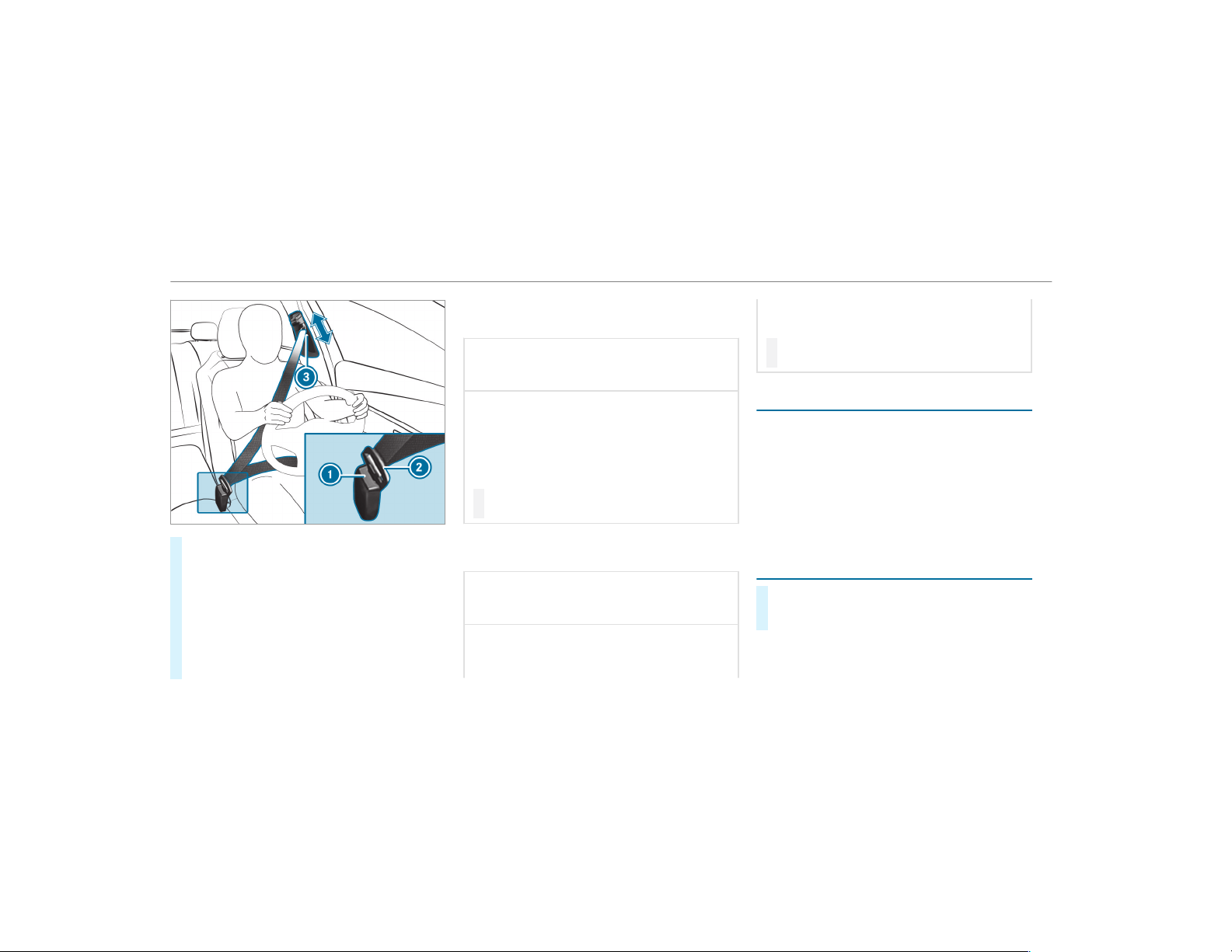
#
Always engage seat belt tongue 2 of the
seat belt into seat belt buckle 1 of the cor‐
responding seat.
#
Press and hold the seat belt outlet release
and slide seat belt outlet 3 into the desired
position.
#
Let go of the seat belt outlet release and
ensure that seat belt outlet 3 locks into
position.
Vehicles with automatic front passenger
front airbag shutoff:
*
NOTE Deployment of the Emergency
Tensioning Device and side air bag when
the front passenger seat is unoccupied
If the seat belt tongue is engaged in the seat
belt buckle of the unoccupied front
passenger seat, the Emergency Tensioning
Device and the side air bag may also deploy
in the event of an accident along with other
systems.
#
Only one person should use each seat
belt at any one time.
Vehicles without automatic front passenger
front airbag shutoff:
*
NOTE Deployment of the Emergency
Tensioning Device when the front
passenger seat is unoccupied
If the seat belt tongue is engaged in the seat
belt buckle of the unoccupied front
passenger seat, the Emergency Tensioning
Device may also deploy in the event of an
accident along with other systems.
#
Only one person should use each seat
belt at any one time.
Seat belt adjustment function
Vehicles with PRE-SAFE
®
: If the front seat belt
is not pulled tight across your body, the seat belt
adjustment may automatically apply a certain
tightening force. Do not hold the seat belt tightly
while it is adjusting.
You can activate and deactivate the seat belt
adjustment function using the multimedia sys‐
tem (
→ page 39).
Releasing seat belts
#
Press the release button in the seat belt
buckle and guide the seat belt back with the
seat belt tongue.
38
Occupant safety
Activating/deactivating seat belt adjustment
via the multimedia system
Multimedia system:
,
Vehicle
.
î Vehicle Settings
.
Belt
Adjustment
#
Activate O or deactivate ª the function.
Seat belt warning function for the driver and
front passenger
The ü seat belt warning lamp in the Instru‐
ment Display is a reminder that all vehicle occu‐
pants must wear their seat belts correctly.
The ü seat belt warning lamp lights up for six
seconds every time the vehicle is started.
In addition, a warning tone may sound.
When the driver's and front passenger's doors
are closed and the driver and front passenger
have fastened their seat belts, the seat belt
warning goes out.
In the following cases, the seat belt warning
lights up during a journey if:
R
The vehicle speed exceeds 15 mph
(25 km/h) and the driver's or front
passenger seat belt is not fastened.
R
The driver or front passenger unfastens their
seat belt while the vehicle is in motion.
Airbags
Overview of airbags
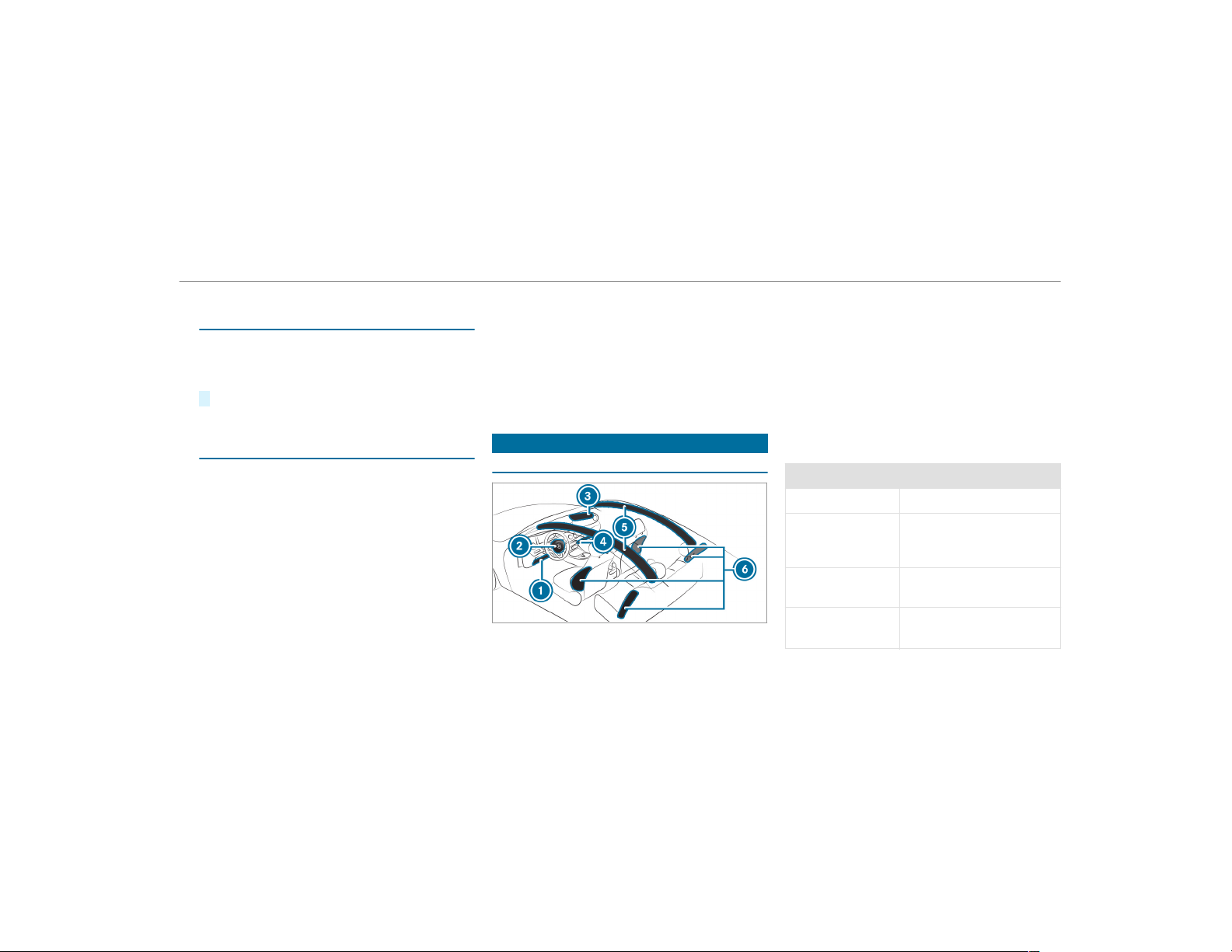
1
Driver's knee bag
2
Driver's airbag
3
Front passenger front airbag
4
Front passenger knee airbag
5
Window curtain airbag
6
Side airbag
The installation location of an airbag is identified
by the AIRBAG symbol.
When enabled, an airbag can provide additional
protection for the respective vehicle occupant.
Potential protection from each airbag:
Airbag Potential protection for:
Knee airbag Thigh, knee and lower leg
Driver's airbag,
front passenger
front airbag
Head and ribcage
Window curtain
airbag
Head
Side airbag
Ribcage, also pelvis
1)
for
front seat occupants
Occupant safety
39
1)
AMG Performance seat: potential protection
for the ribcage.
The front passenger front airbag can only be
deployed in an accident if the PASSENGER AIR
BAG OFF indicator lamp is off. If the front
passenger seat is occupied, make sure, both
before and during the journey, that the status of
the front passenger front airbag is correct
(
→ page 44).
*
NOTE Important points to remember if
the front passenger seat is unoccupied
In an accident, the components of the
restraint system may deploy unnecessarily
on the front passenger side if:
R
There are heavy objects on the front
passenger seat.
R
The seat belt tongue is engaged in the
seat belt buckle of the front passenger
seat and the front passenger seat is
unoccupied.
#
Stow objects in a suitable place.
#
Only one person should use each seat
belt at any one time.
Protection by the airbags
Depending on the accident situation, an airbag
may supplement the protection offered by a cor‐
rectly fastened seat belt.
&
WARNING Risk of injury or death due to
incorrect seat position
If you deviate from the correct seat position,
the air bag cannot perform its intended pro‐
tective function and deployment may even
cause further injuries.
To avoid hazardous situations, always make
sure that all vehicle occupants:
R
Have their seat belt fastened correctly,
including pregnant women.
R
Are seated properly and that distance to
the air bags is as large as possible.
R
Observe the following information.
#
Always make sure that there are no
objects between the air bag and the
vehicle occupant.
To avoid the risks resulting from the deployment
of an airbag, each vehicle occupant must
observe the following information:
R
Before starting your journey, adjust your seat
correctly; the driver's seat and front
passenger seat should be moved as far back
as possible.
When doing so, always observe the informa‐
tion on the correct driver's seat position
(
→ page 86).
R
Only hold the steering wheel by the steering
wheel rim. This allows the airbag to be fully
deployed.
R
Always lean against the seat backrest when
the vehicle is in motion. Do not lean forwards
or against the door or side window. You may
otherwise be in the deployment area of the
airbags.
R
Always keep your feet on the floor. Do not
put your feet on the cockpit, for example.
40
Occupant safety
Your feet may otherwise be in the deploy‐
ment area of the airbag.
R
If children are traveling in the vehicle,
observe the additional notes (→ page 49).
R
Always stow and secure objects correctly.
Objects in the vehicle interior may prevent an
airbag from functioning correctly. Each vehicle
occupant must always make sure of the follow‐
ing:
R
There are no people, animals or objects
between the vehicle occupants and an air‐
bag.
R
There are no objects between the seat, door
and door pillar (B-pillar).
R
There are no hard objects, e.g. coat hangers,
hanging on the grab handles or coat hooks.
R
There are no accessory parts, such as PNDs
(Personal Navigation Devices), mobile
phones or cup holders attached to the vehi‐
cle within the deployment area of an airbag,
e.g. on the cockpit, on doors, side windows
or side paneling.
In addition, no connecting cable, tensioning
strap or retaining strap may be routed
through or attached in the deployment area
of an airbag. Always observe the accessory
manufacturer's installation instructions, in
particular the information on suitable places
for installation.
R
There are no heavy, sharp-edged or fragile
objects in the pockets of your clothing. Store
such objects in a suitable place.
Limited protection from airbags
&
WARNING Risk of injury due to modifi‐
cations to the airbag cover
If you modify the cover of an airbag or affix
objects such as stickers to it, the airbag may
no longer function correctly.
#
Never modify the cover of an airbag and
do not affix objects to it.
The installation location of an airbag is identified
by the AIRBAG symbol (→ page 39).
&
WARNING Risk of injury or death due to
the use of unsuitable seat covers
Unsuitable seat covers can obstruct or pre‐
vent the deployment of air bags integrated
into the seats.
Consequently, the air bags cannot protect
vehicle occupants as they are designed to
do. In addition, operation of the automatic
front passenger air bag shutoff may be
restricted.
#
You should only use seat covers that
have been approved for the correspond‐
ing seats by Mercedes-Benz.
&
WARNING Risk of injury due to malfunc‐
tions of the sensors in the door paneling
Sensors to control the airbags are located in
the doors. Modifications or work not per‐
formed correctly to the doors or door panel‐
ing, as well as damaged doors, can lead to
the function of the sensors being impaired.
The airbags might therefore not function
properly any more.
Occupant safety
41
Consequently, the airbags cannot protect
vehicle occupants as they are designed to
do.
#
Never modify the doors or parts of the
doors.
#
Always have work on the doors or door
paneling carried out at a qualified spe‐
cialist workshop.
&
WARNING Risk of injury due to deployed
airbag
A deployed airbag no longer has a protective
function and cannot protect as intended in
the event of an accident.
#
Have the vehicle towed to a qualified
specialist workshop in order to have the
deployed airbag replaced.
Have deployed airbags replaced immediately.
Status of the front passenger front airbag
Function of the automatic front passenger
front airbag shutoff
The automatic front passenger front airbag shut‐
off is able to detect whether the front passenger
seat is occupied by a person or a child restraint
system. The front passenger front airbag and
front passenger knee bag are then accordingly
either enabled or deactivated.
When installing a child restraint system on the
front passenger seat, always make sure of the
following:
R
Ensure that the child restraint system is posi‐
tioned correctly ( → page 48).
R
Always observe the child restraint system
manufacturer's installation instructions.
R
Never place objects, e.g. cushions, under or
behind the child restraint system.
R
Fully retract the seat cushion length adjust‐
ment.
R
The entire base of the child restraint system
must always rest on the seat cushion of the
front passenger seat.
R
The backrest of the forward-facing child
restraint system must lie as flat as possible
against the backrest of the front passenger
seat.
R
The child restraint system must not touch the
roof or be put under strain by the head
restraints. Adjust the seat backrest inclina‐
tion and the head restraint setting accord‐
ingly.
&
WARNING Risk of injury or death due to
objects between the sitting surface and
the child restraint system
Objects between the sitting surface and the
child restraint system could affect the func‐
tion of the automatic front passenger airbag
shutoff.
This could result in the front passenger air‐
bag not functioning as intended during an
accident.
#
Do not place any objects between the
sitting surface and the child restraint
system.
42
Occupant safety

#
The entire base of the child restraint
system must always rest on the sitting
surface of the front passenger seat.
#
The backrest of the forward-facing child
restraint system must, as far as possi‐
ble, be resting on the seat backrest of
the front passenger seat.
#
Always comply with the child restraint
system manufacturer's installation
instructions.
A person on the front passenger seat must
observe the following information:
R
Fasten seat belts correctly (→ page 35).
R
Sit in an almost upright seat position with
their back against the seat backrest.
R
Sit with their feet resting on the floor, if pos‐
sible.
The front passenger front airbag may otherwise
be deactivated by mistake, for example in the
following situations:
R
The front passenger transfers their weight by
suppor ting themselves on a vehicle armrest.
R
The front passenger sits in such a way that
their weight is raised from the sitting sur‐
face.
&
WARNING Risk of injury or death due to
deactivated front passenger airbag
If the PASSENGER AIR BAG OFF indicator
lamp is lit, the front passenger airbag is disa‐
bled. It will not be deployed in the event of
an accident and cannot perform its intended
protective function.
A person in the front passenger seat could
then, for example, come into contact with
the vehicle interior, especially if the per son is
sitting too close to the cockpit.
If the front passenger seat is occupied,
always ensure that:
R
The classification of the person in the
front passenger seat is correct and the
front passenger airbag is enabled or disa‐
bled in accordance with the person in the
front passenger seat.
R
The front passenger seat has been moved
as far back as possible.
R
The person is seated cor rectly.
#
Ensure, both before and during the jour‐
ney, that the status of the front
passenger airbag is correct.
If the front passenger seat is occupied, the clas‐
sification of the person or child restraint system
on the front passenger seat takes place after the
front passenger front airbag shutoff self-test.
The PASSENGER AIR BAG indicator lamps dis‐
play the status of the front passenger front air‐
bag.
Always observe the notes on the function of the
PASSENGER AIR BAG indicator lamps
(
→ page 44).
Occupant safety
43
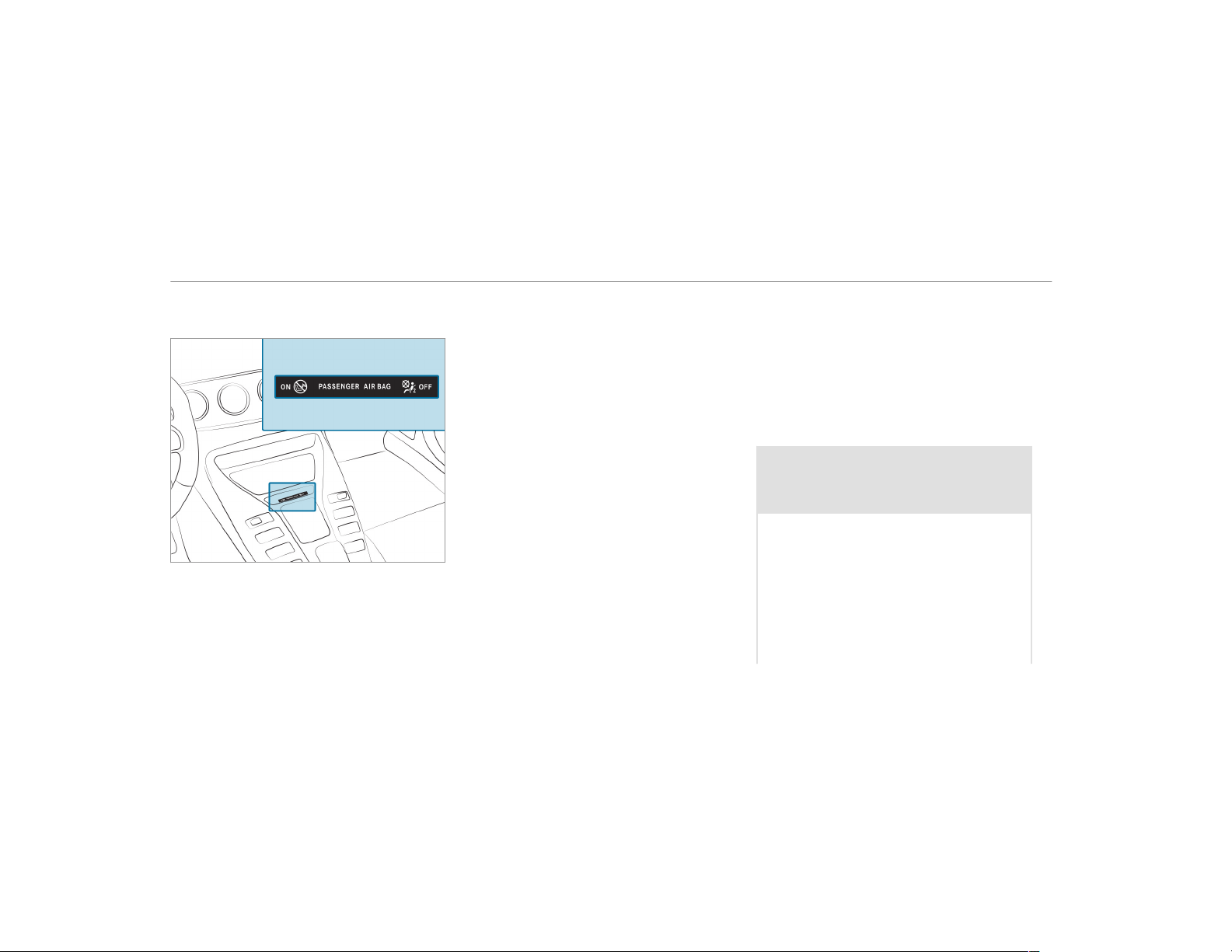
Function of the PASSENGER AIR BAG indica‐
tor lamps
Self-test of automatic front passenger front
airbag shutoff
When the ignition is switched on, a self-test is
performed during which the two PASSENGER
AIR BAG ON and OFF indicator lamps light up
simultaneously.
The status of the front passenger front airbag is
displayed after the self-test:
R
PASSENGER AIR BAG ON lights up for
60 seconds, subsequently both indicator
lamps are off (PASSENGER AIR BAG ON and
OFF): the front passenger front airbag is able
to deploy in the event of an accident.
R
PASSENGER AIR BAG OFF lights up continu‐
ously: the front passenger front airbag is dis‐
abled. It will then not be deployed in the
event of an accident.
If the PASSENGER AIR BAG ON indicator lamp is
off, only the PASSENGER AIR BAG OFF indicator
lamp shows the status of the front passenger
front airbag. The PASSENGER AIR BAG OFF indi‐
cator lamp may be lit continuously or be of f.
If the PASSENGER AIR BAG OFF indicator lamp
and the 6 restraint system warning lamp
light up simultaneously, the front passenger seat
may not be used. Also in this case, do not install
a child restraint system on the front passenger
seat. Have the automatic front passenger front
airbag shutoff checked and repaired immediately
at a qualified specialist workshop.
Status display
If the front passenger seat is occupied, ensure,
both before and during the journey, that the sta‐
tus of the front passenger front airbag is correct
for the current situation.
After installing a rearward-facing child
restraint system on the front passenger
seat: PASSENGER AIR BAG OFF must be lit con‐
tinuously.
&
WARNING Risk of injury or death from
using a rearward-facing child restraint
system when the front passenger front
airbag is enabled
If you secure a child in a rearward-facing
child restraint system on the front passenger
seat and the PASSENGER AIR BAG OFF indi‐
cator lamp is off, the front passenger airbag
can deploy in the event of an accident.
The child could be struck by the airbag.
Always ensure that the front passenger air‐
bag is deactivated. The PASSENGER AIR BAG
OFF indicator lamp must be lit.
44
Occupant safety

NEVER use a rearward-facing child restraint
system on a seat protected by an ENABLED
FRONT AIRBAG in front of it, DEATH or SERI‐
OUS INJURY to the CHILD can occur.
When installing a child restraint system on the
front passenger seat, observe the vehicle-spe‐
cific information (→ page 59).
Depending on the child restraint system and the
stature of the child, the PASSENGER AIR BAG
OFF indicator lamp may be off. In this case, do
not install the rearward-facing child restraint
system on the front passenger seat.
Instead, install the rearward-facing child
restraint system on a suitable rear seat.
After installing a forward-facing child
restraint system on the front passenger
seat: depending on the child restraint system
and the stature of the child, PASSENGER AIR
BAG OFF may be lit continuously or be off.
Always observe the following information.
&
WARNING Risk of injury or death due to
incorrect positioning of the forward-
facing child restraint system
If you secure a child in a forward-facing child
restraint system on the front passenger seat
and you position the front passenger seat too
close to the cockpit, in the event of an acci‐
dent, the child could:
R
Come into contact with the vehicle inte‐
rior if the PASSENGER AIR BAG OFF indi‐
cator lamp is lit, for example.
R
Be struck by the air bag if the
PASSENGER AIR BAG OFF indicator lamp
is off.
#
Always move the front passenger seat
as far back as possible and fully retract
the seat cushion length adjustment.
Always make sure that the shoulder belt
strap is correctly routed from the seat
belt outlet on the vehicle to the shoul‐
der belt guide on the child restraint sys‐
tem. The shoulder belt strap must be
routed forwards and downwards from
the vehicle belt outlet. If necessary,
adjust the seat belt outlet and the front
passenger seat accordingly.
#
Always observe the child restraint sys‐
tem manufacturer's installation instruc‐
tions.
When installing a child restraint system on the
front passenger seat, observe the vehicle-spe‐
cific information (→ page 59).
If a person is sitting on the front passenger
seat: PASSENGER AIR BAG OFF may be lit con‐
tinuously or be off, depending on the person's
stature.
A person on the front passenger seat must
always observe the following information:
R
If the front passenger seat is occupied by an
adult or a person with a stature correspond‐
ing to that of an adult, the PASSENGER AIR
BAG OFF indicator lamp must be off. This
indicates that the front passenger front air‐
bag is enabled.
If the PASSENGER AIR BAG OFF indicator
lamp is lit continuously, an adult or person
with a build corresponding to that of an adult
Occupant safety
45
should not use the front passenger seat.
Instead, they should use a rear seat.
R
If the front passenger seat is occupied by a
person of smaller stature (e.g. a teenager or
small adult), the PASSENGER AIR BAG OFF
indicator lamp either lights up continuously
or remains off, depending on the result of the
classification.
-
If the PASSENGER AIR BAG OFF indicator
lamp is off: move the front passenger
seat as far back as possible, or the per‐
son of smaller stature should use a rear
seat.
-
If the PASSENGER AIR BAG OFF indicator
lamp is lit continuously: the person of
smaller stature should not use the front
passenger seat.
&
WARNING Risk of injury or death when
the PASSENGER AIR BAG OFF indicator
lamp is lit
If the PASSENGER AIR BAG OFF indicator
lamp remains lit after the system self-test,
the front passenger air bag is deactivated. It
will not be deployed in the event of an acci‐
dent. In this case, the front passenger air bag
cannot perform its intended protective func‐
tion, e.g. when a person is seated in the front
passenger seat.
That person could, for example, come into
contact with the vehicle interior, especially if
the person is sitting too close to the cockpit.
If the front passenger seat is occupied,
always ensure that:
R
The classification of the person in the
front passenger seat is correct and the
front passenger air bag is enabled or
deactivated in accordance with the per‐
son in the front passenger seat.
R
The person is seated properly with a cor‐
rectly fastened seat belt.
R
The front passenger seat has been moved
as far back as possible.
Be sure to also observe the following further
related subjects:
R
Child restraint system on the front passenger
seat (→ page 59).
PRE-SAFE
®
system
PRE-SAFE
®
(anticipatory occupant protec‐
tion)
PRE-SAFE
®
is able to detect certain critical driv‐
ing situations and implement pre-emptive meas‐
ures to protect the vehicle occupants.
PRE-SAFE
®
can implement the following meas‐
ures independently of each other:
R
Tightening the seat belts on the driver's seat
and front passenger seat.
R
Closing the side windows.
R
Vehicles with sliding sunroof: Closing the
sliding sunroof.
R
Vehicles with memory function: Moving
the front passenger seat to a more favorable
seat position.
46
Occupant safety

R
Vehicles with multicontour seat: Increas‐
ing the air pressure in the seat side bolsters
of the seat backrest.
R
PRE-SAFE
®
Sound: provided that the multi‐
media system is switched on, generates a
brief noise signal to stimulate the innate pro‐
tective mechanism of a person's hearing.
*
NOTE Damage caused by objects in the
footwell or behind the seat
The automatic adjustment of the seat posi‐
tion may result in damage to the seat and/or
the object.
#
Stow objects in a suitable place.
Reversing the PRE-SAFE
®
system measures
If an accident did not occur, the pre-emptive
measures that were taken are reversed.
You will need to perform certain settings your‐
self.
#
If the seat belt pre-tensioning is not reduced,
move the seat backrest back slightly.
The locking mechanism releases.
Function of PRE-SAFE
®
PLUS (anticipatory
occupant protection plus)
PRE-SAFE
®
PLUS can detect certain impacts,
particularly an imminent rear impact, and take
pre-emptive measures to protect the vehicle
occupants. These measures cannot necessarily
prevent an imminent impact.
PRE-SAFE
®
PLUS can implement the following
measures independently of each other:
R
Tightening the seat belts on the driver's seat
and front passenger seat.
R
Increasing brake pressure when the vehicle
is stationary. This brake application is can‐
celed automatically when the vehicle pulls
away.
If an accident did not occur, the pre-emptive
measures that were taken are reversed.
System limitations
The system will not initiate any action in the fol‐
lowing situations:
R
when backing up
The system will not initiate any braking applica‐
tion in the following situations:
R
whilst driving
or
R
when entering or exiting a parking space
while using Active Parking Assist
Information on PRE-SAFE
®
Impulse Side
If an imminent side impact is detected, PRE-
SAFE
®
Impulse Side can pre-emptively move the
front seat vehicle occupant's upper body
towards the center of the vehicle. It does this by
rapidly inflating an air cushion in the outer seat
side bolster of the seat backrest on the side on
which the impact is anticipated. This increases
the distance between the door and the vehicle
occupant.
Occupant safety
47
If PRE-SAFE
®
Impulse Side has been deployed or
is faulty, the PRE-SAFE Impulse Side Inoperative
See Operator's Manual display message appear s
(→ page 429).
Safely transporting children in the vehicle
Always observe when children are traveling
in the vehicle
%
Also strictly observe the safety notes for the
specific situation. In this way you can recog‐
nize potential risks and avoid dangers if chil‐
dren are traveling in the vehicle
(
→ page 49).
Be diligent
Bear in mind that neglecting to secure a child in
the child restraint system may have serious con‐
sequences. Always be diligent in securing a child
carefully before every journey.
To improve protection for children younger than
12 years old or under 5 ft (1.50 m) in height,
Mercedes-Benz recommends you observe the
following information:
R
Always secure the child in a child restraint
system suitable for this Mercedes-Benz vehi‐
cle.
R
The child restraint system must be appropri‐
ate to the age, weight and size of the child.
R
The vehicle seat must be suitable for instal‐
ling a child restraint system.
Accident statistics show that children secured in
the rear seats are generally safer than children
secured in the front seats. For this reason,
Mercedes-Benz strongly advises that you install
a child restraint system to a rear seat.
Generic term "child restraint system"
The generic term child restraint system is used
in this Operator's Manual. A child restraint sys‐
tem is, for example:
R
a baby car seat
R
a rearward-facing child seat
R
a forward-facing child seat
R
a child booster seat with a backrest and seat
belt guide
Mercedes-Benz recommends using a child
booster seat with a backrest.
The child restraint system must be appropriate
to the age, weight and size of the child.
Observing laws and legal requirements
Always observe the legal requirements when
using a child restraint system in the vehicle.
Observing standards for child restraint sys‐
tems
All child restraint systems must meet the follow‐
ing standards:
R
U.S. Federal Motor Vehicle Safety Standards
213 and 225
R
Canadian Motor Vehicle Safety Standards
213 and 210.2
Confirmation that the child restraint system
complies with the standards can be found on an
instruction label on the child restraint system.
This confirmation can also be found in the instal‐
48
Occupant safety
lation instructions that are included with the
child restraint system.
Detecting risks, avoiding danger
Securing systems for child restraint systems
in the vehicle
Only use the following securing systems for child
restraint systems:
R
the LATCH-type (ISOFIX) mounting brackets
R
the vehicle's seat belt system
R
the Top Tether anchorages
Installing a LATCH-type (ISOFIX) child restraint
system is preferred.
Simply attaching to the securing rings on the
vehicle can reduce the risk of installing the child
restraint system incorrectly.
When securing a child with the integrated seat
belt of the LATCH-type (ISOFIX) child restraint
system, always comply with the permissible
gross weight for the child and child restraint sys‐
tem (
→ page 54).
A booster seat may be necessary to achieve
proper seat belt positioning for children over
40 lbs (18 kg) in weight or until they reach a
height where a three-point seat belt can be
installed properly without a booster seat.
Mercedes-Benz recommends a suitable child
booster seat with a backrest and seat belt guide.
Advantage of a rearward-facing child
restraint system
It is preferable to transport a baby or a small
child in a suitable rearward-facing child restraint
system. In this case, the child sits in the oppo‐
site direction to the direction of travel and faces
backwards.
Babies and small children have comparatively
weak neck muscles in relation to the size and
weight of their head. The risk of injury to the cer‐
vical spine during an accident can be reduced in
a rearward-facing child restraint system.
Always secure a child restraint system cor‐
rectly
&
WARNING Risk of injury or death caused
by incorrect installation of the child
restraint system
If the child restraint system is incorrectly
installed on a suitable seating position, it
cannot perform its intended protective func‐
tion.
The child cannot be restrained in the event of
an accident, heavy braking or a sudden
change of direction.
#
Always comply with the manufacturer's
installation instructions for the child
restraint system and its correct use.
#
Make sure that the entire base of the
child restraint system always rests on
the sitting surface of the seat.
#
Never place objects under or behind
the child restraint system, e.g. cush‐
ions.
Occupant safety
49

#
Always use child restraint systems with
the original cover designed for them.
#
Always replace damaged covers with
genuine covers.
&
WARNING Risk of injury or death from
unsecured child restraint systems in the
vehicle
If the child restraint system is not correctly
installed or secured, it could release in the
event of an accident, sudden braking or a
sudden change in direction.
The child restraint system could be flung
around and hit vehicle occupants.
#
Always install child restraint systems
correctly, even when not in use.
#
Always comply with the child restraint
system manufacturer's installation
instructions.
R
Always observe the child restraint system
manufacturer's installation and operating
instructions as well as the vehicle-specific
information:
-
Install the LATCH-type (ISOFIX) child
restraint system to the rear seat
(→ page 54).
-
Secure the child restraint system with the
seat belt on the rear seat (→ page 57).
-
Secure the child restraint system with the
seat belt on the front passenger seat
(→ page 59). Observe the specific
instructions for the rearward-facing and
forward-facing child restraint systems
(
→ page 59).
If the front passenger seat is occupied,
ensure, both before and during the jour‐
ney, that the status of the front
passenger front airbag is correct for the
current situation (
→ page 44).
R
Observe the warning labels in the vehicle
interior and on the child restraint system.
R
Also secure Top Tether if present.
Do not modify the child restraint system
&
WARNING Risk of injury due to modifi‐
cations to the child restraint system
The child restraint system may no longer
function as it is supposed to if you make
modifications or attach objects to it, e.g. toys
or unsuitable accessories. This poses an
increased risk of injury!
Never modify the child restraint system. Only
attach accessories which the manufacturer
of the child restraint system has authorized
especially for this child restraint system.
Only use child restraint systems which are in
proper working condition
&
WARNING Risk of injury or death caused
by the use of damaged child restraint
systems
Child restraint systems or their retaining sys‐
tems that have been subjected to a load in
an accident may then not be able to perform
their intended protective function.
50
Occupant safety

The child cannot be restrained in the event of
an accident, heavy braking or a sudden
change of direction.
#
Always replace child restraint systems
immediately that have been damaged or
involved in an accident.
#
Have the secur ing systems for the child
restraint systems checked at a qualified
specialist workshop before installing a
child restraint system again.
Avoiding direct sunlight
&
WARNING Risk of burns when the child
seat is exposed to direct sunlight
If the child restraint system is exposed to
direct sunlight or heat, parts could heat up.
Children could suffer burns from these parts,
par ticularly on metallic parts of the child
restraint system.
#
Always make sure that the child
restraint system is not exposed to
direct sunlight.
#
Protect it with a blanket, for example.
#
If the child restraint system has been
exposed to direct sunlight, allow it to
cool before securing a child into it.
#
Never leave children unattended in the
vehicle.
Observe when stopping or parking
&
WARNING Risk of accident and injury
due to children left unattended in the
vehicle
If you leave children unattended in the vehi‐
cle, they may be able to set the vehicle in
motion, for example by:
R
Releasing the parking brake.
R
Shifting the automatic transmission out
of park position j.
R
Starting the engine.
In addition, they may operate vehicle equip‐
ment and become trapped.
#
Never leave children unattended in the
vehicle.
#
When leaving the vehicle, always take
the SmartKey with you and lock the
vehicle.
&
WARNING Risk of fatal injury due to
exposure to extreme heat or cold in the
vehicle
If people – particularly children – are
exposed to extreme temperatures over an
extended period of time, there is a risk of
serious or even fatal injury.
#
Never leave anyone – particularly chil‐
dren – unattended in the vehicle.
#
Never leave animals in the vehicle unat‐
tended.
Occupant safety
51
Overview of suitable seats in the vehicle for installing a child restraint system
Securing systems for child restraint systems
Vehicle seat
Left/right rear seat
Preferred securing system:
LATCH-type (ISOFIX) child seat securing sys‐
tem
Also secure Top Tether if present
(→ page 56)
Alternative securing system:
R
Vehicle seat belt
Front passenger seat
Securing system:
R
Vehicle seat belt
Be sure to observe:
R
If the front passenger seat is occupied, ensure,
both before and during the journey, that the sta‐
tus of the front passenger front airbag is correct
for the current situation (
→ page 44).
R
Notes on automatic front passenger front airbag
shutoff (→ page 42).
R
Adjust the seat backrest until it as straight as
possible and adjust the seat cushion inclination
as far as it will go (→ page 89).
52
Occupant safety
Vehicle seat
Center rear seat
Securing system:
R
Vehicle seat belt
Also secure Top Tether if present
(→ page 56)
Activating/deactivating the seat belt's spe‐
cial seatbelt retractor
&
WARNING Risk of injury or death if a
seat belt is unfastened while the vehicle
is in motion
If the seat belt is released while the vehicle is
in motion, the child restraint system is no
longer correctly secured. The child seat
safety feature is deactivated and the seat
belt is drawn in a bit by the inertia reel.
It is therefore not possible to engage the seat
belt again.
#
Pull over and stop the vehicle safely as
soon as possible, paying attention to
road and traffic conditions.
#
Activate the child seat safety feature
again and correctly secure the child
restraint system.
Requirements
When enabled, the special seatbelt retractor
ensures that the seat belts of the front
passenger seat and rear seats do not slacken
once the child restraint system is secured.
The seat belts on the following seats are equip‐
ped with a special seatbelt retractor:
R
Front passenger seat
R
Rear seats
Installing a child restraint system
#
When installing a child restraint system,
always observe the manufacturer's installa‐
tion and operating instructions as well as the
information in this Operator's Manual.
#
Pull the seat belt smoothly from the seat belt
outlet.
#
Engage the seat belt tongue in the seat belt
buckle.
Occupant safety
53
Activating the special seatbelt retractor
#
Pull the seat belt out fully and let the inertia
reel retract it again.
When the special seatbelt retractor is activa‐
ted, you should hear a ratcheting sound.
#
Push the child restraint system down until
the seat belt sits tightly.
Deactivating the special seatbelt retractor
#
Press the release button of the seat belt
buckle.
#
Hold the seat belt tongue and guide back to
the seat belt outlet.
Installing the LATCH-type (ISOFIX) child
restraint system on the rear seat
Installing the LATCH-type (ISOFIX) child
restraint system on the rear seat
&
WARNING Risk of injury if the rear
bench seat/rear seat and seat backrest
are not engaged
If the rear bench seat/rear seat and seat
backrest are not engaged they could fold for‐
wards, e.g. when braking suddenly or in the
event of an accident.
R
If this is the case, the vehicle occupant
would be forced into the seat belt by the
rear bench seat/rear seat or by the seat
backrest. The seat belt cannot protect as
intended and could result in additional
injury.
R
Objects or loads in the trunk/cargo com‐
partment cannot be restrained by the
seat backrest.
#
Make sure that the seat backrest and
the rear bench seat/rear seat are
engaged before every trip.
If the seat backrest is not engaged and locked,
this will be shown on the multifunction display
on the instrument cluster.
&
WARNING Risk of injury or death if the
permissible gross mass of the child and
child restraint system together is excee‐
ded
For LATCH-type (ISOFIX) child restraint sys‐
tems in which the child is secured using the
integrated seat belt integrated in the child
restraint system, the permissible gross mass
of the child and child restraint system is
73 lb (33 kg).
If the child and the child restraint system
together weigh more than 73 lb (33 kg), the
LATCH-type (ISOFIX) child restraint system
with integrated seat belt does not offer suffi‐
cient protection. An excessive load may be
placed on the LATCH-type (ISOFIX) child seat
54
Occupant safety

attachments and the child may not be
restrained in the event of an accident, for
example.
#
If the child and the child restraint sys‐
tem together weigh more than 73 lb
(33 kg), only use a LATCH-type (ISOFIX)
child restraint system which secures
the child with the vehicle seat belt.
#
Also secure the child restraint system
with the Top Tether belt, if available.
Always comply with the information about the
mass of the child restraint system:
R
in the manufacturer's installation and operat‐
ing instructions for the child restraint system
used
R
on a label on the child restraint system, if
present
Regularly check that the permissible gross mass
of the child and child restraint system is still
complied with.
When installing a child restraint system, observe
the following:
O
Always observe the correct use and the suit‐
ability of the seats for attaching a child
restraint system.
O
Always comply with the manufacturer's
installation and operating instructions for
the child restraint system used.
O
Make sure that the child's feet do not touch
the front seat. If necessary, move the front
seat forward slightly.
When installing a LATCH-type (ISOFIX)
child restraint system, observe the following:
O
When using a baby car seat in Group
0/0+ and a rearward-facing child
restraint system in Group I on a rear
seat: adjust the front seat so that it does
not touch the child restraint system.
O
When using a forward-facing child
restraint system in Group I: remove the
head restraint from the respective seat, if
possible. In addition, the seat backrest of
the child restraint system must, as far as
possible, lie flat against the backrest of the
vehicle seat.
When you remove the child restraint sys‐
tem, install the head restraint again immedi‐
ately and adjust all the head restraints cor‐
rectly.
O
For certain child restraint systems in weight
group II or III, there may be restrictions in
the maximum size setting, e.g. due to possi‐
ble contact with the roof.
O
The child restraint system must not be put
under strain between the roof and the seat
cushion and/or be installed facing the
wrong direction. Where possible, adjust the
seat cushion inclination accordingly.
O
The child restraint system must not be put
under strain by the head restraints. Adjust
the head restraints accordingly.
Occupant safety
55
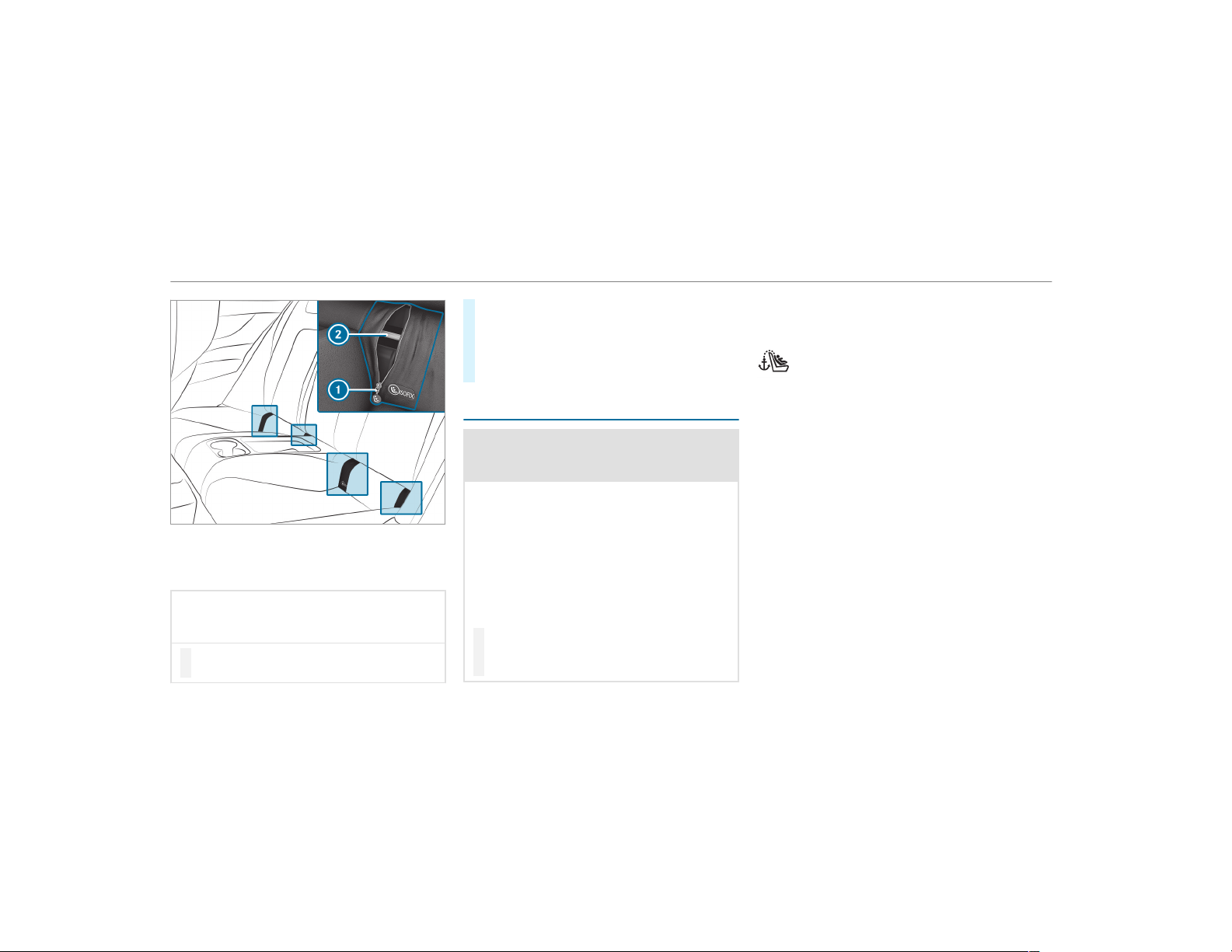
Before every trip, make sure that the LATCH-type
(ISOFIX) child restraint system is engaged cor‐
rectly in both mounting brackets in the vehicle.
*
NOTE Be careful not to damage the seat
belt for the center seat when installing
the child restraint system
#
Make sure that the seat belt is not trap‐
ped.
#
Open the cover by using zipper 1.
#
Carefully open the zip further.
#
Attach the LATCH-type (ISOFIX) child
restraint system to both mounting brackets
2 in the vehicle.
Securing Top Tether
&
WARNING Risk of injury or death if the
rear seat backrests are not locked after
installing Top Tether belts
If the rear seat backrests are not locked, they
could fold forwards in the event of an acci‐
dent or during braking or sudden changes of
direction.
As a result, child restraint systems cannot
perform their intended protective function.
Rear seat backrests that are not locked can
also cause additional injuries, e.g. in the
event of an accident.
#
Always lock rear seat backrests after
installing Top Tether belts.
#
Observe the lock verification indicator.
If the seat backrest is not engaged and locked,
this will be shown on the multifunction display
on the instrument cluster.
If the child restraint system is equipped
with a Top Tether belt:
The risk of injury can be reduced by Top
Tether. The Top Tether belt facilitates an
additional connection between the child
restraint system attached with LATCH-
type (ISOFIX) and the vehicle.
56
Occupant safety
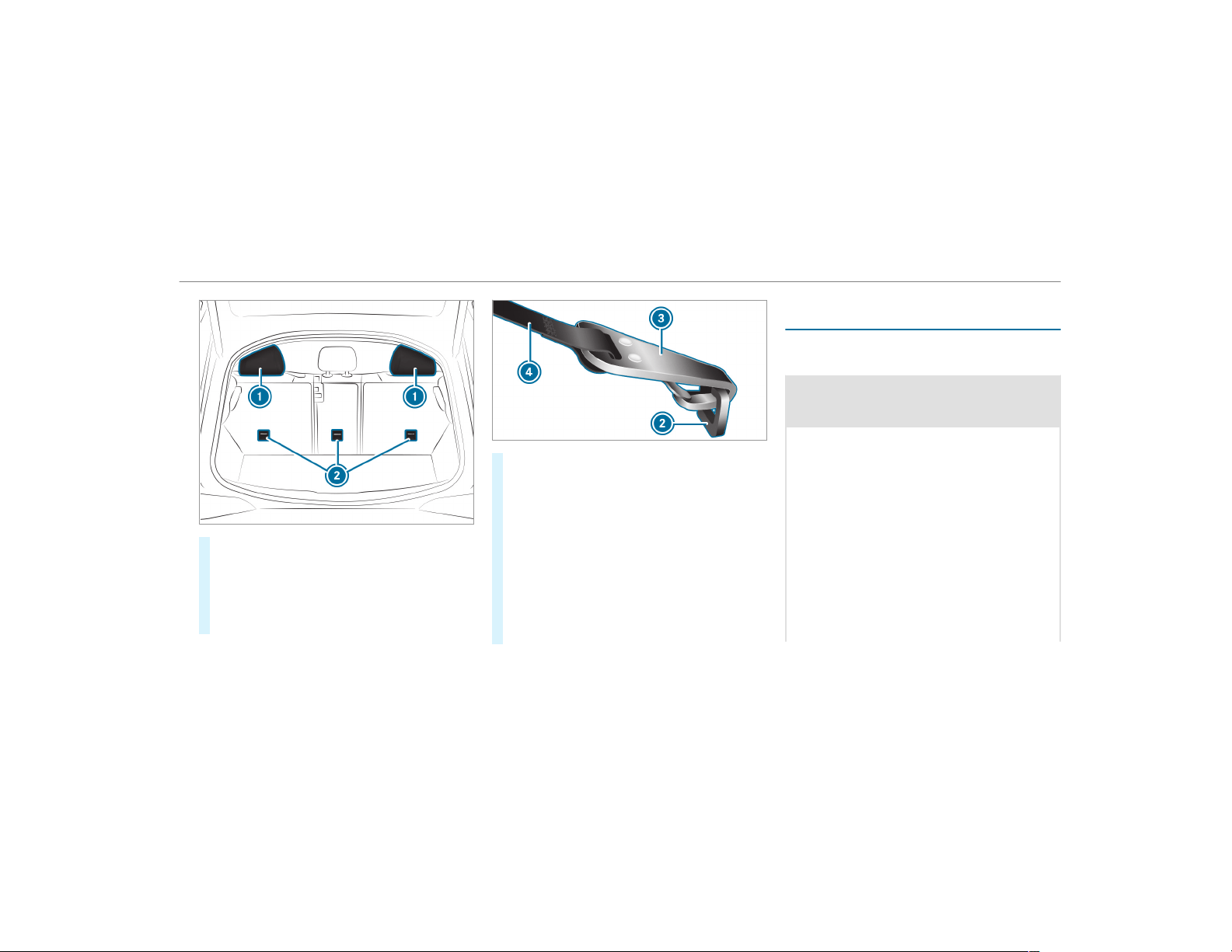
#
If necessary, move head restraint 1
upwards (→ page 91).
#
Install the LATCH-type (ISOFIX) child restraint
system with Top Tether. Always comply with
the child restraint system manufacturer's
installation instructions when doing so.
#
Guide Top Tether belt 4 under head
restraint 1 between the two head restraint
bars.
#
Hook Top Tether hook 3 without twisting
into Top Tether anchorage 2.
#
Tension Top Tether belt 4. Always comply
with the child restraint system manufactur‐
er's installation instructions when doing so.
#
If necessary, slide head restraint 1 down‐
wards (→ page 91). Make sure that you do
not interfere with the correct routing of Top
Tether belt 4.
Securing the child restraint system with the
seat belt
Attaching the child restraint system with the
seat belt on the rear seat
&
WARNING Risk of injury if the rear
bench seat/rear seat and seat backrest
are not engaged
If the rear bench seat/rear seat and seat
backrest are not engaged they could fold for‐
wards, e.g. when braking suddenly or in the
event of an accident.
R
If this is the case, the vehicle occupant
would be forced into the seat belt by the
rear bench seat/rear seat or by the seat
backrest. The seat belt cannot protect as
intended and could result in additional
injury.
R
Objects or loads in the trunk/cargo com‐
partment cannot be restrained by the
seat backrest.
Occupant safety
57

#
Make sure that the seat backrest and
the rear bench seat/rear seat are
engaged before every trip.
If the seat backrest is not engaged and locked,
this will be shown on the multifunction display
on the instrument cluster.
When installing a belt-secured child restraint
system, observe the following:
O
Always comply with the manufacturer's
installation and operating instructions for
the child restraint system used.
O
When using a category 0/0+ baby car
seat and a category I rearward-facing
child restraint system on a rear seat:
adjust the front seat so that the seat does
not touch the child restraint system.
O
When using a category I forward-facing
child restraint system: remove the head
restraint from the respective seat, if possi‐
ble.
When you remove the child restraint sys‐
tem, install the head restraint again immedi‐
ately and adjust all the head restraints cor‐
rectly.
O
The backrest of the forward-facing child
restraint system must, as far as possible, be
resting on the seat backrest of the rear
seat.
O
For certain child restraint systems in weight
category II or III, there may be restrictions in
the maximum size setting, e.g. due to possi‐
ble contact with the roof.
O
The child restraint system must not be put
under strain between the roof and the seat
cushion and/or be installed facing the
wrong direction. Where possible, adjust the
seat cushion inclination accordingly.
O
The child restraint system must not be put
under strain by the head restraints. Adjust
the head restraints accordingly.
O
Make sure that the child's feet do not touch
the front seat. If necessary, move the front
seat forward slightly.
The seat belts on the following seats are equip‐
ped with a special seatbelt retractor:
R
Front passenger seat
R
Rear seats
When enabled, the special seatbelt retractor
ensures that the seat belts of the front
passenger seat and rear seats do not slacken
once the child restraint system is secured
(
→ page 53).
#
Install the child restraint system.
The entire base of the child restraint system
must always rest on the sitting surface of the
rear seat.
#
Always make sure that the shoulder belt
strap is correctly routed from the seat belt
outlet of the vehicle to the shoulder belt
guide on the child restraint system.
The shoulder belt strap must be routed for‐
wards and downwards from the seat belt out‐
let.
58
Occupant safety

Notes on rearward-facing and forward-facing
child restraint systems on the front
passenger seat
&
WARNING Risk of injury or death from
using a rearward-facing child restraint
system when the front passenger front
airbag is enabled
If you secure a child in a rearward-facing
child restraint system on the front passenger
seat and the PASSENGER AIR BAG OFF indi‐
cator lamp is off, the front passenger airbag
can deploy in the event of an accident.
The child could be struck by the airbag.
Always ensure that the front passenger air‐
bag is deactivated. The PASSENGER AIR BAG
OFF indicator lamp must be lit.
NEVER use a rearward-facing child restraint
system on a seat protected by an ENABLED
FRONT AIRBAG in front of it, DEATH or SERI‐
OUS INJURY to the CHILD can occur.
Observe the specific instructions for the rear‐
ward-facing and forward-facing child restraint
systems (→ page 59).
Warning notice on the front passenger sun
visor
Always observe the status of the front passenger
front airbag on the PASSENGER AIR BAG OFF
indicator lamp:
R
When using a rearward-facing child restraint
system on the front passenger seat, the front
passenger front airbag must always be disa‐
bled. This is only the case if the PASSENGER
AIR BAG OFF indicator lamp is lit continu‐
ously (
→ page 44).
R
If the PASSENGER AIR BAG OFF indicator
lamp is out, the front passenger front airbag
is enabled. The front passenger front airbag
may deploy dur ing an accident.
Securing the child restraint system with the
seat belt on the front passenger seat
When installing a belt-secured child restraint
system on the front passenger seat, always
observe the following:
O
Observe the child restraint system manufac‐
turer's installation and operating instruc‐
tions.
O
When using a forward-facing child restraint
system in Group I: remove the head
restraint from the respective seat, if possi‐
ble.
When you remove the child restraint sys‐
tem, install the head restraint again immedi‐
ately and adjust all the head restraints cor‐
rectly.
O
The backrest of the forward-facing child
restraint system must lie as flat as possible
against the backrest of the front passenger
seat.
O
For certain child restraint systems in weight
group II or III, there may be restrictions in
the maximum size setting, e.g. due to possi‐
ble contact with the roof.
Occupant safety
59

O
The child restraint system must not be put
under strain between the roof and the seat
cushion and/or be installed facing the
wrong direction. Adjust the seat backrest
inclination accordingly.
O
The child restraint system must not be put
under strain by the head restraints. Adjust
the head restraints accordingly.
O
Never place objects under or behind the
child restraint system, e.g. cushions.
The seat belt on the front passenger side is
equipped with a special seatbelt retractor.
When activated, the special seatbelt retractor
ensures that the seat belt does not slacken once
the child restraint system is secured
(
→ page 53).
#
Set the front passenger seat as far back as
possible and move the seat into the highest
position.
#
Fully retract the seat cushion length adjust‐
ment.
#
Adjust the seat cushion inclination so that
the front edge of the seat cushion is in the
highest position and the rear edge of the
seat cushion is in the lowest position.
#
Set the seat backrest to an almost vertical
position.
#
Install the child restraint system.
The entire base of the child restraint system
must always rest on the seat cushion of the
front passenger seat.
#
Always make sure that the shoulder belt
strap is correctly routed from the seat belt
outlet of the vehicle to the shoulder belt
guide on the child restraint system.
The shoulder belt strap must be routed for‐
wards and downwards from the seat belt out‐
let.
#
If necessary, adjust the seat belt outlet and
the front passenger seat accordingly.
Child safety locks
Activating/deactivating the child safety lock
for the rear doors
&
WARNING Risk of accident and injury
due to children left unattended in the
vehicle
If you leave children unattended in the vehi‐
cle, they may be able to set the vehicle in
motion, for example by:
R
Releasing the parking brake.
R
Shifting the automatic transmission out
of park position j.
R
Starting the engine.
In addition, they may operate vehicle equip‐
ment and become trapped.
#
Never leave children unattended in the
vehicle.
#
When leaving the vehicle, always take
the SmartKey with you and lock the
vehicle.
60
Occupant safety
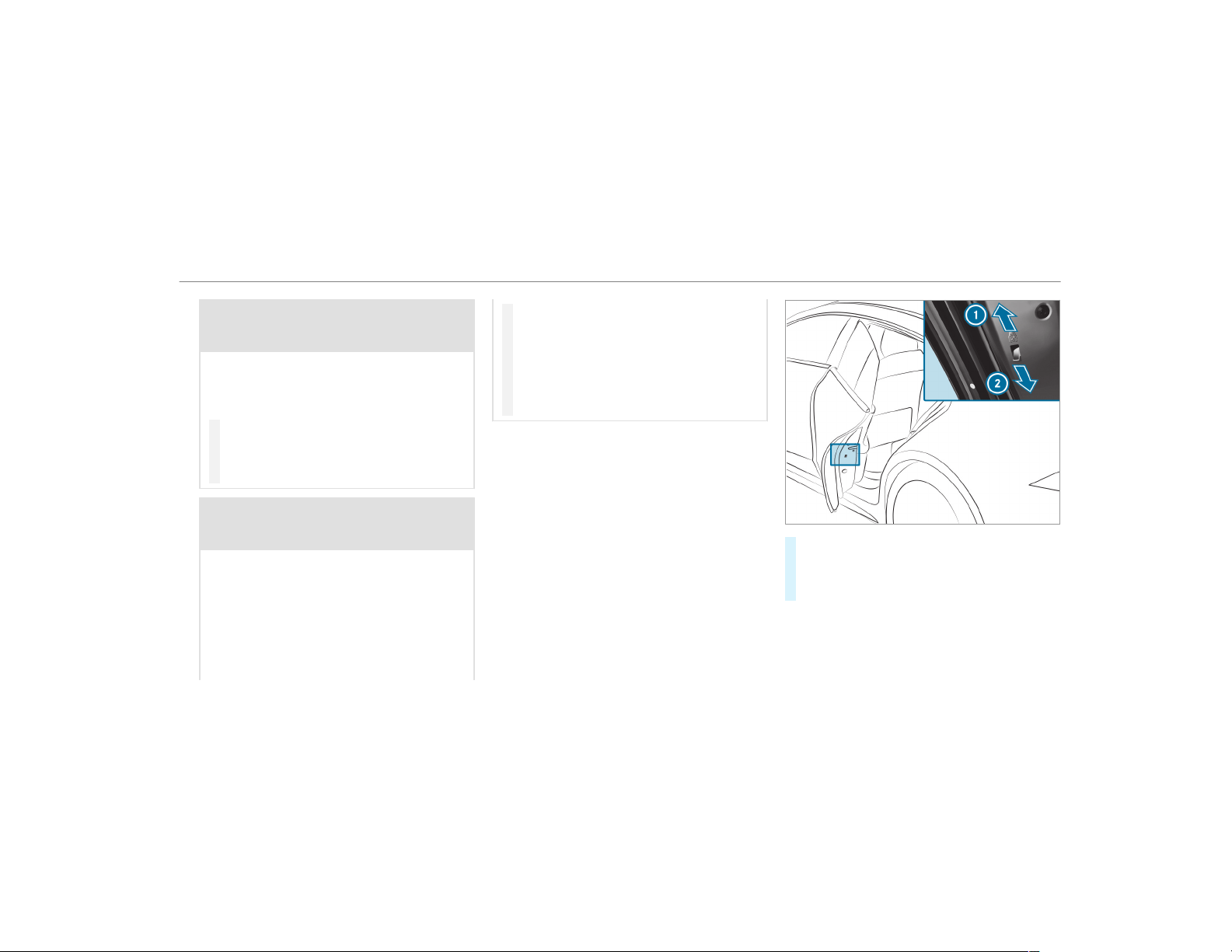
&
WARNING Risk of fatal injury due to
exposure to extreme heat or cold in the
vehicle
If people – particularly children – are
exposed to extreme temperatures over an
extended period of time, there is a risk of
serious or even fatal injury.
#
Never leave anyone – particularly chil‐
dren – unattended in the vehicle.
#
Never leave animals in the vehicle unat‐
tended.
&
WARNING Risk of accident and injury
due to children left unattended in the
vehicle
When children are traveling in the vehicle,
they could:
R
open doors, thereby endangering other
people or road users
R
get out of the vehicle and be hit by traffic
R
operate vehicle equipment and become
trapped, for example
#
When children are traveling in the vehi‐
cle, always activate the available child
safety locks.
#
Never leave children unattended in the
vehicle.
#
When leaving the vehicle, always take
the key with you and lock the vehicle.
Child safety locks for the rear doors and the rear
side windows are available.
The child safety lock on the rear doors secures
each door separately. The doors can no longer
be opened from the inside.
#
Press the lever in direction 1 (activate) or
2 (deactivate).
#
Make sure that the child safety locks are
working properly.
Activating/deactivating the child safety lock
for the rear passenger compartment side
windows
Occupant safety
61
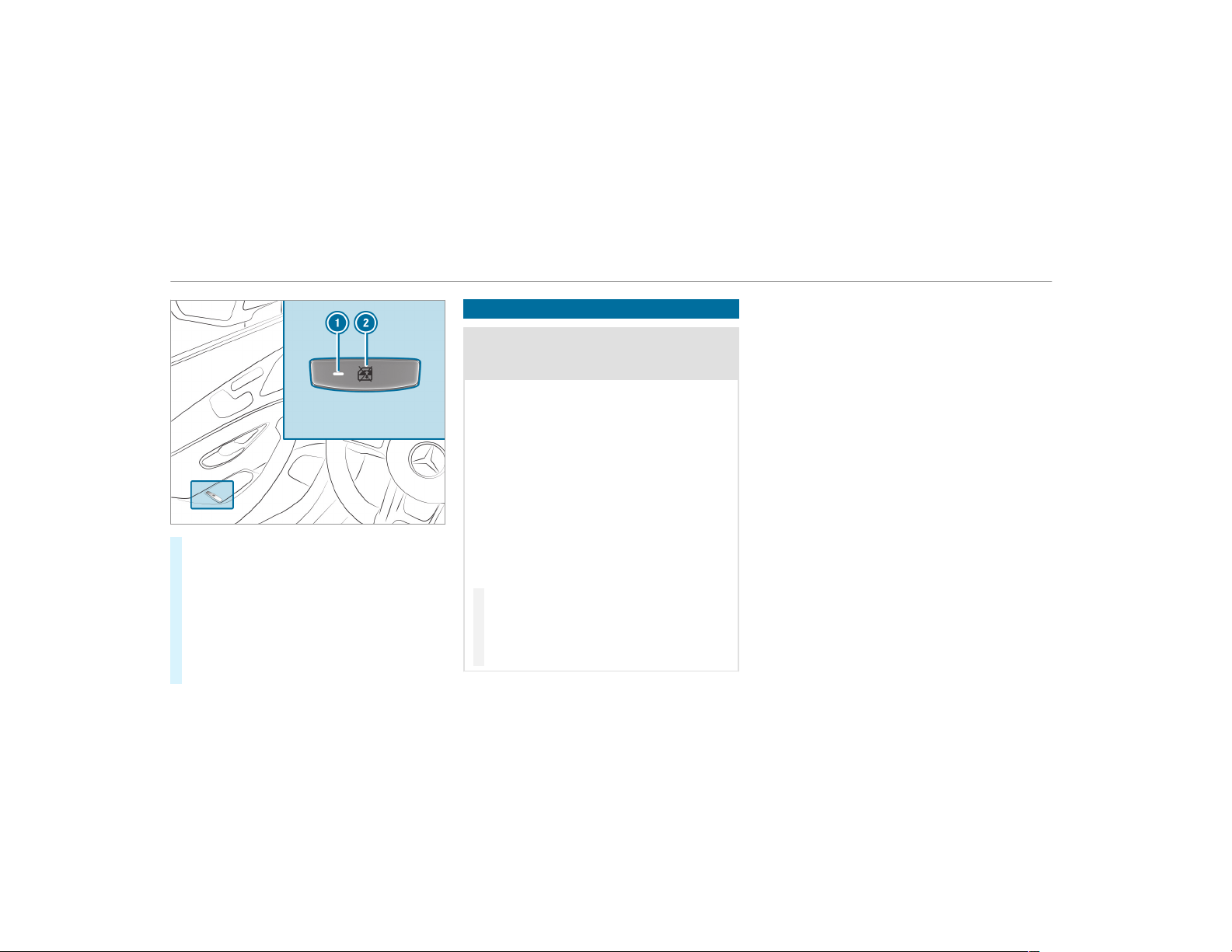
#
To activate/deactivate: press button 2.
The rear passenger compartment side win‐
dow can be opened or closed in the following
cases:
R
With indicator lamp 1 lit: via the switch
on the driver's door
R
With indicator lamp 1 off: via the switch
on the corresponding rear passenger
compartment door or driver's door
Notes on pets in the vehicle
&
WARNING Risk of accident and injury
due to animals left unsecured or unat‐
tended in the vehicle
If you leave animals in the vehicle unatten‐
ded or unsecured, they could possibly press
down buttons or switches.
Thereby an animal may:
R
activate vehicle equipment and become
trapped, for example
R
switch systems on or off and endanger
other road users
Unsecured animals may be thrown around in
the vehicle in the event of an accident or
sudden steering and braking maneuver and
injure vehicle occupants in the process.
#
Never leave animals in the vehicle unat‐
tended.
#
Always correctly secure animals while
driving, for example using a suitable
animal carrier.
62
Occupant safety
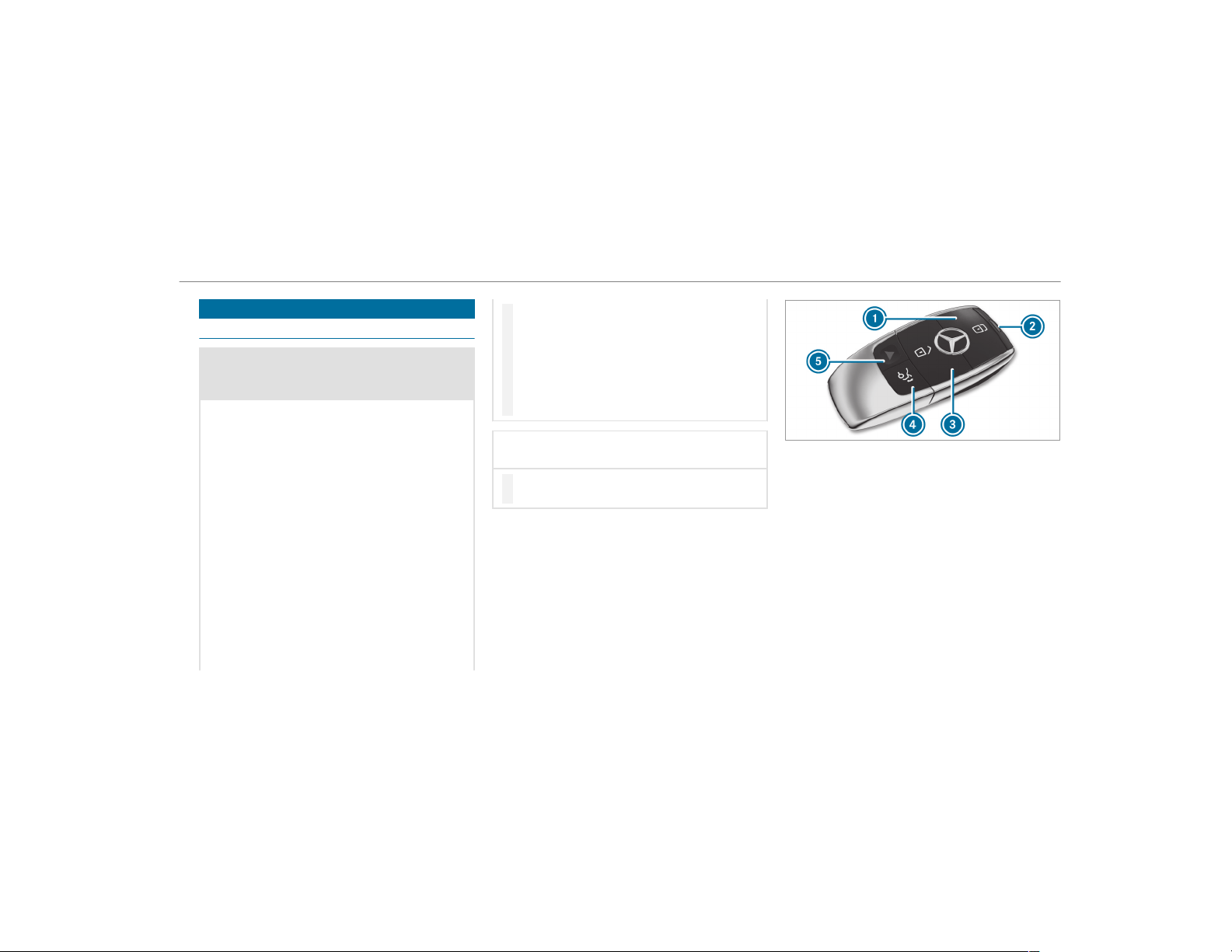
SmartKey
Overview of SmartKey functions
&
WARNING Risk of accident and injury
due to children left unattended in the
vehicle
If children are left unattended in the vehicle,
they could:
R
Open doors, thereby endangering other
persons or road users.
R
Get out of the vehicle and be hit by
oncoming traffic.
R
Operate vehicle equipment and become
trapped, for example.
In addition, children could also set the vehi‐
cle in motion, for example, by:
R
Releasing the parking brake.
R
Shifting the automatic transmission out
of park position j or shifting manual
transmission into neutral.
R
Starting the engine
#
When leaving the vehicle, always take
the SmartKey with you and lock the
vehicle.
#
Never leave children and animals unat‐
tended in the vehicle.
#
Keep the SmartKey out of reach of chil‐
dren.
*
NOTE Damage to the key caused by
magnetic fields
#
Keep the key away from strong mag‐
netic fields.
1
Locks
2
Battery check lamp
3
Unlocks
4
Opens/closes the tailgate
5
Panic alarm
%
The SmartKey may vary from the one shown
in the diagram, depending on the vehicle
equipment.
The SmartKey locks and unlocks the following
components:
R
the doors
R
the tailgate
R
the fuel filler flap
Opening and closing
63
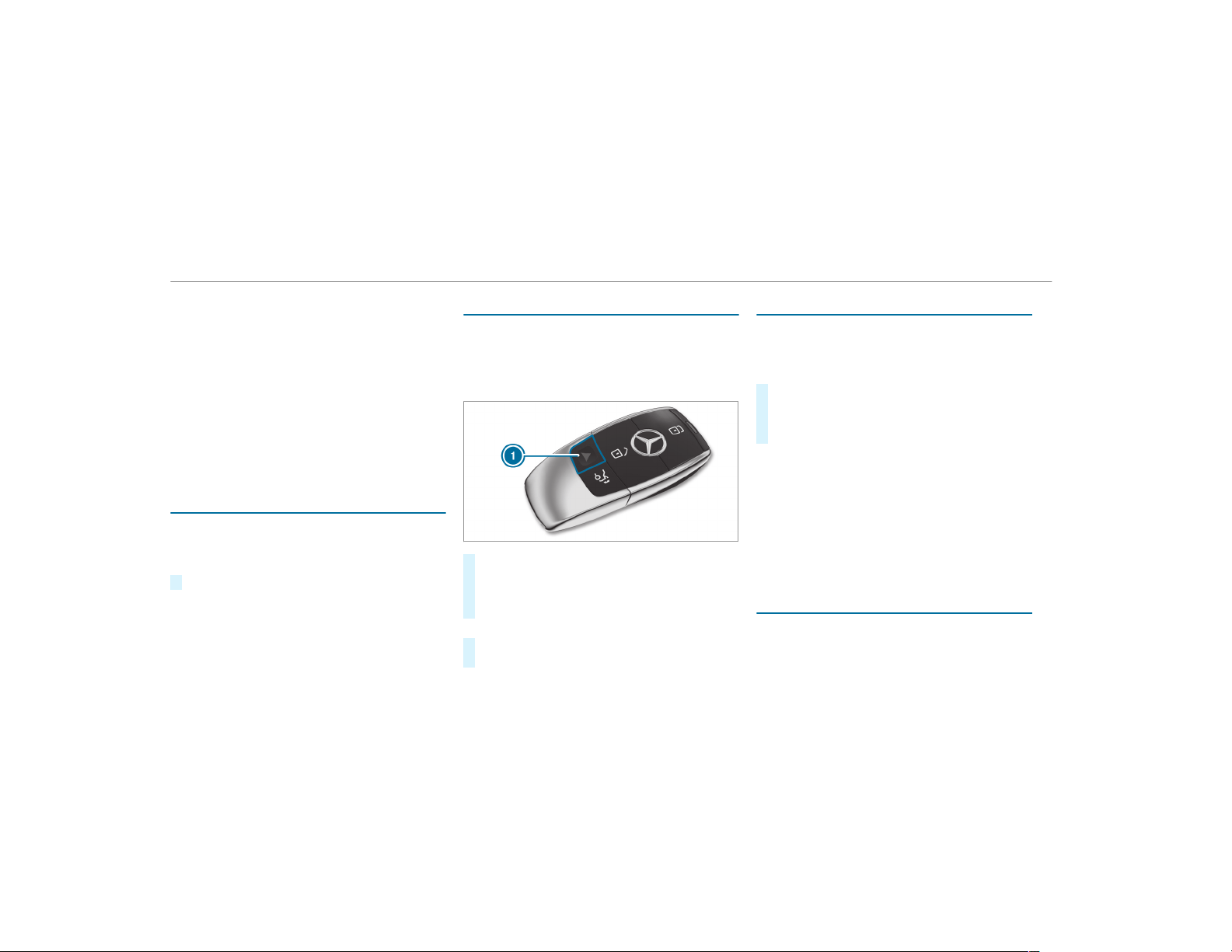
If the vehicle is not opened within approximately
40 seconds after unlocking, it locks again. Anti-
theft protection is activated again.
Do not keep the SmartKey together with elec‐
tronic devices or metal objects. This can affect
the SmartKey's functionality.
%
If battery check lamp 2 does not light up
after pressing the % or & button, the
battery is discharged.
Replacing the SmartKey battery (→ page 65).
Activating/deactivating the acoustic locking
verification signal
Multimedia system:
,
Vehicle
.
î Vehicle Set-
tings
.
Acoustic Lock
#
Activate O or deactivate ª the function.
Activating/deactivating the panic alarm
Requirements:
%
The panic alarm function is only available in
certain countries.
R
The ignition is switched off.
#
To activate: press button 1 for approx‐
imately one second.
A visual and audible alarm is triggered.
#
To deactivate: briefly press button 1 again.
or
#
Press the start/stop button on the cockpit
(the SmartKey is inside the vehicle).
Changing the unlocking settings
Possible unlocking functions of the SmartKey:
R
Central unlocking
R
Unlocking the driver's door and fuel filler flap
#
To switch between settings: press the
% and & buttons simultaneously for
approximately six seconds until the battery
check lamp flashes twice.
If the unlocking function for the driver's door
and fuel filler flap has been selected:
R
Pressing the % button a second time cen‐
trally unlocks the vehicle
R
Vehicles with KEYLESS-GO: If you touch
the inner surface of the door handle on the
driver's door, only the driver's door and fuel
filler flap are unlocked.
Deactivating the SmartKey functions
If you do not use the vehicle or a SmartKey for
an extended period of time, you can reduce the
energy consumption of the respective Smart‐
64
Opening and closing
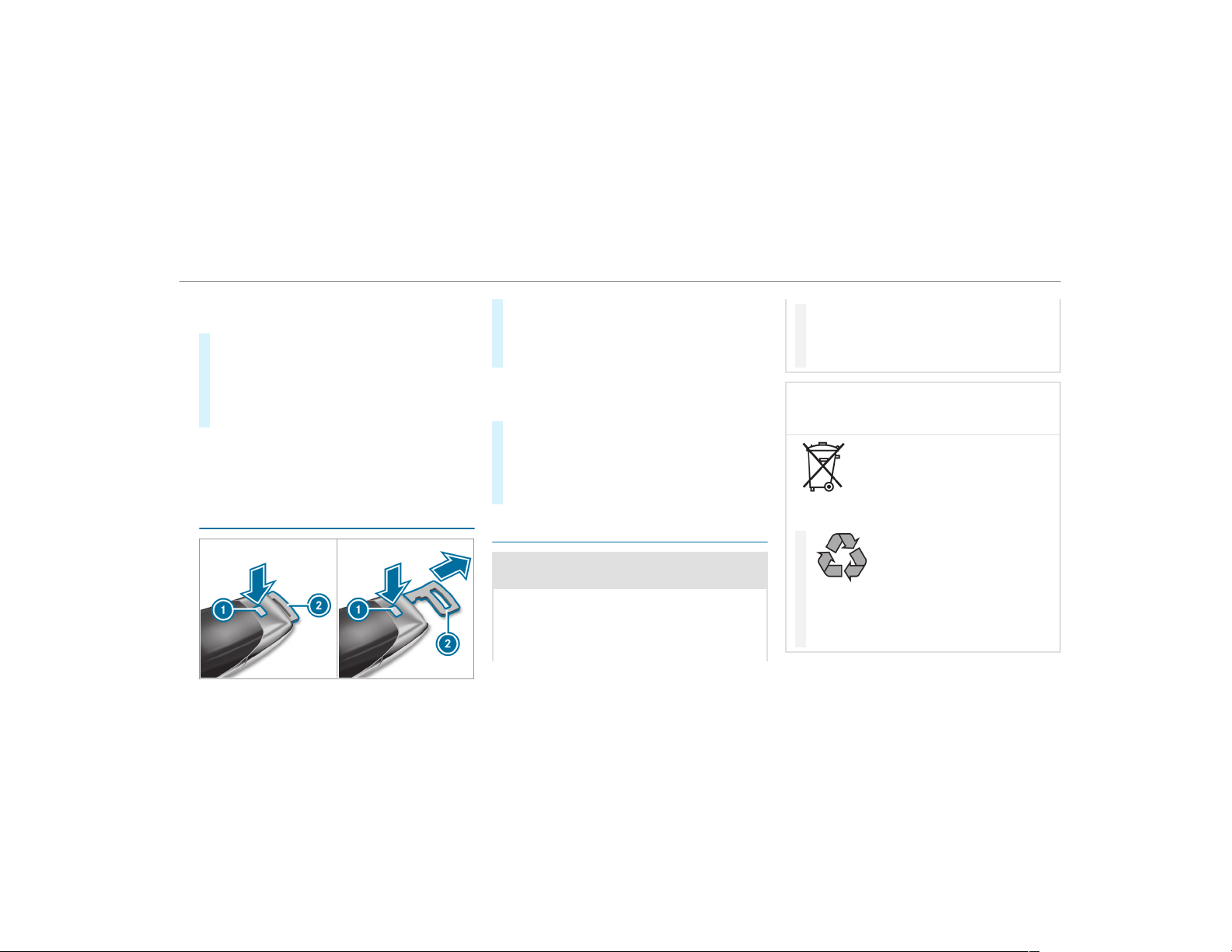
Key . To do so, deactivate the SmartKey func‐
tions.
#
To deactivate: press the & button on the
SmartKey twice in quick succession.
The battery check lamp of the SmartKey
flashes twice briefly and lights up once.
#
To activate: press any button on the Smart‐
Key.
%
When the vehicle is started with the Smart‐
Key in the stowage compartment of the cen‐
ter console, the SmartKey functions are
automatically activated (
→ page 137).
Removing/inserting the emergency key
#
To remove: press release button 1.
Emergency key 2 is pushed out slightly.
#
Pull out emergency key 2 until it engages in
the intermediate position.
%
You can use the intermediate position of
emergency key 2 to attach the SmartKey to
a key ring.
#
Press release button 1 again and fully
remove emergency key 2.
#
To insert: press release button 1.
#
Insert emergency key 2 to the intermediate
position or fully until it engages.
Replacing the SmartKey battery
&
DANGER Serious damage to health
caused by swallowing batteries
Batteries contain toxic and corrosive sub‐
stances. Swallowing batteries may cause
serious damage to health.
There is a risk of fatal injury.
#
Keep batteries out of the reach of chil‐
dren.
#
If batteries are swallowed, seek medical
attention immediately.
+
ENVIRONMENTAL NOTE Environmental
damage caused by improper disposal of
batteries
Batteries contain pollutants. It is
illegal to dispose of them with the household
rubbish.
#
Dispose of batteries in an
environmentally responsible manner.
Take discharged batteries to a qualified
specialist workshop or to a collection
point for used batteries.
Opening and closing
65
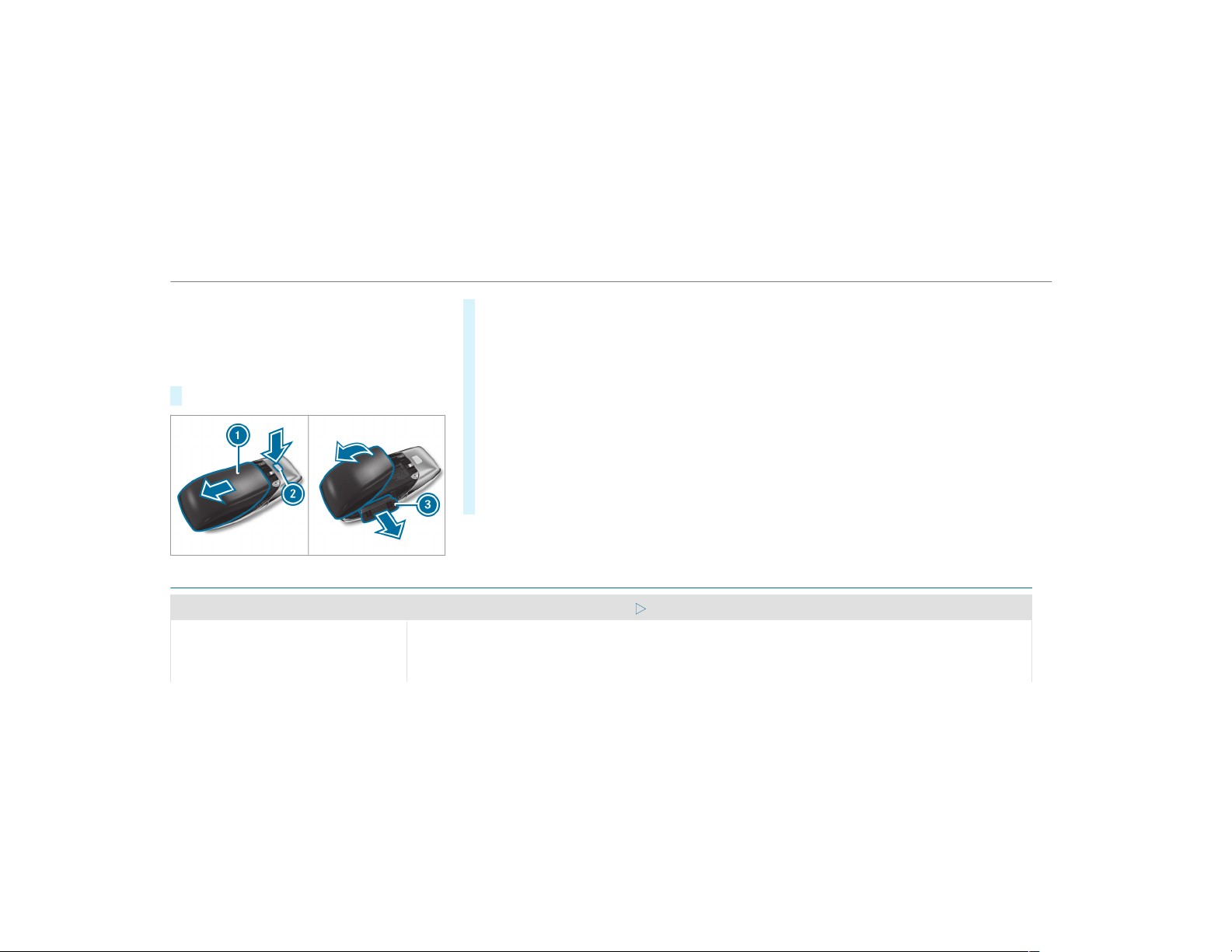
Requirements:
R
You require a CR 2032 3 V cell battery.
Mercedes-Benz recommends that you have the
battery replaced at a qualified specialist work‐
shop.
#
Remove the emergency key (→ page 65).
#
Press release button 2 down fully and slide
cover 1 in the direction of the arrow.
#
Fold out cover 1 in the direction of the
arrow and remove.
#
Remove battery compartment 3 and take
out the discharged battery.
#
Insert the new battery into battery compart‐
ment 3. Observe the positive pole marking
in the battery compartment and on the bat‐
tery when doing this.
#
Push in batter y compartment 3.
#
Re-attach cover 1 and push it until it
engages.
Problems with the SmartKey
Problem
Possible causes/consequences and M Solutions
You can no longer lock or unlock the
vehicle.
Possible causes are:
R
The SmartKey battery is discharged or nearly discharged.
R
There is interference from a powerful radio signal source.
66
Opening and closing
Problem
Possible causes/consequences and M Solutions
R
The SmartKey is defective.
#
Check the battery using the battery check lamp and replace if necessary (→ page 65).
#
Use the emergency key to lock or unlock (→ page 65).
#
Have the SmartKey checked at a qualified specialist workshop.
You have lost a SmartKey.
#
Have the SmartKey deactivated at a qualified specialist workshop.
#
If necessary, have the mechanical lock changed as well.
Opening and closing
67

Doors
Unlocking and opening doors from the inside
#
To unlock and open a front door: pull door
handle 2.
Locking pin 1 pops up when the door is
unlocked.
#
To unlock a rear passenger compartment
door: pull the rear passenger compartment
door handle.
The locking pin pops up when the rear
passenger compartment door is unlocked.
#
To open a rear passenger compartment
door: pull the rear passenger compartment
door handle again.
Centrally locking and unlocking the vehicle
from the inside
#
To unlock: press button 1.
#
To lock: press button 2.
This does not lock or unlock the fuel filler flap.
68
Opening and closing
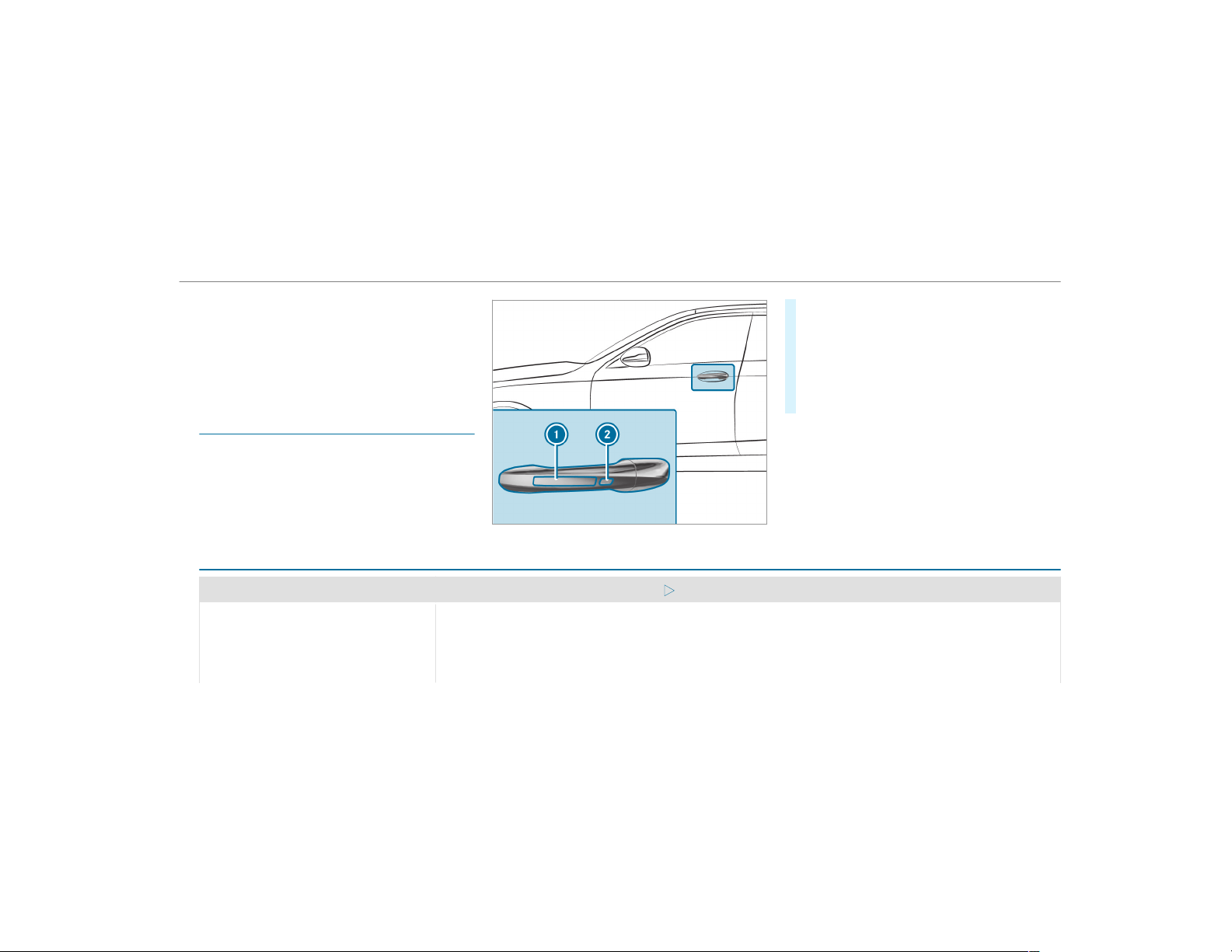
The vehicle is not unlocked:
R
If you have locked the vehicle using the
SmartKey.
R
If you have locked the vehicle using KEY‐
LESS-GO.
Locking/unlocking the vehicle with KEY‐
LESS-GO
Requirements
R
The SmartKey is outside the vehicle.
R
The distance between the SmartKey and the
vehicle does not exceed 3 ft (1 m).
R
The driver's door and the door at which the
door handle is used are closed.
#
To unlock the vehicle: touch the inner sur‐
face of the door handle.
#
To lock the vehicle: touch sensor surface
1 or 2.
#
Convenience closing: touch recessed sen‐
sor surface 2 until the closing procedure is
complete.
%
Further information on convenience closing
(→ page 79).
If you open the tailgate from outside it is auto‐
matically unlocked.
Problems with KEYLESS-GO
Problem
Possible causes/consequences and M Solutions
You can no longer lock or unlock the
vehicle using KEYLESS-GO.
Possible causes are:
R
The SmartKey functions have been deactivated .
R
The SmartKey battery is discharged or nearly discharged.
R
There is interference from a powerful radio signal source.
Opening and closing
69
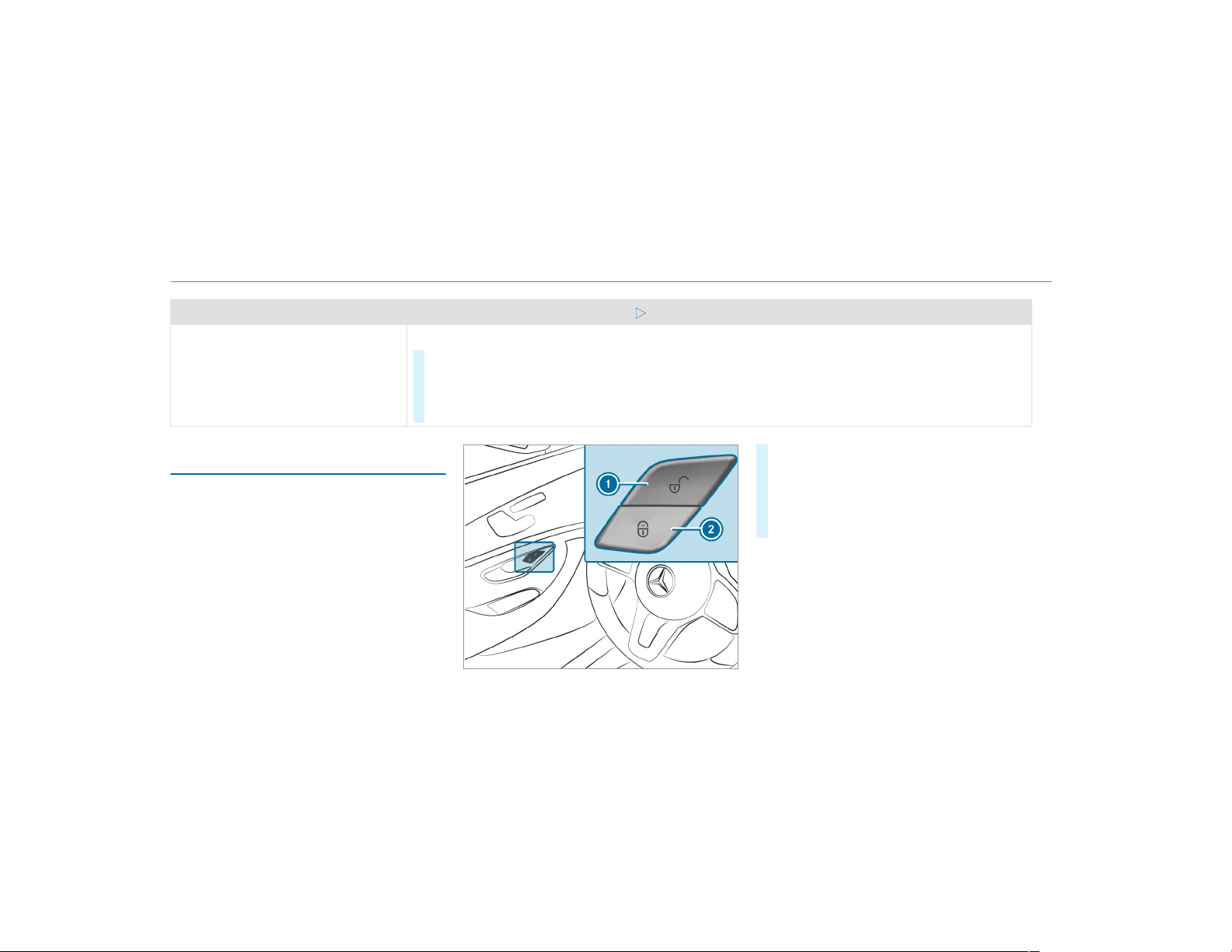
Problem
Possible causes/consequences and M Solutions
R
The SmartKey is faulty.
#
Activate the SmartKey functions ( → page 64).
#
Check the battery using the battery check lamp and replace if necessary (→ page 65).
#
Use the emergency key to unlock or lock the vehicle (→ page 65).
#
Have the vehicle and SmartKey checked at a qualified specialist workshop.
Activating/deactivating the automatic lock‐
ing feature
The vehicle is locked automatically when the
ignition is switched on and the wheels are turn‐
ing faster than walking pace.
#
To activate: press and hold button 2 for
approximately five seconds until an acoustic
signal sounds.
#
To deactivate: press and hold button 1 for
approximately five seconds until an acoustic
signal sounds.
In the following situations, there is a danger of
being locked out when the function is activated:
R
While the vehicle is being tow started/
pushed.
R
The vehicle is being tested on the dynamom‐
eter.
70
Opening and closing
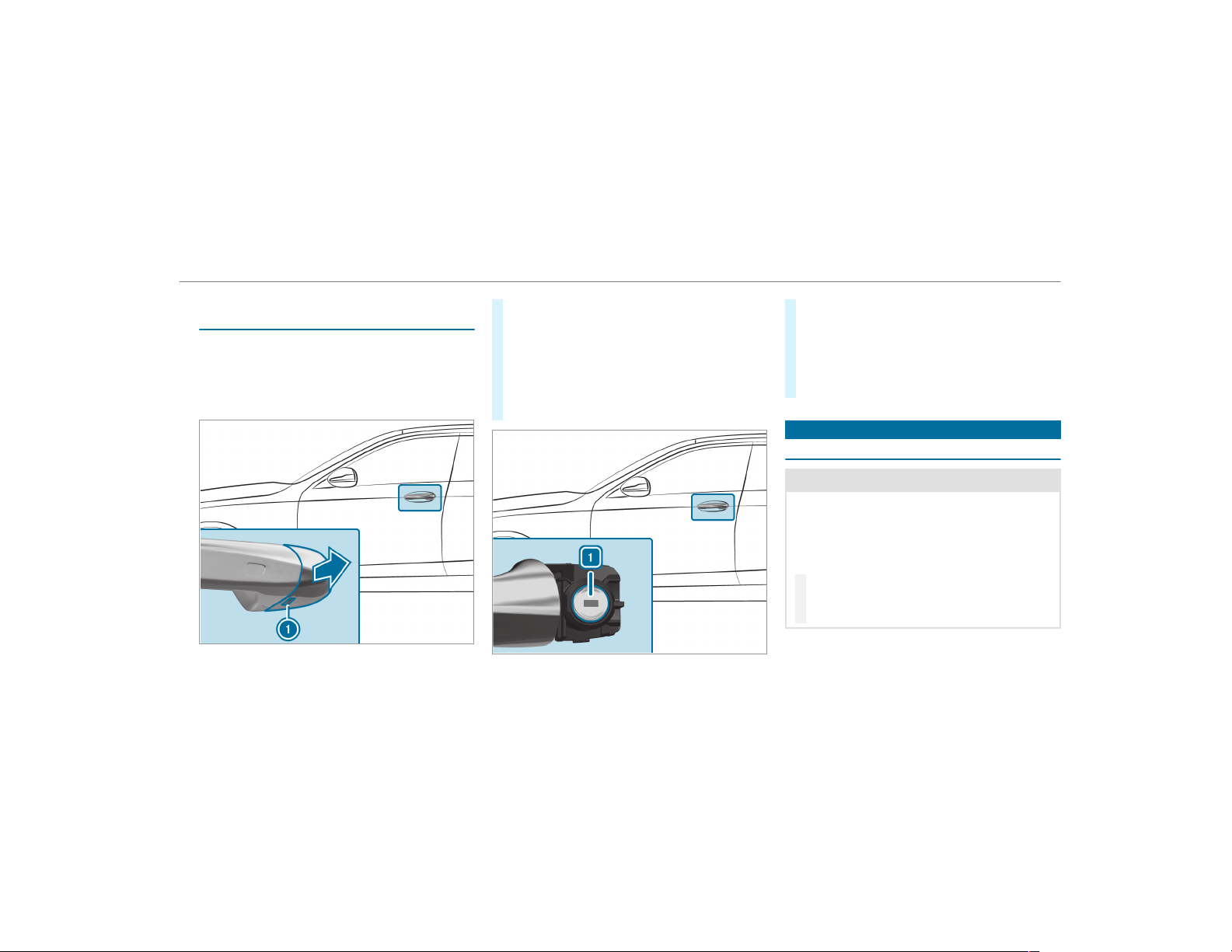
Locking/unlocking the driver's door with the
emergency key
%
If you wish to lock the vehicle entirely using
the emergency key, first press the button for
locking from the inside while the driver's
door is open. Then proceed to lock the driv‐
er's door using the emergency key.
#
Insert the emergency key as far as it will go
into opening 1 in the cover.
#
Pull and hold the door handle.
#
Pull the cover on the emergency key as
straight as possible away from the vehicle
until it releases.
#
Release the door handle.
#
To unlock: turn the emergency key counter-
clockwise to position 1.
#
To lock: turn the emergency key clockwise to
position 1.
#
Carefully press the cover onto the lock cylin‐
der until it engages and is seated firmly.
Cargo compartment
Opening the tailgate
&
DANGER Risk of exhaust gas poisoning
Combustion engines emit poisonous exhaust
gases such as carbon monoxide. Exhaust
gases can enter the vehicle interior if the tail‐
gate is open when the engine is running,
especially if the vehicle is in motion.
#
Always switch off the engine before
opening the tailgate.
#
Never drive with the tailgate open.
Opening and closing
71
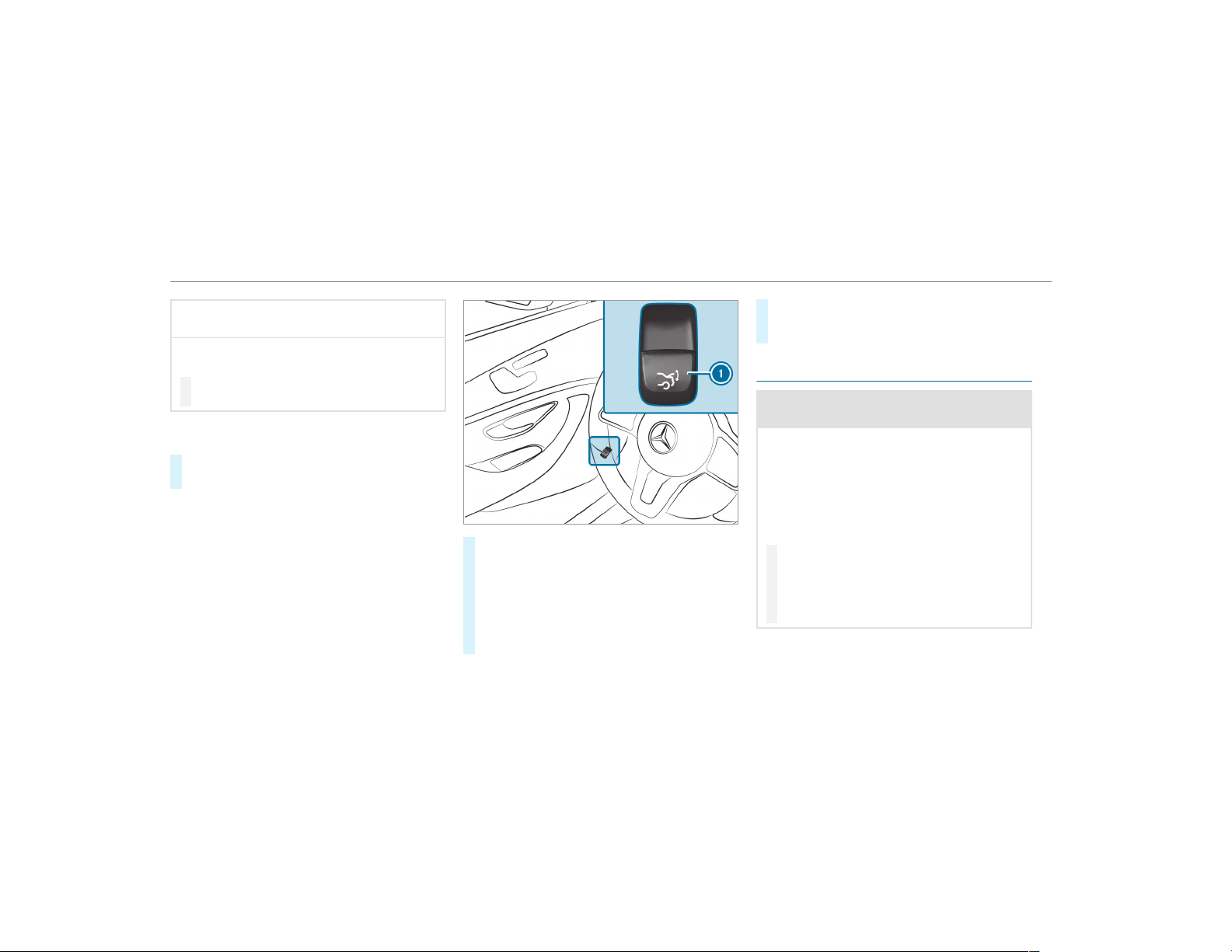
*
NOTE Damage to the tailgate caused by
obstacles above the vehicle
The tailgate swings rearwards and upwards
when it is opened.
#
Make sure that there is sufficient space
behind and above the tailgate.
To open the tailgate, the following options
are available:
#
Pull on the handle for the tailgate in the
bumper above the license plate.
#
Pull remote opening switch 1 for the tail‐
gate.
#
Press and hold the p button on the
SmartKey.
#
Vehicles with HANDS-FREE ACCESS: Make
a kicking movement with your foot below the
bumper ( → page 75).
#
For a tailgate stopped in an intermediate
position, pull it upwards and release it as
soon as it starts to open.
Closing the tailgate
&
WARNING Risk of injury from unsecured
items in the vehicle
If objects, luggage or loads are not secured
or not secured sufficiently, they could slip,
tip over or be thrown around and thereby hit
vehicle occupants.
There is a risk of injury, particularly in the
event of sudden braking or a sudden change
in direction.
#
Always stow objects in such a way that
they cannot be thrown around.
#
Before the journey, secure objects, lug‐
gage or loads against slipping or tipping
over.
72
Opening and closing
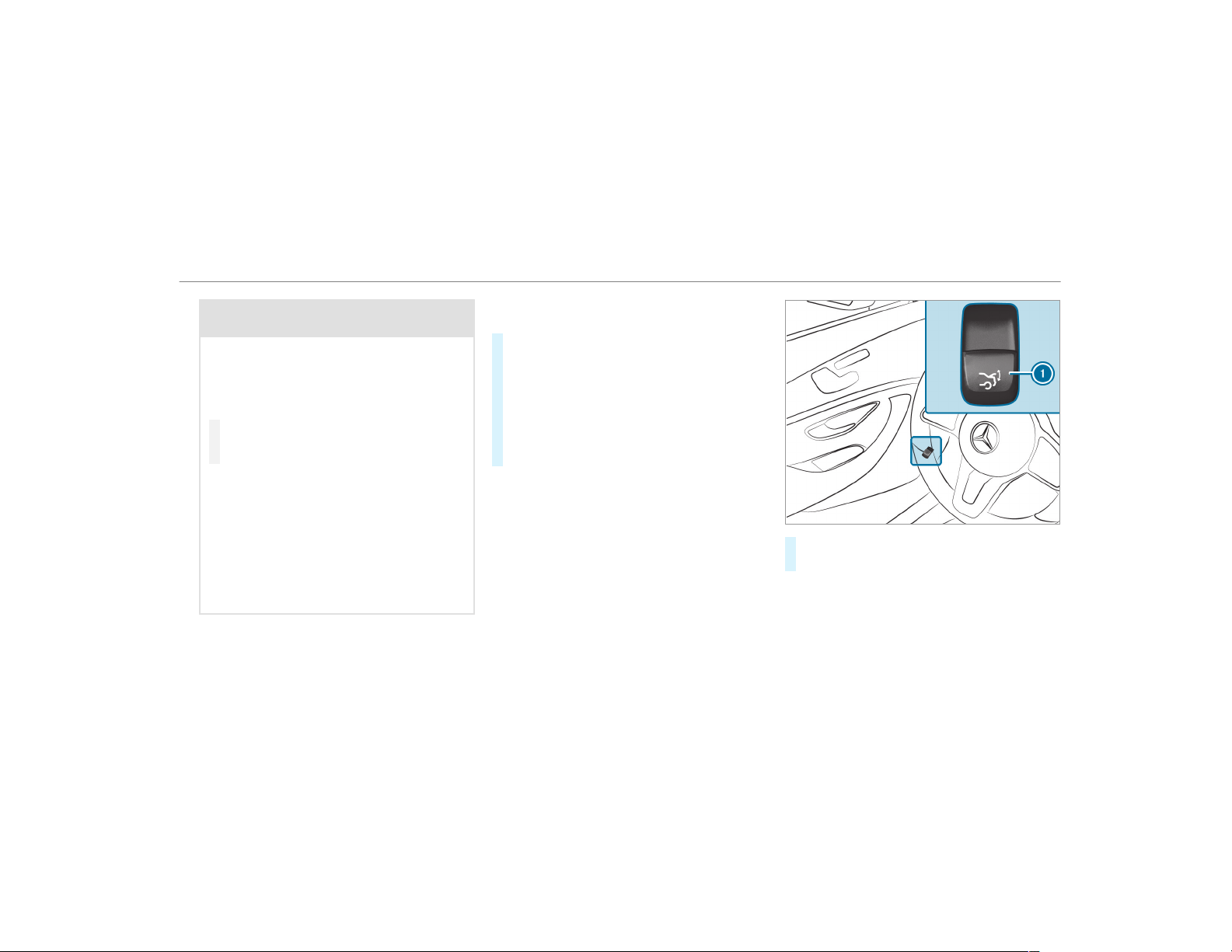
&
WARNING Risk of becoming trapped
during automatic closing of the t ailgate
Parts of the body could become trapped dur‐
ing automatic closing of the tailgate. More‐
over, people, e.g. children, may be standing
in the closing area or may enter the closing
area dur ing the closing process.
#
Make sure that nobody is in the vicinity
of the closing area during the closing
process.
Use one of the following options to stop the
closing process:
R
Press the p button on the SmartKey.
R
Press or pull the remote operating switch
on the driver's door.
R
Press the closing or locking button on the
tailgate.
R
Pull the tailgate handle.
Vehicles with HANDS-FREE ACCESS: It is also
possible to stop the closing process by making a
kicking movement with your foot below the rear
bumper.
To close the tailgate, the following options
are available:
#
Pull the tailgate downwards slightly. Release
it as soon as it begins to close.
#
Vehicles with HANDS-FREE ACCESS: Make
a kicking movement with your foot below the
bumper ( → page 75).
#
Vehicles with KEYLESS-GO: Press and hold
the p button on the SmartKey (with the
SmartKey in the vicinity of the vehicle).
#
Press remote operating switch 1 for the
tailgate.
Opening and closing
73
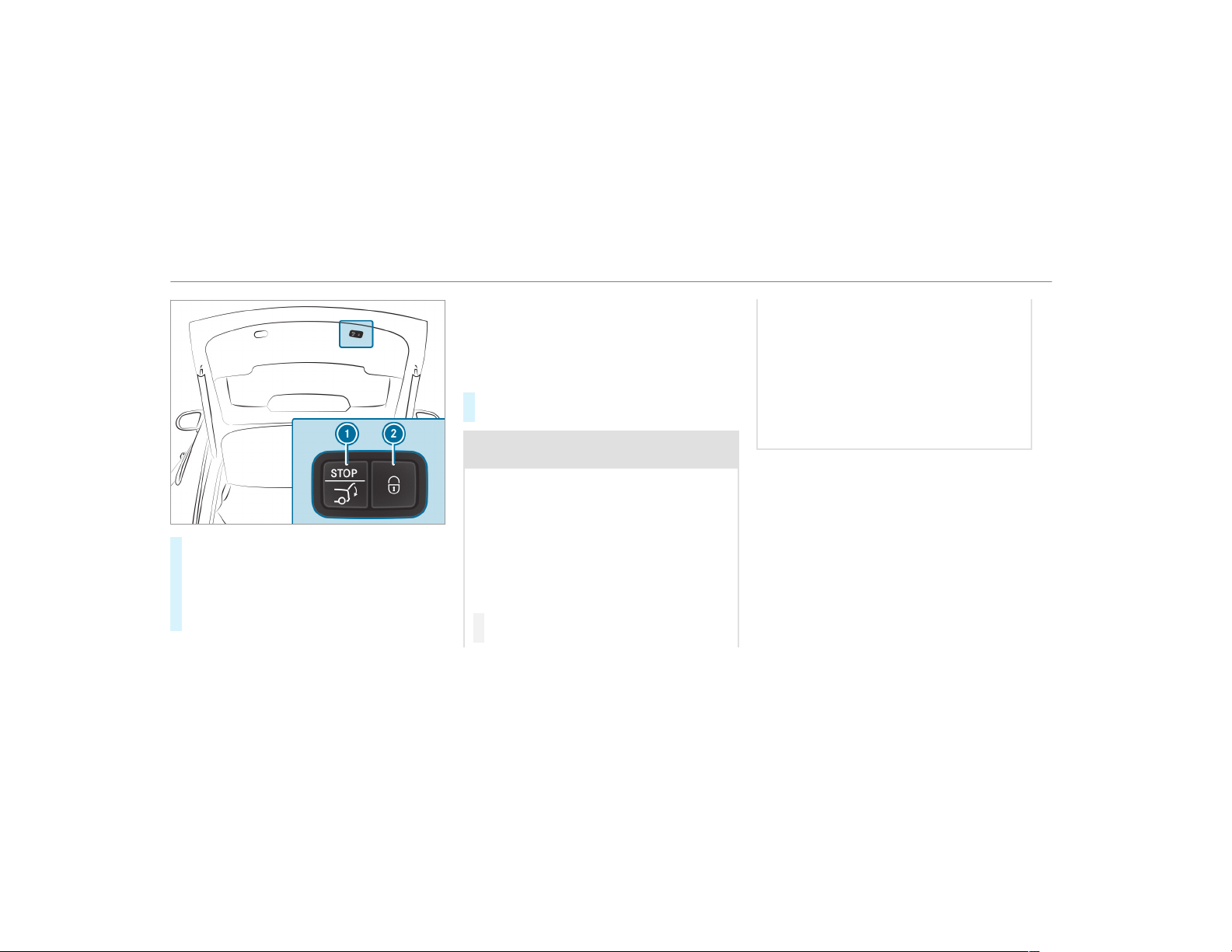
#
Press closing button 1 on the tailgate.
#
Vehicles with KEYLESS-GO: Press locking
button 2 on the tailgate.
If a SmartKey is detected outside the vehicle,
the tailgate will close and the vehicle will be
locked.
Automatic reversing function for the tailgate
The tailgate is equipped with automatic obstacle
detection with reversing function. If a solid
object blocks or restricts the tailgate when auto‐
matically closing, the tailgate automatically
opens again slightly. Automatic obstacle detec‐
tion with reversing function is only an aid. It is
not a substitute for your attentiveness when you
are closing the tailgate.
#
When closing, make sure that no body parts
are in the closing area.
&
WARNING Risk of becoming trapped
despite the reversing function
The reversing function does not react:
R
To soft, light and thin objects, e.g. fin‐
gers.
R
Over the last Ó in (8 mm) of the closing
path.
In these situations in particular, the reversing
function cannot prevent someone being trap‐
ped.
#
When closing, make sure that no body
parts are in the closing area.
If someone is trapped:
R
Press the p button on the SmartKey,
or
R
Press or pull the remote operating switch
on the driver's door, or
R
Press the closing or locking button on the
tailgate, or
R
Pull the tailgate handle.
74
Opening and closing
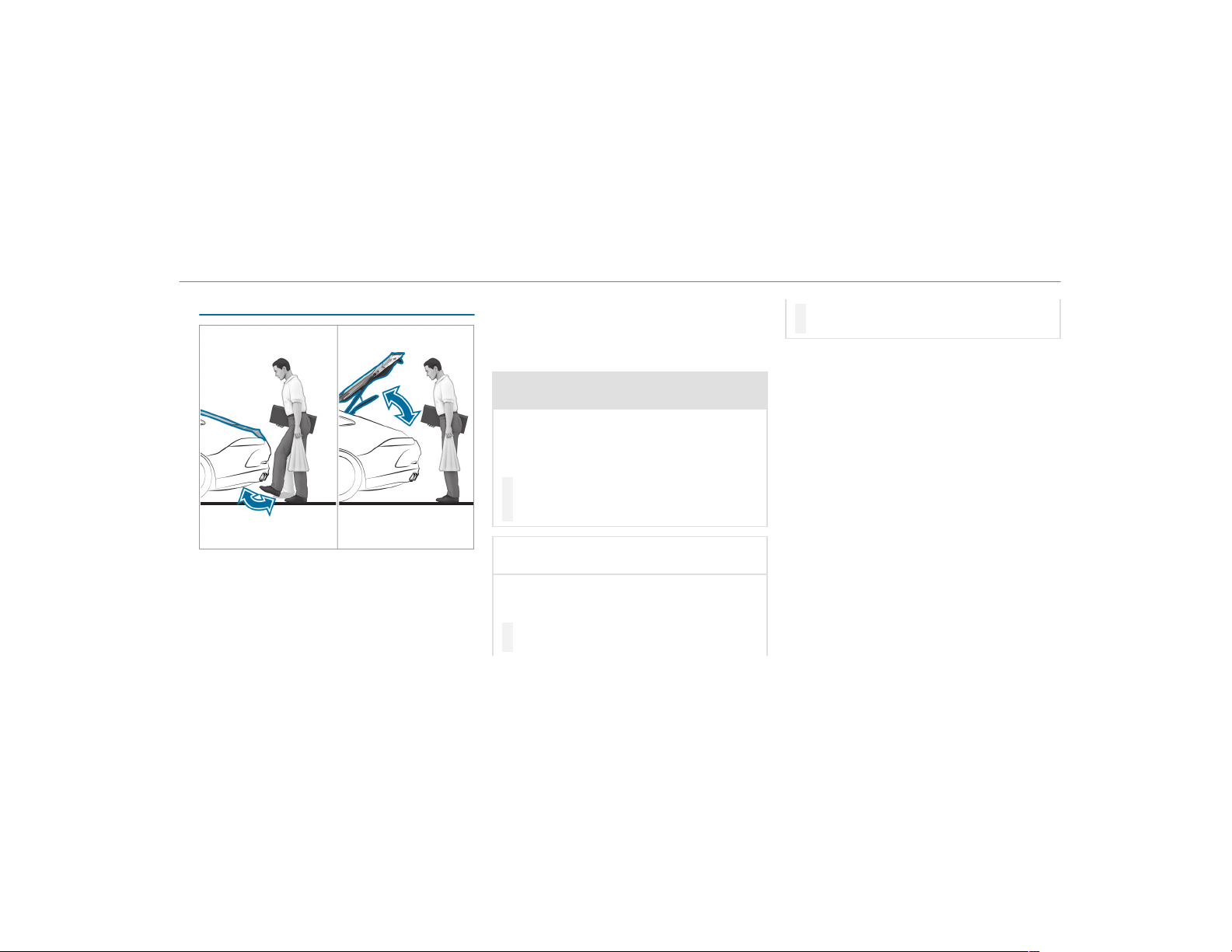
HANDS-FREE ACCESS function
With HANDS-FREE ACCESS you can open, close
or stop the closing process of the tailgate by
performing a kicking movement under the rear
bumper.
The kicking movement triggers the opening or
closing process alternately.
Observe the notes when opening (
→ page 71)
and closing (→ page 72) the tailgate.
%
Two warning tones sound when the tailgate
is opening or closing.
&
WARNING Risk of burns caused by a hot
exhaust system
The vehicle exhaust system can become very
hot. If you use HANDS-FREE ACCESS, you
could burn yourself by touching the exhaust
system.
#
Always ensure that you only make a
kicking movement within the detection
range of the sensors.
*
NOTE Vehicle damage due to uninten‐
tional opening of the tailgate
R
when using an automatic car wash
R
when using a high pressure cleaner
#
Deactivate KEYLESS-GO or make sure
that the key located is at least 10 ft
(3 m) away from the vehicle in such sit‐
uations.
When making the kicking movement, make sure
that your feet are firmly on the ground, other‐
wise you could lose your balance, e.g. on ice.
Requirements:
R
The SmartKey is behind the vehicle.
R
Stand at least 12 in (30 cm) away from the
vehicle while performing the kicking move‐
ment.
R
Do not come into contact with the bumper
while making the kicking movement.
R
Do not carry out the kicking movement too
slowly.
R
The kicking movement must be towards the
vehicle and back again.
Opening and closing
75
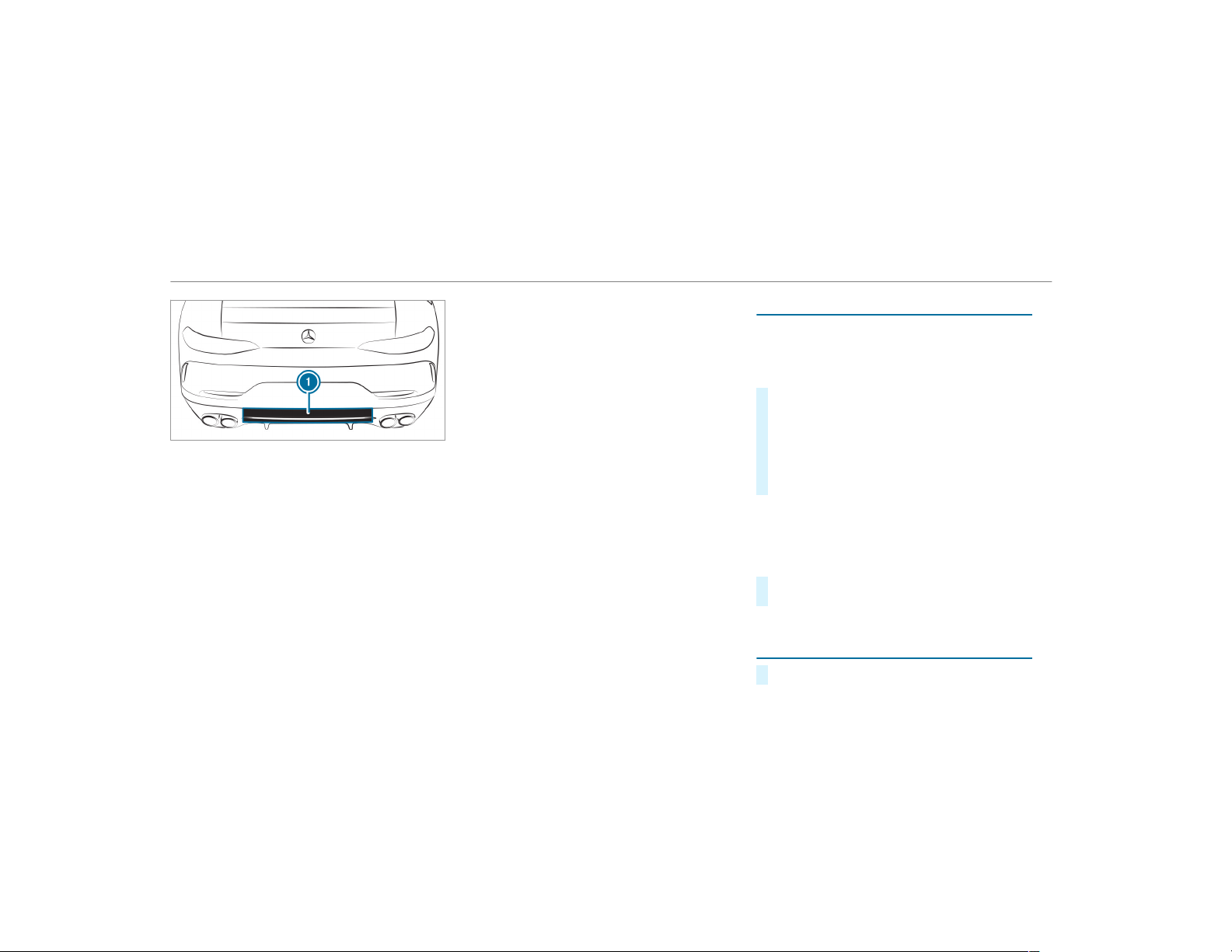
1
Detection range of the sensors
If several consecutive kicking movements are
not successful, wait ten seconds.
System limitations
The system may be impaired or may not function
if:
R
Snow or dir t, e.g. from road salt, covers the
sensor area.
R
The kicking movement is made using a pros‐
thetic leg.
The tailgate can open or close unintentionally in
the following situations:
R
A person's arms or legs are moving in the
sensor detection range, e.g. when polishing
the vehicle or picking up objects.
R
Objects are moved or placed behind the vehi‐
cle, e.g. tensioning straps or luggage.
R
Clamping straps, tarps or other coverings are
pulled over the bumper.
R
A protective mat with a length reaching over
the trunk sill down into the detection range
of the sensors is used.
R
The protective mat is not secured correctly.
R
Work is being undertaken on the trailer hitch,
on trailers or rear bicycle racks.
Deactivate the SmartKey functions (→ page 64)
or do not carry the SmartKey about your person
in such situations.
Limiting the opening angle of the tailgate
Activating the opening angle limiter
You can limit the opening angle of the tailgate in
the top half of its opening range to approx‐
imately 8 in (20 cm) before the end position.
#
Stop the opening procedure of the tailgate at
the desired position.
#
Press and hold the closing button in the tail‐
gate until you hear a short acoustic signal.
The opening angle limiter will be activated.
The tailgate will then stop in the stored posi‐
tion when opened.
To open the tailgate fully, pull the handle on the
outside of the tailgate again after it has stopped
automatically.
Deactivating the opening angle limiter
#
Press and hold the closing button in the tail‐
gate until two short acoustic signals sound.
Unlocking the tailgate with the emergency
key
#
Fold the rear seat backrest forwards.
76
Opening and closing
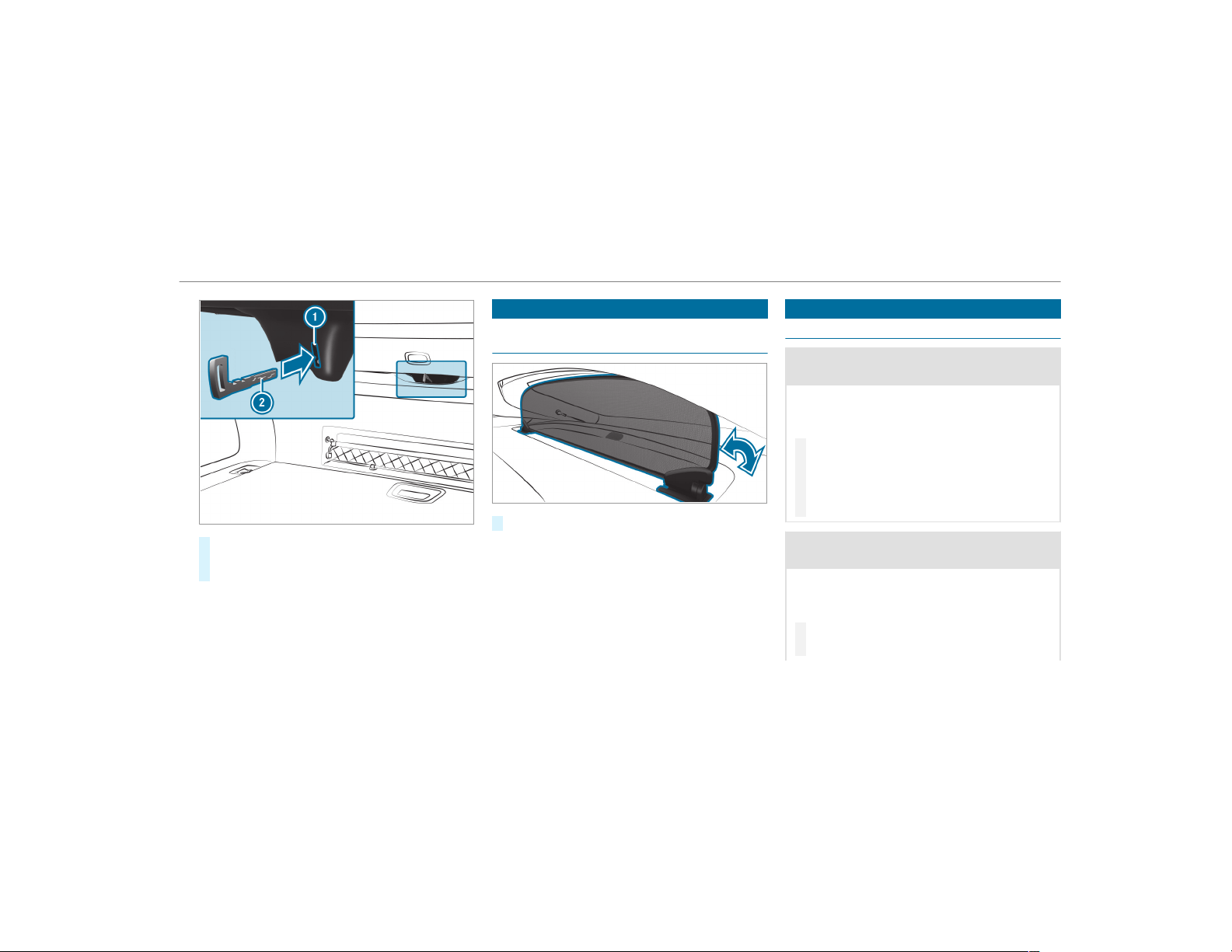
#
Insert emergency key 2 into opening 1 in
the trim and push it in.
The tailgate will be unlocked.
Sun blind
Folding up or down the sun blind for the rear
window
#
Fold the sun blind up or down.
%
To fold the sun blind while the tailgate is
open, unhook the cargo compartment cover
in advance.
Side windows
Opening and closing the side windows
&
WARNING Risk of entrapment when
opening a side window
When opening a side window, parts of the
body could be drawn in or become trapped
between the side window and window frame.
#
When opening, make sure that nobody
is touching the side window.
#
If someone is trapped, release the but‐
ton immediately or pull it in order to
close the side window again.
&
WARNING Risk of becoming trapped
when closing a side window
When closing a side window, body parts
could be trapped in the closing area in the
process.
#
When closing, make sure that no body
parts are in the closing area.
Opening and closing
77
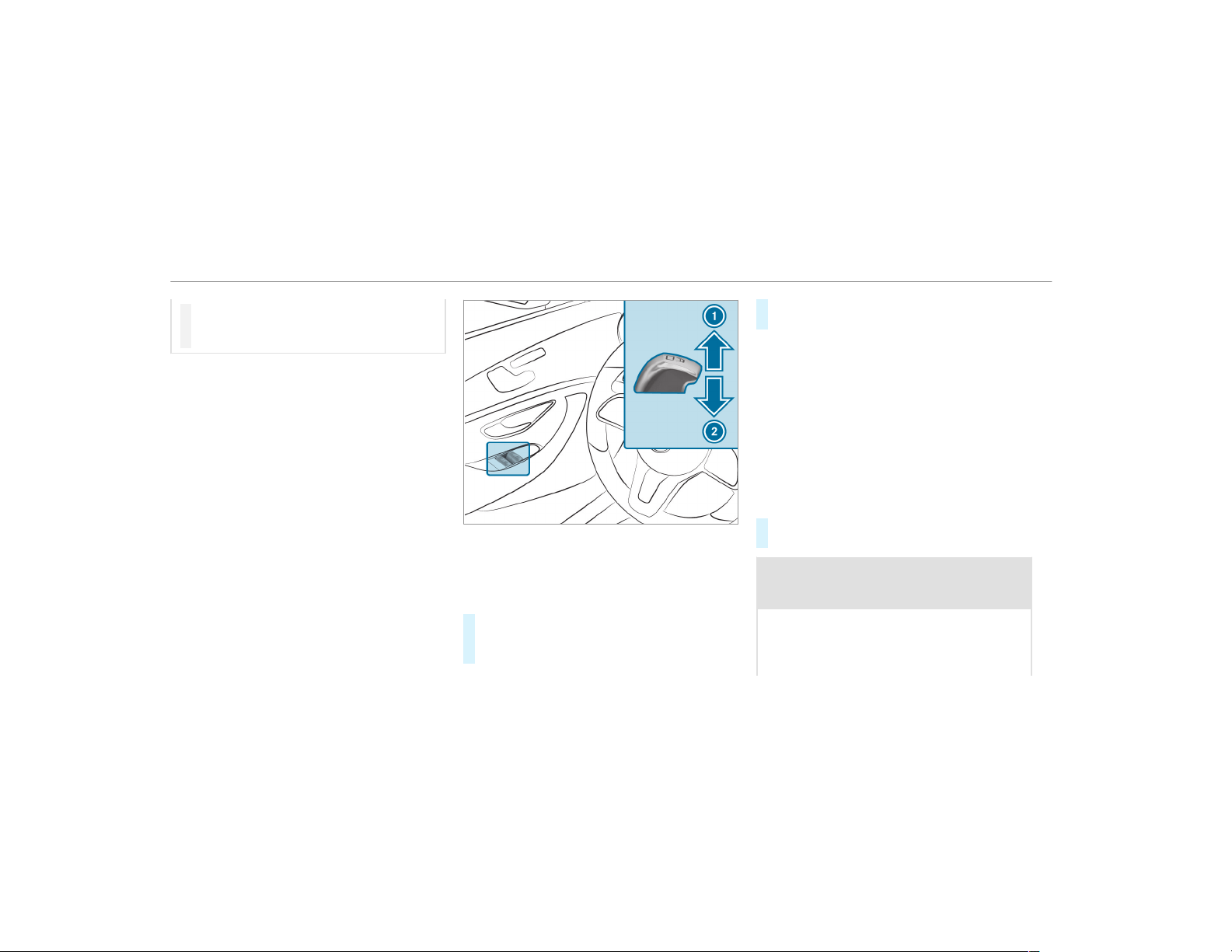
#
If someone is trapped, release the but‐
ton immediately or press the button in
order to reopen the side window.
Requirements:
R
The power supply or the ignition is switched
on.
1
Closes
2
Opens
The buttons on the driver's door take prece‐
dence.
#
To start automatic operation: press the
W button beyond the point of resistance
or pull and release it.
#
To interrupt automatic operation: press or
pull the W button again.
When the vehicle is switched off, the side win‐
dows can continue being operated.
The function is available for around five minutes
or until a front door is opened.
Automatic reversing feature of the side win‐
dows
If an object blocks a side window during the
closing process, the side window opens again
automatically. The automatic reversing feature is
only an aid and is not a substitute for your atten‐
tiveness.
#
When closing, make sure that no body parts
are in the closing area.
&
WARNING Risk of becoming trapped
despite there being reversing protection
on the side window
The reversing function does not react:
R
To soft, light and thin objects, e.g. fingers
R
During resetting
78
Opening and closing
This means that the reverse function cannot
prevent someone from becoming trapped in
these situations.
#
When closing, make sure that no body
parts are in the closing area.
#
If someone becomes trapped, press the
W button to open the side window
again.
Convenience opening (ventilating the vehicle
before starting a journey)
&
WARNING Risk of entrapment when
opening a side window
When opening a side window, parts of the
body could be drawn in or become trapped
between the side window and window frame.
#
When opening, make sure that nobody
is touching the side window.
#
Release the button immediately if
somebody becomes trapped.
#
Press and hold the % button on the
SmartKey.
The following functions are performed:
R
The vehicle is unlocked.
R
The side windows are opened.
R
The sliding sunroof is opened.
R
The seat ventilation of the driver's seat is
switched on.
#
To interrupt convenience opening: release
the % button.
Convenience closing (closing the vehicle
from outside)
&
WARNING Risk of entrapment caused by
inadvertent convenience closing
When the convenience closing feature is
operating, parts of the body could become
trapped in the closing area of the side win‐
dow and the sliding sunroof.
#
Observe the complete closing proce‐
dure when using convenience closing.
#
When closing, make sure that no body
parts are in the closing area.
#
Press and hold the & button on the
SmartKey.
The following functions are performed:
R
The vehicle is locked.
R
The side windows are closed.
R
The sliding sunroof is closed.
#
To interrupt convenience closing: release
the & button.
%
Convenience closing can also be operated
with KEYLESS-GO (→ page 69).
Opening and closing
79
Problems with the side windows
Problem
Possible causes/consequences and M Solutions
A side window cannot be closed and
you cannot see the cause.
#
Check to see whether any objects are in the window guide.
&
WARNING Risk of becoming trapped or fatally injured if reversing protection is not activated
If you close a side window again immediately after it has been blocked or reset, the side window closes
with increased or maximum force. The reversing feature is then not active.
Parts of the body could become trapped in the closing area in the process.
#
Make sure that no parts of the body are in the closing area.
#
To stop the closing process, release the button or press the button again to reopen the side win‐
dow.
If a side window is obstructed during closing and reopens again slightly:
#
Immediately after the window is blocked, pull the corresponding switch again until the side window has
closed, and hold the switch for an additional second.
The side window will be closed with increased force.
If a side window is obstructed again during closing and reopens again slightly:
#
Repeat the previous step.
The side window is closed without the automatic reversing function.
80
Opening and closing
Problem
Possible causes/consequences and M Solutions
The side windows cannot be opened or
closed using the convenience opening
feature.
The SmartKey battery is discharged or nearly discharged.
#
Check the battery using the battery check lamp and replace if necessary (→ page 65).
Sliding sunroof
Opening and closing the sliding sunroof
&
WARNING Risk of becoming trapped
while opening and closing the sliding
sunroof
During opening and closing, parts of the
body could get caught in the sweep of the
sliding sunroof.
#
When opening or closing, make sure
that no body parts are in the sweep.
#
Release the button immediately if
somebody becomes trapped.
or
#
Press the button in any direction during
the automatic opening/closing process.
The opening/closing process is stop‐
ped.
&
WARNING Risk of becoming trapped if
the sliding sunroof is operated by chil‐
dren
Children operating the sliding sunroof could
get caught in the moving parts, particularly if
unattended.
#
Never leave children unattended in the
vehicle.
#
When leaving the vehicle, always take
the key with you and lock the vehicle.
*
NOTE Malfunction caused by snow and
ice
Snow and ice may lead to a malfunction of
the sliding sunroof.
#
Only open the sliding sunroof if it is free
of snow and ice.
*
NOTE Damage caused by protruding
objects
Objects that protrude from the sliding sun‐
roof may damage the sealing strips.
#
Do not allow anything to protrude from
the sliding sunroof.
Opening and closing
81
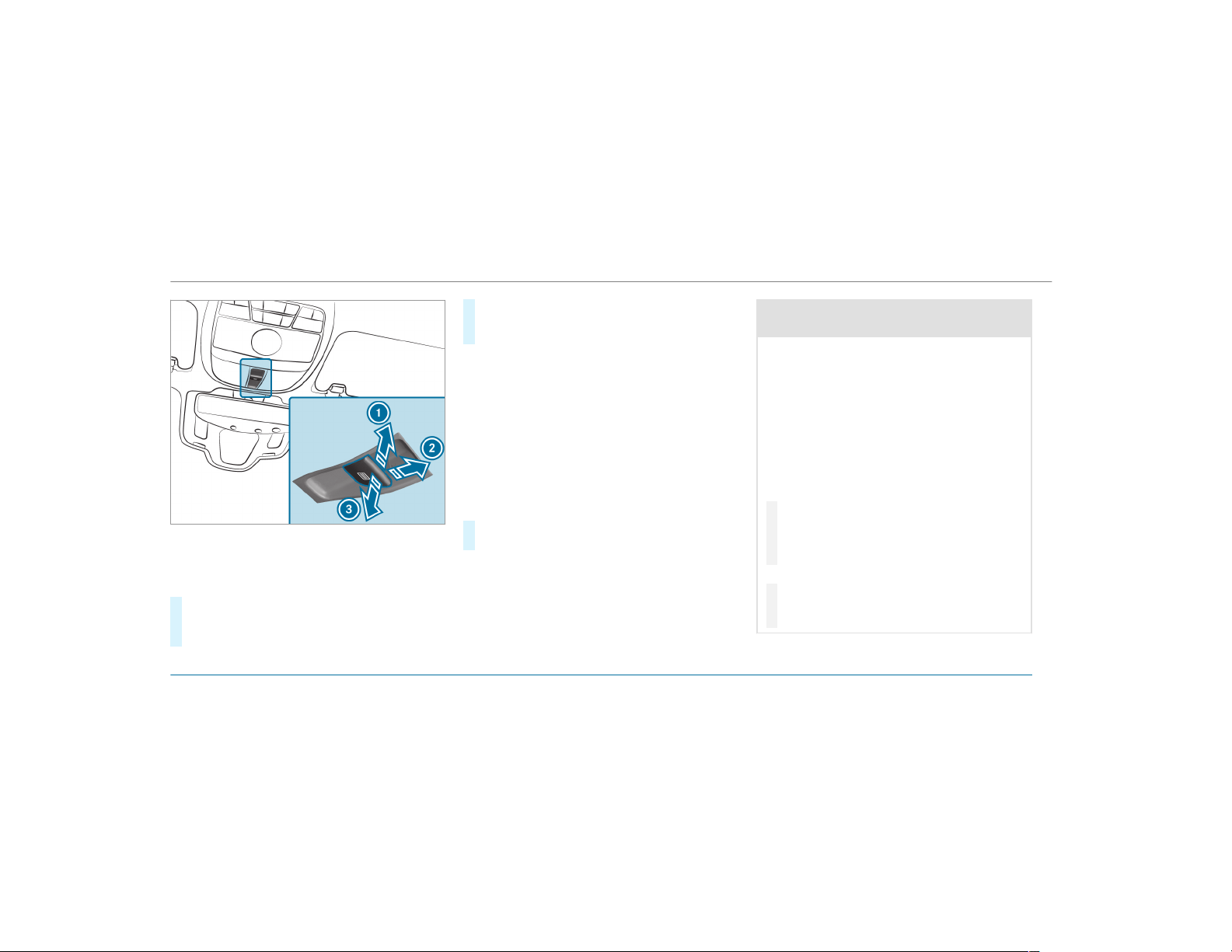
1
Raises
2
Opens
3
Closes/lowers
#
To start automatic operation: press the
3 button beyond the point of resistance
or pull and release it.
#
To interrupt automatic operation: briefly
press the 3 button in any direction.
The opening/closing process is stopped.
R
Vehicles without a panoramic sliding sun‐
roof: The automatic opening and raising fea‐
ture is available only when the sliding sun‐
roof is closed.
Automatic reversing feature of the sliding
sunroof
If there is an object obstructing the sliding sun‐
roof during the closing process, the sliding sun‐
roof will open again automatically. The automatic
reversing feature is only an aid and is not a sub‐
stitute for your attentiveness.
#
When closing, make sure that no body parts
are in the closing area.
&
WARNING Risk of entrapment even with
the reversing function active
The reversing feature does not react in par‐
ticular:
R
To soft, light and thin objects, e.g. fingers
R
Over the last ã in (4 mm) of the closing
path
R
During resetting
This means that the reverse function cannot
prevent someone from becoming trapped in
these situations.
#
When closing, make sure that no body
parts are in the closing area.
#
Release the button immediately if
somebody becomes trapped.
or
#
Briefly press the button in any direction
during automatic operation.
The closing process is stopped.
Problems with the sliding sunroof
82
Opening and closing
Problem
Possible causes/consequences and M Solutions
The sliding sunroof cannot be closed
and you cannot see the cause.
&
WARNING Risk of becoming trapped or fatal injury by closing the sliding sunroof again
If you close the sliding sunroof again immediately after it has been blocked or reset, the sliding sunroof
closes with increased force.
Parts of the body could become trapped in the closing area in the process.
#
Make sure that no parts of the body are in the closing area.
#
Release the button immediately if somebody becomes trapped.
or
#
Press the button in any direction during the automatic closing process.
The closing process is stopped.
If the sliding sunroof is obstructed during closing and reopens again slightly:
#
Immediately after automatic reversing, pull and hold the 3 button down again to the point of resist‐
ance until the sliding sunroof is closed.
The sliding sunroof will be closed with increased force.
If the sliding sunroof is obstructed again and reopens again slightly:
#
Repeat the previous step.
The sliding sunroof will be closed again with increased force.
Opening and closing
83
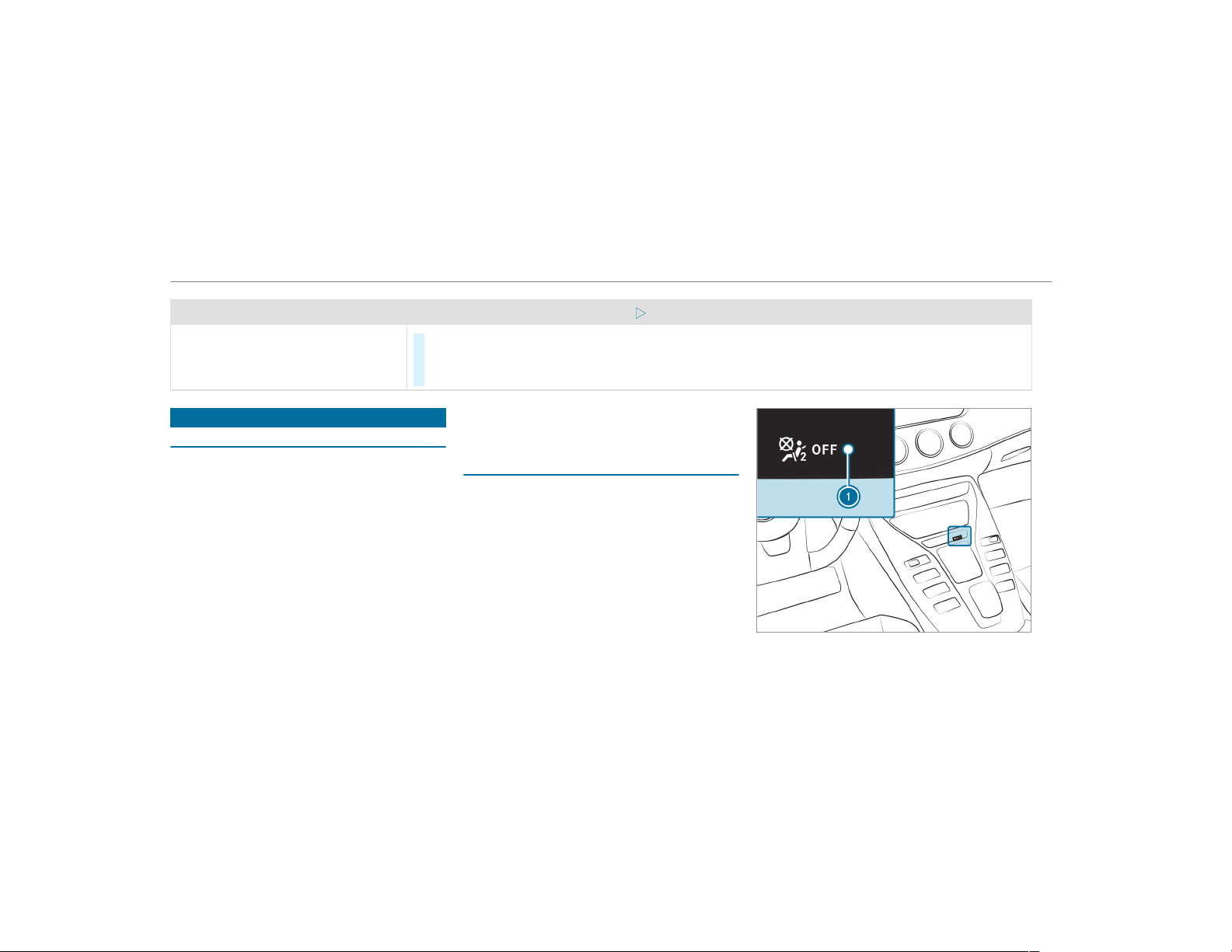
Problem
Possible causes/consequences and M Solutions
Vehicles without a panoramic slid‐
ing sunroof: The sliding sunroof does
not operate smoothly.
#
Push the 3 button up to the point of resistance until the sliding sunroof is fully open.
#
Press the 3 button for another second.
#
Close the sliding sunroof.
Anti-theft protection
Function of the immobilizer
The immobilizer prevents your vehicle from being
started without the correct SmartKey.
The immobilizer is automatically activated when
the ignition is switched off and deactivated when
the ignition is switched on.
When leaving the vehicle, always take the Smart‐
Key with you and lock the vehicle. Anyone can
start the engine if a valid SmartKey has been left
inside the vehicle.
%
In the event the engine cannot be started
(yet the vehicle’s starter battery is charged),
the system is not operational. Contact an
authorized Mercedes-Benz Center or call
1-800-FOR-MERCedes (in the USA) or
1-800-387-0100 (in Canada).
ATA (anti-theft alarm system)
Function of the ATA system
If the ATA system is armed, a visual and audible
alarm is triggered in the following situations:
R
when a door is opened
R
when the tailgate is opened
R
when the hood is opened
The ATA system is armed automatically after
approximately ten seconds in the following situa‐
tions:
R
after locking the vehicle with the SmartKey
R
after locking the vehicle using KEYLESS-GO
Indicator lamp 1 flashes when the ATA system
is armed.
84
Opening and closing

The ATA system is deactivated automatically in
the following situations:
R
after unlocking the vehicle with the SmartKey
R
after pressing the start/stop button with the
SmartKey in the stowage compartment
(→ page 137)
R
after unlocking the vehicle using KEYLESS-
GO
%
When the Mercedes‑Benz emergency call
system is active and the alarm stays on for
more than 30 seconds, a message is auto‐
matically sent to the Customer Assistance
Center (
→ page 318).
Deactivating the ATA
#
Press the %, & or p button on the
SmartKey.
or
#
Press the start/stop button with the Smart‐
Key in the stowage compartment
(→ page 137)
Deactivating the alarm using KEYLESS-GO:
#
Grasp the outside door handle with the
SmartKey outside the vehicle.
Opening and closing
85
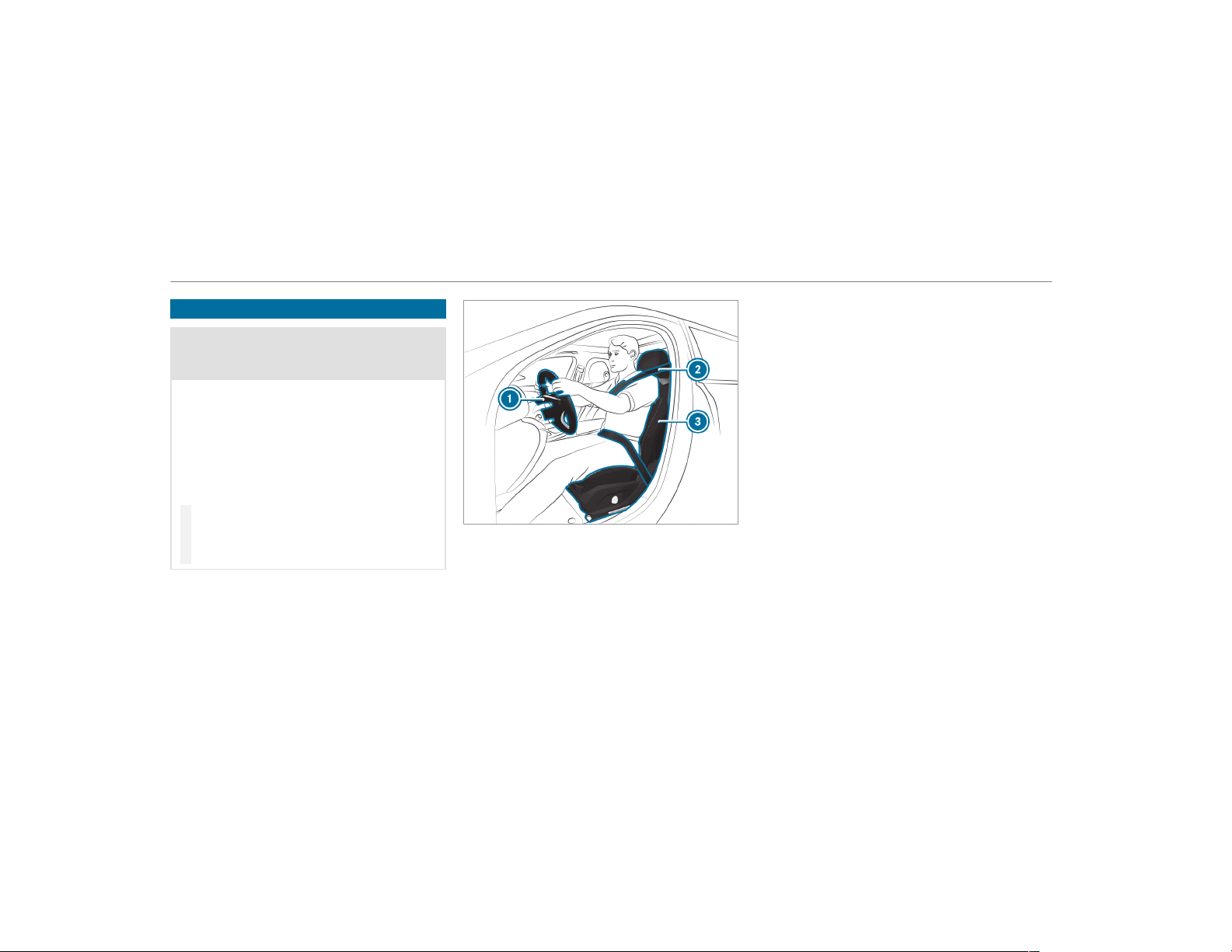
Notes on the correct driver's seat position
&
WARNING Risk of injury from adjusting
the vehicle settings while the vehicle is in
motion
You could lose control of the vehicle in the
following situations:
R
if you adjust the driver's seat, the head
restraint, the steering wheel or the mirror
while the vehicle is in motion
R
if you fasten your seat belt while the vehi‐
cle is in motion
#
Before starting the engine: adjust the
driver's seat, the head restraint, the
steering wheel or the mirror and fasten
your seat belt.
Ensure the following when adjusting the steering
wheel 1, seat belt 2 and driver's seat 3:
R
you are as far away from the dr iver's airbag
as possible
R
you are sitting in an upr ight position
R
your thighs are slightly supported by the seat
cushion
R
your legs are not fully extended and you can
depress the pedals properly
R
the back of your head is supported at eye
level by the center of the head restraint
R
you can hold the steering wheel with your
arms slightly bent
R
you can move your legs freely
R
you can see all the displays on the instru‐
ment cluster clearly
R
you have a good overview of the traffic con‐
ditions
R
your seat belt is pulled snugly against your
body and is routed across the center of your
shoulder and across your hips in the pelvic
area
86
Seats and stowing
Seats
Adjusting the front seat mechanically and
electrically
&
WARNING Risk of becoming trapped if
the seats are adjusted by children
Children could become trapped if they adjust
the seats, particularly when unattended.
#
When leaving the vehicle, always take
the SmartKey with you and lock the
vehicle.
#
Never leave children unattended in the
vehicle.
The seats can be adjusted when the ignition is
switched off.
&
WARNING Risk of becoming trapped
when adjusting the seats
When you adjust a seat, you or other vehicle
occupants could become trapped, e.g. on the
seat guide rail.
#
When adjusting a seat, make sure that
no one has any body parts in the sweep
of the seat.
Observe the safety notes on "Airbags" and "Chil‐
dren in the vehicle".
&
WARNING Risk of accident due to the
driver's seat not being engaged
If the driver's seat is not engaged, it could
move unexpectedly while the vehicle is in
motion.
This could cause you to lose control of the
vehicle.
#
Always make sure that the dr iver's seat
is engaged before starting the vehicle.
&
WARNING Risk of becoming trapped if
the seat height is adjusted carelessly
If you adjust the seat height carelessly, you
or other vehicle occupants could be trapped
and thereby injured.
Children in particular could accidentally
press the electrical seat adjustment buttons
and become trapped.
#
While moving the seats, make sure that
hands or other body parts do not get
under the lever assembly of the seat
adjustment system.
&
WARNING Risk of injury due to head
restraints which are not installed or are
adjusted incorrectly
If head restraints are not installed or are
adjusted incorrectly, the head restraints can‐
not provide protection as intended.
There is an increased risk of injury in the
head and neck area, e.g. in the event of an
accident or when braking.
#
Always drive with the head restraints
installed.
#
Before driving off, make sure for every
vehicle occupant that the center of the
head restraint supports the back of the
head at about eye level.
Seats and stowing
87
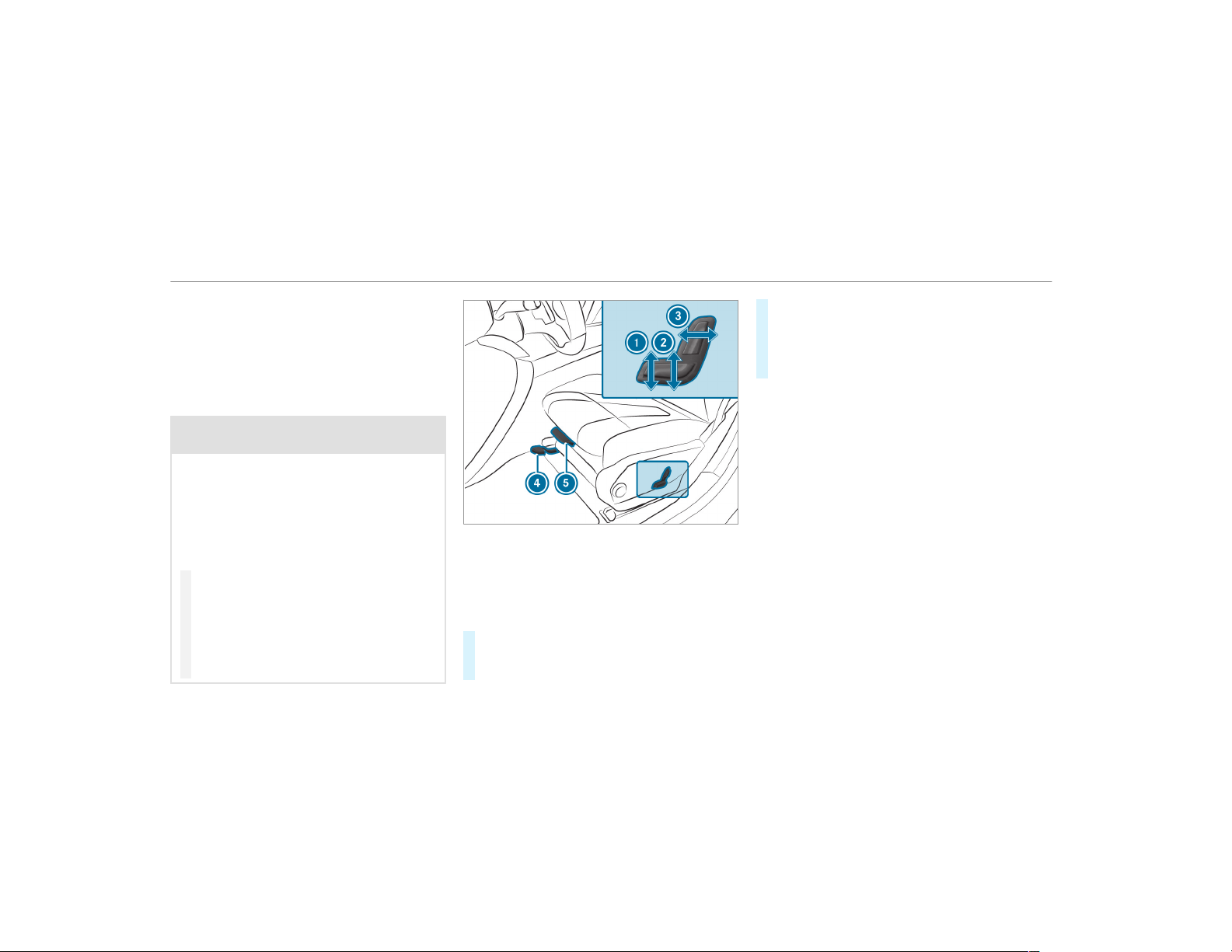
Do not interchange the head restraints of the
front and rear seats. Otherwise, you will not be
able to adjust the height and angle of the head
restraints correctly.
Adjust the head restraint fore-and-aft position so
that it is as close as possible to the back of your
head.
&
WARNING Risk of injury or death due to
incorrect seat position
The seat belt does not offer the intended
level of protection if you have not moved the
seat backrest to an almost vertical position.
When braking or in the event of an accident,
you could slide underneath the seat belt and
sustain abdominal or neck injuries, for exam‐
ple.
#
Adjust the seat properly before begin‐
ning your journey.
#
Always ensure that the seat backrest is
in an almost vertical position and that
the shoulder section of your seat belt is
routed across the center of your shoul‐
der.
1
Seat cushion inclination
2
Seat height
3
Seat backrest inclination
4
Seat fore-and-aft position
5
Seat cushion length
#
To adjust the seat fore-and-aft position:
lift lever 4 and slide the seat into the
desired position.
#
Make sure that the seat is engaged in posi‐
tion.
#
To adjust the seat cushion length: lift lever
5 and slide the front section of the seat
cushion forwards or backwards.
88
Seats and stowing
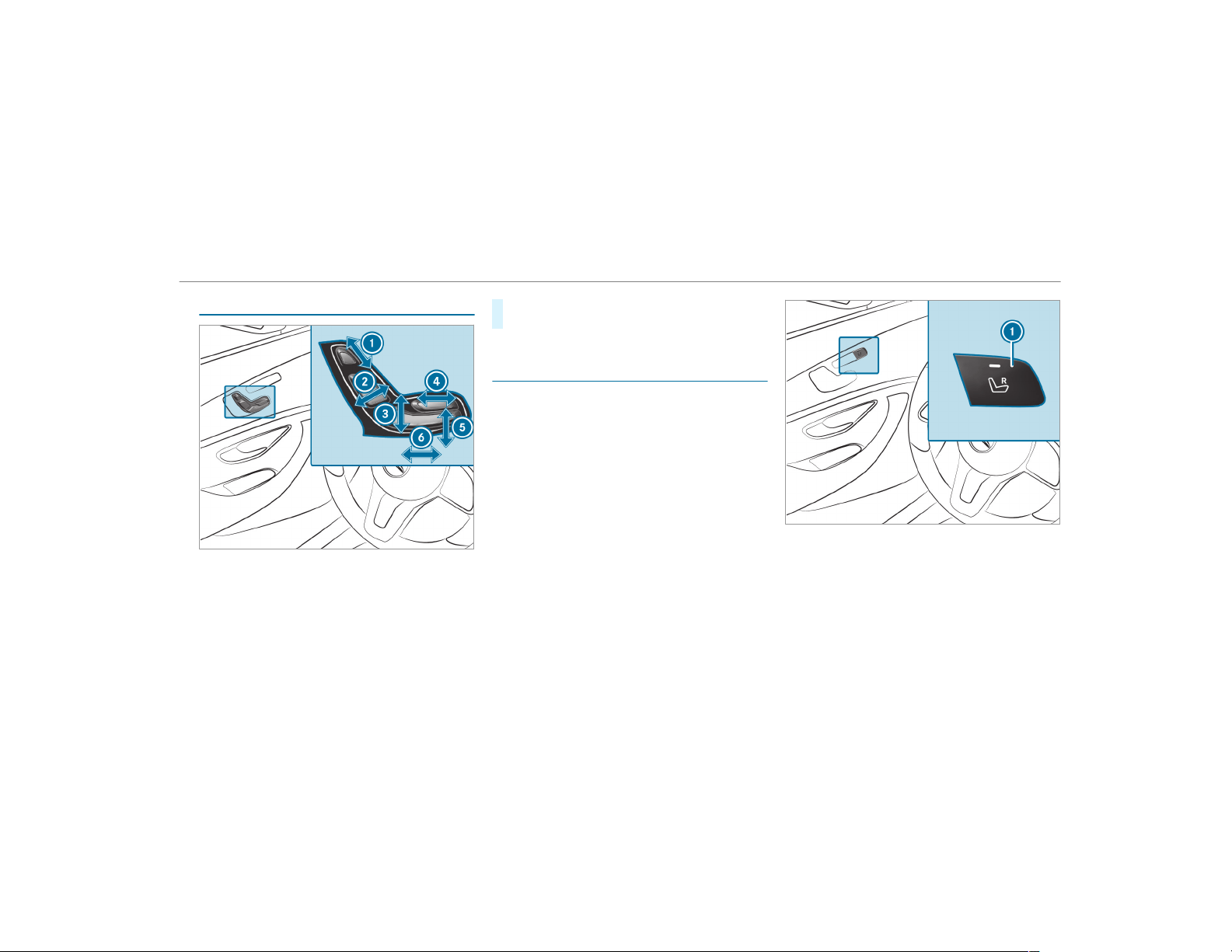
Adjusting the front seat electrically
1
Head restraint height
2
Seat backrest inclination
3
Seat height
4
Seat cushion length
5
Seat cushion inclination
6
Seat fore-and-aft position
#
Save the settings with the memory function
(→ page 97).
Adjusting the front passenger seat electri‐
cally from the driver's seat
Requirements:
R
The power supply is switched on
This function is available only in vehicles with an
electrically adjustable front passenger seat.
You can call up the following functions for the
front passenger seat:
R
Seat adjustment
R
Seat heating
R
Seat ventilation
R
Memory function
Seats and stowing
89
#
To select the front passenger seat: press
button 1.
When the indicator lamp lights up, the front
passenger seat is selected.
#
Adjust the front passenger seat using the
buttons on the door control panel on the
driver's side.
Adjusting the 4-way lumbar support
#
Adjust the 4-way lumbar support via the mul‐
timedia system (→ page 92).
Adjusting the AMG Performance seat
To adjust the contour of the seat and for
improved lateral support, you can adjust the
front seats individually.
On the front passenger seat, you can adjust only
the seat side bolsters of the seat backrest.
#
Adjust the AMG Performance seat via the
multimedia system (→ page 92).
Head restraints
Adjusting the front seat head restraints
mechanically
&
WARNING Risk of injury from adjusting
the vehicle settings while the vehicle is in
motion
You could lose control of the vehicle in the
following situations:
R
if you adjust the driver's seat, the head
restraint, the steering wheel or the mirror
while the vehicle is in motion
R
if you fasten your seat belt while the vehi‐
cle is in motion
#
Before starting the engine: adjust the
driver's seat, the head restraint, the
steering wheel or the mirror and fasten
your seat belt.
&
WARNING Risk of injury due to head
restraints which are not installed or are
adjusted incorrectly
If head restraints are not installed or are
adjusted incorrectly, the head restraints can‐
not provide protection as intended.
There is an increased risk of injury in the
head and neck area, e.g. in the event of an
accident or when braking.
#
Always drive with the head restraints
installed.
#
Before driving off, make sure for every
vehicle occupant that the center of the
head restraint supports the back of the
head at about eye level.
Do not interchange the head restraints of the
front and rear seats. Otherwise, you will not be
able to adjust the height and angle of the head
restraints correctly.
Adjust the head restraint fore-and-aft position so
that it is as close as possible to the back of your
head.
90
Seats and stowing
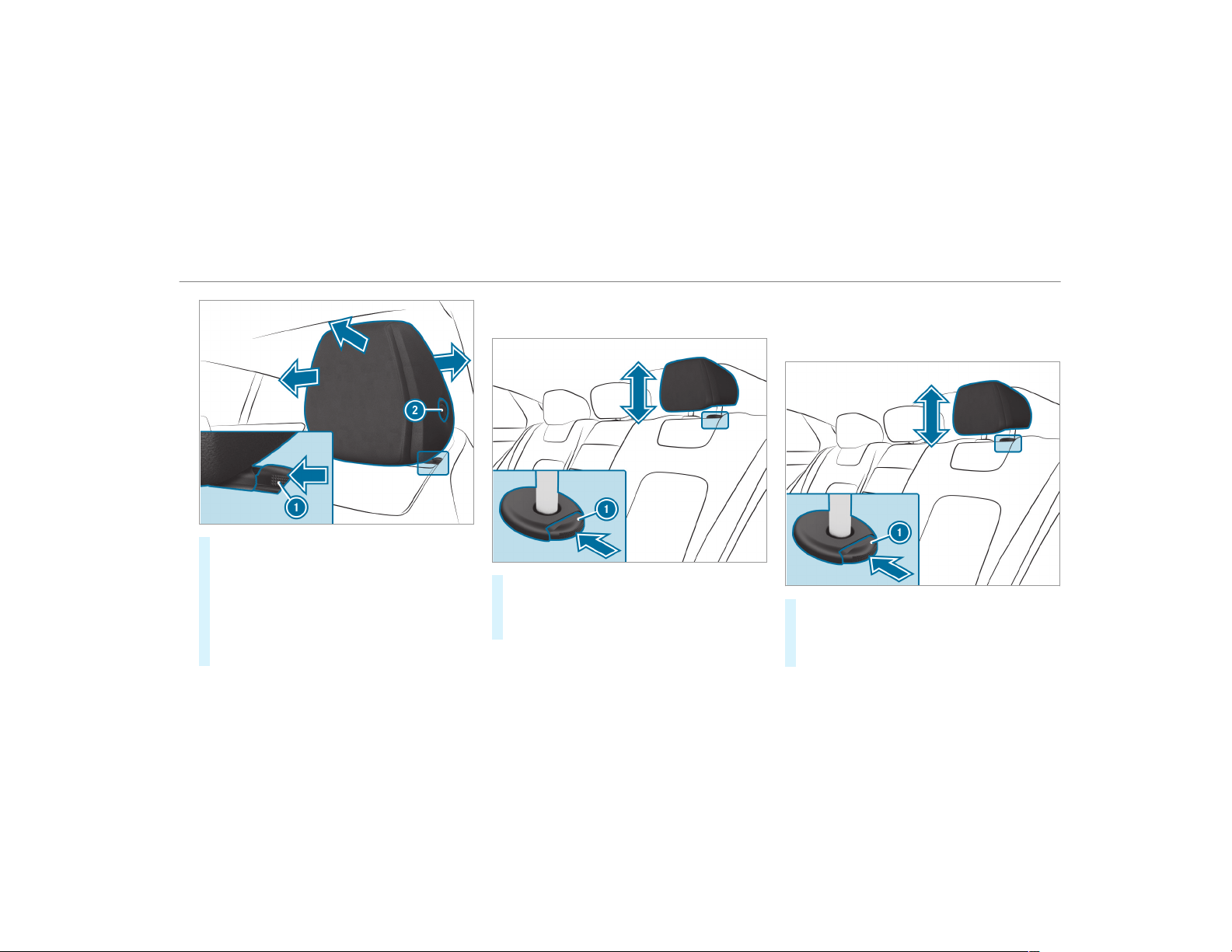
#
To raise: pull the head restraint up.
#
To lower: press release knob 1 in the direc‐
tion of the arrow and push the head restraint
down.
#
To move forwards: pull the head restraint
forwards.
#
To move backwards: press release knob 2
and push the head restraint backwards.
Adjusting the head restraints of the rear
seats mechanically
#
To raise: pull the head restraint up.
#
To lower: press release knob 1 in the direc‐
tion of the arrow and push the head restraint
down.
Installing/removing the outer rear seat head
restraints
Removing
#
Release the rear seat backrest and fold it for‐
wards slightly .
#
Pull the head restraint upwards as far as it
will go.
Seats and stowing
91

#
Push release knob 1 in the direction of the
arrow and pull out the head restraint.
Installing
#
Insert the head restraint such that the
notches on the bar are on the left when
viewed in the direction of travel.
#
Push the head restraint down until you hear
it engage in position.
#
Fold the rear seat backrest back until it
engages.
Configuring the seat settings
Multimedia system:
,
Vehicle
.
a Seats
#
Select Driver's Seat or Passenger Seat.
Adjusting the backrest side bolsters
#
Select Side Bolsters.
#
Adjust the air cushions.
Adjusting the side bolsters of the driver's
seat cushion (only vehicles with AMG Per‐
formance seat)
#
Select Lateral Support, Cush..
#
Adjust the air cushions.
%
This setting can only be made for the driver's
seat. This setting is not available for the
front passenger seat.
Adjusting the seat contour in the lumbar
region of the seat backrest (lumbar)
#
Select Lumbar.
#
Adjust the air cushions.
Memory function
#
Save the seat settings with the memory func‐
tion (→ page 97).
Setting automatic adjustment of the lateral
support (active multicontour seat)
Multimedia system:
,
Vehicle
.
a Seats
With this function, the lateral support of the
active multicontour seat is automatically adjus‐
ted to the driving and cornering dynamics of the
vehicle.
#
Select Driver's Seat or Passenger Seat.
#
Select Dynamic Seat.
#
Select setting: Off, Level 1 or Level 2.
Overview of massage and workout programs
Massage program
The following programs can be selected:
R
Hot Relaxing Back
R
Hot Relaxing Shoulder
R
Activating Massage
R
Classic Massage
R
Wave Massage
92
Seats and stowing
R
Mobilizing Massage
Active Workout
The Act. Workout Back and Act. Workout Cush-
ion programs require your active cooperation.
Tensing and releasing also helps to improve
blood flow to your muscles. Press against a pres‐
sure point as soon as you feel it.
Selecting the massage program for the front
seats
Multimedia system:
,
Vehicle
.
a Seats
#
Select Driver's Seat or Passenger.
#
Select Massage.
#
Select a massage program.
The massage program runs for approximately
9 to 15 minutes, depending on the setting.
#
To set the massage intensity: switch High
Intensity on O or off ª.
Resetting seat adjustments
Multimedia system:
,
Vehicle
.
a Seats
.
Reset
#
Select Yes or No.
Depending on whether the settings for the driver
or front passenger seat are selected, only the
selected seat can be reset.
Switching the seat heating on/off
&
WARNING Risk of burns due to repeat‐
edly switching on the seat heating
Repeatedly switching on the seat heating can
cause the seat cushion and seat backrest
padding to become very hot.
The health of persons with limited tempera‐
ture sensitivity or a limited ability to react to
high temperatures may be affected or they
may even suffer burn-like injur ies.
#
Do not repeatedly switch on the seat
heating.
To protect against overheating, the seat heating
may be temporarily deactivated after it is
switched on repeatedly.
*
NOTE Damage to the seats caused by
objects or documents when the seat
heater is switched on
When the seat heater is switched on, over‐
heating can occur due to objects or docu‐
ments placed on the seats e.g. seat cushions
or child seats. This could cause damage to
the seat surface.
#
Make sure that no objects or docu‐
ments are on the seats when the seat
heater is switched on.
Requirements:
R
The power supply is switched on
Seats and stowing
93
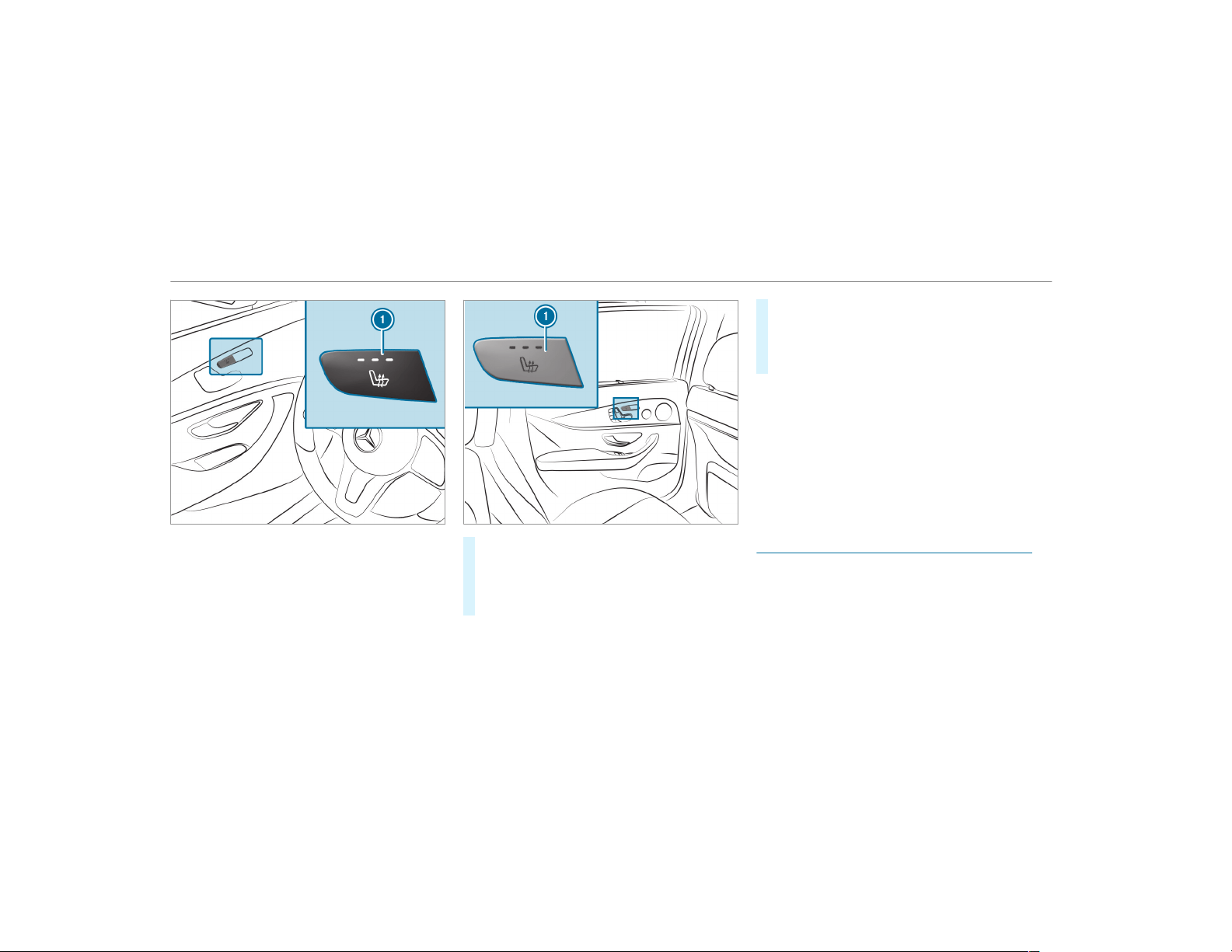
#
To switch on/increase the level: press but‐
ton 1 repeatedly until the desired heating
level is set.
Depending on the heating level, up to three
indicator lamps light up.
#
To switch off/reduce the level: press but‐
ton 1 repeatedly until the desired heating
level is set.
If all indicator lamps are off, the seat heating
is switched off.
%
The seat heating automatically switches
down from the three heating levels after 8,
10 and 20 minutes until the seat heating is
switched off.
%
Vehicles with the Warmth Comfort Package:
you can heat the armrests in the door and
the center console. You can also set the
panel heating in the multimedia system
(
→ page 94).
Setting the panel heating
Multimedia system:
,
Vehicle
.
î Vehicle Set-
tings
.
Panel Heating
When the seat heater is switched on, the armr‐
ests in the vehicle as well as the center console
can be heated using this function.
Setting options
94
Seats and stowing
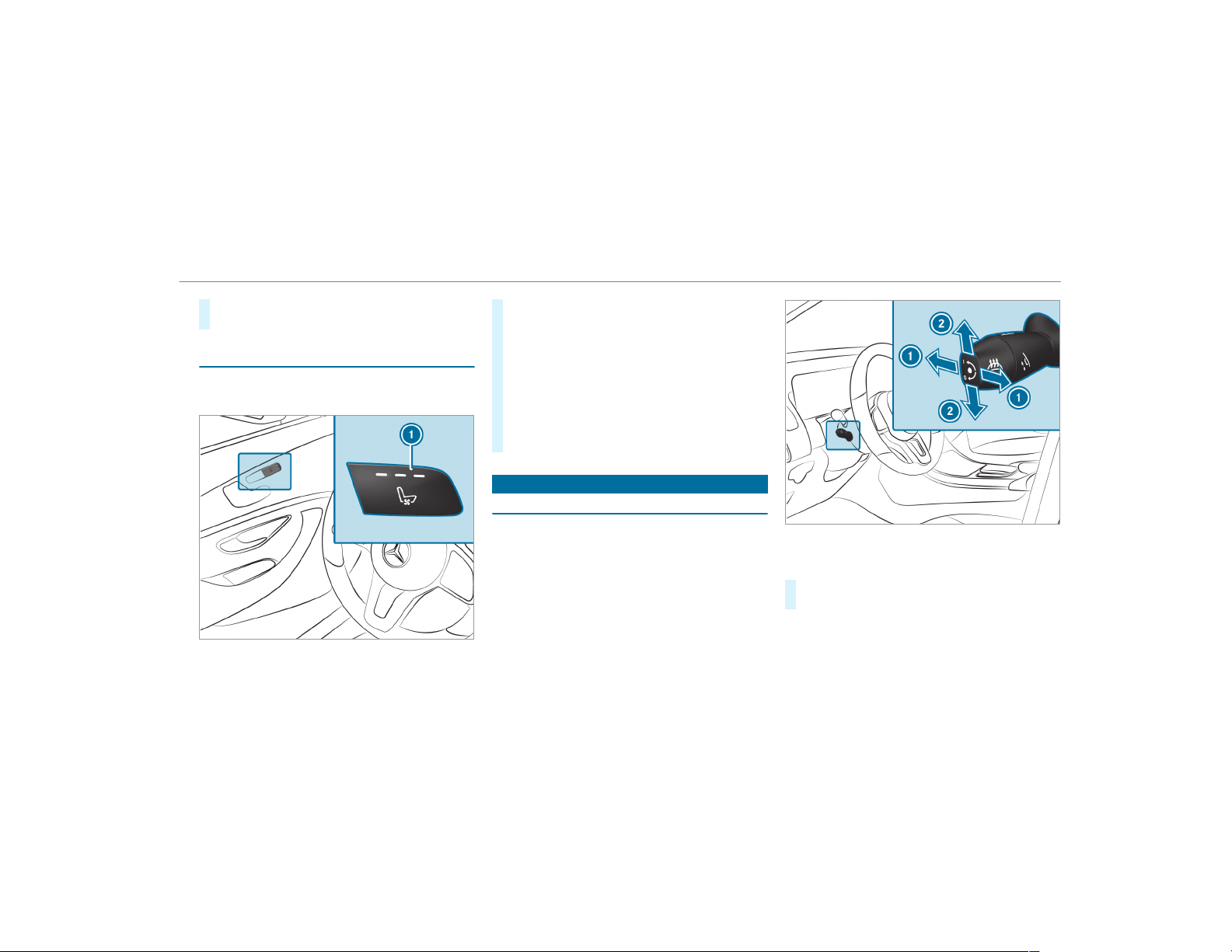
#
Select Front and Rear, Front Only, Rear Only
or Off.
Switching the seat ventilation on/off
Requirements:
R
The power supply is switched on
#
To switch on/increase the level: press but‐
ton 1 repeatedly until the desired ventila‐
tion level is set.
Depending on the ventilation level, up to
three indicator lamps light up.
#
To switch off/reduce the level: press but‐
ton 1 repeatedly until the desired ventila‐
tion level is set.
If all indicator lamps are off, the seat ventila‐
tion is switched off.
Steering wheel
Adjusting the steering wheel electrically
The steering wheel can be adjusted when the
power supply is switched of f.
1
Adjusts the distance to the steering wheel
2
Adjusts the height
#
Save the settings with the memory function
(→ page 97).
Seats and stowing
95
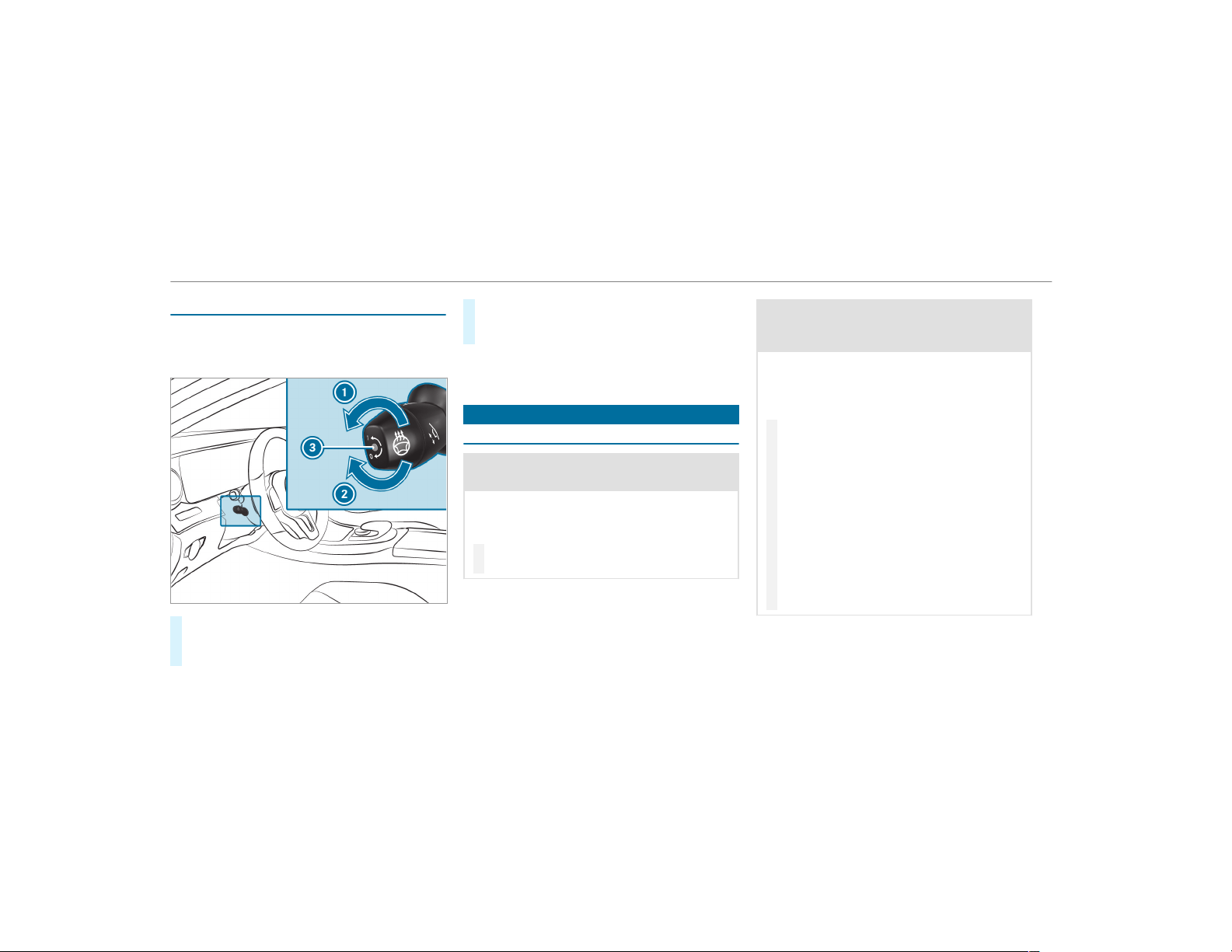
Switching the steering wheel heater on or off
Requirements:
R
The power supply or the ignition is switched
on.
#
To switch on: turn the lever in the direction
of arrow 1.
Indicator lamp 3 lights up.
#
To switch off: turn the lever in the direction
of arrow 2.
Indicator lamp 3 goes out.
When you switch the ignition off, the steering
wheel heater switches off.
Easy entry and exit feature
Using the easy entry and exit feature
&
WARNING Risk of accident when driving
off while adjusting the easy exit feature
‑ If you drive off while the easy entry and exit
feature is making adjustments, you could
lose control of the vehicle.
#
Always wait until the adjustment proc‐
ess is complete before driving off.
&
WARNING Risk of entrapment when
adjusting the easy entry and exit feature
‑
‑ When the easy entry and exit feature
adjusts the steering wheel, you and other
vehicle occupants – particularly children –
could become trapped.
#
‑ While the easy entry and exit feature
is making adjustments, make sure that
no one has any body parts in the sweep
of the steering wheel.
#
Move the adjustment lever of the steer‐
ing wheel if there is a risk of becoming
trapped by the steering wheel.
The adjustment process is stopped.
#
Never leave children unattended in the
vehicle.
#
When leaving the vehicle, always take
the key with you and lock the vehicle.
Vehicles with memory function: You can stop
the adjustment process by pressing one of the
memory function position buttons.
96
Seats and stowing
If the easy entry and exit feature is active, the
steering wheel will move upwards in the follow‐
ing situations:
R
You switch the ignition off
R
You open the driver's door when the ignition
is switched on
The steering wheel moves back to the last drive
position in the following cases:
R
You switch the ignition on when the driver's
door is closed
R
You close the driver's door when the ignition
is switched on
The last drive position is stored in the following
situations:
R
You switch the ignition off
R
Vehicles with memory function: Save the
seat settings via the memory function.
Vehicles with memory function: Press one of
the memory function saved position buttons to
stop the adjustment process.
Setting the easy entry and exit feature
Multimedia system:
,
Vehicle
.
î Vehicle Set-
tings
.
Easy Entry/Exit
#
Select Steering Wheel & Seat, Steering
Wheel Only or Off.
Operating the memory function
&
WARNING Risk of an accident if the
memory function is used while driving
If you use the memory function on the driv‐
er's side while driving, you could lose control
of the vehicle as a result of the adjustments
being made.
#
Only use the memory function on the
driver's side when the vehicle is station‐
ary.
&
WARNING Risk of entrapment when set‐
ting the seat with the memory function
When the memory function adjusts the seat
or steering wheel, you and other vehicle
occupants – particularly children – could
become trapped.
#
During the setting procedure of the
memory function, ensure that no body
parts are in the sweep of the seat or
the steering wheel.
#
If somebody becomes trapped, immedi‐
ately release the memory function posi‐
tion button.
The adjustment process is stopped.
&
WARNING Risk of entrapment if the
memory function is activated by children
Children could become trapped if they acti‐
vate the memory function, particularly when
unattended.
#
Never leave children unattended in the
vehicle.
Seats and stowing
97
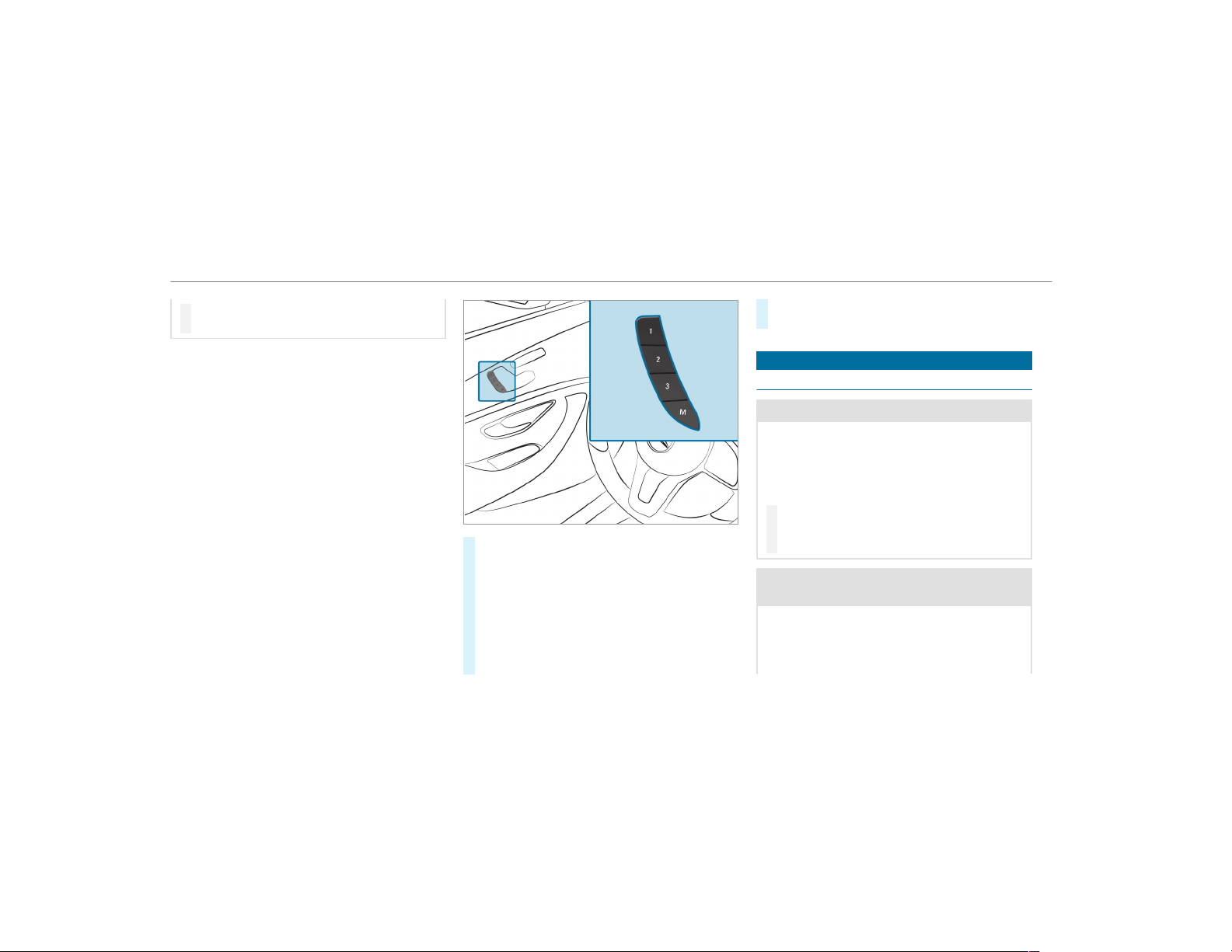
#
When leaving the vehicle, always take
the key with you and lock the vehicle.
The memory function can be used when the igni‐
tion is switched off.
Storing
Seat adjustments for up to three people can be
stored and called up using the memory function.
The following systems can be selected:
R
Seat, backrest and head restraint
R
Steering wheel
R
Outside mirrors
R
Head-up Display
#
Set the seat, the steering wheel, the Head-up
Display and the outside mirrors to the
desired position.
#
Press memory button M together with one of
preset position buttons 1, 2 or 3.
An acoustic signal sounds. The settings are
stored.
#
To call up: press and hold the relevant pre‐
set position button 1, 2 or 3 until the front
seat, the steering wheel, Head-up Display
and outside mirror are in the stored position.
Stowage areas
Notes on loading the vehicle
&
DANGER Risk of exhaust gas poisoning
Combustion engines emit poisonous exhaust
gases such as carbon monoxide. Exhaust
gases can enter the vehicle interior if the tail‐
gate is open when the engine is running,
especially if the vehicle is in motion.
#
Always switch off the engine before
opening the tailgate.
#
Never drive with the tailgate open.
&
WARNING Risk of injury from unsecured
items in the vehicle
If objects, luggage or loads are not secured
or not secured sufficiently, they could slip,
tip over or be thrown around and thereby hit
vehicle occupants.
98
Seats and stowing

There is a risk of injury, particularly in the
event of sudden braking or a sudden change
in direction.
#
Always stow objects in such a way that
they cannot be thrown around.
#
Before the journey, secure objects, lug‐
gage or loads against slipping or tipping
over.
&
WARNING Risk of injury due to objects
being stowed incor rectly
If you do not adequately stow objects in the
vehicle interior, they could slip or be tossed
around and thereby strike vehicle occupants.
In addition, cup holders, open stowage
spaces and mobile phone brackets cannot
always restrain the objects they contain in
the event of an accident.
There is a risk of injury, particularly in the
event of sudden braking or a sudden change
in direction.
#
Always stow objects in such a way that
they cannot be tossed about in these or
similar situations.
#
Always make sure that objects do not
project from stowage spaces, parcel
nets or stowage nets.
#
Close the lockable stowage spaces
before starting a journey.
#
Stow and secure objects that are heavy,
hard, pointed, sharp-edged, fragile or
too large in the cargo compartment.
&
WARNING Risk of burning from the tail‐
pipe or tailpipe trim
The tailpipe and tailpipe trim can become
very hot. If you come into contact with these
car parts, you could burn yourself.
#
Always be particularly careful when in
the vicinity of the tailpipe and tailpipe
trims and supervise children very
closely when in this area.
#
Before any contact, allow the car parts
to cool down.
The driving characteristics of your vehicle are
dependent on the distribution of the load within
the vehicle. You should bear the following in
mind when loading the vehicle:
R
never exceed the permissible gross mass or
the gross axle weight rating for the vehicle
(including occupants). The values are speci‐
fied on the vehicle identification plate on the
vehicle's B-pillar.
R
the load must not protrude above the upper
edge of the seat backrests.
R
always place the load behind unoccupied
seats if possible.
R
secure the load using the tie-down eyes and
distribute the load evenly.
Seats and stowing
99
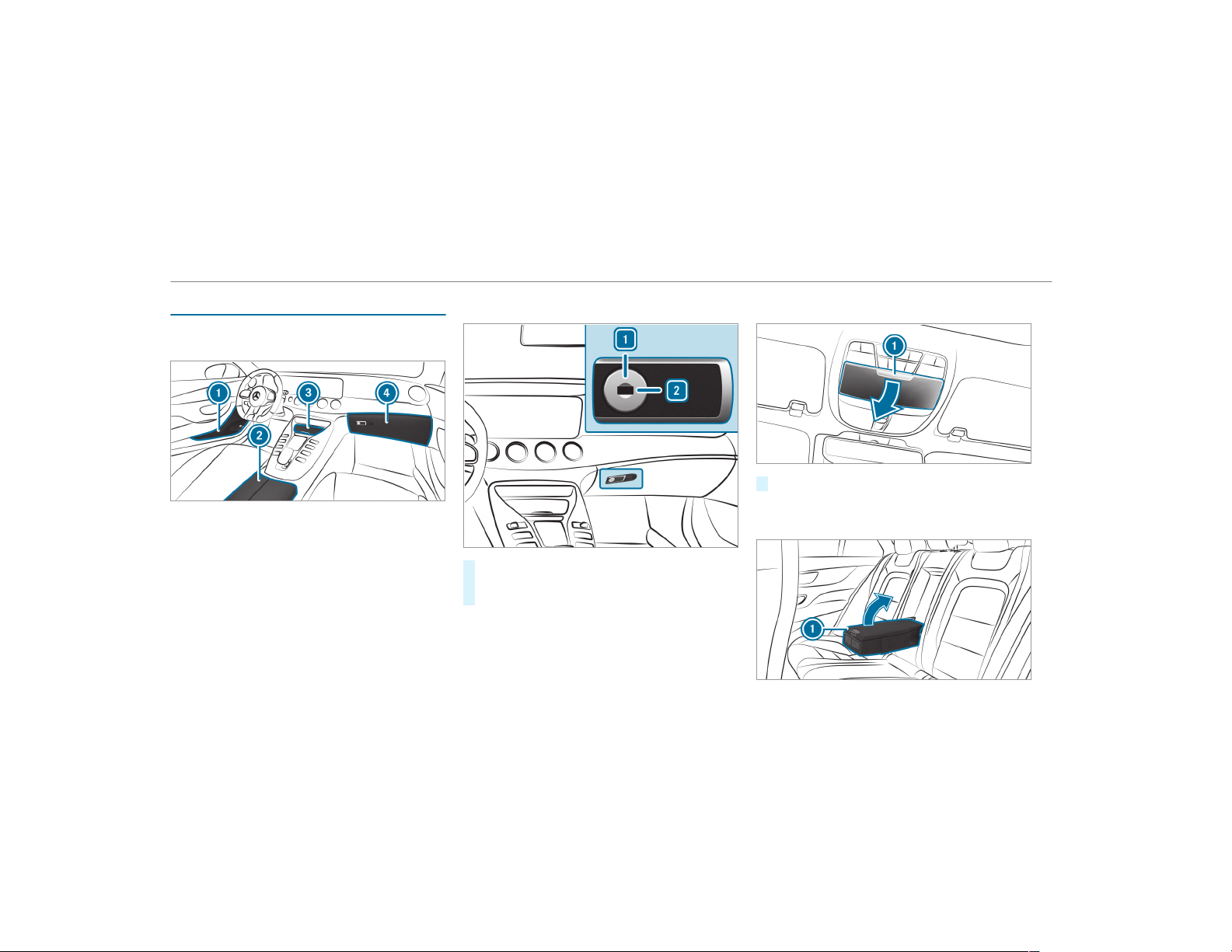
Stowage spaces in the vehicle interior
Overview of the front stowage compart‐
ments
1
Stowage compartment in the doors
2
Stowage compartment in the armrest with a
multimedia and USB connection
3
Stowage compartment in the front center
console with a USB connection
4
Glove box
Locking and unlocking the glove box
#
Turn the emergency key a quarter turn clock‐
wise 2 (to lock) or counter-clockwise 1 (to
unlock).
Opening the eyeglasses compartment
#
Press button 1.
Opening the stowage compartment in the
rear armrest
100
Seats and stowing
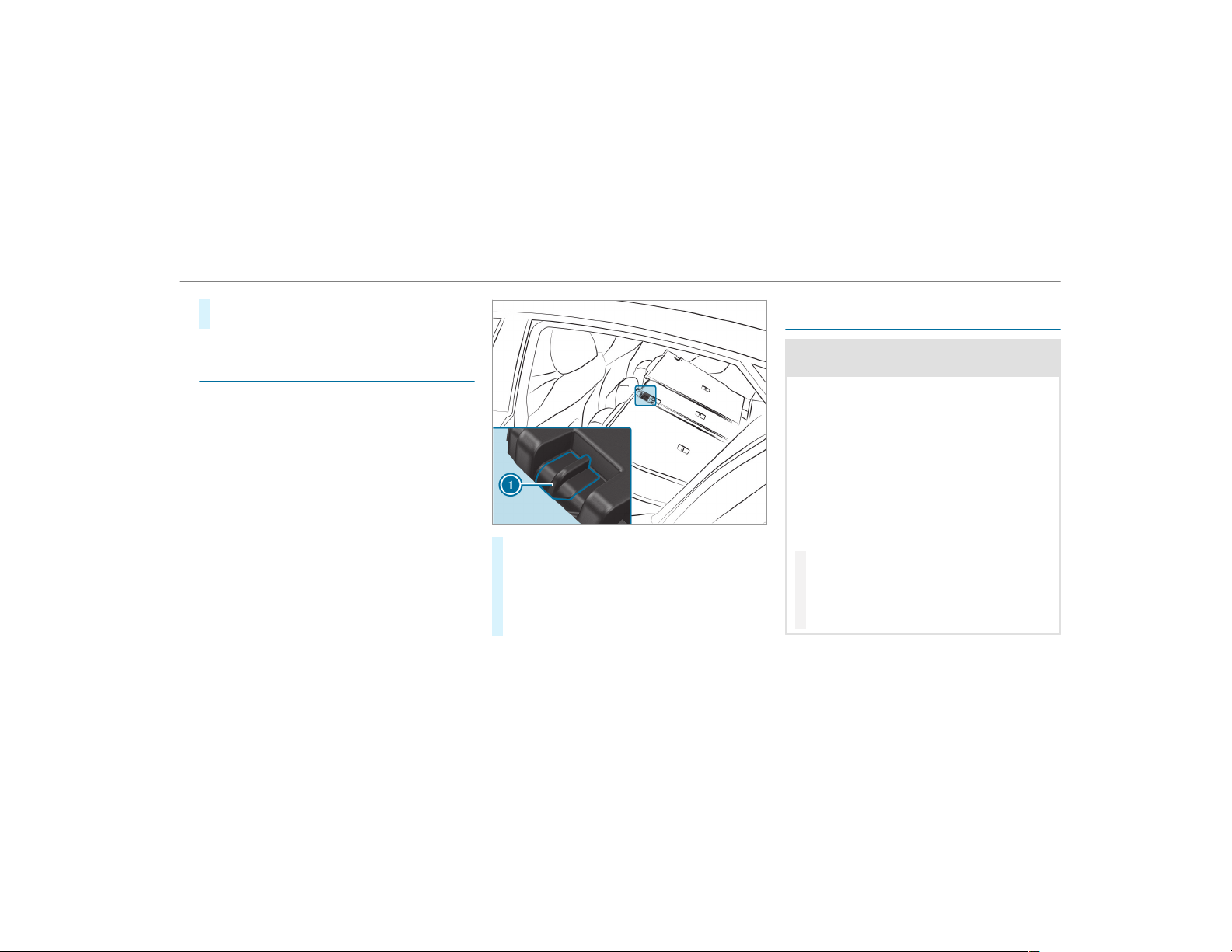
#
Press release catch 1 and swing the cover
of the armrest upwards.
Through-loading feature in the rear bench
seat
Locking the release catch of the center rear
seat backrest
Requirements:
R
The left and center seat backrests are
engaged and joined together.
Lock the center seat backrest release catch if
you want to secure the cargo compartment from
unauthorized access. The center seat backrest
can then be folded forwards only together with
the left seat backrest.
#
Fold the center and left seat backrests for‐
wards.
#
To lock: slide catch 1 upwards.
The release catch of the center seat backrest
will be locked.
#
To unlock: slide catch 1 downwards.
Securing the ski/snowboard bag in the
cargo compartment
&
WARNING Risk of injury due to using the
through-load ski bag incorrectly
The through-load ski bag in conjunction with
the lashing straps cannot restrain any
objects other than skis.
Vehicle occupants could be struck in the
event of sudden braking or an accident in the
following cases:
R
if you transport other heavy or sharp-
edged objects in the through-load ski bag
R
if you do not secure the through-load ski
bag with the lashing straps
#
Only store skis in the through-load ski
bag.
#
Always secure the through-load ski bag
with the lashing straps so that it cannot
move around.
Seats and stowing
101
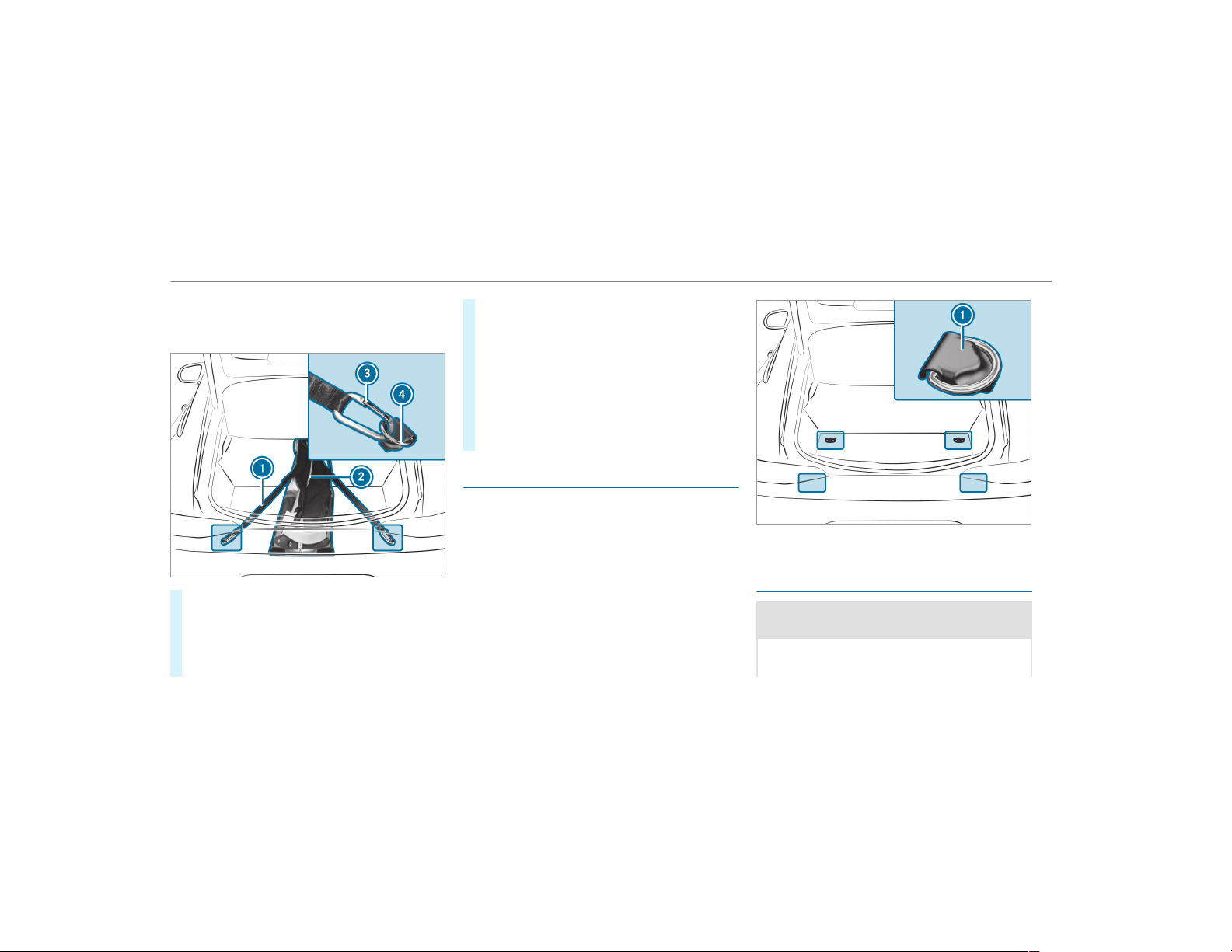
A maximum of four pairs of skis or two snow‐
boards may be transported in the ski and snow‐
board bag.
#
Fold the center rear seat backrest forwards.
#
Slide the ski and snowboard bag between the
outer seat backrests into the rear passenger
compartment.
#
Open zip 2.
#
Load the ski and snowboard bag with the
skis or snowboards.
#
Close zip 2.
#
Pull the tensioning strap tight by the loose
end.
#
Cross lashing straps 1.
#
Engage hooks 3 of lashing straps 1 in tie-
down eyes 4. Make sure that the fasteners
of hooks 3 are facing upwards.
Overview of the tie-down eyes
Observe the notes on loading the vehicle
(→ page 98).
1
Tie-down eyes
Overview of bag hooks
&
WARNING Risk of injury when using bag
hooks with heavy objects
The bag hooks cannot restrain heavy objects
or items of luggage.
102
Seats and stowing
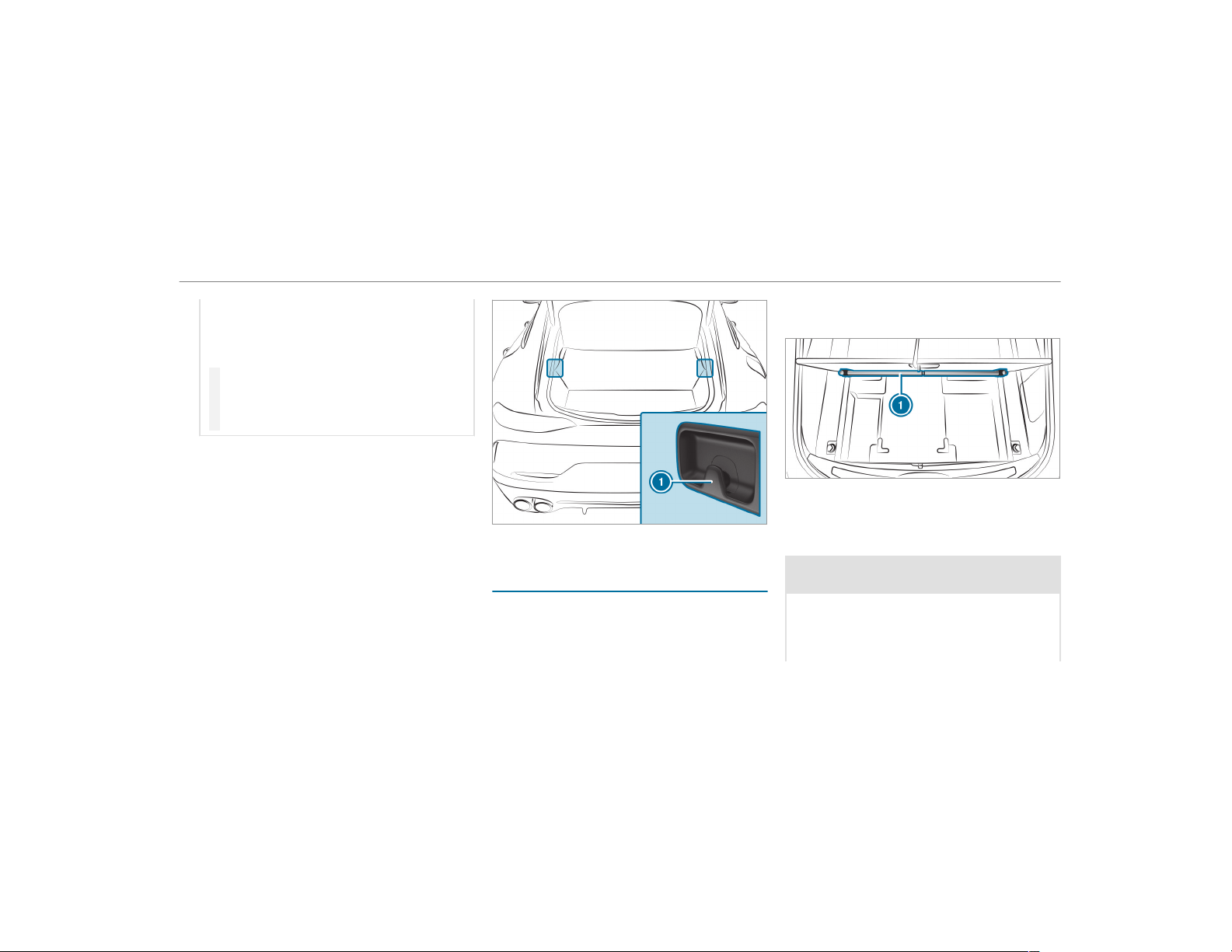
Objects or items of luggage could be thrown
around and thereby hit vehicle occupants
when braking or abruptly changing direc‐
tions.
#
Only hang light objects on the bag
hooks.
#
Never hang hard, sharp-edged or fragile
objects on the bag hooks.
Observe the notes on loading the vehicle
(→ page 98).
The bag hooks can bear a maximum load of
6.6 lbs (3 kg). Do not use them to secure a load.
1
Bag hook
EASY-PACK load-securing kit
Information on snap-in module for the cargo
compartment (telescopic rods)
The EASY-PACK load-securing kit allows you to
use your cargo compartment for a variety of pur‐
poses. The components are located in the stow‐
age space under the cargo compartment floor.
1
Telescopic rod with mounting elements and
holders
Installing a telescopic rod
&
WARNING Risk of injury due to an open
cargo compartment floor
If you drive when the cargo compartment
floor is open, objects could be thrown around
and thereby strike vehicle occupants. There
is a risk of injury, particularly in the event of
Seats and stowing
103
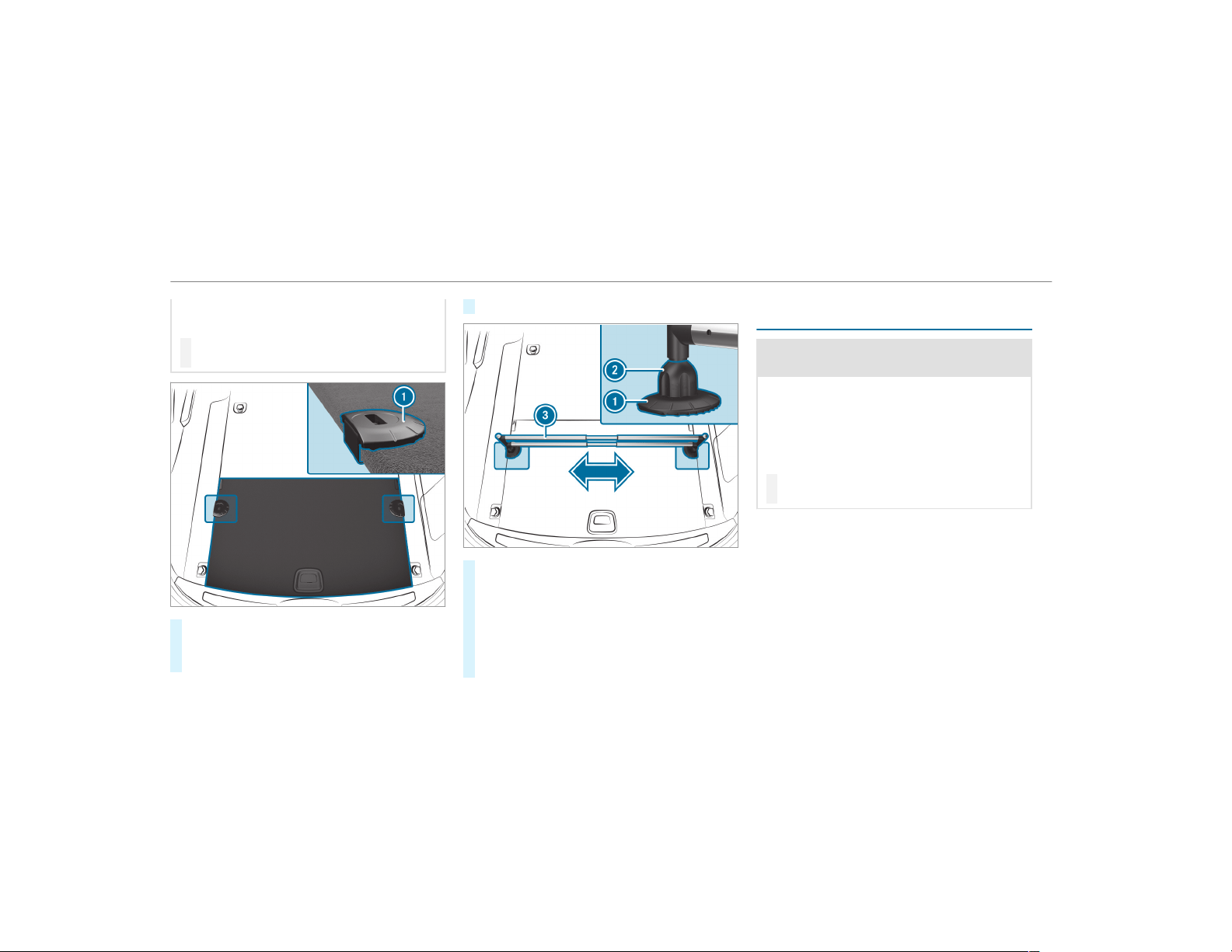
sudden braking or a sudden change in direc‐
tion.
#
Always close the cargo compartment
floor before a journey.
#
Open the cargo compartment floor .
#
Attach holders 1 in the desired position to
the side of the trunk floor.
#
Close the cargo compartment floor.
#
Insert mounting elements 2 into holders
1.
#
Extend telescopic rod 3.
#
Insert telescopic rod 3 into mounting ele‐
ments 2.
#
Turn both mounting elements 2 to &
until you feel them engage.
Opening or closing the stowage space under
the cargo compartment floor
&
WARNING Risk of injury due to an open
cargo compartment floor
If you drive when the cargo compartment
floor is open, objects could be thrown around
and thereby strike vehicle occupants. There
is a risk of injury, particularly in the event of
sudden braking or a sudden change in direc‐
tion.
#
Always close the cargo compartment
floor before a journey.
104
Seats and stowing
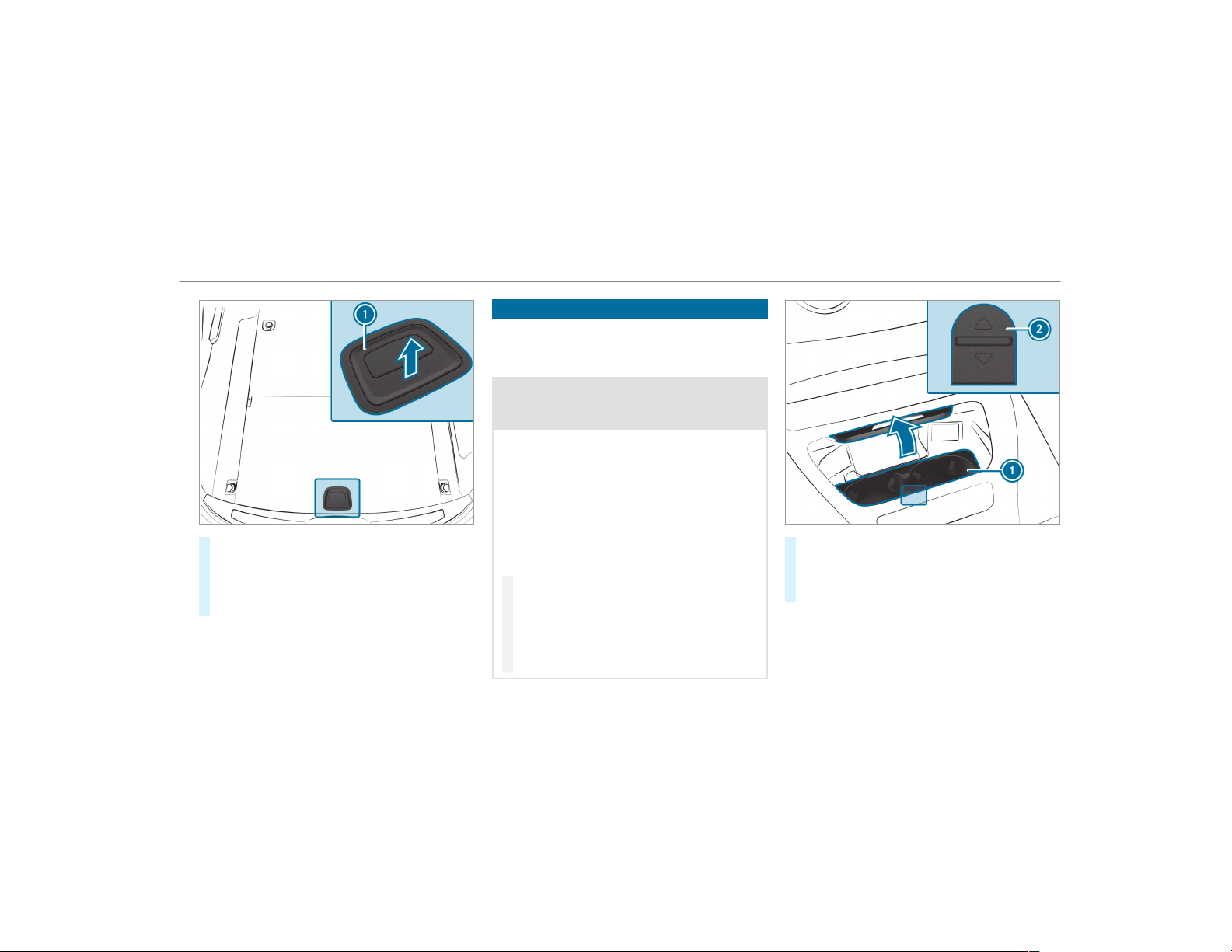
#
To open: pull handle 1 upwards.
#
Lift the cargo compar tment floor upwards
using handle 1.
#
To close: fold the cargo compartment floor
down.
Cup holder
Installing the cup holder in or removing it
from the center console (automatic trans‐
mission)
&
WARNING ‑ Risk of accident or injury
when using the cup holder while the
vehicle is moving
The cup holder cannot secure containers
while the vehicle is moving.
If you use a cup holder while the vehicle is
moving, the container may be flung around
and liquids may be spilled. The vehicle occu‐
pants may come into contact with the liquid
and if it is hot, they could be scalded. You
could be distracted from traf fic conditions
and you may lose control of the vehicle.
#
Only use the cup holder when the vehi‐
cle is stationary.
#
Only use the cup holder for containers
of the right size.
#
Close the container, particularly if the
liquid is hot.
#
To remove: slide catch 2 forwards and pull
out cup holder 1.
#
To install: insert cup holder 1 and slide
back catch 2.
%
The cup holder rubber mat can be removed
for cleaning, e.g. using clean, lukewarm
water.
Seats and stowing
105
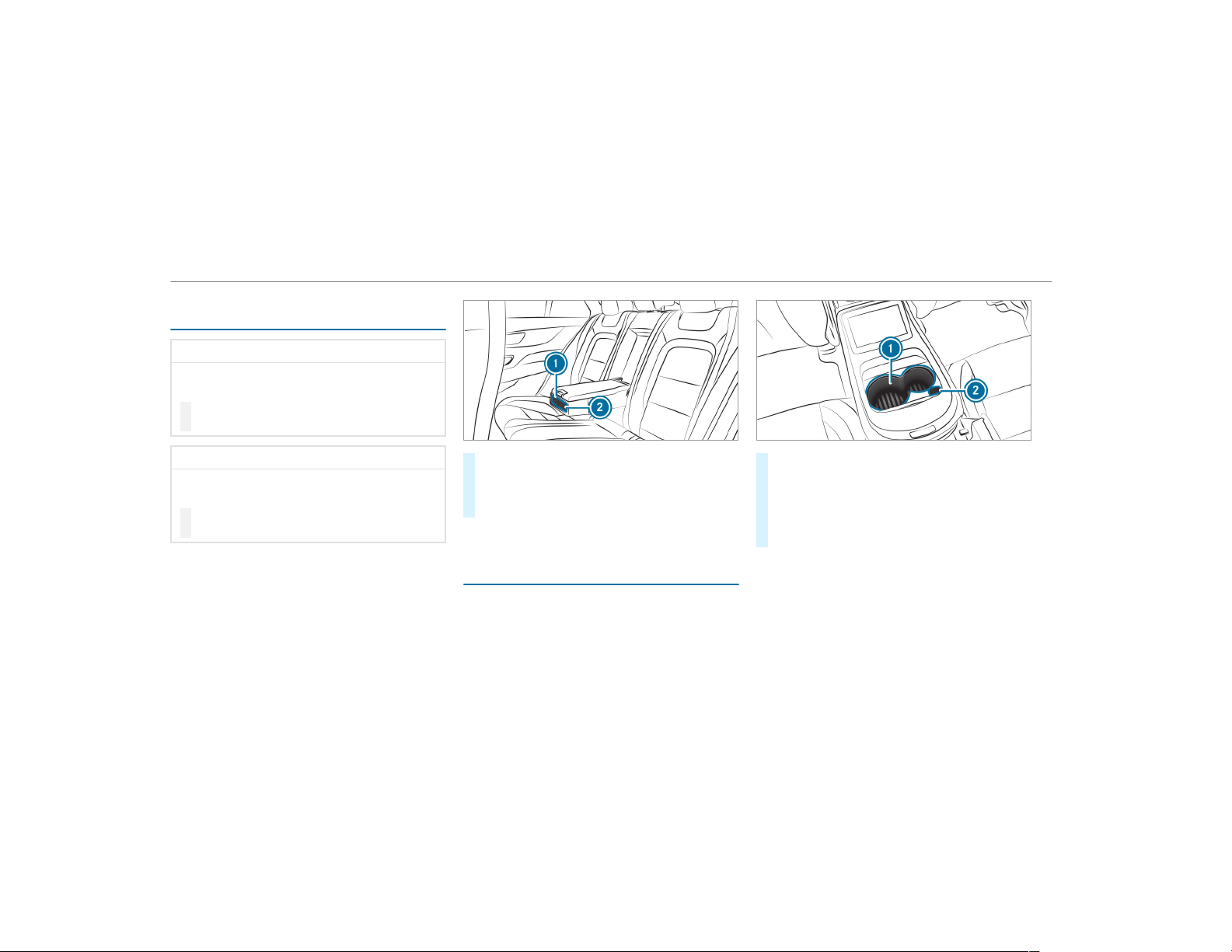
Opening or closing the cup holder in the rear
armrest
*
NOTE Damage to the rear armrest
When folded out, the rear armrest can be
damaged by the weight of your body.
#
Do not sit or support yourself on the
rear armrest.
*
NOTE Damage to the cup holder
When the rear armrest is folded back the cup
holder could become damaged.
#
Only fold the rear armrest back when
the cup holder is closed.
#
To open: press cup holder 1 or 2.
Cup holder 1 or 2 extends automatically.
#
To close: push cup holder 1 or 2 back
until it engages.
Switching the cooling or heating function for
the temperature-controlled cup holder on or
off
When the heating function is used, the metal
insert of the cup holder is heated. For this rea‐
son, you must not reach into the cup holder
insert.
#
To switch on: press button 2 repeatedly
until the blue (keep cool) or red (keep warm)
indicator lamp on the button lights up.
#
To switch off: press button 2 repeatedly
until the indicator lamp on the button goes
out.
%
Clean the removable rubber mat only with
clear, lukewarm water, and clean cup holder
1 only with a soft cloth.
106
Seats and stowing
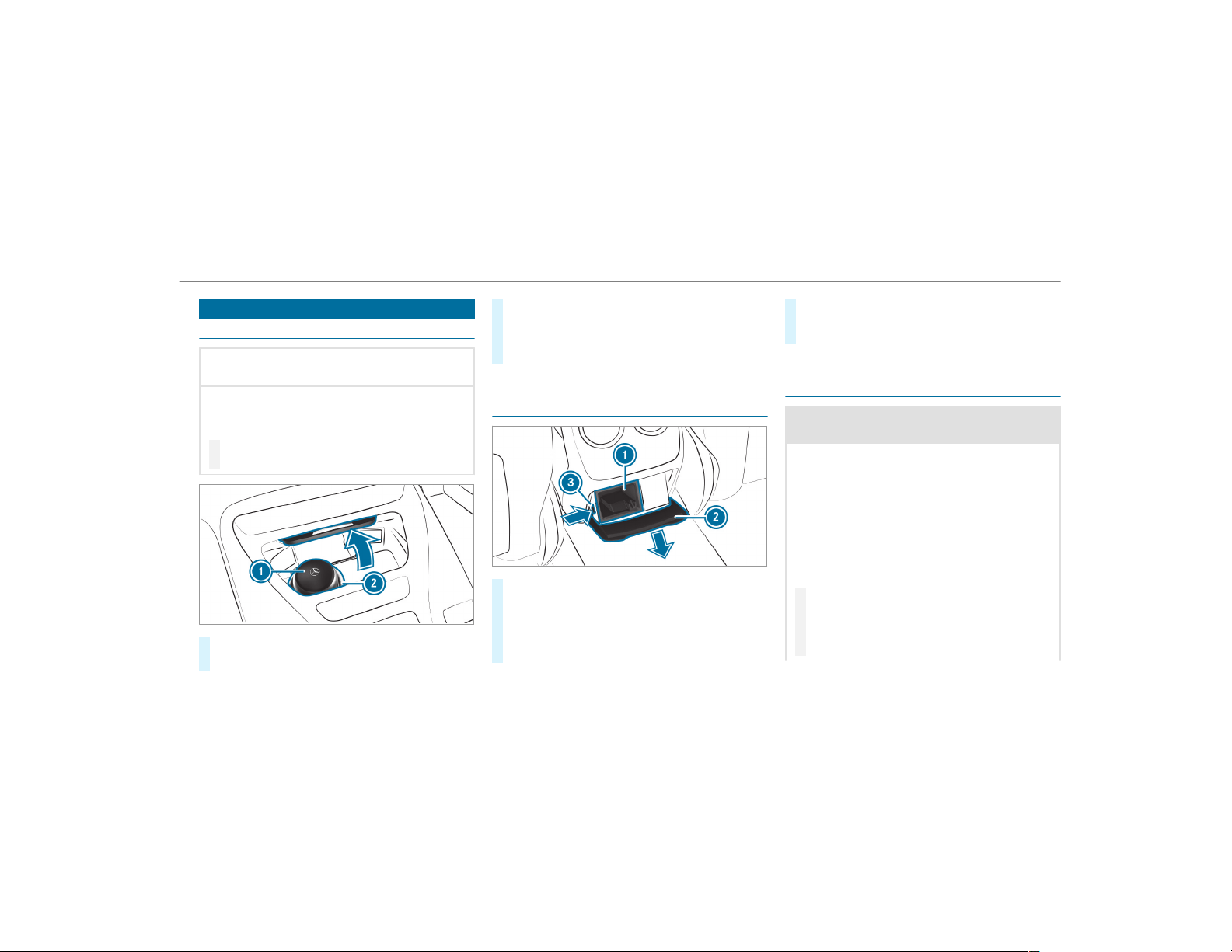
Ashtray and cigarette lighter
Using the ashtray in the front center console
*
NOTE Damage to the stowage compart‐
ment under the ashtr ay
The stowage compartment under the ashtray
is not heat resistant and could be damaged if
you rest a lit cigarette on it.
#
Make sure that the ashtray is fully
engaged.
#
To open: push up cover 2 of the ashtray on
its right or left side.
#
To remove the insert: press insert 1
upwards slightly and pull it out upwards.
#
To re-install the insert: press insert 1 into
the holder until it engages.
Using the rear passenger compartment ash‐
tray
#
To open: pull cover 2 out by its top handle
edge.
#
To remove the insert: push r ibbing 3 from
the left side and pull insert 1 upwards and
out.
#
To install the insert: install insert 1 from
above and press down on the holder until it
engages.
Using the cigarette lighter in the front center
console
&
WARNING ‑ Risk of fire and injury from
hot cigarette lighter
You can burn yourself if you touch the hot
heating element or the socket of the ciga‐
rette lighter.
In addition, flammable materials may ignite
if:
R
you drop the hot cigarette lighter
R
a child holds the hot cigarette lighter to
objects, for example
#
Always hold the cigarette lighter by the
knob.
#
Always make sure that the cigarette
lighter is out of reach of children.
Seats and stowing
107
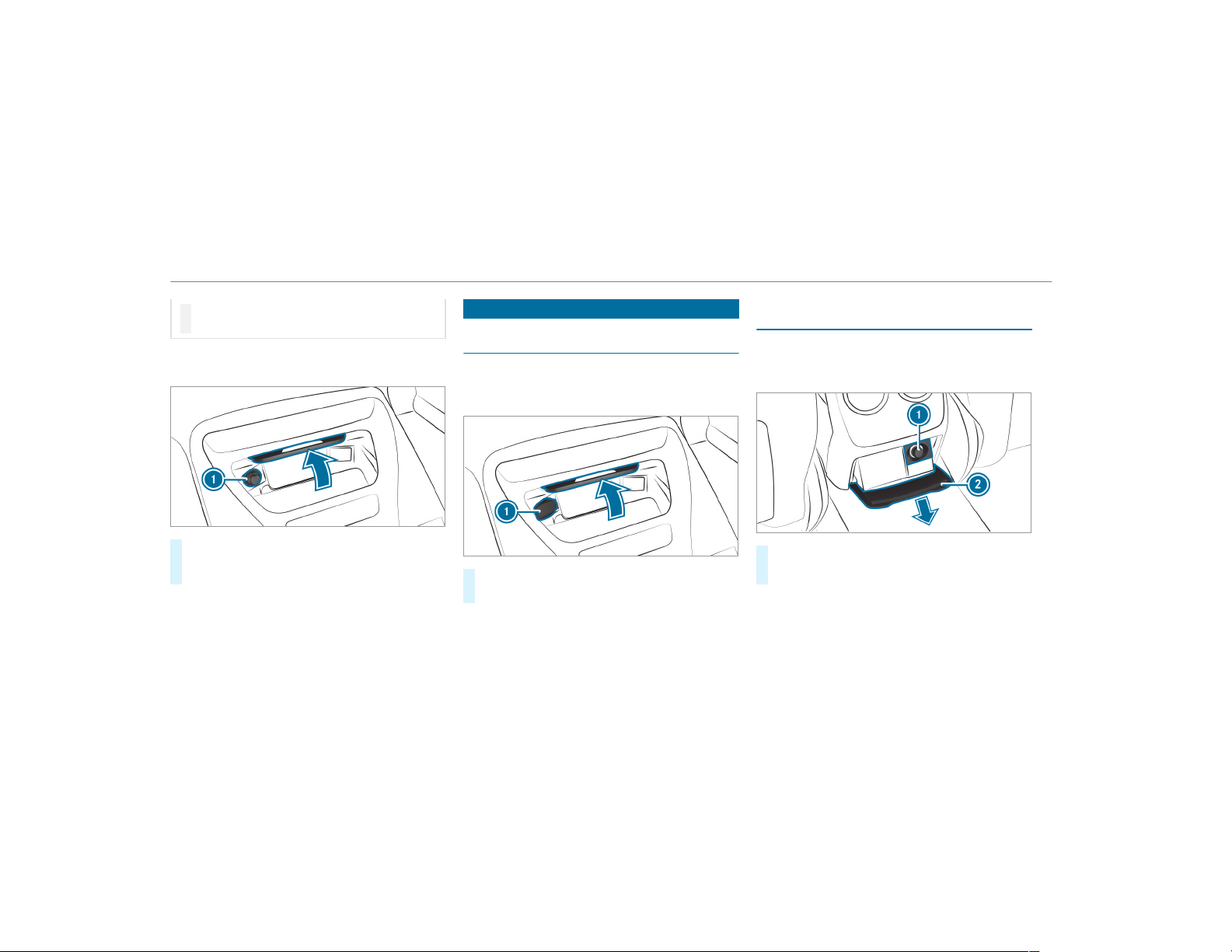
#
Never leave children unattended in the
vehicle.
Requirements:
R
The ignition is switched on.
#
Press in cigarette lighter 1.
The cigarette lighter will pop out automati‐
cally when the heating element is red-hot.
Sockets
Using the 12 V socket in the front center
console
Requirements:
R
Only devices with up to a maximum of
180 watts (15 A) are permissible.
#
Lift up socket cap 1.
#
Insert the plug of the device.
If you have connected a device to the 12 V
socket, leave the cover of the stowage compart‐
ment open.
Using the 12 V socket in the rear passenger
compartment
Requirements:
R
Only connect devices up to a maximum of
180 watts (15 A).
#
Pull cover 2 out by its top handle edge.
#
Lift up the cap on socket 1.
Vehicles with luxury individual rear seats:
the 12 V socket is in the stowage compartment
in the center console.
108
Seats and stowing
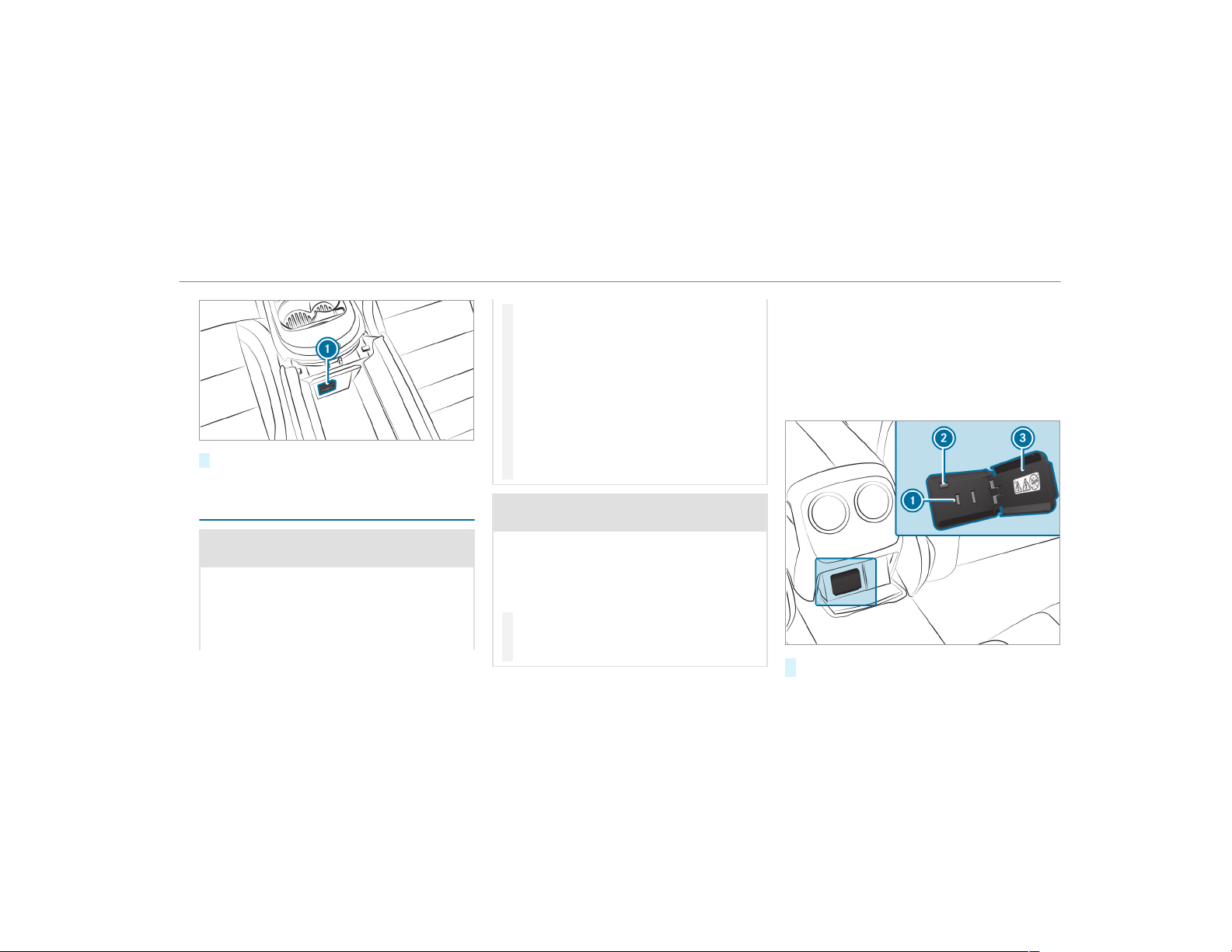
#
Lift up the cap on socket 1.
Using the 115 V socket in the rear passenger
compartment
&
DANGER Risk of fatal injury due to dam‐
aged connecting cables or sockets
If a suitable device is connected, the 115 V
socket will be carrying a high voltage. If the
connecting cable or the 115 V socket is
pulled out of the trim or is damaged or wet,
you could receive an electric shock.
#
Only use dry and damage-free connect‐
ing cables.
#
When the ignition is switched off,
ensure that the 115 V socket is dry.
#
If the 115 V socket is damaged or gets
pulled out of the paneling, immediately
have the socket checked or replaced at
a qualified specialized workshop.
#
Never plug the connecting cable into a
115 V socket that is damaged or has
been pulled out of the trim.
&
DANGER Risk of fatal injury due to incor‐
rect handling of the socket
You could receive an electric shock:
R
if you reach into the socket.
R
if you insert unsuitable devices or objects
into the socket.
#
Do not reach into the socket.
#
Only connect suitable devices to the
socket.
Requirements:
R
Devices must be equipped with a suitable
plug which conforms to the standards spe‐
cific to the country you are in.
R
Only devices up to a maximum of 150 W are
permitted.
R
Multiple sockets are not permitted.
#
Open flap 3.
Seats and stowing
109
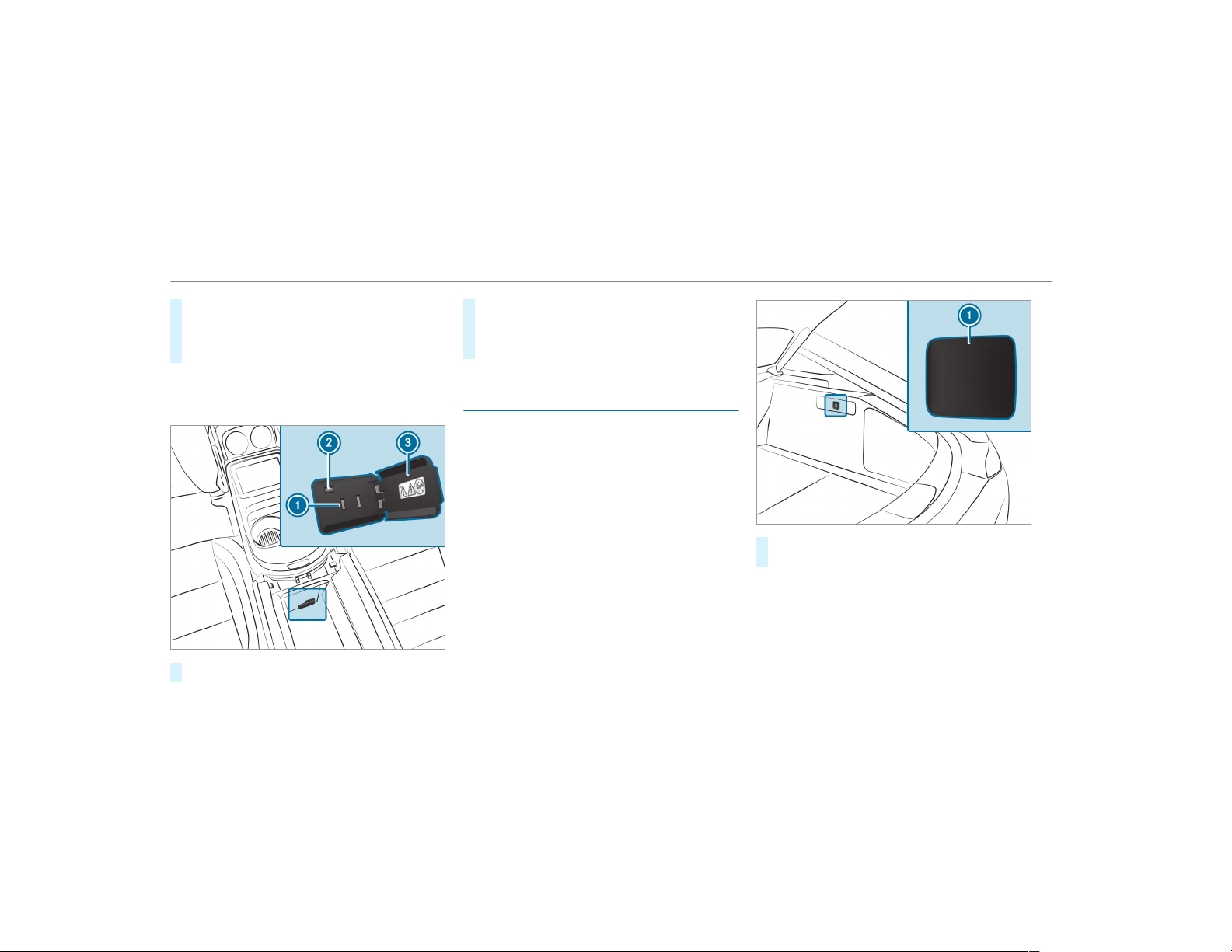
#
Insert the plug of the device into 115 V
socket 1.
When the on-board electrical system voltage
is sufficient, indicator lamp 2 lights up.
Vehicles with luxury individual rear seats:
the 115 V socket is in the stowage compartment
in the center console.
#
Open flap 3.
#
Insert the plug of the device into 115 V
socket 1.
When the on-board electrical system voltage
is sufficient, indicator lamp 2 lights up.
Using the 12 V socket in the cargo compart‐
ment
Requirements:
R
Only connect devices up to a maximum of
180 watts (15 A).
#
Lift up cap 1 of the socket and insert the
plug of the device.
110
Seats and stowing
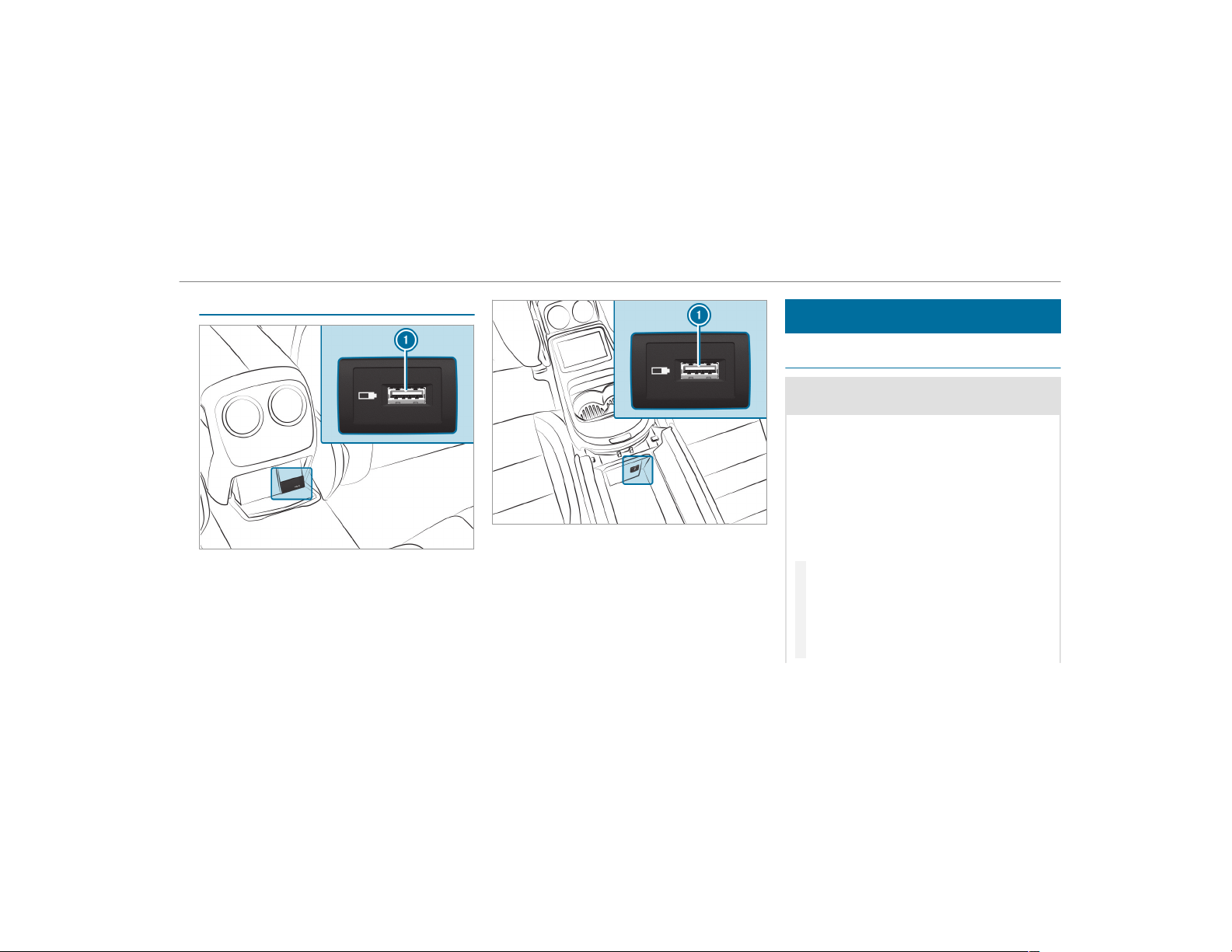
USB port in the rear passenger compartment
If the ignition is switched on you can charge a
USB device, e.g. a mobile phone, at USB port 1
using a suitable charging cable.
Vehicles with luxury individual rear seats:
the USB port is in the stowage compartment in
the center console.
If the ignition is switched on you can charge a
USB device, e.g. a mobile phone, at USB port 1
using a suitable charging cable.
Wireless charging of the mobile phone and
connection with the exterior antenna
Notes on wirelessly charging the mobile
phone
&
WARNING Risk of injury due to objects
being stowed incor rectly
If objects in the vehicle interior are stowed
incorrectly, they can slide or be thrown
around and hit vehicle occupants. In addi‐
tion, cup holders, open stowage spaces and
mobile phone receptacles cannot always
retain all objects they contain.
There is a risk of injury, particularly in the
event of sudden braking or a sudden change
in direction.
#
Always stow objects so that they can‐
not be thrown around in such situa‐
tions.
#
Always make sure that objects do not
protrude from stowage spaces, luggage
nets or stowage nets.
Seats and stowing
111
#
Close the lockable stowage spaces
before starting a journey.
#
Always stow and secure heavy, hard,
pointed, sharp-edged, fragile or bulky
objects in the trunk/load compartment.
Observe the notes on loading the vehicle.
&
WARNING Risk of fire from placing
objects in the mobile phone stowage
compartment
If you place objects in the mobile phone
stowage compartment, they may heat up
excessively and even catch fire.
#
Do not place additional objects, espe‐
cially those mode of metal, in the
mobile phone stowage compartment.
*
NOTE Damage to objects caused by
placing them in the mobile phone stow‐
age compartment
If objects are placed in the mobile phone
stowage compartment, they may be dam‐
aged by electromagnetic fields.
#
Do not place credit cards, storage
media or other objects sensitive to
electromagnetic fields in the mobile
phone stowage compartment.
*
NOTE Damage to the mobile phone
stowage compartment caused by liquids
If liquids enter the mobile phone stowage
compartment, the compartment may be
damaged.
#
Ensure that no liquids enter the mobile
phone stowage compartment.
R
Depending on the vehicle equipment, the
mobile phone is connected to the vehicle's
exterior antenna via the charging module.
R
The charging function and wireless connec‐
tion of the mobile phone to the vehicle's
exterior antenna are only available if the igni‐
tion is switched on.
R
Small mobile phones may not be able to be
charged in every position of the mobile
phone stowage compartment.
R
Large mobile phones which do not rest flat in
the mobile phone stowage compartment may
not be able to be charged or connected with
the vehicle's exterior antenna.
R
The mobile phone may heat up during the
charging process. This can also depend on
the applications (apps) currently running.
R
To ensure more efficient charging and con‐
nection with the vehicle's exterior antenna,
remove the protective cover from the mobile
phone. Protective covers which are designed
for wireless charging are excluded.
112
Seats and stowing
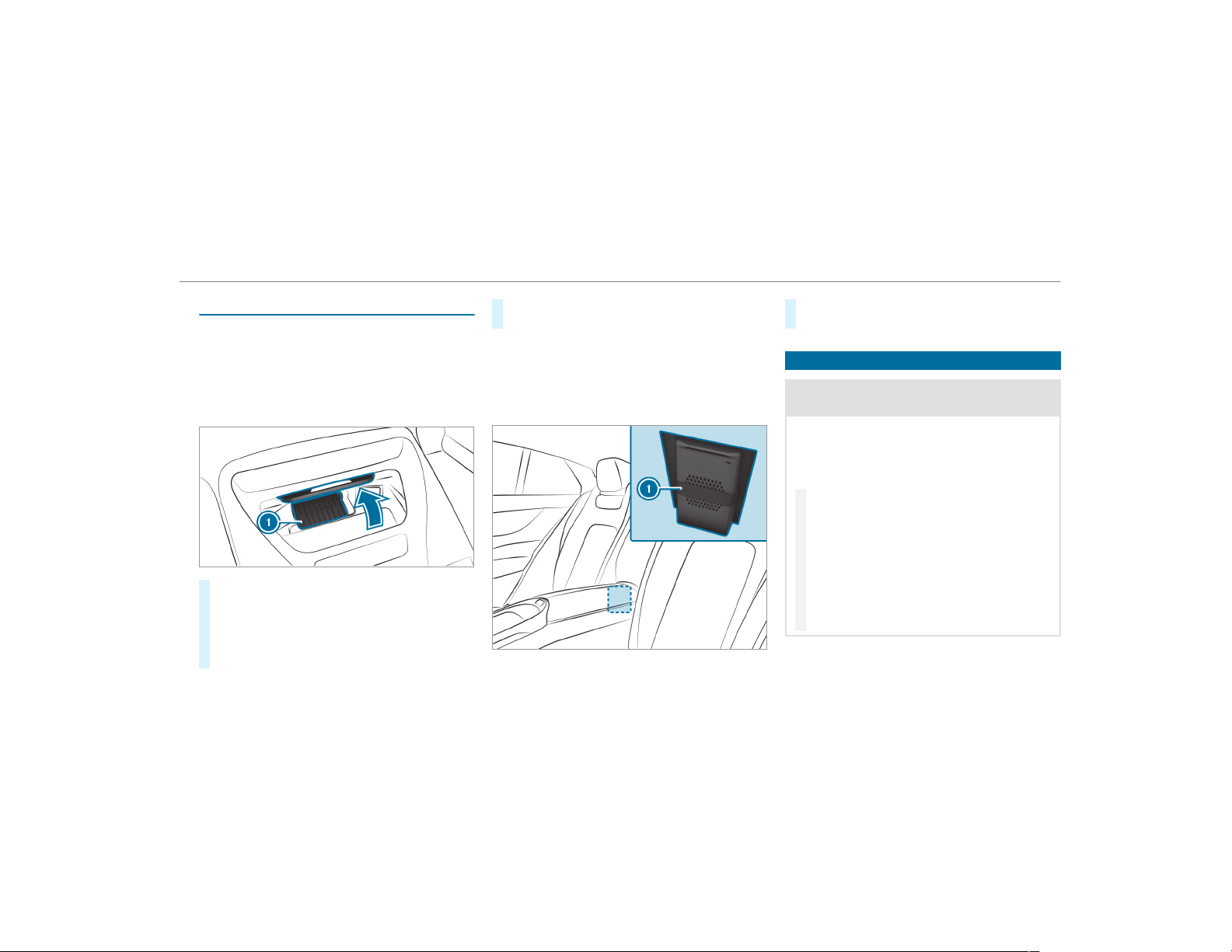
Wireless charging of the mobile phone
Requirements:
R
The mobile phone must be suitable for wire‐
less charging (Qi-compatible mobile phone).
You can find a list of Qi-compatible mobile
phones at:
http://www.mercedes-benz.com/connect
#
Place the mobile phone as close to the cen‐
ter of mat 1 as possible with the display
facing upwards.
When the charging symbol is shown in the
multimedia system, the mobile phone is
being charged.
Malfunctions during the charging process are
shown in the multimedia system display.
%
The mat can be removed for cleaning, e.g.
using clean, lukewarm water.
Vehicles with luxury individual rear seats
You can charge a mobile phone in the stowage
compartment in the center console.
#
Fasten the mobile phone behind rubber strap
1.
Installing/removing the floor mats
&
WARNING Risk of accident due to
objects in the driver's footwell
Objects in the driver's footwell may impede
pedal travel or block a depressed pedal.
This jeopardizes the oper ating and road
safety of the vehicle.
#
Stow all objects in the vehicle securely
so that they cannot get into the driver's
footwell.
#
Always install the floor mats securely
and as prescribed in order to ensure
that there is always sufficient room for
the pedals.
#
Do not use loose floor mats and do not
place floor mats on top of one another.
Seats and stowing
113
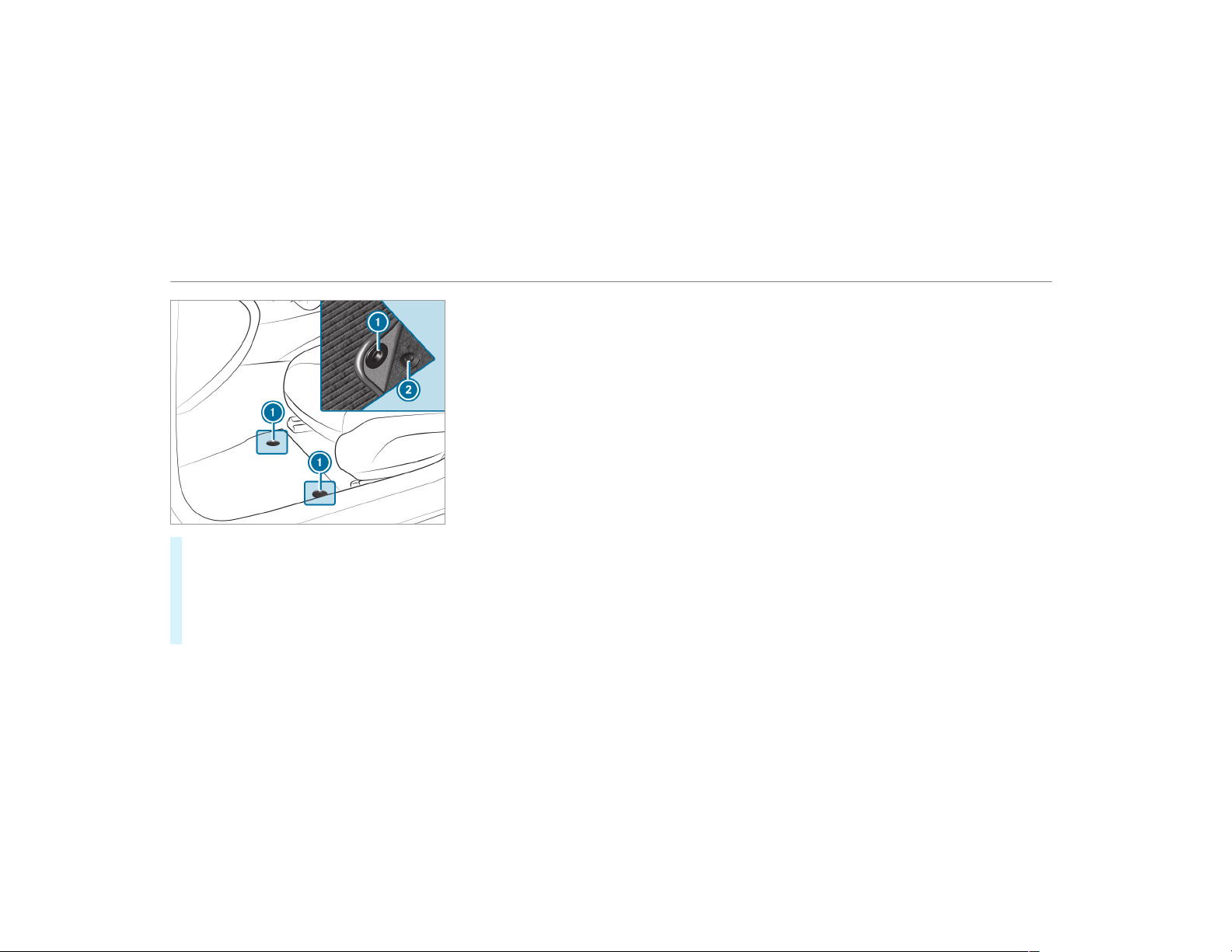
#
To install: slide the seat backwards and lay
the floor mat in the footwell.
#
Press studs 1 onto holders 2.
#
Adjust the corresponding seat.
#
To remove: pull the floor mat off holders 2.
#
Remove the floor mat.
114
Seats and stowing
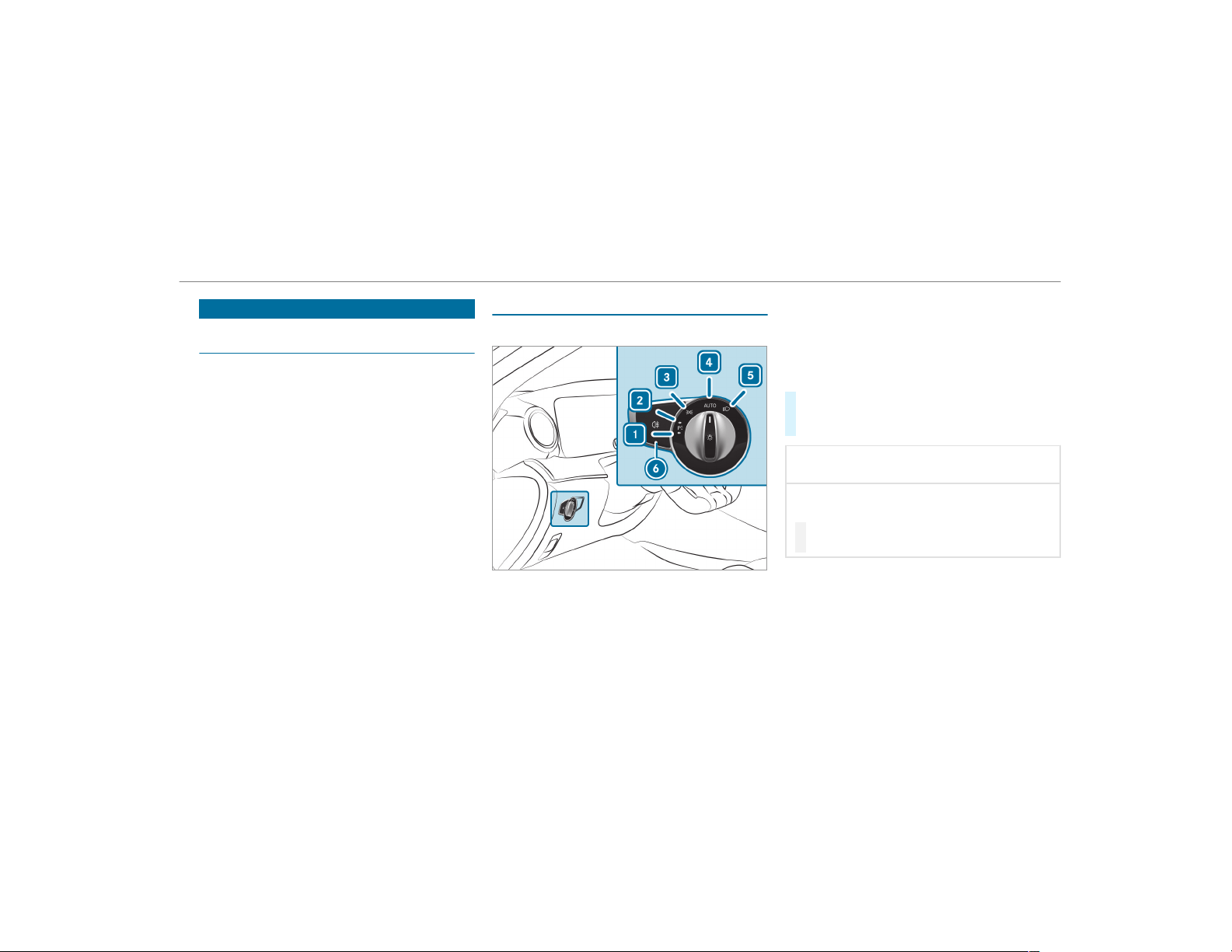
Exterior lighting
Information about lighting systems and your
responsibility
The various lighting systems of the vehicle are
only aids. The driver of the vehicle is responsible
for correct vehicle illumination in accordance
with the prevailing light and visibility conditions,
legal requirements and traffic situation.
Light switch
Operating the light switch
1
W Left standing light
2
X Right standing light
3
T Parking lights and license plate lamp
4
à Automatic driving lights (preferred light
switch position)
5
L Low beam/high beam
6
R Switches the rear fog lights on or off
When low beam is activated, the T indicator
lamp for the parking lights is deactivated and
replaced by the L low beam indicator lamp.
#
Always park your vehicle safely and in a well-
lit area, in accordance with the relevant legal
stipulations.
*
NOTE Battery discharging by operating
the standing lights
Operating the standing lights over a period of
hours puts a strain on the battery.
#
Where possible, switch on the
right X or left W parking light.
In the case of severe battery discharging, the
standing lights or parking lights are automati‐
cally switched off to facilitate the next engine
start.
The exterior lighting (except standing and park‐
ing lights) switches off automatically when the
driver's door is opened.
Light and visibility
115
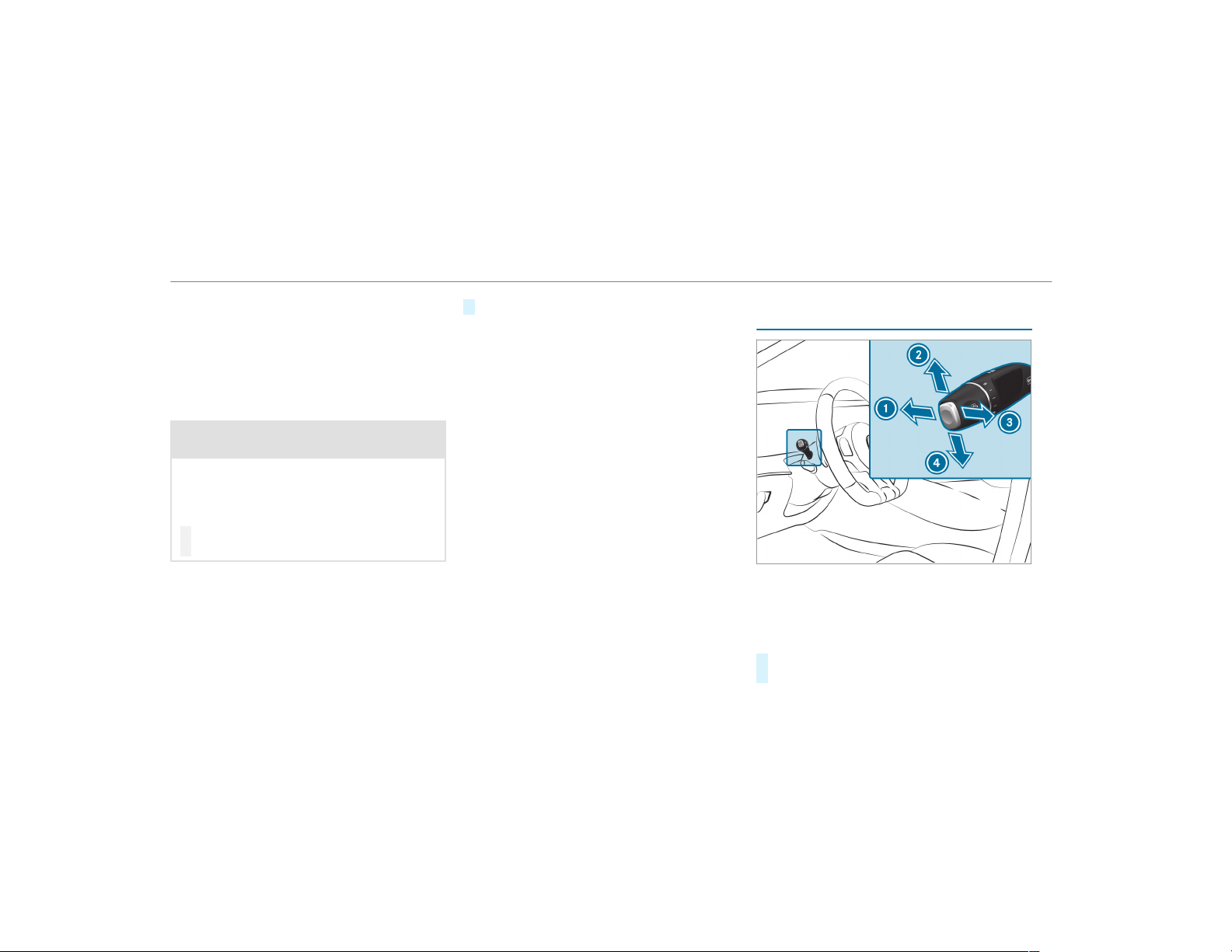
R
Observe the notes on surround lighting
(→ page 119).
Automatic driving lights function
The parking lights, low beam and daytime run‐
ning lamps are switched on automatically
depending on the ignition status and the ambi‐
ent light.
&
WARNING Risk of accident when the low
beam is switched off in poor visibility
When the light switch is set to Ã, the low
beam may not be switched on automatically
if there is fog, snow or other causes of poor
visibility such as spray.
#
In such cases, turn the light switch to
L.
The automatic driving lights are only an aid. You
are responsible for vehicle lighting.
Switching the rear fog lights on or off
Requirements:
R
The light switch is in the L or à posi‐
tion.
#
Press the R button.
Please observe the country-specific laws on the
use of rear fog lamps.
Operating the combination switch for the
lights
1
High-beam headlamps
2
Turn signal, right
3
High-beam flasher
4
Turn signal, left
#
Use the combination switch to activate the
desired function.
116
Light and visibility
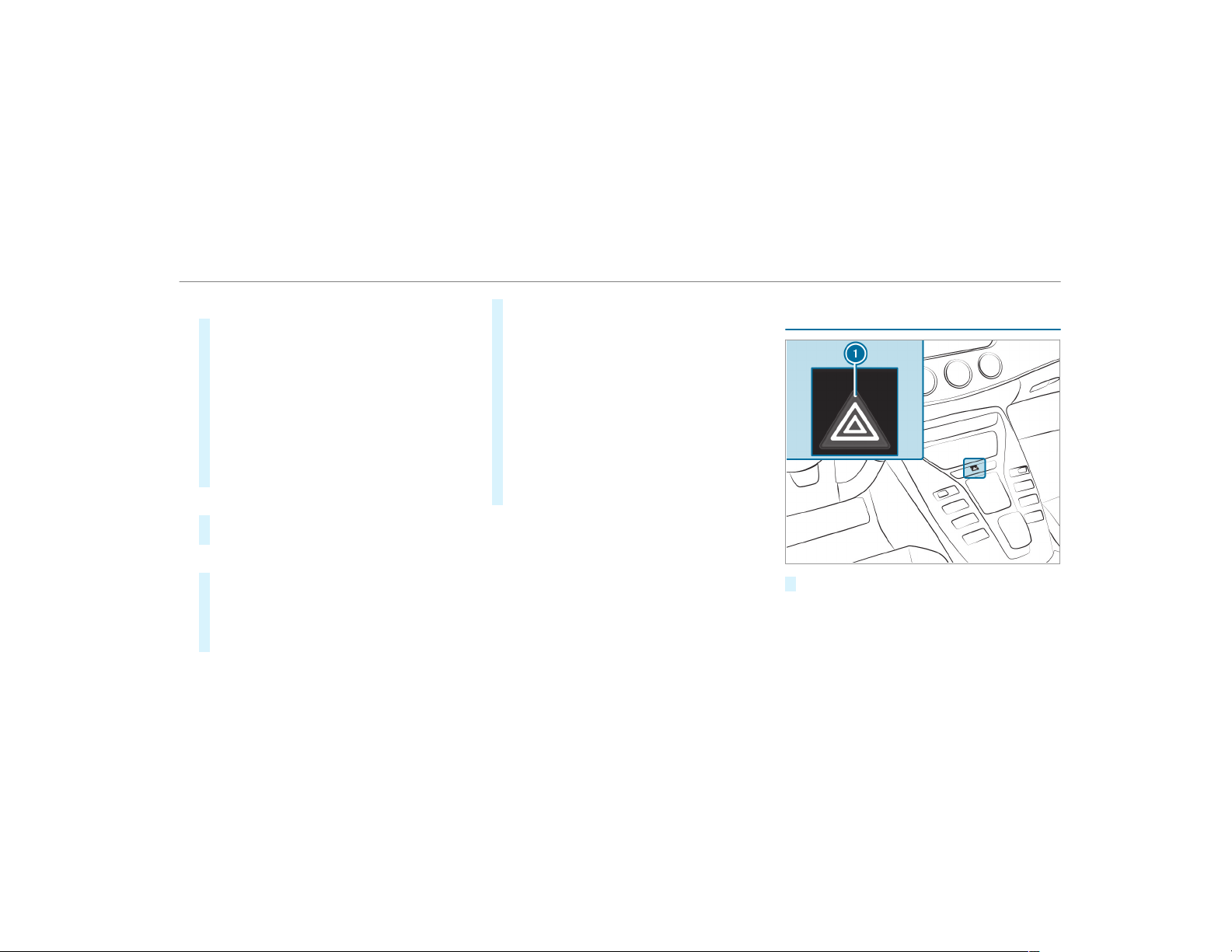
High-beam headlamps
#
To switch on: turn the light switch to the
L or à position.
#
Press the combination switch beyond the
point of resistance in the direction of arrow
1.
When the high beam is activated, the indica‐
tor lamp for low beam L is deactivated
and replaced by the indicator lamp for the
high beam K.
#
To switch off: move the combination switch
back to its starting position.
High-beam flasher
#
Pull the combination switch in the direction
of arrow 3.
Turn signals
#
To indicate briefly: press the combination
switch briefly to the point of resistance in the
direction of arrow 2 or 4.
The corresponding indicator will flash three
times.
#
To indicate permanently: press the combi‐
nation switch beyond the point of resistance
in the direction of arrow 2 or 4.
Vehicles with Active Lane Change Assist
The Active Lane Change Assist can:
R
lengthen turn signal operation for the
duration of the lane change if the driver
has activated the indicator.
R
automatically activate the turn signal indi‐
cator if the driver indicated to turn in that
direction immediately beforehand but a
lane change was not immediately possi‐
ble.
Activating/deactivating the hazard warning
lights
#
Press button 1 .
Light and visibility
117
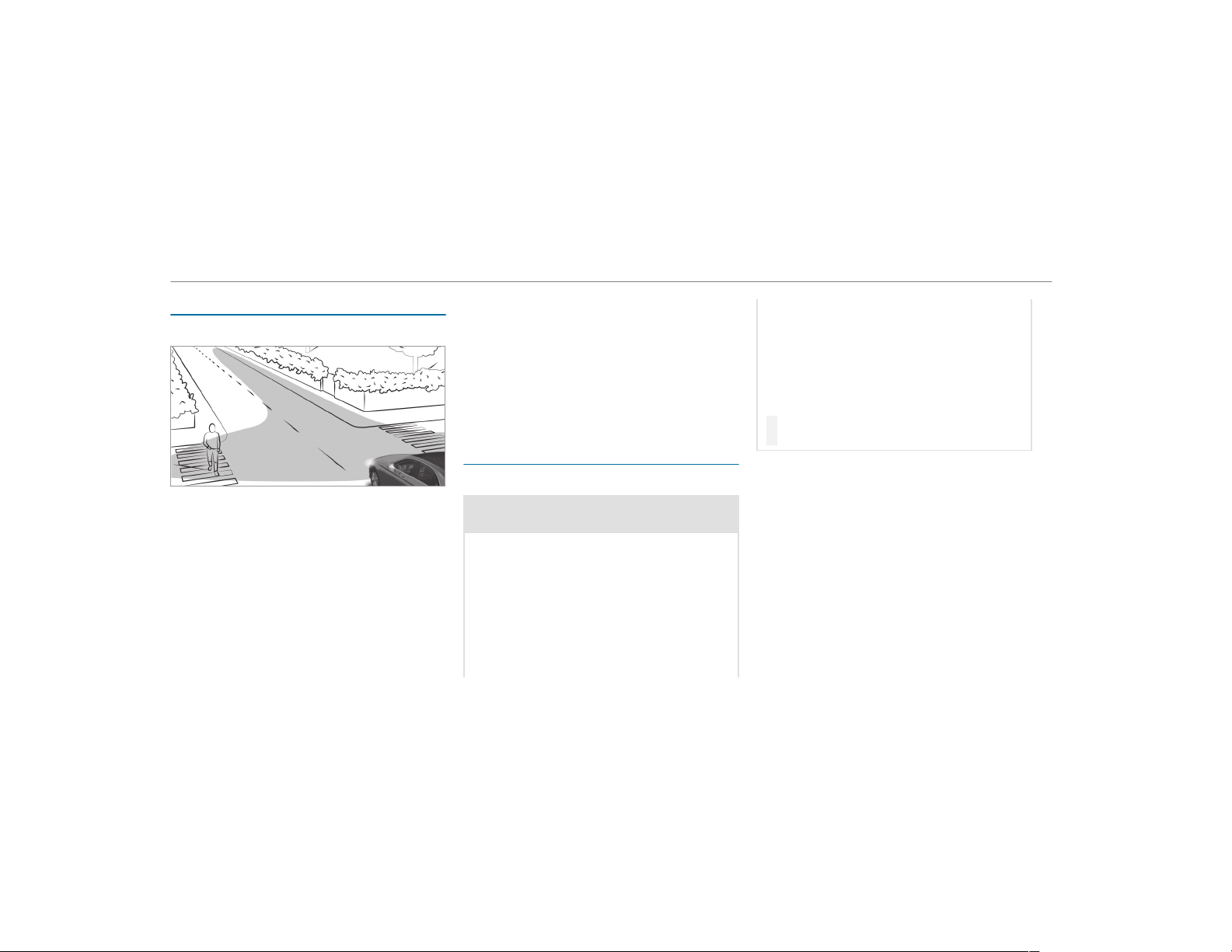
Cornering light
Cornering light function
The cornering light improves the illumination of
the roadway over a wide angle in the turning
direction, enabling better visibility on tight
bends, for example. It can be activated only
when the low beam is switched on.
The function is active:
R
At speeds below 25 mph (40 km/h) when
the tur n signal light is switched on or the
steering wheel is turned
R
At speeds between 25 mph (40 km/h) and
45 mph (70 km/h) when the steering wheel
is turned
Traffic circle and intersection function: the
cornering light is activated on both sides through
an evaluation of the current GPS position of the
vehicle. It remains active until after the vehicle
has left the traffic circle or the intersection.
Adaptive Highbeam Assist
Adaptive Highbeam Assist function
&
WARNING Risk of accident despite
Adaptive Highbeam Assist
Adaptive Highbeam Assist does not recog‐
nize the following road users:
R
Road users without lights, e.g. pedes‐
trians
R
Road users with poor lighting, e.g.
cyclists
R
Road users whose lighting is obstructed,
e.g. by a bar rier
On very rare occasions, Adaptive Highbeam
Assist may fail to recognize other road users
with their own lighting, or may recognize
them too late.
In these or similar situations, the automatic
high beam is not deactivated or is activated
despite the presence of other road users.
#
Always observe the traffic carefully and
switch off the high beam in good time.
Adaptive Highbeam Assist cannot take into
account road, weather or traffic conditions.
Detection may be restricted:
R
in poor visibility, e.g. fog, heavy rain or snow
R
if there is dirt on the sensors or the sensors
are obscured
Adaptive Highbeam Assist is only an aid. You are
responsible for adjusting the vehicle's lighting to
the prevailing light, visibility and traffic condi‐
tions.
118
Light and visibility
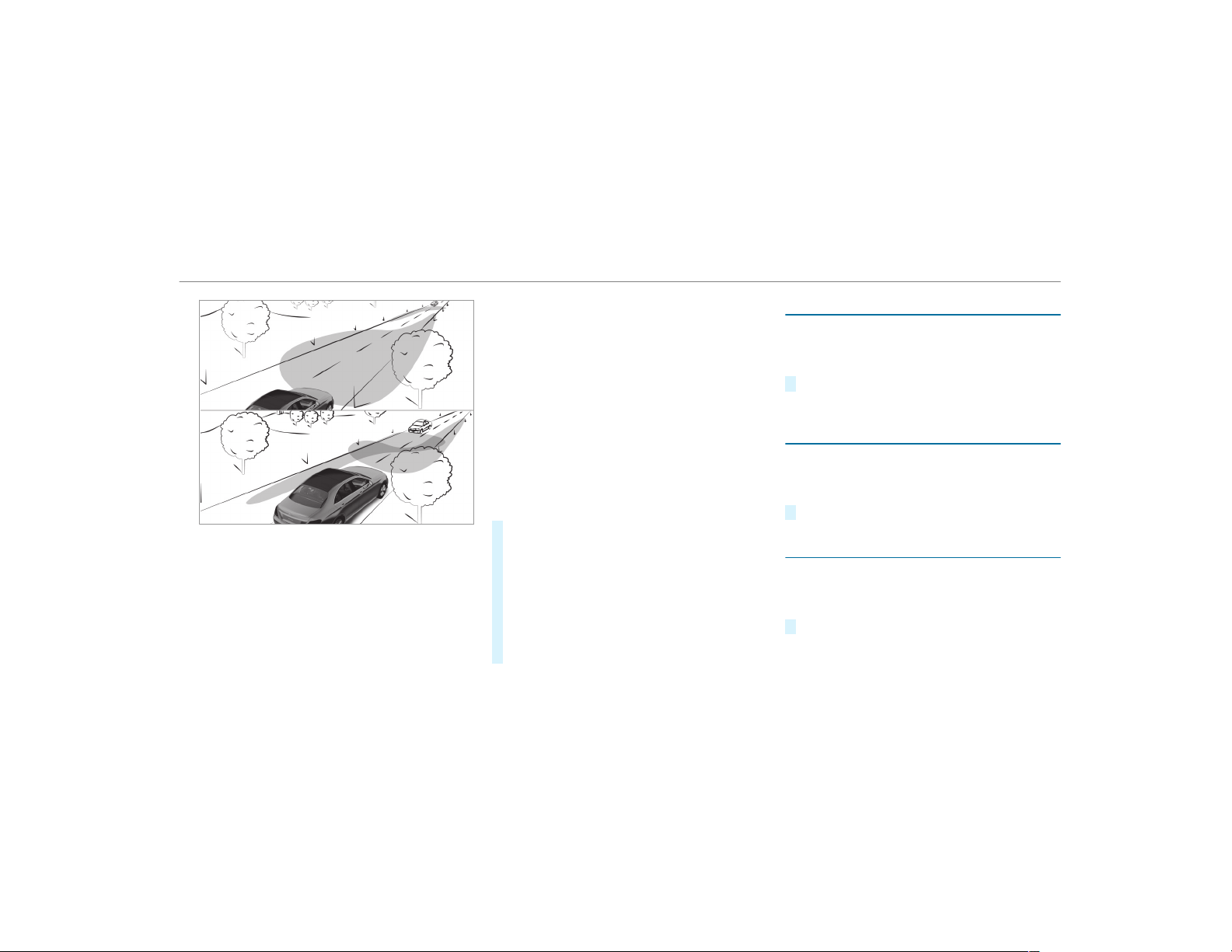
Adaptive Highbeam Assist switches automati‐
cally between:
R
Low -beam headlamps
R
High-beam headlamps
At speeds above 19 mph (30 km/h):
R
If no other road users are detected, the high
beam will be switched on automatically.
The high beam switches off automatically:
R
At speeds below 16 mph (25 km/h).
R
If other road users are detected.
R
If street lighting is sufficient.
At speeds above approximately 31 mph
(50 km/h):
R
The headlamp range of the low beam is regu‐
lated automatically based on the distance to
other road users.
The system's optical sensor is located behind
the windshield near the overhead control panel.
Switching Adaptive Highbeam Assist on/off
#
To switch on: turn the light switch to the
à position.
#
Switch on the high beam using the combina‐
tion switch.
When the high beam is switched on automat‐
ically in the dark, the _ indicator lamp on
the multifunction display comes on.
#
To switch off: switch off the high beam
using the combination switch.
Switching the daytime running lamps on/off
Multimedia system:
,
Vehicle
.
÷ Light Settings
.
Day-
time Run. Lights
#
Activate O or deactivate ª the function.
Setting the exterior lighting switch-off delay
time
Multimedia system:
,
Vehicle
.
÷ Light Settings
.
Ext.
Light Switch Off
#
Set the switch-off delay time.
Setting the surround lighting
Multimedia system:
,
Vehicle
.
÷ Light Settings
.
Loca-
tor Lighting
#
Activate O or deactivate ª the function.
If the surround lighting is switched on, the exte‐
rior lighting remains lit for 40 seconds after the
Light and visibility
119
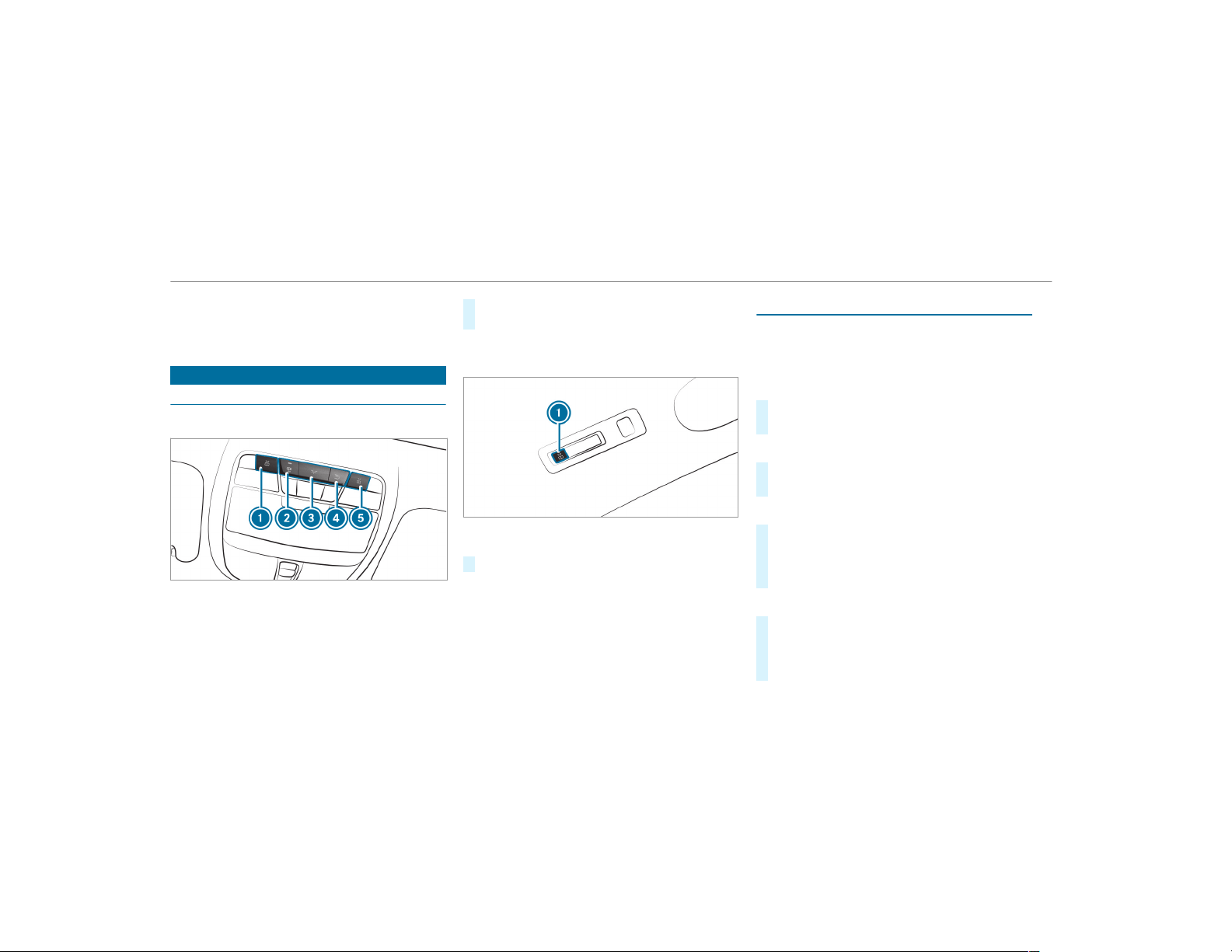
vehicle is unlocked. When you start the vehicle,
the surround lighting is deactivated and the
automatic driving lights are activated.
Interior lighting
Adjusting the interior lighting
Front overhead control panel
1
p Front left reading lamp
2
S Automatic interior lighting control
3
c Front interior lighting
4
u Rear interior lighting
5
p Front right reading lamp
#
To switch on or off: press button 1 – 5
accordingly.
Control panel in the rear passenger compart‐
ment
1
p Rear reading lamp
#
To switch on or off: press button 1.
Adjusting the ambient lighting
Multimedia system:
,
Vehicle
.
÷ Light Settings
.
Ambi-
ent Light
Setting the color
#
Select Color.
#
Set a color.
Adjusting the brightness
#
Select Brightness.
#
Set a brightness value.
Activating the brightness for zones
#
Select Brightness Zones.
#
Activate O or deactivate ª the function.
The Display, Front and Rear zones can be set
separately.
Activating multi-color lighting
#
Select Multi-color.
#
Activate O or deactivate ª the function.
There are ten preset color combinations
available.
120
Light and visibility
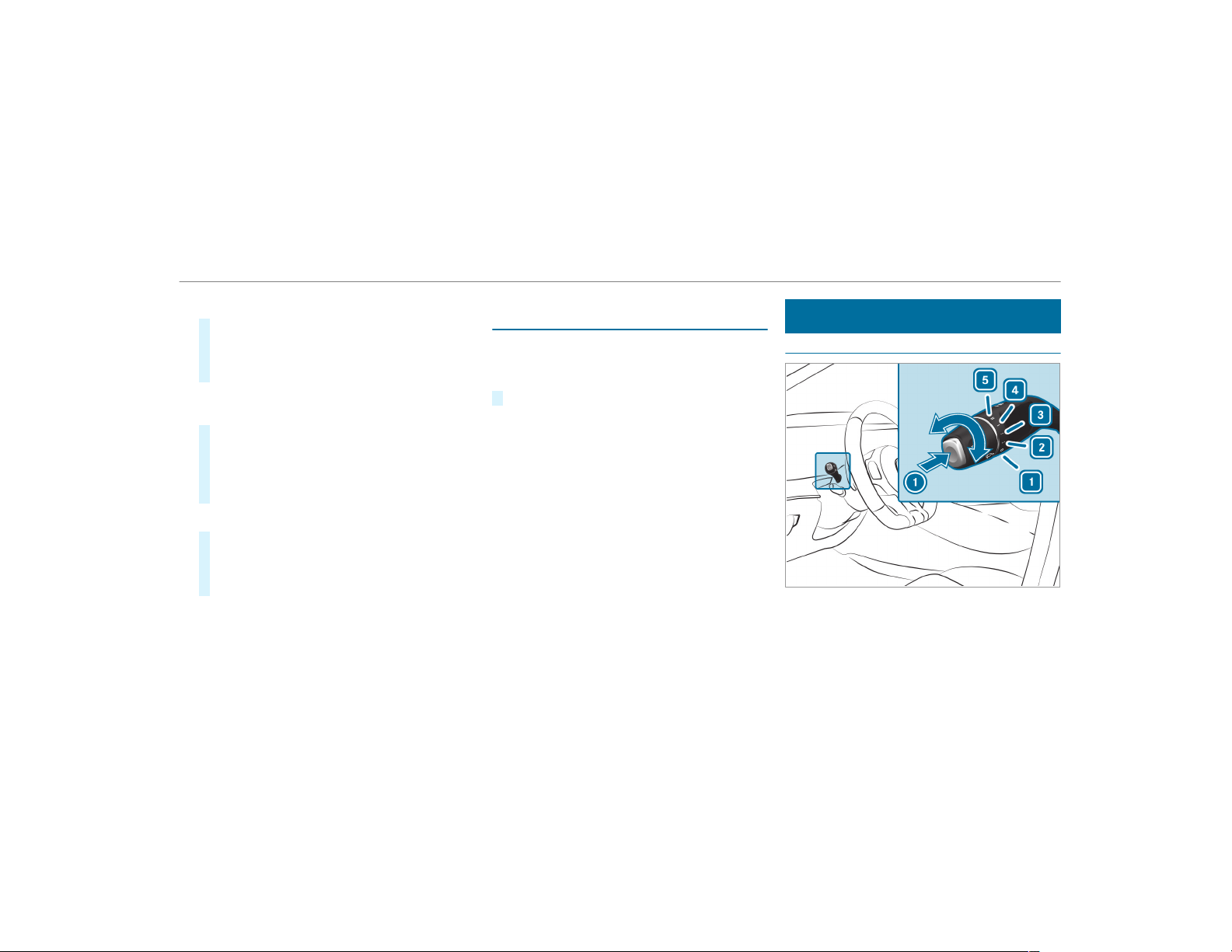
Activating multi-color animation
#
Select Multi-color Anim..
#
Activate O or deactivate ª the function.
The chosen color combination changes at
predefined intervals.
Activating dependency on air conditioning
settings
#
Select Climate.
#
Activate or deactivate the function.
If changes are made to the temperature set‐
ting in the vehicle, the color of the ambient
lighting changes briefly.
Activating welcome lighting
#
Select Welcome.
#
Activate O or deactivate ª the function.
When the vehicle is unlocked, a special inte‐
rior lighting sequence runs.
Setting the interior lighting switch-off delay
time
Multimedia system:
,
Vehicle
.
÷ Light Settings
.
Int.
Light Switch Off
#
Set the switch-off delay time.
Windshield wiper and windshield washer
system
Switching the windshield wiper on/of f
1
g Windshield wipers off
2
Ä Intermittent wiping, normal
3
Å Intermittent wiping, frequent
Light and visibility
121
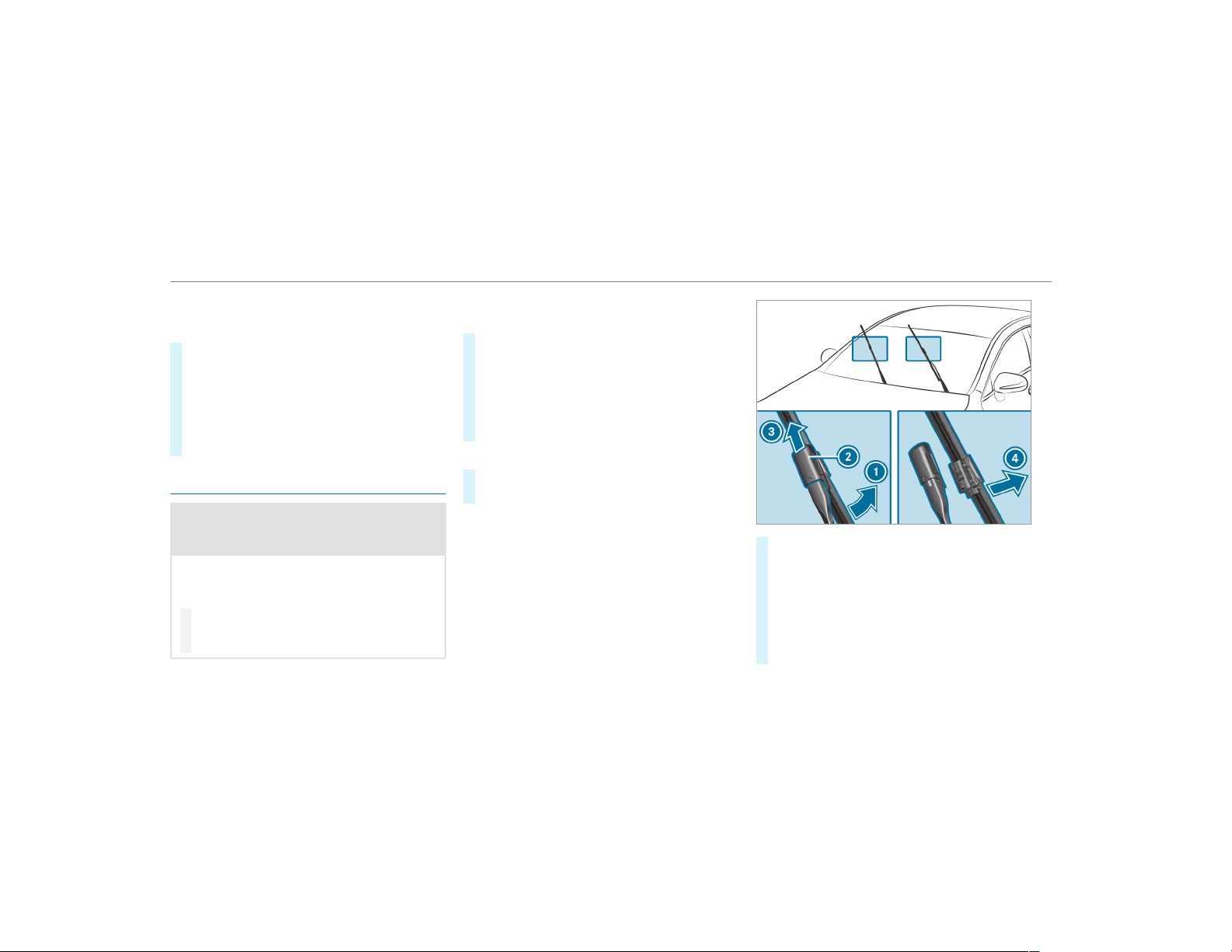
4
° Continuous wiping, slow
5
¯ Continuous wiping, fast
#
Turn the combination switch to the corre‐
sponding position 1 - 5.
#
Single wipe/washing: push the button on
the combination switch in the direction of
arrow 1.
R
í Single wipe
R
î Wipes with washer fluid
Changing the windshield wiper blades
&
WARNING Risk of becoming trapped if
the windshield wipers are switched on
while wiper blades are being replaced
If the windshield wipers begin to move while
you are changing the wiper blades, you can
be trapped by the wiper arm.
#
Always switch off the windshield wipers
and the ignition before changing the
wiper blades.
Moving the wiper arms to the change posi‐
tion
#
Switch the ignition on and switch off again
immediately.
#
Within around 15 seconds, press the î
button on the combination switch for approx‐
imately three seconds (→ page 121).
The wiper arms will move into the change
position.
Removing the wiper blades
#
Fold the wiper arms away from the wind‐
shield.
#
Hold the wiper arm with one hand. With the
other hand, turn the wiper blade in the direc‐
tion of arrow 1 away from the wiper arm as
far as it will go.
#
Slide catch 2 in the direction of arrow 3
until it engages in the removal position.
#
Remove the wiper blade from the wiper arm
in the direction of arrow 4.
122
Light and visibility
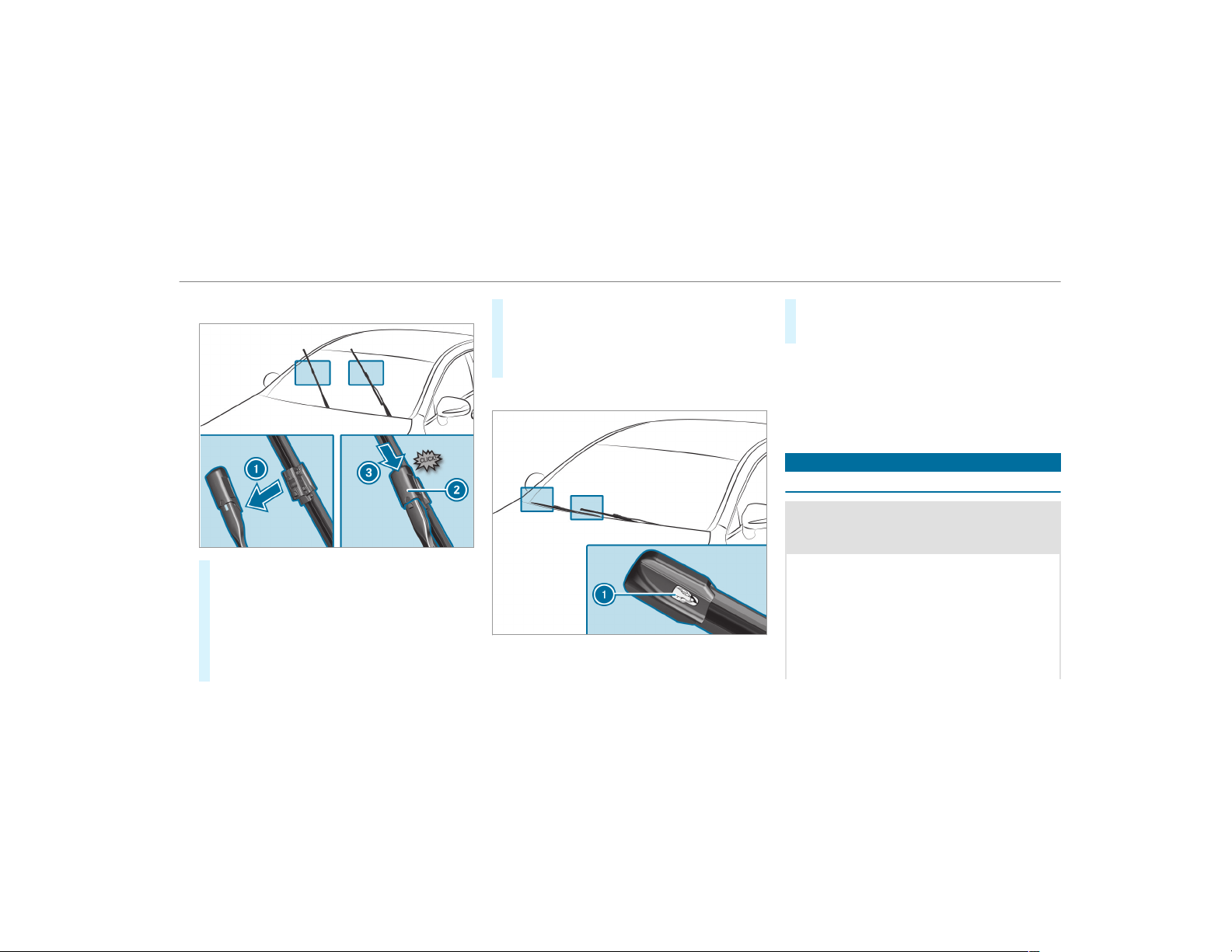
Installing the wiper blades
#
Insert the new wiper blade into the wiper
arm in the direction of arrow 1.
#
Slide catch 2 in the direction of arrow 3
until it engages in the locking position.
#
Make sure that the wiper blade sits correctly.
#
Fold the wiper arms back onto the wind‐
shield.
#
Switch the ignition on.
#
Press the î button on the combination
switch (→ page 121).
The wiper arms will move into the original
position.
Maintenance display
#
Remove protective film 1 from the mainte‐
nance display on the tip of the newly instal‐
led wiper blades.
If the color of the maintenance display changes
from black to yellow, the wiper blades should be
replaced.
%
The duration until the color changes varies
depending on the usage conditions.
Mirrors
Operating the outside mirrors
&
WARNING Risk of injury from adjusting
the vehicle settings while the vehicle is in
motion
You could lose control of the vehicle in the
following situations:
R
if you adjust the driver's seat, the head
restraint, the steering wheel or the mirror
while the vehicle is in motion
R
if you fasten your seat belt while the vehi‐
cle is in motion
Light and visibility
123
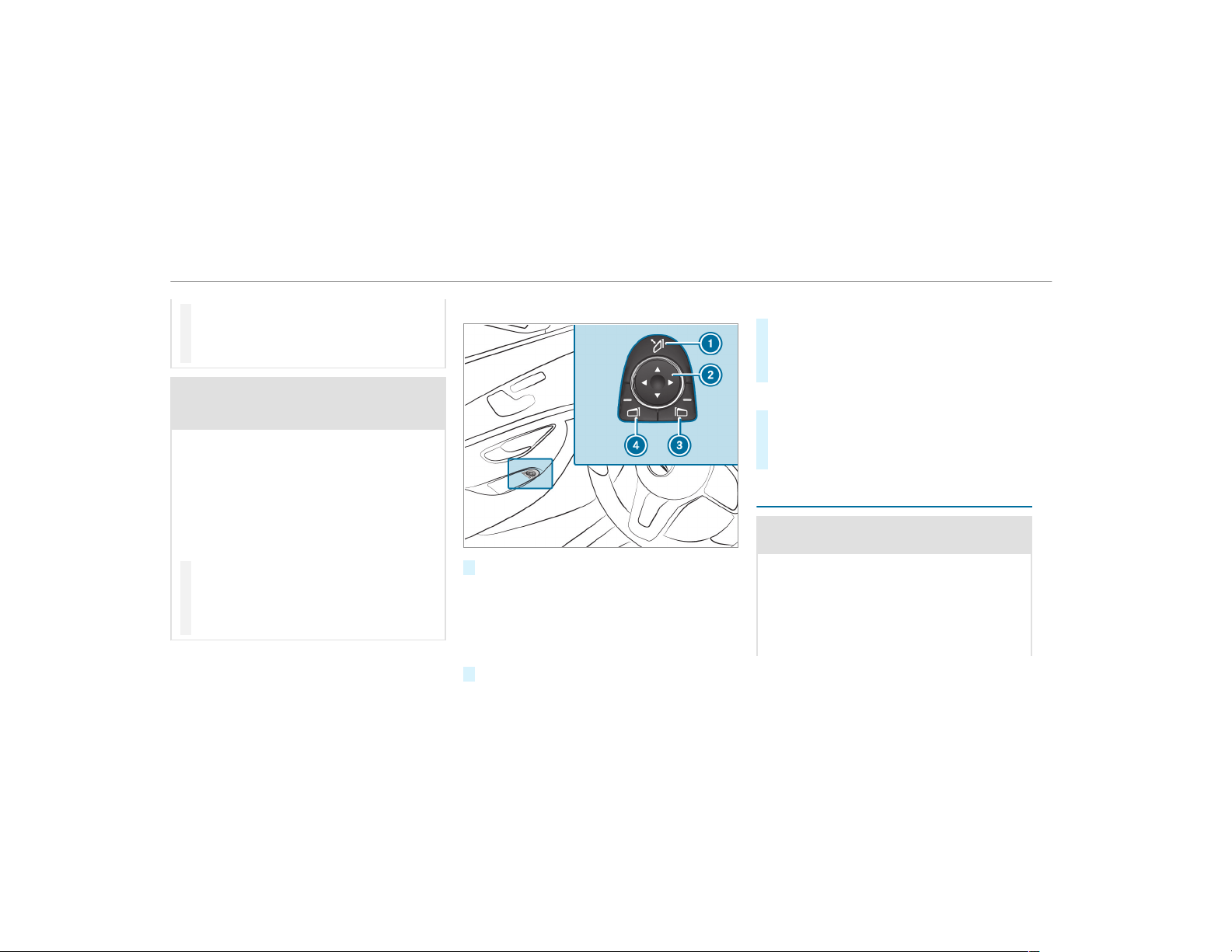
#
Before starting the engine: adjust the
driver's seat, the head restraint, the
steering wheel or the mirror and fasten
your seat belt.
&
WARNING Risk of accident due to mis‐
judgment of distances when using the
passenger mirror
The outside mirror on the front passenger
side reflects objects on a smaller scale. The
objects in view are in fact closer than they
appear.
As a result, you may misjudge the distance
between you and the road user driving
behind you, for example, when changing
lanes.
#
Therefore, always look over your shoul‐
der in order to ensure that you are
aware of the actual distance between
you and the road users driving behind
you.
Folding the outside mirrors in/out
#
Briefly press switch 1.
Resetting the outside mirrors
%
If the battery has been disconnected or com‐
pletely discharged, the outside mirrors must
be reset. Only then will the automatic mirror
folding function work properly.
#
Briefly press switch 1.
Adjusting the outside mirrors
#
Press buttons 3 or 4 to select the outside
mirror to be adjusted.
#
Press button 2 to adjust the position of the
mirror glass.
Engaging the outside mirrors
#
Press and hold button 1.
You will hear a click and the mirror will audi‐
bly engage in position. The outside mirror is
set to the correct position.
Automatic anti-glare mirrors function
&
WARNING Risk of burns and poisoning
due to the anti-glare mirror electrolyte
Electrolyte may escape if the glass in an
automatic anti-glare mirror breaks.
The electrolyte is harmful and causes irrita‐
tion. It must not come into contact with your
skin, eyes, respiratory organs or clothing or
be swallowed.
124
Light and visibility
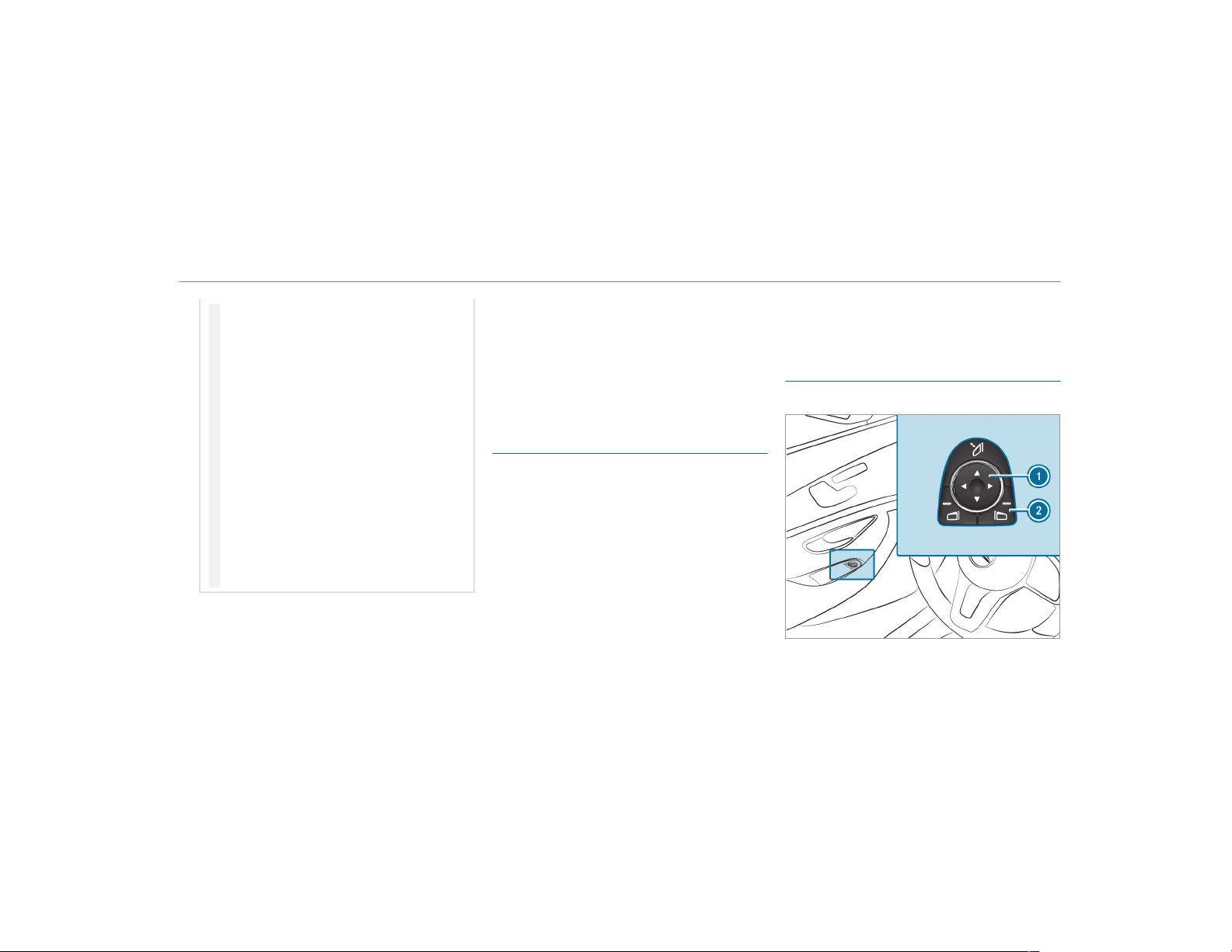
#
If you come into contact with electro‐
lyte, observe the following:
R
Rinse the electrolyte from your skin
and seek medical attention immedi‐
ately.
R
If electrolyte comes into contact
with your eyes, rinse them thor‐
oughly with clean water and seek
medical attention immediately.
R
If the electrolyte is swallowed,
immediately rinse your mouth out
thoroughly. Do not induce vomiting.
Seek medical attention immediately.
R
Immediately change out of clothing
which has come into contact with
electrolyte.
R
If an allergic reaction occurs, seek
medical attention immediately.
The inside rearview mir ror and the outside mir‐
ror on the driver's side automatically go into
anti-glare mode if light from a headlamp hits the
sensor on the inside rearview mirror.
System limitations
The system does not go into anti-glare mode in
the following situations:
R
The engine is switched off
R
Reverse gear is engaged
R
The interior lighting is switched on
Function of the front-passenger outside mir‐
ror parking position
The parking position makes parking easier.
The front-passenger outside mirror tilts down‐
wards and shows the rear wheel on the front-
passenger side in the following situations:
R
the parking position is stored (→ page 125)
R
the passenger mirror is selected
R
reverse gear is engaged
The front-passenger outside mirror moves back
to its original position in the following situations:
R
you shift the transmission to another trans‐
mission position
R
at speeds greater than 9 mph (15 km/h)
R
you press the button for the outside mirror
on the driver's side
Storing the parking position of the front-
passenger outside mirror using reverse gear
Storing
Light and visibility
125
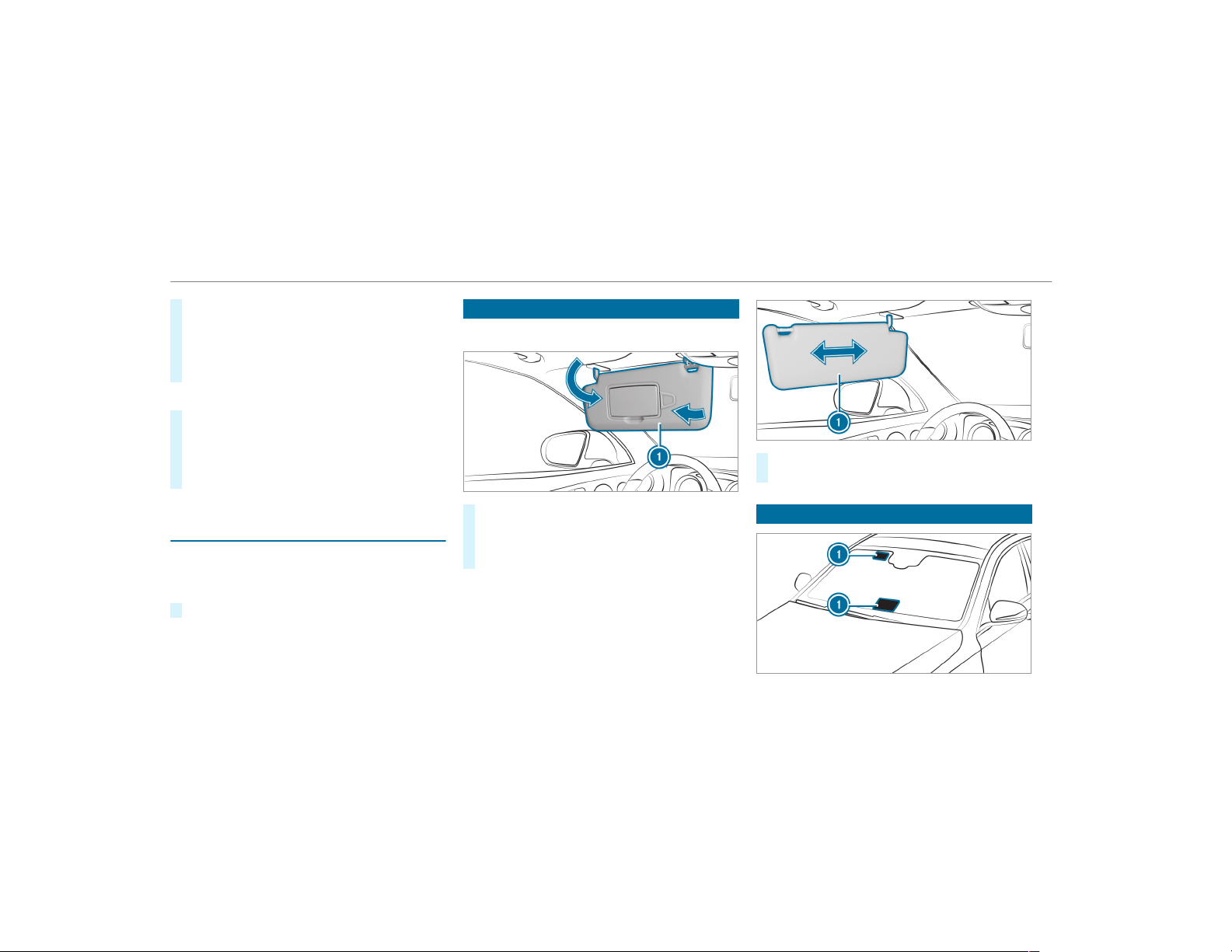
#
Select the front-passenger outside mirror
using button 2.
#
Engage reverse gear.
#
Move the front-passenger outside mirror into
the desired parking position using button 1.
Calling up
#
Select the front-passenger outside mirror
using button 2.
#
Engage reverse gear.
The front-passenger outside mirror will move
to the stored parking position.
Activating/deactivating the automatic mirror
folding function
Multimedia system:
,
Vehicle
.
î Vehicle Set-
tings
.
Autom. Mirror Folding
#
Activate O or deactivate ª the function.
Operating the sun visors
Using the single sun visor
#
Glare from the front: fold sun visor 1
down.
#
Glare from the side: swing sun visor 1 to
the side.
#
Vehicles with an extendable sun visor: slide
sun visor 1 horizontally as required.
Infrared reflective windshield function
126
Light and visibility

The infrared reflective windshield is coated and
reduces the build-up of heat in the vehicle inte‐
rior.
The coating shields the vehicle interior from
radio waves up to the gigahertz range.
Radio-controlled equipment, such as toll sys‐
tems, can only be mounted on areas of the wind‐
shield which are permeable to radio waves
1 .
Areas permeable to radio waves 1 are best visi‐
ble from outside the vehicle when the windshield
is illuminated using an external light source.
Light and visibility
127
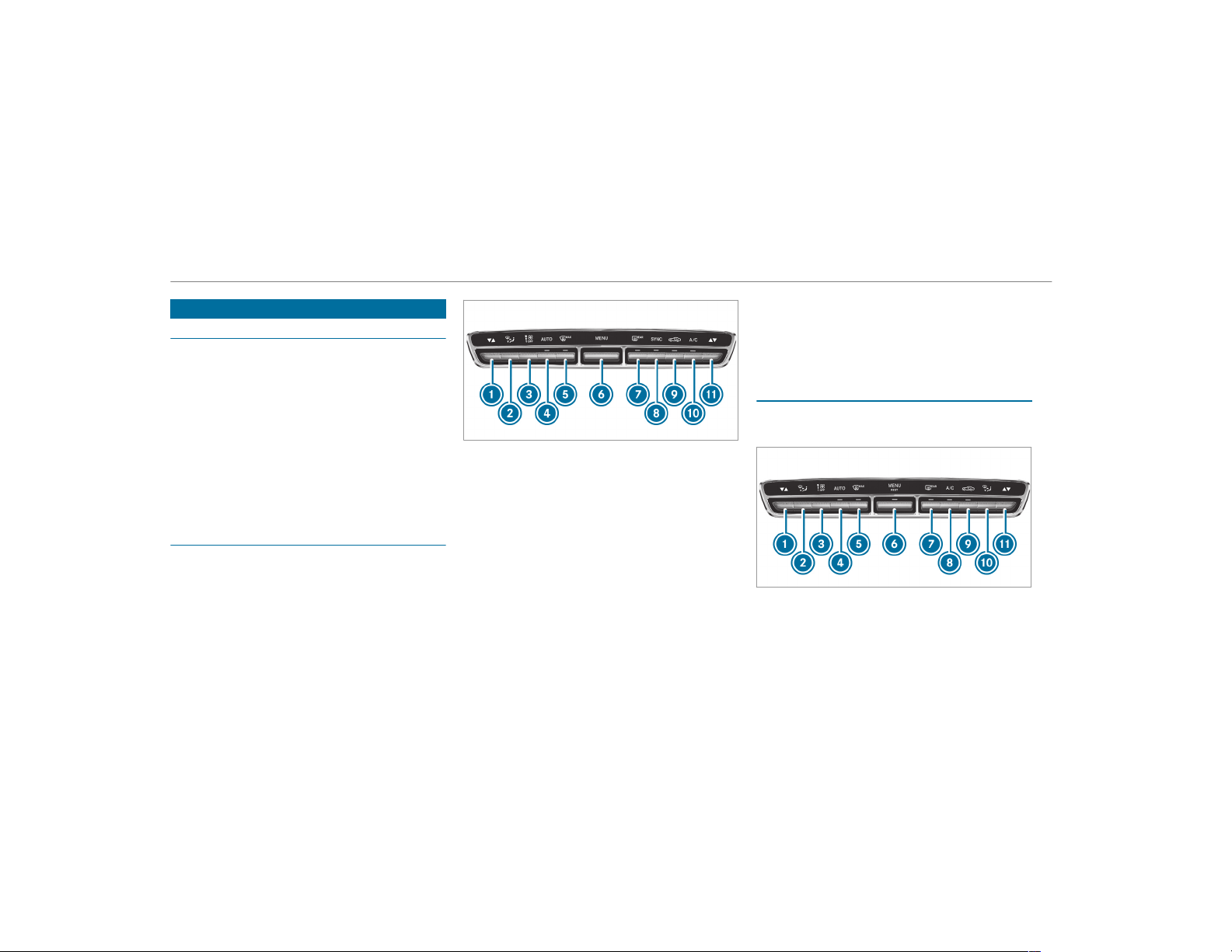
Overview of climate control systems
Notes on climate control
An interior air filter must always be used so that
the air conditioning system, pollution level moni‐
toring and the air filtering function work cor‐
rectly. Make sure that the filter is installed cor‐
rectly and the filter housing in the engine com‐
partment is closed correctly using the cap and
always tightly sealed when in operation. Use fil‐
ters recommended and approved by Mercedes-
Benz. Always have service work carried out at a
qualified specialist workshop.
Overview of the control panel for dual-zone
automatic climate control
The indicator lamps on the buttons indicate that
the corresponding function is activated.
1
w Sets the temperature, left
2
_ Sets the air distribution
3
H Sets the airflow or switch off climate
control
4
à Sets climate control to automatic
mode (→ page 130)
5
¬ Defrosts the windshield
6
t Calls up the air conditioning menu
7
¤ Switches the rear window heater
on/off
8
0 Activates or deactivates synchroniza‐
tion (→ page 130)
9
g Switches air-recirculation mode on/off
(→ page 131)
A
¿ Switches the A/C function on/off
(→ page 129)
B
w Sets the temperature, right
Overview of the control panel for 3-zone
automatic climate control
The indicator lamps on the buttons indicate that
the corresponding function is activated.
1
w Sets the temperature, left
2
_ Sets the air distribution, left
3
H Sets the airflow or switches off climate
control
128
Climate control
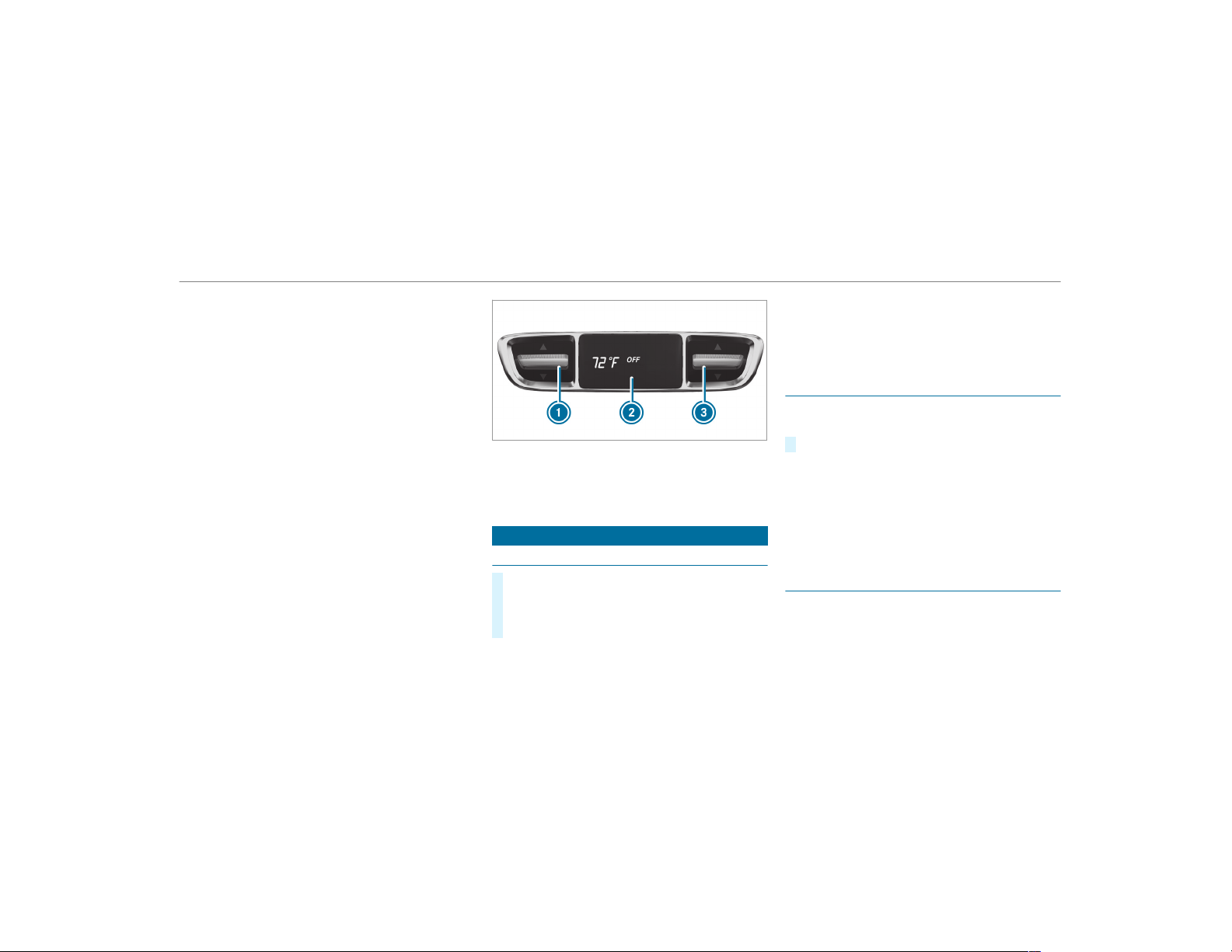
4
à Sets climate control to automatic
mode (→ page 130)
5
¬ Defrosts the windshield
6
! Calls up the air conditioning menu
Switches residual heat on/off (→ page 131)
7
¤ Switches the rear window heater
on/off
8
¿ Switches the A/C function on/off
(→ page 129)
9
g Switches air-recirculation mode on/off
(→ page 131)
A
_ Sets the air distribution, right
B
w Sets the temperature, right
Rear operating unit
You can set the temperature for the entire rear
passenger compartment using buttons 1 or
3.
1
Sets the temperature
2
Display
3
Sets the temperature
Operating the climate control system
Switching climate control on/off
#
To switch on: set the airflow to level 1 or
higher using the H button.
#
To switch off: set the airflow to level 0 using
the H button.
%
If climate control is switched off, the win‐
dows may fog up more quickly. Switch off
climate control only brief ly.
Switching the A/C function on/off via the
control panel
The A/C function heats, cools and dehumidifies
the vehicle's interior air.
#
Press the ¿ button.
Switch off the A/C function only briefly other‐
wise the windows may fog up more quickly.
Condensation may drip from the underside of
the vehicle when cooling mode is active. This is
not a sign that there is a malfunction.
Activating/deactivating the A/C function via
the multimedia system
Multimedia system:
,
Vehicle
.
b Climate Control
.
A/C
The A/C function heats, cools and dehumidifies
the vehicle's interior air.
Climate control
129

#
Activate O or deactivate ª the function.
Setting climate control to automatic mode
In automatic mode, the set temperature is con‐
trolled and maintained at a constant level by the
air supply.
#
Press the à button.
#
To switch to manual mode: press the H
or _ button.
Climate style
Climate style function
In automatic mode, you can select the following
climate style settings for the driver's and front
passenger areas:
R
FOCUS: high airflow, slightly cooler setting
R
MEDIUM: medium airflow, standard setting
R
DIFFUSE: low airflow, slightly warmer and
draft-free setting
Setting the climate style
Multimedia system:
,
Vehicle
.
b Climate Control
.
Cli-
mate Mode
#
Select FOCUS, MEDIUM or DIFFUSE.
%
To feel the effect of the climate style, the
à function must be active (→ page 130).
Overview of the air distribution settings
The symbols on the display indicate which vents
the airflow is being directed through:
¯
defroster vents
P
center and side air vents
O
footwell vents
S
center, side and footwell vents
a
defroster and footwell vents
_
all vents
b
defroster, middle and side air vents
W
automatic air distribution
Activating/deactivating the climate control
synchronization function via the control
panel
The climate control can be operated centrally
using the synchronization function. The tempera‐
ture and air distribution setting for the driver
side is adopted automatically for the front
passenger side.
#
Press the 0 button.
The synchronization function is deactivated if the
settings for one of the other climate zones are
changed.
Activating or deactivating the climate con‐
trol synchronization function using the multi‐
media system
Multimedia system:
,
Vehicle
.
b Climate Con-
trol
.
SYNC
The climate control can be controlled centrally
using the synchronization function. The tempera‐
130
Climate control

ture setting is automatically adopted for all cli‐
mate zones.
#
Activate O or deactivate ª the function.
Removing condensation from the windows
Windows fogged up on the inside
#
Press the à button.
#
If the windows continue to fog up: press the
¬ button.
Windows fogged up on the outside
#
Switch on the windshield wipers.
#
Press the à button.
Switching air-recirculation mode on/off
#
Press the g button.
The interior air will be recirculated.
Air-recirculation mode automatically switches to
fresh air mode after some time.
%
If air-recirculation mode is switched on, the
windows may fog up more quickly. Switch on
air-recirculation mode only briefly.
Switching the residual heat on or off
Requirements:
R
The vehicle is parked.
It is possible to make use of the residual heat
from the engine to continue heating or ventilat‐
ing the front compartment of the vehicle for
approximately 30 minutes.
#
To switch on: press the ! button.
Residual heat is switched of f automatically.
Activating/deactivating ionization
Multimedia system:
,
Vehicle
.
b Climate Control
.
Ioni-
zation
Ionization cleans and refreshes the interior air of
the vehicle. The ionization of the interior air is
odorless.
#
Activate O or deactivate ª the function.
Fragrance system
Setting the fragrance system
Requirements:
R
Automatic climate control is activated.
R
The glove box is closed.
Multimedia system:
,
Vehicle
.
b Climate Control
.
Air
Freshener
The fragrance system distributes a pleasant fra‐
grance throughout the vehicle interior from a fla‐
con located in the glove box.
#
To set the intensity: select High, Medium,
Low or Off.
Climate control
131
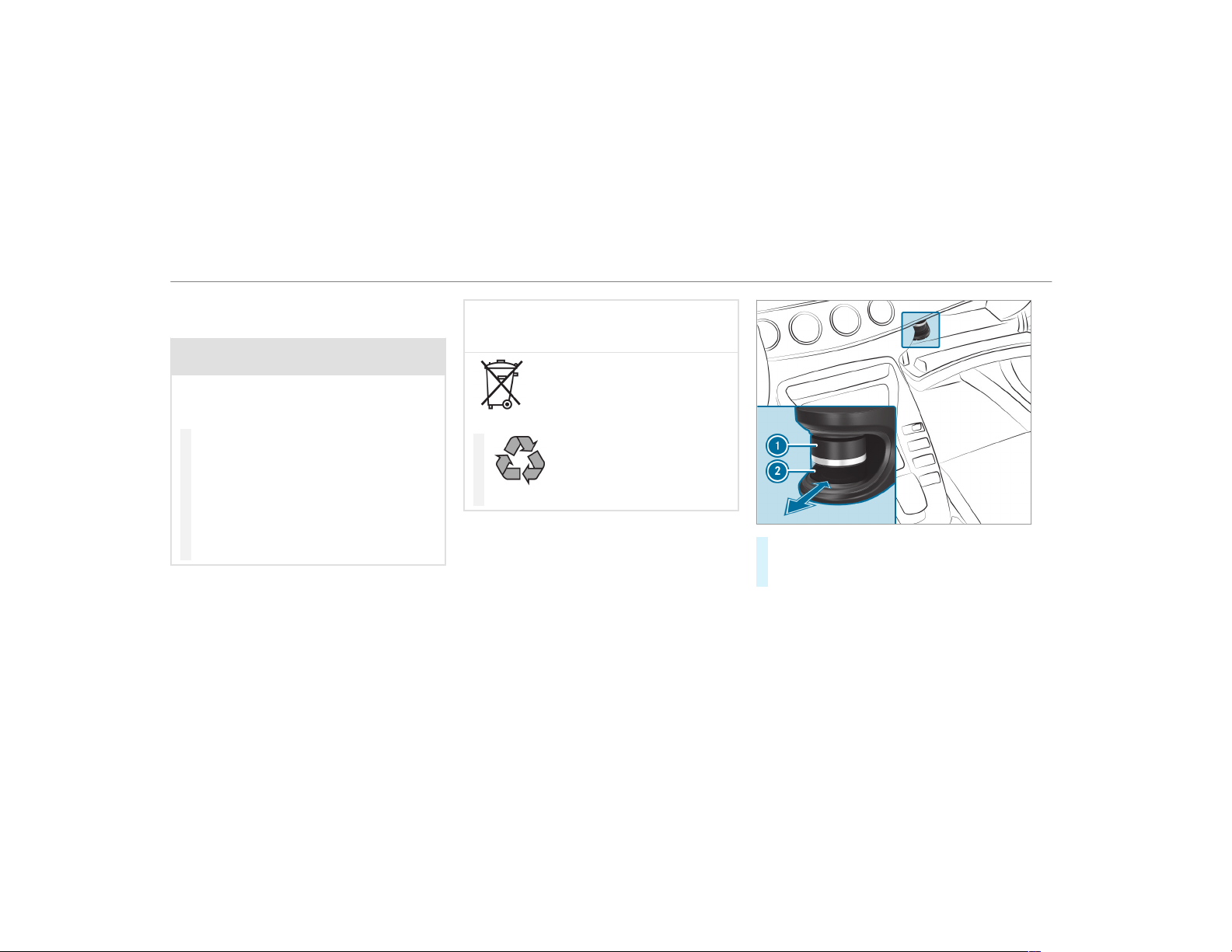
Inserting or removing the flacon of the fra‐
grance system
&
WARNING Risk of injury from liquid per‐
fume
If children open the flacon, they could drink
the liquid perfume or it could come into con‐
tact with their eyes.
#
Do not leave children unattended in the
vehicle.
#
Consult a doctor immediately if liquid
perfume has been drunk.
#
If liquid perfume comes into contact
with your eyes or skin, rinse your eyes
with clean water.
#
If symptoms continue, consult a doctor.
+
ENVIRONMENTAL NOTE Environmental
damage due to improper disposal of full
flacons
Full flacons must not be disposed
of with household waste.
#
Full flacons must be taken to
a harmful substance collection point.
#
To insert: slide flacon 2 into the holder as
far as it will go.
#
To remove: pull out flacon 2.
If you do not use genuine Mercedes-Benz interior
perfumes, observe the manufacturers' safety
notices on the perfume packaging.
132
Climate control
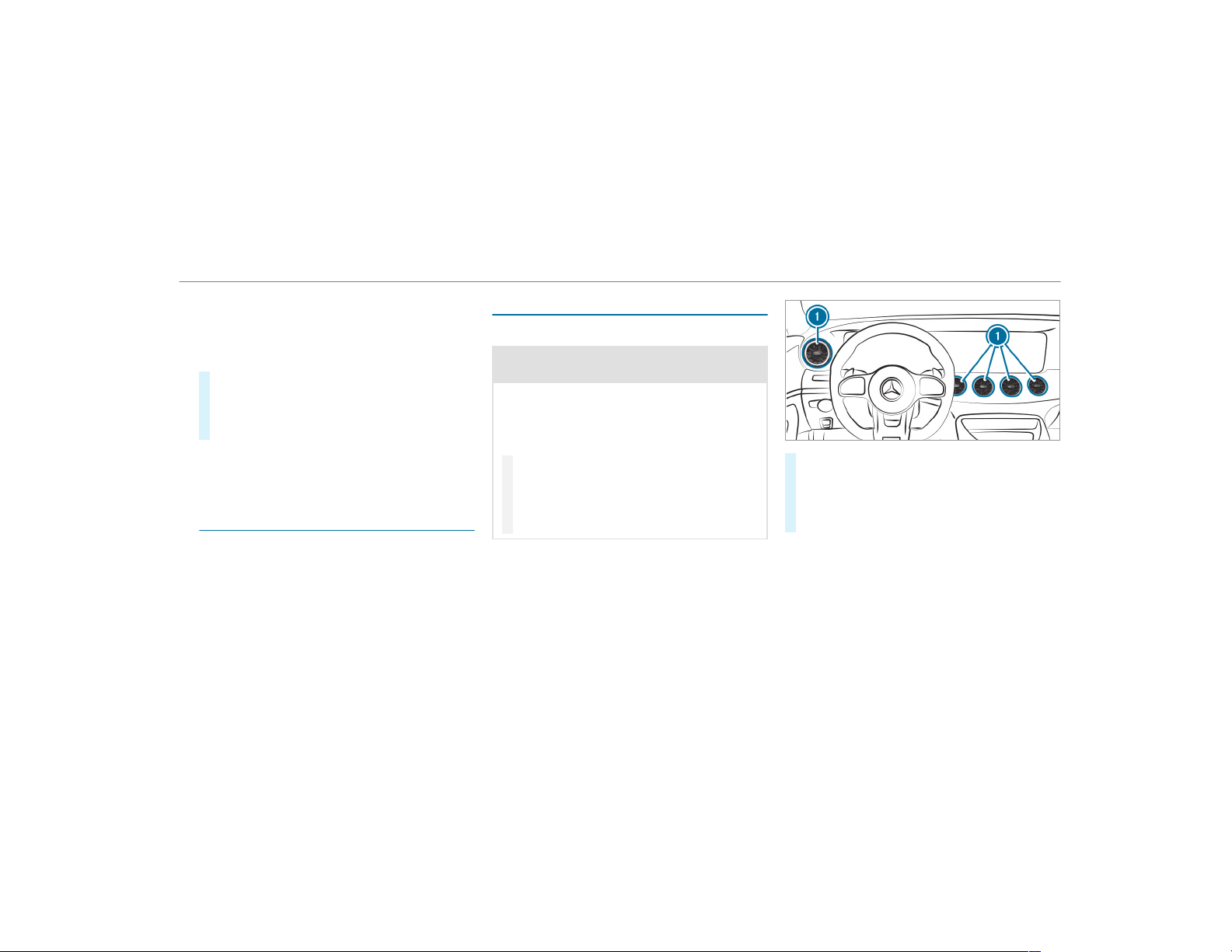
Dispose of the genuine Mercedes-Benz interior
perfume flacon when it is empty and do not refill
it.
Refillable flacon
#
Unscrew cap 1 of empty flacon 2.
#
Fill flacon 2 with a maximum of 0.5 fl. oz.
(15 ml).
#
Screw cap 1 back onto flacon 2.
Always refill the empty refillable flacon with the
same perfume. Observe the separate informa‐
tion sheet attached to the flacon.
Information on the windshield heater
The windshield heater is switched on automati‐
cally if the ¬ button is activated.
After the vehicle is started, the windshield
heater is switched on automatically as required.
Air vents
Adjusting the front air vents
&
WARNING ‑ Danger of burns or frostbite
due to being too close to the air vents
Very hot or very cold air can flow from the air
vents.
This could result in burns or frostbite in the
immediate vicinity of the air vents.
#
Make sure that all vehicle occupants
always maintain a sufficient distance to
the air vents.
#
If necessary, direct the airflow to
another area of the vehicle interior.
To guarantee the flow of fresh air through the air
vents into the vehicle interior, comply with the
following:
R
Always keep the vents and the ventilation
grille in the vehicle interior free.
R
Keep the air inlet free of deposits
(→ page 356).
#
To open or close: turn the center of air
vent 1 to the left or right as far as it will go.
#
To adjust the air direction: hold air vent 1
in the center and move it up or down or to
the left or right.
Climate control
133
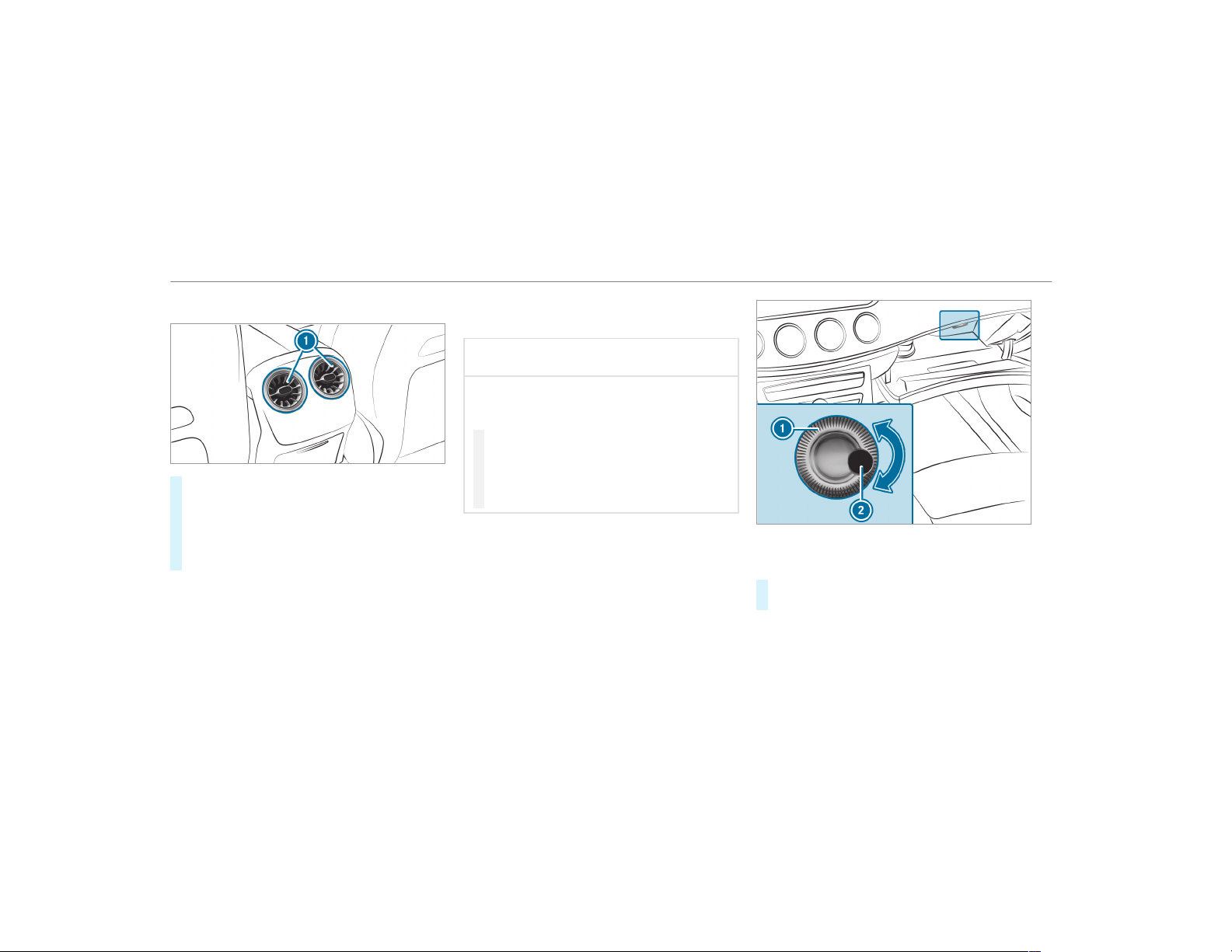
Adjusting the rear air vents
#
To open or close: hold rear air vent 1 in
the center and turn it left (open) or right
(closed) as far as it will go.
#
To adjust the air direction: hold rear air
vent 1 in the center and move it up or down
or to the left or right.
Opening or closing the air vent in the glove
box
*
NOTE Damage to temperature-sensitive
objects in the glove box
Temperature-sensitive objects stored in the
glove box may be damaged by the air vent
located inside it.
#
Close the air vent when you heat the
vehicle.
#
At high outside temperatures, open the
air vent and switch on the A/C func‐
tion.
The automatic climate control must be switched
on to cool the glove box.
1
Air vent controller
2
Air vent
#
To open or close: turn controller 1 to the
left or right.
134
Climate control
Driving
Switching the power supply or ignition on
without starting the engine
&
WARNING Risk of accident and injury
due to children left unattended in the
vehicle
If children are left unattended in the vehicle,
they could:
R
open doors, thereby endangering other
persons or road users.
R
get out of the vehicle and be hit by
oncoming traffic.
R
operate vehicle equipment and become
trapped, for example.
In addition, children could also set the vehi‐
cle in motion, for example, by:
R
releasing the parking brake.
R
shifting the automatic transmission out of
park position j.
R
starting the engine
#
Never leave children and animals unat‐
tended in the vehicle.
#
When leaving the vehicle, always take
the SmartKey with you and lock the
vehicle.
#
Keep the SmartKey out of the reach of
children.
&
DANGER Risk of fatal injuries due to
exhaust gases
Combustion engines emit poisonous exhaust
gases such as carbon monoxide. Inhaling
these exhaust gases is hazardous to health
and can lead to poisoning.
#
Never leave the engine running in an
enclosed space without sufficient venti‐
lation.
&
WARNING Risk of fire caused by flam‐
mable material on the exhaust system
Flammable materials brought in by either ani‐
mals or environmental influences may ignite
if they come into contact with hot parts of
the engine or exhaust system.
#
Therefore, check regularly that there
are no flammable materials in the
engine compartment or on the exhaust
system.
Requirements:
R
The SmartKey is in the vehicle and is recog‐
nized.
R
The brake pedal is not depressed.
Driving and parking
135
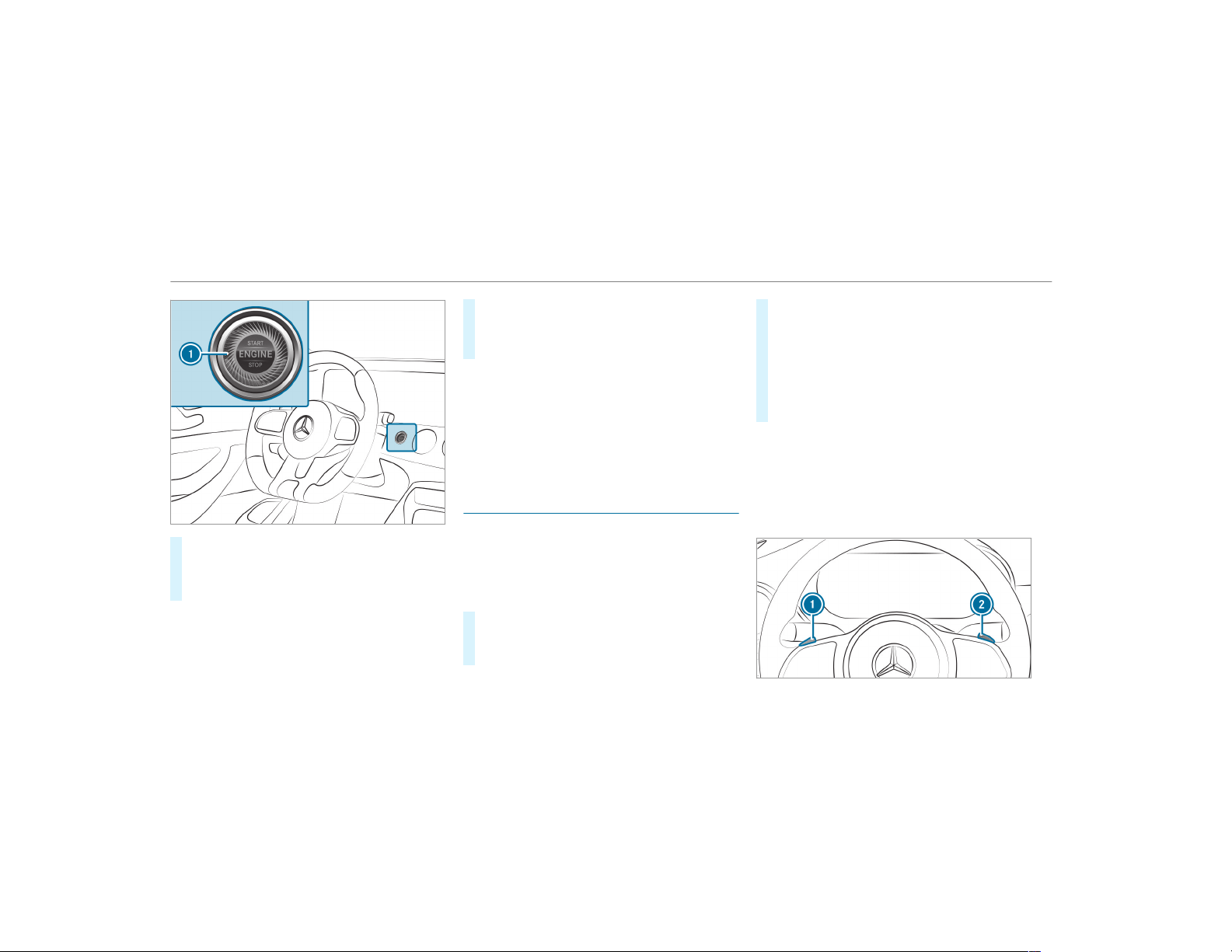
#
To switch on the power supply: press but‐
ton 1 once.
You can activate the windshield wipers, for
example.
The power supply is switched off again if the fol‐
lowing conditions are met:
R
You open the driver's door.
R
You press button 1 twice.
#
To switch on the ignition: press button 1
twice.
The indicator lamps in the instrument cluster
light up.
The ignition is switched off again if one of the
following conditions is met:
R
You do not start the vehicle within
15 minutes and the transmission is in posi‐
tion j or the electric parking brake is
applied.
R
You press button 1 once.
Starting the vehicle
Starting the vehicle with the start/stop but‐
ton
Requirements:
R
The SmartKey is in the vehicle and is recog‐
nized.
#
Shift the transmission to position j or i.
#
Depress the brake pedal and press button
1 once.
#
If the vehicle does not start: switch off non-
essential consumers and press button 1
once.
#
If the vehicle still does not start and the
Place the Key in the Marked Space See
Operator's Manual display message also
appears in the multifunction display: start
the vehicle in emergency operation mode.
You can switch off the engine while driving by
pressing button
1 for about three seconds or
by pressing button 1 three times within a sec‐
ond. Be sure to observe the safety notes under
"Driving tips".
Function of Emotion Start
136
Driving and parking
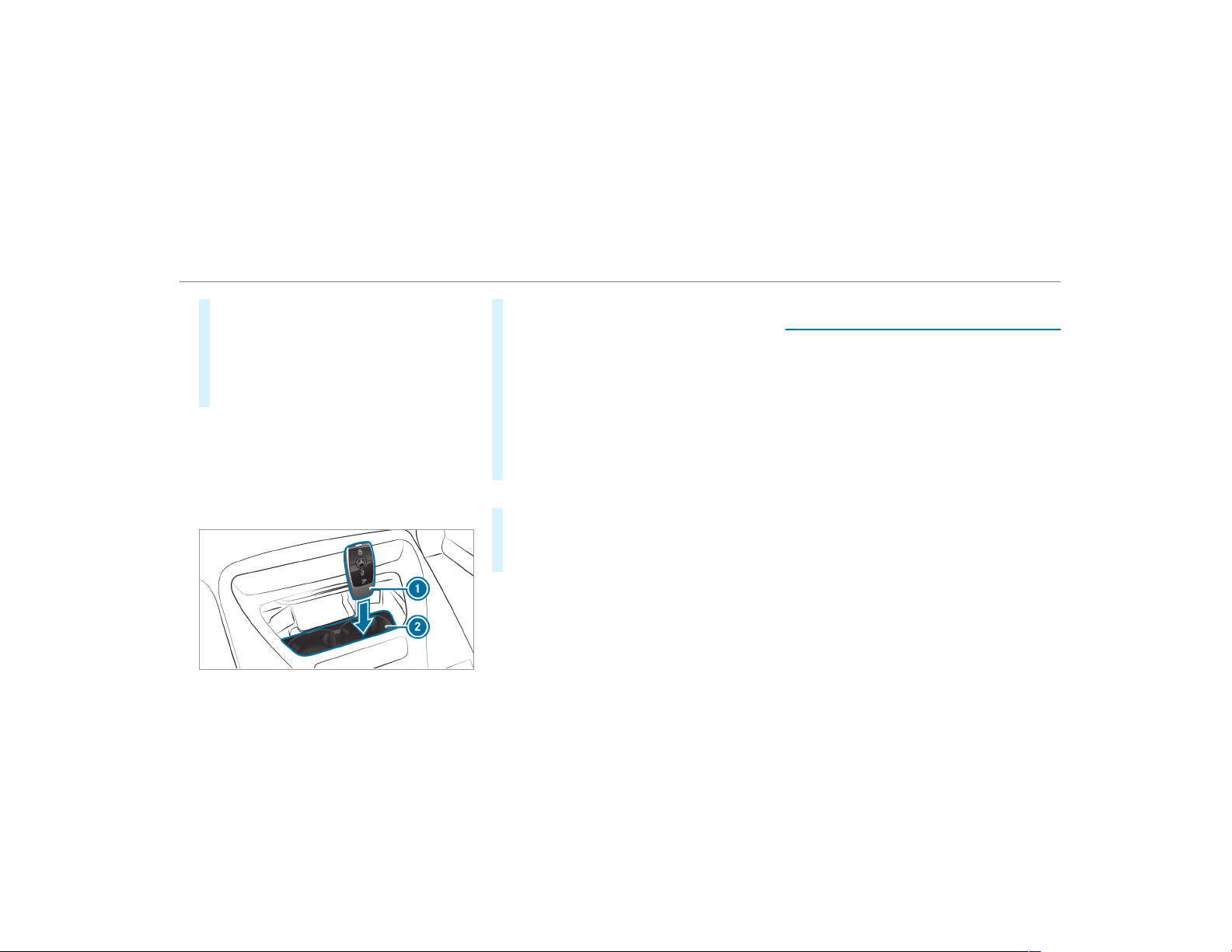
#
Start the vehicle with the start/stop button
(→ page 136) and simultaneously pull one of
the steering wheel paddle shifters 1 or 2.
R
The idle speed is increased briefly when
starting the engine.
R
The exhaust gas flaps are opened (sporty
characteristic) (→ page 146).
Starting the vehicle in emergency operation
mode
If the vehicle does not start and the Place the
Key in the Marked Space See Operator's Manual
message appears in the multifunction display,
you can start the vehicle in emergency operation
mode.
#
Make sure that mar ked space 2 is empty.
#
Remove SmartKey 1 from the key ring.
#
Place SmartKey 1 in marked space 2.
The vehicle will start after a short time.
If you remove SmartKey 1 from marked
space 2 the engine continues running. For
further vehicle starts however, SmartKey 1
must be located in marked space 2 during
the entire journey.
#
Have the SmartKey 1 checked at a qualified
specialist workshop.
If the vehicle does not start:
#
Place SmartKey 1 in marked space 2 and
leave it there.
#
Depress the brake pedal and start the vehicle
using the start/stop button.
%
You can also switch on the power supply or
the ignition with the start/stop button.
Starting the vehicle via Remote Online serv‐
ices
Cooling or heating the vehicle interior before
commencing your journey
%
This function is not available in all countries.
If you start the vehicle via your smartphone, the
previously selected air conditioning adjustment
is active.
Ensure the following before starting the engine:
R
The legal stipulations in the area where your
vehicle is parked allow engine starting via
smartphone.
R
It is safe to start and run the engine where
your vehicle is parked.
R
The fuel tank is sufficiently filled.
R
The starter battery is sufficiently charged.
Charging the battery before commencing
your journey
%
This function is not available in all countries.
R
If the vehicle battery is discharged, you
receive a message on your smartphone.
Driving and parking
137
R
You can then start the vehicle with the
smartphone to charge the battery.
R
The vehicle is automatically switched off
after ten minutes.
Ensure the following before starting the engine:
R
The legal stipulations in the area where your
vehicle is parked allow engine starting via
smartphone.
R
It is safe to start and run the engine where
your vehicle is parked.
R
The fuel tank is sufficiently filled.
Starting the vehicle
&
WARNING Risk of crushing or entrap‐
ment due to unintentional starting of the
engine
Limbs could be crushed or trapped if the
engine is started unintentionally during
service or maintenance work.
#
Always secure the engine against unin‐
tentional starting before carrying out
maintenance or repair work.
Requirements:
R
Park position j is selected.
R
The anti-theft alarm system is not activated.
R
The panic alarm is not activated.
R
The hazard warning lights are switched off.
R
The hood is closed.
R
The doors are closed and locked.
R
The windows and sliding sunroof are closed.
#
Start the vehicle using the smartphone:
R
After every vehicle start, the engine runs for
ten minutes.
R
You can carry out a maximum of two consec‐
utive starting attempts. The vehicle must be
started once with the SmartKey before trying
to start the vehicle again with the smart‐
phone.
R
You can stop the vehicle again at any time.
R
Further information can be found in the
smartphone app.
Securing the engine against starting before
carrying out maintenance or repair work:
#
Switch on the hazard warning lights.
or
#
Unlock the doors.
or
#
Open a side window or the sliding sunroof.
Breaking-in notes
To preserve the engine during the first
1,000 miles (1,500 km):
R
drive at varying road speeds and engine
speeds.
R
do not drive faster than 85 mph (140 km/h).
R
only briefly allow the engine to reach a maxi‐
mum engine speed of 4,500 rpm
(4,500 rpm).
R
drive the vehicle in drive program A.
R
change gear before the tachometer needle is
Ô of the way to the red area of the tachome‐
ter.
138
Driving and parking
R
do not shift down a gear manually in order to
brake.
R
avoid overstraining the vehicle, e.g. driving at
full throttle.
R
do not depress the accelerator pedal past
the pressure point (kickdown).
R
only increase the engine speed gradually and
accelerate the vehicle to full speed after
1,000 miles (1,500 km).
This also applies when the engine or parts of the
drivetrain have been replaced.
Please also observe the following breaking-in
notes:
R
In certain driving and driving safety systems,
the sensors adjust automatically while a cer‐
tain distance is being driven after the vehicle
has been delivered or af ter repairs. Full sys‐
tem effectiveness is not reached until the
end of this teach-in process.
R
Brakepads, brake discs and tires that are
either new or have been replaced only ach‐
ieve optimum braking effect and grip after
several hundred kilometers of driving. Com‐
pensate for the reduced braking effect by
applying greater force to the brake pedal.
Notes on the locking differential
After a breaking-in period of 2000 miles
(3000 km) the oil on the locking differential
should be changed in a qualified specialist work‐
shop. This oil change prolongs the service life of
the locking differential.
Notes on driving
&
WARNING Risk of accident due to
objects in the driver's footwell
Objects in the driver's footwell may impede
pedal travel or block a depressed pedal.
This jeopardizes the oper ating and road
safety of the vehicle.
#
Stow all objects in the vehicle securely
so that they cannot get into the driver's
footwell.
#
Always install the floor mats securely
and as prescribed in order to ensure
that there is always sufficient room for
the pedals.
#
Do not use loose floor mats and do not
place floor mats on top of one another.
&
WARNING Risk of accident due to
unsuitable footwear
Operation of the pedals may be restricted
due to unsuitable footwear such as:
R
Shoes with platform soles
R
Shoes with high heels
R
Slippers
#
When driving always wear suitable
shoes in order to be able to operate the
pedals safely.
&
WARNING Risk of accident when switch‐
ing off the ignition when driving
If you switch off the ignition while driving,
safety functions are restricted or no longer
available. This may affect the power steering
Driving and parking
139

system and the brake force boosting, for
example.
You will then need to use considerably more
force to steer and brake.
#
Do not switch off the ignition while driv‐
ing.
&
DANGER Risk of fatal injuries due to
exhaust gases
Combustion engines emit poisonous exhaust
gases such as carbon monoxide. Inhaling
these exhaust gases is hazardous to health
and can lead to poisoning.
#
Never leave the engine running in an
enclosed space without sufficient venti‐
lation.
&
WARNING Risk of skidding and of an
accident due to shifting down on slippery
road surfaces
If you shift down on slippery road surfaces to
increase the engine braking effect, the drive
wheels may lose traction.
#
Do not shift down on slippery road sur‐
faces to increase the engine braking
effect.
&
DANGER Risk of fatal injury due to poi‐
sonous exhaust gases
If the tailpipe is blocked or sufficient ventila‐
tion is not possible, poisonous exhaust gases
such as carbon monoxide may enter the vehi‐
cle. This is the case if the vehicle gets stuck
in snow, for example.
#
Keep the tailpipe and the area around
the vehicle free from snow when the
engine or the stationary heater are run‐
ning.
#
Open a window on the windward side of
the vehicle to ensure an adequate sup‐
ply of fresh air.
&
WARNING Risk of accident and injury
due to being under the influence of alco‐
hol and drugs while driving
Driving when under the influence of alcohol
and/or drugs is an extremely dangerous
combination. Even small quantities of alcohol
or drugs may affect your reflexes, perception
and judgment.
The probability of a serious or even fatal acci‐
dent greatly increases if you drive when
under the influence of alcohol or drugs.
#
Do not drink alcohol or take drugs while
driving, and do not allow anyone to
drive who has been drinking alcohol or
taking drugs.
&
WARNING Risk of accident due to the
brake system overheating
If you leave your foot on the brake pedal
when driving, the brake system may over‐
heat.
This increases the braking distance and the
brake system may even fail.
140
Driving and parking
#
Never use the brake pedal as a footrest.
#
Do not depress the brake pedal and the
accelerator pedal at the same time
while driving.
*
NOTE Wearing out the brake linings by
continuously depressing the brake pedal
#
Do not depress the brake pedal contin‐
uously whilst driving.
#
To use the braking effect of the engine,
shift to a lower gear in good time.
*
NOTE Damage to the drivetrain and
engine when pulling away
#
Do not warm up the engine while the
vehicle is stationary. Pull away immedi‐
ately.
#
Avoid high engine speeds and driving at
full throttle until the engine has reached
its operating temperature.
*
NOTE Damage to the catalytic converter
due to non-combusted fuel
The engine is not running smoothly and is
misfiring.
Non-combusted fuel may get into the cata‐
lytic converter.
#
Only depress the accelerator pedal
slightly.
#
Have the cause rectified immediately at
a qualified specialist workshop.
&
WARNING Risk of accident due to incor‐
rect gearshifting
If the engine speed is higher than the idle
speed and you engage the transmission posi‐
tion h or k, the vehicle may accelerate
sharply.
#
If you engage the transmission position
h or k always depress the brake
pedal firmly and do not accelerate at
the same time.
Limited braking effect on salt-treated roads:
R
Due to salt build-up on the brake discs and
brakepads, the braking distance can increase
considerably or result in braking only on one
side
R
Maintain a much greater safe distance to the
vehicle in front
To remove the layer of salt:
R
Brake occasionally while paying attention to
the traffic conditions
R
Carefully depress the brake pedal at the end
of the journey and when starting the next
journey
Function of rear axle steering
Depending on the speed, rear axle steering
adapts the track of the rear axle to the position
of the front wheels. Together with the steering
input of the front wheels, this results in greater
mobility and improved stability.
Driving and parking
141

Rear axle steering has the following characteris‐
tics:
R
Reduced steering effort and turning radius,
resulting in reduced parking effort
R
Improved driving stability, e.g. on curves
R
More direct steering, resulting in improved
control of the vehicle
Tips for the AMG ceramic high-performance
composite brake system
The brake system is designed for heavy loads.
This may lead to noise when braking. This effect
can also occur after washing the vehicle.
The noise depends on the following factors:
R
Speed
R
Brake force
R
Environmental conditions, e.g. temperature
and air humidity
%
Have the brake system checked at a quali‐
fied specialist workshop after it has been
subjected to extreme loads.
ECO start/stop function
Operation of the ECO start/stop function
All vehicles (except Mercedes-AMG GT 63
4MATIC+ and GT 63 S 4MATIC+)
The engine is switched off automatically in the
following situations if all vehicle conditions for
an automatic engine stop are met:
R
you have selected drive program A.
R
you brake the vehicle to a standstill in trans‐
mission position h or i.
R
you engage transmission position j.
R
you depress the brake pedal when driving at
speeds below 15 mph (20 km/h).
The needle of the tachometer points to zero in
the multifunction display.
The green è symbol appears in the multi‐
function display and in the display button when
the vehicle is stationary.
If not all the vehicle conditions are met, the yel‐
low ç symbol appears in the multifunction
display and in the display button.
The engine is restarted automatically if:
R
you release the brake pedal in transmission
position h when the HOLD function is not
active.
R
you engage transmission position h or k.
R
you release the brake pedal, the vehicle is
not in glide mode and it starts to move on a
gentle downhill gradient at a speed below
2 mph (3 km/h).
R
you depress the accelerator pedal.
R
you permanently activate manual gearshift‐
ing.
R
an automatic engine start is necessary.
If the engine was switched off by the ECO start/
stop function and you leave the vehicle, a warn‐
ing tone sounds. The Vehicle Operational Switch
the Ignition Off Before Exiting display message
also appears in the multifunction display. If you
do not switch off the ignition, the ignition is
automatically switched off after three minutes.
142
Driving and parking
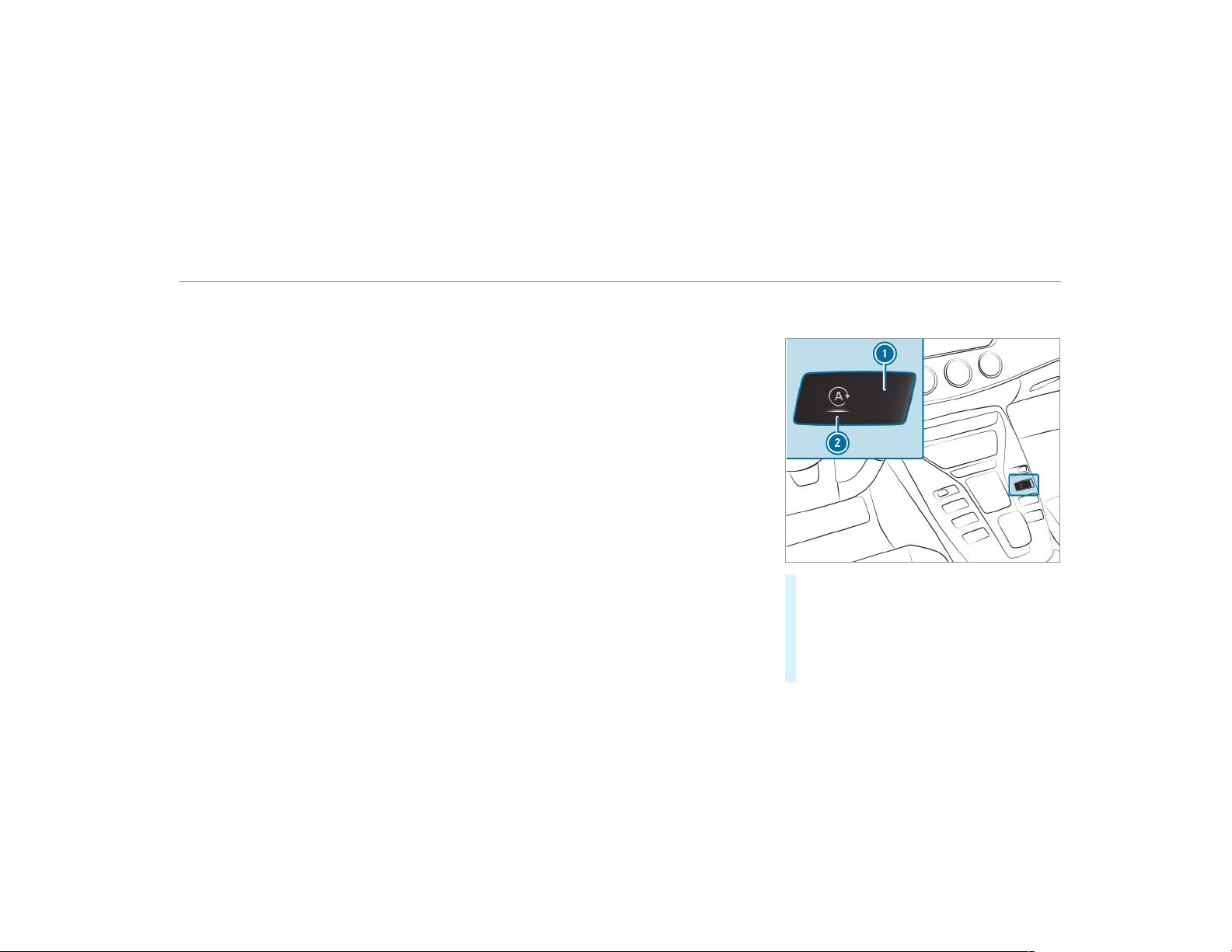
Mercedes-AMG GT 63 4MATIC+ and GT 63 S
4MATIC+
The engine is automatically switched off if the
following conditions are met:
R
you have selected drive program A.
R
you brake the vehicle to a standstill in trans‐
mission position h or i.
R
if all vehicle conditions for an automatic
engine stop are met.
The green è symbol appears in the multi‐
function display and in the display button when
the vehicle is stationary.
If not all the vehicle conditions are met, the yel‐
low ç symbol appears in the multifunction
display and in the display button.
The engine is restarted automatically if:
R
you release the brake pedal in transmission
position h when the HOLD function is not
active.
R
you shift from transmission position j.
R
you engage transmission position h or k.
R
you depress the accelerator pedal.
R
you permanently activate manual gearshift‐
ing.
R
you pull the left-hand or right-hand steering
wheel paddle shifter.
R
an automatic engine start is necessary.
If the engine was switched off by the ECO start/
stop function and you leave the vehicle, a warn‐
ing tone sounds. The Vehicle Operational Switch
the Ignition Off Before Exiting display message
also appears in the multifunction display. If you
do not switch off the ignition, the ignition is
automatically switched off after three minutes.
Deactivating or activating the ECO start/
stop function
#
Press display button 1.
The display button indicates current status
2 of the ECO start/stop function:
R
è OFF (red): deactivated
R
è (green): activated
R
ç (yellow): inactive
Driving and parking
143
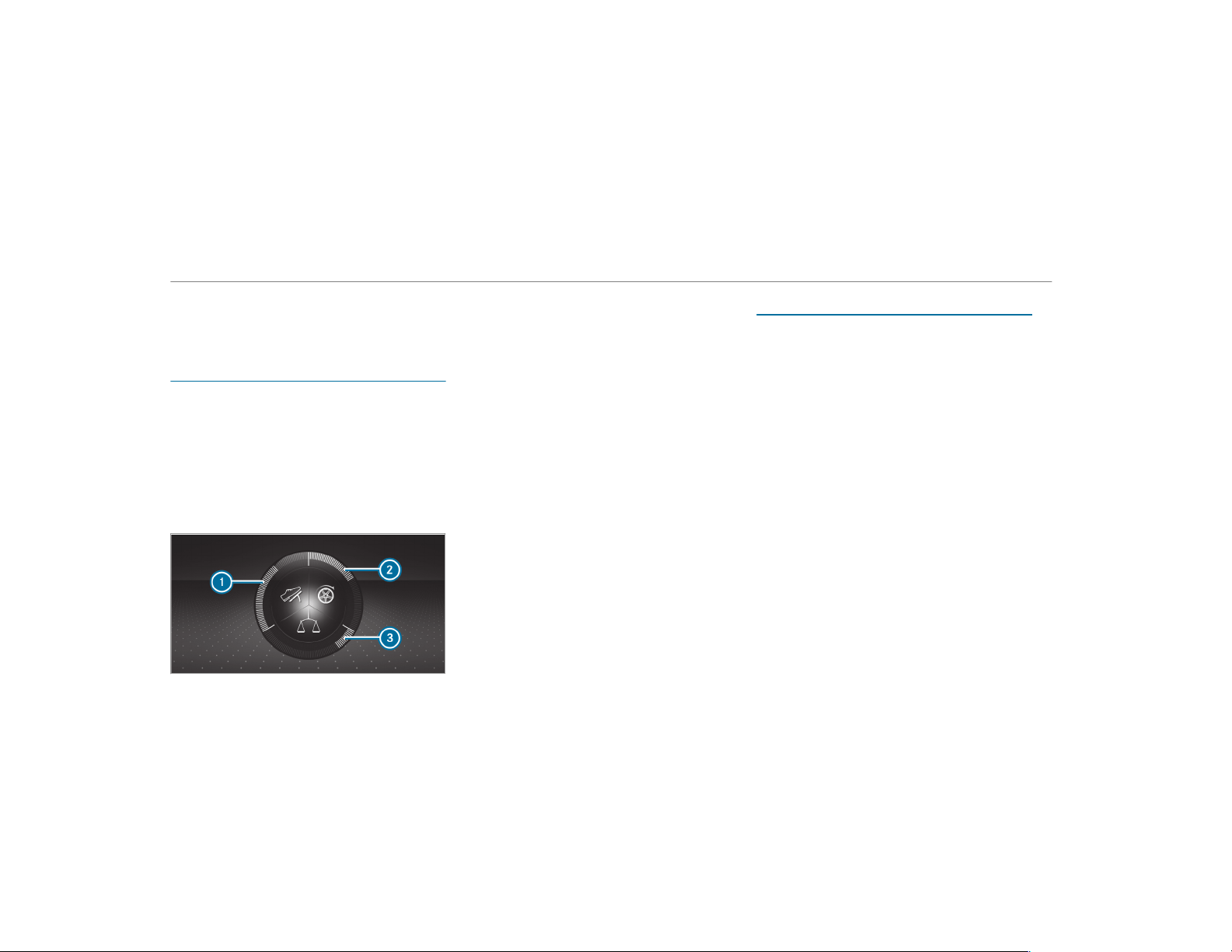
%
Depending on the model and the vehicle
equipment, the button may also be located
at a different position in the center console.
ECO display function
The ECO display summarizes your driving char‐
acteristics from the start of the journey to its
completion and assists you in achieving the
most economical driving style.
You can influence consumption if you:
R
drive with particular care
R
drive the vehicle in drive program A
R
observe the gearshift recommendations
The inner segment lights up and the outer seg‐
ment fills up:
R
1 moderate acceleration
R
2 gentle deceleration and rolling
R
3 consistent speed
The inner segment does not light up and the
outer segment empties:
R
1 sporty acceleration
R
2 heavy braking
R
3 fluctuations in speed
You have driven economically when:
R
the three outer segments are completely fil‐
led simultaneously
R
the ECO display lights up
The additional range achieved as a result of your
driving style in comparison to a driver with a
very sporty driving style is shown under Bonus
fr. Start. The range displayed does not indicate a
fixed reduction in consumption.
ECO Assist function
All vehicles (except Mercedes-AMG GT 63
4MATIC+ and GT 63 S 4MATIC+):
ECO Assist analyzes data for the vehicle's expec‐
ted route. This allows the system to optimally
adjust the driving style for the route ahead, save
fuel and recuperate.
ECO Assist is available in the following drive pro‐
grams:
R
o (Slippery)
R
A (Comfort)
R
= (Individual): only with drive setting
"Reduced" or "Moderate" (→ page 148)
If the system detects an event ahead, e.g. a
speed limit or a traffic circle, it appears on the
multifunction display.
144
Driving and parking
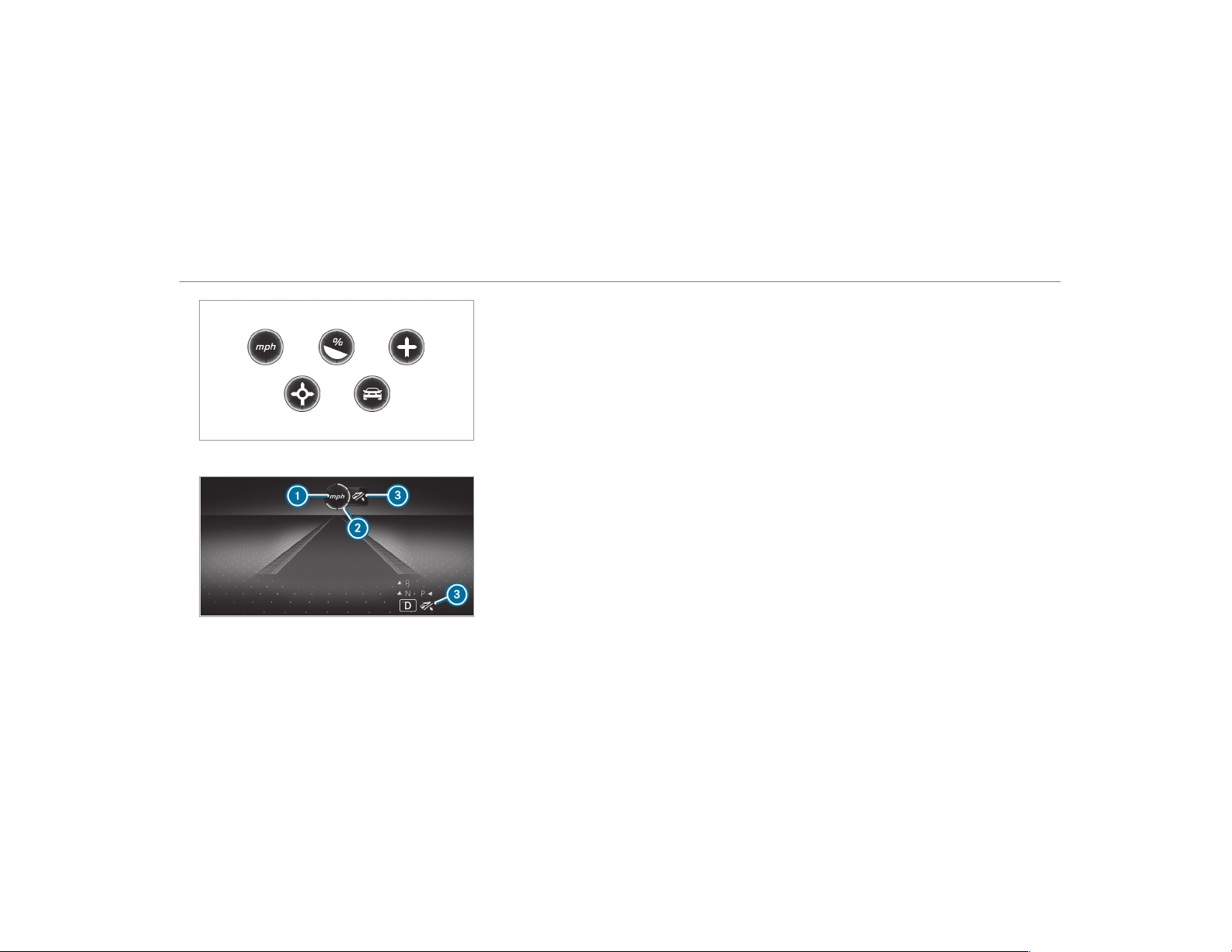
Available route results
1
Event ahead
2
Distance to the event ahead
3
"Foot off the accelerator" prompt
A different number of segments 2 will light up
around the symbol depending on the distance to
the event ahead:
R
Few segments: the event ahead is near
R
Many segments: the event ahead is further
away
When the vehicle nears an event, ECO Assist will
calculate the optimal speed for maximum fuel
economy and recuperative energy based on the
distance, speed and downhill gradient. "Foot off
the accelerator"
3 symbol will appear on the
multifunction display.
If the driver lifts off the accelerator pedal in
good time, the remaining segments on the dis‐
play will turn green until the event shown is
reached. The drivetrain will be set for maximum
fuel economy. In the = drive program with
drive setting "Reduced" or "Moderate", the vehi‐
cle will coast, with the combustion engine
switched off if necessary.
If there is no response to "Foot off the accelera‐
tor"
3 prompt, the segments will remain white.
The event will be shown for a short time after it
has been passed.
If the event involves a vehicle ahead and when
the coast-down recommendation is given, all
segments will immediately turn green once there
is a response to "Foot off the accelerator" 3
prompt.
If the system does not intervene during the
event ahead, nothing will be displayed. The sys‐
tem is passive.
In the A drive program, only the result "Vehi‐
cle ahead" is displayed.
System limitations
ECO Assist can function more precisely if the
route is maintained when route guidance is
active. The basic function is also available with‐
out active route guidance. Not all information
and traffic situations can be foreseen. The qual‐
ity depends on the map data.
ECO Assist is only an aid. The driver is responsi‐
ble for keeping a safe distance to the vehicle in
front, for vehicle speed and for braking in good
time. The driver must be ready to brake at all
Driving and parking
145
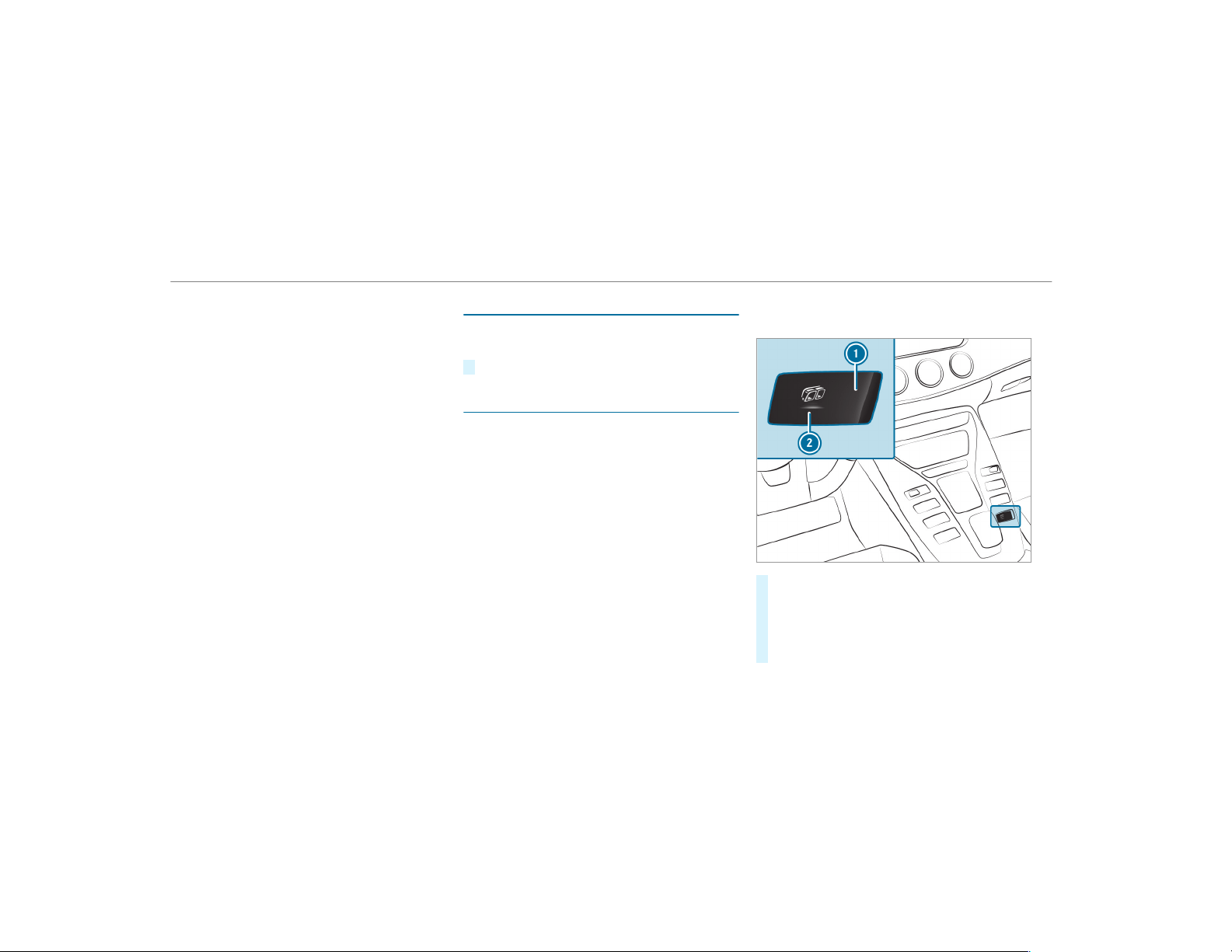
times irrespective of whether the system inter‐
venes.
The system may be impaired or may not function
in the following situations:
R
If there is poor visibility, e.g. due to insuffi‐
cient illumination of the road, highly variable
shade conditions, or due to rain, snow, fog or
heavy spray.
R
If there is glare, e.g. from oncoming tr affic,
direct sunlight or reflections.
R
If there is dirt on the windshield in the vicin‐
ity of the multifunction camera or the camera
is fogged up, damaged or obscured.
R
If the traffic signs are hard to detect, e.g. due
to dirt or snow or insufficient lighting, or
because they are covered.
R
If the information on the navigation system's
digital map is incorrect or out of date.
R
If the signs are ambiguous, e.g. traffic signs
on construction sites or in adjacent lanes.
Displaying ECO Assist
On-board computer:
,
Assistance
#
Select ECO Assist.
AMG Performance exhaust system
Function of the AMG Performance exhaust
system
Changing the position of the exhaust gas flaps
allows you to select the sound characteristics of
the AMG Performance exhaust system:
R
Closed exhaust gas flaps: comfort character‐
istic (balanced)
R
Open exhaust gas flaps: sporty characteristic
(powerful)
Operating the AMG Performance exhaust
system
#
Press display button 1.
The display button indicates the currently
selected sound characteristic 2:
R
Button symbol (blue): balanced
R
Button symbol (red): powerful
146
Driving and parking
DYNAMIC SELECT switch
Function of the DYNAMIC SELECT switch
Use the DYNAMIC SELECT switch to change
between the following drive programs:
R
o (Slippery): optimized pulling away and
driving characteristics in wintry and slippery
road conditions
R
= (Individual): individual settings
R
A (Comfort): comfortable and economi‐
cal driving style
R
C (Sport): sporty driving style
R
B (Sport Plus): particularly sporty driving
style
R
I (RACE): dr iving like on a race track
%
The drive program I (RACE) is available
only for the Mercedes‑AMG GT 63 S 4MATIC
+ model or for vehicles with AMG DYNAMIC
PLUS package.
The I (RACE) drive program may not be
used on normal roads. I (RACE) must only
be activated and used on dedicated race cir‐
cuits, not on public roads.
Mercedes-AMG recommends selecting the drive
program A when in city traffic or stop-and-go
traffic.
Depending on the drive program selected, the
following vehicle characteristics will change:
R
Drive
-
Engine and transmission management
-
Active Distance Assist DISTRONIC
R
AMG Dynamics
-
The four agility functions Basic,
Advanced, Pro and Master are automati‐
cally selected depending on the drive pro‐
gram.
-
The steering, shift timing point, all-wheel
drive and stabilization functions are adap‐
ted to the selected drive program.
-
When ESP
®
is activated, agility function
Pro is selected in drive program I
RACE. The Master function is automati‐
cally selected when ESP is deactivated.
R
Position of the exhaust gas flaps
R
Suspension
R
Steering
R
Availability of the ECO start/stop function
R
Availability of glide mode
R
The I(RACE) drive program has the fol‐
lowing properties:
-
Manual gearshifting is activated automat‐
ically.
-
The vehicle exhibits driving characteris‐
tics suited for race circuits.
-
All vehicle systems are designed for maxi‐
mum sportiness.
-
The chassis has a particularly tight sus‐
pension and damping system.
-
Glide mode is not available.
-
ECO start/stop function is not available.
-
The sporty sound characteristic of the
exhaust system is activated.
%
You can call up vehicle characteristics via
the Performance menu in the on-board com‐
puter
Driving and parking
147
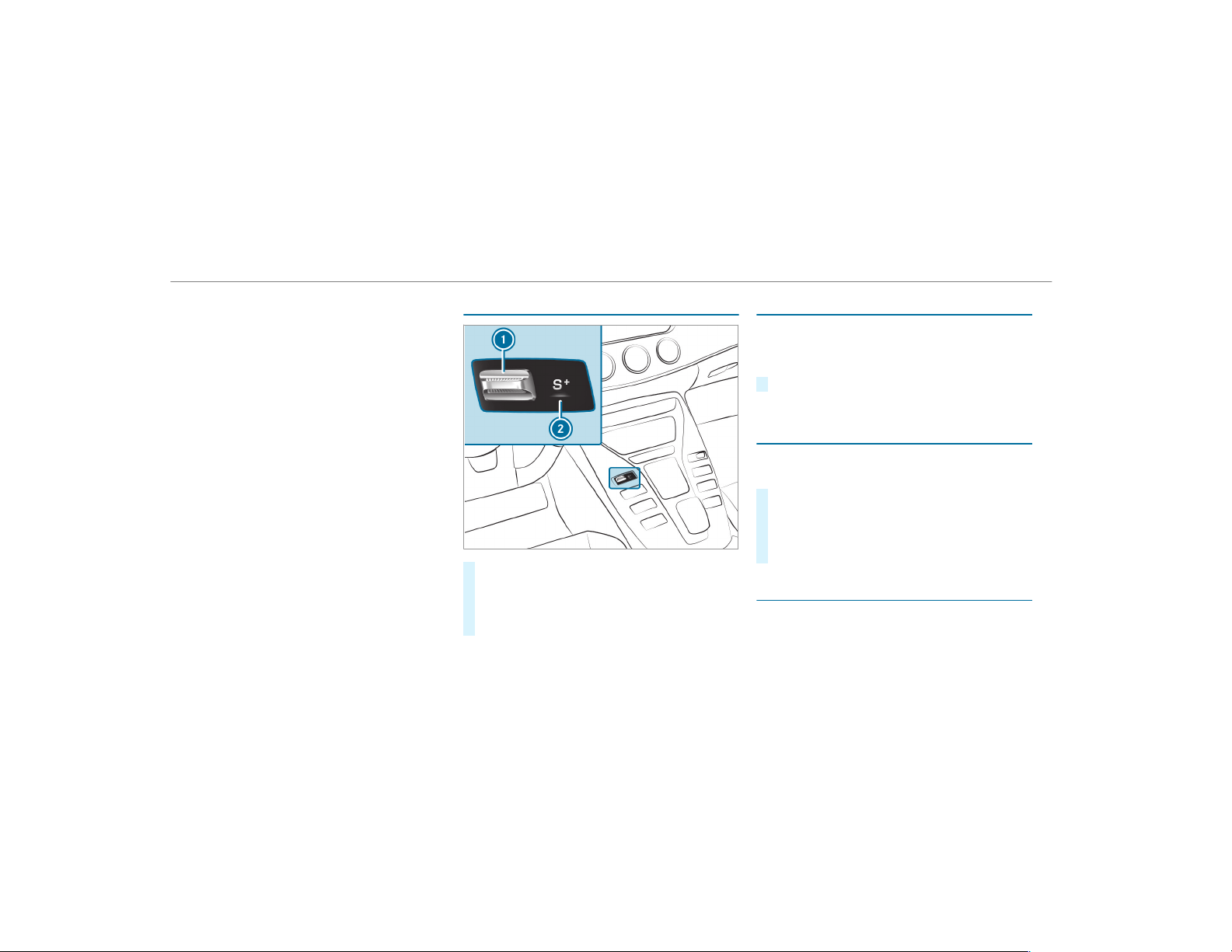
You can call up vehicle characteristics via
the Performance menu in the on-board com‐
puter (→ page 230).
%
You can also change the following vehicle
characteristics using the buttons in the cen‐
ter console:
R
Position of the exhaust gas flaps
R
ECO start/stop function
R
Suspension
R
Manual gearshifting
Selecting the drive program
#
Press DYNAMIC SELECT switch 1 forwards
or backwards.
The selected drive program appears in dis‐
play 2 and in the multifunction display in
the instrument cluster.
Configuring drive program I
Multimedia system:
,
Vehicle
.
e DYNAMIC
SELECT
.
Individual
#
Select the individual setting.
Switching the operation feedback for drive
program on/off
Multimedia system:
,
Vehicle
.
e DYNAMIC SELECT
#
Switch Notification for User on O or off ª.
When this function is active, a corresponding
message is shown in the media display when
a drive program is selected with the
DYNAMIC SELECT switch.
Displaying vehicle data
Multimedia system:
,
Vehicle
.
e DYNAMIC SELECT
148
Driving and parking
Displaying engine data
Multimedia system:
,
Vehicle
.
e DYNAMIC SELECT
#
Select Engine Data.
%
The values for engine output and engine tor‐
que may deviate from the nominal values.
Items that can influence this are, for exam‐
ple:
R
Sea level
R
Fuel grade
R
Outside temperature
Automatic transmission
E-SELECT selector lever
Function of the E-SELECT selector lever
&
WARNING Risk of accident and injury
due to children left unattended in the
vehicle
If children are left unattended in the vehicle,
they could:
R
open doors, thereby endangering other
persons or road users.
R
get out of the vehicle and be hit by
oncoming traffic.
R
operate vehicle equipment and become
trapped, for example.
In addition, children could also set the vehi‐
cle in motion, for example, by:
R
releasing the parking brake.
R
shifting the automatic transmission out of
park position j.
R
starting the engine
#
Never leave children and animals unat‐
tended in the vehicle.
#
When leaving the vehicle, always take
the SmartKey with you and lock the
vehicle.
#
Keep the SmartKey out of the reach of
children.
&
WARNING Risk of accident due to incor‐
rect gearshifting
If the engine speed is higher than the idle
speed and you engage the transmission posi‐
tion h or k, the vehicle may accelerate
sharply.
#
If you engage the transmission position
h or k always depress the brake
pedal firmly and do not accelerate at
the same time.
Use the E-SELECT selector lever to change the
transmission position. The current transmission
position is displayed in the multifunction display.
Driving and parking
149
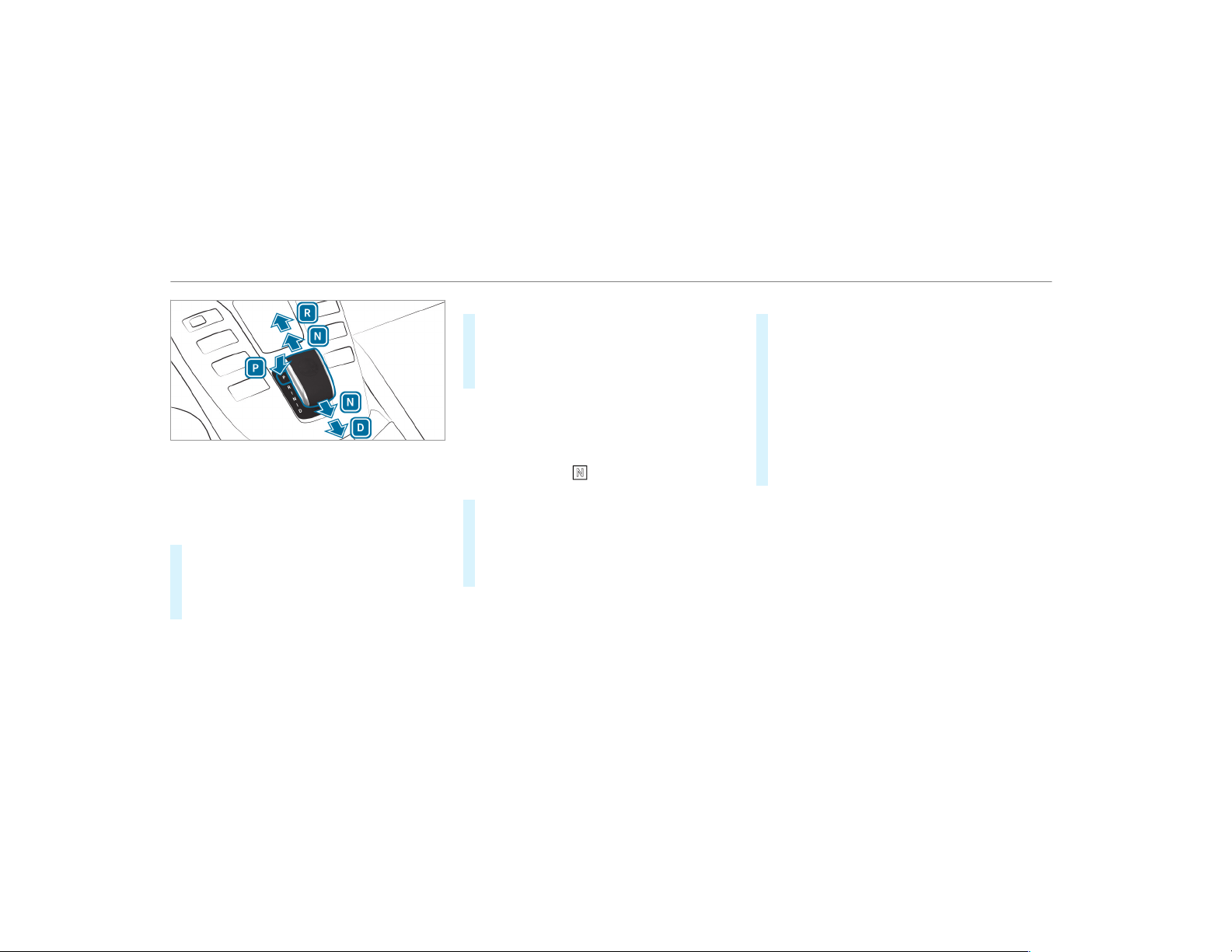
j
Park position
k
Reverse gear
i
Neutral
h
Drive position
Engaging reverse gear R
#
Depress the brake pedal and push the E-
SELECT selector lever upwards past the first
point of resistance.
The transmission position display shows k
in the multifunction display.
Engaging neutral N
#
Depress the brake pedal and push the E-
SELECT selector lever up or down to the f irst
point of resistance.
The transmission position display shows i
in the multifunction display.
Subsequently releasing the brake pedal will
allow you to move the vehicle freely, e.g. to push
it or tow it away.
If you want the automatic transmission to
remain in neutral i
even if the ignition is
switched off:
#
Start the vehicle.
#
Depress the brake pedal and engage neutral
i.
#
Release the brake pedal.
#
Switch off the ignition.
%
If you then exit the vehicle leaving the
SmartKey in the vehicle, the automatic trans‐
mission remains in neutral i.
Engaging park position P
#
Observe the notes on parking the vehicle
(→ page 156).
#
Depress the brake pedal until the vehicle is
stationar y.
#
When the vehicle is stationary, press button
j.
Park position is only engaged when the trans‐
mission position display j is shown in the
multifunction display. If no transmission posi‐
tion display j appears, secure the vehicle
to prevent it from rolling away.
Park position j is engaged automatically if one
of the following conditions is met:
R
you switch off the ignition when the vehicle
is stationary and the transmission is in posi‐
tion h or k.
R
you open the driver's door when the vehicle
is stationary or when driving at a very low
speed and the transmission is in position h
or k.
150
Driving and parking
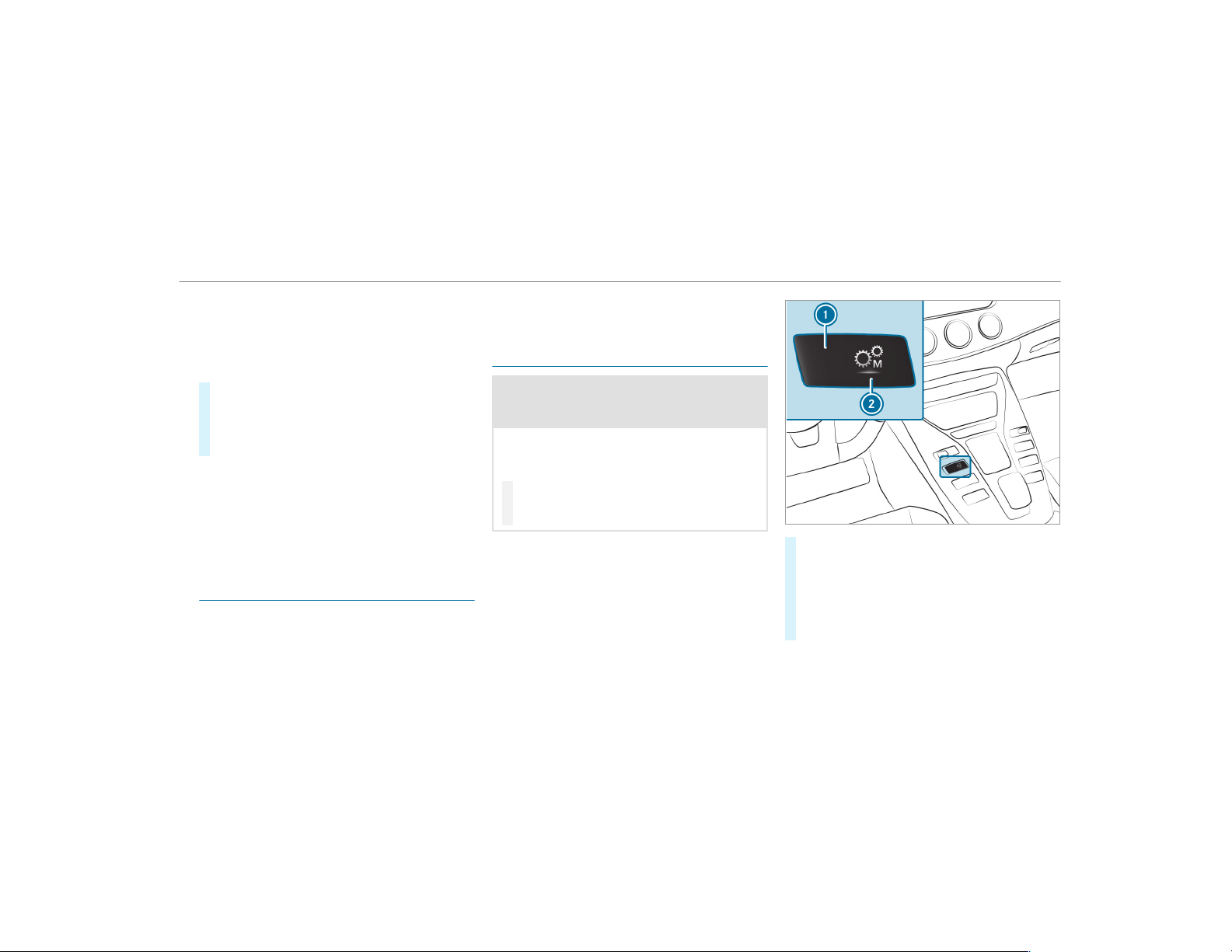
%
To maneuver with an open driver's door,
open the driver's door while stationary and
engage transmission position h or k
again.
Engaging drive position D
#
Depress the brake pedal and pull the E-
SELECT selector lever back past the f irst
point of resistance.
The transmission position display shows h
in the multifunction display.
When the automatic transmission is in transmis‐
sion position h, it shifts the gears automati‐
cally. This depends on the following factors:
R
The selected drive program
R
The position of the accelerator pedal
R
The driving speed
Double-clutch function
Double-clutch function is active when changing
down in all drive programs. Double-clutch func‐
tion reduces load change reactions and supports
spor ty driving. The acoustic perception of the
double-clutch function changes depending on
the drive program.
Manual gearshifting
&
WARNING Risk of skidding and of an
accident due to shifting down on slippery
road surfaces
If you shift down on slippery road surfaces to
increase the engine braking effect, the drive
wheels may lose traction.
#
Do not shift down on slippery road sur‐
faces to increase the engine braking
effect.
#
To activate/deactivate: press display but‐
ton 1.
The display button displays the currently
selected gear setting 2:
R
M (red): manual gearshifting
R
D (blue): automatic transmission
Driving and parking
151
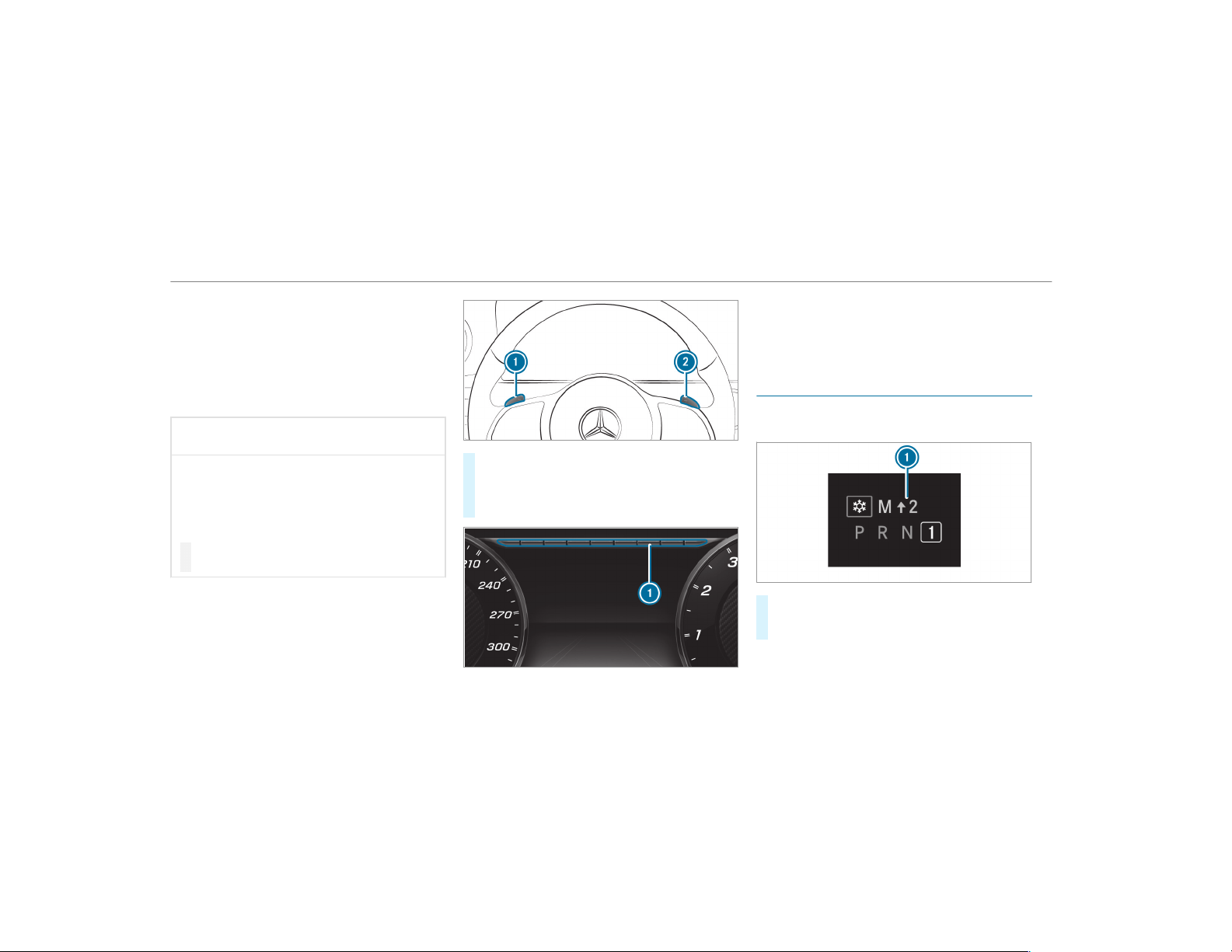
When switching gears in the I (RACE) driving
program, manual shifting is automatically activa‐
ted.
%
To permanently shift the gears manually in
drive program = using the steering wheel
paddle shifters, select the M (Manual) set‐
ting for the transmission.
*
NOTE Damage to the engine due to shift‐
ing up too late
The automatic transmission does not shift up
in manual mode even when the engine's lim‐
iting speed is reached.
The fuel supply is interrupted in order to pre‐
vent the engine from overrevving.
#
Shift up before the engine speed rea‐
ches the red area in the tachometer.
#
To shift up: pull steering wheel paddle
shifter 2.
#
To shift down: pull steering wheel paddle
shifter 1.
If the engine speed is too high or too low, you
cannot change gear using the steering wheel
paddle shifters. In this case, segments 1 light
up red.
Gearshift recommendation
The gearshift recommendation assists you in
adopting an economical driving style.
#
If gearshift recommendation message 1 is
shown on the multifunction display, shift to
the recommended gear.
152
Driving and parking
%
Gearshift recommendation is active only if
you have activated manual gearshifting with
the button on the center console.
Using kickdown
#
Maximum acceleration: depress the accel‐
erator pedal beyond the pressure point.
%
If you have activated manual gearshifting
with the button in the center console, the
transmission does not react to the kick‐
down.
During kickdown, you cannot change gears using
the steering wheel paddle shifters. The auto‐
matic transmission shifts up to the next gear
when the maximum engine speed is reached to
protect the engine from overrevving.
Glide mode function
With an anticipatory driving style, glide mode
helps you to reduce fuel consumption.
Glide mode is characterized by the following:
R
The combustion engine is disconnected from
the drivetrain.
R
The engine speed corresponds to the idle
speed.
R
The J symbol appears in the multifunc‐
tion display.
Glide mode is activated if the following condi‐
tions are met:
R
The ECO start/stop function is activated.
R
Drive program = is selected with the
drive setting "Moderate" or "Reduced".
R
The speed is within a suitable range.
R
The road's course is suitable, e.g. no steep
uphill or downhill inclines or tight bends.
R
Mercedes-AMG GT 53 4MATIC+: The
charge level of the battery is sufficient.
R
You are no longer depressing the accelerator
or brake pedal.
Glide mode is deactivated again if one of the
conditions is no longer met.
When Active Distance Assist DISTRONIC is
active, glide mode is not available.
Function of the 4MATIC
4MATIC ensures that all four wheels are driven
when needed. Together with ESP
®
and 4ETS,
4MATIC improves the traction of your vehicle
whenever a driven wheel spins due to insuffi‐
cient tr action.
If you fail to adapt your driving style, 4MATIC can
neither reduce the risk of an accident nor over‐
ride the laws of physics. 4MATIC cannot take
account of road, weather and traff ic conditions.
4MATIC is only an aid. You are responsible for
maintaining a safe distance from the vehicle in
front, for vehicle speed, for braking in good time
and for staying in lane.
%
In wintry road conditions, the maximum
effect of 4MATIC can be achieved only if you
use winter tires (M+S tires), with snow
chains if necessary.
Driving and parking
153

Refueling
Refueling the vehicle
&
WARNING Risk of fire or explosion from
fuel
Fuels are highly flammable.
#
Fire, open flames, smoking and creating
sparks must be avoided.
#
Switch off the ignition and, if it has
been in use, switch off the stationary
heater before you refuel your vehicle.
&
WARNING Risk of injury from fuels
Fuels are poisonous and hazardous to your
health.
#
Do not swallow fuel or let it come into
contact with skin, eyes or clothing.
#
Do not inhale fuel vapor.
#
Keep children away from fuel.
#
Keep doors and windows closed during
the refueling process.
If you or other people come into contact with
fuel, observe the following:
#
Immediately rinse fuel off your skin with
soap and water.
#
If fuel comes into contact with your
eyes, immediately rinse them thor‐
oughly with clean water. Seek medical
attention immediately.
#
If you swallow fuel, seek medical atten‐
tion immediately. Do not induce vomit‐
ing.
#
Change immediately out of clothing that
has come into contact with fuel.
&
WARNING Risk of fire or explosion from
electrostatic charge
Electrostatic charge can create sparks and
thereby ignite fuel vapors.
#
Before you open the fuel filler cap or
take hold of the pump nozzle, touch the
metallic vehicle body.
This discharges any electrostatic charge
that may have built up.
#
Do not get into the vehicle again during
the refueling process.
Otherwise, electrostatic charge could
build up again.
*
NOTE Damage caused by the wrong fuel
Vehicles with a gasoline engine:
Even small amounts of the wrong fuel could
result in damage to the fuel system, the
engine and the emission control system.
#
The RON requirement is located in the
fuel filler flap.
#
Only refuel with low-sulfur unleaded
fuel.
This fuel may contain up to 10% ethanol. Your
vehicle is suitable for use with E10 fuel.
154
Driving and parking
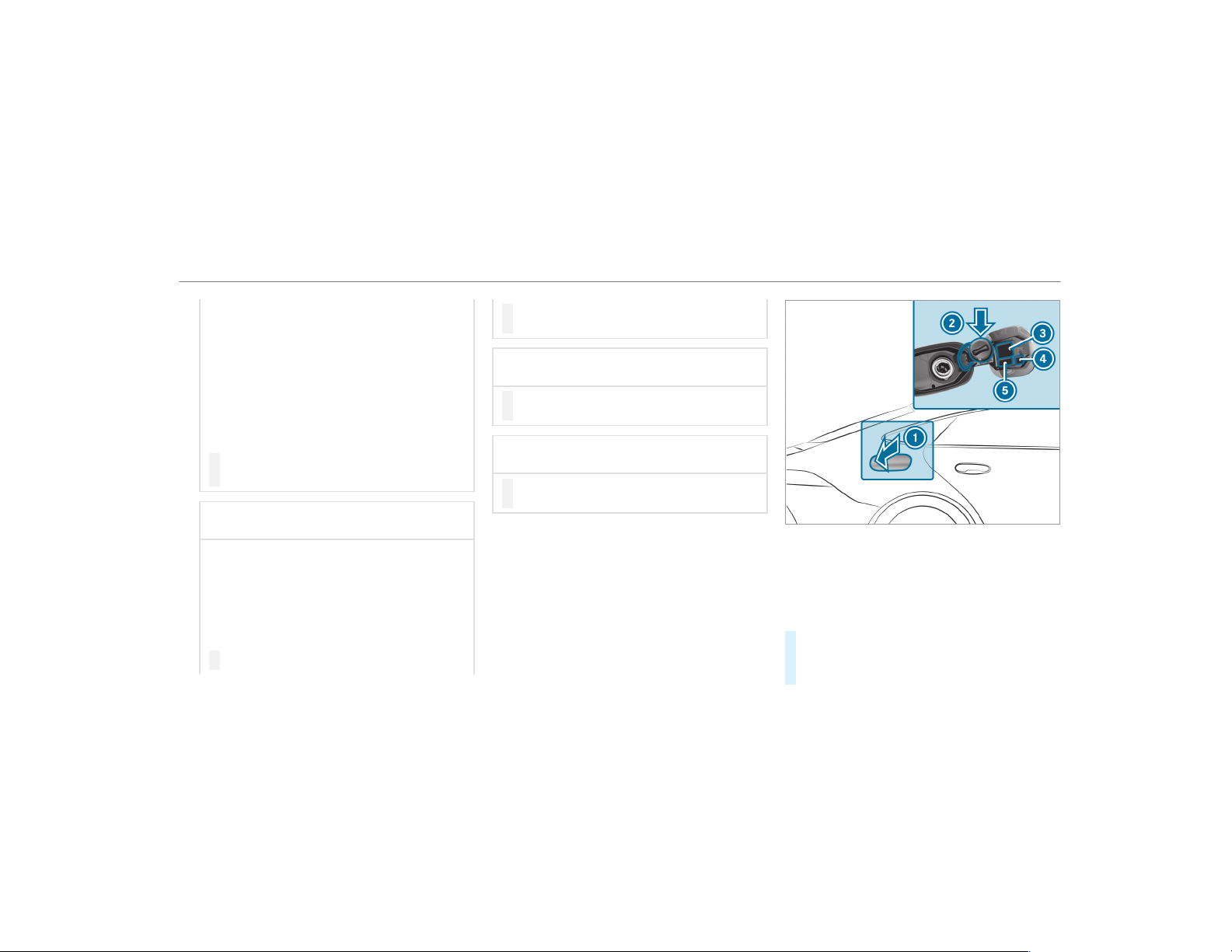
Never refuel using any of the following fuels:
R
Diesel
R
Gasoline with more than 10% ethanol by
volume, e.g. E15, E85, E100
R
Gasoline with more than 3% methanol by
volume, e.g. M15, M30, M85, M100
R
Gasoline with additives containing metal
If you accidentally refuel with the wrong fuel:
#
Do not switch the ignition on.
#
Consult a qualified specialist workshop.
*
NOTE Do not use diesel to refuel vehi‐
cles with a gasoline engine.
If you accidentally refuel with the wrong fuel:
R
Do not switch the ignition on. Otherwise
fuel can enter the engine.
Even small amounts of the wrong fuel
could result in damage to the fuel system
and the engine. The repair costs are high.
#
Consult a qualified specialist workshop.
#
Have the fuel tank and fuel lines
drained completely.
*
NOTE Damage to the fuel system caused
by overfilled fuel tanks.
#
Only fill the fuel tank until the pump
nozzle switches off.
*
NOTE Fuel may spray out when you
remove the fuel pump nozzle.
#
Only fill the fuel tank until the pump
nozzle switches off.
Requirements:
R
The vehicle is unlocked.
%
Do not get into the vehicle again during the
refueling process. Otherwise, electrostatic
charge could build up again.
Observe the notes on operating fluids
(
→ page 420).
1
Fuel filler flap
2
Bracket for the fuel filler cap
3
Tire pressure table
4
QR code for rescue card
5
Fuel type
#
Press fuel filler flap 1.
#
Turn the fuel filler cap counter-clockwise and
remove it.
Driving and parking
155

#
Insert the fuel filler cap into bracket 2.
#
Completely insert the filler neck of the fuel
pump nozzle into the tank, hook in place and
refuel.
#
Only fill the tank until the pump nozzle
switches off.
#
Replace the cap on the f iller neck and turn
clockwise until it engages audibly.
#
Close the fuel filler flap.
Parking
Parking the vehicle
&
WARNING Risk of accident and injury
caused by an insufficiently secured vehi‐
cle rolling away.
If the vehicle is not securely parked suff i‐
ciently, it can roll away in an uncontrolled
way even at a slight downhill gradient.
#
Ensure that the parked vehicle is always
properly secured against rolling away as
follows:
R
On uphill or downhill gradients, turn
the front wheels so that the vehicle
rolls towards the curb if it starts
moving.
R
Apply the parking brake.
R
Switch the transmission to position
j.
&
WARNING Risk of fire caused by hot
exhaust system parts
Flammable material such as leaves, grass or
twigs may ignite if they come into contact
with hot parts of the exhaust system or
exhaust gas flow.
#
Park the vehicle so that no flammable
material can come into contact with hot
vehicle components.
#
In particular, do not park on dr y grass‐
land or harvested grain fields.
&
WARNING Risk of accident and injury
due to children left unattended in the
vehicle
If you leave children unattended in the vehi‐
cle, they may be able to set the vehicle in
motion, for example by:
R
Releasing the parking brake.
R
Shifting the automatic transmission out
of park position j.
R
Starting the engine.
In addition, they may operate vehicle equip‐
ment and become trapped.
#
Never leave children unattended in the
vehicle.
#
When leaving the vehicle, always take
the SmartKey with you and lock the
vehicle.
156
Driving and parking
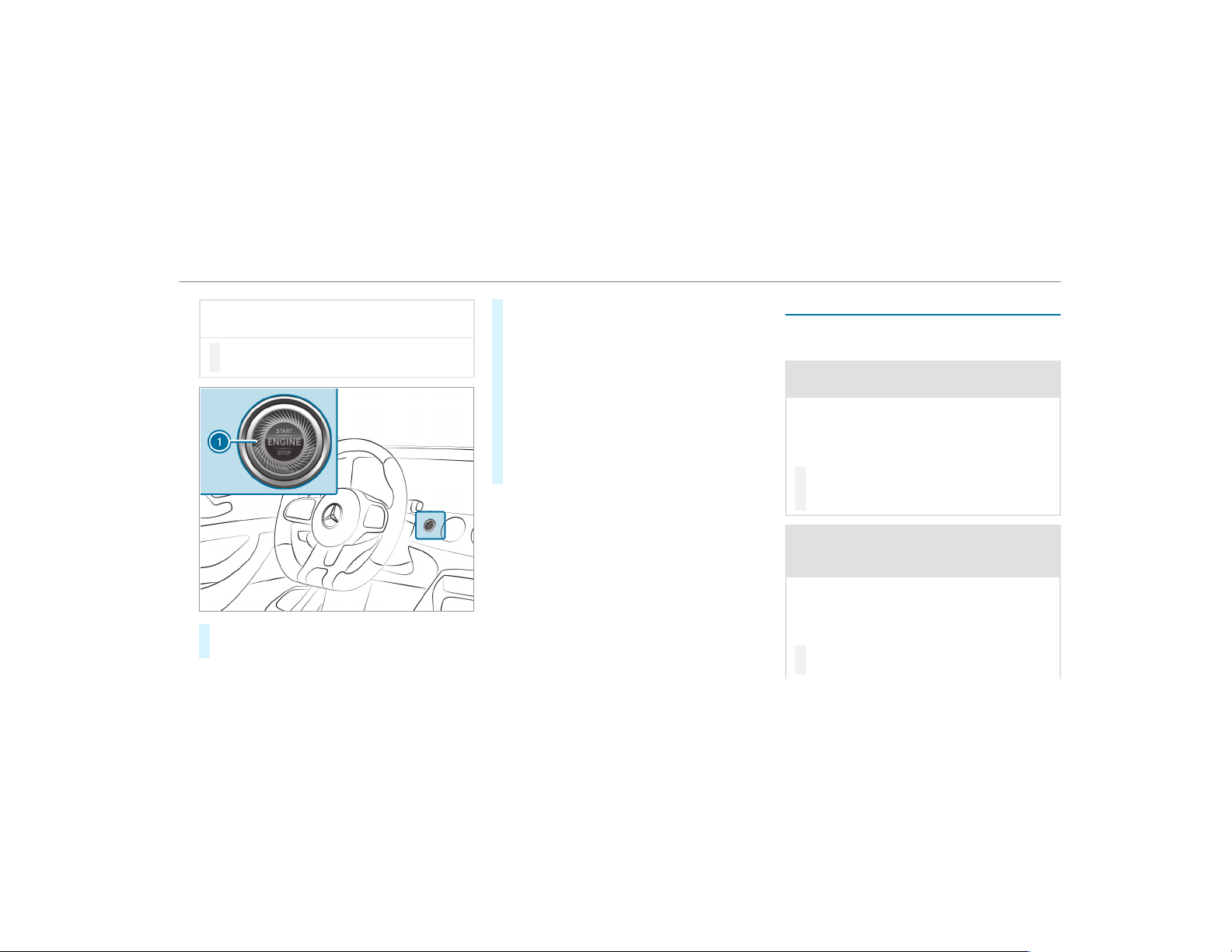
*
NOTE Damage to the vehicle due to it
rolling away
#
Always secure the vehicle against roll‐
ing away.
#
Bring the vehicle to a standstill by applying
the brake pedal.
#
On uphill or downhill gradients, turn the front
wheels so that the vehicle rolls towards the
curb if it starts moving.
#
Apply the electric parking brake.
#
Engage transmission position j in a station‐
ary vehicle with the brake pedal applied
(→ page 150).
#
Switch off the engine and the ignition by
pressing button 1.
#
Release the service brake slowly.
#
Get out of the vehicle and lock it.
%
When you park the vehicle, you can still
operate the side windows and the sliding
sunroof for approximately five minutes if the
driver's door is closed.
Garage door opener
Programming buttons for the garage door
opener
&
DANGER Risk of fatal injuries due to
exhaust gases
Combustion engines emit poisonous exhaust
gases such as carbon monoxide. Inhaling
these exhaust gases is hazardous to health
and can lead to poisoning.
#
Never leave the engine running in an
enclosed space without sufficient venti‐
lation.
&
WARNING Risk of injury when opening
or closing a door with the garage door
opener
When you operate or program the door with
the integrated garage door opener, people in
the range of movement of the door may
become trapped or struck by the door.
#
When using the integrated garage door
opener, always make sure that nobody
Driving and parking
157
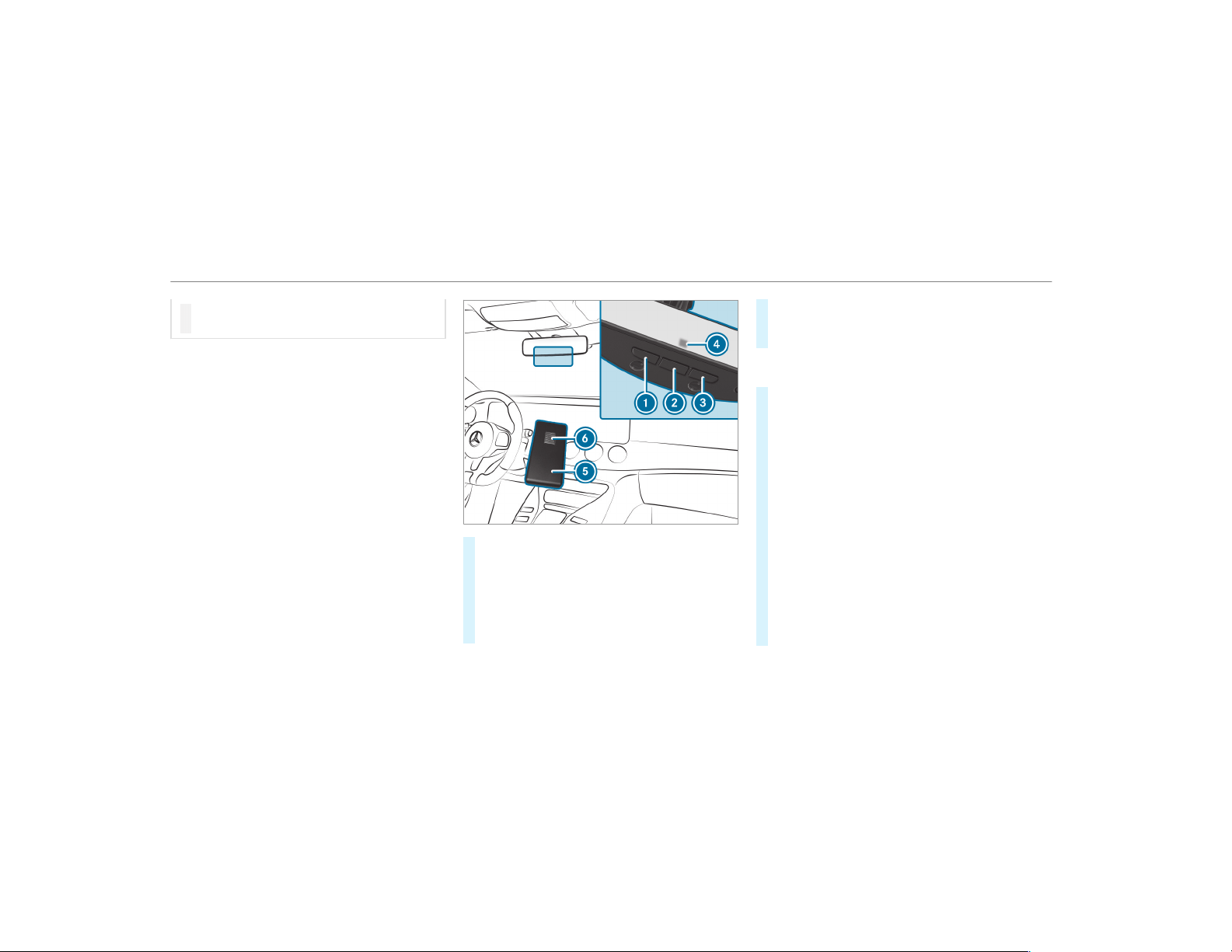
is within the range of movement of the
door.
Only oper ate the following door s using the
garage door opener:
R
Doors with a safety stop and reversing fea‐
ture.
R
Doors which conform to the current U.S.
safety standards.
Requirements:
R
The vehicle has been parked outside the
garage or outside the range of movement of
the door.
R
The engine is switched off.
R
The ignition is switched on.
%
The garage door opener function is always
available when the ignition is switched on.
#
Check if the transmitter frequency of the
remote control has the frequency range of
280 to 868 MHz.
Radio equipment approval number:
R
NZLMUAHL5 (USA)
R
4112A-MUAHL5 (Canada)
#
Press and hold button 1, 2 or 3 that you
wish to program.
Indicator lamp 4 flashes yellow.
%
It can take up to 20 seconds before the indi‐
cator lamp flashes yellow.
#
Release the previously pressed button.
Indicator lamp 4 continues to flash yellow.
#
Point remote control 5 from a distance of
1 in (1 cm) to 3 in (8 cm) towards buttons
1, 2 or 3.
#
Press and hold button 6 of remote control
5 until:
R
Indicator lamp 4 lights up green contin‐
uously. Programming is complete.
R
Indicator lamp 4 flashes green. Pro‐
gramming was successful. Additionally,
synchronization of the rolling code with
the door system must also be carried out.
#
If indicator lamp 4 does not light up or flash
green: repeat the procedure.
#
Release all of the buttons.
158
Driving and parking
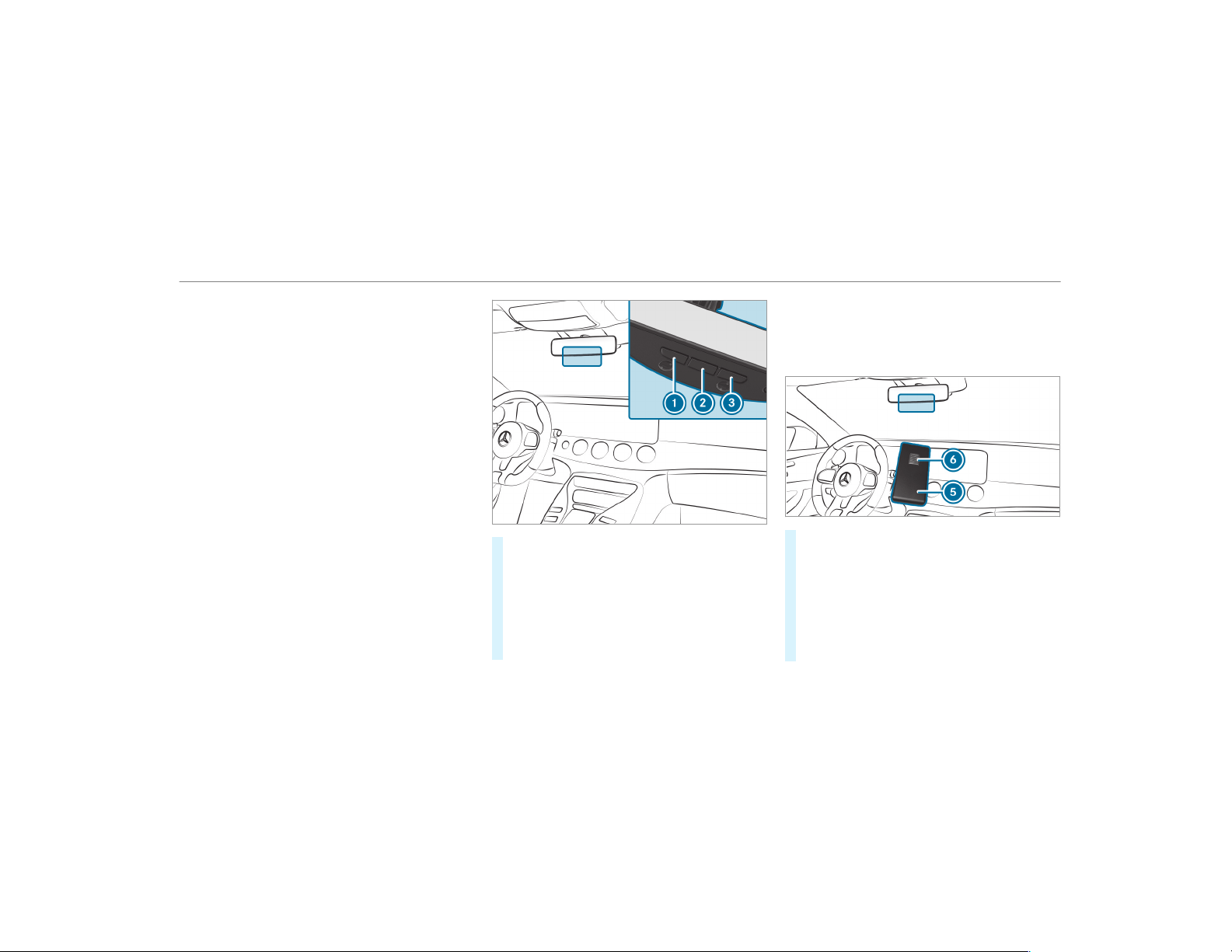
%
The remote control for the door drive is not
included in the scope of delivery of the
garage door opener.
Synchronizing the rolling code
Requirements:
R
The door system uses a rolling code.
R
The vehicle must be within range of the
garage door or door drive.
R
The vehicle as well as persons and objects,
are located outside the range of movement
of the door.
#
Press the programming button on the door
drive unit.
Initiate the next step within approximately
30 seconds.
#
Press previously programmed button 1, 2
or 3 repeatedly, until the door closes.
When the door closes, programming is com‐
pleted.
%
Please also read the operating instructions
for the door drive.
Troubleshooting when programming the
remote control
#
Check if the transmitter frequency of remote
control 5 is supported.
#
Replace the batteries in remote control 5.
#
Hold remote control 5 at various angles at
a distance between 1 in (1 cm) to 3 in (8 cm)
front of the inside rearview mirror. You
should test every position for at least 25 sec‐
onds before trying another position.
Driving and parking
159
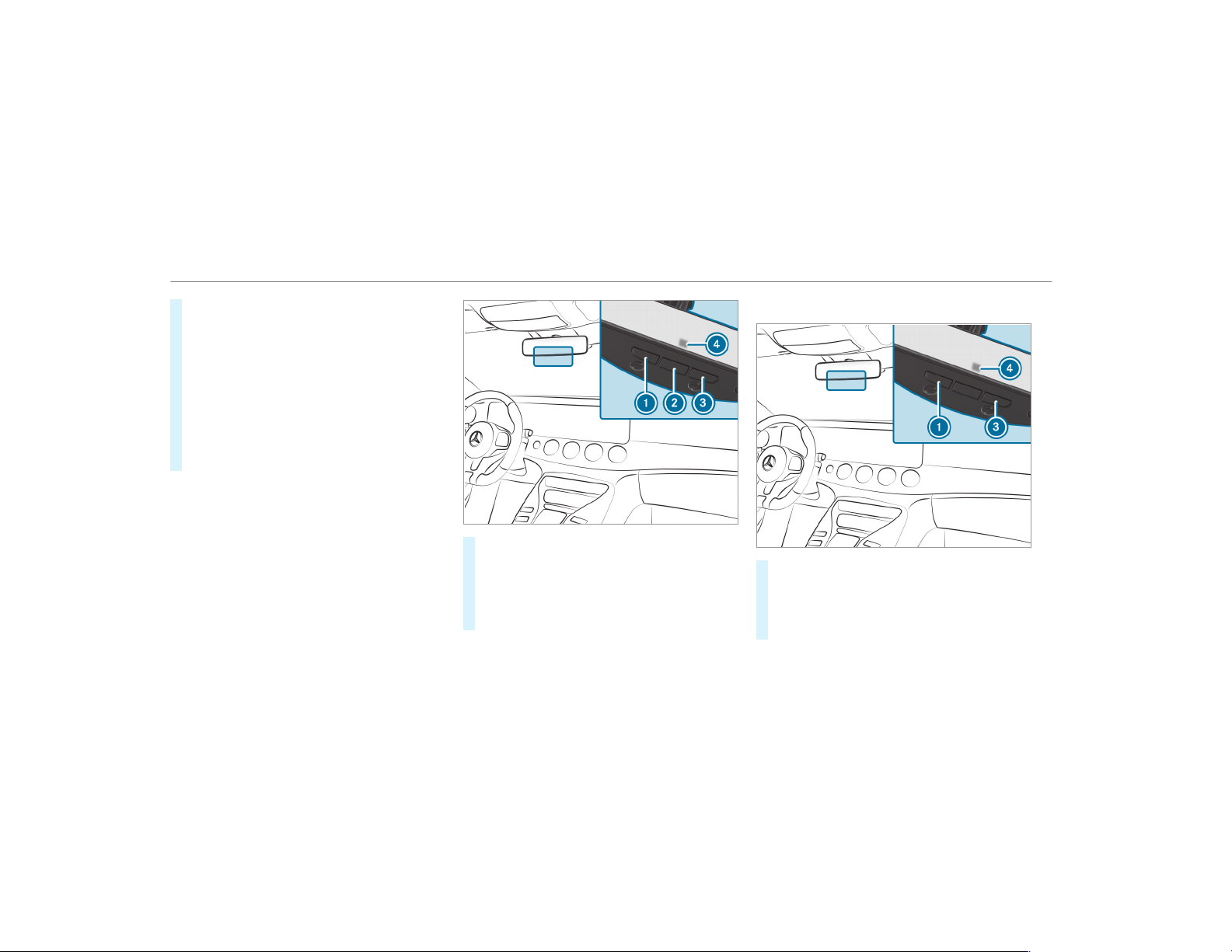
#
Hold remote control 5 at the same angles
at various distances in front of the inside
rearview mirror. You should test every posi‐
tion for at least 25 seconds before trying
another position.
#
Note that some remote controls transmit
only for a limited period, press button 6 on
remote control 5 again before transmission
ends.
#
Align the antenna line of the door opener unit
with the remote control.
%
Support and additional information on pro‐
gramming:
R
On the toll free HomeLink
®
Hotline on
1-800-355-3515.
R
On the Internet at http://
www.homelink.com/mercedes.
Opening/closing a garage door
Requirements:
R
The corresponding button is programmed to
operate the door.
#
Press and hold buttons 1, 2 or 3 until
the door opens or closes.
#
If indicator lamp 4 flashes yellow after
approximately 20 seconds: press and hold
the previously pressed button again until the
door opens or closes.
Clearing the garage door opener memory
#
Press and hold buttons 1 and 3.
Indicator lamp 4 lights up yellow.
#
If indicator lamp 4 flashes green: release
buttons 1 and 3.
The entire memory has been deleted.
Radio equipment approval numbers for the
garage door opener
160
Driving and parking
Radio equipment approval numbers
Brazil
Este equipamento opera em caráter secundário,
isto é, não tem direito à proteção contra interfer‐
ência prejudicial, mesmo de estações do mesmo
tipo, e não pode causar interferência a sistemas
operando em caráter primário.
Para maiores informações acessar
www.anatel.gov.br
Radio equipment approval numbers
Country Radio equipment approval
number
Egypt TAC.2511151293.WIR
Andorra CE
Australia R-NZ
Barbados MED1578
Chile 2488/DFRS20576/F-74
European
Union
CE
Gibraltar CE
Iceland CE
Jordan TRC/LPD/2015/299
Canada IC: 4112A-MUAHL5
Kuwait CE
Liechten‐
stein
CE
Country Radio equipment approval
number
Mexico RCPGEMU15-0448
Monaco CE
New Zea‐
land
R-NZ
Norway CE
Russian
Federa‐
tion
Not required
Saudi Ara‐
bia
TA 10525
Switzer‐
land
CE
South
Africa
TA-2015/1386
Driving and parking
161
Country Radio equipment approval
number
Turkey Not required
United
Arab Emi‐
rates
ER41849/15
Dealer No: DA35176/14
United
States
FCC ID: NZLMUAHL5
Further information on the declaration of con‐
formity for wireless vehicle components
(→ page 24).
Electric parking brake
Electric parking brake function (applying
automatically)
&
WARNING Risk of accident and injury
due to children left unattended in the
vehicle
If you leave children unattended in the vehi‐
cle, they may be able to set the vehicle in
motion, for example by:
R
Releasing the parking brake.
R
Shifting the automatic transmission out
of park position j.
R
Starting the engine.
In addition, they may operate vehicle equip‐
ment and become trapped.
#
Never leave children unattended in the
vehicle.
#
When leaving the vehicle, always take
the SmartKey with you and lock the
vehicle.
The electric parking brake is applied if the trans‐
mission is in position j and one of the follow‐
ing conditions is fulfilled:
R
The engine is switched off.
R
The seat belt tongue is not inserted in the
seat belt buckle of the driver's seat and the
driver's door is opened.
%
To prevent application: pull the handle of the
electric parking brake.
In the following situations, the electric parking
brake is also applied:
R
Active Distance Assist DISTRONIC is bringing
the vehicle to a standstill.
R
The HOLD function is keeping the vehicle sta‐
tionary.
R
Active Parking Assist is keeping the vehicle
stationar y.
This is the case if one of the following conditions
is also fulfilled:
R
The engine is switched off.
162
Driving and parking
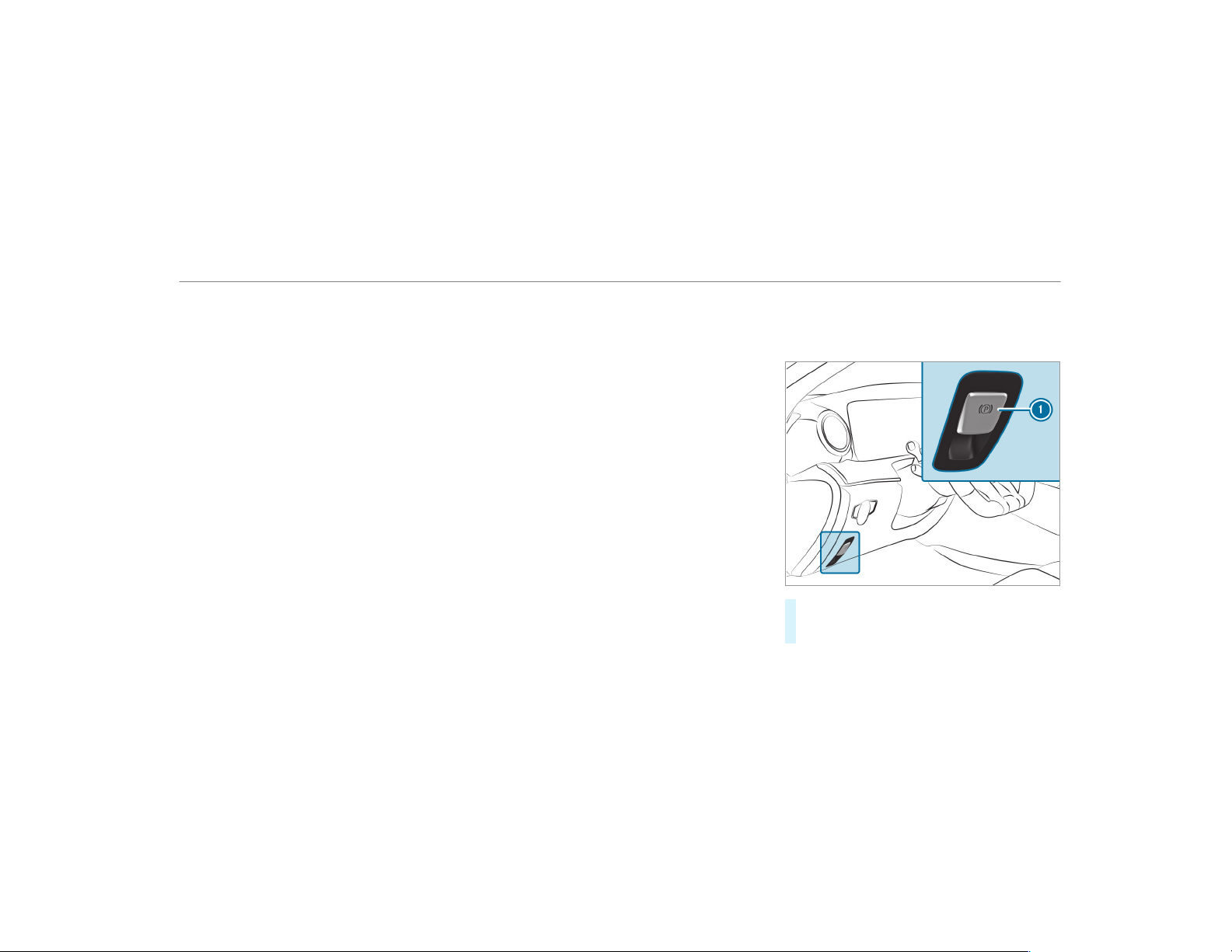
R
The seat belt tongue is not inserted in the
seat belt buckle of the driver's seat and the
driver's door is opened.
R
There is a system malfunction.
R
The power supply is insufficient.
R
The vehicle is stationary for a lengthy period.
When the electric parking brake is applied, the
red F (USA) or ! (Canada) indicator lamp
appears in the instrument cluster.
The electric parking brake is not automatically
applied if the engine is switched off by the ECO
start/stop function.
Electric parking brake function (releasing
automatically)
The electric parking brake is released when the
following conditions are fulfilled:
R
The engine is running.
R
The seat belt tongue is inserted into the seat
belt buckle of the driver's seat.
R
The transmission is in position h or k and
you depress the accelerator pedal or you
shift from transmission position j to h or
k.
If the seat belt tongue is not inserted into the
seat belt buckle of the driver's seat, the follow‐
ing conditions must be fulfilled:
R
The driver's door is closed.
R
You move the transmission out of transmis‐
sion position j or you have previously
driven faster than 2 mph (3 km/h).
When the electric parking brake is released, the
red F (USA) or ! (Canada) indicator lamp
in the instrument cluster goes out.
Applying/releasing the electric parking
brake manually
Applying
#
Push handle 1.
The red F (USA) or ! (Canada) indica‐
tor lamp appears in the instrument cluster.
Driving and parking
163

%
The electric parking brake is only securely
applied if the indicator lamp is lit continu‐
ously.
Releasing
#
Switch the ignition on.
#
Pull handle 1.
The red F (USA) or ! (Canada) indica‐
tor lamp in the instrument cluster goes out.
Emergency braking
#
Press and hold handle 1.
When the vehicle has been braked to a
standstill, the electric parking brake is
applied. The red F (USA) or ! (Can‐
ada) indicator lamp appear s in the instru‐
ment cluster.
Notes on parking the vehicle for an extended
period
If you leave the vehicle parked for longer than
four weeks, the disconnected battery may be
damaged by deep discharge.
If you leave the vehicle parked for longer than six
weeks, it may suffer disuse damage.
%
Further information can be obtained at a
qualified specialist workshop.
Standby mode (extension of the starter bat‐
tery's period out of use)
Standby mode function
%
This function is not available for all models.
If standby mode is activated, the vehicle can be
parked for an extended period of time without
losing power.
Standby mode is characterized by the following:
R
the starter battery is preserved.
R
the maximum non-operational time out of
use is displayed in the multimedia system
display.
R
the connection to online services is interrup‐
ted.
If the following conditions are fulfilled, standby
mode can be activated or deactivated using the
multimedia system:
R
the engine is switched off.
R
the ignition is switched on.
Exceeding the vehicle's displayed non-opera‐
tional time may cause inconvenience, i.e. it can‐
not be guaranteed that the starter battery will
reliably start the engine.
The starter battery must be charged first in the
following situations:
R
the vehicle's non-operational time must be
extended.
R
the Battery Charge Insufficient for Standby
Mode message appears in the multimedia
system display.
%
Standby mode is automatically deactivated
when the ignition is switched on.
164
Driving and parking
Activating/deactivating standby mode
Multimedia system:
,
Vehicle
.
î Vehicle Set-
tings
.
Standby Mode
%
This function is not available for all models.
#
Activate O or deactivate ª the function.
When you activate the function, a prompt
appears.
#
Select Yes.
Standby mode is activated.
Driving and driving safety systems
Driving systems and your responsibility
Your vehicle is equipped with driving systems
which assist you in driving, parking and maneu‐
vering the vehicle. The driving systems are aids
and do not relieve you of your responsibility per‐
taining to road traffic law. Pay attention to the
traffic conditions at all times and intervene
when necessary. Be aware of the limitations
regarding the safe use of these systems.
Function of the radar sensors
Some driving and driving safety systems use
radar sensors to monitor the area in front of,
behind or next to the vehicle (depending on the
vehicle's equipment).
Depending on the vehicle's equipment, the radar
sensors are integrated behind the bumpers
and/or behind the Mercedes star. Keep these
parts free of dirt, ice and slush (
→ page 362).
The sensors must not be covered, for example
by cycle racks, overhanging loads, stickers, foil
or foils to protect against stone chipping. In the
event of damage to the bumpers or radiator grill,
or following a collision impacting the bumpers or
radiator grill, have the function of the radar sen‐
sors checked at a qualified specialist workshop.
The driver assistance system may no longer
work properly.
Overview of driving systems and driving
safety systems
In this section, you will find information about
the following dr iving systems and driving safety
systems:
R
360° Camera (→ page 206)
R
ABS (Anti-lock Braking System)
(→ page 166)
R
Active Distance Assist DISTRONIC
(→ page 177)
R
AMG adaptive sport suspension system
(→ page 195)
R
Active Brake Assist (→ page 170)
R
Active Lane Keeping Assist (→ page 220)
R
ATTENTION ASSIST (→ page 215)
R
BAS (Brake Assist System) (→ page 166)
R
Hill Start Assist
R
DRIFT MODE (→ page 191)
R
EBD (Electronic Brake force Distribution)
(→ page 170)
Driving and parking
165
R
ESP
®
(Electronic Stability Program)
(→ page 167)
R
Active Speed Limit Assist (→ page 180)
R
HOLD function (→ page 189)
R
STEER CONTROL (→ page 170)
R
Active Steering Assist (→ page 183)
R
Active Parking Assist (→ page 209)
R
Parking Assist PARKTRONIC (→ page 200)
R
Rear view camera (→ page 204)
R
RACE START (→ page 190)
R
Cruise control (→ page 175)
R
Blind Spot Assist and Active Blind Spot Assist
(→ page 218)
R
Traffic Sign Assist (→ page 216)
Function of ABS (Anti-lock Braking System)
ABS regulates the brake pressure in critical driv‐
ing situations:
R
During braking, e.g. at full brake application
or insufficient tire traction, the wheels are
prevented from locking.
R
Vehicle steerability while braking is ensured.
If ABS intervenes when braking, you will feel a
pulsing in the brake pedal. The pulsating brake
pedal can be an indication of hazardous road
conditions and can serve as a reminder to take
extra care while driving.
System limitations
R
ABS is active from speeds of approx. 5 mph
(8 km/h).
R
ABS may be impaired or may not function if a
malfunction has occurred and the yel‐
low ! ABS warning lamp lights up contin‐
uously in the instrument cluster after the
engine is started.
Function of BAS (Brake Assist System)
&
WARNING Risk of an accident caused by
a malfunction in BAS (Brake Assist Sys‐
tem)
If BAS is malfunctioning, the braking distance
in an emergency braking situation is
increased.
#
Depress the brake pedal with full force
in emergency braking situations. ABS
prevents the wheels from locking.
BAS supports your emergency braking situation
with additional brake force.
If you depress the brake pedal quickly, BAS is
activated:
R
BAS automatically boosts the brake pres‐
sure.
R
BAS can shorten the braking distance.
R
ABS prevents the wheels from locking.
The brakes will function as usual once you
release the brake pedal. BAS is deactivated.
166
Driving and parking
Functions of ESP
®
(Electronic Stability Pro‐
gram)
&
WARNING Risk of skidding if ESP
®
is
malfunctioning
If ESP
®
is malfunctioning, ESP
®
cannot carry
out vehicle stabilization. In addition, other
driving safety systems are switched off.
#
Drive on carefully.
#
Have ESP
®
checked at a qualified spe‐
cialist workshop.
You can select between the following modes of
ESP
®
:
R
ESP
®
on
R
ESP
®
SPORT
R
ESP
®
off
Characteristics when ESP
®
is activated
ESP
®
monitors and improves driving stability and
traction, particularly in the following situations:
R
When pulling away on a wet or slippery road‐
way.
R
When braking.
R
In strong side winds when you are driving
faster than 50 mph (80 km/h).
ESP
®
can stabilize the vehicle by intervening in
the following ways:
R
One or more wheels are braked.
R
The engine output is adapted according to
the situation.
ESP
®
is activated every time the engine is star‐
ted regardless of whether ESP
®
was in ESP
®
SPORT or deactivated before the engine was
switched off.
If the ÷ ESP
®
warning lamp flashes in the
instrument cluster, one or several vehicle wheels
has reached its grip limit:
R
Adapt the driving style to suit the prevailing
road and weather conditions.
R
Do not deactivate ESP
®
under any circum‐
stances.
R
Only depress the accelerator pedal as far as
is necessary.
Characteristics when ESP
®
SPORT is activa‐
ted
&
WARNING Risk of skidding if ESP
®
SPORT is used incorrectly
When you activate ESP
®
SPORT, there is an
increased risk of skidding and having an acci‐
dent.
#
Activate ESP
®
SPORT only in the cir‐
cumstances described below.
Select ESP
®
SPORT when the vehicle's own
oversteering and understeering characteristics
are desired, e.g on designated roads.
Driving and parking
167

Driving with ESP
®
SPORT or with ESP
®
deactiva‐
ted requires an extremely qualified and experi‐
enced driver.
When ESP
®
SPORT is activated, the å ESP
®
OFF warning lamp and the ESP SPORT message
light up continuously in the instrument cluster.
If ESP
®
SPORT is activated and one or more
wheels start to spin, the ÷ ESP
®
warning
lamp on the instrument cluster flashes. ESP
®
then only stabilizes the vehicle to a limited
degree.
ESP
®
SPORT also has the following characteris‐
tics:
R
ESP
®
only improves driving stability to a limi‐
ted degree.
R
ETS/4ETS traction control is still active.
R
The engine's torque is only restricted to a
limited degree and the drive wheels can spin.
The spinning of the wheels results in a cut‐
ting action for better traction on loose surfa‐
ces.
R
ESP
®
continues to provide assistance when
the brakes are firmly applied.
R
Crosswind Assist is no longer active.
Characteristics when ESP
®
is deactivated
&
WARNING Risk of skidding if ESP
®
is
deactivated
If you deactivate ESP
®
, ESP
®
cannot carry
out vehicle stabilization.
#
ESP
®
should only be deactivated in the
following situations.
When ESP
®
is deactivated, the å ESP
®
OFF
warning lamp and the ESP OFF message light up
continuously in the instrument cluster.
R
Driving stability will no longer be improved.
R
The drive wheels could spin.
R
ETS/4ETS traction control is still active.
R
Crosswind Assist is no longer active.
%
Even when ESP
®
is deactivated, you are still
assisted by ESP
®
when braking hard.
It may be best to activate ESP
®
SPORT or deacti‐
vate ESP
®
in the following situations:
R
When using snow chains.
R
In deep snow.
R
On sand or gravel.
%
Spinning the wheels results in a cutting
action which provides better grip.
%
Activate ESP
®
as soon as the situations
described above no longer apply. ESP
®
will
otherwise not be able to stabilize the vehicle
if the vehicle starts to skid or a wheel starts
to spin.
If the ÷ ESP
®
warning lamp lights up continu‐
ously even when ESP
®
is activated, ESP
®
is not
available due to a malfunction.
Observe any information which may be displayed
in the instrument cluster:
R
Warning and indicator lamps (→ page 474)
R
Display messages (→ page 428)
ETS/4ETS (Electronic Traction System)
ETS/4ETS traction control is part of ESP
®
.
168
Driving and parking
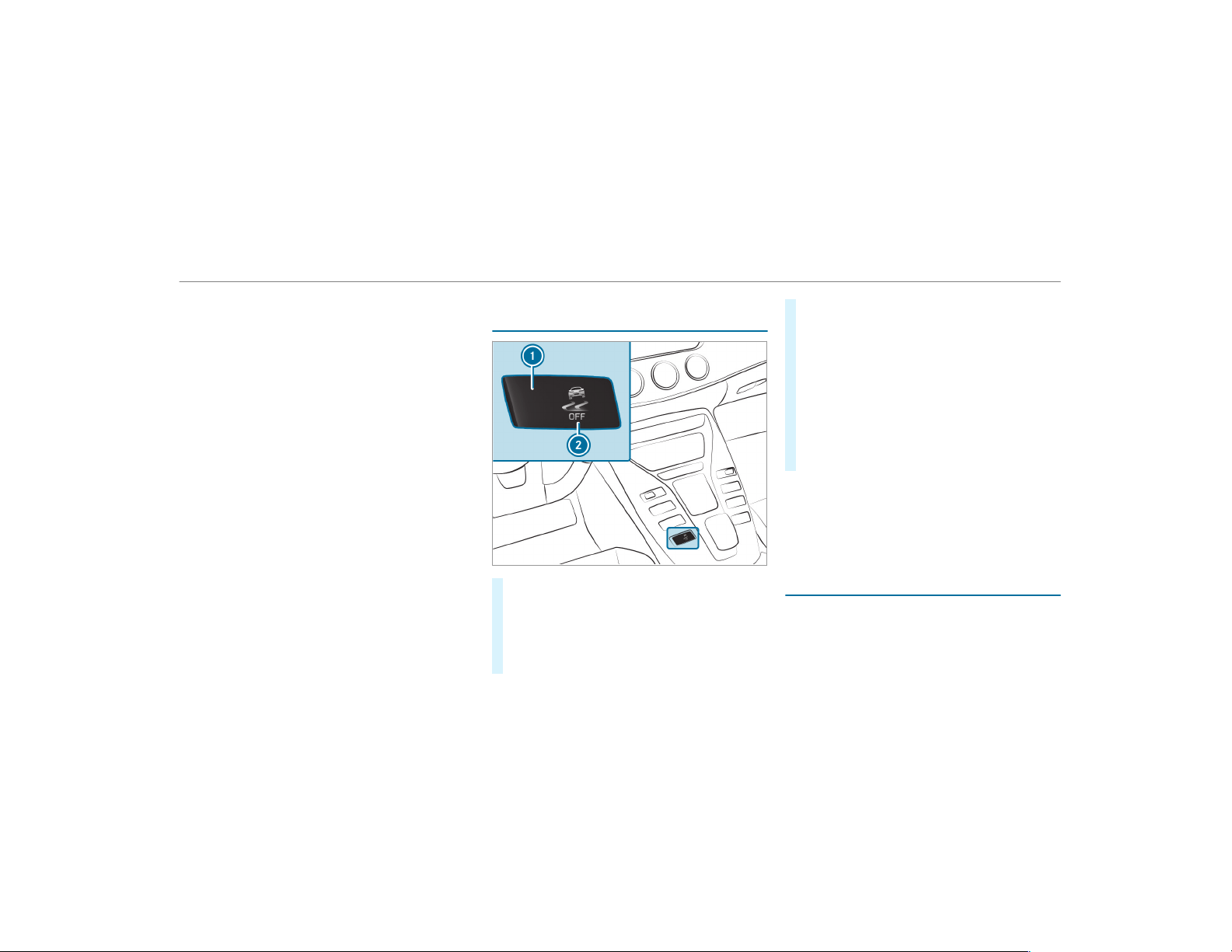
ETS/4ETS can improve the vehicle's traction by
intervening in the following ways:
R
The drive wheels are braked individually if
they spin.
R
More drive torque is transferred to the wheel
or wheels with traction.
Activating/deactivating ESP
®
(Electronic Sta‐
bility Program)
#
To activate ESP
®
SPORT: press and hold
display button 1 until the road in button
symbol 2 lights up yellow.
The ESP SPORT message is shown in the
instrument cluster and the å and
ESP SPORT warning lamps light up.
#
To deactivate ESP
®
: press and hold display
button 1 until the road in button symbol 2
lights up red.
The ESP OFF message is shown in the instru‐
ment cluster and the å and ESP OFF
warning lamps light up.
#
To activate ESP
®
: press and hold display
button 1 until the road in button symbol 2
lights up blue.
The å and ESP OFF or ESP SPORT warn‐
ing lamps in the instrument cluster go out.
When the ÷ symbol 2 is shown with a red !
on display button 1, ESP
®
is malfunctioning.
Observe the information on warning lamps and
display messages which may be shown in the
instrument cluster.
Function of ESP
®
Crosswind Assist
ESP
®
Crosswind Assist detects sudden gusts of
side wind and helps the driver to keep the vehi‐
cle in the lane:
R
ESP
®
Crosswind Assist is active at vehicle
speeds between 50 mph (80 km/h) and
Driving and parking
169

125 mph (200 km/h) when driving straight
ahead or cornering slightly.
R
The vehicle is stabilized by means of individ‐
ual brake application on one side.
Function of EBD (electronic brake force dis‐
tribution)
EBD is characterized by the following:
R
Monitoring and regulating the brake pressure
on the rear wheels.
R
Improved driving stability when braking,
especially on bends.
Function of STEER CONTROL
STEER CONTROL helps you by transmitting a
noticeable steering force to the steering wheel in
the direction required for vehicle stabilization.
This steering recommendation is given particu‐
larly in the following situations:
R
Both right wheels or both left wheels are on
a wet or slippery road surface when you
brake
R
The vehicle starts to skid
System limitations
STEER CONTROL may be impaired or may not
function in the following situations:
R
ESP
®
is deactivated
R
ESP
®
is malfunctioning
R
The steering is malfunctioning
If ESP
®
is malfunctioning, you will be assisted
further by the electric power steering.
Function of Active Brake Assist
Active Brake Assist consists of the following
functions:
R
Distance warning function
R
Autonomous braking function
R
Situation-dependent braking assistance
R
Vehicles with Driving Assistance Pack‐
age: Evasive Steering Assist
Active Brake Assist can help you to minimize the
risk of a collision with vehicles or pedestrians or
to reduce the effects of such a collision.
If Active Brake Assist has detected a risk of colli‐
sion, a warning tone sounds and the L dis‐
tance warning lamp lights up in the instrument
cluster.
If you do not react to the warning, autonomous
braking can be initiated in critical situations.
In especially critical situations, Active Br ake
Assist can initiate autonomous braking directly.
In this case, the warning lamp and warning tone
occur simultaneously with the braking applica‐
tion.
If you apply the brake yourself in a critical situa‐
tion or apply the brake during autonomous brak‐
ing, situation-dependent braking assistance
occurs. The brake pressure increases up to max‐
imum full-stop braking if necessary.
170
Driving and parking
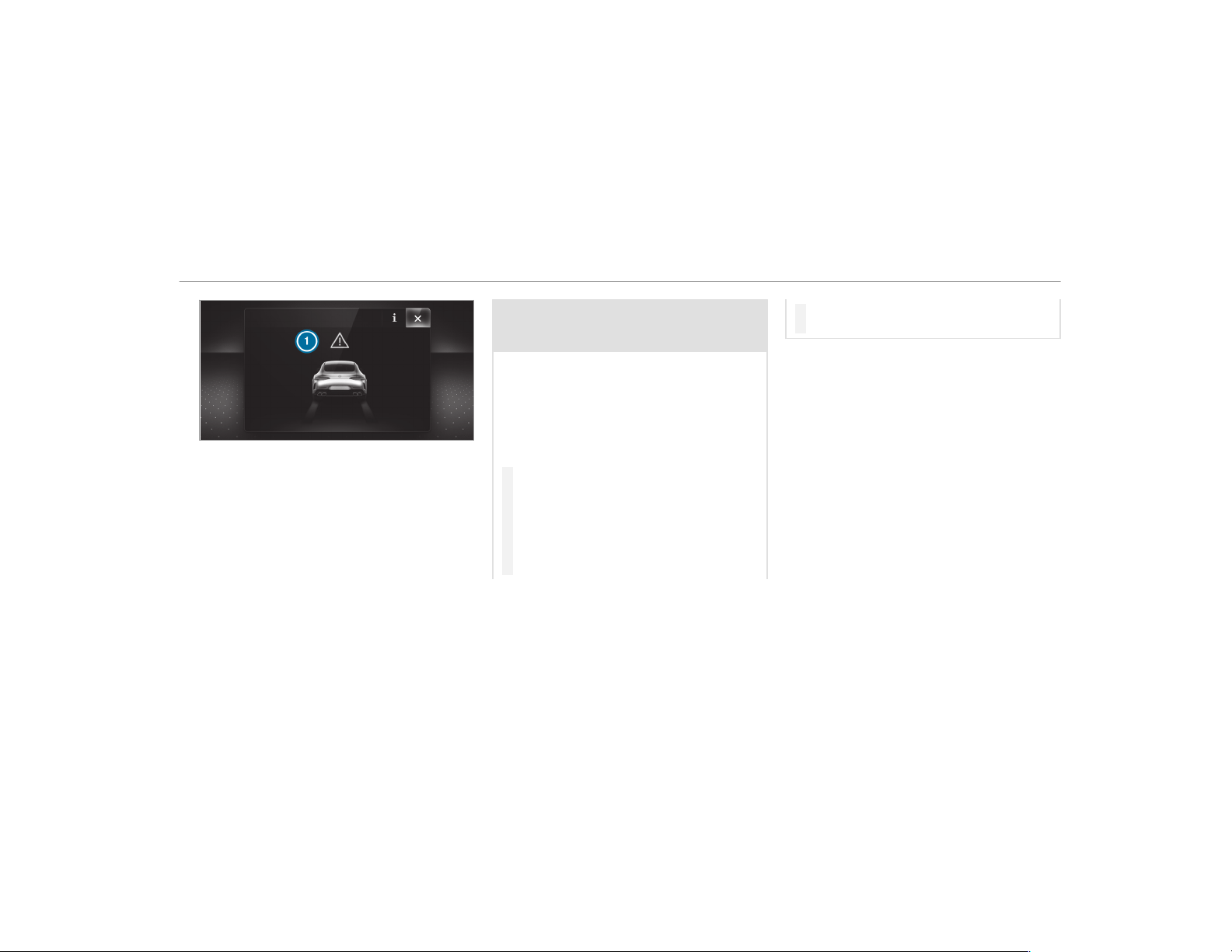
If autonomous braking or situation-dependent
braking assistance has occurred, display 1
appears in the multifunction display and then
automatically goes out after a short time.
If the autonomous braking function or the situa‐
tion-dependent braking assistance is triggered,
additional preventive measures for occupant
protection (PRE-SAFE
®
) may also be initiated.
&
WARNING Risk of an accident caused by
limited detection performance of Active
Brake Assist
Active Brake Assist cannot always clearly
identify objects and complex traffic situa‐
tions.
In such cases, Active Brake Assist might:
R
Give a warning or brake without reason
R
Not give a warning or not brake
#
Always pay careful attention to the traf‐
fic situation; do not rely on Active Brake
Assist alone. Active Brake Assist is only
an aid. The driver is responsible for
maintaining a suitable distance to the
vehicle in front, vehicle speed and for
braking in good time.
#
Be prepared to brake or swerve if nec‐
essary.
Also observe the system limitations of Active
Brake Assist.
The individual subfunctions are available in
the following speed ranges:
Distance warning function
The distance warning function issues a warning
at speeds:
R
From approximately 4 mph (7 km/h), if your
vehicle is critically close to a vehicle or
pedestrian. An intermittent warning tone
sounds and the · distance warning lamp
lights up in the instrument cluster.
Brake immediately or take evasive action, provi‐
ded it is safe to do so and the traffic situation
allows this.
Driving and parking
171

The distance warning function can aid you in the following situations with an intermittent warning tone and a warning lamp:
Vehicles traveling in
front
Stationary vehicles Crossing vehicles Moving pedestrians Stationary pedes‐
trians
Vehicles without Driv‐
ing Assistance pack‐
age
Up to approx. 155 mph
(250 km/h)
Up to approx. 50 mph
(80 km/h)
No reaction Up to approx. 37 mph
(60 km/h)
No reaction
Vehicles with Driving
Assistance package
Up to approx. 155 mph
(250 km/h)
Up to approx. 62 mph
(100 km/h)
Up to approx. 43 mph
(70 km/h)
Up to approx. 50 mph
(80 km/h)
Up to approx. 43 mph
(70 km/h)
Autonomous braking function
The autonomous braking function may intervene at speeds starting from approximately 4 mph (7 km/h) in the following situations:
Vehicles traveling in
front
Stationary vehicles Crossing vehicles Moving pedestrians Stationary pedes‐
trians
Vehicles without Driv‐
ing Assistance pack‐
age
Up to approx. 124 mph
(200 km/h)
Up to approx. 31 mph
(50 km/h)
No reaction Up to approx. 37 mph
(60 km/h)
No reaction
Vehicles with Driving
Assistance package
Up to approx. 155 mph
(250 km/h)
Up to approx. 62 mph
(100 km/h)
Up to approx. 43 mph
(70 km/h)
Up to approx. 43 mph
(70 km/h)
Up to approx. 43 mph
(70 km/h)
172
Driving and parking

Situation-dependent braking assistance
Situation-dependent braking assistance may intervene at speeds starting from approximately 4 mph (7 km/h) in the following situations:
Vehicles traveling in
front
Stationary vehicles Crossing vehicles Moving pedestrians Stationary pedes‐
trians
Vehicles without Driv‐
ing Assistance pack‐
age
Up to approx. 155 mph
(250 km/h)
Up to approx. 50 mph
(80 km/h)
No reaction Up to approx. 37 mph
(60 km/h)
No reaction
Vehicles with Driving
Assistance package
Up to approx. 155 mph
(250 km/h)
Up to approx. 62 mph
(100 km/h)
Up to approx. 43 mph
(70 km/h)
Up to approx. 43 mph
(70 km/h)
Up to approx. 43 mph
(70 km/h)
Canceling a brake application of Active Brake
Assist
You can cancel a brake application of Active
Brake Assist at any time by:
R
Fully depressing the accelerator pedal or
with kickdown.
R
Releasing the brake pedal.
Active Brake Assist may cancel the brake appli‐
cation when one of the following conditions is
fulfilled:
R
You maneuver to avoid the obstacle.
R
There is no longer a risk of collision.
R
An obstacle is no longer detected in front of
your vehicle.
Evasive Steering Assist (only vehicles with
Driving Assistance Package)
Evasive Steering Assist has the following charac‐
teristics:
R
The ability to detect stationary or moving
pedestrians
R
Assistance through power-assisted steering if
it detects a swerving maneuver
R
Activation by an abrupt steering movement
during a swerving maneuver
R
Assistance during swerving and straightening
of the vehicle
R
Reaction from a speed of approximately
12 mph (20 km/h) up to a speed of approx‐
imately 43 mph (70 km/h)
You can prevent the assistance at any time by
actively steering.
Driving and parking
173
&
WARNING Risk of an accident despite
Evasive Steering Assist
Evasive Steering Assist cannot always clearly
identify objects and complex traffic situa‐
tions.
In addition, the steering support of Evasive
Steering Assist is generally not sufficient to
avoid a collision.
In such cases Evasive Steering Assist can:
R
give an unnecessar y warning or provide
assistance
R
not give a warning or not provide assis‐
tance
#
Always pay careful attention to the traf‐
fic situation; do not rely on Evasive
Steering Assist alone.
#
Be ready to brake and take evasive
action if necessary.
#
Prevent the assistance by actively steer‐
ing in non-critical driving situations.
#
Drive at an appropriate speed if pedes‐
trians are close to the path of your vehi‐
cle.
System limitations
Full system performance is not available for a
few seconds after switching on the ignition or
after driving off.
The system may be impaired or may not function
in the following situations:
R
In snow, rain, fog, heavy spray, if there is
glare, in direct sunlight or in greatly varying
ambient light.
R
If the sensors are dirty, fogged up, damaged
or covered.
R
If the sensors are impaired due to interfer‐
ence from other radar sources, e.g. strong
radar reflections in parking garages.
R
If a loss of tire pressure or a faulty tire has
been detected and displayed.
R
In complex traffic situations where objects
cannot always be clearly identified.
R
For pedestrians or vehicles if they move
quickly into the sensor detection range.
R
For pedestrians who are hidden by other
objects.
R
If the typical outline of a pedestrian cannot
be distinguished from the background.
R
If a pedestrian is not detected as such, e.g.
due to special clothing or other objects.
R
On bends with a tight radius.
Setting Active Brake Assist
Multimedia system:
,
Vehicle
.
k Assistance
.
Active
Brake Assist
Vehicles without Driving Assistance Pack‐
age: The settings can be made after starting the
vehicle.
Vehicles with Driving Assistance Package:
The settings can be made when the ignition is
switched on.
The following settings are available:
R
Early
174
Driving and parking
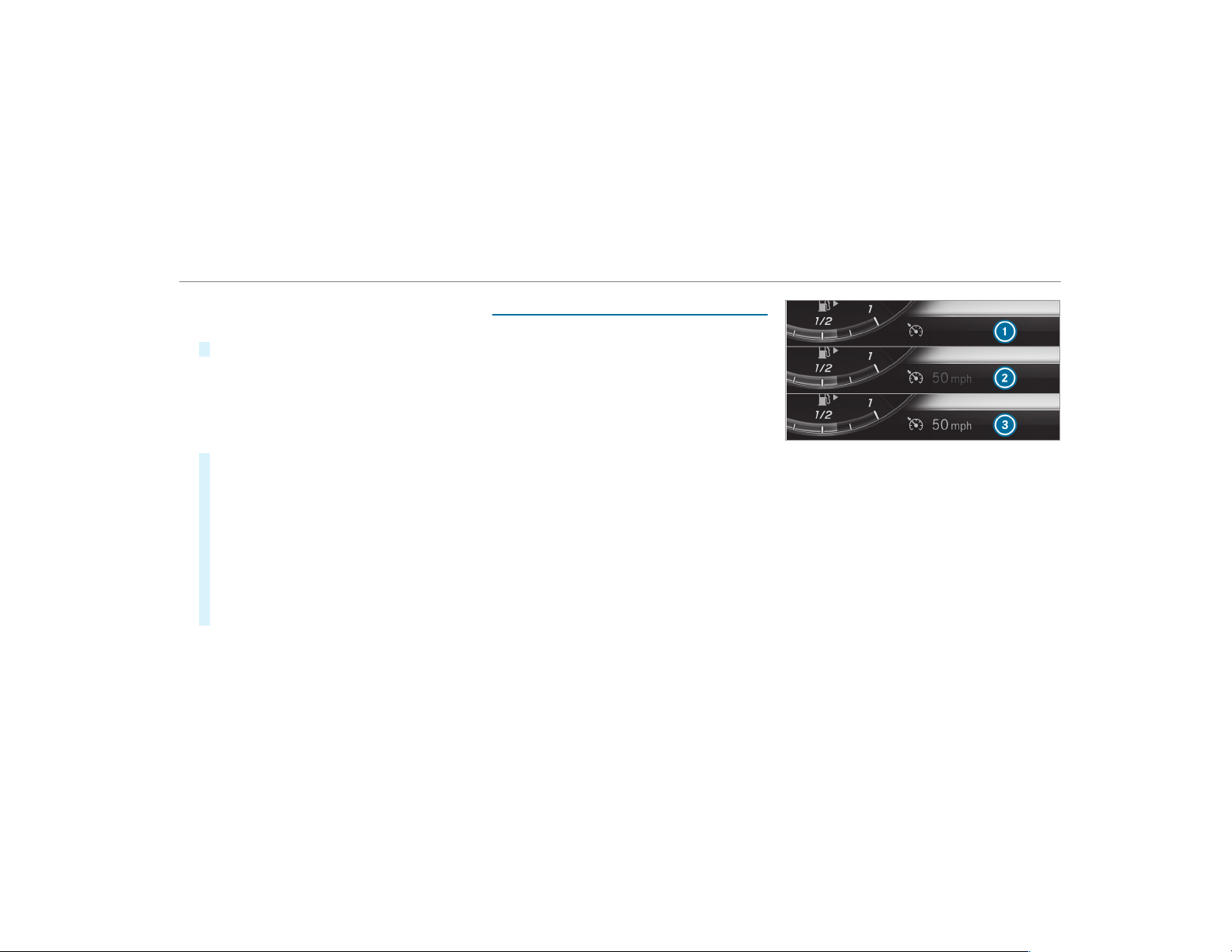
R
Medium
R
Late
#
Select a setting.
%
Your selection is retained when the vehicle is
next started.
Deactivating Active Brake Assist
%
It is recommended that you always leave
Active Brake Assist activated.
#
Select Off.
The distance warning function and the auton‐
omous braking function are deactivated.
Vehicles without Driving Assistance Pack‐
age: When the vehicle is next started, the
medium setting is automatically selected.
Vehicles with Driving Assistance Pack‐
age: Evasive Steering Assist is not available.
When the ignition is next started, the middle
setting is selected automatically and Evasive
Steering Assist is available.
%
If Active Brake Assist is deactivated, the
æ symbol appears in the status bar of the
multifunction display.
Speed control cruise control
Function of cruise control
Cruise control regulates the speed to the value
selected by the driver.
If you accelerate to overtake, for example, the
stored speed is not deleted. If you remove your
foot from the accelerator pedal after overtaking,
cruise control will resume speed regulation back
to the stored speed.
Cruise control is operated using the correspond‐
ing steering wheel buttons. You can store any
road speed above 15 mph (20 km/h) up to the
maximum speed.
If you fail to adapt your driving style, cruise con‐
trol can neither reduce the risk of an accident
nor override the laws of physics. It cannot take
into account road, weather or traffic conditions.
Cruise control is only an aid. You are responsible
for maintaining a safe distance to the vehicle in
front, for vehicle speed, for braking in good time
and for staying in lane.
Displays on the multifunction display
The status of cruise control and the stored
speed are shown in the multifunction display.
1
Cruise control is selected
2
Speed is saved, cruise control is deactivated
3
Speed is saved, cruise control is activated
%
The segments between the stored speed and
the end of the segment display light up in
the speedometer.
System limitations
Cruise control may be unable to maintain the
stored speed on uphill gradients. The stored
speed is resumed when the gradient evens out.
Change into a lower gear in good time on long
and steep downhill gradients. Take particular
note of this when driving a laden vehicle. By
Driving and parking
175
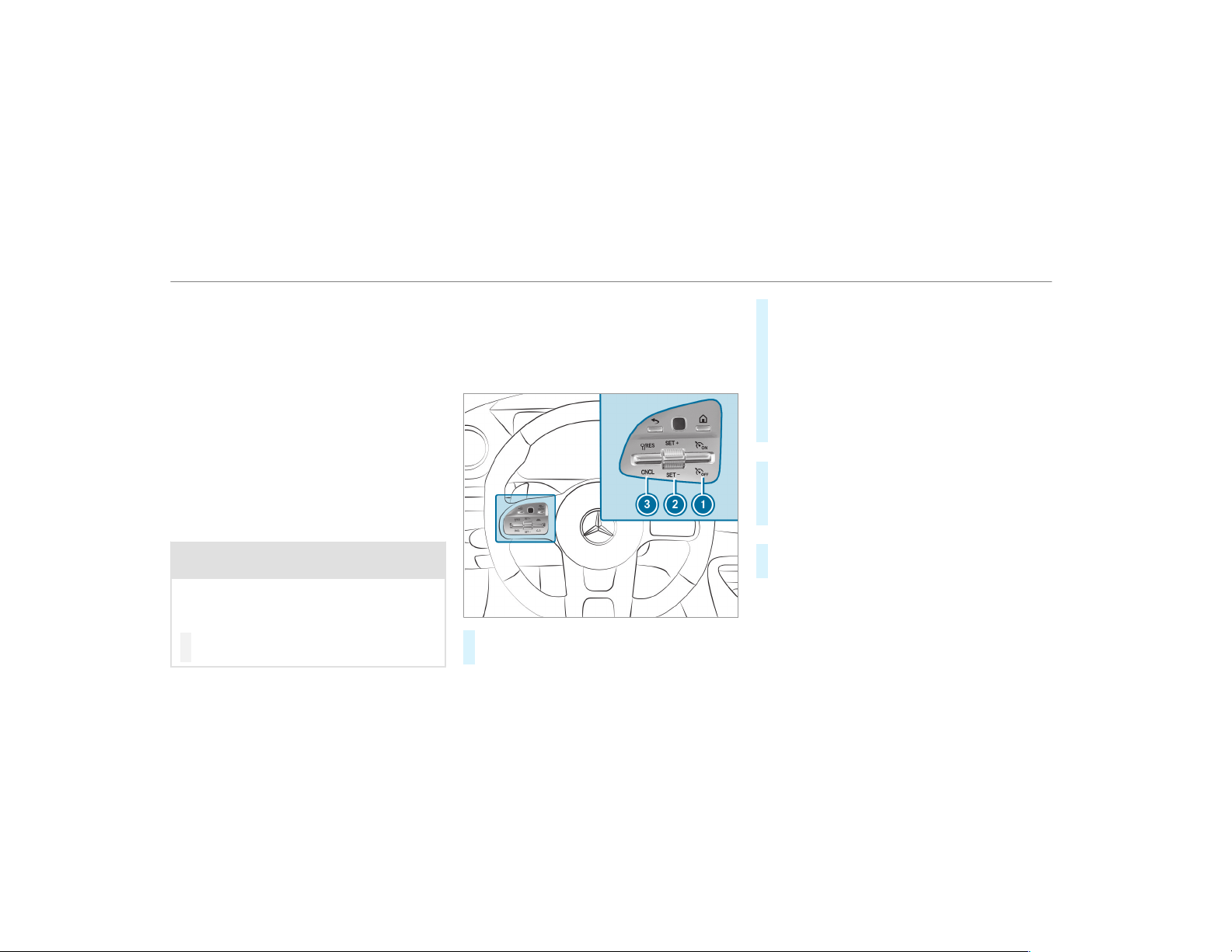
doing so, you will make use of the braking effect
of the engine. This relieves the load on the brake
system and prevents the brakes from overheat‐
ing and wearing too quickly.
Do not use cruise control in the following situa‐
tions:
R
In traffic situations which require frequent
changes of speed, e.g. in heavy traffic, on
winding roads.
R
On slippery roads. Accelerating can cause
the drive wheels to lose traction and the
vehicle could then skid.
R
If you are driving when visibility is poor.
Operating cruise control
&
WARNING Risk of accident due to stored
speed
If you call up the stored speed and this is
lower than your current speed, the vehicle
decelerates.
#
Take into account the traffic situation
before calling up the stored speed.
Requirements:
R
ESP
®
must be activated, but not intervening.
R
The driving speed is at least 15 mph
(20 km/h).
R
The transmission is in position h.
#
To activate cruise control: press rocker
switch 1 up.
#
To activate cruise control: press rocker
switch 2 up (SET+) or down (SET-).
#
Remove your foot from the accelerator pedal.
The current speed is stored and maintained
by the vehicle.
#
To increase/reduce speed: press rocker
switch 2 up/down to the pressure point.
The stored speed is increased or reduced by
1 mph (1 km/h).
or
#
Press rocker switch 2 beyond the pressure
point.
The stored speed is increased or reduced by
5 mph (10 km/h).
or
#
Accelerate the vehicle to the desired speed.
#
Press rocker switch 2 up.
If cruise control is activated and Traf fic Sign
Assist has detected a speed restriction sign with
a maximum permissible speed and this is dis‐
played in the instrument cluster:
176
Driving and parking
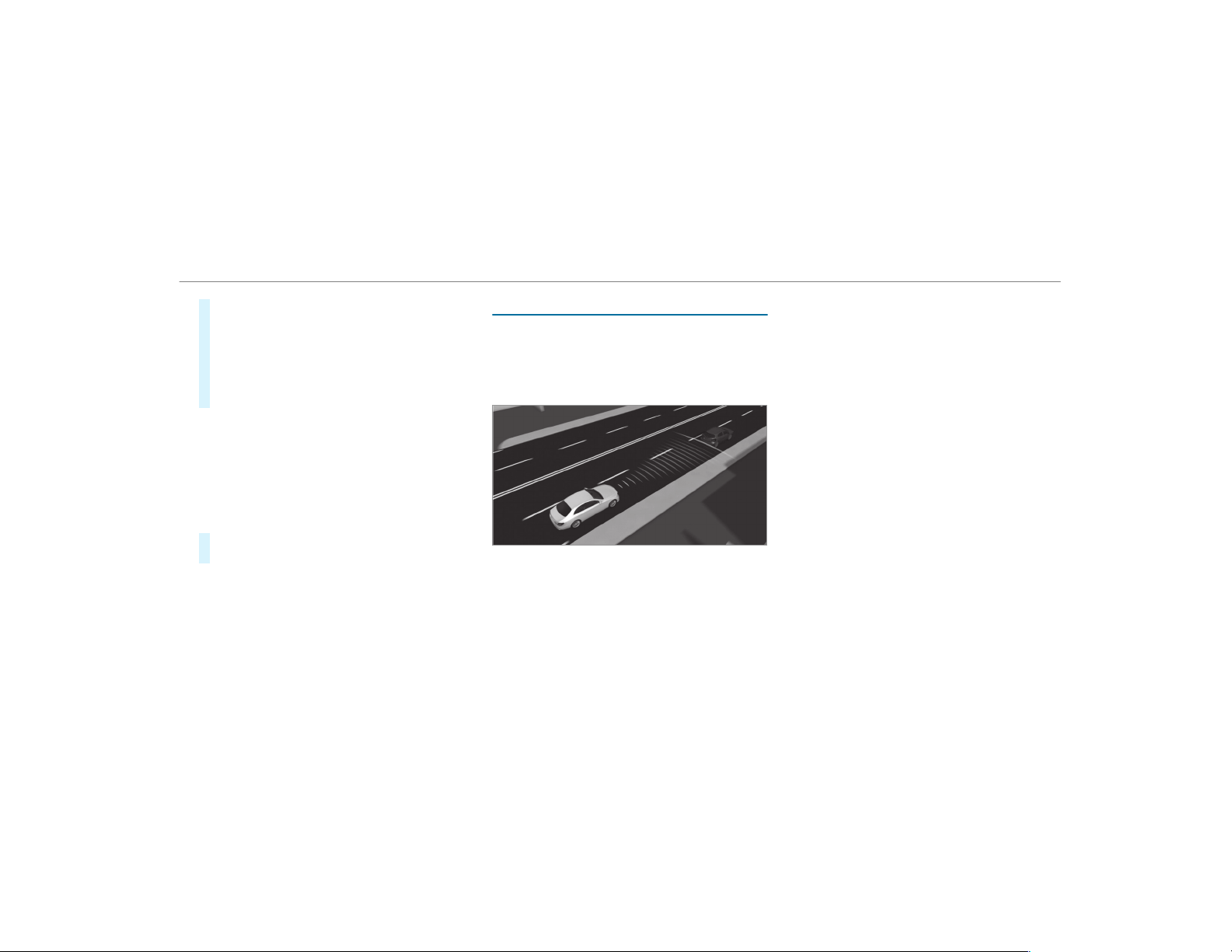
#
To adopt the detected speed: press rocker
switch 3 up.
The maximum permissible speed shown by
the traffic sign is stored and the vehicle
maintains this speed.
#
To deactivate cruise control:
press rocker switch 3 (CNCL) down.
When cruise control is deactivated:
R
Rocker switch 2 (SET+) or (SET-) saves the
currently driven speed and the vehicle main‐
tains this speed.
R
Rocker switch 3 (RES) calls up the speed
last stored and the vehicle maintains this
speed.
#
To deactivate cruise control: press rocker
switch 1 down.
%
If you brake, deactivate ESP
®
or if ESP
®
intervenes, cruise control is deactivated.
When you switch off the vehicle, the last
speed stored is cleared.
Active Distance Assist DISTRONIC
Function of Active Distance Assist
DISTRONIC
Active Distance Assist DISTRONIC is only availa‐
ble for vehicles with the Driving Assistance Pack‐
age.
Active Distance Assist DISTRONIC maintains the
set speed on free-flowing roads. If vehicles
ahead are detected, the set distance is main‐
tained, if necessary, until the vehicle comes to a
halt. The vehicle accelerates or brakes depend‐
ing on the distance to the vehicle in front and
the set speed. The speed (in the range between
15 mph (20 km/h) and 130 mph (210 km/h))
and the distance to the vehicle ahead are set
and saved on the steering wheel.
Other features of Active Distance Assist
DISTRONIC:
R
Adjusts the driving style depending on the
selected drive program (fuel-saving, comfort‐
able or dynamic) .
R
Adjusts the driving style depending on the
selected drive program (fuel-saving, comfort‐
able or dynamic) (→ page 147).
R
Reacts to stationary vehicles detected in
urban speed ranges (except bicycles and
motorcycles).
R
Initiates acceleration to the stored speed if
the turn signal indicator is switched on to
change to the overtaking lane.
R
Takes one-sided overtaking restrictions into
account on highways or on multi-lane roads
with separate roadways.
If the vehicle has been braked to a standstill on
multi-lane, separate roadways by Active Distance
Assist DISTRONIC, it can automatically follow
the vehicle in front driving off again within
Driving and parking
177

30 seconds. If a critical situation is detected
when driving off, a visual and acoustic warning is
given indicating that the driver must now take
control of the vehicle. The vehicle is not acceler‐
ated any further.
Active Distance Assist DISTRONIC is only an aid.
The driver is responsible for keeping a safe dis‐
tance to the vehicle in front, for vehicle speed
and for braking in good time.
System limitations
The system may be impaired or may not function
in the following instances:
R
In snow, rain, fog, heavy spray, if there is
glare, in direct sunlight or in greatly varying
ambient light.
R
The windshield in the area of the camera is
dirty, fogged up, damaged or covered.
R
If the radar sensors are dirty or covered.
R
On slippery roads, braking or accelerating
can cause one or several wheels to lose trac‐
tion and the vehicle could then skid.
R
In parking garages or on roads with steep
uphill or downhill gradients.
R
Narrow vehicles, such as bicycles and motor‐
cycles, are not detected.
Do not use Active Distance Assist DISTRONIC in
these situations.
&
WARNING Risk of accident from acceler‐
ation or braking by Active Distance
Assist DISTRONIC
Active Distance Assist DISTRONIC may accel‐
erate or brake in the following cases, for
example:
R
If the vehicle pulls away using Active Dis‐
tance Assist DISTRONIC.
R
If the stored speed is called up and is
considerably faster or slower than the
currently driven speed.
R
If Active Distance Assist DISTRONIC no
longer detects a vehicle in front or does
not react to relevant objects.
#
Always carefully observe the traffic con‐
ditions and be ready to brake at all
times.
#
Take into account the traffic situation
before calling up the stored speed.
&
WARNING Risk of accident due to insuf‐
ficient deceleration by Active Distance
Assist DISTRONIC
Active Distance Assist DISTRONIC brakes
your vehicle with up to 50% of the maximum
possible deceleration. If this deceleration is
not sufficient, Active Distance Assist
DISTRONIC alerts you with a visual and
acoustic warning.
#
In these cases, adjust your speed and
keep a sufficient distance.
#
Brake the vehicle yourself and/or take
evasive action.
178
Driving and parking
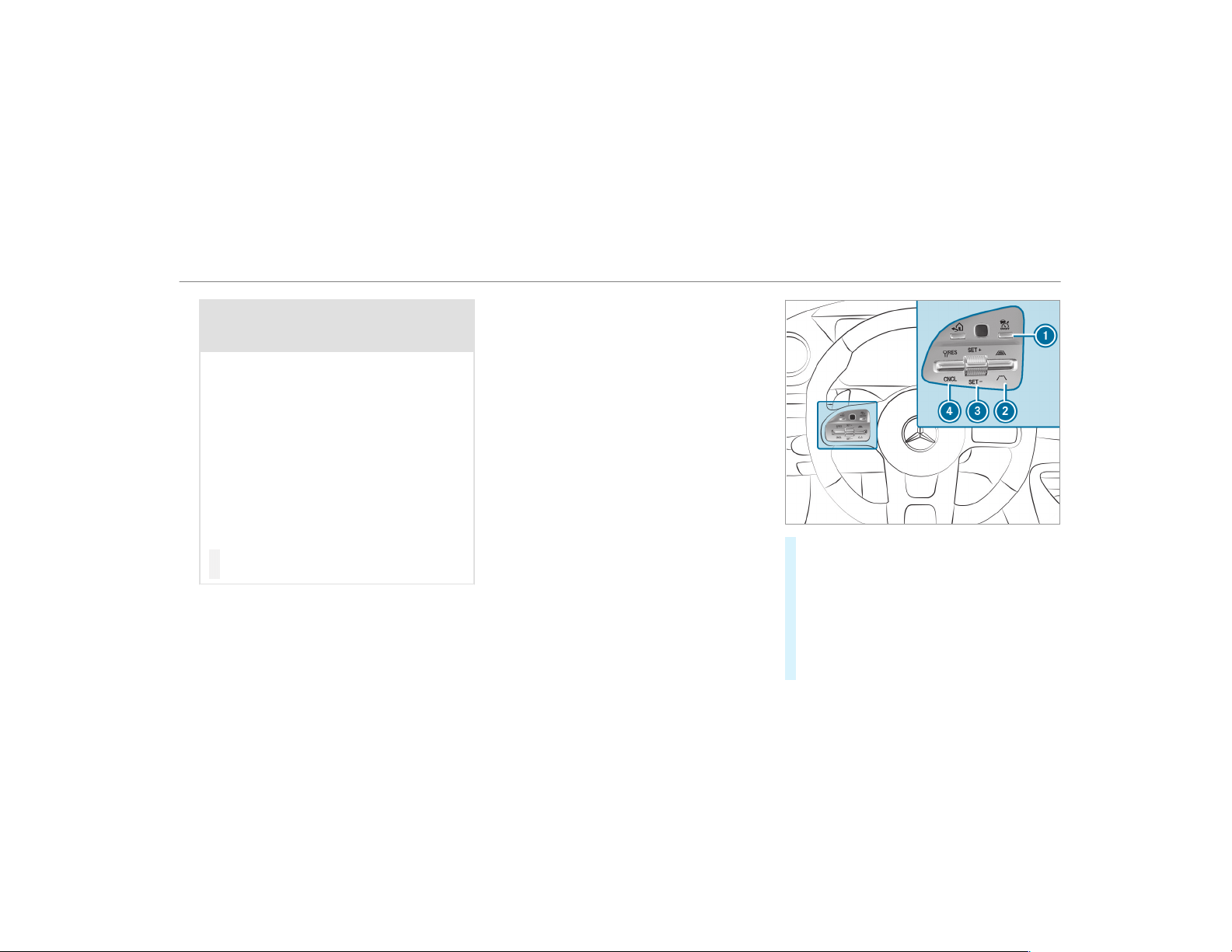
&
WARNING Risk of accident if detection
function of Active Distance Assist
DISTRONIC is impaired
Active Distance Assist DISTRONIC does not
react or has a limited reaction:
R
when driving on a different lane or when
changing lanes
R
to pedestrians, animals, bicycles or sta‐
tionary vehicles, or unexpected obstacles
R
to complex traffic conditions
R
to oncoming vehicles and crossing traffic
As a result, Active Distance Assist
DISTRONIC may neither give warnings nor
intervene in such situations.
#
Always observe the traffic conditions
carefully and react accordingly.
Operating Active Distance Assist DISTRONIC
Requirements:
R
The vehicle has been started.
R
The electric parking brake is released.
R
ESP
®
is activated and is not intervening.
R
The transmission is in position h.
R
All the doors are closed.
R
Check of the radar sensor system has been
successfully completed (vehicle traveling
faster than 12 mph (20 km/h)).
R
Parking Assist PARKTRONIC is not being
used to park the vehicle or to exit from a
parking space.
R
The vehicle does not skid.
#
To activate/deactivate Active Distance
Assist DISTRONIC: press button 1.
#
To activate Active Distance Assist
DISTRONIC: press rocker switch 3 up (SET
+) or down (SET-), or press rocker switch 4
up. Remove your foot from the accelerator
pedal.
The current speed is stored and maintained
by the vehicle.
Driving and parking
179
or
#
To activate Active Distance Assist
DISTRONIC with a stored speed: press
rocker switch 4 up. Remove your foot from
the accelerator pedal.
%
If rocker switch 4 is pressed up twice while
driving, Active Distance Assist DISTRONIC is
activated with the speed restriction dis‐
played in the instrument cluster.
#
To accept the displayed speed restriction
when Active Distance Assist DISTRONIC
is active: press rocker switch 4 (RES) up.
The speed limit displayed in the instrument
cluster is adopted as the stored speed. The
vehicle adapts its speed to that of the vehicle
in front, but only up to the stored speed.
#
To pull away with Distance Assist
DISTRONIC activated: remove your foot
from the brake pedal.
#
Press rocker switch 4 (RES) up.
or
#
Depress the accelerator pedal briefly and
firmly.
The functions of Active Distance Assist
DISTRONIC continue to be car ried out.
&
WARNING Risk of accident due to Active
Distance Assist DISTRONIC still being
activated when you leave the driver's
seat
If you leave the driver's seat while the vehicle
is being braked by Active Distance Assist
DISTRONIC only, the vehicle can roll away.
#
Always deactivate Active Distance
Assist DISTRONIC and secure the vehi‐
cle to prevent it from rolling away
before you leave the driver's seat.
#
To deactivate Active Distance Assist
DISTRONIC: press rocker switch 4 (CNCL)
down.
#
To increase/reduce speed: press rocker
switch 3 up/down to the pressure point.
The stored speed is increased or reduced by
1 mph (1 km/h).
or
#
Press and hold rocker switch 3 up/down to
the pressure point.
The stored speed is increased or reduced in
increments of 1 mph (1 km/h).
or
#
Press rocker switch 3 beyond the pressure
point.
The stored speed is increased or reduced by
5 mph (10 km/h).
or
#
Press rocker switch 3 beyond the pressure
point and hold.
The stored speed is increased or reduced in
increments of 5 mph (10 km/h).
#
To increase or reduce the specified dis‐
tance from the vehicle in front: press
rocker switch 2 up or down.
Function of Active Speed Limit Assist
%
The availability of the following function is
country-dependent.
180
Driving and parking
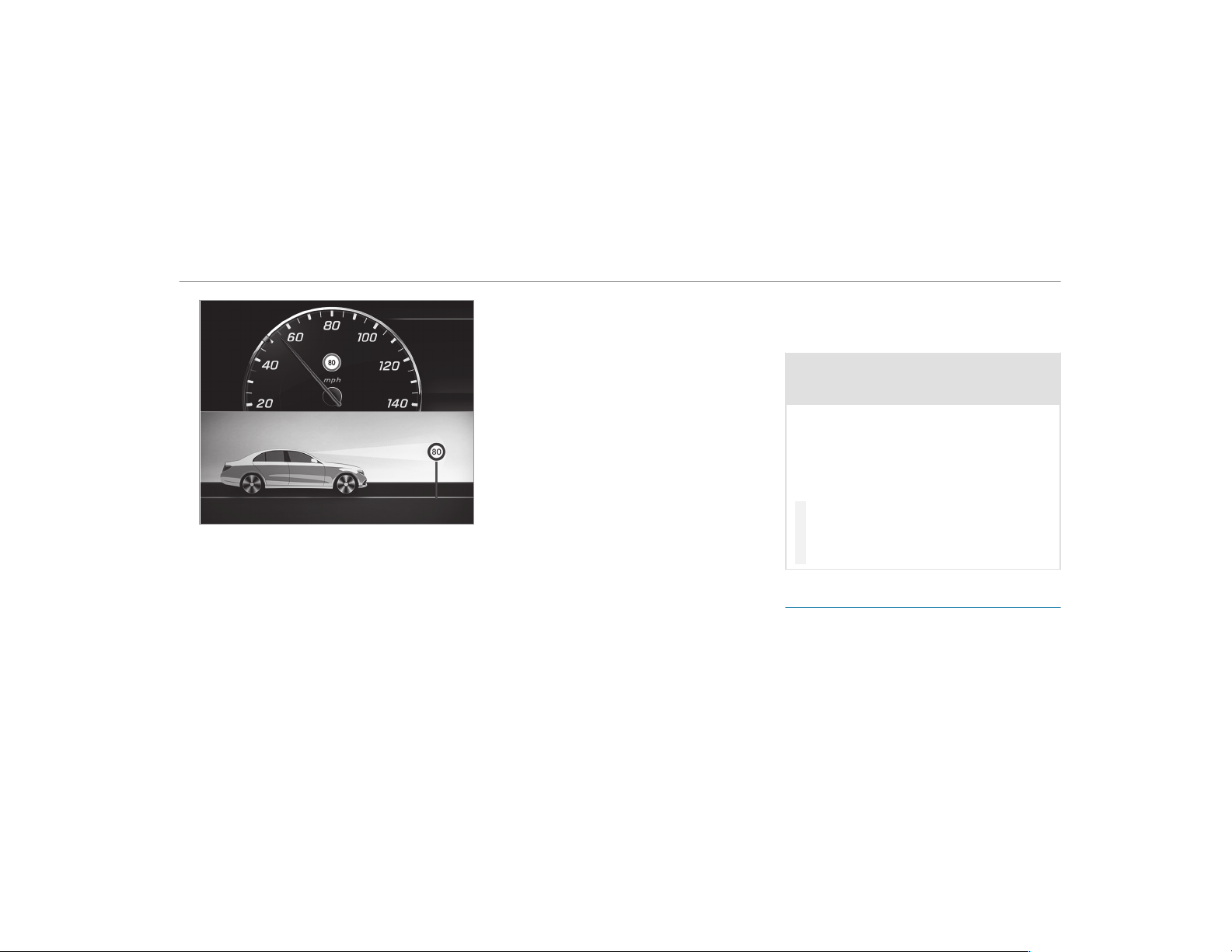
If a change in the speed limit is detected and
Active Distance Assist DISTRONIC is activated,
Active Distance Assist DISTRONIC adapts this
new speed as the stored speed.
The driven speed is adjusted when the vehicle is
level with the traffic sign at the latest. In the
case of signs indicating entry into an urban area,
the speed is adapted beforehand. The speed
limit display in the Instrument Display is always
updated when the vehicle is level with the traffic
sign.
If there is no speed restriction on an unlimited
stretch of road (e.g. on a freeway), the recom‐
mended speed is adopted as the stored speed.
The system uses the speed stored on an unlimi‐
ted stretch of road as the recommended speed.
If you do not alter the stored speed on an unlimi‐
ted stretch of road, the recommended speed is
80 mph (130 km/h).
If Active Distance Assist DISTRONIC has been
put into passive mode by pressing the accelera‐
tor pedal, only speed limits which are higher
than the set speed are adopted.
Active Speed Limit Assist is only an aid. The
driver is responsible for keeping a safe distance
to the vehicle in front, for vehicle speed and for
braking in good time. The maximum permissible
speed also depends on factors such as the road
surface and traffic conditions.
System limitations
Temporary speed restrictions (e.g. for a certain
time or due to weather conditions) cannot be
properly detected by the system. The maximum
permissible speed applying for a vehicle with a
trailer is not detected by the system. In these sit‐
uations you must adjust your speed yourself.
&
WARNING Risk of accident due to Active
Speed Limit Assist adapting the vehicle's
speed
The speed adopted by Active Speed Limit
Assist may be too high or incorrect in some
individual cases, such as:
R
In the wet or in fog
R
When towing a trailer
#
Ensure that the driven speed complies
with traffic regulations.
#
Adjust the driving speed to suit current
traffic and weather conditions.
Function of route-based speed adaptation
%
The availability of the following function is
country-dependent.
When Distance Assist DISTRONIC is active, the
function adjusts the speed depending on the
Driving and parking
181
route events ahead. Depending on the drive pro‐
gram selected, the vehicle negotiates the route
event ahead in a fuel-saving, comfortable or
dynamic manner. When the route event has been
passed, the vehicle accelerates again to the
stored speed. The set distance to the vehicle in
front, vehicles detected ahead and speed restric‐
tions ahead are taken into account.
Route-based speed adjustment can by config‐
ured in the multimedia system (
→ page 183).
Route events ahead are:
R
Bends
R
T-intersections, traffic circles and toll sta‐
tions
R
Turns and exits
%
When the toll station is reached, Active Dis‐
tance Assist DISTRONIC adopts the speed as
the stored speed.
Also, the speed is reduced if the turn signal to
change lanes is switched on and one of the fol‐
lowing situations is detected:
R
Turning off at intersections
R
Driving on slowing-down lanes
R
Driving on lanes adjacent to slowing-down
lanes
The driver is responsible for choosing the right
speed and observing other road users. This
applies in particular to intersections, traffic cir‐
cles and sets of traffic lights, as route-based
speed adaptation does not brake the vehicle to a
standstill.
When route guidance is active, the first speed
adjustment is carried out automatically. If the
turn signal indicator is switched on, the selected
route is confirmed and further speed adjustment
is activated.
Speed adjustment is canceled in the following
cases:
R
If the turn signal indicator is switched off
before the route event.
R
If the driver depresses the accelerator or
brake pedal during the process.
System limitations
Route-based speed adaptation does not take
right of way regulations into account. The driver
is responsible for complying with road traffic
regulations and driving at a suitable speed.
In difficult conditions (e.g. unclear roads, narrow
lanes, wet road surfaces, snow or ice) or when
driving with a trailer, the speed adjustment made
by the system may not always be suitable. In
these situations the driver must intervene
accordingly.
&
WARNING Risk of accident in spite of
route-based speed adjustment
Route-based speed adjustment might mal‐
function or be temporarily unavailable in the
following situations:
R
If map data is not up to date or available
R
If you do not follow the selected route
guidance
R
If the set route is re-planned
R
In road construction areas
R
When towing a trailer
R
In bad weather or road conditions
R
If the accelerator pedal is depressed
182
Driving and parking
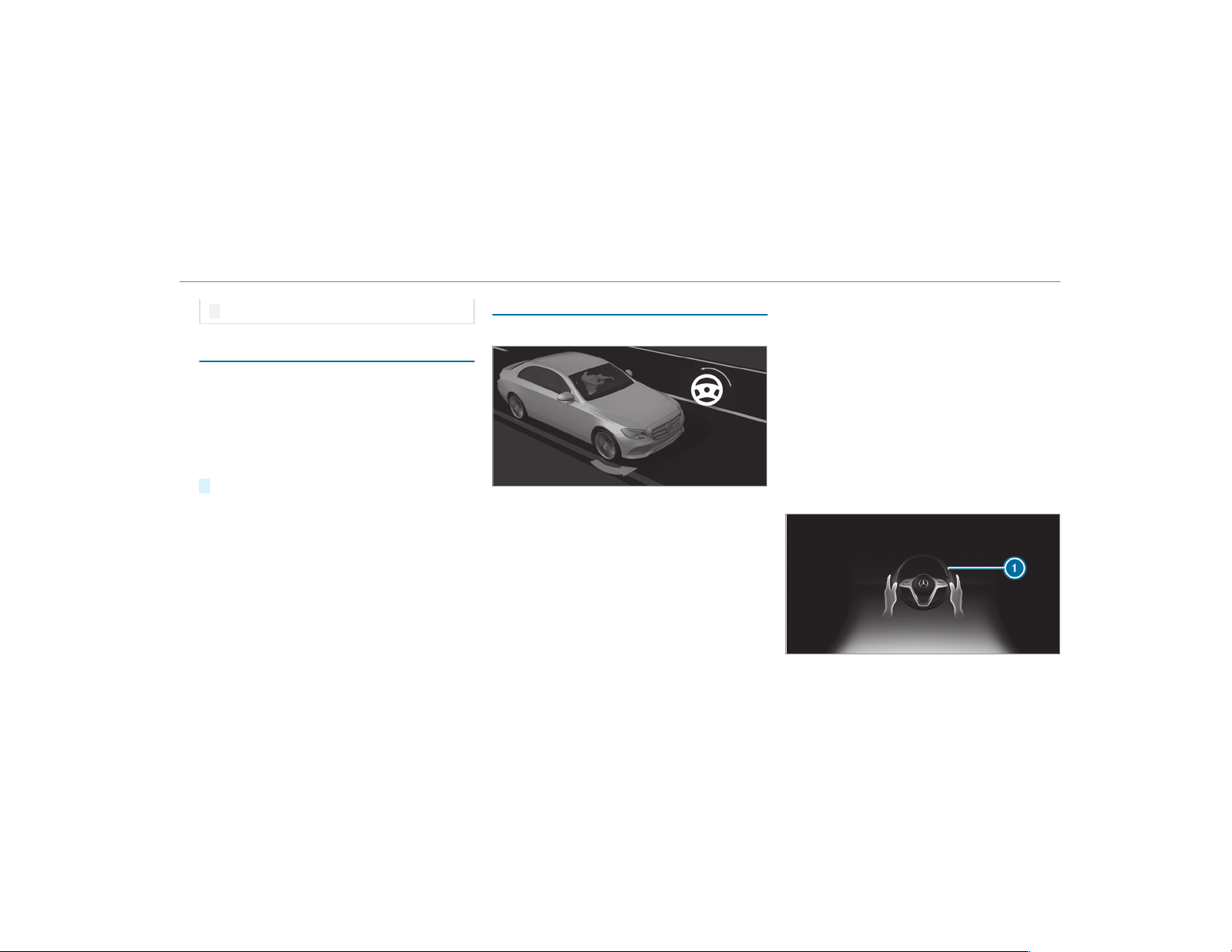
#
Adjust the speed to the traffic situation.
Setting route-based speed adjustment
Requirements:
R
Active Distance Assist DISTRONIC is activa‐
ted.
Multimedia system:
,
Vehicle
.
k Assistance
.
Speed
Adjustment
#
Activate O or deactivate ª the function.
Active Steering Assist
Function of Active Steering Assist
Active Steering Assist assists the driver at
speeds up to 130 mph (210 km/h) and helps the
driver to stay in the center of the lane by means
of moderate steering interventions. The system
orients itself using detected lane markings.
Depending on the speed driven, Active Steering
Assist uses the vehicles ahead as a reference. If
the detection of lane markings and vehicles
ahead is impaired, Active Steering Assist
switches to passive mode. The system does not
provide support in the form of steering interven‐
tions.
R
The driver is required to keep their hands on
the steering wheel at all times and be able to
intervene at any time to correct the course of
the vehicle and keep it in lane.
R
The status of Active Steering Assist is dis‐
played in the status bar of the multifunction
display.
Steering and touch detection
The driver is required to keep their hands on the
steering wheel at all times and to be able to
intervene at any time. The driver must expect a
change from active to passive mode or vice
versa at any time.
Driving and parking
183
If the system reaches a system limitation or the
driver has not steered the vehicle for a consider‐
able period of time or has removed their hands
from the steering wheel, the system will,
depending on the situation, fir st alert the driver
with a visual warning. Display
1 appears in the
multifunction display. If the driver still does not
steer the vehicle, or has still not taken hold of
the steering wheel, a repeated warning tone
sounds in addition to the visual warning mes‐
sage to remind the driver to take control of the
vehicle.
The warning message does not appear or disap‐
pears if one of the following conditions are met:
R
The driver steers the vehicle.
R
The driver presses a steering wheel button or
operates Touch Control.
Active Steering Assist is only an aid. The dr iver is
responsible for the distance to the vehicle in
front, for vehicle speed, for braking in good time
and for staying in lane. Before changing lanes,
the driver must make sure that the neighboring
lane is free (glance over the shoulder).
System limitations
Active Steering Assist has a limited steering tor‐
que for lateral guidance. In some cases, the
steering intervention is not sufficient to keep the
vehicle in the lane or to drive past exits. Active
Steering Assist cannot provide the driver with
steering assistance at traffic circles, T-intersec‐
tions, intersections, toll stations or tur ns, for
example.
The system may be impaired or may not function
in the following instances:
R
In snow, rain, fog, heavy spray, if there is
glare, direct sunlight, greatly varying ambient
light, reflections or strong shadows on the
road.
R
Insufficient road illumination.
R
The windshield in the area of the camera is
dirty, fogged up, damaged or covered.
R
Absence of lane markings, or several unclear
lane markings, or if the markings change rap‐
idly.
R
The distance to the vehicle in front is too
small and the lane markings thus cannot be
detected.
R
The roadway is narrow and winding.
R
Obstacles on the lane or projecting out into
the lane.
The system does not provide assistance in the
following conditions:
R
On tight bends, traffic circles and when turn‐
ing.
R
When actively changing lane without switch‐
ing on the turn signal.
&
WARNING Risk of accident if Active
Steering Assist unexpectedly stops func‐
tioning
If the system limitations of Active Steering
Assist are reached there is no guarantee that
the system will remain active or will keep the
vehicle in lane.
#
Always keep your hands on the steering
wheel and observe the traffic carefully.
#
Always steer the vehicle paying atten‐
tion to traffic conditions.
184
Driving and parking
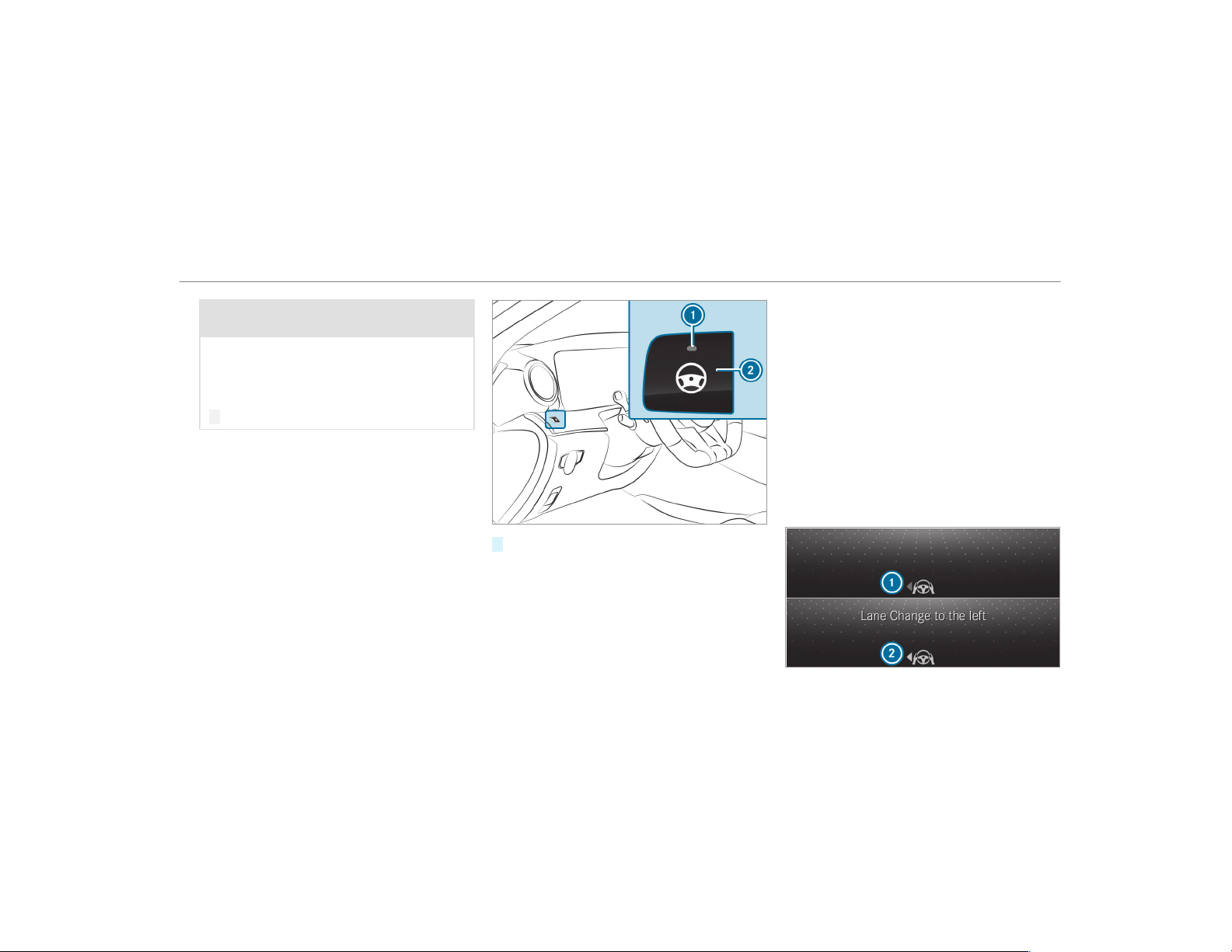
&
WARNING Risk of accident if Active
Steering Assist unexpectedly intervenes
A malfunction in the detection of lane mark‐
ings and objects can occur.
This could cause unexpected steering inter‐
vention.
#
Steer according to traffic conditions.
Activating Active Steering Assist
Requirements
R
ESP
®
must be activated, but not intervening.
R
Active Distance Assist DISTRONIC is activa‐
ted.
#
If indicator lamp 1 is off: press button 2.
Function of Active Lane Change Assist
%
The following function is country-dependent
and only available in conjunction with the
Driving Assistance Package.
Active Lane Change Assist supports the driver
when changing lanes by applying steering torque
if the driver operates a turn signal.
Assistance when changing lanes is provided if all
the following conditions are met:
R
You are driving on a freeway or road with
multiple lanes in the direction of travel.
R
The neighboring lane is separated by a bro‐
ken lane marking.
R
No vehicle is detected in the adjacent lane.
R
The driven speed is between 50 mph
(80 km/h) and 110 mph (180 km/h).
R
Active Lane Change Assist is switched on in
the multimedia system.
R
Active Steering Assist is switched on and
active.
Driving and parking
185
If no vehicle is detected in the adjacent lane and
a lane change is permitted, the steering wheel
symbol and the arrow are shown in green 2 .
The Lane Change to the Left message appears,
for example. If Active Lane Change Assist has
been activated with the turn signal indicator but
a lane change is not immediately possible, the
steering wheel symbol remains green and the
arrow appears gray
1. When the lane change
suppor t starts, the turn signal indicator is auto‐
matically activated.
If the assistance graphic is active when you
change lanes, an arrow also appears pointing
towards the adjacent lane in the assistance
graphic (
→ page 187).
If a lane change is not possible, the arrow fades
out after a few seconds and a new lane change
must be initiated. An immediate lane change is
only possible on freeway sections without speed
limits.
If the system is impaired, Active Lane Change
Assist may be canceled. If it is canceled, the
Lane Change Canceled message appears in the
multifunction display and a warning tone sounds.
&
WARNING Risk of accident from chang‐
ing lane to an occupied adjacent lane
Lane Change Assist cannot always detect
clearly if the adjacent lane is free.
The lane change might be initiated although
the adjacent lane is not free.
#
Before changing lanes, make sure that
the neighboring lane is free and there is
no danger to other road users.
#
Monitor the lane change.
&
WARNING Risk of accident if Lane
Change Assist unexpectedly stops func‐
tioning
If the system limitations for Lane Change
Assist have been reached, there is no guar‐
antee that the system will remain active.
Lane Change Assist cannot then assist you
by applying steering torques.
#
Always monitor the lane change and
keep your hands on the steering wheel.
Observe the traffic conditions and steer
and/or brake if necessary.
System limitations
The system limitations of Active Steering Assist
apply to Active Lane Change Assist
(→ page 183).
The system may also be impaired or may not
function in the following situations:
R
The sensors in the rear bumper are dirty,
damaged or covered, for instance by a
sticker or ice and snow.
R
The exterior lighting shows a malfunction.
Activating/deactivating Active Lane Change
Assist
Multimedia system:
,
Vehicle
.
k Assistance
#
Select Lane Change Assist.
#
Activate O or deactivate ª the function.
Function of Active Emergency Stop Assist
If the driver continues to ignore the warning to
put their hands on the steering wheel, Active
186
Driving and parking
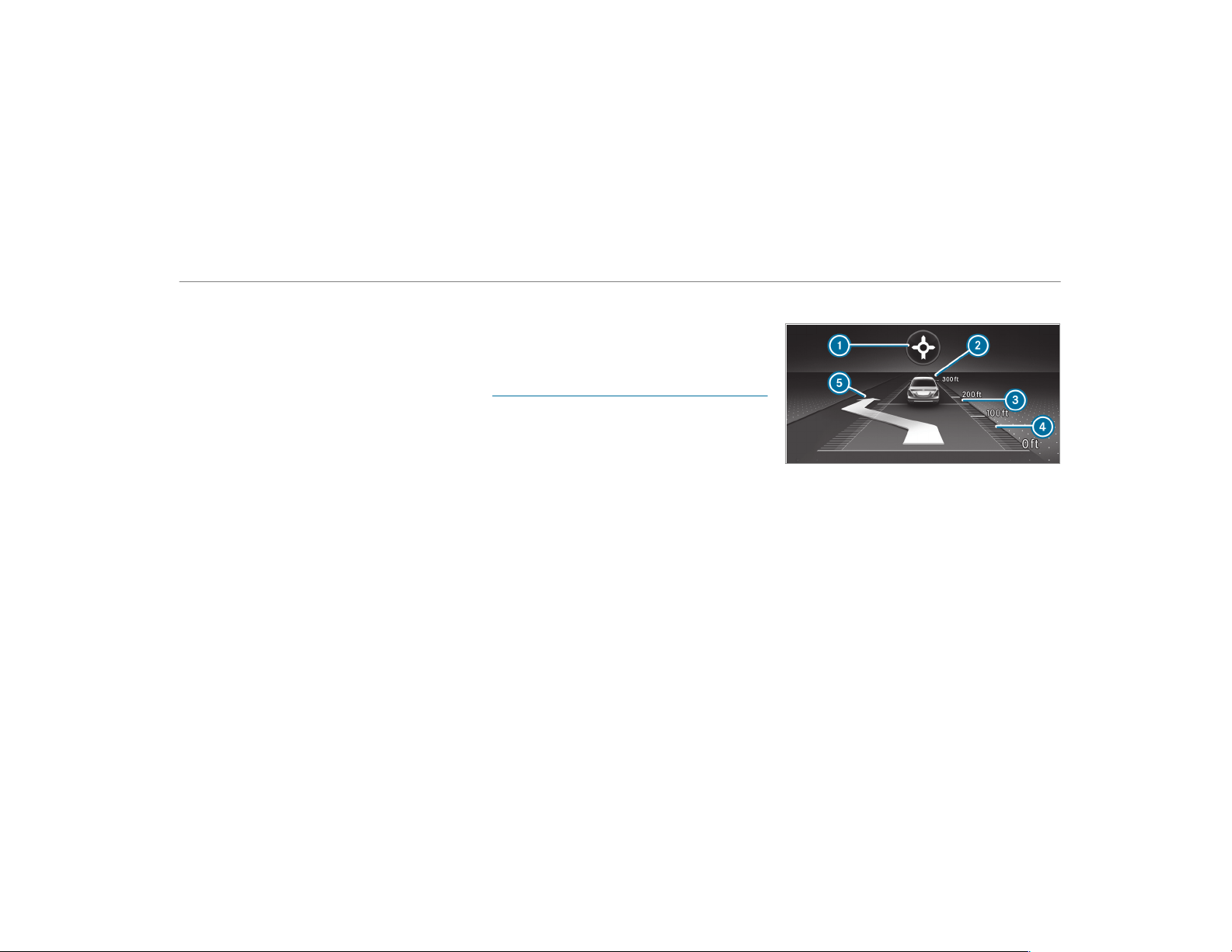
Distance Assist DISTRONIC reduces the speed.
If the driver still does not respond, the Begin-
ning Emergency Stop message is shown in the
multifunction display. The vehicle is decelerated
in stages to a standstill. At speeds below
40 mph (60 km/h) the hazard warning lights
switch on automatically.
When the vehicle is stationary, the following
actions are carried out:
R
The vehicle is secured with the electric park‐
ing brake
R
Active Distance Assist DISTRONIC is ended
R
The vehicle is unlocked
R
If possible, an emergency call is placed to
the Mercedes-Benz emergency call center
The driver can cancel the deceleration at any
time by performing one of the following actions:
R
Steering
R
Depressing the brake or accelerator pedal
R
Pressing a steering wheel button or operat‐
ing Touch Control
R
Activating or deactivating Active Distance
Assist DISTRONIC
Overview of Active Distance Assist
DISTRONIC displays in the instrument clus‐
ter
The assistance graphic and the status display
show the status of the following functions in the
instrument cluster:
R
Active Distance Assist DISTRONIC
R
Route-based speed adaptation
R
Active Steering Assist
Assistant display
1
Route-based speed adaptation (type of route
event)
2
Vehicle ahead
3
Distance indicator
4
Set specified distance
5
Active Lane Change Assist lane change dis‐
play
Driving and parking
187
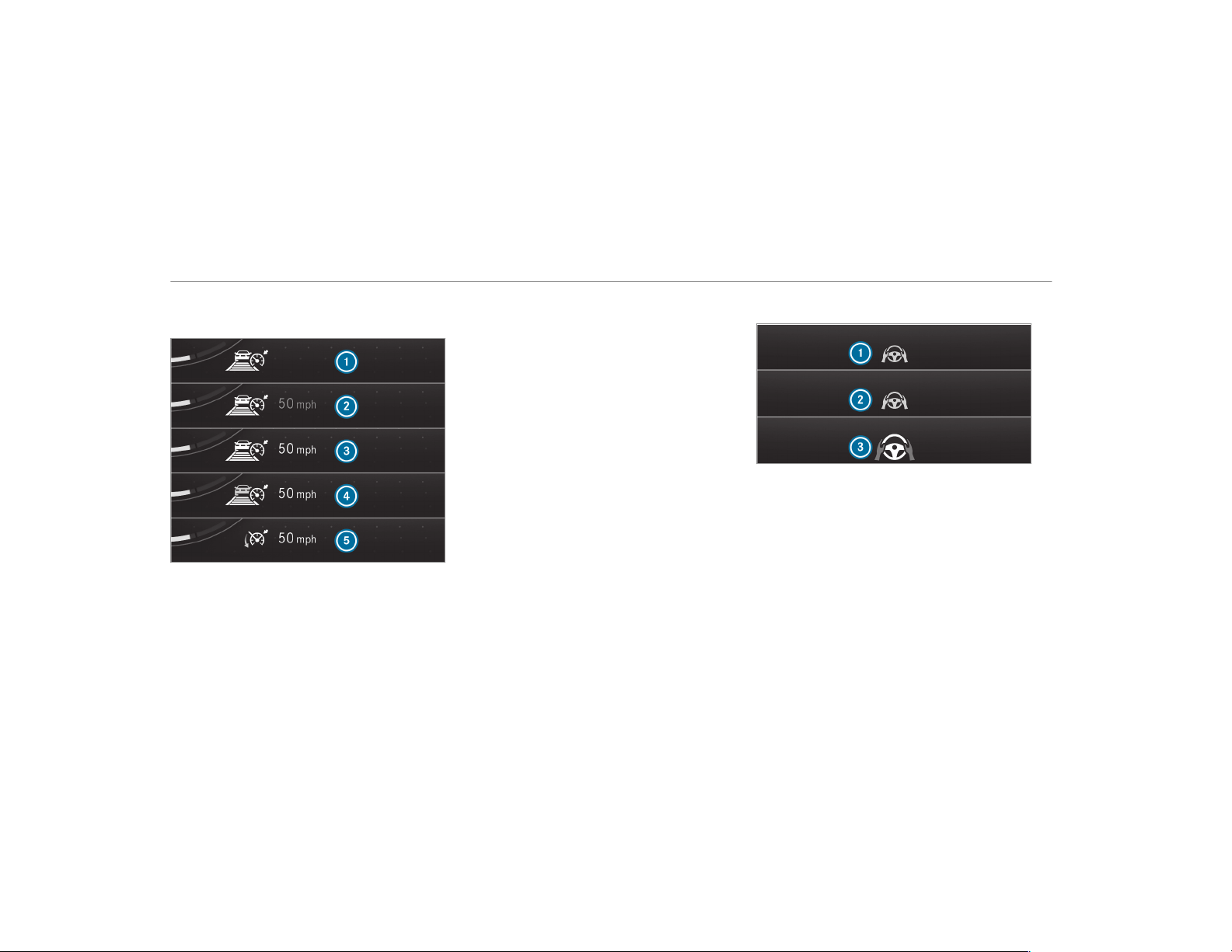
Active Distance Assist DISTRONIC status dis‐
play and route-based speed adaptation
1
Active Distance Assist DISTRONIC selected,
set specified distance
2
Active Distance Assist DISTRONIC deactiva‐
ted, speed stored
3
Active Distance Assist DISTRONIC active,
speed stored, no vehicle detected (bright
vehicle symbol)
4
Active Distance Assist DISTRONIC active,
speed stored, vehicle detected (green vehi‐
cle symbol)
5
Active Distance Assist DISTRONIC and route-
based speed adaptation active, speed stored
%
On highways or high-speed major roads, the
green ç vehicle symbol is displayed cycli‐
cally when the vehicle is ready to pull away.
Speedometer
The stored speed is highlighted on the speedom‐
eter. If the speed of the vehicle ahead or the
speed adjustment is less than the stored speed
due to the route event ahead, the segments in
the speedometer light up. Activation or deactiva‐
tion of Active Distance Assist DISTRONIC, as
well as alterations in the stored speed and the
distance to be maintained, are displayed in the
individual control feedback of the multifunction
display.
Active Steering Assist status display
1
Gray steering wheel: Active Steering Assist
switched on and passive
2
Green steering wheel: Active Steering Assist
switched on and active
3
White steering wheel with red hands: transi‐
tion from active to passive status (system
limitation detected or prompt to the driver to
actively confirm)
188
Driving and parking
Hill start assist
Hill Start Assist holds the vehicle for a short
time when pulling away on a hill under the fol‐
lowing conditions:
R
The transmission is in position h or k.
R
The electric parking brake is released.
This gives you enough time to move your foot
from the brake pedal to the accelerator pedal
and depress it before the vehicle begins to roll
away.
&
WARNING Risk of accident and injury
due to the vehicle rolling away
After a short time, Hill Start Assist no longer
holds the vehicle and it can roll away.
#
Therefore, swiftly move your foot from
the brake pedal to the accelerator
pedal. Never attempt to leave the vehi‐
cle if it is being held by Hill Start Assist.
HOLD function
HOLD function
The HOLD function holds the vehicle at a stand‐
still without requiring you to depress the brake
pedal, e.g. while waiting in traffic.
System limitations
The HOLD function is only intended to provide
assistance when driving and is not a sufficient
means of safeguarding the vehicle against rolling
away when stationary.
R
The incline must not be greater than 30%.
Activating/deactivating the HOLD function
&
WARNING Risk of an accident due to the
HOLD function being activated when you
leave the vehicle
If you leave the vehicle while only the HOLD
function is braking the vehicle, the vehicle
can roll away in the following situations:
R
If there is a malfunction in the system or
in the power supply.
R
If the HOLD function is deactivated by
depressing the accelerator pedal or brake
pedal, e.g. by a vehicle occupant.
#
Always deactivate the HOLD function
and secure the vehicle against rolling
away before leaving the vehicle.
*
NOTE Damage from automatic braking
If one of the following functions is switched
on, the vehicle brakes automatically in cer‐
tain situations:
R
Active Brake Assist
R
Active Distance Assist DISTRONIC
R
HOLD function
R
Active Parking Assist
To avoid damage to the vehicle, deactivate
these systems in the following or similar sit‐
uations:
#
During towing
#
In a car wash
Driving and parking
189
Requirements:
R
The vehicle is stationary.
R
The driver's door is closed or the seat belt on
the driver's side is fastened.
R
The engine is running or has been automati‐
cally switched off by the ECO start/stop
function.
R
The electric parking brake is released.
R
Active Distance Assist DISTRONIC is deacti‐
vated.
R
The transmission is in position h, k or i.
Activating the HOLD function
#
Depress the brake pedal and after a short
time quickly depress further until the ë
display appears in the multifunction display.
#
Release the brake pedal.
Deactivating the HOLD function
#
Depress the accelerator pedal to pull away.
or
#
Depress the brake pedal until the ë dis‐
play disappears from the multifunction dis‐
play.
The HOLD function is deactivated in the follow‐
ing situations:
R
Active Distance Assist DISTRONIC is activa‐
ted.
R
The transmission is switched to position j.
R
The vehicle is secured with the electric park‐
ing brake.
In the following situations, the vehicle is held by
the transmission position j or by the electric
parking brake:
R
The seat belt is unfastened and the driver's
door is opened.
R
The drive system is switched off.
R
There is a malfunction in the system or the
power supply is insufficient.
RACE START
Function of RACE START
%
RACE START is available only for the
Mercedes‑AMG GT 63 S 4MATIC+ model or
for vehicles with AMG DYNAMIC PLUS pack‐
age.
RACE START enables optimal vehicle accelera‐
tion from a standstill. For this, a suitably high-
grip road surface is required, the tires and vehi‐
cle must also be in good condition.
%
RACE START is only available after the vehi‐
cle has been broken in (→ page 138).
%
RACE START may not be used on normal
roads. RACE START must only be activated
and used on dedicated race circuits, not on
public roads.
Be sure to read the safety notes and infor‐
mation on ESP
®
(→ page 167).
&
WARNING Risk of skidding and having
an accident from wheels spinning
When you use RACE START, individual wheels
could spin and you could lose control of the
vehicle.
Depending on the ESP
®
mode selected, there
is an increased risk of skidding and having an
accident.
#
Make sure that no persons or obstacles
are in the close vicinity of your vehicle.
190
Driving and parking

Activating RACE START
You can activate RACE START under the follow‐
ing conditions:
R
the doors, the hood and the tailgate are
closed.
R
the engine is running and the transmission
and engine are at normal operating tempera‐
ture.
R
the steering wheel is in the straight-ahead
position.
R
the vehicle is on level ground.
R
the vehicle is stationary, the brake pedal is
depressed (left foot) and the parking brake is
released.
R
the transmission is in position h.
R
the DRIFT MODE is deactivated.
R
one of the drive programs C, B or
I is selected (→ page 147).
#
Rapidly depress the accelerator pedal fully.
The engine speed increases.
%
If the activation conditions are not fulfilled,
RACE START cannot be activated. The RACE
START Not Possible See Operator's Manual
message appears on the multifunction dis‐
play.
#
The RACE START Release brake to start mes‐
sage appears in the multifunction display.
%
In this phase you can adjust RACE START
depending on the road conditions: you can
vary the engine speed by pulling on one of
the steering wheel paddle shifters. The seg‐
ments in the multifunction display flicker
rapidly.
%
If the brake pedal is not released after a
short while, RACE START is canceled. The
RACE START Canceled message appears on
the multifunction display.
#
Take your foot off the brake, but keep the
accelerator pedal depressed.
The vehicle pulls away at maximum accelera‐
tion. The
RACE START Active message
appears in the multifunction display.
RACE START is deactivated when the vehicle rea‐
ches a speed of approximately 31 mph
(50 km/h).
RACE START is deactivated immediately if you
release the accelerator pedal during RACE
START or if any of the activation conditions are
no longer fulfilled. The
RACE START Canceled
message appears on the multifunction display.
%
After using it several times in short succes‐
sion, RACE START is unavailable until a cer‐
tain distance has been driven.
DRIFT MODE
Functions of DRIFT MODE
%
The DRIFT MODE is available only for the
Mercedes‑AMG GT 63 S 4MATIC+ model or
for vehicles with AMG DYNAMIC PLUS pack‐
age.
DRIFT MODE enables intentional unstable move‐
ment (drifting) and oversteering of the vehicle.
All activation conditions must be fulfilled for this
(ESP
®
deactivated, for example).
%
Only a highly qualified and experienced
driver should drive in DRIFT MODE.
Be sure to read the safety notes and infor‐
mation on ESP
®
(→ page 167).
Driving and parking
191
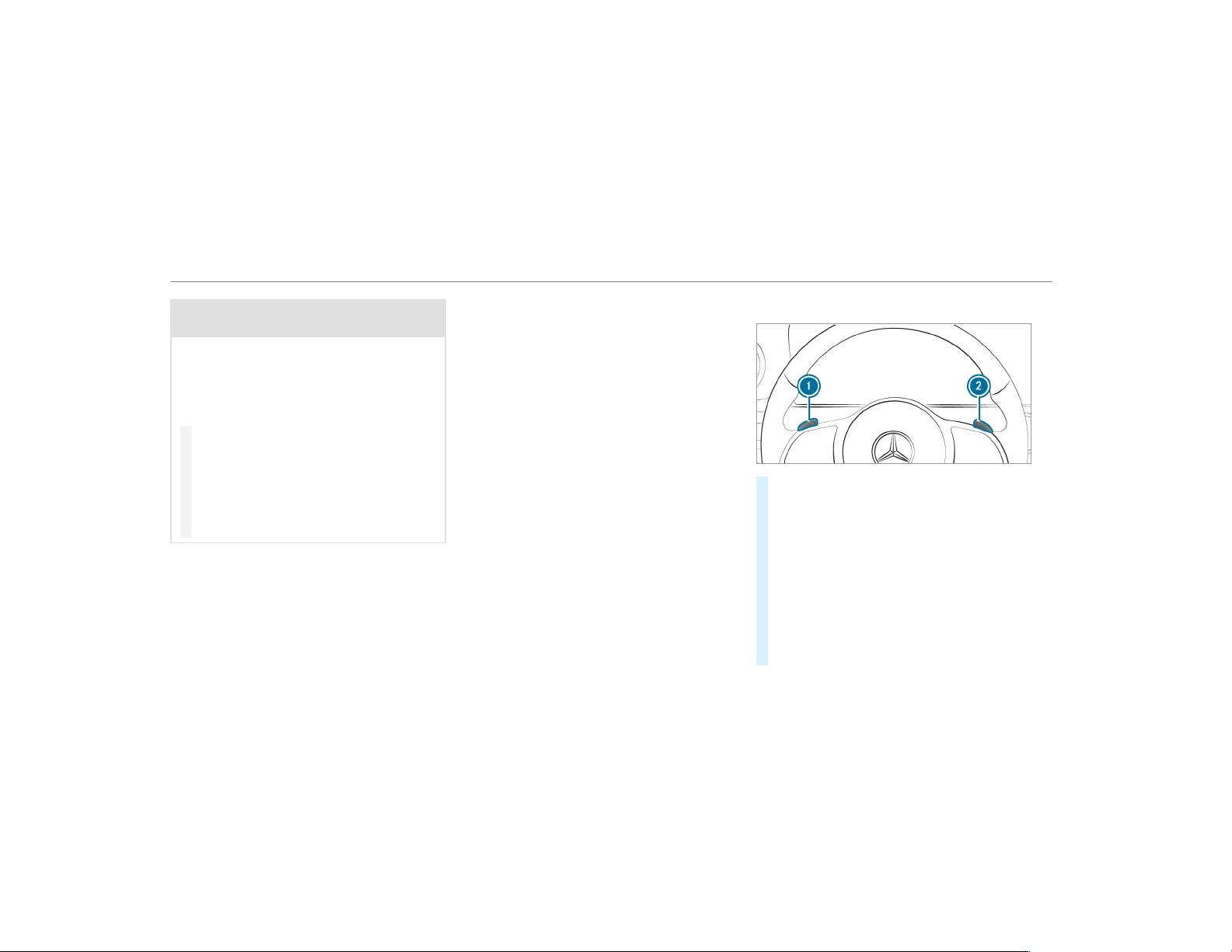
&
WARNING Risk of skidding and having
an accident from wheels spinning
When you use DRIFT MODE, ESP
®
is not
available. Individual wheels could spin and
you could lose control of the vehicle.
There is an increased risk of skidding and
having an accident.
#
Do not use DRIFT MODE on normal
roads.
#
DRIFT MODE may only be activated and
used on closed race circuits, not on
public roads.
#
Make sure that no persons or obstacles
are in the close vicinity of your vehicle.
When DRIFT MODE is active, the vehicle drive
occurs only at the rear and 4MATIC+ is deactiva‐
ted.
From a speed of approximately 70 mph
(115 km/h) up to 95 mph (150 km/h) 4MATIC+
is continuously reactivated. From a speed of
95 mph (150 km/h) 4MATIC+ is fully active
again, ESP
®
however, remains deactivated.
Below a speed of 95 mph (150 km/h) to approx‐
imately 70 mph (115 km/h) 4MATIC+ is continu‐
ously deactivated again.
%
DRIFT MODE is only available after the vehi‐
cle has been broken in (→ page 138).
Activating and deactivating DRIFT MODE
Requirements:
R
ESP
®
is deactivated (→ page 169).
R
drive program I(RACE) is selected
(→ page 147).
R
the doors, the hood and the tailgate are
closed.
R
the engine is running and the transmission
and engine are at normal operating tempera‐
ture.
R
the transmission is in position h.
Activating DRIFT MODE
#
Pull steering wheel paddle shifters 1 and
2 and hold for half a second.
If all activation conditions are fulfilled, the
instrument cluster displays the DRIFT MODE
Confirm: Paddle UP Cancel: Paddle DOWN
message and the DRIFT warning lamp
flashes.
#
To cancel: pull steering wheel paddle shifter
1.
The instrument cluster displays the message
DRIFT MODE Canceled and the DRIFT warn‐
ing lamp goes out.
192
Driving and parking
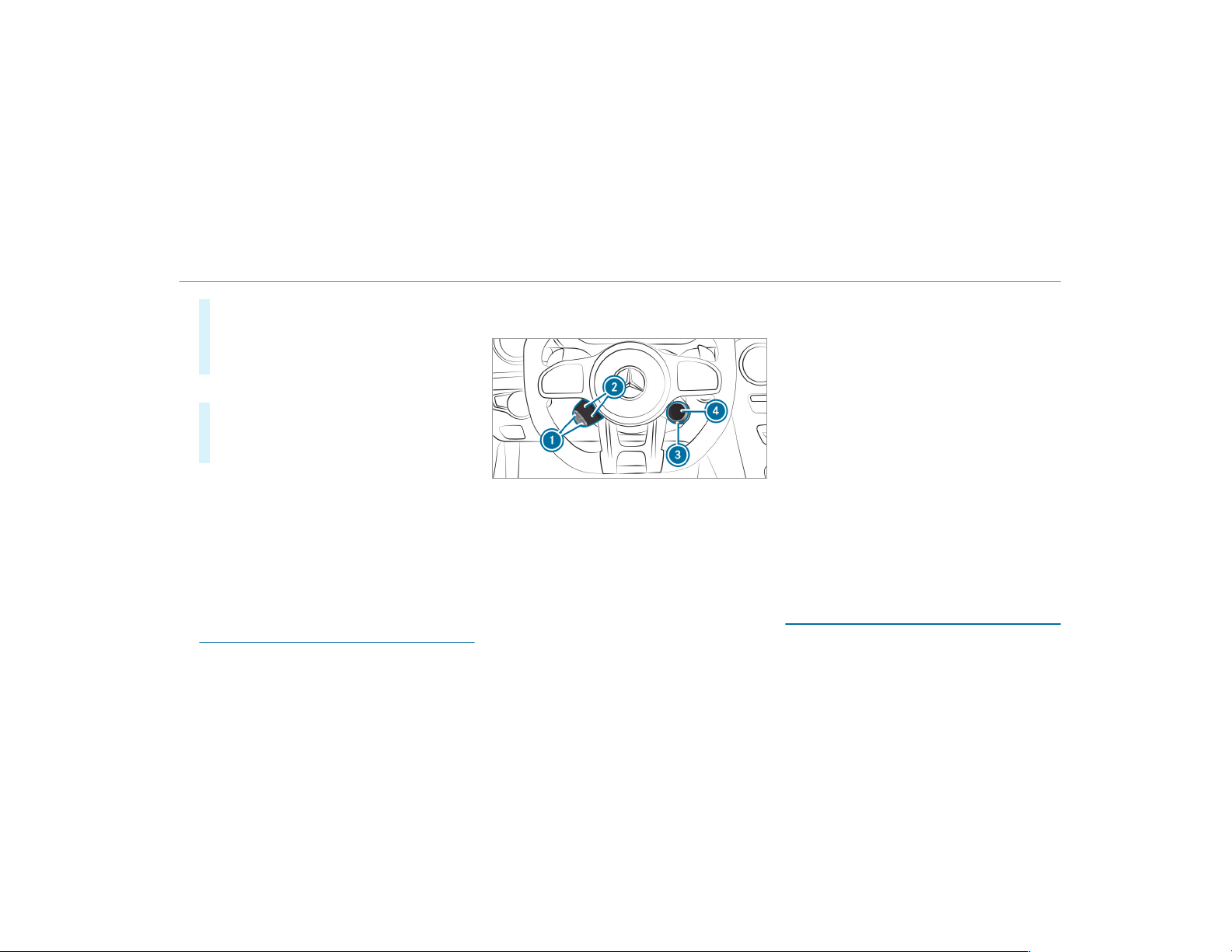
#
To confirm: pull steering wheel paddle
shifter 2.
The instrument cluster shows the DRIFT
MODE Active message and the DRIFT warn‐
ing lamps lights up permanently.
Deactivating DRIFT MODE
#
Pull steering wheel paddle shifters 1 and
2 and hold for half a second.
The DRIFT MODE Active message and the
DRIFT warning lamp go out.
DRIFT MODE is automatically deactivated in the
following situations:
R
ESP
®
is activated.
R
the drive program I (RACE) is switched
off.
R
the vehicle is switched off.
R
automatic switch off is required by the vehi‐
cle.
Function of the AMG DRIVE UNIT
The AMG DRIVE UNIT is available only for
the Mercedes‑AMG GT 63 S 4MATIC+ model
or for vehicles with AMG DYNAMIC PLUS
package.
The AMG Drive Unit consists of two additional
control elements on the steering wheel.
Using display buttons 2, you can decide which
two functions you would like to operate with the
left-hand AMG DRIVE UNIT control element. You
can change between the available functions by
pressing the respective display button.
You can select between the following functions:
R
ESP
®
(→ page 167)
R
AMG adaptive sport suspension system
(→ page 195)
R
AMG Performance exhaust system
(→ page 146)
R
ECO start/stop function (→ page 142)
R
Manual gearshifting (→ page 151)
R
Rear wing (→ page 193)
The selected functions are displayed in display
buttons 2.
You can activate and deactivate and/or operate
the selected functions by pressing buttons 1.
The selected functions remain stored even after
a new engine start but are reset to their basic
setting.
You can change between the drive programs
with rotary adjuster
3. The selected drive pro‐
gram appears in display button 4. By pressing
display button 4, you can directly access the
= (Individual) drive program (→ page 147).
Rear wing
Function of the rear wing
The rear wing improves the vehicle's driving sta‐
bility and automatically retracts and extends dur‐
Driving and parking
193
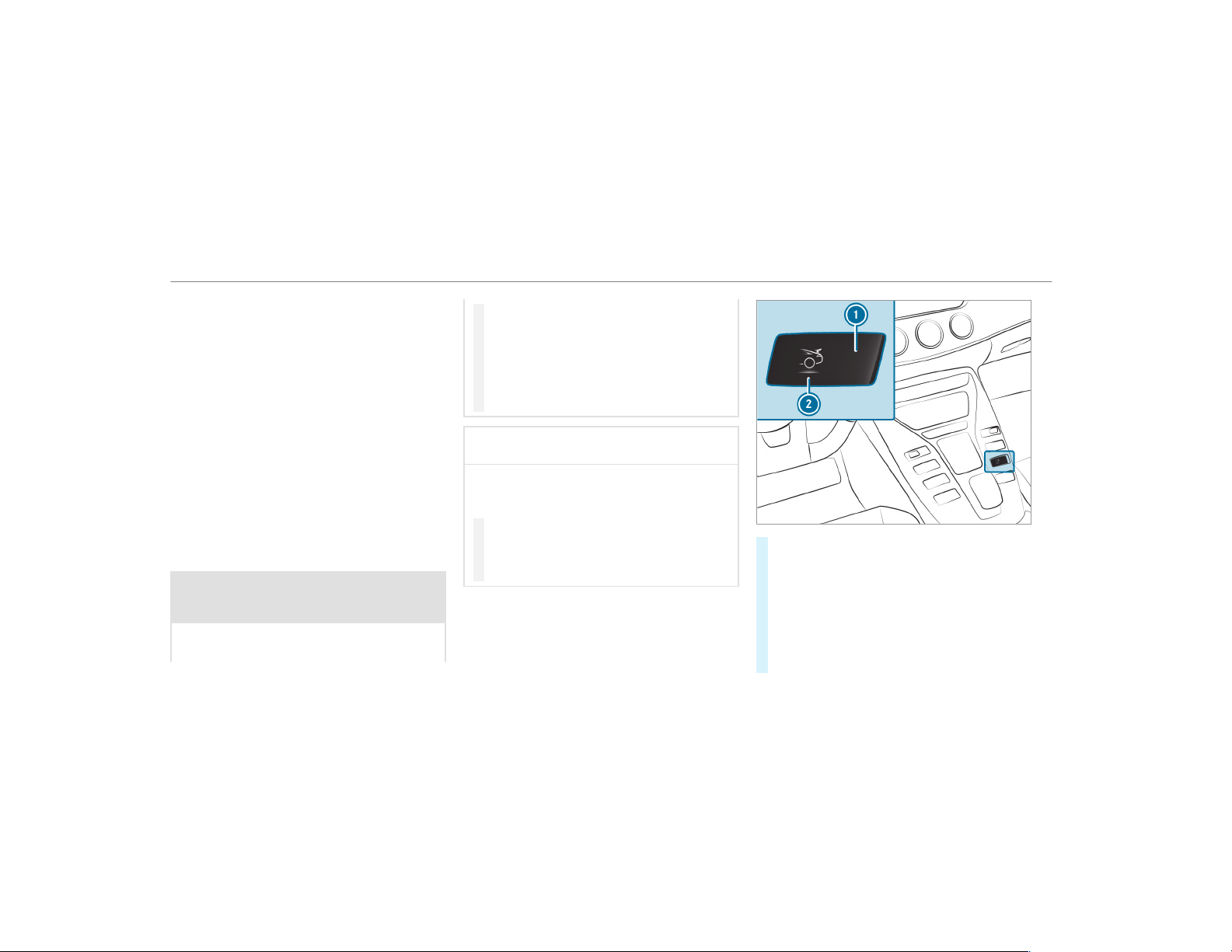
ing driving. Depending on the vehicle speed, it
adopts different positions and thus adapts the
vehicle's aerodynamics to the driving conditions.
Vehicles with the AMG aerodynamic package are
equipped with a stationary rear wing
(
→ page 195).
If you drive at a speed greater than 50 mph
(80 km/h), the rear wing will automatically
extend.
If you drive at a speed lower than 50 mph
(80 km/h), the rear wing will automatically
retract.
You can retract and extend the rear wing man‐
ually for cleaning (
→ page 194).
Extending/retracting the rear wing for clean‐
ing
&
WARNING Risk of becoming trapped
when extending and retracting the rear
wing manually
When you extend or retract the rear wing
manually, body parts may become trapped.
#
Ensure that there are no people in the
sweep of the rear wing when extending
or retracting the rear wing.
#
If someone becomes trapped during
retraction of the rear wing, press the
display button again immediately.
The rear wing will then extend again.
*
NOTE Damage to the rear wing when
washing the vehicle in a car wash
If the rear wing is extended, it may be dam‐
aged when the vehicle is washed in a car
wash.
#
Only extend the rear wing if washing the
car by hand.
#
Before entering a car wash, ensure that
the rear wing is retracted.
Requirements:
R
The ignition is switched on.
R
The tailgate is closed.
#
To extend/retract: press display button 1.
The rear wing extends or retracts completely.
Display button symbol 2 and its color indi‐
cate the following positions of the rear wing:
R
Rear wing retracted (blue)
R
Rear wing extended in different positions
(red)
R
Rear wing extending or retracting (yellow)
194
Driving and parking
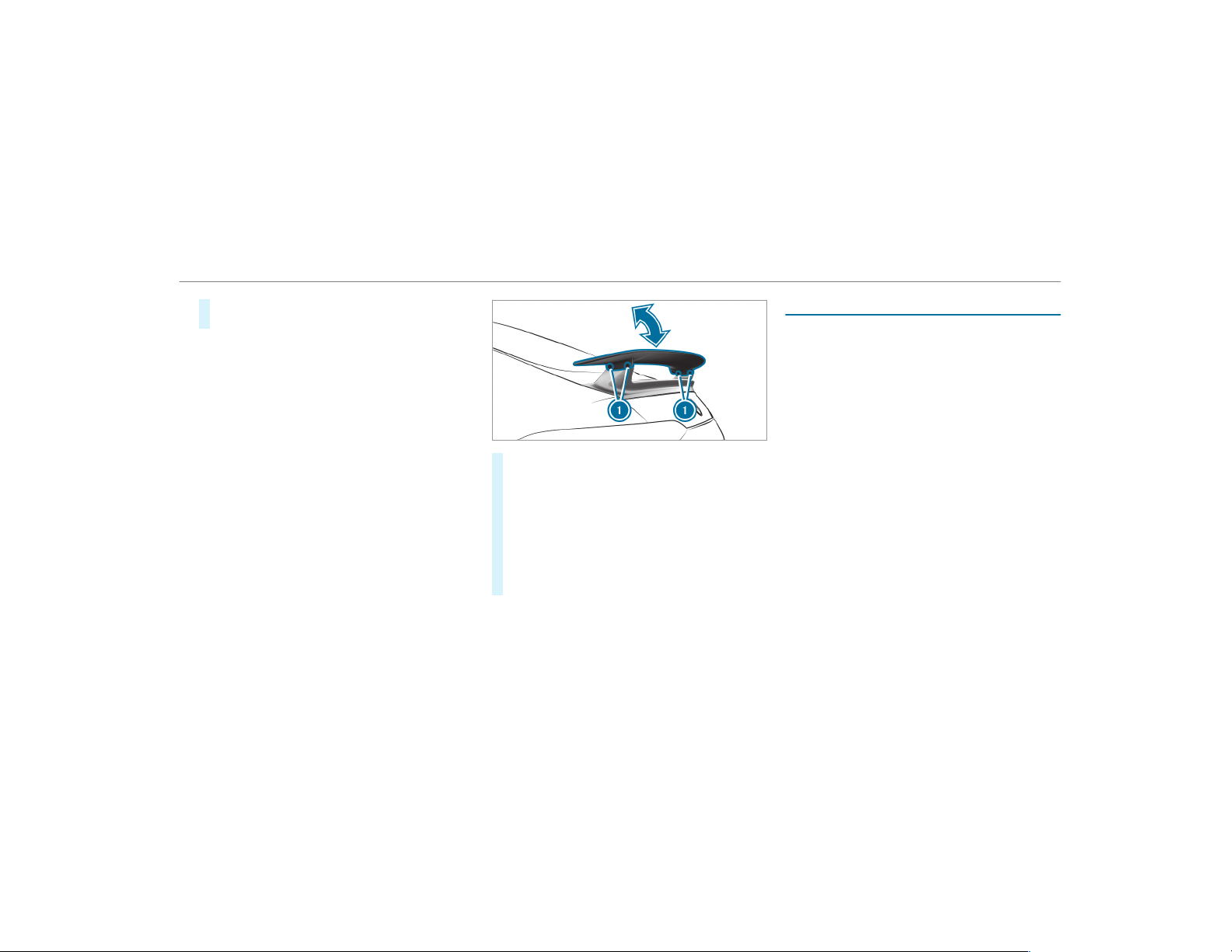
If you press display button 1 again during
retraction, the rear wing will extend again.
The different positions of the rear wing are also
shown on the instrument cluster.
Adjusting the fixed rear wing
Requirements
A socket wrench and a releasable, medium-
strength screw lock are available.
Vehicles with the AMG aerodynamic package are
installed with a fixed rear wing.
The rear wing improves the rear axle output and,
therefore, the vehicle's driving stability. You can
move the rear wing into an inclined and a flat
position.
When you move the rear wing into the inclined
position, the rear axle output and the air resist‐
ance increases.
#
Release screws 1 with a socket wrench.
#
Tilt the rear wing as far as it will go, upwards
in an inclined position, or downwards in a flat
position.
#
Furnish screws 1 with a releasable,
medium-strength screw lock and tighten
them.
Specified tightening torque: 7.5 lb-ft
(10 Nm).
AMG adaptive sport suspension system
Function of the AMG adaptive sport suspen‐
sion system
Characteristics of the AMG adaptive sport
suspension system
The AMG adaptive sport suspension system is
an electronically controlled damping system for
improved driving comfort and increased driving
safety.
The damping is adjusted individually to each
wheel and depends on the following factors:
R
The driving style, e.g. sporty
R
The road condition, e.g. bumps.
R
The individual selection of "Sport", "Sport
Plus" or "Comfort"
AMG adaptive sport suspension system compri‐
ses:
R
Electronically controlled damping system
R
ADS PLUS (Adaptive Damping System with
constant damping force adjustment).
R
DYNAMIC SELECT switch
R
Suspension tuning button.
Driving and parking
195

Characteristics of AMG adaptive sport sus‐
pension system + (air suspension)
AMG adaptive sport suspension system + is an
air suspension system with variable damping for
improved driving characteristics. The all-round
level control system ensures the best possible
suspension and constant ground clearance, even
with a laden vehicle. When dr iving at speed, the
vehicle is lowered automatically to improve driv‐
ing safety and to reduce fuel consumption. You
also have the option of manually adjusting the
vehicle level.
The damping is tuned individually for each wheel
and is affected by the following factors:
R
The driving style, e.g. sporty
R
The road condition, e.g. bumps.
R
The individual selection of "Sport", "Sport
Plus" or "Comfort"
AMG adaptive sport suspension system + com‐
prises:
R
Air suspension with variable spring rate and
automatic level control
R
Speed-dependent lowering to reduce fuel
consumption.
R
Manually selectable high-level setting for
greater ground clearance.
R
ADS PLUS (Adaptive Damping System with
constant damping force adjustment).
R
DYNAMIC SELECT switch and level button.
R
Suspension tuning button.
196
Driving and parking

Characteristics of each drive program (vehicles with AMG adaptive sport suspension system + only)
Drive program Characteristics
o (Slippery)
A (Comfort)
R
The suspension tuning is comfortable.
R
The vehicle is set to the normal level.
R
When driving at speeds of above 130 mph (210 km/h) the vehicle is lowered.
R
When driving at speeds below 75 mph (120 km/h) the vehicle is raised again.
R
4MATIC+ is dynamically synchronized.
C (Sport)
R
The suspension tuning is f irmer.
R
The vehicle is set to the nor mal level.
R
When driving at speeds of above 130 mph (210 km/h) the vehicle is lowered.
R
When driving at speeds below 75 mph (120 km/h) the vehicle is raised again.
R
4MATIC+ is dynamically synchronized.
B (Sport Plus)
I (RACE)
R
The suspension tuning is even firmer.
R
The vehicle is set to the low level.
R
The vehicle is not lowered any further if you are traveling at higher speeds.
R
4MATIC+ is more dynamically synchronized.
%
The mode can also be set using the
DYNAMIC SELECT switch. To do this, the
Driving and parking
197
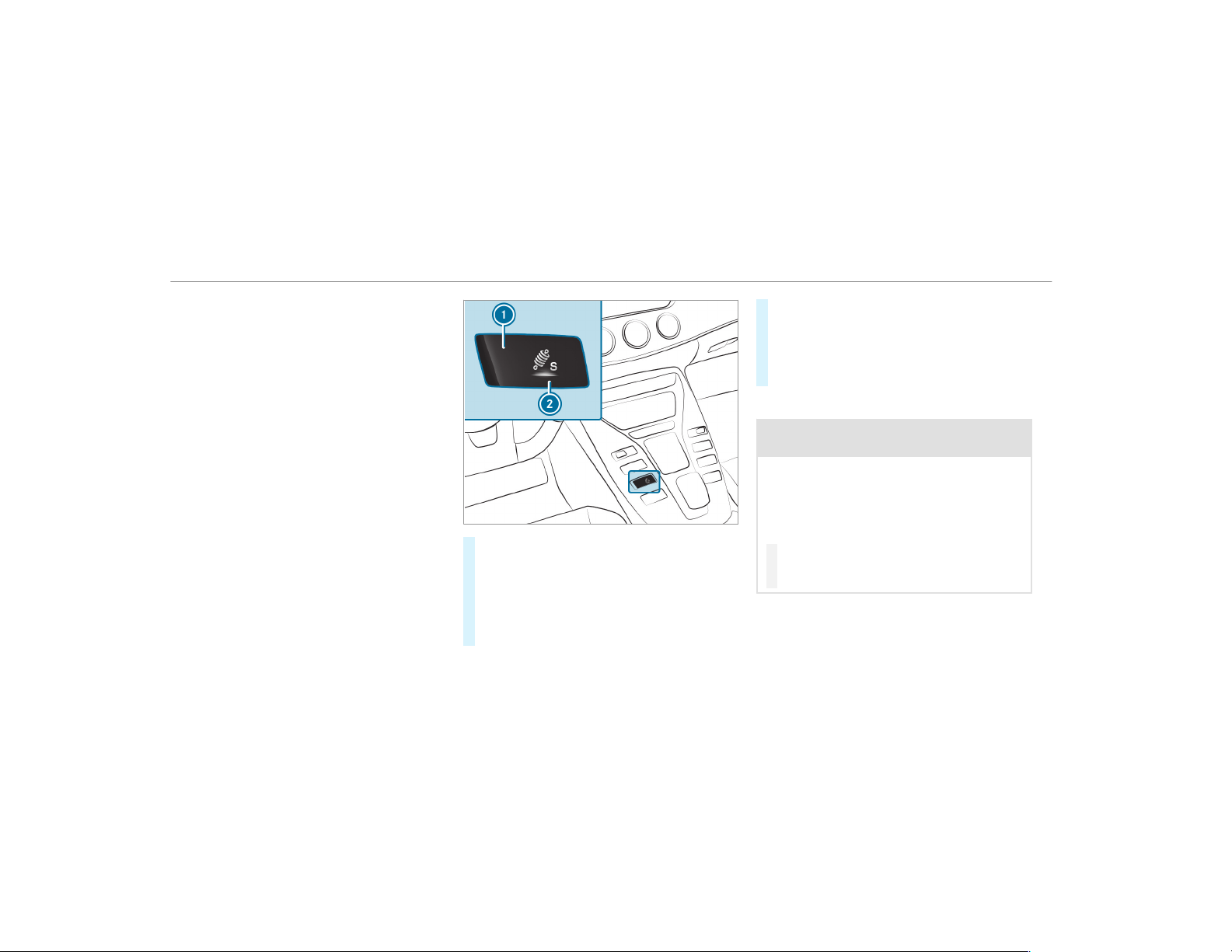
same suspension tuning must be selected
for the AMG adaptive sport suspension sys‐
tem and the DYNAMIC SELECT switch.
%
When the vehicle is started again, the "Com‐
fort" setting is activated automatically.
Selecting the suspension setting
In "Comfort" mode, the driving characteristics of
your vehicle are comfortable. Select this suspen‐
sion setting if you prefer a comfort able driving
style.
"Sport" driving mode ensures a firmer suspen‐
sion tuning. Select this suspension setting when
employing a sporty driving style, e.g. on winding
country roads.
"Sport Plus" driving mode ensures a very firm
suspension tuning.
#
Press display button 1.
The display button shows cur rently selected
suspension setting 2:
R
à C (blue): Comfort
R
à S (yellow): Sport
R
à S+ (red): Sport Plus
The selected suspension setting is shown in
the multifunction display as a message:
R
AMG Suspension System COMFORT
R
AMG Suspension System SPORT
R
AMG Suspension System SPORT +
Setting the vehicle level
&
WARNING Risk of accident because
vehicle level is too high
If you drive at a higher vehicle level, the driv‐
ing characteristics may be impaired due to
the higher vehicle center of gravity.
The vehicle can drift outwards, for example,
when steering or cornering.
#
Always choose a vehicle level which is
suited to the driving style and the road
surface conditions.
198
Driving and parking
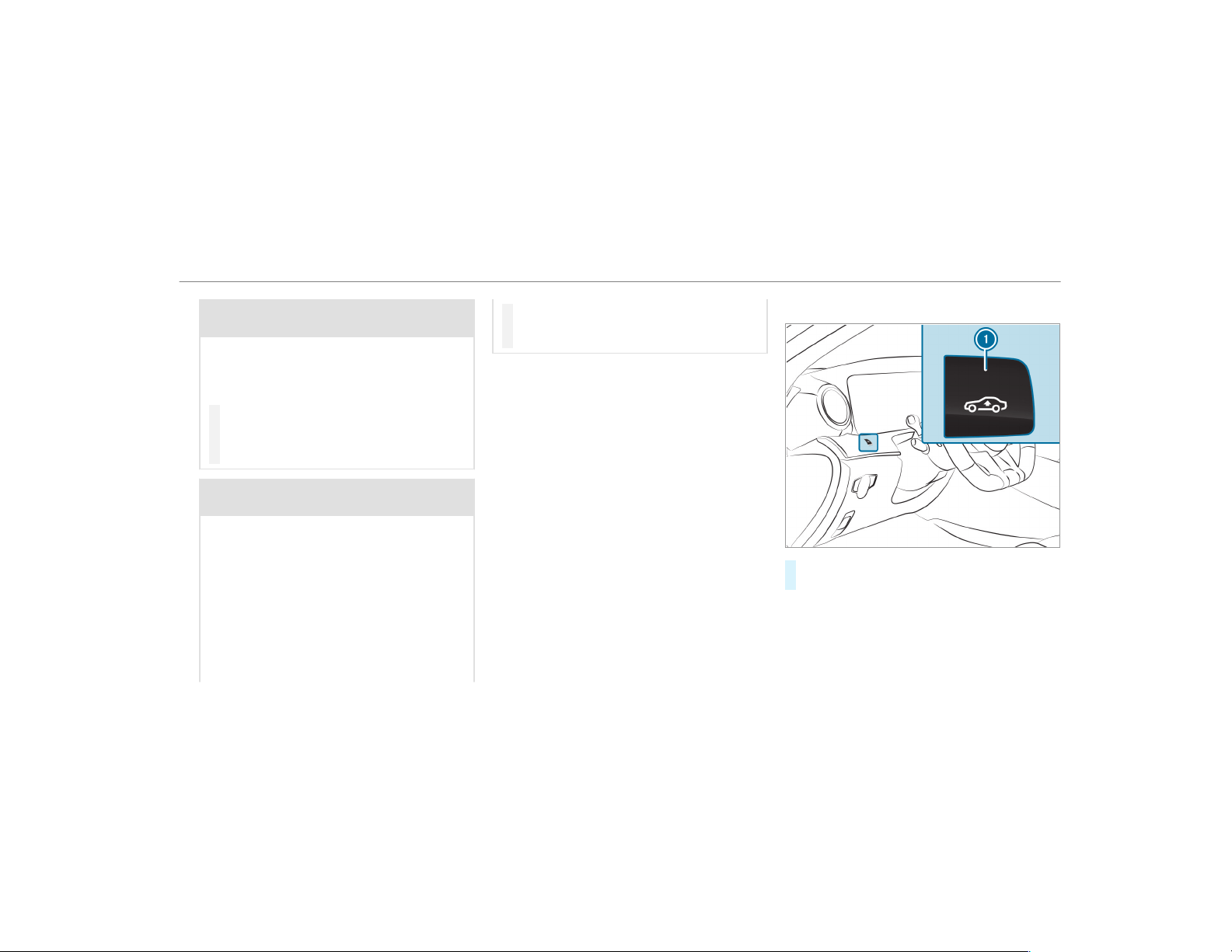
&
WARNING Risk of entrapment from vehi‐
cle lowering
When lowering the vehicle, people could
become trapped if their limbs are between
the vehicle body and the tires or underneath
the vehicle.
#
Make sure no one is underneath the
vehicle or in the immediate vicinity of
the wheel arches when you lower the
vehicle.
&
WARNING Risk of entrapment from vehi‐
cle lowering
Vehicles with AIR BODY CONTROL or
level control system: When you unload lug‐
gage or leave the vehicle, the vehicle first
rises slightly and then returns to the set level
shor tly afterwards.
You or anyone else in the vicinity of the
wheel arches or the underbody could thus
become trapped.
The vehicle can also be lowered after being
locked.
#
When leaving the vehicle, make sure
that nobody is in the vicinity of the
wheel arches or the underbody.
This function is only available for vehicles with
AMG adaptive sport suspension system + (air
suspension) (→ page 195).
Requirements:
R
The vehicle has been started.
R
The vehicle must not be moving faster than
40 mph (65 km/h).
Raising the vehicle
#
Press button 1.
The vehicle is raised to the high level.
Your selection is saved.
The vehicle is lowered again in the following sit‐
uations:
R
When driving faster than 75 mph
(120 km/h).
Driving and parking
199
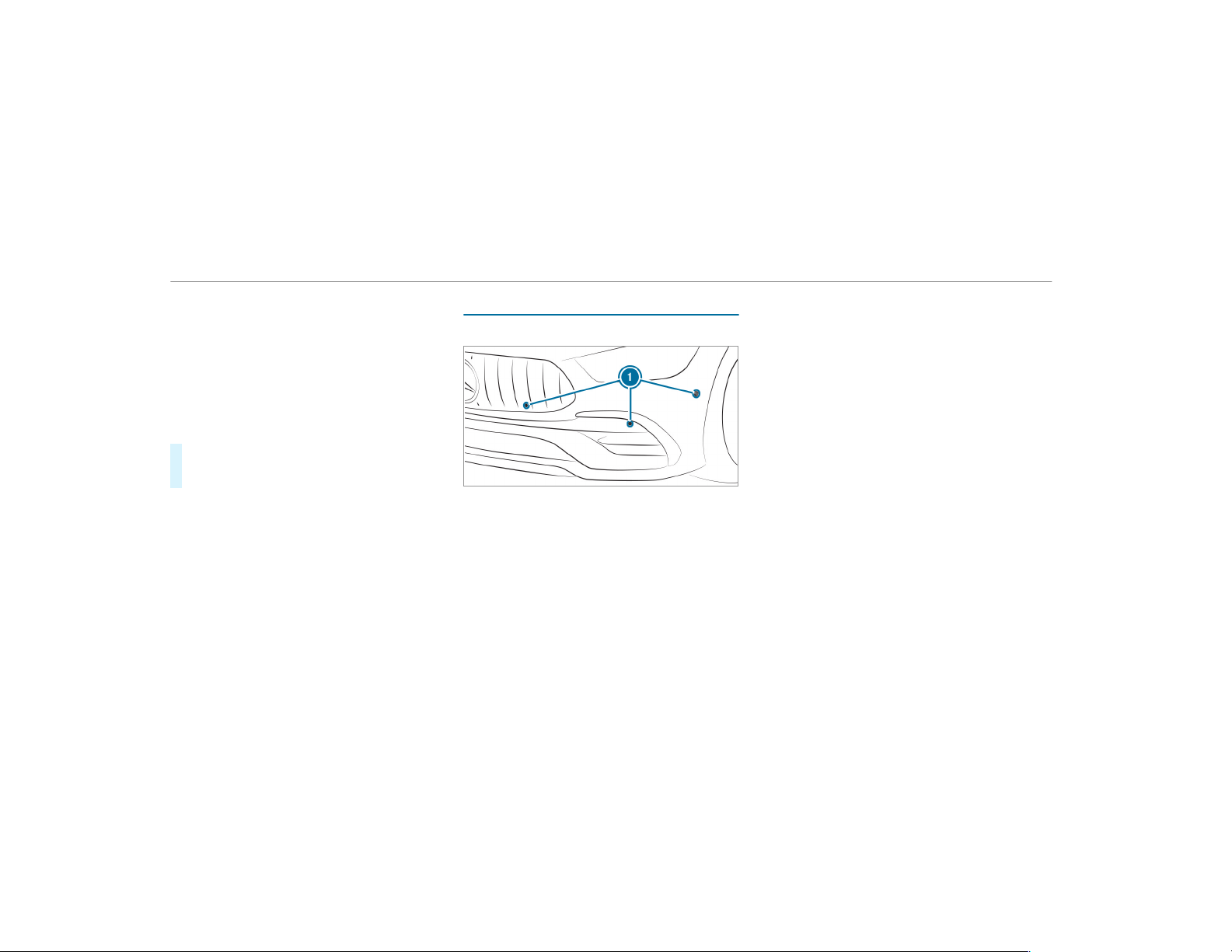
R
When driving between 50 mph (80 km/h)
and 75 mph (120 km/h) for approximately
three minutes.
R
After selecting a drive program using the
DYNAMIC SELECT switch.
The vehicle is adjusted to the height of the last
active drive program.
Lowering the vehicle
#
Press button 1.
The vehicle is adjusted to the height of the
last active drive program.
Parking Assist PARKTRONIC
Function of Parking Assist PARKTRONIC
Parking Assist PARKTRONIC is an electronic
parking assistance system with ultrasound. It
monitors the area around your vehicle using six
sensors
1 in the front bumper and six sensors
in the rear bumper. Parking Assist PARKTRONIC
shows you the distance between your vehicle
and a detected obstacle visually and audibly.
Parking Assist PARKTRONIC is only an aid. It is
not a substitute for your attention to the sur‐
roundings. The responsibility for safe maneuver‐
ing and parking remains with you. Make sure
that there are no persons, animals or objects in
the maneuvering area while maneuvering and
parking in/exiting parking spaces.
In the standard setting, an intermittent warning
tone sounds from a distance of approximately
1.0 ft (0.3 m) to an obstacle in front and approx‐
imately 3.3 ft (1.0 m) to an obstacle behind. A
continuous tone sounds from a distance of
approximately 0.7 ft (0.2 m). Using the Warn
early setting in the multimedia system, the
warning tones for front and side impact protec‐
tion can also be set to sound at a greater dis‐
tance of approximately 3.3 ft (1.0 m)
(
→ page 203).
%
The Warn early setting is always active at
the rear of the vehicle.
If Parking Assist PARKTRONIC is deactivated,
Active Parking Assist is unavailable.
200
Driving and parking
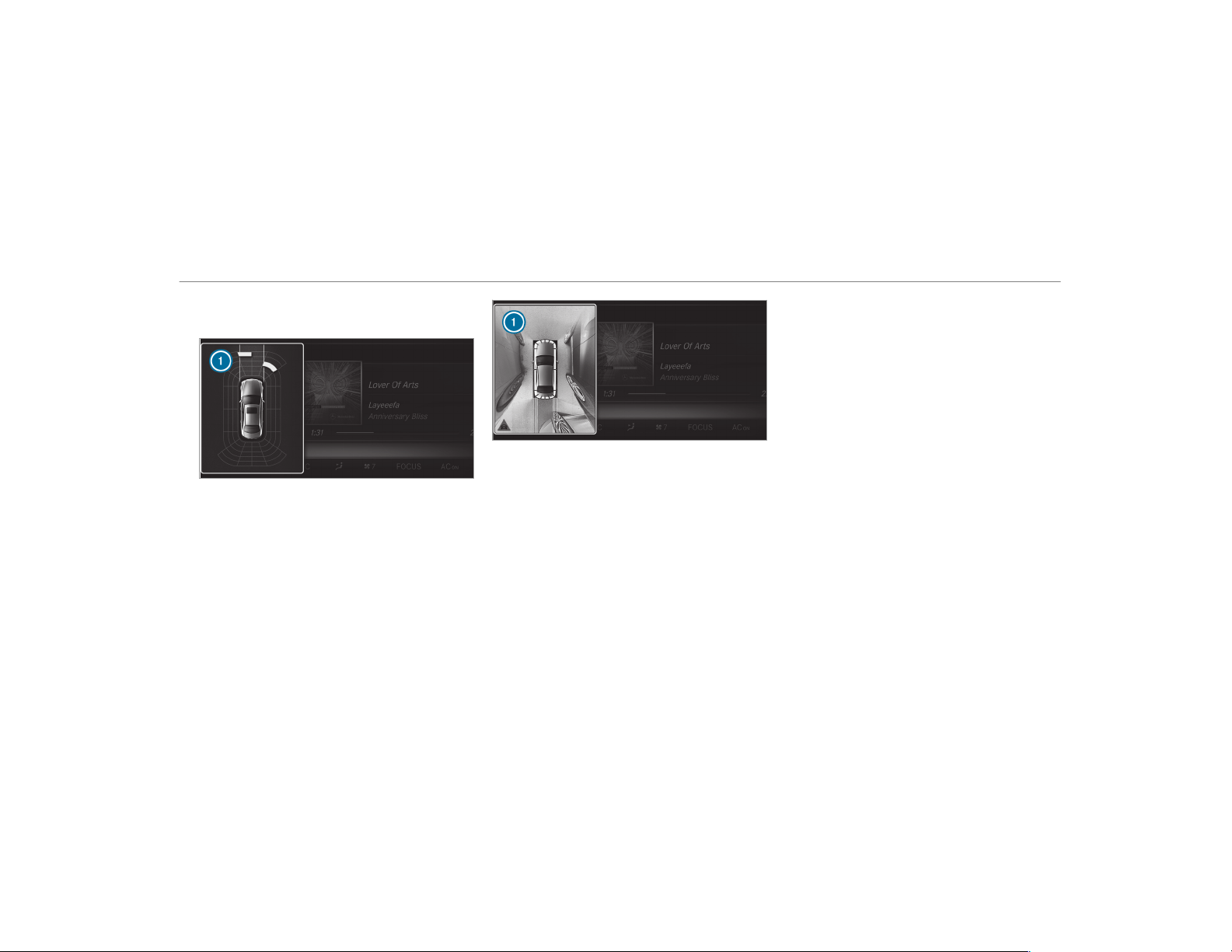
Parking Assist PARKTRONIC display in the
multimedia system
Vehicles with Active Parking Assist without a
360° Camer a
Vehicles with Active Parking Assist and a 360°
Camera
If Active Parking Assist is deactivated and an
obstacle is detected in the path of the vehicle, a
pop-up window for Parking Assist PARKTRONIC
1 appears in the multimedia system at speeds
below 6 mph (10 km/h).
System limitations
Parking Assist PARKTRONIC does not necessa‐
rily take into account the following obstacles:
R
Obstacles below the detection range, e.g.
persons, animals or objects.
R
Obstacles above the detection range, e.g.
overhanging loads, overhangs or loading
ramps of trucks.
The sensors must be free of dirt, ice and slush.
Otherwise, they may not function correctly.
Clean the sensors regularly, taking care not to
scratch or damage them.
Function of the passive side impact protec‐
tion
Passive side impact protection is an additional
Parking Assist PARKTRONIC function which
warns the driver about obstacles at the side of
the vehicle. A warning is issued when obstacles
are detected between the front and rear detec‐
tion r ange. In order for an object on the side to
be detected, the sensors in the front and rear
bumper must first detect the object while you
are driving past it.
During the parking procedure or maneuvering,
objects are detected as the vehicle drives past.
If you steer in the direction of a detected obsta‐
cle and there is a risk of a lateral collision, a
warning is issued. The segments on the sides
Driving and parking
201
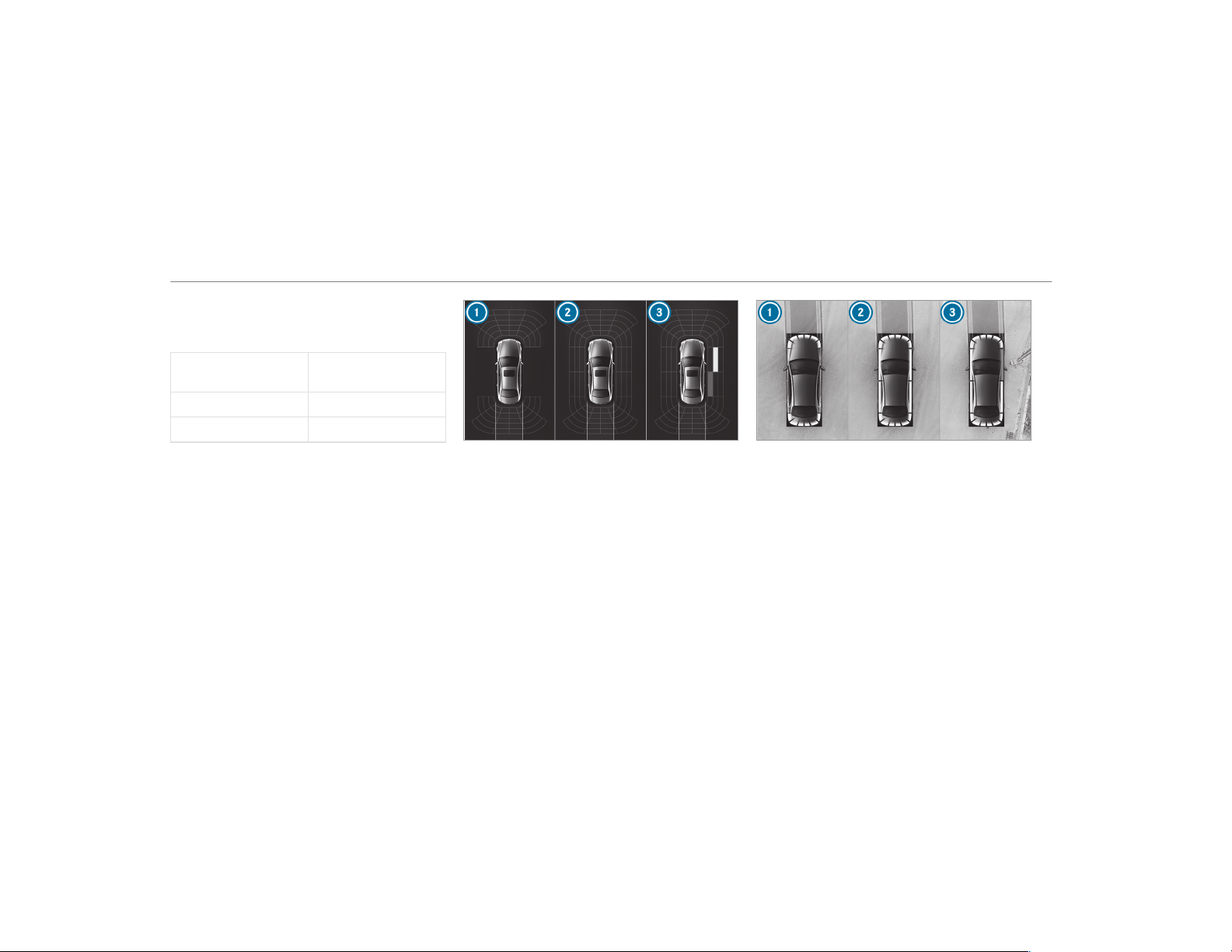
light up yellow or red, depending on the distance
to the obstacle.
Segment color depending on distance
Color Lateral distance in
cm
Yellow Approx. 30 - 60
Red Approx. < 30
In order for lateral front or rear segments to be
displayed, the vehicle must first travel a distance
of at least half of the vehicle length. Once the
vehicle has traveled the length of the vehicle, all
of the lateral front and rear segments can be dis‐
played.
Vehicles without 360° Camera
1
Parking Assist PARKTRONIC is only opera‐
tional in the front and rear
2
Parking Assist PARKTRONIC is operational
and can also warn the driver about obstacles
at the side of the vehicle
3
Obstacle detected at the front right (yellow)
and rear (red)
Vehicles with 360° Camera
1
Parking Assist PARKTRONIC is only opera‐
tional in the front and rear
2
Parking Assist PARKTRONIC is operational
and can also warn the driver about obstacles
at the side of the vehicle
3
Obstacle detected at the front right (red)
Saved obstacles on the sides are deleted in the
following situations, for example:
R
You park the vehicle and switch off the igni‐
tion.
R
You open the doors.
202
Driving and parking
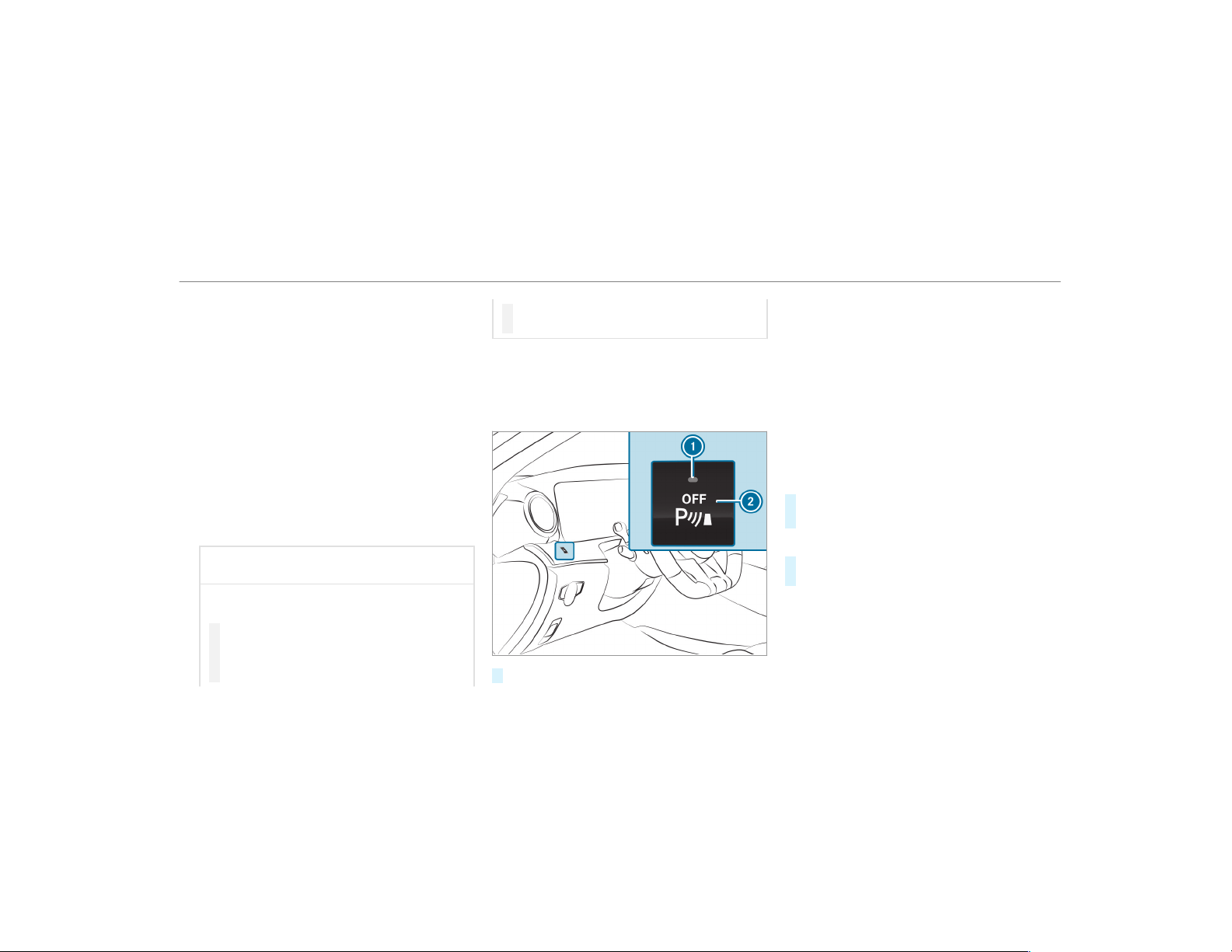
After the engine is restarted, obstacles must be
detected again before a new warning can be
issued.
System limitations
The system limitations for Parking Assist
PARKTRONIC apply for passive side impact pro‐
tection.
The following objects are not detected, for exam‐
ple:
R
Pedestrians who approach the vehicle from
the side
R
Objects placed next to the vehicle
Deactivating/activating Parking Assist
PARKTRONIC
*
NOTE Risk of an accident from objects
at close range
Parking Assist PARKTRONIC may not detect
cer tain objects at close range.
#
When parking or maneuvering the vehi‐
cle, pay particular attention to any
objects which are above or below the
sensors, e.g. flower pots or drawbars.
The vehicle or other objects could oth‐
erwise be damaged.
If indicator lamp 1 is not lit, Parking Assist
PARKTRONIC is active. If the indicator lamp is lit
or the é symbol appears in the multifunction
display, Parking Assist PARKTRONIC is not
active.
#
Press button 2.
%
Depending on the vehicle's equipment, the
button may also be located in the center
console.
%
Parking Assist PARKTRONIC is automatically
activated when the vehicle is star ted.
Adjusting the warning tones of Parking
Assist PARKTRONIC
Multimedia system:
,
Vehicle
.
k Assistance
.
Camera
& Parking
.
Set Warning Tones
Adjusting the volume of the warning tones
#
Select Warning Tone Volume.
#
Set a value.
Adjusting the pitch of the warning tones
#
Select Warning Tone Pitch.
Set a value.
Specifying the starting point for the warning
tones
You can specify whether the Parking Assist
PARKTRONIC warning tones should commence
when the vehicle is further away from an obsta‐
cle.
Driving and parking
203
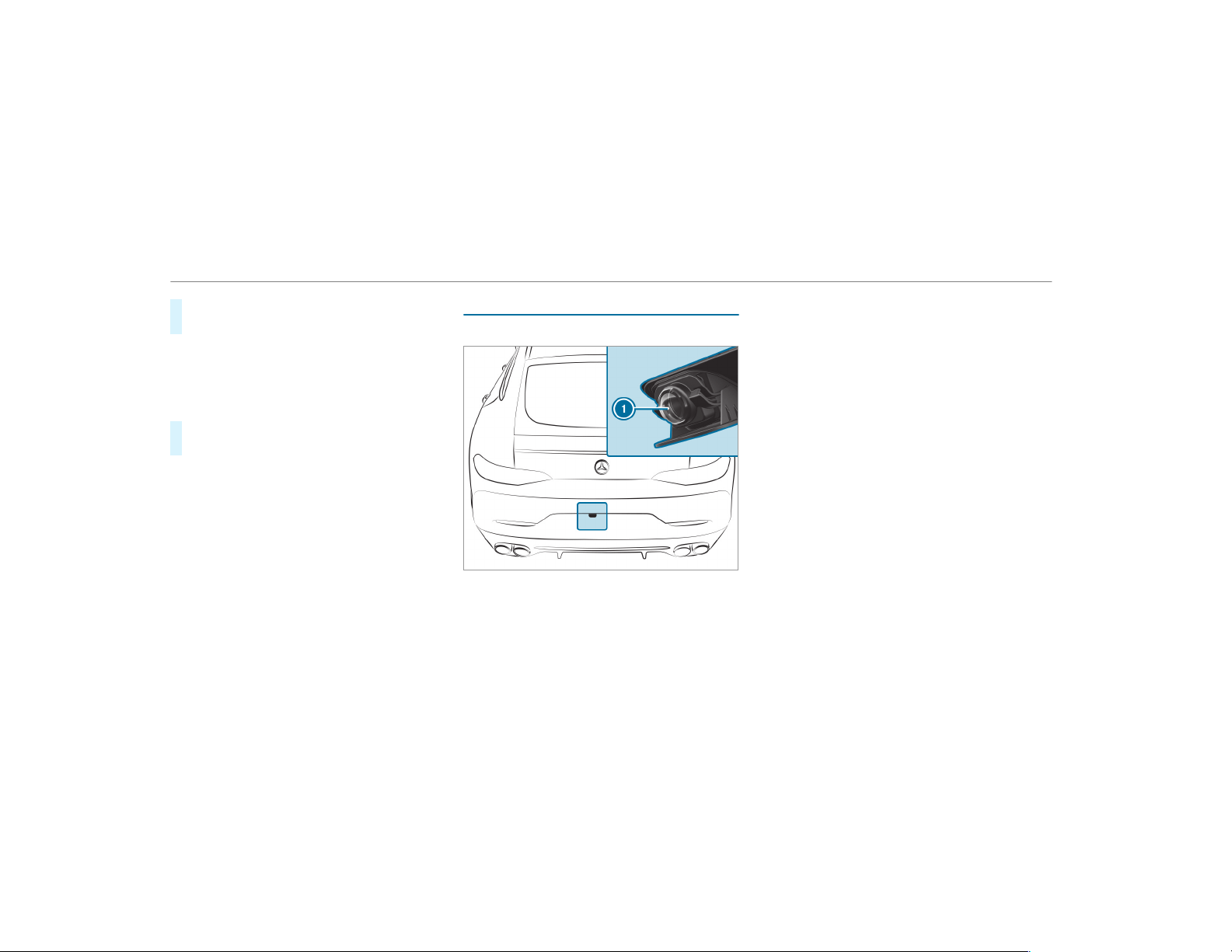
#
Select Warn Early.
#
Activate O or deactivate ª the function.
Activating/deactivating audio fadeout
You can specify whether the volume of a media
source in the multimedia system is to be
reduced when Parking Assist PARKTRONIC gives
an audible warning.
#
Select Audio Fadeout During Warning Tones.
#
Activate O or deactivate ª the function.
Reversing camera
Function of the rear view camera
If you have activated the function in the multime‐
dia system, the image from rear view camera 1
is shown in the multimedia system display when
reverse gear is selected. Dynamic guide lines
show the path the vehicle will take with the
steering wheel in its current position. This helps
you to orient yourself and to avoid obstacles
when backing up.
The rear view camera is only an aid. It is not a
substitute for your attention to the surroundings.
The responsibility for safe maneuvering and
parking remains with you. Make sure that there
are no persons, animals or objects etc. in the
maneuvering area while maneuvering and park‐
ing.
You can select from the following views:
R
Normal view
R
Wide-angle view
R
Trailer view
The area behind the vehicle is displayed as a
mirror image, as in the inside rearview mirror.
The following camera views are available in the
multimedia system:
204
Driving and parking
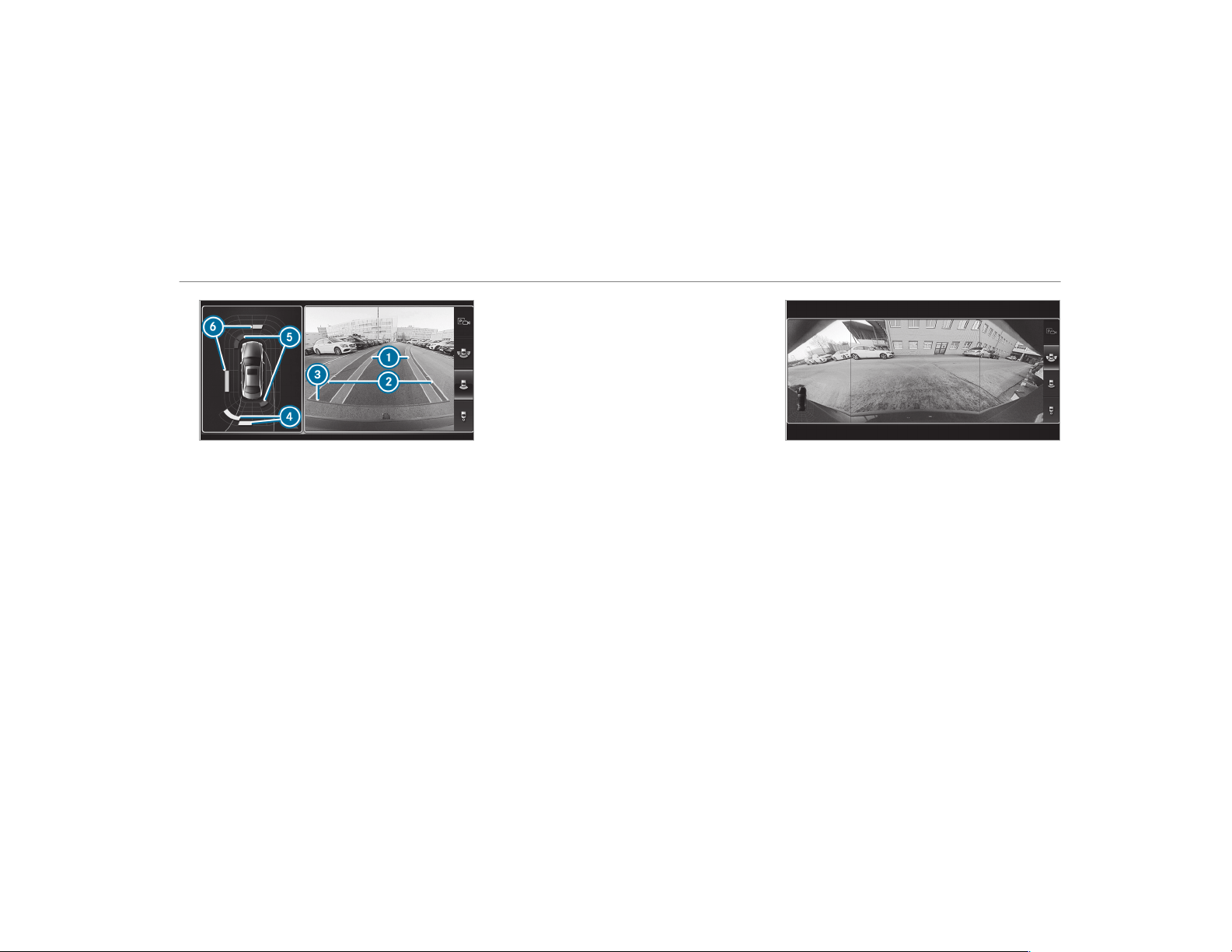
Normal view
1
Yellow lane marking the course the tires will
take at the current steering wheel angle
(dynamic)
2
Yellow guide line, vehicle width (driven sur‐
face) depending on the current steering
wheel angle (dynamic)
3
Red guide line at a distance of approximately
12 in (0.3 m) from the rear area
4
Yellow warning display of Parking Assist
PARKTRONIC: obstacles are at a distance of
between approximately 2.0 ft (0.6 m) and
3.3 ft (1.0 m)
5
Red warning display of Parking Assist
PARKTRONIC: obstacles are very close
(approximately 1.0 f t (0.3 m) or less)
6
Orange warning display of Parking Assist
PARKTRONIC: obstacles are a medium dis‐
tance away (between approximately 1.0 ft
(0.3 m) and 2.0 ft (0.6 m))
%
If the entire system fails, the inner segments
of the warning display are shown in red. The
indicator lamp on the PARKTRONIC button
lights up and the é symbol appears in
the multifunction display.
If the system fails at the rear:
R
The rear segments are shown in red
when backing up.
R
The rear segments are hidden when driv‐
ing forwards.
When Active Parking Assist is active, the
lanes are displayed in green.
If Parking Assist PARKTRONIC is deactivated,
the warning display fades out.
Wide-angle view
System limitations
The rear view camera will not function or will
only partially function in the following situations:
R
There is heavy rain, snow or fog.
R
The ambient light conditions are poor, e.g. at
night.
R
The camera lens is obstructed, dirty or fog‐
ged up. Observe the notes on cleaning the
rear view camera (→ page 362).
R
The camera or rear of your vehicle is dam‐
aged. In this case, have the camera and its
Driving and parking
205
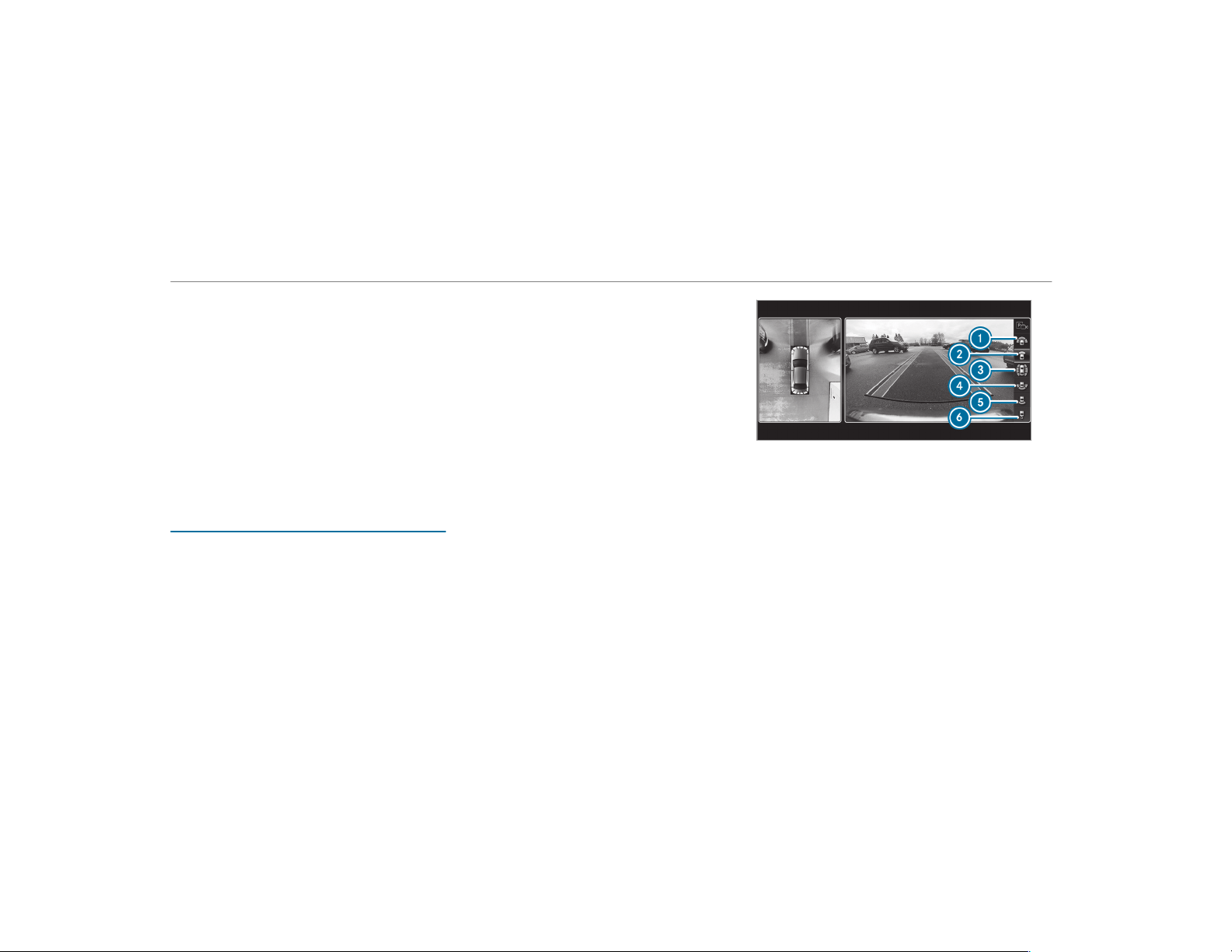
position and setting checked at a qualified
specialist workshop.
The field of vision and other functions of the rear
view camera may be restricted due to additional
accessories on the rear of the vehicle (e.g.
license plate bracket or bicycle rack).
%
The display contrast may be impaired due to
incident sunlight or other light sources. In
this case, pay particular attention.
%
Have the display repaired or replaced if, for
example, pixel errors considerably restrict its
use.
360° camera
Function of the 360° Camera
The 360° Camera is a system that consists of
four cameras. The cameras cover the immediate
vehicle surroundings. The system assists you,
e.g. when parking or at exits with reduced visibil‐
ity.
The 360° Camera is only an aid. It is not a sub‐
stitute for your attention to the surroundings.
The responsibility for safe maneuvering and
parking remains with you. Make sure that there
are no persons, animals or objects etc. in the
maneuvering area while maneuvering and park‐
ing.
The system evaluates images from the following
cameras:
R
Rear view camera
R
Front camera
R
Two side cameras in the outside mirrors
Views of the 360° Camera
You can select from different views:
1
Wide-angle view, front
2
Top view with image from the front camera
3
Top view with images from the side cameras
in the outside mirrors
4
Wide-angle view, rear
5
Top view with image from the rear view cam‐
era
6
Top view with trailer view (if trailer hitch is
installed)
206
Driving and parking
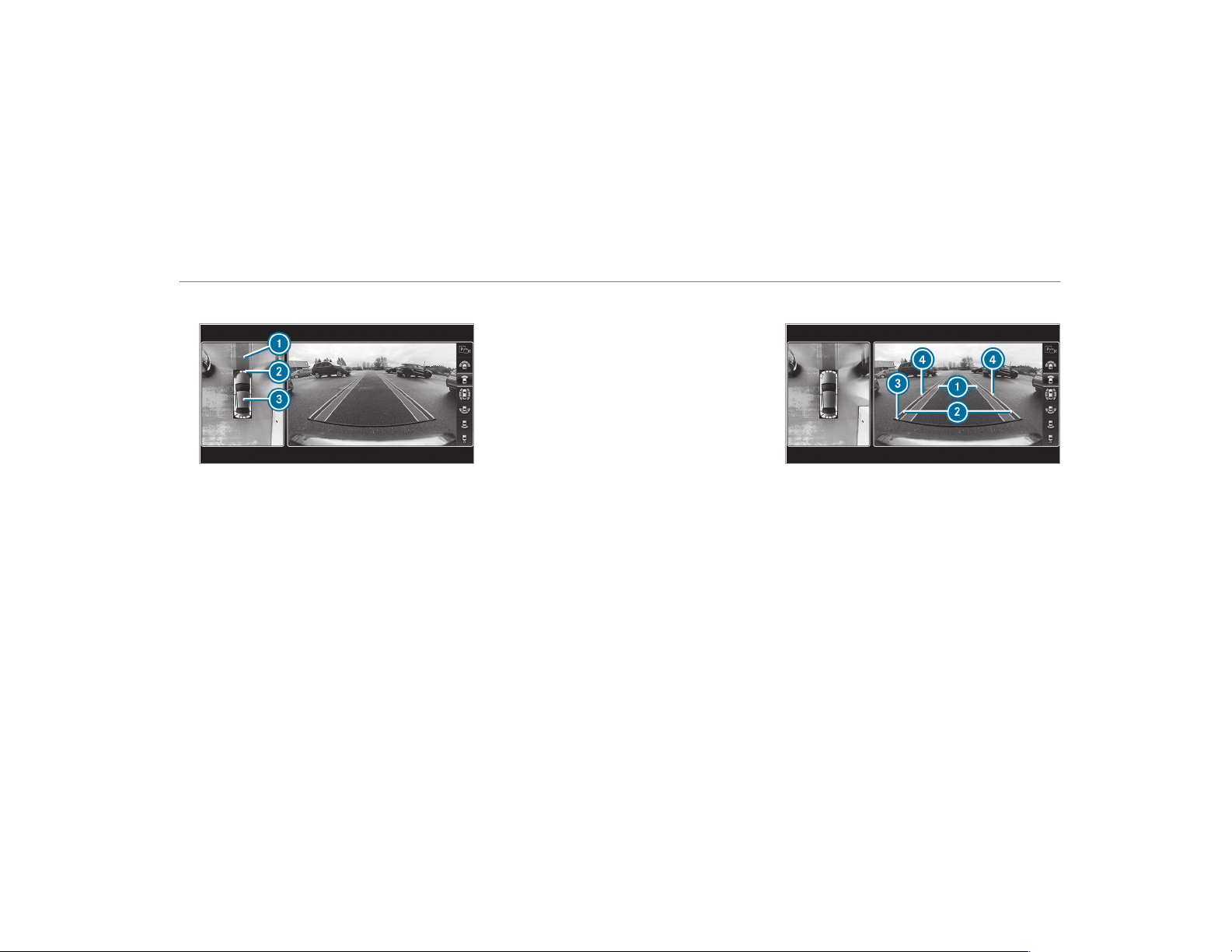
Top view
1
Lane indicating the route the vehicle will
take with the steering wheel in its current
position
2
Yellow warning display of Parking Assist
PARKTRONIC: obstacles at a distance of
approximately 3.3 ft (1.0 m) or less
3
Your vehicle from above
If the distance to the object lessens, the color of
warning display 2 changes:
R
From approx. 3.3 ft (1.0 m): yellow
R
From approx. 2.0 ft (0.6 m): orange
R
From approx. 1.0 ft (0.3 m): red
When Parking Assist PARKTRONIC is operational
and no object is detected, the segments of the
warning display are shown in gray.
%
If the entire system fails, the segments of
the warning display are shown in red and the
é symbol appears in the multifunction
display in the instrument cluster.
If the system fails at the rear, the display of
the segments changes as follows:
R
The rear segments are shown in red
when backing up.
R
The rear segments are hidden when driv‐
ing forwards.
If Parking Assist PARKTRONIC is deactivated,
the warning display fades out.
Guide lines
1
Yellow lane marking the course the tires will
take at the current steering wheel angle
(dynamic)
2
Yellow guide line, vehicle width (driven sur‐
face) depending on the current steering
wheel angle (dynamic)
3
Red guide line at a distance of approximately
12 in (0.3 m) from the rear area
4
Mark at a distance of approx. 3.3 ft (1.0 m)
%
When Active Parking Assist is active, lanes
1 are displayed in green.
Driving and parking
207
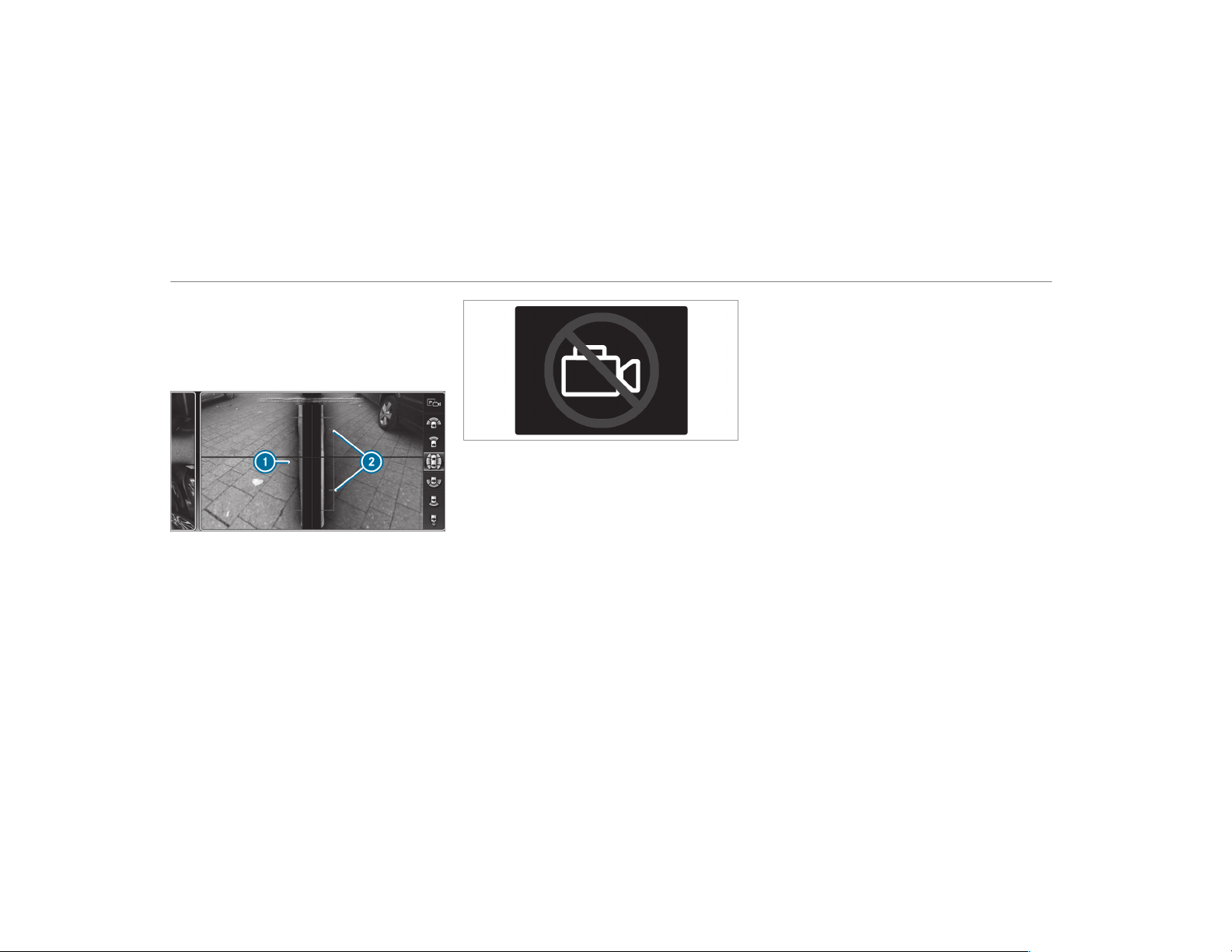
The guide lines in the multimedia system dis‐
play show the distances to your vehicle. The
distances apply to road level.
Side view of the mirror cameras
The sides of the vehicle can be seen in this view.
1
Guide line of external vehicle dimensions
with outside mirrors folded out
2
Marker of the wheel contact points
System failure
If there is no operational readiness, the following
message appears in the multimedia system:
System limitations
The 360° Camera will not function or will only
partially function in the following situations:
R
The doors are open.
R
The side mirrors are folded in.
R
There is heavy rain, snow or fog.
R
The ambient light conditions are poor, e.g. at
night.
R
The camera lens is obstructed, dirty or fog‐
ged up.
R
Cameras, or vehicle components in which
the cameras are installed, are damaged. In
this event, have the cameras, their positions
and their setting checked at a qualified spe‐
cialist workshop.
%
Do not use the 360° Camera under such cir‐
cumstances. You could otherwise injure oth‐
ers or collide with objects when parking the
vehicle.
If the vehicle is carrying a heavy load, leaving the
standard height can result in inaccuracies in the
guide lines and in the display of the generated
images, depending on technical conditions.
The field of vision and other functions of the
camera system may be restricted due to addi‐
tional attachments on the vehicle (e.g. license
plate bracket, bicycle rack).
%
The contrast of the display may be impaired
by abrupt direct sunlight or by other light
sources, e.g. when driving out of a garage. In
this case, pay particular attention.
%
Have the display repaired or replaced if, for
example, pixel errors considerably restrict its
use.
See the notes on cleaning the 360° Camera
(
→ page 362).
208
Driving and parking

Selecting a view for the 360° Camera
Requirements:
R
The Auto. Rear View Cam. function is selec‐
ted in the multimedia system.
#
Engage reverse gear.
#
In the multimedia system, select the desired
view.
Opening the camera cover of the rear view
camera
Multimedia system:
,
Vehicle
.
k Assistance
.
Camera
& Parking
#
Select Open Camera Cover.
%
The camera cover closes automatically after
some time or after an ignition cycle.
Setting the camera as a favorite
You can call up the camera view directly in the
multimedia system by setting it as a favorite.
#
Press the ò button on the control ele‐
ment.
The main functions are displayed.
#
Navigate downwards twice.
The Favorites menu appears.
#
Select New Favorite.
#
Select Vehicle.
#
Select Camera.
Active Parking Assist
Function of Active Parking Assist
Active Parking Assist is an electronic parking
assistance system which uses ultrasound and is
automatically activated during forward travel.
The system is operational at speeds of up to
approximately 22 mph (35 km/h). When all the
conditions are fulfilled, the c symbol appears
in the multifunction display in the instrument
cluster and the system automatically searches
for and measures parking spaces on both sides
of the vehicle parallel and perpendicular to the
direction of travel. If Active Parking Assist is acti‐
vated, suitable parking spaces are shown in the
display of the multimedia system. The ë sym‐
bol appears in the display of the multimedia sys‐
tem. The arrows show on which side of the road‐
way free parking spaces are located.
The parking space and, if necessary, the parking
direction can be selected as desired. Active
Parking Assist calculates a suitable vehicle path
and assists you in parking and exiting the park‐
ing space.
Active Parking Assist supports by changing gear,
accelerating, braking and steering the vehicle.
Active Parking Assist is only an aid. It is not a
substitute for your attention to the surroundings.
The responsibility for safe maneuvering and
parking remains with you. Make sure that no
persons, animals or objects etc. are in the
maneuvering range.
Active Parking Assist is canceled if, among other
things, one of the following actions is carried
out:
R
You deactivate Parking Assist PARKTRONIC.
R
You deactivate Active Parking Assist.
R
You begin steering.
R
You apply the parking brake.
R
You engage transmission position j.
R
ESP
®
intervenes.
Driving and parking
209

R
You open the doors or the trunk lid while
driving.
System limitations
Objects located above or below the detection
range of Active Parking Assist are not detected
when the parking space is being measured.
These are also not taken into account when the
parking maneuver is calculated, e.g. overhanging
loads, overhangs or loading ramps of trucks or
the boundaries of parking spaces. In some cir‐
cumstances, Active Parking Assist may therefore
guide you into the parking space prematurely.
&
WARNING Risk of accident due to
objects located above or below the
detection range of Active Parking Assist
If there are objects above or below the
detection range, the following situations may
arise:
R
Active Parking Assist may steer too early.
R
Vehicles with automatic transmis‐
sion: The vehicle may not stop in front of
these objects.
This could cause a collision.
#
In these situations, do not use Active
Parking Assist.
Snowfall or heavy rain may lead to a parking
space being measured inaccurately. Parking
spaces that are partially occupied by trailer
drawbars might not be identified as such or be
measured incorrectly. Only use Active Parking
Assist on level, high-grip ground.
Do not use Active Parking Assist in the following
situations:
R
In extreme weather conditions such as ice,
packed snow or in heavy rain.
R
If you are transporting a load that protrudes
beyond the vehicle.
R
If the parking space is on a steep downhill or
uphill gradient.
R
If you have installed snow chains.
Active Parking Assist may also display parking
spaces that are not suitable for parking, e.g.:
R
Parking spaces where parking is prohibited.
R
Parking spaces on unsuitable surfaces.
Active Parking Assist will not assist you with
parking spaces at right angles to the direction of
travel in the following situations:
R
If two parking spaces are located immedi‐
ately next to each other.
R
If the parking space is directly next to a low
obstacle such as a curb.
Active Parking Assist will not assist you with
parking spaces parallel or at right angles to the
direction of travel in the following situations:
R
If the parking space is on a curb.
R
If the parking space is bordered by an obsta‐
cle, e.g. a tree, a post or a trailer.
210
Driving and parking
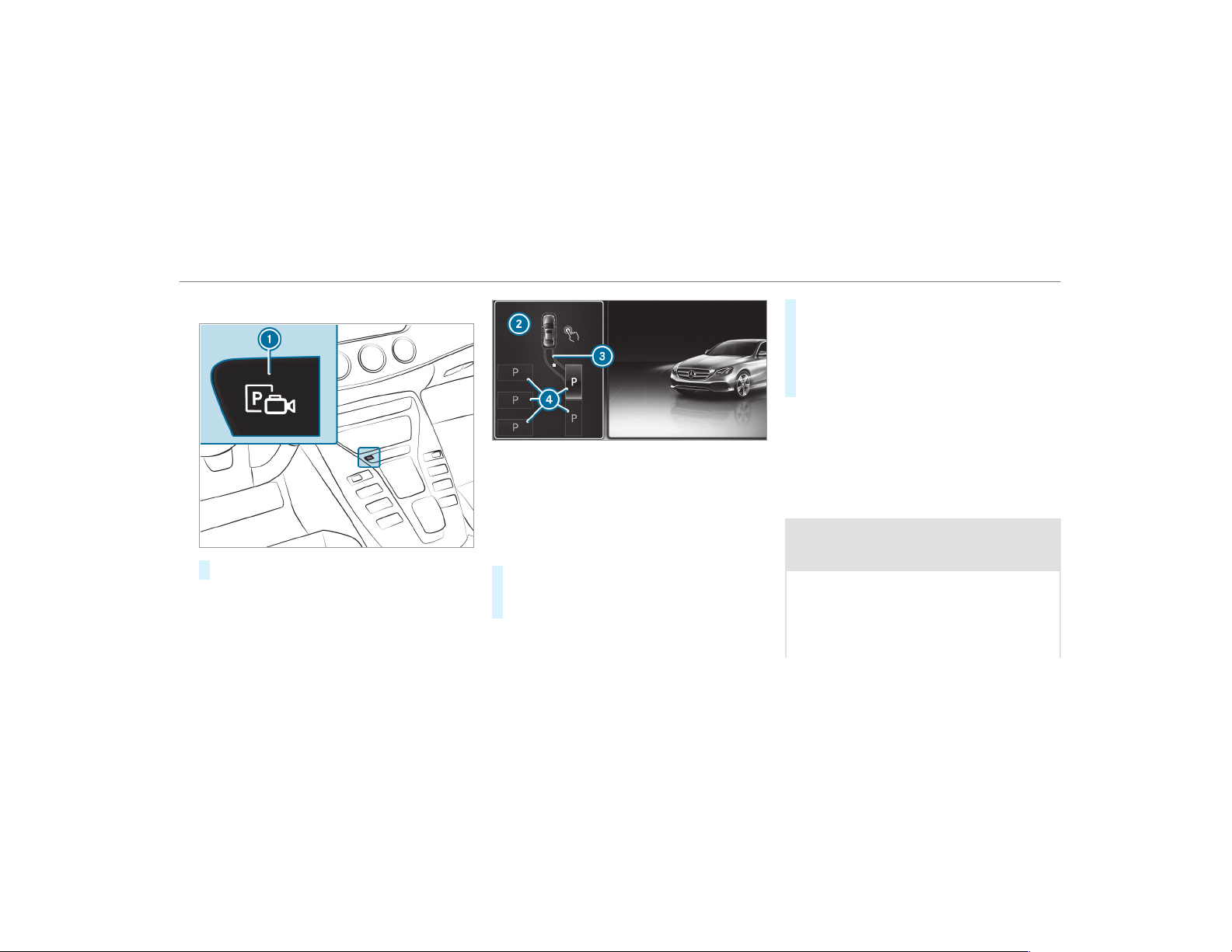
Parking with Active Parking Assist
#
Press button 1.
The Active Parking Assist view appears on the
multimedia system display. Area 2 displays
detected parking spaces 4 and vehicle path
3.
%
Vehicle path 3 shown on the multimedia
system display may differ from the actual
vehicle path.
#
If you have driven past a parking space: bring
the vehicle to a standstill.
#
Select desired parking space 4.
#
Where necessary, select the parking direc‐
tion: forwards or reverse.
Vehicle path 3 is shown, depending on
selected parking space 4 and the parking
direction.
#
Confirm selected parking space 4.
%
The turn signal indicator is switched on auto‐
matically when the parking procedure
begins. The turn signal indicator is switched
off automatically when you switch to h.
You are responsible for selecting the turn signal
in accordance with the traffic conditions. If nec‐
essary, select the turn signal accordingly.
&
WARNING Risk of accident due to vehi‐
cle swinging out while parking or pulling
out of a parking space
While parking or exiting a parking space, the
vehicle swings out and can drive onto areas
of the oncoming lane.
This could cause you to collide with objects
or other road users.
Driving and parking
211
#
Pay attention to objects and other road
users.
#
Where necessary, stop the vehicle or
cancel the parking procedure with
Active Parking Assist.
#
If, for example, the Please Engage Reverse
Gear message appears in the multimedia sys‐
tem display: select the corresponding trans‐
mission position.
The vehicle drives into the selected parking
space.
On completion of the parking procedure, the
Parking Assist Finished, Take Control of Vehicle
display message appears. Further maneuvering
may still be necessary.
#
After completion of the parking procedure,
safeguard the vehicle against rolling away.
When required by legal requirements or local
conditions: turn the wheels towards the curb.
%
You can stop the vehicle and change the
transmission position during the parking pro‐
cedure. The system then calculates a new
vehicle path. The parking procedure can
then be continued. If no new vehicle path is
available, the transmission position will be
changed again. If the vehicle has not yet
reached the parking space, the par king pro‐
cedure will be canceled, should a gear be
changed.
Exiting a parking space with Active Parking
Assist
Requirements:
R
The vehicle has been parked with Active
Parking Assist.
Please note that you are responsible for the vehi‐
cle and surroundings during the entire parking
procedure.
#
Start the vehicle.
#
Press button 1.
The Active Parking Assist view appears on
the multimedia system display.
212
Driving and parking
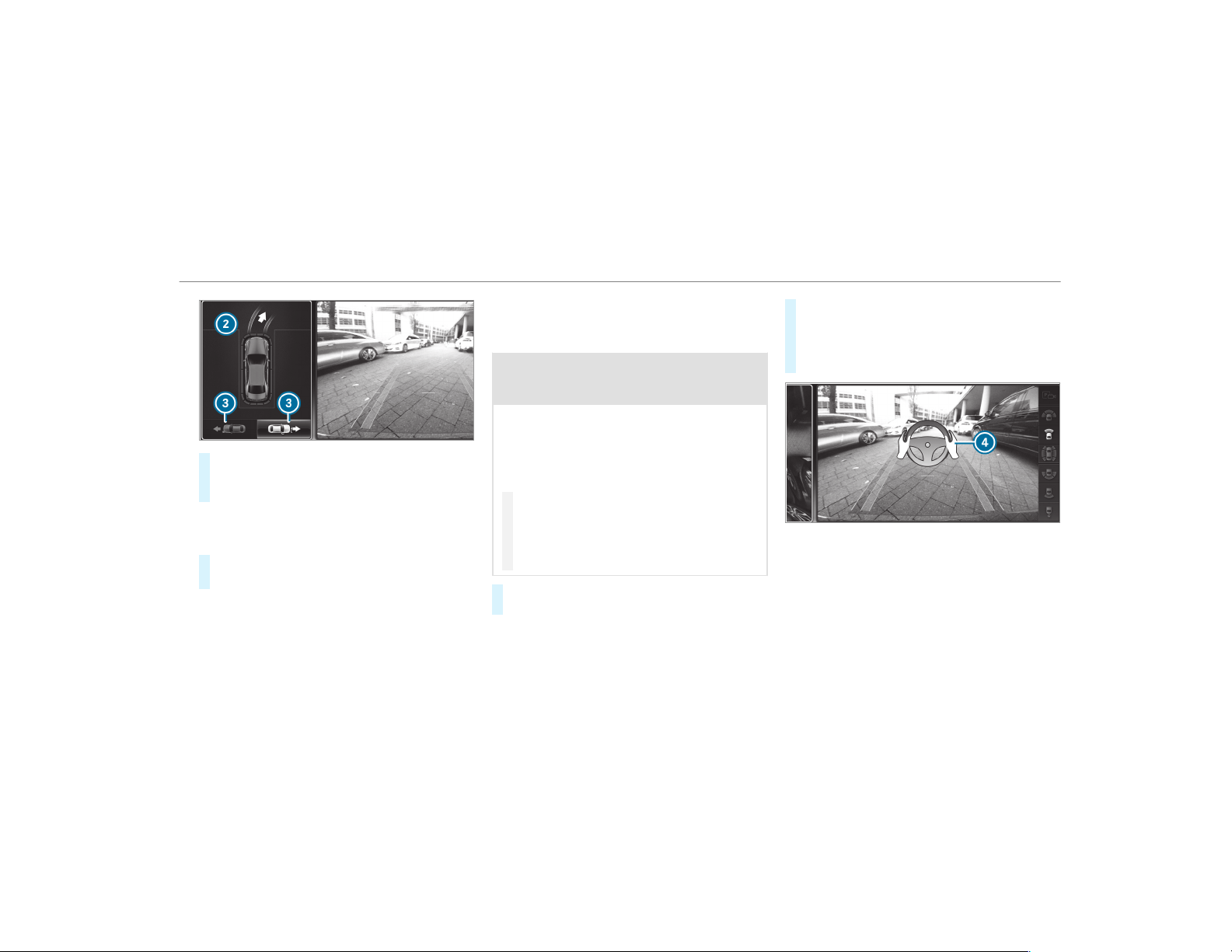
#
If the vehicle has been par ked at right angles
to the direction of travel: in area 2, select
direction of travel 3.
%
The vehicle path shown on the multimedia
system display may differ from the actual
vehicle path.
#
Confirm direction of exit 3 to drive out of
the parking space.
%
The turn signal indicator is switched on auto‐
matically when the exit the parking space
procedure begins.
You are responsible for selecting the turn signal
in accordance with the traffic conditions. If nec‐
essary, select the turn signal accordingly.
&
WARNING Risk of accident due to vehi‐
cle swinging out while parking or pulling
out of a parking space
While parking or exiting a parking space, the
vehicle swings out and can drive onto areas
of the oncoming lane.
This could cause you to collide with objects
or other road users.
#
Pay attention to objects and other road
users.
#
Where necessary, stop the vehicle or
cancel the parking procedure with
Active Parking Assist.
#
If, for example, the Please Engage Forward
Gear message appears in the multimedia sys‐
tem display: select the corresponding trans‐
mission position.
The vehicle moves out of the parking space.
The turn signal indicator is switched off auto‐
matically.
Example: vehicles with 360° Camera
After the exiting procedure has been completed,
the Parking Assist Finished, Take Control of
Vehicle message appears in the display of the
multimedia system. A warning tone and display
4 in the display of the multimedia system
prompt you to take over control of the vehicle.
You have to accelerate, brake, steer and change
gear yourself again.
Driving and parking
213

Function of Drive Away Assist
Drive Away Assist can reduce the severity of an
impact when pulling away. If an obstacle is
detected in the direction of travel, the vehicle's
speed is briefly reduced to approx. 1 mph
(2 km/h). If a critical situation is detected, the
È symbol appears on the camera image of
the multimedia system.
&
WARNING Risk of accident caused by
limited detection performance of Drive
Away Assist
Drive Away Assist cannot always clear ly iden‐
tify objects and traffic situations.
In such cases, Drive Away Assist might:
R
Warn you without reason and limit the
vehicle speed.
R
Not warn you or not limit the vehicle
speed.
#
Always pay careful attention to the traf‐
fic situation; do not rely on Drive Away
Assist alone.
#
Be prepared to brake or swerve as nec‐
essary, provided the traffic situation
permits and that it is safe to take eva‐
sive action.
Drive Away Assist is only an aid. It is not a sub‐
stitute for your attention to the surroundings.
The responsibility for safe maneuvering and
parking remains with you. Make sure that no
persons, animals or objects etc. are in the
maneuvering range.
A risk of a collision may arise in the following sit‐
uations, for example:
R
If the driver mixes up the accelerator and
brake pedals.
R
If the wrong gear is selected.
The Drive Away Assist function is active under
the following conditions:
R
If Parking Assist PARKTRONIC is activated.
R
Every time the gear is changed to k or h
when the vehicle is at a standstill.
R
If the detected obstacle is less than approx.
3.3 ft (1.0 m) away.
R
If the maneuvering assistance function is
activated in the multimedia system.
System limitations
Drive Away Assist is not available on inclines.
Function of Cross Traffic Alert
%
Also read the instructions on Blind Spot
Assist (→ page 218).
Vehicles with Blind Spot Assist: drivers can
also be warned of any crossing traffic when
backing up out of a parking space. If a critical
situation is detected, symbol
1 appears in the
multimedia system display. If the driver does not
respond to the warning, the vehicle's brakes can
be applied automatically. To do this, the function
uses the radar sensors in the bumper. The area
adjacent to the vehicle is continually monitored.
If the radar sensors are obstructed by vehicles
or other objects, detection is not possible.
The Cross Traffic Alert function is active under
the following conditions:
R
If Blind Spot Assist is activated.
R
If the vehicle is backing up at walking pace.
214
Driving and parking
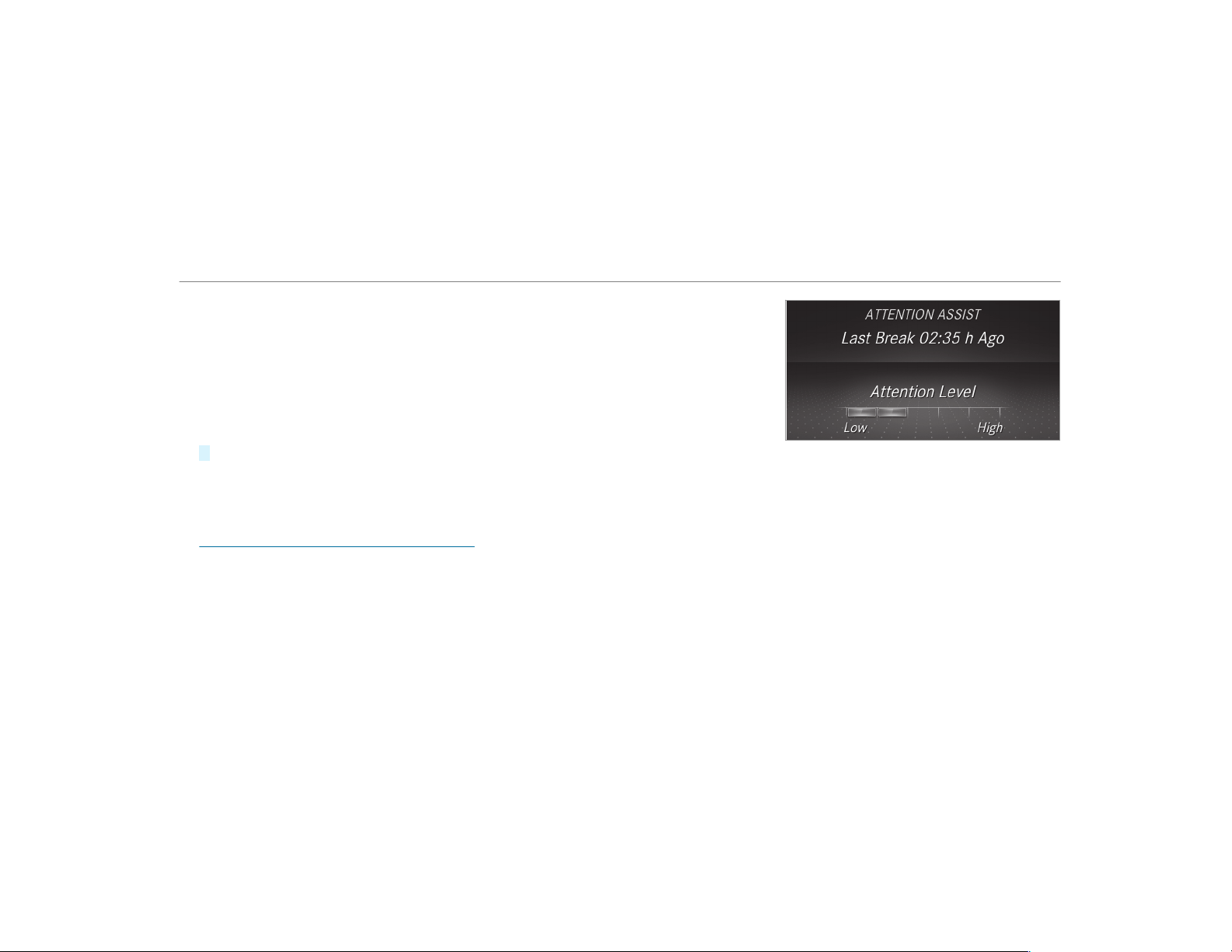
R
If the maneuvering assistance function is
activated in the multimedia system.
System limitations
Deactivating/activating maneuvering assis‐
tance
Multimedia system:
,
Vehicle
.
k Assistance
.
Camera
& Parking
.
Maneuvering Assist.
#
Activate O or deactivate ª the function.
%
Maneuvering assistance must be active for
the function of Dr ive Away Assist
(→ page 214).
ATTENTION ASSIST
Function of ATTENTION ASSIST
ATTENTION ASSIST assists you on long, monoto‐
nous journeys, e.g. on highways and trunk roads.
If ATTENTION ASSIST detects indicators of fati‐
gue or increasing lapses in concentration on the
part of the driver, it suggests taking a break.
ATTENTION ASSIST is only an aid. It cannot
always detect fatigue or lapses in concentration
in time. The system is not a substitute for a well-
rested and attentive driver. On long journeys,
take regular breaks in good time that allow for
adequate recuperation.
You can choose between two settings.
R
Standard: nor mal system sensitivity.
R
Sensitive: higher system sensitivity. The
driver is warned earlier and the attention
level detected by ATTENTION ASSIST is adap‐
ted accordingly.
If drowsiness or increasing lapses in concentra‐
tion are detected, the
ATTENTION ASSIST: Take
a Break! warning appears in the Instrument Dis‐
play. You can acknowledge the message and
take a break if necessary. If you do not take a
break and ATTENTION ASSIST continues to
detect increasing lapses in concentration, you
will be warned again after a minimum of
15 minutes.
You can have the following status information for
ATTENTION ASSIST displayed in the assistance
menu of the on-board computer:
R
The length of the journey since the last
break.
R
The attention level determined by ATTENTION
ASSIST.
If ATTENTION ASSIST is unable to calculate the
attention level and cannot issue a warning, the
System Suspended message appears.
If a warning is given in the Instrument Display,
the multimedia system offers to search for a rest
area. You can select a rest area and start naviga‐
Driving and parking
215
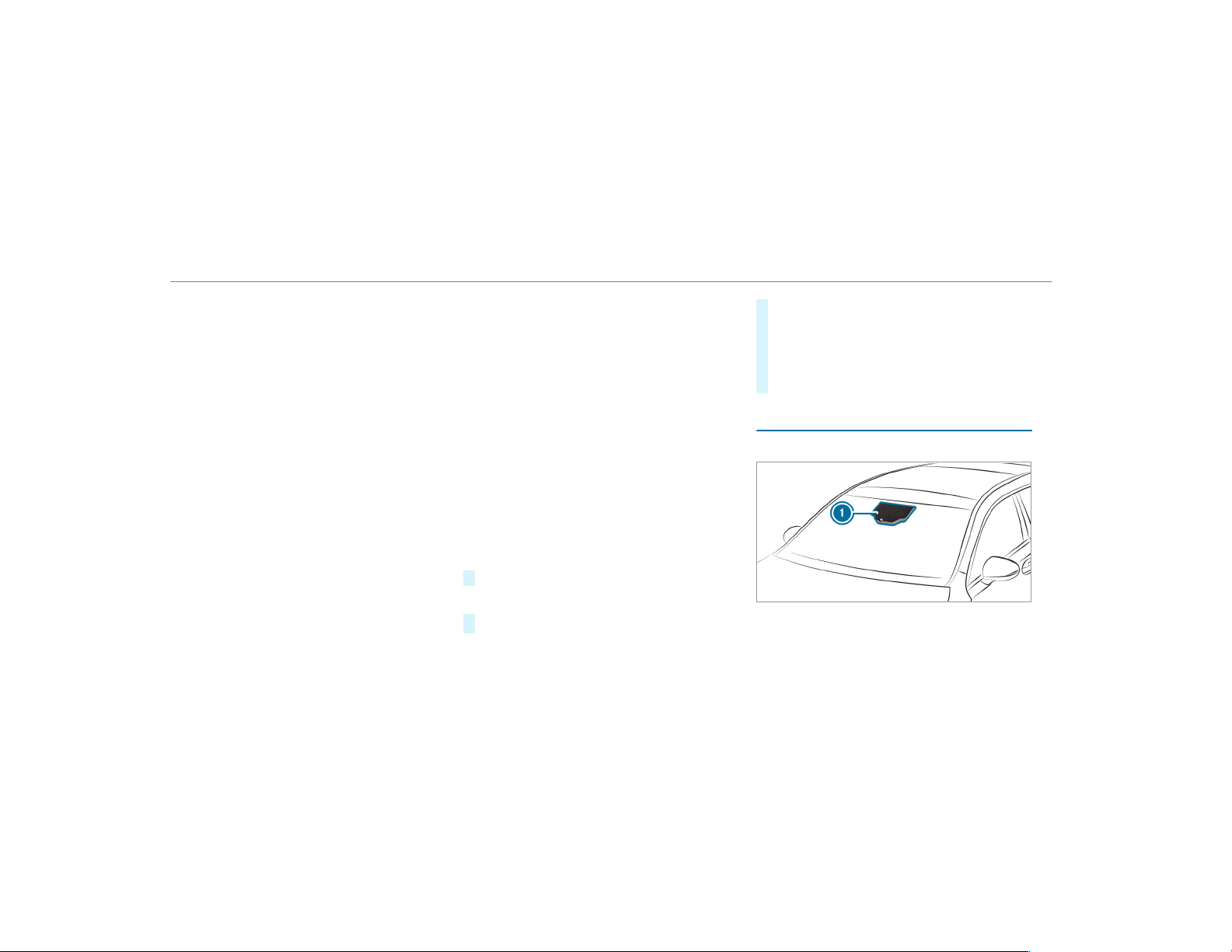
tion to this rest area. This function can be activa‐
ted and deactivated in the multimedia system.
If ATTENTION ASSIST is deactivated, the é
symbol appears in the assistance graphic in the
Instrument Display when the engine is running.
ATTENTION ASSIST is activated automatically
when the engine is re-star ted. The last selected
sensitivity level remains stored.
System limitations
ATTENTION ASSIST is active in the 37 mph
(60 km/h) to 124 mph (200 km/h) speed range.
The functionality of ATTENTION ASSIST is
restricted, and warnings may be delayed or not
occur at all in the following situations:
R
If you have been driving for less than approx‐
imately 30 minutes.
R
If the road condition is poor (uneven road
surface or potholes).
R
If there is a strong side wind.
R
If you adopt a sporty driving style (high cor‐
nering speeds or high rates of acceleration).
R
If the Steering Assist function of Active Dis‐
tance Assist DISTRONIC is active.
R
If the time has been set incorrectly.
R
In active driving situations, if you change
lanes and vary your speed frequently.
The ATTENTION ASSIST tiredness or alertness
assessment is deleted and restarted when con‐
tinuing the journey in the following situations:
R
If you switch off the engine.
R
If you unfasten your seat belt and open the
driver's door (e.g. changing drivers or taking
a break).
Setting ATTENTION ASSIST
Multimedia system:
,
Vehicle
.
k Assistance
.
ATTEN-
TION ASSIST
Setting options
#
Select Standard, Sensitive or Off.
Suggesting a rest area
#
Select Suggest Rest Area.
#
Activate O or deactivate the function ª.
If ATTENTION ASSIST detects fatigue or
increasing lack of attention, it suggests a
rest area in the vicinity.
#
Select a suggested rest area: you are gui‐
ded to the selected rest area.
Traffic Sign Assist
Function of Traffic Sign Assist
Traffic Sign Assist detects traffic signs with mul‐
tifunction camera 1. It assists you by display‐
ing detected speed limits and overtaking restric‐
216
Driving and parking
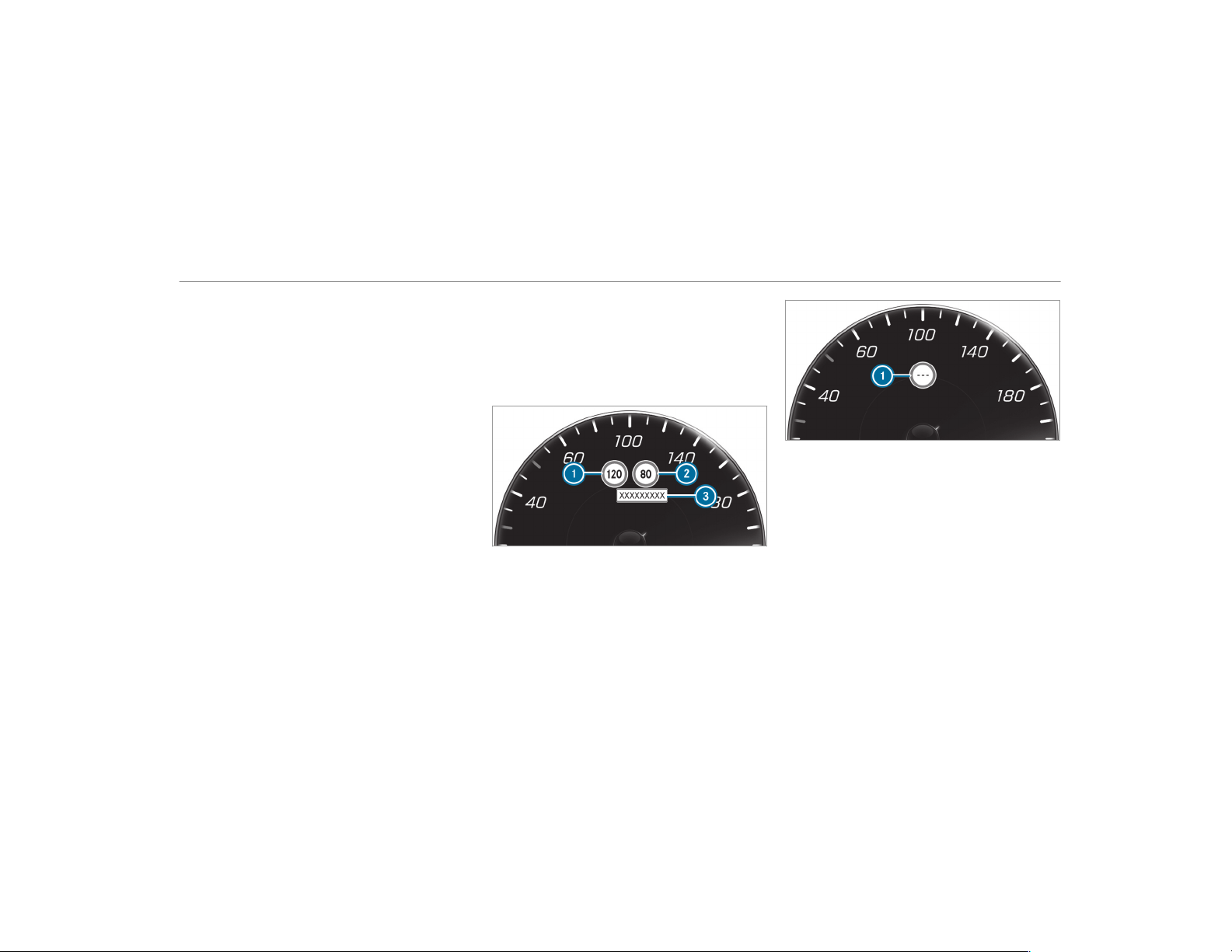
tions in the instrument cluster and optionally in
the head-up display.
Since Traffic Sign Assist also uses the data
stored in the navigation system, it can update
the display in the following situations without
detecting traffic signs:
R
When the vehicle changes roads, e.g. free‐
way entry or exit road.
R
When a village or city boundary is passed
which is stored in the digital map.
The camera also detects traffic signs with a
restriction indicated by an additional sign (e.g. in
wet conditions).
Traffic Sign Assist is only an aid. The driver is
responsible for keeping a safe distance to the
vehicle in front, for vehicle speed and for braking
in good time. The maximum permissible speed
also depends on factors such as the road sur‐
face and traffic conditions.
Warning when the maximum permissible
speed is exceeded
The system can warn you if you unintentionally
exceed the maximum permissible speed. To do
this, you can specify in the multimedia system
by how much the maximum permissible speed
can be exceeded before a warning is issued. You
can specify whether the warning is to be just a
visual warning or an acoustic one as well.
Display in the Instrument Display
Instrument Display in the Widescreen Cockpit
1
Permissible speed
2
Permissible speed when there is a restriction
3
Additional sign with restriction (e.g. in wet
conditions)
Traffic Sign Assist is not available in all coun‐
tries. If it is unavailable, display 1 is shown in
the speedometer.
System limitations
The system may be impaired or may not function
in the following situations:
R
If there is poor visibility, e.g. due to insuffi‐
cient illumination of the road, if there are
highly variable shade conditions or in rain,
snow, fog or heavy spray.
R
If there is glare, e.g. from oncoming tr affic,
direct sunlight or reflections.
Driving and parking
217
R
If the windshield in the area of the multifunc‐
tion camera is dirty, or if the camera is fog‐
ged up, damaged or covered.
R
If the traffic signs are hard to detect, e.g. due
to dirt or snow, or because they are covered
or due to insufficient lighting.
R
If the information in the navigation system's
digital map is incorrect or out-of-date.
R
If the signs are ambiguous, e.g. traffic signs
on construction sites or in adjacent lanes.
R
If you turn sharply, you may pass traffic signs
that are outside the camera's field of vision.
Setting Traffic Sign Assist
Multimedia system:
,
Vehicle
.
k Assistance
.
Traffic
Sign Assist
Displaying detected traffic signs in the
media display
#
Select Display in COMAND.
#
Activate O or deactivate ª the function.
%
When DISTRONIC, cruise control or the vari‐
able limiter are activated, the speed detec‐
ted can be manually adopted as the speed
limit (
→ page 179).
Adjusting the type of warning
#
Select Visual & Audible, Visual or None.
Adjusting the warning threshold
This value determines the speed at which a
warning is issued when exceeded.
#
Select Warning Threshold.
#
Set the desired speed.
Blind Spot Assist and Active Blind Spot
Assist
Function of Blind Spot Assist and Active
Blind Spot Assist
Blind Spot Assist uses two lateral, rear-facing
radar sensors to monitor the area up to 130 ft
(40 m) behind your vehicle and 10 ft (3 m)
directly next to your vehicle.
If a vehicle is detected at speeds above approx‐
imately 8 mph (12 km/h) and this vehicle subse‐
quently enters the monitoring range directly next
to your vehicle, the warning lamp in the outside
mirror lights up red.
If a vehicle is detected close to your vehicle in
the lateral monitoring range and you switch on
the tur n signal indicator in the corresponding
direction, a warning tone sounds once. The red
warning lamp in the outside mirror flashes. If the
turn signal indicator remains switched on, all
other detected vehicles are indicated only by the
flashing of the red warning lamp.
If you overtake a vehicle quickly, no warning is
given.
&
WARNING Risk of accident despite Blind
Spot Assist
Blind Spot Assist does not react to vehicles
approaching and overtaking you at a greatly
different speed.
As a result, Blind Spot Assist cannot warn
drivers in this situation.
#
Always pay careful attention to the traf‐
fic situation and maintain a safe dis‐
tance at the side of the vehicle.
218
Driving and parking

Blind Spot Assist and Active Blind Spot Assist
are only aids. They may fail to detect some vehi‐
cles and are no substitute for attentive driving.
Always ensure that there is sufficient distance to
the side for other road users and obstacles.
System limitations
The system may be limited in the following situa‐
tions:
R
The sensors are dirty or covered.
R
Poor visibility, e.g. due to fog, heavy rain,
snow or spray.
R
Narrow vehicles, e.g. bicycles, are within the
monitoring range.
Warnings may be issued in error when driving
close to crash barriers or similar solid lane bor‐
ders. Warnings may be interrupted when driving
alongside long vehicles, for example trucks, for a
prolonged time.
Blind Spot Assist is not operational when reverse
gear is engaged.
Function of brake application (Active Blind
Spot Assist)
The brake application function is only available
for vehicles with a Driving Assistance Package.
If Active Blind Spot Assist detects a risk of a side
impact in the monitoring range, a course-cor‐
recting brake application is car ried out. This is
designed to help you avoid a collision.
The course-correcting brake application is availa‐
ble in the speed range between approximately
20 mph (30 km/h) and 125 mph (200 km/h).
&
WARNING Risk of accident despite
brake application of Active Blind Spot
Assist
A course-correcting brake application cannot
always prevent a collision.
#
Always steer, brake or accelerate your‐
self, especially if Active Blind Spot
Assist warns you or makes a course-
correcting brake application.
#
Always maintain a safe distance at the
sides.
&
WARNING Risk of accident despite
Active Blind Spot Assist
Active Blind Spot Assist does not react to the
following:
R
If vehicles overtake too closely on the
side, placing them in the blind spot area
R
Vehicles approaching and overtaking you
at a greatly different speed
As a result, Active Blind Spot Assist may nei‐
ther give warnings nor intervene in such sit‐
uations.
#
Always pay careful attention to the traf‐
fic situation and maintain a safe dis‐
tance at the side of the vehicle.
Driving and parking
219
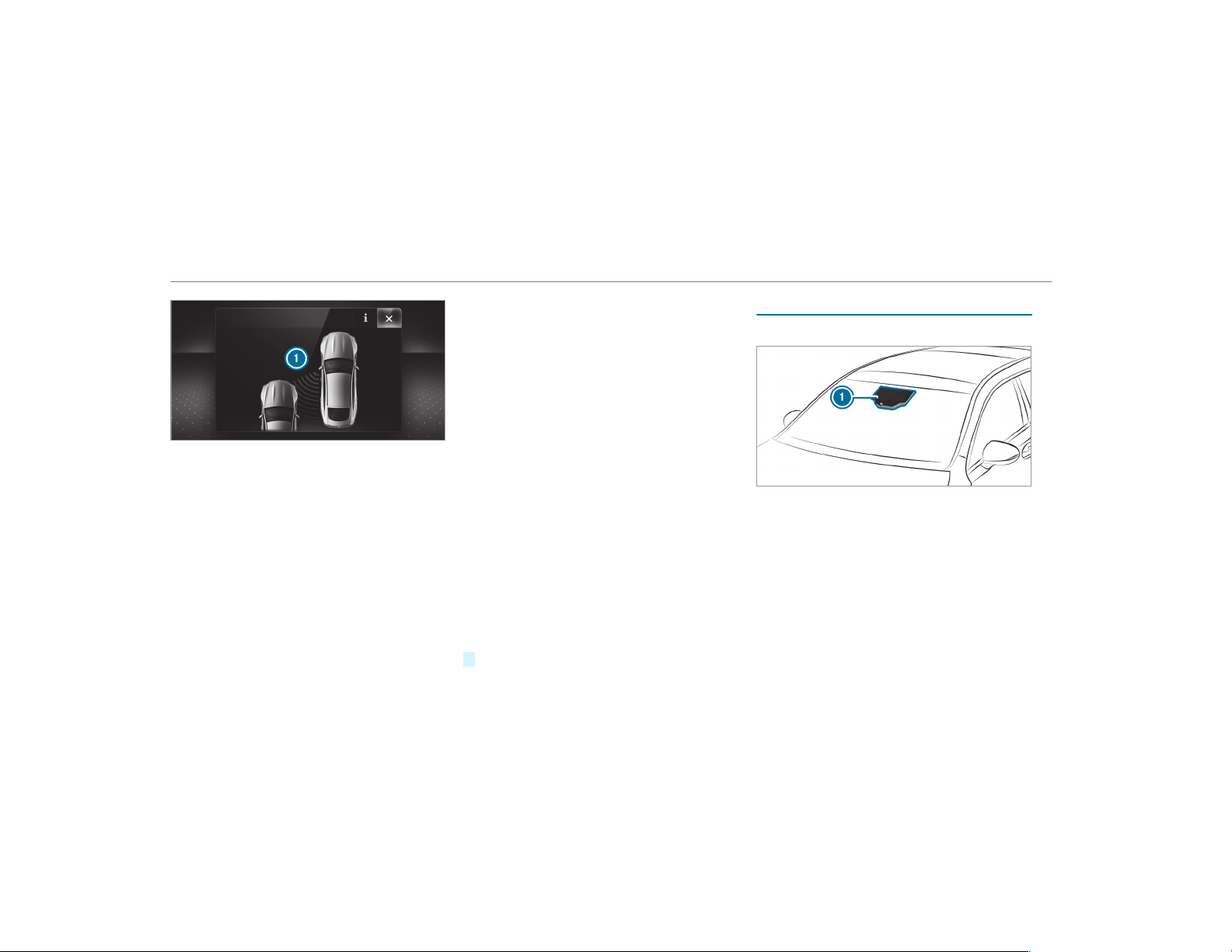
If a course-correcting brake application occurs,
the red warning lamp flashes in the outside mir‐
ror and a warning tone sounds. In addition, dis‐
play
1 indicating the danger of a side collision
appears in the multifunction display.
In ra re cases, the system may make an inappro‐
priate brake application. This brake application
may be interrupted at any time if you steer
slightly in the opposite direction or accelerate.
System limitations
Either a course-correcting brake application
appropriate to the driving situation, or none at
all, may occur in the following situations:
R
Vehicles or obstacles, e.g. crash barriers, are
located on both sides of your vehicle.
R
A vehicle approaches too closely on the side.
R
You have adopted a sporty driving style with
high cornering speeds.
R
You brake or accelerate significantly.
R
A driving safety system intervenes, e.g. ESP
®
or Active Brake Assist.
R
ESP
®
is deactivated
R
A loss of tire pressure or a faulty tire is
detected.
Activating/deactivating Blind Spot Assist or
Active Blind Spot Assist
Multimedia system:
,
Vehicle
.
k Assistance
.
Blind
Spot Assist
#
Activate O or deactivate ª the function.
Active Lane Keeping Assist
Function of Active Lane Keeping Assist
Active Lane Keeping Assist monitors the area in
front of your vehicle by means of multifunction
camera 1. It serves to protect you against unin‐
tentionally leaving your lane. You will be warned
by vibration pulses in the steering wheel and gui‐
ded by a cour se-correcting brake application
back into your lane.
You are warned by vibration pulses in the steer‐
ing wheel in the following circumstances:
R
Active Lane Keeping Assist detects a lane
marking.
220
Driving and parking
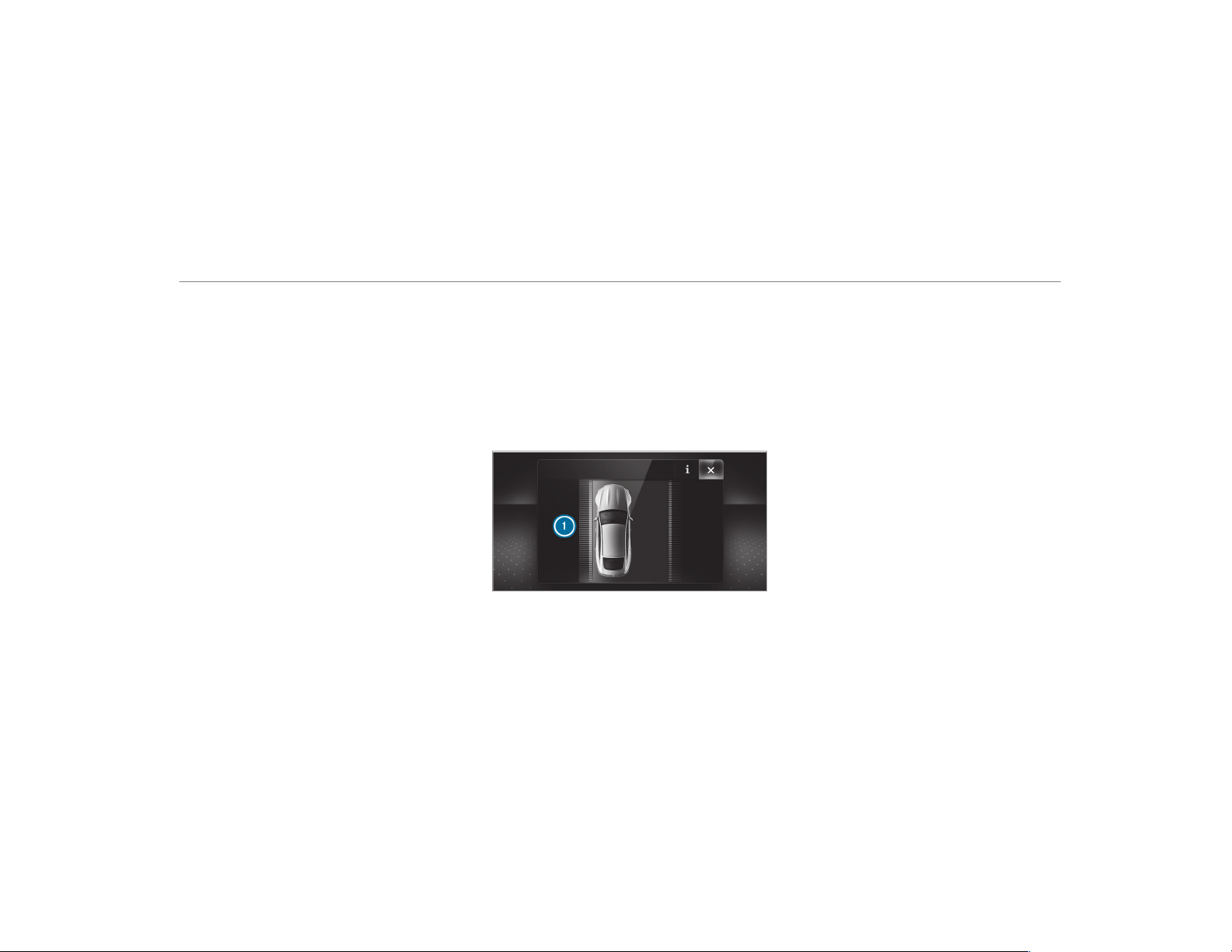
R
A front wheel drives over this lane marking.
You will also be guided back into your lane by
means of a course-correcting brake application
if the following conditions are met:
R
Active Lane Keeping Assist detects lane
markings on both edges of the lane.
R
A front wheel drives over a solid lane mark‐
ing.
You can activate or deactivate the Active Lane
Keeping Assist warning.
Active Lane Keeping Assist can neither reduce
the risk of an accident if you fail to adapt your
driving style nor override the laws of physics. It
cannot take into account road, weather or traffic
conditions. Active Lane Keeping Assist is only an
aid. You are responsible for maintaining a safe
distance to the vehicle in front, for vehicle
speed, for braking in good time and for staying
in lane.
Active Lane Keeping Assist can bring the vehicle
back into the lane with a lane-correcting brake
application. In the case of a broken lane marking
being detected, a brake application will only be
made if a vehicle has been detected in the adja‐
cent lane. Oncoming traffic can be detected.
Vehicles with Driving Assistance package or
Driving Assistance Plus package: overtaking
vehicles and vehicles in adjacent lanes can also
be detected.
Active Lane Keeping Assist is available in the
speed range between 40 mph (60 km/h) and
120 mph (200 km/h).
If a lane-correcting brake application occurs, dis‐
play 1 appears in the multifunction display.
System limitations
No lane-correcting brake application occurs in
the following situations:
R
You clearly and actively steer, brake or accel‐
erate.
R
You have switched on the turn signal indica‐
tor (situation-dependent).
R
A driving safety system intervenes, such as
ESP
®
, Active Brake Assist or Active Blind
Spot Assist.
R
You have adopted a sporty driving style with
high cornering speeds or high rates of accel‐
eration.
R
When ESP
®
is deactivated.
R
If a loss of tire pressure or a faulty tire has
been detected and displayed.
The system may be impaired or may not function
in the following situations:
R
If there is poor visibility, e.g. due to insuffi‐
cient illumination of the road, if there are
highly variable shade conditions or in rain,
snow, fog or heavy spray.
Driving and parking
221

R
If there is glare, e.g. from oncoming tr affic,
the sun or reflections.
R
If the windshield in the area of the multifunc‐
tion camera is dirty, or if the camera is fog‐
ged up, damaged or covered.
R
If there are no lane markings, or several
unclear lane markings are present for one
lane, e.g. around roadworks.
R
If the lane markings are worn, dark or cov‐
ered.
R
If the distance to the vehicle in front is too
short and thus the lane markings cannot be
detected.
R
If the lane markings change quickly, e.g.
lanes branch off, cross one another or
merge.
R
If the roadway is very narrow and winding.
Vehicles with Driving Assistance package or
Driving Assistance Plus package: Active Lane
Keeping Assist uses radar sensors to monitor
several areas around the vehicle. If the radar
sensors in the rear bumper are dirty or covered
with snow, the system may be impaired or may
not function. If an obstacle in the lane in which
you are driving has been detected, no lane-cor‐
recting brake application occurs.
Activating Active Lane Keeping Assist
&
WARNING Risk of accident despite
Active Lane Keeping Assist warning
A lane-correcting brake application cannot
always bring the vehicle back into the origi‐
nal lane.
#
Always steer, brake or accelerate your‐
self, especially if Active Lane Keeping
Assist warns you or makes a lane-cor‐
recting brake application.
&
WARNING Risk of accident despite inter‐
vention of Active Lane Keeping Assist
Active Lane Keeping Assist does not detect
traffic conditions or road user s. In very rare
cases, the system may make an inappropri‐
ate brake application, e.g. after intentionally
driving over a solid lane marking.
The brake application can be interrupted at
any time if you steer slightly in the opposite
direction.
#
Always make sure that there is suffi‐
cient distance to the side for other traf‐
fic or obstacles.
&
WARNING Risk of accident despite Lane
Keeping Assist
Lane Keeping Assist cannot always clearly
detect lane markings.
In such cases, Lane Keeping Assist can:
R
give an unnecessar y warning
R
not give a warning
#
Always pay par ticular attention to the
traffic situation and keep within the
lane, especially if Active Lane Keeping
Assist alerts you.
Observe the system limitations of Active Lane
Keeping Assist.
222
Driving and parking
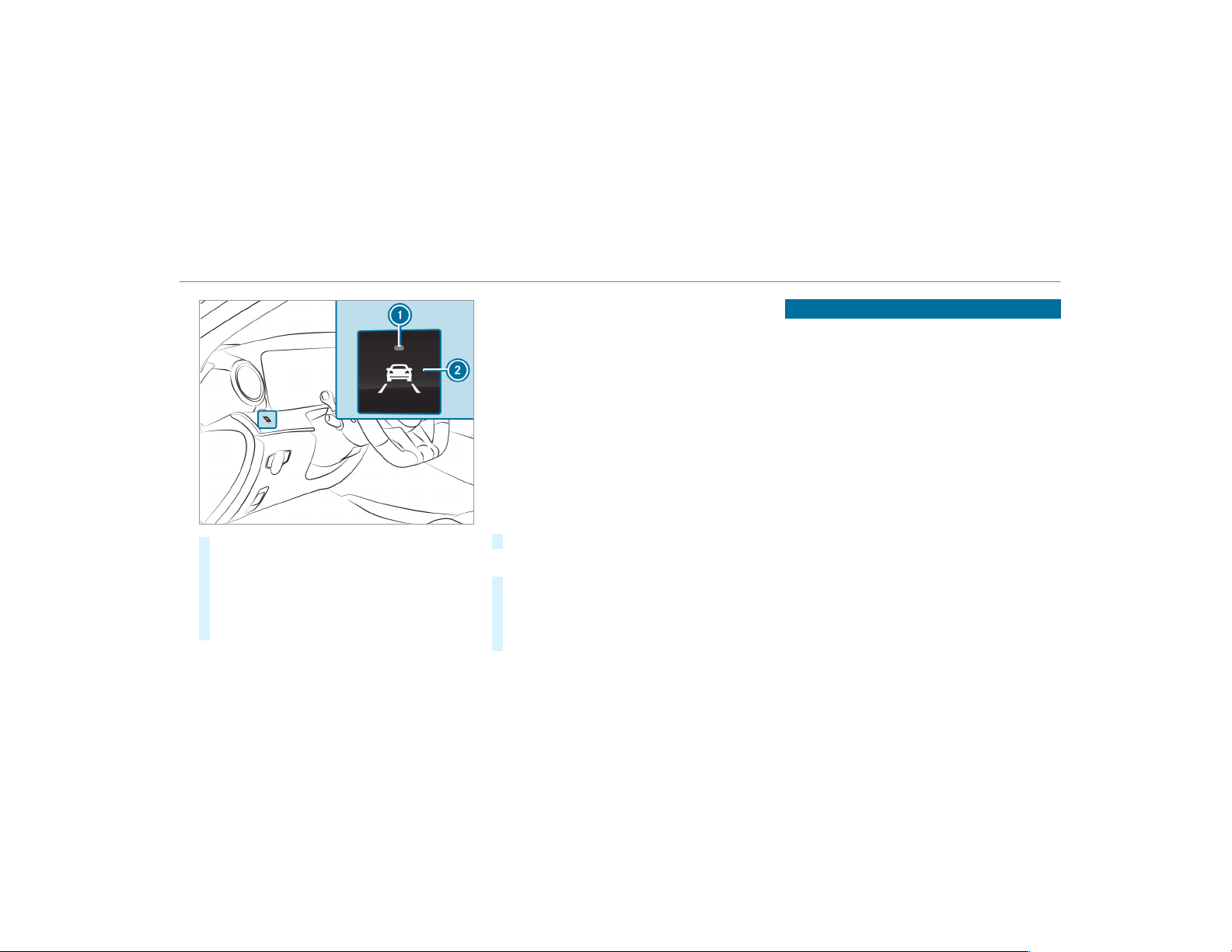
#
Press button 2.
If indicator lamp 1 lights up, Lane Keeping
Assist is activated, the lane markings are
shown as light in the assistance graphic.
When Lane Keeping Assist is active and the
lane markings are shown in green in the
assistance graphic.
%
Depending on the country, you may have to
press and hold the button to deactivate.
Sensitivity of Active Lane Keeping Assist
%
The availability of the following function is
country-dependent.
With the standard or sensitive setting, you can
adjust the sensitivity of Active Lane Keeping
Assist. In the sensitive setting, there are addi‐
tional situations in which Active Lane Keeping
Assist intervenes. The likelihood of intervention
is therefore higher.
Setting the sensitivity of Active Lane Keep‐
ing Assist
Multimedia system:
,
Vehicle
.
k Assistance
.
Act.
Lane Keep. Assist
#
Select a setting.
Activating/deactivating the warning
#
Switch Lane Depart. Warning on O or off
ª.
You do not receive any warning when leaving
a lane if the lane keeping warning system is
deactivated.
Vehicle towing instructions
The vehicle is not suitable for the use of tow -bar
systems, which are used for flat towing or dinghy
towing, for example. Attaching and using tow-bar
systems can lead to damage on the vehicle.
When towing a vehicle with tow-bar systems,
safe, dynamic driving behavior of the towing
vehicle and the vehicle being towed is not guar‐
anteed. The vehicle-trailer combination can
swer ve from side to side. Comply with the per‐
mitted towing methods (
→ page 377) and the
instructions for towing with both axles on the
ground (→ page 379).
Driving and parking
223
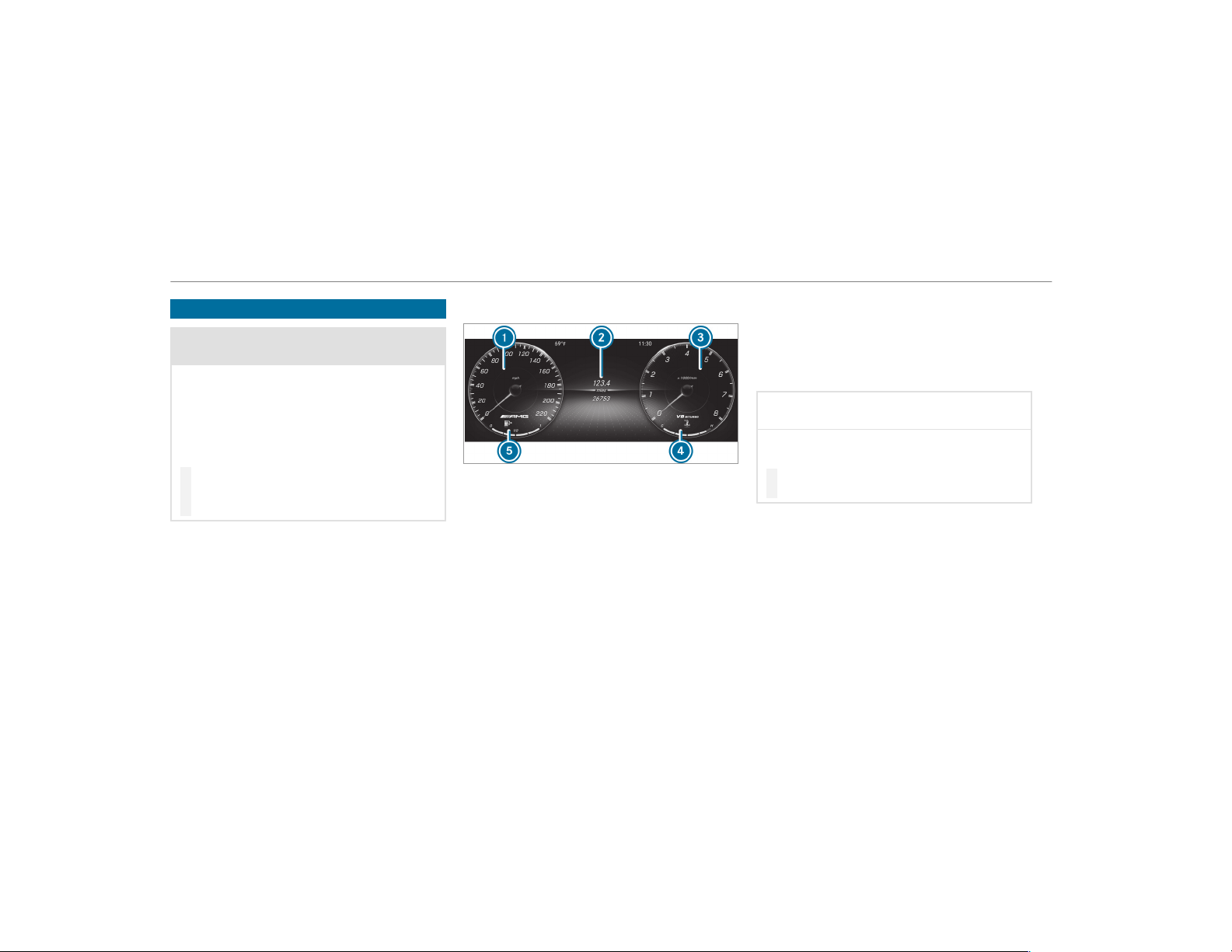
Instrument Display overview
&
WARNING Risk of accident due to an
instrument display malfunction
If the Instrument Display has failed or mal‐
functioned, you may not recognize function
restrictions applying to safety relevant sys‐
tems.
The operating safety of your vehicle may be
impaired.
#
Drive on carefully.
#
Have the vehicle checked immediately
at a qualified specialist workshop.
If the operating safety of your vehicle is
impaired, park the vehicle safely as soon as pos‐
sible. Contact a qualified specialist workshop.
Instrument Display
1
Speedometer
2
Multifunction display
3
Example: area for additional values
4
Mercedes-AMG GT 43/GT 53:
EQ Boost display
Mercedes-AMG GT 63:
Coolant temperature gauge
5
Fuel level and fuel filler flap location indica‐
tor
%
Further display content can be shown on dis‐
play 3 for additional values (→ page 227).
The segments on speedometer 1 indicate the
system status for the following:
R
Cruise control(→ page 175)
R
Active Distance Assist
DISTRONIC(→ page 177)
*
NOTE Engine damage due to excessively
high engine speeds
The engine will be damaged if you drive with
the engine in the overrevving range.
#
Do not drive with the engine in the over‐
revving range.
The fuel supply is interrupted to protect the
engine when the red mark on tachometer 3
(overrevving range) is reached.
During normal operating conditions, coolant
temperature display 4 may rise to the red
mark.
224
Instrument Display and on-board computer
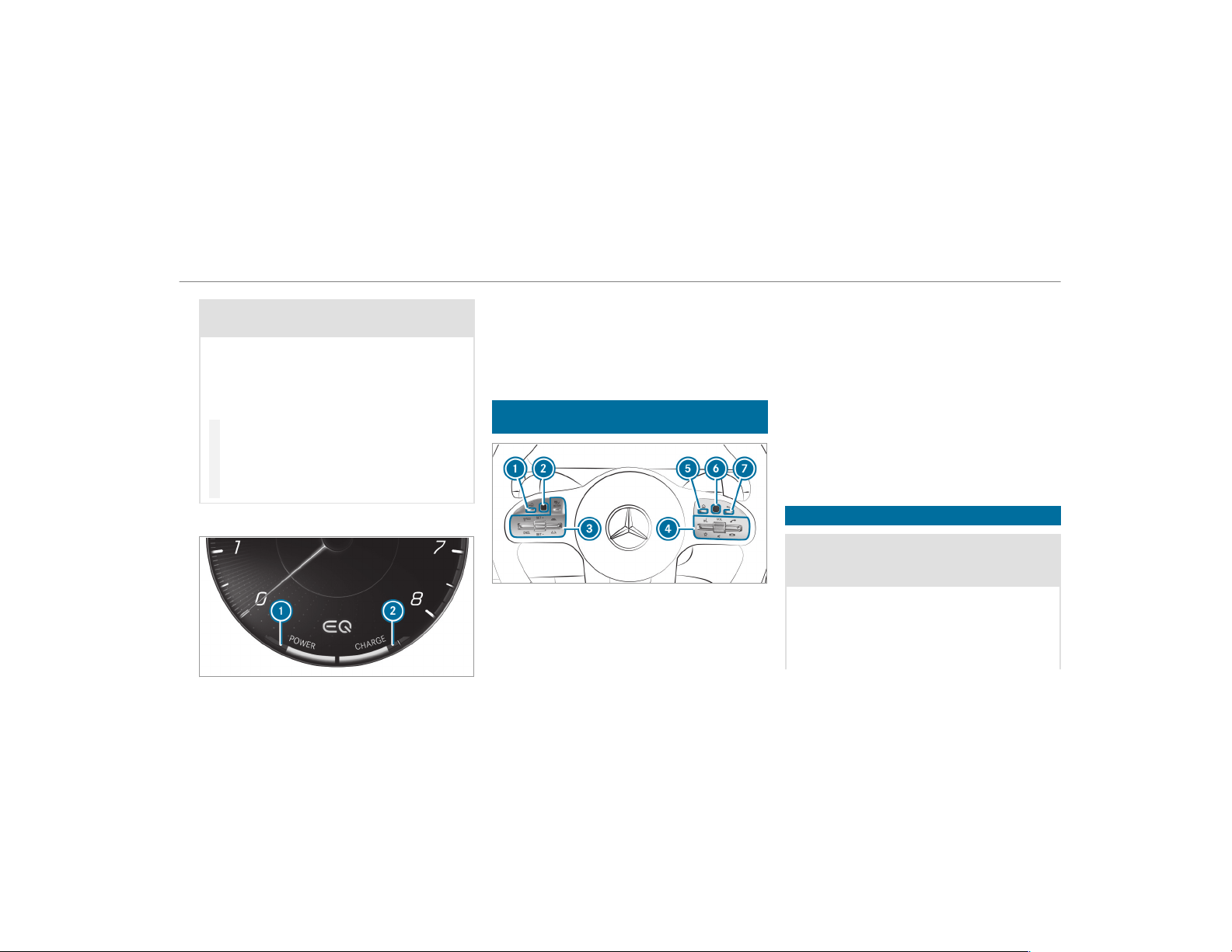
&
WARNING Danger of burns when open‐
ing the hood
If you open the hood when the engine has
overheated or during a fire in the engine
compartment, you could come into contact
with hot gases or other escaping operating
fluids.
#
Before opening the hood, allow the
engine to cool down.
#
In the event of a fire in the engine com‐
partment, keep the hood closed and
call the fire service.
EQ Boost display
R
POWER 1 shows the electrical drive sup‐
port as a percentage.
R
CHARGE 2 shows the electric motor's recu‐
peration power performance as a percent‐
age.
Overview of the buttons on the steering
wheel
1
¤ Back/Home button (press and hold),
on-board computer
2
Touch Control, on-board computer
3
Control panel for cruise control or Active
Distance Assist DISTRONIC
4
Control panel for multimedia system:
£ LINGUATRONIC or voice control sys‐
tem
ß Displays favorites
VOL: control knob, adjusts the volume or
switches the sound off 8 (press)
6 Makes/accepts a call
~ Rejects/ends a call
5
ò Calls up the home screen
6
Touch Control multimedia system
7
% Back button (press and hold)
Operating the on-board computer
&
WARNING Risk of distraction from infor‐
mation systems and communications
equipment
If you operate information and communica‐
tion equipment integrated in the vehicle
when driving, you will be distracted from the
traffic situation. This could also cause you to
lose control of the vehicle.
Instrument Display and on-board computer
225
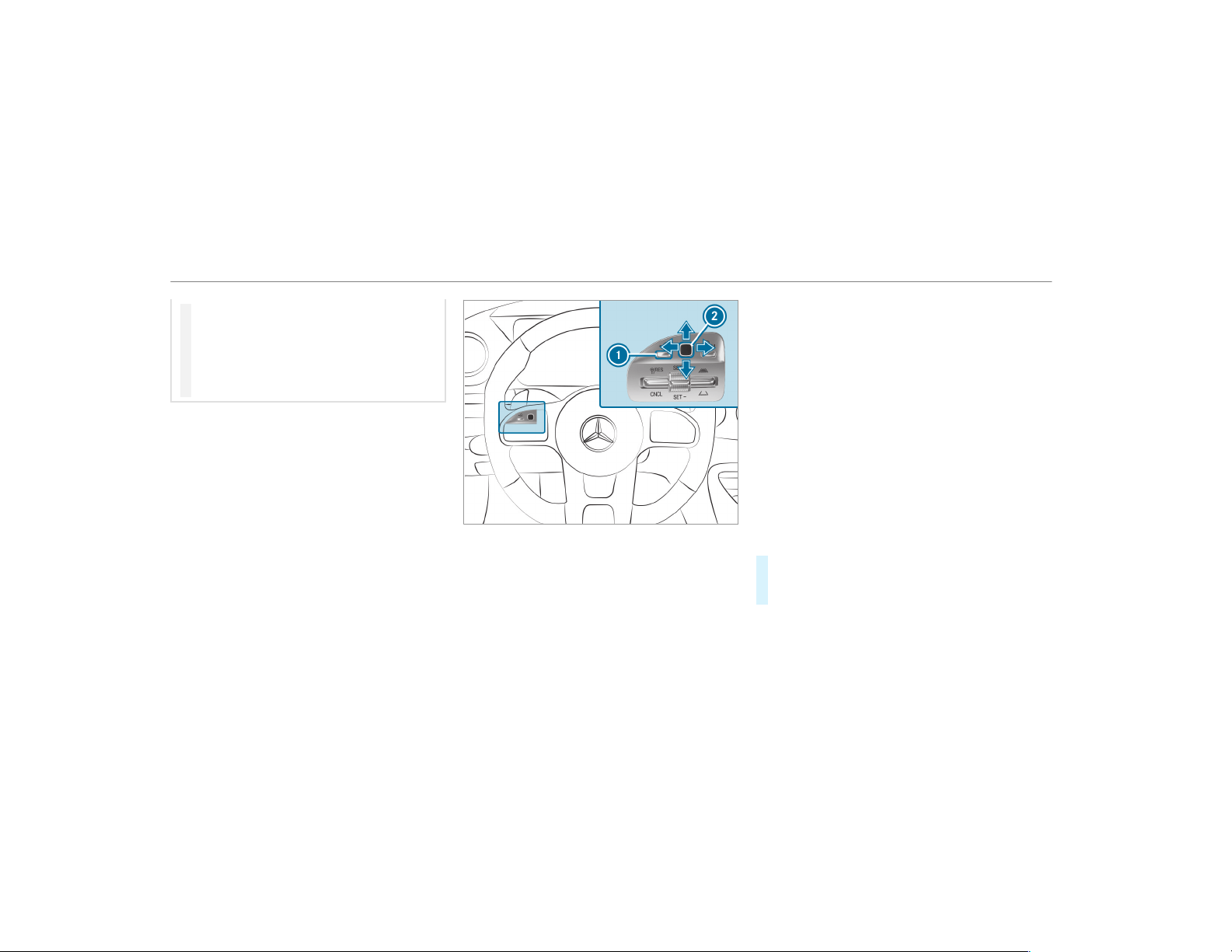
#
Only oper ate this equipment when the
traffic situation permits.
#
If you cannot be sure of this, stop the
vehicle whilst paying attention to road
and traffic conditions and operate the
equipment with the vehicle stationary.
Observe the legal requirements for the country
in which you are currently driving when operat‐
ing the on-board computer.
%
The on-board computer displays appear on
the multifunction display (→ page 228).
The on-board computer can be oper ated using
the left-hand Touch Control 2 and left-hand
back/home button 1.
When the on-board computer is being operated,
different acoustic signals sound as operating
feedback, e.g. when the end of a list is reached
or when scrolling through a list.
The following menus are available:
R
Service
R
Assistance
R
Performance
R
Trip
R
Navigation
R
Radio
R
Media
R
Phone
R
HUD
Vehicles with an Instrument Display (stand‐
ard) only: If you select the Performance menu,
the upshift bar will appear on the multifunction
display.
The menus can be called up from the menu bar
on the multifunction display.
#
To call up the menu bar: press back button
on the left 1 until the menu bar is dis‐
played.
%
Vehicles without Active Distance Assist
DISTRONIC: press the ò button to call
up the menu bar of the on-board computer.
226
Instrument Display and on-board computer
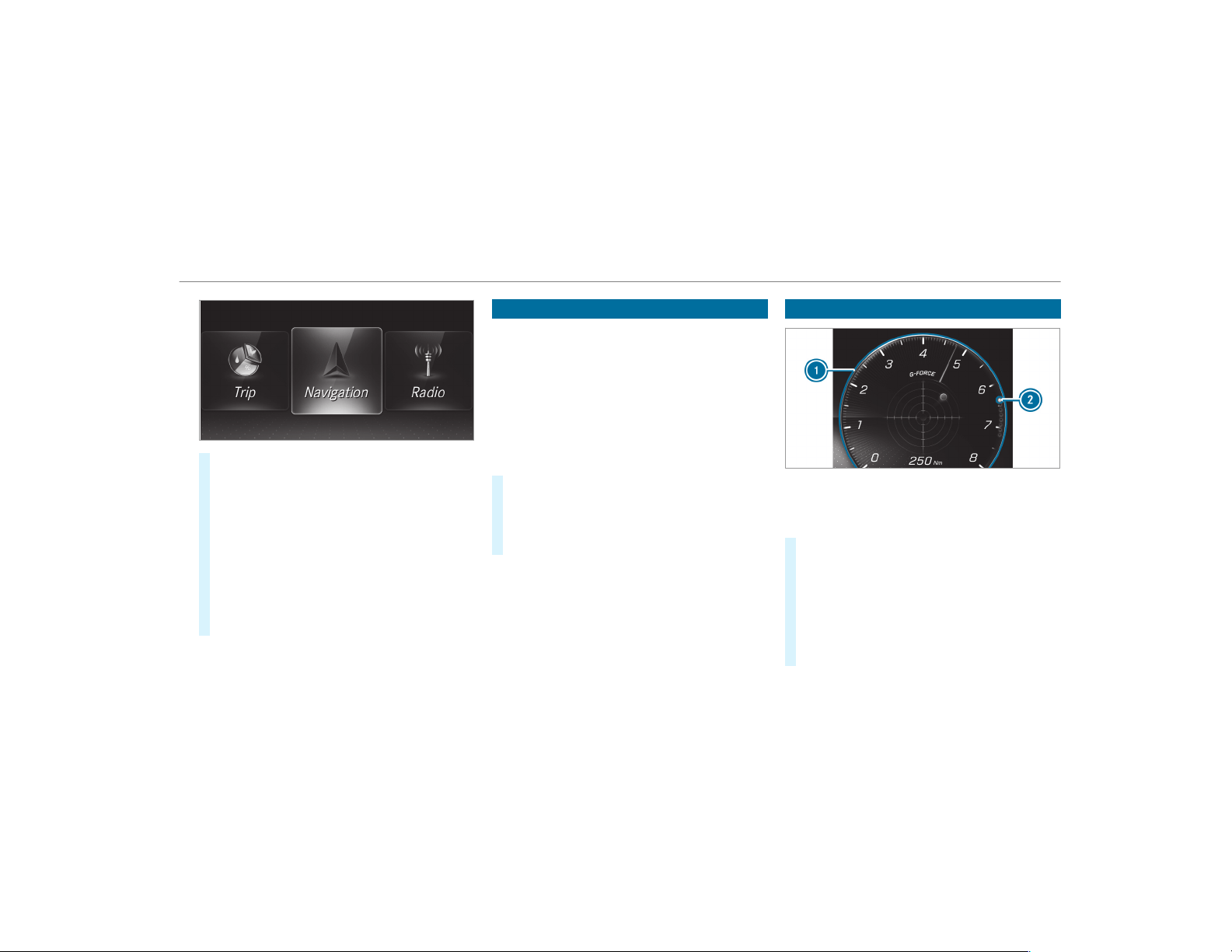
#
To scroll in the menu bar: swipe left or
right on left-hand Touch Control 2.
#
To call up a menu or confirm the selec‐
tion: press left-hand Touch Control 2.
#
To scroll through displays or lists on the
menu: swipe upwards or downwards on left-
hand Touch Control 2.
#
To call up a submenu or confirm the
selection: press left-hand Touch Control 2.
#
To exit a submenu: press back button on
the left 1.
Setting the design
On-board computer:
,
Designs
%
This function is only available for vehicles
with a Widescreen Cockpit.
The following designs can be selected:
R
Classic
R
Sport
R
Supersport
#
To select a design: swipe upwards or down‐
wards on the left-hand Touch Control.
#
Press the left-hand Touch Control.
The Instrument Display is shown in the selec‐
ted design.
Setting the additional value range
Example: G-meter
1
Additional value range
2
Index points
#
To select display content: swipe to the
right on the left-hand Touch Control.
#
Swipe upwards or downwards on the left-
hand Touch Control to select display content.
When display content is selected, additional
value range
1 is briefly highlighted.
Index points 2 display the selected list
item.
Instrument Display and on-board computer
227
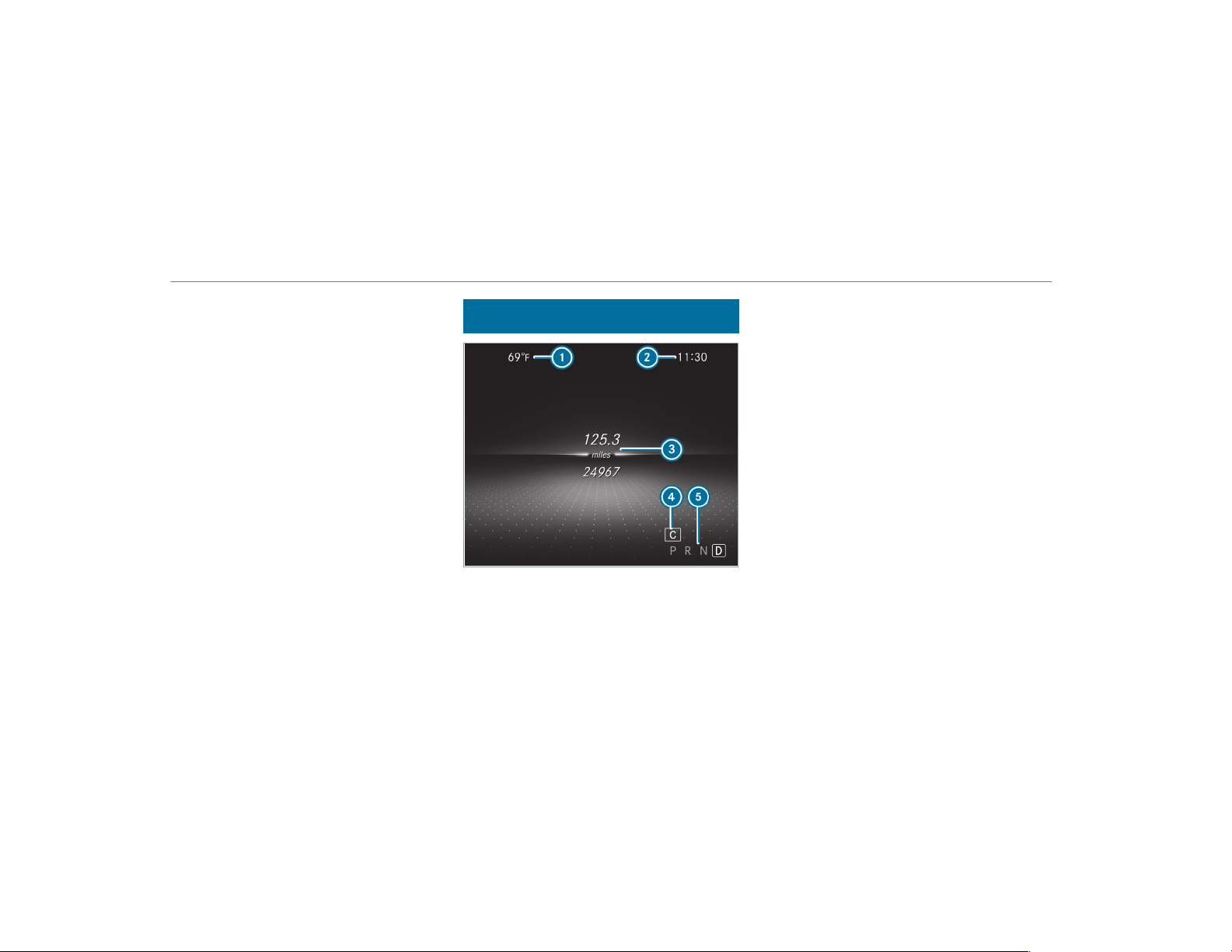
The following content can be displayed in
Mercedes-AMG vehicles:
R
Tachometer/date
R
G-meter
R
Engine dat a
R
AMG TRACK PACE
R
Warm-up
R
Trip computer
R
Navigation
Overview of displays on the multifunction
display
1
Outside temperature
2
Time
3
Display section
4
Drive program
5
Transmission position
Further displays on the multifunction display:
ë
Active Parking Assist activated
(→ page 211)
é
Parking Assist PARKTRONIC deactivated
(→ page 203)
¯
Cruise control(→ page 175)
ç
Active Distance Assist
DISTRONIC(→ page 177)
è
Active Steering Assist(→ page 183)
è
ECO start/stop function
õ
Mercedes-AMG GT 43/53: operational
readiness established
/
Mercedes-AMG GT 63: 4-cylinder opera‐
tion
ë
HOLD function (→ page 189)
_
Adaptive Highbeam Assist (→ page 118)
Vehicles with Traffic Sign Assist: Detected
instructions and traffic signs (→ page 216).
228
Instrument Display and on-board computer
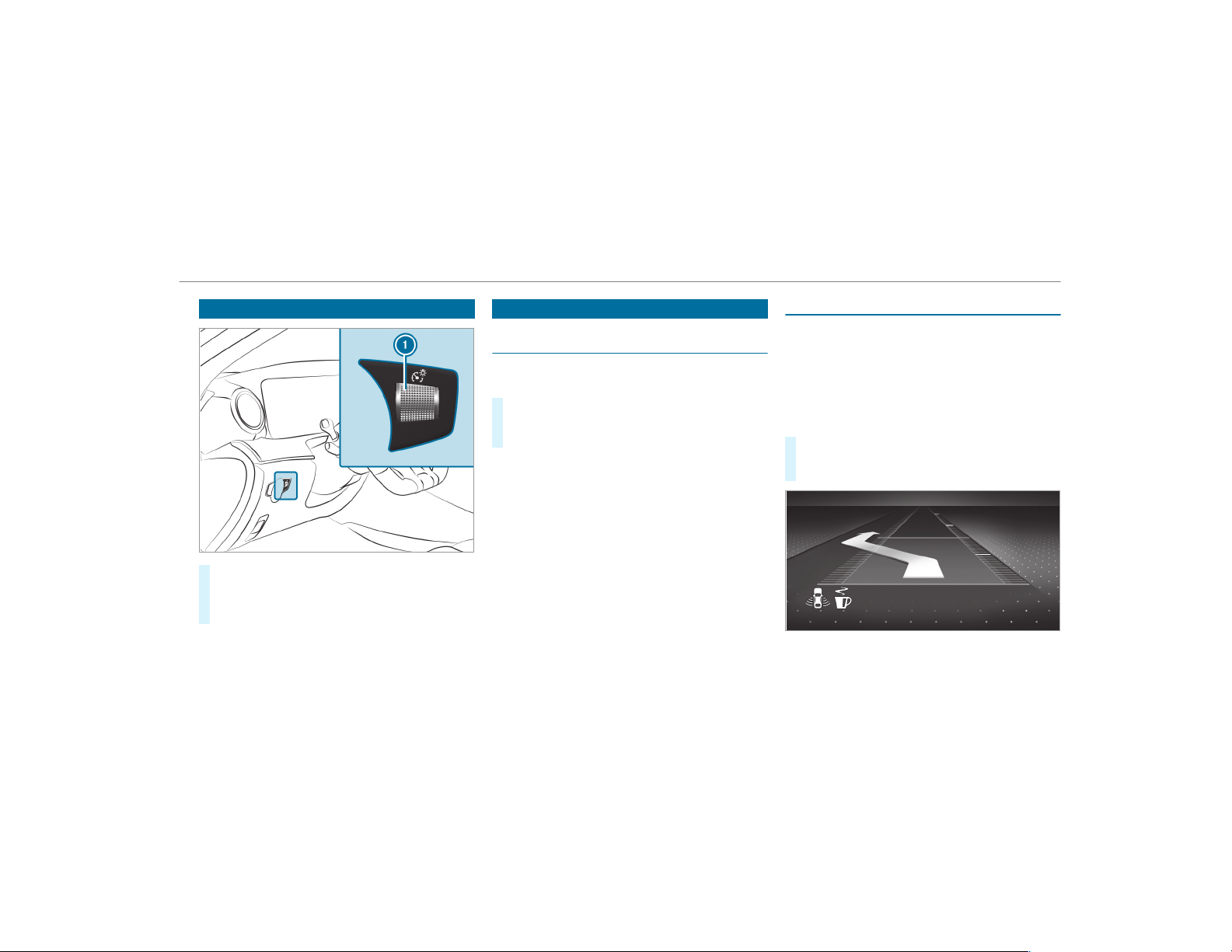
Adjusting the instrument lighting
#
Turn brightness control 1 up or down.
The lighting of the Instrument Display and in
the control elements of the vehicle interior is
adjusted.
Menus and submenus
Functions on the Service menu of the on-
board computer
On-board computer:
,
Service
#
To select the function: swipe upwards or
downwards on the left-hand Touch Control.
#
Press the left-hand Touch Control.
Functions on the Service menu:
R
Message memory (→ page 428)
R
Tires:
-
Checking the tire pressure with the tire
pressure monitoring system
(→ page 392)
-
Restarting the tire pressure monitoring
system (→ page 393)
R
ASSYST PLUS: calls up the service due date
(→ page 350)
R
Vehicles with a Widescreen Cockpit: Cool-
ant: Coolant temperature display
R
Engine Oil Level: engine oil level
Calling up the assistant display
On-board computer:
,
Assistance
The following displays are available on the assis‐
tant display menu:
R
Assistant display
R
Attention level (→ page 215)
#
To switch between the displays: swipe
upwards or downwards on the left-hand
Touch Control.
Status displays on the assistant display:
R
é ATTENTION ASSIST: deactivated
Instrument Display and on-board computer
229
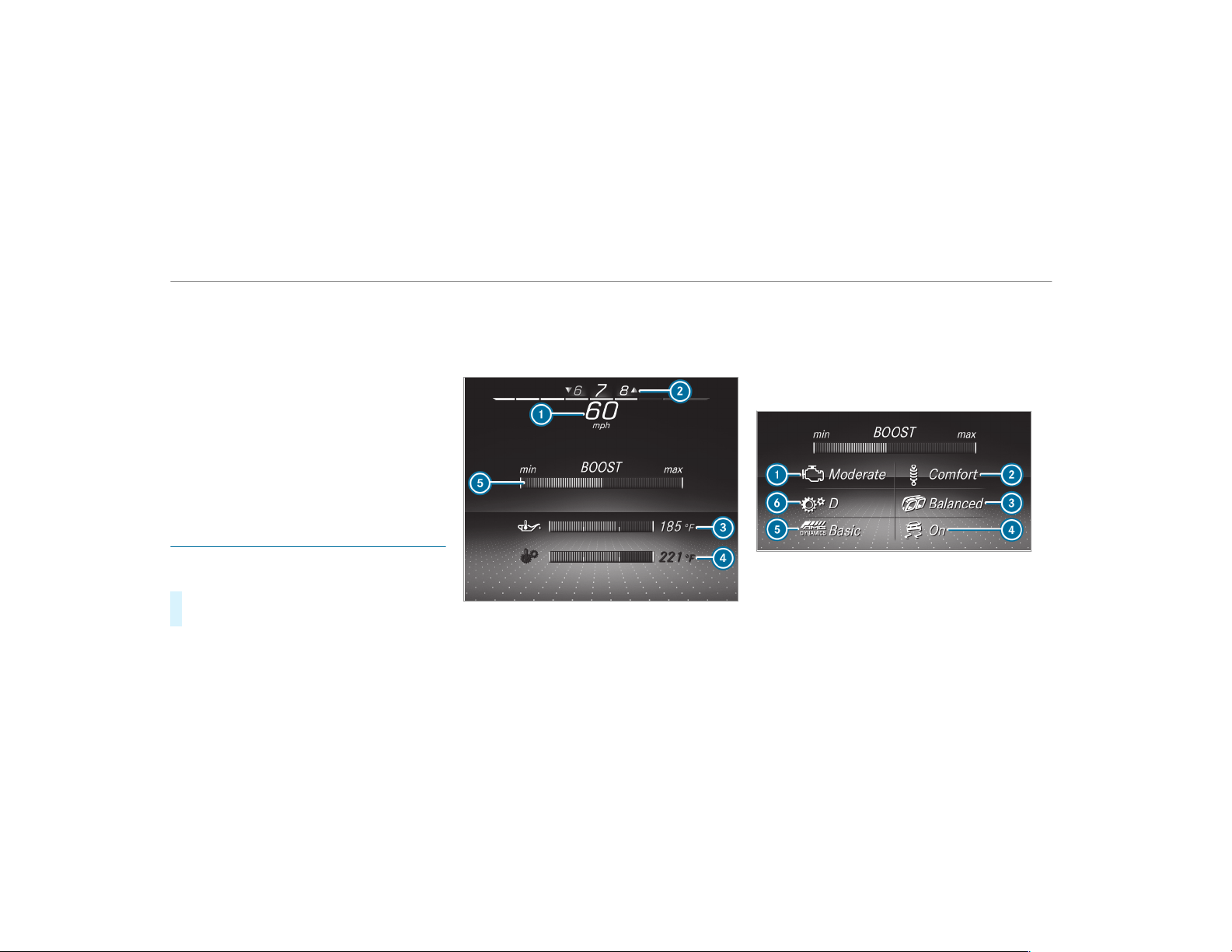
R
Light lane markings: Active Lane Keeping
Assist enabled
R
Green lane markings: Active Lane Keeping
Assist active
R
¸ Gray radar waves next to vehicle: Blind
Spot Assist or Active Blind Spot Assist ena‐
bled
R
¸ Green radar waves next to vehicle:
Blind Spot Assist or Active Blind Spot Assist
active
R
Active Distance Assist DISTRONIC displays
(→ page 177)
Calling up displays on the Performance
menu
On-board computer:
,
Performance
#
To select a display: swipe upwards or down‐
wards on the left-hand Touch Control.
Displays on the Performance menu:
R
Warm-up
R
SETUP
R
G-meter
R
Engine data
R
Vehicles without AMG TRACK PACE: RACE‐
TIMER (→ page 231)
Example: warm-up
1
Digital speedometer
2
Gear display
3
Engine oil temperature
4
Transmission oil temperature
5
Boost pressure
If the engine or transmission is not at operating
temperature, the multifunction display shows
temperature
3 or 4 in blue. Avoid using the
full engine power output during this time.
SETUP in Mercedes-AMG GT vehicles (example)
1
Drive system setting:
Reduced/Moderate/Sport/Dynamic/Race
2
Suspension tuning:
Comfort/Sport/Sport+
3
Exhaust system:
Balanced/Powerful
230
Instrument Display and on-board computer

4
ESP
®
:
On/Sport/Off
5
AMG Dynamics:
Basic/Advanced/Pro/Master
6
Transmission position
D/M
Example: G-meter
While the vehicle is in motion, the G-meter
shows the forces that are exerted on the vehicle
occupants both laterally and in the direction of
travel. The maximum values appear in red in the
coordinate system.
#
To reset the G-meter: press the left-hand
Touch Control.
#
Select Yes.
#
Press the left-hand Touch Control.
Example: engine data
1
Current power output
2
Current torque
When current power 1 or current torque 2
achieves the maximum value, the digital value is
briefly stationary. The bar display continues.
Displaying and starting RACETIMER in the
Performance menu
On-board computer:
,
Performance
The following functions are possible in RACE‐
TIMER:
R
Selecting and starting displays
R
Stopping
R
Starting a new lap
R
Displaying lap statistics
R
Resetting
Instrument Display and on-board computer
231
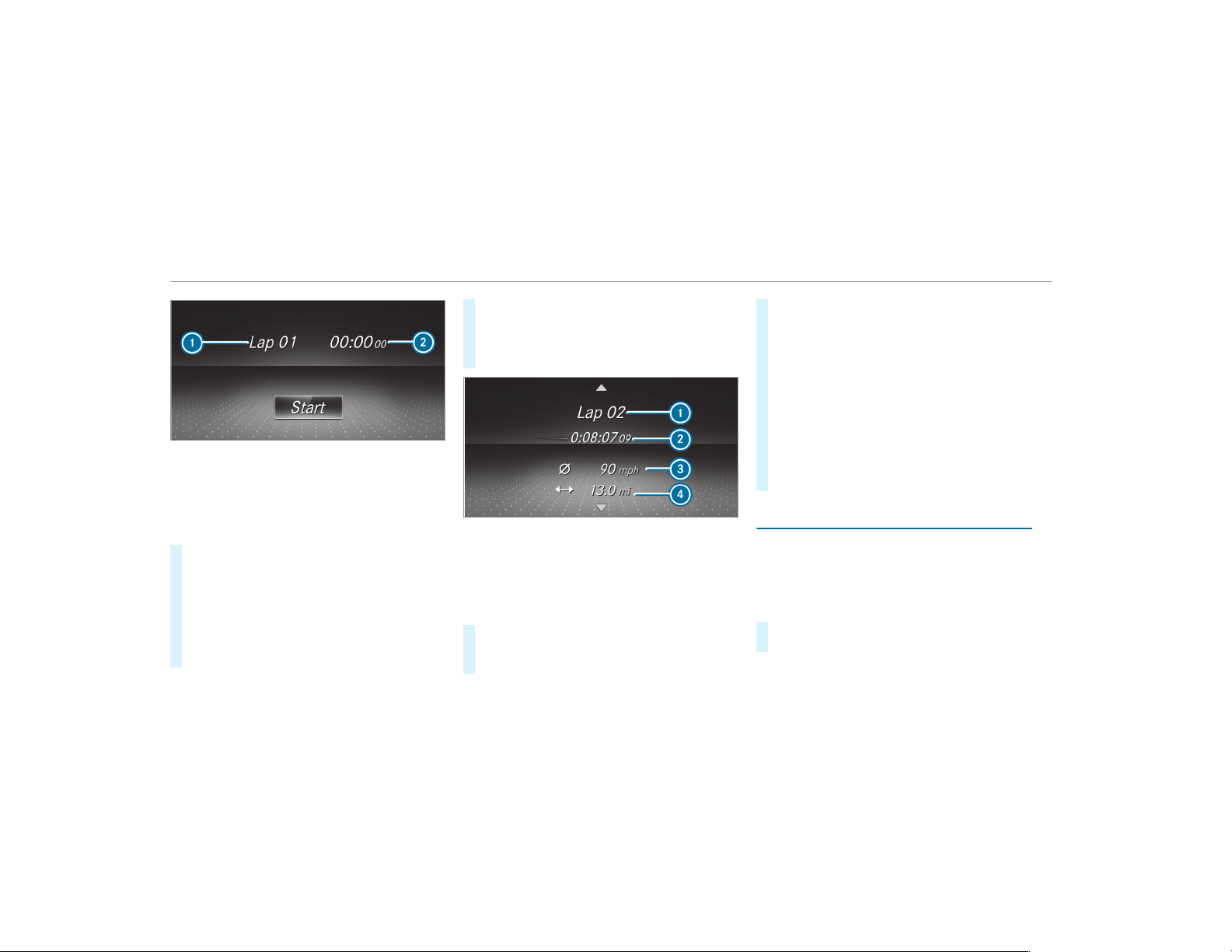
1
Lap
2
Lap time
RACETIMER is intended only for use on designa‐
ted race tracks. Do not use the function on pub‐
lic roads.
#
To select a display and start: swipe up or
down on the left-hand Touch Control.
#
Press the left-hand Touch Control.
#
Select Start and press the left-hand Touch
Control.
#
To stop: select Stop and press the left-hand
Touch Control.
#
To start a new lap: after the first stored lap,
press the left-hand Touch Control.
#
Select New Lap.
A maximum of 32 laps may be stored.
Example: RACETIMER
1
Lap
2
Elapsed time
3
Average speed
4
Distance covered
#
To display the lap statistics: after at least
two stored laps, press the lef t-hand Touch
Control.
#
Select Lap List.
The lap statistics will be displayed.
#
Display the statistics of the next lap by swip‐
ing up or down on the left-hand Touch Con‐
trol.
The fastest lap is indicated by flashing sym‐
bol
1.
#
To reset: stop RACETIMER and press the
left-hand Touch Control.
#
Select Reset and press the left-hand Touch
Control.
All laps will be deleted.
Calling up displays on the trip menu
On-board computer:
,
Trip
%
You can view information about the journey
in the left-hand area of the instrument dis‐
play.
#
To select a display: swipe upwards or down‐
wards on the left-hand Touch Control.
232
Instrument Display and on-board computer
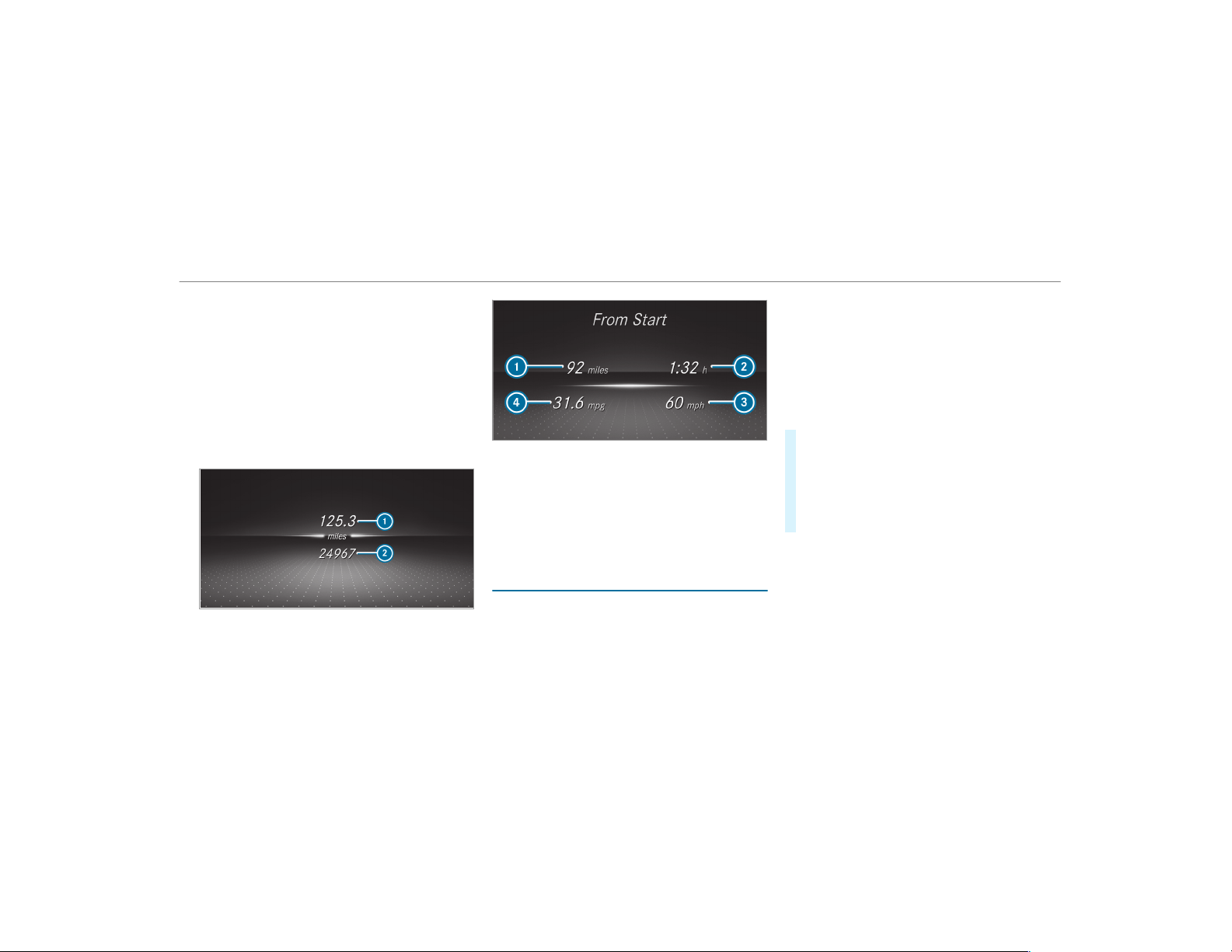
Displays on the Trip menu:
R
Standard display
R
Range and current fuel consumption
If there is only a small amount of fuel left in
the fuel tank, the display will show a vehicle
being refueled instead of the range.
R
ECO display (→ page 144)
R
Trip computer From Start and From Reset
R
Digital speedometer
Example: standard display
1
Trip distance
2
Total distance
Example: trip computer
1
Total distance
2
Driving time
3
Average speed
4
Average fuel consumption
Resetting values on the trip menu of the on-
board computer
On-board computer:
,
Trip
%
The spelling on the main menu displayed
may differ. Therefore, observe the menu
overview for the Instrument Display
(
→ page 225).
You can reset the values of the following func‐
tions:
R
Trip distance
R
Trip computer From Start and From Reset
R
ECO display(→ page 144)
#
To select the function to be reset: swipe
upwards or downwards on the left-hand
Touch Control.
#
Press the left-hand Touch Control.
#
Select Yes .
#
Press the left-hand Touch Control.
If you press and hold the left-hand Touch Con‐
trol, the values of the function will be reset
immediately.
Instrument Display and on-board computer
233
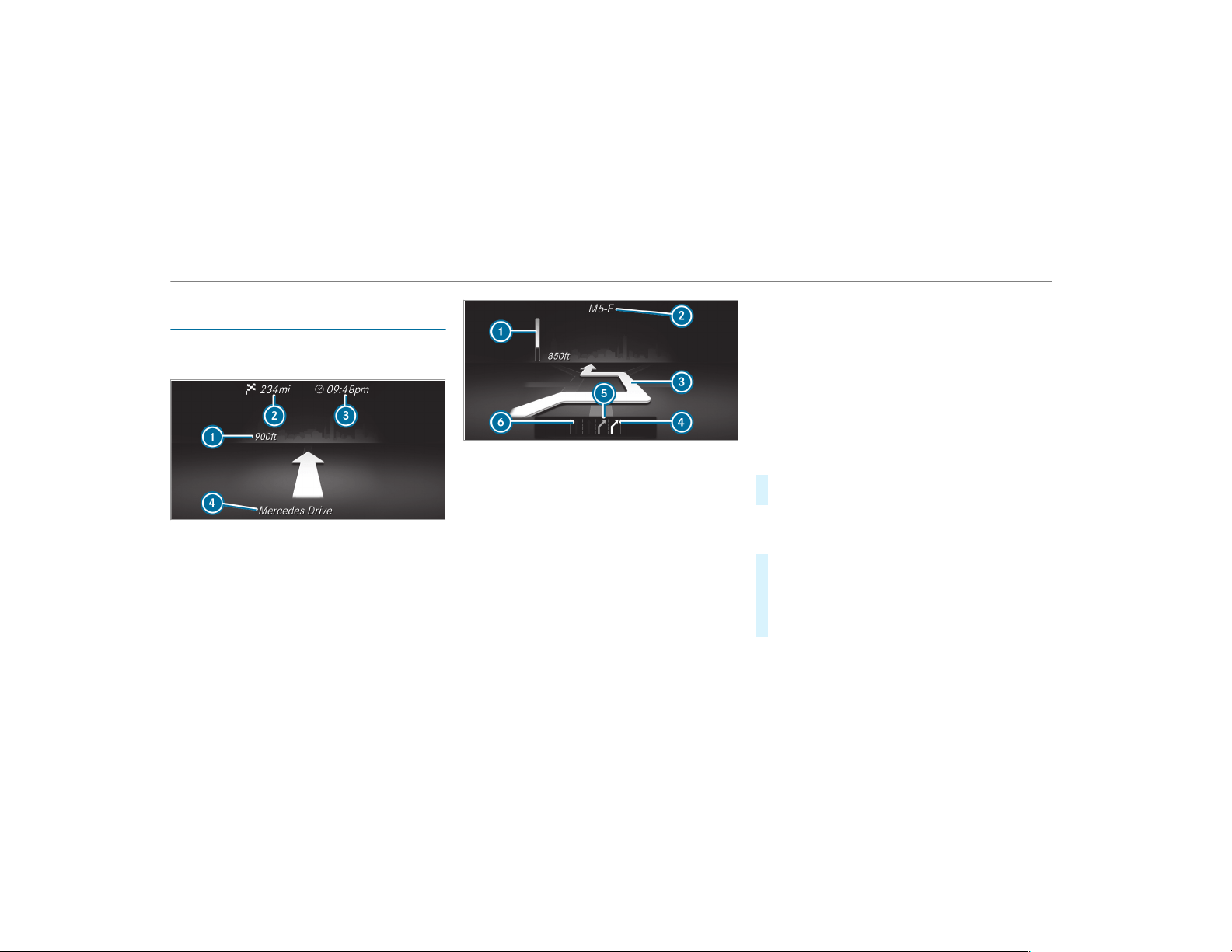
Calling up navigation instructions on the on-
board computer
On-board computer:
,
Navigation
Example: no change of direction announced
1
Distance to the next change of direction
2
Distance to the next destination
3
Estimated arrival time at next destination
4
Current road
Example: change of direction announced
1
Distance to the change of direction
2
Road to which the change of direction leads
3
Change-of-direction symbol
4
Recommended lane (white)
5
Possible lane
6
Lane not recommended (dark gray)
Further possible displays on the Navigation
menu:
R
Direction of Travel: display of direction of
travel and road currently being traveled on.
R
New Route... or Calculating Route...: a new
route is being calculated.
R
Road Not Mapped: the road is unknown, e.g.
for newly built roads.
R
No Route: no route could be calculated to
the selected destination.
R
Off Map: the map for the current location is
not available.
R
Area of Destination Reached: you have
reached the area of destination.
R
O: you have reached the destination or an
intermediate destination.
#
To exit the menu: press the back button on
the left.
Vehicles with the COMAND multimedia sys‐
tem: You can also start navigation to one of the
recent destinations on the Navigation menu:
#
Press the left-hand Touch Control.
#
To select a destination: swipe upwards or
downwards on the left-hand Touch Control.
#
Press the left-hand Touch Control.
Route guidance is started.
234
Instrument Display and on-board computer
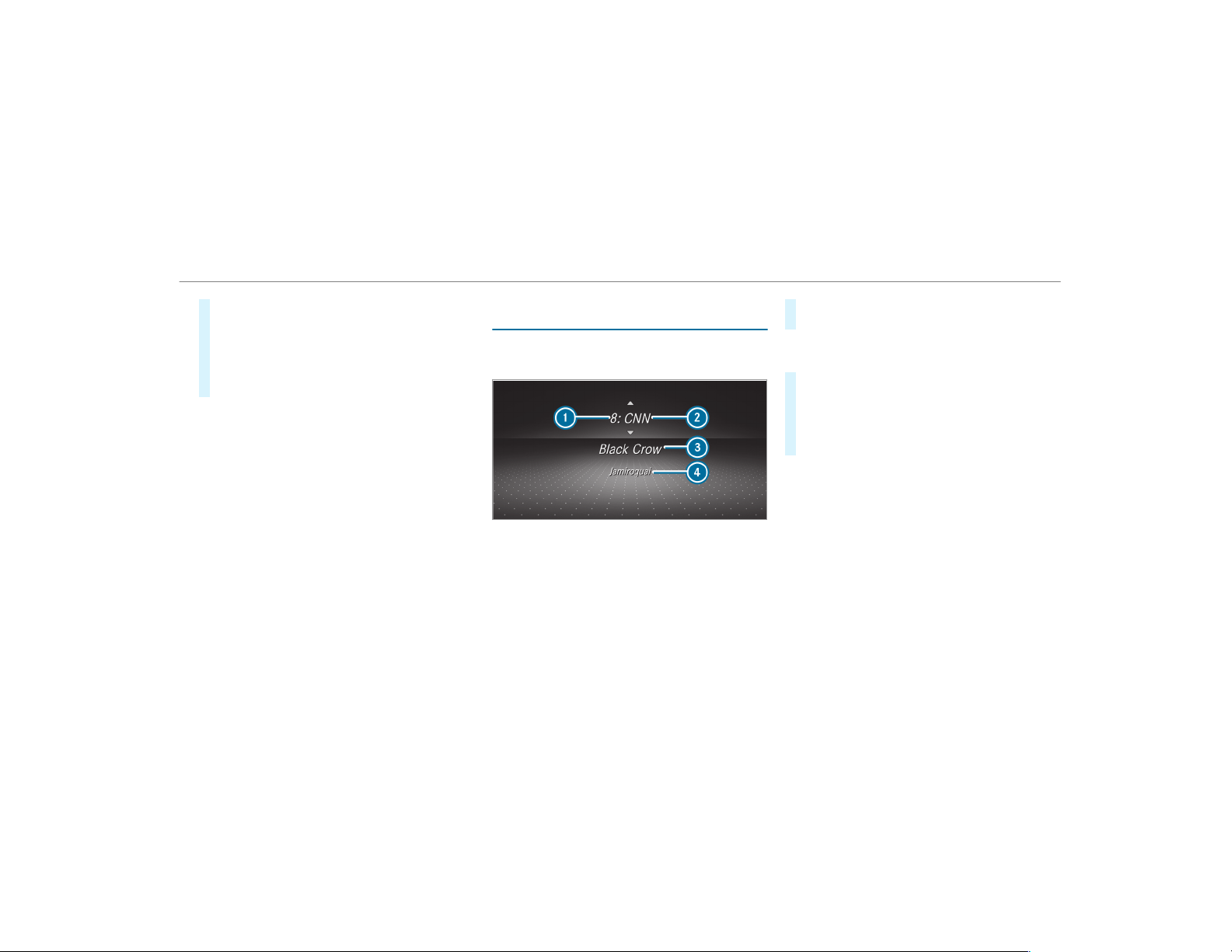
If route guidance has already been activated,
a request will appear asking whether you
wish to end the current route guidance.
#
Select Yes.
#
Press the left-hand Touch Control.
Route guidance is started.
Selecting radio stations using the on-board
computer
On-board computer:
,
Radio
1
Memory preset
2
Channel name
3
Name of track
4
Name of artist
When you select a station from the memory pre‐
sets, the preset will appear next to the station
name. When you select a saved station in the
frequency range, an asterisk will appear next to
the station name.
#
To select a radio station: swipe upwards or
downwards on the left-hand Touch Control.
Selecting the frequency range or memory
preset
#
Press the left-hand Touch Control.
#
To select the frequency range/station
preset: swipe upwards or downwards on the
left-hand Touch Control.
#
Press the left-hand Touch Control.
Instrument Display and on-board computer
235
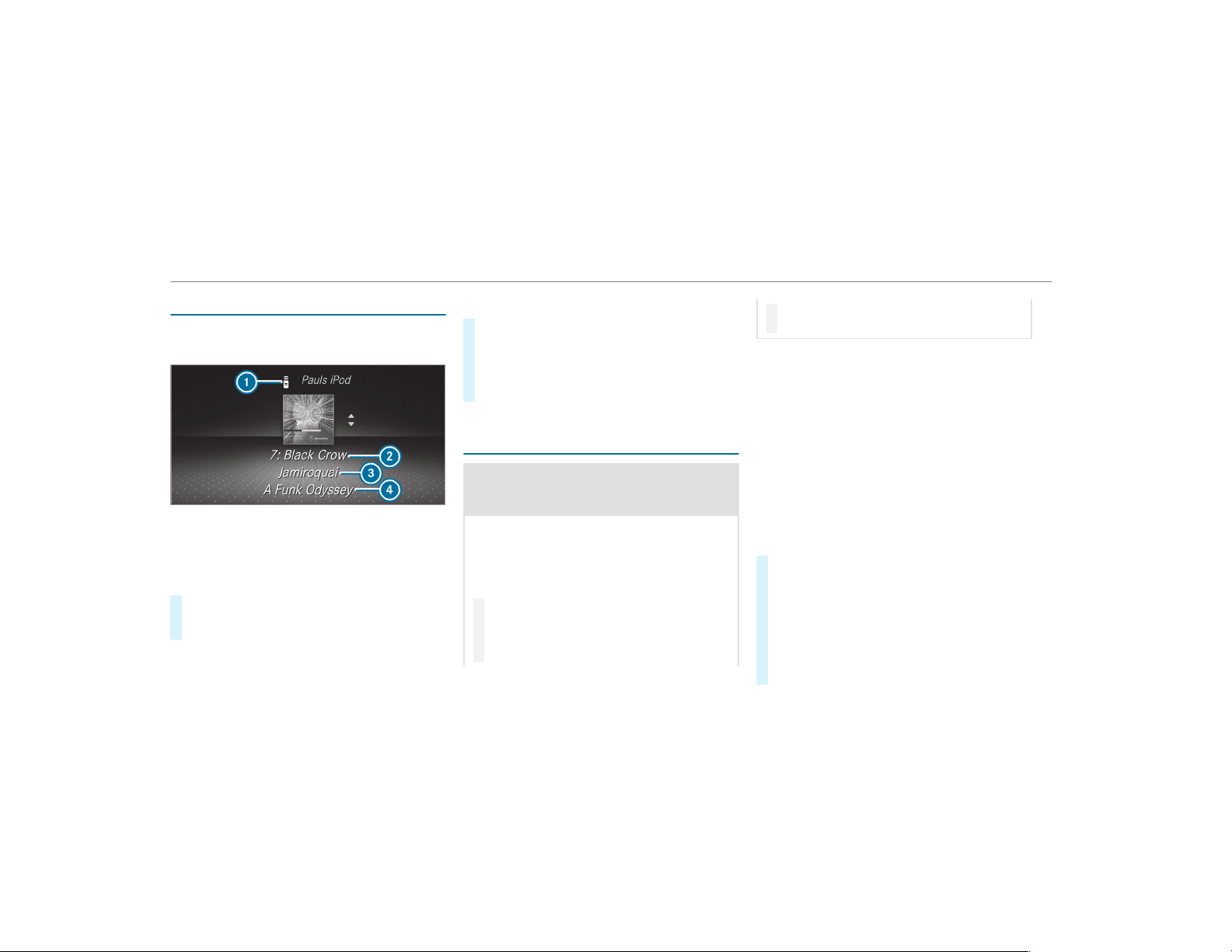
Media playback using the on-board computer
On-board computer:
,
Media
1
Media source
2
Track number and current track
3
Name of artist
4
Name of album
#
To change tracks on an active media
source: swipe upwards or downwards on the
left-hand Touch Control.
Changing a media source
#
Press the left-hand Touch Control.
#
To select a media source: swipe upwards
or downwards on the left-hand Touch Con‐
trol.
#
Press the left-hand Touch Control.
Dialing telephone numbers using the on-
board computer
&
WARNING Risk of distraction from infor‐
mation systems and communications
equipment
If you operate information and communica‐
tion equipment integrated in the vehicle
when driving, you will be distracted from the
traffic situation. This could also cause you to
lose control of the vehicle.
#
Only oper ate this equipment when the
traffic situation permits.
#
If you cannot be sure of this, stop the
vehicle whilst paying attention to road
and traffic conditions and operate the
equipment with the vehicle stationary.
When telephoning, you must observe the legal
requirements for the country in which you are
currently driving.
Requirements:
R
The mobile phone is connected to the multi‐
media system.
On-board computer:
,
Phone
Vehicles with the COMAND multimedia sys‐
tem: The most recent telephone calls (dialed,
received and missed calls) are displayed on the
Phone menu.
#
To select an entry: swipe upwards or down‐
wards on the left-hand Touch Control.
#
Press the left-hand Touch Control.
If there is only one telephone number
saved to an entry: the telephone number is
selected.
#
If there are multiple telephone numbers
saved to an entry: swipe upwards or down‐
236
Instrument Display and on-board computer
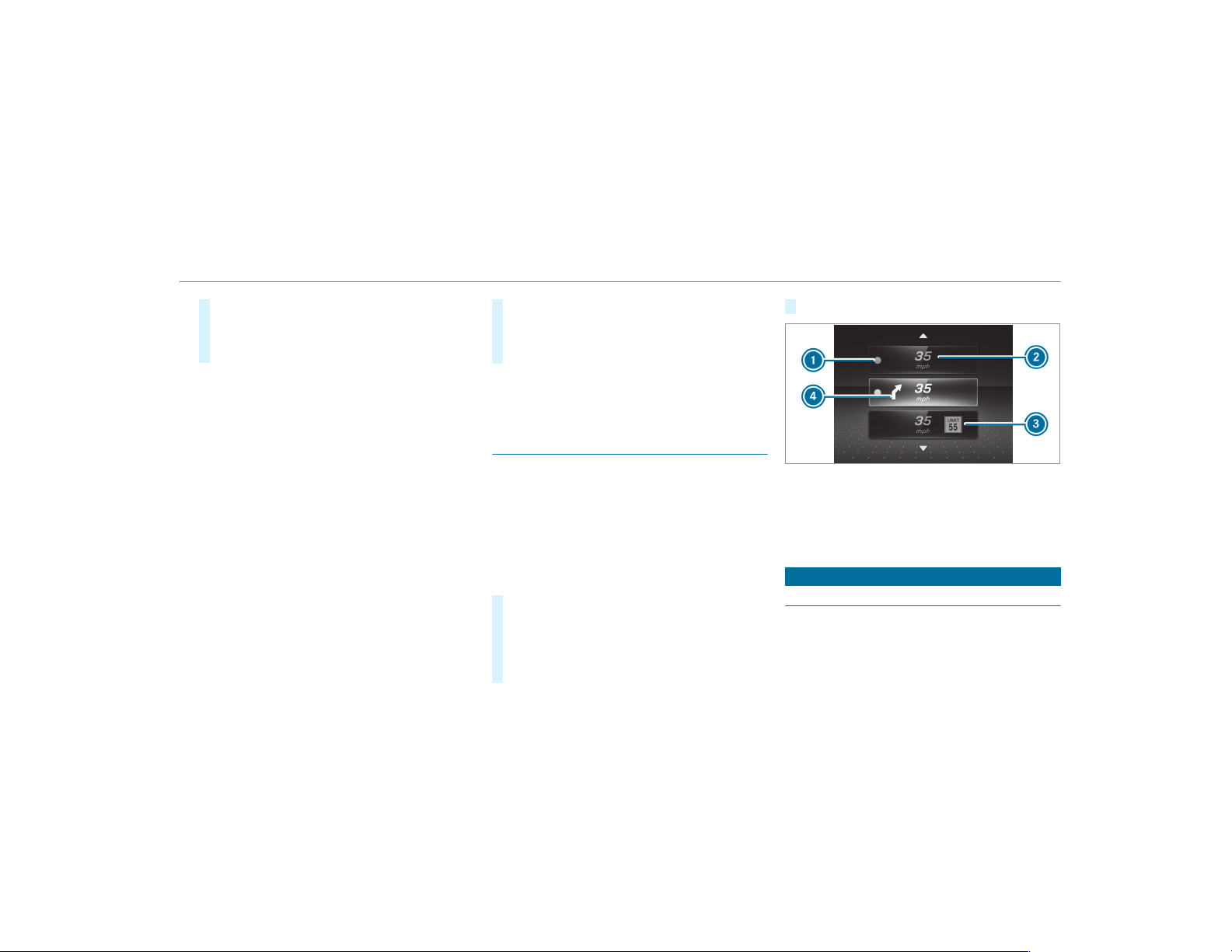
wards on the left-hand touch control to
select the desired telephone number.
#
Press the left-hand Touch Control.
The telephone number will be dialed.
The following displays may appear instead of the
telephone numbers dialed:
R
Please Wait...: the application is starting. If a
Bluetooth
®
connection to the mobile phone
is not established, the menu for authorizing
and connecting a mobile phone will be dis‐
played on the multimedia system
(
→ page 301).
R
Updating data...: the call list is being upda‐
ted.
R
Importing Contacts...: contacts are being
imported from the mobile phone or a storage
medium.
Accepting/rejecting a call
Vehicles with Head-up Display: when you
receive a call, the
Incoming Call message will
appear on the Head-up Display.
#
Swipe upwards or downwards on the left-
hand Touch Control and select 6 (Accept)
or ~ (Reject).
#
Press the left-hand Touch Control.
You may accept/reject the call using button
6 or ~ on the steering wheel.
Adjusting the Head-up Display settings on
the on-board computer
On-board computer:
,
HUD
The following Head-up Display settings can be
adjusted:
R
Position
R
Brightness
R
Display Content
#
To select a setting: swipe upwards or down‐
wards on the left-hand Touch Control.
#
Press the left-hand Touch Control.
#
To adjust a value: swipe upwards or down‐
wards on the left-hand Touch Control.
#
Press the left-hand Touch Control.
1
Setting currently selected
2
Digital speedometer
3
Traffic Sign Assist
4
Navigation displays
Head-up Display
Function of the Head-up Display
The Head-up Display projects into the driver's
field of vision:
R
Information from the navigation system
Instrument Display and on-board computer
237
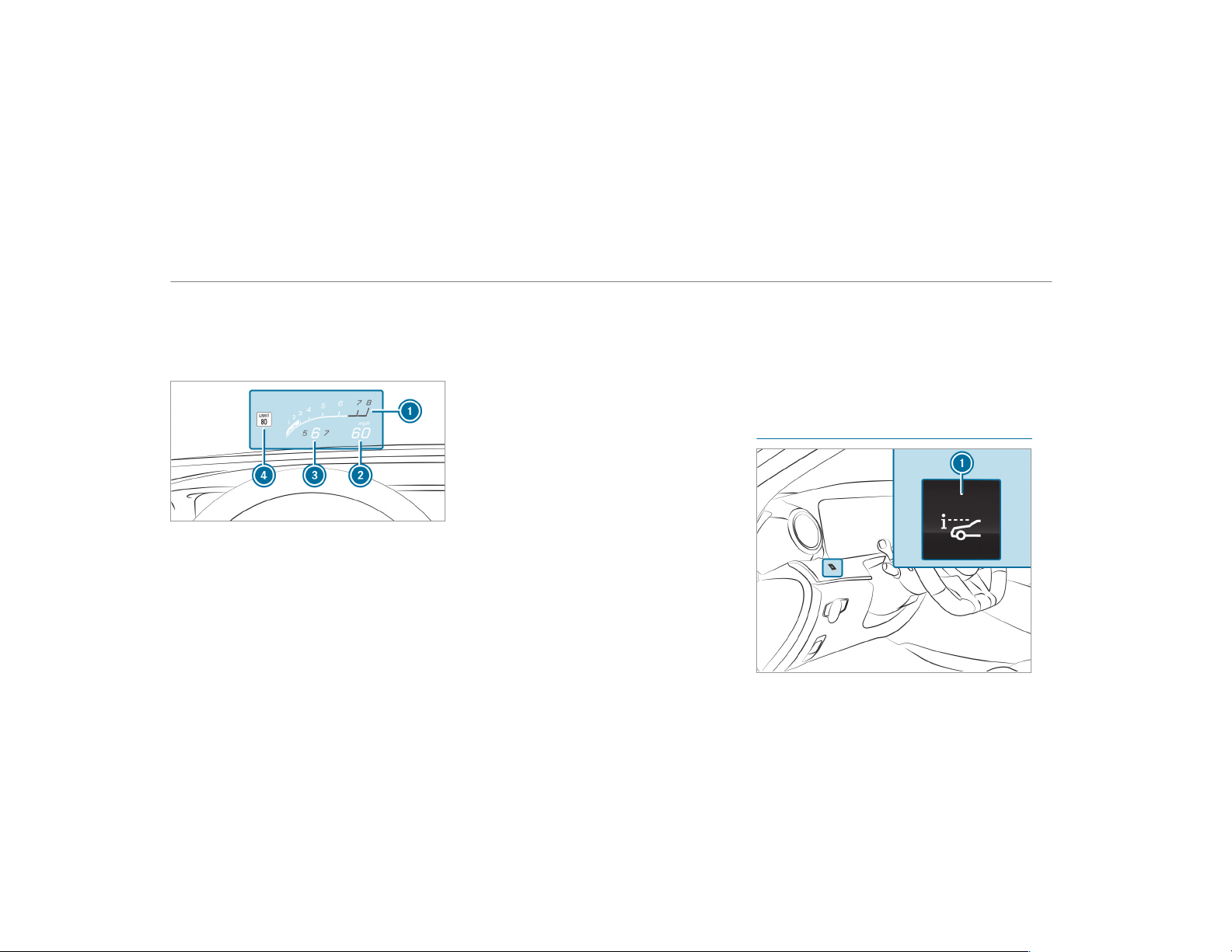
R
Information from the driver assistance sys‐
tems
R
Some warning messages
Display elements
1
Current engine speed
2
Current speed
3
Currently selected gear, gearshift options
with manual shifting
4
Detected instructions and traffic signs
Depending on the vehicle's equipment, you can
select further AMG displays in addition to the
standard displays on the Display Content menu.
If you select RACETIMER, the Head-up Display
will show the lap and lap time.
In vehicles with AMG TRACK PACE, you can dis‐
play further content depending on the setting,
e.g.:
R
Speed and gear indicator
R
Lap and sector times
R
Acceleration and braking
R
Graphic track layouts
When you receive a call, the 6 Incoming Call
message will appear on the Head-up Display.
In audio mode, the station name or track will be
shown temporarily when the audio source is
being actively operated.
System limitations
The visibility is influenced by the following condi‐
tions:
R
Seat position
R
The positioning of the display image
R
Light conditions
R
Wet roads
R
Objects on the display cover
R
Polarization in sunglasses
%
In extreme sunlight, sections of the display
may appear washed out. You can correct this
by switching the Head-up Display off and on
again.
Switching the Head-up Display on/off
238
Instrument Display and on-board computer

#
Press button 1.
Instrument Display and on-board computer
239
Notes on operating safety
&
WARNING Risk of distraction from infor‐
mation systems and communications
equipment
If you operate information and communica‐
tion equipment integrated in the vehicle
when driving, you will be distracted from the
traffic situation. This could also cause you to
lose control of the vehicle.
#
Only oper ate this equipment when the
traffic situation permits.
#
If you cannot be sure of this, stop the
vehicle whilst paying attention to road
and traffic conditions and operate the
equipment with the vehicle stationary.
&
WARNING Risk of distraction from oper‐
ating mobile communication equipment
while the vehicle is in motion
If you operate mobile communication equip‐
ment when driving, you will be distracted
from the traffic situation. This could also
cause you to lose control of the vehicle.
#
Only oper ate this equipment when the
vehicle is stationary.
For your own safety, always observe the follow‐
ing points when operating mobile communica‐
tions equipment and especially your voice con‐
trol system:
R
Observe the legal requirements for the coun‐
try in which you are driving.
R
While driving, only operate mobile communi‐
cations equipment and your voice control
system when the traffic conditions per mit it.
You may otherwise be distracted from the
traffic conditions and cause an accident,
injuring yourself and others.
R
If you use the voice control system in an
emergency your voice can change and your
telephone call, e.g. an emergency call, can
thereby be unnecessarily delayed.
R
Familiarize yourself with the voice control
system functions before starting the journey.
Operation
Overview of operating the multifunction
steering wheel
The Voice Control System is operational approx‐
imately thirty seconds after the ignition is
switched on.
240
Voice Control System
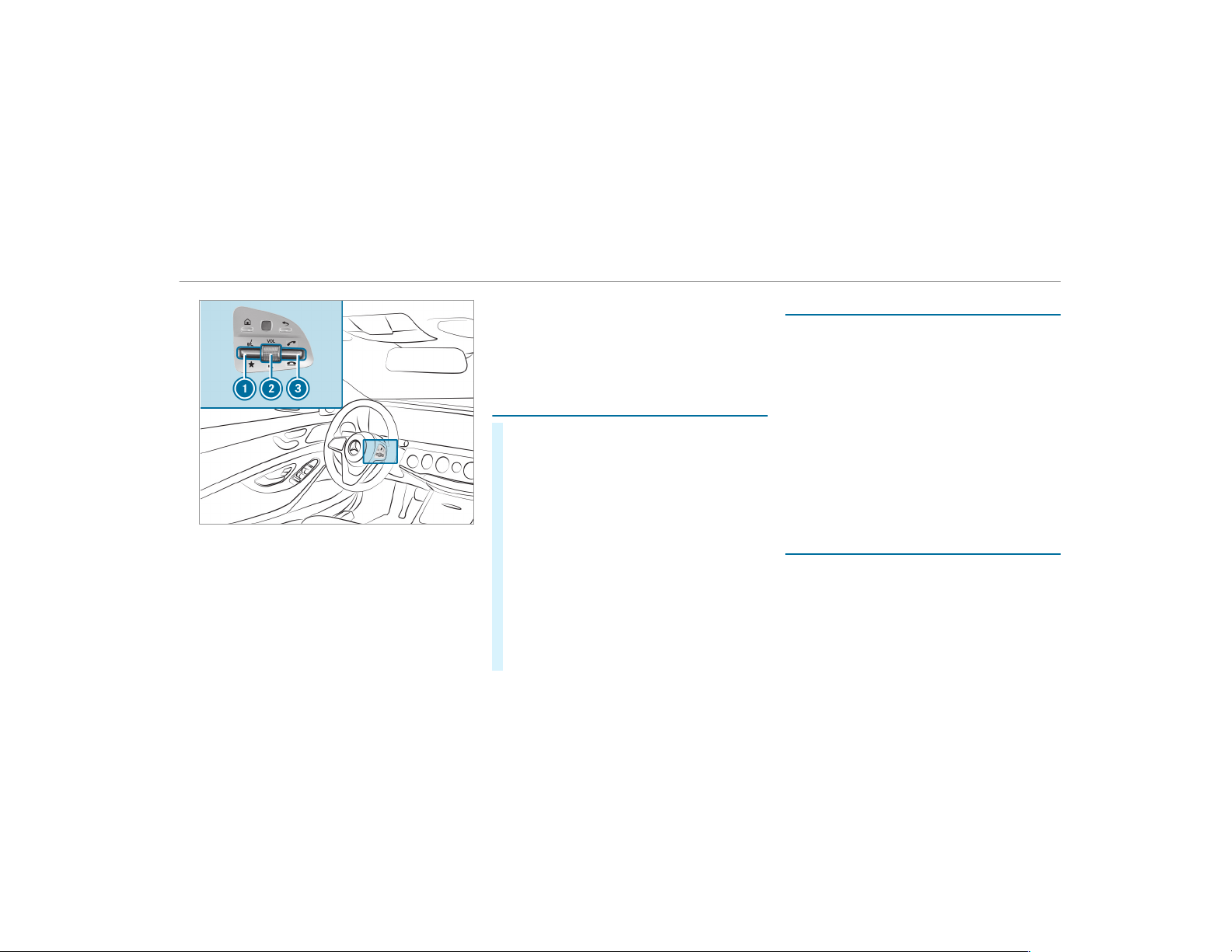
1
Press the rocker switch up: £ starts the
Voice Control System
2
Press the control knob: 8 switches the
sound off or on (ends the Voice Control Sys‐
tem)
Turn the control knob up/down: increases/
decreases the volume
3
Press the rocker switch up: 6 makes/
accepts a call
Press the rocker switch down: ~ rejects/
ends a call (ends the Voice Control System)
Conducting a dialog with the Voice Control
System
#
To start or continue a dialog: on the multi‐
function steering wheel, press the £
rocker switch up.
You can say a voice command after an
acoustic signal.
#
To correct an entry: say the Correction
voice command.
#
To select an entry from the selection list:
say the line number or the contents.
#
To browse the selection list: say the Next
or Back voice command.
#
To interrupt the dialog: say the Pause voice
command.
#
To cancel the dialog: say the Cancel voice
command.
Operable functions
You can use the Voice Control System to operate
the following equipment depending on the fea‐
tures:
R
Telephone
R
Text messages
R
Navigation
R
Address book
R
Radio
R
Audio (memory card, Media Interface, USB
and Bluetooth
®
audio)
R
Vehicle
Overview of types of voice commands
A distinction is made between the following
voice commands:
R
Global voice commands can be said at any
time and regardless of the current applica‐
tion, e.g. the voice commands Navigate to,
Call or Text message to.
Voice Control System
241
R
Application-specific voice commands are
only available for the active application.
Information on the language setting
You can change the language of the Voice Con‐
trol System via the system language settings. If
the set system language is not supported by the
Voice Control System, English will be selected.
The Voice Control System is available in English,
French, Portuguese and Spanish.
Using the Voice Control System effectively
Features of audible help functions
You receive information and help for:
R
For optimum operation: say the brief
instruction voice command.
R
Current application: on the multifunction
steering wheel, press the £ rocker switch
up and say the Help voice command.
R
Continued dialog: say the Help voice com‐
mand during a voice dialog.
R
Specific function: say voice commands for
the desired function, e.g. Help telephone.
Notes on how to improve speech quality
If the Voice Control System does not understand
you:
R
only oper ate the Voice Control System from
the driver's seat.
R
say the voice commands coherently and
clearly, but do not exaggerate the words.
R
avoid loud noises that cause interference
while making a voice command entry, e.g.
the blower.
A voice tag in the address book is not recog‐
nized:
R
only create sensible address book entries in
the system/mobile phone, e.g. enter sur‐
name and fir st name in the correct field.
R
do not use any abbreviations, unnecessary
spaces or special characters.
If a station list entry is not recognized:
R
say the Read out station list voice command.
Essential voice commands
Overview of switch voice commands
Switch voice commands can be used to open
cer tain applications. The voice command selec‐
tion can be used regardless of the application
that is currently active.
Overview of navigation voice commands
Using navigation voice commands, you can enter
POIs or conventional addresses as well as
directly change important navigation settings.
Overview of telephone voice commands
You can use the telephone voice commands to
make phone calls or search through the address
book.
242
Voice Control System

Telephone voice commands
Voice command Function
Call <Name>
Makes a phone call. All address book names are available.
Search for contact <Name>
Searches for and displays a contact. All address book names are available.
Outgoing calls
Displays the last call
Redial
Selects the last phone number dialed
Overview of radio voice commands
Radio voice commands can also be used when
the radio application is running in the back‐
ground.
Radio voice commands
Voice command Function
Station <Name>
To call up receivable or saved stations
<Frequency>
To enter a frequency directly
Next station
To switch to the next available station
Voice Control System
243

Voice command Function
Previous station
To switch to the previous station
Save station
To save a station in the station list
Show station list
To display the names of all receivable stations
Read out station list
To listen to the names of all receivable stations
Traffic information on
Traffic information off
To switch the traffic information service on/off
Radio info on
Radio info off
To switch the current station information on/off
Overview of media player voice commands
Media player voice commands can also be used
when the media player is running in the back‐
ground.
244
Voice Control System
Media player voice commands
Voice command Function
Play <Tracks>
Play <Albums>
Play <Artists>
Play<Composers>
Play <Genres>
Play <Playlists>
The names of all available tracks, albums, artists, composers, genres or playlists are accepted dur‐
ing the search.
Media search <Track>
Media search <Albums>
Media search <Artists>
Media search <Composers>
Media search <Genres>
Media search <Playlists>
The names of all available tracks, albums, artists, composers, genres or playlists are accepted dur‐
ing the search.
Voice Control System
245
Voice command Function
Show all albums
Show all artists
Show all composers
Show all genres
Show all tracks
Show all playlists
Available albums, artists, composers, genres, tracks or playlists are searched for.
Next track
To select the next track
Previous track
To select the previous track
Random track list on
Random track list off
To switch the random track list on/off
Overview of message voice commands
Text messages can be created, edited and lis‐
tened to using the message voice commands.
246
Voice Control System
Message voice commands
Voice command Function
Text message to <Name>
To create a message. All address book names are available.
Reply
To reply to a message
Forward text message
To forward a message
Overview of vehicle voice commands
You can use the vehicle voice commands to
directly call up the corresponding menus for the
vehicle settings.
Voice Control System
247
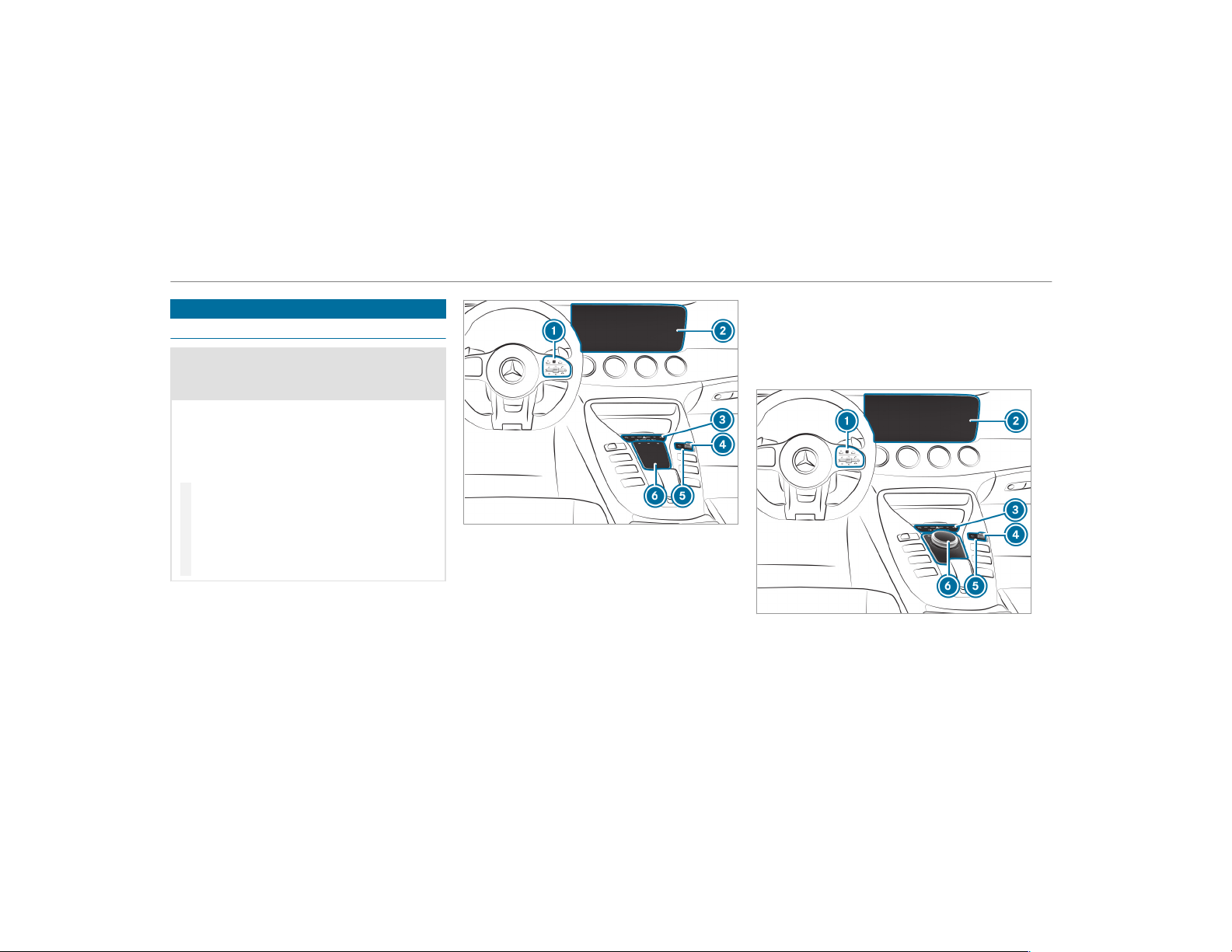
Overview and operation
Overview of the multimedia system
&
WARNING Risk of distraction from infor‐
mation systems and communications
equipment
If you operate information and communica‐
tion equipment integrated in the vehicle
when driving, you will be distracted from the
traffic situation. This could also cause you to
lose control of the vehicle.
#
Only oper ate this equipment when the
traffic situation permits.
#
If you cannot be sure of this, stop the
vehicle whilst paying attention to road
and traffic conditions and operate the
equipment with the vehicle stationary.
You must observe the legal requirements for the
country in which you are currently driving when
operating the multimedia system.
Equipment with touchpad
1
Touch Control
Multimedia system button group on the
steering wheel (→ page 225)
2
Media display
3
Main function button group (→ page 253)
4
Press the rocker switch up or down: increa‐
ses or decreases the volume
5
Display button shows volume, current vol‐
ume when setting the volume or mute
Press the display button: switches the multi‐
media system on/off
6
Touchpad
Equipment with controller
1
Touch Control
248
Multimedia system
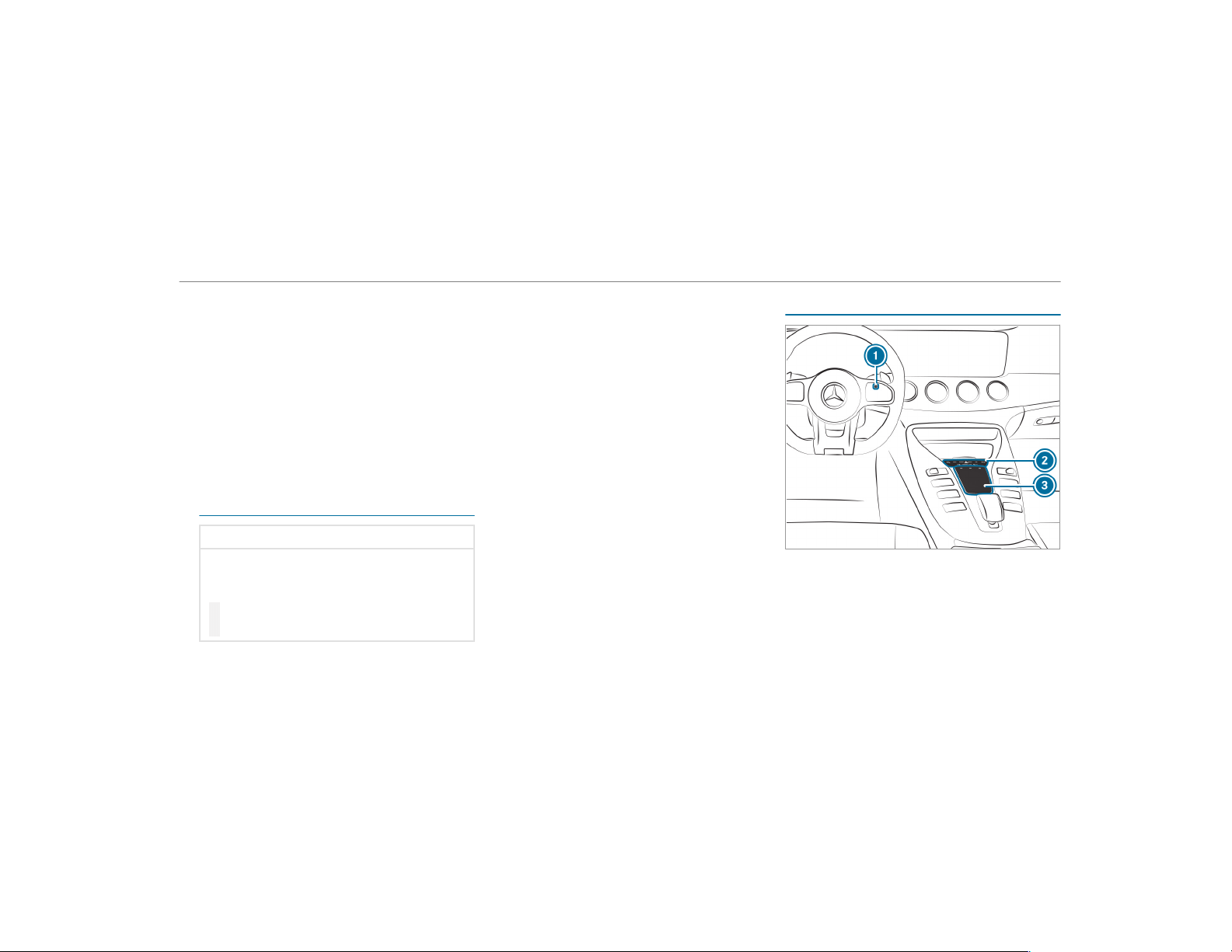
Multimedia system button group on the
steering wheel (→ page 225)
2
Media display
3
Main function button group (→ page 253)
4
Press the rocker switch up or down: increa‐
ses or decreases the volume
5
Display button shows volume, current vol‐
ume when setting the volume or mute
Press the display button: switches the multi‐
media system on/off
6
Controller
Notes on the media display
*
NOTE Scratches on the display
The display has a highly sensitive, high-gloss
surface. There is a risk of it becoming
scratched.
#
Avoid touching the display.
#
Observe the notes on cleaning.
Observe the notes on caring for the interior
(→ page 364).
Automatic temperature-controlled switch-
off feature: if the temperature is too high, the
brightness is initially reduced automatically. The
display may then switch off completely for a
while.
%
If you are wearing polarized sunglasses, it
may be difficult to read the display.
Central control elements overview
Touchpad equipment
1
Touch Control
2
Main function button group
3
Touchpad
Multimedia system
249
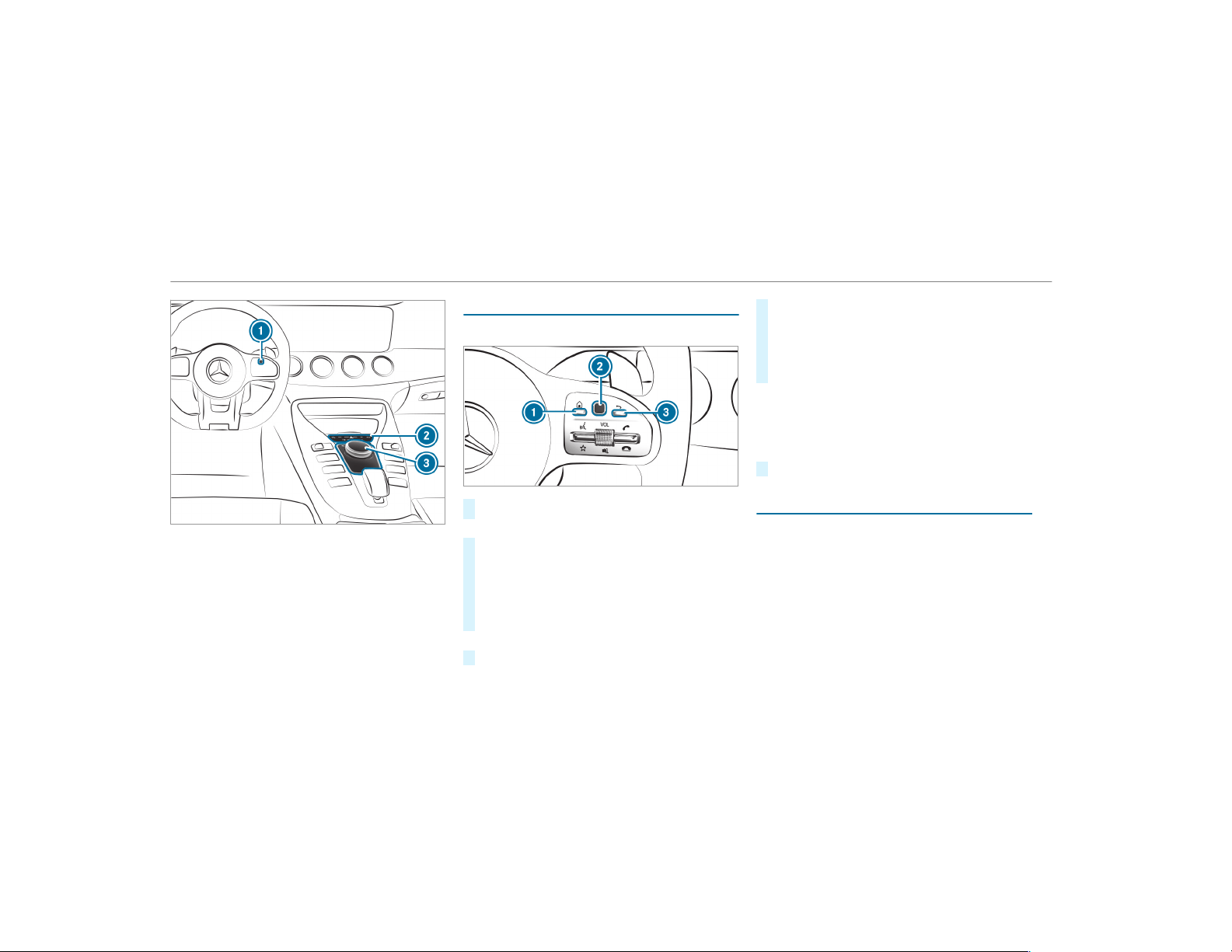
Controller equipment
1
Touch Control
2
Main function button group
3
Controller
Touch Control
Operating Touch Control
#
To call up main functions: press button 1.
or
#
Press and hold button 3.
#
To call up favorites: press button 1.
#
Swipe down on Touch Control 2.
#
To open a list: press Touch Control 2.
#
To close a list: press button 3.
or
#
Swipe right on Touch Control 2.
#
To select a menu item: swipe up, down, left
or right on Touch Control 2.
#
Press Touch Control 2.
#
To move the digital map: swipe in any
direction.
Setting the sensitivity for the Touch Control
Multimedia system:
,
System
.
w Input
.
Touch Control
Sensitivity
#
Select Fast, Medium or Slow .
Operating the controller
Requirements:
R
The multimedia system is equipped with a
controller.
250
Multimedia system
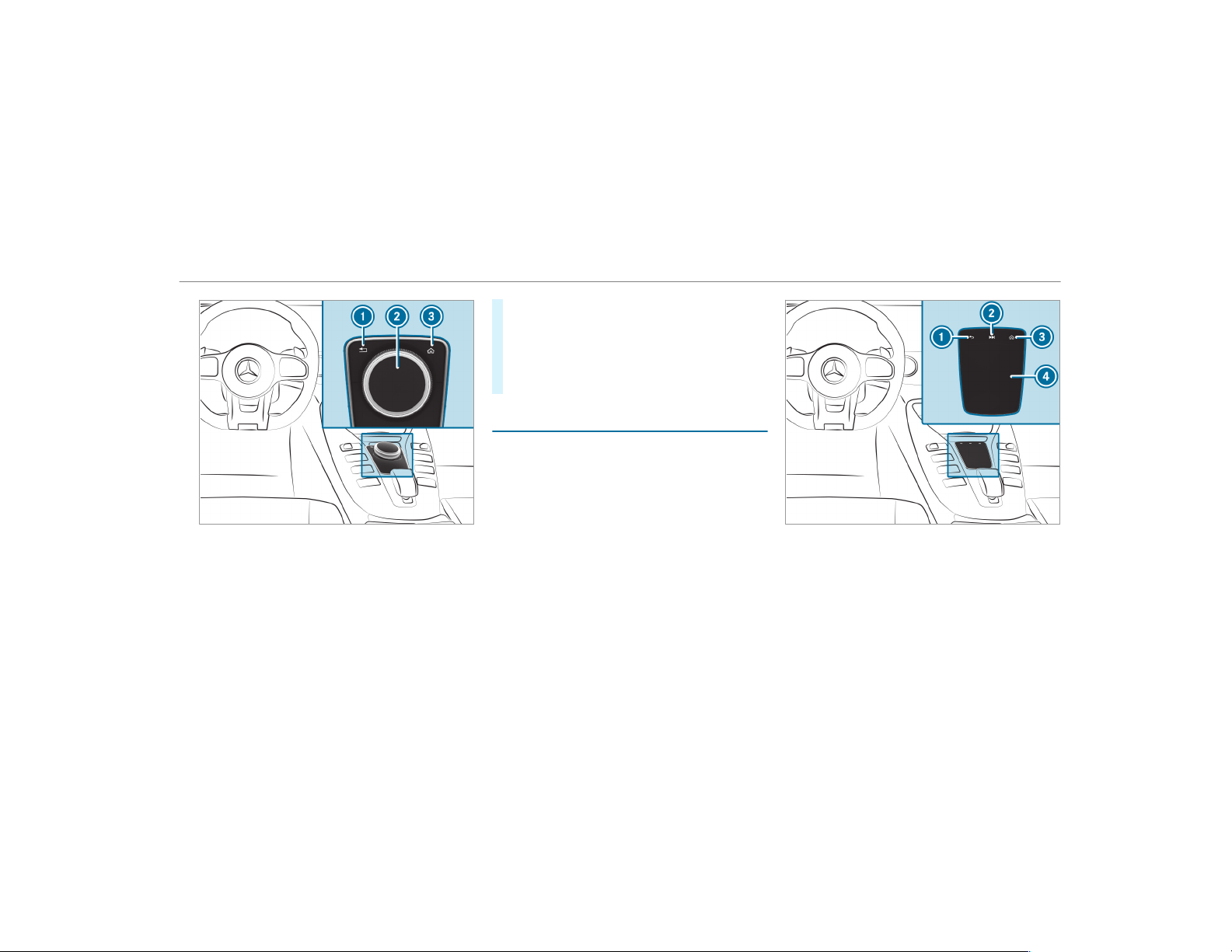
1
% button
Press briefly: returns to the previous display
Press and hold: calls up main functions
2
Controller
3
© button
Calls up main functions and favorites
Controller operating options:
#
Turn 3 counter-clockwise or clockwise.
#
Slide 1 left or right.
#
Slide 4 up or down.
#
Slide 2 diagonally.
#
Press 7 briefly or press and hold.
Touchpad
Operating the touchpad
Requirements:
R
The multimedia system is equipped with a
touchpad.
1
% button
Press briefly: returns to the previous display
Press and hold: calls up main functions
2
D button
Calls up the control menu of the last active
audio source
3
© button
Multimedia system
251

Calls up main functions and favorites
4
Touchpad
You can navigate in menus and lists via touch-
sensitive surface 4 by using a single-finger
swipe.
#
To open or close lists: swipe left or right.
#
To select the menu item: swipe up, down,
left or right.
#
Press touchpad 4.
#
To move the digital map: swipe in any
direction.
Use the following functions with a two-finger
swipe:
#
To call up main functions and favorites:
swipe down with two fingers. The swipe must
start in the upper area of the touchpad.
#
To zoom in and out of the map: move two
fingers together or apart.
#
To call up the control menu of the last
active audio source: swipe up with two fin‐
gers. The swipe must start in the lower area
of the touchpad.
Setting the sensitivity for the touchpad
Multimedia system:
,
System
.
w Input
#
Select Touchpad Sensitivity.
#
Select Fast, Medium or Slow .
#
To set the pressure sensitivity: switch
Touchpad Tap on O or off ª.
If the function is switched on O, a tap on
the touchpad is enough to select a menu
item.
Handwriting recognition: switching the read-
aloud function on/off
Multimedia system:
,
System
.
õ Audio
.
System Feed-
back
#
Switch Read Out Handwriting Recognition on
O or off ª.
Activating/deactivating haptic operating
feedback on the touchpad
Multimedia system:
,
System
.
w Input
The function supports you when making entries
on the touchpad and when selecting menus.
#
Switch Haptic Operating Feedback on O or
off ª.
When the function is activated, a tactile feed‐
back in the form of a vibration is effected
when the touchpad is operated.
Selecting a station and track using the
touchpad
#
Press the D button on the touchpad.
or
#
Swipe up with two fingers. The swipe must
start in the lower area of the touchpad.
The control menu appears for the audio
source that was last selected.
#
Use one finger to swipe up or down.
Radio: the previous or the next station is set.
Media source: the previous or the next music
track is selected.
252
Multimedia system
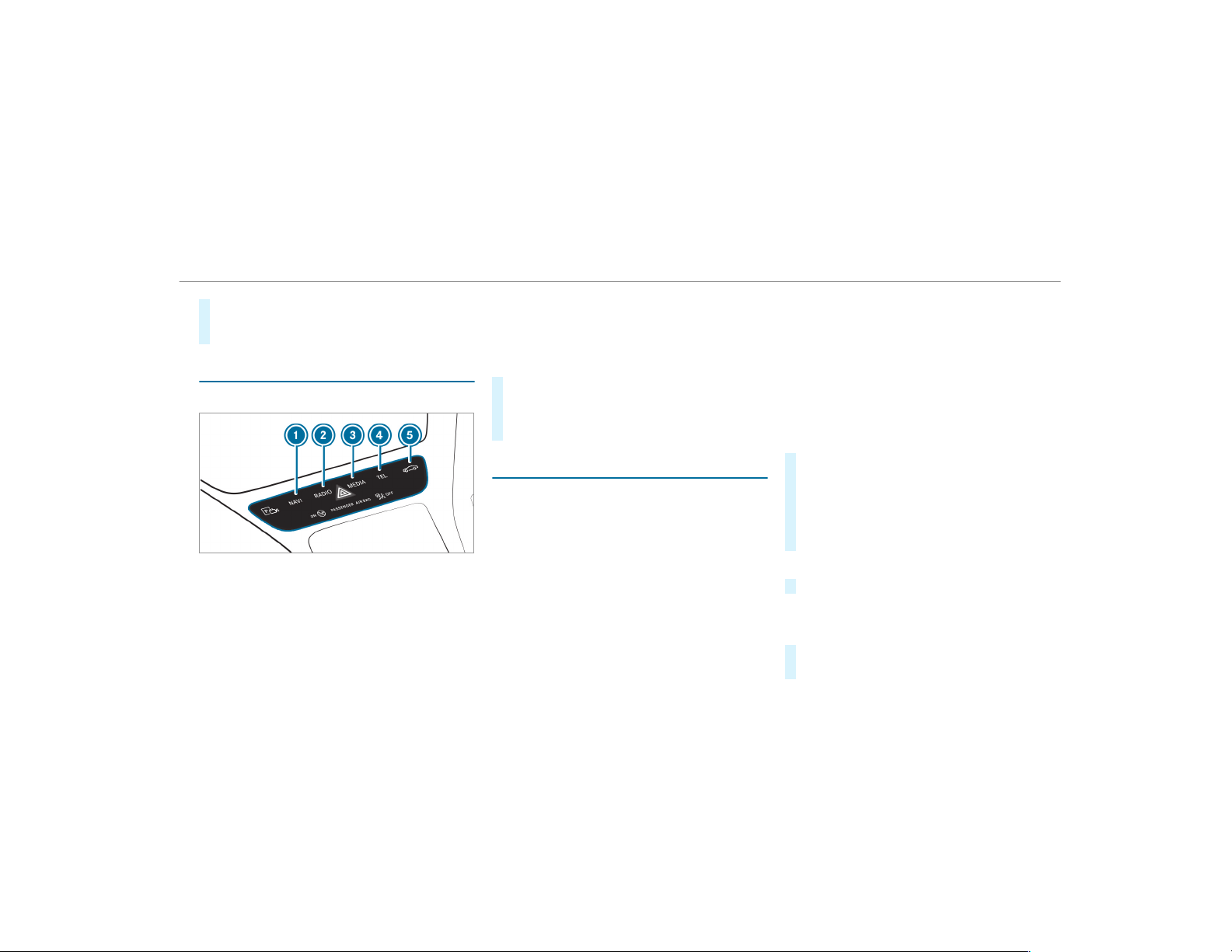
#
To hide the control menu: swipe down with
two fingers. The swipe must start in the
upper area of the touchpad.
Main functions
Calling up the main functions
1
ß button
Calls up navigation
2
$ button
Calls up the radio
3
Õ button
Calls up media
4
% button
Calls up the telephone
5
Ø button
Sets vehicle functions
#
Alternatively: press the © button on the
Touch Control or touchpad (if available).
The main functions are displayed.
#
Select the main function.
Favorites
Overview of favorites
Favorites offer you quick access to frequently
used applications. It is possible to create 20
favorites in total.
The following functions are available:
R
add pre-defined favorites from the follow‐
ing categories (→ page 253):
-
Navigation
-
Entertainment
-
Phone
-
Connect
-
Vehicle
-
System Settings
R
add your own favorites (→ page 253)
R
rename favorites (→ page 254).
R
move favorites (→ page 254).
R
delete favorites (→ page 254).
R
reset all favorites ( → page 254)
Calling up favorites
#
Press the © button.
The main functions are displayed.
#
Navigate downwards once.
Navigating means:
R
Swiping on the Touch Control or the
touchpad
Leaving the favorites menu
#
Press the © button.
Adding favorites
Adding predefined favorites
#
Press the © button.
The main functions are displayed.
Multimedia system
253
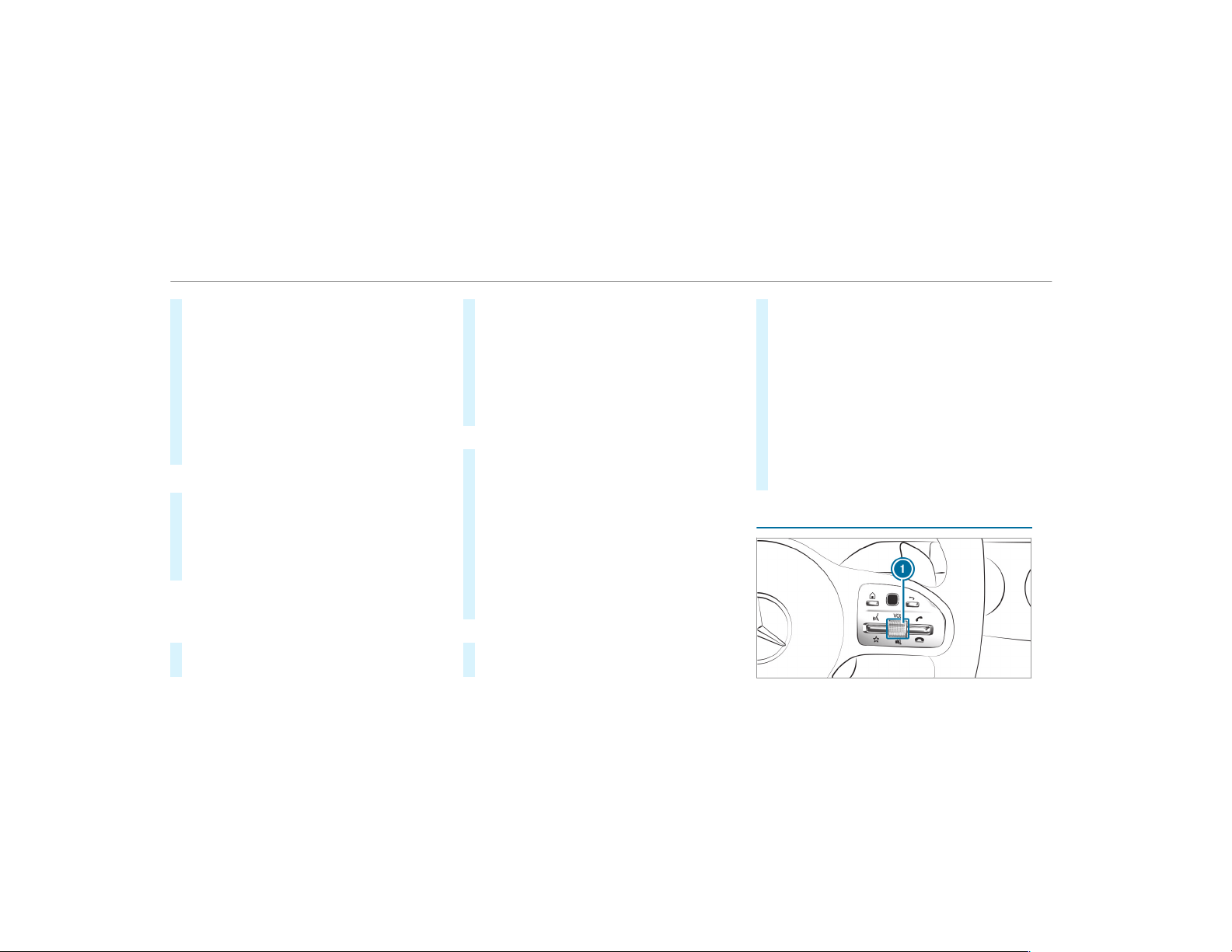
#
Navigate downwards twice.
The Favorites menu appears.
#
Select New Favorite.
The categories are displayed.
#
Select a categor y.
The favorites are displayed.
#
Select a favorite.
#
Store the favorite at the desired position.
If a favorite has already been added at this
position, it will be overwritten.
Example: adding your own favorites
#
Select Vehicle.
#
Select Full Screen: Consumption.
#
Press and hold the © button until the
favorites are displayed.
#
Store the favorite at the desired position.
If No function available for saving. is shown, the
selected function cannot be added.
Renaming favorites
#
Press the © button.
The main functions are displayed.
#
Navigate downwards once.
#
Select a favorite.
#
Navigate downwards once.
The Favorites menu appears.
#
Select Rename.
#
Enter the characters.
#
To confirm the entry: select ¡.
Moving favorites
#
Press the © button.
The main functions are displayed.
#
Navigate downwards once.
#
Select a favorite.
#
Navigate downwards once.
The Favorites menu appears.
#
Select Move.
#
Move the favorite to the desired position.
If a favorite has already been added at this
position, it will be overwritten.
Deleting favorites
#
Press the © button.
The main functions are displayed.
#
Navigate downwards once.
#
Select a favorite.
#
Navigate downwards once.
The Favorites menu appears.
#
To delete: select Delete.
#
Select Yes.
#
To restore all favorites: select Reset All.
A prompt appears.
#
Select Yes.
The favorites are reset to the factory set‐
tings.
Switches the sound on/off
254
Multimedia system
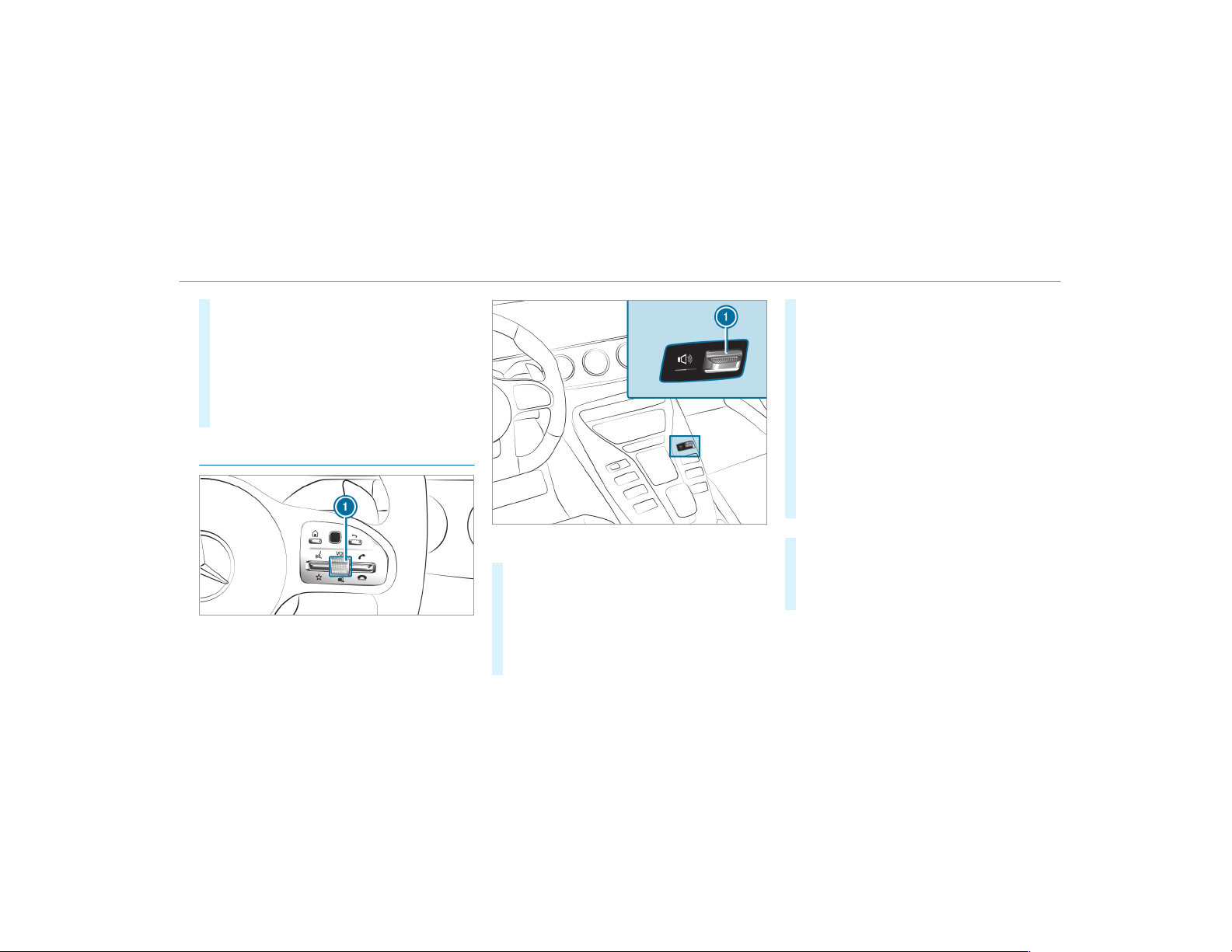
#
To mute: press volume control 1.
The 8 symbol appears in the status line
of the media display.
You will also hear traffic announcements and
navigation announcements even when the
sound is muted.
#
To switch on: change the media source or
turn volume control 1.
Adjusting the volume
On the multifunction steering wheel
On the multimedia system
#
On the multifunction steering wheel: turn
volume control 1.
The volume of the current radio or media
source is set. The volume of other audio
sources can be adjusted separately.
Adjust this in the following situations:
R
during a traffic announcement
R
during a navigation announcement
The volume of the navigation announce‐
ment changes in accordance with the vol‐
ume of the current media source.
R
during a telephone call
R
when entering or exiting a parking space
while using Active Parking Assist
#
On the multimedia system: press rocker
switch 1 up or down.
The volume is increased or reduced.
When adjusting the volume, the display but‐
ton to the left of the rocker switch shows the
current volume.
or
#
Select System in the multimedia system.
#
Select Audio.
#
Select a volume setting.
#
Set the volume.
Multimedia system
255
Entering characters
Using the character input function
&
WARNING Risk of distraction from infor‐
mation systems and communications
equipment
If you operate information and communica‐
tion equipment integrated in the vehicle
when driving, you will be distracted from the
traffic situation. This could also cause you to
lose control of the vehicle.
#
Only oper ate this equipment when the
traffic situation permits.
#
If you cannot be sure of this, stop the
vehicle whilst paying attention to road
and traffic conditions and operate the
equipment with the vehicle stationary.
You must observe the legal requirements for the
country in which you are currently driving when
operating the multimedia system.
Use the character input function in the following
situations, for example:
R
Renaming a favourite
R
Entering a POI or address
R
Making a phone call
The following functions are available:
R
Selecting a character in the character bar
R
Writing a character on the touchpad
Character input can be star ted with a control
element and resumed with another.
The multimedia system is equipped with either a
touchpad or controller.
#
On the Touch Control and controller (if
available): select the characters in the char‐
acter bar.
Depending on the t arget entry, the following
characters are available:
R
The full set of characters is shown
R
Only those characters which are useful
for the current input string are shown
Other characters are grayed out.
#
On the touchpad (if available): select the
characters in the character bar.
or
#
Write the characters on the touch-sensitive
surface of the touchpad.
Handwriting recognition supports you by
means of character suggestions and a read-
aloud function.
Examples of character entry:
R
Renaming a favourite
R
Entering a POI or an address using free or
step-by-step search
R
Entering a web address
Entering characters on the touchpad
Requirements:
R
The entered or selected character should be
read out: the handwriting recognition read-
aloud function is switched on (→ page 252).
256
Multimedia system
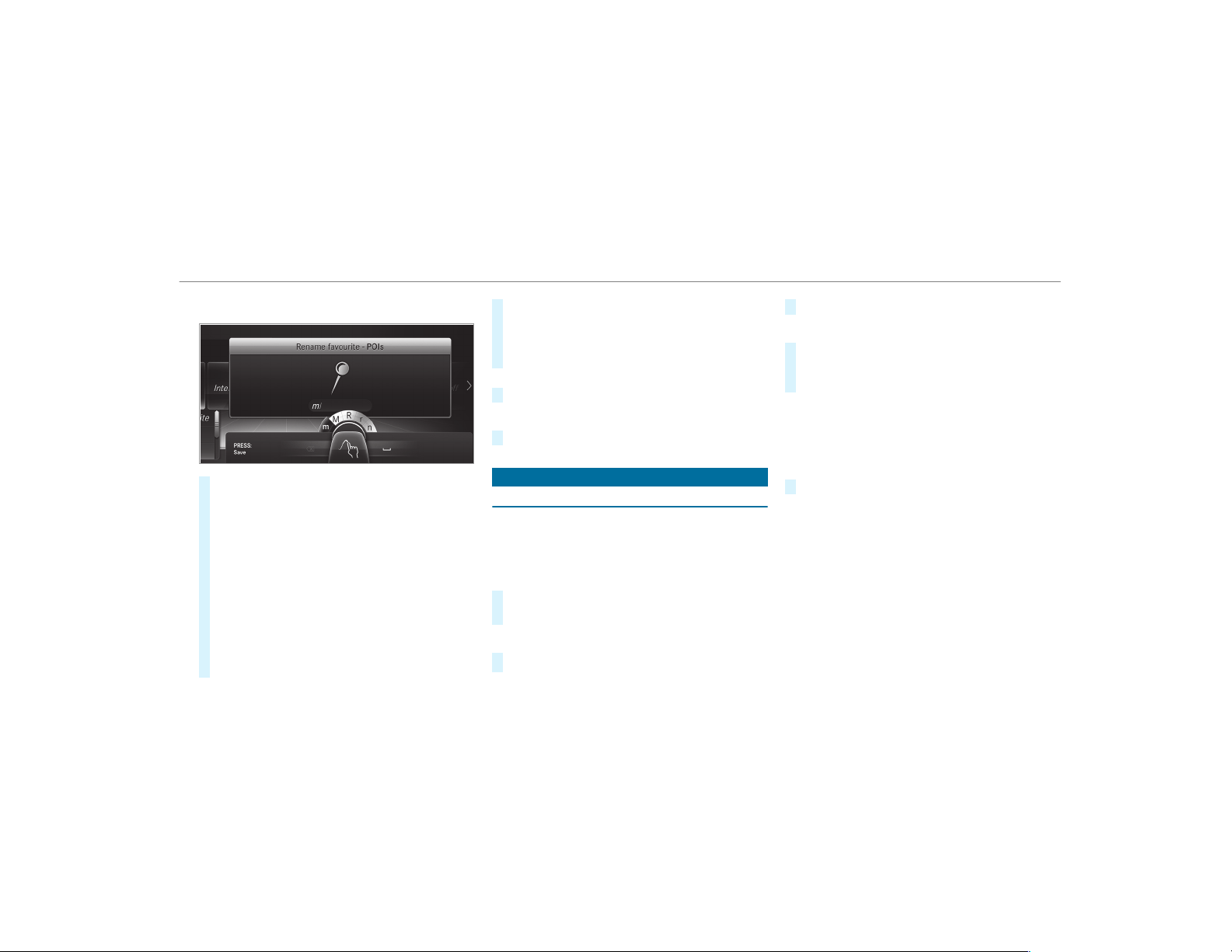
Example: renaming favorites
#
Call up the "Renaming favorites" function
(→ page 254).
#
To enter a character: use your finger to
write characters on the touchpad.
The character is entered in the input line. If
different interpretations are possible, charac‐
ter suggestions are displayed.
#
To select a character suggestion: swipe up
or down on the touchpad.
#
Resume character input.
#
To enter a space: swipe right when the cur‐
sor is located in the input line.
#
To delete a character: swipe left when the
cursor is located in the input line.
#
To confirm the entry: press the touchpad.
#
To finish character entry: swipe upwards.
or
#
Press the % button.
Example: entering a destination (navigation)
#
Enter the POI or address (→ page 274).
System settings
Display
Configuring display settings
Multimedia system:
,
System
.
G Display and Designs
Setting the display brightness
#
Select Display Brightness.
#
Select a brightness value.
Switching the display off/on
#
Off: select Display Off.
#
On: press a button, %, for example.
Display design
#
Select Day/Night Design.
#
Select Automatic, Day Design or Night
Design.
Additional display area
Depending on the vehicle, various items of addi‐
tional information can be shown. The additional
display area comprises the left-hand or r ight-
hand third of the display.
#
Select Additional Disp. Area.
The following display content can be selected:
R
Dynamic
R
Navigation Map
R
Consumption
R
Time and Date
Multimedia system
257

Time and date
Setting the time and date automatically
Multimedia system:
,
System
.
& Time and Date
#
Deactivate ª Manual Time Adjustment.
The time and date are set automatically for
the selected time zone and summer time
option.
%
The correct time is required for the following
functions:
R
Route guidance with time-dependent
traffic guidance.
R
Calculation of expected time of arrival.
Setting the time zone
Multimedia system:
,
System
.
& Time and Date
.
Time
Zone:
The list of countries is displayed.
#
Select a country #.
Depending on the country, time zones are
displayed.
#
Select a time zone.
The time zone set is displayed after Time
Zone:.
Setting summer time
The Automatic Daylight Saving Time and Day-
light Saving Time options cannot be selected in
all countries.
Multimedia system:
,
System
.
& Time and Date
Automatically
#
Switch Automatic Daylight Saving Time on
O or off ª.
Manually
#
Deactivate ª Automatic Daylight Saving
Time.
#
Select Daylight Saving Time.
#
Select On or Off.
Setting the time and date format
Multimedia system:
,
System
.
& Time and Date
.
Set
Format
#
Set the date and time format #.
Setting the time manually
Requirements:
R
The Manual Time Adjustment function is
switched on.
Multimedia system:
,
System
.
& Time and Date
.
Set
Time
#
Set the hours.
#
Navigate to the right to set the minutes.
#
Set the minutes.
#
Confirm changes when exiting the menu.
The date is set automatically via GPS.
258
Multimedia system

Connectivity
Switching transmission of the vehicle posi‐
tion on/off
Multimedia system:
,
System
.
ö Connectivity
#
Select Transmit Vehicle Pos..
#
Activate O or deactivate ª the function.
Bluetooth
®
Information about Bluetooth
®
Bluetooth
®
technology is a standard for short-
range wireless data transfer up to approximately
32.8 ft (10 m).
You can use Bluetooth
®
to connect your mobile
phone to the multimedia system and use the fol‐
lowing functions, for example:
R
hands-free system with access to the follow‐
ing options:
-
contacts (→ page 305)
-
call lists (→ page 308)
-
text messages
R
Internet connection
R
listening to music via Bluetooth
®
audio
(→ page 335)
R
transferring business cards (vCards) into the
vehicle
Bluetooth
®
is a registered trademark of Blue‐
tooth Special Interest Group (SIG) Inc.
%
Internet connection via Bluetooth
®
is not
available in all countries.
Activating/deactivating Bluetooth
®
Requirements
To switch off Bluetooth
®
:
R
Apple CarPlay™ is not active.
Multimedia system:
,
System
.
ö Connectivity
#
Activate O or deactivate ª Bluetooth
®
.
If Android Auto is active, a prompt appears ask‐
ing whether Bluetooth
®
should be deactivated.
#
Select Yes.
Android Auto is closed and Bluetooth
®
is
deactivated.
Wi-Fi
Wi-Fi connection overview
You can use Wi-Fi to establish a connection with
a Wi-Fi network and to access the Internet or
other network devices.
The following connection options are available:
R
Wi-Fi connection
The Wi-Fi connection to a Wi-Fi-capable
device, e.g. the customer's mobile phone or
a tablet PC is established.
R
Multimedia system as a Wi-Fi hotspot
Using this function, a tablet PC or notebook
can be connected, for example.
To establish a connection, you can use the fol‐
lowing methods:
R
WPS PIN
The connection to a secure Wi-Fi network is
made via a PIN.
Multimedia system
259

R
WPS PBC
The connection to a secure Wi-Fi network is
made by pressing a button (push button).
R
Security key
The connection to a secure Wi-Fi network is
made via a security key.
Setting up Wi-Fi
Requirements:
R
The device to be connected supports one of
the three means of connection described
(→ page 259).
Multimedia system:
,
System
.
ö Connectivity
Activating/deactivating Wi-Fi
#
Switch Wi-Fi on O or off ª.
If Wi-Fi is deactivated ª, communication via
Wi-Fi to all devices is interrupted. This also
means that a connection to the HERMES
communication module cannot be estab‐
lished. Then functions such as dynamic route
guidance with Live Traffic Information are not
available.
Connecting the multimedia system with a
device via Wi-Fi
This function is available if a HERMES communi‐
cation module is not installed.
The type of connection established must be
selected on the multimedia system and on the
device to be connected.
%
The connection procedure may differ
depending on the device. Follow the instruc‐
tions that are shown in the display. Further
information (see the manufacturer's operat‐
ing instructions).
#
Select Internet Settings.
#
Select Search for Wi-Fi Networks .
Using a security key
#
Select a Wi-Fi network in the list.
#
Have the secur ity key displayed on the device
to be connected (see the manufacturer's
operating instructions).
#
Enter this security key on the multimedia sys‐
tem.
#
Confirm the entry with ¡.
%
All devices support a security key as a
means of connection.
Using a WPS PIN
#
Highlight a Wi-Fi network in the list.
#
Select ¥ Connect via WPS PIN Input.
The multimedia system generates an eight-
digit PIN.
#
Enter this PIN on the device to be connected.
#
Confirm the entry.
Using a button
%
This function is only available in a Wi-Fi fre‐
quency of 2.4 GHz.
#
Highlight a Wi-Fi network in the list.
#
Select ¥ Connect via WPS PBC.
#
Select "Connect via WPS PBC" in the options
on the device to be connected.
#
Press the WPS button on the device to be
connected.
#
Select Continue in the multimedia system.
260
Multimedia system

Device has already been connected:
#
To automatically connect: highlight a Wi-Fi
network in the list.
#
Activate ¥ Connect AutomaticallyO.
#
To connect: highlight a Wi-Fi network in the
list.
#
Select ¥ Connect.
The connection is established again. These
functions are possible when the device has
already been connected to the Wi-Fi network.
Setting up a Wi-Fi hotspot
Multimedia system:
,
System
.
ö Connectivity
Configuring the multimedia system as a Wi-
Fi hotspot
The type of connection established depends on
the device to be connected. The function must
be supported by the multimedia system and by
the device to be connected. The type of connec‐
tion established must be selected on the multi‐
media system and on the device to be connec‐
ted.
#
Select Set Up Hotspot.
#
Highlight Connect Device to Vehicle Hotspot.
Generating a WPS PIN
#
Select ¥ Connect via WPS PIN Genera-
tion.
#
Enter the PIN shown in the media display on
the device to be connected and confirm.
Connecting using a WPS PIN
#
Select ¥ Connect via WPS PIN Input.
#
Select Enter WPS PIN.
#
Enter the PIN that is shown on the external
device's display on the multimedia system.
#
Select Continue.
Connecting using a button
Requirements
R
This function is only available in a Wi-Fi fre‐
quency of 2.4 GHz.
#
Select ¥ Connect via WPS PBC.
#
Press the WPS button on the device to be
connected or select Connect.
#
Select Continue in the multimedia system.
Connecting using a security key
#
Select Connect Device to Vehicle Hotspot.
A security key is displayed.
#
Select the vehicle from the device to be con‐
nected. The vehicle is displayed with the
SSID MB Hotspot XXXXX.
#
Enter the security key which is shown in the
media display on the device to be connected.
#
Confirm the entry.
Generating a new security key:
#
Select Set Up Hotspot.
#
Select Generate Security Key.
A connection will be established with the
newly created security key.
#
To save a security key: select Save.
When a new security key is saved, all existing
Wi-Fi connections are then disconnected. If
the Wi-Fi connections are being re-estab‐
lished, the new security key must be entered.
Multimedia system
261

Managing COMAND Touch devices
Requirements:
R
The COMAND Touch app is installed on the
external device (e.g. tablet or smartphone).
R
Wi-Fi is activated (→ page 260) and the mul‐
timedia system is configured as a Wi-Fi hot‐
spot (→ page 261).
Multimedia system:
,
System
.
COMAND Touch
Connecting and authorizing a new device
#
Select Authorize a New Device .
#
Select Connect New Device.
#
Enter the security key in the external device.
The Please start COMAND Touch on your
device and follow the instructions. message
appears.
#
Select Continue.
#
Accept the connection request from the new
device.
#
Enter the PIN shown on the external device.
The device is authorized.
Authorizing a connected device
#
Select Authorize a New Device.
The devices already connected are displayed.
#
Select Continue Using Connected Devices.
The Please start COMAND Touch on your
device and follow the instructions. message
appears.
#
Select Continue.
#
The connection request from the device
Accept.
#
Enter the PIN shown on the external device.
The device is authorized.
De-authorizing the device
#
Select an authorized device from the list.
A prompt will appear asking whether you
would like to de-authorize the selected
device.
#
Select Yes.
The device is de-authorized.
Activating/deactivating child safety lock
Multimedia system:
,
System
.
Parental Control
Locking an external device
#
Select an external device.
#
Select Lock.
The device connected via the COMAND
Touch app is locked O or unlocked ª.
System language
Notes on the system language
This function allows you to determine the lan‐
guage for the menu displays and the navigation
announcements. The selected language affects
the characters available for entry. The navigation
announcements are not available in all lan‐
guages. If a language is not available, the naviga‐
tion announcements will be in English.
262
Multimedia system
Setting the system language
Multimedia system:
,
System
.
Language
#
Set the language.
Setting the distance unit
Multimedia system:
,
System
.
% Units
#
Select km or mi.
#
In the multifunction display of the Instrument
Display, switch the Additional Speedometer
display on O.
Data import and export
Data import/export function
The following functions are possible:
R
Transferring data from one system or vehicle
to another system or vehicle.
R
Creating a backup copy of your personal data
and loading it again.
R
Protecting your personal data against unwan‐
ted export with PIN protection.
%
Please note that the NTFS file system is not
suppor ted. The FAT32 file system is recom‐
mended.
Importing/exporting data
*
NOTE Loss of data due to premature
removal
#
Do not remove the data storage
medium when data is being exported.
Mercedes-Benz is not liable for any loss of
data.
Requirements:
R
The vehicle is stationary.
R
The ignition is switched on or the vehicle has
been started.
R
The SD card is inserted (→ page 326) or the
USB device is connected (→ page 329).
Multimedia system:
,
System
.
System Backup
#
Select Import Data or Export Data.
Importing
#
Select a data storage medium.
A prompt appears asking whether you really
wish to overwrite the current data. If data
originates from another vehicle, this is recog‐
nized during data reading.
The multimedia system is restarted once the
data has been imported.
%
Current vehicle settings can be edited after
the import.
Exporting
If PIN protection is activated, your PIN is reques‐
ted.
#
Enter the four-digit PIN.
#
Select a data storage medium.
The data is exported. The data export may
take several minutes.
Multimedia system
263

Activating/deactivating PIN protection
Multimedia system:
,
System
.
PIN Protection
Setting the PIN
#
Select Set PIN.
#
Enter a four-digit PIN.
#
Enter the four-digit PIN again.
If both PINs match, PIN protection is active.
Changing the PIN
Requirements
R
A current PIN must be set.
#
Select Change Settings.
#
Enter the current PIN.
#
Select Change PIN.
#
Set a new PIN.
Activating PIN protection for data export
#
Select Change Settings.
Confirm with the PIN.
#
Select Protect Data Export.
Activate O or deactivate ª the function.
Unblocking the PIN
Requirements:
R
There is an Internet connection.
R
A Mercedes me account exists at http://
www.mercedes.me.
R
The Personalization service is active
(→ page 265).
If the PIN has been entered incorrectly three
times, the PIN will be blocked. You can have a
single-use password sent to you via the
Mercedes me connect online portal to reset the
PIN protection.
#
Select Unblock PIN.
#
Enter the single-use password.
PIN protection is reset, and you can set a
new PIN.
%
Alternatively, you can have PIN protection
reset at an authorized Mercedes-Benz Cen‐
ter.
User profile
Setting a user profile
Multimedia system:
,
System
.
g Personalization
Displaying a user profile when starting
If this function is active, a prompt appears when
starting the system asking which user profile to
use.
#
Select Display Profile Selection after Start.
#
Activate O or deactivate ª the function.
Selecting a user profile
#
Select Guest Profile or individual profile #.
%
Some settings from the user profile are only
loaded when the vehicle is stationary or
when the ignition is switched on.
Automatic synchronization
Each time the ignition is switched off or on, the
individual user profiles are synchronized on the
multimedia system and on the server. This
ensures that the latest user profiles are always
available.
264
Multimedia system
#
Select Automatic Synchronization.
#
Activate O or deactivate ª the function.
%
For more information about importing/
exporting user profiles .
Creating a user profile
Multimedia system:
,
System
.
g Personalization
.
Cre-
ate Profile
#
Enter a name.
#
Select a.
The following information is saved in the user
profile, for example:
R
System settings
R
Settings in the TV tuner's channel list
R
Navigation and traffic information
The settings differ depending on the vehicle
equipment.
Setting user profile options
Multimedia system:
,
System
.
g Personalization
#
Highlight a profile.
#
Select ¥ options.
The following options are available:
R
Rename
R
Delete
R
Reset
%
The guest profile cannot be deleted or
renamed.
Software update
Information on software updates
The multimedia system provides a message
when an update is available.
Depending on the source, you can perform vari‐
ous updates:
Software update
Source of the
update
Update type
Updates via mobile
phone
Navigation map, sys‐
tem updates, Digital
Operator's Manual
Updates via an exter‐
nal storage medium,
e.g. a USB flash drive
Navigation maps
%
Updates via mobile phone require an active
Internet connection for the vehicle. This is
not available in all countries. For further
information on connecting to the Internet,
see (
→ page 319).
Advantages of updating software
Thanks to the software update, your vehicle sta‐
tus is up-to-date.
In order to constantly improve the quality of our
services you will receive future updates for your
multimedia system, the Mercedes me connect
services and your vehicle's communication mod‐
ule. These will conveniently be sent to you via
Multimedia system
265

the mobile phone connection in your vehicle
and, as an option, installed automatically. You
can monitor the status of your updates on the
Mercedes me portal and find information about
potential innovations.
Your advantages at a glance:
R
conveniently receive software updates via
the mobile phone network
R
improves the quality and availability of
Mercedes me connect services
R
keeps your multimedia system and communi‐
cation module up-to-date
Further information about software updates can
be found at http://me.mercedes-benz.com
Performing a software update
Requirements:
R
There is an Internet connection
(→ page 319).
R
For automatic updates: your vehicle has a
permanently installed communication mod‐
ule.
Multimedia system:
,
System
.
Software Update
Automatic update
#
Switch Automatic Online Update on O.
Updates are performed.
The current status of the updates is dis‐
played.
Manual update
#
Deactivate ª Automatic Online Update.
#
Select an update from the list and start the
update.
Activating the software update
#
Restart the system.
Function of important system updates
Importa nt system updates may be necessary for
the security of your multimedia system's data.
Please install these updates, or else the security
of your multimedia system cannot be ensured.
%
If automatic software updates are activated,
the system updates will be downloaded auto‐
matically (→ page 266).
As soon as an update is available for download,
a corresponding message appears on the media
display.
You have the following selection options:
R
Download
The update will be downloaded in the back‐
ground.
R
Details
Information about the pending system
update is displayed.
R
Later
The update can be downloaded manually at a
later time (→ page 266).
If the download is completed and the update is
ready for installation, you will be informed of this
after the next ignition cycle, for example.
%
Park the vehicle safely in a suitable location
before starting the installation.
Requirements for the installation:
R
The ignition is switched on.
R
The engine is not running.
266
Multimedia system
R
Notes and warnings have been read and
accepted.
R
The parking brake is applied.
If all requirements are met, the update will be
installed. The multimedia system cannot be
operated while the update is being installed and
vehicle functions are restricted.
If errors should occur during the installation, the
multimedia system automatically attempts to
restore the previous version. If restoration of the
previous version is not possible, a symbol
appears on the center console display. Please
consult a qualified specialist workshop to
resolve the problem.
Reset function
Multimedia system:
,
System
.
Reset
Personal data is deleted, for example:
R
Station presets
R
Connected mobile phones
#
Select Yes.
If PIN protection is activated, a prompt appear s
asking if you also wish to restore this to the fac‐
tory settings during a reset.
#
Select Yes.
#
Enter the current PIN.
The PIN is reset.
or
#
Select No.
The current PIN stays the same after reset‐
ting.
%
If you have forgotten your PIN, an authorized
Mercedes-Benz Center can deactivate the
PIN protection for you.
A prompt appears again asking whether you
really wish to reset.
#
Select Yes.
The multimedia system is reset to the factory
settings.
AMG TRACK PACE
General information
With AMG TRACK PACE, the driving characteris‐
tics on race tracks can be analyzed and opti‐
mized. You can drive previously stored race
tracks (e.g. Hockenheimring) or new tracks can
be recorded and stored. The driven lap times are
stored for every track. These can be analyzed
and compared to other lap times to achieve the
best possible race results. Additionally, accelera‐
tion and braking procedures can be measured
and stored.
Setting Track Race
Multimedia system:
,
Vehicle
.
TRACK PACE
.
Track Race
Recording a track
#
Select New track.
#
At the desired starting point, select Start.
The track recording starts at this point. Dur‐
ing track recording, sectors can be set to
determine intervals.
Multimedia system
267
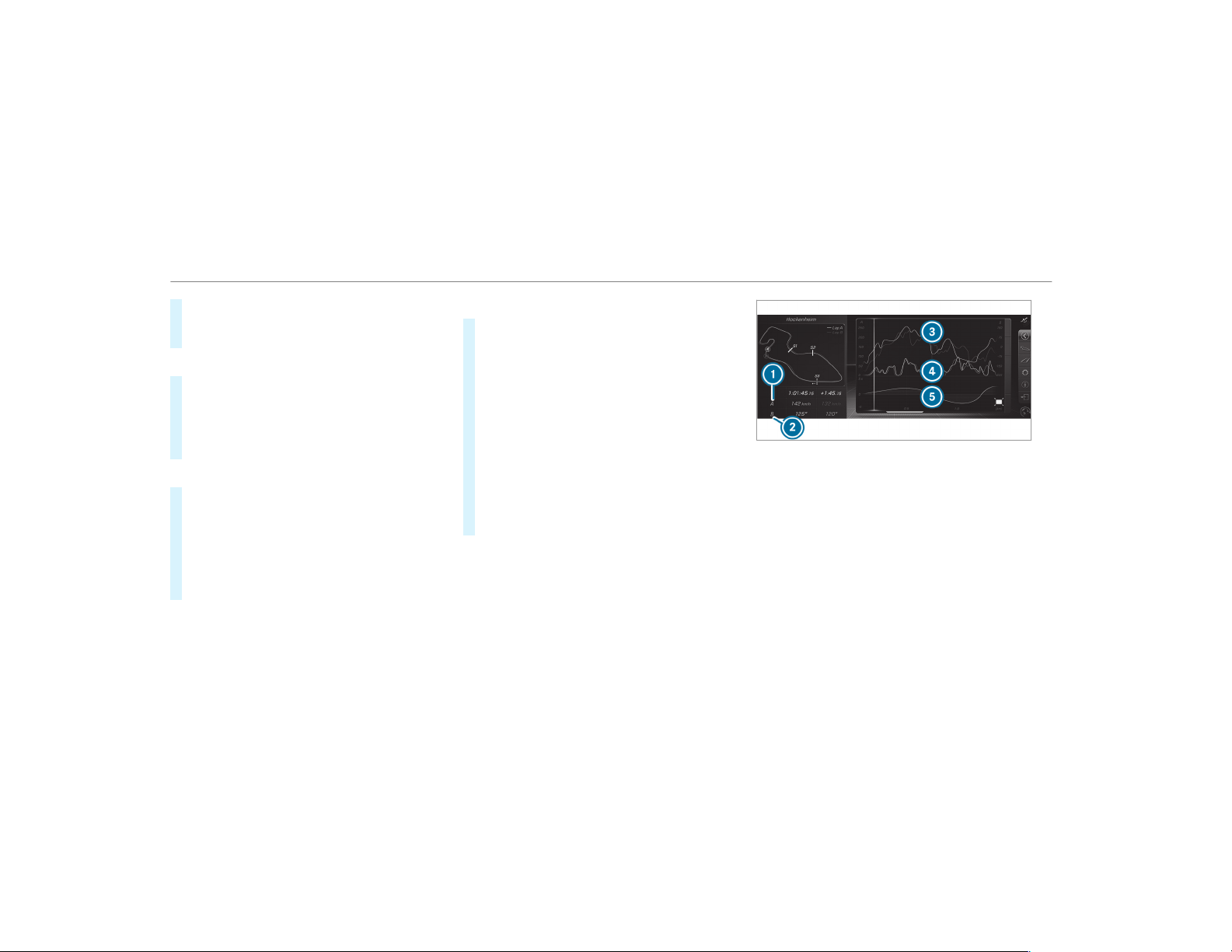
#
To finish track recording, select Stop or cross
the starting line again.
#
Enter the weather and the track name.
Searching by track name
#
Select All tracks.
#
Select ª Search.
#
Enter the track name.
Tracks with the searched name are dis‐
played.
Measuring the time on the track
#
Select Timekeeping.
An overview of nearby tracks appears.
The distance and direction to the starting
line of the track is displayed.
#
Select the desired track.
If you have already driven on this track, you
can select a driven time as a reference time.
Timekeeping begins automatically when the
starting line has been crossed.
%
When Zoom is selected, the track display
can be switched from 2D to 3D.
Displaying the analysis
#
Select Lap times.
An overview of all the driven times appears.
#
Select a track.
The following data is displayed:
R
Lap and sector times
R
Average and top speed
R
Driver
R
Vehicle
R
Date
R
Weather
#
Select a desired lap.
The analysis is displayed.
1
Parameter 1 (e.g. speed)
2
Parameter 2 (e.g. steering angle)
3
Speed trend (Parameter 1)
4
Steering angle trend (Parameter 2)
5
Time difference between lap A and B (only
when two laps are selected).
%
The following values can be set for parame‐
ters 1 and 2, for example:
R
Speed
R
Longitudinal/lateral acceleration
R
Steering angle
R
Engine speed
268
Multimedia system

R
Engine oil/tire temperature
Based on the analysis you can check and opti‐
mize driving characteristics for any position on
the track.
Exporting tracks or races (USB)
#
Select All tracks.
An overview of all stored tracks and races
appears.
#
Highlight desired tracks or races.
#
Select Ü Options.
#
Select Export.
The selected tracks or races can be exported
to a USB storage device connected to the
vehicle.
Editing tracks and recordings
#
Select All tracks.
#
Highlight the desired track.
#
Select Ü options.
#
Select Rename or Delete.
or
#
Select a track.
#
Highlight the desired recording.
#
Select Ü options.
#
Select Weather or Delete.
Setting Drag Race
Multimedia system:
,
Vehicle
.
TRACK PACE
.
Drag Race
Measuring acceleration
#
Select Acceleration.
Measurement begins when the vehicle accel‐
erates. Measurement is incremental, in steps
of 30 mph (50 km/h) up to a maximum of
180 mph (300 km/h) or up to the set top
speed.
Measurement can be stopped early by
selecting
Stop or by stopping the vehicle.
Quarter-mile race
#
Select Quarter Mile.
Timing runs until a mile has been traveled or
to the set end distance.
Measurement can be stopped early by
selecting Stop or by stopping the vehicle.
Manual start for acceleration and quarter-
mile race
#
Select Acceleration or Quarter Mile.
#
Select Manual start.
Three red traffic lights appear one after the
other. The reaction time measurement starts
when they change to green at the same time.
The reaction time is displayed as soon as you
drive off. If you drive off too early, the mes‐
sage
Jump start. will appear and acceleration
or quarter mile measurement will be can‐
celed.
Measuring braking
#
Select Braking.
#
Select Start Record.
Measurement is incremental, in steps of
30 mph (50 km/h) to a standstill. If the brak‐
ing procedure is started e.g. at a speed of
99 mph (160 km/h), measurement starts as
soon as 90 mph (150 km/h) has been
reached.
Multimedia system
269

Storing and calling up measurement values
When a measurement has been completed or
canceled, the measured time can be stored.
#
After a measurement, select Save measure-
ment? .
The stored measurements can be displayed via
the History menu item.
Editing measurements
#
Select History.
#
Highlight the desired measurement.
#
Select Ü options.
#
Select Weather or Delete.
%
The measurements can be displayed by cate‐
gory, e.g. acceleration measurements, by
applying a filter.
Calling up the telemetry display
Multimedia system:
,
Vehicle
.
TRACK PACE
.
Telemetry
The telemetry display shows current vehicle data
as a digital value and as a diagram. Up to four
parameters can be selected that are to be
shown in the display.
For example:
R
Engine speed
R
Wheel angle
R
Speed
R
Steering angle
#
Set the desired parameters.
#
Set the time.
The set parameters are evaluated in the dia‐
gram for the time set.
%
The time can range from a minimum of 30
seconds to a maximum of 20 minutes.
Configuring AMG TRACK PACE
Requirements
To use the TRACK PACE app:
R
the TRACK PACE app is installed on the
mobile end device.
R
the mobile end device is connected to the
multimedia system via Wi-Fi.
Multimedia system:
,
Vehicle
.
TRACK PACE
.
Options
Setting driver profiles
#
Select Driver Profile.
#
Create a new driver profile.
or
#
Select an existing driver profile.
The driver profile is activated.
%
Tracks, laps and times driven are assigned to
the active driver profile while driving. For an
exact evaluation of your driving style, you
should always drive with an active driver pro‐
file.
Displaying driver profile statistics
#
Select Driver Profile.
#
Select the desired profile.
The following information is displayed for the
selected driver profile:
R
driving time
R
track driven
270
Multimedia system
R
number of Track Races, Drag Races and
laps driven
R
maximum speed
Connecting a mobile device via the TRACK
PACE app
The TRACK PACE app makes it possible to record
videos and to synchronize them with stored
tracks.
#
Select the TRACK PACE App.
Already authorized devices are displayed in
the list.
#
Select Authorize new device.
Available devices are displayed.
#
Start the TRACK PACE app on the device to
be connected and follow the instructions.
#
Confirm the authorization prompt.
#
Enter the code displayed on the device.
The device is authorized.
or
#
Select a device that is already authorized.
The device is de-authorized.
Setting the TRACK PACE display in the head-
up display
#
Select HUD Contents.
#
Activate O or deactivate ª the desired
contents.
The contents in the Head-up Display are
adapted.
%
For further information on the Head-up Dis‐
play, see (→ page 237) ( → page 238).
Setting acoustic feedback
#
Select Acoustic feedback.
The following settings are available:
R
Loud
R
Medium
R
Quiet
R
Off
#
Select a setting.
Activating/deactivating additional informa‐
tion
#
Activate O or deactivate ª Display help.
When additional information is activated, popups
provide information on the individual menus.
#
Confirm popups with OK or select Do not dis-
play.
Calling up information
#
Select Info.
The following information is displayed:
R
Software version
R
Memory used
R
Total number of tracks saved
R
Total number of races driven
Fit & Healthy
ENERGIZING comfort
Multimedia system
271

ENERGIZING comfort program overview
Program overview
Program Function
Refresh
Can make targeted changes to the interior climate to refresh vehicle occupants. Cooling airflow and ioniza‐
tion purify the air. The vehicle interior is illuminated with cool colors and the seats are ventilated.
Warmth
Can increase the comfort level of the occupants. The vehicle's panel, seat and steering wheel heater pro‐
duce a cozy warmth. The air is purified using ionization and a pleasant fragrance is released. The vehicle
interior is illuminated with warm lighting.
Vitality
Can counteract fatigue in monotonous driving situations. Fast-paced music and a vitalizing massage pro‐
vide invigorating stimulation for the vehicle occupants. The air is purified using ionization and a pleasant
fragrance is released. The vehicle interior is illuminated in a stimulating hue and the seat is ventilated.
Pleasure
Can promote a positive mood in the occupants. Moderately fast music is played and a massage program is
activated. The air is purified using ionization and a pleasant fragrance is released. The vehicle interior is
illuminated with amicable lighting.
Well being
Can aid the physical and mental relaxation of occupants. A back massage combined with local warmth pro‐
vide relaxation. The air is purified using ionization and a pleasant fragrance is released. The music player
plays selections of calming music and the vehicle interior is illuminated with pleasant lighting.
Training
Can counteract the onset of muscle tension, limbs falling asleep or stress with targeted relaxation or stim‐
ulation exercises. The exercises are demonstrated in short videos. The air is purified using ionization and a
pleasant fragrance is released. The vehicle interior is illuminated with lighting appropriate to the exercise.
272
Multimedia system
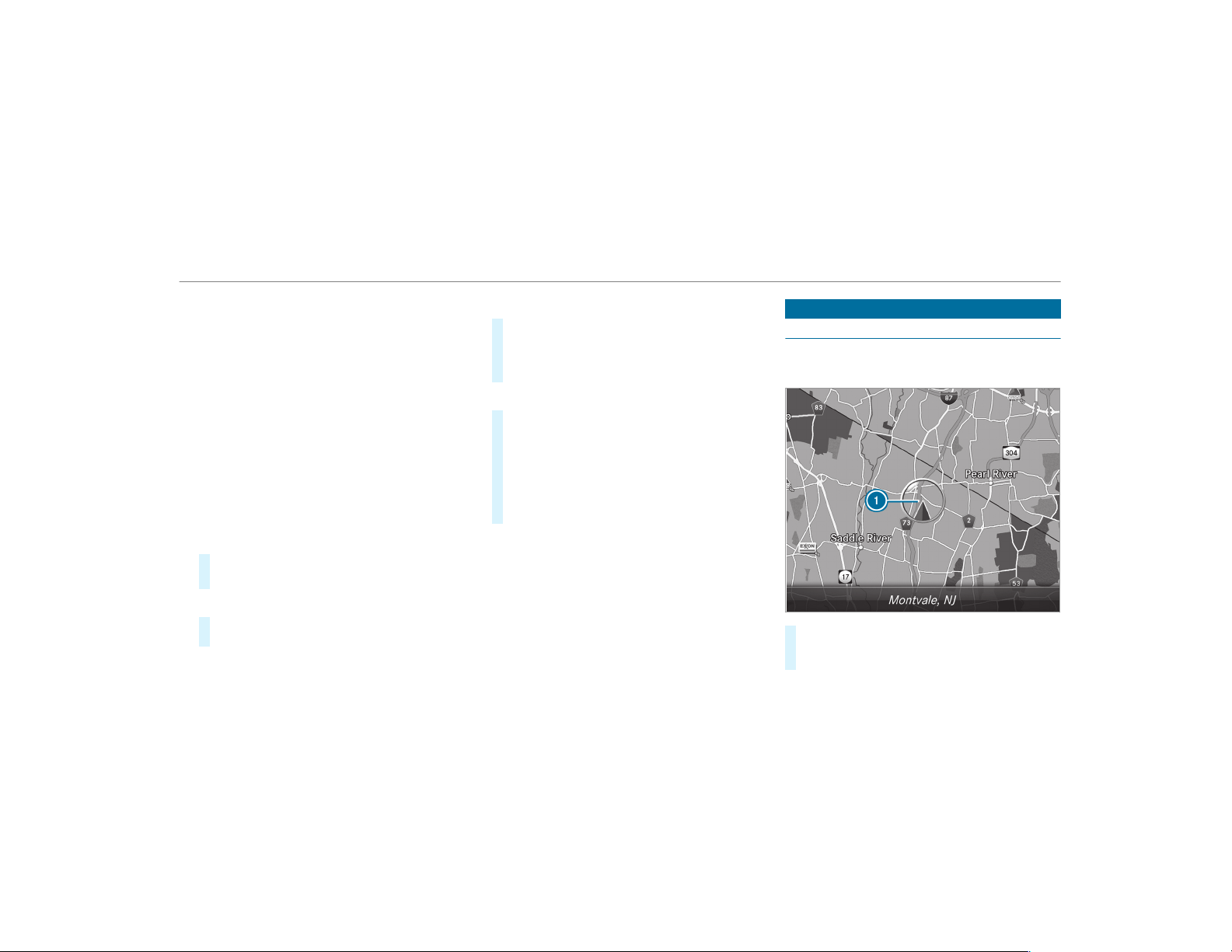
%
Please note that the available programs and
the associated functions are dependent on
your vehicle equipment. Depending on your
equipment, fewer functions may be availa‐
ble.
Starting the ENERGIZING comfort program
Requirements:
R
The ignition is switched on.
%
ENERGIZING comfort is available approx‐
imately five minutes after starting the multi‐
media system.
Multimedia system:
,
Vehicle
.
ENERGIZING Comfort
Selecting a seat
#
Select Seat Selection.
#
Select the desired seat or All Seats O.
Starting a program
#
Select Refresh, Warmth, Vitality, Enjoyment
or Well-being.
The selected program will run for ten minutes.
Configuring a program
#
Call up further options Ü for the desired
program.
#
Switch the functions included in the program
on O or off ª.
Starting training
#
Select Training.
#
Select Muscle Relaxation, Muscle Stimula-
tion or Balance.
The selected training video starts and is dis‐
played in the media display.
#
Select Full Screen: Video.
The training video is displayed in full screen.
%
For more information on pausing or skipping
through videos, see (→ page 329).
If, during an active program, a function require‐
ment is no longer met, a corresponding message
appears. The active program is canceled.
Navigation
Switching navigation on
Multimedia system:
,
Navigation
#
Alternatively: press the ß button.
The map appears and shows current vehicle
position 1.
Multimedia system
273
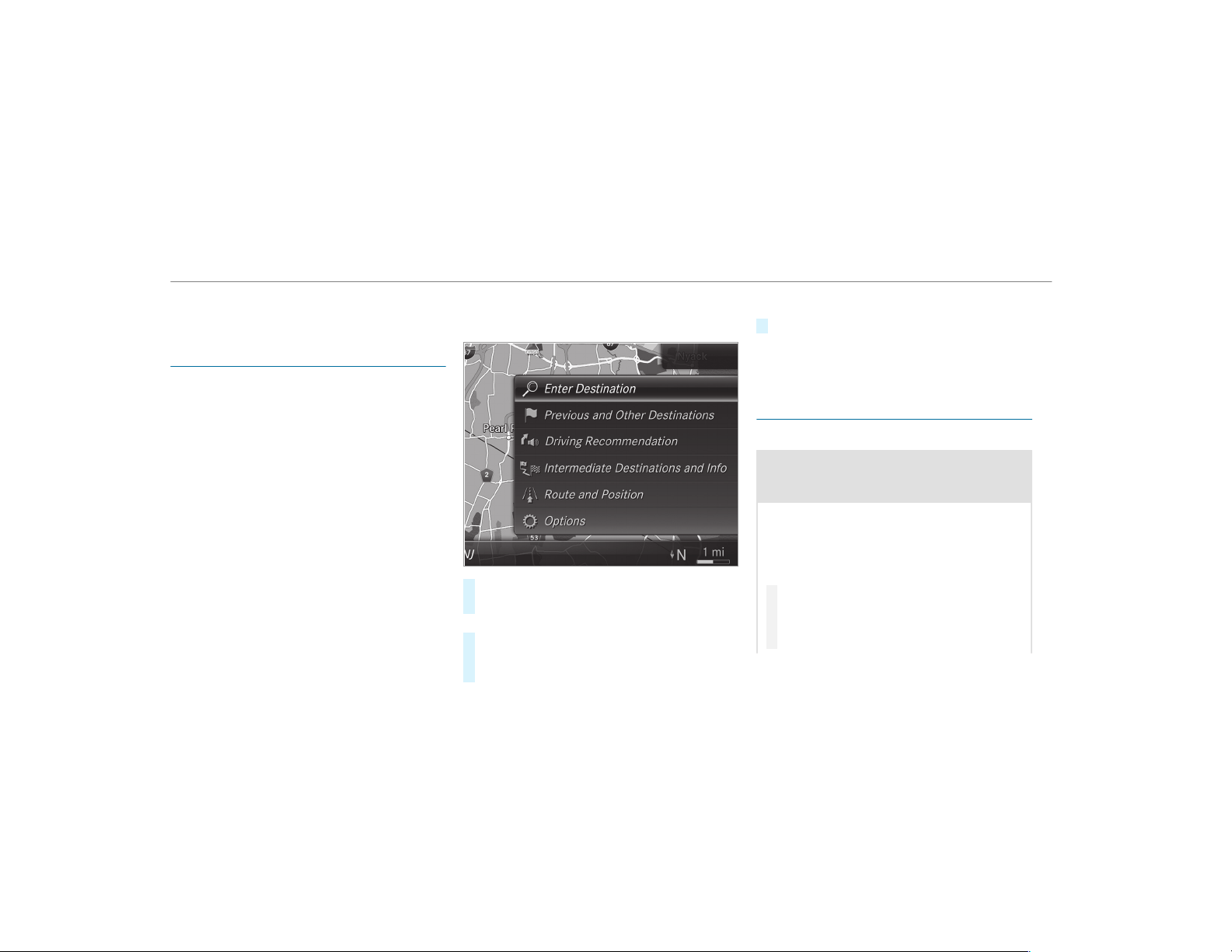
%
If a climate control setting is changed, a cli‐
mate bar appears briefly.
Showing/hiding the navigation menu
Requirements:
R
The map displays the current vehicle posi‐
tion.
Multimedia system:
,
Navigation
#
To show: swipe left on the touchpad or the
Touch Control.
or
#
Slide the controller to the left.
#
To hide: swipe right on the touchpad or the
Touch Control.
or
#
Slide the controller to the right.
%
To show or hide lower menu levels, swipe or
slide to the left or right as many times as
necessary.
Destination entry
Entering a POI or address
&
WARNING Risk of distraction from infor‐
mation systems and communications
equipment
If you operate information and communica‐
tion equipment integrated in the vehicle
when driving, you will be distracted from the
traffic situation. This could also cause you to
lose control of the vehicle.
#
Only oper ate this equipment when the
traffic situation permits.
#
If you cannot be sure of this, stop the
vehicle whilst paying attention to road
274
Multimedia system
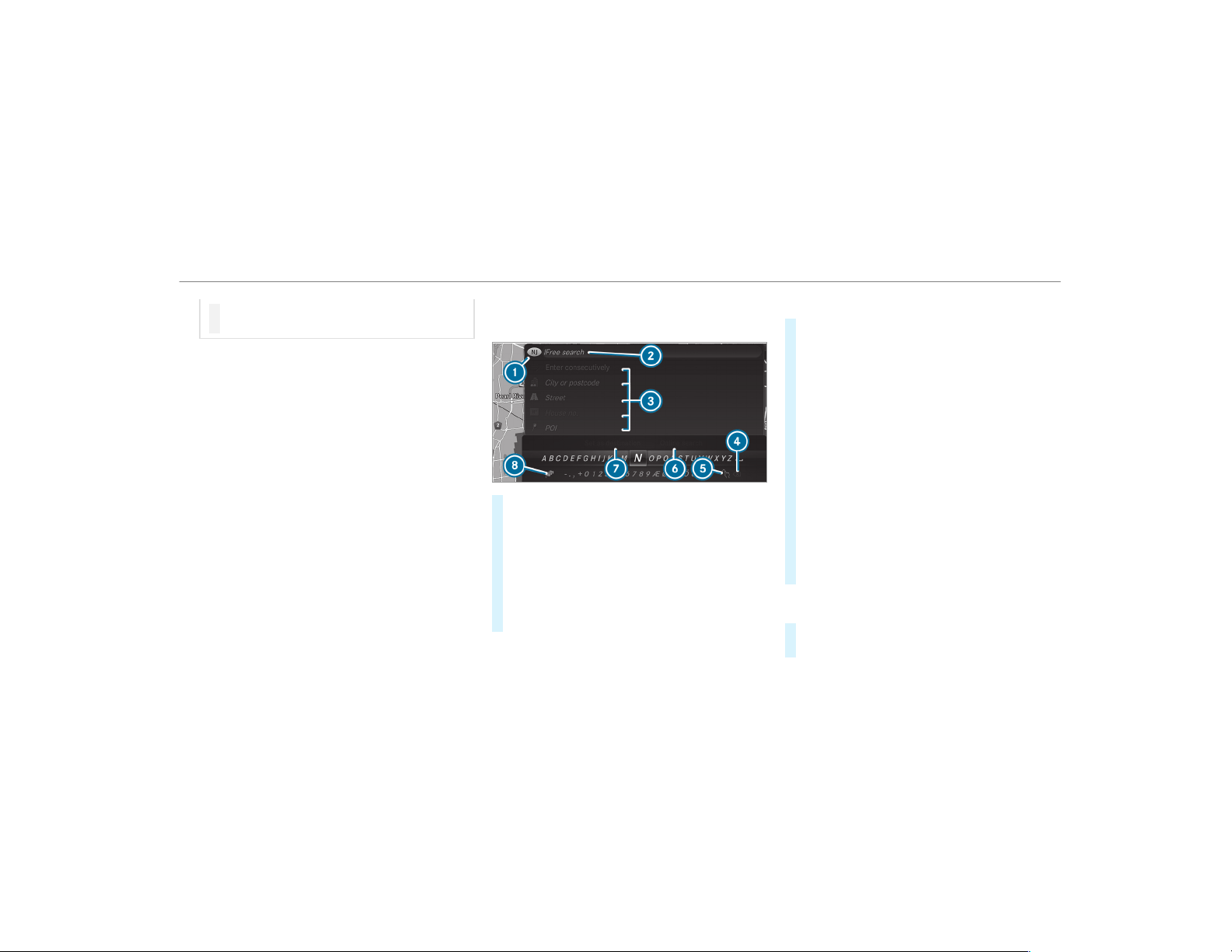
and traffic conditions and operate the
equipment with the vehicle stationary.
You must observe the legal requirements for the
country in which you are currently driving when
operating the multimedia system.
Requirements:
R
For the online search: Mercedes me con‐
nect is available.
R
You have a user account for the Mercedes
me portal.
R
The service is available.
R
The service has been activated at an author‐
ized Mercedes-Benz Center.
Further information can be found at: http://
www.mercedes.me
Multimedia system:
,
Navigation
#
Show the navigation menu.
#
Select ª Enter Destination .
The state or province in which the vehicle is
located is set 1.
There are two available methods of destina‐
tion entry:
R
Free search 2
R
Search step-by-step 3
Method 1: free search
#
Enter the POI or address in 2. The entries
can be made in any order.
During destination entry, suggestions are
made by the multimedia system. A selection
of destinations appears in a list.
Enter these address elements, for example:
R
City, street, house number
R
Street, city
R
ZIP code
R
POI name
R
POI category, e.g. Gas Station
R
City, POI name
#
To switch to handwriting recognition:
select v 5.
#
Write the character on the touchpad.
%
The function is available when a touchpad is
installed.
#
To switch to character selection: press the
% button.
or
Multimedia system
275

#
Press the touchpad.
#
To delete an entry: select % 4 (if avail‐
able).
Use the following options:
R
Press briefly: deletes the last character
entered or the last suggestion adopted.
R
Press and hold: deletes the entire entry.
#
To set the language: select 8.
#
Select the language.
%
This function is useful for countr ies in which
several character sets are supported. An
example is Russia, which uses Cyrillic and
Latin characters.
#
To call up the online search function:
select 6 Online Search.
Once an Internet connection is established, a
list appears. It shows online destinations
related to the previous entry.
Online destinations are provided by the Inter‐
net service provider.
#
Select the online destination.
or
#
Enter the online destination or a 3 word
address in the input line.
%
Enter a 3 word address (→ page 280).
Online search is not available in all coun‐
tries.
#
To call up the list: press the % button.
or
#
If the top line of the character bar is highligh‐
ted, navigate upwards.
#
Select the destination in the list.
#
To adopt a destination: select 7 Select
Destination .
If there are several listings for a destination,
a list appears.
#
Select the destination.
The destination address is shown.
Method 2: search step-by-step
#
Press % button.
or
#
If the top line of the character bar is highligh‐
ted, navigate upwards.
The character bar is hidden. City or ZIP is
highlighted. Additional entry fields, e.g. for
POI, are available.
#
Select City or ZIP.
The character bar appear s.
#
Enter the city or the ZIP code.
During destination entry, suggestions are
made by the multimedia system. A selection
of destinations appears in a list.
The address entries can be made in any
order, for example:
R
City or ZIP, Street, House No.
Enter an intersecting street, if available.
R
Street, City or ZIP
R
POI, e.g. Gas Station, City or ZIP
%
During destination entry, use the following
functions:
R
Switching to handwriting recognition
R
Switching to character selection
R
Deleting an entry
276
Multimedia system

An entry, e.g. POI, can be deleted with
£ in a step-by-step search. Navigate
to the left to do so.
R
Calling up the online search function (if
available)
R
Calling up a list
The functions are described in the free
search.
#
To change the state/province: select the
state or the province.
#
Enter the state or the province. You only
need to enter the first character.
#
Select the state or the province in the list.
#
To change the country: select the country.
#
Enter the country. You only need to enter the
first character.
#
Select the country on the list.
#
To adopt a destination: select Select Desti-
nation.
If there are several listings for a destination,
a distance-orientated list appears.
#
Select the destination.
The destination address is shown.
Selecting previous destinations
Multimedia system:
,
Navigation
.
¬ Previous and Other
Destinations
#
Select Previous Destinations.
#
Select the destination.
The destination address is shown.
or
#
If favourites have been saved already
(→ page 289), select From My Favorites.
#
Select the favourite.
The destination address is shown.
Selecting a POI
Multimedia system:
,
Navigation
.
¬ Previous and Other
Destinations
.
POIs
#
Select the category.
or
#
Select All Categories and the category.
If route guidance is not active: the search
begins in the vicinity of the current vehicle
position. The list is sorted by distance in
ascending order.
The POIs show the following information:
R
name of POI
R
linear distance to the POI
R
the direction of the linear distance to the
POI (arrow) is displayed when searching
for the vehicle's current position
#
Select the POI.
#
Route guidance is active: select the search
position prior to choosing a POI.
#
If intermediate destinations are set, these
can also be selected as the search position
after selecting Near Destination.
Filtering displays for POIs
#
Enter the search term in ª Search:.
The results list shows relevant POIs.
#
Select ¡.
The first POI in the list is highlighted.
Multimedia system
277

#
Select the POI.
Example: setting the search position for the
parking category during active route guid‐
ance
#
Select In the Vicinity, Near Destination or
Along the Route.
The list shows the located POIs or opens an
overview of the route destination after
selecting
Near Destination.
#
Select the POI.
#
Select Near Destination: select the inter‐
mediate destination or the destination.
Starting an automatic gas station search
Requirements:
R
The automatic gas station search is activated
O (→ page 283).
Driving situation
Route guidance is active. The fuel level in the
fuel tank reaches the reserve fuel level.
The Reserve Fuel Do you want to start a search
for surrounding gas stations? message is shown.
#
Select Yes.
The automatic gas station search begins. The
available gas stations along the route or in
the vicinity of the vehicle's current position
are displayed.
#
Select the gas station.
The address of the gas station is displayed.
#
If route guidance is not active, select Start
Route Guidance.
The selected gas station is set as the desti‐
nation. Route guidance begins.
or
#
If route guidance is active, select Start New
Route Guidance or Set as Next Way Point.
Start New Route Guidance: the selected gas
station is set as a new destination. The previ‐
ous destinations and intermediate destina‐
tions are deleted. Route guidance to the gas
station begins.
Set as Next Way Point: the selected gas sta‐
tion is set as the next intermediate destina‐
tion. Route guidance begins.
#
If there are already four intermediate des‐
tinations: select Yes in the prompt.
The selected gas station is entered into posi‐
tion 1 of the intermediate destinations menu.
Intermediate destination 4 is deleted. Route
guidance begins.
Entering an intermediate destination
Requirements:
R
A destination is entered.
Multimedia system:
,
Navigation
.
Way Points and Info
#
Select Search for Way Point.
#
Enter the intermediate destination as a POI
or address (→ page 274).
#
Select the intermediate destination.
#
Select Set as Destination.
or
#
Select an intermediate destination using
ª Enter Destination during route guid‐
ance.
#
Select Set as Next Way Point after entering
the destination.
278
Multimedia system

Editing intermediate destinations
Requirements:
R
A destination is entered.
Multimedia system:
,
Navigation
.
Way Points and Info
#
To change the order of destinations: high‐
light the destination or the intermediate des‐
tination.
#
Select ¥ Move.
#
Move the intermediate destination to the
desired position.
#
Press the Touch Control, the controller or the
touchpad.
#
To call up the map: highlight the destination
or the intermediate destination.
#
Select ¥ Map.
#
Move the map (→ page 293).
#
Select destination on the map (→ page 280).
#
To delete a destination: highlight the desti‐
nation or the intermediate destination.
#
Select ¥ Delete.
Calculating a route with intermediate desti‐
nations
Requirements:
R
The destination and at least one intermediate
destination have been entered.
Multimedia system:
,
Navigation
.
Way Points and Info
#
Select Start New Route Guidance.
The route is calculated with the set inter‐
mediate destinations.
Selecting a contact for destination entry
Requirements:
R
A mobile phone is connected to the multime‐
dia system (→ page 301).
Multimedia system:
,
Navigation
.
¬ Previous and Other
Destinations
.
Contacts
#
Select the contact.
The contact details are displayed.
#
Select the address.
Filtering displays for contacts
#
Enter a name or telephone number, for exam‐
ple, into the search field.
#
Select ¡.
The first contact in the list is highlighted.
#
Select the contact.
#
Select the address.
Entering geo-coordinates
Multimedia system:
,
Navigation
.
¬ Previous and Other
Destinations
.
Geo-coordinates
#
Enter geo-coordinates as latitude and longi‐
tude coordinates in degrees, minutes and
seconds.
The map shows the position.
#
Confirm the entry.
#
To calculate a route: select Start Route
Guidance.
#
If a route has already been created, select
Start New Route Guidance or Set as Way
Point.
Multimedia system
279

Entering the destination as a 3 word address
Requirements:
R
Searching for a destination using 3 word
addresses is possible in the online search
(→ page 274).
R
There is an Internet connection.
%
Searching for a destination using 3 word
addresses is not possible in all countries.
Multimedia system:
,
Navigation
.
ª Enter Destination
#
Select Online Search.
#
Enter the destination address as a 3 word
address. Separate each of the words with a
full stop.
The search results are displayed.
#
Select the destination in the list.
The destination address is shown. The route
can be calculated.
%
3 word addresses from what3words are an
alternative addressing system for multilin‐
gual georeferencing of global locations with
a resolution of three meters. Using this grid,
locations on the Earth's surface are included
which do not have a building address such
as street and house number, for example.
The Empire State Building in New York has
the following language dependent 3 word
address, for example:
R
English: parade.help.bleat
R
French: commun.verbe.bisquer
R
Spanish: suertes.diga.pesca
3 word addresses are unique, easy to
remember and suffice for most routine appli‐
cations.
The bidirectional conversion of 3 word
addresses can be carried out here:
R
at the website http://what3words.com
R
in the what3words apps
Selecting a destination on the map
Multimedia system:
,
Navigation
.
Z Options
#
Select Map Menu.
or
#
If the map is displayed in full screen mode,
press the central control element.
The map menu appears.
#
Select "move map" in map menu 2
(→ page 292).
#
Swipe in any direction on the Touch Control
or touchpad.
or
#
Slide the controller in any direction.
The map moves in the corresponding direc‐
tion under the crosshair. The more you move
your finger away from the starting position
on the touchpad, the faster the map moves.
#
Press the Touch Control, the controller or the
touchpad.
If several destinations are located around the
crosshair, a list shows the available POIs and
roads.
If a destination is located exactly on the
crosshair, the destination address is dis‐
played.
#
Select the destination in the list.
The destination address is shown.
280
Multimedia system

Setting the map orientation to 2D or 3D
#
Highlight Map Orientation: 2D/3D.
#
Press the Touch Control, the touchpad or the
controller.
The map will be displayed in the selected
map orientation.
Showing traffic messages in the vicinity of
the map
#
Select Traffic Messages for the Vicinity.
The map appears.
#
Swipe left or right on the touchpad.
or
#
Slide the controller to the left or right.
The previous or next traffic incident is high‐
lighted on the map. Information on the traffic
incident is displayed.
Showing POIs in the vicinity of the map
#
Select POIs in the Vicinity .
#
Swipe left or right on the touchpad.
or
#
Slide the controller to the left or right.
The previous or next POI is highlighted on the
map. The name or the address is shown.
#
To filter the display by POI category:
swipe down on the Touch Control or the
touchpad.
or
#
Slide the controller down.
#
Select the POI category.
%
User Defined allows personal POI symbols to
be selected (→ page 294).
Route
Calculating a route
Requirements:
R
The destination has been entered.
R
The destination address is shown.
#
If route guidance is not active, select Start
Route Guidance.
The route to the destination is calculated.
The map shows the route. Route guidance
then begins.
or
#
If route guidance is active, select Start New
Route Guidance or Set as Next Way Point.
Start New Route Guidance: the selected des‐
tination address is set as a new destination.
The previous destinations and intermediate
destinations are deleted. Route guidance to
the new destination begins.
Set as Next Way Point: the selected destina‐
tion address is set as the next intermediate
destination. Route guidance begins.
Taking alternative routes into consideration
#
Select an alternative route (→ page 283).
Other menu functions
#
To save the destination: select ¥ Store
in "Previous Destinations".
#
To display on the map: select ¥ Map.
#
To call a telephone number: select ¥
Call.
#
To call up an Internet address: select
¥ www (if available).
Multimedia system
281

Selecting a route type
Multimedia system:
,
Navigation
.
À Route and Position
#
Select Route Settings.
#
Select the route type.
A route has already been created: the route
is calculated on the basis of the new route
type.
A route has not been created: the next route
is calculated on the basis of the new route
type.
You can choose from the following route types:
R
Eco Route
An economical route is calculated. The jour‐
ney time may be somewhat longer than for
quicker routes.
The symbol for the current vehicle position is
displayed in green.
R
Fast Route
A route with a quick journey time is calcula‐
ted.
R
Short Route
A route with a short driving distance is calcu‐
lated.
Automatic Traffic Jam Avoidance can be
switched on O or off ª for these route types.
If Automatic Traffic Jam Avoidance is switched
on, Ask in the Event of Traffic Jam Avoidance can
be selected.
The Automatic Traffic Jam Avoidance and Ask in
the Event of Traffic Jam Avoidance settings are
not available in every country.
The settings enable the following:
R
Automatic Traffic Jam Avoidance
The route is calculated with the currently set
route type.
Traffic reports via Live Traffic Information are
taken into account.
Live Traffic Information is not available in all
countries.
R
Ask in the Event of Traffic Jam Avoidance
A prompt appears when a new route is detec‐
ted with a shorter journey time based on traf‐
fic reports. You can continue to use the cur‐
rent route or use the dynamic route instead.
Selecting route options
Multimedia system:
,
Navigation
.
À Route and Posi-
tion
.
Avoid Options
Avoiding areas
#
Select Areas (→ page 295).
Avoiding highways, ferries, motorail trains,
tunnels, unpaved roads
#
Select O or deselect ª avoid option.
Using toll roads
#
Select Use Toll Roads.
#
Select Cash or Electronic Billing or Off.
The route takes into account roads that
require the payment of a usage fee (toll).
If
Off is selected, toll roads are not taken into
account.
The selected route options cannot always be
implemented. Therefore, a route may include a
ferry, for instance, even though the avoid Ferries
option is enabled. A message appears and you
will hear a corresponding message.
282
Multimedia system

Using carpool lanes
#
Select Number of Occupants in the Vehicle.
#
Select number.
When using carpool lanes, observe the appli‐
cable legal requirements as well as any con‐
ditions pertaining to when and where such
lanes may be used. Carpool lanes may only
be used if certain conditions are met.
These route options are not available in every
country.
Selecting notifications
Multimedia system:
,
Naviga-
tion
.
Z Options
.
Announcements
#
Switch an announcement on O or off ª.
You can choose from the following announce‐
ments:
R
Announce Traffic Warnings
This function is not available in all countries.
R
Announce Street Names
The multimedia system announces the
names of the roads that will follow the
upcoming change of direction.
This function is not available in all countries
and languages.
Displaying destination information
Requirements:
R
A destination is entered.
Multimedia system:
,
Navigation
#
Select Way Points and Info.
The following information is displayed:
R
Intermediate destinations and destination
The route can also include up to four
intermediate destinations.
R
Name, address
R
Remaining driving distance
R
Time of arrival
Selecting an alternative route
Multimedia system:
,
Navigation
.
À Route and Position
#
Select Alternative Route.
The routes are displayed in accordance with
the setting made in the route settings.
The currently selected route is shown with a
dark blue line.
#
Select the alternative route.
Switching the automatic gas station search
on/off
Multimedia system:
,
Navigation
.
Z Options
#
Switch Reserve Fuel on O or off ª.
Switched on O: when the fuel reserve level
is reached, a prompt appears asking whether
you want to start searching for gas stations.
Using automatic gas station search
Requirements:
The automatic gas station search is activated O
(
→ page 283).
Multimedia system
283
The prompt Reserve Fuel Do you want to start a
search for surrounding gas stations? appears.
#
Select Yes.
The automatic gas station search begins. The
available gas stations along the route or in
the vicinity are displayed.
#
Select the gas station.
#
When there is no route, the gas station is set
as the destination.
or
#
When there is a route, the gas station is set
as the next intermediate destination.
Starting the automatic service station
search
Requirements:
R
ATTENTION ASSIST and the Suggest Rest
Area function are activated (→ page 216).
Driving situation
The ATTENTION ASSIST Do you want to search
for a rest area? message is shown.
#
Select Yes.
The service station search starts. The availa‐
ble service stations along the route or in the
vicinity of the vehicle's current position are
displayed.
#
Select the service station.
The service station address is displayed.
#
If route guidance is not active, select Start
Route Guidance.
The selected service station is set as a desti‐
nation. Route guidance begins.
or
#
If route guidance is active, select Start New
Route Guidance or Set as Next Way Point.
Start New Route Guidance: the selected
service station is set as a new destination.
The previous destination and all intermediate
destinations are deleted. Route guidance to
the service station begins.
Set as Next Way Point: the selected service
station is set as the next intermediate desti‐
nation. Route guidance begins.
Route guidance
Notes on route guidance
&
WARNING Risk of distraction from oper‐
ating integrated communication equip‐
ment while the vehicle is in motion
If you operate communication equipment
integrated in the vehicle when driving, you
will be distracted from the traffic situation.
This could also cause you to lose control of
the vehicle.
#
Only oper ate this equipment when the
traffic situation permits.
#
If you cannot be sure of this, stop the
vehicle whilst paying attention to road
and traffic conditions and operate the
equipment with the vehicle stationary.
You must observe the legal requirements for the
country in which you are currently driving when
operating the multimedia system.
Route guidance begins once a route has been
calculated.
284
Multimedia system
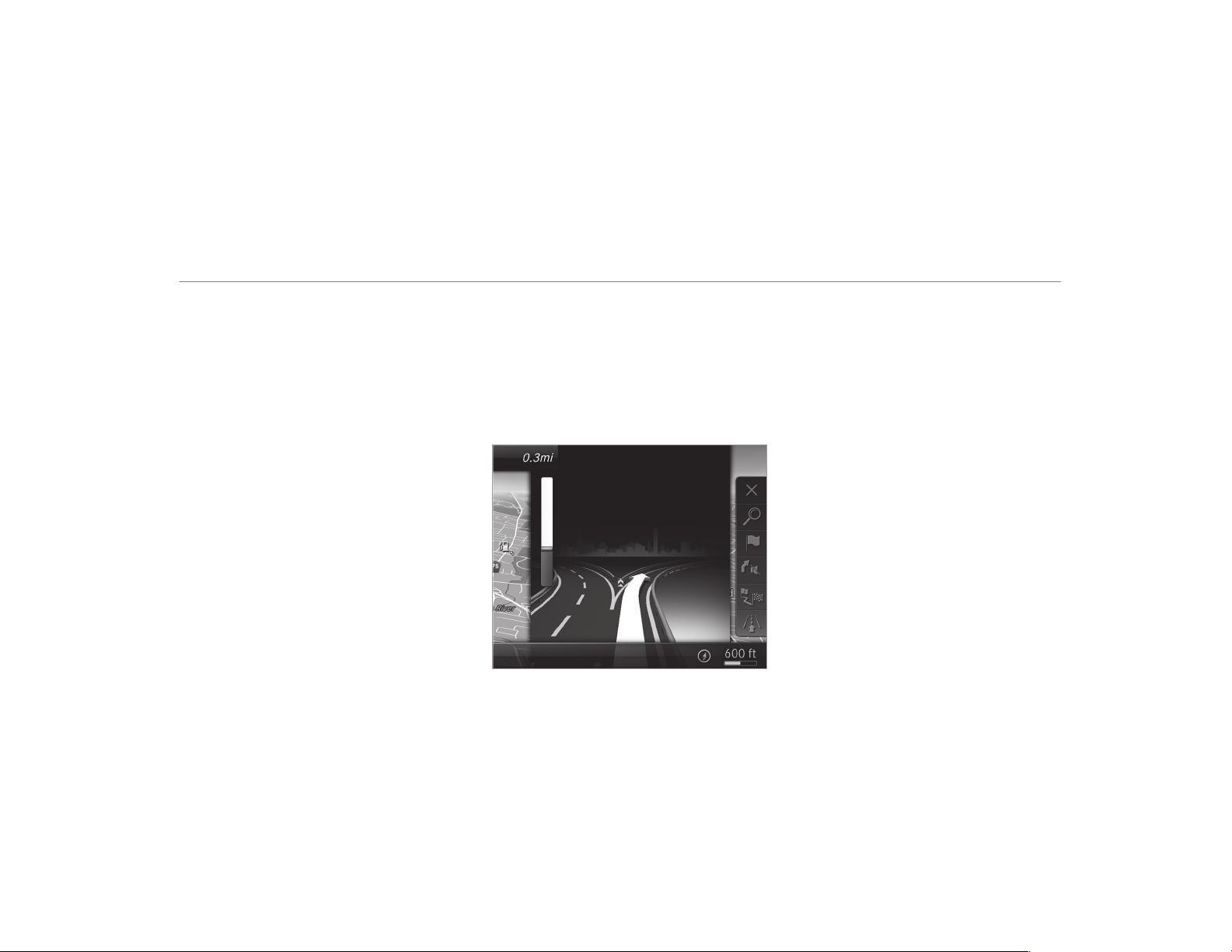
The road and traffic rules and regulations always
have priority over multimedia system driving
instructions.
The following driving instructions can be used:
R
Navigation announcements
R
Route guidance displays
R
Lane recommendations
If you do not follow the driving instructions or if
you leave the calculated route, a new route is
calculated automatically.
Driving instructions may differ from the actual
road and traffic conditions if:
R
The route is diverted
R
The direction of a one-way street has been
changed
For this reason, you must always observe road
and traffic rules and regulations during your
journey as well as the prevailing traffic condi‐
tions.
The route may differ from the ideal route due to
the following:
R
Roadworks
R
Incomplete digital map data
Notes on GPS reception
The correct function of the navigation system
depends amongst other things on GPS recep‐
tion. In certain situations GPS reception can be
impaired, defective or even not possible, e.g. in
tunnels or in parking garages.
Changing direction over view
There are three phases when changing direction:
R
Preparation phase
If there is enough time between the changes
of direction, the multimedia system prepares
you for the upcoming change of direction. A
navigation announcement is issued, e.g.
"Prepare to turn r ight".
The map appears in full-screen mode.
R
Announcement phase
The multimedia system announces the
upcoming change of direction, e.g. by
announcing "Turn right in 300 ft (100 m)".
The display is split into two parts. The map is
displayed on the left; on the right, there is a
detailed image of the intersection or a 3D
image of the upcoming change of direction.
R
Change-of-direction phase
The multimedia system announces the immi‐
nent change of direction, e.g. by announcing
"Now turn right".
The display is split into two parts.
The vehicle has successfully changed direc‐
tion when the light-color bar on the right
Multimedia system
285
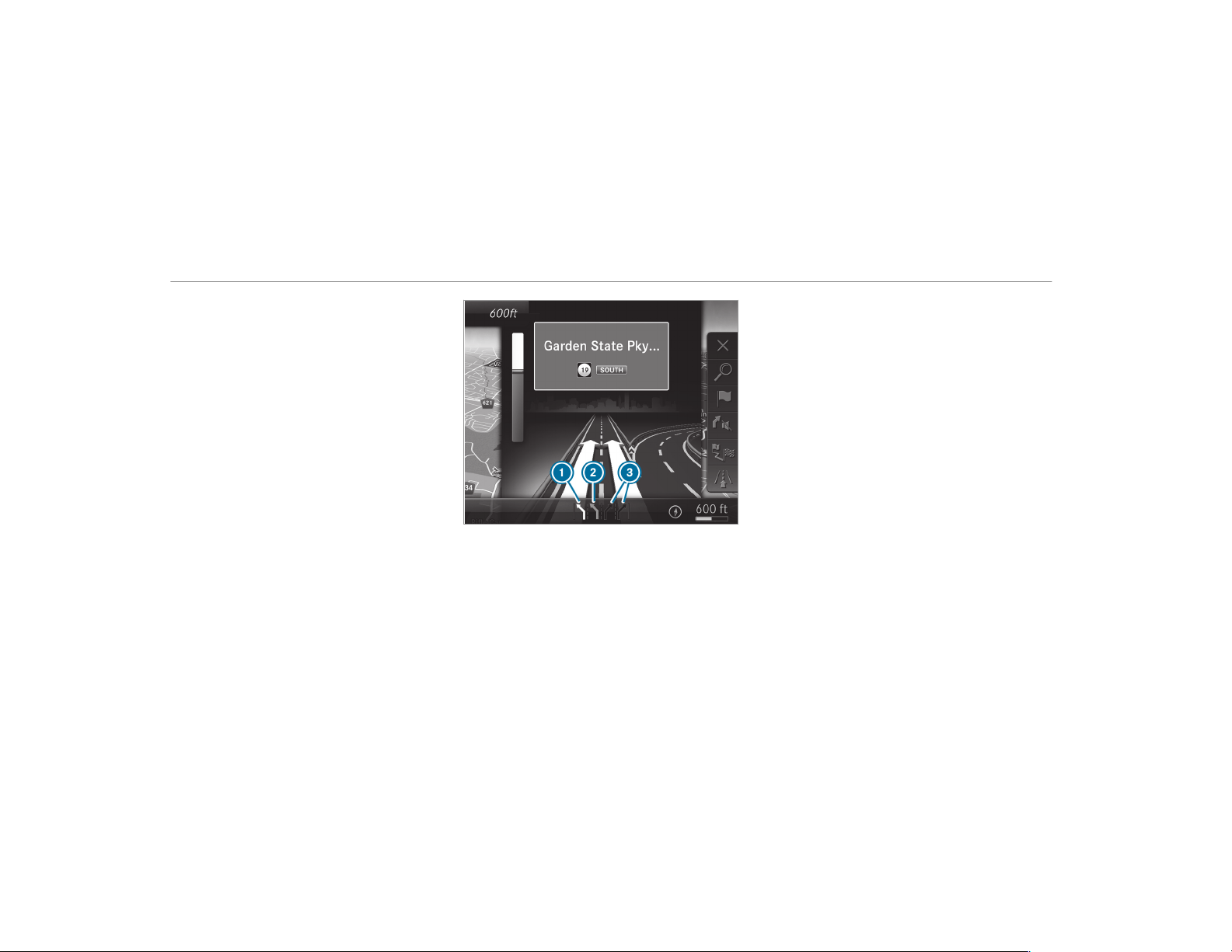
drops down to 0 feet (0 m) and the current
vehicle position symbol has reached the
highlighted change-of-direction point.
When the change of direction is complete,
the map appears in full-screen mode.
%
Changes of direction are also shown in the
Instrument Display.
Lane recommendations over view
This display appears for multi-lane roads.
If the digital map contains the relevant data, the
multimedia system can display lane recommen‐
dations for the next two changes of direction.
1
Recommended lane
2
Possible lane
3
Lanes not recommended
The following lanes are displayed:
R
Recommended lane 1
In this lane, you will be able to complete both
the next change of direction and the one
after that.
R
Possible lane 2
In this lane, you will only be able to complete
the next change of direction.
R
Lane not recommended 3
In this lane, you will not be able to complete
the next change of direction without chang‐
ing lane.
During the change of direction, new lanes may
be added.
%
Lane recommendations can also be dis‐
played in the Instrument Display and in the
Head-up Display.
Overview of destination reached
Once the destination is reached, you will see the
Í checkered flag. Route guidance is finished.
When an intermediate destination has been
reached, you will see the intermediate destina‐
tion flag with the number of your Î inter‐
mediate destination. After this, route guidance is
continued.
286
Multimedia system

Switching navigation announcements on/off
Requirements:
R
A route has already been created.
R
Route guidance is active.
#
To switch off: press the volume control on
the multifunction steering wheel during a
navigation announcement (→ page 254).
The Voice Guidance has been deactivated.
message appears.
or
#
Show the navigation menu (→ page 274).
#
Select ! Voice Guidance .
The symbol changes to #.
#
To activate: select # Voice Guidance .
The current navigation announcement is
played.
%
In the following situations, navigation
announcements are switched on automati‐
cally:
R
A new route guidance is started.
R
The route is recalculated.
%
You can add and call up this function as a
favourite under Voice Guidance On/Off.
Switching navigation announcements on/off
during a phone call
#
Select System.
#
Select õ Audio .
#
Select Navigation and Traffic Announce-
ments.
#
Switch Voice Guidance During Call on O or
off ª.
Adjusting the volume of navigation
announcements
Requirements:
R
A route has already been created.
R
Route guidance is active.
On the multifunction steering wheel or on
the multimedia system
#
Turn the volume control on the multifunction
steering wheel during a navigation announce‐
ment.
or
#
During a navigation announcement press the
volume rocker switch on the center console
up or down (→ page 255).
%
In the following situations, the volume is
raised to the minimum volume or lowered to
the maximum volume:
R
A new route guidance is started.
R
The route is recalculated.
%
The minimum volume can be individually set
at an authorized Mercedes-Benz Center.
Via system settings
#
Select System.
#
Select õ Audio.
#
Select Navigation and Traffic Announce-
ments.
#
Select Voice Guidance Volume.
#
Set the volume.
Switching audio fadeout on/off during navi‐
gation announcements
#
Select System.
#
Select õ Audio.
Multimedia system
287

#
Select Navigation and Traffic Announce-
ments.
#
Switch Audio Fadeout During Voice Guidance
on O or off ª.
Repeating navigation announcements
Requirements:
R
A route has already been created.
R
Route guidance is active.
Multimedia system:
,
Navigation
#
Select ! Voice Guidance .
#
Select # Voice Guidance .
The current navigation announcement is
repeated.
%
You can add and call up this function as a
favorite under Repeat Voice Guidance.
Canceling route guidance
Requirements:
R
A route has already been created.
R
Route guidance is active.
Multimedia system:
,
Navigation
#
Select % Cancel Route Guidance.
Overview of route guidance to an off-road
destination
Off-road destination: the destination is within
the digital map. However, the map contains no
roads that lead to the destination.
You can enter off-road destinations on the map.
Route guidance guides you for as long as possi‐
ble with navigation announcements and displays
on roads that are known to the multimedia sys‐
tem.
Shortly before you reach the last known position
on the map, you will hear the "Please follow the
direction arrow" announcement. The display
shows a direction arrow and the linear distance
to the destination.
Overview of route guidance from an off-road
location to a destination
Off-road position: the current vehicle position is
located within the digital map on roads that are
not available.
When route guidance begins the following dis‐
plays appear:
R
The Road Not Mapped message is shown.
R
A direction arrow showing the linear direc‐
tion to the POI.
When the vehicle is back on a road known to the
multimedia system, route guidance continues as
normal.
Overview of off-road status during route
guidance
Due to roadworks, for example, there may be dif‐
ferences between the data on the digital map
and the actual course of the road. In such cases,
the multimedia system will temporarily be
unable to locate the vehicle's current position on
the digital map. The vehicle is off-road.
When the vehicle is off-road, the following dis‐
plays are shown:
R
the Road Not Mapped message
R
a direction arrow showing the linear direction
to the POI
288
Multimedia system

When the vehicle is back on a road known to the
multimedia system, route guidance continues as
normal.
Destination
Saving the current vehicle position
Multimedia system:
,
Navigation
#
If the map is displayed in full screen mode,
press the central control element.
The map menu appears.
#
Select 1 on the map menu (→ page 292).
The current vehicle position is saved to the
"Previous destinations" memory.
Storing a map position
Multimedia system:
,
Navigation
The map is in full-screen mode.
#
Select "move map" in map menu 2
(→ page 292).
#
Select a position on the map.
If multiple entries are available for a map
position, a list appears.
#
Highlight an entry.
#
Select ¥ Store in "Previous Destina-
tions" .
The map position is saved to the "Previous
destinations" memory.
Editing the previous destinations
Multimedia system:
,
Navigation
.
¬ Previous and Other
Destinations
.
Previous Destinations
#
Highlight one of the previous destinations.
#
To save as a favorite: select ¥ Save My
Favorite .
The favorites are displayed.
#
Move the favorite to the desired position.
If a favorite has already been added at this
position, it will be overwritten.
#
To save as "Home" address: select ¥
Save as "Home" .
#
To save as "Work" address: select ¥
Save as "Work" .
#
To delete a single or all destinations:
select ¥ Delete or Delete All.
A prompt appears.
#
Select Yes.
#
To display destination information: select
¥ Details.
Using external destinations and routes
External destinations and routes can be received
from the following sources:
R
Mercedes-Benz Apps
R
door-to-door navigation with Companion app
(USA)
%
Received destinations are saved in the previ‐
ous destinations.
A prompt appears on the media display.
#
A destination has been received without
picture information: select Yes.
Multimedia system
289

#
If route guidance is not active, select Start
Route Guidance.
The route to the destination is calculated.
The map shows the route. Route guidance
then begins.
or
#
If route guidance is active, select Start New
Route Guidance or Set as Next Way Point.
Start New Route Guidance: the received des‐
tination address is set as a new destination.
The previous destinations and intermediate
destinations are deleted. Route guidance to
the new destination begins.
Set as Next Way Point: the received destina‐
tion address is set as the next intermediate
destination. Route guidance begins.
#
A destination has been received with pic‐
ture information: select Start Route Guid-
ance.
Route guidance starts.
#
A route has been received: select Start
Route Guid. from Beginning of Route.
or
#
Select Start Route Guidance from Current
Position.
Route guidance starts from the selected
position.
Route guidance with current traffic reports
Traffic information overview
Traffic reports are received using Live Traffic
Information and are used for route guidance.
This service is unavailable in some countries.
There may be differences between the traffic
reports received and the actual road and traffic
conditions.
Importa nt information on Live Traffic Informa‐
tion:
R
Current traffic reports are received via the
Internet connection.
R
The traffic situation is updated at short, regu‐
lar intervals.
R
The subscription information shows the sta‐
tus (→ page 290).
Information on the vehicle's position is regularly
sent to Daimler AG. The data is immediately ren‐
dered anonymous by Daimler AG and forwarded
to the traffic dat a provider. Using this data, traf‐
fic reports relevant to the vehicle's position are
sent to the vehicle. The vehicle acts as a sensor
for the flow of traffic and helps to improve the
quality of the traffic reports.
If you do not wish to transmit your vehicle posi‐
tion, you can have this service deactivated at an
authorized Mercedes-Benz Center.
Displaying subscription information
Requirements:
R
The vehicle is equipped with Live Traffic
Information.
Multimedia system:
,
Navigation
.
Z Options
The subscription expiration date is automatically
displayed:
R
one month before the expiration date.
R
one week before the expiration date.
R
on the expiration date.
290
Multimedia system

#
To display manually: select Live Traffic Sub-
scription Info.
Depending on the status, one of the following
messages appears:
R
the period of validity for the subscription
is displayed.
R
the subscription has expired.
%
The subscription can be extended:
R
at an authorized Mercedes-Benz Center
R
via an MB Info call to the Mercedes-Benz
Customer Assistance Center
Displaying the traffic map
Requirements:
R
For Live Traffic Information: the vehicle is
equipped with a communication module fea‐
turing an activated, integrated SIM card.
R
When the vehicle is started, the communica‐
tion module automatically establishes an
Internet connection. Traffic information is
made available shortly afterwards.
Multimedia system:
,
Navigation
.
Z Options
.
Map
Menu
#
Activate º O.
The traffic map shows the following information,
for example:
R
traffic incidents, for example:
-
roadworks
-
road blocks
-
warning messages
The symbols for traffic incidents are dis‐
played in color (on the route) or gray (off the
route).
R
traffic flow information:
-
traffic jam (red line)
-
slow-moving traffic (orange line)
-
heavy traffic (yellow line)
-
free-flowing traffic (green line)
R
display for traffic delays on the route lasting
at least one minute
R
warning message symbols:
-
Ô symbol
-
additional road safety notes when
approaching a traffic incident, e.g. the
end of a traffic jam
If the vehicle approaches a danger area
on the route, a warning message is dis‐
played on the map. A warning message
may also be issued (
→ page 292).
Displaying traffic incidents
Multimedia system:
,
Navigation
.
Z Options
.
Map
Content
#
Activate O Traffic Incidents.
Roadworks, road blocks, local area reports
(e.g. fog) and warning messages are dis‐
played.
Activating free flow and traffic display
#
Activate O Free Flowing Traffic and Traffic
Delays.
Multimedia system
291
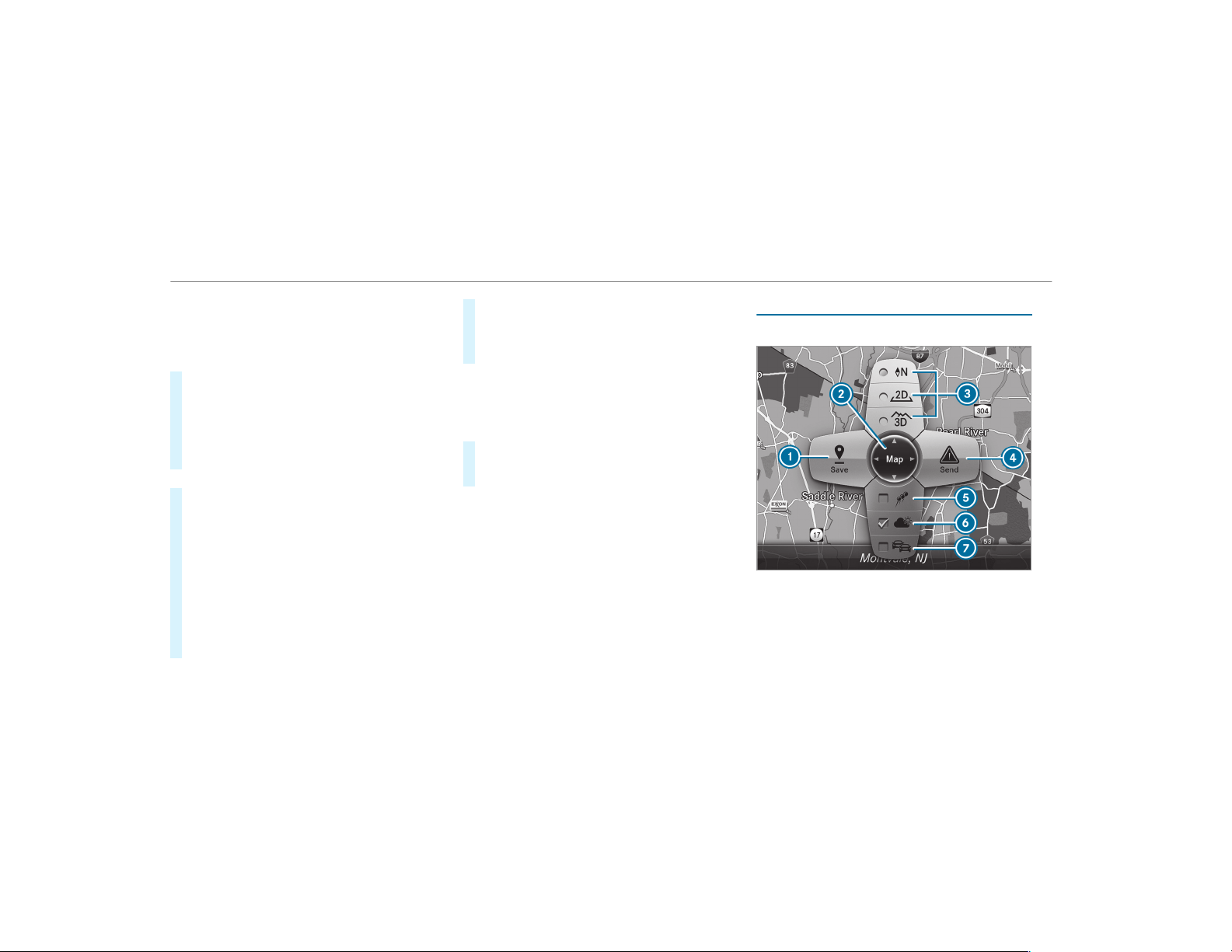
%
The traffic delay is displayed for the current
route. Traffic delays lasting one minute or
longer are taken into consideration.
Displaying details
#
Displays the traffic map (→ page 291).
#
Moves the map (→ page 293).
#
When a traffic report symbol is under the
crosshair, press on the central control ele‐
ment.
The traffic report details are displayed.
or
#
Press on the central control element.
#
Select Information on Traffic Reports.
The map shows the traf fic report symbols in
the vicinity.
Traffic report information is displayed in the
status line:
R
Traffic report symbol
R
Reason for the traffic report, e.g. traffic
congestion
R
Warning message (highlighted in red)
#
To select a traffic report symbol: select
Next or Previous.
#
Press on the central control element.
The traffic report details are displayed.
Issuing hazard warnings
Multimedia system:
,
Naviga-
tion
.
Z Options
.
Announcements
#
Activate O Announce Traffic Warnings.
Warning messages are issued and tailbacks
which pose a risk are announced.
Map and compass
Map and compass overview
1
Saves the current vehicle position
2
Moves the map
3
Selects the map orientation and map view
4
Selects the function depending on the equip‐
ment:
• Sends a hazard warning via Car-to-X.
292
Multimedia system

• Filters the display of POIs in the vicinity
according to POI category
5
Switches the display of personal POI sym‐
bols on the map on or off
6
Switches one of the following displays on or
off depending on the equipment:
• Weather information
• Satellite map
• Traffic incidents
7
Switches the traffic map display on or off
The map and satellite images are shown in globe
projection. This allows for a realistic map display
in all map scales. The map uses elevation model‐
ing.
Depending on the map data, important buildings
in many cities are depicted realistically on the
map in small map scales (e.g. 1/32 mi (20 m),
1/16 mi (50 m)). Other buildings are shown as
models.
%
You can set the unit of measurement of the
map scale (→ page 263).
If online information is available, fuel prices and
the availability of parking spaces in parking
garages are displayed, for example.
%
Requirements:
R
Mercedes me connect is available.
R
You have a user account for the
Mercedes me portal.
R
The service has been activated at an
authorized Mercedes-Benz Center.
Further information can be found at: http://
www.mercedes.me
%
The online information is not available in all
countries.
If Display in COMAND is activated in Traffic Sign
Assist (→ page 218), speed limits and overtaking
restrictions are displayed on the map.
%
Company logos displayed on the map are
trademarks of the respective companies and
used solely for the purpose of indicating the
locations of these companies. The use of
such logos on the map does not indicate
approval of, support of or advertising by
these companies for the navigation system
itself.
Setting the map scale
Requirements:
R
The map is shown.
Multimedia system:
,
Navigation
%
You can set the unit of measurement of the
map scale (→ page 263).
Moving the map
Multimedia system:
,
Navigation
.
Z Options
.
Map
Menu
#
Alternatively, if the map is displayed in full
screen mode, press the central control ele‐
ment.
The map menu appears.
#
Select "Move map" in map menu 2
(→ page 292).
Multimedia system
293

Selecting the map orientation
Multimedia system:
,
Navigation
.
Z Options
.
Map
Menu
#
Alternatively, if the map is displayed in full
screen mode, press the central control ele‐
ment.
The map menu appears.
#
In map menu 3 , select N, 2D or
3D(→ page 292).
R
N: the 2D map view is displayed so that
north is always at the top.
R
2D: the 2D map view is aligned to the
direction of travel.
R
3D: the 3D map view is aligned to the
direction of travel.
Selecting POI symbols
Multimedia system:
,
Navigation
.
Z Options
.
Map
Content
#
Select POI Symbols.
The # dot indicates the current setting.
Standard displays symbols of predefined cat‐
egories on the map.
User Defined allows you to personally select
the symbols for the available categories.
None switches the display off.
#
Select a setting.
#
User Defined: select categories.
The POI symbols of the selected categories
are displayed O or not displayed ª.
Selecting the display of text information in
the map
Multimedia system:
,
Navigation
.
Z Options
.
Text
Information
#
Select text information.
Current Street shows the street you are cur‐
rently driving on at the bottom of the display.
When the map is moved, the following infor‐
mation appears under the crosshair:
R
Street name
R
POI name
R
Area name
Geo-coordinates displays the following infor‐
mation:
R
Longitude and latitude
R
Elevation
The elevation shown may deviate from
the actual elevation.
R
Number of satellites from which a signal
can be received
When the map is moved, this information
does not appear.
Climate Control displays the current climate
control settings.
None switches the display off.
Displaying the next intersecting street
Requirements:
R
Route guidance is not active.
Multimedia system:
,
Navigation
.
Z Options
#
Activate O Next Intersecting Street.
The name of the next intersecting street will
be displayed at the upper edge of the display.
294
Multimedia system

Displaying the map version
Multimedia system:
,
Navigation
.
Z Options
#
Select Map Version.
#
Select Details.
%
Information about new versions of the digital
map can be obtained from an authorized
Mercedes-Benz Center.
Overview of avoiding an area
You can define areas along a route that you
would like to avoid.
The route can include an area that is to be avoi‐
ded in the following situations:
R
the destination is located in an area that is to
be avoided
R
if freeways are located within the area that is
to be avoided
Freeways are always taken into account for
the route.
R
there is no sensible alternative route
Avoiding a new area
Multimedia system:
,
Navigation
.
À Route and Posi-
tion
.
Avoid Options
.
Areas
#
Select Avoid New Area.
#
To search for an area via the map: select
Using Map.
#
Move the map
or
#
To search for an area using an address:
select Address Entry.
#
Enter the address.
#
Select Select Destination.
The map appears.
Changing an area
Multimedia system:
,
Navigation
.
À Route and Posi-
tion
.
Avoid Options
.
Areas
#
Highlight an area in the list.
#
Select ¥ Edit.
Moving the area on the map
#
Swipe in any direction on the Touch Control
or touchpad.
or
#
Slide the controller in any direction.
Changing the size of the area
#
To start: press the Touch Control, the touch‐
pad or the controller.
#
To change: swipe up or down on the Touch
Control or the touchpad.
or
#
Slide the controller up or down.
#
To stop: press the Touch Control, the touch‐
pad or the controller.
Taking the area for the route into account
#
Avoid O an area in the list.
If route guidance is active, a new route is cal‐
culated.
If there is no route yet, the setting is carried
over to the next route guidance.
Multimedia system
295

The route can include an area that is to be
avoided in the following cases:
R
the destination is located in an area that
is to be avoided.
R
if freeways are located within the area
that is to be avoided.
Freeways are always taken into account
for the route.
R
there is no sensible alternative route.
Deleting one or all areas
Multimedia system:
,
Navigation
.
À Route and Posi-
tion
.
Avoid Options
.
Areas
#
Highlight an area in the list.
#
Select ¥ Delete or ¥ Delete All.
#
Confirm the prompt with Yes.
One or all areas are deleted.
Map data update overview
Updating at the authorized Mercedes-Benz
Center
The digital maps generated by the map software
become outdated in the same way as conven‐
tional road maps. Optimal route guidance can
only be provided by the navigation system in
conjunction with the most up-to-date map data.
Information about new versions of the digital
map can be obtained from an authorized
Mercedes-Benz Center.
You can receive updates to the digital map there.
Online map update
The online map update service from Mercedes
me connect can be used to update map data.
%
The online map update service is not availa‐
ble in all countries.
The following options are available for the
update:
R
the automatic map update updates map data
for one region.
For automatic map updates Automatic
Online Update must be activated in the sys‐
tem settings (→ page 266).
R
the manual map update updates map data
for several or all regions.
Further information on the online map update is
available at an authorized Mercedes-Benz Center
or at http://www.mercedes.me.
Further information on updates: http://
manuals.daimler.com/baix/cars/connectme/
en_GB/index.html.
Overview of map data
Your vehicle is supplied with map dat a at the fac‐
tory. Depending on the country, map data for
your region is either pre-installed or the map
data is supplied on a data storage medium.
If the map data on your vehicle has been instal‐
led at the factory and you wish to reinstall it, you
do not need to enter the activation code.
For map data that you have purchased in the
form of a data storage medium, you must enter
the accompanying activation code.
296
Multimedia system

%
If you save the map data on a data storage
medium with the online map update service,
no entry is required. The activation code is
stored on the data storage medium during
the downloading process.
Observe the following when entering the activa‐
tion code:
R
The activation code can be used for one vehi‐
cle
R
The activation code is not transferable
R
The activation code has six digits
In the event of the following problems, please
contact an authorized Mercedes-Benz Center:
R
The multimedia system does not accept the
activation code
R
You have lost the activation code
Displaying the compass
Multimedia system:
,
Navigation
.
À Route and Position
#
Select Compass.
The compass display shows the following
information:
R
the current direction of travel with bear‐
ing (360° format) and compass direction
R
longitude and latitude coordinates in
degrees, minutes and seconds
R
height (rounded)
R
number of GPS satellites from which a
signal can be received
Setting the map scale automatically
Multimedia system:
,
Navigation
.
Z Options
The map scale is set automatically depending on
your driving speed.
For jour neys in cities with detailed city models, a
map view from the driver's perspective is used.
#
Switch Auto Zoom on O or off ª.
%
The automatically selected map scale can be
changed manually for a short time. The set‐
ting is reset automatically after a few sec‐
onds.
Displaying the satellite map
Multimedia system:
,
Navigation
.
Z Options
.
Map
Content
#
Switch Satellite Map on O or off ª.
or
#
If satellite map display 6 is available in the
map menu, switch it on O or off ª
(→ page 292).
Switched on O: satellite maps are displayed
in map scales of 2 mi (2 km).
Switched off ª: satellite maps are not dis‐
played in map scales from 2 mi (2 km) to
10 mi (10 km).
%
Satellite maps for these map scales are not
available in all countries.
Multimedia system
297
Displaying weather information
Requirements:
R
Mercedes me connect is available.
R
You have a user account for the Mercedes
me portal.
R
The service is available.
R
The service has been activated at an author‐
ized Mercedes-Benz Center.
Further information can be found at: http://
www.mercedes.me
Multimedia system:
,
Navigation
.
Z Options
.
Map
Content
#
Activate Weather Information O.
or
#
If weather information display 6 is available
in the map menu, activate O(→ page 292)
it.
Current weather information is displayed on
the navigation map, e.g. temperature or
cloud cover.
%
Weather information is not available in all
countries.
Calling up the Digital Operator's Manual
(navigation)
Calling up information on navigation
Multimedia system:
,
Navigation
.
Z Options
.
Naviga-
tion Info
#
Select the topic.
Telephone
Telephony
Notes on telephony
&
WARNING Risk of distraction from oper‐
ating integrated communication equip‐
ment while the vehicle is in motion
If you operate communication equipment
integrated in the vehicle when driving, you
will be distracted from the traffic situation.
This could also cause you to lose control of
the vehicle.
#
Only oper ate this equipment when the
traffic situation permits.
#
If you cannot be sure of this, stop the
vehicle whilst paying attention to road
and traffic conditions and operate the
equipment with the vehicle stationary.
&
WARNING Risk of distraction from oper‐
ating mobile communication equipment
while the vehicle is in motion
If you operate mobile communication equip‐
ment when driving, you will be distracted
from the traffic situation. This could also
cause you to lose control of the vehicle.
#
Only oper ate this equipment when the
vehicle is stationary.
You must observe the legal requirements for the
country in which you are currently driving when
operating mobile communication equipment in
the vehicle.
298
Multimedia system
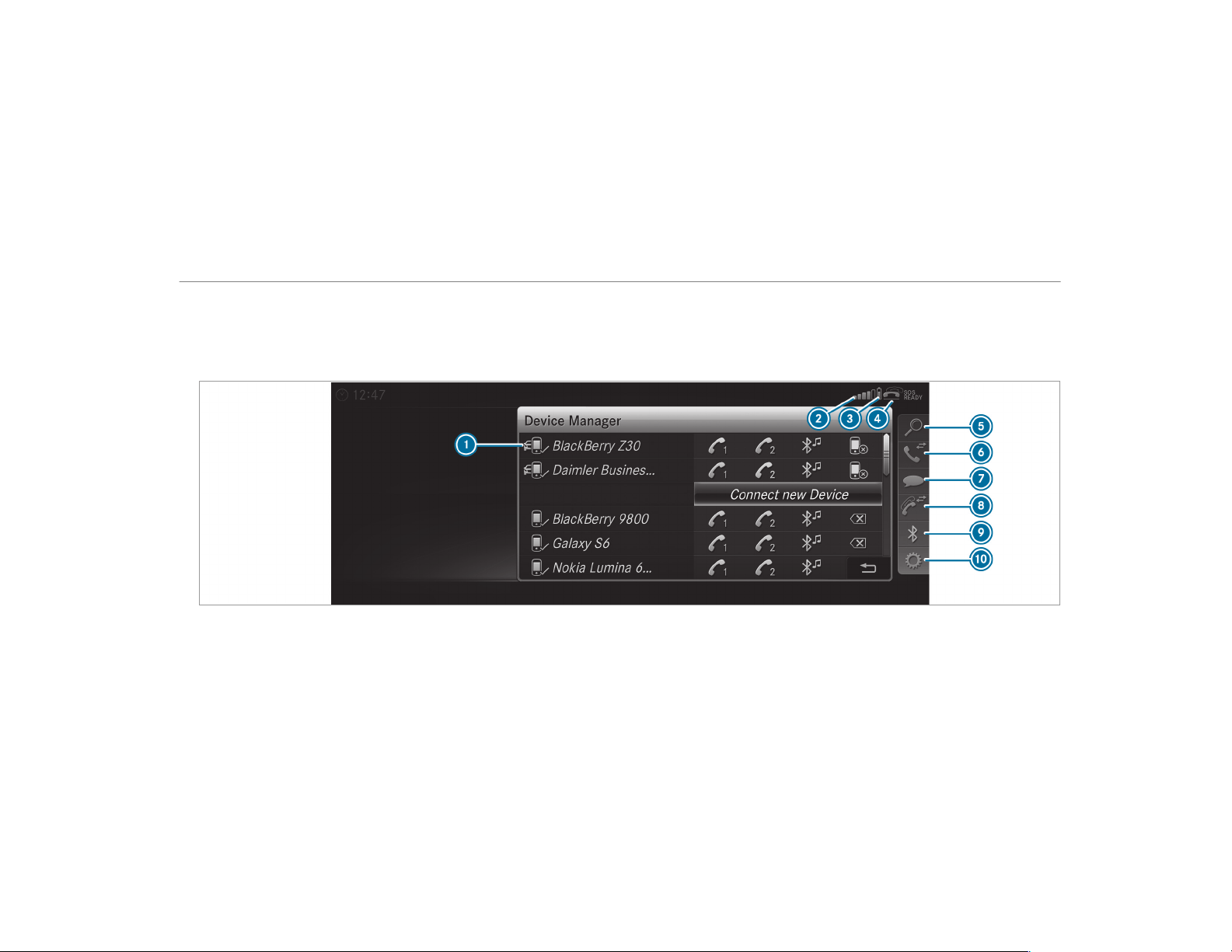
Further information can be obtained from an
authorized Mercedes-Benz Center or at: http://
www.mercedes-benz.com/connect.
Telephone menu overview
1
Bluetooth
®
device name of the currently
connected mobile phone
2
Signal strength of the mobile phone network
for the currently connected and selected
mobile phone
3
Battery status of the currently connected
and selected mobile phone
Multimedia system
299
4
¢ (telephone ready) or w (call active)
5
Contacts (→ page 305)
6
Recent Calls (→ page 308)
7
Text Message
8
One mobile phone connected: Active Call.
Two mobile phones connected: changes view
between telephone 1 and 2 or Active Call
9
Devices (→ page 301)
A
Options
Symbols 1 to 4 are not shown until after a
mobile phone has been connected to the multi‐
media system. The symbols depend on your
mobile phone and your mobile phone network
provider.
Bluetooth
®
profile overview
Bluetooth
®
profile
of the mobile phone
Function
PBAP (Phone Book
Access Profile)
Contacts are auto‐
matically displayed in
the multimedia sys‐
tem
MAP (Message
Access Profile)
Message functions
can be used
Telephony operating modes overview
Depending on your equipment, the following tel‐
ephony operating modes are available:
R
A mobile phone is connected to the multime‐
dia system via Bluetooth
®
(→ page 301).
R
Two mobile phones are connected with the
multimedia system via Bluetooth
®
(two
phone mode) (→ page 301).
Information on telephony
The following situations can lead to the call
being disconnected while the vehicle is in
motion:
R
There is insufficient network coverage in the
area
R
You move from one GSM or UMTS transmit‐
ter/receiver area (cell) into another and no
communication channels are free
R
The SIM card used is not compatible with the
network available
R
A mobile phone with "Twincard" is logged
into the network with the second SIM card at
the same time
The multimedia system supports calls in HD
Voice
®
for improved speech quality. A require‐
ment for this is that the mobile phone and the
mobile phone network provider of the person
you are calling support HD Voice
®
.
Depending on the quality of the connection, the
voice quality may fluctuate.
300
Multimedia system

Connecting a mobile phone (Bluetooth
®
tel‐
ephony)
Requirements:
R
Bluetooth
®
is activated on the mobile phone
(see the manufacturer's operating instruc‐
tions).
R
Bluetooth
®
is activated on the multimedia
system (→ page 259).
Multimedia system:
,
Phone
.
ª Devices
Searching for a mobile phone
#
Select Connect New Device.
#
Select Start Search on System.
The available mobile phones are displayed. If
a new mobile phone is found, it is indicated
by the # symbol.
Connecting a mobile phone (authorization
using Secure Simple Pairing)
#
Select the mobile phone.
A code is displayed in the multimedia system
and on the mobile phone.
#
If the codes match: confirm the code on
the mobile phone.
Connecting a mobile phone (authorization by
entering a passkey)
#
Select the mobile phone.
#
Choose a one to sixteen-digit number combi‐
nation as a passkey.
#
On the multimedia system: enter the pass‐
key and select a.
#
On the mobile phone: enter the passkey
again and confirm.
%
Up to 15 mobile phones can be authorized
on the multimedia system.
Authorized mobile phones are reconnected
automatically.
Connecting a second mobile phone (two
phone mode)
Requirements:
R
At least one mobile phone is already connec‐
ted to the multimedia system via Bluetooth
®
.
Multimedia system:
,
Phone
.
ª Devices
#
Select Connect New Device.
#
Select Start Search on System.
The available mobile phones are displayed.
#
Select the mobile phone.
#
Answer the How would you like to connect
the new device? prompt.
#
To replace the currently connected
mobile phone: select Phone 1.
The currently connected mobile phone is
replaced by the new mobile phone.
or
#
To connect the second mobile phone:
select Phone 2.
The new mobile phone is connected as
Phone 2. If two mobile phones have already
been connected, the second telephone is
replaced by the new mobile phone.
or
#
To use the mobile phone as an audio
source: select Audio Source (→ page 335).
Multimedia system
301
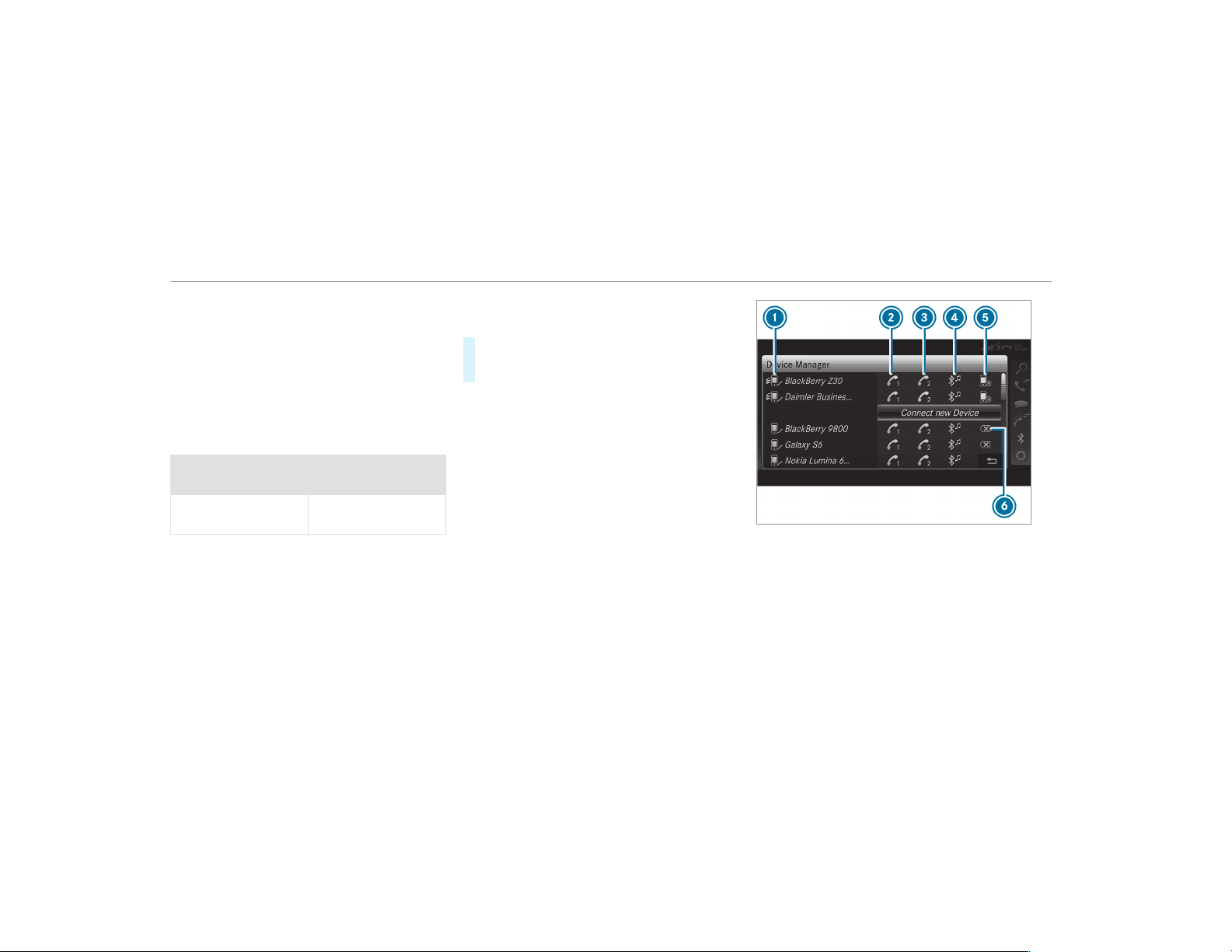
%
A mobile phone can be operated both as an
audio source as well as telephone in parallel.
%
It is possible at any future point to change
the type of connection for the mobile phone
already connected and to set this as Phone
1, Phone 2 or Audio Source (→ page 302).
Functions of the mobile phone in two phone
mode
Functions overview
Mobile phone in the
foreground
Mobile phone in the
background
Full range of func‐
tions
Incoming calls
Interchanging mobile phones (two phone
mode)
Requirements:
R
The mobile phones are authorized
(→ page 301).
Multimedia system:
,
Phone
.
ª Devices
#
In the device overview, select a mobile phone
which has already been authorized and set
as Phone 1 or Phone 2.
After interchanging the mobile phones, the
mobile phone in the foreground is replaced by
the mobile phone in the background.
1
Bluetooth
®
device name of the currently
connected mobile phone
2
Connects a mobile phone as Phone 1
3
Connects a mobile phone as Phone 2
4
Connects a mobile phone as Audio Source
5
Disconnecting a mobile phone(→ page 303)
6
De-authorizing a mobile phone(→ page 303)
302
Multimedia system

%
If a new mobile phone is connected and
defined as Phone 1, for example, this over‐
writes the previously connected mobile
phone in the foreground of the system.
Disconnecting a mobile phone
Multimedia system:
,
Phone
.
ª Devices
#
Select the i symbol in the line of the
mobile phone.
The disconnection of the mobile phone takes
place without a confirmation prompt. The
mobile phone remains authorized in the sys‐
tem.
De-authorizing a mobile phone
Multimedia system:
,
Phone
.
ª Devices
#
Select the % symbol in the line of the
mobile phone.
#
Answer the confirmation prompt with Yes.
The mobile phone is deauthorized and
deleted from the system.
Information on Near Field Communication
(NFC)
NFC enables short-range wireless data transfer
or (re)connection of a mobile phone with the
multimedia system.
The following functions are available without
having authorized a mobile phone:
R
Transferring a URL to be viewed in the multi‐
media system (see the manufacturer's oper‐
ating instructions).
R
Setting up the vehicle's Wi-Fi access data via
the system settings (→ page 261).
Further information can be found at: http://
www.mercedes-benz.com/connect
Using the mobile phone with Near Field Com‐
munication (NFC)
Requirements:
R
NFC is activated on the mobile phone (see
the manufacturer's operating instructions)
R
The mobile phone's screen is switched on
and unlocked (see the manufacturer's oper‐
ating instructions)
#
To connect a mobile phone: hold the NFC
area of the mobile phone (see manufactur‐
er's operating instructions) on mat or place
the mobile phone on it.
The mobile phone is connected to the multi‐
media system.
#
To change a mobile phone: hold the NFC
area of the mobile phone (see manufactur‐
er's operating instructions) on the mat or
place the mobile phone on it.
If the mobile phone has already been author‐
ized on the multimedia system, it is now con‐
nected.
If the mobile phone is authorized on the mul‐
timedia system for the fir st time, it is connec‐
ted after confirming the mobile phone
instructions (see the manufacturer's operat‐
ing instructions).
Further information can be found at: http://
www.mercedes-benz.com/connect
Multimedia system
303

Setting the reception and transmission vol‐
ume
Requirements:
R
A mobile phone is authorized (→ page 301).
Multimedia system:
,
Phone
.
Z Options
.
Phone
This function ensures optimal language quality.
#
Select Reception Volume or Transmission
Volume.
#
Set the volume.
Further information on the recommended recep‐
tion and transmission volume: http://
www.mercedes-benz.com/connect
Adjusting the call and ringtone volume
Multimedia system:
,
System
.
õ Audio
.
Phone
#
Select Call Volume or Ringtone Volume.
#
Set the volume.
Starting/stopping mobile phone voice recog‐
nition
Requirements:
R
The mobile phone is connected to the multi‐
media system (→ page 301).
Starting mobile phone voice recognition
#
Press and hold the ó button on the multi‐
function steering wheel for more than one
second.
You can use mobile phone voice recognition.
Stopping mobile phone voice recognition
#
Press the 8 or ~ button on the multi‐
function steering wheel.
Calls
Using the telephone
Multimedia system:
,
Phone
.
ª Contacts
Making a call
#
Select Numerical Keypad.
#
Enter the number.
#
Select w.
The call is made.
Accepting a call
#
Select Accept.
Rejecting a call
#
Select Reject.
Ending a call
#
Select =.
Activating functions during a call
#
To show all functions, navigate down.
The following functions are available during a
call:
R
End Call
R
Make Additional Call
R
Keyboard (show to send DTMF tones)
R
Switch Mute Mic on O or off ª.
R
Private Mode (an active call in hands-free
mode is transferred over to the telephone)
304
Multimedia system

Conducting calls with several participants
Requirements:
R
There is an active call (→ page 304).
R
Another call is being made.
Switching between calls
#
Select call #.
The selected call is active. The other call is
on hold.
Activating or ending a call on hold
#
Select Continue Call or End Call.
Conducting a conference call
#
Select Create Conference Call in the tele‐
phone menu.
The new participant is included in the confer‐
ence call.
Ending an active call
#
Select =.
%
On some mobile phones, the call on hold is
activated as soon as the active call is ended.
Accepting/rejecting a waiting call
Requirements:
R
There is an active call (→ page 304).
If you receive a call while already in a call, a
message is displayed. An acoustic signal also
sounds.
#
Select Accept.
The incoming call is active.
If only one mobile phone is connected with
the multimedia system, the previous call will
be put on hold.
If during a call you accept a call with the
other mobile phone when in two phone mode
then the existing call is ended.
#
Select Reject.
%
This function and behavior depends on your
mobile phone network provider and the
mobile phone (see the manufacturer's oper‐
ating instructions).
Contacts
Information about the contacts menu
The contacts menu contains all contacts from
existing data sources, e.g. mobile phone or
memory card. You can store up to 6,000 con‐
tacts.
Depending on the dat a source, you have the fol‐
lowing number of contacts:
R
Permanently saved contacts: 3,000 entries
R
Contacts loaded from the mobile phone:
3,000 entries
From the contacts menu, you can perform the
following actions:
R
Using the telephone
-
Calling a contact (→ page 307)
-
Calling a new number (→ page 304)
R
Navigation (→ page 279)
R
Compose messages (→ page 309)
If a mobile phone is connected to the multimedia
system (→ page 301) and automatic calling up
(→ page 306) is activated, the mobile phone's
contacts are displayed in the address book.
Multimedia system
305
Downloading mobile phone contacts
Multimedia system:
,
Phone
.
Z Options
.
Contacts
Automatically
#
Switch Synchronize Contacts Automatically
on O.
Manually
#
Deactivate ª Synchronize Contacts Auto-
matically.
#
Select Synchronize Contacts.
Calling up contacts
Multimedia system:
,
Phone
.
ª Contacts
Depending on the character set, the following
options can be used to search for contacts:
R
Searching by initials
R
Searching by name
R
Searching by phone number
#
Enter characters into the search field.
A selection of possible contacts appears.
Entering more characters into the search
field narrows down the number of possible
selections.
#
Select the contact.
A contact can contain the following details:
R
Phone numbers
R
Navigation addresses
R
Geo-coordinates
R
Internet address
Editing the format of a contact's name
Multimedia system:
,
Phone
.
Z Options
.
Con-
tacts
.
Name Format
The following options are available:
R
Last Name, First Name
R
Last Name First Name
R
First Name Last Name
#
Select an option.
Overview of importing contacts
Contacts from various sources
Source Requirements
ò Memory card The SD memory card
is inserted.
ò USB device The USB device is
inserted in the USB
port.
306
Multimedia system
Source Requirements
ñ Bluetooth
®
con‐
nection
If the sending of
vCards via Bluetooth
®
is supported, vCards
can be received on
mobile phones or net‐
books, for example.
Bluetooth
®
is activa‐
ted in the multimedia
system and on the
respective device
(see the manufactur‐
er's operating instruc‐
tions).
ó Mobile phone The mobile phone is
connected to the mul‐
timedia system.
Importing contacts into the contacts menu
Multimedia system:
,
Phone
.
Z Options
.
Contacts
#
Select Import.
#
Select an option.
Saving a mobile phone contact
Multimedia system:
,
Phone
.
ª Contacts
#
Select the mobile phone contact ó.
#
Select p.
#
Select Save to Vehicle.
The contact saved in the multimedia system
is identified by the f symbol.
Calling a contact
Multimedia system:
,
Phone
.
ª Contacts
#
Enter characters into the search field.
#
Select the contact.
#
Select the telephone number.
The number is dialed.
Selecting further options in the contacts
menu
Multimedia system:
,
Phone
.
ª Contacts
#
Select a contact.
#
Select p.
Depending on the stored data, the following
options are available:
R
Call
R
Send Text Message
R
Show Website (if an Internet address has
been stored)
R
Navigate (if an address has been stored)
R
Save My Favorite
R
Send DTMF Tones (for a number with DTMF
tones)
#
Select an option.
Deleting a contact
Multimedia system:
,
Phone
.
ª Contacts
You can delete contacts stored in the vehicle.
#
Search for the contact.
#
Select the contact.
#
Select p.
#
Select Delete Contact.
#
Select Yes.
Multimedia system
307

Call list
Call list overview
Depending on whether your mobile phone sup‐
ports the PBAP Bluetooth
®
profile or not, this
can have different effects on the presentation
and functions of the call list.
If the PBAP Bluetooth
®
profile is supported, the
effects are as follows:
R
The call lists from the mobile phone are dis‐
played in the multimedia system.
R
When connecting the mobile phone, you may
have to confirm the connection for the PBAP
Bluetooth
®
profile.
If the PBAP Bluetooth
®
profile is not supported,
the effects are as follows:
R
The multimedia system generates its own call
lists.
R
The call list is not synchronized with the call
lists in the mobile phone.
Making a call from the call list
Multimedia system:
,
Phone
.
ø Recent Calls
#
Select a number.
The call is made.
Text messages
Overview of text message functions
If the connected mobile phone supports the
MAP Bluetooth
®
profile, the text message func‐
tions can be used on the multimedia system.
You can obtain further information about set‐
tings and supported functions of Bluetooth
®
-
capable mobile phones from an authorized
Mercedes-Benz Center or at: http://
www.mercedes-benz.com/connect
Some mobile phones require further settings
after being connected to the multimedia system
(see manufacturer's operating instructions).
New messages are identified by the i sym‐
bol in the media display and an audible signal.
Depending on the mobile phone, the multimedia
system only displays new incoming text mes‐
sages or the 100 newest text messages.
Configuring the text messages displayed
Multimedia system:
,
Phone
.
Z Options
.
Text Mes-
sage
.
Message Display
#
Select p.
A menu with the following options is shown:
R
All Messages
R
New and Unread Messages
R
New Messages
R
Off (The text messages are not displayed
automatically.)
#
Select an option.
%
The setting may not be active until the
mobile phone is reconnected.
308
Multimedia system

Reading text messages
Multimedia system:
,
Phone
.
i Text Message
Reading a text message
#
Select a text message.
The message text is displayed.
Using the read-aloud function
#
Select a text message.
#
Select Read Aloud.
The text message is read aloud.
Composing and sending a text message
Multimedia system:
,
Phone
.
i Text Message
#
Select Write New Text Message.
Adding a recipient
#
Select Press to Add Recipient.
#
Select the contact.
Dictating text
#
Select Press to Dictate.
#
To start the dictation function: press on
the central control element.
The app for the dictation function is loaded.
If there was no prior Internet connection, a
connection is now established.
#
Say the message.
The dictation ends automatically after you
have finished speaking.
After the voice message has been processed,
it is shown as text.
#
To replace a message: select Replace mes-
sage.
The text that has been dictated and shown
on the display is reset and can be dictated
again.
Editing text
#
Select the word.
#
To call up the correction menu: press on
the central control element.
The following options are available:
R
Adjusting the capitalization of words (if
suppor ted by the character set)
R
Expanding the choice of words
R
Deleting the selection
R
Recording a new dictation
#
To leave the menu: select Done.
Sending text messages
#
Select Send Text Message.
Replying to a text message
Multimedia system:
,
Phone
.
i Text Message
#
Open the text message.
#
Select p.
#
Select Reply.
Calling a text message sender
Multimedia system:
,
Phone
.
i Text Message
#
Open the text message.
#
Select p.
#
Select Call Sender.
Multimedia system
309

Deleting text messages
Multimedia system:
,
Phone
.
i Text Message
#
Select p.
#
To delete a text message: select Delete.
#
Outbox
or
#
Select Drafts.
Mercedes-Benz link
Overview of Mercedes-Benz Link
Using Mercedes-Benz Link, various functions
and selected mobile phone apps can be transfer‐
red to the media display.
The Mercedes-Benz Link control box supplemen‐
tary equipment is required for this. You can
obtain this at an authorized Mercedes-Benz Cen‐
ter.
%
The Mercedes-Benz Link control box uses
the Android operating system.
%
The service provider is responsible for these
apps and the services and content connec‐
ted to it.
Connecting Mercedes-Benz Link with the
multimedia system
#
Connect the Mercedes-Benz Link control box
with the ç USB port of the multimedia
connection unit using a suitable connecting
cable.
%
A suitable connecting cable is available sep‐
arately at an authorized Mercedes-Benz Cen‐
ter.
Using Mercedes-Benz Link
Requirements:
R
The Mercedes-Benz Link control box is con‐
nected with the multimedia system using the
ç USB port.
Multimedia system:
,
Connect
#
Select Mercedes-Benz Link.
#
Select MB Link.
The mobile phone functions and apps are
available and shown on the media display.
You can find more information in the Mercedes-
Benz Link control box operating instructions.
Ending Mercedes-Benz Link
Multimedia system:
,
Connect
.
Mercedes-Benz Link
#
Select Disconnect.
The connection is ended.
The mobile phone continues to be supplied
with electricity.
or
#
Disconnect the connecting cable between
the Mercedes-Benz Link control box and the
multimedia system.
%
Mercedes-Benz recommends disconnecting
the connecting cable only when the vehicle
is stationary.
310
Multimedia system
Apple CarPlay™
Overview of Apple CarPlay™
&
WARNING Risk of distraction from infor‐
mation systems and communications
equipment
If you operate information and communica‐
tion equipment integrated in the vehicle
when driving, you will be distracted from the
traffic situation. This could also cause you to
lose control of the vehicle.
#
Only oper ate this equipment when the
traffic situation permits.
#
If you cannot be sure of this, stop the
vehicle whilst paying attention to road
and traffic conditions and operate the
equipment with the vehicle stationary.
You must observe the legal requirements for the
country in which you are currently driving when
operating the multimedia system.
iPhone
®
functions can be used via the multime‐
dia system using Apple CarPlay™. They are oper‐
ated using the central control element or the
Siri
®
voice-operated control system. You can
activate the voice-operated control system by
pressing and holding the ó button on the
multifunction steering wheel.
When using Apple CarPlay™ via the voice-oper‐
ated control system, the multimedia system can
still be operated via the Voice Control System
(
→ page 240).
Only one mobile phone at a time can be connec‐
ted via Apple CarPlay™ to the multimedia sys‐
tem.
The availability of Apple CarPlay™ may vary
according to the country.
The service provider is responsible for this appli‐
cation and the services and content connected
to it.
Information on Apple CarPlay™
While using Apple CarPlay™ various functions of
the multimedia system, e.g. telephony or the
media sources Bluetooth
®
audio and iPod
®
, are
unavailable.
Only one route guidance can be active at a time.
If route guidance is active on the multimedia sys‐
tem, it is closed when route guidance is started
on the mobile phone.
Connecting an iPhone
®
via Apple CarPlay™
Requirements:
R
Apple
®
operating system version iOS 8.3 or
above is installed on the iPhone
®
.
R
There is an Internet connection for the full
range of functions for Apple CarPlay™.
R
The iPhone
®
is connected to the multimedia
system via the USB port ç using a suit a‐
ble cable (→ page 329).
Multimedia system:
,
Connect
.
Apple CarPlay
Setting automatic or manual start
A message appears when connected for the first
time.
#
Automatic start: select Automatically.
Start Automatically is activated O.
Apple CarPlay™ will now start immediately
after the iPhone
®
is connected to the multi‐
media system using a USB cable.
Multimedia system
311
#
Manual start: select Manually.
#
Select the iPhone
®
in the device list.
Accepting/rejecting the data protection reg‐
ulations
A message with the data protection regulations
appears.
#
Select Accept & Start.
or
#
Select Decline & End.
Exiting Apple CarPlay™
#
Press the ò button on the multifunction
steering wheel, for example.
%
If Apple CarPlay™ was not displayed in the
foreground before disconnecting, the appli‐
cation starts in the background when recon‐
nected. You can call up Apple CarPlay™ in
the main menu.
Calling up Apple CarPlay™ sound settings
Multimedia system:
,
Connect
.
Apple CarPlay
.
Sound
#
Select the tone menu (→ page 342).
Ending Apple CarPlay™
Multimedia system:
,
Connect
.
Apple CarPlay
#
Select Disconnect.
The connection is ended.
The mobile phone continues to be supplied
with electricity.
or
#
Disconnect the connecting cable between
the mobile phone and multimedia system.
Mercedes-Benz recommends disconnecting
the connecting cable only when the vehicle is
stationar y.
Android Auto
Android Auto overview
&
WARNING Risk of distraction from infor‐
mation systems and communications
equipment
If you operate information and communica‐
tion equipment integrated in the vehicle
when driving, you will be distracted from the
traffic situation. This could also cause you to
lose control of the vehicle.
#
Only oper ate this equipment when the
traffic situation permits.
#
If you cannot be sure of this, stop the
vehicle whilst paying attention to road
and traffic conditions and operate the
equipment with the vehicle stationary.
You must observe the legal requirements for the
country in which you are currently driving when
operating the multimedia system.
Mobile phone functions can be used with
Android Auto using the Android operating sys‐
tem on the multimedia system. It is operated
using the central control element or the voice
control. You can activate the voice-operated con‐
trol system by pressing and holding the ó
button on the multifunction steering wheel.
When using Android Auto via the voice-operated
control system, the multimedia system can still
be operated via the Voice Control System
(
→ page 240).
312
Multimedia system

Only one mobile phone at a time can be connec‐
ted via Android Auto to the multimedia system.
The availability of Android Auto and Android Auto
Apps may vary according to the country.
The service provider is responsible for this appli‐
cation and the services and content connected
to it.
Information on Android Auto
While using Android Auto, various functions of
the multimedia system, for example the media
source Bluetooth
®
audio, are not available.
Only one route guidance can be active at a time.
If route guidance is active on the multimedia sys‐
tem, it is closed when route guidance is started
on the mobile phone.
Connecting a mobile phone via Android Auto
Requirements:
R
The first activation of Android Auto on the
multimedia system must be carried out when
the vehicle is stationary for safety reasons.
R
The mobile phone supports Android Auto
from Android 5.0.
R
The Android Auto app is installed on the
mobile phone.
R
In order to use the telephone functions, the
mobile phone must be connected to the mul‐
timedia system via Bluetooth
®
(→ page 301).
If there was no prior Internet connection, this
is established with the use of the mobile
phone with Android Auto.
R
The mobile phone is connected to the multi‐
media system via the USB port ç using a
suitable cable (→ page 329).
R
There is an Internet connection for the full
range of functions for Android Auto.
Multimedia system:
,
Connect
.
Android Auto
#
Select the mobile phone from the device list.
Accepting/rejecting the data protection reg‐
ulations
A message with the data protection regulations
appears.
#
Select Accept & Start.
or
#
Select Decline & End.
Activating automatic start
#
Select Start Automatically O.
Starting manually
#
Select the mobile phone from the device list.
Exiting Android Auto
#
Press the ò button on the multifunction
steering wheel, for example.
%
If Android Auto was not displayed in the fore‐
ground before disconnecting, the application
starts in the background when reconnected.
You can call up Android Auto in the main
menu.
Calling up the Android Auto sound settings
Multimedia system:
,
Connect
.
Android Auto
.
Sound
#
Select the tone menu (→ page 342).
Multimedia system
313

Ending Android Auto
Multimedia system:
,
Connect
.
Android Auto
#
Select Disconnect.
The connection is ended.
The mobile phone continues to be supplied
with electricity.
or
#
Disconnect the connecting cable between
the mobile phone and multimedia system.
Mercedes-Benz recommends disconnecting
the connecting cable only when the vehicle is
stationar y.
Transferred vehicle data with Android Auto
and Apple CarPlay™
Overview of transferred vehicle data
When using Android Auto or Apple CarPlay™,
certain vehicle data is transferred to the mobile
phone. This enables you to get the best out of
selected mobile phone services. Vehicle data is
not directly accessible.
The following system information is transmitted:
R
Software release of the multimedia system
R
System ID (anonymised)
The transfer of this data is used to optimize com‐
munication between the vehicle and the mobile
phone.
To do this, and to assign several vehicles to the
mobile phone, a vehicle identifier is randomly
generated.
This has no connection to the vehicle identifica‐
tion number (VIN) and is deleted when the multi‐
media system is reset (
→ page 267).
The following driving status data is transmitted:
R
Transmission position engaged
R
Distinction between parked, standstill, rolling
and driving
R
Day/night mode of the instrument cluster
The transfer of this data is used to alter how
content is displayed to correspond to the driving
situation.
The following position data is transmitted:
R
Coordinates
R
Speed
R
Compass direction
R
Acceleration direction
This data is only transferred while the navigation
system is active in order to improve it (e.g. so it
can continue functioning when in a tunnel).
Mercedes me connect
Notes on Mercedes me connect
Mercedes me connect provides the following
services:
R
Accident and breakdown management (me
button)
R
Concierge Service (when the service is acti‐
vated), appointment requests or similar (me
button)
R
Mercedes-Benz emergency call system (SOS
button)
314
Multimedia system
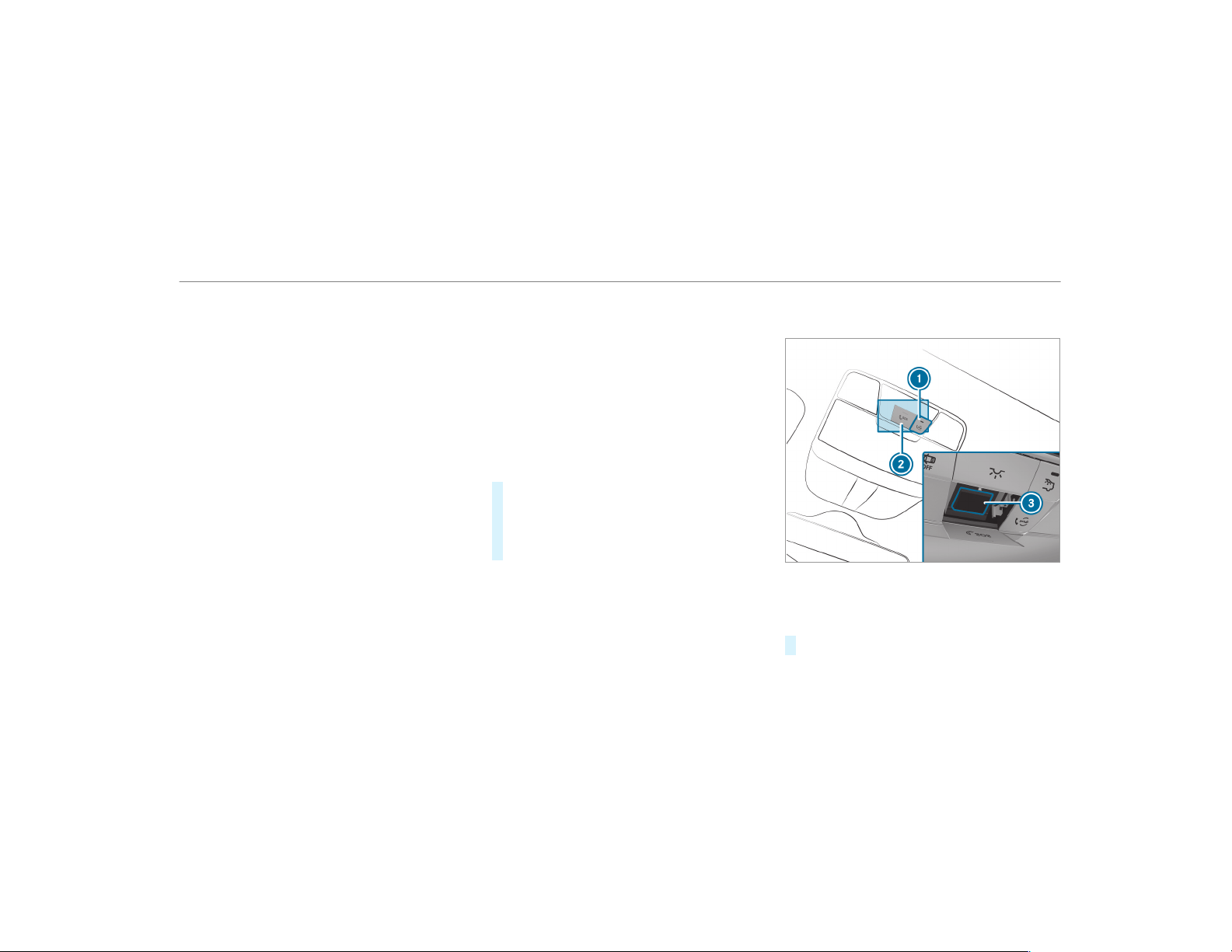
The Mercedes-Benz Customer Center and the
Mercedes-Benz emergency call center are availa‐
ble for you around the clock.
The me button and the emergency call system
can be found on the vehicle's overhead control
panel (
→ page 315).
You can also call the Mercedes-Benz Customer
Center using the multimedia system
(
→ page 315).
Please note that Mercedes me connect is a
Mercedes-Benz service. In emergencies, always
call the national emergency services first using
the standard national emergency service phone
numbers. In emergencies, you can also use the
Mercedes-Benz emergency call system
(
→ page 317).
Observe the conditions of use for Mercedes me
connect and other services. These can be
obtained in the Mercedes me portal: https://
me.secure.mercedes-benz.com
Calling the Mercedes-Benz Customer Center
using the multimedia system
Requirements:
R
You have access to a GSM network.
R
The contract partner's GSM network cover‐
age is available in the respective region.
R
The ignition is switched on so that vehicle
data can be transferred automatically.
Multimedia system:
,
Phone
.
ª Contacts
#
Call Mercedes me connect.
The call is made.
Then, you can select a service and be con‐
nected to a specialist at the Mercedes-Benz
Customer Center.
Making a call via the overhead control panel
Requirements:
R
You have access to a GSM network.
R
The contract partner's GSM network cover‐
age is available in the respective region.
R
The ignition is switched on so that vehicle
data can be transferred automatically.
1
Service call button (me button)
2
SOS button cover
3
SOS button
#
To make a service call: press button 1.
Multimedia system
315

#
To make an emergency call: press SOS
button cover 2 briefly to open.
#
Press and hold SOS button 3 for at least
one second.
If a service call is active, an emergency call can
still be triggered. This has priority over all other
active calls.
Service calls are only possible if a mobile phone
network is available.
Information about the service call using the
me button
A call to the Mercedes-Benz Customer Center
has been initiated via the me button in the over‐
head control panel or the multimedia system.
In the event of a breakdown, you will get sup‐
port:
R
A qualified Mercedes-Benz technician pro‐
vides breakdown assistance on site and/or
the vehicle will be towed to the nearest
authorized Mercedes-Benz Center.
You may be charged for these services.
You can find information on the following topics:
R
Activation of Mercedes me connect
R
Operating the vehicle
R
Nearest authorized Mercedes-Benz Center
R
Other products and services from Mercedes-
Benz
Data is transferred during the connection to the
Mercedes-Benz Customer Center (
→ page 317).
Information on Mercedes me connect acci‐
dent management
The Mercedes me connect accident manage‐
ment is an extension of the Mercedes-Benz
emergency call system (
→ page 317).
An emergency call is made to the Mercedes-
Benz emergency call center after an accident:
R
A voice connection is made to a contact per‐
son at the Mercedes-Benz emergency call
center.
R
If necessary, the contact person at the
Mercedes-Benz emergency call center for‐
wards the call to Mercedes me connect acci‐
dent management.
Forwarding the call is not possible in all
countries.
R
If necessary, the vehicle will be towed to an
authorized Mercedes-Benz Center.
Arranging a service appointment via
Mercedes me connect
If you have activated the maintenance manage‐
ment service, relevant vehicle dat a is transferred
automatically to the Mercedes-Benz Customer
Center. You will then receive individual recom‐
mendations regarding the maintenance of your
vehicle.
Regardless of whether you have consented to
the maintenance management service, the multi‐
media system reminds you after a certain
amount of time that a service is due. A prompt
appears asking if you would like to make an
appointment.
#
To arrange a service appointment: select
Call.
After your agreement the vehicle data is sent
and a Mercedes-Benz Customer Center
employee deals with your appointment. The
316
Multimedia system

information is then sent to your desired
service outlet.
This service outlet will then contact you
within 24 hours.
%
If you select Later after the service message
appears, the message is hidden and reap‐
pears after a certain period of time.
Transferred data during a service call
Observe the conditions of use for Mercedes me
connect and other services. These can be
obtained in the Mercedes me portal: https://
me.secure.mercedes-benz.com
When you make a service call via Mercedes me
connect, dat a will be transmitted.
The following data is transmitted if a service call
is made via Mercedes me connect:
R
Vehicle identification number
R
Reason for the initiation of the call
Mercedes-Benz emergency call system
Information on the Mercedes-Benz emer‐
gency call system
The Mercedes-Benz emergency call system only
functions in areas where mobile phone coverage
is available from the wireless service providers.
Insufficient network coverage from the wireless
service providers may result in an emergency
call not being transmitted.
The Mercedes-Benz emergency call system is
available for at least ten years starting from the
manufacturing date.
The ignition must be switched on before an auto‐
matic emergency call can be made.
%
The Mercedes-Benz emergency call system
is activated at the factory.
%
If you would like to deactivate the Mercedes-
Benz emergency call system, please contact
your dealership. If ownership of a vehicle
changes, e.g. because the vehicle concerned
is sold, the previous owner (i.e. the person
selling the vehicle) must inform the new
owner or contract partner (i.e. the person
buying the vehicle) that the Mercedes-Benz
emergency call system is deactivated.
Overview of the Mercedes-Benz emergency
call system
The Mercedes-Benz emergency call system can
help to decisively reduce the time between an
accident and the arrival of emergency services
at the site of the accident. It helps locate an
accident site in places that are difficult to
access.
The emergency call can be made automatically
(
→ page 318) or manually (→ page 318). Only
make emergency calls if you or others are in
need of rescue. Do not make an emergency call
in the event of a breakdown or a similar situa‐
tion.
Displays in the media display:
SOS READY: emergency call available
SOS NOT READY: the ignition is not on or there
is a malfunction with the emergency call system.
During an active emergency call, G appears
in the display.
Multimedia system
317

You can find more information on the regional
availability of the Mercedes-Benz emergency call
system at: http://www.mercedes-benz.com/
connect_ecall.
%
If there is a malfunction in the emergency
call system (e.g. a malfunction with the
speaker, microphone, airbag, SOS button), a
corresponding message appears in the mul‐
tifunction display of the instrument cluster.
Triggering an automatic emergency call
Requirements:
R
The ignition is switched on.
R
The starter battery is sufficiently charged.
If restraint systems such as airbags or Emer‐
gency Tensioning Devices have been activated
after an accident, the Mercedes-Benz emer‐
gency call system may automatically initiate an
emergency call.
The emergency call has been made:
R
A voice connection is made to the Mercedes-
Benz emergency call center.
R
A message with accident data is transmitted
to the Mercedes-Benz emergency call center.
The Mercedes-Benz emergency call center
can transmit the vehicle position data to one
of the emergency call centers.
R
In certain situations data is also transmitted
in the voice channel to the Mercedes-Benz
emergency call center.
This allows measures for rescue, recovery or
towing to an authorized Mercedes-Benz Cen‐
ter to be initiated quickly.
The SOS button in the overhead control panel
flashes until the emergency call is finished.
It is not possible to immediately end an auto‐
matic emergency call.
If no connection can be made to the emergency
services either, a corresponding message
appears in the display.
#
Dial the local emergency number on your
mobile phone.
If an emergency call has been initiated:
R
Remain in the vehicle if the road and traffic
conditions permit you to do so until a voice
connection is established with the emer‐
gency call center service provider.
R
On the basis of the call, the service provider
decides whether it is necessary to call res‐
cue teams and/or the police to the accident
site.
Triggering a manual emergency call
#
Press and hold the SOS button in the over‐
head control panel for at least one second.
The emergency call has been made:
R
A voice connection is made to the Mercedes-
Benz emergency call center.
R
Remain in the vehicle if the road and traffic
conditions permit you to do so until a voice
connection is established with the emer‐
gency call center service provider.
R
On the basis of the call, the service provider
decides whether it is necessary to call res‐
cue teams and/or the police to the accident
site.
R
A message with accident data is transmitted
to the Mercedes-Benz emergency call center.
318
Multimedia system
The Mercedes-Benz emergency call center
can transmit the vehicle position dat a to one
of the emergency call centers.
R
In certain situations data is also transmitted
in the voice channel to the Mercedes-Benz
emergency call center.
This allows measures for rescue, recovery or
towing to an authorized Mercedes-Benz Cen‐
ter to be initiated quickly.
If no connection can be made to the emergency
services either, a corresponding message
appears in the media display.
#
Dial the local emergency number on your
mobile phone.
Ending an unintentional emergency call
#
Select ~ on the multifunction steering
wheel.
Data transfer of the Mercedes-Benz emer‐
gency call system
The following data is transmitted to the
Mercedes-Benz emergency call center:
R
the vehicle's GPS position data
R
the last GPS position data on the route (a few
hundred meters before the incident)
R
direction of travel
R
vehicle identification number
R
the vehicle drive type
R
the estimated number of people in the vehi‐
cle
R
whether Mercedes me connect is available or
not
R
whether the emergency call was initiated
manually or automatically
R
the time of the accident
R
the language setting on the multimedia sys‐
tem
For accident clarification purposes, the following
measures can be taken up to an hour after the
emergency call has been initiated:
R
the current vehicle position can be called up
R
a voice connection to the vehicle occupants
can be established
Online and Internet functions
Internet connection
Information on connecting to the Internet
&
WARNING Risk of distraction from infor‐
mation systems and communications
equipment
If you operate information and communica‐
tion equipment integrated in the vehicle
when driving, you will be distracted from the
traffic situation. This could also cause you to
lose control of the vehicle.
#
Only oper ate this equipment when the
traffic situation permits.
#
If you cannot be sure of this, stop the
vehicle whilst paying attention to road
and traffic conditions and operate the
equipment with the vehicle stationary.
You must observe the legal requirements for the
country in which you are currently driving when
operating the multimedia system.
Multimedia system
319
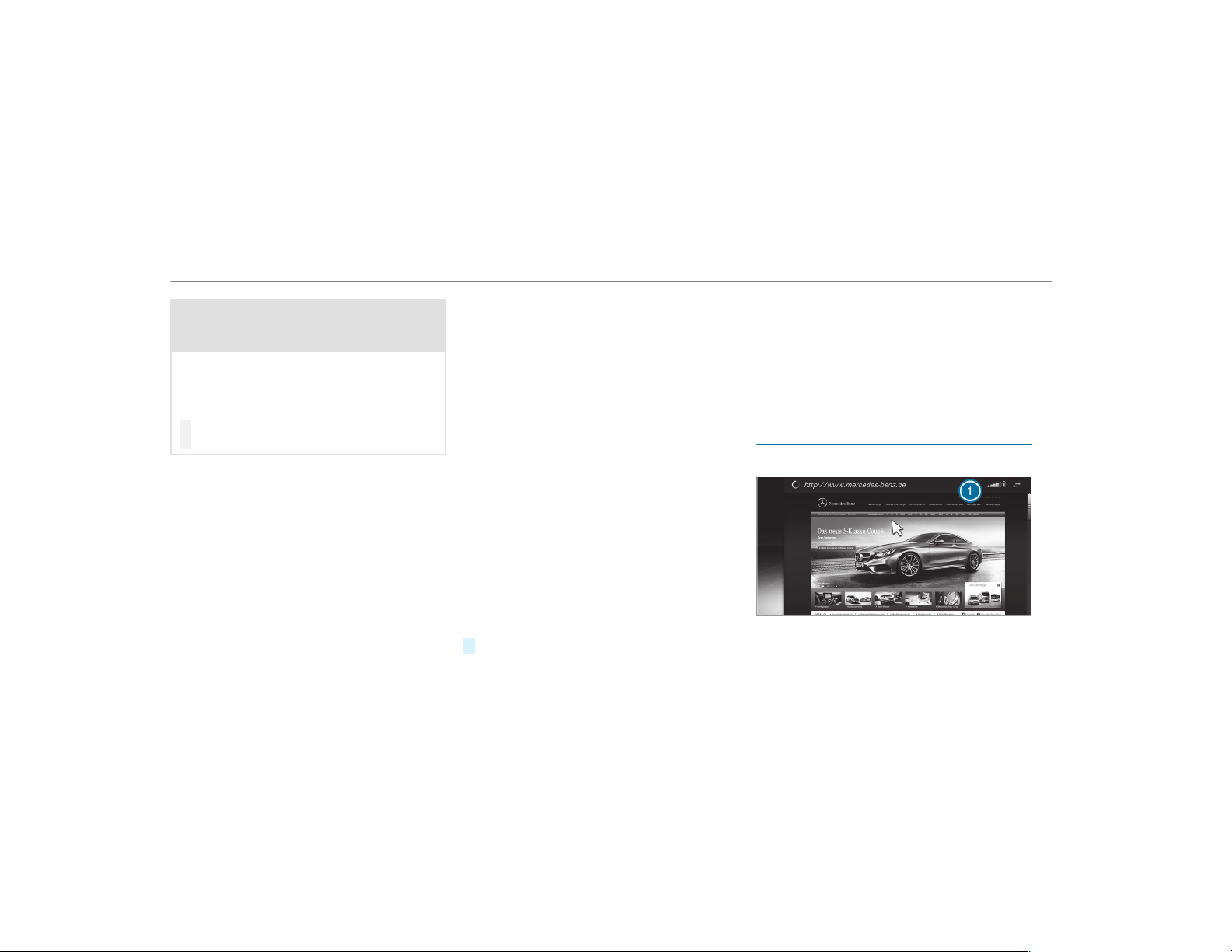
&
WARNING Risk of distraction from oper‐
ating mobile communication equipment
while the vehicle is in motion
If you operate mobile communication equip‐
ment when driving, you will be distracted
from the traffic situation. This could also
cause you to lose control of the vehicle.
#
Only oper ate this equipment when the
vehicle is stationary.
You must observe the legal requirements for the
country in which you are currently driving when
operating mobile communication equipment in
the vehicle.
The Internet functions can only be used to a limi‐
ted degree whilst driving.
Function of the communication module
On vehicles with a built-in communication mod‐
ule, the Internet connection is established via an
integrated SIM card.
To use Internet access via the communication
module the following conditions must be met:
R
The vehicle is equipped with a permanently
installed communication module.
R
Mercedes me connect is active and ready for
operation.
R
Mercedes me connect is activated for Inter‐
net access.
R
Data volume via Mercedes me connect is
available.
If the data volume limit is reached, the availabil‐
ity of Mercedes me connect services is limited.
The data volume must be purchased via
Mercedes me connect. Contact an authorized
Mercedes-Benz Center to find out whether it is
possible to purchase data volume in your coun‐
try.
Establishing an Internet connection
Multimedia system:
,
Connect
#
For example, select z Browser.
%
The multimedia system usually establishes
the Internet connection automatically. If the
multimedia system is not connected to the
Internet, the Internet connection is estab‐
lished when an Internet application is used.
%
The availability of web browsers is country-
dependent.
Connection status
Connection status overview
1
Display of existing connection
320
Multimedia system
Displaying the connection status
Multimedia system:
,
System
.
ö Connectivity
#
Select Internet Status.
%
In the case of a connection via the communi‐
cation module the following status informa‐
tion is shown:
R
Type of network
R
Status online/offline
Mercedes-Benz Apps
Calling up Mercedes-Benz Apps
Requirements:
R
The registration for the use of Mercedes-
Benz Apps has been completed.
R
The general terms and conditions have been
confirmed.
Multimedia system:
,
Connect
.
Ú Mercedes-Benz Apps
#
Select an app.
%
The available features are country-depend‐
ent.
License fees may be applicable.
Operating Mercedes-Benz Apps using voice
control
Requirements:
R
The registration for the use of Mercedes-
Benz Apps has been completed.
R
The general terms and conditions have been
confirmed.
The o symbol indicates that a Mercedes-
Benz app can be used via voice control.
#
Select a Mercedes-Benz app.
The app menu is displayed.
#
To use voice control: select o Lan-
guage.
#
Say the question or command.
%
Voice control is not available in all countries
and languages.
Web browser
Calling up a web page
&
WARNING Risk of distraction from infor‐
mation systems and communications
equipment
If you operate information and communica‐
tion equipment integrated in the vehicle
when driving, you will be distracted from the
traffic situation. This could also cause you to
lose control of the vehicle.
#
Only oper ate this equipment when the
traffic situation permits.
#
If you cannot be sure of this, stop the
vehicle whilst paying attention to road
and traffic conditions and operate the
equipment with the vehicle stationary.
You must observe the legal requirements for the
country in which you are currently driving when
operating the multimedia system.
Multimedia system
321
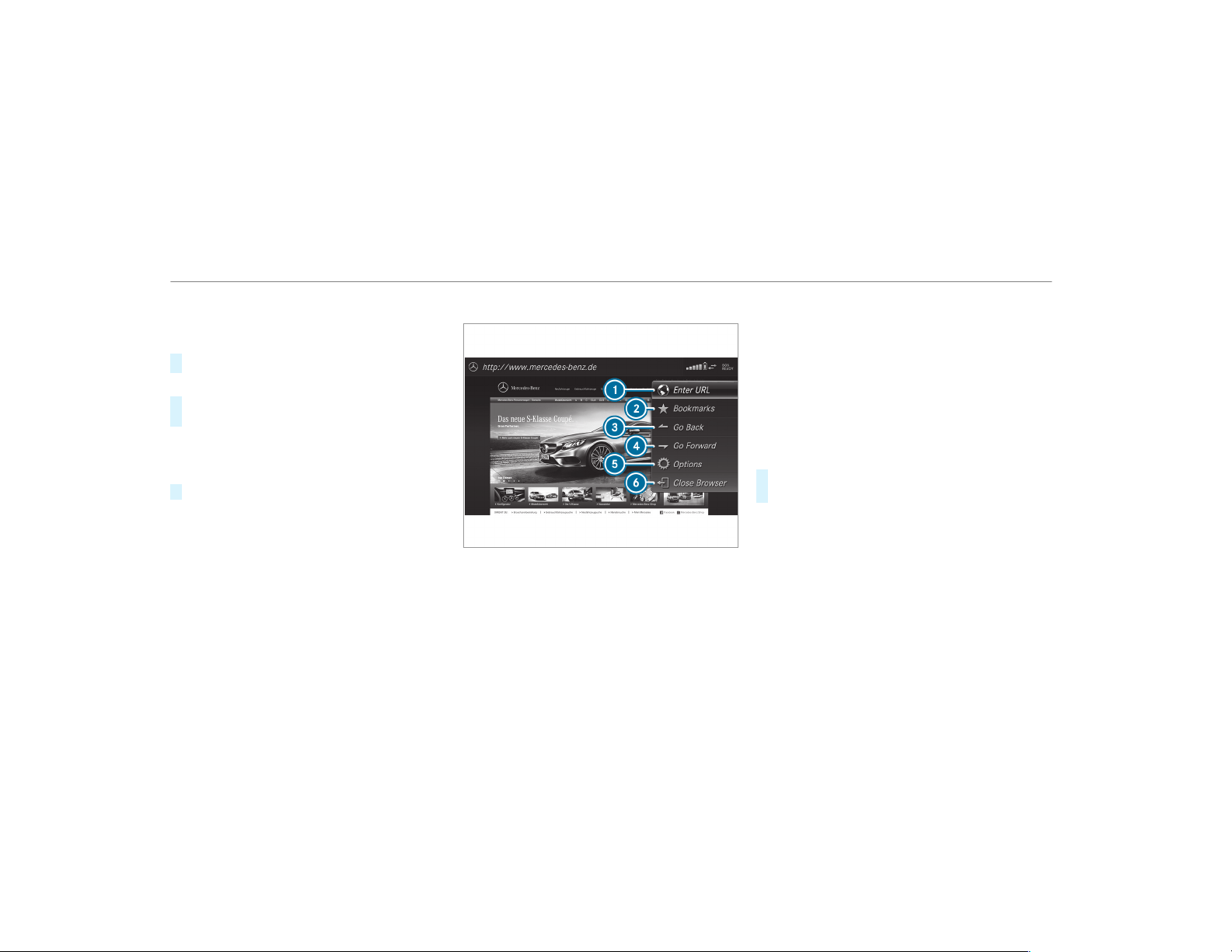
Multimedia system:
,
Con-
nect
.
z Browser
.
z Enter URL
#
Enter a web address.
%
The function is country-dependent.
#
To finish the entry and call up the web‐
site: select ¬.
Showing/hiding the web browser menu
If you call up a website by selecting a link, for
example, the web browser menu is hidden.
#
To show/hide: press the % button.
%
The web browser supports video playback.
%
No websites or videos are displayed while
the vehicle is in motion.
Web browser overview
1
URL entry
2
Bookmarks
3
Web page, back
4
Web page, forwards
5
Options
6
Closes the browser
Calling up web browser options
Multimedia system:
,
Con-
nect
.
z Browser
.
Z Options
The following functions are available:
R
Refresh Page/Cancel
R
Zoom
R
Browser Settings
R
Delete Browser Data
#
Select an option.
#
Make the desired changes to the settings.
Calling up the web browser settings
Multimedia system:
,
Con-
nect
.
z Browser
.
Z Options
.
Bro
wser Settings
The following functions are available:
R
Block Pop-Ups
R
Activate Javascript
R
Allow Cookies
322
Multimedia system

#
Activate O or deactivate ª the function.
Deleting browser data
Multimedia system:
,
Con-
nect
.
z Browser
.
Z Options
.
Del
ete Browser Data
The following options are available:
R
All
R
Cache
R
Cookies
R
Entered URLs
R
Form Data
#
Select an option.
#
Select Yes.
Managing bookmarks
Multimedia system:
,
Con-
nect
.
z Browser
.
ß Bookmarks
Selecting a bookmark
#
Select an entry.
Creating a bookmark
#
Select Add New Bookmark.
#
Enter a URL and a name.
#
Select ¡.
Editing a bookmark
#
Highlight a bookmark.
#
Select p.
#
Select Edit.
#
Enter a URL and a name.
#
Select ¡.
Deleting a bookmark
#
Highlight a bookmark.
#
Select p.
#
Select Delete.
#
Select Yes.
Closing the browser
Multimedia system:
,
Connect
.
z Browser
#
Select å Close Browser.
Internet radio
Calling up Internet radio
Requirements:
R
The Internet radio service is activated.
R
The data volume is available.
Depending on the country, data volume may
need to be purchased.
R
A fast Internet connection for data transmis‐
sion free of interference.
The services are country-dependent.
For more information, consult an authorized
Mercedes-Benz Center.
Multimedia system:
,
Radio
.
Þ Radio Source
#
Select TuneIn Radio.
The Internet radio display appears. The last
station set starts playing.
%
The connection quality depends on the local
mobile phone reception.
Multimedia system
323
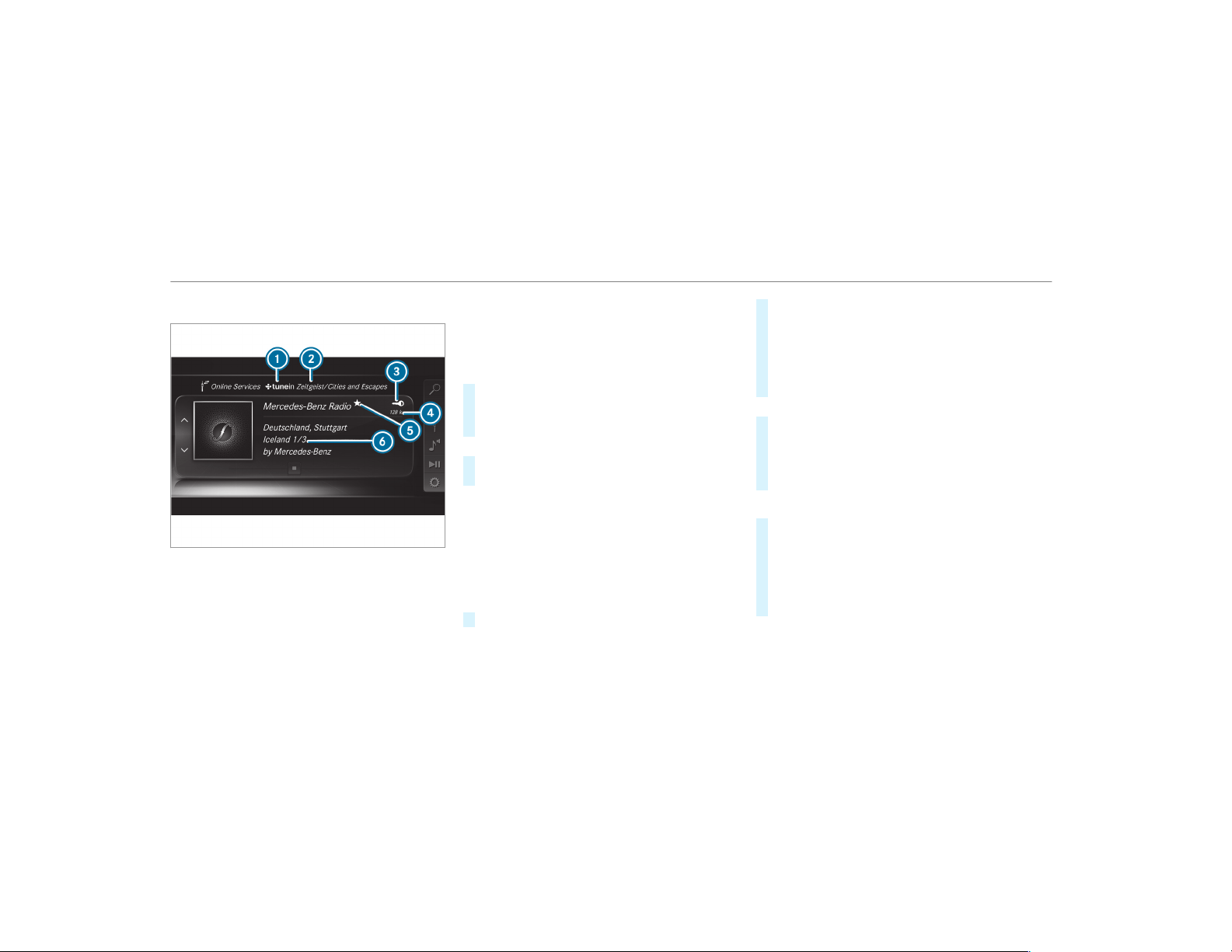
Internet radio overview
1
Internet radio provider
2
Selected category
3
Display (if connected to private user
account)
4
Data transfer rate
5
Current station is stored as a favorite
6
Additional information on the current station
Selecting and connecting Internet radio sta‐
tions
Multimedia system:
,
Radio
.
Þ Radio Source
.
TuneIn
Radio
.
è Search
#
Select a categor y.
#
Select a station.
The connection is established automatically.
or
#
Select Enter Address or POI .
#
Enter a station name using the entry field.
%
A relatively large volume of data can be
transmitted when using Internet radio.
Saving/deleting an Internet radio station as
a favorite
Multimedia system:
,
Radio
.
Þ Radio Source
.
TuneIn
Radio
#
Select a station.
#
Press and hold the central control element
until an audible signal sounds.
The ß symbol appears by the station
name.
#
Select ß Favorites.
The list of saved favorite stations appears.
or
#
Create an account for the online provider
(TuneIn radio) and then log in on the multi‐
media system.
Your favorites are imported to the multimedia
system.
Deleting favorites
#
Select ß Favorites.
#
Select a station.
#
Press and hold the central control element
until an audible signal sounds.
The ß symbol by the station name disap‐
pears.
324
Multimedia system
Setting Internet radio options
Multimedia system:
,
Radio
.
Þ Radio Source
.
TuneIn
Radio
.
Z Options
The following options are available:
R
Select Stream: select the stream quality.
R
Login to TuneIn Account: log in to your
TuneIn user account.
R
Log Out of Account: log out of your TuneIn
user account.
#
Select an option.
Media
Audio mode
Information on the audio mode
&
WARNING Risk of distraction when han‐
dling data storage media
If you handle a data storage medium while
driving, your attention is diverted from the
traffic conditions. This could also cause you
to lose control of the vehicle.
#
Only handle a data storage medium
when the vehicle is stationary.
Permissible file systems:
R
FAT32
R
exFAT
R
NTFS
Permissible data storage medium:
R
SD card
R
USB storage device
R
iPod
®
/iPhone
®
R
MTP devices
R
Bluetooth
®
audio equipment
%
Observe the following notes:
R
The multimedia system supports a total
of up to 50,000 files.
R
Data storage media up to 2 TB are sup‐
ported (32‑bit address space).
Supported formats:
R
MP3
R
WMA
R
AAC
R
WAV
R
FLAC
R
ALAC
%
Observe the following notes:
R
Due to the large variety of available
music files regarding encoders, sampling
rates and data rates, playback cannot
always be guaranteed.
R
Due to the wide range of USB devices
available on the market, playback cannot
be guaranteed for all USB devices.
R
Copy-protected music files or DRM
encrypted files cannot be played back.
R
MP3 players must support Media Trans‐
fer Protocol (MTP).
Multimedia system
325
Manufactured under license from Dolby Labora‐
tories. Dolby, Dolby Audio and the double-D sym‐
bol are trademarks of Dolby Laboratories.
Gracenote, the Gracenote logo and logotype,
"Powered by Gracenote", MusicID and Playlist
Plus are either registered trademarks or trade‐
marks of Gracenote, Inc. in the United States
and/or other countries.
Notes on copyright
Audio files that you create or reproduce yourself
for playback are generally subject to copyright
protection. In many countries, reproductions,
even for private use, are not permitted without
the prior consent of the copyright holder. Make
sure that you know about the applicable copy‐
right regulations and that you comply with these.
Activating media mode
Multimedia system:
,
Media
.
à Media Sources
#
Select a media source.
Playable music files are played back.
Inserting/removing an SD card
&
DANGER Risk of fatal injury from swal‐
lowing SD cards
SD cards are small parts.
They could be swallowed and lead to chok‐
ing.
#
Keep SD cards out of the reach of chil‐
dren.
#
Seek medical attention immediately if
an SD card has been swallowed.
*
NOTE Damage due to high temperatures
High temperatures may damage the SD card.
#
Remove the SD card after use and take
it out of the vehicle.
326
Multimedia system

Multimedia system:
,
Media
.
à Media Sources
.
Mem.
Card
Inserting
The multimedia connection unit is located in the
stowage compartment under the armrest.
#
Insert the SD memory card into the SD card
slot until it engages. The side with the con‐
tacts must face downwards.
Playable music files are played back.
Removing
#
Press the SD card.
#
Remove the SD card.
Multimedia system
327
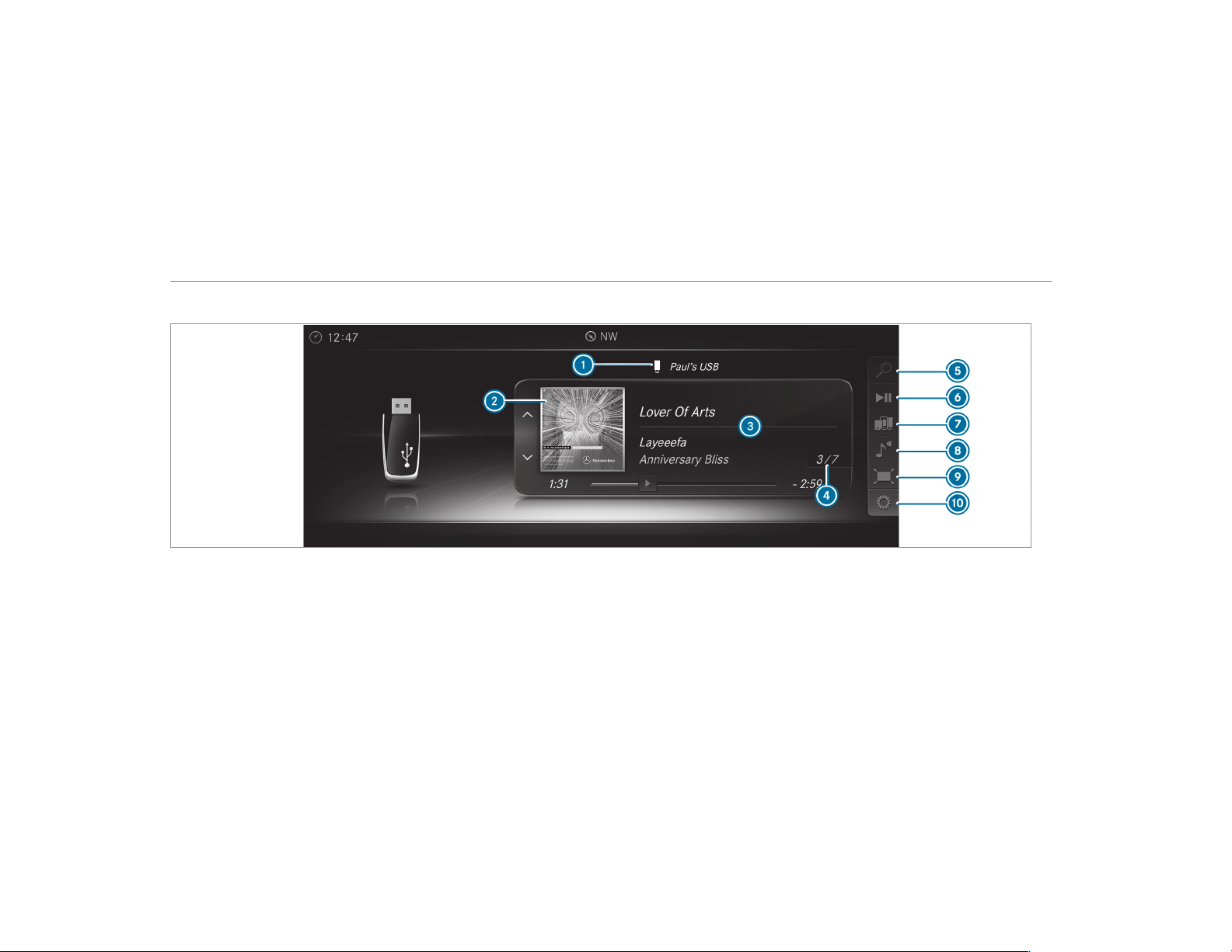
Overview of the audio mode
1
Active data storage medium
2
Album cover
3
Track, artist, album
4
Track number and number of tracks in the
track list
5
Search
6
Playback Control
7
Media Sources
8
Sound
9
Full Screen (for video playback)
A
Options
328
Multimedia system

Connecting USB devices
*
NOTE Damage caused by high tempera‐
tures
High temperatures can damage USB devices.
#
Remove the USB device after use and
take it out of the vehicle.
The multimedia connection unit is found in the
stowage compartment under the armrest and
has two USB ports. Depending on the vehicle's
equipment, additional USB ports can be found in
the stowage compartment of the center console
and in the rear passenger compartment.
#
Connect the USB device to the USB port.
Playable music files are played back only if
the corresponding media display is activated.
%
Use the USB port identified by ç to use
Apple CarPlay™ and Android Auto.
%
Depending on the vehicle equipment there is
an additional USB port in the rear passenger
compartment. Ports that are labeled with a
battery symbol can only be used to charge
USB devices.
Selecting a track in the media playback
Multimedia system:
,
Media
Selecting a track by skipping to a track
#
To skip backwards or forwards to a
track: navigate up or down.
Selecting a track using the current track list
#
Select è.
#
Select Current Track List.
#
Select a track.
Selecting playback options
Multimedia system:
,
Media
.
Z Options
Playing back similar tracks
#
Select Play Similar Tracks.
A track list with similar tracks is created and
played back.
Playback mode
#
Select Random Mode - Current Playlist.
The current track list is played in random
order.
#
Select Random Mode - Current Medium.
All tracks on the active data storage medium
are played in random order.
#
Select Normal Track Sequence.
The current track list is played in the order it
appears on the data storage medium.
Controlling media playback
Multimedia system:
,
Media
.
Y Playback Control
A bar with playback controls is shown.
#
To pause playback: press the touchpad.
The Ë symbol is displayed.
#
To resume playback: press the touchpad
again.
The Ì symbol is displayed.
To fast forward/rewind
#
To move Ë on the timeline: swipe left or
right on the touchpad.
Multimedia system
329

To hide the playback controls
#
Press the % button.
Video mode
Switching to video mode
Multimedia system:
,
Media
.
à Media Sources
#
Select a data storage medium.
#
Search for and select video files or playlists
with video files.
Playable video files are played back.
The multimedia system supports the following
formats:
R
MPEG
R
AVI, DivX, MKV
R
MP4, M4V
R
WMV
%
If the vehicle is traveling faster than 3 mph
(5 km/h) the television picture is hidden
from the driver. If available, the channel and
program information is continuously dis‐
played.
Due to the large variety of available video
files regarding encoders, sampling rates and
data transfer rates, playback cannot be guar‐
anteed.
Videos up to FullHD (1920x1080) are sup‐
ported.
Copy-protected video files or DRM (Digital
Rights Management) encrypted files cannot
be played back.
330
Multimedia system
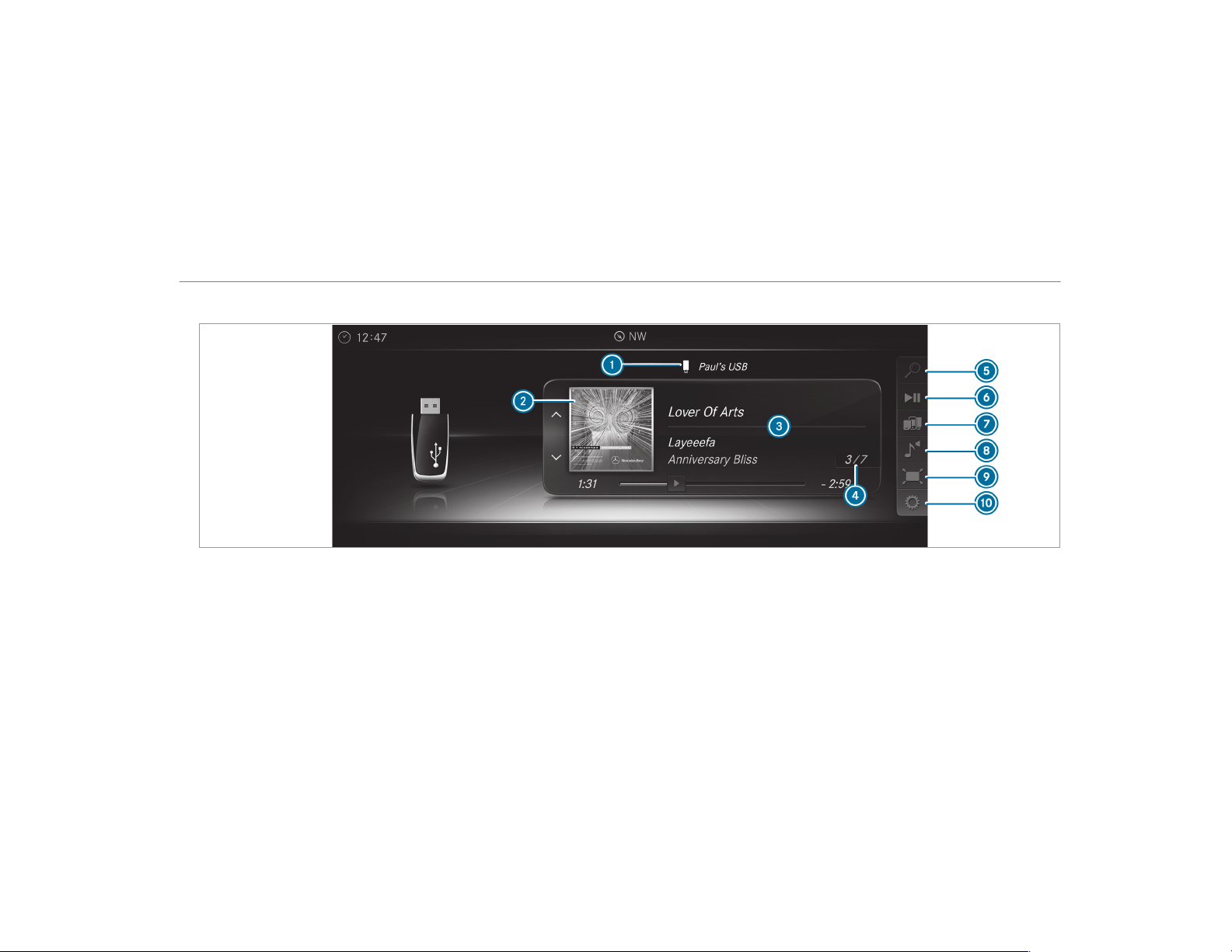
Overview of video mode
1
Active data storage medium
2
Album cover
3
Track, artist, album
4
Track number and number of tracks in the
track list
5
Search
6
Playback Control
7
Media Sources
8
Sound
9
Full Screen (for video playback)
A
Options
Multimedia system
331

Activating/deactivating full-screen mode
Multimedia system:
,
Media
.
à Media Sources
#
Select a data storage medium.
Playable video files are played back.
#
To activate full-screen mode: select #
Full Screen.
#
To deactivate full-screen mode: press the
touchpad.
Changing video settings
Multimedia system:
,
Media
.
Z Options
.
Picture For-
mat
The following picture formats are available:
R
Automatic
R
16:9
R
4:3
R
Zoom
#
Select a picture format.
Adjusting the brightness manually
If the Automatic picture format is switched off,
you can adjust the brightness yourself.
#
Select Brightness.
#
Adjust the brightness.
Media search
Starting the media search
Multimedia system:
,
Media
.
ª Search
Depending on the connected media sources and
files, the following categories are listed:
R
Current Track List
R
Keyword Search
R
Playlists
R
Artists
R
Albums
R
Tracks
R
Folders
R
Music Genres
R
Year
R
Composers
R
Videos
R
Podcasts (Apple
®
devices)
R
Audiobooks (Apple
®
devices)
#
Select a categor y.
%
The categories are available as soon as the
entire media content has been read in and
analyzed.
Media Interface
Information about the Media Interface
Media Interface is a universal interface for the
connection of mobile audio equipment. The mul‐
timedia system has two USB ports. The USB
ports are located in the stowage compartment
under the armrest.
Supported devices
The Media Interface allows you to connect the
following data storage media:
R
iPod
®
R
iPhone
®
332
Multimedia system

R
MP3 player
R
USB devices
For details and a list of supported devices, visit
our website at http://www.mercedes-
benz.com/connect. Follow the instructions in
the "Media Interface" section.
Switching to Media Interface
Multimedia system:
,
Media
.
à Media Sources
#
Connect a data storage medium to the USB
port (→ page 329).
#
Select a media device.
Playable music files are played back.
Multimedia system
333
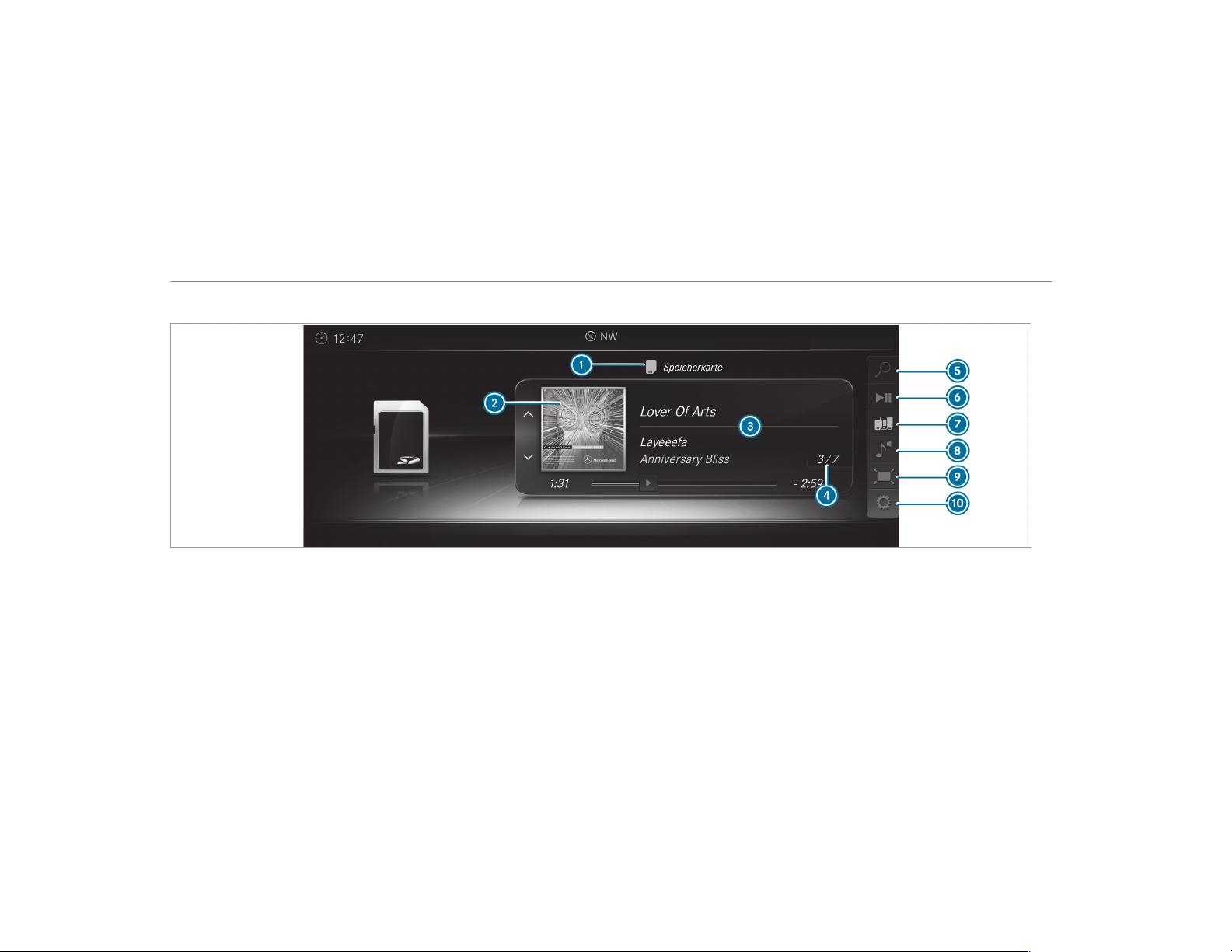
Overview of Media Interface
1
Active data storage medium
2
Album cover
3
Artist, track and album
4
Track number and number of tracks in the
track list
5
Search
6
Playback Control
7
Media Sources
8
Sound
9
Full Screen (video playback only)
A
Options
334
Multimedia system
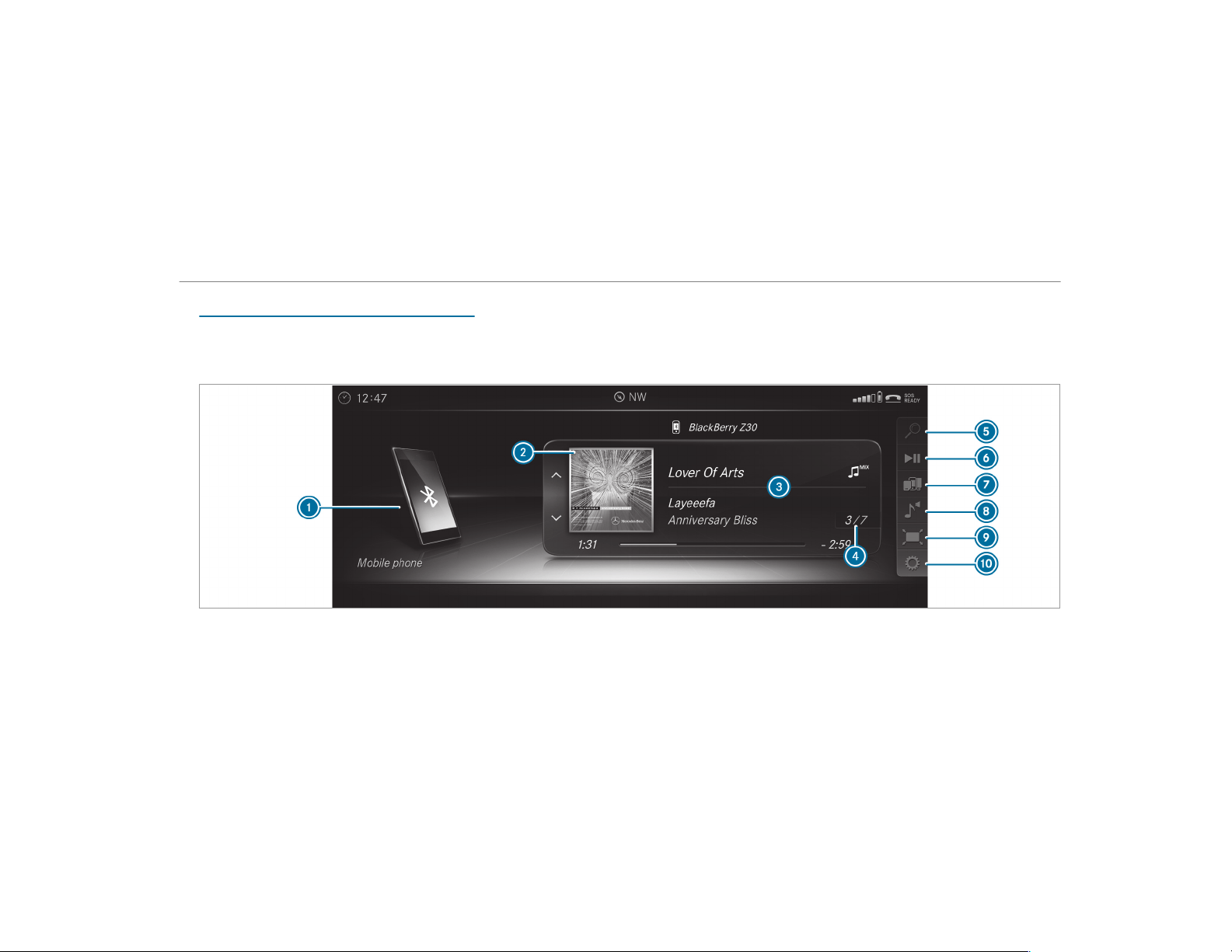
Bluetooth
®
audio
Information about Bluetooth
®
audio
Before using your Bluetooth
®
audio equipment
with the multimedia system for the fir st time,
you will need to authorize it (→ page 336).
Bluetooth
®
audio overview
1
Active data storage medium
2
Album cover
3
Track, artist, album
4
Track number and number of tracks in the
track list
Multimedia system
335

5
Search
6
Playback Control
7
Media Sources
8
Sound
9
Full Screen (video playback only)
A
Options
Searching for and authorizing a Bluetooth
®
audio device
Requirements:
R
Bluetooth
®
is activated on the multimedia
system and audio equipment (→ page 259).
R
The audio equipment supports the Blue‐
tooth
®
audio profiles A2DP and AVRCP.
R
The audio equipment is "visible" for other
devices.
Multimedia system:
,
Media
.
à Media Sour-
ces
.
á Bluetooth Audio
Authorizing a new Bluetooth
®
audio device
#
Select ¥.
#
Select Add New Bluetooth Audio Device.
#
Select Start Search on System.
Detected audio equipment is displayed in the
device list.
#
Select a Bluetooth
®
audio device.
Authorization starts. A code is displayed on
the multimedia system and on the mobile
phone.
#
If the codes are identical, confirm on the
audio equipment.
The audio equipment is connected and play‐
back starts.
Selecting previously authorized Bluetooth
®
audio equipment
#
Select ¥.
#
Select a Bluetooth
®
audio device.
Establishing a connection from the Blue‐
tooth
®
audio equipment
The Bluetooth
®
device name of the multimedia
system is MB BLUETOOTH XXXXX.
#
Select Search from Device.
#
Start the authorization on the audio equip‐
ment (see manufacturer's operati ng instruc‐
tions).
A code is displayed on the multimedia sys‐
tem and on the mobile phone.
#
Confirm on both devices if the codes are
identical.
The audio equipment is connected and play‐
back starts.
With some audio equipment, playback must be
initially started on the device itself so that the
multimedia system can play the audio files.
%
Device-specific information on authorizing
and connecting Bluetooth
®
-capable mobile
phones can be obtained at http://
www.mercedes-benz.com/connect or from
an authorized Mercedes-Benz Center.
336
Multimedia system

Activating Bluetooth
®
audio
Multimedia system:
,
Media
.
à Media Sources
#
Select á Bluetooth Audio.
The multimedia system activates the connec‐
ted Bluetooth
®
audio equipment.
Selecting the music player on the Bluetooth
®
audio device
Multimedia system:
,
Media
.
ª
#
Select the Bluetooth Audio Players category.
If multiple music players are present on the
Bluetooth
®
audio equipment a list appears.
#
Select a music player.
Playback starts.
%
The function is not suppor ted by every
mobile phone.
Searching for a music track on the Blue‐
tooth
®
audio device
Multimedia system:
,
Media
.
à Media Sour-
ces
.
á Bluetooth Audio
#
Select ª.
#
Select a categor y.
A track list appears.
#
Select a track.
%
The function is only available when the
mobile phone and the music player selected
on the mobile phone support this function.
Switching Bluetooth
®
audio equipment via
NFC
Requirements:
R
Observe the notes on using NFC
(→ page 303).
R
The Bluetooth
®
audio overview is displayed
(→ page 335).
#
Lightly press the NFC area on the mobile
phone (see the manufacturer's operating
instructions).
If the mobile phone has already been author‐
ized on the multimedia system as Bluetooth
®
audio equipment, it is now connected.
If the mobile phone is authorized on the mul‐
timedia system as Bluetooth
®
audio equip‐
ment for the first time, it is connected after
confirming the instructions for the mobile
phone (see the manufacturer's operating
instructions).
Disconnecting Bluetooth
®
audio equipment
Multimedia system:
,
Phone
.
á Media Sources
#
Select the i symbol in the line of the
mobile phone.
The disconnection of the mobile phone takes
place without a confirmation prompt. The
mobile phone remains authorized in the sys‐
tem.
Multimedia system
337
Radio
Switching on the radio
Multimedia system:
,
Radio
#
Alternatively: press the $ button.
The radio display appears. You will hear the
last station played on the last frequency
band selected.
Switching the HD Radio function on/off
Multimedia system:
,
Radio
.
Z Options
.
HD Radio
#
Switch the function on O or off ª.
%
HD Radio Technology manufactured under
license from iBiquity Digital Corporation.
U.S. and Foreign Patents. HD Radio™ and
the HD, HD Radio and "Arc" logos are propri‐
etary trademarks of iBiquity Digital Corp.
Setting the waveband
Multimedia system:
,
Radio
.
Þ Radio Source
HD Radio FM HD Radio AM and SiriusXM Radio
can be selected.
#
Select a frequency band.
Selecting a radio station
Multimedia system:
,
Radio
#
Navigate up or down.
Calling up the radio station list
Multimedia system:
,
Radio
.
è
#
Select a station.
Searching for radio stations using station
names or direct frequency entry
Multimedia system:
,
Radio
.
è
.
è
#
Enter a station name or frequency.
#
Select ¬.
Results are displayed.
#
Select a station.
Storing radio stations
Multimedia system:
,
Radio
.
ß Presets
#
Select Store Current Station in the Presets.
338
Multimedia system

Activating/deactivating radio text
Multimedia system:
,
Radio
.
Z Options
.
Display Radio
Text Information
#
Activate O or deactivate ª the function.
Satellite radio
Information on the satellite radio
SIRIUS XM
®
satellite radio offers more than 175
digital-quality radio channels providing 100%
commercial-free music, sports, news and enter‐
tainment, for example. SIRIUS XM satellite radio
employs a fleet of high-performance satellites to
broadcast around the clock throughout the USA
and Canada. The satellite radio program is avail‐
able for a monthly fee. Information about this
can be obtained from a Sirius XM
®
Service Cen‐
ter and at http://www.siriusxm.com (USA) or
http://www.siriusxm.ca (Canada).
%
Sirius, XM and all related marks and logos
are trademarks of Sirius XM Radio Inc. and
its subsidiaries. All other marks, channel
names and logos are the property of their
respective owners. All rights reserved.
Satellite radio restrictions
Satellite radio mode may be temporarily unavail‐
able or interrupted for a variety of reasons.
These include environmental or topographical
conditions beyond the control of Mercedes-Benz
USA, LLC. Thus, operation at certain locations
may not be possible.
Registering satellite radio
Requirements:
R
Satellite radio equipment
R
Registration with a satellite radio provider
R
If registration is not included when purchas‐
ing the system, your credit card details will
be required to activate your account
Multimedia system:
,
Radio
.
Þ Radio Source
.
Sir-
iusXM Radio
.
Z Options
#
Select Service Information.
The service information screen appears
showing the radio ID and the current sub‐
scription status.
#
Establish a telephone connection.
#
Follow the service staff's instructions.
The activation process may take up to ten
minutes.
%
You can also have the satellite service acti‐
vated online. To do so, please visit http://
www.siriusxm.com (USA) or http://
www.siriusxm.ca (Canada).
Switching on satellite radio
Multimedia system:
,
Radio
.
Þ Radio Source
#
Select SiriusXM Radio.
Multimedia system
339
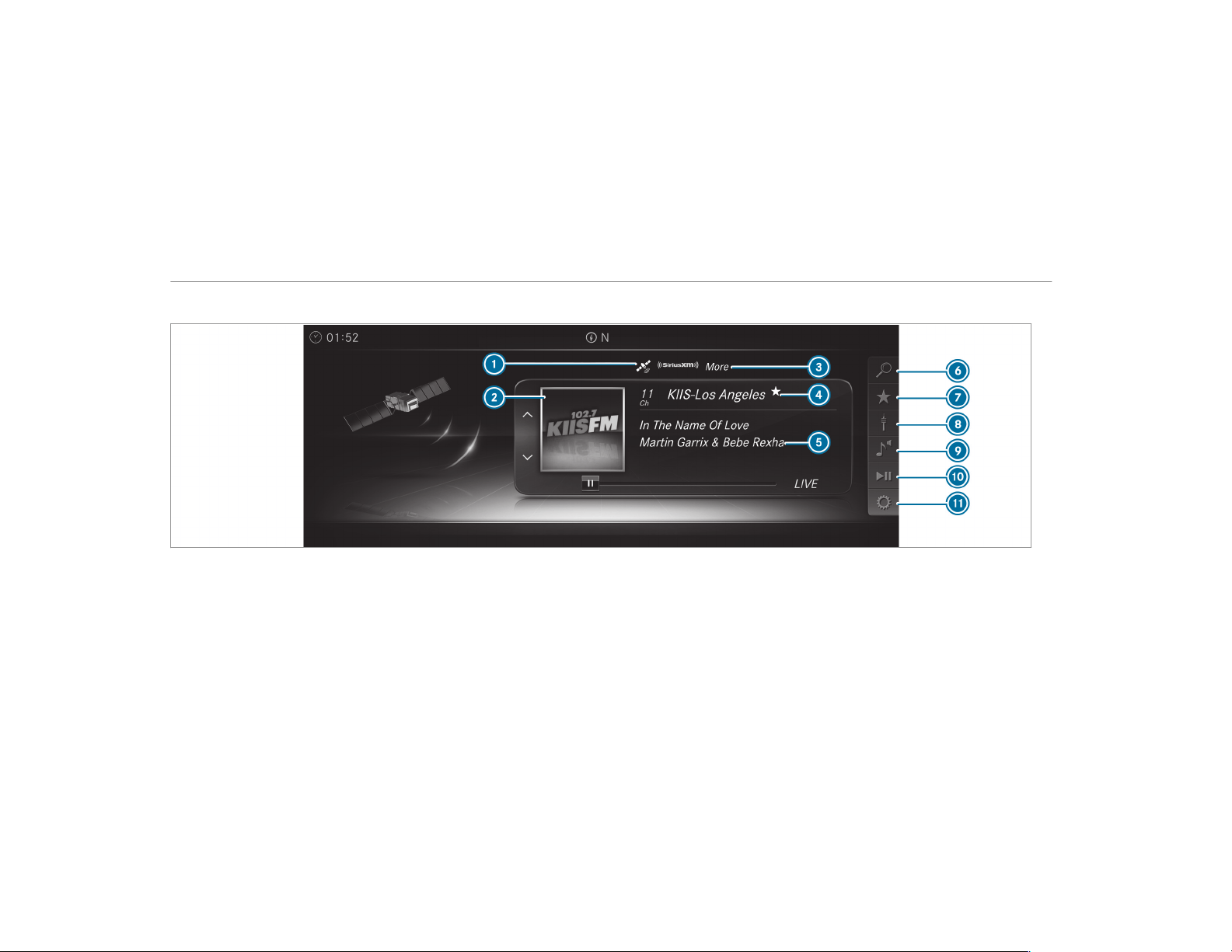
Overview of the satellite radio
1
Active frequency band
2
Logo or album art (if available)
3
Category
4
Channel name
5
Channel information
6
SiriusXM Radio Channels
7
Presets
8
Radio Source
9
Sound
A
Playback Control
B
Options
340
Multimedia system

Selecting a satellite radio category
Multimedia system:
,
Radio
.
Þ Radio Source
.
Sir-
iusXM Radio
.
è SiriusXM Radio Chan-
nels
.
Category
#
Select a categor y.
Selecting a satellite radio channel
Multimedia system:
,
Radio
.
Þ Radio Source
.
Sir-
iusXM Radio
#
Navigate up or down.
Displaying EPG information for the current
channel
Multimedia system:
,
Radio
.
Þ Radio Source
.
Sir-
iusXM Radio
.
Z Options
#
Select EPG Information about Current Chan-
nel.
Setting parental control for radio
Multimedia system:
,
Radio
.
Þ Radio Source
.
Sir-
iusXM Radio
.
Z Options
.
Parental Con-
trol
#
Activate the function O.
#
Determine a four-digit character sequence
and select ¡.
All channels with adult content are locked.
Unlocking a channel
#
Enter the four-digit character sequence and
select ¡.
All channels with adult content are unlocked.
Music and sport alerts function
This function enables you to program an alert for
your favorite artists, tracks or sporting events.
Music alerts can be saved whilst a track is being
played and sport alerts can be saved during a
live game. You can also specify sport alerts via
the menu option. The system then continuously
searches through all the channels. If a match is
found with a stored alert, you will be informed.
Setting music and sport alerts
Multimedia system:
,
Radio
.
Þ Radio Source
.
Sir-
iusXM Radio
.
Z Options
.
Alert for
Artist, Song & Sporting Event
Setting a music alert
#
Select Add New Alert.
or
#
Select Manage Artist & Song Alerts.
#
Select ¥ Options.
The following options are available:
R
Mark This Entry
R
Unmark This Entry
R
Mark All Entries
R
Unmark All Entries
R
Delete This Entry
R
Delete All Entries
#
Select an option.
Multimedia system
341
#
Activate Artist & Song Alerts O.
The alert is set for the current artist or track.
If a match is found, a prompt appears asking
whether you wish to change to the station.
Setting a sport alert
#
Select Add New Alert.
or
#
Select Manage Sports Alerts.
#
Select Select New Alerts.
or
#
Select Edit Alerts.
#
Select a team from a league.
#
Activate Sports Alerts O.
Information on Smart Favorites and Tune
Start
Stations in the station presets can be added as
Smart Favorites. Smart Favorites stations are
automatically saved to temporary storage in the
background. If you change to a Smart Favorites
station, you can replay, pause or actively skip
forward or back to broadcasts which you have
missed. If Tune Start is activated and you change
to another Smart Favorites station, the music
track currently playing on the station is automat‐
ically restarted from the beginning of the track.
Activating/deactivating TuneStart
Multimedia system:
,
Radio
.
Z Options
.
TuneStart
#
Activate O or deactivate ª the function.
Controlling playback
Multimedia system:
,
Radio
.
Y Playback Control
You can pause the playback of the current sta‐
tion or skip forward or backward in the timeline.
This leaves live mode to access the internal tem‐
porary storage.
#
To pause playback: select Ë.
#
To return to live mode: navigate to the end
of the timeline.
Displaying satellite radio service information
Multimedia system:
,
Radio
.
Þ Radio Source
.
Sir-
iusXM Radio
.
Z Options
#
Select Service Information.
Sound
Tone settings
Information about the sound system
The sound system has a total output of 100 W
and is equipped with seven speakers. It is availa‐
ble for all functions in the radio and media
modes.
Calling up the sound menu
Multimedia system:
,
Media
.
à Sound
The following functions are available:
R
Equalizer
R
Balance and Fader
R
Automatic Volume Adjustment
R
Other Sound Settings
#
Select a sound menu.
342
Multimedia system

Adjusting treble, mid-range and bass set‐
tings
Multimedia system:
,
Media
.
à Sound
.
Equalizer
#
Select Treble, Mid Range or Bass.
#
Change the settings.
Activating/deactivating automatic volume
adjustment
Multimedia system:
,
Media
.
à Sound
.
Automatic Vol-
ume Adjustment
Automatic volume adjustment compensates for
differing volumes when changing between audio
sources.
#
Activate O or deactivate ª the function.
Adjusting the balance/fader
Multimedia system:
,
Media
.
à Sound
.
Balance and
Fader
#
Adjust the balance and fader.
#
To exit the menu: press the % button.
Burmester
®
surround sound system
Information about the Burmester
®
surround
sound system
The Burmester
®
surround sound system has a
total output of 590 W and is equipped with 13
speakers. It is available for all functions in the
radio and media modes.
Calling up the sound menu in the
Burmester
®
surround sound system
Multimedia system:
,
Media
.
à Sound
The following functions are available:
R
Equalizer
R
Balance and Fader
R
Automatic Volume Adjustment
R
Surround Sound
R
Sound Focus
R
Other Sound Settings
#
Select a function.
Adjusting the treble, mid and bass settings
on the Burmester
®
surround sound system
Multimedia system:
,
Media
.
à Sound
.
Equalizer
#
Select Treble, Mid Range or Bass.
#
Set the desired values.
Activating/deactivating volume adjustment
in the Burmester
®
surround sound system
Multimedia system:
,
Media
.
à Sound
.
Automatic Vol-
ume Adjustment
Automatic volume adjustment compensates for
differing volumes when changing between audio
sources.
#
Activate O or deactivate ª the function.
Adjusting the balance/fader in the
Burmester
®
surround sound system
Multimedia system:
,
Media
.
à Sound
.
Balance and
Fader
#
Adjust the balance and fader.
Multimedia system
343

#
To exit the menu: press the % button.
Switching surround sound on/off in the
Burmester
®
surround sound system
Multimedia system:
,
Media
.
à Sound
.
Surround
Sound
#
Activate O or deactivate ª the function.
Adjusting the sound focus in the Burmester
®
surround sound system
Multimedia system:
,
Media
.
à Sound
.
Sound Focus
#
Adjust the sound focus.
Burmester
®
high-end 3D surround sound
system
Information on the Burmester
®
high-end 3D
surround sound system
The Burmester
®
high-end 3D surround sound
system has a total output of 1,450 watts and is
equipped with 23 speakers. It is available for all
functions in the radio and media modes.
Calling up the sound menu in the
Burmester
®
high-end 3D surround sound
system
Multimedia system:
,
Media
.
à Sound
The following functions are available:
R
Equalizer
R
Balance and Fader
R
Automatic Volume Adjustment
R
VIP Seat (seat-based sound optimization)
R
Sound Profiles
R
Other Sound Settings
#
Select a sound menu.
Adjusting the treble, mid-range and bass set‐
tings on the Burmester
®
high-end 3D sur‐
round sound system
Multimedia system:
,
Media
.
à Sound
.
Equalizer
#
Select Treble, Mid Range or Bass.
#
Set the desired values.
Activating/deactivating volume adjustment
in the Burmester
®
high-end 3D surround
sound system
Multimedia system:
,
Media
.
à Sound
.
Automatic Vol-
ume Adjustment
Automatic volume adjustment compensates for
differing volumes when changing between audio
sources.
#
Activate O or deactivate ª the function.
Adjusting the balance/fader in the
Burmester
®
high-end 3D surround sound
system
Multimedia system:
,
Media
.
à Sound
.
Balance and
Fader
#
Adjust the balance and fader.
#
To exit the menu: press the % button.
344
Multimedia system
Adjusting the seat-based sound optimization
in the Burmester
®
high-end 3D surround
sound system
Multimedia system:
,
Media
.
à Sound
.
VIP Seat
This setting optimizes the sound playback for the
selected seat position.
#
Activate the function O.
#
Select a seat position.
Selecting the sound profile in the
Burmester
®
high-end 3D surround sound
system
Multimedia system:
,
Media
.
à Sound
.
Sound Profiles
The following profiles are available:
R
Pure
R
Easy Listening
R
Live
R
Surround
R
3D-Sound
#
Select a sound profile.
Rear touchscreen
Using the basic functions
The rear touchscreen is in the center console in
the rear passenger compartment.
%
Mercedes-Benz is constantly updating its
vehicles to the state of the art.
Mercedes-Benz therefore reserves the right
to introduce changes in the following areas:
R
Design
R
Equipment
R
Technical features
The equipment in your vehicle may therefore
differ from that shown in the descriptions
and illustrations.
Please consult an authorized Mercedes-Benz
Center should you have any questions.
#
To switch on the rear passenger compart‐
ment touchscreen: start the vehicle.
The main menu appears.
The status line is at the top. The functions
are displayed in the middle. The climate con‐
trol bar is at the bottom.
Depending on the vehicle equipment, the fol‐
lowing functions are available:
R
AMG (three menus)
R
Vehicle (two menus)
R
Media (three to five menus)
R
System settings (four menus)
R
Air conditioning adjustment in the climate
control bar
The touchscreen is operated by swiping with
one finger and pressing the displayed sym‐
bol. You can switch between functions by
swiping with two fingers.
#
To call up a function: select Vehicle, for
example, in the main menu.
#
To call up the menu for a function: swipe
left or right on the display.
or
#
Press q or r.
#
To switch function: in any menu, swipe left
or right with two fingers.
The last menu set for the next or previous
function appears.
Multimedia system
345

Displays and functions in the status line
The date, time and current settings are dis‐
played.
#
To call up the main menu: in any menu,
select © in the status line.
#
To increase/decrease volume: select - or +
in the status line.
#
To switch sound off/on: select the speaker
symbol in the status line.
#
To switch the display off: press and hold
© until the display is deactivated.
or
#
Swipe down from the top of the touchscreen
with one finger.
#
To switch the display on: swipe from the
very bottom of the touchscreen upward with
one finger.
or
#
Swipe left or right on the touchscreen using
one finger.
or
#
Tap the touchscreen twice in rapid succes‐
sion.
or
#
Simultaneously press left and right on the
top of the touchscreen.
AMG rear passenger compartment
Displaying AMG engine data
Rear touchscreen:
,
AMG
#
Engine Data should be selected.
The current engine output, transmission oil
temperature and the temperature of the
coolant are shown on the touchscreen.
%
The AMG menu has the three functions
Engine Data, Dynamic Data and Vehicle
Data.
You can change between the functions with
a swipe to the left or right or by pressing on
q or r.
Displaying AMG dynamic data
Rear touchscreen:
,
AMG
#
Dynamic Data should be selected.
The lateral and longitudinal acceleration as
well as the cur rently selected drive program
are shown.
Displaying AMG vehicle data
Rear touchscreen:
,
AMG
#
Select Vehicle Data.
The vehicle level, the currently selected drive
program and the ratio of speed and brake
force are shown.
Vehicle rear
Adjusting the ambient lighting
Rear touchscreen:
,
Vehicle
.
Ambient Lighting
#
To select an area in the vehicle: press an
area.
The selected area, e.g. Front, is displayed.
346
Multimedia system

If no area is selected then the settings apply
for the whole vehicle.
#
To set the intensity: move the control knob
between 0 and 10.
#
To set the color: move the control knob to
the color range.
The color is displayed on the right next to the
color range.
64 color s are available.
#
To select a multi-color program: switch on
Multi-color O.
#
Select a program from the list, e.g. Sun yel-
low.
#
To select effects and scenarios: swipe
right or press on r.
#
Switch on Multi-color Animation, Welcome or
Climate O.
%
The selection of effects can also be made in
the system settings.
Setting the roller sunshade
Requirements:
R
The vehicle is equipped with a panoramic
sliding sunroof.
R
The sliding sunroof is closed using the switch
in the overhead control panel ( → page 81).
Rear touchscreen:
,
Vehicle
.
Sunshade
#
To open or close the roller sunshade:
move the slide control.
Rear media
Operating the media player
Rear touchscreen:
,
Media
.
Media Player
The functions depend on the audio source that is
currently selected.
#
To start playback: select Ì.
#
To pause playback: select Ë.
#
To select the next/previous track or
radio station: select 4 or s.
#
To select a playback option: set the play‐
back option via the MIX symbols.
R
Normal track sequence
Both symbols are deactivated (white).
R
Random track sequence from current
folder
The left-hand symbol is activated (yellow).
R
Random track sequence from current
data storage medium
The right-hand symbol is activated (yel‐
low).
#
To select a track position: move the control
knob to the playback bar.
Media player shortcut
#
In any menu, swipe up from the bottom of
the touchscreen with one finger.
#
Use the functions described above.
Multimedia system
347

Adjusting the equalizer
Rear touchscreen:
,
Media
.
Equalizer
#
To adjust the treble, mid and bass: move
the control knob between -10 and 10.
Setting the balance and fader
Rear touchscreen:
,
Media
.
Balance and Fader
#
To set the balance: move the control knob
from left to right.
#
To set the fader: move the control knob
from front to back.
Setting the sound focus (premium sound
system)
Rear touchscreen:
,
Media
.
Sound Focus
#
Switch Sound Focus on O or off ª.
#
To set sound focus: select Front Only, Rear
Only or All Seats.
Setting seat-specific sound optimization
(high-end sound system)
Rear touchscreen:
,
Media
.
VIP Seat
The setting optimizes the sound playback for the
selected seat position.
#
Select a seat position.
The following seat positions are available:
R
Driver
R
Front Passenger
R
Rear Left
R
Rear Right
#
To deactivate sound optimization: select
Off.
Selecting a sound profile (high-end sound
system)
Rear touchscreen:
,
Media
.
Sound Profiles
#
Select the sound profile.
The following profiles are available:
R
Pure
R
Easy Listening
R
Live
R
Surround
R
3D sound
Rear system settings
Setting the language
Rear touchscreen:
,
Sys. Settings
.
Language
#
Set the language.
Setting the display brightness
Rear touchscreen:
,
Sys. Settings
.
Display Brightness
#
Move the control knob between - 5 (dark)
and 5 (light).
Setting the display lock
Rear touchscreen:
,
Sys. Settings
.
Auto Lock
You can set the time at which the display locks if
it is not being used.
348
Multimedia system

#
Move the control knob between 1 min and 5
min.
Resetting system settings
Rear touchscreen:
,
Sys. Settings
.
System Reset
You can reset the settings to factory settings.
Personal settings are deleted when doing so.
#
Select Reset.
A prompt appears.
#
Select Yes.
Rear climate control
Switching the climate control function
on/off
The climate control function can be switched
on/off in the climate control bar. The climate
control bar appears in all menus.
#
Select ON or OFF in the climate control bar.
Setting the temperature
You can set the temperature in the climate con‐
trol bar. The climate control bar appears in all
menus.
#
Select the current temperature value, e.g.
LO.
#
Move the control knob between LO and HI.
Setting the airflow
You can set the airflow in the climate control bar
or set it to automatic mode. The climate control
bar appears in all menus.
#
Select the current airflow J.
#
Move the control knob between 1 and 7.
or
#
Select AUTO.
Setting the perfume atomizer
You can set the perfume atomizer in the climate
control bar. The climate control bar appears in
all menus.
#
Select the current setting for the perfume
atomizer.
#
Select the intensity High, Medium or Low.
or
#
Select Off.
Switching ionization on/off
Ionization can be switched on/off in the climate
control bar. The climate control bar appears in
all menus.
You can use the ionization function to purify the
air in the vehicle interior and attain an improved
interior climate.
Ionization can only be operated when the auto‐
matic climate control is switched on. The air
vent in the rear passenger compartment must be
open.
#
Select the current setting for ionization.
#
Select Auto or Off.
Multimedia system
349
ASSYST PLUS service interval display
Function of the ASSYST PLUS service interval
display
The ASSYST PLUS service interval display on the
instrument display provides information on the
remaining time or distance before the next
service due date.
You can hide this service message using the
back button on the left-hand side of the steering
wheel.
Depending on how the vehicle is used, the
ASSYST service interval display may shorten the
service interval, e.g. in the following cases:
R
Mainly short-distance driving
R
When the engine is often left idling for long
periods
R
In the event of frequent cold start phases
Mercedes-Benz recommends avoiding such
operating conditions.
You can obtain further information concerning
the servicing of your vehicle from a qualified
specialist workshop, e.g. an authorized
Mercedes-Benz Center.
Displaying the service due date
On-board computer:
,
Service
.
ASSYST PLUS
The next service due date is displayed.
#
To exit the display: press the back button
on the left-hand side of the steering wheel.
Make sure to observe the following further rela‐
ted subject:
R
Operating the on-board computer
(→ page 225).
Information on regular maintenance work
*
NOTE Premature wear through failure to
observe service due dates
Service work which is not carr ied out at the
right time or incompletely can lead to
increased wear and damage to the vehicle.
#
Always observe the prescribed ser vice
intervals.
#
Always have the prescribed service
work carried out at a qualified specialist
workshop.
Special service requirements
The prescribed service interval is based on nor‐
mal operation of the vehicle. Maintenance work
will need to be performed more often if the vehi‐
cle is operated under arduous conditions or
increased loads.
The ASSYST PLUS service interval display is only
an aid. The driver of the vehicle bears responsi‐
bility as regards to whether maintenance work
needs to be performed more often than speci‐
fied based on the actual operating conditions
and/or loads.
Examples of arduous operating conditions:
R
regular city driving with frequent intermedi‐
ate stops
R
mainly short-distance driving
350
Maintenance and care
R
frequent operation in mountainous terrain or
on poor road surfaces
R
when the engine is often left idling for long
periods
R
operation in particularly dusty conditions
and/or if air-recirculation mode is frequently
used
In these or similar operating conditions, have the
interior air filter, engine air cleaner, engine oil
and oil filter etc. changed more frequently. The
tires must be checked more frequently if the
vehicle is operated under increased loads. Fur‐
ther information can be obtained at a qualified
specialist workshop.
Battery disconnection periods
The ASSYST PLUS service interval display
can only calculate the service due date when
the battery is connected.
#
Note down the service due date displayed on
the instrument display before disconnecting
the battery (→ page 350).
Engine compartment
Opening/closing the hood
&
WARNING Risk of accident if the engine
hood is unlatched while driving
An unlocked engine hood may open up when
the vehicle is in motion and block your view.
#
Never unlatch the engine hood while
driving.
#
Before every trip, ensure that the
engine hood is latched.
&
WARNING Risk of accident and injury
when opening and closing the engine
hood
When opening or closing the engine hood, it
may suddenly drop into the end position.
There is a risk of injury for anyone in the
engine hood's range of movement.
#
Only open or close the engine hood
when there are no persons in the
engine hood's range of movement.
&
WARNING Danger of burns when open‐
ing the hood
If you open the hood when the engine has
overheated or during a fire in the engine
compartment, you could come into contact
with hot gases or other escaping operating
fluids.
#
Before opening the hood, allow the
engine to cool down.
#
In the event of a fire in the engine com‐
partment, keep the hood closed and
call the fire service.
&
WARNING Risk of injury due to moving
parts
Cer tain components in the engine compart‐
ment may continue to move or suddenly
move again even after the ignition has been
switched off, e.g. the cooler fan.
Make sure of the following before performing
tasks in the engine compartment:
#
Switch the ignition off.
Maintenance and care
351
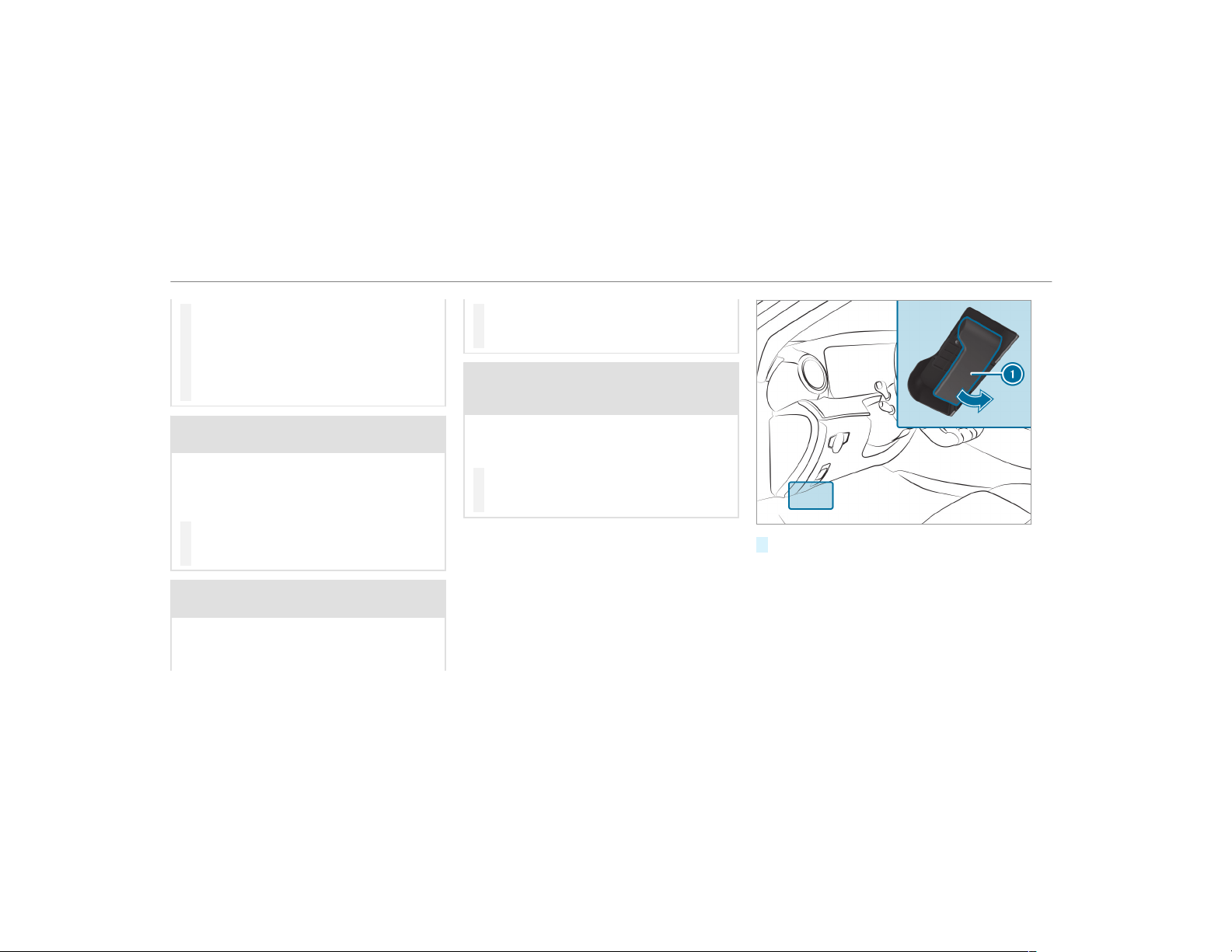
#
Never touch the danger zone surround‐
ing moving component parts, e.g. the
rotation area of the fan.
#
Remove jewelry and watches.
#
Keep items of clothing and hair away
from moving parts.
&
WARNING Risk of injury from touching
component parts under voltage
The ignition system and the fuel injection
system work under high voltage. If you touch
component parts which are under voltage,
you could receive an electric shock.
#
Never touch component parts of the
ignition system or the fuel injection sys‐
tem when the ignition is switched on.
&
WARNING Risk of burns from hot com‐
ponent parts in the engine compartment
Cer tain component parts in the engine com‐
par tment can be very hot, e.g. the engine,
the cooler and parts of the exhaust system.
#
Let the engine cool down and only
touch the component parts described
as follows.
&
WARNING Risk of injury from using the
windshield wipers while the engine hood
is open
When the engine hood is open and the wind‐
shield wipers are set in motion, you can be
trapped by the wiper linkage.
#
Always switch off the windshield wipers
and ignition before opening the engine
hood.
#
To open: pull lever 1 to release the hood.
352
Maintenance and care
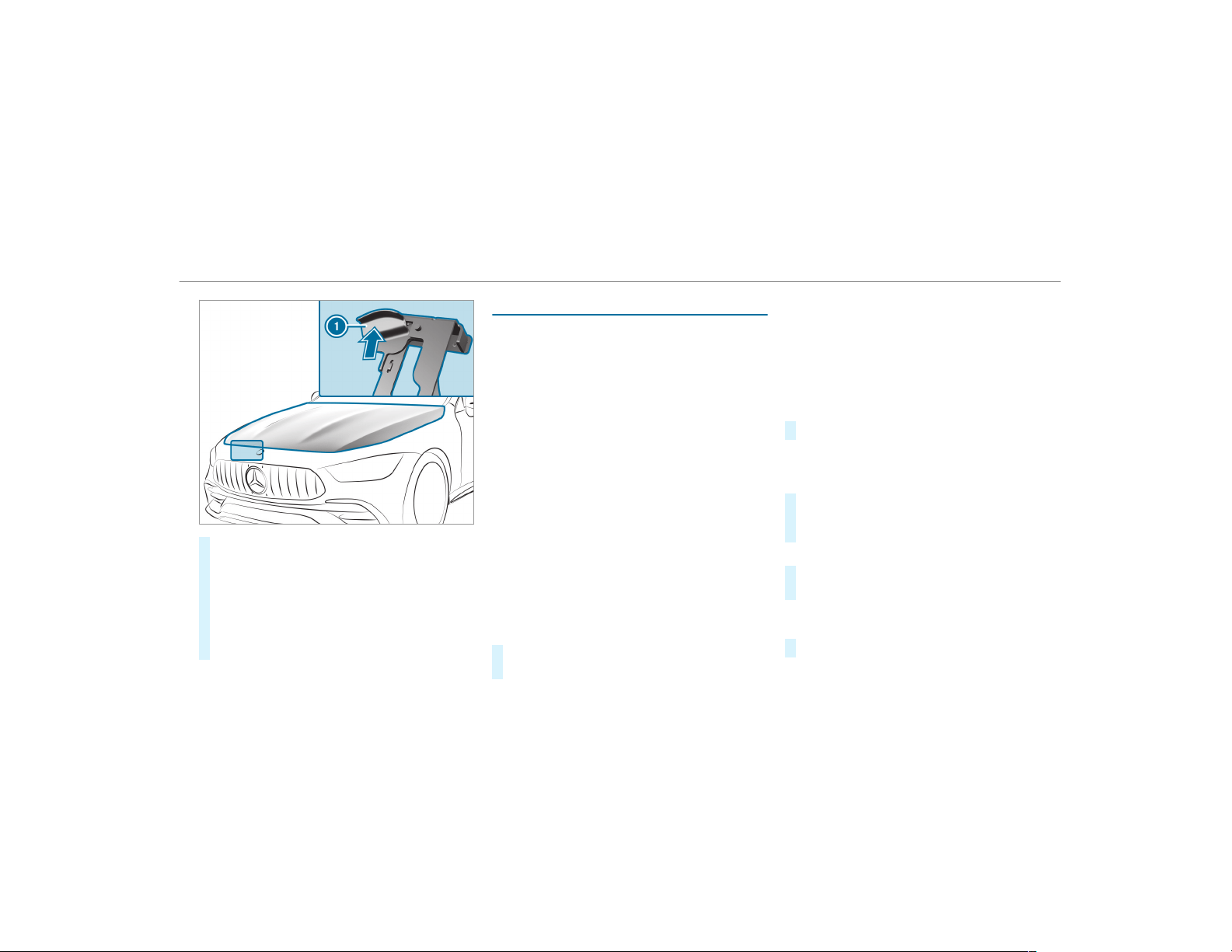
#
Push handle 1 of the hood catch upwards
and lift the hood by approximately 15 in
(40 cm).
#
To close: lower the hood and press it firmly
into the lock with both hands.
#
If the hood can be lifted a little bit more,
repeat the procedure until it engages cor‐
rectly.
Engine oil
Checking the engine oil level using the on-
board computer
Requirements
The engine oil level is determined during driving.
Determining the engine oil level can take up to
30 minutes with a normal driving style and even
longer with an active driving style.
In order to receive a result as quickly as possi‐
ble:
R
Warm up the engine
R
Park the vehicle on a level surface
R
Leave the engine running at idling speed
On-board computer:
,
Service
.
Engine Oil Level
You will see one of the following messages on
the multifunction display:
R
Measuring Engine Oil Level...: measurement
of the oil level is not yet possible.
#
Repeat the request after a maximum of
30 minutes driving.
R
Engine Oil Level OK and the bar display for
indicating the oil level on the multifunction
display is green and is between "min" and
"max": the oil level is correct.
R
Engine Oil Level Add 1.0 l and the bar display
for indicating the oil level on the multifunc‐
tion display is orange and is below "min":
#
Add 1.1 US qt (1 l) engine oil.
R
Reduce Engine Oil Level and the bar display
for indicating the oil level on the multifunc‐
tion display is orange and is above "max":
#
Drain off excess engine oil that has been
added. Consult a qualified specialist work‐
shop.
R
For Engine Oil Level Switch Ignition On:
#
Switch on the ignition to check the engine oil
level.
R
Engine Oil Level System Inoperative: sensor
faulty or not inserted.
#
Consult a qualified specialist workshop.
R
Engine Oil Level System Currently Unavail.:
Maintenance and care
353
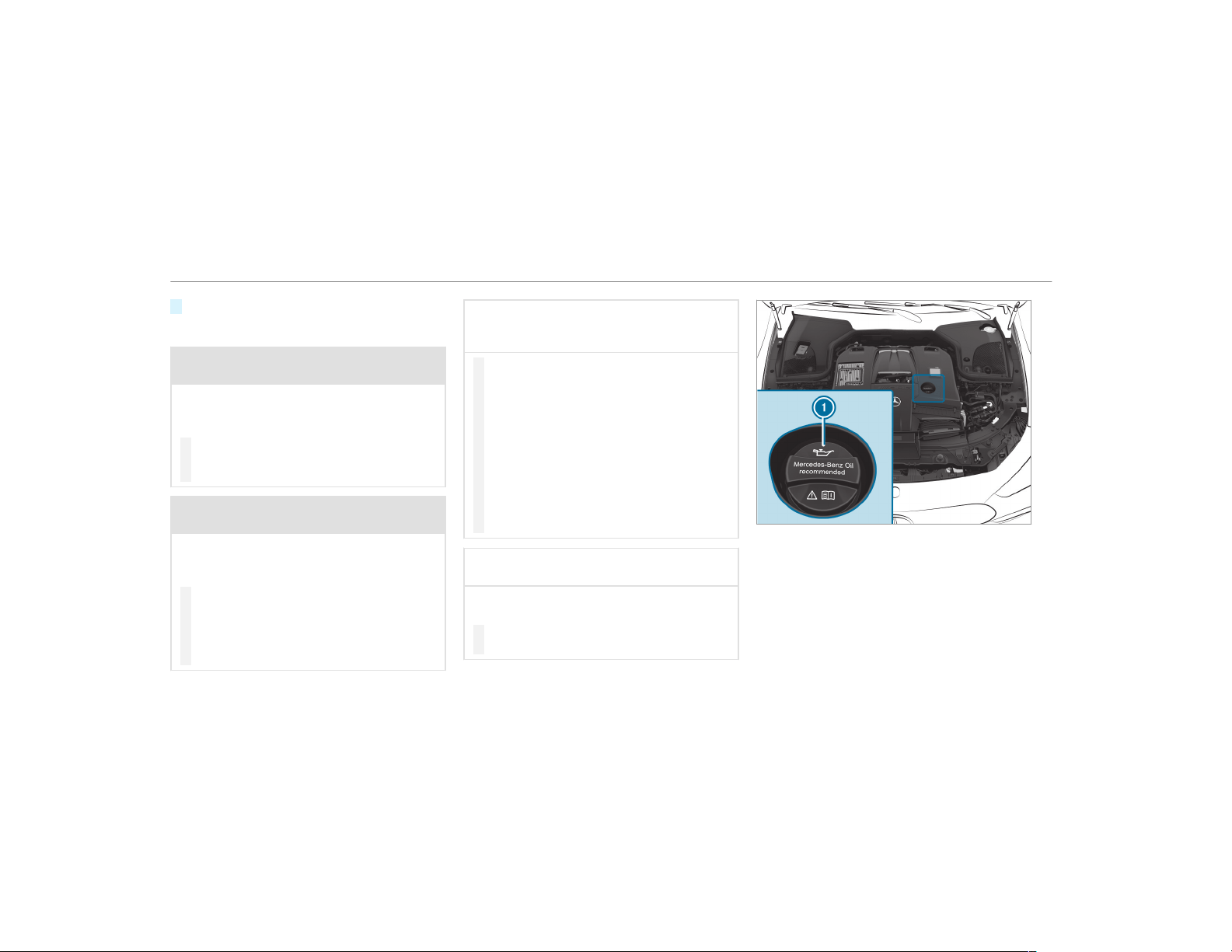
#
Close the hood.
Adding engine oil
&
WARNING Risk of burns from hot com‐
ponent parts in the engine compartment
Cer tain component parts in the engine com‐
par tment can be very hot, e.g. the engine,
the cooler and parts of the exhaust system.
#
Let the engine cool down and only
touch the component parts described
as follows.
&
WARNING Risk of fire and injury from
engine oil
If engine oil comes into contact with hot
component parts in the engine compart‐
ment, it may ignite.
#
Make sure that no engine oil is spilled
next to the filler opening.
#
Allow the engine to cool off and thor‐
oughly clean the engine oil from compo‐
nent parts before starting the vehicle.
*
NOTE Engine damage caused by an
incorrect oil filter, incorrect oil or addi‐
tives
#
Do not use engine oils or oil filters
which do not correspond to the specifi‐
cations explicitly prescribed for the
service intervals.
#
Do not alter the engine oil or oil filter in
order to achieve longer change intervals
than prescribed.
#
Do not use additives.
#
Follow the instructions in the service
interval display regarding the oil
change.
*
NOTE Damage caused by topping up too
much engine oil
Adding too much engine oil can cause dam‐
age to the engine or the catalytic converter.
#
Have excess engine oil removed at a
qualified specialist workshop.
Mercedes-AMG GT 63 4MATIC+ and
Mercedes‑AMG GT 63 S 4MATIC+
354
Maintenance and care
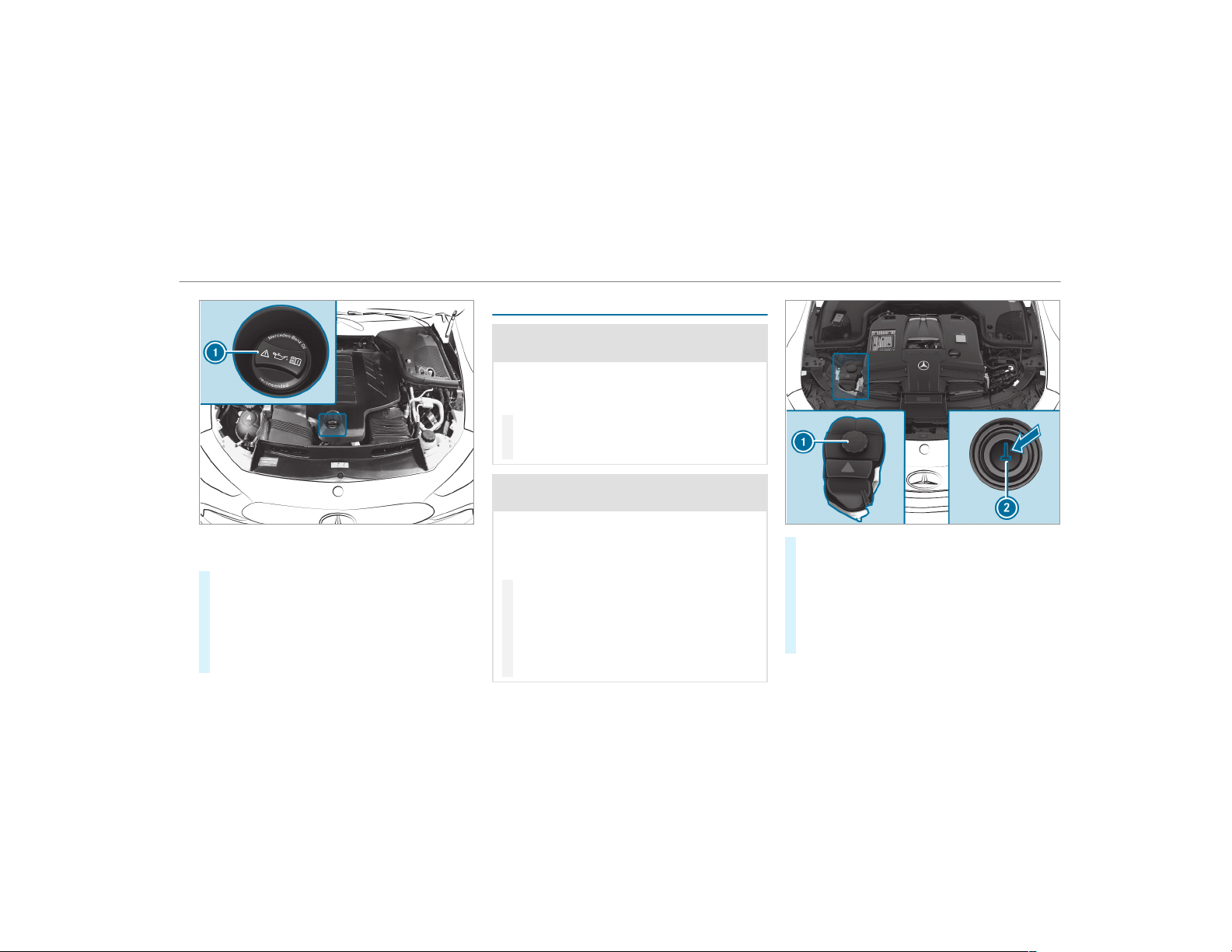
Mercedes-AMG GT 43, Mercedes-AMG GT 43
4MATIC+ and Mercedes-AMG GT 53 4MATIC+
#
Turn cap 1 counter-clockwise and remove
it.
#
Add engine oil.
#
Replace cap 1 and turn it clockwise as far
as it will go.
#
Check the oil level again (→ page 353).
Checking coolant level
&
WARNING Risk of burns from hot com‐
ponent parts in the engine compartment
Cer tain component parts in the engine com‐
par tment can be very hot, e.g. the engine,
the cooler and parts of the exhaust system.
#
Let the engine cool down and only
touch the component parts described
as follows.
&
WARNING Risk of scalding from hot
coolant
The engine cooling system is pressurized,
par ticularly when the engine is warm. If you
open the cap, you could be scalded by hot
coolant spraying out.
#
Let the engine cool down before open‐
ing the cap.
#
When opening the cap, wear protective
gloves and safety glasses.
#
Open the cap slowly to release pres‐
sure.
#
Park the vehicle on a level surface.
#
Check the coolant temperature display in the
instrument cluster.
The coolant temperature must be below
158 °F (70 °C).
#
Slowly turn cap 1 counter-clockwise to
relieve overpressure.
Maintenance and care
355
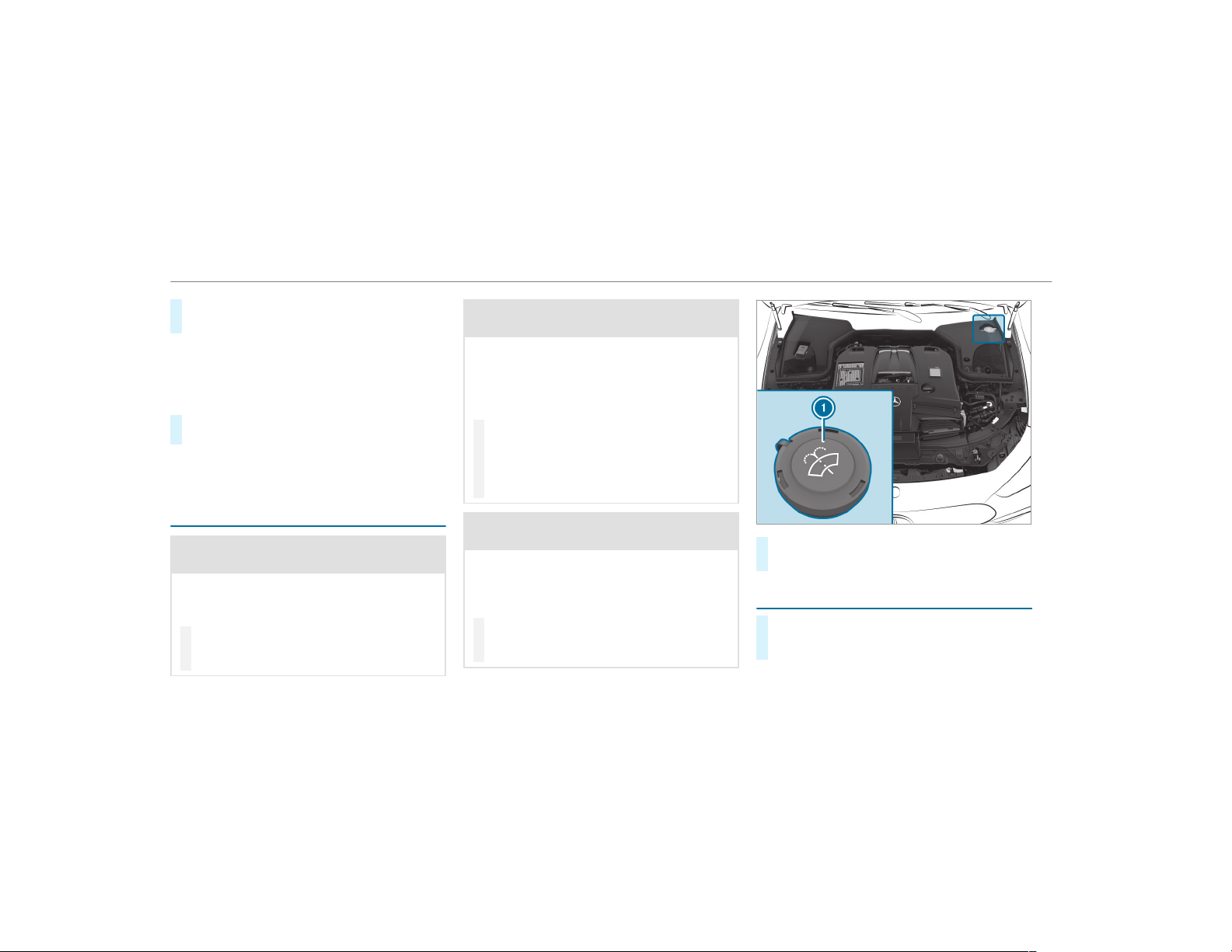
#
Continue turning cap 1 counter-clockwise
and remove it.
The coolant level is correct:
R
If the engine is cold, up to marker bar 2
R
If the engine is warm, up to 0.6 in (1.5 cm)
over marker bar 2
#
If necessary, add coolant that has been
approved for Mercedes-Benz.
R
Further information on coolant
(→ page 424).
Adding washer fluid to the windshield
washer system
&
WARNING Risk of burns from hot com‐
ponent parts in the engine compartment
Cer tain component parts in the engine com‐
par tment can be very hot, e.g. the engine,
the cooler and parts of the exhaust system.
#
Let the engine cool down and only
touch the component parts described
as follows.
&
WARNING Danger of burns when open‐
ing the hood
If you open the hood when the engine has
overheated or during a fire in the engine
compartment, you could come into contact
with hot gases or other escaping operating
fluids.
#
Before opening the hood, allow the
engine to cool down.
#
In the event of a fire in the engine com‐
partment, keep the hood closed and
call the fire service.
&
WARNING ‑ Risk of fire and injury from
windshield washer concentrate
Windshield washer concentrate is highly
flammable. It could ignite if it comes into
contact with hot engine component parts or
the exhaust system.
#
Make sure that no windshield washer
concentrate spills out next to the filler
opening.
#
Remove cap 1 by the tab.
#
Add washer fluid.
Keeping the air-water duct free
#
Keep the area between the hood and the
windshield free of deposits, e.g. ice, snow
and leaves.
356
Maintenance and care
Cleaning and care
Information on washing the vehicle in a car
wash
&
WARNING Risk of accident due to
reduced braking effect after washing the
vehicle
The braking effect is reduced after washing
the vehicle.
#
After the vehicle has been washed,
brake carefully while paying attention to
the traffic conditions until the braking
effect has been fully restored.
To avoid damage to your vehicle when using a
car wash, ensure the following beforehand:
R
Active Distance Assist DISTRONIC and the
HOLD function are deactivated.
R
the 360° Camera or the rear view camera is
switched off.
R
the extendable rear wing is completely
retracted.
R
the side windows and sliding sunroof are
completely closed.
R
the blower for the ventilation/heating is
switched off.
R
the windshield wiper switch is in position g.
R
the SmartKey is at a minimum distance of
10 ft (3 m) away from the vehicle, otherwise
the tailgate could open unintentionally.
R
in car washes with a conveyor system: neu‐
tral i is engaged.
%
In car washes with a conveyor system: if you
would like to leave the vehicle while it is
being washed, make sure the SmartKey is
located in the vehicle. The j gear is other‐
wise automatically engaged.
%
If, after the car wash, you remove the wax
from the windshield and wiper rubbers, this
will prevent smearing and reduce wiper
noise.
Information on using a power washer
&
WARNING Risk of accident when using
high-pressure cleaning equipment with
round-spray nozzles
The water jet from a round-spray nozzle (dirt
grinder) may cause damage to tires and sus‐
pension components that is not visible.
Components damaged in this way may fail
unexpectedly.
#
Do not use high-pressure cleaning
equipment with round-spray nozzles to
clean your vehicle.
#
Damaged tires or suspension compo‐
nents must be replaced immediately.
To avoid damage to your vehicle, observe the fol‐
lowing when using a power washer:
R
Keep the SmartKey at least 10 ft (3 m) away
from the vehicle. Otherwise the tailgate
could open unintentionally.
R
Maintain a distance of at least 11.8 in
(30 cm) to the vehicle.
Maintenance and care
357

R
Vehicles with decorative foil: parts of your
vehicle are covered with a decorative foil.
Maintain a distance of at least 27.6 in
(70 cm) between the foil-covered parts of the
vehicle and the nozzle of the power washer.
Move the power washer nozzle around whilst
cleaning. The water temperature of the
power washer must not exceed 124 °F
(60 °C).
R
Observe the information on the correct dis‐
tance in the equipment manufacturer's oper‐
ating instructions.
R
Do not point the nozzle of the power washer
directly at sensitive parts such as tires, slits,
electrical components, batteries, light bulbs
and ventilation slots.
Washing the vehicle by hand
Observe the legal requirements, e.g. in a number
of countries, washing by hand is only permitted
in specially designated wash bays.
#
Use a mild cleaning agent, e.g. car shampoo.
#
Wash the vehicle with lukewarm water using
a soft car sponge. When doing so, do not
expose the vehicle to direct sunlight.
#
Carefully hose the vehicle off with water and
dry using a chamois. Take care not to point
the water jet directly towards the air inlet
grille.
358
Maintenance and care
Notes on paintwork/matte finish paintwork care
Observe the following information:
Cleaning and care Avoiding paintwork damage
Paintwork
R
Insect remains: soak with insect remover and rinse off the
treated areas afterwards.
R
Bird droppings: soak with water and rinse off afterwards.
R
Tree resin, oils, fuels and greases: remove by rubbing gen‐
tly with a cloth soaked in petroleum ether or lighter fluid.
R
Coolant and brake fluid: remove with a damp cloth and
clean water.
R
Tar stains: use tar remover.
R
Wax: use silicone remover.
R
Do not attach stickers, films or similar.
R
Remove dirt immediately, where possible.
Maintenance and care
359
Cleaning and care Avoiding paintwork damage
Matte finish
R
Only use care products approved for Mercedes-Benz.
R
Do not polish the vehicle and alloy wheels.
R
Only use car washes that correspond to the latest engi‐
neering standards.
R
Do not use car wash programs with a final hot wax treat‐
ment.
R
Do not use paint cleaners, buffing or polishing products,
gloss preservers, e.g. wax.
R
Always have paintwork repairs carried out at a qualified
specialist workshop.
Notes on cleaning decorative foils
Observe the notes on matte finish care in the
chapter "Notes on paintwork/matte finish paint‐
work care" (→ page 359). They also apply to
matte decorative foils.
360
Maintenance and care

Observe the following information:
Cleaning Avoiding damage to the decorative foil
R
For cleaning, use plenty of water and a mild cleaning agent without
additives or abrasive substances, e.g. a car shampoo approved for
Mercedes-Benz.
R
Remove dirt immediately, where possible, whilst avoiding rubbing
too hard. There is otherwise a risk of damaging the decorative foil
irreparably.
R
If there is dirt on the finish or if the decorative foil is dull: use the
Paint Cleaner recommended and approved for Mercedes-Benz.
R
Insect remains: soak with insect remover and rinse off the treated
areas afterwards.
R
Bird droppings: soak with water and rinse off afterwards.
R
To prevent water stains, dry a foil-wrapped vehicle with a soft,
absorbent cloth after every car wash.
R
The service life and color of decorative foils are impaired by:
-
sunlight
-
temperature, e.g. hot air blower
-
weather conditions
-
stone chippings and dirt
-
chemical cleaning agents
-
oily products
R
Do not use polish on matte decorative foil. Polishing will have the effect
of shining the foil-wrapped sur face.
R
Do not treat matte or structured decorative foils with wax. Permanent
stains may occur.
Scratches, corrosive deposits, areas affected by
corrosion and damage caused by incorrect care
cannot always be completely repaired. In such
cases, visit a qualified specialist workshop.
You can obtain more information on care and
cleaning products from the manufacturer.
In the case of foil-wrapped surfaces, optical dif‐
ferences may occur between the surfaces that
were not protected by a decorative foil after
removing a decorative foil.
%
Have work or repairs to decorative foils car‐
ried out at a qualified specialist workshop,
e.g. in an authorized Mercedes-Benz Center.
Maintenance and care
361
Notes on care of vehicle parts
&
WARNING Risk of entrapment if the
windshield wipers are switched on while
the windshield is being cleaned
If the windshield wipers are set in motion
while you are cleaning the windshield or
wiper blades, you can be trapped by the
wiper arm.
#
Always switch off the windshield wipers
and the ignition before cleaning the
windshield or wiper blades.
&
WARNING Risk of burning from the tail‐
pipe or tailpipe trim
The tailpipe and tailpipe trim can become
very hot. If you come into contact with these
car parts, you could burn yourself.
#
Always be particularly careful when in
the vicinity of the tailpipe and tailpipe
trims and supervise children very
closely when in this area.
#
Before any contact, allow the car parts
to cool down.
Observe the following information:
Notes on cleaning and care Avoiding vehicle damage
Wheels/rims
Use water and acid-free wheel cleaners.
R
Do not use acidic wheel cleaners to remove brake dust.
This could damage wheel bolts and brake components.
R
To avoid corrosion of the brake discs and brakepads, drive
the vehicle for a few minutes after cleaning before parking
it. The brake discs and brakepads warm up and dry out.
Windows
Clean the windows on the inside and outside using a damp
cloth and cleaning agents recommended by Mercedes-Benz.
Do not use dry cloths or abrasive or solvent-based cleaning
agents to clean the inside of windows.
Wiper blades
Fold out the wiper blades and clean them using a damp cloth. Do not clean the wiper blades too often.
362
Maintenance and care

Notes on cleaning and care Avoiding vehicle damage
Exterior lighting
Clean the lenses with a wet sponge and mild cleaning agent,
e.g. car shampoo.
Only use cleaning agents or cleaning cloths that are suitable
for plastic lenses.
Sensors
Clean the sensors in the front and rear bumper and in the
radiator grill with a sof t cloth and car shampoo.
When using a power washer, maintain a minimum distance of
11.8 in (30 cm).
Rear view camera
and 360° Camera
R
Open the camera cover with the multimedia system
(→ page 209) .
R
Use clean water and a soft cloth to clean the camera lens.
Do not use a power washer.
Extendable rear
wing
R
Extend the rear wing when washing by hand
(→ page 194).
R
Clean the rear wing with a soft car sponge and mild clean‐
ing agent, e.g. car shampoo.
R
Retract the rear wing completely after drying
(→ page 194).
Do not use a power washer.
Tailpipes
Clean with cleaning agents recommended by Mercedes-Benz,
par ticularly in the winter and after washing the vehicle.
Do not use acidic cleaning agents.
Maintenance and care
363
Notes on care of the interior
&
WARNING Risk of injury from plastic
parts breaking off after the use of sol‐
vent-based care products
Care and cleaning products containing sol‐
vents can cause surfaces in the cockpit to
become porous.
When the airbags are deployed, plastic parts
may break away.
#
Do not use any care or cleaning prod‐
ucts containing solvents to clean the
cockpit.
&
WARNING Risk of injury or death from
bleached seat belts
Bleaching or dyeing seat belts can severely
weaken them.
This can, for example, cause seat belts to
tear or fail in an accident.
#
Never bleach or dye seat belts.
Observe the following information:
Cleaning and care Avoiding vehicle damage
Seat belts
Clean with lukewarm and soapy water.
R
Do not use chemical cleaning agents.
R
Do not dry seat belts by heating them to over 176 °F
(80 °C) or exposing them to direct sunlight.
Display
Clean the surface carefully with a microfiber cloth and a suit‐
able display care product (TFT LCD).
R
Switch off the display and let it cool down.
R
Do not use any other cleaning products.
Plastic trim
R
Clean with a damp microfiber cloth.
R
For heavy soiling: use care product recommended for
Mercedes-Benz.
R
Do not attach stickers, films or similar materials.
R
Do not allow cosmetics, insect repellent or sun cream to
come in contact with the plastic trim.
364
Maintenance and care

Cleaning and care Avoiding vehicle damage
Real wood/trim
inserts
R
Clean with a microfiber cloth.
R
Black piano-lacquer look: clean with a damp cloth and
soapy water.
R
For heavy soiling: use care product recommended for
Mercedes-Benz.
Do not use solvent-based cleaning agents, polishes or waxes.
Headliner
Clean with a brush or dry shampoo.
Carpet
Use carpet and textile cleaning agents recommended for
Mercedes-Benz.
Genuine leather
seat covers
R
Clean with a damp cloth and then wipe with a dry cloth.
R
Leather care: use leather care agents that have been rec‐
ommended for Mercedes-Benz.
Do not allow the leather to become too damp.
Do not use a microfiber cloth.
DINAMICA seat cov‐
ers
Clean with a damp cloth. Do not use a microfiber cloth.
Imitation leather
seat covers
Clean with a damp cloth and 1% soapy water. Do not use a microfiber cloth.
Cloth seat covers
Clean with a damp microfiber cloth and 1% soapy water and
allow to dry.
Maintenance and care
365
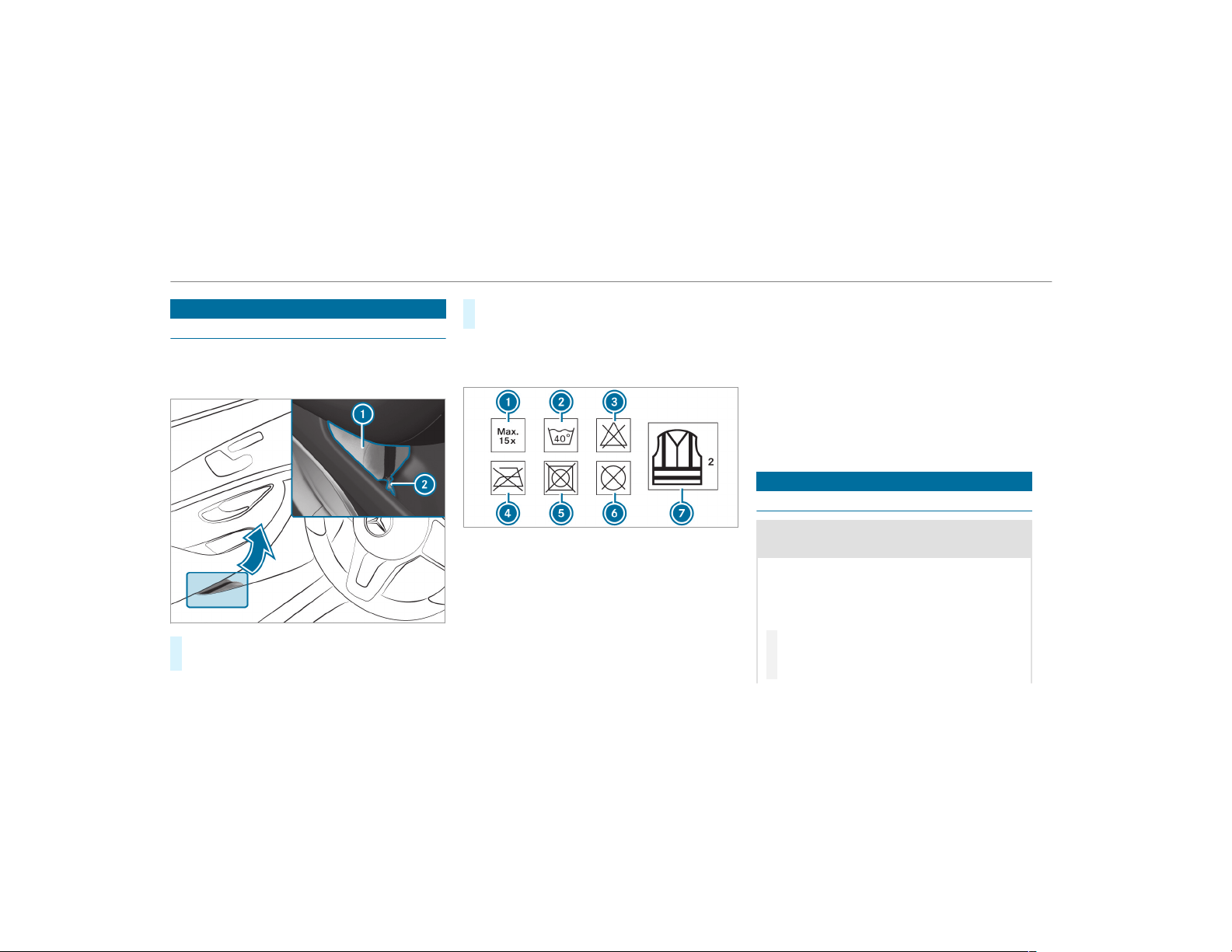
Emergency
Removing the safety vest
The safety vests are located in the safety vest
compartments in the driver's and front
passenger door stowage compartments.
#
To remove: pull out safety vest bag 1 by
loop 2.
#
Open safety vest bag 1 and pull out the
safety vest.
%
There are also safety vest compartments in
the rear door stowage compartments in
which safety vests can be stored.
1
Maximum number of washes
2
Maximum wash temperature
3
Do not bleach
4
Do not iron
5
Do not tumble dry
6
Do not dry clean
7
Class 2 safety vest
The requirements defined by the legal standard
are only fulfilled if the safety vest is the correct
size and is fully closed.
The safety vest must be replaced in the following
situations:
R
The reflective strips are damaged or dirty
R
The maximum permissible number of washes
is exceeded
R
The fluorescence has faded
Flat tire
Notes on flat tires
&
WARNING Risk of accident due to a flat
tire
A flat tire severely affects the driving charac‐
teristics as well as the steering and braking
of the vehicle.
Tires without run-flat characteristics:
#
Do not drive on with a flat tire.
#
Change the flat tire immediately with an
emergency spare wheel or spare wheel.
366
Breakdown assistance
Alternatively, consult a qualified spe‐
cialist workshop.
Tires with run-flat characteristics:
#
Observe the information and warning
notes on MOExtended tires (run-flat
tires).
In the event of a flat tire, the following options
are available depending on your vehicle's equip‐
ment:
R
Vehicles with MOExtended tires: it is pos‐
sible to continue the journey for a short
period of time. Make sure you observe the
notes on MOExtended tires (run-flat tire)
(→ page 367).
R
Vehicles with a TIREFIT kit: you can repair
the tires so that it is possible to continue the
journey for a short period of time. To do this,
use the TIREFIT kit (→ page 368).
R
Vehicles with Mercedes me connect: you
can make a call for Roadside Assistance via
the overhead control panel in the case of a
breakdown (→ page 315).
R
All vehicles: change the wheel
(→ page 410).
Notes on MOExtended tires (run-flat tire)
&
WARNING Risk of accident when driving
in limp-home mode
When driving in emergency mode the han‐
dling characteristics are impaired. e.g. when
cornering, when accelerating strongly and
when braking.
#
Do not exceed the permissible maxi‐
mum speed for MOExtended tires.
#
Avoid any abrupt steering and driving
maneuvers as well as driving over
obstacles (curbs, pot holes, off-road).
This applies, in particular, to a loaded
vehicle.
#
Stop driving in the emergency mode if
you notice:
R
banging noise
R
vehicle vibration
R
smoke which smells like rubber
R
continuous ESP
®
intervention
R
cracks in tire side walls
#
After driving in emergency mode have
the rims checked by a qualif ied special‐
ist workshop with regard to their further
use.
#
The defective tire must be replaced in
every case.
With MOExtended tires (run-flat tire), you can
continue to drive your vehicle even if there is a
total loss of pressure in one or more tires. How‐
ever, the tire affected must not show any clearly
visible damage.
You can recognize MOExtended tires by the
MOExtended marking which appear s on the side
wall of the tire.
Vehicles with tire pressure monitoring sys‐
tem: MOExtended tires may only be used in con‐
junction with an activated tire pressure monitor‐
ing system.
Breakdown assistance
367
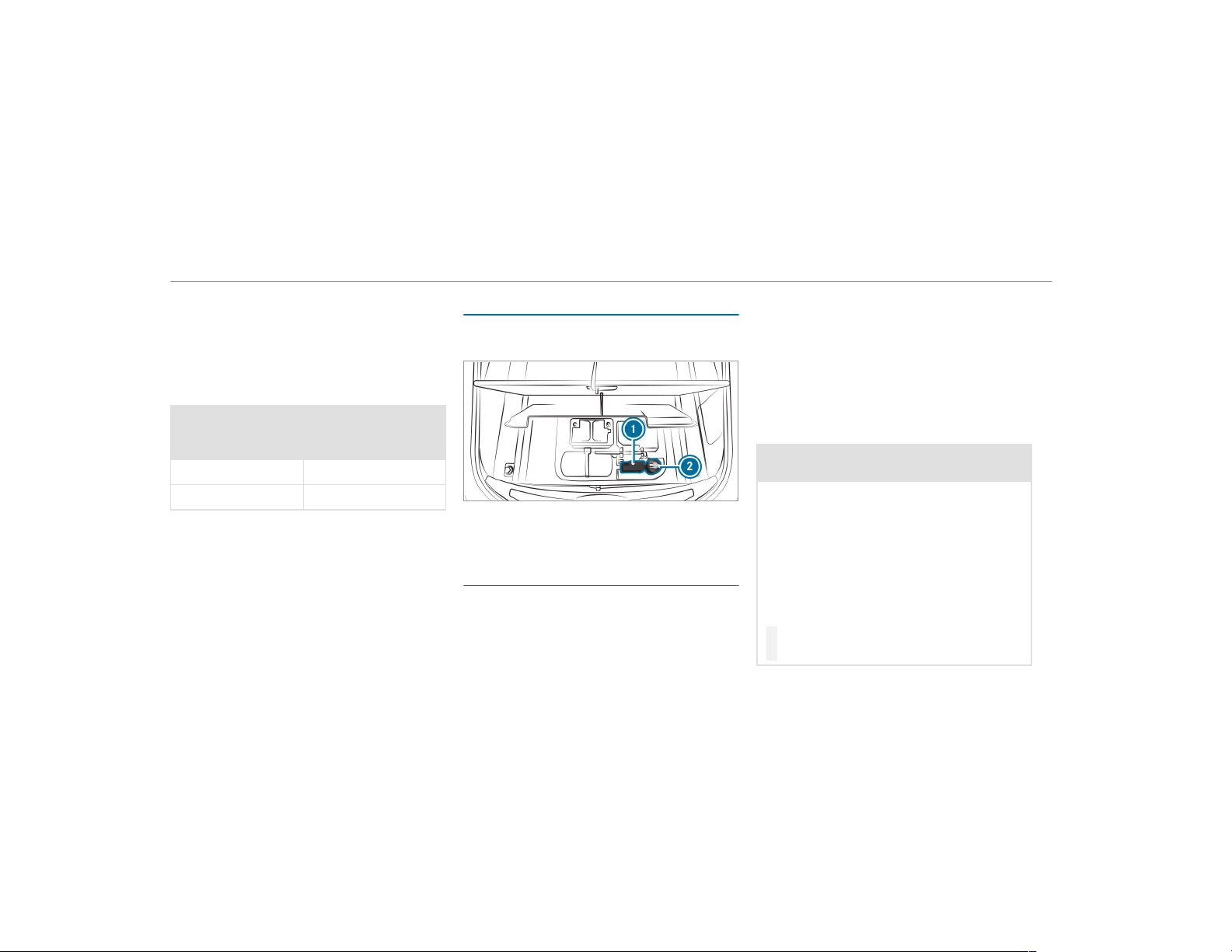
If a pressure loss warning message appears in
the multifunction display:
R
Check the tire for damage.
R
If driving on, observe the following notes.
Driving distance possible in limp-home mode
after the pressure loss warning:
Load condition Driving distance pos‐
sible in limp-home
mode
Partially laden 50 miles (80 km)
Fully laden 19 miles (30 km)
R
The driving distance possible in limp-home
mode may vary depending on the driving
style.
R
Maximum permissible speed 50 mph
(80 km/h).
If a tire has gone flat and cannot be replaced
with an MOExtended tire, you can use a stand‐
ard tire as a temporary measure.
TIREFIT kit storage location
The TIREFIT kit is located under the cargo com‐
partment floor.
1
Tire inflation compressor
2
Tire sealant bottle
Using the TIREFIT kit
Requirements
Required tools:
R
Tire sealant bottle
R
TIREFIT sticker
R
Tire inflation compressor
R
Gloves (depending on the vehicle equipment)
TIREFIT kit storage location: (→ page 368)
You can use TIREFIT tire sealant to seal perfora‐
tion damage of up to 0.16 in (4 mm), particularly
those in the tire contact surface. You can use
TIREFIT in outside temperatures down to -4 °F
(-20 °C).
&
WARNING Risk of accident when using
tire sealant.
In the following situations, the tire sealant is
unable to provide sufficient breakdown assis‐
tance, as it is unable to seal the tire properly:
R
There are cuts or punctures in the tire
larger than those previously mentioned.
R
The wheel rim is damaged.
R
You have driven at a very low tire pres‐
sure or on a flat tire.
#
Do not continue driving.
#
Consult a qualified specialist workshop.
368
Breakdown assistance
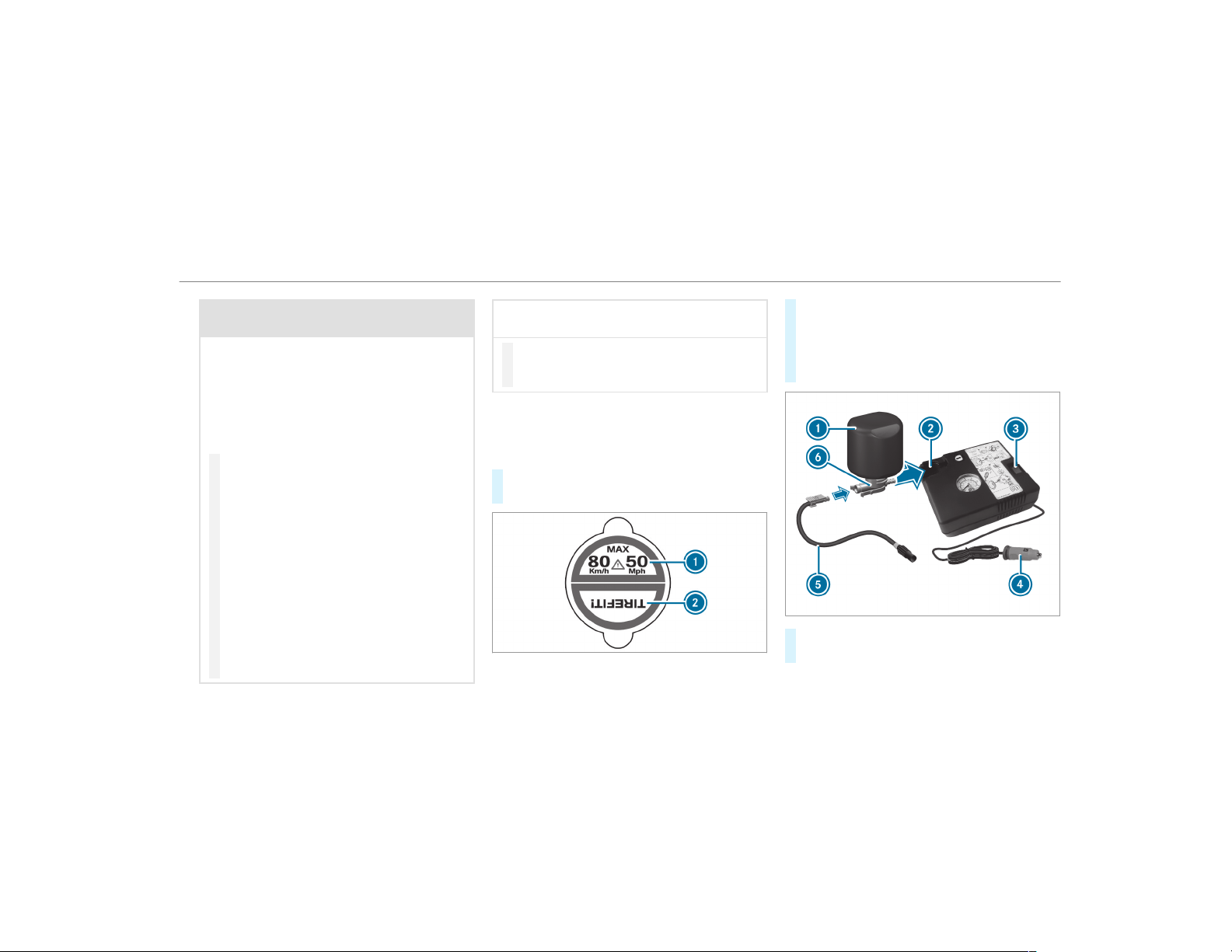
&
WARNING Risk of injury and poisoning
from tire sealant
The tire sealant is harmful and causes irrita‐
tion. Do not allow it to come into contact
with the skin, eyes or clothing, and do not
swallow it. Do not inhale tire sealant fumes.
Keep the tire sealant away from children.
If you come into contact with the tire sealant,
observe the following:
#
Rinse off the tire sealant from your skin
immediately using water.
#
If tire sealant gets into your eyes, thor‐
oughly rinse out the eyes using clean
water.
#
If tire sealant has been swallowed,
immediately rinse out the mouth thor‐
oughly and drink plenty of water. Do not
induce vomiting and seek medical
attention immediately.
#
Change out of any clothes contamina‐
ted with tire sealant immediately.
#
If allergic reactions occur, seek medical
attention immediately.
*
NOTE Overheating due to the tire infla‐
tion compressor running too long
#
Do not run the tire inf lation compressor
for longer than ten minutes without
interruption.
Comply with the manufacturer's safety notes on
the sticker on the tire inflation compressor.
Have the tire sealant bottle replaced in a quali‐
fied specialist workshop every five years.
#
Do not remove any foreign objects which
have entered the tire.
#
Affix part 1 of the TIREFIT sticker to the
instrument cluster within the driver's field of
vision.
#
Affix part 2 of the TIREFIT sticker near the
valve on the wheel with the defective tire.
#
Pull plug 4 with the cable and hose 5 out
of the tire inflation compressor housing.
Breakdown assistance
369
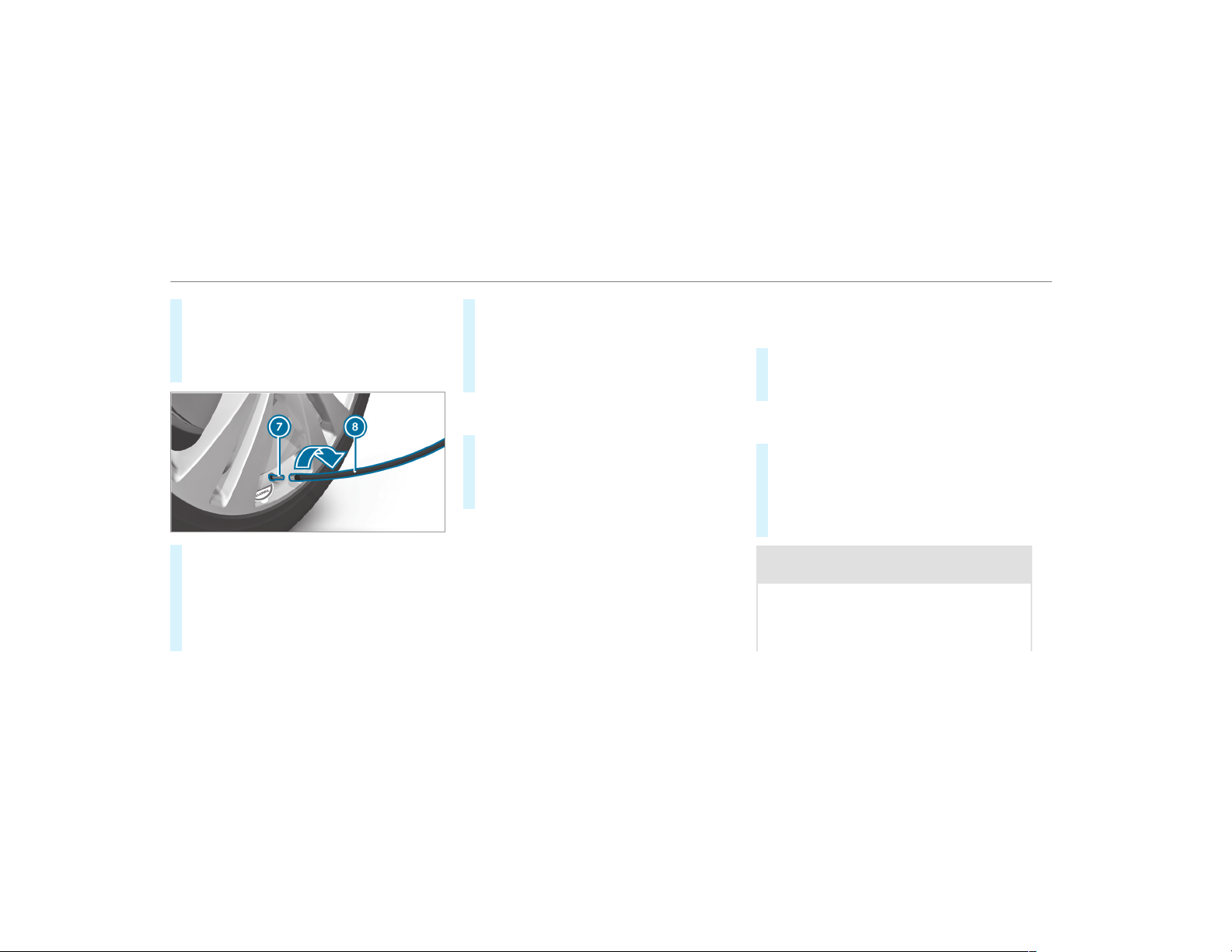
#
Push the plug of hose 5 into flange 6 of
tire sealant bottle 1 until the plug engages.
#
Place tire sealant bottle 1 head downwards
into recess 2 of the tire inflation compres‐
sor.
#
Remove the valve cap from valve 7 on the
defective tire.
#
Screw filling hose 8 onto valve 7.
#
Insert plug 4 into a 12 V socket in your
vehicle.
#
Switch the ignition on.
#
Press on and off switch 3 on the tire infla‐
tion compressor.
The tire inflation compressor is switched on.
The tire is inflated. First, tire sealant is pum‐
ped into the tire. The pressure may briefly
rise to approximately 500 kPa (5 bar/73 psi).
Do not switch off the tire inflation compres‐
sor during this phase.
#
Let the tire inflation compressor run for a
maximum of ten minutes.
The tire should then have attained a tire
pressure of at least 200 kPa (2.0 bar/
29 psi).
If tire sealant leaks out, make sure you clean the
affected area as quickly as possible. It is prefera‐
ble to use clear water.
If you get tire sealant on your clothing, have it
cleaned as soon as possible with perchloroethy‐
lene.
If, after ten minutes, a tire pressure of
200 kPa (2.0 bar/29 psi) has not been ach‐
ieved:
#
Switch off the tire inflation compressor.
#
Unscrew the filling hose from the valve of the
defective tire.
Please note that tire sealant may leak out when
unscrewing the filling hose.
#
Drive forwards or reverse very slowly for
approximately 33 ft (10 m).
#
Pump up the tire again.
After a maximum of ten minutes the tire
pressure must be at least 200 kPa (2.0 bar/
29 psi).
&
WARNING Risk of accident due to the
specified tire pressure not being reached
If the specified tire pressure is not reached
after the specified time, the tire is too badly
damaged. The tire sealant cannot repair the
tire in this instance.
370
Breakdown assistance
Damaged tires and a tire pressure that is too
low can significantly impair braking and han‐
dling characteristics.
#
Do not continue driving.
#
Consult a qualified specialist workshop.
If, after ten minutes, a tire pressure of
200 kPa (2.0 bar/29 psi) has been achieved:
#
Switch off the tire inflation compressor.
#
Unscrew the filling hose from the valve of the
defective tire.
&
WARNING Risk of accident from driving
with sealed tires
A tire temporarily sealed with tire sealant
impairs driving characteristics and is not
suitable for higher speeds.
#
Adapt your driving style accordingly and
drive carefully.
#
Do not exceed the maximum speed
limit with a tire that has been repaired
using tire sealant.
#
Observe the maximum permissible speed for
a tire sealed with tire sealant 50 mph
(80 km/h).
#
Affix the upper section of the TIREFIT sticker
to the instrument cluster in a location where
it will be easily seen by the driver.
*
NOTE Staining caused by leaking tire
sealant
After use, excess tire sealant may leak out
from the filling hose.
#
Therefore, place the filling hose in the
plastic bag that contained the TIREFIT
kit.
+
ENVIRONMENTAL NOTE Environmental
pollution caused by environmentally irre‐
sponsible disposal
Tire sealant contains pollutants.
#
Have the tire sealant bottle disposed of
professionally, e.g. at an authorized
Mercedes-Benz Center.
#
Stow the tire sealant bottle and the tire infla‐
tion compressor.
#
Pull away immediately.
#
Stop driving after approximately ten minutes
and check the tire pressure using the tire
inflation compressor.
The tire pressure must now be at least
130 kPa (1.3 bar/19 psi).
&
WARNING Risk of accident due to the
specified tire pressure not being reached
If the specified tire pressure is not reached
after a brief drive, the tire is too badly dam‐
aged. The tire sealant cannot repair the tire
in this instance.
Damaged tires and tire pressure that is too
low can significantly impair the braking prop‐
er ties and the handling characteristics.
#
Do not continue driving.
#
Consult a qualified specialist workshop.
In cases such as the one mentioned above, con‐
tact an authorized Mercedes-Benz Center. Or
Breakdown assistance
371
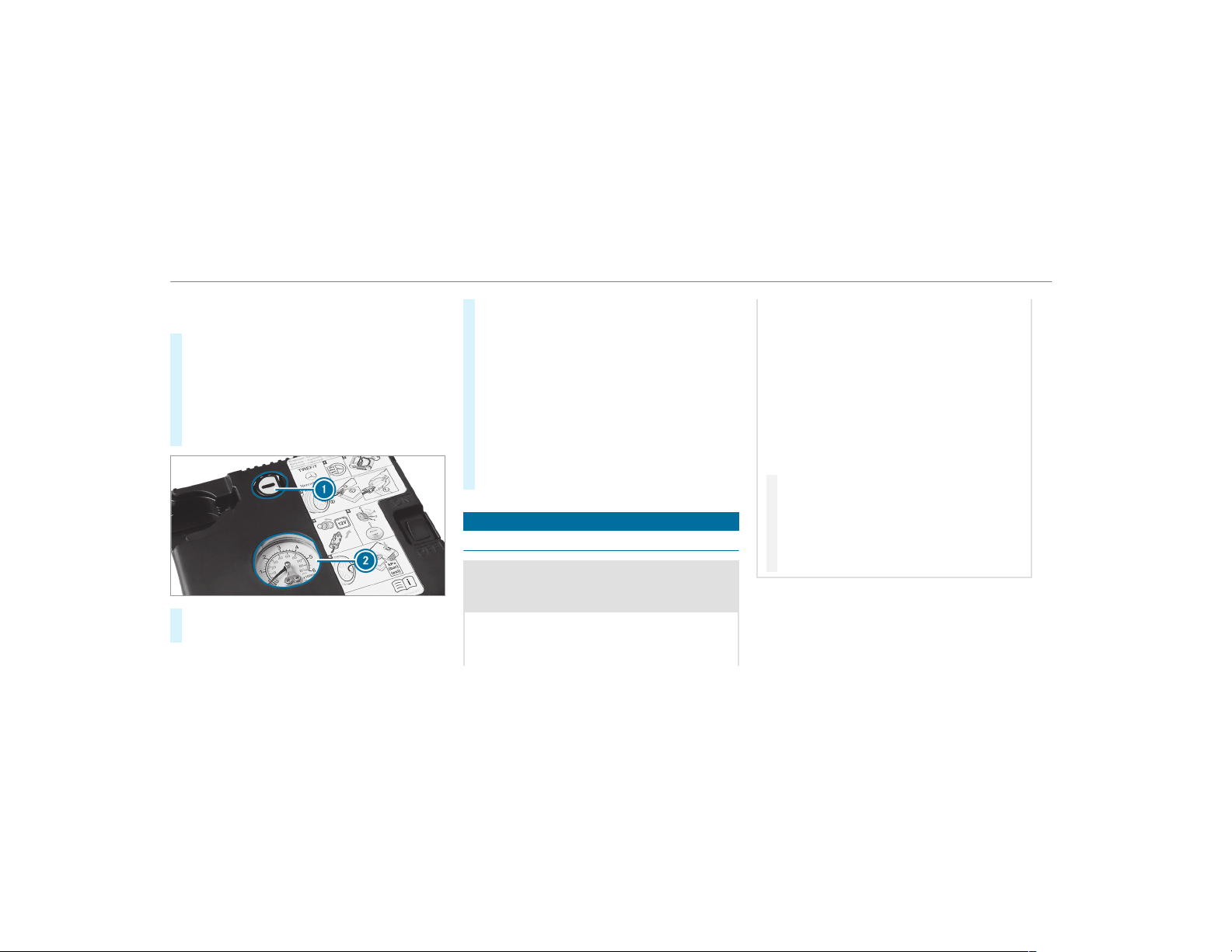
call 1-800-FOR-MERCedes (in the USA) or
1-800-387-0100 (in Canada).
#
Correct the tire pressure if it is still at least
130 kPa (1.3 bar/19 psi). See the Tire and
Loading Information placard on the dr iver's
side B‑pillar or the tire pressure table in the
fuel filler flap for values.
#
To increase the tire pressure: switch on
the tire inflation compressor.
#
To reduce the tire pressure: press pressure
release button 1 next to manometer 2.
#
When the tire pressure is correct, unscrew
the filling hose from the valve of the sealed
tire.
#
Screw the valve cap onto the valve of the
sealed tire.
#
Pull the tire sealant bottle out of the tire
inflation compressor.
The filling hose stays on the tire sealant bot‐
tle.
#
Drive to the nearest qualified specialist work‐
shop and have the tire, tire sealant bottle and
filling hose replaced there.
Battery (vehicle)
Notes on the 12 V battery
&
WARNING Risk of an accident due to
work carried out incorrectly on the bat‐
tery
Work carried out incorrectly on the battery
can, for example, lead to a short circuit. This
can lead to function restrictions in safety-rel‐
evant systems, for example the lighting sys‐
tem, ABS (anti-lock braking system) or ESP
®
(Electronic Stability Program). The operating
safety of your vehicle may be restricted.
You could lose control of the vehicle in the
following situations:
R
when braking
R
in the event of abrupt steering maneuvers
and/or when the vehicle's speed is not
adapted to the road conditions
#
In the event of a short circuit or a simi‐
lar incident, contact a qualified special‐
ist workshop immediately.
#
Do not continue driving.
#
Always have work on the battery carried
out at a qualified specialist workshop.
R
Further information on ABS (→ page 166)
R
Further information on ESP
®
For safety reasons, Mercedes-Benz recommends
that you only use batteries which have been tes‐
ted and approved for your vehicle by Mercedes-
372
Breakdown assistance
Benz. These batteries provide increased impact
protection to prevent vehicle occupants from
suffering acid burns should the battery be dam‐
aged in the event of an accident.
All vehicles except vehicles with a lithium-
ion battery
&
WARNING Risk of explosion due to elec‐
trostatic charge
Electrostatic charge can cause sparks which
may ignite the highly flammable gas mixture
in the battery.
#
To discharge any electrostatic charge
that may have built up, touch the metal
vehicle body before handling the bat‐
tery.
The highly flammable gas mixture is created
while the battery is charging and during starting
assistance.
&
WARNING Danger of chemical burns
from the battery acid
Battery acid is caustic.
#
Avoid contact with the skin, eyes or
clothing.
#
Do not lean over the battery.
#
Do not inhale battery gases.
#
Keep children away from the battery.
#
Immediately rinse battery acid off thor‐
oughly with plenty of clean water and
seek medical attention immediately.
All vehicles
+
ENVIRONMENTAL NOTE Environmental
damage caused by improper disposal of
batteries
Batteries contain pollutants. It is
illegal to dispose of them with the household
rubbish.
#
Dispose of batteries in an
environmentally responsible manner.
Take discharged batteries to a qualified
specialist workshop or to a collection
point for used batteries.
If you have to disconnect the 12 V battery, con‐
tact a qualified specialist workshop.
Comply with safety notes and take protective
measures when handling batteries.
Risk of explosion.
Fire, open flames and smoking are
prohibited when handling the battery.
Avoid creating sparks.
Electrolyte or battery acid is corro‐
sive. Avoid contact with the skin, eyes
or clothing. Wear suitable protective
clothing, in particular gloves, an
Breakdown assistance
373
apron and a face mask. Immediately
rinse electrolyte or acid splashes off
with clean water. Consult a doctor if
necessary.
Wear safety glasses.
Keep children away.
Observe this Operator's Manual.
Observe the following if you do not intend to use
the vehicle over an extended period of time:
R
Activate standby mode.
R
Alternatively: connect the battery to a bat‐
tery charger approved by Mercedes-Benz or
consult a qualified specialist workshop to
disconnect the battery.
Notes on starting assistance and on charg‐
ing the 12 V batter y
Vehicles with a lithium-ion battery
When charging the battery and during starting
assistance, always use the jump-start connec‐
tion point in the engine compartment.
*
NOTE Damage to the battery from over‐
voltage
When charging using a batter y charger with‐
out a maximum charging voltage, the battery
or the on-board electronics may be damaged.
#
Only use battery chargers with a maxi‐
mum charging voltage of 14.4 V.
All other vehicles
When charging the battery and during starting
assistance, always use the jump-start connec‐
tion point in the engine compartment.
*
NOTE Damaging the battery through
overvoltage
When charging using a batter y charger with‐
out a maximum charging voltage, the battery
or the vehicle electronics may be damaged.
#
Only use battery chargers with a maxi‐
mum charging voltage of 14.8 V.
&
WARNING Risk of explosion from hydro‐
gen gas igniting
A battery generates hydrogen gas during the
charging process. If there is a short circuit or
sparks start to form, there is a danger of the
hydrogen gas igniting.
#
Make sure that the positive terminal of
the connected battery does not come
into contact with vehicle parts.
#
Never place metal objects or tools on a
battery.
#
When connecting and disconnecting the
battery, you must observe the descri‐
bed order for the battery clamps.
374
Breakdown assistance

#
When giving starting assistance, always
make sure that you only connect bat‐
tery terminals with identical polarity.
#
During starting assistance, you must
observe the described order for con‐
necting and disconnecting the jumper
cables.
#
Do not connect or disconnect the bat‐
tery clamps while the engine is running.
&
WARNING Risk of explosion during
charging process and starting assistance
During the charging process and starting
assistance, the battery may release an explo‐
sive gas mixture.
#
Avoid fire, open flames, creating sparks
and smoking.
#
Make sure that there is sufficient venti‐
lation during the charging process and
during starting assistance.
#
Do not lean over a battery.
&
WARNING Risk of explosion from a fro‐
zen battery
A discharged battery may freeze at tempera‐
tures slightly above or below freezing point.
During starting assistance or battery charg‐
ing, battery gas may be released.
#
Always thaw a frozen battery out first
before charging it or performing start‐
ing assistance.
If the indicator/warning lamps in the instrument
cluster do not light up at low temperatures, it is
very likely that the discharged battery has fro‐
zen. In this case you may neither jump-start the
vehicle nor charge the battery.
The service life of a battery that has been
thawed may be dramatically shortened. The
starting characteristics may be impaired, espe‐
cially at low temperatures.
It is recommended that you have a thawed bat‐
tery checked at a qualified specialist workshop.
All vehicles
*
NOTE Damage caused by numerous or
extended attempts to start the engine
Numerous or extended attempts to start the
engine may damage the catalytic converter
due to non-combusted fuel.
#
Avoid numerous and extended attempts
to start the engine.
Observe the following points during starting
assistance and when charging the battery:
R
Only use undamaged jumper cables/charg‐
ing cables with a sufficient cross-section and
insulated terminal clamps.
R
Non-insulated parts of the terminal clamps
must not come into contact with other metal
parts while the jumper cable/charging cable
is connected to the battery/jump-start con‐
nection point.
R
The jumper cable/charging cable must not
come into contact with any parts which may
move when the engine is running.
Breakdown assistance
375
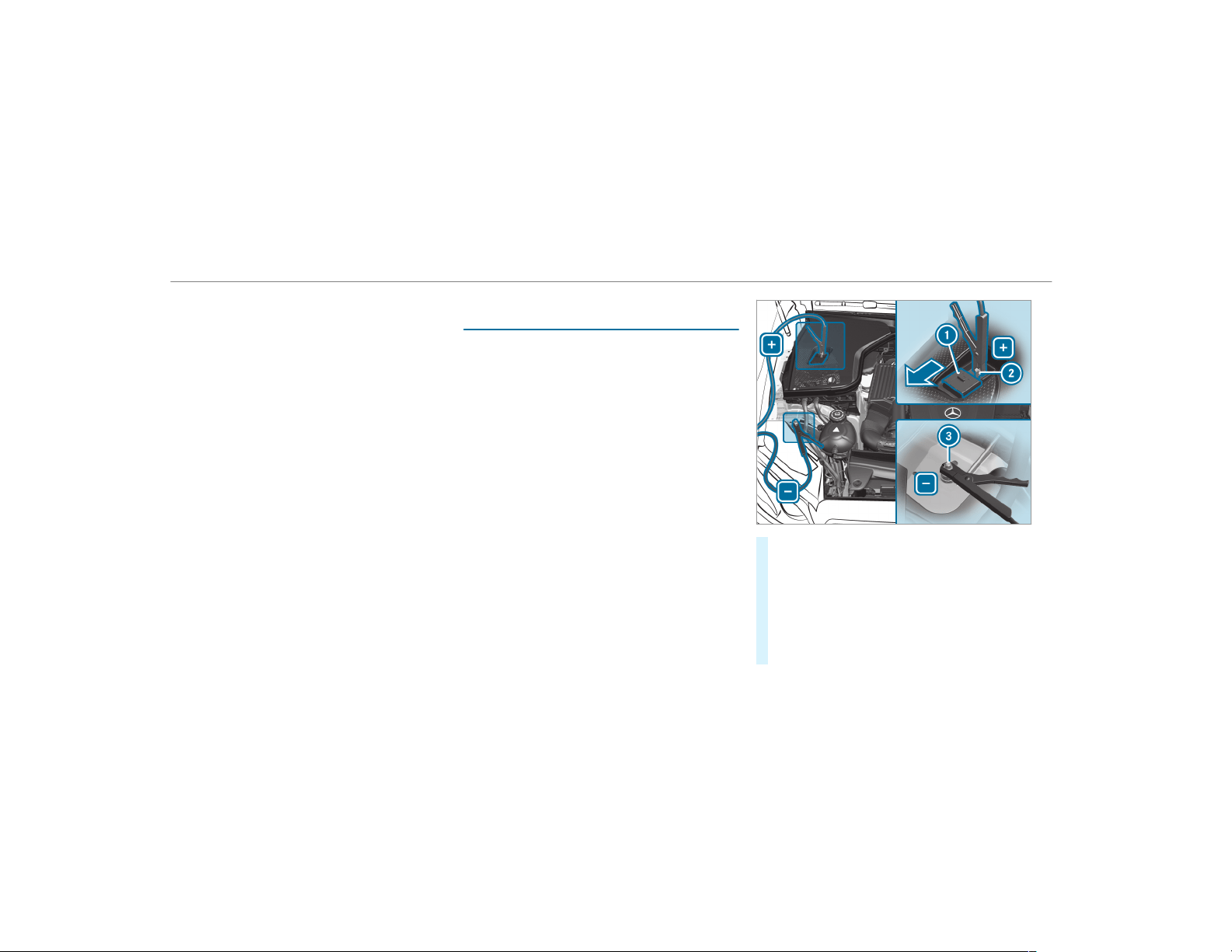
R
Always make sure that neither you nor the
battery is electrostatically charged.
R
Keep away from fire and open flames.
R
Do not lean over the battery.
Observe the additional following points when
charging the battery:
R
Only use battery chargers tested and
approved for Mercedes-Benz.
R
Read the battery charger's operating instruc‐
tions before charging the battery.
Observe the additional following points during
starting assistance:
R
Starting assistance may only be provided
using batteries with a nominal voltage of
12 V.
R
The vehicles must not touch.
R
Gasoline engine: Only accept starting assis‐
tance if the engine and exhaust system are
cold.
Starting assistance and charging the 12 V
battery
Requirements:
R
The vehicle is secured with the electric park‐
ing brake.
R
Vehicles with automatic transmission:
The transmission is in position j.
R
The ignition and all electrical consumers are
switched off.
R
The hood is open.
#
Slide cover 1 of positive clamp 2 on the
jump-starting connection point in the direc‐
tion of the arrow.
#
Connect positive clamp 2 on your vehicle to
the positive pole of the donor battery using
the jumper cable/charging cable. Always
begin with positive clamp 2 on your own
vehicle first.
376
Breakdown assistance
#
During starting assistance: start the
engine of the donor vehicle and run at idle
speed.
#
Connect the negative pole of the donor bat‐
tery and ground point 3 of your own vehicle
by using the jumper cable/charging cable.
Begin with the donor battery first.
#
During starting assistance: start the
engine of your own vehicle.
#
During the charging process: start the
charging process.
#
During starting assistance: let the engines
run for several minutes.
#
During starting assistance: before discon‐
necting the jumper cable, switch on an elec‐
trical consumer in your own vehicle, e.g. the
rear window heater or lighting.
When the starting assistance/charging process
is complete, perform the following steps:
#
First, remove the jumper cable/charging
cable from ground point 3 and the negative
pole of the donor batter y, then from positive
clamp 2 and the positive pole of the donor
battery. Begin each time with the contacts
on your own vehicle first.
#
After removing the jumper cable/charging
cable, close cover 1 of positive clamp 2.
Further information can be obtained at a quali‐
fied specialist workshop.
Replacing the 12 V battery
#
Observe the notes on the 12 V battery
(→ page 372).
Mercedes-Benz recommends that you have the
12 V battery replaced at a qualified specialist
workshop, e.g. at an authorized Mercedes-Benz
Center.
Observe the following notes if you want to
replace the battery yourself:
R
Always replace a defective battery with a bat‐
tery which meets the specific vehicle require‐
ments.
The vehicle is equipped with an AGM technol‐
ogy battery (Absorbent Glass Mat) or a lith‐
ium-ion battery. Full vehicle functionality is
only guar anteed with an AGM battery or lith‐
ium-ion battery. For safety reasons,
Mercedes-Benz recommends that you only
use batteries which have been tested and
approved for your vehicle by Mercedes-Benz.
R
Carry over detachable parts, such as vent
hoses, elbow fitting or terminal covers, from
the battery being replaced.
R
Make sure that the vent hose is always con‐
nected to the original opening on the side of
the battery.
Install any existing or supplied cell caps.
Otherwise, gases or battery acid could
escape.
R
Make sure that detachable parts are recon‐
nected in the same way.
Tow starting or towing away
Permitted towing methods
Mercedes-Benz recommends transporting your
vehicle in the case of a breakdown, rather than
towing it away.
Breakdown assistance
377
For towing, use a tow rope or tow bar with both
axles on the ground. Do not use tow bar sys‐
tems.
*
NOTE Damage to the vehicle due to tow‐
ing away incorrectly
#
Observe the instructions and notes on
towing away.
Permitted towing methods
Vehicle equipment/towing
method
Both axles on the ground Front axle raised Rear axle raised
Vehicles with automatic transmis‐
sion
Yes, maximum 31 miles (50 km) at
31 mph (50 km/h)
No Yes, if the steering wheel is fixed in
the center position with a steering
wheel lock.
4MATIC vehicles Yes, maximum 31 miles (50 km) at
31 mph (50 km/h)
No No
Towing with a raised axle: towing should be
performed by a towing company.
378
Breakdown assistance
Towing the vehicle with both axles on the
ground
#
Observe the notes on the permitted towing
methods (→ page 377).
#
Make sure that the battery is connected and
charged.
Observe the following points when the battery is
discharged:
R
The engine cannot be started
R
The electric parking brake cannot be
released or applied
R
Vehicles with automatic transmission:
The automatic transmission cannot be shif‐
ted to position i or j.
%
Vehicles with automatic transmission: If
the automatic transmission cannot be shif‐
ted to position i, or the multifunction dis‐
play in the instrument cluster does not show
anything, have the vehicle transported away
(
→ page 380). A towing vehicle with lifting
equipment is required for vehicle transporta‐
tion.
*
NOTE Damage due to towing away at
excessively high speeds or over long dis‐
tances
The drivetrain could be damaged when tow‐
ing at excessively high speeds or over long
distances.
#
A towing speed of 30 mph (50 km/h)
must not be exceeded.
#
A towing distance of 30 miles (50 km)
must not be exceeded.
&
WARNING Risk of accident when towing
a vehicle which is too heavy
If the vehicle being tow-started or towed
away is heavier than the permissible gross
mass of your vehicle, the following situations
can occur:
R
The towing eye may become detached.
R
The vehicle/trailer combination may
swer ve or even overturn.
#
If another vehicle is tow-started or
towed away, its weight must not exceed
the permissible gross mass of your own
vehicle.
If a vehicle must be tow started or towed away,
its permissible gross mass must not exceed the
permissible gross mass of the towing vehicle.
#
Information on the permissible gross mass of
the vehicle can be found on the vehicle iden‐
tification plate (→ page 418).
#
Vehicles with automatic transmission: Do
not open the driver's door or front passenger
door, otherwise the automatic transmission
automatically shifts to position j.
#
Installing the towing eye (→ page 381).
#
Fasten the tow bar.
*
NOTE Damage due to incorrect connec‐
tion
#
Only connect the tow rope or tow bar to
the towing eyes.
#
Deactivating the automatic locking mecha‐
nism (→ page 70).
Breakdown assistance
379

#
Do not activate the HOLD function.
#
Deactivate Active Brake Assist (→ page 174).
#
Vehicles with automatic transmission:
Shift the automatic transmission to position
i.
#
Release the electric parking brake.
&
WARNING Risk of accident due to limi‐
ted safety-related functions during the
towing process
Safety-related functions are limited or no lon‐
ger available in the following situations:
R
the ignition is switched off.
R
the brake system or power steering sys‐
tem is malfunctioning.
R
the energy supply or the on-board electri‐
cal system is malfunctioning.
When your vehicle is then towed away, signif‐
icantly more effort may be required to steer
and brake than is normally required.
#
Use a tow bar.
#
Make sure that the steering wheel can
move freely, before towing the vehicle
away.
*
NOTE Damage due to excessive tractive
power
If you pull away sharply, the tractive power
may be too high and the vehicles could be
damaged.
#
Pull away slowly and smoothly.
Loading the vehicle for transport
#
Observe the notes on towing away
(→ page 379).
#
Connect the tow bar to the towing eye in
order to load the vehicle.
#
Vehicles with automatic transmission:
Shift the automatic transmission to position
i.
%
Vehicles with automatic transmission:
The automatic transmission may be locked
in position j in the event of damage to the
electrical system. To shift to i, provide the
on-board electr ical system with power
(
→ page 376).
#
Load the vehicle onto the transporter.
#
Vehicles with automatic transmission:
Shift the automatic transmission to position
j.
#
Use the electric parking brake to secure the
vehicle against rolling away.
#
Only secure the vehicle by the wheels.
Vehicles with ADS PLUS (Adaptive Damping
System PLUS)
&
WARNING Risk of an accident when
transporting vehicles with Adaptive
Damping System PLUS
The reduced damping forces on the vehicle
being transported can cause the vehicle/
trailer combination to start to swing.
As a result, when transporting vehicles with
the Adaptive Damping System PLUS, the
380
Breakdown assistance
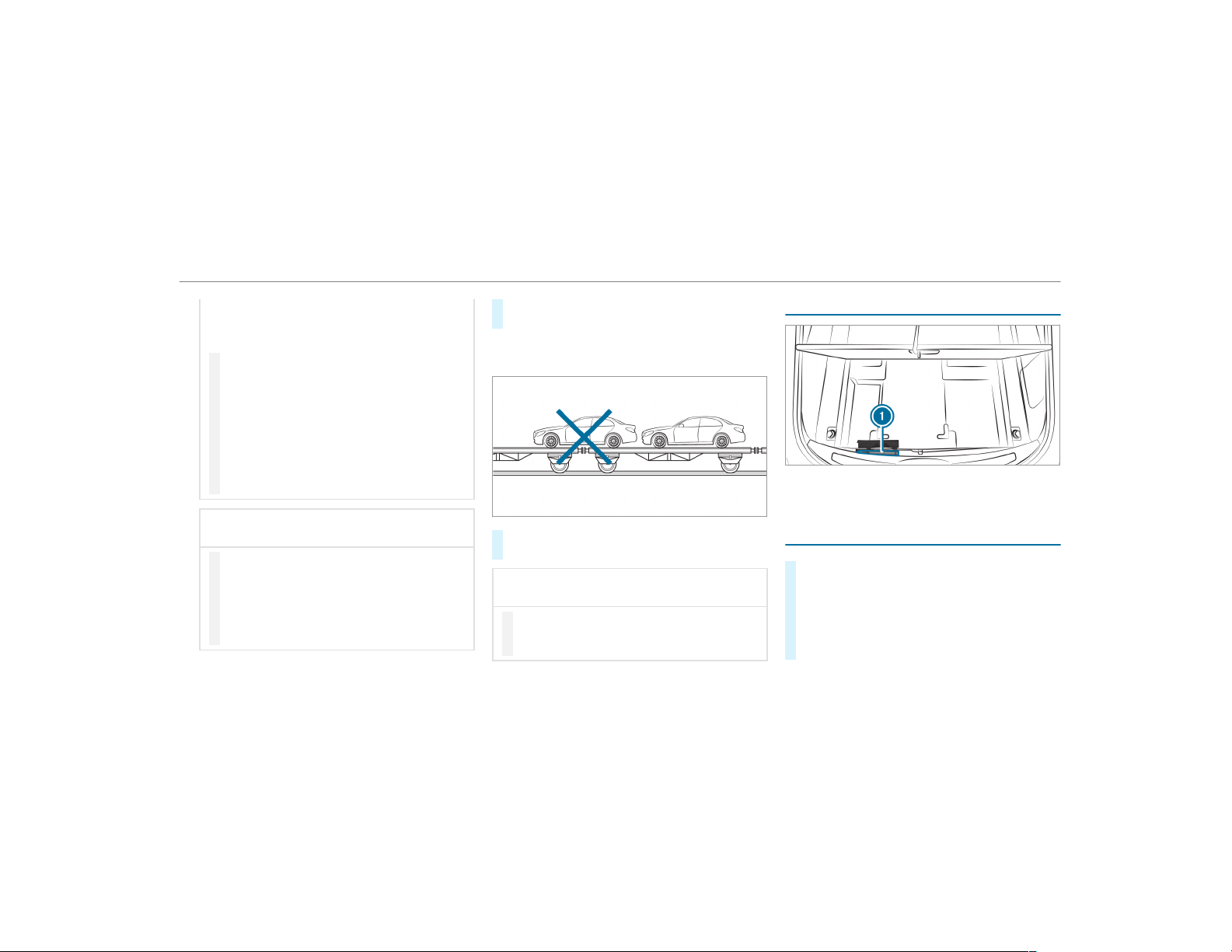
vehicle/trailer combination may start to skid.
Consequently, you could lose control of your
vehicle.
#
When transporting, ensure that:
R
The vehicle has been loaded onto
the transporter correctly
R
The vehicle is secured at all four
wheels with suitable tensioning
straps
R
The maximum permissible speed of
35 mph (60 km/h) is not exceeded
when transporting
*
NOTE Damage to the vehicle from secur‐
ing it incorrectly
#
After loading, the vehicle must be
secured at all four wheels. Otherwise,
the vehicle could be damaged.
#
A minimum distance of 8 in (20 cm) up
and 4 in (10 cm) down must be kept to
the transport platform.
#
Secure the vehicle on all four wheels after
loading.
4MATIC vehicles/vehicles with automatic
transmission
#
Make sure that the front and rear axles come
to rest on the same transportation vehicle.
*
NOTE Damage to the drivetrain due to
incorrect positioning
#
Do not position the vehicle above the
connection point of the transport vehi‐
cle.
Towing eye storage location
The towing eye is under the cargo compartment
floor under cover 1.
Installing the towing eye
#
To remove the front towing eye: pull out
cover 1.
#
To remove the rear towing eye: press the
mark on cover 1 inwards and remove.
#
Screw in the towing eye clockwise as far as it
will go and tighten.
Breakdown assistance
381
%
Make sure that cover 1 engages in the
bumper when you remove the towing eye.
*
NOTE Damage due to incorrect use of
the towing eye
When a towing eye is used to recover a vehi‐
cle, the vehicle may be damaged in the proc‐
ess.
#
Only use the towing eye to tow away or
tow start the vehicle.
Tow starting the vehicle (emergency engine
start)
Vehicles with automatic transmission
*
NOTE Damage to the automatic trans‐
mission due to tow starting
The automatic transmission may be damaged
in the process of tow starting vehicles with
automatic transmission.
#
Vehicles with automatic transmission
must not be tow started.
#
Vehicles with automatic transmission must
not be tow-started.
Electrical fuses
Notes on electrical fuses
&
WARNING Risk of accident and injury
due to overloaded lines
If you manipulate or bridge a faulty fuse or if
you replace it with a fuse with a higher
amperage, the electric line could be overloa‐
ded.
This could result in a fire.
#
Always replace faulty fuses with speci‐
fied new fuses containing the correct
amperage.
*
NOTE Damage due to incorrect fuses
Electrical components or systems may be
damaged by incor rect fuses, or their func‐
tionality may be significantly impaired.
#
Only use fuses that have been approved
by Mercedes-Benz and which have the
correct fuse rating.
Blown fuses must be replaced with fuses of the
same rating, which you can recognize by the
color and fuse rating. The fuse ratings and fur‐
ther information to be observed are listed in the
fuse assignment diagram.
Fuse assignment diagram: on the fuse box in
the cargo compartment (
→ page 384).
*
NOTE Damage or malfunctions caused
by moisture
Moisture may cause damage to the electrical
system or cause it to malfunction.
#
When the fuse box is open, make sure
that no moisture can enter the fuse
box.
#
When closing the fuse box, make sure
that the seal of the lid is positioned cor‐
rectly on the fuse box.
382
Breakdown assistance
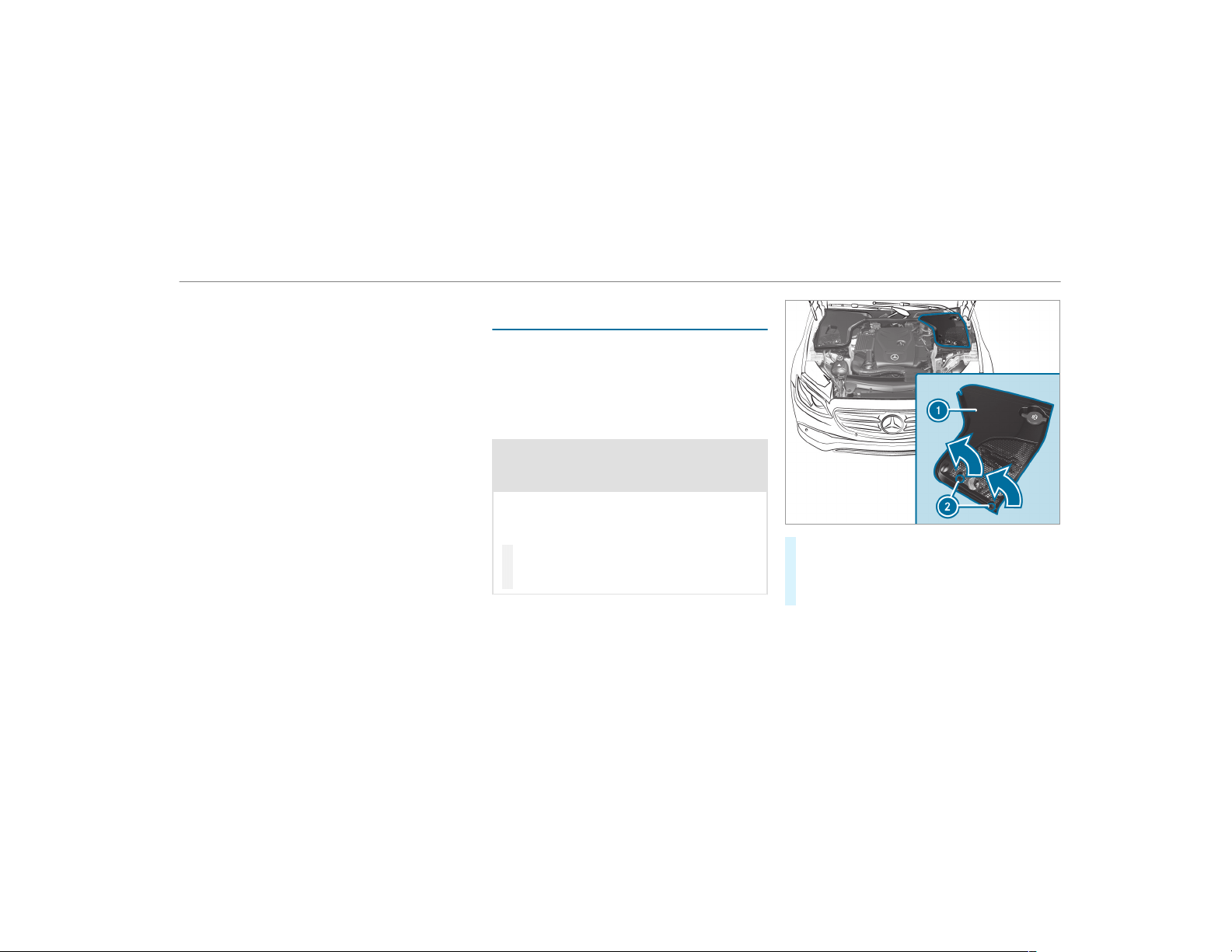
If the newly inserted fuse also blows, have the
cause traced and rectified at a qualified special‐
ist workshop, e.g. an authorized Mercedes-Benz
Center.
Ensure the following before replacing a fuse:
R
The vehicle is secured against rolling away.
R
All electrical consumer s are switched off.
R
The ignition is switched off.
The electrical fuses are located in various fuse
boxes:
R
Fuse box in the engine compartment on the
driver's side (→ page 383)
R
Fuse box on the driver's side of the cockpit
(→ page 384)
R
Fuse box in the front passenger footwell
(→ page 384)
R
Fuse box in the cargo compartment on the
right-hand side of the vehicle, when viewed
in the direction of travel (→ page 384)
Opening and closing the fuse box in the
engine compartment
Requirements:
R
You need a dry cloth and a screwdriver.
Observe the notes on electrical fuses
(→ page 382).
Opening
&
WARNING Risk of injury from using the
windshield wipers while the engine hood
is open
When the engine hood is open and the wind‐
shield wipers are set in motion, you can be
trapped by the wiper linkage.
#
Always switch off the windshield wipers
and ignition before opening the engine
hood.
#
Turn clip 2 on cover 1 a quarter-turn to
the left.
#
Pull cover 1 upwards in the direction of the
arrow.
Breakdown assistance
383
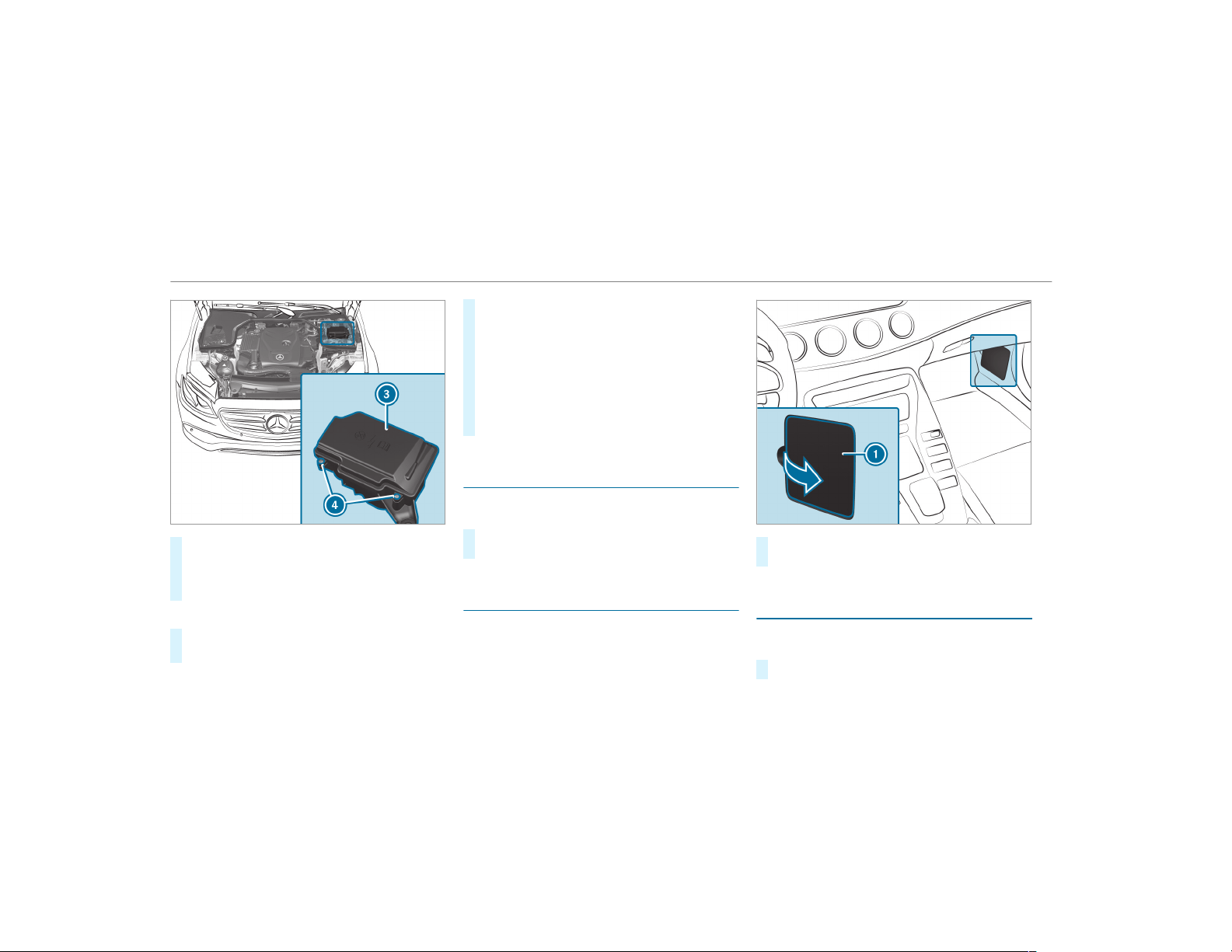
#
Remove any existing moisture from the fuse
box using a dry cloth.
#
Loosen screws 4, remove fuse box lid 3
from the top.
Closing
#
Check whether the seal is positioned cor‐
rectly in lid 3.
#
Insert lid 3 into the bracket at the rear of
the fuse box.
#
Fold down lid 3 of the fuse box and tighten
screws 4.
#
Insert cover 1 on both sides.
#
Turn clip 2 on cover 1 one quarter-turn to
the right.
#
Close the hood.
Opening and closing the fuse box in the
cockpit
The fuse box is on the side of the dashboard
under a cover.
#
Contact an authorized Mercedes-Benz Cen‐
ter for further information.
Opening and closing the fuse box in the front
passenger footwell
Observe the notes on electrical fuses
(→ page 382).
#
Open cover 1 in the direction of the arrow
and remove it.
Opening and closing the fuse box in the
cargo compartment
Observe the notes on electrical fuses
(→ page 382).
#
Open the cargo compartment floor .
384
Breakdown assistance
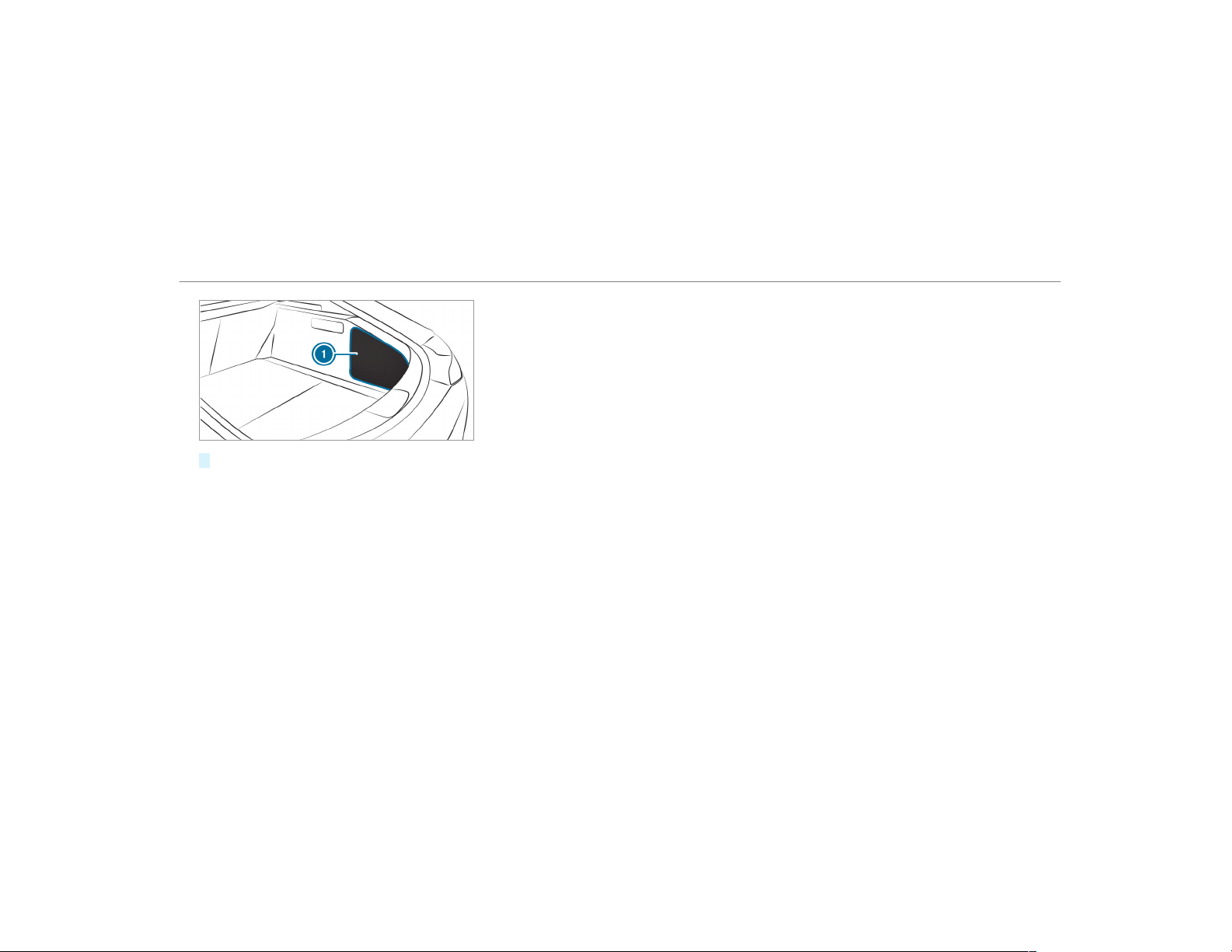
#
Remove cover 1.
The fuse allocation chart is on the side of the
fuse box.
Breakdown assistance
385
Notes on noise or unusual handling charac‐
teristics
While driving, pay attention to vibrations, noises
and unusual handling characteristics, e.g. pulling
to one side. This may indicate that the wheels or
tires are damaged. If you suspect that a tire is
defective, reduce your speed immediately. Stop
the vehicle as soon as possible to check the
wheels and tires for damage. Hidden tire dam‐
age could also be causing the unusual handling
characteristics. If you find no signs of damage,
have the tires and wheels checked at a qualified
specialist workshop.
Notes on regularly inspecting wheels and
tires
&
WARNING Risk of accident from dam‐
aged tires
Damaged tires can cause tire pressure loss.
As a result, you could lose control of your
vehicle.
#
Check the tires regularly for signs of
damage and replace any damaged tires
immediately.
&
WARNING Risk of aquaplaning due to
insufficient tire tread
Insufficient tire tread will result in reduced
tire grip. The tire tread is no longer able to
dissipate water.
This means that in heavy rain or slush the
risk of hydroplaning is increased, in particu‐
lar if vehicle speed is not adapted to suit the
conditions.
If the tire pressure is too high or too low,
tires may exhibit different levels of wear at
different locations on the tire contact sur‐
face.
#
Thus, you should regularly check the
tread depth and the condition of the tire
contact surface across the entire width
of all tires.
Minimum tread depth for:
R
Summer tires: â in (3 mm)
R
M+S tires: ã in (4 mm)
#
For safety reasons, replace the tires
before the legally prescribed limit for
the minimum tread depth is reached.
Carry out the following checks on all wheels reg‐
ularly, at least once a month or as required, e.g.
prior to a long journey or driving off-road:
R
Check the tire pressure (→ page 388).
R
Visually inspect tires and wheels for damage.
R
Check the valve caps.
The valves must be protected against mois‐
ture and dirt by the valve caps approved
especially for your vehicle by Mercedes-Benz.
R
Visual check of the tire tread depth and the
tire contact surface across the entire width.
The minimum tread depth for summer tires is
â in (3 mm) and for winter tires ã in
(4 mm).
386
Wheels and tires
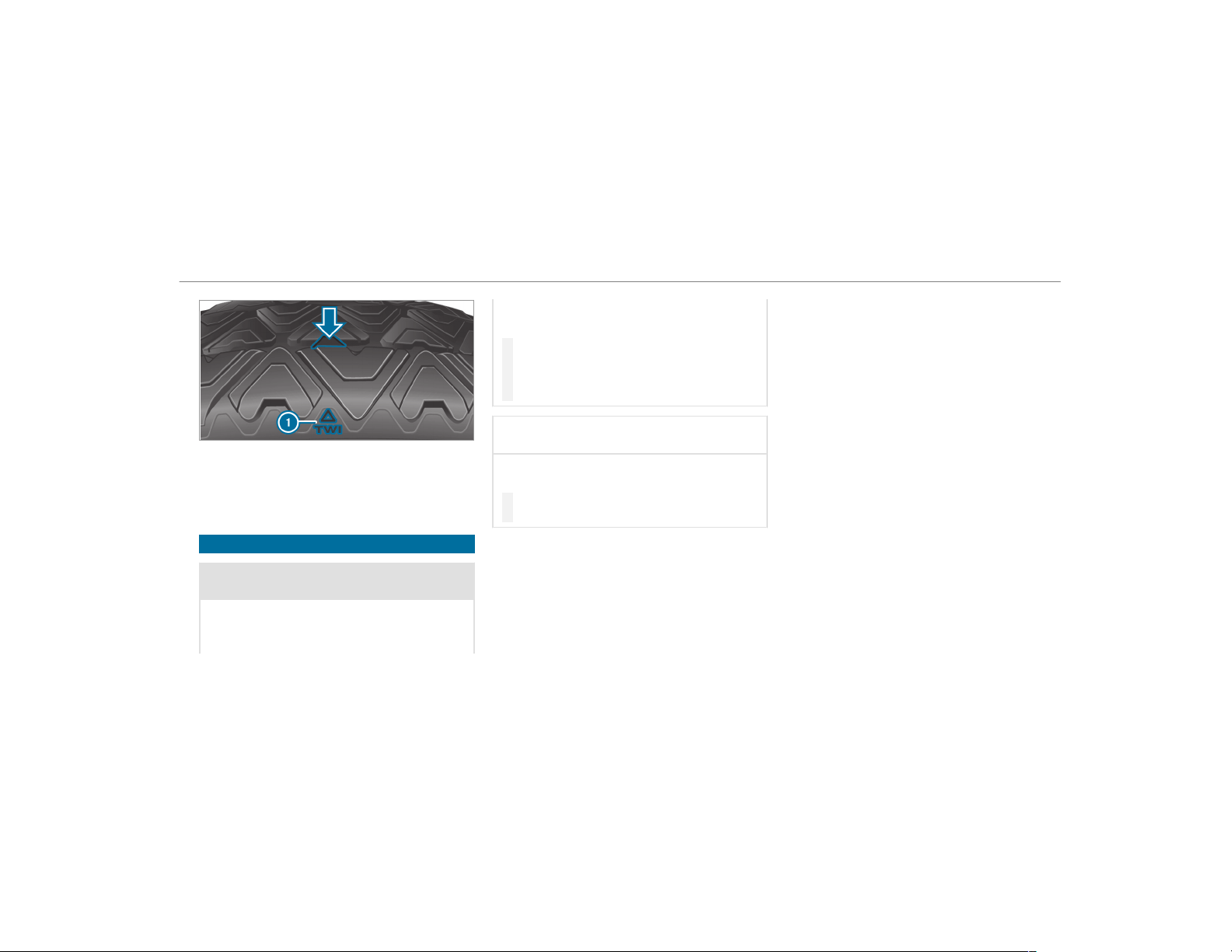
Six marks 1 show where the bar indicators
(arrow) are integrated into the tire tread. They
are visible once a tread depth of approximately
á in (1.6 mm) has been reached.
Notes on snow chains
&
WARNING Risk of accident due to incor‐
rect mounting of snow chains
If you have mounted snow chains to the front
wheels, the snow chains may drag against
the vehicle body or chassis components.
This could cause damage to the vehicle or
the tires.
#
Never mount snow chains on the front
wheels.
#
Only mount snow chains on the rear
wheels in pairs.
*
NOTE Damage to the wheel trim from
mounted snow chains
If snow chains are mounted to steel wheels,
the wheel trims can be damaged.
#
Remove the wheel trims of steel wheels
before mounting snow chains.
Observe the following notes when using snow
chains:
R
Snow chains are only permissible for certain
wheel/tire combinations. You can obtain
information about this from an authorized
Mercedes-Benz Center.
R
For safety reasons, only use snow chains that
have been specifically approved for your
vehicle by Mercedes-Benz, or snow chains
with the same quality standard.
R
If snow chains are installed, the maximum
permissible speed is 30 mph (50 km/h).
R
Vehicles with Active Parking Assist: Do
not use Active Parking Assist when snow
chains are installed.
R
Vehicles with level control: If snow chains
are installed, only drive at raised vehicle
level.
%
You can deactivate ESP
®
to pull away . This
allows the wheels to spin, achieving an
increased driving force.
Wheels and tires
387
Tire pressure
Notes on tire pressure
&
WARNING Risk of accident due to insuf‐
ficient or excessive tire pressure
Underinflated or overinflated tires pose the
following risks:
R
The tires may burst, especially as the
load and vehicle speed increase.
R
The tires may wear excessively and/or
unevenly, which may greatly impair tire
traction.
R
The driving characteristics, as well as
steering and braking, may be greatly
impaired.
#
Comply with the recommended tire
pressure and check the tire pressure of
all tires including the spare wheel regu‐
larly:
R
at least once a month
R
when the load changes
R
before embarking on a longer journey
R
if operating conditions change, e.g. off-
road driving
#
Adjust the tire pressure as necessary.
Driving with tire pressure that is too high or too
low can:
R
Shorten the service life of the tires.
R
Cause increased tire damage.
R
Adversely affect driving characteristics and
thus driving safety, e.g. due to hydroplaning.
&
WARNING Risk of an accident due to
insufficient tire pressure
Tires with pressure that is too low can over‐
heat and burst as a result.
In addition, they also suffer from excessive
and/or irregular wear, which can significantly
impair the braking properties and the han‐
dling characteristics.
#
Avoid excessively low tire pressures in
all the tires, including the spare wheel.
Tire pressure which is too low can cause:
R
Tire defects as a result of overheating
R
Impaired handling characteristics
R
Irregular wear
R
Increased fuel consumption
&
WARNING Risk of accident from exces‐
sive tire pressure
Tires with excessively high pressure can
burst because they are damaged more easily
by highway fill, pot holes etc.
In addition, they also suffer from irregular
wear, which can significantly impair the brak‐
ing properties and the handling characteris‐
tics.
#
Avoid excessively high tire pressures in
all the tires, including the spare wheel.
Excessively high tire pressure can result in:
R
Increased braking distance
R
Impaired handling characteristics
R
Irregular wear
388
Wheels and tires
R
Impaired driving comfort
R
Susceptibility to damage
&
WARNING Risk of accident caused by
repeated drop in tire pressure
If the tire pressure drops repeatedly, the
wheel, valve or tire may be damaged.
Insufficient tire pressure can cause the tires
to burst.
#
Inspect the tire for signs of foreign
objects.
#
Check whether the wheel or valve has a
leak.
#
If you are unable to rectify the damage,
contact a qualified specialist workshop.
You can find information on tire pressure for the
vehicle's factory-installed tires on the following
labels:
R
Tire and Loading Information placard on the
B‑pillar of your vehicle (→ page 393).
R
Tire pressure table on the inside of the fuel
filler flap (→ page 389).
Observe the maximum tire pressure
(→ page 400).
Use a suitable tire pressure gauge to check the
tire pressure. The outer appearance of a tire
does not permit any reliable conclusion about
the tire pressure.
Vehicles with a tire pressure monitoring sys‐
tem: You can also check the tire pressure using
the on-board computer.
Only correct tire pressure when the tires are
cold. Conditions for cold tires:
R
The vehicle has been parked with the tires
out of direct sunlight for at least three hours.
R
The vehicle has traveled less than 1 mile
(1.6 km).
A rise in the tire temperature of 18 °F (10 °C)
increases the tire pressure by approx. 10 kPa
(0.1 bar/1.5 psi). Take this into account when
checking the tire pressure of warm tires.
The tire pressure recommended for increased
load/speed in the tire pressure table can affect
the ride comfort.
&
WARNING Risk of accident from unsuita‐
ble accessories on the tire valves
If you mount unsuitable accessories onto tire
valves, the tire valves may be overloaded and
malfunction, which can cause tire pressure
loss. Tire pressure monitoring systems for
retrofitting will cause the tire valve to remain
open. This can also result in tire pressure
loss.
#
Only screw standard valve caps or valve
caps specifically approved by
Mercedes-Benz for your vehicle onto
the tire valve.
Tire pressure table
The tire pressure ta ble is on the inside of the
fuel filler flap.
%
The data shown in the images is example
data.
Wheels and tires
389
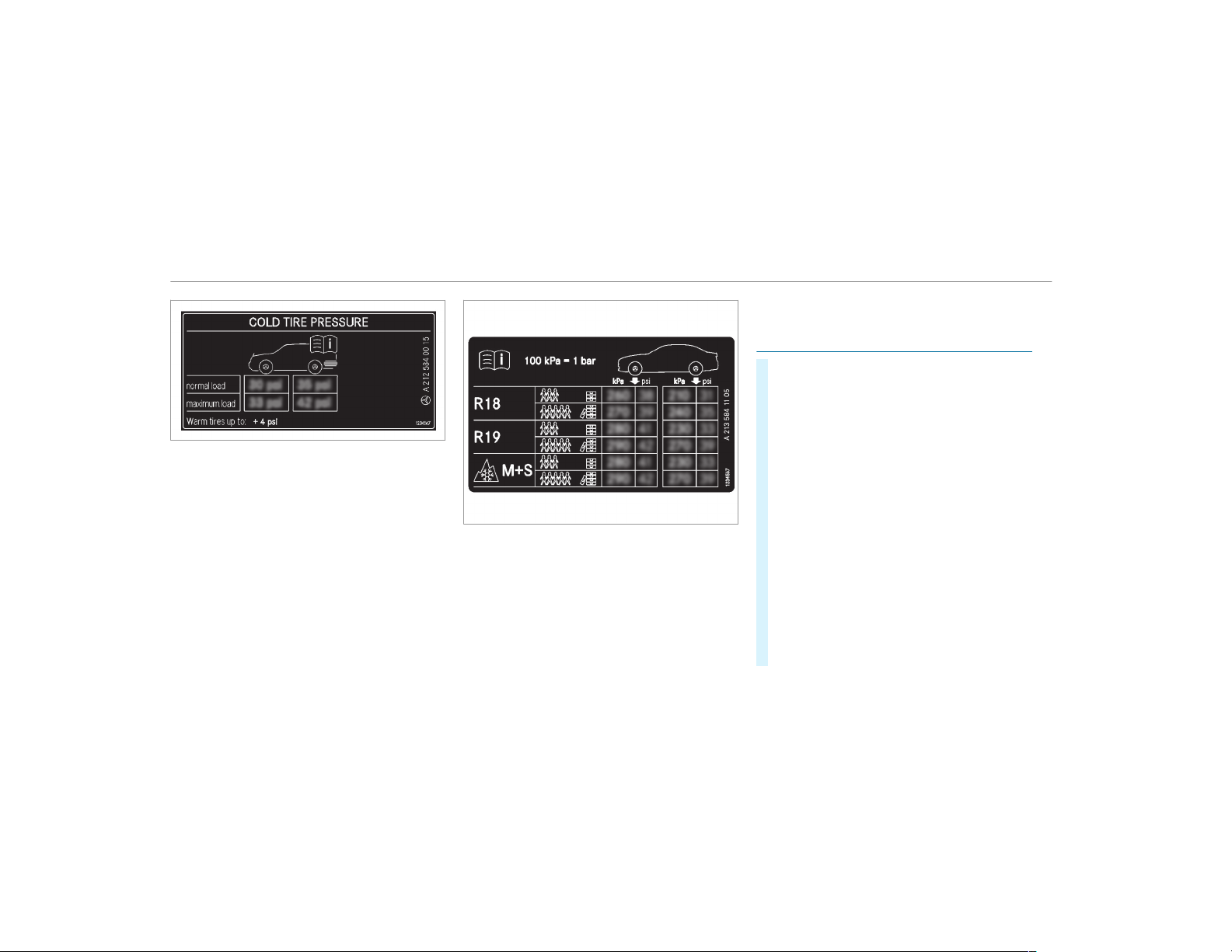
The tire pressure ta ble shows the recommended
tire pressure for all tires approved for this vehi‐
cle. The recommended tire pressures apply for
cold tires under various operating conditions, i.e.
loading and/or speed of the vehicle.
If one or more tire sizes precede a tire pressure,
the tire pressure information following is only
valid for those tire sizes.
The load conditions "partially laden" and "fully
laden" are defined in the table for different num‐
bers of passengers and amounts of luggage. The
actual number of seats may differ from this.
Some tire pressure tables only show the rim
diameter instead of the complete tire size, e.g.
R18. The rim diameter is part of the tire size and
can be found on the tire side wall (→ page 401).
Be sure to also observe the following further
related subjects:
R
Notes on tire pressure (→ page 388)
R
Tire and Loading Information placard
(→ page 393)
R
Maximum tire pressure (→ page 400)
Checking tire pressures manually
#
Read the tire pressure for the current operat‐
ing conditions from the Tire and Loading
Information placard or the tire pressure
table. Observe the notes on tire pressure.
#
Remove the valve cap of the tire to be
checked.
#
Press the tire pressure gauge securely onto
the valve.
#
Read the tire pressure.
#
If the tire pressure is lower than the recom‐
mended value, increase the tire pressure to
the recommended value.
#
If the tire pressure is higher than the recom‐
mended value, release air. To do so, press
down the metal pin in the valve, e.g. using
the tip of a pen for example. Then check the
tire pressure again using the tire pressure
gauge.
#
Screw the valve cap onto the valve.
390
Wheels and tires

Further related subjects:
R
Notes on tire pressure (→ page 388)
R
Tire pressure table (→ page 389)
R
Tire and Loading Information placard
(→ page 393)
Tire pressure monitoring system
Function of the tire pressure monitoring sys‐
tem
&
DANGER Risk of accident due to incor‐
rect tire pressure
Every tire, including the spare (if provided),
should be checked when cold at least once a
month and inflated to the pressure recom‐
mended by the vehicle manufacturer (see
Tire and Loading Information placard on the
B-pillar on the driver’s side or the tire pres‐
sure label on the inside of the fuel f iller flap
of your vehicle). If your vehicle has tires of a
different size than the size indicated on the
Tire and Loading Information placard or the
tire pressure table, you need to determine
the proper tire pressure for those tires.
As an added safety feature, your vehicle has
been equipped with a tire pressure monitor‐
ing system (TPMS) that illuminates a low tire
pressure indicator lamp when one or more of
your tires are signif icantly underinflated.
Accordingly, if the low tire pressure indicator
lamp lights up, you should stop and check
your tires as soon as possible, and inflate
them to the proper pressure. Driving on a
significantly underinflated tire causes the tire
to overheat and can lead to tire failure.
Underinflation also increases fuel consump‐
tion and reduces tire tread life, and may
affect the vehicle's handling and braking abil‐
ity. Please note that the TPMS is not a substi‐
tute for proper tire maintenance, and it is the
driver's responsibility to maintain correct tire
pressure, even if underinflation has not
reached the level to trigger illumination of
the TPMS low tire pressure indicator lamp.
Your vehicle has also been equipped with a
TPMS malfunction indicator to indicate when
the system is not operating properly. The
TPMS malfunction indicator is combined with
the low tire pressure indicator lamp. When
the system detects a malfunction, the indica‐
tor lamp will flash for approximately a minute
and then remain continuously illuminated.
This sequence will continue upon subsequent
vehicle start-ups as long as the malfunction
exists.
When the malfunction indicator is illumina‐
ted, the system may not be able to detect or
signal low tire pressure as intended. TPMS
malfunctions may occur for a variety of rea‐
sons, including the installation of incompati‐
ble replacement or alternate tires or wheels
on the vehicle that prevent the TPMS from
functioning properly.
Always check the TPMS malfunction warning
lamp after replacing one or more tires or
wheels on your vehicle to ensure that the
replacement or alternate tires and wheels
allow the TPMS to continue to function prop‐
erly.
Wheels and tires
391
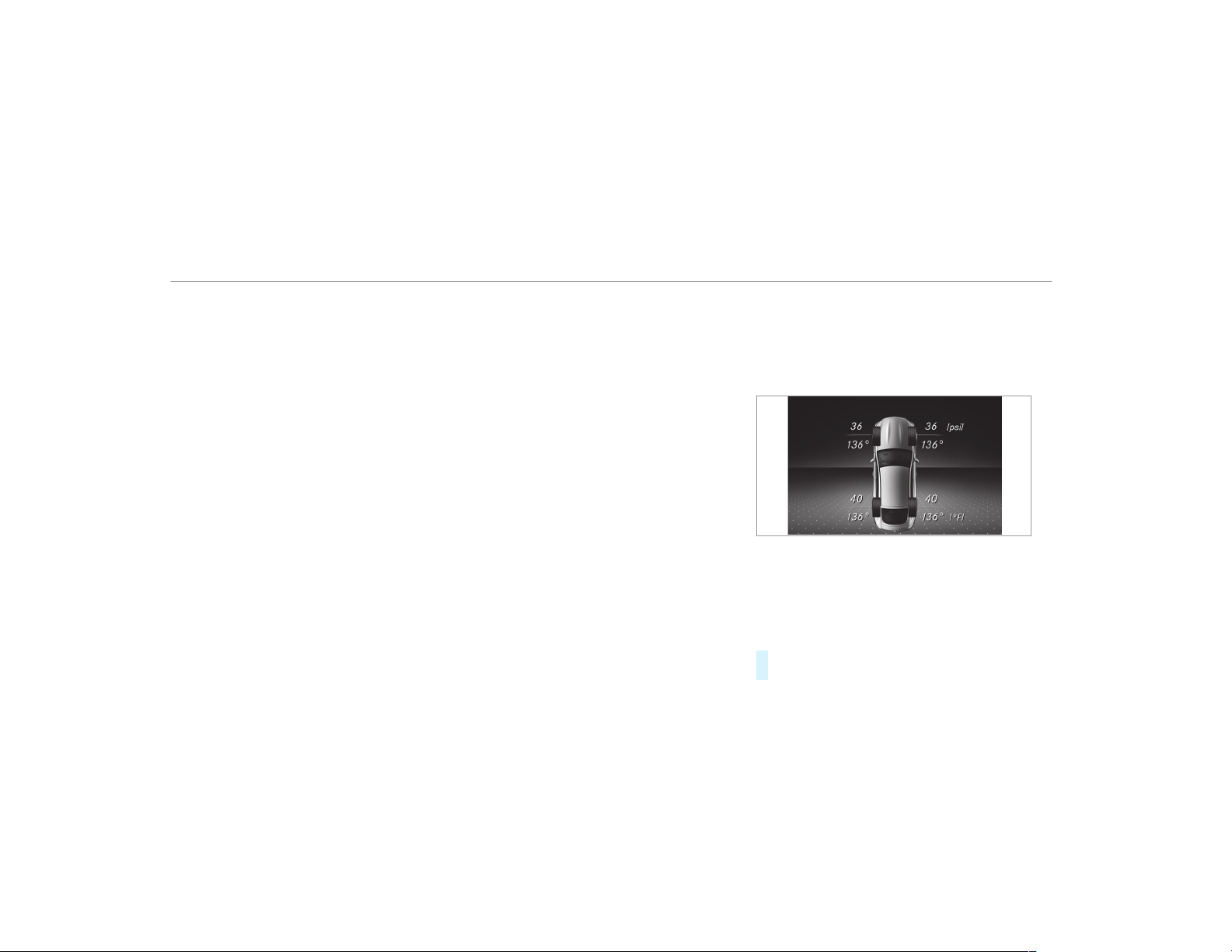
The system checks the tire pressure and the tire
temperature of the tires installed on the vehicle
by means of a tire pressure sensor.
New tire pressure sensors, e.g. in winter tires,
are automatically taught-in during the first jour‐
ney they are used.
The tire pressure and the tire temperature
appear in the multifunction display
(
→ page 392).
If there is a substantial pressure loss or if the
tire temperature is excessive, you will be warned
in the following ways:
R
via display messages (→ page 458)
R
via the h warning lamp in the instrument
cluster (→ page 486)
The tire pressure monitoring system is only an
aid. It is the driver's responsibility to set the tire
pressure to the recommended cold tire pressure
suitable for the operating situation. Set the tire
pressure for cold tires using a tire pressure
gauge. Note that the correct tire pressure for the
current operating situation must f irst be taught-
in to the tire pressure monitoring system.
In most cases, the tire pressure monitoring sys‐
tem will automatically update the new reference
values after you have changed the tire pressure.
You can, however, also update the reference val‐
ues by restarting the tire pressure monitoring
system manually (
→ page 393).
System limitations
The system may be impaired or may not function
in the following situations:
R
If the tire pressure is set incorrectly
R
If there is a sudden pressure loss caused, for
example, by a foreign object penetrating the
tire
R
If there is a malfunction caused by another
radio signal source
Make sure to observe the following further rela‐
ted subject:
R
Notes on tire pressure (→ page 388)
Checking the tire pressure with the tire pres‐
sure monitoring system
Requirements:
R
The ignition is switched on.
On-board computer:
,
Service
.
Tires
One of the following displays appears:
R
Current tire pressure and tire temperature of
the individual wheels:
R
Tire pressure will be displayed after driving a
few minutes
R
Tire Pressure Monitor Active: the teach-in
process of the system is not yet complete.
The tire pressures are already being moni‐
tored.
#
Compare the tire pressure with the recom‐
mended tire pressure for the current operat‐
392
Wheels and tires
ing condition (→ page 389). Observe the
notes on tire temperature (→ page 388).
%
The values displayed in the multifunction dis‐
play may deviate from those of the tire pres‐
sure gauge as they refer to sea level. At high
altitudes, the tire pressure values indicated
by a pressure gauge are higher than those
shown by the on-board computer. In this
case, do not reduce the tire pressure.
Make sure to observe the following further rela‐
ted subject:
R
Notes on tire pressure (→ page 388)
Restarting the tire pressure monitoring sys‐
tem
Requirements:
R
The recommended tire pressure is correctly
set for the respective operating status on
each of the four wheels (→ page 388).
Restart the tire pressure monitoring system in
the following situations:
R
The tire pressure has changed.
R
The wheels or tires have been changed or
newly installed.
On-board computer:
,
Service
.
Tires
#
Swipe downwards on the Touch Control on
the left-hand side of the steering wheel.
The Use Current Pressures as New Refer-
ence Values? message is shown in the multi‐
function display.
#
To begin restart, press the Touch Control on
the left-hand side of the steering wheel.
The Tire Press. Monitor Restarted message is
shown in the multifunction display.
Current warning messages are deleted and
the h yellow warning lamp goes out.
After you have been driving for a few
minutes, the system checks whether the cur‐
rent tire pressures are within the specified
range. The current tire pressures are then
accepted as reference values and monitored.
Make sure to observe the following further rela‐
ted subject:
R
Notes on tire pressure (→ page 388)
Radio equipment approval of the tire pres‐
sure monitoring system
Radio equipment approval numbers
Country Radio type approval number
Canada IC: 2546A-AG5SP4
USA FCC ID: MRXAG5SP4
FCC ID: MRXMFR
Further information on the declaration of con‐
formity for wireless vehicle components
(→ page 24).
Loading the vehicle
Notes on Tire and Loading Information plac‐
ard
&
WARNING Risk of accident from overloa‐
ded tires
Overloaded tires may overheat and burst as a
consequence. Overloaded tires can also
Wheels and tires
393
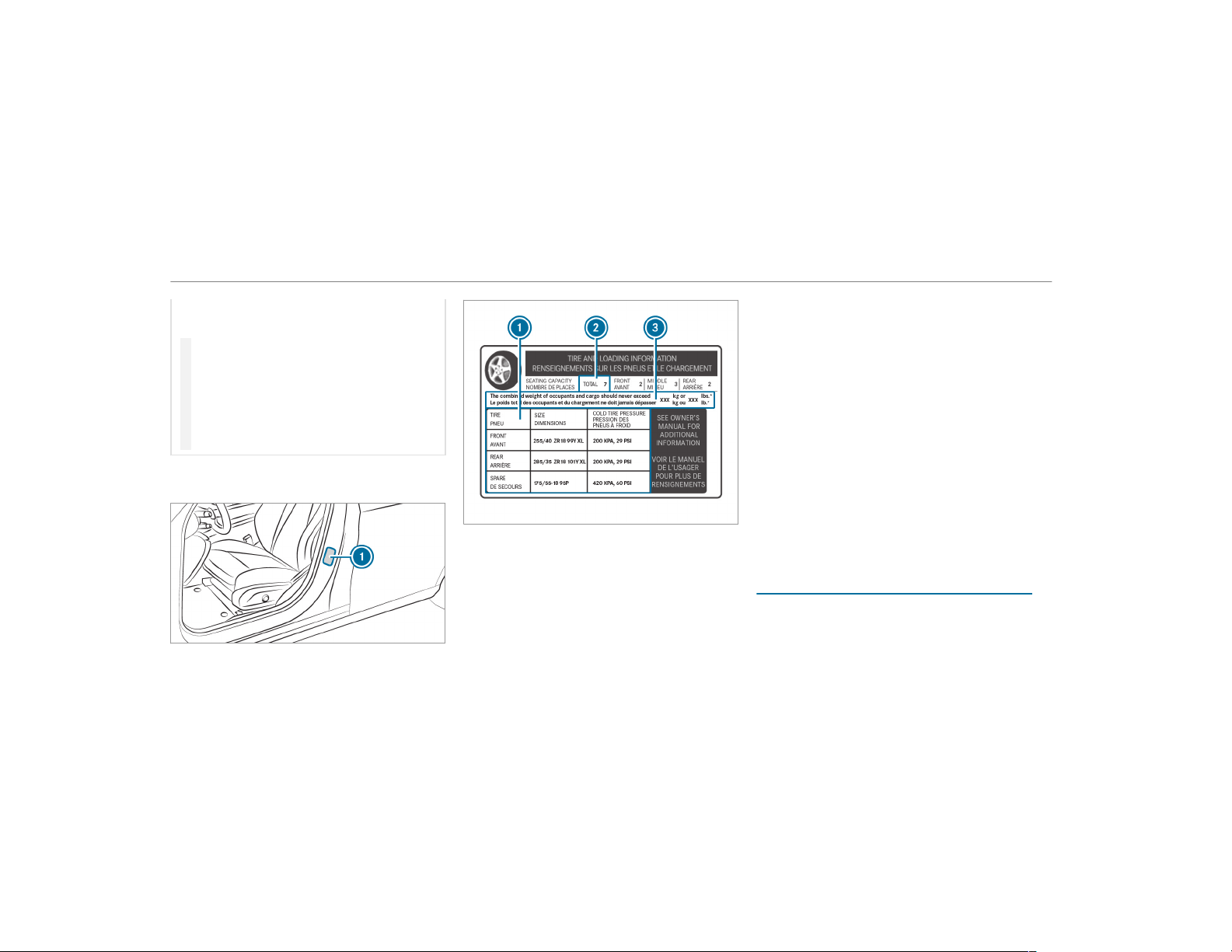
impair the steering and handling characteris‐
tics and lead to brake failure.
#
Observe the load-bearing capacity of
the tires.
#
The load-bearing capacity must be at
least half the gross axle weight rating of
the vehicle.
#
Never overload the tires by exceeding
the maximum load.
The Tire and Loading Information placard is on
the B-pillar on the driver's side of the vehicle.
1
Tire and Loading Information placard
%
The data shown in the illustration is example
data.
The Tire and Loading Information placard shows:
R
Maximum number of seats 2 according to
the maximum number of people permitted to
travel in the vehicle.
R
Maximum permissible load 3 comprises the
gross weight of all vehicle occupants, load
and luggage.
R
Recommended tire pressures 1 for cold
tires. The recommended tire pressures are
valid for the maximum permissible load and
up to the maximum permissible vehicle
speed.
Please also note:
R
Information on permissible weights and loads
on the vehicle identification plate
(→ page 418).
R
Information on tire pressure in the tire pres‐
sure table (→ page 389).
Further related subjects:
R
Determining the maximum permissible load
(→ page 394)
R
Notes on tire pressure (→ page 388).
Determining the maximum permissible load
The following steps have been developed as
required of all manufacturers under Title 49,
Code of U.S. Federal Regulations, Part 575, pur‐
suant to the "National Traffic and Motor Vehicle
Safety Act of 1966".
394
Wheels and tires

#
Step 1: locate the statement "The combined
weight of occupants and load should never
exceed XXX kg or XXX lbs." ("The combined
weight of occupants and load should never
exceed XXX kg or XXX lbs.") on your vehicle's
Tire and Loading Information placard.
#
Step 2: determine the combined weight of
the driver and passengers that will be travel‐
ing in your vehicle.
#
Step 3: subtract the combined weight of the
driver and passengers from XXX kg or
XXX lbs.
#
Step 4: the resulting figure equals the per‐
missible cargo and luggage load capacity. For
example: If "XXX" equals 1400 lbs and there
are five occupants in your vehicle with a
weight of 150 lbs each, the maximum cargo
and luggage load capacity is 650 lbs (1400 -
750 (5 x 150) = 650 lbs).
#
Step 5: determine the combined weight of
luggage and load that the vehicle will be car‐
rying. For safety reasons, this weight may not
safely exceed the available cargo and lug‐
gage load capacity calculated in step 4.
Even if you have calculated the total load care‐
fully, you should still make sure that the maxi‐
mum permissible gross mass and the maximum
permissible axle load of your vehicle are not
exceeded. Details can be found on the vehicle
identification plate.
#
Have your loaded vehicle – including driver,
occupants and load – weighed on a vehicle
weighbridge.
The measured values may not exceed the
maximum permissible values stated on the
vehicle identification plate.
Further related subjects:
R
Calculation example for determining the max‐
imum load (→ page 395)
R
Tire and Loading Information placard
(→ page 393)
R
Tire pressure table (→ page 389)
R
Vehicle identification plate
Calculation example for determining the
maximum load
The following table shows examples of how to
calculate total and load capacities with varying
seating configurations and different numbers
and sizes of occupants. The following examples
use a maximum load of 1500 lbs (680 kg). This
is for illustration purposes only. Make sure
you are using the actual load limit for your vehi‐
cle stated on your vehicle's Tire and Loading
Information placard (
→ page 393).
The higher the weight of all the occupants, the
smaller the maximum load for luggage.
Wheels and tires
395

Step 1
Example 1 Example 2
Combined maximum weight of occupants and
load (data from the Tire and Loading Information
placard)
1500 lbs (680 kg) 1500 lbs (680 kg)
Step 2
Example 1 Example 2
Number of people in the vehicle (driver and
occupants)
5 1
Distribution of the occupants Front: 2
Rear: 3
Front: 1
Weight of occupants Occupant 1: 150 lbs (68 kg)
Occupant 2: 180 lbs (82 kg)
Occupant 3: 160 lbs (73 kg)
Occupant 4: 140 lbs (63 kg)
Occupant 5: 120 lbs (54 kg)
Occupant 1: 200 lbs (91 kg)
Total weight of all occupants 750 lbs (340 kg) 200 lbs (91 kg)
396
Wheels and tires
Step 3
Example 1 Example 2
Permissible load (maximum gross vehicle weight
rating from the Tire and Loading Information
placard minus the gross weight of all occupants)
1500 lbs (680 kg) Ò 750 lbs (340 kg) = 750 lbs
(340 kg)
1500 lbs (680 kg) Ò 200 lbs (91 kg) = 1300 lbs
(589 kg)
Wheels and tires
397
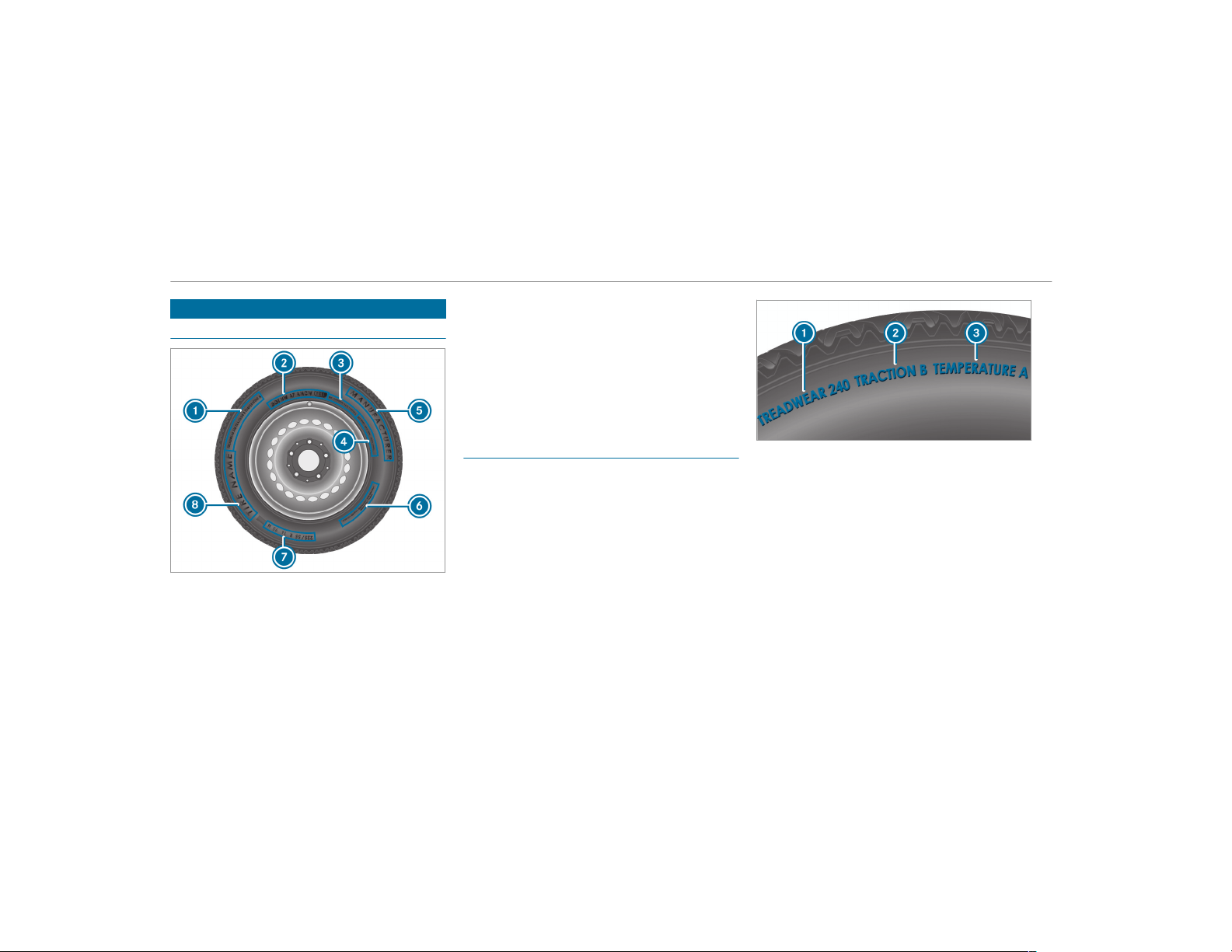
Tire labeling
Overview of tire labeling
1
Uniform Tire Quality Grading Standard
(→ page 398)
2
DOT, Tire Identification Number
(→ page 399)
3
Maximum tire load (→ page 400)
4
Maximum tire pressure (→ page 400)
5
Manufacturer
6
Characteristics of the tire (→ page 401)
7
Tire size designation, load-bearing capacity,
speed rating and load index (→ page 401)
8
Tire name
%
The data shown in the image is example
data.
Tire Quality Grading
In accordance with the US Department of Trans‐
portation's "Uniform Tire Quality Grading Stand‐
ards", tire manufacturers are required to grade
their tires on the basis of the following three per‐
formance factors:
1
Tread wear grade
2
Traction grade
3
Temperature grade
%
The data shown in the image is example
data.
%
The classification is not legally stipulated for
Canada, but it is generally stated.
Tread wear grade
The tread wear gra de is a comparative rating
based on the wear rate of the tire when tested
under controlled conditions on a specified test
track of the US Department of Transportation.
For example, a tire graded 150 would wear one
398
Wheels and tires
and one-half times as well on the government
test track as a tire graded 100.
The relative per formance of tires depends upon
the actual conditions of their use, however, and
may depart significantly from the norm due to
variations in driving habits, service practices and
differences in road characteristics and climate
conditions.
Traction grade
&
DANGER Risk of accident due to inade‐
quate traction
The traction grade assigned to this tire is
based on straight-ahead braking traction
tests, and does not include either accelera‐
tion, cornering, hydroplaning or peak traction
characteristics.
#
Always adapt your driving style and
drive at a speed to suit the prevailing
traffic and weather conditions.
*
NOTE Damage to the drivetrain from
wheelspin
#
Avoid wheelspin.
The traction grades – from highest to lowest –
are AA, A, B and C. Those grades represent the
tire's ability to stop on wet pavement as meas‐
ured under controlled conditions on specified
government test surfaces made of asphalt and
concrete.
Temperature grade
&
WARNING Risk of accident from tire
overheating and tire failure
The temperature grade for this tire is estab‐
lished for a tire that is properly inflated and
not overloaded. Excessive speed, underinfla‐
tion, or excessive loading, either separately
or in combination, can cause excessive heat
build-up and possible tire failure.
#
Observe the recommended tire pres‐
sures and regularly check the tire pres‐
sure of all tires including the spare
wheel.
#
Adjust the tire pressure as necessary.
The temperature grades are A (the highest), B
and C. They represent the tire's resistance to the
generation of heat and its ability to dissipate
heat when tested under controlled conditions on
a specified indoor laboratory test wheel. Sus‐
tained high temperature can cause the material
of the tire to degenerate and reduce tire life, and
excessive temperature can lead to sudden tire
failure. Grade C corresponds to a level of per‐
formance which all passenger car tires must
meet under the requirements of the US Depart‐
ment of Transportation.
DOT, Tire Identification Number (TIN)
US tire regulations stipulate that every tire man‐
ufacturer or retreader must imprint a TIN in or
on the side wall of each tire produced.
Wheels and tires
399
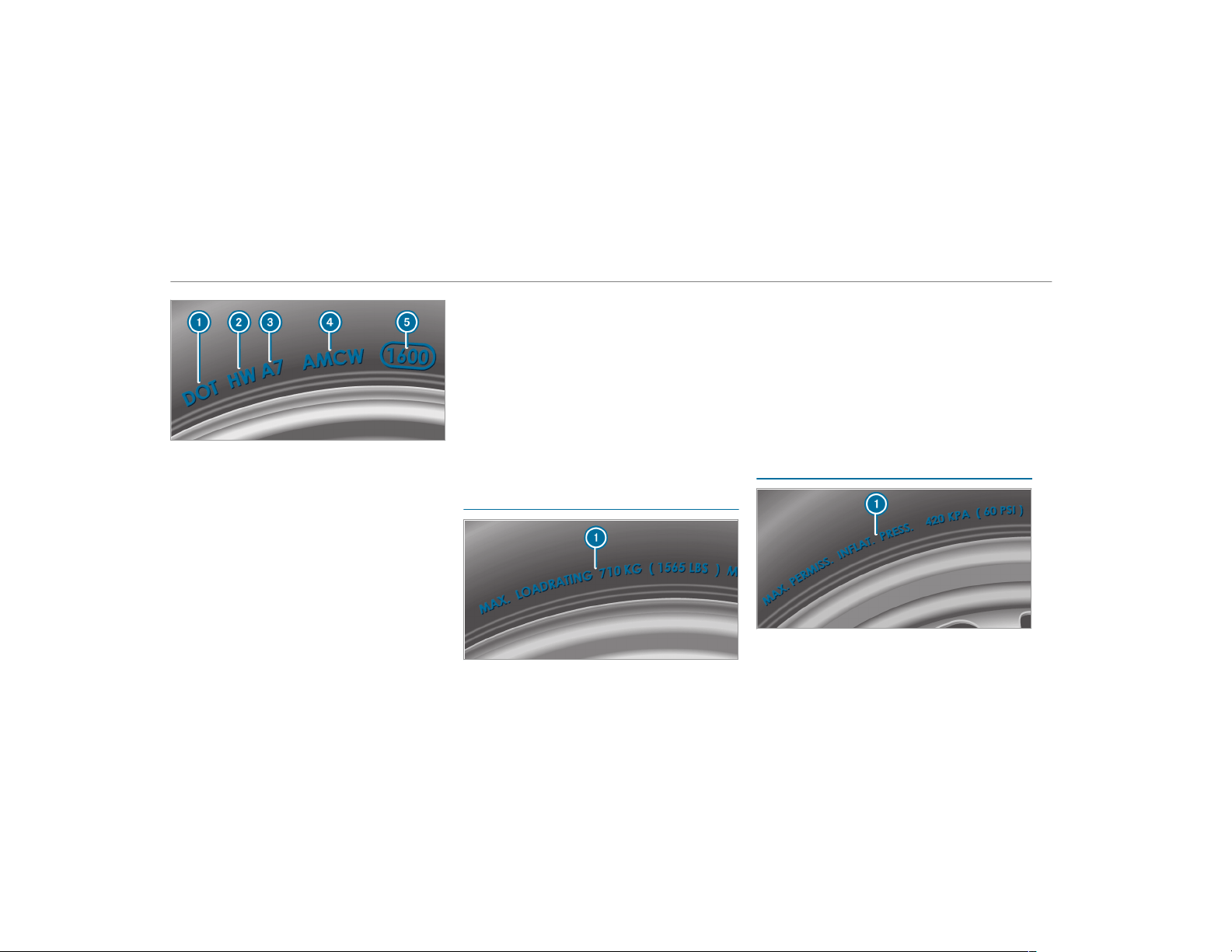
%
The data shown in the image is example
data.
The TIN is a unique identification number to
identify tires and comprises the following:
R
DOT (Department of Transportation): tire
symbol marks 1 indicating that the tire
complies with the requirements of the US
Department of Transportation.
R
Manufacturer identification code: manu‐
facturer identification code 2 contains
details of the tire manufacturer. New tires
have a code with two symbols. Retreaded
tires have a code with four symbols. Further
information on retreaded tires (
→ page 406).
R
Tire size: identifier 3 describes the tire
size.
R
Tire type code: tire type code 4 can be
used by the manufacturer as a code to
describe specific characteristics of the tire.
R
Manufacturing date: manufacturing date
5 provides information about the age of a
tire. The 1st and 2nd positions represent the
calendar week and the 3rd and 4th positions
state the year of manufacture (e.g. "3208"
represents the 32nd week of 2008).
Information on the maximum tire load
%
The data shown in the image is example
data.
Maximum tire load 1 is the maximum permissi‐
ble weight for which the tire is approved.
Do not overload the tires by exceeding the speci‐
fied load limit. The maximum permissible load
can be found on the vehicle's Tire and Loading
Information placard on the B-pillar on the dr iv‐
er's side (
→ page 393).
Specifications for maximum tire pressure
%
The data shown in the image is example
data.
400
Wheels and tires
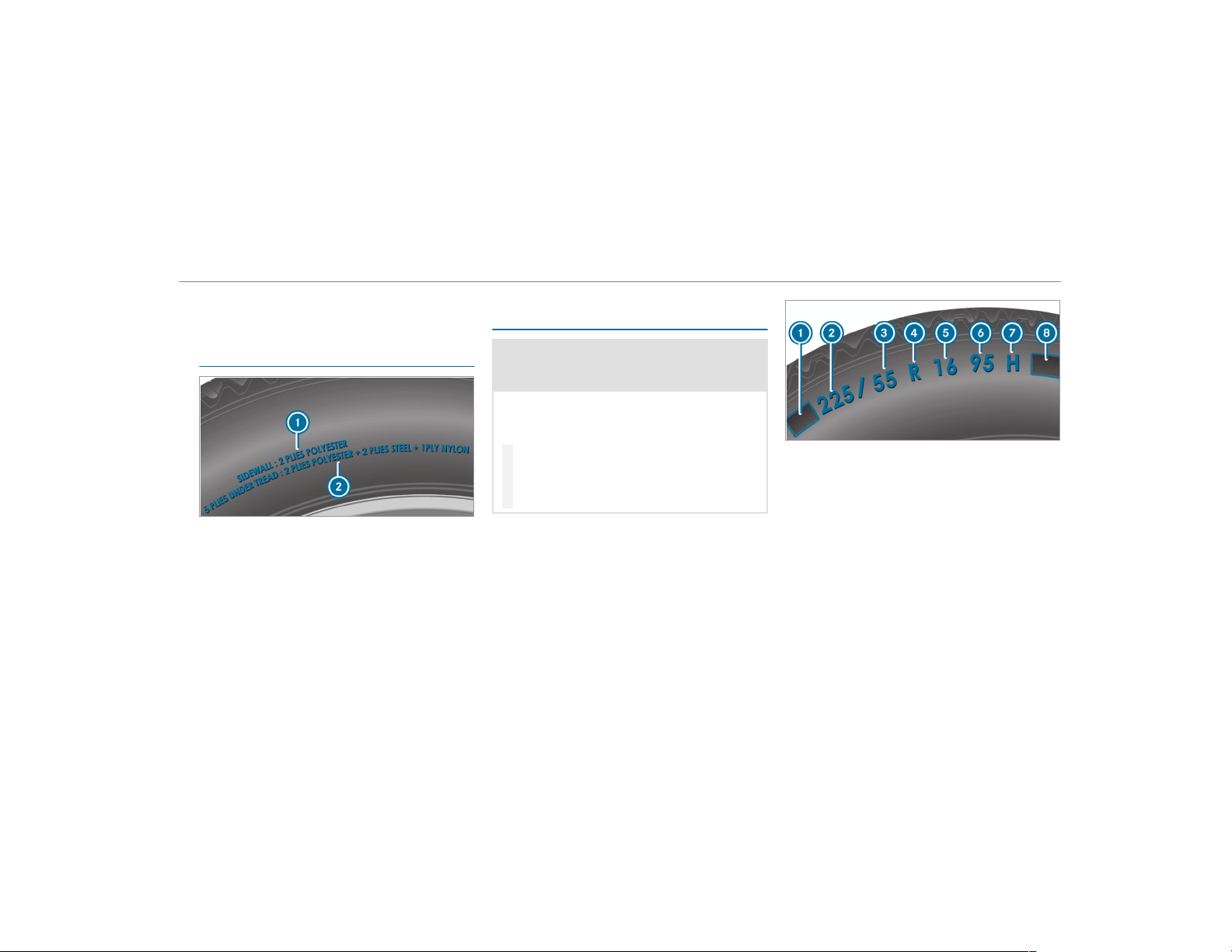
Never exceed maximum tire pressure 1 speci‐
fied for the tire.
Information on tire characteristics
%
The data shown in the image is example
data.
This information describes the type of tire cord
and the number of layers in side wall
1 and
under tire tread 2.
Tire size designation, load-bearing capacity,
speed rating and load index
&
WARNING Risk of injury through exceed‐
ing the specified tire load rating or the
permissible speed rating
Exceeding the specified tire load rating or
the per missible speed rating may lead to tire
damage and to the tires bursting.
#
Therefore, only use tire types and sizes
approved for your vehicle model.
#
Observe the tire load rating and speed
rating required for your vehicle.
1
Preceding letter
2
Nominal tire width in millimeters
3
Aspect ratio in %
4
Tire code
5
Rim diameter
6
Load-bearing index
7
Speed rating
8
Load index
%
The data shown in the image is example
data.
Information about reading tire data can be
obtained from any qualified specialist workshop.
Wheels and tires
401

Preceding letter 1:
R
Without: passenger vehicle tires according to
European manufacturing standards.
R
"P": passenger vehicle tires according to US
manufacturing standards.
R
"LT": light truck tires according to US manu‐
facturing standards.
R
"T": compact emergency spare wheels with
high tire pressure that are only designed for
temporary use in an emergency.
Aspect ratio
3:
Ratio between tire height and tire width in per‐
cent (tire height divided by tire width).
Tire code 4 (tire type):
R
"R" radial tire
R
"D": bias ply tire
R
"B": bias belted tires
R
"ZR": radial tire with a maximum speed above
149 mph (240 km/h) (optional)
Rim diameter 5:
The diameter of the bead seat (not the diameter
of the rim flange). The rim diameter is specified
in inches (in).
Load-bearing index 6:
Numerical code that specifies the maximum
load-bearing capacity of a tire (e.g. "91" corre‐
sponds to 1356 lbs (615 kg)).
The load-bearing capacity of the tire must be at
least half the permissible axle load of your vehi‐
cle. Do not overload the tires by exceeding the
specified load limit.
See also:
R
Maximum permissible load on the Tire and
Loading Information placard (→ page 393)
R
Maximum tire load (→ page 400)
R
Load index
Speed rating 7:
Specifies the approved maximum speed of the
tire.
%
An electronic speed limiter prevents your
vehicle from exceeding a speed of 130 mph
(210 km/h).
Make sure that your tires have the required
speed rating. You can obtain information on the
required speed rating from an authorized
Mercedes-Benz Center.
Summer tires
Index Speed rating
Q up to 100 mph (160 km/h)
R up to 106 mph (170 km/h)
S up to 112 mph (180 km/h)
T up to 118 mph (190 km/h)
H up to 130 mph (210 km/h)
V up to 149 mph (240 km/h)
W up to 168 mph (270 km/h)
Y up to 186 mph (300 km/h)
402
Wheels and tires
Index Speed rating
ZR...Y
1
up to 186 mph (300 km/h)
ZR...(..Y)
1
over 186 mph (300 km/h)
ZR
1
over 149 mph (240 km/h)
R
Specifying the speed rating as the "ZR" index
in tire code 4 is optional for tires up to
186 mph (300 km/h).
R
If your tire code 4 includes "ZR" and there
is no speed rating 7, find out what the max‐
imum speed is from the tire manufacturer.
R
If load-bearing index 6 and speed rating 7
are in brackets, the maximum speed rating of
your tire is above 186 mph (300 km/h). To
find out the maximum speed, ask the tire
manufacturer.
All-weather tires and winter tires
Index Speed rating
Q M+S
2
up to 100 mph (160 km/h)
T M+S
2
up to 118 mph (190 km/h)
H M+S
2
up to 130 mph (210 km/h)
V M+S
2
up to 149 mph (240 km/h)
Winter tires bear the i snowf lake symbol
and fulfill the requirements of the Rubber Manu‐
facturers Association (RMA) and the Rubber
Association of Canada (RAC) regarding the tire
traction on snow.
Load index
8:
R
No specification given: standard load (SL)
tire
R
"XL" or "Extra Load": extra load tire or rein‐
forced tire
R
"Light Load": light load tire
R
"C", "D", "E": a load range that depends on
the maximum load that the tire can carry at a
certain pressure
Definition of terms for tires and loading
Tire structure and characteristics: describes
the number of layers or the number of rubber-
coated belts in the tire contact surface and the
tire wall. These are made of steel, nylon, poly‐
ester and other materials.
Bar: metric unit for tire pressure.
14.5038 pounds per square inch (psi) and
100 kilopascal (kPa) is the equivalent of one bar.
DOT (Department of Transportation): DOT-
marked tires fulfill the requirements of the
US Department of Transportation.
Average weight of the vehicle occupants: the
number of vehicle occupants for which the vehi‐
cle is designed, multiplied by 150 lb (68 kg).
1
"ZR" stated in the tire code.
2
Or "M+S i" for winter tires
Wheels and tires
403

Uniform Tire Quality Grading Standards: a
uniform standard to grade the quality of tires
with regard to tread quality, tire traction and
temperature characteristics. The quality grading
assessment is made by the manufacturer follow‐
ing specifications from the U.S. government. The
quality grade of a tire is imprinted on the side
wall of the tire.
Recommended tire pressure: the recommen‐
ded tire pressure is the tire pressure specified
for the tires mounted to the vehicle at the fac‐
tory.
The tire and information table contains the rec‐
ommended tire pressures for cold tires, the max‐
imum permissible load and the maximum per‐
missible vehicle speed.
The tire pressure ta ble contains the recommen‐
ded tire pressures for cold tires under various
operating conditions, i.e. loading and/or speed
of the vehicle.
Increased vehicle weight due to optional
equipment: the combined weight of all standard
and optional equipment available for the vehicle,
regardless of whether it is actually installed on
the vehicle or not.
Rim: the par t of the wheel on which the tire is
installed.
GAWR (Gross Axle Weight Rating): the GAWR
is the maximum permissible axle load. The
actual load on an axle must never exceed the
gross axle weight rating. The gross axle weight
rating can be found on the vehicle identification
plate on the B‑pillar on the driver's side.
Speed rating: the speed rating is part of the tire
identification. It specifies the speed range for
which a tire is approved.
GVW (Gross Vehicle Weight): the gross vehicle
weight comprises the weight of the vehicle
including fuel, tools, the spare wheel, accesso‐
ries installed, occupants, luggage and the trailer
drawbar noseweight, if applicable. The gross
vehicle weight must not exceed the gross vehicle
weight rating GVWR as specified on the vehicle
identification plate on the B‑pillar on the driver's
side.
GVWR (Gross Vehicle Weight Rating): the
GVWR is the maximum permitted gross weight
of the fully laden vehicle (weight of the vehicle
including all accessories, occupants, fuel, lug‐
gage and the trailer drawbar noseweight if appli‐
cable). The gross vehicle weight rating is speci‐
fied on the vehicle identification plate on the
B‑pillar on the driver's side.
Maximum weight of the laden vehicle: the
maximum weight is the sum of the curb weight
of the vehicle, the weight of the accessories, the
maximum load and the weight of optional equip‐
ment installed at the factory.
Kilopascal (kPa): metric unit for tire pressure.
6.9 kPa corresponds to 1 psi. Another unit for
tire pressure is bar. 100 kilopascal (kPa) equals
1 bar.
Load index: in addition to the load-bearing
index, the load index may also be imprinted on
the side wall of the tire. This specifies the load-
bearing capacity of the tire more precisely.
Curb weight: the weight of a vehicle with stand‐
ard equipment including the maximum capacity
of fuel, oil and coolant. It also includes the air
conditioning system and optional equipment if
404
Wheels and tires

these are installed on the vehicle, but does not
include passengers or luggage.
Maximum tire load: the maximum tire load is
the maximum permissible weight in kilograms or
lbs for which a tire is approved.
Maximum permissible tire pressure: maxi‐
mum permissible tire pressure for one tire.
Maximum load on one tire: maximum load on
one tire. This is calculated by dividing the maxi‐
mum axle load of one axle by two.
PSI (pounds per square inch): standard unit of
measurement for tire pressure.
Aspect ratio: ratio between tire height and tire
width in percent.
Tire pressure: pressure inside the tire applying
an outward force to every square inch of the tire.
The tire pressure is specified in pounds per
square inch (psi), in kilopascals (kPa) or in bar.
The tire pressure should only be corrected when
the tires are cold.
Cold tire pressure: the tires are cold when the
vehicle has been par ked for at least 3 hours
without direct sunlight on the tires or the vehicle
has been driven for less than 1 mile (1.6 km).
Tire contact surface: the part of the tire that
comes into contact with the road.
Tire bead: the pur pose of the tire bead is to
ensure that the tire sits securely on the wheel
rim. There are several wire cores in the tire bead
to prevent the tire from changing length on the
wheel rim.
Side wall: the part of the tire between the tread
and the tire bead.
Weight of optional equipment: the combined
weight of the optional equipment weighing more
than the replaced standard parts and more than
5 lbs (2.3 kg). This optional equipment, such as
high-performance brakes, level control system, a
roof luggage rack or high-performance batteries,
is not included in the curb weight and the weight
of the accessories.
TIN (Tire Identification Number): a unique
identification number which can be used by a
tire manufacturer to identify tires, for example,
in a product recall, and thus identify the pur‐
chasers. The TIN is made up of the manufactur‐
er's identity code, tire size, tire type code and
the manufacturing date.
Load-bearing index: the load-bearing index is a
code that contains the maximum load-bearing
capacity of a tire.
Traction: traction is the grip resulting from fric‐
tion between the tires and the road surface.
Wear indicator: narrow bars (tread wear bars)
that are distributed over the tire contact sur face.
If the tire tread is level with the bars, the wear
limit of 1/16 in (1.6 mm) has been reached.
Distribution of vehicle occupants: distribution
of vehicle occupants over designated seat posi‐
tions in a vehicle.
Maximum permissible payload weight: nomi‐
nal load and luggage load plus 150 lb (68 kg)
multiplied by the number of seats in the vehicle.
Wheels and tires
405
Changing a wheel
Notes on selecting, installing and replacing
tires
You can ask for information regarding permitted
wheel/tire combinations at an authorized
Mercedes-Benz Center.
&
WARNING Risk of accident due to incor‐
rect dimensions of wheels and tires
If wheels and tires of the wrong size are
installed, the wheel br akes or wheel suspen‐
sion components may be damaged.
#
Always replace wheels and tires with
those that fulfill the specifications of
the original part.
When replacing wheels, make sure to fit the
correct:
R
Designation
R
Model
When replacing tires, make sure to install the
correct:
R
Designation
R
Manufacturer
R
Model
&
WARNING Risk of injury through exceed‐
ing the specified tire load rating or the
permissible speed rating
Exceeding the specified tire load rating or
the per missible speed rating may lead to tire
damage and to the tires bursting.
#
Therefore, only use tire types and sizes
approved for your vehicle model.
#
Observe the tire load rating and speed
rating required for your vehicle.
*
NOTE Vehicle and tire damage through
tire types and sizes that have not been
approved
For safety reasons, only use tires, wheels
and accessories which have been specially
approved by Mercedes-Benz for your vehicle.
These tires are specially adapted to the con‐
trol systems, such as ABS, ESP
®
and
4MATIC, and marked as follows:
R
MO = Mercedes-Benz Original
R
MOE = Mercedes-Benz Original Extended
(run-flat tire only for certain wheels)
R
MO1 = Mercedes-Benz Original (only cer‐
tain AMG tires)
Certain characteristics, such as handling,
vehicle noise emissions, fuel consumption,
etc. may otherwise be adversely affected.
Furthermore, other tire sizes could result in
the tires rubbing against the body and axle
components when loaded. This could result
in damage to the tire or the vehicle.
406
Wheels and tires

Only use tires, wheels and accessories that
have been checked and recommended by
Mercedes-Benz.
*
NOTE Risk to driving safety from retrea‐
ded tires
Retreaded tires are neither tested nor recom‐
mended by Mercedes-Benz, since previous
damage cannot always be detected on
retreaded tires.
For this reason driving safety cannot be guar‐
anteed.
#
Do not use used tires if you have no
information about their previous usage.
*
NOTE Possible damage to wheels or tires
when driving over obstacles
Large wheels have a lower tire section width.
The lower the tire section width, the greater
is the risk of damage to wheels or tires when
driving over obstacles.
#
Avoid obstacles or drive particularly
carefully.
*
NOTE Damage to electronic component
parts from the use of tire-mounting tools
Vehicles with a tire pressure monitoring
system: Electronic component parts are
located in the wheel. Tire-mounting tools
should not be used in the area of the valve.
This could otherwise damage the electronic
component parts.
#
Have the tires changed at a qualified
specialist workshop only.
*
NOTE Damage to summer tires at low
ambient temperatures
At low ambient temperatures, tears could
form when driving with summer tires, caus‐
ing permanent damage to the tires.
#
At temperatures below 45 °F (7 °C),
use M+S tires .
Accessory parts that are not approved for your
vehicle by Mercedes-Benz or are not being used
correctly can impair the operating safety.
Before purchasing and using non-approved
accessories, visit a qualified specialist workshop
and inquire about:
R
Suitability
R
Legal stipulations
R
Factory recommendations
&
WARNING Risk of accident with high
performance tires
The special tire tread in combination with the
optimized tire compound means that the risk
of skidding or hydroplaning on wet roads is
increased.
In addition, the tire grip is greatly reduced at
a low outside temperature and tire running
temperature.
#
Switch on the ESP
®
and adapt your
driving style accordingly.
#
Use M+S tire at outside temperatures
of less than 10 °C (50 °F).
Wheels and tires
407

Observe the following when selecting, installing
and replacing tires:
R
Only use tires and wheels of the same type
(summer tires, winter tires, MOExtended
tires) and the same make.
R
Only install wheels of the same size on one
axle (left and r ight).
It is only permissible to install a different
wheel size in the event of a flat tire in order
to drive to the specialist workshop.
R
Only install tires of the correct size onto the
wheels.
R
Vehicles with a tire pressure monitoring
system: All installed wheels must be equip‐
ped with functioning sensors for the tire
pressure monitoring system.
R
At temperatures below 45 °F (7 °C), use win‐
ter tires or all-season tires mar ked M+S for
all wheels.
Winter tires bearing the i snowflake sym‐
bol in addition to the M+S marking provide
the best possible grip in wintry road condi‐
tions.
R
For M+S tires, only use tires with the same
tread.
R
Observe the maximum permissible speed for
the M+S tires installed.
If this is below the vehicle's maximum speed,
this must be indicated by an appropriate
label in the driver's field of vision.
R
Break in new tires at moderate speeds for
the first 60 miles (100 km).
R
Replace the tires after six years at the latest,
regardless of wear.
R
When replacing with tires that do not fea‐
ture run-flat characteristics: vehicles with
MOExtended tires are not equipped with a
TIREFIT kit at the factory. Equip the vehicle
with a TIREFIT kit after replacing with tires
that do not feature run-flat characteristics,
e.g. winter tires.
For more information on wheels and tires, con‐
tact a qualified specialist workshop.
Be sure to also observe the following further
related subjects:
R
Notes on tire pressure (→ page 388)
R
Tire and Loading Information placard
(→ page 393)
R
Tire size designation, load-bearing capacity,
speed rating and load index (→ page 401)
R
Tire pressure table (→ page 389)
&
WARNING Risk of accident caused by
non-approved tire types
If you use tire types that have not been adap‐
ted to changes made to the factory speed
limit, this can have the following consequen‐
ces:
R
The tires do not exhibit the required qual‐
ity characteristics and are not suitable for
high speeds or the relevant driving
dynamics.
R
The tires wear unevenly and could, there‐
fore, affect the roadworthiness of the
vehicle.
R
ABS, ESP
®
and cruise control operation
are restricted.
This can jeopardize road safety.
408
Wheels and tires
#
Only use tire types that have been
approved for the maximum road speed
set and the vehicle.
Notes on rotating wheels
&
WARNING Risk of injury through differ‐
ent wheel sizes
Interchanging the front and rear wheels if the
wheels or tires have different dimensions
may severely impair the driving characteris‐
tics.
The wheel brakes or wheel suspension com‐
ponents may also be damaged.
#
Rotate front and rear wheels only if the
wheels and tires are of the same dimen‐
sions.
The wear patterns on the front and rear wheels
differ:
R
Front wheels wear more on the shoulder of
the tire
R
Rear wheels wear more in the center of the
tire
On vehicles that have the same size front and
rear wheels, rotate the wheels according to the
intervals in the tire manufacturer's warranty
book in your vehicle documents. If this is not
available, rotate the tires every
3,000 to 6,000 miles (5,000 to 10,000 km),
depending on the wear. Ensure that the direction
of rotation is maintained.
It is imperative to observe the instructions and
safety notes on "Wheel change" when doing so.
Notes on storing wheels
R
After removing wheels, store them in a cool,
dry and preferably dark place.
R
Protect the tires from contact with oil, grease
or fuel.
Overview of the tire-change tool kit
Apart from some country-specific variants, vehi‐
cles are not equipped with a tire-change tool kit.
For more information on which tire-change tools
are required and approved for performing a
wheel change on your vehicle, consult a qualified
specialist workshop.
You require the following tools, for instance, to
change a wheel:
R
Jack
R
Chock
R
Lug wrench
R
Alignment bolt
The tire-change tool kit is located in tool bag 1
in the cargo compartment.
Wheels and tires
409

1
Tool bag
Tool bag 1 contains:
R
Jack
R
Gloves
R
Lug wrench
R
Alignment bolt
R
Folding chock
R
Ratchet for jack
Setting up the folding chock
Preparing the vehicle for a wheel change
Requirements:
R
The required tire-change tool is available. If
your vehicle is not equipped with the tire-
change tool kit, consult a qualified specialist
workshop to find out about suitable tools.
R
The vehicle is not on a slope.
R
The vehicle is on solid, non-slippery and level
ground.
#
Apply the electric parking brake manually.
#
Move the front wheels to the straight-ahead
position.
#
Vehicles with automatic transmission:
Shift into position j.
#
Vehicles with level control system: Set the
normal vehicle level .
#
Switch off the engine.
#
Make sure that the engine cannot be started.
#
Place chocks or other suitable items under
the front and rear of the wheel that is diago‐
nally opposite the wheel you wish to change.
#
Remove the hub caps if necessary
(→ page 411).
#
Raise the vehicle (→ page 411).
410
Wheels and tires
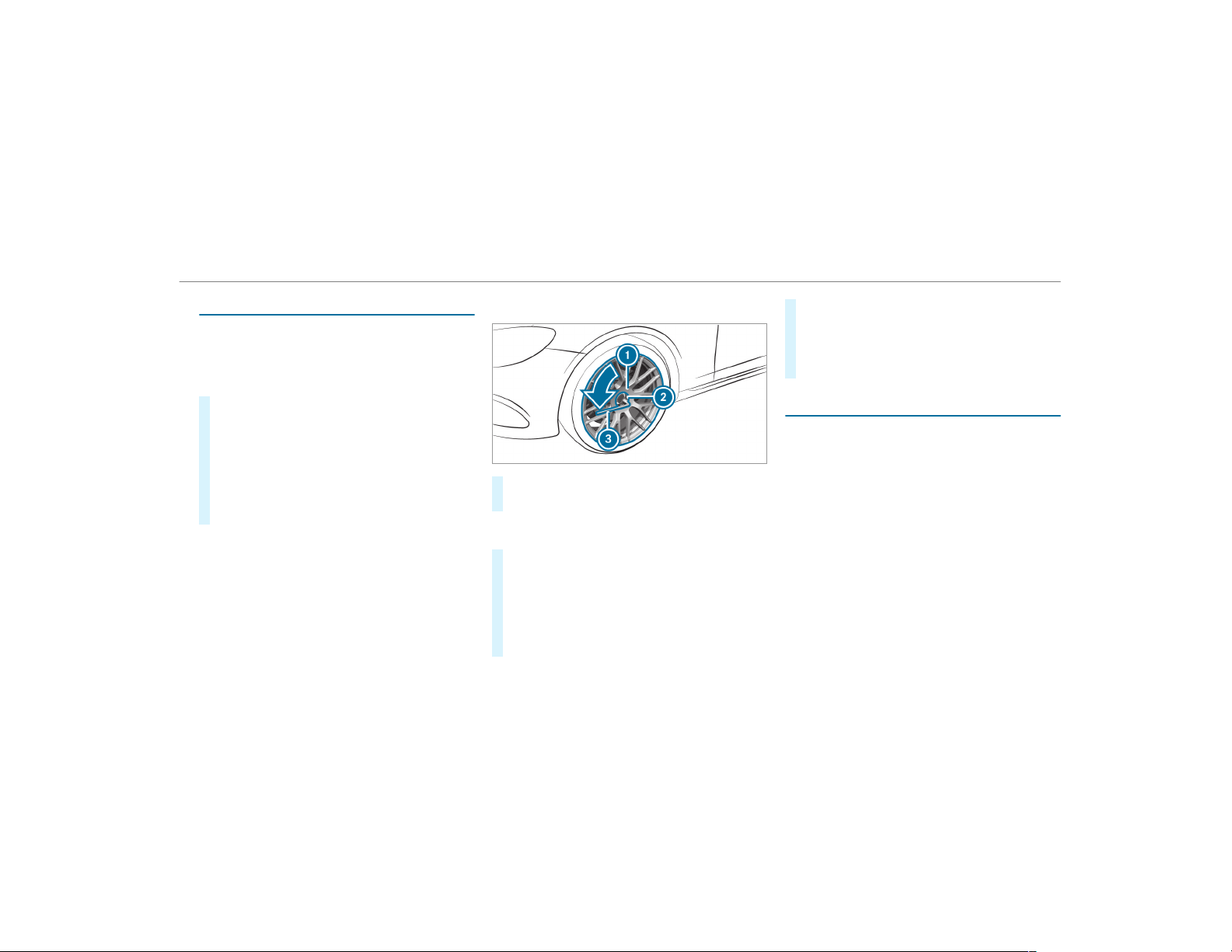
Removing and installing hub caps
Requirements:
R
The vehicle is prepared for a wheel change
(→ page 410).
Plastic hub cap
#
To remove: turn the center cover of the hub
cap counter-clockwise and remove the hub
cap.
#
To install: make sure that the center cover of
the hub cap is turned counter-clockwise.
#
Position the hub cap and turn the center
cover clockwise until the hub cap engages
physically and audibly.
Aluminum hub cap
#
To remove: position socket 2 on hub cap
1.
%
The socket can be found in the tire-change
tool kit.
#
Position wheel wrench 3 on socket 2.
#
Using wheel wrench 3, turn hub cap 1
counter-clockwise and remove it.
#
To install: position hub cap 1 and turn until
it is completely flush with the wheel.
#
Position socket 2 on hub cap 1.
#
Attach wheel wrench 3 to socket 2 and
tighten the hub cap clockwise.
Specified tightening torque: 20 lb-ft
(27 Nm).
#
Raise the vehicle (→ page 411).
Raising the vehicle when changing a wheel
Requirements:
R
There are no persons in the vehicle.
R
The vehicle has been prepared for a wheel
change (→ page 410).
R
The hub caps have been removed
(→ page 411).
Importa nt notes on using the jack:
R
Only use the vehicle-specific jack that has
been tested and approved by Mercedes-Benz
to raise the vehicle.
R
The jack is only designed for raising and
holding the vehicle for a short time while a
wheel is being changed and not for mainte‐
nance work under the vehicle.
Wheels and tires
411
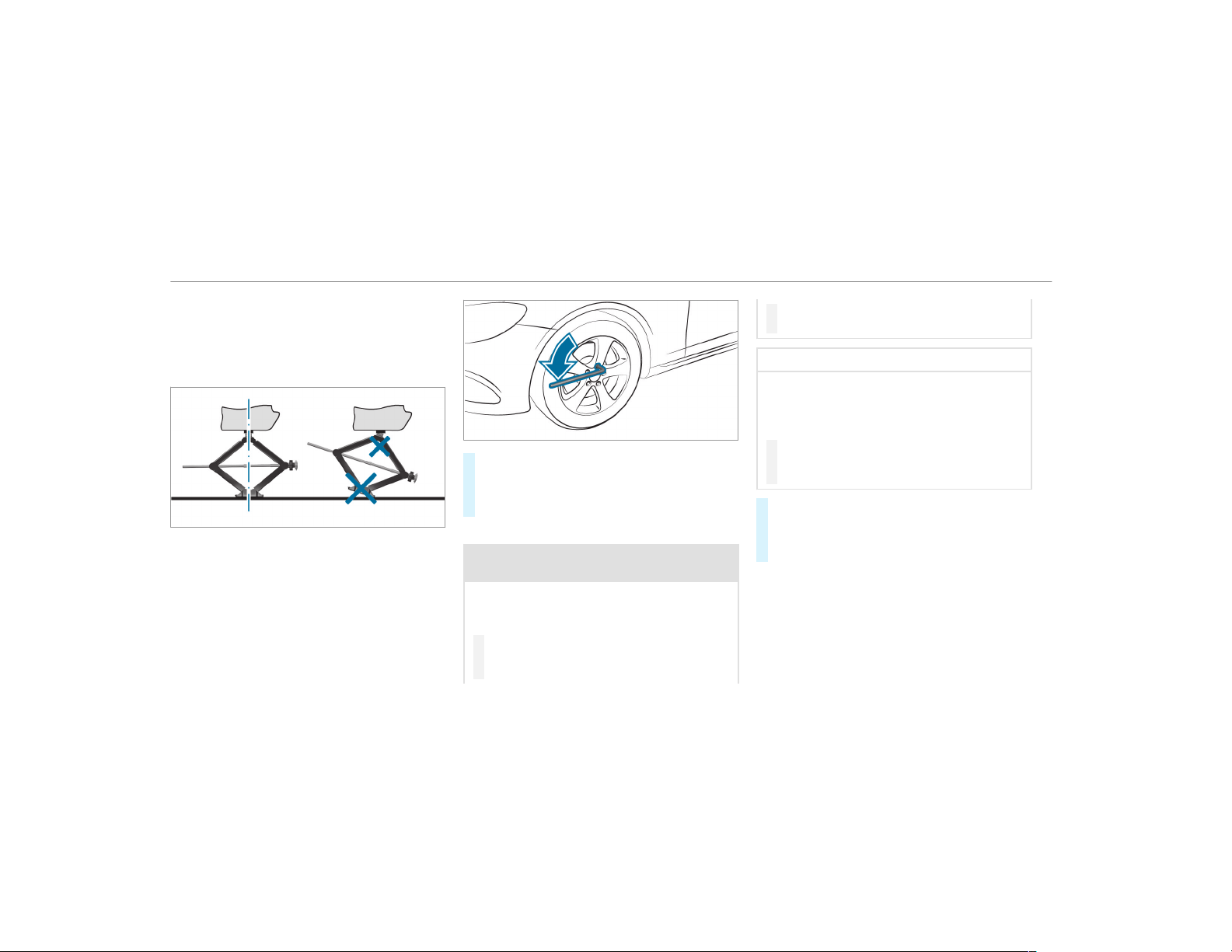
R
The jack must be placed on a firm, flat and
non-slip surface. If necessary, use a large,
flat, load-bearing, non-slip underlay.
R
The foot of the jack must be positioned verti‐
cally under the jacking point.
Rules of conduct when the vehicle is raised:
R
Never place your hands or feet under the
vehicle.
R
Do not lie under the vehicle.
R
Do not start the engine and do not release
the electric parking brake.
R
Do not open or close any doors or the tail‐
gate.
#
Using the lug wrench, loosen the wheel bolts
on the wheel you wish to change by about
one full turn. Do not unscrew the bolts com‐
pletely.
Position of jack support points
&
WARNING Risk of injury from incorrect
positioning of the jack
If you do not position the jack correctly at
the appropriate jacking point of the vehicle,
the jack could tip with the vehicle raised.
#
Only position the jack at the appropri‐
ate jacking point of the vehicle. The
base of the jack must be positioned ver‐
tically under the jacking point of the
vehicle.
*
NOTE Vehicle damage from the jack
If you do not position the jack correctly at
the appropriate jack support point of the
vehicle, the jack could tip over with the vehi‐
cle raised.
#
The jack is designed exclusively for
jacking up the vehicle at the jack sup‐
port points.
#
Take the ratchet wrench out of the tire-
change tool kit and place it on the hexagon
nut of the jack so that the letters "AUF" are
visible.
412
Wheels and tires
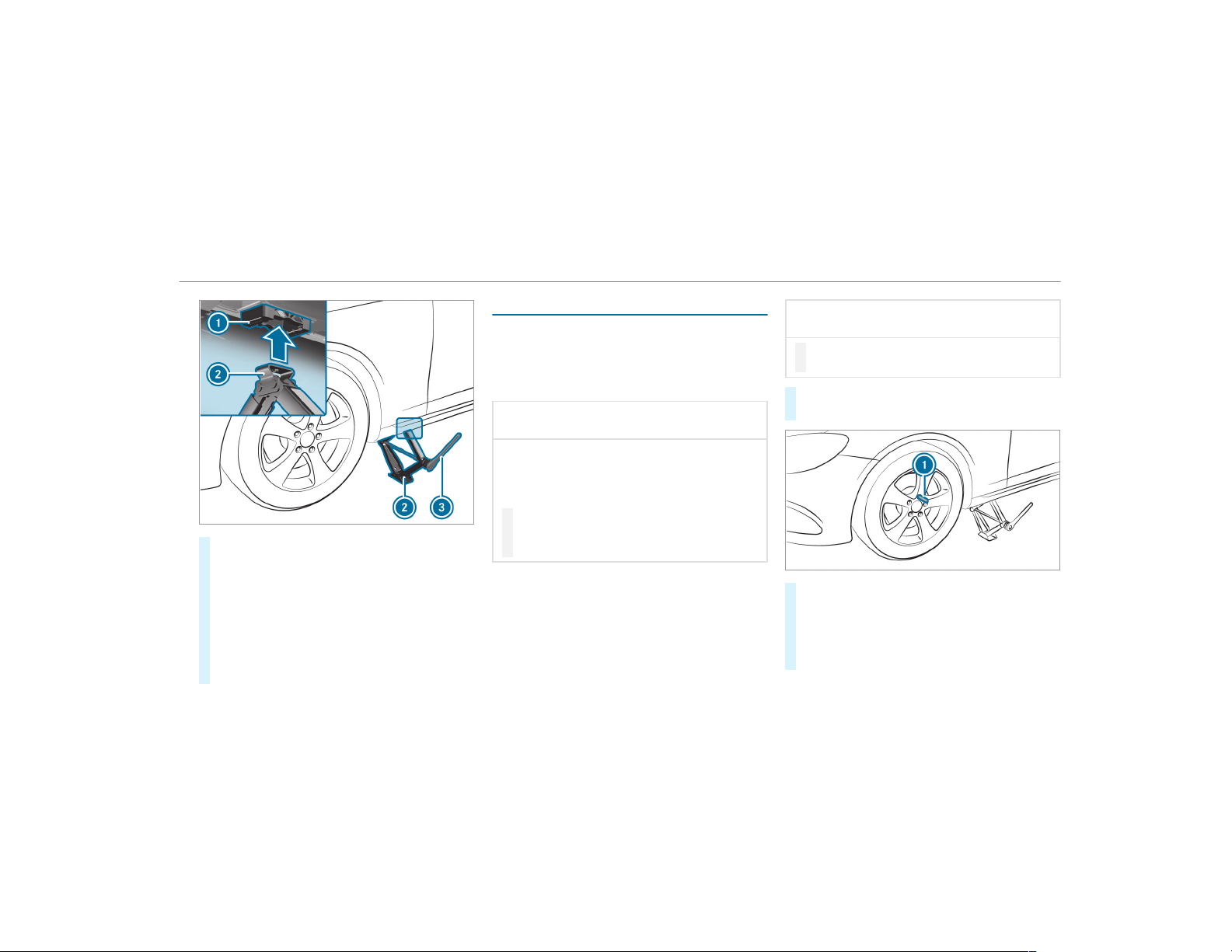
#
Position jack 2 at jack support point 1.
#
Turn ratchet wrench 3 clockwise until jack
2 sits completely on jack support point 1
and the base of the jack lies evenly on the
ground.
#
Continue to turn ratchet wrench 3 until the
tire is raised a maximum of 1.2 in (3 cm) off
the ground.
#
Loosen and remove the wheel (→ page 413).
Removing a wheel
Requirements:
R
The vehicle is raised (→ page 411).
Vehicles with AMG ceramic high-perform‐
ance composite braking system:
*
NOTE Damage to the ceramic brake disk
when changing a wheel
Mercedes-AMG vehicles with ceramic
brake disks: during removal and reposition‐
ing of the wheel, the wheel rim may strike
the ceramic brake disk and damage it.
#
Take particular care.
#
Ask another person for assistance or
use a second centering pin.
When changing a wheel, avoid applying any force
to the brake discs, since this could impair the
level of comfort when braking.
*
NOTE Damage to threading from dirt on
wheel bolts
#
Do not place wheel bolts in sand or on
a dirty surface.
#
Unscrew the uppermost wheel bolt com‐
pletely.
#
Screw alignment bolt 1 instead of the
wheel bolt into the threading.
#
Unscrew the remaining wheel bolts fully.
#
Remove the wheel.
#
Install the new wheel (→ page 414).
Wheels and tires
413
Mounting a new wheel
Requirements:
R
The wheel is removed (→ page 413).
&
WARNING Risk of accident from losing a
wheel
Oiled, greased or damaged wheel bolt/wheel
nut threads or wheel hub/wheel mounting
bolt threads can cause the wheel bolts/
wheel nuts to come loose.
As a result, you could lose a wheel while driv‐
ing.
#
Never oil or grease the threads.
#
In the event of damage to the threads,
contact a qualified specialist workshop
immediately.
#
Have the damaged wheel bolts or dam‐
aged hub threads replaced.
#
Do not continue driving.
#
Observe the information on the choice of
tires (→ page 406).
For tires with a specified direction of rotation, an
arrow on the side wall of the tire indicates the
correct direction of rotation. Observe the direc‐
tion of rotation when installing.
*
NOTE Damage to the ceramic brake disk
when changing a wheel
Mercedes-AMG vehicles with ceramic
brake disks: during removal and reposition‐
ing of the wheel, the wheel rim may strike
the ceramic brake disk and damage it.
#
Take particular care.
#
Ask another person for assistance or
use a second centering pin.
#
Slide the wheel to be mounted onto the
alignment bolt and push it on.
&
WARNING Risk of injury from tightening
wheel bolts and nuts
If you tighten the wheel bolts or wheel nuts
when the vehicle is raised, the jack could tip.
#
Only tighten wheel bolts or wheel nuts
when the vehicle is on the ground.
#
Be sure to observe the instructions and
safety notes on "Changing a wheel"
(→ page 406).
#
For safety reasons, only use wheel bolts
which have been approved by Mercedes-
Benz and for the wheel in question.
*
NOTE Damage to paintwork of the wheel
rim when screwing on the first wheel bolt
If the wheel has too much play when screw‐
ing in the first wheel bolt, the wheel rim paint
can be damaged.
#
Press the wheel firmly against the
wheel hub when screwing on the first
wheel bolt.
#
Tighten the wheel bolts evenly in a diagonal
pattern in the order indicated until they are
finger-tight.
#
Unscrew the alignment bolt.
414
Wheels and tires
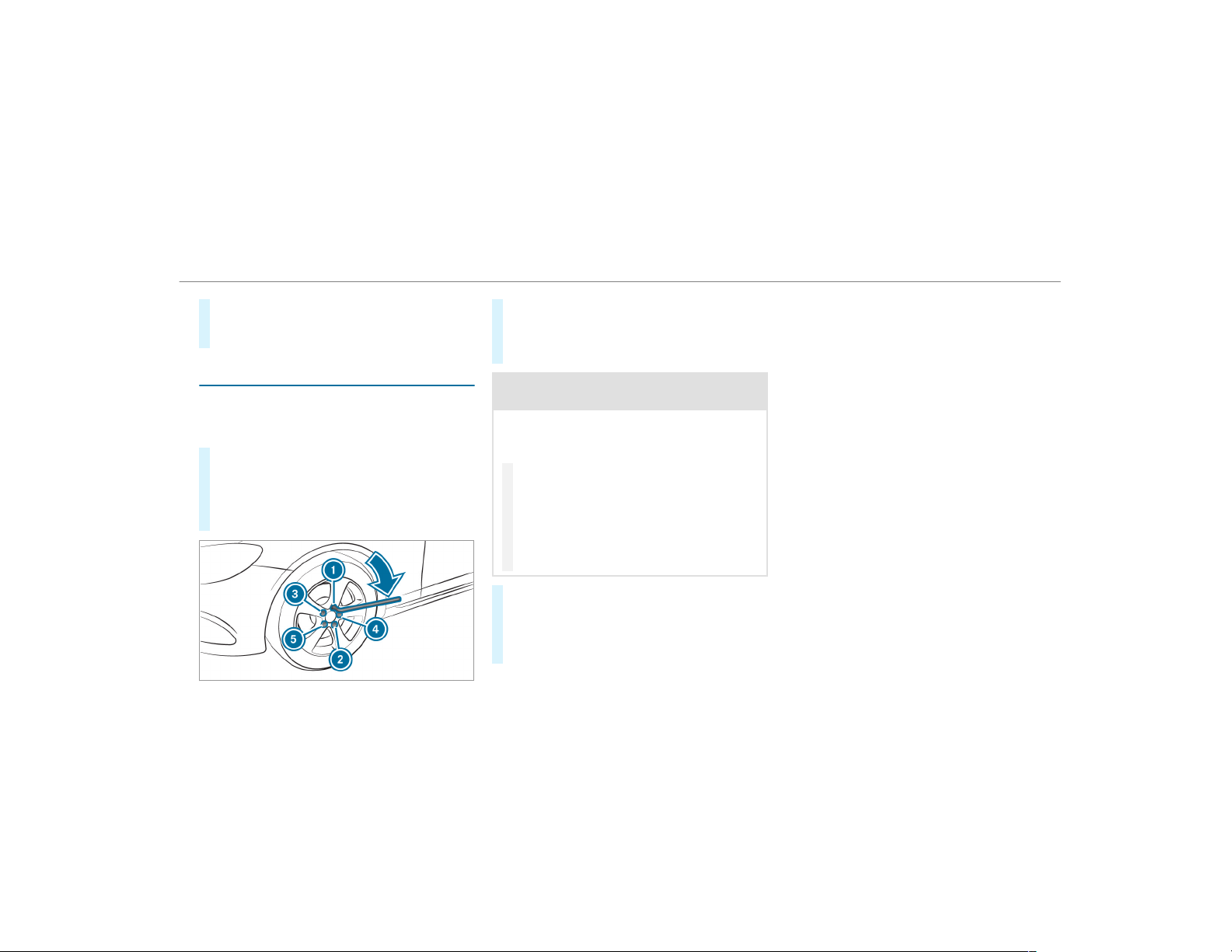
#
Tighten the last wheel bolt until it is finger-
tight.
#
Lower the vehicle (→ page 415).
Lowering the vehicle after a wheel change
Requirements:
R
The new wheel has been installed
(→ page 414).
#
Place the ratchet wrench onto the hexagon
nut of the jack so that the lettering "AB" is
visible.
#
To lower the vehicle: turn the ratchet
wrench of the jack counter-clockwise.
#
Tighten the wheel bolts evenly in a diagonal
pattern in the order indicated (1 to 5).
Specified tightening torque: 111 lb-ft
(150 Nm).
&
WARNING Risk of injury through incor‐
rect tightening torque
The wheels could come loose if the wheel
bolts or wheel nuts are not tightened to the
prescribed tightening torque.
#
Make sure the wheel bolts or wheel
nuts are tightened to the prescribed
tightening torque.
#
If you are not sure, do not move the
vehicle. Consult a qualified specialist
workshop and have the tightening tor‐
que checked immediately.
#
Check the tire pressure of the newly moun‐
ted wheel and adjust accordingly.
#
Vehicles with a tire pressure monitoring
system: Restart the tire pressure monitoring
system (→ page 393).
Make sure to observe the following further rela‐
ted subject:
R
Notes on tire pressure (→ page 388)
Wheels and tires
415
Notes on technical data
The data stated only applies to vehicles with
standard equipment. You can obta in further
information from an authorized Mercedes-Benz
Center.
Vehicle electronics
Two-way radios
Notes on installing two-way radios
&
WARNING Risk of accident due to
improper work on two-way radios
The electromagnetic radiation from two-way
radios can interfere with the on-board elec‐
tronics if RF transmitters are manipulated or
retrofitted incorrectly.
This could jeopardize the operating safety of
the vehicle.
#
You should have all work on electrical
and electronic components carried out
at a qualified specialist workshop.
&
WARNING Risk of accident from incor‐
rect operation of two-way radios
If you operate two-way radios incorrectly in
the vehicle, the electromagnetic radiation
could interfere with the on-board electronics,
e.g.:
R
if the two-way radio is not connected to
an exterior antenna
R
if the exterior antenna is not correctly
mounted or is not of low reflection
This could jeopardies the operating safety of
the vehicle.
#
Have the low-reflection exterior
antenna installed at a qualified special‐
ist workshop.
#
When operating two-way radios in the
vehicle, always connect them to the
low -reflection exterior antenna.
*
NOTE Invalidation of the operating per‐
mit due to failure to comply with the
instructions for installation and use
The operating permit may be invalidated if
the instructions for installation and use of
two-way radios are not observed.
#
Only use approved frequency bands.
#
Observe the maximum permissible out‐
put power in these frequency bands.
#
Only use approved antenna positions.
416
Technical data
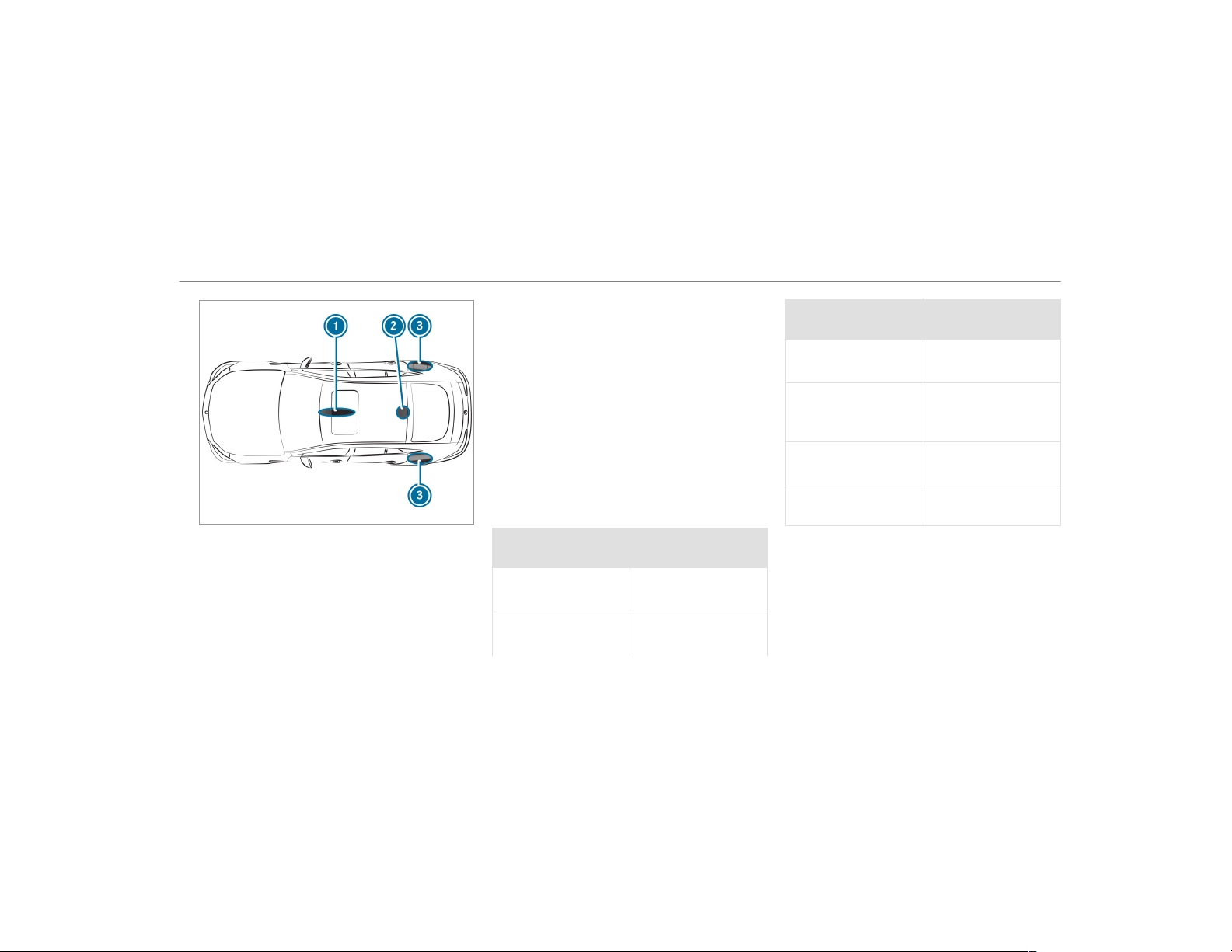
1
Front roof area
2
Rear roof area
3
Rear fenders
On the rear fenders, it is recommended that you
install the antenna on the side of the vehicle
closest to the center of the road.
Use Technical Specification ISO/TS 21609 (Road
Vehicles – "EMCs for installation of aftermarket
radio frequency transmitting equipment") when
retrofitting two-way radios. Comply with the
legal requirements for detachable parts.
If your vehicle has installations for two-way radio
equipment, use the power supply and antenna
connectors provided in the pre-installation. Be
sure to observe the manufacturer's supplements
when installing.
Two-way radio transmission output
The maximum transmission output (PEAK) at the
base of the antenna must not exceed the values
in the following table.
Frequency band and maximum transmission
output
Frequency band Maximum transmis‐
sion output
Short wave
3 - 54 MHz
(100 W)
4 m waveband
74 - 88 MHz
(30 W)
Frequency band Maximum transmis‐
sion output
2 m waveband
144 - 174 MHz
(50 W)
trunked radio sys‐
tem/Tetra
380 - 460 MHz
(10 W)
70 cm waveband
420 - 450 MHz
(35 W)
Two-way radio
(2G/3G/4G)
(10 W)
The following devices can be used in the vehicle
without restrictions:
R
two-way radios with a maximum transmission
output of up to 100 mW
R
two-way radios with transmitter frequencies
in the 380 - 410 MHz frequency band and a
maximum transmission output of up to 2 W
(trunked radio system/Tetra)
R
mobile phones (2G/3G/4G)
Technical data
417
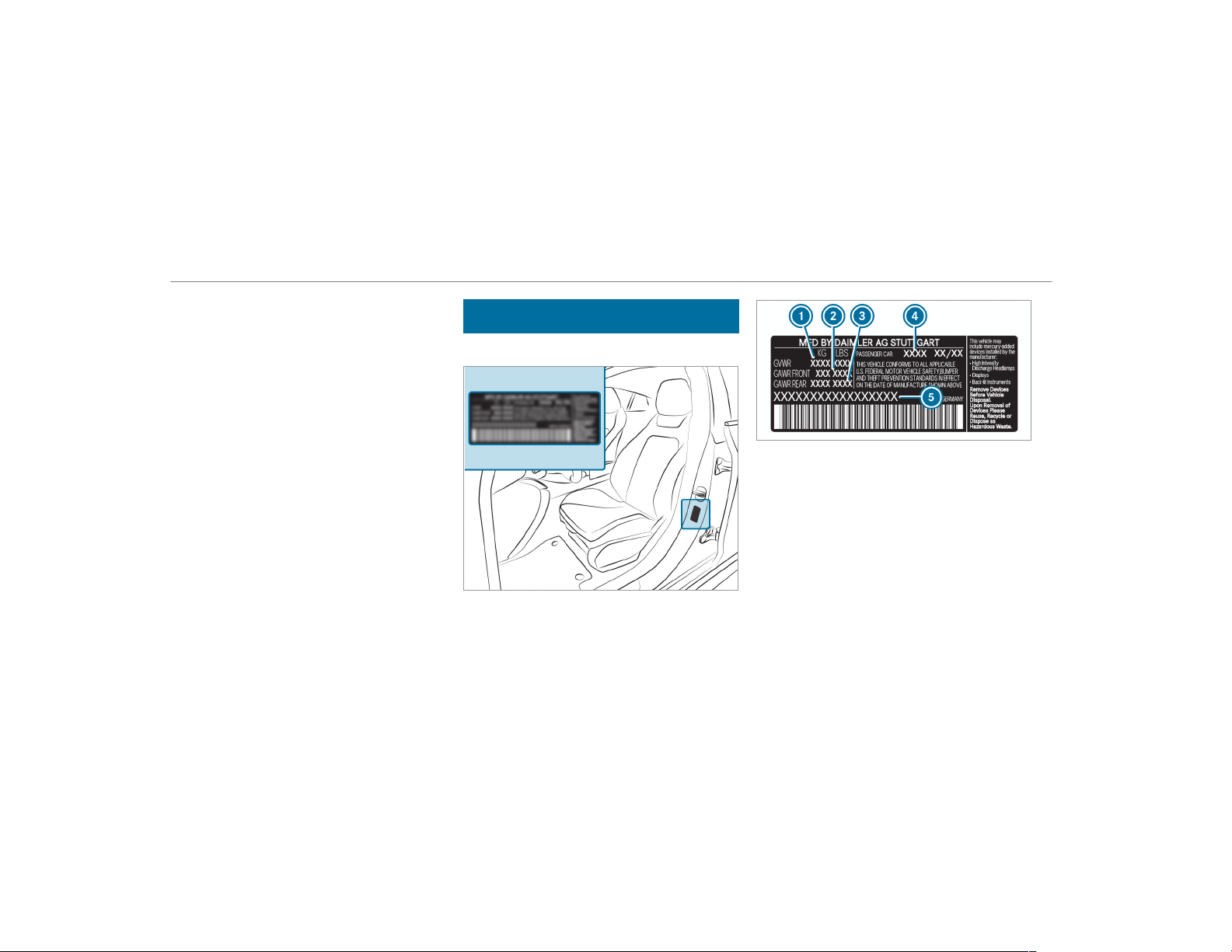
There are no restrictions when positioning the
antenna on the outside of the vehicle for the fol‐
lowing wavebands:
R
trunked radio system/Tetra
R
70 cm waveband
R
2G/3G/4G
Vehicle identification plate, VIN and engine
number
Vehicle identification plate
Vehicle identification plate (USA only)
1
Permissible gross weight
2
Permissible front axle load
3
Permissible rear axle load
4
Paint code
5
VIN (vehicle identification number)
418
Technical data
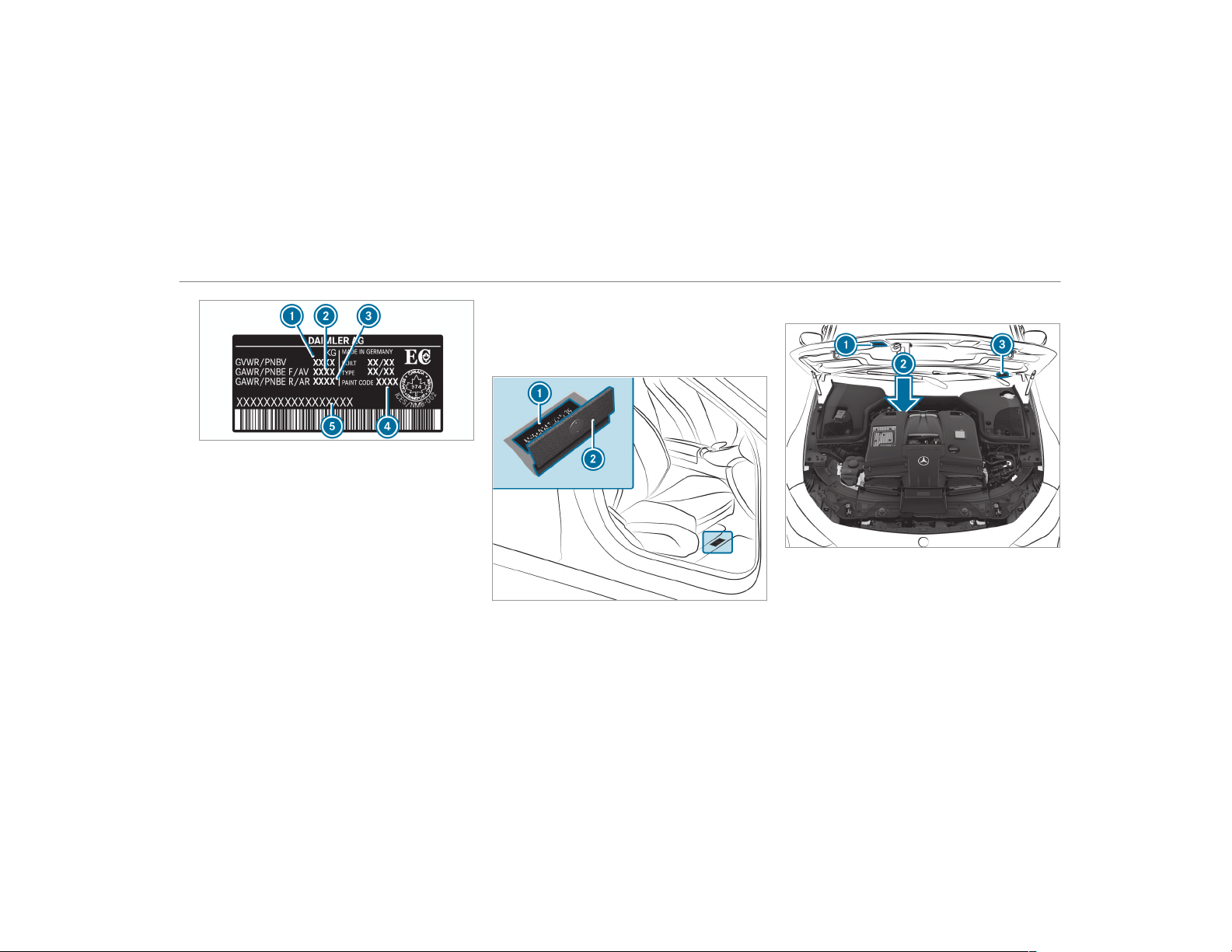
Vehicle identification plate (Canada only)
1
Permissible gross weight
2
Permissible front axle load
3
Permissible rear axle load
4
Paint code
5
VIN (vehicle identification number)
The permissible gross vehicle weight is made up
of the vehicle weight, all vehicle occupants, the
fuel and the load. The maximum gross axle
weight rating is the maximum weight that can be
carried on one axle (front or rear axle).
Never exceed the permissible gross vehicle
weight or the maximum gross axle weight rating
for the front or rear axle.
VIN in front of the right-hand front seat
1
Imprinted VIN (vehicle identification number)
2
Floor covering
Additional plates
1
Plate with information about emissions test‐
ing, including confirmation of emissions
guidelines at the U.S. federal level as well as
for California
2
Imprinted engine number stamped into the
crankcase
Technical data
419
3
VIN (vehicle identification number) as a label
at the lower edge of the windshield
Operating fluids
Notes on operating fluids
&
WARNING Risk of injury from operating
fluids harmful to your health
Operating fluids may be poisonous and harm‐
ful to your health.
#
Observe the text on the original con‐
tainers when using, storing or disposing
of operating fluids.
#
Always store operating fluids sealed in
their original containers.
#
Always keep children away from operat‐
ing fluids.
+
ENVIRONMENTAL NOTE Environmental
pollution caused by environmentally irre‐
sponsible disposal
#
Dispose of operating fluids in an envi‐
ronmentally responsible manner.
Operating fluids include the following:
R
Fuels
R
Lubricants
R
Coolant
R
Brake fluid
R
Windshield washer fluid
R
Climate control system refrigerant
Only use products approved by Mercedes-Benz.
Damage caused by the use of products that have
not been approved is not covered by the
Mercedes-Benz warranty or goodwill gestures.
You can identify operating fluids approved by
Mercedes-Benz by the following inscriptions on
the container:
R
MB-Freigabe (e.g. MB-Freigabe 229.51)
R
MB-Approval (e.g. MB-Approval 229.51)
Further information on approved operating fluids
is available at the following locations:
R
In the Mercedes-Benz Specifications for
Operating Fluids by entering the designation
-
At http://bevo.mercedes-benz.com
-
In the Mercedes-Benz BeVo App
R
At a qualified specialist workshop
&
WARNING Risk of fire or explosion from
fuel
Fuels are highly flammable.
#
Fire, open flames, smoking and creating
sparks must be avoided.
#
Switch off the ignition and, if it has
been in use, switch off the stationary
heater before you refuel your vehicle.
&
WARNING Risk of injury from fuels
Fuels are poisonous and hazardous to your
health.
420
Technical data

#
Do not swallow fuel or let it come into
contact with skin, eyes or clothing.
#
Do not inhale fuel vapor.
#
Keep children away from fuel.
#
Keep doors and windows closed during
the refueling process.
If you or other people come into contact with
fuel, observe the following:
#
Immediately rinse fuel off your skin with
soap and water.
#
If fuel comes into contact with your
eyes, immediately rinse them thor‐
oughly with clean water. Seek medical
attention immediately.
#
If you swallow fuel, seek medical atten‐
tion immediately. Do not induce vomit‐
ing.
#
Change immediately out of clothing that
has come into contact with fuel.
Fuel
Notes on fuel grade
Observe the notes on operating fluids
(→ page 420).
*
NOTE Damage caused by the wrong fuel
Even small amounts of the wrong fuel could
result in damage to the fuel system, the
engine and the emission control system.
#
Only refuel with low-sulfur unleaded
fuel.
This fuel may contain up to 10% ethanol by
volume. Your vehicle is suitable for use with
E10 fuel.
Never refuel with one of the following fuels:
R
Diesel
R
Gasoline with more than 10% ethanol by
volume, e.g. E15, E85, E100
R
Gasoline with more than 3% methanol by
volume, e.g. M15, M30, M85, M100
R
Gasoline with additives containing metal
If you have accidentally refueled with the
wrong fuel:
#
Do not switch on the ignition.
#
Consult a qualified specialist workshop.
If the available fuel is not sufficiently low in sul‐
fur, this can produce unpleasant odors.
Only refuel using unleaded premium grade gaso‐
line with at least 91 AKI/95 RON.
As a temporar y measure, if the recommended
fuel is not available, you may also use unleaded
regular gasoline which has at least the octane
number specified in the instruction label in the
fuel filler flap (
→ page 154). This may reduce
engine performance and increase fuel consump‐
tion.
Never refuel using gasoline with an even lower
RON.
Technical data
421
*
NOTE Premature wear caused by unlea‐
ded regular gasoline
Unleaded regular gasoline can cause the
engine to wear more quickly and impair lon‐
gevity and performance.
If unleaded premium grade gasoline is
unavailable and you have to refuel using
unleaded regular gasoline:
#
Only fill the fuel tank to half full with
unleaded regular gasoline and refill as
soon as possible with unleaded pre‐
mium grade gasoline.
#
Do not drive at the maximum speed.
#
Avoid sudden acceleration and engine
speeds over 3,000 rpm.
Further information on fuel is available at the fol‐
lowing locations:
R
at a gas station
R
at a qualified specialist workshop
R
USA only: at http://www.mbusa.com
Information on additives in gasoline
Observe the notes on operating fluids
(→ page 420).
*
NOTE Damage from use of unsuitable
additives
Even small amounts of the wrong additive
may lead to malfunctions occurring.
#
Only add cleaning additives recommen‐
ded by Mercedes-Benz to the fuel.
Mercedes-Benz recommends that you use fuel
brands that have additives.
In some countries, the fuel available may not
have sufficient additives. Residue could build up
in the fuel injection system as a result. In this
case, in consultation with an authorized
Mercedes-Benz Center, the fuel may be mixed
with the cleaning additive recommended by
Mercedes-Benz. Be sure to observe the notes
and mixing ratios specified on the container.
Tank content and fuel reserve
Capacity
Model Total capacity
All models 21.1 gal (80.0 liters)
Model Of which reserve
All models 3.1 gal (12.0 liters)
Engine oil
Notes on engine oil
Observe the notes on operating fluids
(→ page 420).
422
Technical data
*
NOTE Engine damage caused by an
incorrect oil filter, incorrect oil or addi‐
tives
#
Do not use engine oils or oil filters other
than those which meet the specifica‐
tions necessary for the prescribed
service intervals.
#
Do not alter the engine oil or oil filter in
order to achieve longer change intervals
than prescribed.
#
Do not use additives.
#
Have the engine oil changed after the
prescribed intervals.
Mercedes-Benz recommends that you have the
oil change carried out at a qualified specialist
workshop.
Further information on engine oil and oil filters is
available at the following locations:
R
In the Mercedes-Benz Specifications for
Operating Fluids by entering the designation:
-
At http://bevo.mercedes-benz.com
-
In the Mercedes-Benz BeVo app
R
at a qualified specialist workshop
Quality and capacity of engine oil
MB-Freigabe or MB-Approval
Model MB-Freigabe or
MB-Approval
Mercedes-AMG GT 53
4MATIC+
229.51, 229.52,
229.61, 229.71
All other models 229.5, 229.51
Mercedes-AMG GT 63 4MATIC+, GT 63 S
4MATIC+: only use engine oils of viscosity class
SAE 0W-40 or SAE 5W-40.
The following values refer to an oil change,
including the oil filter.
Capacity
Model Capacity
Mercedes-AMG GT 53
4MATIC+
9.0 US qt
(8.5 liters)
All other models 9.5 US qt
(9.0 liters)
Notes on brake fluid
Observe the notes on operating fluids
(→ page 420).
&
WARNING Risk of an accident due to
vapor pockets forming in the brake sys‐
tem
The brake fluid constantly absorbs moisture
from the air. This lowers the boiling point of
the brake fluid. If the boiling point is too low,
vapor pockets may form in the brake system
when the brakes are applied hard.
This causes the braking effect to be
impaired.
#
Have the brake fluid renewed at the
specified intervals.
Have the brake fluid regularly replaced at a
qualified specialist workshop.
Only use brake fluid approved by Mercedes-Benz
according to MB-Freigabe or MB-Approval 331.0.
Technical data
423

You can obtain further information on brake fluid
in the following places:
R
in the Mercedes-Benz Specifications for
Operating Fluids
-
at http://bevo.mercedes-benz.com
-
in the Mercedes-Benz BeVo App
R
at a qualified specialist workshop
Coolant
Notes on coolant
Observe the notes on operating fluids
(→ page 420).
&
WARNING ‑ Risk of fire and injury from
antifreeze
If antifreeze comes into contact with hot
component parts in the engine compart‐
ment, it may ignite.
#
Allow the engine to cool down before
adding antifreeze.
#
Make sure that no antifreeze spills out
next to the filler opening.
#
Thoroughly clean off any antifreeze
from component parts before starting
the vehicle.
*
NOTE Damage caused by incorrect cool‐
ant
#
Only add coolant that has been pre‐
mixed with the required antifreeze pro‐
tection.
Information on coolant is available at the fol‐
lowing locations:
R
In the Mercedes-Benz Specification for
Operating Fluids 310.1
-
At http://bevo.mercedes-benz.com
-
In the Mercedes-Benz BeVo app
R
At a qualified specialist workshop
*
NOTE Overheating at high outside tem‐
peratures
If an inappropriate coolant is used, the
engine cooling system is not sufficiently pro‐
tected against overheating and corrosion at
high outside temperatures.
#
Always use coolant approved by
Mercedes-Benz.
#
Observe the instructions in the
Mercedes-Benz Specifications for Oper‐
ating Fluids 310.1.
Have the coolant regularly replaced at a qualified
specialist workshop.
The proportion of corrosion inhibitor/antifreeze
concentrate in the engine cooling system should
be:
R
A minimum of 50% (antifreeze protection
down to approximately -35 °F (-37 °C))
R
A maximum of 55% (antifreeze protection
down to -49 °F (-45 °C))
424
Technical data

Coolant capacity
Capacity
Model Capacity
Mercedes-AMG GT 53
4MATIC+
14.8 US qt
(14.0 liters)
All other models 16.2 US qt
(15.3 liters)
Notes on windshield washer fluid
Observe the notes on operating fluids
(→ page 420).
&
WARNING ‑ Risk of fire and injury from
windshield washer concentrate
Windshield washer concentrate is highly
flammable. It could ignite if it comes into
contact with hot engine component parts or
the exhaust system.
#
Make sure that no windshield washer
concentrate spills out next to the filler
opening.
*
NOTE Damage to the exterior lighting
due to unsuitable windshield washer fluid
Unsuitable windshield washer fluid may dam‐
age the plastic surface of the exterior light‐
ing.
#
Only use windshield washer fluid which
is also suitable for use on plastic surfa‐
ces, e.g. MB SummerFit or MB Winter‐
Fit.
*
NOTE Blocked spray nozzles caused by
mixing windshield washer fluids
#
Do not mix MB SummerFit and MB Win‐
terFit with other windshield washer flu‐
ids.
Do not use distilled or de-ionized water as the fill
level sensor may be triggered erroneously.
Recommended windshield washer fluid:
R
Above freezing point: e.g. MB SummerFit
R
Below freezing point: e.g. MB WinterFit
For the correct mixing ratio, refer to the informa‐
tion on the antifreeze container.
Mix the washer fluid with the windshield washer
fluid all year round.
Refrigerant
Notes on refrigerants
Observe the notes on operating fluids
(→ page 420).
*
NOTE Damage due to incorrect refriger‐
ant
If a non-approved refrigerant is used, the cli‐
mate control system may be damaged.
#
Only use the refrigerant R‑134a
*
NOTE Damage to the climate control
system due to incorrect refrigerant com‐
pressor oil
#
Only use refrigerant compressor oil that
has been approved by Mercedes-Benz.
Technical data
425
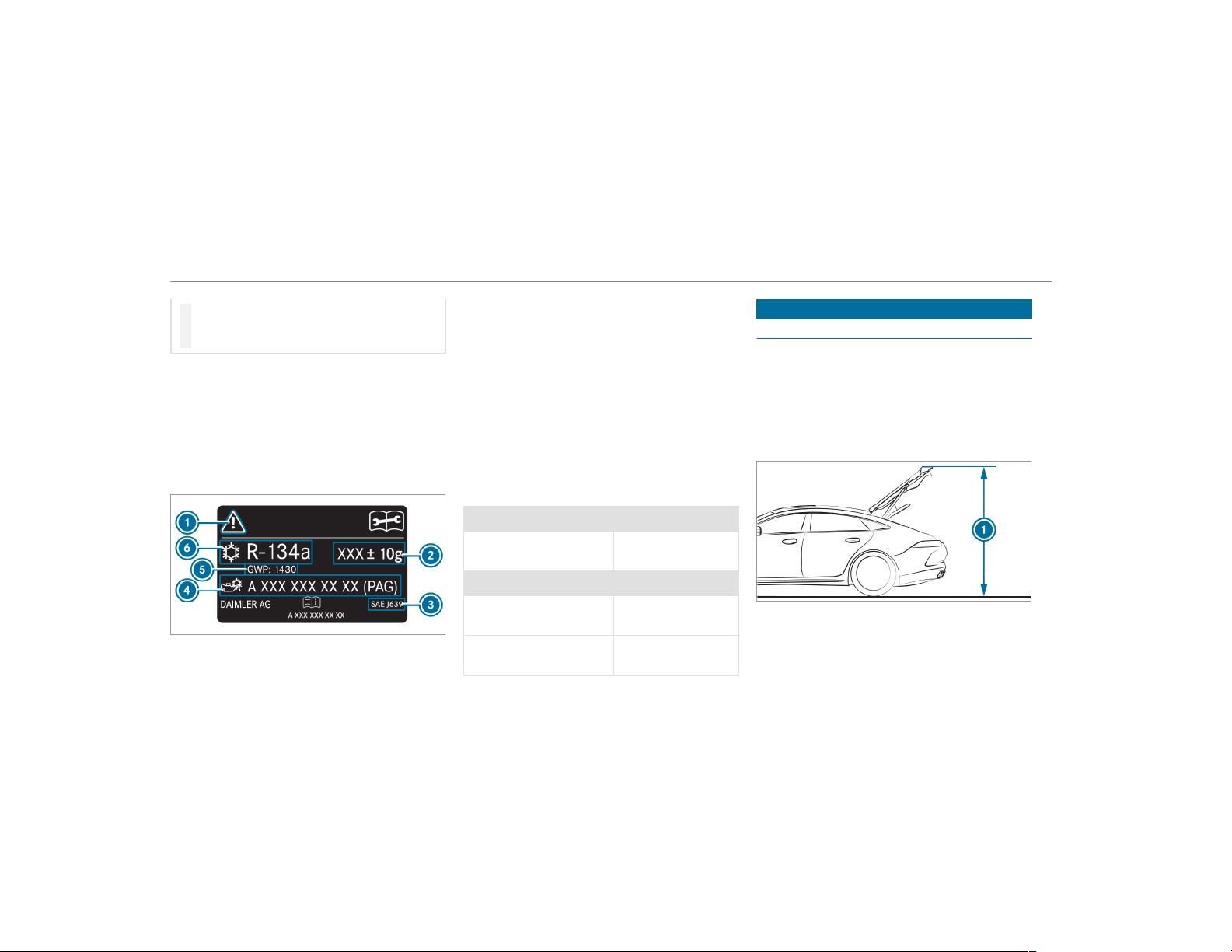
#
Do not mix the approved refrigerant
compressor oil with a different refriger‐
ant compressor oil.
Work on the climate control system may only be
carried out by a qualified specialist workshop. All
applicable regulations, as well as SAE standard
J639, must be adhered to.
The instruction label on the climate control sys‐
tem for the refrigerant type and the refrigerant
compressor oil is located on the inside of the
hood.
1
Symbols for hazard and service information
2
Refrigerant filling capacity
3
Applicable standards
4
PAG oil part number
5
GWP (Global Warming Potential) of the refrig‐
erant used
6
Refrigerant type
Symbols 1 advise you about the following:
R
Possible dangers
R
Having service work carried out at a qualified
specialist workshop only
Refrigerant filling capacity
Filling capacity for refrigerant and PAG oil
Model Refrigerant
All models 22.2 ± 0.4 oz
(630 ± 10 g)
Model PAG oil
Mercedes-AMG GT 53
4MATIC+
4.2 ± 0.4 oz
(120 ± 10 g)
All other models 2.8 ± 0.4 oz
(80 ± 10 g)
Vehicle data
Vehicle dimensions
The heights specified may vary as a result of the
following factors:
R
Tires
R
Load
R
Condition of the suspension
R
Optional equipment
426
Technical data
Height when opened
Model
1 Height when
opened
Mercedes-AMG GT 53
4MATIC+
77.0 in (1956 mm)
Mercedes-AMG GT 63
4MATIC+
76.3 in (1939 mm)
Mercedes-AMG GT 63 S
4MATIC+
76.5 in (1943 mm)
Vehicle dimensions
All models
Vehicle width including
outside mirrors
81.5 in (2069 mm)
Wheelbase 116.2 in (2951 mm)
Turning radius 41.3 ft (12.60 m)
Model Vehicle length
Mercedes-AMG GT 53
4MATIC+
199.2 in
(5059 mm)
Mercedes-AMG GT 63
4MATIC+
199.2 in
(5060 mm)
Mercedes-AMG GT 63 S
4MATIC+
199.2 in
(5060 mm)
Model Vehicle height
Mercedes-AMG GT 53
4MATIC+
57.3 in (1455 mm)
Mercedes-AMG GT 63
4MATIC+
56.8 in (1442 mm)
Mercedes-AMG GT 63 S
4MATIC+
57.0 in (1447 mm)
Weights and loads
Note that items of optional equipment increase
the curb weight and reduce the payload.
Roof load
All models
Maximum roof load 220 lb (100 kg)
Technical data
427
Display messages
Introduction
Notes on display messages
Display messages appear on the multifunction
display.
Display messages with graphic symbols are sim‐
plified in the Operator's Manual and may differ
from the symbols on the multifunction display.
The multifunction display shows high-priority dis‐
play messages in red. Certain display messages
are accompanied by a warning tone.
Please respond in accordance with the display
messages and follow the additional notes in this
Operator's Manual.
For some display messages, a symbol is also
shown:
R
¤ Further information
R
O Hide display message
You can select the desired symbol by swiping
left or right on the left-hand Touch Control.
Press the ¤ symbol to show further informa‐
tion on the multifunction display. Press the O
symbol to hide the display message.
You can hide low-priority display messages by
pressing the ¤ button or the left-hand Touch
Control. The display messages are then stored in
the message memory.
Rectify the cause of a display message as
quickly as possible.
High-priority display messages cannot be hid‐
den. The multifunction display shows these dis‐
play messages continuously until the cause of
the message has been rectified.
Calling up stored display messages
On-board computer:
,
Service
.
1 Message
If there are no display messages, No Messages
appears on the multifunction display.
#
Scroll through the display messages by swip‐
ing upwards or downwards on the left-hand
Touch Control.
#
To exit the message memory: press the
¤ button.
428
Display messages and warning/indicator lamps
Safety systems
Display messages
Possible causes/consequences and M Solutions
!
÷
Currently Unavailable See
Operator's Manual
*
ABS and ESP
®
are temporarily unavailable.
Other driving systems and driving safety systems may also be temporarily unavailable.
The brake system continues to operate normally. The braking distance in an emergency braking situation can
increase.
&
WARNING Risk of skidding if ABS and ESP
®
are malfunctioning
If ABS and ESP
®
are malfunctioning, the wheels could lock when braking and ESP
®
cannot carry out vehicle
stabilization.
The steering capability and braking characteristics are thus severely impaired. The braking distance in an emer‐
gency braking situation can increase. In addition, other driving safety systems are switched off.
#
Drive on carefully.
#
Have ABS and ESP
®
checked immediately at a qualified specialist workshop.
#
Carefully drive on a suitable stretch of road, making slight steering movements at a speed above 19 mph
(30 km/h).
#
If the display message does not disappear, consult a qualified specialist workshop immediately. Drive carefully.
Display messages and warning/indicator lamps
429
Display messages
Possible causes/consequences and M Solutions
!
÷
Inoperative See Operator's
Manual
*
ABS and ESP
®
are malfunctioning.
Other driving systems and driving safety systems may also malfunction.
The brake system continues to operate normally. The braking distance in an emergency braking situation can
increase.
&
WARNING Risk of skidding if ABS and ESP
®
are malfunctioning
If ABS and ESP
®
are malfunctioning, the wheels could lock when braking and ESP
®
cannot carry out vehicle
stabilization.
The steering capability and braking characteristics are thus severely impaired. The braking distance in an emer‐
gency braking situation can increase. In addition, other driving safety systems are switched off.
#
Drive on carefully.
#
Have ABS and ESP
®
checked immediately at a qualified specialist workshop.
#
Drive on carefully.
#
Visit a qualified specialist workshop immediately.
÷
Currently Unavailable See
Operator's Manual
*
ESP
®
is temporarily unavailable.
Other driving systems and driving safety systems may also malfunction.
430
Display messages and warning/indicator lamps
Display messages
Possible causes/consequences and M Solutions
&
WARNING Risk of skidding if ESP
®
is malfunctioning
If ESP
®
is malfunctioning, ESP
®
cannot carry out vehicle stabilization. In addition, other driving safety systems
are switched off.
#
Drive on carefully.
#
Have ESP
®
checked at a qualified specialist workshop.
#
Carefully drive on a suitable stretch of road, making slight steering movements at a speed above 19 mph
(30 km/h).
#
If the display message does not disappear, consult a qualified specialist workshop immediately. Drive carefully.
÷
Inoperative See Operator's
Manual
*
ESP
®
is malfunctioning
Other driving systems and driving safety systems may also malfunction.
The brake system continues to operate normally. The braking distance in an emergency braking situation can
increase.
&
WARNING Risk of skidding if ESP
®
is malfunctioning
If ESP
®
is malfunctioning, ESP
®
cannot carry out vehicle stabilization. In addition, other driving safety systems
are switched off.
#
Drive on carefully.
#
Have ESP
®
checked at a qualified specialist workshop.
Display messages and warning/indicator lamps
431
Display messages
Possible causes/consequences and M Solutions
#
Drive on carefully.
#
Visit a qualified specialist workshop immediately.
T
!
÷
Inoperative See Operator's
Manual
*
EBD, ABS and ESP
®
are malfunctioning.
Other driving systems and driving safety systems may also malfunction.
&
WARNING Risk of skidding if EBD, ABS and ESP
®
are malfunctioning
If EBD, ABS and ESP
®
are malfunctioning, the wheels can lock when braking and ESP
®
cannot carry out vehicle
stabilization.
The steering capability and braking characteristics are thus severely impaired. The braking distance in an emer‐
gency braking situation can increase. In addition, other driving safety systems are switched off.
#
Drive on carefully.
#
Have the brake system checked immediately at a qualified specialist workshop.
#
Drive on carefully.
#
Visit a qualified specialist workshop immediately.
Radar Sensors Dirty See
Operator's Manual
* The radar sensor system is malfunctioning. Possible causes are:
R
Dirt on the sensors
R
Heavy rain or snow
R
Extended country driving without other traffic, e.g. in the desert
432
Display messages and warning/indicator lamps
Display messages
Possible causes/consequences and M Solutions
Driving systems and driving safety systems may be malfunctioning or temporarily unavailable.
Once the cause of the problem is no longer present, driving systems and driving safety systems will be available
again.
If the display message does not disappear:
#
Pull over and stop the vehicle safely as soon as possible, paying attention to road and traffic conditions.
#
Clean all sensors (→ page 362).
#
Restart the engine.
F
(USA only)
!
(Canada only)
Turn On the Ignition to
Release the Parking Brake
*
The red F (USA only) or ! indicator lamp (Canada only) is lit.
You have attempted to release the electric parking brake with the ignition switched off.
#
Switch the ignition on.
F
*
The red F (USA only) or ! (Canada only) indicator lamp flashes.
The electric parking brake is applied while you are driving:
R
A condition for automatic release of the electric parking brake is not fulfilled (→ page 163).
Display messages and warning/indicator lamps
433
Display messages
Possible causes/consequences and M Solutions
(USA only)
!
(Canada only)
Please Release Parking
Brake
R
You are performing emergency braking using the electric parking brake (→ page 164).
#
Check that the conditions for automatic release of the electric parking brake are fulfilled.
#
Release the electric parking brake manually.
F
(USA only)
!
(Canada only)
Parking Brake See Opera-
tor's Manual
*
The yellow ! indicator lamp is lit. The electric parking brake is malfunctioning.
To apply:
#
Switch off the ignition and switch it back on.
#
Apply the electric parking brake manually (→ page 163).
If it is not possible to apply the electric parking brake:
#
Visit a qualified specialist workshop.
#
Where necessary, also safeguard the parked vehicle against rolling away.
The yellow ! and the red F (USA only) or ! (Canada only) indicator lamps are lit. The electric parking
brake is malfunctioning.
To release:
#
Switch off the ignition and switch it back on.
#
Release the electric parking brake manually (→ page 163).
434
Display messages and warning/indicator lamps
Display messages
Possible causes/consequences and M Solutions
or
#
Release the electric parking brake automatically (→ page 163).
If it is still not possible to release the electric parking brake:
#
Do not continue driving under any circumstances. Consult a qualified specialist workshop.
The yellow ! indicator lamp is lit and the red F (USA only) or ! (Canada only) indicator lamp is flashing.
The electric parking brake is malfunctioning.
The electric parking brake could not be applied or released.
#
Switch off the ignition and switch it back on.
To apply:
#
Release and then apply the electric parking brake manually (→ page 163).
To release:
#
Apply and then release the electric parking brake manually.
If the electric parking brake cannot be applied or the red F (USA only) or ! (Canada only) indicator lamp
continues to flash:
#
Do not continue driving under any circumstances. Consult a qualified specialist workshop.
#
Where necessary, also safeguard the parked vehicle against rolling away.
The yellow ! indicator lamp is on and the red F indicator lamp (USA only) or the ! indicator lamp (Can‐
ada only) flashes for approximately ten seconds after the electric parking brake has been applied or released. It
then remains lit or goes out. The electric parking brake is malfunctioning.
Display messages and warning/indicator lamps
435

Display messages
Possible causes/consequences and M Solutions
If the battery charge level is too low:
#
Charge the battery.
To apply:
#
Switch off the ignition.
The electric parking brake is applied automatically.
If the electric parking brake should not be applied, e.g. when washing the vehicle in an automatic car wash or when
having the vehicle towed, leave the ignition switched on. This does not include having the vehicle towed with the
rear axle raised.
If the electric parking brake is not applied automatically:
#
Switch off the ignition and switch it back on.
#
Release and then apply the electric parking brake manually (→ page 163).
If it is still not possible to apply the electric parking brake:
#
Visit a qualified specialist workshop.
#
Where necessary, also safeguard the parked vehicle against rolling away.
To release:
#
If the conditions for automatic release are fulfilled and the electric parking brake is not released automatically,
release the electric parking brake manually (→ page 163).
436
Display messages and warning/indicator lamps
Display messages
Possible causes/consequences and M Solutions
If it is still not possible to release the electric parking brake:
#
Do not continue driving under any circumstances. Consult a qualified specialist workshop.
$
(USA only)
J
(Canada only)
Check Brake Fluid Level
* There is insufficient brake fluid in the brake fluid reservoir.
&
WARNING Risk of an accident due to low brake fluid level
If the brake fluid level is too low, the braking effect and the braking characteristics may be impaired.
#
Pull over and stop the vehicle safely as soon as possible, paying attention to road and traffic conditions.
Do not continue driving under any circumstances.
#
Consult a qualified specialist workshop.
#
Do not add brake fluid.
#
Pull over and stop the vehicle safely as soon as possible, paying attention to road and traffic conditions. Do not
continue driving under any circumstances.
#
Do not add brake fluid.
#
Consult a qualified specialist workshop.
Check Brake Pads See
Operator's Manual
* The brake pads have reached the wear limit.
&
WARNING Risk of accident due to restricted braking power
When the brake pads have reached their wear limit, the braking power may be restricted.
#
Drive on carefully.
Display messages and warning/indicator lamps
437
Display messages
Possible causes/consequences and M Solutions
#
Have the brake system checked immediately at a qualified specialist workshop.
#
Visit a qualified specialist workshop.
6
SRS Malfunction Service
Required
* The restraint system is defective (→ page 33).
&
WARNING Risk of injury or fatal injury due to a malfunction in the restraint system
If the restraint system is malfunctioning, restraint system components may be triggered unintentionally or
might not be triggered at all in the event of an accident. This may affect the Emergency Tensioning Device or
airbag, for example.
#
Have the restraint system checked and repaired immediately at a qualified specialist workshop.
Detection of a restraint system malfunction:
R
The 6 restraint system warning lamp does not light up when the ignition is switched on.
R
The 6 restraint system warning lamp lights up continuously or repeatedly during a journey.
#
Visit a qualified specialist workshop immediately.
6
Front Left Malfunction
Service Required (Example)
* The corresponding restraint system is malfunctioning (→ page 33).
&
WARNING Risk of injury or fatal injury due to a malfunction in the restraint system
If the restraint system is malfunctioning, restraint system components may be triggered unintentionally or
might not be triggered at all in the event of an accident. This may affect the Emergency Tensioning Device or
airbag, for example.
438
Display messages and warning/indicator lamps
Display messages
Possible causes/consequences and M Solutions
#
Have the restraint system checked and repaired immediately at a qualified specialist workshop.
Detection of a restraint system malfunction:
R
The 6 restraint system warning lamp does not light up when the ignition is switched on.
R
The 6 restraint system warning lamp lights up continuously or repeatedly during a journey.
#
Visit a qualified specialist workshop immediately.
6
Left Side Curtain Airbag
Malfunction Service
Required (Example)
* The corresponding window curtain airbag is malfunctioning (→ page 33).
&
WARNING Risk of injury or fatal injury due to malfunctions in the window airbag
If the window airbag is malfunctioning, it might be triggered unintentionally or might not be triggered at all in
the event of an accident with high deceleration.
#
Have the window airbag checked and repaired immediately at a qualified specialist workshop.
#
Visit a qualified specialist workshop immediately.
Front Passenger Airbag
Enabled See Operator's
Manual
* The front passenger airbag and knee airbags are enabled during the journey:
R
even when a child, a small adult or an object weighing less than the system weight threshold is located on the
front passenger seat
R
even when the front passenger seat is not occupied
The system may detect objects or forces that are adding to the weight applied to the seat.
Display messages and warning/indicator lamps
439
Display messages
Possible causes/consequences and M Solutions
&
WARNING Risk of injury or fatal injury when using a child restraint system while the front passenger air bag
is enabled
If you secure a child in a child restraint system on the front passenger seat and the front passenger air bag is
enabled, the front passenger air bag can deploy in the event of an accident.
The child could be struck by the air bag.
#
Ensure, both before and during the journey, that the status of the front passenger air bag is correct.
NEVER use a rearward facing child restraint on a seat protected by an ACTIVE FRONT AIR BAG; DEATH or SERI‐
OUS INJURY to the CHILD can occur.
#
Pull over and stop the vehicle safely as soon as possible, paying attention to road and traffic conditions.
#
Check the status of the automatic front passenger airbag shutoff (→ page 44).
#
If necessary, consult a qualified specialist workshop immediately.
Front Passenger Airbag Dis-
abled See Operator's Man-
ual
* The front passenger airbag and the knee airbag are deactivated, although an adult or a person with an adult stature
is on the front passenger seat. If additional forces are applied to the seat, the weight the system detects may be
too low.
&
WARNING Risk of injury or fatal injury due to a disabled front passenger airbag
If the front passenger airbag is disabled, the front passenger airbag will not be deployed in the event of an acci‐
dent and cannot perform its intended protective function.
440
Display messages and warning/indicator lamps
Display messages
Possible causes/consequences and M Solutions
A person in the front passenger seat could then, for example, come into contact with the vehicle's interior,
especially if the person is sitting too close to the cockpit.
#
Make sure, both before and during the journey, that the status of the front passenger airbag is correct.
#
Pull over and stop the vehicle safely as soon as possible, paying attention to road and traffic conditions.
#
Check the status of the automatic front passenger airbag shutoff (→ page 44).
#
If necessary, consult a qualified specialist workshop immediately.
Active Brake Assist Func-
tions Limited See Opera-
tor's Manual
* Vehicles with Driving Assistance Package: Active Brake Assist with cross-traffic function, Evasive Steering
Assist or PRE‑SAFE
®
PLUS is malfunctioning.
Vehicles without Driving Assistance Package: Active Brake Assist is malfunctioning.
#
Visit a qualified specialist workshop.
Active Brake Assist Func-
tions Currently Limited See
Operator's Manual
* Vehicles with the Driving Assistance Package: Active Brake Assist with cross-traffic function, Evasive Steering
Assist or PRE‑SAFE
®
PLUS are temporarily unavailable or only partially available.
Vehicles without the Driving Assistance package: Active Brake Assist is temporarily unavailable.
The ambient conditions are outside the system limits .
#
Drive on.
As soon as the ambient conditions are within the system limits, the system will become available again.
#
If the display message does not disappear, stop the vehicle while paying attention to road and traffic conditions
and restart the engine.
*
PRE‑SAFE
®
functions are malfunctioning.
Display messages and warning/indicator lamps
441
Display messages
Possible causes/consequences and M Solutions
PRE-SAFE Inoperative See
Operator's Manual
#
Visit a qualified specialist workshop.
PRE-SAFE Impulse Side
Inoperative See Operator's
Manual
*
PRE-SAFE
®
Impulse Side is malfunctioning or inoperative after having already been triggered.
#
Visit a qualified specialist workshop.
Mercedes me connect
Services Limited See Oper-
ator's Manual
* Service limited.
At least one of the main functions of the Mercedes me connect system is malfunctioning.
#
Observe the notes on the diagnostics connection (→ page 24).
#
Visit a qualified specialist workshop.
G
Inoperative
* At least one main function of the Mercedes me connect system or of the SOS emergency call system is malfunc‐
tioning.
#
Visit a qualified specialist workshop.
Driving systems
Display messages
Possible causes/consequences and M Solutions
À
* ATTENTION ASSIST has detected fatigue or an increasing lack of concentration on the part of the driver
(→ page 215).
#
If necessary, take a break.
442
Display messages and warning/indicator lamps
Display messages
Possible causes/consequences and M Solutions
ATTENTION ASSIST: Take a
Break!
À
ATTENTION ASSIST Inoper-
ative
* ATTENTION ASSIST is malfunctioning.
#
Visit a qualified specialist workshop.
Â
Lowering
* The vehicle level may be lowered for the following reasons:
R
You have selected a different drive program.
R
You have exceeded a critical speed.
R
You have changed the vehicle level by pressing a button.
Á
Vehicle Rising
* Your vehicle is adjusting to the level you have selected.
Á
Vehicle Rising Please Wait
* The vehicle level is too low. The vehicle will be raised to the selected vehicle level.
#
Wait until the display message disappears before pulling away.
Display messages and warning/indicator lamps
443
Display messages
Possible causes/consequences and M Solutions
Á
Stop Vehicle Vehicle Too
Low
* You have pulled away despite the vehicle level being too low.
#
Pull over and stop the vehicle safely as soon as possible, paying attention to road and traffic conditions.
The vehicle will be raised to the selected vehicle level.
#
Wait until the display message disappears before pulling away.
If the display message does not disappear and a warning tone also sounds, AIR BODY CONTROL+ is malfunction‐
ing:
#
Do not drive faster than 50 mph (80 km/h) and consult a qualified specialist workshop immediately.
*
NOTE The tires of the front axle or the front fenders could be damaged by large steering movements
#
Avoid large steering movements while driving and listen for scraping sounds.
#
If you hear scraping sounds, pull over and stop the vehicle safely, paying attention to road and traffic con‐
ditions, and set a higher vehicle level if possible.
#
Set a higher vehicle level (→ page 198).
Depending on the malfunction, the vehicle is raised.
Drive More Slowly
* You are driving too fast for the selected vehicle level.
#
In order to adjust the vehicle level, you must not drive at speeds greater than 37 mph (60 km/h).
#
In order to adjust the vehicle level during trailer operation, you must not drive at speeds greater than 19 mph
(30 km/h).
444
Display messages and warning/indicator lamps
Display messages
Possible causes/consequences and M Solutions
Malfunction Drive at Max.
50 mph
* The AMG adaptive sport suspension system is malfunctioning. The vehicle's handling characteristics may be affec‐
ted.
#
Do not drive at speeds greater than 50 mph (80 km/h).
#
Visit a qualified specialist workshop.
Active Steering Assist Cur-
rently Unavailable See
Operator's Manual
* Active Steering Assist is temporarily unavailable.
The ambient conditions are outside the system limits (→ page 183).
#
Drive on.
As soon as the ambient conditions are within the system limits, the system will become available again.
#
If necessary, clean the windshield in the camera's field of vision.
#
Check the tire pressure if necessary.
Active Steering Assist Inop-
erative
* Active Steering Assist is malfunctioning. Active Distance Assist DISTRONIC remains available.
#
Visit a qualified specialist workshop.
* Active Steering Assist has reached its system limits.
#
Take over the steering and drive on in accordance with the traffic conditions.
Display messages and warning/indicator lamps
445
Display messages
Possible causes/consequences and M Solutions
Active Lane Keeping Assist
Currently Unavailable See
Operator's Manual
* Active Lane Keeping Assist is temporarily unavailable.
The ambient conditions are outside the system limits (→ page 220).
#
Drive on.
As soon as the ambient conditions are within the system limits, the system will become available again.
Active Lane Keeping Assist
Inoperative
* Active Lane Keeping Assist is malfunctioning.
#
Visit a qualified specialist workshop.
Active Lane Keeping Assist
Camera View Restricted
See Operator's Manual
* The camera view is restricted.
Possible causes are:
R
Dirt on the windshield in the camera's field of vision
R
Heavy rain, snow or fog
Driving systems and driving safety systems may be malfunctioning or temporarily unavailable.
Once the cause of the problem is no longer present, driving systems and driving safety systems will be available
again.
If the display message does not disappear:
#
Pull over and stop the vehicle safely as soon as possible, paying attention to road and traffic conditions.
#
Clean the windshield.
Blind Spot Assist Currently
Unavailable See Operator's
Manual
* Blind Spot Assist is temporarily unavailable.
The system limits have been reached (→ page 218).
446
Display messages and warning/indicator lamps
Display messages
Possible causes/consequences and M Solutions
#
Drive on.
Once the cause of the problem is no longer present, the system will be available again.
or
#
If the display message does not disappear, stop the vehicle while paying attention to road and traffic conditions
and restart the engine.
#
If necessary, clean the rear bumper. If the bumper is extremely dirty, the sensors in the bumper may be mal‐
functioning.
Blind Spot Assist Inopera-
tive
* Blind Spot Assist is malfunctioning.
#
Visit a qualified specialist workshop.
Blind Spot Assist Not Avail-
able When Towing a Trailer
See Operator's Manual
* When you establish the electrical connection to the trailer, Blind Spot Assist is unavailable.
#
Press the left-hand Touch Control and acknowledge the display message.
Active Blind Spot Assist
Currently Unavailable See
Operator's Manual
* Active Blind Spot Assist is temporarily unavailable.
The system limits have been reached (→ page 218).
#
Drive on.
Once the cause of the problem is no longer present, the system will be available again.
#
If the display message does not disappear, stop the vehicle while paying attention to road and traffic conditions
and restart the engine.
Active Blind Spot Assist
Inoperative
* Active Blind Spot Assist is malfunctioning.
#
Visit a qualified specialist workshop.
Display messages and warning/indicator lamps
447
Display messages
Possible causes/consequences and M Solutions
Active Blind Spot Asst. Not
Available When Towing a
Trailer See Operator's Man-
ual
* When you establish the electrical connection to the trailer, Active Blind Spot Assist is unavailable.
#
Press the left-hand Touch Control and acknowledge the display message.
Active Parking Assist and
PARKTRONIC Inoperative
See Operator's Manual
* Active Parking Assist and Parking Assist PARKTRONIC are malfunctioning.
#
Stop the vehicle, paying attention to road and traffic conditions, and restart the engine.
#
If the display message continues to be displayed, consult a qualified specialist workshop.
Traffic Sign Assist Cur-
rently Unavailable See
Operator's Manual
* Traffic Sign Assist is temporarily unavailable.
#
Drive on.
Once the cause of the problem is no longer present, the system will be available again.
Traffic Sign Assist Camera
View Restricted See Opera-
tor's Manual
* The camera view is restricted. Possible causes are:
R
Dirt on the windshield in the camera's field of vision
R
Heavy rain, snow or fog
Driving systems and driving safety systems may be malfunctioning or temporarily unavailable.
Once the cause of the problem is no longer present, driving systems and driving safety systems will be available
again.
If the display message does not disappear:
#
Pull over and stop the vehicle safely as soon as possible, paying attention to road and traffic conditions.
#
Clean the windshield.
448
Display messages and warning/indicator lamps
Display messages
Possible causes/consequences and M Solutions
Traffic Sign Assist Inopera-
tive
* Traffic Sign Assist is malfunctioning.
#
Visit a qualified specialist workshop.
ë
Off
* The HOLD function is deactivated because the vehicle is skidding or a condition for activation is not met.
#
Reactivate the HOLD function later or check the activation conditions for the HOLD function (→ page 189).
ç
Off
* Active Distance Assist DISTRONIC was deactivated. If a warning tone also sounds, the Active Distance Assist
DISTRONIC has deactivated automatically (→ page 179).
ç
- - - mph
* Active Distance Assist DISTRONIC cannot be activated as not all activation conditions have been fulfilled.
#
Comply with the activation conditions of Active Distance Assist DISTRONIC (→ page 179).
ç
Suspended
* If you activate the accelerator pedal beyond the Active Distance Assist DISTRONIC setting, the system will be put
into passive mode (→ page 187).
* Active Distance Assist DISTRONIC is temporarily unavailable.
Display messages and warning/indicator lamps
449
Display messages
Possible causes/consequences and M Solutions
Active Distance Assist Cur-
rently Unavailable See
Operator's Manual
The ambient conditions are outside the system limits (→ page 177).
#
Drive on.
As soon as the ambient conditions are within the system limits, the system will become available again.
Active Distance Assist Inop-
erative
* Active Distance Assist DISTRONIC is malfunctioning.
Other driving systems and driving safety systems may also malfunction.
#
Visit a qualified specialist workshop.
Active Distance Assist Now
Available
* Active Distance Assist DISTRONIC is operational again and can be activated (→ page 179).
¯
- - - mph
* Cruise control cannot be activated as not all activation conditions are fulfilled.
#
Observe the activation conditions for cruise control (→ page 176).
Cruise Control Off
* Cruise control has been deactivated.
If there is an additional warning tone, cruise control has been deactivated automatically (→ page 175).
Cruise Control Inoperative
* Cruise control is malfunctioning.
#
Visit a qualified specialist workshop.
RACE START Not Possible
See Operator's Manual
* Possible causes are:
R
The conditions for activation are not met (→ page 191).
450
Display messages and warning/indicator lamps
Display messages
Possible causes/consequences and M Solutions
RACE START Canceled
* Possible causes are:
R
You released the accelerator pedal during RACESTART.
R
You depressed the brake pedal during RACESTART.
You can try RACESTART again at the next start.
Engine
Display messages
Possible causes/consequences and M Solutions
Check Coolant Level See
Operator's Manual
* The coolant level is too low.
*
NOTE Engine damage due to insuff icient coolant
#
Avoid long journeys with insufficient coolant.
#
Add coolant (→ page 355).
?
Coolant Too Hot Stop Vehi-
cle Turn Engine Off
* The coolant is too hot.
#
Pull over and stop the vehicle safely and switch off the engine, paying attention to road and traffic conditions.
Display messages and warning/indicator lamps
451
Display messages
Possible causes/consequences and M Solutions
&
WARNING Danger of burns when opening the hood
If you open the hood when the engine has overheated or during a fire in the engine compar tment, you could
come into contact with hot gases or other escaping operating fluids.
#
Before opening the hood, allow the engine to cool down.
#
In the event of a fire in the engine compartment, keep the hood closed and call the fire service.
#
Wait until the engine has cooled down.
#
Make sure that the air supply to the radiator is not obstructed.
#
Avoiding high loads on the engine, drive to the nearest qualif ied specialist workshop. In doing so, ensure that
the coolant temperature display remains below the red marking.
?
* The fan motor is defective.
#
Avoiding high loads on the engine, drive to the nearest qualif ied specialist workshop. In doing so, ensure that
the coolant temperature display remains below the red marking.
#
See Operator's Manual
* The battery is not being charged.
*
NOTE Possible engine damage if you continue driving
#
Do not continue driving under any circumstances.
#
Consult a qualified specialist workshop.
#
Pull over and stop the vehicle safely and switch off the engine, paying attention to road and traffic conditions.
452
Display messages and warning/indicator lamps
Display messages
Possible causes/consequences and M Solutions
#
Consult a qualified specialist workshop.
#
Stop Vehicle See Opera-
tor's Manual
* The battery is no longer being charged and the battery charge level is too low.
*
NOTE Possible engine damage if you continue driving
#
Do not continue driving under any circumstances.
#
Consult a qualified specialist workshop.
#
Pull over and stop the vehicle safely as soon as possible, paying attention to road and traffic conditions. Do not
continue driving under any circumstances.
#
Switch off the engine.
#
Consult a qualified specialist workshop.
#
12 V Battery See Opera-
tor's Manual
* The engine is off and the battery charge level is too low.
#
Switch off electrical consumers that are not required.
#
Leave the engine running for a few minutes, or drive for a longer distance.
The battery will charge.
If the message appears while the engine is running, this indicates an on-board electrical system malfunction.
#
Visit a qualified specialist workshop.
#
* The battery charge level is too low.
#
Pull over and stop the vehicle safely as soon as possible, paying attention to road and traffic conditions. Do not
continue driving under any circumstances.
Display messages and warning/indicator lamps
453
Display messages
Possible causes/consequences and M Solutions
Stop Vehicle Leave Engine
Running
#
Leave the engine running.
#
Wait until the display message disappears before pulling away.
#
48 V Battery See Opera-
tor's Manual
* The 48 V system is malfunctioning. Convenience functions may be restricted.
#
Visit a qualified specialist workshop immediately.
Cannot Start Engine See
Operator's Manual
* The charge level of the 48 V battery is too low. You can no longer start the engine.
#
Switch off electrical consumers that are not required.
#
Connect a suitable charger approved by Mercedes-Benz with sufficient charge output to the jump-start connec‐
tion point of the 12 V battery (→ page 376).
The 48 V battery is charged via the voltage converter in the vehicle.
Engine Can Now Be Started
* The 48 V battery has been charged automatically via the voltage converter.
#
Start the engine and drive the vehicle for a while to charge the 12 V battery and the 48 V battery.
Û
Please Wait Charging High-
voltage Battery...
* The 48 V battery is discharged. You have switched on the ignition while the 12 V battery is being charged with a
suitable charger or while another vehicle is providing starting assistance.
The discharged 48 V battery is charged automatically via the voltage converter. After a few minutes, the Engine
Can Now Be Started display message is shown on the multifunction display.
#
Start the engine.
454
Display messages and warning/indicator lamps
Display messages
Possible causes/consequences and M Solutions
#
Drive the vehicle for a while to charge the 12 V battery and the 48 V battery after disconnecting the charger
from the vehicle.
If the Engine Can Now Be Started display message does not appear after a few minutes:
#
Try to start the engine again.
#
If the engine does not start, consult a qualified specialist workshop.
4
Check Engine Oil At Next
Refueling
* The engine oil level has dropped to the minimum level.
*
NOTE Engine damage caused by driving with insufficient engine oil
#
Avoid long journeys with insufficient engine oil.
#
Check the engine oil level when next refueling.
Add engine oil (→ page 354).
Notes on engine oil (→ page 422).
4
Engine Oil Level Low Stop
Vehicle Turn Engine Off
* Display message only for certain engines:
The engine oil level is too low.
*
NOTE Engine damage caused by driving with insufficient engine oil
#
Avoid long journeys with insufficient engine oil.
Display messages and warning/indicator lamps
455
Display messages
Possible causes/consequences and M Solutions
#
Pull over and stop the vehicle safely as soon as possible, paying attention to road and traffic conditions. Do not
continue driving under any circumstances.
#
Switch off the engine.
#
Add 1.1 US qt (1 l) engine oil.
#
Check the engine oil level.
Top up engine oil (→ page 354).
Notes on engine oil (→ page 422).
4
Engine Oil Reduce Oil Level
* Display message only for certain engines:
The engine oil level is too high.
*
NOTE Engine damage caused by driving with excess engine oil
#
Avoid long journeys with excess engine oil.
#
Consult a qualified specialist workshop immediately and have the engine oil siphoned off.
4
Engine Oil Pressure Stop
Switch Off Engine
* Display message only for certain engines:
The engine oil pressure is too low.
*
NOTE Engine damage caused by driving with insufficient engine oil pressure
#
Avoid driving with insufficient engine oil pressure.
456
Display messages and warning/indicator lamps
Display messages
Possible causes/consequences and M Solutions
#
Pull over and stop the vehicle safely as soon as possible, paying attention to road and traffic conditions. Do not
continue driving under any circumstances.
#
Consult a qualified specialist workshop.
5
Engine Oil Level Cannot Be
Measured
* The electrical connection to the oil level sensor is interrupted or the oil level sensor is defective.
#
Visit a qualified specialist workshop.
8
Fuel Level Low
* The fuel supply has dropped into the reserve range.
#
Refuel.
8
Gas Cap Loose
* There has been pressure loss in the fuel system. The fuel filler cap is not closed correctly or the fuel system is
leaking.
#
Close the fuel filler cap.
#
If the fuel filler cap was already properly closed: consult a qualif ied specialist workshop.
4
* Display message only for certain engines:
The engine oil level has dropped to the minimum level.
Display messages and warning/indicator lamps
457
Display messages
Possible causes/consequences and M Solutions
Check Engine Oil Level
(Add 1 quart)
*
NOTE Engine damage caused by driving with insufficient engine oil
#
Avoid long journeys with insufficient engine oil.
#
When next refueling, add 1 quart of engine oil.
Top up engine oil (→ page 354).
Notes on engine oil (→ page 422).
Tires
Display messages
Possible causes/consequences and M Solutions
h
Please Correct Tire Pres-
sure
* The tire pressure is too low in at least one of the tires, or the tire pressure dif ference between the wheels is too
great.
#
Check the tire pressure and add air, if necessary.
#
When the tire pressure is correct, restart the tire pressure monitoring system (→ page 393).
h
Check Tires
* The tire pressure in one or more tires has dropped significantly. The wheel position is displayed.
458
Display messages and warning/indicator lamps
Display messages
Possible causes/consequences and M Solutions
&
WARNING Risk of an accident due to insufficient tire pressure
Tire pressures that are too low pose the following hazards:
R
The tires may burst, especially as the load and vehicle speed increase.
R
The tires may wear excessively and/or unevenly, which may greatly impair tire traction.
R
The driving characteristics, as well as steering and braking, may be greatly impaired.
You could then lose control of the vehicle.
#
Observe the recommended tire pressure.
#
Adjust the tire pressure if necessary.
#
Stop the vehicle, paying attention to road and traffic conditions.
#
Check the tire pressure (→ page 388) and the tires.
h
Warning Tire Malfunction
* The tire pressure in one or more tires has dropped suddenly. The wheel position is displayed.
&
WARNING Risk of an accident from driving with a flat tire
Flat tires are dangerous in the following ways:
R
The tires can overheat and cause a fire.
R
The driving characteristics, as well as steering and braking, may be greatly impaired.
You could then lose control of the vehicle.
Display messages and warning/indicator lamps
459
Display messages
Possible causes/consequences and M Solutions
#
Do not drive with a flat tire.
#
Observe the notes on flat tires.
Notes on flat tires (→ page 366).
#
Stop the vehicle, paying attention to road and traffic conditions.
#
Check the tires.
h
Tire Press. Monitor Cur-
rently Unavailable
* There is interference from a powerful radio signal source. As a result, no signals from the tire pressure sensors are
received. The tire pressure monitoring system is temporarily unavailable.
#
Drive on.
The tire pressure monitoring system restarts automatically as soon as the cause has been rectified.
h
Wheel Sensor(s) Missing
* The tire pressure sensor signal is missing from one or more tire(s). The pressure of the affected tire is not dis‐
played.
#
Have the defective tire pressure sensor replaced at a qualified specialist workshop.
h
Tire Pressure Monitor Inop-
erative No Wheel Sensors
* The wheels installed do not have suitable tire pressure sensors. The tire pressure monitoring system is deactivated.
#
Install wheels with suit able tire pressure sensors.
460
Display messages and warning/indicator lamps
Display messages
Possible causes/consequences and M Solutions
h
Tire Press. Monitor Inopera-
tive
* The tire pressure monitoring system is defective.
&
WARNING There is a risk of an accident if the tire pressure monitoring system is malfunctioning
If the tire pressure monitoring system is malfunctioning, it is not able to issue a warning if there is pressure loss
in one or more of the tires.
Underinflated tires may, for example, impair the driving, steering and braking characteristics.
#
Have the tire pressure monitoring system checked at a qualified specialist workshop.
#
Visit a qualified specialist workshop.
Tires Overheated
* At least one tire is overheating. The affected tires are displayed in red. At temperatures close to the limit value, the
tires are displayed in yellow.
#
Drive more slowly.
Decrease Speed
* At least one tire is overheating. The affected tires are displayed in red. At temperatures close to the limit value, the
tires are displayed in yellow.
&
WARNING Risk of an accident from driving with overheated tires
Overheated tires may burst, particularly at high speeds.
#
Reduce speed so that the tires cool down.
#
Reduce speed so that the tires cool down.
Display messages and warning/indicator lamps
461
SmartKey
Display messages
Possible causes/consequences and M Solutions
Â
Obtain a New Key
* The SmartKey needs to be replaced.
#
Visit a qualified specialist workshop.
Â
Replace Key Battery
* The SmartKey battery is discharged.
#
Replace the battery (→ page 65).
Â
Don't Forget Your Key
* A warning tone also sounds. This message reminds you to take your SmartKey with you when you leave the vehicle.
Â
Key Not Detected (white
display message)
* The SmartKey is currently undetected.
#
Change the location of the SmartKey in the vehicle.
#
If the SmartKey is still not recognized, start the engine with the SmartKey in the marked space (→ page 137).
462
Display messages and warning/indicator lamps
Display messages
Possible causes/consequences and M Solutions
Â
Key Not Detected (red dis‐
play message)
* The SmartKey cannot be detected and may no longer be in the vehicle.
The SmartKey is no longer in the vehicle and you switch off the engine:
R
You can no longer start the engine.
R
You cannot centrally lock the vehicle.
#
Ensure that the SmartKey is in the vehicle.
If the SmartKey detection function has a malfunction due to a strong radio signal source:
#
Pull over and stop the vehicle safely as soon as possible, paying attention to road and traffic conditions.
#
Place the SmartKey in the marked space for starting the engine with the SmartKey (→ page 137).
Â
Place the Key in the
Marked Space See Opera-
tor's Manual
* The SmartKey detection function is malfunctioning.
#
Change the location of the SmartKey in the vehicle.
#
Start the vehicle with the SmartKey in the slot (→ page 137).
Display messages and warning/indicator lamps
463

Vehicle
Display messages
Possible causes/consequences and M Solutions
d
Vehicle Operational Switch
the Ignition Off Before Exit-
ing
* You are leaving the vehicle when it is in a ready-to-drive state.
#
When leaving the vehicle, switch off the ignition, secure the vehicle against rolling away and take the SmartKey
with you.
#
If you do not leave the vehicle, switch off the electrical consumer s, e.g. the seat heating. Otherwise, the 12‑V
battery may discharge and it will then be possible to start the vehicle only using a donor battery (star ting assis‐
tance).
ï
Operation Only Possible in
Transmission Position P
*
You have attempted to displace the ball coupling and the transmission is in position k, i or h.
#
Depress the brake pedal.
#
Shift the transmission to position j.
Driver's Door Open &
Transmission Not in P Risk
of Vehicle Rolling Away
*
The driver's door is not fully closed and the transmission is in position k, i or h.
#
Shift the transmission to position j when you par k the vehicle.
N Permanently Active Risk
of Rolling Away
*
While the vehicle is rolling or while you are driving, the transmission has been shifted to position i.
#
Depress the brake pedal to stop and, when the vehicle is stationary, shift the transmission to position j.
#
To continue your journey, shift the transmission to position h or k.
*
You have attempted to shif t the transmission out of position j or i into another transmission position.
464
Display messages and warning/indicator lamps
Display messages
Possible causes/consequences and M Solutions
To Deselect P or N,
Depress Brake and Start
Engine
#
Depress the brake pedal.
#
Start the engine.
Apply Brake to Shift from
'P'
*
You have attempted to shif t the transmission out of position j and into another transmission position.
#
Depress the brake pedal.
Only Shift to 'P' when Vehi-
cle is Stationary
*
The transmission can only be shifted to position j when the vehicle is stationary.
To Engage Transmiss. Posi-
tion R First Depress the
Brake
*
You have tried to switch to transmission position k.
#
Depress the brake pedal.
#
Switch the transmission to position k.
Service Required Do Not
Shift Gears Visit Dealer
* The transmission is malfunctioning. The transmission position can no longer be shifted.
#
When the transmission is in position h, consult a qualified specialist workshop and do not change the trans‐
mission position.
#
For all other transmission positions, park the vehicle safely.
#
Consult a qualified specialist workshop or breakdown service.
Reversing Not Possible
Service Required
* The transmission is malfunctioning. Reverse gear can no longer be engaged.
#
Visit a qualified specialist workshop.
Transmission Malfunction
Stop
*
The transmission is malfunctioning. The transmission shifts to position i automatically.
#
Pull over and stop the vehicle safely as soon as possible, paying attention to road and traffic conditions.
Display messages and warning/indicator lamps
465
Display messages
Possible causes/consequences and M Solutions
#
Switch the transmission to position j.
#
Consult a qualified specialist workshop.
Auxiliary Battery Malfunc-
tion
* The auxiliary battery for the transmission is no longer being charged.
#
Visit a qualified specialist workshop.
#
Until then, manually set the transmission to position j before you switch off the engine.
#
Before leaving the vehicle, apply the electric parking brake.
Stop Vehicle Leave Engine
Running Wait Transmission
Cooling
* The transmission is overheating. Pulling away may be temporarily impaired or not possible.
#
Pull over and stop the vehicle safely as soon as possible, paying attention to road and traffic conditions. Do not
continue driving under any circumstances.
#
Leave the engine running.
#
Wait until the display message disappears before pulling away.
d
Transmission Oil Cooling
Malfunction
* The transmission's coolant pump is defective. The transmission may overheat.
#
Select the Performance menu in the on-board computer and check the transmission oil temperature
(→ page 230).
#
Avoid a high load with a dynamic driving style.
#
If transmission oil temperatures are below 248 °F (120 °C), continue driving to the nearest qualified specialist
workshop.
466
Display messages and warning/indicator lamps
Display messages
Possible causes/consequences and M Solutions
d
Trans. Oil Overheated
Drive on with Care
* Transmission position M and the temporary manual driving program are no longer available. The engine power is
reduced depending on the overheating.
#
Let the transmission oil cool down by driving defensively until the display message goes out.
Electronic Rear Axle Differ-
ential Lock Currently
Unavailable
* The motor of the electronic rear axle locking differential is overheating.
#
Let the electronic rear axle locking differential cool down by driving defensively.
Electronic Rear Axle Differ-
ential Lock Inoperative
* The electronic rear axle locking differential is inoperative.
#
Visit a qualified specialist workshop.
Ð
Steering Malfunction Stop
Immediately See Opera-
tor's Manual
* The steering is malfunctioning Steering capability is considerably impaired.
&
WARNING Risk of accident if steering capability is impaired
If the steering does not function as intended, the vehicle's operating safety is jeopardized.
#
Pull over and stop the vehicle safely as soon as possible, paying attention to road and traffic conditions.
Do not continue driving under any circumstances.
#
Consult a qualified specialist workshop.
#
Pull over and stop the vehicle safely as soon as possible, paying attention to road and traffic conditions. Do not
continue driving under any circumstances.
Display messages and warning/indicator lamps
467
Display messages
Possible causes/consequences and M Solutions
#
Consult a qualified specialist workshop.
Ð
Rear Axle Steering Malfunc-
tion Service Required
* The rear axle steering is malfunctioning.
The rear axle has no steering capability.
When driving in a straight line, the steering wheel may tilt.
#
Continue driving carefully at a changed speed.
#
Visit a qualified specialist workshop immediately.
Ð
Steering Malfunction
Increased Physical Effort
See Operator's Manual
* The power assistance for the steering is malfunctioning.
&
WARNING Risk of an accident due to altered steering characteristics
If the power assistance of the steering fails partially or completely, you will need to use more force to steer.
#
If safe steering is possible, drive on carefully.
#
Visit or consult a qualified specialist workshop immediately.
#
If safe steering is possible, drive on carefully.
#
Visit or consult a qualified specialist workshop immediately.
Ð
Rear Axle Steering Cur-
rently Unavailable
* The rear axle steering is temporarily unavailable. The turning circle may enlarge.
#
Stop the vehicle, paying attention to road and traffic conditions, and restart the engine.
If the display message does not disappear:
#
Drive on carefully.
468
Display messages and warning/indicator lamps
Display messages
Possible causes/consequences and M Solutions
#
Visit a qualified specialist workshop.
Rear Spoiler Inoperative
Limit ### mph
* The vehicle's speed is limited to the value displayed. Therefore, the rear wing cannot reach the end position during
extension and only extends as far as is possible.
If extension of the rear wing is blocked, e.g. by ice:
#
Ensure that the cause of the blockage has been removed.
#
Switch off the engine and lock the vehicle.
#
Start the vehicle after a few minutes.
The rear wing moves to the initial position.
If the problem per sists or the cause cannot be detected:
#
Visit a qualified specialist workshop.
Rear Spoiler Control Sys-
tem Inoperative
* The rear wing cannot reach the end position during retraction and extends again if possible.
If retraction of the rear wing is blocked, e.g. by ice:
#
Ensure that the cause of the blockage has been removed.
#
Switch off the engine and lock the vehicle.
#
Start the vehicle after a few minutes.
The rear wing moves to the initial position.
If the problem per sists or the cause cannot be detected:
#
Visit a qualified specialist workshop.
Display messages and warning/indicator lamps
469
Display messages
Possible causes/consequences and M Solutions
?
* The hood is open.
&
WARNING Risk of accident if the engine hood is unlatched while driving
An unlocked engine hood may open up when the vehicle is in motion and block your view.
#
Never unlatch the engine hood while driving.
#
Before every trip, ensure that the engine hood is latched.
#
Stop the vehicle immediately, paying attention to road and traffic conditions.
#
Close the hood.
C
* At least one door is open.
#
Close all doors.
A
* The tailgate is open.
&
DANGER Risk of exhaust gas poisoning
Combustion engines emit poisonous exhaust gases such as carbon monoxide. Exhaust gases can enter the
vehicle interior if the tailgate is open when the engine is running, especially if the vehicle is in motion.
#
Always switch off the engine before opening the tailgate.
#
Never drive with the tailgate open.
#
Close the tailgate.
470
Display messages and warning/indicator lamps
Display messages
Possible causes/consequences and M Solutions
¥
Check Washer Fluid
* The washer fluid level in the washer fluid reservoir has dropped below the minimum.
#
Add washer fluid (→ page 356).
Lights
Display messages
Possible causes/consequences and M Solutions
b
Check Left Low
Beam (Example)
* The corresponding light source is defective.
#
Drive on carefully.
#
Visit a qualified specialist workshop immediately.
%
LED light bulbs: the display message for the corresponding lamp appear s only when all the light-emitting diodes
in the lamp have failed.
b
Active Headlamps Inopera-
tive
* The active headlamps are defective.
#
Visit a qualified specialist workshop.
Display messages and warning/indicator lamps
471
Display messages
Possible causes/consequences and M Solutions
b
Intell. Light System Inoper-
ative
* The Intelligent Light System is defective. The lighting system continues to function properly without the functions of
the Intelligent Light System.
#
Visit a qualified specialist workshop.
b
Malfunction See Opera-
tor’s Manual
* The exterior lighting is defective.
#
Visit a qualified specialist workshop.
b
Automatic Headlamp Mode
Inoperative
* The light sensor is defective.
#
Visit a qualified specialist workshop.
b
Switch Off Lights
* You are leaving the vehicle and the lights are still switched on.
#
Turn the light switch to the à position.
472
Display messages and warning/indicator lamps
Display messages
Possible causes/consequences and M Solutions
b
Switch On Headlamps
* You are driving without low-beam headlamps.
#
Turn the light switch to the L or à position.
Adaptive Highbeam Assist
Inoperative
* Adaptive Highbeam Assist is malfunctioning.
#
Visit a qualified specialist workshop.
Adaptive Highbeam Assist
Currently Unavailable See
Operator's Manual
* Adaptive Highbeam Assist is temporarily unavailable.
The system limits have been reached (→ page 118).
#
Drive on.
Once the cause of the problem is no longer present, the system will be available again. The Adaptive Highbeam
Assist Now Available display message appear s.
Adaptive Highbeam Assist
Camera View Restricted
See Operator's Manual
* The camera view is restricted. Possible causes are:
R
Dirt on the windshield in the camera's field of vision
R
Heavy rain, snow or fog
Driving systems and driving safety systems may be malfunctioning or temporarily unavailable.
Once the cause of the problem is no longer present, driving systems and driving safety systems will be available
again.
If the display message does not disappear:
#
Pull over and stop the vehicle safely as soon as possible, paying attention to road and traffic conditions.
Display messages and warning/indicator lamps
473
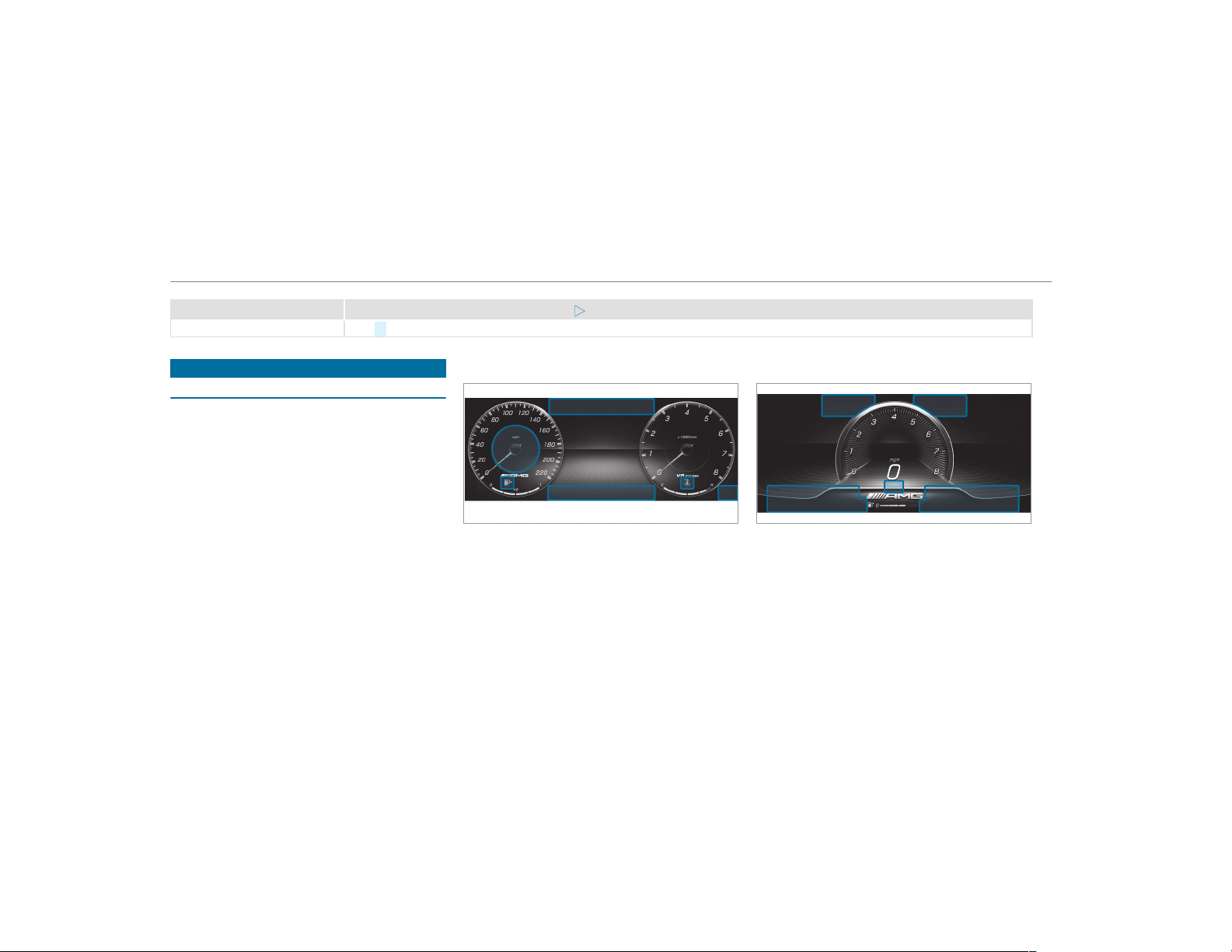
Display messages
Possible causes/consequences and M Solutions
#
Clean the windshield.
Warning and indicator lamps
Overview of warning and indicator lamps
Some systems will perform a self-test when the
ignition is switched on. Some warning and indi‐
cator lamps may briefly light up or flash. This
behavior is non-critical. These warning and indi‐
cator lamps indicate a malfunction only if they
light up or flash after the engine has been star‐
ted or during a journey.
Instrument Display
Supersport setting
If you select the Superspor t display setting, the
positions of the indicator lamps on the Instru‐
ment Display will change.
Warning and indicator lamps:
L
Low beam (→ page 115)
T
Parking lights (→ page 115)
K
High beam (→ page 116)
#!
Turn signal light (→ page 116)
474
Display messages and warning/indicator lamps

R
Rear fog light (→ page 115)
6
Restraint system (→ page 475)
ü
Seat belt not fastened (→ page 481)
$
USA: brakes (red) (→ page 475)
J
Canada: brakes (red) (→ page 475)
!
Electric parking brake (yellow)
(→ page 475)
F
USA: electric parking brake applied
(red) (→ page 475)
!
Canada: electric parking brake
applied (red) (→ page 475)
!
ABS malfunctioning (→ page 475)
÷
ESP
®
(→ page 475)
å
ESP
®
OFF (→ page 475)
±M
ESP
®
SPORT (→ page 475)
L
Distance warning (→ page 482)
Ð
Power-assisted steering malfunction‐
ing (→ page 482)
à
AMG adaptive sport suspension sys‐
tem malfunctioning (→ page 482)
;
Check Engine (→ page 483)
#
Electrical malfunction (→ page 483)
8
Fuel reserve with fuel filler flap loca‐
tion indicator (→ page 483)
(→ page 483)
?
Coolant too hot/cold (→ page 483)
h
Tire pressure monitoring system
(→ page 486)
Safety systems
Warning/indicator lamp
Possible causes/consequences and M Solutions
$
Brake warning lamp (USA)
J
The red brake system warning lamp is lit while the engine is running.
Possible causes are:
R
The brake force boosting is malfunctioning and the braking characteristics may be affected.
R
There is insufficient brake fluid in the brake fluid reservoir.
Display messages and warning/indicator lamps
475
Warning/indicator lamp
Possible causes/consequences and M Solutions
Brakes warning lamp (Can‐
ada)
&
WARNING Risk of accident and injury if brake force boosting is malfunctioning
If brake force boosting is malfunctioning, increased brake pedal force may be necessary for braking. The braking
characteristics may be impaired. The braking distance can increase in emergency braking situations.
#
Stop in a safe location immediately. Do not continue driving.
#
Consult a qualified specialist workshop.
&
WARNING Risk of an accident due to low brake fluid level
If the brake fluid level is too low, the braking effect and the braking characteristics may be impaired.
#
Pull over and stop the vehicle safely as soon as possible, paying attention to road and traffic conditions. Do
not continue driving under any circumstances.
#
Consult a qualified specialist workshop.
#
Do not add brake fluid.
#
Pull over and stop the vehicle safely as soon as possible, paying attention to road and traffic conditions. Do not
continue driving under any circumstances.
#
Observe the messages on the multifunction display.
#
Consult a qualified specialist workshop.
F
The red electric parking brake indicator lamp flashes or is lit. The yellow indicator lamp is also lit if the electric parking
brake malfunctions.
#
Observe the messages on the multifunction display.
476
Display messages and warning/indicator lamps

Warning/indicator lamp
Possible causes/consequences and M Solutions
Red indicator lamp, electric
parking brake applied (USA
only)
!
Red indicator lamp, electric
parking brake applied (Can‐
ada only)
!
Yellow electric parking
brake indicator lamp is mal‐
functioning
!
ABS warning lamp
The yellow ABS warning lamp is lit while the engine is running.
ABS is malfunctioning.
If there is an additional warning tone, EBD is malfunctioning.
Other driving systems and driving safety systems may also malfunction.
Display messages and warning/indicator lamps
477
Warning/indicator lamp
Possible causes/consequences and M Solutions
&
WARNING There is risk of skidding if EBD or ABS is malfunctioning
If EBD or ABS is malfunctioning, the wheels could lock when braking
The steering capability and braking characteristics are thus severely impaired. The braking distance in an emer‐
gency braking situation can increase. In addition, other driving safety systems are switched off.
#
Drive on carefully.
#
Have the brake system checked immediately at a qualified specialist workshop.
#
Drive on carefully.
#
Observe the messages on the multifunction display.
#
Visit a qualified specialist workshop.
å
±
ESP
®
OFF indicator lamp
The yellow ESP
®
OFF warning lamp is lit while the engine is running.
ESP
®
is deactivated.
#
Observe the notes on deactivating ESP
®
(→ page 167).
478
Display messages and warning/indicator lamps
Warning/indicator lamp
Possible causes/consequences and M Solutions
å
±
M
ESP
®
SPORT indicator lamp
ESP
®
SPORT is activated while the engine is running.
When ESP
®
SPORT is activated, ESP
®
stabilizes the vehicle only to a limited extent.
&
WARNING Risk of skidding if ESP
®
SPORT is used incorrectly
When you activate ESP
®
SPORT, there is an increased risk of skidding and having an accident.
#
Activate ESP
®
SPORT only in the circumstances described below.
#
Observe the notes on activating ESP
®
SPORT(→ page 167).
÷
ESP
®
warning lamp flashes
The yellow ESP
®
warning lamp flashes while the vehicle is in motion.
At least one wheel and tire assembly has reached its traction limit .
#
Adapt your driving style to suit the road and weather conditions.
÷
ESP
®
warning lamp lights
up
The yellow ESP
®
warning lamp is lit while the engine is running.
ESP
®
is malfunctioning
Other driving systems and driving safety systems may also malfunction.
Display messages and warning/indicator lamps
479
Warning/indicator lamp
Possible causes/consequences and M Solutions
&
WARNING Risk of skidding if ESP
®
is malfunctioning
If ESP
®
is malfunctioning, ESP
®
cannot carry out vehicle stabilization. In addition, other driving safety systems are
switched off.
#
Drive on carefully.
#
Have ESP
®
checked at a qualified specialist workshop.
#
Drive on carefully.
#
Observe the messages on the multifunction display.
#
Visit a qualified specialist workshop.
6
Restraint system warning
lamp
The red restraint system warning lamp is lit while the engine is running.
The restraint system is defective (→ page 32).
&
WARNING Risk of injury or fatal injury due to a malfunction in the restraint system
If the restraint system is malfunctioning, restraint system components may be triggered unintentionally or might not
be triggered at all in the event of an accident. This may affect the Emergency Tensioning Device or airbag, for exam‐
ple.
#
Have the restraint system checked and repaired immediately at a qualified specialist workshop.
#
Drive on carefully.
#
Observe the messages on the multifunction display.
480
Display messages and warning/indicator lamps
Warning/indicator lamp
Possible causes/consequences and M Solutions
#
Visit a qualified specialist workshop immediately.
Seat belts
Warning/indicator lamp
Possible causes/consequences and M Solutions
7
Seat belt warning lamp
lights up
The red seat belt warning lamp will light up for six seconds once the engine has started.
In addition, a warning tone may sound.
The seat belt warning lamp reminds the driver and front passenger to fasten their seat belts.
#
Fasten your seat belt (→ page 37).
If you have placed objects on the front passenger seat, the seat belt warning lamp may remain lit.
7
Seat belt warning lamp
flashes
The red seat belt warning lamp flashes and an intermittent warning tone sounds.
The driver or front passenger has not fastened their seat belt while the vehicle is in motion.
#
Fasten your seat belt(→ page 37).
There are objects on the front passenger seat.
#
Remove the objects from the front passenger seat.
Display messages and warning/indicator lamps
481
Driving systems
Warning/indicator lamp
Possible causes/consequences and M Solutions
à
Suspension warning lamp
The yellow AMG adaptive sport suspension system warning lamp is on.
There is a malfunction in the AMG adaptive sport suspension system.
#
Observe the messages on the multifunction display.
L
Warning lamp for distance
warning function
The red distance warning lamp lights up while the vehicle is in motion.
The distance to the vehicle in front is too small for the speed selected.
If there is an additional warning tone, you are approaching an obstacle at too high a speed.
#
Be prepared to brake immediately.
#
Increase the distance.
Active Brake Assist .
Vehicle
Warning/indicator lamp
Possible causes/consequences and M Solutions
Ð
The red power steering system warning lamp is lit while the engine is running.
The power-assisted steering or the steering itself is malfunctioning.
482
Display messages and warning/indicator lamps
Warning/indicator lamp
Possible causes/consequences and M Solutions
Power steering system
warning lamp
&
WARNING Risk of accident if steering capability is impaired
If the steering does not function as intended, the vehicle's operating safety is jeopardized.
#
Pull over and stop the vehicle safely as soon as possible, paying attention to road and traffic conditions. Do
not continue driving under any circumstances.
#
Consult a qualified specialist workshop.
#
Observe the messages on the multifunction display.
Engine
Warning/indicator lamp
Possible causes/consequences and M Solutions
;
Engine diagnosis warning
lamp
The yellow Check Engine warning lamp is lit while the engine is running.
A malfunction has occurred in the engine, the exhaust system or the fuel system.
The emission limit values may be exceeded and the engine may be in emergency mode.
In some states, legal requirements stipulate that you must immediately consult a qualified specialist workshop as soon
as the yellow Check Engine warning lamp lights up.
#
Have the vehicle checked as soon as possible at a qualified specialist workshop.
#
The red electrical malfunction warning lamp is lit.
There is a malfunction in the electrics.
Display messages and warning/indicator lamps
483
Warning/indicator lamp
Possible causes/consequences and M Solutions
Electrical malfunction warn‐
ing lamp
#
Observe the messages on the multifunction display.
8
Fuel reserve warning lamp
The yellow fuel reserve warning lamp lights up while driving.
There has been pressure loss in the fuel system. The fuel filler cap is not closed correctly or the fuel system is leaking.
#
Close the fuel filler cap.
If the fuel filler cap has already been closed correctly:
#
Visit a qualified specialist workshop.
8
Fuel reserve warning lamp
The yellow fuel reserve warning lamp is lit while the engine is running.
The fuel supply has dropped into the reserve range.
#
Refuel.
?
Coolant warning lamp
The red coolant warning lamp is lit while the engine is running.
Possible causes are:
R
The temperature sensor is malfunctioning
R
The coolant level is too low
R
The air supply to the radiator is obstructed
R
The radiator fan is defective
If there is an additional warning tone, the coolant temperature has exceeded the maximum permissible temperature.
484
Display messages and warning/indicator lamps
Warning/indicator lamp
Possible causes/consequences and M Solutions
&
WARNING Danger of burns when opening the hood
If you open the hood when the engine has overheated or during a fire in the engine compar tment, you could come
into contact with hot gases or other escaping operating fluids.
#
Before opening the hood, allow the engine to cool down.
#
In the event of a fire in the engine compartment, keep the hood closed and call the fire service.
#
Pull over and stop the vehicle safely and switch off the engine, paying attention to road and traffic conditions. Do
not continue driving under any circumstances.
#
Observe the messages on the multifunction display.
If the coolant temperature display is at the lower end of the temperature scale:
#
Consult a qualified specialist workshop.
or
#
Exit the vehicle and keep a safe distance from it until the engine has cooled down.
#
Check the coolant level (→ page 355).
#
Make sure that the air supply to the radiator is not obstructed.
#
Avoiding high loads on the engine, drive to the nearest qualif ied specialist workshop. In doing so, ensure that the
coolant temperature display remains below the red area.
Display messages and warning/indicator lamps
485
Tires
Warning/indicator lamp
Possible causes/consequences and M Solutions
h
Tire pressure monitoring
system warning lamp lights
up
The yellow tire pressure monitoring system warning lamp (pressure loss/malfunction) is lit.
The tire pressure monitoring system has detected tire pressure loss in at least one of the tires.
&
WARNING Risk of an accident due to insufficient tire pressure
Tire pressures that are too low pose the following hazards:
R
The tires may burst, especially as the load and vehicle speed increase.
R
The tires may wear excessively and/or unevenly, which may greatly impair tire traction.
R
The driving characteristics, as well as steering and braking, may be greatly impaired.
You could then lose control of the vehicle.
#
Observe the recommended tire pressure.
#
Adjust the tire pressure if necessary.
#
Stop the vehicle, paying attention to road and traffic conditions.
#
Check the tire pressure and the tires.
h
The yellow tire pressure monitoring system warning lamp (pressure loss/malfunction) flashes for approximately one
minute and then remains lit.
The tire pressure monitoring system is defective.
486
Display messages and warning/indicator lamps
Warning/indicator lamp
Possible causes/consequences and M Solutions
Tire pressure monitoring
system warning lamp
flashes
&
WARNING There is a risk of an accident if the tire pressure monitoring system is malfunctioning
If the tire pressure monitoring system is malfunctioning, it is not able to issue a warning if there is pressure loss in
one or more of the tires.
Underinflated tires may, for example, impair the driving, steering and braking characteristics.
#
Have the tire pressure monitoring system checked at a qualified specialist workshop.
#
Visit a qualified specialist workshop.
Display messages and warning/indicator lamps
487
1, 2, 3 ...
4MATIC ..................................................... 153
Function .............................................. 153
12 V battery
see Battery (vehicle)
12 V socket
see Socket (12 V)
48 V on-board electrical system
Operating safety .................................... 22
115 V socket
see Socket (115 V)
360° Camera ........................................... 206
Care .................................................... 362
Function .............................................. 206
Opening the camera cover (rear view
camera) ............................................... 209
Selecting a view .................................. 209
Setting favorites .................................. 209
A
A/C function
Activating/deactivating (multimedia
system) ................................................ 129
Switching on/off (control panel) ......... 129
ABS (Anti-lock Braking System) ............. 166
Acceleration
see Kickdown
Acoustic locking verification signal
Activating/deactivating ......................... 64
Activating/deactivating automatic
volume adjustment
Burmester
®
surround sound system ... 343
Active Blind Spot Assist .......................... 218
Brake application ................................. 219
Function ............................................... 218
Switching on/off ................................. 220
System limitations ............................... 218
Active Brake Assist
Function/notes ................................... 170
Setting ................................................. 174
Active Distance Assist DISTRONIC ........ 177
Active Emergency Stop Assist ............. 186
Active Lane Change Assist .................. 185
Calling up a speed ............................... 179
Displays in the Instrument Display ....... 187
Function .............................................. 177
Increasing/decreasing speed .............. 179
Requirements ...................................... 179
Route-based speed adaptation ............ 181
Steering wheel buttons ........................ 179
Storing a speed ................................... 179
Switching off/deactivating .................. 179
Switching on/activating ...................... 179
System limitations ............................... 177
Active Emergency Stop Assist ............... 186
Active Lane Change Assist ..................... 185
Activating/deactivating ....................... 186
Function .............................................. 185
Active Lane Keeping Assist .................... 220
Activating/deactivating ....................... 222
Activating/deactivating the warning ... 223
Function .............................................. 220
Sensitivity (function/notes) ................. 223
Setting the sensitivity .......................... 223
System limitations ............................... 220
Active Parking Assist .............................. 209
Cross Traffic Alert ................................ 214
Drive Away Assist ................................ 214
Exiting a parking space ........................ 212
Function .............................................. 209
488
Index

Maneuvering assistance ...................... 215
Parking ................................................. 211
System limitations ............................... 209
Active Service System PLUS
ASSYST PLUS ...................................... 350
Active Speed Limit Assist ....................... 180
Display ................................................. 180
Function .............................................. 180
Active Steering Assist ............................. 183
Activating/deactivating ....................... 185
Active Emergency Stop Assist ............. 186
Active Lane Change Assist .................. 185
Displays in the Instrument Display ....... 187
Function .............................................. 183
System limitations ............................... 183
Adaptive cruise control
see Active Distance Assist DISTRONIC
Adaptive Highbeam Assist
Function ............................................... 118
Switching on/off .................................. 119
Additional value range
Setting display content ........................ 227
Additives .................................................. 422
Engine oil ............................................ 422
Fuel ..................................................... 422
Additives (engine oil)
see Additives
Additives (fuel)
see Fuel
Address book
see Contacts
Adjusting the balance/fader
Burmester
®
high-end 3D surround
sound system ...................................... 344
Burmester
®
surround sound system ... 343
Rear touchscreen ................................ 348
Adjusting the bass, mid-range and
treble
Burmester
®
high-end 3D surround
sound system ...................................... 344
Adjusting the mid-range, treble and
bass
Burmester
®
high-end 3D surround
sound system ...................................... 344
Adjusting the sound focus
Burmester
®
surround sound system ... 344
Adjusting the sound optimization
Burmester
®
high-end 3D surround
sound system ...................................... 345
Adjusting treble, mid-range and bass
settings
Burmester
®
high-end 3D surround
sound system ...................................... 344
Burmester
®
surround sound system ... 343
After-sales service center
see ASSYST PLUS
Air bag
Reduced protection ............................... 41
Air conditioning system
see Climate control
Air distribution
Setting ................................................. 128
Air freshener system
see Perfume atomizer
Air inlet
see Air-water duct
Index
489

Air pressure
see Tire pressure
Air vents ................................................... 133
Adjusting (front) .................................. 133
Adjusting (rear) .................................... 134
Glove box ............................................. 134
Air vents
see Air vents
Air-recirculation mode ............................ 131
Air-water duct .......................................... 356
Keeping free ........................................ 356
Airbag ......................................................... 39
Activation .............................................. 33
Front airbag (driver, front passenger) .... 39
Installation locations ............................. 39
Knee airbag ........................................... 39
Overview ............................................... 39
PASSENGER AIR BAG indicator lamp ..... 44
Protection .............................................. 40
Side airbag ............................................ 39
Window curtain airbag ........................... 39
Airflow
Setting ................................................. 128
Alarm
see Panic alarm
Alarm system
see ATA (anti-theft alarm system)
All-wheel drive
see 4MATIC
Alternative route
see Route
Ambiance light
Setting (mutlimedia system) ................ 120
Ambient lighting
Setting (rear touchscreen) ................... 346
AMG
DRIVE UNIT ......................................... 193
Steering-wheel buttons ........................ 193
AMG adaptive sport suspension sys‐
tem
Selecting the suspension setting ......... 198
Setting ................................................. 198
Suspension .......................................... 195
AMG ceramic high-performance com‐
posite brake system ................................ 142
AMG DRIVE UNIT
see AMG Per formance steering wheel
AMG dynamic data
Displaying (rear touchscreen) .............. 346
AMG engine data
Displaying (rear touchscreen) .............. 346
AMG Performance adjustable exhaust
system ...................................................... 146
Function .............................................. 146
Operating ............................................ 146
AMG performance seat
Setting ................................................... 90
AMG Performance steering wheel ......... 193
AMG TRACK PACE
Configuring .......................................... 270
Drag Race ............................................ 269
General information ............................. 267
Telemetry display ................................ 270
Track Race ........................................... 267
AMG vehicle data
Displaying (rear touchscreen) .............. 346
Android Auto ............................................ 312
Connecting a mobile phone ................. 313
490
Index

Ending .................................................. 314
Information .......................................... 313
Overview .............................................. 312
Sound settings ..................................... 313
Transferred vehicle data ....................... 314
Animals
Pets in the vehicle ................................. 62
Anti-lock braking system
see ABS (Anti-lock Bra king System)
Anti-skid chains
see Snow chains
Anti-theft alarm system
see ATA (anti-theft alarm system)
Anti-theft protection
Immobilizer ............................................ 84
Anti-theft protection
see ATA (anti-theft alarm system)
Anticipatory occupant protection
see PRE-SAFE
®
(anticipatory occu‐
pant protection)
see PRE-SAFE
®
PLUS (anticipatory
occupant protection plus)
Apple CarPlay™ ........................................ 311
Connecting an iPhone
®
........................ 311
Ending .................................................. 312
Notes ................................................... 311
Overview .............................................. 311
Sound settings ..................................... 312
Transferred vehicle data ....................... 314
Ashtray
Front center console ............................ 107
Rear passenger compartment ............. 107
Assistance systems
see Driving safety system
Assistant display
Menu (on-board computer) .................. 229
ASSYST PLUS ........................................... 350
Battery disconnection periods ............. 351
Displaying the service due date ........... 350
Function/notes ................................... 350
Regular maintenance work .................. 350
Special service requirements .............. 350
ATA (anti-theft alarm system) .................. 84
Deactivating the alarm .......................... 85
Function ................................................ 84
ATTENTION ASSIST .......................... 215, 216
Function ............................................... 215
Setting ................................................. 216
System limitations ............................... 215
Attention assistant
see ATTENTION ASSIST
Audio mode
Activating media mode ........................ 326
Connecting USB devices ..................... 329
Copyrights ........................................... 326
Information .......................................... 325
Inser ting/removing an SD card ........... 326
Media search ....................................... 332
Overview ............................................. 328
Pause and playback function ............... 329
Selecting a track ................................. 329
Selecting playback options .................. 329
Track list .............................................. 329
Authorized Mercedes-Benz Center
see Qualified specialist workshop
Authorized workshop
see Qualified specialist workshop
Automatic distance control
see Active Distance Assist DISTRONIC
Index
491

Automatic driving lights .......................... 116
Automatic engine start (ECO start/
stop function) .......................................... 142
Automatic engine stop (ECO start/
stop function) .......................................... 142
Automatic front passenger front air‐
bag shutoff .......................................... 42, 4 4
Function of the automatic front
passenger front airbag shutof f .............. 42
PASSENGER AIR BAG indicator lamp ..... 44
Automatic front passenger front air‐
bag shutoff
see Automatic front passenger front
airbag shutoff
Automatic lateral support adjustment
Setting ................................................... 92
Automatic mirror folding function
Activating/deactivating ....................... 126
Automatic transmission
Double-clutch function ......................... 151
Drive program display .......................... 148
Drive programs .................................... 147
DYNAMIC SELECT switch ..................... 147
E-SELECT selector lever ....................... 149
Engaging drive position ........................ 151
Engaging neutral .................................. 150
Engaging park position ........................ 150
Engaging reverse gear ......................... 150
Kickdown ............................................. 153
Manual gearshifting ............................. 151
Oil temperature (on-board computer,
Performance menu) ............................. 230
Steering wheel paddle shifters ............. 151
Transmission position display .............. 149
Transmission positions ........................ 149
B
Bag hook .................................................. 102
BAS (Brake Assist System) ..................... 166
Battery
Charging (Remote Online) .................... 137
SmartKey ............................................... 65
Battery
see Battery (vehicle)
Battery (vehicle) ...................................... 377
Charging .............................................. 376
Notes ................................................... 372
Notes (starting assistance and
charging) .............................................. 374
Replacing ............................................. 377
Starting assistance .............................. 376
Belt
see Seat belt
Blind Spot Assist ...................................... 218
Function ............................................... 218
Switching on/off ................................. 220
System limitations ............................... 218
Blower
see Climate control
Bluetooth
®
............................................... 259
Activating/deactivating ....................... 259
Information .......................................... 259
Bluetooth
®
audio
Activating ............................................ 337
De-authorizing (de-registering) the
device .................................................. 337
Information .......................................... 335
Overview ............................................. 335
Searching for a track ........................... 337
Searching for and authorizing the
device .................................................. 336
492
Index

Selecting a music player ...................... 337
Switching device via NFC .................... 337
Boost pressure (on-board computer,
Performance menu) ................................ 230
Brake Assist System
see BAS (Brake Assist System)
Brake fluid
Notes .................................................. 423
Brake force distribution
EBD (electronic brake force distribu‐
tion) ..................................................... 170
Brakes
ABS (Anti-lock Braking System) ........... 166
Active Brake Assist .............................. 170
AMG ceramic high-performance
composite brake system ...................... 142
BAS (Brake Assist System) .................. 166
Driving tips .......................................... 139
EBD (electronic brake force distribu‐
tion) ..................................................... 170
HOLD function ..................................... 189
Limited braking effect (salt-treated
roads) .................................................. 139
New/replaced brakepads/brake
discs .................................................... 138
Notes on breaking-in a new vehicle ..... 138
Braking assistance
see BAS (Brake Assist System)
Breakdown
Changing a wheel ................................ 410
Overview of the help functions .............. 16
Roadside Assistance .............................. 21
Tow-starting ........................................ 382
Towing away ........................................ 379
Transporting the vehicle ...................... 380
Breakdown
see Flat tire
Burmester
®
high-end 3D surround
sound system
Adjusting the balance/fader ............... 344
Adjusting the sound optimization ........ 345
Adjusting treble, mid-range and bass
settings ............................................... 344
Automatic volume adjustment ............. 344
Calling up the sound menu .................. 344
Information .......................................... 344
Selecting the sound profile .................. 345
Burmester
®
surround sound system ..... 343
Adjusting the balance/fader ............... 343
Adjusting the sound focus ................... 344
Adjusting treble, mid-range and bass
settings ............................................... 343
Automatic volume adjustment ............. 343
Calling up the sound menu .................. 343
Information .......................................... 343
Switching the surround sound on/off
............................................................. 344
Buttons
Steering wheel .................................... 225
C
Call list
Making a call ....................................... 308
Overview ............................................. 308
Calling up the sound menu
Burmester
®
high-end 3D surround
sound system ...................................... 344
Burmester
®
surround sound system ... 343
Calls .......................................................... 304
Accepting ............................................ 304
Activating functions during a call ........ 304
Index
493

Calls with several participants ............. 305
Declining ............................................. 304
Ending a call ........................................ 304
Incoming call during an existing call .... 305
Making ................................................ 304
Via the overhead control panel
(Mercedes me connect) ....................... 315
Camera
see 360° Camera
see Rear view camera
Car key
see SmartKey
Car wash
see Care
Car wash (care) ....................................... 357
Care .......................................................... 364
Air-water duct ...................................... 356
Automatic car wash ............................. 357
Carpet ................................................. 364
Decorative foil ..................................... 360
Display ................................................ 364
Exterior lighting ................................... 362
Headliner ............................................. 364
Matte finish ......................................... 359
Paintwork ............................................ 359
Plastic trim .......................................... 364
Power washer ...................................... 357
Real wood/trim elements ................... 364
Rear view camera/360° Camera ........ 362
Rear wing (extendable) ........................ 362
Seat belts ............................................ 364
Seat cover ........................................... 364
Sensors ............................................... 362
Tailpipes .............................................. 362
Washing by hand ................................. 358
Wheels/rims ....................................... 362
Windows .............................................. 362
Wiper blades ....................................... 362
Cargo compartment floor
Opening/closing ................................. 104
Cargo tie-down rings ............................... 102
Carpet (Care) ........................................... 364
Change of address ..................................... 21
Change of ownership ................................ 21
Changing a wheel
Preparation .......................................... 410
Raising the vehicle ............................... 411
Changing gears ........................................ 151
Manually .............................................. 151
Changing hub caps .................................. 411
Character entry
Function/notes ................................... 256
On the touchpad ................................. 256
Charging
Battery (vehicle) ................................... 376
USB port .............................................. 111
Child safety lock
Activating/deactivating (multimedia
system) ............................................... 262
Rear door .............................................. 60
Rear side windows ................................. 61
Child seat
Attaching (notes) ................................... 52
Basic instructions .................................. 48
Front passenger seat (notes) ................. 59
LATCH-type (ISOFIX) (installing) ............ 54
Notes on risks and dangers ................... 49
Securing on the front passenger seat .... 59
Securing on the rear seat ...................... 57
Top Tether .............................................. 56
494
Index

Children
Avoiding dangers in the vehicle ............. 49
Basic instructions .................................. 48
Special seat belt retractor ..................... 53
Chock ....................................................... 409
Storage location .................................. 409
Chock
see Chock
Cigarette lighter
Front center console ............................ 107
Cleaning
see Care
Climate control ........................................ 128
3-zone automatic climate control
panel ................................................... 128
Activating/deactivating ....................... 129
Activating/deactivating the A/C
function (control panel) ....................... 129
Activating/deactivating the A/C
function (multimedia system) .............. 129
Activating/deactivating the synchro‐
nization function (control panel) .......... 130
Activating/deactivating the synchro‐
nization function (multimedia sys‐
tem) ..................................................... 130
Air distribution settings ....................... 130
Air-recirculation mode ......................... 131
Automatic control ................................ 130
Climate style function .......................... 130
Control panel for dual-zone auto‐
matic climate control ........................... 128
Defrosting the windshield .................... 128
Filling capacity for PAG oil ................... 426
Front air vents ..................................... 133
Glove box air vent ................................ 134
Inserting/removing the flacon (fra‐
grance system) .................................... 132
Ionization ............................................. 131
Note .................................................... 128
Rear air vents ...................................... 134
Rear operating unit .............................. 128
Refrigerant .......................................... 425
Refrigerant filling capacity ................... 426
Removing condensation from the
windows ............................................... 131
Residual heat ....................................... 131
Setting fragrancing (rear
touchscreen) ....................................... 349
Setting temperature (rear
touchscreen) ....................................... 349
Setting the air distribution ................... 128
Setting the airflow ............................... 128
Setting the climate style ...................... 130
Setting the fragrance system ............... 131
Setting the temperature ...................... 128
Switching ionization on/off (rear
touchscreen) ....................................... 349
Switching the climate control func‐
tion on/off (rear touchscreen) ............ 349
Switching the rear window defroster
on/off ................................................. 128
Ventilating the vehicle (convenience
opening) ................................................ 79
Windshield heater ................................ 133
Climate style
Function .............................................. 130
Setting ................................................. 130
Cockpit ......................................................... 6
Overview ................................................. 6
Coffee cup symbol
see ATTENTION ASSIST
Index
495

COMAND
see Multimedia system
COMAND Touch
Managing devices ................................ 262
Combination switch ................................. 116
Compass .................................................. 297
Computer
see On-board computer
Connection status
Displaying ............................................ 321
Overview ............................................. 320
Connectivity
Switching transmission of the vehicle
position on/off .................................... 259
Contacts ................................................... 305
Calling up ............................................ 306
Deleting ............................................... 307
Downloading (from mobile phone) ...... 306
Importing ............................................. 307
Importing (overview) ........................... 306
Information .......................................... 305
Making a call ....................................... 307
Name format ....................................... 306
Options ................................................ 307
Storing ................................................. 307
Controller
Operating ............................................ 250
Convenience closing feature .................... 79
Convenience opening ................................ 79
Coolant (engine)
Check level .......................................... 355
Filling capacity .................................... 425
Notes ................................................... 424
Cooling
see Climate control
Copyright
Licenses ................................................ 30
Trademarks ............................................ 30
Cornering light function .......................... 118
Cross Traffic Alert .................................... 214
Crosswind Assist
Function/notes ................................... 169
Cruise control .......................................... 175
Buttons ................................................ 176
Calling up a speed ............................... 176
Function ............................................... 175
Requirements: ..................................... 176
Selecting .............................................. 176
Setting a speed .................................... 176
Storing a speed .................................... 176
Switching off ........................................ 176
Switching on ........................................ 176
System limitations ............................... 175
Cup holder
Rear passenger compartment ............. 106
Switching the cooling/heating func‐
tion on/off .......................................... 106
Cup holder in the center console
Installing/removing (automatic
transmission) ....................................... 105
Customer Assistance Center (CAC) ......... 26
Customer Relations Department ............. 26
D
Dashboard
see Cockpit
Dashboard lighting
see Instrument cluster lighting
496
Index

Data acquisition
Vehicle ................................................... 27
Data import/export ................................ 263
Function/notes ................................... 263
Importing/exporting ........................... 263
Data storage
Electronic control units ......................... 27
Online services ...................................... 28
Vehicle ................................................... 27
Date
Setting the time and date automati‐
cally ..................................................... 258
Daytime running lamp mode
see Daytime running lights
Daytime running lights ............................ 119
Switching on/off .................................. 119
Deactivating the alarm (ATA) .................... 85
Dealership
see Qualified specialist workshop
Declaration of conformity
Wireless vehicle components ................ 24
Decorative foil (cleaning instructions)
................................................................... 360
Definitions (tires and loading) ............... 403
Designs
Menu (on-board computer) .................. 227
Destination .............................................. 289
Editing intermediate destinations ........ 279
Editing the previous destinations ........ 289
External ............................................... 289
Saving (current vehicle position) ......... 289
Saving as global favorite ...................... 289
Storing a map position ........................ 289
Destination entry ..................................... 274
Entering 3 word addresses .................. 280
Entering a POI or address .................... 274
Entering an intermediate destination ... 278
Entering geo-coordinates .................... 279
Selecting a contact ............................. 279
Selecting a POI .................................... 277
Selecting from the map ....................... 280
Selecting previous destinations ........... 277
Detecting inattentiveness
see ATTENTION ASSIST
Diagnostics connection ............................ 24
Differential lock
see Rear axle locking differential
Digital Operator's Manual ......................... 18
Digital speedometer ............................... 232
Dinghy towing
see Tow-bar system
Display
Care .................................................... 364
Setting brightness (rear
touchscreen) ....................................... 348
Display (multimedia system)
Settings ............................................... 257
Display (on-board computer)
Displays on the multifunction display .. 228
Display content
Setting the additional value range ....... 227
Display message ..................................... 428
Calling up (on-board computer) ........... 428
Notes .................................................. 428
Display messages
¯
- - - mph ..................................... 450
ç - - - mph ..................................... 449
#12 V Battery See Operator's
Manual ................................................ 453
Index
497

Active Blind Spot Assist Currently
Unavailable See Operator's Manual ..... 447
Active Blind Spot Assist Inoperative .... 447
Active Blind Spot Asst. Not Available
When Towing a Trailer See Opera‐
tor's Manual ........................................ 448
Active Brake Assist Functions Cur‐
rently Limited See Operator's Man‐
ual ....................................................... 441
Active Brake Assist Functions Limi‐
ted See Operator's Manual .................. 441
Active Distance Assist Currently
Unavailable See Operator's Manual .... 449
Active Distance Assist Inoperative ...... 450
Active Distance Assist Now Available
............................................................. 450
bActive Headlamps Inoperative ..... 471
Active Lane Keeping Assist Camera
View Restricted See Operator's Man‐
ual ....................................................... 446
Active Lane Keeping Assist Currently
Unavailable See Operator's Manual .... 446
Active Lane Keeping Assist Inopera‐
tive ...................................................... 446
Active Parking Assist and
PARKTRONIC Inoperative See Opera‐
tor's Manual ........................................ 448
Active Steering Assist Currently
Unavailable See Operator's Manual .... 445
Active Steering Assist Inoperative ....... 445
Adaptive Highbeam Assist Camera
View Restricted See Operator's Man‐
ual ....................................................... 473
Adaptive Highbeam Assist Currently
Unavailable See Operator's Manual ..... 473
Adaptive Highbeam Assist Inopera‐
tive ...................................................... 473
Apply Brake to Shift from 'P' ............... 465
ÀATTENTION ASSIST Inoperative ... 443
ÀATTENTION ASSIST: Take a
Break! .................................................. 442
bAutomatic Headlamp Mode
Inoperative .......................................... 472
Auxiliary Battery Malfunction .............. 466
Blind Spot Assist Currently Unavaila‐
ble See Operator's Manual .................. 446
Blind Spot Assist Inoperative ............... 447
Blind Spot Assist Not Available When
Towing a Trailer See Operator's Man‐
ual ....................................................... 447
$Check Brake Fluid Level .............. 437
Check Coolant Level See Operator's
Manual ................................................. 451
4Check Engine Oil At Next Refu‐
eling .................................................... 455
4Check Engine Oil Level (Add 1
quart) .................................................. 457
bCheck Left Low Beam (Exam‐
ple) ...................................................... 471
498
Index

hCheck Tires ................................. 458
¥Check Washer Fluid ..................... 471
?Coolant Too Hot Stop Vehicle
Turn Engine Off .................................... 451
Cruise Control Inoperative .................. 450
Cruise Control Off ............................... 450
!Currently Unavailable See Oper‐
ator's Manual ...................................... 429
÷Currently Unavailable See Oper‐
ator's Manual ...................................... 430
Decrease Speed .................................. 461
ÂDon't Forget Your Key ................. 462
Drive More Slowly ............................... 444
Driver's Door Open & Transmission
Not in P Risk of Vehicle Rolling Away .. 464
Electronic Rear Axle Differential Lock
Currently Unavailable .......................... 467
Electronic Rear Axle Differential Lock
Inoperative .......................................... 467
5Engine Oil Level Cannot Be
Measured ............................................ 457
4Engine Oil Level Low Stop Vehi‐
cle Turn Engine Off .............................. 455
4Engine Oil Pressure Stop Switch
Off Engine ........................................... 456
4Engine Oil Reduce Oil Level ......... 456
6Front Lef t Malfunction Service
Required (Example) ............................. 438
Front Passenger Airbag Disabled See
Operator's Manual .............................. 440
Front Passenger Airbag Enabled See
Operator's Manual ............................... 439
8Fuel Level Low ............................. 457
8Gas Cap Loose ............................ 457
!Inoperative See Operator's
Manual ................................................ 430
÷Inoperative See Operator's
Manual ................................................ 431
TInoperative See Operator's
Manual ................................................ 432
GInoperative .................................. 442
bIntell. Light System Inoperative ... 472
ÂKey Not Detected (white dis‐
play message) ..................................... 462
ÂKey Not Detected (red display
message) ............................................. 463
6Left Side Curtain Airbag Mal‐
function Service Required (Example) ... 439
 Lowering .................................... 443
Malfunction Drive at Max. 50 mph ...... 445
bMalfunction See Operator’s
Manual ................................................. 472
Mercedes me connect Services Limi‐
ted See Operator's Manual ................. 442
N Permanently Active Risk of Rolling
Away .................................................... 464
ÂObtain a New Key ........................ 462
çOff ............................................... 449
Index
499

ëOff ............................................... 449
Only Shift to 'P' when Vehicle is Sta‐
tionary ................................................. 465
ïOperation Only Possible in
Transmission Position P ....................... 464
FParking Brake See Operator's
Manual ................................................ 434
ÂPlace the Key in the Marked
Space See Operator's Manual ............. 463
hPlease Correct Tire Pressure ....... 458
FPlease Release Parking Brake ..... 433
PRE-SAFE Impulse Side Inoperative
See Operator's Manual ........................ 442
PRE-SAFE Inoperative See Opera‐
tor's Manual ........................................ 441
Radar Sensors Dirty See Operator's
Manual ................................................ 432
ÐRear Axle Steering Currently
Unavailable .......................................... 468
ÐRear Axle Steering Malfunction
Service Required ................................. 468
Rear Spoiler Control System Inopera‐
tive ...................................................... 469
Rear Spoiler Inoperative Limit ###
mph ..................................................... 469
ÂReplace Key Battery .................... 462
Reversing Not Possible Service
Required .............................................. 465
#See Operator's Manual ............... 452
Service Required Do Not Shift Gears
Visit Dealer .......................................... 465
6SRS Malfunction Service
Required .............................................. 438
ÐSteering Malfunction Increased
Physical Effort See Operator's Man‐
ual ....................................................... 468
ÐSteering Malfunction Stop
Immediately See Operator's Manual .... 467
Stop Vehicle Leave Engine Running
Wait Transmission Cooling .................. 466
#Stop Vehicle Leave Engine Run‐
ning ..................................................... 453
#Stop Vehicle See Operator's
Manual ................................................ 453
ÁStop Vehicle Vehicle Too Low ...... 444
çSuspended .................................. 449
bSwitch Off Lights ......................... 472
bSwitch On Headlamps ................. 473
hTire Press. Monitor Cur rently
Unavailable .......................................... 460
hTire Press. Monitor Inoperative .... 461
hTire Pressure Monitor Inopera‐
tive No Wheel Sensor s ........................ 460
Tires Overheated ................................. 461
To Deselect P or N, Depress Brake
and Start Engine .................................. 464
To Engage Transmiss. Position R First
Depress the Brake ............................... 465
500
Index

Traffic Sign Assist Camer a View
Restricted See Operator's Manual ....... 448
Traffic Sign Assist Currently Unavail‐
able See Operator's Manual ................ 4 48
Traffic Sign Assist Inoperative ............. 449
dTrans. Oil Overheated Drive on
with Care ............................................. 467
Transmission Malfunction Stop ........... 465
dTransmission Oil Cooling Mal‐
function ............................................... 466
FTurn On the Ignition to Release
the Parking Brake ................................ 433
dVehicle Operational Switch the
Ignition Off Before Exiting ................... 464
ÁVehicle Rising Please Wait .......... 443
ÁVehicle Rising .............................. 443
hWarning Tire Malfunction ............ 459
hWheel Sensor(s) Missing ............. 460
Display on the windshield
see Head-up Display
Distance control
see Active Distance Assist DISTRONIC
Distance recorder
see Trip distance
DISTRONIC
see Active Distance Assist DISTRONIC
Door
Child safety lock (rear door) .................. 60
Locking (emergency key) ....................... 71
Opening (from the inside) ...................... 68
Unlocking (emergency key) .................... 71
Unlocking (from the inside) ................... 68
Door control panel ..................................... 14
DOT, Tire Identification Number (TIN) ... 399
Double-clutch function ............................ 151
Drag Race
Setting ................................................. 269
Drawbar
see Tow-bar system
DRIFT MODE
Activation conditions ........................... 192
Function ............................................... 191
Switching off ....................................... 192
Switching on ........................................ 192
Drinking and driving ................................ 139
Drive Away Assist .................................... 214
Drive position
Engaging .............................................. 151
Drive program display ............................. 148
Drive programs
see DYNAMIC SELECT
Driver's seat
see Seat
Driving lights
see Automatic driving lights
Driving safety system ............................. 165
ABS (Anti-lock Braking System) ........... 166
Active Brake Assist .............................. 170
BAS (Brake Assist System) .................. 166
EBD (electronic brake force distribu‐
tion) ..................................................... 170
ESP
®
(Electronic Stability Program) ..... 167
ESP
®
Crosswind Assist ........................ 169
Overview ............................................. 165
Radar sensors ...................................... 165
Responsibility ...................................... 165
Index
501

STEER CONTROL ................................. 170
Driving system
AMG adaptive sport suspension sys‐
tem ...................................................... 195
Driving system
see 360° Camera
see Active Blind Spot Assist
see Active Distance Assist DISTRONIC
see Active Emergency Stop Assist
see Active Lane Change Assist
see Active Lane Keeping Assist
see Active Parking Assist
see Active Speed Limit Assist
see Active Steering Assist
see ATTENTION ASSIST
see Blind Spot Assist
see Cruise control
see Driving safety system
see HOLD function
see Parking Assist PARKTRONIC
see Rear view camera
see Traffic Sign Assist
Driving tips
AMG ceramic high-performance
composite brake system ...................... 142
Drinking and driving ............................ 139
General driving tips ............................. 139
Notes on breaking-in a new vehicle ..... 138
Drowsiness detection
see ATTENTION ASSIST
DYNAMIC SELECT .................................... 147
Configuring drive program I ................. 148
Displaying engine data ........................ 149
Displaying vehicle data ........................ 148
Drive program display .......................... 148
Drive programs .................................... 147
Function ............................................... 147
Operating (DYNAMIC SELECT switch)
............................................................. 148
Selecting the drive program ................ 148
Showing operation feedback ............... 148
E
E-SELECT selector lever .......................... 149
Engaging drive position ........................ 151
Engaging neutral .................................. 150
Engaging park position ........................ 150
Engaging park position automatically .. 150
Engaging reverse gear ......................... 150
Function .............................................. 149
E10 ............................................................ 421
Easy entry feature
Function/notes ..................................... 96
Setting ................................................... 97
Easy exit feature
Function/notes ..................................... 96
Setting ................................................... 97
EASY-PACK load-securing kit .................. 103
Installing/removing the telescopic
rod ....................................................... 103
Notes ................................................... 103
EBD (electronic brake force distribu‐
tion)
Function/notes ................................... 170
ECO Assist
Displaying ............................................ 146
Function/notes ................................... 144
ECO display
Function .............................................. 144
Resetting ............................................. 233
ECO start/stop function ................. 142, 143
Automatic engine start ........................ 142
Automatic engine stop ......................... 142
502
Index

Method of operation ............................ 142
Switching off/on ................................. 143
Electric parking brake ............................. 162
Applying automatically ........................ 162
Applying or releasing manually ............ 163
Emergency braking .............................. 164
Releasing automatically ....................... 163
Electronics ............................................... 416
Emergency
Overview of the help functions .............. 16
Reflective safety vest .......................... 366
Emergency braking ................................. 164
Emergency braking
see BAS (Brake Assist System)
Emergency call system
see Mercedes-Benz emergency call system
Emergency engine start ......................... 382
Emergency key
Locking a door ....................................... 71
Unlocking a door ................................... 71
Emergency operation mode
Starting the vehicle .............................. 137
Emergency Tensioning Devices
Activation .............................................. 33
Emotion Start
Starting the vehicle ............................. 136
ENERGIZING comfort
Overview of programs ......................... 272
Starting the program ........................... 273
Engine
ECO start/stop function ...................... 142
Engine number ..................................... 418
Starting (emergency operation
mode) .................................................. 137
Starting (Remote Online) ..................... 138
Starting (start/stop button) ................. 136
Starting assistance .............................. 376
Switching off (start/stop button) ........ 156
Engine data
Displaying ............................................ 149
Engine number ......................................... 418
Engine oil ................................................. 354
Additives ............................................. 422
Capacity .............................................. 423
Checking the oil level using the on-
board computer ................................... 353
MB-Freigabe or MB-Approval ............... 423
Quality ................................................. 423
Temperature (on-board computer,
Performance menu) ............................. 230
Topping up ........................................... 354
EQ boost
Operating safety .................................... 22
Equalizer
Setting (rear touchscreen) ................... 348
ESP
®
Crosswind Assist ................................. 169
ESP
®
(Electronic Stability Program)
Activating/deactivating ....................... 169
ESP
®
SPORT ........................................ 167
Function/notes .................................... 167
Status display (on-board computer,
Performance menu) ............................. 230
ESP
®
SPORT
Function/notes .................................... 167
Exterior lighting
Care .................................................... 362
Exterior lighting
see Lights
Index
503
Exterior mirrors ............................... 123, 124
Anti-glare mode (automatic) ................ 124
Automatic mirror folding function ........ 126
Folding in/out ..................................... 123
Operating the memory function ............. 97
Parking position ................................... 125
Setting ................................................. 123
External device
Locking (child safety lock) ................... 262
Eyeglasses compartment ....................... 100
F
Fatigue detection
see ATTENTION ASSIST
Favorites
Adding ................................................. 253
Calling up ............................................ 253
Deleting ............................................... 254
Moving ................................................ 254
Overview ............................................. 253
Renaming ............................................ 254
Flacon
Inserting/removing ............................. 132
Flat tire ..................................................... 366
Changing a wheel ................................ 410
MOExtended tires ................................ 367
Notes .................................................. 366
TIREFIT kit ........................................... 368
Flat towing
see Tow-bar system
Floor mats ................................................ 113
Foil covering ............................................ 165
Fragrance
see Perfume atomizer
Free software ............................................ 30
Frequencies
Two-way radio ...................................... 417
Frequency band
Dialing (on-board computer) ................ 235
Front airbag (driver, front passenger) ..... 39
Front passenger seat
Adjusting from the driver's seat ............ 89
Fuel ........................................................... 422
Additives ............................................. 422
E10 ...................................................... 421
Fuel reserve ........................................ 422
Gasoline .............................................. 421
Quality (gasoline) ................................. 421
Refueling ............................................. 154
sulfur content ...................................... 421
Tank content ....................................... 422
Fuel consumption
On-board computer ............................. 232
Function seat
see Door control panel
Fuses ........................................................ 382
Before replacing a fuse ........................ 382
Dashboard fuse box ............................ 384
Fuse assignment diagram ................... 382
Fuse box in the cargo compartment .... 384
Fuse box in the engine compartment .. 383
Fuse box in the front-passenger foot‐
well ...................................................... 384
Notes .................................................. 382
Fuses
see Fuses
504
Index
G
G-meter (on-board computer, Per‐
formance menu) ...................................... 230
Garage door opener
Clearing the memory ........................... 160
Opening or closing the door ................ 160
Programming buttons .......................... 157
Radio equipment approval numbers .... 160
Resolving problems ............................. 159
Synchronizing the rolling code ............. 159
Gas station search
Starting automatic search ................... 278
Switching automatic search on/off ..... 283
Using automatic search ....................... 283
Gasoline ................................................... 421
Gear display (on-board computer, Per‐
formance menu) ...................................... 230
Gearshift recommendation .................... 152
Genuine parts ............................................ 20
Glide mode ............................................... 153
Glove box
Air vent ................................................ 134
Locking/unlocking .............................. 100
H
Handbrake
see Electric parking brake
Handling characteristics (unusual) ....... 386
HANDS-FREE ACCESS ................................ 75
Hazard warning lights ............................. 117
Head restraint
Front (adjusting mechanically) .............. 90
Rear (installing/removing) ..................... 91
Rear passenger compartment
(adjusting) ............................................. 91
Head-up Display ...................................... 237
Adjusting display elements (on-board
computer) ............................................ 237
Adjusting the brightness (on-board
computer) ............................................ 237
Function .............................................. 237
Menu (on-board computer) .................. 237
Operating the memory function ............. 97
Setting the position (on-board com‐
puter) .................................................. 237
Switching on/off ................................. 238
Headliner (care) ....................................... 364
Heating
see Climate control
High beam
Switching on/off .................................. 116
High-beam flasher ................................... 116
High-beam headlamps
Adaptive Highbeam Assist ................... 118
Hill start assist ........................................ 189
HOLD function ......................................... 189
Function/notes ................................... 189
Switching on/off ................................. 189
Hood
Opening/closing .................................. 351
Hotspot
Setting up (Wi-Fi) ................................. 261
I
Identification plate
Engine .................................................. 418
Refrigerant .......................................... 425
Vehicle ................................................. 418
Index
505

Ignition
Switching on (Start/Stop button) ........ 135
Ignition key
see SmartKey
Immobilizer ................................................ 84
Indicator lamps
see Warning/indicator lamps
Individual drive program
Configuring .......................................... 148
Selecting ............................................. 148
Inside rearview mirror
see Exterior mirrors
Instrument cluster
see Instrument Display
Instrument cluster lighting .................... 229
Instrument Display .................................. 224
Adjusting the lighting .......................... 229
Function/notes ................................... 224
Instrument cluster ................................. 10
Setting the additional value range ....... 227
Warning/indicator lamps ..................... 474
Intelligent Light System
Adaptive Highbeam Assist ................... 118
Cornering light function ....................... 118
Interior lighting ........................................ 120
Ambiance light ..................................... 120
Reading light ........................................ 120
Setting ................................................. 120
Switch-off delay time ........................... 121
Intermediate destination
Calculating a route with intermediate
destinations ......................................... 279
Entering ............................................... 278
Modifying ............................................ 279
Starting an automatic gas station
search ................................................. 278
Starting the automatic service sta‐
tion search .......................................... 284
Internet
Calling up a web page .......................... 321
Closing the browser ............................ 323
Deleting a bookmark ........................... 323
Deleting browser data ......................... 323
Managing bookmarks .......................... 323
Internet connection
Connection status ............................... 320
Displaying the connection status ......... 321
Establishing ......................................... 320
Information .......................................... 319
Restrictions .......................................... 319
Via communication module ................. 320
Internet radio
Calling up ............................................ 323
Deleting stations ................................. 324
Logging out ......................................... 325
Overview ............................................. 324
Registering .......................................... 325
Saving stations .................................... 324
Selecting and connecting to a station
............................................................. 324
Selecting stream ................................. 325
Setting options .................................... 325
Ter ms of use ........................................ 325
Ionization
Activating/deactivating (multimedia
system) ................................................ 131
Switching on/off (rear touchscreen) ... 349
iPhone
®
see Apple CarPlay™
see Mercedes-Benz Link
506
Index
J
Jack
Storage location .................................. 409
Jump-start connection ............................ 376
General notes ...................................... 374
Notes ................................................... 374
K
KEYLESS-GO
Locking the vehicle ................................ 69
Problem ................................................. 69
Unlocking setting .................................. 64
Unlocking the vehicle ............................ 69
Kickdown ................................................. 153
Using ................................................... 153
Knee airbag ................................................ 39
L
Labeling (tires)
see Tire labeling
Laden
see EASY-PACK load-securing kit
Lamp
see Interior lighting
Lamps (Instrument Display)
see Warning/indicator lamps
Lane detection (automatic)
see Active Lane Keeping Assist
Lane Keeping Assist
see Active Lane Keeping Assist
Language ................................................. 262
Notes .................................................. 262
Setting ................................................. 263
Setting (rear touchscreen) ................... 348
LATCH-type (ISOFIX) child seat secur‐
ing system
Installing ................................................ 54
Light switch
Overview .............................................. 115
Lighting
see Interior lighting
see Lights
Lights ........................................................ 115
Adaptive Highbeam Assist ................... 118
Adjusting the instrument lighting ........ 229
Automatic driving lights ....................... 116
Combination switch ............................. 116
Cornering light function ....................... 118
Hazard warning lights ........................... 117
High beam ............................................ 116
High-beam flasher ................................ 116
Light switch ......................................... 115
Low-beam headlamps .......................... 115
Parking lights ....................................... 115
Rear fog lamp ....................................... 115
Responsibility for lighting systems ....... 115
Setting the surround lighting ................ 119
Standing lights ..................................... 115
Turn signals .......................................... 116
Limited Warranty
Vehicle .................................................. 26
Limiting the opening angle (tailgate) ....... 76
Live Traffic Information
Displaying subscription information .... 290
Displaying the traffic map .................... 291
Displaying traffic incidents .................. 291
Extending a subscription ..................... 290
Issuing hazard alerts ........................... 292
Load index (tires) ..................................... 401
Index
507

Load-bearing capacity (tires) ................. 401
Loading ..................................................... 102
Bag hook ............................................. 102
Cargo tie-down rings ........................... 102
Definitions ........................................... 403
Notes ..................................................... 98
Stowage space underneath the cargo
compartment floor .............................. 104
Loading guidelines .................................... 98
Loading information table ...................... 393
Loads
Securing ................................................ 98
Locator lighting
see Surround lighting
Locking differential
see Rear axle locking differential
Locking/unlocking
Activating/deactivating the auto‐
matic locking feature ............................. 70
Emergency key ...................................... 71
KEYLESS-GO .......................................... 69
Opening the tailgate .............................. 71
Unlocking and opening doors from
the inside .............................................. 68
Low-beam headlamps
Switching on/off .................................. 115
Lubricant additives
see Additives
Luggage
Securing ................................................ 98
Lumbar support
see Lumbar suppor t (4-way)
Lumbar support (4-way) ..................... 87, 90
M
Maintenance
Menu (on-board computer) .................. 229
Vehicle ................................................... 21
Maintenance
see ASSYST PLUS
Malfunction
Restraint system ................................... 33
Malfunction message
see Display message
Map ........................................... 291, 292, 293
Avoiding an area .................................. 295
Avoiding an area (overview) ................. 295
Changing an area ................................ 295
Deleting an area .................................. 296
Displaying the compass ....................... 297
Displaying the map version ................. 295
Displaying the next intersecting
street ................................................... 294
Displaying the satellite map ................. 297
Displaying the traffic map .................... 291
Displaying weather information ........... 298
Map data ............................................. 296
Moving ................................................ 293
Overview ............................................. 292
Selecting POI symbols ......................... 294
Selecting text information ................... 294
Selecting the map orientation ............. 294
Setting the map scale .......................... 293
Setting the map scale automatically .... 297
Updating ............................................. 296
Map and compass
Overview ............................................. 292
Massage program
Overview ............................................... 92
508
Index

Resetting the settings ............................ 93
Massage programs
Selecting the front seats ....................... 93
Matte finish (cleaning instructions) ...... 359
Maximum load rating .............................. 400
Maximum permissible load
Calculation example ............................ 395
Determining ......................................... 394
Maximum tire pressure .......................... 400
Mechanical key
Inserting/removing ............................... 65
Unlocking the tailgate ............................ 76
Media
Menu (on-board computer) .................. 236
Searching ............................................ 332
Media display
Notes ................................................... 249
Media Interface
Activating ............................................ 333
Information .......................................... 332
Overview ............................................. 334
Media mode
Activating ............................................ 326
Media playback
Operating (on-board computer) ........... 236
Media player
Operating (rear touchscreen) .............. 347
Media search
Starting ............................................... 332
Media source
Selecting (on-board computer) ............ 236
Memory function
Head-up Display — Calling up stored
settings .................................................. 97
Head-up Display — Storing settings ....... 97
Operating .............................................. 97
Outside mirrors — Calling up stored
settings .................................................. 97
Outside mirrors — Storing settings ........ 97
Seat — Calling up stored settings ........... 97
Seat — Storing settings .......................... 97
Steering wheel — Calling up saved
settings .................................................. 97
Steering wheel — Saving settings ........... 97
Menu (on-board computer)
Assistant display ................................. 229
Designs ............................................... 227
Head-up Display .................................. 237
Maintenance ....................................... 229
Media .................................................. 236
Navigation ........................................... 234
Overview ............................................. 225
Performance ........................................ 230
Radio ................................................... 235
Telephone ............................................ 236
Trip ...................................................... 232
Mercedes me connect ............................. 315
Accident management ......................... 316
Calling the Mercedes-Benz Customer
Center .................................................. 315
Information .......................................... 314
Making a call via the overhead con‐
trol panel ............................................. 315
Service call with the me button ........... 316
Service message .................................. 316
Transferred data .................................. 317
Mercedes-Benz Apps
Calling up ............................................ 321
Using voice control .............................. 321
Mercedes-Benz emergency call sys‐
tem ............................................................ 317
Automatic emergency call ................... 318
Index
509

Information .......................................... 317
Manual emergency call ........................ 318
Overview .............................................. 317
Transferred data .................................. 319
Mercedes-Benz Link ................................ 310
Connecting .......................................... 310
Ending .................................................. 310
Overview .............................................. 310
Using ................................................... 310
Message (multifunction display)
see Display message
Message memory .................................... 428
Messages
Voice commands (Voice Control Sys‐
tem) ..................................................... 246
Messages
see Text messages
Mirrors
see Exterior mirrors
Mobile phone
Wireless charging ................................. 113
Mobile phone
see Android Auto
see Apple CarPlay™
see Mercedes-Benz Link
see Second telephone
see Telephone
Mobile phone voice recognition
Starting ............................................... 304
Stopping .............................................. 304
Model series
see Vehicle identif ication plate
MOExtended tires .................................... 367
Multifunction display
Overview of displays ............................ 228
Multifunction steering wheel
Overview of buttons ............................ 225
Multifunction steering wheel
see Steering wheel
Multimedia system .................................. 248
Activating/deactivating standby
mode ................................................... 165
Adjusts the volume .............................. 255
Central control elements ..................... 249
Configuring display settings ................ 257
ENERGIZING comfort program over‐
view ..................................................... 272
Favorites ............................................. 253
Main functions .................................... 253
Overview ............................................. 248
Restoring the factory settings .............. 267
Standby mode function ....................... 164
Starting the ENERGIZING comfort
program ............................................... 273
Switching the sound on or off ............. 254
N
Navigation
Calling up the Digital Operator's
Manual ................................................ 298
Menu (on-board computer) .................. 234
Showing/hiding the menu ................... 274
Switching on ........................................ 273
Updating the map data ........................ 296
Voice commands (Voice Control Sys‐
tem) ..................................................... 242
Navigation
see Destination
see Destination entry
see Map
510
Index

see Route
see Route guidance
see Traffic information
Navigation announcements
Activating/deactivating ....................... 287
Adjusting the volume ........................... 287
Repeating ............................................ 288
Switching audio fadeout on/off .......... 287
Navigation messages
On-board computer ............................. 234
Near Field Communication (NFC) .......... 303
Connecting the mobile phone to the
multimedia system .............................. 303
Information .......................................... 303
Switching Bluetooth
®
audio equip‐
ment .................................................... 337
Switching mobile phones .................... 303
Using a mobile phone .......................... 303
Neutral
Engaging .............................................. 150
NFC
see Near Field Communication (NFC)
Non-operational time
Activating/deactivating standby
mode ................................................... 165
Standby mode function ....................... 164
Notes on breaking-in a new vehicle ....... 138
O
Occupant safety
Pets in the vehicle ................................. 62
Occupant safety
see Airbag
see Automatic front passenger front
airbag shutoff
see PRE-SAFE
®
(anticipatory occu‐
pant protection)
see PRE-SAFE
®
Impulse Side
see PRE-SAFE
®
PLUS (anticipatory
occupant protection plus)
see Restraint system
see Seat belt
Odometer
see Total distance
Oil
see Engine oil
On-board computer ................................. 225
Assistance graphic menu .................... 229
Displaying the service due date ........... 350
Head-up Display menu ........................ 237
Media menu ........................................ 236
Menu designs ...................................... 227
Menu overview .................................... 225
Multifunction display ........................... 228
Navigation system menu ..................... 234
Operating ............................................ 225
Performance menu .............................. 230
Radio menu ......................................... 235
Service menu ...................................... 229
Telephone menu .................................. 236
Trip menu ............................................ 232
On-board diagnostics interface
see Diagnostics connection
Open-source software .............................. 30
Opening the tailgate using your foot
see HANDS-FREE ACCESS
Operating fluids
Additives (fuel) .................................... 422
Brake fluid ........................................... 423
Coolant (engine) .................................. 424
Index
511
Engine oil ............................................ 422
Fuel (gasoline) ..................................... 421
Notes .................................................. 420
Refrigerant (air conditioning system) ... 425
Windshield washer fluid ...................... 425
Operating safety
48 V on-board electrical system ............ 22
Declaration of conformity (wireless
vehicle components) ............................. 24
EQ boost ............................................... 22
Information ............................................ 22
Operating system
see On-board computer
Operator's Manual
Vehicle equipment ................................. 20
Operator's Manual (digital) ....................... 18
Overhead control panel
Making calls (Mercedes me connect) .. 315
Overview ................................................ 12
P
Paint code ................................................. 418
Paintwork (cleaning instructions) ......... 359
Panel heating
Setting ................................................... 94
Panic alarm ................................................ 64
Activating/deactivating ......................... 64
Park position
Engaging .............................................. 150
Selecting automatically ....................... 150
Parking
see Electric parking brake
Parking aid
see Parking Assist PARKTRONIC
Parking Assist PARKTRONIC .................. 200
Activating ............................................ 203
Adjusting warning tones ...................... 203
Function .............................................. 200
Side impact protection ........................ 201
Switching off ....................................... 203
System limitations ............................... 200
Parking assistance systems
see Active Parking Assist
Parking brake
see Electric parking brake
Parking for an extended period .............. 164
Parking lights ........................................... 115
Parking position
Exterior mirrors ................................... 125
Storing the position of the front-
passenger outside mirror using
reverse gear ......................................... 125
PASSENGER AIR BAG status display
see Automatic front passenger front
airbag shutoff
Payload
Calculation example ............................ 395
Determining the maximum .................. 394
Performance (on-board computer,
Performance menu) ................................ 230
Perfume
see Perfume atomizer
Perfume atomizer .................................... 132
Inserting/removing the flacon ............. 132
Setting ................................................. 131
Setting (rear touchscreen) ................... 349
Perfume vial
see Perfume atomizer
Permitted towing methods ..................... 377
512
Index

Personalization
see User profile
Pets in the vehicle ..................................... 62
Phone book
see Contacts
Picture formats
see Video mode
Picture settings
see Video mode
PIN protection
Activating/deactivating ....................... 264
Plastic trim (Care) ................................... 364
Playback options
Selecting ............................................. 329
POI
Selecting ............................................. 277
POI symbols
Selecting ............................................. 294
Power output (on-board computer,
Performance menu) ................................ 230
Power supply
Switching on (Start/Stop button) ........ 135
Power washer (care) ............................... 357
Power windows
see Side windows
PRE-SAFE
®
(anticipatory occupant
protection) ................................................. 46
Function ................................................ 46
PRE-SAFE
®
Sound ................................. 46
Reversing measures .............................. 47
PRE-SAFE
®
Impulse Side ........................... 47
Activation .............................................. 33
Function ................................................ 47
PRE-SAFE
®
PLUS (anticipatory occu‐
pant protection plus) ................................ 47
Function ................................................ 47
Reversing measures .............................. 47
Preventative occupant protection sys‐
tem
see PRE-SAFE
®
(anticipatory occu‐
pant protection)
Previous destinations
Selecting ............................................. 277
Protecting the environment
Notes ..................................................... 19
Q
QR code
Rescue card ........................................... 27
Qualified specialist workshop ................. 25
R
RACE START
Activating ............................................. 191
Activation conditions ........................... 191
Function .............................................. 190
RACETIMER (on-board computer, Per‐
formance menu) ...................................... 231
Radar sensors .......................................... 165
Radio
Activating/deactivating radio text ....... 339
Calling up the station list ..................... 338
Direct frequency entry ........................ 338
Displaying information ......................... 339
Displaying radio text ............................ 339
Menu (on-board computer) .................. 235
Searching for stations ......................... 338
Setting a channel ................................ 338
Setting the waveband .......................... 338
Index
513

Storing radio stations .......................... 338
Switching on ....................................... 338
Switching the HD radio function
on/off ................................................. 338
Voice commands (Voice Control Sys‐
tem) ..................................................... 243
Radio stations
Dialing (on-board computer) ................ 235
Range
Displaying ............................................ 232
REACH regulation ...................................... 25
Reading light
see Interior lighting
Real wood (Care) ..................................... 364
Rear axle locking differential ................. 139
Rear axle steering .................................... 141
Rear door (child safety lock) .................... 60
Rear fender
Retracting/extending .......................... 194
Rear fog lamp ........................................... 115
Switching on/off .................................. 116
Rear spoiler
see Rear wing
Rear touchscreen
Adjusting the ambient lighting ............. 346
Adjusting the equalizer ........................ 348
Displaying AMG dynamic data ............. 346
Displaying AMG engine data ................ 346
Displaying AMG vehicle data ............... 346
Operating the media player ................. 347
Resetting system settings ................... 349
Selecting a sound profile (high-end
sound system) ..................................... 348
Setting seat-specific sound optimiza‐
tion (high-end sound system) .............. 348
Setting the airflow ............................... 349
Setting the balance and fader ............. 348
Setting the display brightness ............. 348
Setting the display lock ....................... 348
Setting the language ........................... 348
Setting the perfume atomizer .............. 349
Setting the sound focus (premium
sound system) ..................................... 348
Setting the sunshade ........................... 347
Setting the temperature ...................... 349
Switching ionization on/off ................. 349
Switching the climate control func‐
tion on/off .......................................... 349
Using the basic functions .................... 345
Rear view camera .................................... 204
Care .................................................... 362
Function .............................................. 204
Opening the camera cover (360°
Camera) .............................................. 209
Setting favorites (360° Camer a) ......... 209
Rear window
Sun protection ....................................... 77
Rear window defroster ........................... 128
Rear wing ................................................. 193
Care .................................................... 362
Function/notes ................................... 193
Setting ................................................. 195
Reflective safety vest ............................. 366
Refrigerant (air conditioning system)
Notes .................................................. 425
Refueling
Refueling the vehicle ........................... 154
Remote Online
Charging the battery ............................ 137
514
Index

Cooling or heating the vehicle inte‐
rior ....................................................... 137
Starting the vehicle ............................. 138
Reporting malfunctions relevant to
safety .......................................................... 26
Rescue card ............................................... 27
Reserve
Fuel ..................................................... 422
Reset function (multimedia system) ..... 267
Residual heat ........................................... 131
Restoring (factory settings)
see Reset function (multimedia system)
Restraint system ....................................... 32
Basic instructions for children ............... 48
Function in an accident ......................... 33
Functionality .......................................... 33
Malfunction ........................................... 33
Protection .............................................. 32
Reduced protection ............................... 32
Self-test ................................................. 33
Warning lamp ........................................ 33
Reverse gear
Engaging .............................................. 150
Rims (Care) .............................................. 362
Roadside Assistance ................................. 21
Roadside Assistance call
see Mercedes me connect
Roll away protection
see HOLD function
Roof load .................................................. 427
Route ................................................ 281, 283
Calculating ........................................... 281
Displaying destination information ...... 283
External ............................................... 289
Planning ............................................... 278
Selecting a type .................................. 282
Selecting an alternative route ............. 283
Selecting notifications ......................... 283
Selecting options ................................ 282
Starting the automatic service sta‐
tion search .......................................... 284
Switching the automatic gas station
search on/off ...................................... 283
Using automatic gas station search .... 283
With intermediate destinations ............ 279
Route guidance ....................................... 284
Canceling ............................................ 288
Changing direction .............................. 285
Destination reached ............................ 286
From an off-road location .................... 288
Lane recommendations ....................... 286
Notes ................................................... 284
Off-road ............................................... 288
To an off-road destination ................... 288
Route-based speed adaptation
Displays in the Instrument Display ....... 187
Function ............................................... 181
Route-based speed adjustment
Setting ................................................. 183
Run-flat characteristics
MOExtended tires ................................ 367
S
Safety systems
see Driving safety system
Satellite map ............................................ 297
Satellite radio
Activating/deactivating TuneStart ....... 342
Displaying EPG information .................. 341
Displaying service information ............ 342
Information .......................................... 339
Index
515

Information about Smart Favorites
and TuneStart ...................................... 342
Logging in ............................................ 339
Music and sport alerts function ........... 341
Overview ............................................. 340
Pause and playback function ............... 342
Restrictions ......................................... 339
Selecting a categor y ............................ 341
Selecting a channel ............................. 341
Setting music and sport alerts ............. 341
Setting the parental control ................. 341
Switching on ....................................... 339
SD card
Inserting/removing ............................. 326
Seat ............................................................ 86
4-way lumbar support ...................... 87, 90
Adjusting (electrically) ........................... 89
Adjusting (Seat Comfort) ....................... 87
Backrest (rear) locking ......................... 101
Correct driver's seat position ................ 86
Massage program overview ................... 92
Operating the memory function ............. 97
Panel heating ......................................... 94
Resetting the settings ............................ 93
Setting automatic lateral support
adjustment ............................................ 92
Setting options ...................................... 14
Workout program overview .................... 92
Seat adjustment
Configuring ............................................ 92
Seat belt ..................................................... 35
Protection .............................................. 35
Seat belt adjustment
Activating/deactivating ......................... 39
Function ................................................ 38
Seat belt warning
see Seat belts
Seat belts ................................................... 39
Activating/deactivating seat belt
adjustment ............................................ 39
Adjusting the height .............................. 37
Care .................................................... 364
Fastening ............................................... 37
Reduced protection ............................... 36
Releasing ............................................... 38
Seat belt adjustment (function) ............. 38
Warning lamp ........................................ 39
Seat cover (Care) ..................................... 364
Seat heating
Activating/deactivating ......................... 93
Seat ventilation
Switching on/off ................................... 95
Second telephone ........................... 301, 302
Connecting .......................................... 301
Features .............................................. 302
Selecting a gear
see Changing gears
Selecting the sound profile
Burmester
®
high-end 3D surround
sound system ...................................... 345
Selector lever
see E-SELECT selector lever
Self-test
Automatic front passenger front air‐
bag shutoff ............................................ 44
Sensors (Care) ......................................... 362
Service center
see Qualified specialist workshop
Service interval display
see ASSYST PLUS
516
Index

Service station search
Starting automatic search ................... 284
Setting a speed
see Cruise control
Setting summer time .............................. 258
Setting the date format .......................... 258
Setting the distance unit ........................ 263
Setting the map scale
see Map
SETUP (on-board computer, Perform‐
ance menu) .............................................. 230
Shift paddles
see Steering wheel paddle shifters
Shifting gears
Gearshift recommendation .................. 152
Short messages
see Text messages
Side airbag ................................................. 39
Side impact protection ........................... 201
Side windows ............................................. 77
Child safety lock in the rear
passenger compartment ........................ 61
Closing .................................................. 77
Closing using the SmartKey ................... 79
Convenience closing feature ................. 79
Convenience opening ............................ 79
Opening ................................................. 77
Opening with the SmartKey ................... 79
Problem ................................................. 80
Size designation (tires) ........................... 401
Ski/snowboard bag ................................. 101
Sliding sunroof
Closing .................................................. 81
Closing using the SmartKey ................... 79
Opening ................................................. 81
Opening with the SmartKey ................... 79
Problem ................................................. 82
SmartKey ................................................... 63
Acoustic locking verification signal ....... 64
Battery .................................................. 65
Energy consumption .............................. 64
Features ................................................ 63
Key ring attachment .............................. 65
Mechanical key ...................................... 65
Overview ............................................... 63
Panic alarm ........................................... 64
Problem ................................................. 66
Unlocking setting .................................. 64
SmartKey functions
Deactivating .......................................... 64
Smartphone
see Android Auto
see Apple CarPlay™
see Mercedes-Benz Link
see Telephone
Snow chains ............................................. 387
Socket (12 V) ............................................ 108
Cargo compartment ............................. 110
Front center console ........................... 108
Rear passenger compartment ............. 108
Socket (115 V) .......................................... 109
Rear passenger compartment ............. 109
Software update ...................................... 265
Importa nt system updates .................. 266
Information .......................................... 265
Performing .......................................... 266
Sound
PRE-SAFE
®
Sound ................................. 46
Wheels and tires .................................. 386
Index
517

Sound
see Burmester
®
surround sound system
see Sound settings
Sound focus (premium sound system)
Setting (rear touchscreen) ................... 348
Sound optimization (high-end sound
system)
Seat-specific setting (rear
touchscreen) ....................................... 348
Sound profile (high-end sound sys‐
tem)
Selecting (rear touchscreen) ............... 348
Sound settings ........................................ 342
Adjusting the balance/fader ............... 343
Adjusting treble, mid-range and bass
settings ............................................... 343
Automatic volume adjustment ............. 343
Calls up the sound menu ..................... 342
Information .......................................... 342
Special seat belt retractor ........................ 53
Specialist workshop .................................. 25
Speech dialog system
see Voice Control System
Speed index (tires) .................................. 401
Speedometer
Digital .................................................. 232
Sports exhaust
see AMG Per formance adjustable
exhaust system
Standby mode
Activating/deactivating ....................... 165
Function .............................................. 164
Standing lights ......................................... 115
Start/Stop button
Parking the vehicle .............................. 156
Starting the vehicle ............................. 136
Switching on the power supply or
ignition ................................................ 135
Start/stop function
see ECO start/stop function
Starting assistance
see Jump-start connection
Starting the engine
see Vehicle
Starting-off aid
see Hill start assist
Station
Direct frequency entry ........................ 338
Searching ............................................ 338
Setting ................................................. 338
Storing ................................................ 338
Station list
Calling up ............................................ 338
STEER CONTROL
Function/notes ................................... 170
Steering wheel ........................................ 225
Adjusting (electrically) ........................... 95
Buttons ................................................ 225
Operating the memory function ............. 97
Steering wheel heater ........................... 96
Steering wheel heater
Switching on/off ................................... 96
Steering wheel paddle shifters .............. 151
Stowage areas
see Loading
see Stowage compartment
Stowage compartment ........................... 100
Armrest ............................................... 100
Center console .................................... 100
518
Index

Door .................................................... 100
Eyeglasses compartment .................... 100
Glove box ............................................. 100
Rear armrest ....................................... 100
Stowage compartments
see Loading
see Stowage compartment
Stowage space underneath the cargo
compartment floor .................................. 104
Sulfur content .......................................... 421
Sun blind
Rear window .......................................... 77
Sun visor
Operating ............................................ 126
Sunshade
Setting (rear touchscreen) ................... 347
Surround lighting ..................................... 119
Setting ................................................. 119
Surround View
see 360° Camera
Suspension
AMG adaptive sport suspension sys‐
tem ...................................................... 195
Selecting the suspension setting ......... 198
Setting the suspension level ................ 198
Suspension level
Setting ................................................. 198
SVHC (substances of very high con‐
cern) ........................................................... 25
Switch-off delay time
Exterior ................................................ 119
Interior ................................................. 121
Switching the surround sound on/off
Burmester
®
surround sound system ... 344
Synchronization function
Activating/deactivating (multimedia
system) ................................................ 130
Switching on/off (control panel) ......... 130
System settings
Activating/deactivating PIN protec‐
tion ...................................................... 264
Reset function (multimedia system) .... 267
Resetting (rear touchscreen) ............... 349
Setting the distance unit ..................... 263
Setting the time and date automati‐
cally ..................................................... 258
Setting the time zone .......................... 258
Setting the time/date format .............. 258
Switching transmission of the vehicle
position on/off .................................... 259
System settings
see Bluetooth
®
see Data import/export
see Language
see Software update
see Wi-Fi
T
Tailgate ....................................................... 71
Closing .................................................. 72
HANDS-FREE ACCESS ........................... 75
Limiting the opening angle ..................... 76
Opening ................................................. 71
Opening dimensions ............................ 426
Unlocking (mechanical key) ................... 76
Tailpipes (Care) ........................................ 362
Tank content
Fuel ..................................................... 422
Reserve (fuel) ...................................... 422
Technical data
Information .......................................... 416
Index
519

Tire pressure monitor .......................... 393
Vehicle identification plate ................... 418
Telemetry display
Calling up ............................................ 270
Telephone ........................................ 236, 299
Activating functions during a call ........ 304
Call and ringtone volume ..................... 304
Calls with several participants ............. 305
Connecting a mobile phone (Near
Field Communication (NFC)) ............... 303
Connecting a mobile phone (Pass‐
key) ...................................................... 301
Connecting a mobile phone (Secure
Simple Pairing) .................................... 301
De-authorizing a mobile phone ............ 303
Disconnecting a mobile phone ............ 303
Importing contacts .............................. 307
Importing contacts (overview) ............. 306
Incoming call during an existing call .... 305
Information .......................................... 300
Interchanging mobile phones .............. 302
Menu (on-board computer) .................. 236
Mobile phone voice recognition .......... 304
Notes .................................................. 298
Operating modes ................................. 300
Reception and transmission volume .... 304
Switching mobile phones (Near Field
Communication (NFC)) ........................ 303
Telephone menu overview ................... 299
Telephone operation ............................ 304
Using Near Field Communication
(NFC) ................................................... 303
Voice commands (Voice Control Sys‐
tem) ..................................................... 242
Wireless charging (mobile phone) ........ 113
Telephone
see Second telephone
Telephone number
Dialing (on-board computer) ................ 236
Telephony operating modes
Bluetooth
®
Telephony .......................... 300
Telephony operating modes
see Second telephone
Temperature ............................................ 128
Engine oil (on-board computer, Per‐
formance menu) .................................. 230
Setting (rear touchscreen) ................... 349
Transmission oil (on-board computer,
Performance menu) ............................. 230
Temperature grade .................................. 398
Text messages ......................................... 308
Calling a message sender .................... 309
Changing folders .................................. 310
Composing .......................................... 309
Configuring the displayed text mes‐
sages ................................................... 308
Deleting ............................................... 310
Drafts .................................................. 310
Notes .................................................. 308
Options ................................................ 310
Outbox ................................................. 310
Read-aloud function ............................ 309
Reading ............................................... 309
Replying .............................................. 309
Sending ............................................... 309
Voice commands (Voice Control Sys‐
tem) ..................................................... 246
Time
Manual time setting ............................. 258
Setting summer time ........................... 258
Setting the time and date automati‐
cally ..................................................... 258
Setting the time zone .......................... 258
Setting the time/date format .............. 258
520
Index

TIN (Tire Identification Number) ............ 399
Tire and Loading Information placard ... 393
Tire characteristics ................................. 401
Tire inflation compressor
see TIREFIT kit
Tire information table ............................. 393
Tire labeling ............................................. 398
Characteristics .................................... 401
DOT, Tire Identification Number (TIN)
............................................................. 399
Load index ........................................... 401
Load-bearing capacity ......................... 401
Maximum tire load .............................. 400
Maximum tire pressure ....................... 400
Overview ............................................. 398
Speed rating ........................................ 401
Temperature grade .............................. 398
Tire Quality Grading ............................. 398
Tire size designation ............................ 401
Traction grade ..................................... 398
Tread wear grade ................................. 398
Tire load (maximum) ............................... 400
Tire pressure ................................... 389, 390
Checking (manually) ............................ 390
Checking (tire pressure monitoring
system) ............................................... 392
Maximum ............................................ 400
Notes .................................................. 388
Restarting the tire pressure monitor‐
ing system ........................................... 393
Tire pressure monitoring system
(function) ............................................. 391
Tire pressure table .............................. 389
TIREFIT kit ........................................... 368
Tire pressure monitor
Restarting ............................................ 393
Technical data ..................................... 393
Tire pressure monitoring system
Checking the tire pressure .................. 392
Checking the tire temperature ............ 392
Function .............................................. 391
Tire pressure table .................................. 389
Tire Quality Grading ................................ 398
Tire temperature
Checking (tire pressure monitoring
system) ............................................... 392
Tire pressure monitoring system
(function) ............................................. 391
Tire tread ................................................. 386
Tire-change tool kit
Overview ............................................. 409
TIREFIT kit ................................................ 368
Storage location .................................. 368
Using ................................................... 368
Tires
Changing hub caps ............................... 411
Characteristics .................................... 401
Checking ............................................. 386
Checking the tire pressure (man‐
ually) ................................................... 390
Checking the tire pressure (tire pres‐
sure monitoring system) ...................... 392
Definitions ........................................... 403
DOT, Tire Identification Number (TIN)
............................................................. 399
Flat tire ................................................ 366
Installing .............................................. 414
Load index ........................................... 401
Load-bearing capacity ......................... 401
Maximum tire load .............................. 400
Index
521

Maximum tire pressure ....................... 400
MOExtended tires ................................ 367
Noise ................................................... 386
Notes on installing .............................. 406
Overview of tire labeling ...................... 398
Removing ............................................. 413
Replacing ..................................... 406, 410
Restarting the tire pressure monitor‐
ing system ........................................... 393
Rotating ............................................... 409
Selection ............................................. 406
Snow chains ........................................ 387
Speed rating ........................................ 401
Storing ................................................ 409
Temperature grade .............................. 398
Tire and Loading Information placard
............................................................. 393
Tire pressure (notes) ........................... 388
Tire pressure monitoring system
(function) ............................................. 391
Tire pressure table .............................. 389
Tire Quality Grading ............................. 398
Tire size designation ............................ 401
TIREFIT kit ........................................... 368
Traction grade ..................................... 398
Tread wear grade ................................. 398
Unusual handling characteristics ........ 386
Tool
see Vehicle tool kit
Top Tether .................................................. 56
Torque (on-board computer, Perform‐
ance menu) .............................................. 230
Total distance .......................................... 232
Displaying ............................................ 232
Touch Control
On-board computer ............................. 225
Operating ............................................ 250
Setting the sensitivity .......................... 250
Touchpad
Activating/deactivating haptic oper‐
ation feedback .................................... 252
Operating ............................................. 251
Reading the handwriting recognition
aloud ................................................... 252
Selecting a station and track ............... 252
Setting the sensitivity .......................... 252
Tow-bar system ....................................... 223
Tow-starting ............................................. 382
Towing away ............................................ 379
Towing eye
Installing .............................................. 381
Storage location .................................. 381
Towing methods ...................................... 377
Track
Selecting (audio mode) ....................... 329
Track Race
Setting ................................................. 267
Traction grade ......................................... 398
Traffic information .................................. 290
Displaying the traffic map .................... 291
Displaying traffic incidents .................. 291
Extending a Live Traffic Information
subscription ........................................ 290
Issuing hazard warnings ...................... 292
Live Traffic Information ....................... 290
Overview ............................................. 290
Traffic map
see Map
Traffic Sign Assist .................................... 216
Function/notes .................................... 216
Setting ................................................. 218
System limitations ............................... 216
522
Index

Transferred vehicle data
Android Auto ........................................ 314
Apple CarPlay™ ................................... 314
Transmission position display ................ 149
Transporting
Vehicle ................................................ 380
Tread wear grade ..................................... 398
Trim element (Care) ................................ 364
Trip
Menu (on-board computer) .................. 232
Trip computer
Displaying ............................................ 232
Resetting ............................................. 233
Trip distance ............................................ 232
Displaying ............................................ 232
Resetting ............................................. 233
Trip odometer
see Trip distance
Trunk lid
see Tailgate
Turn signal indicator
see Turn signals
Turn signals .............................................. 116
Switching on/off .................................. 116
Two phone mode
see Second telephone
Two-way radios
Frequencies ......................................... 417
Notes on installation ............................ 416
Transmission output (maximum) .......... 417
U
Units of measurement
Setting ................................................. 263
Unlocking setting ...................................... 64
USB devices
Connecting .......................................... 329
USB port .................................................... 111
User profile .............................................. 264
Creating .............................................. 265
Options ................................................ 265
Setting ................................................. 264
Using the telephone
see Calls
V
Vehicle ...................................................... 137
Activating/deactivating standby
mode ................................................... 165
Correct use ........................................... 25
Data acquisition .................................... 27
Data storage .......................................... 27
Diagnostics connection ......................... 24
Equipment ............................................. 20
Limited Warranty ................................... 26
Locking (automatically) ......................... 70
Locking (from the inside) ....................... 68
Locking (KEYLESS-GO) .......................... 69
Locking/unlocking (emergency key) ...... 71
Lowering .............................................. 415
Maintenance .......................................... 21
Parking for an extended period ............ 164
Problem notification .............................. 26
QR code rescue card ............................. 27
Qualified specialist workshop ................ 25
Raising ................................................. 411
REACH regulation .................................. 25
Standby mode function ....................... 164
Starting (emergency operation
mode) .................................................. 137
Index
523

Starting (Emotion Start) ....................... 136
Starting (Remote Online) ..................... 138
Starting (start/stop button) ................. 136
Switching off (start/stop button) ........ 156
Towing ................................................. 223
Unlocking (from the inside) ................... 68
Unlocking (KEYLESS-GO) ....................... 69
Ventilating (convenience opening) ......... 79
Voice commands (Voice Control Sys‐
tem) ..................................................... 247
Vehicle data
Displaying (DYNAMIC SELECT) ............ 148
Roof load ............................................. 427
Transferring to Android Auto™ ............. 314
Transferring to Apple CarPlay™ ........... 314
Turning radius ...................................... 426
Vehicle height ...................................... 426
Vehicle length ...................................... 426
Vehicle width ....................................... 426
Wheelbase ........................................... 426
Vehicle data storage
COMAND/mbrace ................................. 29
Event data recorders ............................. 29
Vehicle dimensions ................................. 426
Vehicle electronics
Notes ................................................... 416
Two-way radios .................................... 416
Vehicle identification number
see VIN
Vehicle identification plate ..................... 418
Paint code ............................................ 418
VIN ....................................................... 418
Vehicle interior
Cooling or heating (Remote Online) ..... 137
Vehicle key
see SmartKey
Vehicle maintenance
see ASSYST PLUS
Vehicle operation
Outside the USA or Canada ................... 21
Vehicle position
Switching transmission on/off ............ 259
Vehicle tool kit ........................................ 368
TIREFIT kit ........................................... 368
Towing eye ........................................... 381
Ventilating
Convenience opening ............................ 79
Ventilation
see Climate control
Vents
see Air vents
Video mode .............................................. 332
Activating ............................................ 330
Activating/deactivating full-screen
mode ................................................... 332
Overview .............................................. 331
Settings ............................................... 332
VIN ............................................................ 418
Identification plate ............................... 418
Seat ..................................................... 418
Windshield ........................................... 418
Vision
Removing condensation from the
windows ............................................... 131
Windshield heater ................................ 133
Voice command types (Voice Control
System) ..................................................... 241
Voice Control System .............................. 240
Application specific voice commands .. 241
Audible help functions ......................... 242
Global voice commands ....................... 241
524
Index
Improving speech quality ..................... 242
Language setting ................................. 242
Media player voice commands ............ 244
Message voice commands .................. 246
Multifunction steering wheel (operat‐
ing) ...................................................... 240
Navigation voice commands ................ 242
Operable functions .............................. 241
Operating safety .................................. 240
Radio voice commands ........................ 243
Switch voice commands ...................... 242
Telephone voice controls ..................... 242
Text message voice commands ........... 246
Types of voice commands .................... 241
Vehicle voice commands ..................... 247
Voice prompting ................................... 241
Voice control system
see Voice Control System
W
Warm-up (on-board computer, Per‐
formance menu) ...................................... 230
Warning lamps
see Warning/indicator lamps
Warning system
see ATA (anti-theft alarm system)
Warning/indicator lamp
!ABS warning lamp ....................... 477
$Brake warning lamp (USA) ........... 475
JBrakes warning lamp (Canada) .... 475
?Coolant warning lamp ................. 484
#Electrical malfunction warning
lamp .................................................... 483
;Engine diagnosis warning lamp ... 483
åESP
®
OFF indicator lamp ............. 478
åESP
®
SPORT indicator lamp ........ 479
÷ESP
®
warning lamp flashes ......... 479
÷ESP
®
warning lamp lights up ....... 479
8Fuel reserve warning lamp .......... 484
ÐPower steering system warning
lamp .................................................... 482
!Red indicator lamp, electric
parking brake applied (Canada only) .... 476
FRed indicator lamp, electric
parking brake applied (USA only) ......... 476
6Restraint system warning lamp ... 480
7Seat belt warning lamp flashes .... 481
7Seat belt warning lamp lights
up ........................................................ 481
àSuspension warning lamp ........... 482
hTire pressure monitoring sys‐
tem warning lamp flashes ................... 486
hTire pressure monitoring sys‐
tem warning lamp lights up ................. 486
LWarning lamp for distance
warning function ................................. 482
!Yellow electric parking brake
indicator lamp is malfunctioning .......... 476
Warning/indicator lamps ........................ 474
Overview .............................................. 474
PASSENGER AIR BAG ............................ 44
Warranty .................................................... 26
Washer fluid
see Windshield washer fluid
Index
525

Washing by hand (care) .......................... 358
Water tank
see Air-water duct
Weather information ............................... 298
Web browser
Calling up a web page .......................... 321
Calling up options ............................... 322
Calling up the settings ......................... 322
Deleting a bookmark ........................... 323
Deleting browser data ......................... 323
Ending ................................................. 323
Managing bookmarks .......................... 323
Overview ............................................. 322
Showing/hiding the menu ................... 321
Website
Calling up ............................................ 321
Showing/hiding the web browser
menu ................................................... 321
Wheel change
Lowering the vehicle ............................ 415
Mounting a new wheel ......................... 414
Removing a wheel ................................ 413
Removing/installing hub caps .............. 411
Wheel rotation ......................................... 409
Wheels
Care .................................................... 362
Changing hub caps ............................... 411
Checking ............................................. 386
Checking the tire pressure (man‐
ually) ................................................... 390
Checking the tire pressure (tire pres‐
sure monitoring system) ...................... 392
Definitions ........................................... 403
DOT, Tire Identification Number (TIN)
............................................................. 399
Flat tire ................................................ 366
Installing .............................................. 414
Load index ........................................... 401
Load-bearing capacity ......................... 401
Maximum tire load .............................. 400
Maximum tire pressure ....................... 400
MOExtended tires ................................ 367
Noise ................................................... 386
Notes on installing .............................. 406
Overview of tire labeling ...................... 398
Removing ............................................. 413
Replacing ..................................... 406, 410
Restarting the tire pressure monitor‐
ing system ........................................... 393
Rotating ............................................... 409
Selection ............................................. 406
Snow chains ........................................ 387
Speed rating ........................................ 401
Storing ................................................ 409
Temperature grade .............................. 398
Tire and Loading Information placard
............................................................. 393
Tire characteristics .............................. 401
Tire pressure (notes) ........................... 388
Tire pressure monitoring system
(function) ............................................. 391
Tire pressure table .............................. 389
Tire Quality Grading ............................. 398
Tire size designation ............................ 401
TIREFIT kit ........................................... 368
Traction grade ..................................... 398
Tread wear grade ................................. 398
Unusual handling characteristics ........ 386
Wi-Fi ......................................................... 259
Overview ............................................. 259
Setting ................................................. 260
Setting up a hotspot ............................ 261
Window curtain airbag ............................. 39
Windows
see Side windows
526
Index

Windows (Care) ....................................... 362
Windshield ....................................... 122, 128
Defrosting ............................................ 128
Infrared reflective ................................ 126
Replacing the wiper blades .................. 122
Windshield
see Windshield
Windshield heater ................................... 133
Windshield heating
see Windshield heater
Windshield washer fluid ......................... 425
Notes .................................................. 425
Windshield washer system
Topping up ........................................... 356
Windshield wipers
Activating/deactivating ....................... 121
Replacing the wiper blades .................. 122
Winter operation
Snow chains ........................................ 387
Wiper blades
Care .................................................... 362
Replacing ............................................. 122
Wireless charging
Function/notes .................................... 111
Mobile phone ....................................... 113
Wireless vehicle components
Declaration of conformity ...................... 24
Workout program
Overview ............................................... 92
Workshop
see Qualified specialist workshop
Index
527