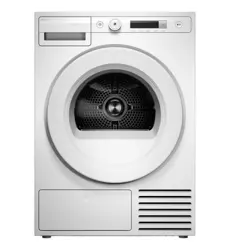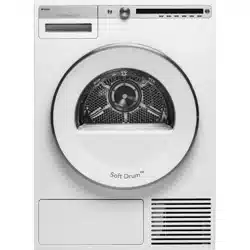
INSTRUCTIONS FOR USE
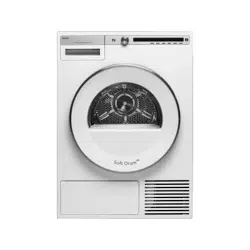
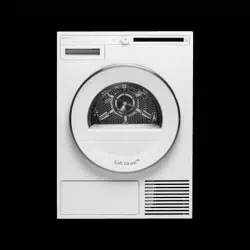
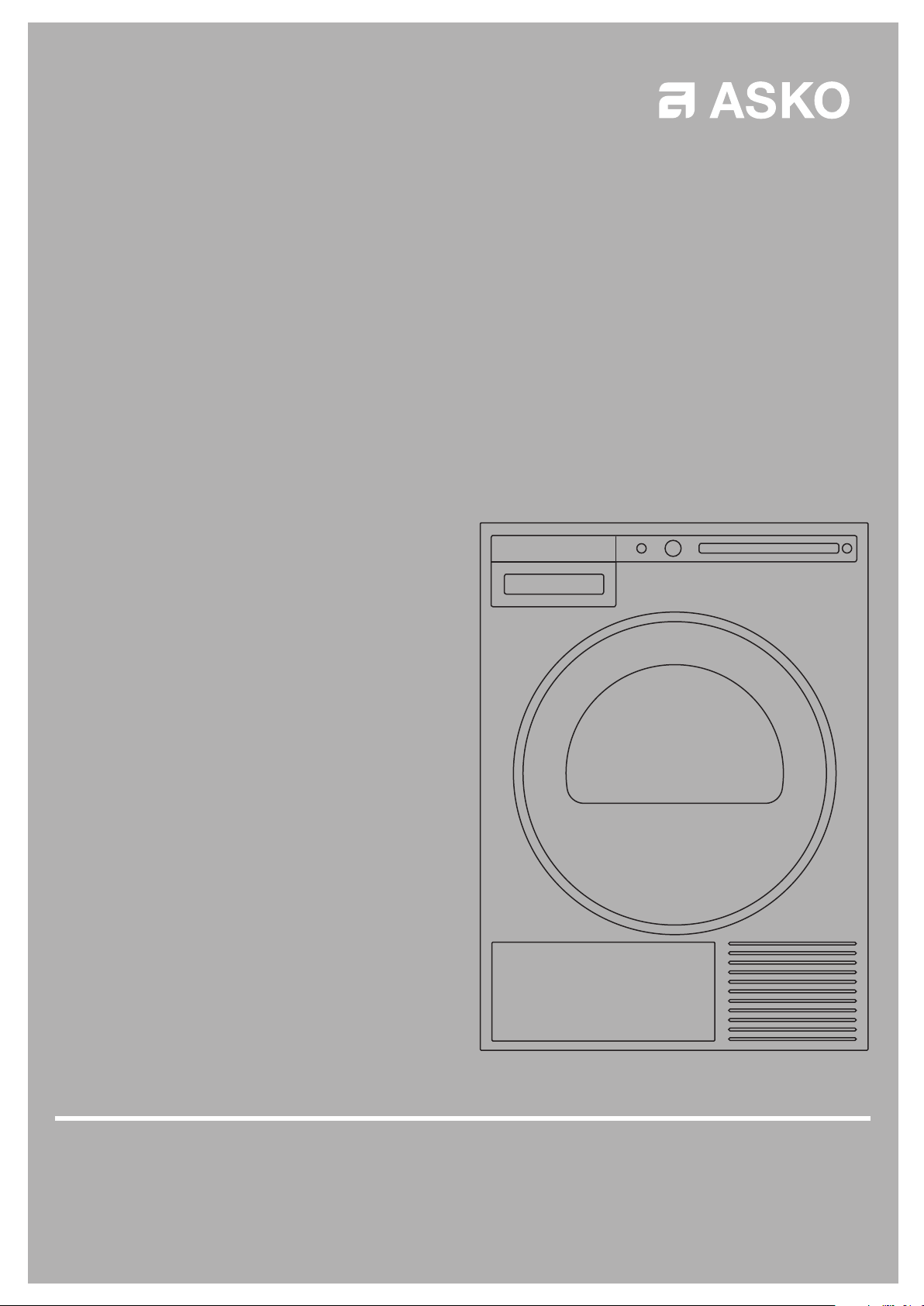
TD75.B3XX
Carefully read the instructions for use before using the dryer.
Tumble Dryer
T208H.W.U
2
Customer Care Center, 1-800-898-1879, www.askona.com
Important safety instructions 3
Dryer description 6
Before using the appliance for the fi rst time 7
Installation and connection 8
Tips before drying 17
Drying process 20
System settings 28
Cleaning and maintenance 31
Errors and Troubleshooting 37
Service and guarantee 41
Technical information 44
Program table 45
Disposal 46
Quick guide 47
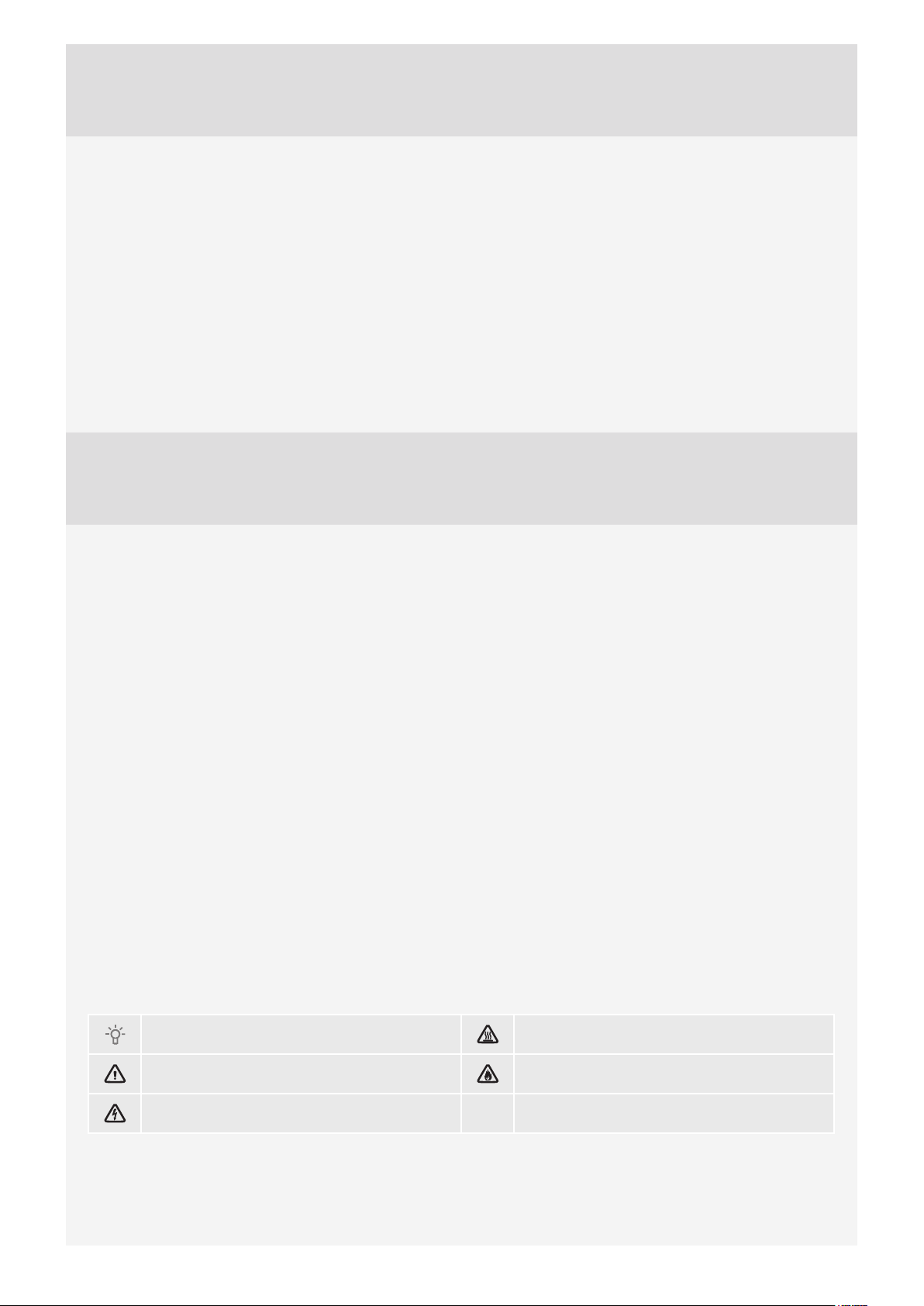
The following symbols are used throughout the manual and they have the following meanings:
Information, advice, tip, or recommendation Warning – danger of hot surface
Warning – general danger Warning – danger of fire
Warning – danger of electric shock
Original instructions See Quick guide on the last page.
Dear Customer,
We thank you for purchasing this quality ASKO product.
We hope it meets all your expectations. Scandinavian design combines pure lines, everyday functionality,
and high quality. These are the key characteristics of all our products, and the reason why they are highly
appreciated across the globe.
We kindly recommend that you read these instructions before using the appliance for the fi rst time. The
instruction manual also includes information on how you can help protect the environment.
TABLE OF CONTENTS
3
Customer Care Center, 1-800-898-1879, www.askona.com
GENERAL
SAVE THESE INSTRUCTIONS FOR FUTURE REFERENCE!
WARNING - To reduce the risk of fi re, electric shock, or injury to persons when
using your appliance, follow basic precautions, including the following:
1. Read all instructions before using the appliance.
2. WARNING - Only use the dryer to dry laundry that was washed with
water. Do not dry any laundry that was washed or cleaned with fl ammable
cleaners or substances (such as gasoline, trichloroethylene, etc.) as this
may result in an explosion.
3. Do not wash or dry articles that have been previously cleaned in, washed
in, soaked in, or spotted with gasoline, dry-cleaning solvents, cooking oils,
other fl ammable or explosive substances as they give off vapors that could
ignite or explode.
4. Instructions for use are available on our website at www.askona.com.
5. Your dryer is intended solely for household use.
6. Do not allow children to play on or in the appliance. Children should be
closely supervised when near the appliance.
7. Before the appliance is removed from service or discarded, remove the
door to the drying compartment.
8. Do not reach into the appliance if the drum is moving.
9. Do not install or store this appliance where it will be exposed to the weather.
10. Do not tamper with controls.
11. Do not attempt to repair or replace any part of the appliance or perform any
servicing unless specifi cally recommended in this guide.
12. Do not use fabric softeners or dryer sheets unless the manufacturer gives
written assurance that the product will not damage a tumble dryer.
13.
WARNING - Do not heat dry items containing vinyl, plastic, foam rubber
or similarly textured rubberlike materials, fi berglass, or wool unless the
label specifi es "washable".
14. Clean the lint fi lter before or after each load.
15. Keep the area around the exhaust opening and adjacent surrounding areas
free from the accumulation of lint, dust and dirt.
16. The interior of the machine should be cleaned periodically by an authorized
ASKO service agent.
17. Do not place items exposed to cooking oils in your dryer. Items
contaminated with cooking oils may contribute to a chemical reaction
that could cause a load to catch fi re. To reduce the risk of fi re due to
contaminated loads, the fi nal part of a tumble dryer cycle occurs without
heat (cool down period). Avoid stopping a tumble dryer before the end of
IMPORTANT SAFETY INSTRUCTIONS
4
Customer Care Center, 1-800-898-1879, www.askona.com
the drying cycle unless all items are quickly removed and spread out so
that the heat is dissipated.
18. Electrical installation, if required, must be done by a licensed electrician.
19. Do not operate appliance while away from the home.
20. Do not heat dry items that have been dry-cleaned.
21. The dryer is made and marked to facilitate recycling. When it is no longer
useful, contact your local refuse collection service for advice on how to
properly dispose of the dryer for purposes of recycling.
22. Damaged power cables should only be replaced by a certifi ed professional.
23. Provide suffi cient ventilation, otherwise smoke from open fi res or fumes
from equipment burning other fuels can be drawn into the room.
24.
CAUTION - During the program, the back of the dryer will get very hot.
Let the machine cool completely before touching the back.
25.
WARNING!
PROPOSITION 65 FOR CALIFORNIA RESIDENTS
Cancer and Reproductive Harm – www.P65Warnings.ca.gov
26. WARNING - This appliance must be properly grounded.
a) For a grounded, cord-connected appliance:
GROUNDING INSTRUCTIONS
This appliance must be grounded. In the event of malfunction or breakdown,
grounding will reduce the risk of electric shock by providing a path of least
resistance for electric current. This appliance (Canadian market only) is
equipped with a cord having an equipment-grounding conductor and a
grounding plug. The plug must be plugged into an appropriate outlet that
is properly installed and grounded in accordance with all local codes and
ordinances.
WARNING - Improper connection of the equipment-grounding conductor
can result in a risk of electric shock. Check with a qualifi ed electrician or
service representative or personnel if you are in doubt as to whether the
appliance is properly grounded. Do not modify the plug provided with the
appliance (Canadian market only). If it will not fi t the outlet, have a proper outlet
installed by a qualifi ed electrician.
Use copper conductors only, if the terminal is acceptable only for connection to
copper.
To reduce the risk of electric shock, disconnect this appliance from the power
supply before attempting any user maintenance other than cleaning the
lint trap. Turning the controls to the OFF position does not disconnect this
appliance from the power supply.
5
Customer Care Center, 1-800-898-1879, www.askona.com
SAVE THESE INSTRUCTIONS FOR FUTURE REFERENCE!
To reduce the risk of fi re, this appliance must be exhausted outdoors or the
equivalent. Do not exhaust into a chimney, wall, ceiling or concealed space in a
building.
b) For a grounded, permanently connected appliance:
GROUNDING INSTRUCTIONS
This appliance must be connected to a grounded metal, permanent wiring
system, or an equipment-grounding conductor must be run with the circuit
conductors and connected to the equipment-grounding terminal or lead on the
appliance.
This manual does not cover every possible condition and situation that
may occur. Use common sense and caution when installing, operating, and
maintaining any appliance.
KIDSAFE™ CHILD SAFETY
• WARNING - Do not allow the children to play with the dryer.
• Prevent your children and pets from entering the dryer drum.
• Before closing the dryer door and running the program, make sure there is
nothing except laundry in the drum (e.g. if a child climbed into the dryer drum
and closed the door from the inside).
• Activate the child lock.
See chapter "SYSTEM SETTINGS", section Child Lock.
• Do not let children younger than three years to come near the dryer,
unless they are under constant supervision.
• The dryer is made in compliance with all relevant safety standards. This
dryer may be used by children aged 8 years and above and by persons with
reduced physical, sensory or mental capabilities or lack of experience and
knowledge, but only if they are supervised during the use of the appliance,
if they have been provided relevant instructions regarding safe use of the
dryer, and if they understand the hazards of inappropriate use. Make sure
children do not play with the appliance. Make sure the children do not clean
the dryer or perform any maintenance tasks without supervision.
6
Customer Care Center, 1-800-898-1879, www.askona.com
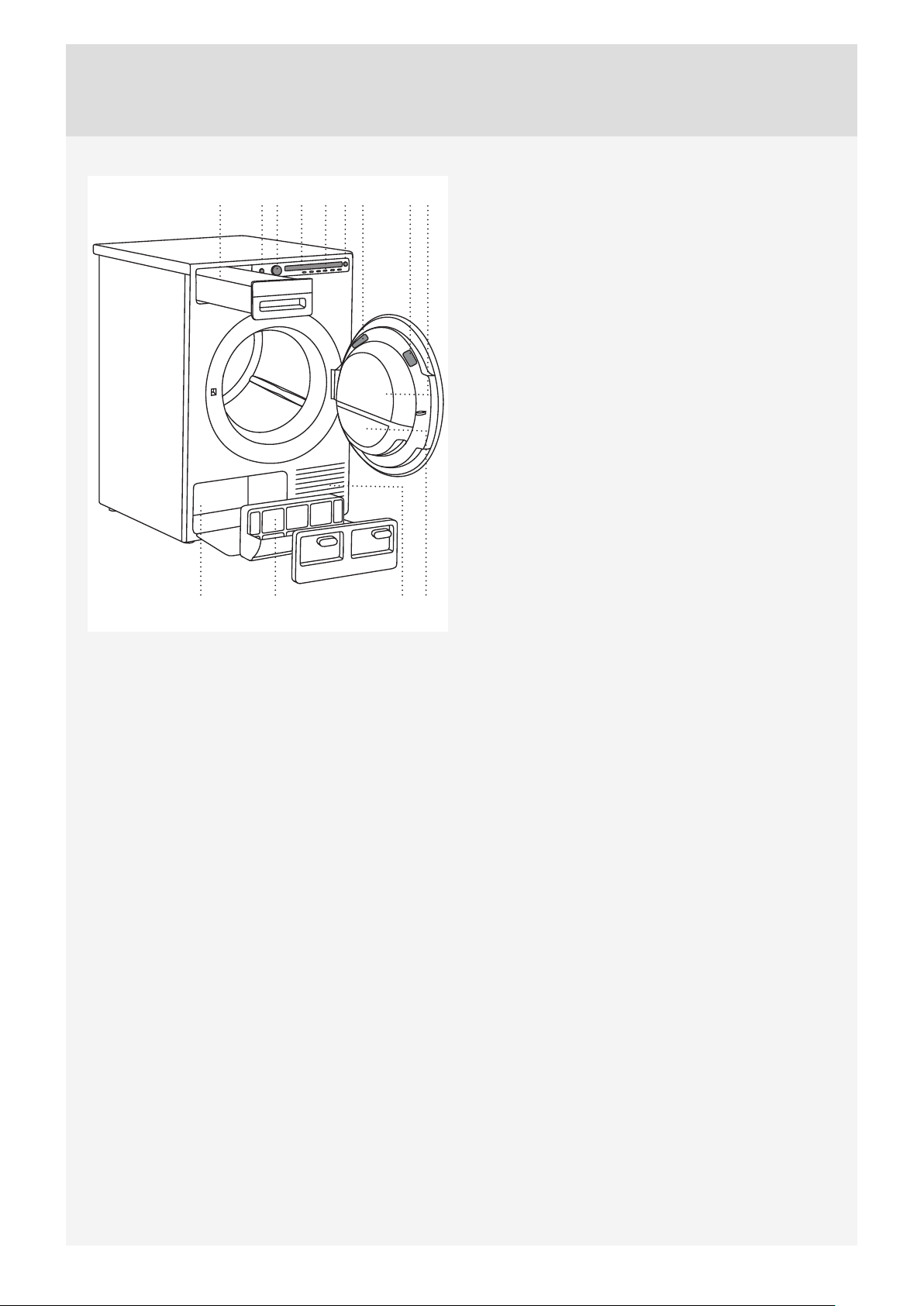
DRYER DESCRIPTION
1. Main switch (ON/OFF)
2. Program selector knob
3. Display unit
4. Program selector buttons
5. Button (start/pause)
6. Rating plate with information about the dryer (on
the inside of the dryer door)
7. QR and AUID code (on the inside of the dryer
door)
8. Dryer door
9. Door net fi lter
10. Condensate tank (depending on the model)
11. Heat pump
12. Heat pump fi lter
13. Air vents
9
110 62345 7
12 13
8
11
7
Customer Care Center, 1-800-898-1879, www.askona.com
PACKAGING
Remove all packaging.
Please sort the materials in compliance with local recommendations (see chapter "DISPOSAL").
CLEANING
Disconnect the dryer from the power mains and open the door towards you. Clean the dryer drum with a
damp cloth and a mild detergent.
No program can be started while the door is open.
CHOOSING THE LANGUAGE
When the dryer is connected (see chapter "INSTALLATION AND CONNECTION") and switched on for the
fi rst time, choose the preferred language:
1. Use the program selector knob or button 2 to scroll the list of languages.
2. Confi rm your selection by pressing the OK button.
3. Press the "Finalize" button to confi rm your selection.
For further drying process, see chapter "DRYING PROCESS".
When you run the dryer for the fi rst time, or if the dryer has been out of use for a long time, slight hitting
noise may occur.
BEFORE USING THE APPLIANCE FOR THE FIRST TIME
8
Customer Care Center, 1-800-898-1879, www.askona.com
INSTALLATION AND CONNECTION
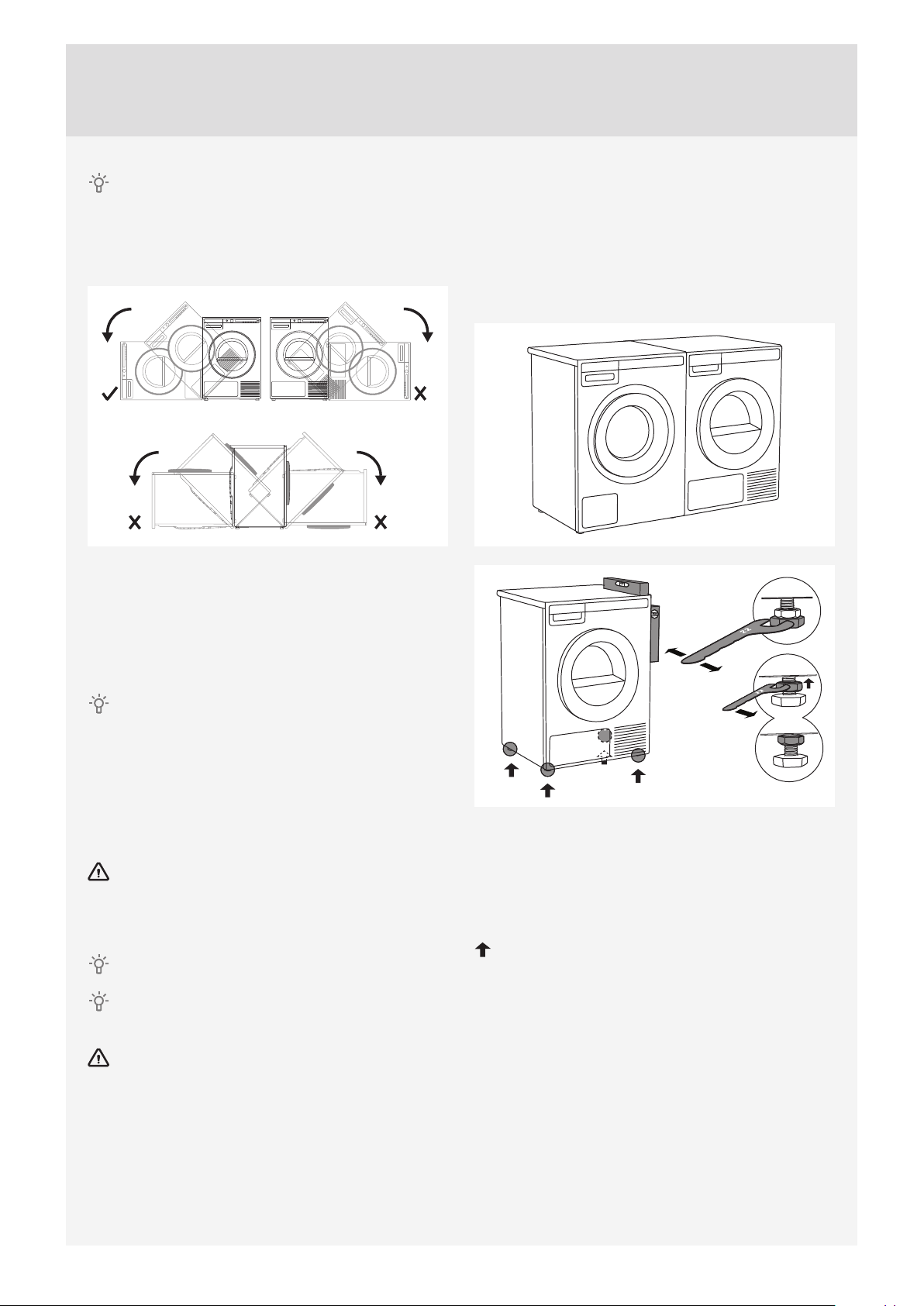
After installation, wait for 24 hours without moving
the appliance before using it for the fi rst time. If the
dryer has to be laid down on one of the sides during
transport or servicing, place it with its left side, viewing
from the appliance front, downwards.
90°
90°
90°
90°
DRYER PLACEMENT
The dryer can be either freestanding or installed on
top of a washing machine.
The dryer emits heat. Therefore, do not place it in
a very small room, as the drying process may be
longer due to limited amount of ambient air.
Do not place the dryer in a room where
temperature can drop below 0 °C (32 °F), as the
machine may not operate correctly at such low
temperatures or may freeze, which can result in
damage to the machine.
For optimum dryer operation, install it in a room with
adequate ventilation and a temperature between
10 °C (50 °F) and 25 °C (77 °F).
Do not place the dryer behind lockable or sliding
doors, or doors with a hinge on the opposite side of
the dryer door hinge. Install the dryer in such way
that the door can always be freely opened.
Never block the air vents.
At least two persons are required to install the
tumble dryer on top of a washing machine.
Do not place the dryer on a carpet with long
fi bres as this may impede air circulation.
Freestanding appliance
The dryer may be placed adjacent to a washing
machine.
If the friction between the dryer feet and the fl oor is
not suffi cient, the dryer may move during operation.
To prevent sliding, use a non-slide mat or install the
supplied vacuum feet onto both front feet.
Place the dryer so that it is stable. Use a spirit level
to level the dryer horizontally and vertically by
rotating the adjustable feet using a No. 22 (0.87")
spanner (max. 15 mm (0.59")). Then, fi rmly tighten
the jam nuts (counter nuts) by rotating them towards
the appliance bottom using a No. 17 (0.67") spanner
.
9
Customer Care Center, 1-800-898-1879, www.askona.com
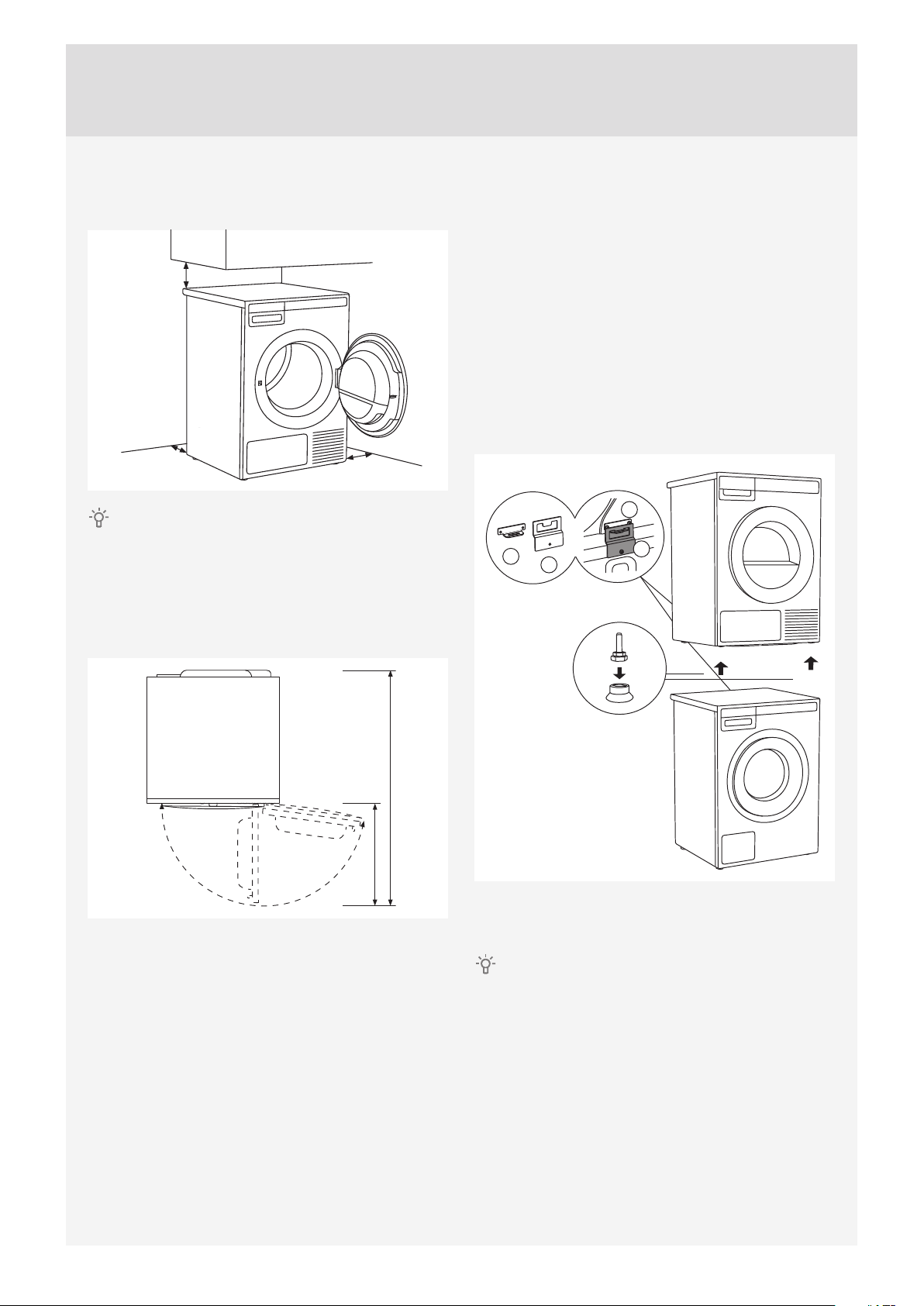
Clearance around the dryer for optimum
operation
50 mm (2")
100 mm (4")
100 mm (4")
The appliance may not be in contact with a wall
or adjacent furniture. For optimum dryer operation,
observe the clearance from the wall as shown in the
fi gure.
Opening the dryer door (top view)
480 mm (19")
1074 mm (42.3" or 42 9/32")
176°
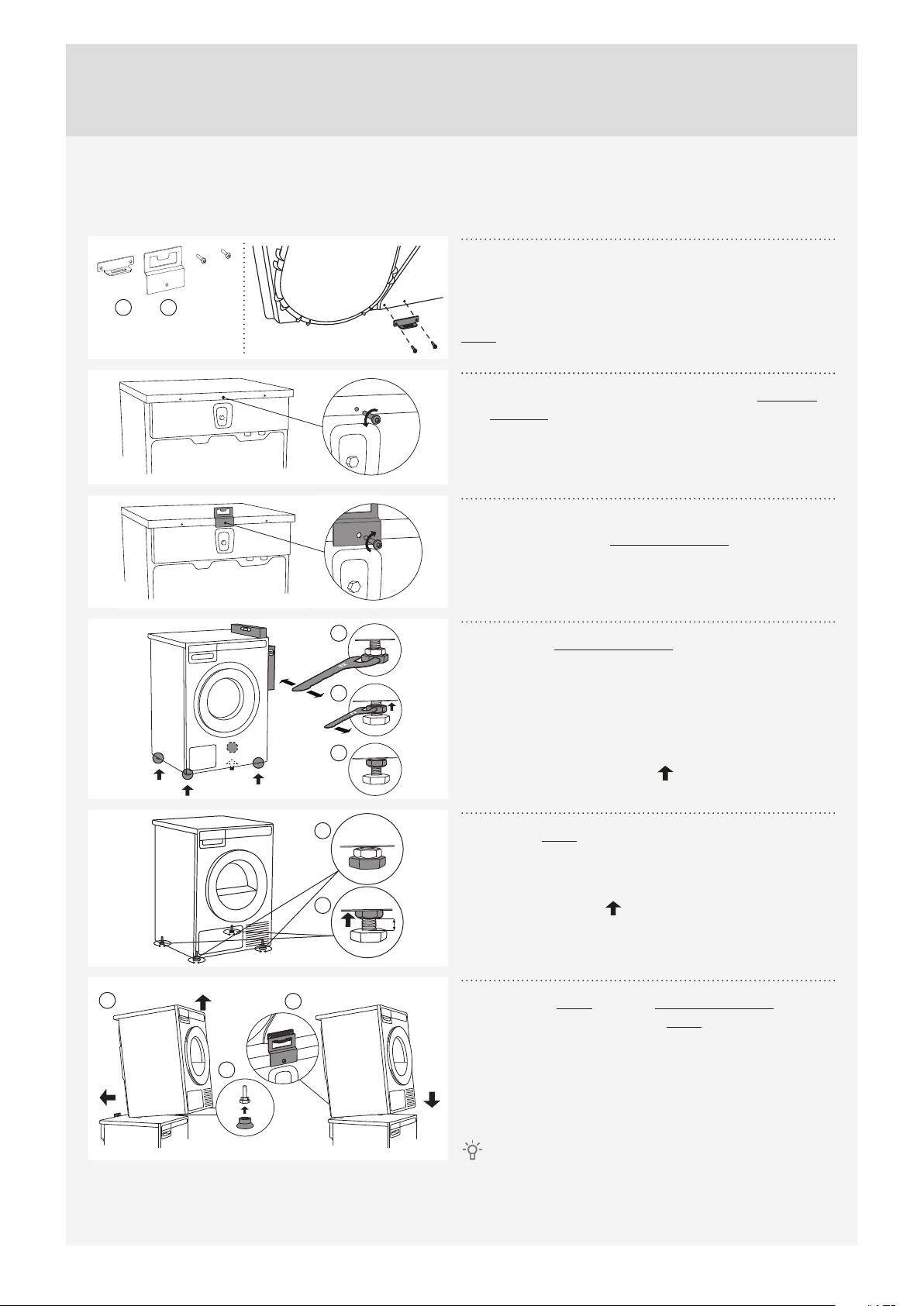
Stacking on top of a washing machine
To stack the dryer on top of a washing machine, use
the extra vacuum feet and the tipping guard (A+B),
supplied in the cardboard box in the dryer drum.
Tipping guard part B is designed to fi t on ASKO
washing machines and it may be hard or impossible
to mount on appliances of other brands. If the
washing machine and dryer are not of matching
dimensions or if you have installed a hidden helper
between the two appliances, then binding plates
are available as optional accessories at the service
center (available only for HH (accessory Hidden
Helpers) and TD75 stacked on top of WM80 or
WM85; not intended for any other combinations).
A
A
B
B
All ASKO washing machines can bear the weight of
the dryer.
Washing machine on which you wish to install
the dryer must be able to bear the weight of the dryer
(see washing machine’s rating plate or technical
information).
10
Customer Care Center, 1-800-898-1879, www.askona.com
How to stack a dryer onto the washing machine (ASKO):
There is a cardboard box in the dryer drum, containing the vacuum feet and the tipping guard.
A B
1
The tipping guard consists of two metal parts (A +
B).
Use two screws to attach the A part to the back of the
dryer.
2
Undo the screw on the back side of the washing
machine.
3
Use the screw to attach the tipping guard (B part)
to the back of the washing machine.
1
2
3
4
Level the washing machine so that it is stable.
1. Level the washing machine by rotating the
adjustable feet using a No. 32 (1.26") spanner.
The feet allow levelling by +/- 1 cm (0.39").
2. After adjusting the height of the feet, fi rmly
tighten the jam nuts using a spanner No 17
(0.67"), by turning them towards the bottom of
the washing machine .
3. Tighten the jam nuts.
5 mm
1
2
5
Set the dryer feet:
1. Tighten the front two feet all the way in.
2. Undo the back feet by 3.5 turns or 5 mm (0.2");
then, fasten the jam nuts towards the bottom of
the appliance .
1
3
A
B
2
6
Place the dryer onto the washing machine:
1. Lift the front part of the dryer by 5 cm (2") to 10
cm (4")
2. Attach the vacuum feet onto the front feet of the
dryer.
3. Push the dryer into the tipping guard (so that
the B part is inserted into the A part) and
release it (See fi gure on previous page).
Make sure the tipping guard is "locked"!

11
Customer Care Center, 1-800-898-1879, www.askona.com
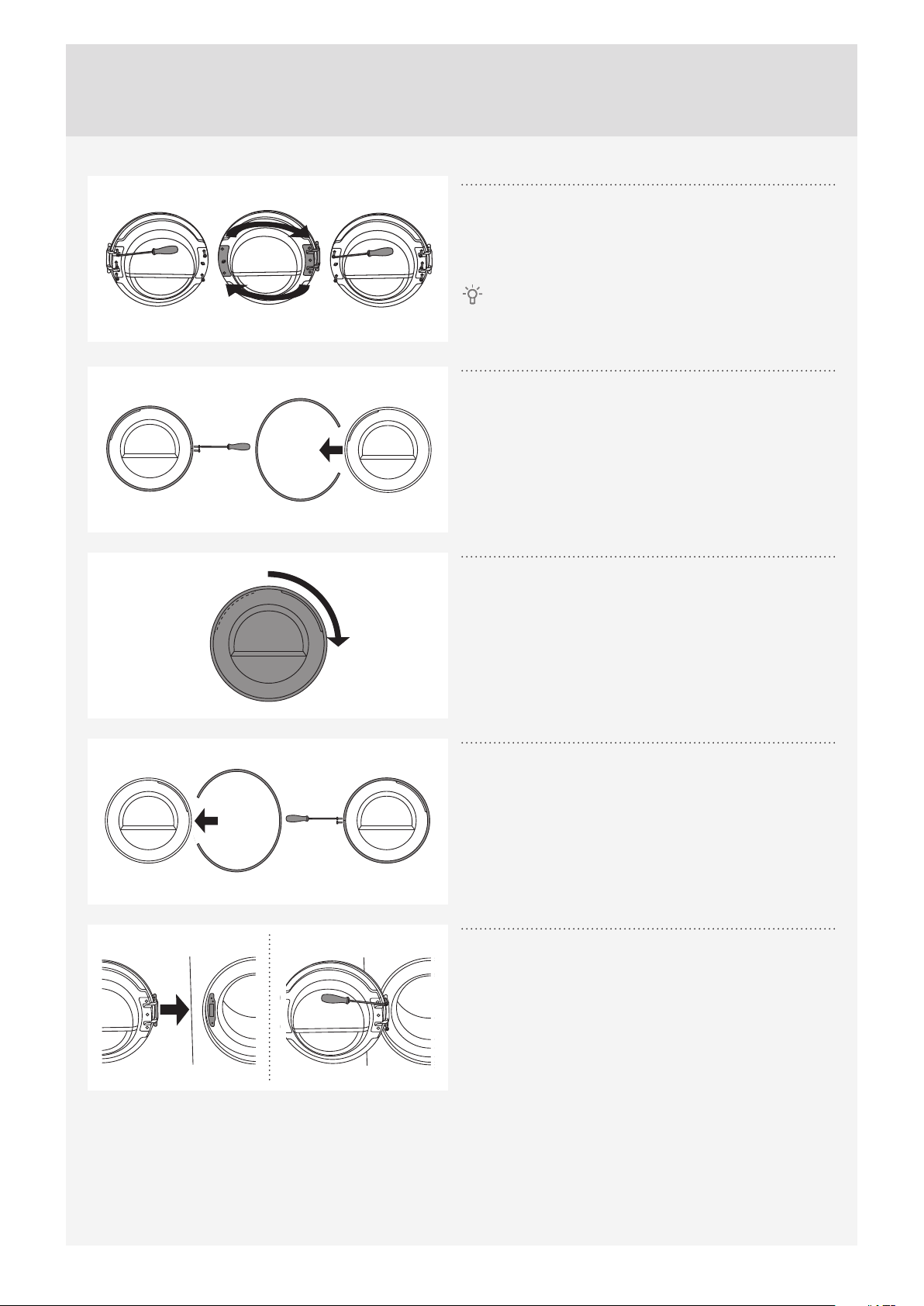
CHANGING THE DOOR OPENING DIRECTION
To change the direction of door opening, proceed as follows.
1
Open the door fully.
2
Undo the screws and remove the door.
3
Use the screwdriver to remove the door lock cover
and undo the screw on the door lock.
4
Push the door lock upwards and remove it. Move
it to the other side and push it downwards.
5
Fasten the screw on the door lock. Replace the
door lock cover.
12
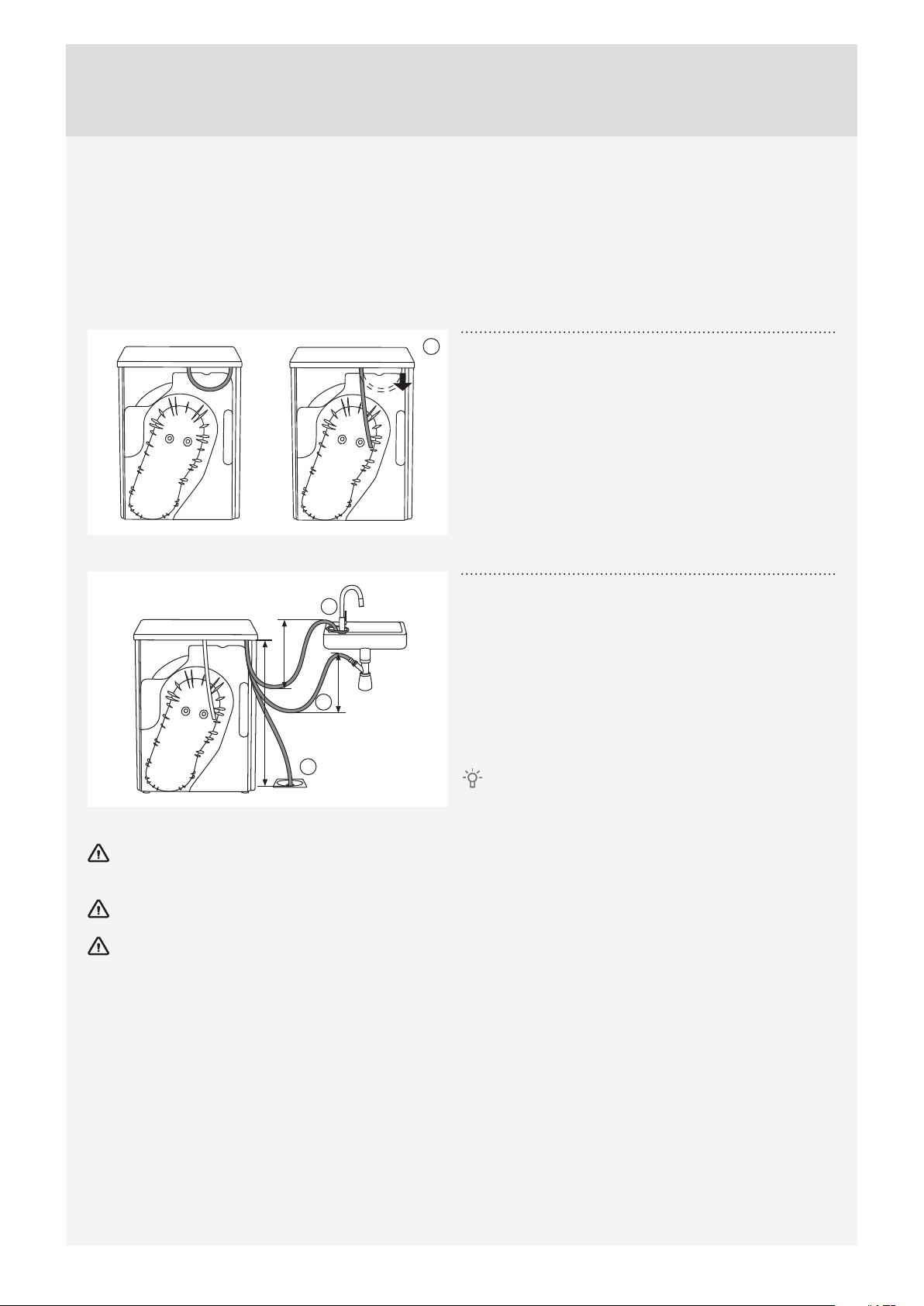
Customer Care Center, 1-800-898-1879, www.askona.com
6
Undo the door hinge assembly (left) and the door
latch assembly (right), switch their positions, and
replace the screws (door hinge assembly to the right-
hand side, door latch assembly to the left-hand side).
Use the screwdriver to remove the plastic part
more easily.
7
Undo the door ring and remove it temporarily.
8
Rotate the door glass cover by 90° so that the sign
indicating the opening of the door is on the other
side.
9
Rotate the door ring by 180°, install it onto the
door, and fasten it with screws.
10
Replace the door on the door hinge and fasten
the screws.
13
Customer Care Center, 1-800-898-1879, www.askona.com
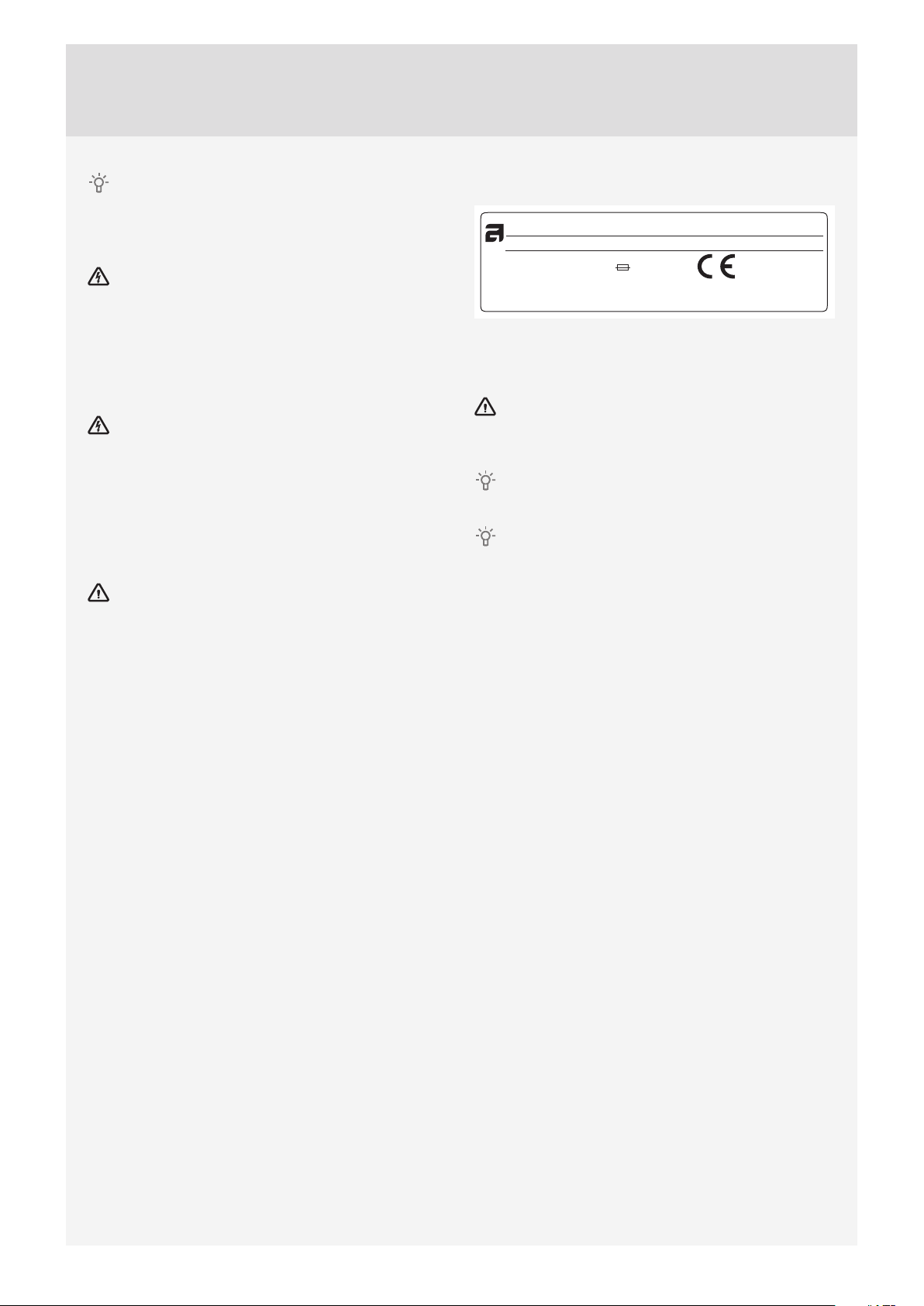
DRAINING THE CONDENSATE
The moisture from the laundry is extracted in the condenser unit and accumulated in the condensate tank.
Condensate tank has to be emptied regularly (see chapter "CLEANING AND MAINTENANCE").
Interruption of the drying cycle due to full condensate tank can be avoided by running the condensate
discharge hose found at the back of the appliance directly into a drain (see chapter "SYSTEM SETTINGS/
Condensed water").
A
1
Remove the small short hose from the attachment
(A).
max 1000 mm
max 39.4"
max 300 mm
max 300 mm
max 11.8"
max 11.8"
B
C
D
2
Connect the supplied drain hose to the same
attachment (A).
Run the condensate drain hose into a drain. Tie the
hose onto a tap (B) so that it cannot slip during use.
The drain hose can also be fed into the washbasin
siphon (C) or directly into the fl oor drain (D).
Then, the water is pumped directly into a washbasin, a
siphon, or a fl oor drain.
Do not pull the drain hose, and make sure it is not
under tension, clamped, or bent.
If you decide to run the condensate drain hose into a drain, siphon, or washbasin, make sure the hose is
securely fastened. This will prevent any water spillage that could result in unexpected damage.
Always use hoses that are supplied with the appliance.
If the dryer is connected to an air exhaust system already used for another appliance, a non-return valve
must be installed. Return fl ow into the dryer could damage the appliance and the non-return valve prevents
such fl ow.
14
Customer Care Center, 1-800-898-1879, www.askona.com
See the separate installation instructions
included in the set of documents.
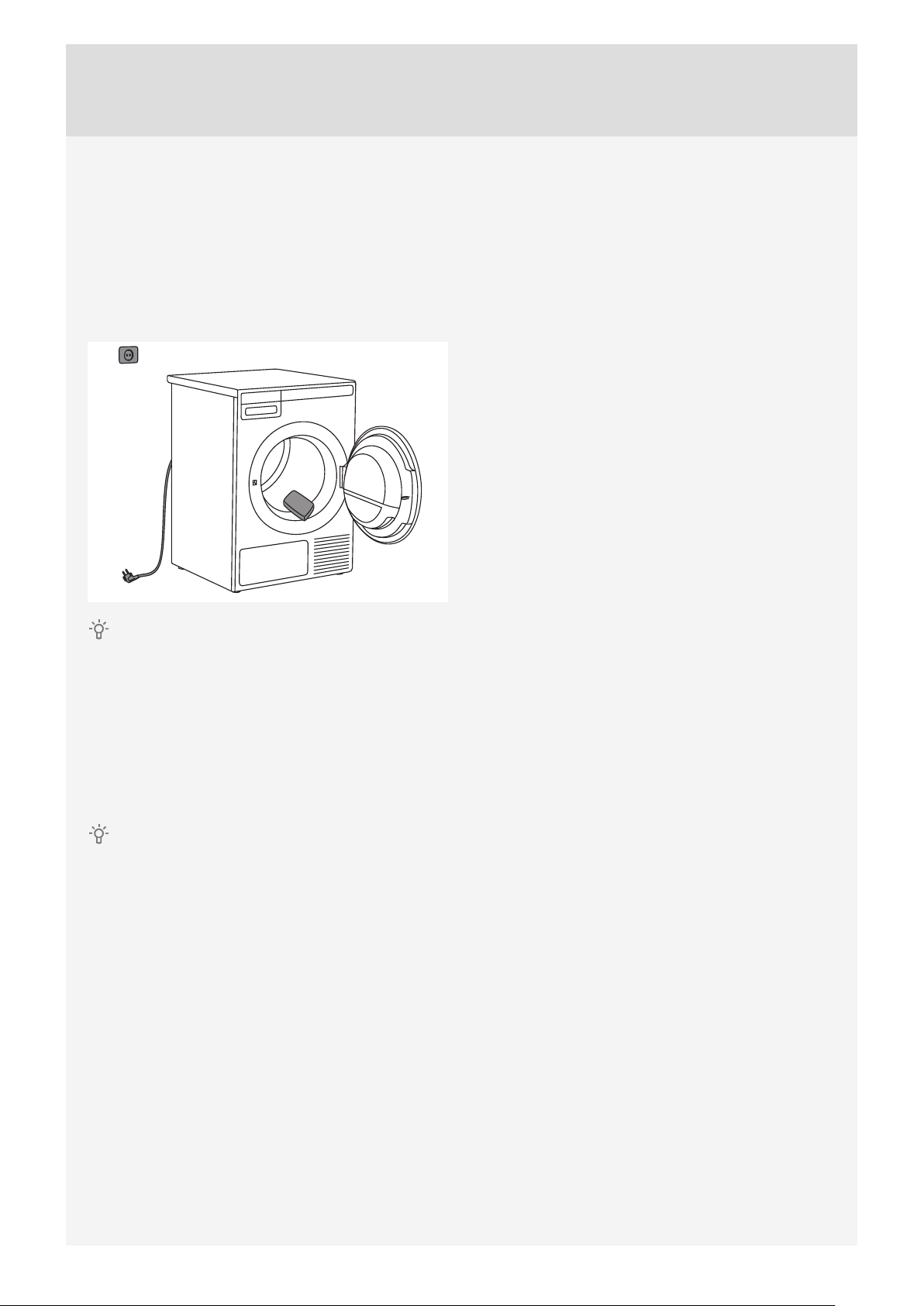
CONNECTING TO THE POWER MAINS
After installation, the dryer should stand still for
two hours before it is connected to the power mains.
Connect the appliance to a grounded power outlet.
After installation, the wall outlet should be freely
accessible. The outlet should be fi tted with a ground
contact (in compliance with the relevant regulations).
The receptacle on the rear of the machine is
designed to accommodate ASKO washers ONLY
(rated 208–240 V.) To use this receptacle, you must
use the ready-fi tted plug supplied with the washing
machine or an equivalent. ASKO washers rated
208–240 V have two internal fuses of 15 A each. The
machine should only be connected to a grounded
wall socket.
This appliance must be properly grounded.
Refer to the “Important Safety Instructions” for
grounding instructions. The power supply cord must
be grounded. If the machine is to be used in a wet
area, the supply must be protected by a residual
current device. Connection to a permanently wired
supply point must be made only by a qualifi ed
electrician.
Connection upon delivery
TYPE: TDXX.XXXXX
Art.No.: XXXXXX/XX Ser.No.: XXXXXXXX
MODEL: XXXXXX.X
XXXX W
XXA
IPX4
X kg
XXX V ~
XX Hz Refrigerant: X XXXX Volume: XXXX
Information about your dryer is indicated on the
rating (type) plate.
Use the type A diff erential current protection switch.
The dryer shall not be connected to the power
mains using an extension cord.
Do not connect the tumble dryer to an electrical
outlet intended for an electric shaver or hair dryer.
Any repair and maintenance pertaining to safety
or performance should be done by trained experts.
15
Customer Care Center, 1-800-898-1879, www.askona.com
ASKO LAUNDRY CARE - HIDDEN HELPERS*
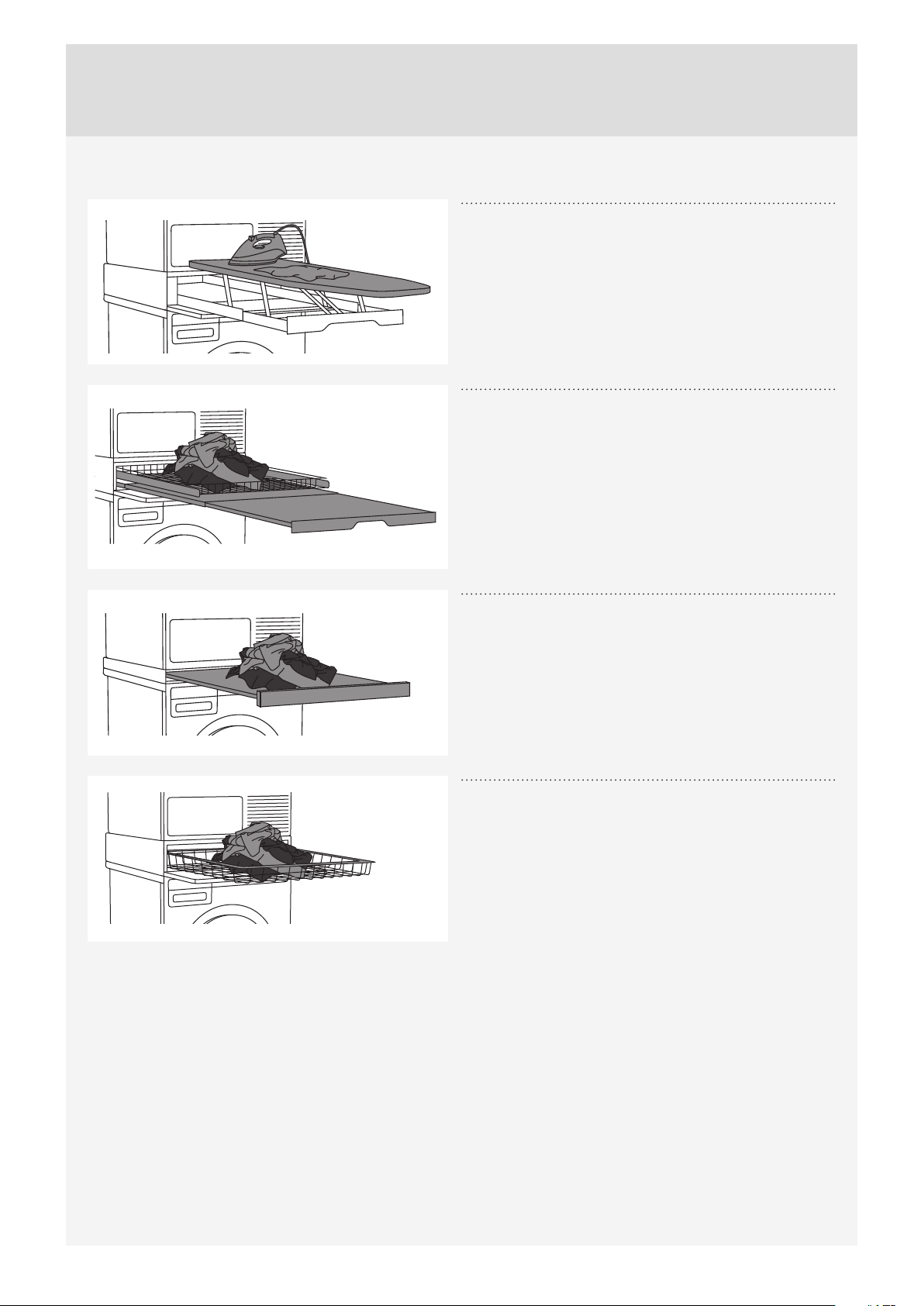
Laundry care ironing board
The ironing board is a clever solution. It is always
handy when you need to iron your clothes, and it can
be easily, safely and invisibly stored away when not in
use.
It can be installed between your washer and dryer, or
on top of one of them.
Laundry care double
A wire basket and pull-out shelf. It can be used as an
additional surface for folding clothes, sorting socks
and for storage. The basket is useful for removing and
carrying laundry to the wardrobe or workbench for
ironing and folding.
It can be installed between your washer and dryer, or
on top of one of them.
Laundry care single
Pull-out shelf. It can be used as an additional surface
when folding clothes and sorting socks or for storage.
It also makes loading and unloading your laundry
much easier.
It can be installed between your washer and dryer.
Laundry care basket
A large pull-out basket that is easily accessible via a
push-pull door opening. Useful for removing laundry
and carrying it to the wardrobe or workbench for
ironing and folding.
It can be installed between your washer and dryer, or
on top of one of them.
16
Customer Care Center, 1-800-898-1879, www.askona.com
*AVAILABILITY DEPENDING ON MARKET
DENOMINATION ART. No.
IRONING BOARD HI1153 White 576552
IRONING BOARD HI1153 Titanium 576553
LAUNDRY CARE DOUBLE HDB1153 White 576554
LAUNDRY CARE DOUBLE HDB1153 Titanium 576555
LAUNDRY CARE SINGLE HSS1053 White 576730
LAUNDRY CARE SINGLE HSS1053 Titanium 576732
LAUNDRY CARE HB1153 White 576733
17
Customer Care Center, 1-800-898-1879, www.askona.com
This chapter includes several tips on how to prepare
the laundry for drying.
LAUNDRY SORTING
Sort the laundry according to:
• type,
• fabric thickness.
For the most even drying, make sure the laundry is
made of a similar material.
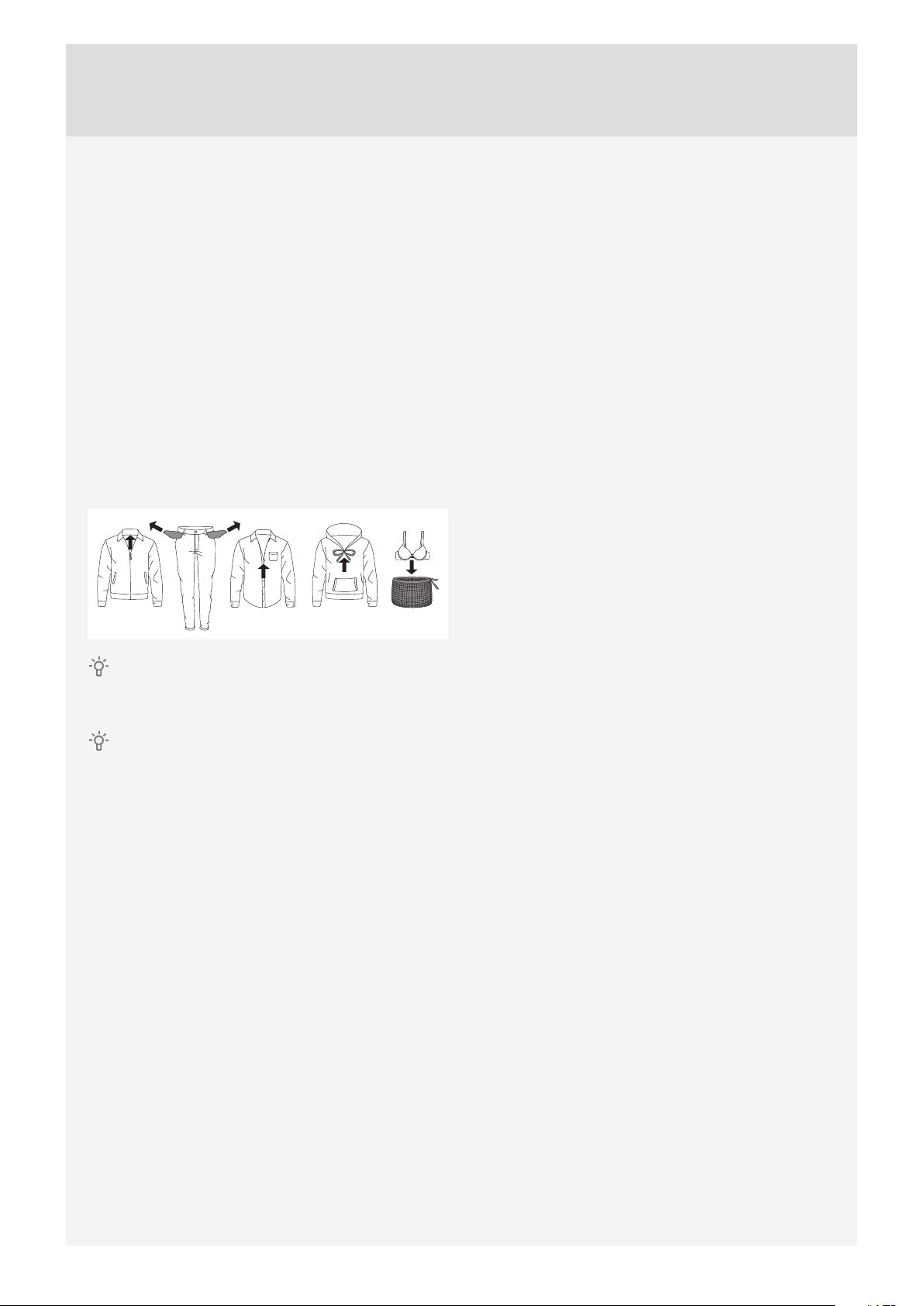
CLOTHING
1. Close the buttons, zips, and hook-and-loop
fasteners, so that they do not damage the fabric.
2. Turn the pockets inside out.
3. Place very sensitive clothes in a special-purpose
laundry washing bag.
Laundry to be dried in the dryer should be spun
at a minimum of 1000 rpm. Higher spinning speeds
will save energy and cut drying time.
If you decide to dry only one large item, we
recommend drying it separately from smaller items of
laundry.
TIPS BEFORE DRYING
18
Customer Care Center, 1-800-898-1879, www.askona.com
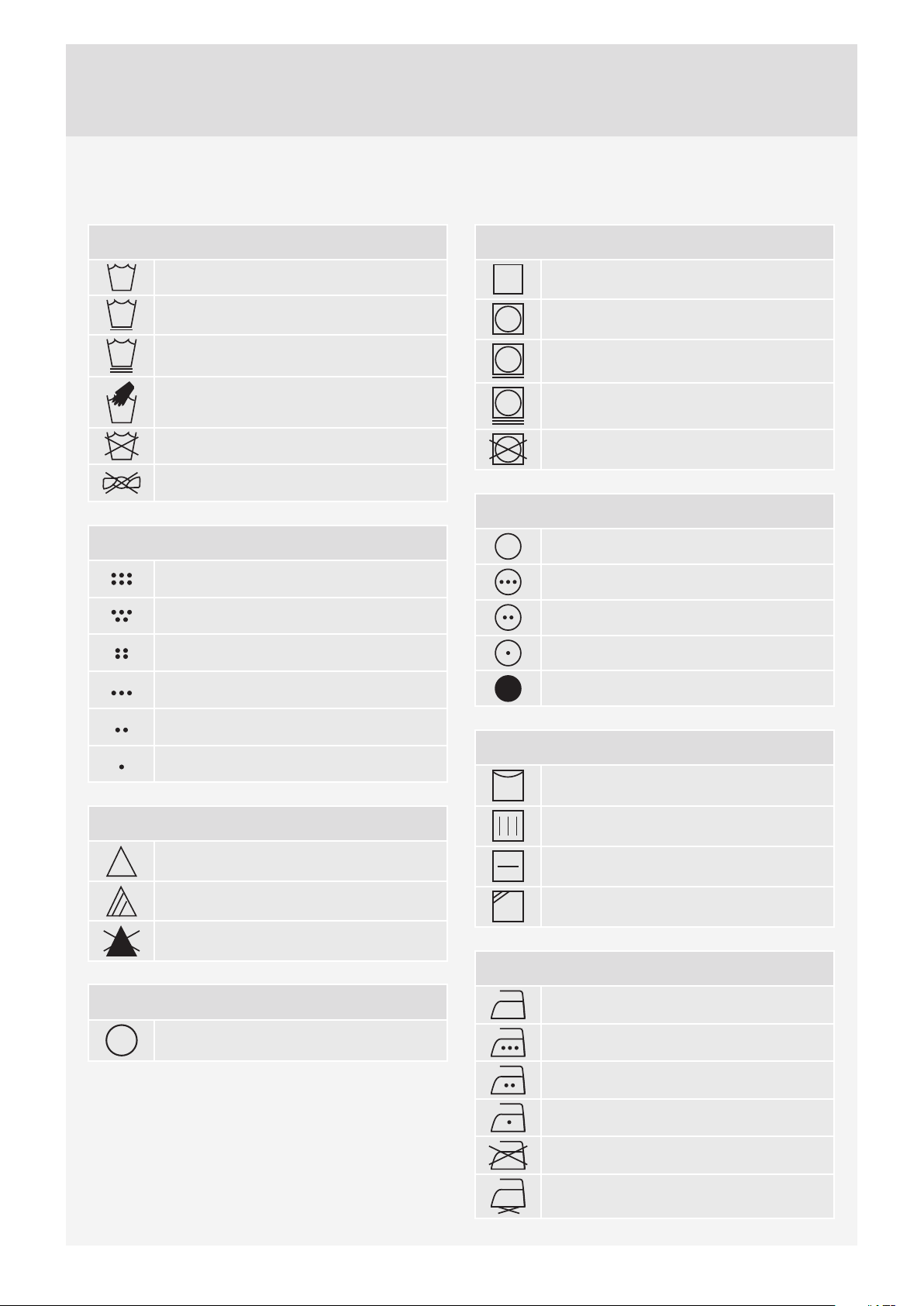
Wash cycle
Normal wash cycle
Permanent Press or Wrinkle
Resistant setting
Gentle/Delicate setting
Hand wash only
Do not wash
Do not wring. Hang dry,
drip dry, or dry flat
Wash water temperature
Maximum water temp
205° F/95° C (EXTRA HOT)
Maximum water temp
160° F/70° C (EXTRA HOT)
Maximum water temp
140° F/60° C (HOT)
Maximum water temp
120° F/50° C (HOT)
Maximum water temp
105° F/40° C (WARM)
Maximum water temp
85° F/30° C (WARM)
Bleach instructions
Any bleach when needed
Only non-chlorine bleach
Do not bleach
Dry clean symbol
Dry clean only
Tumble dry cycle
Machine dry
Normal setting
Permanent Press or Wrinkle
Resistant setting
Gentle or Delicate setting
Do not tumble dry
Tumble dry heat setting
Any heat
High heat
Medium heat
Low heat
No heat/Air fluff
Special drying instructions
Line dry or hang to dry
Drip dry (do not spin or wring)
Dry flat
Dry in shade
Ironing instructions
Ironing is necessary
High temperature setting
Medium temperature setting
Low temperature setting
Do not iron or press with heat
Iron without steam
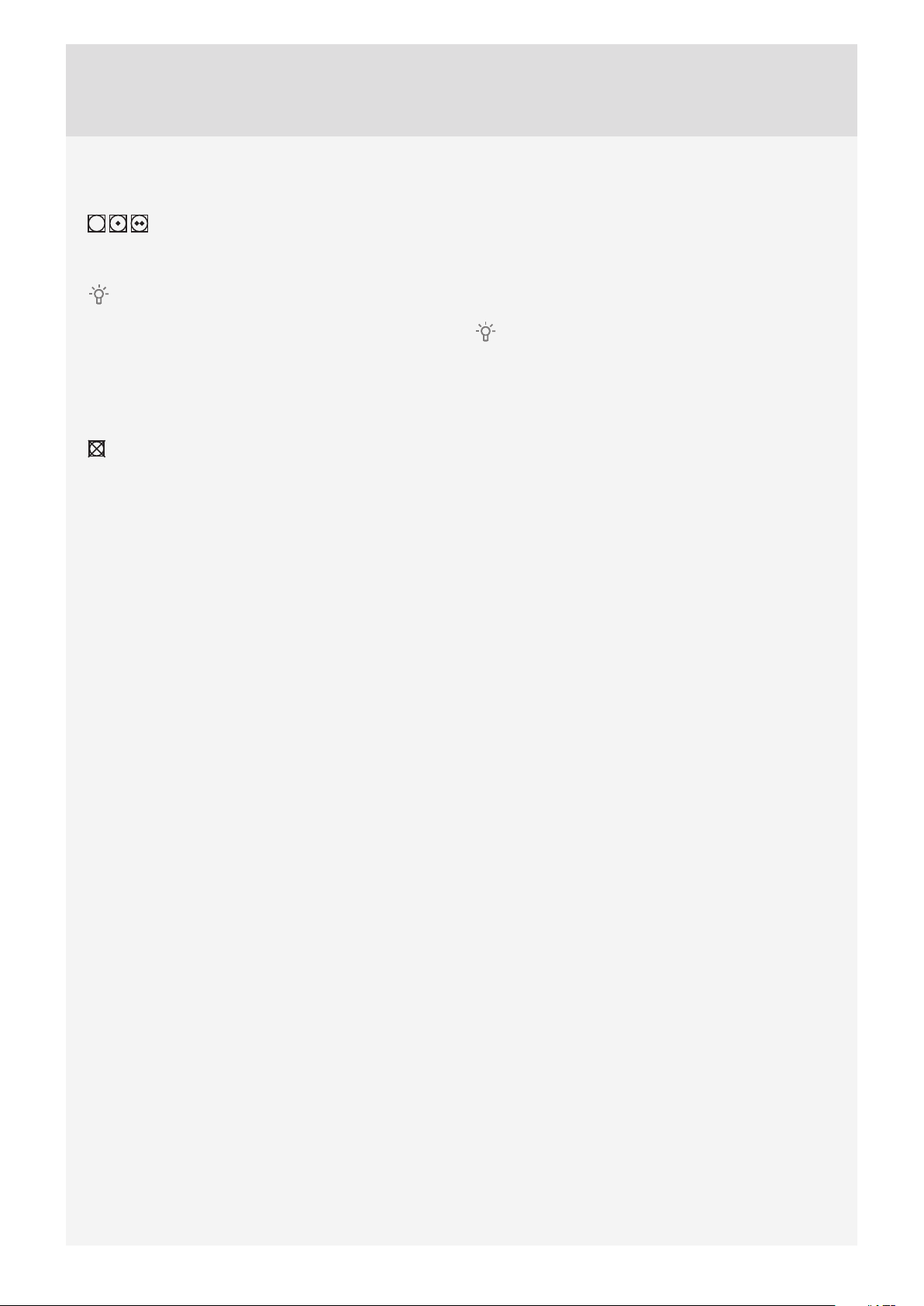
LAUNDRY SYMBOLS
Observe the laundry symbols:
19
Customer Care Center, 1-800-898-1879, www.askona.com
MATERIALS (FABRICS) SUITABLE FOR
DRYING IN A TUMBLE DRYER
Material is suitable for tumble drying.
Clothes dried in a tumble dryer will be softer and
lighter than air-dried clothes.
The dryer does not cause any considerable
wear of the fabric. The lint collected in the lint fi lter
consists of dust and fabric fragments collected
during the use of the laundry.
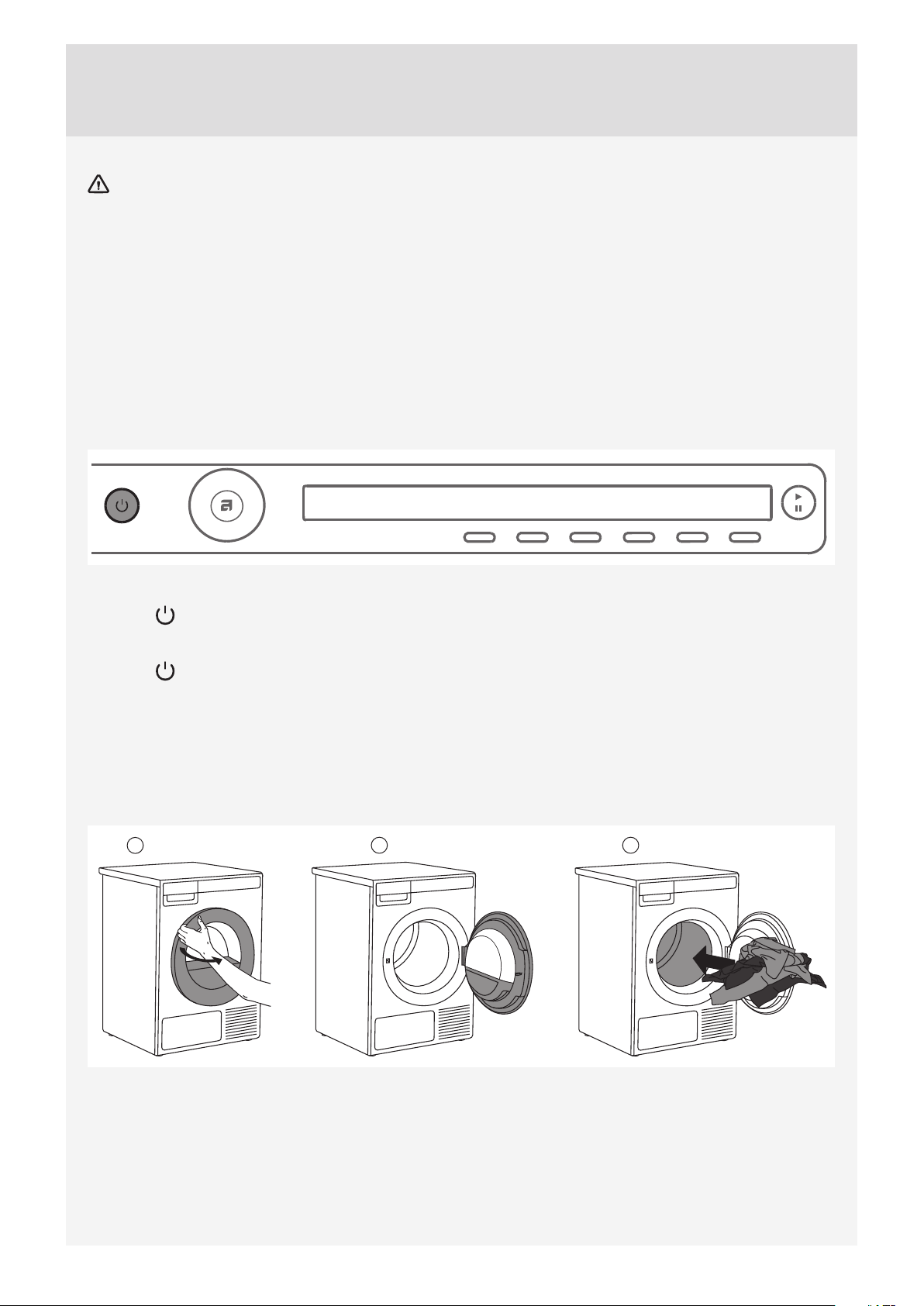
MATERIALS (FABRICS) THAT MAY NOT BE
DRIED IN A TUMBLE DRYER
This symbol means that the material is not
suitable for drying in a tumble dryer.
Never tumble dry the following:
• clothing that was chemically cleaned (or dry-
cleaned) at home,
• foam,
• glass fi bres.
Static electricity
To reduce the risk of static electricity in the
laundry after tumble drying, you can:
• Use fabric softener when washing.
• Wait fi ve minutes after the drying program ends
before opening the door and removing the
laundry from the dryer.
You can stop the tumble dryer by pressing the
Stop button for three seconds or by opening the
door. In both cases the program is stopped and
starts from the beginning if restarted.
If you do not want to restart the program,
immediately remove all laundry and spread it out
to allow the heat to dissipate.
20
Customer Care Center, 1-800-898-1879, www.askona.com
DRYING PROCESS
WARNING - To reduce the risk of electric shock or injury to persons, read
the "IMPORTANT SAFETY INSTRUCTIONS" section, before operating this
appliance.
STEP 1: SORT THE FABRICS.
See chapter "TIPS BEFORE DRYING"
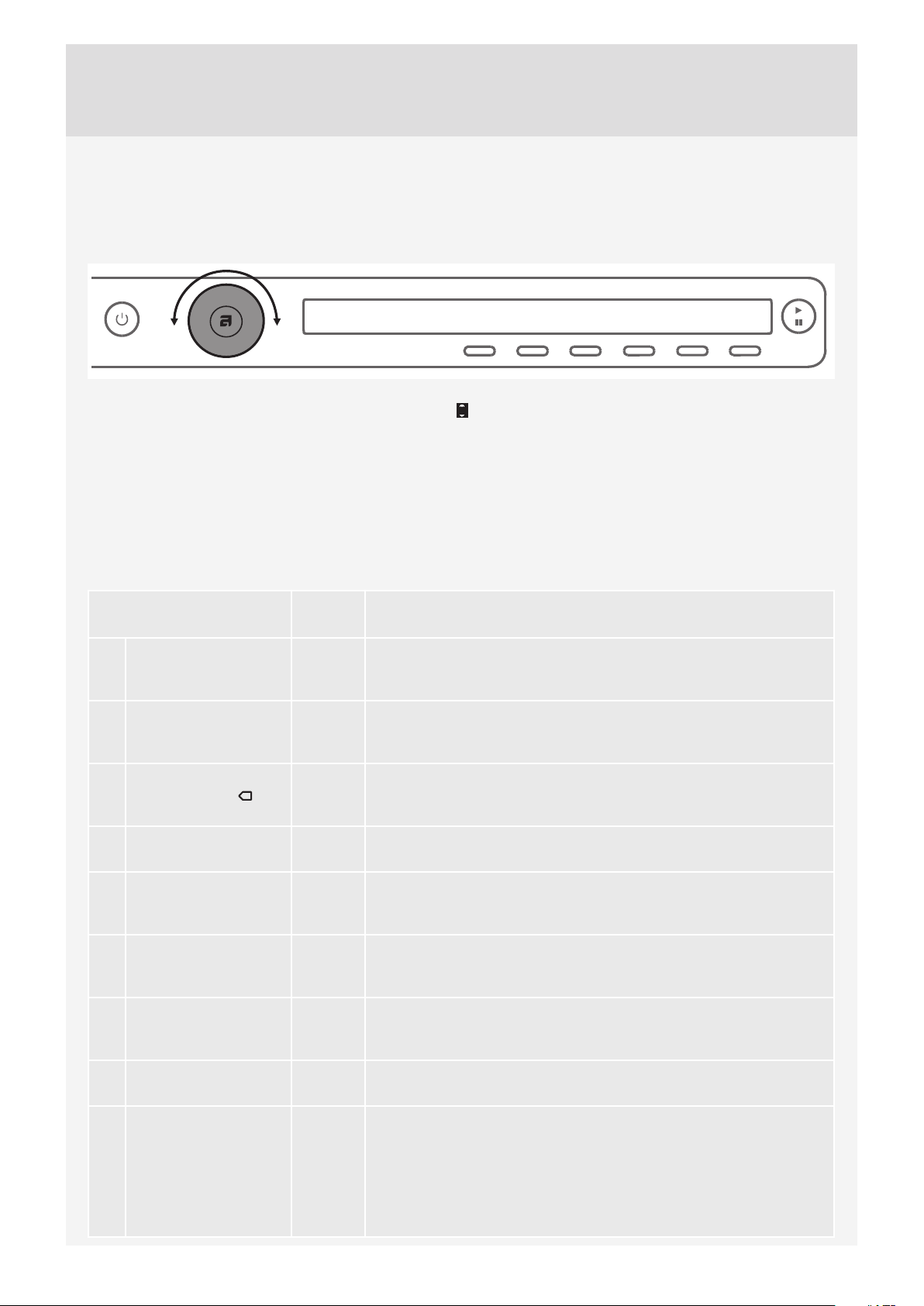
STEP 2: TURN ON THE MAIN SWITCH.
Turning on
Press the on/off button.
Turning off
Press the on/off button.
STEP 3: OPEN THE DRYER DOOR AND INSERT THE LAUNDRY.
Open the dryer door towards you.
1
2 3
Place the laundry into the empty dryer drum. Make sure there aren't any other objects among the laundry.
Such objects could melt and cause damage to the dryer or your laundry.
Do not overload the drum! (See the program table on the rating plate and adjust the load accordingly.)
If the dryer drum is overloaded, the laundry will be more wrinkled and not dried as thoroughly.
21
Customer Care Center, 1-800-898-1879, www.askona.com
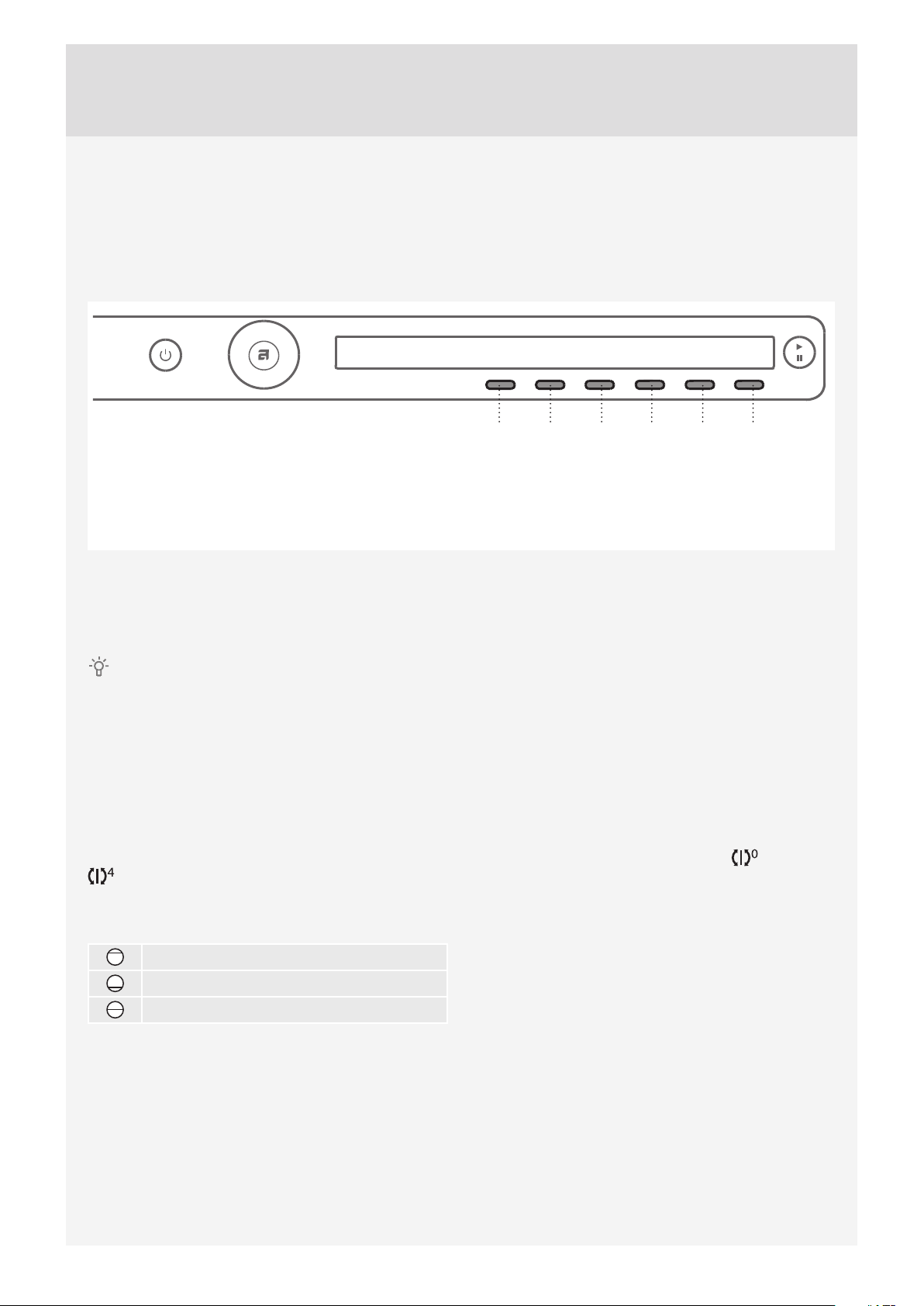
STEP 4: CHOOSE THE DRYING PROGRAM.
Choose the program by rotating the program selector knob in either direction.
The program selector knob can be used when arrows appear on the display.
Select the program based on the type and remaining moisture of the laundry.
Anticipated program duration is indicated on the display.
Extra program settings can also be selected for each program.
See STEP 5.
Choose between the following programs:
Program Max. kg*
(lbs)
Description
1. AUTO EXTRA DRY
(Automatic intensive
drying)
8
(17.6)
Use this program for thicker multi-layered non-sensitive cotton
laundry. After drying, it will be completely dry and ready to be stored
in the cupboard.
2. AUTO DRY 8
(17.6)
Use this program for thicker non-sensitive cotton laundry. After
drying, it will be completely dry and ready to be stored in the
cupboard.
3. AUTO
NORMAL DRY
8
(17.6)
Use this program for thicker non-sensitive cotton laundry of
approximately the same thickness. After drying, it will be dry or
slightly moist.
4. AUTO IRON DRY 8
(17.6)
Use this program for non-sensitive cotton laundry. After drying, it will
be ready for ironing.
5. AUTO SYNTHETICS 3.5
(7.7)
Use this program for sensitive laundry made of a mixture of
synthetic and cotton fibres. After drying, the laundry will be slightly
moist.
6. BEDDING 5
(11)
Use this program for larger items. When the program is complete,
they will be completely dry. Adjusted drum rotation prevents the
laundry from tangling.
7. SILK AND WOOL 2
(4.4)
This short program is intended for softening or fluffing of clothes
made of wool and silk, which have to be dried thoroughly according
to manufacturer's instructions.
8. QUICK PRO 2
(4.4)
Use this program for non-sensitive laundry washed with a quick
program.
9. TIME PROGRAM 4
(8.8)
Use this program for non-sensitive laundry that is still slightly moist
and has to be thoroughly dried. In the time program, remaining
moisture is not detected automatically. If the laundry is still damp
after the program is complete, repeat the program; if it is too dry and
therefore creased and rough to touch, the drying time you selected
was too long. Program duration can be adjusted from 30 minutes to
4 hours (in 15-minute increments).

22
Customer Care Center, 1-800-898-1879, www.askona.com
Program Max. kg*
(lbs)
Description
10. AIRING 2
(4.4)
This program does not use a heater. Use it to refresh your clothes.
Program duration can be adjusted from 15 minutes to 4 hours (in
15-minute increments).
11. SYSTEM SETTINGS Use the program selector knob to select System Settings. Confirm
the selection by pressing ENTER (button "2").
Then, use the program selector knob to scroll the list of settings.
The following options are available:
– Child Lock,
– Language (language selection),
– Programs (set of programs),
– Display (display unit: contrast & logo),
– Sounds,
– Condensed water,
– Reset.
See chapter "SYSTEM SETTINGS".
* Max. kg (lbs) dry load
If your laundry is not dried to the desired dryness level, use extra program settings or use a more suitable
program.
23
Customer Care Center, 1-800-898-1879, www.askona.com
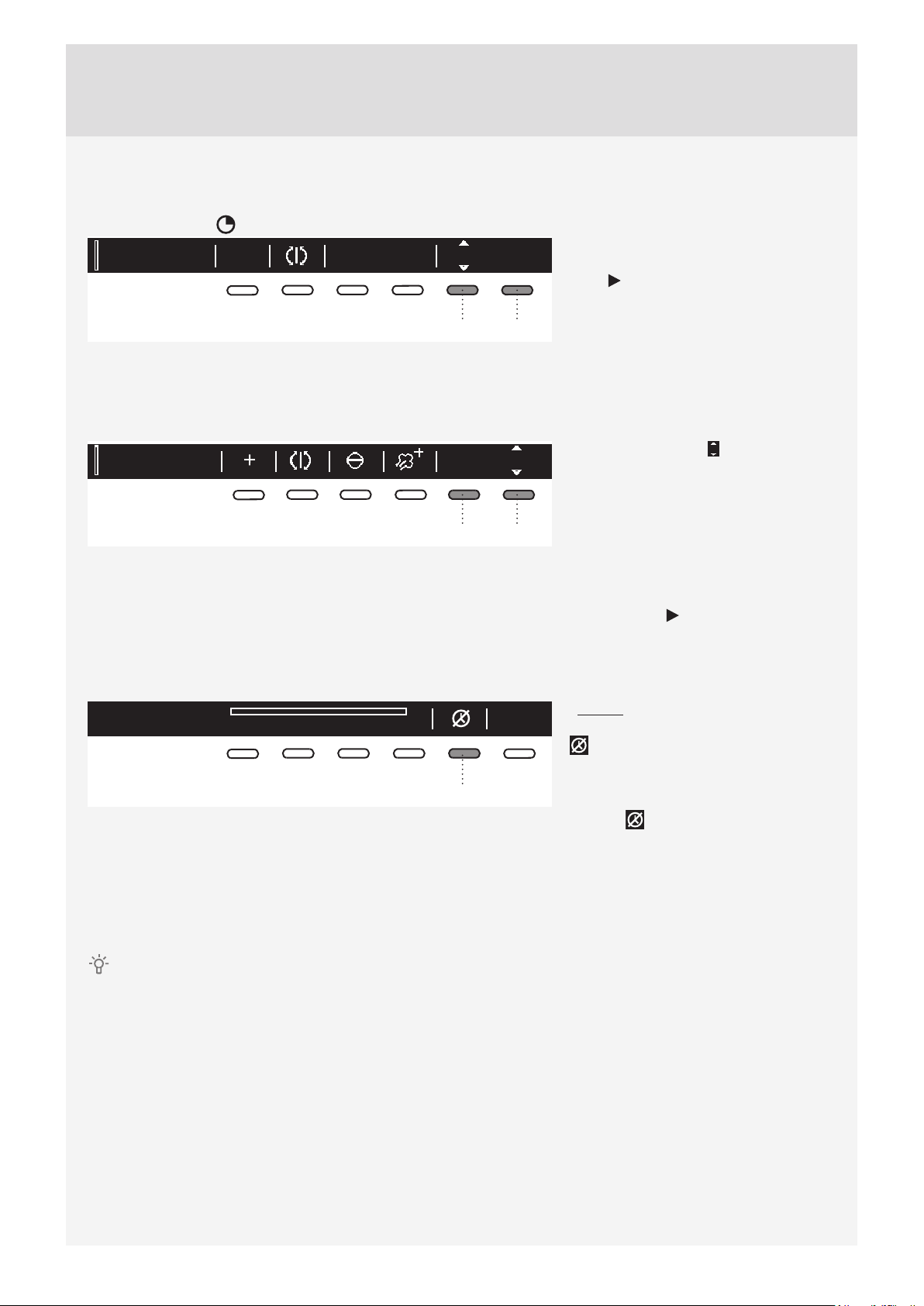
STEP 5: CHOOSING THE PROGRAM SETTINGS
Using the program settings, the drying programs can be further adjusted to your preferences.
Some program settings may not be available for your selected program.
Selected program settings will remain stored after the end of the drying cycle and may be changed
subsequently (except for delayed start which is not stored after the drying is complete).
Choose the program settings before pressing the START button.
When the drying program is in progress, program settings cannot be changed.
Press and hold the button under a program setting to display the information (INFO) about it.
Following are the program settings that may be selected using the buttons 1 to 6:
1. Dryness level (extra dry)
By pressing the button 1, you can choose between extra dryness levels (+, ++, +++).
Each time the button is pressed, the fi nal level of laundry dryness and drying time will change.
2. Anti-crease
This function pertains to what happens after the drying cycle.
By pressing the button 2 you can choose the duration of the anti-crease program from 0 hours to 4 hours
, in 1-hour increments.
3. Load
By pressing the button 3, you can choose between loads of the dryer.
Full load
Small load
Partial load
Selection of actual load aff ects the initially displayed anticipated drying time.
4. Acoustic signal (Buzzer)
Press the button 4 to turn the buzzer indicating the end of the drying process on (ON) or off (OFF).
123456
1. Dryness level (extra dry)
2. Anti-crease
3. Load
4. Acoustic signal (Buzzer)
5. Time (timed drying)
6. Delay Start
24
Customer Care Center, 1-800-898-1879, www.askona.com
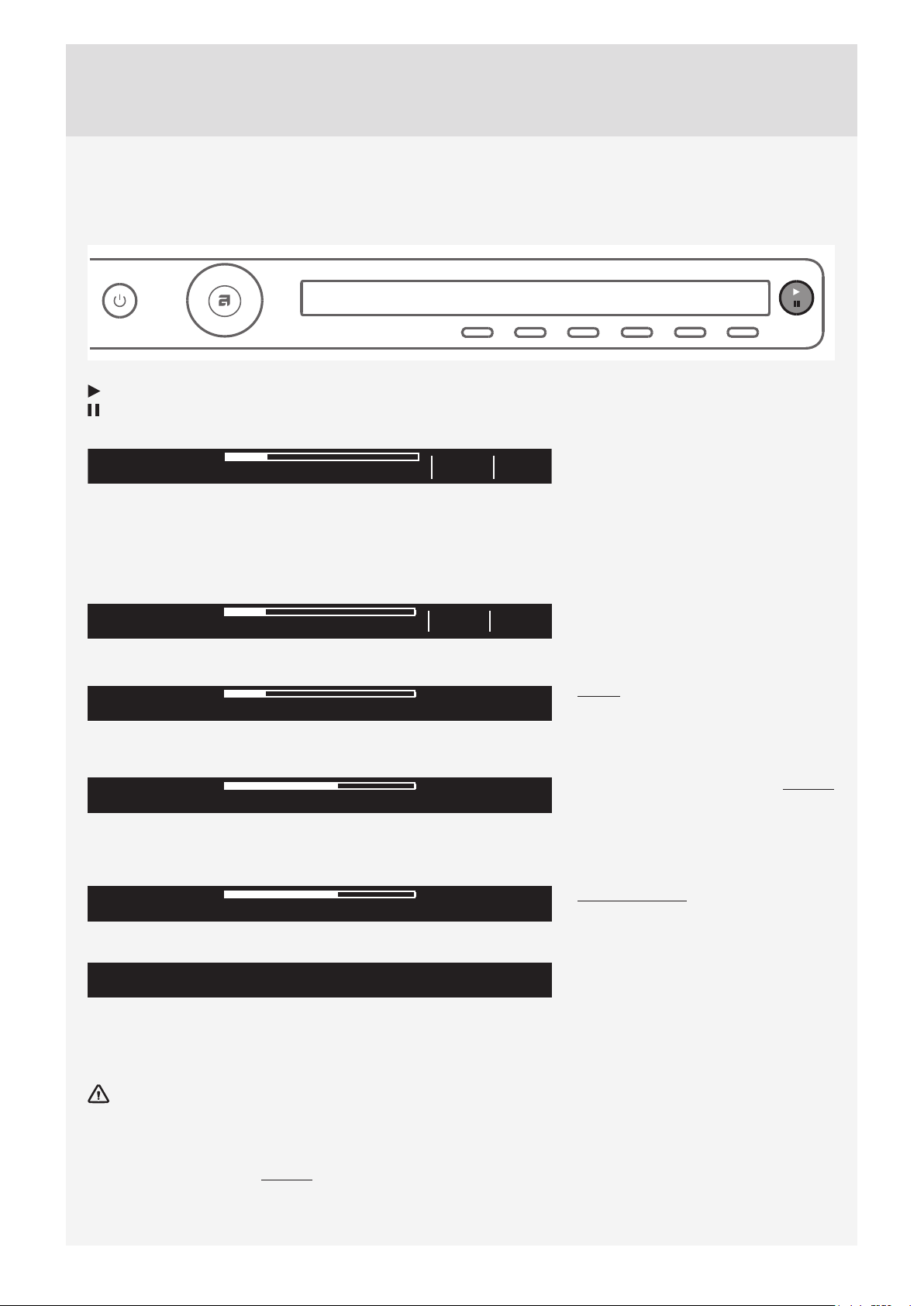
5. Timed drying
First, use the program selector knob to select the Timed Dry program.
Press the button 5 to select a drying time from 30 minutes to 4 hours, in 15-minute increments.
Time program
2
Ok
2:15
56
Use the button 6 (OK) to confi rm the
selected drying time. Press the Start/
Pause button to start the drying
process.
6. Delay Start
Press the button 6 to choose the delayed start when you wish the drying program to start after a certain
period of time.
Auto extra dry 6:00Ok
2
56
Press the button 6 for to appear. Use
the program selector knob or the button
6 to set the delay from 30 minutes to
6 hours in 30-minute increments, and
then from 6 hours to 24 hours in 1-hour
increments.
Press the button 5 (OK) to confi rm the
selected start delay time.
Press the Start
button to start.
When the countdown reaches zero,
the selected drying program will start
automatically.
Delayed start countdown
03:50
5
To cancel the delay and start the drying
process immediately, press the button
5 .
When Start delay time is once set, it
is not possible to change it; the only
possibility is to »Skip it « with pressing
on button and immediately continue
with chosen program.
If you do not take any action for 5 minutes, the display will switch to standby mode.
Press the ON/OFF button to reactivate it. The countdown to the start of the drying cycle will be displayed.
If the dryer is in the standby mode, the display will switch on 1 minute before the start of the drying cycle.
After the countdown, drying time will be indicated on the display unit.
Delayed start cannot be set for the favourite programs.
25
Customer Care Center, 1-800-898-1879, www.askona.com
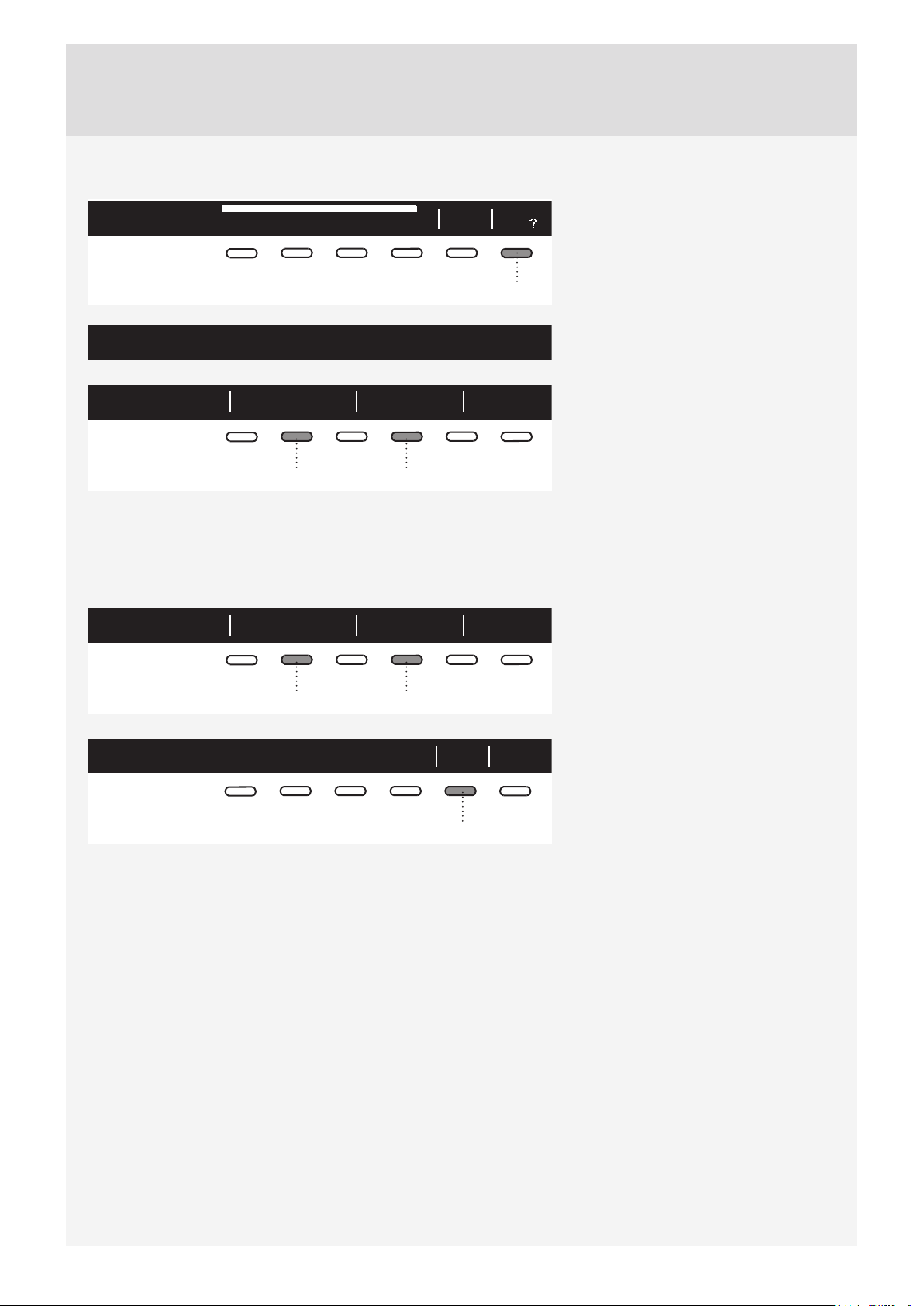
STEP 6: CLOSE THE DOOR AND START THE DRYING PROCESS.
Close the dryer door and press the Start/Pause button.
Start (pressed briefl y – start/resume)
Pause (pressed briefl y – drying temporarily suspended)
Cancel (press and hold the button for 3 seconds)
Starting
2:20
Info
Remaining time
Depending on the selected program and load, anticipated drying time will be displayed in hours and minutes.
Actual drying time will depend on the selected program, load, type of laundry, spinning rate etc.
Actual drying time may be longer or shorter than initially displayed.
Drying
2:19
Info
Pausing, stopping or changing the program
Paused
To pause a program, briefl y press the
Start/Pause button.
To resume the program, press the Start/
Pause button again.
Door is open, please close the door.
The drying program may also be paused
by opening the dryer door.
To resume the program, simply close
the door and press the Start/Pause
button.
Preparing for program canceling. Cooling down.
To stop and cancel the washing
program, press the Start/Pause button
and hold it for 3 seconds.
Program canceled. Garments can still be hot.
The selected program will be stopped
and the cooling stage will begin. Cooling
time depends on the selected program.
Only after the cooling is complete, you can use the program selector knob to select a new program and press
the Start/Pause button.
The fi nal drying cycle includes a cooling down stage without heater operation. It makes sure the laundry
is of suitable temperature at the end of the program and that it can be taken from the dryer without risk of
touching hot clothes.
A drying program can be paused using the ON/OFF button.
The dryer will switch off . Press the Start button to resume the program.

26
Customer Care Center, 1-800-898-1879, www.askona.com
STEP 7: END OF PROGRAM
Cycle completed successfully
new
Start
After the end of the drying program, the
display will indicate that the program has
been successfully completed ("Cycle
completed successfully").
Cycle completed successfully
Anti
creasing
If you have selected the "Anti-crease"
option, the dryer will continue to operate
after the end of the drying cycle for the
amount of time specifi ed upon selection
of this program setting.
Cycle completed successfully fav
Add
new
Start
56
After the drying cycle, you have the
possibility to save the program as
a favorite program (see "Favourite
programs").
Open the door and remove the laundry from the dryer.
OkClean door filter
6
Clean the net fi lter in the door
(see chapter "CLEANING AND
MAINTENANCE").
Make sure the dryer drum is empty, then close the door.
5 minutes after the end of the program or last activation, the display will switch off to standby mode in order to
save power.
The display will light up again if you press the ON/OFF button or open the dryer door.
After each drying cycle, clean the net fi lter in the door and empty the condensate tank. See chapter
”CLEANING AND MAINTENANCE”.
A clogged net fi lter and heat pump fi lter may result in activation of the automatic overheating switch-off
device. Clean the fi lter, wait for the machine to cool down, and try running it again. If the dryer still fails to
start, call a service technician.
After the drying process, unplug the dryer power cord from the power outlet.
27
Customer Care Center, 1-800-898-1879, www.askona.com
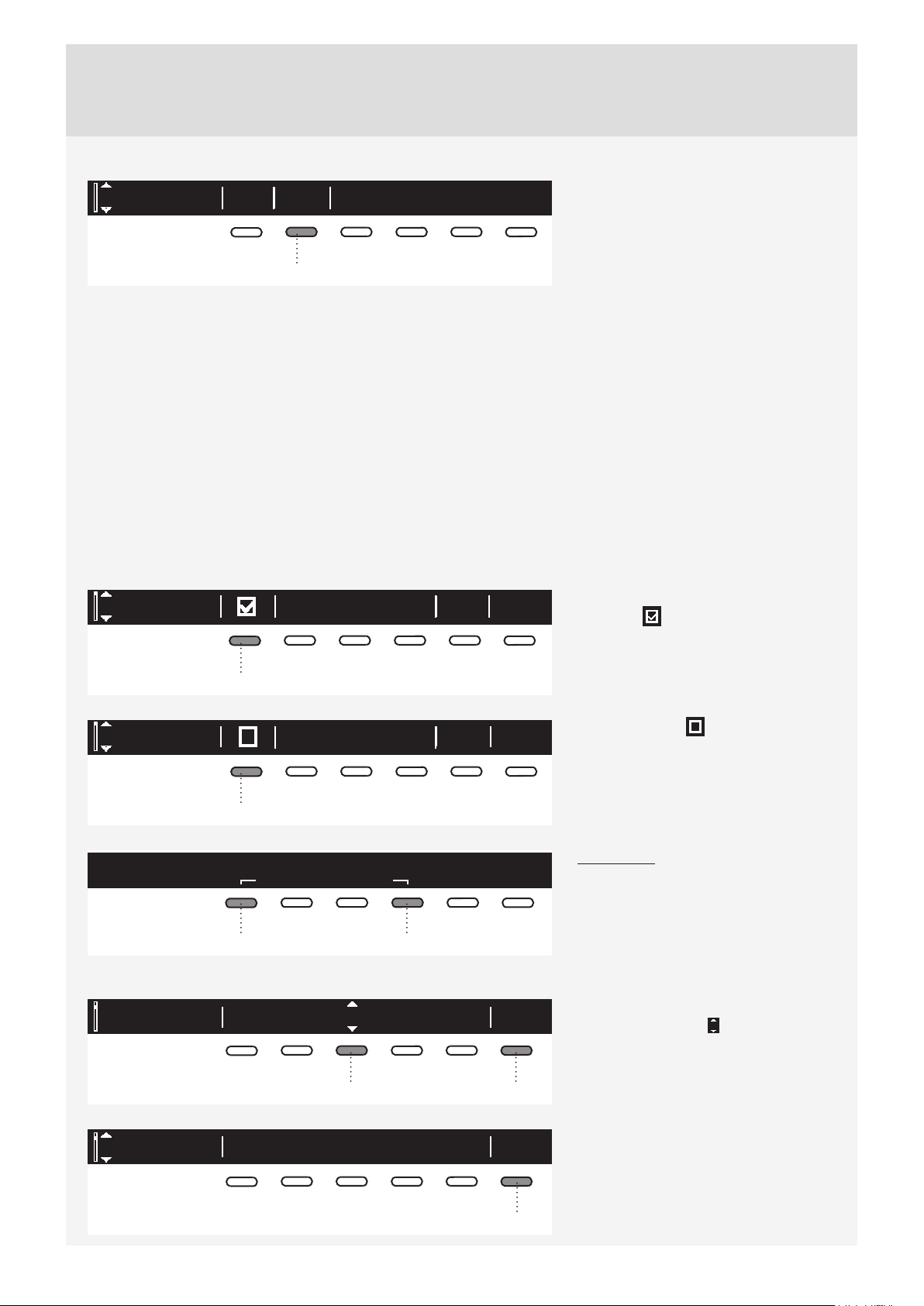
Favourite programs/Add to fav?
Cycle completed successfully fav
Add
new
Start
6
After the end of the drying program,
you can use the button 6 to store the
program, including all extra settings, as
your favourite program.
Create your own list of favourite programs.
Up to 4 favourite programs can be
stored.
1. Favourite Confirm? BackFav list position:
24
Choose the favourite program position
(number) using the button 2; the most
recently used program, including all
settings, will be off ered. To store a
program, confi rm with the button 4.
Changing a favourite program
If you wish to store a program after the end of the drying cycle, but there is no more room for another favourite
program (only 4 favourite program slots are available), then one of the existing stored favourite programs can
be substituted with a new one.
1. Favourite Confirm? BackFav list position:
24
Use the button 2 to scroll through the
list of Favourite programs.
Press the button 4 to confi rm the
program to be replaced.
1 .Fav Bedding will be replaced
Yes No
5
Confi rm the replacement by pressing
the button 5.
If you do not take any action for 5 minutes, the display will switch to standby mode.
To activate the display, press the ON/OFF button or open the dryer door.
28
Customer Care Center, 1-800-898-1879, www.askona.com
SYSTEM SETTINGS
Enter
System settings
2
In the main menu, use the program
selector knob to select System Settings.
Confi rm the selection by pressing the
button 2.
Then, use the program selector knob to scroll the list of settings that can be changed.
• Child Lock
• Language
• Programs
• Display (display unit: contrast & logo)
• Sounds
• Condensed water
• Reset
Use the button 6 (BACK) to return to System Settings or to the main menu.
Press the INFO button to display brief information about the setting.
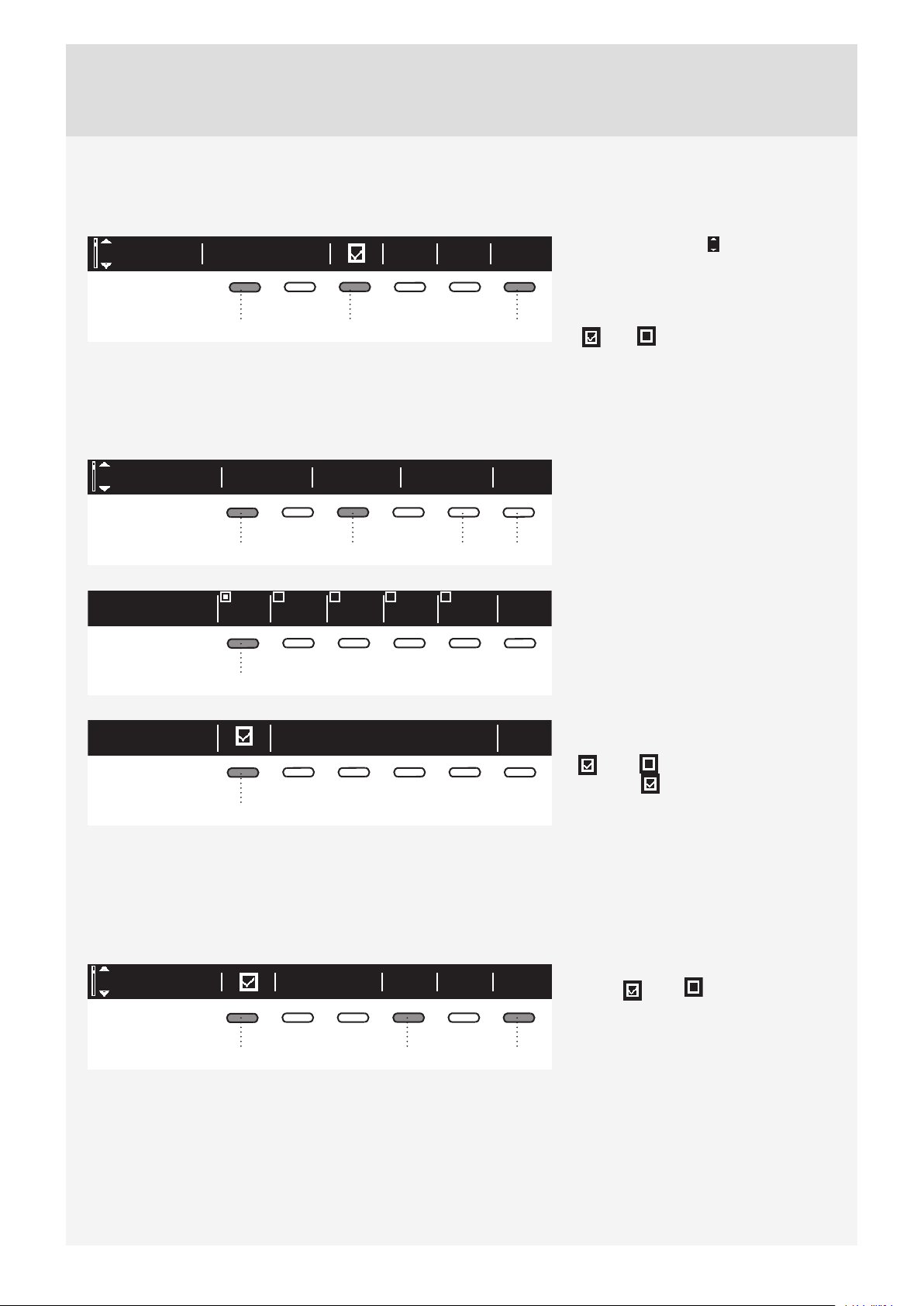
CHILD LOCK
Child lock BackInfo
1
Child lock can be activated by pressing
the button 1 . This will prevent
children from switching on the machine.
Child lock BackInfo
1
Press the button 1 to deactivate the
child lock.
When the child lock is activated, no
other function can be selected.
Child lock
Hold for to deactivate.
locks user interface to any interactions.
3 sec
14
To temporarily (for 3 minutes) switch off
the child lock, press the 1 and 4 buttons
simultaneously for 3 seconds.
LANGUAGE
EU English
Language Ok
36
You can choose between 24 languages.
Press the button 3 for to appear. Use
the program selector knob or the button
3 to scroll the list of languages.
Use the button 6 (OK) to confi rm the
selected language.
EU English
Language Back
6
Use the button 6 to return to System
Settings.
29
Customer Care Center, 1-800-898-1879, www.askona.com
PROGRAMS
The main menu includes the entire set of programs that you can choose using the program selector knob.
This setting allows only displaying the selected program in the main menu.
Sports wearPrograms BackInfo
13 6
Press the button 1 for to appear. Use
the program selector knob or the button 1
to select a program.
Use the button 3 to set whether this
program is to be displayed or not:
On / Off .
Use the button 6 to return to System
Settings.
DISPLAY UNIT
Contrast Logotype
Back
Display
1356
Set the Contrast and Logo display.
1 2
3
4
5
BackContrast
1
BackLogotype
1
Use the buttons 1 to 5 to set the
Contrast.
Use the button 1 to toggle Logo display
on or off .
The symbol means that logo will
appear on the display when the machine
is turned on.
Use the button 6 to return to "System
Settings"..
SOUNDS
Choose whether audible signals are switched on or off .
InfoMidSound Back
146
Use the button 1 to switch acoustic
signal on or off .
Use the button 4 to choose between the
following settings: low, mid, and high. As
you scroll through the options, a sample
audible signal will be sounded.
Use the button 6 to return to System
Settings.
30
Customer Care Center, 1-800-898-1879, www.askona.com
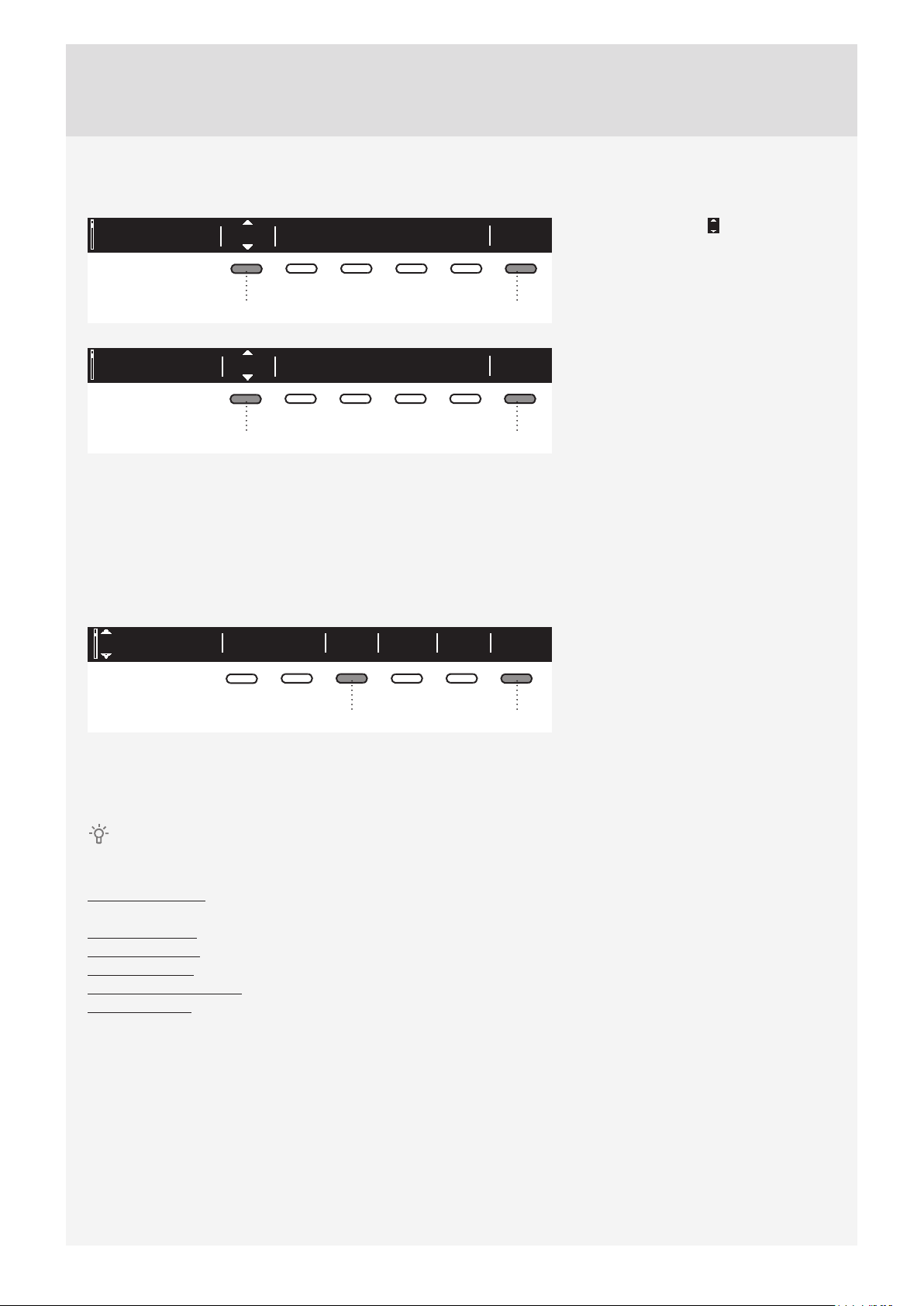
CONDENSED WATER
You can choose between draining condensed water into a condensate tank or directly into the drain.
OkTank
Condensed water
16
OkDrain
Condensed water
16
Press the button 1 for to appear.
Use the program selector knob or the
button 1 to choose between following:
"Tank" – run condensate water into a
condensate tank
"Drain" – run condensate water into a
drain
If you decide to choose option "Drain",
it is necessary to observe how to
connect drain hose (see chapter
"INSTALLATION AND CONNECTION /
Draining the condensate").
Press the button 6 to return to "System
Settings".
RESET
This means that all settings will return to the default settings and your own settings will be deleted.
Reset default BackInfoYes
36
Confi rm the selection by pressing the
button 3 (YES).
Press the button 6 to return to System
Settings.
SOUNDS
In the initial stage of drying or during drying, the compressor and the pump may cause noise which,
however, does not aff ect the dryer operation.
Humming sound: this is the sound of the compressor unit. The level of noise depends on the program and the
drying stage.
Whirring sound: from time to time, the compressor unit is ventilated.
Pumping sound: the pump is pumping the condensate into the condensate tank.
Clicking sound: clicking noise is caused by automatic cleaning of the heat exchanger (compressor).
Swishing water sound: can be heard during automatic cleaning.
Rattling sound: can be heard during drying if laundry has any hard parts (buttons, zippers etc.)
31
Customer Care Center, 1-800-898-1879, www.askona.com
CLEANING AND MAINTENANCE
Before cleaning, make sure to switch off the appliance and disconnect it from the power mains (unplug
the power cord from the outlet).
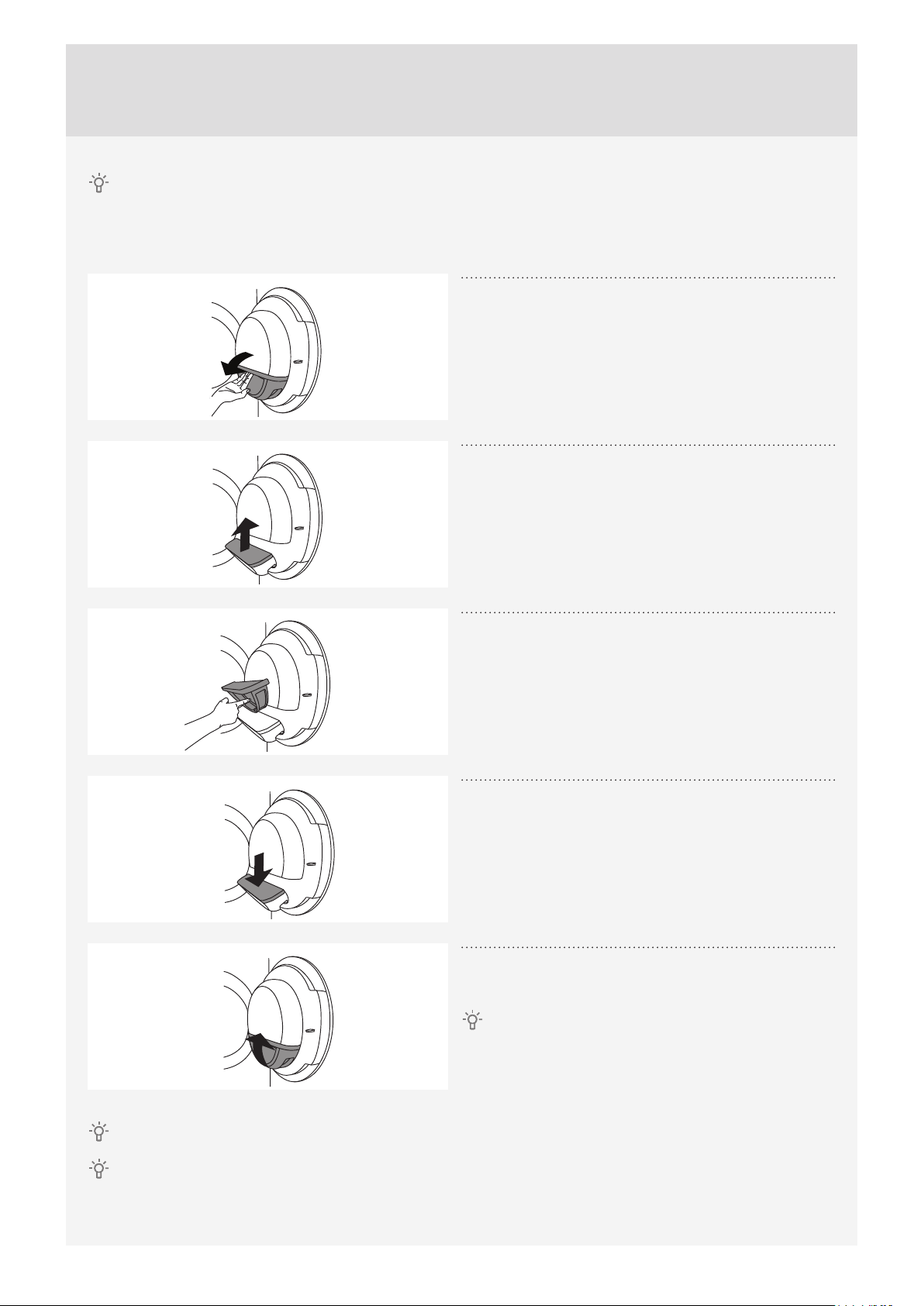
CLEANING THE DOOR NET FILTER IN THE DOOR
1
Open the fi lter housing.
2
Pull out the net fi lter.
3
Gently scrape the fi lter to remove the lint lining
(fi bres and threads).
4
Reinstall the net fi lter.
5
Close the fi lter housing.
Make sure the net fi lter is correctly inserted into
the fi lter housing.
Clean the door net filter after each drying cycle.
Never operate without a door net filter or if the door net filter is damaged.
32
Customer Care Center, 1-800-898-1879, www.askona.com
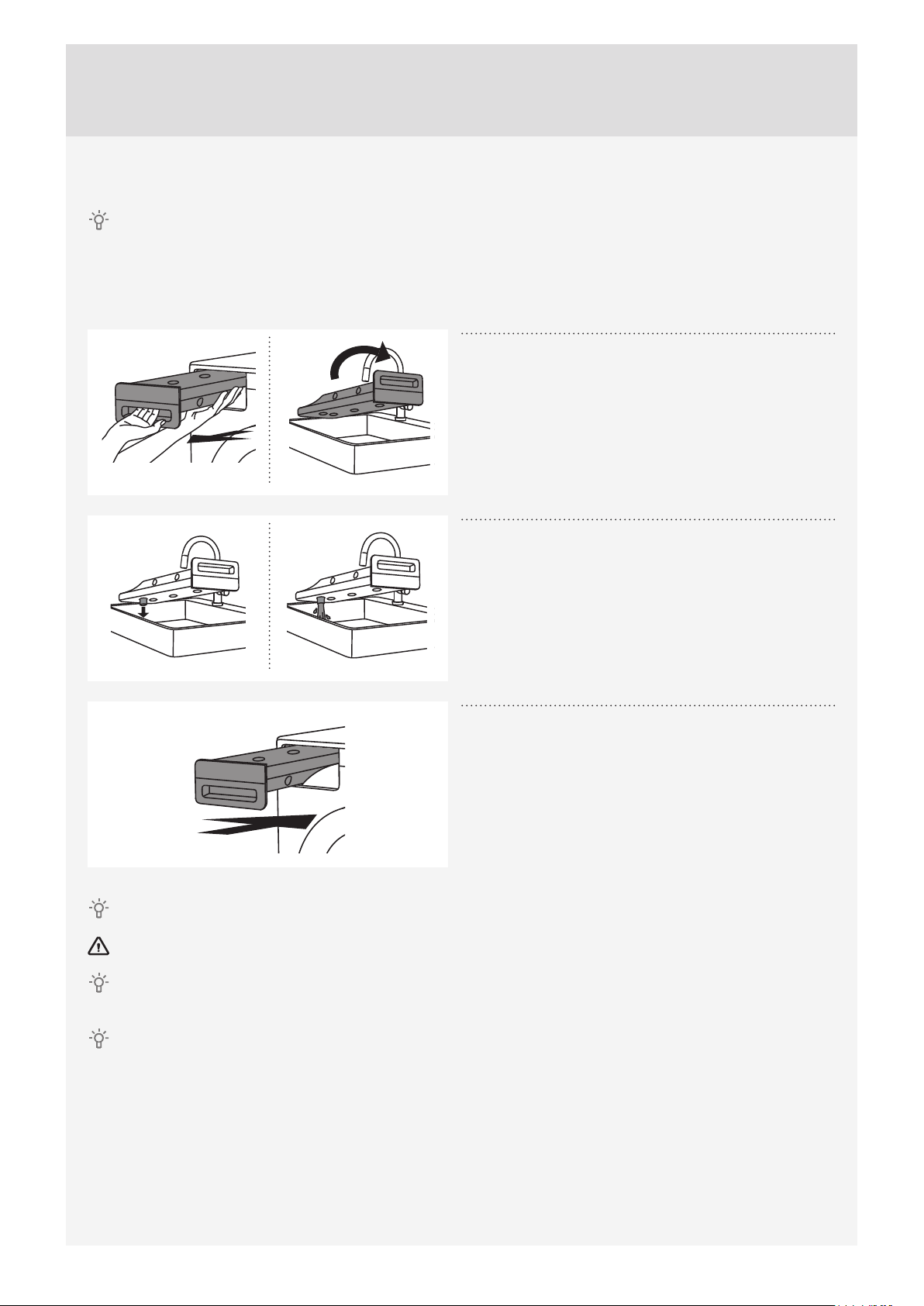
EMPTYING THE CONDENSATE TANK
After each drying cycle, empty the condensate tank.
If the condensate tank is overfl owing the drying program will be paused automatically.
A warning will appear on the display unit that the condensate tank has to be emptied.
(Disregard this warning if you fed the condensate discharge hose into a drain, siphon, or a sink.)
1
Pull out the condensate tank from the dryer, then
turn it upside down over a washbasin, sink, or any
suitably sized vessel.
2
Discharge the water through the condensate drain
opening.
To make draining the tank easier, pull out the nozzle at
the condensate drain.
3
Replace the condensate tank into the dryer
housing.
Water from the condensate tank is not potable. If thoroughly fi ltered, it can be used for ironing.
Never add chemicals or fragrances into the condensate tank.
Condensate tank does not require draining if the drain hose is connected directly to a washbasin or a
bathroom fl oor drain (see chapter ”INSTALLATION AND CONNECTION/Draining the condensate”).
Before moving the dryer or before storing it in a non-heated room during the winter, the condensate tank
has to be emptied.

33
Customer Care Center, 1-800-898-1879, www.askona.com
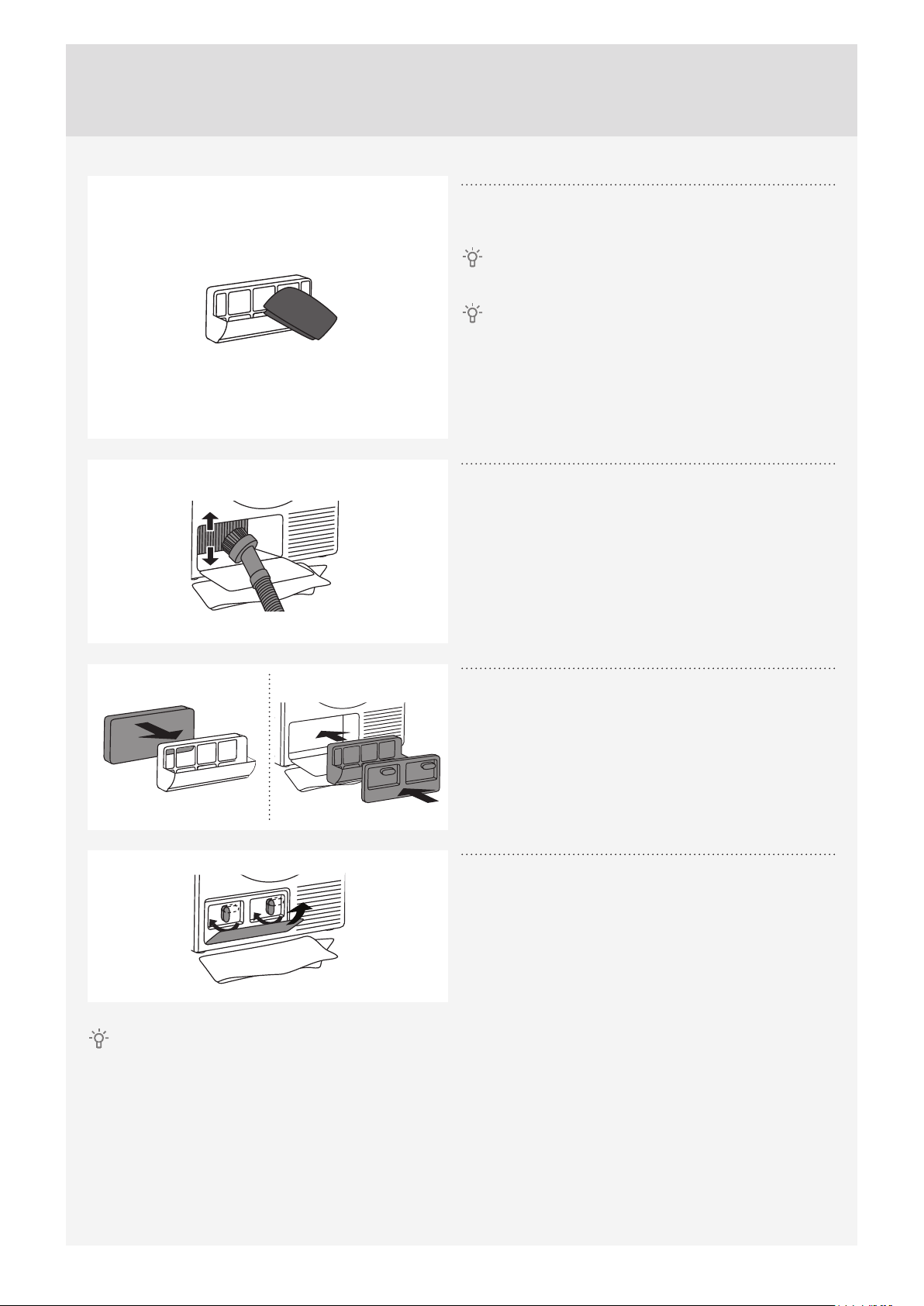
CLEANING THE HEAT PUMP FILTER
Do not touch the inner metal parts of the heat exchanger with bare hands. Danger of injury on sharp
parts. Use appropriate protection gloves when cleaning the heat exchanger.
Incorrect cleaning of the metal fi ns of the heat exchanger can permanently damage the tumble dryer. Do
not press on the metal fi ns with hard objects like for example the plastic tube of a vacuum cleaner.
1
During cleaning, some water may be spilled. It is
therefore recommended to place an absorbent
cloth on the fl oor.
Open the outer cover.
2
Hold the levers on the inside cover and rotate
them upwards.
Remove the inside cover.
3
Use the handle to pull out the heat pump fi lter.
4
Pull the foam part of the heat pump fi lter from the
housing. Wash it under running water and dry it
before replacing it in the fi lter housing.
The fi lter may be washed in the washing machine,
with the rinse program on low spin speed. Dry the fi lter
before replacing it in the fi lter housing.
Clean the foam fi lter at least after every 10 drying
cycles or if necessary.
34
Customer Care Center, 1-800-898-1879, www.askona.com
5
Use a soft dry cloth to also clean the heat pump
fi lter housing and net.
Lower part of the hosing contains a strainer which
shall be cleaned thoroughly.
Clean the heat pump fi lter housing and net after
every 10 drying cycles or if necessary.
With automatic heat pump net fi lter cleaning (only
available in some models), a few drops of water may
drip on the fl oor after the fi lter is removed; therefore,
lay a cloth on the fl oor.
6
The dust and dirt in the metal fi ns of the heat
exchanger can be cleaned with a vacuum cleaner
and a soft brush attachment.
Without pressing, gently move the brush attachment
only in the direction of the metal fi ns from top to
bottom. Too much pressure can damage or bend the
metal fi ns of the heat exchanger.
We recommend you clean the heat exchanger at least
every twelve months.
7
Reassemble the foam fi lter and the fi lter housing.
8
Reinstall the inside cover and rotate the levers
clockwise to the vertical position.
Close the outer cover.
The heat pump fi lter has to be correctly placed into its slot. Otherwise, the heat exchanger installed inside
the dryer may be clogged.

35
Customer Care Center, 1-800-898-1879, www.askona.com
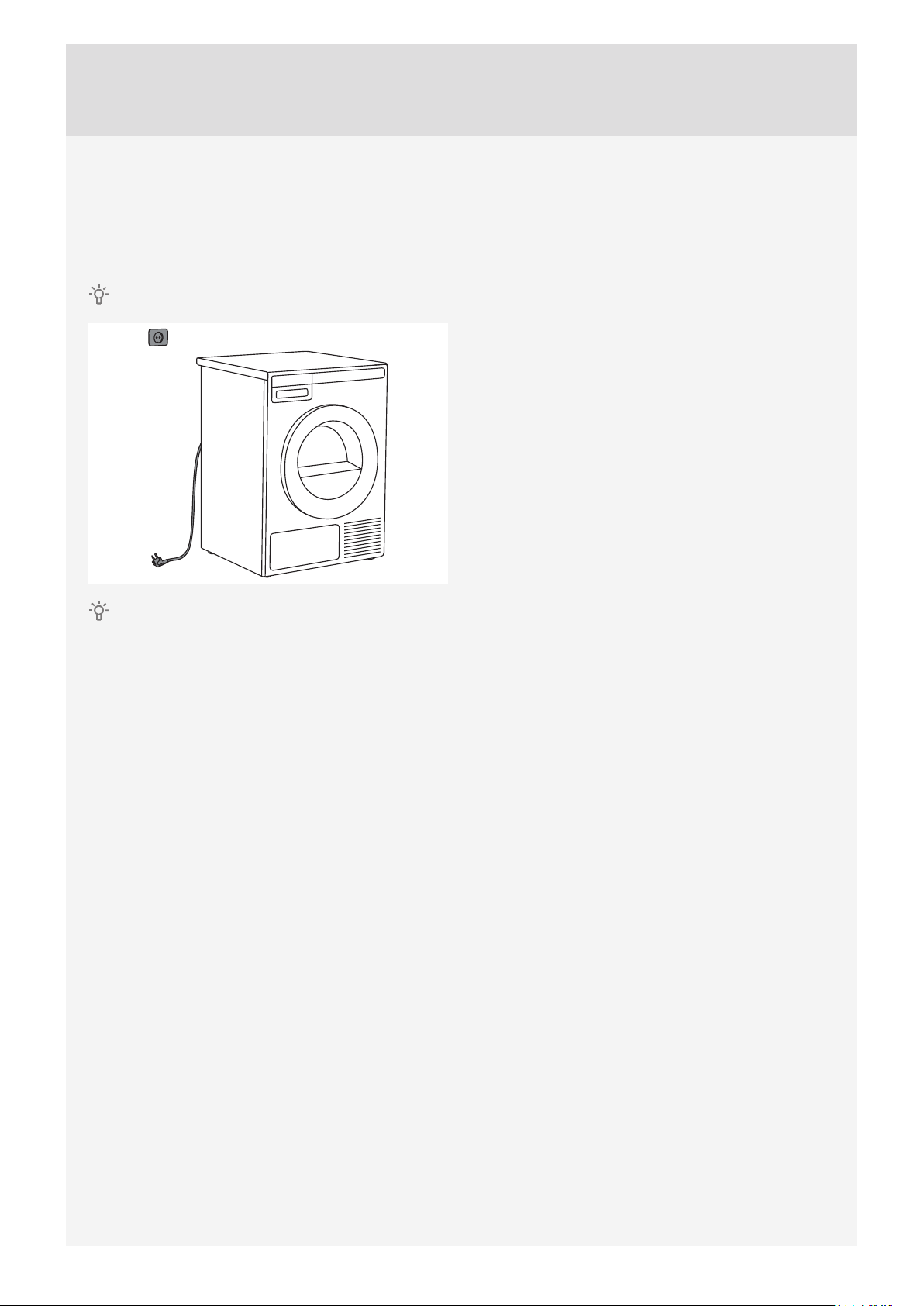
ADDITIONAL INFORMATION REGARDING
CLEANING
If you have inadvertently removed the entire net
fi lter housing in the dryer door, replace it in the same
position.
Opening on the lower side of the door should
occasionally be cleaned with a vacuum cleaner.
If necessary, clean the fi lter housing and door gasket
as well.
36
Customer Care Center, 1-800-898-1879, www.askona.com
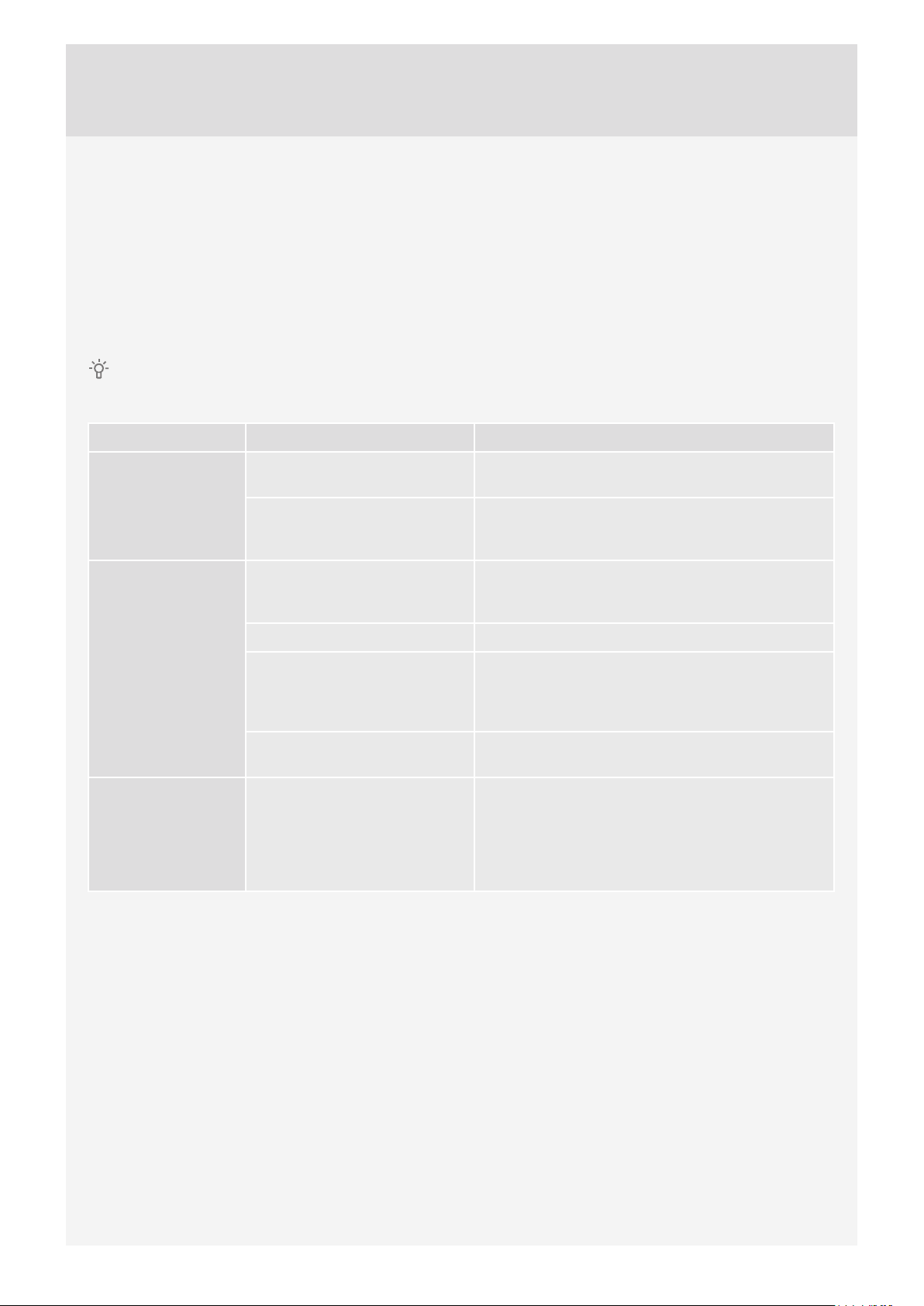
CLEANING THE APPLIANCE EXTERIOR
Clean the appliance exterior and the display unit using a soft damp cotton cloth and water.
Do not use solvents or abrasive cleaners that could damage the appliance (please observe the
recommendations and warnings provided by the manufacturers of the cleaning agents).
Wipe all parts of the dryer with a soft cloth until dry.
Keep the area around the dryer clean and cool. Dust, heat, and humidity will extend the drying time.
Always disconnect the dryer from the power mains before cleaning.
37
Customer Care Center, 1-800-898-1879, www.askona.com
ERRORS AND TROUBLESHOOTING
Disturbances from the environment (e.g. the power grid) may result in various error reports (see
Troubleshooting table). In such case:
• Switch off the appliance, wait for 1 minute, switch the appliance back on, and repeat the drying program.
• If the error persists, call an authorized service center.
• You will be able to solve most of the problems in dryer operation by yourself (see troubleshooting table
below).
• Repairs may only be carried out by an adequately trained person.
• Repair or any warranty claim resulting from incorrect connection or use of the dryer shall not be covered by
the warranty. In such cases, the costs of repair shall be charged to the user.
The warranty does not cover the errors or failures resulting from disturbances from the environment
(lightning strike, power grid failures, natural disasters etc.).
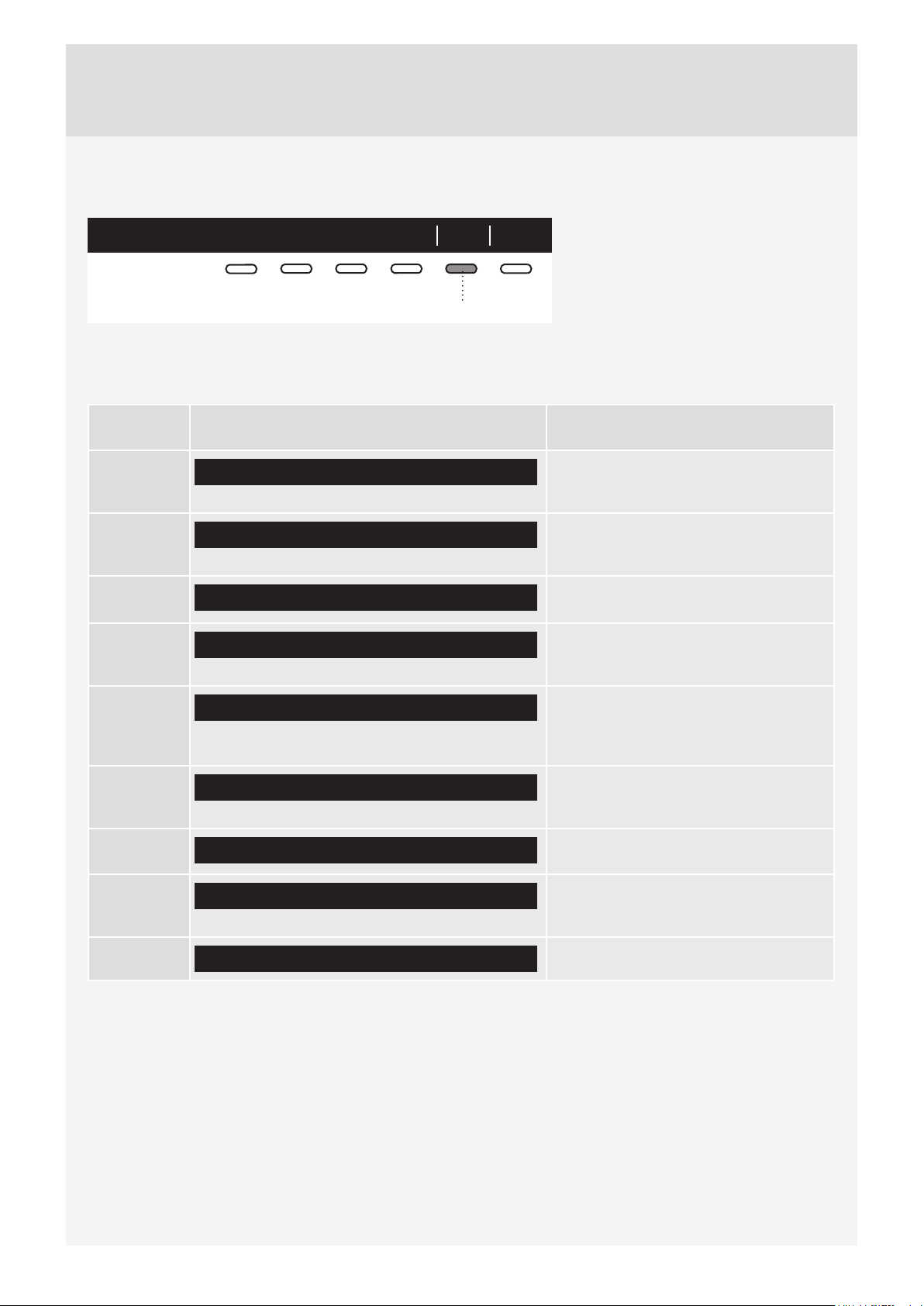
Problem/error Cause What to do?
The machine will
not start.
• The main switch is not
switched on.
• Check whether the main switch is on.
• There is no voltage in the
power outlet.
• Check the fuse.
• Check if the power cord plug is correctly inserted
into the power outlet.
There is voltage in
the outlet, but the
drum does not spin
...
The dryer does not
work.
• Program was not started
in accordance with the
instructions.
• Re-read the instructions for use again.
• Door might be open. • Check if the door is closed properly.
• The condensate tank is full
(only applies to condensation
dryer and the dryer with a heat
pump).
• Empty the condensate tank (see section
"Cleaning and Maintenance") (only applies to
condensation dryer and the dryer with a heat
pump).
• Delayed start might be
activated.
• To cancel the Delayed Start option, press 5 the
Skip button.
The machine
stops operating
completely during a
program.
• The door net filter may be
clogged. As a result, the
temperature in the dryer
rises, which in turn causes
overheating, and the dryer
switches off.
• Clean the door net filter (see chapter "CLEANING
AND MAINTENANCE").
• Wait for the machine to cool down, and try running
it again. If the dryer still fails to start, call service
centre.

38
Customer Care Center, 1-800-898-1879, www.askona.com
Problem/error Cause What to do?
Laundry not dried
or drying takes too
long.
• Filters are not clean. • Clean the filters (see chapter "CLEANING AND
MAINTENANCE").
• Dryer is placed in a closed
room; room that is too cold; or
room that is too small and the
air overheats as a result.
• Make sure there is adequate supply of fresh air
to the dryer; for example, open the door and/or
window.
• Check if the temperature in the room where the
dryer is installed is too high or too low.
• Laundry was not sufficiently
wrung or spun.
• If the load is still wet after completed drying cycle,
an appropriate drying program should be run
again (after cleaning filters).
• Amount of laundry dried in
the appliance is too large or
insufficient.
• Use a suitable program or extra functions.
• Laundry (such as bedding)
gets tangled.
• Close the buttons or zippers on the laundry before
drying. Select a suitable program (e.g. the bedding
program).
• After the drying process, loosen the laundry and
select an additional drying program (e.g. timed
drying program).
Unevenly dried
laundry.
• Laundry of varying types and
thickness, and excessive
amount of laundry.
• Make sure you have sorted the laundry by type
and thickness, whether you have added a suitable
amount of laundry to the drum, and whether you
have selected a suitable program.
A slight hitting
noise appears.
• If the dryer is out of use for
a long period of time, the
same points of load-bearing
elements or components
are under stress for a long
time, causing temporary
deformation.
• The noise will subside without any intervention.
The door opens
during drying.
• Excessive load on the door
(too much laundry in the
drum).
• Reduce the amount of laundry.
39
Customer Care Center, 1-800-898-1879, www.askona.com
FAILURE DISPLAY
In case of a failure while a program is in progress, the relevant Error X is indicated on the display unit.
Info ExitError 3
5
Press and hold the INFO button to
display the error description.
Press the 6 EXIT button to return to
Main Menu.
Switch off the dryer and turn it back on.
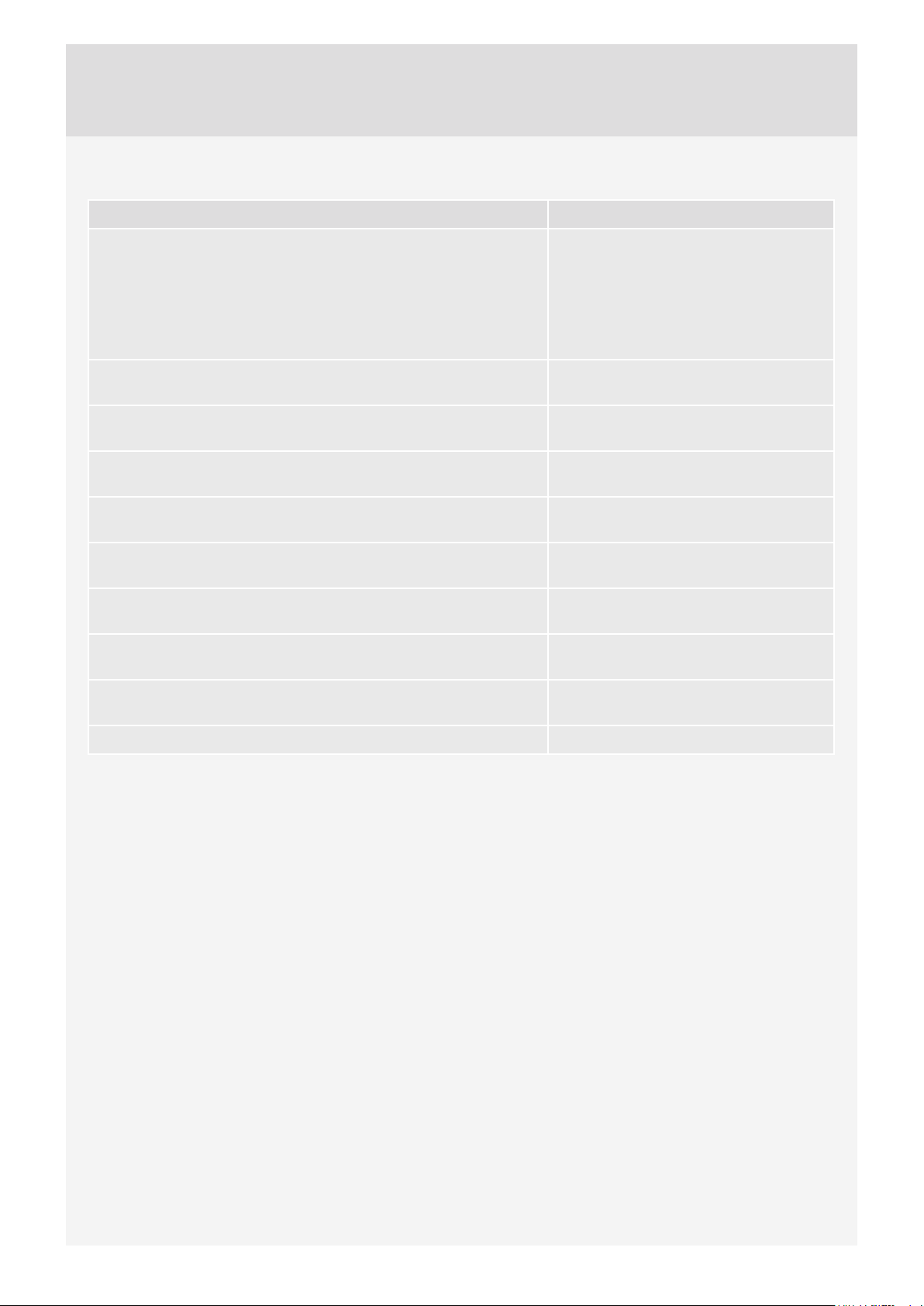
Errors indicated on the display unit (depending on the model) may include the following:
Problem/
error
Error indication on the display What to do?
Error 0
E0 - Please check user manuals or call service.
Control unit failure.
Call service centre.
Error 1
E1 - Thermistor fault. Please check user manuals or call service.
Temperature sensor failure.
Call service centre.
Error 2
E2 - Please check user manuals or call service.
Communication error.
Call service centre.
Error 3
E3 - Pump failure. Please check user manuals or call service.
Failure on the pump for pumping the
condensate into the condensate tank
Call service centre.
Error 4
E4 - Please clean filters or call service.
Control unit failure.
Clean the filters. See chapter
"CLEANING AND MAINTENANCE" or
call service centre.
Error 6
E6 - Relay failure. Please check user manuals or call service.
Control unit failure.
Call service centre.
Error 7
E7 - Door failure. Please check user manuals or call service.
Control unit failure.
Call service centre.
Error 8
E8 - Button failure. Please check user manuals or call service.
Control unit failure.
Call service centre.
Error 9
E9 - PB/UI software versions are not compatible.
Call service centre.
40
Customer Care Center, 1-800-898-1879, www.askona.com
INFORMATION before, during, and after the program (depending on the model)
Error indication on the display What to do?
EN:
Steam tank is empty. Please fill water. Fill the steam tank with distilled water or
condensate.
Pour the water through the steam tank
filter located in the condensate tank
housing. See chapter "BEFORE USING
THE APPLIANCE FOR THE FIRST
TIME".
EN: Steam tank full. Stop adding condensate or distilled
water.
EN: Please close the door before pressing start. Close the dryer door before starting or
resuming the program.
EN:
Option not available at this phase of cycle. This option is not available. Select an
option that is still available.
EN:
Cycle was interrupted by power failure. Please resume. Press the Start/Pause button to restart
or resume the program.
EN: Please empty the tank before resuming a cycle. See chapter "CLEANING AND
MAINTENANCE".
EN:
Clean door filter. See chapter "CLEANING AND
MAINTENANCE".
EN: Clean the condenser unit. See chapter "CLEANING AND
MAINTENANCE".
EN: Please empty the water tank and clean door filter. See chapter "CLEANING AND
MAINTENANCE".
EN: Child lock is on. Press buttons for 3 sec to unlock. See chapter "SYSTEM SETTINGS".

41
Customer Care Center, 1-800-898-1879, www.askona.com
SERVICE AND GUARANTEE
LIMITED WARRANTY – RESIDENTIAL
APPLIANCES
ASKO Distribution North America, LLC. (“ASKO”)
warrants to the original purchaser (the “ASKO
Customer”) of the ASKO product (the “ASKO
Product”), who purchased the ASKO Product from
a distributor, dealer, manufacturer’s representative
or other seller who has been authorized by ASKO,
that this ASKO Product is free of defects in materials
and/or workmanship, subject to the terms and
conditions set forth herein. This Limited Warranty
covers parts and labor, except as set forth in this
Limited Warranty. Service must be provided by an
authorized ASKO service company. YOUR SOLE
AND EXCLUSIVE REMEDY UNDER THIS LIMITED
WARRANTY SHALL BE PRODUCT REPAIR AS
PROVIDED HEREIN. This Limited Warranty is valid
only when the ASKO Product is used in the country
in which it was purchased. Proof of original purchase
date is required to obtain service under this Limited
Warranty.
Residential ASKO Products Used
Exclusively for Household/Personal
Purposes:
Two (2) Years limited Warranty – Any warranty
service claims for residential ASKO Products must
be fi led with ASKO within two (2) years from date of
purchase. Service will be provided during normal
business hours.
Residential ASKO Products Not Used
Exclusively for Household/Personal
Purposes or used Commercially or
used in Marine, Mobile or Aeronautical
Applications:
One (1) Year limited Warranty – Any warranty service
claims for ASKO Products not used exclusively for
household and personal use, or used commercially
or used in marine, mobile, or aeronautical
applications must be fi led with ASKO within one (1)
year from date of purchase. Service will be provided
during normal business hours.
ITEMS EXCLUDED FROM WARRANTY
This limited warranty does not cover:
1. Replacement parts or repair labor if the ASKO
Product is used in a manner that is inconsistent
with published user or operator instructions and/
or installation instructions.
2. Service calls to correct the installation of the
ASKO Product, to instruct you on how to use the
ASKO Product, to replace or repair house fuses,
or to correct house wiring or plumbing.
3. Consumable items and parts, such as fi lters.
4. Damage resulting from accident, alteration,
misuse, abuse, negligence, fi re, fl ood, acts
of God, improper use, improper installation,
installation not in accordance with electrical or
plumbing codes, or use of products not approved
by ASKO, as well as any attempted repair by
other than authorized ASKO service companies.
5. Cosmetic damage, including scratches, dents,
chips or other damage to the fi nish of the
ASKO Product, unless such damage results
from defects in materials or workmanship and
is reported to ASKO within 5 days from date of
purchase.
6. Pickup and delivery. The ASKO Product is
intended to be repaired in your home.
7. Repairs to parts or systems resulting from
unauthorized modifi cations made to the ASKO
Product.
8. Expenses for travel and transportation for product
service if the ASKO Product is located in a remote
area where service by an authorized ASKO
service company is not available.
9. The removal and reinstallation of the ASKO
Product if it is installed in an inaccessible location
or is not installed in accordance with ASKO’s
published installation instructions.
10. Replacement parts or repair labor on ASKO
Products with original model/serial numbers that
have been removed, altered or cannot be easily
determined.
42
Customer Care Center, 1-800-898-1879, www.askona.com
DISCLAIMER
YOUR SOLE AND EXCLUSIVE REMEDY UNDER
THIS LIMITED WARRANTY SHALL BE PRODUCT
REPAIR AS PROVIDED HEREIN. EXPRESSLY
DISCLAIMED ARE ALL OTHER EXPRESS AND
IMPLIED WARRANTIES, INCLUDING ANY IMPLIED
WARRANTIES OF MERCHANTABILITY AND
FITNESS FOR A PARTICULAR PURPOSE. Some
jurisdictions do not allow exclusion or limitations
regarding warranty rights. This Limited Warranty
gives you specifi c legal rights and you may have
other rights that vary from jurisdiction to jurisdiction.
Attempted repair by any person other than an
authorized ASKO service company will void this
Limited Warranty.
LIMITATION OF LIABILITY
IN NO EVENT SHALL ASKO OR THE
MANUFACTURER AND THEIR RESPECTIVE
PARENTS, SUBSIDIARIES AND AFFILIATES BE
LIABLE FOR CONSEQUENTIAL, INCIDENTAL,
EXEMPLARY, PUNITIVE OR SPECIAL
DAMAGES. IN NO EVENT SHALL ASKO OR THE
MANUFACTURER AND THEIR RESPECTIVE
PARENTS, SUBSIDIARIES AND AFFILIATES BE
LIABLE FOR DAMAGES OTHER THAN ACTUAL
DAMAGES AND IN NO EVENT FOR DAMAGES
IN EXCESS OF THE PRICE PAID FOR THE ASKO
PRODUCT AS TO WHICH A CLAIM IS MADE.
Some jurisdictions do not allow the exclusion or
limitation of incidental, consequential or other
damages, so these limitations and exclusions may
not apply to you. This Limited Warranty gives you
specifi c legal rights. You also may have other rights
that vary from jurisdiction to jurisdiction.
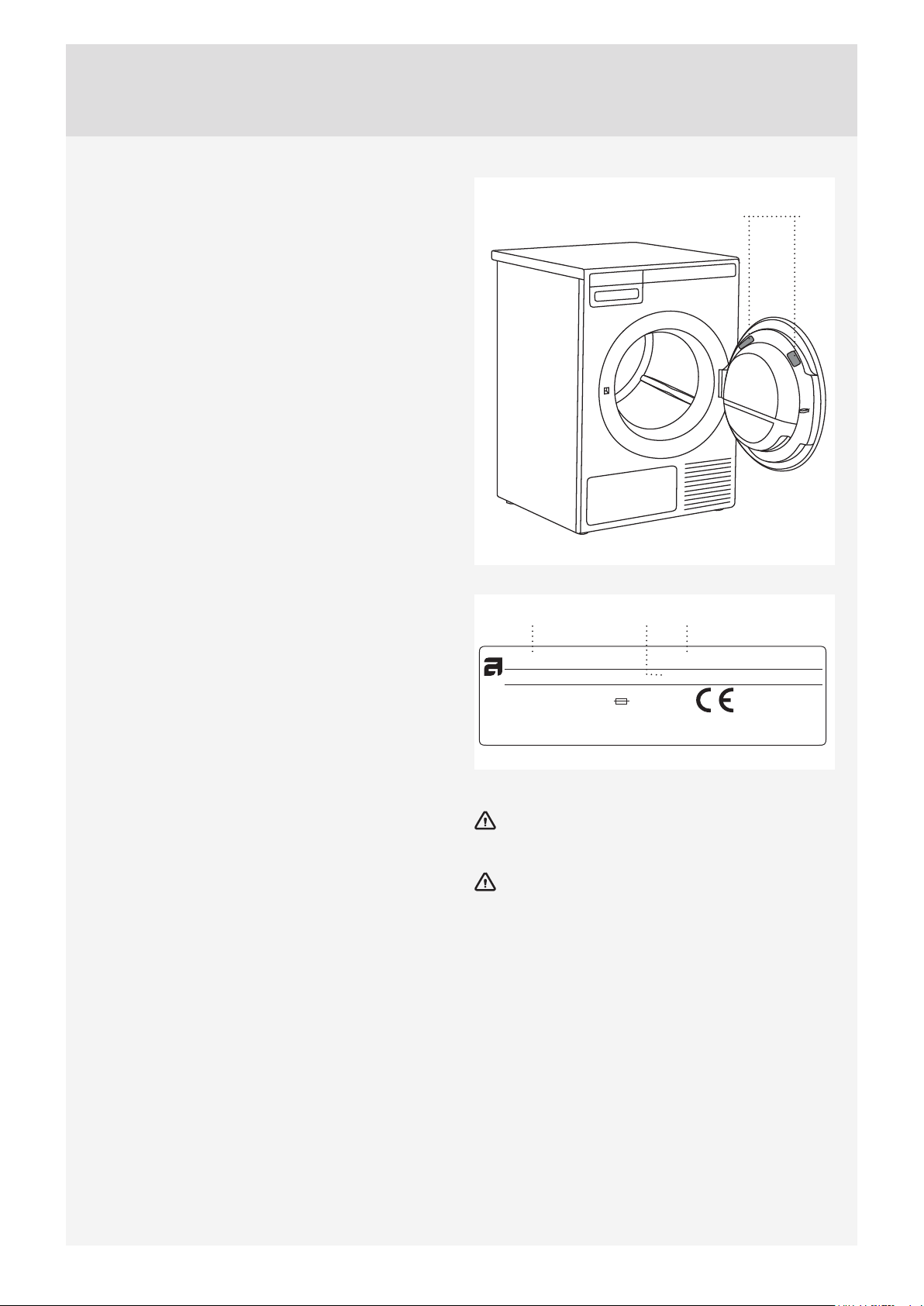
1, 2, 3
TYPE: TDXX.XXXXX
Art.No.: XXXXXX/XX Ser.No.: XXXXXXXX
MODEL: XXXXXX.X
XXXX W
XXA
IPX4
X kg
XXX V ~
XX Hz Refrigerant: X XXXX Volume: XXXX
213
Only authorised spare parts shall be used in the
event of failure.
Repair or any warranty claim resulting from
incorrect connection or use of the dryer shall not be
covered by the warranty. In such cases, the costs of
repair shall be charged to the user.

43
Customer Care Center, 1-800-898-1879, www.askona.com
SERVICE AFTER EXPIRATION OF LIMITED
WARRANTY
For information about obtaining parts and labor after
expiration of this Limited Warranty or arising outside
the scope of this Limited Warranty, please contact
ASKO Customer Care at 1-800-898-1879. After your
purchase and prior to fi rst use of the ASKO Product,
register your ASKO Product with ASKO by utilizing
the address information below. Should you need
further assistance as well, contact us at the address
information below:
ASKO Distribution North America, LLC
Customer Care Center
PO Box 44848
MADISON WI 53744
1-800- 898-1879
www.askona.com
44
Customer Care Center, 1-800-898-1879, www.askona.com
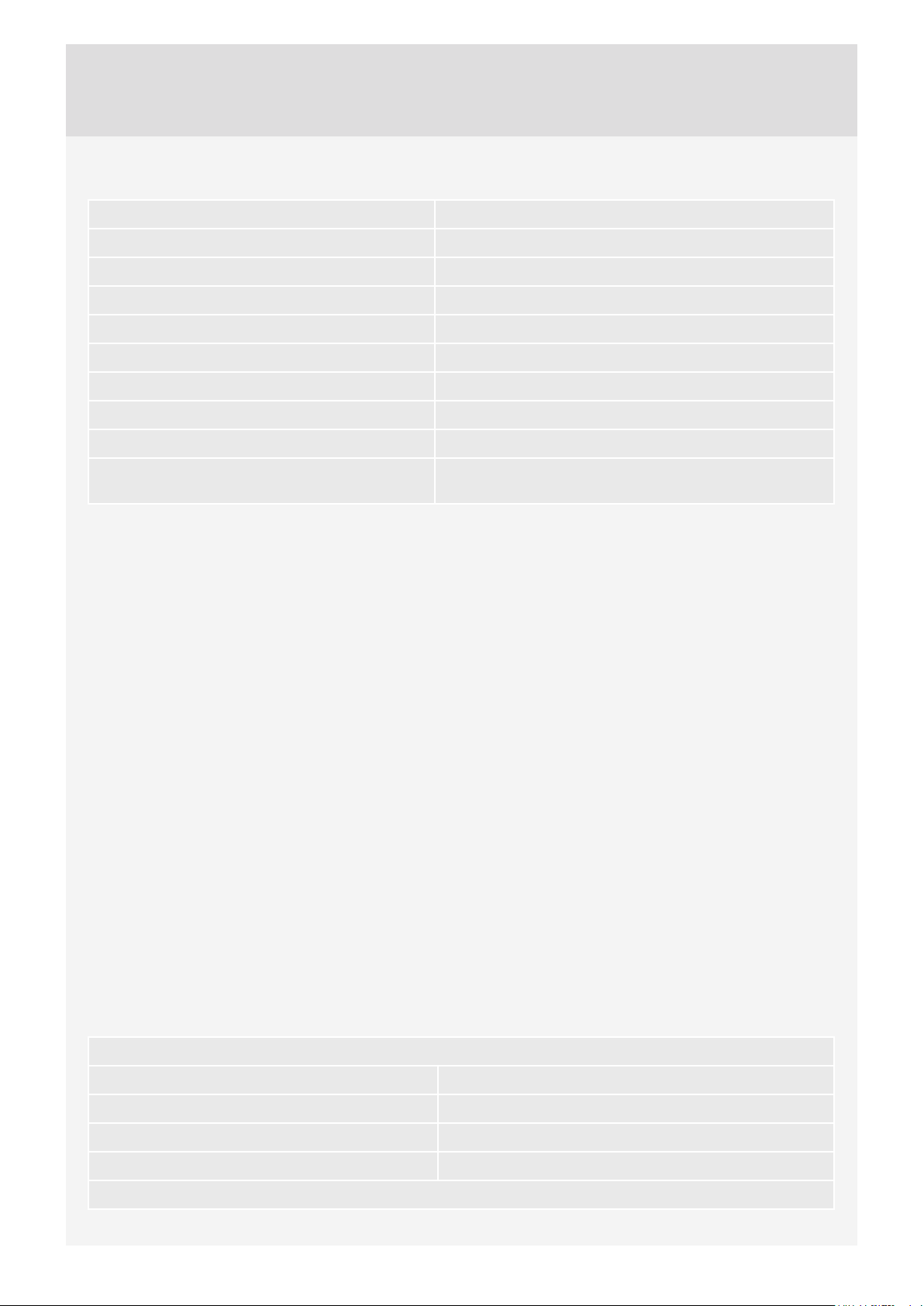
TECHNICAL INFORMATION
Height 850 mm (33 15/32")
Width 595 mm (23 27/64")
Depth 654 mm (25 3/4")
Weight (net) 57 kg (125.7 lbs)
Drum volume 117 l (4.13 cu.ft.)
Maximum drying load See rating plate
Speed 50–55 rpm
Rated power See rating plate
Drum material Stainless steel
Housing material Hot-dip galvanized and powder coated sheet metal, or
stainless steel sheet
This product contains fluorinated greenhouse gases.
Type of refrigerant R134a
Quantity of refrigerant 0,30 kg (0.66 lbs)
Total GWP 1430
CO
2
equivalent 0,429 t (945.8 lbs)
Hermetically sealed.
TECHNICAL INFORMATION

45
Customer Care Center, 1-800-898-1879, www.askona.com
PROGRAM TABLE
The table indicates the power consumption and time values for drying of a test batch of laundry with various
loads and after spinning at various rates, consistent with the EN61121.
The following requirements apply to the consumption values specifi ed below.
Inlet air temperature room temperature
Inlet air humidity 50–60%
Drying temperature Normal
Test load
Full load
(8kg/17lbs)
Partial load
(5.5kg/12lbs)
Small load
(4kg/9lbs)
Program
"Washing machine
spin speed (rpm) "
Energy consumption
approx. (kWh)
Program time
approx. (h:min)
Energy consumption
approx. (kWh)
Program time
approx. (h:min)
Energy consumption
approx. (kWh)
Program time approx.
(h:min)
Auto extra dry 1400 2.05 3:20 1.58 2:40 1.25 2:20
Auto dry 1400 1.85 3:00 1.46 2:30 1,21 2:10
Auto normal dry*
1400 1.60 2:45 1.26 2:10 1.01 1:45
Auto iron dry* 1400 1.20 1:55 0.88 1:30 0.69 1:15
Full load
Partial load
Small load
* Due to deviations in terms of type and amount of laundry, spinning, power supply oscillation, and environment temperature and humidity, the values
measured at the user may diff er from the one stated in the table.
46
Customer Care Center, 1-800-898-1879, www.askona.com
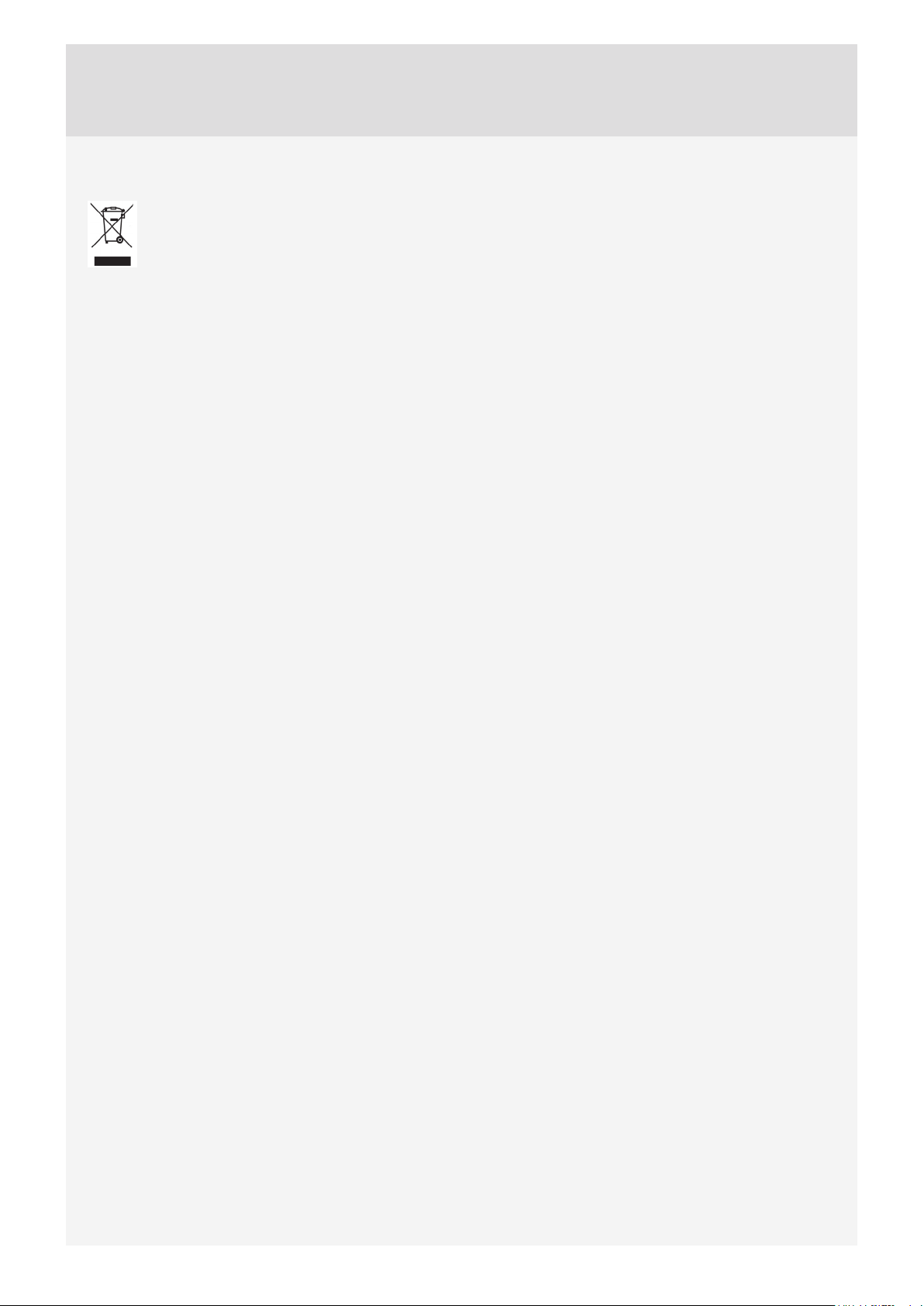
Disposal / recycling of packaging
Our product packaging is made of environmentally friendly materials that can be recycled, disposed
of, or destroyed without any hazard to the environment. To this end, packaging materials are labelled
appropriately.
The symbol on the product or its packaging indicates that the product should not be treated as
normal household waste. The product should be taken to an authorized collection centre for waste electric
and electronic equipment processing.
When disposing of an appliance at the end of its useful life, remove all power cords and destroy the door latch
and switch to prevent the door from locking or latching (child safety).
Correct disposal of the product will help prevent any negative eff ects on the environment and health of people
which could occur in case of incorrect product removal. For detailed information on removal and processing
of the product, please contact the relevant authority in charge of waste management, your waste disposal
service, or the store where you bought the product.
DISPOSAL
47
Customer Care Center, 1-800-898-1879, www.askona.com
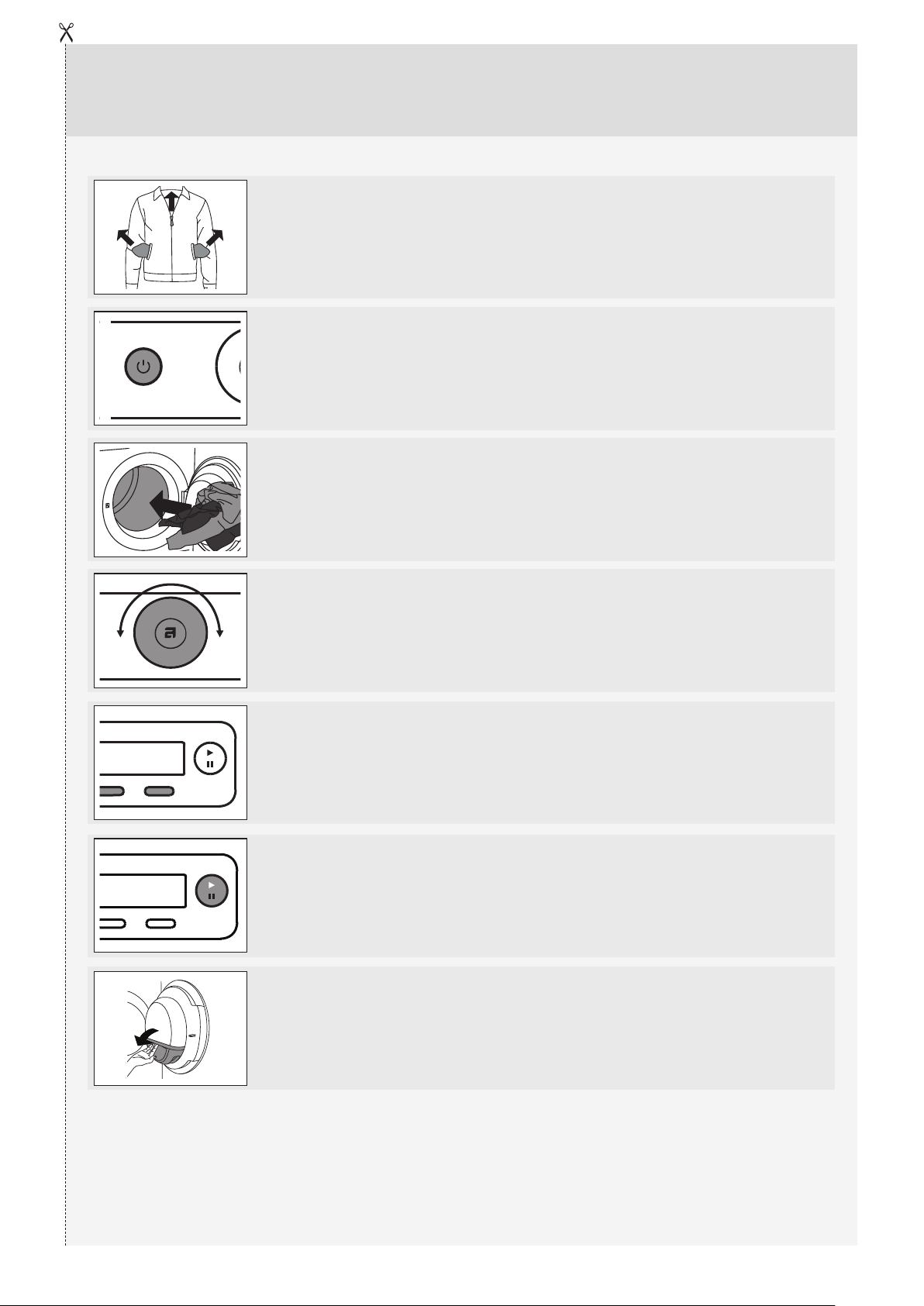
QUICK GUIDE
3.
2.
4.
6.
5.
7.
1.
SORT THE FABRICS
Sort the fabric by type and by how heavily soiled the laundry is.
Observe the drying symbols on the laundry labels. Close the zippers,
hook-and-loop fasteners and buttons.
SWITCH ON THE MAIN ON/OFF SWITCH (ON/OFF)
OPEN THE DRYER DOOR AND INSERT THE LAUNDRY.
Before doing so, make sure the drum is empty.
CHOOSE THE DRYING PROGRAM.
Turn the program selector knob to the desired drying program.
CLOSE THE DRYER DOOR AND PRESS THE START/
PAUSE BUTTON.
Anticipated drying time, in hours and minutes, will be indicated on the
display.
CHOOSE THE PROGRAM SETTINGS.
Choose the settings by pressing the relevant buttons.
END OF PROGRAM
Open the door and remove the laundry from the dryer.
Clean the filters. See chapter "CLEANING AND MAINTENANCE".
Close the door.
Switch off the main on/off switch.
Remove the plug from the power outlet.
We reserve the right to modifi cations.
TD75.B3
SPHP US/CA
en (10-19)
www.askona.com