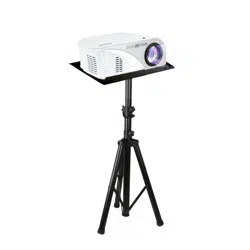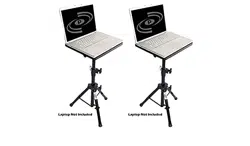
Universal Device Stand
Height Adjustable Tripod Mount
(For Laptop, Notebook, Mixer, DJ Equipment)
PLPTS2 - PLPTS3 - PLPTS4
Device Resting Plate Extension Arm
Folding Tripod Base
Mounting Clamps Wing Nuts
Washers
Plate Bolts
Slide the metal mounting clamps onto both ends of
the extension arm. Each side is tted with rubber grips
that the clamps use for holding support. Be sure as to,
at least partially, slide the metal mounting clamps to
lay over the rubber grips. Use the dual clamp-style
knobs on both sides on each of the mounting clamps
to secure the angle and placement of the device
resting plate.
www.PyleUSA.com
2
Use the included hardware to secure the device
resting plate with the metal mounting clamps. The
holes in the mounting clamp brackets should align
with the holes protruding through the base plate.
Be sure to use a washer between the wing nut and the
metal mounting clamp when securing.
The plate bolts are to be inserted from the top of the
unit, going downward through the device resting plate,
and out of the other end to meet the metal mounting
brackets. The metal mounting bracket clamps can be
adjusted or loosened accordingly to allow for angle/tilt
adjustment.
Slide the assembled extension arm and device resting
plate into the assembled folding tripod base with the
inserted extension arm tting insert. The top clamp
style knob allow for height adjustment by raising or
lowering the unit's extension arm. The lower clamp
style knob allows for securing the stand's stability
when the tripod legs are extended.
The unit also features a safety pin that acts as a backup
for the stand's height adjustment safety.
Slide the metal mounting clamps onto both ends of
the extension arm. Each side is tted with rubber grips
that the clamps use for holding support. Be sure as to,
at least partially, slide the metal mounting clamps to
lay over the rubber grips. Use the dual clamp-style
knobs on both sides on each of the mounting clamps
to secure the angle and placement of the device
resting plate.
PLPTS2 - PLPTS3 - PLPTS4
Universal Device Stand
Height Adjustable Tripod Mount
(For Laptop, Notebook, Mixer, DJ Equipment)
Features:
• Universal Device Stand
• Quick & Easy Setup
• Tripod Floor-Standing Design
• Lightweight, Portable & Reliable
• Quick & Convenient Height Adjustment
• Angle Adjustable Device Tray
• Rugged & Durable Metal Construction
• Disassembles for Travel & Storage
• Works with Audio/Video Devices, DJ Sound Equipment
• (Laptops, Notebooks, Mixers, Ampliers, etc.)
• Used by Musicians, DJs, Performers, Engineers, etc.
• For On-Stage or In-Studio Use
Technical Specs:
• *Some Assembly Required
• Construction Material: Metal Stand, Engineered ABS Shelf
• Sold as: Unit
www.PyleUSA.com
3
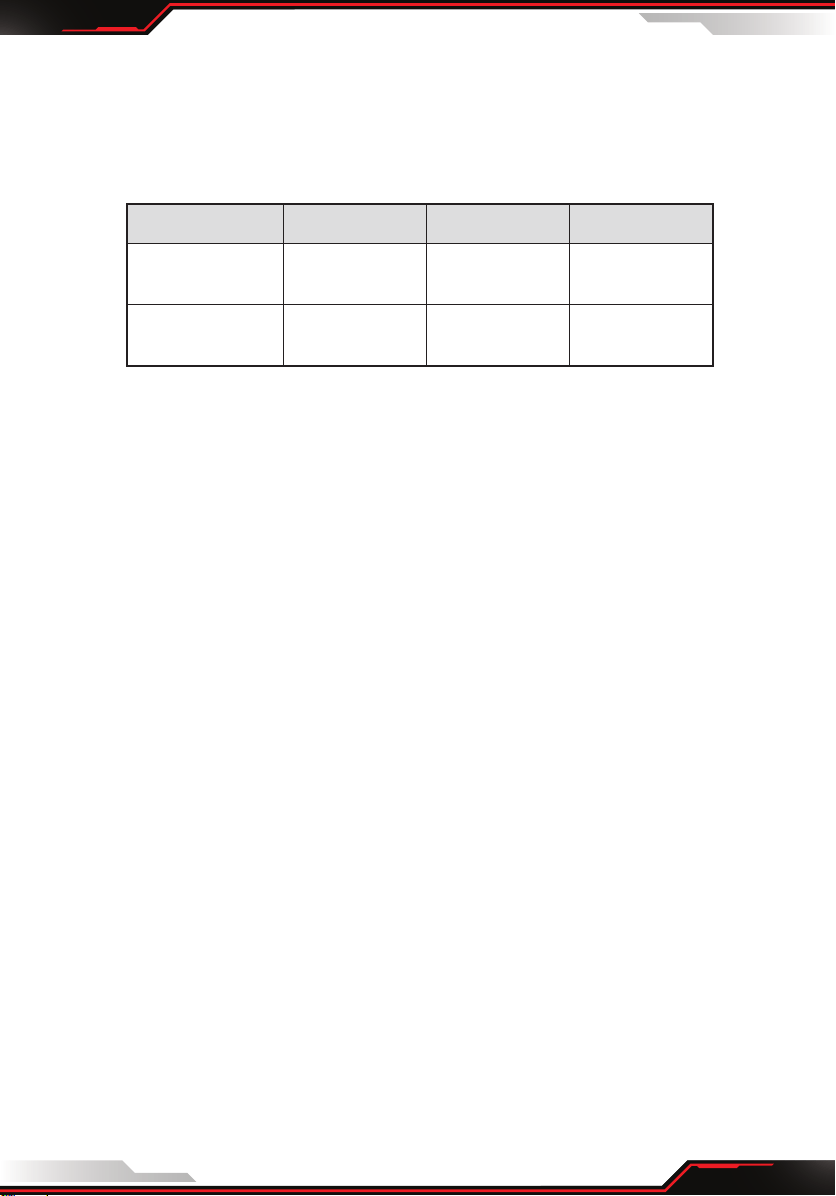
MODEL PLPTS2 PLPTS3 PLPTS4
Adjustable
Height
22.0'' - 35.0''
-inches
28.0'' - 50.0''
-inches
29.0’’ - 52.0’’
-inches
Shelf / Device
Tray Size (L x W)
14.0'' x 11.0''
-inches
20.0'' x 16.0''
-inches
20.0'' x 16.0''
-inches