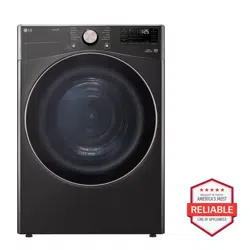
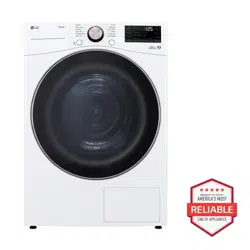
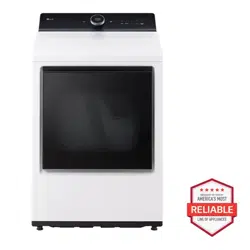
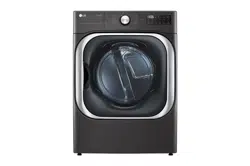
Rotate the cycle selector knob to select the desired dry cycle. Add cycle options or adjust settings with the touch of a button.
Easy-Access Reversible Door
The wide-opening door provides easy access for loading and unloading. The door hinge can be reversed to adjust for installation location.
Steam Functions (Steam Models)
LG’s steam technology allows you to inject fabrics with a swirling jet of hot steam to refresh clothes, reduce static, and make ironing easier. Simply select the Steam FreshTM cycle, or you can add a Steam option to selected cycles.
Flow SenseTM Duct Blockage Sensing System Indicator
The Flow SenseTM duct blockage sensing system detects and alerts you to restrictions in the installed household ductwork that reduce exhaust airflow through the dryer. If you see the alert: Clean or repair the ducts to remove the restrictions. Keep your ducts clean to help increase efficiency and reduce long drying times caused by blocked ducts.
Smart DiagnosisTM
Should you experience any technical difficulty with your dryer, it has the capability of transmitting data via your telephone to the Customer Information Center. The call center agent records the data transmitted from your machine and uses it to analyze the issue, providing a fast and effective diagnosis.
SmartThinQTM
Download the new LG smart phone app to set options, self-diagnose and troubleshoot problems with the appliance, and other useful features. This function uses Wi-Fi.
PRODUCT OVERVIEW
Parts
Accessories
INSTALLATION
Installation Overview
Please read the following installation instructions first after purchasing this product or transporting it to another location.
Product Specifications
The appearance and specifications listed in this manual may vary due to constant product improvements.
Installation Location Requirements
The installation requires:
A location that allows for proper exhaust installation. A gas dryer must be exhausted to the outdoors. See Venting the Dryer.
A grounded electrical outlet located within 2 ft. (61 cm) of either side of the dryer. See Connecting Electric Dryers.
A sturdy floor to support the total dryer weight of 200 lb (90.7 kg). The combined weight of a companion appliance should also be considered.
No other fuel-burning appliance can be installed in the same closet as a dryer.
Additional clearances might be required for wall, door and floor moldings.
Companion appliance spacing should also be considered.
Clearances
Installation Spacing for Recessed Area or Closet Installation
The following clearances are recommended for this dryer. This dryer has been tested for clearances of 1 inch (2.5cm) on the sides and rear. Recommended clearances should be considered for the following reasons:
Additional clearances should be considered for ease of installation and servicing.
Additional clearances should be considered on all sides of the dryer to reduce noise transfer. For closet installation, with a door, minimum ventilation openings in the top and bottom of the door are required. Louvered doors with equivalent ventilation openings are acceptable.
Closet Ventilation Requirements
Closets with doors must have both an upper and lower vent to prevent heat and moisture buildup in the closet.
One upper vent opening with a minimum opening of 48 sq. in. (310 cm2 must be installed no lower than 6 feet above the floor. One lower vent opening with a minimum opening of 24 sq. in. (155 cm2 must be installed no more than one foot above the floor. Install vent grills in the door or cut down the door at the top and bottom to form openings. Louvered doors with equivalent ventilation openings are also acceptable.
Installation Spacing for Recessed Area or Closet, with Stacked Washer and Dryer
* Required spacing
** For side or bottom venting, 2-inch (5.1 cm) of spacing is allowed.
Installation Spacing for Cabinet
For cabinet installation with a door, minimum ventilation openings in the top of the cabinet are required.
* Required spacing
Leveling the Dryer
1. Position the dryer in the final location. Place a level across the top of the dryer.
All four leveling feet must rest solidly on the floor. Gently push on the top corners of the dryer to make sure that the dryer does not rock from corner to corner.
2. Use an adjustable wrench to turn the leveling feet. Unscrew the legs to raise the dryer or screw in the legs to lower it. Raise or lower with the leveling feet until the dryer is level from side to side and front to back. Make sure that all four leveling feet are in firm contact with the floor.
Reversing the Door
Tools Required
Phillips screwdriver
Large flat blade screwdriver (recommended for hinge screws if they are tight or your Phillips screwdriver is worn)
Small flat blade screwdriver (for lifting out parts)
Door Reversal Instructions
The instructions here are for changing the door swing from a right to a left side hinge. If the door has been reversed, and it is necessary to change it back, use care when following these instructions. Some of the illustrations and the left/right references will be reversed, and you will need to read the instructions carefully.
1. Open the door and remove the two decorative screws, two latch screws, and the latch on the catch side with a screwdriver. Save these for step 4.
2. While supporting the door, remove the 2 screws on the door hinge. Remove the door.
3. Turn the door upside down and line up the holes in the hinge with the holes on the opposite side of the cabinet. Reinstall the door with the screws removed in step 2.
4. Install the two decorative screws, the latch, and two latch screws removed in step 1 on the opposite side from which they were removed.
5. Check that the door closes properly.
Installing the Side Vent Kit
Your new dryer is configured to vent to the rear. It can also vent to the bottom or side (right-side venting is not available on gas models).
An adapter kit, part number 383EEL9001B, may be purchased from your LG retailer. This kit contains duct components necessary to change the dryer vent location.
1. Remove the rear exhaust duct retaining screw. Pull out the exhaust duct.
Option 1: Side Venting
2. Press the tabs on the knockout and carefully remove the knockout for the desired vent opening (right-side venting is not available on gas models). Press the adapter duct onto the blower housing and secure to the base of the dryer as shown.
3. Preassemble a 4-inch (10.2 cm) elbow to the next 4-inch (10.2 cm) duct section, and secure all joints with duct tape. Be sure that the male end of the elbow faces AWAY from the dryer. Insert the elbow/duct assembly through the side opening and press it onto the adapter duct. Secure it in place with duct tape. Be sure that the male end of the duct protrudes 1.5 inches (3.8 cm) to connect the remaining ductwork. Attach the cover plate to the back of the dryer with the included screw.
Option 2: Bottom Venting
2. Press the adapter duct onto the blower housing and secure it to the base of the dryer as shown.
3. Insert the 4-inch (10.2 cm) elbow through the rear opening and press it onto the adapter duct. Be sure that the male end of the elbow faces down through the hole in the bottom of the dryer. Secure it in place with duct tape. Attach the cover plate to the back of the dryer with the included screw.
Stacking the Dryer
Stacking Kit Installation
This stacking kit includes:
Two (2) side rails
One (1) front rail
Four (4) screws
Tools Needed for Installation:
Phillips screwdriver
To ensure safe and secure installation, please observe the following instructions.
1. Make sure the surface of the washer is clean and dry. Remove paper backing from the tape on one of the stacking kit side brackets.
2. Fit the side bracket to the side of the washer top as shown in the below illustration. Firmly press the adhesive area of the bracket to the washer surface. Secure the side bracket to the washer with a screw on the back side of the bracket.
Repeat steps 1 and 2 to attach the other side bracket.
3. Place the dryer on top of the washer, fitting the dryer feet into the side brackets as illustrated. Avoid finger injuries; do not allow fingers to be pinched between the washer and dryer.
Slowly slide the dryer toward the back of the washer until the side bracket stoppers catch the dryer feet.
4. Insert the front rail between the bottom of the dryer and the top of the washer. Push the front rail toward the back of the washer until it comes in contact with the side rail stoppers.
Install the two remaining screws to secure the front rail to the side rails.
Venting the Dryer
Ductwork
Routing and Connecting Ductwork
NOTE
Follow the guidelines below to maximize drying performance and reduce lint buildup and condensation in the ductwork. Ductwork and fittings are NOT included and must be purchased separately.
Use 4-inch (10.2 cm) diameter rigid, semi-rigid or flexible metal ductwork.
The exhaust duct run should be as short as possible.
Use as few elbow joints as possible.
The male end of each section of exhaust duct must point away from the dryer.
Use duct tape on all duct joints.
Insulate ductwork that runs through unheated areas in order to reduce condensation and lint buildup on duct surfaces.
Incorrect or inadequate exhaust systems are not covered by the dryer warranty. Dryer failures or service required because of such exhaust systems will not be covered by the dryer warranty.
Correct Venting
Incorrect Venting
Connecting Gas Dryers
Electrical Requirements for Gas Models Only
Do not, under any circumstances, cut or remove the third (ground) prong from the power cord.
For personal safety, this dryer must be properly grounded.
This dryer must be plugged into a 120-VAC, 60-Hz. grounded outlet protected by a 15-ampere fuse or circuit breaker.
Where a standard 2-prong wall outlet is encountered, it is your personal responsibility and obligation to have it replaced with a properly grounded 3-prong wall outlet.
ELECTRIC SHOCK HAZARD
Failure to follow safety warnings could result in serious injury
This dryer is equipped with a three-prong grounding plug for protection against shock hazard and should be plugged directly into a properly grounded three-prong receptacle. Do not cut or remove the grounding prong from this plug.
Gas Supply Requirements
As shipped from the factory, this dryer is configured for use with natural gas (NG). It can be converted for use with propane (LP) gas. Gas pressure must not exceed 8-inch (20.4 cm) water column for NG, or 13-inch (33.1 cm) water column for LP.
A qualified service or gas company technician must connect the dryer to the gas service.
Isolate the dryer from the gas supply system by closing its individual manual shutoff valve during any pressure testing of the gas supply.
DO NOT attempt any disassembly of the dryer; disassembly requires the attention and tools of an authorized and qualified service technician or company.
Securely tighten all gas connections.
Connect the dryer to the type of gas shown on the nameplate.
Supply line requirements: Your laundry room must have a rigid gas supply line to your dryer. In the United States, an individual manual shutoff valve MUST be installed within at least 6 ft. (1.8 m) of the dryer, in accordance with the National Fuel Gas Code ANSI Z223.1 or Canadian gas installation code CSA B149.1. A 1/8-inch NPT pipe plug must be installed.
If using a rigid pipe, the rigid pipe should be inch IPS. If acceptable under local codes and ordinances and when acceptable to your gas supplier, 3/8-inch approved tubing may be used where lengths are less than 20 ft. (6.1 m). Larger tubing should be used for lengths in excess of 20 ft. (6.1 m).
To prevent contamination of the gas valve, purge the gas supply of air and sediment before connecting the gas supply to the dryer. Before tightening the connection between the gas supply and the dryer, purge remaining air until the odor of gas is detected.
DO NOT use an open flame to inspect for gas leaks. Use a noncorrosive leak detection fluid.
Use only a new AGA- or CSA-certified gas supply line with flexible stainless steel connectors.
Use Teflon tape or a pipe-joint compound that is insoluble in propane (LP) gas on all pipe threads.
Connecting the Gas Supply
Installation and service must be performed by a qualified installer, service agency, or the gas supplier.
Use only a new stainless steel flexible connector and a new AGA-certified connector.
A gas shutoff valve must be installed within 6 ft. m) of the dryer.
The dryer is configured for natural gas when shipped from the factory. Make sure that the dryer is equipped with the correct burner nozzle for the type of gas being used (natural gas or propane gas).
If necessary, the correct nozzle (for the LP nozzle kit, order part number 383EEL3002D) should be installed by a qualified technician and the change should be noted on the dryer.
All connections must be in accordance with local codes and regulations. Gas dryers MUST exhaust to the outdoors.
This dryer is configured from the factory for natural gas (NG). If the dryer is to be used with propane (LP) gas, it must be converted by a qualified service technician.
Make sure that the gas supply to the laundry room is turned OFF and the dryer is unplugged.Confirm that the type of gas available in your laundry room is appropriate for the dryer.
Remove the shipping cap from the gas fitting at the back of the dryer. Be careful not to damage the threads of the gas connector when removing the shipping cap.
Connect the dryer to your laundry room’s gas supply using a new flexible stainless steel connector with a 3/8-inch NPT fitting.
Securely tighten all connections between the dryer and your laundry room’s gas supply.
Turn on your laundry room’s gas supply.
Check all pipe connections (both internal and external) for gas leaks with a noncorrosive leak- detection fluid.
Proceed to Venting the Dryer.
High-Altitude Installations
The BTU rating of this dryer is AGA-certified for elevations below 10,000 feet.
If your gas dryer is being installed at an elevation above 10,000 feet, it must be derated by a qualified technician or gas supplier.
Connecting Electric Dryers
Electrical Requirements for Electric Models Only
The wiring and grounding must conform to the latest edition of the National Electrical Code, ANSI/NFPA 70 and all applicable local regulations. Please contact a qualified electrician to check your home’s wiring and fuses to ensure that your home has adequate electrical power to operate the dryer.
This dryer must be connected to a grounded metal, permanent wiring system, or an equipment-grounding conductor must be run with the circuit conductors and connected to the equipment-grounding terminal or lead on the dryer.
The dryer has its own terminal block that must be connected to a separate 240 VAC, 60-Hertz, single-phase circuit, fused at 30 amperes (the circuit must be fused on both sides of the line).
ELECTRICAL SERVICE FOR THE DRYER SHOULD BE OF THE MAXIMUM RATE VOLTAGE LISTED ON THE NAMEPLATE. DO NOT CONNECT THE DRYER TO 110-, 115-, OR VOLT CIRCUIT.
If the branch circuit to dryer is 15 ft. (4.5 m) or less in length, use UL (Underwriters
Laboratories) listed No.-10 AWG wire (copper wire only), or as required by local codes. If over ft. (4.5 m), use UL-listed No.-8 AWG wire copper wire only), or as required by local codes.
Allow sufficient slack in wiring so the dryer can be moved from its normal location when necessary.
The power cord (pigtail) connection between the wall receptacle and the dryer terminal block IS NOT supplied with the dryer. Type of pigtail and gauge of wire must conform to local codes and with instructions on the following pages.
A 4-wire connection is required for all mobile and manufactured home installations, as well as all new construction after January 1, 1996. A 4-wire connection must be used where local codes do not permit grounding through the neutral wire.
Do not modify the plug and internal wire provided with the dryer.
The dryer should be connected to a 4-hole outlet.
If the plug does not fit the outlet, a proper outlet will need to be installed by a qualified electrician.
Connect the power cord to the terminal block.
Each colored wire should be connected to the same color screw. Wire color indicated on manual is connected to the same color screw in the block.
Grounding through the neutral conductor is prohibited for: (1) new branch-circuit installations, mobile homes, (3) recreational vehicles, and areas where local codes prohibit grounding through the neutral conductor.
This dryer is supplied with the neutral wire grounded. This white ground wire MUST BE MOVED to the neutral terminal when a 4-wire cord is to be used, or where grounding through the neutral conductor is prohibited.
Four-Wire Power Cord
A 4-wire connection is required for all mobile and manufactured home installations, as well as all new construction after January 1, 1996.
A UL-listed strain relief is required.
Use a 30-amp, 240-volt, 4-wire, UL-listed power cord with #10 AWG- minimum copper conductor and closed loop or forked terminals with upturned ends.
1. Remove the terminal block access cover on the upper back of the dryer.
2. Install a UL-listed strain relief into the power cord through-hole.
3. Thread a 30-amp, 240-volt, 4-wire, UL-listed power cord with #10 AWG-minimum copper conductor through the strain relief.
4. Transfer the dryer’s ground wire from behind the green ground screw to the center screw of the terminal block.
5. Attach the two hot leads of the power cord to the outer terminal block screws.
6. Attach the white neutral wire to the center screw of the terminal block.
7. Attach the power cord ground wire to the green ground screw.
8. Tighten all screws securely.
9. Reinstall the terminal block access cover.
Four-Wire Direct Wire
A 4-wire connection is required for all mobile and manufactured home installations, as well as all new construction after January 1, 1996.
A UL-listed strain relief is required.
Use UL-listed 4-wire #10 AWG- minimum copper conductor cable. Allow at least 5 ft. (1.5 m) of wire to allow for removal and reinstallation of the dryer.
1. Remove 5-inch (12.7 cm) of the outer covering from the wire. Remove 5-inch of insulation from the ground wire. Cut off approximately 1.5-inch cm) from the other three wires and strip 1 inch (2.5 cm) insulation from each wire. Bend the ends of the three shorter wires into a hook shape.
2. Remove the terminal block access cover on the upper back of the dryer.
3. Install a UL-listed strain relief into the power cord through-hole.
4. Thread the 4-wire #10 AWG-minimum copper power cable prepared in step 1 through the strain relief.
5. Transfer the dryer’s ground wire from behind the green ground screw to the center screw of the terminal block.
6. Attach the two hot leads of the power cord to the outer terminal block screws.
7. Attach the white neutral wire to the center screw of the terminal block.
8. Attach the power cord ground wire to the green ground screw.
9. Tighten all screws securely.
10. Reinstall the terminal block access cover.
Three-Wire Power Cord
A 3-wire connection is NOT permitted on new construction after January 1,
A UL-listed strain relief is required.
Use a 30-amp, 240-volt, 3-wire, UL-listed power cord with #10 AWG- minimum copper conductor and closed loop or forked terminals with upturned ends.
1. Remove the terminal block access cover on the upper back of the dryer.
2. Install a UL-listed strain relief into the power cord through-hole.
3. Thread a 30-amp, 240-volt, 3-wire, UL-listed power cord with #10 AWG-minimum copper conductor through the strain relief.
4. Attach the two hot leads (black and red) of the power cord to the outer terminal block screws.
5. Attach the neutral (white) wire to the center terminal block screw.
6. Connect the external ground (if required by local codes) to the green ground screw.
7. Tighten all screws securely.
8. Reinstall the terminal block access cover.
Three-Wire Direct Wire
A 3-wire connection is NOT permitted on new construction after January 1,
A UL-listed strain relief is required.
Use UL-listed 3-wire, #10 AWG- minimum copper conductor cable. Allow at least 5 ft. (1.5 m) length to allow for removal and installation of dryer.
1. Remove 3.5-inch (8.9 cm) of the outer covering from the wire. Strip 1 inch (2.5 cm) insulation from each wire. Bend the ends of the three wires into a hook shape.
2. Remove the terminal block access cover on the upper back of the dryer.
3. Install a UL-listed strain relief into the power cord through-hole.
4. Thread the 3-wire, #10 AWG-minimum copper conductor power cable prepared in step 1 through the strain relief.
5. Attach the two hot leads (black and red) of the power cord to the outer terminal block screws.
6. Attach the neutral (white) wire to the center terminal block screw.
7. Connect the external ground (if required by local codes) to the green ground screw.
8. Tighten all screws securely.
9. Reinstall the terminal block access cover.
Special Electrical Requirements
(For Mobile or Manufactured Homes)
Any installation in a manufactured or mobile home must comply with the Manufactured Home Construction and Safety Standards Title 24 CFR, Part 3280 or Standard CAN/ CSA Z240 MH and local codes and ordinances. If you are uncertain whether your proposed installation will comply with these standards, please contact a service and installation professional for assistance.
A 4-wire connection is required for all mobile and manufactured home installations, as well as all new construction after January 1, 1996.
A gas dryer must be permanently attached to the floor.
The electrical connection for an electric dryer must be a 4-wire connection. More detailed information concerning the electrical connection is provided in the section Connecting Electric Dryers.
To reduce the risk of combustion and fire, the dryer must be vented to the outside.
DO NOT vent the dryer under a manufactured home or mobile home.
Electric dryers may be vented to the outside using the back, left, right, or bottom panel.
Gas dryers may be vented to the outside using the back, left, or bottom panel. Gas dryers may not be vented to the outside using the right side panel because of the burner housing.
The dryer exhaust duct must be affixed securely to the manufactured or mobile home structure, and the exhaust duct must be made of a material that will resist fire and combustion. It is recommended that you use a rigid, semi-rigid or flexible metal duct.
DO NOT connect the dryer exhaust duct to any other duct, vent, chimney, or other exhaust duct.
Make sure the dryer has adequate access to outside fresh air to ensure proper operation. The opening for outside fresh air must be at least sq. in (163 cm2).
It is important that the clearance of the duct from any combustible construction be at least 2 inches cm), and when venting the dryer to the outdoors, the dryer should be installed with a clearance of at least 1 inch (2.5 cm) at the sides and back of the dryer.
Please be aware that venting materials are not supplied with the dryer. You must obtain the venting materials necessary for proper installation.
Final Installation Check
Once you have completed the installation of the dryer and it is in its final location, confirm proper operation with the following tests and Installation Test (Duct Check).
Testing Dryer Heating
GAS MODELS
Close the dryer door and press the Power button to turn the dryer on. Press the Time Dry and Start/ Pause buttons to start the test. When the dryer starts, the igniter should ignite the main burner.
ELECTRIC MODELS
Close the dryer door and press the Power button to turn the dryer on. Press the Time Dry and Start/ Pause buttons to start the test. The exhaust air should be warm after the dryer has been operating for 3 minutes.
The adequacy of the airflow can be measured by evaluating the static pressure. Static pressure in the exhaust duct can be measured with a manometer, placed on the exhaust duct approximately 2 ft. cm) from the dryer. Static pressure in the exhaust duct should not exceed 0.6 inch (1.5 cm).
The dryer should be checked while the dryer is running with no load.
Checking Levelness
Once the dryer is in its final location, recheck the dryer to be sure it is level. Make sure it is level front to back and side to side, and that all four leveling feet are in firm contact with the floor.
Installation Test (Duct Check)
Once you have completed the installation of the dryer, use this test to make sure the condition of the exhaust system is adequate for proper operation of the dryer. This test should be performed to alert you to any serious problems in the exhaust system of your home.
Your dryer features Flow SenseTM, an innovative sensing system that automatically detects blockages and restrictions in dryer ductwork.
Keeping ductwork clean of lint buildup and free of restrictions allows clothes to dry faster and reduces energy use.
Activating the Installation Test
1. Remove the drying rack and literature, and then close the door.
Do not load anything in the drum for this test, as it may affect the accuracy of the results.
2. Press and hold the Signal and Temp. buttons and then press the Power button.
On models with a glass touch control panel, press the Power button then IMMEDIATELY press and hold the Temp. and Signal buttons.)
This button sequence activates the installation test. The code will display if the activation is successful.
3. Press the START/PAUSE button.
The dryer will start the test, which will last a few minutes. The heat will be turned on and the temperatures in the drum will be measured.
4. Check the display for results.
During the test cycle, monitor the Flow SenseTM display on the control panel. If the Flow SenseTM LED has not turned on, when the cycle ends, the exhaust system is adequate. If the exhaust system is severely restricted, the Flow SenseTM LED will turn on. Other problems may also be shown with error codes. See the chart on the next page for error code details and solutions.
The Flow SenseTM LED indicates that the exhaust system is severely restricted. Have the system checked immediately, as performance will be poor .
5. End of cycle.
At the end of the test cycle, will display.
The test cycle will end and the dryer will shut off automatically after a short delay.
Check the Duct Condition
If the Flow SenseTM LED is turned on, check the exhaust system for restrictions and damage. Repair or replace the exhaust system as needed.
Error Codes
Check the error code before you call for service.
Restricted or Blocked Airflow
Avoid long runs or runs with multiple elbows or bends.
Check for blockages and lint buildup.
Make sure the ductwork is not crushed or restricted.
OPERATION
Using the Dryer
1. Clean the Lint Filter
If the lint filter has not already been cleaned, lift out the filter and remove the lint from the last load. This will help ensure the fastest and most efficient drying perfor- mance. Make sure to reinstall the filter, pressing down until it clicks firmly into place. The dryer will not operate without the lint filter in place.
2. Load the Dryer
Load the dryer with the wet laundry from the washer. If the load is extra large, you may need to divide it into smaller loads for proper performance and fabric care.
3. Turn on The Dryer
Press the POWER button to turn ON the dryer. The cycle LEDs will illuminate and a chime will sound.
4. Select a Cycle
Turn the cycle selector knob in either direction until the LED for the desired cycle is on. The preset temperature, dry level, and option settings for that cycle will be shown. Default settings for the selected cycle can now be changed if desired. Refer to the Cycle Setting and Options page for details.
5. Begin the Cycle
Press the START/PAUSE button to begin the cycle. The cycle can be paused at any time either by opening the door or by pressing the START/PAUSE button.
If the cycle is not restarted within 60 minutes of being paused, the dryer will shut off and the settings will be lost.
6. End of Cycle
When the cycle is finished, the chime will sound. Immediately remove your clothing from the dryer to reduce wrinkling. If Wrinkle Care is selected, the dryer will tumble briefly every few minutes to help prevent wrinkles from setting in the clothes.
Check the Lint Filter Before Every Load
Always make sure the lint filter is clean before starting a new load; a clogged lint filter will increase drying time. To clean, pull the lint filter straight up and roll any lint off the filter with your fingers. Push the lint filter firmly back into place. See Regular Cleaning for more information.
Always ensure the lint filter is properly installed before running the dryer. Running the dryer with a loose or missing lint filter will damage the dryer and articles in the dryer.
Sorting Loads
Fabric Care Labels
Many articles of clothing include a fabric care label. Using the chart below, adjust the cycle and option selections to care for your clothing according to the manufacturer’s recommendations.
Group Similar Items
For best results, sort clothes into loads that can be dried with the same drying cycle.
Different fabrics have different care requirements, and some fabrics will dry more quickly than others. For best fabric care results, always dry fabrics with similar care requirements together.
Loading the Dryer
Loading Tips
Combine large and small items in the same load.
Damp clothes will expand as they dry. Do not overload the dryer; clothes require room to tumble and dry properly.
Close zippers, hooks, and drawstrings to prevent these items from snagging or tangling on other clothes.
Control Panel
1. Power Button
Press the button to turn the dryer ON. Press again to turn the dryer OFF.
NOTE
Pressing the Power button during a cycle will cancel that cycle and any load settings will be lost.
2. Cycle Selector Knob
Turn this knob to select the desired cycle. Once the desired cycle has been selected, the standard presets will be shown in the display. On Manual Dry cycles, these settings can be adjusted using the cycle modifier buttons anytime before starting the cycle.
3. Start/Pause Button
Press this button to start the selected cycle. If the dryer is running, use this button to pause the cycle without losing the current settings.
NOTE
If you do not press the Start/Pause button to resume a cycle within 60 minutes, the dryer turns off automatically and all cycle settings are lost.
4. Cycle Modifier Buttons
Use these buttons to select the desired cycle settings for the selected cycle. The current settings are shown in the display. Press the button for that option to view and select other settings.
5. More Time/Less Time Buttons
Use these buttons with the Time Dry and other Manual Dry cycles to adjust the drying time. Press the More Time button to increase the selected manual cycle time by 1 minute; press the Less Time button to decrease the cycle time by 1 minute.
6. Time and Status Display
The display shows the settings, estimated time remaining, options, and status messages for the dryer.
7. Cycle Option Buttons
Press each of these buttons to select additional cycle options. And press and hold any button marked with an asterisk for 3 seconds to activate a special function.
8. Steam Functions
LG’s steam technology allows you to inject fabrics with a swirling jet of steam to refresh clothes, reduce static, and make ironing easier. Simply select the Steam FreshTM or Steam SanitaryTM cycle or you can add a Steam option to selected cycles.
9. Flow Sense Duct Blockage Sensing System Indicator
The Flow SenseTM duct blockage sensing system detects and alerts you to blockages in the ductwork that reduce exhaust flow from the dryer. Maintaining a clean exhaust system improves operating efficiency and helps minimize service calls, saving you money.
10. Custom PGM
If you have a special combination of settings that you use frequently, you can save these settings as a Custom Program.
11. Control Lock Indicator
When Control Lock is set, the Control Lock indicator appears and all buttons are disabled except the POWER button. This prevents children from changing settings while the dryer is operating.
12. WI-FI Indicator
When the appliance is connected to the Internet through a home Wi-Fi network, this indicator appears.
13. Clean Filter Reminder
The display will show Clean Filter when the dryer is turned on as a reminder to clean the filter. It turns off when the START/PAUSE button is pressed.
14. Estimated Time Remaining
This display shows the estimated time remaining for Sensor Dry cycles or the actual time remaining for Time Dry or Manual Dry cycles.
NOTE
The cycle time on Sensor Dry cycles may fluctuate as the dryer recalculates drying time for optimal results.
15. Cycle Completion Indicator
This portion of the display shows which stage of the drying cycle is currently underway (Dry or Cool).
Cycle Guide
Sensor Dry Cycles
Sensor Dry cycles utilize LG’s unique dual sensor system to detect and compare the moisture level in clothes and in the air and adjust the drying time as needed to ensure superior results. The dryer automatically sets the dryness level and temperature at the recommended setting for each cycle. The estimated time remaining will be shown in the display.
NOTE
To protect your garments not every dryness level, temperature, or option is available with every cycle. See the Cycle Guide for details.
Manual Dry Cycles
Use Manual Dry cycles to select a specific amount of drying time and a drying temperature. When a Manual Dry cycle is selected, the Estimated Time Remaining display shows the actual time remaining in your cycle. You can change the actual time in the cycle by pressing the More Time or Less Time buttons.
NOTE
The Energy Saver option is turned on by default in the Normal Cycle. Turn off the Energy Saver option for a faster Normal cycle which begins with heated drying. To turn the Energy Saver default off, press and hold the Energy Saver button. ON or OFF appears in the display.
NSF Certification
NSF International (formerly the National Sanitation Foundation), certifies that the Antibacterial cycle reduces 99.9% of bacteria on laundry, and none of the bacteria will carry over onto the next laundry load.
The default settings for the Antibacterial cycle are High temperature and Very dry level. These default settings cannot be changed.
Do NOT use this cycle with delicate items or fabrics.
Cycle Modifier Buttons
Sensor Dry cycles have preset settings that are selected automatically. Manual Dry cycles have default settings, but you may also customize the settings using the cycle modifier buttons. Press the button for that option to view and select other settings.
Dry Level
Use this button to select the level of dryness for the cycle. Press the Dry Level button repeatedly to scroll through available settings.
This option is only available with Sensor Dry cycles.
The dryer will automatically adjust the cycle time. Selecting More or Very will increase the cycle time, while Less or Damp will decrease the cycle time.
Use a Less or Damp setting for items that you wish to iron.
Temp.
Use this button to adjust the temperature setting. This allows precise care of fabrics and garments. Press the Temp. button repeatedly to scroll through available settings.
Time Dry
Use this button to manually select the drying time, from 20 to 60 minutes, in 10-minute increments. Use this for small loads or to remove wrinkles. Use the More Time/Less Time buttons to add or reduce the drying time in 1-minute increments.
Signal
Use this button to adjust the volume of the end of cycle signal or turn off the signal. Press the button repeatedly until the desired volume setting is illuminated.
Option Buttons
The dryer features several additional cycle options to customize cycles to meet individual needs. Certain option buttons also feature a special function that can be activated by pressing and holding that option button for 3 seconds.
Adding Cycle Options to a Cycle
Turn on the dryer and turn the Cycle selector knob to select the desired cycle.
Use the cycle modifier buttons to adjust the settings for that cycle.
Press the cycle option button(s) to add the desired options. A confirmation message is shown in the display.
Press the Start/Pause button to start the cycle. The dryer starts automatically.
Wrinkle Care
Selecting this option will tumble the load periodically for up to 3 hours after the selected cycle, or until the door is opened. This is helpful in preventing wrinkles when you are unable to remove items from the dryer immediately.
Damp Dry Signal
When this option is selected, the dryer signals when the load is approximately 80% dry. This allows you to remove faster-drying lightweight items or items that you would like to iron or hang while they are still slightly damp.
Energy Saver
This option helps to reduce the energy consumption of the Normal Cycle, depending on the load size.
When the Energy Saver option is selected, the cycle begins with an air dry section and the drying time is increased.
Special Functions
Some cycle option buttons also activate secondary functions. These special functions are marked with an asterisk (*). Press and hold the option button marked with the special function to activate it.
Control Lock
Use this option to prevent unwanted use of the dryer or to keep cycle settings from being changed while the dryer is operating.
Activating the Control Lock Function
Press and hold the Wrinkle Care button for 3 seconds.
The Control Lock icon will be shown in the display, and all controls will be disabled except the Power button.
Deactivating the Control Lock Function
Press and hold the Wrinkle Care button for 3 seconds.
Once set, Control Lock remains active until it is manually deactivated. Control Lock must be turned off to run another cycle.
Custom PGM
Save special combinations of settings that are used frequently as a custom program.
Saving a Custom Program
Turn on the dryer and select the desired settings using the cycle selector knob and cycle modifier or option buttons.
Press and hold the Custom PGM button for three seconds.
Recalling a Custom Program
Turn on the dryer and press the Custom PGM button.
Press the Start/Pause button to start the cycle.
Default On/Off
This option allows the Energy Saver settings to be changed. To run a Normal cycle without the Energy Saver option, press and hold the Energy Saver button for three seconds. ON or OFF appears in the display.
Using the Steam Functions
LG’s new steam technology injects fabrics with a swirling jet of hot steam to refresh clothes, reduce static, and make ironing easier.
Simply select the Steam FreshTM cycle, or add a steam option to selected cycles.
The Steam SanitaryTM Cycle
The Steam SanitaryTM cycle is ideal for sanitizing non-washable items quickly and easily using the power of steam.
Use this cycle for cotton and polyester material. (Do NOT use for urethane foam, down feathers or delicate items).
The Steam FreshTM Cycle
Steam FreshTM uses the power of steam to quickly reduce wrinkles and odors in fabrics. It brings new life to wrinkled clothes that have been stored for an extended time and makes heavily wrinkled clothes easier to iron. Steam FreshTM can also be used to help reduce odors in fabrics.
Using the Steam FreshTM Cycle
Turn on the dryer and turn the cycle selector knob to select the Steam FreshTM cycle.
To add an option function, select Reduce Static, or Wrinkle Care.
The display shows the load size (number of items). Change the steam time by pressing the More Time or Less Time buttons to fit the size of the load.
Press Start/Pause to start the cycle.
The Steam Options
The Reduce Static option injects steam late in the drying cycle to reduce the static electricity caused by dry fabrics rubbing together.
Adding Steam to a Standard Cycle
Turn on the dryer and turn the cycle selector knob to select the desired cycle.
Use the cycle setting buttons to adjust the settings for that cycle.
Press the Steam option button (Reduce Static, or Wrinkle Care) for the desired steam option. Then adjust for the load size using the More Time or Less Time buttons.
Press Start/Pause to start the cycle.
SMART FUNCTIONS
LG SmartThinQ Application
The LG SmartThinQ application allows you to communicate with the appliance using a smartphone.
Before Using LG SmartThinQ
For appliances with the or logo
1. Use a smartphone to check the strength of the wireless router (Wi-Fi network) near the appliance.
If the distance between the appliance and the wireless router is too far, the signal strength becomes weak. It may take a long time to register or installation may fail.
2. Turn off the Mobile data or Cellular Data on your smartphone.
3. Connect your smartphone to the wireless router.
Installing the LG SmartThinQ Application
Search for the LG SmartThinQ application from the Google Play Store or Apple App Store on a smart phone. Follow instructions to download and install the application.
LG SmartThinQ Application Features
For appliances with the or logo
Dryer Cycle
Download new and specialized cycles that are not included in the standard cycles on the appliance.
Appliances that have been successfully registered can download a variety of specialty cycles specific to the appliance.
Only one cycle can be stored on the appliance at a time.
Once cycle download is completed in the appliance, the appliance keeps the downloaded cycle until a new cycle is downloaded.
Venting Tips
Provides venting tips.
Energy Monitoring
This feature keeps track of the refrigerator’s power consumption and the number of door openings.
Remote Control
Control the Refrigerator Temperature, Fresh Air Filter and Ice Plus from the smart phone app.
Push Messages
If the door remains open for more than ten minutes, you will receive a push message. When Ice Plus is finished, you will receive a push message.
Smart DiagnosisTM
This function provides useful information for diagnosing and solving issues with the appliance based on the pattern of use.
Settings
Allows you to set various options on the refrigerator and in the application.
Wireless LAN Module Specifications
FCC Notice
This equipment has been tested and found to comply with the limits for a Class B digital device, pursuant to Part 15 of the FCC Rules. These limits are designed to provide reasonable protection against harmful interference in a residential installation. This equipment generates, uses, and can radiate radio frequency energy and, if not installed and used in accordance with the instructions, may cause harmful interference to radio communications. However, there is no guarantee that interference will not occur in a particular installation. If this equipment does cause harmful interference to radio or television reception, which can be determined by turning the equipment off and on, the user is encouraged to try to correct the interference by one or more of the following measures:
Reorient or relocate the receiving antenna.
Increase the separation between the equipment and the receiver.
Connect the equipment to an outlet on a circuit different from that to which the receiver is connected.
Consult the dealer or an experienced radio/TV technician for help.
This device complies with part 15 of the FCC Rules.
Operation is subject to the following two conditions: this device may not cause harmful interference and this device must accept any interference received, including interference that may cause undesired operation of the device.
Any changes or modifications in construction of this device which are not expressly approved by the party responsible for compliance could void the user’s authority to operate the equipment.
FCC RF Radiation Exposure Statement
This equipment complies with FCC radiation exposure limits set forth for an uncontrolled environment. This transmitter must not be co-located or operating in conjunction with any other antenna or transmitter.
This equipment should be installed and operated with a minimum distance of 20 cm (7.8 inches) between the antenna and your body. Users must follow the specific operating instructions for satisfying RF exposure compliance.
Open Source Software Notice Information
To obtain the source code under GPL, LGPL, MPL, and other open source licenses, that is contained in this product, please visit http://opensource.lge.com.
In addition to the source code, all referred license terms, warranty disclaimers and copyright notices are available for download.
LG Electronics will also provide open source code to you on CD-ROM for a charge covering the cost of performing such distribution (such as the cost of media, shipping, and handling) upon email request to [email protected]. This offer is valid for three (3) years from the date on which you purchased the product.
Smart DiagnosisTM Function
Should you experience any problems with the appliance, it has the capability of transmitting data via your telephone to the LG Customer Information Center. NFC or Wi-Fi equipped models can also transmit data to a smartphone using the LG SmartThinQ application.
Smart DiagnosisTM through the Customer Information Center
For appliances with the or logo
This method allows you to speak directly to our trained specialists. The specialist records the data transmitted from the appliance and uses it to analyze the issue, providing a fast and effective diagnosis.
Call the LG Electronics Customer Information Center at: (LG U.S.A.) 1-800-243-0000(LG Canada) 1-888-542-2623
When instructed to do so by the call center, place the mouthpiece of the phone close to the Smart DiagnosisTM icon. Do not press any other buttons.
Press and hold the Temp. button for 3 seconds.
Keep the phone in place until the tone transmission has finished.
Once the countdown is over and the tones have stopped, resume your conversation with the call center agent, who will then be able to assist you using the information transmitted for analysis.
SmartThinQ Smart DiagnosisTM
For appliances with the or logo
Use the Smart Diagnosis feature in the SmartThinQ application for help diagnosing issues with the appliance without the assistance of the LG Customer Information Center.
Follow the instructions in the SmartThinQ application to perform a Smart Diagnosis using your smartphone.
MAINTENANCE
Regular Cleaning
Cleaning the Exterior
Proper care of your dryer can extend its life. The outside of the machine can be cleaned with warm water and a mild, nonabrasive household detergent. Immediately wipe off any spills with a soft, damp cloth.
Cleaning the Interior
Wipe around the door opening and seal with a soft, damp cloth to prevent lint and dust buildup that could damage the door seal.
Clean the window with a soft cloth dampened with warm water and a mild, nonabrasive household detergent, then wipe dry.
The stainless steel drum can be cleaned with a conventional stainless steel cleaner, used according to the manufacturer’s specifications. Never use steel wool or abrasive cleansers; they may scratch or damage the surface.
Cleaning Around and Under the Dryer
Vacuum lint and dust from around the dryer and underneath it regularly. Vent ductwork should be checked for lint buildup and cleaned at least once per year. If any noticeable reduction in airflow or drying performance occurs, immediately check ductwork for obstructions and blockages.
Maintaining Ductwork
Vent ductwork should be checked for lint buildup once per month and cleaned at least once per year. If any noticeable reduction in airflow or drying performance occurs, immediately check ductwork for obstructions and blockages. Contact a qualified technician or service provider.
Cleaning the Lint Filter
Always clean the lint from the filter after every cycle.
To clean the lint filter, open the dryer door and pull the lint filter straight up. Then:
1. For everyday cleaning, roll any lint off the filter with your fingers, or
2. Vacuum the lint filter.
3. If the lint filter has become very dirty or clogged with fabric softener, wash the lint filter in warm, soapy water and allow it to dry thoroughly before reinstalling.
TROUBLESHOOTING
FAQs: Frequently Asked Questions
Q: When I press a button, why does my dryer beep and then nothing happens?
A: The Control Lock feature is turned on. To turn off Control Lock, turn the dryer on, then press and hold the button that has *Control Lock on or under it for 3 seconds.
Q: Why does my dryer take so long to dry clothes?
A: Proper airflow is critical to the efficient operation of clothes dryers. A lint filter which is full of lint or clogged with fabric softener sheet residue can reduce the airflow to the point that the time required to dry clothing will be greatly increased. Another factor affecting dry time is your home exhaust system. An exhaust system which is dirty and clogged with lint, or is excessively long, needs to be professionally cleaned or repaired.
Q: Why does my dryer start by itself every few minutes?
A: This is how the Wrinkle Care feature works. The dryer runs briefly every few minutes for up to 3 hours after the cycle finishes. This feature is designed to help prevent wrinkles from setting in when the dryer is not unloaded immediately after the cycle is finished.
Q: Why does my dryer show 3 minutes when I select the Steam FreshTM cycle?
A: When the Steam FreshTM cycle is selected, the dryer displays the recommended number of garments for the cycle, not the estimated cycle time, until the cycle is started. Use the More Time or Less Time buttons to adjust the load size setting for the number of garments you desire. For a large load or single bulky item use the (big) setting.
Operation
Problem
Possible Cause
Solutions
The Flow SenseTM indicator remains active after clearing the restriction in the venting.
After clearing the restriction, the Flow SenseTM system requires multiple, consecutive cycles to determine that the performance value has improved before the Flow SenseTM indicator is reset.
If the Flow SenseTM indicator remains active for more than five cycles after the restriction has been cleared, call for service.
Dryer will not turn on
Power cord is not properly plugged in.
Make sure that the plug is securely plugged into a grounded outlet matching the dryer’s rating plate.
House fuse is blown, circuit breaker has tripped, or power outage has occurred.
Reset circuit breaker or replace fuse. Do not increase fuse capacity. If the problem is a circuit overload, have it corrected by a qualified electrician.
Dryer does not heat
House fuse is blown, circuit breaker has tripped, or power outage has occurred.
Reset circuit breaker or replace fuse. Do not increase fuse capacity. If the problem is a circuit overload, have it corrected by a qualified electrician.
Gas supply or service is turned off (gas models only).
Confirm that the house gas shutoff and the dryer gas shutoff valves are both fully open. Even if gas is not supplied to the dryer, it will run and display error code. Verify that other gas appliances in the home are working normally.
Energy Saver option selected (on some models)
If using the Cotton/Normal cycle, deselect the energy saver option. The Energy Saver option is selected by default. This option reduces energy use by adding an air dry section to the beginning of the cycle. It is normal to feel no heat at the beginning of the cycle while in Energy Saver mode.
Clothes take too long to dry
Exhaust ducts are blocked, dirty, or duct run is too long.
Confirm that the exhaust duct is properly configured and free of debris, lint, and obstructions. Make sure that outside wall dampers can open properly and are not blocked, jammed, or damaged.
Load is not properly sorted.
Separate heavy items from lightweight items. Larger and heavier items take longer to dry. Light items in a load with heavy items can fool the sensor because the light items dry faster.
Large load of heavy fabrics.
Heavy fabrics take longer to dry because they tend to retain more moisture. To help reduce and maintain more consistent drying times for large and heavy fabrics, separate these items into smaller loads of a consistent size.
Dryer controls are not set properly.
Use the appropriate control settings for the type of load you are drying. Some loads may require an adjustment of the dry level setting for proper drying.
Lint filter needs to be cleaned.
Remove the lint from the filter before every load. With the lint removed, hold the filter up to a light to see if it is dirty or clogged. With some loads that produce high amounts of lint, such as new bath towels, it may be necessary to pause the cycle and clean the filter during the cycle.
House fuse is blown, circuit breaker has tripped, or power outage has occurred.
Reset circuit breaker or replace fuse. Do not increase fuse capacity. If the problem is a circuit overload, have it corrected by a qualified electrician.
Dryer is overloaded.
Divide extra large loads into smaller loads for better drying performance and efficiency.
Dryer is underloaded.
If you are drying a very small load, add a few extra items to ensure proper tumbling action. If the load is very small and you are using SENSOR DRY cycles, the electronic control cannot properly sense the dryness of the load and may shut off too soon. Use TIME DRY or add some extra wet clothes to the load.
Energy Saver option selected (on some models)
If using the Cotton/Normal cycle, deselect the Energy Saver option. This option reduces energy use by adding an air dry section to the beginning of the cycle.
Drying time is not consistent
Heat settings, load size, or dampness of clothing is not consistent.
The drying time for a load will vary depending on the type of heat used (electric, natural gas, or LP gas), the size of the load, the type of fabrics, the wetness of the clothes, and the condition of the exhaust duct and lint filter. Even an unbalanced load in the washer can cause poor spinning, resulting in wetter clothes which will take longer to dry.
Performance
Problem
Possible Cause
Solutions
Greasy or dirty spots on clothes
Fabric softener used incorrectly.
Confirm and follow the instructions provided with your fabric softener.
Clean and dirty clothes are being dried together.
Use your dryer to dry only clean items. Soil from dirty clothes can transfer to the clean clothes in the same or later loads.
Clothes were not properly cleaned or rinsed before being placed in the dryer.
Stains on dried clothes could be stains that were not removed during the washing process. Make sure that clothes are being completely cleaned or rinsed according to the instructions for your washer and detergent. Some difficult soils may require pre-treating prior to washing.
Clothes are wrinkled
Clothes dried too long (over dried).
Over drying a load of laundry can lead to wrinkled clothes. Try a shorter drying time or LESS DRY setting and remove items while they still retain a slight amount of moisture.
Clothes left in dryer too long after cycle ends.
Use the WRINKLE CARE option. This feature will tumble the clothes briefly every few minutes for up to 3 hours to help prevent wrinkling.
Clothes are shrinking
Garment care instructions are not being followed.
To avoid shrinking your clothes, always consult and follow fabric care instructions. Some fabrics will naturally shrink when washed. Other fabrics can be washed but will shrink when dried in a dryer. Use a low or no heat setting.
Lint on clothes
Lint filter not cleaned properly.
Remove the lint from the filter before every load. With the lint removed, hold the filter up to a light to see if it is dirty or clogged. If it looks dirty, follow the cleaning instructions. With some loads that produce high amounts of lint, it may be necessary to clean the filter during the cycle.
Laundry not sorted properly.
Some fabrics are lint producers (i.e., a fuzzy white cotton towel) and should be dried separately from clothes that are lint trappers (i.e., a pair of black linen pants).
Excess static in clothes.
Use a fabric softener to reduce static electricity. Be sure to follow the manufacturer’s instructions. Overdrying a load of laundry can cause a buildup of static electricity. Adjust settings and use a shorter drying time, or use SENSOR DRY cycles.
Dryer is overloaded.
Divide extra large loads into smaller loads for drying.
Tissue, paper, etc., left in pockets.
Check pockets thoroughly before washing and drying clothes.
Excess static in clothes after drying
Fabric softener is not used or used incorrectly.
Use a fabric softener or the STATIC SHIELD option, if equipped, to reduce static electricity. Be sure to follow the manufacturer’s instructions.
Clothes dried too long (overdried).
Overdrying a load of laundry can cause a buildup of static electricity. Adjust settings and use a shorter drying time, or use AUTO DRY cycles. Select a LESS DRY setting on SENSOR DRY cycles, if necessary.
Drying synthetics, permanent press, or synthetic blends.
These fabrics are naturally more prone to static buildup. Try using fabric softener, or use LESS DRY and/or shorter TIME DRY time settings.
Clothes have damp spots after a SENSOR DRY cycle.
Very large load or very small load. Single large item such as a blanket or comforter.
If items are too tightly packed or too sparse the sensor may have trouble reading the dryness level of the load. Use a TIME DRY cycle for very small loads.
Large, bulky items such as blankets or comforters can sometimes wrap themselves into a tight ball of fabric. The outside layers will dry and register on the sensors, while the inner core remains damp. When drying a single bulky item, it may help to pause the cycle once or twice and rearrange the item to unwrap and expose any damp areas.
To dry a few remaining damp items from a very large load or a few damp spots on a large item after a sensor cycle has completed, empty the lint trap, then set a TIME DRY cycle to finish drying the item(s).
Trouble connecting appliance and smartphone to Wi- Fi network
The password for the Wi- Fi network was entered incorrectly.
Delete your home Wi-Fi network and begin the registration process again.
Mobile data for your smartphone is turned on.
Turn off the Mobile data on your smartphone before registering the appliance.
The wireless network name (SSID) is set incorrectly.
The wireless network name (SSID) should be a combination of English letters and numbers. (Do not use special characters.)
The router frequency is not 2.4 GHz.
Only a 2.4 GHz router frequency is supported. Set the wireless router to 2.4 GHz and connect the appliance to the wireless router. To check the router frequency, check with your Internet service provider or the router manufacturer.
The distance between the appliance and the router is too far.
If the appliance is too far from the router, the signal may be weak and the connection may not be configured correctly. Move the router closer to the appliance or purchase and install a Wi-Fi repeater.
Steam Functions (Steam Models)
Problem
Possible Cause
Solutions
Water drips from nozzle when STEAM CYCLE starts
This is normal.
This is steam condensation. The dripping water will stop after a short time.
Garments still wrinkled after Steam FreshTM
Too many or overly different types of garments in dryer.
Small loads of 1 to 5 items work best. Load fewer garments. Load similar types of garments.
Creases or pleats are gone from garments after Steam FreshTM
The function of this cycle is to remove wrinkles from fabric.
Use an iron to replace creases and pleats in garments.
Garments have static after using the Reduce Static option
This is normal.
The amount of static experienced will depend on the individual moisture level in the skin.
Garments are too damp or too dry after using the Reduce Static option
Correct drying options not selected.
Select the load weight manually before starting the Reduce Static option.
Steam does not generate, but no error code is shown
Water level error.
Unplug dryer and call for service.
Water drips from door during STEAM CYCLE
This is normal.
Condensation will normally form on the inside of the dryer door during steam operation. Some condensation may drip out the bottom of the door.
Steam is not visible during STEAM CYCLE
This is normal.
Steam vapor is difficult to see when the door is closed. However, condensation will normally form on the inside of the dryer door if the steam system is operating normally.
Drum does not turn during STEAM CYCLE
This is normal.
The drum is turned off so that the steam vapor remains in the drum. The drum will normally turn for about 2 seconds once a minute.
Cannot see steam vapor at the beginning of cycle
This is normal.
Steam is released at different stages of the cycle for each option.
Odors remain in clothing after Steam FreshTM
Steam FreshTM did not remove odor completely.
Fabrics containing strong odors should be washed in a normal cycle.
Check the connection of the power cord to the terminal block.
*Flow SenseTM indicator shows four bars during the drying cycle or the display shows "d80" after drying * This warning light is not a dryer failure and is not covered by the dryer warranty. Contact a duct cleaning service to set up an appointment to have your exhaust system cleaned and inspected.
Exhaust system is too long or has too many turns/restrictions.
Install a shorter or straighter duct run. See the Installation Instructions for details.
Partial blockage of the ductwork due to lint buildup or other foreign object.
Ductwork should be checked/cleaned immediately. Dryer can be used in this condition, but drying times will be longer and energy consumption will increase.
The appliance has detected a restriction in the external dryer venting.
If exhaust restrictions are sensed by the Flow SenseTM system, the indicator will remain on for 2 hours after the end of the cycle. Opening the door or pressing the POWER button will turn off the display.
The Flow SenseTM indicator remains active after clearing the restriction in the venting.
After clearing the restriction, the Flow SenseTM system requires multiple,consecutive cycles to determine that the performance value has improved before the Flow SenseTM indicator is reset.
If the Flow SenseTM indicator remains active for more than five cycles after the restriction has been cleared, call for service.
The display shows
More Time button was pressed.
This display indicates that the steam option has been set for a “big” item such as a comforter. Press the LESS TIME button to reduce the indicated load size.
The display shows
The duct work is about 75% - 95% blocked. (“d75”, “d80”, “d90” or “d95” error code is displayed for 2 hours only)
• Do not use the dryer until the exhaust system has been cleaned and/or repaired. Using the dryer with a severely restricted exhaust is dangerous and could result in a fire or other property damage. Check the outside dryer vent while the dryer is operating to make sure there is strong airflow. If the exhaust system is extremely long, have it repaired or rerouted.
House exhaust system blocked.
Keep the area around the dryer clean and free of clutter. Check vent hood for damage or lint clogging. Make sure the area around the vent hood is clear.
Check filter indicator is on during the drying cycle
Lint filter not cleaned properly.
Remove the lint from the filter before every load. With the lint removed, hold the filter up to a light to see if it is dirty or clogged. If it looks dirty, follow the cleaning instructions. With some loads that produce high amounts of lint, it may be necessary to clean the filter during the cycle.


 will display if the activation is successful.

 will display.


 or
or  logo
logo


 or
or  logo
logo


 (big) setting.