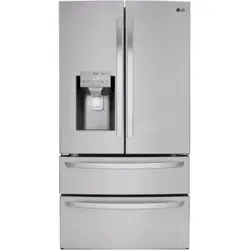
User manual Refrigerator
INSTALLATION
Removing/Assembling Handles
- When moving the refrigerator through a narrow opening, removing the doors is preferred.
- The appearance of the handles may vary from what is shown.
Removing the Refrigerator Handles
1 Loosen the set screws (1) with a 3/32 in. Allen wrench and remove the handle.
2 Loosen the mounting fasteners (2) that connect to the refrigerator door and handle using a 1/4 in. Allen wrench, and remove the mounting fasteners.

Assembling the Refrigerator Handles
1. Assemble the mounting fasteners (1) at both ends of the handle with a 1/4 in. Allen wrench.
2. Place the handle on the door by fitting the handle footprints over the mounting fasteners and tightening the set screws (2) with a 3/32 in. Allen wrench.

Removing the Freezer Drawer Handle
1. Loosen the set screws (1) located on the lower side of the handle with a 1/8 in. Allen wrench and remove the handle.
2. Loosen the mounting fasteners (2) with a 1/4 in. Allen wrench, and remove the mounting fasteners.

Assembling the Freezer Drawer Handle
1. Assemble the mounting fasteners (1) at both ends of the handle with a 1/4 in. Allen wrench.
2. Place the handle on the door by fitting the handle footprints over the mounting fasteners and tightening the set screws (2) with a 1/8 in. Allen wrench.

Removing/Assembling the Doors and Drawers
If the entrance door is too narrow for the refrigerator to pass through, remove the refrigerator doors and move the refrigerator sideways through the doorway.
Removing the Left Refrigerator Door
1. The water supply is connected to the upper right part of the rear surface of the refrigerator. Remove the ring in the joint area. Hold the water supply connection and gently push the collet to detach the water supply line as shown.

NOTE Detachment of the water supply line is applicable only when detaching the left refrigerator door.
2. Remove the screw (1) from the hinge cover at the top of the refrigerator. Lift the hook (not visible), located at the bottom of the front side of the cover (2) with a flat-head screwdriver.

3. Remove the cover and pull out the tube (1). Disconnect all wire harnesses (2). Unscrew the ground wire (3).

4. Rotate the hinge lever counterclockwise (1). Lift the top hinge (2) free of the hinge lever latch.

5. Lift the door from the middle hinge pin and remove the door.

NOTE Disassembling/Assembling the Water Lines

Removing the Right Refrigerator Door
1. Remove the top hinge cover screw (1). Lift the hook (not visible), located at the bottom of the front side of the cover (2), with a flat-head screwdriver.

2. Detach the wire harness (1). Unscrew the ground wire (3) on the InstaView model only

3. Rotate the hinge lever (1) clockwise. Lift the top hinge (2) free of the hinge lever latch.

4. Lift the door from the middle hinge pin and remove the door.

Assembling the Right Refrigerator Door
Install the right-side door first.
1. Make sure that the plastic sleeve is inserted in the bottom of the door. Lower the door onto the middle hinge pin as shown in the figure.

2. Fit the hinge (1) over the hinge lever latch and slot it into place. Rotate the lever (2) counterclockwise to secure the hinge.

3. Connect the wire harness (1). On the InstaView model, screw in the ground wire.

4. Place the cover (1) in its place. Insert and tighten the cover screw (2).

Water Line Installation Instructions
Install the shutoff valve on the nearest frequently used drinking water line.
1. Shut off the main water supply. Turn on the nearest faucet to relieve the pressure on the line.
2. Choose the valve location. Choose a location for the valve that is easily accessible. It is best to connect into the side of a vertical water pipe. When it is necessary to connect into a horizontal water pipe, make the connection to the top or side, rather than at the bottom, to avoid drawing off any sediment from the water pipe.

3. Drill the hole for the valve. Drill a ¼ in. hole in the water pipe using a sharp bit. Remove any burrs resulting from drilling the hole in the pipe. Be careful not to allow water to drain into the drill. Failure to drill a ¼ in. hole may result in reduced ice production or smaller cubes.

NOTE The hookup line cannot be white, plastic tubing. Licensed plumbers must use only copper tubing (NDA tubing #49595 or #49599) or Cross Link Polyethylene (PEX) tubing.
4. Fasten the shutoff valve. Fasten the shutoff valve to the cold water pipe with the pipe clamp.

NOTE: Commonwealth of Massachusetts Plumbing Codes 248CMR shall be adhered to. Saddle valves are illegal and use is not permitted in Massachusetts. Consult with your licensed plumber.
5. Tighten the pipe clamp. Tighten the clamp screws until the sealing washer begins to swell.

NOTE Do not over tighten clamp or you may crush the tubing.
6. Route the tubing. Route the tubing between the cold water line and the refrigerator. Route the tubing through a hole drilled in the wall or floor (behind the refrigerator or adjacent base cabinet) as close to the wall as possible.
NOTE Be sure there is sufficient extra tubing (about 8 ft. coiled into three turns of about 10 in. diameter) to allow the refrigerator to move out from the wall after installation.
7. Connect the tubing to the valve. Place the compression nut and ferrule (sleeve) for copper tubing onto the end of the tubing and connect it to the shutoff valve. Make sure the tubing is fully inserted into the valve. Tighten the compression nut securely

8. Flush out the tubing. Turn the main water supply on and flush out the tubing until the water is clear. Shut the water off at the water valve after about one quart of water has been flushed through the tubing.

9. Connect the tubing to the refrigerator.
NOTE
- Before making the connection to the refrigerator, be sure that the refrigerator power cord is not plugged into the wall outlet.
- Remove the plastic flexible cap from the water valve.
- Place the compression nut and ferrule (sleeve) onto the end of the tubing as shown.
- Insert the end of the copper tubing into the connection as far as possible. While holding the tubing, tighten the fitting.

10. Turn the water on at the shutoff valve. Tighten any connections that leak.

Leveling and Door Alignment
Leveling
The refrigerator has two front leveling legs. Adjust the legs to alter the tilt from front-to-back or side-to side. If the refrigerator seems unsteady, or the doors do not close easily, adjust the refrigerator’s tilt using the instructions below:
1. Turn the leveling leg to the left to raise that side of the refrigerator or to the right to lower it. It may take several turns of the leveling leg to adjust the tilt of the refrigerator.

NOTE A flare nut wrench works best, but an open-end wrench will suffice. Do not over-tighten.
2. Open both doors and check to make sure that they close easily. If the doors do not close easily, tilt the refrigerator slightly more to the rear by turning both leveling legs to the left. It may take several more turns, and be sure to turn both leveling legs the same amount.
Turning on the Power
After installing, plug the refrigerator’s power cord into a 3-prong grounded outlet and push the refrigerator into the final position.

Position the Refrigerator
Arrange the coil of tubing so that it does not vibrate against the back of the refrigerator or against the wall. Push the refrigerator back to the wall.
Start the Icemaker
If the water line is connected, set the icemaker power switch to the ON position.
The icemaker will not begin to operate until it reaches its operating temperature of 15 °F (–9 °C) or below. It will then begin operation automatically if the icemaker power switch is in the ON (I) position.
OPERATION
Control Panel
Depending on the model, some of the following functions may not be available.
Control Panel Features

NOTE When the refrigerator is in the Power Saving Mode, the display remains off until a door is opened or a button is pressed. Once on, the display remains on for 20 seconds.
1. Ice Plus
This function increases both ice making and freezing capabilities.
- Press the Ice Plus button to illuminate the icon and activate the function for 24 hours. The function automatically shuts off after 24 hours.
- Stop the function manually by pressing the button once more.
2. Smart Grid
Press the Smart Grid button to turn the Smart Grid function On/Off. When the function is on, the icon illuminates. The Smart Grid function automatically turns on when the refrigerator is connected to the Wi-Fi network.
When the refrigerator is responding to a Demand Response (DR) message from the electric company, the Grid text illuminates.
3. Freezer
Indicates the set temperature of the freezer compartment in Celsius (°C) or Fahrenheit (°F).
The default freezer temperature is 0°F (-18 °C). Press the Freezer button repeatedly to select a new set temperature from -6 °F to 8 °F (-21 °C to -13 °C).
4. Refrigerator Temperatur
Indicates the set temperature of the refrigerator compartment in Celsius (°C) or Fahrenheit (°F).
The default refrigerator temperature is 37 °F (3 °C). Press the Refrigerator button repeatedly to select a new set temperature from 33 °F to 46 °F (1 °C to 8 °C).
NOTE
- To change the temperature mode from °F to °C (or vice versa) press and hold the Refrigerator and Freezer Temperature seconds. The temperature indicator on the display window switches between Celsius and Fahrenheit.
- The displayed temperature is the target temperature, and not the actual temperature of the refrigerator. The actual refrigerator temperature depends on the food inside the refrigerator.
5. Fresh Air Filter
The Fresh Air Filter helps remove odors from the refrigerator. The Fresh Air Filter has two settings, Auto and Power. In Auto mode, the Fresh Air Filter cycles on and off in increments of ten minutes on and 110 minutes off. If set to the Power mode, the Fresh Air Filter stays on continuously for four hours, cycling on and off in off. After four hours, the Fresh Air Filter switches back to Auto mode.
6. * Lock
The Lock function disables every other button on the display
- When power is initially connected to the refrigerator, the Lock function is off.
- To lock the control panel buttons, press and hold the Lock button until the closed Lock
 icon appears in the display and the function is activated.
- To disable the Lock function, press and hold the Lock button for approximately three seconds.
7. Water Filter
Replace the water fiter when the Replace Filtor icon turns on. After replacing the water fier. press and hold the Water Filter button for three seconds to turn the icon light off. Replace the water fer approximately every six months.
8. * Wi-Fi
The Wi-Fi button, when used with the LG Smart Refrigerator smart phone app, allows the refrigerator to connect to a home Wi-Fi network. Refer to Smart Function for information on the initial setup of the application.
The Wi-Fi icon shows the status of the refrigerator's network connection. The icon illuminates when the refrigerator is connected to the Wi-Fi network.
Press and hold the Wi-Fi button for 3 seconds to connect to the network. The icon blinks while the connection is being made, then turns on once the connection is successfully made.
3 and 8 SABBATH (On Some Models)
Sabbath mode is used on the Jewish Sabbath and holidays.
- To turn Sabbath mode on, touch the display to activate it, then press and hold the Freezer and Wi-Fi buttons for 3 seconds until Sb appears in the display.
- Sabbath mode automatically turns off after 96 hours.
- To turn Sabbath mode off manually, press and hold the Freezer and Wi-Fi buttons for 3 seconds.
- Once turned on, Sabbath mode is maintained even after a power outage.
- Selecting Sabbath mode automatically turns off the Alarm functions. The dispenser is also disabled.
9. Dispenser Mode
Press the buttons to select cubed ice, water, or crushed ice. The LED illuminates over the mode selected.
Ice and Water Dispenser
CAUTION
- Keep children away from the dispenser. Children may play with or damage the controls.
- Throw away the first few batches of ice (about 140 - 160 cubes) after installation. This is also necessary if the refrigerator has not been used for a long time.
- If ice or water dispenses unexpectedly, turn off the water supply and contact an LG Electronics Customer Information Center.
- Never use a glass that is exceptionally narrow or deep. Ice may jam in the ice passage and refrigerator performance may be affected.
Dispenser Structure

Using the Dispenser

NOTE
- To dispense cold water or ice, push on the dispenser paddle with a glass.
- The first ice and water dispensed may include particles or odor from the water supply line or the water tank. Throw away the first few batches of ice (about 140 - 160 cubes). This is also necessary if the refrigerator has not been used for a long time.
- The dispenser will not operate when either of the refrigerator doors is open.
- If discolored ice is dispensed, check the water filter and water supply. If the problem continues, contact an LG Electronics Customer Information Center. Do not use the water or ice until the problem is corrected.
- Dispense ice into a glass before filling it with water or other beverages. Splashing may occur if ice is dispensed into a glass that already contains liquid.
- Some dripping may occur after dispensing. Hold the cup beneath the dispenser for a few seconds after dispensing to catch all of the drops.
- Keep containers at an appropriate distance from the dispensers. Tall, narrow glasses should be held far enough from the ice outlet to prevent ice from jamming in the ice chute. A container with a very small opening should be held as close to the dispenser as possible to avoid spilling.
- Keep the glass at a proper distance from the ice outlet. A glass held too close to the outlet may prevent ice from dispensing.
Locking the Dispenser
Press the Lock button on the control panel for 3 seconds to lock or unlock the dispenser and all of the control panel functions.
Ice Compartment
Keep the ice compartment door closed tightly. If the ice compartment door is not closed tightly, the cold air in the ice bin will freeze food in the refrigerator compartment. This could also cause the icemaker to stop producing ice.
In-Door Ice Bin
The icemaker stops producing ice when the indoor ice bin is full. To make room for additional ice, empty the ice bin into the extra ice bin in the freezer compartment. During use, the ice may stack unevenly in the bin, causing the icemaker to misread the number of ice cubes and stop producing ice. Shaking the ice bin to level the ice within it can reduce this problem.
If the icemaker is turned OFF for an extended period of time, the ice compartment will gradually warm up to the temperature of the refrigerator compartment. To prevent ice cubes from melting and leaking from the dispenser, ALWAYS empty the ice bin when the icemaker is turned OFF for more than a few hours.
The ice passage may become blocked with frost if only crushed ice is used. Remove the frost that accumulates by removing the ice bin and clearing the passage with a rubber spatula. Dispensing cubed ice can also help prevent frost buildup.
Automatic Icemaker
In-Door Icemaker

NOTE
- Ice is made in the automatic in-door icemaker and sent to the dispenser. The icemaker produces 70 - 182 cubes in a 24-hour period, depending on freezer compartment temperature, room temperature, number of door openings and other operating conditions.
- It takes about 12 to 24 hours for a newly installed refrigerator to begin making ice.
- Ice-making stops when the in-door ice bin is full. When full, the in-door ice bin holds approximately 6 to 8 (12-16 oz.) glasses of ice.
- Foreign substances or frost on the ice-detecting sensor can interrupt ice production. Make sure the sensor area is clean at all times for proper operation.
- To increase ice production, use the Ice Plus function. The function increases both ice making and freezing capabilities.
Freezer Icemaker

NOTE
- The automatic freezer icemaker produces 12 cubes at a time, 50-110 pieces within a 24 hour period if conditions are favorable. This amount may vary according to the environment (ambient temperature around the appliance, frequency of the door being opened, amount of food stored in the appliance, etc.).
- If the ice bin is completely filled with ice, ice production will stop.
- Sound of ice dropping into the ice bin is normal.
- The icemaker produces ice once approximately 48 hours have passed after the appliance is initially installed.
- Discard the first ice cubes produced after initial install.
- Ice cubes which are stored in the ice bin for a long time may clump together and be difficult to separate. If this happens, empty the ice bin completely and clean it before reinstalling it.
Turning the Automatic Icemakers On or Off
To turn off one of the automatic icemakers, set the icemaker switch to OFF (O). To turn on the automatic icemaker, set the switch to ON (I).
Normal Sounds You May Hear
- Keeping the power turned on to the icemakers before the water line is connected can damage the icemakers.
- The icemaker water valve will buzz as the icemaker fills with water. If the power switch is in the ON (I) position, it will buzz even if it has not yet been hooked up to water. To stop the buzzing, move the power switch to OFF (O).
- You will hear the sound of cubes dropping into the bin and water running in the pipes as the icemaker refills.
NOTE
- Do not keep the power turned on to the icemakers if the water line is not connected. Doing so can damage the icemakers.
Preparing for Vacation
Set both icemaker power switches to OFF (O) and shut off the water supply to the appliance.
If the ambient temperature will drop below freezing, have a qualified technician drain the water supply system to prevent serious property damage due to flooding caused by ruptured water lines or connections.
NOTE The ice bin should be emptied any time the icemaker on/off switch is turned to the OFF (O) position.
Storing Frozen Food
Check a freezer guide or a reliable cookbook for further information about preparing food for freezing or food storage times.
Freezing
Your freezer will not quick-freeze a large quantity of food. Do not put more unfrozen food into the freezer than will freeze within 24 hours (no more than 2 to 3 pounds of food per cubic foot of freezer space). Leave enough space in the freezer for air to circulate around packages. Be careful to leave enough room at the front so the door can close tightly.
Storage times will vary according to the quality and type of food, the type of packaging or wrap used (how airtight and moisture-proof) and the storage temperature. Ice crystals inside a sealed package are normal. This simply means that moisture in the food and air inside the package have condensed, creating ice crystals.
NOTE Allow hot foods to cool at room temperature for 30 minutes, and then package and freeze. Cooling hot foods before freezing saves energy.
Humidity Controlled Crispers (On Some Models)
The crispers provide fresher tasting fruit and vegetables by letting you easily control humidity inside the drawer.
You can control the amount of humidity in the moisture-sealed crispers by adjusting the control to any setting between Vegetables and Fruit.
- Vegetables keeps moist air in the crisper for best storage of fresh, leafy vegetables.
- Fruit lets moist air out of the crisper for best storage of fruit.

Adjusting the Refrigerator Shelves
The shelves in the refrigerator are adjustable to meet individual storage needs. Your model may have full or split shelves.
Adjusting the shelves to fit items of different heights will make finding the exact item you want easier.
Detaching the Shelf (Half Shelf Type)
1 Tilt up the front of the shelf and then lift the shelf straight up.
2 Pull the shelf out.

Assembling the Shelf (Half Shelf Type)
1. Tilt the front of the shelf up and guide the shelf hooks into the slots at a desired height.
2. Lower the front of the shelf so that the hooks drop into the slots.

MAINTENANCE
Cleaning
General Cleaning Tips
- Both the refrigerator and freezer sections defrost automatically; however, clean both sections once a month to prevent odors.
- Wipe up spills immediately.
- Unplug the refrigerator or disconnect power before cleaning.
- Remove all removable parts, such as shelves.
- Use a clean sponge or soft cloth and a mild detergent in warm water. Do not use abrasive or harsh cleaners.
- Hand wash, rinse and dry all surfaces thoroughly.
- When cleaning the inside or outside of the appliance, do not wipe it with a rough brush, toothpaste, or flammable materials. Do not use cleaning agents containing flammable substances.
- This may cause discoloration or damage to the appliance.
- Flammable substances: alcohol (ethanol, methanol, isopropyl alcohol, isobutyl alcohol, etc.), thinner, bleach, benzene, flammable liquid, abrasive, etc.
Exterior
Waxing external painted metal surfaces helps provide rust protection. Do not wax plastic parts. Wax painted metal surfaces at least twice a year using appliance wax (or auto paste wax). Apply wax with a clean, soft cloth.
For products with black stainless steel exterior, spray glass cleaner on a clean, microfiber cloth and rub in direction of grain. Do not spray glass cleaner directly at the display panel. Do not use harsh or abrasive cleaners.
For products with a standard stainless steel exterior, use a damp microfiber cloth and rub in the direction of the grain. Dry with a paper towel to avoid streaks. For stubborn stains and fingerprints, use a few drops of liquid dish soap in water, and rinse with hot water before drying. Do not use abrasive or harsh cleaners.
Inside Walls
- Allow freezer to warm up so the cloth will not stick.
To help remove odors, wash the inside of the refrigerator with a mixture of baking soda and warm water. Mix 2 tablespoons of baking soda to 1 quart of water (26 g soda to 1 liter water.) Be sure the baking soda is completely dissolved so it does not scratch the surfaces of the refrigerator.
Door Liners and Gaskets
Use a clean sponge or soft cloth and a mild detergent in warm water. Do not use cleaning waxes, concentrated detergents, bleaches, or cleaners containing petroleum on plastic refrigerator parts.
Plastic Parts (covers and panels)
Use a clean sponge or soft cloth and a mild detergent in warm water. Do not use glass cleaners, abrasive cleansers, or flammable fluids. These can scratch or damage the material.
Condenser Coils
Use a vacuum cleaner with a brush or crevice attachment to clean the condenser cover and vents. Do not remove the panel covering the condenser coil area.

Replacing the Fresh Air Filter
Replace the Fresh Air Filter:
- Approximately every six months.
- When the Replace Filter
 icon turns on.

1. Turn the filter cover to the left to detach it from the refrigerator wall. Remove the filter from the cover.
- The filter is located on the inside of the filter cover.

2. Place the new filter inside of the cover with the side that says Front facing outward.

3. Turn the filter cover to the right to attach it to the refrigerator wall.

4. Press and hold the Fresh Air Filter button for three seconds to reset the filter sensor.

Replacing the Water Filter
Replace the Water Filter :
- Approximately every six months.
- When the Replace Filter icon turns on.
- When the water dispenser output decreases.

Before Replacing the Water Filter:
If the top shelf, located below the water filter, is in the highest position, it will need to be removed prior to replacing the water filter.
To remove any shelf : Tilt up the front of the shelf (1) and lift (2). Pull the shelf out.

1. Remove the old water filter. Lower or remove the top left shelf to allow the water filter to rotate all the way down. Pinch the sides to open the water filter cover.

NOTE
- Replacing the water filter causes a small amount of water (around 1 oz. or 25 cc) to drain.
- Wrap a cloth around the front end of the water filter cover to collect any leaking water. Hold the water filter upright, once it is removed, to prevent any remaining water from spilling out of the water filter.
2. Pull the water filter downward and turn it counterclockwise before pulling it out. Make sure to rotate the filter down completely before pulling it out of the manifold hole.

3. Replace with a new water filter. Take the new water filter out of its packing and remove the protective cover from the o-rings. With the water filter tabs in the horizontal position, push the new water filter into the manifold hole and turn it clockwise until it stops.

4. Close the water filter cover. The cover will click when closed correctly.

5. After the water filter is replaced, dispense 2.5 gallons of water (flush for approximately 5 minutes) to remove trapped air and contaminants from the system.
NOTE Do not dispense the entire 2.5 gallon amount continuously. Press and release the dispenser pad for cycles of 30 seconds ON and 60 seconds OFF.
6. After changing the filter, press and hold the Water Filter button for three seconds to reset the indicator light.

TROUBLESHOOTING
FAQs: Frequently Asked Questions
Q: What are the best temperature settings for my refrigerator and freezer?
A: The default setting for the refrigerator is 37° Fahrenheit (3° Celsius). The default setting for the freezer is 0° Fahrenheit (-18° Celsius). Adjust these settings as necessary to keep food at desired temperatures. Milk should be cold when stored on the inner shelf of the refrigerator. Ice cream should be firm and ice cubes should not melt in the freezer. To switch the display from Fahrenheit to Celsius, press and hold the Freezer and Refrigerator buttons until you hear a beep and the settings in the display change. On some models, you can also select the Refrigerator Manager application on the display and use the Unit button.
Q: How do I set the refrigerator and freezer temperatures?
A: Continually press the Refrigerator or Freezer button on the control panel until the desired temperature appears. The numbers will cycle from highest to lowest and then return to the highest again with continuous pressing. On some models, you can also set the temperatures in the Refrigerator Manager application on the display.
Q: Why do I hear a buzzing noise from my refrigerator periodically?
A: This may happen if you do not have a water source attached to your refrigerator and the icemaker is turned on. If you do not have a water source attached to the back of the refrigerator you should turn the icemaker off.
Q: Why does the icemaker tray look crooked?
A: This is a normal part of the icemaker cycle. The icemaker tray may appear level or with a slight tilt. The change in position is to assist in the freezing process.
Q: My refrigerator is powered on and the controls are working, but it’s not cooling and the display shows “OFF” (see below). What is wrong?
A: The refrigerator is in Demo Mode. This mode disables cooling to save energy while the appliance is on display in a store. To restore normal operation, press and hold the Refrigerator and Ice Plus buttons for 5 seconds or until you hear a beep and the temperature settings appear on the display. Use the same procedure to return the refrigerator to Demo Mode, if desired.

Before Calling for Service
Cooling
Refrigerator and Freezer section are not cooling.
- The refrigerator control is set to OFF (some models).
Turn the control ON. Refer to the Setting the Controls section for proper temperature settings.
- Refrigerator is set to Demo Mode.
Demo Mode allows the lights and control display to work normally while disabling cooling, to save energy while the refrigerator is on the showroom floor. See the FAQs section of this manual for instructions on how to disable Demo Mode.
- Refrigerator is in the defrost cycle.
During the defrost cycle, the temperature of each compartment may rise slightly. Wait 30 minutes and confirm the proper temperature has been restored once the defrost cycle has completed.
- Refrigerator was recently installed.
It may take up to 24 hours for each compartment to reach the desired temperature.
- Refrigerator was recently relocated.
If the refrigerator was stored for a long period of time or moved on its side, it is necessary for the refrigerator to stand upright for 24 hours before connecting it to power.
Cooling system runs too much.
- Refrigerator is replacing an older model.
Modern refrigerators require more operating time but use less energy due to more efficient technology.
- Refrigerator was recently plugged in or power restored.
The refrigerator will take up to 24 hours to cool completely.
- The door is opened often or a large amount of food / hot food was added.
Adding food and opening the door warms the refrigerator, requiring the compressor to run longer in order to cool the refrigerator back down. In order to conserve energy, try to get everything you need out of the refrigerator at once, keep food organized so it is easy to find, and close the door as soon as the food is removed. (Refer to the Food Storage Guide.)
- Doors are not closed completely.
Firmly push the doors shut. If they will not shut all the way, the "Doors will not close correctly or pop open" section.
- Refrigerator is installed in a hot location.
The compressor will run longer under warm conditions. At normal room temperatures (70 °F) expect your compressor to run about 40 % to 80 % of the time. Under warmer conditions, expect it to run even more often. The refrigerator should not be operated above 110 °F.
- Condenser / back cover is clogged.
Use a vacuum cleaner with an attachment to clean the condenser cover and vents. Do not remove the panel covering the condenser coil area.
Interior moisture buildup.
- Doors are opened often or for long periods of time.
When the doors are opened often or for long periods of time, warm, humid air enters the compartment. This raises the temperature and moisture level within the compartment. To lessen the effect, reduce the frequency and duration of door openings.
- Doors are not closed correctly.
See the "Doors will not close correctly or pop open" section.
Humid weather allows additional moisture to enter the compartments when the doors are opened leading to condensation or frost. Maintaining a reasonable level of humidity in the home will help to control the amount of moisture that can enter the compartments.
- Defrost cycle recently completed.
During the defrost cycle, the temperature of each compartment may rise slightly and condensation may form on the back wall. Wait 30 minutes and confirm that the proper temperature has been restored once the defrost cycle has completed.
- Food is not packaged correctly
Food stored uncovered or unwrapped, and damp containers can lead to moisture accumulation within each compartment. Wipe all containers dry and store food in sealed packaging to prevent condensation and frost.
Food is freezing in the refrigerator compartment.
- Food with high water content was placed near an air vent.
Rearrange items with high water content away from air vents.
- Refrigerator temperature control is set incorrectly.
If the temperature is too cold, adjust the control one increment at a time and wait for the temperature to stabilize. Refer to the Control Panel section for more information.
- Refrigerator is installed in a cold location.
When the refrigerator is operated in temperature below 41°F (5°C), food can freeze in the refrigerator compartment. The refrigerator should not be operated in temperature below 55°F (13°C).
Refrigerator or Freezer section is too warm.
- Refrigerator was recently installed.
It may take up to 24 hours for each compartment to reach the desired temperature.
- The air vents are blocked. Cold air circulates from the freezer to the fresh food section and back again through air vents in the wall dividing the two sections.
Locate air vents by using your hand to sense airflow and move all packages that block vents and restrict airflow. Rearrange items to allow air to flow throughout the compartment.
Cooling/Ice & Water
Refrigerator or Freezer section is too warm.
- Doors are opened often or for long periods of time.
When the doors are opened often or for long periods of time, warm, humid air enters the compartment. This raises the temperature and moisture level within the compartment. To lessen the effect, reduce the frequency and duration of door openings.
- Unit is installed in a hot location.
The refrigerator should not be operated in temperatures above 110 °F.
- A large amount of food or hot food was added to either compartment.
Adding food warms the compartment requiring the cooling system to run. Allowing hot food to cool to room temperature before putting it in the refrigerator will reduce this effect.
- Doors not closed correctly.
See the Doors will not close correctly or pop open section in Parts & Features Troubleshooting.
- Temperature control is not set correctly.
If the temperature is too warm, adjust the control one increment at a time and wait for the temperature to stabilize.
- Defrost cycle has recently completed.
During the defrost cycle, the temperature of each compartment may rise slightly and condensation may form on the back wall. Wait 30 minutes and confirm the proper temperature has been restored once the defrost cycle has completed.
Refrigerator or Freezer section is too cold.
- Incorrect temperature control settings.
If the temperature is too cold, adjust the control one increment at a time and wait for the temperature to stabilize. Refer to the Control Panel for more information.
Frost or ice crystals form on frozen food (inside of sealed package).
- Condensation from food with a high water content has frozen inside of the food package.
This is normal for food items with a high water content.
- Food has been left in the freezer for a long period of time.
Do not store food items with high water content in the freezer for a long period of time.
Frost or ice crystals form on frozen food (outside of package).
- Door is opened frequently or for long periods of time.
When the doors are opened often or for long periods of time, warm, humid air enters the compartment. This raises the temperature and moisture level within the compartment. Increased moisture will lead to frost and condensation. To lessen the effect, reduce the frequency and duration of door openings.
- Door is not closing properly.
Refer to the Doors will not close correctly or pop open section in the Troubleshooting section.
Ice & Water
Icemaker is not making enough ice.
- Demand exceeds ice storage capacity.
The icemaker will produce approximately 70-184 cubes in a 24 hour period.
- House water supply is not connected, valve is not turned on fully, or valve is clogged.
Connect the refrigerator to a cold water supply with adequate pressure and turn the water shutoff valve fully open. If the problem persists, it may be necessary to contact a plumber
- Water filter has been exhausted.
Replacing the water filter is recommended:
Approximately every six months.
When the water filter indicator turns on.
When the water dispenser output decreases.
When the ice cubes are smaller than normal.
- Low house water supply pressure.
The water pressure must be between 20 and 120 psi on models without a water filter and between 40 and 120 psi on models with a water filter. If the problem persists, it may be necessary to contact a plumber.
- Reverse Osmosis filtration system is used.
Reverse osmosis filtration systems can reduce the water pressure below the minimum amount and result in icemaker issues. (Refer to the Connecting the Water Line section.)
- Tubing connecting refrigerator to house supply valve is kinked.
The tubing can kink when the refrigerator is moved during installation or cleaning resulting in reduced water flow. Straighten or repair the water supply line and arrange it to prevent future kinks.
- Doors are opened often or for long periods of time.
If the doors of the unit are opened often, ambient air will warm the refrigerator which will prevent the unit from maintaining the set temperature. Lowering the refrigerator temperature can help, as well as not opening the doors as frequently.
- Doors are not closed completely.
If the doors are not properly closed, ice production will be affected. See the "Doors will not close correctly or pop open" section in Parts & Features Troubleshooting for more information.
- The temperature setting for the freezer is too warm.
The recommended temperature for the freezer compartment for normal ice production is 0°F. If the freezer temperature is warmer, ice production will be affected.
Icemaker is not making ice
- Refrigerator was recently installed or icemaker recently connected.
It may take up to 24 hours for each compartment to reach the desired temperature and for the icemaker to begin making ice.
Locate the icemaker ON/OFF and confirm that it is turned on.
Icemaker is not making ice
- The ice detecting sensor is obstructed.
Foreign substances or frost on the ice-detecting sensor can interrupt ice production. Make sure that the sensor area is clean at all times for proper operation.
- The refrigerator is not connected to a water supply or the supply shutoff valve is not turned on.
Connect the refrigerator to the water supply and turn the water shutoff valve fully open.
- Icemaker shutoff (arm or sensor) obstructed.
If your icemaker is equipped with an ice shutoff arm, make sure that the arm moves freely. If your icemaker is equipped with the electronic ice shutoff sensor, make sure that there is a clear path between the two sensors.
- Reverse osmosis water filtration system is connected to your cold water supply.
Reverse osmosis filtration systems can reduce the water pressure below the minimum amount and result in icemaker issues. (Refer to the Connecting the Water Line section.)
Ice has bad taste or odor.
- Water supply contains minerals such as sulfur.
A water filter may need to be installed to eliminate taste and odor problems. NOTE: In some cases, a filter may not help. It may not be possible to remove all minerals/ odor/taste in all water supplies.
- Icemaker was recently installed.
Ice that has been stored for too long will shrink, become cloudy, and may develop a stale taste. Throw away old ice and make a new supply.
- The food has not been stored properly in either compartment.
Rewrap the food. Odors may migrate to the ice if food is not wrapped properly.
- The interior of the refrigerator needs to be cleaned.
See the Maintenance section for more information.
- The ice storage bin needs to be cleaned.
Empty and wash the bin (discard old cubes). Make sure that the bin is completely dry before reinstalling it.
Icemaker is making too much ice.
- Icemaker shutoff (arm/ sensor) is obstructed.
Empty the ice bin. If your icemaker is equipped with an ice shutoff arm, make sure that the arm moves freely. If your icemaker is equipped with the electronic ice shutoff sensor, make sure that there is a clear path between the two sensors. Reinstall the ice bin and wait 24 hours to confirm proper operation.
Parts & Features
Doors will not close correctly or pop open.
- Food packages are blocking the door open.
Rearrange food containers to clear the door and door shelves.
- Ice bin, crisper cover, pans, shelves, door bins, or baskets are out of position.
Push bins all the way in and put crisper cover, pans, shelves and baskets into their correct positions. See the Operation section for more information.
- The doors were removed during product installation and not properly replaced.
Remove and replace the doors according to the Removing and Replacing Refrigerator Handles and Doors section.
- Refrigerator is not leveled properly.
See Door Alignment in the Refrigeration Installation section to level refrigerator.
Doors are difficult to open.
- The gaskets are dirty or sticky.
Clean the gaskets and the surfaces that they touch. Rub a thin coat of appliance polish or kitchen wax on the gaskets after cleaning.
- Door was recently closed.
When you open the door, warmer air enters the refrigerator. As the warm air cools, it can create a vacuum. If the door is hard to open, wait one minute to allow the air pressure to equalize, then see if it opens more easily.
Refrigerator wobbles or seems unstable
- Leveling legs are not adjusted properly.
Refer to the Leveling and Door Alignment section.
It may be necessary to add shims under the leveling legs or rollers to complete installation.
Lights do not work
- LED interior lighting failure
The refrigerator compartment lamp is LED interior lighting, and service should be performed by a qualified technician.
Refrigerator has an unusual odor.
- The Air Filter may need to be set to the MAX setting or replaced.
Set the Air Filter to the MAX setting. If the odor does not go away within 24 hours, the filter may need to be replaced. See the Replacing the Air Filter section for replacement instructions.
The interior of the refrigerator is covered with dust or soot.
- The refrigerator is located near a fire source, such as a fireplace, chimney, or candle.
Make sure that the refrigerator is not located near a fire source, such as a fireplace, chimney or candle.
Noises
Clicking
- The defrost control will click when the automatic defrost cycle begins and ends. The thermostat control (or refrigerator control on some models) will also click when cycling on and off.
Normal Operation
Rattling
- Rattling noises may come from the flow of refrigerant, the water line on the back of the unit, or items stored on top of or around the refrigerator.
Normal Operation
- Refrigerator is not resting solidly on the floor.
Floor is weak or uneven or leveling legs need to be adjusted. See the Leveling and Door Alignment section.
- Refrigerator with linear compressor was jarred while running.
Normal Operation
Whooshing
- Evaporator fan motor is circulating air through the refrigerator and freezer compartments.
Normal Operation
- Air is being forced over the condenser by the condenser fan.
Normal Operation
Gurgling
- Refrigerant flowing through the cooling system.
Normal Operation
Popping
- Contraction and expansion of the inside walls due to changes in temperature.
Normal Operation
Sizzling
- Water dripping on the defrost heater during a defrost cycle.
Normal Operation
Vibrating
- If the side or back of the refrigerator is touching a cabinet or wall, some of the normal vibrations may make an audible sound.
To eliminate the noise, make sure that the sides and back cannot vibrate against any wall or cabinet.
Dripping
- Water running into the drain pan during the defrost cycle.
Normal Operation
Pulsating or highpitched sound
- Your refrigerator is designed to run more efficiently to keep your food items at the desired temperature. The high efficiency compressor may cause your new refrigerator to run longer than your old one, but it is still more energy efficient than previous models. While the refrigerator is running, it is normal to hear a pulsating or high-pitched sound.
Normal Operation
Wi-Fi Network
Your home appliance and smartphone is not connecting to the Wi-Fi network.
- The password for the Wi-Fi that you are trying to connect to is incorrect.
Find the Wi-Fi network connected to your smartphone and remove it, then register your appliance on LG SmartThinQ application.
- Mobile data for your smartphone is turned on.
Turn off the Mobile data on your smartphone before registering the appliance.
- The wireless network name (SSID) is set incorrectly.
The wireless network name (SSID) should be a combination of English letters and numbers. (Do not use special characters.)
- The router frequency is not 2.4 GHz.
Only a 2.4 GHz router frequency is supported. Set the wireless router to 2.4 GHz and connect the appliance to the wireless router. To check the router frequency, check with your Internet service provider or the router manufacturer.
- The router is too far from the appliance.
If the appliance is too far from the router, the signal may be weak and the connection may not be configured correctly. Move the router closer to the appliance or purchase and install a Wi-Fi repeater.