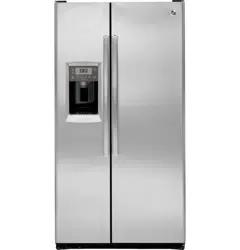
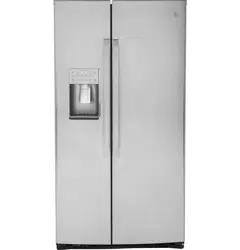
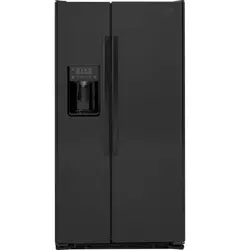
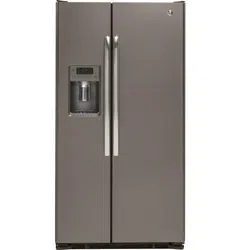
Owner's Guide Refrigerator
Operating Instructions
About the temperature controls.
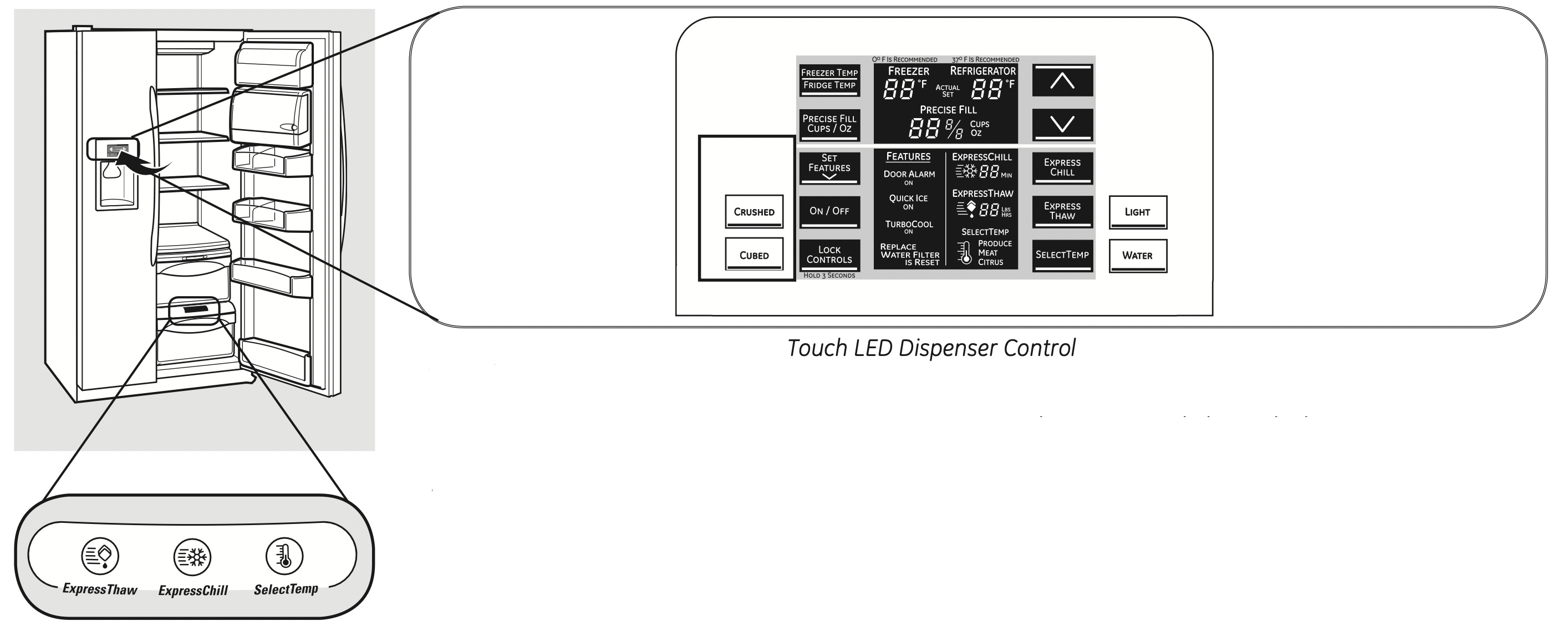
Not all features are on all models. Your controls may be similar to the following:
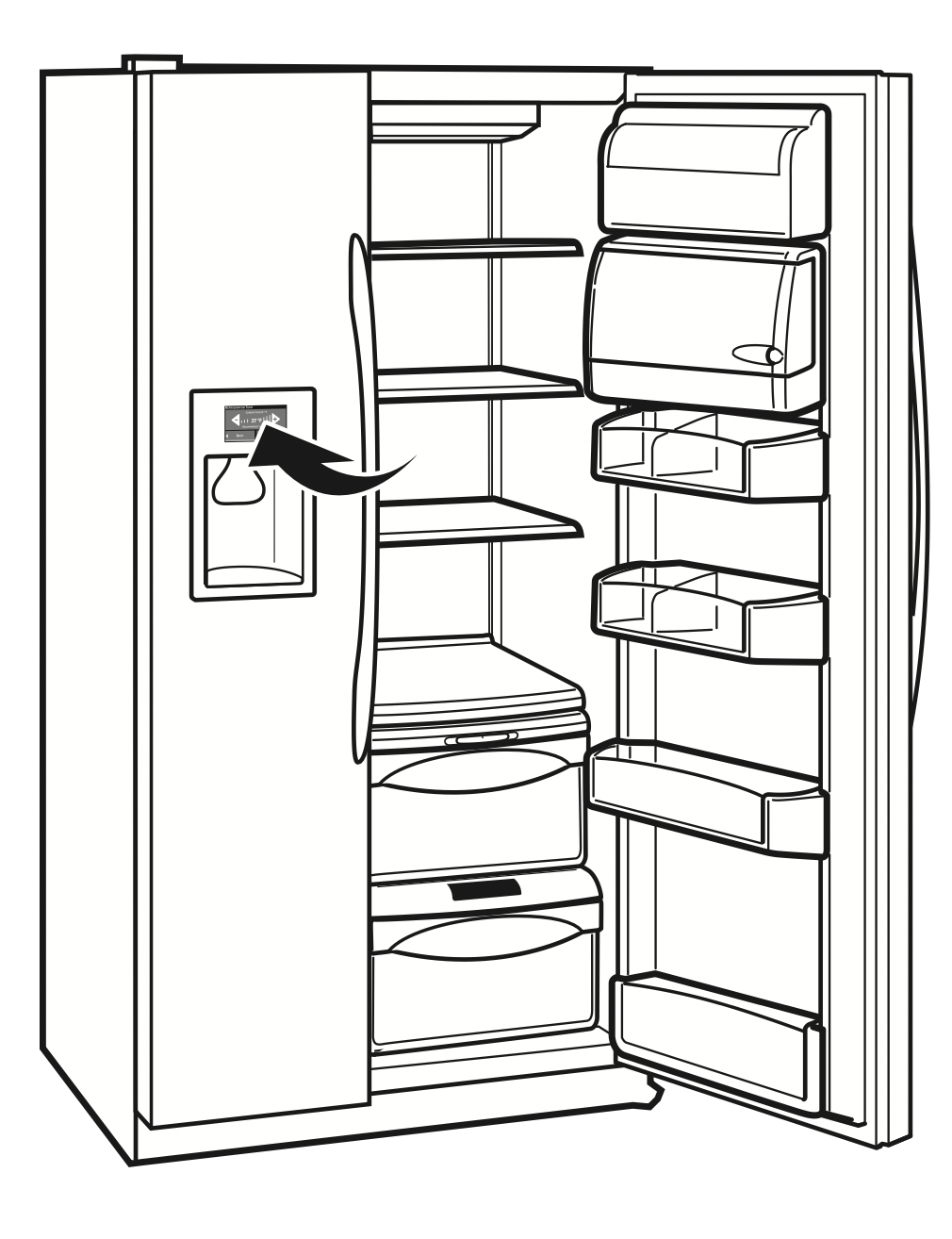
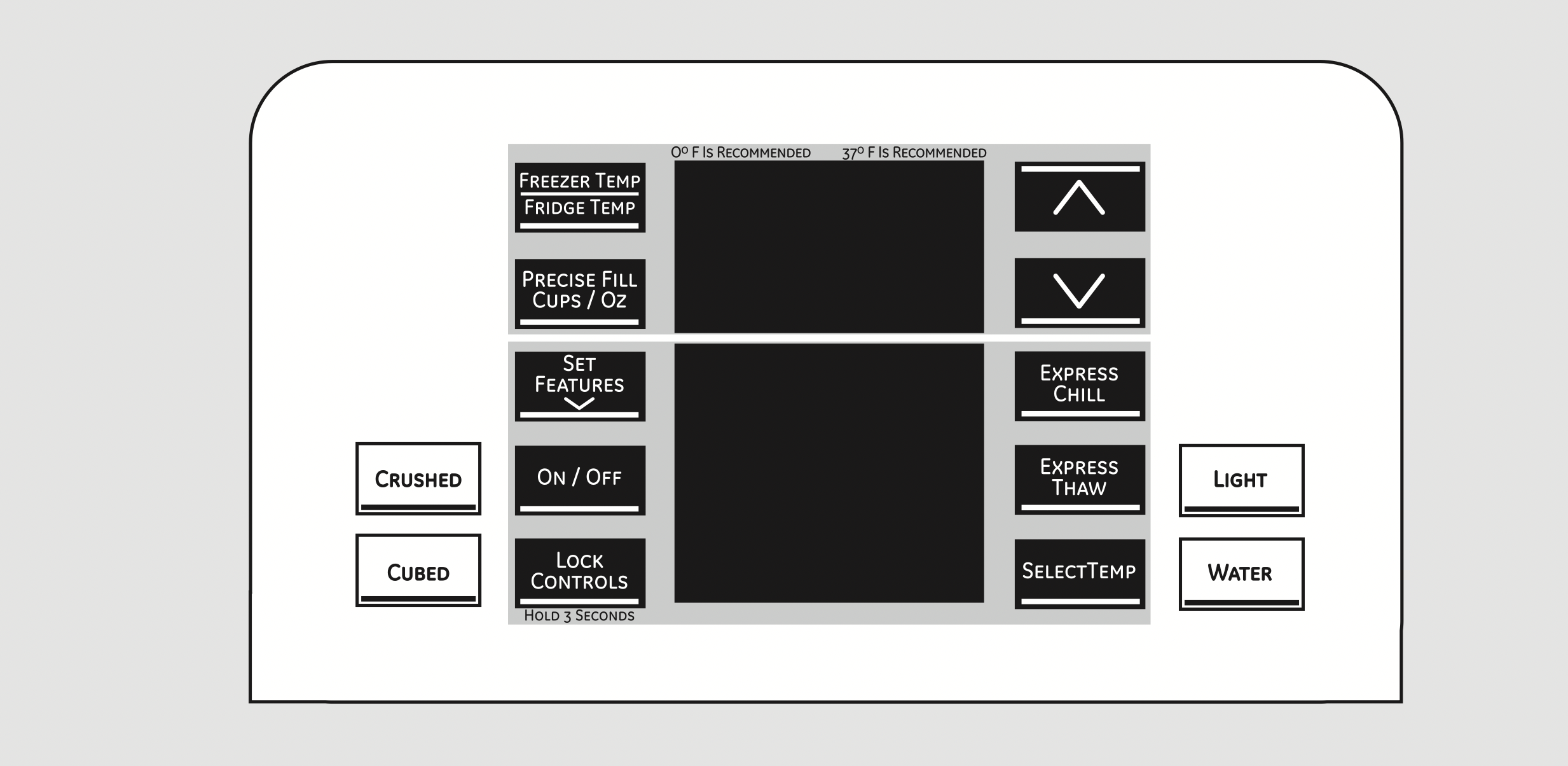
Touch-LED Dispenser Control
NOTE: The refrigerator is shipped with protective film covering the temperature controls. If this film was not removed during installation, remove it now.
The temperature controls are preset in the factory at 37°F (3°C) for the refrigerator compartment and 0°F (-18°C) for the freezer compartment. Allow 24 hours for the temperature to stabilize to the preset recommended settings.
Refrigerator temperatures can be adjusted between 34°F and 46°F (1°C to 8°C), and the freezer temperatures can be adjusted between –6°F and +8°F (–21°C to –13°C).
To change the Refrigerator temperature:
Tactile-LED Dispenser Control
The temperature controls can display both the SET temperature as well as the actual temperature in the refrigerator and freezer. The actual temperature may vary slightly from the SET temperature based on usage and operating environment.
- On some models, setting both controls to the warmest setting until the display flashes (off) will stop cooling in both the freezer and refrigerator compartments.
- On other models, setting either control to the warmest setting until the display flashes (off) will stop the cooling to the freezer and refrigerator.
- NOTE: Turning the refrigerator off via the controls on the touch panel does not shut off electrical power to the refrigerator.
NOTE: The refrigerator is shipped with protective film covering the temperature controls. If this film was not removed during installation, remove it now.
Touch-LED Dispenser Control:
To change the temperature, press and release the FREEZER TEMP/FRIDGE TEMP pad. The SET light will come on and the display will show the set temperature. To change the temperature, tap either the  or
or  pad until the desired temperature is displayed.
Tactile LED Dispenser Control.
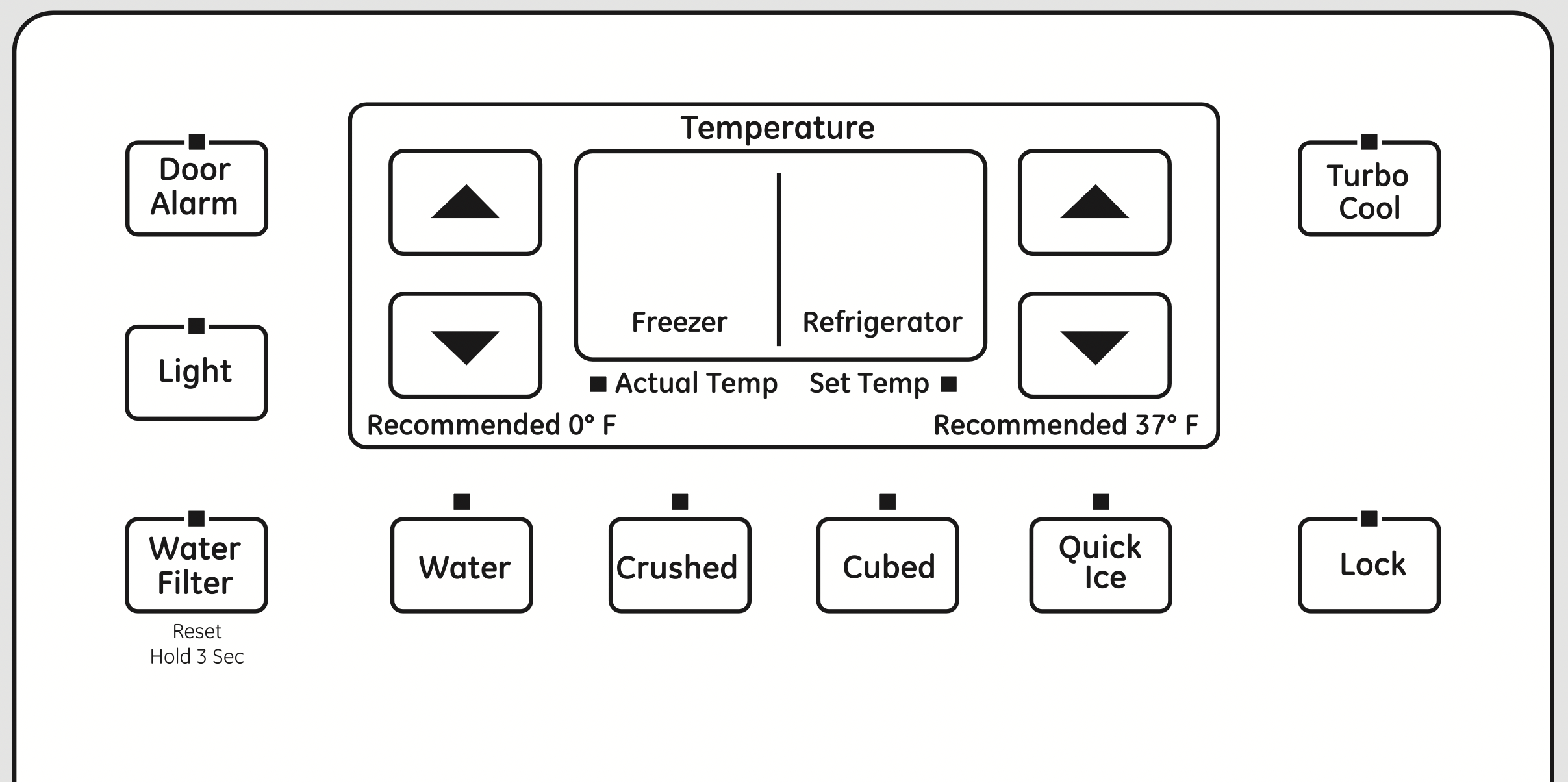
Once the desired temperature has been set, the temperature display will return to the actual refrigerator and freezer temperatures after 5 seconds. Several adjustments may be required. Each time you adjust the controls, allow 24 hours for the refrigerator to reach the temperature you have set.
The temperature controls can display both the SET temperature as well as the actual temperature in the refrigerator and freezer. The actual temperature may vary slightly from the SET temperature based on usage and operating environment.
Turning the cooling system off:
Tactile-LED Dispenser Control
- On some models, setting both controls to the warmest setting until the display flashes (off) will stop cooling in both the freezer and refrigerator compartments.
- On other models, setting either control to the warmest setting until the display flashes (off) will stop the cooling to the freezer and refrigerator.
- NOTE: Turning the refrigerator off via the controls on the touch panel does not shut off electrical power to the refrigerator.
Touch-LED Dispenser Control:
Press and release the FREEZER TEMP/FRIDGE TEMP pad. Press  to set freezer temperature to 5. The display will show OFF. To turn the unit back on, press the FREEZER TEMP/FRIDGE TEMP pad. Press
  to set the freezer and refrigerator temperatures to the preset points of 0°F (-18°C) for the freezer and 37°F (3°C) for the refrigerator.
When the unit is turned back on, it will take up to 24 hours to stabilize.
About Set Features.
This pad is used to select the following features: TurboCool, Quick Ice, Door Alarm and Water Filter.
Pressing SET FEATURES repeatedly will cycle through all of the available features and then exit the mode. If no key is pressed, the mode will exit and return to displaying features currently set.
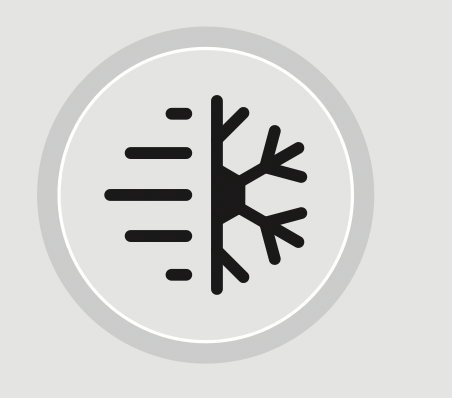
About TurboCool™

or
How it Works
TurboCool ™ rapidly cools the refrigerator compartment in order to more quickly cool foods. Use TurboCool ™ when adding a large amount of food to the refrigerator compartment, putting away foods after they have been sitting out at room temperature or when putting away warm leftovers. It can also be used if the refrigerator has been without power for an extended period.
Once activated, the compressor will turn on immediately and the fans will cycle on and off at high speed as needed for eight hours. The compressor will continue to run until the refrigerator compartment cools to approximately 34°F (1°C), then it will cycle on and off to maintain this setting. After 8 hours, or if TurboCool ™ is pressed again, the refrigerator compartment will return to the original setting.
How to Use
Tactile LED Dispenser Control:
Press TurboCool™ . The TurboCool temperature display will show Tc and the LED will be activated. After TurboCool ™ is complete, the TurboCool™ indicator light will go out.
NOTES: The refrigerator temperature cannot be changed during TurboCool™ .
The freezer temperature is not affected during TurboCool™ .
When opening the refrigerator door during TurboCool™ , the fans will continue to run if they have cycled on.
Touch-LED Dispenser Controls:
Press SET FEATURES. The refrigerator temperature display will show TurboCool™ and/or TC. Press ON/OFF.
After TurboCool ™ is complete, the refrigerator compartment will return to the original setting.
NOTES:
The refrigerator temperature cannot be changed during TurboCool™ .
The freezer temperature is not affected during TurboCool™ .
When opening the refrigerator door during TurboCool™ , the fans will continue to run if they have cycled on.
About ClimateKeeper2™ (on some models)
How it Works
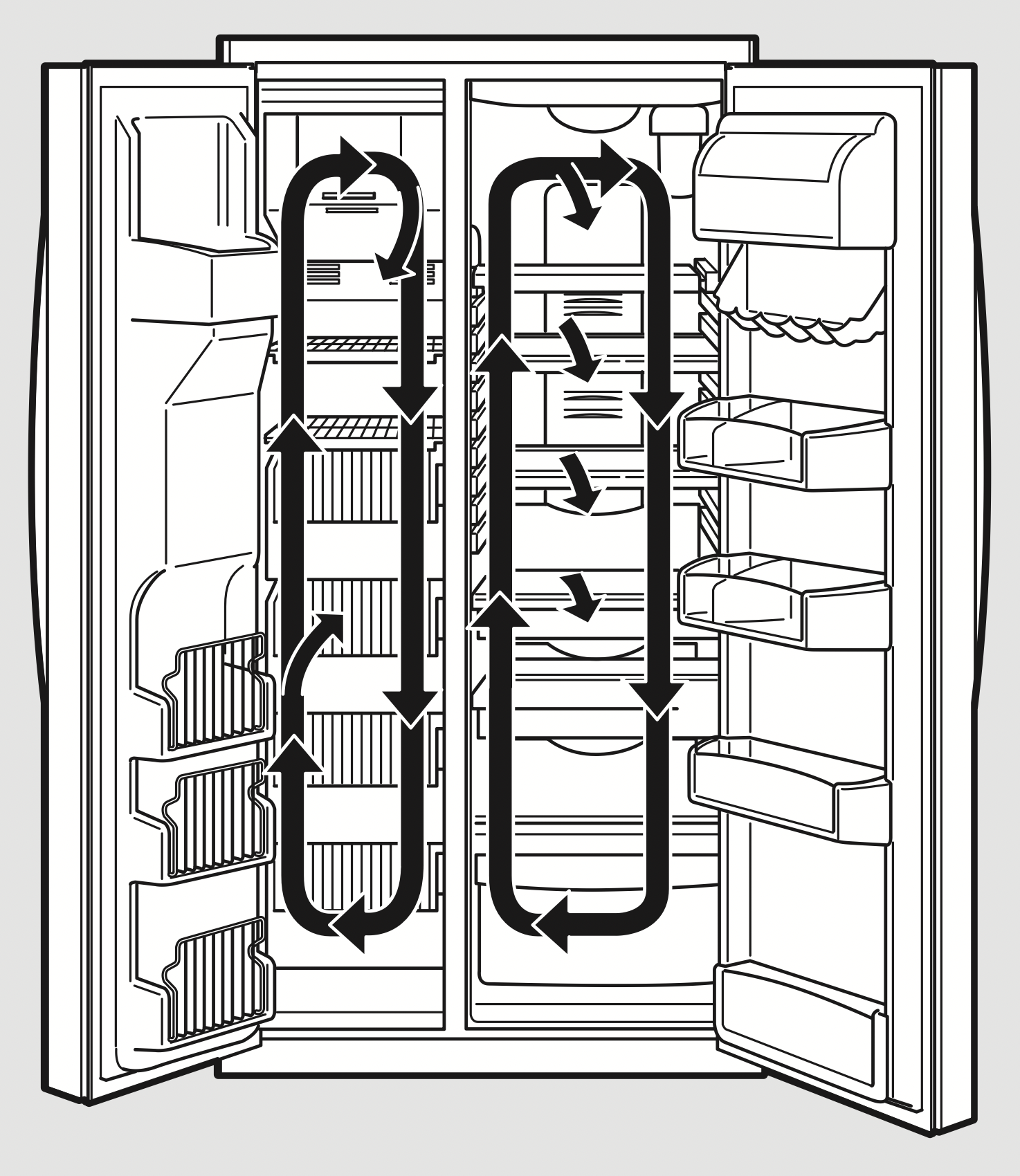
The ClimateKeeper2™ is the industry’s most advanced refrigeration system, delivering optimum temperature and humidity performance to keep food garden fresh longer and reduce freezer burn.
The ClimateKeeper2™ system features two evaporators - one for the refrigerator and one for the freezer.
This provides two separate cooling systems, and separates the airflow between the fresh food and freezer compartments during normal cooling operations.*
This ensures that the humidity levels in the fresh food compartment are significantly higher than in a conventional system,** allowing fresh produce and other unsealed foods to retain their moisture content and freshness longer. Moisture sensitive foods such as fresh fruit, salads, rice, etc., can now be stored on open shelves without excessive moisture loss. Due to the higher humidity in the refrigerator, you may on occasion experience fog or small amounts of moisture in the refrigerator compartment. This is normal and may come and go as different food loads and environmental conditions change. Wipe dry with a paper towel if desired.
The separate airflow system minimizes the mixing of air between the two compartments, which reduces fresh food odor transfer to improve the taste of ice.
The ClimateKeeper2 ™ system also reduces the number of defrosting cycles in the freezer evaporator, thereby reducing freezer burn.
*Freezer air is used in the CustomCool feature.
**Testing shows a higher level of humidity in the Fresh Food section in ClimateKeeper2™ refrigerators versus conventional units.
About CustomCool™ (on some models)
How it Works
The CustomCool ™ feature is used to quickly chill items, thaw items or hold the pan at a specific temperature. This feature is a system of dampers, a fan, a temperature thermistor and a heater.
The pan is tightly sealed to prevent temperature fluctuations in the rest of the refrigerator.
The controls for this pan are located on the dispenser with the temperature controls.
How to Use
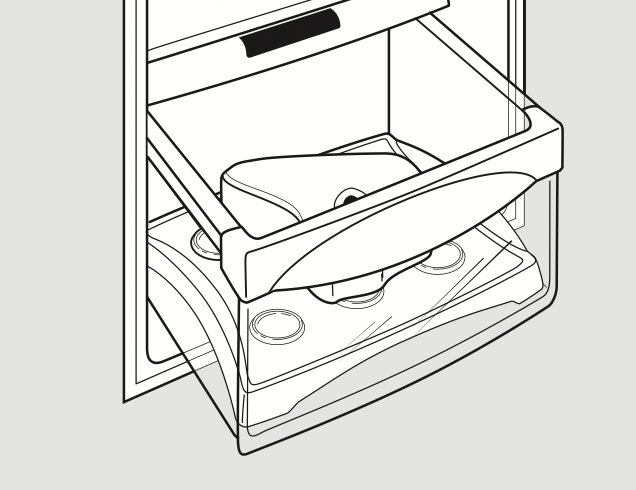
ExpressThaw™
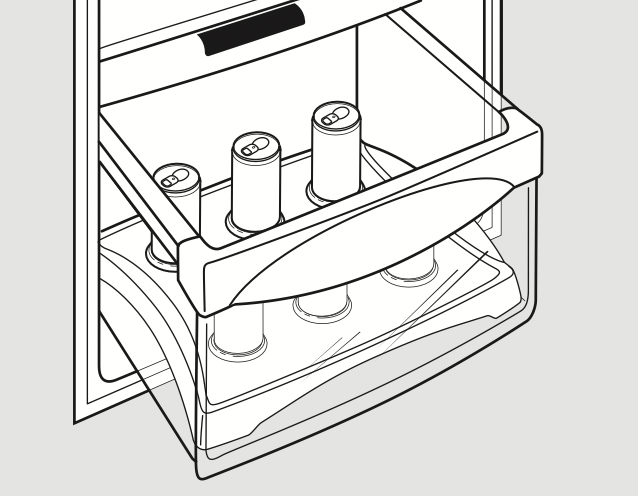
ExpressChill™
- Empty the pan. Place the Chill/Thaw tray in the pan. Place the items on the tray and close the pan completely.
- Touch LED Dispenser Control:
Select the ExpressThaw™ , ExpressChill™ or SelectTemp ™ pad. The display and SET light will come on. Tap the pad until the light appears next to the desired setting.
Use the following chart to determine the best setting to use.
- ExpressChill can be set to 15, 30 or 45 minutes. The default is 15 minutes.
- To stop a feature before it is finished: tap that feature’s pad until no options are selected and the display is off.
- During ExpressThaw and ExpressChill, the display on the controls will count down the time in the cycle (on some models).
- After the ExpressThaw cycle is complete, the pan will reset to the MEAT setting (32°F [0°C]) to help preserve thawed items until they are used.
- The displayed actual temperature of the CustomCool pan may vary slightly from the SET temperature based on usage and operating environment.
NOTE: For food safety reasons, it is recommended that foods be wrapped in plastic wrap when using ExpressThaw. This will help contain meat juices and improve thawing performance.
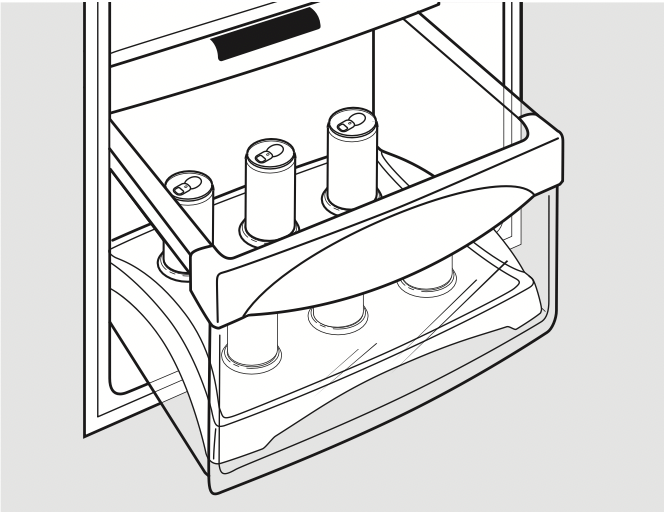
About ExpressChill™ (on some models)
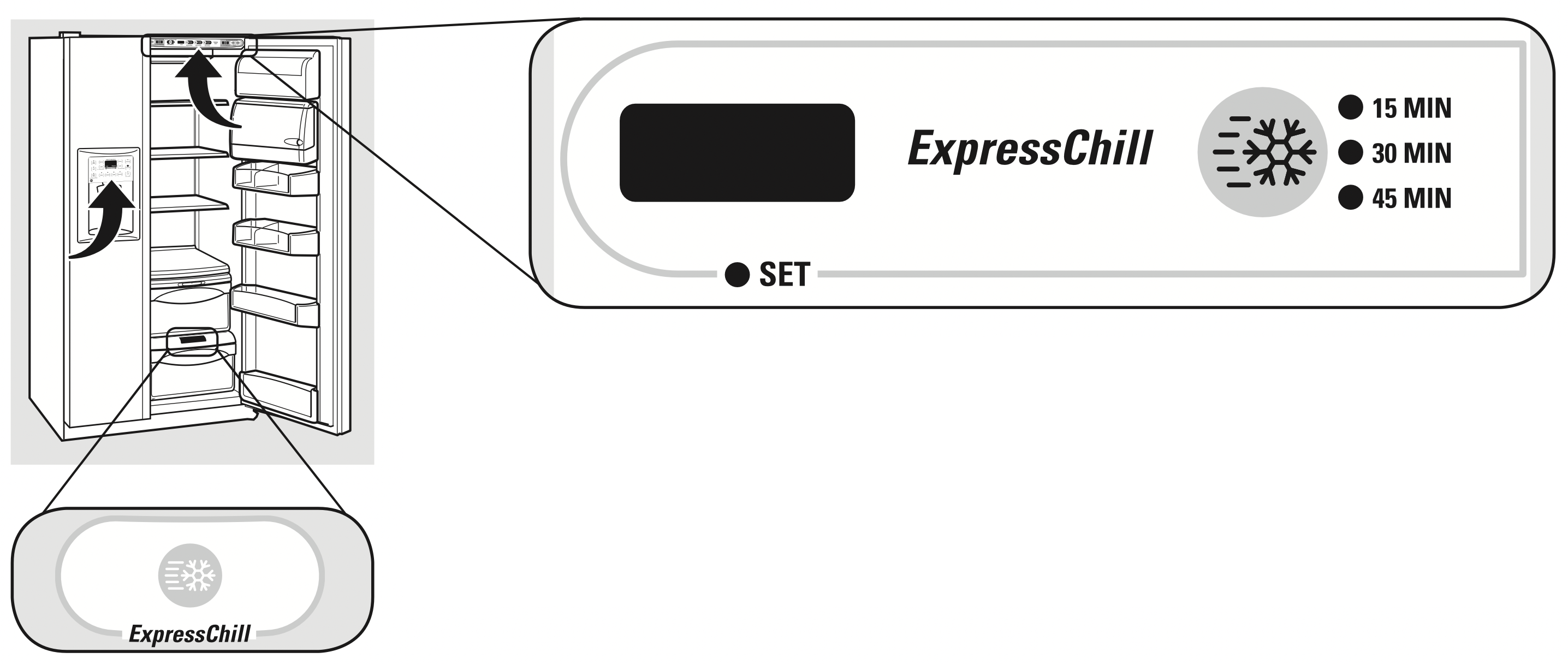
How it Works
The ExpressChill ™ feature is a system of dampers, a fan and a temperature thermistor.
The pan is tightly sealed to prevent the pan’s temperature from causing temperature fluctuations in the rest of the refrigerator.
The controls for this pan are located in the top of the refrigerator or on the dispenser with the temperature controls.
ExpressChill™
How to Use
- Empty the pan. Place the Chill tray in the pan. Place the items on the tray and close the pan completely.
- Select the ExpressChill ™ pad. On some models, you can then select the chill time (use chart to determine best setting). Other models will only have one option (45 minutes). On models with multiple settings, tap the pad until the light appears next to the desired setting.
- To stop a feature before it is finished, tap that feature’s pad until no options are selected and the display is off.
- During ExpressChill, the display on the controls will count down the time in the cycle.
How to Remove and Replace the Drawer
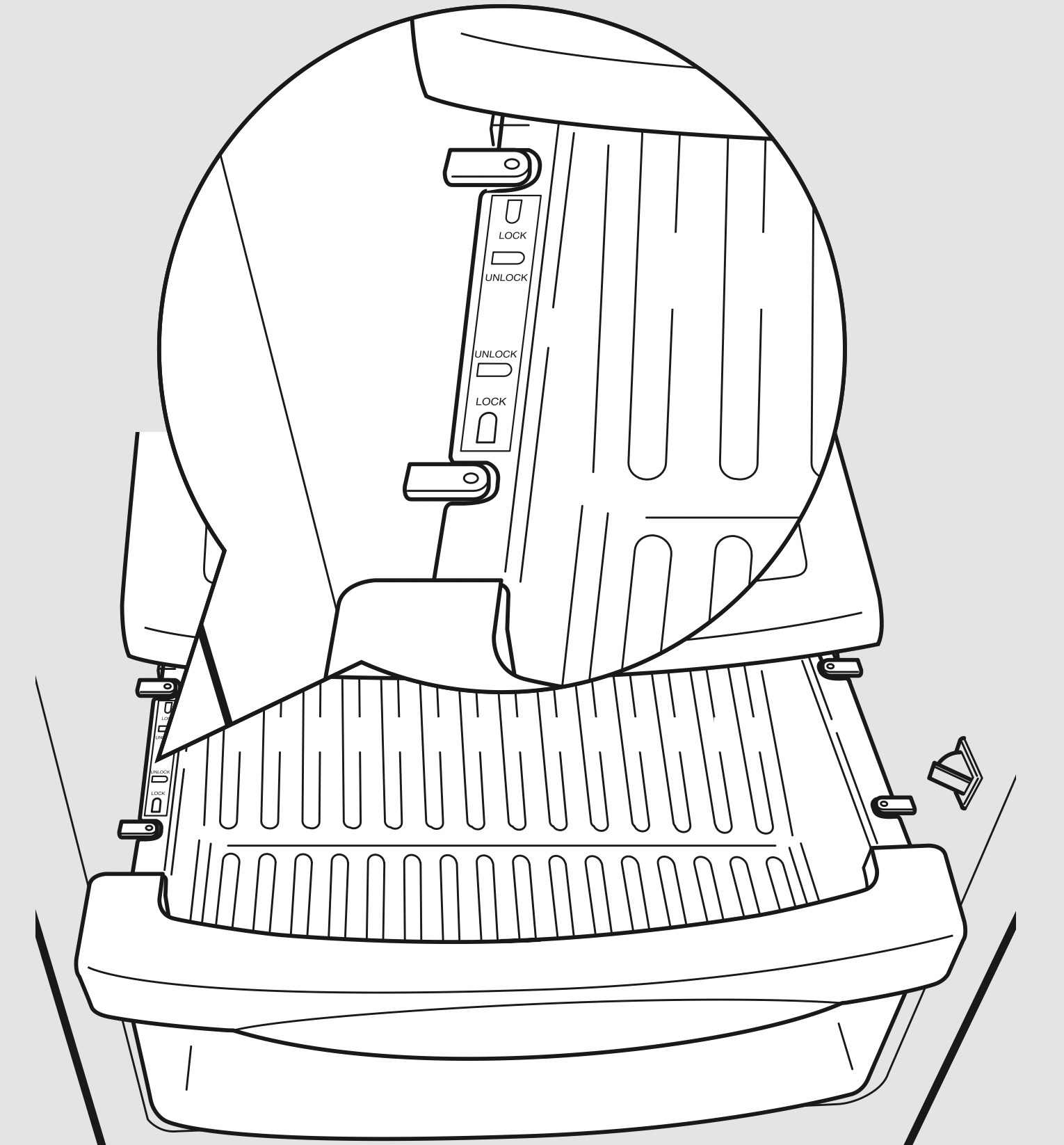
To remove:
- Pull the drawer out to the stop position.
- Rotate all four swing locks to the unlock position.
- Lift the front of the drawer up and out.
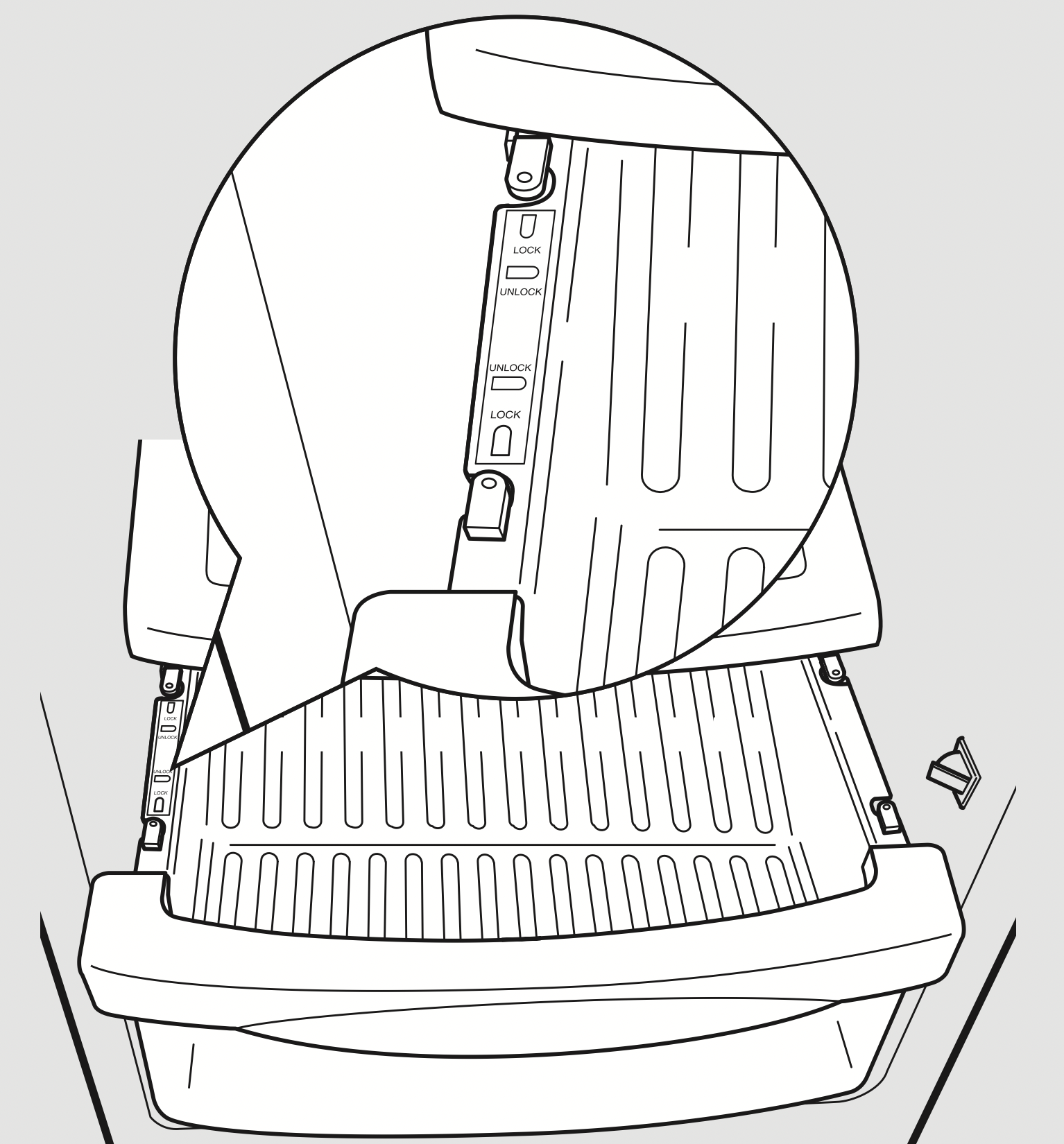
To replace:
- Make sure all four swing locks are in the unlock position.
- Place the sides of the drawer into the drawer supports, making sure the swing locks fit on the drawer slots.
- Lock all four swing locks by rotating them to the lock position.
About CustomCool™ (on some models)
CustomCool™ Chart
NOTE: Results may vary depending on packaging, starting temperature and other food traits.
ExpressThaw™
0.5 Lb. (4 hours)
- Hamburger Patties (0.5 lb)
- Individually Wrapped
Filet Mignon (0.5 lb)
1.0 Lb. (6 hours)
- Chicken Breasts (1.0 lb)
- Ground Beef (1.0 lb)
- Steak (1.0 lb)
2.0 Lbs. (10 hours)
- Chicken Breasts (2.0 lbs)
- Ground Beef (2.0 lbs)
- Steak (2.0 lbs)
3.0 Lbs. (12 hours)
- Chicken Breasts (3.0 lbs)
- Ground Beef (3.0 lbs)
- Steak (3.0 lbs)
ExpressChill™
15 Minutes
- 1 Beverage Can (12 oz)
- 2 Small Juice Boxes (6–8 oz each)
30 Minutes
- 2 to 6 Beverage Cans (12 oz each)
- 2 Plastic 20 oz Bottles of Beverage
- 4 to 6 Small Juice Boxes (6–8 oz each)
- 3 Foil Juice Packets
- Wine (750 ml bottle)
45 Minutes
- 2 Liter of Beverage
- 1/2 Gallon of Juice
- Gelatin–1 package
SelectTemp™
Citrus Setting (43°F [6°C])
- Oranges, Lemons, Limes, Pineapple, Cantaloupe
- Beans, Cucumbers, Tomatoes, Peppers, Eggplant, Squash
Produce Setting (35°F [2°C])
- Strawberries, Raspberries, Kiwifruit, Pears, Cherries, Blackberries, Grapes, Plums, Nectarines, Apples
- Asparagus, Broccoli, Corn, Mushrooms, Spinach, Cauliflower, Kale, Green Onion, Beets, Onions
Meat Setting (32°F [0°C])
- Raw Meat, Fish and Poultry
About the water filter (on some models)
Water Filter Cartridge
The water filter cartridge is located in the back upper right corner of the refrigerator compartment.
When to Replace the Filter on Models With a Replacement Indicator Light
There is a replacement indicator light for the water filter cartridge on the dispenser. This light will turn orange to tell you that you need to replace the filter soon.
The filter cartridge should be replaced when the replacement indicator light turns red or if the flow of water to the dispenser or ice maker decreases.
When to Replace the Filter on Models Without a Replacement Indicator Light
The filter cartridge should be replaced every six months or earlier if the flow of water to the water dispenser or ice maker decreases.
Removing the Filter Cartridge
If you are replacing the cartridge, first remove the old one by slowly turning it to the left. Do not pull down on the cartridge. A small amount of water may drip down.
Installing the Filter Cartridge
- If you are replacing a SmartWater cartridge with an adapter, it must be removed before installing the cartridge. To remove the adapter, turn it to the left about 1/4 turn.
If you are replacing a Water by Culligan cartridge, leave the adapter in place. This adapter will stay in the refrigerator when you replace future cartridges.
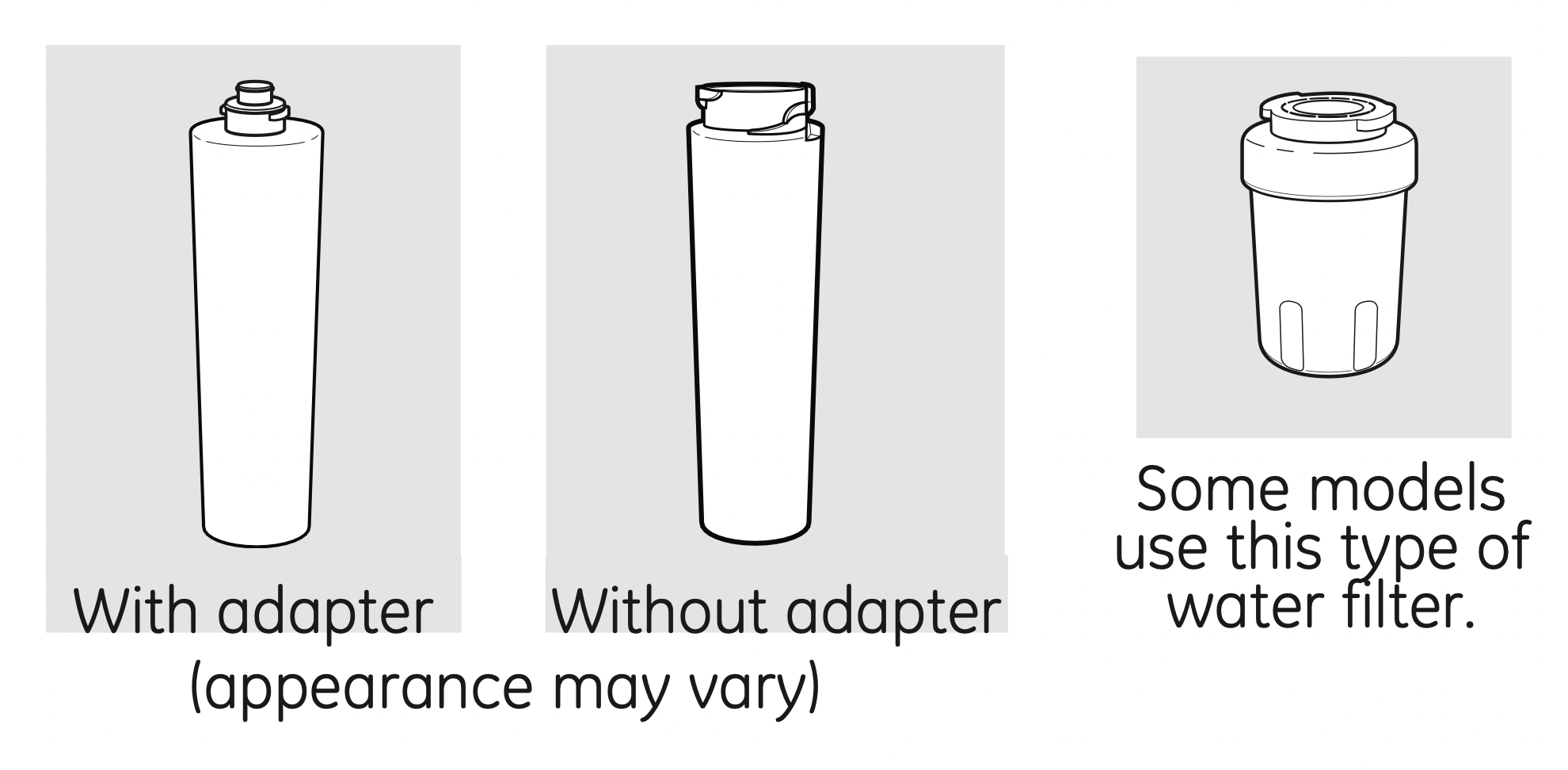
- On models without a replacement indicator light, apply the month and year sticker to the new cartridge to remind you to replace the filter in six months.
- Fill the replacement cartridge with water from the tap to allow for better flow from the dispenser immediately after installation.
- Line up the arrow on the cartridge and the cartridge holder. Place the top of the new cartridge up inside the holder. Do not push it up into the holder.
- Slowly turn it to the right until the filter cartridge stops. DO NOT OVERTIGHTEN. As you turn the cartridge, it will automatically raise itself into position. The cartridge will move about 1/2 turn.
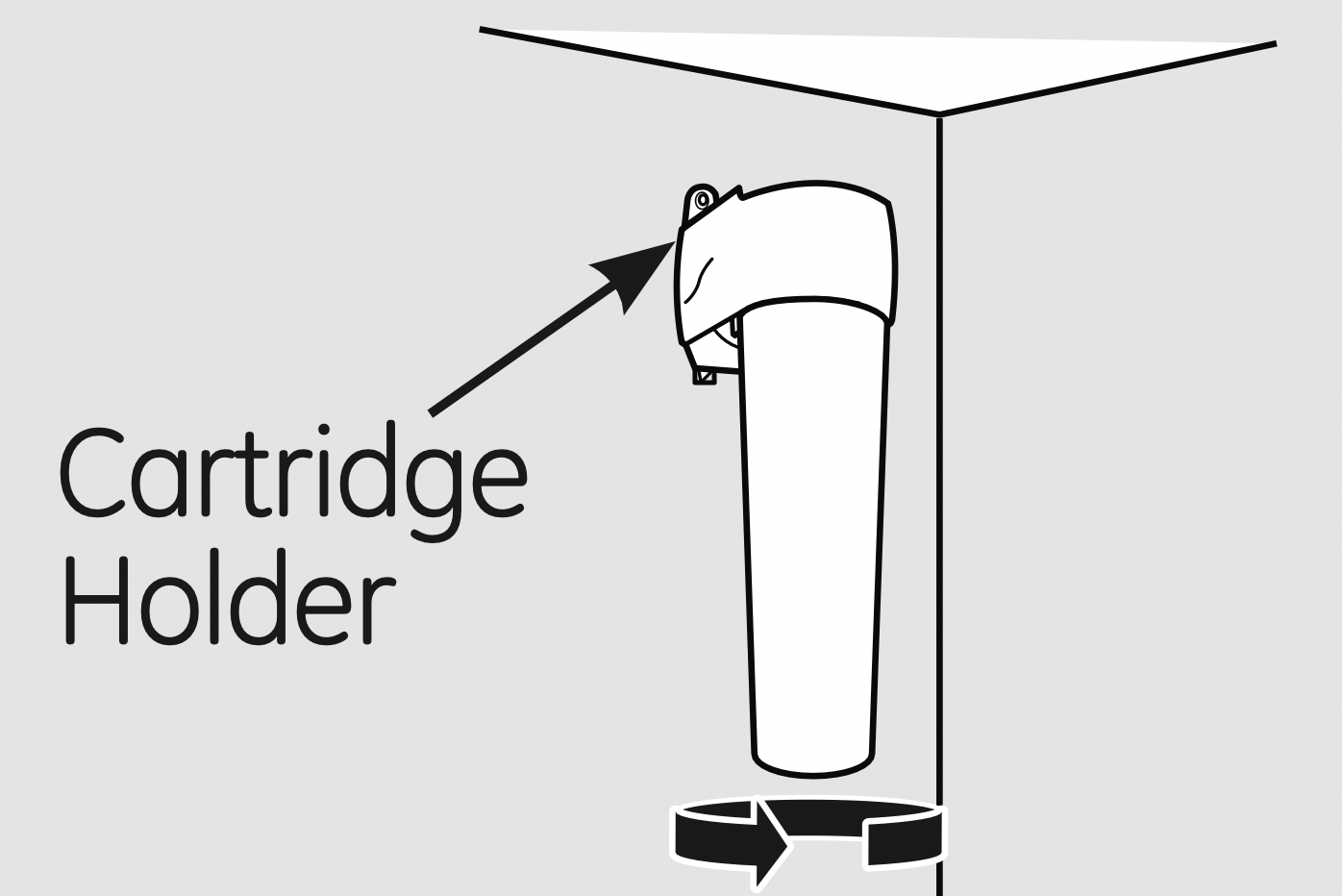
- Run water from the dispenser 1-1/2 gallons (about three minutes) to clear the system and prevent sputtering.
- Press and hold the WATER FILTER pad (on some models) on the dispenser for 3 seconds.
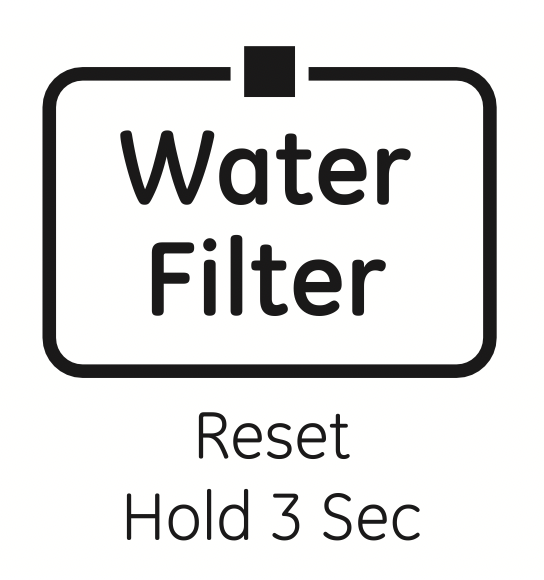
NOTE: A newly-installed water filter cartridge may cause water to spurt from the dispenser upon first use.
Filter Bypass Plug
You must use the filter bypass plug when a replacement filter cartridge is not available. The dispenser and the ice maker will not operate without the filter or filter bypass plug.
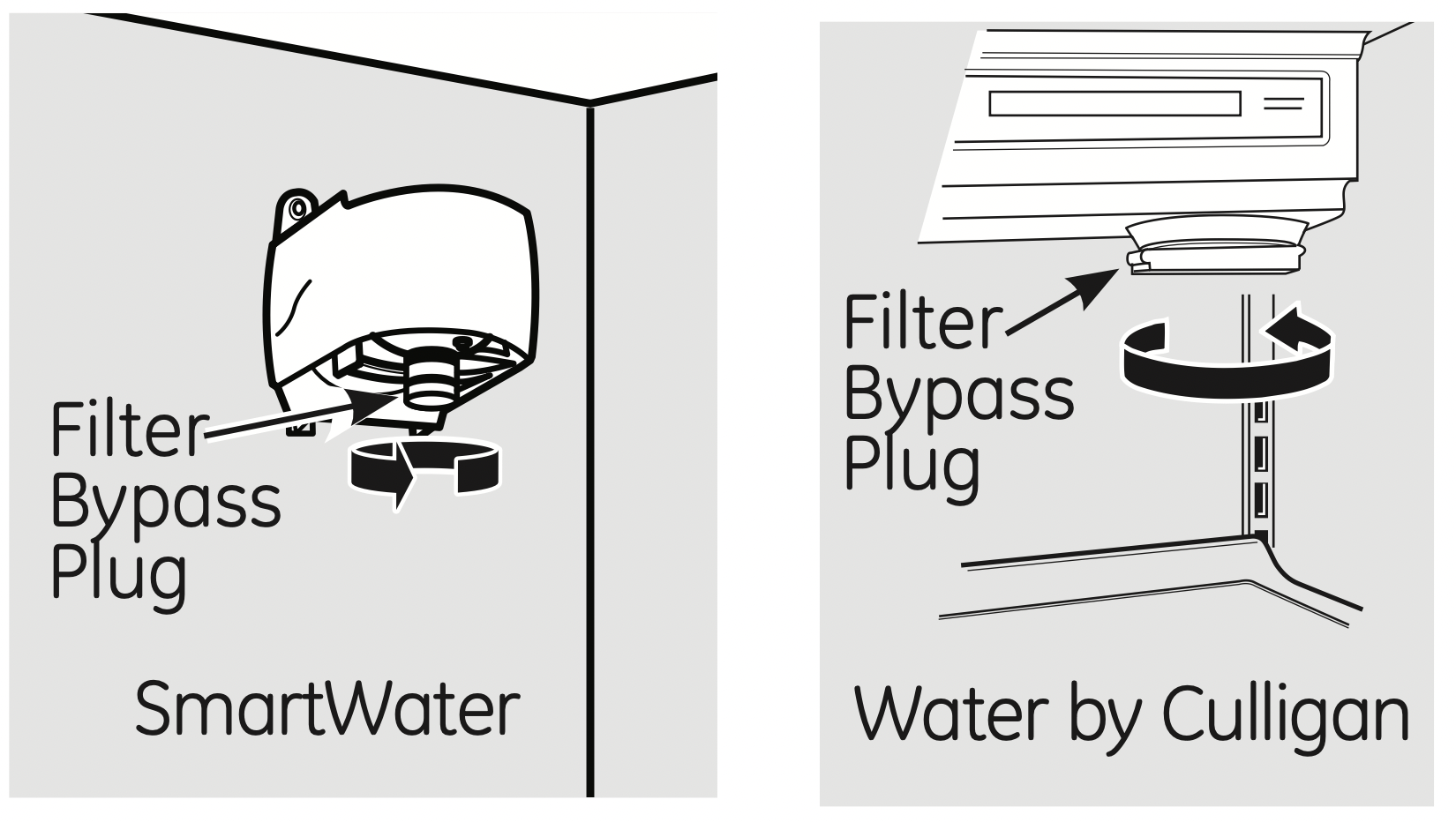
To use the filter bypass plug on Water by Culligan models, you must first remove the filter adapter from the cartridge holder by turning it to the left.
For the maximum benefit of your filtration system, GE recommends the use of GE branded SmartWater filters only. Using GE branded filters in GE and Hotpoint refrigerators provides optimal performance and reliability. GE branded SmartWater filters are always the right choice because they are patented and designed specifically for GE products. GE SmartWater filters meet rigorous industry NSF standards for safety and quality that are important for products that are filtering your water. GE has not qualified non-GE branded filters for use in GE and Hotpoint refrigerators and there is no assurance that non-GE branded filters meet GE’s standards for quality, performance and reliability.
About the shelves and bins.
Not all features are on all models.
Refrigerator Door Bins and Freezer Door Tilt-Out Bins
Refrigerator bin
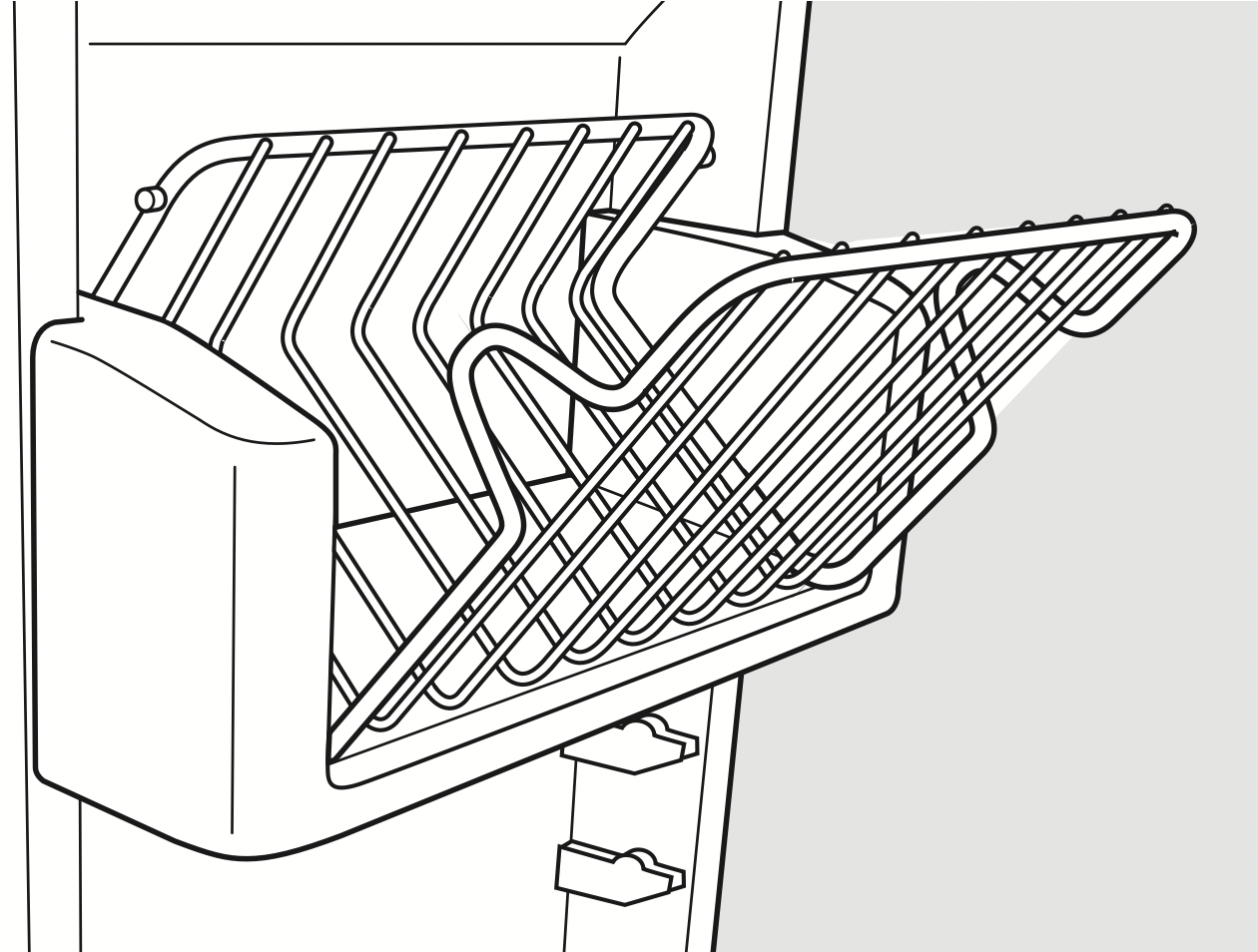
Freezer tilt-out bin
Bins
The larger refrigerator door bins and freezer tilt-out door bins are adjustable.
To remove: Lift the front of the bin straight up, then lift up and out.
To replace or relocate: Engage the back side of the bin in the molded supports on the door. Then push down on the front of the bin. Bin will lock in place.
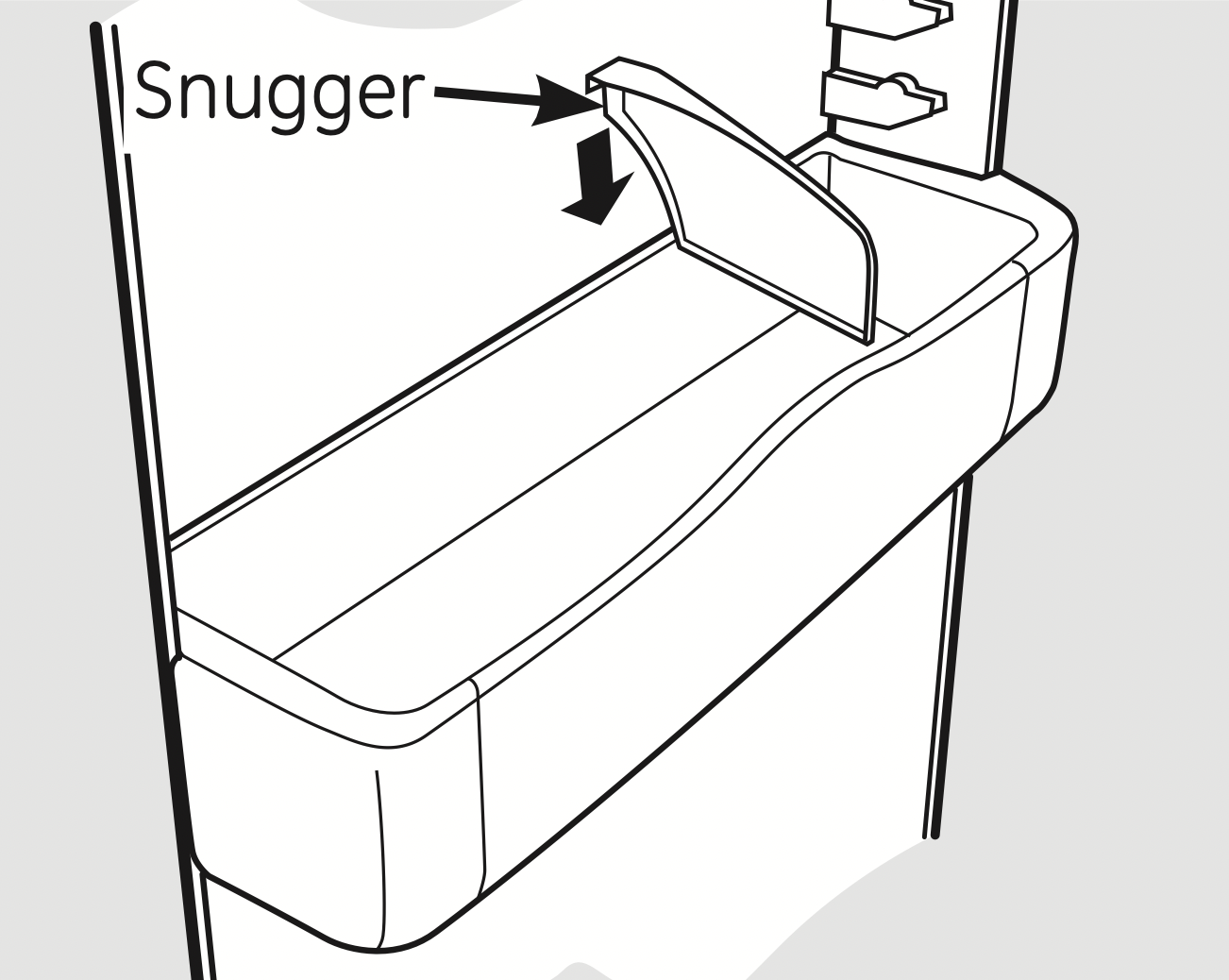
The snugger helps prevent tipping, spilling or sliding of small items stored on the door shelf. Place a finger on either side of the snugger near the rear and move it back and forth to fit your needs.
Top Freezer Bins
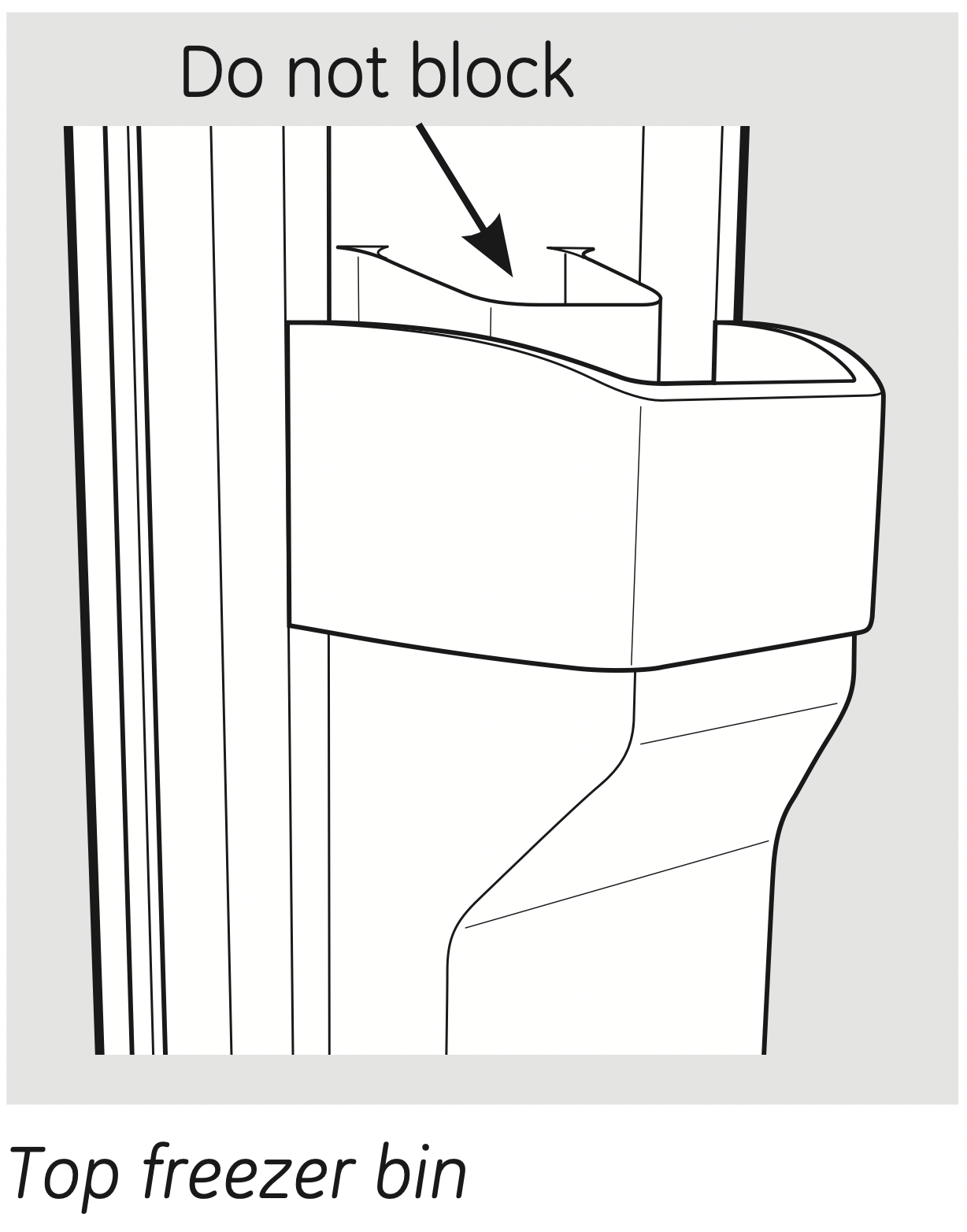
CAUTION: Be careful when placing items in the top bin. Make sure that items do not block or fall into the ice chute.
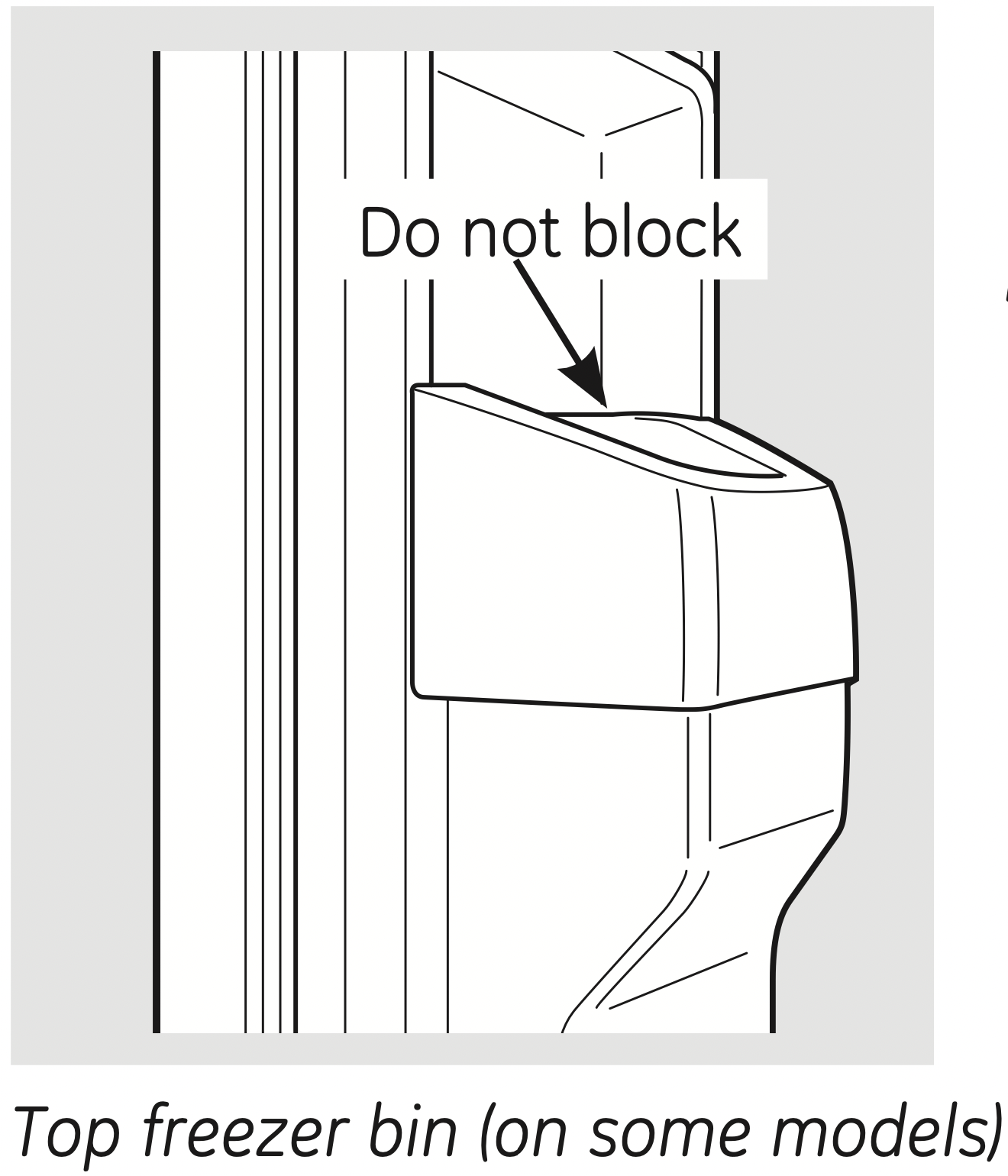
CAUTION: Part must be in place as shown for proper ice dispensing. Food cannot be stored in this location.
Slide-Out Spillproof Shelf
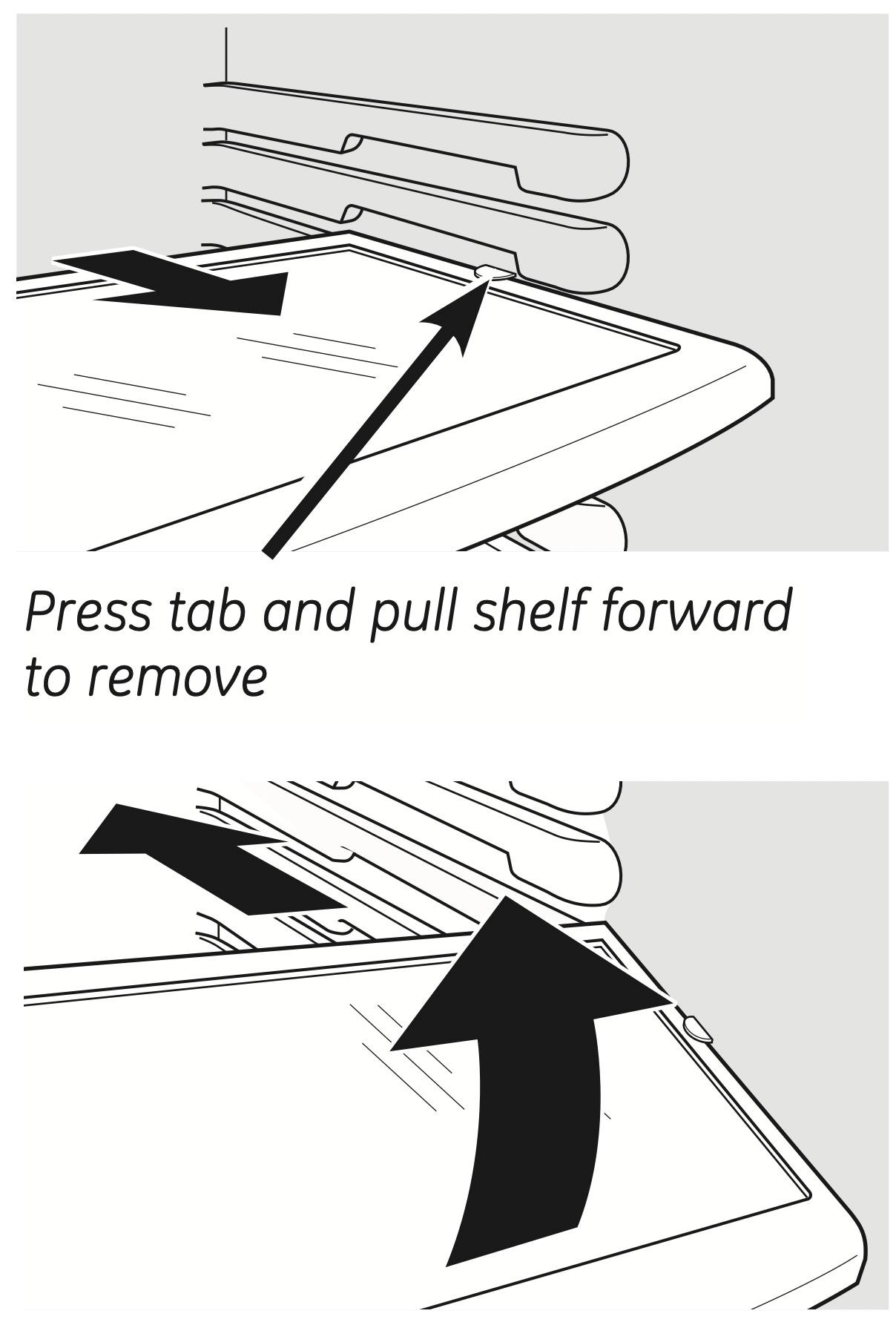
The slide-out spillproof shelf allows you to reach items stored behind others. The special edges are designed to help prevent spills from dripping to lower shelves.
To remove: Slide the shelf out until it reaches the stop, then press down on the tab and slide the shelf straight out.
To replace or relocate:
Line the shelf up with the supports and slide it into place. The shelf can be repositioned when the door is at 90° or more. To reposition the shelf, slide the shelf past the stops and angle downward. Slide shelf down to the desired position, line up with the supports and slide into place.
Make sure you push the shelves all the way back in before you close the door.
QuickSpace ™ Shelf
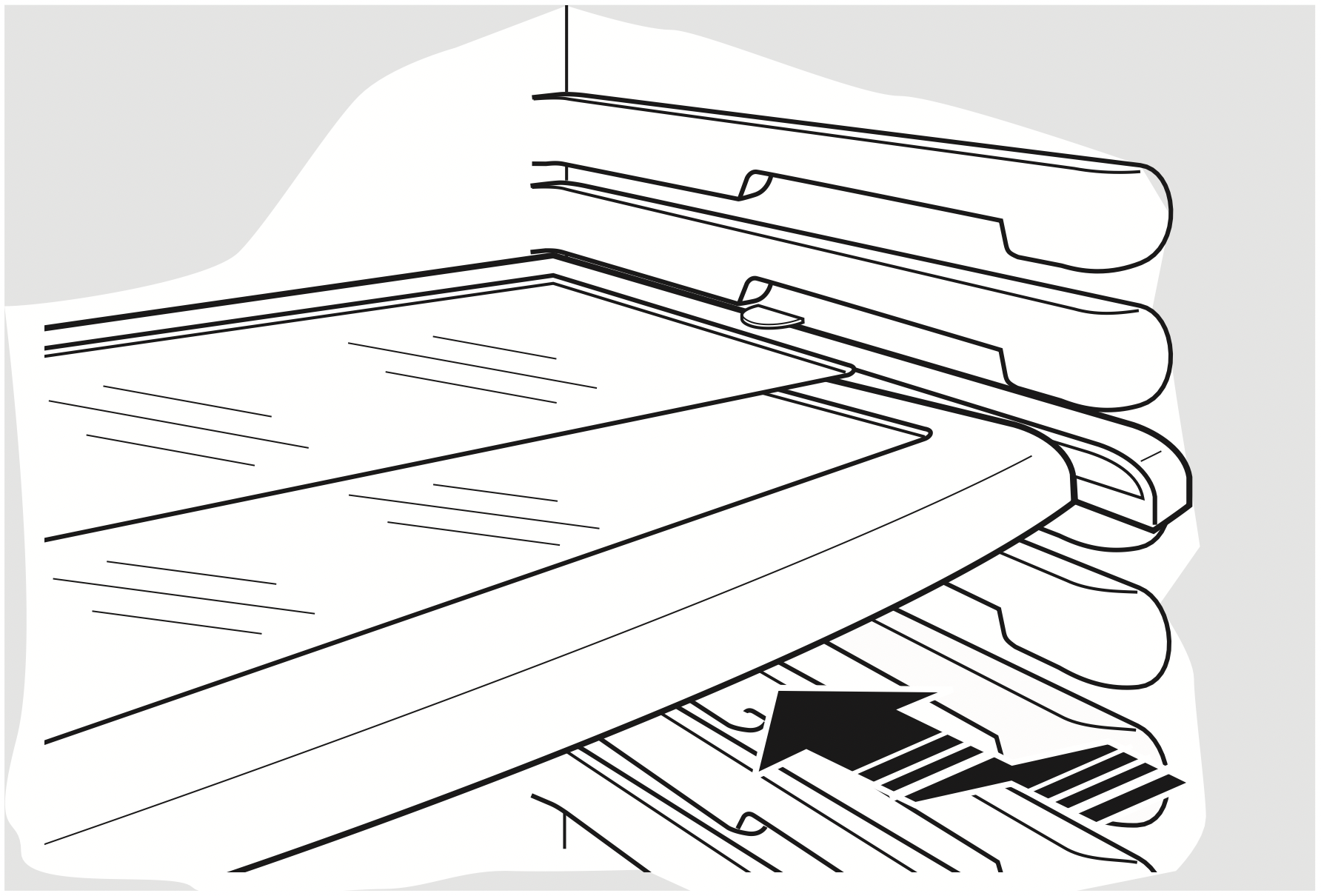
This shelf splits in half and slides under itself for storage of tall items on the shelf below.
This shelf can be removed and replaced or relocated just like Slide-Out Spillproof Shelves.
On some models, this shelf cannot be used in the lowest position.
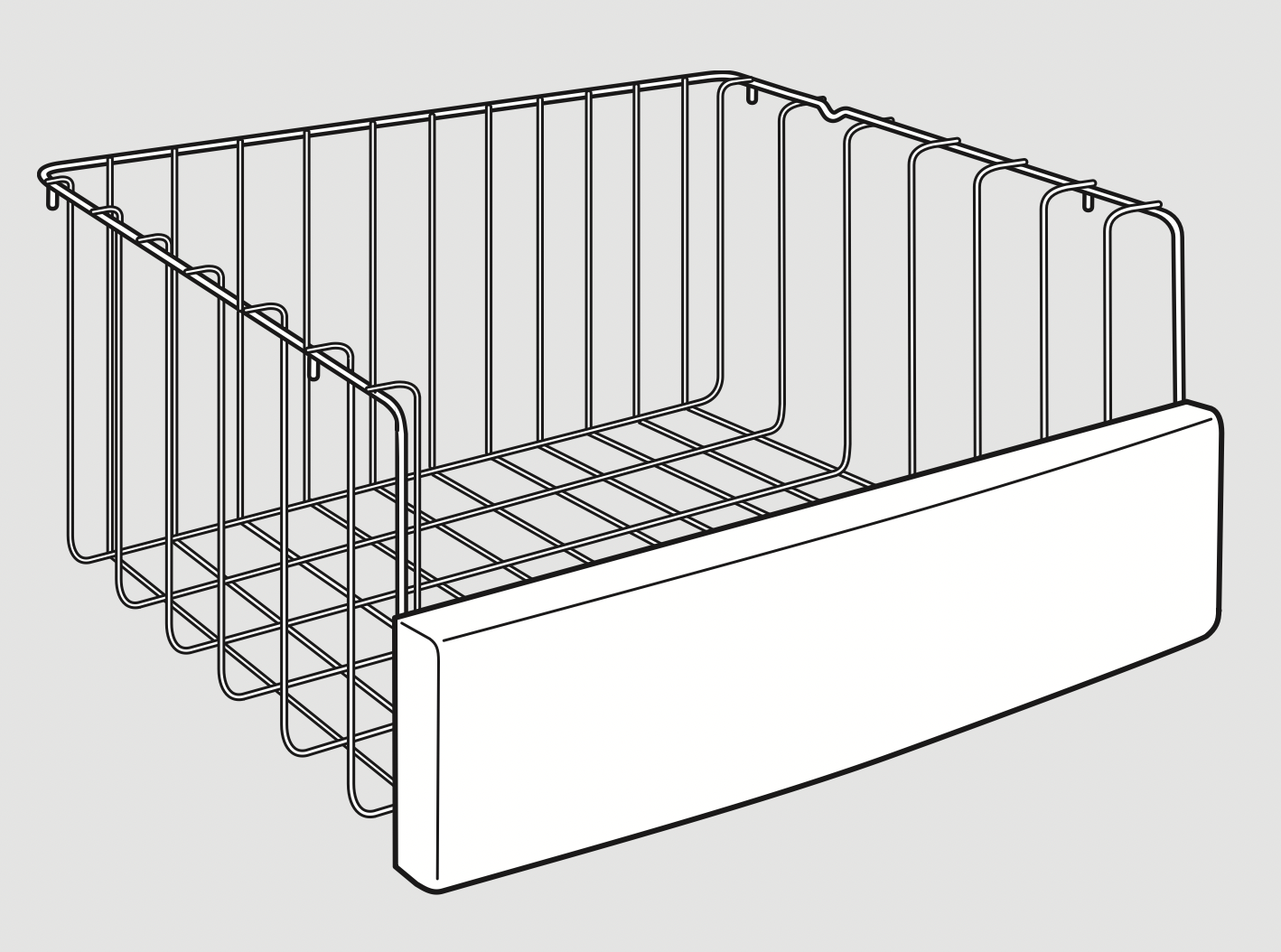
Freezer Baskets
To remove, push the basket all the way to the back of the freezer. Lift up until the back pins are disengaged. Lift the entire basket up and pull out.
Make sure you push the baskets all the way back in before you close the door.
Slide-Out Freezer Shelves
To remove, slide out to the stop position, lift the front past the stop position and slide out.
Make sure you push the shelves all the way back in before you close the door.
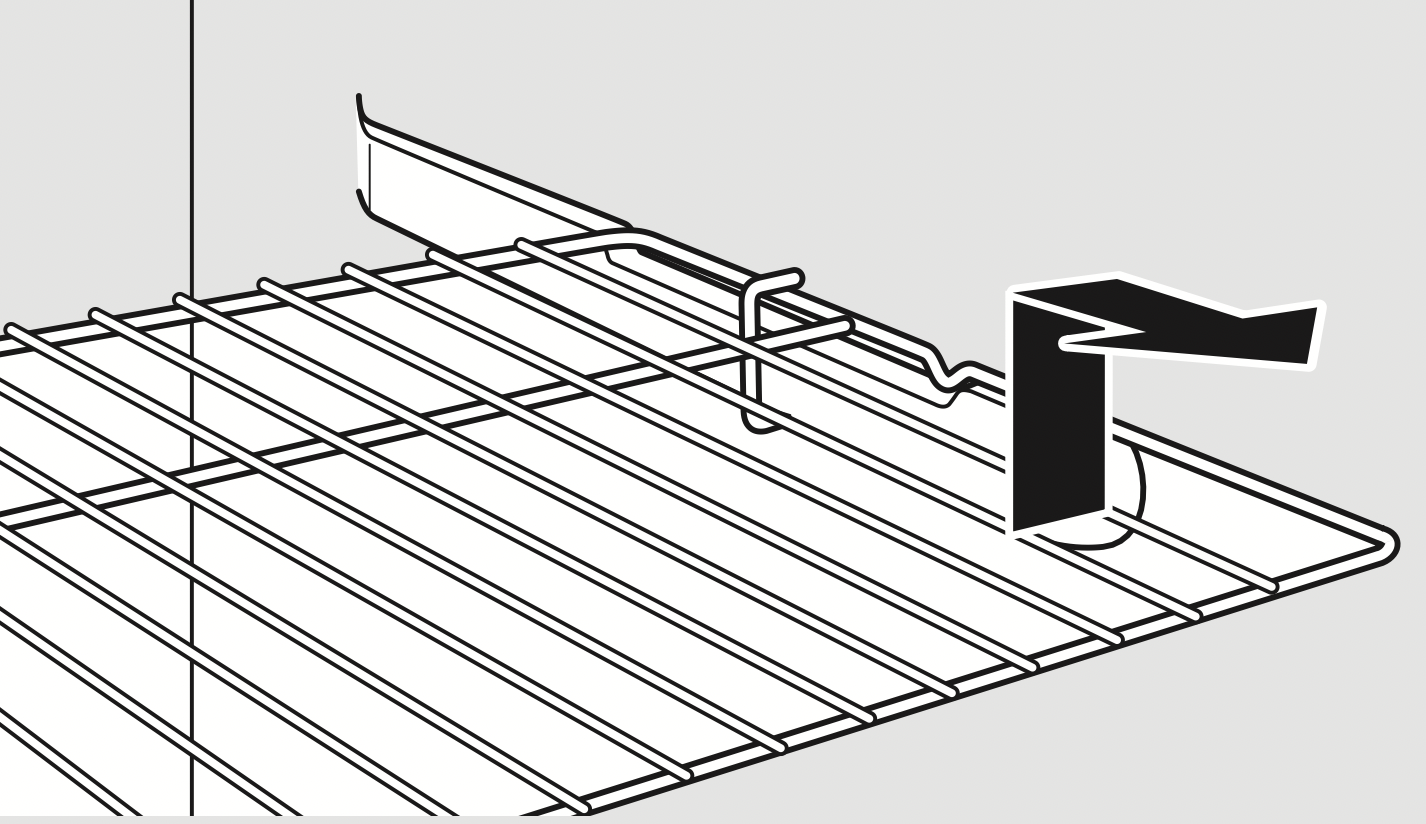
Fixed Freezer Shelves
There are two types of fixed freezer shelves.
To remove this type of shelf:
- Lift the shelf up at the left side.
- Bring the shelf out.
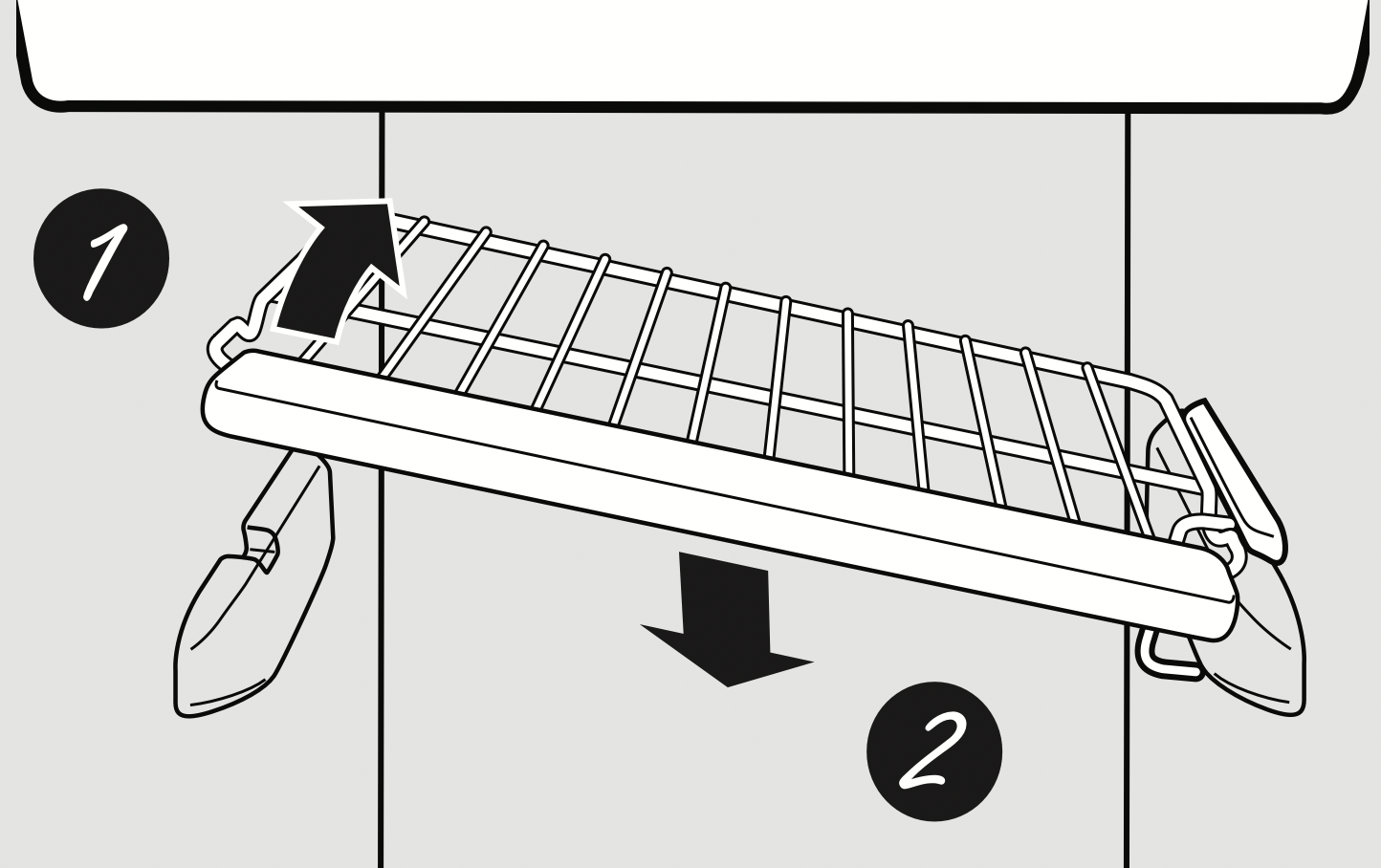
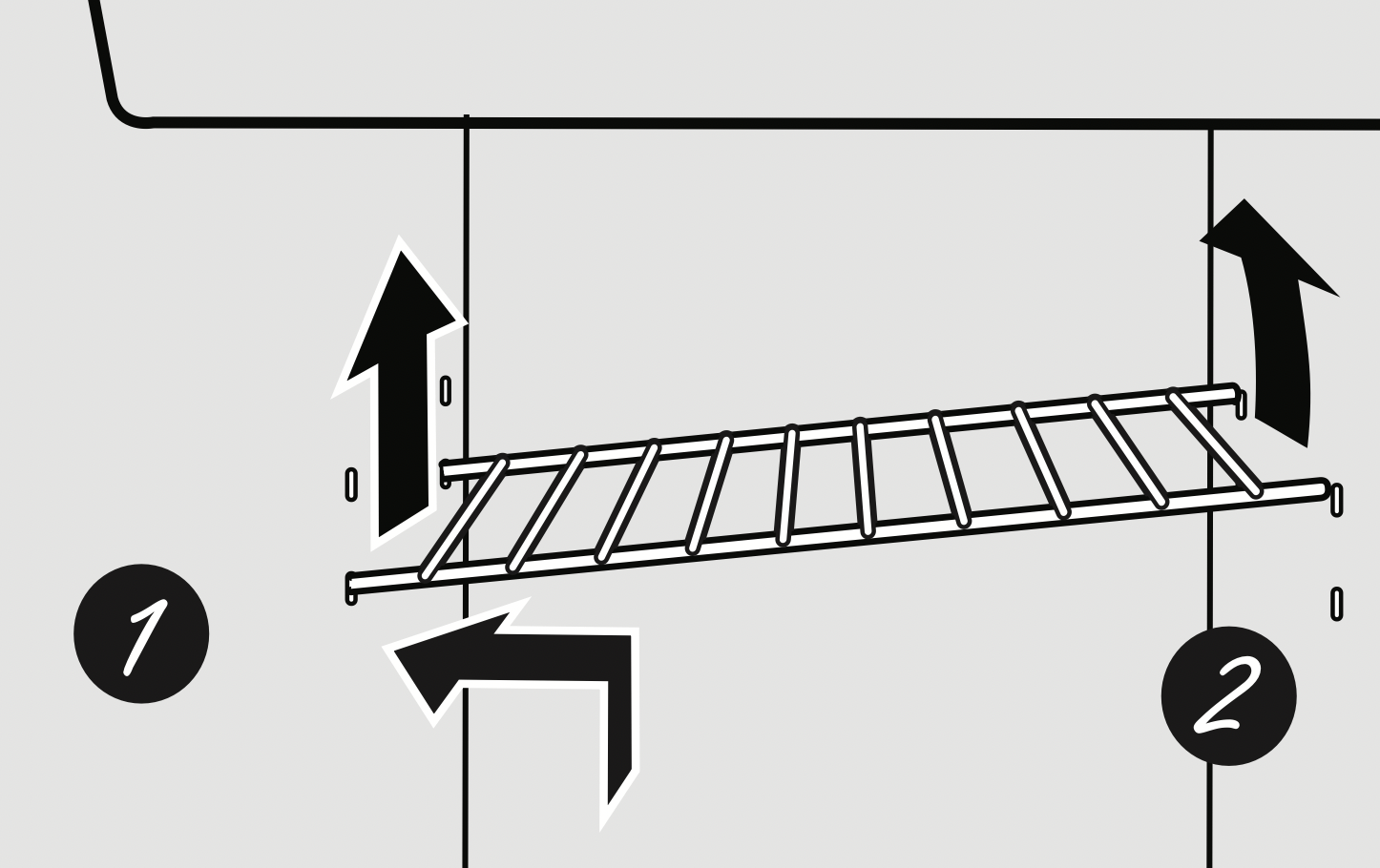
To remove this type of shelf:
- Lift up the left side of the shelf and slide it left into the center of the shelf supports.
- Rotate the right side of the shelf up and out of the shelf supports.
NOTE FOR DISPENSER MODELS: In order to take full advantage of the tilt-out ice bin, only store items on the shelf below the ice bin that are no taller than the lowest point on the bin.
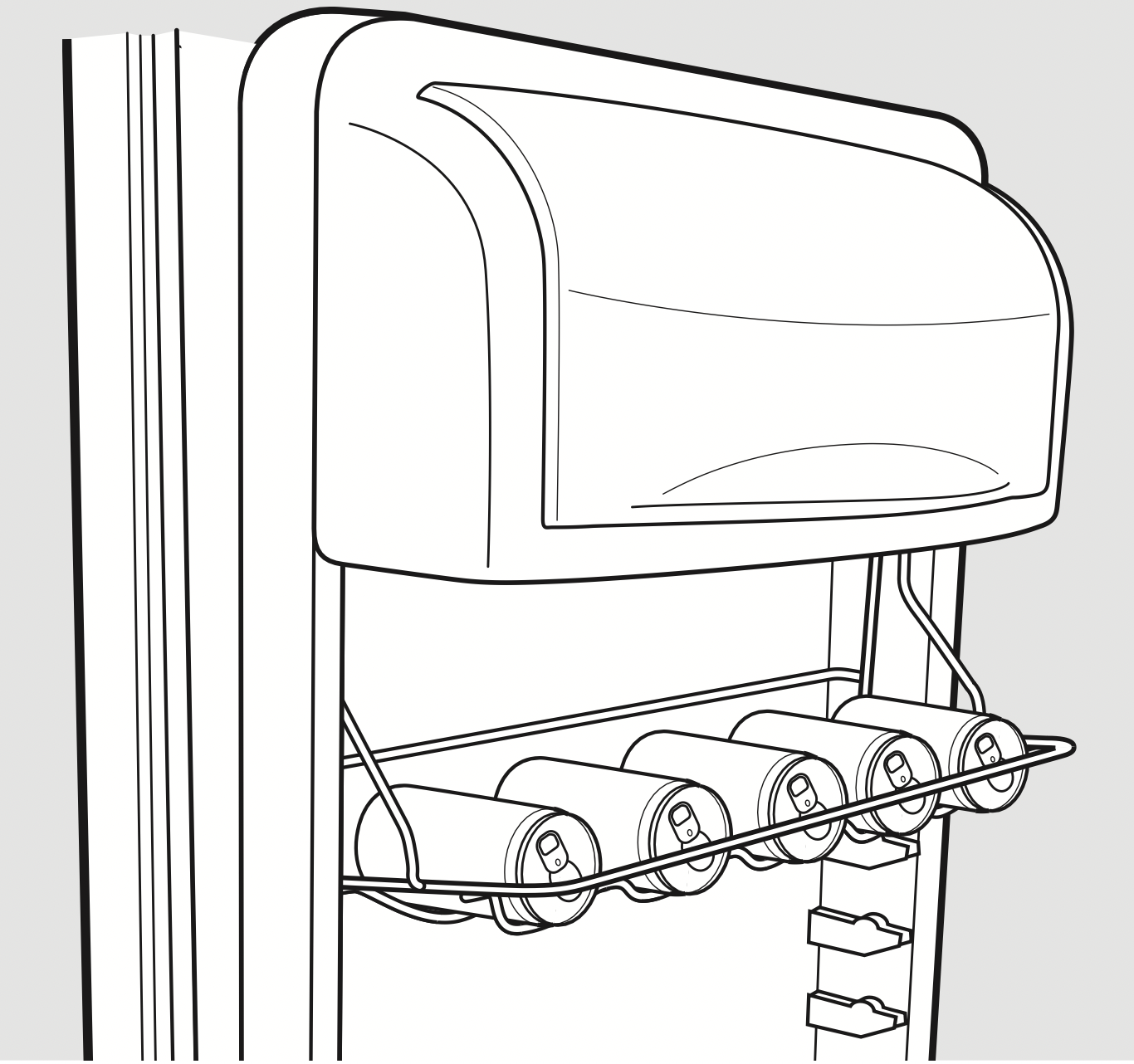
Door Wine/Beverage Rack (on some models)
This rack holds up to 5 cans or one bottle of wine.
The rack hangs from the sides of the dairy bin.
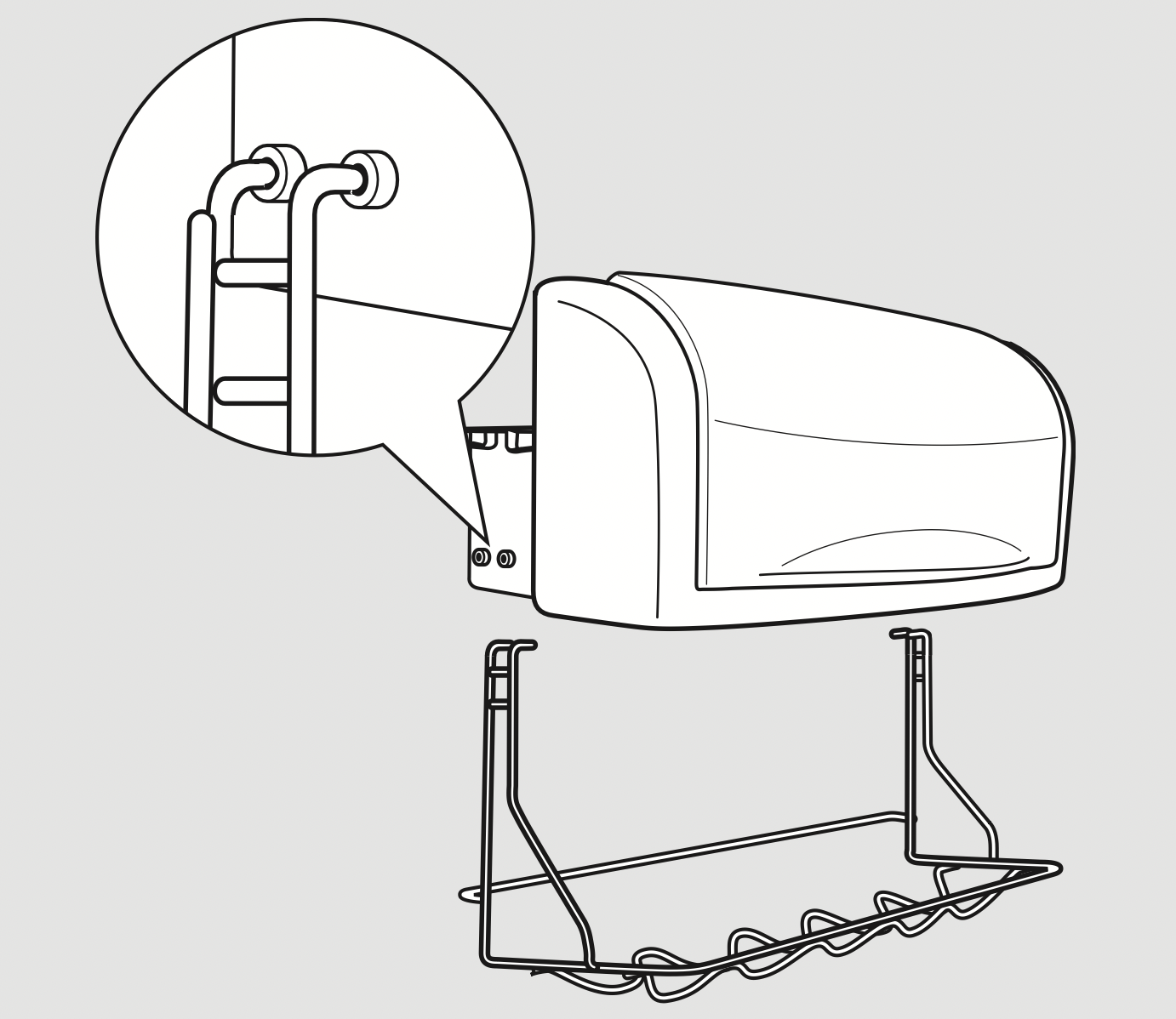
To remove:
- Empty the wine/beverage rack.
- Holding the bottom of the dairy bin, lift the front straight up, then lift up and out.
- To detach the rack from the dairy bin, pull the rack’s side wires out of the holes on each side of the dairy bin.
To replace:
- Reattach the rack to the sides of the bin.
- Engage the back side of the bin in the molded supports on the door. Then push down on the front of the bin. The bin will lock into place.
About the refrigerator doors.
Refrigerator Doors
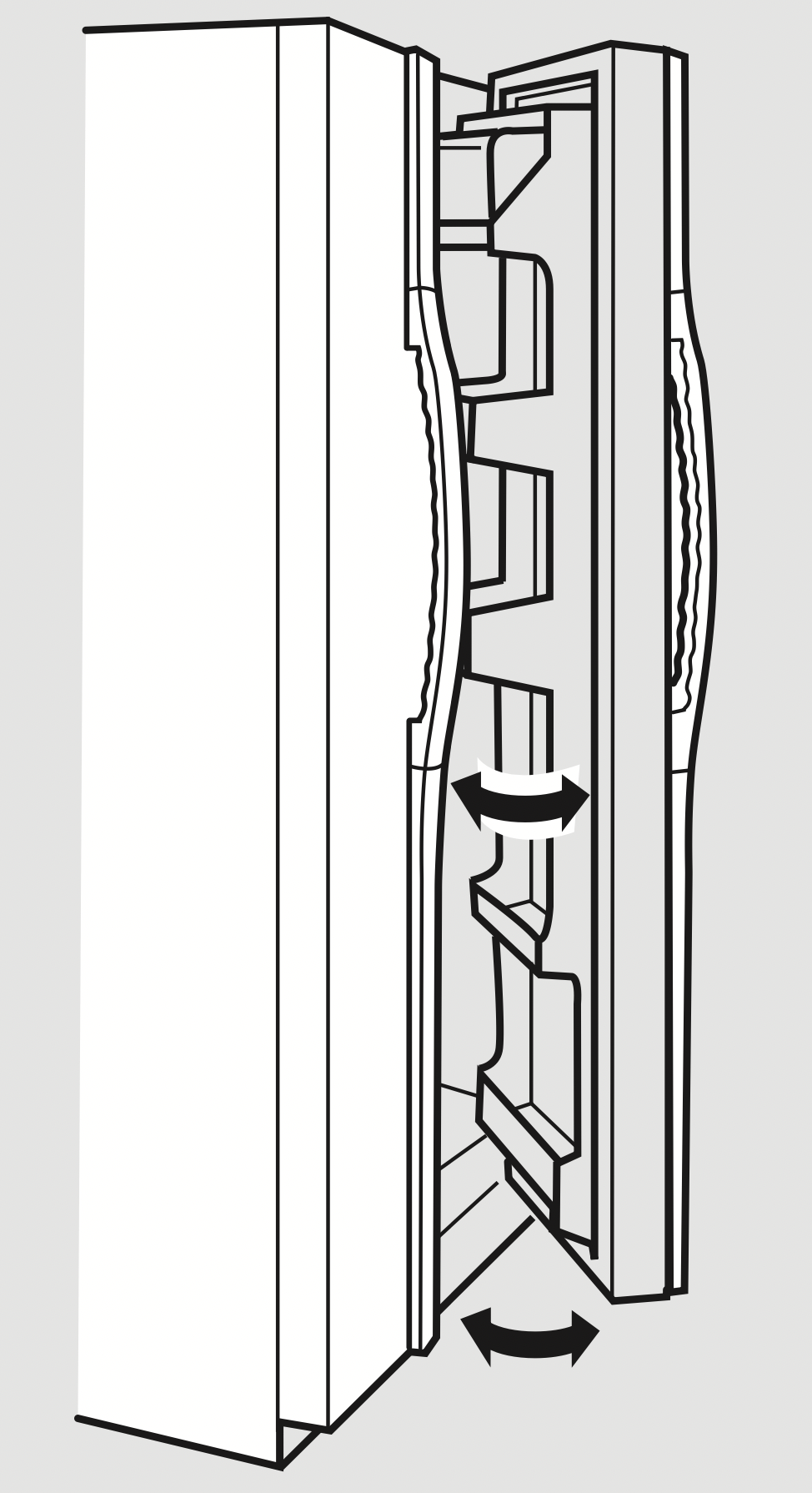
When the door is only partially open, it will automatically close.
Beyond this stop the door will stay open.
The refrigerator doors may feel different than the ones you are used to. The special door opening/closing feature makes sure the doors close all the way and are securely sealed.
When opening and closing the door, you will notice a stop position. If the door is opened past this stop point, the door will remain open to allow you to load and unload food more easily. When the door is only partially open, it will automatically close.
The resistance you feel at the stop position will be reduced as the door is loaded with food.
Door Alignment
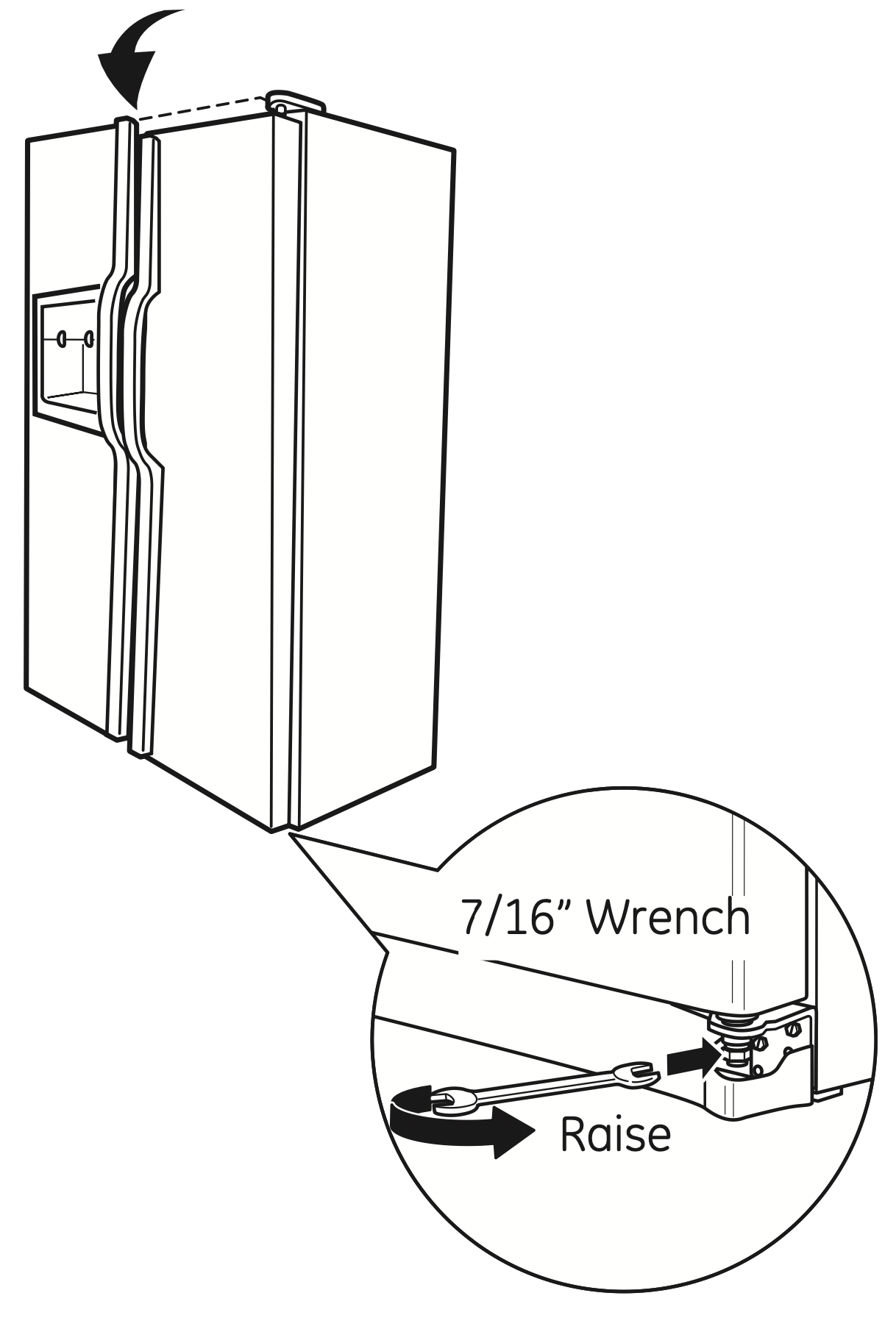
If doors are uneven, adjust the refrigerator door.
- Using a 7/16” wrench, turn the door adjusting screw to the right to raise the door, to the left to lower it. (A nylon plug, imbedded in the threads of the pin, prevents the pin from turning unless a wrench is used.)
- After one or two turns of the wrench, open and close the refrigerator door and check the alignment at the top of the doors.
About the crispers and pans.
Not all features are on all models.
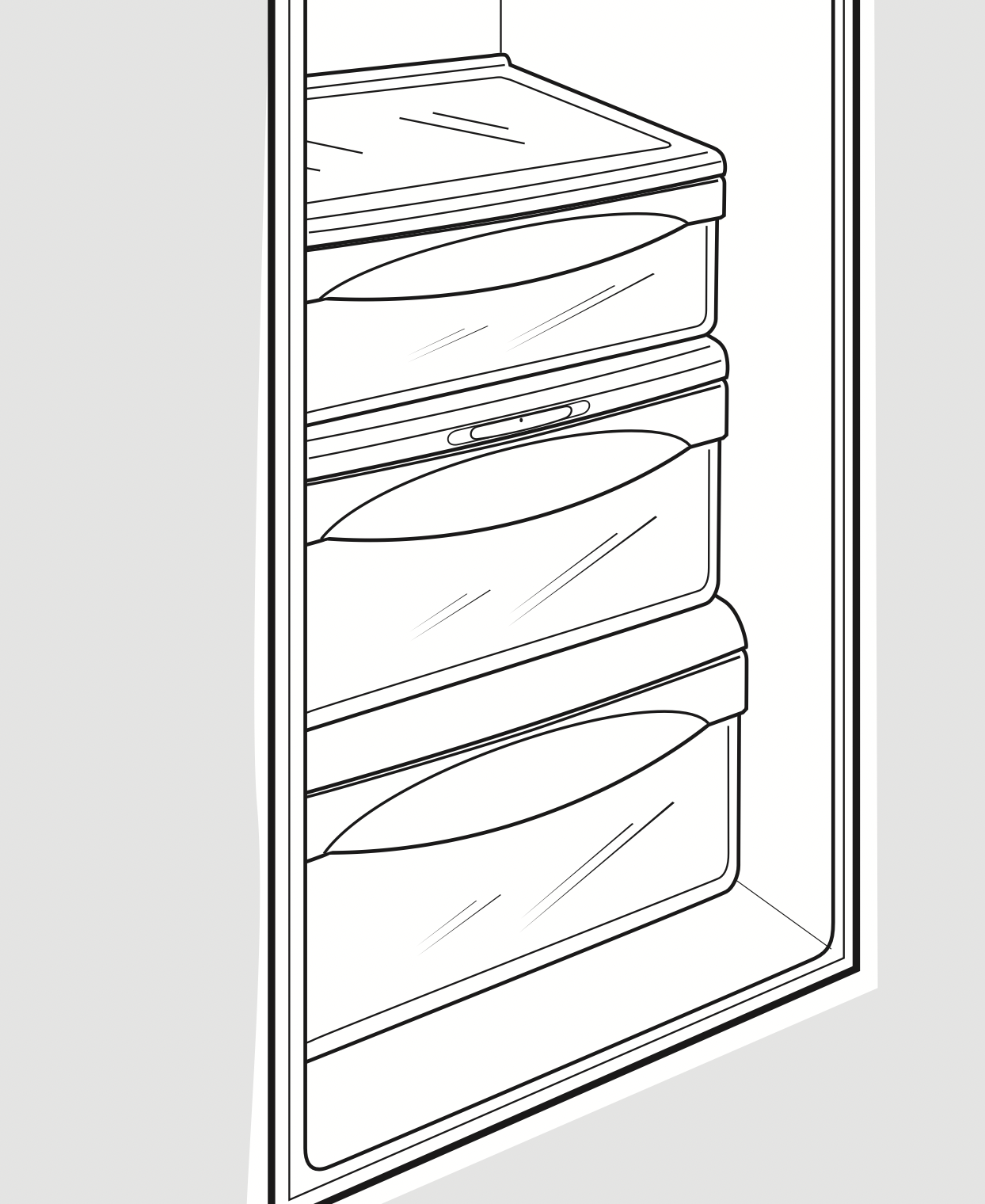
Fruit and Vegetable Crispers
Excess water that may accumulate in the bottom of the drawers should be wiped dry.
On some models, the bottom drawer has full extension slides that allow full access to the drawer.
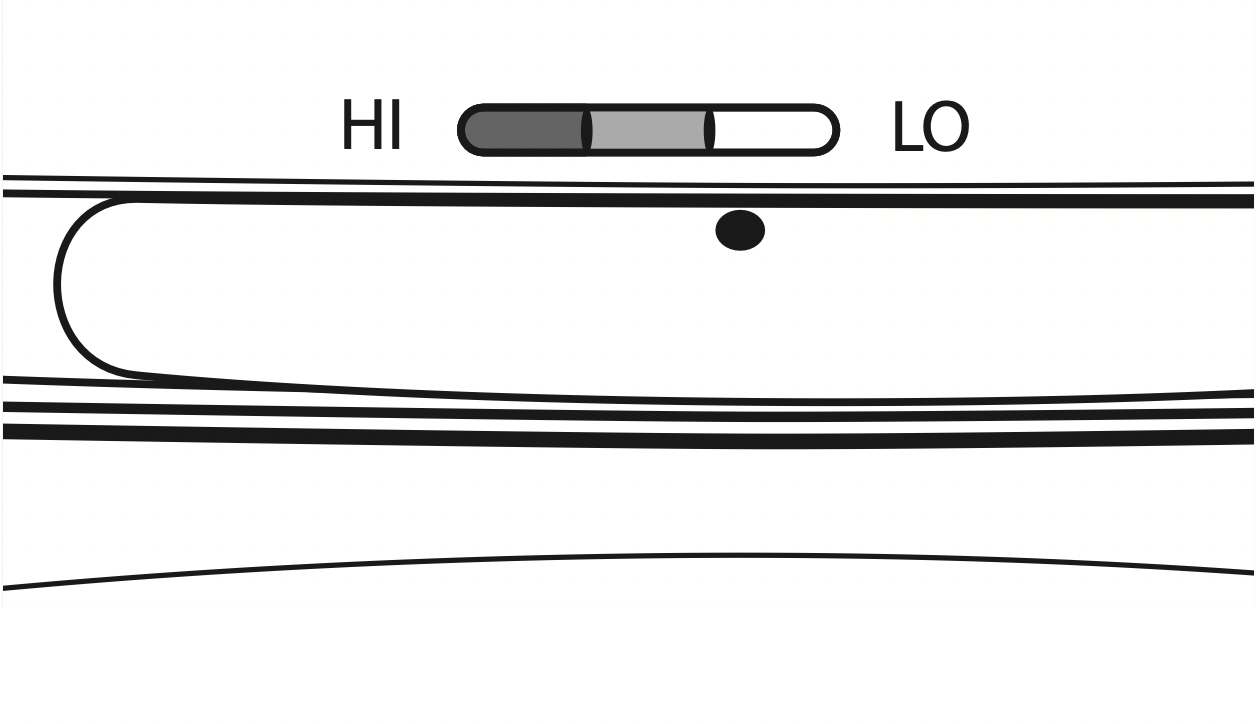
Adjustable Humidity Crispers
Slide the control all the way to the HI setting to provide high humidity recommended for most vegetables.
Slide the control all the way to the LO setting to provide lower humidity levels recommended for most fruits.
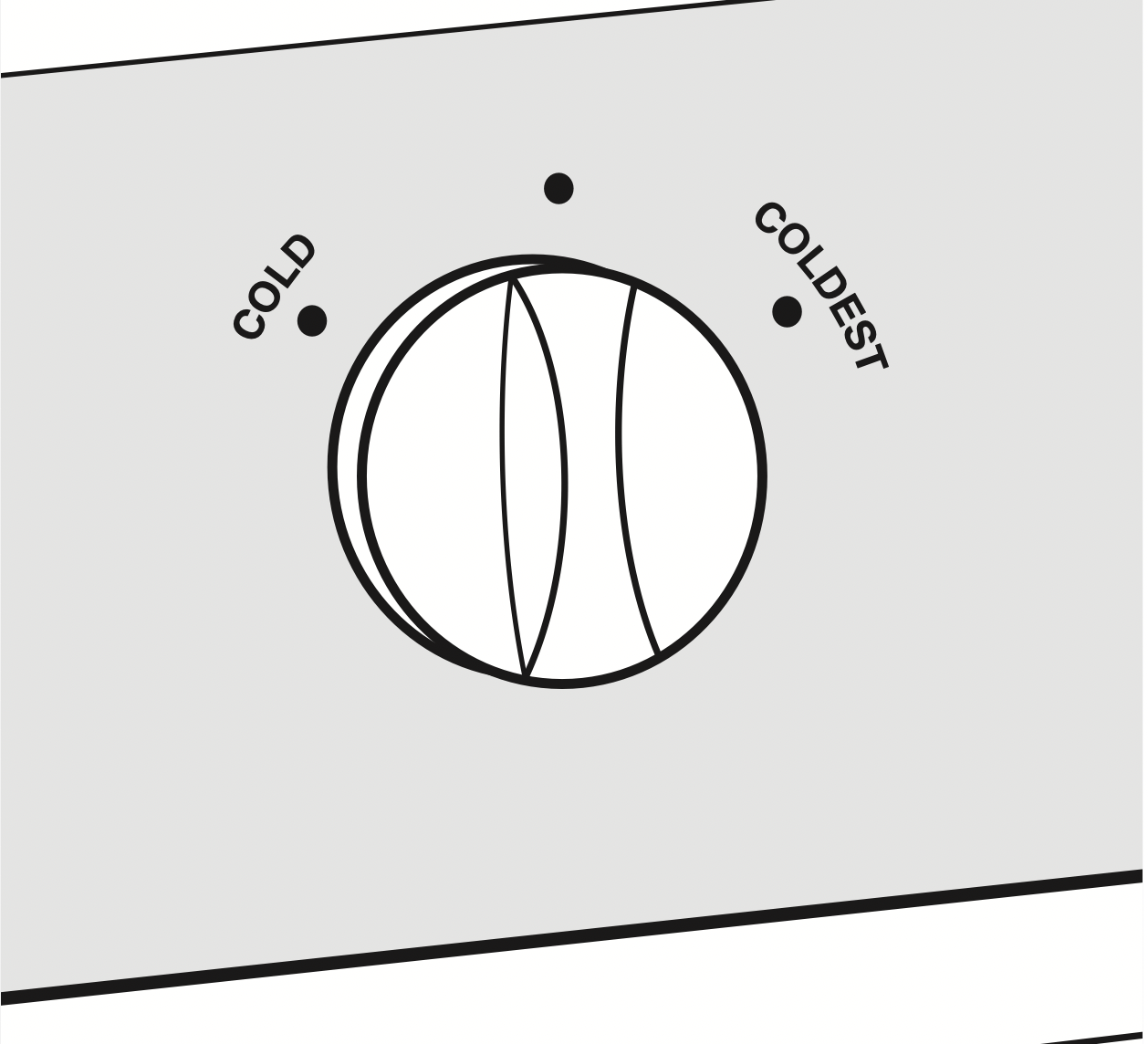
Convertible Deli Pan
The convertible deli pan has its own cold air duct to allow a stream of cold air from the freezer compartment or fresh food compartment to flow to the pan.
The variable temperature control regulates the air flow from the Climate Keeper Air Tower.
Set the control to the coldest setting to store fresh meats.
Set the control to cold to convert the pan to normal refrigerator temperature and provide extra vegetable storage space. The cold air duct is turned off. Variable settings between these extremes can be selected.
About crisper removal.
Not all features are on all models.
Crisper Removal
Crispers can easily be removed by pulling the drawer straight out and lifting the drawer up and over the stop location.
If the door prevents you from taking out the drawers, first try to remove the door bins.
If this does not offer enough clearance, the refrigerator will need to be rolled forward until the door opens enough to slide the drawers out. In some cases, when you roll the refrigerator out, you will need to move the refrigerator to the left or right as you roll it out.
About the automatic ice maker.
A newly installed refrigerator may take 12 to 24 hours to begin making ice.
Automatic Ice maker
The ice maker will produce seven cubes per cycle approximately 100–130 cubes in a 24-hour period, depending on freezer compartment temperature, room temperature, number of door openings and other use conditions.
If the refrigerator is operated before the water connection is made to the ice maker, set the power switch in the OFF position.
When the refrigerator has been connected to the water supply, set the power switch to the ON position.
The ice maker will fill with water when it cools to 15°F (–10°C). A newly installed refrigerator may take 12 to 24 hours to begin making ice cubes.
You will hear a buzzing sound each time the ice maker fills with water.
Throw away the first few batches of ice to allow the water line to clear.
Be sure nothing interferes with the sweep of the feeler arm.
When the bin fills to the level of the feeler arm, the ice maker will stop producing ice. It is normal for several cubes to be joined together.
If ice is not used frequently, old ice cubes will become cloudy, taste stale and shrink.
Special note about dispenser models:
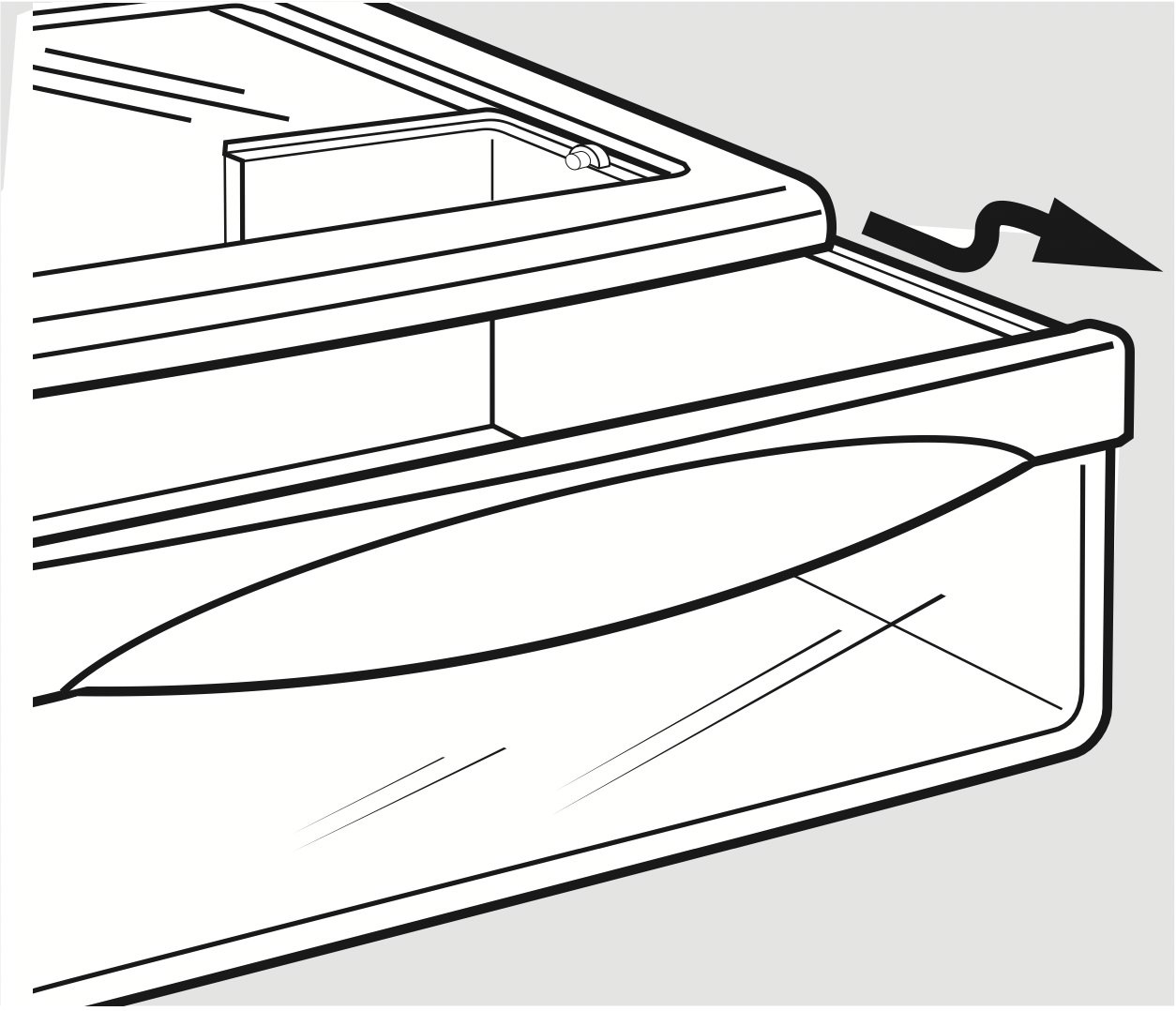
- Some models have a tilt-out ice bin. The bin can be tilted out as shown in the illustrations, and it will hold itself up while you take ice out or turn the ice maker power switch on and off. Be sure to put the bin back in place before closing the door.
- To restore your ice level from an empty bucket stage, the following steps are recommended:
- 12 hours after the first batch of ice has fallen into the bin, dispense 3 to 4 cubes.
- After an additional 6 hours, dispense 3 to 4 cubes again.
These steps will restore your ice level in the shortest amount of time.
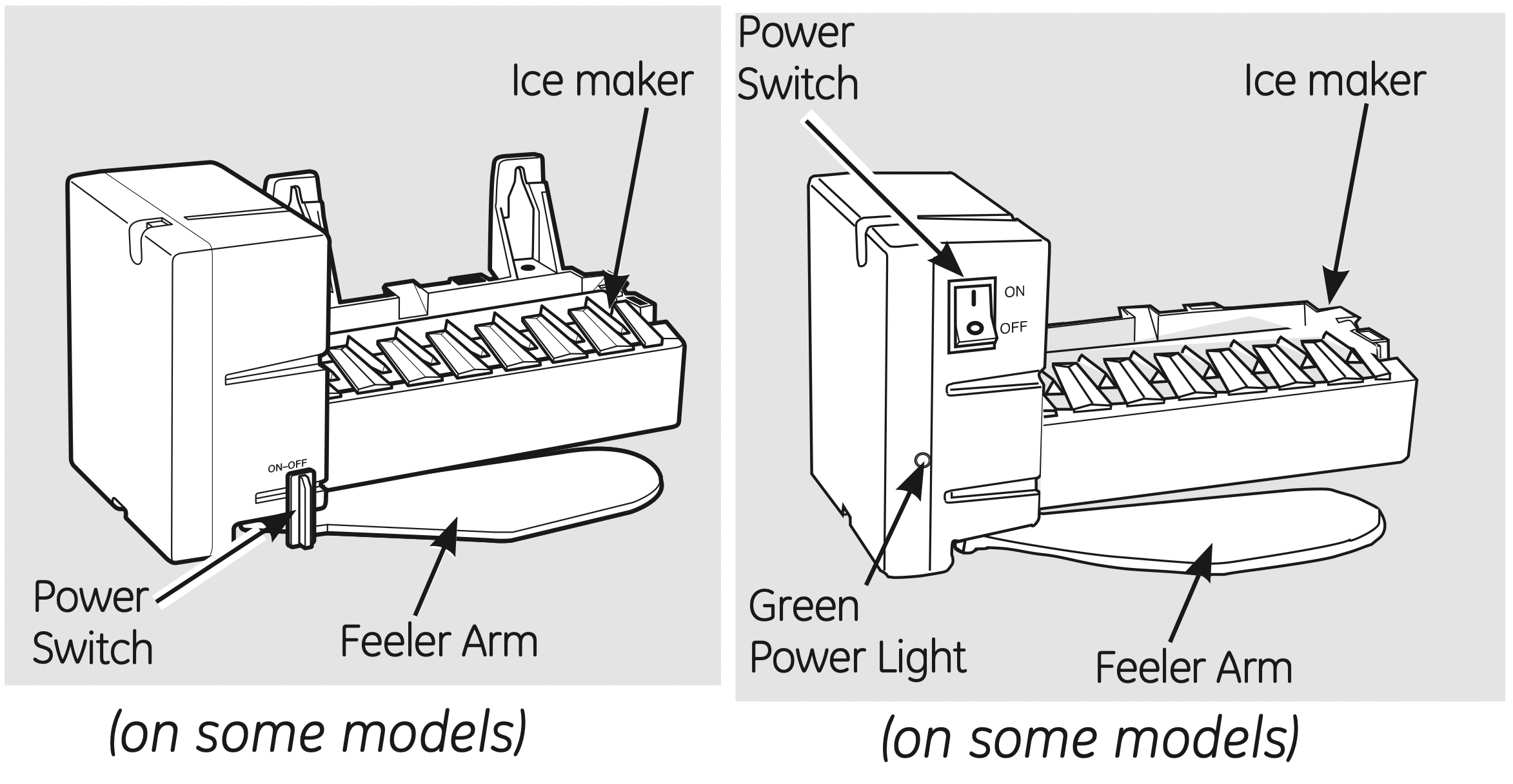
NOTE: In homes with lower than average water pressure, you may hear the ice maker cycle multiple times when making one batch of ice.
Accessing Ice and Reaching the Power Switch on Dispenser Models
There are two types of ice storage bins on dispenser models. One has a shelf above the bin, the other does not.
Special note for models with tilt-out ice bin: These models have a tilt-out ice bin. The bin can be tilted out as shown in the illustrations, and it will hold itself up while you take ice out or turn the icemaker power switch on and off. Be sure to put the bin back in place before closing the door.
NOTE: In order to take full advantage of the tilt-out ice bin, only store items on the shelf below the ice bin that are no taller than the lowest point on the bin.
Models with a shelf above the ice bin
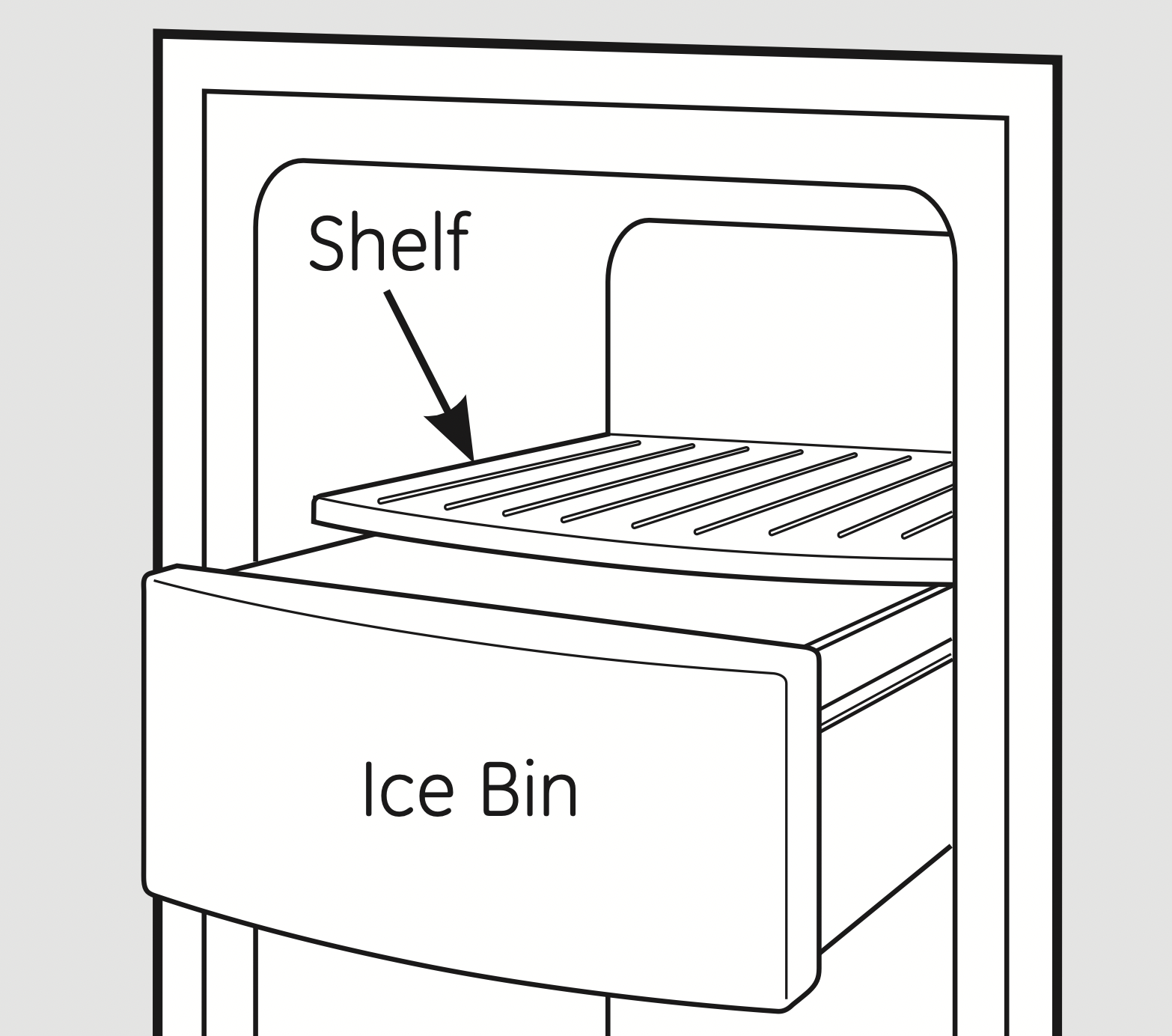
To access ice, pull the bin forward.
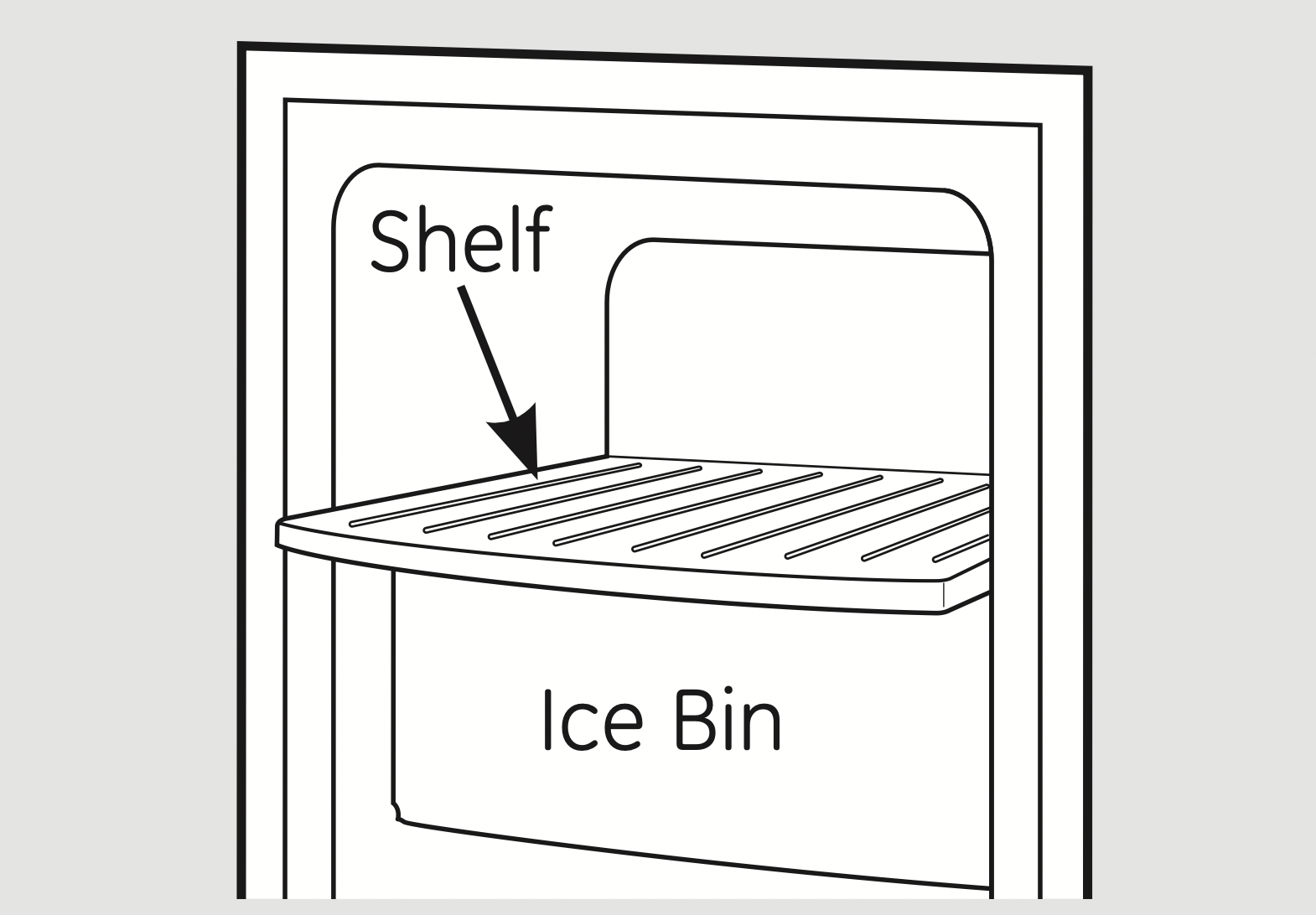
To reach the power switch, pull the shelf straight out. Always be sure to replace the shelf.
Models with tilt out ice bin
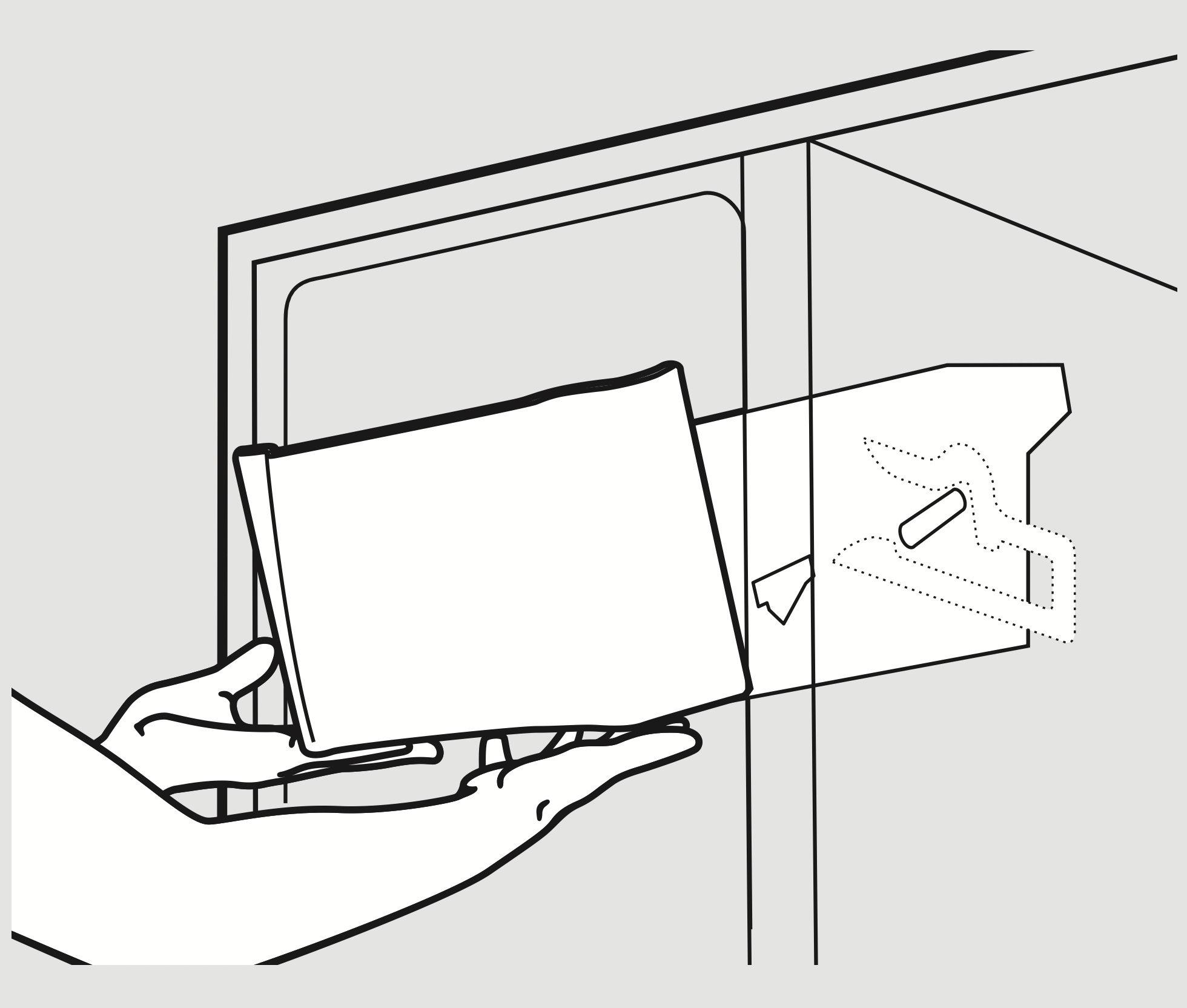
To access ice and reach the icemaker power switch:
- Lift the bin, then pull it forward until the bin stops.
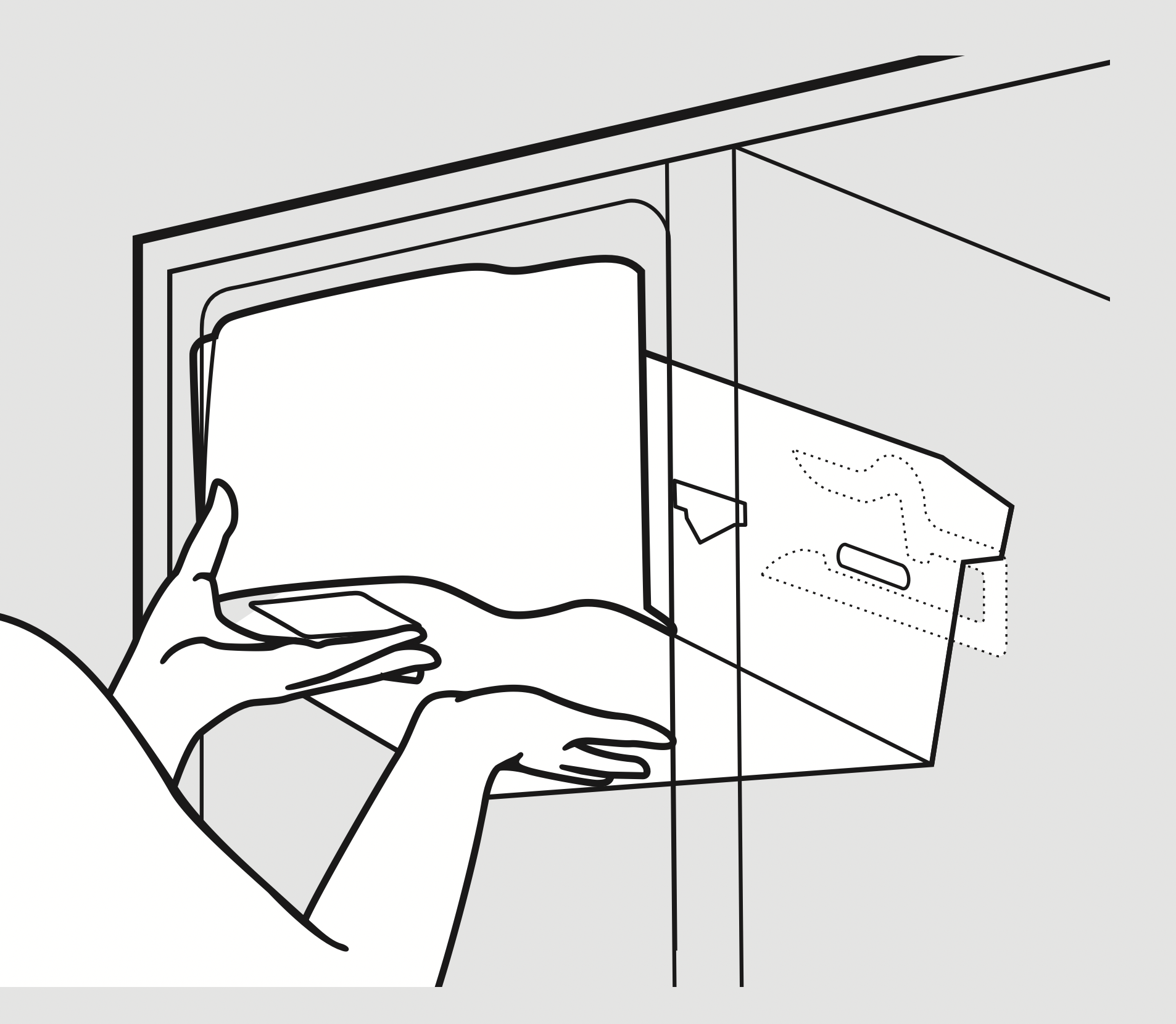
- Lower the bin to access ice or reach the power switch.
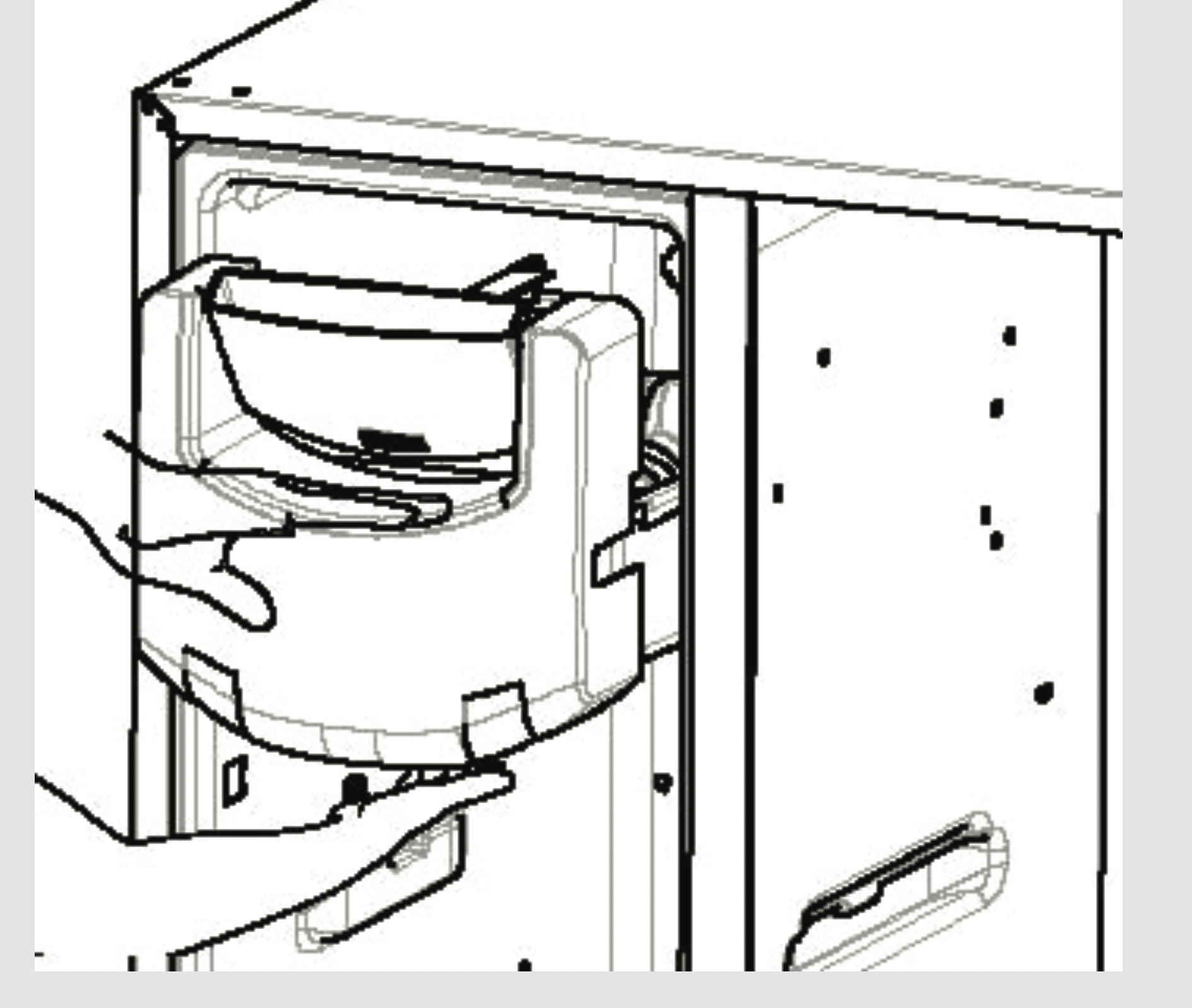
On some models, to access ice or reach the power switch:
- Pull the bin forward until the bin stops.
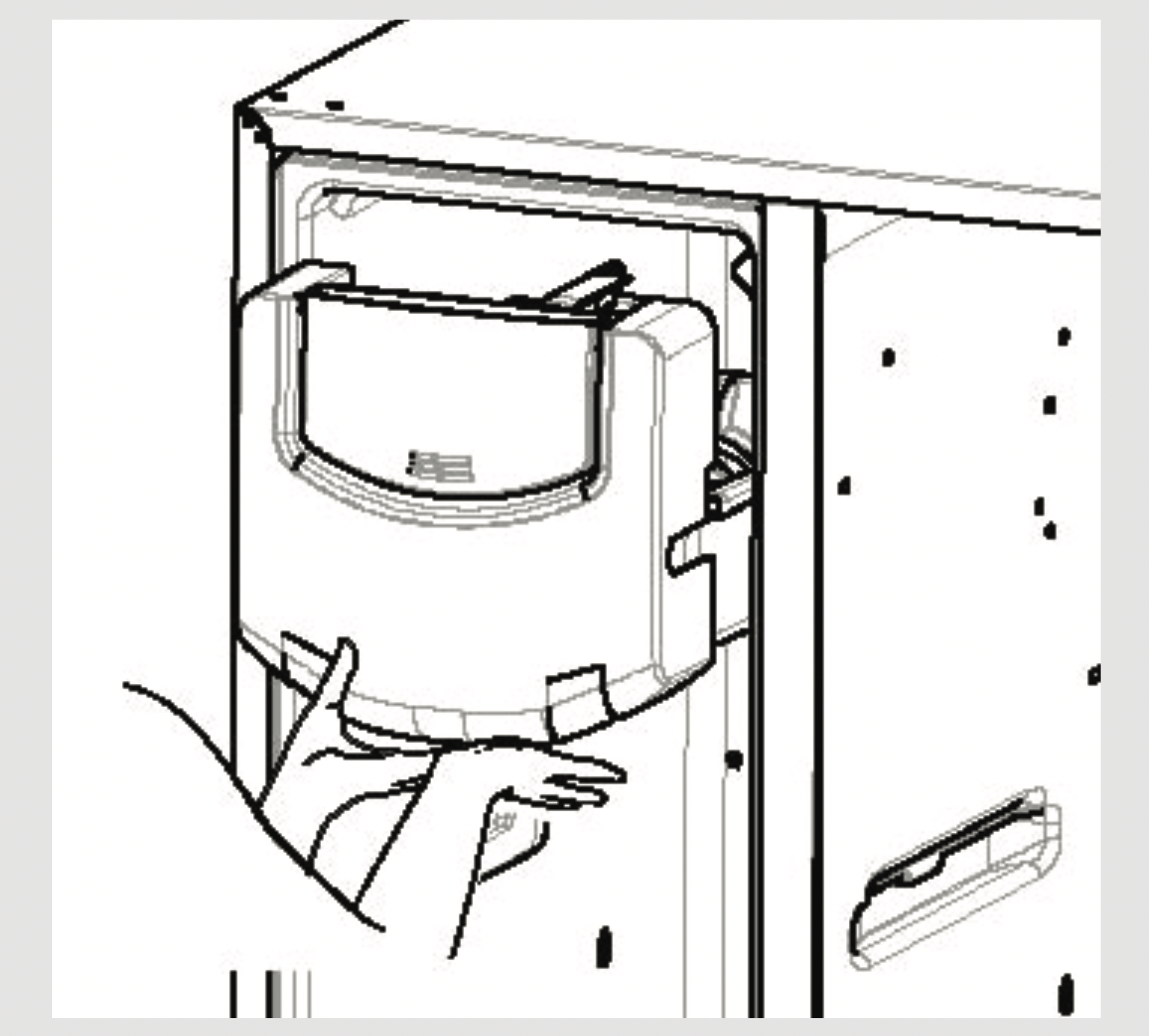
- Lower the bin to access ice or reach the power switch.
Removing Ice Bin (dispenser models)
CAUTION: The ice bin is heavy when full.
Set the power switch to the OFF position before removing the bin.
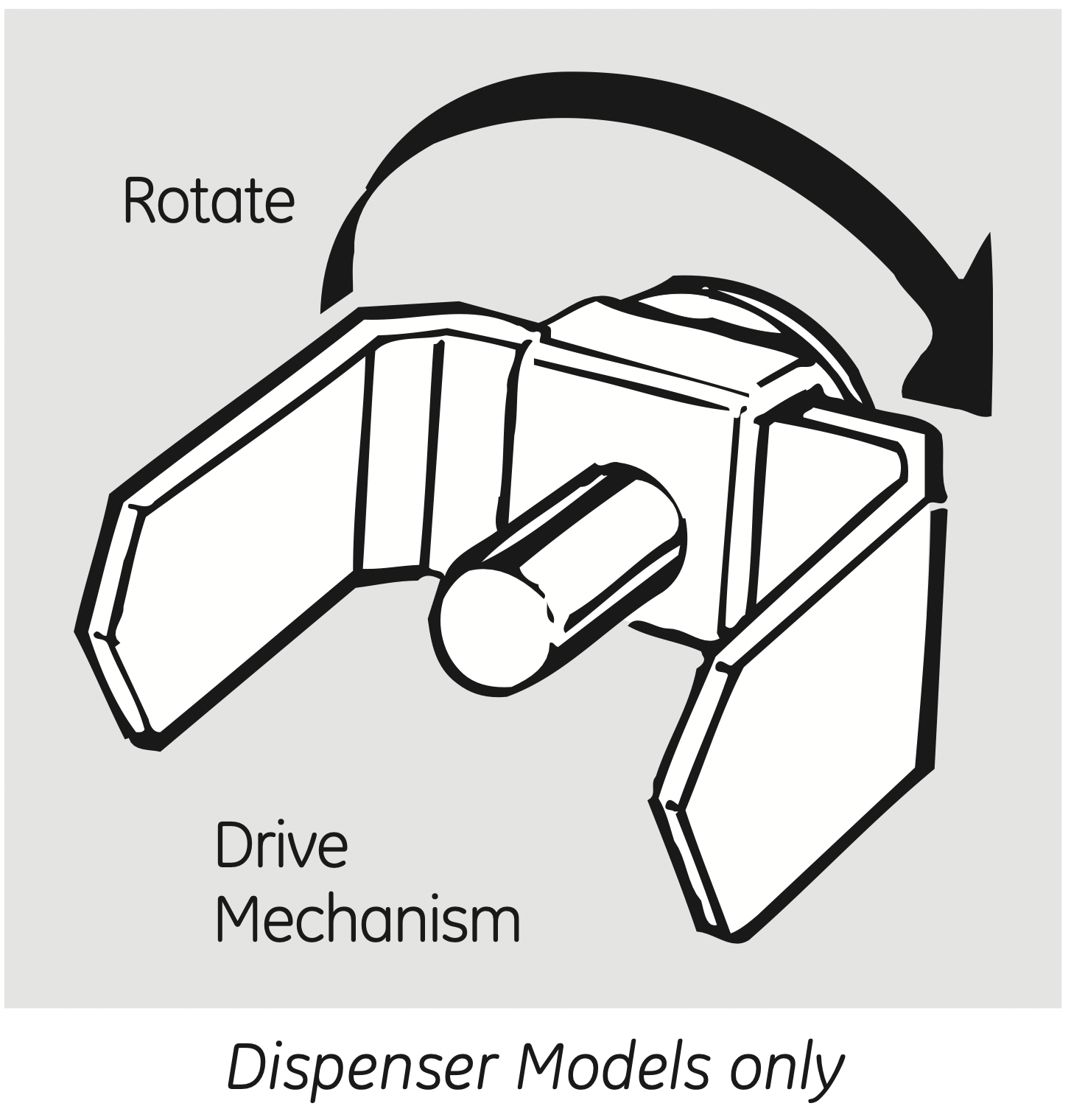
When replacing the bin, be sure to press it firmly into place. If it does not go all the way back, remove it and rotate the drive mechanism 1/4 turn. Then push the bin back again.
About the ice and water dispenser. (on some models)
To Use the Dispenser
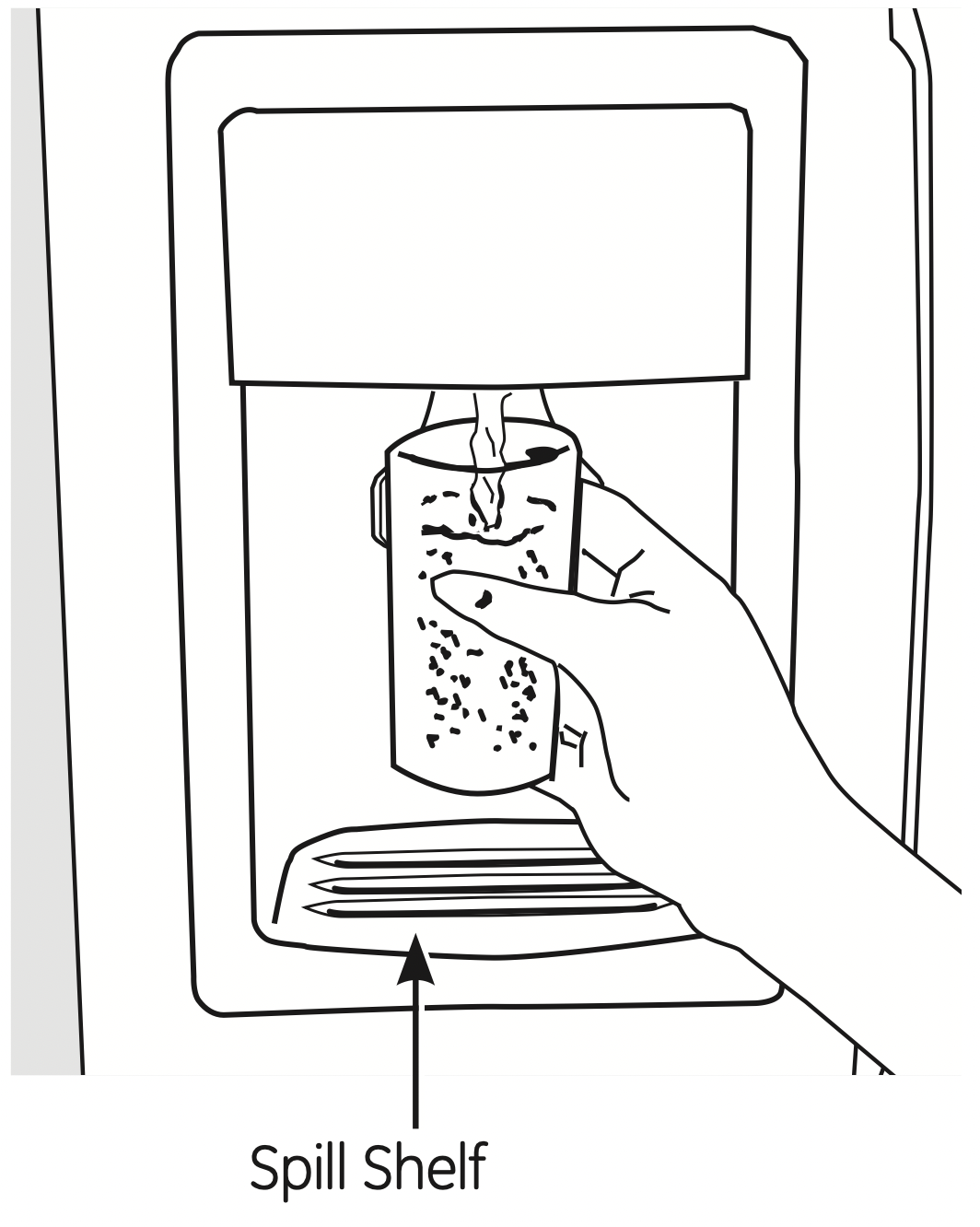
Select CUBED, CRUSHED or WATER.
Press the glass gently against the top of the dispenser cradle.
The spill shelf is not self-draining. To reduce water spotting, the shelf and its grille should be cleaned regularly.
If no water is dispensed when the refrigerator is first installed, there may be air in the water line system. Press the dispenser arm for at least two minutes to remove trapped air from the water line and to fill the water system. To flush out impurities in the water line, throw away the first six glassfuls of water.
CAUTION: Never put fingers or any other objects into the ice crusher discharge opening.
Locking the Dispenser
Press the LOCK or LOCK CONTROLS pad for 3 seconds to lock the dispenser and control panel. To unlock, press and hold the pad again for 3 seconds.
Dispenser Light
The LIGHT pad turns the night light in the dispenser on and off. The light also comes on when the dispenser cradle is pressed. For models with a bulb, if the light burns out, it should be replaced with a 6 watt 12V maximum bulb. For LED models contact Factory Service.
Door Alarm
Use Door Alarm to sound if either door is open for more than 3 minutes. The alarm will stop once the door is closed. For LCD models, a popup screen will appear. The alarm can be silenced by touching the LCD screen.
Touch LED Dispenser Control:
Press the SET FEATURES pad once and DOOR ALARM will blink. Press ON/OFF and the door alarm will be set and the icon will turn solid. Press ON/OFF again to turn the alarm off.
Door Alarm (on Tactile LED Dispenser Control model)
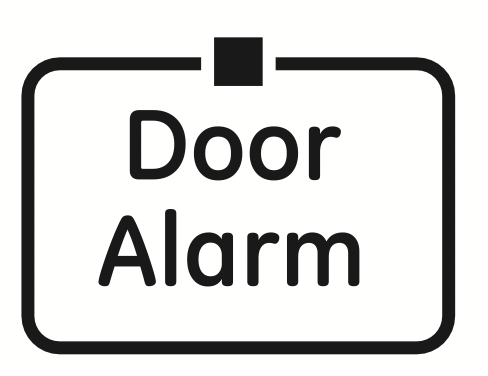
To set the alarm, press this pad until the indicator light comes on. This alarm will sound if either door is open for more than 3 minutes. The light goes out and the beeping stops when you close the door.
Quick Ice
When you need to speed up ice production, use the Quick Ice feature. While this feature is turned on, the freezer fan runs continuously for 48 hours, or until the feature is turned OFF. During this period, ice production will increase up to 40%. Models with the integrated ice feature system require at FIRST USE at least half an 8 oz. glass of ice to be dispensed every 6 to 12 hours. This will help the ice maker fill the bucket properly so that dispensing is better.
How to Use
Touch LED Dispenser Control:
Press the SET FEATURES pad twice and QUICK ICE will blink. Press ON/OFF to turn the feature on, then again to turn it off.
Quick Ice (on Tactile LED Dispenser Control model)
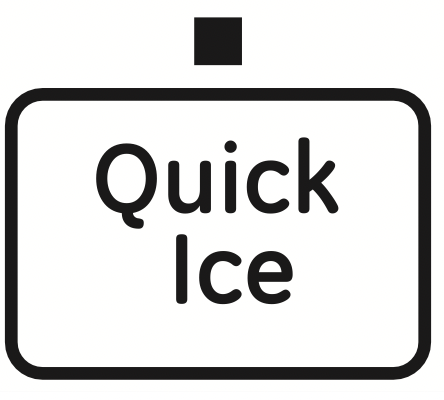
When you need ice in a hurry, press this pad to speed up ice production. This will increase ice production for the following 48 hours or until you press the pad again.
Precise Fill (on some models)
This water dispenser is equipped with a feature called “precise fill.” This feature allows you to choose a precise amount of water (cups or ounces) that you would like dispensed. Pints and Liters are also available for LCD models.
Touch LED Dispenser Control
- Press the PRECISE FILL CUPS/OZ pad.
The WATER pad will light and the CRUSHED and CUBED ice pads will turn off. The last unit used will be displayed.
- Press the PRECISE FILL pad again to toggle between cups and ounces.
If you selected OUNCES, press the or pad to select the number of ounces you would like to have dispensed between 2–99 ounces.
The default is 8 ounces.
If you selected CUPS, press the or pad to select the amount you would like to have dispensed. They are displayed as 1/4, 1/3, 1/2, 2/3 and 3/4, with the highest amount being 16 3/4 cups. The default is 1 cup.
- Press the cup against the cradle and water will begin dispensing. It will automatically stop when the amount set has been dispensed. The display will show the amount of water dispensed, beep, then reset after 5 seconds.
NOTE: Do not leave the dispenser unattended when water is being dispensed.
- If you would like to stop dispensing water before the specified amount has been dispensed, just remove the cup from the cradle. The display will show the amount that has been dispensed for 5 seconds. If the cup switch is pressed again within that time, the dispenser will continue up to the set amount. If not, the display will return to the set amount.
Important Facts About Your Dispenser
- Do not add ice from trays or bags to the storage drawer. It may not crush or dispense well.
- Avoid overfilling glass with ice and use of narrow glasses. Backed-up ice can jam the chute or cause the door in the chute to freeze shut. If ice is blocking the chute, poke it through with a wooden spoon.
- Beverages and foods should not be quick-chilled in the ice storage drawer. Cans, bottles or food packages in the storage drawer may cause the ice maker or auger to jam.
- To keep dispensed ice from missing the glass, put the glass close to, but not touching, the dispenser opening.
- Some crushed ice may be dispensed even though you selected CUBED. This happens occasionally when a few cubes accidentally get directed to the crusher.
- After crushed ice is dispensed, some water may drip from the chute.
- Sometimes a small mound of snow will form on the door in the ice chute. This condition is normal and usually occurs when you have dispensed crushed ice repeatedly. The snow will eventually evaporate.
Care and cleaning of the refrigerator.
Cleaning the Outside
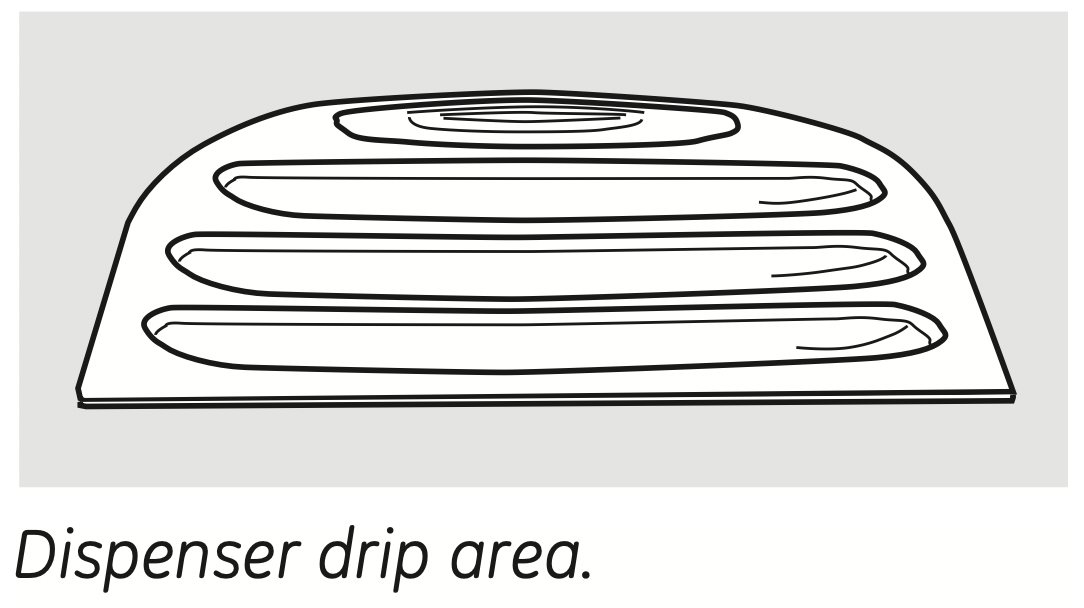
The dispenser drip area, beneath the grille, should be wiped dry. Water left in this area may leave deposits. Remove the deposits by adding undiluted vinegar to the well. Soak until the deposits disappear or become loose enough to rinse away.
The dispenser cradle. Before cleaning, lock the dispenser by pressing and holding the LOCK or LOCK CONTROLS pad for 3 seconds. Clean with warm water and FEOMRK�WSHE�WSPYXMSR´EFSYX�E�XEFPIWTSSR� (15 ml) of baking soda to a quart (1 liter) of water. Rinse thoroughly and wipe dry.
The door handles and trim. Clean with a cloth dampened with soapy water. Dry with a soft cloth.
The stainless steel panels and door handles (on some models) can be cleaned with a commercially available stainless steel cleaner. A spray-on stainless steel cleaner works best.
Do not use appliance wax or polish on the stainless steel.
Keep the outside clean. Wipe with a clean cloth lightly dampened with kitchen appliance wax or mild liquid dish detergent. Dry and polish with a clean, soft cloth.
Do not wipe the refrigerator with a soiled dish cloth or wet towel. These may leave a residue that can erode the paint. Do not use scouring pads, powdered cleaners, bleach or cleaners containing bleach because these products can scratch and weaken the paint finish.
Cleaning the Inside
To help prevent odors, leave an open box of baking soda in the fresh food and freezer compartments.
Unplug the refrigerator before cleaning.
If this is not practical, wring excess moisture out of sponge or cloth when cleaning around switches, lights or controls.
Use warm water and baking soda solution - about a tablespoon (15 ml) of baking soda to a quart (1 liter) of water. This both cleans and neutralizes odors. Rinse and wipe dry.
Use of any cleaning solution other than that which is recommended, especially those that contain petroleum distillates, can crack or damage the interior of the refrigerator.
Avoid cleaning cold glass shelves with hot water because the extreme temperature difference may cause them to break. Handle glass shelves carefully. Bumping tempered glass can cause it to shatter.
Do not wash any plastic refrigerator parts in the dishwasher.
The chill/thaw tray is dishwasher safe.
Behind the Refrigerator
Be careful when moving the refrigerator away from the wall. All types of floor coverings can be damaged, particularly cushioned coverings and those with embossed surfaces.
Pull the refrigerator straight out and return it to position by pushing it straight in. Moving the refrigerator in a side direction may result in damage to the floor covering or refrigerator.
When pushing the refrigerator back, make sure you don’t roll over the power cord or ice maker supply line.
Preparing for Vacation
For long vacations or absences, remove food and unplug the refrigerator. Clean the interior with a baking soda solution of one tablespoon (15 ml) of baking soda to one quart (1 liter) of water. Leave the doors open.
Set the ice maker power switch to the O (off) position and shut off the water supply to the refrigerator.
If the temperature can drop below freezing, have a qualified servicer drain the water supply system to prevent serious property damage due to flooding.
Preparing to Move
Secure all loose items such as shelves and drawers by taping them securely in place to prevent damage.
When using a hand truck to move the refrigerator, do not rest the front or back of the refrigerator against the hand truck. This could damage the refrigerator. Handle only from the sides of the refrigerator.
Be sure the refrigerator stays in an upright position during moving.
Replacing the light bulbs. (on some models)
NOTE: Turning the refrigerator off via the controls on the touch panel does not shut off electrical power to the refrigerator or to the light circuit.
Refrigerator Compartment - Uper Light
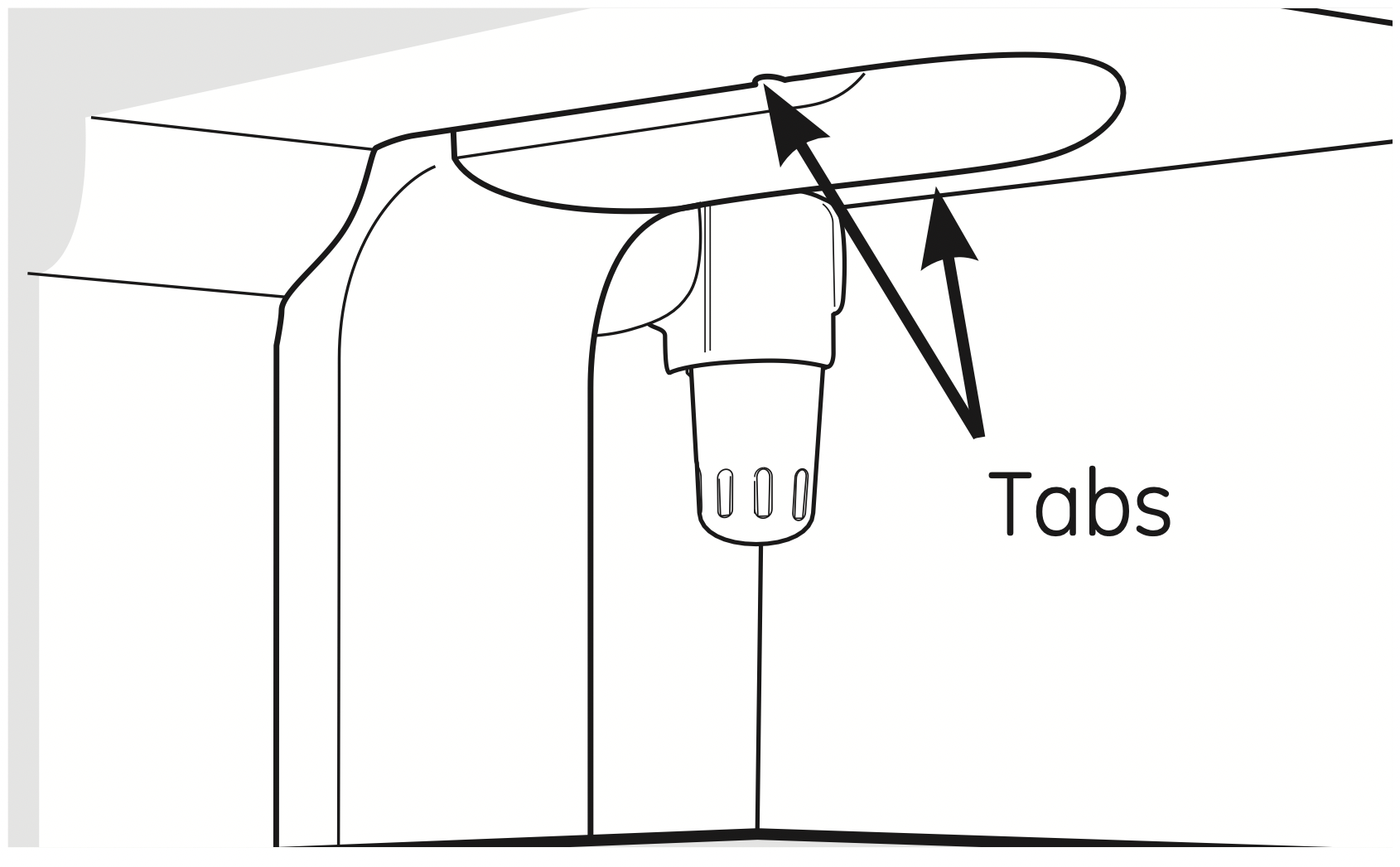
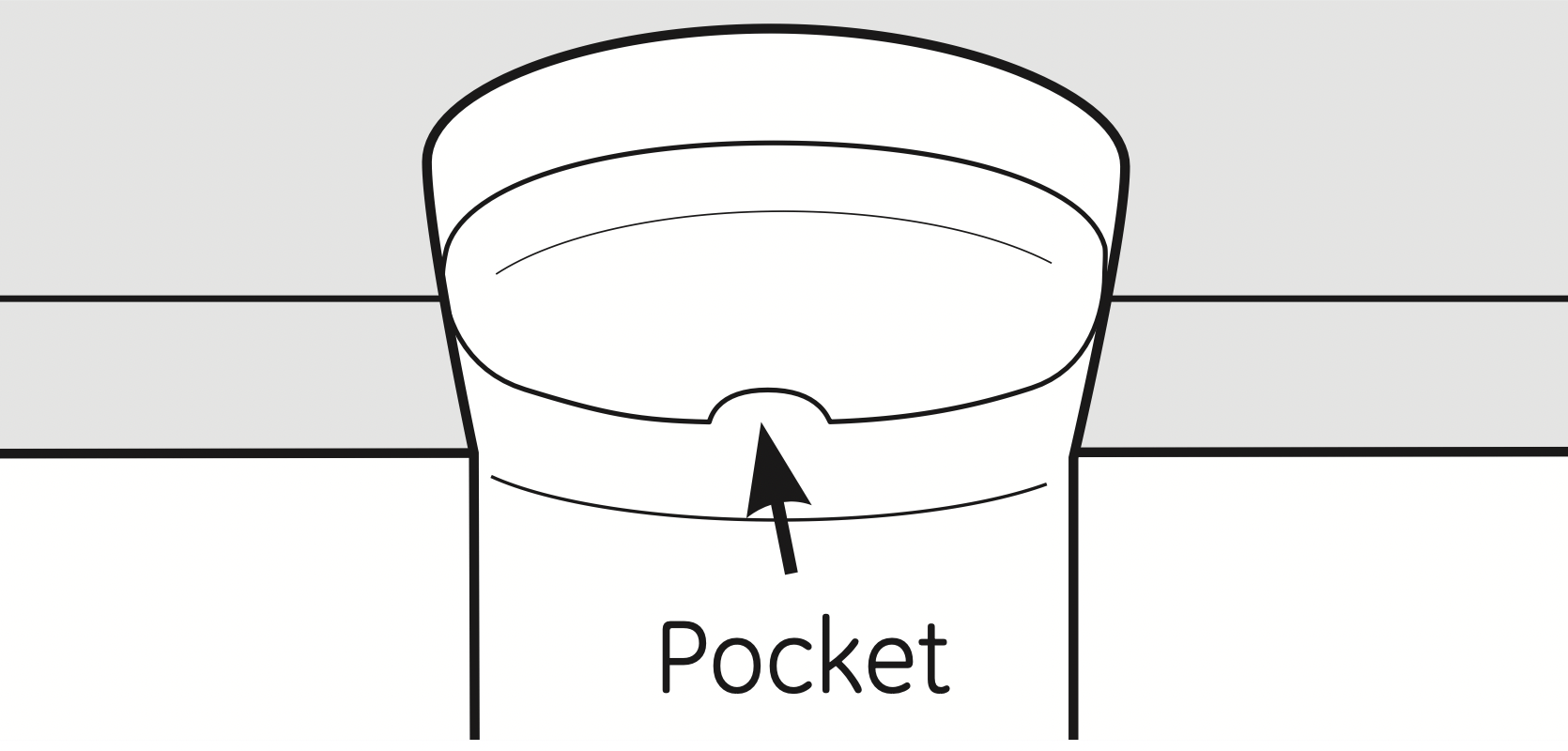
Your light shield will look like one of the following:
OR
- Unplug the refrigerator.
- The bulbs are located at the top of the compartment, inside the light shield. On some models, a screw at the front of the light shield will have to be removed. On other models, the screw is located in the pocket located at the back of the light shield.
- To remove the light shield, on some models, press in on the tabs on the sides of the shield and slide forward and out. On other models, just slide the shield forward and out.
- After replacing the bulb with an appliance bulb of the same or lower wattage, replace the light shield and screws (on some models). When replacing the light shield, make sure that the tabs at the back of the shield fit into the slots at the back of the light shield housing.
- Plug the refrigerator back in.
Refrigerator Compartment - Lower Light
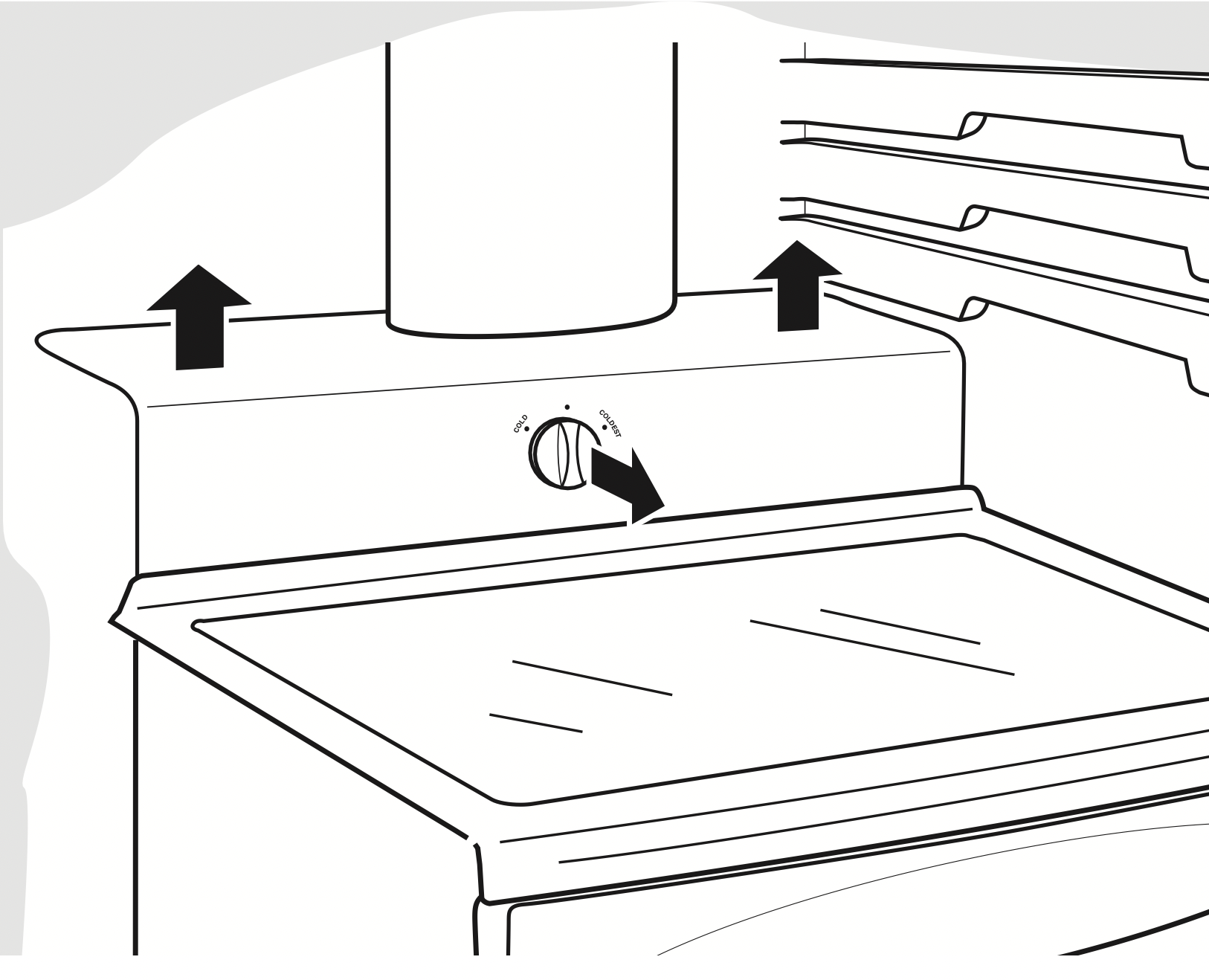
This light is located above the top drawer.
- Unplug the refrigerator.
- Remove the convertible meat drawer control knob by pulling straight out.
- Lift the light shield up and pull it out.
- After replacing the bulb with an appliance bulb of the same or lower wattage, replace the shield and the knob.
- Plug the refrigerator back in.
Freezer Compartment
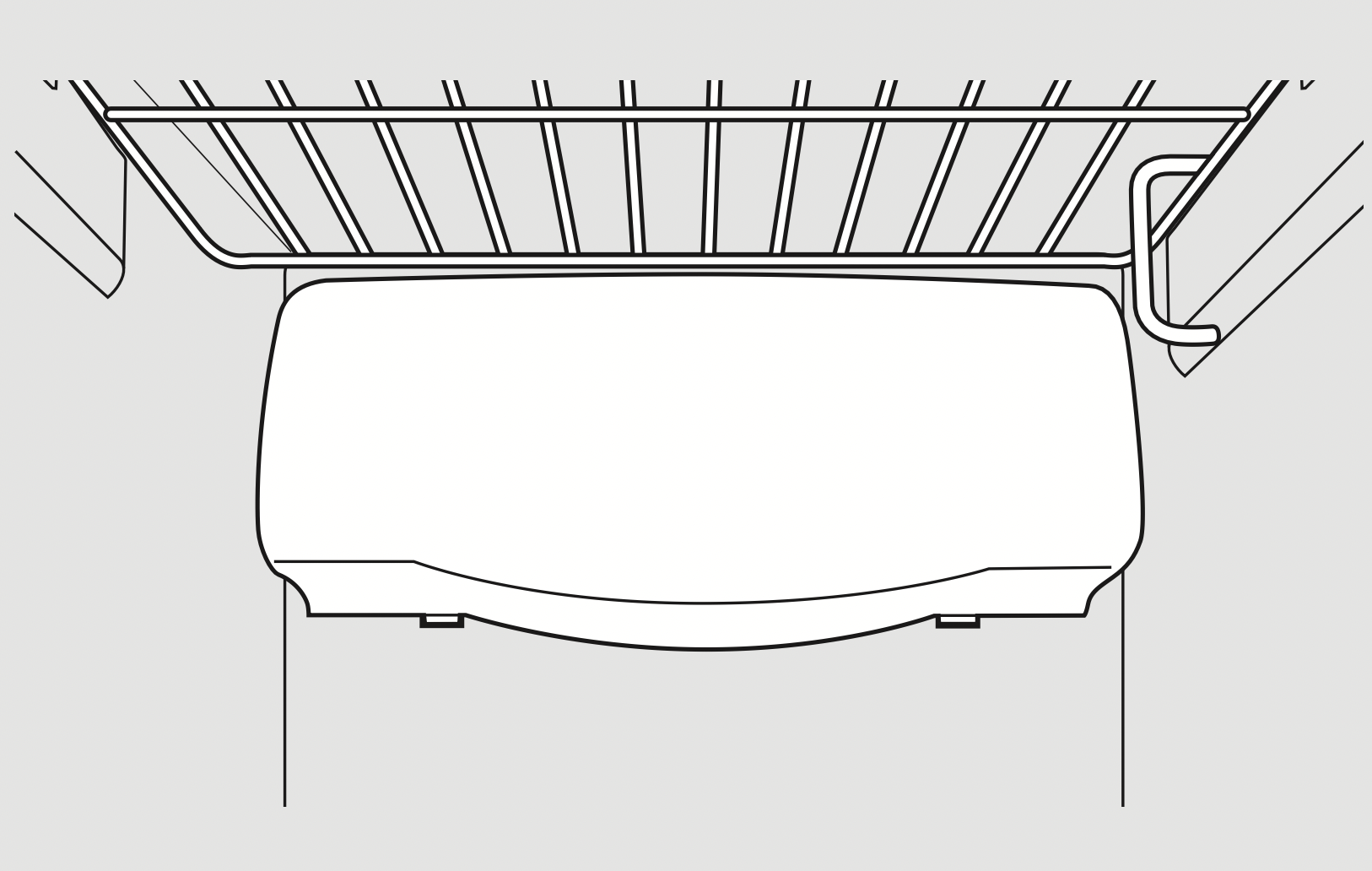
- Unplug the refrigerator.
- Remove the shelf just above the light shield. (The shelf will be easier to remove if it is emptied first.) On some models, a screw at the top of the light shield will need to be removed.
- To remove the light shield, press in on the sides, and lift up and out.
- Replace the bulb with an appliance bulb of the same or lower wattage, and reinstall the light shield. When reinstalling the light shield, make sure the top tabs snap securely into place. Replace the screw (on some models).
- Reinstall the shelf and plug the refrigerator back in.
Dispenser (on some models)
- Unplug the refrigerator.
- The bulb is located on the dispenser under the control panel. Remove the light bulb by turning it counterclockwise.
- Replace the bulb with a bulb of the same size and wattage.
- Plug the refrigerator back in.
Refrigerator Compartment (on models with LED lighting)
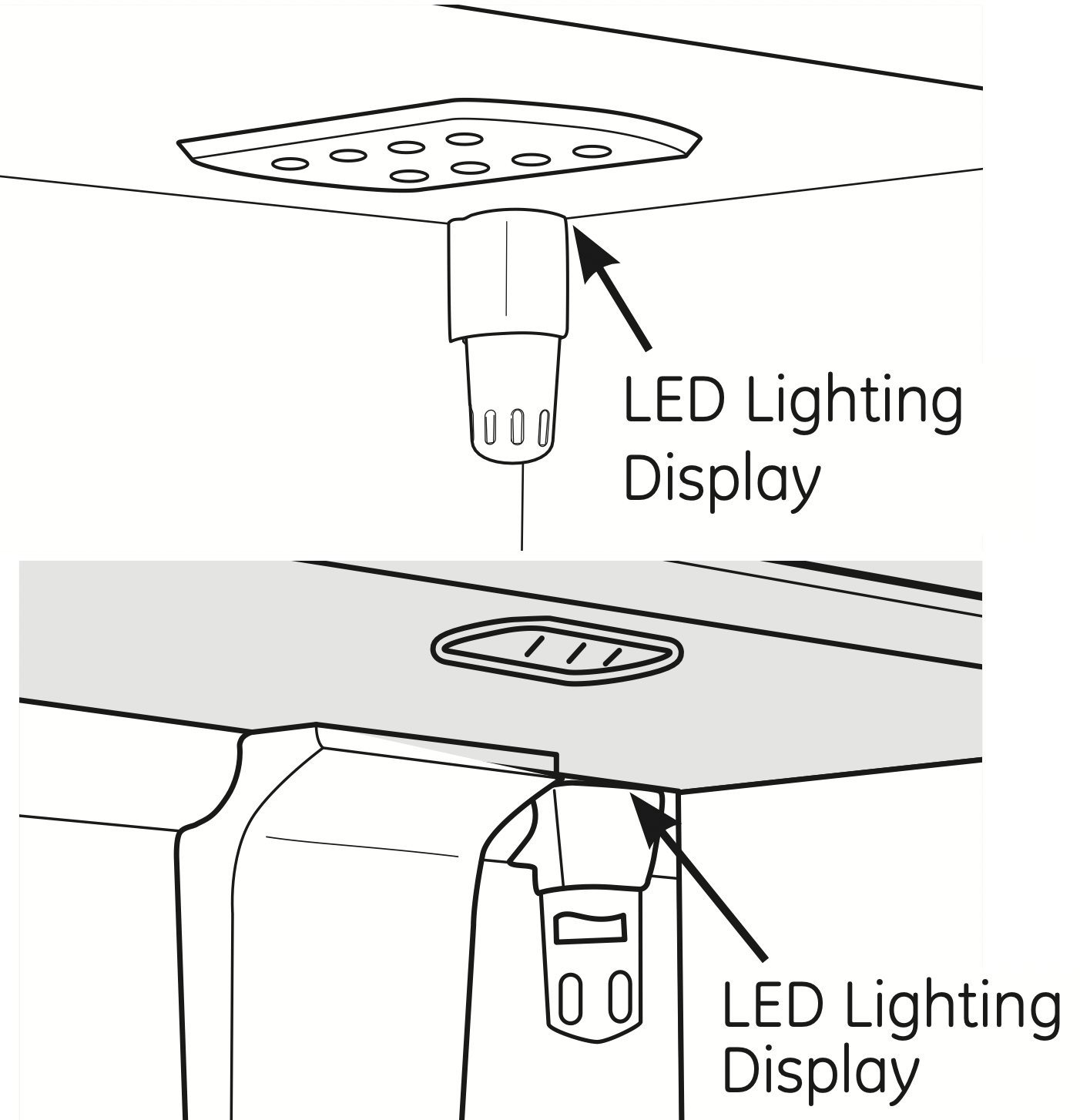
Some models may have LED lighting display on the top and/or sides of the fresh food compartment and in the rear and side of the freezer compartment
Troubleshooting
| Problem |
Possible Causes |
What To Do |
| Refrigerator does not operate |
Refrigerator in defrost cycle. |
- Wait about 30 minutes for defrost cycle to end.
|
| Either or both controls set to OFF. |
- Set the controls to a temperature setting.
|
| Refrigerator is unplugged. |
- Push the plug completely into the outlet.
|
| The fuse is blown/circuit breaker is tripped. |
- Replace fuse or reset the breaker.
|
| The refrigerator is in showroom mode. |
- Unplug the refrigerator and plug it back in.
|
|
Vibration or rattling (slight vibration is normal)
|
Rollers need adjusting. |
|
|
Motor operates for long periods or cycles on and off frequently. (Modern refrigerators with more storage space and a larger freezer require more operating time. They start and stop often to maintain even temperatures.)
|
Normal when refrigerator is first plugged in.
|
- Wait 24 hours for the refrigerator to completely cool down.
|
|
Often occurs when large amounts of food are placed in refrigerator.
|
|
| Door left open. |
- Check to see if package is holding door open.
|
|
Hot weather or frequent door openings.
|
|
|
Temperature controls set at the coldest setting.
|
|
| Refrigerator or freezer compartment too warm |
Temperature control not set cold enough.
|
|
|
Warm weather or frequent door openings.
|
- Set the temperature control one step colder. See About the controls.
|
| Door left open. |
- Check to see if package is holding door open.
|
| Frost or ice crystals on frozen food (frost within package is normal) |
Door left open. |
- Check to see if package is holding door open.
|
|
Too frequent or too long door openings.
|
|
| Divider between refrigerator and freezer compartments feels warm |
Automatic energy saver system circulates warm liquid around front edge of freezer compartment.
|
- This helps prevent condensation on the outside.
|
| Automatic ice maker does not work |
Ice maker power switch is in the off position.
|
- Set the power switch to the on position.
|
| Water supply turned off or not connected. |
- See Installing the water line.
|
| Freezer compartment too warm. |
- Wait 24 hours for the refrigerator to completely cool down.
|
|
Piled up cubes in the storage bin cause the ice maker to shut off.
|
|
|
Ice cubes stuck in ice maker. (Green power light on ice maker blinking).
|
- Turn off the ice maker, remove cubes and turn the ice maker back on.
|
| Frequent “buzzing” sound |
Ice maker power switch is in the I (on) position, but the water supply to the refrigerator has not been connected.
|
- Set the power switch to the O (off) position. Keeping it in the I (on) position will damage the water valve.
|
| Ice cubes have odor/taste |
Ice storage bin needs cleaning. |
- Empty and wash bin. Discard old cubes.
|
|
Food transmitting odor/taste to ice cubes.
|
|
|
Interior of refrigerator needs cleaning.
|
|
| Small or hollow cubes |
Water filter clogged. |
- Replace filter cartridge with new cartridge or with plug.
|
| Slow ice cube freezing |
Door left open. |
- Check to see if package is holding door open.
|
|
Temperature control not set cold enough.
|
|
| Cube dispenser does not work |
Ice maker turned off or water supply turned off. |
- Turn on ice maker or water supply.
|
|
An item is blocking or has fallen into the ice chute inside the top door bin of the freezer.
|
- Remove any item that might be blocking, or has fallen into the chute.
|
|
Ice cubes are frozen to ice maker feeler arm.
|
|
| Irregular ice clumps in storage container. |
- Break up with fingertip pressure and discard remaining clumps.
- Freezer may be too warm. Adjust the freezer control to a colder setting, one position at a time, until clumps do not form.
|
| Dispenser is LOCKED. |
- Press and hold the LOCK or LOCK CONTROLS pad for 3 seconds.
|
| Water has poor taste/odor |
Water dispenser has not been used for a long time. |
- Dispense water until all water in system is replenished.
|
| Water in first glass is warm |
Normal when refrigerator is first installed. |
- Wait 24 hours for the refrigerator to completely cool down.
|
| Water dispenser has not been used for a long time. |
- Dispense water until all water in system is replenished.
|
| Water system has been drained. |
- Allow several hours for replenished supply to chill.
|
| Water dispenser does not work |
Water supply line turned off or not connected. |
- See Installing the water line.
|
| Water filter clogged. |
- Replace filter cartridge or remove filter and install plug.
|
|
Air may be trapped in the water system.
|
- Press the dispenser arm for at least two minutes.
|
| Dispenser is LOCKED. |
- Press and hold the LOCK or LOCK CONTROLS pad for 3 seconds.
|
| Water spurting from dispenser |
Newly-installed filter cartridge. |
- Run water from the dispenser for 3 minutes (about one and a half gallons).
|
| Water is not dispensed but ice maker is working |
Water in reservoir is frozen. |
|
|
Refrigerator control setting is too cold.
|
|
| No water or ice cube production |
Supply line or shutoff valve is clogged.
|
|
| Water filter clogged. |
- Replace filter cartridge or remove filter and install plug.
|
| Dispenser is LOCKED. |
- Press and hold the LOCK or LOCK CONTROLS pad for 3 seconds.
|
| CUBED ice was selected but CRUSHED ice was dispensed |
Last setting was CRUSHED. |
- A few cubes were left in the crusher from the previous setting. This is normal.
|
| Orange glow in the freezer |
Defrost heater is on. |
|
| Refrigerator has odor |
Foods transmitting odor to refrigerator. |
- Foods with strong odors should be tightly wrapped.
- Keep an open box of baking soda in the refrigerator; replace every three months.
|
| Interior needs cleaning. |
|
| Door not closing properly |
Door gasket on hinge side sticking or folding over.
|
- Apply petroleum jelly to the face of the gasket.
|
|
A door bin is hitting a shelf inside the refrigerator.
|
- Move the door bin up one position.
|
| Moisture forms on outside of refrigerator |
Not unusual during periods of high humidity.
|
|
|
Moisture collects inside (in humid weather, air carries moisture into refrigerator when doors are opened)
|
Too frequent or too long door openings. |
- This is normal for the beverage center.
|
| Due to the higher humidity in the refrigerator, you may on occasion experience fog or small amounts of moisture in the refrigerator compartment. |
- This is normal and may come and go as different food loads and environmental conditions change. Wipe dry with a paper towel if desired.
|
| Interior light does not work |
No power at outlet. |
- Replace fuse or reset the breaker.
|
| Light bulb burned out. |
- See Replacing the light bulbs.
|
| For LED lights |
|
| Water on kitchen floor or on bottom of freezer |
Cubes jammed in chute. |
- Poke ice through with a wooden spoon.
|
| Hot air from bottom of refrigerator |
Normal air flow cooling motor.
In the refrigeration process, it is normal that heat be expelled in the area under the refrigerator. Some floor coverings are sensitive and will discolor at these normal and safe temperatures.
|
|
| Refrigerator never shuts off but the temperatures are OK |
Adaptive defrost keeps compressor running during door openings. |
- This is normal. The refrigerator will cycle off after the door remains closed for 2 hours.
|
| Refrigerator beeping |
Door open. |
|
| Food isn’t thawing/ chilling |
Packaging. |
- Increase time or re-package in plastic.
|
| Wrong weight selected. |
|
| Item with high fat content. |
|
| Not using Chill/Thaw tray. |
- Place items on tray and allow space in between items for better airflow.
|
| Actual temperature not equal to Set temperature |
Unit just plugged in. |
- Allow 24 hours for system to stabilize.
|
| Door open for too long. |
- Allow 24 hours for system to stabilize.
|
| Warm food added to refrigerator. |
- Allow 24 hours for system to stabilize.
|
| Defrost cycle is in process. |
- Allow 24 hours for system to stabilize.
|
| SelectTemp or Beverage Center feature is not working |
Refrigerator compartment temperature control is set at warmest setting. |
- This is normal. In order to minimize energy usage, the SelectTemp and Beverage Center features are disabled when the refrigerator temperature control is set at the warmest setting.
|
| Beverage Center feature turns off after six months of continuous operation. |
- Press Beverage Center pad to restart.
|
|
While QuickFreeze ™ is enabled, the actual freezer temperature may drop as low as –3°F (–19°C)
|
|
|