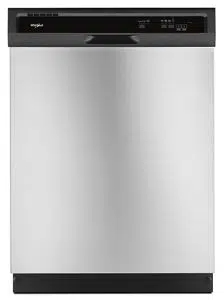
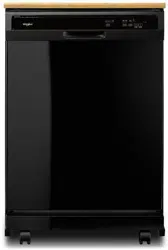
User manual Dishwasher
What’s New in Your Dishwasher
Energy
Congratulations on purchasing your water and energy efficient dishwasher! This dishwasher cleans by spraying the dishes with water and pauses to allow the detergent to soak into and release the soils on the dishes. The cycles are longer due to the soak and pauses for exceptional cleaning. Several models contain an optical water sensor. The optical water sensor is used to determine the optimum water and energy consumption for great cleaning performance. Efficient dishwashers run longer to save water and energy, just as driving a car slower saves on gas. The first cycle using the sensor will run longer to calibrate the optical sensor.
Performance
Rinse Aid
Using rinse aid will optimize your drying and wash performance. This dishwasher is specifically designed to be used with rinse aid for improved drying performance and controlling buildup of hard water deposits. Energy efficient dishwashers use less water and energy, so they depend on the water “sheeting” action of rinse aid for total optimal performance.
-51539.png)
Detergent
The United States and Canada have passed a restriction limiting the amount of phosphorus (phosphates) in the household dishwasher detergents to no more than 0.5%, where previous detergents contained 8.7%. Major manufacturers have reformulated their dishwasher detergent for this change in detergents as another step in eco-conscious awareness. With these recent changes it is recommended to use tablets and packs for convenience and improved performance.
-819748.png)
Filtration
System Your dishwasher has the latest technology in dishwasher filtration. This triple filtration system minimizes sound and optimizes water and energy conservation while providing optimal cleaning performance. Maintenance of your filters regularly will sustain peak cleaning performance. We suggest you clean both your upper and lower filter and rinse under running water at least once a month.
-499526.png)
Quick Steps
1 Prepare and load dishwasher.
-496453.png)
Spin the spray arms. They should turn freely.-834780.png)
2 Add detergent and rinse aid.
-196386.png)
3 Select a cycle and option (cycles and options vary by model).
-651310.png)
4 Start dishwasher.
For models with controls on top of the door, select wash cycle, option and press START/ RESUME before closing the door. Push door firmly closed. The door latches automatically. For models with front controls, select the wash cycle, options and press START/ RESUME or press START/RESUME to repeat the same cycle and options as in the previous wash cycle.
-865436.png)
5 Unload and clean the filter.
See “Recommended Time Interval to Clean Your Filter,” in the “Filtration System” section for the recommended cleaning schedule.
-870699.png)
Dishwasher Use
STEP 1
Prepare and Load the Dishwasher
IMPORTANT: Remove leftover food, bones, toothpicks and other hard items from the dishes. Remove labels from containers before washing.
10 Place load pattern (when silverware basket is in lower rack)
-623072.png)
- Make sure nothing keeps spray arm(s) from spinning freely. It is important for the water spray to reach all soiled surfaces.
-741837.png)
- Make sure that when the dishwasher door is closed no items are blocking the detergent dispenser.
- Items should be loaded with soiled surfaces facing down and inward to the spray as shown. This will improve cleaning and drying results. Avoid overlapping items like bowls or plates that may trap food.
- Place plastics, small plates and glasses in the upper rack. Wash only plastic items marked “dishwasher safe.”
- To avoid thumping/clattering noises during operation: Load dishes so they do not touch one another. Make sure lightweight load items are secured in the racks.
- Use slots in the covers (if provided) and suggested loading pattens to keep your silverware separated for optimum wash.
-961134.png)
- When loading silverware, always place sharp items pointing down. Mix other items pointing up and some pointing down.
-707229.png)
STEP 2
Add Detergent
NOTE: If you do not plan to run a wash cycle soon, run a rinse cycle. Do not use detergent.
- Use automatic dishwasher detergent only. Add powder, liquid or tablet detergent just before starting a cycle.
- Fresh automatic dishwasher detergent results in better cleaning.
- Store tightly closed detergent container in a cool, dry place.
- For optimum performance, tablet detergent is recommended.
-313153.png)
- The amount of detergent to use depends on:
How much soil remains on the items - Heavily soiled loads require more detergent.
The hardness of the water - If you use too little in hard water, dishes won't be clean. If you use too much in soft water, glassware will etch.
Soft to Medium Water (0-6 grains per U.S. gallon) [typical water softener water and some city water] Medium to Hard Water (7-12 grains per U.S. gallon) [well water and some city water]
- Depending on your water hardness, fill the Main Wash section of the dispenser as shown. Fill the Pre-Wash section to the level shown, if needed.
NOTE: Fill amounts shown are for standard powdered detergent. Follow instructions on the package when using other dishwasher detergent.
-959481.png)
Add Rinse Aid
- Your dishwasher is designed to use rinse aid for good drying performance. Without rinse aid your dishes and dishwasher interior will have excessive moisture. The heat dry option will not perform as well without rinse aid.
- Rinse aid keeps water from forming droplets that can dry as spots or streaks. They also improve drying by allowing water to drain off of the dishes after the final rinse.
- Rinse aid helps to reduce excess moisture on the dish racks and interior of your dishwasher.
- Check the rinse aid indicator. Add rinse aid when indicator drops to “Refill” level.
-764512.png)
- To add rinse aid, turn the dispenser cap to “Open” and lift off. Pour rinse aid into the opening until the indicator level is at “Full.” Replace the dispenser cap and turn to “Lock.” Make sure cap is fully locked.
NOTE: For most water conditions, the factory setting will give good results. If you have hard water or notice rings or spots, try a higher setting. Turn the arrow adjuster inside the dispenser by either using your fingers or inserting a flat-blade screwdriver into the center of the arrow and turning.
-466518.png)
STEP 3
Select a Cycle (cycles vary by model)
Press the Select Cycles button until the light below the desired cycle is on.
NOTE: Heavier cycles and options affect cycle length. Some cycles and options will take up to 3¹⁄₂ hours to complete. Heavy – Use for heavily soiled, hard-to-clean items.
-448991.png)
Normal - This cycle with only the Heated Dry option selected, and without other options selected, is recommended to completely wash and dry a full load of normally soiled dishes. The energy usage label is based on this cycle and option combination. ECO – Use for lightly soiled items. It saves energy. 1-HR Wash – Use for lightly soiled items. For fast results, 1-Hr Wash will clean the dishes using slightly more water and energy.
Overnight cycle – Use for loads with heavy amounts of food soil. It is a longer cycle and therefore is ideal to run overnight. Rinse Only – (no options apply to this cycle) Do not use detergent. This is only a rinse that keeps food from drying on your dishes and reduces odor buildup in your dishwasher until you are ready to wash a full load.
Select Options (options vary by model)
-493143.png)
You can customize your cycles by pressing the options desired.
Repeatedly press the button until the desired combination of options is selected.
High Temp – (can be selected with Heavy and Normal wash cycles) heats the water during the wash portions of the cycle. Sani Rinse – (can be selected with Heavy and Normal wash cycles) Select this option to raise the water temperature in the final rinse to approximately 155°F (68°C).
Sani Rinse option adds heat and time to the cycle. This high temperature rinse sanitizes your dishes and glassware in accordance with NSF/ANSI Standard 184 for Residential Dishwashers. Certified residential dishwashers are not intended for licensed food establishments.
Heat Dry – (can be selected with 1-HR Wash, Heavy and Normal wash cycles) When selected with the 1-Hr Wash cycle, the time is increased by approximately 30 minutes.
4-HR Delay – (any cycle) offers the choice to start the dishwasher automatically at a later time. Select a wash cycle and options. Press 4-HR Delay. Press START/RESUME. Close the door firmly.
Lock – (on 4-HR Delay button) use to avoid unintended use of your dishwasher. When Control Lock is lit, all buttons are disabled. The dishwasher door can be opened while the controls are locked.
To turn on Lock:
Press and hold 4-HR Delay for at least 3 seconds. The Locked light glows. If you press any pad while your dishwasher is locked, the light flashes 3 times.
To turn off Lock:
Press and hold 4-HR Delay for at least 3 seconds. The Control Lock light turns off.
STEP 4
Start or Resume a Cycle
- Run hot water at the sink nearest your dishwasher until the water is hot. Turn off water.
- Push door firmly closed. The door latches automatically. Select the wash cycle and options desired OR press START/RESUME to repeat the same cycle and options as in the previous wash cycle. For top controls, select cycle and options first, and then close the door.
- You can add an item anytime before the main wash starts. Open the door slowly and add the item. Close the door firmly. Press START/ RESUME.
- The Clean indicator glows when the cycle is finished. Sanitized glows when Sani Rinse option is selected and sanitization levels occur
-95946.png)
Filtration System
Your dishwasher has the latest technology in dishwasher filtration. This triple filtration system minimizes sound and optimizes water and energy conservation while providing superior cleaning performance. Throughout the life of your dishwasher, the filter will require maintenance to sustain peak cleaning performance.
-140848.png)
The triple filter system consists of 2 parts, an upper filter assembly and a lower filter.
- The upper filter assembly keeps oversized items and foreign objects, along with very fine food particles, out of the pump.
- The lower filter keeps food from being recirculated onto your dishware.
The filters may need to be cleaned when:
- Visible objects or soils are on the Upper Filter Assembly.
- There is degradation in cleaning performance (that is, soils still present on dishes).
- Dishes feel gritty to the touch.
It is very easy to remove and maintain the filters. The chart below shows the recommended cleaning frequency.
-117118.png)
*Manufacturer's recommendation: This practice will conserve the water and energy that you would have used to prepare your dishes. This will also save you time and effort.
Very Hard Water
If you have hard water (above 15 grains), clean your filter at least once per month. Building up of white residue on your dishwasher indicates hard water. For tips on removing spots and stains, see “Troubleshooting” section.
Filter Removal Instructions
- Turn the Upper Filter Assembly ¼ turn counterclockwise and lift out.
- Separate the upper filter assembly by gently pulling apart.
- Clean the filters as shown.
-265145.png)
Cleaning Instructions
IMPORTANT: Do not use wire brush, scouring pad, etc. as they may damage the filters.
Rinse filter under running water until most soils are removed. If you have hard-to-remove soils or calcium deposits from hard water, a soft brush may be required.
-940113.png)
Filter Reinstallation Instructions
1. Noting the previous illustrations, place the Lower Filter under the Locating Tabs in the bottom of the dishwasher so the round opening for the Upper Filter Assembly lines up with the round opening in the bottom of the tub.
2. Insert the Upper Filter Assembly into the circular opening in the Lower Filter.
-327897.png)
3. Slowly rotate the filter clockwise until it drops into place. Continue to rotate until the filter is locked into place. If the filter is not fully seated (still turns freely), continue to turn the filter clockwise until it drops and locks into place.
NOTE: The Upper Filter Assembly arrow does not have to align with the arrow in the Lower Filter as long as the filter is locked.
IMPORTANT: To avoid damage to dishwasher, do not operate your dishwasher without the filters properly installed. Be sure the Lower Filter is securely in place and the Upper Filter Assembly is locked into place. If the Upper Filter Assembly turns freely, it is not locked into place.
Dishwasher Care
CLEANING THE DISHWASHER
Cleaning the exterior
Clean the exterior of the dishwasher with a soft, damp cloth and mild detergent. If your dishwasher has a stainless steel exterior, a stainless steel cleaner is recommended - Stainless Steel Cleaner and Polish Part Number 31464.
Cleaning the interior
Clean the interior of the dishwasher, with a paste of powdered dishwasher detergent and water or use liquid dishwasher detergent on a damp sponge to clean the cooled-down interior.
A white vinegar rinse may remove white spots and film. Vinegar is an acid, and using it too often could damage your dishwasher.
Put 2 cups (500 mL) white vinegar in a glass or dishwasher-safe measuring cup on the bottom rack. Run the dishwasher through a complete washing cycle using an air-dry or an energy-saving dry option. Do not use detergent. Vinegar will mix with the wash water.
Dishwasher Maintenance Procedure
Removal of Hard Water / Filming: Recommended use of a monthly maintenance product such as affresh®† Dishwasher
Cleaner Part Number W10282479.
- Load your dishwasher (preferably with dishes affected by filming/hard water).
- Place tablet in main wash compartment of detergent dispenser.
- Select cycle/option best for heavily soiled dishes and start dishwasher.
NOTE: Recommended to use a premeasured detergent tablet or pack for regular daily use.
Drain air gap
If you have a drain air gap, check and clean it if the dishwasher isn't draining well.
-631794.png)
To Reduce Risk of Property Damage During Vacation or Extended Time Without Use
- When you will not be using the dishwasher during the summer months, turn off the water and power supply to the dishwasher.
- Make sure the water supply lines are protected against freezing conditions. Ice formations in the supply lines can increase water pressure and cause damage to your dishwasher or home. Damage from freezing is not covered by the warranty.
- When storing your dishwasher in the winter, avoid water damage by having your dishwasher winterized by authorized service personnel.
Troubleshooting
Dishwasher is not operating properly
Dishwasher does not run or stops during a cycle
- Is the door closed tightly and latched?
- Is the right cycle selected?
- Is there power to the dishwasher? Has a household fuse blown, or has a circuit breaker tripped? Replace the fuse or reset the circuit breaker. If the problem continues, call an electrician.
- Has the motor stopped due to an overload? The motor automatically resets itself within a few minutes. If it does not restart, call for service.
- Is the water shutoff valve (if installed) turned on?
- It is normal for certain cycles to repeatedly pause for several seconds during the main wash.
The Clean light is flashing
Dishwasher will not fill
- Is the overfill protection float able to move up and down freely? Press down to release.
-678371.png)
The dishwasher seems to run too long
- The dishwasher can run up to 3¹⁄₂ hours depending on soil level, water temperature, cycles and options.
- Is the water supplied to the dishwasher hot enough? The dishwasher runs longer while heating water.
- Is the dishwasher cycle time within the cycle times? See cycle sections wash times. A delay automatically occurs in some wash and rinse cycles until the water reaches the proper temperature.
- This dishwasher is equipped with an optical sensor wash that detects water temperature, soil and detergent amount. Wash cycles are adjusted based on what is sensed.
IMPORTANT: The very first wash cycle after installation in your home will be adjusted to include an additional 2 rinses. This cycle must not be interrupted for proper sensor adjustment. If this adjustment cycle is canceled or stopped before the Clean light comes on at the end of the cycle, the next wash cycle will repeat this sensor adjustment.
Water remains in the dishwasher
Detergent remains in the covered section of the dispenser
- Is the cycle complete?
- Is the detergent lump-free? Replace detergent if necessary.
- Is the dispenser door blocked by dishes or cookware when the dishwasher door is closed?
White residue on the front of the access panel
- Was too much detergent used?
- Is the brand of detergent making excess foam? Try a different brand to reduce foaming and eliminate buildup.
Odor in the dishwasher
- Are dishes washed only every 2 or 3 days? Run a rinse cycle once or twice a day until you have a full load.
- Does the dishwasher have a new plastic smell? Run a vinegar rinse as described in “Dishwasher Care.”
Condensation on the kitchen counter (built-in models)
- Is the dishwasher aligned with the countertop? Moisture from the vent in the dishwasher console can form on the counter. Refer to the Installation Instructions for more information.
Dishes do not dry completely
Dishes do not dry completely
- Did you use a rinse aid? Your dishwasher is designed to use rinse aid for good drying performance. Without rinse aid your dishes and dishwasher interior will have excessive moisture.
- The heat dry option will not perform as well without rinse aid.
Dishes are not dry
- Did you load your dishwasher to allow proper water drainage? Do not overload. Use a liquid rinse aid to speed drying.
- Are the plastics wet? Plastics often need towel drying.
- Is the rinse aid dispenser empty?
- Did you use an air-dry or energy-saving dry option? Use a heated drying option for dryer dishes.
Excess moisture on racks and dishwasher interior
- Check the rinse aid indicator to see that there is rinse aid in the dispenser.
Spots and stains on dishes
Spotting and filming on dishes
- Is your water hard, or is there a high mineral content in your water? Conditioning the final rinse water with a liquid rinse aid helps eliminate spotting and filming. Keep the rinse aid dispenser filled. Always use a high-temp option. If your water hardness is 13 grains or above, it is strongly recommended that you install a home water softener. If you do not wish to drink softened water, have the softener installed onto your hot water supply.
- Is the water temperature too low? For best dishwashing results, water should be 120°F (49°C) as it enters the dishwasher.
- Did you use the correct amount of effective detergent? Use recommended dishwasher detergents only. Do not use less than 1 tbs (15 g) per load. Detergent must be fresh to be effective. Heavy soil and/or hard water generally require extra detergent.
- Is the home water pressure high enough for proper dishwasher filling? Home water pressure should be 20 to 120 psi (138 to 828 kPa) for proper dishwasher fill. If you have questions about your water pressure, call a licensed, qualified plumber.
NOTE: To remove spots and film from glassware, remove all silverware and metal items and see the “Dishwasher Maintenance Procedure” in the “Dishwasher Care” section.
Silica film or etching (silica film is a milky, rainbow-colored deposit; etching is a cloudy film)
- Sometimes there is a water/chemical reaction with certain types of glassware. This is usually caused by some combination of soft or softened water, alkaline washing solutions, insufficient rinsing, overloading the dishwasher, and the heat of drying. It might not be possible to avoid the problem, except by hand washing.
- To slow this process use a minimum amount of detergent but not less than 1 tbs (15 g) per load. Use a liquid rinse aid and underload the dishwasher to allow thorough rinsing. Silica film and etching are permanent and cannot be removed. Do not use heated drying.
White spots on cookware with nonstick finish
- Has the dishwasher detergent removed cookware seasoning? Reseason cookware after washing it in the dishwasher.
Brown stains on dishes and dishwasher interior
- Does your water have high iron content? Rewash dishes using 1-3 tsp (5-15 mL) of citric acid crystals added to the covered section of the detergent dispenser. Do not use detergent.
- Follow with a Normal wash cycle with detergent. If treatment is needed more often than every other month, the installation of an iron removal unit is suggested.
Black or gray marks on dishes
- Are aluminum items rubbing dishes during washing? Disposable aluminum items can break down in the dishwasher and cause marking. Hand wash these items. Remove aluminum markings by using a mild abrasive cleaner.
Orange stains on plastic dishes or dishwasher interior
- Are large amounts of tomato-based foods on dishes placed in the dishwasher? It may be necessary to use a stain removal product to remove stains from your dishwasher. Stains will not affect dishwasher performance.
Noises
Grinding, grating, crunching or buzzing sounds
A hard object has entered the wash module (on some models).
- When the object is ground up, the sound should stop. If the noise persists after a complete cycle, call for service.
Dishes are not completely clean
Food soil left on the dishes
- Is the dishwasher loaded correctly?
- Did you choose the cycle that describes the most difficult soil in your dishwasher? If you have some items with heavier soils, use a heavier cycle.
- Is the water temperature too low? For best dishwashing results, water should be 120°F (49°C) as it enters the dishwasher.
- Did you use the correct amount of fresh detergent? Use recommended dishwasher detergents only. Do not use less than 1 tbs (15 g) per load. Detergent must be fresh to be effective. Heavy soil and/or hard water generally require extra detergent.
- Is detergent caked in dispenser? Use fresh detergent only. Do not allow detergent to sit for several hours in a wet dispenser. Clean dispenser when caked detergent is present.
- Is the pump or spray arm clogged by labels from bottles and cans?
- Is the home water pressure high enough for proper dishwasher filling? Home water pressure should be 20 to 120 psi (138 to 828 kPa) for proper dishwasher fill. If you have questions about your water pressure, call a licensed, qualified plumber.
- Are high suds slowing the wash arm? Do not use soap or laundry detergents. Use recommended dishwasher detergents only.
Dishes are damaged during a cycle
Chipping of dishes
- Did you load the dishwasher properly? Load the dishes and glasses so they are stable and do not strike together from washing action. Minimize chipping by moving the rack in and out slowly.
- NOTE: Antiques, feather-edged crystal, and similar types of china and glassware might be too delicate for automatic dishwashing. Wash by hand.