MFL69124624
7
8
9
9
10
10
11
11
14
15
15
16
16
17
17
17
27
18
19
19
20
21
21
22
26
15

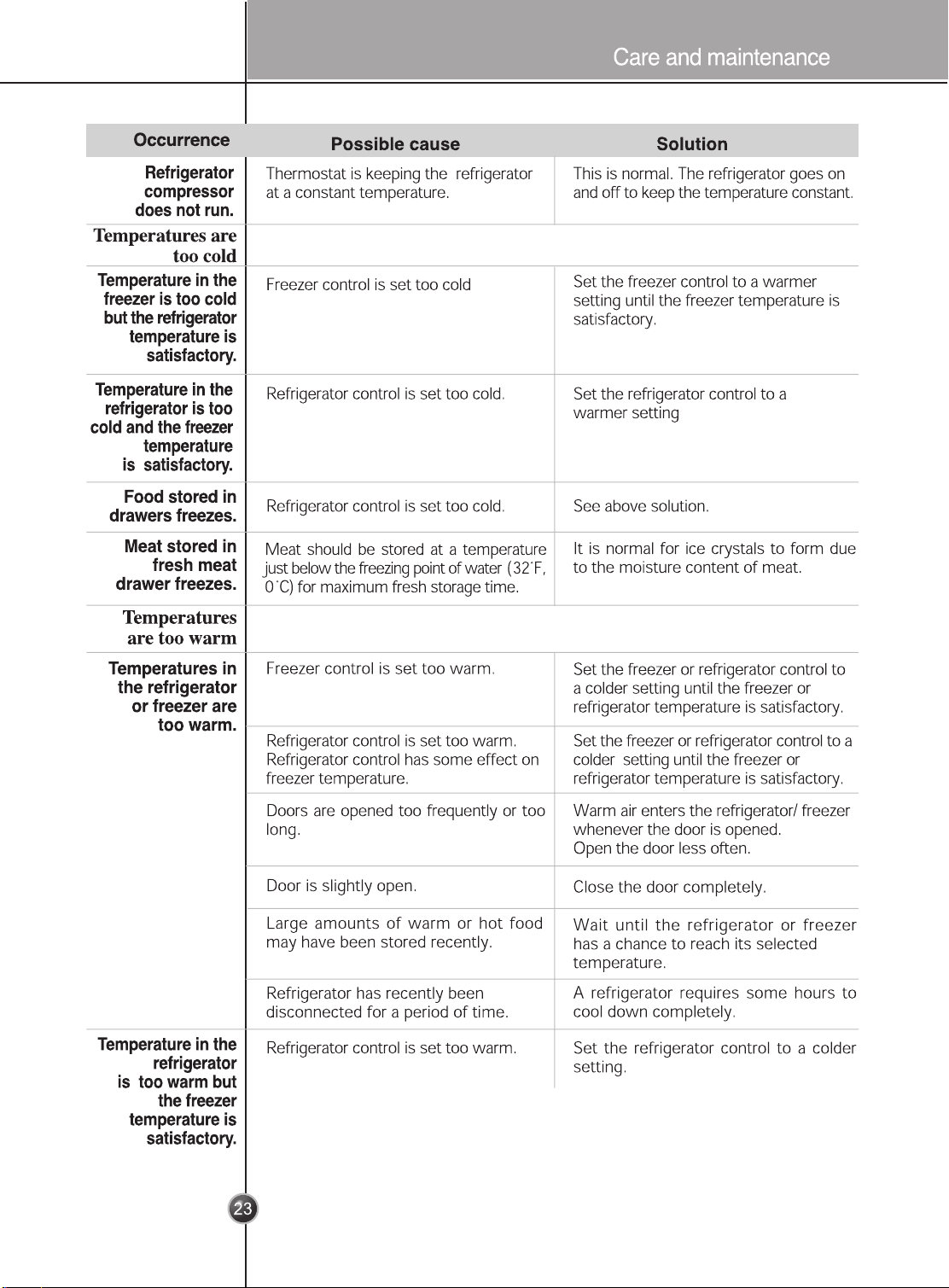
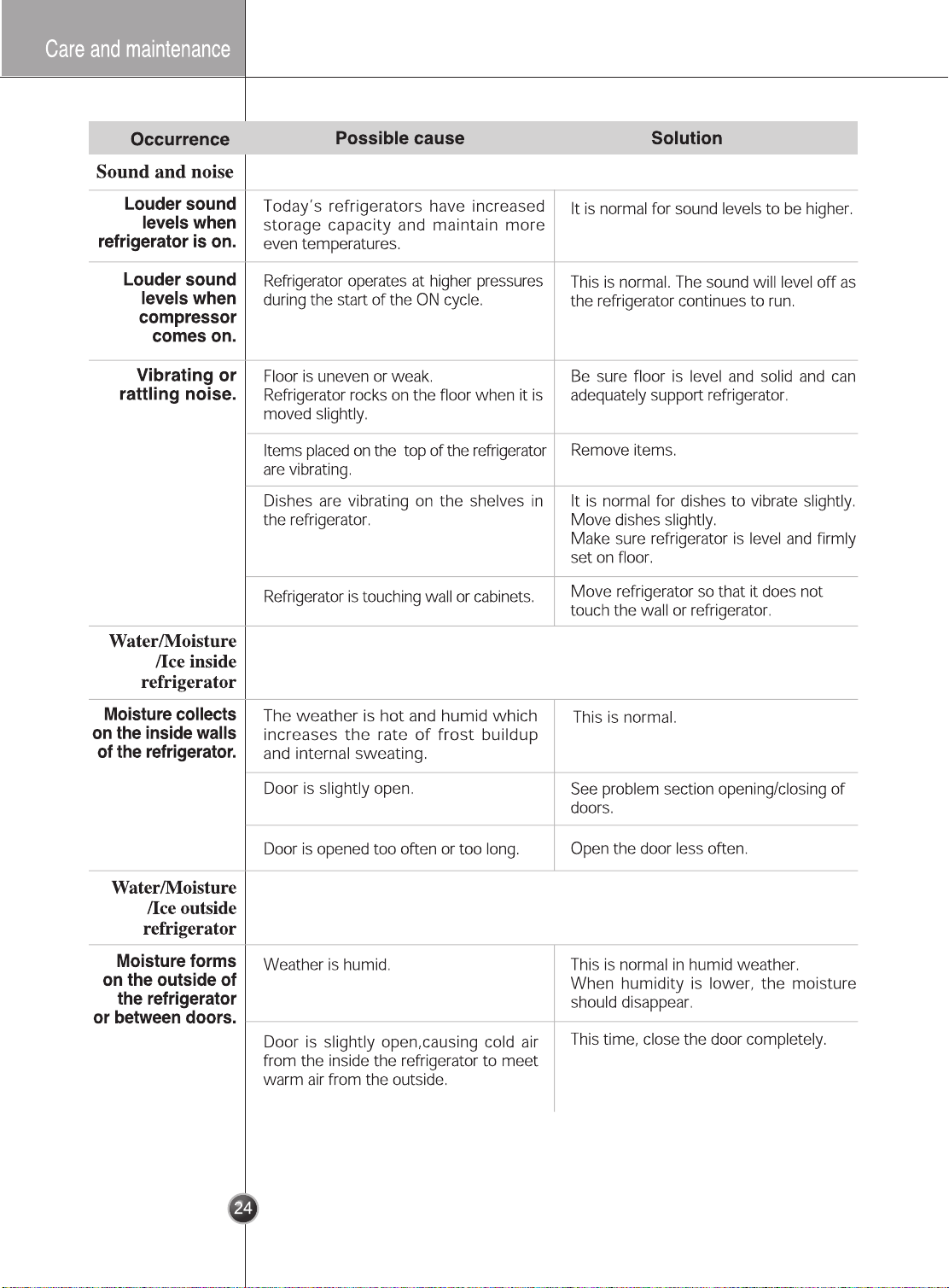
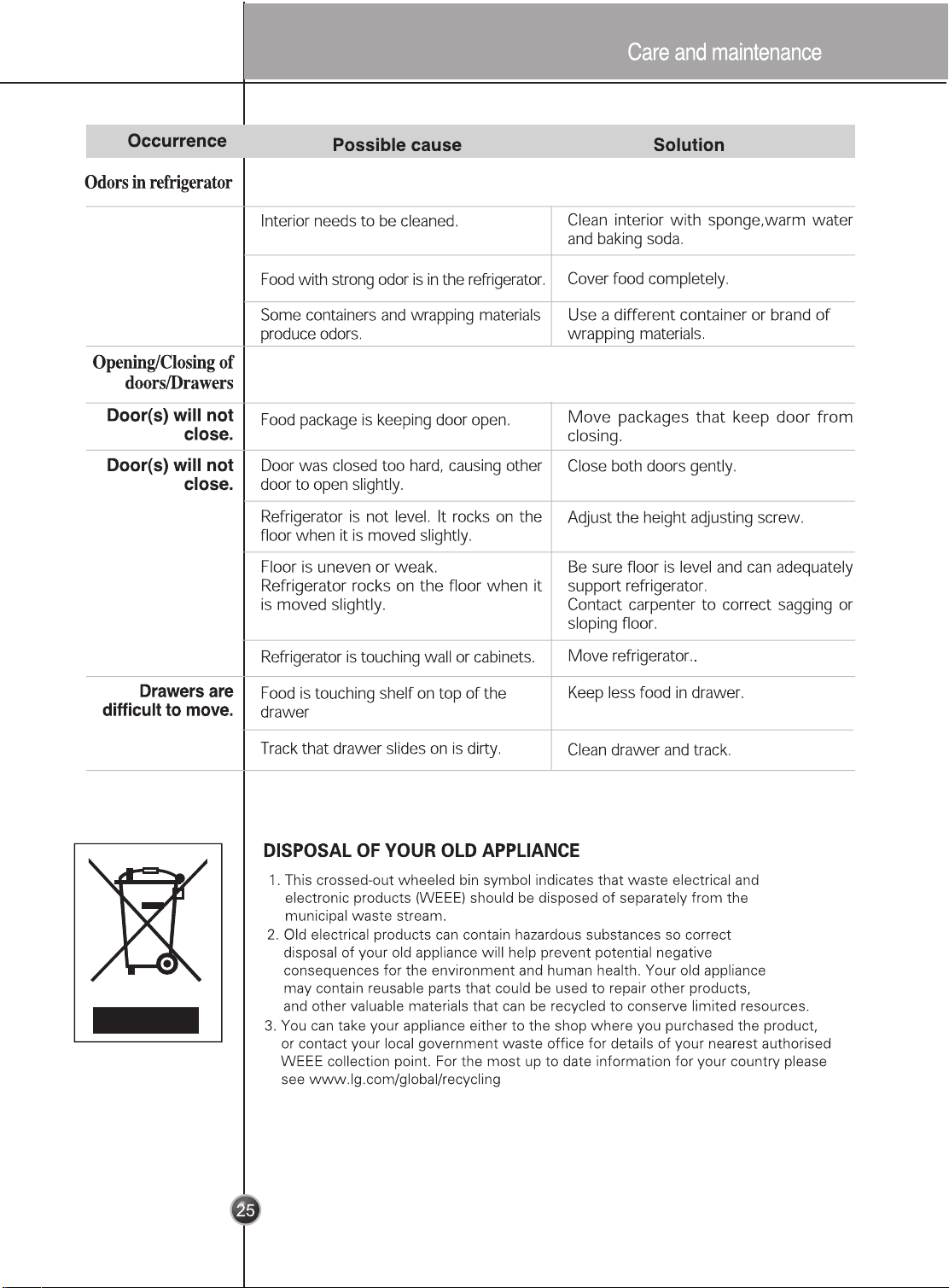
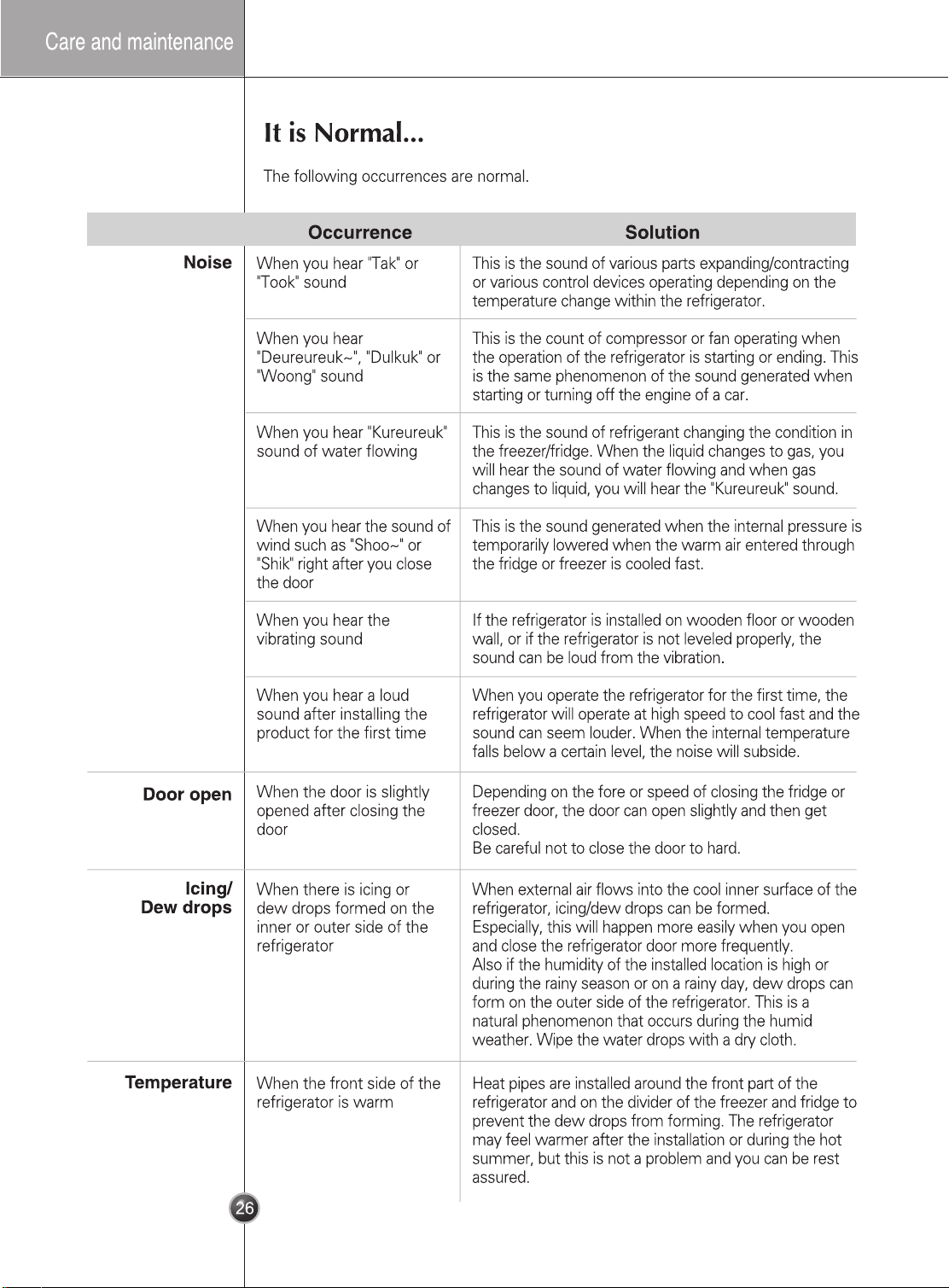
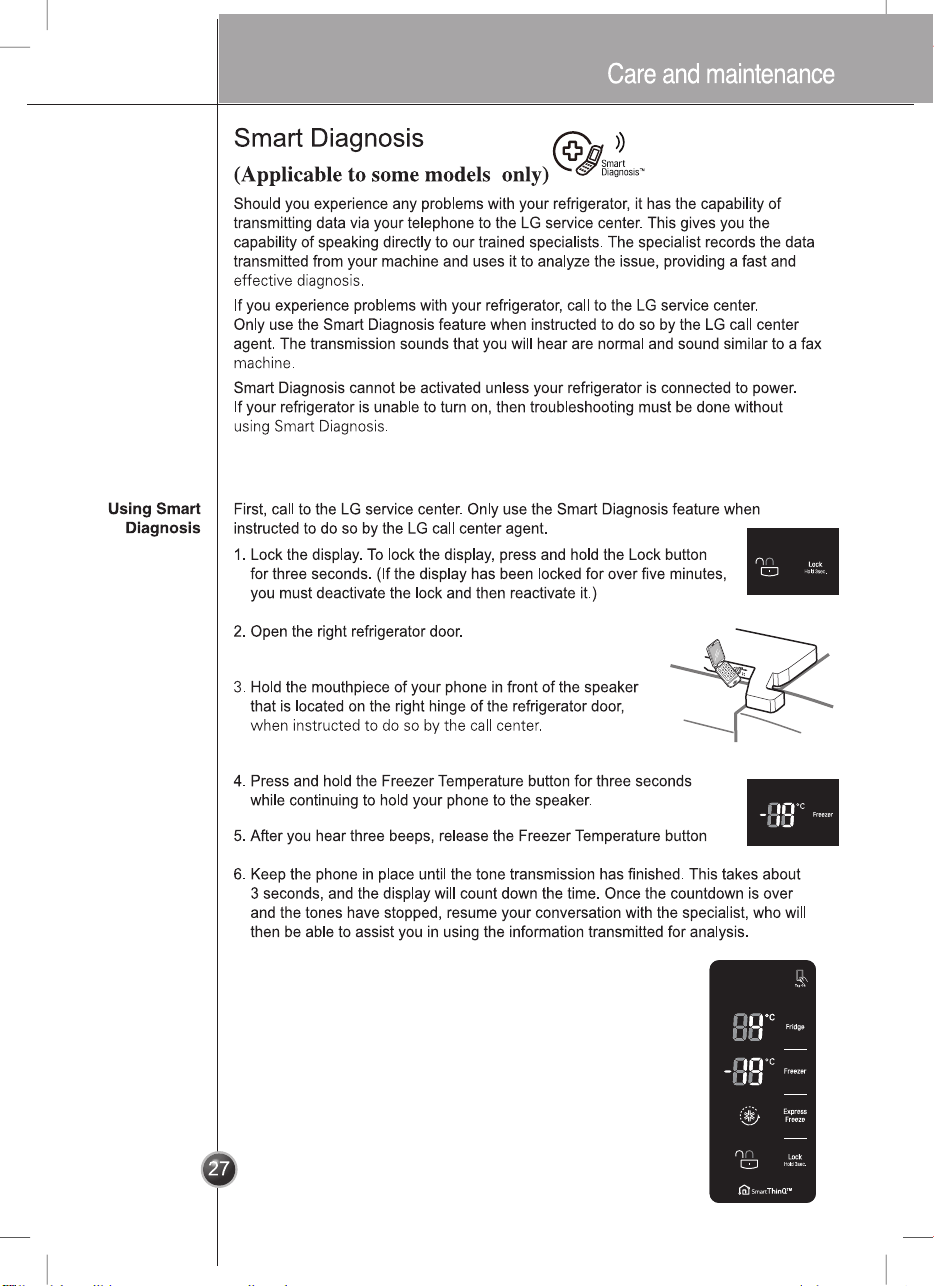
Smart Diagnosis™ Through the Customer Information Center
Smart Diagnosis™ Using the Smart Phone
1. Download the LG Smart ThinQ application
on a smart phone.
2. Open the LG Smart ThinQ application on
the smart phone. Create an account and
sign in.
3. Select the refrigerator in dashboard.
4. Select the , then start and tag on it.
Smart Diagnosis
NOTE
•
If the diagnosis is failed many times, then use the follow instructions continue.
5. Select the Audible Diagnosis.
6. Place the mouthpiece of the smart phone close to the Smart Diagnosis™ icon.