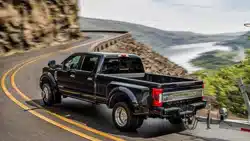
Ford Super Duty F-450 XL 2020
Product's Documents
Below are documents related to this product, you can read online or download:
- Owner's manual - (English) Read Online | Download pdf
The information contained in this publication was correct at the time of going to print. In the interest of continuous development. we reserve the right to change specifications. design or equipment at any time without notice or obligation. No part of this publication may be reproduced. transmitted. stored in a retrieval system or translated into any language in any form by any means without our written permission.
Errors and omissions excepted.
+ Ford Motor Company 2020
All rights reserved.
Part Number: 201909 20200716184112
California Proposition 65
WARNING: Operating. servicing and maintaining a passenger vehicle or off-highway motor vehicle can expose you to chemicals including engine exhaust. carbon monoxide. phthalates. and lead. which are known to the State of California to cause cancer and birth defects or other reproductive harm. To minimize exposure. avoid breathing exhaust. do not idle the engine except as necessary. service your vehicle in a well-ventilated area and wear gloves or wash your hands frequently when servicing your vehicle.
For more information go to www.P65Warnings.ca.gov/passenger-vehicle.
WARNING: Battery posts. terminals and related accessories contain lead and lead compounds. chemicals known to the State of California to cause cancer and reproductive harm.
Wash your hands after handling.
Introduction About This Manual 7 Symbols Glossary ..8 Data Recording ..10 Perchlorate .14 Ford Credit ..14 Replacement Parts Recommendation Special Notices ..15 Mobile Communications Equipment Export Unique Options ..16
Environment Protecting the Environment ..17
At a Glance Instrument Panel .18
Child Safety General Information .20 Installing Child Restraints ..22 Booster Seats ..31 Child Restraint Positioning 33 Child Safety Locks .35
Seatbelts Principle of Operation 36 Fastening the Seatbelts 37 Seatbelt Height Adjustment ..40 Seatbelt Warning Lamp and Indicator Chime 40 Seatbelt Reminder .41 Child Restraint and Seatbelt Maintenance ..42 Seatbelt Extensions .42
Supplementary Restraints System Principle of Operation 43
Driver and Passenger Airbags 44 Side Airbags .49 Safety Canopy .50 Crash Sensors and Airbag Indicator ..51 Airbag Disposal .52
Keys and Remote Controls General Information on Radio Frequencies .53 Remote Control 53 Replacing a Lost Key or Remote Control
MyKey Principle of Operation 60 Creating a MyKey .61 Clearing All MyKeys ..62 Checking MyKey System Status ..63 Using MyKey With Remote Start Systems ..63 MyKey – Troubleshooting ..63
Doors and Locks Locking and Unlocking ..65 Keyless Entry ..68
Tailgate Tailgate Lock 70 Electronic Tailgate .70 Removing the Tailgate .71 Tailgate Step .71 Bed Extender 72
Security Passive Anti-Theft System 75 Anti-Theft Alarm .75
Power Running Boards Using Power Running Boards ..77
Super Duty (TFE). enUSA. Edition date: 201909. Third-Printing
Table of Contents
Steering Wheel Adjusting the Steering Wheel - Vehicles With: Manual Adjustable Steering Column .79 Adjusting the Steering Wheel - Vehicles With: Power Adjustable Steering Column .79 Audio Control .80 Voice Control 81 Cruise Control - Vehicles With: Cruise Control ..81 Cruise Control - Vehicles With: Adaptive Cruise Control .81 Information Display Control ..81 Heated Steering Wheel .81 Horn ..82
Adjustable Pedals Adjusting the Pedals 83
Wipers and Washers Windshield Wipers 84 Autowipers 84 Windshield Washers 85
Lighting General Information 86 Lighting Control 86 Autolamps .87 Instrument Lighting Dimmer 87 Daytime Running Lamps - Vehicles With: Configurable Daytime Running Lamps Daytime Running Lamps - Vehicles With: Daytime Running Lamps (DRL) 88 Front Fog Lamps .88 Direction Indicators ..89 Spot Lamps .89 Interior Lamps 89 Ambient Lighting 90 Cargo Lamps ..90
Automatic High Beam Control
What Is Automatic High Beam Control Switching Automatic High Beam Control On and Off 92 Automatic High Beam Control Indicators Overriding Automatic High Beam Control
Windows and Mirrors Power Windows ..94 Global Opening .95 Exterior Mirrors ..95 Interior Mirror ..98 Sliding Windows .98 Sun Visors ..99 Moonroof 99
Instrument Cluster Gauges .101 Warning Lamps and Indicators ..104 Audible Warnings and Indicators .108
Information Displays General Information ..109 Information Messages .120
Climate Control Manual Climate Control .139 Automatic Climate Control 140 Hints on Controlling the Interior Climate Vehicles With: Automatic Temperature Control 142 Hints on Controlling the Interior Climate Vehicles With: Manual Temperature Control 143 Heated Windshield .144 Heated Rear Window 144 Heated Exterior Mirrors ..144
Super Duty (TFE). enUSA. Edition date: 201909. Third-Printing
Table of Contents
Remote Start 144
Interior Air Quality What Is the Cabin Air Filter .146 Locating the Cabin Air Filter ..146 Replacing the Cabin Air Filter ..146
Seats Sitting in the Correct Position ..147 Head Restraints ..147 Manual Seats 149 Power Seats ..150 Memory Function ..153 Rear Seats 154 Heated Seats 156 Ventilated Seats .157
Garage Door Opener Universal Garage Door Opener ..158
Auxiliary Power Points Auxiliary Power Points .162 Wireless Accessory Charger ..163
Storage Compartments Center Console 165 Overhead Console ..165 Under Seat Storage 165
Starting and Stopping the Engine General Information ..168 Ignition Switch .168 Keyless Starting .169 Starting a Gasoline Engine - 6.2L/7.3L Starting a Diesel Engine - 6.7L Diesel 171 Switching Off the Engine - 6.7L Diesel
Engine Idle Shutdown ..176 Engine Block Heater ..176
Fuel and Refueling Safety Precautions ..178 Fuel Quality - E85 .179 Fuel Quality - Gasoline ..180 Fuel Quality - Diesel 181 Running Out of Fuel ..183 Refueling - Gasoline ..183 Refueling - Diesel .184 Fuel Consumption 187
Engine Emission Control Emission Law 188 Catalytic Converter .189 Selective Catalytic Reductant System Diesel 191 Diesel Particulate Filter ..196
Transmission Automatic Transmission ..201 Power Take-Off .205
Four-Wheel Drive Using Four-Wheel Drive 207
Rear Axle Limited Slip Differential .215 Electronic Locking Differential .215
Brakes General Information 217 Hints on Driving With Anti-Lock Brakes Parking Brake 219 Hill Start Assist 219
Traction Control Principle of Operation ..221
Super Duty (TFE). enUSA. Edition date: 201909. Third-Printing
Table of Contents
Using Traction Control .221
Stability Control Principle of Operation .222 Using Stability Control 223
Trail Control What Is Trail Control .225 Switching Trail Control On and Off 225 Setting the Trail Control Speed .225 Canceling the Set Speed .225 Trail Control Indicators 225
Terrain Control Principle of Operation .226 Using Hill Descent Control .226
Parking Aids Principle of Operation .228 Rear Parking Aid 228 Rear View Camera ..229 360 Degree Camera .232
Cruise Control What Is Cruise Control 236 Switching Cruise Control On and Off Setting the Cruise Control Speed 236 Canceling the Set Speed ..237 Resuming the Set Speed ..237 Cruise Control Indicators ..237 Using Adaptive Cruise Control 237
Driving Aids Driver Alert .244 Lane Keeping System .245 Blind Spot Information System 248 Cross Traffic Alert 253 Steering .256
Pre-Collision Assist 258 Drive Control .262
Load Carrying Load Limit ..265 Bed Ramps 269
Towing Towing a Trailer ..272 Trailer Reversing Aids ..274 Trailer Sway Control .290 Recommended Towing Weights .290 Essential Towing Checks .295 Towing the Vehicle on Four Wheels ..304
Driving Hints Economical Driving 307 Off-Road Driving ..307 Breaking-In ..310 Driving Through Water 310 Snow Plowing 311 Floor Mats .313
Roadside Emergencies Roadside Assistance .315 Hazard Flashers .316 Fire Extinguisher .316 Warning Triangle 316 Fuel Shutoff 316 Jump Starting the Vehicle .317 Post-Crash Alert System ..319 Transporting the Vehicle 319 Towing Points .320
Customer Assistance Getting the Services You Need ..322 In California (U.S. Only) .323 The Better Business Bureau (BBB) Auto Line Program (U.S. Only) 324
Super Duty (TFE). enUSA. Edition date: 201909. Third-Printing
Table of Contents
Utilizing the Mediation/Arbitration Program (Canada Only) .325 Getting Assistance Outside the U.S. and Canada .325 Ordering Additional Owner's Literature Reporting Safety Defects (U.S. Only) Reporting Safety Defects (Canada Only)
Fuses Fuse Specification Chart .329 Changing a Fuse 335
Maintenance General Information ..337 Opening and Closing the Hood .337 Under Hood Overview - 6.2L 338 Under Hood Overview - 6.7L Diesel 339 Under Hood Overview - 7.3L 340 Engine Oil Dipstick - 6.2L ..341 Engine Oil Dipstick - 6.7L Diesel .341 Engine Oil Dipstick - 7.3L 341 Engine Oil Check - 6.2L ..341 Engine Oil Check - 6.7L Diesel 343 Engine Oil Check - 7.3L ..344 Changing the Engine Oil and Oil Filter Oil Change Indicator Reset 345 Changing the Engine Air Filter - 6.2L Changing the Engine Air Filter - 6.7L Diesel ..347 Changing the Engine Air Filter - 7.3L .349 Draining the Fuel Filter Water Trap - 6.7L Diesel .350 Engine Coolant Check - 6.2L 353 Engine Coolant Check - 6.7L Diesel 357 Engine Coolant Check - 7.3L 360 Automatic Transmission Fluid Check
Transfer Case Fluid Check .366 Brake Fluid Check 366 Power Steering Fluid Check ..367 Changing the 12V Battery 368 Adjusting the Headlamps 370 Washer Fluid Check .371 Fuel Filter - 6.2L/7.3L .371 Checking the Wiper Blades .371 Changing the Wiper Blades 371 Changing a Bulb 372 Changing the Engine-Mounted and Diesel Fuel Conditioner Module Fuel Filters - 6.7L Diesel 375 Spring U-Bolt Check - F-600 ..378
Vehicle Care General Information .380 Cleaning Products .380 Cleaning the Exterior .381 Waxing 382 Cleaning the Engine ..382 Cleaning the Exhaust - 6.7L Diesel 382 Cleaning the Windows and Wiper Blades Cleaning the Interior .383 Cleaning the Instrument Panel and Instrument Cluster Lens .385 Cleaning Leather Seats .385 Repairing Minor Paint Damage ..387 Cleaning the Wheels 387 Vehicle Storage ..387
Wheels and Tires General Information .390 Tire Care 392 Using Snow Chains ..408 Tire Pressure Monitoring System 409 Changing a Road Wheel .417 Technical Specifications ..428
Super Duty (TFE). enUSA. Edition date: 201909. Third-Printing
Table of Contents
Capacities and Specifications
Engine Specifications - 6.2L .429 Engine Specifications - 6.7L Diesel 429 Engine Specifications - 7.3L .430 Motorcraft Parts - 6.2L 431 Motorcraft Parts - 6.7L Diesel .433 Motorcraft Parts - 7.3L 434 Vehicle Identification Number 435 Vehicle Certification Label .436 Transmission Code Designation ..436 Capacities and Specifications - 6.2L Capacities and Specifications - 6.7L Diesel .446 Capacities and Specifications - 7.3L Bulb Specification Chart ..467
Network Connectivity Connecting the Vehicle to a Mobile Network ..470 Network Connectivity – Troubleshooting
Vehicle Wi-Fi Hotspot Creating a Vehicle Wi-Fi Hotspot 473 Changing the Vehicle Wi-Fi Hotspot Name or Password 473
Audio System General Information .474 Audio Unit - Vehicles With: AM/FM/ Touchscreen Display/SYNC 3 474 Audio Unit - Vehicles With: SYNC ..476 Digital Radio .478 Satellite Radio ..480 USB Port ..483
SYNC General Information .484
Using Voice Recognition ..485 Using SYNC With Your Phone ..487 SYNC Applications and Services ..488 Using SYNC With Your Media Player SYNC Troubleshooting 492
SYNC 3 General Information ..501 Using Voice Recognition ..503 Entertainment 509 Climate 519 Phone 521 Navigation ..523 Apps .528 Settings ..531 SYNC 3 Troubleshooting 533
Accessories Accessories 546 Auxiliary Switches ..547
Ford Protect Ford Protect 551
Scheduled Maintenance General Maintenance Information .553 Normal Scheduled Maintenance 556 Special Operating Conditions Scheduled Maintenance ..562 Scheduled Maintenance Record 571
Appendices Electromagnetic Compatibility ..581 End User License Agreement .584 Declaration of Conformity .609 Declaration of Conformity - Vehicles With: SYNC 3 .609 Type Approvals ..610
Super Duty (TFE). enUSA. Edition date: 201909. Third-Printing
Table of Contents
Thank you for choosing Ford. We recommend that you take some time to get to know your vehicle by reading this manual. The more that you know about your vehicle. the greater the safety and pleasure you will get from driving it.
WARNING: Driving while distracted can result in loss of vehicle control. crash and injury. We strongly recommend that you use extreme caution when using any device that may take your focus off the road. Your primary responsibility is the safe operation of your vehicle. We recommend against the use of any hand-held device while driving and encourage the use of voice-operated systems when possible. Make sure you are aware of all applicable local laws that may affect the use of electronic devices while driving.
Note: This manual describes product features and options available throughout the range of available models. sometimes even before they are generally available. It may describe options that are not on your vehicle. It is possible that either Ford Motor Company or an authorized Ford dealer may have originally sold an incomplete vehicle to a vehicle modifier who upfitted it. As a result. some of the options and features on this vehicle may differ from what we describe in this manual.
Note: Some of the illustrations in this manual may show features as used in different models. so they may appear differently to you on your vehicle.
Note: Always use and operate your vehicle in line with all applicable laws and regulations.
Note: Pass on this manual when selling your vehicle. It is an integral part of the vehicle.
Note: Your vehicle’s powertrain control systems can detect and store information about vehicle modifications that increase horsepower and torque output such as whether or not performance-enhancing powertrain components commonly referred to as performance chips have been used.
This information will stay in the system’s memory and cannot be erased even if the modification is removed. Ford Motor Company. Ford of Canada. Ford of Mexico and service or repair facilities can retrieve this information when servicing your vehicle.
Ford Motor Company may use this information to determine if your warranty covers any needed repairs.
Note: Some aftermarket products may cause severe engine. transmission and exhaust system damage. See your warranty information for more details.
Your new diesel engine may feel. drive and function somewhat differently than a gasoline engine. Therefore. it is very important that you read and thoroughly familiarize yourself and others operating the vehicle with this guide. There is a special procedure for turning off the diesel engine. See Starting a Diesel Engine (page 171). It is important to read and understand this material in order to maintain the best service life for your engine.
Ford may discontinue models or change specifications without any notice and without incurring obligations.
This manual may qualify the location of a component as left-hand side or right-hand side. The side is determined when facing forward in the seat.
Super Duty (TFE). enUSA. Edition date: 201909. Third-Printing
Introduction
E218902
Extend.
Retract.
To adjust your mirrors. press the adjustment control to position the mirrors.
Note: Moving the mirrors 10 or more times within one minute. or repeated folding. unfolding and telescoping of the mirrors when holding the control down during full travel. may disable the system to protect the motors from overheating. Wait approximately three minutes with the vehicle running. and up to 10 minutes with the vehicle off. for the system to reset and for function to return to normal.
Loose Mirror
If your power-folding mirrors are manually folded. they may not work properly even after you re-position them. You need to reset them if: The mirrors vibrate when you drive. The mirrors feel loose. The mirrors do not stay in the folded or unfolded position. One of the mirrors is not in its normal driving position.
To reset the power-fold feature. use the power-folding mirror control to fold and unfold the mirrors. You may hear a loud noise as you reset the power-folding mirrors. This sound is normal. Repeat this process as needed each time the mirrors are manually folded.
Heated Exterior Mirrors (If Equipped)
See Heated Exterior Mirrors (page 144).
Memory Mirrors (If Equipped)
You can save and recall the mirror positions through the memory function.
See Memory Function (page 153).
Direction Indicator Mirrors (If Equipped)
When the vehicle is running. the forward-facing portion of the appropriate mirror housing blinks when you switch on the direction indicator.
Puddle Lamps (If Equipped)
The lamps on the bottom part of the mirror housing light when you use your transmitter to unlock the doors or when you open a door.
Clearance Lamps (If Equipped)
The lower. outer part of the mirror housings light when you switch the headlamps or parking lamps on.
Spot Lamps (If Equipped)
The area lights are on the forward-facing portion of the mirror housing. You can switch them on and off by using the controls located on the instrument panel.
See Lighting (page 86).
Trailer Towing Camera System (If
Equipped)
See 360 Degree Camera (page 232).
Super Duty (TFE). enUSA. Edition date: 201909. Third-Printing
Windows and Mirrors
Blind Spot Information System (If
Equipped)
See Blind Spot Information System (page 248).
INTERIOR MIRROR
WARNING: Do not adjust the mirrors when your vehicle is moving. This could result in the loss of control of your vehicle. serious personal injury or death.
Note: Do not clean the mirror housing or glass with harsh abrasives. fuel or other petroleum-based cleaning products.
You can adjust the interior mirror to your preference. Some mirrors also have a second pivot point. This lets you move the mirror hear up or down and from side to side.
Manual Dimming Mirror
Pull the tab below the mirror toward you to reduce the effect of bright light from behind.
Auto-Dimming Mirror (If Equipped)
Note: Do not block the sensors on the front and back of the mirror. A rear center passenger or raised rear center head restraint may also block light from reaching the sensor.
The mirror dims to reduce glare when bright lights are detected from behind your vehicle. It automatically returns to normal reflection when you shift the transmission into reverse (R) to make sure you have a clear view when backing up.
Power Sliding Back Window (If
Equipped)
WARNING: When operating the power sliding back window. you must make sure all rear seat occupants and cargo are not in the proximity of the back window.
WARNING: Do not leave children unattended in your vehicle and do not let them play with the power sliding back window. They may seriously injure themselves.
E176217
The control is on the overhead console.
Press and hold the control to open the window. Pull and hold the control to close the window.
Super Duty (TFE). enUSA. Edition date: 201909. Third-Printing
Windows and Mirrors
E138666
Rotate the sun visor toward the side window and extend it rearward for extra shade.
Illuminated Vanity Mirror (If Equipped)
E162197
Lift the cover to switch the lamp on.
WARNING: Do not leave children unattended in your vehicle and do not let them play with the moonroof. Failure to follow this instruction could result in personal injury.
WARNING: When closing the moonroof. verify that it is free of obstruction and make sure that children and pets are not in the proximity of the roof opening.
The moonroof controls are on the overhead console and have a one-touch open and close feature. To stop its movement during one-touch operation. press the control a second time.
Opening and Closing the Moonroof
E191272
Moonroof open.
Moonroof vent.
Sunshade open.
Sunshade close.
Moonroof close.
Moonroof Open
Press and release the button to open the moonroof.
Note: The moonroof stops short of the fully opened position to reduce wind noise or rumbling that may happen with the moonroof fully open. Press and release the button again to open the moonroof fully.
Super Duty (TFE). enUSA. Edition date: 201909. Third-Printing
Windows and Mirrors
Moonroof Vent
Press and release the button to vent the moonroof.
Sunshade Open
Press and release the button to open the sunshade. The sunshade opens with the moonroof. You can also open the sunshade with the moonroof closed.
Note: The sunshade stops short of its fully opened position for the comfort of rear passengers. To open the sunshade fully. press the button again.
Sunshade Close
Press and release the button to close the sunshade.
Moonroof Close
Press and release the button to close the moonroof from either the open or vent positions.
Note: The sunshade stops short of the fully closed position. Press and release the button a second time to fully close the shade. The sunshade completely closes only when the moonroof is closed. The moonroof closes with a single press of the close button.
Bounce-Back
The moonroof reverses some distance if it detects an obstacle when closing.
To override this feature. press and hold the moonroof close button within two seconds after the roof comes to a stop following a bounce-back reversal.
Super Duty (TFE). enUSA. Edition date: 201909. Third-Printing
Windows and Mirrors
GAUGES
Type 1 and 2
E219638
Engine oil pressure gauge.
Engine coolant temperature gauge.
Fuel gauge.
Transmission fluid temperature gauge.
Speedometer.
Information display. See General Information (page 109).
Tachometer.
Super Duty (TFE). enUSA. Edition date: 201909. Third-Printing
Instrument Cluster
Type 3
E219651
Engine oil pressure gauge.
Engine coolant temperature gauge.
Fuel gauge.
Configurable. Transmission fluid temperature. Turbo boost or DEF gauge (diesel engines only).
Speedometer.
Information display. See General Information (page 109).
Tachometer.
Super Duty (TFE). enUSA. Edition date: 201909. Third-Printing
Instrument Cluster
Engine Oil Pressure Gauge
Indicates engine oil pressure. The needle should stay in the normal operating range (between L and H). If the needle falls below the normal range. stop your vehicle. turn off the engine and check the engine oil level. Add oil if needed. If the oil level is correct. have your vehicle checked by an authorized dealer.
Engine Coolant Temperature Gauge
WARNING: Do not remove the coolant reservoir cap when the engine is on or the cooling system is hot. Wait 10 minutes for the cooling system to cool down. Cover the coolant reservoir cap with a thick cloth to prevent the possibility of scalding and slowly remove the cap. Failure to follow this instruction could result in personal injury.
Indicates engine coolant temperature. At normal operating temperature. the level indicator will be in the normal range. If the engine coolant temperature exceeds the normal range. stop your vehicle as soon as safely possible. switch off the engine and let the engine cool.
Fuel Gauge
Note: The fuel gauge may vary slightly when your vehicle is moving or on a slope.
The fuel gauge indicates about how much fuel is in the fuel tank.
The arrow adjacent to the fuel pump symbol indicates on which side of your vehicle the fuel filler door is located.
Low Fuel Reminder
A low fuel level reminder displays and sounds when the distance to empty reaches 75 mi (120 km) to empty for MyKey. and at 50 mi (80 km). 25 mi (40 km). 10 mi (20 km) and 0 mi (0 km) for all vehicle keys.
Note: The low fuel reminder can appear at different fuel gauge positions depending on fuel economy conditions. This variation is normal.
Transmission Fluid Temperature Gauge
Indicates transmission fluid temperature.
At normal operating temperature. the level indicator will be in the normal range. If the transmission fluid temperature exceeds the normal range. stop the vehicle as soon as safely possible and verify the airflow is not restricted such as snow or debris blocking airflow through the grill. Also. higher than normal operating temperature can be caused by special operation conditions (i.e. snowplowing. towing or off-road use). Operating the transmission for extended periods with the gauge in the higher than normal area may cause internal transmission damage. You need to alter the severity of your driving conditions to lower the transmission temperature into the normal range. If the gauge continues to show high temperatures. see an authorized dealer.
Turbo Boost Gauge (If Equipped)
Indicates the amount of manifold air pressure in the engine.
DEF Gauge (If Equipped)
Indicates the current DEF level.
Super Duty (TFE). enUSA. Edition date: 201909. Third-Printing
Instrument Cluster
The following warning lamps and indicators alert you to a vehicle condition that may become serious. Some lamps illuminate when you start your vehicle to make sure they work. If any lamps remain on after starting your vehicle. refer to the respective system warning lamp for further information.
Note: Some warning indicators appear in the information display and operate the same as a warning lamp but do not illuminate when you start your vehicle.
Adaptive Cruise Control (If Equipped)
E144524
The speed control system indicator light changes color to indicate what mode the system is in. See Using Adaptive Cruise Control (page 237).
On (white light): Illuminates when the adaptive cruise control system is turned on. Turns off when the speed control system is turned off.
Engaged (green light): Illuminates when the adaptive cruise control system is engaged. Turns off when the speed control system is disengaged.
Adaptive Steering (If Equipped)
E223375
The adaptive steering system indicator illuminates if the system detects a fault during the continuous diagnostic checks.
Adaptive Steering Initialization (yellow. flashing): The adaptive steering system has detected a difference between steering wheel angle and the desired road wheel angle. The steering wheel adjusts itself to correct this difference. This adjustment is part of normal system operation.
Adaptive Steering Off (yellow. solid): The adaptive steering system is off. It is possible that the steering wheel may not be straight when your vehicle is driving straight ahead. If this message persists. have your vehicle checked as soon as possible.
Adaptive Steering Loss (red. solid): The adaptive steering system integrity cannot be verified. Do not drive your vehicle and have the system checked immediately.
See Steering (page 256).
Anti-Lock Braking System
Illuminates momentarily when you switch on the ignition to confirm that the lamp is functional. If it does not illuminate when you switch on the ignition or begins to flash at anytime. have the system checked as soon as possible.
If it illuminates when you are driving. this indicates a malfunction. You will continue to have the normal braking system (without ABS) unless the brake system warning lamp also illuminates. Have the system checked as soon as possible.
Automatic High Beam (If Equipped)
Illuminates when this feature is on. See What Is Automatic High Beam Control (page 92).
Super Duty (TFE). enUSA. Edition date: 201909. Third-Printing
Instrument Cluster
Battery
If it illuminates while driving. it indicates a malfunction. Switch off all unnecessary electrical equipment and have the system checked immediately.
Brake System Warning Lamp
WARNING: Driving your vehicle with the warning lamp on is dangerous.
A significant decrease in braking performance may occur. It may take you longer to stop your vehicle. Have your vehicle checked as soon as possible.
Driving extended distances with the parking brake engaged can cause brake failure and the risk of personal injury.
This lamp is a dual function lamp and illuminates when:
You apply the parking brake with the ignition on. Your vehicle has a brake fault or low brake fluid level. regardless of parking brake position.
E270480
If the lamp illuminates while you are moving. you may have the parking brake applied. Be sure that the parking brake is off.
Have your vehicle checked as soon as possible if the lamp continues to illuminate.
Note: Indicators vary depending on region.
Blind Spot Monitor (If Equipped)
E151262
Illuminates when you switch this feature off or in conjunction with a message. See Blind Spot Information System (page 248).
Check Fuel Cap (If Equipped)
Illuminates when the fuel cap may not be properly installed.
Continued driving with this light on may cause the service engine soon warning indicator to come on.
Check 4X4 (If Equipped)
Illuminates with a message when a four-wheel drive fault is present. See Using Four-Wheel Drive (page 207).
Cruise Control (If Equipped)
E71340
Illuminates when you switch this feature on. See What Is Cruise Control (page 236).
Diesel Engine Brake (If Equipped)
E171217
Illuminates when you switch the manual engine brake on. See General Information (page 217).
E234452
Illuminates when you switch the automatic engine brake on. See General Information (page 217).
Diesel Exhaust Fluid (If Equipped)
E163176
With the key in the on position. illuminates when the DEF is contaminated. low or someone has tampered with the DEF system. See Selective Catalytic Reductant System (page 191).
Super Duty (TFE). enUSA. Edition date: 201909. Third-Printing
Instrument Cluster
Direction Indicator
Illuminates when you switch on the left or right direction indicator or the hazard warning flasher. If the indicators stay on or flash faster. check for a burned out bulb.
Door Ajar
Displays when the ignition is on and any door is not completely closed.
Electronic Locking Differential (If
Equipped)
E163170
Illuminates when using the electronic locking differential.
Engine Coolant Temperature
Illuminates when the engine coolant temperature is high.
Stop your vehicle as soon as possible. switch off the engine and let it cool.
Engine Oil
If it illuminates with the engine running or when you are driving. this indicates a malfunction.
Stop your vehicle as soon as it is safe to do so and switch the engine off. Check the engine oil level.
See Engine Oil Check (page 341).
Note: Do not resume your journey if it illuminates despite the level being correct.
Have the system checked immediately.
Fasten Seatbelt
E71880
Illuminates and a tone sounds to remind you to fasten your seatbelt.
Front Airbag
E67017
If it fails to illuminate when you start your vehicle. continues to flash or remains on. it indicates a malfunction. Have the system checked as soon as possible.
Front Fog Lamps (If Equipped)
Illuminates when you switch the front fog lamps on.
High Beam
Illuminates when you switch the high beam headlamps on. It flashes when you use the headlamp flasher.
Hill Descent (If Equipped)
E163171
Illuminates when hill descent is switched on.
Low Fuel Level
Illuminates when the fuel level is low or the fuel tank is nearly empty. Refuel as soon as possible.
Low Tire Pressure Warning
Illuminates when the tire pressure in one or more tires is below the correct tire pressure.
It also illuminates momentarily when you switch the ignition on to confirm the lamp is functional. If it does not illuminate when you switch the ignition on. or begins to flash at any time. have the system checked as soon as possible.
Super Duty (TFE). enUSA. Edition date: 201909. Third-Printing
Instrument Cluster
E154903
Right-hand side
Left-hand side
Note: Throughout this guide. you will find warnings identified by the warning symbol.
Warnings remind you to be especially careful to reduce the risk of personal injury.
SYMBOLS GLOSSARY
These are some of the symbols you may see on your vehicle.
E162384
Air conditioning system
E231157
Air conditioning system lubricant type
Anti-lock braking system
Avoid smoking. flames or sparks
Battery
Battery acid
Brake fluid - non petroleum based
Brake system
E270480
Brake system
Cabin air filter
Check fuel cap
Child safety door lock or unlock
Child seat lower anchor
Child seat tether anchor
E71340
Cruise control
Do not open when hot
Engine air filter
Engine coolant
Engine coolant temperature
Engine oil
Explosive gas
Super Duty (TFE). enUSA. Edition date: 201909. Third-Printing
Introduction
Powertrain Malfunction/Reduced Power/Electronic Throttle Control
Illuminates when a powertrain or a 4WD fault has been detected. Have your vehicle checked as soon as possible.
Service Engine Soon
Illuminates when you switch the ignition on prior to engine start to check the bulb and to indicate whether your vehicle is ready for Inspection and Maintenance (I/M) testing.
Normally. it illuminates until the engine is cranked and automatically turns off if no malfunctions are present. However. if after 15 seconds it flashes eight times. this indicates that your vehicle is not ready for Inspection and Maintenance (I/M) testing.
See Emission Law (page 188).
If it illuminates when the engine is running this indicates a malfunction. The On Board Diagnostics system has detected a malfunction of the vehicle emission control system.
If it flashes. engine misfire may be occurring. Increased exhaust gas temperatures could damage the catalytic converter or other vehicle components.
Drive in a moderate fashion. avoid heavy acceleration and deceleration. and have your vehicle checked immediately.
Stability Control
E138639
Illuminates when the system is active. If it remains illuminated or does not illuminate when you switch the ignition on. this indicates a malfunction. During a malfunction. the system switches off. Have the system checked immediately. See Using Stability Control (page 223).
Stability Control Off
E130458
Illuminates when you switch the system off. It goes out when you switch the system back on or when you switch the ignition off.
See Using Stability Control (page 223).
Tailgate Ajar
E324523
Illuminates when the tailgate is not completely closed or when opened and then closed when the transmission is in any gear other than park (P).
Transmission Tow/Haul (If Equipped)
E246592
Illuminates when the tow/haul feature is activated. If the light flashes steadily. have the system checked immediately as damage to the transmission could occur.
Wait To Start (If Equipped)
Illuminates when you switch the ignition on as part of the pre-start system. Wait until the wait to start indicator turns off before attempting to start your vehicle. See Starting a Diesel Engine (page 171).
Water In Fuel (If Equipped)
WARNING: Do not drain the water-in-fuel separator while the engine is running. Failure to follow this warning may result in fire. serious injury. death or property damage.
Super Duty (TFE). enUSA. Edition date: 201909. Third-Printing
Instrument Cluster
During refueling. it is possible for you to pump water-contaminated diesel fuel into your fuel tank. Your vehicle’s fuel system is equipped with a fuel filter and water separator to remove water from the fuel. The water in fuel indicator illuminates when the fuel and water separator has a significant quantity of water in it and requires immediate draining.
If the water in fuel indicator illuminates when the engine is running. stop your vehicle as soon as safely possible. shut off the engine. then drain the fuel and water separator. See Fuel Quality (page 179).
Allowing water to stay in the fuel system. after the water in fuel indicator illuminates. could result in extensive damage or failure of the fuel injection system.
Note: Do not drain the fuel and water separator while the engine is running. Air will enter into the fuel system causing the engine not to operate properly.
Four-Wheel Drive Indicators (If
Equipped)
X2 HIGH
E181778
Illuminates momentarily when two-wheel drive high is engaged.
X4 HIGH
E181779
Illuminates when four-wheel drive high is engaged.
X4 LOW
E181780
Illuminates when four-wheel drive low is engaged.
Key in Ignition Warning Chime
Sounds when you open the driver's door and you have left the key in the ignition.
Keyless Warning Alert (If Equipped)
Sounds the horn twice when you exit your vehicle with the intelligent access key. after the last door is closed and your keyless vehicle is in RUN. indicating your vehicle is still on.
Headlamps On Warning Chime
Sounds when you remove the key from the ignition and open the driver's door and you have left the headlamps or parking lamps on.
Parking Brake On Warning Chime
Sounds when you have left the parking brake on and drive your vehicle. If the warning chime remains on after you have released the parking brake. have the system checked by an authorized dealer immediately.
Super Duty (TFE). enUSA. Edition date: 201909. Third-Printing
Instrument Cluster
WARNING: Driving while distracted can result in loss of vehicle control. crash and injury. We strongly recommend that you use extreme caution when using any device that may take your focus off the road. Your primary responsibility is the safe operation of your vehicle. We recommend against the use of any hand-held device while driving and encourage the use of voice-operated systems when possible. Make sure you are aware of all applicable local laws that may affect the use of electronic devices while driving.
Various systems on your vehicle can be controlled using the information display controls on the steering wheel.
Corresponding information displays on the instrument cluster information display.
Note: Some options could appear slightly different or not at all if the items are optional.
Note: Trailer options are not available if your vehicle speed is greater than 3 mph (5 km/h).
Note: Some MyKey menu options only appear if MyKey is enabled and at least one MyKey is programmed.
Information Display Controls
E184451
Press the up and down arrow buttons to scroll through and highlight the options within a menu. Press the right arrow button to enter a sub-menu. Press the left arrow button to exit a menu. Press the OK button to choose and confirm a setting or messages.
E204495
This icon shows the features on or off status. A check in the box indicates the feature is on. and unchecked indicates the feature is off.
2 Inch Display Menu (If Equipped)
Main Menu
Trip 1
Trip 2
Fuel Economy
Driver Assist
Settings
Super Duty (TFE). enUSA. Edition date: 201909. Third-Printing
Information Displays
Trip 1
Digital Speed
Trip Odometer
Trip Timer
Average Fuel
Outside Temp
Digital Speed - Shows a digital display of your vehicle speed. Trip Odometer - Registers the mileage of individual trips. Trip Timer - Registers the time of individual trips. DTE - Indicates the approximate distance your vehicle can travel on the fuel remaining in the tank. Changes in driving pattern can cause the value to not only decrease but also increase or stay constant for periods of time. Average Fuel - Shows the average fuel economy for a given trip. Outside Air - Shows the outside air temperature.
Note: Press and hold the OK button to reset values.
Note: Trip 2 information is the same as Trip 1.
Fuel Economy
Distance to E
Instant Fuel Economy
Average Fuel Economy
Distance to E - Indicates the approximate distance your vehicle can travel on the fuel remaining in the tank. Changes in driving pattern can cause the value to not only decrease but also increase or stay constant for periods of time. Instant Fuel Economy - Shows your instantaneous fuel usage. Average Fuel Economy - Shows the average fuel usage based on time.
Note: Press and hold the OK button to reset values.
Super Duty (TFE). enUSA. Edition date: 201909. Third-Printing
Information Displays
Driver Assist
Select Your Setting Engine Hours
Select Your Setting Dual Fuel Tank
Hill Strt Asst.
Hold to reset Air Fil. Mon.
Maint. Monitor Shows air filter status
Water in Fuel
Oil Level Low
Hold to reset Oil Life XXX% Hold to Reset
DEF Range
Exhaust Filter
Tire Pressure
Oil Temp
Trans. Temp.
Rear Park Aid
Select Your Setting Tr Brake Type
Tr Brake Effort
Trailer Sway
Settings
A. Engine Off Vehicle
Auto Regen
Select Your Setting Lighting
Select Your Setting Locks
Select Your Setting Alarm
Ask on Exit
Super Duty (TFE). enUSA. Edition date: 201909. Third-Printing
Information Displays
Settings
Select Your Setting Remote Start
Select Your Setting Windows
Select Your Setting Wiper Controls
Shows information related to the configured MyKey(s).
MyKey Status MyKey
Hold OK to Create MyKey Create MyKey
Select Your Setting 911 Assist
Do Not Disturb
AdvanceTrac
Max Speed
Speed Minder
Vol. Limiter
Hold OK to Clear All MyKeys Clear MyKeys
Select Your Setting Display Settings Display Setup
Temperature
Tire Pressure
Language
4 Inch Display Menu
Main Menu
Display Mode
Trip/Fuel
Towing
Off Road
Settings
Super Duty (TFE). enUSA. Edition date: 201909. Third-Printing
Information Displays
Display Mode
Distance to Empty
Dual Fuel Tanks
DEF Status
Digital Speedometer
Engine Information
Maintenance Monitor
Transmission Temp.
Lane Keeping System
Trip/Fuel
Trip 1
Trip 2
ECO Coach
Fuel Economy
Fuel History
Select Your Setting Compass
Average Speed
Trip 1 or 2 Shows the time. mileage and average fuel economy of an individual journey. Also shows DTE.
ECO Coach ECO Coach - Provides suggestions on how to drive more economically.
Fuel Fuel Economy - Shows your instantaneous fuel usage as a bar graph. average mpg and DTE. Fuel History - Shows your fuel usage based on time. The graph is updated each minute with the fuel economy that you achieved during 30 minutes of driving. Also shows DTE.
Note: Press and hold the OK button to reset values.
Super Duty (TFE). enUSA. Edition date: 201909. Third-Printing
Information Displays
Towing
Provides trailer status information for the active trailer: Trailer light status. Blind Spot. Reverse Guid ance. Pro Trailer Backup. trailer name. accumulated trailer miles. trailer brake gain and output.
Trailer Status
Displays the trailer tire pressure and options to customize the display.
Trailer Tire Pressure
Trailer Sway Control Trailer Options Select Your Setting Select Trailer
Follow onscreen direc tions to confirm or modify your settings.
Change Trailer Settings
Follow onscreen direc tions to confirm or modify your settings.
Conventional Connection Checklist Fifth Wheel
Gooseneck
Note: Trailer options are only available at speeds less than 3.1 mph (5 km/h) Note: Once you select a trailer. it remains active until you set it as no longer active. An active trailer still accumulates miles even after you physically disconnect it from your vehicle.
Off Road
Off Road Status
Displays pitch. steering angle and roll.
Settings
Auto Regen
Blind Spot
Cross Traffic Alert
Select Your Setting DTE Calcula tion
Super Duty (TFE). enUSA. Edition date: 201909. Third-Printing
Information Displays
Settings
Rear Park Aid
Select Your Setting Pre-Collision
Select Your Setting Cruise Control
Select Your Setting Lane Keeping System
30 min. Max Idle Vehicle Advanced Settings Easy Entry/Exit
Select Your Setting Lighting
Locks
Mirrors
Neutral Tow
Alarm
Remote Start
Windows
Wiper Controls
MyKey Status MyKey
Follow onscreen directions to confirm or modify your settings.
Create MyKey
Select Your Setting 911 Assist
Do Not Disturb
AdvanceTrac
Max Speed
Speed Minder
Volume Limiter
Follow onscreen directions to confirm or modify your settings.
Clear MyKeys
Super Duty (TFE). enUSA. Edition date: 201909. Third-Printing
Information Displays
Settings
Select Your Setting Distance Unit Display Setup Temperature
Tire Pressure
Language
8 Inch Display Menu (If Equipped)
Main Menu
MyView
Trip/Fuel
Truck Info
Towing
Off Road
Settings
MyView
Tire Pressure
Off Road Status
Select Your Setting Configure MyView
Trip/Fuel
Trip 1
Trip 2
ECO Coach
Fuel Economy
Fuel History
Super Duty (TFE). enUSA. Edition date: 201909. Third-Printing
Information Displays
Fan warning
E71880
Fasten seatbelt
E231160
Flammable
E67017
Front airbag
Front fog lamps
Fuel pump reset
Fuse compartment
Hazard flashers
Heated rear window
Windshield defrosting system
Interior luggage compartment release
Jack
E161353
Keep out of reach of children
Lighting control
Low tire pressure warning
Maintain correct fluid level
Note operating instructions
E270945
Horn control
Panic alarm
E139213
Parking aid
Parking brake
Power steering fluid
Power windows front/rear
Power window lockout
E231159
Requires registered technician
Safety alert
See Owner's Manual
E231158
See Service Manual
Service engine soon
E270849
Passenger airbag activated
Super Duty (TFE). enUSA. Edition date: 201909. Third-Printing
Introduction
Trip/Fuel
Maintenance Monitor
Navigation/Compass
Trip 1 or 2 Trip Timer - Registers the time of individual journeys. DTE - Indicates the approximate distance your vehicle can travel on the fuel remaining in the tank. Changes in driving pattern can cause the value to not only decrease but also increase or stay constant for periods of time. Odo - Registers the mileage of individual journeys. Avg mpg - Shows the average fuel economy for a given trip.
ECO Coach ECO Coach - Provides suggestions on how to drive more economically.
Fuel Fuel Economy - Shows your instantaneous fuel usage as a bar graph and average mpg. Fuel History - Shows your fuel usage based on time. The graph is updated each minute with the fuel economy that you achieved during 30 minutes of driving.
Maintenance Monitor Maintenance Monitor - Shows the maintenance status of various vehicle systems.
Navigation/Compass Navigation - Shows navigation turn by turn (Compass displayed when a route in Navigation is not set).
Note: Press and hold the OK button to reset values.
Truck Info
Shows various powertrain gauges like trans temp and DEF fluid.
Gauge View
Tire Pressure
Digital Speedometer
Dual Fuel Tanks
Engine Information
Shows the maintenance status of various vehicle systems.
Maintenance Monitor
Transmission Temperature
Super Duty (TFE). enUSA. Edition date: 201909. Third-Printing
Information Displays
Note: Once you select a trailer. it remains active until you set it as no longer active. An active trailer still accumulates miles even after you physically disconnect it from your vehicle.
Towing
% Grade. steering angle. gain and output display Towing Status
Trailer Name. Accumulated Miles. Trailer Reverse Guidance Status. Trailer BLIS Status and Trailer Disconnected Towing Informa tion
Provides status of the brake. park and direction indicator light for the active trailer.
Trailer Light Check
Follow onscreen directions to confirm or modify your settings.
Trailer Tire Pressure
Trailer Sway Control Trailer Setup Select Your Setting Select trailer
Follow onscreen directions to confirm or modify your settings.
Change Trailer Settings
Follow onscreen directions to confirm or modify your settings.
Conventional Connec tion Check list Fifth Wheel
Gooseneck
Off Road
Off Road Status
Displays pitch. steering angle. roll. Elocker and 4X4.
Settings
Auto Regen
Blind Spot
Cross Traffic Alert
Driver Alert
Rear Park Aid
Super Duty (TFE). enUSA. Edition date: 201909. Third-Printing
Information Displays
Settings
Select Your Setting Pre-Collision
Cruise Control
Gauge Selec tion
Lane Keeping System
Auto Engine Off Vehicle Advanced Settings Easy Entry/Exit
Select Your Setting Lighting
Locks
Neutral Tow
Alarm
Power Running Boards
Remote Start
Windows
Wiper Controls
Shows information related to the configured MyKey(s) MyKey Status MyKey
Follow onscreen directions to confirm or modify your settings.
Create MyKey
Select Your Setting 911 Assist
Do Not Disturb
AdvanceTrac
Max Speed
Speed Minder
Volume Limiter
Super Duty (TFE). enUSA. Edition date: 201909. Third-Printing
Information Displays
Settings
Follow onscreen directions to confirm or modify your settings.
Clear MyKeys
Select Your Setting Distance Unit Display Setup Temperature
Tire Pressure
Language
Note: Depending on your vehicle options and instrument cluster type. not all of the messages display or are available. The information display could abbreviate or shorten certain messages.
E184451
Press the OK button on the steering wheel to remove the warning. The information display removes other messages after a short time.
You need to confirm certain messages before you can access the menus.
Active Park
Action Message
The system has detected a fault that requires service. Have the system checked by an authorized dealer.
Active Park Fault
Super Duty (TFE). enUSA. Edition date: 201909. Third-Printing
Information Displays
Adaptive Cruise Control
Action Message
A radar malfunction is preventing the adaptive cruise control from engaging. See Using Adaptive Cruise Control (page 237).
Adaptive Cruise Malfunction
A condition exists such that the adaptive cruise cannot func tion properly. See Using Adaptive Cruise Control (page 237).
Adaptive Cruise Not Available
You have a blocked sensor due to bad weather. ice. mud or water in front of the radar sensor. You can typically clean the sensor to resolve. See Using Adaptive Cruise Control (page 237).
Adaptive Cruise Not Available Sensor Blocked See Manual
You select normal cruise control. The system does not brake or react to traffic.
Normal Cruise Active Adaptive Braking Off
A radar malfunction is preventing the adaptive cruise control from engaging.
Front Sensor Not Aligned
The adaptive cruise has reinstated controls to the driver.
Adaptive Cruise - Driver Resume Control
Your vehicle speed is too slow to activate the adaptive cruise.
Adaptive Cruise Speed Too Low to Activate
The adaptive cruise is automatically adjusting the gap distance and you need to shift the transmission into a lower gear.
Adaptive Cruise Shift Down
Super Duty (TFE). enUSA. Edition date: 201909. Third-Printing
Information Displays
Adaptive Steering
Action Message
The adaptive steering system detects a difference between steering wheel angle and the desired road wheel angle. The steering wheel adjusts itself to correct this difference. This adjustment is part of normal system operation.
Adaptive Steering Initial ization
The adaptive steering system is off. It is possible that the steering wheel could not be straight when the vehicle is driving straight ahead. If this message persists. see an authorized dealer.
Adaptive Steering Fault Service Required
The adaptive steering system integrity cannot be verified. Do not drive the vehicle and contact an authorized dealer immediately.
Adaptive Steering Loss Do Not Drive
AdvanceTrac and Traction Control
Action Message
The system detects a condition that requires service. Contact an authorized dealer as soon as possible.
Service AdvanceTrac
The status of the AdvanceTrac system after you switched it off.
AdvanceTrac Off
The status of the AdvanceTrac system after you switched it on.
AdvanceTrac On
The status of the AdvanceTrac sport mode after you switched it on.
AdvanceTrac SPORT MODE
The status of the traction control system after you switched it off. See Using Traction Control (page 221).
Traction Control Off
The status of the traction control system after you switched it on. See Using Traction Control (page 221).
Traction Control On
Super Duty (TFE). enUSA. Edition date: 201909. Third-Printing
Information Displays
Airbag
Action Message
Displays when the system detects a malfunction due to a blocked sensor.
Occupant Sensor BLOCKED Remove Objects Near Passenger Seat
Alarm and Security
Action Message
Alarm triggered due to unauthorized entry. See Anti-Theft Alarm (page 75).
Vehicle Alarm To Stop Alarm. Start Vehicle.
Automatic Engine Shutdown
Action Message
The engine is getting ready to shut off.
Engine Shuts Off In {seconds to shut off:#0} Seconds
The engine has shut off to help increase fuel economy.
Engine Shut Off For Fuel Economy
The engine is getting ready to shut off. Follow the prompt from the message to override the shut down.
Engine Shuts Off in {seconds to shut off:#0} Seconds Press Ok to Override
Super Duty (TFE). enUSA. Edition date: 201909. Third-Printing
Information Displays
Battery and Charging System
Action Message
The charging system needs servicing. If the warning stays on or continues to come on. contact an authorized dealer as soon as possible.
Check Charging System
The battery management system detects an extended low voltage condition. Your vehicle disables various features to help preserve the battery. Turn off as many of the electrical loads as soon as possible to improve system voltage. If the system voltage has recovered. the disabled features operate again as normal.
Low Battery Features Temporarily Turned Off
The battery management system determines that the battery is at a low state of charge. Turn your ignition off as soon as possible to protect the battery. This message clears once you restart your vehicle and the battery state of charge has recovered. Turning off unnecessary electrical loads allows faster battery state-of-charge recovery.
Turn Power Off To Save Battery
Blind Spot Information and Cross Traffic Alert System
Action Message
A fault with the system has occurred. Contact an authorized dealer as soon as possible.
Blindspot System Fault
The system sensors are blocked. See Blind Spot Information System (page 248).
Blindspot Not Available Sensor Blocked See Manual
The system detects a vehicle. See Blind Spot Information System (page 248).
Vehicle Coming From X
The blind spot information system and cross traffic alert system sensors are blocked. See Blind Spot Information System (page 248).
Cross Traffic Not Avail able Sensor Blocked See Manual
A fault with the system has occurred. Contact an authorized dealer as soon as possible.
Cross Traffic System Fault
Super Duty (TFE). enUSA. Edition date: 201909. Third-Printing
Information Displays
Action Message
The system automatically turns off and displays this message when you connect a trailer to the vehicle that does not have a trailer blind spot system or when you switch the trailer blind spot system off through the information display. See Blind Spot Information System (page 248).
Cross Traffic Alert Deac tivated Trailer Attached
The system automatically turns off and displays this message when you connect a trailer to the vehicle that does not have a trailer blind spot system or when you switch the trailer blind spot system off through the information display. See Blind Spot Information System (page 248).
Blind Spot Alert Deactiv ated Trailer Attached
Displays when the trailer connected is a fifth wheel or goose neck. or when the trailer width is wider than 10 ft (2.7 m) or longer than 33 ft (10 m).
Trailer Blind Spot Not available Due to Invalid Trailer
Diesel Messages
WARNING: When the Exhaust Filter Cleaning message appears in the information display. do not park near flammable materials. vapors or structures until filter cleaning is complete.
Action Message
Your vehicle has entered the cleaning mode. Various engine actions raises the exhaust temperature in the Diesel Particu late Filter system to burn off the particles (exhaust soot).
After the vehicle burns the particles off. the exhaust temper ature returns to normal levels. This message is NORMAL.
Exhaust Filter Cleaning
The diesel particulate filter is full of particles (exhaust soot) and you are not operating the vehicle in a manner that allows normal cleaning. Drive the vehicle above 30 mph (48 km/h) until the message turns off.
Exhaust Filter Over loaded Drive to Clean
Exhaust Filter Over loaded Clean Now
The diesel particulate filter is full of particles (exhaust soot) and you are not operating the vehicle in a manner that allows normal cleaning. Drive the vehicle above 30 mph (48 km/h) until the message turns off.
Exhaust Filter at Limit Clean Now
Exhaust Filter at Limit Drive to Clean Now
Super Duty (TFE). enUSA. Edition date: 201909. Third-Printing
Information Displays
Action Message
Your vehicle exhaust system temperature exceeded the intended operating range. If this warning occurs. a tone sounds. followed by reduced engine power. The engine shuts down when your vehicle speed is below 3 mph (5 km/h). Stop the vehicle as soon as safely possible. Have the system checked by an authorized dealer.
Exhaust System Over heated Stop Safely NOW
In extremely cold weather. typically below -15°F (-26°C) and if the engine block heater is not utilized. your engine will not respond to accelerator pedal movement for 30 seconds. This restriction allows your engine to properly circulate the oil to avoid engine damage.
Engine Warming Please Wait {seconds:00} sec
Your diesel particulate filter is clean.
Exhaust Filter Drive Complete
Your diesel particulate filter is clean (OCR Only).
Exhaust Filter Cleaned
The manual regeneration process has stopped (OCR Only).
Exhaust Filter Cleaning Stopped
The distance you can travel before depleting the remaining diesel exhaust fluid.
DEF Level Range: XX mi/ km Refill Now
Your diesel exhaust fluid is nearing empty. Your vehicle’s top speed will become limited in the displayed distance. You must replenish the diesel exhaust fluid to resume normal operation of your vehicle. See Selective Catalytic Reductant System (page 191).
DEF Level Empty Speed Limited to XX MPH / km/ h in XX mi/km
Your remaining diesel exhaust fluid has depleted. Upon restart. your vehicle speed is now limited. You must replenish the diesel exhaust fluid to resume normal operation of your vehicle. See Selective Catalytic Reductant System (page 191).
DEF Level Empty Speed Limited to XX MPH/km/ h Upon Restart
The diesel exhaust fluid is empty. You must replenish the diesel exhaust fluid to resume normal operation of your vehicle. See Selective Catalytic Reductant System (page 191).
DEF Level Empty Speed Limited to XX MPH/km/
The selective catalytic reduction system detects low exhaust fluid. The engine will eventually enter into an idle only mode.
You must replenish the diesel exhaust fluid to resume normal operation of your vehicle. See Selective Catalytic Reductant System (page 191).
DEF Level Empty Engine Idled Soon
Super Duty (TFE). enUSA. Edition date: 201909. Third-Printing
Information Displays
E270850
Passenger airbag deactivated
Side airbag
E167012
Shield the eyes
E138639
Stability control
E163957
Hill descent control
E272858
Trail control
E270969
Windshield wiping system
Windshield wash and wipe
WARNING: Do not connect wireless plug-in devices to the data link connector. Unauthorized third parties could gain access to vehicle data and impair the performance of safety related systems. Only allow repair facilities that follow our service and repair instructions to connect their equipment to the data link connector.
We respect your privacy and are committed to protecting it. The information contained in this publication was correct at the time of going to print. but as technology rapidly changes. we recommend that you visit the regional Ford website for the latest information.
Your vehicle has electronic control units that have data recording functionality and the ability to permanently or temporarily store data. This data could include information on the condition and status of your vehicle. vehicle maintenance requirements. events and malfunctions.
The types of data that can be recorded are described in this section. Some of the data recorded is stored in event logs or error logs.
Note: Error logs are reset following a service or repair.
Note: We may provide information in response to requests from law enforcement. other government authorities and third parties acting with lawful authority or through a legal process. Such information could be used by them in legal proceedings.
Data recorded includes. for example: Operating states of system components. for example. fuel level. tire pressure and battery charge level. Vehicle and component status. for example. wheel speed. deceleration. lateral acceleration and seatbelt status. Events or errors in essential systems. for example. headlamps and brakes. System responses to driving situations. for example. airbag deployment and stability control. Environmental conditions. for example. temperature.
Some of this data. when used in combination with other information. for example. an accident report. damage to a vehicle or eyewitness statements. could be associated with a specific person.
Super Duty (TFE). enUSA. Edition date: 201909. Third-Printing
Introduction
Action Message
A problem exists with the selective catalytic reduction system causing your vehicle into an idle-only mode. If the exhaust fluid is empty. you must replenish the diesel exhaust fluid to resume normal operation of your vehicle. See Selective Catalytic Reductant System (page 191).
DEF Level Empty Engine Idled See Manual
The selective catalytic reduction system detects a fault. The system displays your vehicle’s top speed limit and distance before limitation. Have the system checked by an authorized dealer.
DEF Fault Speed Limited to XX MPH/km/h in XX mi/km
The selective catalytic reduction system detects a fault. Upon restart. your vehicle speed is now limited. Have the system checked by an authorized dealer.
DEF Fault Speed Limited to XX MPH/km/h Upon Restart
The selective catalytic reduction system detects a fault. The system displays your vehicle’s top speed limit. Have the system checked by an authorized dealer.
DEF Fault Speed Limited to XX MPH/km/h
You must have your vehicle serviced by an authorized dealer.
Ignoring the warning message could lead to reduced drivability and customer expense. including damage to the diesel particulate filter. Your new vehicle warranty could not cover this damage.
Exhaust Filter Over Limit Service Now
The water separator has reached a predetermined capacity and needs draining. See Draining the Fuel Filter Water Trap (page 350).
Water in Fuel Drain Filter
A low fuel pressure condition has occurred due to cold. low fuel level or fuel filters need to be changed. See Fuel Quality (page 181).
Fuel Pressure Low
Doors and Locks
Action Message
The door(s) listed is not completely closed.
X Door Ajar
Super Duty (TFE). enUSA. Edition date: 201909. Third-Printing
Information Displays
Driver Alert
Action Message
Stop and rest as soon as it is safe to do so.
Driver Alert Warning Rest Now
Take a rest soon.
Driver Alert Warning Rest Suggested
Drivetrain
Action Message
The electronic locking differential requests that you slow to a certain speed to engage.
To Engage Locking Differential Slow to XX mph/km/h
The electronic locking differential requests that you release the accelerator in order to engage.
To Engage Locking Differential Release Accelerator Pedal
An electronic locking differential (ELD) system fault is present. Contact an authorized dealer as soon as possible.
Check Locking Differen tial
The transfer case is in the neutral position. This message indicates that your vehicle is safe to tow with all four wheels on the ground.
Neutral Tow Enabled Leave Transmission in Neutral
The transfer case is NOT in the neutral position. This message indicates that your vehicle is NOT safe to be towed with all four wheels on the ground.
Neutral Tow Disabled
Engine
Action Message
The engine has reduced power to help reduce high engine temperature.
Power Reduced to Lower Engine Temp
Super Duty (TFE). enUSA. Edition date: 201909. Third-Printing
Information Displays
Fuel
Action Message
An early reminder of a low fuel condition.
Fuel Level Low
The fuel fill inlet could not be properly closed.
Check Fuel Fill Inlet
Keys and Remote Controls
Action Message
A reminder to press the brake while starting the vehicle.
To START Press Brake
The system does not detect a key in your vehicle. See Keyless Starting (page 169).
No Key Detected
You pressed the StartStop button to switch off the engine and your vehicle does not detect your intelligent access key inside your vehicle.
Restart Now or Key is Needed
Your vehicle is in the run ignition state.
Full Accessory Power Active
There is a problem with your vehicle’s starting system. See an authorized dealer for service.
Starting System Fault
You have successfully programmed an intelligent access key to the system.
Key Program Successful
You have failed to program an intelligent access key to the system.
Key Program Failure
You have programmed the maximum number of keys to the system.
Max Number of Keys Learned
You have not programmed enough keys to the system.
Not Enough Keys Learned
Informs you that you are exiting your vehicle and the engine is on.
Engine ON
Super Duty (TFE). enUSA. Edition date: 201909. Third-Printing
Information Displays
Lane Keeping System
Action Message
The system malfunctioned. Contact an authorized dealer as soon as possible.
Lane Keeping Sys.
Malfunction Service Required
The system detects a condition that has caused the system to be temporarily unavailable.
Front Camera Tempor arily Not Available
The system detects a condition that requires you to clean the windshield in order for it to operate properly.
Front Camera Low Visib ility Clean Screen
The system malfunctioned. Contact an authorized dealer as soon as possible.
Front Camera Malfunc tion Service Required
The system requests you to keep your hands on the steering wheel.
Keep Hands on Steering Wheel
Maintenance
Action Message
Stop your vehicle as soon as safely possible and turn off the engine. Check the oil level. If the warning stays on or continues to come on with your engine running. contact an authorized dealer as soon as possible.
Low Engine Oil Pressure
The engine oil life remaining is 10% or less.
Change Engine Oil Soon
The oil life left is at 0%.
Oil Change Required
The brake fluid level is low. inspect the brake system immedi ately. See Brake Fluid Check (page 366).
Brake Fluid Level Low
The brake system needs servicing. Stop your vehicle in a safe place. Contact an authorized dealer.
Check Brake System
Your vehicle is still in Transport or Factory mode. This could not allow some features to operate properly. See an author ized dealer.
Transport / Factory Mode Contact Dealer
The powertrain needs service due to a powertrain malfunction.
See Manual
Super Duty (TFE). enUSA. Edition date: 201909. Third-Printing
Information Displays
MyKey
Action Message
You did not program a MyKey.
MyKey not Created
MyKey is active.
MyKey Active Drive Safely
When switching on your vehicle and MyKey is in use. displays that the MyKey speed limit is on.
Speed Limited to XX MPH/km/h
MyKey is in use and the MyKey speed limit is on and the vehicle speed is approaching 81 mph (130 km/h).
Near Vehicle Top Speed
You have reached the speed limit set for your MyKey.
Vehicle at Top Speed of MyKey Setting
You have an active MyKey with a programmed set speed limit.
Check Speed Drive Safely
Belt-Minder turns on with a MyKey in use.
Buckle Up to Unmute Audio
With a MyKey in use. AdvanceTrac turns on.
AdvanceTrac On MyKey Setting
With a MyKey in use. traction control turns on.
Traction Control On MyKey Setting
With a MyKey in use. park aid is always on.
MyKey Park Aid Cannot be Deactivated
With a MyKey in use. lane keeping alert turns on.
Lane Keeping Alert On MyKey Setting
Off Road
Action Message
Hill descent control mode is active.
Hill Descent Control Active
Hill descent control mode is inactive.
Hill Descent Control OFF
Your vehicle speed requirement for off-road mode entry has not been met.
For Hill Descent Reduce Speed XX MPH/km/h or Less
You need to select a transmission gear for hill descent mode.
For Hill Descent Select Gear
Super Duty (TFE). enUSA. Edition date: 201909. Third-Printing
Information Displays
Action Message
Hill descent control mode is deactivated and you must resume control.
Hill Descent Driver Resume Control
A hill descent system fault is present.
Hill Descent Control Fault
The hill descent system is cooling due to overuse.
Hill Descent Control Off System Cooling
The hill descent control system is ready.
Hill Descent Control Ready
Park Aid
Action Message
The system has detected a fault that requires service. Contact an authorized dealer. See Rear Parking Aid (page 228).
Check Front Park Aid
The system has detected a fault that requires service. Contact an authorized dealer. See Rear Parking Aid (page 228).
Check Rear Park Aid
Displays the park aid status.
Front Park Aid On Off
Displays the park aid status.
Rear Park Aid On Off
Park Brake
Action Message
The electric parking brake is set and a manual release is attempted without the brake pedal being pressed.
To Release: Press Brake and Switch
The electric park brake is set and an automatic release is attempted but cannot be performed. Perform a manual release.
Park Brake Use Switch to Release
The electric park brake is set and your vehicle speed exceeds 3 mph (5 km/h). Release park brake before continued driving.
Release Park Brake
The electric park brake is not fully applied.
Park Brake Not Applied
The electric park brake is not fully released.
Park Brake Not Released
Super Duty (TFE). enUSA. Edition date: 201909. Third-Printing
Information Displays
Action Message
The electric park brake system has been put into a special mode that is used to allow service of the rear brakes. Contact an authorized dealer.
Park Brake Maintenance Mode
The electric park brake system has detected a condition that requires service. Some functionality could still be available.
Contact an authorized dealer.
Park Brake Limited Function Service Required
The electric park brake system has detected a condition that requires service. Contact an authorized dealer.
Park Brake Malfunction Service Now
Power Steering
Action Message
The power steering system detects a condition that requires service. See an authorized dealer.
Steering Fault Service Now
The power steering system is not working. Stop your vehicle in a safe place. Contact an authorized dealer.
Steering Loss Stop Safely
The power steering system detects a condition within the power steering system or passive entry or passive start system requires service. Contact an authorized dealer.
Steering Assist Fault Service Required
The steering lock system detects a condition that requires service. See an authorized dealer.
Steering Lock Malfunc tion Service Now
Pre-Collision Assist
Action Message
You have a blocked sensor due to bad weather. ice. mud or water in front of the radar sensor. You can typically clean the sensor to resolve.
Pre-Collision Assist Not Available Sensor Blocked
A fault with the system has occurred. Contact an authorized dealer as soon as possible.
Pre-Collision Assist Not Available
Super Duty (TFE). enUSA. Edition date: 201909. Third-Printing
Information Displays
Remote Start
Action Message
A reminder to apply the brake and push the gearshift button to drive your vehicle after a remote start.
To Drive: Press Brake and Gear Shift Button
Seats
Action Message
A reminder that memory seats are not available while driving.
Memory Recall Not Permitted While Driving
Shows where you have saved your memory setting.
Memory {0} Saved
Starting System
Action Message
A reminder to apply the brake when starting your vehicle .
To START Press Brake
The starter has exceeded its cranking time in attempting to start your vehicle.
Cranking Time Exceeded
The starter is attempting to start your vehicle.
Engine Start Pending Please Wait
The system has cancelled the pending start.
Pending Start Cancelled
Tailgate
Action Message
The tailgate is not completely closed.
Tailgate Ajar
Super Duty (TFE). enUSA. Edition date: 201909. Third-Printing
Information Displays
Tire Pressure Monitoring System
Action Message
One or more tires on your vehicle has low tire pressure. See Tire Pressure Monitoring System (page 409).
Tire Pressure Low
The tire pressure monitoring system is malfunctioning. If the warning stays on or continues to come on. contact an authorized dealer. See Tire Pressure Monitoring System (page 409).
Tire Pressure Monitor Fault
A tire pressure sensor is malfunctioning or your spare tire is in use. See Tire Pressure Monitoring System (page 409). If the warning stays on or continues to come on. contact an authorized dealer as soon as possible.
Tire Pressure Sensor Fault
Trail Control (If Equipped)
Action Message
You must reduce your vehicle speed to use trail control.
Reduce Speed To Enter Trail Control
You must release the park brake to use trail control.
Trail Control Not Available with Park Brake Applied
You successfully enabled trail control and must press SET to activate.
Trail Control Enabled Use SET Button to Set Speed
A trail control system fault has occurred. the driver must resume control.
Trail Control Off Driver Resume Control
The system has switched off.
Trail Control Off
A system fault is present.
Trail Control Fault See Manual
You must switch the cruise control off to use trail control.
Trail Control Not Available with Cruise Control Active
You must close the door to use trail control.
Trail Control Not Available with Driver Door Open
You switched descent control off. causing the system to turn trail control propulsion off. The vehicle still brakes if descending a hill. You must press the trail control switch to reset the system and switch it off.
You can press the switch again to switch this system on.
Descent Control Now Active Press Trail Control Switch To Exit
Super Duty (TFE). enUSA. Edition date: 201909. Third-Printing
Information Displays
Action Message
Displays when you must switch off the trailer backup assist to use trail control.
Trail Control Not Available While Pro Trailer Backup Assist Active
Displays when the system detects that you could be stuck in sand and turns trail control on to the lowest set speed.
Set Trail Control to 1 MPH to Aid in Getting Unstuck in Sand
Set Trail Control to 2 km/h to Aid in Getting Unstuck in Sand
Trailer
Action Message
The current gain setting for the trailer brake.
Trailer Brake Gain: {trailer gain value:#0.0}
The current gain setting for the trailer brake when you do not have a trailer connected.
Trailer Brake Gain: {trailer gain value:#0.0} No Trailer
Faults sensed in the Integrated Trailer Brake Control Module followed by a single chime. See Towing a Trailer (page 272).
Trailer Brake Module Fault
The system detects a correct trailer connection during a given ignition cycle.
Trailer Connected
The system senses a trailer connection becomes disconnected. either intentionally or unintentionally. during a given ignition cycle.
Trailer Disconnected
The trailer sway control has detected trailer sway.
Trailer Sway Reduce Speed
There are certain faults in your vehicle wiring and trailer wiring/brake system. See Towing a Trailer (page 272).
Trailer Wiring Fault
There is a fault with your trailer turn lamp. Check your lamp.
Trailer Left Turn Lamps Fault Check Lamps
There is a fault with your trailer turn lamp. Check your lamp.
Trailer Right Turn Lamps Fault Check Lamps
There is a fault with your trailer battery. See Towing a Trailer (page 272).
Trailer Battery Not Charging See Manual
There is a fault with your vehicle trailer lighting module.
See Towing a Trailer (page 272).
Trailer Lighting Module Fault See Manual
Super Duty (TFE). enUSA. Edition date: 201909. Third-Printing
Information Displays
Service Data
Service data recorders in your vehicle are capable of collecting and storing diagnostic information about your vehicle.
This potentially includes information about the performance or status of various systems and modules in the vehicle. such as engine. throttle. steering or brake systems. In order to properly diagnose and service your vehicle. Ford Motor Company (Ford of Canada in Canada). and service and repair facilities may access or share among them vehicle diagnostic information received through a direct connection to your vehicle when diagnosing or servicing your vehicle.
Additionally. Ford Motor Company (Ford of Canada. in Canada) may. where permitted by law. use vehicle diagnostic information for vehicle improvement or with other information we may have about you. for example. your contact information. to offer you products or services that may interest you. Data may be provided to our service providers such as part suppliers that may help diagnose malfunctions. and who are similarly obligated to protect data.
We retain this data only as long as necessary to perform these functions or to comply with law. We may provide information where required in response to official requests to law enforcement or other government authorities or third parties acting with lawful authority or court order. and such information may be used in legal proceedings. For U.S. only (if equipped). if you choose to use connected apps and services. you consent that certain diagnostic information may also be accessed electronically by Ford Motor Company and Ford authorized service facilities. and that the diagnostic information may be used to provide services to you. personalizing your experience. troubleshoot. and to improve products and services and offer you products and services that may interest
Event Data
This vehicle is equipped with an event data recorder. The main purpose of an event data recorder is to record. in certain crash or near crash-like situations. such as an airbag deployment or hitting a road obstacle; this data assist in understanding how a vehicle’s systems performed. The event data recorder is designed to record data related to vehicle dynamics and safety systems for a short period of time. typically 30 seconds or less.
The event data recorder in this vehicle is designed to record such data as: How various systems in your vehicle were operating; Whether or not the driver and passenger seatbelts were buckled/fastened; How far (if at all) the driver was depressing the accelerator and/or the brake pedal; and How fast the vehicle was traveling; and Where the driver was positioning the steering wheel.
This data can help provide a better understanding of the circumstances in which crashes and injuries occur.
Super Duty (TFE). enUSA. Edition date: 201909. Third-Printing
Introduction
Action Message
One or more tires on your trailer is below the specified tire pressure.
Trailer Tire Low Specified:
A trailer tire pressure sensor is malfunctioning. If the warning stays on or continues to come on. contact an authorized dealer as soon as possible.
Trailer Tire Pressure Sensor Fault
The trailer tire pressure monitoring system is malfunctioning. If the warning stays on or continues to come on. contact an authorized dealer.
Trailer Tire Pressure Monitor Fault
The system cannot detect the trailer tire pressure monitoring system.
Trailer Tire Pressure Monitor Capability Not Detected
The trailer tire pressure monitoring system is not setup.
See Tire Pressure Monitoring System (page 409).
Trailer Tire Pressure Indication Not Setup See Manual
Action Message
A 4X4 system fault is present. Contact an authorized dealer as soon as possible.
Check 4x4
The 4X4 system is making a shift.
4x4 Shift in Progress
Displays when you attempt to switch to 4X4 LOW and you do not shift the transmission to neutral (N).
For 4x4 LOW Shift to N
Displays when you attempt to switch to 4X4 LOW and your vehicle's speed is too fast.
For 4x4 LOW Slow to 3 MPH
For 4x4 LOW Slow to 5 km/h
Displays when you attempt to switch out of 4X4 LOW and you do not shift the transmission to neutral (N) To Exit 4x4 LOW Shift to N
Displays when you attempt to switch out of 4X4 LOW and your vehicle's speed is too fast.
To Exit 4x4 LOW Slow to 3 MPH
To Exit 4x4 LOW Slow to 5 km/h
Could display when there is a Transfer case gear tooth blockage while shifting to or from 4L or to the neutral state.
Shift Delayed Pull Forward
Displays when the system requires an additional transmission shift to neutral (N) to complete a transfer case shift.
Shift to Neutral
Super Duty (TFE). enUSA. Edition date: 201909. Third-Printing
Information Displays
Action Message
Displays when you command a 4x4 shift during conditions which are potentially harmful to the drive line components.
To Engage 4x4 Slow to 3 MPH
To Engage 4x4 Slow to 5 km/h
Displays when the 4x4 system requests you release the accelerator pedal to complete a 4x4 shift. See Using Four-Wheel Drive (page 207).
To Engage 4x4 Release Acceler ator Pedal
Displays when you command a drive mode change to Deep Snow/Sand and the vehicle is in 2H.
For Improved Performance 4x4 Recommended
Displays when you attempt to switch out of 4x4 LOW and Rock Crawl mode is engaged.
To Exit 4x4 LOW Exit Rock Crawl Mode
Displays when you attempt to select Rock Crawl mode and 4x4 LOW is not engaged.
To Enter Rock Crawl Mode 4x4 LOW is Required
Super Duty (TFE). enUSA. Edition date: 201909. Third-Printing
Information Displays
E291393
Note: Depending on your vehicle option package. the controls may look different from what you see here.
Directing the Airflow
Press and release the button to direct airflow to the windshield air vents and de-mister.
E244097
Press and release the button to direct airflow to the instrument panel air vents.
Press and release the button to direct airflow to the footwell air vents.
You can direct air through any combination of these air vents.
Setting the Blower Motor Speed
E265389
Turn the control to adjust the volume of air circulated in the vehicle.
Setting the Temperature
E244106
Turn the control to set the temperature.
Switching the Air Conditioning On and Off
Press and release the button.
Super Duty (TFE). enUSA. Edition date: 201909. Third-Printing
Climate Control
Use air conditioning with recirculated air to improve cooling performance and efficiency.
Note: In certain conditions. for example. maximum defrost. the air conditioning compressor may continue to operate even though you switch off the air conditioning.
Switching the Climate Control On and Off
Press and release the button.
Switching Maximum Air Conditioning On and Off
Turn the temperature control counterclockwise to the lowest setting for maximum cooling.
Switching Maximum Defrost On and Off
Turn the temperature control clockwise to the highest setting for maximum defrosting.
You can also use this setting to defog and clear the windshield of a thin covering of ice.
Note: To prevent window fogging. you cannot select recirculated air when maximum defrost is on.
Switching Recirculated Air On and Off
Press and release the button to switch between outside air and recirculated air.
The air currently in the passenger compartment recirculates. This may reduce the time needed to cool the interior. when used with A/C. and reduce unwanted odors from entering your vehicle.
Note: Recirculated air may turn off. or prevent you from switching it on. in all air flow modes except MAX A/C to reduce the risk of fogging. Recirculation may also turn on and off in various air distribution control combinations during hot weather in order to improve cooling efficiency.
E291388
Note: Depending on your vehicle option package. the controls may look different from what you see here.
Directing the Airflow
Press and release the button to direct airflow to the windshield air vents and de-mister.
E244097
Press and release the button to direct airflow to the instrument panel air vents.
Press and release the button to direct airflow to the footwell air vents.
You can direct air through any combination of these air vents.
Super Duty (TFE). enUSA. Edition date: 201909. Third-Printing
Climate Control
Setting the Blower Motor Speed
Press and release + or - to adjust the volume of air circulated in the vehicle.
Setting the Temperature
E265862
Turn the control on the left-hand side of the climate control to set the left-hand temperature.
Note: This control also sets the right-hand side temperature when you switch off dual zone mode.
Turn the control on the right-hand side of the climate control to set the right-hand temperature.
Switching Auto Mode On and Off
Press and release the button to switch on automatic operation. then set the temperature.
The system adjusts the blower motor speed. air distribution. air conditioning operation. and outside or recirculated air to reach and maintain the temperature you have set.
Switching the Air Conditioning On and Off
Press and release the button.
Use air conditioning with recirculated air to improve cooling performance and efficiency.
Note: In certain conditions. for example. maximum defrost. the air conditioning compressor may continue to operate even though you switch off the air conditioning.
Switching the Climate Control On and Off
Press and release the button.
Switching Dual Zone Mode On and Off
E265280
Press and release the button to switch on temperature control for the right-hand side of the vehicle.
Switching Maximum Air Conditioning On and Off
Press and release the button for maximum cooling.
The left-hand and right-hand settings set to LO. recirculated air flows through the instrument panel air vents. air conditioning turns on and the blower motor adjusts to the highest speed.
Switching Maximum Defrost On and Off
Press and release the button for maximum defrosting.
Super Duty (TFE). enUSA. Edition date: 201909. Third-Printing
Climate Control
The left-hand and right-hand settings set to HI. air flows through the windshield air vents. and the blower motor adjusts to the highest speed.
You can also use this setting to defog and clear the windshield of a thin covering of ice.
Note: To prevent window fogging. you cannot select recirculated air when maximum defrost is on.
Note: The heated rear window also turns on when you select maximum defrost.
Switching Recirculated Air On and Off
Press and release the button to switch between outside air and recirculated air.
The air currently in the passenger compartment recirculates. This may reduce the time needed to cool the interior. when used with A/C. and reduce unwanted odors from entering your vehicle.
Note: Recirculated air may turn off. or prevent you from switching it on. in all air flow modes except MAX A/C to reduce the risk of fogging. Recirculation may also turn on and off in various air distribution control combinations during hot weather in order to improve cooling efficiency.
HINTS ON CONTROLLING THE INTERIOR CLIMATE VEHICLES WITH: AUTOMATIC TEMPERATURE CONTROL
General Hints
Note: Prolonged use of recirculated air may cause the windows to fog up.
Note: You may feel a small amount of air from the footwell air vents regardless of the air distribution setting.
Note: To reduce humidity build-up inside your vehicle. do not drive with the system switched off or with recirculated air always switched on.
Note: Do not place objects under the front seats as this may interfere with the airflow to the rear seats.
Note: Remove any snow. ice or leaves from the air intake area at the base of the windshield.
Note: To improve the time to reach a comfortable temperature in hot weather. drive with the windows open until you feel cold air through the air vents.
Automatic Climate Control
Note: Adjusting the settings when your vehicle interior is extremely hot or cold is not necessary. Automatic mode is best recommended to maintain set temperature.
Note: The system adjusts to heat or cool the interior to the temperature you select as quickly as possible.
Note: For the system to function efficiently. the instrument panel and side air vents should be fully open.
Note: If you select AUTO during cold outside temperatures. the system directs air flow to the windshield and side window air vents. In addition. the blower motor may run at a slower speed until the engine warms up.
Note: If you select AUTO during hot temperatures and the inside of the vehicle is hot. the system uses recirculated air to maximize interior cooling. Blower motor speed may also reduce until the air cools.
Quickly Heating the Interior
Press and release AUTO.
Adjust the temperature function to the setting you prefer.
Super Duty (TFE). enUSA. Edition date: 201909. Third-Printing
Climate Control
Recommended Settings for Heating
Press and release AUTO.
Adjust the temperature function to the setting you prefer. Use 72°F (22°C) as a starting point. then adjust the setting as necessary.
Quickly Cooling the Interior
Press and release MAX A/C.
Recommended Settings for Cooling
Press and release AUTO.
Adjust the temperature function to the setting you prefer. Use 72°F (22°C) as a starting point. then adjust the setting as necessary.
Defogging the Side Windows in Cold Weather
Press and release defrost or maximum defrost.
Adjust the temperature control to the setting you prefer. Use 72°F (22°C) as a starting point. then adjust the setting as necessary.
HINTS ON CONTROLLING THE INTERIOR CLIMATE VEHICLES WITH: MANUAL TEMPERATURE CONTROL
General Hints
Note: Prolonged use of recirculated air may cause the windows to fog up.
Note: You may feel a small amount of air from the footwell air vents regardless of the air distribution setting.
Note: To reduce humidity build-up inside your vehicle. do not drive with the system switched off or with recirculated air always switched on.
Note: Do not place objects under the front seats as this may interfere with the airflow to the rear seats.
Note: Remove any snow. ice or leaves from the air intake area at the base of the windshield.
Note: To improve the time to reach a comfortable temperature in hot weather. drive with the windows open until you feel cold air through the air vents.
Quickly Heating the Interior
Adjust the blower motor speed to the highest speed setting.
Adjust the temperature control to the highest setting.
Direct air to the footwell air vents.
Recommended Settings for Heating
Adjust the blower motor speed to the center setting.
Adjust the temperature control to the midway point of the hot settings.
Direct air to the footwell air vents.
Quickly Cooling the Interior
Select MAX A/C.
Drive with the windows open for a short period of time.
Recommended Settings for Cooling
Adjust the blower motor speed to the center setting.
Adjust the temperature control to the midway point of the cold settings.
Super Duty (TFE). enUSA. Edition date: 201909. Third-Printing
Climate Control
Direct air to the instrument panel air vents.
Vehicle Stationary for Extended Periods During Extreme High Ambient Temperatures
Apply the parking brake.
Place your vehicle in park (P) or neutral.
Select MAX A/C.
Adjust the blower motor speed to the lowest speed setting.
Defogging the Side Windows in Cold Weather
Direct air to the instrument panel and windshield air vents.
Press and release A/C.
Adjust the temperature control to the setting you prefer.
Adjust the blower motor speed to the highest setting.
Direct air toward the side windows.
Close the instrument panel air vents.
EQUIPPED)
Windshield Wiper De-Icer
E184884
When you switch the heated rear window on. the windshield wiper de-icer turns on.
HEATED REAR WINDOW (IF
E184884
Press the button to clear the rear window of thin ice and fog. The heated rear window turns off after a short period of time.
Note: Do not use harsh chemicals. razor blades or other sharp objects to clean or remove decals from the inside of the heated rear window. The vehicle warranty may not cover damage to the heated rear window grid lines.
HEATED EXTERIOR MIRRORS
(IF EQUIPPED)
Press the button to clear the exterior mirrors of thin ice and fog. Press the button again to switch them off. They switch off after a short period of time.
Note: Do not remove ice from the mirrors with a scraper or adjust the mirror glass when it is frozen in place. These actions could cause damage to the glass and mirrors.
Note: Do not clean the mirror housing or glass with harsh abrasives. fuel or other petroleum-based cleaning products.
You can switch this feature on or off and adjust the settings in the information display.
The system adjusts the interior temperature depending on your chosen settings during remote start.
You cannot adjust the climate control setting during remote start operation. The information display and the indicators do not turn on during remote start. When you switch the ignition on. the climate control system returns to the previous settings.
You can now make adjustments.
You need to switch on certain vehicle-dependent features. such as: Heated seats. Cooled seats.
Super Duty (TFE). enUSA. Edition date: 201909. Third-Printing
Climate Control
Heated steering wheel. Heated mirrors. Heated rear window.
Automatic Settings
In hot weather. the system sets to 72°F (22°C). The cooled seats are set to high. if available. and AUTO is on in the information display.
In moderate weather. the system either heats or cools. based on pre-selected settings. The rear defroster. heated mirrors and heated or cooled seats do not turn on.
In cold weather. the system sets to 72°F (22°C). The heated seats are set to high. if available. and AUTO is on in the information display. The heated rear window and heated mirrors turn on.
Super Duty (TFE). enUSA. Edition date: 201909. Third-Printing
Climate Control
The cabin air filter improves the quality of air in your vehicle by trapping dust. pollen and other particles.
LOCATING THE CABIN AIR FILTER
You can locate the cabin air filter behind the glove box.
REPLACING THE CABIN AIR FILTER
Replace the filter at regular intervals. See Scheduled Maintenance (page 553).
Note: Make sure you have a cabin air filter installed at all times. This prevents foreign objects from entering the system. Running the system without a filter in place could result in degradation or damage to the system.
Note: Using an aftermarket cabin air filter could reduce cabin air filtration and climate control performance.
Super Duty (TFE). enUSA. Edition date: 201909. Third-Printing
Interior Air Quality
Note: Event data recorder data is recorded by your vehicle only if a non-trivial crash situation occurs; no data is recorded by the event data recorder under normal driving conditions and no personal data or information (e.g. name. gender. age. and crash location) is recorded. However. other parties. such as law enforcement. could combine the event data recorder data with the type of personally identifying data routinely acquired during a crash investigation.
To read data recorded by an event data recorder. special equipment is required. and access to the vehicle or the event data recorder is needed. In addition to the vehicle manufacturer. other parties. such as law enforcement. that have such special equipment. can read the information if they have access to the vehicle or the event data recorder.
Comfort. Convenience and Entertainment Data
Your vehicle has electronic control units that have the ability to store data based on your personalized settings. The data is stored locally in the vehicle or on devices that you connect to it. for example. a USB drive or digital music player. You can delete some of this data and also choose whether to share it through the services to which you subscribe. See Settings (page 531).
Comfort and Convenience Data
Data recorded includes. for example: Seat and steering wheel position. Climate control settings. Radio presets.
Entertainment Data
Data recorded includes. for example: Music. videos or album art. Contacts and corresponding address book entries. Navigation destinations.
Services That We Provide
If you use our services. we collect and use data. for example. account information. vehicle location and driving characteristics. that could identify you. We transmit this data through a dedicated. protected connection. We only collect and use data to enable your use of our services to which you have subscribed. with your consent or where permitted by law. For additional information. see the terms and conditions of the services to which you have subscribed.
Services That Third Parties Provide
We recommend that you review the terms and conditions and data privacy information for any services to which you subscribe. We take no responsibility for services that third parties provide.
Vehicles With a Modem (If Equipped)
The modem has a SIM. The modem was enabled when your vehicle was built and periodically sends messages to stay connected to the cell phone network. receive automatic software updates and send vehicle-related information to us. for example. diagnostic information. These messages could include information that identifies your vehicle. the SIM and the electronic serial number of the modem. Cell phone network
Super Duty (TFE). enUSA. Edition date: 201909. Third-Printing
Introduction
WARNING: Sitting improperly. out of position or with the seatback reclined too far can take weight off the seat cushion and affect the decision of the passenger sensing system. resulting in serious injury or death in the event of a crash. Always sit upright against your seat back. with your feet on the floor.
WARNING: Do not recline the seat backrest too far as this can cause the occupant to slide under the seatbelt. resulting in personal injury in the event of a crash.
WARNING: Do not place objects higher than the top of the seat backrest.
Failure to follow this instruction could result in personal injury or death in the event of a sudden stop or crash.
E68595
When you use them properly. the seat. head restraint. seatbelt and airbags will provide optimum protection in the event of a crash.
We recommend that you follow these guidelines: Sit in an upright position with the base of your spine as far back as possible. Do not recline the seat backrest so that your torso is more than 30 degrees from the upright position. Adjust the head restraint so that the top of it is level with the top of your head and as far forward as possible.
Make sure that you remain comfortable. Keep sufficient distance between yourself and the steering wheel. We recommend a minimum of 10 in (25 cm) between your breastbone and the airbag cover. Hold the steering wheel with your arms slightly bent. Bend your legs slightly so that you can press the pedals fully. Position the shoulder strap of the seatbelt over the center of your shoulder and position the lap strap tightly across your hips.
Make sure that your driving position is comfortable and that you can maintain full control of your vehicle.
WARNING: Fully adjust the head restraint before you sit in or operate your vehicle. This will help minimize the risk of neck injury in the event of a crash. Do not adjust the head restraint when your vehicle is moving.
Super Duty (TFE). enUSA. Edition date: 201909. Third-Printing
Seats
WARNING: The head restraint is a safety device. Whenever possible it should be installed and properly adjusted when the seat is occupied.
Failure to adjust the head restraint properly could reduce its effectiveness during certain impacts.
Note: Adjust the seat backrest to an upright driving position before adjusting the head restraint. Adjust the head restraint so that the top of it is level with the top of your head and as far forward as possible. Make sure that you remain comfortable. If you are extremely tall. adjust the head restraint to its highest position.
Front Seat Head Restraint
E138642
Rear Seat Outermost Head Restraints
E153105
The head restraints may consist of:
An energy absorbing head restraint.
Two steel stems.
Guide sleeve adjust and release button.
Guide sleeve unlock and remove button.
Adjusting the Head Restraint
Raising the Head Restraint
Pull the head restraint up.
Lowering the Head Restraint
Press and hold button C.
Push the head restraint down.
Removing the Head Restraint
Press and hold buttons C and D.
Pull the head restraint up.
Installing the Head Restraint
Align the steel stems into the guide sleeves and push the head restraint down until it locks.
Front Row Center and Rear Seat Center (Crew Cab) Head Restraints
Your vehicle may have head restraints that are non-adjustable. The non-adjustable head restraints consist of:
Super Duty (TFE). enUSA. Edition date: 201909. Third-Printing
Seats
E162872
An energy absorbing head restraint.
Two steel stems.
Guide sleeve unlock and remove button.
Removing the Head Restraint
Press and hold buttons C.
Pull up the head restraint.
Installing the Head Restraint
Align the steel stems into the guide sleeves and push the head restraint down until it locks.
Front Seat Center Head Restraint
Your vehicle may have a front row center head restraint that you cannot adjust or remove.
Tilting Head Restraints (If Equipped)
The front head restraints tilt for extra comfort.
E144727
Adjust the seat backrest to an upright driving or riding position.
Pivot the head restraint forward toward your head to the desired position.
After the head restraint reaches the forward-most tilt position. pivot it forward again to release it to the rearward. un-tilted position.
Note: Do not attempt to force the head restraint backward after you tilt it. Instead. continue tilting it forward until the head restraint releases to the upright position.
WARNING: Do not adjust the driver's seat or seatback when your vehicle is moving.
Super Duty (TFE). enUSA. Edition date: 201909. Third-Printing
Seats
Moving the Seat Backward and Forward
E175314
Recline Adjustment
E175315
Manual Lumbar (If Equipped)
E166702
The lumbar support control is located on the outboard side of the seat. Turn the control to adjust your support.
WARNING: Do not adjust the driver seat or seat backrest when your vehicle is moving. This may result in sudden seat movement. causing the loss of control of your vehicle.
WARNING: Do not place cargo or any objects behind the seatback before returning it to the original position.
Super Duty (TFE). enUSA. Edition date: 201909. Third-Printing
Seats
E176038
Adjusting the Lumbar Support (If
Equipped)
E176039
Adjusting the Multi-Contour Front Seats With Active Motion (If Equipped)
Note: The engine must be running or the vehicle must be in accessory mode to activate the seats.
Note: Allow a few seconds for any selection to activate. When the seat backrest and cushion are both active. the massage alternates between zones.
Super Duty (TFE). enUSA. Edition date: 201909. Third-Printing
Seats
E156301
Lumbar and Bolster Mode Massage Mode
Upper lumbar Back massage intensity adjustment
Lumbar decrease Massage intensity decrease
Lower lumbar Cushion massage intensity adjustment
Lumbar increase Massage intensity increase
On and off
+The massage feature defaults to an alternating massage mode with back massage intensity adjustment. The lumbar and bolster feature defaults to the middle lumbar mode.
+*Press C a second time to adjust the back bolster. Press C a third time to adjust the cushion bolster.
You can also adjust this feature through the touchscreen. When switched on. the system displays directions for you to adjust the lumbar settings in your seat or to set the massage function.
To access and make adjustments to the lumbar setting:
Press the Menu Settings icon > Vehicle > Multi-Contour Seat.
Choose the desired seat to adjust.
Press the + or - to adjust the lumbar intensity.
To access and make adjustments to the massage setting:
Press the Menu Settings icon > Vehicle >Multi-Contour Seat.
Choose the desired seat to adjust.
Press Off. Low or High.
Super Duty (TFE). enUSA. Edition date: 201909. Third-Printing
Seats
WARNING: Before activating the memory seat. make sure that the area immediately surrounding the seat is clear of obstructions and that all occupants are clear of moving parts.
WARNING: Do not use the memory function when your vehicle is moving.
This feature recalls the position of the following:
Driver seat. Power mirrors. Optional power steering column. Optional power adjustable pedals.
The memory control is on the driver door.
E307868
Saving a Preset Position
Switch the ignition on.
Adjust the features to the positions you prefer.
Press and hold the preset button until you hear a single tone.
Note: A confirmation that you saved a memory preset appears in the information display.
Note: You can save up to three preset memory positions.
Note: You can save a memory preset at any time.
Recalling a Preset Position
Switch the ignition on.
Press and release the preset button associated with your preferred driving position. The seat and mirrors move to the position stored for that preset.
Note: You can only recall preset memory positions when you switch the ignition off. or when the transmission is in park (P) or neutral (N) if you switch the ignition on.
You can also recall a preset memory position by: Pressing the unlock button on your remote control if it is linked to a preset position. Unlocking the intelligent driver door handle if a linked keyfob is present.
Note: Using a linked key fob to recall your memory position when the ignition is off moves the seat and steering column to the easy entry position.
Note: Pressing any active memory feature control - power seat. mirror (or any memory button) during a memory recall cancels the operation.
Linking a PreSet Position to your Remote Control or Intelligent Access Key Fob
Your vehicle can save the preset memory positions for up to two remote controls.
With the ignition on. move the memory positions to the positions you prefer.
Press and hold the desired preset button for about five seconds. A tone will sound. and the instrument panel prompts you to press the lock button on your key fob.
Super Duty (TFE). enUSA. Edition date: 201909. Third-Printing
Seats
Within ten seconds. press the lock button on the remote control you are linking. The instrument panel indicates a successful link.
To unlink a remote control. follow the same procedure – except in step 3. press the unlock button on the remote control.
Note: If more than one linked remote control or intelligent access key is in range. the memory function moves to the settings of the first key to initiate a memory recall.
Easy Entry and Exit Feature (If
Equipped)
If you enable the easy entry and exit feature. it moves the driver seat rearward up to 2 in (5 cm) when you put the transmission in park (P) and remove the key from the ignition.
The driver seat returns to the previous position when you put the key in the ignition.
You can enable or disable this feature through the information display. See Information Displays (page 109).
Folding Up the Rear Seat Cushion
If your vehicle has a 60/40 rear seat. you can flip each cushion up into a vertical storage position.
E310192
Rotate the seat cushion up until it locks into the vertical storage position.
Cushion Lock (If Equipped)
The locking key is in the remote control.
See Remote Control (page 53).
E224956
Turn the key to lock or unlock.
Super Duty (TFE). enUSA. Edition date: 201909. Third-Printing
Seats
Returning the Seat to the Seating Position
WARNING: Check under the seat cushion to make sure no cargo or objects are under the seat cushion before returning the seat cushion to its original position. and that the seat cushion locks into place. Failure to do so may prevent the seat from operating properly in the event of a crash. which could increase the risk of serious injury.
E308139
Pull the strap to release the seat cushion from the storage position.
Rear Under Seat Storage (If Equipped)
The rear seat has storage space under the seat cushion.
E162739
Lift the lever and flip up the seat cushion to access the storage space and the power point (A).
E162740
To remove the storage space divider. squeeze the sides and lift it from the storage tub.
E162741
Super Duty (TFE). enUSA. Edition date: 201909. Third-Printing
Seats
Use your vehicle key to lock the storage space. See Keys and Remote Controls (page 53).
HEATED SEATS (IF EQUIPPED)
WARNING: People who are unable to feel pain to their skin because of advanced age. chronic illness. diabetes. spinal cord injury. medication. alcohol use. exhaustion or other physical conditions. must exercise care when using the heated seat. The heated seat may cause burns even at low temperatures. especially if used for long periods of time. Do not place anything on the seat that insulates against heat. such as a blanket or cushion. This may cause the heated seat to overheat. Do not puncture the seat with pins. needles or other pointed objects. This may damage the heating element which may cause the heated seat to overheat. An overheated seat may cause serious personal injury.
Do not do the following: Place heavy objects on the seat. Operate the heated seat if water or any other liquid spills on the seat. Allow the seat to dry thoroughly.
Note: The engine must be running to use this feature.
E146322
Press the heated seat symbol to cycle through the various heat settings and off.
More indicator lights indicate warmer settings.
Note: The heated seats may remain on after you remote start your vehicle. based on your remote start settings. The heated seats may also turn on when you start your vehicle if they were on when you switched your vehicle off.
Rear Heated Seats (If Equipped)
WARNING: People who are unable to feel pain to their skin because of advanced age. chronic illness. diabetes. spinal cord injury. medication. alcohol use. exhaustion or other physical conditions. must exercise care when using the heated seat. The heated seat may cause burns even at low temperatures. especially if used for long periods of time. Do not place anything on the seat that insulates against heat. such as a blanket or cushion. This may cause the heated seat to overheat. Do not puncture the seat with pins. needles or other pointed objects. This may damage the heating element which may cause the heated seat to overheat. An overheated seat may cause serious personal injury.
Do not do the following: Place heavy objects on the seat. Operate the heated seat if water or any other liquid spills on the seat. Allow the seat to dry thoroughly.
Note: The engine must be running to use this feature.
The rear seat heat controls are on the rear of the center console.
Super Duty (TFE). enUSA. Edition date: 201909. Third-Printing
Seats
Note: The modem continues to send this information unless you disable the modem or stop the modem from sharing vehicle data by changing the modem settings. See Network Connectivity (page 470).
Note: The service can be unavailable or interrupted for a number of reasons. for example. environmental or topographical conditions and data plan coverage.
Note: To find out if your vehicle has a modem. visit www.FordConnected.com.
Vehicles With SYNC
Mobile Device Data
If you connect a mobile device to your vehicle. you can display data from your device on the touchscreen for example. music and album art. You can share your vehicle data with mobile apps on your device through the system. See Apps (page 528).
The mobile apps function operates by your connected device sending data to us in the United States. The data is encrypted and includes the vehicle identification number of your vehicle. the SYNC module serial number. odometer. enabled apps. usage statistics and debugging information. We retain it only as long as necessary to provide the service. to troubleshoot. for continuous improvement and to offer you products and services that may be of interest to you according to your preferences and where allowed by law.
If you connect a cell phone to the system. the system creates a profile that links to that cell phone. The cell phone profile enables more mobile features and efficient operation. The profile contains. for example. data from your phonebook. read and unread text messages and call history. including history of calls when your cell phone was not connected to the system.
If you connect a media device. the system creates and retains a media device index of supported media content. The system also records a short diagnostic log of approximately 10 minutes of all recent system activity.
The cell phone profile. media device index and diagnostic log remain in your vehicle unless you delete them and are generally accessible only in your vehicle when you connect your cell phone or media device.
If you no longer plan to use the system or your vehicle. we recommend you use the master reset function to erase the stored information. See Settings (page 531).
System data cannot be accessed without special equipment and access to your vehicle's module.
For additional information about our privacy policy. refer to your local Ford website.
Note: To find out if your vehicle has a connectivity technology. visit www.FordConnected.com.
Vehicles With an Emergency Call System
When the emergency call system is active. it may disclose to emergency services that your vehicle has been in a crash involving the deployment of an airbag or activation of the fuel pump shut-off. Certain versions or updates to the emergency call system may also be capable of electronically or verbally disclosing to emergency services operators your vehicle location or other
Super Duty (TFE). enUSA. Edition date: 201909. Third-Printing
Introduction
E146322
Press the heated seat symbol to cycle through the various heat settings and off.
More indicator lights indicate warmer settings.
The heated seat module resets at every ignition run cycle. While the ignition is in the on position. press the heated seat switch to enable heating mode. When activated. they turn off automatically when you switch off the engine.
VENTILATED SEATS (IF EQUIPPED)
Note: The ventilated seats may remain on after you remote start your vehicle. based on your remote start settings. The ventilated seats may also turn on when you start your vehicle if they were on when you switched your vehicle off.
Do not do the following: Spill liquid on the front seats. This may cause the air vent holes to become blocked and not work properly. Place cargo or objects under the seats.
They may block the air intake causing the air vents to not work properly.
The engine must be running to use this feature.
E224689
Press this symbol to cycle through the various ventilation settings and off. More indicator lights indicate higher fan speeds.
If the engine falls below 350 RPM while the ventilated seats are on. the feature turns itself off. You need to reactivate it.
Note: To improve comfort. use the ventilated seats along with the vehicle’s air conditioning system.
Super Duty (TFE). enUSA. Edition date: 201909. Third-Printing
Seats
HomeLink Wireless Control System
WARNING: Do not use the system with any garage door opener that does not have the safety stop and reverse feature as required by U.S. Federal Safety Standards (this includes any garage door opener manufactured before April 1. 1982). A garage door opener which cannot detect an object. signaling the door to stop and reverse. does not meet current federal safety standards. Using a garage door opener without these features increases the risk of serious injury or death.
Note: Make sure that the garage door and security device are free from obstruction when you are programming. Do not program the system with the vehicle in the garage.
Note: Make sure you keep the original remote control transmitter for use in other vehicles as well as for future system programming.
Note: We recommend that upon the sale or lease termination of your vehicle. you erase the programmed function buttons for security reasons. See Erasing the Function Button Codes later in this section.
Note: You can program a maximum of three devices. To change or replace any of the three devices after it has been initially programmed. you must first erase the current settings. See Erasing the Function Button Codes.
E188211
The universal garage door opener replaces the common hand-held garage door opener with a three-button transmitter integrated into the driver’s sun visor.
The system includes two primary features. a garage door opener and a platform for remote activation of devices within the home. You can program garage doors as well as entry gate operators. security systems. entry door locks and home or office lighting.
Additional system information can be found online at www.homelink.com. www.youtube.com/user/HomeLinkGentex or by calling the toll-free help line at 1-800-355-3515.
In-Vehicle Programming
This process is to program your in-vehicle HomeLink function button with your hand-held transmitter.
Note: The programming steps below assume you will be programming HomeLink that was not previously programmed. If your HomeLink was previously programmed. you may need to erase your HomeLink buttons.
See Erasing the Function Button Codes.
Note: Put a new battery in the hand-held transmitter. This allows for quicker training and accurate transmission of the radio-frequency signal.
Super Duty (TFE). enUSA. Edition date: 201909. Third-Printing
Garage Door Opener (If Equipped)
E188212
With your vehicle parked outside of the garage. switch your ignition to the on position. but do not start your vehicle.
Press and release the function button that you would like to program.
Hold your hand-held garage door transmitter 1–3 in (2–8 cm) away from the HomeLink button you want to program.
Press and hold the hand-held transmitter button you want to program while watching the indicator light on HomeLink. Continue to hold the hand-held button until the HomeLink indicator light flashes rapidly or is continuously on.
Note: You may need to use a different method if you live in Canada or have difficulties programming your gate operator or garage door opener. See Gate Operator / Canadian Programming.
Press and hold the HomeLink button you programmed for two seconds. then release. You may need to do this twice to activate the door. If your garage door does not operate. watch the HomeLink indicator light.
If the indicator light stays on. the programming is complete. Your device should activate when the HomeLink button is pressed and released.
If the indicator light flashes rapidly. press and hold for two seconds and release the programmed HomeLink button. Repeat the "press/hold/release" sequence up to three times to complete the programming process. If your device still does not operate. you must program your garage door. See Programming Your Garage Door Opener Motor.
To program additional buttons. repeat Steps 1 – 4.
For questions or comments. please contact HomeLink at www.homelink.com. www.youtube.com/user/HomeLinkGentex or by calling the toll-free help line at 1-800-355-3515.
Programming Your Garage Door Opener Motor
Note: You may need a ladder to reach the unit and you may need to remove the cover or lamp lens on your garage door opener.
E142659
Press the learn button on the garage door opener motor and then you have 30 seconds to complete the next two steps.
Return to your vehicle.
Super Duty (TFE). enUSA. Edition date: 201909. Third-Printing
Garage Door Opener (If Equipped)
E188212
Press and hold the function button you want to program for 2 seconds. then release. Repeat this step. Depending on your brand of garage door opener. you may need to repeat this sequence a third time.
Gate Operator / Canadian Programming
Canadian radio-frequency laws require transmitter signals to “time-out” (or quit) after several seconds of transmission – which may not be long enough for HomeLink to pick up the signal during programming. Similar to this Canadian law. some U.S. gate operators are designed to “time-out” in the same manner.
Note: If programming a garage door opener or gate operator. it is advised to unplug the device during the “cycling” process to prevent possible overheating.
Press and release. very two seconds. your hand-held transmitter until the HomeLink indicator light changes to a rapidly blinking or continuously on light.
Release the hand-held transmitter button.
Continue programing HomeLink. See In-Vehicle Programming. Step 4.
Erasing the Function Button Codes
Note: You cannot erase individual buttons.
E188213
Press and hold the outer two function buttons simultaneously for approximately 10 seconds until the indicator light above the buttons flashes rapidly.
When the indicator light flashes. release the buttons. You erased the codes for all buttons.
Reprogramming a Single Button
To program a device to a previously trained button. follow these steps:
Press and hold the desired button. Do NOT release the button.
The indicator light begins to flash after 20 seconds. Without releasing the button. follow Step 1 in the Programming section.
For questions or comments. contact HomeLink at www.homelink.com. www.youtube.com/user/HomeLinkGentex or by calling the toll-free help line at 1-800-355-3515.
Super Duty (TFE). enUSA. Edition date: 201909. Third-Printing
Garage Door Opener (If Equipped)
FCC and RSS-210 Industry Canada Compliance
This device complies with Part 15 of the FCC Rules and with RSS-210 of Industry Canada. Operation is subject to the following two conditions: (1) this device may not cause harmful interference. and (2) this device must accept any interference received. including interference that may cause undesired operation.
WARNING: Changes or modifications not expressively approved by the party responsible for compliance could void the user's authority to operate the equipment. The term "IC:" before the radio certification number only signifies that Industry Canada technical specifications were met.
This equipment complies with FCC radiation exposure limits set forth for an uncontrolled environment. End Users must follow the specific operating instructions for satisfying RF exposure compliance. This transmitter must be at least 8 in (20 cm) from the user and must not be co-located or operating in conjunction with any other antenna or transmitter.
The term “IC:” before the certification/registration number only signifies that Industry Canada technical specifications were met.
Super Duty (TFE). enUSA. Edition date: 201909. Third-Printing
Garage Door Opener (If Equipped)
12 V DC Power Point
WARNING: Do not plug optional electrical accessories into the cigar lighter socket. Incorrect use of the cigar lighter can cause damage not covered by the vehicle warranty. and can result in fire or serious injury.
Note: When you switch the ignition on. you can use the socket to power 12 V appliances with a maximum current rating of 20 A20 amps.
Note: Do not plug in any device that supplies power to the vehicle through the power points. this may result in damage to vehicle systems.
Note: Do not hang any accessory from the accessory plug.
Note: Do not use the power point over the vehicle capacity of 12 V DC 240 W or a fuse may blow.
Note: Always keep the power point caps closed when not in use.
Do not insert objects other than an accessory plug into the power point. This damages the power point and may blow the fuse.
Run the vehicle for full capacity use of the power point.
To prevent the battery from running out of charge: Do not use the power point longer than necessary when the engine is off. Do not leave devices plugged in overnight or when you park your vehicle for extended periods.
110 V 400 Watt AC Power Point (If
Equipped)
WARNING: Do not keep electrical devices plugged in the power point whenever the device is not in use. Do not use any extension cord with the 110 volt AC power point. since it will defeat the safety protection design. Doing so may cause the power point to overload due to powering multiple devices that can reach beyond the 400 watt load limit and could result in fire or serious injury.
Note: This feature works only when you have the ignition switched on.
Note: This feature has a maximum output of 400 watts when the vehicle is in park (P).
Note: While in drive (D). the maximum outlet output is 300 watts.
Note: When powering electric devices that require more than 10 watts in vehicles equipped with keyless start. the engine must remain running. If the engine is turned off or you switch the ignition to accessory mode. plugged in devices will not be charged.
You can use the power point for electric devices that require up to 400 watts. It is on the instrument panel. and the rear of the center console.
E191617
Super Duty (TFE). enUSA. Edition date: 201909. Third-Printing
Auxiliary Power Points
When the indicator light on the power point is: On: The power point is working. the ignition is on and a device is plugged in. Off: The power point is off. the ignition is off or no device is plugged in. Flashing: The power point is in fault mode.
The power outlet temporarily turns off power when in fault mode if the device exceeds the 400 watt limit. Unplug your device and switch the ignition off. Switch the ignition back on. but do not plug your device back in. Let the system cool off and switch the ignition off to reset the fault mode. Switch the ignition back on and make sure the indicator light remains on.
You can use the 400 watt power outlet for these types of electric devices: Electric hand drills. Rechargeable power tools. Video games. Laptops. Televisions.
Note: Max 400W - when the vehicle is parked and 300W - when the vehicle is driving.
Do not use the power point for certain electric devices. including: Cathode-ray. tube-type televisions. Motor loads. such as vacuum cleaners. electric saws and other electric power tools or compressor-driven refrigerators. Measuring devices. which process precise data. such as medical equipment or measuring equipment. Other appliances requiring an extremely stable power supply such as microcomputer-controlled electric blankets or touch-sensor lamps.
Locations
Note: Timed power points remain on for 30 minutes if the vehicle is in accessory mode.
If you switch the vehicle off. the timed power points remain on for 75 minutes.
Power points may be in the following locations: On the instrument panel. Inside the center console. On the rear of the center console. In the seat bin.
WARNING: Wireless charging devices can affect the operation of implanted medical devices. including cardiac pacemakers. If you have any implanted medical devices. we recommend that you consult with your physician.
Tests on this equipment show that it complies with part 18 of the FCC Rules.
This equipment generates. uses and can radiate radio frequency energy and may cause harmful interference to radio communications. There is no guarantee that the interference will not occur in a particular installation. If this equipment does cause harmful interference to radio or television reception. please consult the dealer. This product is not end-user serviceable.
Super Duty (TFE). enUSA. Edition date: 201909. Third-Printing
Auxiliary Power Points
WARNING: Changes or modifications not expressively approved by the party responsible for compliance could void the user's authority to operate the equipment. The term "IC:" before the radio certification number only signifies that Industry Canada technical specifications were met.
This device complies with Industry Canada licence-exempt RSS standard(s).
Operation is subject to:
This device may not cause interference. This device must accept any interference. including interference that may cause undesired operation of the device.
Note: The charging performance may be affected if your device is in a case. It may be necessary to remove the case to wirelessly charge your device.
The system supports one Qi wireless charging compatible device on the charging area.
Keep the charging area clean and remove foreign objects prior to charging a device.
Do not place items with a magnetic strip. for example passports. parking tickets or credit cards. near the charging area when charging a device. Damage may occur to the magnetic strip.
Do not place metal objects. for example remote controls. coins and candy wrappers. on or near the charging area when charging a device. Metal objects may heat up and degrade the charging performance.
Note: The rate of charge. or charging power. is controlled by the device. During charging. the device and the charger may heat up. this is normal. If the battery gets hotter than usual. the charger may stop charging.
E297549
The charging area is on the center console or lower instrument panel. See Center Console (page 165).
You can charge a device if the vehicle is on. when in accessory mode. or anytime SYNC is on.
To begin charging. place the device on the center of the charging surface with the charging side down. The charging stops after your device reaches a full charge.
Note: If the system detects a foreign object or if the device is misaligned on the charging area. a message appears in the display.
Note: Software and firmware updates may affect device compatibility. including the use of unofficial software or firmware. You should verify charging functionality with your specific devices when in your vehicle.
Description Behavior Message
This message appears when wireless charging begins.
Message on screen display or pop-up window.
Wireless Charger Active
The system stops charging your device if the system detects the phone is misaligned. or a foreign metal object is on the char ging surface.
Pop-up window.
Phone misaligned or object between phone and charger detected. Correct the condi tion to resume charging.
Super Duty (TFE). enUSA. Edition date: 201909. Third-Printing
Auxiliary Power Points
Stow items in the cup holder carefully as items may become loose during hard braking. acceleration or crashes. including hot drinks which may spill.
Available console features include:
E250516
Storage compartment.
Front storage compartment with USB ports.
Sliding cup holder.
Center storage compartment with auxiliary power point.
Rear cup holders.
Auxiliary power point.
Heated rear seats.
AC power point.
USB charging ports.
EQUIPPED)
E224959
Press near the rear edge of the door to open it.
UNDER SEAT STORAGE (IF
EQUIPPED)
Front Under Seat Storage Compartment - Vehicles Without Locking Storage
E306120
Lift the latch to open the lid and access to the storage compartment under the center seat cushion.
Super Duty (TFE). enUSA. Edition date: 201909. Third-Printing
Storage Compartments
Front Under Seat Storage Compartment - Vehicles With Locking Storage
E224738
Use the key in the remote control to unlock. See Remote Control (page 53).
E223578
Press the latch to release the cushion.
Lift the cushion to access the storage compartment.
Rear Under Seat Storage (If Equipped)
E229819
Lift the rear seat to access the under seat storage bin.
E235007
Super Duty (TFE). enUSA. Edition date: 201909. Third-Printing
Storage Compartments
Note: You cannot deactivate emergency call systems that are required by law.
PERCHLORATE
Certain components in your vehicle such as airbag modules. seatbelt pretensioners and remote control batteries may contain perchlorate material. Special handling may apply for service or vehicle end of life disposal.
For more information visit:
Web Address
FORD CREDIT
US Only
Ford Credit offers a full range of financing and lease plans to help you acquire your vehicle. If you have financed or leased your vehicle through Ford Credit. thank you for your business.
For assistance call 1-800-727-7000. or for more information about Ford Credit and access to the online Account Manager tool. visit www.ford.com/finance.
We have built your vehicle to the highest standards using quality parts. We recommend that you demand the use of genuine Ford and Motorcraft parts whenever your vehicle requires scheduled maintenance or repair. You can clearly identify genuine Ford and Motorcraft parts by looking for the Ford. FoMoCo or Motorcraft branding on the parts or their packaging.
Scheduled Maintenance and Mechanical Repairs
One of the best ways for you to make sure that your vehicle provides years of service is to have it maintained in line with our recommendations using parts that conform to the specifications detailed in this Owner’s Manual.
Genuine Ford and Motorcraft parts meet or exceed these specifications.
Collision Repairs
We hope that you never experience a collision. but accidents happen sometimes.
Genuine Ford replacement collision parts meet our stringent requirements for fit. finish. structural integrity. corrosion protection and dent resistance. During vehicle development we validate that these parts deliver the intended level of protection as a whole system. A great way to know for sure you are getting this level of protection is to use genuine Ford replacement collision parts.
Warranty on Replacement Parts
Genuine Ford and Motorcraft replacement parts are the only replacement parts that benefit from a Ford Warranty.
Super Duty (TFE). enUSA. Edition date: 201909. Third-Printing
Introduction
Lift the front and side panels to expand and lock them in place.
E235008
Lock the panels in an open position.
E235009
To collapse. release the lever. push down to the stowed position and fold in the side and front panels.
Note: Make sure the storage divider is not locked into place when collapsing. Push the button to release the divider door and swing it to the stowed position on the front wall.
Super Duty (TFE). enUSA. Edition date: 201909. Third-Printing
Storage Compartments
GENERAL INFORMATION
WARNING: Extended idling at high engine speeds can produce very high temperatures in the engine and exhaust system. creating the risk of fire or other damage.
WARNING: Do not park. idle or drive your vehicle on dry grass or other dry ground cover. The emission system heats up the engine compartment and exhaust system. creating the risk of fire.
WARNING: Do not start the engine in a closed garage or in other enclosed areas. Exhaust fumes can be toxic.
Always open the garage door before you start the engine.
WARNING: Exhaust leaks may result in entry of harmful and potentially lethal fumes into the passenger compartment. If you smell exhaust fumes inside your vehicle. have your vehicle inspected immediately. Do not drive if you smell exhaust fumes.
If you disconnect the battery. your vehicle may exhibit some unusual driving characteristics for approximately 5.0 mi (8 km) after you reconnect it. This is because the engine management system must realign itself with the engine. You can disregard any unusual driving characteristics during this period.
The powertrain control system meets all Canadian interference-causing equipment standard requirements regulating the impulse electrical field or radio noise.
When you start the engine. avoid pressing the accelerator pedal before and during operation. Only use the accelerator pedal when you have difficulty starting the engine.
If your vehicle is operated in a heavy snow storm or blowing snow conditions. the engine air induction may become partially clogged with snow and ice. If this occurs. the engine may experience a significant reduction in power output. At the earliest opportunity. clear all the snow and ice away from the air induction inlet.
E252522
0 (off) - The ignition is off.
Note: When you switch the ignition off and leave your vehicle. do not leave your key in the ignition. This could cause your vehicle battery to lose charge.
I (accessory) - Allows the electrical accessories. such as the radio. to operate while the engine is not running.
Note: Do not leave the ignition key in this position for too long. This could cause your vehicle battery to lose charge.
II (on) - All electrical circuits are operational and the warning lamps and indicators illuminate.
Super Duty (TFE). enUSA. Edition date: 201909. Third-Printing
Starting and Stopping the Engine
III (start) - Cranks the engine.
KEYLESS STARTING (IF EQUIPPED)
Note: The keyless starting system may not function if the key is close to metal objects or electronic devices such as cellular phones.
Note: A valid key must be located inside your vehicle to switch the ignition on and start the engine.
E144447
The keyless starting system has three modes:
Off: Turns the ignition off.
Without applying the clutch pedal for manual transmissions. or brake pedal for automatic transmissions. press and release the button once when the ignition is in the on mode. or when the engine is running but the vehicle is not moving.
On: All electrical circuits are operational and the warning lamps and indicators illuminate.
Without applying the clutch pedal for manual transmissions. or brake pedal for automatic transmissions. press and release the button once.
Start: Starts the vehicle.
Press the clutch pedal for manual transmissions. or brake pedal for automatic transmissions. and then press the button for any length of time.
An indicator light on the button illuminates when then ignition is on and when the engine starts.
When you start the engine. the idle speed increases. This helps to warm up the engine.
If the engine idle speed does not slow down. see an authorized dealer.
Before starting the engine check the following: Make sure all occupants fasten their seat belt. Make sure the headlamps and electrical accessories are off. Make sure the parking brake is on. Make sure the transmission is in park (P). Turn the ignition key to the on position.
Note: Do not touch the accelerator pedal.
Fully press the brake pedal.
Turn the key to the start position to start your vehicle.
When the engine starts. release the key and then gradually release the brake pedal as the engine speed increases.
Note: The engine may continue cranking for up to 15 seconds or until it starts.
Note: If you cannot start the engine on the first try. wait for a short period and try again.
Vehicles with an Ignition Key
Note: Do not touch the accelerator pedal.
Fully press the brake pedal.
Super Duty (TFE). enUSA. Edition date: 201909. Third-Printing
Starting and Stopping the Engine
Turn the key to position III to start the engine.
When the engine starts. release the brake pedal.
Do not crank the engine for more than 10 seconds as starter damage may occur. If the engine does not start. switch the ignition off and wait 30 seconds before trying again.
Vehicles with Keyless Start
Note: Do not touch the accelerator pedal.
Note: If you press the push button ignition switch again prior to the engine starting. the ignition switches to accessory mode and will not start.
Note: If you release the brake pedal before the engine starts. follow the engine start sequence again.
Fully press the brake pedal.
Press the center of the push button ignition switch.
When the engine starts. release the brake pedal.
Failure to Start
If you cannot start the engine after three attempts. wait 10 seconds and follow this procedure:
Fully press the brake pedal.
Fully press the accelerator pedal and hold it there.
Start the engine.
Stopping the Engine When Your Vehicle is Stationary
When your vehicle has stopped. shift into park (P) and switch the ignition off.
Apply the parking brake.
Stopping the Engine When Your Vehicle is Moving
WARNING: Switching off the engine when your vehicle is still moving results in a significant decrease in braking assistance. Higher effort is required to apply the brakes and to stop your vehicle. A significant decrease in steering assistance could also occur. The steering does not lock. but higher effort could be required to steer your vehicle.
When you switch the ignition off. some electrical circuits. for example airbags. also turn off. If you unintentionally switch the ignition off. shift into neutral (N) and restart the engine.
Put the transmission into neutral (N) and use the brakes to bring your vehicle to a safe stop.
When your vehicle has stopped. shift into park (P) and switch the ignition off.
Apply the parking brake.
Automatic Engine Shutdown
If your vehicle has a keyless ignition. it has a feature that shuts down the engine if it has been idling for an extended period of time. The ignition also turns off in order to save battery power. Before the engine shuts down. a message appears in the information display showing a timer counting down from 30 seconds. If you do not intervene within 30 seconds. the engine shuts down. Another message appears in the information display to inform you that the engine has shut down in order to save fuel. Start your vehicle as you normally do.
Super Duty (TFE). enUSA. Edition date: 201909. Third-Printing
Starting and Stopping the Engine
Cold Weather Starting (Flexible Fuel Vehicles Only)
The starting characteristics of all grades of E85 ethanol make it unsuitable for use when ambient temperatures fall below 0°F (-18°C). Consult your fuel distributor for the availability of winter grade ethanol.
As the outside temperature approaches freezing. ethanol fuel distributors should supply winter grade ethanol. the same as with unleaded gasoline.
If summer grade ethanol is used in cold weather conditions. 0°F (-18°C). you may experience increased cranking times. rough idle or hesitation until the engine has warmed up.
You may experience a decrease in performance when the engine is cold when operating on E85 ethanol.
Do not use starting fluid such as ether in the air intake system. Such fluid could cause immediate explosive damage to the engine and possible personal injury.
If you should experience cold weather starting problems on E85 ethanol. and neither an alternative brand of E85 ethanol nor an engine block heater is available. the addition of unleaded gasoline to your tank improves cold starting performance. Your vehicle is designed to operate on E85 ethanol alone. unleaded gasoline alone. or any mixture of the two.
If the Engine Fails to Start Using the Preceding Instructions (Flexible Fuel Vehicles Only)
Press the accelerator pedal down one-third to one-half of its travel. and then crank the engine.
When the engine starts. release the key. then gradually release the accelerator pedal as the engine speed increases. If the engine still does not start. repeat Step 1.
Guarding Against Exhaust Fumes
WARNING: Exhaust leaks may result in entry of harmful and potentially lethal fumes into the passenger compartment. If you smell exhaust fumes inside your vehicle. have your vehicle inspected immediately. Do not drive if you smell exhaust fumes.
Important Ventilating Information
If you stop your vehicle and then leave the engine idling for long periods of time. we recommend that you do one of the following:
Open the windows at least 1 in (2.5 cm). Set your climate control to outside air.
Read all starting instructions carefully before you start your vehicle.
For temperatures below 32°F (0°C). the use of the correct grade engine oil is essential for proper operation. Refer to engine oil specifications for more information. See Engine Block Heater (page 176).
Your vehicle may have a cold weather starting strategy that prevents severe engine damage by assisting in engine lubrication warm-up. In extremely cold ambient temperatures. this strategy activates and prevents the accelerator pedal from being used for 30 seconds after you start your vehicle. A message appears in the information display as your vehicle warms up. By not allowing the accelerator pedal to be used. the engine oil is allowed to properly lubricate the bearings
Super Duty (TFE). enUSA. Edition date: 201909. Third-Printing
Starting and Stopping the Engine
When you start the engine in extremely cold temperatures -15°F (-26°C). we recommend that you allow the engine to idle for several minutes before you drive the vehicle.
Before starting the engine check the following: Make sure all occupants fasten their seatbelt. Make sure the headlamps and electrical accessories are off. Make sure the parking brake is on. Make sure the transmission is in park (P).
Note: Do not press the accelerator during starting.
Vehicles with an Ignition Key
Note: Do not touch the accelerator pedal.
Fully press the brake pedal.
Turn the key to position II Note: A message appears: Engine Start Pending. Please Wait.
Wait until the engine glow-plug indicator turns off.
Turn the key to position III to start the engine.
When the engine starts. release the brake pedal.
Do not crank the engine for more than 10 seconds as starter damage may occur. If the engine does not start. switch the ignition off and wait 30 seconds before trying again.
Vehicles with Keyless Start
Note: Do not touch the accelerator pedal.
Note: If the push button ignition switch is pressed again prior to the engine starting. the ignition switches to accessory mode and does not start.
Note: If you release the brake pedal before the engine starts. follow the engine start sequence again.
Fully press the brake pedal.
Press the center of the push button ignition switch.
Note: A message appears: Engine Start Pending. Please Wait.
When the engine starts. release the brake pedal.
Diesel Engine Fast Start Glow Plug System
The diesel engine glow system consists of:
Eight glow plugs. one per cylinder. Glow Plug Control Module. Engine Coolant Temperature sensor. Barometric pressure sensor. Environmental temperature sensor.
The powertrain and glow plug control modules electronically control the glow plug system. After you switch the ignition on. the glow plug control module immediately energizes the glow plugs. The glow plug control module uses the engine coolant temperature. barometric pressure sensor and environmental temperature sensor to determine how long the glow plugs stay energized. The required time for the glow plugs to be energized decreases as the coolant temperature. barometric pressure and environmental temperature increase.
Super Duty (TFE). enUSA. Edition date: 201909. Third-Printing
Starting and Stopping the Engine
Automatic Engine Shutdown
If your vehicle is equipped with a keyless ignition. it has a feature that automatically shuts down the engine if it has been idling for an extended period. The ignition also turns off in order to save battery power.
Before the engine shuts down. a message appears in the information display showing a timer counting down from 30 seconds.
If you do not intervene within 30 seconds. the engine shuts down. Another message appears in the information display to inform you that the engine has shut down in order to save fuel. Start your vehicle as you normally do.
Cold Weather Starting
WARNING: Do not use starting fluid. for example ether. in the air intake system. Such fluid could cause immediate explosive damage to the engine and possible personal injury.
WARNING: Do not mix diesel with gasoline. gasohol or alcohol. This could cause an explosion.
We recommend that the engine block heater be used for starting when the temperature is -9°F (-23°C) or colder. See Engine Block Heater (page 176).
When operating in cold weather. you may use Motorcraft cetane improvers or non-alcohol-based cetane improvers from a reputable manufacturer as needed.
Switch the ignition on. Do not start the engine until the glow-plug indicator turns off.
When the glow plug pre-heat indicator turns off. turn the key to start. After you start the engine. the glow plugs may remain on for a period. If you do not start the engine before the glow plug activation time ends. you need to reset the glow plugs by switching the ignition off. After the engine starts. allow it to idle for about 15 seconds. This protects the engine. Do not increase engine speed until the oil pressure gauge indicates normal pressure.
Cold Weather Operation
Note: Idling in cold weather does not heat the engine to its normal operating temperature. Long periods of idling. especially in cold weather. can cause a buildup of deposits which can cause engine damage.
Change to a lighter grade engine oil to make starting easier under these conditions. Refer to engine oil specifications. See Engine Block Heater (page 176).
Diesel fuel is adjusted seasonally for cold temperatures. Diesel fuel which has not been properly formulated for the ambient conditions may gel which can clog the fuel filters. One indication that the fuel filter(s) may be clogged is if the engine starts. stalls after a short time. and then does not restart. If you have been using biodiesel. you may need to use a fuel with lower biodiesel content. try another brand. or discontinue using biodiesel. Do not use alcohol based additives to correct fuel gelling. This may result in damage to the fuel injectors and system. Use the proper anti-gel and performance improvement product. See Engine Block Heater (page 176).
Super Duty (TFE). enUSA. Edition date: 201909. Third-Printing
Starting and Stopping the Engine
Your vehicle has a fuel and water separator that recirculates fuel from the engine to help prevent fuel filter clogging. To avoid engine fuel starvation during cold weather operation of 32°F (0°C) or below. we recommend that the fuel level in your tank should not drop below ¼ full. This helps prevent air from entering the fuel system and stalling the engine.
Your vehicle has a selective catalytic reduction system that uses Diesel Exhaust Fluid (DEF) to operate properly. You need to replenish your vehicle’s DEF at certain intervals. When filling your vehicle’s DEF tank in cold weather. take special care to prevent damage to the tank. See Selective Catalytic Reductant System (page 191).
In cold weather below 32°F (0°C). the engine may slowly increase to a higher idle speed if you leave it idling in park (P). As the engine warms-up. the engine sound level decreases due to the activation of PCM-controlled sound reduction features.
If you operate your vehicle in a heavy snowstorm or blowing snow conditions. snow and ice can clog the engine air induction. If this occurs. the engine may experience a significant reduction in power output. At the earliest opportunity. clear all the snow and ice away from inside the air filter assembly. Remove the air cleaner cover and the air filter and remove any snow or ice. Remove any debris. snow or ice. on the foam filter by brushing the surface with a soft brush. Once you have cleared all of the debris. reinstall the air filter and cover.
Do not use water. solvents. or a hard brush for cleaning the foam filter.
WARNING: To reduce the risk of vehicle damage and personal burn injuries. do not start your engine with the air cleaner removed and do not remove it while the engine is running.
In order to operate the engine in temperatures of 32°F (0°C) or lower. read the following instructions: Make sure that the batteries are of sufficient size and are fully charged.
Check other electrical components to make sure they are in optimum condition. Use the proper coolant solution at the concentration recommended protecting the engine against damage from freezing. Try to keep the fuel tank full as much as possible at the end of operation to prevent condensation in the fuel system. Make sure you use proper cold weather engine oil and that it is at its proper level. Also. if necessary. make sure to follow the engine oil and filter change schedule found under the Special operating conditions section listed in the scheduled maintenance information. At temperatures of -9°F (-23°C) or below. it is recommended that you use an engine block heater to improve cold engine starting. If operating in arctic temperatures of 20°F (-29°C) or lower. consult your truck dealer for information about special cold weather equipment and precautions.
Super Duty (TFE). enUSA. Edition date: 201909. Third-Printing
Starting and Stopping the Engine
We recommend the following cold weather idling guidelines: You can use Motorcraft cetane improvers or non-alcohol-based cetane improvers from a reputable manufacturer as needed. Maintain the engine cooling system properly. Avoid shutting the engine down after an extensive idling period. Drive your vehicle for several miles with the engine at normal operating temperatures under a moderate load. Consider using an engine block heater. For extended idle times use an approved idle speed increase device.
Winter Operating Tips for Arctic Operation -20°F (-29°C) and Below
The following information is a guideline only and is not to be the only source of possible solutions in resolving extreme cold temperature issues.
Starting Aids
WARNING: Do not use starting fluid. for example ether. in the air intake system. Such fluid could cause immediate explosive damage to the engine and possible personal injury.
The use of the factory engine block heater assists in engine starting in extreme cold ambient temperatures See Engine Block Heater (page 176).
Idle Control
Your vehicle may have a factory option for a stationary elevated idle control through the upfitter switches in the overhead console. This allows the operator to elevate the idle RPM for extended idle periods. as well as aftermarket equipment such as PTO operation. You must configure this feature even if ordered from the factory. See your authorized dealer for required upfitting.
Operation in Snow and Rain
Vehicle operation in heavy snowfall or extreme rain conditions may feed excessive amounts of snow or water into the air intake system. This could plug the air filter with snow and may cause the engine to lose power and possibly shut down.
We recommend the following actions after operating your vehicle up to 200 mi (320 km) in snowfall or extreme rain:
Snow: At the earliest opportunity. open the hood and clear all the snow and ice from the air filter housing inlet (do not remove the foam filter) and reset the air filter restriction gauge.
Note: Removal of the foam filter degrades your vehicle performance during snow and hot weather conditions.
Extreme rain: The air filter dries after about 15–30 minutes at highway speeds. At the earliest opportunity. open the hood and reset the air filter restriction gauge.
Refer to Air filter and restriction gauge in the Maintenance chapter for more information. See Changing the Engine Air Filter (page 347).
Super Duty (TFE). enUSA. Edition date: 201909. Third-Printing
Starting and Stopping the Engine
Operation in Standing Water
Ingestion of water into the diesel engine can result in immediate and severe damage to the engine. If driving through water. slow down to avoid splashing water into the intake. If the engine stalls. and you suspect ingestion of water into the engine. do not try to restart the engine. Consult your dealer for service immediately.
Your fuel tank vents to the atmosphere by valves on top of the tank and through the fuel cap. If water reaches the top of the tank. the valves may pull water into the fuel tank. Water in the fuel can cause performance issues and damage the fuel injection system.
SWITCHING OFF THE ENGINE 6.7L DIESEL
Switch the ignition off.
To help prolong engine life. we recommended you allow the engine to idle for three to five minutes. especially after any of the following: Continuous engine speed. High ambient temperature. High GVW or GCW operation. for example heavy loads or trailers.
This allows the turbo charged engine to cool down.
Your vehicle may be equipped with an engine idle shutdown system. This system automatically shuts down your engine when it has been idling in P (Park) or N (Neutral) for five minutes (parking brake set) or 15 minutes (parking brake not set).
When the engine idle shutdown process has started:
A chime sounds and the information display will show ENGINE TURNS OFF IN 30 (seconds) and start counting down You can restart the five or 15-minute timer by changing the position of the accelerator pedal. brake pedal or the park brake within the final 30 seconds When the timer reaches zero. the engine shuts down and this message will appear in your information display ENGINE TURNED OFF One minute after the engine has shut down. the electrical system simulates key off. even though the ignition is still in the on position. initiating normal accessory delay period You must move the ignition to the off position to reset the system before restarting your vehicle.
The engine idle shutdown idle timer does not start if:
The engine is operating in power take-off mode. The engine coolant temperature is below 60°F (16°C). The exhaust emission control device is regenerating.
EQUIPPED)
WARNING: Failure to follow engine block heater instructions could result in property damage or serious personal injury.
WARNING: Do not use your heater with ungrounded electrical systems or two-pronged adapters. There is a risk of electrical shock.
Super Duty (TFE). enUSA. Edition date: 201909. Third-Printing
Starting and Stopping the Engine
The Ford Warranty may not cover damage caused to your vehicle as a result of failed non-Ford parts.
For additional information. refer to the terms and conditions of the Ford Warranty.
SPECIAL NOTICES
New Vehicle Limited Warranty
For a detailed description of what is covered by your New Vehicle Limited Warranty. see your warranty guide that is available online. For more information. refer to our website and download your copy of the warranty guide
Special Instructions
For your added safety. your vehicle has sophisticated electronic controls.
WARNING: You risk death or serious injury to yourself and others if you do not follow the instruction highlighted by the warning symbol. Failure to follow the specific warnings and instructions could result in personal injury.
WARNING: Never place front seat mounted rear-facing child or infant seats in front of an active passenger airbag.
On Board Diagnostics Data Link Connector
WARNING: Do not connect wireless plug-in devices to the data link connector. Unauthorized third parties could gain access to vehicle data and impair the performance of safety related systems. Only allow repair facilities that follow our service and repair instructions to connect their equipment to the data link connector.
Your vehicle has an OBD Data Link Connector (DLC) that is used in conjunction with a diagnostic scan tool for vehicle diagnostics. repairs and reprogramming services. Installing an aftermarket device that uses the DLC during normal driving for purposes such as remote insurance company monitoring. transmission of vehicle data to other devices or entities. or altering the performance of the vehicle. may cause interference with or even damage to vehicle systems. We do not recommend or endorse the use of aftermarket plug-in devices unless approved by Ford. The vehicle Warranty will not cover damage caused by an aftermarket plug-in device.
Using your Vehicle With a Snowplow
More information and guidelines for using your vehicle with a snowplow are in this Owner's Manual. See Snow Plowing (page 311).
Using a Slide-In Camper
For information regarding the use of slide-in campers. consult the Truck Camper Loading document supplied with your vehicle.
Using your Vehicle as an Ambulance
If your light truck has the Ford Ambulance Preparation Package. it may be utilized as an ambulance. We urge ambulance manufacturers to follow the recommendations of the Ford Incomplete Vehicle Manual. Ford Truck Body Builder’s Layout Book and the Qualified Vehicle Modifiers (QVM) Guidelines as well as
Super Duty (TFE). enUSA. Edition date: 201909. Third-Printing
Introduction
Note: The heater is most effective when outdoor temperatures are below 0°F (-18°C).
For cold climates that are below 0°F (-18°C) needing a temporary battery installation. Order the cold climate pack.
The heater acts as a starting aid by warming the engine coolant. This allows the climate control system to respond quickly. The equipment includes a heater element (installed in the engine block) and a wire harness. You can connect the system to a grounded 120-volt AC electrical source.
E308417
We recommend that you do the following for a safe and correct operation: Make sure your vehicle is parked in a clean area. clear of combustibles. Locate the block heater cord near the center of the lower front fascia. Use a 16-gauge outdoor extension cord that is product certified by Underwriter’s Laboratory (UL) or Canadian Standards Association (CSA). This extension cord must be suitable for use outdoors. in cold temperatures. and be clearly marked Suitable for Use with Outdoor Appliances. Do not use an indoor extension cord outdoors. This could result in an electric shock or become a fire hazard.
Use as short an extension cord as possible. Do not use multiple extension cords. Make sure that when in operation. the extension cord plug and heater cord plug connections are free and clear of water. This could cause an electric shock or fire. Make sure the heater. heater cord and extension cord are firmly connected. Check for heat anywhere in the electrical hookup once the system has been operating for approximately 30 minutes. Make sure the system is unplugged and properly stowed before starting and driving your vehicle. Make sure the protective cover seals the prongs of the block heater cord plug when not in use. Make sure the heater system is checked for proper operation before winter.
Using the Engine Block Heater
Make sure the receptacle terminals are clean and dry prior to use. Clean them with a dry cloth if necessary.
The heater uses 0.4 to 1.0 kilowatt-hours of energy per hour of use. The system does not have a thermostat. It achieves maximum temperature after approximately three hours of operation.
Using the heater longer than three hours does not improve system performance and unnecessarily uses electricity.
Super Duty (TFE). enUSA. Edition date: 201909. Third-Printing
Starting and Stopping the Engine
WARNING: Do not overfill the fuel tank. The pressure in an overfilled tank may cause leakage and lead to fuel spray and fire.
WARNING: The fuel system may be under pressure. If you hear a hissing sound near the fuel filler inlet. do not refuel until the sound stops. Otherwise. fuel may spray out. which could cause serious personal injury.
WARNING: Automotive fuels can cause serious injury or death if misused or mishandled.
WARNING: Flow of fuel through a fuel pump nozzle can produce static electricity. This can cause a fire if you are filling an ungrounded fuel container.
WARNING: Fuel may contain benzene. which is a cancer-causing agent.
WARNING: When refueling always shut the engine off and never allow sparks or open flames near the fuel tank filler valve. Never smoke or use a cell phone while refueling. Fuel vapor is extremely hazardous under certain conditions. Avoid inhaling excess fumes.
Observe the following guidelines when handling automotive fuel: Extinguish all smoking materials and any open flames before refueling your vehicle. Always turn off the vehicle before refueling.
Automotive fuels can be harmful or fatal if swallowed. Fuel such as gasoline is highly toxic and if swallowed can cause death or permanent injury. If fuel is swallowed. call a physician immediately. even if no symptoms are immediately apparent.
The toxic effects of fuel may not be visible for hours. Avoid inhaling fuel vapors. Inhaling too much fuel vapor of any kind can lead to eye and respiratory tract irritation.
In severe cases. excessive or prolonged breathing of fuel vapor can cause serious illness and permanent injury. Avoid getting fuel liquid in your eyes. If fuel is splashed in the eyes. remove contact lenses (if worn). flush with water for 15 minutes and seek medical attention. Failure to seek proper medical attention could lead to permanent injury. Fuels can also be harmful if absorbed through the skin. If fuel is splashed on the skin. clothing or both. promptly remove contaminated clothing and wash skin thoroughly with soap and water. Repeated or prolonged skin contact with fuel liquid or vapor causes skin irritation. Be particularly careful if you are taking Antabuse or other forms of Disulfiram for the treatment of alcoholism.
Breathing gasoline vapors could cause an adverse reaction. serious personal injury or sickness. If fuel is splashed on the skin. wash the affected areas immediately with plenty of soap and water. Consult a physician immediately if you experience any adverse reactions.
Super Duty (TFE). enUSA. Edition date: 201909. Third-Printing
Fuel and Refueling
Choosing the Right Fuel - Flex Fuel Vehicles
Flex fuel vehicles have one of the following identifiers: Yellow fuel filler cap. Yellow bezel around the fuel filler inlet. Yellow fuel filler housing. Yellow E85 label on the fuel tank filler door.
E161513
Your vehicle is designed to operate on regular unleaded gasoline with a minimum pump (R+M)/2 octane rating of 87 or regular unleaded gasoline blended with a maximum of 85% ethanol (E85).
Some fuel stations. particularly those in high altitude areas. offer fuels posted as regular unleaded gasoline with an octane rating below 87. The use of these fuels could result in engine damage that will not be covered by the vehicle warranty.
For best overall vehicle and engine performance. premium fuel with an octane rating of 91 or higher is recommended. The performance gained by using premium fuel is most noticeable in hot weather as well as other conditions. for example when towing a trailer. See Towing (page 272).
Do not be concerned if the engine sometimes knocks lightly. However. if the engine knocks heavily while using fuel with the recommended octane rating. contact an authorized dealer to prevent any engine damage.
We recommend Top Tier detergent gasolines. where available to help minimize engine deposits and maintain optimal vehicle and engine performance. For additional information. refer to www.toptiergas.com.
Note: Use of any fuel for which the vehicle was not designed can impair the emission control system. cause loss of vehicle performance. and cause damage to the engine which may not be covered by the vehicle Warranty.
Do not use: Diesel fuel. Fuels containing kerosene or paraffin. Fuels containing more than 85% ethanol or E100 fuel. Fuels containing methanol. Fuels containing metallic-based additives. including manganese-based compounds. Fuels containing the octane booster additive. methylcyclopentadienyl manganese tricarbonyl (MMT). Leaded fuel. using leaded fuel is prohibited by law.
The use of fuels with metallic compounds such as methylcyclopentadienyl manganese tricarbonyl (commonly known as MMT). which is a manganese-based fuel additive. will impair engine performance and affect the emission control system.
Super Duty (TFE). enUSA. Edition date: 201909. Third-Printing
Fuel and Refueling
Switching Between E85 and Gasoline
We do not recommend repeatedly alternating between E85 and gasoline. If you switch from using E85 to gasoline. or from gasoline to E85. add as much fuel as possible. at least half a tank. Drive your vehicle immediately for a minimum of 5 mi (8 km) to allow it to adapt to the change in ethanol concentration. If you use E85 exclusively. we recommend that you fill the fuel tank with regular unleaded gasoline at each scheduled oil change.
FUEL QUALITY - GASOLINE
Choosing the Right Fuel
E161513
Your vehicle is designed to operate on regular unleaded gasoline with a minimum pump (R+M)/2 octane rating of 87.
Some fuel stations. particularly those in high altitude areas. offer fuels posted as regular unleaded gasoline with an octane rating below 87. The use of these fuels could result in engine damage that will not be covered by the vehicle warranty.
For best overall vehicle and engine performance. premium fuel with an octane rating of 91 or higher is recommended. The performance gained by using premium fuel is most noticeable in hot weather as well as other conditions. for example when towing a trailer. See Towing (page 272).
Do not be concerned if the engine sometimes knocks lightly. However. if the engine knocks heavily while using fuel with the recommended octane rating. contact an authorized dealer to prevent any engine damage.
We recommend Top Tier detergent gasolines. where available to help minimize engine deposits and maintain optimal vehicle and engine performance. For additional information. refer to www.toptiergas.com.
Note: Use of any fuel for which the vehicle was not designed can impair the emission control system. cause loss of vehicle performance. and cause damage to the engine which may not be covered by the vehicle Warranty.
Do not use: Diesel fuel. Fuels containing kerosene or paraffin. Fuel containing more than 15% ethanol or E85 fuel. Fuels containing methanol. Fuels containing metallic-based additives. including manganese-based compounds. Fuels containing the octane booster additive. methylcyclopentadienyl manganese tricarbonyl (MMT). Leaded fuel. using leaded fuel is prohibited by law.
The use of fuels with metallic compounds such as methylcyclopentadienyl manganese tricarbonyl (commonly known as MMT). which is a manganese-based fuel additive. will impair engine performance and affect the emission control system.
Super Duty (TFE). enUSA. Edition date: 201909. Third-Printing
Fuel and Refueling
Fuel Requirements - Choosing The Right Fuel: Vehicles Operated Where Ultra Low Sulfur Diesel Fuel Is Required (United States/Canada/Puerto Rico/U.S.
Virgin Islands And Other Locales)
Note: Your warranty will not cover damage caused by using an improper type of fuel or fuel additive.
Note: Do not blend used engine oil with diesel fuel under any circumstances.
Blending used oil with the fuel will significantly increase your vehicle’s exhaust emissions and reduce engine life due to increased internal wear.
We recommend Top Tier diesel fuel where available to help minimize engine deposits and maintain optimal vehicle and engine performance. For additional information. refer to www.toptiergas.com.
You should use Ultra-Low Sulfur Diesel fuel (also known as ULSD) designated as number 1-D or 2-D with a maximum of 15-ppm sulfur in your diesel vehicle. You may operate your vehicle on diesel fuels containing up to 20% biodiesel. also known as B20. These fuels should meet the ASTM D975 diesel or the ASTM D7467 B6-B20 biodiesel industry specifications.
Outside of North America. use fuels meeting EN590 or equivalent local market standard.
Using low sulfur diesel fuel (16-500 ppm) or high sulfur diesel fuel (greater than 500 ppm) in your diesel engine will cause certain emission components to malfunction which may also cause the service engine soon light to illuminate indicating an emissions-related concern.
Diesel fuel is adjusted seasonally for cold temperature. For best results at temperatures below 19°F (-7°C). we recommended using a diesel fuel which has been seasonally adjusted for the ambient conditions.
Fuel Requirements - Choosing The Right Fuel: Vehicles Operated Where Ultra Low Sulfur Diesel Fuel Is Not Required
For the engine to operate reliably on low-sulfur or high-sulfur diesel fuel. the engine must be a factory built high-sulfur engine (available as a dealer order option for select markets) or an ultra low sulfur diesel fuel configured engine that has been retrofitted for high-sulfur diesel fuel using Ford Motor Company dealer service parts.
Failure to use retrofit components other than those available through your authorized dealer will result in coolant system damage. engine overheating. selective catalyst reduction system or diesel particulate filter damage and possible base engine damage.
Use only a diesel engine configured for use with high sulfur diesel fuel in markets with diesel fuel that has sulfur content greater than 15 ppm. Using low sulfur diesel fuel (16–500 ppm) or high sulfur diesel fuel (greater than 500 ppm) in a diesel engine designed to use only Ultra Low Sulfur Diesel fuel may result in damage to engine emission control devices and the aftertreatment system. potentially rendering the vehicle inoperable.
Vehicles with engines configured for use with high sulfur diesel fuel are only available for sale in countries where ultra low sulfur diesel fuel is generally not available or mandated by the government.
Vehicles originally sold in a ultra low sulfur diesel fuel market that are subsequently
Super Duty (TFE). enUSA. Edition date: 201909. Third-Printing
Fuel and Refueling
Biodiesel
WARNING: Do not mix diesel with gasoline. gasohol or alcohol. This could cause an explosion.
Note: Do not use home heating oil. agricultural fuel. raw fats and oils. waste cooking greases. biodiesel greater than 20% or any diesel not intended for highway use.
Damage to the fuel injection system. engine and exhaust catalyst. and diesel particulate filter can occur if you use an improper fuel.
Red dye is used to identify fuels intended for agricultural and non-highway use.
You may operate your vehicle on diesel fuels containing up to 20% biodiesel. also known as B20.
Biodiesel fuel is a chemically converted product from renewable fuel sources. such as vegetable oils. animal fats and waste cooking greases.
To help achieve acceptable engine performance and durability when using biodiesel in your vehicle: Confirm the biodiesel content of the fuel to be B20 (20% biodiesel) or less Only use biodiesel fuel of good quality that complies with industry standards Follow the recommended service maintenance intervals See Normal Scheduled Maintenance (page 556).
Do not store biodiesel fuel in the fuel tank for more than 1 month Consider changing brands or reducing biodiesel content if you have cold temperature fuel gelling issues or a frequent LOW FUEL PRESSURE message appearing
Use of biodiesel in concentrations greater than 20% may cause damage to your vehicle. including engine and/or exhaust after-treatment hardware (exhaust catalyst and particulate filter) failures.
Concentrations greater than 20% can also cause fuel filter restrictions that may result in a lack of power or damage to fuel system components. including fuel pump and fuel injector failures.
We recommend SAE 5W-40 oil for fuels with greater than 5% biodiesel (B5). For more information about oil change intervals and other maintenance when operating on biodiesel See Special Operating Conditions Scheduled Maintenance (page 562).
Look for a label on the fuel pump to confirm the amount of biodiesel contained in a diesel fuel. Biodiesel content is often indicated with the letter B followed by the percent of biodiesel in the fuel. For example. B20 indicates a fuel containing 20% biodiesel. Ask the service station attendant to confirm the biodiesel content of a diesel fuel if you do not see a label on the fuel pump.
Biodiesel fuels degrade more easily than diesel fuels not containing biodiesel and should not be stored in the fuel tank for more than 1 month. If you plan to park or store your vehicle for more than 1 month. then you should empty your vehicle fuel tank of biodiesel fuel. You should fill the tank with a pure petroleum-based diesel fuel and run your vehicle for a minimum of 30 minutes.
Super Duty (TFE). enUSA. Edition date: 201909. Third-Printing
Fuel and Refueling
Note: Degraded or oxidized biodiesel can damage fuel system seals and plastics and corrode steel parts.
During cold weather. if you have problems operating on biodiesel. you may need to use a diesel fuel with lower biodiesel content. try another brand. or discontinue the use of biodiesel.
Diesel Fuel Additives
It should not be necessary to add any aftermarket additives to your fuel if you use a high quality diesel fuel that conforms to ASTM industry specifications.
Aftermarket additives can damage the fuel injector system or engine.
Use Motorcraft cetane booster or an equivalent cetane booster additive if you suspect fuel has low cetane. Use Motorcraft anti-gel & performance improver or an equivalent additive if there is fuel gelling.
Do not use alcohol-based additives to improve cetane quality. to prevent fuel gelling or any other use. The use of alcohol additives may result in damage to the fuel injectors and system. See Engine Specifications (page 429).
Your warranty may not cover repairs needed to correct the effects of using an aftermarket product that does not meet Ford specifications in your fuel.
WARNING: Flow of fuel through a fuel pump nozzle can produce static electricity. This can cause a fire if you are filling an ungrounded fuel container.
Avoid running out of fuel because this situation may have an adverse effect on engine components.
If you have run out of fuel:
You may need to cycle the ignition from off to on several times after refueling to allow the fuel system to pump the fuel from the tank to the engine. On restarting. cranking time will take a few seconds longer than normal. With keyless ignition. just start the engine.
Crank time will be longer than usual. Normally. adding 1 gal (4 L) of fuel is enough to restart the engine. If the vehicle is out of fuel and on a steep grade. more than 1 gal (4 L) may be required.
WARNING: When refueling always shut the engine off and never allow sparks or open flames near the fuel tank filler valve. Never smoke or use a cell phone while refueling. Fuel vapor is extremely hazardous under certain conditions. Avoid inhaling excess fumes.
WARNING: Fuel vapor burns violently and a fuel fire can cause severe injuries.
WARNING: Read and follow all the instructions on the pump island.
WARNING: Stay outside your vehicle and do not leave the fuel pump unattended when refueling your vehicle.
WARNING: Keep children away from the fuel pump. Never let children pump fuel.
WARNING: Wait at least five seconds before removing the fuel pump nozzle to allow any residual fuel to drain into the fuel tank.
Super Duty (TFE). enUSA. Edition date: 201909. Third-Printing
Fuel and Refueling
WARNING: Stop refueling after the fuel pump nozzle automatically shuts off for the second time. Failure to follow this will fill the expansion space in the fuel tank and could lead to fuel overflowing.
WARNING: Do not remove the fuel pump nozzle from its fully inserted position when refueling.
Use the following guidelines to avoid electrostatic charge build-up when filling an ungrounded fuel container: Place approved fuel container on the ground. Do not fill a fuel container while it is in the vehicle - including the cargo area. Keep the fuel pump nozzle in contact with the fuel container while filling. Do not use a device that would hold the fuel pump handle in the fill position.
Fuel Filler Cap
WARNING: The fuel system may be under pressure. If you hear a hissing sound near the fuel filler inlet. do not refuel until the sound stops. Otherwise. fuel may spray out. which could cause serious personal injury.
Note: If you must replace the fuel filler cap. replace it with a fuel filler cap designed for your vehicle. The vehicle warranty may be void for any damage to the fuel tank or fuel system if you do not use the correct genuine Ford or Motorcraft fuel filler cap.
When fueling your vehicle:
Put your vehicle in park (P).
Switch the engine off.
Carefully turn the filler cap counterclockwise until it spins off.
Pull to remove the cap from the fuel filler pipe.
To install the cap. align the tabs on the cap with the notches on the filler pipe.
Turn the filler cap clockwise until it clicks at least once.
If the Check Fuel Cap light or a Check Fuel Cap message appears in the instrument cluster and stays on after you start the engine. you may not have installed the fuel filler properly.
If the fuel cap light remains on. at the next opportunity. safely pull off of the road. remove the fuel filler cap. align the cap properly and reinstall it. The check fuel cap light or Check fuel cap message may not reset immediately. It may take several driving cycles for the indicators to turn off.
A driving cycle consists of an engine start-up. after four or more hours with the engine off. followed by normal city and highway driving.
WARNING: Read and follow all the instructions on the pump island.
WARNING: Stay outside your vehicle and do not leave the fuel pump unattended when refueling your vehicle.
WARNING: Keep children away from the fuel pump. Never let children pump fuel.
WARNING: Wait at least five seconds before removing the fuel pump nozzle to allow any residual fuel to drain into the fuel tank.
Super Duty (TFE). enUSA. Edition date: 201909. Third-Printing
Fuel and Refueling
WARNING: Do not remove the fuel pump nozzle from its fully inserted position when refueling.
WARNING: When refueling always shut the engine off and never allow sparks or open flames near the fuel tank filler valve. Never smoke or use a cell phone while refueling. Fuel vapor is extremely hazardous under certain conditions. Avoid inhaling excess fumes.
WARNING: Stop refueling after the fuel pump nozzle automatically shuts off for the second time. Failure to follow this will fill the expansion space in the fuel tank and could lead to fuel overflowing.
WARNING: The fuel system may be under pressure. If you hear a hissing sound near the fuel filler inlet. do not refuel until the sound stops. Otherwise. fuel may spray out. which could cause serious personal injury.
Note: If you must replace the fuel filler cap. replace it with a fuel filler cap designed for your vehicle. The vehicle warranty may be void for any damage to the fuel tank or fuel system if you do not use the correct genuine Ford or Motorcraft fuel filler cap.
Fueling Tips
If air is allowed to enter the fuel system the engine automatically purges any trapped air. To purge the air sooner: prior to engine start. prime the system by turning the key to on for 30 seconds then to off. Repeat this several times. The engine may run rough and produce white smoke while air is in the system. This is normal.
Use only clean. approved containers that prevent the entry of dirt or water whenever you store diesel fuel.
Diesel fuel must not be stored in a galvanized container. The fuel can dissolve the zinc in the galvanized container. The zinc then remains in the fuel. If you run the contaminated fuel through the engine. the zinc can deposit in the fuel injectors causing expensive-to-repair damage.
Diesel fuel dispensing nozzle fill rate
Your vehicle has a fuel fill pipe that is able to accept fuel up to 20 gal (76 L) per minute from a 1.2 in (30 mm) fuel-dispensing nozzle. Pumping fuel at greater flow rates may result in premature nozzle shut-off or spit back.
Truck stops have pumps and nozzles designed for larger. heavy-duty trucks.
When refueling at truck stops: if the nozzle shuts off repeatedly when refueling. wait 5–10 seconds; then use a slower rate of flow. do not depress the nozzle trigger as far.
Refueling
When fueling your vehicle do the following:
Fully open the fuel tank filler door and remove the fuel tank filler cap.
Carefully turn the filler cap counterclockwise until it spins off.
Super Duty (TFE). enUSA. Edition date: 201909. Third-Printing
Fuel and Refueling
E139202
Insert the fuel pump nozzle up to the first notch on the nozzle A. Keep it resting on the cover of the fuel tank filler pipe opening.
E139203
Hold the fuel pump nozzle in the lower position B when refueling. Holding the fuel pump nozzle in the higher position A may affect the flow of fuel and shut off the fuel pump nozzle before the fuel tank is full.
E119081
When the pump shuts off. wait 5 seconds. then raise the fuel pump nozzle and slowly remove it.
Replace the fuel tank filler cap and close the fuel tank filler door.
Note: Do not attempt to start the engine if you have filled the fuel tank with incorrect fuel. Incorrect fuel use can cause damage that the vehicle warranty may not cover.
Have your vehicle checked as soon as possible.
Dual Fuel Tanks (If Equipped)
Your vehicle may have a dual fuel tank delivery system which operates independently and automatically. The fuel pump in the front fuel tank delivers fuel to the engine. When the fuel level in the front fuel tank drops below three quarter full. fuel automatically transfers from the rear fuel tank to the front fuel tank. Whenever there is fuel in the rear fuel tank. the front fuel tank level remains between half and three quarter full.
Note: If your vehicle runs out of fuel. you must add fuel to the front fuel tank to restart the engine.
Super Duty (TFE). enUSA. Edition date: 201909. Third-Printing
Fuel and Refueling
Use of your Ford light truck as an ambulance. without the Ford Ambulance Preparation Package voids the Ford New Vehicle Limited Warranty and may void the emissions warranties. In addition. ambulance usage without the preparation package could cause high underbody temperatures. overpressurized fuel and a risk of spraying fuel which could lead to fires.
If your vehicle has the Ford Ambulance Preparation Package. it will be indicated on the Safety Compliance Certification Label. The label is on the driver side door pillar or on the rear edge of the driver door.
You can determine whether the ambulance manufacturer followed Ford’s recommendations by directly contacting that manufacturer. The Ford Ambulance Preparation Package is only available on certain diesel engine equipped vehicles.
Using your Vehicle as a Stationary Power Source
Information and guidelines for operating a vehicle with an aftermarket power take-off system are in this Owner's Manual. See Power Take-Off (page 205).
MOBILE COMMUNICATIONS EQUIPMENT
WARNING: Driving while distracted can result in loss of vehicle control. crash and injury. We strongly recommend that you use extreme caution when using any device that may take your focus off the road. Your
Using mobile communications equipment is becoming increasingly important in the conduct of business and personal affairs.
However. you must not compromise your own or others’ safety when using such equipment. Mobile communications can enhance personal safety and security when appropriately used. particularly in emergency situations. Safety must be paramount when using mobile communications equipment to avoid negating these benefits. Mobile communication equipment includes. but is not limited to. cellular phones. pagers. portable email devices. text messaging devices and portable two-way radios.
For your particular global region. your vehicle may be equipped with features and options that are different from the features and options that are described in this Owner’s Manual. A market unique supplement may be supplied that complements this book. By referring to the market unique supplement. if provided. you can properly identify those features. recommendations and specifications that are unique to your vehicle. This Owner’s Manual is written primarily for the U.S. and Canadian Markets. Features or equipment listed as standard may be different on units built for export. Refer to this Owner’s Manual for all other required information and warnings.
Super Duty (TFE). enUSA. Edition date: 201909. Third-Printing
Introduction
Advertised Capacity
The advertised capacity is the maximum amount of fuel that you can add to the fuel tank after running out of fuel. Included in the advertised capacity is an empty reserve. The empty reserve is an unspecified amount of fuel that remains in the fuel tank when the fuel gauge indicates empty.
Note: The amount of fuel in the empty reserve varies and should not be relied upon to increase driving range.
Fuel Economy
Your vehicle calculates fuel economy figures through the trip computer average fuel function. See General Information (page 109).
The first 1. 00 mi (1. 00 km) of driving is the break-in period of the engine. A more accurate measurement is obtained after 2.000 mi (3. 00 km).
Impacting Fuel Economy
Incorrect tire inflation pressures. Fully loading your vehicle. Carrying unnecessary weight. Adding certain accessories to your vehicle such as bug deflectors. rollbars or light bars. running boards and ski racks. Using fuel blended with alcohol. See Fuel Quality (page 179). Fuel economy may decrease with lower temperatures. Fuel economy may decrease when driving short distances. You may get better fuel economy when driving on flat terrain than when driving on hilly terrain.
Super Duty (TFE). enUSA. Edition date: 201909. Third-Printing
Fuel and Refueling
WARNING: Do not remove or alter the original equipment floor covering or insulation between it and the metal floor of the vehicle. The floor covering and insulation protect occupants of the vehicle from the engine and exhaust system heat and noise. On vehicles with no original equipment floor covering insulation. do not carry passengers in a manner that permits prolonged skin contact with the metal floor. Failure to follow these instructions may result in fire or personal injury.
U.S. federal laws and certain state laws prohibit removing or rendering inoperative emission control system components.
Similar federal or provincial laws may apply in Canada. We do not approve of any vehicle modification without first determining applicable laws.
Tampering with emissions control systems including related sensors or the Diesel Exhaust Fluid system can result in reduced engine power and the illumination of the service engine soon light.
Tampering With a Noise Control System
Federal laws prohibit the following acts: Removal or rendering inoperative by any person other than for purposes of maintenance. Repair or replacement of any device or element of the design incorporated into a new vehicle for the purpose of noise control prior to its sale or delivery to the ultimate purchaser or while it is in use. The use of the vehicle after any person removes or renders inoperative any device or element of the design.
The U.S. Environmental Protection Agency may presume to constitute tampering as follows: Removal of hood blanket. fender apron absorbers. fender apron barriers. underbody noise shields or acoustically absorptive material. Tampering or rendering inoperative the engine speed governor. to allow engine speed to exceed manufacturer specifications.
If the engine does not start. runs rough. experiences a decrease in engine performance. experiences excess fuel consumption or produces excessive exhaust smoke. check for the following: A plugged or disconnected air inlet system hose. A plugged engine air filter element. Water in the fuel filter and water separator. A clogged fuel filter. Contaminated fuel. Air in the fuel system. due to loose connections. An open or pinched sensor hose. Incorrect engine oil level.
Super Duty (TFE). enUSA. Edition date: 201909. Third-Printing
Engine Emission Control
Incorrect fuel for climatic conditions. Incorrect engine oil viscosity for climactic conditions.
Note: Some vehicles have a lifetime fuel filter that is integrated with the fuel tank.
Regular maintenance or replacement is not needed.
Note: If these checks do not help you correct the concern. have your vehicle checked as soon as possible.
Noise Emissions Warranty.
Prohibited Tampering Acts and Maintenance
On January 1. 1978. Federal regulation became effective governing the noise emission on trucks over 10. 00 lb (4. 36 kg) Gross Vehicle Weight Rating (GVWR). The preceding statements concerning prohibited tampering acts and maintenance. and the noise warranty found in the Warranty Guide. are applicable to complete chassis cabs over 10.000 lb (4. 36 kg) GVWR.
WARNING: Do not park. idle or drive your vehicle on dry grass or other dry ground cover. The emission system heats up the engine compartment and exhaust system. creating the risk of fire.
WARNING: The normal operating temperature of the exhaust system is very high. Never work around or attempt to repair any part of the exhaust system until it has cooled. Use special care when working around the catalytic converter.
The catalytic converter heats up to a very high temperature after only a short period of engine operation and stays hot after the engine is switched off.
WARNING: Exhaust leaks may result in entry of harmful and potentially lethal fumes into the passenger compartment. If you smell exhaust fumes inside your vehicle. have your vehicle inspected immediately. Do not drive if you smell exhaust fumes.
WARNING: Do not allow people or animals in truck beds that have modifications. such as bed covers or slide-in campers. when the engine is running. Exhaust fumes are toxic. Failure to follow this instruction could result in personal injury or death.
Your vehicle has various emission control components and a catalytic converter that enables it to comply with applicable exhaust emission standards.
To make sure that the catalytic converter and other emission control components continue to work properly: Do not crank the engine for more than 10 seconds at a time. Do not run the engine with a spark plug lead disconnected. Do not push-start or tow-start your vehicle. Use booster cables. See Jump Starting the Vehicle (page 317). Use only the specified fuel listed. Do not switch the ignition off when your vehicle is moving. Avoid running out of fuel. Have the items listed in scheduled maintenance information performed according to the specified schedule.
Note: Your vehicle warranty does not cover resulting component damage.
The scheduled maintenance items listed in scheduled maintenance information are essential to the life and performance of your vehicle and to its emissions system.
Super Duty (TFE). enUSA. Edition date: 201909. Third-Printing
Engine Emission Control
If you use anything other than our parts for maintenance replacements or for service of components affecting emission control. such aftermarket parts should be equivalent to our genuine parts in performance and durability.
Illumination of the service engine soon indicator. charging system warning light or the temperature warning light. fluid leaks. strange odors. smoke or loss of engine power could indicate that the emission control system is not working properly.
An improperly operating or damaged exhaust system may allow exhaust to enter the vehicle. Have a damaged or improperly operating exhaust system inspected and repaired immediately.
Do not make any unauthorized changes to your vehicle or engine. By law. vehicle owners and anyone who manufactures. repairs. services. sells. leases. trades vehicles. or supervises a fleet of vehicles are not permitted to intentionally remove an emission control device or prevent it from working. Information about your vehicle’s emission system is on the Vehicle Emission Control Information Decal located on or near the engine. This decal also lists engine displacement.
Please consult your warranty information for complete details.
On-Board Diagnostics (OBD-II)
Your vehicle has a computer known as the on-board diagnostics system (OBD-II) that monitors the engine’s emission control system. The system protects the environment by making sure that your vehicle continues to meet government emission standards. The OBD-II system also assists a service technician in properly servicing your vehicle.
When the service engine soon indicator illuminates. the OBD-II system has detected a malfunction. Temporary malfunctions may cause the service engine soon indicator to illuminate. Examples are:
Your vehicle has run out of fuel—the engine may misfire or run poorly.
Poor fuel quality or water in the fuel—the engine may misfire or run poorly.
The fuel fill inlet may not have closed properly. See Running Out of Fuel (page 183).
Driving through deep water—the electrical system may be wet.
You can correct these temporary malfunctions by filling the fuel tank with good quality fuel. properly closing the fuel fill inlet or letting the electrical system dry out. After three driving cycles without these or any other temporary malfunctions present. the service engine soon indicator should stay off the next time you start the engine. A driving cycle consists of a cold engine startup followed by mixed city and highway driving. You do not require additional vehicle service.
If the service engine soon indicator remains on. have your vehicle serviced at the first available opportunity. Although some malfunctions detected by the OBD-II may not have symptoms that are apparent. continued driving with the service engine soon indicator on can result in increased emissions. lower fuel economy. reduced engine and transmission smoothness and lead to more costly repairs.
Super Duty (TFE). enUSA. Edition date: 201909. Third-Printing
Engine Emission Control
Readiness for Inspection and Maintenance (I/M) Testing
Some state and provincial and local governments may have Inspection/Maintenance (I/M) programs to inspect the emission control equipment on your vehicle. Failure to pass this inspection could prevent you from getting a vehicle registration.
If the service engine soon indicator is on or the bulb does not work. your vehicle may need service. See On-Board Diagnostics.
Your vehicle may not pass the I/M test if the service engine soon indicator is on or not working properly. for example. the bulb does not work. or if the OBD-II system has determined that some of the emission control systems have not been properly checked. In this case. the vehicle is not ready for I/M testing.
If you have just serviced the vehicle’s engine or transmission or the battery has recently run down or you have replaced it. the OBD-II system may indicate that the vehicle is not ready for I/M testing. To determine if the vehicle is ready for I/M testing. turn the ignition key to the on position for 15 seconds without cranking the engine. If the service engine soon indicator blinks eight times. it means that the vehicle is not ready for I/M testing; if the service engine soon indicator stays on solid. it means that your vehicle is ready for I/M testing.
The OBD-II system checks the emission control system during normal driving. A complete check may take several days.
If the vehicle is not ready for I/M testing. you can perform the following driving cycle consisting of mixed city and highway driving:
15 minutes of steady driving on an expressway or highway followed by 20 minutes of stop-and-go driving with at least four 30-second idle periods.
Allow your vehicle to sit for at least eight hours with the ignition off. Then. start the vehicle and complete the above driving cycle. The vehicle must warm up to its normal operating temperature. Once started. do not turn off the vehicle until the above driving cycle is complete.
If the vehicle is still not ready for I/M testing. you need to repeat the above driving cycle.
SELECTIVE CATALYTIC REDUCTANT SYSTEM - DIESEL
Your vehicle may have a selective catalytic reduction system. The system helps reduce emission levels of oxides of nitrogen from the exhaust system. The system automatically injects diesel exhaust fluid into the exhaust system to enable correct selective catalytic reduction system function.
Note: Selective catalytic reduction systems are not fitted to vehicles in markets where only high-sulfur diesel fuel is available.
Diesel Exhaust Fluid Level
In order for the system to operate correctly you must maintain the diesel exhaust fluid level.
A warning message appears in the information display when the diesel exhaust fluid level is low. If a warning message appears. refill the diesel exhaust fluid tank as soon as possible. See Information Messages (page 120).
Super Duty (TFE). enUSA. Edition date: 201909. Third-Printing
Engine Emission Control
Filling the Diesel Exhaust Fluid Tank
WARNING: Keep diesel exhaust fluid out of reach of children. Avoid contact with skin. eyes or clothing. In case of contact with your eyes. flush immediately with water and get prompt medical attention. In case of contact with your skin. clean immediately with soap and water. If you swallow any diesel exhaust fluid. drink plenty of water. call a physician immediately.
WARNING: Only refill the diesel exhaust fluid tank in a well ventilated area. When you remove the diesel exhaust fluid tank filler cap or a diesel exhaust fluid container cap. ammonia vapors may escape. Ammonia vapors can be irritating to skin. eyes and mucous membranes. Inhaling ammonia vapors can cause burning to the eyes. throat and nose and cause coughing and watery eyes.
E308416
The diesel exhaust fluid tank has a blue filler cap. The tank is behind the left-hand front wheel. Fill the tank using a fluid pump at a diesel exhaust fluid filling station or a diesel exhaust fluid container. We recommend Motorcraft diesel exhaust fluid. See Capacities and Specifications (page 446).
E163354
Super Duty (TFE). enUSA. Edition date: 201909. Third-Printing
Engine Emission Control
Only use diesel exhaust fluid that is certified by the American Petroleum Institute (API). Non-certified diesel exhaust fluid use can cause damage not covered by the vehicle Warranty.
Note: Do not put diesel exhaust fluid in the fuel tank. This can cause damage not covered by the vehicle Warranty.
You can purchase diesel exhaust fluid at an authorized dealer. most highway truck stops or you can contact roadside assistance for help in finding a retailer that sells diesel exhaust fluid. In addition. there is a government website to help you find the nearest location to purchase diesel exhaust fluid: http://www.discoverdef.com.
Filling the Diesel Exhaust Fluid Tank Using a Fuel Station Pump
Filling the diesel exhaust fluid tank using a nozzle is similar to fuel fill. The nozzle shuts off automatically when the tank is full. Do not continue to fill the tank as this could cause spilling or overflow. potentially damaging the tank.
Filling the Diesel Exhaust Fluid Tank Using a Container
The following procedure applies to Motorcraft diesel exhaust fluid or similar fluid containers. Always follow the manufacturer's instructions.
Remove the diesel exhaust fluid container cap. Place the spout on to the container and tighten it until you feel a strong resistance.
Remove the diesel exhaust fluid tank filler cap.
Insert the spout in to the filler neck until the seal on the spout seats on to the filler neck. Pour the fluid in to the tank.
When the tank is full the fluid stops flowing automatically.
Return the container to the vertical position slightly below the diesel exhaust fluid filler neck. Allow any fluid remaining in the spout to drain back in to the container.
Remove the spout from the diesel exhaust fluid filler neck. Replace the diesel exhaust fluid tank cap.
Remove the spout from the diesel exhaust fluid container and replace the cap.
Note: If there is diesel exhaust fluid left in the container retain it for later use. The spout is re-useable. Wash the spout with clean water prior to storage. Do not use the diesel exhaust fluid spout with any other fluid.
Filling the Diesel Exhaust Fluid Tank in Cold Climates
Diesel exhaust fluid may freeze if the ambient temperature is below 12°F (-11°C).
Your vehicle has a preheating system which allows diesel exhaust fluid to operate below 12°F (-11°C). If you do not use your vehicle for an extended period when the ambient temperature is below 12°F (-11°C). the fluid in the tank may freeze. If the tank is overfilled and the fluid freezes it may damage the tank. This is not covered by the vehicle warranty.
Diesel Exhaust Fluid Warning Messages and Vehicle Operations
WARNING: Diesel exhaust fluid must be refilled when low or replaced when contaminated or your vehicle speed becomes limited to 50 mph (80 km/h). In these conditions. drive with caution and refill diesel exhaust fluid immediately. If the diesel exhaust fluid becomes empty or contaminated and fluid is not replaced. your vehicle
Super Duty (TFE). enUSA. Edition date: 201909. Third-Printing
Engine Emission Control
WARNING: Tampering with or disabling the selective catalytic reduction system results in severe vehicle performance limitation including eventual speed limiting to 5 mph (8 km/h).
The information display shows a series of messages about the amount of diesel exhaust fluid available. A systems check displays messages indicating the amount of diesel exhaust fluid available or displays a warning message indicating the approximate distance remaining as the fluid in the diesel exhaust fluid tank nears empty. See Information Messages (page 120).
E163176
As the diesel exhaust fluid level nears empty. the warning symbol displays and a series of tones and messages starting at 500 mi (800 km) remaining before diesel exhaust fluid is depleted. The warning symbol and messages continue until you refill the diesel exhaust fluid tank.
Continued driving without refilling results in the following actions as required by the California Air Resources Board (CARB) and the U.S. Environmental Protection Agency (EPA): Within a preset distance to empty. speed is limited upon vehicle restart.
Prior to this occurring a message appears in the information display. Further vehicle operation without refilling the diesel exhaust fluid tank causes the engine to enter an idle-only condition. This only occurs upon vehicle refueling or at an extended idle. A message indicates the required actions to resume normal operation. It is required to add a minimum of 1.0 gal (3.8 L) of diesel exhaust fluid to the tank to exit the idle-only condition. but your vehicle is still in the speed-limiting mode until you refill the tank completely.
Note: For either vehicle speed limiting or idle-only condition. normal vehicle operation resumes when you refill the diesel exhaust fluid tank.
Note: When filling the diesel exhaust fluid tank from empty. there may be a short delay before detecting the increased level of fluid.
The increased level detection must occur before your vehicle returns to full power.
Diesel Exhaust Fluid Guidelines and Information
Use only diesel exhaust fluid that carries the American Petroleum Institute (API) certified diesel exhaust fluid trademark or ISO 22241. Do not put diesel exhaust fluid in the diesel fuel tank. Do not overfill the diesel exhaust fluid tank. Diesel exhaust fluid is corrosive. Do not re-use the diesel exhaust fluid container once it is emptied.
Super Duty (TFE). enUSA. Edition date: 201909. Third-Printing
Engine Emission Control
Avoid spilling diesel exhaust fluid on painted surfaces. carpeting or plastic components. Immediately wipe away any diesel exhaust fluid that has spilled with a damp cloth and water. If it has already crystallized. use warm water and a sponge. Store diesel exhaust fluid out of direct sunlight and in temperatures between 23°F (-5°C) and 68°F (20°C). Diesel exhaust fluid freezes below 12°F (-11°C). Do not store the diesel exhaust fluid bottle in your vehicle. If it leaks it could cause damage to interior components or release an ammonia odor inside your vehicle. Diesel exhaust fluid is non-flammable. non-toxic. colorless and water-soluble liquid. The system has a diesel exhaust fluid quality sensor. Dilution of diesel exhaust fluid or use of any other liquid in the SCR system leads to a diesel exhaust fluid system fault. eventually leading to the vehicle only operating in idle-only mode. Do not dilute diesel exhaust fluid with water or any other liquid. An ammonia odor may be smelled when the cap is removed or during refill. Refill diesel exhaust fluid in a well ventilated area.
Typical Diesel Exhaust Fluid Usage When Using the Power Take Off (PTO)
Continuous PTO use—Minimal PTO use
0–7. 00 mi (0–12. 50 km)
Contaminated Diesel Exhaust Fluid or Inoperative Selective Catalytic Reduction System
Selective catalytic reduction systems are sensitive to contamination of the diesel exhaust fluid. Maintaining the purity of the fluid is important to avoid system malfunctions. If you remove or drain the diesel exhaust fluid tank. do not use the same fluid to refill the tank. The system has a sensor to monitor fluid quality.
E163176
A warning lamp illuminates and a message appears in the information display if the system becomes contaminated or inoperative.
Continued driving without replacing diesel exhaust fluid or having the selective catalytic reduction system repaired results in the following actions as required by the California Air Resources Board (CARB) and U.S. Environmental Protection Agency (EPA): Within a preset distance to empty. speed is limited upon vehicle restart.
Prior to this occurring a message appears in the information display. Further vehicle operation without replacing contaminated diesel exhaust fluid causes the engine to enter an idle-only condition. This only occurs upon vehicle refueling. vehicle idling in park for 1 hour. or engine shutdown for 10 minutes or more and is indicated by a message in the information display indicating required actions to resume normal operation.
Super Duty (TFE). enUSA. Edition date: 201909. Third-Printing
Engine Emission Control
Note: For vehicle speed limiting or idle-only condition. normal vehicle operation resumes when you repair the contaminated system.
To service a contaminated or inoperative system. see an authorized dealer.
DIESEL PARTICULATE FILTER
The filter forms part of the emissions reduction system on your vehicle. It filters harmful diesel particulates (soot) from the exhaust gas.
Regeneration
WARNING: Do not park or idle your vehicle over dry leaves. dry grass or other combustible materials. The regeneration process creates very high exhaust gas temperatures and the exhaust will radiate a considerable amount of heat during and after regeneration and after you have switched the engine off. This is a potential fire hazard.
Note: Avoid running out of fuel.
Note: During regeneration at low speed or engine idle. you may smell a hot metallic odor and could notice a clicking metallic sound. This is due to high temperatures reached during regeneration and is normal.
Note: Changes in the engine or exhaust sound may be heard during the regeneration process.
The diesel particulate filter on your vehicle requires periodic regeneration to maintain its correct function. Your vehicle will carry out this process automatically.
If your journeys meet one of the following conditions: You drive only short distances. You frequently switch the ignition on and off. Your journeys contain a high level of acceleration and deceleration.
You must carry out occasional trips with the following conditions to assist the regeneration process: Drive your vehicle in more favorable conditions. which you will find at higher vehicle speeds in normal driving. on a main road or freeway for a minimum of 20 minutes. This drive may include short stops that will not affect the regeneration process. Avoid prolonged idling and always observe speed limits and road conditions. Do not switch the ignition off. Select a suitable gear to ideally maintain engine speed between 1500 and 3000 RPM.
Oxidation Catalytic Converter and Diesel Particulate Filter System (If
Equipped)
WARNING: The normal operating temperature of the exhaust system is very high. Never work around or attempt to repair any part of the exhaust system until it has cooled. Use special care when working around the diesel oxidation catalytic converter or the diesel particulate filter. The diesel oxidation catalytic converter and the diesel particulate filter heat up to very high temperatures after only a short period of engine operation and remain hot after you switch the engine off.
Super Duty (TFE). enUSA. Edition date: 201909. Third-Printing
Engine Emission Control
You should play your part in protecting the environment. Correct vehicle usage and the authorized disposal of waste. cleaning and lubrication materials are significant steps toward this aim.
For additional information about our sustainability progress and initiatives. visit www.sustainability.ford.com.
Super Duty (TFE). enUSA. Edition date: 201909. Third-Printing
Environment
Your vehicle has a diesel particulate filter.
The diesel particulate filter is an inline filter in the exhaust system that reduces carbon emissions by trapping exhaust particles before they reach the tailpipe. The diesel particulate filter looks similar to a traditional exhaust catalyst and is part of the exhaust system under your vehicle. The filter couples to a diesel oxidation catalyst that reduces the amount of harmful exhaust emitted from the tailpipe. As soot gathers in the system. it begins to restrict the filter. The system must periodically clean the soot that gathers inside the filter.
This is carried out in two ways. passive regeneration and active regeneration. Both methods occur automatically and require no actions from the driver. During either one of these regeneration methods. you may notice a change in exhaust tone. At certain times. the information display shows various messages related to the diesel particulate filter. See Information Messages (page 120).
Diesel Particulate Filter Maintenance
You must properly maintain your vehicle's diesel particulate filter in order for it to function properly.
Do not disregard maintenance messages that appear in the information display.
Failure to follow the instructions of an information message may degrade vehicle performance and could lead to engine damage that may not be covered by the vehicle Warranty.
Failure to perform active or operator commanded regeneration when instructed could result in a clogged diesel particulate filter. If the diesel particulate filter fills beyond the regeneration threshold. your vehicle disables the ability for active and operator commanded regeneration. This could result in irreversible damage to the diesel particulate filter requiring replacement that may not be covered by the vehicle Warranty.
Passive Regeneration
In passive regeneration. the exhaust system temperature and constituents automatically clean the filter by oxidizing the soot. Cleaning automatically occurs during normal vehicle operating conditions due to driving patterns.
Active Regeneration
Once the diesel particulate filter is full of exhaust particles. the engine control module commands the exhaust system to clean the filter through active regeneration.
Active regeneration requires the engine computer to raise the exhaust temperature to eliminate the particles. During cleaning. the particles convert to harmless gasses.
Once cleaned the diesel particulate filter continues trapping exhaust particles.
The regeneration process operates more efficiently when you drive your vehicle at a constant speed above 30 mph (48 km/h) and at a steady engine speed for approximately 20 minutes. The frequency and duration of regeneration fluctuates by how you drive your vehicle. outside air temperature and altitude. For most driving. regeneration frequency varies from 100–500 mi (160–805 km) between occurrences and each occurrence lasts 9–35 minutes. You can usually reduce the duration of regeneration if you maintain a constant speed above 30 mph (48 km/h).
When the engine control module detects that the diesel particulate filter is nearly full of particulates and you are not operating your vehicle in a manner to allow effective automatic regeneration. messages appear in the information display as a reminder for you to drive your vehicle in order to clean the diesel particulate filter. If you drive your vehicle in a manner to allow effective automatic regeneration. the information display
Super Duty (TFE). enUSA. Edition date: 201909. Third-Printing
Engine Emission Control
If you are not able to drive in a manner that allows effective automatic active regeneration or you choose to perform regeneration of the diesel particulate filter while at idle. then operator commanded regeneration would need to be performed.
Operator Commanded Regeneration (If Equipped)
If your vehicle is operated with significant stationary operation. low speed drive cycles less than 25 mph (40 km/h). short drive cycles. a drive time is less than 10 15 minutes or the vehicle does not fully warm up. passive and active regeneration may not sufficiently clean the diesel particulate filter system. Operator commanded regeneration allows you to manually start regeneration of the diesel particulate filter at idle to clean the filter.
If you are not sure whether your vehicle has this feature. contact an authorized dealer.
When to Carry Out Operator Commanded Regeneration
You can use the operator commanded regeneration feature when a message appears in the information display and you are not able to drive in a manner that allows effective automatic active regeneration or if you choose to manually start the regeneration of the diesel particulate filter manually while the vehicle is idle. See Information Messages (page 120).
Operator Commanded Regeneration Precautions and Safe Exhaust Position
WARNING: Do not park or idle your vehicle over dry leaves. dry grass or other combustible materials. The regeneration process creates very high exhaust gas temperatures and the exhaust will radiate a considerable amount of heat during and after regeneration and after you have switched the engine off. This is a potential fire hazard.
WARNING: Stay clear of the exhaust tailpipe during regeneration. Hot exhaust gases can burn you badly.
Make sure that the louvers located at the tip of the exhaust are clear of any obstructions as they are used to introduce fresh air into the tailpipe to cool the exhaust gases as they leave the exhaust system.
Before you start operator commanded regeneration. do the following: Shift into park (P) and apply the parking brake. on stable. level ground. Park your vehicle outside of any structure. Park your vehicle 10–15 ft (3–5 m) away from any obstructions and away from materials that can easily combust or melt. for example paper. leaves. petroleum products. fuels. plastics and other dry organic material. Make sure there is a minimum of 1/8 tank of fuel. Make sure all fluids are at proper levels.
Super Duty (TFE). enUSA. Edition date: 201909. Third-Printing
Engine Emission Control
How to Start Operator Commanded Regeneration
WARNING: Stay clear of the exhaust tailpipe during regeneration. Hot exhaust gases can burn you badly.
Note: You cannot use the operator commanded regeneration until the diesel particulate filter load percentage has reached 100%. The diesel particulate filter load percentage fluctuates up and down when driving your vehicle due to active and passive regenerations.
Note: During the use of operator commanded regeneration. you may observe a light amount of white smoke. This is normal.
You may not be able to use operator commanded regeneration if the service engine soon warning lamp appears in the information display
Information Display Procedure
Start with your vehicle engine and when it has reached the normal operating temperature. press the information display control button on the steering wheel. See Information Display Control (page 81).
If a message advising that the exhaust filter is full appears in the information display. press the OK button as instructed.
Answer yes to this prompt and then follow the next prompts regarding the exhaust position required to initiate operator commanded regeneration. Be sure to understand each prompt. If you are not sure what is being asked by each prompt. contact an authorized dealer. The display confirms the operation has started and when it has finished.
If the diesel particulate filter is near or at saturation. a message requesting permission to initiate filter cleaning appears in the information display. See Information Messages (page 120).
Answer yes to this prompt and then follow the next prompts regarding exhaust position required to initiate operator commanded regeneration. Be sure to understand each prompt. If you are not sure what is being asked by each prompt. contact an authorized dealer. The display confirms the operation has started and when it has finished. You can also drive to clean the filter.
When the system is at the point of oversaturation. the service engine warning lamp illuminates and a message appears in the information display. You cannot initiate filter cleaning.
You must have your vehicle checked as soon as possible.
Once operator commanded regeneration starts. engine speed increases to approximately 1600 rpm and the cooling fan speed increases. You will hear a change in audible sound due to engine speed and cooling fan speed increases.
It is not necessary to open the hood on the engine compartment. Once operator commanded regeneration completes. the engine speed returns to normal idling. The exhaust system remains very hot for several minutes even after regeneration is complete. Do not reposition the vehicle over materials that could burn until the exhaust system has had sufficient time to cool. Depending on the amount of soot collected by the diesel particulate filter. ambient temperature and altitude. operator commanded regeneration lasts approximately 30 minutes.
Super Duty (TFE). enUSA. Edition date: 201909. Third-Printing
Engine Emission Control
Operator Commanded Regeneration with Automatic Regeneration Control (If Equipped)
If your vehicle is operated with significant stationary operation. low speed drive cycles less than 25 mph (40 km/h). short drive cycles. drive time less than 15 minutes or the vehicle does not fully warm up. passive and active regeneration may not sufficiently clean the diesel particulate filter system. You can switch off automatic regeneration until better driving conditions are available. for example steady high speed driving. You can then switch automatic regeneration back on to clean the diesel particulate filter.
Switching Automatic Regeneration Control On and Off
To switch operator commanded regeneration on and off. use the information display control on the steering wheel. See Information Display Control (page 81). Scroll to the exhaust cleaning message. a check in the box indicates the feature is enabled. and unchecked indicates the feature is disabled.
How to Interrupt or Cancel Operator Commanded Regeneration
If you need to cancel the operator commanded regeneration. pressing the brake. accelerator or switching the engine off stops the procedure. Depending on the amount of time you allowed the operator commanded regeneration to operate. soot may not have had sufficient time to be fully eliminated. but the exhaust system and exhaust gas may still be hot. If you shut your vehicle off during operator commanded regeneration. you may notice turbo flutter. This is a normal consequence caused by shutting off a diesel engine during boosted operation and is considered normal.
Filter Service and Maintenance
Over time. a slight amount of ash builds up in the diesel particulate filter. which is not removed during the regeneration process. The filter may need to be replaced with a new or remanufactured part at approximately 250. 00 mi (400. 00 km).
Actual mileage varies depending on engine and vehicle operating conditions.
If filter service is required. the engine control system warning lamp illuminates in the information display.
If there are any issues with the diesel particulate filter system. the engine control system warning lamp and a service engine soon warning lamp illuminate to inform you that your vehicle requires service. Have your vehicle checked as soon as possible.
Resonator and Tailpipe Assembly Maintenance
Aftermarket devices or modifications to the exhaust system may reduce the effectiveness of the exhaust system as well as cause damage to the exhaust system or engine. This may also degrade vehicle performance and could lead to engine damage that may not be covered by the vehicle Warranty.
Super Duty (TFE). enUSA. Edition date: 201909. Third-Printing
Engine Emission Control
WARNING: Apply the parking brake. shift into park (P). switch the ignition off and remove the key before you leave your vehicle. Failure to follow this instruction could result in personal injury or death.
WARNING: When your vehicle is stationary. keep the brake pedal fully pressed when shifting gears. Failure to follow this instruction could result in personal injury. death or property damage.
Note: You may not be able to shift out of park (P) unless the intelligent access key is inside your vehicle.
Understanding the Shift Positions of Your Automatic Transmission
(If Equipped)
6-Speed Transmissions
E163183
10-Speed Transmissions
E308145
Putting your vehicle in or out of gear:
Fully press down the brake pedal.
Move the gearshift lever into the preferred gear.
When you have finished driving. come to a complete stop.
Move the gearshift lever and securely latch it in park (P).
The instrument cluster displays the current gear.
Park (P)
This position locks the transmission and prevents the rear wheels from turning.
Reverse (R)
With the gearshift lever in reverse (R). your vehicle moves backward. Always come to a complete stop before shifting into and out of reverse (R).
Neutral (N)
With the gearshift lever in neutral (N). you can start your vehicle and it is free to roll.
Hold the brake pedal down when in this position.
Drive (D)
Drive (D) is the normal driving position for the best fuel economy. The drive function allows automatic upshifts and downshifts through the full range of gears.
Manual (M)
With the gearshift lever in manual (M). the driver can change gears up or down as preferred. By moving the gearshift lever from drive position drive (D) to manual (M). you now have control of selecting the gear you prefer using buttons on the shift lever.
Super Duty (TFE). enUSA. Edition date: 201909. Third-Printing
Transmission
To return to the normal drive (D) position. move the shift lever from manual (M) to drive (D).
The transmission operates through the full range of gears.
Forced downshifts
Allowed in drive (D) with the tow/haul feature on or off. Press the accelerator to the floor. Allows transmission to select an appropriate gear.
Understanding Your SelectShift Automatic Transmission
E249567
Note: When pressing the button on the gearshift lever. you can cycle through the available drive modes. See Drive Control (page 262).
Your vehicle has a SelectShift Automatic transmission gearshift lever. The SelectShift Automatic transmission gives you the ability to change gears up or down without a clutch.
To prevent the engine from running at too low of an RPM. which could cause it to stall. SelectShift will downshift if it determines that you have not downshifted in time.
SelectShift does not upshift. even if the engine is approaching the RPM limit. Shift it manually by pressing the + button.
Note: Engine damage could occur if you maintain excessive engine revving without shifting.
The SelectShift Automatic transmission feature has two modes:
Progressive Range Selection.
Manual (M).
Progressive Range Selection - PRS
E312894
Progressive Range Selection gives you the ability to lock out gears from the automatic shifting range. This could provide you with an improved driving experience. for example. in slippery conditions or when experiencing a steep slope.
With the gearshift lever in drive (D). press the – button to active PRS. The instrument cluster indicates the available and selected gears.
Super Duty (TFE). enUSA. Edition date: 201909. Third-Printing
Transmission
Upshifts when Accelerating (Recommended for Best Fuel Economy) 10-Speed
36 mph (58 km/h) 34 mph (55 km/h) 7 - 8
45 mph (72 km/h) 44 mph (71 km/h) 8 - 9
49 mph (79 km/h) 47 mph (76 km/h) 9 - 10
Automatic Transmission Adaptive Learning
This feature's design is to increase durability and provide consistent shift feel over the life of your vehicle. A new vehicle or transmission may have firm shifts. soft shifts or both. This operation is normal and does not affect function or durability of the transmission. Over time. the adaptive learning process fully updates transmission operation. Additionally. whenever you disconnect the battery or install a new battery. the system must relearn the strategy.
For F350. F450. F550 and F600 Chassis Cab Vehicles
Your transmission could reduce the load on the engine when the vehicle stops. and the gear selector is in drive (D) to reduce fuel consumption and emissions. The transmission resumes operation when you release the brake. This feature activates when the transmission is sufficiently warmed. and the vehicle is on a level slope.
Brake-Shift Interlock
WARNING: When doing this procedure. you need to take the transmission out of park (P) which means your vehicle can roll freely. To avoid unwanted vehicle movement. always fully apply the parking brake prior to doing this procedure. Use wheels chocks if appropriate.
WARNING: If the parking brake is fully released. but the brake warning lamp remains illuminated. the brakes may not be working properly. Have your vehicle checked as soon as possible.
Note: Do not drive your vehicle until you verify that the brake lamps are working.
Your vehicle comes with brake-shift interlock that prevents the gearshift lever from moving from park (P) when you switch the ignition on but have not pressed the brake pedal.
If you cannot move the gearshift lever out of the park (P) position when the ignition is on and the brake pedal pressed. a malfunction could have occurred. It is possible that a fuse has blown. or your vehicle’s brake lamps are not operating properly. See Fuse Specification Chart (page 329).
If you do not have a blown fuse and the brake lamps are working properly. the following procedure allows you to move the gearshift lever from park (P):
Apply the parking brake. Switch the ignition key to 1 - 0. then remove the key. See Starting and Stopping the Engine (page 168).
Move the steering column to the full down and full rearward position. toward the driver seat.
Remove the gearshift lever boot.
Super Duty (TFE). enUSA. Edition date: 201909. Third-Printing
Transmission
Place your fingers into the hole where you removed the gearshift lever boot and pull the top half of the shroud up and forward to separate it from the lower half of the shroud. There is a hinge at the forward edge of the top shroud. Roll the top half of the shroud upward on the hinge point. then pull straight rearward toward the driver seat to remove.
Remove the top half of the shroud.
Remove the three fasteners under the column that secure the lower shroud half to the column.
E163185
Pull the lock lever into the full unlocked position and remove the lower shroud cover by pulling the lever handle through the slot in the cover.
Apply the brake. Gently lift the override disk and move the gearshift lever into neutral (N).
E163186
Start your vehicle.
Perform Steps 4 through 8 in reverse order. making sure to engage the hinge pivots between the upper and lower halves of the shroud. Keep slight pressure in the forward direction as you rotate the halves together.
If Your Vehicle Gets Stuck in Mud or Snow
If your vehicle is stuck in mud or snow. you can rock it out by shifting between forward and reverse gears. stopping between shifts in a steady pattern. Press lightly on the accelerator in each gear.
Note: Do not rock your vehicle if the engine is not at normal operating temperature or damage to the transmission could occur.
Note: Do not rock your vehicle for more than a minute or damage to the transmission and tires could occur. or the engine could overheat.
Note: Use of auxiliary equipment that exceeds the maximum Power Take-Off (PTO) load specified in our Truck Body Builders Layout Book can adversely affect the performance of the powertrain system.
Refer to the Body Builders Layout Book for instructions about the appropriate installation of additional equipment.
Super Duty (TFE). enUSA. Edition date: 201909. Third-Printing
Transmission
Auxiliary equipment called power take-off. or PTO. is often added to the engine or transmission to operate utility equipment.
Examples include a wheel-lift for tow trucks. cranes. tools for construction or tire service. and pumping fluids. PTO applications draw auxiliary horsepower from the powertrain. often while the vehicle is stationary. In this condition. there is limited cooling air flow through the radiator and around the vehicle that normally occurs when a vehicle is moving.
The aftermarket PTO system installer. having the most knowledge of the final application. is responsible for determining whether additional chassis heat protection or powertrain cooling is required. and alerting the user to the safe and proper operation.
Split Shaft Capability (If Equipped)
Our Super Duty vehicles are approved for use as a stationary. including split shaft capability with 6.7L diesel only. or mobile power source. within limits and operating guidelines detailed in our Truck Body Builders Layout Book. For additional information. visit www.fordbbas.com.
Super Duty (TFE). enUSA. Edition date: 201909. Third-Printing
Transmission
E299629
Direction indicators. See Direction Indicators (page 89).
Wiper lever. See Wipers and Washers (page 84).
Information display controls. See Information Displays (page 109).
Instrument cluster. See Instrument Cluster (page 101).
Navigation. media. phone.
Entertainment display.
Hazard flasher switch. See Hazard Flashers (page 316).
Audio.
Climate control. See Climate Control (page 139).
Rear defrost.
Trailer backup assist. See Trailer Reversing Aids (page 274).
Start button. See Keyless Starting (page 169).
Voice control. See Voice Control (page 81).
Super Duty (TFE). enUSA. Edition date: 201909. Third-Printing
At a Glance
Note: For important information regarding the safe operation of this type of vehicle. see General Information in the Wheels and Tires chapter.
Note: Do not use 4H or 4L mode on dry. hard surfaced roads. Doing so can produce excessive noise. increase tire wear and may damage drive components. 4X4 mode is only intended for consistently slippery or loose surfaces. Use of 4L mode on these surfaces may produce some noise. such as occasional clunks. but will not damage drive components.
Note: If 4X4 low is selected while the vehicle is moving above 3 mph (5 km/h). the 4WD system will not perform a shift.
This is normal and should be no reason for concern. Refer to Shifting to or from 4L (4X4 Low) for proper operation.
Note: You can switch on and switch off the electronic locking differential by pulling the WD control (4WD vehicles) or turning the electronic locking differential control (2WD vehicles). See Electronic Locking Differential (page 215).
Electronic Shift-On-the-Fly (ESOF) 4WD system (If Equipped)
Note: If 4X4 Low is selected while the vehicle is moving above 3 mph (5 km/h). the 4WD system will not perform a shift.
This is normal and should be no reason for concern. Refer to Shifting to or from 4L (4X4 Low) for proper system operation.
Note: Auto-manual hub locks can be manually locked by rotating the hub lock control from AUTO to LOCK.
E339076
For proper operation. make sure that each hub is fully engaged and that both hub locks are set to the same position (both set to LOCK or both set to AUTO). To engage LOCK. turn the hub locks completely clockwise; to engage AUTO. turn the hub locks completely counterclockwise.
The ESOF 4WD system:
Provides 4x4 High engagement and disengagement while the vehicle is moving. Is operated by a rotary control located on the instrument panel that allows you select 4x2. 4x4 High or 4x4 Low operation. Uses auto-manual hub locks that can be engaged and disengaged automatically based on the 4x4 mode selected. Will increase fuel economy when used in the hub lock's recommended AUTO mode.
WD Indicator Lights
Note: When a 4X4 system fault is present. the system will typically remain in whichever X4 mode was selected prior to the fault condition occurring. It will not default to 4X2 in all circumstances. When this warning is displayed. have your vehicle serviced by an authorized dealer.
Super Duty (TFE). enUSA. Edition date: 201909. Third-Printing
Four-Wheel Drive (If Equipped)
E181778
Momentarily illuminates when H is selected.
X4 HIGH
E181779
Continuously illuminates when H is selected.
X4 LOW
E181780
Continuously illuminates when L is selected.
Displays when a 4X4 fault is present.
Using the Electronic Shift on the Fly 4WD system (If Equipped)
E191851
H (4X2)
For general on-road driving. Sends power to the rear wheels only and should be used for street and highway driving. Provides optimal smoothness and fuel economy at high speeds.
Provides mechanically locked four-wheel drive power to both the front and rear wheels for use in off-road or winter conditions such as deep snow. sand or mud. This mode is not for use on dry pavement.
L (4X4 LOW)
Provides mechanically locked four-wheel drive power to both the front and rear wheels for use on low traction surfaces. but does so with additional gearing for increased torque multiplication. Intended only for off-road applications such as deep sand. steep grades. or pulling heavy objects. 4L (4X4 low) will not engage while your vehicle is moving above 3 mph (5 km/h); this is normal and should be no reason for concern. Refer to Shifting to or from 4L (4X4 low) for proper operation.
Shifting Between System Modes
Note: Momentarily releasing the accelerator pedal when a shift in progress message displays improves engagement or disengagement performance.
Note: Do not perform this operation if the rear wheels are slipping or when applying the accelerator pedal.
Note: Some noise may be heard as the system shifts or engages; this is normal.
Note: 4X4 high mode is not intended for use on dry pavement.
You can move the control from 2H or 4H at a stop or while driving. The information display may display a message indicating a 4X4 shift is in progress. Once the shift is complete the message center will then display the system mode selected.
Shifting to or from 4L (4X4 low)
Note: Some noise may be heard as the system shifts or engages; this is normal.
Super Duty (TFE). enUSA. Edition date: 201909. Third-Printing
Four-Wheel Drive (If Equipped)
Note: 4x4 low mode is not intended for use on dry pavement.
Bring the vehicle to a speed of 3 mph (5 km/h) or less.
Place the transmission in neutral (N).
Move the 4WD control to the preferred position.
The information display will display a message indicating a 4X4 shift is in progress. The information display will then display the system mode selected. If any of the above shift conditions are not met. the shift will not occur and the information display will display information guiding the driver through the proper shifting procedures.
If a message in the information display shows a Shift Delayed Pull Forward message. a transfer case gear tooth blockage is present. To alleviate this condition. place the transmission in a forward gear. move the vehicle forward approximately 5 ft (1.5 m). and shift the transmission back to neutral to allow the transfer case to complete the range shift.
Entering and Exiting Rock Crawl Mode with Tremor Package (If
Equipped)
E225315
To enter rock crawl. your vehicle must be in 4x4 low. Press the drive mode button on the shifter column to bring up the information display and select rock crawl mode. With the switch in 4x4 low position. press rock crawl mode again to deactivate it.
You can now perform a shift out of 4x4 low. Refer to Shifting to or from 4L (4x4 low) as described previously for proper operation of 4x4 low in this procedure.
Operating 4WD Vehicles with Spare or Mismatched Tires
On four-wheel drive vehicles. the size of the spare tire can affect the 4X4 system.
If there is a significant difference between the size of the spare tire and the remaining tires. you may have limited four-wheel drive functionality.
When driving with the full-size. dissimilar spare wheel and tire assembly. we recommend that you do not:
Exceed 50 mph (80 km/h) with a 4WD mode turned on. Turn on a 4WD mode unless the vehicle is stationary. Use a 4WD mode on dry pavement.
When driving with the full-size. dissimilar spare wheel and tire assembly. you may have limited 4WD functionality. especially when driving in a mechanically locked 4WD mode. You may experience the following:
Additional noise from the transfer case or other drive components. Difficulty shifting out of a mechanically locked 4WD mode.
Use of a dissimilar spare wheel and tire assembly may lead to impairment of the following:
Comfort and noise. Winter weather driving capability. Wet driving capability. Four-wheel drive capability.
Super Duty (TFE). enUSA. Edition date: 201909. Third-Printing
Four-Wheel Drive (If Equipped)
How Your Vehicle Differs from Other Vehicles
WARNING: Vehicles with a higher center of gravity (utility and four-wheel drive vehicles) handle differently than vehicles with a lower center of gravity (passenger cars). Avoid sharp turns. excessive speed and abrupt steering in these vehicles. Failure to drive cautiously increases the risk of losing control of your vehicle. vehicle rollover. personal injury and death.
Truck and utility vehicles can differ from some other vehicles. Your vehicle may be higher to allow it to travel over rough terrain without getting hung up or damaging underbody components.
The differences that make your vehicle so versatile also make it handle differently than an ordinary passenger car.
Maintain steering wheel control at all times. especially in rough terrain. Since sudden changes in terrain can result in abrupt steering wheel motion. make sure you grip the steering wheel from the outside. Do not grip the spokes.
Drive cautiously to avoid vehicle damage from concealed objects such as rocks and stumps.
You should either know the terrain or examine maps of the area before driving.
Map out your route before driving in the area. To maintain steering and braking control of your vehicle. you must have all four wheels on the ground and they must be rolling. not sliding or spinning.
Driving Off-Road With Truck and Utility Vehicles
Note: On some models. the initial shift from two-wheel drive to four-wheel drive while the vehicle is moving can cause some momentary clunk and ratcheting sounds.
This is the front drivetrain coming up to speed and the automatic locking hubs engaging and is not cause for concern.
Note: Your vehicle may come with a front air dam that can become damaged (due to reduced ground clearance) when taking your vehicle off-road. This air dam can be taken off by removing 15 bolts.
Four-wheel drive vehicles are specially equipped for driving on sand. snow. mud and rough terrain and have operating characteristics that are somewhat different from conventional vehicles. both on and off the road.
Power is supplied to all four wheels through a transfer case. On four-wheel drive vehicles. the transfer case allows you to select 4WD when necessary.
Information on transfer case operation and shifting procedures can be found in this chapter. Information on transfer case maintenance can be found in the Maintenance chapter. You should become thoroughly familiar with this information before you operate your vehicle.
Four-wheel drive (when you select a 4WD mode) uses all four wheels to power the vehicle. This increases traction. enabling you to drive over terrain and road conditions that a conventional two-wheel drive vehicle cannot.
Super Duty (TFE). enUSA. Edition date: 201909. Third-Printing
Four-Wheel Drive (If Equipped)
Basic Operating Principles
Drive slower in strong crosswinds which can affect the normal steering characteristics of your vehicle. When driving your vehicle on surfaces made slippery by loose sand. water. gravel. snow or ice proceed with care. Do not use 4H or 4L on dry. hard surfaced roads. Doing so will produce excessive noise. increase tire wear and may damage drive components. 4H or L modes are only intended for consistently slippery or loose surfaces.
If Your Vehicle Leaves the Road
If your vehicle leaves the road. reduce your vehicle speed and avoid severe braking.
When your vehicle speed has been reduced. ease your vehicle back onto the road. Do not turn the steering wheel sharply while returning your vehicle to the road.
It may be safer to stay on the shoulder of the road and slow down gradually before returning to the road. You may lose control if you do not slow down or if you turn the steering wheel too sharply or abruptly.
It may be less risky to strike small objects. such as freeway reflectors. with minor damage to your vehicle rather than attempt a sudden return to the road which could cause your vehicle to slide sideways out of control or roll over. Remember. your safety and the safety of others should be your primary concern.
Emergency Maneuvers
In an unavoidable emergency situation where a sudden sharp turn must be made. remember to avoid over-driving your vehicle (i.e. turn the steering wheel only as rapidly and as far as required to avoid the emergency). Excessive steering can result in loss of vehicle control. Apply smooth pressure to the accelerator pedal or brake
In the event of an emergency stop. avoid skidding the tires and do not attempt any sharp steering wheel movements.
If your vehicle goes from one type of surface to another (i.e. from concrete to gravel) there will be a change in the way your vehicle responds to a maneuver (i.e. steering. acceleration or braking).
Sand
When driving over sand. try to keep all four wheels on the most solid area of the trail.
Avoid reducing the tire pressures but shift to a lower gear and drive steadily through the terrain. Apply the accelerator slowly and avoid excessive wheel slip.
When driving at slow speeds in deep sand under high outside temperatures. use a low gear when possible. Low gear operation will maximize the engine and transmission cooling capability.
Avoid driving at excessive speeds. this causes vehicle momentum to work against you and your vehicle could become stuck to the point that assistance may be required from another vehicle. Remember. you may be able to back out the way you came if you proceed with caution.
Mud and Water
Be cautious of sudden changes in vehicle speed or direction when you are driving in mud. Even four-wheel drive vehicles can lose traction in slick mud. If your vehicle does slide. steer in the direction of the slide until you regain control of your vehicle.
Super Duty (TFE). enUSA. Edition date: 201909. Third-Printing
Four-Wheel Drive (If Equipped)
After driving through mud. clean off residue stuck to rotating driveshafts and tires.
Excess mud stuck on tires and rotating driveshafts can cause an imbalance that could damage drive components.
Water
If you must drive through high water. drive slowly. Traction or brake capability may be limited.
When driving through water. determine the depth and avoid water higher than the bottom of the hubs. If the ignition system gets wet. your vehicle may stall.
Once through water. always try the brakes.
Wet brakes do not stop your vehicle as effectively as dry brakes. Drying can be improved by applying light pressure to the brake pedal while moving slowly.
Note: Driving through deep water may damage the transmission. If the front or rear axle is submerged in water. the axle lubricant and power transfer unit lubricant should be checked and changed if necessary.
Driving on Hilly or Sloping Terrain
Although natural obstacles may make it necessary to travel diagonally up or down a hill or steep incline. you should always try to drive straight up or straight down.
Note: Avoid turning on steep slopes or hills. A danger lies in losing traction. slipping sideways and possible vehicle roll over.
Whenever driving on a hill. determine beforehand the route you will use. Do not drive over the crest of a hill without seeing what conditions are on the other side. Do not drive in reverse over a hill without the aid of an observer.
When climbing a steep slope or hill. start in a lower gear rather than downshifting to a lower gear from a higher gear once the ascent has started. This reduces strain on the engine and the possibility of stalling.
If your vehicle stalls. do not try to turn around because this could cause vehicle roll over. It is better to reverse back to a safe location.
Apply just enough power to the wheels to climb the hill. Too much power will cause the tires to slip. spin or lose traction. resulting in loss of vehicle control.
E143949
Descend a hill in the same gear you would use to climb up the hill to avoid excessive brake application and brake overheating.
Do not descend in neutral. Disengage overdrive or move the transmission selector lever to a lower gear. When descending a steep hill. avoid sudden hard braking as you could lose control. The front wheels have to be turning in order to steer your vehicle.
If your vehicle has anti-lock brakes. apply the brakes steadily. Do not pump the brakes.
Driving on Snow and Ice
WARNING: If you are driving in slippery conditions that require tire chains or cables. then it is critical that you drive cautiously. Keep speeds down. allow for longer stopping distances and avoid aggressive steering to reduce the
Super Duty (TFE). enUSA. Edition date: 201909. Third-Printing
Four-Wheel Drive (If Equipped)
Note: Excessive tire slippage can cause transmission damage.
Four-wheel drive vehicles have advantages over two-wheel drive vehicles in snow and ice but can skid like any other vehicle.
Should you start to slide while driving on snowy or icy roads. turn the steering wheel in the direction of the slide until you regain control.
Avoid sudden applications of power and quick changes of direction on snow and ice. Apply the accelerator slowly and steadily when starting from a full stop.
Avoid sudden braking. Although a four-wheel drive vehicle may accelerate better than a two-wheel drive vehicle in snow and ice. it will not stop any faster as braking occurs at all four wheels. Do not become overconfident as to road conditions.
Make sure you allow sufficient distance between you and other vehicles for stopping. Drive slower than usual and consider using one of the lower gears. In emergency stopping situations. apply the brake steadily. Do not pump the brake pedal. See Hints on Driving With Anti-Lock Brakes (page 219).
If Your Vehicle Gets Stuck in Mud or Snow
WARNING: Do not spin the wheels at over 34 mph (55 km/h). The tires may fail and injure a passenger or bystander.
If your vehicle gets stuck in mud or snow. it may be rocked out by shifting between forward and reverse gears. stopping between shifts in a steady pattern. Press lightly on the accelerator in each gear.
Note: Do not rock your vehicle if the engine is not at normal operating temperature. damage to the transmission may occur.
Note: Do not rock your vehicle for more than a minute. damage to the transmission and tires may occur or the engine may overheat.
Parking
WARNING: If the parking brake is fully released. but the brake warning lamp remains illuminated. the brakes may not be working properly. Have your vehicle checked as soon as possible.
WARNING: Apply the parking brake. shift into park (P). switch the ignition off and remove the key before you leave your vehicle. Failure to follow this instruction could result in personal injury or death.
On some four-wheel drive vehicles. when the transfer case is in the neutral (N) position. the engine and transmission are disconnected from the rest of the driveline.
Therefore. the vehicle is free to roll even if the automatic transmission is in park (P) or the manual transmission is in gear. Do not leave the vehicle unattended with the transfer case in the neutral (N) position.
Always set the parking brake fully and turn off the ignition when leaving the vehicle.
Super Duty (TFE). enUSA. Edition date: 201909. Third-Printing
Four-Wheel Drive (If Equipped)
Maintenance and Modifications
The suspension and steering systems on your vehicle have been designed and tested to provide predictable performance whether loaded or empty. For this reason. we strongly recommend that you do not make modifications such as adding or removing parts (i.e. lift kits or stabilizer bars) or by using replacement parts not equivalent to the original factory equipment.
We recommend that you use caution when your vehicle has either a high load or device (i.e. ladder or luggage racks). Any modifications to your vehicle that raise the center of gravity may cause your vehicle to roll over when there is a loss of vehicle control.
Failure to maintain your vehicle correctly may void the warranty. increase your repair cost. reduce vehicle performance and operational capabilities and adversely affect you and your passenger's safety. We recommend you frequently inspect your vehicle's chassis components when your vehicle is subject to off road usage.
Super Duty (TFE). enUSA. Edition date: 201909. Third-Printing
Four-Wheel Drive (If Equipped)
(IF EQUIPPED)
This axle provides added traction on slippery surfaces. particularly when one wheel is on a poor traction surface. Under normal conditions. the limited-slip axle functions like a standard rear axle. The axle may exhibit a slight noise or vibration during tight turns with low vehicle speed.
This is normal behavior and indicates the axle is working.
ELECTRONIC LOCKING DIFFERENTIAL (IF EQUIPPED)
Note: The electronic locking differential is for off-road use only and is not for use on dry pavement. Using the electronic locking differential on dry pavement will result in increased tire wear. noise and vibration.
The electronic locking differential is a device housed in the rear axle that allows both rear wheels to turn at the same speed. The electronic locking differential can provide additional traction should your vehicle become stuck. You can activate the differential electronically and shift it on the fly within the differential operating speed range. The differential is for use in mud. rocks. sand. or any off-road condition where you need maximum traction. It is not for use on dry pavement.
The following conditions will affect the electronic locking differential:
The electronic locking differential will not engage if your vehicle speed is above 20 mph (32 km/h) in 4x2. or 4x4 High modes. The electronic locking differential will not engage if your vehicle speed is above or 56 mph (90 km/h) in 4X4 Low.
The electronic locking differential may not engage if you press your accelerator pedal during an engagement attempt. A message may display in the instrument display guiding you to release the accelerator pedal. In 4x2. and 4x4 High modes. the electronic locking differential will automatically disengage at speeds above 25 mph (41 km/h) and will automatically reengage at speeds below 20 mph (32 km/h). In 4L (4X4 low). the electronic locking differential will automatically disengage at speeds above 62 mph (100 km/h) and will automatically reengage at speeds below 56 mph (90 km/h). The AdvanceTrac system has the ability to take over control of the electronic locking differential and disable it during driving maneuvers when necessary.
When you switch the system on. if you do not meet the required conditions for electronic locking differential activation. the instrument cluster will display the appropriate information guiding you through the proper activation process.
Activating the Electronic Locking Differential
Note: Do not use electronic locking differential on dry. hard surfaced roads.
Doing so will produce excessive noise. vibration and increase tire wear.
Note: If the electronic locking differential has difficulty disengaging. release the accelerator pedal and turn the steering wheel in the opposite direction while rolling.
Super Duty (TFE). enUSA. Edition date: 201909. Third-Printing
Rear Axle
For 4WD vehicles
E227398
Pull the 4WD control knob toward you.
For 2WD vehicles
E183740
Turn the control to ON.
E163170
Once the indicator light illuminates in the information display. both rear wheel axle shafts will be locked together providing added traction.
If the indicator does not come on. or the indicator turns off while driving. one of the following has occurred:
The vehicle speed is too high. The left and right rear wheel speed difference is too high during an engagement attempt.
The system has malfunctioned and is accompanied by a message in the information display. See your authorized Ford dealer for assistance. The vehicle is experiencing an anti-lock brake activation.
Operating ELD With a Spare or Mismatched Tires
On vehicles with an ELD. the size of the spare tire can affect performance of the system. If there is a significant difference between the two rear tires. you may have limited ELD functionality. If the electronic locking differential has difficulty disengaging. release the accelerator pedal and turn the steering wheel in the opposite direction when rolling. We recommend engaging and disengaging the ELD at a stop when you mount a spare on the rear axle.
Super Duty (TFE). enUSA. Edition date: 201909. Third-Printing
Rear Axle
Horn.
Cruise control. See Cruise Control (page 236).
Steering wheel adjustment. See Adjusting the Steering Wheel (page 79).
Parking brake release. See Brakes (page 217).
Lighting control. See Lighting Control (page 86).
Super Duty (TFE). enUSA. Edition date: 201909. Third-Printing
At a Glance
GENERAL INFORMATION
Note: Occasional brake noise is normal. If a metal-to-metal. continuous grinding or continuous squeal sound is present. the brake linings may be worn-out. Have the system checked by an authorized dealer. If your vehicle has continuous vibration or shudder in the steering wheel while braking. have it checked by an authorized dealer.
Note: Brake dust may accumulate on the wheels. even under normal driving conditions. Some dust is inevitable as the brakes wear and does not contribute to brake noise.
Wet brakes result in reduced braking efficiency. Gently press the brake pedal a few times when driving from a car wash or standing water to dry the brakes.
Brake Over Accelerator
In the event the accelerator pedal becomes stuck or entrapped. apply steady and firm pressure to the brake pedal to slow the vehicle and reduce engine power.
If you experience this condition. apply the brakes and bring your vehicle to a safe stop. Shift the transmission to park (P). switch the engine off and apply the parking brake. Inspect the accelerator pedal for any interference. If none are found and the condition persists. have your vehicle towed to the nearest authorized dealer.
Brake Assist
Brake assist detects when you brake rapidly by measuring the rate at which you press the brake pedal. It provides maximum braking efficiency as long as you press the pedal. and can reduce stopping distances in critical situations.
Anti-lock Brake System
This system helps you maintain steering control during emergency stops by keeping the brakes from locking.
This lamp momentarily illuminates when you switch the ignition on. If the light does not illuminate during start up. remains on or flashes. the system may be disabled. Have the system checked by an authorized dealer. If the anti-lock brake system is disabled. normal braking is still effective.
See Warning Lamps and Indicators (page 104).
Note: Indicators vary depending on region.
E270480
If the lamp remains illuminated after you release the parking brake. have the system checked by an authorized dealer.
It also illuminates momentarily when you switch the ignition on to confirm the lamp is functional. If it does not illuminate when you switch the ignition on. or begins to flash at any time. have the system checked by an authorized dealer.
Diesel Engine Exhaust Braking (If
Equipped)
WARNING: Do not use tow/haul when the road surface is slippery. Failure to follow this instruction could result in the loss of control of your vehicle.
WARNING: Do not use diesel engine exhaust braking when the road surface is slippery. Failure to follow this instruction could result in the loss of control of your vehicle.
Super Duty (TFE). enUSA. Edition date: 201909. Third-Printing
Brakes
This feature increases engine braking at higher engine speeds to provide better grade descent control with less brake and transmission wear and tear.
Note: Use this when driving downhill and carrying heavy loads or trailering.
Benefits of engine braking are: Lower brake temperature. Reduced brake fade. Longer brake life. Improved driving and trailering control.
E171217
Press the button on the switch bank next to the audio unit to switch the system on or off.
There are two engine brake modes. manual and automatic.
Manual Engine Braking
Press the button to switch on manual engine braking.
Release the accelerator pedal to maximize engine braking.
Apply the brakes. The transmission downshifts to lower gears.
Note: The engine braking feature only functions when you release the accelerator.
Note: You can shift the transmission to lower gears with progressive range selection (PRS) or manual shifting independent of pressing the brakes.
Note: You can also use manual engine braking with cruise control to improve grade descent control.
Note: If your vehicle has Adaptive Cruise Control. the speed control system uses the selected engine brake mode. transmission gears. and brakes to maintain the set speed and distance to the vehicle being followed.
Automatic Engine Braking
Press the button twice to switch on automatic engine braking.
Release the accelerator or brake pedal.
The system remembers your vehicle speed.
Note: This feature offers smoother. less aggressive engine braking during downhill descents. It may not apply braking if the vehicle speed is not increasing. although it will apply full engine braking force when needed to prevent acceleration. The system automatically activates the engine brake and. if necessary. downshifts the transmission to lower gears to not exceed your vehicle's set speed when the brake or accelerator were last released.
Warning Lamp Conditions
Illuminates when this feature is switched on and the system is operating properly. See Warning Lamps and Indicators (page 104). Flashes when the engine brake is disabled due to a fault or the engine does not meet the required braking conditions. Does not illuminate when the switch or indicator is faulty.
You can switch the system on at anytime.
The system becomes active once the braking conditions are met.
Braking Conditions
Your vehicle is in a forward gear. The engine speed is above about 1500 RPM. Your foot is off the accelerator.
Super Duty (TFE). enUSA. Edition date: 201909. Third-Printing
Brakes
You can use this feature with tow/haul or progressive range selection to provide further increased engine braking. The transmission automatically upshifts to prevent the engine from entering the red zone on the tachometer. See Automatic Transmission (page 201).
HINTS ON DRIVING WITH ANTI-LOCK BRAKES
The anti-lock braking system does not eliminate the risks when: You drive too closely to the vehicle in front of you. Your vehicle is hydroplaning. You take corners too fast. The road surface is poor.
Note: If the system activates. the brake pedal may pulse and may travel further.
Maintain pressure on the brake pedal. You may also hear a noise from the system. This is normal.
PARKING BRAKE
WARNING: Always set the parking brake fully and make sure the transmission is placed in park (P). Failure to set the parking brake and engage park could result in vehicle roll-away. property damage or bodily injury. Turn the ignition to the lock position and remove the key whenever you leave your vehicle.
Apply the parking brake whenever your vehicle is parked. Press the pedal downward to set the parking brake. The brake warning lamp in the instrument cluster will illuminate and remains illuminated until the parking brake is released.
To release. pull the brake release lever located at the lower left side of the instrument panel.
If you are parking your vehicle on a grade or with a trailer. press and hold the brake pedal down. then set the parking brake.
There may be a little vehicle movement as the parking brake sets to hold the vehicle's weight. This is normal and should be no reason for concern. If needed. press and hold the service brake pedal down. then try reapplying the parking brake. Chock the wheels if required. If the parking brake cannot hold the weight of the vehicle. the parking brake may need to be serviced or the vehicle may be overloaded.
WARNING: The system does not replace the parking brake. When you leave your vehicle. always apply the parking brake.
WARNING: You must remain in your vehicle when the system turns on.
At all times. you are responsible for controlling your vehicle. supervising the system and intervening. if required.
Failure to take care may result in the loss of control of your vehicle. serious personal injury or death.
WARNING: The system will turn off if a malfunction is apparent or if you rev the engine excessively. Failure to take care may result in the loss of control of your vehicle. serious personal injury or death.
The system makes it easier to pull away when your vehicle is on a slope without the need to use the parking brake.
Super Duty (TFE). enUSA. Edition date: 201909. Third-Printing
Brakes
When the system is active. your vehicle remains stationary on the slope for two to three seconds after you release the brake pedal. This allows time to move your foot from the brake to the accelerator pedal.
The system releases the brakes automatically once the engine has developed sufficient torque to prevent your vehicle from rolling down the slope. This is an advantage when pulling away on a slope. for example from a car park ramp. traffic lights or when reversing uphill into a parking space.
The system activates on any slope that causes your vehicle to roll.
Note: There is no warning light to indicate the system is either on or off.
Using Hill Start Assist
Press the brake pedal to bring your vehicle to a complete standstill. Keep the brake pedal pressed and shift into first gear when facing uphill or reverse (R) when facing downhill.
If the sensors detect that your vehicle is on a slope. the system activates automatically.
When you remove your foot from the brake pedal. your vehicle remains on the slope without rolling away for about two to three seconds. This hold time automatically extends if you are in the process of driving off.
Drive off in the normal manner. The system releases the brakes automatically.
Note: When you remove your foot from the brake pedal and press the pedal again when the system is active. you will experience significantly reduced brake pedal travel. This is normal.
Switching the System On and Off
Vehicles with Manual Transmission
You can switch this feature on or off in the information display. The system remembers the last setting when you start your vehicle.
Vehicles with Automatic Transmission
You cannot turn the system on or off.
When you switch the ignition on. the system automatically turns on.
Super Duty (TFE). enUSA. Edition date: 201909. Third-Printing
Brakes
The traction control system helps avoid drive wheel spin and loss of traction.
If your vehicle begins to slide. the system applies the brakes to individual wheels and. when needed. reduces engine power at the same time. If the wheels spin when accelerating on slippery or loose surfaces. the system reduces engine power in order to increase traction.
USING TRACTION CONTROL
WARNING: The stability and traction control light illuminates steadily if the system detects a failure. Make sure you did not manually disable the traction control system using the information display controls or the switch. If the stability control and traction control light is still illuminating steadily. have the system serviced by an authorized dealer immediately. Operating your vehicle with the traction control disabled could lead to an increased risk of loss of vehicle control. vehicle rollover. personal injury and death.
The system automatically turns on each time you switch the ignition on.
If your vehicle is stuck in mud or snow. switching traction control off may be beneficial as this allows the wheels to spin.
Note: When you switch traction control off. stability control remains fully active.
Note: For additional information on the traction and stability control systems. See Using Stability Control (page 223).
Switching the System Off
When you switch the system off or on. a message appears in the information display showing system status.
Use the traction and stability control switch on the instrument panel to switch the system off or on.
The switch illuminates when traction control is off.
When you place your vehicle into four-wheel drive low mode the traction control disables. Traction control resumes full operation when you put your vehicle back into two-wheel drive mode.
System Indicator Lights and Messages
E225465
The stability and traction control light:
Temporarily illuminates on engine start-up. Flashes when a driving condition activates either of the systems. Illuminates if a problem occurs in either of the systems.
E225466
The stability and traction control off light temporarily illuminates on engine start-up and stays on when you switch the traction control system off.
Super Duty (TFE). enUSA. Edition date: 201909. Third-Printing
Traction Control
PRINCIPLE OF OPERATION
WARNING: Vehicle modifications involving braking system. aftermarket roof racks. suspension. steering system. tire construction and wheel and tire size may change the handling characteristics of your vehicle and may adversely affect the performance of the electronic stability control system. In addition. installing any stereo loudspeakers may interfere with and adversely affect the electronic stability control system. Install any aftermarket stereo loudspeaker as far as possible from the front center console. the tunnel. and the front seats in order to minimize the risk of interfering with the electronic stability control sensors. Reducing the effectiveness of the electronic stability control system could lead to an increased risk of loss of vehicle control. vehicle rollover. personal injury and death.
WARNING: Remember that even advanced technology cannot defy the laws of physics. It’s always possible to lose control of a vehicle due to inappropriate driver input for the conditions. Aggressive driving on any road condition can cause you to lose control of your vehicle increasing the risk of personal injury or property damage.
Activation of the electronic stability control system is an indication that at least some of the tires have exceeded their ability to grip the road; this could reduce the operator’s ability to control the vehicle potentially resulting in a loss of vehicle control. vehicle rollover. personal injury and death. If your electronic stability control system activates. SLOW DOWN.
The system automatically turns on each time you switch the ignition on.
If a fault occurs in either the stability control or the traction control system. you may experience the following conditions:
The stability and traction control light illuminates steadily. The stability control and traction control systems do not enhance your vehicle's ability to maintain traction of the wheels. The Adaptive Steering system (if equipped) automatically changes the steering function to a fixed steering ratio. See Steering (page 256).
If a driving condition activates either the stability control or the traction control system you may experience the following conditions:
The stability and traction control light flashes. Your vehicle slows down. Reduced engine power. A vibration in the brake pedal. The brake pedal is stiffer than usual. If the driving condition is severe and your foot is not on the brake. the brake pedal may move as the system applies higher brake force.
The stability control system has several features built into it to help you maintain control of your vehicle:
Electronic Stability Control
The system enhances your vehicle’s ability to prevent skids or lateral slides by applying brakes to one or more of the wheels individually and. if necessary. reducing engine power.
Super Duty (TFE). enUSA. Edition date: 201909. Third-Printing
Stability Control
Roll Stability Control
The system enhances your vehicle’s ability to prevent rollovers by detecting your vehicle’s roll motion and the rate at which it changes by applying the brakes to one or more wheels individually.
Traction Control
The system enhances your vehicle’s ability to maintain traction of the wheels by detecting and controlling wheel spin. See Using Traction Control (page 221).
E72903
Vehicle without stability control skidding off its intended route.
Vehicle with stability control maintaining control on a slippery surface.
AdvanceTrac with Roll Stability Control (RSC)
The system turns on each time you switch the ignition on.
You can switch the electronic stability control and roll stability control portions of the system off.
When you shift the transmission into reverse (R) the systems disable.
E130458
Use the traction and stability control switch on the instrument panel to switch the systems off or on.
You can independently switch off the traction control portion of the system.
Super Duty (TFE). enUSA. Edition date: 201909. Third-Printing
Stability Control
AdvanceTrac with RSC Features
Traction control system Electronic stability control
Roll stability control Stability control light Button func tions
Enabled Illuminated during bulb check
Default at start up
Disabled Enabled Enabled Illuminated Button pressed momentarily
Disabled illuminated Button pressed and held for more than 5 seconds
Enabled Enabled Enabled Illuminated Double Press (Pickup Only)
Enabled Not illuminated Button pressed again after deactivation
Disabled Illuminated Transfer case switched to
WD Low
Electronic stability control has reduced sensitivity compared to a fully active system.
Traction control has reduced sensitivity compared to a fully active system.
Lamp light starts blinking for four seconds after entering the press and hold state.
Engaging 4WD Low disables roll stability control. electronic stability control and the traction control systems.
Super Duty (TFE). enUSA. Edition date: 201909. Third-Printing
Stability Control
WARNING: The system does not control speed in low traction conditions or extremely steep slopes. The system is designed to be an aid and does not relieve you of your responsibility to drive with due care and attention. Failure to follow this instruction could result in personal injury.
WARNING: The system does not replace the parking brake. When you leave your vehicle. always apply the parking brake and shift the transmission into park (P) for automatic transmission or first gear for manual transmission.
Trail control lets you focus on steering during low-speed and off-road use by controlling your vehicle's acceleration and braking.
You can use trail control under the following speeds: 20 mph (31 km/h) in two-wheel or four-wheel drive high range. 10 mph (15 km/h) in four-wheel drive low range. 5 mph (8 km/h) in reverse (R).
You may hear a noise from the anti-lock brake system pump motor when you use the system. This is normal.
E272858
Press the button.
The system switches off if you press the button again or exceed 42 mph (68 km/h).
SETTING THE TRAIL CONTROL SPEED
Note: The buttons are located on the steering wheel.
Drive to your preferred speed.
Press button to increase the set current speed.
Press button to decrease the set current speed.
Note: The indicator changes color.
You can adjust the set speed in small or large increments. Press the toggle button upward or downward once to adjust the set speed in small increments. Press and hold the toggle button upward or downward to adjust the set speed in large increments.
You can also adjust the set speed by braking.
Note: Pressing the brake pedal does not switch off the system.
E265298
Press the button.
TRAIL CONTROL INDICATORS
E272858
Super Duty (TFE). enUSA. Edition date: 201909. Third-Printing
Trail Control (If Equipped)
PRINCIPLE OF OPERATION
WARNING: Hill descent control cannot control descent in all surface conditions and circumstances. such as ice or extremely steep grades. Hill descent control is a driver assist system and cannot substitute for good judgment by the driver. Failure to do so may result in loss of vehicle control. crash or serious injury.
WARNING: The system does not replace the parking brake. When you leave your vehicle. always apply the parking brake and shift the transmission into park (P) for automatic transmission or first gear for manual transmission.
Hill descent control allows the driver to set and maintain vehicle speed while descending steep grades in various surface conditions.
Hill descent control can maintain vehicle speeds on downhill grades between 2 mph (3 km/h) and 12 mph (20 km/h). Above 20 mph (32 km/h). the system remains armed. but descent speed cannot be set or maintained.
Hill descent control requires a cooling down interval after a period of sustained use. The amount of time that the feature can remain active before cooling varies with conditions. The system will provide a warning in the message center and a chime will sound when the system is about to disengage for cooling. At this time. manually apply the brakes as needed to maintain descent speed.
E163957
Press and release the hill descent button on the instrument panel. A light in the cluster illuminates and a tone sounds when this feature is activated.
To increase descent speed. press the accelerator pedal until the desired speed is reached. To decrease descent speed. press the brake pedal until the desired speed is reached.
Whether accelerating or decelerating. once the desired descent speed is reached. remove your feet from the pedals and the chosen vehicle speed is maintained.
Note: Noise from the ABS pump motor may be observed during hill descent control operation. This is a normal characteristic of the ABS and should be no reason for concern.
Hill Descent Modes
At speeds below 20 mph (32 km/h): When the hill descent control switch is pressed and hill descent control is active. the hill descent control telltale flashes.
At speeds below 20 mph (32 km/h): When the hill descent control switch is pressed and conditions are not correct for hill descent activation. the hill descent control system is enabled and the hill descent control telltale is solid.
A message displays in the information display.
At speeds above 20 mph (32 km/h): When the hill descent control switch is pressed. the hill descent control system is enabled. the telltale in the cluster is not illuminated and a message is displayed in the information display.
Super Duty (TFE). enUSA. Edition date: 201909. Third-Printing
Terrain Control (If Equipped)
GENERAL INFORMATION
See the following sections for directions on how to properly use safety restraints for children.
WARNING: Always make sure your child is secured properly in a device that is appropriate for their height. age and weight. Child safety restraints must be bought separately from your vehicle.
Failure to follow these instructions and guidelines may result in an increased risk of serious injury or death to your child.
WARNING: All children are shaped differently. The National Highway Traffic Safety Administration and other safety organizations. base their recommendations for child restraints on probable child height. age and weight thresholds. or on the minimum requirements of the law. We recommend that you check with a NHTSA Certified Child Passenger Safety Technician
(CPST) to make sure that you properly install the child restraint in your vehicle and that you consult your pediatrician to make sure you have a child restraint appropriate for your child. To locate a child restraint fitting station and CPST. contact NHTSA toll free at 1-888-327-4236 or go to www.nhtsa.dot.gov. In Canada. contact Transport Canada toll free at 1-800-333-0371 or go to www.tc.gc.ca to find a Child Car Seat Clinic in your area. Failure to properly restrain children in child restraints made especially for their height. age and weight. may result in an increased risk of serious injury or death to your child.
WARNING: On hot days. the temperature inside the vehicle can rise very quickly. Exposure of people or animals to these high temperatures for even a short time can cause death or serious heat related injuries. including brain damage. Small children are particularly at risk.
Super Duty (TFE). enUSA. Edition date: 201909. Third-Printing
Child Safety
Refer to the information displays for additional hill descent control messages.
See Information Messages (page 120).
Super Duty (TFE). enUSA. Edition date: 201909. Third-Printing
Terrain Control (If Equipped)
PRINCIPLE OF OPERATION
WARNING: To help avoid personal injury. always use caution when in reverse (R) and when using the sensing system.
WARNING: The system may not detect objects with surfaces that absorb reflection. Always drive with due care and attention. Failure to take care may result in a crash.
WARNING: Traffic control systems. inclement weather. air brakes. external motors and fans may affect the correct operation of the sensing system.This may cause reduced performance or false alerts.
WARNING: The system may not detect small or moving objects. particularly those close to the ground.
Note: Certain add-on devices installed around the bumper or fascia may create false beeps. For example. large trailer hitches. bike or surfboard racks. license plate brackets. bumper covers or any other device that may block the normal detection zone of the system.
Note: Keep the sensors. located on the bumper or fascia. free from snow. ice and large accumulations of dirt. If the sensors are covered. the system’s accuracy can be affected. Do not clean the sensors with sharp objects.
Note: If your vehicle sustains damage to the bumper or fascia. leaving it misaligned or bent. the sensing zone may be altered causing inaccurate measurement of obstacles or false alarms. See your authorized technician.
Note: When a trailer is connected to your vehicle. the rear parking aid may detect the trailer and therefore provide warnings.
Disable the rear parking aid when a trailer is connected to prevent these warnings.
Note: The sensing system cannot be turned off when a MyKey is present. See Principle of Operation (page 60).
The sensing system warns the driver of obstacles within a certain range of your vehicle. The system turns on automatically whenever you switch the ignition on.
When receiving a detection warning. the radio volume reduces to a predetermined level. After the warning goes away. the radio volume returns to the previous level.
The sensing system can be switched off through the information display menu or from the pop-up message that appears once you shift the transmission into reverse (R). See General Information (page 109).
If a fault is present in the system. a warning message appears in the information display and you cannot switch the system on through the pop-up message. See Information Messages (page 120).
The rear sensors are only active when the transmission is in reverse (R). As your vehicle moves closer to the obstacle. the rate of the audible warning increases.
When the obstacle is less than 11.81 in (30 cm) away. the warning sounds continuously. If the system detects a stationary or receding object farther than 11.81 in (30 cm) from the corners of the bumper. the tone sounds for only two seconds. Once the system detects an object approaching. the warning sounds again.
Super Duty (TFE). enUSA. Edition date: 201909. Third-Printing
Parking Aids (If Equipped)
E231381
The coverage area is up to 6 ft (1.8 m) from the rear bumper. The coverage area could decrease at the outer corners of the bumper.
The system detects certain objects while the transmission is in reverse (R): Your vehicle is moving toward a stationary object at a speed of 3 mph (5 km/h) or less. Your vehicle is not moving. but a moving object is approaching the rear of your vehicle at a speed of 3 mph (5 km/h) or less. Your vehicle is moving at a speed of less than 3 mph (5 km/h) and a moving object is approaching the rear of your vehicle at a speed of less than 3 mph (5 km/h).
The system provides audio warnings only when your vehicle is moving or when your vehicle is stationary. and the detected obstacle is less than 12 in (30 cm) away from the bumper.
Obstacle Distance Indicator
The system provides obstacle distance indication through the display screen. See Rear View Camera (page 229).
WARNING: The rear view camera system is a reverse aid supplement device that still requires the driver to use it in conjunction with the interior and exterior mirrors for maximum coverage.
WARNING: Objects that are close to either corner of the bumper or under the bumper. might not be seen on the screen due to the limited coverage of the camera system.
WARNING: Reverse your vehicle as slow as possible. higher speeds may limit your reaction time to stop your vehicle.
WARNING: Use caution when the tailgate is ajar. If the tailgate is ajar. the camera will be out of position and the video image may be incorrect. All guidelines disappear when the tailgate is ajar. Some vehicles may not come equipped with guidelines.
WARNING: Use caution when turning camera features on or off when the transmission is not in park (P). Make sure your vehicle is not moving.
The rear view camera system displays what is behind your vehicle when you shift the transmission into reverse (R).
During operation. lines appear in the display that represents the path of your vehicle and proximity to objects behind it.
Super Duty (TFE). enUSA. Edition date: 201909. Third-Printing
Parking Aids (If Equipped)
E223144
The rear view camera is located on the tailgate.
Using the Rear View Camera System
The system uses three types of guides to help you see what is behind your vehicle: Active guidelines: Show the intended path of your vehicle when reversing. Fixed guidelines: Show the actual path your vehicle is moving while reversing in a straight line. This can be helpful when backing into a parking space or aligning your vehicle with another object behind you. Centerline: Helps align the center of your vehicle with an object (for example. a trailer).
Note: If the transmission is in reverse (R) and the tailgate is ajar. no rear view camera features are displayed.
Note: If the image does not turn off while the transmission is not in reverse (R) and you are driving over a speed of 5 mph (8 km/h). have the system inspected by an authorized dealer.
Note: When towing. the camera only sees what is being towed behind your vehicle.
This might not provide adequate coverage as it usually provides in normal operation and some objects might not be seen. In some vehicles. the guidelines may disappear once the trailer tow connector is engaged.
The camera may not operate correctly under the following conditions: Nighttime or dark areas if the reverse lamps are not operating. Mud. water or debris obstructs the camera's view. Clean the lens with a soft. lint-free cloth and non-abrasive cleaner. The camera is misaligned due to damage to the rear of your vehicle.
Camera Guidelines
Note: Active guidelines and fixed guidelines are only available when the transmission is in reverse (R).
Note: The centerline is only available if Active or Fixed guidelines are on.
Note: Some vehicles may not come equipped with guidelines.
Super Duty (TFE). enUSA. Edition date: 201909. Third-Printing
Parking Aids (If Equipped)
E142436
Active guidelines
Centerline
Fixed guideline: Green zone
Fixed guideline: Yellow zone
Fixed guideline: Red zone
Rear bumper
To use active guidelines. turn the steering wheel to point the guidelines toward an intended path. If the steering wheel position is changed while reversing. the vehicle might deviate from the original intended path.
The active guidelines fade in and out depending on the steering wheel position.
The active guidelines are not shown when the steering wheel position is straight.
Always use caution while reversing.
Objects in the red zone are closest to your vehicle and objects in the green zone are farther away. Objects are getting closer to your vehicle as they move from the green zone to the yellow or red zones. Use the side view mirrors and rear view mirror to get better coverage on both sides and rear of your vehicle.
Obstacle Distance Indicator
E190459
The system will provide an image of your vehicle and the sensor zones. The zones will highlight green. yellow and red when the parking aid sensors detect an object in the coverage area.
Rear Camera Delay
Selectable settings for this feature are ON and OFF.
Super Duty (TFE). enUSA. Edition date: 201909. Third-Printing
Parking Aids (If Equipped)
When shifting the transmission out of reverse (R) and into any gear other than park (P). the camera image remains in the display until: Your vehicle speed sufficiently increases. You shift your vehicle into park (P). You apply the parking brake on vehicles with a manual transmission.
360 DEGREE CAMERA
WARNING: The 360 degree camera system still requires the driver to use it in conjunction with looking out of the windows. and checking the interior and exterior mirrors for maximum coverage.
WARNING: Objects that are close to either corner of the bumper or under the bumper. might not be seen on the screen due to the limited coverage of the camera system.
WARNING: Use caution when turning camera features on or off when the transmission is not in park (P). Make sure your vehicle is not moving.
Note: The 360 degree camera system turns off when your vehicle is in motion at low speed. except when in reverse (R).
The 360 degree camera system consists of front. side and rear cameras. The system: Allows you to see what is directly in front or behind your vehicle. Provides cross traffic view in front and behind your vehicle.
Allows you to see a top-down view of the area outside your vehicle. including the blind spots. Provides visibility around your vehicle to you in parking maneuvers such as: Centering in a parking space. Obstacles near vehicle. Parallel parking.
Camera Views
E205884
The camera button is on the instrument panel. Pressing the camera button activates the system.
When in park (P). neutral (N) or drive (D). only images from the front cameras are displayed. Press the camera button to display the front camera image on the display screen.
When in reverse (R). only images from the rear cameras are displayed. When you shift into reverse (R). the rear view camera image automatically shows on the display screen.
Advanced Camera Views (If Equipped)
E233726
Additional camera views may be available for vehicles with specific features. Press the small camera icon shown on the top left corner of the display screen to open the camera view menu.
The following camera views can be accessed in park (P). neutral (N) or drive (D) when you press the camera button: Front 360 + Normal: Contains the normal front camera view next to a 360 degree camera view. Front Normal View: Provides an image of what is directly in front of your vehicle.
Super Duty (TFE). enUSA. Edition date: 201909. Third-Printing
Parking Aids (If Equipped)
Front Split View: Provides an extended view of what is in front of your vehicle. Rear High View: Provides an image of your truck bed and can be used to assist you when backing up to align and hitch a fifth wheel or gooseneck trailer. Auxiliary View: Provides a rear view image from the back of your trailer while reversing.
The following camera views can be accessed when you shift into reverse (R): Rear 360 + Normal: Contains the normal rear camera view next to a 360 degree camera view. Press the zoom (+) button to quickly access Rear Normal View from this screen. Rear Normal View: Provides an image of what is directly behind your vehicle. Rear Split View: Provides an extended view of what is behind your vehicle. Rear High View: Provides an image of your truck bed and can be used to assist you when backing up to align and hitch a fifth wheel or gooseneck trailer. Auxiliary View: Provides a rear view image from the back of your trailer while reversing. Trailer Reverse Guidance View: Provides an image of the rear of your vehicle using the side cameras. useful when reversing with a trailer. Use the arrows at the bottom of the screen to adjust the side camera position. See Trailer Reversing Aids (page 274).
Keep Out Zone
E184448
The Keep Out Zone is represented by the yellow dotted lines running parallel to your vehicle. It is designed to give you the indication on the ground of the fully extended outside mirror position.
Front Camera
WARNING: The front camera system still requires the driver to use it in conjunction with looking out of your vehicle.
E184044
Super Duty (TFE). enUSA. Edition date: 201909. Third-Printing
Parking Aids (If Equipped)
The front video camera is in the grille and provides a video image of the area in front of your vehicle. It adds assistance to the driver while driving forward at low speeds.
To use the front video camera system. place the transmission in any gear except reverse (R). An image will display once the camera enable button is pressed. The area displayed on the screen may vary according to your vehicle's orientation or road condition.
Side Camera
E231401
The side view camera is in the outside mirror and provides a video image of the area on the sides of your vehicle. It aids you while parking your vehicle. or when parking with a trailer attached.
Note: Use caution when using the 360 view while any of the doors are ajar. If a door is ajar. the camera will be out of position and the video image could be incorrect.
Bed View Camera (If Equipped)
E231402
The bed view camera system is a variant of the rear view camera that is mounted within the high-mount stop lamp. It is designed to display the contents of your truck bed or assist you when backing up to align and hitch a fifth wheel or gooseneck trailer. The bed view camera is not meant as an alternative to the rear view camera.
E233763
The camera view contains a dynamic guideline to help you locate the center of your vehicle. This view can be accessed while in drive (D) or reverse (R).
Auxiliary Camera (If Equipped)
Note: The auxiliary camera works with trailers up to 50 ft (15 m) in length.
Super Duty (TFE). enUSA. Edition date: 201909. Third-Printing
Parking Aids (If Equipped)
E233727
Access the auxiliary camera view by pressing the button on the display screen when in reverse (R).
Access the auxiliary camera while in drive (D) by pressing the camera button twice.
The auxiliary camera system is a variant of the rear view camera. It is designed to display a rear view image from the back of a trailer while reversing. The auxiliary camera is not meant as an alternative to the rear view camera.
Super Duty (TFE). enUSA. Edition date: 201909. Third-Printing
Parking Aids (If Equipped)
Cruise control lets you maintain a set speed without keeping your foot on the accelerator pedal.
Requirements
Use cruise control when the vehicle speed is greater than 20 mph (30 km/h).
SWITCHING CRUISE CONTROL ON AND OFF
WARNING: Do not use cruise control on winding roads. in heavy traffic or when the road surface is slippery. This could result in loss of vehicle control. serious injury or death.
The cruise controls are on the steering wheel. See Cruise Control (page 81).
Switching Cruise Control On
E265296
Press the button.
Switching Cruise Control Off
E265297
Press the button when the system is in standby mode.
The system also turns off when you switch the ignition off.
Note: The set speed erases when you switch the system off.
WARNING: When you are going downhill. your vehicle speed could increase above the set speed. The system does not apply the brakes.
Drive to the speed you prefer.
Press either button to set the current speed.
Take your foot off the accelerator pedal.
Note: The indicator changes color in the information display.
Changing the Set Speed
Press and release the button to increase the set speed in small increments.
Press and hold the button to accelerate.
Release the button when you reach your preferred speed.
Press and release the button to decrease the set speed in small increments.
Press and hold the button to decelerate.
Release the button when you reach your preferred speed.
Note: If you accelerate by pressing the accelerator pedal. the set speed does not change. When you release the accelerator pedal. your vehicle returns to the speed that you previously set.
Super Duty (TFE). enUSA. Edition date: 201909. Third-Printing
Cruise Control (If Equipped)
Recommendations for Safety Restraints for Children
Recommended Restraint Type Child Size. Height. Weight. or Age Child
Use a child restraint (sometimes called an infant carrier. convertible seat. or toddler seat).
Children weighing 40 lb (18 kg) or less (generally age four or younger).
Infants or toddlers
Use a belt-positioning booster seat.
Children who have outgrown or no longer properly fit in a child restraint (generally children who are less than 57 in (1.45 m) tall. are greater than age four and less than age 12. and between 40 lb (18 kg) and 80 lb (36 kg) and upward to 100 lb (45 kg) if recommended by your child restraint manufacturer).
Small children
Use a vehicle seatbelt having the lap belt snug and low across the hips. shoulder belt centered across the shoulder and chest. and seat backrest upright.
Children who have outgrown or no longer properly fit in a belt-positioning booster seat (generally children who are at least 57 in (1.45 m) tall or greater than 80 lb (36 kg) or 100 lb (45 kg) if recommended by child restraint manufacturer).
Larger children
You are required by law to properly use child restraints for infants and toddlers in the United States and Canada. Many states and provinces require that small children use approved booster seats until they reach age eight. a height of 57 in (1.45 m) tall. or 80 lb (36 kg). Check your local and state or provincial laws for specific requirements about the safety of children in your vehicle.
When possible. always properly restrain children 12 years of age and under in a rear seating position of your vehicle. Accident statistics suggest that children are safer when properly restrained in the rear seating positions than in a front seating position. When installing a rear facing child restraint. adjust the vehicle seats to avoid interference between the child restraint and the vehicle seat in front of the child restraint.
Super Duty (TFE). enUSA. Edition date: 201909. Third-Printing
Child Safety
CANCELING THE SET SPEED
E265298
Press the button. or tap the brake pedal to cancel the set speed.
Note: The system remembers the set speed.
Note: The system cancels if the vehicle speed drops below 10 mph (16 km/h) under the set speed when driving uphill.
RESUMING THE SET SPEED
Press the button.
E71340
Illuminates when you switch the system on.
USING ADAPTIVE CRUISE CONTROL
WARNING: You are responsible for controlling your vehicle at all times. The system is designed to be an aid and does not relieve you of your responsibility to drive with due care and attention. Failure to follow this instruction could result in the loss of control of your vehicle. personal injury or death.
WARNING: Pay close attention to changing road conditions such as entering or leaving a highway. on roads with intersections or roundabouts. roads without visible lanes of travel. roads that are winding. slippery. unpaved. or steep slopes.
WARNING: Do not use the system in poor visibility. for example fog. heavy rain. spray or snow.
WARNING: Do not use the system when towing a trailer that has aftermarket electronic trailer brake controls. Failure to follow this instruction could result in the loss of control of your vehicle. personal injury or death.
WARNING: Do not use tire sizes other than those recommended because this can affect the normal operation of the system. Failure to do so may result in a loss of vehicle control. which could result in serious injury.
WARNING: The system may not detect stationary or slow moving vehicles below 6 mph (10 km/h).
WARNING: The system does not detect pedestrians or objects in the road.
WARNING: The system does not detect oncoming vehicles in the same lane.
WARNING: The system is not a crash warning or avoidance system.
WARNING: Do not use the system with a snow plow blade installed.
The system adjusts your vehicle speed to maintain the set gap between you and the vehicle in front of you in the same lane.
You can select four gap settings.
Super Duty (TFE). enUSA. Edition date: 201909. Third-Printing
Cruise Control (If Equipped)
The system uses a radar sensor that projects a beam directly in front of your vehicle.
E262918
The adaptive cruise controls are on the steering wheel.
Switching Adaptive Cruise Control On
E265296
Press and release the button.
E144529
The indicator. current gap setting and set speed appear in the information display.
E233874
Setting the Adaptive Cruise Speed
Drive to your preferred speed.
Press and release either button.
Take your foot off the accelerator pedal.
The indicator. current gap setting and set speed appear in the information display.
E233874
A vehicle graphic illuminates if there is a vehicle detected in front of you.
Note: When adaptive cruise control is active. the speedometer may vary slightly from the set speed displayed in the information display.
Following a Vehicle
WARNING: When following a vehicle that is braking. your vehicle does not always decelerate quickly enough to avoid a crash without driver intervention.
Apply the brakes when necessary. Failure to follow this instruction could result in personal injury or death.
Super Duty (TFE). enUSA. Edition date: 201909. Third-Printing
Cruise Control (If Equipped)
WARNING: The system only warns of vehicles detected by the radar sensor.
In some cases there may be no warning or a delayed warning. Apply the brakes when necessary. Failure to follow this instruction could result in personal injury or death.
Note: When you are following a vehicle and you switch on a direction indicator. adaptive cruise control may provide a small temporary acceleration to help you pass.
Note: The brakes may emit noise when applied by the system.
When a vehicle ahead of you enters the same lane or a slower vehicle is ahead in the same lane. the vehicle speed adjusts to maintain a preset gap distance. A vehicle graphic illuminates in the instrument cluster.
Your vehicle maintains a consistent gap from the vehicle ahead until: The vehicle in front of you accelerates to a speed above the set speed. The vehicle in front of you moves out of the lane you are in. Your vehicle speed falls below 12 mph (20 km/h). You set a new gap distance.
The system applies the brakes to slow your vehicle to maintain a safe gap distance from the vehicle in front. The system only applies limited braking. You can override the system by applying the brakes.
If the system determines that its maximum braking level is not sufficient. an audible warning sounds. a message appears in the information display and an indicator flashes when the system continues to brake. Take immediate action.
Setting the Gap Distance
You can decrease or increase the distance between your vehicle and the vehicle in front by pressing the gap control.
E263697
Press and release to decrease the gap distance.
E263696
Press and release to increase the gap distance.
E233874
The selected gap appears in the information display as shown by the bars in the image.
Note: The gap setting is time dependent and therefore the distance adjusts with your vehicle speed.
Note: It is your responsibility to select a gap appropriate to the driving conditions.
Super Duty (TFE). enUSA. Edition date: 201909. Third-Printing
Cruise Control (If Equipped)
Adaptive Cruise Control Gap Settings
Dynamic Behavior Distance Gap Graphic Display.
Bars Indic ated Between Vehicles
Sport.
Closest.
Normal.
Close.
Normal.
Medium.
Comfort.
Far.
Each time you switch the system on. it selects the last chosen gap setting.
Overriding the Set Speed
WARNING: If you override the system by pressing the accelerator pedal. it does not automatically apply the brakes to maintain a gap from any vehicle ahead.
When you press the accelerator pedal. you override the set speed and gap distance.
E144529
Use the accelerator pedal normally to intentionally exceed the set speed limit.
When you override the system. the green indicator light illuminates and the vehicle image does not appear in the information display.
The system resumes operation when you release the accelerator pedal. The vehicle speed decreases to the set speed. or a lower speed if following a slower vehicle.
Changing the Set Speed
Press and release to increase the set speed in small increments.
Press and release to decrease the set speed in small increments.
Press and hold either button to change the set speed in large increments. Release the button when you reach your preferred speed.
The system may apply the brakes to slow the vehicle to the new set speed. The set speed displays continuously in the information display when the system is active.
Canceling the Set Speed
E265298
Press and release the button or tap the brake pedal.
The set speed does not erase.
Note: If you press the clutch pedal (manual transmission only) for an extended period. this action also cancels the set speed.
Resuming the Set Speed
Press and release the button.
Your vehicle speed returns to the previously set speed and gap setting. The set speed displays continuously in the information display when the system is active.
Note: Only use resume if you are aware of the set speed and intend to return to it.
Super Duty (TFE). enUSA. Edition date: 201909. Third-Printing
Cruise Control (If Equipped)
Automatic Cancellation
The system is not functional at vehicle speeds below 12 mph (20 km/h). The information display indicates low engine speed. an audible alarm sounds and the automatic braking releases if the vehicle drops below this speed.
Automatic cancellation can also occur when:
The tires lose traction. You apply the parking brake.
Note: If the engine speed drops too low. an audible warning sounds and a message appears in the information display.
Automatic braking releases.
Hilly Condition and Trailer Tow Usage
You should select a lower gear when the system is active in situations such as prolonged downhill driving on steep grades. for example in mountainous areas.
The system needs additional engine braking in these situations to reduce the load on the vehicle’s regular brake system to prevent it from overheating.
Note: An audible alarm sounds and the system shuts down if it applies brakes for an extended period of time. This allows the brakes to cool. The system functions normally again after the brakes cool.
Note: When towing with adaptive cruise control. switch on Tow/Haul Mode and Diesel Engine Brake.
Note: Tow/Haul mode increases the time gaps and allows more distance for braking.
Switching Adaptive Cruise Control Off
E265297
Press and release the button when the system is in standby mode. or switch the ignition off.
Note: You erase the set speed and gap setting when you switch the system off.
Detection Issues
WARNING: On rare occasions. detection issues can occur due to the road infrastructures. for example bridges. tunnels and safety barriers. In these cases. the system may brake late or unexpectedly. At all times. you are responsible for controlling your vehicle. supervising the system and intervening. if required.
WARNING: If the system malfunctions. have your vehicle checked as soon as possible.
The radar sensor has a limited field of view.
It may not detect vehicles at all or detect a vehicle later than expected in some situations. The lead vehicle graphic does not illuminate if the system does not detect a vehicle in front of you.
Super Duty (TFE). enUSA. Edition date: 201909. Third-Printing
Cruise Control (If Equipped)
E71621 Detection issues can occur:
When driving on a different line than the vehicle in front.
With vehicles that edge into your lane. The system can only detect these vehicles once they move fully into your lane.
There may be issues with the detection of vehicles in front when driving into and coming out of a bend or curve in the road.
In these cases. the system may brake late or unexpectedly. You should stay alert and take action when necessary.
If something hits the front end of your vehicle or damage occurs. the radar-sensing zone may change. This could cause missed or false vehicle detection.
Optimal system performance requires a clear view of the road by the windshield-mounted camera.
Optimal performance may not occur if:
The camera is blocked. There is poor visibility or lighting conditions. There are bad weather conditions.
System Not Available
Conditions that can cause the system to deactivate or prevent the system from activating when requested include: A blocked sensor. High brake temperature. A failure in the system or a related system.
Blocked Sensor
E243054
The camera is mounted on the windshield behind the interior mirror.
E312903
Super Duty (TFE). enUSA. Edition date: 201909. Third-Printing
Cruise Control (If Equipped)
A message displays if something obstructs the radar signals from the sensor. The sensor is in the lower grille. The system cannot detect a vehicle ahead and does not function when something blocks the sensor.
Note: You cannot see the sensor. It is behind a fascia panel.
Keep the front of your vehicle free of dirt. metal badges or objects. Vehicle front protectors and aftermarket lights may also block the sensor.
Possible Causes and Actions for This Message Displaying:
Action Cause
Clean the grille surface in front of the radar or remove the object causing the obstruc tion.
The surface of the radar is dirty or obstructed.
Wait a short time. It may take several minutes for the radar to detect that it is free from obstruction.
The surface of the radar is clean but the message remains in the display.
Do not use the system in these conditions because it may not detect any vehicles ahead.
Heavy rain or snow is interfering with the radar signals.
Do not use the system in these conditions because it may not detect any vehicles ahead.
Water. snow or ice on the surface of the road may interfere with the radar signals.
Wait a short time or switch to normal cruise control.
You are in a desert or remote area with no other vehicles and no roadside objects.
Due to the nature of radar technology. it is possible to get a blockage warning with no actual block. A false blocked condition either self clears. or clears after you restart your vehicle.
Switching to Normal Cruise Control
WARNING: Normal cruise control will not brake when your vehicle is approaching slower vehicles. Always be aware of which mode you have selected and apply the brakes when necessary.
E71340
The cruise control indicator light replaces the adaptive cruise control indicator light if you select normal cruise control. The gap setting does not display. and the system does not respond to lead vehicles.
Automatic braking remains active to maintain set speed.
You can change from adaptive cruise control to normal cruise control through the information display.
Super Duty (TFE). enUSA. Edition date: 201909. Third-Printing
Cruise Control (If Equipped)
WARNING: You are responsible for controlling your vehicle at all times. The system is designed to be an aid and does not relieve you of your responsibility to drive with due care and attention. Failure to follow this instruction could result in the loss of control of your vehicle. personal injury or death.
WARNING: The system may not function if the sensor is blocked.
WARNING: Take regular rest breaks if you feel tired. Do not wait for the system to warn you.
WARNING: Certain driving styles may result in the system warning you even if you are not feeling tired.
WARNING: In cold and severe weather conditions the system may not function. Rain. snow and spray can all limit sensor performance.
WARNING: The system will not operate if the sensor cannot track the road lane markings.
WARNING: If damage occurs in the immediate area surrounding the sensor. have your vehicle checked as soon as possible.
WARNING: The system may not correctly operate if your vehicle is fitted with a suspension kit not approved by us.
Note: Keep the windshield free from obstructions. For example. bird droppings. insects and snow or ice.
Note: If you have a blocked camera or damaged windshield. the system may not function.
Note: The system remembers the last setting when you start your vehicle. unless it detects a MyKey.
Note: If enabled in the menu. the system activates at speeds above 40 mph (64 km/h).
E249505
The system monitors your driving behavior using various inputs including the front camera sensor.
If the system detects reduced driving alertness below a certain threshold. the system alerts you using a tone and a message in the information display.
Using Driver Alert
Switching the system on and off
You may switch the system on or off through the information display by selecting Settings. Driver Assist and then Driver Alert in the menu. When activated. the system monitors your alertness level based upon your driving behavior in relation to the lane markings. and other factors.
System Warnings
Note: The system does not issue warnings below approximately 40 mph (64 km/h).
Super Duty (TFE). enUSA. Edition date: 201909. Third-Printing
Driving Aids
The warning system is in two stages. At first the system issues a temporary warning that you need to take a rest. This message only appears for a short time. If the system detects further reduction in driving alertness. another warning could be issued which remains in the information display for a longer time. Press OK on the steering wheel control to clear the warning. When active the system runs in the background and only issues a warning if required.
Resetting the System
You can reset the system by either:
Switching the ignition off and on. Stopping the vehicle and then opening and closing the driver door.
LANE KEEPING SYSTEM (IF
EQUIPPED)
WARNING: You are responsible for controlling your vehicle at all times. The system is designed to be an aid and does not relieve you of your responsibility to drive with due care and attention. Failure to follow this instruction could result in the loss of control of your vehicle. personal injury or death.
WARNING: Always drive with due care and attention when using and operating the controls and features on your vehicle.
WARNING: In cold and severe weather conditions the system may not function. Rain. snow and spray can all limit sensor performance.
WARNING: The system will not operate if the sensor cannot track the road lane markings.
WARNING: The sensor may incorrectly track lane markings as other structures or objects. This can result in a false or missed warning.
WARNING: Large contrasts in outside lighting can limit sensor performance.
WARNING: The system may not operate properly if the sensor is blocked.
Keep the windshield free from obstruction.
WARNING: If damage occurs in the immediate area surrounding the sensor. have your vehicle checked as soon as possible.
WARNING: The system may not correctly operate if your vehicle is fitted with a suspension kit not approved by us.
Note: The system works as long as the camera can detect one lane marking at a speed above 40 mph (64 km/h).
Note: The system may not function with a blocked camera. or if the windshield is damaged or dirty.
E249505
Super Duty (TFE). enUSA. Edition date: 201909. Third-Printing
Driving Aids
When you switch the system on and it detects an unintentional drift out of your lane is likely to occur. the system notifies or assists you to stay in your lane through the steering system and information display. The system provides an audible warning and by vibrating the steering wheel.
Switching the System On and Off
Note: The system on or off setting is stored until it is manually changed. unless a MyKey is detected. If the system detects a MyKey. it defaults to on and the mode is set to alert.
Note: If a MyKey is detected. pressing the button does not affect the on or off status of the system. You can only change the mode and intensity settings.
E173233
Press the button to switch the system on or off. The button is above the audio unit or on the center console.
System Settings
The system sensitivity and intensity can be adjusted through the display screen.
See General Information (page 109). The system remembers the last selection. You do not need to readjust the setting each time you turn on your vehicle.
Sensitivity: This setting allows you to select where in the lane a warning is provided. Increasing the sensitivity setting moves the warning zones in closer to your vehicle.
E165517
Normal
Increased
Note: The alert diagram illustrates general zone coverage. It does not provide exact zone parameters.
Intensity: This setting affects the intensity of the steering wheel vibration. Increasing the intensity causes a higher rate of haptic feedback.
High. Normal. Low.
System Display
E233874
When you switch on the system. a graphic with lane markings appears in the display screen.
Super Duty (TFE). enUSA. Edition date: 201909. Third-Printing
Driving Aids
Child Seats
E142594
Use a child restraint (sometimes called an infant carrier. convertible seat. or toddler seat) for infants. toddlers. or children weighing 40 lb (18 kg) or less (generally age four or younger).
Using Lap and Shoulder Belts (Except Front Center Position of Super Cab and Crew Cab)
WARNING: Do not place a rearward facing child restraint in front of an active airbag. Failure to follow this instruction could result in personal injury or death.
WARNING: Even with advanced restraints systems. properly restrain children 12 and under in a rear seating position. Failure to follow this could seriously increase the risk of injury or death.
WARNING: Depending on where you secure a child restraint. and depending on the child restraint design. you may block access to certain seatbelt buckle assemblies and LATCH lower anchors. rendering those features potentially unusable. To avoid risk of injury. make sure occupants only use seating positions where they are able to be properly restrained.
When installing a child restraint with combination lap and shoulder belts: Use the correct seatbelt buckle for that seating position. Insert the belt tongue into the proper buckle until you hear a snap and feel it latch. Make sure the tongue is securely fastened in the buckle. Keep the buckle release button pointing up and away from the child restraint. with the tongue between the child restraint and the release button. to prevent accidental unbuckling. Place the vehicle seat in the upright position before you install the child restraint. Put the seatbelt in the automatic locking mode. This vehicle does not require the use of a locking clip.
Perform the following steps when installing the child restraint with combination lap and shoulder belts:
Note: Although the child restraint illustrated is a forward facing child restraint. the steps are the same for installing a rear facing child restraint.
Super Duty (TFE). enUSA. Edition date: 201909. Third-Printing
Child Safety
Note: The overhead vehicle graphic may still display if adaptive cruise control is enabled.
While the system is on. the color of the lane markings change to indicate the system status.
Gray: Indicates that the system is temporarily unable to provide a warning on the indicated side(s). This may be because:
Your vehicle is under the activation speed. The direction indicator is active. Your vehicle is in a dynamic maneuver. The road has no or poor lane markings in the camera field-of-view. The camera is obscured or unable to detect the lane markings due to environmental. traffic or vehicle conditions. For example. significant sun angles. shadows. snow. heavy rain or fog. following a large vehicle that is blocking or shadowing the lane or poor headlamp illumination.
See Troubleshooting for additional information.
Green: Indicates that the system is available or ready to provide a warning on the indicated side(s).
Red: Indicates that the system is providing or has just provided a lane keeping alert warning.
You can temporarily disable the system at any time by doing the following: Quick braking. Fast acceleration. Using your direction indicator. Evasive steering maneuver. Driving too close to the lane markings.
Troubleshooting
Why is the feature not available (line markings are gray) when I can see the lane markings on the road?
Your vehicle speed is outside the operational range of the feature.
The sun is shining directly into the camera lens.
A quick intentional lane change has occurred.
Your vehicle stays too close to the lane markings.
Driving at high speeds in curves.
The last feature activation occurred a short time ago.
Ambiguous lane markings. for example in construction zones.
Rapid transition from light to dark. or from dark to light.
Sudden offset in lane markings.
Super Duty (TFE). enUSA. Edition date: 201909. Third-Printing
Driving Aids
Why is the feature not available (line markings are gray) when I can see the lane markings on the road?
ABS or AdvanceTrac is active.
There is a camera blockage due to dirt. grime. fog. frost or water on the windshield.
You are driving too close to the vehicle in front of you.
Transitioning between no lane markings to lane markings or vice versa.
There is standing water on the road.
Faint lane markings. for example partial yellow lane markings on concrete roads.
Lane width is too narrow or too wide.
The camera has not been calibrated after a windshield replacement.
Driving on tight roads or on uneven roads.
Vehicle accessories are blocking the camera. for example a snow plow.
BLIND SPOT INFORMATION SYSTEM (IF EQUIPPED)
WARNING: Do not use the blind spot information system as a replacement for using the interior and exterior mirrors or looking over your shoulder before changing lanes. The blind spot information system is not a replacement for careful driving.
E227388
The Blind Spot Information System is designed to aid you in detecting vehicles that may have entered the blind spot zone (A). The detection area is on both sides of your vehicle. extending rearward from the exterior mirrors to approximately 13 ft (4 m) beyond the bumper. The system is designed to alert you if certain vehicles enter the blind spot zone while driving.
Super Duty (TFE). enUSA. Edition date: 201909. Third-Printing
Driving Aids
Note: The Blind Spot Information System does not prevent contact with other vehicles or objects; nor detect parked vehicles. people. animals or infrastructure (fences. guardrails. trees). It is only designed to alert you to moving vehicles in the blind spot zones.
Note: When a vehicle passes quickly through the blind spot zone. typically fewer than two seconds. the system does not trigger.
Using the System
The Blind Spot Information System turns on when you start the engine and you drive your vehicle forward above 5 mph (8 km/h).
For automatic transmissions. the Blind Spot Information System remains on while the transmission is in drive (D). If shifted into reverse (R) or park (P) the Blind Spot Information System turns off. Once shifted back into drive (D). the Blind Spot Information System turns back on when you drive your vehicle above 5 mph (8 km/h).
Note: For automatic transmissions. the Blind Spot Information System does not function in reverse (R) or park (P).
For manual transmissions. the Blind Spot Information System is on for all gears except reverse (R).
System Lights and Messages
E142442
The Blind Spot Information System illuminates an amber alert indicator in the outside mirror on the side of your vehicle the approaching vehicle is coming from.
When the Blind Spot Information System is alerting on a vehicle and the corresponding turn signal is ON. the Blind Spot Information System alert indicator flashes as an increased warning level.
The alert indicator dims when the system detects nighttime darkness.
Note: The alert indicator flashes in case of an alert and the turn signal is set to that side at the same time.
System Sensor Blockage
E231384
Super Duty (TFE). enUSA. Edition date: 201909. Third-Printing
Driving Aids
The system uses radar sensors that are located inside the tail lamp on each side of your vehicle. Any dirt. mud and snow in front of the sensors or driving in heavy rain can cause system degradation. Also. other types of obstructions in front of the sensor can cause system degradation. This is referred to as a blocked’ condition.
Note: Do not apply bumper stickers and/or repair compound to these areas. this can cause degraded system performance.
If the system detects a degraded performance condition. a message warning appears in the display screen. The alert indicators remain ON and the system no longer provides any warnings. You can clear the warning but the alert indicators remain illuminated.
A "blocked" condition can be cleared in two ways: After the blockage in front of the sensors is removed or the rainfall/snowfall rate decreases or stops. drive for a few minutes in traffic to allow the sensors to detect passing vehicles. By cycling the ignition from ON to OFF and then back ON.
Note: If your vehicle has a tow bar with a factory equipped trailer tow module and it is towing a trailer. the sensors will automatically turn the Blind Spot Information System off. If your vehicle has a tow bar but no factory equipped trailer tow module. it is recommended to turn the Blind Spot Information System off manually. Operating the Blind Spot Information System without the Blind Spot Trailer Tow package and a trailer attached will cause poor system performance.
Blind Spot Information System with Trailer Tow (If Equipped)
E225007
The Blind Spot Information System with Trailer Tow is designed to aid you in detecting vehicles that may have entered the detection area zone (A). The detection area is on both sides of your vehicle and trailer. extending rearward from the exterior mirrors to the end of your trailer.
When a trailer is attached and the customer has set up a Blind Spot Trailer. the Blind Spot Information System with Trailer Tow becomes active when driving forward above 6 mph (10 km/h). See Trailer Reversing Aids (page 274).
The Blind Spot Information System with Trailer Tow can be turned off in the instrument cluster. If the Blind Spot Information System is turned off. then the Blind Spot Information System with Trailer Tow automatically turns off.
Super Duty (TFE). enUSA. Edition date: 201909. Third-Printing
Driving Aids
Setting up a Blind Spot Trailer
E225008
Trailer length
Trailer width
Trailer hitch ball
You can set-up any trailer to work with the Blind Spot Information System with Trailer Tow through the instrument cluster menu.
See General Information (page 109).
While setting up a trailer. a sequence of screens appear asking for trailer information. The Blind Spot Information System with Trailer Tow specific screens are described below:
Select type of trailer screen Conventional. fifth wheel or gooseneck.
The Blind Spot Information System with Trailer Tow only supports conventional trailers. If fifth wheel or gooseneck is selected. the system automatically turns off.
Do you want to set up BLIS with trailer screen?
If no. the Blind Spot Information System turns off.
If yes. the menu goes to the next screen.
Is the width less than 9 ft (2.7 m) and length less than 33 ft (10.1 m)?
If no. the Blind Spot Information System turns off.
If yes. the menu goes to the next screen.
Trailer width measurement:
The width of the trailer is measured at the front of the trailer. It is not measured at the widest point of the trailer. The maximum width at the front of the trailer that the Blind Spot Information System with Trailer Tow can support is 8.5 ft (2.6 m).
Note: You do not need to enter an exact trailer width measurement; just measure that it is 8.5 ft (2.6 m) or less.
Trailer length measurement:
The trailer length is the distance between the trailer hitch ball and the rear of the trailer. The maximum length that the Blind Spot Information System with Trailer Tow can support is 33 ft (10.1 m).
Enter length of trailer:
The default setting is 18 ft (5.5 m).
Toggling up or down using the menu buttons will increase/decrease the measurement by 3 ft (1 m). Select the length so that the value is equal to or within 3 ft (1 m) of the actual measured length. For example. if the actual measured length is 25 ft (7.6 m). then toggle the length in the menu to 27 ft (8.2 m). When the length has been entered. the Blind Spot Information System with Trailer Tow setup is saved.
If you do not set up a Blind Spot Trailer. a warning appears in the instrument cluster when a trailer is connected stating that the system has been turned off due to a trailer connect.
Note: If the trailer is actually a bike rack or cargo rack with electrical lighting. then the length will be 3 ft (1 m). Cross Traffic Alert will remain on for trailers 3 ft (1 m) or less.
Note: Proper measurement and measurement entry is required for Blind Spot Information System with Trailer Tow to function as designed.
Super Duty (TFE). enUSA. Edition date: 201909. Third-Printing
Driving Aids
System Operation
If you select a trailer in the display screen prior to connecting the trailer. the system will load that configuration and the information cluster displays a message when the trailer is connected. A second message appears stating Cross Traffic Alert has been turned off; the Blind Spot Information System with Trailer Tow still functions normally when driving forward.
If no trailer has been set up and a trailer is connected. the instrument cluster provides a message indicating a trailer is connected followed by a message asking to select a trailer from the existing list of trailers or to add a trailer. In order for the Blind Spot Information System with Trailer Tow to function. an existing trailer must be selected or a new trailer must be added. If the request is ignored or if you exit the screen. a message appears prompting you that the system has been turned off due to a trailer connect. This message may not appear until your vehicle speed reaches 22 mph (35 km/h).
The Blind Spot Information System with Trailer Tow activates when driving forward for that particular trailer set up. If the ignition is cycled. the Blind Spot Information System with Trailer Tow continues to function using the last trailer selected.
Trailer Considerations
The Blind Spot Information System with Trailer Tow is designed to work with any trailer whose front width is 8.5 ft (2.6 m) or less and total length from the trailer hitch ball to the rear of the trailer is 33 ft (10.1 m) or less. Different trailers may cause a slight change in performance as outlined below.
Large box trailers may cause false alerts to trigger when driving next to buildings or near parking cars. A false alert may also occur while making a 90-degree turn.
Trailers that are 8.5 ft (2.6 m) wide at the front and have a total length greater than 20 ft (6 m) may have delayed alerts from passing vehicles when the vehicle is passing at high speed.
A box trailer whose front width is 8.5 ft (2.6 m) may cause early alerts when you are over taking a vehicle.
When towing a clam shell or V-Nose box trailer with a front width of 8.5 ft (2.6 m). delayed alerts on merging vehicles that are traveling the same speed as your vehicle may occur.
System Errors
If the system senses a problem with the left or right sensor. the telltale illuminates and a message appears in the display screen. See Information Messages (page 120).
Switching the System Off and On
You can temporarily switch the Blind Spot Information System off in the display screen. See General Information (page 109). When the Blind Spot Information System switches off. you do not receive alerts and the display screen shows a system off message. The telltale in the cluster also illuminates. When you switch the Blind Spot Information System on or off. the alert indicators flash twice.
Note: The Blind Spot Information System remembers the last selected on or off setting.
You can also have the Blind Spot Information System switched off permanently at an authorized dealer. Once switched off permanently. the system can only be switched back on at an authorized dealer.
Super Duty (TFE). enUSA. Edition date: 201909. Third-Printing
Driving Aids
EQUIPPED)
WARNING: Do not use the cross traffic alert system as a replacement for using the interior and exterior mirrors or looking over your shoulder before reversing out of a parking space. The cross traffic alert system is not a replacement for careful driving.
WARNING: The system may not operate properly during severe weather conditions. for example snow. ice. heavy rain and spray. Always drive with due care and attention. Failure to take care may result in a crash.
The system alerts you of vehicles approaching from the sides behind your vehicle when you shift into reverse (R).
Using Cross Traffic Alert
The system detects vehicles that approach at a speed between 4 mph (6 km/h) and 37 mph (60 km/h). Coverage decreases when the sensors are partially. mostly or fully obstructed. Slowly reversing helps increase the coverage area and effectiveness.
The system turns on when you start the engine and you shift into reverse (R). The system turns off when you shift out of reverse (R).
E142440
The sensor on the left-hand side is only partially obstructed and zone coverage on the right-hand side is maximized.
Super Duty (TFE). enUSA. Edition date: 201909. Third-Printing
Driving Aids
E142441
Zone coverage also decreases when parking at narrow angles. The sensor on the left-hand side is mostly obstructed and zone coverage on that side is severely reduced.
Cross Traffic Alert System Sensors
E205199
The sensors are behind the rear bumper on both sides of your vehicle.
Note: Keep the sensors free from snow. ice and large accumulations of dirt.
Note: Do not cover the sensors with bumper stickers. repair compound or other objects.
Note: Blocked sensors could affect system performance.
If the sensors are blocked. a message may appear in the information display when you shift into reverse (R).
Cross Traffic Alert System Limitations
The system may not correctly operate when any of the following occur: The sensors are blocked. Adjacently parked vehicles or objects are obstructing the sensors. Vehicles approach at speeds less than 4 mph (6 km/h) or greater than 37 mph (60 km/h). The vehicle speed is greater than 7 mph (12 km/h). You reverse out of an angled parking space.
Super Duty (TFE). enUSA. Edition date: 201909. Third-Printing
Driving Aids
Cross Traffic Alert Behavior When Trailer is Attached
Note: The system may not correctly operate when towing a trailer. For vehicles with an approved trailer tow module and tow bar. the system turns off when you attach a trailer. For vehicles with an aftermarket trailer tow module or tow bar. we recommend that you switch the system off when you attach a trailer.
Cross traffic alert remains on when you attach a trailer in vehicles that come with blind spot information system with trailer tow under the following conditions:
You connect a trailer. The trailer is a bike rack or cargo rack with a maximum length of 3 ft (1 m). You set the trailer length to 3 ft (1 m) in the information display.
See Blind Spot Information System (page 248).
Switching the System On and Off
To switch the system on or off. adjust the setting. Depending on your vehicle options. the setting could be in the following:
Information display. See General Information (page 109). Touchscreen. See Settings (page 531).
Note: The system turns on every time you switch the ignition on. To permanently switch the system off. contact an authorized dealer.
Cross Traffic Alert Indicator
E268294
When the system detects an approaching vehicle. a tone sounds. a warning lamp illuminates in the relevant exterior mirror and arrows appear in the information display to show which side the approaching vehicle is coming from.
Note: If arrows do not display. a message appears in the information display.
If the system malfunctions. a warning lamp illuminates in the instrument cluster and a message appears in the information display. Have your vehicle checked as soon as possible.
Note: In exceptional conditions. the system could alert you. even when there is nothing in the detection zone. for example a vehicle passing further away from your vehicle.
Cross Traffic Alert Information Messages
Action Message
Displays instead of indication arrows when the system detects a vehicle. Check for approaching traffic.
Cross Traffic Alert
Indicates blocked cross traffic alert system sensors. Clean the sensors. If the message continues to appear. have your vehicle checked as soon as possible.
Cross Traffic Not Avail able Sensor Blocked See Manual
The system has malfunctioned. Have your vehicle checked as soon as possible.
Cross Traffic System Fault
Displays if you attach a trailer to your vehicle.
Cross Traffic Alert Deac tivated Trailer Attached
Super Duty (TFE). enUSA. Edition date: 201909. Third-Printing
Driving Aids
Hydraulic Power Steering
To help prevent damage to the power steering system: Do not hold the steering wheel at its furthest turning points for more than three to five seconds when the engine is running. Avoid continuously steering back and forth with elevated engine RPM as this may overheat the system. If trying to free a stuck vehicle. pause between attempts to allow the power steering system to cool or seek assistance.
Typical steering and driving maneuvers allow the system to cool. Do not operate the vehicle if the power steering pump fluid level is below the MIN mark on the reservoir. Some noise is normal during operation.
If excessive. check for low power steering pump fluid level before seeking service by your dealer. Heavy or uneven efforts may be caused by low power steering fluid. Check for low power steering pump fluid level before seeking service by your dealer. Do not fill the power steering pump reservoir above the MAX mark on the reservoir. as this may result in leaks from the reservoir.
If the power steering system breaks down or if you switch the engine off. you can steer the vehicle manually. but it takes more effort.
If you have any steering components serviced or replaced. install new fasteners.
Many fasteners have coatings with thread adhesive. or have prevailing torque features you cannot reuse. Do not reuse a bolt or nut. Torque fasteners to specifications.
Steering Tips
If the steering wanders or pulls. check for: An improperly inflated tire. Uneven tire wear. Loose or worn suspension components. Loose or worn steering components. Improper vehicle alignment.
Note: A high crown in the road or high crosswinds may also make the steering seem to wander or pull.
Electronic Torque Overlay Steering
(If Equipped)
WARNING: The electric power steering system has diagnostic checks that continuously monitor the system. If a fault is detected. a message displays in the information display. Stop your vehicle as soon as it is safe to do so.
Switch the ignition off. After at least 10 seconds. switch the ignition on and watch the information display for a steering system warning message. If a steering system warning message returns. have the system checked as soon as possible.
WARNING: If the system detects an error. you may not feel a difference in the steering. however a serious condition may exist. Have your vehicle checked as soon as possible. Failure to do so may result in loss of steering control.
Super Duty (TFE). enUSA. Edition date: 201909. Third-Printing
Driving Aids
E142528
Position the child restraint in a seat with a combination lap and shoulder belt.
E142529
Pull down on the shoulder belt and then grasp the shoulder belt and lap belt together.
E142530
While holding the shoulder and lap belt portions together. route the tongue through the child restraint according to the child restraint manufacturer's instructions. Make sure you did not twist the belt webbing.
E142531
Insert the belt tongue into the proper buckle (the buckle closest to the direction the tongue is coming from) for that seating position until you hear a snap and feel the latch engage. Make sure you securely latched the tongue by pulling on it.
E142875
To put the retractor in the automatic locking mode. grasp the shoulder portion of the belt and pull downward until you pull all of the belt out.
Super Duty (TFE). enUSA. Edition date: 201909. Third-Printing
Child Safety
The electronic torque overlay steering system adds supplemental steering assist to the hydraulic gear when needed. dependent on vehicle conditions such as vehicle speed. steering wheel angle. and steering wheel torque. The hydraulic steering system provides the majority of steering assistance. The electronic torque overlay enables features such as pro trailer backup assistance and lane departure warning.
If your vehicle loses electrical power while you are driving. your vehicle loses electric power steering assistance. The steering system still operates. and you can steer your vehicle with hydraulic assist. Steering your vehicle with only hydraulic assist requires more effort.
Extreme continuous steering may increase the effort required for you to steer your vehicle. This increased effort prevents overheating and permanent damage to the steering system. You do not lose the ability to steer your vehicle manually.
Typical steering and driving maneuvers allow the system to cool and return to normal operation.
Adaptive Learning (If Equipped)
The electronic power steering system adaptive learning helps correct road irregularities and improves overall handling and steering feel. It communicates with the brake system to help operate advanced stability control and accident avoidance systems. Whenever the battery is disconnected or a new battery installed. you must drive your vehicle a short distance before the system relearns the strategy and reactivates all systems.
Adaptive Steering (If Equipped)
Note: The adaptive steering system has diagnostic checks that continuously monitor the system. If the system detects a fault. a message displays in the information display.
If a red warning message displays. stop your vehicle as soon as it is safe to do so. The message may clear if the fault is no longer present. If an adaptive steering system warning message appears each time you start your vehicle. have the system checked as soon as possible.
The adaptive steering system continually changes the steering ratio with changes to vehicle speed. optimizing the steering response in all conditions. The system also changes when you switch on the transmission tow/haul feature. When you select the tow/haul button. the adaptive steering system reduces vehicle sensitivity to steering inputs at higher vehicle speeds. while maintaining the ease of parking and maneuverability at low speeds.
Note: The adaptive steering system is designed with a locking device. With the lock engaged. the adaptive steering system remains mechanically locked at a fixed steering ratio. You may also notice a click when you switch the vehicle on or after you switch it off. as the lock disengages or engages.
Note: If your vehicle loses electrical power or detects a fault when you are driving. the system automatically shuts down and you retain normal steering function with a fixed steering ratio. During this time it is possible that the steering wheel may not be straight when the vehicle is driving straight ahead.
In addition. the driver may notice that the steering wheel angle required to steer the vehicle may be different.
Super Duty (TFE). enUSA. Edition date: 201909. Third-Printing
Driving Aids
Note: During parking maneuvers. the adaptive steering system balances the driver work load for various steering wheel inputs and vehicle loading conditions. Under extreme operating conditions the system locking device may engage. This strategy prevents overheating and permanent damage to the adaptive steering system.
Typical steering and driving maneuvers allow the system to cool and return to normal operation.
PRE-COLLISION ASSIST (IF
EQUIPPED)
WARNING: You are responsible for controlling your vehicle at all times. The system is designed to be an aid and does not relieve you of your responsibility to drive with due care and attention. Failure to follow this instruction could result in the loss of control of your vehicle. personal injury or death.
WARNING: The system does not detect vehicles that are driving in a different direction. cyclists or animals.
Apply the brakes when necessary. Failure to follow this instruction could result in the loss of control of your vehicle. personal injury or death.
WARNING: The system does not operate during hard acceleration or steering. Failure to take care may lead to a crash or personal injury.
WARNING: The system may fail or operate with reduced function during cold and severe weather conditions.
Snow. ice. rain. spray and fog can adversely affect the system. Keep the front camera and radar free of snow and ice. Failure to take care may result in the loss of control of your vehicle. serious personal injury or death.
WARNING: Some situations and objects prevent hazard detection. For example low or direct sunlight. inclement weather. unconventional vehicle types. and pedestrians. Apply the brakes when necessary. Failure to follow this instruction could result in the loss of control of your vehicle. personal injury or death.
WARNING: Take additional care if your vehicle is heavily loaded or you are towing a trailer. These conditions could result in reduced performance of this system. Failure to follow this instruction could result in the loss of control of your vehicle. personal injury or death.
WARNING: The system cannot help prevent all crashes. Do not rely on this system to replace driver judgment and the need to maintain a safe distance and speed.
Using the Pre-Collision Assist System
The Pre-Collision Assist system is active at speeds above approximately 3 mph (5 km/h) and pedestrian detection is active at speeds up to 50 mph (80 km/h).
E156130
Super Duty (TFE). enUSA. Edition date: 201909. Third-Printing
Driving Aids
If your vehicle is rapidly approaching another stationary vehicle. a vehicle traveling in the same direction as yours. or a pedestrian within your driving path. the system provides three levels of functionality:
Alert
Brake Support
Active Braking
E255268
E156131
Alert: When active. a flashing visual warning appears and an audible warning tone sounds.
Brake Support: The system helps reduce the impact speed by preparing the brakes for rapid braking. The system does not apply the brakes. If you press the brake pedal. the system could apply additional braking up to maximum braking force. even if you lightly press the brake pedal.
Active Braking: Active braking may activate if the system determines that a collision is imminent. The system may help the driver reduce impact damage or avoid the crash completely.
Note: Brake Support and Active Braking are active at speeds up to 75 mph (120 km/h).
If the vehicle has a radar sensor or Adaptive Cruise Control. then Brake Support and Active Braking are active up to the maximum speed of the vehicle.
Note: If you perceive Pre-Collision Assist alerts as being too frequent or disturbing. then you can reduce the alert sensitivity. though the manufacturer recommends using the highest sensitivity setting where possible. Setting lower sensitivity would lead to fewer and later system warnings.
Note: The Pre-Collision Assist system disables when you select 4X4 LOW. Deep Snow/Sand mode. Rock Crawl mode. or when you manually disable AdvanceTrac.
Distance Indication and Alert (If
Equipped)
Distance Indication and Alert is a function that provides the driver with a graphical indication of the time gap to other preceding vehicles traveling in the same direction. The Distance Indication and Alert screen in the display screen shows one of the graphics that follow.
Super Duty (TFE). enUSA. Edition date: 201909. Third-Printing
Driving Aids
E254791
If the time gap to a preceding vehicle is small. a red visual indication displays.
Note: Distance Indication and Alert deactivates. and the graphics do not display when Adaptive Cruise Control is active.
Time Gap Distance Gap Graphics Sensitivity Speed
>0.9sec >82 ft (25 m) Grey Normal 62 mph (100 km/h)
0.6sec — 0.9sec 56–82 ft (17–25 m) Yellow Normal 62 mph (100 km/h)
<0.6sec <56 ft (17 m) Red Normal 62 mph (100 km/h)
Adjusting the Pre-Collision Assist Settings
You can adjust the following settings by using the information display controls. See General Information (page 109). You can change Alert and Distance Alert sensitivity to one of three settings. You can switch Distance Indication and Alert on or off.
If required. you can switch Active Braking on or off. If required. you can switch the entire Pre-Collision Assist feature on or off.
Note: Active braking automatically turns on every time you switch the ignition on.
Super Duty (TFE). enUSA. Edition date: 201909. Third-Printing
Driving Aids
Note: If your vehicle has a radar sensor. we recommend that you switch the system off if you install a snow plow or similar object in such a way that it may block the radar sensor. Your vehicle remembers the selected setting across key cycles.
Blocked Sensors
E307836
Camera.
Radar sensor (if equipped).
If a message regarding a blocked sensor or camera appears in the information display. the radar signals or camera images have become obstructed. If your vehicle has a radar sensor. it is located behind the fascia cover in the center of the lower grille.
With a blocked sensor or camera. the Pre-Collision Assist system may not function. or performance may reduce. The following table lists possible causes and actions for when this message displays.
Camera Troubleshooting
Action Cause
Clean the outside of the windshield in front of the camera.
The windshield in front of the camera is dirty or obstructed in some way.
Wait a short time. It may take several minutes for the camera to detect that there is no obstruction.
The windshield in front of the camera is clean but the message remains in the display screen.
Super Duty (TFE). enUSA. Edition date: 201909. Third-Printing
Driving Aids
Radar Troubleshooting (If Equipped)
Action Cause
Clean the grille surface in front of the radar or remove the object causing the obstruc tion.
The surface of the radar in the grille is dirty or obstructed in some way.
Wait a short time. It may take several minutes for the radar to detect that there is no obstruction.
The surface of the radar in the grille is clean but the message remains in the display screen.
Pre-Collision Assist disables itself. The system automatically reactivates a short time after the weather conditions improve.
Heavy rain. spray. snow or fog is interfering with the radar signals.
Pre-Collision Assist disables itself. The system automatically reactivates a short time after the weather conditions improve.
Swirling water or snow or ice on the surface of the road may interfere with the radar signals.
Contact an authorized dealer to have the radar checked for proper coverage and operation.
Radar is out of alignment due to a front end impact.
Note: Proper system operation requires a clear view of the road by the camera. Have any windshield damage in the camera's field of view repaired.
Note: If something hits the front end of your vehicle or damage occurs and your vehicle has a radar sensor. the radar sensing zone may change. This could cause missed or false vehicle detections. Contact an authorized dealer to have the radar checked for proper coverage and operation.
Note: If your vehicle detects excessive heat at the camera or a potential misalignment condition. a message may display in the information display indicating temporary sensor unavailability. When operational conditions are correct. the message deactivates. For example. when the ambient temperature around the sensor decreases or the sensor automatically recalibrates successfully.
Selectable Drive Modes
The system delivers a driving experience through a suite of sophisticated electronic vehicle systems. These systems optimize steering. handling and powertrain response. This provides a single location to control multiple system's performance settings.
Changing the drive mode automatically changes the functionality of the following systems:
Super Duty (TFE). enUSA. Edition date: 201909. Third-Printing
Driving Aids
Electronic stability control and traction control maintains your vehicle control in adverse conditions or high-performance driving. Electronic throttle control enhances the powertrain response to your inputs. Transmission controls are optimized with shift schedules tuned to each terrain.
Using the System
The system tailors your vehicle configuration for each mode you select.
Column Shifter
E249567
To change the drive mode setting. press the drive mode button. The drive mode selection menu appears in the instrument cluster and allows you to select through the available drive modes.
E225310
Normal – For everyday driving.
This mode is a perfect balance of excitement. comfort. and convenience.
WARNING: Do not use tow/haul when the road surface is slippery. Failure to follow this instruction could result in the loss of control of your vehicle.
E246592
Tow/Haul – For improved transmission operation when towing a trailer or a heavy load.
This mode moves upshifts to higher engine speeds to reduce the frequency of transmission shifting. This mode also provides engine braking in all forward gears. which slows your vehicle and assists you in controlling your vehicle when descending a grade. The amount of downshift braking provided varies based on the amount you press the brake pedal.
E295420
Deep Snow/Sand – For snow or soft. dry sand.
E295413
Eco – For efficient driving. This mode helps deliver maximum fuel efficiency and helps to increase driving range.
E295414
Slippery – For less than ideal road conditions such as snow or ice covered roads. Use this mode for crossing terrain where loose. wet or slippery material covers a firm surface.
Slippery mode lowers throttle response and. if equipped with automatic transmission. optimizes shifting for slippery surfaces.
E225315
Rock Crawl – For optimum rock-climbing ability. Rock crawl mode prompts you to put your vehicle in 4x4 Low. Rock Crawl mode optimizes the throttle and transmission response to provide you additional control of your vehicle. See Using Four-Wheel Drive (page 207).
E130458
Some drive modes reduce traction and stability control performance and the warning indicator illuminates in the instrument cluster.
Super Duty (TFE). enUSA. Edition date: 201909. Third-Printing
Driving Aids
Note: Your vehicle starts in the last selected drive mode for appropriate modes when starting the vehicle within two hours of the last key off. If the vehicle has been off for more than two hours. a drive mode reminder prompt displays on the instrument cluster which requires you to confirm before the vehicle returns to the last selected drive mode.
Note: Mode changes are not available when the vehicle ignition is off. In drive (D). only some modes may be available.
Note: The system has diagnostic checks that continuously monitor the system for proper operation. Certain drive modes are not available based on the gearshift position. If a mode is unavailable due to a system fault or change in gearshift position. the mode defaults to Normal.
Super Duty (TFE). enUSA. Edition date: 201909. Third-Printing
Driving Aids
Vehicle Loading - with and without a Trailer
This section guides you in the proper loading of your vehicle. trailer. or both. Keep your loaded vehicle weight within its design rating capability. with or without a trailer. Properly loading your vehicle provides maximum return of vehicle design performance.
Before you load your vehicle. become familiar with the following terms for determining your vehicle’s weight rating. with or without a trailer. from the vehicle’s Tire and Loading Information label or Safety Compliance Certification label.
Tire and Loading Label Information Example:
E198719
Payload
Payload is the combined weight of cargo and passengers that your vehicle is carrying. The maximum payload for your vehicle appears on the Tire and Loading label. The label is either on the B-pillar or the edge of the driver door. Vehicles exported outside the US and Canada may not have a tire and loading label. Look for “The combined weight of occupants and cargo should never exceed XXX kg OR XXX lb” for maximum payload. The payload listed on the Tire and Loading Information label
Super Duty (TFE). enUSA. Edition date: 201909. Third-Printing
Load Carrying
WARNING: The appropriate loading capacity of your vehicle can be limited either by volume capacity (how much space is available) or by payload capacity (how much weight the vehicle should carry). Once you have reached the maximum payload of your vehicle. do not add more cargo. even if there is space available. Overloading or improperly loading your vehicle can contribute to loss of vehicle control and vehicle rollover.
GAWR (Gross Axle Weight Rating)
GAWR is the maximum allowable weight that a single axle (front or rear) can carry. These numbers are on the Safety Compliance Certification label. The label is located on the door hinge pillar. door-latch post. or the door edge that meets the door-latch post. next to the driver seating position.
The total load on each axle must never exceed its Gross Axle Weight Rating.
GVWR (Gross Vehicle Weight Rating)
GVWR is the maximum allowable weight of the fully loaded vehicle.
This includes all options. equipment. passengers and cargo.
It appears on the Safety Compliance Certification label.
The label is located on the door hinge pillar. door-latch post. or the door edge that meets the door-latch post. next to the driver seating position.
The gross vehicle weight must never exceed the Gross Vehicle Weight Rating.
Safety Compliance Certification Label Example:
E198828
Super Duty (TFE). enUSA. Edition date: 201909. Third-Printing
Load Carrying
Note: The automatic locking mode is available on the front passenger and rear seats. This vehicle does not require the use of a locking clip.
Allow the belt to retract to remove slack. The belt clicks as it retracts to indicate it is in the automatic locking mode.
Try to pull the belt out of the retractor to make sure the retractor is in the automatic locking mode. You should not be able to pull more belt out. If the retractor did not lock. unbuckle the belt and repeat Steps 5 and 6.
E142533
Remove remaining slack from the belt.
Force the seat down with extra weight. for example. by pressing down or kneeling on the child restraint while pulling up on the shoulder belt in order to force slack from the belt. This is necessary to remove the remaining slack that exists once you add the extra weight of the child to the child restraint.
It also helps to achieve the proper snugness of the child restraint to your vehicle. Sometimes. a slight lean toward the buckle helps to remove remaining slack from the belt.
If the child restraint has a tether strap. attach it.
E142534
Before placing the child in the seat. forcibly move the seat forward and back to make sure the seat is securely held in place.
To check this. grab the seat at the belt path and attempt to move it side to side and forward and back. There should be no more than 1 in (2.5 cm) of movement for proper installation.
We recommend checking with a NHTSA Certified Child Passenger Safety Technician to make certain the child restraint is properly installed. In Canada. check with Transport Canada for referral to a Child Car Seat Clinic.
Using Lap and Shoulder Belts (Front Center Position of Super Cab and Crew Cab)
WARNING: Do not place a rearward facing child restraint in front of an active airbag. Failure to follow this instruction could result in personal injury or death.
WARNING: Always use both the lap and shoulder portion of the seatbelt in the center seating position.
Super Duty (TFE). enUSA. Edition date: 201909. Third-Printing
Child Safety
WARNING: Exceeding the Safety Compliance Certification label vehicle weight limits can adversely affect the performance and handling of your vehicle. cause vehicle damage and can result in the loss of control of your vehicle. serious personal injury or death.
Maximum Loaded Trailer Weight
Maximum loaded trailer weight is the highest possible weight of a fully loaded trailer the vehicle can tow. Consult an authorized dealer (or the RV and Trailer Towing Guide available at an authorized dealer) for more detailed information.
GCWR (Gross Combined Weight Rating)
GCWR is the maximum allowable weight of the vehicle and the loaded trailer. including all cargo and passengers. that the vehicle can handle without risking damage. (Important: The towing vehicle’s braking system is rated for operation at Gross Vehicle Weight Rating. not at Gross Combined Weight Rating.) Separate functional brakes should
WARNING: Do not exceed the GVWR or the GAWR specified on the certification label.
WARNING: Do not use replacement tires with lower load carrying capacities than the original tires because they may lower your vehicle's GVWR and GAWR limitations. Replacement tires with a higher limit than the original tires do not increase the GVWR and GAWR limitations.
WARNING: Exceeding any vehicle weight rating can adversely affect the performance and handling of your vehicle. cause vehicle damage and can result in the loss of control of your vehicle. serious personal injury or death.
Super Duty (TFE). enUSA. Edition date: 201909. Third-Printing
Load Carrying
Steps for determining the correct load limit:
1. Locate the statement "The combined weight of occupants and cargo should never exceed XXX kg or XXX lb." on your vehicle’s Tire and Loading label.
2. Determine the combined weight of the driver and passengers that will be riding in your vehicle.
3. Subtract the combined weight of the driver and passengers from XXX kg or XXX lb.
4. The resulting figure equals the available amount of cargo and luggage load capacity. For example. if the “XXX” amount equals 1. 00 lb. and there will be five 150 lb. passengers in your vehicle. the amount of available cargo and luggage load capacity is 650 lb. (1400-750 (5 x 150) = 650 lb.) 5. Determine the combined weight of luggage and cargo being loaded on the vehicle.
That weight may not safely exceed the available cargo and luggage load capacity calculated in Step 4.
6. If your vehicle will be towing a trailer. load from your trailer will be transferred to your vehicle. Consult this manual to determine how this reduces the available cargo and luggage load capacity of your vehicle.
Helpful examples for calculating the available amount of cargo and luggage load capacity
Suppose your vehicle has a 1400-pound (635-kilogram) cargo and luggage capacity. You decide to go golfing. Is there enough load capacity to carry you. four of your friends and all the golf bags? You and four friends average 220 pounds (99 kilograms) each and the golf bags weigh approximately 30 pounds (13.5 kilograms) each.
The calculation would be: 1400 (5 x 220) - (5 x 30) = 1400 - 1100 150 = 150 pounds. Yes. you have enough load capacity in your vehicle to transport four friends and your golf bags. In metric units. the calculation would be: 635 kilograms - (5 x 99 kilograms) (5 x 13.5 kilograms) = 635 - 495 67.5 = 72.5 kilograms.
Suppose your vehicle has a 1400-pound (635-kilogram) cargo and luggage capacity. You and one of your friends decide to pick up cement from the local home improvement store to finish that patio you have been planning for the past two years. Measuring the inside of the vehicle with the rear seat folded down. you have room for twelve 100-pound (45-kilogram) bags of cement. Do you have enough load capacity to transport the cement to your home? If you and your friend each weigh 220 pounds (99 kilograms). the calculation would be: 1400 (2 x 220) - (12 x 100) = 1400 - 440
Super Duty (TFE). enUSA. Edition date: 201909. Third-Printing
Load Carrying
1200 = - 240 pounds. No. you do not have enough cargo capacity to carry that much weight. In metric units. the calculation would be: 635 kilograms - (2 x 99 kilograms) - (12 x 45 kilograms) = 635 - 198 - 540 = -103 kilograms.
You will need to reduce the load weight by at least 240 pounds (104 kilograms). If you remove three 100-pound (45-kilogram) cement bags. then the load calculation would be:1400 - (2 x 220) - (9 x 100) = 1400 - 440 900 = 60 pounds. Now you have the load capacity to transport the cement and your friend home. In metric units. the calculation would be: 635 kilograms - (2 x 99 kilograms) - (9 x 45 kilograms) = 635 - 198 - 405 = 32 kilograms.
The above calculations also assume that the loads are positioned in your vehicle in a manner that does not overload the front or the rear gross axle weight rating specified for your vehicle on the Safety Compliance Certification label.
Special Loading Instructions for Owners of Pick-up Trucks and Utility-type Vehicles
WARNING: When loading the roof racks. we recommend you evenly distribute the load. as well as maintain a low center of gravity. Loaded vehicles. with higher centers of gravity. may
BED RAMPS (IF EQUIPPED)
WARNING: When sliding the ramp up or down. take care not to get your fingers or hands caught in the mechanism. Failure to follow this instruction could result in personal injury.
WARNING: Make sure that you correctly install the ramp to the tailgate plate. Failure to follow this instruction could result in personal injury.
WARNING: Do not step or sit on the ramp when it is in the stowed position. Failure to follow this instruction could result in personal injury.
WARNING: Only install the ramp within the prescribed ramp angles.
Failure to follow this instruction could result in personal injury.
Note: The ramp maximum capacity is 800 lb (363 kg).
Note: Verify the ramp is on stable ground before usage.
Note: For loading and unloading equipment. your ramp should be set between 10 degrees upward and 26 degrees downward to avoid damage to the ramp claw and tailgate plate.
Note: When using your vehicle for off-road operation. remove the bed ramps from the vehicle and store them in a safe location away from your vehicle.
Super Duty (TFE). enUSA. Edition date: 201909. Third-Printing
Load Carrying
Using the Bed Ramp
Remove the front and rear cables.
E194380
Open the cam lever arms and unscrew the cam bolts.
Remove the ramp from the ramp holder.
E211150
Rotate the stops at the underside of the ramp to the open position.
Note: You can use a smooth surface tool to rotate the stops.
E194382
Slide the ramp claw onto the tailgate plate.
E194383
Pull the location pin outward and extend the ramp until the pin is seated in the usage position. then set the ramp on even ground.
Super Duty (TFE). enUSA. Edition date: 201909. Third-Printing
Load Carrying
Stowing the Bed Ramp
Pick up the ramp. Pull the location pin outward.
Slide the ramp into the storage position until the location pin locks.
Note: Make sure the proper pin location has been applied for your bed size.
Slide the ramp claw off of the tailgate plate.
Rotate the stops at the underside of the ramp to the closed position.
E194391
Place the ramp into the ramp holder.
Install the cam bolts and close the cam lever arms.
Attach the front and rear cables.
Note: Make sure you properly secure the locking cable. If the locking cable is unsecured. you may hear a rattling noise.
Installing the Ramp Holder
E194387
Hook the top of the ramp holder over the mounting plate and rotate the ramp holder into position.
E194388
Slide the ramp holder studs upwards into the installed position.
Tighten the ramp holder nut.
Note: The nut should be on the upper stud.
Super Duty (TFE). enUSA. Edition date: 201909. Third-Printing
Load Carrying
WARNING: Do not exceed the GVWR or the GAWR specified on the certification label.
WARNING: Towing trailers beyond the maximum recommended gross trailer weight exceeds the limit of your vehicle and could result in engine damage. transmission damage. structural damage. loss of vehicle control. vehicle rollover and personal injury.
WARNING: Do not exceed the lowest rating capacity for your vehicle or trailer hitch.
Overloading your vehicle or trailer hitch can impair your vehicle stability and handling.
Failure to follow this instruction could result in the loss of control of your vehicle. personal injury or death.
WARNING: Do not cut. drill. weld or modify the trailer hitch. Modifying the trailer hitch could reduce the hitch rating.
Note: To prevent your trailer from accumulating distance. and the trailer information status appearing when you restart your vehicle after disconnecting your trailer. you must deactivate your trailer. Using the information display. go to the Towing menu and then the Select Trailer option. Select the No active trailer option. See Information Displays (page 109).
Your vehicle may have electrical items. such as fuses or relays. related to towing. See Fuses (page 329).
Your vehicle may have ability to modify trailer towing features.
See General Information (page 109).
Your vehicle's load capacity designation is by weight. not by volume. so you cannot necessarily use all available space when loading a vehicle or trailer.
Towing a trailer places an extra load on your vehicle's engine. transmission. axle. brakes. tires and suspension. Inspect these components periodically during. and after. any towing operation.
Super Duty (TFE). enUSA. Edition date: 201909. Third-Printing
Towing
Load Placement
To help minimize how trailer movement affects your vehicle when driving: Load the heaviest items closest to the trailer floor. Load the heaviest items centered between the left and right side trailer tires. Load the heaviest items above the trailer axles or just slightly forward toward the trailer tongue. Do not allow the final trailer tongue weight to go above or below 10-15% of the loaded trailer weight. Select a ball mount with the correct rise or drop. When both the loaded vehicle and trailer are connected. the trailer frame should be level. or slightly angled down toward your vehicle. when viewed from the side.
When driving with a trailer or payload. a slight takeoff vibration or shudder may be present due to the increased payload weight.
Additional information regarding proper trailer loading and setting your vehicle up for towing is located in another chapter of this manual. See Load Limit (page 265).
You can also find information in the RV & Trailer Towing Guide available at your authorized dealer. or online.
RV & Trailer Towing Guide Online
Super Duty (TFE). enUSA. Edition date: 201909. Third-Printing
Towing
EQUIPPED)
Pro Trailer Backup Assist With Trailer Reverse Guidance
WARNING: Driving while distracted can result in loss of vehicle control. crash and injury. We strongly recommend that you use extreme caution when using any device that may take your focus off the road. Your primary responsibility is the safe operation of your vehicle. We recommend against the use of any hand-held device while driving and encourage the use of voice-operated systems when possible. Make sure you are aware of all applicable local laws that may affect the use of electronic devices while driving.
WARNING: This system is an extra driving aid. It does not replace your attention and judgment. or the need to apply the brakes. This system does NOT automatically brake your vehicle. If you fail to press the brake pedal when necessary. you may collide with another vehicle.
This feature helps you to steer your vehicle when reversing with a trailer by: Using the control knob with Pro Trailer Backup Assist. Using the steering wheel with Trailer Reverse Guidance.
Each trailer you use with your vehicle has to be setup once.
You must take care to follow the setup process accurately to correctly place the sticker or sensor.
Contact your dealership if you need assistance setting up your trailer.
Note: Your vehicle saves the trailer information when you enter it into the system. You can add a maximum of 10 trailers to the system.
Note: The system is not a substitute for safe driving practices.
Note: You must always be aware of your vehicle and trailer combination. and the surrounding environment.
Note: The system does not detect or prevent your vehicle or trailer from making contact with obstacles in the surrounding environment.
Note: Keep in mind that the front end of your vehicle swings out when changing the direction of the trailer.
Note: The system relies on user measurements to determine sticker placement or user installation of a sensor to determine system limits. It is critical to correctly take the key measurements or properly install the sensor. Incorrect measurements or sensor placement can result in the improper function of the system up to and including contact between your vehicle and trailer. Even with correct measurements and sensor placement. the system cannot determine if the trailer body may contact your vehicle. Check the clearance between your vehicle and trailer. especially for sharp turns.
Note: The system limits vehicle speed when backing up. The system is not a replacement for proper use of the throttle and brake pedals.
Note: The system does not support backing up when towing multiple trailers. If you are towing more than one trailer. you must disconnect the additional trailers before using the system.
Super Duty (TFE). enUSA. Edition date: 201909. Third-Printing
Towing
Positioning Your Vehicle and Trailer
Hitch your trailer to your vehicle and connect the electrical wiring harness.
Check to make sure that the wiring is working. See Essential Towing Checks (page 295).
E209759
Park your vehicle and hitched trailer on a level surface.
For best results. make sure that your trailer rides level with the ground when you hitch your vehicle. More information on selecting your towbar is available in the Towing section. See Towing (page 272).
E209760
Make sure that the trailer and your vehicle are in line with each other. You can do this by putting the transmission in drive (D) and pulling straight forward.
Setting Up the System
E318266
Press the button to switch the system on.
Use the controls on the steering wheel to select the option to add a trailer in the information display. See General Information (page 109).
Add a personalized name for the trailer using the screen prompts. Use the down arrow to scroll to the preferred letter and then press the right arrow to advance to the next letter. Press OK to continue.
Select the Trailer Brake Type.
Note: Select Default Electric/Surge/None if your trailer has electric. surge or no brakes.
Select the Trailer Brake Effort.
Super Duty (TFE). enUSA. Edition date: 201909. Third-Printing
Towing
Note: The default option is Low. We recommend this for most trailers. If the trailer brakes require more initial voltage. or if you prefer more aggressive braking. select Medium or High.
Select the trailer type.
Note: The system may prompt you to setup Trailer Blind Spot before continuing the setup process.
Select whether you want to add Pro Trailer Backup Assist.
Conventional Trailer Setup (If
Equipped)
The following are examples of conventional trailers.
E311876
Placing the Sticker
You must place the sticker in an area visible by the rear view camera.
Note: The cargo and trailer hookup lamps turn on to improve visibility.
Note: An assistant can help to carry out the following procedure.
Note: Make sure nothing can obstruct the rear view camera's view of the sticker. For example. items such as a jack handle or wiring.
Note: Position the sticker on a flat. dry and clean horizontal surface. For best results. apply the sticker when temperatures are above 32°F (0°C).
Note: Do not move stickers after placing them. Do not re-use any stickers if removed.
Note: You can purchase additional stickers through your authorized dealer.
E310619
Use the supplied measurement card. a tape measure and pen to carefully mark the area to attach the sticker. The sticker is in the back cover pocket of your quick start guide. Make sure the entire sticker is within the green zone between the two arcs or distance markers on the diagram. and is also visible in the rear view camera display.
Once you have found the correct location. place the sticker.
Taking the Measurements
After you place the sticker on your trailer. you must take some measurements.
Note: You must take accurate measurements for the system to properly operate.
Super Duty (TFE). enUSA. Edition date: 201909. Third-Printing
Towing
The belt webbing below the tongue is the lap portion of the combination lap and shoulder belt. The belt webbing above the tongue is the shoulder belt portion of the combination lap and shoulder belt.
E142528
Position the child restraint in the front center seat.
E162708
Slide the tongue up the webbing.
E142530
While holding both shoulder and lap portions next to the tongue. route the tongue and webbing through the child restraint according to the child restraint manufacturer's instructions. Make sure that you did not twist the belt webbing.
E142531
Insert the belt tongue into the proper buckle (the buckle closest to the direction the tongue is coming from) for that seating position until you hear a snap and feel the latch engage. Make sure the tongue is latched securely by pulling on it.
Super Duty (TFE). enUSA. Edition date: 201909. Third-Printing
Child Safety
Note: When rounding in inches. round upward if the measured length is a quarter inch or greater. Round downward if the measured length is less than a quarter inch.
For example. 12.25 in (31.11 cm) would be rounded up to 12.50 in (31.75 cm). 12.13 in (30.8 cm) would be rounded down to 12.00 in (30.48 cm).
Note: When rounding in centimeters. round to the nearest whole centimeter. If the measurement is less than 0.2 in (0.5 cm) round downward. If the measurement is more than or equal to 0.2 in (0.5 cm) round upward. For example. 11.9 in (30.3 cm) would be rounded down to 11.8 in (30 cm).
12.0 in (30.5 cm) would be rounded up to 12.2 in (31 cm).
Note: Use consistent metric or imperial units as required by your country or vehicle.
The measurement card requires you to record four key distances: A. B. C and D.
Record the trailer name for these measurements.
E209806
The horizontal distance from the license plate to the center of the ball hitch on the trailer.
The horizontal distance from the center of the ball hitch to the center of the sticker.
The point to point distance from the rear view camera to the center of the sticker.
The horizontal distance from the tailgate to the center of the trailer axle or axles.
Note: Round distance D to the nearest inch.
Note: Distance D is the center of the axles for trailers with more than one axle.
Entering the Measurements
Follow the on-screen prompts to enter each of the measurements. Use the up and down arrows to increase or decrease the numbers. as necessary. Press OK to confirm each measurement. When you add the last measurement. the information display shows all the measurements you entered. You can choose to confirm or change the measurements.
Confirming the Sticker Location
Check the rear view camera display to see if the system identifies the sticker. The system marks the sticker with a red circle.
Confirm that the red circle shows over the sticker image in the rear view camera display.
Note: If the system cannot locate the sticker. try cleaning the camera lens. Make sure the sticker is within the zone indicated in Placing the Sticker.
Calibrating the System
To complete setup. drive your vehicle straight forward between 4–24 mph (6–39 km/h). as directed by the information display.
The information display shows a message during calibration and after calibration is complete
Super Duty (TFE). enUSA. Edition date: 201909. Third-Printing
Towing
Note: Calibration steps for conventional trailers. fifth wheel and gooseneck trailers vary. Calibration instructions for fifth wheel and gooseneck trailers are in the following section.
Note: Keep the steering wheel straight during the calibration process. If the steering wheel is in a turned position. the calibration pauses.
Note: For best results. do not calibrate the system at night.
Fifth Wheel and Gooseneck Trailer Setup (If Equipped)
The following are examples of fifth wheel and gooseneck trailers.
E311877
Installing the Sensor
E315959
E316145
To use the system with a fifth wheel or gooseneck trailer. you must install a sensor. Refer to the instructions in the sensor kit for proper installation.
Note: Make sure the arrows on the sensor housing are facing up. Mount the sensor to a vertical part of the trailer that pivots and moves when you turn your vehicle. Do not mount to a stationary surface or to the truck side of the fifth wheel trailer hitch.
Note: You need to replace the 7/4 way connector in the bumper with the recommended 7/12 pin connector if your vehicle did not come with the fifth wheel prep package. See your authorized dealer.
Super Duty (TFE). enUSA. Edition date: 201909. Third-Printing
Towing
Note: If your vehicle has the fifth wheel prep package. you have everything you need.
If your vehicle does not have the fifth wheel prep package. see your authorized dealer to purchase the sensor kit and the 7/12 pin connector.
Calibrating the System
During calibration. the system determines the trailer length. The system supports trailer lengths of 10–39 ft (3–11.94 m) distance from the hitch point to the center of the axle or axles.
To calibrate the system. you need an area where you can safely drive forward and turn left or right. An open parking lot is an ideal place to perform the calibration.
Drive straight at approximately 5 mph (8 km/h) to align the trailer behind your vehicle. The information display and center screen provide you with instructions and tells you when the system is ready for a turn. Turn left or right whenever you are ready and in a safe turning area.
Note: You need to turn approximately 90 degrees to calibrate the system.
Note: The information display shows if you are going too slow or fast. Calibration pauses if the speed is outside the required range of 2–16 mph (4–25 km/h).
Using Pro Trailer Backup Assist
To use the system. press the button and watch the information display. Use the controls on the steering wheel to highlight the trailer. then press OK to select the trailer.
E318266
When the system locates the sticker or confirms the sensor is connected. the display prompts you to shift into reverse (R). The system turns on.
Note: If you use the steering wheel. the system turns off and a warning appears in the information display.
Follow the screen prompts to steer your vehicle and trailer.
Note: You may have to drive forward to straighten the trailer.
Take your hands off the steering wheel and turn the control knob instead. The knob acts as the steering control for the trailer.
Note: The more you turn the knob. the sharper the trailer turns.
Super Duty (TFE). enUSA. Edition date: 201909. Third-Printing
Towing
E209812
Turn and hold counterclockwise to make the trailer go left.
E209813
Turn and hold clockwise to make the trailer go right.
Note: Practice maneuvering with the system in a safe open area first.
Note: Try backing up in a straight line and then turning the knob slowly in the direction you want to go.
Note: Quickly turning and releasing the knob results in a jerky movement of the vehicle.
E209814
Release the knob when the trailer is moving in the direction you want. Control the accelerator and brakes while the system steers your vehicle automatically to keep the trailer moving straight back.
Note: For fifth wheel and gooseneck trailers. the weight and hitch position of these trailers may make the trailer respond differently to the knob input than conventional trailers. You may need to release the knob early or stop and pull forward to align your truck and trailer when returning to straight backing after making a turn.
Note: Trailer maneuvering performance may be compromised when using a fifth wheel sliding hitch or pivoting pin box since the system does not know the pivot point.
Note: You may have to use the knob to correct the trailer direction when attempting to move the trailer straight back under some conditions.
Note: The system limits the vehicle speed.
Note: When you release the knob or turn it to the center position. your vehicle follows the trailer's path.
Using Trailer Reverse Guidance
This provides information graphics and up to seven camera views to help you backup your trailer when you use the steering wheel. If you do not set up the system. you can still use the camera views.
Note: The hitch angle graphic. automatic view switching and straight backup mode are not available if you do not set up the system.
Shift into reverse (R). Press the rear camera button to expand the menu.
Press the trailer icon.
Select the applicable trailer in the information display.
Super Duty (TFE). enUSA. Edition date: 201909. Third-Printing
Towing
When in this mode. you can see the camera view on the side your trailer is moving. or both sides when the trailer is straight behind you. When the views change with the trailer direction. it is called auto mode. For example. if you turn the trailer to the right. you see the right side of your vehicle and trailer.
You can manually switch this view at any time by using the arrow keys. To return to auto mode. press the auto button.
E224484
Straight backup mode. Use this view when you want to keep your trailer completely in line with your truck. In this mode. a steering wheel graphic shows you which way to turn your steering wheel to keep your trailer straight.
Note: It may be helpful to shift your vehicle into drive (D). pull forward and straighten out the vehicle and trailer before engaging straight backup mode.
System Camera Views
Use the view that helps you the most when reversing your vehicle and trailer. You can use these views in either mode.
Left and right arrows let you see other views regardless of your trailer angle in rear split view camera and Trailer Reverse Guidance view.
Auto mode is the default view if you have set up Trailer Reverse Guidance.
E310996
360 camera. Shows a 360 degree view on the right-hand side of the screen. with the keep out zone on the left-hand side of the screen.
E310967
Rear view camera. Use this view when you want to see your trailer hitch or what is directly behind your vehicle.
E310974
Rear split view camera. Shows a 180 degree view of behind your vehicle.
E310995
Bed camera. Shows the truck bed and can be used for a fifth wheel or gooseneck trailer.
E311776
Trailer AUX camera. Shows a rear view camera image of what is behind your trailer. This camera needs to be purchased and separately installed.
E310965
Trailer Reverse Guidance view.
Shows you a view of the sides of your truck and your trailer. In auto mode. this view moves as your trailer moves so that you do not have to adjust the camera as you turn.
E224486
This takes you back to the 360-degree camera system and out of the Trailer Reverse Guidance feature.
E315644
Auto. This feature returns you to auto view.
Hitch Angle Graphic
After setting up a trailer. the display shows a small top-view representation of your truck and trailer.
This representation shows two. different-colored lines. A black line shows you where your trailer is in relation to your vehicle. For Trailer Backup Assist. the white line represents the amount the trailer can turn based on knob input. For Trailer Reverse Guidance. the white line represents the amount the trailer can turn based on steering wheel position.
Super Duty (TFE). enUSA. Edition date: 201909. Third-Printing
Towing
A small representation shows you two zones to warn you of a possible jackknife condition. The view shows your truck and trailer position and provides visual feedback to help avoid a jackknife condition entirely.
The yellow zone indicates you are approaching the maximum controllable trailer angle for the system. When your trailer enters this zone. it is more difficult to reduce the trailer turn when backing up.
It may be necessary to put your vehicle back into drive (D) and pull forward to get the truck and trailer back to an in-line position.
The red zone indicates you have exceeded the maximum controllable trailer angle for the system. Put the truck into drive (D) and pull forward until your trailer is no longer in the red zone.
Troubleshooting - Conventional Trailer
Note: The system requires a clear view of the sticker placed on the trailer. You must keep the camera lens and sticker clean for the system to operate correctly.
Setup
The system is designed to be used with a wide variety of trailers. There are some trailers that do not have a proper surface and location to mount the sticker. These trailers are not supported. Attempts to place the sticker on a surface that does not meet the sticker placement requirement listed in Step 3 of the setup instruction or entering inaccurate measurements to proceed through setup can result in improper system function.
Accurate measurements are critical for correct system function. If you need to check measurements entered or change them. you can access them through the instrument cluster. Choose the option to change the sticker from the change trailer settings menu. It is not necessary to remove the sticker if you are just reviewing or changing measurements.
The following menu warnings or difficulties may occur during setup. Tips to resolve them are listed below.
Note: If you still experience issues with the system's ability to detect the sticker. see the information in the next section regarding sticker lost during system operation.
Measurement A has reached maximum or minimum value: The system is designed to work with drawbars that have a license plate to hitch ball center measurement of 9–20 in (23–52 cm) when installed.
Do not attempt to use drawbars that have a length outside this range as the system performance degrades and could cause improper system function. Make sure that the measurement being made is the horizontal distance only from license plate to the hitch ball center. A straight line distance that includes any vertical rise or drop increases the measurement and makes it inaccurate. Inaccurate measurements degrade system performance and could cause improper system function. See step 4 of the setup instruction to review measurement instructions.
Super Duty (TFE). enUSA. Edition date: 201909. Third-Printing
Towing
Measurement B has reached maximum or minimum value: Make sure that the sticker placement instruction in step 3 of the setup has been followed. Stickers placed outside the allowed zone adversely affects the system performance and could cause improper feature function. Make sure that the measurement being made is the horizontal distance only from center of sticker to the hitch ball center. A straight line distance that includes any vertical rise or drop increases the measurement and causes an inaccurate value to be entered into the system. See step 4 of the setup for additional measurement instructions.
Measurement C has reached maximum or minimum value: Make sure you follow the sticker placement instructions in step 3 of the setup. Stickers placed outside the allowed zone adversely affect the system performance and could cause improper feature function. If you have met all the criteria for sticker placement and you see this message. the sticker is either too far below or too close to the camera to properly recognize the sticker. For the system to operate correctly. the sticker height must be lowered if you receive the minimum warning or the sticker height must be raised if you receive the maximum warning. Only one sticker can be placed on the trailer for correct system function. The previous sticker must be removed or covered so only one sticker is visible to the camera. Measurement B and C must be measured again if a new sticker is placed on the trailer.
Measurement D has reached maximum or minimum value: Make sure that the measurement being made is the horizontal distance only from tailgate to the center of the single axle or the center of all the axles on the trailer. See step 4 of the setup for additional measurement instructions.
The system does not support trailer lengths outside the range allowed by the information display.
System is circling something beside the sticker or system cannot find the sticker: Make sure the rear camera is clean and the sticker is clearly visible in the camera image. Clean the camera and sticker if necessary. The camera system uses the entered measurements to help locate the sticker. Inaccurate sticker measurements degrade the system’s ability to locate the sticker. Verify the measurements you enter into the system are accurate. Remove the incorrectly circled label or decal if possible. If you cannot resolve the issue. try a new sticker location. The sticker location must still meet the requirements noted in step 3 of the setup instructions. Only one sticker can be placed on the trailer for correct system function. The previous sticker must be removed or covered so only one sticker is visible to the camera.
Calibration
The system monitors various vehicle parameters to ensure your vehicle is being driven straight and the trailer is straight behind your vehicle. Any steering input or trailer movement pauses the calibration.
Super Duty (TFE). enUSA. Edition date: 201909. Third-Printing
Towing
For best results: Use a long. straight. smooth and level road when attempting to calibrate. Drive straight forward. Drive between 4–24 mph (6–39 km/h).
System Operation
The following warnings or difficulties may occur during feature operation. Tips to resolve them are listed below.
Pro Trailer Backup Assist System is Not Available or Trailer Reverse Guidance System is Not Available: The system relies on many sub-systems in your vehicle to correctly operate. If those sub-systems are not correctly operating. the system may not be available. Low battery voltage is a condition that prevents the system from operating.
Please make sure the battery is correctly charged if the system is not available. You may need to drive your vehicle straight forward above 25 mph (40 km/h) before the system is available again. If the message continues to display. see your authorized dealer for service.
Pro Trailer Backup Assist Driving Required to Initialize Steering Press Knob to Exit or Trailer Reverse Guidance Driving Required to Initialize Steering Press OK to Exit: The steering system needs to learn internal parameters to fully enable the feature. Drive your vehicle straight forward above 25 mph (40 km/h) for approximately 5 minutes. This may occur when your vehicle is new. the battery voltage is too low. the battery has been disconnected or your steering system has been serviced.
Sticker lost: If the system cannot initially find the sticker. it may be necessary for you to change the lighting conditions by moving the vehicle and trailer or waiting until conditions change. Check for the following if you receive the lost sticker message while using the system. Stop your vehicle as soon as the message displays. Make sure the sticker is visible and the pattern is discernable in the rear view camera image. Clean the sticker and camera to make sure they are unobstructed. Clean the lens with a soft. lint-free cloth and water. Clean the sticker with isopropyl rubbing alcohol sprayed directly onto the sticker. and then wipe clean with a soft cloth. Remove any items that may be blocking the view of the sticker.
Depending on your trailer configuration and any equipment mounted to your trailer. it is possible for the sticker to be blocked from view of the camera as it rotates on the hitch ball but not be blocked during setup. Remove the obstruction if possible. It may be necessary to remove the sticker from its current location if the obstruction cannot be cleared. Place a new sticker that is visible to the camera in all positions of the trailer behind your vehicle.
Super Duty (TFE). enUSA. Edition date: 201909. Third-Printing
Towing
Placing the sticker on a surface angled away from the vehicle reduces performance. Use a drawbar that positions the trailer level to the ground when attached to the vehicle. This typically provides a level surface to mount the sticker. Place the sticker on a bracket or other object when no level surface is available. Make sure the entire sticker is on a flat surface that is completely visible to the camera. Do not fold the sticker over an edge on the trailer frame. This can degrade performance. Shadows on the sticker may affect tracking performance under some lighting conditions. Moving the sticker to another location within the allowed placement area may improve performance. Use the change sticker option in the information display menu if you move the sticker. You can change your sticker location by going into the information display menu. selecting trailer options. selecting change trailer settings and then selecting the change sticker option. The previous sticker must be removed. ONLY ONE STICKER SHOULD BE PLACED ON THE TRAILER FOR CORRECT SYSTEM FUNCTION.
The camera system uses the entered measurements to help locate the sticker. Inaccurate measurements reduce the system’s ability to locate the sticker. Check the measurements entered into the system are correct.
Refer to step 4 of setup for instructions on measurements. You can change your measurement by going into the information display menu. selecting trailer options. selecting change trailer setting and then selecting the change sticker option. Disregard the prompt to remove this sticker and continue to the next step if you only plan to update the measurements for the current sticker location.
System does not reverse straight: Factors such as the drawbar connection to the hitch receiver. road camber. road grade and compliance in the trailer suspension can influence how straight the system is able to reverse your trailer when the knob is not turned. You can compensate for the trailer drifting to the right or left by slowly turning the knob until the trailer is following your preferred path and then holding the knob in that position.
If you would like to recalibrate the system for straight backing. you can do so with the following procedure. Go into the information display menu. select trailer options. select change trailer setting and then select the change sticker option. Your saved measurements display. Do not change them but continue to confirm measurements. Once you confirm the measurements. the system then prompts you to perform the calibration procedure.
Super Duty (TFE). enUSA. Edition date: 201909. Third-Printing
Towing
System consistently shows Pro Trailer Backup Assist Stop now Maximum trailer angle Press Knob to Exit: The system uses your measurements to determine sticker position and establish system limits. Accurate sticker placement and trailer measurements provide the best system performance. If you are consistently receiving this warning. it is likely there is an issue with sticker placement or the entered measurements. Make sure that the sticker is placed correctly based on step 3 and the measurements were made correctly according to step 4.
The troubleshooting guide for trailer measurements can also be reviewed for help in making measurements. To change sticker location or change trailer measurements. go into the information display menu. select trailer options. select change trailer setting and then select the change sticker option. If the sticker location needs to be changed. the previous sticker must be removed and a new sticker needs to be placed on the trailer. ONLY ONE STICKER SHOULD BE PLACED ON THE TRAILER FOR PROPER SYSTEM FUNCTION. Disregard the prompt to remove this sticker and continue to the next step if you only plan to update the measurements for the current sticker location.
System consistently shows Pro Trailer Backup Assist Stop Now Take Control of Steering Wheel: The system displays this warning when it can no longer steer the vehicle and you must take over steering. There are four reasons why this warning displays and additional information regarding the reason for the warning is available on the center display. The steering wheel is touched when under system control. Avoid touching the wheel during system operation. The maximum speed for feature operation is exceeded. System performance is optimized at slower speeds. Reverse slowly. The sticker was lost by the camera system. Once your vehicle is stopped. additional warnings indicate the sticker was lost. Refer to sticker lost troubleshooting tips. An internal condition for system operation was not met which requires your vehicle to return to manual control of the steering. Using the system for an extended period of time can cause the steering system to heat up and turn off Pro Trailer Backup Assist steering control to protect itself. The system may require a cool down time of up to 30 minutes. Keep the system off and drive forward at a normal speed or switch the vehicle off.
Note: The system is designed to be used with the same trailer connection every time the trailer is chosen from the selection menu. When using a different drawbar or a different pin hole on drawbars with more than one. connecting the drawbar to your vehicle affects the trailer measurements.
Take the measurements again and update if required.
Super Duty (TFE). enUSA. Edition date: 201909. Third-Printing
Towing
E142533
While pushing down with your knee on the child restraint. pull up on the shoulder belt portion to tighten the lap belt portion of the combination lap and shoulder belt.
Allow the seatbelt to retract and remove any slack in the belt to securely tighten the child restraint in the vehicle.
If the child restraint has a tether strap. attach it.
E142534
Before placing the child in the seat. forcibly move the seat forward and back to make sure the seat is securely held in place. To check this. grab the seat at the belt path and attempt to move it side to side and forward and back. There should be no more than 1 in (2.5 cm) of movement for proper installation.
Check from time to time to be sure that there is no slack in the lap and shoulder belt. The shoulder belt must be snug to keep the lap belt tight during a crash.
We recommend checking with a NHTSA Certified Child Passenger Safety Technician to make certain the child restraint is properly installed. In Canada. check with Transport Canada for referral to a Child Car Seat Clinic.
Using Lower Anchors and Tethers for CHildren (LATCH)
WARNING: Do not attach two child safety restraints to the same anchor. In a crash. one anchor may not be strong enough to hold two child safety restraint attachments and may break. causing serious injury or death.
WARNING: Depending on where you secure a child restraint. and depending on the child restraint design. you may block access to certain seatbelt buckle assemblies and LATCH lower anchors. rendering those features potentially unusable. To avoid risk of injury. make sure occupants only use seating positions where they are able to be properly restrained.
The LATCH system has three vehicle anchor points: two lower anchors where the vehicle seat backrest and seat cushion meet (called the seat bight) and one top tether anchor behind that seating position.
LATCH compatible child restraints have two rigid or webbing mounted attachments that connect to the two lower anchors at the LATCH equipped seating positions in your vehicle. This type of attachment method eliminates the need to use seatbelts to attach the child restraint. However. you can still use the seatbelt to attach the child restraint if the
Super Duty (TFE). enUSA. Edition date: 201909. Third-Printing
Child Safety
Troubleshooting - Fifth Wheel and Gooseneck Trailer
Setup
The system is designed to be used with a wide variety of trailers. There are some trailers that do not have a proper surface and location to mount the sensor. These trailers are not supported. Attempts to install the sensor in a manner that does not meet the requirements can result in improper system function.
To correctly install the trailer sensor: Attach to vertical surface with the arrows pointed straight up. If you are not sure. use a level to check that the attachment surface is vertical. Securely fasten the sensor so that it is rigidly mounted and does not shake or wobble. Install within the range of the 12 way connector so that when the trailer swings the wire harness does not stretch. pinch or pull.
If the system displays Pro Trailer Backup Assist Sensor Not Detected Refer to Owner's Manual Press Knob to Exit or Trailer Reverse Guidance Sensor Not Detected Refer to Owner's Manual Press OK to Exit: Check that the 12 way connector is fully inserted into the 12 way socket. The red rubber seal is not visible when the connector is fully inserted. Check that the wiring harness sensor connection is fully inserted at the trailer sensor. Check for damaged wiring between the 12 way connector and the trailer sensor. If you have a 12 way connector inside the bed and in the bumper. ensure that only a single sensor is connected.
Note: If you did not purchase the fifth wheel prep pack. you need to replace the 7/4 way trailer connector in your bumper with a 7/12 pin connector. See your authorized dealer.
Calibration
The calibration process is required for the system to determine the trailer length. The system supports trailer lengths of 10–39 ft (3–11.94 m) distance from the hitch point to the center of the axle or axles. The calibration process consists of a straight forward drive followed by a turn. During the straight drive. the system monitors various vehicle parameters to make sure your vehicle is being driven straight and the trailer is straight behind your vehicle. Any steering input or trailer movement during this straight drive pauses the calibration.
During the turn. the system monitors various vehicle parameters to make sure your vehicle and trailer are correctly turning.
For best results: Use a smooth and level road when attempting to calibrate. Steer and smoothly turn and avoid abrupt steering inputs. Drive between 2–16 mph (4–25 km/h). Make a typical 90 degree corner turn.
Turning too shallow does not allow the system to calibrate.
The typical calibration process results in the system displaying messages in the information display. The system also displays additional warnings if the vehicle or trailer motion is not within the calibration limits.
Super Duty (TFE). enUSA. Edition date: 201909. Third-Printing
Towing
If the system remains on one message for an extended time. is not progressing through the typical calibration steps or if Pro Trailer Backup Assist Trailer Not Detected. Shift to Park Press Knob to Exit.
Pro Trailer Backup Assist Trailer Not Detected. Refer to Owner's Manual. Press Knob to Exit or Trailer Reverse Guidance Trailer Not Detected. Refer to Owner's Manual. Press OK to Exit displays. check the following: Verify the sensor is correctly installed.
See Fifth Wheel and Gooseneck Trailer Sensor Installation. Verify the trailer length is within the allowed range of 10–39 ft (3–11.94 m). Verify you are calibrating on a smooth road surface.
Repeat calibration on a different route if you have verified the previous checks.
System Operation
The following warnings or difficulties may occur during system operation. Tips to resolve them are listed in the following section.
Pro Trailer Backup Assist System is Not Available or Trailer Reverse Guidance System is Not Available: The system relies on many sub-systems in your vehicle to correctly operate. If those sub-systems are not correctly operating. the system may not be available. Low battery voltage is a condition that prevents the system from operating.
Please make sure the battery is correctly charged if the system is not available. If the message continues to display. see your authorized dealer for service.
Pro Trailer Backup Assist Driving Required to Initialize Steering Press Knob to Exit or Trailer Reverse Guidance Driving Required to Initialize Steering Press OK to Exit: The steering system needs to learn internal parameters to fully enable the feature. Drive your vehicle straight forward above 25 mph (40 km/h) for approximately 5 minutes. This may occur when your vehicle is new. the battery voltage is too low. the battery has been disconnected or your steering system has been serviced.
Pro Trailer Backup Assist Sensor Not Detected Refer to Owner's Manual Press Knob to Exit or Trailer Reverse Guidance Sensor Not Detected Refer to Owner's Manual Press OK to Exit: Check that the 12 way connector is fully inserted into the 12 way socket. The red rubber seal is not visible when the connector is fully inserted. Check that the wiring harness sensor connection is fully inserted at the trailer sensor. Check for damaged wiring between the 12 way connector and the trailer sensor. Only one sensor can be connected to your vehicle at a time. If you have a 7/12 pin connector in the truck bed and in the bumper. check to make sure that only one sensor is connected.
Note: If you did not purchase the fifth wheel prep pack. you need to replace the 7/4 way trailer connector in your bumper with a 7/12 pin connector. See your authorized dealer.
Pro Trailer Backup Assist Trailer Not Detected. Refer to Owner's Manual. Press Knob to Exit or Trailer Reverse Guidance Trailer Not Detected. Refer to Owner's Manual. Press OK to Exit: If the message continues to display. see your authorized dealer for service.
Super Duty (TFE). enUSA. Edition date: 201909. Third-Printing
Towing
Pro Trailer Backup Assist Trailer Not Detected Pull Forward to Initialize Press Knob to Exit or Trailer Reverse Guidance Trailer Not Detected Pull Forward to Initialize Press OK to Exit: If the vehicle has not moved during this key cycle. it must be driven forward to initialize the sensing system. Extended operation at speeds below 1 mph (1 km/h) may cause the sensing system to lose the trailer position and the system needs to be re-initialized. Drive forward above 2 mph (3 km/h) and the system indicates when it initializes.
System repeatedly displays Pro Trailer Backup Assist Stop Now System Not Active Press Knob to Exit: System is not fully activated. Select the trailer in the information display by using the controls on the steering wheel and wait until Pro Trailer Backup Assist Backup Slowly Turn Knob to Steer Press Knob to Exit displays before starting to move backward. This displays if you backup during the calibration process. Drive forward and complete calibration.
System does not reverse straight: Verify sensor is correctly installed. See Fifth Wheel and Gooseneck Trailer Sensor Installation. Factors such as the hitch connection. road camber. road slope and compliance in the trailer suspension can influence how straight the system is able to reverse the trailer when the knob is not turned. You can compensate for the trailer drifting to the right or left by slowly turning the knob until the trailer is following your preferred path and then holding the knob in that position.
System consistently shows Pro Trailer Backup Assist Stop now Maximum trailer angle Press Knob to Exit: Verify sensor is correctly installed. See Fifth Wheel and Gooseneck Trailer Sensor Installation. Verify the correct trailer is selected in the information display. The system may need to be recalibrated. The system can be recalibrated by using the information display to delete the trailer and repeating the setup process. If the same sensor is installed on another trailer. create a new trailer in the information display and complete the setup and calibration process for the new trailer. If using the same sensor on multiple trailers. disconnect the 7/12 pin connector when switching trailers.
See Setting Up The System.
System consistently shows Pro Trailer Backup Assist Stop Now Take Control of Steering Wheel: The system displays this warning when it can no longer steer the vehicle and you must take over steering. There are four reasons why this warning displays and additional information regarding the reason for the warning is available on the center display. The steering wheel is touched when under system control. Avoid touching the wheel during system operation. The maximum speed for feature operation is exceeded. System performance is optimized at slower speeds. Reverse slowly.
Super Duty (TFE). enUSA. Edition date: 201909. Third-Printing
Towing
The trailer is not detected. Once your vehicle is stopped. additional warnings indicate the trailer is not detected.
Refer to trailer not detected troubleshooting tips. An internal condition for system operation was not met which requires your vehicle to return to manual control of the steering. Using the system for an extended period of time can cause the steering system to heat up and turn off Pro Trailer Backup Assist steering control to protect itself. The system may require a cool down time of up to 30 minutes. Keep the system off and drive forward at a normal speed or switch the vehicle off.
TRAILER SWAY CONTROL (IF
EQUIPPED)
WARNING: Turning off trailer sway control increases the risk of loss of vehicle control. serious injury or death.
Ford does not recommend disabling this feature except in situations where speed reduction may be detrimental (such as hill climbing). the driver has significant trailer towing experience. and can control trailer sway and maintain safe operation.
Note: This feature does not prevent trailer sway. but reduces it once it begins.
Note: This feature cannot stop all trailers from swaying.
Note: In some cases. if vehicle speed is too high. the system may activate multiple times. gradually reducing vehicle speed.
This feature applies your vehicle brakes at individual wheels and. if necessary. reduces engine power. If the trailer begins to sway. the stability control light flashes and the message TRAILER SWAY REDUCE SPEED appears in the information display.
The first thing to do is slow your vehicle down. then pull safely to the side of the road and check for proper tongue load and trailer load distribution. See Load Carrying (page 265).
WARNING: You must use the heavy-duty drawbar pin supplied with your vehicle when using the heavy-duty hitch.
Failure to follow this instruction could result in the loss of control of your vehicle. personal injury or death.
Note: Vehicles with a 21. 00 lb (9. 16 kg) hitch and above must use the drawbar pin that came with the vehicle. You can obtain a replacement drawbar pin at your authorized dealer.
Note: Make sure to take into consideration trailer frontal area.
Do not exceed 60 ft² (5.6 m²) trailer frontal area for conventional trailers. Do not exceed 75 ft² (6.9 m²) trailer frontal area for fifth wheel and gooseneck trailers.
Super Duty (TFE). enUSA. Edition date: 201909. Third-Printing
Towing
Note: Exceeding this limitation may significantly reduce the performance of your towing vehicle. Selecting a trailer with a low aerodynamic drag and rounded front design helps optimize performance and fuel economy.
Note: Your vehicle could have reduced performance when operating at high altitudes and when heavily loaded or towing a trailer. When driving at elevation. in order to match driving performance as perceived at sea level. reduce gross vehicle weight and gross combination weight by 2% per 1. 00 ft (300 m) elevation.
Note: Certain states require electric trailer brakes for trailers over a specified weight. Be sure to check state regulations for this specified weight. The maximum trailer weights listed may be limited to this specified weight. as your vehicle's electrical system may not include the wiring connector needed to use electric trailer brakes.
Your vehicle may tow a trailer provided the maximum trailer weight is less than or equal to the maximum trailer weight calculated using the formula following the chart.
Pickup and box delete
Maximum GCWR Rear axle ratio Engine Vehicle
19.500 lb (8. 45 kg) 3.73 6.2L gas
F-250
22.000 lb (9. 79 kg) 4.30
23.500 lb (10. 59 kg) 3.31 6.7L diesel
30.000 lb (13. 07 kg) 3.31. 3.55 6.7L diesel
21.800 lb (9. 88 kg) 3.55 7.3L gas 26.000 lb (11. 93 kg) 4.30
19.500 lb (8. 45 kg) 3.73 6.2L gas F-350 single rear wheel
Super Duty (TFE). enUSA. Edition date: 201909. Third-Printing
Towing
Chassis cab
Maximum GCWR Rear axle ratio Engine Vehicle
28.000 lb (12. 00 kg) 4.88 7.3L gas
43.000 lb (19. 04 kg) 4.88 6.7L diesel F-600 dual rear wheel 30.000 lb (13. 07 kg) 4.88 7.3L gas
Calculating the Maximum Loaded Trailer Weight for Your Vehicle
1. Start with the gross combined weight rating for your vehicle model and axle ratio. See the previous chart.
2. Subtract all of the following that apply to your vehicle: Vehicle curb weight. Hitch hardware weight. such as a draw bar. ball. locks or weight distributing hardware. Driver weight. Passenger(s) weight. Payload. cargo and luggage weight. Aftermarket equipment weight.
This equals the maximum loaded trailer weight for this combination.
Note: The trailer tongue load is considered part of the payload for your vehicle. Reduce the total payload by the final trailer tongue weight.
Note: Consult an authorized dealer to determine the maximum trailer weight allowed for your vehicle if you are not sure.
For additional information on trailer weights. reference the RV & Trailer Towing Guide available at your authorized dealer. or online.
RV & Trailer Towing Guide Online
Super Duty (TFE). enUSA. Edition date: 201909. Third-Printing
Towing
WARNING: Do not exceed the maximum vertical load on the tow ball.
Failure to follow this instruction could result in the loss of control of your vehicle. personal injury or death.
Follow these guidelines for safe towing: Do not tow a trailer until you drive your vehicle at least 1. 00 mi (1. 00 km). Consult your local motor vehicle laws for towing a trailer. See the instructions included with towing accessories for the proper installation and adjustment specifications. Service your vehicle more frequently if you tow a trailer. See your scheduled maintenance information. See Scheduled Maintenance (page 553). If you use a rental trailer. follow the instructions the rental agency gives you.
See Load Limits in the Load Carrying chapter for load specification terms found on the tire label and Safety Compliance label and instructions on calculating your vehicle's load.
Vehicles with a diesel engine have an engine braking feature. See General Information (page 217).
Remember to account for the trailer tongue weight as part of your vehicle load when calculating the total vehicle weight.
Some vehicles will have the ability to modify trailer towing features. See General Information (page 109).
Trailer Towing Connector
E163167
When attaching the trailer wiring connector to your vehicle. only use a proper fitting connector that works with the vehicle and trailer functions. Some seven-position connectors may have the SAE J2863 logo. which confirms that it is the proper wiring connector and works correctly with your vehicle.
Function Color
Left turn signal and stop lamp Yellow
Ground (-) White
Electric brakes Blue
Right turn signal and stop lamp Green
Battery (+) Orange
Running lights Brown
Reverse lights Grey
Super Duty (TFE). enUSA. Edition date: 201909. Third-Printing
Towing
Note: If your vehicle is equipped with a factory brake controller. the Battery (+) Orange wire is powered when you start the engine and you apply the brakes at least once when a trailer with brake lamps is connected. If your vehicle is not equipped with a factory brake controller. relays control the system and it becomes active when you power on your vehicle.
Dynamic Hitching Using the Rear View Camera System
Note: Active guidelines and fixed guidelines are only available when the transmission is in reverse (R).
Use the centerline (B) guideline to assist you in setting your steering wheel properly to help align the trailer hitch and tongue.
E142436
Active guidelines.
Centerline.
Fixed guideline: Green zone.
Fixed guideline: Yellow zone.
Fixed guideline: Red zone.
Rear bumper.
Fixed guidelines are always shown in the display. but the active guidelines only display when the steering wheel is turned.
To use active guidelines. turn the steering wheel to point the guidelines toward an intended path. If the steering wheel position is changed while reversing. your vehicle might deviate from the original intended path.
Super Duty (TFE). enUSA. Edition date: 201909. Third-Printing
Towing
Your vehicle has LATCH lower anchors for child restraint installation at the following seating positions (LATCH is not available on Regular Cab):
Crew Cab
E308373
Super Cab
E308385
E312154
The lower LATCH anchors are at the rear section of the rear seat between the cushion and seat backrest. Follow the child restraint manufacturer's instructions to properly install a child restraint with LATCH attachments.
Follow the instructions later in this chapter on attaching child restraints with tether straps.
Attach LATCH lower attachments of the child restraint only to the anchors shown.
Use of Inboard Lower Anchors from the Outboard Seating Positions (Center Seating Use)
WARNING: The standardized spacing for LATCH lower anchors is 11 in (280 mm) center to center. Do not use LATCH lower anchors for the center seating position unless the child restraint manufacturer's instructions permit and specify using anchors spaced at least as far apart as those in this vehicle.
Super Duty (TFE). enUSA. Edition date: 201909. Third-Printing
Child Safety
The active guidelines fade in and out depending on the steering wheel position.
The active guidelines are not shown when the steering wheel position is straight.
Always use caution while reversing.
Objects in the red zone are closest to your vehicle and objects in the green zone are farther away. Objects are getting closer to your vehicle as they move from the green zone to the yellow or red zones. Use the side view mirrors and rear view mirror to get better coverage on both sides and rear of your vehicle.
Refer to the Rear View Camera section for additional information. See Rear View Camera (page 229).
Hitches
Note: On pick-up trucks. the trailer hitch provided on this vehicle enhances crash protection for the fuel system. Do not remove!
Note: Do not cut. drill. weld or modify trailer hitches. Modifying trailer hitches can reduce hitch rating.
Do not use a hitch that either clamps onto the bumper or attaches to the axle. You must distribute the load in your trailer so that 10-15% for conventional towing or 15-25% for fifth wheel towing of the total weight of the trailer is on the tongue.
Hitch Components (If Equipped)
The following components are required.
Some are provided in certain vehicles.
A trailer hitch with a 3 inch receiver and a 5/8 inch hitch pin. Check the stamped rating number on the pin to determine the 21. 00 lb (9. 16 kg) or 24.200 lb (10. 76 kg) hitch pin capacity. A hitch pin sleeve stored in the glove box to use when mounting the 3 inch drawbar with the 3/4 inch pin hole. A cotter pin to help keep the hitch pin in place.
Installing a 3 Inch Drawbar with 3/4 Inch Pin Hole
E247903
The pin sleeve should be inserted in the 3/4 inch pin hole of the 3 inch drawbar.
Super Duty (TFE). enUSA. Edition date: 201909. Third-Printing
Towing
The lower anchors at the center of the second row rear seat are spaced 26 in (652 mm) apart. The standardized spacing for LATCH lower anchors is 11 in (280 mm) center to center. You cannot install a child restraint with rigid LATCH attachments at the center seating position. You can only use LATCH compatible child restraints (with attachments on belt webbing) at this seating position provided that the child restraint manufacturer's instructions permit use with the anchor spacing stated.
Do not attach a child restraint to any lower anchor if an adjacent child restraint is attached to that anchor.
Each time you use the child restraint. check that the seat is properly attached to the lower anchors and tether anchor. if applicable. Tug the child restraint from side to side and forward and back where it is secured to the vehicle. The seat should move less than 1 in (2.5 cm) when you do this for a proper installation.
If you did not properly anchor the child restraint. the risk of a child being injured in a crash greatly increases.
Combining Seatbelt and LATCH Lower Anchors for Attaching Child Restraints
When used in combination. either the seatbelt or the LATCH lower anchors may be attached first. provided a proper installation is achieved. Attach the tether strap afterward. if included with the child restraint.
Using Tether Straps
Many forward-facing child restraints include a tether strap which extends from the back of the child restraint and hooks to an anchoring point called the top tether anchor. Tether straps are available as an accessory for many older safety seats.
Contact the manufacturer of your child restraint for information about ordering a tether strap. or to obtain a longer tether strap if the tether strap on your child restraint does not reach the appropriate top tether anchor in the vehicle.
The passenger seats of your vehicle may have built-in tether strap anchors behind the seats as described below.
The tether anchors in your vehicle may be loops of webbing above the seat backrest or an anchor bracket behind the seat on the rear edge of the seat cushion.
The rear seat in the Crew Cab and Super Cab has three straps along the top of the seat backrest that function as both routing loops for the tether straps and anchor loops.
The tether strap anchors in your vehicle are in the following positions (shown from top view):
Regular Cab
E308389
Super Duty (TFE). enUSA. Edition date: 201909. Third-Printing
Child Safety
E326036
Crew Cab
E308390
Super Cab
E308396
Attach the tether strap only to the appropriate tether anchor as shown. The tether strap may not work properly if attached somewhere other than the correct tether anchor.
If you install a child restraint with rigid LATCH attachments. do not tighten the tether strap enough to lift the child restraint off the vehicle seat cushion when the child is seated in it. Keep the tether strap just snug without lifting the front of the child restraint. Keeping the child restraint just touching the vehicle seat gives the best protection in a severe crash.
Once you install the child restraint using either the seatbelt. the lower anchors of the LATCH system. or both. you can attach the top tether strap.
Front Seat Tether Strap Attachment (Regular Cab)
Note: For vehicles with adjustable head restraints. route the tether strap under the head restraint and between the head restraint posts. otherwise route the tether strap over the top of the seat backrest.
Super Duty (TFE). enUSA. Edition date: 201909. Third-Printing
Child Safety
Route the child restraint tether strap over the back of the seat and under the head restraint.
Locate the correct anchor for the selected seating position. You may need to pull the seat backrest forward to access the tether anchors. Make sure the seat is locked in the upright position before installing the child restraint.
Clip the tether strap to the anchor.
Tighten the child restraint tether strap according to the manufacturer's instructions.
Regular Cab Passenger and Center Seats (located on back panel)
E175295
If you clip the tether strap incorrectly. the child restraint may not be retained properly in the event of a crash.
If you did not properly anchor the child restraint. the risk of a child being injured in a crash greatly increases.
If your child restraint system has a tether strap. and the child restraint manufacturer recommends its use. we also recommend its use.
Rear Seat Tether Strap Attachment (Crew Cab and Super Cab)
E167009
There are three loops of webbing just above the back of the rear seat (along the bottom edge of the rear window). Use these loops as both routing loops and anchor loops for up to three child restraint tether straps.
For example. you can use the center loop as a routing loop for a child restraint in the center rear seat and as an anchoring loop for child restraints installed in the outboard rear seats.
Many tether straps cannot be tightened if the tether strap is hooked to the loop directly behind the child restraint.
To provide a tight tether strap:
E162715
Super Duty (TFE). enUSA. Edition date: 201909. Third-Printing
Child Safety
Route the vehicle tether loop between the head restraint posts. then route the child restraint tether strap through the loop. forward of the head restraint.
Hook the strap to the vehicle tether anchor loop in the adjacent seating position. If using the driver side. pass the strap behind the shoulder belt for the center seat. Always put the tether strap through the routing loop. The head restraint support post holds the child restraint tightly. but the head restraint post is not strong enough to hold the child restraint during a crash.
Tighten the tether strap according to the child restraint manufacturer's instructions.
If the child restraint is not anchored properly. the risk of a child being injured in a crash greatly increases.
If your child restraint system has a tether strap. and the child restraint manufacturer recommends its use. we also recommend its use.
BOOSTER SEATS
WARNING: Do not put the shoulder section of the seatbelt or allow the child to put the shoulder section of the seatbelt under their arm or behind their back. Failure to follow this instruction could reduce the effectiveness of the seatbelt and increase the risk of injury or death in a crash.
Use a belt-positioning booster seat for children who have outgrown or no longer properly fit in a child safety restraint (generally children who are less than 57 in (1.45 m) tall. are greater than age 4 and less than age 12. and between 40 lb (18 kg) and 80 lb (36 kg) and upward to 100 lb
(45 kg) if recommended by your child restraint manufacturer). Many state and provincial laws require that children use approved booster seats until they reach age eight. a height of 57 in (1.45 m) tall. or 80 lb (36 kg).
Booster seats should be used until you can answer YES to ALL of these questions when seated without a booster seat:
E142595
Can the child sit all the way back against their vehicle seat backrest with knees bent comfortably at the edge of the seat cushion? Can the child sit without slouching? Does the lap belt rest low across the hips? Is the shoulder belt centered on the shoulder and chest? Can the child stay seated like this for the whole trip?
Always use booster seats in conjunction with your vehicle lap and shoulder belt.
Super Duty (TFE). enUSA. Edition date: 201909. Third-Printing
Child Safety
Types of Booster Seats
E68924
Backless booster seats
If your backless booster seat has a removable shield. remove the shield. If a vehicle seating position has a low seat backrest or no head restraint. a backless booster seat may place your child's head (as measured at the tops of the ears) above the top of the seat. In this case. move the backless booster to another seating position with a higher seat backrest or head restraint and lap and shoulder belts. or consider using a high back booster seat.
E70710
High back booster seats
If. with a backless booster seat. you cannot find a seating position that adequately supports your child's head. a high back booster seat would be a better choice.
Children and booster seats vary in size and shape. Choose a booster that keeps the lap belt low and snug across the hips. never up across the stomach. and lets you adjust the shoulder belt to cross the chest and rest snugly near the center of the shoulder. The following drawings compare the ideal fit (center) to a shoulder belt uncomfortably close to the neck and a shoulder belt that could slip off the shoulder. The drawings also show how the lap belt should be low and snug across the child's hips.
E142596
Super Duty (TFE). enUSA. Edition date: 201909. Third-Printing
Child Safety
E142597
If the booster seat slides on the vehicle seat upon which it is being used. placing a rubberized mesh sold as shelf or carpet liner under the booster seat may improve this condition. Do not introduce any item thicker than this under the booster seat.
Check with the booster seat manufacturer's instructions.
CHILD RESTRAINT POSITIONING
WARNING: Do not place a rearward facing child restraint in front of an active airbag. Failure to follow this instruction could result in personal injury or death.
WARNING: Properly secure children 12 years old and under in a rear seating position whenever possible. If you are unable to properly secure all children in a rear seating position. properly secure the largest child on the front seat. If you must use a forward facing child restraint on the front seat. move the seat as far back as possible.
Failure to follow these instructions could result in personal injury or death.
WARNING: Always carefully follow the instructions and warnings provided by the manufacturer of any child restraint to determine if the restraint device is appropriate for your child's size. height. weight. or age. Follow the child restraint manufacturer's instructions and warnings provided for installation and use in conjunction with the instructions and warnings provided by your vehicle manufacturer. A safety seat that is improperly installed or utilized. is inappropriate for your child's height. age. or weight or does not properly fit the child may increase the risk of serious injury or death.
WARNING: Do not allow a passenger to hold a child on their lap when your vehicle is moving. Failure to follow this instruction could result in personal injury or death in the event of a sudden stop or crash.
WARNING: Do not use pillows. books or towels to boost your child's height. Failure to follow this instruction could result in personal injury or death.
Super Duty (TFE). enUSA. Edition date: 201909. Third-Printing
Child Safety
WARNING: Properly secure child restraints or booster seats when they are not in use. They could become projectiles in a sudden stop or crash. Failure to follow this instruction could result in personal injury or death.
WARNING: Do not put the shoulder section of the seatbelt or allow the child to put the shoulder section of the seatbelt under their arm or behind their back. Failure to follow this instruction could reduce the effectiveness of the seatbelt and increase the risk of injury or death in a crash.
WARNING: Do not leave children or pets unattended in your vehicle.
Failure to follow this instruction could result in personal injury or death.
Recommendations for Attaching Child Safety Restraints for Children
Use Any Attachment Method as Indicated Below by X
Combined Weight of Child and Child Restraint
Restraint Type
Seatbelt Only Seatbelt and LATCH (Lower Anchors and Top Tether Anchor)
Seatbelt and Top Tether Anchor
LATCH (Lower Anchors Only)
LATCH (Lower Anchors and Top Tether Anchor)
Up to 65 lb (29.5 kg)
Rear facing child restraint
Over 65 lb (29.5 kg)
Rear facing child restraint
Up to 65 lb (29.5 kg)
Forward facing child restraint
Over 65 lb (29.5 kg)
Forward facing child restraint
Super Duty (TFE). enUSA. Edition date: 201909. Third-Printing
Child Safety
Note: The child restraint must rest tightly against the vehicle seat upon which it is installed. It may be necessary to lift or remove the head restraint. See Seats (page 147).
CHILD SAFETY LOCKS
When these locks are set. the rear doors cannot be opened from the inside.
E112197
The childproof locks are located on the rear edge of each rear door and must be set separately for each door.
Left-Hand Side
Turn counterclockwise to lock and clockwise to unlock.
Right-Hand Side
Turn clockwise to lock and counterclockwise to unlock.
Super Duty (TFE). enUSA. Edition date: 201909. Third-Printing
Child Safety
PRINCIPLE OF OPERATION
WARNING: Always drive and ride with your seatback upright and the lap belt snug and low across the hips.
WARNING: Children must always be properly restrained.
WARNING: Do not allow a passenger to hold a child on their lap when your vehicle is moving. Failure to follow this instruction could result in personal injury or death in the event of a sudden stop or crash.
WARNING: All occupants of your vehicle. including the driver. should always properly wear their seatbelts. even when an airbag supplemental restraint system is provided. Failure to properly wear your seatbelt could seriously increase the risk of injury or death.
WARNING: It is extremely dangerous to ride in a cargo area. inside or outside of a vehicle. In a crash. people riding in these areas are more likely to be seriously injured or killed. Do not allow people to ride in any area of your vehicle that is not equipped with seats and seatbelts. Make sure everyone in your vehicle is in a seat and properly using a seatbelt. Failure to follow this warning could result in serious personal injury or death.
WARNING: In a rollover crash. an unbelted person is significantly more likely to die than a person wearing a seatbelt.
WARNING: Each seating position in your vehicle has a specific seatbelt assembly made up of one buckle and one tongue designed to be used as a pair.
Use the shoulder belt on the outside shoulder only. Never wear the shoulder belt under the arm. Never use a single seatbelt for more than one person.
WARNING: Even with advanced restraints systems. properly restrain children 12 and under in a rear seating position. Failure to follow this could seriously increase the risk of injury or death.
WARNING: Seatbelts and seats may be hot in a vehicle that is in the sunshine. The hot seatbelts or seats may burn a small child. Check seat covers and buckles before you place a child anywhere near them.
All seating positions in this vehicle have lap and shoulder belts. All occupants of the vehicle should always properly wear their seatbelts. even when an airbag supplemental restraint system is provided.
The seatbelt system consists of: Lap and shoulder seatbelts. Shoulder seatbelts with automatic locking mode. (except the driver seatbelt). Height adjusters at the front outermost seating positions. Seatbelt pretensioners at the front outermost and rear outermost seating positions.
E71880 Seatbelt warning light and chime.
Super Duty (TFE). enUSA. Edition date: 201909. Third-Printing
Seatbelts
E67017 Crash sensors and monitoring system with readiness indicator.
The seatbelt pretensioners are designed to tighten the seatbelts when activated. In frontal and near-frontal crashes. the seatbelt pretensioners may be activated alone or. if the crash is of sufficient severity. together with the front airbags. In side crashes and rollovers. the seatbelt pretensioners activate when the Safety Canopy is activated.
FASTENING THE SEATBELTS
The front outermost and rear safety restraints in the vehicle are combination lap and shoulder belts.
E142587
Insert the belt tongue into the proper buckle (the buckle closest to the direction the tongue is coming from) until you hear a snap and feel it latch.
Make sure you securely fasten the tongue in the buckle.
E142588
To unfasten. press the release button and remove the tongue from the buckle.
Using the Seatbelt with Cinch Tongue (Front Center Seat on Super Cab and Crew Cab)
The cinch tongue slides up and down the belt webbing when you stow the belt or while putting seatbelts on. When you buckle the lap and shoulder seatbelt. the cinch tongue allows you to shorten the lap portion. but pinches the webbing to keep the lap portion from getting longer. The cinch tongue is designed to slip during a crash. so always wear the shoulder belt properly and do not allow any slack in either the lap or shoulder portions.
Before you can reach and latch a lap and shoulder belt having a cinch tongue into the buckle. you may have to lengthen the lap belt portion of it.
Super Duty (TFE). enUSA. Edition date: 201909. Third-Printing
Seatbelts
E162708
To lengthen the lap belt. pull some webbing out of the shoulder belt retractor.
While holding the webbing below the tongue. grasp the tip (metal portion) of the tongue so that it is parallel to the webbing and slide the tongue upward.
Provide enough lap belt length so that the tongue can reach the buckle.
Fastening the Cinch Tongue
WARNING: Always drive and ride with your seatback upright and the lap belt snug and low across the hips.
Pull the lap and shoulder belt from the retractor so that the shoulder belt portion of the seatbelt crosses your shoulder and chest.
Be sure the belt is not twisted. If the belt is twisted. remove the twist.
Insert the belt tongue into the proper buckle for your seating position until you hear a snap and feel it latch.
Make sure you securely fasten the tongue to the buckle by pulling on the tongue.
While you are fastened in the seatbelt. the lap and shoulder belt with a cinch tongue adjusts to your movement. However. if you brake hard. turn hard. or if your vehicle receives an impact of 5 mph (8 km/h) or more. the seatbelt locks and helps reduce your forward movement.
Using Seatbelts During Pregnancy
WARNING: Always ride and drive with your seatback upright and properly fasten your seatbelt. Fit the lap portion of the seatbelt snugly and low across the hips. Position the shoulder portion of the seatbelt across your chest. Pregnant women must follow this practice. See the following figure.
E142590
Pregnant women should always wear their seatbelt. Position the lap belt portion of a combination lap and shoulder belt low across the hips below the belly and worn as tight as comfort allows. Position the shoulder belt to cross the middle of the shoulder and the center of the chest.
Super Duty (TFE). enUSA. Edition date: 201909. Third-Printing
Seatbelts
Seatbelt Locking Modes
WARNING: If your vehicle is involved in a crash. have the seatbelts and associated components inspected as soon as possible. Failure to follow this instruction could result in personal injury or death.
All safety restraints in the vehicle are combination lap and shoulder belts. The driver seatbelt has the first type of locking mode. The front outermost passenger and rear seat seatbelts have both types of locking modes described as follows:
Vehicle Sensitive Mode
This is the normal retractor mode. which allows free shoulder belt length adjustment to your movements and locking in response to vehicle movement.
For example. if the driver brakes suddenly. turns a corner sharply. or the vehicle receives an impact of about 5 mph (8 km/h) or more. the combination seatbelts lock to help reduce forward movement of the driver and passengers.
In addition. the retractor is designed to lock if you pull the webbing out too quickly. If the seatbelt retractor locks. slowly lower the height adjuster to allow the seatbelt to retract. If the retractor does not unlock. pull the seatbelt out slowly then feed a small length of webbing back toward the stowed position. For rear seatbelts. recline the rear seat backrest or push the seat backrest cushion away from the seatbelt.
Feed a small length of webbing back toward the stowed position.
Automatic Locking Mode
In this mode. the shoulder belt automatically pre-locks. The belt still retracts to remove any slack in the shoulder belt. The automatic locking mode is not available on the driver seatbelt.
When to Use the Automatic Locking Mode
Use this mode any time you install a child restraint in a front outermost passenger seating position in a Regular Cab.
SuperCab. SuperCrew or any rear seating position of a SuperCab or SuperCrew. The optional front center seatbelt has a cinch mechanism. Properly restrain children 12 years old and under in a rear seat whenever possible.
How to Use the Automatic Locking Mode
E142591
Buckle the combination lap and shoulder belt.
Grasp the shoulder portion and pull downward until you pull the entire belt out.
Allow the belt to retract. As the belt retracts. you will hear a clicking sound.
This indicates the seatbelt is now in the automatic locking mode.
Super Duty (TFE). enUSA. Edition date: 201909. Third-Printing
Seatbelts
How to Disengage the Automatic Locking Mode
Unbuckle the combination lap and shoulder belt and allow it to retract completely to disengage the automatic locking mode and activate the vehicle sensitive (emergency) locking mode.
SEATBELT HEIGHT ADJUSTMENT
WARNING: Position the safety belt height adjuster so that the belt rests across the middle of your shoulder.
Failure to adjust the safety belt properly could reduce the effectiveness of the safety belt and increase the risk of injury in a crash.
E145664
Adjust the height of the shoulder belt so the belt rests across the middle of your shoulder.
To adjust the shoulder belt height:
Pull the button and slide the height adjuster up or down.
Release the button and pull down on the height adjuster to make sure it is locked in place.
SEATBELT WARNING LAMP AND INDICATOR CHIME
E71880
This lamp illuminates and an indicator chime will sound if the driver seatbelt has not been fastened when the vehicle's ignition is turned on.
Conditions of operation
Then If
The seatbelt warning lamp illuminates and the indicator chime sounds for a few seconds.
The driver seatbelt is not buckled before the ignition switch is turned to the on posi tion
The seatbelt warning lamp and indicator chime turn off.
The driver seatbelt is buckled while the warning lamp is illuminated and the indic ator chime is sounding
The seatbelt warning lamp and indicator chime remain off.
The driver seatbelt is buckled before the ignition switch is turned to the on position
Super Duty (TFE). enUSA. Edition date: 201909. Third-Printing
Seatbelts
Belt-Minder
This feature supplements the seatbelt
Then If
The Belt-Minder feature will not activate.
You buckle your seatbelt before you switch the ignition on or less than 1-2 minutes elapse after you switch the ignition on
The Belt-Minder feature activates - the seatbelt warning light illuminates and a warning tone sounds for six seconds every 25 seconds. repeating for about five minutes or until you buckle your seatbelt.
You do not buckle your seatbelt before your vehicle reaches at least 6 mph (9.7 km/h) and 1-2 minutes elapse after you switch the ignition on
The Belt-Minder feature activates - the seatbelt warning light illuminates and the warning tone sounds for six seconds every 25 seconds. repeating for about five minutes or until you buckle your seatbelt.
The driver seatbelt is unbuckled for about one minute while the vehicle is traveling at least 6 mph (9.7 km/h) and more than 1-2 minutes elapse after you switch the ignition on
Deactivating and Activating the Belt-Minder Feature (Driver only)
WARNING: While the system allows you to deactivate it. this system is designed to improve your chances of being safely belted and surviving an accident. We recommend you leave the system activated for yourself and others who may use the vehicle.
Note: If you are using MyKey. you cannot disable the Belt-Minder. Also. if the Belt-Minder has been previously disabled. it will be re-enabled during the use of MyKey. See MyKey (page 60).
Read Steps 1 - 4 thoroughly before proceeding with the programming procedure.
Before following the procedure. make sure that: The parking brake is set. The transmission is in park (P). The ignition is off. All vehicle doors are closed. The driver seatbelt is unbuckled.
Switch the ignition on. Do not start the engine.
Wait until the seatbelt warning light turns off (about one minute). You must complete Step 3 within 30 seconds after the seatbelt warning light turns off.
Buckle then unbuckle the seatbelt three times at a moderate speed. ending with the seatbelt in the unbuckled state. After Step 3. the seatbelt warning light turns on.
Super Duty (TFE). enUSA. Edition date: 201909. Third-Printing
Seatbelts
While the seatbelt warning light is on. buckle then unbuckle the seatbelt.
After Step 4. the seatbelt warning light flashes for confirmation. This will switch the feature off if it is currently on. This will switch the feature on if it is currently off.
CHILD RESTRAINT AND SEATBELT MAINTENANCE
Inspect the vehicle seatbelts and child safety seat systems periodically to make sure they work properly and are not damaged. Inspect the vehicle and child restraint seatbelts to make sure there are no nicks. tears or cuts. Replace if necessary. All vehicle seatbelt assemblies. including retractors. buckles. front seatbelt buckle assemblies. buckle support assemblies (slide bar-if equipped). shoulder belt height adjusters (if equipped). shoulder belt guide on seat backrest (if equipped). child safety seat LATCH and tether anchors. and attaching hardware. should be inspected after a crash. Read the child restraint manufacturer's instructions for additional inspection and maintenance information specific to the child restraint.
We recommend that all seatbelt assemblies in use in vehicles involved in a crash be replaced. However. if the crash was minor and an authorized dealer finds that the belts do not show damage and continue to operate properly. they do not need to be replaced. Seatbelt assemblies not in use during a crash should also be inspected and replaced if either damage or improper operation is noted.
Properly care for seatbelts. See Vehicle Care (page 380).
WARNING: Persons who fit into the vehicle's seatbelt should not use an extension. Unnecessary use could result in serious personal injury in the event of a crash.
WARNING: Only use extensions provided free of charge by our dealers.
The dealer will provide an extension designed specifically for this vehicle. model year and seating position. The use of an extension intended for another vehicle. model year or seating position may not offer you the full protection of your vehicle's seatbelt restraint system.
WARNING: Never use seatbelt extensions to install child restraints.
WARNING: Do not use a seatbelt extension with an inflatable seatbelt.
WARNING: Do not use extensions to change the way the seatbelt fits across the torso. over the lap or to make the seatbelt buckle easier to reach.
If. because of body size or driving position. it is not possible to properly fasten the seatbelt over your lap and shoulder. an extension that is compatible with the seatbelts is available free of charge from our dealers. Only use our seatbelt extensions made by the original equipment seatbelt manufacturer with our seatbelts.
Ask your authorized dealer if your extension is compatible with your vehicle restraint system.
Super Duty (TFE). enUSA. Edition date: 201909. Third-Printing
Seatbelts
PRINCIPLE OF OPERATION
WARNING: Airbags do not inflate slowly or gently. and the risk of injury from a deploying airbag is the greatest close to the trim covering the airbag module.
WARNING: All occupants of your vehicle. including the driver. should always properly wear their seatbelts. even when an airbag supplemental restraint system is provided. Failure to properly wear your seatbelt could seriously increase the risk of injury or death.
WARNING: Properly secure children 12 years old and under in a rear seating position whenever possible. If you are unable to properly secure all children in a rear seating position. properly secure the largest child on the front seat. If you must use a forward facing child restraint on the front seat. move the seat as far back as possible.
Failure to follow these instructions could result in personal injury or death.
WARNING: Do not place your arms on the airbag cover or through the steering wheel. Failure to follow this instruction could result in personal injury.
WARNING: Do not place a rearward facing child restraint in front of an active airbag. Failure to follow this instruction could result in personal injury or death.
WARNING: Do not attempt to service. repair. or modify the supplementary restraint system or associated components. Failure to follow this instruction could result in personal injury or death.
WARNING: Several airbag system components get hot after inflation. To reduce the risk of injury. do not touch them after inflation.
WARNING: If a supplementary restraint system component has deployed. it will not function again. Have the system and associated components inspected as soon as possible. Failure to follow this instruction could result in personal injury or death.
The airbags are a supplemental restraint system and are designed to work with the seatbelts to help protect the driver and right front passenger from certain upper body injuries. Airbags do not inflate slowly; there is a risk of injury from a deploying airbag.
Note: You will hear a loud bang and see a cloud of harmless powdery residue if an airbag deploys. This is normal.
The airbags inflate and deflate rapidly upon activation. After airbag deployment. it is normal to notice a smoke-like. powdery residue or smell the burnt propellant. This may consist of cornstarch. talcum powder (to lubricate the bag) or sodium compounds (for example. baking soda) that result from the combustion process that inflates the airbag. Small amounts of sodium hydroxide may be present which may irritate the skin and eyes. but none of the residue is toxic.
While the system is designed to help reduce serious injuries. contact with a deploying airbag may also cause abrasions or swelling. Temporary hearing loss is also a possibility as a result of the noise associated with a deploying airbag.
Because airbags must inflate rapidly and with considerable force. there is the risk of death or serious injuries such as fractures. facial and eye injuries or internal injuries.
Super Duty (TFE). enUSA. Edition date: 201909. Third-Printing
Supplementary Restraints System
Routine maintenance of the airbags is not required.
DRIVER AND PASSENGER AIRBAGS
WARNING: Do not place your arms on the airbag cover or through the steering wheel. Failure to follow this instruction could result in personal injury.
WARNING: Do not place a rearward facing child restraint in front of an active airbag. Failure to follow this instruction could result in personal injury or death.
E151127
The driver and front passenger airbags deploy during significant frontal and near frontal crashes.
The driver and passenger front airbag system consists of: Driver and passenger airbag modules.
E67017
· Crash sensors and monitoring system with readiness indicator.
See Crash Sensors and Airbag Indicator (page 51).
Passenger Airbag On and Off Switch (If Equipped)
WARNING: Even with advanced restraints systems. properly restrain children 12 and under in a rear seating position. Failure to follow this could seriously increase the risk of injury or death.
WARNING: The front passenger airbag is not designed to offer protection to an occupant in the center seating position.
WARNING: Your vehicle may have an airbag deactivation switch. Before driving. always look at the switch to make sure it is in the appropriate position. Failure to put the switch in the proper position can increase the risk of serious injury or death in a crash.
E181984
The front passenger airbag on and off switch has indicators that illuminate. indicating that the front passenger frontal airbag is either on or off. The indicators are near the center of the instrument panel.
Note: The OFF and ON indicators illuminate for a short period of time when you switch the ignition on to confirm it is functional.
Super Duty (TFE). enUSA. Edition date: 201909. Third-Printing
Supplementary Restraints System
Passenger Airbag Passenger Airbag Status Indicator Switch Position
Disabled OFF: Lit Off
ON: Unlit
Enabled OFF: Unlit On
ON: Lit
Switching the Passenger Airbag Off
WARNING: If the light does not illuminate when the passenger airbag switch is off and you switch the ignition on. have the passenger airbag switch serviced immediately by a qualified technician.
WARNING: To avoid switching on the airbag. always remove the ignition key with the switch in the off position.
WARNING: If your vehicle has rear seats. always transport children who are 12 and younger in the rear seat. Always use seatbelts and child restraints properly. Do not place a child in a rear facing infant seat in the front seat unless your vehicle is equipped with an airbag on and off switch and the passenger airbag is turned off. This is because the back of the infant seat is too close to the inflating airbag and the risk of a fatal injury to the infant when the airbag inflates is substantial.
The passenger airbag on and off switch is in the glovebox.
E181522
Insert the ignition key. turn the switch to OFF and hold in OFF while removing the key.
When you switch the ignition on. the passenger airbag off light illuminates briefly. momentarily shuts off and then switches back on. This indicates that the passenger airbag is deactivated.
Switching the Passenger Airbag Back On
WARNING: The seatbelts for the driver and right front passenger seating positions are specifically designed to operate together with the airbags in certain types of crashes. When you switch off your airbag. you not only lose
Super Duty (TFE). enUSA. Edition date: 201909. Third-Printing
Supplementary Restraints System
WARNING: If your vehicle has rear seats. always transport children who are 12 and younger in the rear seat. Always use seatbelts and child restraints properly. Do not place a child in a rear facing infant seat in the front seat unless your vehicle is equipped with an airbag on and off switch and the passenger airbag is turned off. This is because the back of the infant seat is too close to the inflating airbag and the risk of a fatal injury to the infant when the airbag inflates is substantial.
WARNING: If the passenger airbag off light is illuminated when the passenger airbag switch is on and the ignition is on. have the passenger airbag switch serviced immediately by a qualified technician.
The passenger airbag remains off until you switch it back on.
E181521
Insert the ignition key and turn the switch to ON.
The passenger airbag off light will briefly illuminate when you switch the ignition on. This indicates that the passenger airbag is operational.
The passenger side airbag should always be on (the passenger airbag off light should not be illuminated) unless the passenger is a person who meets the requirements stated either in Category 1. 2 or 3 of the National Highway Traffic Safety Administration or Transport Canada deactivation criteria which follows.
The vast majority of drivers and passengers are much safer with an airbag than without. To do their job and reduce the risk of life threatening injuries. airbags must open with great force. and this force can pose a potentially deadly risk in some situations. particularly when a front seat occupant is not properly buckled up. The most effective way to reduce the risk of unnecessary airbag injuries without reducing the overall safety of the vehicle is to make sure all occupants are properly restrained in the vehicle. especially in the front seat. This provides the protection of seatbelts and permits the airbags to provide the additional protection they were
Super Duty (TFE). enUSA. Edition date: 201909. Third-Printing
Supplementary Restraints System
National Highway Traffic Safety Administration Deactivation Criteria (Excluding Canada)
WARNING: This vehicle has special energy management seatbelts for the driver and right front passenger. These particular seatbelts are specifically designed to work with airbags to help reduce the risk of injury in a crash. The energy management seatbelt gives or releases additional seatbelt webbing in some accidents to reduce the concentration of force on an occupant's chest and to reduce the risk of certain bone fractures and injuries to underlying organs. In a crash. if the airbag is off. this energy management seatbelt might permit the passenger wearing the seatbelt to move forward enough to have a serious or fatal injury. The more severe the crash. and the heavier the occupant. the greater the risk. Make sure the airbag is on for any passenger who does not qualify under the National Highway Traffic Safety Administration deactivation criteria.
1. Infant. An infant (less than 1 year old) must ride in the front seat because:
The vehicle has no rear seat; The vehicle has a rear seat too small to accommodate a rear-facing infant seat; or The infant has a medical condition which. according to the infant's physician. makes it necessary for the infant to ride in the front so that the driver can constantly monitor the child's condition.
2. Child age 1 to 12. A child age 1 to 12 must ride in the front seat because:
The vehicle has no rear seat; Although children ages 1 to 12 ride in the rear seat(s) whenever possible. children ages 1 to 12 sometimes must ride in the front because no space is available in the rear seat(s) of the vehicle; or The child has a medical condition which. according to the child's physician. makes it necessary for the child to ride in the front seat so that the driver can constantly monitor the child's condition.
3. Medical condition. A passenger has a medical condition which. according to his or her physician:
Causes the passenger airbag to pose a special risk for the passenger; Makes the potential harm from the passenger airbag in a crash greater than the potential harm from turning off the airbag and allowing the passenger. even if belted. to hit the dashboard or windshield in a crash.
Super Duty (TFE). enUSA. Edition date: 201909. Third-Printing
Supplementary Restraints System
Transport Canada Deactivation Criteria (Canada Only)
WARNING: This vehicle has special energy management seatbelts for the driver and right front passenger. These particular seatbelts are specifically designed to work with airbags to help reduce the risk of injury in a crash. The energy management seatbelt gives or releases additional seatbelt webbing in some accidents to reduce the concentration of force on an occupant's chest and to reduce the risk of certain bone fractures and injuries to underlying organs. In a crash. if the airbag is off. this energy management seatbelt might permit the passenger wearing the seatbelt to move forward enough to have a serious or fatal injury. The more severe the crash. and the heavier the occupant. the greater the risk. Make sure the airbag is on for any passenger who does not qualify under the Transport Canada deactivation criteria.
1. Infant: An infant (less than 1 year old) must ride in the front seat because:
My vehicle has no rear seat; The rear seat in my vehicle cannot accommodate a rear-facing infant seat; The infant has a medical condition which. according to the infant's physician. makes it necessary for the infant to ride in the front seat so that the driver can monitor the infant's condition.
2. Child age 12 or under: A child age 12 or under must ride in the front seat because:
My vehicle has no rear seat; Although children age 12 and under ride in the rear seat whenever possible. children age 12 and under have no option but to sometimes ride in the front seat because rear seat space is insufficient; The child has a medical condition that. according to the child's physician. makes it necessary for the child to ride in the front seat so that the driver can monitor the child's condition.
3. Medical condition: A passenger has a medical condition that. according to his or her physician:
Poses a special risk for the passenger if the airbag deploys; and Makes the potential harm from the passenger airbag deployment greater than the potential harm from turning off the airbag and experiencing a crash without the protection offered by the airbag
Proper Driver and Front Passenger Seating Adjustment
WARNING: National Highway Traffic Safety Administration (NHTSA) recommends a minimum distance of at least 10 in (25 cm) between an occupant's chest and the driver airbag module.
To properly position yourself away from the airbag: Move your seat to the rear as far as you can while still reaching the pedals comfortably. Recline the seat slightly (one or two degrees) from the upright position.
Super Duty (TFE). enUSA. Edition date: 201909. Third-Printing
Supplementary Restraints System
After all occupants have adjusted their seats and put on seatbelts. it is very important that they continue to sit properly. Properly seated occupants sit upright. lean against the seat back. and center themselves on the seat cushion. with their feet comfortably extended on the floor. Sitting improperly can increase the chance of injury in a crash event. For example. if an occupant slouches. lies down. turns sideways. sits forward. leans forward or sideways. or puts one or both feet up. the chance of injury during a crash greatly increases.
Children and Airbags
WARNING: Do not place a rearward facing child restraint in front of an active airbag. Failure to follow this instruction could result in personal injury or death.
E142846
Children must always be properly restrained. Accident statistics suggest that children are safer when properly restrained in the rear seating positions than in the front seating position. Failure to follow these instructions may increase the risk of injury in a crash.
If two adults and a child occupy a Regular Cab. properly restrain the child in the center front unless doing so would interfere with driving your vehicle. This provides lap and shoulder belt protection for all occupants. and airbag protection for the adults. A child or infant properly restrained in the center front seat should not incur risk of serious injury from the airbags.
WARNING: Do not place objects or mount equipment on or near the airbag cover. on the side of the front or rear seatbacks. or in areas that may come into contact with a deploying airbag. Failure to follow these instructions may increase the risk of personal injury in the event of a crash.
WARNING: Accessory seat covers not released by Ford Motor Company could prevent the deployment of the airbags and increase the risk of injuries in a crash.
WARNING: Do not lean your head on the door. The side airbag could injure you as it deploys from the side of the seatback.
WARNING: Do not attempt to service. repair. or modify the supplementary restraint system or associated components. Failure to follow this instruction could result in personal injury or death.
Super Duty (TFE). enUSA. Edition date: 201909. Third-Printing
Supplementary Restraints System
WARNING: If a supplementary restraint system component has deployed. it will not function again. Have the system and associated components inspected as soon as possible. Failure to follow this instruction could result in personal injury or death.
The side airbags are on the outermost side of the front seat backrests. In certain sideways crashes or rollover events. the side airbags will be inflated. The airbag was designed to inflate between the door panel and occupant to further enhance the protection provided to occupants in side impact crashes.
E152533
The system consists of the following: A label or embossed side panel indicating that your vehicle has side airbags. Side airbags inside the driver and front passenger seat backrests.
E67017
Crash sensors and monitoring system with readiness indicator.
See Crash Sensors and Airbag Indicator (page 51).
The design and development of the side airbag system included recommended testing procedures that were developed by a group of automotive safety experts known as the Side Airbag Technical Working Group. These recommended testing procedures help reduce the risk of injuries related to the deployment of side airbags.
WARNING: Do not place objects or mount equipment on or near the headliner at the siderail that may come into contact with a deploying curtain airbag. Failure to follow these instructions may increase the risk of personal injury in the event of a crash.
WARNING: Do not lean your head on the door. The curtain airbag could injure you as it deploys from the headliner.
WARNING: Do not attempt to service. repair. or modify the supplementary restraint system or associated components. Failure to follow this instruction could result in personal injury or death.
WARNING: All occupants of your vehicle. including the driver. should always properly wear their seatbelts. even when an airbag supplemental restraint system is provided. Failure to properly wear your seatbelt could seriously increase the risk of injury or death.
WARNING: To reduce risk of injury. do not obstruct or place objects in the deployment path of the airbag.
Super Duty (TFE). enUSA. Edition date: 201909. Third-Printing
Supplementary Restraints System
WARNING: If a supplementary restraint system component has deployed. it will not function again. Have the system and associated components inspected as soon as possible. Failure to follow this instruction could result in personal injury or death.
The Safety Canopy deploys during significant side crashes or when a certain likelihood of a rollover event is detected by the rollover sensor. The Safety Canopy is mounted to the roof side rail sheet metal. behind the headliner. above each row of seats. In certain sideways crashes or rollover events. the Safety Canopy will be activated. regardless of which seats are occupied. The Safety Canopy is designed to inflate between the side window area and occupants to further enhance protection provided in side impact crashes and rollover events.
E75004
The system consists of the following: Safety Canopy curtain airbags above the trim panels over the front and rear side windows identified by a label or wording on the headliner or roof-pillar trim. A flexible headliner which opens above the side doors to allow air curtain deployment
E67017
· Crash sensors and monitoring system with a readiness indicator. See Crash Sensors and Airbag Indicator (page 51).
Properly restrain children 12 years old and under in the rear seats. The Safety Canopy will not interfere with children restrained using a properly installed child or booster seat because it is designed to inflate downward from the headliner above the doors along the side window opening.
The design and development of the Safety Canopy included recommended testing procedures that were developed by a group of automotive safety experts known as the Side Airbag Technical Working Group. These recommended testing procedures help reduce the risk of injuries related to the deployment of side airbags (including the Safety Canopy).
WARNING: Modifying or adding equipment to the front end of your vehicle (including hood. bumper system. frame. front end body structure. tow hooks and hood pins) may affect the performance of the airbag system. increasing the risk of injury. Do not modify or add equipment to the front end of your vehicle.
Your vehicle has a collection of crash and occupant sensors that provide information to the restraints control module which deploys (activates) the seatbelt pretensioners. driver airbag. passenger airbag. seat mounted side airbags. and the Safety Canopy. Based on the type of crash. the restraints control module deploy the appropriate safety devices.
Super Duty (TFE). enUSA. Edition date: 201909. Third-Printing
Supplementary Restraints System
The restraints control module also monitors the readiness of the above safety devices plus the crash and occupant sensors. The readiness of the safety system is indicated by a warning indicator light in the instrument cluster or by a backup tone if the warning light is not working. Routine maintenance of the airbag is not required.
A difficulty with the system is indicated by one or more of the following:
E67017
The readiness light will not illuminate immediately after you switch the ignition on.
The readiness light either flashes or stays lit. You hear a series of five beeps. The tone pattern repeats periodically until the problem. the light or both are repaired.
If any of these things happen. even intermittently. have the supplemental restraint system serviced at an authorized dealer immediately. Unless serviced. the system may not function properly in the event of a crash.
The fact that the seatbelt pretensioners or front airbags did not activate for both front seat occupants in a crash does not mean that something is wrong with the system. Rather. it means the restraints control module determined the accident conditions (crash severity. belt usage) were not appropriate to activate these safety devices. The design of the front airbags is to activate only in frontal and near-frontal crashes (not rollovers. side impacts or rear impacts unless the crash causes sufficient frontal deceleration). The design of the seatbelt pretensioners is to activate in frontal. near-frontal and side crashes. and in rollovers.
The design of the side airbags is to inflate in certain side impact crashes.
Side airbags may activate in other types of crashes if the vehicle experiences sufficient sideways motion or deformation. The design of the Safety Canopy is to inflate in certain side impact crashes or rollover events. The Safety Canopy may activate in other types of crashes if the vehicle experiences sufficient sideways motion or deformation. or a certain likelihood of rollover.
Contact your authorized dealer as soon as possible. Airbags must be disposed of by qualified personnel.
Super Duty (TFE). enUSA. Edition date: 201909. Third-Printing
Supplementary Restraints System
This device complies with Part 15 of the FCC Rules and with Industry Canada license-exempt RSS standard(s).
Operation is subject to the following two conditions: (1) This device may not cause harmful interference. and (2) This device must accept any interference received. including interference that may cause undesired operation.
WARNING: Changes or modifications not expressively approved by the party responsible for compliance could void the user's authority to operate the equipment. The term "IC:" before the radio certification number only signifies that Industry Canada technical specifications were met.
The typical operating range for your transmitter is approximately 33 ft (10 m).
Vehicles with the remote start feature will have a greater range.
One of the following could cause a decrease in operating range: Weather conditions. Nearby radio towers. Structures around the vehicle. Other vehicles parked next to your vehicle.
The radio frequency used by your remote control can also be used by other radio transmitters. for example amateur radios. medical equipment. wireless headphones. wireless remote controls. cell phones. battery chargers and alarm systems. If the frequencies are jammed. you will not be able to use your remote control. You can lock and unlock the doors with the key.
Note: Make sure to lock your vehicle before leaving it unattended.
Note: If you are in range. the remote control will operate if you press any button unintentionally.
Note: The remote control contains sensitive electrical components. Exposure to moisture or impact may cause permanent damage.
Intelligent Access (If Equipped)
The system uses a radio frequency signal to communicate with your vehicle and authorize your vehicle to unlock when one of the following conditions are met: You activate the front exterior door handle switch. You press the luggage compartment button. You press a button on the transmitter.
If excessive radio frequency interference is present in the area or if the transmitter battery is low. you may need to mechanically unlock your door. You can use the mechanical key blade in your intelligent access key to open the driver door in this situation. See Remote Control (page 53).
Integrated Keyhead Transmitter
Use the key blade to start your vehicle and unlock or lock the driver door from outside your vehicle. The integrated keyhead transmitter functions as a programmed ignition key that operates all the locks and starts your vehicle. as well as a remote control.
Super Duty (TFE). enUSA. Edition date: 201909. Third-Printing
Keys and Remote Controls
E191532
Press the button to release the key blade.
Press and hold the button to fold the key blade back in when not in use.
E151795
Note: Your vehicle keys came with a security label that provides important key cut information. Keep the label in a safe place for future reference.
Intelligent Access Key (If Equipped)
Note: You may not be able to shift out of park (P) unless the intelligent access key is inside your vehicle.
E307113
The intelligent access keys operate the power locks and the remote start system.
The key must be in your vehicle to use the push button start.
Removable Key Blade
The intelligent access key also contains a removable key blade that you can use to unlock your vehicle.
Super Duty (TFE). enUSA. Edition date: 201909. Third-Printing
Keys and Remote Controls
E307112
Press the release button and pull the key blade out.
E151795
Note: Your vehicle keys came with a security label that provides important key cut information. Keep the label in a safe place for future reference.
Replacing the Battery
WARNING: Keep batteries away from children to prevent ingestion.
Failure to follow this instruction could result in personal injury or death. If ingested. immediately seek medical attention.
WARNING: If the battery compartment does not securely close. stop using the remote control and replace it as soon as possible. In the meantime. keep the remote control away from children. Failure to follow this instruction could result in personal injury or death.
Note: Refer to local regulations when disposing of transmitter batteries.
Note: Do not wipe off any grease on the battery terminals or on the back surface of the circuit board.
Note: Replacing the battery does not erase the programmed key from your vehicle. The transmitter should operate normally.
A message appears in the information display when the remote control battery is low.
Integrated Keyhead Transmitter
The remote control uses one coin-type three-volt lithium battery CR2032 or equivalent.
Press the button to release the key blade before beginning the procedure.
E191533
Insert a suitable tool. for example a screwdriver. in the position shown and gently push the clip.
Super Duty (TFE). enUSA. Edition date: 201909. Third-Printing
Keys and Remote Controls
Press the clip down to release the battery cover.
E151799
Carefully remove the cover.
E151800
Note: Do not touch the battery contacts or the printed circuit board with the screwdriver.
Insert a suitable tool. for example a screwdriver. in the position shown to release the battery.
E151801
Remove the battery.
Insert a new battery with the + facing upward.
Reinstall the battery housing cover onto the transmitter.
Intelligent Access Key
The remote control uses one coin-type three-volt lithium battery CR2450 or equivalent.
E307112
Press the release button and pull the key blade out.
Super Duty (TFE). enUSA. Edition date: 201909. Third-Printing
Keys and Remote Controls
E303824
Twist a thin coin under the tab hidden behind the key blade head to remove the battery cover.
E218402
Insert a suitable tool. for example a screwdriver. in the position shown and carefully remove the battery.
Insert a new battery with the + facing upward.
Reinstall the battery housing cover onto the transmitter and install the key blade.
Memory Feature (If Equipped)
You can use the remote control to recall memory positions.
Press the unlock button on a linked remote control to recall memory positions. If you enable the easy entry and exit feature. the seat moves to the easy entry position. The seat moves to the driver memory position when you switch the ignition on.
Linking a Preset Position to your Remote Control
See Memory Function (page 153).
Super Duty (TFE). enUSA. Edition date: 201909. Third-Printing
Keys and Remote Controls
Car Finder
E138623
Press the button twice within three seconds. A tone sounds and the direction indicators flash. We recommend you use this method to locate your vehicle. rather than using the panic alarm.
Sounding the Panic Alarm
E138624
Press the button to sound the panic alarm. Press the button again or switch the ignition on to turn it off.
Note: The panic alarm only operates when the ignition is off.
Remote Start (If Equipped)
WARNING: To avoid exhaust fumes. do not use remote start if your vehicle is parked indoors or in areas that are not well ventilated.
Note: Do not use remote start if your fuel level is low.
E138625
The remote start button is on the transmitter.
This feature allows you to start your vehicle from the outside. The transmitter has an extended operating range.
You can configure vehicles with automatic climate control to turn on the automatic climate control when you remote start your vehicle. See Automatic Climate Control (page 140). A manual climate control system runs at the setting you set it to when you switched your vehicle off.
Many states and provinces restrict the use of remote start. Check your local and state or provincial laws for specific requirements regarding remote start systems.
The remote start system does not work if any of the following occur: The ignition is on. The anti-theft alarm triggers. You switch off the feature. The hood is open. The transmission is not in park (P). The battery voltage is below the minimum operating voltage.
Remote Control Feedback
An LED on the remote control provides status feedback of remote start or stop commands.
Status LED
Remote start or extension successful
Solid green
Remote stop successful; vehicle off
Solid red
Remote start or stop failed Blinking red
Waiting for status update Blinking green
Remote Starting Your Vehicle
Note: You must press each button within three seconds of each other.
E138626
To remote start your vehicle:
Super Duty (TFE). enUSA. Edition date: 201909. Third-Printing
Keys and Remote Controls
Press the lock button.
Press the remote start button twice.
The exterior lamps flash twice.
The horn sounds if the system fails to start. unless quiet start is on. Quiet start runs the blower fan at a slower speed to reduce noise. You can switch it on or off in the information display. See General Information (page 109).
Note: If you do not follow this sequence. your vehicle does not start remotely. the direction indicators do not flash twice and the horn does not sound.
Note: If you remote start your vehicle with an integrated keyhead transmitter. you must switch on the ignition before driving your vehicle. If you remote start your vehicle with an intelligent access transmitter. you must press the push button ignition switch on the instrument panel once while applying the brake pedal before driving your vehicle.
The power windows do not work during remote start and the radio does not turn on automatically.
The parking lamps remain on and your vehicle runs for 5. 10 or 15 minutes depending on the setting.
Extending the Engine Running Time
To extend the engine running time duration of your vehicle during remote start. repeat steps 1 and 2 while the engine is running.
If the duration is set to 10 minutes. the duration extends by another 10 minutes.
For example. if your vehicle had been running from the first remote start for 5 minutes. your vehicle continues to run now for a total of 20 minutes. You can extend the remote start up to a maximum of 30 minutes.
Wait at least five seconds before remote starting after the engine stops running.
Turning Your Vehicle Off After Remote Starting
E138625
Press the button once. The parking lamps turn off.
You may have to be closer to the vehicle than when starting due to ground reflection and the added noise of the running vehicle.
You can turn the remote start system on or off using the information display. See General Information (page 109).
Replacement or additional keys or remote controls can be purchased from your authorized dealer. Your dealer can program the transmitters to your vehicle.
Super Duty (TFE). enUSA. Edition date: 201909. Third-Printing
Keys and Remote Controls
PRINCIPLE OF OPERATION
MyKey allows you to program keys with restricted driving modes to promote good driving habits. You can program the restrictions to all keys but one. Any keys that you did not program are administrator keys or admin keys.
You can use admin keys to: Create a MyKey with certain vehicle restrictions. Program certain MyKey settings. Clear all MyKey restrictions.
After you program a MyKey. you can view the following information through the information display: The total number of admin keys and MyKeys for your vehicle. The total distance a MyKey driver traveled with your vehicle.
Note: Every MyKey receives the same restrictions and settings. You cannot program them individually.
Note: For vehicles equipped with a push-button start switch: When both a MyKey and an admin key are present when you start your vehicle. the system recognizes the admin key only.
Standard Settings
Not every vehicle includes the features listed below. If your vehicle has this equipment. then you cannot change the following settings when using a MyKey: Seatbelt reminder or Belt-Minder.
MyKey mutes the audio system until drivers. and in some instances. passengers. fasten their seatbelts. Earlier low-fuel warning. The low-fuel warning activates earlier for MyKey drivers. giving them more time to refuel.
Certain driver alerts. stability systems or parking aids turn on automatically when you use the MyKey system. For example. Blind Spot Information System (BLIS). cross traffic alert. lane departure warning or forward collision warning. Restricted touchscreen operation in some markets. For example. MyKey may prevent manual navigation destination input while the vehicle is in any gear other than park (P) or when the vehicle reaches a certain rate of speed. Satellite radio adult content restrictions. if this feature is available in your market.
Note: MyKey drivers may be able to switch the lane departure warning feature off. but this feature turns back on automatically with every new key cycle.
Note: If your vehicle includes an AM/FM radio or a very basic audio system. then the radio may not mute.
Optional Settings
You can configure certain vehicle feature settings when you first create a MyKey. You can also change the settings afterward with an admin key.
Note: Not every feature applies to every vehicle in every market. When they are available for your vehicle. then they appear in your information display. providing choices to switch them on or off. or to select a more specific setting.
Various vehicle speed limits so the MyKey driver cannot exceed certain speeds. The information display shows warnings followed by an audible tone when the MyKey driver reaches the set speed. You cannot override the set speed by fully depressing the accelerator pedal.
Super Duty (TFE). enUSA. Edition date: 201909. Third-Printing
MyKey
WARNING: Do not set MyKey maximum speed limit to a limit that will prevent the driver from maintaining a safe speed considering posted speed limits and prevailing road conditions. The driver is always responsible to drive in accordance with local laws and prevailing conditions. Failure to do so could result in accident or injury.
Various vehicle speed reminders so MyKey drivers know when their vehicle speed approaches the limits. Warnings appear in your information display and a tone sounds when the MyKey drivers exceed the set vehicle speed. The audio system's maximum volume limits to 45% so MyKey drivers can concentrate on the road. A message appears in the information display when MyKey drivers attempt to exceed the limited volume. MyKey also disables the automatic volume control. Always on setting. This setting forces certain features to remain on and active for MyKey drivers. For example.
E911 or emergency assistance and the do not disturb features stay on even if a MyKey driver uses the feature's control to switch it off.
Note: If your vehicle includes an AM/FM radio or a very basic audio system. then the radio may not mute.
CREATING A MYKEY
Use the information display to create a MyKey.
Vehicles that have the following center console:
E226701
Switch the ignition on using the key or the transmitter you want to program.
If your vehicle has a push-button start. place the transmitter into the backup slot. See previous illustration.
Access the main menu in the information display and then scroll through the menus to begin programming your MyKey. See Information Displays (page 109).
Follow the instructions in the display.
Super Duty (TFE). enUSA. Edition date: 201909. Third-Printing
MyKey
A confirmation message appears in the display after you finish programming your MyKey. The programmed restrictions apply when you key off. open and close driver door and restart your vehicle with the programmed key or transmitter.
Note: Make sure you label the programmed MyKey so you can distinguish it from the original admin keys.
You can also program the optional MyKey settings.
Vehicles that have the following center console:
E269950
Switch the ignition on using the key or the transmitter you want to program.
If your vehicle has a push-button start. place the transmitter into the backup slot. See previous illustration.
Access the main menu in the information display and then scroll through the menus to begin programming your MyKey. See Information Displays (page 109).
Follow the instructions in the display.
A confirmation message appears in the display after you finish programming your MyKey. The programmed restrictions apply when you key off. open and close driver door and restart your vehicle with the programmed key or transmitter.
Note: Make sure you label the programmed MyKey so you can distinguish it from the original admin keys.
You can also program the optional MyKey settings.
Programming or Changing Configurable Settings
Use the information display to program or change your optional MyKey settings.
Switch the ignition on using the key or the transmitter you want to program.
Access the main menu in the information display and then scroll through the menus to change the settings of your MyKey. See Information Displays (page 109).
Follow the instructions in the display.
A confirmation message appears in the display after you finish programming your MyKey. The programmed restrictions apply when you key off. open and close the driver door and restart your vehicle with the programmed key or transmitter.
Note: You can clear or change your MyKey settings at any time during the same key cycle as you created the MyKey. If you switch the engine off. you must use an admin key to change or clear your optional MyKey settings.
When you clear your MyKeys. you remove all restrictions and return all MyKeys to their original admin key status at once. To clear all MyKeys of all MyKey settings. use the information display.
Switch the ignition on using an admin key.
Super Duty (TFE). enUSA. Edition date: 201909. Third-Printing
MyKey
Access the main menu in the information display and then scroll through the menus to begin clearing your MyKey programming. See Information Displays (page 109).
Follow the instructions in the display.
A confirmation message appears in the display after you finish clearing your MyKeys.
Note: When you clear your MyKeys. you remove all restrictions and return all MyKeys to their original admin key status. You cannot remove the MyKey restrictions individually.
CHECKING MYKEY SYSTEM STATUS
You can find information about your programmed MyKeys by using the information display. See Information Displays (page 109).
MyKey Distance
Tracks the distance when drivers use a MyKey. The only way to delete the accumulated distance is by using an admin key to clear all MyKeys. If the distance does not accumulate as expected. then the intended user is not using the MyKey. or an admin key user recently cleared and then recreated a MyKey.
Number of MyKeys
Indicates the number of MyKeys programmed to your vehicle. Use this feature to detect how many MyKeys you have for your vehicle and determine when all MyKeys have been deleted.
Number of Admin Keys
Indicates how many admin keys are programmed to your vehicle. Use this feature to determine how many admin keys you have for your vehicle. and detect if an additional MyKey has been programmed.
MyKey is not compatible with non Ford-approved. aftermarket remote start systems. If you choose to install a remote start system. see an authorized dealer for a Ford-approved remote start system.
MYKEY – TROUBLESHOOTING
Potential causes Condition
· The key or transmitter used to start the vehicle does not have admin privileges.
I cannot create a MyKey.
· Vehicles with keyless start: Make sure you place the transmitter into the backup slot. · The key or transmitter used to start the vehicle is the only admin key. There always has to be at least one admin key.
Super Duty (TFE). enUSA. Edition date: 201909. Third-Printing
MyKey
Potential causes Condition
· SecuriLock passive anti-theft system is disabled or in unlimited mode.
· The key or transmitter used to start the vehicle does not have admin privileges.
I cannot program the configurable settings.
· There are no MyKeys programmed to the vehicle. See Creating a MyKey (page 61).
· The key or transmitter used to start the vehicle does not have admin privileges.
I cannot clear the MyKeys.
· No MyKeys are created. See Creating a MyKey (page 61).
· Purchase a new key or transmitter from your authorized dealer.
I lost the only admin key.
· Program a spare key or transmitter. You may need to see your authorized dealer.
I lost a key.
· The MyKey user is not using the MyKey.
MyKey distances do not accumulate. · An admin key holder cleared the MyKeys and created new MyKeys. · The key system has been reset.
Super Duty (TFE). enUSA. Edition date: 201909. Third-Printing
MyKey
You can use the power door lock control or the remote control to lock and unlock your doors and tailgate. See Tailgate Lock (page 70).
Power Door Locks (If Equipped)
The power door lock control is on the driver and front passenger door panels.
E138628
Unlock.
Lock.
Remote Control
You can use the remote control at any time your vehicle is not running.
Unlocking the Vehicle (Two-Stage Unlock)
E138629
Press the button to unlock the driver door. Press the button again within three seconds to unlock all doors. The direction indicators flash. The direction indicators flash twice to confirm the change. The unlocking mode applies to the remote control. keyless entry keypad and intelligent access.
Press and hold both the lock and unlock buttons on the remote control for four seconds to disable or enable two-stage unlocking. Disabling two-stage unlocking allows your entire vehicle to unlock with one press of the button.
Intelligent access at the driver door unlocks your entire vehicle when you disable two-stage unlocking.
Locking the Vehicle
E138623
Press the button to lock all doors. The direction indicators flash.
Press the button again within three seconds to confirm that all the doors have closed. The doors lock again. the horn sounds and the direction indicators flash if all the doors have closed.
Mislock
If any door is open. or if the hood is open on vehicles with an anti-theft alarm or remote start. the horn sounds twice and the direction indicators do not flash.
Activating Intelligent Access (If
Equipped)
General Information
You can unlock and lock the vehicle without taking the keys out of your pocket or purse when your intelligent access key is within 3 ft (1 m) of your vehicle.
Intelligent access uses a sensor on the back of the door handle for unlocking and a separate sensor on the face of each door handle for locking.
The system does not function if: Your vehicle battery has no charge. The key battery has no charge. The key frequencies have jammed.
Super Duty (TFE). enUSA. Edition date: 201909. Third-Printing
Doors and Locks
Note: The system may not function if the key is close to metal objects or electronic devices. for example keys or a cell phone.
Note: If the system does not function. use the key blade to lock and unlock your vehicle. See Remote Control (page 53).
Unlocking Using Intelligent Access
E248555
With your intelligent access key within 3 ft (1 m) of your vehicle. touch the unlock sensor on the back of the door handle for a brief period and then pull on the door handle to unlock. being careful to not touch the lock sensor at the same time or pulling the door handle too quickly. The intelligent access system requires a brief delay to authenticate your intelligent access key fob.
Locking Using Intelligent Access
E248556
With your intelligent access key within 3 ft (1 m) of your vehicle. touch the outer door handle lock sensor for approximately one second to lock. being careful to not touch the unlock sensor on the back of the door handle at the same time. After locking. you can immediately pull on the door handle to confirm locking occurred without inadvertently unlocking.
Note: Do not use the outside door handle as a roof cargo strap.
At the Electronic Tailgate (If Equipped)
E187693
Press the exterior tailgate release button inside of the tailgate handle. The tailgate unlocks and opens. See Tailgate Lock (page 70).
Smart Unlock (If Equipped)
This feature helps to prevent you from locking your intelligent access key inside your vehicle’s passenger compartment or rear cargo area.
If you leave your key in the ignition. when you open the driver door and lock your vehicle with the power door lock control. the doors lock then unlock.
You can still lock your vehicle with the key in the ignition by: Using the manual lock on the inside of the door. Locking the driver door with a key. Using the keyless entry keypad. Using the lock button on the remote control.
Smart Unlocks for Intelligent Access Keys (If Equipped)
This feature helps to prevent you from locking your intelligent access key inside your vehicle’s passenger compartment or rear cargo area.
Super Duty (TFE). enUSA. Edition date: 201909. Third-Printing
Doors and Locks
When you lock your vehicle using the power door lock control (with the door open. vehicle in park and ignition off). your vehicle searches for an intelligent access key in the passenger compartment after you close the door. If your vehicle finds a key. all the doors immediately unlock.
In order to override the smart unlock feature and intentionally lock the intelligent access key inside your vehicle. you can lock your vehicle after all doors are closed by using the keyless entry keypad. pressing the lock button on another intelligent access key or touching the locking area on the handle with another intelligent access key in your hand.
When you open one of the front doors and lock your vehicle using the power door lock control. all doors lock then unlock if the ignition is on.
Autolock (If Equipped)
Autolock locks all the doors when: All doors have closed. The ignition is on. You shift into any gear putting your vehicle in motion. Your vehicle reaches a speed greater than 12 mph (20 km/h).
Autolock repeats when: You open then close any door while the ignition is on and your vehicle speed is 9 mph (15 km/h) or lower. Your vehicle reaches a speed greater than 12 mph (20 km/h).
Autounlock
Autounlock unlocks all the doors when: Your vehicle comes to a stop and you switch the ignition off or to the accessory position. You open the driver door within 10 minutes of switching the ignition off or to accessory.
Note: The doors do not autounlock if you electronically lock your vehicle after you switch the ignition off and before you open the driver door.
Enabling or Disabling Autounlock
You can enable or disable the autounlock feature in the information display or an authorized dealer can do it for you. See General Information (page 109).
Illuminated Entry
The interior lamps and select exterior lamps illuminate when you unlock the doors with the remote entry system.
The illuminated entry system turns off the lights if: The ignition is on. You press the remote control lock button. After 25 seconds of illumination.
The dome lamp does not turn on if the control is set to the off position.
The lights do not turn off if: You switch them on with the dimmer control. Any door is open.
Battery Saver
The battery saver turns off the interior lamps 10 minutes after you switch the ignition off. or 10 minutes after you exit the vehicle.
Super Duty (TFE). enUSA. Edition date: 201909. Third-Printing
Doors and Locks
Accessory Mode Battery Saver for Intelligent Access Keys (If Equipped)
If you leave the ignition on after leaving your vehicle. it turns off 30 minutes after you close all the doors.
KEYLESS ENTRY (IF EQUIPPED)
SECURICODE KEYLESS ENTRY KEYPAD
The keypad is near the driver window and illuminates when you touch it.
Note: If you enter your entry code too fast on the keypad. the unlock function may not work. Re-enter your entry code more slowly.
E190936
You can use the keypad to: Lock or unlock the doors and liftgate. Program and erase user codes. Arm and disarm the anti-theft alarm.
You can operate the keypad with the factory-set five-digit entry code. The code is located on the owner’s wallet card in the glove box and is available from an authorized dealer. You can also create up to five of your own five-digit personal entry codes.
Programming a Personal Entry Code
To create your own personal entry code:
Enter the factory-set code.
Press 1·2 on the keypad within five seconds.
Enter your personal five-digit code.
Press 1·2 on the keypad to save personal code one.
The doors will lock then unlock to confirm that programming was successful.
To Program additional personal entry codes. repeat Steps 1-3. then for Step4: Press 3·4 to save personal code two. Press 5·6 to save personal code three. Press 7·8 to save personal code four. Press 9·0 to save personal code five.
Tips: Do not set a code that uses five of the same number. Do not use five numbers in sequential order. The factory-set code will work even if you have set your own personal code.
Erasing a Personal Code
Enter the factory-set five-digit code.
Press and release 1·2 on the keypad within five seconds.
Press and hold 1·2 for two seconds.
This must be done within five seconds of completing Step 2.
All personal codes erase and only the factory-set five-digit code will work.
Anti-Scan Feature
The keypad will go into an anti-scan mode if you enter the wrong code seven times (35 consecutive button presses). This mode disables the keypad for one minute and the keypad lamp will flash.
Super Duty (TFE). enUSA. Edition date: 201909. Third-Printing
Doors and Locks
The anti-scan feature will turn off after: One minute of keypad inactivity. Pressing the unlock button on the remote control. Switching the ignition on. Unlocking the vehicle using intelligent access.
Unlocking and Locking the Doors
To Unlock the Driver Door
Enter the factory-set five-digit code or your personal code. You must press each number within five seconds of each other.
The interior lamps illuminate.
Note: All doors unlock if you disable the two-stage unlocking feature. See General Information (page 109).
To Unlock All Doors
Enter the factory-set code or your personal code. then press 3·4 control within five seconds.
To Lock All Doors
Press and hold 7·8 and 9·0 at the same time with the driver door closed. You do not need to enter the keypad code first.
To Release the Tailgate (If Equipped)
Enter the factory-set code or your personal code. then press 5·6 control within five seconds.
Super Duty (TFE). enUSA. Edition date: 201909. Third-Printing
Doors and Locks
The tailgate lock can help prevent theft of the tailgate.
E224958
Insert the ignition key into the tailgate lock.
Turn it to the left to lock the tailgate. Turn it to the right to unlock the tailgate.
ELECTRONIC TAILGATE (IF
EQUIPPED)
WARNING: It is extremely dangerous to ride in a cargo area. inside or outside of a vehicle. In a crash. people riding in these areas are more likely to be seriously injured or killed. Do not allow people to ride in any area of your vehicle that is not equipped with seats and safety belts. Make sure everyone in your vehicle is in a seat and properly using a safety belt. Failure to follow this warning could result in serious personal injury or death.
The electronic tailgate release will not operate when: The battery voltage is below the minimum operating voltage. The vehicle speed is at or above 3 mph (5 km/h).
With the Remote Control
E191530
Press the remote control button twice within three seconds.
With the Outside Control Button
Unlock the vehicle with the remote control or power door unlock control.
If an intelligent access transmitter is within 3 ft (1 m) of the tailgate. the tailgate will unlock when you press the tailgate release button.
E187693
Press the button in the top of the tailgate handle.
Push the tailgate up to close the tailgate.
Note: The electronic tailgate is not a powered tailgate. The use of a tonneau cover or other aftermarket accessories. freezing conditions or being parked downhill may stop your tailgate from opening automatically after it is unlatched. You may need to pull the handle to open the tailgate if the tailgate does not automatically lower after being unlatched.
Super Duty (TFE). enUSA. Edition date: 201909. Third-Printing
Tailgate (If Equipped)
WARNING: Always properly secure cargo to prevent shifting cargo or cargo falling from the vehicle. Failure to do so could result in compromised vehicle stability and serious personal injury to vehicle occupants or others.
You can remove the tailgate for more loading room.
Obtain the tailgate removal kit from the glove box.
E248384
Locate and disconnect the frame connections. They are on the left-hand side of the vehicle.
Note: Your vehicle may have up to three frame connections.
Install the caps from the tailgate removal kit on the in-line connectors that remain on the vehicle.
Note: If you do not install the caps on the connectors. some features may not operate as intended.
Partially lower the tailgate. Carefully feed the tailgate harness up through the bumper and place it out of the way.
Lower the tailgate.
E163092
Use a screwdriver to gently pry the spring clip on each connector past the head of the support screw. Disconnect the cable.
Disconnect the other cable.
Lift the tailgate to a 45 degree angle from horizontal.
Lift the right side off its hinge.
Lift the tailgate to an 80 degree angle from horizontal.
Remove the tailgate from the left side hinge by sliding it to the right.
Reverse the steps to reinstall the tailgate.
Use the step to make entering the truck bed easier.
To reduce the risk of falling: Only operate the step when your vehicle is on a level surface. Only operate the step in areas with sufficient lighting. Always open the step panel to widen the step. Always use the grab handle when climbing on the step. Do not use the step with bare feet.
Super Duty (TFE). enUSA. Edition date: 201909. Third-Printing
Tailgate (If Equipped)
Make sure the step is clean before use. Keep the step load. you plus the load. below 350 lb (159 kg).
Opening the Step
Note: Make sure to close and fully latch the step before moving your vehicle. Do not drive with the step or grab handle open.
Lower the tailgate.
Push the button in the center of the step molding. The step pops out slightly.
E187718
Pull the step out fully. Lower the step to its lowest position.
E189557
Pull the yellow handle stop backward out of the tailgate until it fully extends.
Rotate the handle up from horizontal to vertical until you hear a click. You have locked the handle in place.
Note: Do not tow with the step or grab handle.
Replace the slip resistance tape or grab handle molding if it appears as worn or damaged.
Closing the Step
Press the yellow button on the telescoping handle to lower the handle. then press the yellow lever at the bottom of the handle to unlock the handle. Rotate the handle down from vertical to horizontal and push it into the tailgate.
Rotate the step up until it is horizontal. then push it back into the tailgate until the step is secure.
Note: Do not use the bed extender when driving off road.
Note: Make sure to engage the locking pins and knobs fully before driving your vehicle.
Note: Make sure to secure all cargo.
Note: Do not exceed 150 pounds (68 kilograms) on the tailgate when your vehicle is moving.
Note: Do not keep the bed extender in the tailgate mode when you are not using it for restraining cargo. Always keep the bed extender in the grocery mode or the stowed position with the tailgate closed.
Super Duty (TFE). enUSA. Edition date: 201909. Third-Printing
Tailgate (If Equipped)
Tailgate mode
E163095
Pull the locking pin toward the center of your vehicle.
E163096
Open the latches to release the panels.
E163097
Rotate the panels toward the tailgate.
Repeat Steps 1-3 on the other side of your vehicle.
E163098
Connect the two panels. Rotate both knobs one-quarter turn clockwise to secure the panels.
E163099
Make sure to insert the latch rod into the tailgate hole. Make sure to engage both sides of the locking pins into their holes in the pick-up box.
Reverse the steps to store the bed extender.
Super Duty (TFE). enUSA. Edition date: 201909. Third-Printing
Tailgate (If Equipped)
Grocery mode
E163100
Follow Steps 1-4 of the tailgate mode instructions by rotating the panels away from the tailgate. Close the tailgate.
Super Duty (TFE). enUSA. Edition date: 201909. Third-Printing
Tailgate (If Equipped)
The system prevents someone from starting the engine with an incorrectly coded key.
Note: The system is not compatible with aftermarket remote start systems. Use of these may result in engine starting problems and a loss of security.
Note: Metallic objects. electronic devices or a second coded key on the same key chain could cause vehicle starting problems if they are too close to the key when starting the engine. Prevent these objects from touching the coded key when starting the engine. Switch the ignition off. move all objects on the key chain away from the coded key and restart the engine if a problem occurs.
Note: Do not leave a duplicate coded key in your vehicle. Always take your keys and lock all doors when leaving your vehicle.
SecuriLock
The system helps prevent the engine from starting unless you use a coded key programmed to your vehicle. Using the wrong key may prevent your vehicle from starting.
A message could appear in the information display.
If you are unable to start your vehicle with a coded key. it is not operating correctly.
A message could appear in the information display.
Automatic Arming
The system arms when you switch the ignition off.
Automatic Disarming
The system disarms when you switch the ignition on with a coded key.
The active anti-theft system is designed to warn you in the event of unauthorized vehicle entry and is also designed to help prevent unwanted towing of your vehicle.
You can choose what is monitored by arming the system in different ways. See Information Displays (page 109).
The direction indicators flash and the horn sounds if the system triggers while the alarm is armed.
Take all remote controls to an authorized dealer if there is any potential alarm problem with your vehicle.
Using the System
You can select two levels of alarm security.
You can change the level of security when the ignition is switched off through the information display with the two options below:
Perimeter Only (If Equipped)
Perimeter only monitors the following: Doors. Hood. Tailgate.
All Sensors (If Equipped)
All sensors monitors the following: Doors. Hood. Tailgate. Movement inside your vehicle. Change in vehicle inclination. for example. unwanted towing.
Super Duty (TFE). enUSA. Edition date: 201909. Third-Printing
Security
Note: Do not choose all sensors monitor mode when the vehicle is in transport or if movement within the vehicle is likely to occur.
Note: For correct operation of the interior motion detection system. make sure you close all the windows prior to arming the system. This helps prevent accidental alarm activation due to external influences.
Additionally. the interior motion sensing system does not arm if any door is ajar.
Arming the Alarm
The alarm is ready to arm when there is not a key in the ignition. Lock your vehicle using the remote control or keyless entry keypad. You can also lock your vehicle using the lock sensor on the exterior door handle if your vehicle is equipped with intelligent access. See Locking and Unlocking (page 65).
The direction indicators flash once after you lock your vehicle. This indicates the alarm is in the pre-armed mode. It fully arms after 20 seconds.
Disarming the Alarm
Disarm the alarm by any of the following actions: Press the power door unlock button within the 20-second pre-armed mode. Unlock the doors with the remote control or keyless entry keypad. If equipped with intelligent access. you can use the unlock sensor on the exterior door handle. See Locking and Unlocking (page 65). Switch the ignition on or start your vehicle. Use a key in the driver door lock cylinder to unlock your vehicle. then switch the ignition on within 12 seconds.
Super Duty (TFE). enUSA. Edition date: 201909. Third-Printing
Security
WARNING: In extreme climates. excessive ice buildup may occur. causing the running boards not to deploy. Make sure that the running boards have deployed. and have finished moving before attempting to step on them. The running boards will resume normal function once the blockage is cleared.
WARNING: Switch off the running boards before jacking or placing any object under your vehicle. Never place your hand between the extended running board and your vehicle. A moving running board may cause injury.
Note: Do not use the running boards. front and rear hinge assemblies. running board motors. or the running board underbody mounts to lift your vehicle when jacking.
Always use proper jacking points.
Note: The running boards may operate more slowly in cool temperatures.
Note: The running board mechanism may trap debris such as mud. dirt. snow. ice and salt. This may cause unwanted noise. If this happens. manually set the running boards to the deployed position. Then. wash the system. in particular the front and rear hinge arms. with a high-pressure car wash wand.
Automatic Power Deploy
E166682
The running boards extend down and out when you open the door. This can help you enter and exit your vehicle.
Automatic Power Stow
When you close the doors. the running boards return to the stowed position after a two-second delay.
Manual Power Deploy
You can manually operate the running boards in the information display.
Select Settings.
Select Advanced Settings.
Select Vehicle.
Select Power Running Boards.
Select your desired power running board setting.
Set the running boards in the deployed position to access the roof.
The running boards return to the stowed position and enter automatic mode when the vehicle speed exceeds 3 mph (5 km/h).
Enabling and Disabling
You can enable and disable the power running board feature in the information display.
Super Duty (TFE). enUSA. Edition date: 201909. Third-Printing
Power Running Boards (If Equipped)
When disabled. the running boards move to the stowed position regardless of the door position. When enabled. the running boards move back to the correct positions based on the door position.
Bounce-back
The running board will reverse direction and move to the end of travel if it encounters an object while moving.
Super Duty (TFE). enUSA. Edition date: 201909. Third-Printing
Power Running Boards (If Equipped)
ADJUSTING THE STEERING WHEEL - VEHICLES WITH: MANUAL ADJUSTABLE STEERING COLUMN
Adjusting the Steering Wheel
WARNING: Do not adjust the steering wheel when your vehicle is moving.
Note: Make sure that you are sitting in the correct position. See Sitting in the Correct Position (page 147).
E261502
Unlock the steering column.
Adjust the steering wheel to the position you prefer.
Lock the steering column.
ADJUSTING THE STEERING WHEEL - VEHICLES WITH: POWER ADJUSTABLE STEERING COLUMN
WARNING: Do not adjust the steering wheel when your vehicle is moving.
Note: Make sure that you are sitting in the correct position. See Sitting in the Correct Position (page 147).
E261582
Use the control on the side of the steering column to adjust the position.
To adjust: Tilt: Press the top or bottom of the control. Telescope: Press the front or rear of the control.
Super Duty (TFE). enUSA. Edition date: 201909. Third-Printing
Steering Wheel
End of Travel Position
The steering column sets a stopping position just short of the end of the column position to prevent damage to the steering column. A new stopping position sets if the steering column encounters an object when tilting or telescoping.
To reset the steering column to its normal stopping position:
Confirm there is nothing obstructing the motion of the steering column.
Press and hold the steering column control until the steering column stops moving.
Press the steering column control again.
Note: The steering column may begin to move again.
When the steering column stops. continue holding the control for a few seconds.
Repeat for each direction as necessary.
A new stopping position sets. The next time you tilt or telescope the steering column. it stops just short of the end of the column position.
Memory Feature (If Equipped)
You can save and recall the steering column position with the memory function. See Memory Function (page 153).
Pressing the adjustment control during a memory recall cancels the operation.
Easy Entry and Exit Feature
The column moves up when you switch the ignition off. Switch the ignition on to return the system to its previous settings.
You can switch this feature on or off in the information display. See Information Displays (page 109).
Note: If you press any adjustment or memory button when in easy exit mode. the system cancels the operation.
Note: Depending on your vehicle. the column may move up and in.
E291380
E291395
You can operate the following functions with the control:
E265304
Press - to decrease volume level.
Press + to increase volume level.
E265045
Press to access the previous media selection.
E265044
Press to access the next media selection.
Super Duty (TFE). enUSA. Edition date: 201909. Third-Printing
Steering Wheel
E289636
Press repeatedly to scroll through available audio sources.
Press to access phone mode or to answer a phone call.
E265040
Press to end a phone call.
E268549
Press to silence the current media
The controls are on the steering wheel.
E142599
Press and release to activate voice recognition.
CRUISE CONTROL - VEHICLES WITH: CRUISE CONTROL
E191329
See What Is Cruise Control (page 236).
CRUISE CONTROL - VEHICLES WITH: ADAPTIVE CRUISE CONTROL
E191337
See Using Adaptive Cruise Control (page 237).
E191336
See Information Displays (page 109).
HEATED STEERING WHEEL (IF
EQUIPPED)
Switch the heated steering wheel on and off using the touchscreen.
Super Duty (TFE). enUSA. Edition date: 201909. Third-Printing
Steering Wheel
Touch the button to switch the heated steering wheel on and off.
Note: You can use the heated steering wheel only when the engine is running.
Note: The system uses a sensor and is designed to control the temperature of the steering wheel and to prevent it from overheating.
Note: In warm temperatures. the steering wheel quickly reaches its maximum temperature and the system reduces the current to the heating element. This could cause you to think that the system has stopped working but it has not. This is normal.
HORN
E270945
Press on the center of the steering wheel near the horn icon to activate the horn.
Super Duty (TFE). enUSA. Edition date: 201909. Third-Printing
Steering Wheel
WARNING: Never use the pedal adjustment controls when your feet are on the accelerator or brake pedal when the vehicle is moving.
Note: Adjust the pedals only when your vehicle is in park (P).
Depending on your vehicle and equipment level. the shape and location of your power-adjustable pedal control can vary.
If your control is vertical. then it is to the left of the steering column and on the instrument panel. If your control is horizontal. then it is on the left side of the steering column and on the instrument panel.
Vertical Control
E176213
Farther away from you.
A.
Closer to you.
B.
Horizontal Control
E162916
Farther away from you.
A.
Closer to you.
B.
Both horizontal and vertical controls operate the same way:
Press and hold A to move the pedals farther away from you.
Press and hold B to move the pedals closer to you.
You can save and recall the pedal positions with the memory feature. See Seats (page 147).
Super Duty (TFE). enUSA. Edition date: 201909. Third-Printing
Adjustable Pedals (If Equipped)
Note: Fully defrost the windshield before you switch the windshield wipers on.
Note: Make sure you switch the windshield wipers off before entering a car wash.
Note: If streaks or smears appear on the windshield. clean the windshield and the wiper blades. If that does not resolve the issue. install new wiper blades.
Note: Do not operate the wipers on a dry windshield. This may scratch the glass. damage the wiper blades or cause the wiper motor to burn out. Always use the windshield washers before wiping a dry windshield.
E172816
Rotate away from you for a long wipe interval. Rotate toward you for a short wipe interval.
Speed Dependent Wipers
When your vehicle speed increases. the interval between wipes decreases.
Note: Fully defrost the windshield before you switch the windshield wipers on.
Note: Make sure you switch the windshield wipers off before entering a car wash.
Note: If streaks or smears appear on the windshield. clean the windshield and the wiper blades. If that does not resolve the issue. install new wiper blades.
Note: The courtesy wipe feature turns on after using the windshield washers to remove any excess washer fluid and debris.
You can adjust the courtesy wipe settings in the instrument display.
Wet or winter driving conditions with ice. snow or salty road mist can cause inconsistent and unexpected wiping or smearing.
E172817
Use the rotary control to adjust the sensitivity of the autowipers. When you select low sensitivity. the wipers operate when the sensor detects a large amount of water on the windshield. When you select high sensitivity. the wipers operate when the sensor detects a small amount of water on the windshield.
Keep the outside of the windshield clean.
The rain sensor is very sensitive and the wipers may operate if dirt. mist or insects hit the windshield.
Super Duty (TFE). enUSA. Edition date: 201909. Third-Printing
Wipers and Washers
In these conditions. you can do the following: Lower the sensitivity of the autowipers to reduce the amount of smearing on the windshield. Switch to normal or high-speed wipe. Switch autowipers off.
WINDSHIELD WASHERS
E172818
A brief press causes a single wipe without washer fluid. A brief press and hold causes the wipers to swipe three times with washer fluid. A long press and hold turns on the wipers and washer fluid for up to 10 seconds.
A wipe occurs a few seconds after washing to clear any remaining washer fluid. You can switch this feature on or off in the information display. See Information Displays (page 109).
Note: Do not operate the washers when the washer reservoir is empty. This could cause the washer pump to overheat.
Super Duty (TFE). enUSA. Edition date: 201909. Third-Printing
Wipers and Washers
GENERAL INFORMATION
Condensation in the Exterior Front Lamps and Rear Lamps
Exterior front lamps and rear lamps have vents to accommodate normal changes in air pressure.
Condensation can be a natural by-product of this design. When moist air enters the lamp assembly through the vents. there is a possibility that condensation can occur when the temperature is cold. When normal condensation occurs. a fine mist can form on the interior of the lens. The fine mist eventually clears and exits through the vents during normal operation.
Clearing time may take as long as 48 hours under dry weather conditions.
Examples of acceptable condensation are: The presence of a fine mist (no streaks. drip marks or large droplets). A fine mist covers less than 50% of the lens.
Examples of unacceptable condensation are: A water puddle inside the lamp. Streaks. drip marks or large droplets present on the interior of the lens.
If you see any unacceptable condensation. have your vehicle checked by an authorized dealer.
E142449
Lamps off.
Parking lamps. instrument panel lamps. license plate lamps and rear lamps.
Headlamps.
Headlamp High Beam
E308790
Push the lever away from you to switch the high beam on.
Push the lever forward again or pull the lever toward you to switch the high beams off.
Super Duty (TFE). enUSA. Edition date: 201909. Third-Printing
Lighting
Flashing the Headlamp High Beam
E311233
Slightly pull the lever toward you and release it to flash the headlamps.
AUTOLAMPS
WARNING: The system does not relieve you of your responsibility to drive with due care and attention. You may need to override the system if it does not turn the headlamps on in low visibility conditions. for example daytime fog.
Autolamps turn the headlamps on in low light situations or when the wipers operate.
Switch the lighting control to the autolamps position.
The headlamps remain on for a period of time after you switch the ignition off. Use the information display controls to adjust the period of time that the headlamps remain on.
Note: If you switch the autolamps on. you cannot switch the high beams on until the system turns the low beams on.
Windshield Wiper Activated Headlamps
When you switch the autolamps on. the headlamps turn on within 10 seconds of switching the wipers on. They turn off approximately 60 seconds after you switch the windshield wipers off.
The headlamps do not turn on with the wipers: During a single wipe. When using the windshield washers. If the wipers are in intermittent mode.
Note: If you switch the autolamps and the autowipers on. the headlamps turn on when the windshield wipers continuously operate.
The instrument lighting dimmer buttons are on the lighting control.
E291299
E291298
Repeatedly press one of the buttons to adjust the brightness.
DAYTIME RUNNING LAMPS VEHICLES WITH: CONFIGURABLE DAYTIME RUNNING LAMPS
WARNING: The daytime running lamps system does not activate the rear lamps and may not provide adequate lighting during low visibility driving conditions. Make sure you switch the headlamps on. as appropriate. during all low visibility conditions. Failure to do so may result in a crash.
Super Duty (TFE). enUSA. Edition date: 201909. Third-Printing
Lighting
Switch the daytime running lamps on or off using the information display. See General Information (page 109).
The daytime running lamps turn on when:
The lamps are on in the information display.
You switch the ignition on.
The transmission is not in park (P) for vehicles with automatic transmissions or you release the parking brake for vehicles with manual transmissions.
The lighting control is in the autolamps position.
The headlamps are off.
The other lighting control switch positions do not turn on the daytime running lamps.
If the daytime running lamps are off in the information display. the lamps stay off in all switch positions.
DAYTIME RUNNING LAMPS VEHICLES WITH: DAYTIME RUNNING LAMPS (DRL)
WARNING: The daytime running lamps system does not activate the rear lamps and may not provide adequate lighting during low visibility driving conditions. Make sure you switch the headlamps on. as appropriate. during all low visibility conditions. Failure to do so may result in a crash.
The system turns the lamps on in daylight conditions.
To switch the system on. switch the lighting control to any position except headlamps.
Switching the Front Fog Lamps On or Off
Only switch the front fog lamps on during reduced visibility.
You can switch the front fog lamps on if any of the following occur: You set the lighting control to the parking lamps position. You set the lighting control to the headlamps position. You set the lighting control to the autolamps position and the headlamps are on.
The front fog lamp button is on the lighting control.
Press the button to switch the front fog lamps on or off.
Note: The brightness of the daytime running lamps may decrease when the front fog lamps are switched on.
Front Fog Lamp Indicator
It illuminates when you switch the front fog lamps on.
Super Duty (TFE). enUSA. Edition date: 201909. Third-Printing
Lighting
E311431
Push the lever up or down to use the direction indicators.
Note: Tap the lever up or down to make the direction indicators flash three times.
SPOT LAMPS (IF EQUIPPED)
The spot lamps are on the forward-facing side of the exterior mirrors. Switch on the spot lamps by pressing the buttons above the lighting control with the parking lamps on.
E176842
When switching on the spot lamps. the area in front of and to the side of your vehicle illuminates.
Adjust the aim of the spot lamps by moving the position of the exterior mirrors.
For manual folding mirrors. adjust the aim of the lamps by folding the exterior mirrors into or away from the windows. For power-folding mirrors. use the switch on the driver-side door.
Note: The spot lamps turn off when you reach a speed of 6 mph (10 km/h).
The lamps turn on under the following conditions: You open any door. You press a remote control button. You press the all lamps on button on the overhead console.
Front Interior Lamp
E262162
The front interior lamp switches are on the overhead console.
Note: The position of each button on the overhead console depends on your vehicle.
All Lamps On
Press to switch all interior lamps on.
Super Duty (TFE). enUSA. Edition date: 201909. Third-Printing
Lighting
All Lamps Off
E262185
Press to switch all interior lamps off.
Individual Map Lamps
E262193
Press to switch the left-hand individual dome lamp on and off.
Press to switch the right-hand individual dome lamp on and off.
Interior Lamp Function
Press to switch the interior lamp function on and off.
When the interior lamp function is off and you open a door. the courtesy and door lamps stay off.
When the interior lamp function is on and you open a door. the courtesy and door lamps turn on.
Note: The indicator lamp lights amber when the door function is off.
Rear Interior Lamps
The rear interior lamps may be above the rear seat or above the rear windows.
Press to switch the lamps on or off.
E262193
Press to switch the left-hand individual dome lamp on and off.
Press to switch the right-hand individual dome lamp on and off.
Use the touchscreen to select the following:
Select the settings option on the feature bar.
Select Vehicle.
Select Ambient Light.
E306304
Switching Ambient Lighting On
Drag the slider above zero brightness.
Adjusting the Brightness
Drag the slider left or right.
Switching Ambient Lighting Off
Drag the slider left to zero brightness.
E189587
Press the button in the lighting control panel or in the rear cargo box to switch on the lamps.
Super Duty (TFE). enUSA. Edition date: 201909. Third-Printing
Lighting
E190880
The cargo lamps are in the following areas: Either side of the cargo box. Next to the tailgate handle.
Note: The cargo lamps turn off when you reach a speed of 3 mph (5 km/h). They also turn off after 10 minutes. fading gradually to off.
Super Duty (TFE). enUSA. Edition date: 201909. Third-Printing
Lighting
The system turns on high beams if it is dark enough and no other traffic is present. If it detects an approaching vehicle’s headlamps or tail lamps. or street lighting ahead. the system turns the high beams off. Low beams remain on.
A camera sensor. centrally mounted behind the windshield of your vehicle. continuously monitors conditions to turn the high beams on and off.
SWITCHING AUTOMATIC HIGH BEAM CONTROL ON AND OFF
Switch the system on or off using the information display. See General Information (page 109).
Activating the Automatic High Beam Control
Switch the lighting control to the autolamps position to activate.
See Autolamps (page 87).
Note: Automatic high beams are not available when autolamps are not turned on.
When active. the high beams turn on if: The ambient light level is low enough. There is no traffic in front of your vehicle. The vehicle speed is greater than approximately 32 mph (52 km/h).
When active. the high beams turn off if: The ambient light level is high enough that high beams are not required. The system detects an approaching vehicle's headlamps or tail lamps. The system detects severe rain. snow or fog.
The camera is blocked. The vehicle speed falls below approximately 27 mph (44 km/h).
Note: The deactivation speed is lower on curves.
Note: High beam reactivation may be delayed in certain curvy road situations.
Note: The system may not operate properly if the sensor is blocked. Keep the windshield free from obstruction or damage.
Note: The system may not operate properly in cold or inclement conditions. You can switch on the high beams by overriding the system.
Note: If the system detects a blockage. for example bird droppings. bug splatter. snow or ice. the system goes into low beam mode until you clear the blockage. A message may appear in the information display if the camera is blocked.
Note: Using much larger tires or equipping vehicle accessories such as snowplows can modify your vehicle's ride height and degrade automatic high beam control performance.
The indicator illuminates to confirm when the system is ready to assist.
OVERRIDING AUTOMATIC HIGH BEAM CONTROL
WARNING: The system does not relieve you of your responsibility to drive with due care and attention. You may need to override the system if it does not turn the high beams on or off.
Super Duty (TFE). enUSA. Edition date: 201909. Third-Printing
Automatic High Beam Control (If Equipped)
WARNING: You may need to override the system when approaching other road users.
WARNING: You may need to override the system during inclement weather.
E308790
Push the lever away from you to switch between high beam and low beam.
Super Duty (TFE). enUSA. Edition date: 201909. Third-Printing
Automatic High Beam Control (If Equipped)
WARNING: Do not leave children unattended in your vehicle and do not let them play with the power windows.
They may seriously injure themselves.
WARNING: When closing the power windows. you should verify they are free of obstructions and make sure that children and pets are not in the proximity of the window openings.
E176215
Press the control to open the window.
Lift the control to close the window.
Note: You may hear a pulsing noise when just one of the windows is open. Lower the opposite window slightly to reduce this noise.
One-Touch Up or Down (If Equipped)
Press or lift the switch fully and release it.
Press or lift it again to stop the window.
Note: The window may disable for up to five minutes if you cycle it up and down repeatedly. This helps prevent damage to the motor. Normal operation will resume once the motor cools.
Restoring the One-Touch Up Function
You may lose the one-touch function if the vehicle battery is low.
To reset the function after the battery recharges:
Pull the switch all the way up.
Hold the switch until the glass stops and continue to hold for two seconds.
Press the switch down and operate the window to the full down position.
One-touch up will now be functional.
Note: Perform one-touch up re-calibration with the door closed. Calibrating with the door open will cause the window to continuously bounce back.
Bounce-Back (If Equipped)
The window will automatically stop and reverse some distance if it detects an obstacle while closing.
Overriding the Bounce-Back Feature
WARNING: When you override the bounce-back feature the window will not reverse if it detects an obstacle. Take care when closing the windows to avoid personal injury or damage to your vehicle.
Pull up the window switch and hold within two seconds of the window reaching the bounce-back position. The window will travel up with no bounce-back protection.
The window will stop if you release the switch before the window closes fully.
Super Duty (TFE). enUSA. Edition date: 201909. Third-Printing
Windows and Mirrors
Window Lock (If Equipped)
E176216
Press the control to lock or unlock the rear window controls.
Accessory Delay (If Equipped)
The window switches remain operational for several minutes when you switch the ignition off or until you open either front door.
GLOBAL OPENING (IF EQUIPPED)
You can use the remote control to open the windows with the ignition off.
Note: To operate this feature. accessory delay must not be active.
Opening the Windows
You can only open the windows for a short time after you unlock your vehicle with the remote control. After you unlock your vehicle. press and hold the remote control unlock button to open the windows.
Release the button once movement starts.
Press the lock or unlock button to stop movement.
Power Exterior Mirrors (If Equipped)
WARNING: Do not adjust the mirrors when your vehicle is moving. This could result in the loss of control of your vehicle. serious personal injury or death.
E144073
Left-hand mirror.
Adjustment control.
Right-hand mirror.
To adjust your mirrors. switch your vehicle on. with the ignition in accessory mode or the engine running. and then:
Select the mirror you want to adjust.
The control lights.
Use the adjustment control to adjust the position of the mirror.
Press the mirror control again. The control light turns off.
Fold-Away Exterior Mirrors (If
Equipped)
Push the mirror toward the door window glass. Make sure that you fully engage the mirror in its support when returning it to its original position.
Super Duty (TFE). enUSA. Edition date: 201909. Third-Printing
Windows and Mirrors
Telescoping Mirrors (If Equipped)
This feature lets you extend the mirror about 3 in (75 mm). It is useful when towing a trailer. You can manually pull out or push in the mirrors to the desired position.
E234001
PowerScope Power Telescoping Mirrors (If Equipped)
Note: Do not stop the mirrors midway through their movement. Wait until the mirrors stop moving and press the control again.
Note: The left-hand and right-hand mirrors move at different rates. For example. one mirror may stop when the other one continues to move. This is normal.
Auto-Folding Mirrors
The exterior mirrors automatically fold in toward the glass after you place the transmission into park (P). switch off the vehicle. open and close the driver-side door and lock the vehicle. The exterior mirrors automatically unfold and return to their driving position after you unlock the vehicle. You can switch this feature on and off through the information display. See General Information (page 109).
Power-Folding Mirrors
You can fold the mirrors on demand by pressing the power-folding mirror control on the door. Press the control again to unfold the mirrors.
E234002
Note: If you use the power-folding control to fold the mirrors on demand and the auto fold feature is switched on through the information display. you must use the power-folding control again to unfold them.
Power Telescoping Mirrors
This feature lets you position both mirrors at the same time.
Super Duty (TFE). enUSA. Edition date: 201909. Third-Printing
Windows and Mirrors