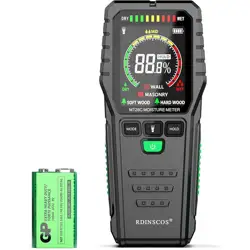
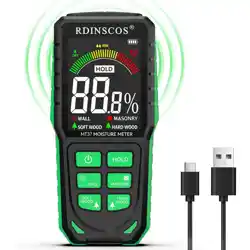
Overview
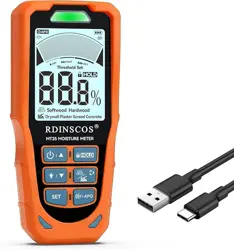
The RDINSCOS MT35 is a non-destructive, inductive moisture meter designed for detecting relative moisture content in various building materials. It uses high-frequency sensing to provide readings without damaging surfaces.

The device features six dedicated measurement modes, a rechargeable battery, a large backlit LCD, and an adjustable alarm system.
Package Contents
- RDINSCOS MT35 Moisture Meter
- USB Charging Cable
- User Manual
- Storage Bag
Key Features
1. Multi-Material Measurement Modes
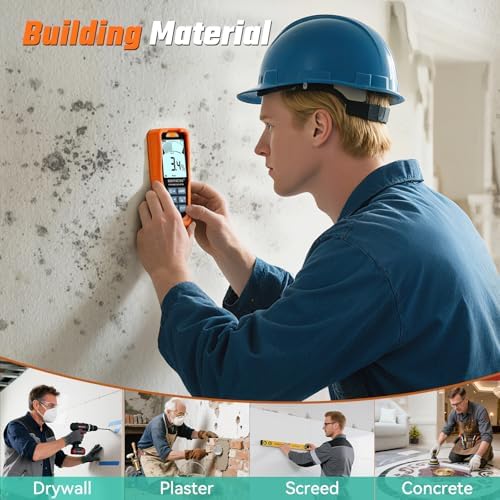
The meter has six pre-set modes optimized for specific materials to ensure accurate relative humidity readings:
- Softwood: For lumber, furniture, and softwood beams.
- Hardwood: For flooring, hardwood beams, and finished wood products.
- Drywall: For gypsum board inspection before painting or finishing.
- Plaster: For checking plaster surfaces before repair.
- Screed: For assessing floor screed drying.
- Concrete: For basements, foundations, and concrete slabs.
2. Non-Destructive Operation
The pinless design uses an inductive sensor pad. Place the sensor flat against the material surface to take a reading. This prevents punctures or marks on finished walls, floors, or delicate surfaces.
3. Display and Controls
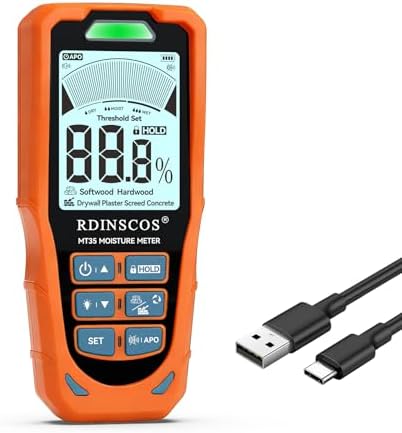
- 2.9-inch Backlit LCD: Shows moisture reading, selected mode, battery status, and alarm indicators.
- Mode Button (M): Cycles through the six material modes.
- Hold Button (HOLD): Locks the current reading on the display.
- Power/Alarm Set Button (SET): Powers the device on/off. A long press resets alarm thresholds to factory defaults.
4. Adjustable Alarm System
You can set a custom moisture threshold. The device provides a dual alert when this threshold is exceeded:
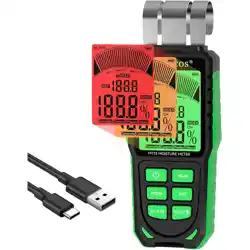
- Visual: Tri-color LED indicator.
- Green: Dry (within safe range).
- Orange: Caution (approaching limit).
- Red: Wet (exceeds set threshold).
- Audible: Beeper sound (can be muted).
5. Power System
- Battery: Built-in 3.7V 1200mAh Lithium-Polymer rechargeable battery.
- Runtime: Approximately 8 hours of continuous use on a full charge.
- Charging: Via the included USB cable. The display shows charging status.
- Auto Power-Off: The device turns off automatically after 5 minutes of inactivity to conserve battery.
Specifications
| Type |
Inductive (Pinless) Moisture Meter |
| Measurement Modes |
6 (Softwood, Hardwood, Drywall, Plaster, Screed, Concrete) |
| Detection Depth |
Up to 19mm (approx. 3/4 inch) |
| Operating Temperature |
-10°C to 50°C (14°F to 122°F) |
| Display |
2.9-inch LCD with backlight |
| Alarm System |
3-level LED (Green/Orange/Red) + Audible Beeper (mute function available) |
| Key Functions |
HOLD, Auto Backlight, Mute, Auto Power-Off, Adjustable Alarm, Factory Reset |
| Power Source |
USB-rechargeable 3.7V 1200mAh Li-ion battery |
| Item Weight |
0.15 kg (0.33 lbs) |
Use Guide
Initial Setup
- Fully charge the device using the provided USB cable before first use.
- Press and hold the SET button for 2 seconds to power on.
Taking a Measurement
- Select the Correct Mode: Press the M button to cycle through the icons (Softwood, Hardwood, Drywall, Plaster, Screed, Concrete) until the symbol matching your material is displayed.
- Prepare the Surface: Ensure the surface is clean, dry, and free of paint, sealant, or debris that may affect the reading.
- Position the Meter: Place the sensor pad (located on the back of the device) flat and firmly against the material surface.
- Read the Display: The relative moisture reading will appear on the LCD. The value bar and numerical readout indicate the level.
- Use HOLD Function (Optional): Press the HOLD button to freeze the current reading for later recording.
- Move the meter to a new spot to scan an area. For accurate assessment, take multiple readings across the surface.
Setting the Alarm Threshold
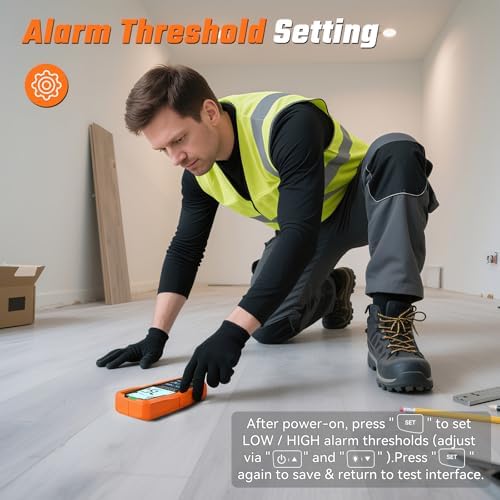
- While the device is on and in a measurement mode, press the SET button briefly. The current alarm threshold value will start flashing.
- Press the M button to increase the threshold value. The range is material-dependent.
- Press the HOLD button to decrease the threshold value.
- Press the SET button again to confirm and save the new threshold. The device will return to measurement mode.
- To Reset: Press and hold the SET button for more than 5 seconds to restore all alarm thresholds to factory default settings.
Muting the Audible Alarm
To turn off the beeper sound while keeping the visual LED alarm active, press and hold the M and HOLD buttons simultaneously for 3 seconds. Repeat to re-enable the sound.
Charging the Battery
- Connect the small end of the USB cable to the port on the side of the meter.
- Connect the other end to a USB power source (e.g., computer, wall adapter).
- The battery icon on the display will indicate charging status. A full charge takes approximately 2-3 hours.
Important Notes
- This meter provides relative moisture readings for comparison and trend detection. It does not provide an absolute moisture percentage.
- For accurate results, always select the mode that matches the material you are testing.
- The sensor measures up to a depth of 19mm. Moisture deeper than this may not be detected.
- Extreme temperatures (outside the operating range) can affect accuracy and may damage the device.
- Keep the sensor pad clean and free of scratches.
Troubleshooting
| Problem |
Possible Cause |
Solution |
| Device does not turn on |
Battery is depleted. |
Connect the USB cable to charge the battery for at least 30 minutes before use. |
| Readings are inconsistent or erratic |
Incorrect mode selected. Surface is dirty or uneven. Low battery. |
Select the correct material mode. Clean the surface and sensor pad. Ensure the battery is sufficiently charged. |
| No alarm sounds when threshold is exceeded |
Audible alarm is muted. |
Press and hold the M and HOLD buttons simultaneously for 3 seconds to unmute. |
| Display is dim or hard to read |
Backlight may be off. Low battery. |
The backlight activates automatically in low light. Charge the device. |
Care and Maintenance
- Store the meter in the provided bag in a cool, dry place.
- Clean the sensor pad with a soft, dry cloth. Do not use chemicals or abrasives.
- Avoid dropping the device or exposing it to water or excessive humidity.
- For long-term storage, charge the battery to approximately 50% capacity.
Manufacturer Contact
SHENZHEN REDDRAGON INSTRUMENTS CO.,LTD
For support, contact: [email protected]