Overview
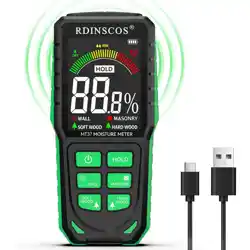
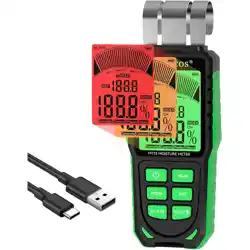
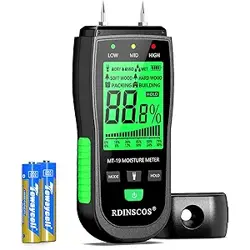
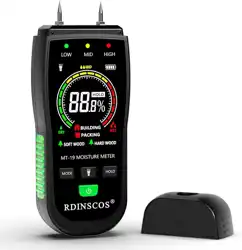
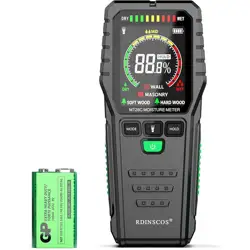
The RDINSCOS MT36 is a pinless, non-destructive moisture meter designed for detecting moisture content within various building materials. It uses a spherical probe for non-invasive scanning and features a color LCD display, an adjustable audible alarm, and a rechargeable battery.
Primary Use: To measure relative moisture levels in walls, drywall, wood, plaster, concrete, and basements to identify potential water damage or leaks.

Package Contents
- 1 x MT36 Moisture Meter
- 1 x User Manual
- 1 x Storage Bag
- 1 x Charging Cable (USB)
Key Features & Specifications
Technical Specifications
- Model: MT36
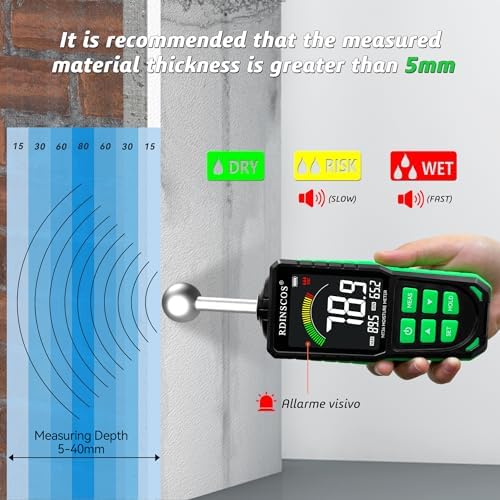
- Measurement Depth: 5 mm to 40 mm below the surface.
- Accuracy: ±2.5%
- Display: Color LCD Screen
- Power Source: Rechargeable Lithium Polymer Battery (included)
- Charging: Via included USB cable.
- Dimensions: 10 x 4 x 3 cm
- Weight: 281 g
Feature Details
Non-Destructive Detection
The spherical sensor allows for scanning without damaging the material's surface. It can detect hidden moisture up to 40mm deep, making it suitable for corners, ceilings, and basements.
Customizable Audible Alarm
You can set a specific moisture threshold. The device will emit an audible alert when the detected moisture level exceeds your set point, allowing for quick identification of problem areas.
Real-Time Color Display
The large color screen shows real-time moisture readings. The display is designed to present information clearly, often using color coding to indicate different moisture levels.
Rechargeable Design
The built-in battery is rechargeable via USB, eliminating the need for disposable batteries.
Device Overview

Controls and Indicators
- Spherical Sensor: Located on the back of the device. Place this against the material to be tested.
- Color LCD Display: Shows the moisture reading, battery status, and alarm settings.
- "MEAS" Button: Used to calibrate the device and start a measurement cycle.
- Function Buttons: For navigating menus, setting the alarm threshold, and adjusting settings (specific button layout inferred from function).
- Charging Port: USB port for connecting the included charging cable.
- Speaker: For the audible alarm.
Use Guide
Initial Setup and Charging
- Fully charge the device using the provided USB cable before first use.
- Power on the device.
Taking a Measurement
- Prepare the Surface: Ensure the area to be tested is clean and dry. Remove any surface debris.
- Calibrate: Press the "MEAS" button to initiate calibration on a known dry section of the material. This establishes a baseline.
- Place the Sensor: Firmly place the spherical sensor flat against the surface you want to test.
- Read the Display: Hold the device steady. The moisture reading will be shown on the color display. The reading is a relative value.
- Interpret Results: Compare readings from a suspected wet area to your baseline dry reading. Higher numbers indicate higher relative moisture.
Setting the Alarm Threshold
- Access the device's menu using the function buttons.
- Navigate to the alarm setting option.
- Set your desired moisture level threshold based on your material and environment.
- Save the setting. The device will beep when this level is exceeded during a scan.
Best Practices & Tips
- For Accuracy: Take multiple readings in an area and average them, as moisture distribution can be uneven.
- Establish a Baseline: Always take a reference reading on a known dry area of the same material for comparison.
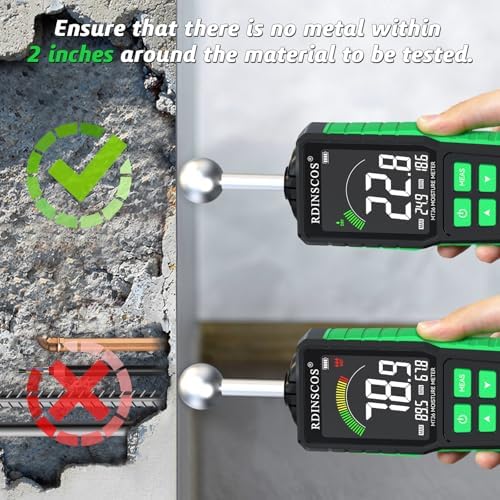
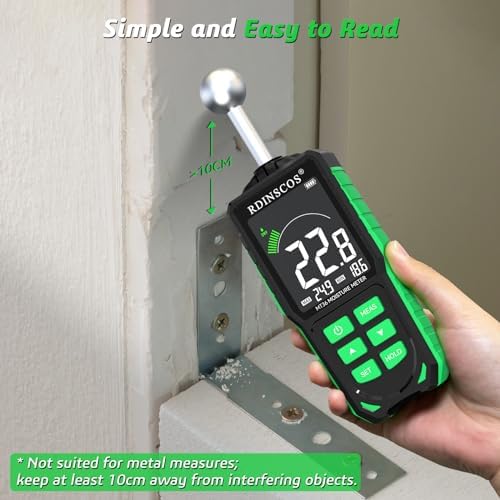
- Avoid Interference: Keep the sensor at least 2 inches (5 cm) away from metal objects, pipes, wires, or your hand during measurement, as these can affect readings.
- Material Thickness: Ensure the material being tested is thicker than 20mm to avoid interference from materials behind it.
Note on Readings: This meter provides relative moisture readings, not absolute percentage values. It is most effective for comparing different areas to locate moisture anomalies.
Proper and Improper Use
Proper Use Situations
- Testing thick walls, floors, or wood where no metal is present within 2 inches.
- Scanning for moisture gradients or leaks in basements, behind walls, or under floors.
- Checking the dryness of firewood or lumber.

Improper Use / Limitations
- Do not use on materials containing metal reinforcement (rebar, pipes, screws, wires) within the detection range.
- Do not use on very thin materials (e.g., single-layer drywall) directly, as readings may be inaccurate.
- Avoid taking measurements with your hand too close to the sensor.
Warning: This device is not designed to measure moisture in materials with metallic components. Doing so will give false readings.
Care and Maintenance
- Store the device in the provided storage bag when not in use.
- Keep the spherical sensor clean and free of dirt or debris.
- Recharge the battery when the low battery indicator appears on the display.
- Do not expose the device to extreme temperatures or immerse it in water.
Troubleshooting
| Issue | Possible Cause | Solution |
|---|---|---|
| No reading or erratic numbers | Metal interference, low battery, or sensor not in full contact. | Move away from metal, ensure good contact, recharge the device. |
| Device won't turn on | Battery is completely depleted. | Connect to USB charger and allow it to charge for several hours. |
| Alarm does not sound | Alarm threshold is set too high or alarm is disabled. | Check and adjust the alarm threshold in the settings menu. |
| Readings seem inconsistent | Uneven moisture distribution or testing on thin material. | Take multiple readings and average them. Ensure material is thick enough (>20mm). |
Technical Support
For product support, you may contact the manufacturer:
SHENZHEN REDDRAGON INSTRUMENTS CO.,LTD
Email: [email protected]