1. Overview
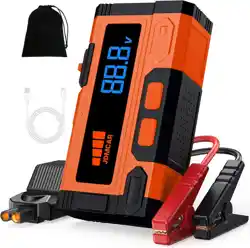
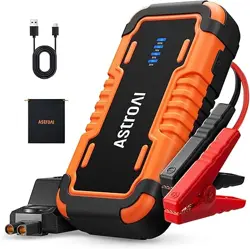
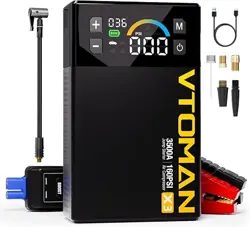
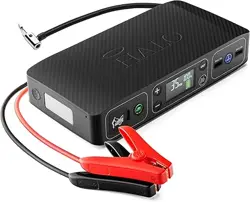
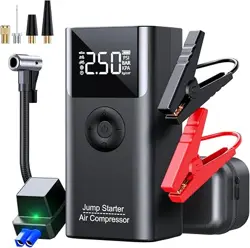
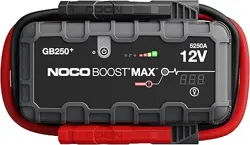
The JDMCAR Jump Starter Power Pack is a portable 12V battery booster designed to start vehicles with dead batteries. It is a multi-function device that also serves as a power bank for USB devices and includes an emergency LED light.

Key Specifications:
- Peak Current: 4000A
- Battery Capacity: 4000mAh
- Battery Type: Lithium-Ion
- Compatible Vehicles: 12V motorcycles, cars, SUVs, trucks (up to 7.0L gasoline, 5.5L diesel engines)
- Operating Temperature: -20°C to 50°C
- Weight: 335g
2. Package Contents
- JDMCAR Jump Starter unit
- Smart Jumper Cables (with clamps)
- USB-C charging cable
- User Manual (this document)

3. Features and Components
3.1. Physical Overview
The device has a compact, black casing. Identify the following elements:
- LED Power Indicator: Shows battery level.
- Power Button: Turns the device on/off and cycles through LED light modes.
- USB-A Output Port: For charging phones and other USB devices.
- USB-C Input/Output Port: For recharging the jump starter itself and for power output.
- 12V Jump Start Port: For connecting the included smart jumper cables.
- Integrated LED Light: Located on the front or side of the unit.

3.2. 5-in-1 Functions
- Car Jump Starter: Primary function for starting 12V vehicles.
- Portable Power Bank: Recharge smartphones and other USB devices.
- LED Flashlight: Provides strong light for illumination.
- LED Dim Light: A lower-intensity setting for prolonged use.
- LED SOS Strobe: A flashing SOS signal for emergencies.
3.3. Safety Protections
The device incorporates a smart chip with 10-layer protection:
- Reverse Connection Protection
- Over-Current Protection
- Over-Voltage Protection
- Overload Protection
- Short Circuit Protection
- Reverse Polarity Protection
- Over-Charge Protection
- Over-Discharge Protection
- High/Low Temperature Protection
- Spark-Proof Design

4. Use Guide
4.1. Charging the Jump Starter
Before first use and after each use, ensure the unit is fully charged.
- Connect the provided USB-C cable to the USB-C port on the jump starter.
- Connect the other end to a standard USB wall charger (5V/2A recommended) or a computer USB port.
- The LED power indicator will light up to show charging status. It will turn off or change color when fully charged (refer to indicator guide).
- A full charge typically takes several hours.
Note: Use only the provided cable or a certified USB-C cable. Do not leave the device charging unattended for extended periods.
4.2. Using the LED Light
- Press the power button once to turn on the device.
- Subsequent presses of the power button will cycle through the light modes: Strong Light → Dim Light → SOS Strobe → Off.
- Press and hold the power button for 2 seconds to turn the device off from any mode.
4.3. Using as a Power Bank
- Ensure the jump starter is turned on (press the power button once).
- Connect your phone or device to the USB-A or USB-C output port using your own charging cable.
- Charging will begin automatically. The LED indicator will show the remaining battery level.
4.4. Jump Starting a Vehicle
WARNING: Read all instructions and safety warnings before proceeding. Incorrect use can cause injury or damage. This device is for 12V lead-acid batteries only. Do not use on 24V systems or electric vehicle (EV) traction batteries.
- Prepare the Jump Starter: Ensure it is charged and turned OFF. Do not press the power button.
- Connect the Smart Jumper Cables: Plug the cable connector firmly into the 12V jump start port on the side of the unit.
- Identify Battery Terminals: Locate the dead vehicle's battery. Identify the positive (+) and negative (-) terminals. Clean any corrosion if present.
- Connect the Clamps to the Car Battery:
- Connect the RED positive (+) clamp to the positive (+) terminal of the dead battery.
- Connect the BLACK negative (-) clamp to a solid, unpainted metal part of the engine block or chassis, away from the battery and fuel lines. This is a ground connection.

- Start the Vehicle:
- Get into the vehicle.
- Start the engine as you normally would. It should start within a few seconds.
- If the vehicle does not start within 5-6 seconds, wait 20-30 seconds before trying again.
- Disconnect the Clamps: Once the vehicle is running:
- Disconnect the BLACK negative (-) clamp from the vehicle's ground.
- Disconnect the RED positive (+) clamp from the battery terminal.
- Unplug the cable connector from the jump starter.
- Recharge the Jump Starter: After use, recharge the unit as soon as possible.
Note: The smart jumper cables have built-in protection. If the clamps are connected incorrectly (reverse polarity), the device will not operate and no sparks will occur. Correct the connection and try again.
5. Indicator Guide
The LED power indicator shows the approximate battery level:
- 4 Lights Solid: 76% - 100% charge.
- 3 Lights Solid: 51% - 75% charge.
- 2 Lights Solid: 26% - 50% charge.
- 1 Light Solid: 10% - 25% charge.
- 1 Light Blinking: Below 10% charge. Recharge immediately.
(Note: The exact behavior may vary; consult the device's own indicator markings.)
6. Care and Maintenance
- Storage: Store in a cool, dry place away from direct sunlight and extreme temperatures. Ideal storage charge is between 50-80%.
- Recharging: Recharge the unit every 3-6 months if not used to maintain battery health.
- Cleaning: Wipe the exterior with a dry, soft cloth. Do not use liquids or solvents.
- Inspection: Periodically inspect the jumper cables for any signs of damage, fraying, or exposed wire. Do not use damaged cables.
- Do not disassemble, puncture, or incinerate the device.
7. Troubleshooting
- Device does not turn on: Recharge the unit fully. If it still does not turn on, the battery may be deeply discharged; leave it on charge for a longer period (e.g., 2 hours).
- Vehicle does not jump start:
- Ensure all connections are clean, tight, and correct (Red to +, Black to ground).
- Ensure the jump starter has sufficient charge (check indicator).
- The vehicle's battery may be completely dead or damaged, or there may be another mechanical issue.
- Wait 30 seconds and try again. Do not attempt more than 3 starts in quick succession.
- Device gets warm during charging/use: Some warmth is normal. If it becomes excessively hot, disconnect it and stop use.
- Power bank function not working: Ensure the device is turned on. Try a different USB cable.
8. Warranty and Support
This product includes a 1-year limited warranty from the date of purchase.
For product questions or support: Please contact the seller via the Amazon messaging system or email using the contact details provided with your purchase.
Important: Retain your proof of purchase (order invoice) for warranty claims.