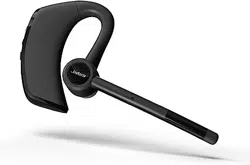
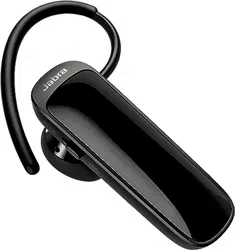
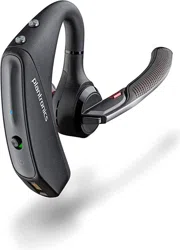
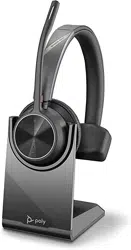
1. Overview
The Thunelec G9 is a single-ear Bluetooth headset designed for hands-free communication. It features Bluetooth 5.3, dual noise-cancelling microphones, and a long battery life.

The headset is intended for use in various environments such as offices, vehicles, and during physical activities.
2. What's in the Box
- Single Ear Bluetooth Headset (1x)
- Replacement Ear Caps (7x)
- User Manual (1x)
- Packaging Box (1x)
- Quick Charging Cable (USB-C) (1x)
3. Product Features
3.1 Audio & Microphone
- 14.2mm Speaker Driver: Provides sound with deep bass.
- Dual Noise Cancelling Microphones: Utilizes ENC and CVC 8.0 technology to reduce background noise from traffic, crowds, and wind.
- APTX HD, SBC, AAC Audio Codecs: Supports high-quality audio playback.

3.2 Connectivity
- Bluetooth 5.3: For stable connection and low power consumption.
- Dual Device Pairing: Can be connected to two devices (e.g., a phone and a laptop) simultaneously.
- Wireless Range: Up to 15 meters (approximately 49 feet).
3.3 Battery & Charging
- Battery Life: Up to 15 hours of music playback, 12 hours of talk time, and 90 hours in standby mode.
- Charging Time: Approximately 1.5 to 2 hours for a full charge.
- Dual Charging Ports: Features a USB-C port on both the earpiece and the charging case.


3.4 Design & Durability
- Ergonomic Earhook: Retractable and adjustable for a secure fit.
- Multiple Ear Tips: Includes 3 sizes of ear caps and 7 replacement caps.
- IPX7 Waterproof Rating: Protects against sweat, rain, and accidental water exposure.
- Flip-Boom Arm: The microphone arm swivels and rotates for positioning.
4. Use Guide
4.1 Charging the Headset
- Connect the provided USB-C cable to the charging port on the earpiece or the charging case.
- Plug the other end of the cable into a USB power adapter or computer port.
- The LED indicator will show the charging status. A full charge takes approximately 1.5 to 2 hours.
4.2 Power On / Off & Pairing
- To Power On: Press and hold the multifunction button until the LED indicator lights up and you hear a power-on prompt.
- To Enter Pairing Mode: Ensure the headset is powered off. Press and hold the multifunction button until the LED flashes red and blue alternately.
- On your Bluetooth-enabled device (phone, laptop, etc.), go to the Bluetooth settings and select "G9" from the list of available devices.
- Follow any on-screen prompts to complete pairing. You will hear a confirmation sound.
- To Power Off: Press and hold the multifunction button until you hear a power-off prompt and the LED turns off.
4.3 Connecting to Two Devices
- Pair the headset with your first mobile phone as described above.
- Turn off the headset and disable Bluetooth on the first phone.
- Turn the headset back on and pair it with your second device (e.g., a second phone or laptop) normally.
- Re-enable Bluetooth on your first phone. The headset should automatically reconnect to both devices.

4.4 Wearing the Headset
- Select the ear tip size that fits your ear canal most comfortably.
- Adjust the retractable earhook over the top of your ear.
- Rotate the flip-boom microphone arm so the mic is positioned near your mouth.
- Ensure the fit is secure and comfortable before use.

4.5 Button Controls
The headset features a multifunction button and a dedicated mute button.
- Multifunction Button:
- Answer/End Call: Press once.
- Reject Call: Press and hold for 2 seconds.
- Play/Pause Music: Press once.
- Next Track: Press twice quickly.
- Previous Track: Press three times quickly.
- Volume Up/Down: Typically controlled via the connected device. (Refer to your device's manual if headset buttons control volume).
- Activate Voice Assistant (Siri/Google Assistant): Press and hold (duration may vary).
- Mute Button: Press to mute your microphone during a call. Press again to unmute.

5. Specifications
- Model: G9
- Bluetooth Version: 5.3
- Wireless Range: 15 m (49 ft)
- Driver Size: 14.2 mm
- Battery Capacity: Not specified. Provides up to 15 hrs music, 12 hrs talk, 90 hrs standby.
- Charging Port: USB-C
- Water Resistance: IPX7
- Weight: 0.1 kg (Headset), 3.52 oz (Package)
- Compatibility: iOS, Android, PCs, and other Bluetooth-enabled devices.
6. Care & Maintenance
- Clean the ear tips and headset surface with a soft, dry cloth. Do not use liquids or solvents.
- Store the headset in the provided case when not in use.
- Although IPX7 rated, allow the headset to dry completely if it gets wet before charging.
- Use only the provided USB-C cable or a certified equivalent for charging.
7. Troubleshooting
- Headset won't power on: Ensure it is fully charged.
- Cannot pair with device: Ensure the headset is in pairing mode (LED flashing red/blue). Restart both the headset and your Bluetooth device.
- Poor call quality or background noise: Ensure the microphone boom is positioned correctly near your mouth. Try using the headset in a quieter environment to test.
- Short battery life: This may indicate the battery needs a full charge cycle. Fully drain and then recharge the headset.
- Device not connecting automatically: Check your device's Bluetooth settings to ensure "G9" is set to connect automatically. You may need to delete the pairing from both devices and re-pair.