1. Overview
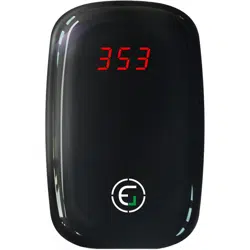
The EG Air Quality Pollution Monitor is a portable device designed to measure fine particulate matter (PM2.5) in the air. It provides real-time readings in either micrograms per cubic meter (µg/m³) or as an Air Quality Index (AQI) value. The device is intended for indoor and outdoor use to help monitor air quality in environments such as homes, cars, and hotel rooms.

2. Features and Specifications
2.1 Key Features
- PM2.5 and AQI Measurement: Accurately assesses fine particulate dust matter smaller than 2.5 microns.
- Portable Design: Compact and easy to carry for spot checks or continuous monitoring.
- Real-Time Monitoring: Built-in fan and laser sensor provide immediate readings.
- Dual Display Units: Toggle between PM2.5 (µg/m³) and AQI readings.
- Rechargeable Battery: Powered by a 500 mAh lithium battery with DC 5V micro USB charging.
- Visual Alarm: Display indicates air quality levels.
2.2 Technical Specifications
| Specification |
Detail |
| PM2.5 Measurement Range |
0 - 999 µg/m³ |
| Power Source |
500 mAh Lithium Battery / DC 5V Micro USB |
| Product Dimensions |
83.2 mm x 53 mm x 36.5 mm |
| Sampling Time |
Every 10 seconds |
| Display Type |
LED Display |
| Alarm Type |
Visual |
| Item Weight |
0.17 kg |
3. Use Guide
3.1 Getting Started
- Initial Charge: Before first use, fully charge the device using the provided micro USB cable connected to a DC 5V power source (e.g., computer USB port or wall adapter).
- Power On: Press and hold the multifunction button to turn the device on. The LED display will illuminate.
- Placement: For accurate readings, place the monitor on a flat surface in the area you wish to test. Ensure the air intake is not obstructed.
3.2 Taking Measurements
- The device will begin sampling air automatically every 10 seconds once powered on.
- The built-in fan draws ambient air over the laser sensor to measure particulate levels.
- Allow a few minutes for readings to stabilize, especially when moving to a new environment.

3.3 Using the Multifunction Button
The single button on the device controls the following functions:
- Power On/Off: Press and hold to turn the device on or off.
- Toggle Reading Mode: Briefly press the button to switch the display between PM2.5 (µg/m³) and AQI readings.
3.4 Interpreting the Display
- The LED display shows the current numerical reading.
- The unit of measurement (µg/m³ or AQI) will be indicated on the screen.
- Refer to standard AQI or PM2.5 health guidelines to interpret the readings for your environment.
3.5 Charging and Battery Life
- Connect the micro USB cable to the port on the device to recharge the internal battery.
- A full charge allows for portable operation when away from a power source.
- The device can also operate while connected to USB power for continuous monitoring.
4. Understanding Your Readings
PM2.5 refers to inhalable particulate matter with a diameter of 2.5 micrometers or smaller. These particles can penetrate deep into the lungs.
- Higher PM2.5 or AQI values indicate poorer air quality.
- Readings can fluctuate based on local sources (e.g., traffic, cooking, dust), time of day, and ventilation.
- Online air quality reports often provide 24-hour averages, which may differ from this device's real-time readings.
Use the monitor to identify trends, compare air quality in different rooms, or determine the effectiveness of air purifiers and filters.
5. Care and Maintenance
- Keep the device and its air intake clean and free from dust and debris.
- Wipe the exterior with a soft, dry cloth. Do not use liquids or abrasive cleaners.
- Store the device in a cool, dry place when not in use.
- Avoid exposing the monitor to extreme temperatures, high humidity, or direct sunlight for prolonged periods.
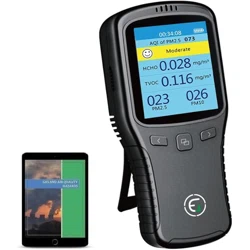
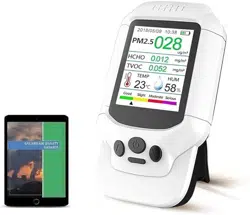
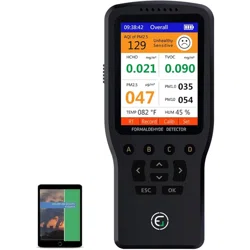
Note: This device is designed to detect PM2.5 particulate matter. It does not detect gases (e.g., Carbon Monoxide, Volatile Organic Compounds), formaldehyde (HCHO), or measure temperature and humidity. For those measurements, refer to other EG monitor models.