1. Overview
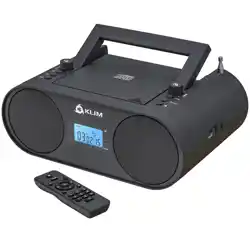
The SEMIER Retro Cassette Player Recorder Boombox is a portable audio device that plays standard audio cassette tapes and receives AM/FM radio broadcasts. It features a built-in microphone for recording, a 6W speaker, and a 3.5mm headphone jack. The unit can be powered by an AC adapter (included) or 4 C batteries (not included).

2. Features
2.1 Audio Playback & Recording
- Cassette Playback: Plays standard audio cassette tapes.
- Cassette Recording: Records from the built-in microphone or from the radio tuner onto blank cassette tapes.
- Auto Stop: The cassette player features an auto-stop function.

2.2 AM/FM Radio
- Tuner Range: AM: 520-1710 kHz. FM: 87-108 MHz.
- Reception: Equipped with a telescopic antenna and a DSP chip for improved signal clarity.

2.3 Sound & Connectivity
- Speaker: One 6W built-in speaker.
- Headphone Jack: 3.5mm output for private listening.
2.4 Power & Portability
- Dual Power Options: Operates via included AC power cord (110V) or 4 x C batteries.
- Portable Design: Includes a carrying handle. Dimensions: 9.5" x 3.3" x 4.5". Weight: 2.2 lbs.


3. Use Guide
3.1 Initial Setup
- Unpack: Remove the boombox, AC power cord, and user manual from the packaging.
- Power Choice:
- For home use, connect the AC power cord to the DC input on the boombox and plug it into a standard 110V wall outlet.
- For portable use, open the battery compartment on the underside, insert 4 C batteries (observing correct polarity), and close the compartment.
3.2 Playing a Cassette Tape
- Press the EJECT button to open the cassette compartment door.
- Insert a standard audio cassette tape with the exposed tape facing outward and the side you wish to play facing the front of the unit.
- Close the compartment door firmly.
- Press the PLAY button to begin playback.
- Use STOP to halt playback. Use FF (Fast Forward) or REW (Rewind) to navigate the tape.
- Press EJECT to remove the tape when finished.
Note: The player features an auto-stop function that will halt the tape at the end of a side.
3.3 Recording to a Cassette Tape
- Insert a blank or recordable cassette tape.
- To record from the built-in microphone:
- Press and hold the RECORD button (often requires pressing simultaneously with the PLAY button).
- Speak towards the microphone. The recording will start.
- To record from the radio:
- Tune to the desired AM or FM station.
- Press and hold the RECORD button (often requires pressing simultaneously with the PLAY button).
- Press STOP to end the recording.
3.4 Using the AM/FM Radio
- Set the FUNCTION switch to the RADIO position.
- Set the BAND switch to either AM or FM.
- Fully extend the telescopic antenna for best reception, especially for FM.
- Turn the TUNING knob to find your desired station. The tuning indicator on the display will show the frequency.
- Adjust the VOLUME knob to your preferred listening level.
3.5 Headphone Use
Plug a standard pair of 3.5mm headphones into the headphone jack. This will typically mute the internal speaker. Adjust volume using the main volume control.
4. Specifications
| Item | Specification |
|---|---|
| Brand | SEMIER |
| Model Style | Retro |
| Cassette Functions | Playback & Recording |
| Radio Bands | AM (520-1710 kHz), FM (87-108 MHz) |
| Speaker Output | 6W |
| Headphone Jack | 3.5mm |
| Power Supply | AC 110V (cord included) or 4 x C Batteries (not included) |
| Dimensions (L x W x H) | 9.5 x 3.3 x 4.5 inches |
| Weight | Approx. 2.2 lbs (1 kg) |
| Built-in Media | AC Cord *1, Cassette Player Boombox *1, User Manual |
5. What's in the Box
- Cassette Player Boombox x 1
- AC Power Cord x 1
- User Manual (this document)
6. Care & Maintenance
- Clean the exterior with a soft, dry cloth. Do not use abrasive cleaners or solvents.
- Keep the unit away from excessive heat, moisture, and direct sunlight.
- If using batteries, remove them if the unit will not be used for an extended period to prevent potential leakage and damage.
- The cassette playback heads may require occasional cleaning with a dedicated cassette head cleaner for optimal sound quality.