Overview
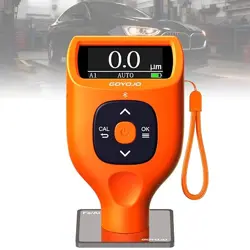
The TC100 Paint Thickness Gauge is a handheld, non-destructive measurement instrument designed to measure the thickness of paint and other coatings on metal substrates. It is primarily used for inspecting used vehicles to identify previous repairs, repaints, or bodywork, but is also suitable for a variety of other applications on ferrous (iron/steel) and non-ferrous (aluminum) metals.

Features
Automatic Substrate Recognition
The gauge features a dual-technology (Fe/NFe) probe that automatically detects whether the underlying metal is ferrous (iron, steel) or non-ferrous (aluminum). This eliminates the need for manual mode switching.
Large LCD Display
The screen clearly shows:
- Measured thickness value
- Detected metal type (Fe or NFe icon)
- Battery status indicator
- Measurement units (µm or mils)

Versatile Applications
Suitable for measuring coating thickness on:
- Automotive body panels (primary use)
- Powder coating
- Anodized aluminum
- Bathroom fittings, bike frames, furniture, appliances, and other coated metal objects.
Measurement Specifications
| Parameter | Specification |
|---|---|
| Measurement Range | 0 – 1300 µm (0 – ~51 mils) |
| Accuracy | ±2.5% of reading (within 1300µm) |
| Measurement Rate | Up to 2 measurements per second |
| Units | Micrometers (µm) or Mils |
| Substrates | Ferrous (Fe) and Non-Ferrous (NFe - Aluminum) |
| Probe Type | Integrated 2-in-1 Fe/NFe probe |
| Battery | 1 x 9V Lithium Polymer (included) |
| Auto Power Off | Approximately 15 minutes of inactivity |
Use Guide
Initial Setup
- Install the included 9V battery into the compartment on the back of the gauge.
- Press and hold the power button for more than 0.5 seconds to turn the device on.
- The display will illuminate, showing icons for battery status and substrate type.
Taking a Measurement
- Ensure the measurement surface is clean and dry.
- Place the V-shaped probe tip squarely against the painted metal surface.
- Apply gentle, steady pressure. The probe is designed not to scratch the paint.
- The reading will stabilize on the display within a second. The detected metal type (Fe or NFe) will be shown.
- Lift the probe and move to the next measurement point.
Note: For consistent results, maintain a steady grip and apply even pressure. Slight variations in readings at the same spot are normal due to surface texture and applied force.
Calibration
The device supports zero-point and multi-point calibration using the provided calibration films (included: 5 films and iron/aluminum substrates).
- Turn the gauge on.
- Place the probe on the appropriate bare substrate (iron or aluminum block).
- Access the calibration function (refer to the included double-language manual for specific button sequences).
- Follow the on-screen prompts, using the calibration films to set known thickness points for fine-tuning accuracy.
Measurement Modes
- Spot Measurement: Single measurement each time the probe is placed.
- Continuous Measurement: The gauge can take successive readings as you move the probe across a surface.
Power Management
- The gauge will automatically power off after approximately 15 minutes of no use to conserve battery.
- A low battery icon will appear on the display when power is running low.
- For long-term storage, remove the battery from the device.
Important Usage Notes
Correct Use: This gauge is designed for use on metal substrates only (steel, iron, aluminum).
Incorrect Use: It cannot measure paint on non-metallic surfaces such as:
- Plastic (e.g., car bumpers)
- Fiberglass
- Carbon fiber
- Wood
Attempting to measure on these materials will not yield accurate readings.
Product Specifications
| Brand | RDINSCOS |
|---|---|
| Manufacturer | SHENZHEN REDDRAGON INSTRUMENTS CO.,LTD |
| Model | TC100 (XWJ) |
| Dimensions (L x W x H) | 15 x 5 x 5 cm |
| Weight | 180 grams |
| Battery | 1 x 9V Lithium Polymer (included) |
| Operating Voltage | 9V |
| Material | Alloy Steel |
What's Included
- TC100 Paint Thickness Gauge (main unit)
- 1 x Iron (Ferrous) Calibration Substrate
- 1 x Aluminum (Non-Ferrous) Calibration Substrate
- 5 x Calibration Coating Films
- 1 x 9V Battery
- Double-language (English/other) User Manual
- Package Box
Troubleshooting
- No Reading/Erratic Display: Ensure the probe is placed on a clean, bare metal spot. Check battery level. Recalibrate if necessary.
- Gauge Won't Turn On: Check that the 9V battery is correctly installed and has sufficient charge. Replace if needed.
- Inconsistent Readings: Apply steady, even pressure with the probe perpendicular to the surface. Avoid curved edges where contact is poor.
- Device Not Recognizing Substrate: Confirm the surface is metallic (steel or aluminum). The gauge will not work on plastic or fiberglass.