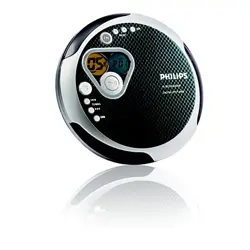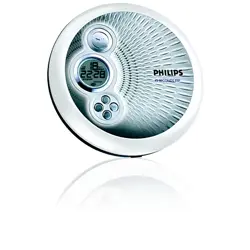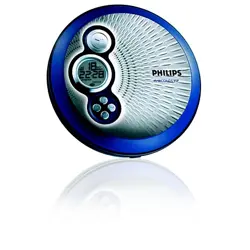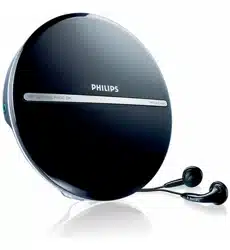
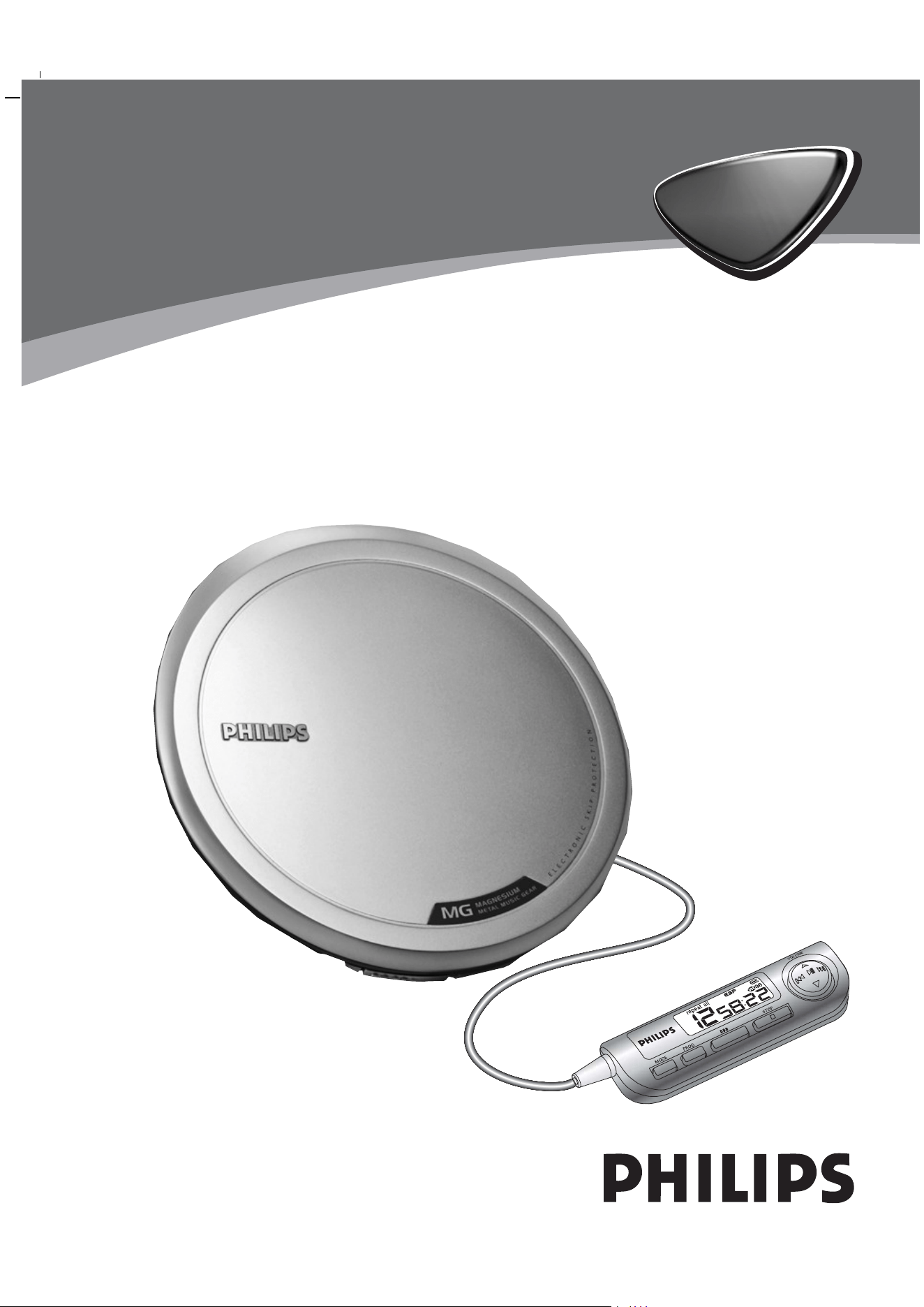
Portable CD Player
AX7200
AX7201
AX7202
AX7203
AX7204
AX7205
Audio
Audio
1
The controls on the CD-player gives you a quick start.
To operate all the features, use the supplied remote control.
Les boutons sur le lecteur de CD permettent
une mise en service rapide.
Pour utiliser toutes les fonctions, utilisez
la té lé commande fournie.
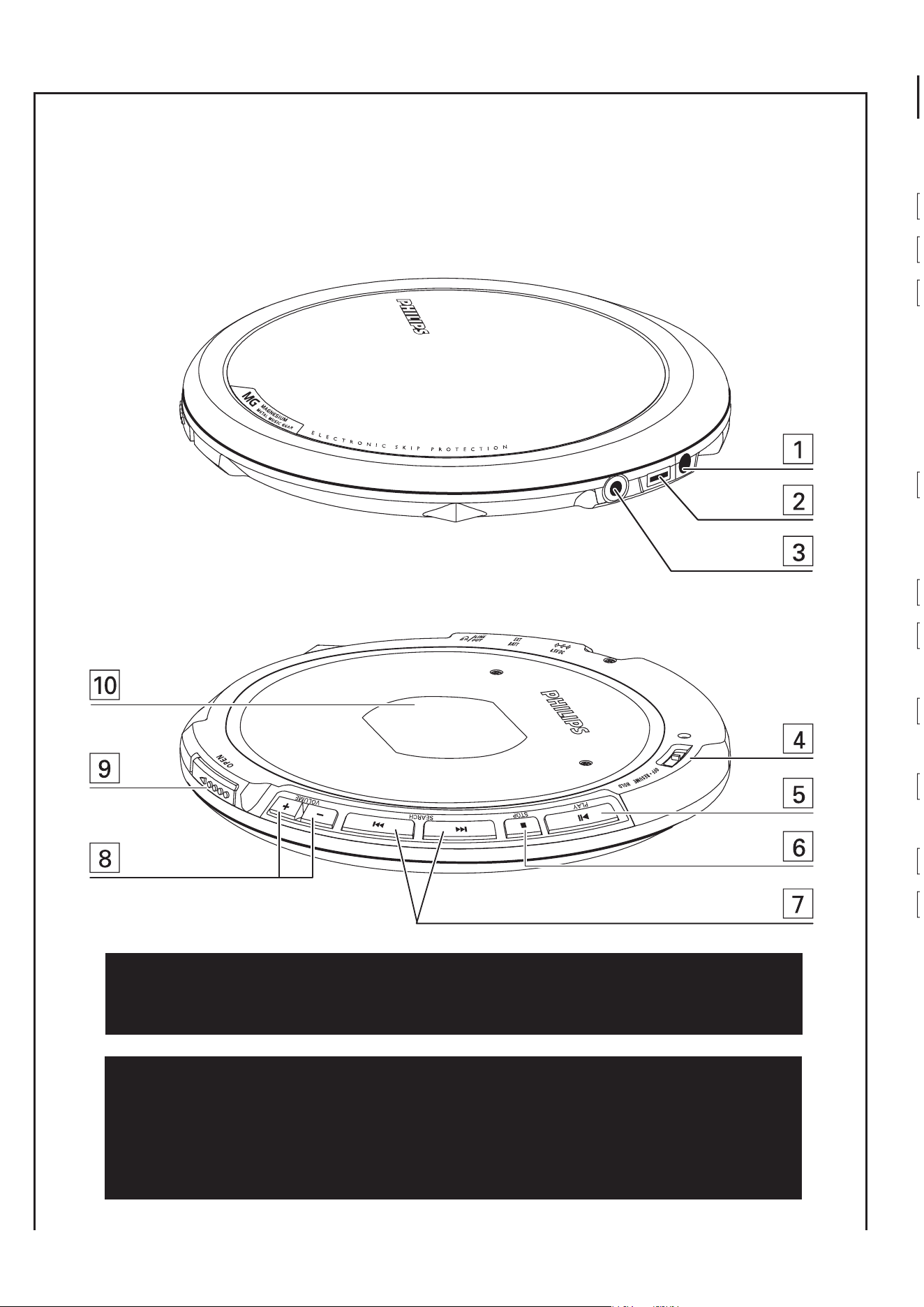
COMMANDES ( voir figure
1
2
3
4
5
6
7
8
9
0
Accessoires fournis :
2 x piles rechargeables, AY3364
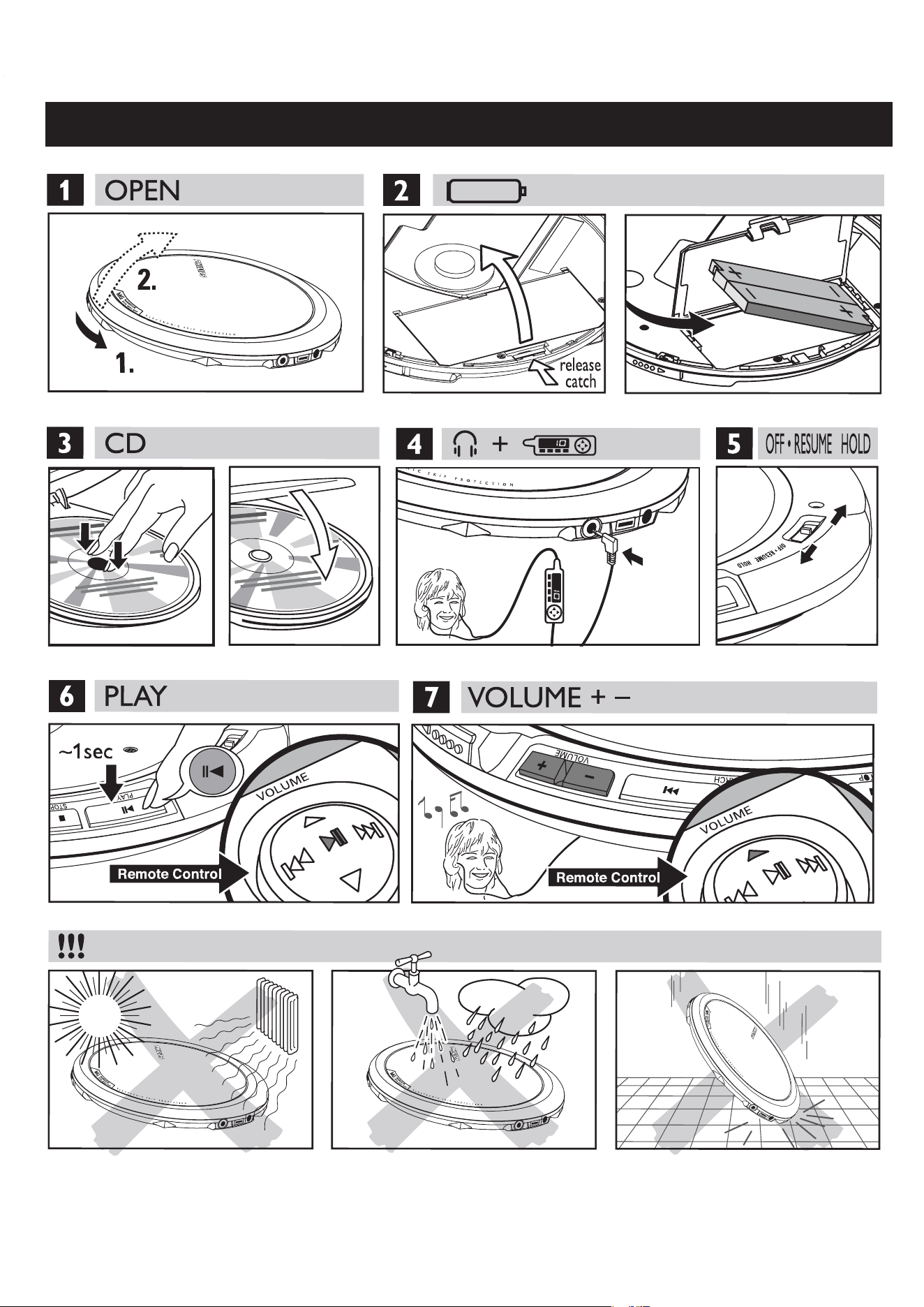
QUICK START MISE EN SERVICE RAPIDE

CAUTION
Use of controls or adjustments or perfor-
mance of procedures other than herein may
result in hazardous radiation exposure or
other unsafe operation.
This set complies with the radio interference
requirements of the European Union.
ATTENTION
L’utilisation des commandes ou ré glages ou
le non-respect des procédures ci-incluses
peuvent se traduire par une exposition dan-
gereuse à l’irradiation.
Cet appareil est conforme aux normes de la Communauté
européenne en matiè re d’interférences radio.

English
CONTROLS
CONTROLS ( see figure
1
)
1 4.5V DC ................ jack for AC/DC adapter power supply
2 EXT BATT ............ jack for external battery supply
3 p /LINE OUT........ connect the remote control here and your headphones to
the remote control. Insert the supplied headphone jack
adapter (for some versions only) first, if you want to
connect the headphones direct, or want to connect the
player to another audio input of an additional appliance.
4 OFF ....................... switches RESUME and HOLD off
RESUME............... stores the last position of a CD track played
HOLD.................... locks all buttons
5 2;........................ switches the player on, starts or pauses CD play
6 9 .......................... stops CD play, clears a program or switches the player off
7 ∞ ........................ skips and searches CD tracks backwards
§ ........................ skips and searches CD tracks forwards
8 + ........................... volume up
–........................... volume down
9 •••• 2 .............. opens the CD lid
0 ............................. type plate
Supplied Accessories:
1 x headphones, HE545 or HE570
2 x rechargeable batteries, AY3364
1 x external battery case, AY3380
1 x remote control, AY3774
1 x headphone jack adapter (for some versions only)
1 x AC/ DC adapter, AY3170
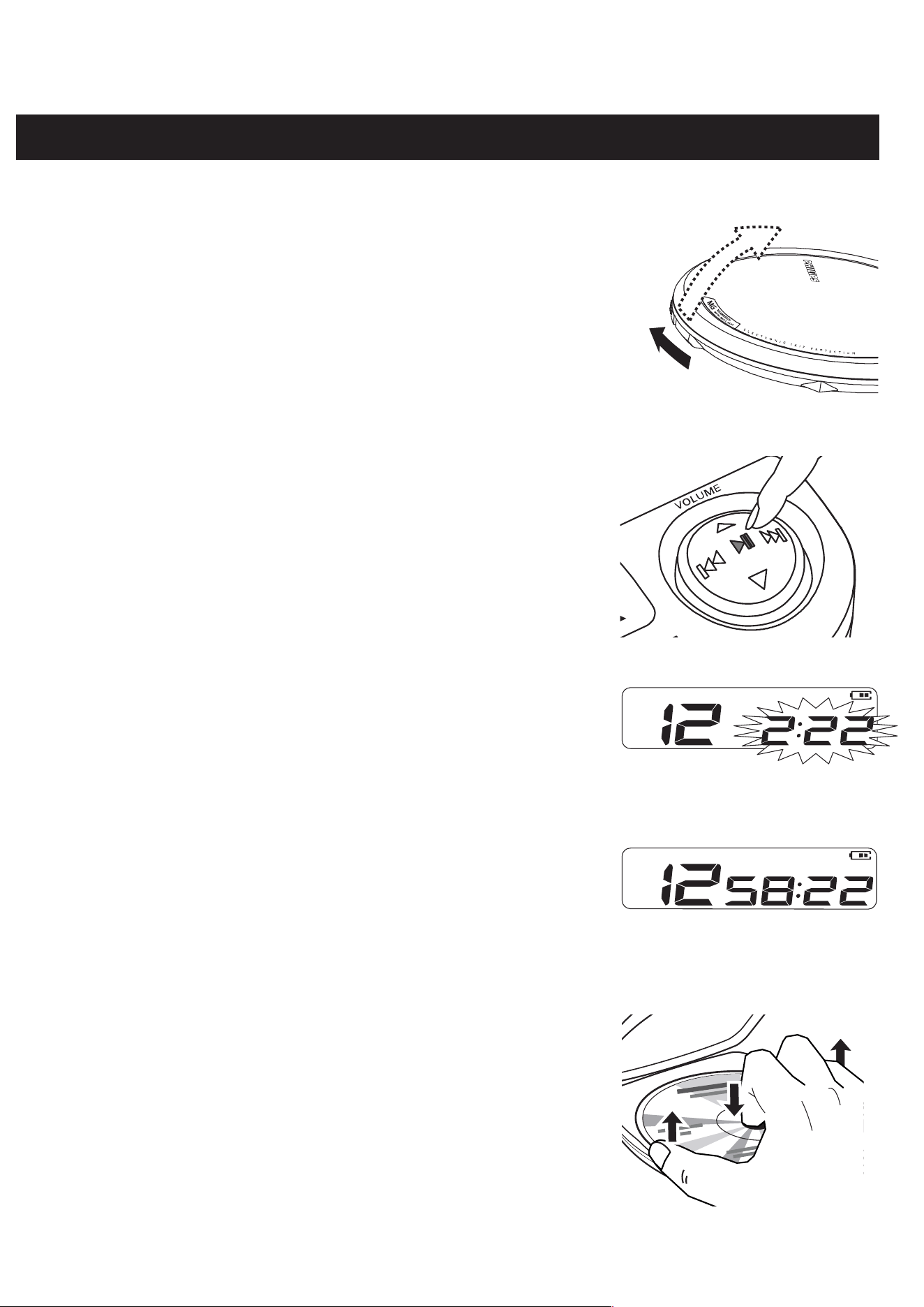
PLAYING A CD
This CD-player can play all kinds of Audio Discs such
as CD-Recordables and CD-Rewritables. Do not try to
play a CD-ROM, CDi, VCD, DVD or computer CD.
1 Push the •••• 2 slider to open the player.
2 Insert an audio CD, printed side up, by pressing the
CD onto the hub.
3 Close the player by pressing the lid down.
4 Press 2; to switch the player on and start playback.
yDisplay: The current track number and elapsed
playing time.
• You can pause playback by pressing 2;.
yDisplay: Paused playback time flashes.
• You can continue playback by pressing 2; again.
5 Press 9 to stop playback.
yDisplay: The total number of tracks and the
total playing time of the CD.
6 Press 9 again to switch the player off.
• To remove the CD, hold it by its edge and press the
hub gently while lifting the CD.
Notes:– If there is no activity, the set will automatically
switch off after a while to save energy.
– Use the buttons on the set to operate if you
have connected the headphones with the
headphone jack adapter.
0
2

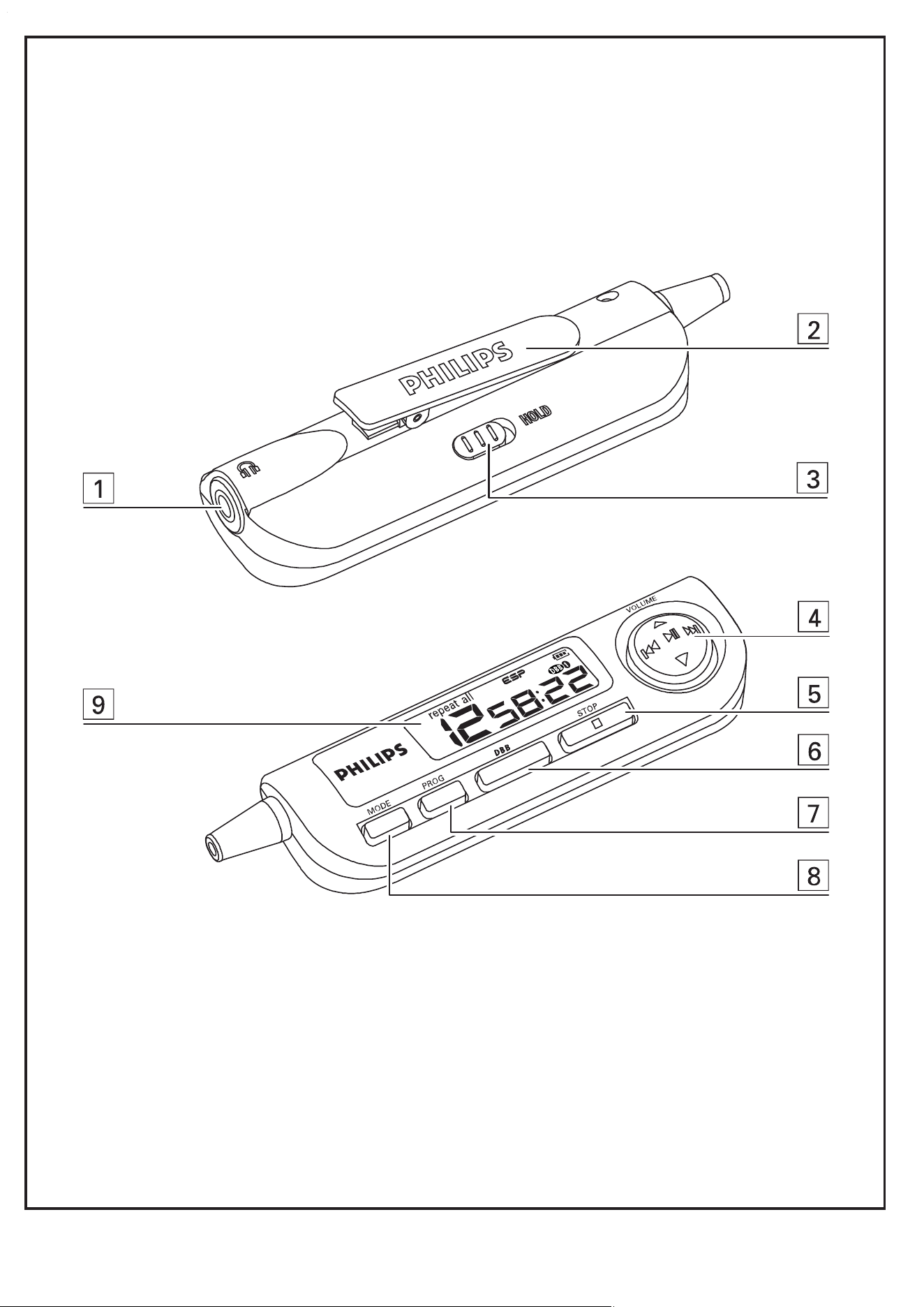
REMOTE CONTROL AY3774
CONTROLS ( see figure
2
)
1 p .......................... 3.5 mm headphone jack
2 Clip
3 HOLD.................... locks all buttons
4 VOLUME (3 , 4) adjusts the volume
2;........................ switches the set on, starts playback and interrupts
playback
∞ /§.................. skips and searches backward / forward tracks
5 9 stops playback and switches the set off
6 DBB ...................... switches the bass enhancement on and off
7 PROG.................... programs tracks and review the program
8 MODE................... selects the different playing possibilities
9 Display
Using the remote control
The remote control allows you to command all the functions on the player. For
convenience, the remote control buttons also overrides the HOLD function on the
set. Use only the AY3774 remote control.
1 Press 9 on the set twice to switch off the set.
2 Firmly connect the remote control to p/LINE OUT on the set.
3 Firmly connect the headphones to the jack on the remote control.
4 On the remote control press and hold 2; for 2 seconds to switch on the set
and to start playback.
y playback starts and the track number are displayed.
5 Adjust the volume and sound on the player and your remote control.
Note: Replace the batteries as soon as is displayed.
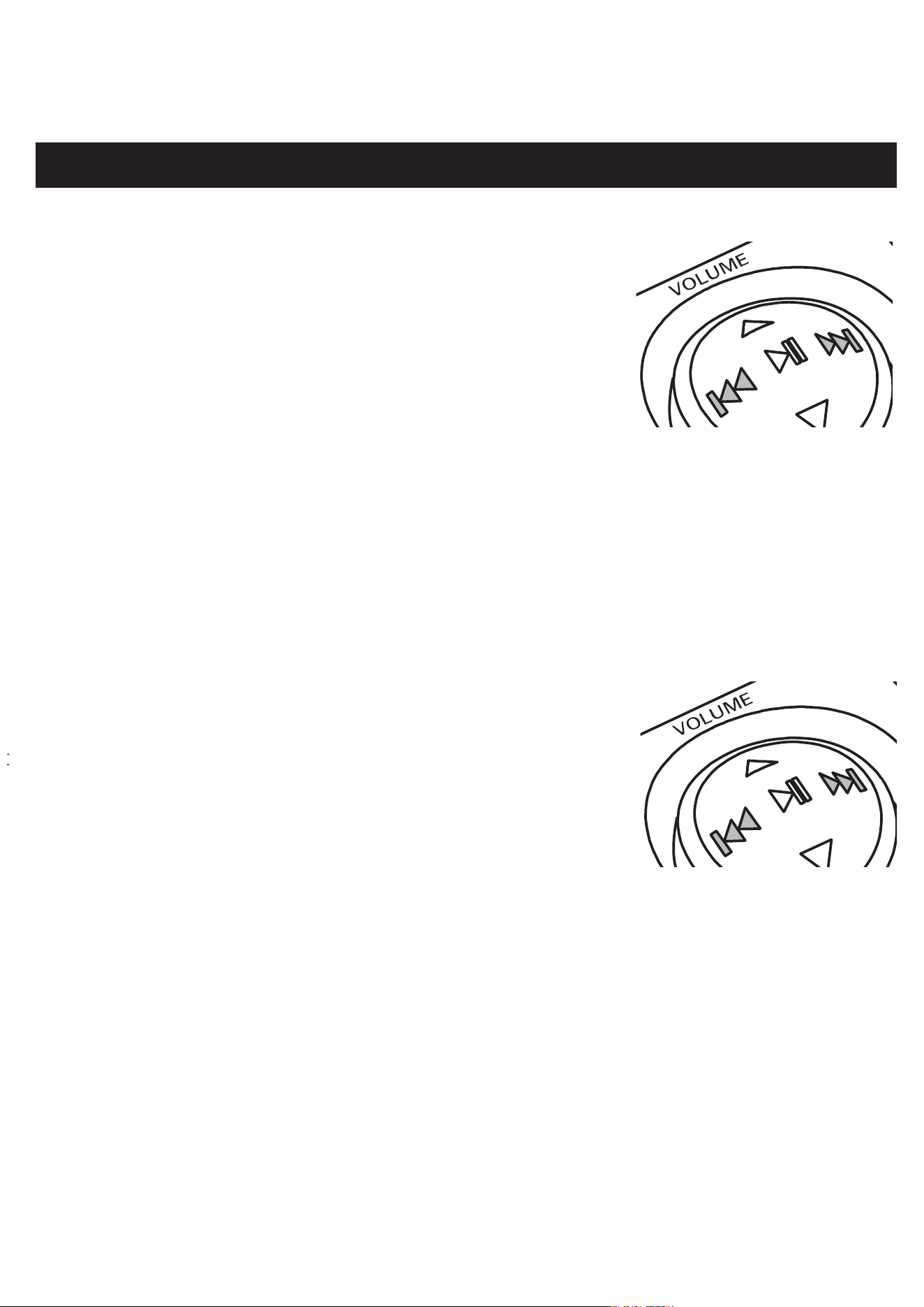
SELECTING A TRACK AND SEARCHING
Selecting a track during playback
• Briefly press ∞ or § once or several times to skip
to the current, previous or next track.
yPlayback continues with the selected track, and
the track number is displayed.
Selecting a track when playback is stopped
1 Briefly press ∞ or § once or several times to select the desired track. The
track number is displayed.
2 Press 2; to start CD play.
yPlayback starts with the selected track.
Searching for a passage during playback
1 Keep ∞ or § pressed to find a particular passage in
a backward or forward direction.
ySearching starts while playback continues at
low volume. After 2 seconds the search speeds
up.
2 Release the button when you reach the desired passage.
yPlayback continues from this position.
Notes: – If the player is in SCAN mode (see MODE chapter), searching is not
possible.
– In shuffle, shuffle repeat all or repeat mode (see MODE chapter), or
while playing a program, searching is only possible within the
particular track.
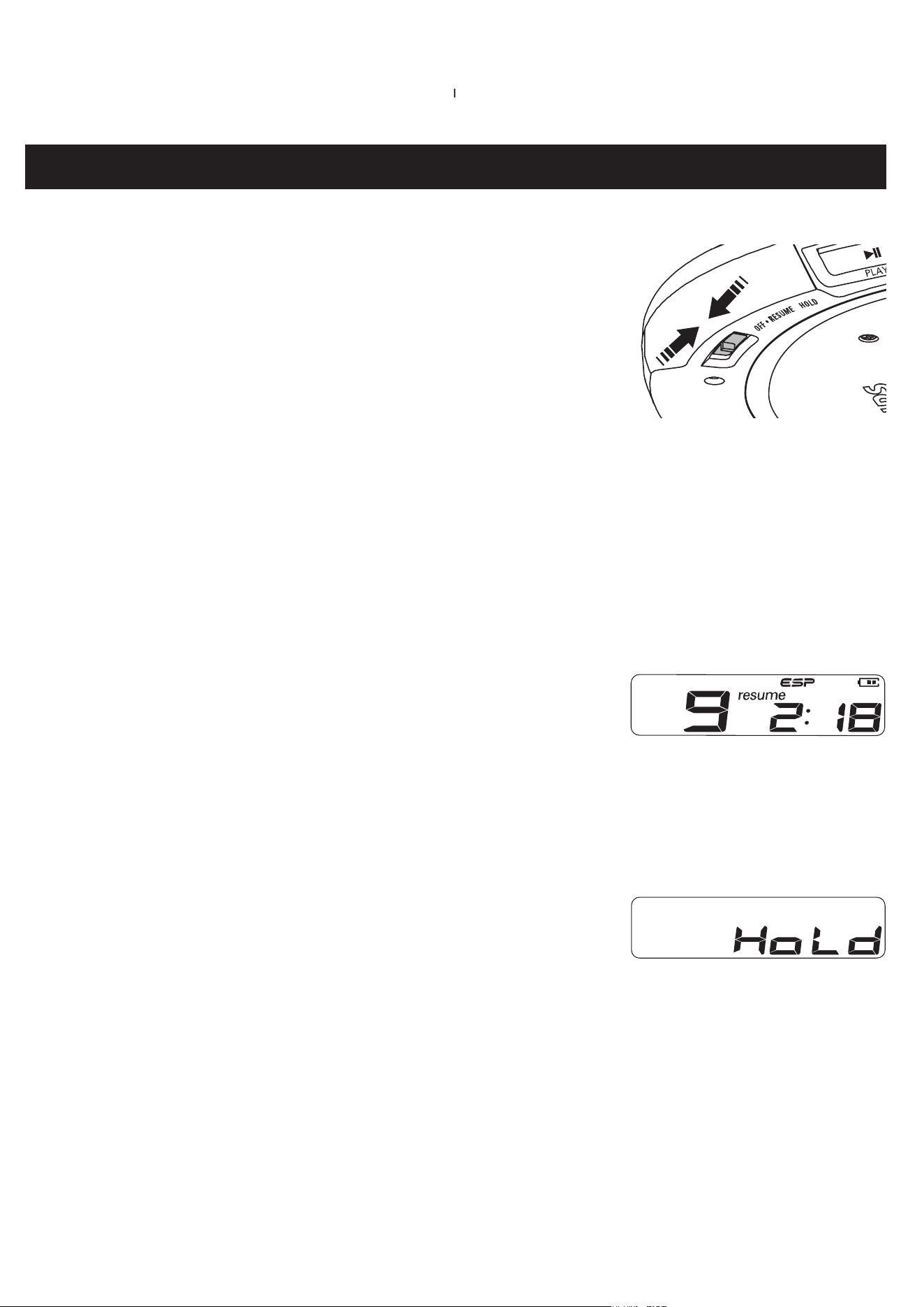
RESUME AND HOLD
You can interrupt playback and continue (even after an
extended period of time) from the position where
playback stopped (RESUME) and you can lock all buttons
of the set so that no action will be executed (HOLD).
Use the OFF–RESUME–HOLD slider for these functions.
RESUME – continuing from where you have stopped
1 Switch the slider to RESUME during playback to activate RESUME.
yDisplay: resume.
2 Press 9 whenever you want to stop playback.
3 Press 2; whenever you want to resume playback.
yDisplay: resume. Playback continues from
where you have stopped.
• To deactivate RESUME, switch the slider to OFF.
yDisplay: resume goes off.
HOLD – locking all buttons
You can lock the buttons of the set by switching the
slider to HOLD. With HOLD activated, you can avoid
accidental activation of other functions.
1 Switch the slider to HOLD to activate HOLD.
yAll buttons are locked. HoLd is shown when you press any button on
the set. If the set is switched off, HoLd will be shown only when 2; is
pressed on the set.
2 To deactivate HOLD, switch the slider to OFF.
Note: For convenience, the remote control buttons override the HOLD function on
the set.
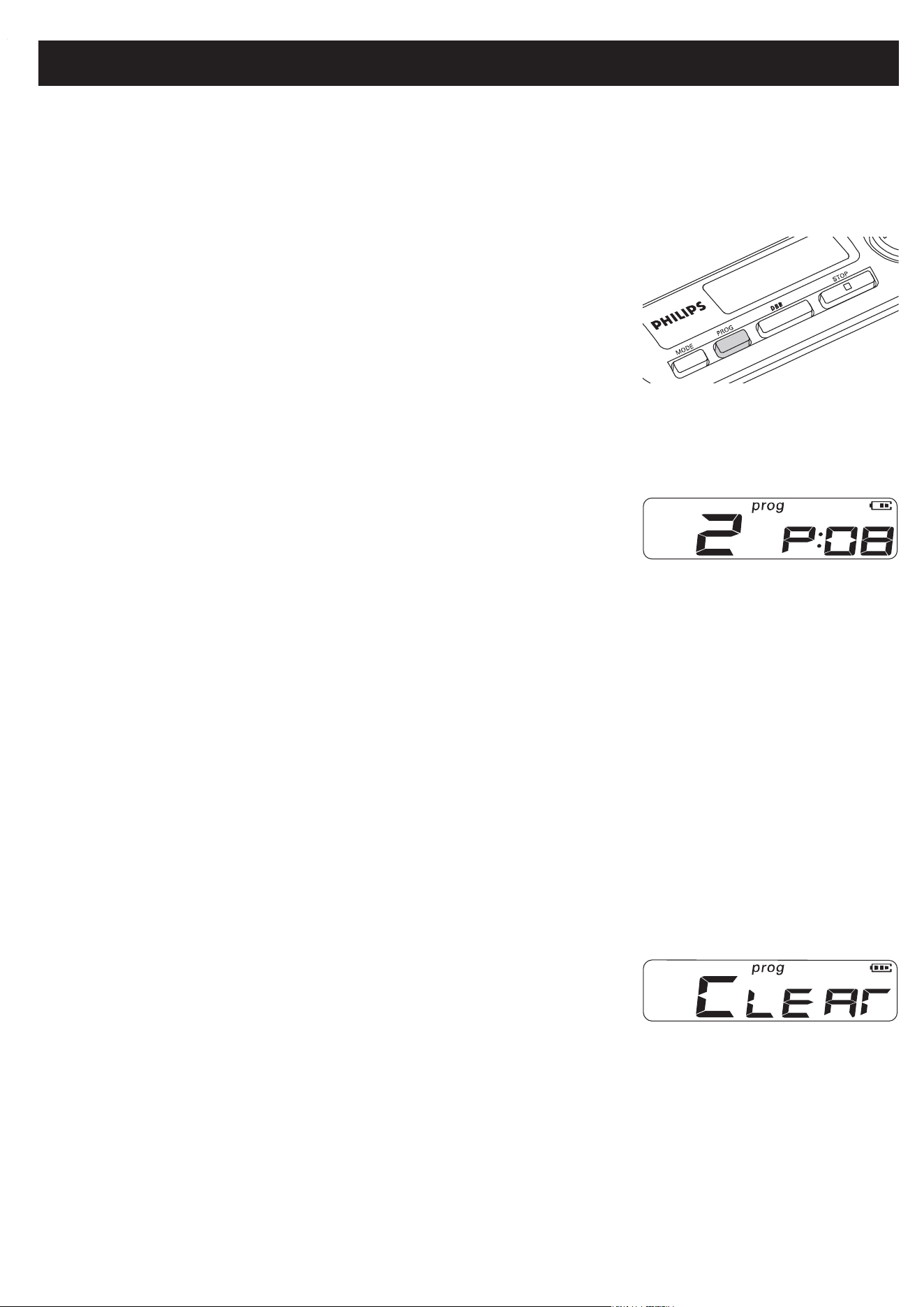
PROGRAMMING TRACK NUMBERS
(remote control only)
You can store up to 30 tracks to play in a program. A single track may be stored
more than once in the program.
1 While playback is stopped, select a track with
∞ or §.
2 Press PROG to store the track.
yprog lights up; the track number
programmed and P with the total number of
stored tracks are displayed.
3 Select and store all desired tracks in this way.
4 Press 2; to start playback of your selected tracks.
yprog is shown and playback starts.
• You can review the program by pressing PROG
for more than 2 seconds.
yThe display shows all the stored tracks in sequence.
Notes: – If you press PROG and there is no track selected,
SE
LECt is
displayed.
– If you try to store more than 30 tracks, FULL is displayed.
Clearing the program
• While playback is stopped, press 9 to clear program.
yCLEAr is displayed once, prog goes off, and
the program is cleared.
Note: The program will also be cleared if the power supply is interrupted, or if the
CD-player lid is opened, or if the set switches off automatically.
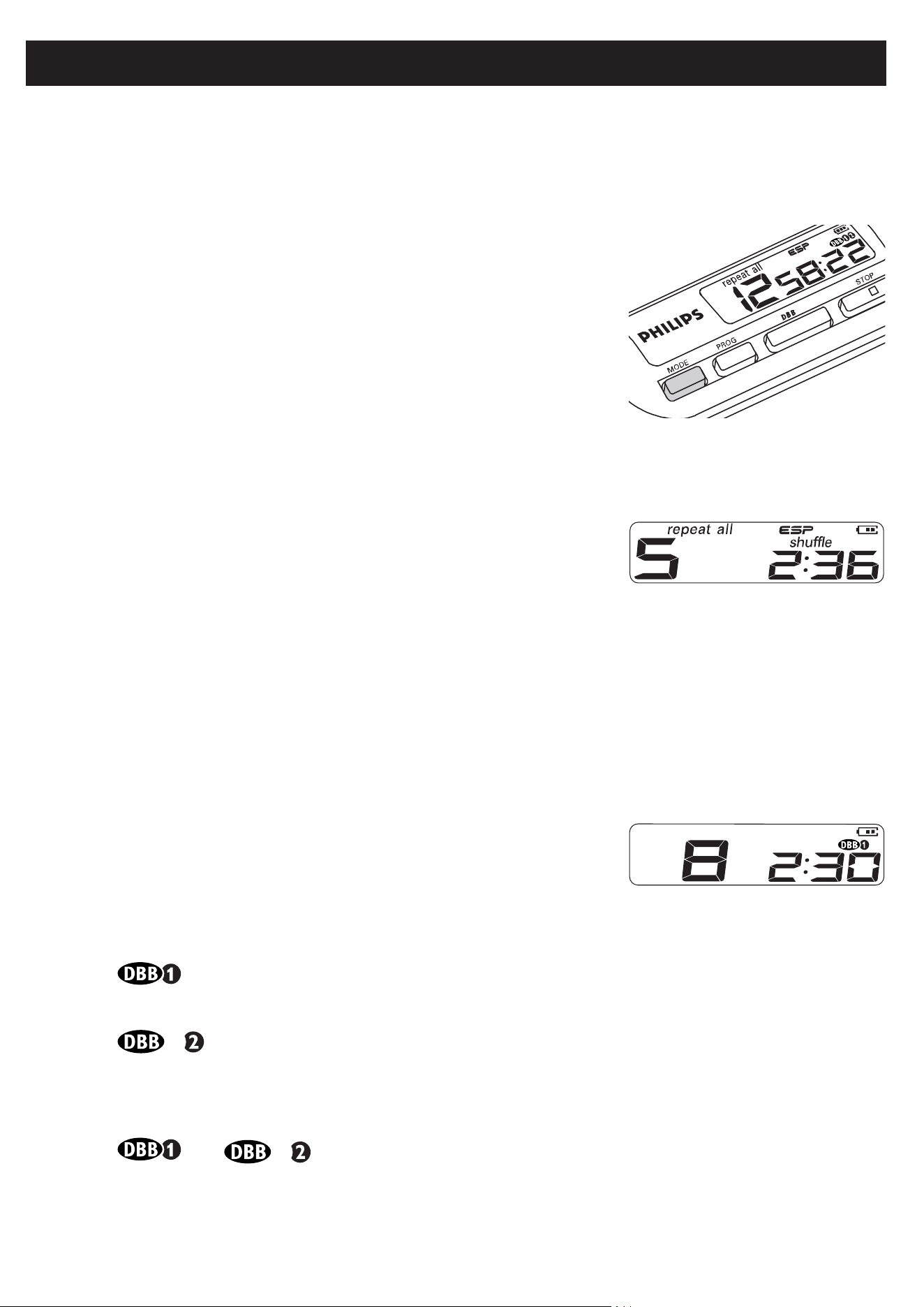
SELECTING DIFFERENT PLAY OPTIONS − MODE
(remote control only)
It is possible to play tracks in random order, to repeat a single track or the entire
CD, and to play the first few seconds of each track.
1 Press MODE during playback as often as required in
order to activate one of the following ‘modes’. The
active mode is shown in the display.
yshuffle: All tracks of the CD are played in
random order until all of them have been played
once.
yshuffle repeat all: All tracks of the CD are
played repeatedly in random order.
yrepeat: The current track is played repeatedly.
yrepeat all: The entire CD is played repeatedly.
ySCAn: The first 10 seconds of each of the
remaining tracks are played in sequence.
2 Playback starts in the chosen mode after 2 seconds.
• To return to normal playback, press MODE repeatedly until the display shows
no active modes.
DBB
Bass adjustment (remote control only)
1 Press DBB once or more to select the bass
enhancement options:
y moderate bass enhancement is activated.
y strong bass enhancement is activated.
2 Press DBB again to switch off the bass enhancement options.
y or disappears.
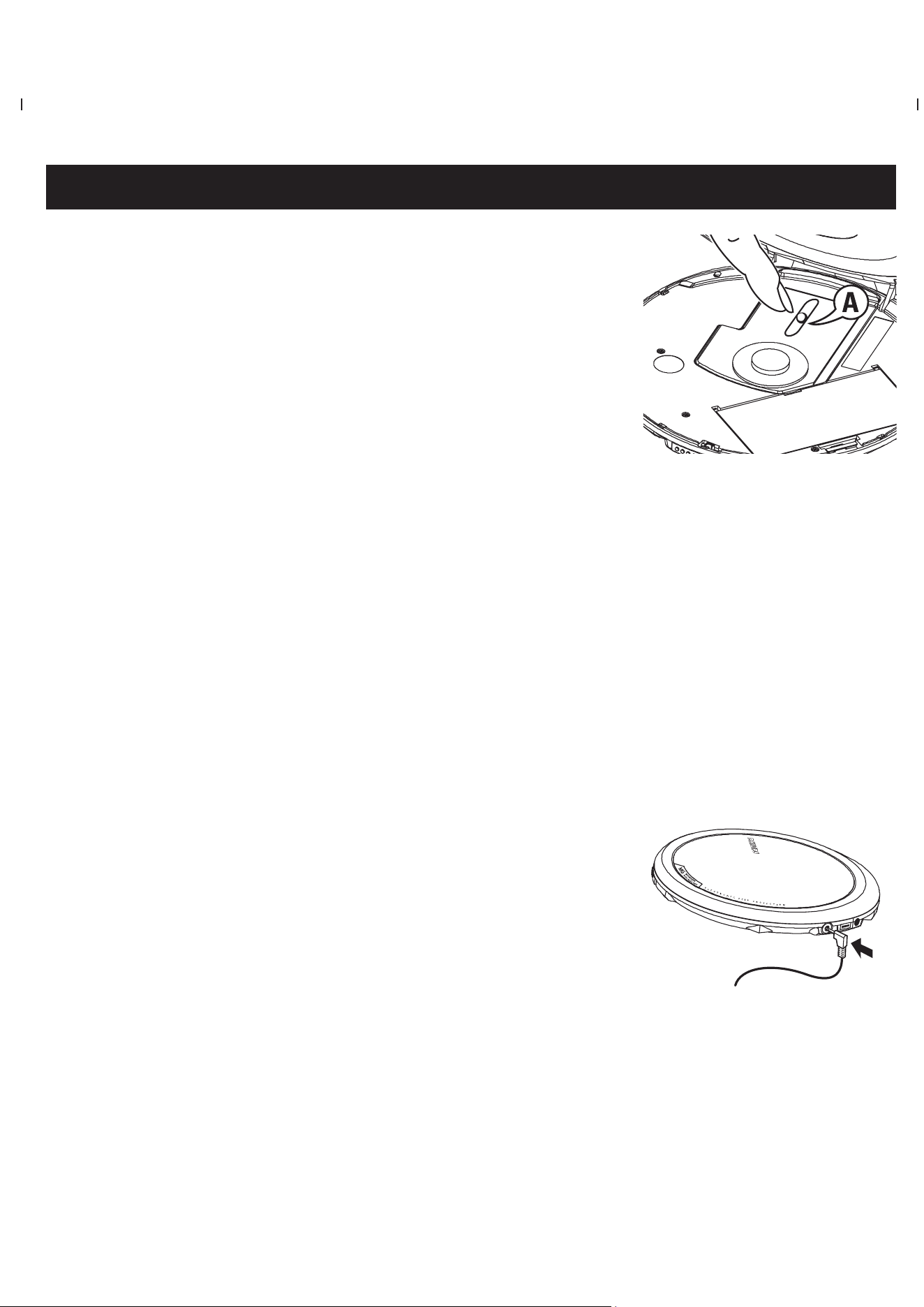
CD PLAYER AND CD HANDLING, p
• Do not touch the lens A of the CD player.
• Do not expose the unit, batteries or CDs to humidity,
rain, sand or excessive heat (caused by heating
equipment or direct sunlight).
• You can clean the CD player with a soft, slightly
dampened, lint-free cloth. Do not use any cleaning
agents as they may have a corrosive effect.
• To clean the CD, wipe it in a straight line from the center toward the edge
using a soft, lint-free cloth. A cleaning agent may damage the disc! Never
write on a CD or attach a sticker to it.
• The lens may cloud over when the unit is moved suddenly from cold to warm
surroundings. Playing a CD is not possible then. Leave the CD player in a warm
environment until the moisture has evaporated.
• Active mobile phones in the vicinity of the CD player may cause malfunctions.
• Avoid dropping the unit as this may cause damage.
Headphones HE545 or HE570, LINE OUT
• Connect the remote control to p/LINE OUT jack of
the player and your headphones to the remote con-
trol.
• Insert the headphone jack adapter first (for
some versions only), if you want to connect the
headphones direct, or want to connect the player to
another audio input of an additional appliance.
• p/LINE OUT can also be used for connecting the player to your HiFi system
(with a signal lead) or to your car radio (with a cassette adapter or signal
lead). In both cases, the volume of the player must be set to volume level 22.
IMPORTANT!
Hearing safety: listen at a moderate volume. using headphones at high volume can
impair your hearing.
Traffic safety: do not use headphones while driving or cycling as you may cause an
accident.
BATTERIES
(supplied or optionally available)
You can use the following batteries with this CD-player:
◆ Normal batteries type LR6, UM3 or AA (preferably Philips),
◆ Alkaline batteries type LR6, UM3 or AA (preferably Philips)
• PHILIPS rechargeable batteries, type AY3364
Notes:
–
Old and new batteries should not be combined.
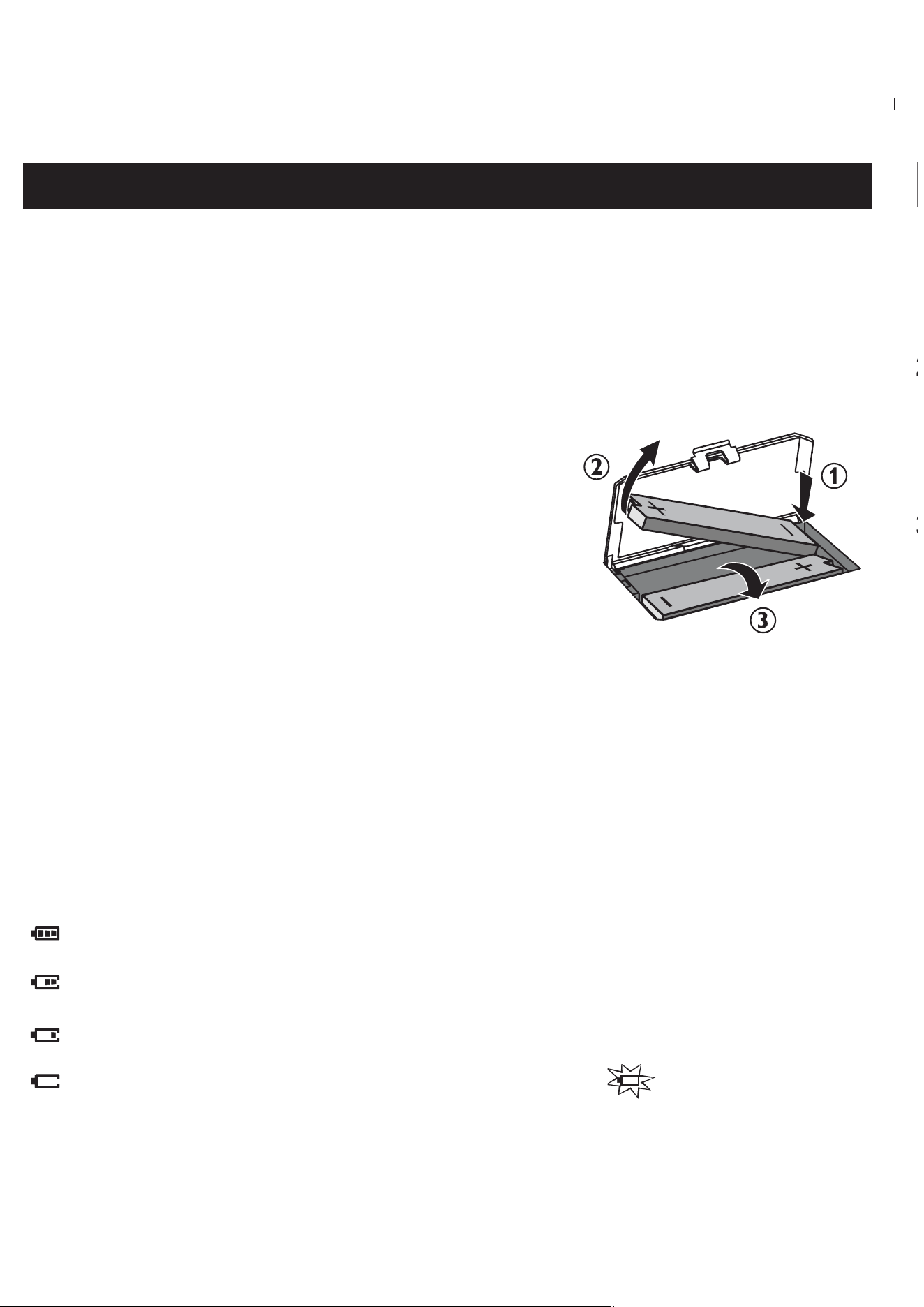
– Remove batteries in the order ( 1, 2, 3) as shown
if they are empty or if the player is not going to be
used for a long time.
◆
For battery case only
Inserting rechargable batteries
1 Push •••• 2 to open the CD lid.
2 Open the battery compartment and insert 2 x PHILIPS rechargeable batteries,
type AY3364.
Battery indication
The approximate power level of your batteries is shown in the remote control
display.
Battery full
Battery two-thirds full
Battery one-third full
Battery low or empty. When the batteries are low, flashes, and the
beep tone sounds repeatedly.
Batteries contain chemical substances, so they should be disposed
of properly.
2
3
PLAYBACK INFORMATION
• If a CD-Recordable (CD-R) or a CD-Rewritable (CD-RW) is not recorded
properly, nFdISC is displayed, indicating that the CD has not been
finalized. In that case, use FINALIZE on your CD recorder to complete the
recording.
• When playing a CD, please note that it takes 3-5 seconds after pressing 2;
for sound reproduction to start.
• Playback will stop if you open the CD lid.
• While the CD is read, 1 -:- flashes in the display.
VOLUME
Volume adjustment
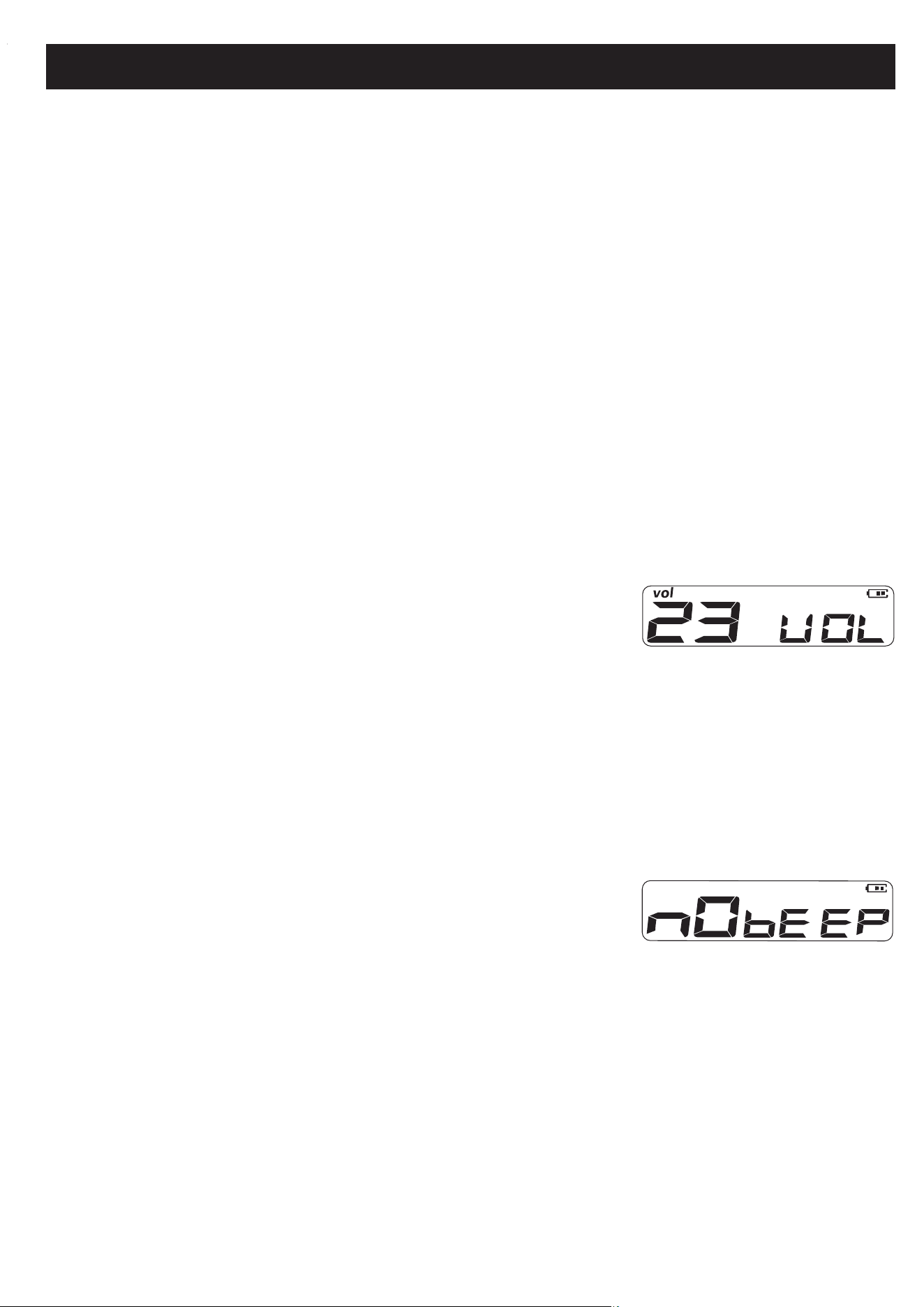
• Adjust the volume by pressing VOLUME +/–
(up or down).
BEEP
Acoustic feedback (remote control only)
Acoustic feedback is a beep signal that is heard when
buttons on the set are pressed. Also, when the set is in
pause mode or the battery power is low, it beeps at
intervals.
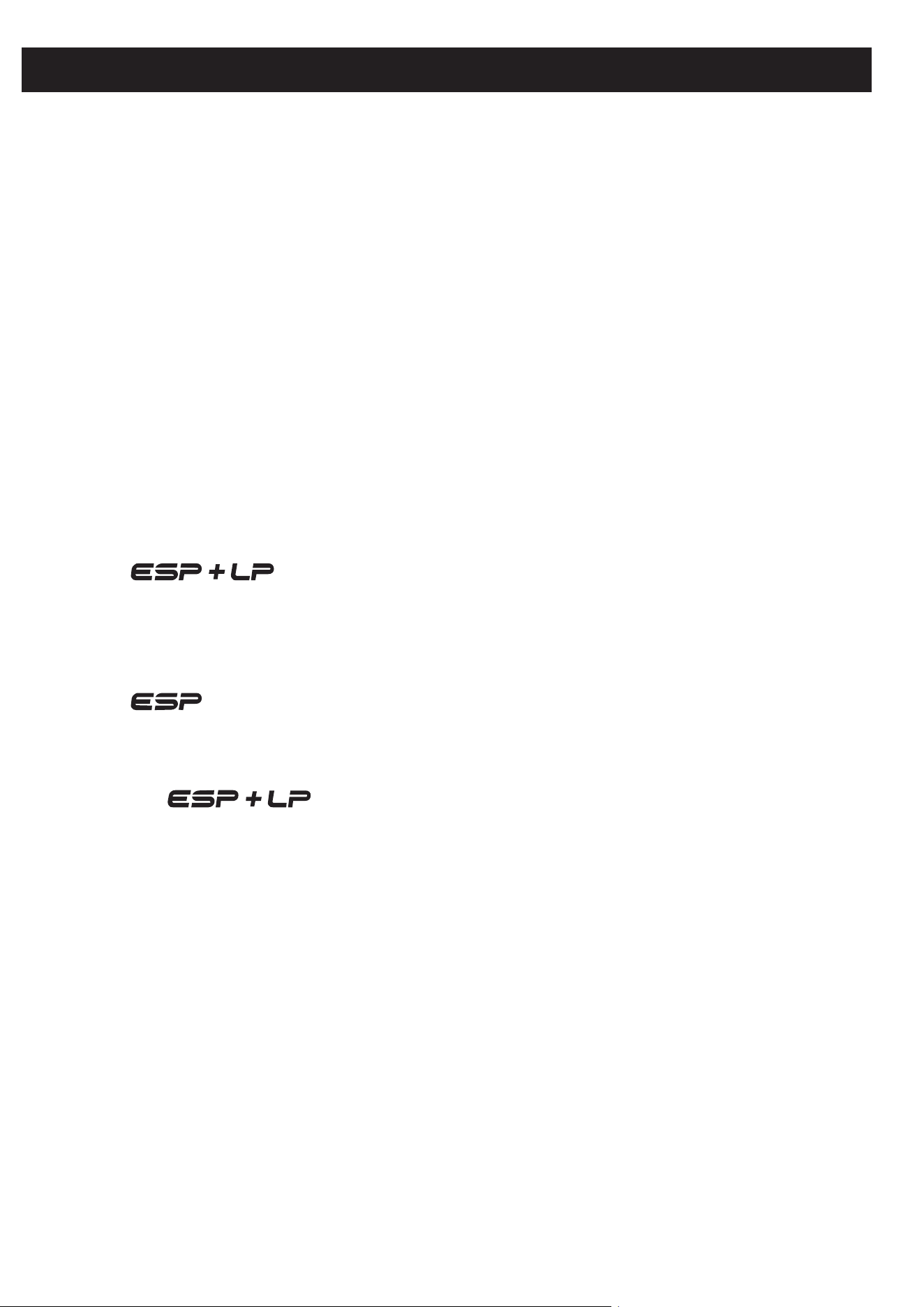
1 Keep DBB pressed for 2 seconds to switch the beep
either on or off:
ybEEP is displayed: Beep is switched on.
ynobEEP is displayed: Beep is switched off.
ESP / POWERSAVING MODE
With a conventional portable CD-player you might have experienced that the
music stopped e.g. when you were jogging. The Electronic Skip Protection (ESP)
prevents loss of sound caused by light vibrations and shocks. Continuous playback
is ensured. However ESP does not prevent playback interruptions during vigorous
running. It also does not protect the unit against any damage caused by
dropping!
• To give you optimum playback and help save battery energy, the ESP on func-
tion is selected automatically only when the player detects vibration.
• When ESP is on standby, the player runs on the ESP POWERSAVING mode to
help extend battery lifetime for longer playtime. The power saving mode is
also the default setting:
1 y :
in battery operation, when the player is free from vibration.
Powersaving activated.
2 y :
in battery operation when player detects vibration. ESP activated.
3 y No indications:
player operating on AC adapter power. ESP options deactivated.
Optimum sound quality available.
4 y OOPs:
maximum ESP time exceeded. Playback skips but will resume optimum
playback when the player is free from vibration.

Recharging the ECO-PLUS NiMH battery on board
Recharging works only on players supplied with the rechargeable ECO-PLUS
NiMH battery AY3364.
1 Insert the rechargeable ECO-PLUS NiMH battery AY3364.
2 Connect the mains adapter to the 4.5V DC jack of the player and then to the
wall outlet.
y ChArgEshows briefly, then pulses.
• Recharging stops after a maximum of 7 hours, or when you start playback.
3 When the battery is fully recharged, and FULL appears in the display.
Notes: – It is normal for the batteries to become warm during recharging.
– If the batteries become too warm, recharging will be interrupted for
approximately 30 minutes.
– To ensure proper recharging on board, take care that contacts are clean.
– Use only the ECO-PLUS NiMH battery AY3364.
Handling instructions
• Recharging already charged or half-charged batteries will shorten their
lifetime. We therefore recommend that you let the rechargeable ECO-PLUS
NiMH battery run till it is completely empty before you recharge it.
• To avoid a short circuit, do not let the battery touch any metal object.
• If the battery becomes empty soon after recharging, then either its contacts
are dirty or it has reached the end of its lifetime.
USING THE EXTERNAL BATTERY CASE
(AA batteries not included)
The external battery case allows you to:
• increase playtime by using fully charged rechargeable batteries and new AA
alkaline batteries at the same time.
• have a convenient backup power supply if your
rechargeable batteries are flat. Operate the set
on just 2 x AA batteries instead.
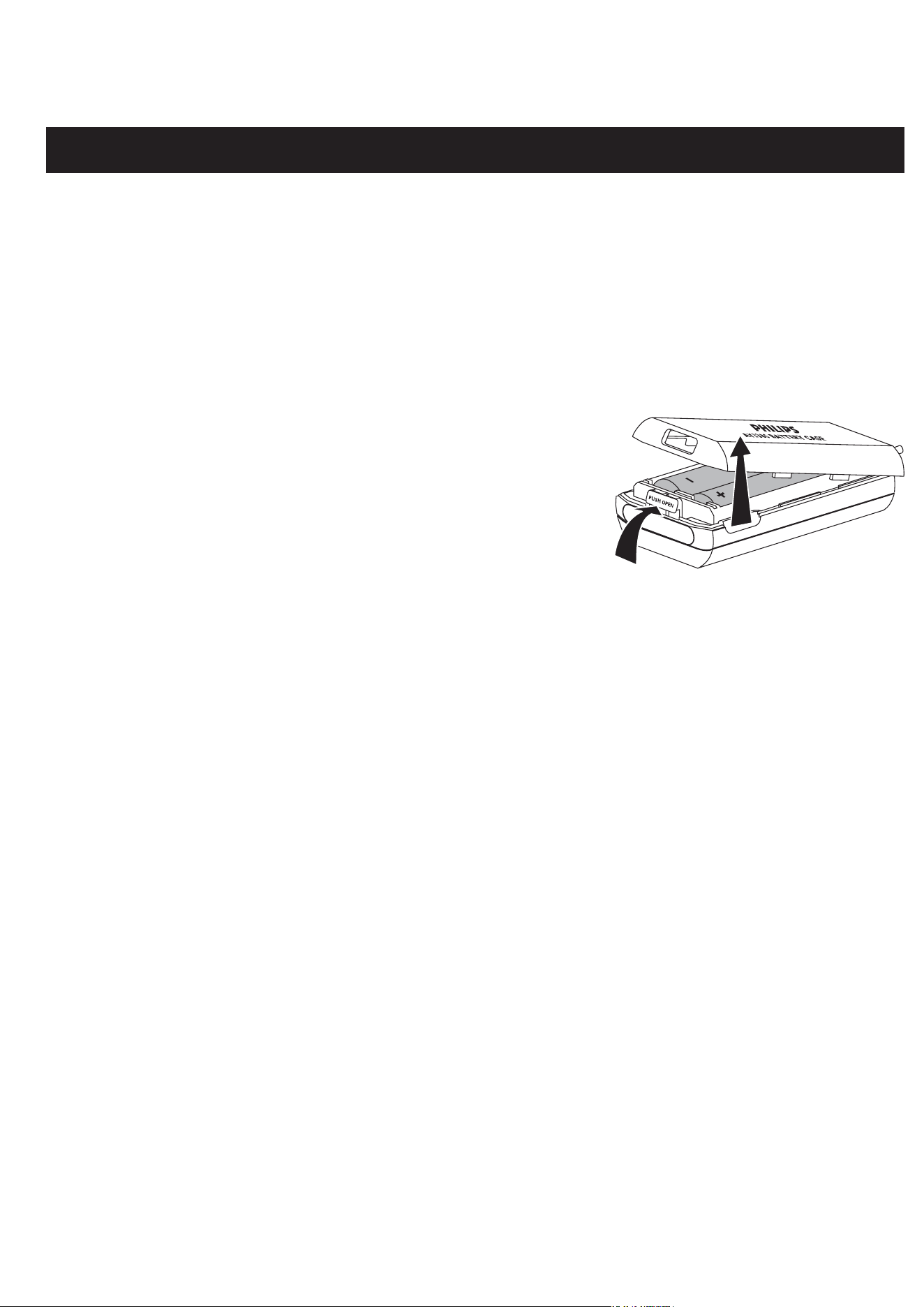
1 Push on PUSH/OPEN to open the battery case,
and lift off the case cover as indicated.
2 Insert 2 alkaline batteries, type AA/ LR6/ UM3
with correct polarity, and replace the case cover.
3 Connect the battery case to the EXT BATT jack on the set.
Notes: – When using the external battery case, avoid jolting the player and
swinging the case. Sudden movements may cause damage to the
external battery connection and pose a hazard.
– This player includes a motor mechanism that extends battery lifetime
by varying the motor’s rotation rate. Motor noise may increase when
the rate changes. If the noise bothers you, use the AC/CD adapter to
power the player. The motor rotation rate does not change when oper-
ating on AC power.
ADAPTER / GENERAL INFORMATION
AC/ DC ADAPTER (supplied or optionally available)
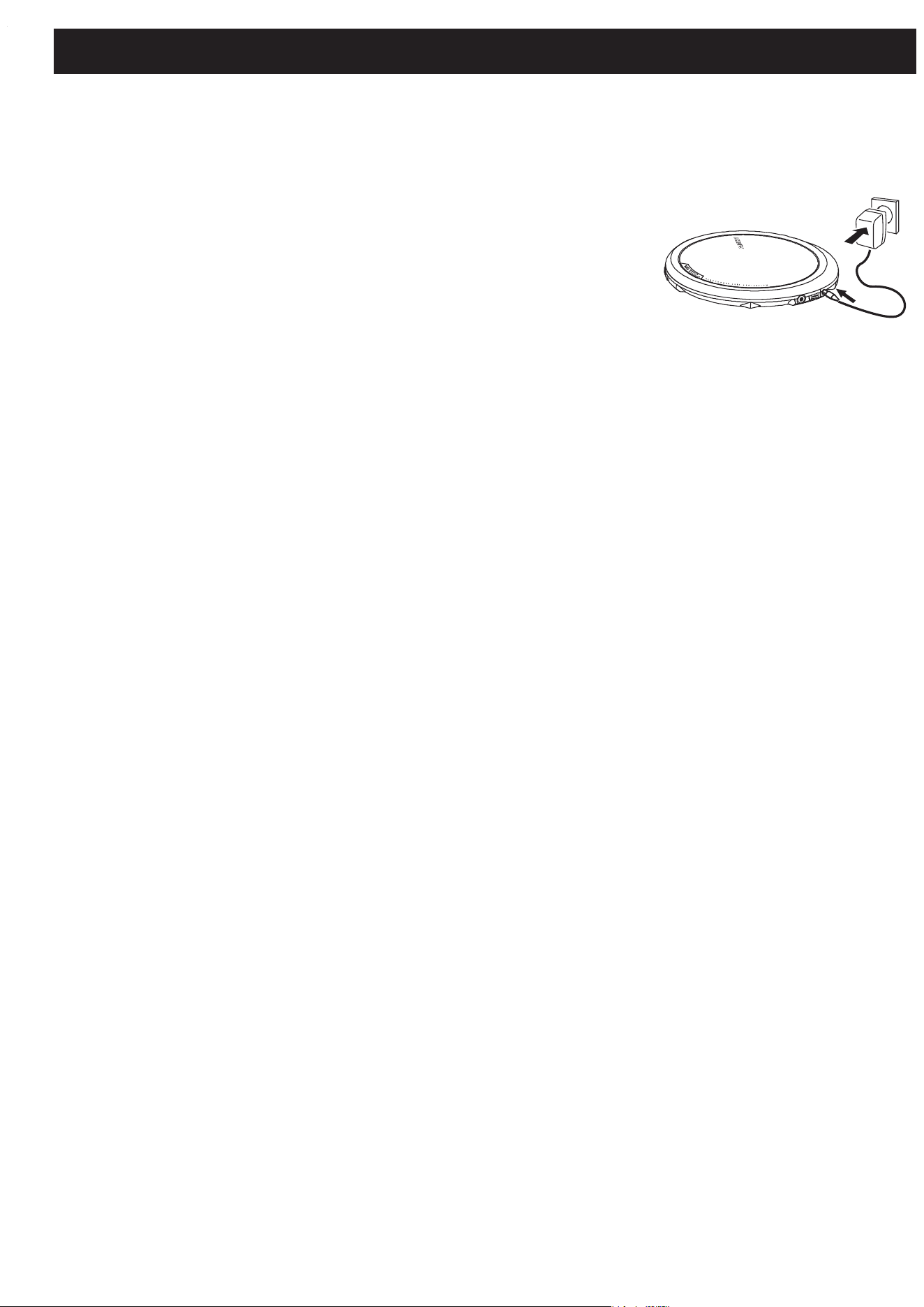
Use only the AY3170 adapter (4.5 V / 300 mA direct
current, positive pole to the center pin). Any other product
may damage the player.
1 Make sure the local voltage corresponds to the
AC/DC adapter’s voltage.
2 Connect the AC/CD adapter to the 4.5V DC jack of
the player and to the wall outlet.
Note: Always disconnect the adapter when you are not using it.
Environmental information
• All redundant packing material has been omitted. We have done our utmost to
make the packaging easily separable into two materials: cardboard (box) and
polyethylene (bags, protective foam sheet).
• Your set consists of materials which can be recycled if disassembled by a
specialized company. Please observe the local regulations regarding the
disposal of packing materials, dead batteries and old equipment.

TROUBLESHOOTING
WARNING: Under no circumstances should you try to repair the unit yourself as
this will invalidate the warranty. If a fault occurs, first check the points listed,
before taking the unit for repair. If you are unable to solve a problem by following
these hints, consult your dealer or service center.
The CD player has no power, or playback does not start
• Check that your batteries are not dead or empty, that they are inserted
correctly, that the contact pins are clean.
• Your adapter connection may be loose. Connect it securely.
The indication nodiSC is displayed
• Check that the CD is clean and correctly inserted (label-side upward).
• If your lens has steamed up, wait a few minutes for this to clear.
The indication nFdiSC is displayed
• CD-RW (CD-R) was not recorded properly. Use FINALIZE on your CD-recorder.
The indication HoLd is on and/or there is no reaction to controls
• If HOLD is activated, then deactivate it.
• Electrostatic discharge. Disconnect power or remove batteries for a few seconds.
The CD skips tracks
• The CD is damaged or dirty. Replace or clean the CD.
• resume, shuffle or prog is active. Switch off whichever is on.
No sound or bad sound quality.
• pause might be active. Press 2;.
• Loose, wrong or dirty connections. Check and clean connections.
• Volume might not be appropriately adjusted. Adjust the volume.
• Strong magnetic fields. Check player’s position and connections. Also keep
away from active mobile phones.
3140 115 30162 Printed in China
Meet Philips at the Internet
http://www.philips.com
Portable CD Player
Nederlands
English
Français
Españ ol
AX7200 AX7201 AX7202
AX7203 AX7204 AX7205