How to Link Alexa to Gosund
1. Set up Echo with Alexa app
You can skip this part if your Echo is already set up.
a. Make sure your Echo device is energized.
b. Make sure Echo is in a Wi-Fi network that can access
Amazon services smoothly.
c. Open the Alexa App by tapping the App icon on your
mobile device.
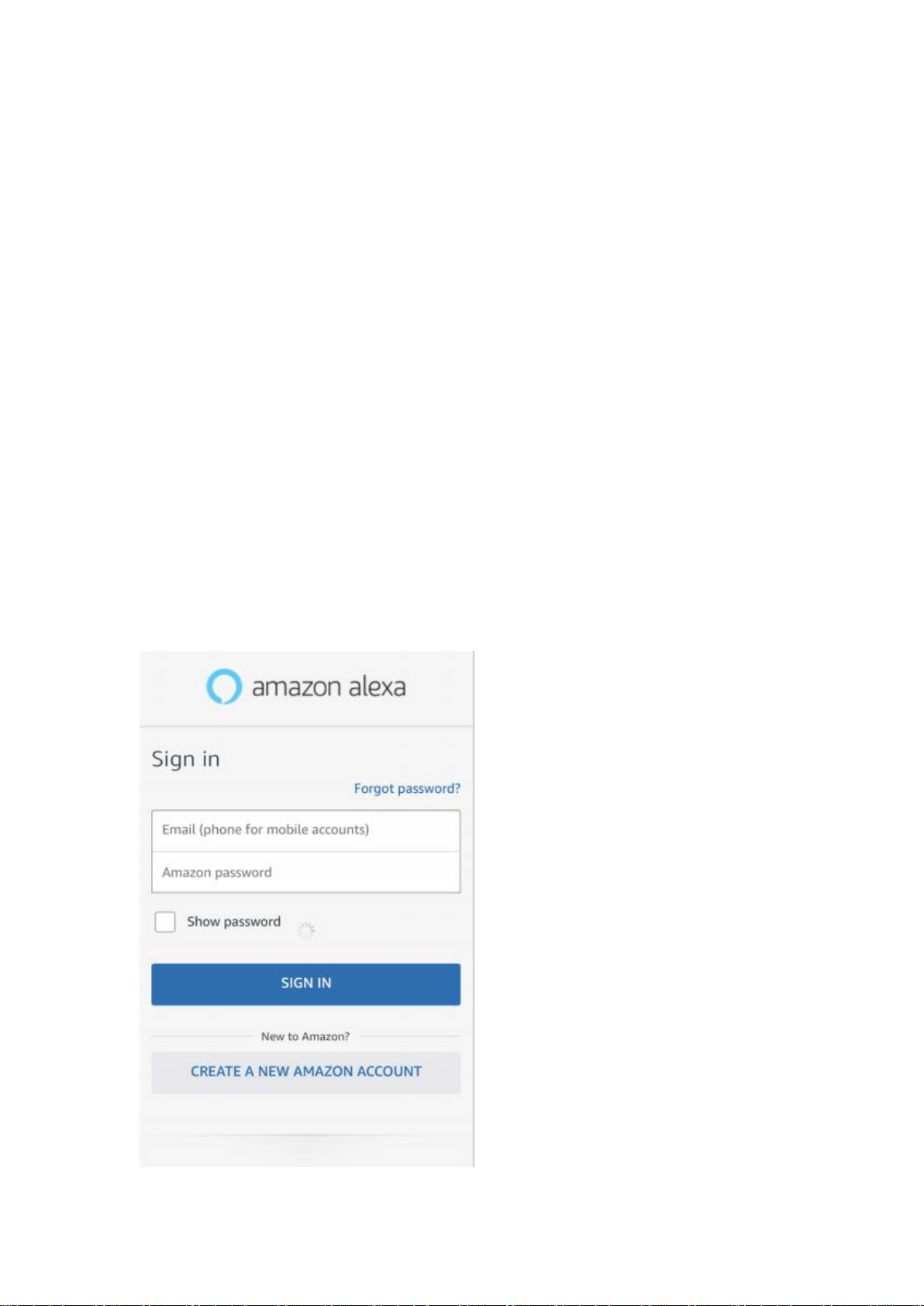
d. Type in your Amazon account and password, then tap
“
SIGN IN
”
.
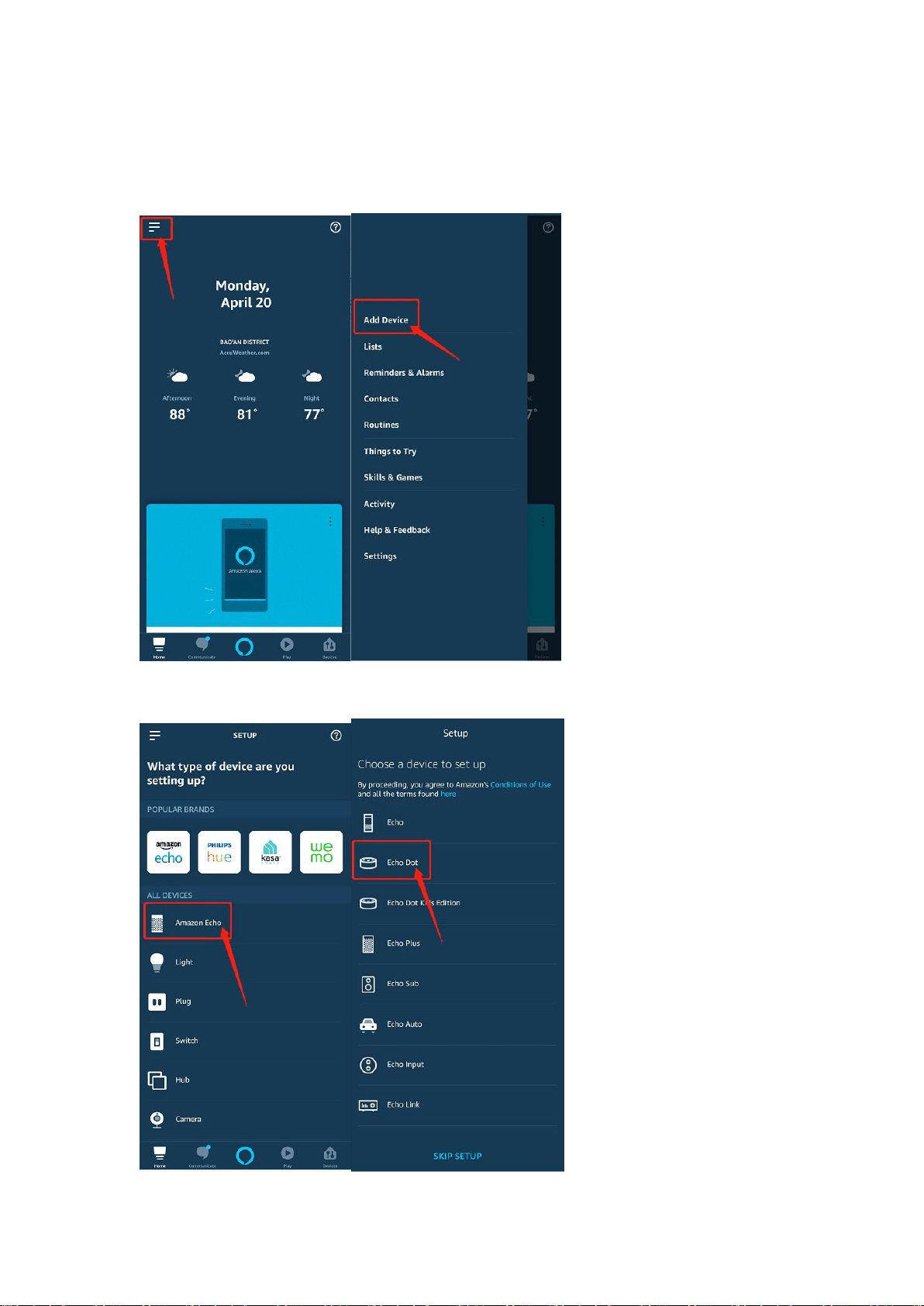
1.1 Tap the hamburger menu on the top left corner, select "Add
Device".
1.2 Then tap " Amazon Echo ", select " Echo dot ".
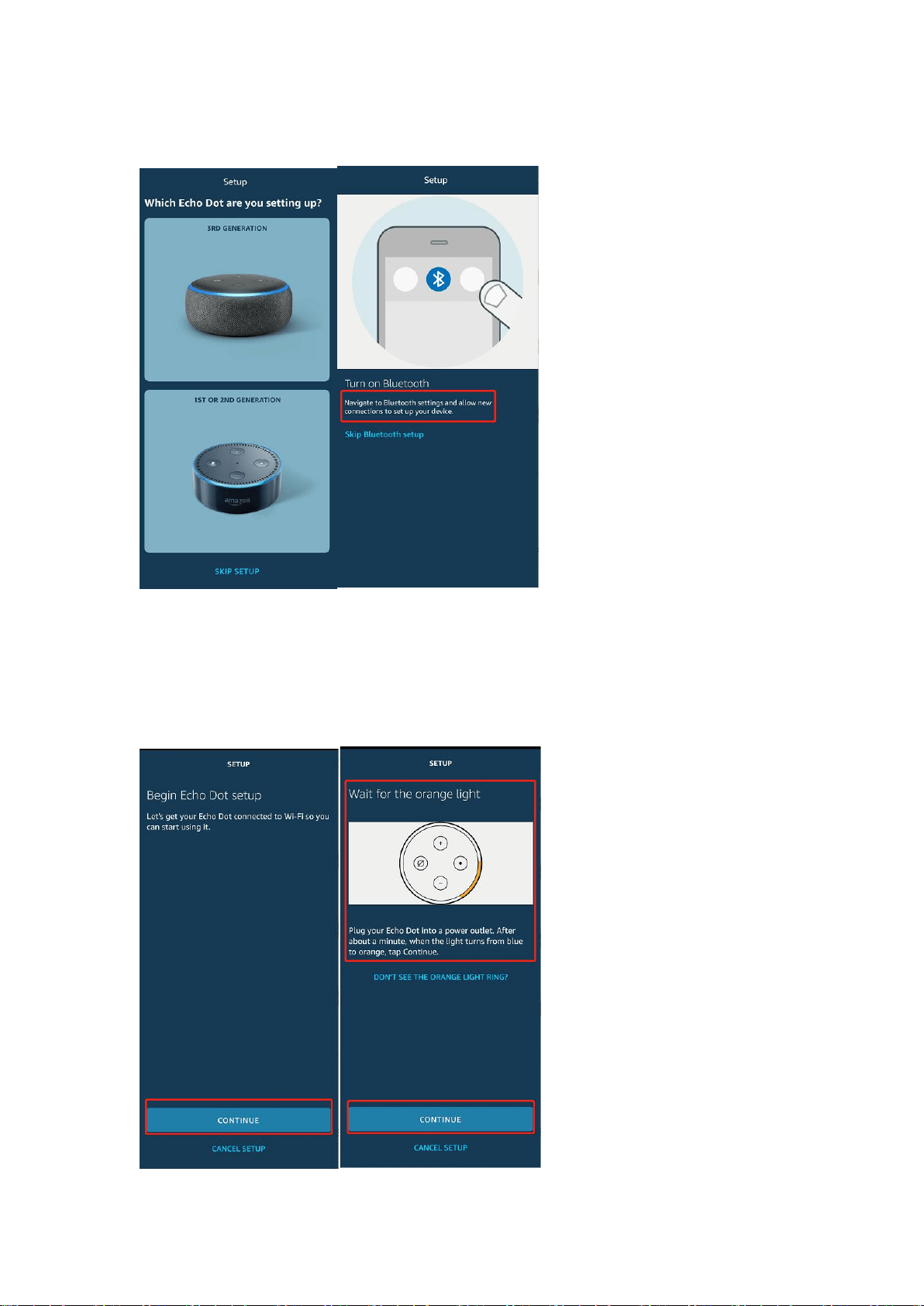
1.3 Choosing your Echo model, ignore Bluetooth and back.
1.4 Begin Echo Dot setup,Long press the dot button on the
top of your Echo device until the orange light shows up,tap
"CONTINUE".
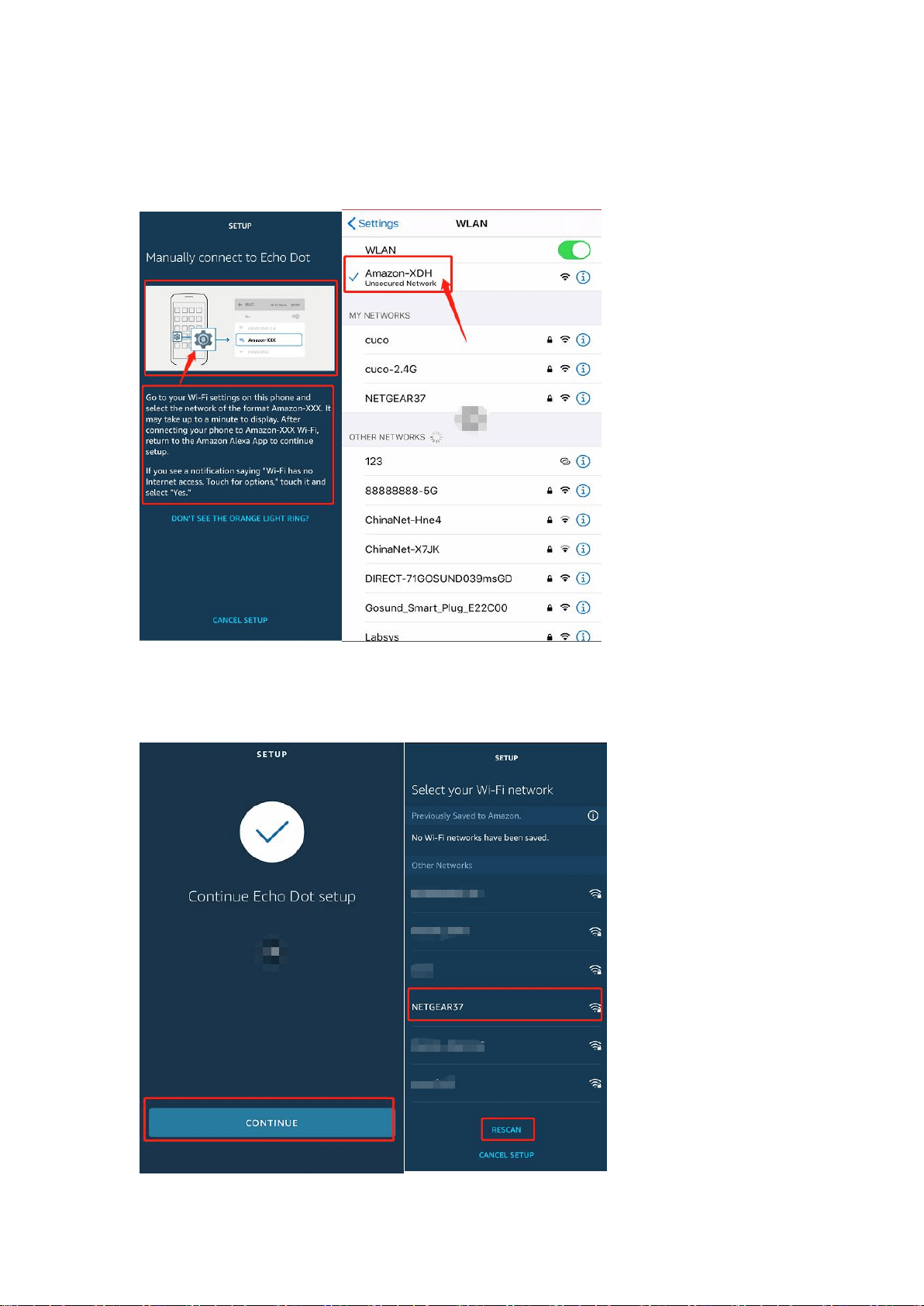
1.5 To your phone,select a Wi-Fi (Amazon-XXX ) to let
Echo have the access to the internet.
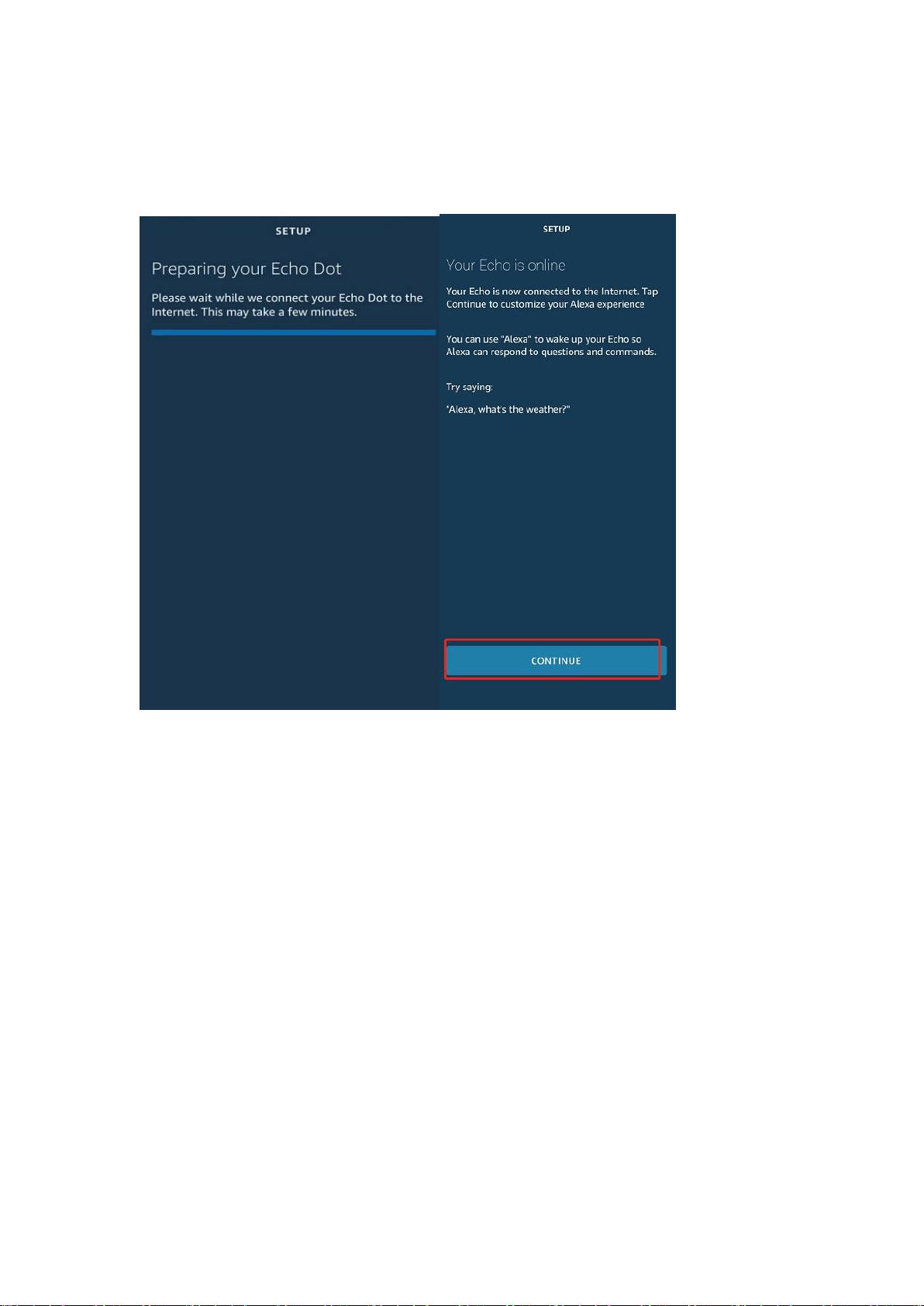
1.6 Go back to Alexa App and tap "CONNECT". Echo may
take several minutes to connect the network.
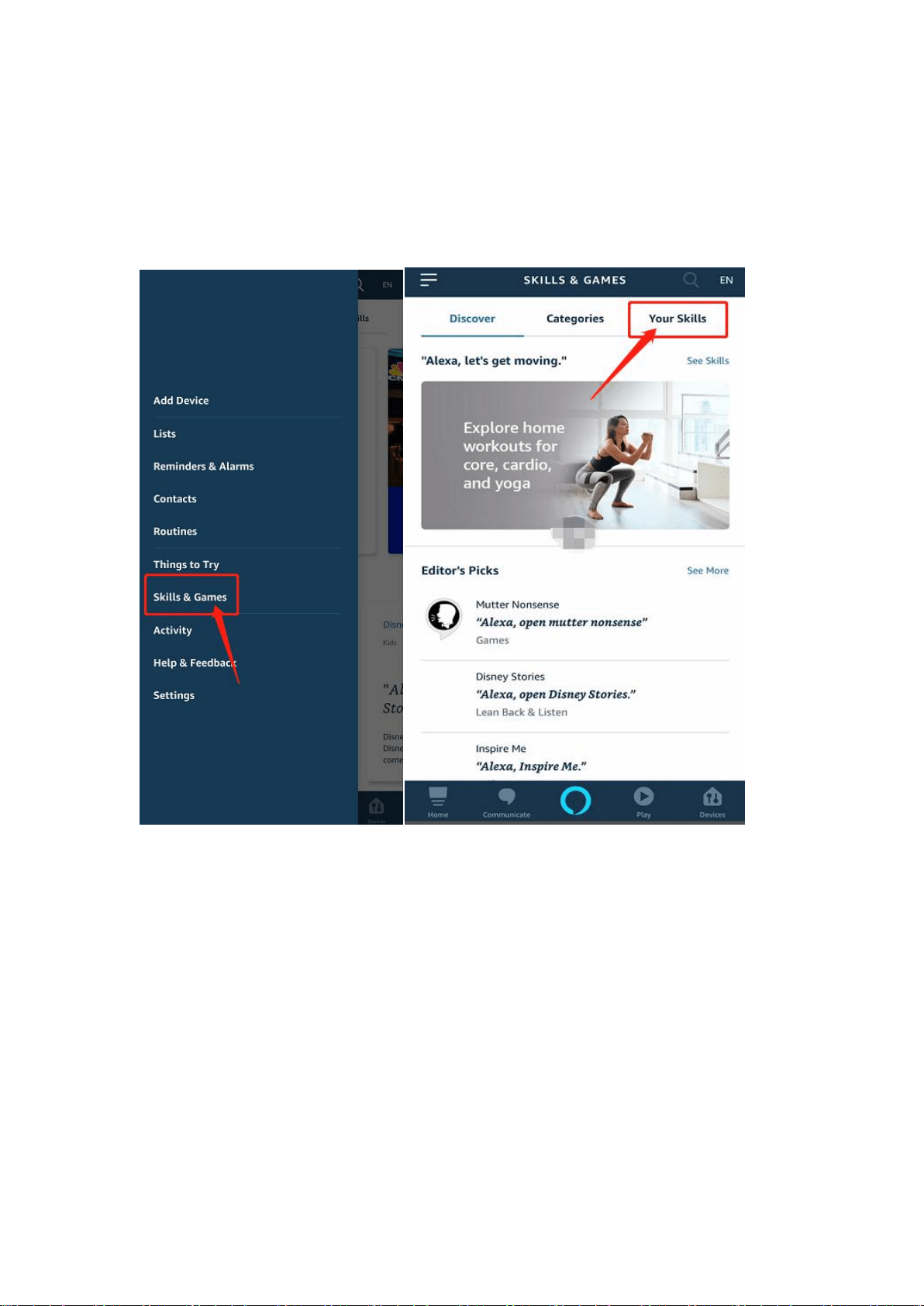
1.7 When Echo is connected to the network. After an
introduction, tap "CONTINUE" to finish the setup.
2. Link Smart Lifeaccount to Alexa
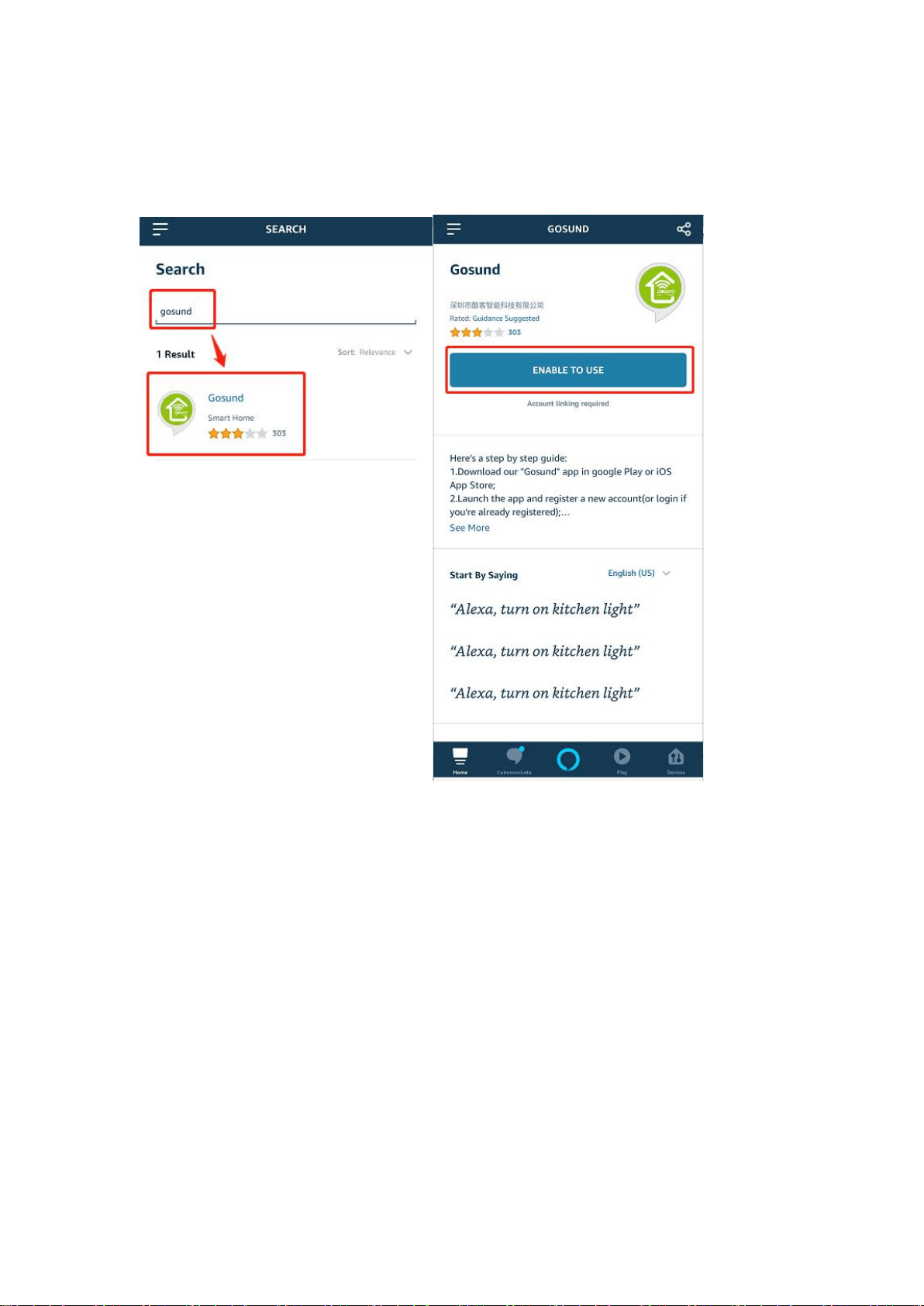
2.1 Tap "Skills & Games" in the hamburger menu on the top
left corner,select " Your Skills ".
2.2 Search " gosund ". Select " Gosund " and tap "
ENABLE TO USE " to enable the Skill.
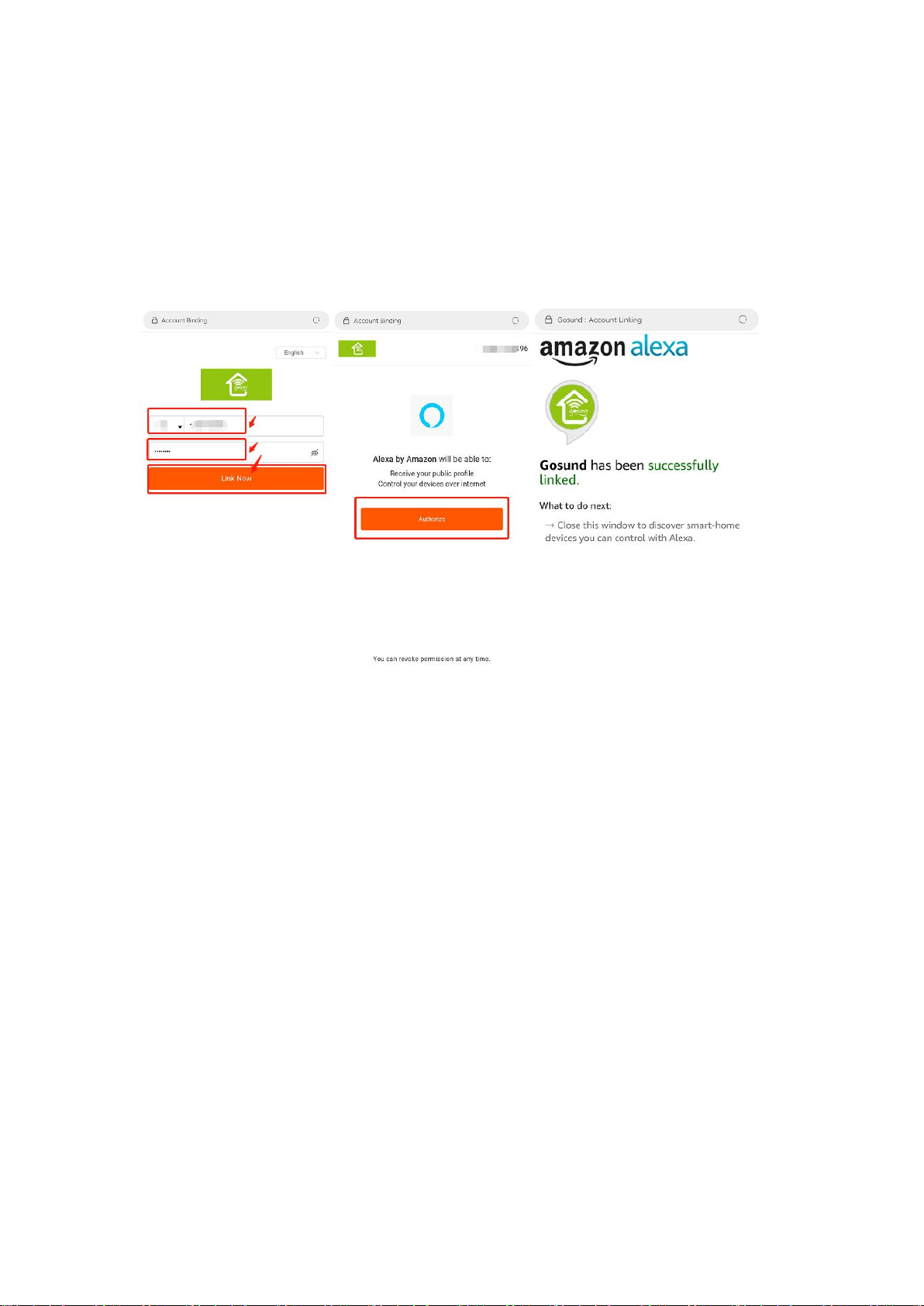
2.3 You will be redirected to the account link page. Type in
your Gosund account and password, don't forget to select
the country/region where your account belongs to. Then
tap " Authorize " to link your Gosund account.
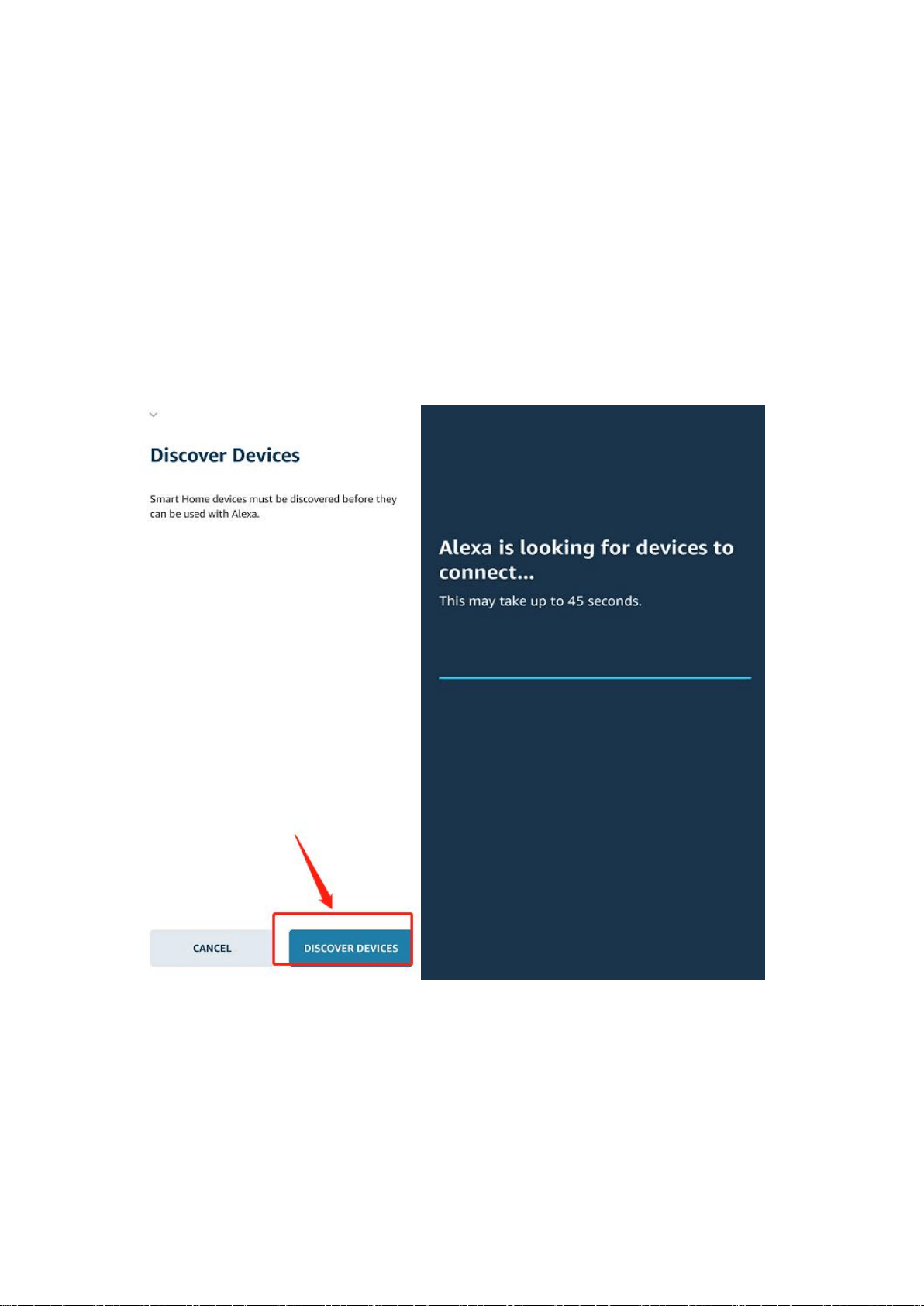
2.4 Echo needs to discover your smart devices before it
controls them. You can say "Alexa, discover devices" to
Echo. Echo will discover devices which have already been
added in the Gosund app.
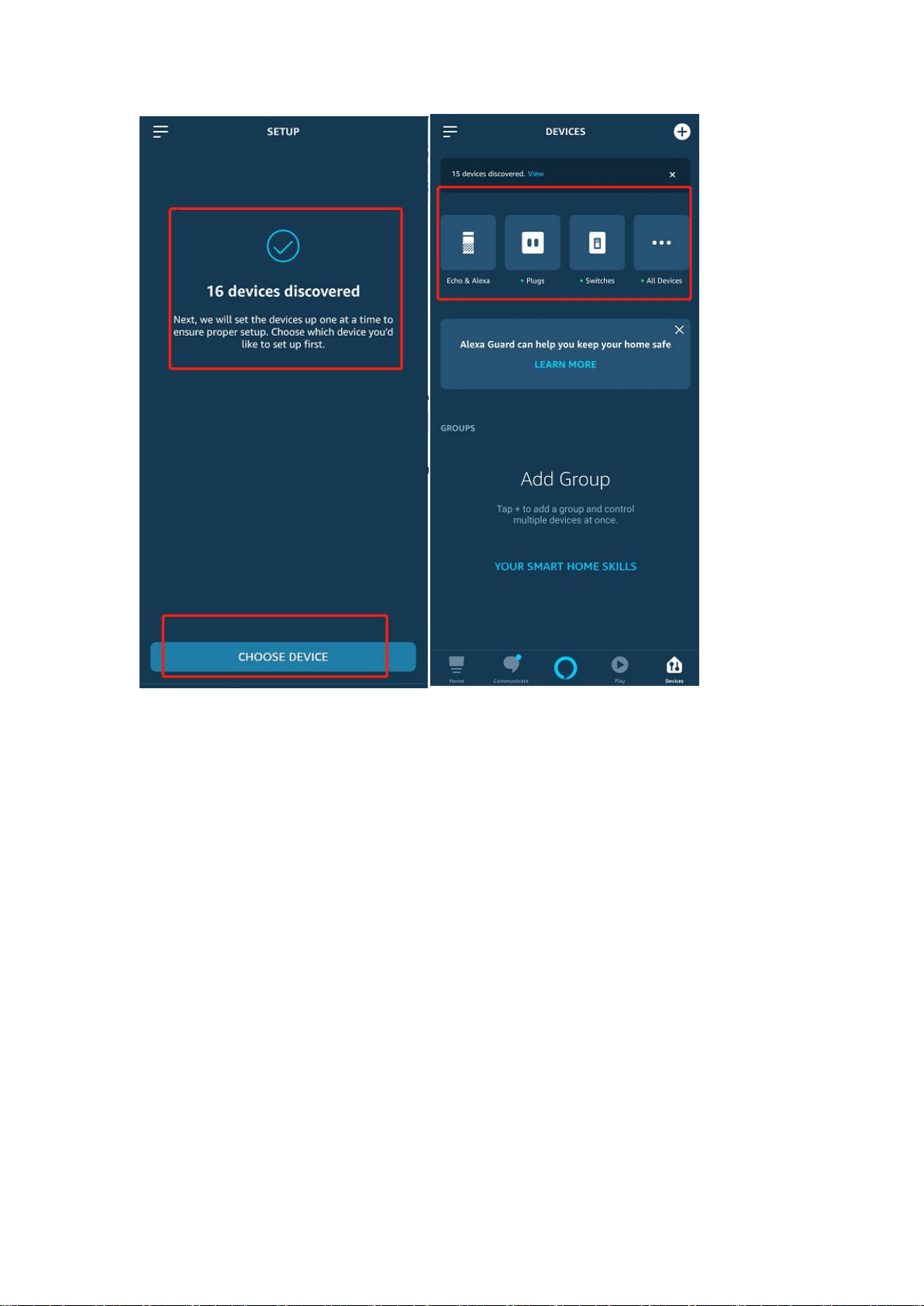
You can also tap "DISCOVER"to discover the smart
devices. Discovered devices will be shown in the list.
3. Control devices by voice commands
Now you can control your smart devices through Echo. You can use the
following commands to control your devices(e.g., bedroom light):
Alexa, turn on/off bedroom light.
Alexa, set bedroom light to 50 percent.
Alexa, brighten/dim bedroom light.
Alexa, set bedroom light to green.
Alexa, set bedroom light to warm white.
Alexa, set air conditioner to 24℃.