Foreword
Congratulations on choosing a SUBARU vehicle. This Owner’s Man-
ual has all the information necessary to keep your SUBARU in excel-
lent condition and to properly maintain the emission control system
for minimizing emission pollutants. We urge you to read this manual
carefully so that you may understand your vehicle and its operation.
For information not found in this Owner’s Manual, such as details
concerning repairs or adjustments, please contact the dealer from
whom you purchased your SUBARU or the nearest SUBARU dealer.
The information, specifications and illustrations found in this manual
are those in effect at the time of printing. FUJI HEAVY INDUSTRIES
LTD. reserves the right to change specifications and designs at any
time without prior notice and without incurring any obligation to
make the same or similar changes on vehicles previously sold. This
Owner’s Manual applies to all models and covers all equipment, in-
cluding factory installed options. Some explanations, therefore may
be for equipment not installed in your vehicle.
Please leave this manual in the vehicle at the time of resale. The next
owner will need the information found herein.
FUJI HEAVY INDUSTRIES LTD., TOKYO, JAPAN
is a registered trademark of FUJI HEAVY INDUSTRIES LTD.
© copyright 2004 FUJI HEAVY INDUSTRIES LTD.
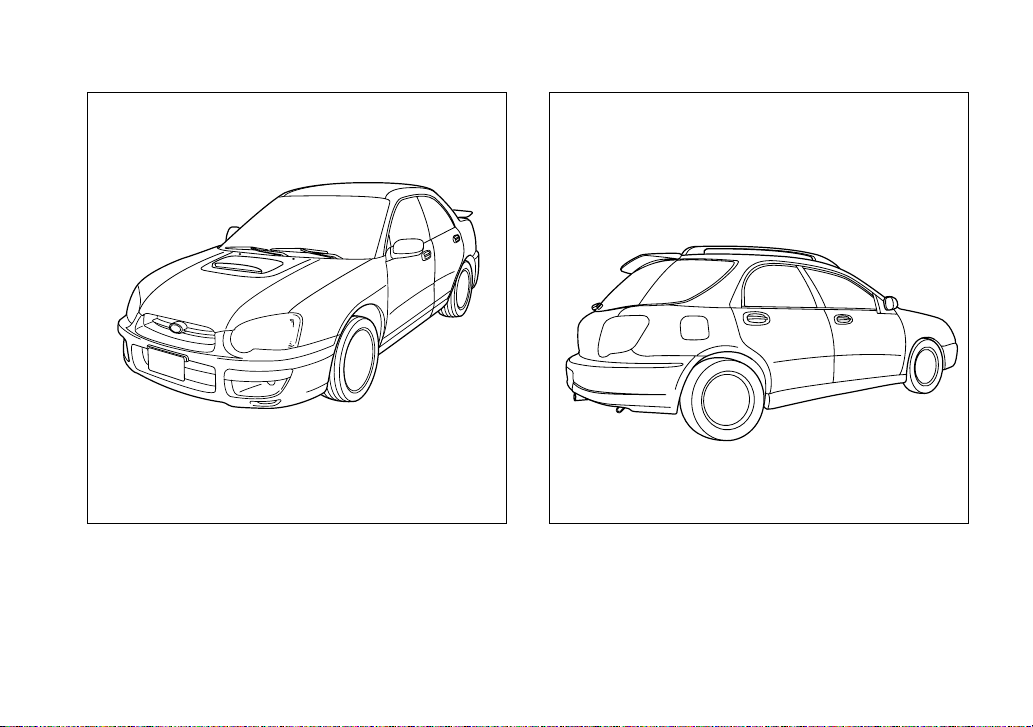
This manual describes the following vehicle types.
Sedan Wagon and OUTBACK SPORT
UGF053AA UGF055AA

1
– CONTINUED –
Warranties
Warranties for U.S.A.
All SUBARU vehicles distributed by Subaru of Ameri-
ca, Inc. and sold at retail by an authorized SUBARU
dealer in the United States come with the following
warranties:
y SUBARU Limited Warranty
y Emission Control Systems Warranty
y Emissions Performance Warranty
All warranty information, including details of coverage
and exclusions, is in the “Warranty and Maintenance
Booklet”. Please read these warranties carefully.
Warranties for Canada
All SUBARU vehicles distributed by Subaru Canada,
Inc. and sold at retail by an authorized SUBARU deal-
er in Canada come with the following warranties:
y SUBARU Limited Warranty
y Anti-Corrosion Warranty
y Emission Control Warranty
All warranty information, including details of coverage
and exclusions, is in the Warranty and Service Book-
let. Please read these warranties carefully.
T WRX-STi (U.S. model only)
WRX-STi models are equipped with High Inten-
sity Discharge (HID) headlights that contain
mercury. For that reason, it is necessary to re-
move HID headlights before vehicle disposal.
Once removed, please reuse, recycle or dis-
pose of the HID headlights as hazardous waste.
T All models except U.S. model WRX-STi
This vehicle does not contain mercury devices
or parts.

2
How to use this owner’s manual
Using your Owner’s manual
Before you operate your vehicle, carefully read this
manual. To protect yourself and extend the service life
of your vehicle, follow the instructions in this manual.
Failure to observe these instructions may result in se-
rious injury and damage to your vehicle.
This manual is composed of fourteen chapters. Each
chapter begins with a brief table of contents, so you
can usually tell at a glance if that chapter contains the
information you want.
Chapter 1: Seat, seatbelt and SRS airbags
This chapter informs you how to use the seat and seat-
belt and contains precautions for the SRS airbags.
Chapter 2: Keys and doors
This chapter informs you how to operate the keys,
locks and windows.
Chapter 3: Instruments and controls
This chapter informs you about the operation of instru-
ment panel indicators and how to use the instruments
and other switches.
Chapter 4: Climate Control
This chapter informs you how to operate the climate
control.
Chapter 5: Audio
This chapter informs you how to operate your audio
system.
Chapter 6: Interior equipment
This chapter informs you how to operate interior
equipment.
Chapter 7: Starting and operating
This chapter informs you how to start and operate your
SUBARU.
Chapter 8: Driving tips
This chapter informs you how to drive your SUBARU
in various conditions and explains some safety tips on
driving.
Chapter 9: In case of emergency
This chapter informs you what to do if you have a prob-
lem while driving, such as a flat tire or engine over-
heating.
Chapter 10: Appearance care
This chapter informs you how to keep your SUBARU
looking good.
Chapter 11: Maintenance and service
This chapter informs you when you need to take your
SUBARU to the dealer for scheduled maintenance
and informs you how to keep your SUBARU running
properly.
Chapter 12: Specifications
This chapter informs you about dimension and capac-
ities of your SUBARU.
3
– CONTINUED –
Chapter 13: Consumer information and Reporting
safety defects
This chapter informs you about Uniform tire quality
grading standards and Reporting safety defects.
Chapter 14: Index
This is an alphabetical listing of all that’s in this manu-
al. You can use it to quickly find something you want
to read.
Safety warnings
You will find a number of WARNINGs, CAUTIONs and
NOTEs in this manual.
These safety warnings alert you to potential hazards
that could result in injury to you or others.
Please read these safety warnings as well as all other
portions of this manual carefully in order to gain a bet-
ter understanding of how to use your SUBARU vehicle
safely.
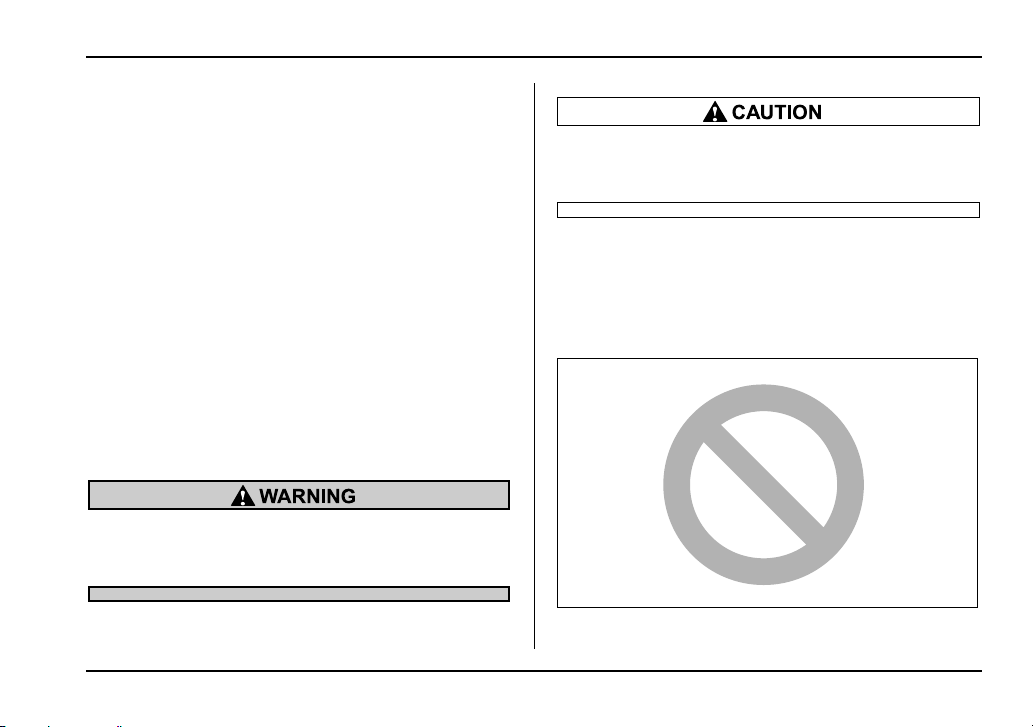
A WARNING indicates a situation in which seri-
ous injury or death could result if the warning is
ignored.
A CAUTION indicates a situation in which injury
or damage to your vehicle, or both, could result
if the caution is ignored.
NOTE
A NOTE gives information or suggestions how to
make better use of your vehicle.
Safety symbol
You will find a circle with a slash through it in this man-
HSF019AA
4
ual. This symbol means “Do not”, “Do not do this”, or
“Do not let this happen”, depending upon the context.
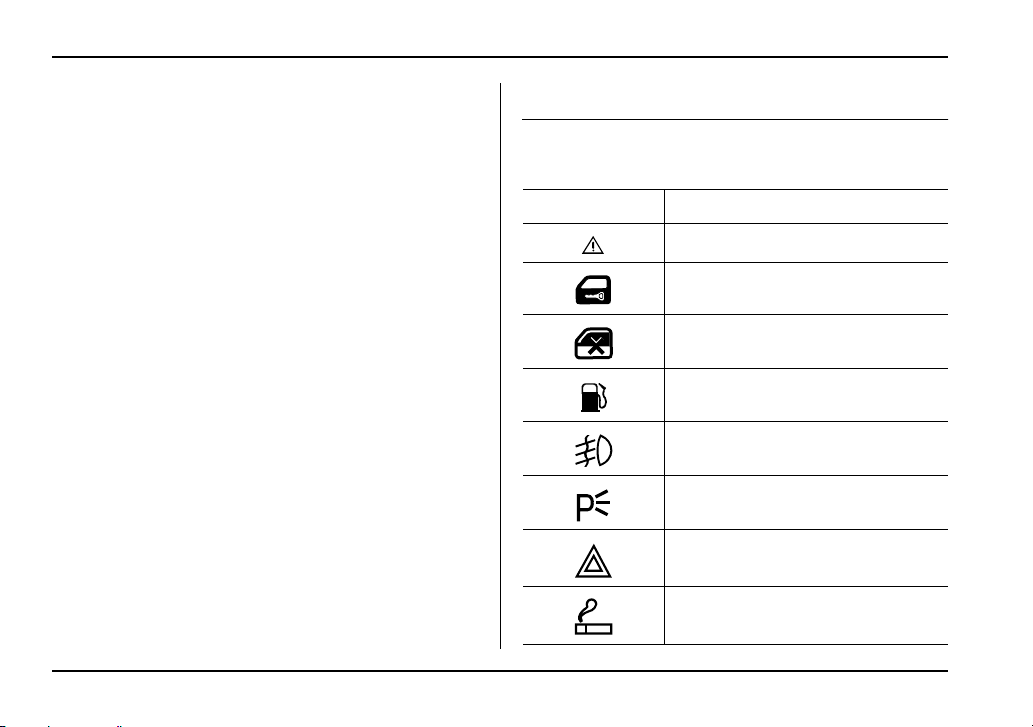
Vehicle symbols
There are some of the symbols you may see on your
vehicle.
Mark Name
CAUTION
Power door lock and unlock
Passenger’s windows lock and un-
lock
Fuel
Front fog lights
Parking lights
Hazard warning flasher
Cigarette lighter
5
– CONTINUED –
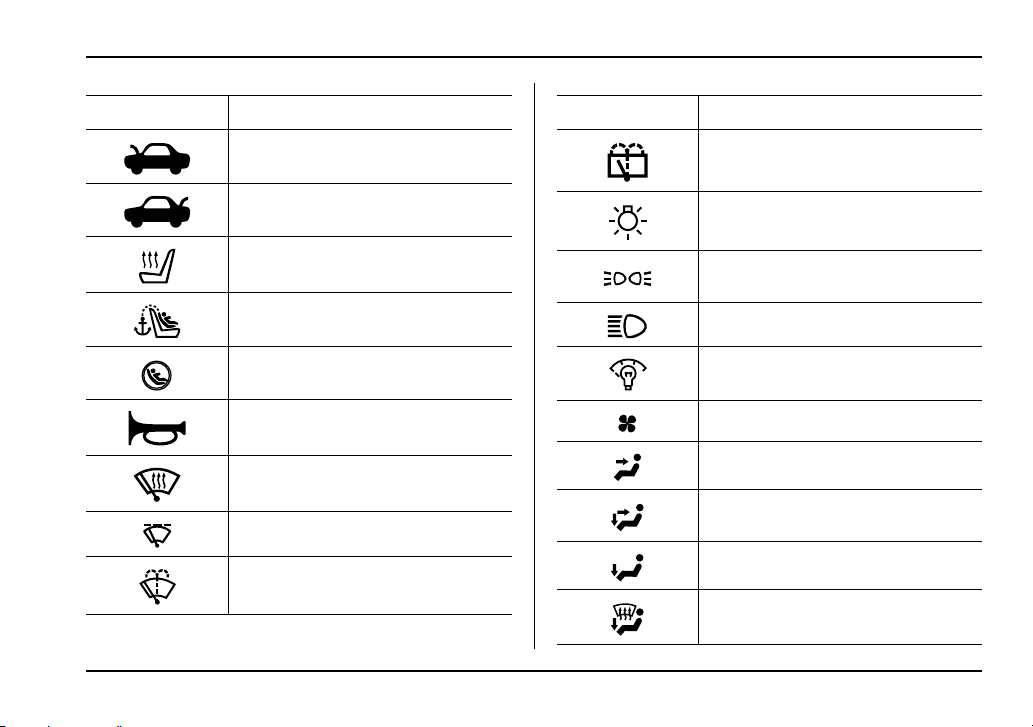
Engine hood
Trunk lid (Sedan)
Seat heater
Child restraint top tether anchorages
Child restraint lower anchorages
Horn
Windshield wiper deicer
Wiper intermittent
Windshield wiper and washer
Mark Name
Rear window wiper and washer
Lights
Parking lights, tail lights, license plate
light and instrument panel illumination
Head lights
Illumination brightness
Fan speed
Instrument panel outlets
Instrument panel outlets and foot out-
lets
Foot outlets
Windshield defroster and foot outlets
Mark Name
6
Safety precautions when driving
Seatbelt and SRS airbag
y All persons in the vehicle should fasten their
seatbelts BEFORE the vehicle starts to move.
Otherwise, the possibility of serious injury be-
comes greater in the event of a sudden stop or
accident.
y To obtain maximum protection in the event of
an accident, the driver and all passengers in the
vehicle should always wear seatbelts when the
vehicle is moving. The SRS (Supplemental Re-
straint System) airbag does not do away with
the need to fasten seatbelts. In combination
with the seatbelts, it offers the best combined
protection in case of a serious accident.
Not wearing a seatbelt increases the chance of
severe injury or death in a crash even when the
vehicle has the SRS airbag.
y The SRS airbags deploy with considerable
speed and force. Occupants who are out of
proper position when the SRS airbag deploys
could suffer very serious injuries. Because the
SRS airbag needs enough space for deploy-
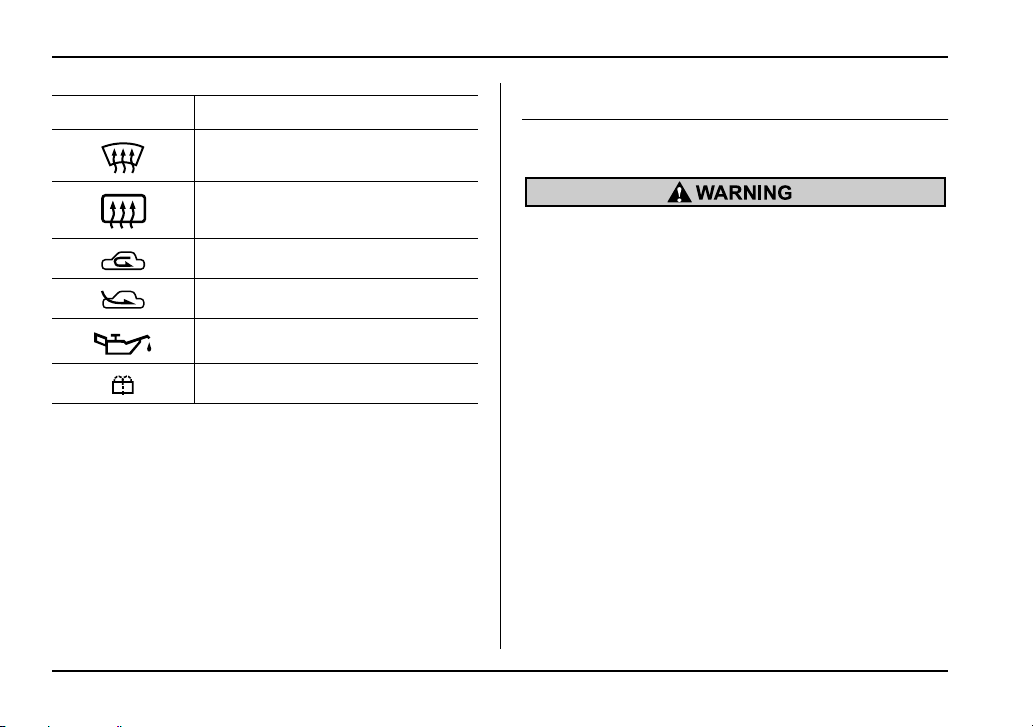
Windshield defroster
Rear window defogger/Outside mirror
defogger
Air recirculation
Outside air
Engine oil
Washer
Mark Name
7
– CONTINUED –
ment, the driver should always sit upright and
well back in the seat as far from the steering
wheel as practical while still maintaining full ve-
hicle control and the front passenger should
move the seat as far back as possible and sit
upright and well back in the seat.
Carefully read the sections “Seatbelts” and “*SRS air-
bag (Supplemental Restraint System airbag)” in chap-
ter 1 of this owner’s manual for instructions and pre-
cautions concerning the seatbelt system and SRS air-
bag system.
Child safety
y Never hold a child on your lap or in your arms
while the vehicle is moving. The passenger
cannot protect the child from injury in a colli-
sion, because the child will be caught between
the passenger and objects inside the vehicle.
y While riding in the vehicle, infants and small
children should always be placed in the REAR
seat in an infant or child restraint system which
is appropriate for the child’s age, height and
weight. If a child is too big for a child restraint
system, the child should sit in the REAR seat
and be restrained using the seatbelts. Accord-
ing to accident statistics, children are safer
when properly restrained in the rear seating po-
sitions than in the front seating positions. Nev-
er allow a child to stand up or kneel on the seat.
y Put children aged 12 and under in the REAR
seat properly restrained at all times in a child
restraint device or in a seatbelt. The SRS airbag
deploys with considerable speed and force and
can injure or even kill children, especially if
they are 12 years of age and under and are not
restrained or improperly restrained. Because
children are lighter and weaker than adults,
their risk being injured from deployment is
greater.
y NEVER INSTALL A REARWARD FACING
CHILD SEAT IN THE FRONT SEAT. DOING SO
RISKS SERIOUS INJURY OR DEATH TO THE
CHILD BY PLACING THE CHILD’S HEAD TOO
CLOSE TO THE SRS AIRBAG.
y Always use the child safety locks whenever a
child rides in the rear seat. Serious injury could
result if a child accidentally opened the door
and fell out. Refer to the “Child safety locks”
section in chapter 2.
8
y Always lock the passenger’s windows using
the lock switch when children are riding in the
vehicle. Failure to follow this procedure could
result in injury to a child operating the power
window. Refer to the “Windows” section in
chapter 2.
y Never leave unattended children in the vehi-
cle. They could accidentally injure themselves
or others through inadvertent operation of the
vehicle. Also, on hot or sunny days, tempera-
ture in a closed vehicle could quickly become
high enough to cause severe or possibly fatal
injuries to them.
y Help prevent young children from locking
themselves in the trunk. When leaving the vehi-
cle, either close all windows and lock all doors
or cancel the inside trunk lid release. Also make
certain that the trunk is closed. On hot or sunny
days, the temperature in a trunk could quickly
become high enough to cause death or serious
heat-related injuries including brain damage,
particularly for small children.
Carefully read the sections “Child restraint systems”,
“*SRS airbag (Supplemental Restraint System air-
bag)”, and “Seatbelts” in chapter 1 of this owner’s
manual for instructions and precautions concerning
the child restraint system, seatbelt system and SRS
airbag system.
Engine exhaust gas (Carbon monox-
ide)
y Never inhale engine exhaust gas. Engine ex-
haust gas contains carbon monoxide, a color-
less and odorless gas which is dangerous, or
even lethal, if inhaled.
y Always properly maintain the engine exhaust
system to prevent engine exhaust gas from en-
tering the vehicle.
y Never run the engine in a closed space, such
as a garage, except for the brief time needed to
drive the vehicle in or out of it.
y Avoid remaining in a parked vehicle for a
lengthy time while the engine is running. If that
is unavoidable, then use the ventilation fan to
force fresh air into the vehicle.
y Always keep the front ventilator inlet grille
free from snow, leaves or other obstructions to
ensure that the ventilation system always
works properly.
y If at any time you suspect that exhaust fumes
9
– CONTINUED –
are entering the vehicle, have the problem
checked and corrected as soon as possible. If
you must drive under these conditions, drive
only with all windows fully open.
y Keep the trunk lid or rear gate closed while
driving to prevent exhaust gas from entering
the vehicle.
Drinking and driving
Drinking and then driving is very dangerous.
Alcohol in the bloodstream delays your reac-
tion and impairs your perception, judgment and
attentiveness. If you drive after drinking – even
if you drink just a little – it will increase the risk
of being involved in a serious or fatal accident,
injuring or killing yourself, your passengers
and others. In addition, if you are injured in the
accident, alcohol may increase the severity of
that injury.
Please don’t drink and drive.
Drunken driving is one of the most frequent causes of
accidents. Since alcohol affects all people differently,
you may have consumed too much alcohol to drive
safely even if the level of alcohol in your blood is below
the legal limit. The safest thing you can do is never
drink and drive. However if you have no choice but to
drive, stop drinking and sober up completely before
getting behind the wheel.
Drugs and driving
There are some drugs (over the counter and
prescription) that can delay your reaction time
and impair your perception, judgment and at-
tentiveness. If you drive after taking them, it
may increase your, your passengers’ and other
persons’ risk of being involved in a serious or
fatal accident.
If you are taking any drugs, check with your doctor or
pharmacist or read the literature that accompanies the
medication to determine if the drug you are taking can
impair your driving ability. Do not drive after taking any
medications that can make you drowsy or otherwise
affect your ability to safely operate a motor vehicle. If
10
you have a medical condition that requires you to take
drugs, please consult with your doctor.
Never drive if you are under the influence of any illicit
mind-altering drugs. For your own health and well-be-
ing, we urge you not to take illegal drugs in the first
place and to seek treatment if you are addicted to
those drugs.
Driving when tired or sleepy
When you are tired or sleepy, your reaction will
be delayed and your perception, judgment and
attentiveness will be impaired. If you drive
when tired or sleepy, your, your passengers’
and other persons’ chances of being involved
in a serious accident may increase.
Please do not continue to drive but instead find a safe
place to rest if you are tired or sleepy. On long trips,
you should make periodic rest stops to refresh your-
self before continuing on your journey. When possible,
you should share the driving with others.
Modification of your vehicle
Your vehicle should not be modified. Modifica-
tion could affect its performance, safety or du-
rability, and may even violate governmental
regulations. In addition, damage or perfor-
mance problems resulting from modification
may not be covered under warranties.
Mobile phones and driving
Do not use a hand-held phone while driving; it
may distract your attention from driving and
can lead to an accident. If you use a hand-held
phone, pull off the road and park in the safe
place before using your phone. In some States/
Provinces, only hands-free phones may legally
be used while driving.
11
– CONTINUED –
Driving with pets
Unrestrained pets can interfere with your driving and
distract your attention from driving. In a collision or
sudden stop, unrestrained pets or cages can be
thrown around inside the vehicle and hurt you or your
passengers. Besides, the pets can be hurt under
these situations. It is also for their own safety that pets
should be properly restrained in your vehicle. Restrain
a pet with a special traveling harness which can be se-
cured to the rear seat with a seatbelt or use a pet car-
rier which can be secured to the rear seat by routing a
seatbelt through the carrier’s handle. Never restrain
pets or pet carriers in the front passenger’s seat. For
further information, consult your veterinarian, local an-
imal protection society or pet shop.
Tire pressures
Check and, if necessary, adjust the pressure of each
tire (including the spare) at least once a month and be-
fore any long journey.
Check the tire pressure when the tires are cold. Use a
pressure gauge to adjust the tire pressures to the val-
ues shown on the tire placard.
Refer to the “Tires and wheels” section in chapter 11
for detailed information.
Driving at high speeds with excessively low tire
pressures can cause the tires to deform severe-
ly and to rapidly become hot. A sharp increase
in temperature could cause tread separation,
and destruction of the tires. The resulting loss
of vehicle control could lead to an accident.
California proposition 65 warning
Engine exhaust, some of its constituents, and
certain vehicle components contain or emit
chemicals known to the State of California to
cause cancer and birth defects or other repro-
ductive harm. In addition, certain fluids in vehi-
cles and certain components of product wear
contain or emit chemicals known to the State of
California to cause cancer and birth defects or
other reproductive harm.

14
9
12
8
1
2
3
4
5
6
7
13
10
11
Table of contents
Seat, seatbelt and SRS airbags
Keys and doors
Instruments and controls
Climate control
Audio
Interior equipment
Starting and operating
Driving tips
In case of emergency
Appearance care
Maintenance and service
Specifications
Consumer information and Reporting safety defects
Index
14
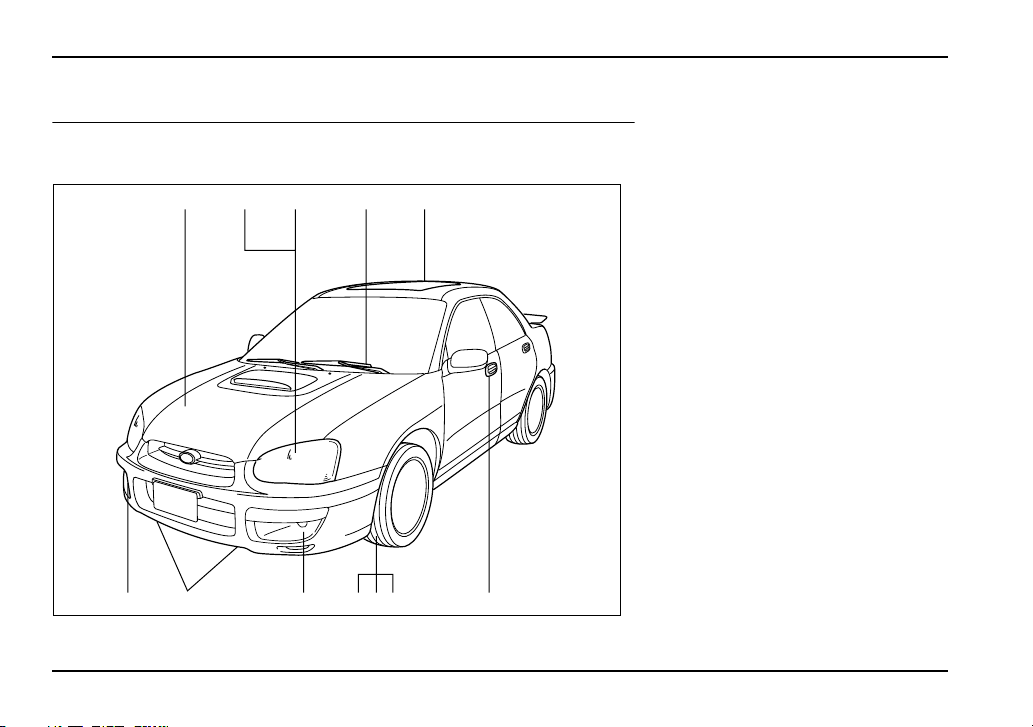
Illustrated index
Exterior
1012 11 8 796
54312
UGF054BB
1) Engine hood (page 11-5)
2) Headlight switch (page 3-30)
3) Replacing bulbs (page 11-69)
4) Wiper switch (page 3-38)
5) Moonroof (page 2-33)
6) Door locks (page 2-6)
7) Tire pressure (page 11-48)
8) Flat tires (page 9-5)
9) Tire chains (page 8-16)
10) Front fog light button (page 3-
36)
11) Tie-down hooks (page 9-17)
12) Towing hooks (page 9-17)
15
– CONTINUED –
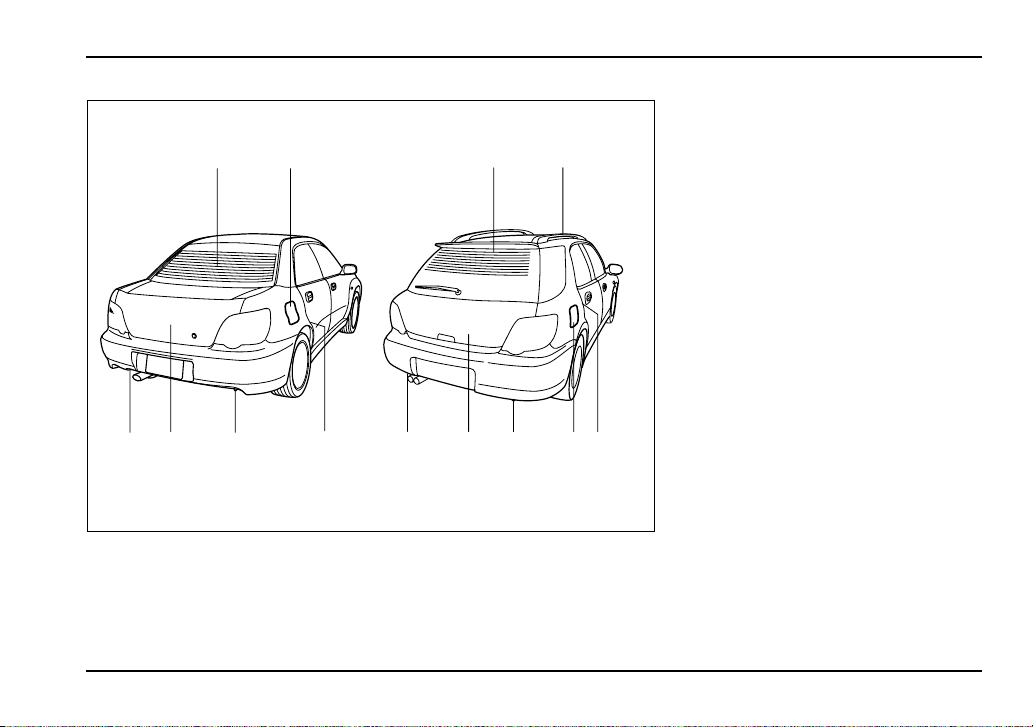
12
34 4623445
17
UGF067BB
1) Rear window defogger button
(page 3-41)
2) Fuel filler lid and cap (page 7-4)
3) Child safety locks (page 2-23)
4) Tie-down/Towing hook (page 9-
18)
5) Trunk lid (page 2-27)
6) Rear gate (page 2-31)
7) Roof rail (page 8-20)
16
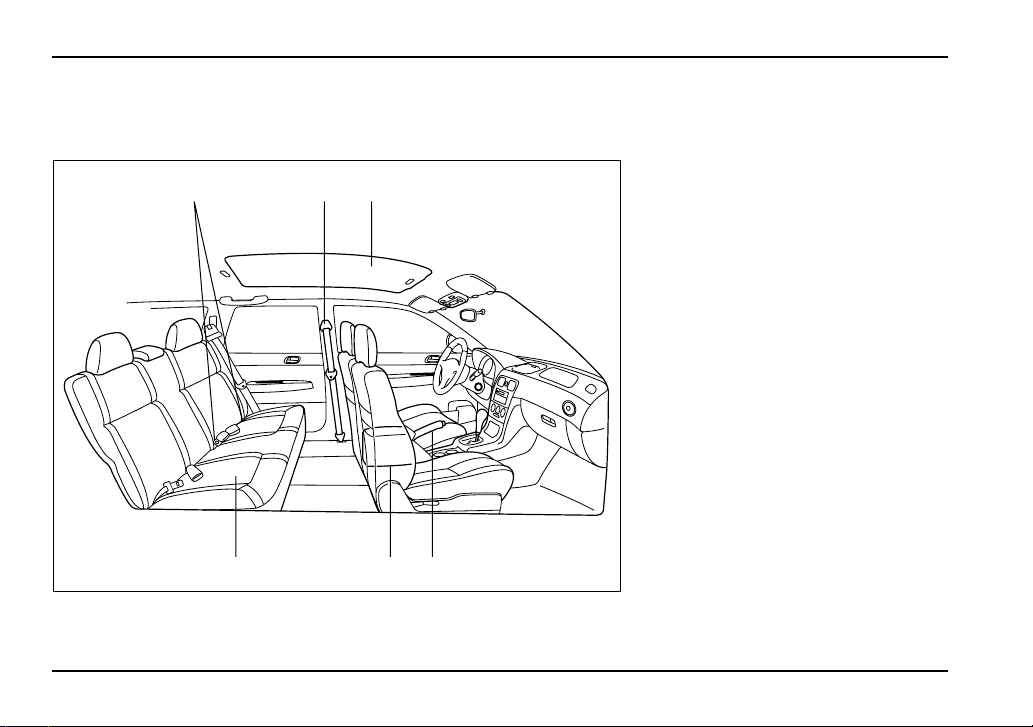
Interior
T Passenger compartment area
123
456
UGF057BB
1) Lower anchorages for child re-
straint system (page 1-43)
2) Seatbelt (page 1-13)
3) Moonroof (page 2-33)
4) Parking brake lever (page 7-36)
5) Front seat (page 1-2)
6) Rear seat (page 1-8)
17
– CONTINUED –
1
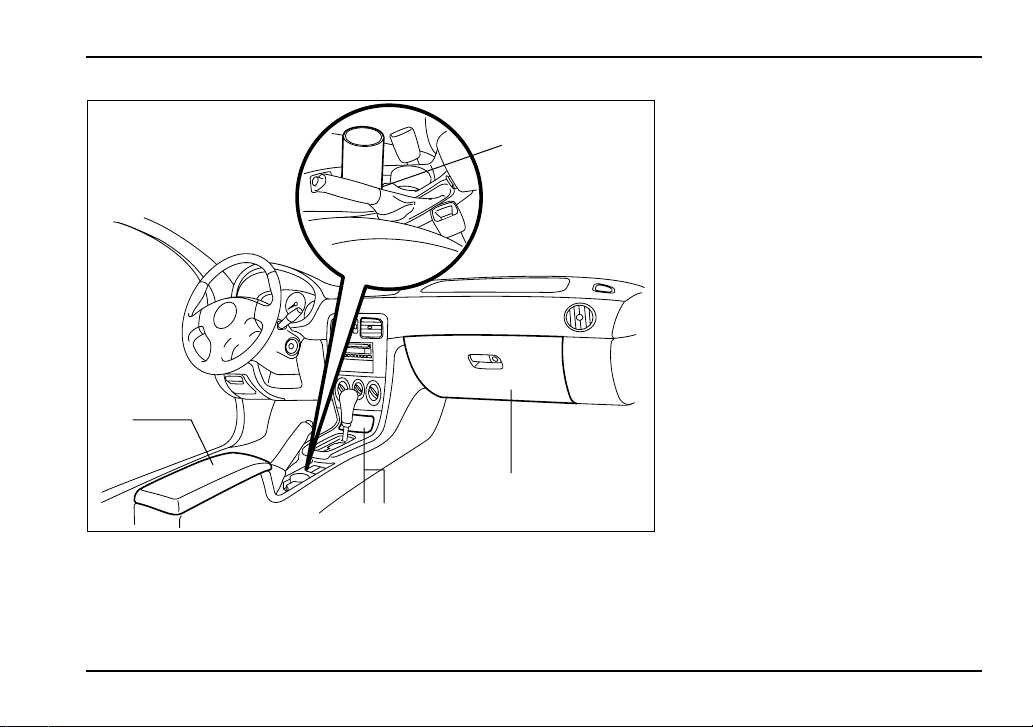
2
3
45
UGF058BB
1) Cup holder (page 6-7)
2) Center console (page 6-6)
3) Glove box (page 6-5)
4) Cigarette lighter (page 6-9)
5) Ashtray (page 6-12)

18
Instrument panel
12 3 4 5 67
89101112141516 13
UGF059BB
1) Door locks (page 2-6)
2) Outside mirror switch (page 3-
49)
3) Light control lever (page 3-30)
4) Combination meter (page 3-15)
5) Wiper control lever (page 3-36)
6) Hazard warning flasher switch
(page 3-7)
7) Audio (page 5-1)
8) Gear shift lever (MT) (page 7-
15)/Selector lever (AT) (page 7-
22)
9) Climate control (page 4-1)
10) Cruise control (page 7-38)
11) Horn (page 3-51)
12) SRS airbag (page 1-53)
13) Tilt steering (page 3-50)
14) Fuse box (page 11-65)
15) Hood lock release knob (page
11-5)
16) Power window (page 2-24)
19
– CONTINUED –
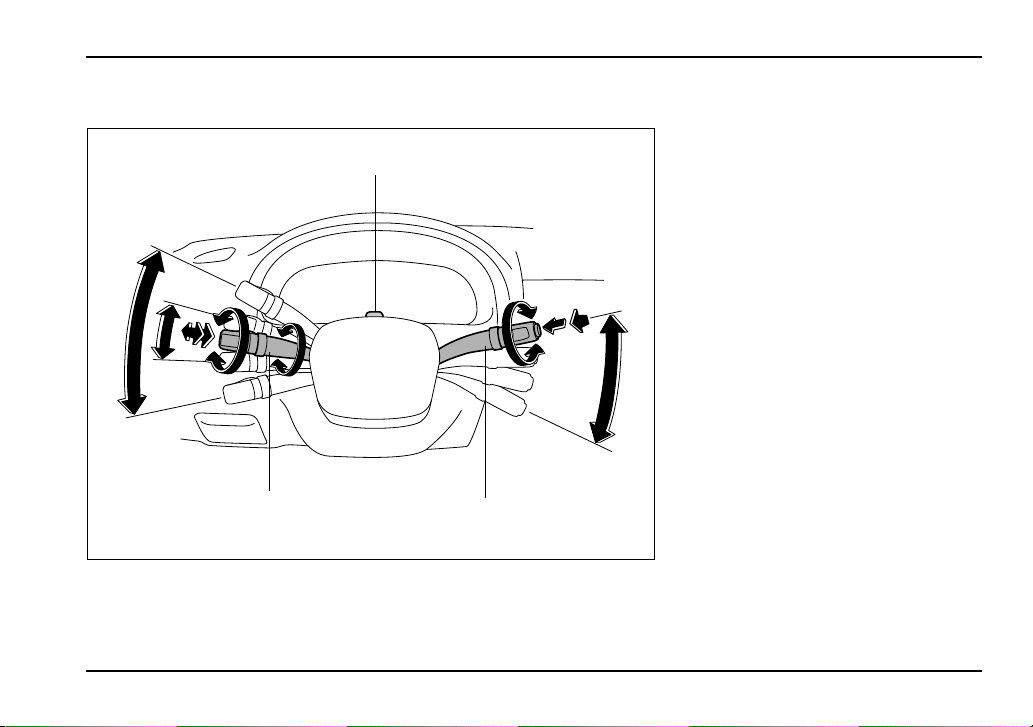
Light control and wiper control levers/switches
12
3
4
5
1
10
9
7
11
2
6
8
UGF064BB
1) Parking light switch (page 3-35)
2) Windshield wiper (page 3-38)
3) Mist (page 3-39)
4) Windshield washer (page 3-39)
5) Rear window wiper and washer
switch (page 3-40)
6) Wiper control lever (page 3-38)
7) Illumination brightness control
(page 3-33)
8) Light control lever (page 3-30)
9) Headlight ON/OFF (page 3-30)
10) Headlight flasher High/Low
beam change (page 3-30)
11) Turn signal (for lane change)
(page 3-32)
12) Turn signal (page 3-32)
20
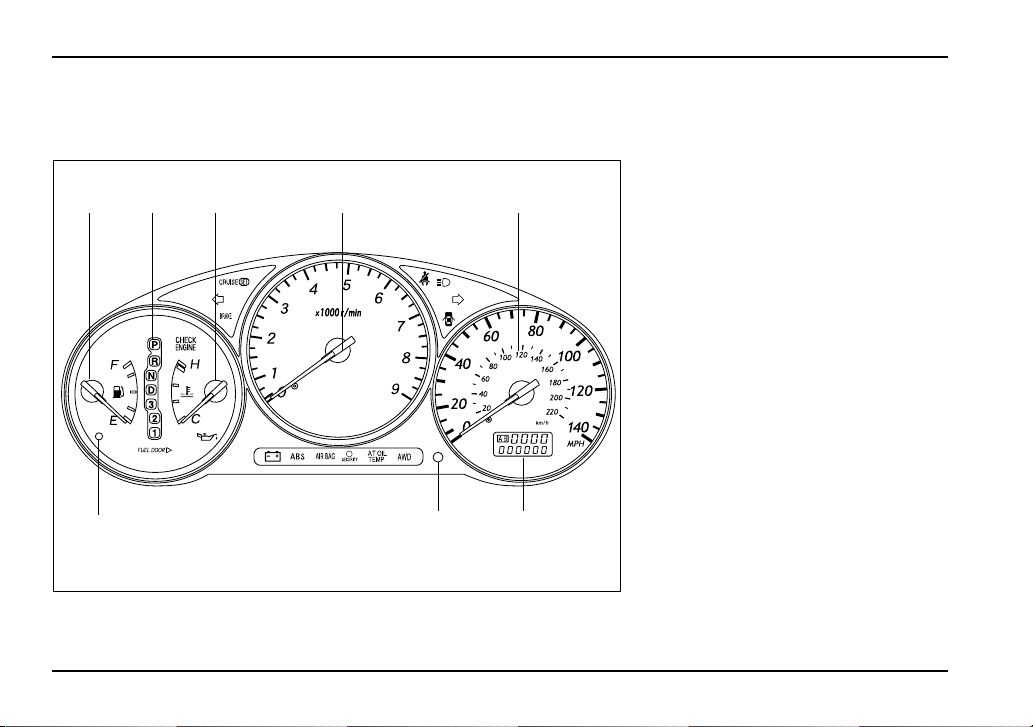
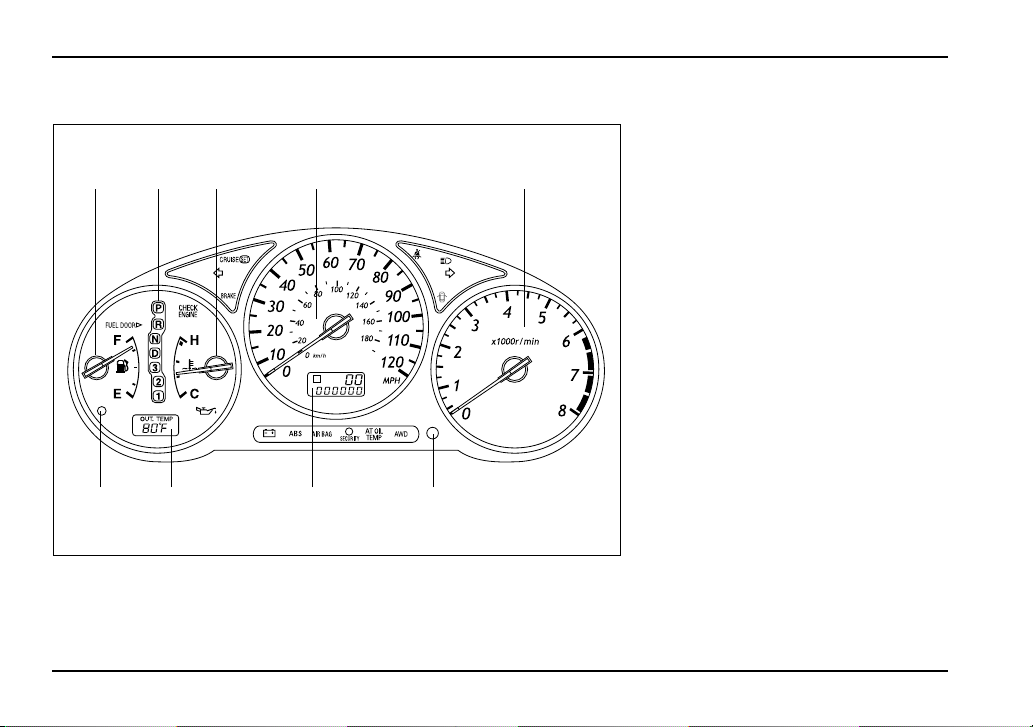
Combination meter
T WRX
1
867
23 54
UGF066BB
1) Fuel gauge (page 3-17)
2) Selector lever position indicator
(page 3-27)
3) Temperature gauge (page 3-18)
4) Tachometer (page 3-16)
5) Speedometer (page 3-15)
6) Odometer and trip meter (page
3-15)
7) Trip meter A/B selection and trip
meter reset knob (page 3-16)
8) Low fuel warning light (page 3-
17)

21
– CONTINUED –
T WRX-STi
12 435 6
10 9 8 7
UGF051BB
1) Fuel gauge (page 3-10)
2) DCCD indicator (page 3-28)
3) Temperature gauge (page 3-11)
4) Tachometer (page 3-9)
5) REV indicator (page 3-13)
6) Speedometer (page 3-8)
7) Odometer and trip meter (page
3-8)
8) Trip meter A/B selection and trip
meter reset knob (page 3-9)
9) Outside temperature indicator
(page 3-12)
10) Low fuel warning light (page 3-
10)
22
T Except turbo models
A
1
98 7 6
324 5
UGF065BB
1) Fuel gauge (page 3-17)
2) Selector lever position indicator
(page 3-27)
3) Temperature gauge (page 3-18)
4) Speedometer (page 3-15)
5) Tachometer (page 3-16)
6) Trip meter A/B selection and trip
meter reset knob (page 3-16)
7) Odometer and trip meter (page
3-15)
8) Outside temperature indicator
(page 3-19)
9) Low fuel warning light (page 3-
17)

23
– CONTINUED –
T Warning and indicator light
Mark Name Page
Seatbelt warning light 3-20
SRS airbag system warning
light
3-20
CHECK ENGINE warning light/
Malfunction indicator lamp
3-21
Charge warning light 3-22
Oil pressure warning light 3-22
AT OIL temperature warning
light (if equipped)
3-22
or
ABS warning light 3-23
or
Brake system warning light 3-24
Door open warning light 3-26
All-wheel drive warning light (if
equipped)
3-26
Turn signal indicator lights 3-27
High beam indicator light 3-27
Security indicator light (if
equipped)
2-5,
2-17
Intercooler water spray warn-
ing light (if equipped)
3-26
Light indicator light (if
equipped)
3-28
Cruise control indicator light (if
equipped)
3-27
Cruise control set indicator
light
3-27
REV indicator light (if
equipped)
3-28
Rear differential oil tempera-
ture warning light (if equipped)
3-23
Electronic driver’s control cen-
ter differential auto indicator (if
equipped)
3-28
Mark Name Page
24
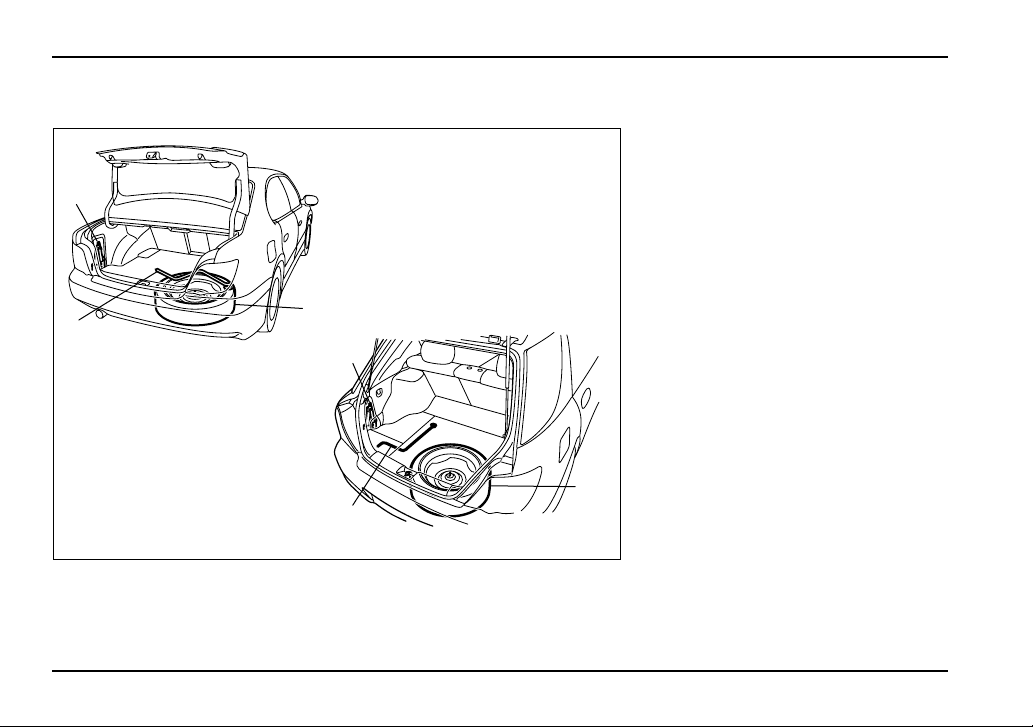
Tire changing tools
1
2
3
1
2
3
UGF068BB
1) Jack (page 9-24)
2) Jack handle (page 9-24)
3) Spare tire (page 9-24)

1-1
1
Seat, seatbelt and SRS airbags
Front seats .................................................... 1-2
Fore and aft adjustment ................................... 1-3
Reclining the seatback ..................................... 1-4
Seat cushion height adjustment
(driver’s seat) .................................................. 1-5
Head restraint adjustment (if equipped) ......... 1-5
Active head restraint (if equipped) .................. 1-6
Seat heater (if equipped) .............................. 1-7
Rear seats ..................................................... 1-8
Armrest (if equipped) ........................................ 1-9
Headrest adjustment – Wagon ........................ 1-11
Folding down the rear seat – Wagon .............. 1-12
Seatbelts ....................................................... 1-13
Seatbelt safety tips ........................................... 1-13
Emergency Locking Retractor (ELR) .............. 1-14
Automatic/Emergency Locking Retractor
(A/ELR) ............................................................ 1-15
Seatbelt warning light and chime .................... 1-15
Fastening the seatbelt ...................................... 1-15
Seatbelt maintenance ....................................... 1-27
Front seatbelt pretensioners ....................... 1-28
System monitors ............................................... 1-29
System servicing .............................................. 1-30
Precautions against vehicle modification ...... 1-31
Child restraint systems ................................ 1-32
Where to place a child restraint system ......... 1-34
Choosing a child restraint system .................. 1-35
Installing child restraint systems with A/ELR
seatbelt ............................................................ 1-36
Installing a booster seat ................................... 1-41
Installation of child restraint systems by use
of lower and tether anchorages (LATCH) .... 1-43
Top tether anchorages ..................................... 1-47
*SRS airbag (Supplemental Restraint
System airbag) ........................................... 1-53
Vehicle with driver’s and front passenger’s
SRS airbags and lap/shoulder restraints ..... 1-53
SRS frontal airbag ............................................ 1-57
SRS side airbag (if equipped) .......................... 1-65
SRS airbag system monitors ........................... 1-73
SRS airbag system servicing .......................... 1-74
Precautions against vehicle modification ...... 1-75
1-2
Seat, seatbelt and SRS airbags
Seat, seat belt and SRS airba gs
Front seats
y Never adjust the seat while driving to avoid
the possibility of loss of vehicle control and of
personal injury.
y Before adjusting the seat, make sure the
hands and feet of rear seat passengers are
clear of the adjusting mechanism.
y Seatbelts provide maximum restraint when
the occupant sits well back and upright in the
seat. To reduce the risk of sliding under the
seatbelt in a collision, the front seatbacks
should be always used in the upright position
while the vehicle is running. If the front seat-
backs are not used in the upright position in a
collision, the risk of sliding under the lap belt
and of the lap belt sliding up over the abdomen
will increase, and both can result in serious in-
ternal injury or death.
Put children aged 12 and under in the rear seat
properly restrained at all times. The SRS airbag
deploys with considerable speed and force and
can injure or even kill children, especially if
they are 12 years of age and under and are not
restrained or improperly restrained. Because
children are lighter and weaker than adults,
their risk of being injured from deployment is
greater. For that reason, we strongly recom-
mend that ALL children (including those in
child seats and those that have outgrown child
restraint devices) sit in the REAR seat properly
HS1034BA
1-3
Seat, seatbelt and SRS airbags
– CONTINUED –
restrained at all times in a child restraint device
or in a seatbelt, whichever is appropriate for the
child’s age, height and weight. Secure ALL
types of child restraint devices (including for-
ward facing child seat) in the REAR seats at all
times.
NEVER INSTALL A REARWARD FACING CHILD
SEAT IN THE FRONT SEAT. DOING SO RISKS
SERIOUS INJURY OR DEATH TO THE CHILD
BY PLACING THE CHILD’S HEAD TOO CLOSE
TO THE SRS AIRBAG.
According to accident statistics, children are
safer when properly restrained in the rear seat-
ing positions than in the front seating posi-
tions. For instructions and precautions con-
cerning child restraint systems, see the “Child
restraint systems” section in this chapter.
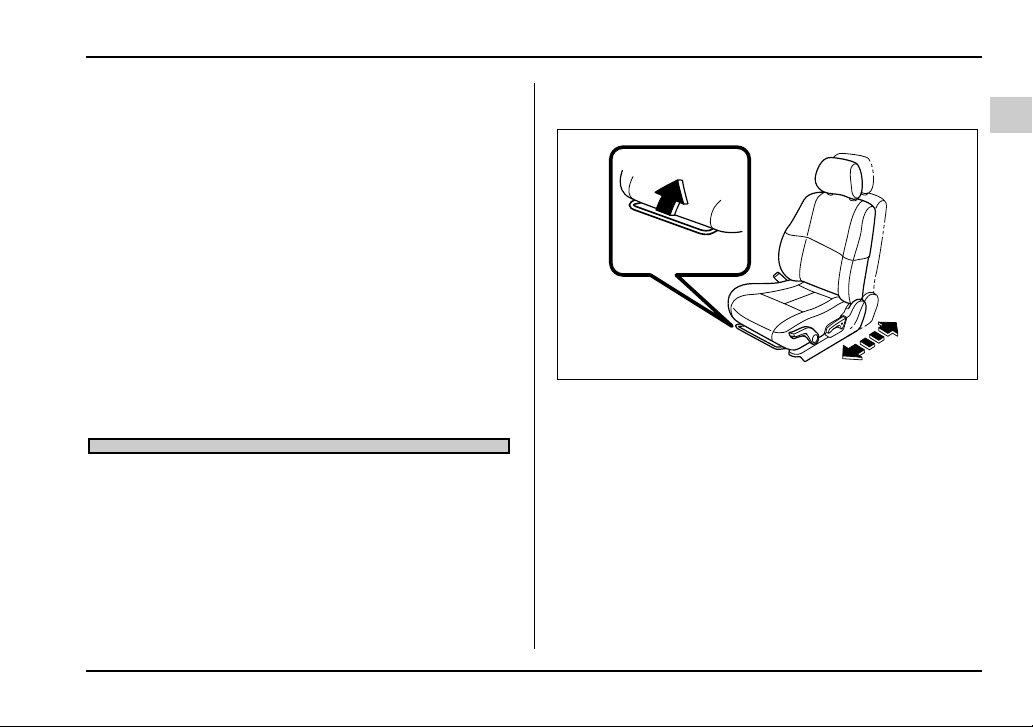
Fore and aft adjustment
Pull the lever upward and slide the seat to the desired
position. Then release the lever and move the seat
back and forth to make sure that it is securely locked
into place.
UG1541BA
1-4
Seat, seatbelt and SRS airbags
Reclining the seatback
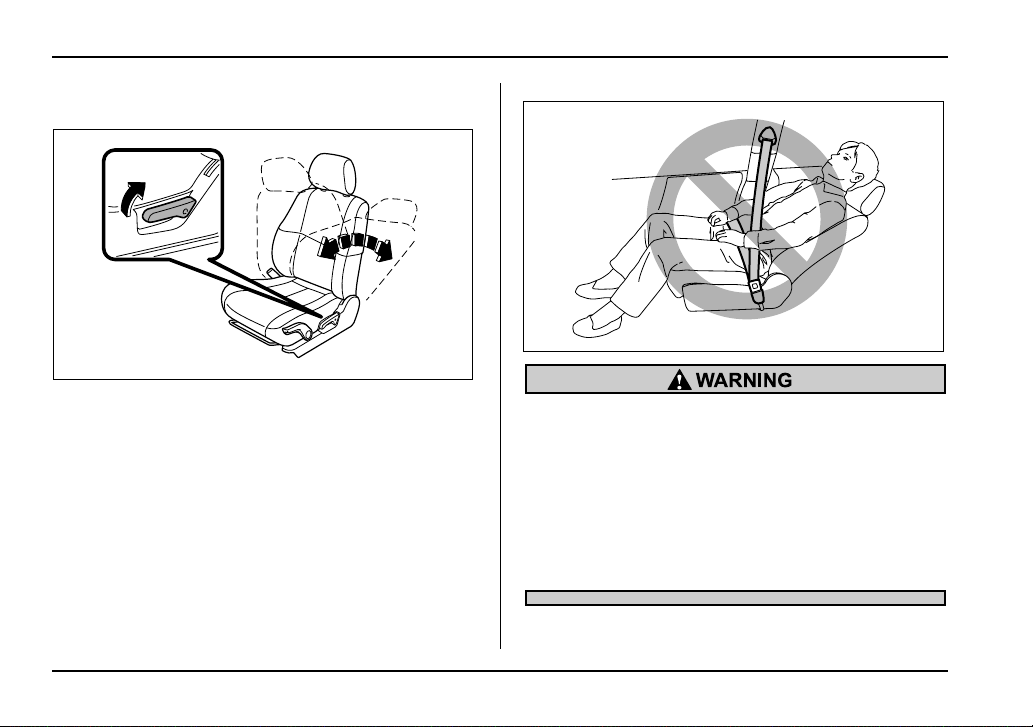
Pull the reclining lever up and adjust the seatback to
the desired position. Then release the lever and make
sure the seatback is securely locked into place.
The seatback placed in a reclined position can spring
back upward with force when released. When operat-
ing the reclining lever to return the seatback, hold it
lightly so that it may be raised back gradually.
To prevent the passenger from sliding under
the seatbelt in the event of a collision, always
put the seatback in the upright position while
the vehicle is in motion. Also, do not place ob-
jects such as cushions between the passenger
and the seatback. If you do so, the risk of slid-
ing under the lap belt and of the lap belt sliding
up over the abdomen will increase, and both
can result in serious internal injury or death.
UG1542BA
HS1037BA
1-5
Seat, seatbelt and SRS airbags
– CONTINUED –
Seat cushion height adjustment (driv-
er’s seat)
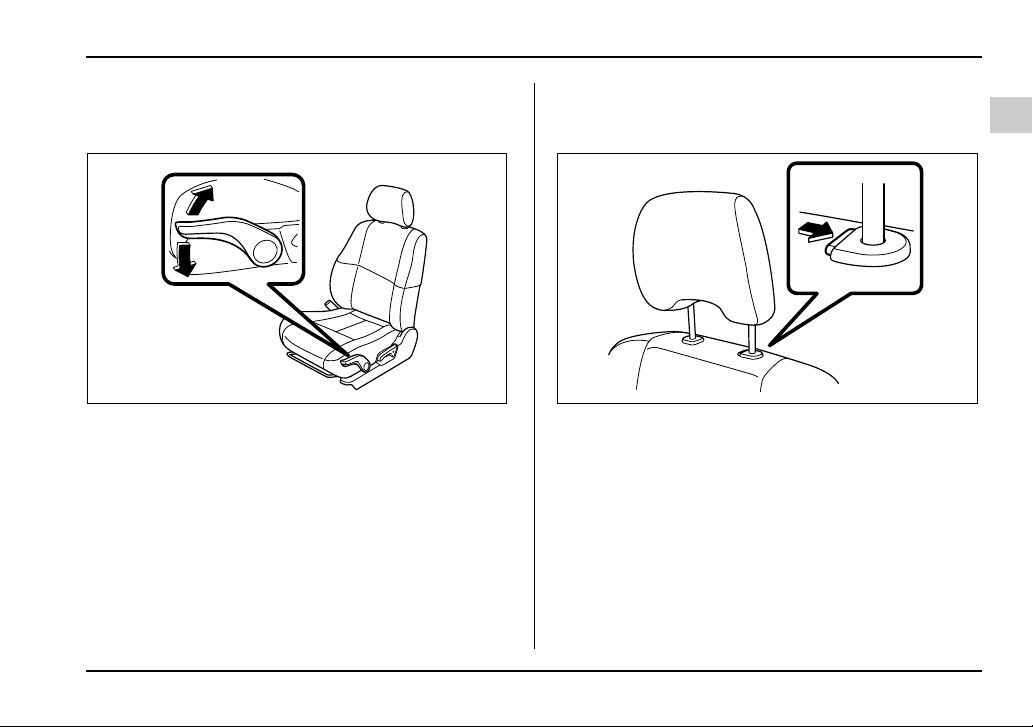
1) When the lever is pushed down, the seat is lowered.
2) When the lever is pulled up, the seat rises.
The height of the seat can be adjusted by moving the
seat cushion adjustment lever up and down.
Head restraint adjustment (if
equipped)
To raise the head restraint, pull it up.
To lower it, push the head restraint down while press-
ing the release button on the top of the seatback.
The head restraint should be adjusted so that the cen-
ter of the head restraint is closest to the top of the oc-
cupant’s ears.
2
1
UG1543BB HS1039BA
1-6
Seat, seatbelt and SRS airbags
Active head restraint (if equipped)
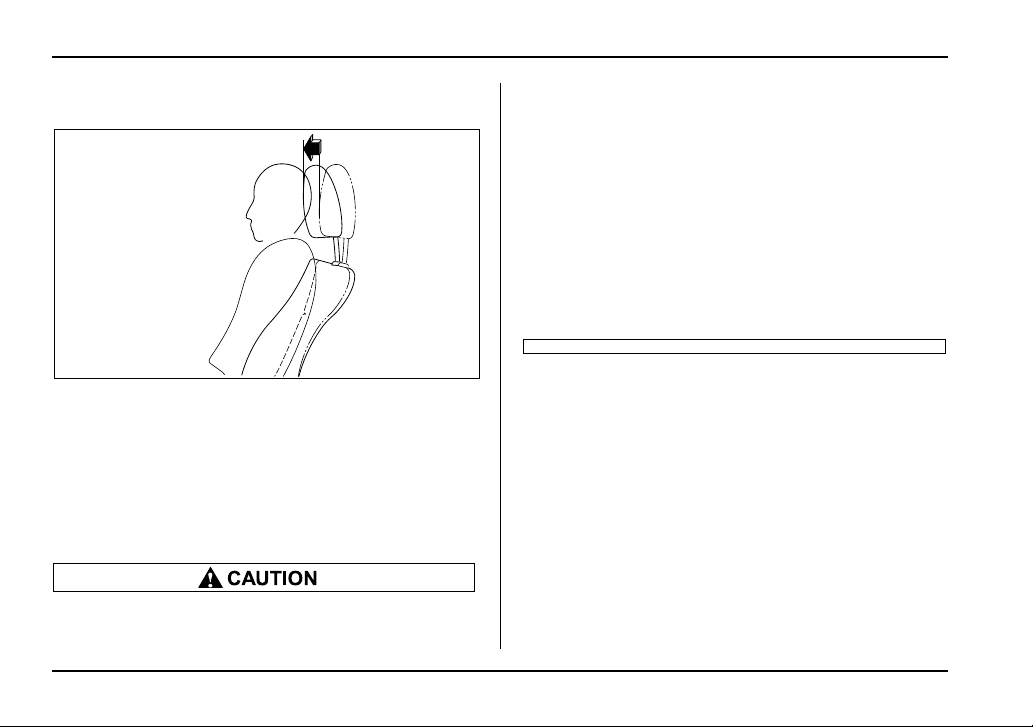
The front seats of your vehicle are equipped with ac-
tive head restraints. They automatically tilt forward
slightly in the event the vehicle is struck from the rear,
decreasing the amount of rearward head movement
and thus reducing the risk of whiplash. For maximum
effectiveness the head restraint should be adjust so
that the center of the head restraint is closest to the top
of the occupant’s ears.
y Each active head restraint is effective only
when its height is properly adjusted and the
user sits in the correct position on the seat.
y Each active head restraint is designed to
work only once. If your vehicle is involved in a
rear-end collision, have an authorized SUBARU
dealer inspect the active head restraints.
y The active head restraints may not operate in
the event the vehicle experiences only a slight
impact in the rear.
y The active head restraints may be damaged if
they are pushed hard from behind or subjected
to shock. As a result, they may not function if
the vehicle suffers a rear impact.
HS1105BA
1-7
Seat, seatbelt and SRS airbags
– CONTINUED –
Seat heater (if equipped)
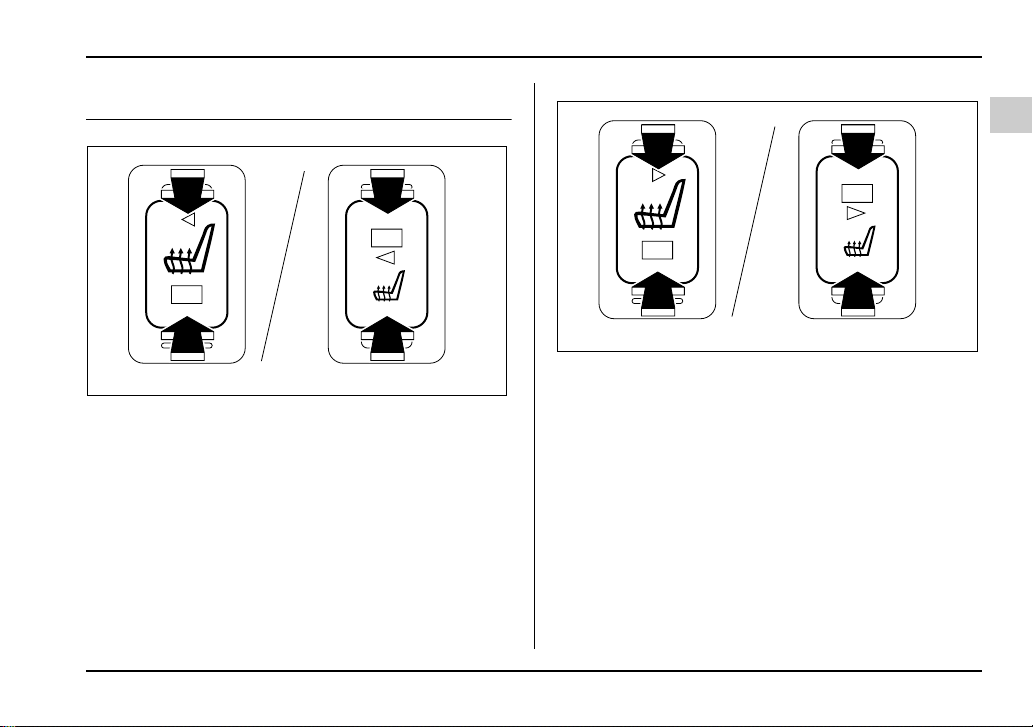
Driver’s side
1) HI – Rapid heating
2) LO – Normal heating
Front passenger’s side
1) HI – Rapid heating
2) LO – Normal heating
The seat heater operates when the ignition switch is
either in the “ACC” or “ON” position.
To turn on the seat heater, push the “LO” or “HI” posi-
tion on the switch, as desired, depending on the tem-
perature. Selecting the “HI” position will cause the seat
to heat up quicker.
The indicator located on the switch comes on when
the seat heater is in operation. When the vehicle’s in-
terior is warmed enough or before you leave the vehi-
1
2
2
1
UG1111BB
1
2
2
1
UG1112BB
1-8
Seat, seatbelt and SRS airbags
cle, be sure to turn the switch off.
y There is a possibility that people with delicate
skin may suffer slight burns even at low tem-
peratures if he/she uses the seat heater for a
long period of time. When using the heater, al-
ways be sure to warn the persons concerned.
y Do not put anything on the seat which insu-
lates against heat, such as a blanket, cushion,
or similar items. This may cause the seat heater
to overheat.
NOTE
y Use of the seat heater for a long period of time
while the engine is not running can cause battery
discharge.
y When cleaning the seat, do not use benzine,
paint thinner, or any similar materials.
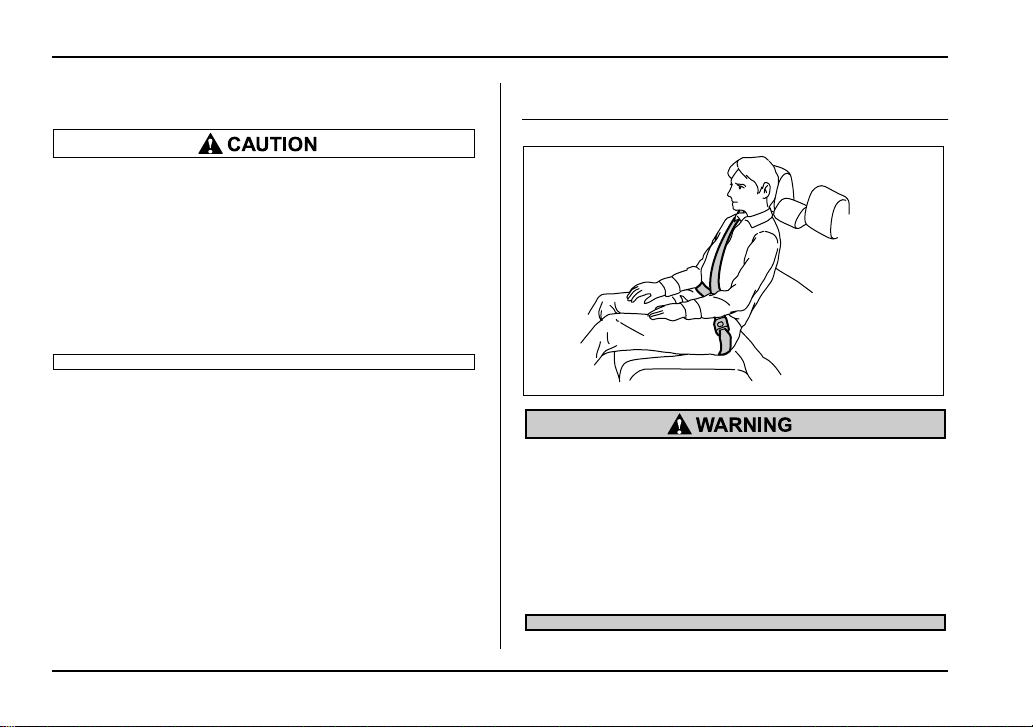
Rear seats
Seatbelts provide maximum restraint when the
occupant sits well back and upright in the seat.
Do not put cushions or any other materials be-
tween occupants and seatbacks or seat cush-
ions. If you do so, the risk of sliding under the
lap belt and of the lap belt sliding up over the
abdomen will increase, and both can result in
serious internal injury or death.
HG1044BA
1-9
Seat, seatbelt and SRS airbags
– CONTINUED –
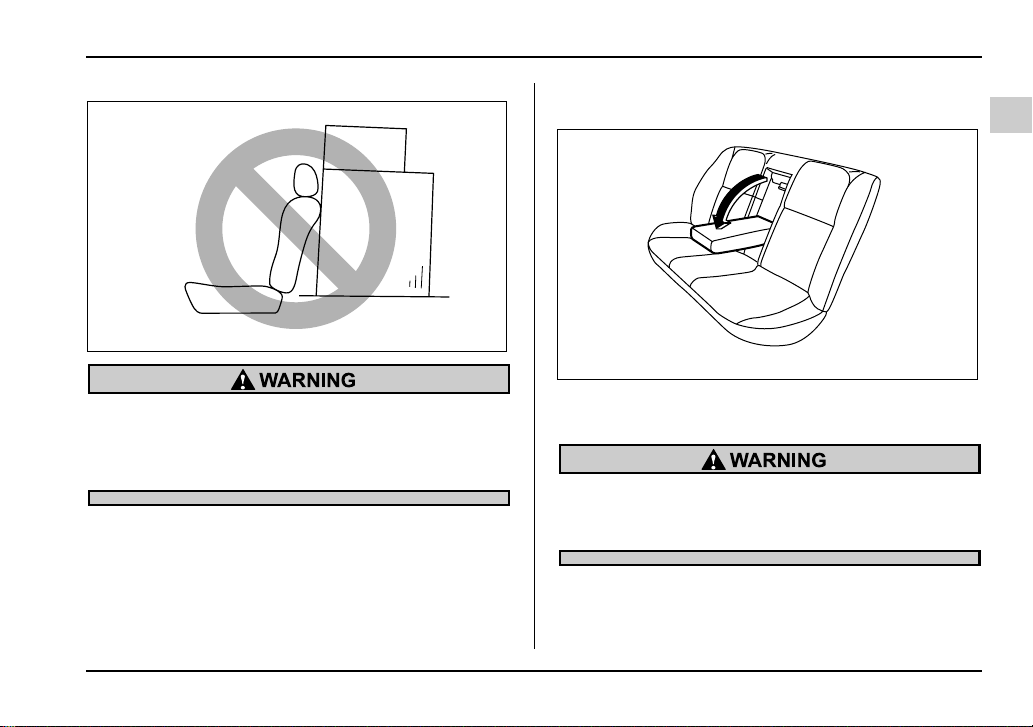
Never stack luggage or other cargo higher than
the top of the seatback because it could tumble
forward and injure passengers in the event of a
sudden stop or accident.
Armrest (if equipped)
To lower the armrest, pull on the top edge of the arm-
rest.
To avoid the possibility of serious injury, pas-
sengers must never be allowed to sit on the
center armrest while the vehicle is in motion.
HS8005BA
UG1504BA
1-10
Seat, seatbelt and SRS airbags
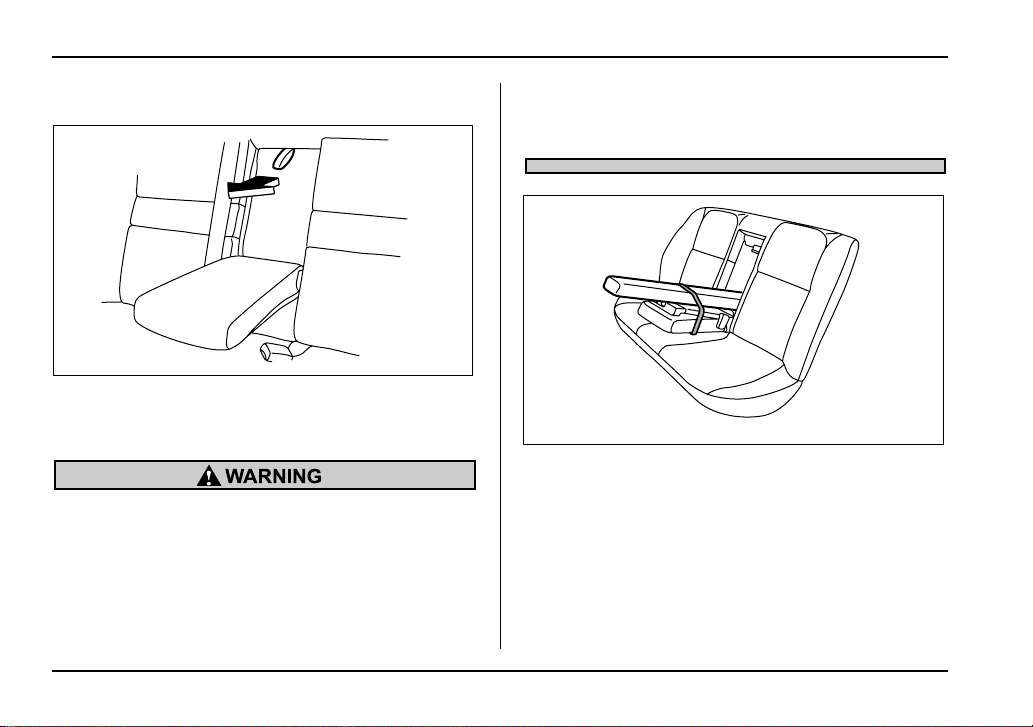
T Loading long objects
Folding down the armrest and opening the seatback
panel affords a loading space for long objects.
To open the seatback panel, pull the release tab.
y Secure long objects properly to prevent them
from shooting forward and causing serious in-
jury during a sudden stop or sharp cornering.
Tie long objects down with a rope or something
equivalent.
y Avoid loading objects longer than 6.6 ft (2 m)
and heavier than 55 lbs (25 kg). Such objects
can interfere with the driver’s proper operation
of the vehicle, possibly causing an accident
and serious injury.
UG1505BA
UG1506BA
1-11
Seat, seatbelt and SRS airbags
– CONTINUED –
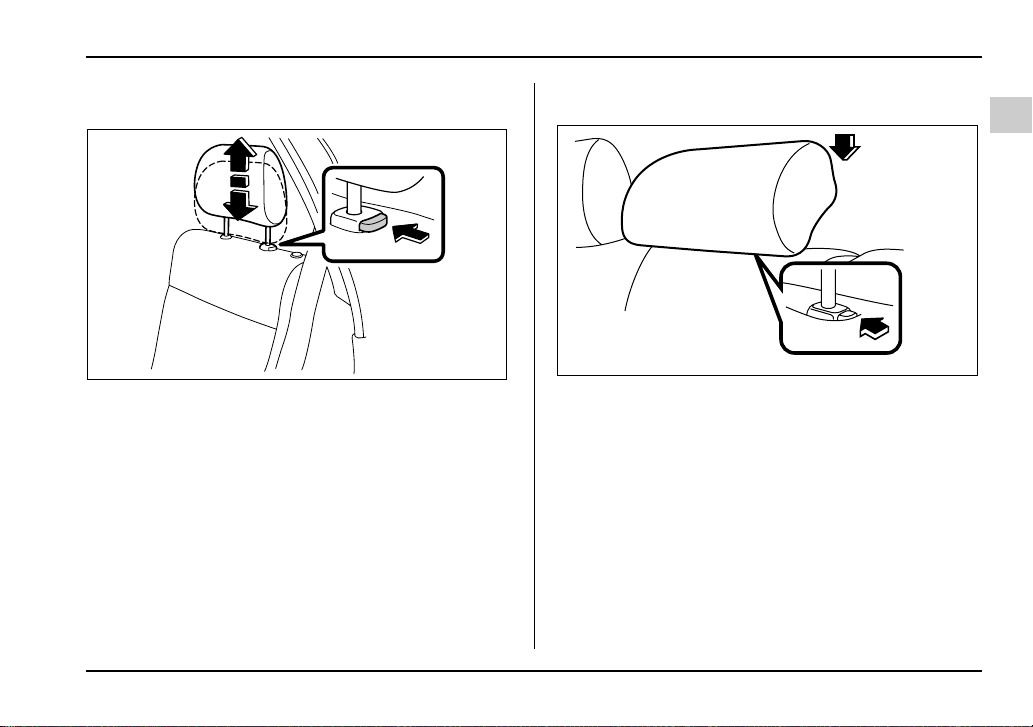
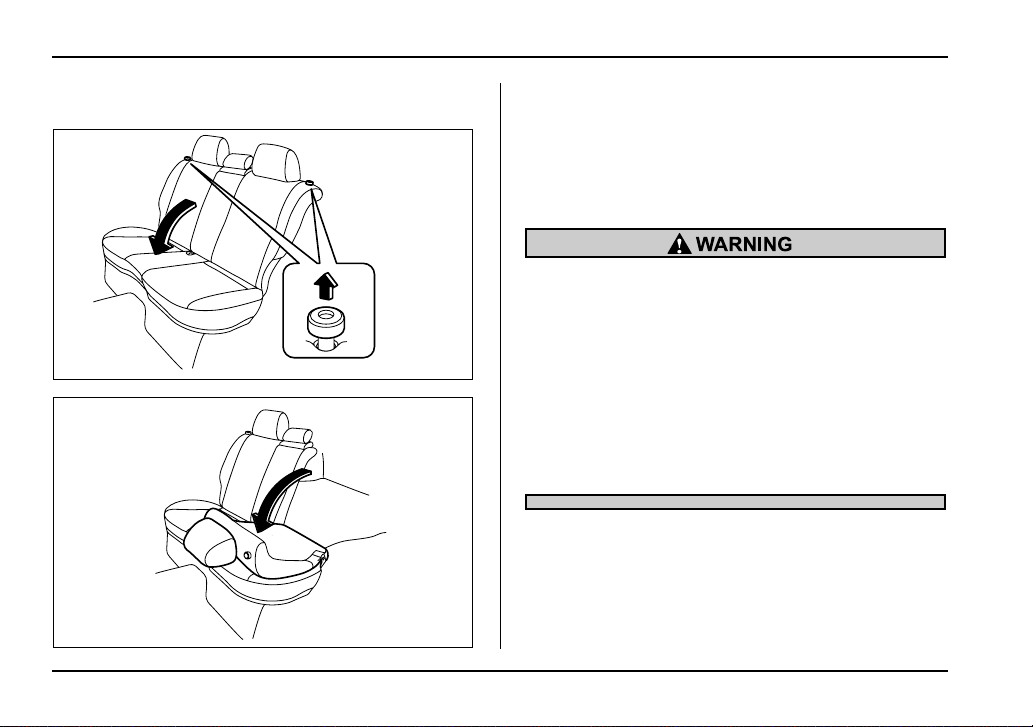
Headrest adjustment – Wagon
To raise the headrest, pull it up.
To lower it, push the head rest down while depressing
the release button on the top of the seatback.
When the seats are not occupied, lower the headrests
to improve rearward visibility.
T Rear center seating position
To raise the head restraint, pull it up.
To lower it, push the headrest down while pressing the
release button on the top of the seatback.
When the rear-center seating position is occupied,
place the headrest in its highest position. When the
rear center seating position is not occupied, lower the
headrest to improve rearward visibility.
HS1046BA
HS1106BA
1-12
Seat, seatbelt and SRS airbags
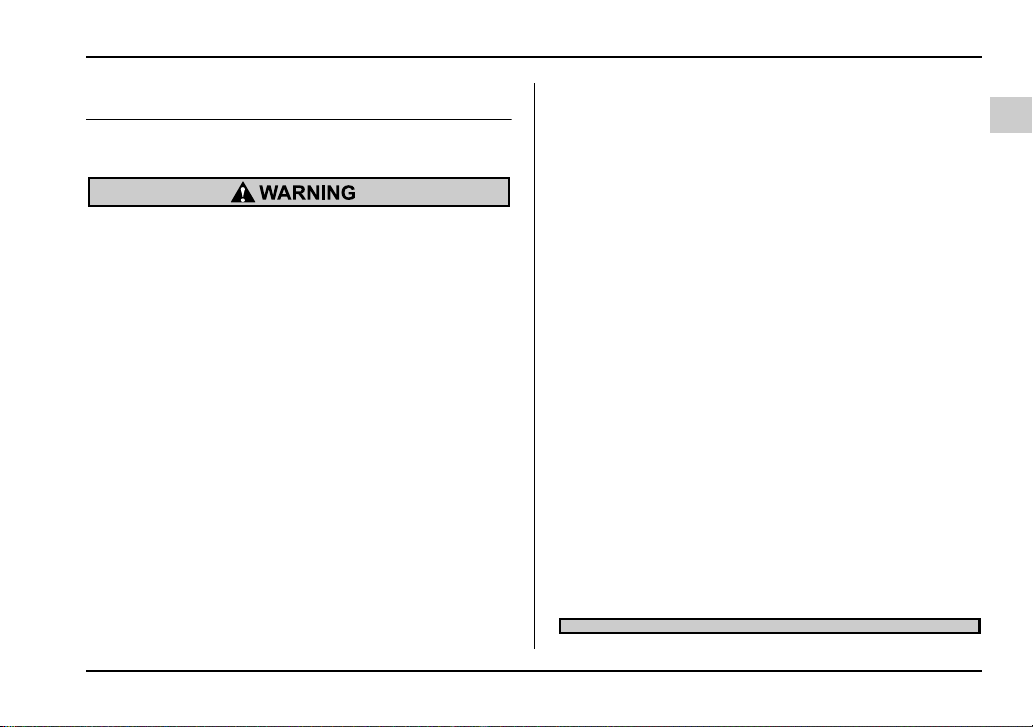
Folding down the rear seat – Wagon
1. Lower the headrests.
2. Unlock the seatback by pulling the release knob
and then fold the seatback down.
To return the seatback to its original position, raise the
seatback until it locks into place and make sure that it
is securely locked.
y After returning the rear seat to its original po-
sition, be certain to place all of the seatbelts
and the tab attached to the seat cushion above
the seat cushion. And make certain that the
shoulder belts are fully visible.
y Never allow passengers to ride on the folded
rear seatback or in the cargo area. Doing so
may result in serious injury or death.
y Secure lengthy items properly to prevent
them from shooting forward and causing seri-
ous injury during a sudden stop.
HS1047BA
HS1048BA
1-13
Seat, seatbelt and SRS airbags
– CONTINUED –
Seatbelts
Seatbelt safety tips
y All persons in the vehicle should fasten their
seatbelts BEFORE the vehicle starts to move.
Otherwise, the possibility of serious injury be-
comes greater in the event of a sudden stop or
accident.
y All belts should fit snugly in order to provide
full restraint. Loose fitting belts are not as ef-
fective in preventing or reducing injury.
y Each seatbelt is designed to support only
one person. Never use a single belt for two or
more persons – even children. Otherwise, in an
accident, serious injury or death could result.
y Replace all seatbelt assemblies including re-
tractors and attaching hardware worn by occu-
pants of a vehicle that has been in a serious ac-
cident. The entire assembly should be replaced
even if damage is not obvious.
y Put children aged 12 and under in the rear
seat properly restrained at all times. The SRS
airbag deploys with considerable speed and
force and can injure or even kill children, espe-
cially if they are 12 years of age and under and
are not restrained or improperly restrained. Be-
cause children are lighter and weaker than
adults, their risk of being injured from deploy-
ment is greater. For that reason, we strongly
recommend that ALL children (including those
in child seats and those that have outgrown
child restraint devices) sit in the REAR seat
properly restrained at all times in a child re-
straint device or in a seatbelt, whichever is ap-
propriate for the child’s height and weight.
Secure ALL types of child restraint devices (in-
cluding forward facing child seats) in the REAR
seats at all times.
NEVER INSTALL A REARWARD FACING CHILD
SEAT IN THE FRONT SEAT. DOING SO RISKS
SERIOUS INJURY OR DEATH TO THE CHILD
BY PLACING THE CHILD’S HEAD TOO CLOSE
TO THE SRS AIRBAG.
According to accident statistics, children are
safer when properly restrained in the rear seat-
ing positions than in the front seating posi-
tions. For instructions and precautions con-
cerning the child restraint system, see the
“Child restraint systems” section in this chap-
ter.
1-14
Seat, seatbelt and SRS airbags
T Infants or small children
Use a child restraint system that is suitable for your ve-
hicle. See information on “Child restraint systems” in
this chapter.
T Children
If a child is too big for a child restraint system, the child
should sit in the rear seat and be restrained using the
seatbelts. According to accident statistics, children are
safer when properly restrained in the rear seating po-
sitions than in the front seating positions. Never allow
a child to stand up or kneel on the seat.
If the shoulder portion of the belt crosses the face or
neck, adjust the shoulder belt anchor height (window-
side seating positions only) and then if necessary
move the child closer to the belt buckle to help provide
a good shoulder belt fit. Care must be taken to secure-
ly place the lap belt as low as possible on the hips and
not on the child’s waist. If the shoulder portion of the
belt cannot be properly positioned, a child restraint
system should be used. Never place the shoulder belt
under the child’s arm or behind the child’s back.
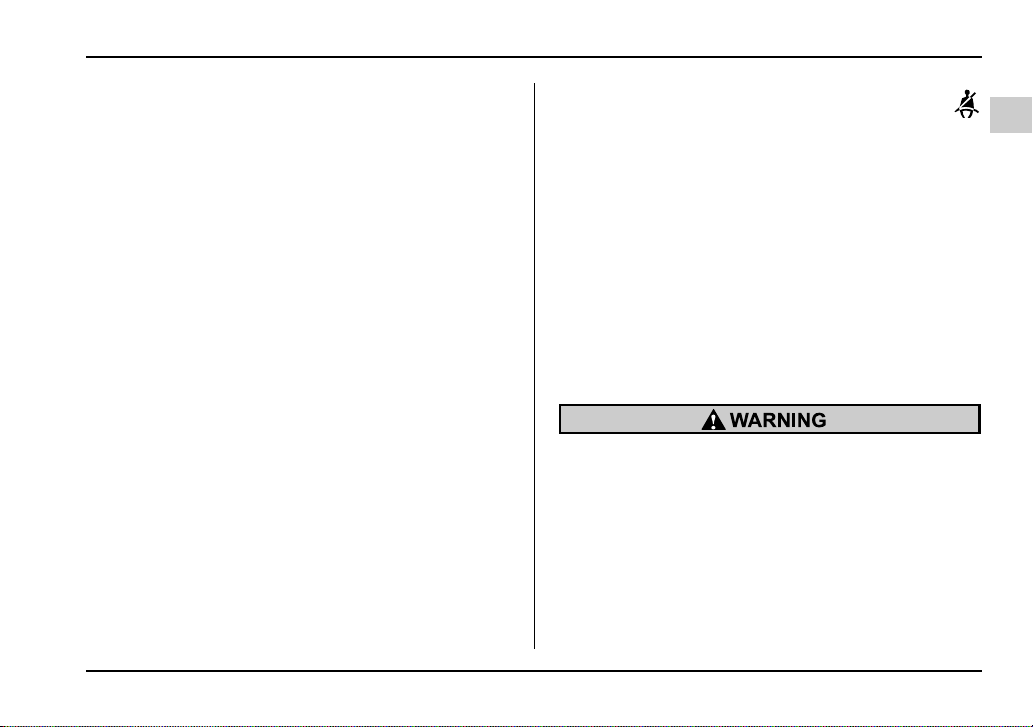
T Expectant mothers
Expectant mothers also need to use the seatbelts.
They should consult their doctor for specific recom-
mendations. The lap belt should be worn securely and
as low as possible over the hips, not over the waist.
Emergency Locking Retractor (ELR)
The driver’s seatbelt has an Emergency Locking Re-
tractor (ELR).
The emergency locking retractor allows normal body
movement but the retractor locks automatically during
a sudden stop, impact or if you pull the belt very quick-
ly out of the retractor.
HS1107AA
1-15
Seat, seatbelt and SRS airbags
– CONTINUED –
Automatic/Emergency Locking Retrac-
tor (A/ELR)
Each passenger’s seatbelt has an Automatic/Emer-
gency Locking Retractor (A/ELR). The Automatic/
Emergency Locking Retractor normally functions as
an Emergency Locking Retractor (ELR). The A/ELR
has an additional locking mode “Automatic Locking
Retractor (ALR) mode” intended to secure a child re-
straint system. When the seatbelt is once drawn out
completely and is then retracted even slightly, the re-
tractor locks the seatbelt in that position and the seat-
belt cannot be extended. As the belt is rewinding,
clicks will be heard which indicate the retractor func-
tions as an ALR. When the seatbelt is retracted fully,
the ALR mode is released.
When securing a child restraint system on the rear
seats by the use of the seatbelt, the seatbelt must be
changed over to the Automatic Locking Retractor
(ALR) mode.
When the child restraint system is removed, make
sure that the seatbelt retracts fully and the retractor re-
turned to the Emergency Locking Retractor (ELR)
mode.
For instructions on how to convert the retractor to the
ALR mode and restore it to the ELR mode, see the
“Child restraint systems” section in this chapter.
Seatbelt warning light and chime
Your vehicle is equipped with a seatbelt warning de-
vice at the driver’s seat, as required by current safety
standards.
This device causes the seatbelt warning light on the
instrument panel to light up when the ignition switch is
turned to “ON” to remind the driver to wear the seat-
belt. If the driver’s seatbelt is not fastened, the warning
light remains on and a warning chime sounds at the
same time. The warning light stays illuminated until
the driver fastens the seatbelt but the chime stops
sounding after about six seconds.
Fastening the seatbelt
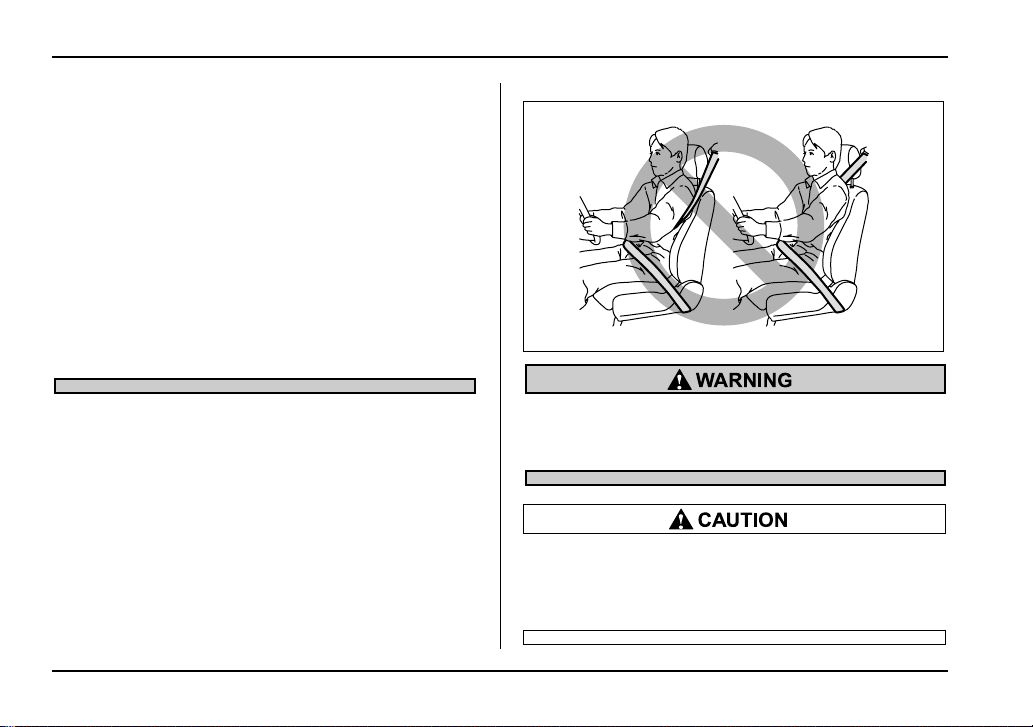
y Never use a belt that is twisted or reversed. In
an accident, this can increase the risk or sever-
ity of injury.
y Keep the lap belt as low as possible on your
hips. In a collision, this spreads the force of the
lap belt over stronger hip bones instead of
across the weaker abdomen.
y Seatbelts provide maximum restraint when
the occupant sits well back and upright in the
seat. To reduce the risk of sliding under the
1-16
Seat, seatbelt and SRS airbags
seatbelt in a collision, the front seatbacks
should be always used in the upright position
while the vehicle is running. If the front seat-
backs are not used in the upright position in a
collision, the risk of sliding under the lap belt
and of the lap belt sliding up over the abdomen
will increase, and both can result in serious in-
ternal injury or death.
y Do not put cushions or any other materials
between occupants and seatbacks or seat
cushions. If you do so, the risk of sliding under
the lap belt and of the lap belt sliding up over
the abdomen will increase, and both can result
in serious internal injury or death.
Never place the shoulder belt under the arm or
behind the back. If an accident occurs, this can
increase the risk or severity of injury.
Metallic parts of the seatbelt can become very
hot in a vehicle that has been closed up in sun-
ny weather; they could burn an occupant. Do
not touch such hot parts until they cool.
HS1049BA
1-17
Seat, seatbelt and SRS airbags
– CONTINUED –
T Front seatbelts
1. Adjust the seat position:
Driver’s seat: Adjust the seatback to the upright posi-
tion. Move the seatback as far from the steering wheel
as practical while still maintaining full vehicle control.
Front passenger’s seat: Adjust the seatback to the
upright position. Move the seat as far back as possi-
ble.
2. Sit well back in the seat.
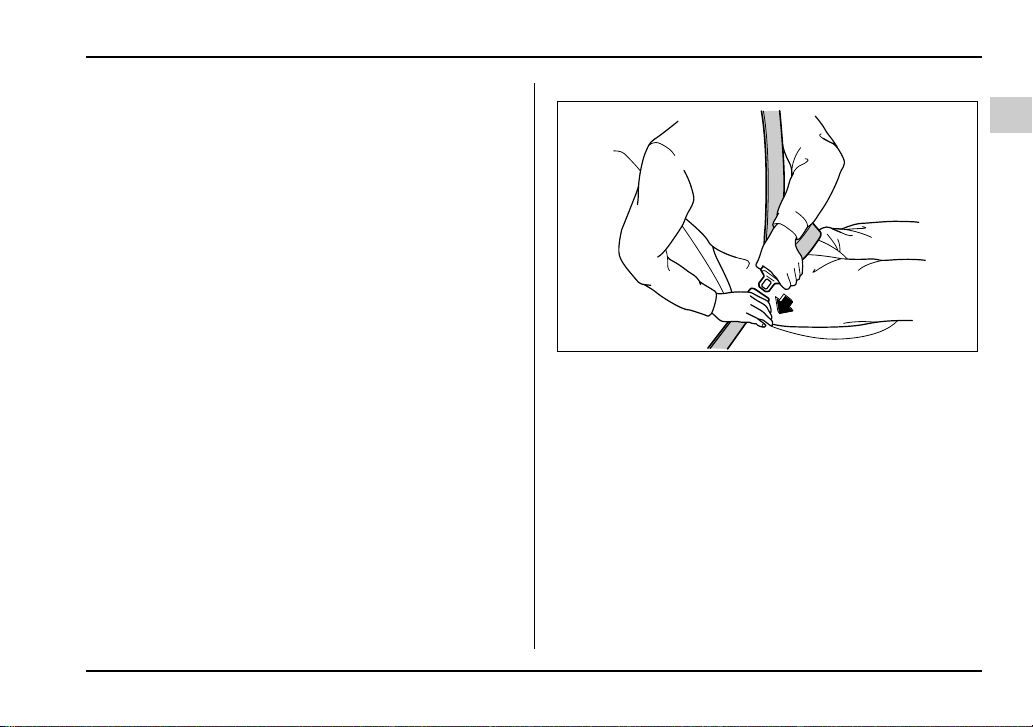
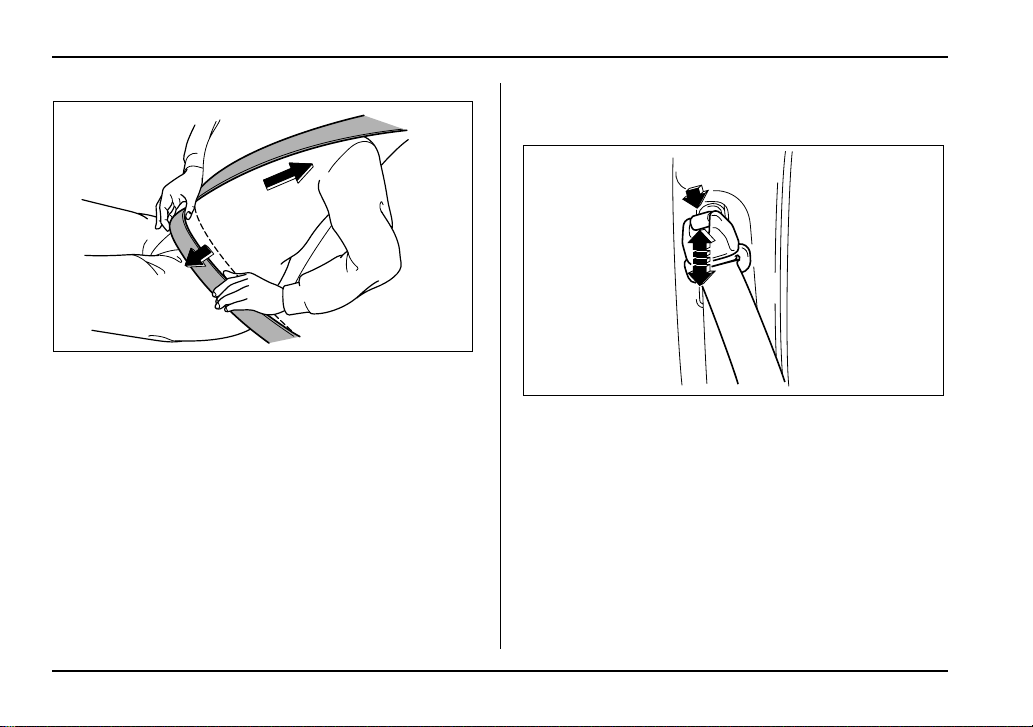
3. Pick up the tongue plate and pull the belt out slowly.
Do not let it get twisted. If the belt stops before reach-
ing the buckle, return the belt slightly and pull it out
more slowly. If the belt still cannot be unlocked, let the
belt retract slightly after giving it a strong pull, then pull
it out slowly again.
4. Insert the tongue plate into the buckle until you
hear a click.
HS1050BA
1-18
Seat, seatbelt and SRS airbags
5. To make the lap part tight, pull up on the shoulder
belt.
6. Place the lap belt as low as possible on your hips,
not on your waist.
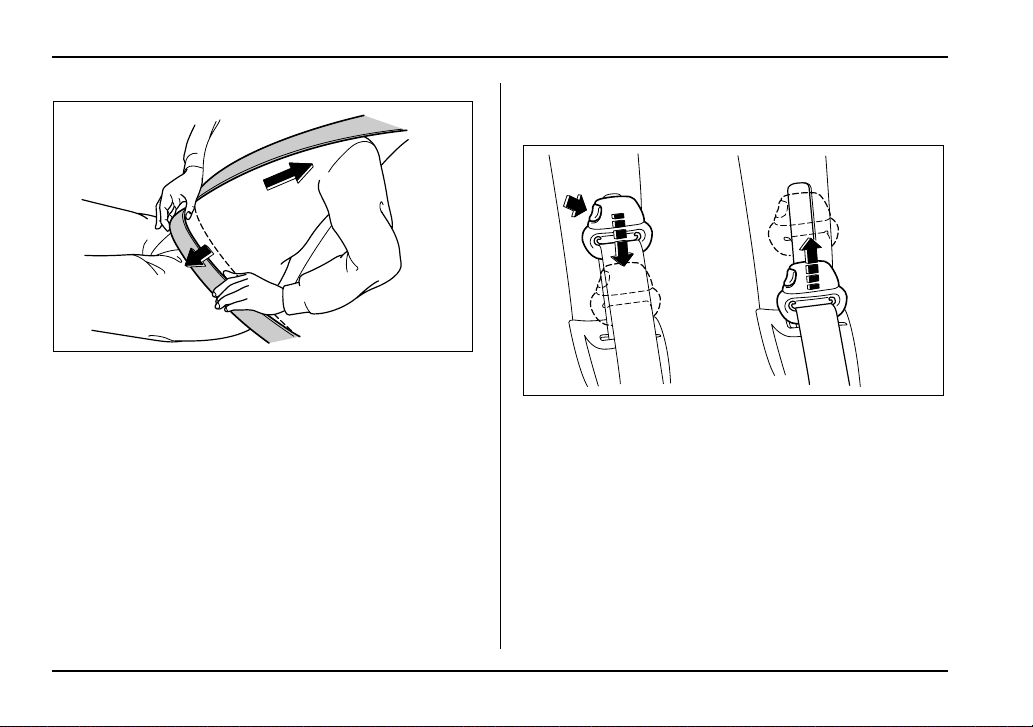
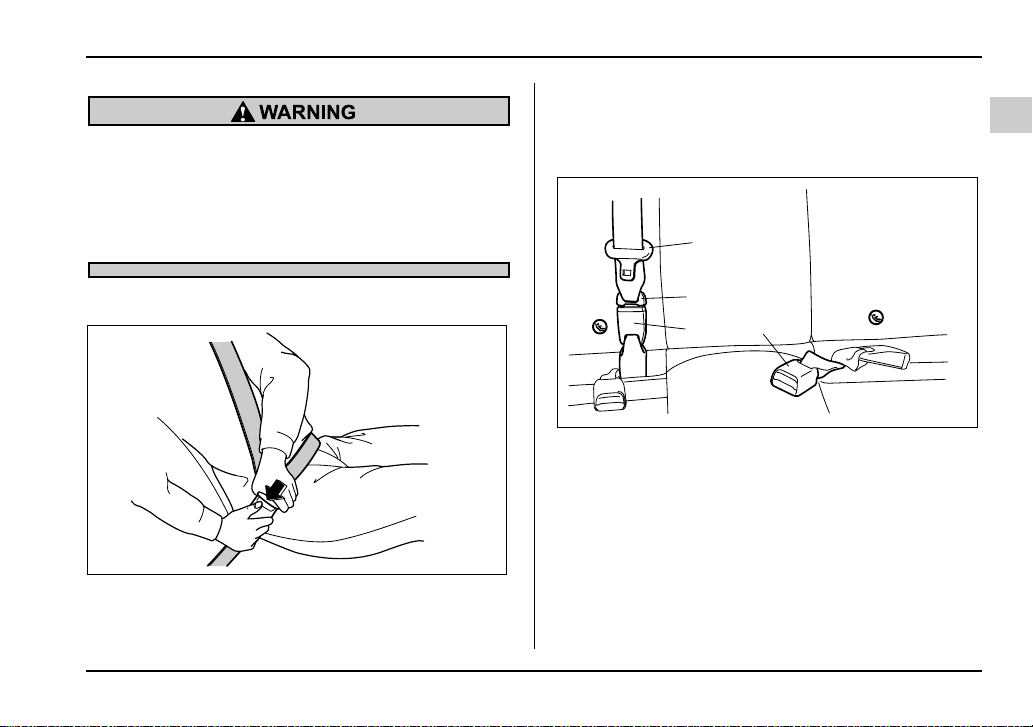
V Adjusting the front seat shoulder belt anchor
height
The shoulder belt anchor height should be adjusted to
the position best suited for you.
To lower the anchor height, push the release button
and slide the anchor down.
To raise the anchor height, slide the anchor up. Pull
down on the anchor to make sure that it is locked in
place.
Always adjust the anchor height so that the shoulder
belt passes over the middle of the shoulder without
touching the neck.
5
6
HS1051BB
HS1052BA
1-19
Seat, seatbelt and SRS airbags
– CONTINUED –
When wearing the seatbelts, make sure the
shoulder portion of the webbing does not pass
over your neck. If it does, adjust the seatbelt an-
chor to a lower position. Placing the shoulder
belt over the neck may result in neck injury dur-
ing sudden braking or in a collision.
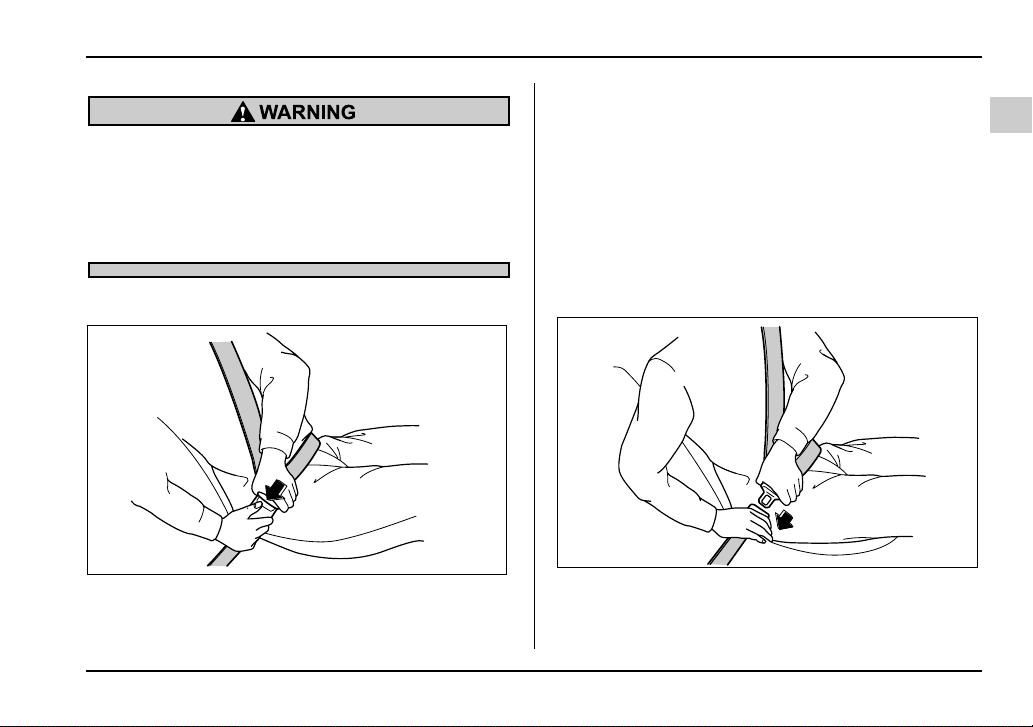
V Unfastening the seatbelt
Push the button on the buckle.
Before closing the door, make sure that the belts are
retracted properly to avoid catching the belt webbing
in the door.
T Rear seatbelts (except rear center seatbelt on
Wagon)
1. Sit well back in the seat.
2. Pick up the tongue plate and pull the belt out slowly.
Do not let it get twisted. If the belt stops before reach-
ing the buckle, return the belt slightly and pull it out
more slowly. If the belt still cannot be unlocked, let the
belt retract slightly after giving a strong pull on it, then
pull it out slowly again.
3. Insert the tongue plate into the buckle until you
hear a click.
HS1053BA
HS1050BA
1-20
Seat, seatbelt and SRS airbags
4. To make the lap part tight, pull up on the shoulder
belt.
5. Place the lap belt as low as possible on your hips,
not on your waist.
V Adjusting the rear seat shoulder belt anchor
height (window-side seating positions only)
The shoulder belt anchor height should be adjusted to
the position best suited for you. To adjust the anchor
height, push the release button and slide the anchor
up or down. Pull down on the anchor to make sure that
it is locked in place.
Always adjust the anchor height so that the shoulder
belt passes over the middle of the shoulder without
touching the neck.
4
5
HS1051BC
UG1075BA
1-21
Seat, seatbelt and SRS airbags
– CONTINUED –
When wearing the seatbelts, make sure the
shoulder portion of the webbing does not pass
over your neck. If it does, adjust the seatbelt an-
chor to a lower position. Placing the shoulder
belt over the neck may result in neck injury dur-
ing sudden braking or in a collision.
V Unfastening the seatbelt
Push the button on the buckle.
Before closing the door, make sure that the belts are
retracted properly to avoid catching the belt webbing
in the door.
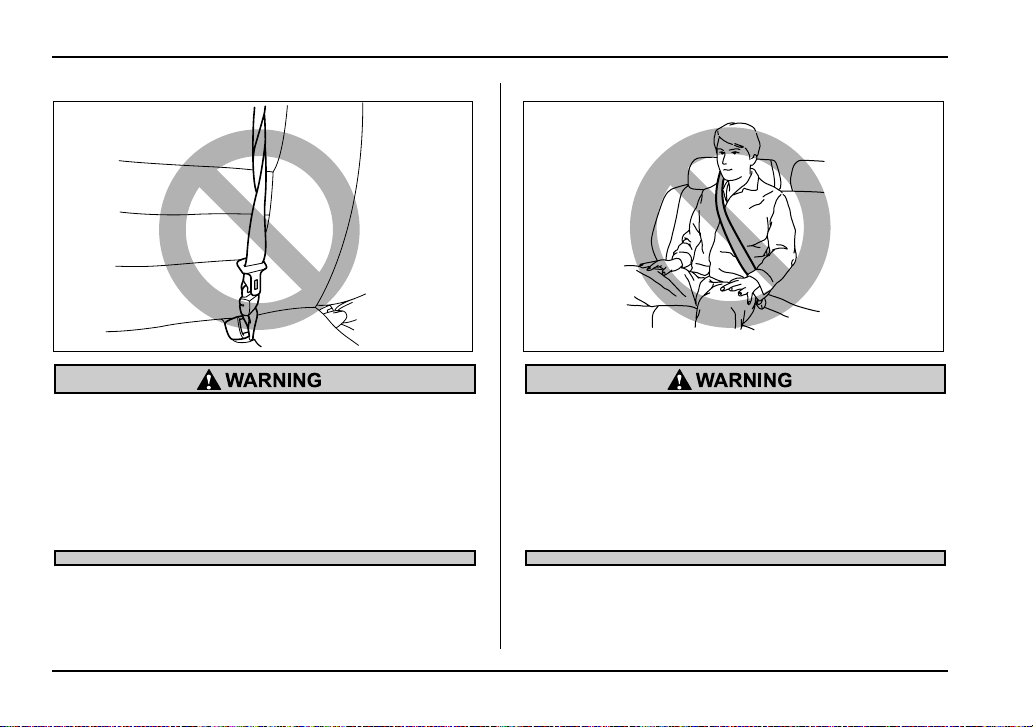
T Rear center seatbelt on Wagon
1) Center seatbelt tongue plate
2) Connector (tongue)
3) Connector (buckle)
4) Center seatbelt buckle
HS1053BA
3
4
1
2
UG1093BB
1-22
Seat, seatbelt and SRS airbags
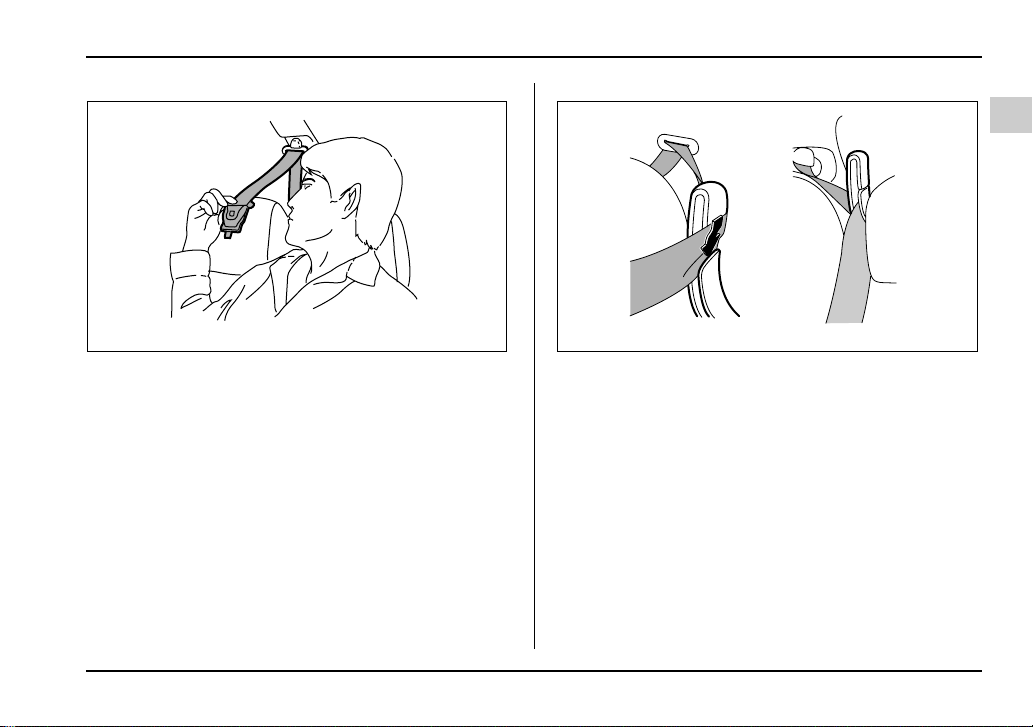
Fastening the seatbelt with the webbing twisted
can increase the risk or severity of injury in an
accident. When fastening the belt after it is
pulled out from the retractor, especially when
inserting the connector’s tongue plate into the
mating buckle (on right hand side), always
check that the webbing is not twisted.
Be sure to fasten both tongue plates to the re-
spective buckles. If the seatbelt is used only as
a shoulder belt (with the connector’s tongue
plate not fastened to the connector’s buckle on
the right hand side), it cannot properly restrain
the wearer in position in an accident, possibly
resulting in serious injury or death.
HS1054BA HS1055BA
1-23
Seat, seatbelt and SRS airbags
– CONTINUED –
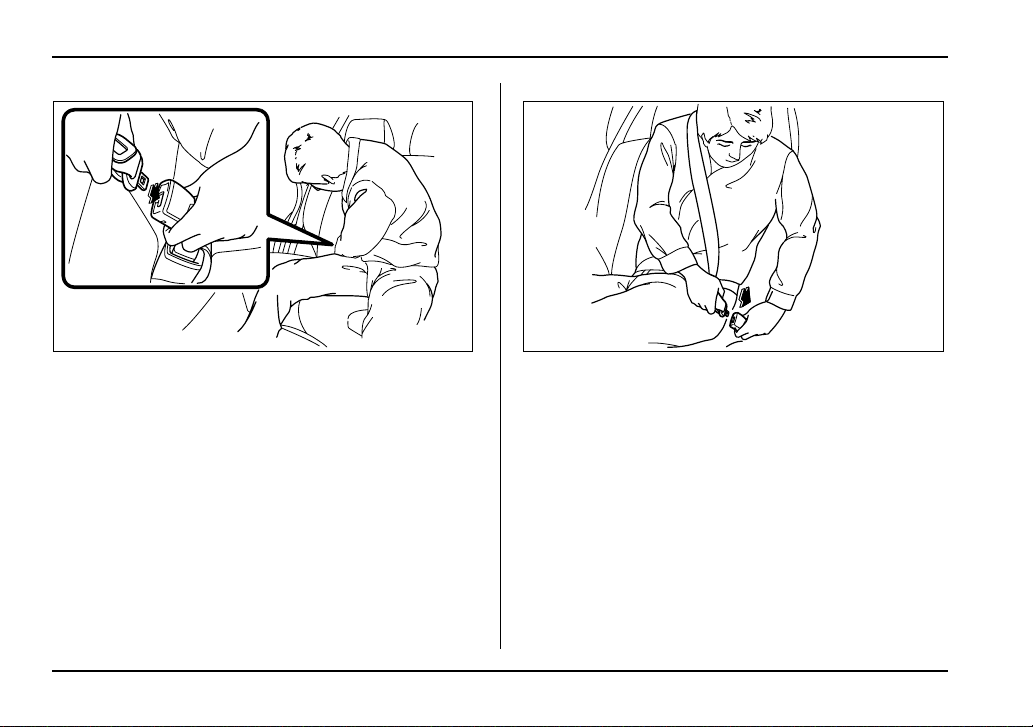
1. Remove the tongue plate from the belt holder locat-
ed under the right rear quarter glass and pull out the
seatbelt slowly.
2. After drawing out the seatbelt, pass it through the
belt guide as follows: First insert one edge of the belt
into the open gap in the comfort guide; then slide the
rest of the belt in, so that the whole belt fits inside.
UG1535BA UG1508BA
1-24
Seat, seatbelt and SRS airbags
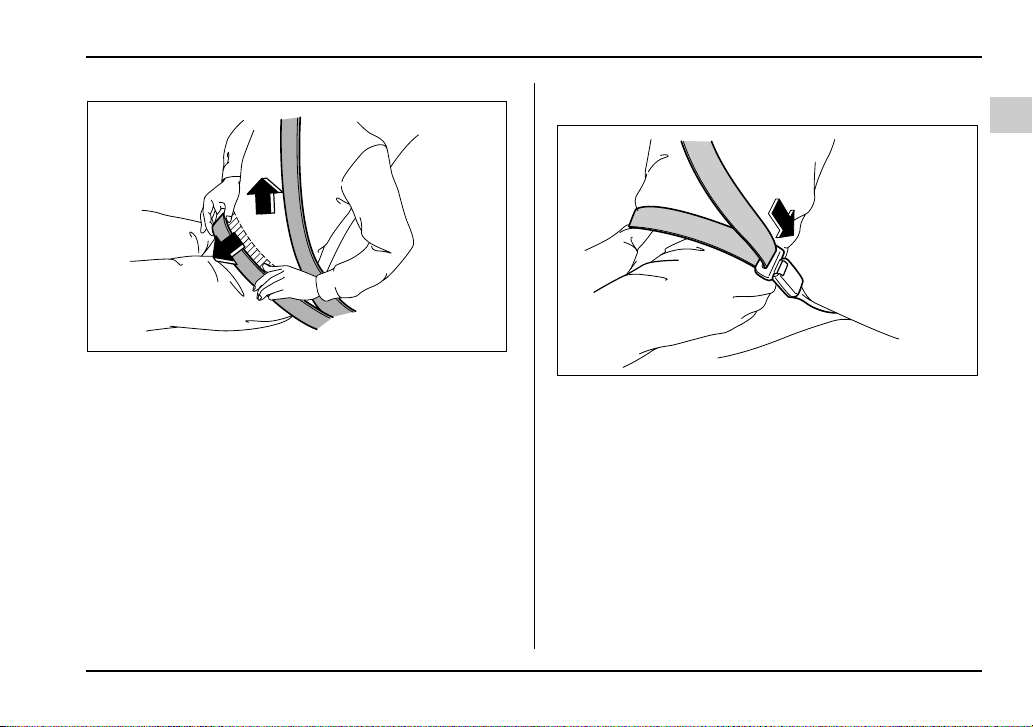
3. After confirming that the webbing is not twisted, in-
sert the connector (tongue) attached at the webbing
end into the buckle on the right hand side until a click
is heard.
If the belt stops before reaching the buckle, return the
belt slightly and pull it out more slowly. If the belt still
cannot be unlocked, let the belt retract slightly after
giving it a strong pull, then pull it out slowly again.
4. Insert the center seatbelt tongue plate in the center
seatbelt buckle marked “CENTER” on the left hand
side until it clicks.
HS1059BA HS1060BA
1-25
Seat, seatbelt and SRS airbags
– CONTINUED –
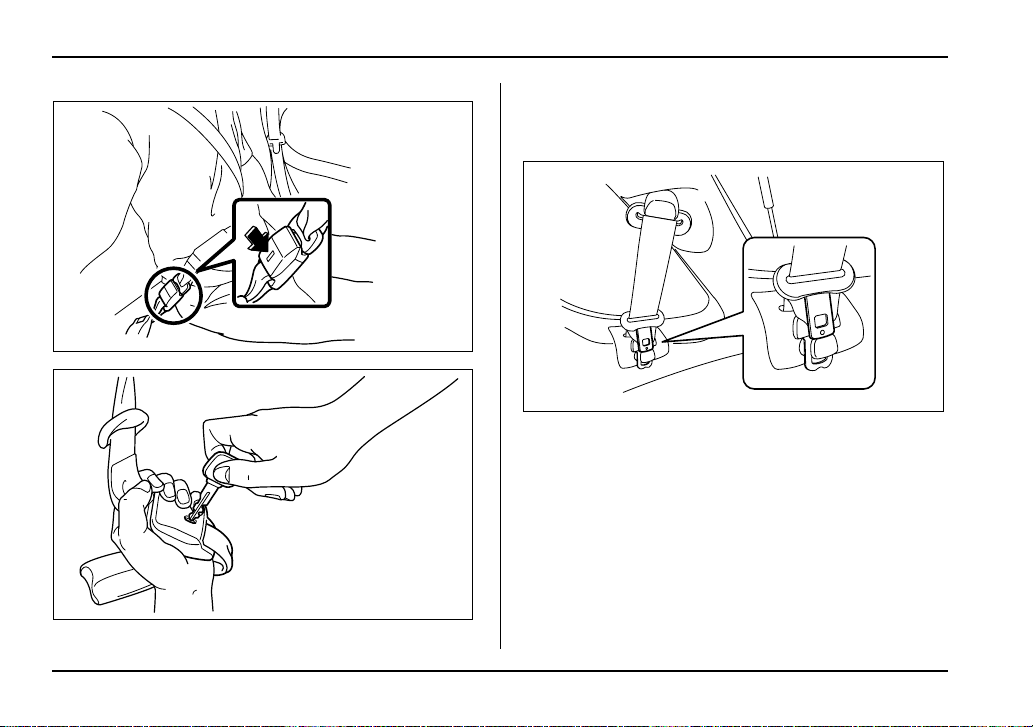
5. To make the lap part tight, pull up on the shoulder
belt.
6. Place the lap belt as low as possible on your hips,
not on your waist.
V Unfastening the seatbelt
Push the release button of the center seatbelt buckle
(on the left hand side) to unfasten the seatbelt.
NOTE
When the seatback is folded down for greater car-
go area, it is necessary to disconnect the connec-
tor.
5
6
HS1061BB
HS1062BA
1-26
Seat, seatbelt and SRS airbags
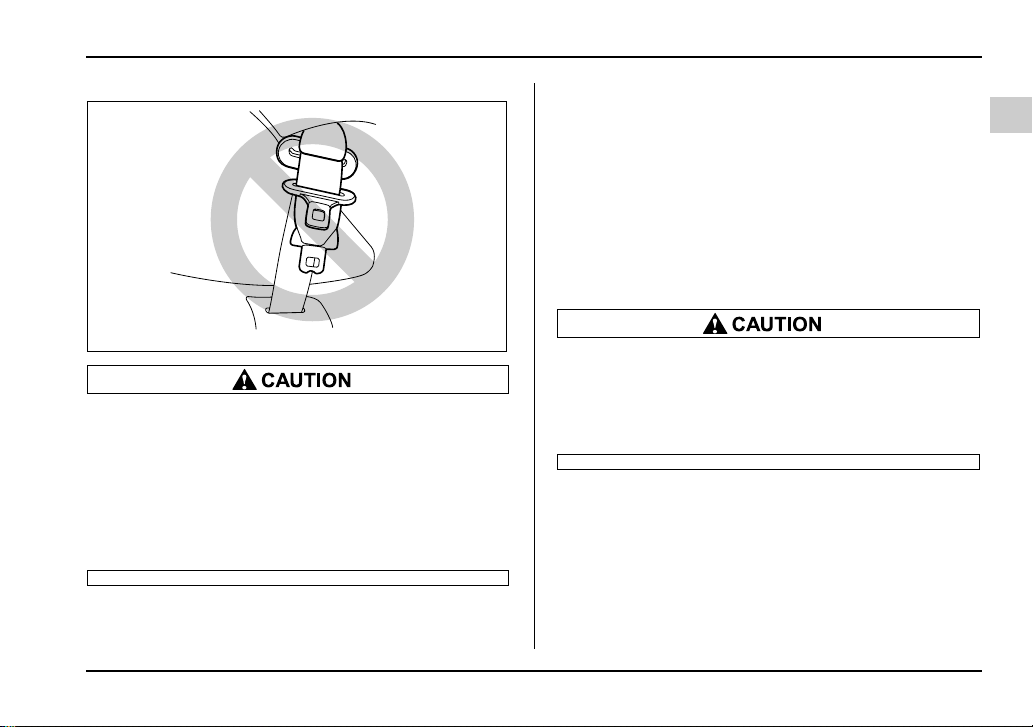
1. Insert a key or other hard pointed object into the
slot in the connector (buckle) on the right hand side
and push it in, and the connector (tongue) plate will
disconnect from the buckle.
2. Allow the retractor to roll up the belt. You should
hold the webbing end and guide it back into the retrac-
tor while it is rolling up. Insert the tongue plate into the
belt holder.
HS1063BA
HS1064BA
UG1509BA
1-27
Seat, seatbelt and SRS airbags
– CONTINUED –
y Do not allow the retractor to roll up the seat-
belt too quickly. Otherwise, the metal tongue
plates may hit against the trim, resulting in
damaged trim.
y Have the seatbelt fully rolled up so that the
tongue plates are neatly stored. A hanging
tongue plate can swing and hit against the trim
during driving, causing damage to the trim.
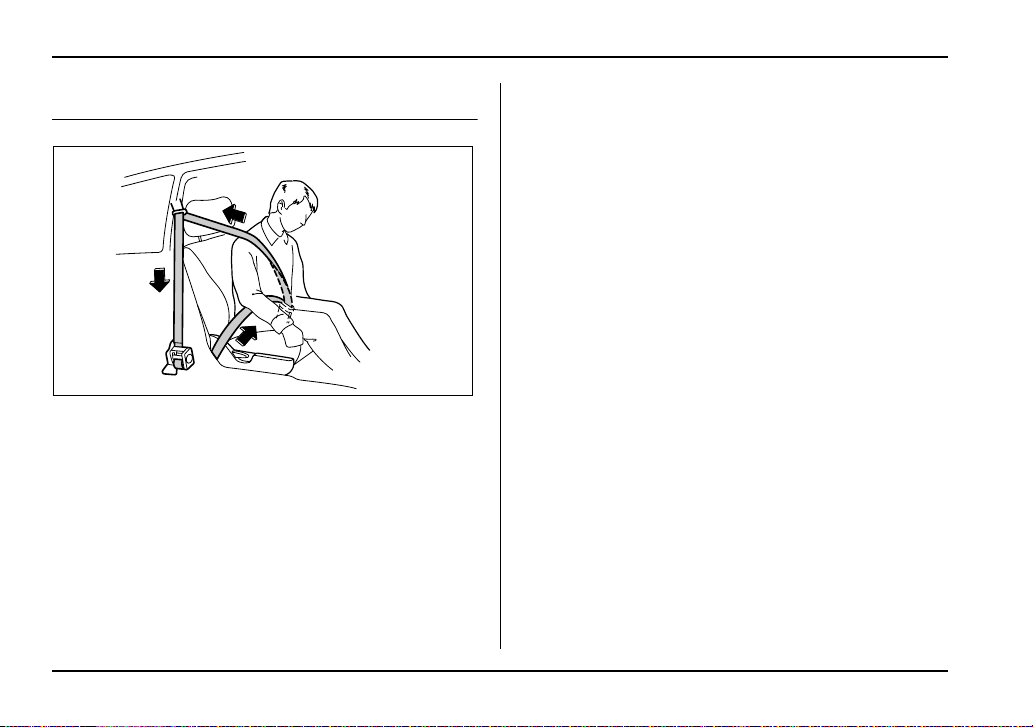
Seatbelt maintenance
To clean the seatbelts, use a mild soap and lukewarm
water. Never bleach or dye the belts because this
could seriously affect their strength.
Inspect the seatbelts and attachments including the
webbing and all hardware periodically for cracks, cuts,
gashes, tears, damage, loose bolts or worn areas. Re-
place the seatbelts even if only minor damage is
found.
y Keep the belts free of polishes, oils, chemi-
cals and particularly battery acid.
y Never attempt to make modifications or
changes that will prevent the seatbelt from op-
erating properly.
UG1510BA
1-28
Seat, seatbelt and SRS airbags
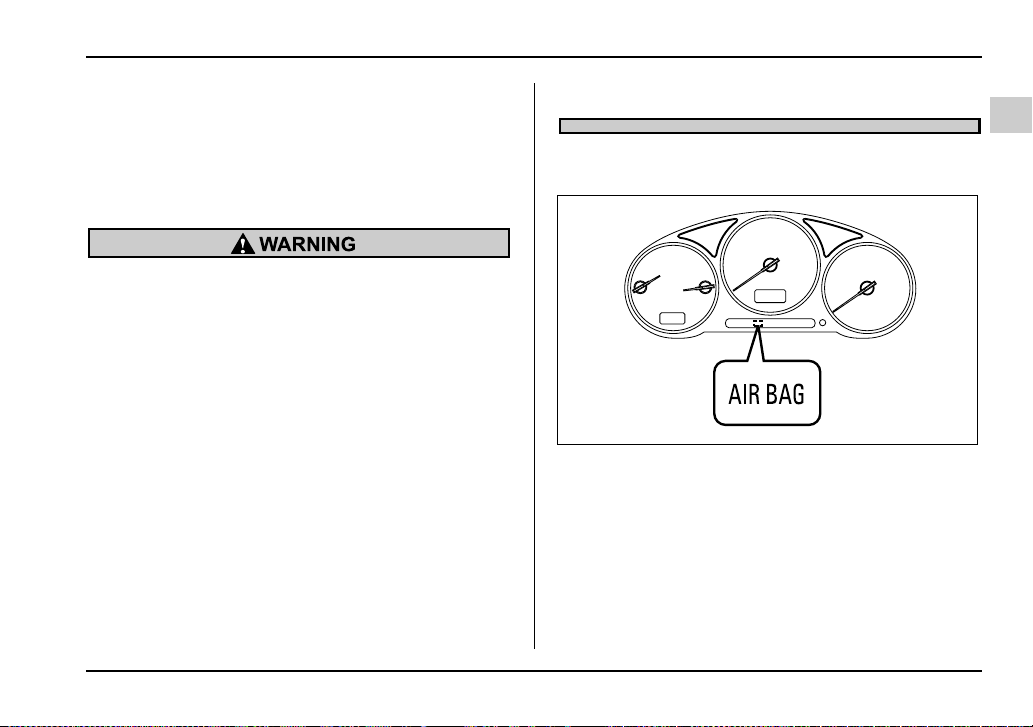
Front seatbelt pretensioners
The driver’s and front passenger’s seatbelts have a
seatbelt pretensioner. The seatbelt pretensioners are
designed to be activated in the event of an accident in-
volving a moderate to severe frontal collision.
The pretensioner sensor also serves as the frontal
SRS airbag sensor. If the sensor detects a certain pre-
determined amount of force during a frontal collision,
the front seatbelt is quickly drawn back in by the re-
tractor to take up the slack so that the belt more effec-
tively restrains the front seat occupant.
When a seatbelt pretensioner is activated, an operat-
ing noise will be heard and a small amount of smoke
will be released. These occurrences are normal and
not harmful. This smoke does not indicate a fire in the
vehicle.
Once the seatbelt pretensioner has been activated,
the seatbelt retractor remains locked. Consequently,
the seatbelt can not be pulled out and retracted and
therefore must be replaced.
NOTE
y Seatbelt pretensioners are not designed to acti-
vate in minor frontal impacts, in side or rear im-
pacts or in roll-over accidents.
y The driver’s seat and passenger’s seat preten-
sioners and frontal SRS airbag operate simulta-
neously.
y Pretensioners are designed to function on a
one-time-only basis. In the event that a preten-
sioner is activated, both the driver’s and front pas-
senger’s seatbelt retractor assemblies must be re-
placed only by an authorized SUBARU dealer.
When replacing seatbelt retractor assemblies, use
only genuine SUBARU parts.
y If either front seatbelt does not retract or cannot
be pulled out due to a malfunction or activation of
the pretensioner, contact your SUBARU dealer as
soon as possible.
HS1067BA
1-29
Seat, seatbelt and SRS airbags
– CONTINUED –
y If the front seatbelt retractor assembly or sur-
rounding area has been damaged, contact your
SUBARU dealer as soon as possible.
y When you sell your vehicle, we urge you to ex-
plain to the buyer that it has seatbelt pretension-
ers by alerting him to the contents of this section.
y To obtain maximum protection, the occu-
pants should sit in an upright position with
their seatbelts properly fastened. Refer to the
“Seatbelts” section in this chapter.
y Do not modify, remove or strike the front
seatbelt retractor assemblies or surrounding
area. This could result in accidental activation
of the seatbelt pretensioners or could make the
system inoperative, possibly resulting in seri-
ous injury. Seatbelt pretensioners have no
user-serviceable parts. For required servicing
of front seatbelt retractors equipped with seat-
belt pretensioners, see your nearest SUBARU
dealer.
y When discarding front seatbelt retractor as-
semblies or scrapping the entire vehicle due to
collision damage or for other reasons, consult
your SUBARU dealer.
System monitors
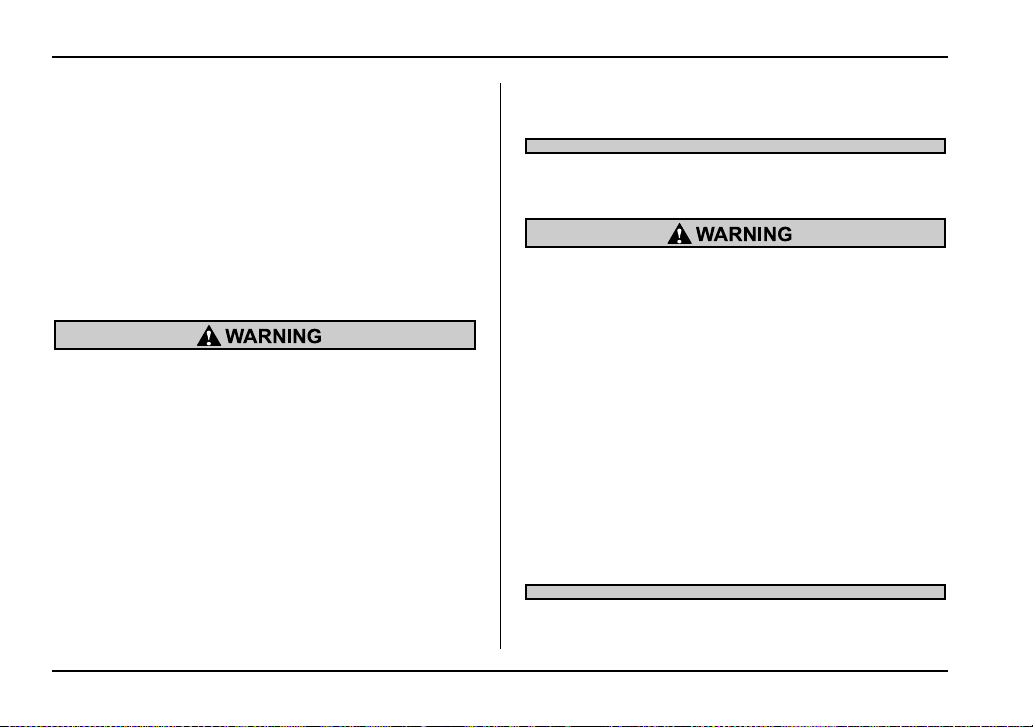
A diagnostic system continually monitors the readi-
ness of the seatbelt pretensioner while the vehicle is
being driven. The seatbelt pretensioners share the
control module with the SRS airbag system. There-
fore, if any malfunction occurs in a seatbelt preten-
sioner, the SRS airbag system warning light will illumi-
nate. The SRS airbag system warning light will show
normal system operation by lighting for about 6 sec-
onds when the ignition key is turned to the “ON” posi-
UG7020DA
1-30
Seat, seatbelt and SRS airbags
tion.
The following components are monitored by the indi-
cator:
y Front sub sensor (Right hand side)
y Front sub sensor (Left hand side)
y Airbag control module (including impact sensors)
y Seatbelt pretensioner (Driver’s side)
y Seatbelt pretensioner (Passenger’s side)
y All related wiring
y And all other airbag components
If the warning light exhibits any of the following
conditions, there may be a malfunction in the
seatbelt pretensioners and/or SRS airbag sys-
tem. Immediately take your vehicle to your
nearest SUBARU dealer to have the system
checked. Unless checked and properly re-
paired, the seatbelt pretensioners and/or SRS
airbag will not operate properly in the event of
a collision, which may increase the risk of inju-
ry.
y Flashing or flickering of the indicator light
y No illumination of the warning light when the
ignition switch is first turned to the “ON” posi-
tion
y Continuous illumination of the warning light
y Illumination of the warning light while driving
System servicing
y When discarding a seatbelt retractor assem-
bly or scrapping the entire vehicle damaged by
a collision, consult your SUBARU dealer.
y Tampering with or disconnecting the sys-
tem’s wiring could result in accidental activa-
tion of the seatbelt pretensioner and/or SRS air-
bag or could make the system inoperative,
which may result in serious injury. The wiring
harnesses of the seatbelt pretensioner and SRS
airbag systems are covered with yellow insula-
tion and the connectors of the system are yel-
low for easy identification. Do not use electrical
test equipment on any circuit related to the
seatbelt pretensioner and SRS airbag systems.
For required servicing of the seatbelt preten-
sioner, see your nearest SUBARU dealer.
1-31
Seat, seatbelt and SRS airbags
– CONTINUED –
The front sub sensors are located in both front
fenders and the SRS airbag control module in-
cluding the impact sensors is located under the
center console. If you need service or repair in
those areas or near the front seatbelt retrac-
tors, we recommend that you have an autho-
rized SUBARU dealer perform the work.
NOTE
If the front part of the vehicle is damaged in an ac-
cident to the extent that the seatbelt pretensioner
does not operate, contact your SUBARU dealer as
soon as possible.
Precautions against vehicle modifica-
tion
Always consult your SUBARU dealer if you want to in-
stall any accessory parts to your vehicle.
Do not perform any of the following modifica-
tions. Such modifications can interfere with
proper operation of the seatbelt pretensioners.
y Attachment of any equipment (bush bar,
winches, snow plow, skid plate, etc.) other than
genuine SUBARU accessory parts to the front
end.
y Modification of the suspension system or
front end structure.
y Installation of a tire of different size and con-
struction from the tires specified on the tire
placard attached to the driver’s door jamb.
1-32
Seat, seatbelt and SRS airbags
Child restraint systems
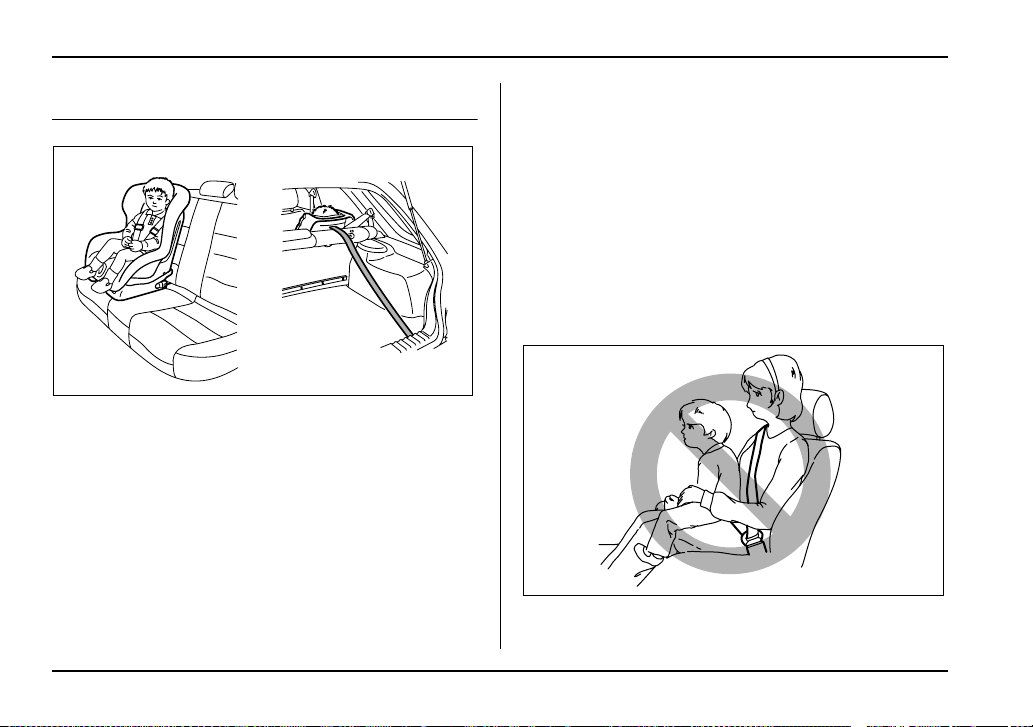
Infants and small children should always be placed in
an infant or child restraint system in the rear seat while
riding in the vehicle. You should use an infant or child
restraint system that meets Federal Motor Vehicle
Safety Standards or Canada Motor Vehicle Safety
Standards, is compatible with your vehicle and is ap-
propriate for the child’s age and size. All child restraint
systems are designed to be secured in vehicle seats
by lap belts or the lap belt portion of a lap/shoulder belt
(except those covered under the section in this manu-
al, entitled “Installation of child restraint systems by
use of lower and tether anchorages (LATCH)”).
Children could be endangered in an accident if their
child restraints are not properly secured in the vehicle.
When installing the child restraint system, carefully fol-
low the manufacturer’s instructions.
According to accident statistics, children are safer
when properly restrained in the rear seating positions
than in the front seating positions.
All U.S. states and Canadian provinces require that in-
fants and small children be restrained in an approved
child restraint system at all times while the vehicle is
moving.
UG1086BA
HS1069BA
1-33
Seat, seatbelt and SRS airbags
– CONTINUED –
Never let a passenger hold a child on his or her
lap or in his or her arms while the vehicle is
moving. The passenger cannot protect the
child from injury in a collision, because the
child will be caught between the passenger and
objects inside the vehicle.
Additionally, holding a child in your lap or arms
in the front seat exposes that child to another
serious danger. Since the SRS airbag deploys
with considerable speed and force, the child
could be injured or even killed.
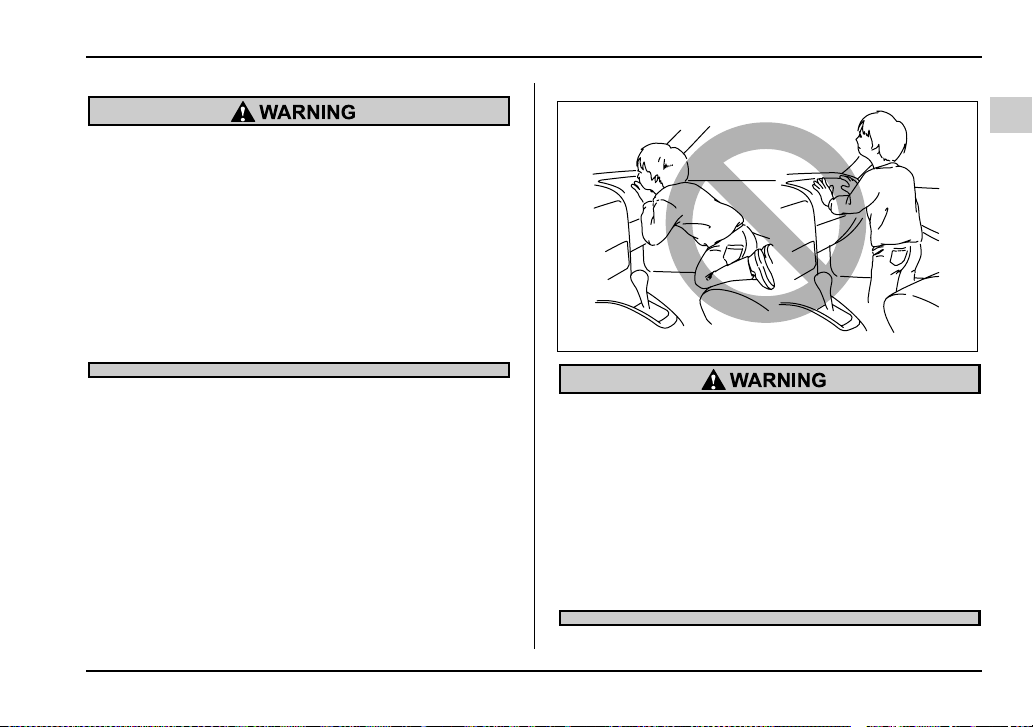
Children should be properly restrained at all
times. Never allow a child to stand up, or to
kneel on any seat. Unrestrained children will be
thrown forward during sudden stop or in an ac-
cident and can be injured seriously.
Additionally, children standing up or kneeling
on or in front of the front seat are exposed an-
other serious danger. Since the SRS airbag de-
ploys with considerable speed and force, the
child could be injured or even killed.
HS1070BA
1-34
Seat, seatbelt and SRS airbags
Where to place a child restraint system
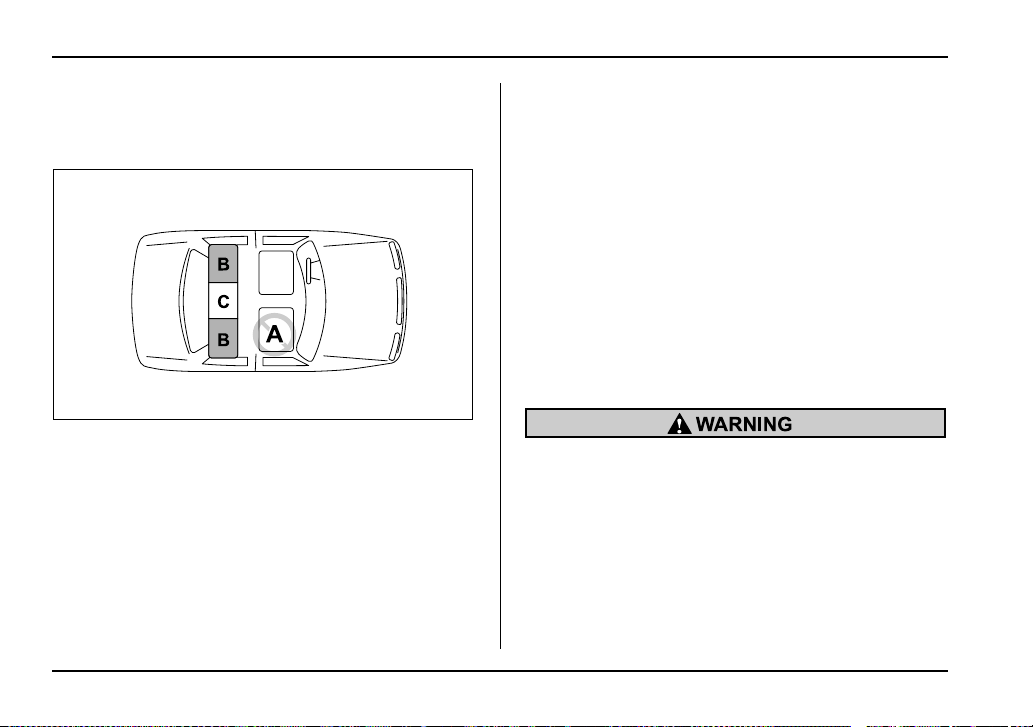
The following are SUBARU’s recommendations on
where to place a child restraint system in your vehicle.
A: Front passenger’s seat
You should not install a child restraint system due to
the hazard to children posed by the passenger’s air-
bag.
B: Rear seat, window-side seating positions
Recommended positions for all types of child restraint
systems.
In these positions, Automatic/Emergency Locking Re-
tractor (A/ELR) seatbelts and lower anchorages (bars)
are provided for installing a child restraint system.
C: Rear seat, center seating position
Installing a child restraint system is not recommended,
although the A/ELR seatbelt is provided in this posi-
tion.
Some types of child restraints might not be able to be
secured firmly due to projection of the seat cushion.
In this seating position, you should use only a child re-
straint system that has a bottom base that fits snugly
against the contours of the seat cushion and can be
securely retained using the seatbelt.
If it is unavoidable to install a child restraint system in
the rear seat’s center seating position, lower the cen-
ter head restraint to the lowest position and install the
child restraint system by correctly passing the rear
center seatbelt through the belt guide.
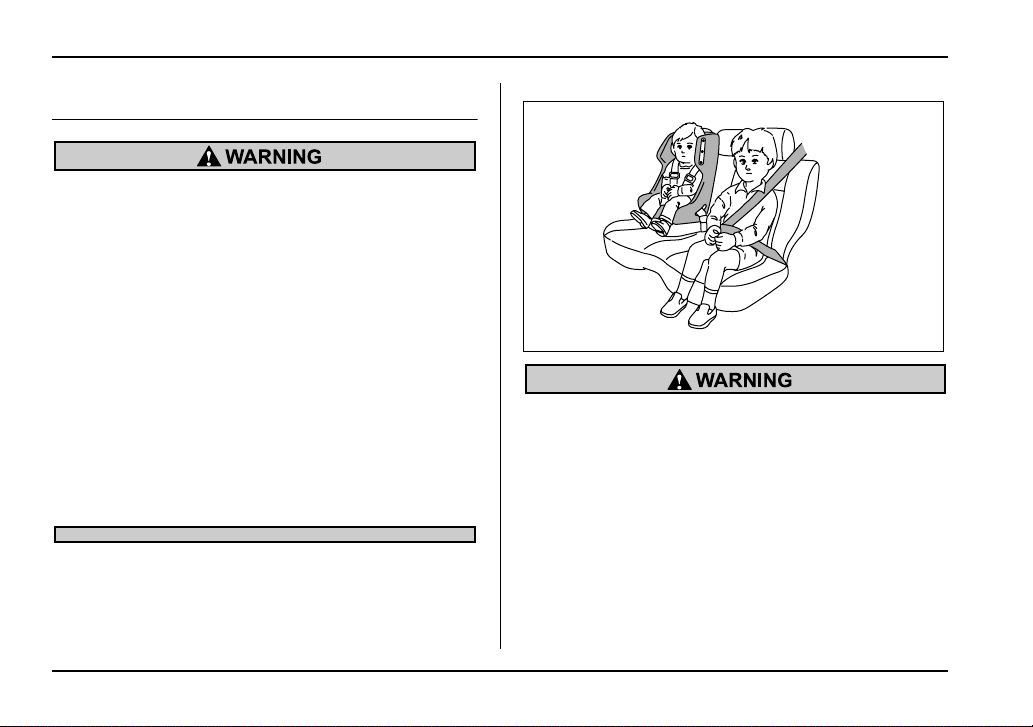
Put children aged 12 and under in the rear seat
properly restrained at all times. The SRS airbag
deploys with considerable speed and force and
can injure or even kill children, especially if
they are 12 years of age and under and are not
restrained or improperly restrained. Because
children are lighter and weaker than adults,
their risk of being injured from deployment is
greater.
For that reason, be sure to secure ALL types of
UG1530BA
1-35
Seat, seatbelt and SRS airbags
– CONTINUED –
child restraint devices (including forward fac-
ing child seats) in the REAR seats at all times.
You should choose a restraint device which is
appropriate for the child’s age, height and
weight. According to accident statistics, chil-
dren are safer when properly restrained in the
rear seating positions than in the front seating
positions.
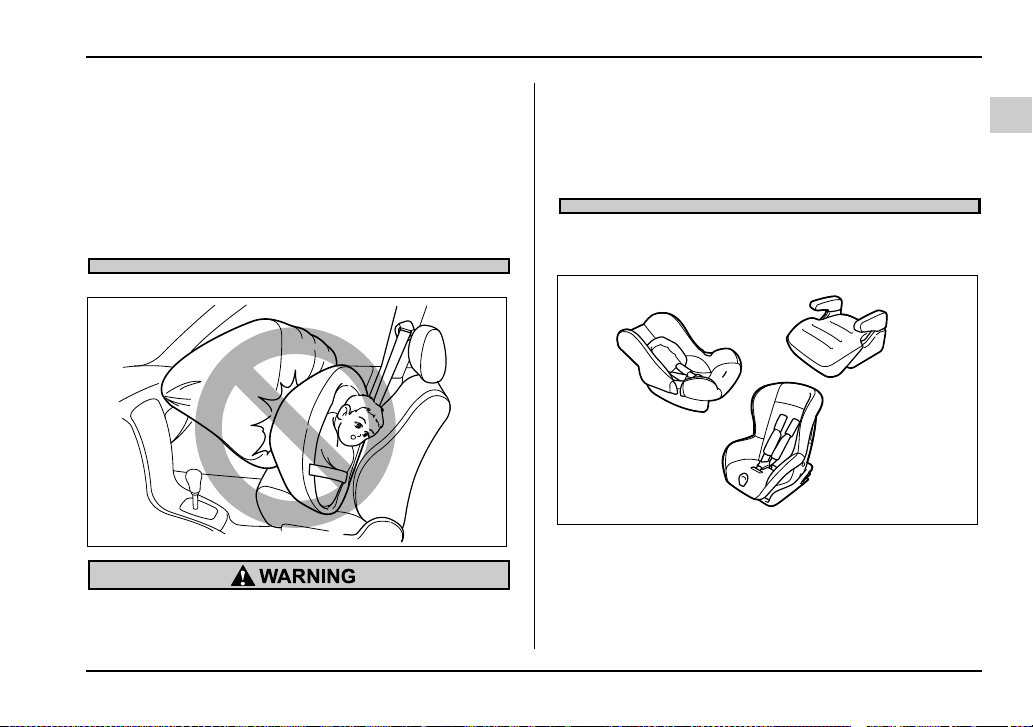
SINCE YOUR VEHICLE IS EQUIPPED WITH A
PASSENGER’S SRS AIRBAG, NEVER INSTALL
A REARWARD FACING CHILD SAFETY SEAT
IN THE FRONT PASSENGER’S SEAT. DOING
SO RISKS SERIOUS INJURY OR DEATH TO
THE CHILD BY PLACING THE CHILD’S HEAD
TOO CLOSE TO THE SRS AIRBAG.
Choosing a child restraint system
Choose a child restraint system that is appropriate for
the child’s age and size (weight and height) in order to
provide the child with proper protection. The child re-
straint system should meet all applicable requirements
of Federal Motor Vehicle Safety Standards for the
HG1043BA
UGS507AA
1-36
Seat, seatbelt and SRS airbags
United States or of Canada Motor Vehicle Safety
Standards for Canada. It can be identified by looking
for the label on the child restraint system or the manu-
facturer’s statement of compliance in the document at-
tached to the system.
Also it is important for you to make sure that the child
restraint system is compatible with the vehicle in which
it will be used.
Installing child restraint systems with
A/ELR seatbelt
y Child restraint systems and seatbelts can be-
come hot in a vehicle that has been closed up
in sunny weather; they could burn a small child.
Check the child restraint system before you
place a child in it.
y Do not leave an unsecured child restraint
system in your vehicle. Unsecured child re-
straint systems can be thrown around inside of
the vehicle in a sudden stop, turn or accident; it
can strike and injure vehicle occupants as well
as result in serious injuries or death to the
child.
When you install a child restraint system, fol-
low the manufacturer’s instructions supplied
with it. After installing the child restraint sys-
tem, check to ensure that it is held securely in
position. If it is not held tight and secure, the
danger of your child suffering personal injury in
the event of an accident may be increased.
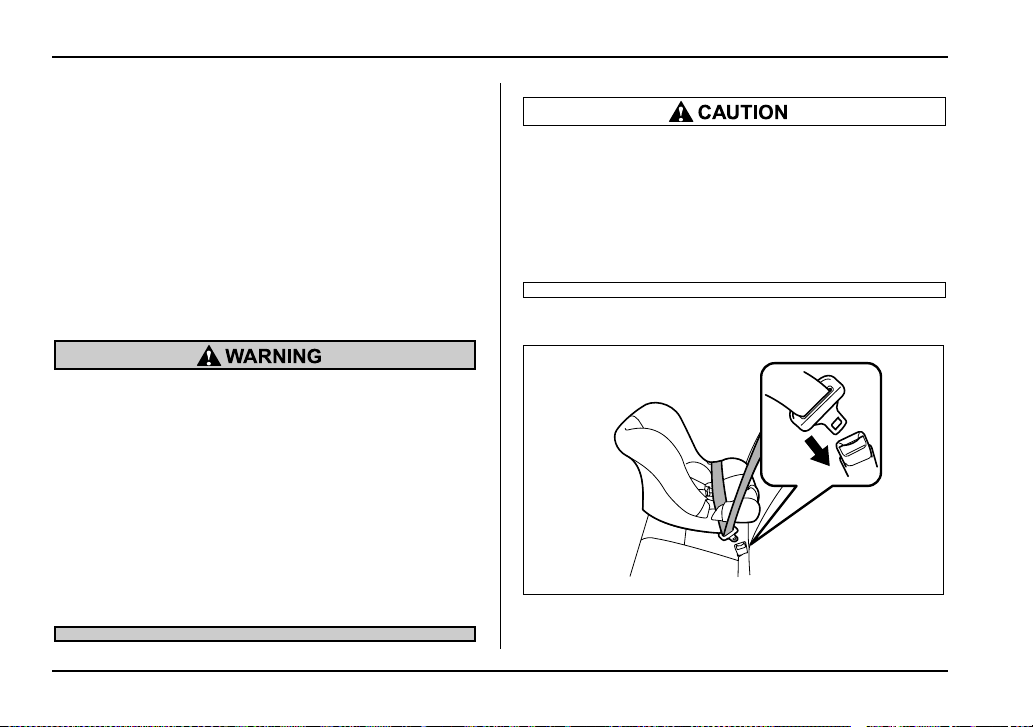
T Installing a rearward facing child restraint
1. Place the child restraint system in the rear seating
position.
UGS508BA
1-37
Seat, seatbelt and SRS airbags
– CONTINUED –
2. Run the lap and shoulder belt through or around
the child restraint system following the instructions
provided by its manufacturer.
3. Insert the tongue plate into the buckle until you
hear a click.
4. Take up the slack in the lap belt.
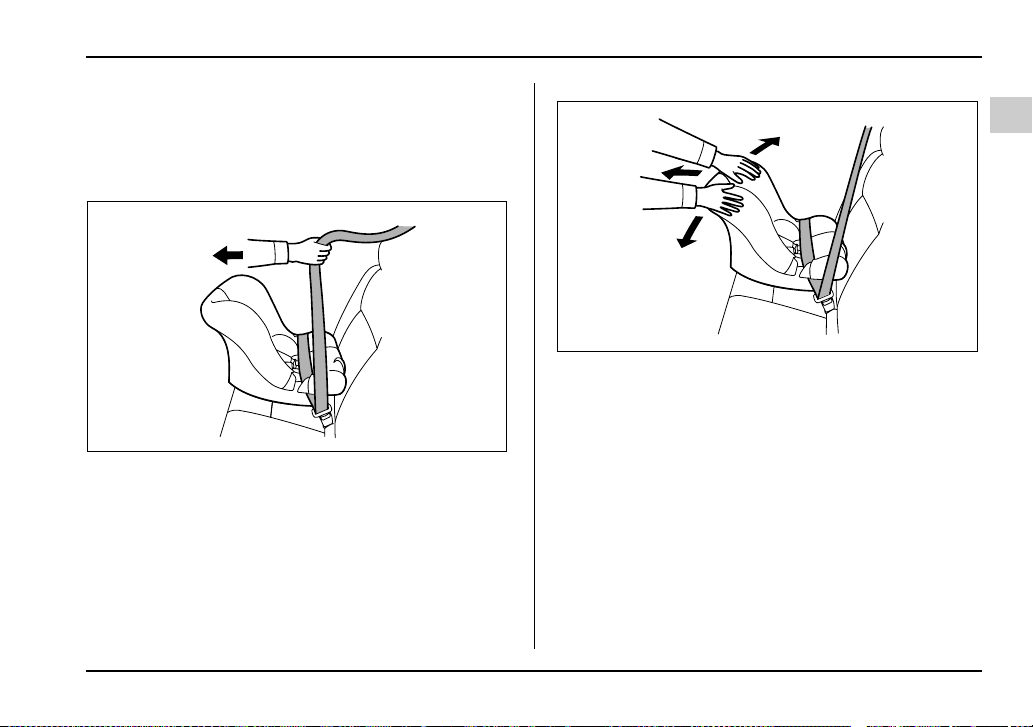
5. Pull out the seatbelt fully from the retractor to
change the retractor over from the Emergency Lock-
ing Retractor (ELR) to the Automatic Locking Retrac-
tor (ALR) function. Then, allow the belt to rewind into
the retractor. As the belt is rewinding, clicks will be
heard which indicate the retractor functions as ALR.
6. Push and pull the child restraint system forward
and from side to side to check if it is firmly secured.
Sometime a child restraint can be more firmly secured
by pushing it down into the seat cushion and then
tightening the seatbelt.
7. Pull at the shoulder portion of the belt to confirm
that it cannot be pulled out (ALR properly functioning).
UGS509BA
UGS510BA
1-38
Seat, seatbelt and SRS airbags
8. To remove the child restraint system, press the re-
lease button on the seatbelt buckle and allow the belt
to retract completely. The belt will return to the ELR
mode.
NEVER INSTALL A REARWARD FACING CHILD
SEAT IN THE FRONT PASSENGER’S SEAT.
DOING SO RISKS SERIOUS INJURY OR DEATH
TO THE CHILD BY PLACING THE CHILD’S
HEAD TOO CLOSE TO THE SRS AIRBAG.
NOTE
When the child restraint system is no longer in
use, remove it and restore the ELR function of the
retractor. That function is restored by allowing the
seatbelt to retract fully.
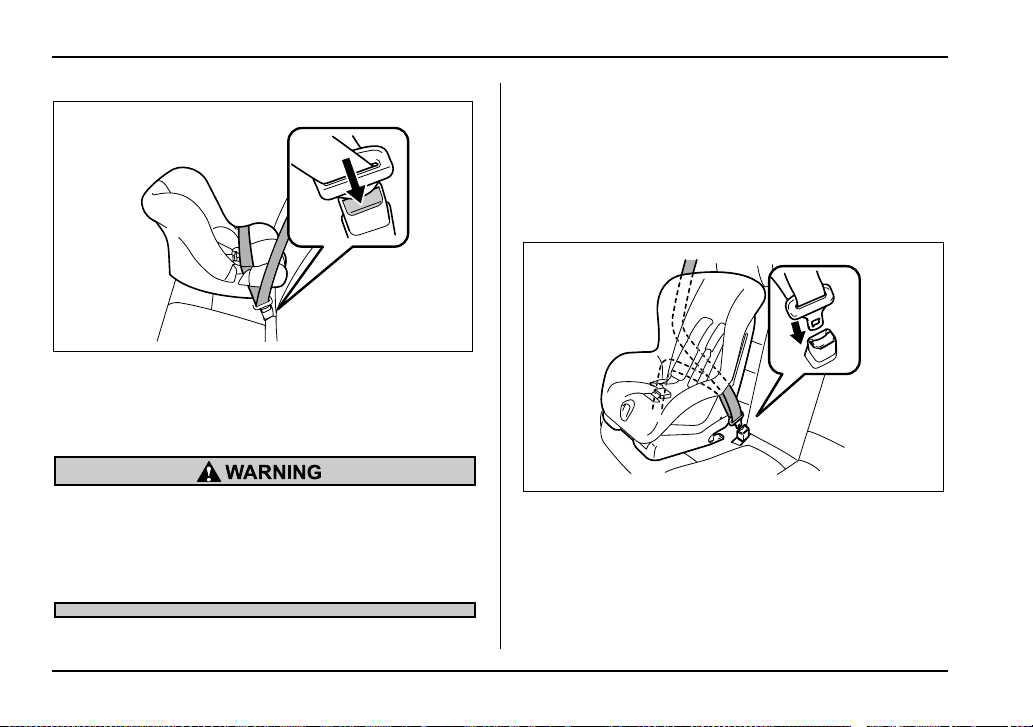
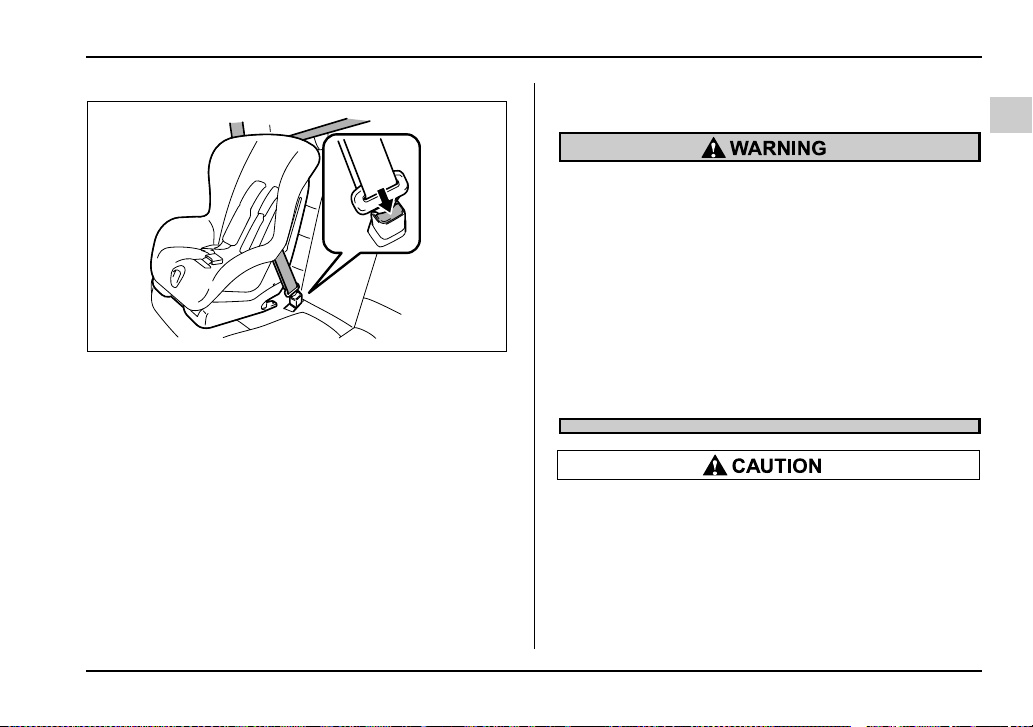
T Installing forward facing child restraint
1. Place the child restraint system in the rear seating
position.
2. Run the lap and shoulder belt through or around
the child restraint system following the instructions
provided by its manufacturer.
3. Insert the tongue plate into the buckle until you
hear a click.
UG1089BA
US1581BA
1-39
Seat, seatbelt and SRS airbags
– CONTINUED –
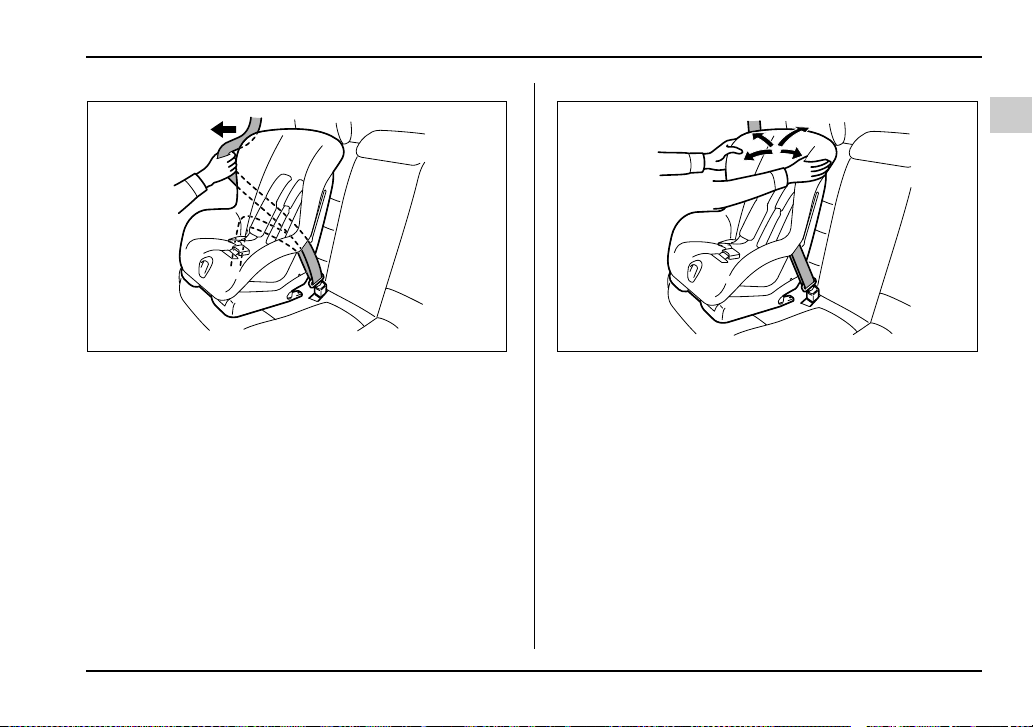
4. Take up the slack in the lap belt.
5. Pull out the seatbelt fully from the retractor to
change the retractor over from the Emergency Lock-
ing Retractor (ELR) to the Automatic Locking Retrac-
tor (ALR) function. Then, allow the belt to rewind into
the retractor. As the belt is rewinding, clicks will be
heard which indicate the retractor functions as ALR.
6. Before having a child sit in the child restraint sys-
tem, move it back and forth and right and left to check
if it is firmly secured. Sometimes a child restraint can
be more firmly secured by pushing it down into the
seat cushion and then tightening the seatbelt.
7. Pull at the shoulder portion of the belt to confirm
that it cannot be pulled out (ALR properly functioning).
US1582BA US1583BA
1-40
Seat, seatbelt and SRS airbags
Sedan Wagon
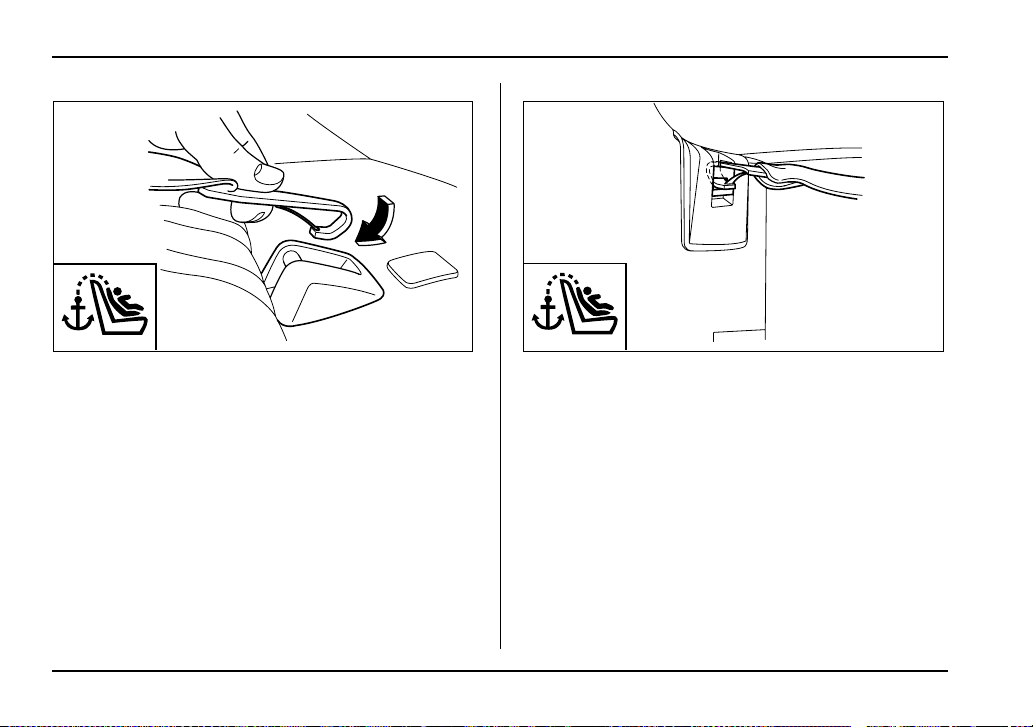
8. If the child restraint system requires a top tether,
latch the hook onto the top tether anchor and tighten
the top tether. See the “Top tether anchorages” for ad-
ditional instructions.
UG1087BA UG1088BA
1-41
Seat, seatbelt and SRS airbags
– CONTINUED –
9. To remove the child restraint system, press the re-
lease button on the seatbelt buckle and allow the belt
to retract completely. The belt will return to the ELR
mode.
NOTE
When the child restraint system is no longer in
use, remove it and restore the ELR function of the
retractor. That function is restored by allowing the
seatbelt to retract fully.
Installing a booster seat
y Child restraint systems and seatbelts can be-
come hot in a vehicle that has been closed up
in sunny weather; they could burn a small child.
Check the child restraint system before you
place a child in it.
y Do not leave an unsecured child restraint
system in your vehicle. Unsecured child re-
straint systems can be thrown around inside of
the vehicle in a sudden stop, turn or accident; it
can strike and injure vehicle occupants as well
as result in serious injuries or death to the
child.
When you install a child restraint system, fol-
low the manufacturer’s instructions supplied
with it. After installing the child restraint sys-
tem, check to ensure that it is held securely in
position. If it is not held tight and secure, the
danger of your child suffering personal injury in
UG1094BA
1-42
Seat, seatbelt and SRS airbags
the event of an accident may be increased.
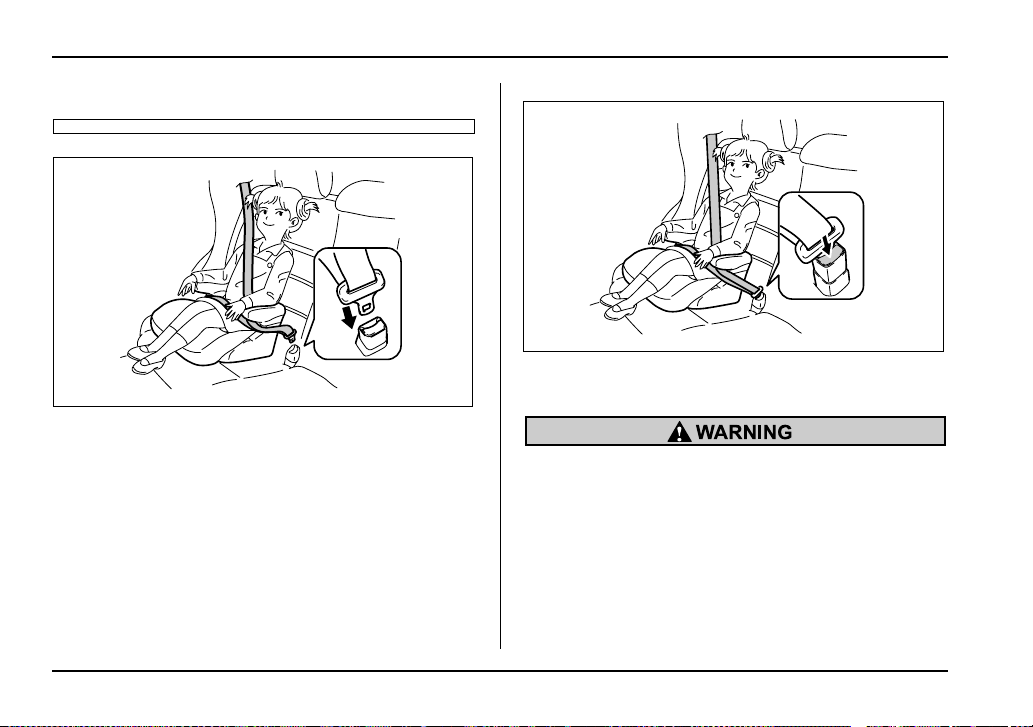
1. Place the booster seat in the rear seating position
and sit the child on it. The child should sit well back on
the booster seat.
2. Run the lap and shoulder belt through or around
the booster seat and the child following the instruc-
tions provided by its manufacturer.
3. Insert the tongue plate into the buckle until you
hear a click. Take care not to twist the seatbelt.
Make sure the shoulder belt is positioned across the
center of child’s shoulder and that the lap belt is posi-
tioned as low as possible on the child’s hips.
4. To remove the booster seat, press the release but-
ton on the seatbelt buckle and allow the belt to retract.
y Never use a belt that is twisted or reversed. In
an accident, this can increase the risk or sever-
ity of injury to the child.
y Never place the shoulder belt under the
child’s arm or behind the child’s back. If an ac-
cident occurs, this can increase the risk or se-
verity of injury to the child.
y The seatbelt should fit snugly in order to pro-
vide full restraint. Loose fitting belts are not as
US1585BA
US1586BA

1-43
Seat, seatbelt and SRS airbags
– CONTINUED –
effective in preventing or reducing injury.
y Place the lap belt as low as possible on the
child’s hips. A high-positioned lap belt will in-
crease the risk of sliding under the lap belt and
of the lap belt sliding up over the abdomen, and
both can result in serious internal injury or
death.
y Make sure the shoulder belt is positioned
across the center of child’s shoulder. Placing
the shoulder belt over the neck may result in
neck injury during sudden braking or in a colli-
sion.
Installation of child restraint systems
by use of lower and tether anchorages
(LATCH)
y Child restraint systems and seatbelts can be-
come hot in a vehicle that has been closed up
in sunny weather; they could burn a small child.
Check the child restraint system before you
place a child in it.
y Do not leave an unsecured child restraint
system in your vehicle. Unsecured child re-
straint systems can be thrown around inside of
the vehicle in a sudden stop, turn or accident; it
can strike and injure vehicle occupants as well
as result in serious injuries or death to the
child.
When you install a child restraint system, fol-
low the manufacturer’s instructions supplied
with it. After installing the child restraint sys-
tem, check to ensure that it is held securely in
position. If it is not held tight and secure, the
danger of your child suffering personal injury in
the event of an accident may be increased.
1-44
Seat, seatbelt and SRS airbags
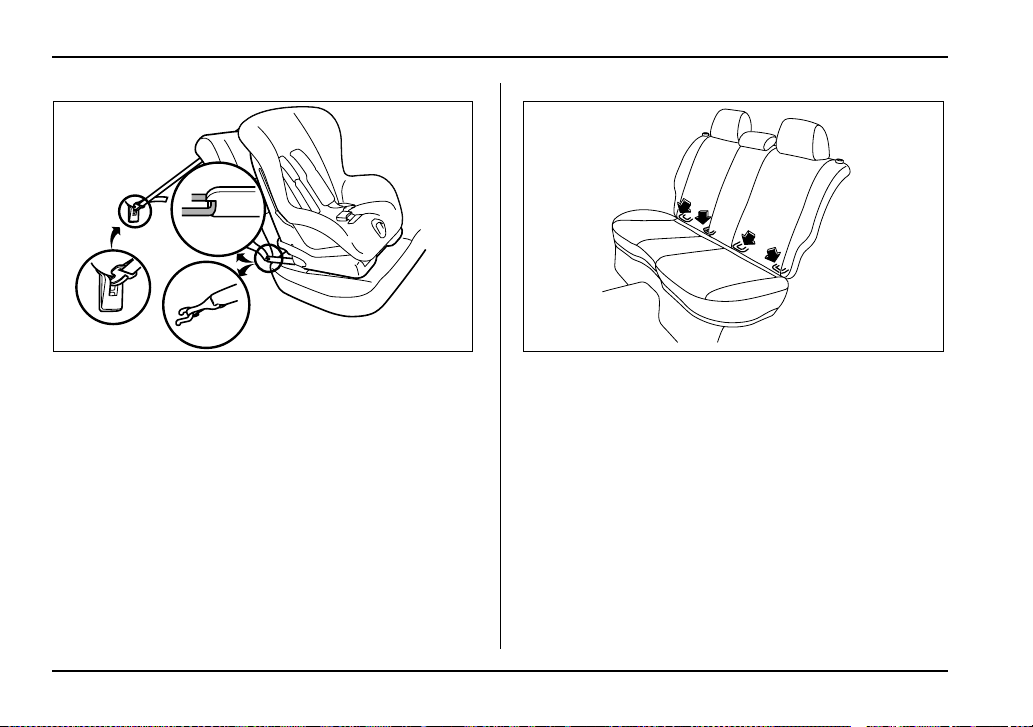
Some types of child restraint systems can be installed
on the rear seat of your vehicle without use of the seat-
belts. Such child restraint systems are secured to the
designated anchorages provided on the vehicle body.
The lower and tether anchorages are sometimes re-
ferred to as the LATCH system (Lower Anchors and
Tethers for CHildren).
Your vehicle is equipped with four lower anchorages
(bars) and three upper anchorages (tether anchorag-
es) for accommodating such child restraint systems.
The lower anchorages (bars) are used for installing a
child restraint system only on the rear seat window-
side seating positions. For each window-side seating
position, two lower anchorages are provided.
Each lower anchorage is located where the seat cush-
ion meets the seatback.
UG1091BA HS1076BA
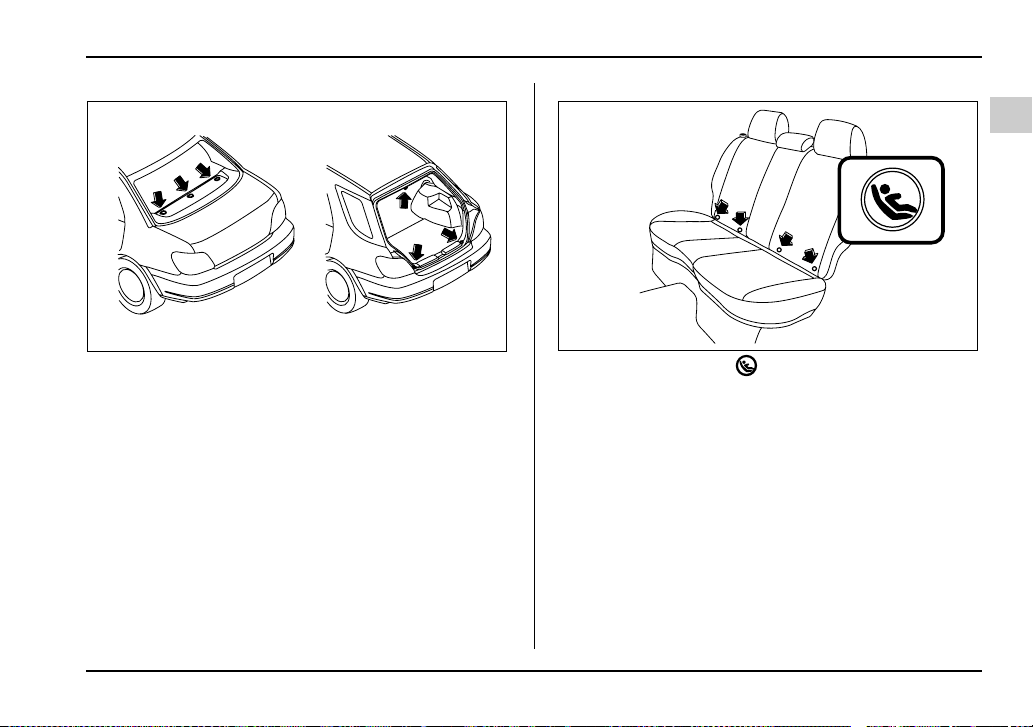
1-45
Seat, seatbelt and SRS airbags
– CONTINUED –
The tether anchorages (upper anchorages) are pro-
vided for all the seating positions (middle and both
window-side ones) of the rear seat.
You will find marks “ ” at the bottom of the rear
seat seatbacks. These marks indicate the positions of
the lower anchorages (bars).
UG1095BA
HS1078BA
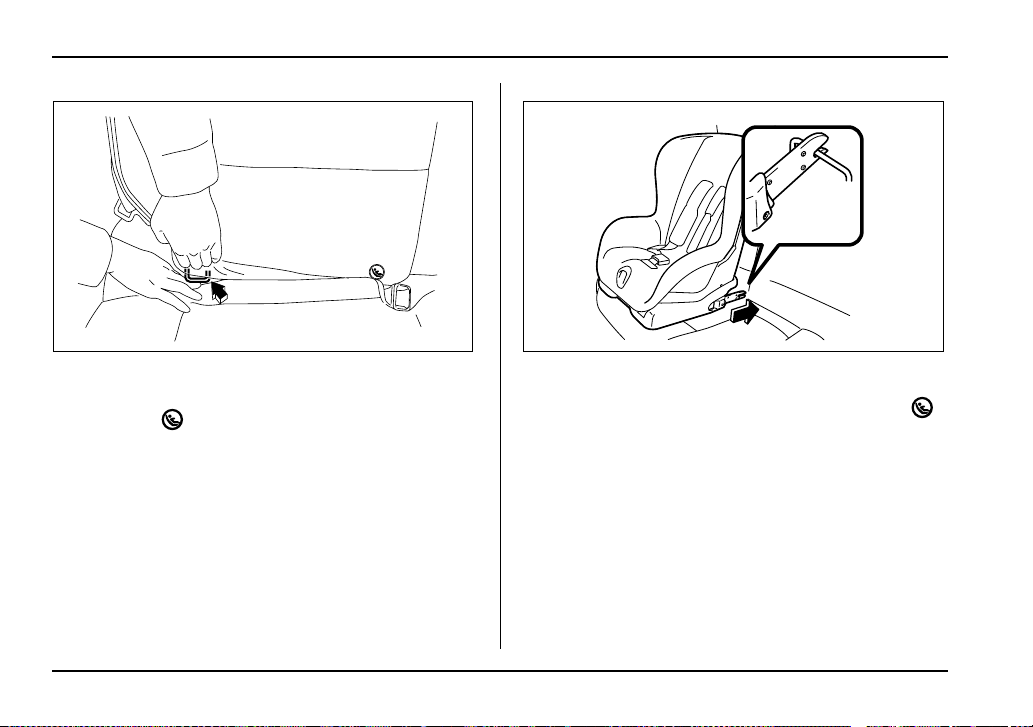
1-46
Seat, seatbelt and SRS airbags
Each lower anchorage is located where the seat cush-
ion meets the seatback.
1. Use the “ ” marks to locate the two lower an-
chorages (bars) for the position where you want to in-
stall the child restraint system.
2. While following the instructions supplied by the
child restraint system manufacturer, connect the lower
hooks onto the lower anchorages located at “ ”
marks on the bottom of the rear seatback. When the
hooks are connected, make sure the adjacent seat-
belts are not caught.
HS1079BA US1588CA
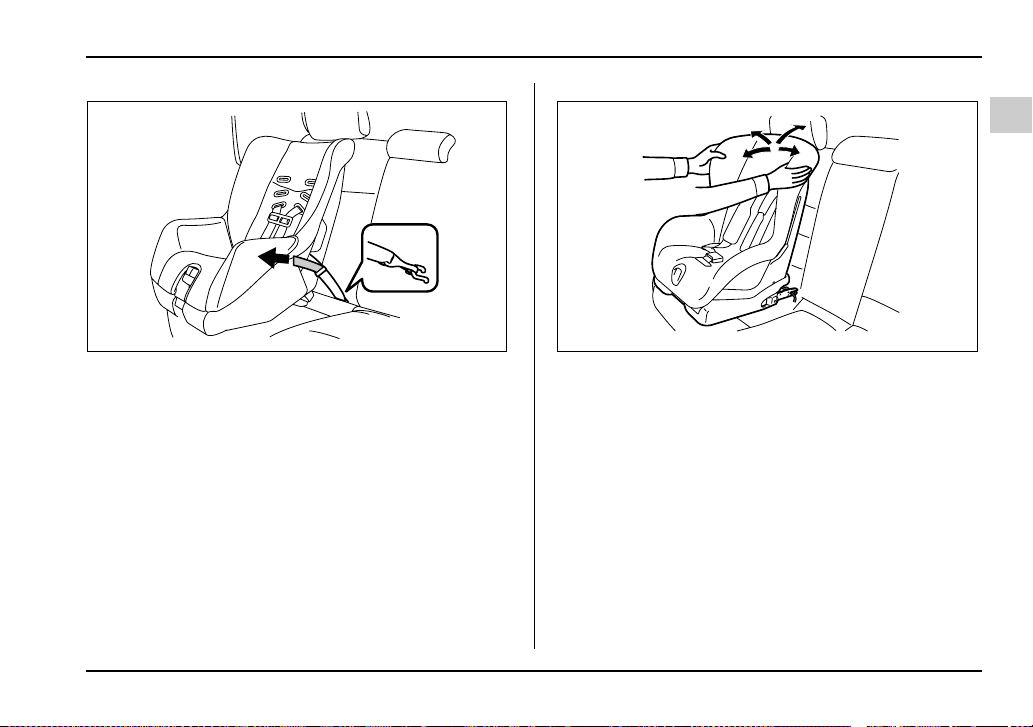
1-47
Seat, seatbelt and SRS airbags
– CONTINUED –
3. [If your child restraint system is of a flexible attach-
ment type (which uses tether belts to connect the child
restraint system properly to the lower anchorages)]
While pushing the child restraint into the seat cushion,
pull both left and right lower tether belts up to secure
the child restraint system firmly by taking up the slack
in the belt.
4. Connect the top tether hook to the tether anchor-
age and firmly tighten the tether.
For information on how to set the top tether, read the
following “Top tether anchorages”.
5. Before seating a child in the child restraint system,
try to move seat back and forth and right and left to
verify that it is held securely in position.
6. To remove the child restraint system, follow the re-
verse procedures of installation.
If you have any question concerning this type of child
restraint system, ask your SUBARU dealer.
Top tether anchorages
Your vehicle is equipped with three top tether anchor-
ages so that a child restraint system having a top teth-
er can be installed in the rear seat. When installing a
child restraint system using top tether, proceed as fol-
UG1098BA US1589BA
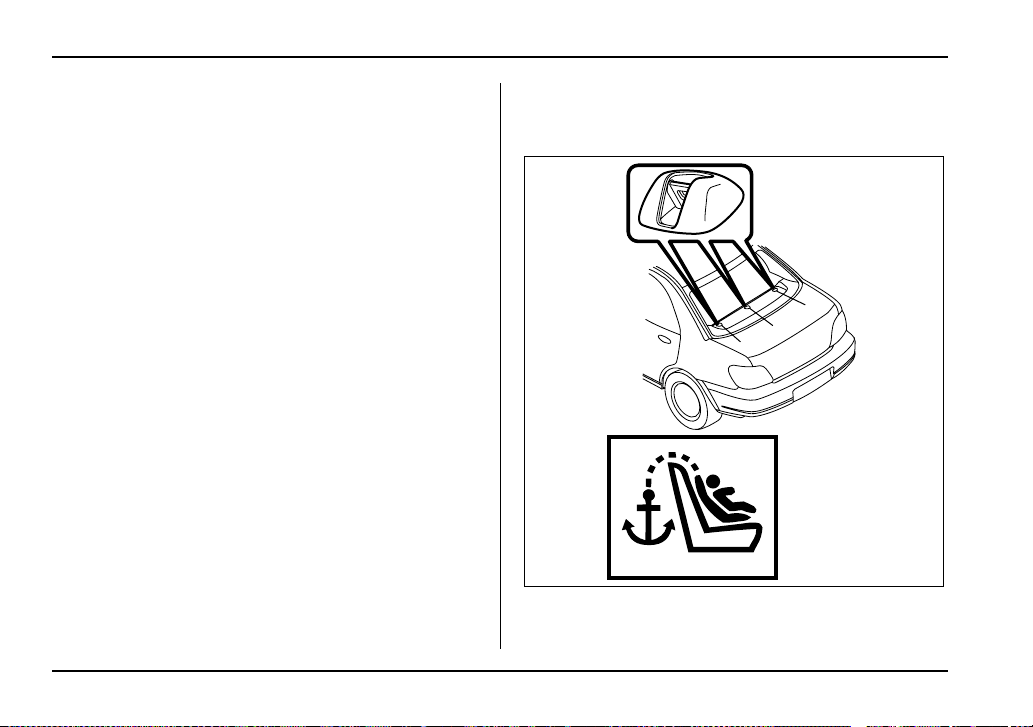
1-48
Seat, seatbelt and SRS airbags
lows, while observing the instructions by the child re-
straint system manufacturer.
Since a top tether can provide additional stability by of-
fering another connection between a child restraint
system and the vehicle, we recommend that you use
a top tether whenever one is required or available.
T Anchorage location
V Sedan
1
2
3
UG1081BB
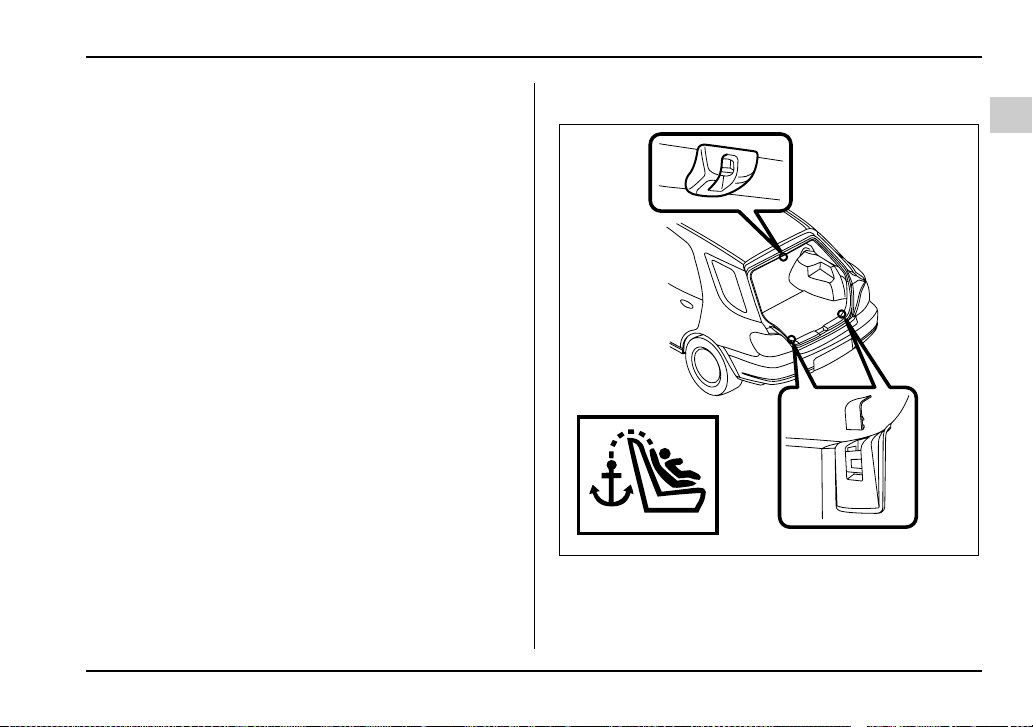
1-49
Seat, seatbelt and SRS airbags
– CONTINUED –
1) For left seat
2) For center seat
3) For right seat
Three upper anchorages are installed on the rear shelf
behind the rear seat.
V Wagon
1) For left seat
2) For center seat
3) For right seat
2
1
3
UG1082BB

1-50
Seat, seatbelt and SRS airbags
There is an anchorage for the center seating position
at the rear edge of the roof, and anchorages for each
of the two window-side seating positions on the rear
wall of the cargo area.
T To hook the top tether
V Sedan
1. Attach the child restraint top tether hook to the ap-
propriate upper anchorage.
2. Tighten the top tether securely.
Please contact your SUBARU dealer if you have any
question regarding the installation of a child restraint
system.
V Wagon
1. Remove the headrest at the window-side seating
position where the child restraint system has been in-
stalled with the lower anchorages or seatbelt; lift up
the headrest while pressing the release button. Store
the headrest in the cargo area. Avoid placing the
headrest in the passenger compartment to prevent it
from being thrown around in the passenger compart-
ment in a sudden stop or a sharp turn.
UG1087BA
HS1081BA
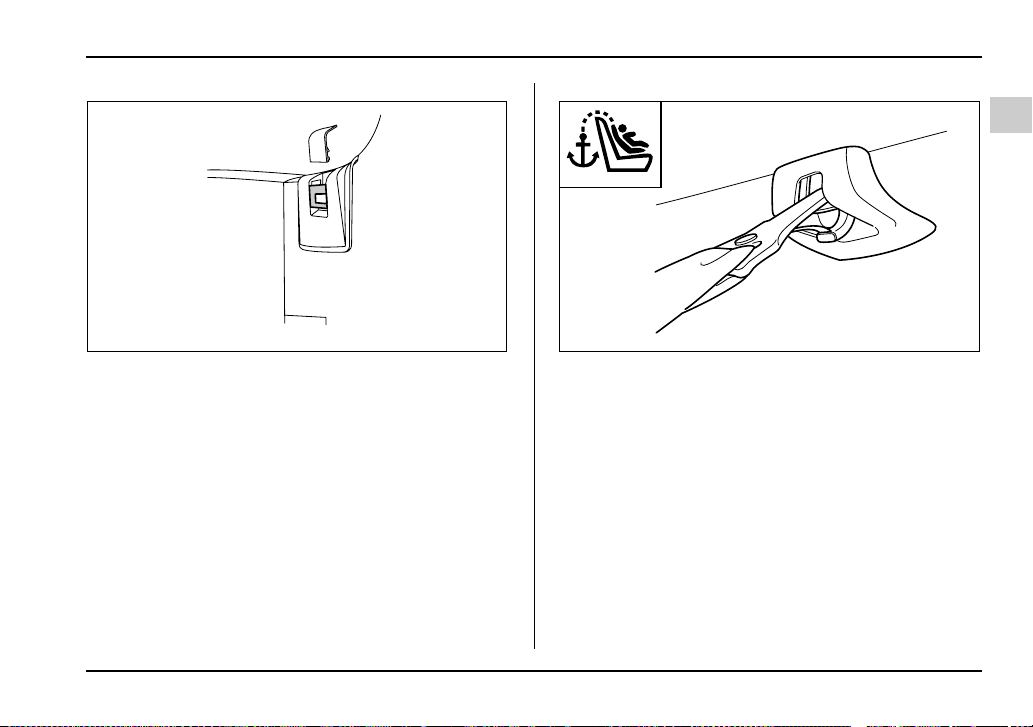
1-51
Seat, seatbelt and SRS airbags
– CONTINUED –
2. (For both window-side seating positions) Remove
the cap from the anchor fitting cover by prying it with a
screwdriver.
Center
UG1526BA UG1090BA
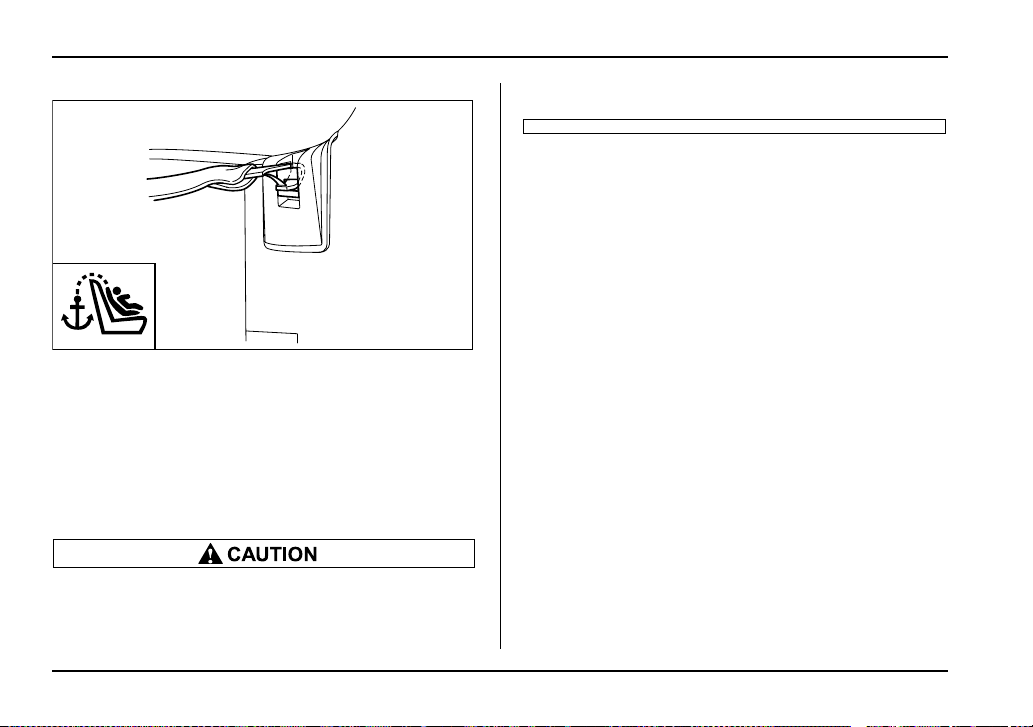
1-52
Seat, seatbelt and SRS airbags
Window-side
3. Attach the child restraint top tether hook to the ap-
propriate upper anchorage.
4. Tighten the top tether securely.
Please contact your SUBARU dealer if you have any
question regarding the installation of a child restraint
system.
Always remove the headrest when mounting a
child restraint system with a top tether. Other-
wise, the top tether cannot be fastened tightly.
UG1097BA

1-53
Seat, seatbelt and SRS airbags
– CONTINUED –
*SRS airbag (Supplemental Restraint
System airbag)
*SRS: This stands for supplemental restraint system.
This name is used because the airbag system supple-
ments the vehicle’s seatbelts.
Vehicle with driver’s and front passen-
ger’s SRS airbags and lap/shoulder re-
straints
Your vehicle is equipped with a supplemental restraint
system in addition to a lap/shoulder belt at each front
seating position.
The supplemental restraint system (SRS) consists of
two airbags (driver’s and front passenger’s frontal air-
bags) or four airbags (driver’s and front passenger’s
frontal airbags and driver’s and front passenger’s
side airbags).
These SRS airbags are designed only as a supple-
ment to the primary protection provided by the
seatbelt.
y To obtain maximum protection in the event of
an accident, the driver and all passengers in the
vehicle should always wear seatbelts when the
vehicle is moving. The SRS airbag is designed
only as a supplement to the primary protection
provided by the seatbelt. It does not do away
with the need to fasten seatbelts. In combina-
tion with the seatbelts, it offers the best com-
bined protection in case of a serious accident.
Not wearing a seatbelt increases the chance of
severe injury or death in a crash even when the
vehicle has the SRS airbag.
For instructions and precautions concerning
the seatbelt system, see the “Seatbelts” sec-
tions in this chapter.
y Do not sit or lean unnecessarily close to the
SRS airbag. Because the SRS airbag deploys
with considerable speed – faster than the blink
of an eye – and force to protect in high speed
collisions, the force of an airbag can injure an
occupant whose body is too close to SRS air-
bag.
It is also important to wear your seatbelt to help
avoid injuries that can result when the SRS air-
bag contacts an occupant not in proper posi-
tion such as one thrown forward during pre-ac-
cident braking.
Even when properly positioned, there remains
a possibility that an occupant may suffer minor
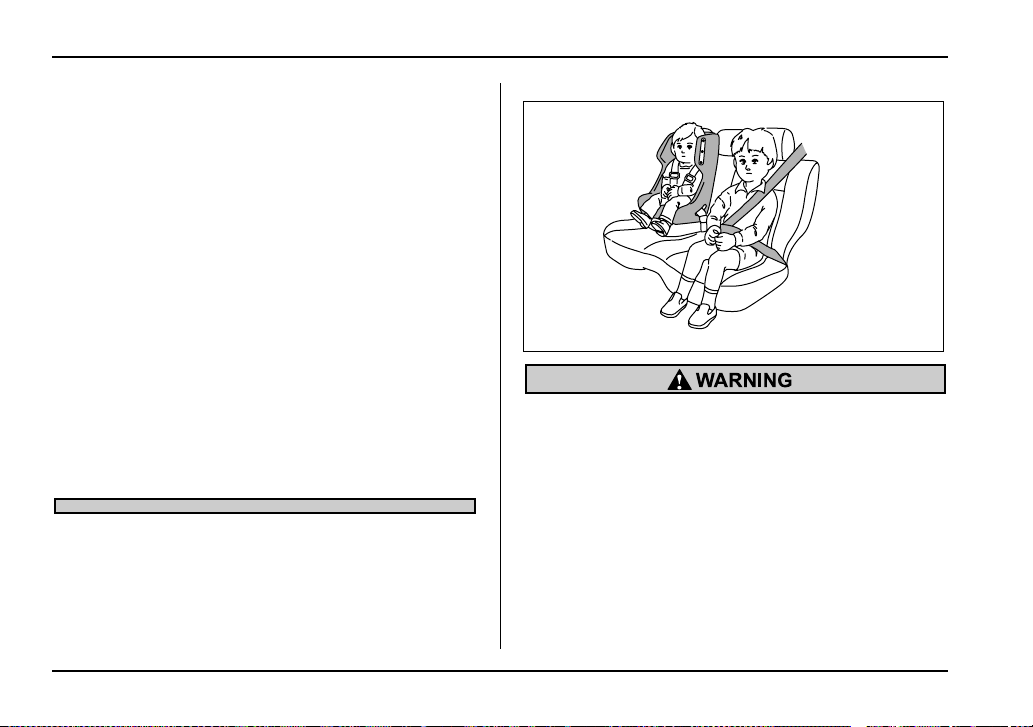
1-54
Seat, seatbelt and SRS airbags
injury such as abrasions and bruises to the
face or arms because of the SRS airbag deploy-
ment force.
y The SRS airbags deploy with considerable
speed and force. Occupants who are out of
proper position when the SRS airbag deploys
could suffer very serious injuries. Because the
SRS airbag needs enough space for deploy-
ment, the driver should always sit upright and
well back in the seat as far from the steering
wheel as practical while still maintaining full ve-
hicle control and the front passenger should
move the seat as far back as possible and sit
upright and well back in the seat.
y Do not place any objects over or near the
SRS airbag cover or between you and the SRS
airbag. If the SRS airbag deploys, those objects
could interfere with its proper operation and
could be propelled inside the vehicle and cause
injury.
y Put children aged 12 and under in the rear
seat properly restrained at all times. The SRS
airbag deploys with considerable speed and
force and can injure or even kill children, espe-
cially if they are 12 years of age and under and
are not restrained or improperly restrained. Be-
cause children are lighter and weaker than
adults, their risk of being injured from deploy-
ment is greater.
For that reason, we strongly recommend that
ALL children (including those in child seats and
those that have outgrown child restraint devic-
HS1034BA
1-55
Seat, seatbelt and SRS airbags
– CONTINUED –
es) sit in the REAR seat properly restrained at
all times in a child restraint device or in a seat-
belt, whichever is appropriate for the child’s
age, height and weight.
Secure ALL types of child restraint devices (in-
cluding forward facing child seats) in the REAR
seats at all times.
According to accident statistics, children are
safer when properly restrained in the rear seat-
ing positions than in the front seating posi-
tions.
For instructions and precautions concerning
the child restraint system, see the “Child re-
straint systems” section in this chapter.
y NEVER INSTALL A REARWARD FACING
CHILD SEAT IN THE FRONT SEAT. DOING SO
RISKS SERIOUS INJURY OR DEATH TO THE
CHILD BY PLACING THE CHILD’S HEAD TOO
CLOSE TO THE SRS AIRBAG.
y Never allow a child to stand up, or to kneel on
the front passenger’s seat, or never hold a child
on your lap or in your arms. The SRS airbag de-
ploys with considerable force and can injure or
even kill the child.
y When the SRS airbag deploys, some smoke
will be released. This smoke could cause
breathing problems for people with a history of
asthma or other breathing trouble. If you or
your passengers have breathing problems after
SRS airbag deploys, get fresh air promptly.
y A deploying SRS airbag releases hot gas. Oc-
cupants could get burnt if they come into direct
contact with the hot gas.
NOTE
When you sell your vehicle, we urge you to explain
to the buyer that it is equipped with SRS airbags
by alerting him to the applicable section in this
owner’s manual.
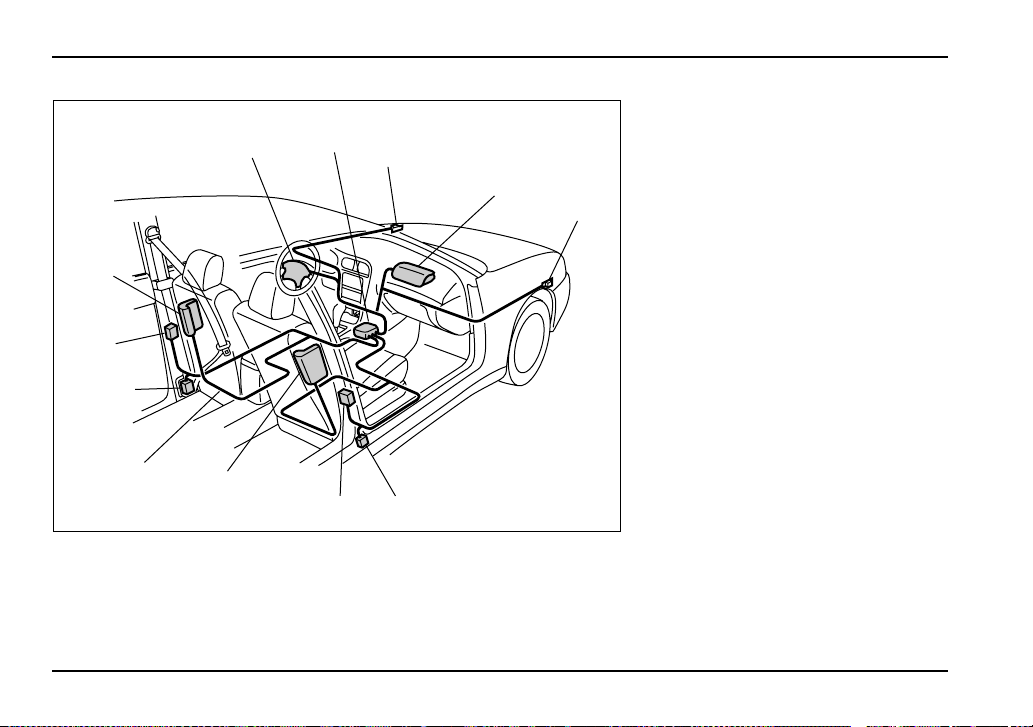
1-56
Seat, seatbelt and SRS airbags
2
1
4
3
5
12
9
7
10
11
8
6
UG1034BB
1) Airbag control module (including
impact sensors)
2) Airbag module (driver’s side)
3) Airbag module (passenger’s
side)
4) Front sub sensor (left hand side)
5) Front sub sensor (right hand
side)
6) Side airbag module (driver’s
side – if equipped)
7) Side airbag module (passen-
ger’s side – if equipped)
8) Side airbag sensor (driver’s side
– if equipped)
9) Side airbag sensor (passenger’s
side – if equipped)
10) Airbag wiring (yellow)
11) Seatbelt pretensioner (driver’s
side)
12) Seatbelt pretensioner (passen-
ger’s side)
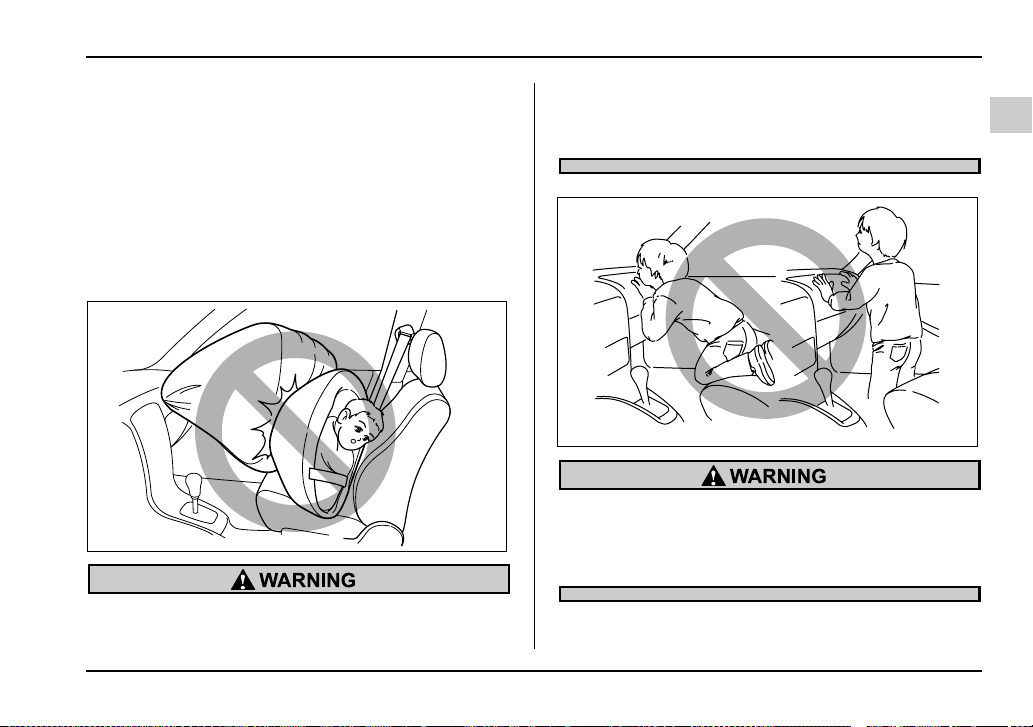
1-57
Seat, seatbelt and SRS airbags
– CONTINUED –
SRS frontal airbag
The driver’s SRS frontal airbag is stowed in the center
portion of the steering wheel. The passenger’s SRS
frontal airbag is stowed near the top of the dashboard
under an “SRS AIRBAG” mark.
In a moderate to severe frontal collision, the driver’s
and front passenger’s SRS frontal airbags deploy and
supplement the seatbelts by reducing the impact on
the driver’s and front passenger’s head and chest.
NEVER INSTALL A REARWARD FACING CHILD
SEAT IN THE FRONT SEAT. DOING SO RISKS
SERIOUS INJURY OR DEATH TO THE CHILD
BY PLACING THE CHILD’S HEAD TOO CLOSE
TO THE SRS AIRBAG.
Never allow a child to stand up, or to kneel on
the front passenger’s seat. The SRS airbag de-
ploys with considerable force and can injure or
even kill the child.
HG1043BA
HS1070BA

1-58
Seat, seatbelt and SRS airbags
Never hold a child on your lap or in your arms.
The SRS airbag deploys with considerable
force and can injure or even kill the child.
The SRS airbag deploys with considerable
speed and force. Occupants who are out of
proper position when the SRS airbag deploys
could suffer very serious injuries. Because the
SRS airbag needs enough space for deploy-
ment, the driver should always sit upright and
well back in the seat as far from the steering
wheel as practical while still maintaining full ve-
hicle control and the front passenger should
move the seat as far back as possible and sit
upright and well back in the seat.
It is also important to wear your seatbelt to help
HS1069BA HS1084BA

1-59
Seat, seatbelt and SRS airbags
– CONTINUED –
avoid injuries that can result when the SRS air-
bag contacts an occupant not in proper posi-
tion such as one thrown toward the front of the
vehicle during pre-accident braking.
Do not put any objects over the steering wheel
pad and dashboard. If the SRS frontal airbag
deploys, those objects could interfere with its
proper operation and could be propelled inside
the vehicle and cause injury.
Do not attach accessories to the windshield, or
fit an extra-wide mirror over the rear view mir-
ror. If the SRS airbag deploys, those objects
could become projectiles that could seriously
injure vehicle occupants.
UG1513BA
UG1514BA
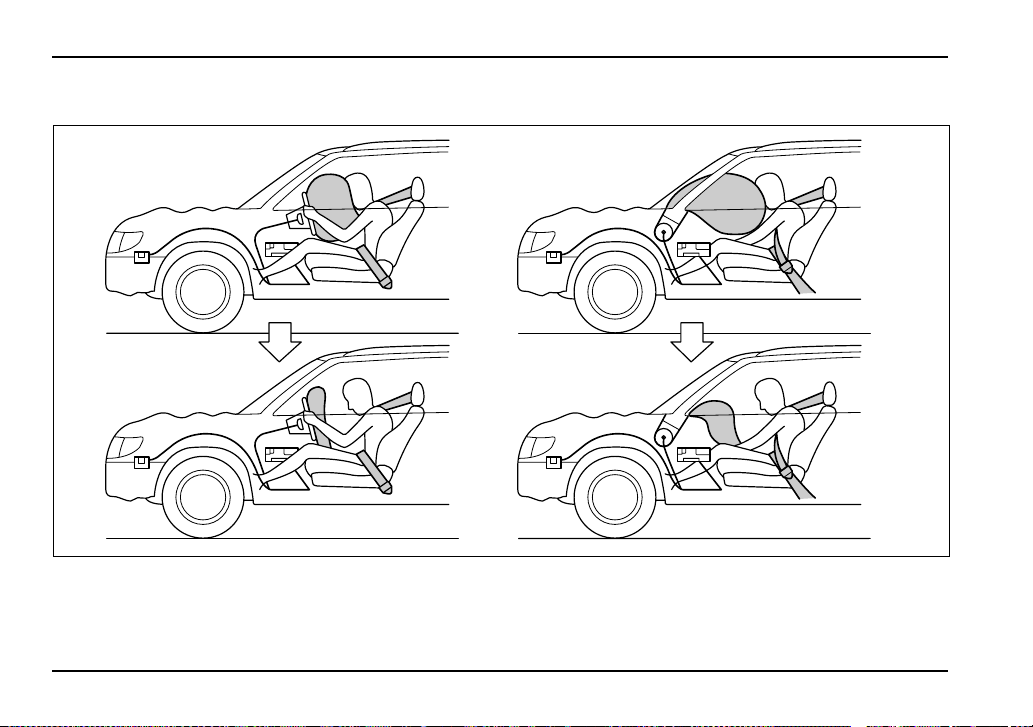
1-60
Seat, seatbelt and SRS airbags
T Operation
A) Driver’s side
B) Passenger’s side
1) SRS AIRBAGs deploy as soon as a collision occurs.
2) After deployment, SRS AIRBAGs start to deflate immediately so that the driver’s vision is not obstructed.
A
B
1
2
HS1087BB
1-61
Seat, seatbelt and SRS airbags
– CONTINUED –
The SRS airbag can function only when the ignition
switch is in the “ON” position.
If the front sub sensors inside the both front fenders
and the impact sensors in the airbag control module
detect a certain predetermined amount of force during
a frontal collision, the control module sends signals to
the frontal airbag modules instructing them to inflate
the SRS frontal airbags. Then both airbag modules
produce gas, which instantly inflates driver’s and pas-
senger’s SRS frontal airbags. After the deployment,
the SRS airbags immediately start to deflate so that
the driver’s vision is not obstructed. The time required
from detecting impact to the deflation of the SRS air-
bag after deployment is shorter than the blink of an
eye.
The front passenger’s SRS frontal airbag deploys to-
gether with driver’s SRS frontal airbag even when no
one occupies the front passenger’s seat.
Although it is highly unlikely that the SRS airbag would
activate in a non-accident situation, should it occur,
the SRS airbag will deflate quickly, not obscuring vi-
sion and will not interfere with the driver’s ability to
maintain control of the vehicle.
When the SRS airbag deploys, a sudden, fairly loud
inflation noise will be heard and some smoke will be
released. These occurrences are normal result of the
deployment. This smoke does not indicate a fire in the
vehicle.
Do not touch the SRS airbag system compo-
nents around the steering wheel and dash-
board with bare hands right after deployment.
Doing so can cause burns because the compo-
nents can be very hot as a result of deployment.
The SRS frontal airbag is designed to deploy in the
event of an accident involving a moderate to severe
frontal collision. It is basically not designed to deploy
in lesser frontal impacts because the necessary pro-
tection can be achieved by the seatbelt alone. Also, it
is basically not designed to deploy in side or rear im-
pacts or in roll-over accidents because deployment of
the SRS frontal airbag would not help the occupant in
those situations. The SRS airbag is designed to func-
tion on a one-time-only basis.
SRS airbag deployment depends on the level of force
experienced in the passenger compartment during a
collision. That level differs from one type of collision to
another, and it may have no bearing on the visible
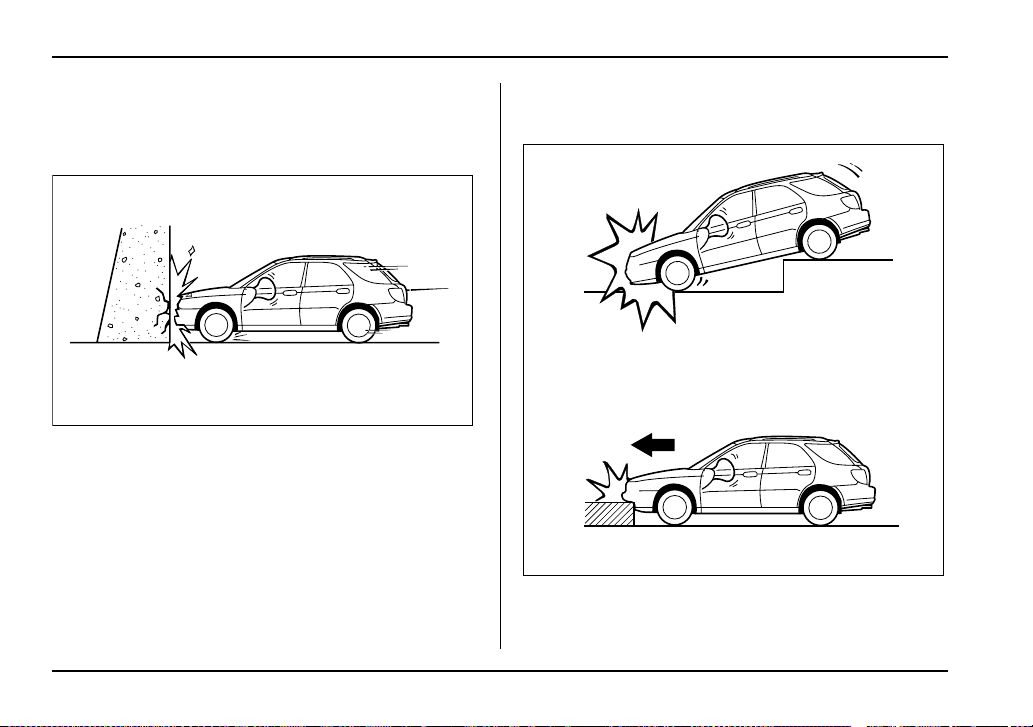
1-62
Seat, seatbelt and SRS airbags
damage done to the vehicle itself.
V When will the SRS frontal airbag most likely de-
ploy?
A head-on collision against a thick concrete wall at a
vehicle speed of 12 to 19 mph (20 to 30 km/h) or high-
er activates the SRS frontal airbag. The SRS frontal
airbag will also be activated when the vehicle is ex-
posed to a frontal impact similar in fashion and magni-
tude to the above-mentioned collision.
V At what other times might the SRS frontal air-
bag deploy?
The SRS frontal airbag may be activated when the ve-
hicle sustains a hard impact in the undercarriage area
from the road surface (such as when the vehicle
HG1045BA
HG1046BA
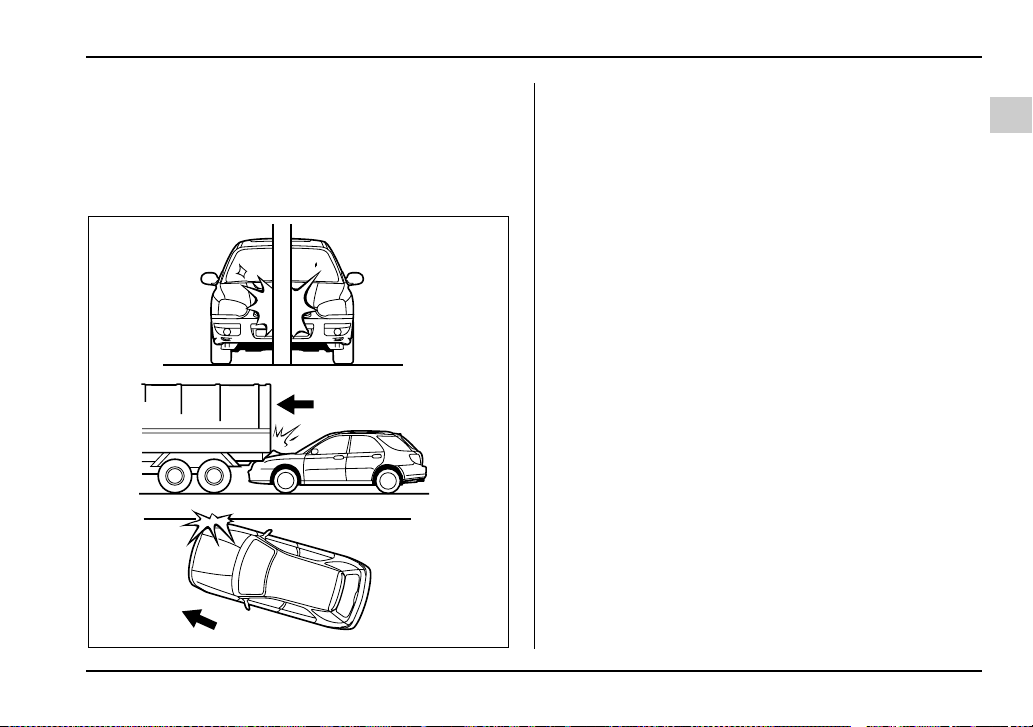
1-63
Seat, seatbelt and SRS airbags
– CONTINUED –
plunges into a deep ditch, is severely bumped or
knocked hard against an obstacle on the road such as
a curb).
V When is the SRS frontal airbag unlikely to de-
ploy?
There are many types of collisions which might not
necessarily require SRS frontal airbag deployment. If
the vehicle strikes an object, such as a telephone pole
or sign pole, or if it slides under a truck’s load bed, or
if it sustains an oblique offset frontal impact, the SRS
frontal airbag may not deploy depending on the level
of accident forces involved.
UG1083BA
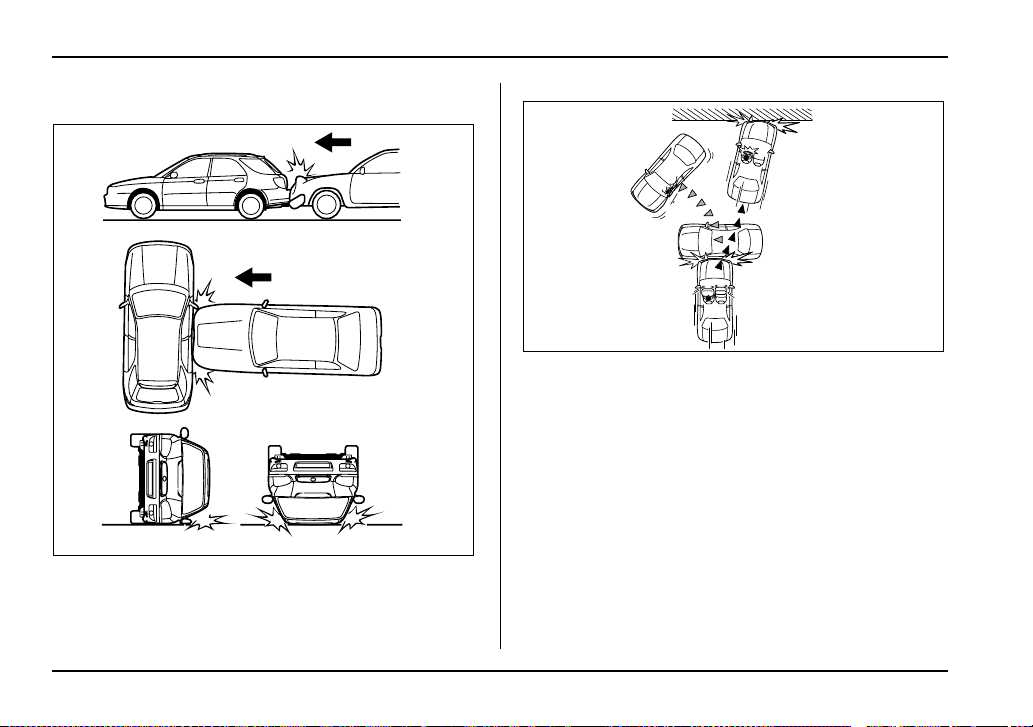
1-64
Seat, seatbelt and SRS airbags
V When will the SRS frontal airbag not deploy?
The SRS frontal airbag is basically not designed to de-
ploy if the vehicle is struck from side or from behind, or
if it rolls onto its side or roof, or if it is involved in a low-
speed frontal collision.
1) First impact
2) Second impact
In an accident where the vehicle is impacted more
than once, the SRS frontal airbag deploys only once.
Example: In the case of a double collision, first with an-
other vehicle, then against a concrete wall in immedi-
ate succession, once the SRS frontal airbag is activat-
ed on the first impact, it will not be activated on the
second.
UG1084BA
2
1
HS1104BB
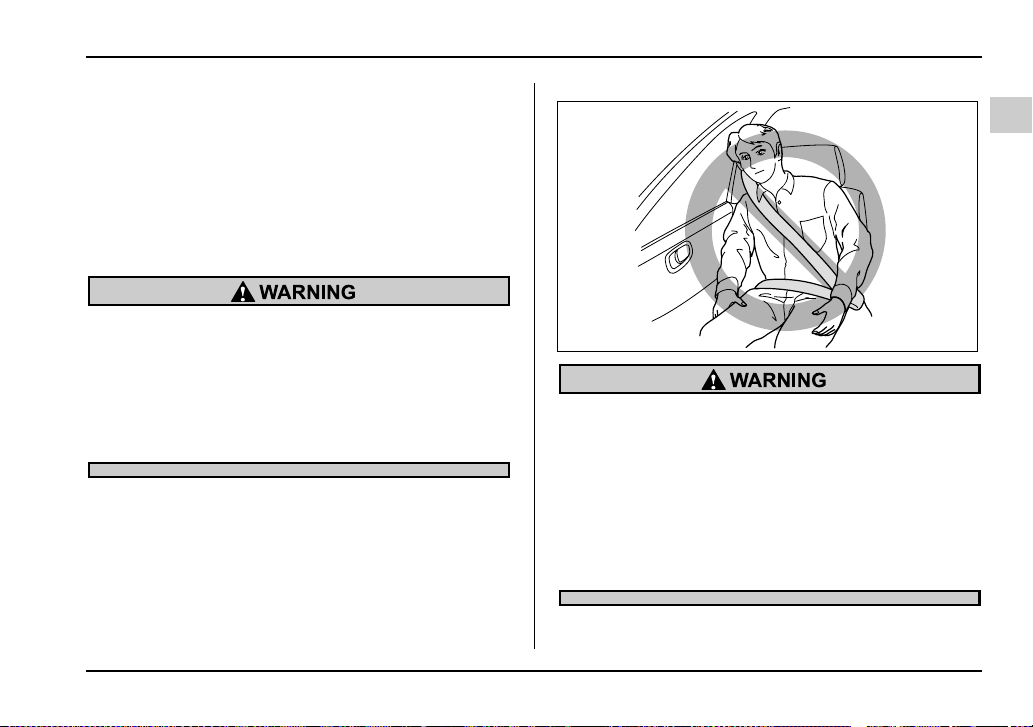
1-65
Seat, seatbelt and SRS airbags
– CONTINUED –
SRS side airbag (if equipped)
The SRS side airbag is stored in the door side of each
front seatback, which bears an “SRS AIRBAG” label.
In a moderate to severe side impact collision, the SRS
side airbag on the impacted side of the vehicle de-
ploys between the occupant and the door panel and
supplements the seatbelt by reducing the impact on
the occupant’s chest and head.
The SRS side airbag is designed as only a sup-
plement to the primary protection provided by
the seatbelt. It does not do away with the need
to fasten seatbelts. It is also important to wear
your seatbelt to help avoid injuries that can re-
sult when an occupant is not seated in a proper
upright position.
Do not sit or lean unnecessarily close to either
front door. The SRS side airbag is stored in
both front seat seatbacks next to the door, and
it provides protection by deploying rapidly
(faster than the blink of an eye) in the event of a
side impact collision. However, the force of
SRS side airbag deployment may cause injuries
if your head or other body parts are too close to
the SRS side airbag.
HS1092BA
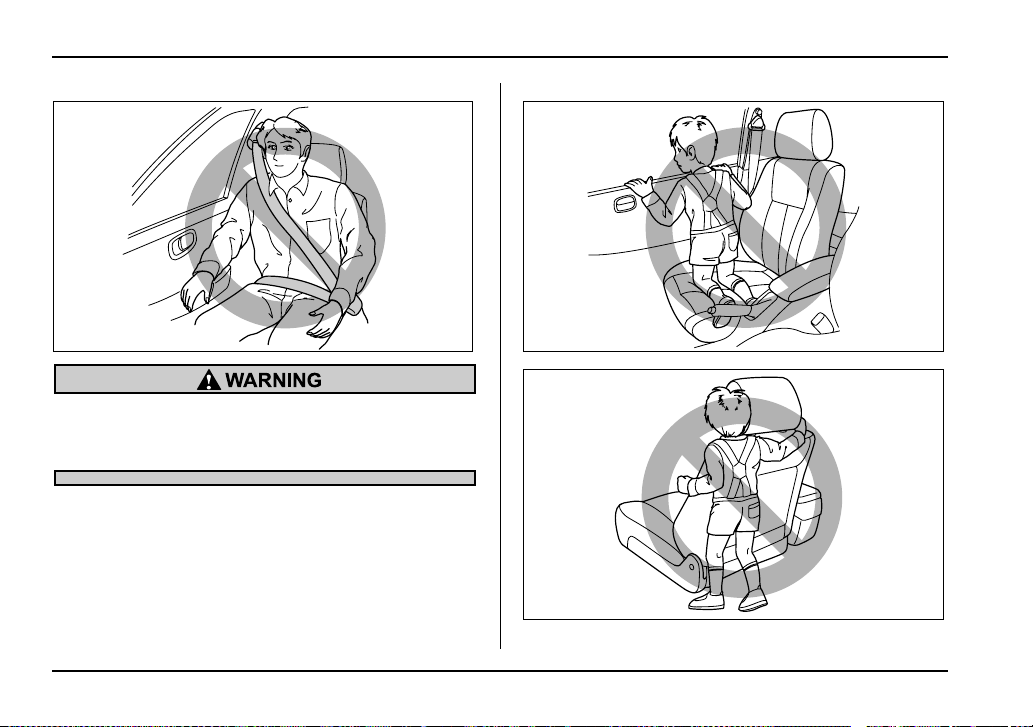
1-66
Seat, seatbelt and SRS airbags
Do not rest your arm on either front door or its
internal trim. It could be injured in the event of
SRS side airbag deployment.
HS1093BA HS1094BA
HS1095BA
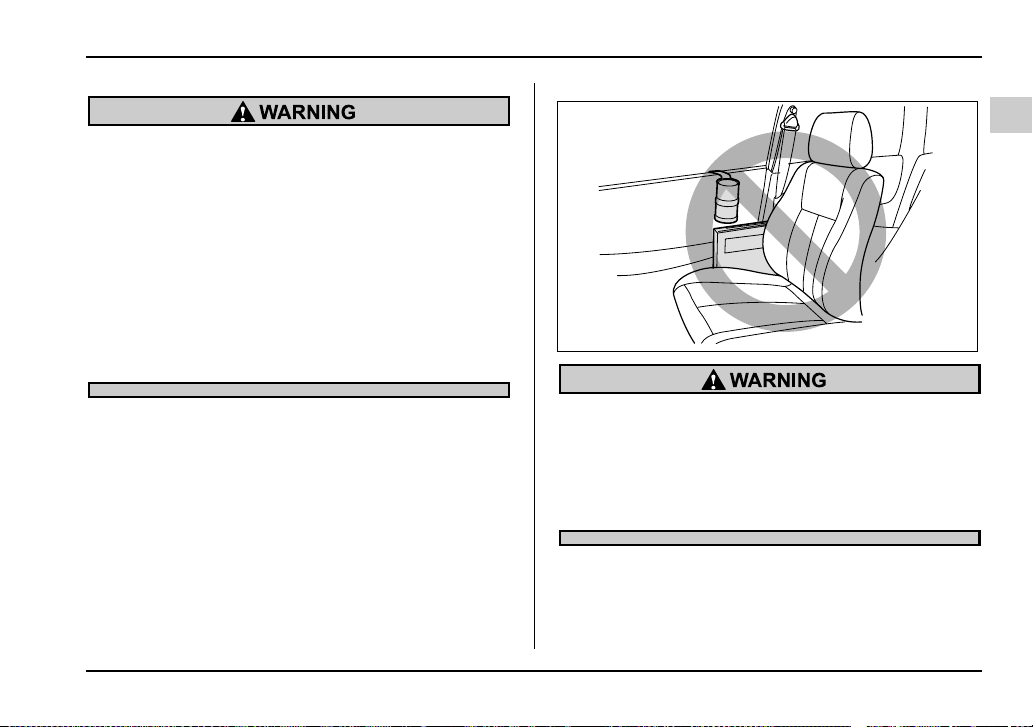
1-67
Seat, seatbelt and SRS airbags
– CONTINUED –
Never allow a child to kneel on the front pas-
senger’s seat facing the side window or to wrap
his/her arms around the front seatback. In the
event of an accident, the force of the SRS side
airbag deployment could injure the child seri-
ously because his/her head or arms or other
body parts are too close to the SRS side airbag.
Since your vehicle is also equipped with a pas-
senger’s SRS frontal airbag, children aged 12
and under should be placed in the rear seat
anyway and should be properly restrained at all
times.
Do not attach accessories to the door trim or
near either SRS side airbags and do not place
objects near the SRS side airbags. In the event
of the SRS side airbag deployment, they could
be propelled dangerously toward the vehicle’s
occupants and cause injuries.
HS1096BA
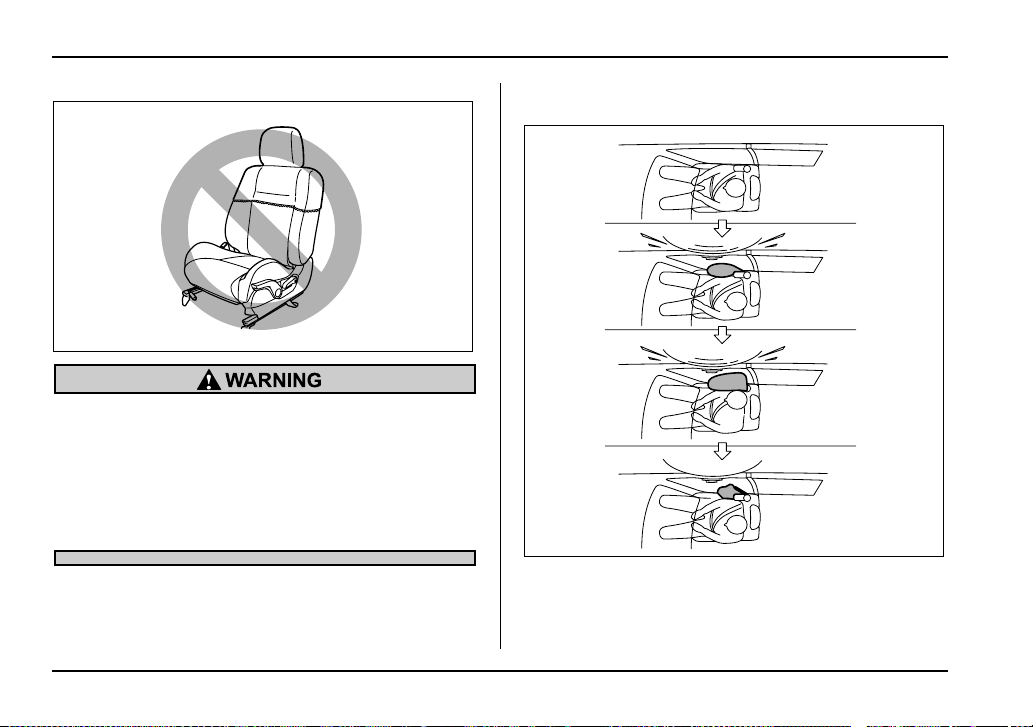
1-68
Seat, seatbelt and SRS airbags
Do not put any kind of cover or clothes or other
objects over either front seatback and do not
attach labels or stickers to the front seat sur-
face on or near the SRS side airbag. They could
prevent proper deployment of the SRS side air-
bag, reducing protection available to the front
seat’s occupant.
T Operation
A) SRS side airbag deploys as soon as a collision oc-
curs.
B) SRS side airbag protects the front passenger’s head
and chest.
UG1534BA
A
B
C
HS1098BB
1-69
Seat, seatbelt and SRS airbags
– CONTINUED –
C) After deployment, SRS side airbag starts to deflate im-
mediately.
The SRS side airbag can function only when the igni-
tion switch is in the “ON” position.
The driver’s and front passenger’s SRS side airbags
deploy independently of each other since each has its
own impact sensor. Also, the SRS side airbag deploys
independently of the frontal airbags in the steering
wheel and instrument panel.
An impact sensor is incorporated into each of the ve-
hicle’s center pillars. If either sensor detects a certain
predetermined amount of force during a side impact
collision, the control module sends a signal to the side
airbag module on the impacted side of the vehicle, in-
structing it to inflate the SRS side airbag. Then the
side airbag module produces gas, which instantly in-
flates the SRS side airbag. After deployment, the SRS
side airbag will deflate in a few seconds.
The SRS side airbag deploys even when no one occu-
pies the seat on the side on which an impact is ap-
plied.
When the SRS side airbag deploys, a sudden, fairly
loud inflation noise will be heard and some smoke will
be released. These occurrences are normal result of
the deployment. This smoke does not indicate a fire in
the vehicle.
Do not touch the SRS side airbag system com-
ponents around the front seatback with bare
hands right after deployment. Doing so can
cause burns because the components can be
very hot as a result of deployment.
The SRS side airbag is designed to deploy in the event
of an accident involving a moderate to severe side im-
pact collision. It is basically not designed to deploy in
lesser side impact. Also, it is basically not designed to
deploy in frontal or rear impacts because SRS side air-
bag deployment would not help the occupant in those
situations.
Each SRS side airbag is designed to function on a
one-time-only basis.
SRS side airbag deployment depends on the level of
force experienced in the passenger compartment dur-
ing a side impact collision. That level differs from one
type of collision to another, and it may have no bearing
on the visible damage done to the vehicle itself.
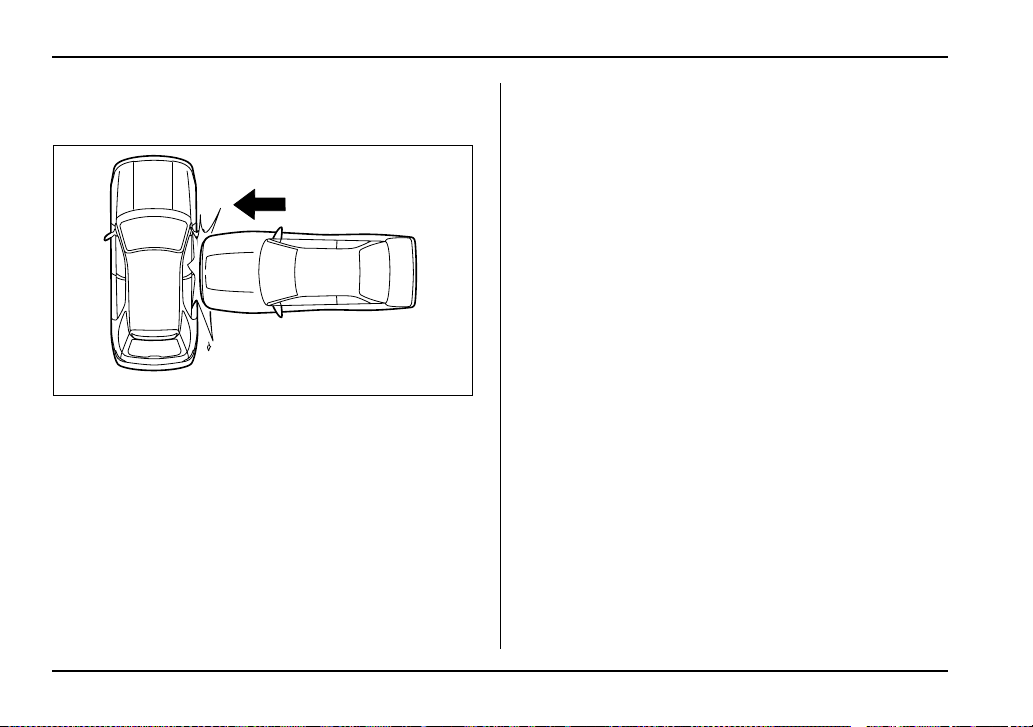
1-70
Seat, seatbelt and SRS airbags
V When will the SRS side airbag most likely de-
ploy?
A severe side impact near the front seat activates the
SRS side airbag.
UG1519BA
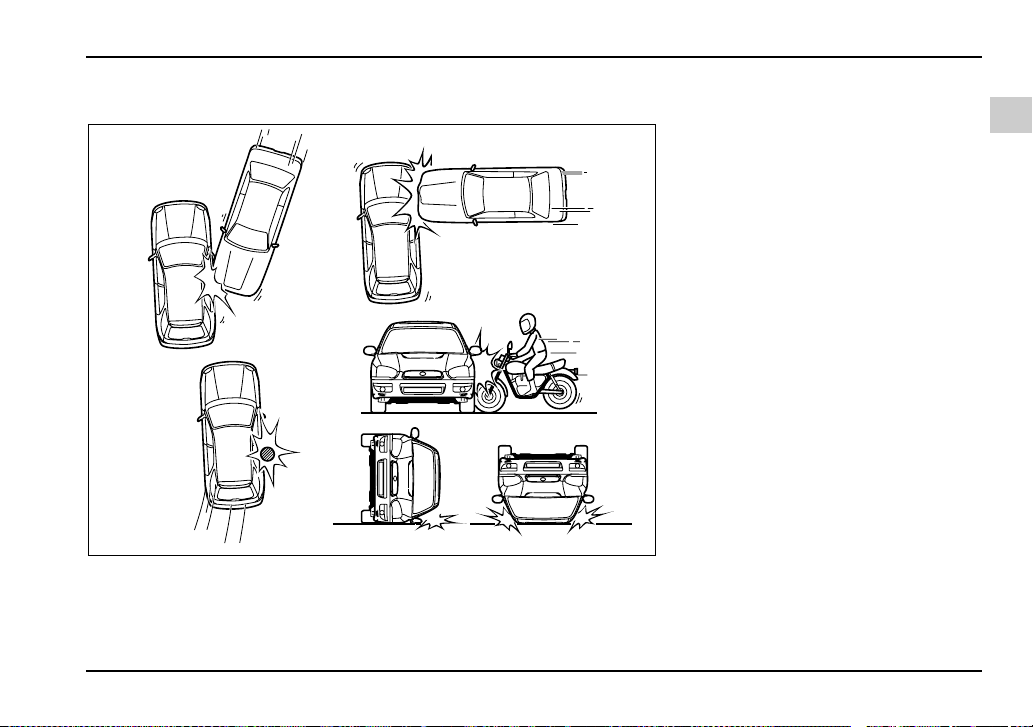
1-71
Seat, seatbelt and SRS airbags
– CONTINUED –
V When is the SRS side airbag unlikely to deploy?
12
3
4
5
UG1085BB
1) The vehicle is involved in an ob-
lique side-on impact.
2) The vehicle is involved in a side-on
impact in an area outside the vicin-
ity of the passenger compartment.
3) The vehicle strikes a telephone
pole or similar object.
4) The vehicle is involved in a side-on
impact from a motorcycle.
5) The vehicle rolls onto its side or
roof.
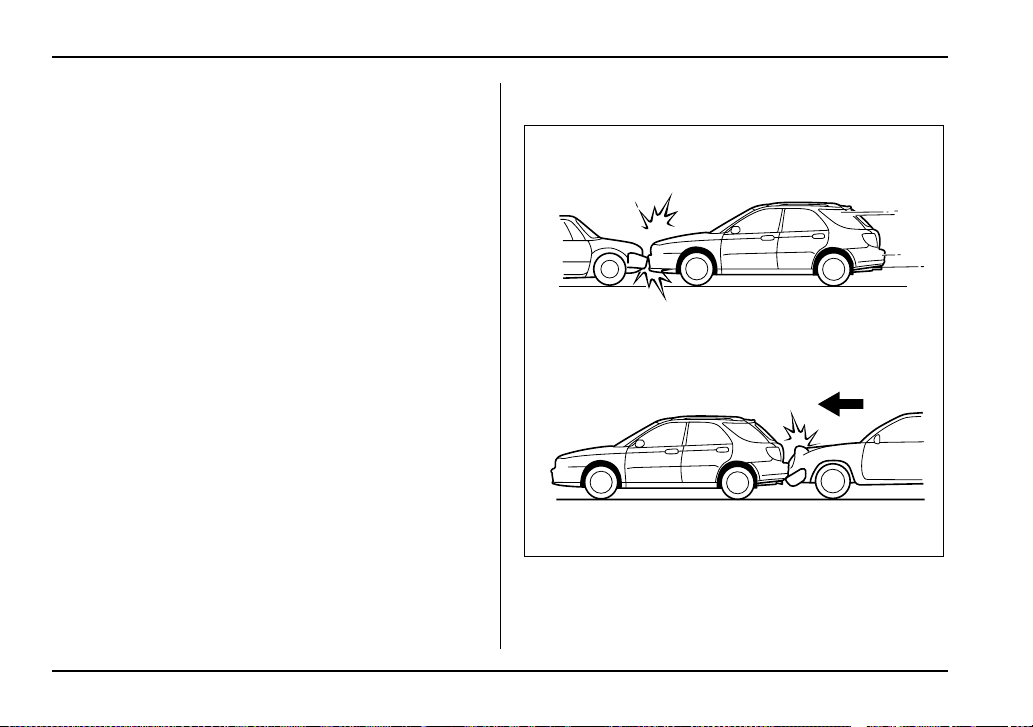
1-72
Seat, seatbelt and SRS airbags
There are many types of collisions which might not
necessarily require SRS side airbag deployment. In
the event of accidents like those illustrated, the SRS
side airbag may not deploy depending on the level of
accident forces involved.
V When will the SRS side airbag not deploy?
1) The vehicle is involved in a frontal collision with anoth-
er vehicle (moving or stationary).
2) The vehicle is struck from behind.
1
2
HG1051BB
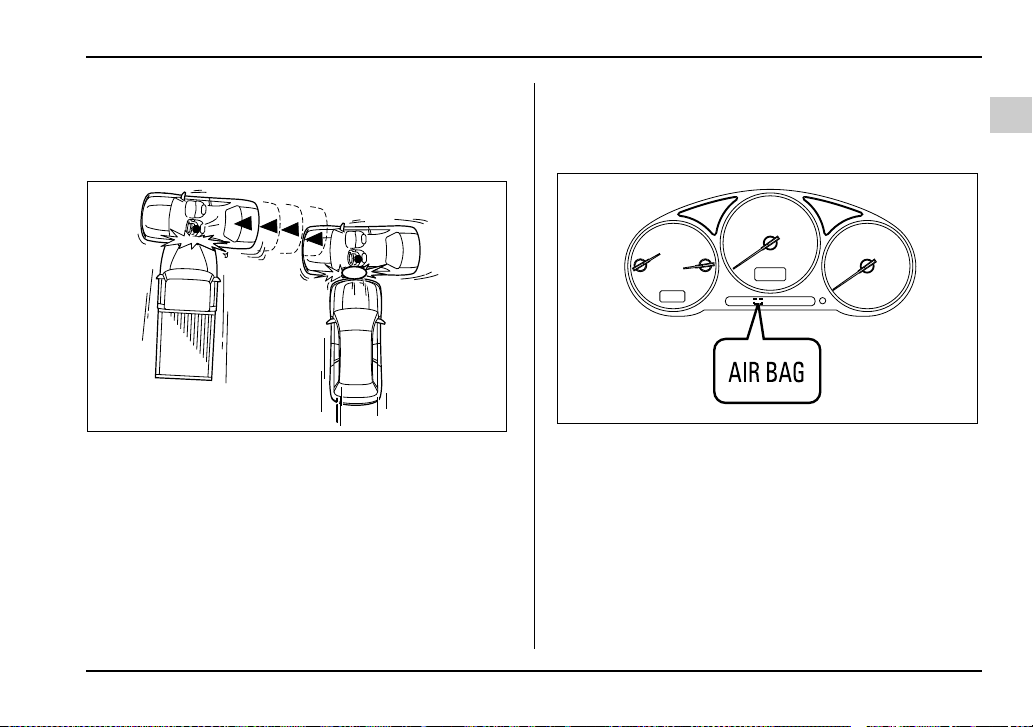
1-73
Seat, seatbelt and SRS airbags
– CONTINUED –
The SRS side airbag is basically not designed to de-
ploy if the vehicle is involved in a frontal collision or is
struck from behind. Examples of such accidents are il-
lustrated.
1) First impact
2) Second impact
In an accident where the vehicle is struck from the side
more than once, the SRS side airbag deploys only
once.
Example: In the case of a double side impact collision,
first with one vehicle and immediately followed by an-
other from the same direction, once the SRS side air-
bag is activated on the first impact, it will not be acti-
vated on the second.
SRS airbag system monitors
A diagnostic system continually monitors the readi-
ness of the SRS airbag system while the vehicle is be-
ing driven. The SRS airbag system warning light “AIR-
BAG” will show normal system operation by lighting for
about 6 seconds when the ignition key is turned to the
“ON” position.
The following components are monitored by the indi-
cator:
y Front sub sensor (Right hand side)
y Front sub sensor (Left hand side)
2
1
HS1102BB
UG7020DA
1-74
Seat, seatbelt and SRS airbags
y Airbag control module (including impact sensors)
y Frontal airbag module (Driver’s side)
y Frontal airbag module (Passenger’s side)
y Side airbag sensor (Driver’s side – if equipped)
y Side airbag sensor (Passenger’s side – if equipped)
y Side airbag module (Driver’s side – if equipped)
y Side airbag module (Passenger’s side – if
equipped)
y Seatbelt pretensioner (Driver’s side)
y Seatbelt pretensioner (Passenger’s side)
y All related wiring
If the warning light exhibits any of the following
conditions, there may be a malfunction in the
seatbelt pretensioners and/or SRS airbag sys-
tem. Immediately take your vehicle to your
nearest SUBARU dealer to have the system
checked. Unless checked and properly re-
paired, the seatbelt pretensioners and/or SRS
airbag will not operate properly in the event of
a collision, which may increase the risk of inju-
ry.
y Flashing or flickering of the indicator light
y No illumination of the warning light when the
ignition switch is first turned to the “ON” posi-
tion
y Continuous illumination of the warning light
y Illumination of the warning light while driving
SRS airbag system servicing
y When discarding an airbag module or scrap-
ping the entire vehicle damaged by a collision,
consult your SUBARU dealer.
y The SRS airbag has no user-serviceable
parts. Do not use electrical test equipment on
any circuit related to the SRS airbag system.
For required servicing of the SRS airbag, see
your nearest SUBARU dealer. Tampering with
or disconnecting the system’s wiring could re-
sult in accidental inflation of the SRS airbag or
could make the system inoperative, which may
result in serious injury. The wiring harnesses of
the SRS airbag system are covered with yellow
insulation and system connectors are yellow
for easy identification.
1-75
Seat, seatbelt and SRS airbags
– CONTINUED –
If you need service or repair in areas listed be-
low, we recommend that you have an autho-
rized SUBARU dealer perform the work. The
SRS airbag control module, impact sensors
and airbag modules are stored in these areas.
y Under the center console
y Inside each front fender
y Steering wheel and column and nearby areas
y Top of the dashboard on front passenger’s
side and nearby areas
y Each front seat and nearby area (only for ve-
hicles with SRS side airbags)
y Inside each center pillar
In the event that the SRS airbag is deployed, re-
placement of the system should be performed
only by an authorized SUBARU dealer. When the
components of the SRS airbag system are re-
placed, use only genuine SUBARU parts.
To ensure their long-term reliability, the SRS airbags
must be inspected by a SUBARU dealer ten years af-
ter the date of manufacture, which is shown on the cer-
tification plate attached to the driver’s door jamb.
NOTE
In the following cases, contact your SUBARU deal-
er as soon as possible.
y The front part of the vehicle was involved in an
accident in which the SRS frontal airbags did not
deploy.
y The pad section of the steering wheel or front
passenger’s frontal airbag cover is scratched,
cracked, or otherwise damaged.
In addition, if your vehicle is equipped with SRS
side airbags, contact your SUBARU dealer as
soon as possible in the following cases.
y Either center pillar or a nearby area of the vehi-
cle was involved in an accident in which the SRS
side airbag did not deploy.
y The fabric or leather of either front seatback is
cut, frayed, or otherwise damaged.
Precautions against vehicle modifica-
tion
y To avoid accidental activation of the system
or rendering the system inoperative, which may
result in serious injury, no modifications
1-76
Seat, seatbelt and SRS airbags
should be made to any components or wiring of
the SRS airbag system.
This includes following modifications:
y Installation of custom steering wheels
y Attachment of additional trim materials to
the dashboard
y Installation of custom seats (for vehicles
with SRS side airbags only)
y Replacement of seat fabric or leather (for
vehicles with SRS side airbags only)
y Installation of additional fabric or leather
on the front seat (for vehicles with SRS side
airbags only)
y Installation of additional electrical/electronic
equipment such as a mobile two-way radio on
or near the SRS airbag system components
and/or wiring is not advisable. This could inter-
fere with proper operation of the SRS airbag
system.
Do not perform any of the following modifica-
tions. Such modifications can interfere with
proper operation of the SRS airbag system.
y Attachment of any equipment (brush bar,
winches, snow plow, skid plate, etc.) other than
genuine SUBARU accessory parts to the front
end.
y Modification of the suspension system or
front end structure.
y Installation of a tire of different size and con-
struction from the tires specified on the tire
placard attached to the driver’s door jamb.
y Attachment of any equipment (side steps or
side sill protectors, etc.) other than genuine
SUBARU accessory parts to the side body (for
vehicles with side airbags only).
Always consult your SUBARU dealer if you want to in-
stall any accessory parts to your vehicle.

2-1
2
Keys and doors
Keys ............................................................... 2-2
Key number ....................................................... 2-3
Immobilizer (WRX-STi) ................................. 2-3
Security ID plate ................................................ 2-4
Security indicator light ..................................... 2-5
Key replacement ............................................... 2-5
Door locks ..................................................... 2-6
Locking and unlocking from the outside ........ 2-6
Locking and unlocking from the inside .......... 2-7
Power door locking switches ...................... 2-8
Remote keyless entry system ..................... 2-9
Locking the doors ............................................. 2-10
Unlocking the doors ......................................... 2-10
Illuminated entry ............................................... 2-11
Vehicle finder function ..................................... 2-11
Sounding a panic alarm ................................... 2-11
Selecting audible signal operation .................. 2-11
Replacing the battery ....................................... 2-11
Replacing lost transmitters .............................. 2-13
Security system (if equipped) ..................... 2-17
System operation .............................................. 2-17
Arming the system ............................................ 2-17
Disarming the system ....................................... 2-19
Valet mode ......................................................... 2-20
Passive arming .................................................. 2-20
Child safety locks ......................................... 2-23
Windows ........................................................ 2-24
Power windows ................................................. 2-24
Trunk lid (Sedan) .......................................... 2-27
To open and close the trunk lid from
outside ............................................................ 2-27
To open the trunk lid from inside .................... 2-28
To cancel the trunk lid release ........................ 2-28
Internal trunk lid release handle ...................... 2-28
Rear gate (Wagon) ........................................ 2-31
Moonroof (if equipped) ................................. 2-33
Tilt function ....................................................... 2-33
Sliding function ................................................. 2-33
Sun shades ........................................................ 2-35
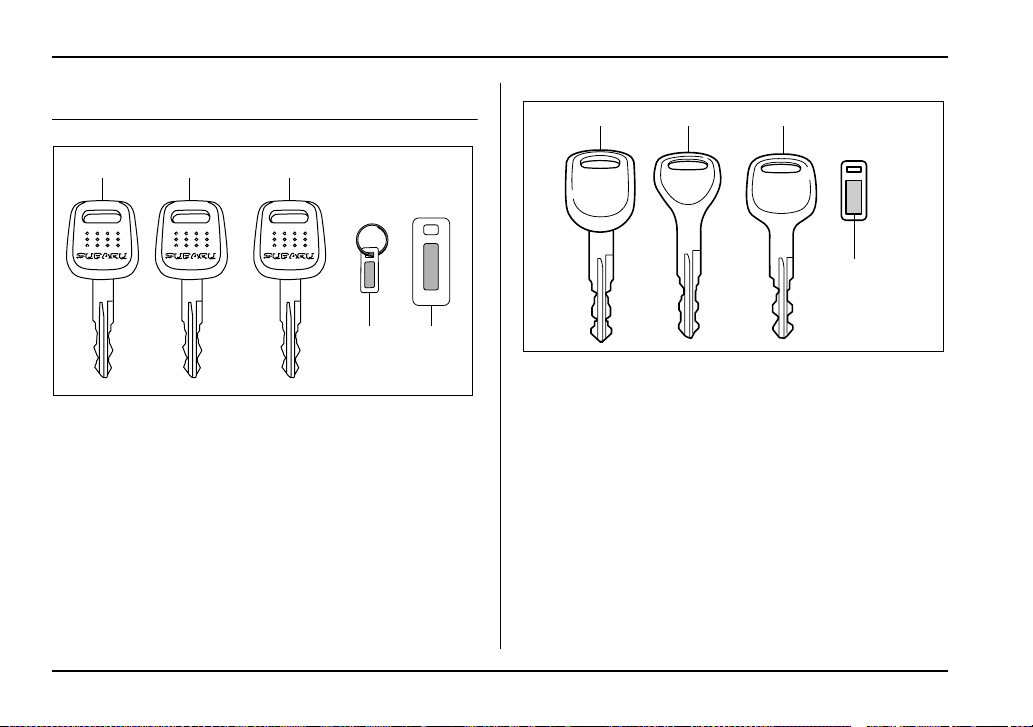
2-2
Keys and doors
Keys and doors
Keys
WRX-STi
1) Master key (Black)
2) Submaster key (Black)
3) Valet key (Gray)
4) Key number plate
5) Security ID plate
Except WRX-STi
1) Master key
2) Submaster key
3) Valet key
4) Key number plate
Three types of keys are provided for your vehicle:
Master key, submaster key and valet key.
The master key and submaster key fit all locks on your
vehicle.
y Ignition switch
y Doors
y Trunk (Sedan)
y Glove box
12 3
45
UG2044BC
1
2
3
4
HS2011BB
2-3
Keys and doors
– CONTINUED –
The valet key fits only the ignition switch and driver’s
door lock. You can keep the trunk and glove box
locked when you leave your vehicle and valet key at a
parking facility.
Do not attach a large key holder or key case to
either key. If it banged against your knees while
you were driving, it could turn the ignition
switch from the ON position to the ACC or OFF
position, thereby stopping the engine.
Key number
The key number is stamped on the metal plate at-
tached to the key set. Write down the key number and
keep it in another safe place, not in the vehicle. This
number is needed to make a replacement key if you
lose your key or lock it inside the vehicle.
Immobilizer (WRX-STi)
The immobilizer system is designed to prevent an un-
authorized person from starting the engine. Only keys
registered with your vehicle’s immobilizer system can
be used to operate your vehicle. Even if an unregis-
tered key fits into the ignition switch and can be turned
to the “START” position, the engine will automatically
stop after several seconds.
Each immobilizer key contains a transponder in which
the key’s ID code is stored. When a key is inserted into
the ignition switch and turned to the “ON” position, the
transponder transmits the key’s ID code to the immo-
bilizer system’s receiver. If the transmitted ID code
matches the ID code registered in the immobilizer sys-
tem, the system allows the engine to be started. Since
the ID code is transmitted and acted upon almost in-
stantly, the immobilizer system does not impede nor-
mal starting of the engine.
If the engine fails to start, pull out the key once before
trying again. (Refer to the “Ignition switch” section
[chapter 3].)
NOTE
To protect your vehicle from theft, please pay
close attention to the following security precau-
tions:
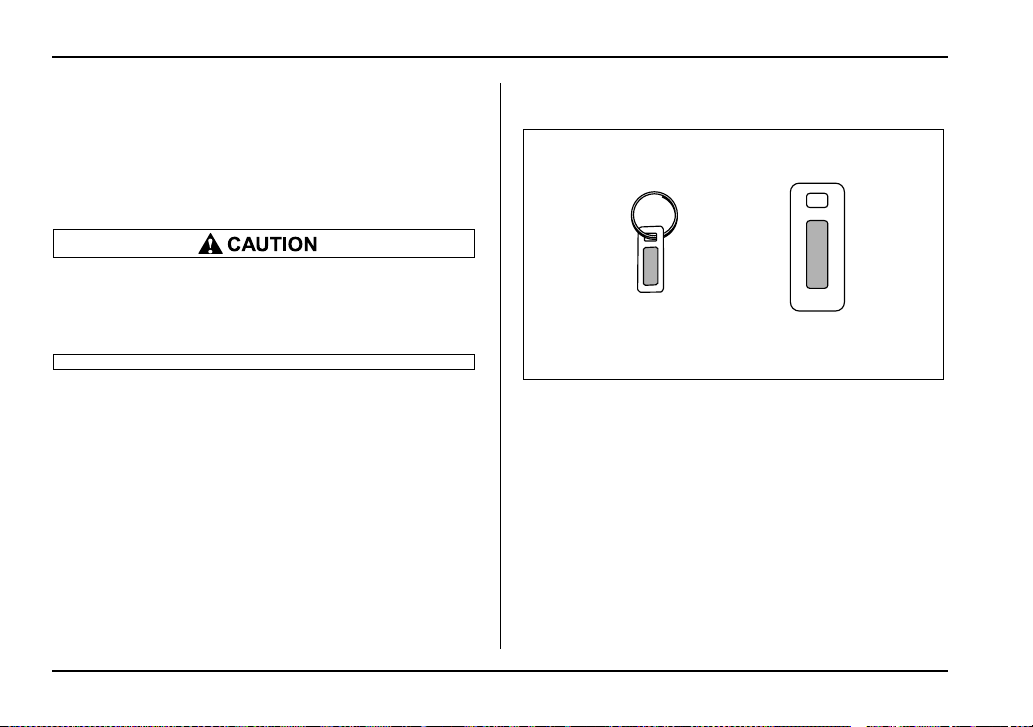
2-4
Keys and doors
y Never leave your vehicle unattended with its
keys inside.
y Before leaving your vehicle, close all windows
and lock the doors and rear gate.
y Do not leave spare keys or any record of your
key number in the vehicle.
y Do not place the key under direct sunlight or
anywhere it may become hot.
y Do not get the key wet. If the key gets wet,
wipe it dry with a cloth immediately.
Security ID plate
A) Key number plate
B) Security ID plate
The security ID is stamped on the metal plate attached
to the key set. Write down the security ID and keep it
in another safe place, not in the vehicle. This number
is needed to make a replacement key if you lose your
key or lock it inside the vehicle.
This number is also needed for replacement or repair
of the engine control unit, immobilizer control unit.
A
B
UB2534BB
2-5
Keys and doors
– CONTINUED –
Security indicator light
The security indicator light deters potential thieves by
indicating that the vehicle is equipped with an immobi-
lizer system. It begins flashing (approximately once
every three seconds) about 60 seconds after the igni-
tion switch is turned from the “ON” position to the
“ACC” or “LOCK” position or immediately after the key
is pulled out.
If the security indicator light does not flash, the immo-
bilizer system may be faulty. If this occurs, we recom-
mend that you contact your SUBARU dealer as soon
as possible.
In case an unauthorized key is used (e.g. an imitation
key), the security indicator light comes on.
NOTE
Even if the security indicator light flashes irregu-
larly or its fuse blows (the light does not flash if its
fuse is blown), the immobilizer system will func-
tion normally.
Key replacement
Your key number and security ID will be required if you
ever need a replacement key made. Any new key
must be registered for use with your vehicle’s immobi-
lizer system before it can be used. Up to four keys can
be registered for use with one vehicle.
For security, all the keys registered with your vehicle’s
immobilizer system will have their ID codes erased
and re-registered when a new key is made. Therefore,
all of your vehicle’s keys must be presented when a
new key is registered. Any key that is not re-registered
when a new key is made cannot be used after the oth-
er keys are re-registered. For information on replace-
ment keys and on the registration of keys with your im-
mobilizer system, we recommend that you contact
your SUBARU dealer.
NOTE
This device complies with Part 15 of the FCC
Rules and with RSS-210 of Industry Canada. Oper-
ation is subject to the following two conditions:
(1) This device may not cause harmful interfer-
ence, and (2) this device must accept any interfer-
ence received, including interference that may
cause undesired operation.
NO USER SERVICEABLE PARTS INSIDE.
DO NOT ATTEMPT TO MODIFIED THIS EQUIP-
MENT. IF MODIFIED, YOUR AUTHORITY TO OP-
ERATE THIS EQUIPMENT MIGHT BE VOIDED BY
FCC or Industry Canada.
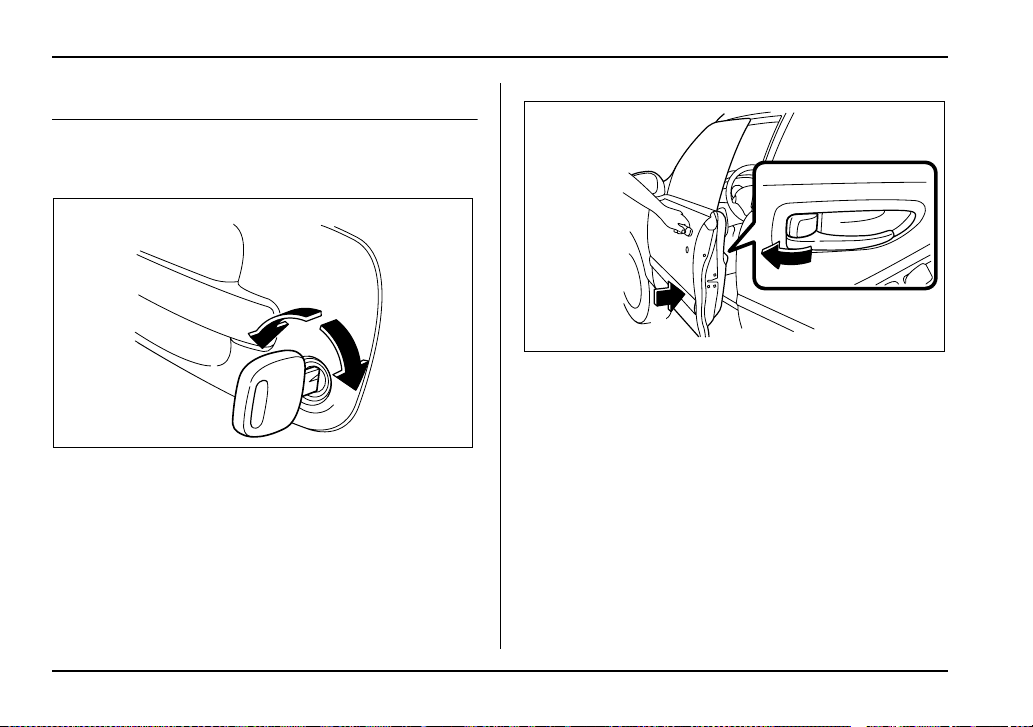
2-6
Keys and doors
Door locks
Locking and unlocking from the out-
side
To lock the door from the outside with the key, turn the
key toward the rear. To unlock the door, turn the key
toward the front.
Pull the outside door handle to open an unlocked door.
1) Rotate the lock lever rearward.
2) Close the door.
To lock the door from the outside without the key, ro-
tate the lock lever rearward and then close the door.
To lock the door from the outside using the power door
locking switch, push the front side of the switch
(“LOCK” side) and then close the door. In this case, all
closed doors and the rear gate (for Wagon) are locked
at the same time.
Always make sure that all doors and the rear gate (for
Wagon) are locked before leaving your vehicle.
UG2501BA
HS2013EB
1
2
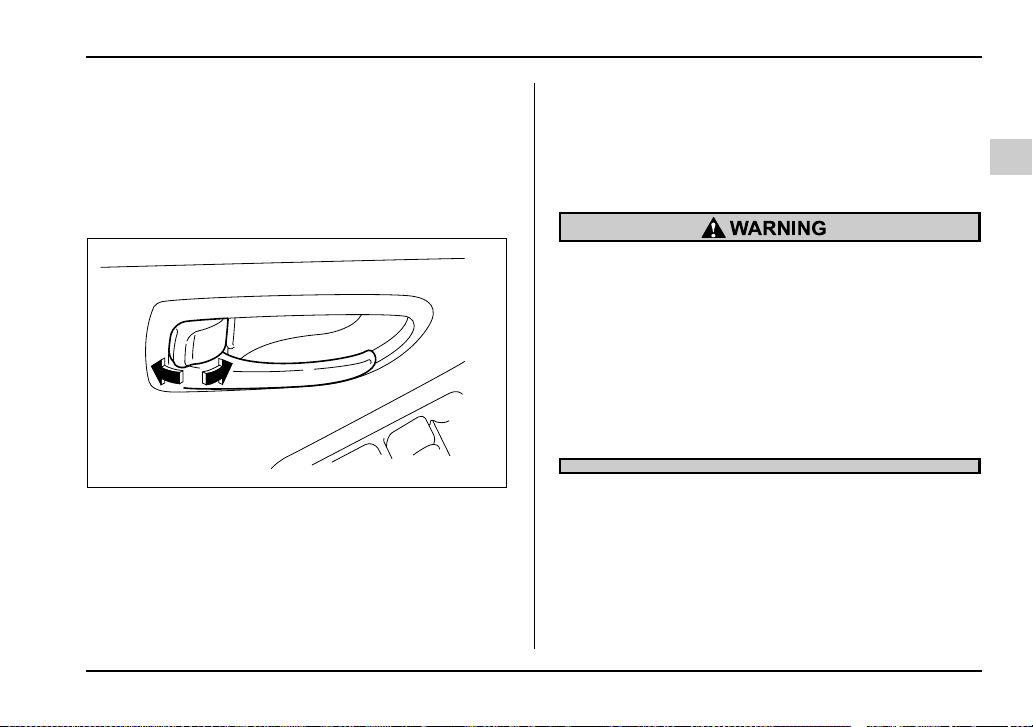
2-7
Keys and doors
– CONTINUED –
NOTE
Make sure that you do not leave the key inside the
vehicle when locking the doors from the outside
without the key.
Locking and unlocking from the inside
1) Lock
2) Unlock
To lock the door from the inside, rotate the lock lever
rearward. To unlock the door from the inside, rotate
the lock lever forward.
The red mark on the lock lever appears when the door
is unlocked.
Pull the inside door handle to open an unlocked door.
Always make sure that all doors and the rear gate (for
Wagon) are closed before starting to drive.
Keep all doors locked when you drive, especial-
ly when small children are in your vehicle.
Along with the proper use of seatbelts and child
restraints, locking the doors reduces the
chance of being thrown out of the vehicle in an
accident.
It also helps prevent passengers from falling
out if a door is accidentally opened, and intrud-
ers from unexpectedly opening doors and en-
tering your vehicle.
12
UG2502BB

2-8
Keys and doors
Power door locking switches
1) Lock
2) Unlock
All doors and the rear gate (for Wagon) can be locked
and unlocked by the power door locking switches lo-
cated at the driver’s side and the front passenger’s
side doors.
To lock the doors, push the front side of the switch.
To unlock the doors, push the rear side of the switch.
When you close the doors after you set the door locks,
the doors remain locked.
NOTE
Make sure that you do not leave the key inside the
vehicle before locking the doors from the outside
using power door locking switches.
1
2
HS2015BB
2-9
Keys and doors
– CONTINUED –
Remote keyless entry system
Two transmitters are provided for your vehicle.
The remote keyless entry system has the following
functions.
y Locking and unlocking the doors (and rear gate on
the Wagon) without a key
y Sounding a panic alarm
y Arming and disarming the security system (if your
vehicle is equipped with an optional security system).
See the next section “Security system (if equipped)”
for detailed information.
This device complies with Part 15 of the FCC
Rules and with RSS-210 of Industry Canada. Oper-
ation is subject to the following two conditions: (1)
This device may not cause harmful interference,
and (2) this device must accept any interference
received, including interference that may cause
undesired operation.
Changes or modifications not expressly approved
by the party responsible for compliance could
void the user’s authority to operate the equipment.
The operable distance of the keyless entry system is
approximately 30 feet (10 meters). However, this dis-
tance will vary depending on environmental condi-
tions. The system’s operable distance will be shorter
in areas near a facility or electronic equipment emitting
strong radio waves such as a power plant, broadcast
station, TV tower, or remote controller of home elec-
tronic appliances.
The remote keyless entry system does not operate
when the key is inserted in the ignition switch to pre-
vent accidental lockout.
y Do not expose the transmitter to severe
shocks, such as those experienced as a result
of dropping or throwing.
y Do not take the transmitter apart except when
replacing the battery.
y Do not get the transmitter wet. If it gets wet,
wipe it dry with a cloth immediately.
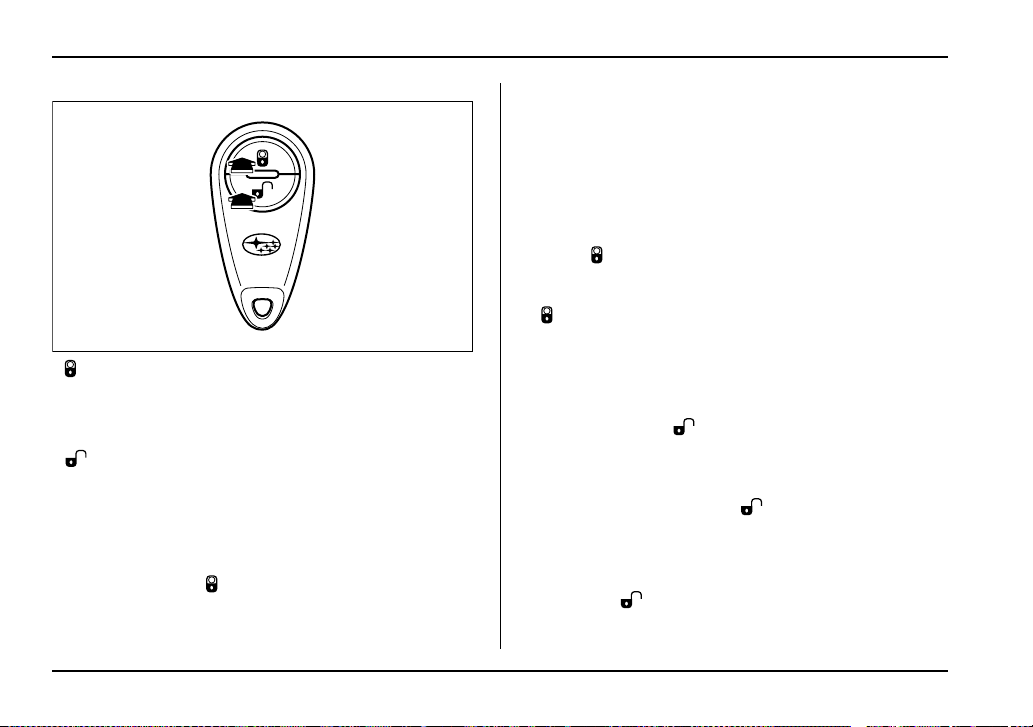
2-10
Keys and doors
: LOCK/ARM button
Press to Lock all doors.
Press and Hold to activate panic alarm.
Press three times in a five-second period to use vehi-
cle finder function.
:UNLOCK/DISARM button
1) Press once to Unlock driver’s door.
2) Press a second time to Unlock all other doors (and
rear gate on the Wagon).
Locking the doors
Briefly press the “ ” button (for less than two sec-
onds) to lock all doors (and rear gate on the Wagon).
An electronic chirp will sound once and the turn signal
lights will flash once.
If any of the doors (or the rear gate) is not fully closed,
an electronic chirp will sound five times and the turn
signal lights will flash five times to alert you that the
doors (or the rear gate) are not properly closed. When
you close the door, it will automatically lock.
NOTE
If the “ ” button is pressed for two seconds or
longer, the panic alarm will sound. When locking
the doors in normal circumstances, press the
“ ” button for less than two seconds. For de-
tails on the panic alarm, refer to “Sounding a panic
alarm”.
Unlocking the doors
Briefly press the “ ” button (for less than two sec-
onds) to unlock the driver’s door. An electronic chirp
will sound twice and the turn signal lights will flash
twice. To unlock all other doors (and rear gate on the
Wagon), briefly press the “ ” button a second time
within 5 seconds.
NOTE
If the interval between the first and second press-
es of the “ ” button (for unlocking of all of the
doors and the rear gate) is extremely short, the
UG2042BA
2-11
Keys and doors
– CONTINUED –
system may not respond.
Illuminated entry
The interior (dome) light and ignition switch light (for
turbo models) will illuminate when the “ ” button is
pressed. These lights stay illuminated for approxi-
mately 30 seconds if any of the doors (or the rear gate
on the Wagon) is not opened.
If the “ ” button is pressed before 30 seconds have
elapsed, these lights will go out. Also, these lights will
go out if the key is inserted in the ignition switch. The
interior light switch must be set to the middle position
in order for this function to operate.
Vehicle finder function
Use this function to find your vehicle parked among
many vehicles in a large parking lot. Provided you are
within 30 feet (10 meters) of the vehicle, pressing the
“ ” button three times in a five-second period will
cause your vehicle’s horn to sound once and its turn
signal lights to flash three times.
Sounding a panic alarm
To activate the alarm, keep the “ ” button pressed
for more than two seconds.
The horn will sound and the turn signal lights will flash.
To deactivate it, press the “ ” button or “ ” but-
ton. Unless a button on the remote is pressed, the
alarm will be deactivated after approximately 30 sec-
onds.
Selecting audible signal operation
Using an electronic chirp, the system will give you an
audible signal when the doors lock and unlock. If de-
sired, you may turn the audible signal off.
To turn the audible signal off, unlock the door by
pressing the “ ” button and then simultaneously
depress “ ” and “ ” buttons for more than two
seconds. An electronic chirp will sound twice and the
turn signal lights will flash twice to inform you that the
audible signal has been turned off.
To turn the audible signal on, unlock the door by
pressing the “ ” button and then simultaneously
depress “ ” and “ ” buttons for more than two
seconds. An electronic chirp will sound once and the
turn signal lights will flash once to inform you that the
audible signal has been turned on.
Replacing the battery
When the transmitter battery begins to get weak,
transmitter range will begin to decrease. Replace the

2-12
Keys and doors
battery as soon as possible.
To replace the battery:
0
1. Open the transmitter case using a flat-head screw-
driver.
2. Remove the old battery from the holder.
UG2043BA
UB2209BA
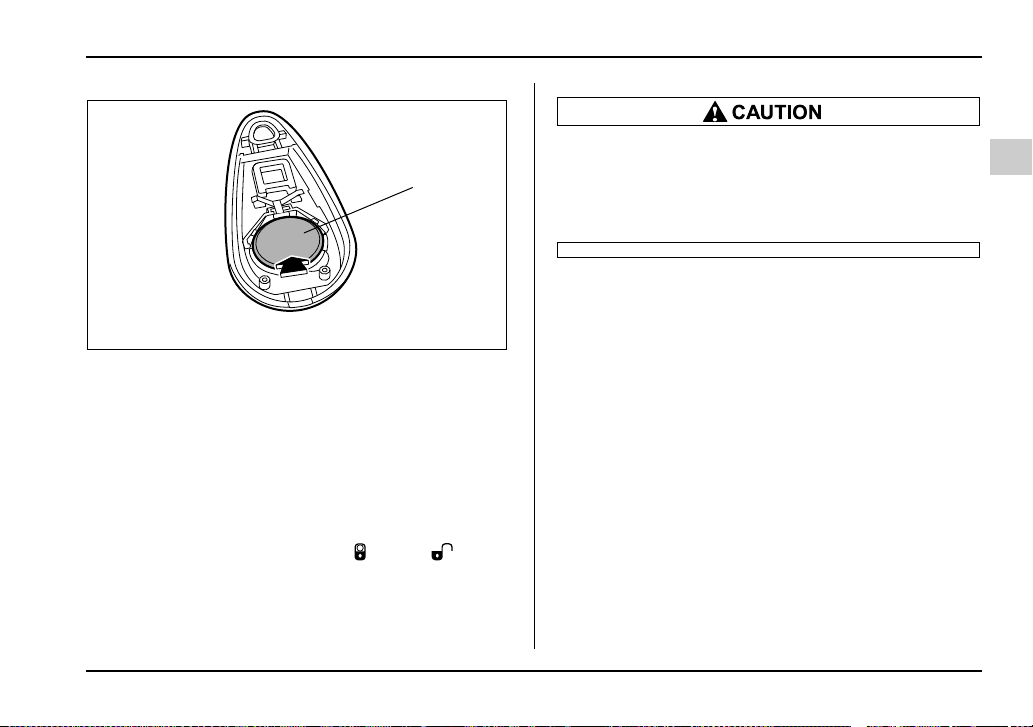
2-13
Keys and doors
– CONTINUED –
A) Negative (–) side facing up
3. Replace with a new battery (Type CR2025 or
equivalent) making sure to install the new battery with
the negative (–) side facing up.
4. Reinstall the back half of the transmitter case by
snapping it back on.
After the battery is replaced, the transmitter must
be synchronized with the keyless entry system’s
control unit. Press either the “ ” or “ ” but-
ton six times to synchronize the unit.
y Do not let dust, oil or water get on or in the
transmitter when replacing the battery.
y Be careful not to damage the printed circuit
board in the transmitter when replacing the bat-
tery.
Replacing lost transmitters
If you lose a transmitter or want to purchase additional
transmitters (up to four can be programmed), you
should re-program all of your transmitters for security
reasons. It is recommended that you have your dealer
program all of your transmitters into your system.
T Programming the transmitters
The keyless entry system is equipped with a special
code learning feature that allows you to program new
transmitter codes into the system or to delete old
ones. The system can learn up to four unique transmit-
ter codes. The four transmitter codes may be the
same or different.
A
UB2210BB
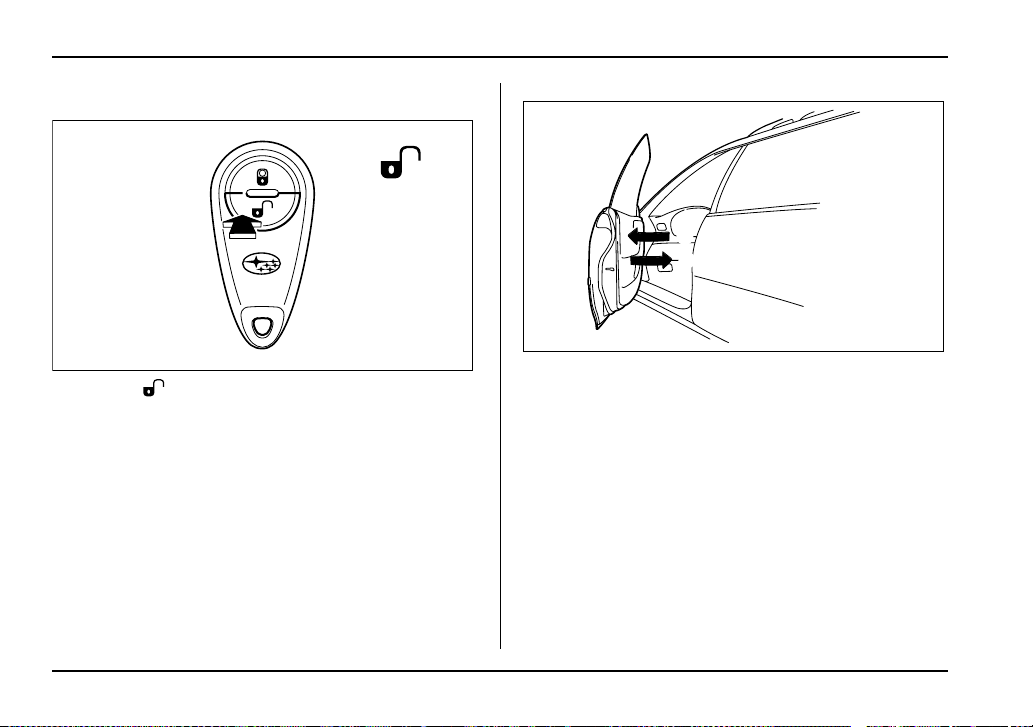
2-14
Keys and doors
To enter the programming mode:
0
1. Press “ ” button to disarm the security system.
(If your vehicle is equipped with the optional security
system.)
2. Open the driver’s door and sit in the driver’s seat.
3. Close the driver’s door.
UG2042CA
3
2
HS2019BD
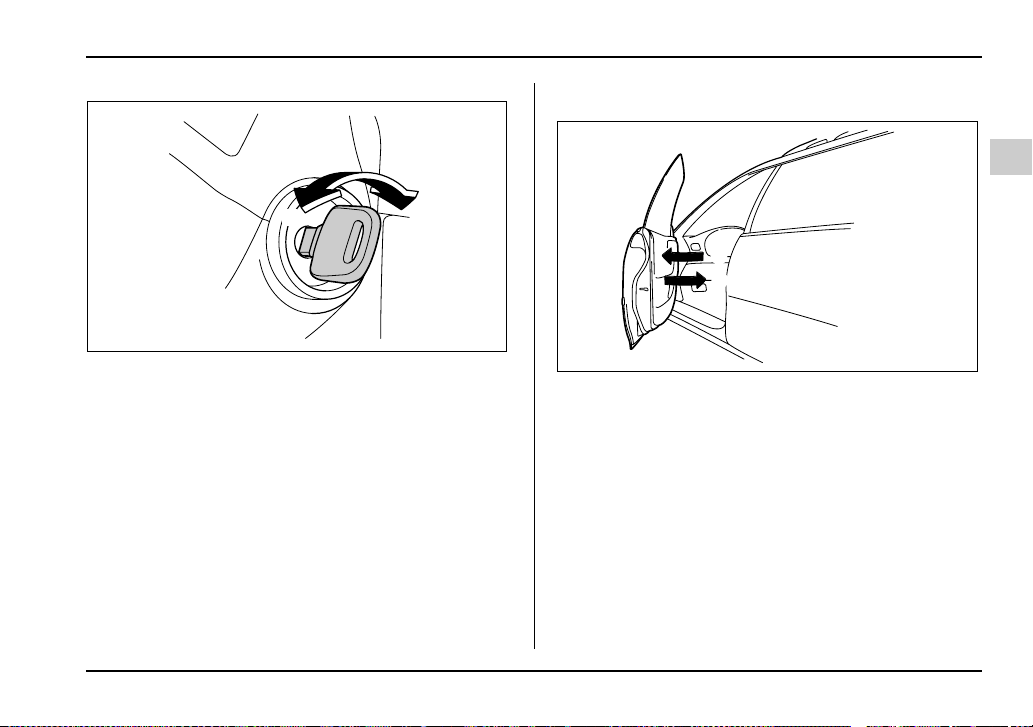
2-15
Keys and doors
– CONTINUED –
1) ON
2) LOCK
4. Place the ignition key into the ignition switch and
cycle the switch from LOCK to ON ten times within 15
seconds. Be sure to stop at the LOCK position. The
horn will sound once to indicate that you are in the
transmitter programming mode.
NOTE
You must finish the next step (opening the driver’s
door) within 45 seconds of starting this proce-
dures.
To program the transmitters:
0
1. Open the driver’s door.
2. Close the driver’s door.
1
2
HS2020BB
1
2
HS2019BE

2-16
Keys and doors
3. Press and release any button on the transmitter
that you wish to program into the system. The horn will
sound twice to indicate that the transmitter has been
programmed.
Any additional transmitters can also be programmed
at this time. Repeat steps 1 through 3 for an additional
transmitter.
To exit the programming mode:
1. After all of your transmitters are programmed, re-
move the key from the ignition switch.
The horn will sound three times to indicate that the
system has exited the programming mode.
2. Make sure that the keyless entry system properly
operates by operating each transmitter.
T Deleting old transmitter codes
The control unit of the keyless entry system has four
memory locations to store transmitter codes, giving it
the ability to operate with up to four transmitters. When
you lose a transmitter, the lost transmitter’s code re-
mains in the memory. For security reasons, lost trans-
mitter codes should be deleted from the memory.
To delete old transmitter codes, program four trans-
mitter codes into the system. If you have only one cur-
rent transmitter, program it four times. If you have two
current transmitters, program each one twice. If you
have three current transmitters, program two of them
once and the third one twice. This process will leave
only current transmitter codes in the system’s memo-
ry.
NOTE
Make sure no one else is operating their keyless
entry system within range of your vehicle when
programming transmitters. If someone else were
to operate their remote transmitter while you are
programming your transmitters, it is possible that
their transmitter code will be programmed into
your system, allowing them unauthorized access
to your vehicle.
UG2042BA
2-17
Keys and doors
– CONTINUED –
Security system (if equipped)
The security system helps to protect your vehicle and
valuables from theft. The horn sounds and the turn
signal lights flash if someone attempts to break into
your vehicle. The starter motor is also interrupted to
prevent starting the vehicle without a key.
The system can be armed and disarmed with the re-
mote transmitter.
The system does not operate when the key is inserted
into the ignition switch.
System operation
The security system will give the following alarm indi-
cations when triggered:
y The turn signal lights will flash and the horn will
sound intermittently. In addition, the starter motor will
not operate.
y The alarm automatically resets after 30 seconds;
however, the alarm will reactivate if the vehicle is tam-
pered with again. The alarm will continue for six times
if any sensor continues to be activated.
The alarm is triggered by:
y Opening a door, the rear gate or trunk lid.
y Application of physical shock to the vehicle (e.g.
forced entry). Note that there are two alarm levels for
shock: warning and alarm. In warning mode, the alarm
detects lower level vibrations and triggers 2 warning
chirps on the horn and two flashes on the lights as a
deterrent to would be vandals. In alarm mode, higher
levels of shock are detected and the system will go
into full alarm.
y Ignition switch being turned on while in armed state.
NOTE
With the valet mode selected, the security system
does not operate when the remote transmitter is
used for locking and unlocking. The security indi-
cator light in the combination meter flashes twice
per second to show that the valet mode is select-
ed. For details, refer to “Valet mode” in this sec-
tion.
Arming the system
T To arm the system using remote transmitter
1. Close all windows.
2. Remove the key from the ignition switch.
3. Open the doors and get out of the vehicle.
4. Make sure that the engine hood (and the trunk lid)
are locked.
5. Close all doors (and the rear gate on the Wagon).
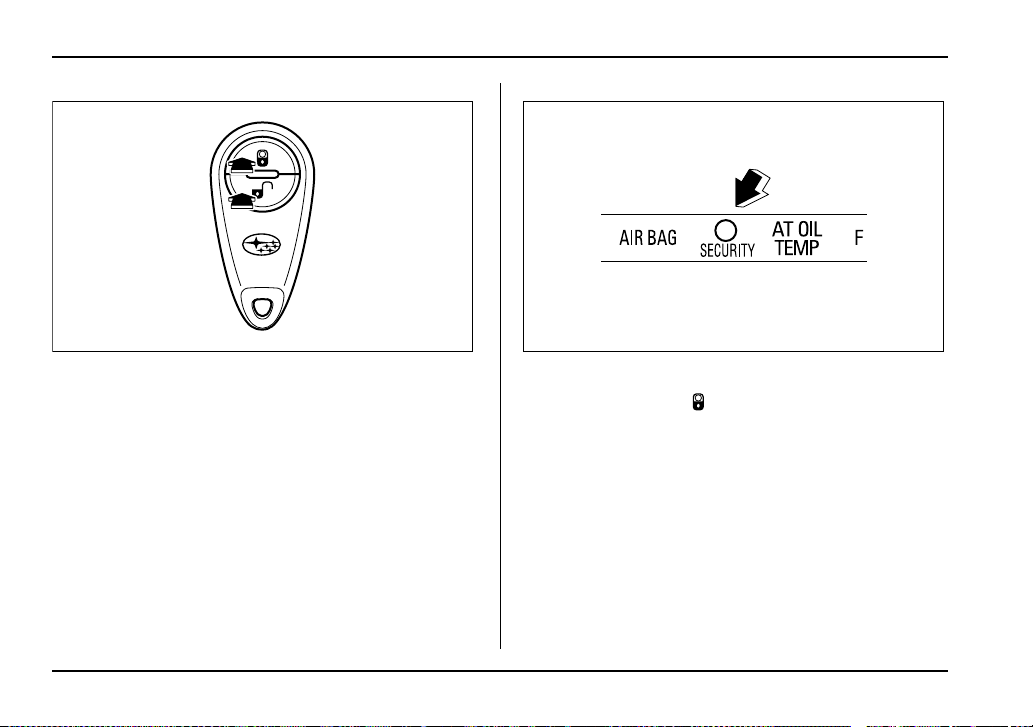
2-18
Keys and doors
1) Press to Arm the system.
2) Press to Disarm the system.
Security indicator light
6. Briefly press the “ ” button (for less than two sec-
onds). All doors (and the rear gate on the Wagon) will
lock, an electronic chirp will sound once, the turn sig-
nal lights will flash once, and the security indicator light
will flash as follows:
All models except WRX-STi: once every approximate-
ly two seconds
WRX-STi: twice every approximately two seconds
If any of the doors (or the rear gate or the trunk lid) is
not fully closed, an electronic chirp sounds five times,
the turn signal lights flash five times to alert you that
the doors (or the rear gate or the trunk lid) are not
UG2042BB
2
1
UG2030BA
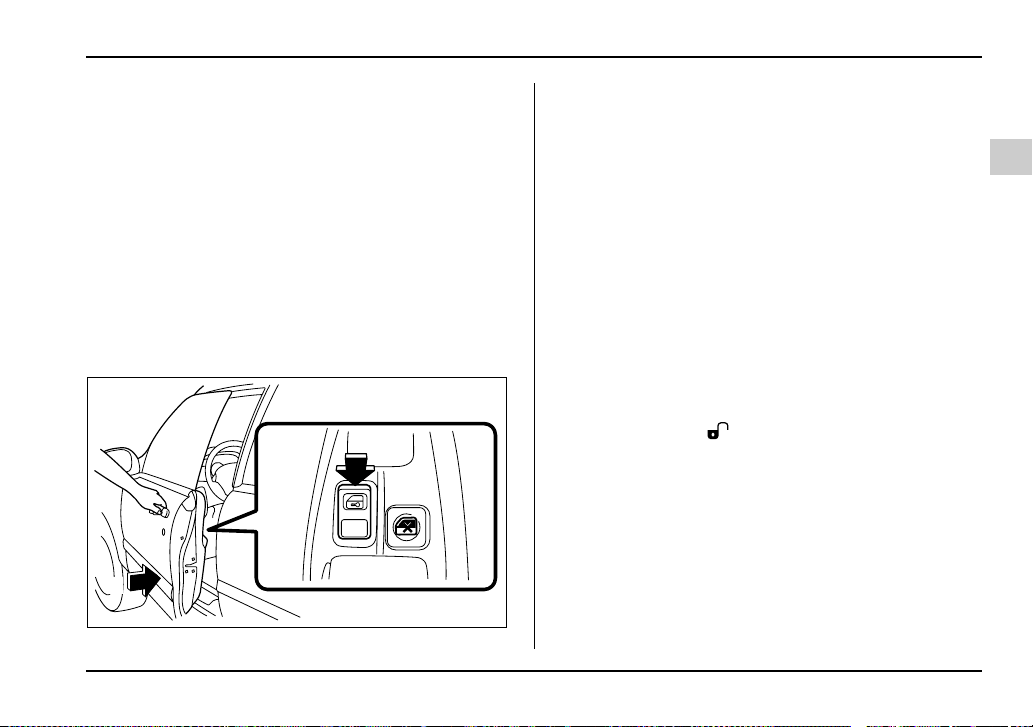
2-19
Keys and doors
– CONTINUED –
properly closed. When you close the door, the system
will automatically arm and doors will automatically
lock.
T To arm the system using power door locking
switches
1. Close all windows.
2. Remove the key from the ignition switch.
3. Open the doors and get out of the vehicle.
4. Make sure that the engine hood (and the trunk lid)
are locked.
5. Close the doors (and the rear gate on the Wagon)
but leave only the driver’s door or the front passen-
ger’s door open.
6. Push the front side (“LOCK” side) of the power door
locking switch to set the door locks.
7. Close the door. An electronic chirp will sound once,
the turn signal lights will flash once and the security in-
dicator light will flash as follows:
All models except WRX-STi: once every approximate-
ly two seconds
WRX-STi: twice every approximately two seconds
NOTE
The system can be armed even if the engine hood
and/or the windows are opened. Always make
sure that they are fully closed before arming the
system.
Disarming the system
Briefly press the “ ” button (for less than two sec-
onds) on the remote transmitter. The driver’s door will
unlock, an electronic chirp will sound twice, the turn
signal lights will flash twice and the security indicator
light will go off.
NOTE (WRX-STi)
If your vehicle is equipped with an immobilizer, the
immobilizer’s function will cause the security indi-
cator light to flash (once every approximately
three seconds) even after the system is disarmed.
6
7
UG2038BB
2-20
Keys and doors
Refer to “Immobilizer (WRX-STi)” in this chapter
for further details.
To unlock all other doors (and the rear gate on the
Wagon), briefly press the “ ” button a second
time.
T Emergency disarming
If you cannot disarm the system using the transmitter
(i.e. the transmitter is lost, broken or the transmitter
battery is too weak), you can disarm the system with-
out using the transmitter.
To disarm the system:
1. Unlock the door with the key and then open the
door.
2. The alarm will sound.
3. Insert the key into the ignition switch and cycle it
from the “LOCK” to the “ON” position three (3) times
within 5 seconds.
Valet mode
When you choose the valet mode, the security system
does not operate. In valet mode, the remote transmit-
ter is used only for locking and unlocking the doors
(and rear gate on the Wagon) and panic activation.
To enter the valet mode, open the driver’s door and
keep the “ ” button depressed for more than two
seconds. The security indicator light will continue to
flash twice per second indicating that the system is in
the valet mode.
To exit valet mode, open the driver’s door and keep
the “ ” button pressed for more than two sec-
onds. The indicator will stop flashing.
NOTE
If the remote transmitter is used to lock or unlock
the doors while the valet mode is selected, the
turn signal lights do not flash but an electronic
chirp is emitted.
Passive arming
When passive arming mode has been programmed by
the dealer, arming of the system is automatically ac-
complished without using the remote transmitter. Note
that in this mode, DOORS MUST BE MANUALLY
LOCKED.
T To enter the passive mode
Since programming the passive arming mode is a
complicated procedure, have it done by your nearest
SUBARU dealer.
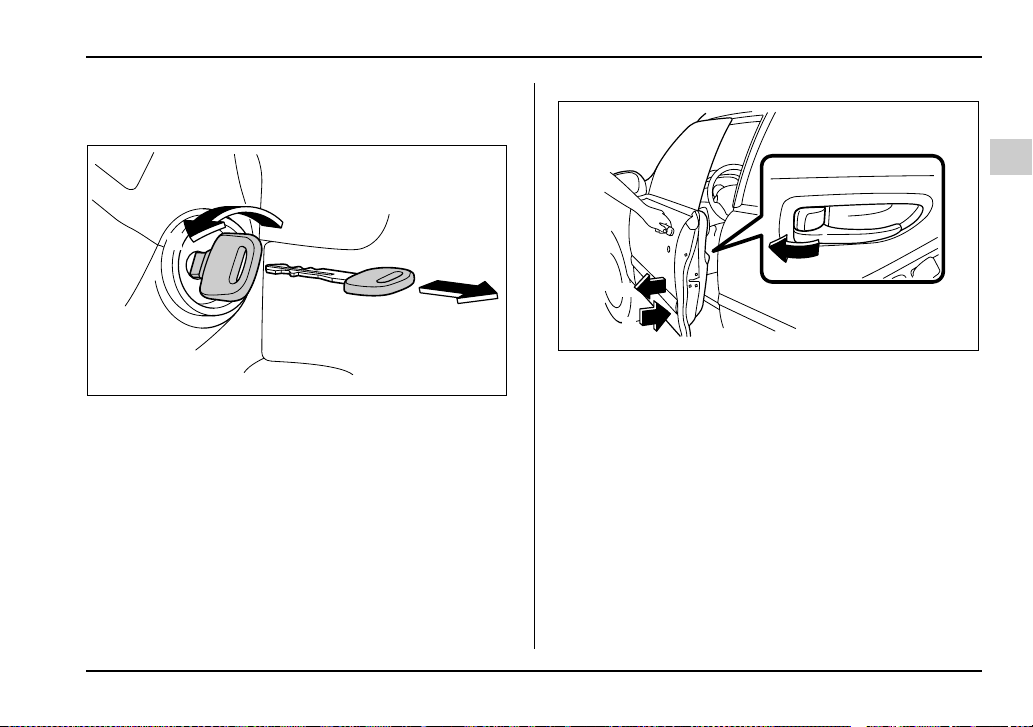
2-21
Keys and doors
– CONTINUED –
T Arming the system
1. Turn the ignition switch to the “ON” position.
1) ON
2) LOCK
2. Turn the ignition switch from “ON” to “LOCK” posi-
tion and remove the key from the ignition switch.
3. Open the doors and get out of the vehicle.
4. Before closing the doors, lock all doors with the in-
side door lock levers.
5. Close the doors. The system will automatically arm
after one minute.
In the passive mode, the system can also be armed
with the remote transmitter or with the power door
locking switches. If the remote transmitter or power
door lock switch is used to lock the vehicle, arming will
take place immediately regardless of whether or not
the passive mode has been selected.
1
2
HS2024BC
HS2013FB
4
5
3
2-22
Keys and doors
In passive mode, the system will automatically
activate the alarm but WILL NOT automatically
lock the doors. In order to lock the doors you
must either lock them as indicated in step 4
above or with the key once they have been
closed. Failure to lock the doors manually will
result in a higher security risk.
T Disarming the system
To disarm the system, briefly press the “ ” button
on the transmitter.
V Tripped sensor identification (all models ex-
cept WRX-STi)
If an electronic chirp sounds four times and the turn
signal lights flash four times when you disarm the sys-
tem, this indicates that the alarm was triggered. The
number of times the indicator light flashes indicates
what sensor caused the alarm condition.
To enter identification mode:
1. Open the driver’s door and leave it open.
2. Turn the ignition switch to the “ON” position twice.
(“LOCK” → “ON” → “LOCK” → “ON” → “LOCK”)
3. The indicator light will start flashing.
The indicator light provides the following indications.
Flashing once: Any door, the rear gate or the trunk lid
has been opened.
Flashing three times: The impact sensor in the sys-
tem’s unit has been activated. This may indicate that
your vehicle has been shocked or tampered with by
some outside force and/or unauthorized person.
Flashing four times: The ignition switch has been
turned on or the battery has been disconnected.
NOTE
The battery must be reconnected before the indi-
cator light will flash.
To exit this mode, close the door and turn the ignition
switch to the “ON” position.
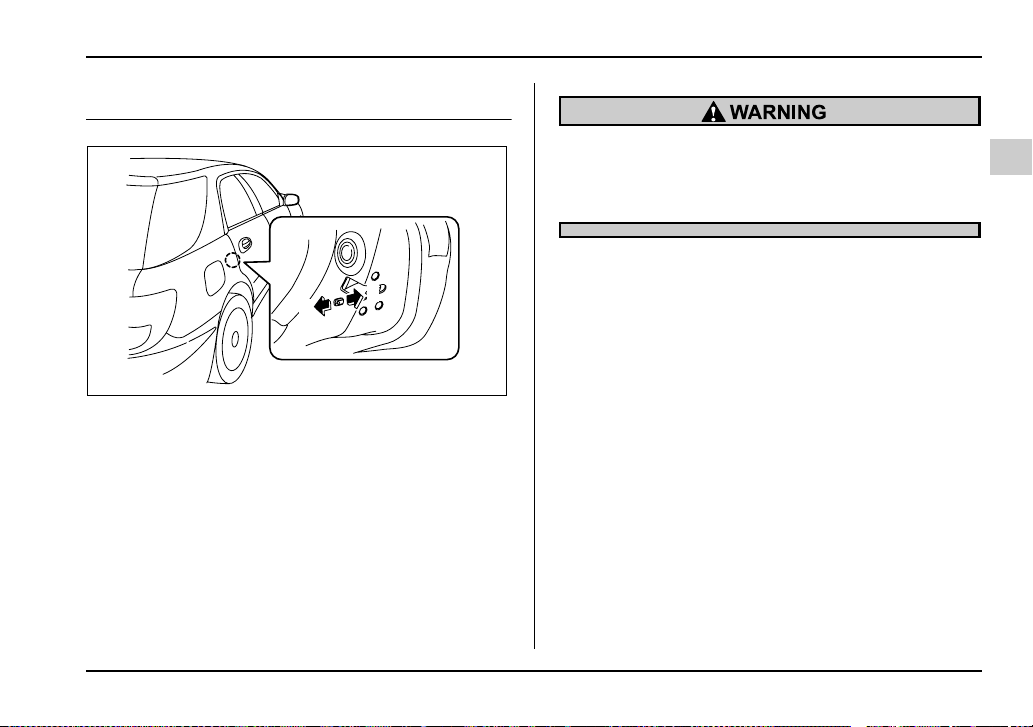
2-23
Keys and doors
– CONTINUED –
Child safety locks
1) Lock
2) Unlock
Each rear door has a child safety lock that prevents
the doors from being opened even if the inside door
handle is pulled.
When the child safety lock lever is in the lock position,
the door cannot be opened from inside regardless of
the position of the inner door handle lock lever. The
door can only be opened from the outside.
Always use the child safety lock whenever a
child rides in the rear seat. Serious injury could
result if a child accidentally opened the door
and fell out.
1
2
UG2503BB
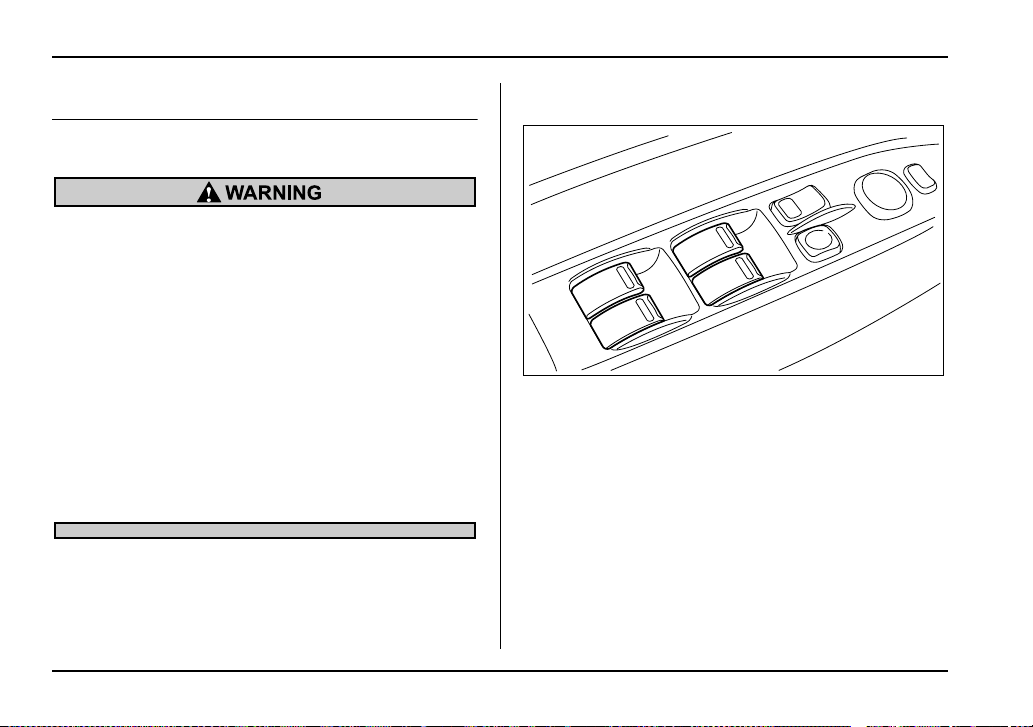
2-24
Keys and doors
Windows
Power windows
To avoid serious personal injury caused by en-
trapment, you must do the following.
y When operating the power windows, be ex-
tremely careful to prevent anyone’s fingers,
arms, neck or head from being caught in the
window.
y Always lock the passengers’ windows using
the lock switch when children are riding in the
vehicle.
y Before leaving the vehicle, always remove
the key from the ignition switch for safety and
never allow an unattended child to remain in
the vehicle. Failure to follow this procedure
could result in injury to a child operating the
power window.
The power windows operate only when the ignition
switch is in the “ON” position.
T Driver’s side switches
1) Lock switch
2) For driver’s window (with one-touch auto down fea-
ture)
3) For front passenger’s window
4) For rear left window
5) For rear right window
All door windows can be controlled by the power win-
dow switch cluster at the driver side door.
1
2
4
5
3
UG2045BB
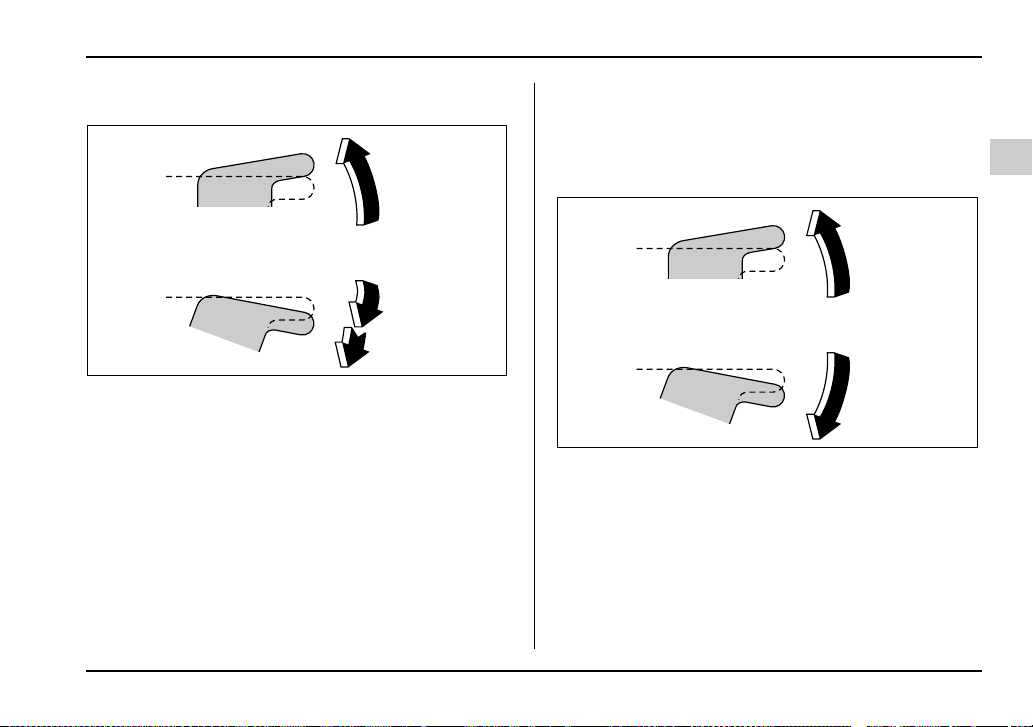
2-25
Keys and doors
– CONTINUED –
V Operating the driver’s window
1) Open
2) Automatically open
3) Close
To open:
Push the switch down lightly and hold it. The window
will open as long as the switch is held.
This switch also has a one-touch auto down feature
that allows the window to be opened fully without hold-
ing the switch.
Push the switch down until it clicks and release it, and
the window will fully open. To stop the window half-
way, pull the switch up lightly.
To close:
Pull the switch up lightly and hold it. The window will
close as long as the switch is held.
V Operating the passengers’ windows
To open the passengers’ windows, push the appropri-
ate switch down and hold it until the window reaches
the desired position.
To close the window, pull the switch up and hold it until
it reaches the desired position.
3
1
2
HS2027BB
HS2027CA
2-26
Keys and doors
V Locking the passengers’ windows
1) Lock
2) Unlock
To lock the passengers’ windows, push the lock
switch. When the lock switch is in the “LOCK” position,
the passengers’ windows cannot be opened or closed.
T Passengers’ side switches
To open the window, push the switch down and hold it
until the window reaches the desired position.
To close the window, pull the switch up and hold it until
the window reaches the desired position.
When the lock switch on the power window switch
cluster, located on the driver’s side door, is in the
“LOCK” position, the passengers’ windows cannot be
operated with the passengers’ switches.
1
2
HS2028BB
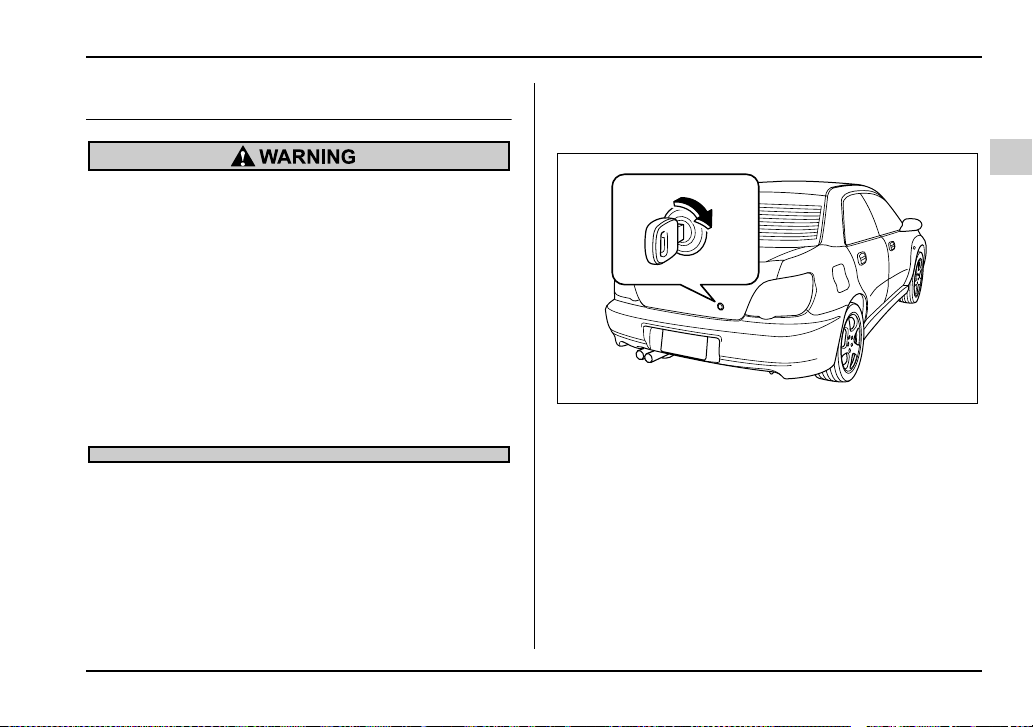
2-27
Keys and doors
– CONTINUED –
Trunk lid (Sedan)
y To prevent dangerous exhaust gas from en-
tering the vehicle, always keep the trunk lid
closed while driving.
y Help prevent young children from locking
themselves in the trunk. When leaving the vehi-
cle, either close all windows and lock all doors
or cancel the inside trunk lid release. Also make
certain that the trunk is closed.
On hot or sunny days, the temperature in the
trunk could quickly become high enough to
cause death or serious heat-related injuries in-
cluding brain damage, particularly for small
children.
To open and close the trunk lid from
outside
To open the trunk lid from outside, insert the key and
turn it clockwise.
To close the trunk lid, lightly press the trunk lid down
until the latch engages.
UG2047BA
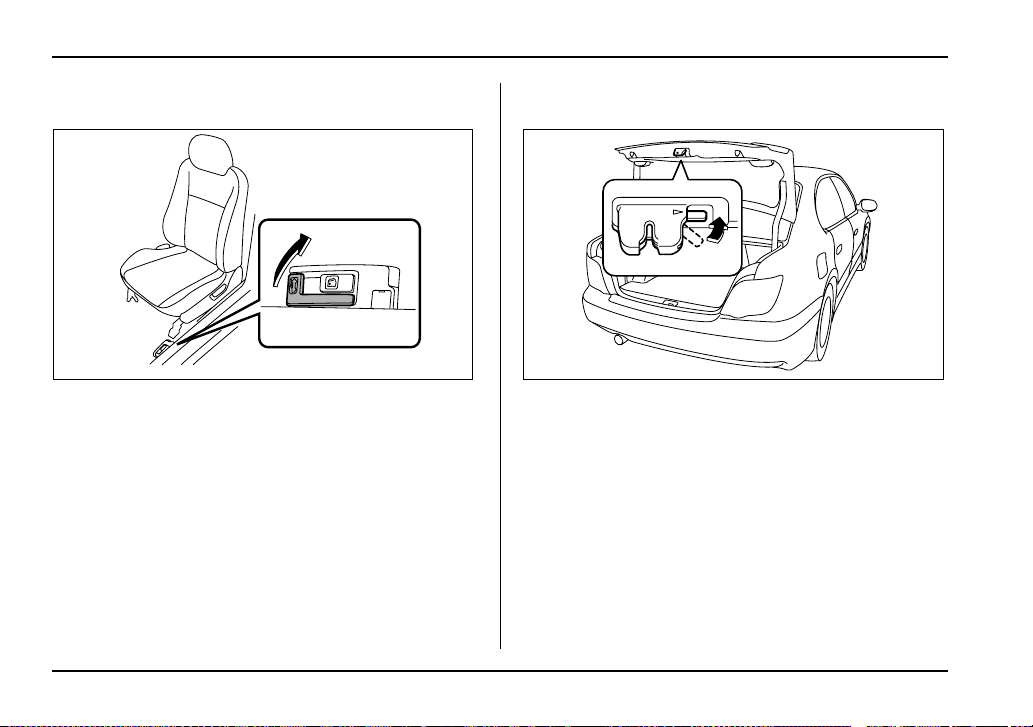
2-28
Keys and doors
To open the trunk lid from inside
1) Open
Pull the trunk lid release lever upward.
To cancel the trunk lid release
The inside trunk lid release can be cancelled to help
prevent unauthorized entry into the trunk. To cancel
the trunk lid release, set the lid release cancel lever
(located on the inside of the trunk lid, mounted to the
trunk lid latch) to the “CANCEL” position. When this
lock is in the “CANCEL” position, the trunk can be
opened only with the key.
Internal trunk lid release handle
The internal trunk lid release handle is a device de-
signed to open the trunk lid from inside the trunk. In the
event children or adults become locked inside the
1
UG2511BB UG2048BA
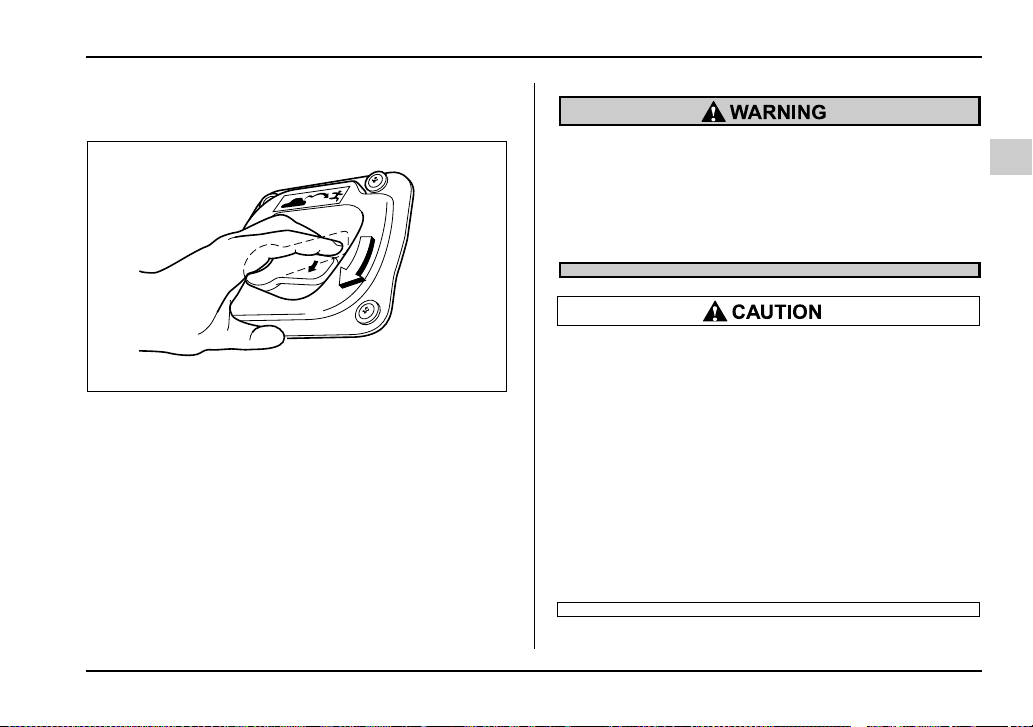
2-29
Keys and doors
– CONTINUED –
trunk, the handle allows them to open the lid. The han-
dle is located on the inside of the trunk lid.
To open the trunk lid from inside the trunk, press the
yellow handle downward as indicated by the arrow on
the handle.
This operation unlocks the trunk lid. Then, push up the
lid.
The handle is made of material that remains lumines-
cent for approximately an hour in the dark trunk space
after it is exposed to ambient light even for a short
time.
Never allow any child to get in the trunk and
play with the release handle. If the driver starts
the vehicle without knowing that a child is in-
side the trunk and the child opens the lid using
the release handle, the child could fall out and
be killed or seriously injured.
y Do not close the lid while gripping the release
handle. The handle may be damaged.
y Do not use the handle as a hook to fasten
straps or ropes to secure your cargo in the
trunk. Such use may result in damage of the
handle.
y Load the trunk so that cargo can not strike
the release handle. If the cargo hits the handle
while the vehicle is being driven, the handle
may be pushed down and the trunk lid may
open. That may cause cargo to fall out of the
trunk, which could create a traffic safety haz-
ard.
UG2031BA
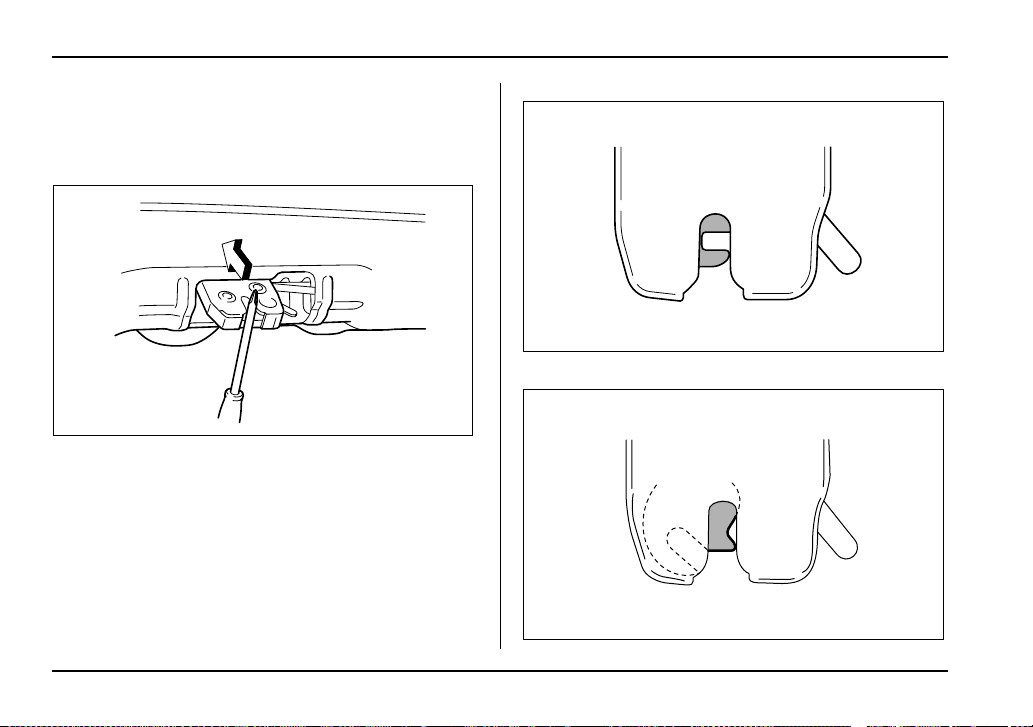
2-30
Keys and doors
T Inspection
Perform the following steps at least twice a year to
check the release handle for correct operation.
1. Open the trunk lid.
2. Use a screwdriver with a thin blade. Slide the
screwdriver blade from the slit aperture of the lock as-
sembly fully to the end until you hear a click.
This places the latch in the locked position.
UG2032BA
UG2033BA
UG2034BA
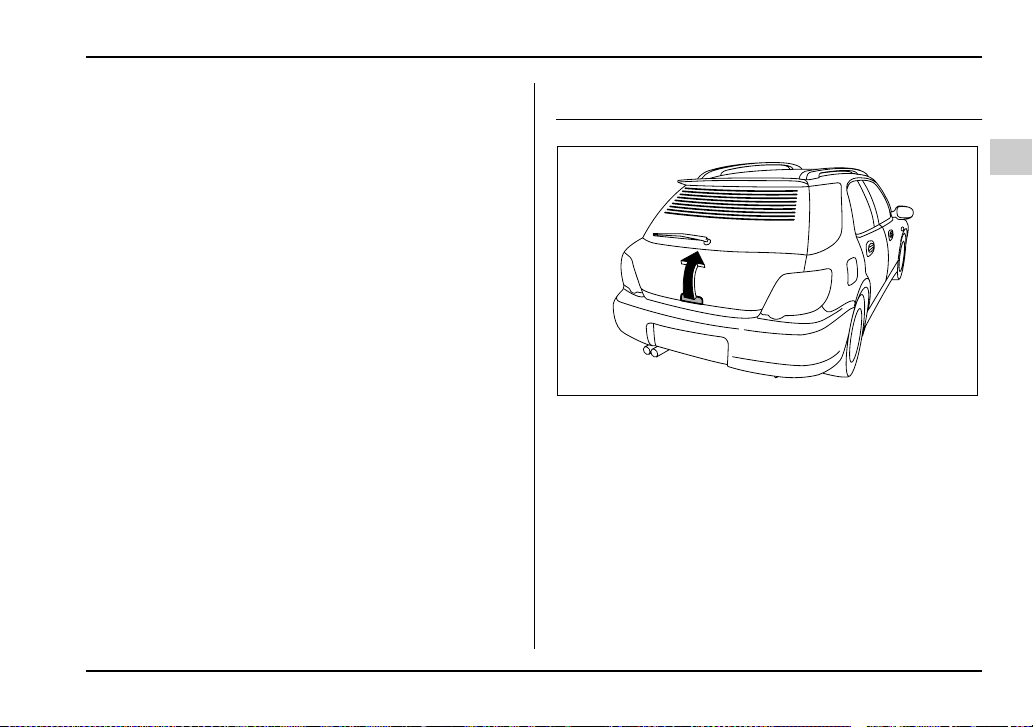
2-31
Keys and doors
– CONTINUED –
3. Move the release handle, from outside the vehicle,
in the direction of the arrow to check if the latch is re-
leased.
If the latch is not released, contact your SUBARU
dealer.
In that case, use the key to release the latch, then
close the trunk lid.
Also, if the movements of the release handle feel re-
stricted or not entirely smooth during operation, or the
handle and/or handle base is cracked, contact your
SUBARU dealer.
Rear gate (Wagon)
The rear gate can be locked and unlocked using either
the keyless entry system or the power door locking
switches.
Refer to the “Power door locking switches” and “Re-
mote keyless entry system” sections in this chapter.
To open the rear gate, first unlock the rear gate lock
then pull the outside handle up.
Then, hold the rear gate and raise it as high as it will
go.
UG2049BA
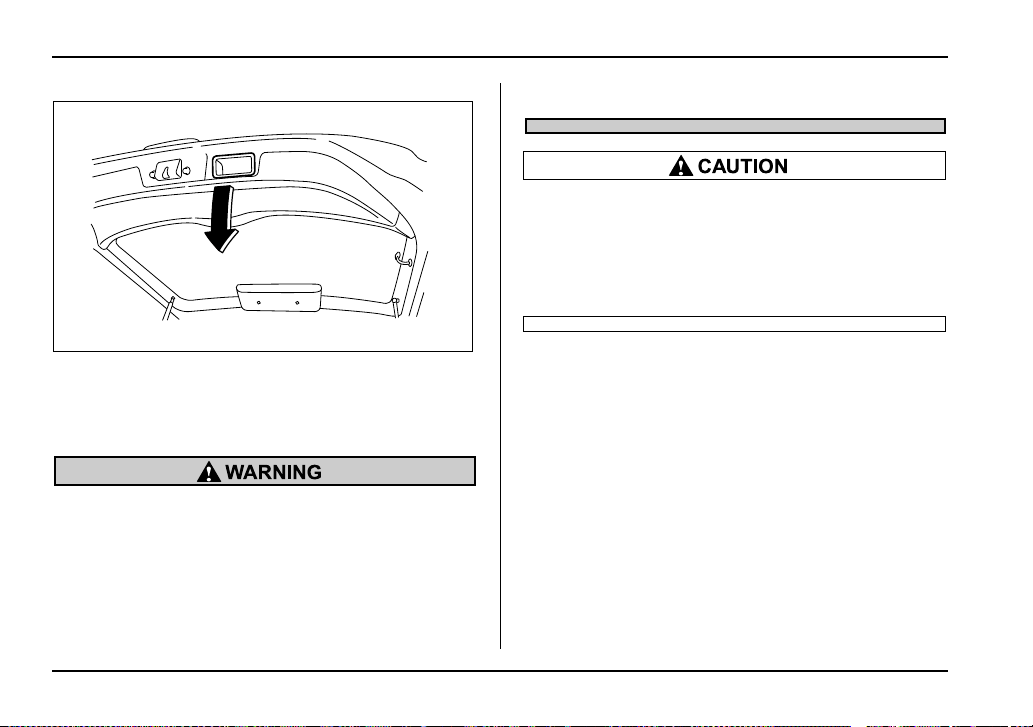
2-32
Keys and doors
To close the rear gate, lower it slowly and push down
firmly until the latch engages.
The rear gate can be lowered easily if you pull down
on the recessed grip.
y To prevent dangerous exhaust gas from en-
tering the vehicle, always keep the rear gate
closed while driving.
y Do not attempt to shut the rear gate while
holding the recessed grip. Also avoid closing
the rear gate by pulling on the recessed grip
from inside the cargo space. There is a danger
of your hand being caught and injured.
Do not jam a plastic bag in or place cellophane
tape on the rear gate stays or scratch the stays
while loading or unloading cargo. That could
cause leakage of gas from the stays, which may
result in their inability to hold the rear gate
open.
NOTE
If the rear gate cannot be unlocked due to a dis-
charged battery, a fault in the door locking/unlock-
ing system or other causes, you can unlock it by
manually operating the rear gate lock release le-
ver.
For the procedure, refer to “Rear gate – if the rear
gate cannot be unlocked” in chapter 9 “In case of
emergency”.
UG2512BA
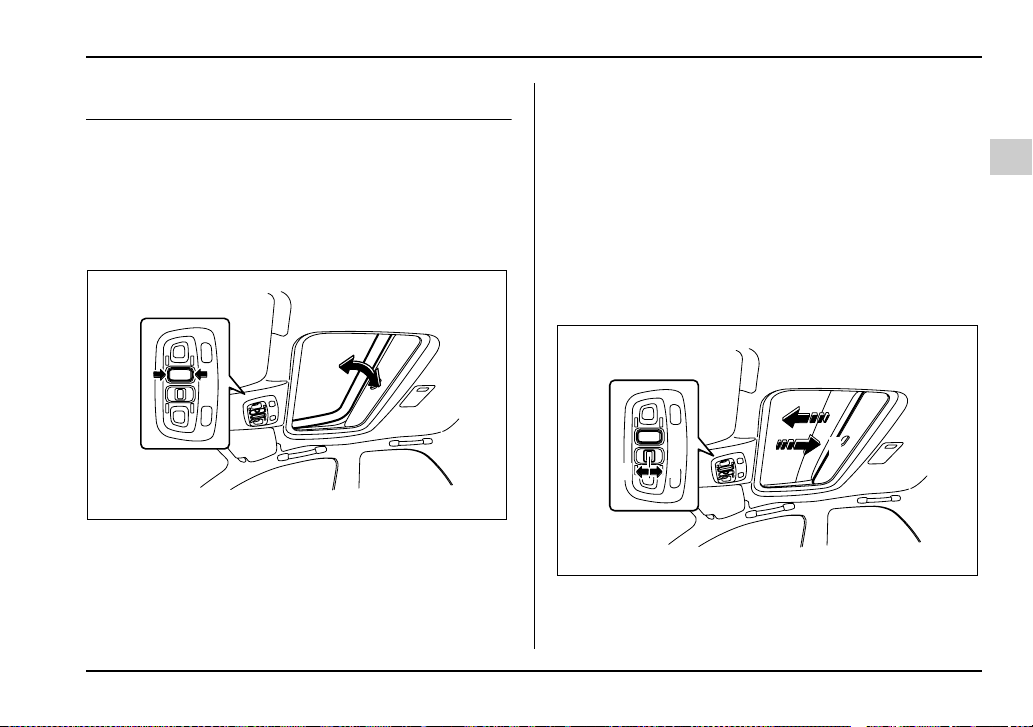
2-33
Keys and doors
– CONTINUED –
Moonroof (if equipped)
The moonroof has both tilting and sliding functions.
The moonroof operates only when the ignition switch
is in the “ON” position.
Tilt function
1) Tilt up
2) Lower
The tilting function will only operate when the moon-
roof is fully closed.
Push the rear side of the “Tilt” switch to raise the
moonroof.
Push the front side of the “Tilt” switch to lower the
moonroof.
Release the switch after the moonroof has been
raised or has been lowered completely. Pushing the
switch continuously may cause damage to the moon-
roof.
Sliding function
1) Open
2) Close
1
2
1
2
UG2508BB
1
2
2
1
UG2509BB

2-34
Keys and doors
Push the “Open/Close” switch rearward to open the
moonroof. The sun shade will be also opened together
with the moonroof.
Push the “Open/Close” switch forward to close the
moonroof. The moonroof will stop halfway if you con-
tinue to press on the switch. Release the switch once
and push it again to close the moonroof completely.
After washing the vehicle or after it rains, wipe away
water on the roof prior to opening the moonroof to pre-
vent water drops from falling into the passenger com-
partment.
NOTE
If the moonroof cannot be closed through switch
operation because of system failure, it can be
closed manually using a hex-head wrench. For the
procedure, refer to “Moonroof – if the moonroof
cannot be closed” in Chapter 9 “In case of emer-
gency”.
y Never let anyone’s hands, arms, head or any
objects protrude from the moonroof. A person
could be seriously injured if the vehicle stops
suddenly or turns sharply or if the vehicle is in-
volved in an accident.
To avoid serious personal injury caused by en-
trapment, you must do the following:
y Before closing the moonroof, make sure that
no one’s hands, arms, head or other objects
will be accidentally caught in the moonroof.
y Before leaving the vehicle, always remove
the key from the ignition switch for safety and
never allow an unattended child to remain in
the vehicle. Failure to follow this procedure
could result in injury to a child operating the
moonroof.
y Do not sit on the edge of the open moonroof.
y Do not operate the moonroof if falling snow
or extremely cold conditions have caused it to
freeze shut.
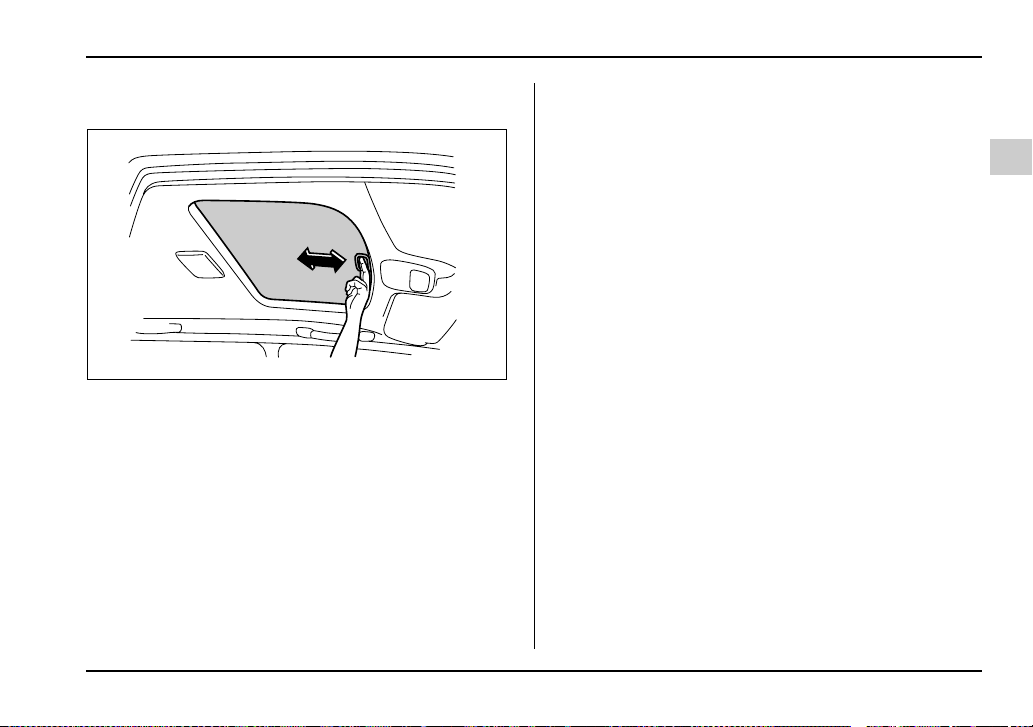
2-35
Keys and doors
– CONTINUED –
Sun shades
The sun shade can be slid forward or backward by
hand while the moonroof is closed.
If the moonroof is opened, the sun shade also moves
back.
UG2510BA


3-1
3
Instruments and controls
Ignition switch .............................................. 3-3
LOCK .................................................................. 3-3
ACC .................................................................... 3-4
ON ....................................................................... 3-4
START ................................................................ 3-4
Key reminder chime .......................................... 3-5
Ignition switch light .......................................... 3-5
Key interlock release (AT vehicles only) ........ 3-6
Hazard warning flasher ................................ 3-7
Meters and gauges (WRX-STi) .................... 3-7
Combination meter illumination ...................... 3-7
Cancelling sequential illumination of the
combination meter ......................................... 3-7
Speedometer ..................................................... 3-8
Odometer/Trip meter ........................................ 3-8
Tachometer ........................................................ 3-9
Fuel gauge ......................................................... 3-10
Temperature gauge ........................................... 3-11
Outside temperature indicator ......................... 3-12
REV indicator light and buzzer
(WRX-STi) .................................................. 3-13
Setting the alarm-level engine speed .............. 3-13
Deactivating the REV alarm system ................ 3-15
Meters and gauges (Except WRX-STi) ........ 3-15
Speedometer ..................................................... 3-15
Odometer/Trip meter ........................................ 3-15
Tachometer ........................................................ 3-16
Fuel gauge ......................................................... 3-17
Temperature gauge ........................................... 3-18
Outside temperature indicator (if equipped) .. 3-19
Warning and indicator lights ....................... 3-20
Seatbelt warning light and chime .................... 3-20
SRS airbag system warning light .................... 3-20
CHECK ENGINE warning light/
Malfunction indicator lamp ........................... 3-21
Charge warning light ........................................ 3-22
Oil pressure warning light ............................... 3-22
AT OIL TEMPerature warning light
(for AT vehicles) ............................................. 3-22
Rear differential oil temperature warning light
(WRX-STi) ........................................................ 3-23
ABS warning light ............................................. 3-23
Brake system warning light ............................. 3-24
Door open warning light .................................. 3-26
All-wheel drive warning light
(for AWD AT vehicles – if equipped) ............ 3-26
Intercooler water spray warning light
(WRX-STi) ........................................................ 3-26
Selector lever position indicator
(AT vehicles) ................................................... 3-27
Turn signal indicator lights .............................. 3-27
High beam indicator light.................................. 3-27
Cruise control indicator light ........................... 3-27
Cruise control set indicator light .................... 3-27
Driver’s control center differential auto
indicator light (WRX-STi) ............................... 3-28
Driver’s control center differential
indicator lights (WRX-STi) ............................. 3-28
Headlight indicator light (WRX-STi) ................ 3-28
REV indicator light (WRX-STi) ......................... 3-28
Clock .............................................................. 3-29
Light control switch ...................................... 3-30
Headlights ......................................................... 3-30

3-2
Instruments and controls
High/low beam change (dimmer) .................... 3-31
Headlight flasher .............................................. 3-31
Daytime running light system
(except U.S.-spec. WRX-STi) ......................... 3-32
Turn signal lever ........................................... 3-32
Illumination brightness control ................... 3-33
Illumination brightness control
(WRX-STi) .................................................. 3-34
Headlight beam leveler
(U.S.-spec. WRX-STi) ................................ 3-34
Parking light switch ..................................... 3-35
Fog light button (if equipped) ..................... 3-36
Wiper and washer ......................................... 3-36
Windshield wiper and washer switches ......... 3-38
Rear window wiper and washer switch
– Wagon .......................................................... 3-40
Rear window defogger button ..................... 3-41
Windshield wiper deicer (if equipped) ........ 3-43
Intercooler water spray switch
(WRX-STi) .................................................. 3-44
Mirrors ........................................................... 3-45
Inside mirror ...................................................... 3-45
Outside mirrors ................................................. 3-48
Tilt steering wheel ........................................ 3-50
Horn ............................................................... 3-51
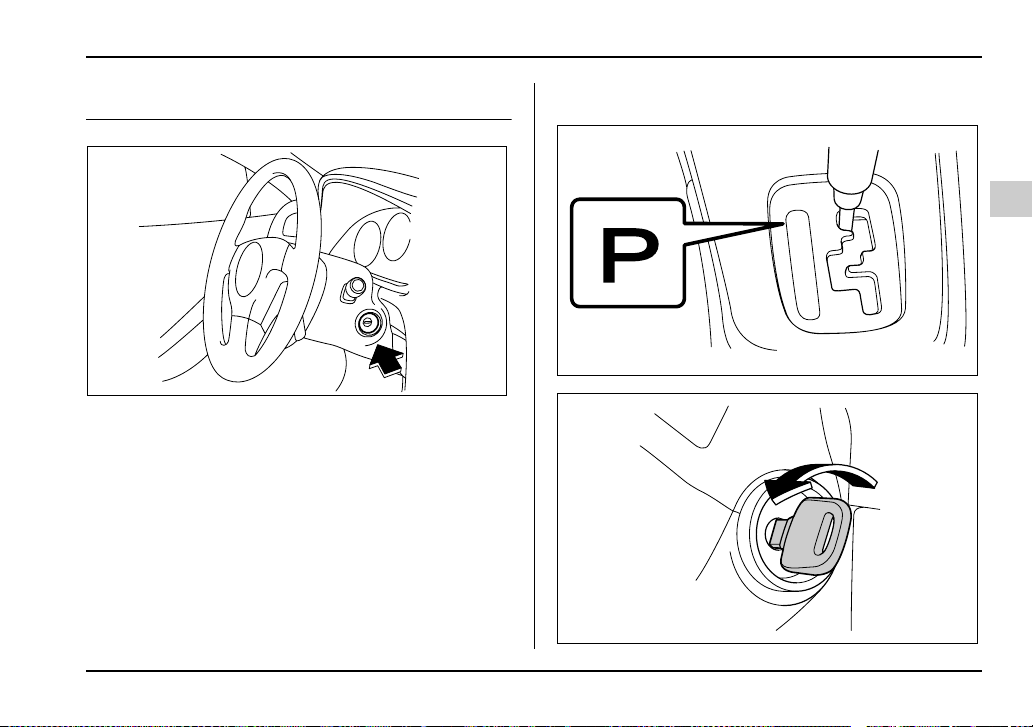
3-3
Instruments and controls
– CONTINUED –
Instruments and controls
Ignition switch
The ignition switch has four positions: LOCK, ACC,
ON and START.
LOCK
The key can only be inserted or removed in this posi-
tion. The ignition switch will lock the steering wheel
when you remove the key.
If turning the key is difficult, turn the steering wheel
slightly to the right and left as you turn the key.
T Automatic transmission vehicles
UG3044BA
HS3015BA
HS2020CA
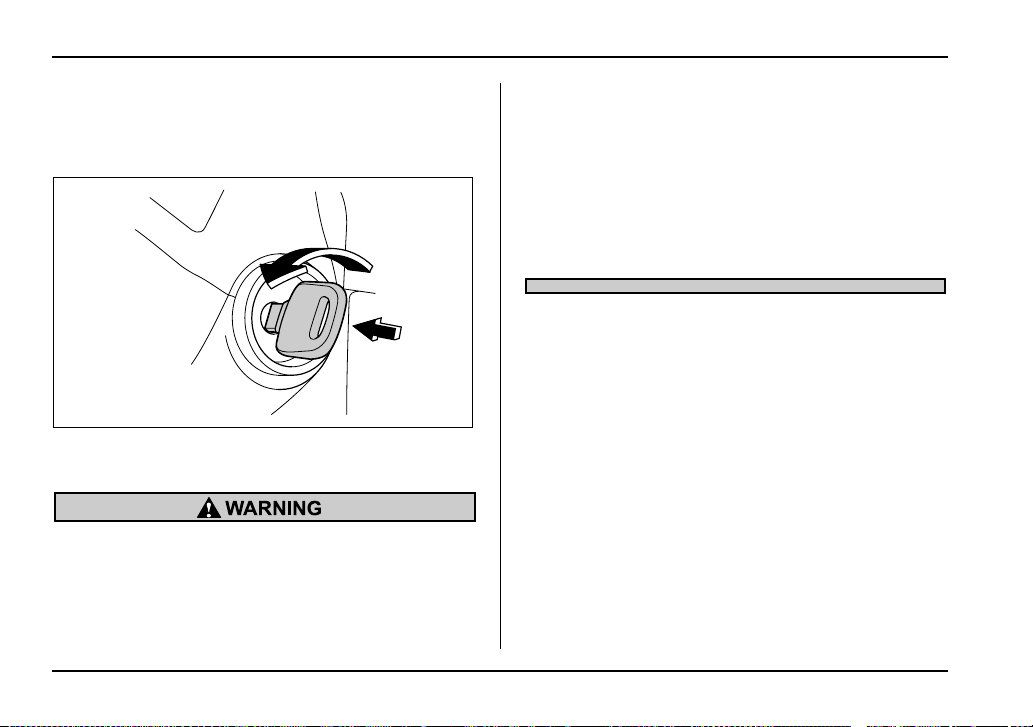
3-4
Instruments and controls
The key can be turned from “ACC” to “LOCK” only
when the selector lever is in the “P” position.
T Manual transmission vehicles
The key can be turned from “ACC” to “LOCK” only
when the key is pushed in while turning it.
y Never turn the ignition switch to “LOCK”
while the vehicle is being driven or towed be-
cause that will lock the steering wheel, prevent-
ing steering control. And when the engine is
turned off, it takes a much greater effort than
usual to steer.
y Before leaving the vehicle, always remove
the key from the ignition switch for safety and
never allow an unattended child to remain in
the vehicle. Failure to follow this procedure
could result in injury to a child or others. They
could operate the power windows, the sunroof
or other controls or even make the vehicle
move.
ACC
In this position the electrical accessories (radio, ciga-
rette lighter, etc.) can be used.
ON
This is the normal operating position after the engine
is started.
START
The engine is started in this position. The starter
cranks the engine to start it. When the key is released
(after the engine has started), the key automatically
returns to the “ON” position.
HS2020DA

3-5
Instruments and controls
– CONTINUED –
Do not turn the ignition switch to the “START”
position while the engine is running.
T For vehicle with immobilizer
If you fail to start your engine with your registered key,
once pull out the key (at this time, the security indicator
light blinks), and then insert the key in the ignition
switch and turn it to the “START” position to start your
engine again.
NOTE
The engine may not start in the following cases:
y The key grip is touching another key or a metal-
lic key holder.
y The key is near another key that contains an im-
mobilizer transponder.
Key reminder chime
The reminder chime sounds when the driver’s door
opens and the key is in the “LOCK” or “ACC” positions.
The chime stops when the key is removed from the ig-
nition switch.
Ignition switch light
For easy access to the ignition switch in the dark, the
UG3049BA
UG3050BA
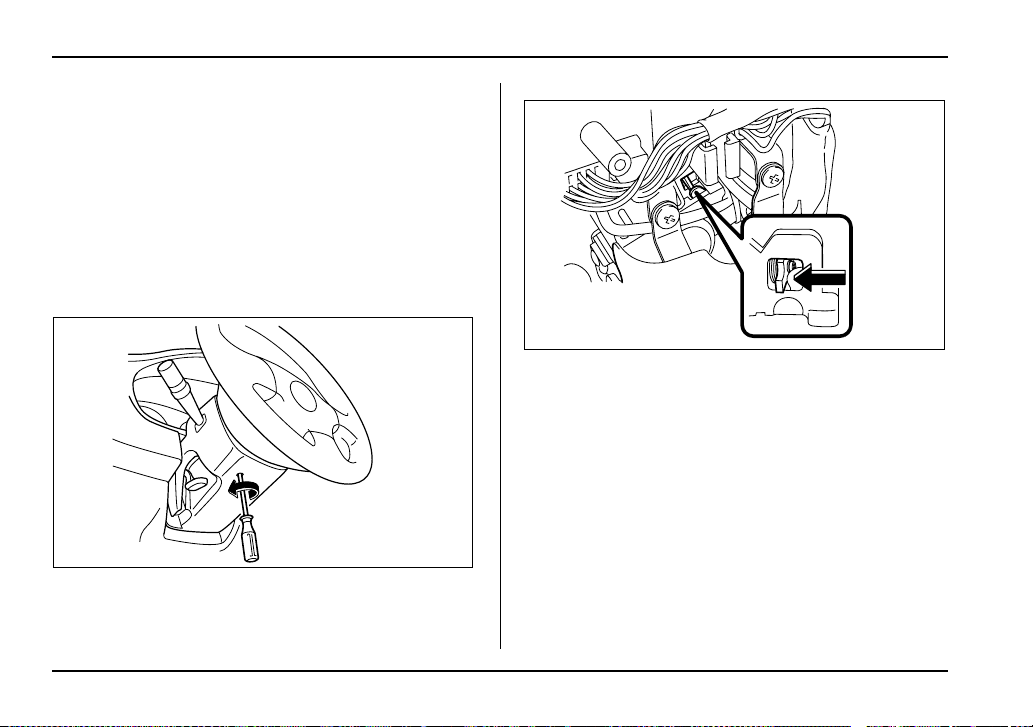
3-6
Instruments and controls
ignition switch light comes on when driver’s door is
opened. The light remains on for 10 seconds and goes
out after driver’s door is closed or if the key is turned
to the “ON” position.
Key interlock release (AT vehicles
only)
If the key can not be turned to the “LOCK” position
even when the selector lever is in the “P” position:
1. Take out the screwdriver from the tool bag.
2. Remove the cover under the steering column using
a Phillips screwdriver.
3. Turn the ignition key while pressing the key inter-
lock release lever.
Take your vehicle to the nearest SUBARU dealer im-
mediately to have the key interlock system repaired.
UG3045BA
UG3025BA
3-7
Instruments and controls
– CONTINUED –
Hazard warning flasher
The hazard warning flasher is used to warn other driv-
ers when you have to park your vehicle under emer-
gency conditions. The hazard warning flasher works
with the ignition switch in any position.
To turn on the hazard warning flasher, push the haz-
ard warning button on the instrument panel. To turn off
the flasher, push the button again.
NOTE
When the hazard warning flasher is on, the turn
signals do not work.
Meters and gauges (WRX-STi)
Combination meter illumination
When the ignition switch is turned to the “ON” position,
the various parts of the combination meter are illumi-
nated in the following sequence:
1. Meter needles and gauge needles light up.
2. Meter needles and gauge needles each show MAX
position.
3. Meter needles and gauge needles each show MIN
position, and REV indicator flashes.
4. Dials and indicators in meters and gauges light up.
5. “STi” mark lights up.
6. Regular illumination (for driving) begins.
Cancelling sequential illumination of
the combination meter
With the ignition switch in the “ON” position, it is pos-
sible to cancel sequential illumination of the combina-
tion meter.
Press the trip knob while turning the REV setting knob
clockwise or counterclockwise. The buzzer will sound
briefly, and the outside temperature indicator will show
“ON” or “– –”.
ON : sequential illumination
HS3019BA

3-8
Instruments and controls
– – : sequential illumination cancelled
The setting toggles between “ON” and “– –” each time
the trip knob is pressed.
Return the REV setting knob to its original position to
complete the setting process. The buzzer will sound
briefly. A few seconds later, the outside temperature
indicator will return to showing the outside tempera-
ture.
NOTE
It is not possible to cancel sequential illumination
of the combination meter while sequential illumi-
nation is actually taking place. Cancel sequential
illumination when regular illumination (for driving)
has begun.
Speedometer
The speedometer shows the vehicle speed.
Odometer/Trip meter
1) Trip meter
2) Odometer
This meter displays the odometer and two trip meters
when the ignition switch is in the “LOCK”, “ACC” or
“ON” position.
If you press the trip knob when the ignition switch is in
the “LOCK” position, the odometer/trip meter will light
up. It is possible switch between the A trip meter and
B trip meter indications while the odometer/trip meter
is lit up. If you do not press the trip knob within 10 sec-
onds of illumination of the odometer/trip meter, the
1
2
UG3026BB
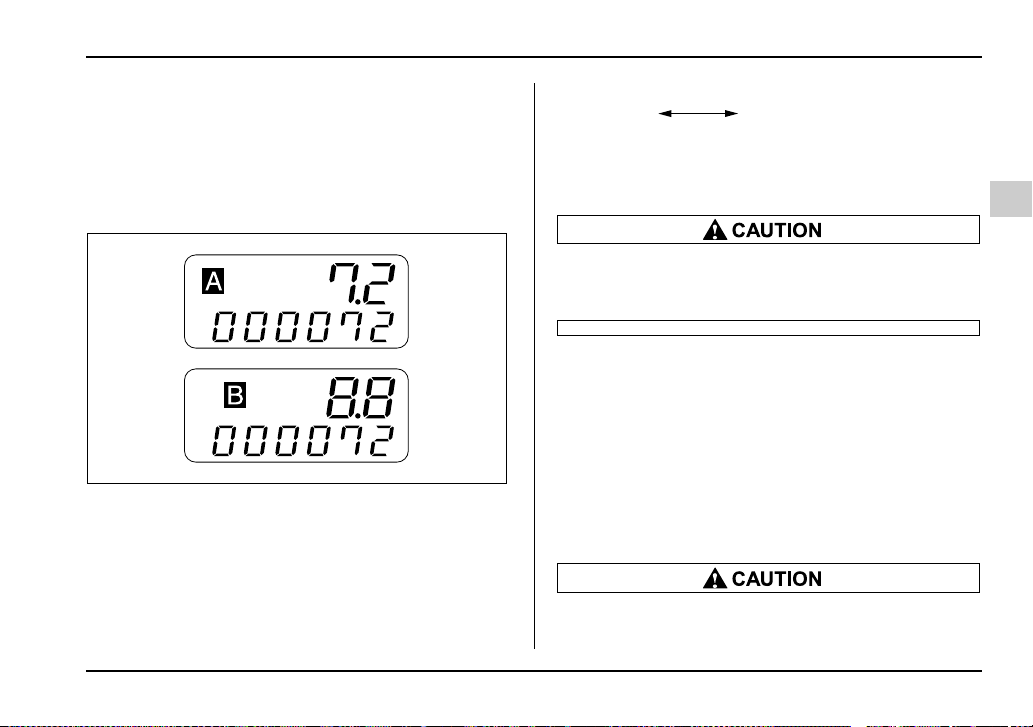
3-9
Instruments and controls
– CONTINUED –
odometer/trip meter will go off.
T Odometer
The odometer shows the total distance that the vehicle
has been driven.
T Double trip meter
1) A trip meter
2) B trip meter
The trip meter shows the distance that the vehicle has
been driven since you last set it to zero.
To change the mode indication, briefly push the knob.
Each press of the knob changes the function alter-
nately.
To set the trip meter to zero, select the A trip or B trip
meter by pushing the knob and keep the knob pushed
for more than 2 seconds.
To ensure safety, do not attempt to change the
function of the indicator during driving, as an
accident could result.
NOTE
If the connection between the combination meter
and battery is broken for any reason such as vehi-
cle maintenance or fuse replacement, the data re-
corded on the trip meter will be lost.
Tachometer
The tachometer shows the engine speed in thousands
of revolutions per minute.
Do not operate the engine with the pointer of
the tachometer in the red zone. In this range,
1
2
UG3027AB
A trip meter B trip meter
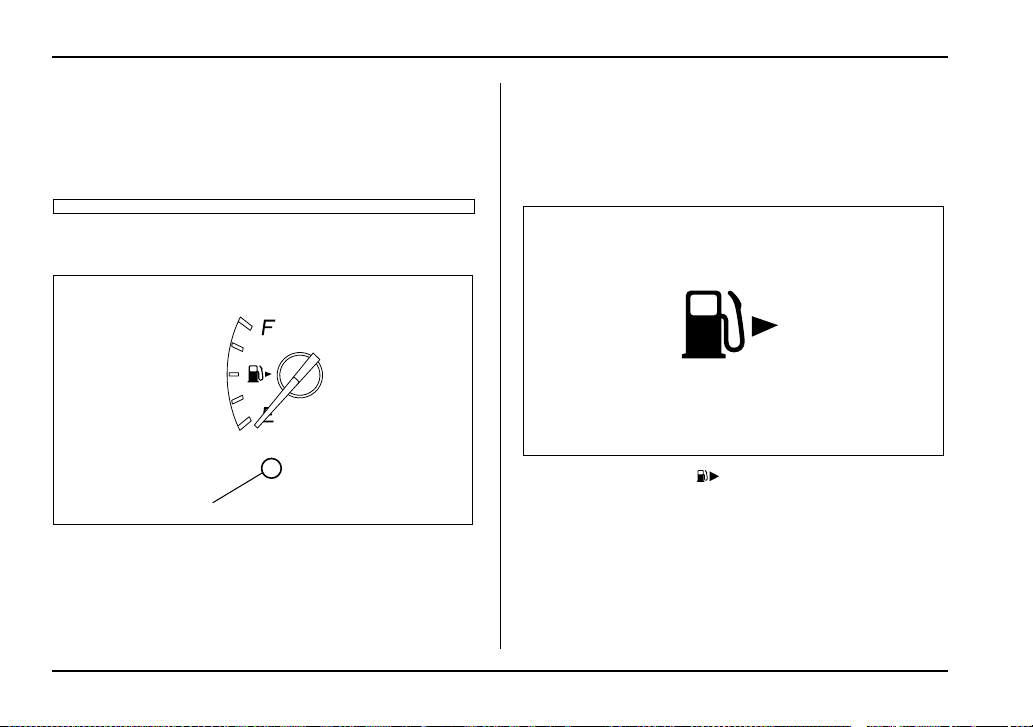
3-10
Instruments and controls
fuel injection will be cut by the engine control
module to protect the engine from overrevving.
The engine will resume running normally after
the engine speed is reduced below the red
zone.
Fuel gauge
1) Low fuel warning light
The fuel gauge shows the approximate amount of fuel
remaining in the tank.
When the ignition switch is in the “LOCK” or “ACC” po-
sition, the fuel gauge shows “E” even if the fuel tank
contains fuel.
The gauge may move slightly during braking, turning
or acceleration due to fuel level movement in the tank.
NOTE
You will see the “ ” sign in the fuel gauge
meter.
This indicates that the fuel filler door (lid) is locat-
ed on the right side of the vehicle.
T Low fuel warning light
The low fuel warning light comes on when the tank is
nearly empty [About 2.3 US gal (9.0 liters, 1.9 Imp
gal)].
1
UG3517BB
UG3518AA
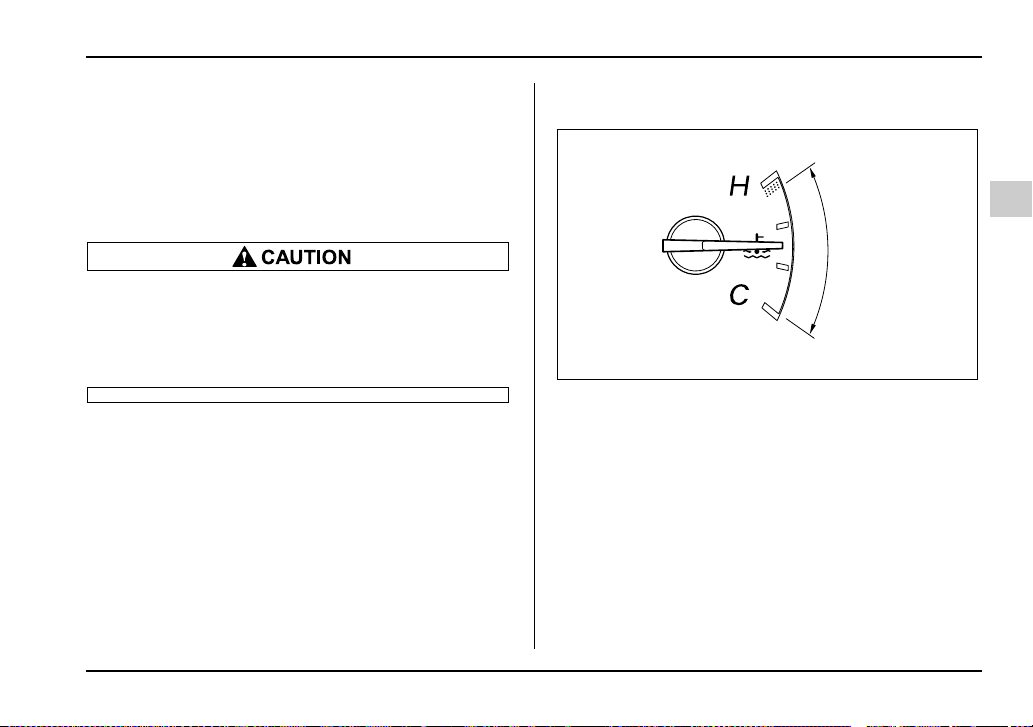
3-11
Instruments and controls
– CONTINUED –
It only operates when the ignition switch is in the “ON”
position.
NOTE
This light does not go out unless the tank is re-
plenished up to an internal fuel quantity of about
4.0 US gal (15 liters, 3.3 Imp gal).
Promptly put fuel in the tank whenever the low
fuel warning light comes on. If the engine mis-
fired as a result of an empty tank, resulting cat-
alytic converter damage could cause damage
to the turbocharger.
Temperature gauge
1) Normal operating range
The temperature gauge shows engine coolant temper-
ature when the ignition switch is in the “ON” position.
The coolant temperature will vary in accordance with
the outside temperature and driving conditions.
We recommend that you drive moderately until the
pointer of the temperature gauge reaches near the
middle of the range. Engine operation is optimum with
the engine coolant at this temperature range and high
revving operation when the engine is not warmed up
enough should be avoided.
1
UG3519BB
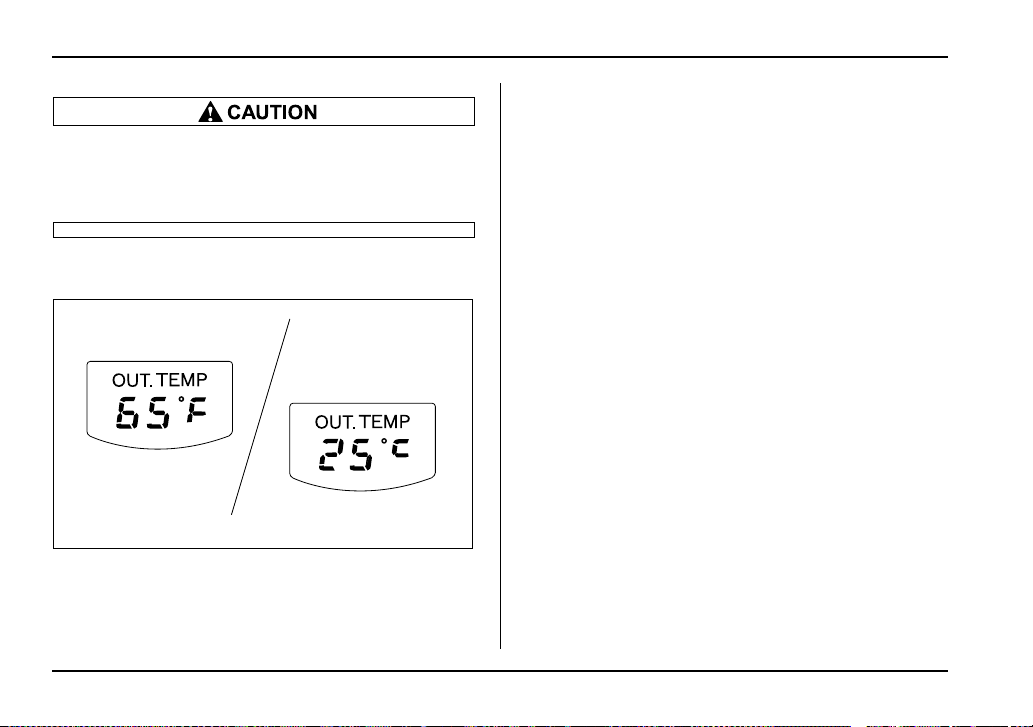
3-12
Instruments and controls
If the pointer exceeds the normal operating
range, safely stop the vehicle as soon as possi-
ble.
See the “In case of emergency” in chapter 9.
Outside temperature indicator
A) U.S.-spec. models
B) Canada-spec. models
The outside temperature indicator shows the outside
temperature in a range from –22 to 122°F (–30 to
50°C).
The indicator can give a false reading under any of the
following conditions:
y When there is too much sun.
y During idling; while running at low speeds in a traffic
jam; when the engine is restarted immediately follow-
ing a shutdown.
y When the actual outside temperature falls outside
the specified indicator range.
A
B
UG3028AB
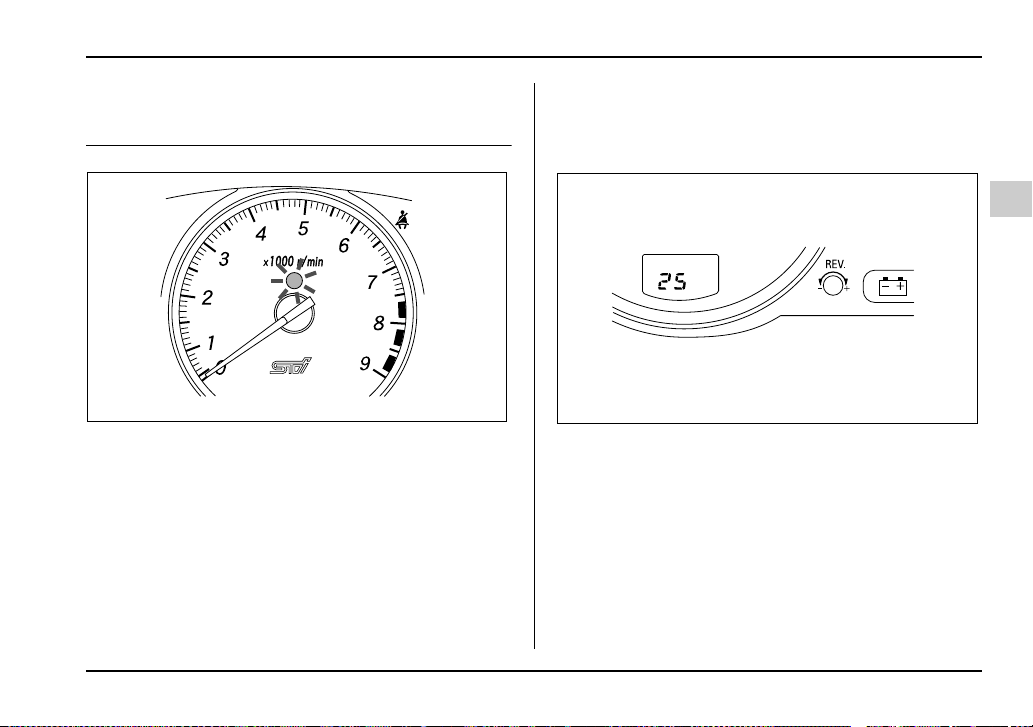
3-13
Instruments and controls
– CONTINUED –
REV indicator light and buzzer (WRX-
STi)
The REV alarm system issues a warning using the
REV indicator light (and a buzzer if additionally select-
ed) when the engine speed reaches a level previously
set using the REV setting knob.
If you press the trip knob when the ignition switch is in
the “LOCK” position, the outside temperature indicator
will show the engine speed that has already been set.
NOTE
Even if the REV alarm system is not set, the REV
indicator light will come on whenever the engine
speed enters the tachometer’s red zone.
Setting the alarm-level engine speed
1. Turn the REV setting knob clockwise or counter-
clockwise, then release it and let it return to its initial
position. The buzzer will sound. The REV alarm sys-
tem is now ready to be set.
2. Turn the REV setting knob to select the desired
alarm-level engine speed.
At this time, the outside temperature indicator will
show the engine-speed setting.
y Counterclockwise (–) for less than 0.5 second:
Speed setting changes downward by 100 rpm.
UG3522BA
UG3036AA
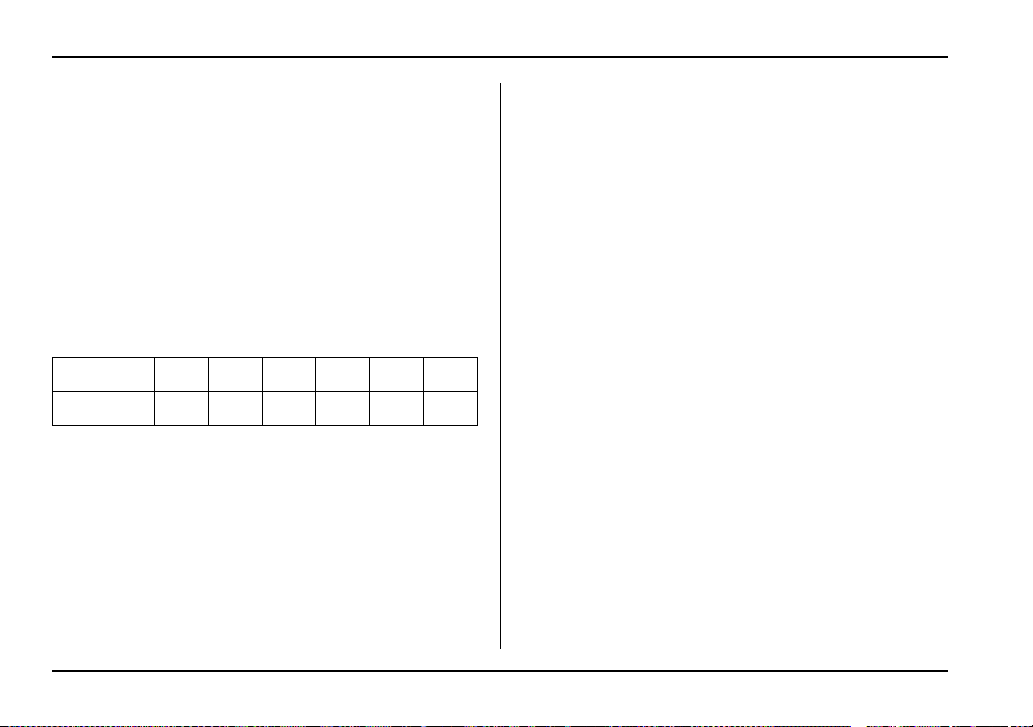
3-14
Instruments and controls
y Clockwise (+) for less than 0.5 second: Speed
setting changes upward by 100 rpm.
y Counterclockwise (–) for 0.5 second or longer:
Speed setting changes downward by 1,000 rpm.
y Clockwise (+) for 0.5 second or longer: Speed
setting changes upward by 1,000 rpm.
The speed setting will stop changing if it reaches 0
rpm or the maximum engine speed.
<Selectable engine speed range>
The alarm-level engine speed can be set (in 100 rpm
steps) within a range from 2,000 to 7,500 rpm.
The indicator shows the setting as follows:
Approximately three seconds after you stop turning
the knob, the REV alarm system will automatically en-
ter its next setting mode (step 3 below), in which you
can activate or deactivate the buzzer.
3. Activate or deactivate the buzzer as desired using
the REV setting knob.
y Turn the knob clockwise (+) to activate the buzz-
er. The indicator will show “ON”, and the buzzer will
sound three times. With the buzzer activated, en-
gine-speed warnings are given by both the REV in-
dicator light and the buzzer.
y Turn the knob counterclockwise (–) to deactivate
the buzzer. The indicator will show “– –”, and the
buzzer will not sound. With the buzzer deactivated,
engine-speed warnings are given only by the REV
indicator light.
Approximately three seconds after you stop turning
the knob, the buzzer will sound once to indicate the
end of the setting procedure. The indicator will return
to showing the outside temperature.
Also, the tachometer needle will return to approxi-
mately “0”.
NOTE
y The REV alarm system does not operate while
settings are being entered.
y The speed-setting mode terminates if 0 rpm is
selected.
y The speed-setting mode is canceled if the igni-
tion switch is turned to OFF or the vehicle starts
moving before the setting procedure is finished.
y Speed setting is impossible when the vehicle is
moving.
y The set engine speed may differ from the engine
speed shown by the tachometer. Use the engine
speed shown by the tachometer as a rough guide.
Speed (rpm) 0 2,000 2,100 ∼ 7,400 7,500
Indication 00 20 21 ∼ 74 75
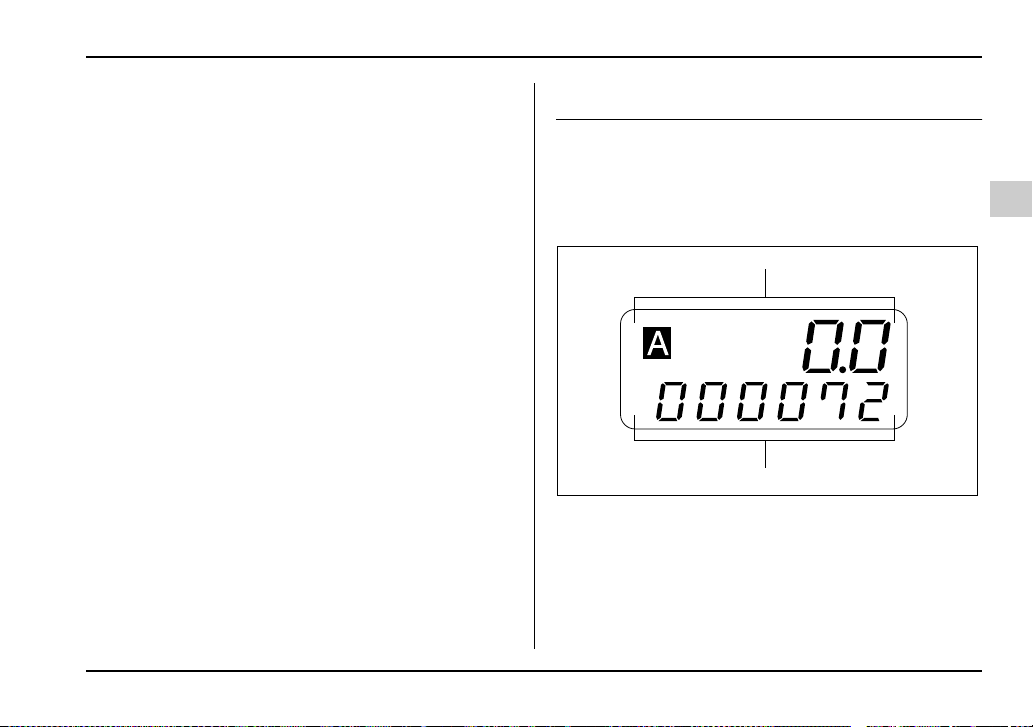
3-15
Instruments and controls
– CONTINUED –
Deactivating the REV alarm system
To deactivate the REV alarm system’s REV indicator
light and buzzer functions, set the alarm-level engine
speed to 0 (zero) rpm.
Meters and gauges (Except WRX-STi)
Speedometer
The speedometer shows the vehicle speed.
Odometer/Trip meter
1) Trip meter
2) Odometer
This meter displays the odometer and two trip meters
when the ignition switch is in the “LOCK”, “ACC” or
“ON” position.
1
2
UG3026BB
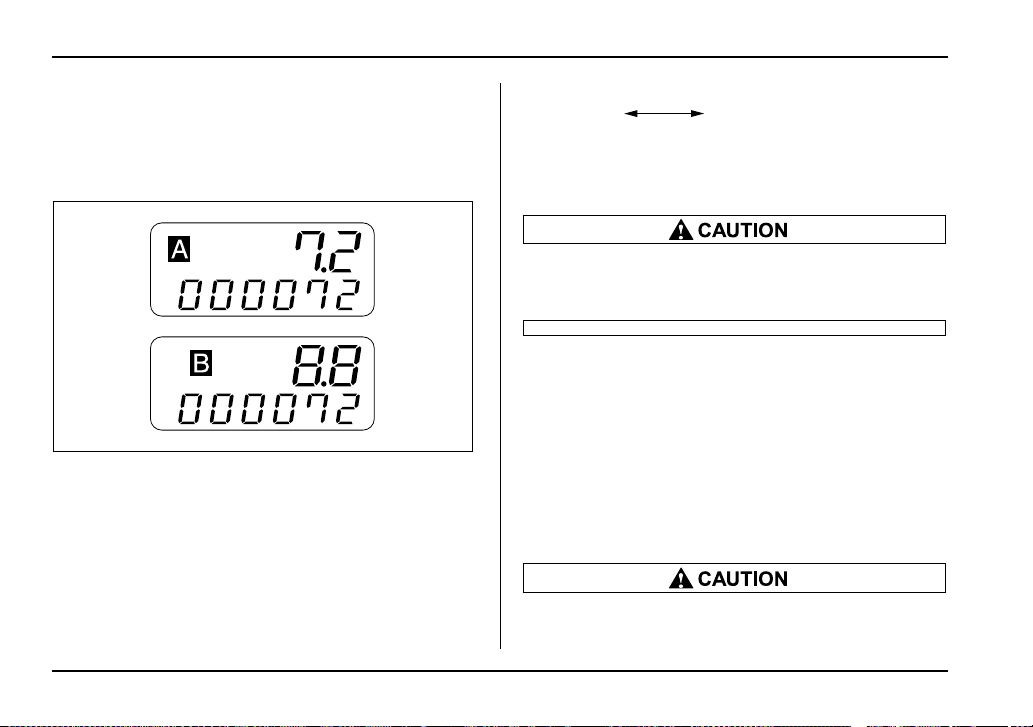
3-16
Instruments and controls
T Odometer
The odometer shows the total distance that the vehicle
has been driven.
T Double trip meter
1) A trip meter
2) B trip meter
The trip meter shows the distance that the vehicle has
been driven since you last set it to zero.
To change the mode indication, briefly push the knob.
Each press of the knob changes the function alter-
nately.
To set the trip meter to zero, select the A trip or B trip
meter by pushing the knob and keep the knob pushed
for more than 2 seconds.
To ensure safety, do not attempt to change the
function of the indicator during driving, as an
accident could result.
NOTE
If the connection between the combination meter
and battery is broken for any reason such as vehi-
cle maintenance or fuse replacement, the data re-
corded on the trip meter will be lost.
Tachometer
The tachometer shows the engine speed in thousands
of revolutions per minute.
Do not operate the engine with the pointer of
the tachometer in the red zone. In this range,
1
2
UG3027AB
A trip meter B trip meter
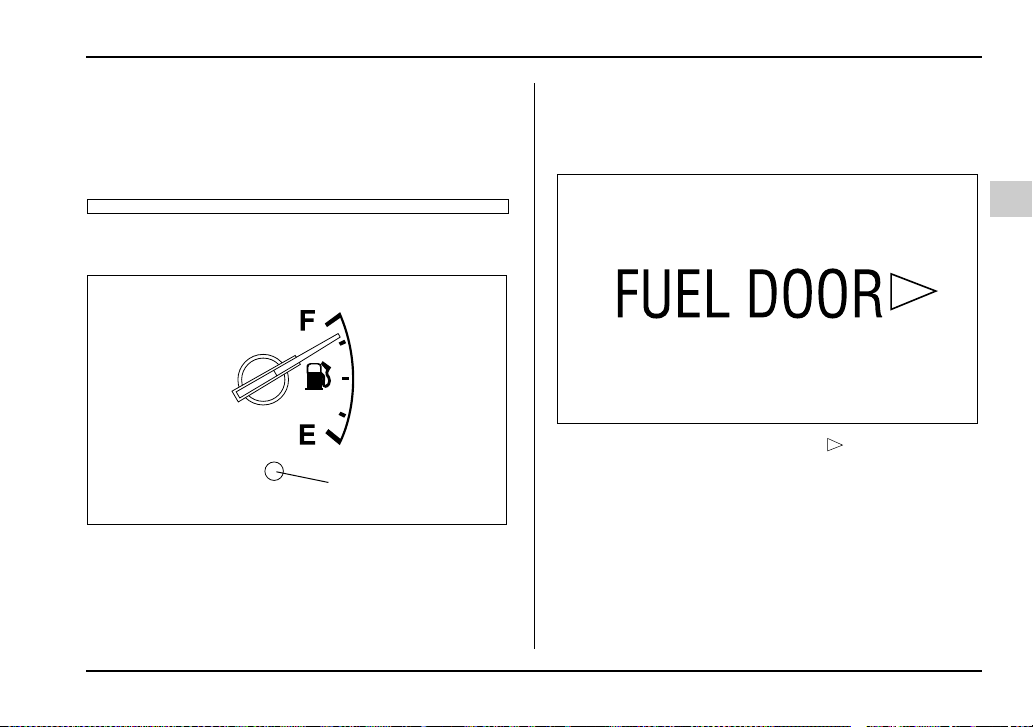
3-17
Instruments and controls
– CONTINUED –
fuel injection will be cut by the engine control
module to protect the engine from overrevving.
The engine will resume running normally after
the engine speed is reduced below the red
zone.
Fuel gauge
1) Low fuel warning light
The fuel gauge shows the approximate amount of fuel
remaining in the tank.
The gauge does not return to “E” even though the ig-
nition switch is in the “ACC” or “LOCK” position.
The gauge may move slightly during braking, turning
or acceleration due to fuel level movement in the tank.
NOTE
You will see the “FUEL DOOR ” sign near the
fuel gauge.
This indicates that the fuel filler door (lid) is locat-
ed on the right side of the vehicle.
T Low fuel warning light
The low fuel warning light comes on when the tank is
nearly empty [about 2.3 US gal (9.0 liters, 1.9 Imp gal].
It only operates when the ignition switch is in the “ON”
position.
1
UG3501BB
HS3023AA
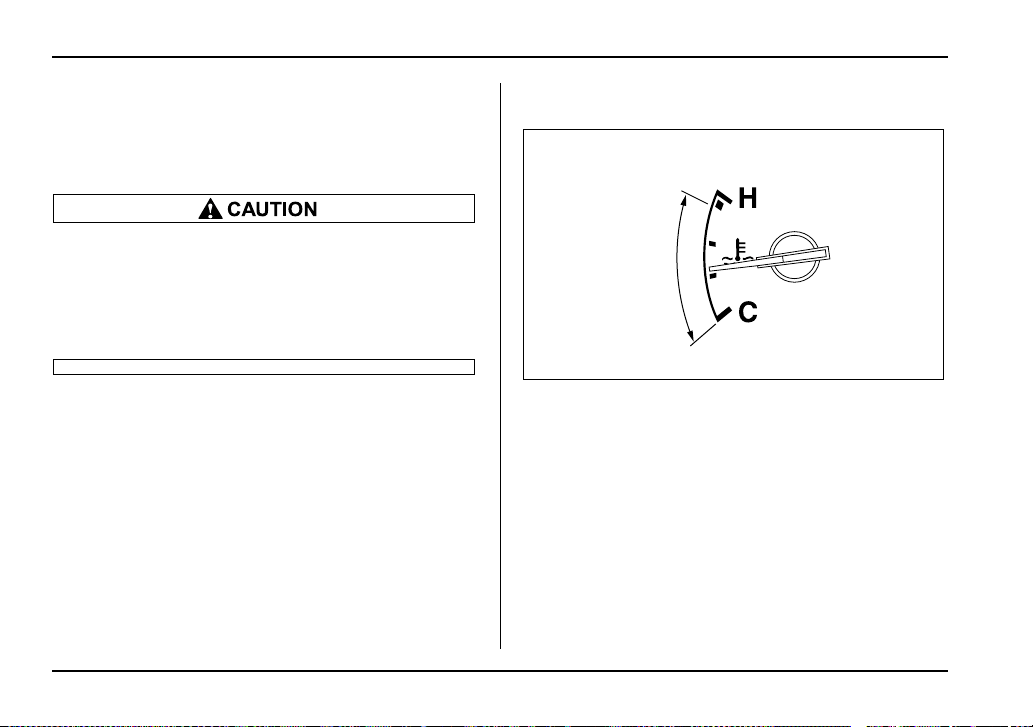
3-18
Instruments and controls
NOTE
This light does not go out unless the tank is re-
plenished up to an internal fuel quantity of about
4.0 US gal (15 liters, 3.3 Imp gal).
(Turbo model only)
Promptly put fuel in the tank whenever the low
fuel warning light comes on. If the engine mis-
fired as a result of an empty tank, resulting cat-
alytic converter damage could cause damage
to the turbocharger.
Temperature gauge
1) Normal operating range
The temperature gauge shows engine coolant temper-
ature when the ignition switch is in the “ON” position.
The coolant temperature will vary in accordance with
the outside temperature and driving conditions.
We recommend that you drive moderately until the
pointer of the temperature gauge reaches near the
middle of the range. Engine operation is optimum with
the engine coolant at this temperature range and high
revving operation when the engine is not warmed up
enough should be avoided.
1
UG3502BB
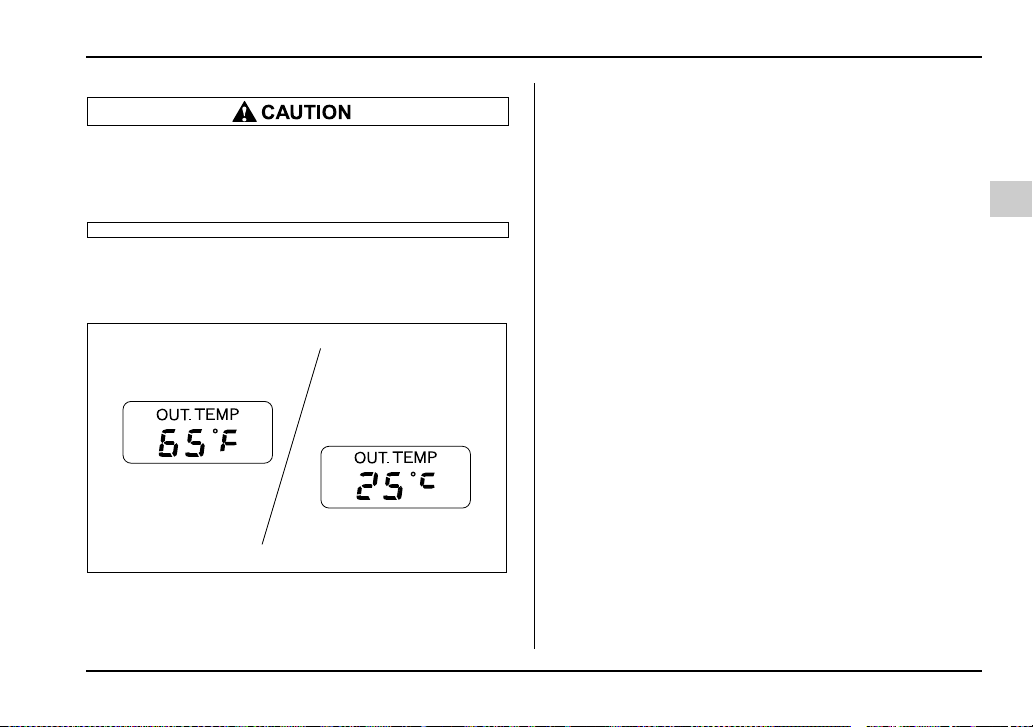
3-19
Instruments and controls
– CONTINUED –
If the pointer exceeds the normal operating
range, safely stop the vehicle as soon as possi-
ble.
See “In case of emergency” in chapter 9.
Outside temperature indicator (if
equipped)
A) U.S.-spec. models
B) Canada-spec. models
The outside temperature indicator shows the outside
temperature in a range from –22 to 122°F (–30 to
50°C).
The indicator can give a false reading under any of the
following conditions:
y When there is too much sun.
y During idling; while running at low speeds in a traffic
jam; when the engine is restarted immediately follow-
ing a shutdown.
y When the actual outside temperature falls outside
the specified indicator range.
A
B
UG3029AB
3-20
Instruments and controls
Warning and indicator lights
Several of the warning and indicator lights come on
momentarily and then go out when the ignition switch
is initially turned to the “ON” position. This permits
checking the operation of the bulbs.
Apply the parking brake and turn the ignition switch to
the “ON” position. The following lights come on:
Seatbelt warning light
SRS airbag system warning light
CHECK ENGINE warning light/Malfunction indica-
tor lamp
Charge warning light
Oil pressure warning light
AT OIL temperature warning light (AT vehicles)
ABS warning light
Brake system warning light
All-wheel drive warning light (AT vehicles)
Cruise control indicator light (if equipped)
Cruise control set indicator light (if equipped)
If any lights fail to come on, it indicates a burned-out
bulb or a malfunction of the corresponding system.
Consult your authorized SUBARU dealer for repair.
Seatbelt warning light and chime
When the ignition switch is turned to the “ON” position,
the seatbelt warning light will come on and the remind-
er chime will sound for about six seconds to remind the
driver to fasten the seatbelt.
The seatbelt warning light will turn off when the driv-
er’s side seatbelt is buckled.
The seatbelt reminder chime will turn off when the
driver’s side seatbelt is buckled or it will turn off auto-
matically after six seconds.
SRS airbag system warning
light
When the ignition switch is turned to the “ON” position,
the SRS airbag system warning light will come on for
about six seconds and go out. This shows the SRS air-
bag and SRS side airbag (if equipped) and seatbelt
pretensioners are in normal operation.
If the warning light exhibits any of the following
conditions, there may be a malfunction in the
seatbelt pretensioners and/or SRS airbag sys-
tem. Immediately take your vehicle to your
nearest SUBARU dealer to have the system
3-21
Instruments and controls
– CONTINUED –
checked. Unless checked and properly re-
paired, the seatbelt pretensioners and/or SRS
airbag will not operate properly in the event of
a collision, which may increase the risk of inju-
ry.
y Flashing or flicking of the indicator light
y No illumination of the warning light when the
ignition switch is first turned to the “ON” posi-
tion
y Continuous illumination of the warning light
y Illumination of the warning light while driving
CHECK ENGINE warning light/
Malfunction indicator lamp
If the CHECK ENGINE light comes on while you
are driving, have your vehicle checked/repaired
by your SUBARU dealer as soon as possible.
Continued vehicle operation without having the
emission control system checked and repaired
as necessary could cause serious damage,
which may not be covered by your vehicle’s
warranty.
If this light comes on steadily or blinks while the engine
is running, it may indicate that there is a problem or po-
tential problem somewhere in the emission control
system.
T If the light comes on steadily:
If the light comes on steadily while driving or does not
go out after the engine starts, an emission control sys-
tem malfunction has been detected.
You should have your vehicle checked by an autho-
rized SUBARU dealer immediately.
NOTE
This light also comes on when the fuel filler cap is
not tightened until it clicks.
If you have recently refueled your vehicle, the cause of
the CHECK ENGINE warning light/malfunction indica-
tor lamp coming on could be a loose or missing fuel fill-
er cap. Remove the cap and retighten it until it clicks.
Make sure nothing is interfering with the sealing of the
cap. Tightening the cap will not make the CHECK EN-
GINE warning light turn off immediately. It may take
several driving trips. If the light does not go out, take
your vehicle to your authorized SUBARU dealer im-
mediately.
T If the light is blinking:
If the light is blinking while driving, an engine misfire
3-22
Instruments and controls
condition has been detected which may damage the
emission control system.
To prevent serious damage to the emission control
system, you should do the following:
y Reduce vehicle speed.
y Avoid hard acceleration.
y Avoid steep uphill grades.
y Reduce the amount of cargo, if possible.
y Stop towing a trailer as soon as possible.
The CHECK ENGINE warning light may stop blinking
and come on steadily after several driving trips. You
should have your vehicle checked by an authorized
SUBARU dealer immediately.
Charge warning light
If this light comes on when the engine is running, it
may indicate that the charging system is not working
properly.
If the light comes on while driving or does not go out
after the engine starts, stop the engine at the first safe
opportunity and check the alternator belt. If the belt is
loose, broken or if the belt is in good condition but the
light remains on, contact your nearest SUBARU deal-
er immediately.
Oil pressure warning light
If this light comes on when the engine is running, it
may indicate that the engine oil pressure is low and the
lubricating system is not working properly.
If the light comes on while driving or does not go out
after the engine starts, stop the engine at the first safe
opportunity and check the engine oil level. If the oil lev-
el is low, add oil immediately. If the engine oil is at the
proper level but the light remains on, contact your
nearest SUBARU dealer immediately.
Do not operate the engine with the oil pressure
warning light on. This may cause serious en-
gine damage.
AT OIL TEMPerature warning
light (for AT vehicles)
The AT oil temperature warning light comes on when
the ignition switch is turned to the “ON” position and
goes out after about two seconds.
If this light comes on when the engine is running, it
may indicate that the automatic transmission fluid tem-
perature is too hot.
3-23
Instruments and controls
– CONTINUED –
If the light comes on while driving, it is unnecessary to
stop the vehicle, but avoid driving up steep grades or
in stop and go traffic.
T Automatic transmission control system warn-
ing
If the light flashes after the engine starts, it may indi-
cate that the automatic transmission control system is
not working properly. Contact your nearest SUBARU
dealer for service immediately.
Rear differential oil temperature
warning light (WRX-STi)
Reduce vehicle speed and park the vehicle in a
safe place as soon as possible if the R.DIFF
TEMP light comes on. Continued driving with
this light on can damage the rear differential
and other parts of the powertrain.
If this light comes on when the engine is running, it
may indicate that the rear differential oil temperature is
too hot.
At this time, the driver’s control center differential will
automatically cancel the current torque-distribution ra-
tio setting and adopts its minimum ratio.
If the light comes on while driving, reduce vehicle
speed and stop the vehicle at the nearest safe place.
Park the vehicle for several minutes. After the light
goes out, you can start driving.
If the light does not go out, contact the nearest
SUBARU dealer for service.
NOTE
y If the tire pressures are not correct and/or the
tires are not all the same size and brand, the rear
differential will be heavily loaded when the vehicle
is driven, resulting in an abnormally high oil tem-
perature.
y The rear differential oil will deteriorate if its tem-
perature increases enough for the rear differential
oil temperature warning light to come on. It is ad-
visable to have the rear differential oil replaced as
soon as possible.
ABS warning light
The ABS warning light comes on when the ignition
switch is turned to the “ON” position and goes out after
about two seconds.
This is an indication that the ABS system is working
properly.
(U.S.)
(Canada)
3-24
Instruments and controls
If the warning light behaves as follows, the ABS
system may not work properly.
When the warning light is on, the ABS function
shuts down; however, the conventional brake
system continues to operate normally.
y The warning light does not come on when the
ignition switch is turned to the “ON” position.
y The warning light comes on when the ignition
switch is turned to the “ON” position, but it
does not go out even when the vehicle speed
exceeds approximately 8 mph (12 km/h).
y The warning light comes on during driving.
If these occur, have the ABS system repaired at
the first available opportunity by your SUBARU
dealer.
With a vehicle equipped with an EBD system, the ABS
warning light comes on together with the brake system
warning light if the EBD system becomes faulty. For
further details of the EBD system fault warning, refer
to “Brake system warning light”.
NOTE
If the warning light behavior is as described be-
low, the ABS system may be considered normal.
y The warning light comes on right after the en-
gine is started but goes out immediately, remain-
ing off.
y The warning light remains on after the engine
has been started, but it goes out when the vehicle
speed reaches about 8 mph (12 km/h).
y The warning light comes on during driving, but
it goes out immediately and remains off.
When driving with an insufficient battery voltage such
as when the engine is jump started, the ABS warning
light may come on. This is due to the low battery volt-
age and does not indicate a malfunction. When the
battery becomes fully charged, the light will go out.
Brake system warning light
y Driving with the brake system warning light
on is dangerous. This indicates your brake sys-
tem may not be working properly. If the light re-
mains on, have the brakes inspected by a
SUBARU dealer immediately.
y If at all in doubt about whether the brakes are
operating properly, do not drive the vehicle.
Have your vehicle towed to the nearest
(U.S.)
(Canada)
3-25
Instruments and controls
– CONTINUED –
SUBARU dealer for repair.
This light has the following three functions:
T Parking brake warning
The light comes on with the parking brake applied
while the ignition switch is in the “ON” position. It goes
out when the parking brake is fully released.
T Brake fluid level warning
This light comes on when the brake fluid level has
dropped to near the “MIN” level of the brake fluid res-
ervoir with the ignition switch in the “ON” position and
with the parking brake fully released.
If the brake system warning light should come on while
driving (with the parking brake fully released and with
the ignition switch positioned in “ON”), it could be an
indication of leaking of brake fluid or worn brake pads.
If this occurs, immediately stop the vehicle at the near-
est safe place and check the brake fluid level. If the flu-
id level is below the “MIN” mark in the reservoir, do not
drive the vehicle. Have the vehicle towed to the near-
est SUBARU dealer for repair.
T Electronic Brake Force Distribution (EBD) sys-
tem warning (for vehicles with ABS)
The brake system warning light also illuminates if a
malfunction occurs in the EBD system. In that event, it
comes on together with the ABS warning light.
The EBD system may be malfunctioning if the brake
system warning light and ABS warning light illuminate
simultaneously during driving.
Even if the EBD system fails, the conventional braking
system will still function. However, the rear wheels will
be more prone to locking when the brakes are applied
harder than usual and the vehicle’s motion may there-
fore become somewhat harder to control.
If the brake system warning light and ABS warning
light illuminate simultaneously, take the following
steps:
1. Stop the vehicle in the nearest safe, flat place.
2. Shut down the engine, then restart it.
3. Release the parking brake. If both warning lights go
out, the EBD system may be faulty. Drive carefully to
the nearest SUBARU dealer and have the system in-
spected.
4. If both warning lights come on again and stay illu-
minated after the engine has been restarted, shut
down the engine again, apply the parking brake, and
check the brake fluid level.
5. If the brake fluid level is not below the “MIN” mark,
the EBD system may be faulty. Drive carefully to the
nearest SUBARU dealer and have the system inspect-
ed.
3-26
Instruments and controls
6. If the brake fluid level is below the “MIN” mark, DO
NOT drive the vehicle. Instead, have the vehicle towed
to the nearest SUBARU dealer for repair.
Door open warning light
The door open warning light comes on if any door or
the rear gate is not fully closed.
Always make sure this light is out before you start to
drive.
All-wheel drive warning light
(for AWD AT vehicles – if
equipped)
The all-wheel drive warning light comes on when the
ignition switch is turned to the “ON” position and goes
out after about two seconds.
This light comes on when All Wheel Drive is disen-
gaged and the drive mechanism is switched to Front
Wheel Drive for maintenance or similar purposes
(Non-turbo vehicles).
It flashes if the vehicle is driven with tires of differing
diameters fitted on the wheels or with an excessively
low air pressure in any of the tires.
Continuing to drive with the AWD warning light
flashing can damage the powertrain. If the AWD
warning light starts to flash, promptly park in a
safe place and check whether the tires have dif-
fering diameters and whether any of the tires
has an excessively low inflation pressure.
Intercooler water spray warning
light (WRX-STi)
This light comes on when the water level in the inter-
cooler water spray tank falls to the lower limit (about
0.4 US qt, 0.4 liter, 0.4 Imp qt).
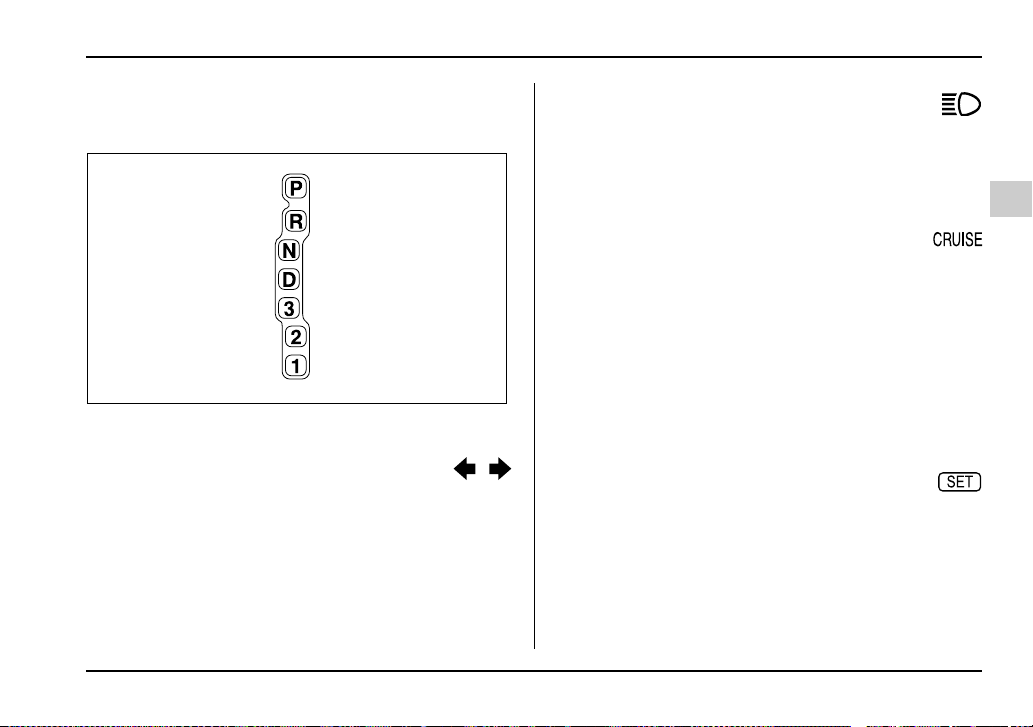
3-27
Instruments and controls
– CONTINUED –
Selector lever position indicator (AT
vehicles)
This indicator shows the position of the selector lever.
Turn signal indicator lights
These lights show the operation of the turn signal or
lane change signal.
If the indicator lights do not blink or blink rapidly, the
turn signal bulb may be burned out. Replace the bulb
as soon as possible. Refer to the “Replacing bulbs”
section in chapter 11.
High beam indicator light
This light shows that the headlights are in the high
beam mode.
This indicator light also comes on when the headlight
flasher is operated.
Cruise control indicator light
The cruise control indicator light comes on when the
ignition switch is turned to the “ON” position and goes
out after about three seconds.
This light comes on when the “CRUISE” main switch
is pressed.
If it flashes during driving, deactivate the cruise control
system and contact your SUBARU dealer for an in-
spection. Refer to “Cruise control” in Chapter 7 for the
deactivation procedure of the cruise control system.
Cruise control set indicator light
The cruise control set indicator light comes on when
the ignition switch is turned to the “ON” position and
goes out after about three seconds.
This light comes on when vehicle speed has been set.
UG3030AA
3-28
Instruments and controls
Driver’s control center differen-
tial auto indicator light (WRX-STi)
This light functions while the ignition switch is ON.
When on, it indicates that the driver’s control center
differential is set to AUTO mode. It goes off when the
driver’s control center differential’s manual mode
switch is pressed. For details, refer to Chapter 7, “Driv-
er’s Control Center Differential (DCCD) (WRX-STi)”.
Driver’s control center differential indi-
cator lights (WRX-STi)
These indicator lights show the current differential-ac-
tion limiting factor (torque-distribution ratio between
the front and rear wheels) of the center differential.
The bottom indicator light “ ” flashes in the event of
failure of the driver’s control center differential. For de-
tails, refer to Chapter 7, “Driver’s Control Center Dif-
ferential (DCCD) (WRX-STi)”.
Headlight indicator light (WRX-
STi)
This light comes on when the headlight switch is
placed in the “ ” or “ ” position.
REV indicator light (WRX-STi)
This light comes on when the engine speed reaches a
level set by the user and when the tachometer needle
enters the red zone.
UG3031AA
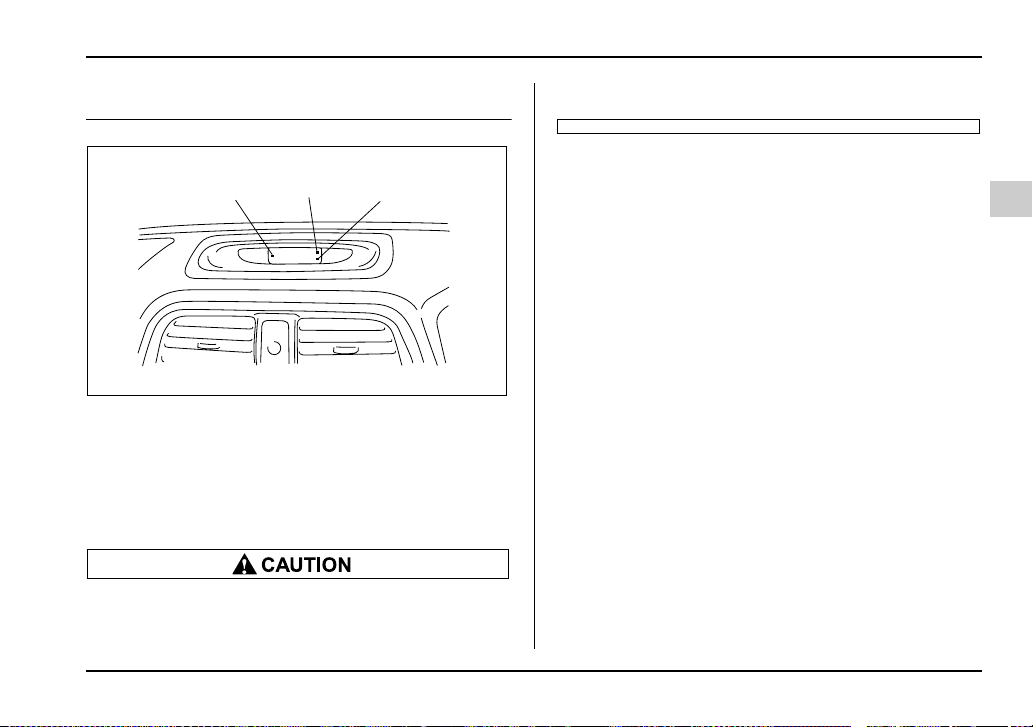
3-29
Instruments and controls
– CONTINUED –
Clock
1) “S” button
2) “H” button
3) “M” button
To set the hour, press the “H” button. To set the min-
utes, press the “M” button. To reset the minutes the
“00” with a radio time signal, push the “S” button.
To ensure safety, do not attempt to set the time
while driving, as an accident from inadequate
attention to the road could result.
1
2
3
UG3506BB
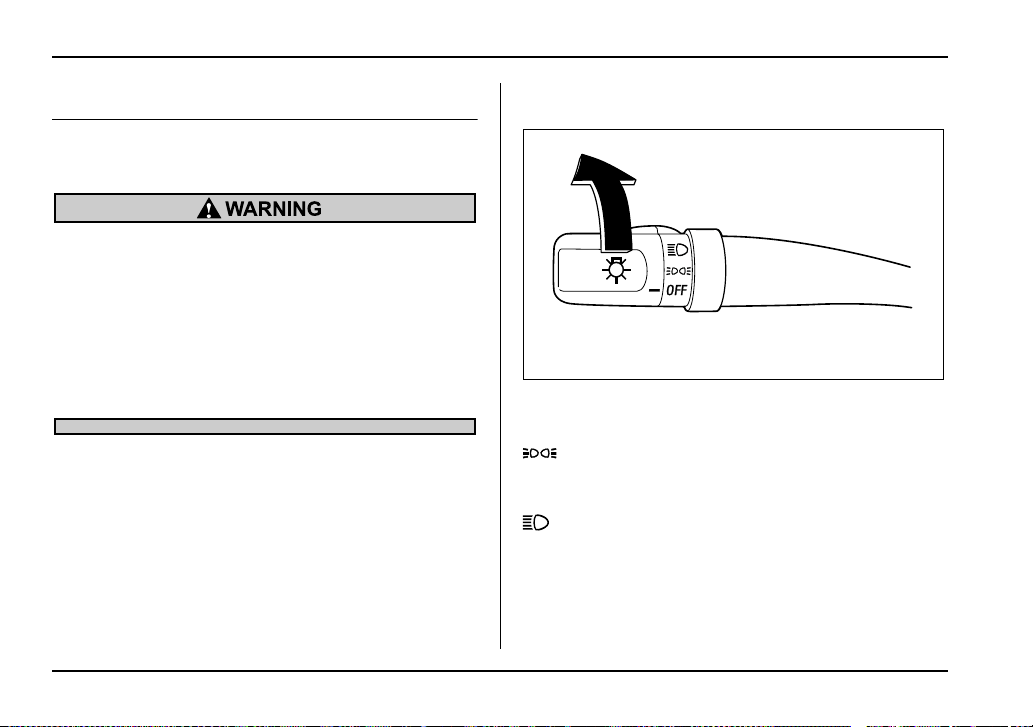
3-30
Instruments and controls
Light control switch
The light switch operates only when the ignition switch
is in the “ON” position.
To prevent battery discharge resulting from ac-
cidentally leaving your lights on when your ve-
hicle is parked, the light switch operates only
when the ignition switch is in the “ON” posi-
tion. In any other position, the vehicle’s lights
will be out.
If you park your vehicle on a roadside at night,
use the hazard warning flasher to alert the other
drivers.
Headlights
To turn on the headlights, turn the knob on the end of
the turn signal lever.
first position
Parking lights, instrument panel illumination, tail lights
and license plate light are on.
second position
Headlights, parking lights, instrument panel illumina-
tion, tail lights, and license plate light are on.
HS3026BA
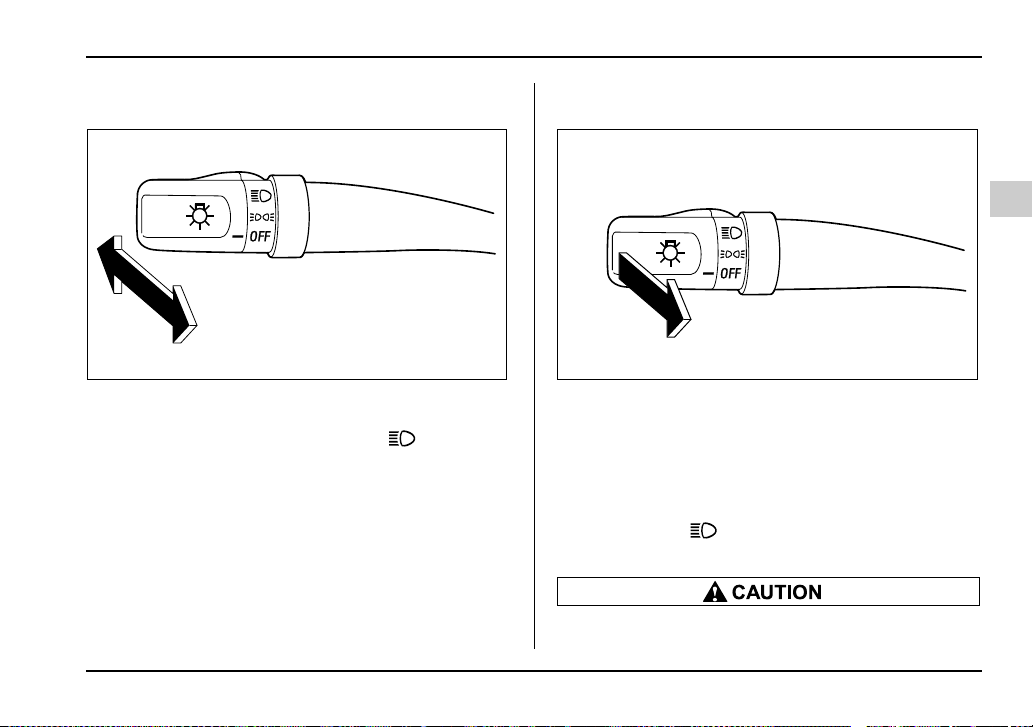
3-31
Instruments and controls
– CONTINUED –
High/low beam change (dimmer)
To change from low beam to high beam, push the turn
signal lever forward. When the headlights are on high
beam, the high beam indicator light “ ” on the in-
strument panel is also on.
To switch back to low beam, pull the lever back to the
detent position.
Headlight flasher
To flash the headlights, pull the lever toward you and
then release it. The high beam will stay on for as long
as you hold the lever. The headlight flasher works
even though the lighting switch is in the “OFF” posi-
tion.
When the headlights are on high beam, the high beam
indicator light “ ” on the instrument panel also
comes on.
Do not hold the lever in the flashing position for
HS3026CA HS3026DA
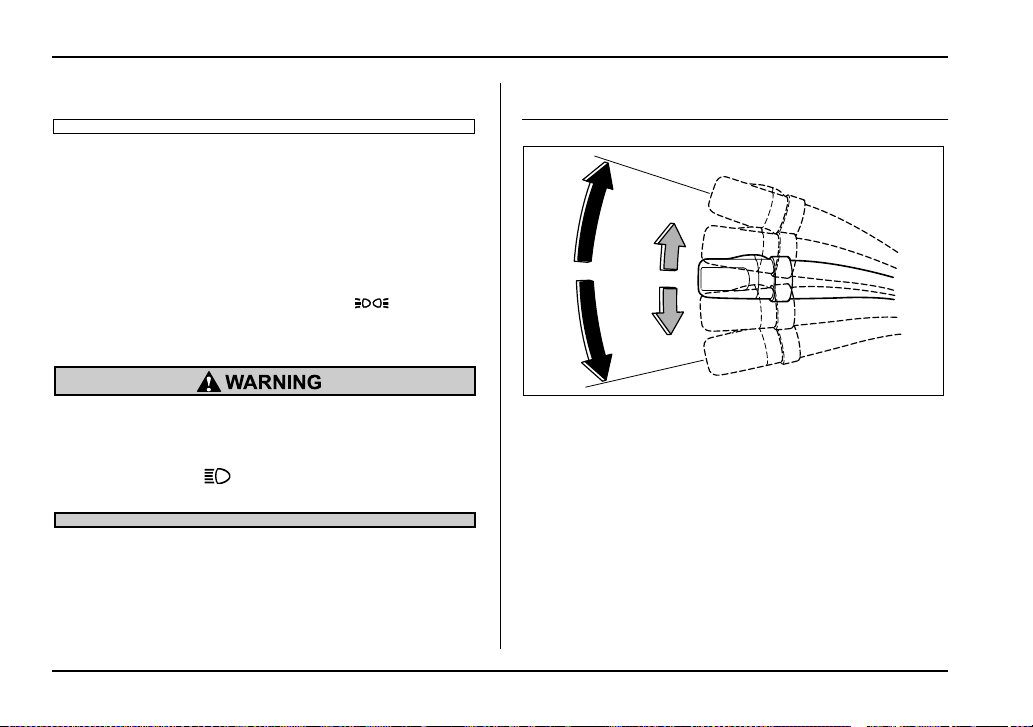
3-32
Instruments and controls
more than just a few seconds.
Daytime running light system (except
U.S.-spec. WRX-STi)
The low beam headlights will automatically come on at
reduced brightness when the engine has started, un-
der the following conditions:
y The parking brake is fully released.
y The light switch is in the “OFF” or “ ” position.
y The automatic transmission selector lever is set at
other than the “P” position.
The tail lights, parking lights, and side marker
lights are not turned on by the daytime running
light system. The light switch must always be
turned to the “ ” position when it is dark
outside.
Turn signal lever
1) Right turn
2) Left turn
3) Lane change for right
4) Lane change for left
To activate the right turn signal, push the turn signal le-
ver up. To activate the left turn signal, push the turn
signal lever down. When the turn is finished, the lever
will return automatically. If the lever does not return af-
ter cornering, return the lever to the neutral position by
hand.
To signal a lane change, push the turn signal lever up
1
2
3
4
HS3027BB
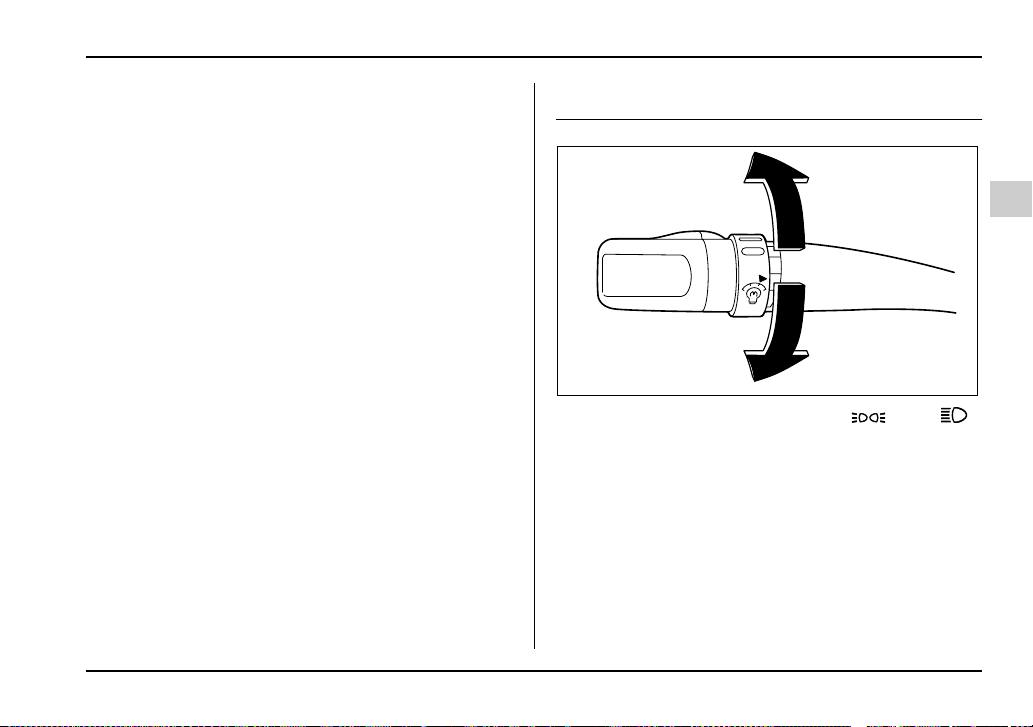
3-33
Instruments and controls
– CONTINUED –
or down slightly and hold it during the lane change.
The turn signal indicator lights will flash in the direction
of the turn or lane change. The lever will return auto-
matically to the neutral position when you release it.
Illumination brightness control
When the headlight switch is in the “ ” or “ ”
position, you can adjust brightness of the instrument
panel illumination for better visibility.
To brighten, turn the control dial upward.
To darken, turn the control dial downward.
HS3028BA
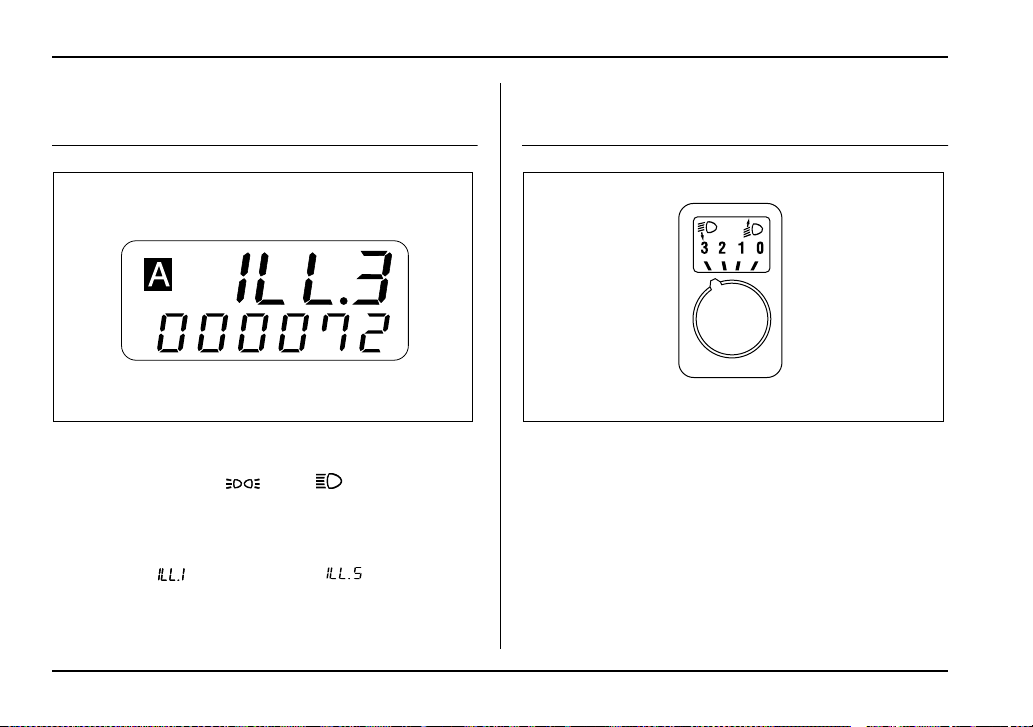
3-34
Instruments and controls
Illumination brightness control
(WRX-STi)
The brightness of the combination meter can be ad-
justed in five steps with the headlight switch either the
OFF position or the “ ” or “ ” position.
When the control dial is turned upward or downward,
the instrument panel’s illumination brightness is indi-
cated by the trip meter. The brightness is shown in five
steps from “ ” (dimmest) to “ ” (brightest).
If the control dial is not turned for three seconds, the
trip meter returns to its original trip meter indication.
Headlight beam leveler (U.S.-spec.
WRX-STi)
The WRX-STi version has High-Intensity Discharge
(HID) headlights on the low beam setting. The HID
headlights generate more light than conventional halo-
gen headlights. Therefore a driver of an oncoming ve-
hicle may experience too much glare when your head-
light beam height adjustment is high due to the vehicle
carrying heavy load.
The headlight beam leveler can be used to adjust
beam height to avoid such a condition.
The higher the number the knob is turned to, the lower
UG3032AA UG3511AA
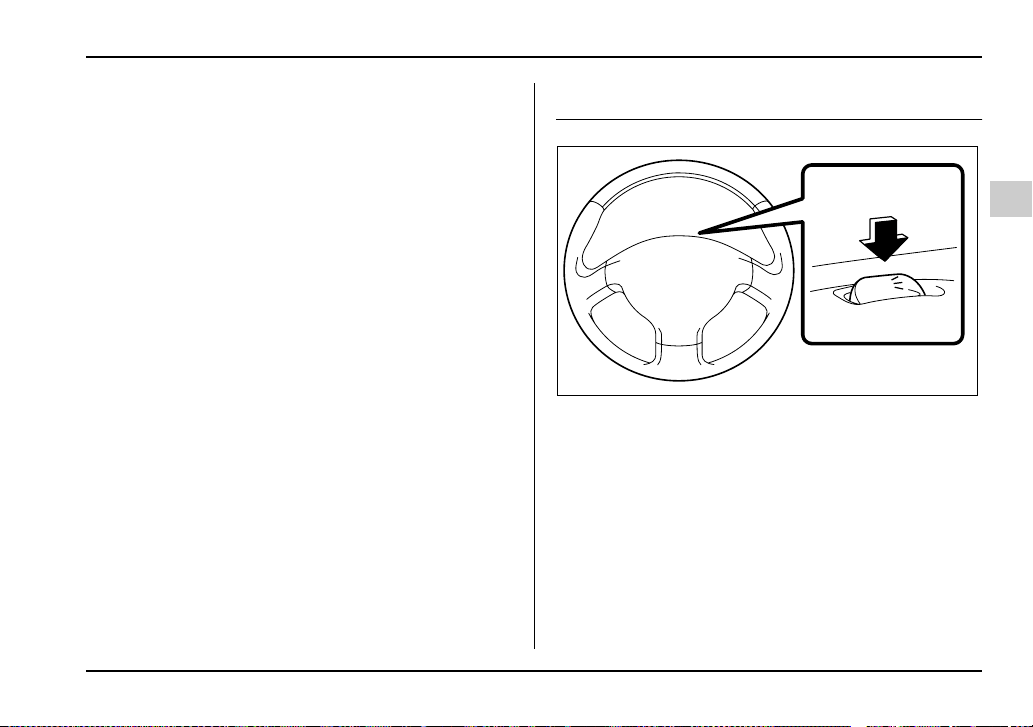
3-35
Instruments and controls
– CONTINUED –
the beam becomes.
Parking light switch
The parking light switch operates regardless of the ig-
nition switch position.
By pushing the front end of this switch, following lights
will come on.
– Parking lights
– Tail lights
– License plate lights
To turn off, push the rear end of the parking light
switch.
Avoid leaving these lights on for a long time because
that will run down the battery.
P
UG3043BA
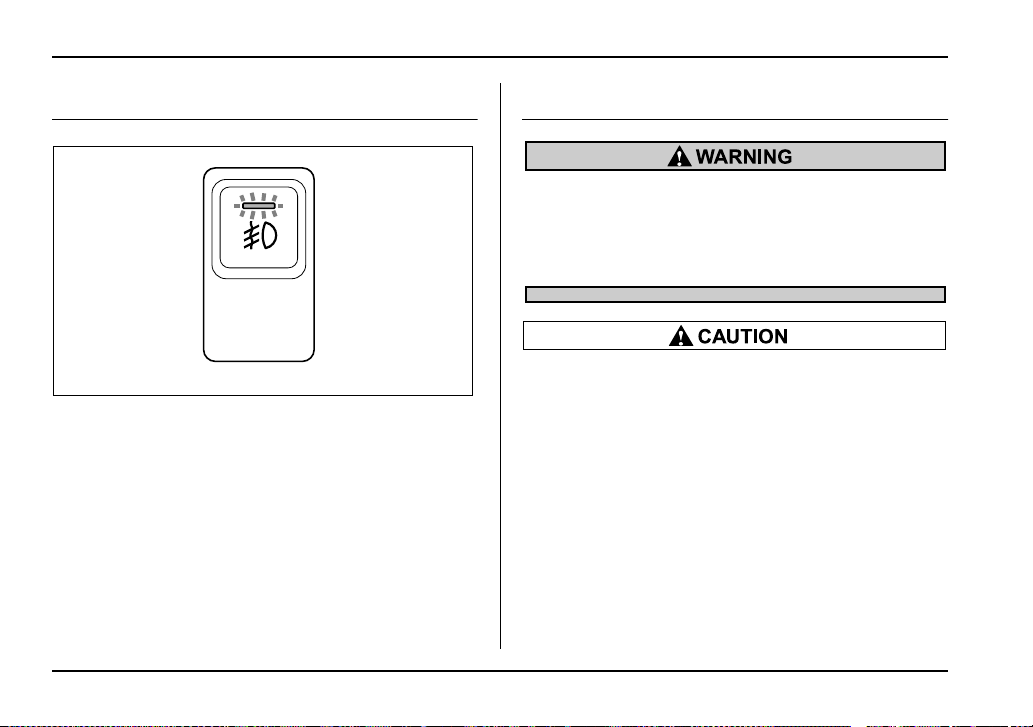
3-36
Instruments and controls
Fog light button (if equipped)
The fog lights operate only when the headlights are on
low beam. Push the fog light button to turn the fog
lights on.
Press the button again to turn them off.
The indicator light located on the button will illuminate
when the fog lights are on.
Wiper and washer
In freezing weather, do not use the windshield
washer until the windshield is sufficiently
warmed by the defroster.
Otherwise the washer fluid can freeze on the
windshield, blocking your view.
y Do not operate the washer continuously for
more than ten seconds, or when the washer flu-
id tank is empty. This may cause overheating of
the washer motor. Check the washer fluid level
frequently, such as at fuel stops.
y Do not operate the wipers when the wind-
shield or rear window is dry. This may scratch
the glass, damage the wiper blades and cause
the wiper motor to burn out. Before operating
the wiper on a dry windshield or rear window,
always use the windshield washer.
y In freezing weather, be sure that the wiper
blades are not frozen to the windshield or rear
window before switching on the wipers. At-
UG3512BA
3-37
Instruments and controls
– CONTINUED –
tempting to operate the wiper with the blades
frozen to the window glass could cause not
only the wiper blades to be damaged but also
the wiper motor to burn out. If the wiper blade
is frozen to the window glass, be sure to oper-
ate the defroster, windshield wiper deicer (if
equipped) or rear window defogger before turn-
ing on the wiper.
y If the wipers stop during operation because
of ice or some other obstruction on the window,
the wiper motor could burn out even if the wiper
switch is turned off. If this occurs, promptly
stop the vehicle in a safe place, turn the ignition
switch to the “LOCK” position and clean the
window glass to allow proper wiper operation.
y Use clean water if windshield washer fluid is
unavailable. In areas where water freezes in
winter, use SUBARU Windshield Washer Fluid
or the equivalent. (See the “Windshield washer
fluid” section in chapter 11.)
Also, when driving the vehicle when there are
freezing temperatures, use non-freezing type
wiper blades.
y Do not clean the wiper blades with gasoline
or a solvent, such as paint thinner or benzene.
This will cause deterioration of the wiper
blades.
NOTE
y The wiper operates only when the ignition
switch is in the “ON” or “ACC” position.
y Clean your wiper blades and window glass peri-
odically with a washer solution to prevent streak-
ing, and to remove accumulations of road salt or
road film. Keep the washer button depressed at
least for 1 second so that washer solution will be
sprinkled all over the windshield or rear window.
y Grease, wax, insects or other material on the
windshield or the wiper blade results in jerky wip-
er operation and streaking on the glass. If you can-
not remove those streaks after operating the
washer or if the wiper operation is jerky, clean the
outer surface of the windshield or rear window
and the wiper blades using a sponge or soft cloth
with a neutral detergent or mild-abrasive cleaner.
After cleaning, rinse the window glass and wiper
blades with clean water. The glass is clean if no
beads form on the glass when you rinse with wa-
ter.
y If you cannot eliminate the streaking even after
following this procedure, replace the wiper blades
with new ones. Refer to the “Replacement of wiper
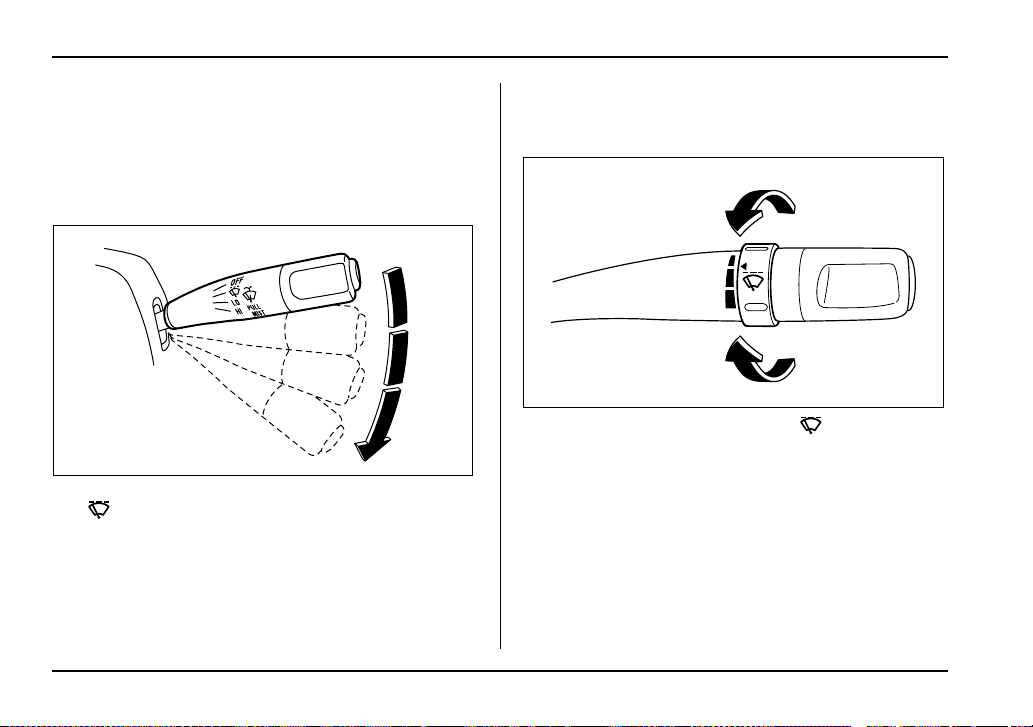
3-38
Instruments and controls
blades” section (chapter 11) for replacement in-
structions.
Windshield wiper and washer switches
T Windshield wipers
1) OFF
2) : Intermittent
3) LO: Low speed
4) HI: High speed
To turn the wipers on, push the wiper control lever
down.
To turn the wipers off, return the lever to the “OFF” po-
sition.
T Wiper intermittent time control
When the wiper switch is in the “ ” position, turn
the dial to adjust the operating interval of the wiper.
The operating interval can be adjusted continuously
from the shortest interval to the longest.
Two click stop positions of the dial may help you to aim
at your desired interval.
1
2
3
4
HS3031BB
HS3032BA
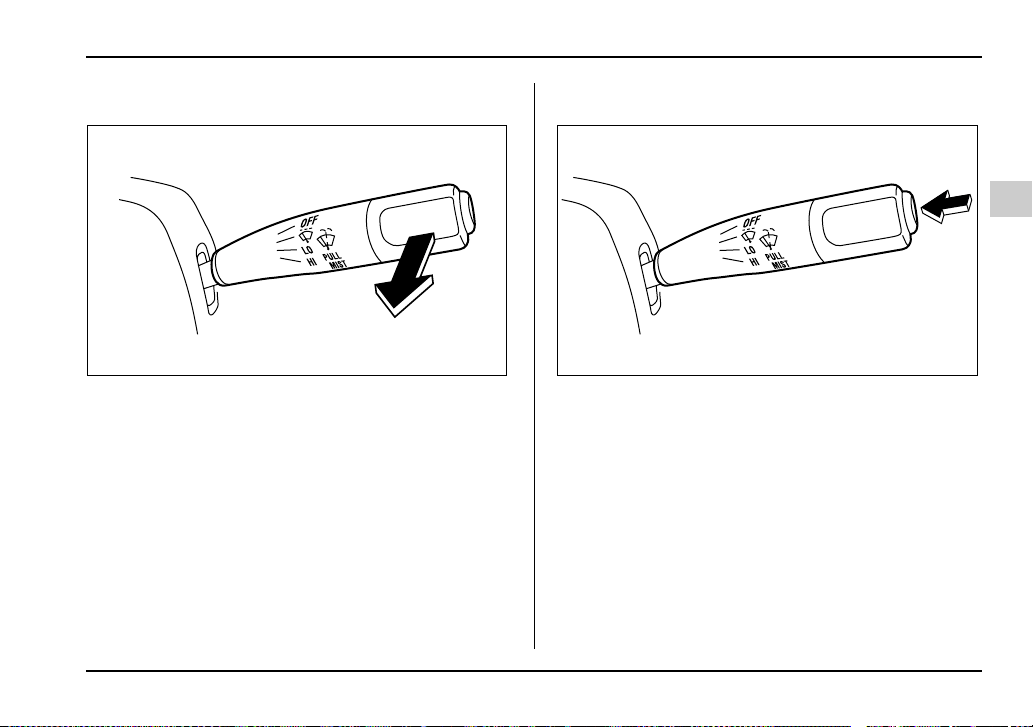
3-39
Instruments and controls
– CONTINUED –
T Mist (for a single wipe)
For a single wipe of the wipers, pull the lever toward
you. The wipers operate until you release the lever.
T Washer
To wash the windshield, push the washer button at the
end of the wiper control lever. The washer fluid sprays
until you release the washer button. The wipers oper-
ate while you push the button.
HS3033BA HS3033CA
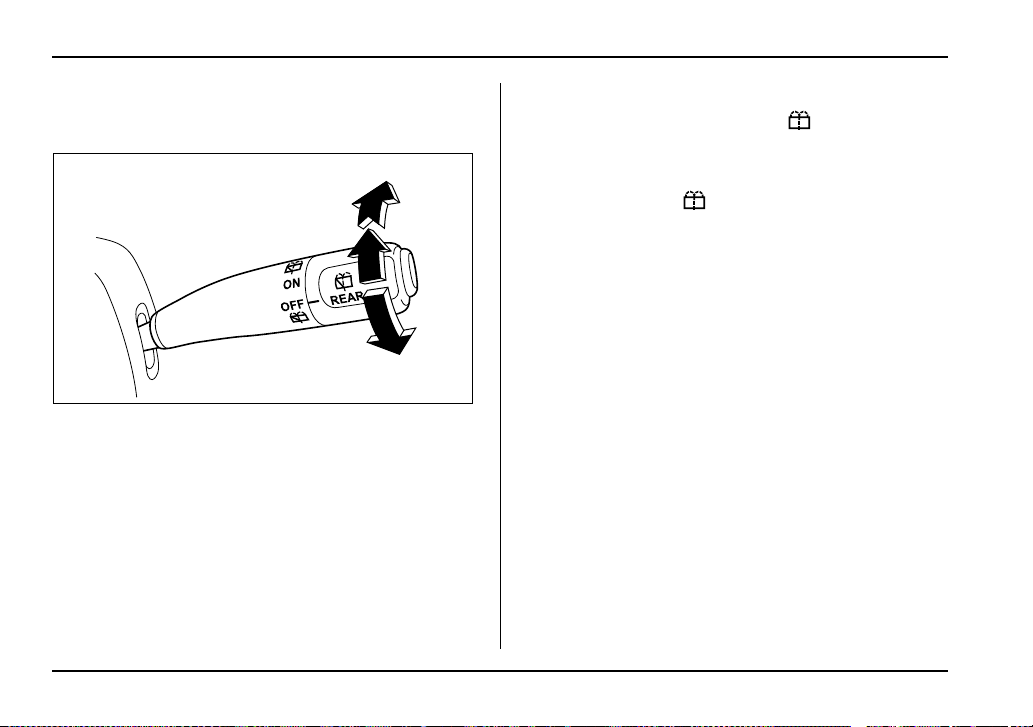
3-40
Instruments and controls
Rear window wiper and washer switch
– Wagon
1) Rear wiper
2) Washer
T Rear wiper
The rear wiper offers intermittent operation only.
To turn the rear wiper on, turn the knob on the end of
the wiper control lever to the “ON” position.
To turn the wiper off, return the knob on the end of the
lever to the “OFF” position.
T Washer
To wash the rear window while the rear wiper is oper-
ating, turn the knob on the end of the wiper control le-
ver counterclockwise to the “ ” position. The
washer fluid sprays until you release the knob.
To wash the rear window when the rear wiper is not in
use, turn the knob on the end of the wiper control lever
clockwise to the “ ” position. The washer fluid
sprays and the wiper operates until you release the
knob.
1
2
2
UG3514BB
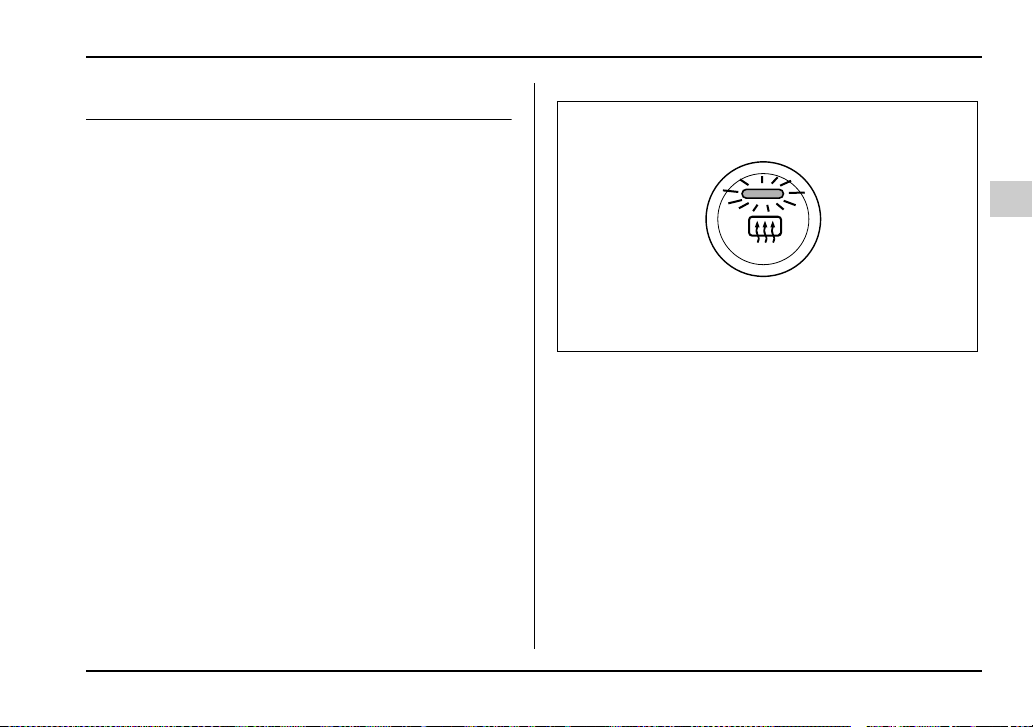
3-41
Instruments and controls
– CONTINUED –
Rear window defogger button
The rear window defogger operates only when the ig-
nition switch is in the “ON” position.
The rear window defogger button is located on the cli-
mate control panel.
The defogger will automatically shut off after about 15
minutes. If the window clears before that time, push
the button to turn it off. It also turns off when the igni-
tion switch is turned to the “ACC” or “LOCK” position.
If defrosting or defogging is desired when you restart
your vehicle, you have to push the button to turn it on
again.
Manual climate control system
UG3508BA
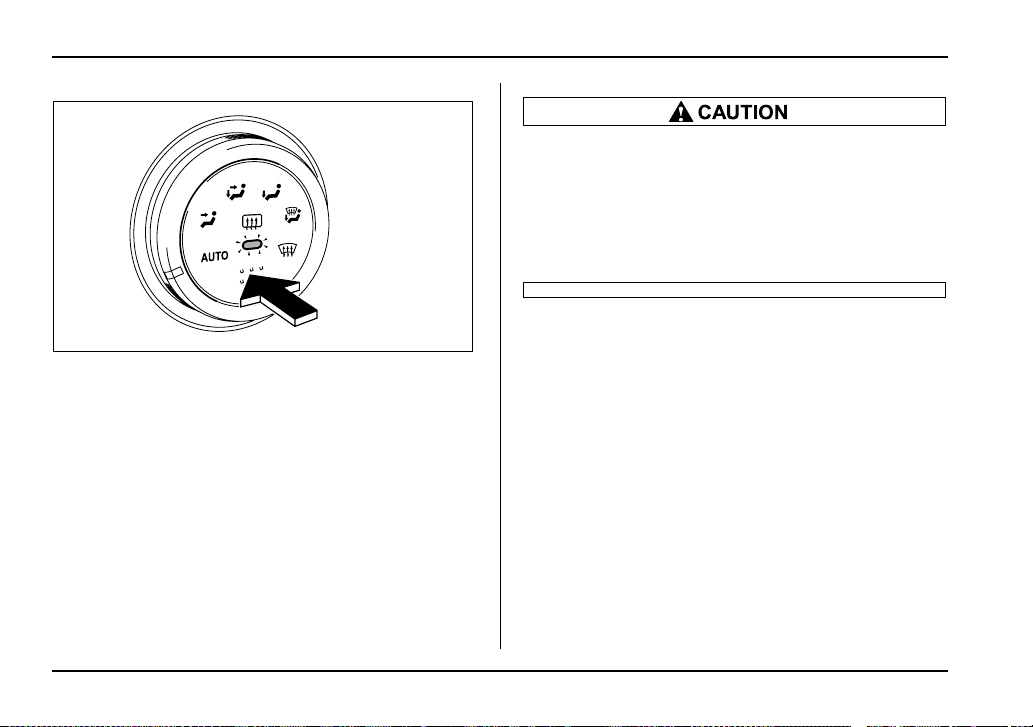
3-42
Instruments and controls
Automatic climate control system
To turn on the defogger, push the button. To turn it off,
push the button again.
The indicator light located on the button lights up while
the rear window defogger is operating.
NOTE
y If your vehicle is equipped with the outside mir-
ror defogger, the outside mirror defogger operates
while the rear window defogger is operating.
y Turn on the rear window defogger if the wiper is
frozen to the glass.
y Do not use sharp instruments or window
cleaner containing abrasives to clean the inner
surface of the rear window. They may damage
the conductors printed on the window.
y To prevent the battery from being dis-
charged, do not operate the defogger continu-
ously for any longer than necessary.
UG3046BA
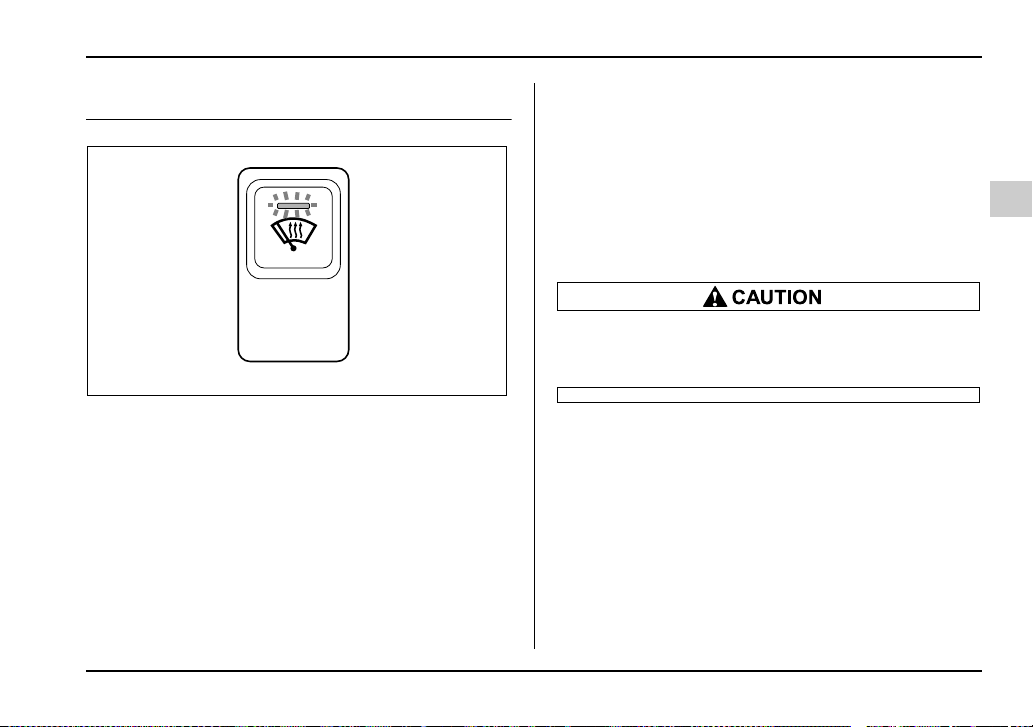
3-43
Instruments and controls
– CONTINUED –
Windshield wiper deicer (if equipped)
The windshield wiper deicer operates only when the
ignition switch is in the “ON” position.
Before turning on the windshield wiper deicer, remove
any snow from the windshield. To turn on the wind-
shield wiper deicer, push the button. The indicator light
located on the button lights up while the windshield
wiper deicer is operating.
The windshield wiper deicer will automatically shut off
after about 15 minutes. If the windshield wiper blades
have been deiced completely before that time, push
the button to turn it off. It also turns off when the igni-
tion switch is turned to the “ACC” or “LOCK” position.
If deicing is not complete when you restart your vehi-
cle, you have to push the button to turn the deicer on
again.
NOTE
If your vehicle is equipped with the outside mirror
defogger, the outside mirror defogger operates
while the rear window defogger is operating.
To prevent the battery from being discharged,
do not operate the windshield wiper deicer con-
tinuously for any longer than necessary.
UG3515BA
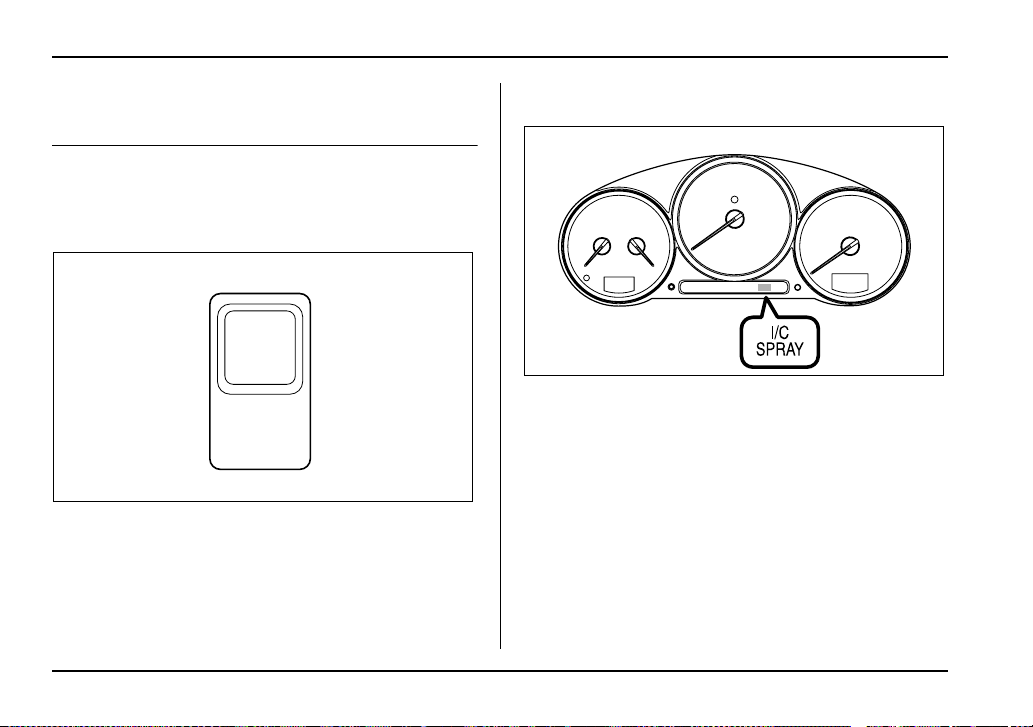
3-44
Instruments and controls
Intercooler water spray switch (WRX-
STi)
Pressing this switch causes water to be sprayed into
the intercooler. It can be used to help maintain ade-
quate intercooler performance when the outside tem-
perature is high.
Water is sprayed for approximately two seconds every
time the switch is pressed and then released.
NOTE
y The intercooler water spray warning light comes
on when the water level in the tank has dropped to
the lower limit. If the warning light illuminates, re-
fill the tank with water. The tank is located on the
right hand side of the trunk. For the tank refilling
method, refer to the “Intercooler water spray
(WRX-STi)” section in Chapter 11.
y In cold weather (when you do not use the inter-
cooler water spray), keep the tank half-empty or
below in case the water freezes. A larger amount
of water could break the tank if it froze.
I/C
WATER
SPRAY
UG3509BA
UGB079BA

3-45
Instruments and controls
– CONTINUED –
Do not press the switch when the warning light
is illuminated. If the switch is kept pressed
when the tank is short of water, the water pump
motor could overheat.
Mirrors
Always check that the inside and outside mirrors are
properly adjusted before you start driving.
Inside mirror
1) Tab
The inside mirror has a day and night position. Pull the
tab at the bottom of the mirror toward you for the night
position. Push it away for the day position. The night
position reduces glare from headlights.
1
HS3036BB
3-46
Instruments and controls
T Auto-dimming mirror/compass (if equipped)
1) Left button
2) Auto dimming indicator
3) Photosensor
4) Right button
The inside electronic compass mirror has an anti-glare
feature which automatically reduces glare coming
from headlights of vehicles behind you. It also con-
tains a built-in compass.
y By pressing and releasing the left button, the auto-
matic dimming function is toggled on or off. When the
automatic dimming function is on, the auto dimming in-
dicator light (green) located to the right of the button
will illuminate.
y By pressing and releasing the right button, the com-
pass display is toggled on or off. When the compass is
on, an illuminated compass reading will appear in the
lower part of the mirror.
Even with the mirror in anti-glare mode, the mirror sur-
face turns bright if the transmission is shifted into re-
verse. This is to ensure good rearward visibility during
reversing.
V Photosensors
The mirror has a photosensor attached on both the
front and back sides. If the glare from the headlights of
vehicles behind you strikes the mirror, these sensors
1
23
4
HS3037BB
HS3038BA
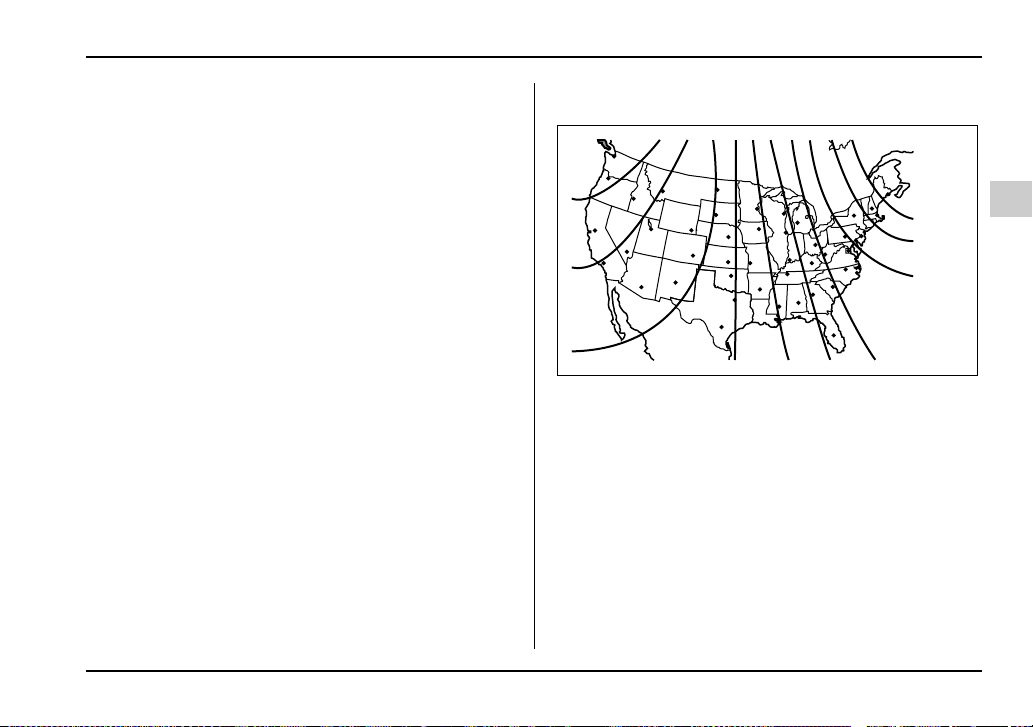
3-47
Instruments and controls
– CONTINUED –
detect it and make the reflection surface of the mirror
dimmer to help prevent you from being blinded. For
this reason, use care not to cover the sensors with
stickers, or other similar items. Periodically wipe the
sensors clean using a piece of dry soft cotton cloth or
an applicator.
V Compass calibration
1. For optimum calibration, switch off all nonessential
electrical accessories (rear window defogger, heater/
air conditioning system, spotlight, etc.) and ensure all
doors are shut.
2. Drive to an open, level area away from large metal-
lic objects or structures and make certain the ignition
switch is in the “ON” position.
3. Press and hold the left button for 3 seconds then re-
lease, and the compass will enter the calibration
mode. “CAL” and direction will be displayed.
4. Drive slowly in a circle until “CAL” disappears from
the display (about two or three circles). The compass
is now calibrated.
5. Further calibration may be necessary should out-
side. Influences cause the mirror to read inaccurately.
You will know that this has occurred if your compass
begins to read in only limited directions. Should you
encounter this situation, return to step one of the
above procedure and recalibrate the mirror.
V Compass zone adjustment
Compass calibration zones
1. The zone setting is factory preset to Zone 8. Refer
to the “Compass calibration zone” map shown above
or one attached to the end of this manual to verify that
the compass zone setting is correct for your geograph-
ical location.
2. Press and hold the right button for 3 seconds then
release, and the word “ZONE” will briefly appear and
then the zone number will be displayed.
3. Press the right hand button repeatedly to cycle the
display through all possible zone settings. Stop cycling
when the correct zone setting for your location is dis-
10
9
8
7
6
5
4
3
11
12
13
HGF048AA
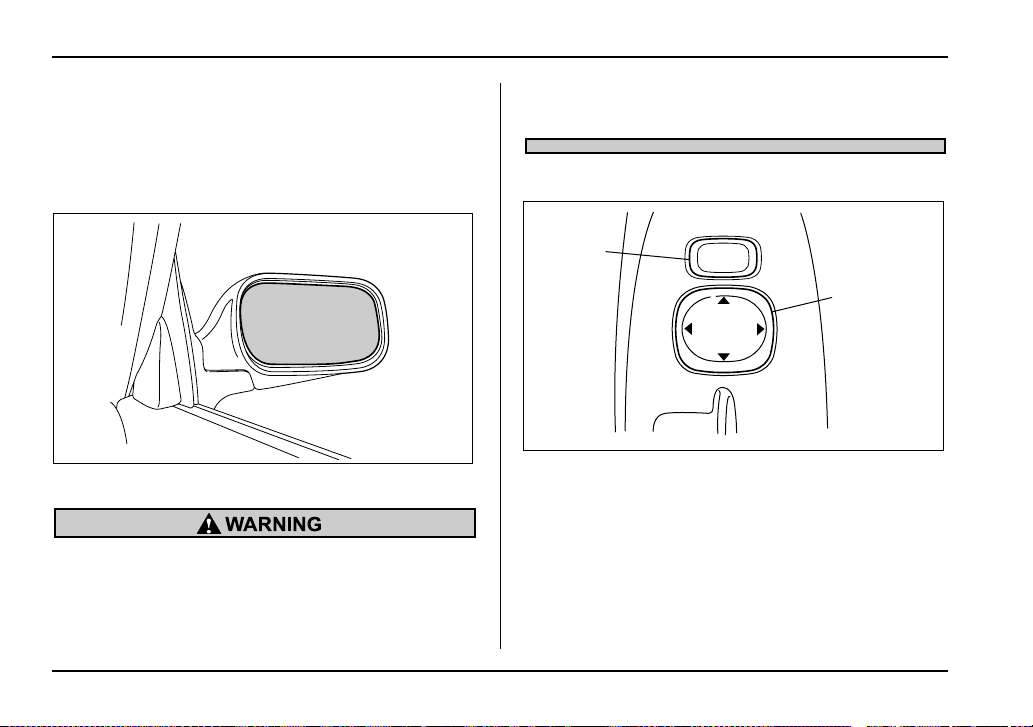
3-48
Instruments and controls
played.
4. Releasing the button for 3 seconds will exit the
zone setting mode.
Outside mirrors
T Convex mirror (passenger side)
Objects look smaller in a convex mirror and far-
ther away than when viewed in a flat mirror. Do
not use the convex mirror to judge the distance
of vehicles behind you when changing lanes.
Use the inside mirror (or glance backwards) to
determine the actual size and distance of ob-
jects that you view in convex mirror.
T Remote control mirror switch
1) Selection switch
2) Direction control switch
The remote control mirrors operate only when the ig-
nition switch is in the “ON” or “ACC” position.
1. Press either end of the selection switch, “L” for the
left, “R” for the right.
2. Move the direction control switch in the direction
you want to move the mirror.
HS3040BA
MIRROR
L
R
1
2
UG3048BB
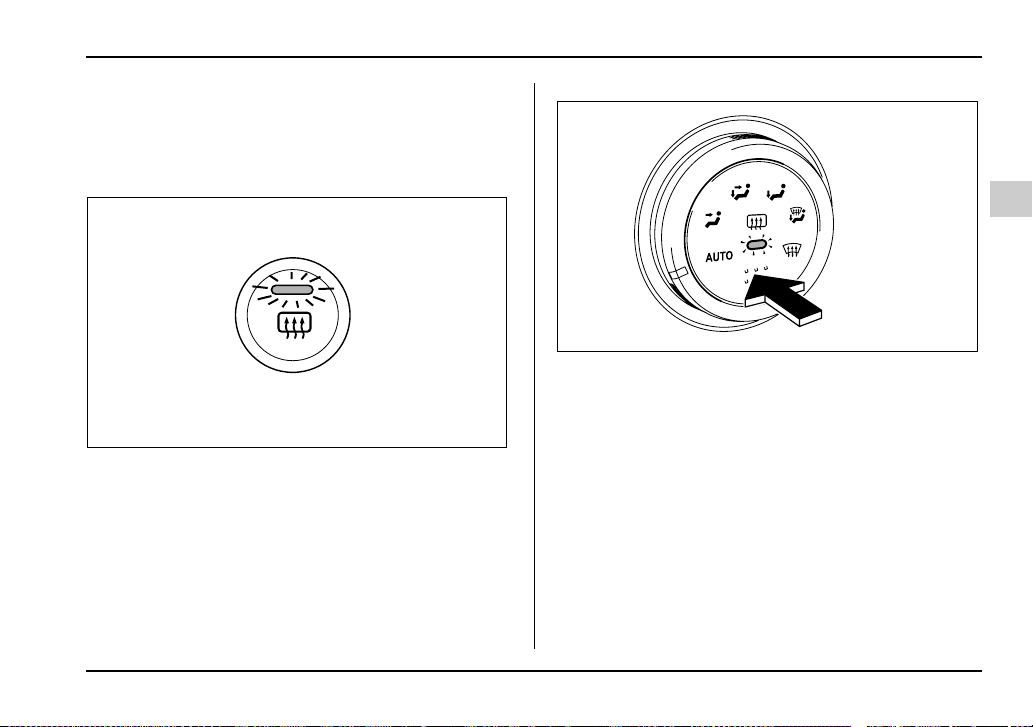
3-49
Instruments and controls
– CONTINUED –
3. Return the selection switch to the neutral position
to prevent unintentional operation.
The mirrors can also be adjusted manually.
T Outside mirror defogger (if equipped)
Manual climate control system
Automatic climate control system
The outside mirror defogger shares the button with
rear window defogger.
The outside mirror defogger operates only when the
ignition switch is in the “ON” position.
To turn on the outside mirror defogger, push the but-
ton. To turn it off, push the button again. The indicator
light located on the button lights up while the outside
mirror defogger is operating.
The defogger will automatically shut off after about 15
minutes. If the mirror clears before that time, push the
button to turn it off. It also turns off when the ignition
switch is turned to the “ACC” or “LOCK” position. If de-
UG3508BA
UG3046BA
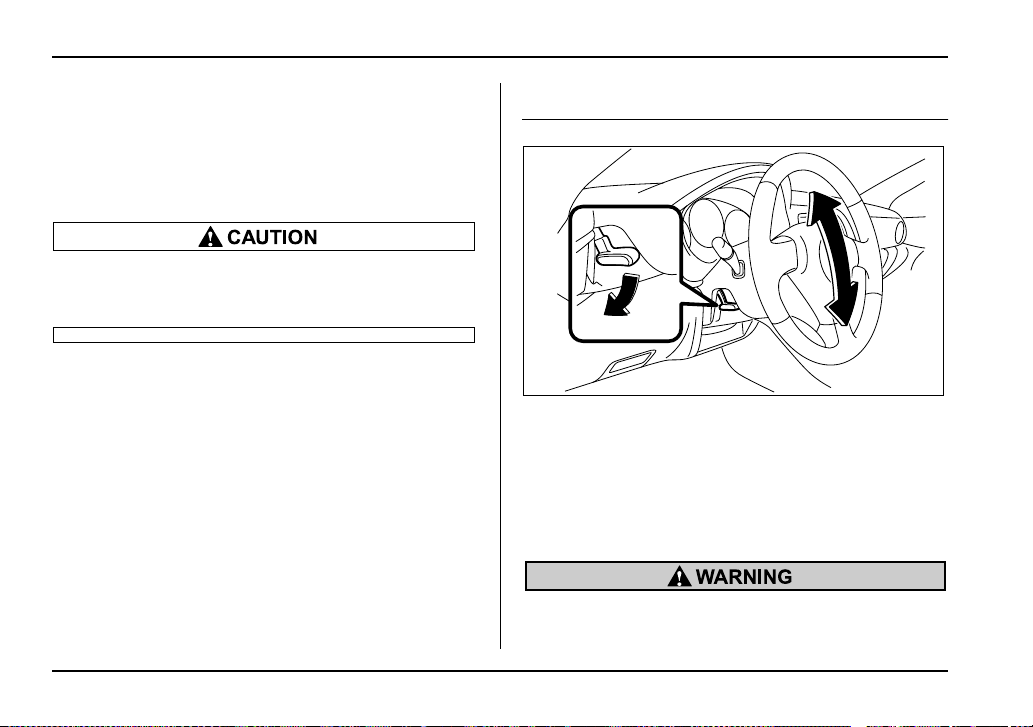
3-50
Instruments and controls
frosting or defogging is desired when you restart your
vehicle, you have to push the button to turn it on again.
NOTE
While the outside mirror defogger is operating, the
rear window defogger also operates.
To prevent the battery from being discharged,
do not operate the defogger continuously for
any longer than necessary.
Tilt steering wheel
1. Adjust the seat position. Refer to the “Front seats”
section (chapter 1).
2. Push the tilt lock lever down.
3. Move the steering wheel to the desired level.
4. Pull the lever up to lock the steering wheel in place.
5. Make sure that the steering wheel is securely
locked by moving it up and down.
Do not adjust the steering wheel tilt position
while driving. This may cause loss of vehicle
UG3047BA
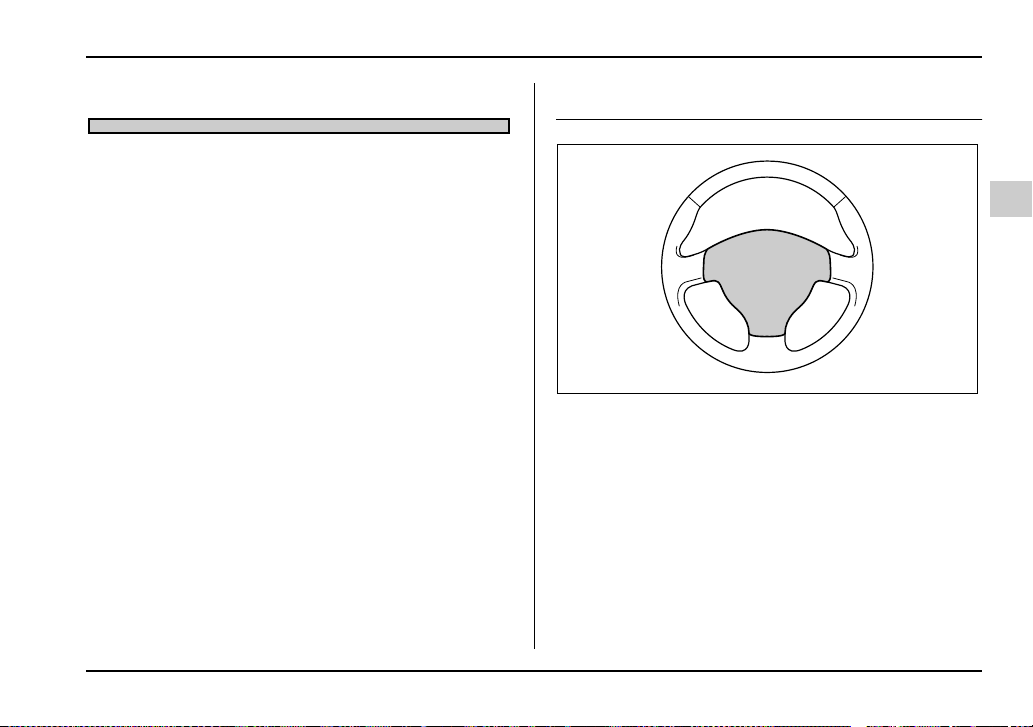
3-51
Instruments and controls
– CONTINUED –
control and result in personal injury.
Horn
To sound the horn, push the horn pad.
UG3034BA


4-1
4
Climate control
Ventilator ....................................................... 4-2
Air flow selection .............................................. 4-2
Center and side ventilators .............................. 4-3
Manual climate control system
(if equipped) .............................................. 4-4
Control panel ..................................................... 4-4
Heater operation ............................................... 4-6
Air conditioner operation (if equipped) .......... 4-9
Automatic climate control system
(if equipped) .............................................. 4-11
Control panel ..................................................... 4-11
To use as full-automatic climate control
system ............................................................. 4-12
To use as semi-automatic climate control
system ............................................................. 4-12
Fan speed control dial ...................................... 4-12
Temperature control dial .................................. 4-13
Air flow control dial .......................................... 4-13
Air inlet selection button .................................. 4-14
Air conditioner button ...................................... 4-15
Temperature sensors ....................................... 4-16
Operating tips for heater and
air conditioner ........................................... 4-17
Cleaning ventilation grille ................................ 4-17
Efficient cooling after parking in direct
sunlight ........................................................... 4-17
Lubrication oil circulation in the refrigerant
circuit .............................................................. 4-17
Checking air conditioning system
before summer season .................................. 4-17
Cooling and dehumidifying in high humidity
and low temperature weather conditions .... 4-18
Air conditioner compressor shut-off
when engine is heavily loaded ...................... 4-18
Refrigerant for your climate control system .. 4-18
Air filtration system (Turbo model only) ..... 4-18
Replacing an air filter ....................................... 4-19
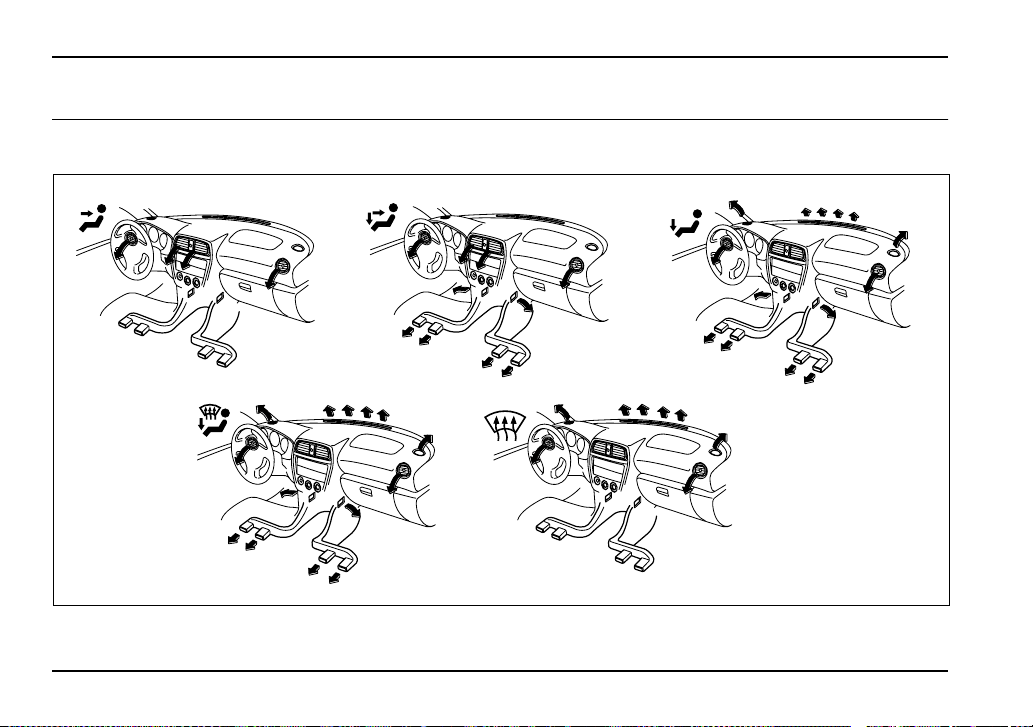
4-2
Climate control
Climate con trol
Ventilator
Air flow selection
UG4054BA
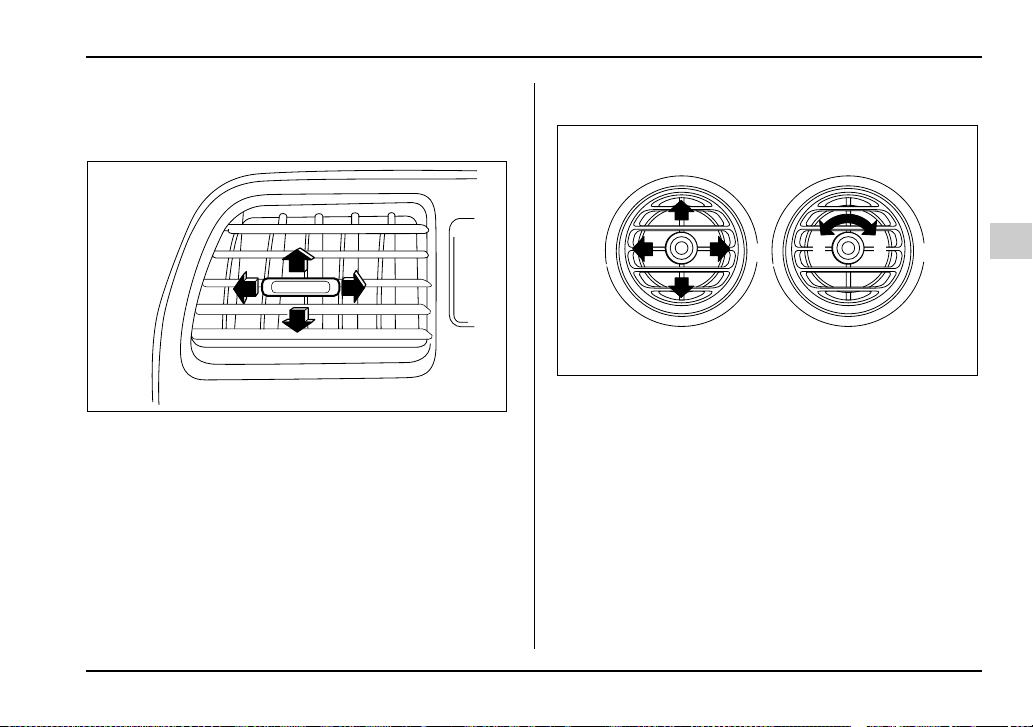
4-3
Climate control
– CONTINUED –
Center and side ventilators
T Center ventilators
Move the tab up and down or right and left to adjust the
flow direction.
T Side ventilators
1) Open
2) Close
Move the knob in any direction you prefer to adjust the
flow direction.
To open the ventilator, turn the knob counterclock-
wise.
To close the ventilator, turn the knob clockwise.
UG4069BA
1
2
UG4504BB
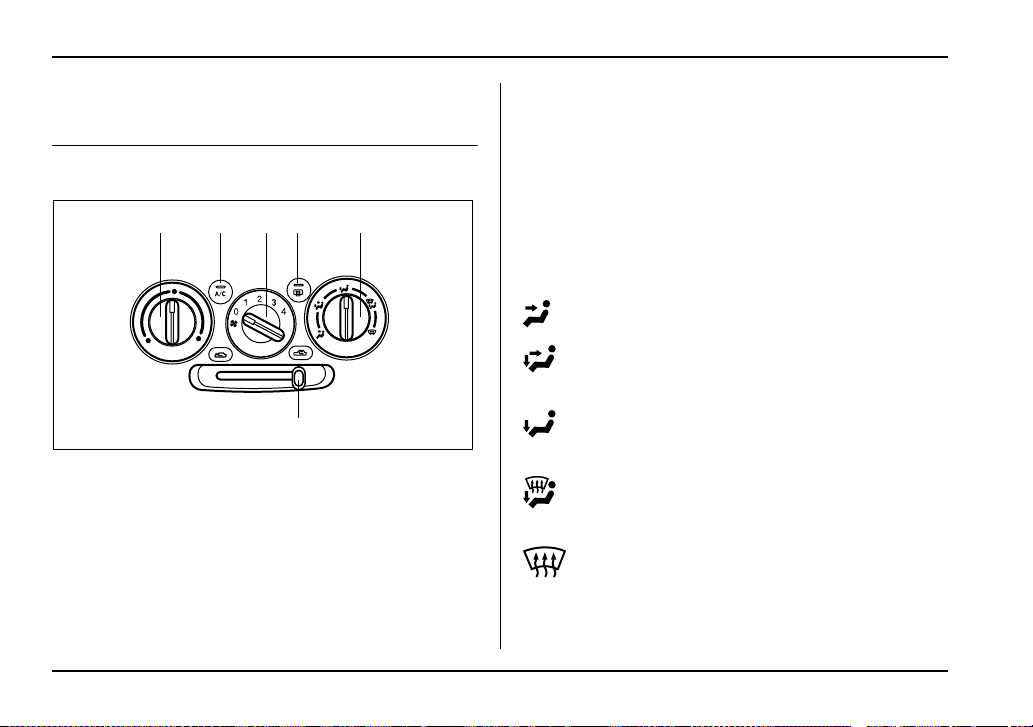
4-4
Climate control
Manual climate control system (if
equipped)
Control panel
1) Air inlet selection lever
2) Air conditioner button
3) Rear window defogger button (Refer to the “Rear win-
dow defogger button” in chapter 3.)
4) Air flow control dial
5) Fan speed control dial
6) Temperature control dial
T Temperature control dial
This dial regulates the temperature of air flow from the
air outlets over a range from the blue side (cool) to red
side (warm).
T Fan speed control dial
The fan operates only when the ignition switch is
turned to the “ON” position. The fan speed control dial
is used to select four fan speeds.
T Air flow control dial
This dial has the following five positions:
: Air flows through the instrument panel outlets.
: Air flows through the instrument panel outlets
and the foot outlets.
: Air flows through the foot outlets and some
through the windshield defroster outlets.
: Air flows through the windshield defroster outlets
and foot outlets.
: Air flows through the windshield defroster out-
lets.
62534
1
UG4060BB
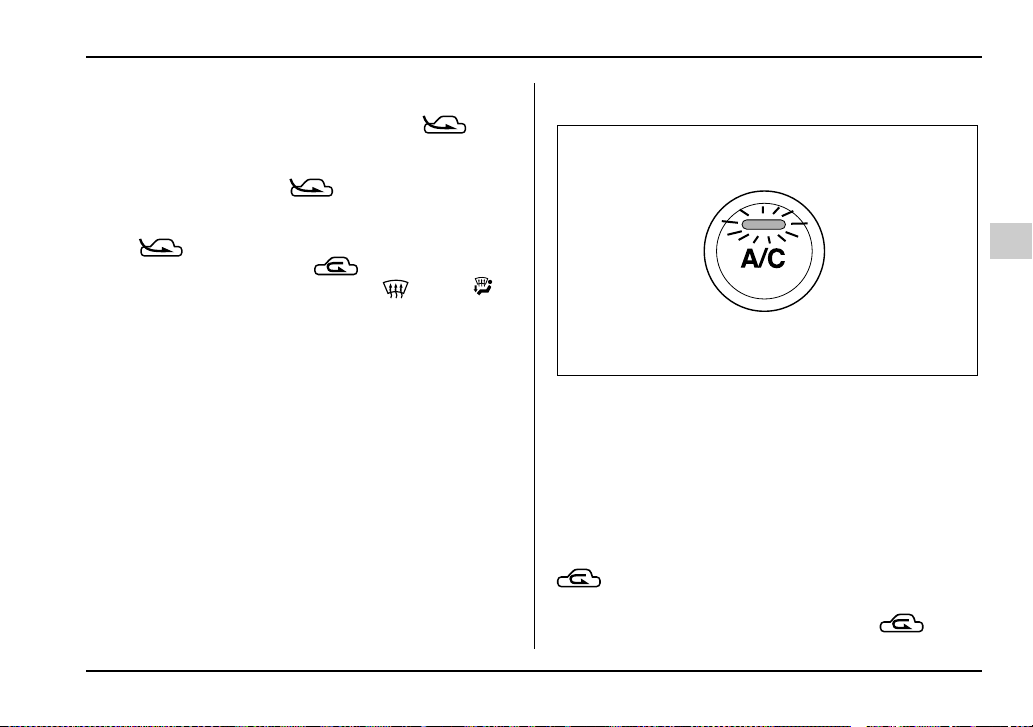
4-5
Climate control
– CONTINUED –
NOTE
y You will find the notation “USE WITH ” on
the air flow control dial plate.
This is intended to remind you to set the air inlet
selection lever in the “ ” position when de-
fogging the windshield.
Defogging with the air inlet selection lever set in
the “ ” position provides better defogging
performance than in the “ ” position.
y When the dial is placed in the “ ” or “ ”
position, the air conditioner compressor operates
automatically regardless of the position of the air
conditioner button to defog the windshield quick-
ly.
However the indicator on the air conditioner but-
ton will not come on.
Also, you cannot stop the air conditioner com-
pressor by pressing the air conditioner button.
T Air conditioner button (if equipped)
The air conditioner operates only when the engine is
running.
Push the air conditioner button while the fan is in op-
eration to turn on the air conditioner. The indicator light
will come on.
Push it again to turn off the air conditioner.
T Air inlet selection lever
(Recirculation): Interior air is recirculated inside
the vehicle.
Place the air inlet selection lever in the “ ” posi-
UG4507BA

4-6
Climate control
tion for fast cooling with the air conditioner or when
driving on a dusty road.
(Outside air): Outside air is drawn into the pas-
senger compartment.
Place the air inlet selection lever in the “ ” posi-
tion when the interior has cooled to a comfortable tem-
perature and the road is no longer dusty.
Continued operation in the position may
fog up the windows. Switch to
the position as soon as the outside
dusty condition clears.
Heater operation
T Defrosting or defogging the windshield
To direct warm air to the windshield and front door win-
dows:
1. Set the air inlet selection lever to the “ ” po-
sition.
2. Set the air flow control dial to the “ ” position.
3. Turn the temperature control dial all the way to the
right.
4. Set the fan speed control dial to the highest speed.
If your vehicle is equipped with an air conditioner,
when the “ ” or “ ” position is selected, the air
conditioner compressor automatically operates re-
UG4061AA

4-7
Climate control
– CONTINUED –
gardless of the position of the air conditioner button to
defog the windshield quickly.
However, the air conditioner indicator light does not
come on at this time.
NOTE
Warm air also comes out from the right and left air
outlets. To stop warm air flow from these outlets,
turn the corresponding knob clockwise.
T Heating and defrosting
To direct warm air toward the floor and the windshield:
1. Set the air inlet selection lever to the “ ” po-
sition.
2. Set the air flow control dial to the “ ” position.
3. Set the temperature control dial to the most com-
fortable level.
4. Set the fan speed control dial to the desired speed.
If your vehicle is equipped with an air conditioner,
when the “ ” or “ ” position is selected, the air
conditioner compressor automatically operates re-
gardless of the position of the air conditioner button to
defog the windshield quickly.
However, the air conditioner indicator light does not
come on at this time.
NOTE
Warm air also comes out from the right and left air
outlets. To stop warm air flow from these outlets,
turn the corresponding knob clockwise.
UG4062AA
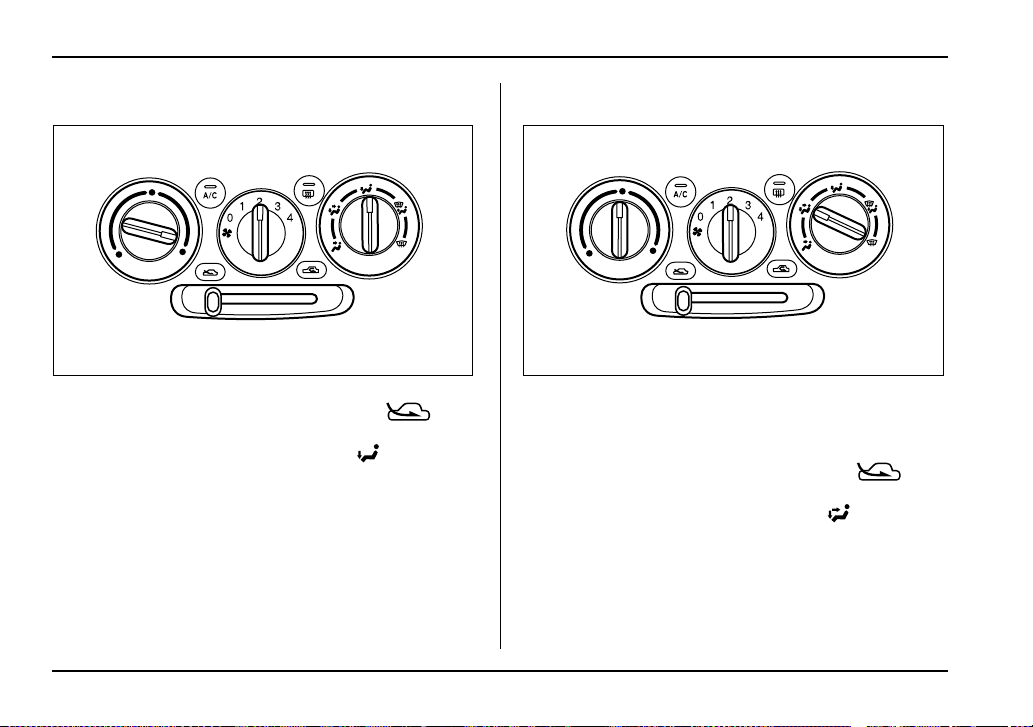
4-8
Climate control
T Heating
To direct warm air toward the floor:
1. Set the air inlet selection lever to the “ ” po-
sition.
2. Set the air flow control dial to the “ ” position.
3. Set the temperature control dial to the most com-
fortable level.
4. Set the fan speed control dial to the desired speed.
NOTE
Warm air also comes out from the right and left air
outlets. To stop warm air flow from these outlets,
turn the corresponding knob clockwise.
T Bi-level heating
This setting allows you to direct air of different temper-
atures from the instrument panel and foot outlets. The
air from the foot outlets is slightly warmer than from the
instrument panel outlets.
1. Set the air inlet selection lever to the “ ” po-
sition.
2. Set the air flow control dial to the “ ” position.
3. Set the temperature control dial to the desired tem-
perature level.
4. Set the fan speed control dial to the desired speed.
Setting the temperature control dial fully turned to the
red area or blue area decreases the temperature dif-
UG4063AA UG4064AA
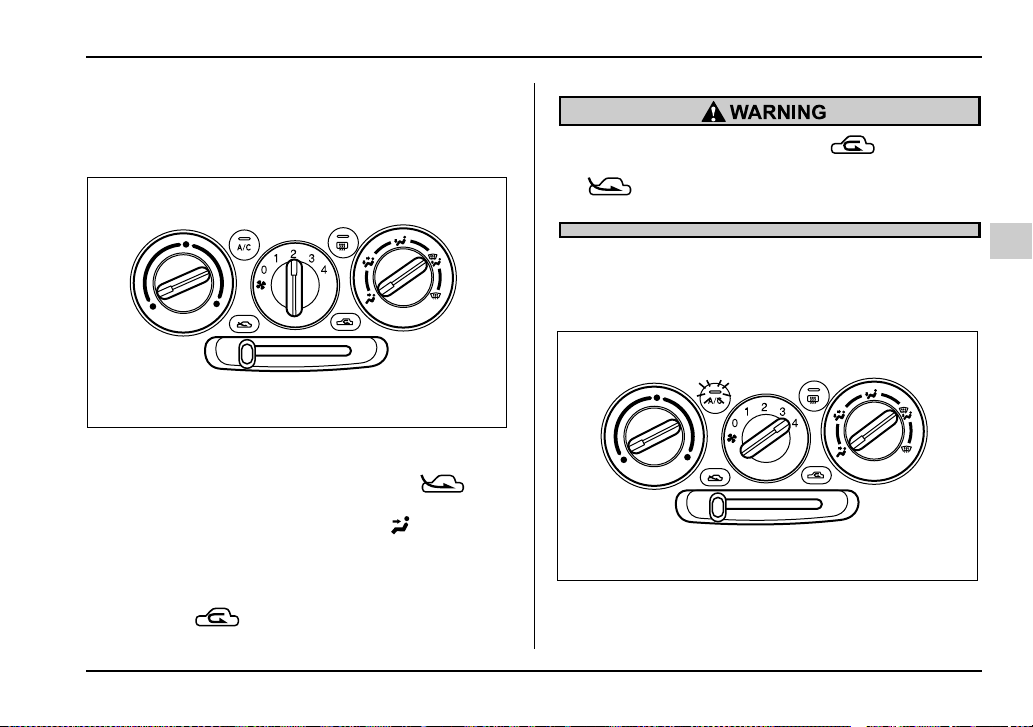
4-9
Climate control
– CONTINUED –
ference between the air from the instrument panel out-
lets and the air from the foot outlets.
T Ventilation
To force outside air through the instrument panel out-
lets:
1. Set the air inlet selection lever to the “ ” po-
sition.
2. Set the air flow control dial to the “ ” position.
3. Set the temperature control dial all the way left.
4. Set the fan speed control dial to the desired speed.
When driving on a dusty road, set the air inlet control
lever to the “ ” position.
Continued operation in the “ ” position
may fog up the windows. Switch to the
“ ” position as soon as the outside dusty
condition clears.
Air conditioner operation (if equipped)
T Cooling or dehumidifying
For cooling and dehumidification of the passenger
compartment, performing the following steps will allow
UG4065AA
UG4066BA
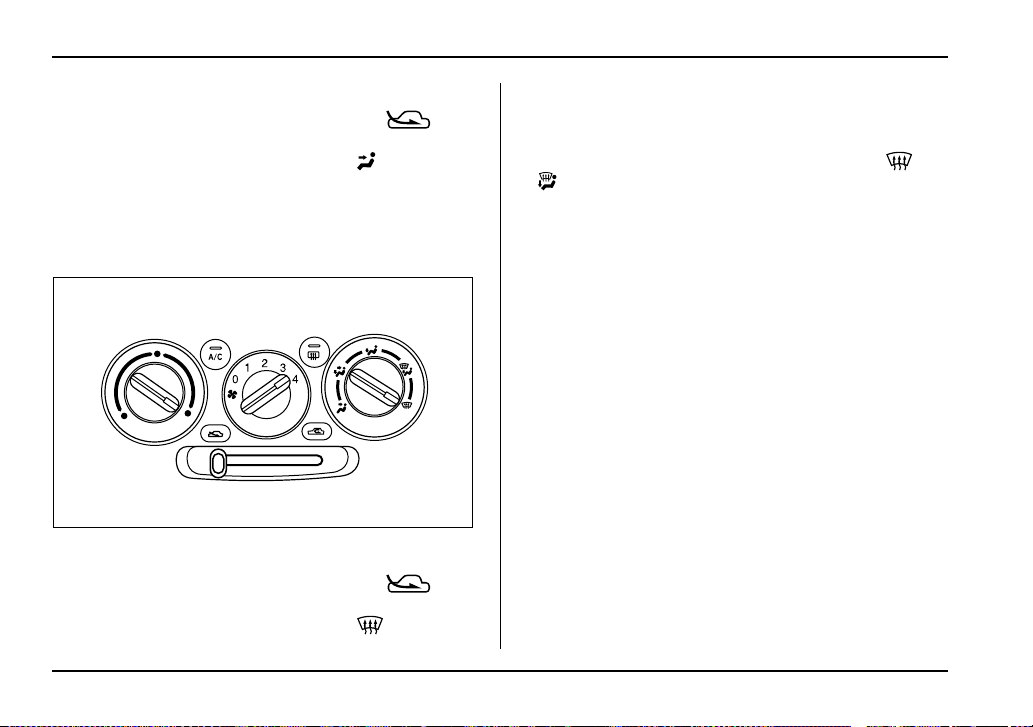
4-10
Climate control
air to flow through the instrument panel outlets:
1. Set the air inlet selection lever to the “ ” po-
sition.
2. Set the air flow control dial to the “ ” position.
3. Set the air conditioner button to the “ON” position.
4. Set the temperature control dial to the blue side.
5. Set the fan speed control dial at the highest speed.
T Defrosting or defogging
To direct warm air to the windshield and front door win-
dows:
1. Set the air inlet selection lever to the “ ” po-
sition.
2. Set the air flow control dial to the “ ” position.
3. Set the temperature control dial to the red side.
4. Set the fan speed control dial at the highest speed.
The air conditioner compressor automatically oper-
ates when the air flow control dial set in the “ ” or
“ ” position to provide better defogging perfor-
mance.
However, the air conditioner indicator light does not
come on at this time.
UG4061AA
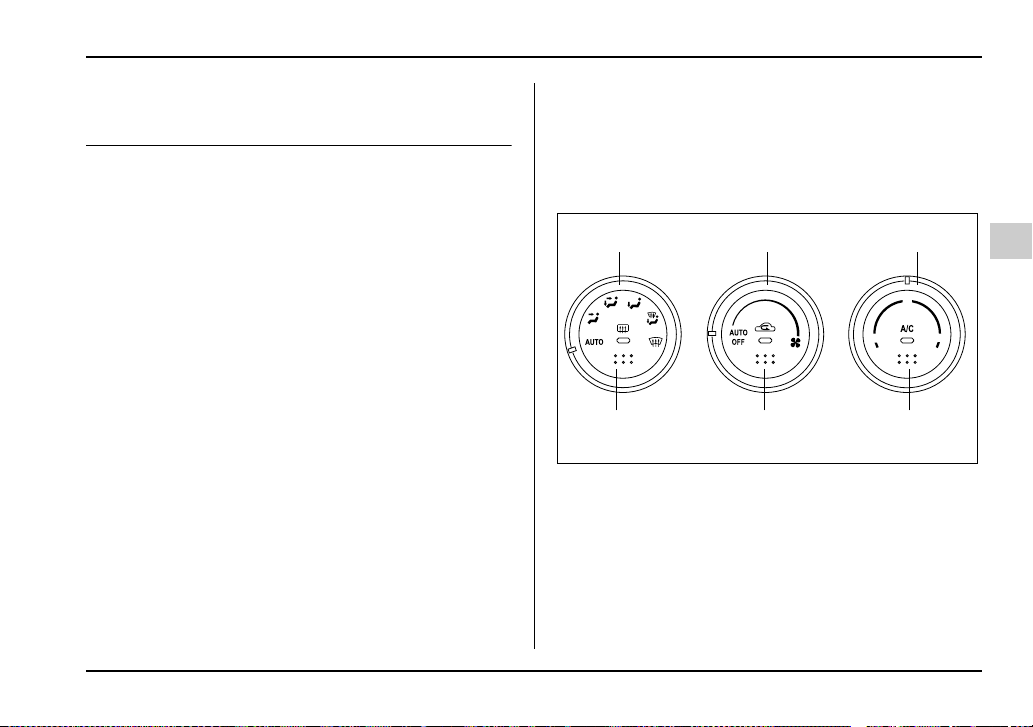
4-11
Climate control
– CONTINUED –
Automatic climate control system (if
equipped)
Although this climate control system can be used as a
full-automatic climate control system, it can also, if de-
sired, be used as a semi-automatic climate control
system.
When it is used as a full-automatic climate control sys-
tem, the outlet air temperature, fan speed, air flow dis-
tribution, air inlet control, and air conditioner compres-
sor operation are all automatically controlled to main-
tain a constant, comfortable temperature inside the
vehicle.
NOTE
y Operate the automatic climate control system
when the engine is running.
y When the engine coolant is cold, the blower
does not run.
y In the “AUTO” mode, when the air temperature
in the passenger compartment is sufficiently cool,
the air conditioner compressor does not operate.
For efficient defogging or dehumidifying in cold
weather, press the “A/C” button to operate the air
conditioner compressor.
y Even when cooling is not necessary, setting the
temperature much lower than the current outlet air
temperature turns on the air conditioner compres-
sor automatically and the “A/C” indicator light on
the control panel comes on.
Control panel
1) Air flow control dial
2) Fan speed control dial
3) Temperature control dial
4) Air conditioner button
5) Air inlet selection button
6) Rear window defogger button (Refer to the “Rear win-
dow defogger button” in chapter 3.)
65 85
75
123
654
UG4055BB
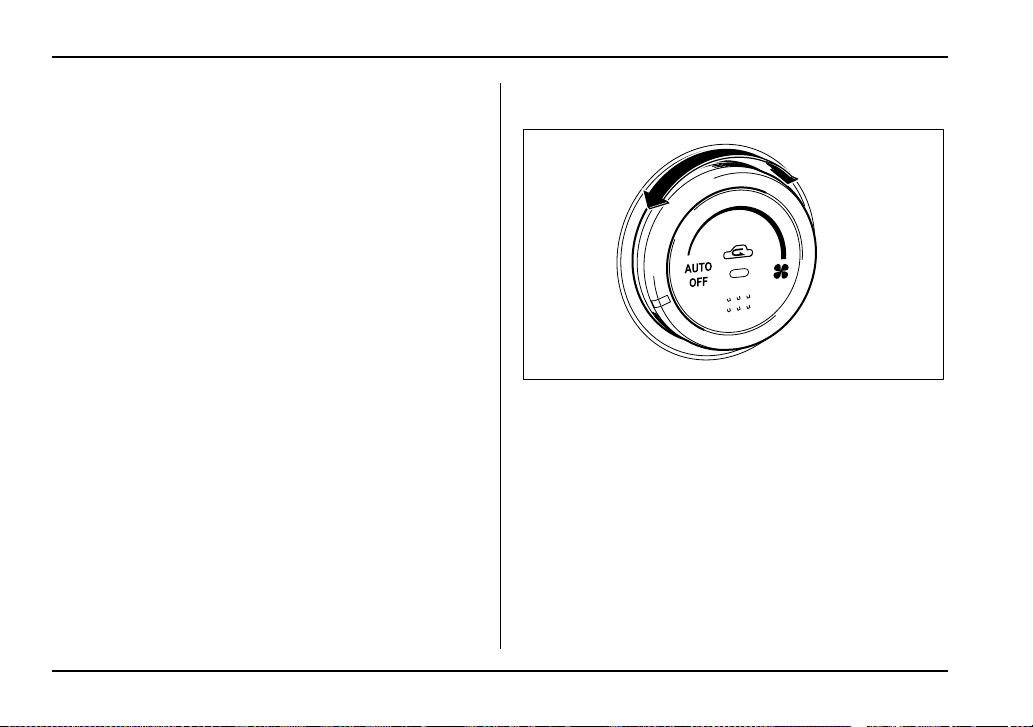
4-12
Climate control
To use as full-automatic climate con-
trol system
Place the temperature control dial in the position for
your desired temperature, then set the other dials and
buttons as described below. The system’s functions
will then switch to AUTO mode and be controlled au-
tomatically.
y Air flow control dial: AUTO position
y Fan speed control dial: AUTO position
y Air inlet selection button: Press for at least 1 sec-
ond. (Indicator will flash twice.)
y Air conditioner button: Press for at least 1 second.
(Indicator will flash twice.)
To use as semi-automatic climate con-
trol system
Each function can be individually set to AUTO mode
independently of the others. Any function set to AUTO
mode is controlled automatically. Any function not set
to AUTO mode can be manually adjusted as desired.
The temperature can be set within a range of 65 to
85°F (20 to 30°C).
Fan speed control dial
The fan operates only with the ignition switch in the
ON position. The fan speed control dial is used to se-
lect the AUTO (automatic control) mode or to select
the desired fan speed. The dial’s positions and their
functions are as follows:
OFF: The fan does not operate.
AUTO: The fan speed is adjusted automatically in ac-
cordance with the air temperature inside and outside
the passenger compartment, the intensity of sunlight,
and other factors. SUBARU recommends using the
AUTO position.
Other positions: The fan speed can be adjusted in 25
steps.
UG4056BA
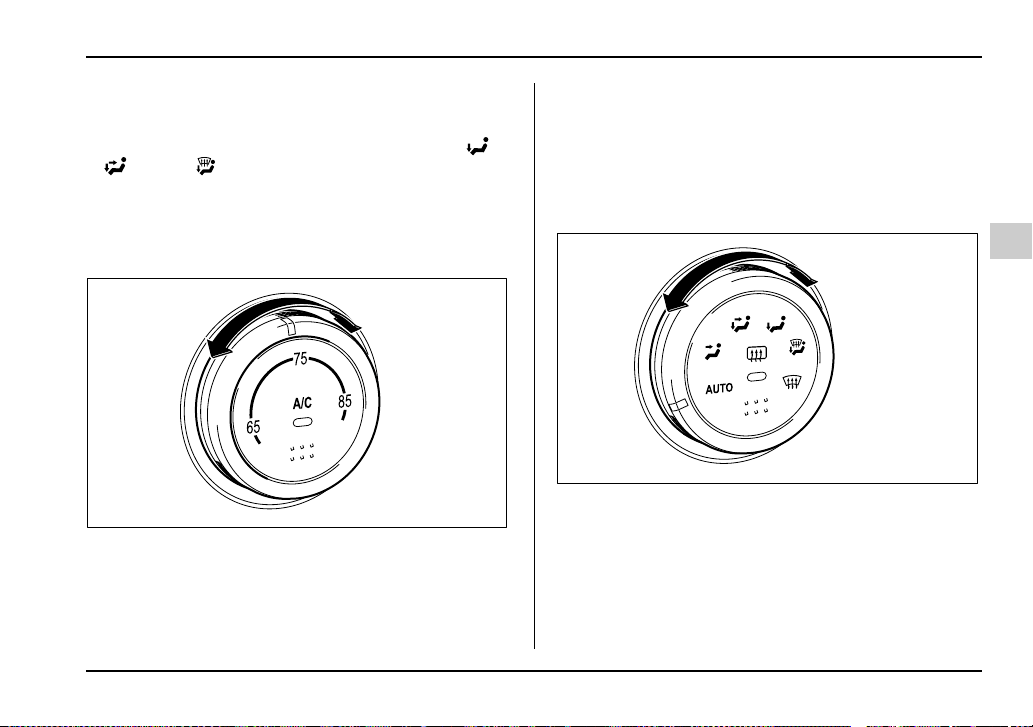
4-13
Climate control
– CONTINUED –
NOTE
With the fan speed control dial in the AUTO posi-
tion and the air flow control dial in the “ ”,
“ ”, or “ ” position, the fan does not oper-
ate during engine warmup until the engine coolant
temperature exceeds approx. 122°F (50°C).
Temperature control dial
This dial is used to set the desired interior tempera-
ture. With the dial set to your desired temperature, the
system automatically adjusts the temperature of air
supplied from the outlets such that the desired temper-
ature is achieved and maintained.
If the dial is turned fully counterclockwise, the system
gives maximum cooling performance. If the dial is
turned fully clockwise, the system gives maximum
heating performance.
Air flow control dial
This dial has the following six positions. The outlets
from which air is supplied in each position are as fol-
lows:
AUTO: The air flow control is adjusted automatically in
accordance with the air temperature inside and out-
side the passenger compartment, the intensity of sun-
light, and other factors. SUBARU recommends using
UG4057BA
UG3046CA
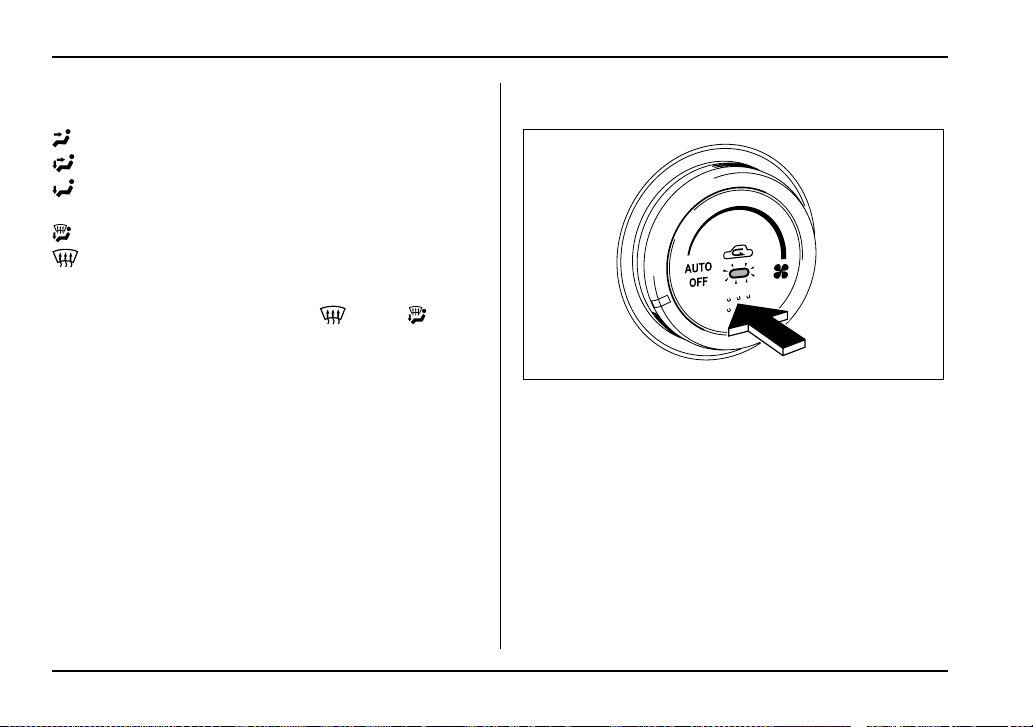
4-14
Climate control
the AUTO position.
: Instrument panel outlets
: Instrument panel outlets and foot outlets
: Foot outlets and windshield defroster outlets (rel-
atively little air from windshield defroster outlets)
: Windshield defroster outlets and foot outlets
: Windshield defroster outlets
NOTE
When the dial is placed in the “ ” or “ ” po-
sition, the air conditioner compressor operates
automatically to defog the windshield quickly. At
the same time, the air inlet selection is automati-
cally set to “outside air” mode.
Air inlet selection button
ON position (Recirculation): Interior air is recirculat-
ed inside the vehicle. Push the air inlet selection but-
ton to the ON position for fast cooling with the air con-
ditioner or when driving on a dusty road. The indicator
light will come on.
OFF position (Outside Air): Outside air is drawn into
the passenger compartment. Push the air inlet selec-
tion button to the OFF position when the interior has
cooled to a comfortable temperature and the road is
no longer dusty. The indicator light will go off.
AUTO: When the air inlet selection button is pressed
for at least one second, the indicator flashes twice.
The air inlet control is then adjusted automatically in
UG4056CA
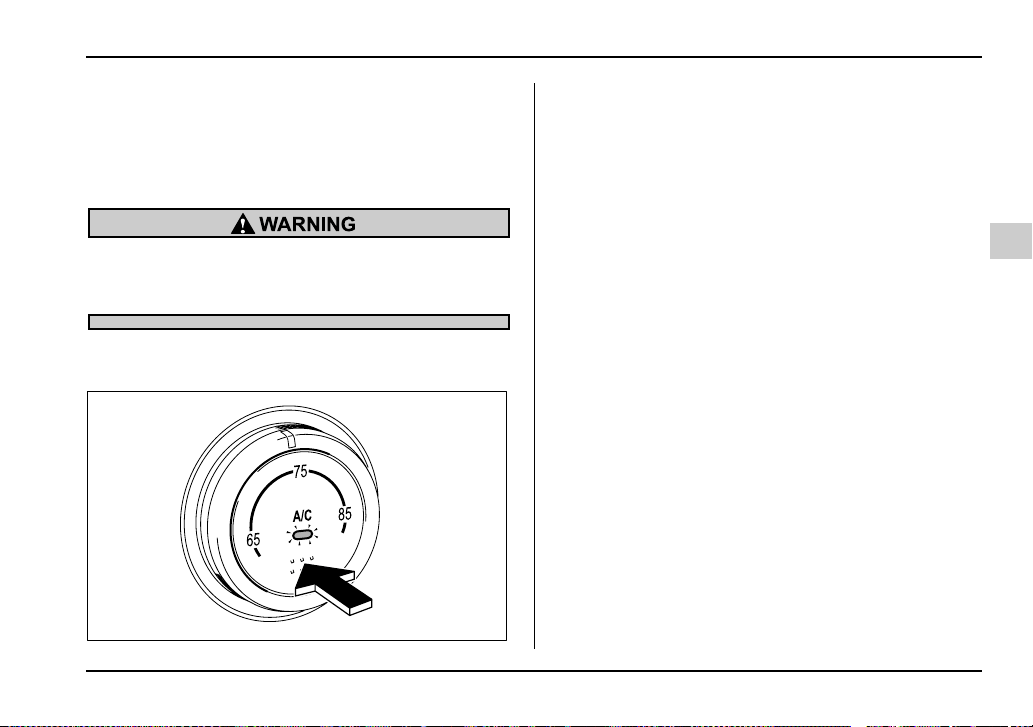
4-15
Climate control
– CONTINUED –
accordance with the air temperature inside and out-
side the passenger compartment, the intensity of sun-
light, and other factors. Pressing the air inlet selection
button cancels the “AUTO” mode. SUBARU recom-
mends using the AUTO position.
Continued operation in the ON position may fog
up the windows. Switch to the OFF position as
soon as the outside dusty condition clears.
Air conditioner button
The button’s positions and their functions are as fol-
lows:
ON: The air conditioner operates while the fan is run-
ning.
Push the button to select this position. The indicator
light will illuminate.
OFF:The air conditioner does not operate.
Push the button a second time to select this position.
The indicator light will go off.
AUTO: When the button is pressed for at least one
second, the indicator flashes twice. The air conditioner
compressor operation is then adjusted automatically
in accordance with the air temperature inside and out-
side the passenger compartment, the intensity of sun-
light, and other factors. Pressing the button cancels
the “AUTO” mode. SUBARU recommends using the
AUTO position.
NOTE
The air conditioner’s compressor does not oper-
ate with an outside temperature of 32°F (0°C) or
lower.
UG4057CA

4-16
Climate control
Temperature sensors
1) Interior air temperature sensor
2) Solar sensor
The automatic climate control system employs several
sensors. These sensors are delicate. If they are not
treated properly and become damaged, the system
may not be able to control the interior temperature cor-
rectly. To avoid damaging the sensors, observe the
following precautions:
– Do not subject the sensors to impact.
– Keep water away from the sensors.
– Do not cover the sensors.
The sensors are located as follows:
– Solar sensor: beside windshield defroster grille
– Interior air temperature sensor: beside the fan
speed control dial
– Outside temperature sensor: behind front grille.
2
1
UG4058BB
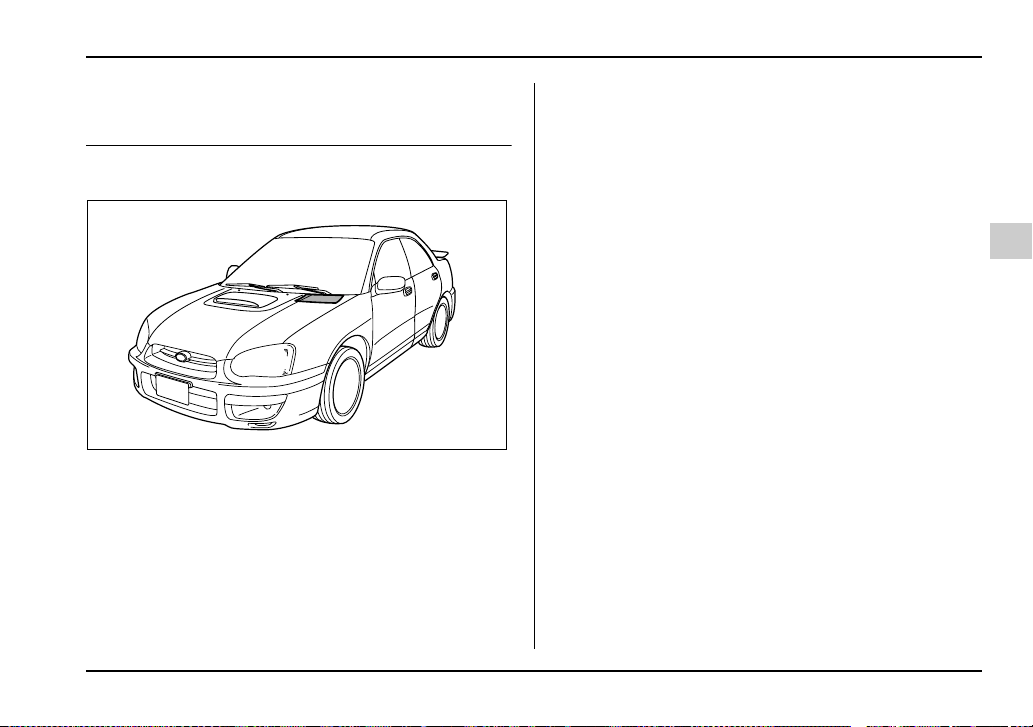
4-17
Climate control
– CONTINUED –
Operating tips for heater and air con-
ditioner
Cleaning ventilation grille
Always keep the front ventilation inlet grille free of
snow, leaves, or other obstructions to ensure efficient
heating and defrosting. Since the condenser is located
in front of the radiator, this area should be kept clean
because cooling performance is impaired by any ac-
cumulation of insects and leaves on the condenser.
Efficient cooling after parking in direct
sunlight
After parking in direct sunlight, drive with the windows
open for a few minutes to allow outside air to circulate
into the heated interior. This results in quicker cooling
by the air conditioner. Keep the windows closed during
the operation of the air conditioner for maximum cool-
ing efficiency.
Lubrication oil circulation in the refrig-
erant circuit
Operate the air conditioner compressor at a low en-
gine speed (at idle or low driving speeds) a few min-
utes each month during the off-season to circulate its
oil.
Checking air conditioning system be-
fore summer season
Check the air conditioner unit for refrigerant leaks,
hose conditions, and proper operation each spring.
This check is best performed by your SUBARU dealer.
UG4040BA
4-18
Climate control
Cooling and dehumidifying in high hu-
midity and low temperature weather
conditions
Under certain weather conditions (high relative humid-
ity, low temperatures, etc.) a small amount of water
vapor emission from the air outlets may be noticed.
This condition is normal and does not indicate any
problem with the air conditioning system.
Air conditioner compressor shut-off
when engine is heavily loaded
To improve acceleration and gas mileage, the air con-
ditioner compressor is designed to temporarily shut off
during air conditioner operation whenever the acceler-
ator is fully depressed such as during rapid accelera-
tion or when driving on a steep upgrade.
Refrigerant for your climate control
system
Your air conditioner uses ozone friendly refrigerant
HFC134a. Therefore, the method of adding, changing
or checking the refrigerant is different from the method
for CFC12 (Freon). Consult your SUBARU dealer for
service. Repairs needed as a result of using the wrong
refrigerant are not covered under warranty.
Air filtration system (Turbo model
only)
If your vehicle’s air conditioning system is equipped
with an air filtration system, replace the filter element
according to the replacement schedule shown below.
This schedule should be followed to maintain the fil-
ter’s dust collection ability. Under extremely dusty con-
ditions, the filter should be replaced more frequently. It
is recommended that you have your filter checked or
replaced by your SUBARU dealer. For replacement,
use only a genuine SUBARU air filter kit.
Replacement schedule:
Every 12 months or 7,500 miles (12,000 km) whichev-
er comes first
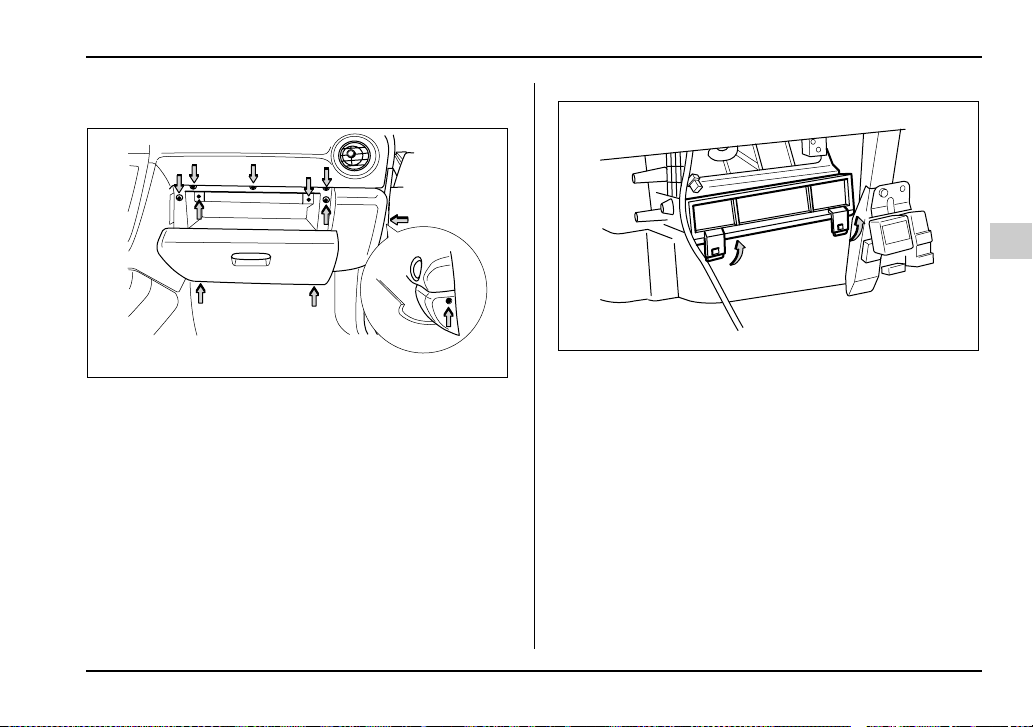
4-19
Climate control
– CONTINUED –
Replacing an air filter
1. Remove the glove box.
1)Open the glove box.
2)Remove the nine screws and the one clip secur-
ing the glove box.
3)Disconnect the glove box light connector.
2. Unhook the hooks of the air filter cover and remove
the cover.
UG4051BA
UG4052BA
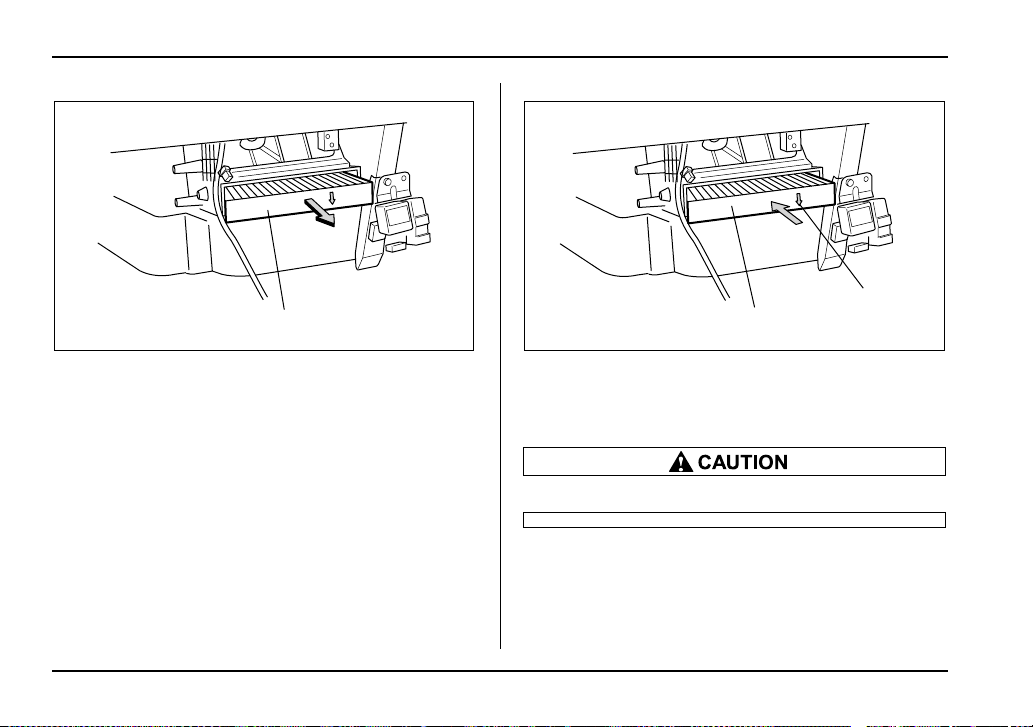
4-20
Climate control
1) Air filter element
3. Draw out the air filter element.
1) Air filter element
2) Arrow mark
4. Replace the air filter element with new one.
The arrow mark on the filter must point down.
1
UG4053BB
1
2
UG4053CB
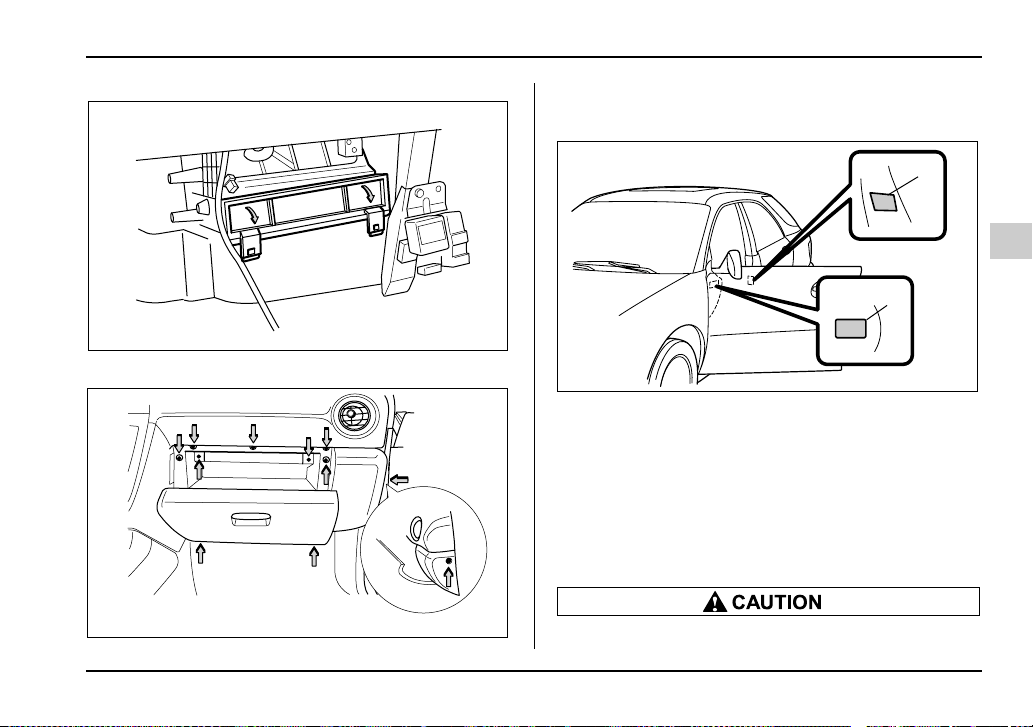
4-21
Climate control
– CONTINUED –
5. Reinstall the air filter cover.
6. Connect the connector, and reinstall the glove box.
7. Close the glove box.
1) Service label
2) Caution label
8. LABEL installation
1)Fill out the information on the service label
(small).
2)Attach the service label to the driver side door pil-
lar and the caution label to the driver side end of the
instrument panel.
Contact your dealer if the following occurs,
UG4052CA
UG4051BA
2
1
UG4068BB
4-22
Climate control
even if it is not yet time to change the filter:
y Reduction of the air flow through the vents.
y Windshield gets easily fogged or misted.
NOTE
The filter can influence the air conditioning, heat-
ing and defroster performance if not properly
maintained.

5-1
5
Audio
Antenna system ............................................ 5-2
Printed antenna ................................................. 5-2
FM reception ..................................................... 5-2
Installation of accessories ........................... 5-3
Audio set ........................................................ 5-3
Type A audio set ............................................... 5-3
Type B audio set ............................................... 5-4
In-dash 6 CD auto changer 1 (Optional audio
unit – if equipped) .......................................... 5-4
Type A audio set (if equipped) ..................... 5-5
Radio operation ................................................ 5-5
Compact disc player operation ....................... 5-10
CD changer control (if optional in-dash CD
changer is connected) ................................... 5-12
Type B audio set (if equipped) ..................... 5-16
Radio operation ................................................ 5-16
Built in CD changer operation ......................... 5-22
In-dash 6 CD auto changer 1
(if equipped) ............................................... 5-27
Loading and unloading compact discs .......... 5-27
Precautions to observe when handling
a compact disc .......................................... 5-30
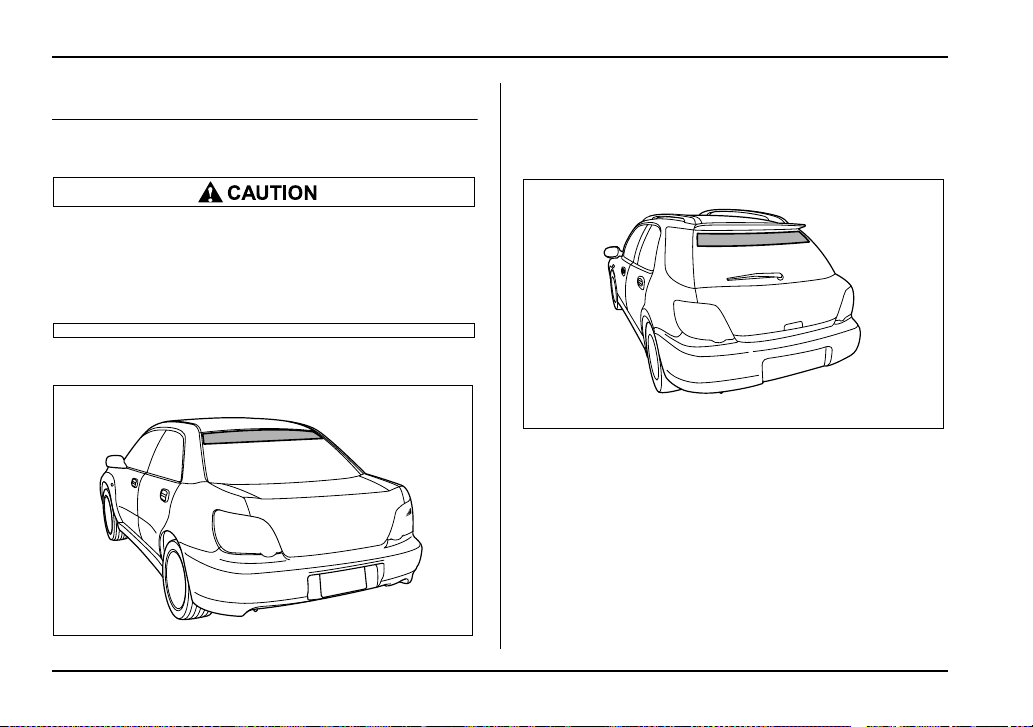
5-2
Audio
Audio
Antenna system
Printed antenna
Do not use sharp instruments or window clean-
er containing abrasives to clean the inner sur-
face of the window on which the antenna is
printed. Doing so may damage the antenna
printed on the window.
T Sedan
The antenna is printed on the inside of the rear window
glass.
T Wagon and OUTBACK SPORT
The antenna is printed on the inside of the rear window
glass.
FM reception
Although FM is normally static free, reception can be
affected by the surrounding area, atmospheric condi-
tions, station strength and transmitter distance. Build-
ings or other obstructions may cause momentary stat-
ic, flutter or station interference. If reception continues
to be unsatisfactory, switch to a stronger station.
UG5032BA
UG5041BA
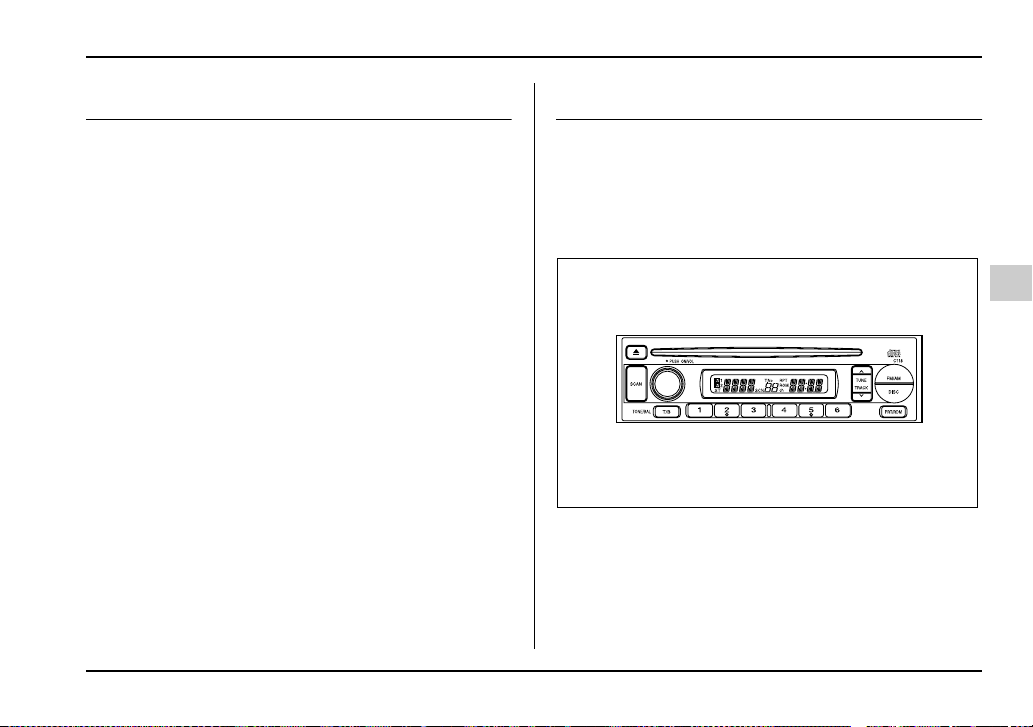
5-3
Audio
– CONTINUED –
Installation of accessories
Always consult your SUBARU dealer before installing
a citizen band radio or other transmitting device in
your vehicle. Such devices may cause the electronic
control system to malfunction if they are incorrectly in-
stalled or if they are not suited for the vehicle.
Audio set
Your SUBARU may be equipped with one of the fol-
lowing audio sets. See the pages indicated in this sec-
tion for operating details.
Type A audio set
y Radio operation: refer to page 5-5
y Compact disc player operation: refer to page 5-10
y CD changer control: refer to page 5-12
US5504AA
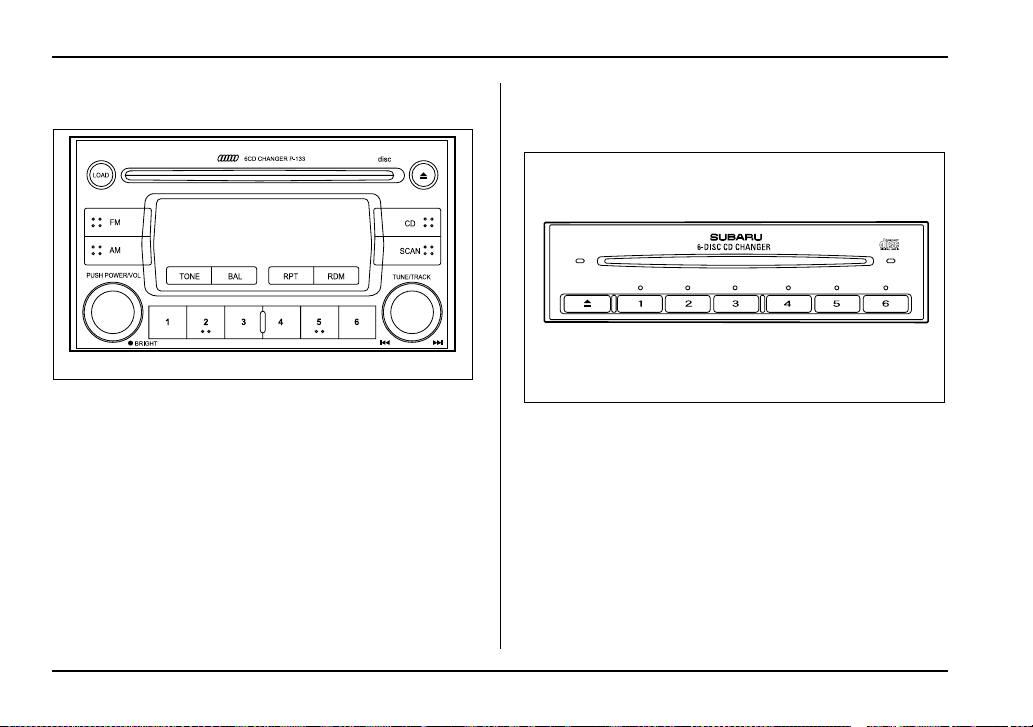
5-4
Audio
Type B audio set
y Radio operation: refer to page 5-16
y Built-in CD changer operation: refer to page 5-22
In-dash 6 CD auto changer 1 (Optional
audio unit – if equipped)
y Inserting and removing a disc or all discs: refer to
page 5-27
UG5035AA
HG5021AA
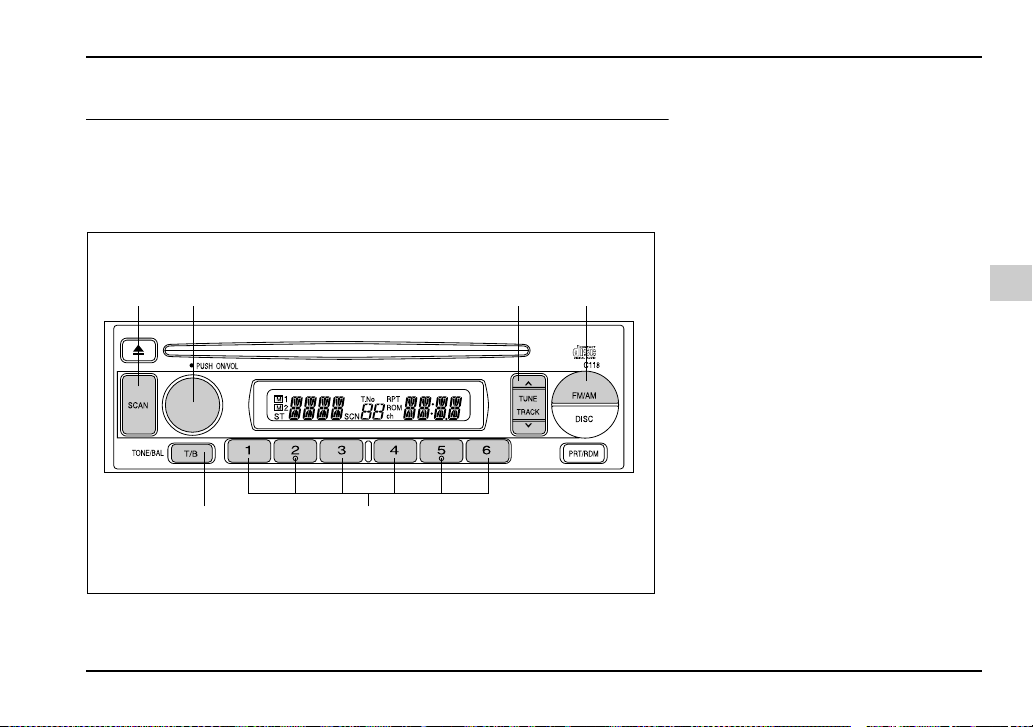
5-5
Audio
– CONTINUED –
Type A audio set (if equipped)
The radio will operate only when the ignition switch is in the “ACC” or “ON”
position.
Radio operation
(1)
(6) (5)
(2) (3) (4)
US5510BB
(1) SCAN button
(2) Power switch, Volume control,
Bass/Treble control and Fader/
Balance control dial
(3) Tuning buttons
(4) FM/AM selection button
(5) Preset buttons
(6) Tone/Balance button
5-6
Audio
T Power switch and volume/bass/treble/fader/
balance control (PWR/VOL)
The dial (2) is used for both power (ON/OFF) and vol-
ume control. The radio is turned ON and OFF by push-
ing the dial and the volume is controlled by turning the
dial.
V Tone and balance control
The “VOLUME” control knob normally function as vol-
ume control. This knob become a control for Treble,
Bass, Fader or Balance when you select the appropri-
ate audio mode.
Choose desired volume level for each mode by turning
the “VOLUME” control knob. The control function re-
turns to volume control mode after about 5 seconds.
To change control modes: Each brief press of the
“T/B” button changes control modes in the following
sequence starting from volume control mode. (When
the radio is first turned on, the control mode is in the
volume control.)
Volume
(VOL)
Bass
(BAS)
Treble
(TRE)
Balance
(BAL)
Fader
(FAD)
5-7
Audio
– CONTINUED –
Display Control mode
Turn counterclockwise Turn clockwise
BAS Bass control For less bass sound For more bass sound
TRE Treble control For less treble sound For more treble sound
BAL Balance control To increase left speaker volume and
decrease right speaker volume
To increase right speaker volume and
decrease left speaker volume
FAD Fader control To increase rear speaker volume and
decrease front speaker volume
To increase front speaker volume and
decrease rear speaker volume
VOL Volume control For less volume For more volume
HS5014BA
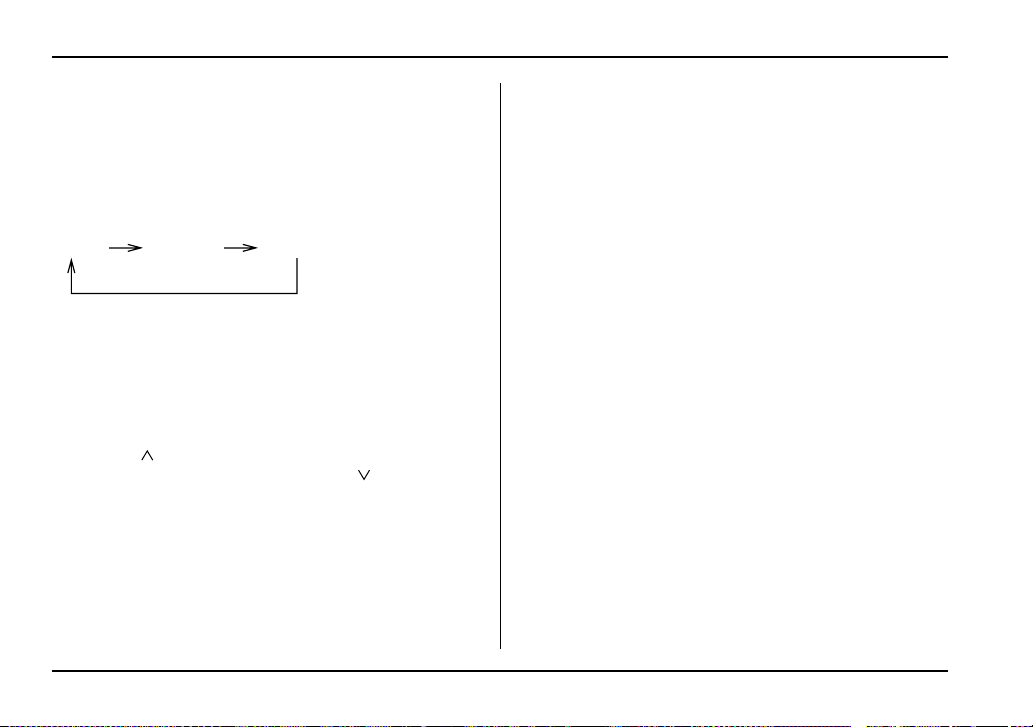
5-8
Audio
T FM/AM selection button (FM/AM)
Push the “FM/AM” button (4) when the radio is off to
turn on the radio.
Push the “FM/AM” button when the radio is on to se-
lect FM1, FM2 or AM reception. Each time this button
is pressed, the band will change in the following order:
The display indicates which one is currently selected.
T Stereo indicator
The stereo indicator “ST” will come on when an FM
stereo broadcast is received.
T Manual tuning (TUNE)
Push the “ ” side of the tuning button (3) to increase
the tuning frequency and press the “ ” side of the
button to decrease it.
Each time the button is pressed, the frequency chang-
es 10 KHz in the AM waveband and 0.2 MHz in the FM
waveband.
Constant pressure on the button causes a continuous
change in the frequency.
T Automatic tuning (SCAN)
Press the “SCAN” button (1) to change the radio to the
SCAN mode. In this mode, the radio scans through the
radio band until a station is found. The radio will stop
at the station for five seconds while displaying the fre-
quency, after which scanning will continue until the en-
tire band has been scanned from the low end to the
high end.
Press the “SCAN” button again to cancel the SCAN
mode and to stop on any displayed frequency.
When the “SCAN” button is pressed for automatic tun-
ing, stations are scanned in the direction of low fre-
quencies to high frequencies only.
Automatic tuning may not function properly if the sta-
tion reception is weakened by distance from the sta-
tion or proximity to tall buildings and hills.
T Selecting preset stations
Presetting a station with a “Preset” button (5) allows
you to select that station in a single operation. Up to
six AM, FM1 and FM2 stations each may be preset.
T How to preset stations
1. Press the “FM/AM” selection button to select AM,
FM1 or FM2 reception.
2. Press the “SCAN” button (1) or tune the radio man-
ually until the desired station frequency is displayed.
3. Press one of the “Preset” buttons (5) for at least 2
FM1 FM2 AM

5-9
Audio
– CONTINUED –
seconds to store the frequency. The frequency of the
station will flash once on the display at this time. If the
button is pressed for less than 2 seconds, the preced-
ing selection will remain in memory.
NOTE
y If the connection between the radio and battery
is broken for any reason such as vehicle mainte-
nance or radio removal, all stations stored in the
preset buttons are cleared. If this occurs, it is nec-
essary to reset the preset buttons.
y If a mobile telephone is placed near the radio, it
may cause the radio to emit noise when it receives
calls. This noise does not indicate a radio fault.

5-10
Audio
Compact disc player operation
(7) (8)
(11) (10)
(9)
US5510CB
(7) Eject button
(8) Disc slot
(9) DISC button
(10) Repeat/Random button
(11) Track selection buttons
5-11
Audio
– CONTINUED –
T To play back a compact disc
V When CD is not in the player
Hold a disc with a finger in the center hole while grip-
ping the edge of the disc, then insert it in to the slot
(with the label side up) and the player will automatical-
ly pull the disc into position.
A single CD (8 cm/3 inch CD) may also be used with-
out any adapter.
NOTE
y Make sure to always insert a disc with the label
side up. If a disc is inserted with the label side
down, it might be ejected or the player might shut
off.
y After the last song finishes, the player will auto-
matically return to track 1 (the first song on the
disc).
V When CD is in the player
Press the “DISC” button (9). The display will show
“CD” and the player will start playback.
NOTE
After the last song finishes, playback will automat-
ically return to track 1 (the first song on the disc).
T To select a song from its beginning
V Forward direction
Briefly press the “ ” side of the button (11) to skip to
the beginning of the next track. Each time this side of
the button is pressed, the indicated track number will
increase.
V Backward direction
Briefly press the “ ” side of the button (11) to skip to
the beginning of the current track. Each time this side
of the button is pressed, the indicated track number
will decrease.
T Fast-forwarding and fast-reversing
V Fast-forwarding
Press the “ ” side of the button (11) continuously for
more than 1 second to fast-forward the disc.
Release the button to stop fast-forwarding.
V Fast-reversing
Press the “ ” side of the button (11) continuously for
more than 1 second to fast-reverse the disc.
Release the button to stop fast-reversing.
T Repeat playback
Press the “RPT/RDM” button (10) and release it in less
than 2 seconds while a song is playing to play the song
5-12
Audio
repeatedly. The “RPT” indicator will come on and the
song will be played continuously. To cancel the repeat
mode, press the button again. Then the “RPT” indica-
tor goes out, and normal playback mode is restored.
T Random playback
Press the “RPT/RDM” button (10) and hold it in for
more than 2 seconds while a disc is being played back
to play all songs on the disc in a random order. The
“RDM” indicator will come on and all songs on the disc
will be played in a random order.
To cancel the random mode, press the button again.
Then the “RDM” indicator goes out, and normal play-
back mode is restored.
T To eject a disc from the player
When a disc is being played back or when a disc is in
the player, press “Eject” button “ ” (7). The disc will
be ejected.
The disc may be removed even when the ignition
switch is in the “LOCK” position.
NOTE
Avoid driving the vehicle with a CD sticking out,
because vibration might make it fall out.
CD changer control (if optional in-dash
CD changer is connected)
An optional CD changer can be connected to this au-
dio unit. Consult the instructions that accompany the
CD changer for operating the CD changer itself (e.g.,
how to load or unload CDs). See your SUBARU dealer
for more information.
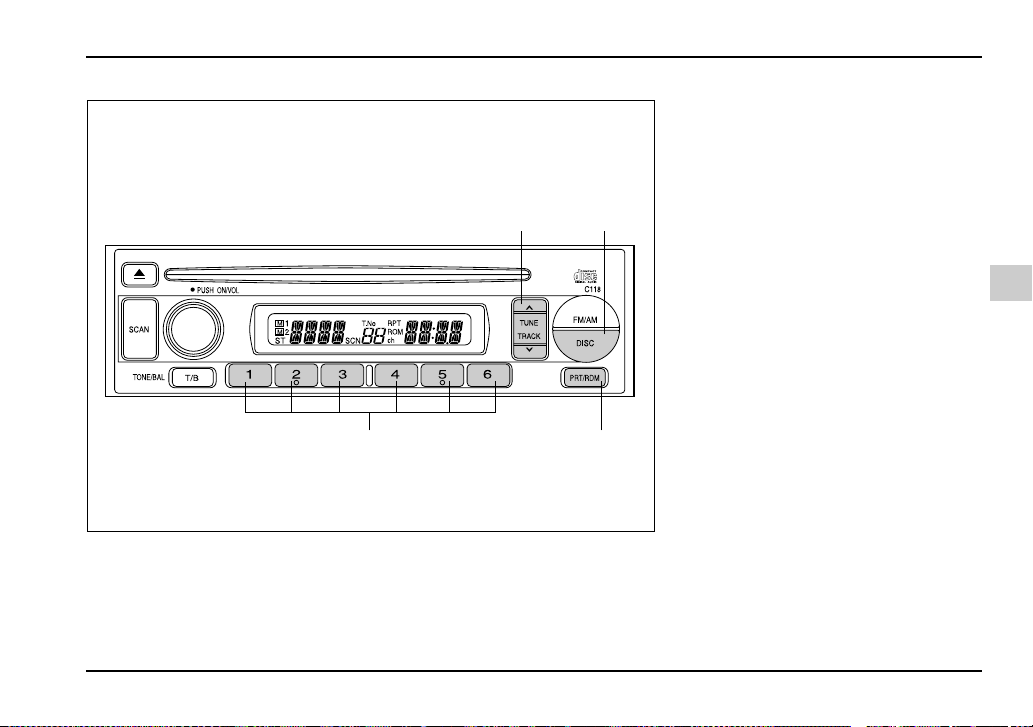
5-13
Audio
– CONTINUED –
(14)(15)
(13)(12)
US5510DB
(12) Track selection buttons
(13) DISC button
(14) Repeat/Random button
(15) Disc select button
5-14
Audio
T To start playback
When the “DISC” button (13) is pressed, the CD
changer will start playback. The display shows the cur-
rent disc number, track number and the elapsed time
during playback.
NOTE
y If a disc is in the player, the “DISC” button is
used to change from CD player operation to DISC
changer operation. Each time the “DISC” button is
pressed, the operating mode will change alter-
nately.
y At the end of the disc, the player automatically
continues with the next disc.
y After playback on the last disc finishes, play-
back will automatically return to the first disc.
y If you have loaded fewer than 6 discs, any miss-
ing disc is automatically skipped.
T Selection of a desired disc
You can select a desired disc from among the discs
contained in the CD changer only by pressing the cor-
responding number on one of the “Disc select” buttons
(15). If you are to listen to the 5th disc in the CD chang-
er, press the “5” button of the “Disc select” buttons
(15). All other discs in the CD changer can also be se-
lected in a similar way.
NOTE
y No disc change takes place if the button corre-
sponding to the storage tray in which no disc is
loaded is pressed.
y If the disc select button corresponding to the
disc now in playback is pressed again, the disc
will be replayed from its beginning.
T To select a song from its beginning
V Forward direction
Briefly press the “ ” side of the button (12) to skip to
the beginning of the next track. Each time this side of
the button is pressed, the indicated track number will
increase.
V Backward direction
Briefly press the “ ” side of the button (12) to skip to
the beginning of the current track. Each time this side
of the button is pressed, the indicated track number
will decrease.
T Fast-forwarding and fast-reversing
V Fast-forwarding
Press the “ ” side of the button (12) continuously for
more than 1 second to fast-forward the disc.
Release the button to stop fast-forwarding.
If you continue fast-forwarding to the end of the disc,

5-15
Audio
– CONTINUED –
the CD changer will automatically stop fast-forwarding
and start playback beginning with the first track on the
current disc.
V Fast-reversing
Press the “ ” side of the button (12) continuously for
more than 1 second to fast-reverse the disc.
Release the button to stop fast-reversing.
If you continue fast-reverse to the beginning of the
disc, the CD changer will automatically stop fast-re-
verse and start playback beginning with the first track
on the current disc.
T Repeat playback
Use this to play a certain track repeatedly. During
playback, press the “RPT/RDM” button (14) and re-
lease it in less than 2 seconds. The “RPT” indicator will
come on and the song will be played continuously. To
cancel the repeat mode, press the button again. Then
the “RPT” indicator goes out, and normal playback
mode is restored.
T Random playback
Use this to play the tracks on the disc in random order.
During playback, press the “RPT/RDM” button (14)
and hold it in for more than 2 seconds. The “RDM” in-
dicator will come on and all songs on the disc will be
played in a random order.
To cancel the random mode, press the button again.
Then the “RDM” indicator goes out, and normal play-
back mode is restored.
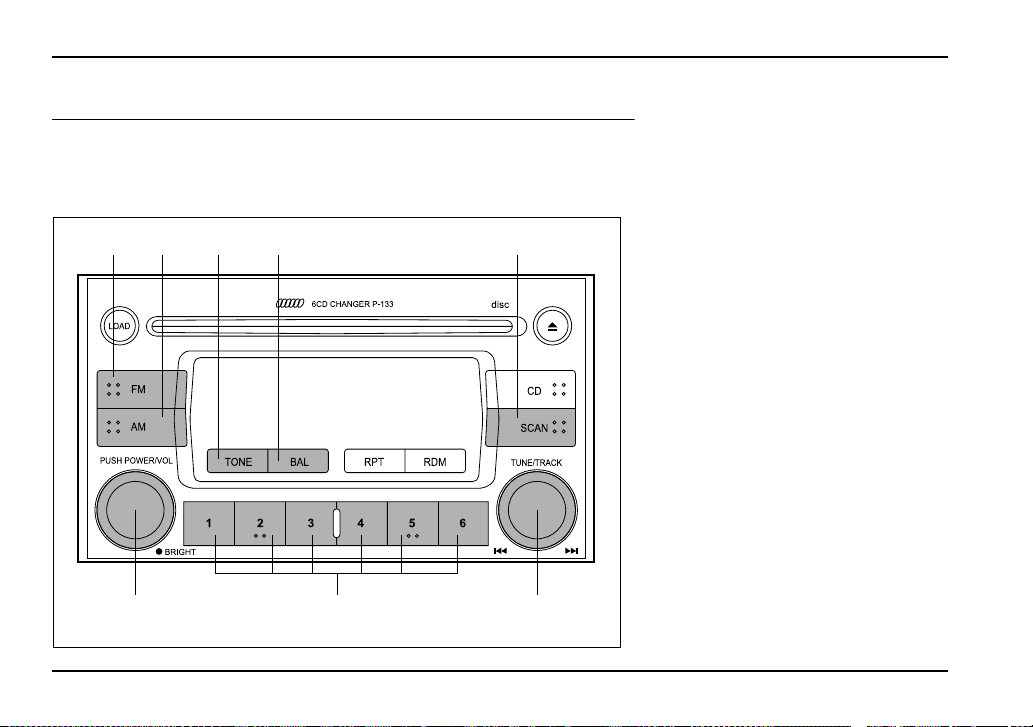
5-16
Audio
Type B audio set (if equipped)
The radio will operate only when the ignition switch is in the “ACC” or “ON”
position.
Radio operation
(1)
(8) (7) (6)
(2) (3) (4) (5)
UG5036BB
(1) FM button
(2) AM button
(3) Tone selection button
(4) Balance selection button
(5) SCAN button
(6) Tuning knob
(7) Preset buttons
(8) Power switch, Volume control,
Bass/Midrange/Treble control
and Fader/Balance control dial

5-17
Audio
– CONTINUED –
T Power switch and volume/bass/treble/fader/
balance control (PWR/VOL)
The dial (8) is used for both power (ON/OFF) and vol-
ume control. The radio is turned ON and OFF by push-
ing the dial and the volume is controlled by turning the
dial.
This dial is used for bass/midrange/treble controls
when the “TONE” button (3) is in the depressed posi-
tion. It is also used for fader/balance controls when the
“BAL” button (4) is in the depressed position.
5-18
Audio
Display Control mode
Turn counterclockwise Turn clockwise
BASS Bass control For less bass sound For more bass sound
MIDDLE Midrange control For less midrange sound For more midrange sound
TREBLE Treble control For less treble sound For more treble sound
BALANCE Balance control To increase left speaker volume and
decrease right speaker volume
To increase right speaker volume and
decrease left speaker volume
FADER Fader control To increase rear speaker volume and
decrease front speaker volume
To increase front speaker volume and
decrease rear speaker volume
VOLUME Volume control For less volume For more volume
HS5014BA
5-19
Audio
– CONTINUED –
V Tone control
The volume control dial (8) normally function as vol-
ume control. The dial become a control for Bass,
Midrange or Treble when you select the appropriate
tone control mode.
Choose desired level for each mode by turning the vol-
ume control dial. The control function returns to vol-
ume control mode after about 5 seconds.
To change control modes: Each brief press of the
“TONE” button (3) changes control modes in the fol-
lowing sequence starting from bass control mode.
(When the radio is first turned on, the control mode is
in the volume control.)
V Fader and balance control
The volume control dial (8) normally function as vol-
ume control. The dial become the controls for Fader or
Balance when you select the appropriate fader and
balance control mode.
Choose desired setting for each mode by turning the
volume control dial. The control function returns to vol-
ume control mode after about 5 seconds.
To change control modes: Each brief press of the
“BAL” button (4) changes control modes in the follow-
ing sequence starting from fader control mode. (When
the radio is turned on, the control mode is in the vol-
ume control.)
V Display illumination dimness cancellation
(BRIGHT)
The brightness of the radio display dims when the light
switch is in the “ ” or “ ” positions. If this
makes the display difficult to read, press the volume
dial for more than 1.5 seconds to return the display to
original brightness.
Subsequently pressing the volume dial again for more
than 1.5 seconds or if you can safely do so, turning the
light switch to the OFF position and back to the
“ ” or “ ” position makes the radio display
dim again.
T FM/AM selection button
Push the “FM” (1) or “AM” (2) button when the radio is
off to turn on the radio.
Push the “FM” or “AM” button when the radio is on to
select FM1, FM2 or AM reception.
VOLUMEBASS TREBLEMIDDLE
FADER BALANCE VOLUME
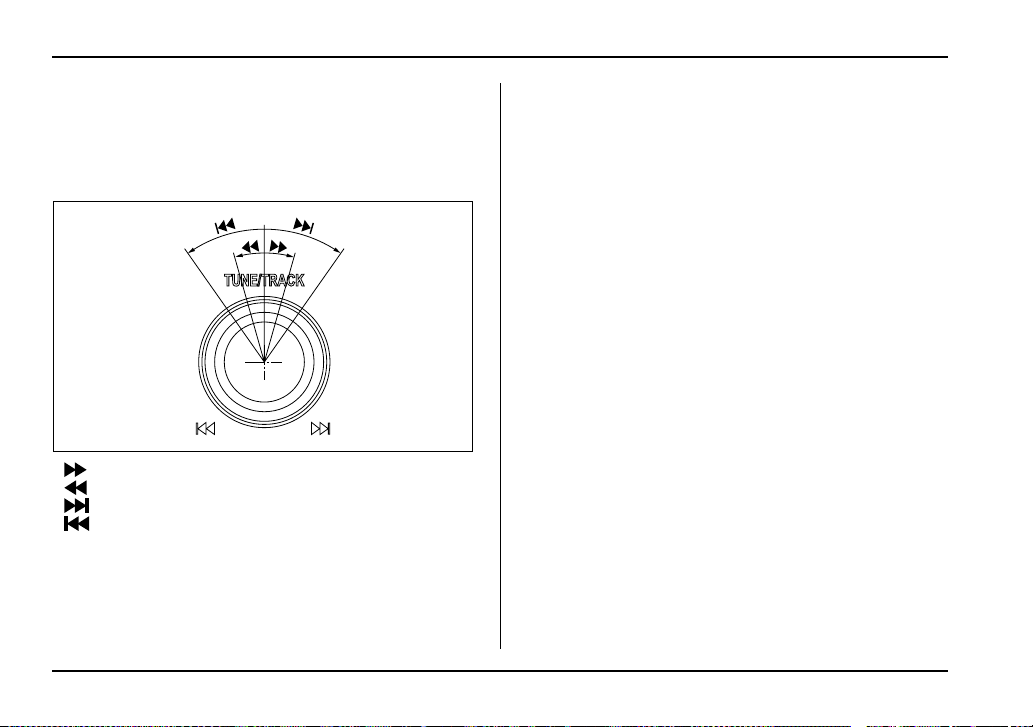
5-20
Audio
T Stereo indicator
The stereo indicator “ST” will come on when an FM
stereo broadcast is received.
T Manual tuning (TUNE)
: Tuning to a higher frequency
: Tuning to a lower frequency
: Seeking the next higher station
: Seeking the next lower station
V Manual tuning
Turn the tuning knob (6) clockwise and release it im-
mediately to increase the tuning frequency and turn
the tuning knob counterclockwise and release it imme-
diately to decrease the tuning frequency.
Each time the knob is turned, the frequency changes
10 kHz in the AM waveband and 0.2 MHz in the FM
waveband.
V Seek tuning
Turn the tuning knob (6) and hold it for more than a
half second. Seek tuning will operate and stop auto-
matically on the next station.
Continue this operation until you find the desired sta-
tion.
T Automatic tuning (SCAN)
Press the “SCAN” button (5) to change the radio to the
SCAN mode. In this mode, the radio scans through the
radio band until a station is found. The radio will stop
at the station for five seconds while displaying the fre-
quency, after which scanning will continue until the en-
tire band has been scanned from the low end to the
high end.
Press the “SCAN” button again to cancel the SCAN
mode and to stop on any displayed frequency.
When the “SCAN” button is pressed for automatic tun-
ing, stations are scanned in the direction of low fre-
quencies to high frequencies only.
Automatic tuning may not function properly if the sta-
tion reception is weakened by distance from the sta-
tion or proximity to tall buildings and hills.
UG5037BA

5-21
Audio
– CONTINUED –
T Selecting preset stations
Presetting a station with a “Preset” button (7) allows
you to select that station in a single operation. Up to
six AM, FM1 and FM2 stations each may be preset.
T How to preset stations
1. Press the “FM/AM” selection button to select AM,
FM1 or FM2 reception.
2. Press the “SCAN” button (5) or tune the radio man-
ually until the desired station frequency is displayed.
3. Press one of the “Preset” buttons (7) for at least 1.5
seconds to store the frequency. The frequency of the
station will flash once on the display at this time. If the
button is pressed for less than 1.5 seconds, the pre-
ceding selection will remain in memory.
NOTE
y If the connection between the radio and battery
is broken for any reason such as vehicle mainte-
nance or radio removal, all stations stored in the
preset buttons are cleared. If this occurs, it is nec-
essary to reset the preset buttons.
y If a mobile telephone is placed near the radio, it
may cause the radio to emit noise when it receives
calls. This noise does not indicate a radio fault.

5-22
Audio
Built in CD changer operation
(9)
(17) (16)
(12)(11)(10) (13) (14) (15)
UG5036CB
(9) LOAD button
(10) Disc slot
(11) Repeat button
(12) Random button
(13) SCAN button
(14) CD button
(15) Eject button
(16) Fast-forwarding/Fast-reversing
and track UP/DOWN knob
(17) Disc select button

5-23
Audio
– CONTINUED –
NOTE
Make sure to always insert a disc with the label
side up. If a disc is inserted with the label side
down, it might be ejected or the player might shut
off.
T How to insert a CD(s)
V Inserting a CD
1. Press “LOAD” button (9). If the magazine in the
player has an idle position where you can insert a disc,
the “DISC” indicator associated with the idle position
will blink.
If no indicator blinks, it means that there is no idle po-
sition in the magazine.
2. As soon as the “DISC” indicator begins to blink, the
“LOAD” will appear on display for a period of 15 sec-
onds. Insert a disc during the period. The disc will be
then automatically drawn in, and the player will begin
to play back the first track of the disc.
y To insert more discs in succession, repeat Steps 1
and 2. The magazine will be loaded with discs in the
ascending order of position number.
If you do not insert any disc in 15 seconds after you
have pressed the “LOAD” button, the player will begin
to play back the first track of the last disc you have in-
serted.
y The disc indicator steadily lights up if a disc is al-
ready inserted in the corresponding position of the
magazine.
y While the player is in the loading mode, if you press
any of the other mode buttons “FM” (1), “AM” (2), the
player will enter the standby mode. Press the “CD”
button (14) to start playback.
V Inserting a disc in a desired position
1. Press the “LOAD” button (9). If the magazine in the
player has an idle position where you can insert a disc,
the “DISC” indicator associated with the idle position
will blink.
The positions in the magazine the indicator of which
steadily lights up are already loaded with discs.
2. Press the “Disc select” button (17) at the position
where you want to insert a disc. The associated
“DISC” indicator will blink, and the “LOAD” will be dis-
played.
3. If you insert a disc during the 15-second period
while the “LOAD” is on display, the disc will be auto-
matically drawn in, and the player will start playback of
the disc, beginning with the first track.
y To insert more discs in succession, repeat Steps 1
and 2.
y While the player is in the loading mode, if you press
any of the other mode buttons “FM” (1), “AM” (2), the
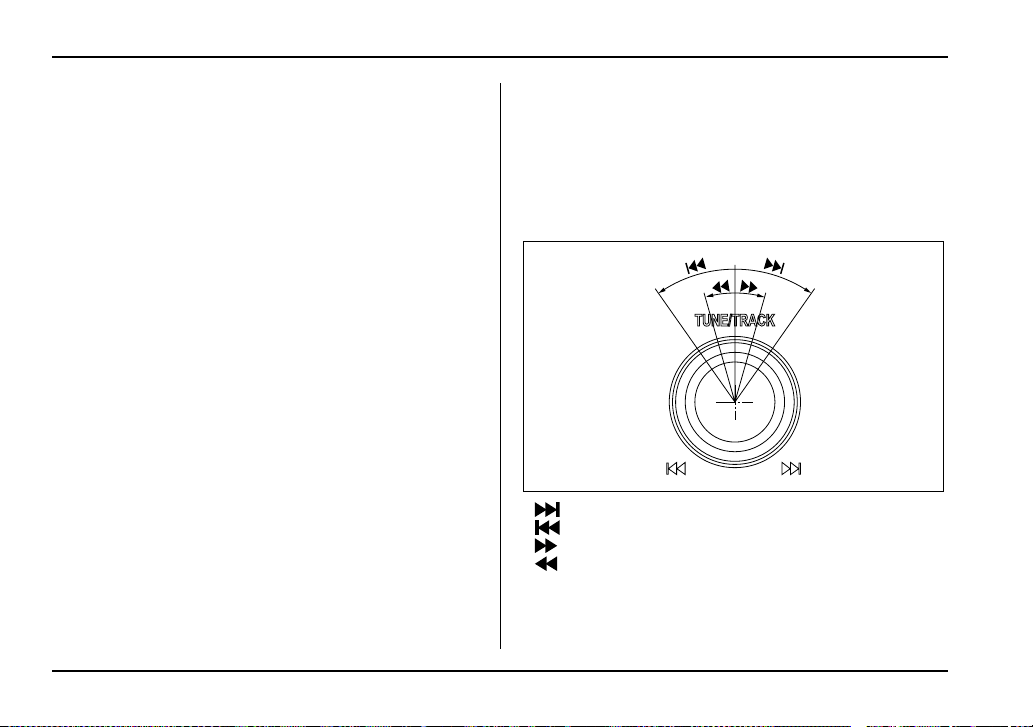
5-24
Audio
player will enter standby mode. Press the “CD” button
(14) to start playback.
V Loading all the magazine (Full disc loading
mode)
1. If you continue to press the “LOAD” button (9) for
more than 1.5 seconds, the player will produce beep
sound and will enter the full disc loading mode.
2. A “DISC” indicator will blink, and the “ALL LOAD”
will be on display for a period of 15 seconds. If a disc
is successfully loaded during this period, the “DISC”
indicator will stop blinking and will steadily light.
3. When the loading of a disc is complete, the next
“DISC” indicator will blink. Then repeat Step 2.
4. When the magazine is filled with discs by repeating
Steps 2 and 3, the player will start playback of the
discs, beginning with the one inserted first.
If you fail to insert any disc during each 15 seconds in-
terval, the full disc loading mode will be canceled, and
the player will start playback of the disc inserted first.
T How to play back a CD or make a pause
V When there is no CD inserted:
Insert a CD by referring to “How to Insert a CD(s)”.
When a CD is loaded, the player will start playback of
the CD, beginning with the first track.
V When there are CDs loaded:
Press a desired one of the “Disc select” buttons (17)
the “DISC” indicator of which steadily lights up. The
player will then start playback of the selected CD, be-
ginning with the first track.
T Selecting a desired track (TRACK)
: Skipping forward
: Skipping backward
: Fast-forwarding
: Fast-reversing
V Skipping forward
Turn the “TRACK” knob (16) clockwise and release it
UG5037BA

5-25
Audio
– CONTINUED –
immediately to skip to the beginning of the next track.
Each time the knob is turned and released, the indicat-
ed track number will increase.
V Skipping backward
Turn the “TRACK” knob (16) counterclockwise and re-
lease it immediately to skip to the beginning of the cur-
rent track. If you continue to turn and release the knob,
the indicated track number will decrease.
V Fast-forwarding
Turn the “TRACK” knob (16) clockwise and hold it con-
tinuously for more than 2 seconds to fast-forward the
disc.
Release the knob to stop fast-forwarding.
V Fast-reversing
Turn the “TRACK” knob (16) counterclockwise and
hold it continuously for more than 2 seconds to fast-re-
verse the disc.
Release the knob to stop fast-reversing.
T Repeat playback
Press the “RPT” button (11) while a song is playing to
play the song repeatedly. The “RPT” indicator will
come on and the song will be played continuously. To
cancel the repeat mode, press the button again. Then
the “RPT” indicator goes out, and normal playback
mode is restored.
T Random playback
Press the “RDM” button (12) while a disc is being
played back to play all songs on the disc in a random
order. The “RDM” indicator will come on and all songs
on the disc will be played in a random order.
To cancel the random mode, press the button again.
Then the “RDM” indicator goes out, and normal play-
back mode is restored.
T Scan
When the “SCAN” button (13) is pressed while the disc
is being played back, you can hear the first 10 seconds
of each track to search for the desired program. To
continue listening to the program, press the “SCAN”
button again. After all tracks on the disc have been
scanned, normal playback mode is restored.
T How to unload CDs from the player
V Ejecting a CD from the player
Of the discs loaded, you can select and remove only
one disc.
1. Press the “Disc select” button (17) of the disc
whose “DISC” indicator is ON.
2. Press the “Eject” button (15). Then the “DISC” indi-
cator associated with the disc you have selected will

5-26
Audio
blink, and the disc will be ejected.
To remove more discs in succession, repeat Steps 1
and 2.
V Ejecting all discs from the player (All disc ejec-
tion mode)
1. If you continue to press the “Eject” button (15), the
player will produce beep sound and will enter the all
disc ejection mode.
2. Remove the disc that has been ejected. The other
discs loaded will then be ejected one after another. If
you do not remove the disc that has been ejected, the
“All disc ejection mode” will be canceled.
NOTE
Avoid driving the vehicle with a CD sticking out,
because vibration might make it fall out.
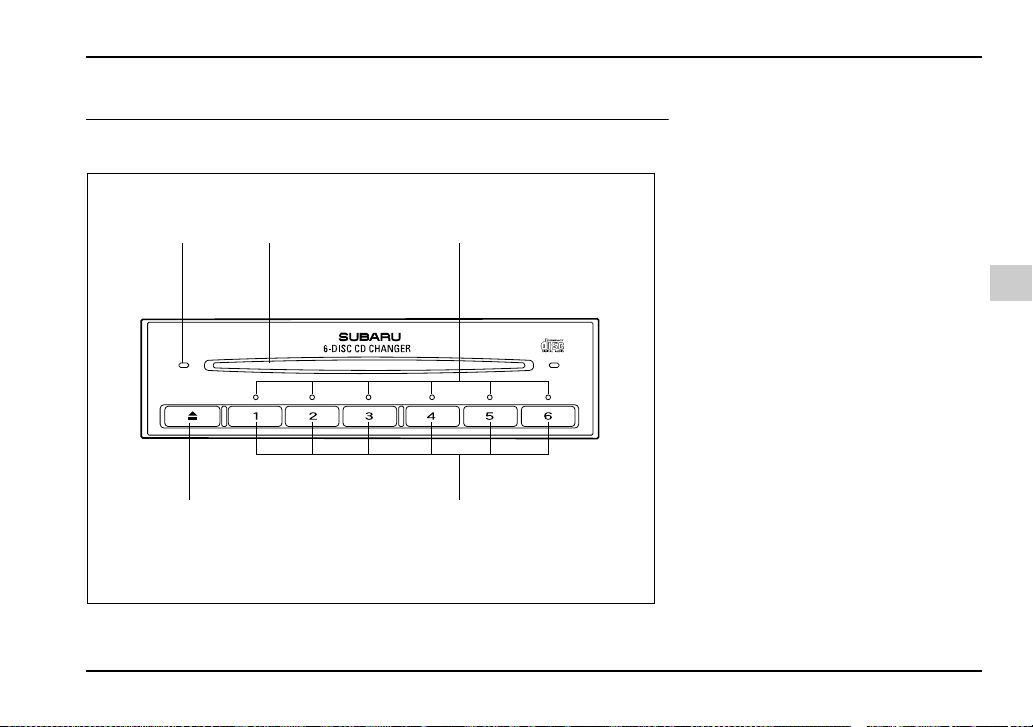
5-27
Audio
– CONTINUED –
In-dash 6 CD auto changer 1 (if equipped)
Loading and unloading compact discs
(5) (1) (2)
(4) (3)
HG5022BB
(1) Disc slot
(2) Disc indicators (disc No.1 to 6)
(3) Disc select buttons (disc No.1 to
6)
(4) Eject button
(5) Disc slot indicator
5-28
Audio
y Do not attempt to insert two or more discs
into the slot at a time. Doing so can cause me-
chanical damage to the CD changer.
y Use only music CDs identified by
amark.
y Do not use CDs listed below which could
cause damage to the CD player.
y 3 inch (8 cm) compact disc.
y Any disc with a peel-off or seal on it.
y Any disc with scratches and/or dust.
y Bent disc.
y Cleaning disc.
y CD accessory. (E.g., 3 inch (8 cm) disc
adapter)
y Do not insert or remove any disc when the
automatic transmission selector lever is in the
park position; the selector lever in that position
can interfere with disc insertion or removal,
causing scratches on the disc surface (for AT
vehicles).
T To insert a disc
1. Press one of the “Disc select” buttons (3) (num-
bered from 1 to 6) for which the disc indicator light (2)
is “OFF”.
The disc indicator lights are located directly above the
corresponding “Disc select” buttons.
2. The indicator will begin blinking. The blinking will
last for 15 seconds.
During this period, insert a desired disc, and the disc
will begin to play. (If any disc is not inserted during this
period, the “Disc slot” (1) door will close. Repeat Step
1.)
Be sure to hold a disc with the label side (the side
where titles are printed) up.
3. To insert another disc, repeat Steps 1 and 2 choos-
ing a different disc select button.
T To insert six discs at a time
1. Press and hold the “Disc select” button number 1
until all disc indicators begin blinking (about 1.5 sec-
onds).
2. The indicators will blink for 15 seconds. During this
period, insert desired six discs.
3. When all discs are loaded, the first disc will begin to
play. (If no disc is inserted within this 15 seconds, the
entire disc load sequence will be canceled.)
T To remove a disc
1. Press the desired one of the “Disc select” buttons
(3) (numbered from 1 to 6) for which the disc indicator
light is on.

5-29
Audio
– CONTINUED –
2. Press the “Eject” button (4). The selected disc will
be ejected and the indicator light will begin blinking.
3. To remove another disc, repeat Steps 1 and 2
choosing a different “Disc select” button.
(To remove discs when the ignition switch is in the
“Lock” position, press the “Eject” button, and the first
disc will be ejected. Press the “Eject” button again,
and the next disc will be ejected and so on. At this
time, the “Disc select” buttons are disabled.)
T To remove all discs at one time
1. Press and hold the “Eject” button (4) until all “Disc”
indicators begin blinking (about 1.5 seconds), and the
first disc will be ejected.
2. When the disc is removed, the next one will be
ejected, and so on.
T To replace a playing disc with another
Simply press the desired one of “Disc select” buttons
(3) (numbered from 1 to 6) or press the “Disc select”
button on the radio unit to select the desired disc, and
the disc will begin to play.
T Disc indicators
Lit: when the corresponding storage tray is occupied
by a disc.
Blinking: Disc player is either in loading, eject or
changing mode.
OFF: No disc is loaded or the ignition switch is in the
“LOCK” position.
V Open/Closed disc slot indicator
When the disc slot is open, the disc indicators on both
sides of the slot illuminate.
T Function control
Refer to CD changer control operating instructions de-
scribed in the “Type B audio set (if equipped)” section.
5-30
Audio
Precautions to observe when han-
dling a compact disc
Use only compact discs (CDs) that have the mark
shown below.
You may also use compact discs (CD-Rs and CD-
RWs) that have the following marks, but you may not
use some discs if they were produced using writing
methods not compatible with your vehicle’s audio sys-
tem.
y In cold and/or rainy weather, dew can form inside
the CD player, preventing normal operation. If this
happens, eject the CD and wait for the player to dry
out.
y Skipping may occur when the CD player is subject-
ed to severe vibration (for example, when the vehicle
is driven on a rough surface).
y To remove a disc from the case, press the center of
the case and hold both edges of the disc. If the disc
HS5017AA
UG5040AA
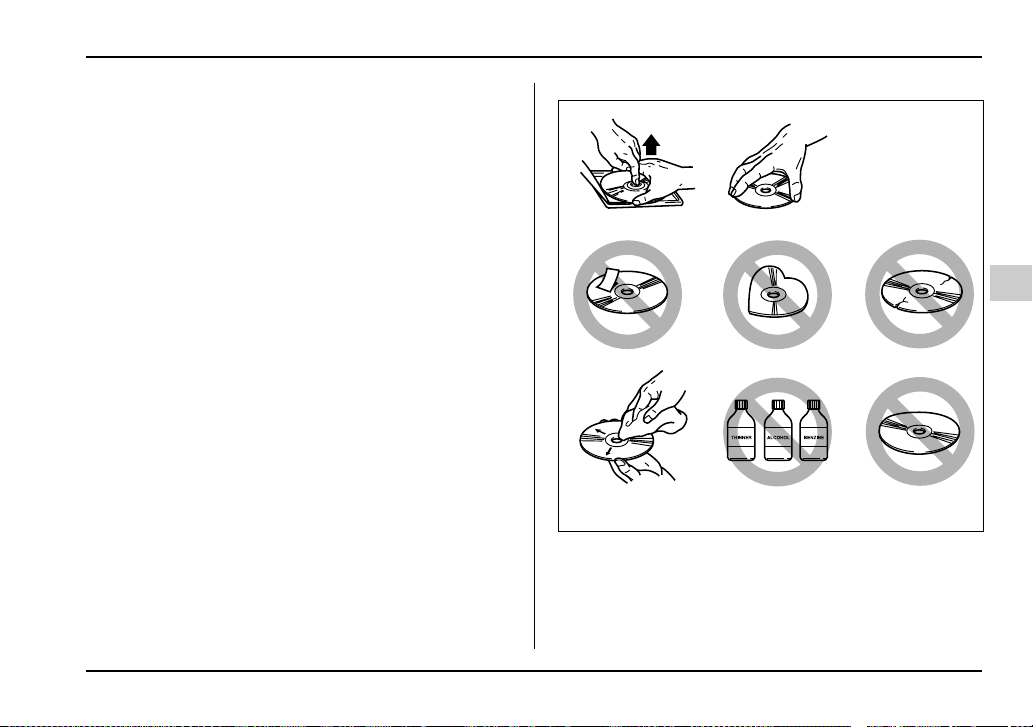
5-31
Audio
– CONTINUED –
surface is touched directly, contamination could cause
poor tone quality. Do not touch the disc surface.
y Use a clean disc whenever possible. If there are de-
posits, wipe the disc surface from the center outward
with a dry, soft cloth. Be sure not to use a hard cloth,
thinner, benzene, alcohol, etc.
y Do not use any disc that is scratched, deformed, or
cracked. Also, do not use any disc that has a non-stan-
dard shape (for example, a heart shape). Malfunctions
or problems might result.
y A disc is vulnerable to heat. Never keep it either in
places exposed to direct sunlight, near heaters or in
vehicles parked in the sun or hot days.
HS5018BA


6-1
6
Interior equipment
Interior light ................................................... 6-2
Dome light ......................................................... 6-2
Cargo area light (if equipped) .......................... 6-2
Map light (if equipped) .................................. 6-3
Sun visors ...................................................... 6-4
Vanity mirror (if equipped) ............................... 6-4
Storage compartments ................................. 6-5
Glove box .......................................................... 6-5
Center console .................................................. 6-6
Coin tray ............................................................ 6-6
Cup holder ..................................................... 6-7
Front passenger’s cup holder ......................... 6-7
Rear passenger’s cup holder .......................... 6-7
Accessory power outlet (if equipped) ......... 6-8
Cigarette lighter socket ................................ 6-9
Use with a cigarette lighter .............................. 6-10
Using as an accessory power outlet ............... 6-11
Ashtray ........................................................... 6-12
Floor mat (if equipped) ................................. 6-13
Coat hook ...................................................... 6-14
Cargo area cover (if equipped) .................... 6-14
Using the cover ................................................. 6-14
To remove the cover ......................................... 6-15
Stowage of the cover ........................................ 6-16
To install the cover housing ............................ 6-16
Cargo tie-down hooks (if equipped) ............ 6-17
Under-floor storage compartment
(if equipped) ............................................... 6-18
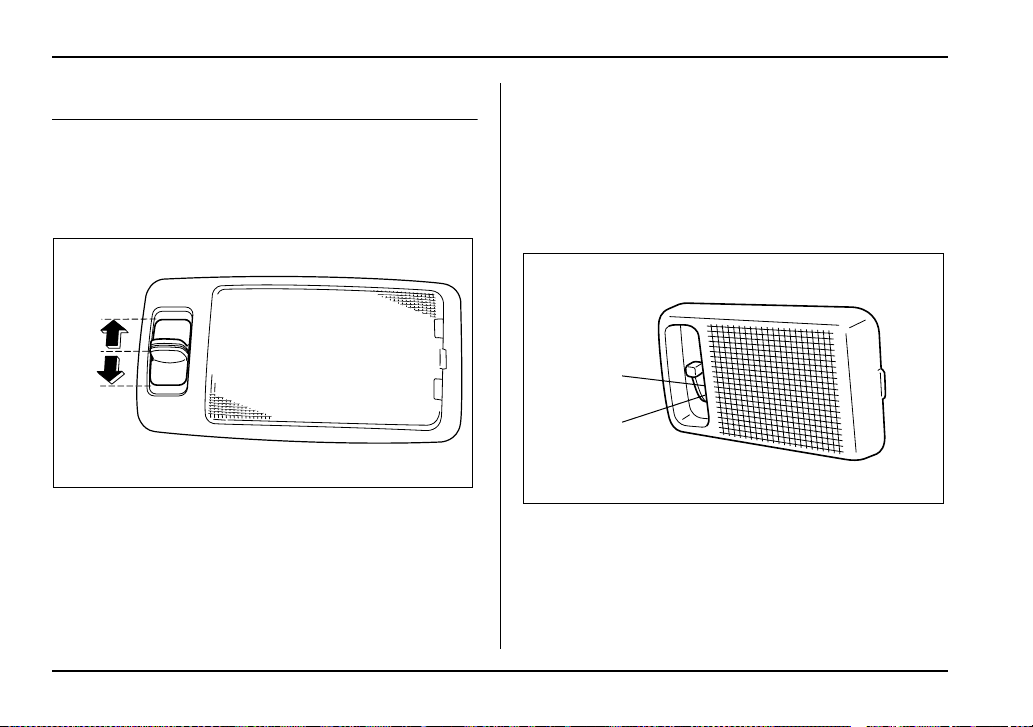
6-2
Interior equipment
Interior equipment
Interior light
When leaving your vehicle, make sure the light goes
out to avoid battery discharge.
Dome light
The dome light switch has three positions:
ON: The light stays on continuously.
DOOR (middle position): The dome light comes on
when any of the doors (or the rear gate on wagon) is
opened. The light remains on for several seconds and
gradually goes out after all doors (and the rear gate on
the wagon) are closed or if the key is inserted in the ig-
nition switch.
The light also can be turned on by use of the remote
keyless entry transmitter. See the “Remote keyless
entry system” in chapter 2 for detailed information.
OFF: The light stays off.
Cargo area light (if equipped)
DOOR: The light comes on only when the rear gate is
opened.
OFF: The light stays off.
ON
DOOR
OFF
HS6025BB
OFF
DOOR
UG6501BB
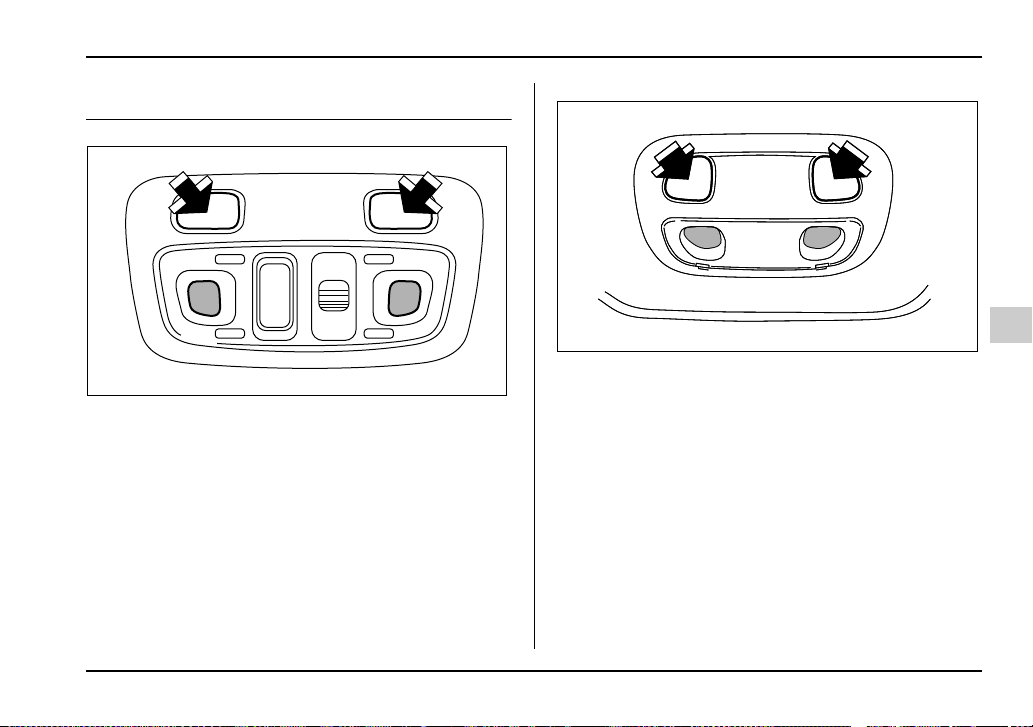
6-3
Interior equipment
– CONTINUED –
Map light (if equipped)
Vehicle with moonroof
Vehicle without moonroof
To turn on the map light, push the switch.
To turn it off, push the switch again.
When leaving the vehicle, make sure the light is turned
off to avoid battery discharge.
UG6021BA
UG6502BA
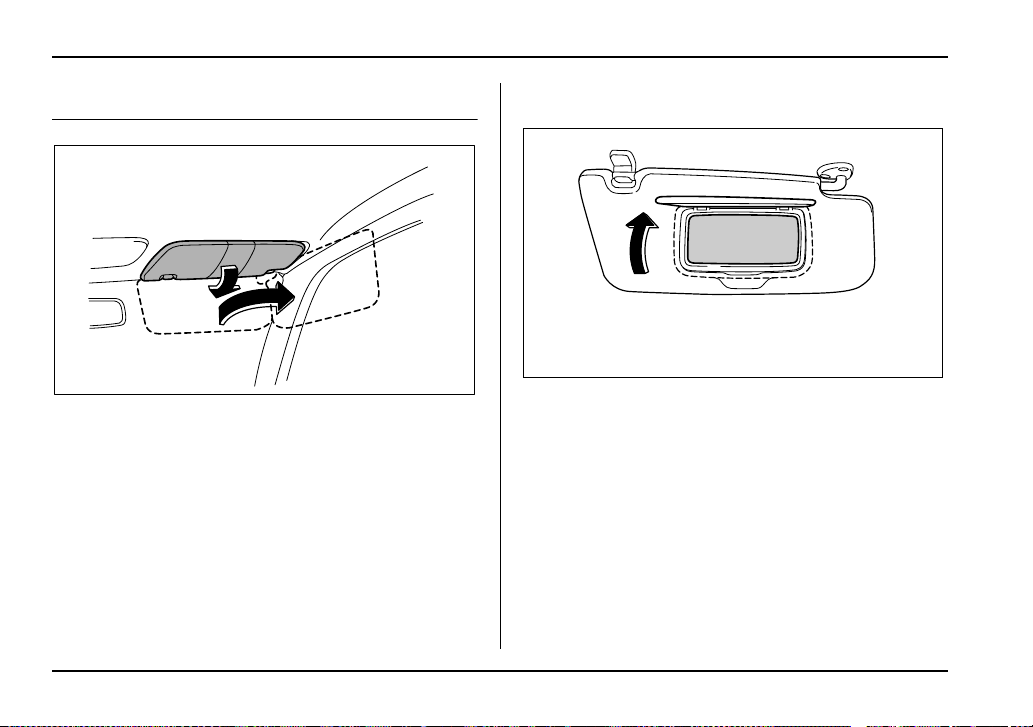
6-4
Interior equipment
Sun visors
To block out glare, swing down the visors.
To use the sun visor at a side window, swing it down
and move it sideways.
Vanity mirror (if equipped)
To use the vanity mirror, swing down the sun visor and
open the vanity mirror cover.
HG6018BA
UG6028BA
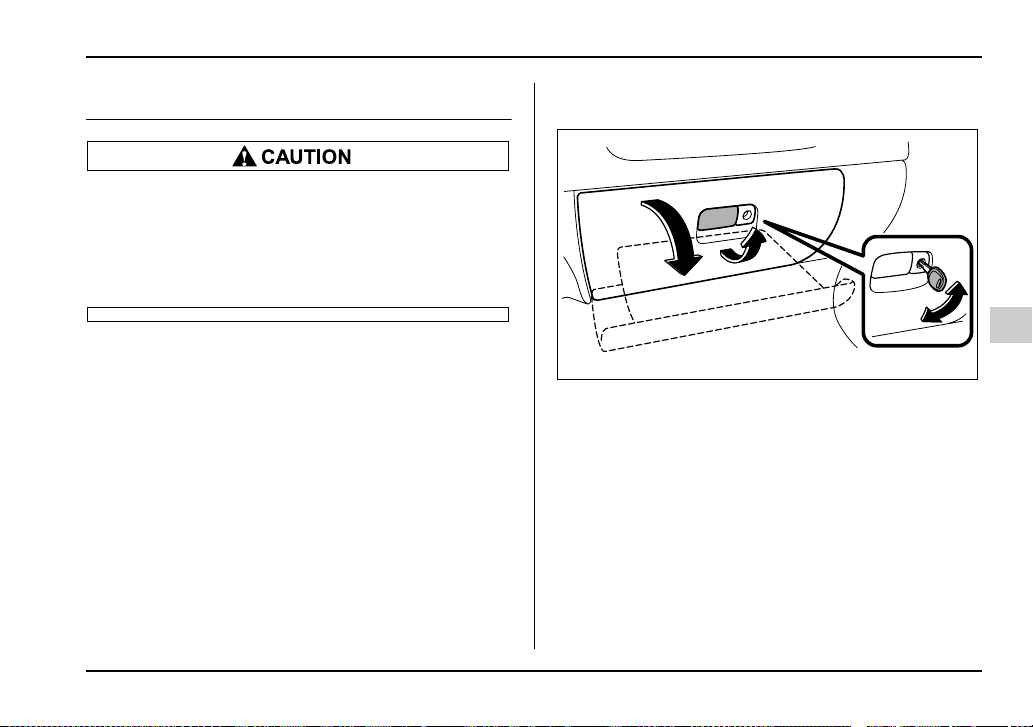
6-5
Interior equipment
– CONTINUED –
Storage compartments
y Always keep the storage compartment
closed while driving to reduce the risk of injury
in the event of sudden stops or an accident.
y Do not store spray cans, containers with
flammable or corrosive liquids or any other
dangerous items in the storage compartment.
Glove box
1) Lock
2) Unlock
To open the glove box, pull the handle. To close it,
push the lid firmly upward.
To lock the glove box, insert the key and turn it clock-
wise.
1
2
HS6030BB
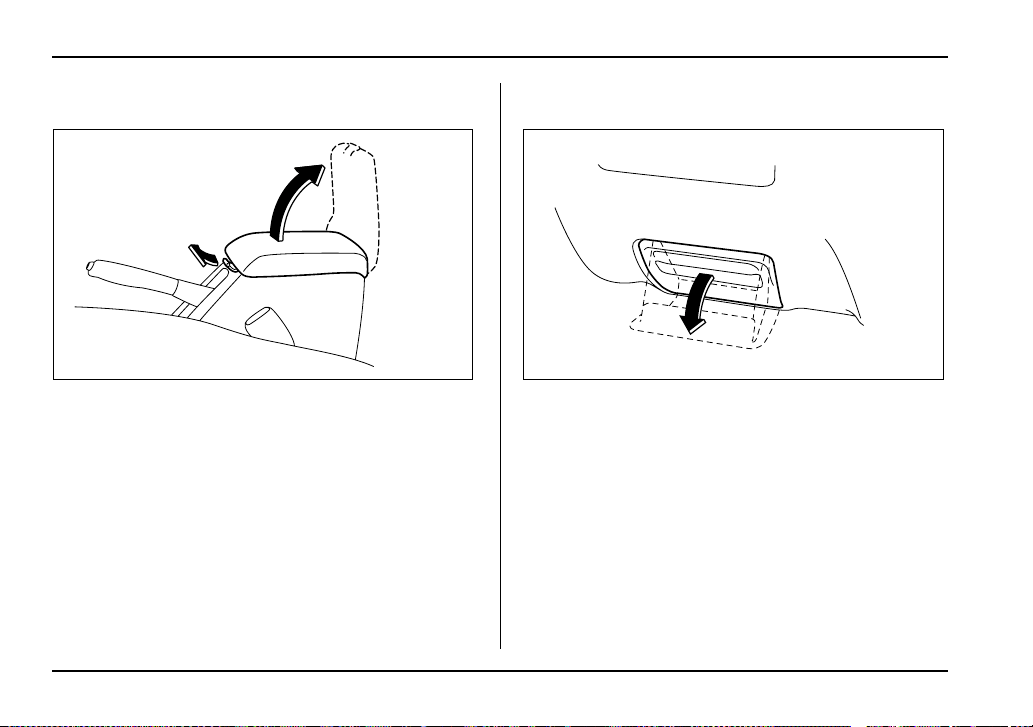
6-6
Interior equipment
Center console
To open the lid, pull up the lock release.
Coin tray
To open the coin tray, pull the upper edge of the lid.
HS6031BA HS6055BA
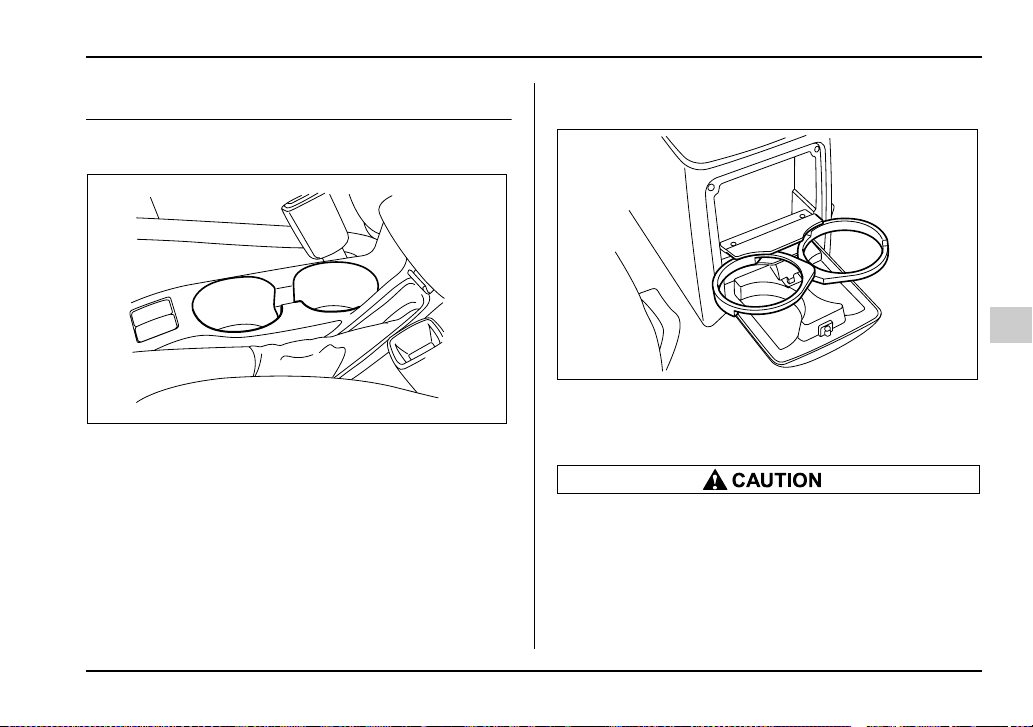
6-7
Interior equipment
– CONTINUED –
Cup holder
Front passenger’s cup holder
A dual cup holder is built in the center console, beside
the parking brake lever.
Rear passenger’s cup holder
A dual cup holder is located at the back of the center
console. To use the cup holder, open the lid by pulling
its upper edge.
y Do not pick up a cup from the cup holder or
put a cup in the holder while you are driving, as
this may distract you and lead to an accident.
y Take care to avoid spills. Beverages, if hot,
might burn you or your passengers. Spilled
beverages may also damage upholstery, car-
HS6032BA
HS6033BA
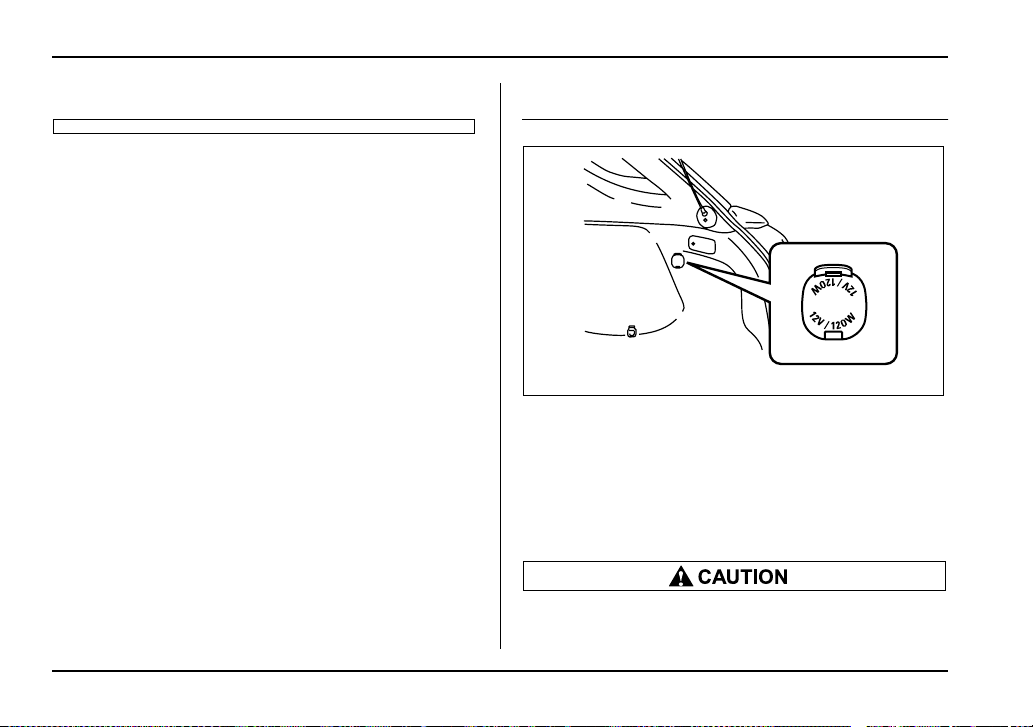
6-8
Interior equipment
pets or audio equipment.
Accessory power outlet (if equipped)
Accessory power outlet is provided in the cargo area
(if equipped).
Electrical power (12V DC) from the battery is available
at the socket when the ignition switch is either in the
“ACC” or “ON” position.
You can use an in-car use electrical appliance by con-
necting it to the accessory power outlet.
y Do not attempt to use a cigarette lighter in the
accessory power outlet.
UG6020BA
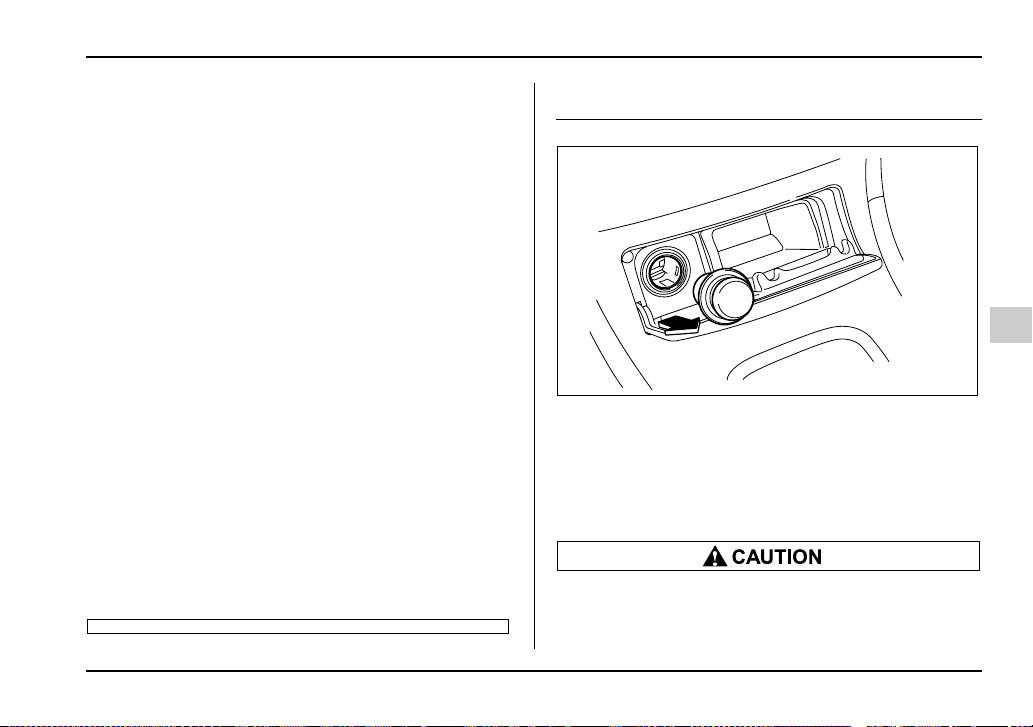
6-9
Interior equipment
– CONTINUED –
y Do not place any foreign objects, especially
metal ones such as coins or aluminum foil, into
the accessory power outlet. That could cause a
short circuit. Always put the cap on the acces-
sory power outlet when it is not in use.
y Use only electrical appliances which are de-
signed for 12V DC and which consume less
than 120W. Overloading the accessory power
outlet can cause a short circuit. Do not use dou-
ble adapters or more than one electrical appli-
ance.
y If the plug on your electric appliance is either
too loose or too tight for the accessory power
outlet, this can result in a poor contact or cause
the plug to get stuck. Only use plugs that fit
properly.
y Use of an electric appliance in the accessory
power outlet for a long period of time while the
engine is not running can cause battery dis-
charge.
y Before driving your vehicle, make sure that
the plug and the cord on your electrical appli-
ance will not interfere with your shifting gears
and operating the accelerator and brake pedals.
If they do, do not use the electrical appliance
while driving.
Cigarette lighter socket
A cigarette lighter socket can be found behind the ash-
tray lid under the climate controls. Push gently on the
lid to open it. A cigarette lighter plug is an optional ac-
cessory. It is available from your SUBARU dealer.
The cigarette lighter socket may also be used as a
power source for an in-car use electrical appliance.
y The electrical power outlet located on the
lower part of the instrument panel is originally
designed to use a genuine SUBARU cigarette
UG6026BA
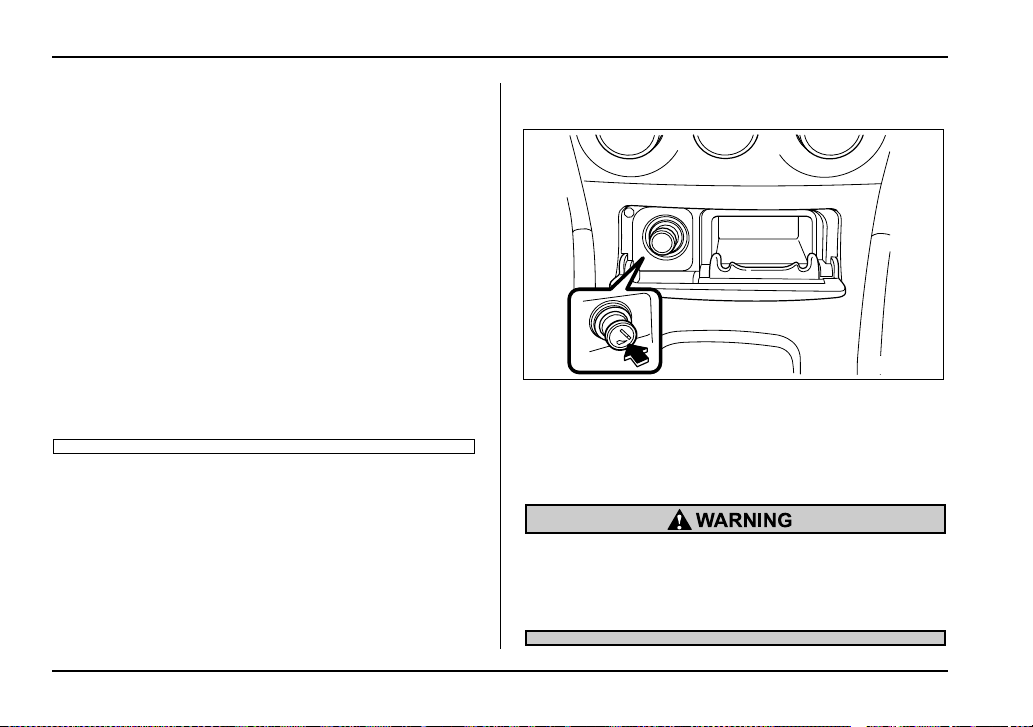
6-10
Interior equipment
lighter plug. Do not use non-genuine cigarette
lighter plugs in the socket. Doing so may cause
a short-circuit and overheating, resulting in a
fire.
y If the socket is ever used for a plug-in acces-
sory such as a mobile phone, that may damage
the portion of the socket’s internal mechanism
that causes a cigarette lighter plug to “pop out”
after its lighter element is heated. Therefore, do
not place a cigarette lighter plug in a socket
that has been used, even once, to power a plug-
in accessory. Doing so may cause the plug to
stick and overheat, creating a potential fire haz-
ard.
y Do not place any foreign objects, especially
metal ones such as coins or aluminum foil, into
the socket. That could cause a short circuit.
Use with a cigarette lighter
The cigarette lighter operates only when the ignition
switch is in the “ON” and “ACC” positions.
To use the cigarette lighter, push in the knob and wait
a few moments. It will automatically spring up when
ready for use.
To avoid being burned, never grasp the lighter
by the end with the heating element. Doing so
could result in injury and could also damage
the heating element.
UG6025BA
6-11
Interior equipment
– CONTINUED –
Do not hold the lighter pushed in, because it
will overheat.
Using as an accessory power outlet
Electrical power (12V DC) from the battery is available
at the socket when the ignition switch is either in the
“ACC” or “ON” position.
If you use the socket as an accessory power outlet,
take the following precautions.
When the socket is not in use, always put the cap on
the socket to prevent any foreign object from entering
it.
y Use only in-car use electrical appliances
which are designed for 12V DC and which con-
sume less than 120W. Overloading the socket
can cause a short circuit. Do not use double
adapters or more than one electrical appliance.
y If the plug on your electric appliance is either
too loose or too tight for the socket, this can re-
sult in a poor contact or cause the plug to get
stuck. Only use plugs that fit properly.
y Use of an electric appliance in the socket for
a long period of time while the engine is not
running can cause battery discharge.
y Before driving your vehicle, make sure that
the plug and the cord on your electrical appli-
ance will not interfere with your shifting gears
and operating the accelerator and brake pedals.
If they do, do not use the electrical appliance
while driving.
If the socket has been used for electrical appliances,
damage may have been done to the internal mecha-
nism that causes a cigarette lighter to “pop out” after
its element has been heated. For that reason, a ciga-
rette lighter, even if it is a genuine part, should not be
used in the socket. If you want to use the socket for a
cigarette lighter again, or to protect your purchaser be-
fore you sell your vehicle, have your SUBARU dealer
replace the socket with a new one.
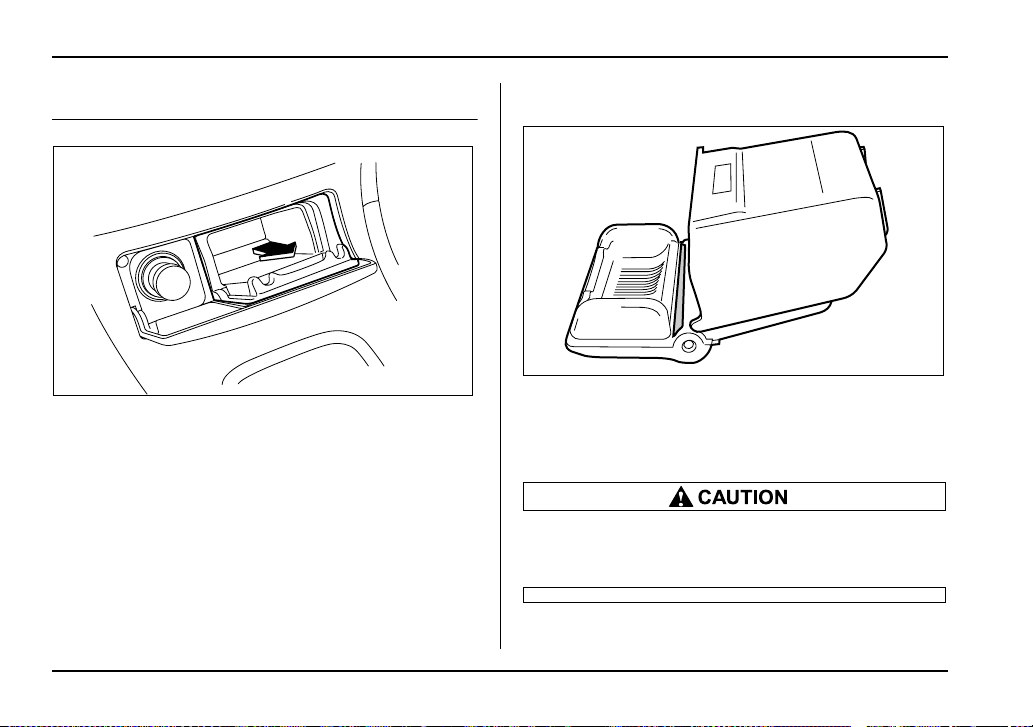
6-12
Interior equipment
Ashtray
To open the ashtray, push lightly on the lid below the
climate controls.
Fully close the lid after using it to help reduce residual
smoke.
To remove the ashtray for cleaning, hold the right and
left sides of the ashtray and pull it out.
NOTE
Particles of ash and tobacco will accumulate
around the hinges of the ashtray’s inner lid. Clean
them off using a toothbrush or other narrow-end-
ed implement.
Do not use ashtrays as waste receptacles or
leave a lighted cigarette in an ashtray. This
could cause a fire.
UG6027BA
US6060BA

6-13
Interior equipment
– CONTINUED –
Floor mat (if equipped)
A retaining pin is located on the driver’s side of the ve-
hicle next to the fuel filler door release.
The floor mat is secured using the built-in grommet, by
placing the grommet over the pin and pushing down-
ward.
Make sure the driver’s floor mat is placed back
in its proper location and correctly secured on
its retaining pin. If the floor mat slips forward
and interferes with the movement of the pedals
during driving, it could cause an accident.
HS6038BA
HS6039BA
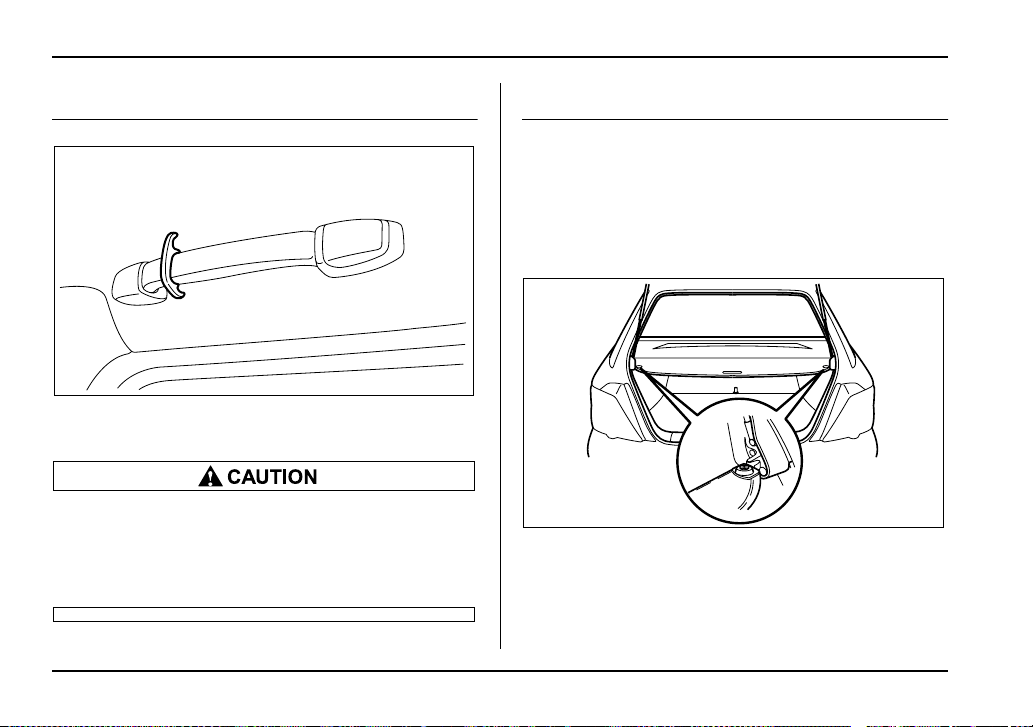
6-14
Interior equipment
Coat hook
The coat hook is attached to the rear left passenger’s
hand grip.
Never hang anything on the coat hook that
might obstruct the driver’s view or that could
cause injury in sudden stops or in a collision.
And do not hang items on the coat hook that
weigh 2.2 lbs (1 kg) or more.
Cargo area cover (if equipped)
The cargo area cover is provided for covering the car-
go area and to protect its contents from direct sunlight.
This cover is detachable to make room for additional
cargo.
Using the cover
To extend the cover, pull the end of the cover out of
the housing, then insert its hooks into the catches as
shown. To rewind it, unhook it from the catches and it
will rewind automatically. You should hold on to the
cover and guide it back into the cover housing while it
US6061BA
UG6512BA
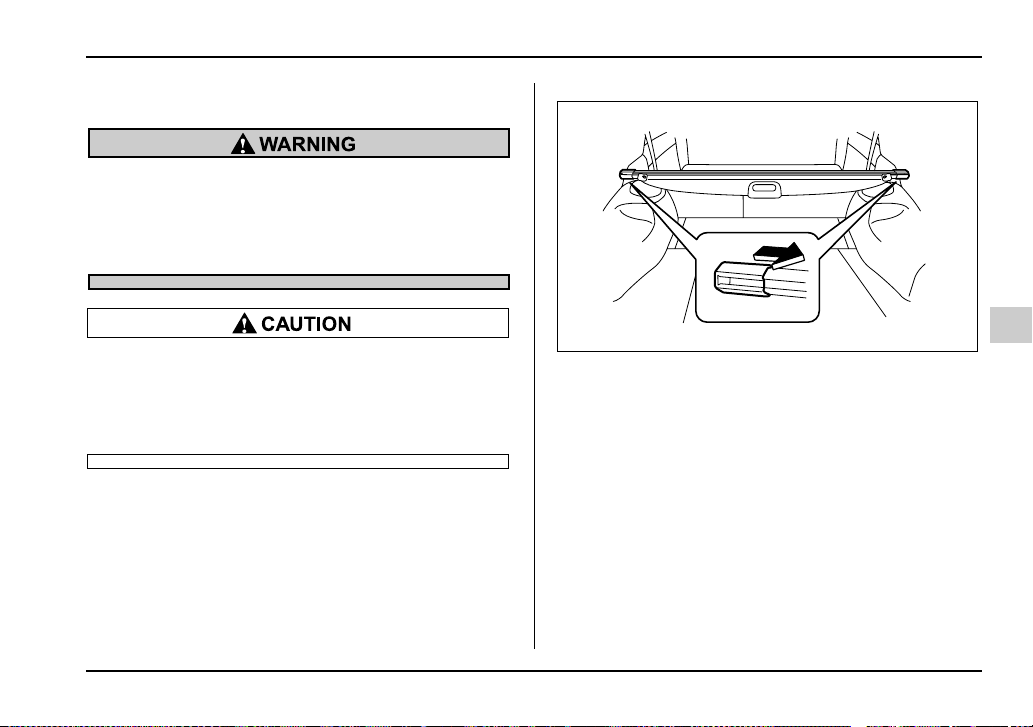
6-15
Interior equipment
– CONTINUED –
is rewinding.
Do not place anything on the extended cover.
Putting excessive weight on the extended cov-
er can break it and an object on the cover could
tumble forward in the event of a sudden stop or
collision. This could cause serious injury.
Be careful not to scratch the rear gate stays
while extending and rewinding the cover.
Scratches on the stays could cause leakage of
gas from the stays, which may result in their in-
ability to hold the rear gate open.
To remove the cover
1. Rewind the cover.
2. Pull either sleeve on the end of the cover housing
to shorten the cover’s length.
3. Take it off the retainer.
UG6513BA
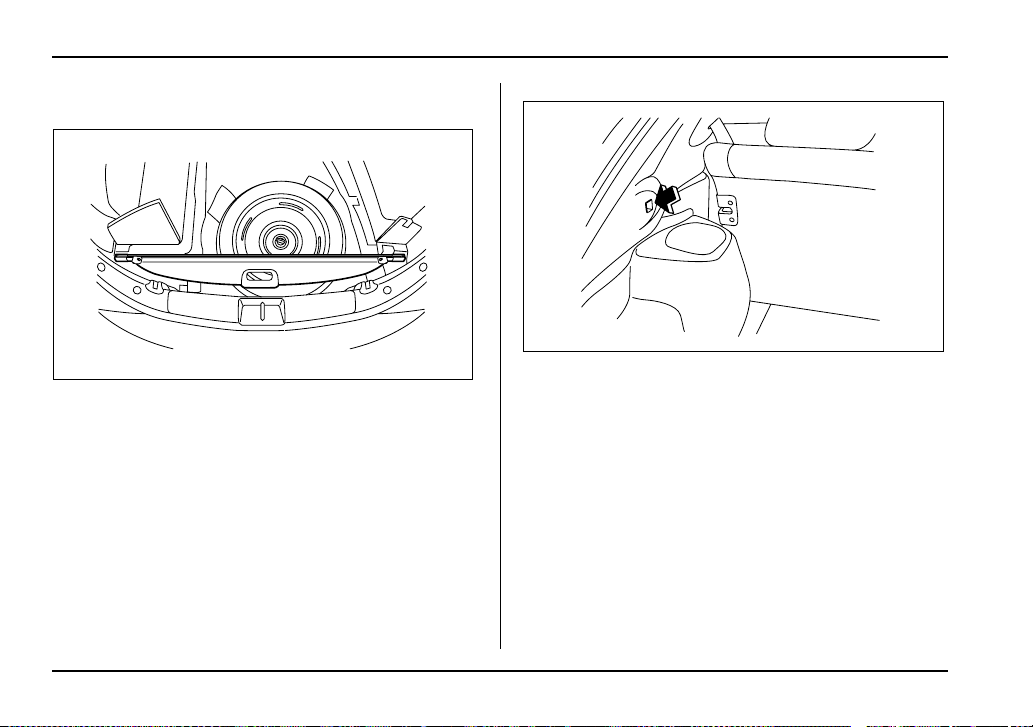
6-16
Interior equipment
Stowage of the cover
The cargo area cover can be stowed under the cargo
floor.
To install the cover housing
1. Pull either sleeve on the end of the cover housing
to shorten the cover’s length.
2. Insert the projections located on the both ends of
the sleeve into the recesses of the retainers.
UG6514BA
UG6515BA
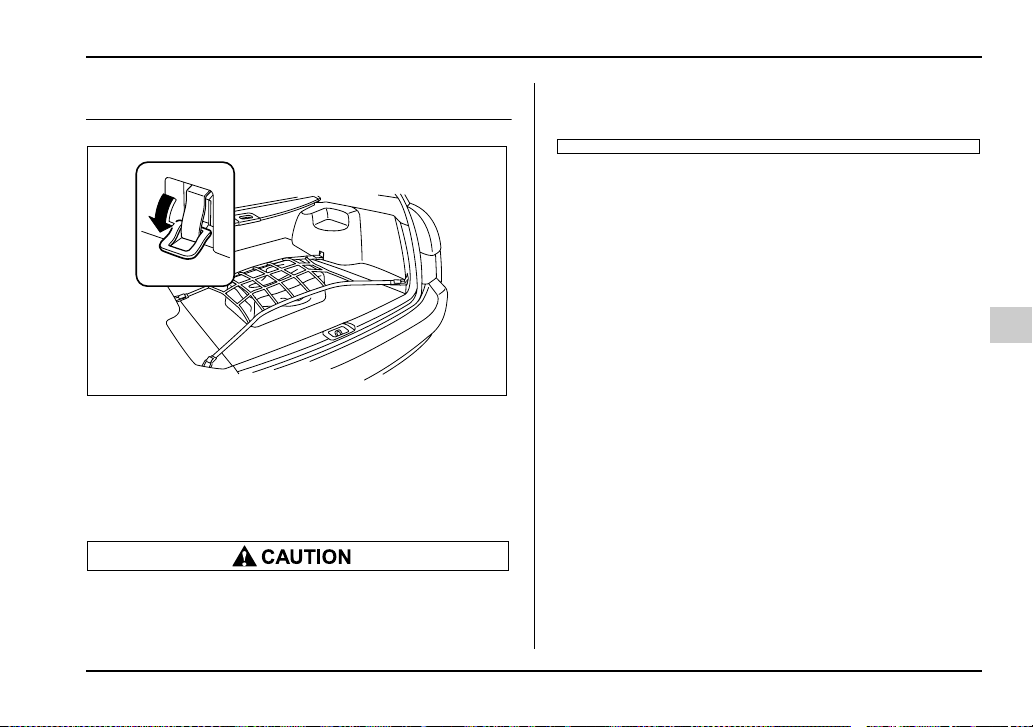
6-17
Interior equipment
– CONTINUED –
Cargo tie-down hooks (if equipped)
The cargo area is equipped with four tie-down hooks
so that cargo can be secured with a cargo net or
ropes.
When using the tie-down hooks, turn them down out of
the storing recesses. When not in use, put the hooks
up into the storing recesses.
The cargo tie-down hooks are designed only for
securing light cargo. Never try to secure cargo
that exceeds the capacity of the hooks. The
maximum load capacity is 44 lbs (20 kg) per an
hook.
UG6516BA
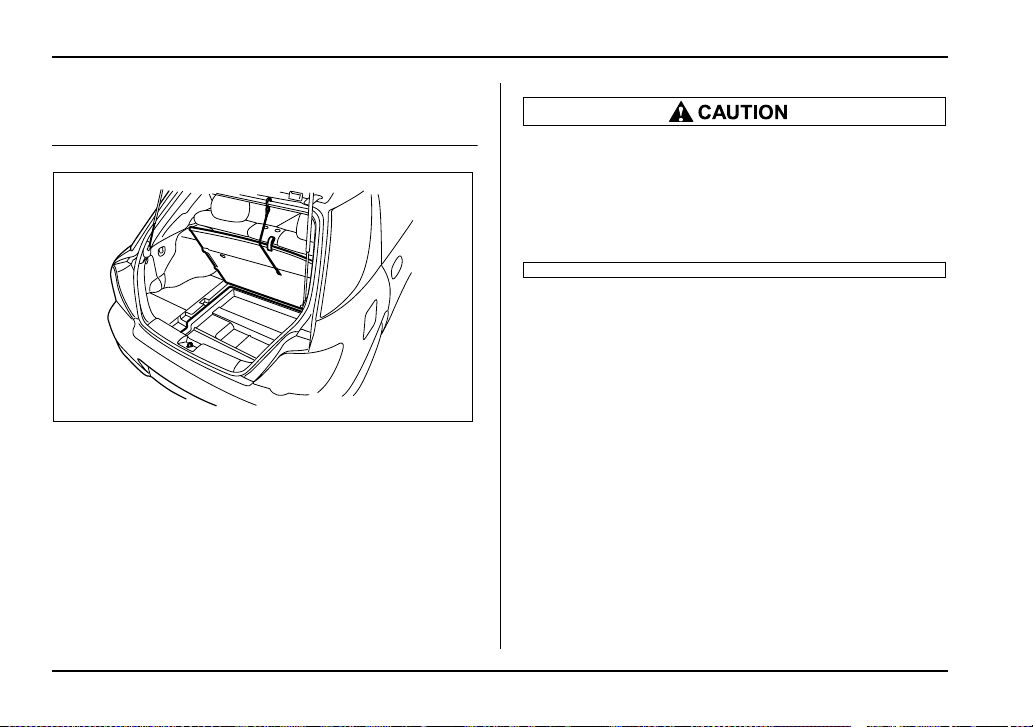
6-18
Interior equipment
Under-floor storage compartment (if
equipped)
The storage compartment is located under the floor of
the cargo area and can be used to store small items.
To open the lid, pull the tab up.
Hang the hook provided on the under side of the lid on
the rear edge of the roof to keep the lid open.
NOTE
When storing a flat tire, put the storage tray in the
cargo area.
y Always keep the lids closed while driving to
reduce the risk of injury in the event of sudden
stop or an accident.
y Do not store spray cans, containers with
flammable or corrosive liquids or any other
dangerous items in the storage compartment.
UG6517BA

7-1
7
Starting and operating
Fuel ................................................................ 7-2
Fuel requirements ............................................. 7-2
Fuel filler lid and cap ........................................ 7-4
State emission testing (U.S. only) ............... 7-7
Preparing to drive ......................................... 7-9
Starting the engine ....................................... 7-9
Manual transmission vehicle ........................... 7-9
Automatic transmission vehicle ...................... 7-10
Stopping the engine ..................................... 7-11
Manual transmission – 6 speeds
(WRX-STi) .................................................. 7-12
Selecting reverse gear ...................................... 7-12
Shifting speeds ................................................. 7-13
Driving tips ........................................................ 7-14
Manual transmission – 5 speeds
(except WRX-STi) ...................................... 7-15
Shifting speeds ................................................. 7-15
Driving tips ........................................................ 7-17
Driver’s Control Center Differential (DCCD)
(WRX-STi) .................................................. 7-18
Auto mode ......................................................... 7-18
Manual mode ..................................................... 7-19
Temporary release ............................................ 7-21
Automatic transmission ............................... 7-22
Selector lever for automatic transmission ..... 7-23
Shift lock release .............................................. 7-27
Limited slip differential (LSD)
(if equipped) .............................................. 7-28
Power steering .............................................. 7-29
Braking ........................................................... 7-30
Braking tips ....................................................... 7-30
Brake system .................................................... 7-30
Disc brake pad wear warning indicators ........ 7-31
ABS (Anti-lock Brake System) ..................... 7-31
ABS system self-check .................................... 7-32
ABS warning light ............................................. 7-32
Electronic Brake Force Distribution (EBD)
system ........................................................ 7-34
Steps to take if EBD system fails .................... 7-34
Parking your vehicle ..................................... 7-36
Parking brake .................................................... 7-36
Parking tips ....................................................... 7-36
Cruise control ................................................ 7-38
To set cruise control ........................................ 7-39
To temporarily cancel the cruise control ....... 7-40
To turn off the cruise control ........................... 7-41
To change the cruising speed ......................... 7-42
7-2
Starting and operating
Starting and ope rating
Fuel
Use of a fuel which is low in quality or use of an
inappropriate fuel additive may cause engine
damage.
Fuel requirements
T 2.5-liter non-turbo models
The 2.5-liter non-turbo engine is designed to operate
using unleaded gasoline with an octane rating of 87
AKI or higher.
T 2.0-liter turbo models
The 2.0-liter turbo engine is designed to operate using
premium unleaded gasoline with an octane rating of
91 AKI or higher. If premium unleaded gasoline is not
available, regular unleaded gasoline with an octane
rating of 87 AKI or higher may be temporarily used.
For optimum engine performance and driveability, it is
required that you use premium grade unleaded gaso-
line.
T 2.5-liter turbo model
The 2.5-liter turbo engine is designed to operate using
super-premium unleaded gasoline with an octane rat-
ing of 93 AKI or higher. If super-premium unleaded
gasoline with an octane rating of 93 AKI or higher is
not available, premium unleaded gasoline with an oc-
tane rating of 91 AKI or higher can be used. For opti-
mum engine performance and driveability, it is recom-
mended that you use super-premium grade unleaded
gasoline with an octane rating of 93 AKI or higher.
T Fuel octane rating
This octane rating is the average of the Research Oc-
tane and Motor Octane numbers and is commonly re-
ferred to as the Anti Knock Index (AKI).
Using a gasoline with a lower octane rating can cause
persistent and heavy knocking, which can damage the
engine. Do not be concerned if your vehicle some-
times knocks lightly when you drive up a hill or when
you accelerate. See your dealer or a qualified service
technician if you use a fuel with the specified octane
rating and your vehicle knocks heavily or persistently.
T Unleaded gasoline
The neck of the fuel filler pipe is designed to accept
only an unleaded gasoline filler nozzle. Under no cir-
cumstances should leaded gasoline be used because
it will damage the emission control system and may

7-3
Starting and operating
– CONTINUED –
impair driveability and fuel economy.
T Gasoline for California-certified LEV
Your vehicle was certified to California’s low emission
vehicle (LEV) standards as indicated on the under-
hood tune-up label. It is designed to optimize engine
and emission performance with gasoline that meets
the clean burning low-sulfur California gasoline speci-
fications. If you live in any other state than California,
your vehicle will operate on gasoline meeting Federal
specifications. Gasoline sold outside California is per-
mitted to have higher sulfur levels, which may affect
the performance of your vehicle’s catalytic converter
and may produce a sulfur exhaust odor or smell.
SUBARU recommends that you try a different brand of
unleaded gasoline having lower sulfur to determine if
the problem is fuel related before returning your vehi-
cle to an authorized dealer for service.
T MMT
Some gasoline contains an octane-enhancing additive
called MMT (Methylcyclopentadienyl Manganese Tri-
carbonyl). If you use such fuels, your emission control
system performance may deteriorate and the CHECK
ENGINE warning light/Malfunction indicator lamp may
turn on. If this happens, return to your authorized
SUBARU Dealer for service. If it is determined that the
condition is caused by the type of fuel used, repairs
may not be covered by your warranty.
T Gasoline for cleaner air
Your use of gasoline with detergent additives will help
prevent deposits from forming in your engine and fuel
system. This helps keep your engine in tune and your
emission control system working properly, and is a
way of doing your part for cleaner air. If you continu-
ously use a high quality fuel with the proper detergent
and other additives, you should never need to add any
fuel system cleaning agents to your fuel tank.
Many gasolines are now blended with materials called
oxygenates. Use of these fuels can also help keep the
air cleaner. Oxygenated blend fuels, such as MTBE
(Methyl Tertiary Butyl ether) or ethanol (ethyl or grain
alcohol) may be used in your vehicle, but should con-
tain no more than 15% MTBE or 10% ethanol for the
proper operation of your SUBARU.
In addition, some gasoline suppliers are now produc-
ing reformulated gasolines, which are designed to re-
duce vehicle emissions. SUBARU approves the use of
reformulated gasoline.
If you are not sure what the fuel contains, you should
ask your service station operators if their gasolines
contain detergents and oxygenates and if they have
been reformulated to reduce vehicle emissions.
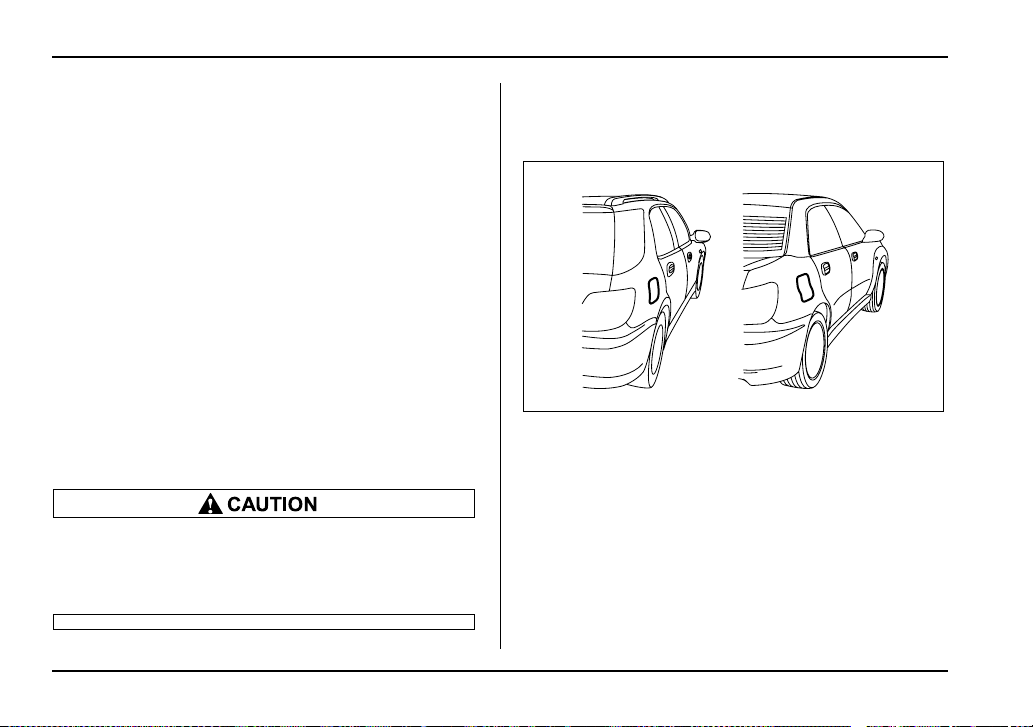
7-4
Starting and operating
As additional guidance, only use fuels suited for your
vehicle as explained below.
y Fuel should be unleaded and have an octane rating
no lower than that specified in this manual.
y Methanol (methyl or wood alcohol) is sometimes
mixed with unleaded gasoline. Methanol can be used
in your vehicle ONLY if it does not exceed 5% of the
fuel mixture AND if it is accompanied by sufficient
quantities of the proper cosolvents and corrosion in-
hibitors required to prevent damage to the fuel system.
Do not use fuel containing methanol EXCEPT under
these conditions.
y If undesirable driveability problems are experienced
and you suspect they may be fuel related, try a differ-
ent brand of gasoline before seeking service at your
SUBARU dealer.
y Fuel system damage or driveability problems which
result from the use of improper fuel are not covered
under the SUBARU Limited Warranty.
Do not let fuel spill on the exterior surfaces of
the vehicle. Fuels containing alcohol may
cause paint damage, which is not covered un-
der the SUBARU Limited Warranty.
Fuel filler lid and cap
T Refueling
0
UG7501BA
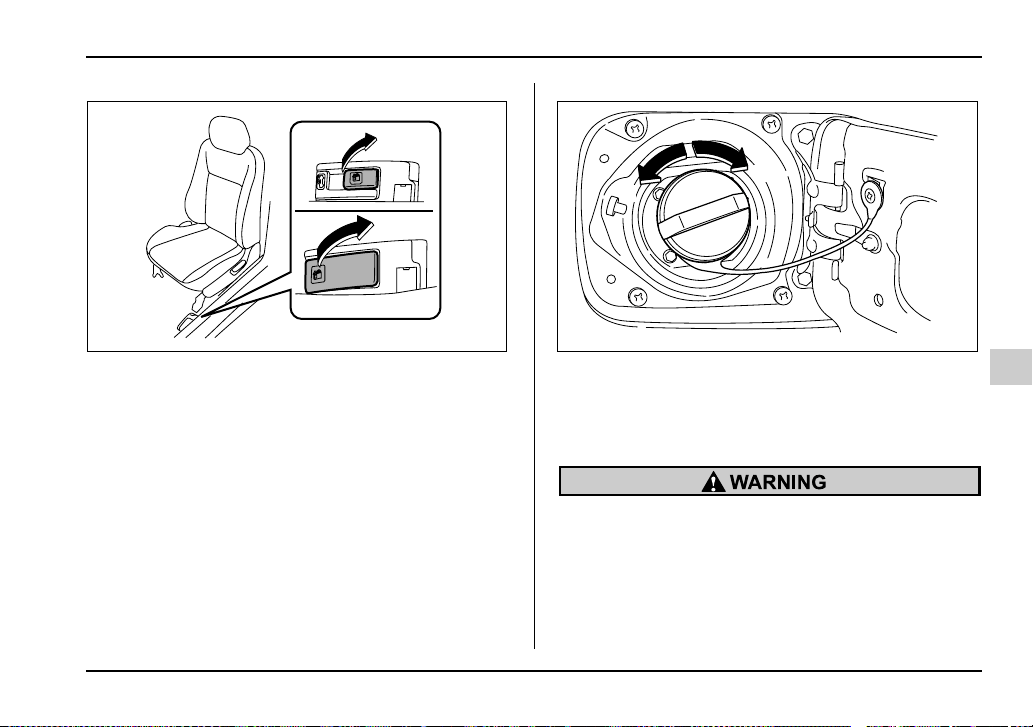
7-5
Starting and operating
– CONTINUED –
1. To open the fuel filler lid, pull the lid release lever
up.
1) Open
2) Close
2. Remove the fuel filler cap by turning it slowly coun-
terclockwise.
y Gasoline vapor is highly flammable. Before
refueling, always first stop the engine and make
sure that there are no lighted cigarettes, open
flames or electrical sparks in the adjacent area.
y When opening the cap, do not remove the
cap quickly. Fuel may be under pressure and
spray out of the fuel filler neck especially in hot
UG7502BA
1
2
HS7007BB
7-6
Starting and operating
weather, which may cause injury.
3. Stop filling the tank after the fuel filler pump auto-
matically stops. Do not add any more fuel.
4. Put the cap back on, turn it clockwise until you hear
a clicking noise. Be certain not to catch the tether un-
der the cap while tightening.
5. Close the fuel filler lid completely.
If you spill any fuel on the painted surface, rinse it off
immediately. Otherwise, the painted surface could be
damaged.
NOTE
If the fuel filler cap is not tightened until it clicks or
if the tether is caught under the cap, the CHECK
ENGINE warning light may come on. Refer to the
“Warning and indicator lights” section located in
chapter 3.
y Never add any cleaning agents to the fuel
tank. The addition of a cleaning agent may
cause damage to the fuel system.
y Make sure that the cap is tightened until it
clicks to prevent fuel spillage in the event of an
accident.
y Do not let fuel spill on the exterior surfaces of
the vehicle.
Fuels may cause paint damage, which is not
covered under the SUBARU Limited Warranty.
y Always use a genuine SUBARU fuel filler cap.
If you use the wrong cap, it may not fit or have
proper venting, and your fuel tank and emis-
sion control system might be damaged.
7-7
Starting and operating
– CONTINUED –
State emission testing (U.S. only)
At state inspection time, remember to tell your in-
spection or service station in advance not to place
your Subaru AWD vehicle on a two-wheel dyna-
mometer. Otherwise, serious transmission dam-
age will result.
Some states have started using dynamometers in
their state inspection programs in order to meet their
obligation under federal law to implement stricter vehi-
cle emission standards to reduce air pollution from ve-
hicles. A dynamometer is a treadmill or roller-like test-
ing device that allows your vehicle’s wheels to turn
while the vehicle remains in one place. Depending on
the severity of a state’s air pollution problems, the
states must adopt either a “basic” or “enhanced” vehi-
cle emission inspection test. Normally, a portion of the
basic emission test consists of an emission inspector
inserting an analyzer probe into the exhaust pipe of an
idling vehicle for a short period of time. States with
more severe air pollution problems are required to
adopt an enhanced vehicle emission test. This test
simulates actual driving conditions on a dynamometer
and permits more accurate measurement of tailpipe
emitted pollution than the basic emission test.
The U.S. Environmental Protection Agency (EPA) and
states using two-wheel dynamometers in their emis-
sion testing programs have EXEMPTED Subaru AWD
vehicles from the portion of the testing program that in-
volves a two-wheel dynamometer.
There are some states that use four-wheel dynamom-
eters in their testing programs. When properly used,
that equipment will not damage an AWD Subaru vehi-
cle.
Under no circumstances should the rear wheels be
jacked off the ground, nor should the driveshaft be dis-
connected for state emission testing.
Testing of an All-Wheel Drive vehicle must
NEVER be performed on a single two-wheel dy-
namometer. Attempting to do so will result in
uncontrolled vehicle movement and may cause
an accident or injuries to persons nearby.
Resultant vehicle damage due to improper test-
ing is not covered under the SUBARU Limited
Warranty and is the responsibility of the state
7-8
Starting and operating
inspection program or its contractors or licens-
ees.
The EPA has issued regulations for inspecting the On-
Board Diagnostic (OBD) system as part of the state
emissions inspection. The OBD system is designed to
detect engine and transmission problems that might
cause vehicle emissions to exceed allowable limits.
These inspections apply to all 1996 model year and
newer passenger cars and light tracks. Several states
plus the District of Columbia have opted to start the
OBD system inspection prior to the required EPA reg-
ulation effective date of January 1, 2002. Other states
will add OBD system inspection in 2002.
y The inspection of the OBD system consists of a vi-
sual operational check of the “CHECK ENGINE” warn-
ing light/malfunction indicator lamp (MIL) and an ex-
amination of the OBD system with an electronic scan
tool while the engine is running.
y A vehicle passes
the OBD system inspection if
proper the “CHECK ENGINE” warning light/MIL illumi-
nation is observed, there is no stored diagnostic trou-
ble codes, and the OBD system readiness monitors
are complete.
y A vehicle fails
the OBD inspection if the “CHECK
ENGINE” warning light/MIL is not properly operating
or there is one or more diagnostic trouble codes stored
in vehicle’s computer with the “CHECK ENGINE”
warning light/MIL illuminated.
y A state emission inspection may reject (not pass or
fail) a vehicle if the number of OBD system readiness
monitors “Not Ready” is greater than three. Under this
condition, the vehicle operator should be instructed to
drive his/her vehicle for a few days to set the monitors
and return for an emission re-inspection.
y Owners of rejected or failing vehicles should contact
their Subaru Dealer for service.
7-9
Starting and operating
– CONTINUED –
Preparing to drive
You should perform the following checks and adjust-
ments every day before you start driving.
1. Check that all windows, mirrors, and lights are
clean and unobstructed.
2. Check the appearance and condition of the tires.
Also check tires for proper inflation.
3. Look under the vehicle for any sign of leaks.
4. Check that the hood, trunk and rear gate are fully
closed.
5. Check the adjustment of the seat.
6. Check the adjustment of the inside and outside mir-
rors.
7. Fasten your seatbelt. Check that your passengers
have fastened their seatbelts.
8. Check the operation of the warning and indicator
lights when the ignition switch is turned to the “ON” po-
sition.
9. Check the gauges, indicator and warning lights af-
ter starting the engine.
NOTE
Engine oil, engine coolant, brake fluid, washer flu-
id and other fluid levels should be checked daily,
weekly or at fuel stops.
Starting the engine
Do not operate the starter motor continuously
for more than ten seconds. If the engine fails to
start after operating the starter for five to ten
seconds, wait for ten seconds or more before
trying again.
Manual transmission vehicle
1. Apply the parking brake.
2. Turn off unnecessary lights and accessories.
3. Press the clutch pedal to the floor and shift the shift
lever into neutral. Hold the clutch pedal to the floor
while starting the engine.
The starter motor will only operate when the clutch
pedal is pressed fully to the floor.
4. Turn the ignition switch to the “ON” position and
check the operation of the warning and indicator lights.
Refer to the “Warning and indicator lights” section
(chapter 3).
5. Turn the ignition switch to the “START” position
without depressing the accelerator pedal. Release
the key immediately after the engine has started.

7-10
Starting and operating
If the engine does not start, try the following:
1)Turn the ignition switch to the “OFF” position and
wait for at least 10 seconds. After checking that the
parking brake is firmly set, turn the ignition switch to
the “ON” position while depressing the accelerator
pedal slightly (about a quarter of the full stroke). Re-
lease the accelerator pedal as soon as the engine
starts.
2)If this fails to start the engine, turn the ignition
switch back to the “OFF” position and wait for at
least 10 seconds. Then fully depress the accelerator
pedal and turn the ignition switch to the “START”
position. If the engine starts, quickly release the ac-
celerator pedal.
3)If this fails to start the engine, turn the ignition
switch again to the “OFF” position. After waiting for
10 seconds or longer, turn the ignition switch to the
“START” position without depressing the accelera-
tor pedal.
4)If the engine still refuses to start, contact your
nearest SUBARU dealer for assistance.
6. Confirm that all warning and indicator lights have
gone off after the engine has started. The fuel injection
system automatically lowers the idle speed as the en-
gine warms up.
Automatic transmission vehicle
1. Apply the parking brake.
2. Turn off unnecessary lights and accessories.
3. Shift the selector lever to the “P” or “N” position
(preferably “P” position).
The starter motor will only operate when the select le-
ver is at the “P” or “N” position.
4. Turn the ignition switch to the “ON” position and
check the operation of the warning and indicator lights.
Refer to the “Warning and indicator lights” section
(chapter 3).
5. Turn the ignition switch to the “START” position
without depressing the accelerator pedal. Release
the key immediately after the engine has started.
If the engine does not start, try the following:
1)Turn the ignition switch to the “OFF” position and
wait for at least 10 seconds. After checking that the
parking brake is firmly set, turn the ignition switch to
the “ON” position while depressing the accelerator
pedal slightly (about a quarter of the full stroke). Re-
lease the accelerator pedal as soon as the engine
starts.
2)If this fails to start the engine, turn the ignition
switch back to the “OFF” position and wait for at
least 10 seconds. Then fully depress the accelerator
pedal and turn the ignition switch to the “START”
position. If the engine starts, quickly release the ac-
7-11
Starting and operating
– CONTINUED –
celerator pedal.
3)If this fails to start the engine, turn the ignition
switch again to the “OFF” position. After waiting for
10 seconds or longer, turn the ignition switch to the
“START” position without depressing the accelera-
tor pedal.
4)If the engine still refuses to start, contact your
nearest SUBARU dealer for assistance.
6. Confirm that all warning and indicator lights have
gone out after the engine has started. The fuel injec-
tion system automatically lowers the idle speed as the
engine warms up.
While the engine is warming up, make sure that the
selector lever is at the “P” or “N” position and that the
parking brake is applied.
If you restart the engine while the vehicle is
moving, shift the selector lever into the “N” po-
sition. Do not attempt to place the selector lever
of a moving vehicle into the “P” position.
Stopping the engine
The ignition switch should be turned off only when the
engine is idling.
Do not stop the engine when the vehicle is mov-
ing. This will cause loss of power to the power
steering and the brake booster, making steer-
ing and braking more difficult. It could also re-
sult in accidental activation of the “LOCK” po-
sition on the ignition switch, causing the steer-
ing wheel to lock.
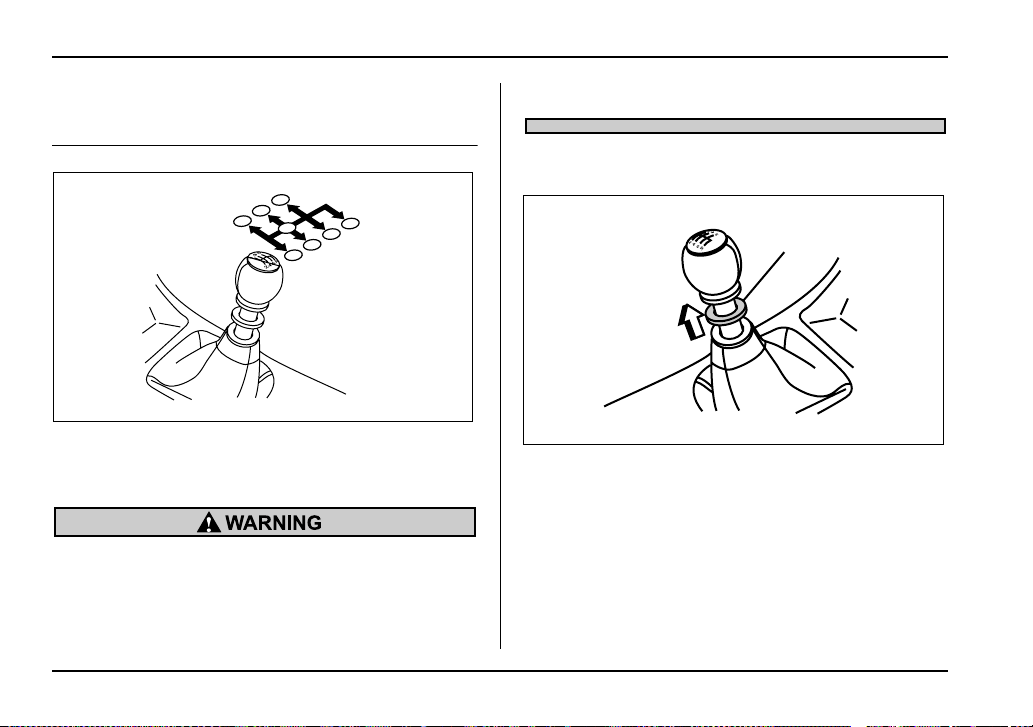
7-12
Starting and operating
Manual transmission – 6 speeds
(WRX-STi)
The manual transmission is a fully synchromeshed, 6-
forward-speed and 1-reverse-speed transmission.
The shift pattern is shown on the shift lever knob.
Do not drive the vehicle with the clutch disen-
gaged (i.e., when the clutch pedal is depressed)
or with the shift lever in the neutral position.
Engine braking has no effect in either of these
conditions and the risk of an accident is conse-
quently increased.
Selecting reverse gear
1) Slider
You must raise the slider and hold it in that position be-
fore you can move the shift lever to the “R” position.
To change gears, fully depress the clutch pedal, move
the shift lever, and gradually let up on the clutch.
If it is difficult to shift into gear, put the transmission in
neutral, release the clutch pedal momentarily, and
then try again.
N
3
4
1
2
5
6
R
UG7503BA
1
UG7014BB
7-13
Starting and operating
– CONTINUED –
Shift into reverse ONLY when the vehicle has
completely stopped. It may cause damage to
the transmission to try shifting into reverse
when the vehicle is moving.
Shifting speeds
T Recommended shifting speeds
The best compromise between fuel economy and ve-
hicle performance during normal driving is ensured by
shifting up at the speeds listed in the following table.
T Maximum allowable speeds
The following tables show the maximum speeds that
are possible with each different gear. The tachome-
ter’s needle will enter the red area if these speeds are
exceeded.
With the exception of cases where sudden accelera-
tion is required, the vehicle should not be driven with
the tachometer’s needle inside the red area. Failure to
observe this precaution can lead to excessive engine
wear and poor fuel economy.
When shifting down a gear, ensure that the ve-
hicle is not travelling at a speed exceeding the
Maximum Allowable Speed for the gear which
is about to be selected. Failure to observe this
precaution can lead to engine over-revving and
Shift up mph (km/h)
1st to 2nd 15 (24)
2nd to 3rd 25 (40)
3rd to 4th 40 (64)
4th to 5th 45 (72)
5th to 6th 50 (80)
Gear mph (km/h)
1st 35 (57)
2nd 55 (88)
3rd 73 (118)
4th 96 (154)
7-14
Starting and operating
this in turn can result in engine damage.
In addition, sudden application of engine
brakes when the vehicle is travelling on a slip-
pery surface can lead to wheel locking; as a
consequence, control of the vehicle may be lost
and the risk of an accident increased.
NOTE
Never exceed posted speed limits.
Driving tips
Do not drive with your foot resting on the clutch pedal
and do not use the clutch to hold your vehicle at a
standstill on an upgrade. Either of those actions may
cause clutch damage.
Do not drive with your hand resting on the shift lever.
This may cause wear on the transmission compo-
nents.
When it is necessary to reduce vehicle speed due to
slow traffic, turning corners, or driving up steep hills,
downshift to a lower gear before the engine starts to
labor.
On steep downgrades, downshift the transmission to
5th, 4th, 3rd or 2nd gear as necessary; this helps to
maintain a safe speed and to extend brake pad life.
In this way, the engine provides a braking effect. Re-
member, if you “ride” (over use) the brakes while de-
scending a hill, they may overheat and not work prop-
erly.
The engine may, on rare occasions, knock when the
vehicle rapidly accelerates or rapidly pulls away from
a standstill. This phenomenon is not an indication of a
problem in your vehicle.
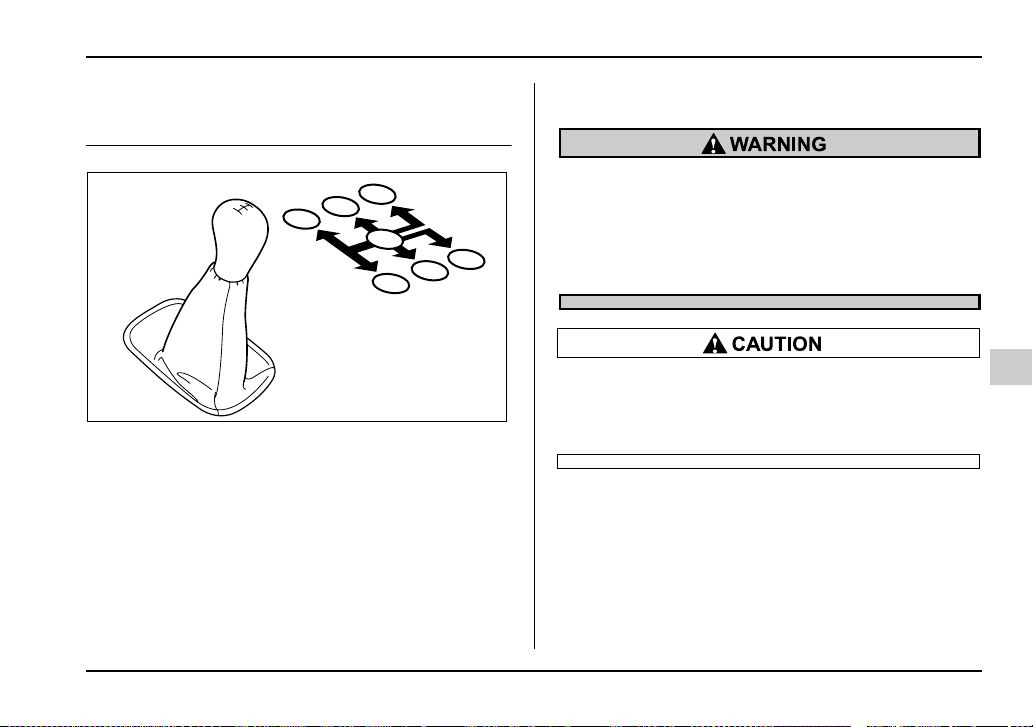
7-15
Starting and operating
– CONTINUED –
Manual transmission – 5 speeds (ex-
cept WRX-STi)
The manual transmission is a fully synchromeshed, 5-
forward-speed and 1-reverse-speed transmission.
The shift pattern is shown on the shift lever knob.
When shifting from 5th gear to reverse gear, first re-
turn the shift lever to the neutral position then shift into
reverse gear.
To change gears, fully depress the clutch pedal, move
the shift lever, and gradually let up on the clutch pedal.
If it is difficult to shift into gear, put the transmission in
neutral, release the clutch pedal momentarily, and
then try again.
Do not drive the vehicle with the clutch disen-
gaged (i.e., when the clutch pedal is depressed)
or with the shift lever in the neutral position.
Engine braking has no effect in either of these
conditions and the risk of an accident is conse-
quently increased.
Shift into reverse ONLY when the vehicle has
completely stopped. It may cause damage to
the transmission to try shifting into reverse
when the vehicle is moving.
Shifting speeds
T Recommended shifting speeds
The best compromise between fuel economy and ve-
hicle performance during normal driving is ensured by
shifting up at the speeds listed in the following table.
1
3
5
2
4
R
N
1
3
5
2
4
R
HS7008BA
7-16
Starting and operating
T Maximum allowable speeds
The following table shows the maximum speeds that
are possible with each different gear.
Never exceed the speed limit below for each gear po-
sition except for brief acceleration in an emergency.
The tachometer’s needle (if so equipped) will enter the
red area if these speeds are exceeded. Failure to ob-
serve this precaution can lead to excessive engine
wear and poor fuel economy.
2.5-liter non-turbo models
mph (km/h)
2.0-liter turbo models
mph (km/h)
When shifting down a gear, ensure that the ve-
hicle is not travelling at a speed exceeding the
Maximum Allowable Speed for the gear which
is about to be selected. Failure to observe this
precaution can lead to engine over-revving and
this in turn can result in engine damage.
Shift up mph (km/h)
1st to 2nd 15 (24)
2nd to 3rd 25 (40)
3rd to 4th 40 (65)
4th to 5th 45 (73)
RS sport package RS, OUTBACK
1st 29 (46) 28 (45)
2nd 48 (77) 47 (75)
3rd 68 (110) 66 (106)
WRX
1st 35 (56)
2nd 61 (98)
3rd 87 (140)

7-17
Starting and operating
– CONTINUED –
In addition, sudden application of engine
brakes when the vehicle is travelling on a slip-
pery surface can lead to wheel locking; as a
consequence, control of the vehicle may be lost
and the risk of an accident increased.
Driving tips
Do not drive with your foot resting on the clutch pedal
and do not use the clutch to hold your vehicle at a
standstill on an upgrade. Either of those actions may
cause clutch damage.
Do not drive with your hand resting on the shift lever.
This may cause wear on the transmission compo-
nents.
When it is necessary to reduce vehicle speed due to
slow traffic, turning corners, or driving up steep hills,
downshift to a lower gear before the engine starts to
labor.
On steep downgrades, downshift the transmission to
4th, 3rd or 2nd gear as necessary; this helps to main-
tain a safe speed and to extend brake pad life.
In this way, the engine provides a braking effect. Re-
member, if you “ride” (over use) the brakes while de-
scending a hill, they may overheat and not work prop-
erly.
The engine may, on rare occasions, knock when the
vehicle rapidly accelerates or rapidly pulls away from
a standstill. This phenomenon is not an indication of a
problem in your vehicle.
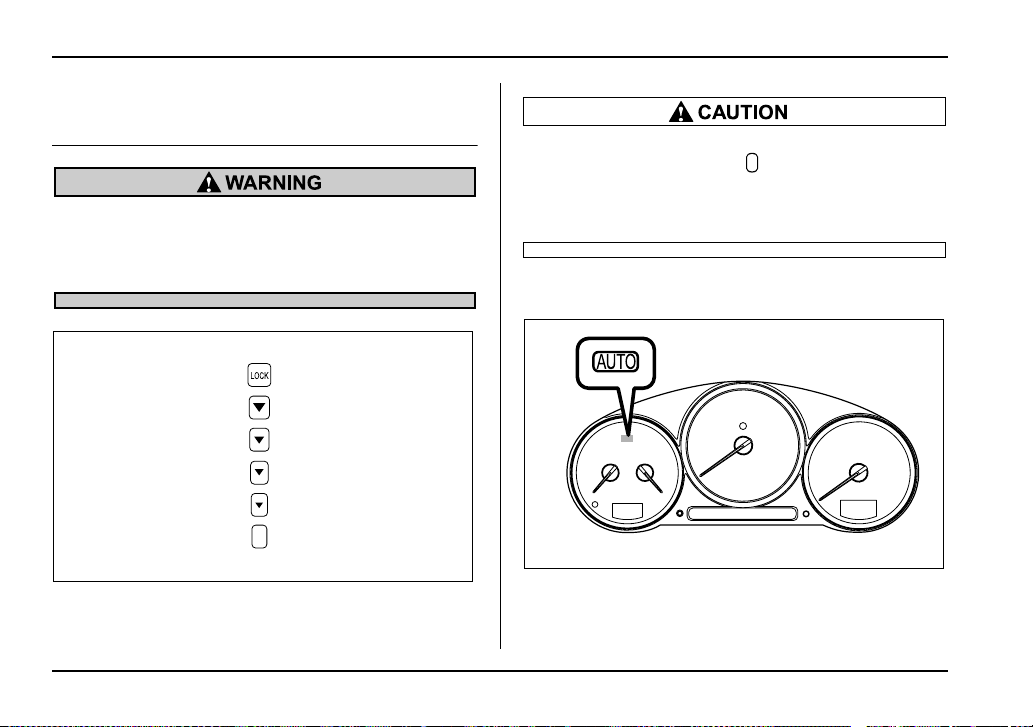
7-18
Starting and operating
Driver’s Control Center Differential
(DCCD) (WRX-STi)
Always use the utmost care when driving. Be-
ing overconfident because you are driving a ve-
hicle with a driver’s control center differential
could easily lead to a serious accident.
In the event of failure of the driver’s control
center differential, the “ ” indicator light will
flash and the auto mode and manual mode will
both stop functioning. Have the vehicle in-
spected by your Subaru dealer.
Auto mode
This system automatically adjusts the differential-ac-
tion limiting factor (torque-distribution ratio between
the front and rear wheels) of the center differential to
UG3031AA
UGB079CA
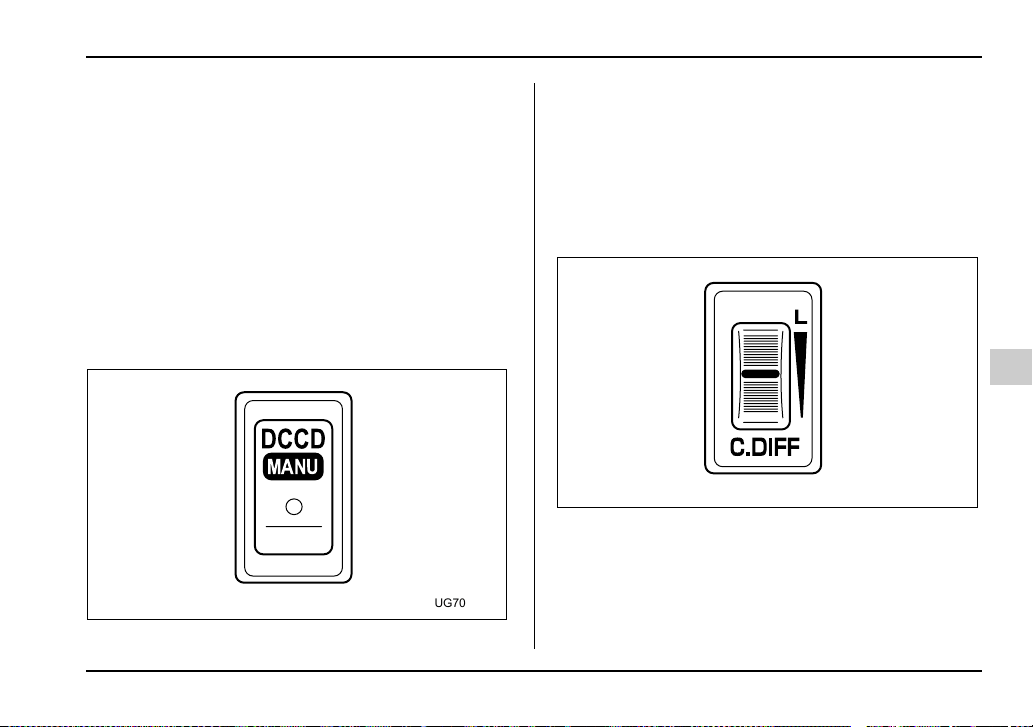
7-19
Starting and operating
– CONTINUED –
suit driving and road-surface conditions. When the ig-
nition switch is turned ON, the “AUTO” indicator light
in the combination meter comes on. The system can
be switched to a manual mode.
Manual mode
The manual mode allows the driver to set the differen-
tial-action limiting factor of the center differential as
desired to suit driving and road-surface conditions.
When this mode is selected, the “AUTO” indicator light
in the combination meter goes off.
T Manual switch
Press the “DCCD-MANU” switch on the center con-
sole to switch from auto mode to manual mode. The
“AUTO” indicator light in the combination meter will go
off. Press the switch again to go back to auto mode.
The “AUTO” indicator light in the combination meter
will come on.
T Center differential control dial and indicator
light
The control dial is located beside the parking-brake le-
ver. By turning the control dial forward and rearward,
it is possible to change the differential-action limiting
factor of the center differential.
The center-differential indicator lights in the combina-
tion meter give six levels of indication. The indicator
MANU
UG7037BA
UG7034BA
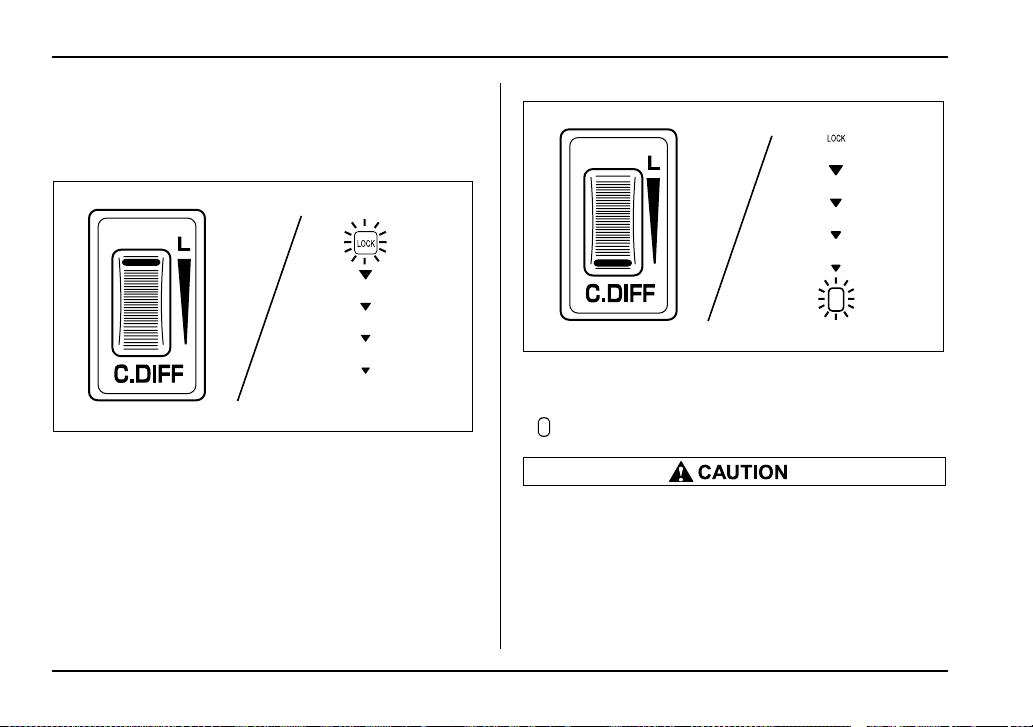
7-20
Starting and operating
lights and control dial are linked; when the dial is
turned to change the differential-action limiting factor
(front/rear torque-distribution ratio), the illumination
position of the indicator lights change accordingly.
Turn the dial forward to increase the differential-action
limiting factor. If the white line on the dial reaches the
frontmost position, the center differential will be almost
completely locked and the “LOCK” indicator light will
come on.
Turn the dial rearward to reduce the differential-action
limiting factor. If the white line on the dial reaches the
rearmost position, the factor will be minimal and the
“ ” indicator light will come on.
y Do not turn the control dial when a wheel slip-
page occurs. Wait until the wheelspin has been
brought under control or select the auto mode.
y When the vehicle has been fitted with a tem-
porary spare tire or is to be towed, turn the con-
trol dial fully rearward (to minimize the differen-
tial-action limiting factor) or select the auto
UG7035BA
UG7036BA
7-21
Starting and operating
– CONTINUED –
mode.
NOTE
y If the differential-limiting factor is large during
cornering maneuvers, a small speed difference
between the front and rear wheels may cause tight
corner braking (a phenomenon accompanied by
vibration and noise). This phenomenon does not
indicate a problem. It will disappear if the differen-
tial-action limiting factor is reduced.
y Use the center-differential indicator light only as
a rough indication of the differential-action limit-
ing factor.
y If you rapidly depress and release the accelera-
tor pedal while driving at low speed, you may hear
a knocking sound from the vicinity of the center
differential and rear differential. This sound oc-
curs because of the structure of the center differ-
ential. It does not indicate a problem.
Temporary release
When the driver stop the vehicle and pulls the parking-
brake lever after manually setting the differential-ac-
tion limiting factor, the factor is temporarily minimized.
The indicator in the combination meter continues to
show the driver’s selected differential-action limiting
factor. When the driver releases the parking-brake le-
ver, the factor set by the driver is restored.
7-22
Starting and operating
Automatic transmission
The automatic transmission is electronically controlled
with 4-forward speeds and 1-reverse speed.
NOTE
Immediately after a disconnected battery is recon-
nected (Turbo model only) or ATF (automatic
transmission fluid) is replaced, you may feel that
the automatic transmission operation is some-
what unusual.
This results from erasure or invalidation of data
the on-board computer has collected and stored in
memory to allow the transmission to shift at the
most appropriate times for the current condition
of your vehicle. Optimized shifting will be restored
as the vehicle continues to be driven for a while.
Do not shift from the “P” or “N” position into
the “D”, “3”, “2”, “1” or “R” position while de-
pressing the accelerator pedal. This may cause
the vehicle to jump forward or backward.
y Shift into the “P” or “R” position only after
the vehicle is completely stopped. Shifting
while the vehicle is moving may cause damage
to the transmission.
y Do not race the engine for more than five sec-
onds in any position except the “N” or “P” po-
sition when the brake is set or the tires are on
blocks. This may cause the automatic transmis-
sion fluid to overheat.
y Avoid shifting from one of the forward driving
positions into the “R” position or vice versa un-
til the vehicle has completely stopped. Such
shifting may cause damage to the transmis-
sion.
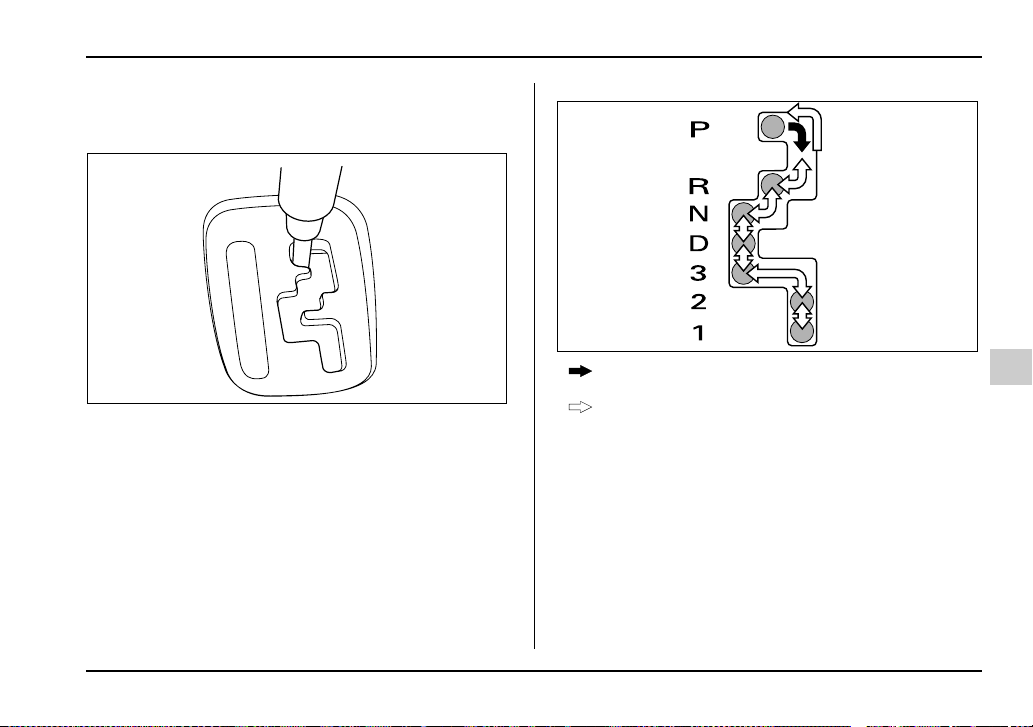
7-23
Starting and operating
– CONTINUED –
Selector lever for automatic transmis-
sion
: With the brake pedal depressed, move the lever
along the gate.
: Move the lever along the gate.
The selector lever has seven positions.
T P (Park)
This position is for parking the vehicle and starting the
engine.
In this position, the transmission is mechanically
locked to prevent the vehicle from rolling freely.
When you park the vehicle, first set the parking brake
fully, then shift into the “P” position. Do not hold the ve-
hicle with only the transmission.
P
R
N
D
3
2
1
HS7009AA
HS7010BA
7-24
Starting and operating
A shift interlock function is employed in the automatic
transmission system to ensure safe starting of the ve-
hicle.
To shift the selector lever from the “P” to the any other
position, you have to depress the brake pedal fully
when the ignition switch is in the “ON” position. This
prevents the vehicle from lurching when it is started.
If the shift lever does not move from the “P” position
with the brake pedal depressed, refer to the “Shift lock
release” section in this chapter.
T R (Reverse)
This position is for backing the vehicle.
To shift from the “N” to “R” position, first stop the vehi-
cle completely then move the lever to the “R” position.
T N (Neutral)
This position is for restarting a stalled engine.
In this position the wheels and transmission are not
locked. In this position, the transmission is neutral; the
vehicle will roll freely, even on the slightest incline un-
less the parking brake or foot brake is on.
NOTE (Except Turbo models)
If you stop the engine with the selector lever in the
“N” position, move the selector lever to the “P”
position immediately. Otherwise, you may find
that the selector lever soon cannot be moved to
the “P” position. If you find that the selector lever
cannot be moved from the “N” position to the “P”
position, turn the ignition switch to the “ON” posi-
tion and try again.
Do not drive the vehicle with the selector lever
in the “N” (neutral) position. Engine braking
has no effect in this condition and the risk of an
accident is consequently increased.
T D (Drive)
This position is for normal driving.
The transmission automatically shifts into a suitable
gear from 1st to 4th according to the vehicle speed
and the acceleration you require.
When more acceleration is required in this position,
press the accelerator pedal fully to the floor and hold
that position. The transmission will automatically
downshift to 3rd, 2nd or 1st gear. When you release
the pedal, the transmission will return to the original
gear position.

7-25
Starting and operating
– CONTINUED –
V While climbing a grade
When driving up hill, undesired upshift to 4th gear is
prevented from taking place when the accelerator
pedal is released. This minimizes the chances of sub-
sequent downshifting to a lower gear when accelerat-
ing again. This prevents repeated upshifting and
downshifting resulting in a smoother operation of the
vehicle.
NOTE
The transmission may downshift to 2nd or 1st
gear, depending on the way the accelerator pedal
is pressed to accelerate the vehicle again.
V While going down a hill
When descending a steep hill, depressing the brake
pedal will cause the transmission to downshift to 3rd
gear, thus applying engine braking. Reacceleration for
a short time will cause the transmission to upshift nor-
mally.
NOTE
In some cases, depressing the brake pedal on a
downhill grade does not result in an automatic
downshift to 3rd gear. This can happen when the
automatic transmission fluid temperature is very
low, for example, during driving shortly after the
vehicle has been parked for an extended period of
time. When the ATF temperature has risen to a cer-
tain level, automatic downshift normally takes
place. In the meantime, downshift manually for en-
gine braking as required.
Also, downshifting when braking downhill will not
occur at speeds above approximately 48 mph (78
km/h).
T 3 (Third)
This position is for using engine braking when going
down a hill or for climbing a grade.
The transmission automatically shifts into a suitable
gear from 1st to 3rd according to the vehicle speed
and the acceleration you require.
When more acceleration is required in this position,
press the accelerator pedal fully to the floor and hold
that position. The transmission will automatically
downshift to 2nd or 1st gear. When you release the
pedal, the transmission will return to the original gear
position.
T 2 (Second)
This position is for using engine braking when going
down a hill or for climbing a steep grade.
In this position, the transmission holds in the 2nd gear.
Use this position when starting off from a standstill on
slippery road surfaces such as mud or snow. It will en-
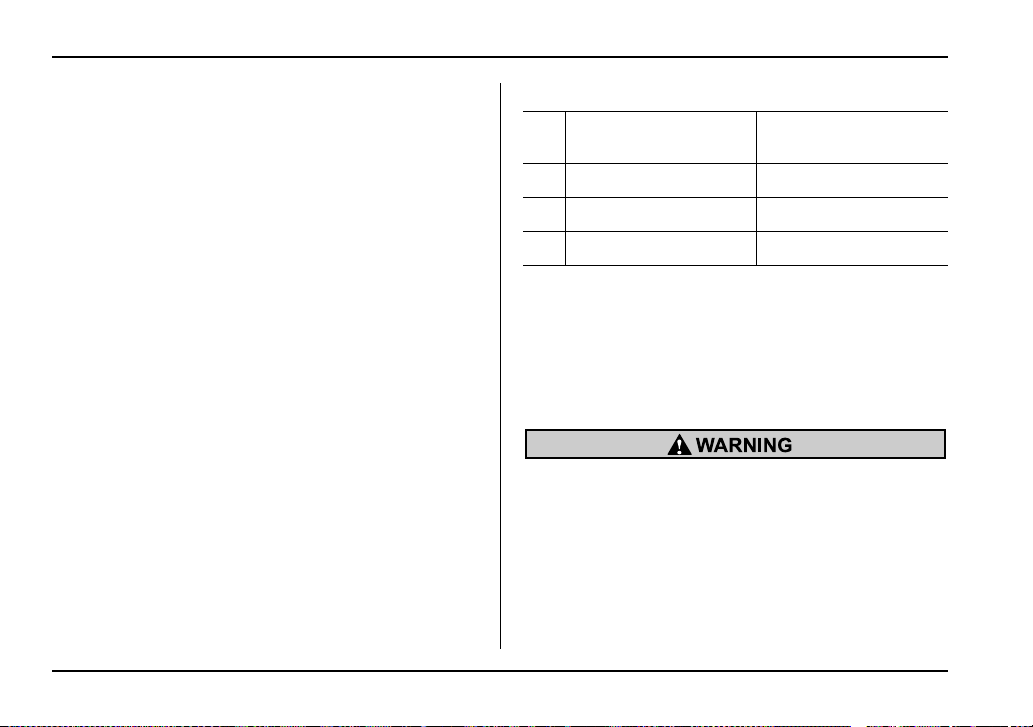
7-26
Starting and operating
sure greater traction.
T 1 (First)
This position is for driving up or down very steep
grades, or driving through mud or sand, or on slippery
surfaces. In this position, the transmission holds in the
1st gear.
T Maximum speeds
The following tables show the maximum speeds that
are possible with each different gear.
When shifting down a gear, it is important to confirm
that the current vehicle speed is not in excess of the
Maximum Allowable Speed of the gear which is about
to be selected.
mph (km/h)
NOTE
In order to prevent over-revving during decelera-
tion of the vehicle, the transmission will remain in
the current gear if the speed of the vehicle is in ex-
cess of the Maximum Allowable Speed for the gear
to which the selector lever has been moved.
When shifting down a gear, ensure that the ve-
hicle is not travelling at a speed exceeding the
Maximum Allowable Speed for the gear which
is about to be selected. Failure to observe this
precaution can lead to engine over-revving and
this in turn can result in engine damage.
In addition, sudden application of engine
brakes when the vehicle is travelling on a slip-
pery surface can lead to wheel locking; as a
2.5-liter non-turbo
models
2.0-liter turbo models
1 28 (45) 28 (45)
2 62 (99) 58 (93)
3 95 (153) 99 (158)
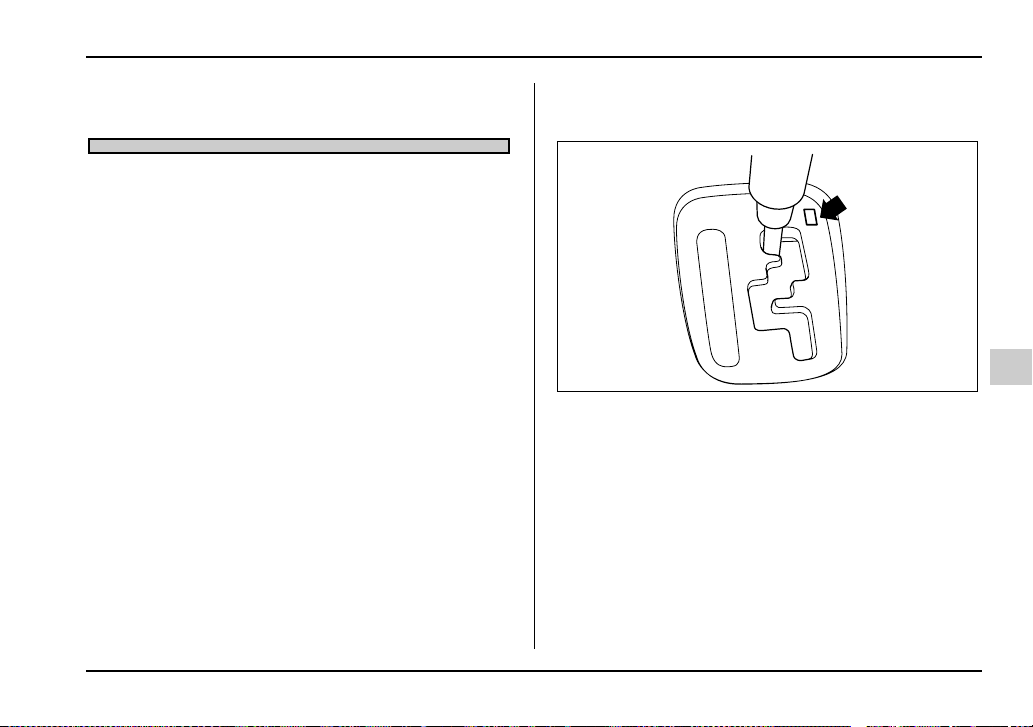
7-27
Starting and operating
– CONTINUED –
consequence, control of the vehicle may be lost
and the risk of an accident increased.
T Driving tips
y Always apply the foot or parking brake when the ve-
hicle is stopped in the “D”, “3”, “2”, “1” or “R” position.
y Always set the parking brake when parking your ve-
hicle. Do not hold the vehicle with only the transmis-
sion.
y Do not keep the vehicle in a stationary position on
an uphill grade by using the “D”, “3”, “2”, or “1” position.
Use the brake instead.
The engine may, on rare occasions, knock when the
vehicle rapidly accelerates or rapidly pulls away from
a standstill. This phenomenon is not an indication of a
problem in your vehicle.
Shift lock release
If the selector lever does not move from the “P” posi-
tion with the brake pedal depressed and the ignition
switch in the “ON” position, perform the following
steps:
To override the shift lock:
1. Set the parking brake and stop the engine.
2. Take out the screwdriver from the tool bag.
3. Remove the cover by prying on the edge with the
screwdriver.
P
R
N
D
3
2
1
HS7009BA
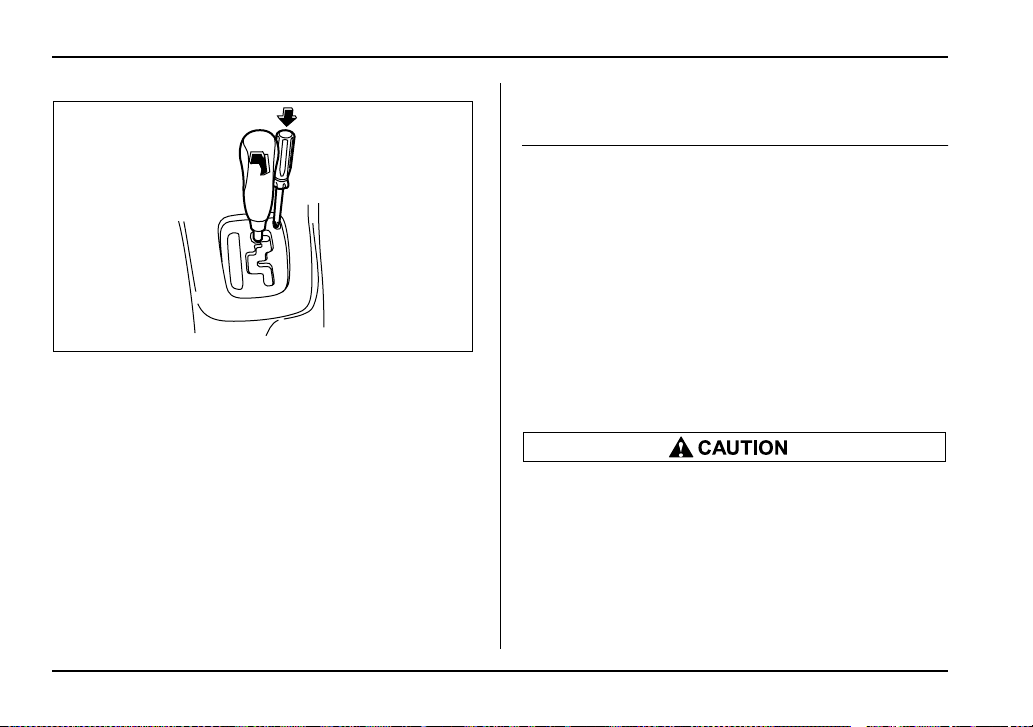
7-28
Starting and operating
4. Insert the screwdriver into the hole.
5. Push down on the screwdriver and move the selec-
tor lever from the “P” to the “N” position.
6. Remove the screwdriver from the hole. Depress
the brake pedal and start the engine.
Take your vehicle to the nearest SUBARU dealer im-
mediately to have the system repaired.
Limited slip differential (LSD) (if
equipped)
The LSD provides optimum distribution of power ac-
cording to the difference in revolutions between the
right and left wheels that may be caused by certain
driving conditions, thereby improving driving stability
on snow-covered, muddy or other slippery roads or
when high speed driving.
NOTE (WRX-STi)
The rear differential may emit a knocking sound
when the vehicle is driven slowly with the steering
wheel turned fully to either side. This sound oc-
curs because of the design of the mechanical LSD.
It does not indicate a problem.
y Never start the engine while a tire on one side
is jacked up, as the vehicle may move.
y If one tire is spinning in mud, avoid continued
spinning at high speed as this could adversely
affect the LSD.
y If you use a temporary spare tire to replace a
flat tire, be sure to use the original temporary
spare tire stored in the vehicle. Using other siz-
HS7011BA

7-29
Starting and operating
– CONTINUED –
es will adversely affect the LSD.
Power steering
The power steering system operates only when the
engine is running.
If you lose power steering assist because the engine
stops or the system fails to function, you can steer but
it will take much more effort.
NOTE
Right after the engine has been started and before
it has warmed up, you may hear a noise coming
from areas adjacent to the power steering pump
which is located at the right-front area of the en-
gine compartment. This noise is normal. It does
not indicate power steering system trouble.
Do not hold the steering wheel at the fully
locked position left or right for more than five
seconds. This may damage the power steering
pump.
7-30
Starting and operating
Braking
Braking tips
Never rest your foot on the brake pedal while
driving. This can cause dangerous overheating
of the brakes and needless wear on the brake
pads and linings.
T When the brakes get wet
When driving in rain or after washing the vehicle, the
brakes may get wet. As a result, brake stopping dis-
tance will be longer. To dry the brakes, drive the vehi-
cle at a safe speed while lightly depressing the brake
pedal to heat up the brakes.
T Use of engine braking
Remember to make use of engine braking in addition
to foot braking. When descending a grade, if only the
foot brake is used, the brakes may start working im-
properly because of brake fluid overheating, caused
by overheated brake pads. To help prevent this, shift
into a lower gear to get stronger engine braking.
T Braking when a tire is punctured
Do not depress the brake pedal suddenly when a tire
is punctured. This could cause a loss of control of the
vehicle. Keep driving straight ahead while gradually
reducing speed. Then slowly pull off the road to a safe
place.
Brake system
T Two separate circuits
Your vehicle has two separate circuit brake systems.
Each circuit works diagonally across the vehicle. If one
circuit of the brake system should fail, the other half of
the system still works. If one circuit fails, the brake
pedal will go down much closer to the floor than usual
and you will need to press it down much harder. And a
much longer distance will be needed to stop the vehi-
cle.
T Brake booster
The brake booster uses engine manifold vacuum to
assist braking force. Do not turn off the engine while
driving because that will turn off the brake booster, re-
sulting in poor braking power.
The brakes will continue to work even when the brake
booster completely stops functioning. If this happens,
however, you will have to push the pedal much harder
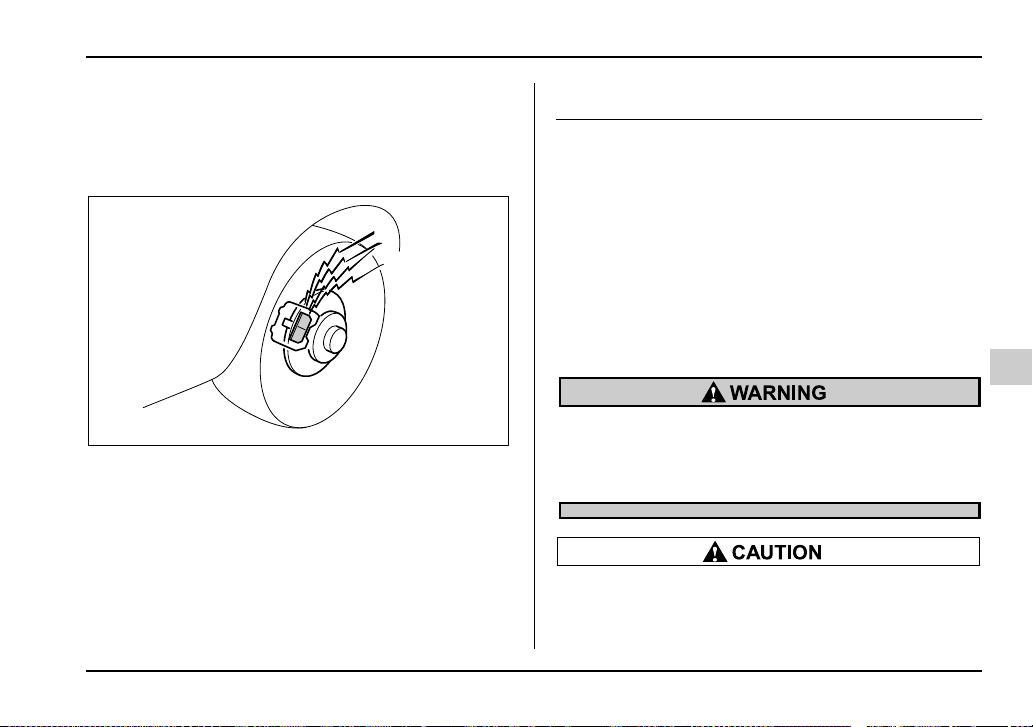
7-31
Starting and operating
– CONTINUED –
than normal and the braking distance will increase.
Disc brake pad wear warning indica-
tors
The disc brake pad wear warning indicators on the
disc brakes give a warning noise when the brake pads
are worn.
If a squeaking or scraping noise is heard from the disc
brakes while braking, immediately have your vehicle
checked by your SUBARU dealer.
ABS (Anti-lock Brake System)
The ABS system prevents the lock-up of wheels which
may occur during sudden braking or braking on slip-
pery road surfaces. This helps prevent the loss of
steering control and directional stability caused by
wheel lock-up.
When the ABS system is operating, you may hear a
chattering noise or feel a slight vibration in the brake
pedal. This is normal when the ABS operates.
The ABS system will not operate when the vehicle
speed is below approximately 6 mph (10 km/h).
Always use the utmost care in driving – over-
confidence because you are driving with an
ABS equipped vehicle could easily lead to a se-
rious accident.
y The ABS system does not always decrease
stopping distance. You should always maintain
a safe following distance from other vehicles.
HS7012BA
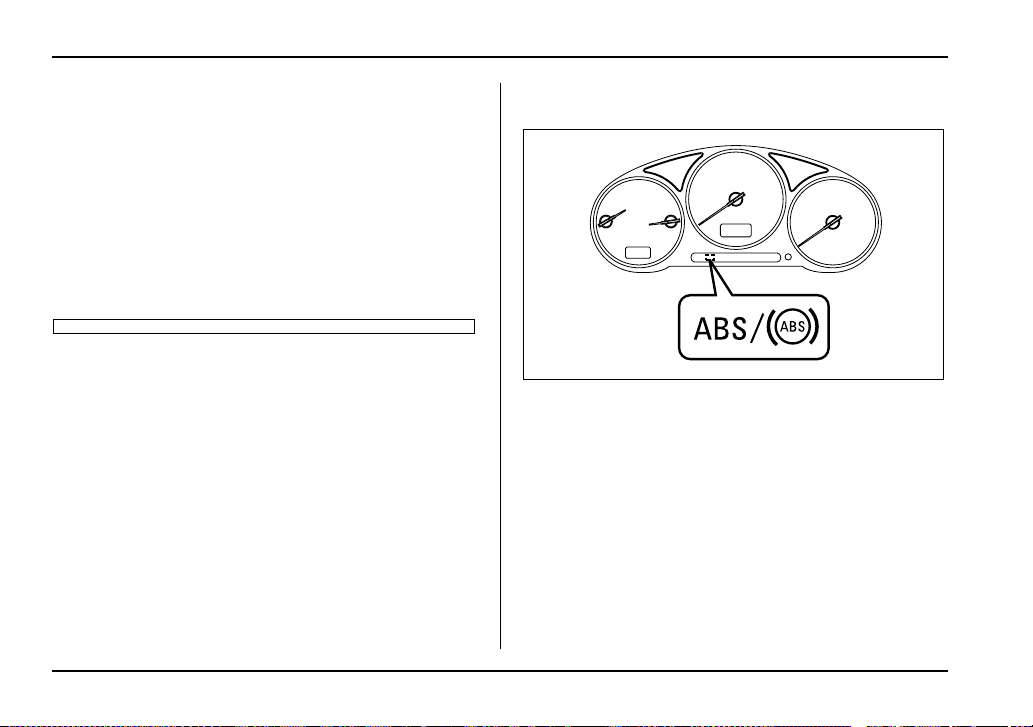
7-32
Starting and operating
y When driving on badly surfaced roads, gravel
roads, icy roads, or over deep newly fallen
snow, stopping distances may be longer for a
vehicle with the ABS system than one without.
When driving under these conditions, there-
fore, reduce your speed and leave ample dis-
tance from other vehicles.
y When you feel the ABS system operating,
you should maintain constant brake pedal pres-
sure. Do not pump the brake pedal since doing
so may defeat the operation of the ABS system.
ABS system self-check
You may feel a slight shock in the brake pedal and
hear the operating sound of ABS from the engine com-
partment just after the vehicle is started. This is
caused by an automatic functional test of the ABS sys-
tem being carried out and does not indicate any abnor-
mal condition.
ABS warning light
The ABS warning light comes on when the ignition
switch is turned to the “ON” position and goes out after
about two seconds.
This is an indication that the ABS system is working
properly.
When driving with an insufficient battery voltage such
as when the engine is jump started, the ABS warning
light may come on. This is due to the low battery volt-
age and does not indicate a malfunction. When the
battery becomes fully charged, the light will go out.
UG7020JA
7-33
Starting and operating
– CONTINUED –
If the warning light behaves as follows, the ABS
system may not be working properly.
When the warning light is on, the ABS function
shuts down; however, the conventional brake
system continues to operate normally.
y The warning light does not come on when the
ignition switch is turned to the “ON” position.
y The warning light comes on when the ignition
switch is turned to the “ON” position, but it
does not go out even when the vehicle speed
exceeds approximately 8 mph (12 km/h).
y The warning light comes on during driving.
If these occur, have the ABS system repaired at
the first available opportunity by your SUBARU
dealer.
NOTE
If the warning light behavior is as described be-
low, the ABS system may be considered normal.
y The warning light comes on right after the en-
gine is started but goes out immediately, remain-
ing off.
y The warning light remains on after the engine
has been started, but it goes out when the vehicle
speed reaches about 8 mph (12 km/h).
y The warning light comes on during driving, but
it goes out immediately and remains off.
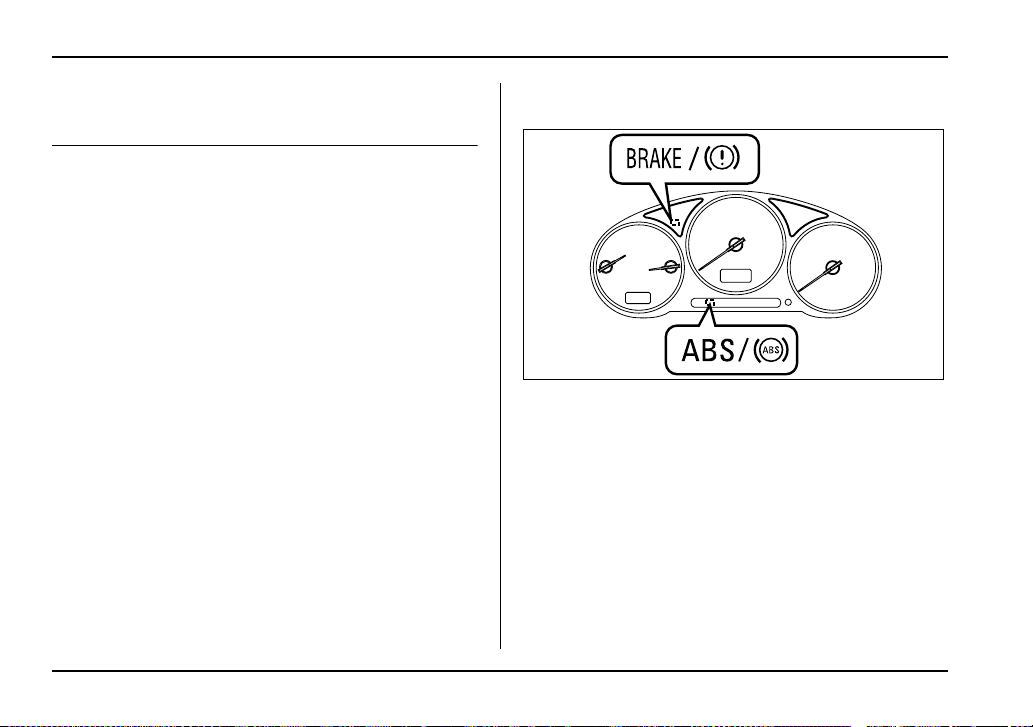
7-34
Starting and operating
Electronic Brake Force Distribution
(EBD) system
The EBD system maximizes the effectiveness of the
brakes by allowing the rear brakes to supply a greater
proportion of the braking force. It functions by adjust-
ing the distribution of braking force to the rear wheels
in accordance with the vehicle’s loading condition and
speed.
The EBD system is an integral part of the ABS system
and uses some of the ABS system’s components to
perform its function of optimizing the distribution of
braking force. If any of the ABS components used by
the EBD function fails, the EBD system also stops
working.
When the EBD system is operating, you may hear a
chattering noise or feel a slight vibration in the brake
pedal. This is normal and does not indicate a malfunc-
tion.
Steps to take if EBD system fails
If a malfunction occurs in the EBD system, the system
stops working and the brake system warning light and
ABS warning light come on simultaneously.
The EBD system may be faulty if the brake system
warning light and ABS warning light illuminate simulta-
neously during driving.
Even if the EBD system fails, the conventional braking
system will still function. However, the rear wheels will
be more prone to locking when the brakes are applied
harder than usual and the vehicle’s motion may there-
fore become somewhat harder to control.
If the brake system warning light and ABS warning
UG7020CA
7-35
Starting and operating
– CONTINUED –
light illuminate simultaneously, take the following
steps:
1. Stop the vehicle in the nearest safe, flat place.
2. Shut down the engine, then restart it.
3. Release the parking brake. If both warning lights go
out, the EBD system may be faulty. Drive carefully to
the nearest SUBARU dealer and have the system in-
spected.
4. If both warning lights come on again and stay illu-
minated after the engine has been restarted, shut
down the engine again, apply the parking brake, and
check the brake fluid level.
5. If the brake fluid level is not below the “MIN” mark,
the EBD system may be faulty. Drive carefully to the
nearest SUBARU dealer and have the system inspect-
ed.
6. If the brake fluid level is below the “MIN” mark, DO
NOT drive the vehicle. Instead, have the vehicle towed
to the nearest SUBARU dealer for repair.
y Driving with the brake system warning light
on is dangerous. This indicates your brake sys-
tem may not be working properly. If the light re-
mains on, have the brakes inspected by a
SUBARU dealer immediately.
y If at all in doubt about whether the brakes are
operating properly, do not drive the vehicle.
Have your vehicle towed to the nearest
SUBARU dealer for repair.
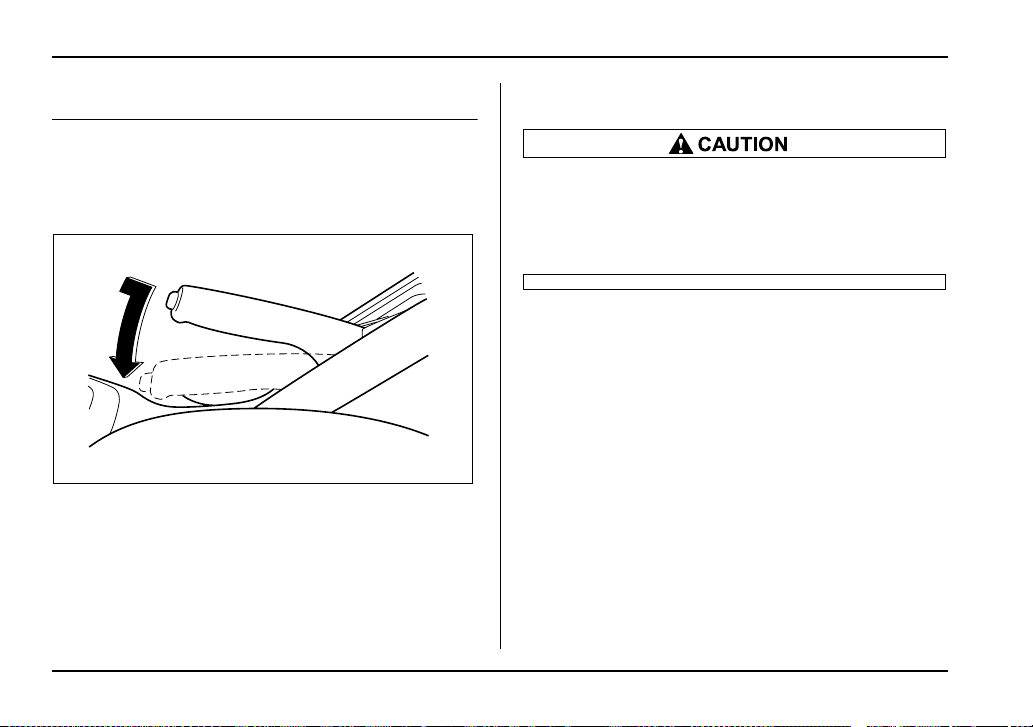
7-36
Starting and operating
Parking your vehicle
Parking brake
To set the parking brake, press the brake pedal firmly
and hold it down while fully pulling up the parking
brake lever.
To release the parking brake, pull the lever up slightly,
press the release button, then lower the lever while
keeping the button pressed.
When the parking brake is set while the engine is run-
ning, the parking brake warning light comes on. After
starting the vehicle, be sure that the warning light has
gone out before the vehicle is driven. Refer to the
“Warning and indicator lights” section (chapter 3).
Never drive while the parking brake is set be-
cause this will cause unnecessary wear on the
brake linings. Before starting to drive, always
make sure that the parking brake has been fully
released.
Parking tips
When parking your vehicle, always set the parking
brake firmly and put the shift lever in the “1” (1st) for an
upgrade or “R” (Reverse) for a downgrade for manual
transmission vehicles, or in the “P” (Park) position for
automatic transmission vehicles. Always set the park-
ing brake firmly when parking your vehicle. Never rely
on the transmission alone to hold the vehicle.
UG7509BA
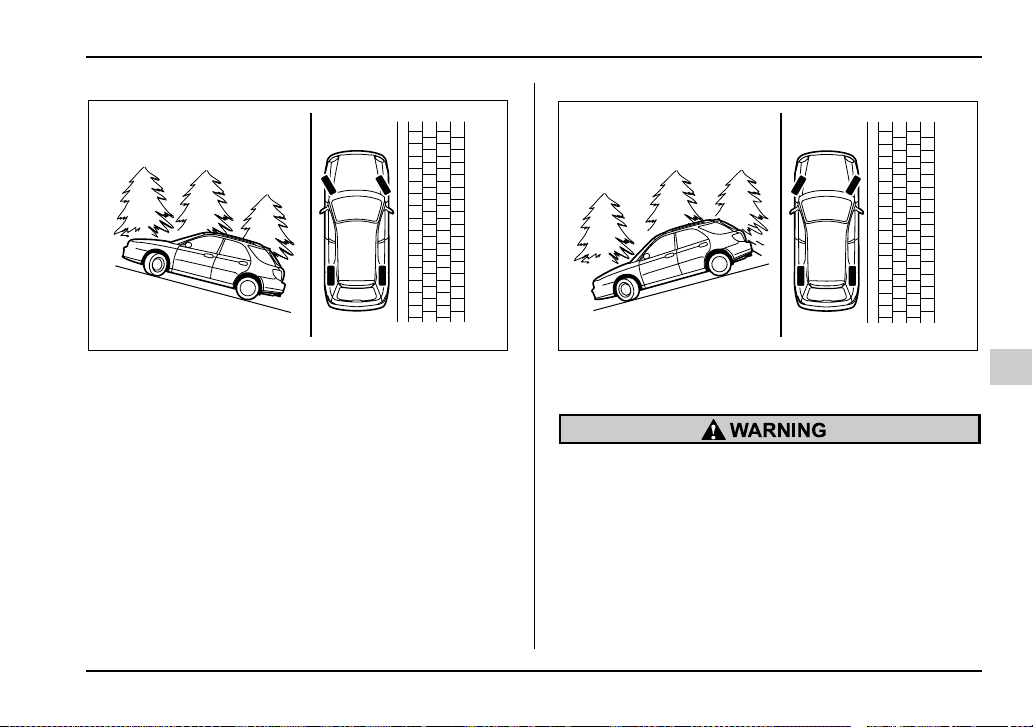
7-37
Starting and operating
– CONTINUED –
When parking on a hill, always turn the steering wheel.
When the vehicle is headed up the hill, the front
wheels should be turned away from the curb.
When facing downhill, the front wheels should be
turned into the curb.
y Never leave unattended children or pets in
the vehicle. They could accidentally injure
themselves or others through inadvertent oper-
ation of the vehicle. Also, on hot or sunny days,
the temperature in a closed vehicle could
quickly become high enough to cause severe
or possibly fatal injuries to people.
y Do not park the vehicle over flammable mate-
rials such as dry grass, waste paper or rags, as
HG7015BA
HG7016BA
7-38
Starting and operating
they may burn easily if they come near hot en-
gine or exhaust system parts.
y Be sure to stop the engine if you take a nap in
the vehicle. If engine exhaust gas enters the
passenger compartment, occupants in the ve-
hicle could die from carbon monoxide (CO)
contained in the exhaust gas.
If your vehicle has a front underspoiler and rear
underspoiler (both optional), pay attention to
blocks and other obstructions on the ground
when parking. The underspoilers could be dam-
aged by contact with them.
Cruise control
Cruise control enables you to maintain a constant ve-
hicle speed without holding your foot on the accelera-
tor pedal and it is operative when the vehicle speed is
25 mph (40 km/h) or more. Make sure the main switch
is turned “OFF” when the cruise control is not in use to
avoid unintentionally setting the cruise control.
NOTE
If you move the cruise control lever while turning
the ignition switch “ON”, the cruise control func-
tion is deactivated and the “CRUISE” indicator
light flashes. To reactivate the cruise control func-
tion, turn the ignition switch back to the “ACC” or
“LOCK” position, and then turn it again to the
“ON” position.
Do not use the cruise control under any of the
following conditions. This may cause loss of
vehicle control:
y driving up or down a steep grade
y driving on slippery or winding roads
y driving in heavy traffic
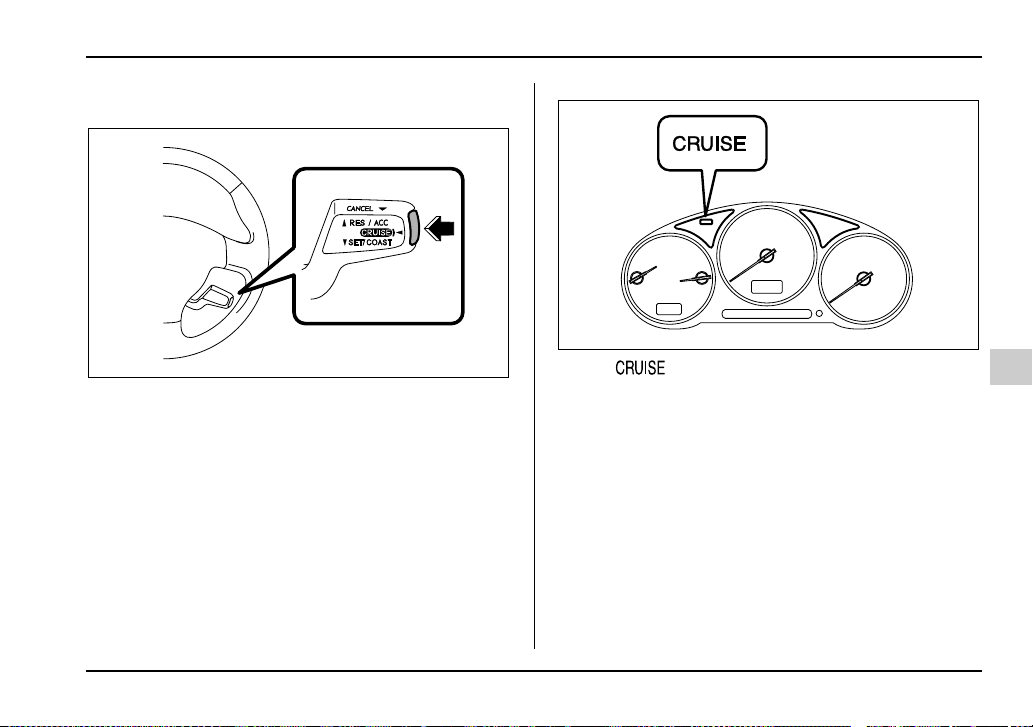
7-39
Starting and operating
– CONTINUED –
To set cruise control
0
1. Push the main switch button.
The “ ” indicator light on the combination
meter will come on.
2. Depress the accelerator pedal until the vehicle
reaches the desired speed.
UB7202BA
UG7020HA
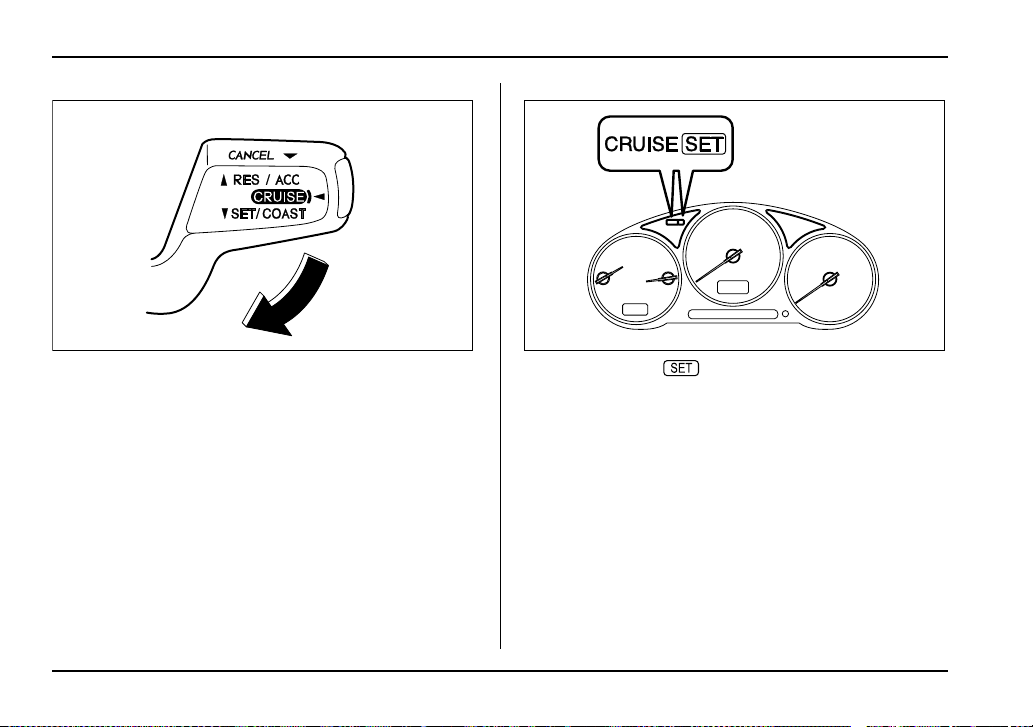
7-40
Starting and operating
3. Push the control lever downward in the “SET/
COAST” direction and release it. Then release the ac-
celerator pedal.
At this time, the “ ” indicator light is illuminated in
the combination meter.
The vehicle will maintain the desired speed.
Vehicle speed can be temporarily increased while
driving with the cruise control activated. Simply de-
press the accelerator pedal to accelerate the vehicle.
When the accelerator pedal is released, the vehicle
will return to and maintain the previous cruising speed.
To temporarily cancel the cruise con-
trol
There are four ways to cancel the cruise control tem-
porarily:
UB7203BA
UG7020IA
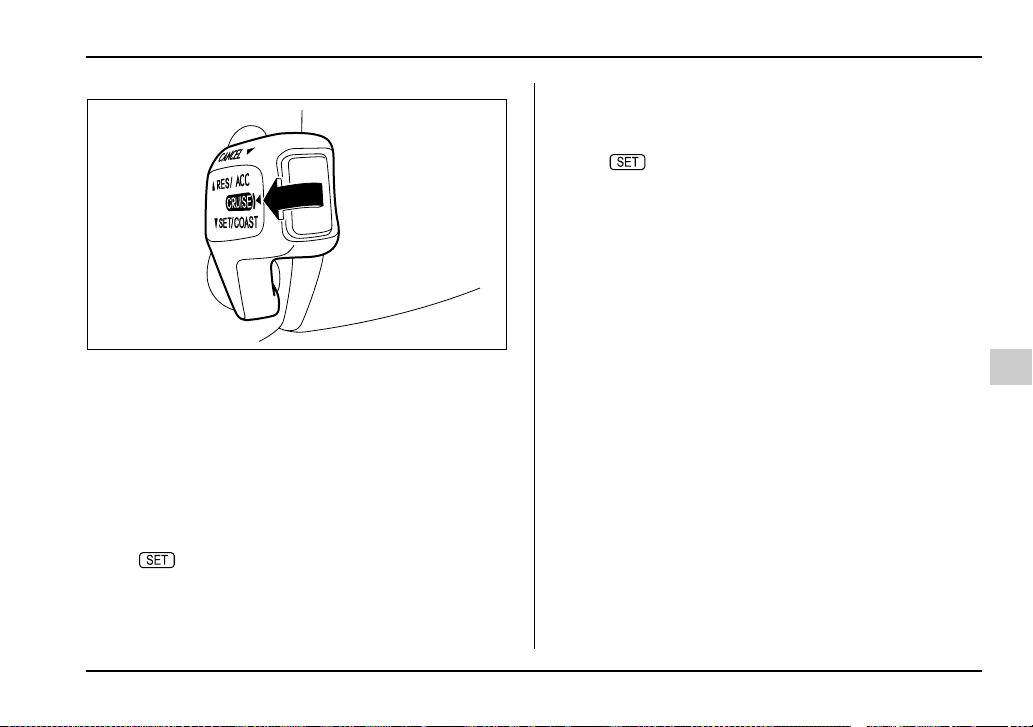
7-41
Starting and operating
– CONTINUED –
y Pull the control lever in the “CANCEL” direction (if
so equipped).
y Depress the brake pedal.
y Depress the clutch pedal (manual transmission ve-
hicles only).
y Shift the selector lever into the “N” position (auto-
matic transmission vehicles only).
y Shift the shift lever into neutral (manual transmis-
sion vehicles only).
The “ ” indicator light in the combination meter
goes off when the cruise control is cancelled.
To resume the cruise control after it has been tempo-
rarily canceled and with vehicle speed of about 20
mph (32 km/h) or more, push the control lever upward
in the “RES/ACC” direction to return to the original
cruising speed automatically.
The “ ” indicator light in the combination meter
will automatically come on at this time.
To turn off the cruise control
There are two ways to turn off the cruise control:
y Push the main switch again.
y Turn the ignition switch to the “ACC” or “LOCK” po-
sition (but only when the vehicle is completely
stopped).
UB7204BA
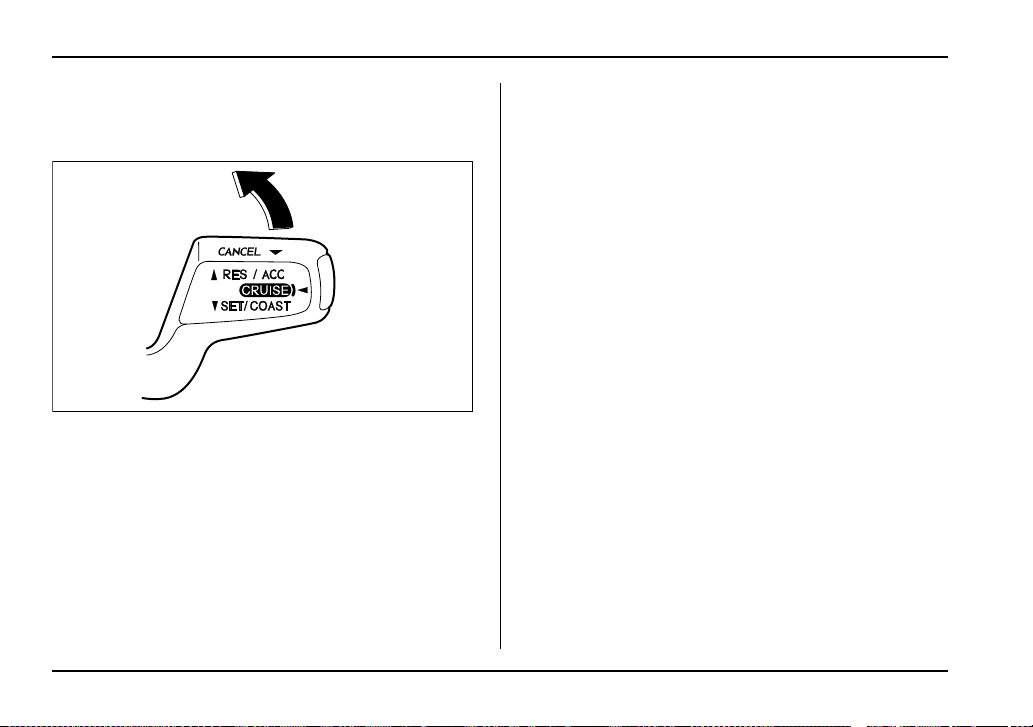
7-42
Starting and operating
To change the cruising speed
T To increase the speed (by control lever)
Push the control lever upward in the “RES/ACC” direc-
tion and hold it until the vehicle reaches the desired
speed. Then, release the control lever. The vehicle
speed at that moment will be memorized and treated
as the new set speed.
When the difference between the actual vehicle speed
and the set speed is less than 4 mph (6.8 km/h), the
set speed can be increased 1 mph (1.6 km/h) each
time by pressing the control lever upward in the “RES/
ACC” direction quickly within 0.25 second.
T To increase the speed (by accelerator pedal)
1. Depress the accelerator pedal to accelerate the ve-
hicle to the desired speed.
2. Push the control lever downward in the “SET/
COAST” direction once. Now the desired speed is set
and the vehicle will keep running at that speed without
depressing the accelerator pedal.
NOTE
If the difference between the actual vehicle speed
when the control lever is pushed downward and
the speed last time you set it is less than 4 mph
(6.8 km/h), the vehicle speed will be lowered by 1
mph (1.6 km/h). This occurs because the cruise
control system unit regards this lever operation as
that intended to decrease the vehicle speed.
UB7203CA
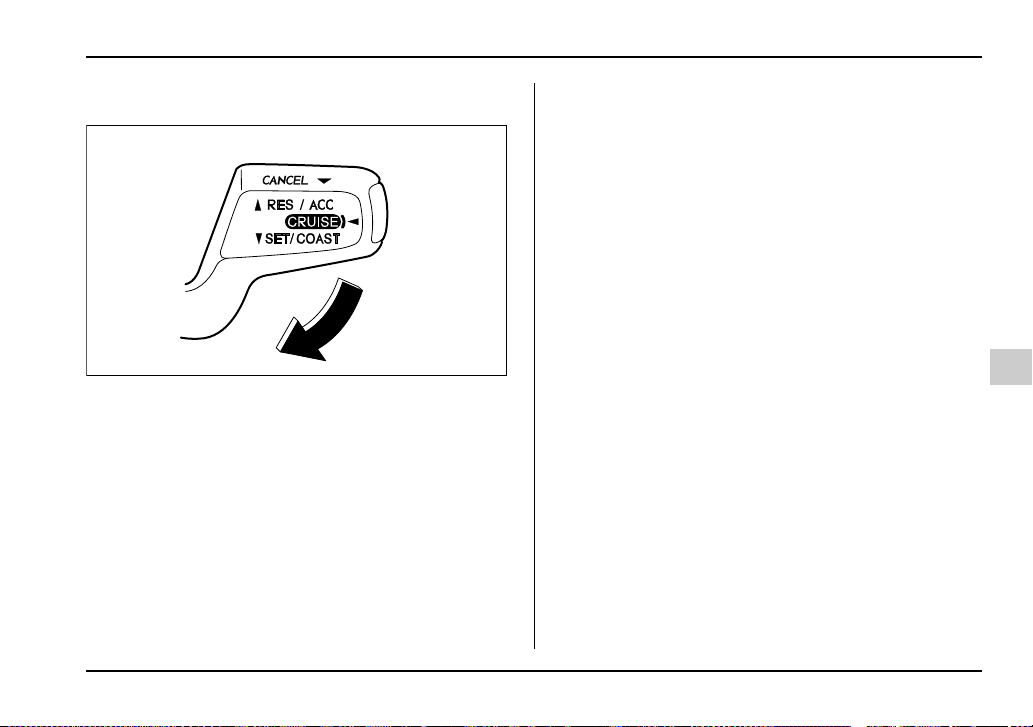
7-43
Starting and operating
– CONTINUED –
T To decrease the speed (by control lever)
Push the control lever downward in the “SET/COAST”
direction and hold it until the vehicle reaches the de-
sired speed. Then, release the control lever. The vehi-
cle speed at that moment will be memorized and treat-
ed as the new set speed.
When the difference between the actual vehicle speed
and the set speed is less than 4 mph (6.8 km/h), the
set speed can be lowered 1 mph (1.6 km/h) each time
by pressing the control lever downward in the “SET/
COAST” direction quickly within 0.25 second.
T To decrease the speed (by brake pedal)
1. Depress the brake pedal to release cruise control
temporarily.
2. When the speed decreases to the desired speed,
press the control lever downward in the “SET/COAST”
direction once. Now the desired speed is set and the
vehicle will keep running at that speed without de-
pressing the accelerator pedal.
UB7203BA


8-1
8
Driving tips
New vehicle break-in driving –
the first 1,000 miles (1,600 km) ................ 8-2
Fuel economy hints ...................................... 8-2
Engine exhaust gas (Carbon monoxide) .... 8-3
Catalytic converter ....................................... 8-4
Periodic inspections .................................... 8-6
Driving in foreign countries ......................... 8-6
Driving tips for AWD vehicles ..................... 8-7
Off road driving ............................................ 8-8
All AWD models except OUTBACK SPORT
and vehicles with 17 inch tires ..................... 8-9
OUTBACK SPORT ............................................. 8-9
Winter driving ............................................... 8-11
Operation during cold weather ........................ 8-11
Driving on snowy and icy roads ...................... 8-13
Corrosion protection ........................................ 8-14
Snow tires .......................................................... 8-14
Tire chains ......................................................... 8-16
Rocking the vehicle .......................................... 8-16
Loading your vehicle ................................... 8-17
Vehicle capacity weight .................................... 8-19
GVWR and GAWR (Gross Vehicle Weight
Rating and Gross Axle Weight Rating) ........ 8-19
Roof rail and crossbar (if equipped) ............... 8-20
Trailer hitch (if equipped) ............................ 8-25
Connecting a trailer .......................................... 8-25
When you do not tow a trailer .......................... 8-28
Trailer towing ................................................ 8-29
Warranties and maintenance ........................... 8-29
Maximum load limits ........................................ 8-29
Trailer hitches ................................................... 8-34
Connecting a trailer .......................................... 8-35
Trailer towing tips ............................................. 8-37
8-2
Driving tips
Driving tips
New vehicle break-in driving – the
first 1,000 miles (1,600 km)
The performance and long life of your vehicle are de-
pendent on how you handle and care for your vehicle
while it is new. Follow these instructions during the
first 1,000 miles (1,600 km):
y Do not race the engine. And do not allow engine
speed to exceed 4,000 rpm except in an emergency.
y Do not drive at one constant engine or vehicle
speed for a long time, either fast or slow.
y Avoid starting suddenly and rapid acceleration, ex-
cept in an emergency.
y Avoid hard braking, except in an emergency.
The same break-in procedures should be applied to
an overhauled engine, newly mounted engine or when
brake pads or brake linings are replaced with new
ones.
Fuel economy hints
The following suggestions will help to save your fuel.
y Select the proper gear position for the speed and
road conditions.
y Avoid sudden acceleration or deceleration. Always
accelerate gently until you reach the desired speed.
Then try to maintain that speed for as long as possible.
y Do not pump the accelerator and avoid racing the
engine.
y Avoid unnecessary engine idling.
y Keep the engine properly tuned.
y Keep the tires inflated to the correct pressure shown
on the tire placard, which is located under the door
latch on the driver’s side. Low pressure will increase
tire wear and fuel consumption.
y Use the air conditioner only when necessary.
y Keep the front and rear wheels in proper alignment.
y Avoid carrying unnecessary luggage or cargo.
8-3
Driving tips
– CONTINUED –
Engine exhaust gas (Carbon monox-
ide)
y Never inhale engine exhaust gas. Engine ex-
haust gas contains carbon monoxide, a color-
less and odorless gas which is dangerous, or
even lethal, if inhaled.
y Always properly maintain the engine exhaust
system to prevent engine exhaust gas from en-
tering the vehicle.
y Never run the engine in a closed space, such
as a garage, except for the brief time needed to
drive the vehicle in or out of it.
y Avoid remaining in a parked vehicle for a
lengthy time while the engine is running. If that
is unavoidable, then use the ventilation fan to
force fresh air into the vehicle.
y Always keep the front ventilator inlet grille
free from snow, leaves or other obstructions to
ensure that the ventilation system always
works properly.
y If at any time you suspect that exhaust fumes
are entering the vehicle, have the problem
checked and corrected as soon as possible. If
you must drive under these conditions, drive
only with all windows fully open.
y Keep the trunk lid or rear gate closed while
driving to prevent exhaust gas from entering
the vehicle.
NOTE
Due to the expansion and contraction of the met-
als used in the manufacture of the exhaust sys-
tem, you may hear a crackling sound coming from
the exhaust system for a short time after the en-
gine has been shut off. This sound is normal.
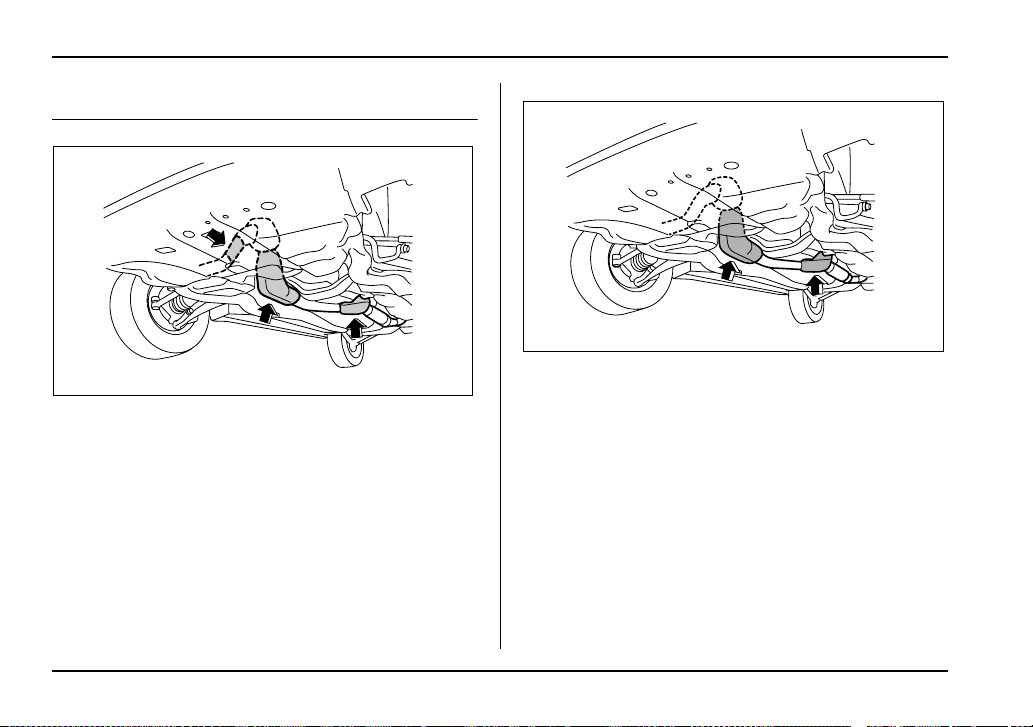
8-4
Driving tips
Catalytic converter
WRX
WRX-STi
US8511BA
UG8501BA
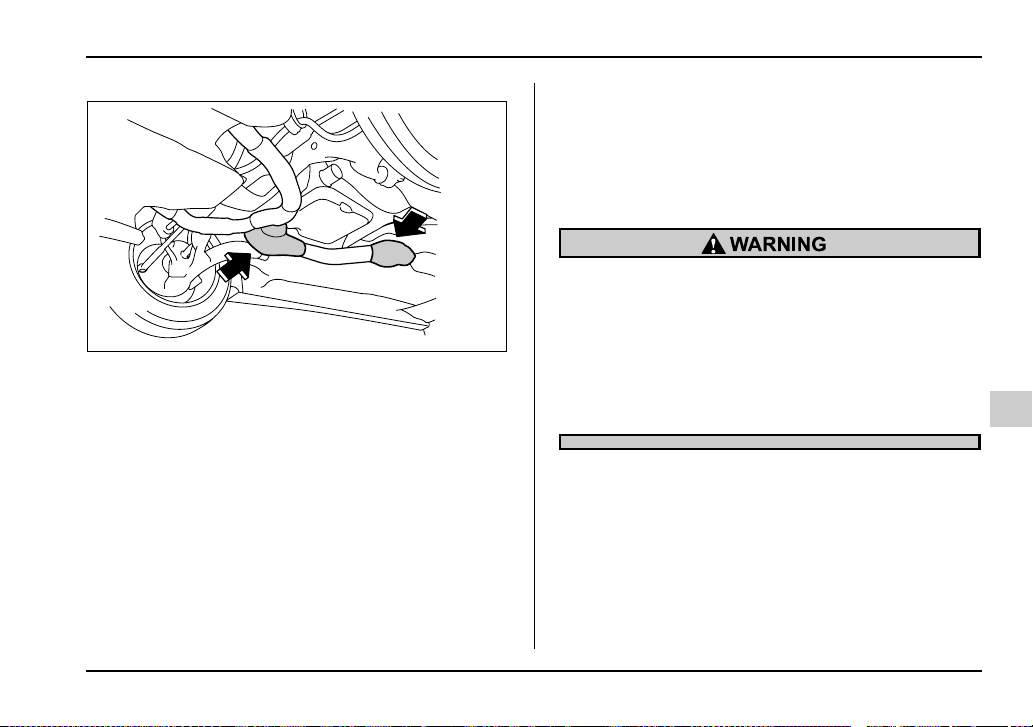
8-5
Driving tips
– CONTINUED –
Non-turbo models
The catalytic converter is installed in the exhaust sys-
tem. It serves as catalyst to reduce HC, CO and NOx
in exhaust gases, thus providing cleaner exhaust.
To avoid damage to the catalytic converter:
y Use only unleaded fuel. Even a small amount of
leaded fuel will damage the catalytic converter.
y Never start the engine by pushing or pulling the ve-
hicle.
y Avoid racing the engine.
y Never turn off the ignition switch while the vehicle is
moving.
y Keep your engine tuned-up. If you feel the engine
running rough (misfiring, backfiring or incomplete
combustion), have your vehicle checked and repaired
by an authorized SUBARU dealer.
y Do not apply undercoating or rust prevention treat-
ment to the heat shield of catalytic converter and the
exhaust system.
y Avoid fire hazards. Do not drive or park the
vehicle anywhere near flammable materials
(e.g. grass, paper, rags or leaves), because the
catalytic converter operates at very high tem-
peratures.
y Keep everyone and flammable materials
away from the exhaust pipe while the engine is
running. The exhaust gas is very hot.
HS8002BA

8-6
Driving tips
Periodic inspections
To keep your vehicle in the best condition at all times,
always have the recommended maintenance services
listed in the maintenance schedule in the “Warranty
and Maintenance Booklet” performed at the specified
time or mileage intervals.
Driving in foreign countries
When planning to use your vehicle in another country:
y Confirm the availability of the correct fuel. (Refer to
the “Fuel requirements” section in chapter 7.)
y Comply with all regulations and requirements of
each country.
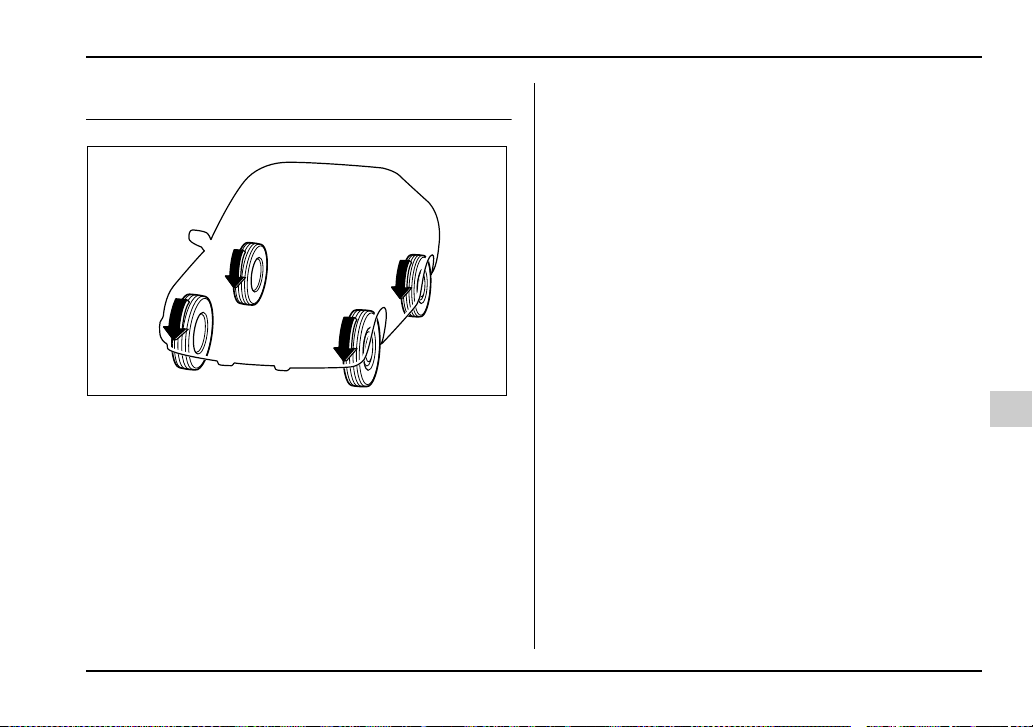
8-7
Driving tips
– CONTINUED –
Driving tips for AWD vehicles
All wheel drive distributes the engine power to all four
wheels. AWD vehicles provide better traction when
driving on slippery, wet or snow-covered roads and
when moving out of mud, dirt and sand. By shifting
power between the front and rear wheels, SUBARU
AWD can also provide added traction during acceler-
ation and added engine braking force during deceler-
ation.
Therefore, your SUBARU AWD vehicle may handle
differently than an ordinary two wheel drive vehicle
and it contains some features unique to AWD. For
safety purposes as well as to avoid damaging the
AWD system, you should keep the following tips in
mind:
y An AWD vehicle is better able to climb steeper
roads under snowy or slippery conditions than a two
wheel drive vehicle. There is little difference in han-
dling, however, during extremely sharp turns or sud-
den braking. Therefore, when driving down a slope or
turning corners, be sure to reduce your speed and
maintain an ample distance from other vehicles.
y When replacing a tire, make sure you use only the
same size, construction, brand, and load range as the
original tires listed on the tire placard. Using other siz-
es, circumference or construction may result in severe
mechanical damage to the drive train of your vehicle
and may affect ride, handling, braking, speedometer/
odometer calibration, and clearance between the body
and tires. It also may be dangerous and lead to loss of
vehicle control.
y If you use a temporary spare tire to replace a flat
tire, be sure to use the original temporary spare tire
stored in the vehicle. Using other sizes may result in
severe mechanical damage to the drive train of your
vehicle.
y Always check the cold tire pressure before starting
to drive. The recommended tire pressure is provided
on the tire placard, which is located under the door
HS8003BA
8-8
Driving tips
latch on the driver’s side.
y Tire chains should always be placed on the front
wheels only.
y There are some precautions that you must observe
when towing your vehicle. For detail information, see
the “Towing” section in chapter 9.
y Always maintain a safe driving speed accord-
ing to the road and weather conditions in order
to avoid having an accident on a sharp turn,
during sudden braking or under other similar
conditions.
y Always use the utmost care in driving – over-
confidence because you are driving an all
wheel drive vehicle could easily lead to a seri-
ous accident.
Off road driving
y Always maintain a safe driving speed accord-
ing to the road and weather conditions in order
to avoid having an accident on a sharp turn,
during sudden braking or under other similar
conditions.
y Always use the utmost care in driving – over-
confidence because you are driving an all
wheel drive vehicle could easily lead to a seri-
ous accident.
Do not drive on rough roads or over curbs in a
vehicle that has 17-inch or other ultra-low-pro-
file tires. The wheels and tires could be dam-
aged by shock forces, leading to abnormal vi-
bration or poor straight-line tracking. Driving
would then be more difficult.

8-9
Driving tips
– CONTINUED –
All AWD models except OUTBACK
SPORT and vehicles with 17 inch tires
Your AWD vehicle is neither a conventional off-road
vehicle nor an all terrain vehicle. It is a passenger ve-
hicle designed primarily for on-road use. The AWD
feature gives it some limited off-road capabilities in sit-
uations in which driving surfaces are relatively level,
obstruction-free and otherwise similar to on-road driv-
ing conditions. Operating it under other than those
conditions could subject the vehicle to excessive
stress which might result in damage not eligible for re-
pair under warranty. If you do take your SUBARU off
road, you should review the common sense precau-
tions in the next section (applicable to the OUTBACK
SPORT) for general guidance. But please keep in
mind that your vehicle’s off-road capabilities are more
limited than those of the OUTBACK SPORT.
Never attempt to drive through pools and puddles, or
roads flooded with water. Water entering the engine
air intake or the exhaust pipe or water splashing onto
electrical parts may damage your vehicle and may
cause it to stall.
OUTBACK SPORT
Your Subaru can be driven on ordinary roads or off-
road. But please keep in mind that an AWD SUBARU
is a passenger vehicle and is neither a conventional
off-road vehicle nor an all-terrain vehicle. If you do
take your Subaru off-road, certain common sense pre-
cautions such as the following should be taken:
y Make certain that you and all of your passengers
are wearing seatbelts.
y Carry some emergency equipment, such as a tow-
ing rope or chain, a shovel, wheel blocks, first aid kit
and cell phone or citizens band radio.
y Drive carefully. Do not take unnecessary risks by
driving in dangerous areas or over rough terrain.
y Slow down and employ extra caution at all times.
When driving off-road, you will not have the benefit of
marked traffic lanes, banked curves, traffic signs and
the like.
y Do not drive across steep slopes. Instead, drive ei-
ther straight up or straight down the slopes. A vehicle
can much more easily tip over sideways than it can
end over end. Avoid driving straight up or down slopes
that are too steep.
y Avoid sharp turning maneuvers, especially at higher
speeds.
y Do not grip the inside or spokes of the steering
wheel. A bad bump could jerk the wheel and injure
your hands. Instead drive with your fingers and
thumbs on the outside of the rim.
y If driving through water, such as when crossing

8-10
Driving tips
shallow streams, first check the depth of the water and
the bottom of the stream bed for firmness and ensure
that the bed of the stream is flat. Drive slowly and com-
pletely through the stream. The water should be shal-
low enough that it does not reach the vehicle’s under-
carriage. Water entering the engine air intake or the
exhaust pipe or water splashing onto electrical parts
may damage your vehicle and may cause it to stall.
Never attempt to drive through rushing water; regard-
less of its depth, it can wash away the ground from un-
der your tires, resulting in possible loss of traction and
even vehicle rollover.
y Always check your brakes for effectiveness immedi-
ately after driving in sand, mud or water. Do this by
driving slowly and stepping on the brake pedal. Re-
peat that process several times to dry out the brake
discs and brake pads.
y Do not drive or park over or near flammable materi-
als such as dry grass or fallen leaves, as they may
burn easily. The exhaust system is very hot while the
engine is running and right after the engine stops. This
could create a fire hazard.
y After driving through tall grass, mud, rocks, sand,
rivers, etc., check that there is no grass, bush, paper,
rags, stones, sand, etc. adhering to or trapped on the
underbody. Clear off any such matter from the under-
body. If the vehicle is used with these materials
trapped or adhering to the underbody, a mechanical
breakdown or fire could occur.
y Secure all cargo carried inside the vehicle and make
certain that it is not piled higher than the seatbacks.
During sudden stops or jolts, unsecured cargo could
be thrown around in the vehicle and cause injury. Do
not pile heavy loads on the roof. Those loads raise the
vehicle’s center of gravity and make it more prone to
tip over.
y If you must rock the vehicle to free it from sand or
mud, depress the accelerator pedal slightly and move
the selector lever back and forth between “D” and “R”
repeatedly. Do not race the engine. For the best pos-
sible traction, avoid spinning the wheels when trying to
free the vehicle.
When the road surface is extremely slippery, you can
obtain better traction by starting the vehicle with the
transmission in 2nd than 1st (both for MT and AT).
y Never equip your vehicle with tires larger than those
specified in this manual.
y Frequent driving of an AWD vehicle under hard-driv-
ing conditions such as rough roads or off roads will ne-
cessitate more frequent replacement of engine oil,
brake fluid and transmission oil than that specified in
the maintenance schedule described in the “Warranty
and Maintenance Booklet”.
Remember that damage done to your Subaru while
8-11
Driving tips
– CONTINUED –
operating it off-road and not using common sense pre-
cautions such as those listed above is not eligible for
warranty coverage.
y Wash the vehicle’s underbody after off-road driving.
Suspension components are particularly prone to dirt
buildup, so they need to be washed thoroughly.
Winter driving
Operation during cold weather
Carry some emergency equipment, such as tire
chains, a window scraper, a bag of sand, flares, a
small shovel, and jumper cables.
Check the battery and cables. Cold temperatures re-
duce battery capacity. The battery must be in good
condition to provide enough power for cold winter
starts.
Use an engine oil of proper grade and viscosity for
cold weather. Heavy summer oil will cause harder
UG8030AA
8-12
Driving tips
starting.
Keep the door locks from freezing by squirting them
with deicer or glycerin.
Forcing a frozen door open may damage or separate
the rubber weather strips around the door. If the door
is frozen, use hot water to melt the ice, and afterwards
thoroughly wipe the water away.
Use a windshield washer fluid that contains an anti-
freeze solution. Do not use engine antifreeze or other
substitutes because they may damage the paint of the
vehicle.
T Before driving your vehicle
Before entering the vehicle, remove any snow or ice
from your shoes because that could make the pedals
slippery and dangerous.
While warming up the vehicle before driving, check
that the accelerator pedal, brake pedal, and all other
controls operate smoothly.
Clear away ice and snow that has accumulated under
the fenders to avoid making steering difficult. During
severe winter driving, stop when and where it is safe
to do so and check under the fenders periodically.
T Parking in cold weather
Do not use the parking brake when parking for long
periods in cold weather since it could freeze in that po-
sition. Instead, observe the following:
1. Place the shift lever in “1” or “R” for manual trans-
mission vehicles, and in “P” for automatic transmission
vehicles.
2. Use tire stops under the tires to prevent the vehicle
from moving.
When the vehicle is parked in snow or when it snows,
raise the wiper blades off the glass to prevent damage
to them.
When the vehicle has been left parked after use on
roads heavily covered with snow, or has been left
parked during a snowstorm, icing may develop on the
brake system, which could cause poor braking action.
Check for snow or ice buildup on the suspension, disc
brakes and brake hoses underneath the vehicle.
If there is caked snow or ice, remove it, being careful
not to damage the disc brakes and brake hoses and
ABS harness.
Snow can trap dangerous exhaust gases under
your vehicle. Keep snow clear of the exhaust
8-13
Driving tips
– CONTINUED –
pipe and from around your vehicle if you park
the vehicle in snow with the engine running.
T Refueling in cold weather
To help prevent moisture from forming in the fuel sys-
tem and the risk of its freezing, use of an antifreeze ad-
ditive in the fuel tank is recommended during cold
weather.
Use only additives that are specifically designed for
this purpose. When an antifreeze additive is used, its
effect lasts longer if the tank is refilled whenever the
fuel level reaches half empty.
If your SUBARU is not going to be used for an extend-
ed period, it is best to have the fuel tank filled to capac-
ity.
Driving on snowy and icy roads
To prevent skidding and slipping, avoid sudden brak-
ing, abrupt acceleration, high-speed driving, and
sharp turning when driving on snowy or icy roads.
Always maintain ample distance between your vehicle
and the vehicle ahead of you to avoid the need for sud-
den braking.
To supplement the foot brake, use the engine brake
effectively to control the vehicle speed. (Shift into a
lower gear when necessary.)
Avoid shifting down abruptly. Such behavior can
cause the wheels to lock, possibly leading to loss of
vehicle control.
An anti-lock brake system (ABS) enhances your vehi-
cle’s braking performance on snowy and icy roads.
Refer to the “ABS (Anti-lock Brake System)” section in
chapter 7 for information on braking on slippery sur-
faces.
NOTE
The following tires are summer tires. Compared
with winter and all-season tires, summer tires give
significantly less grip on snowy and icy road sur-
faces. Avoid driving on snowy and icy road sur-
face with summer tires.
y 225/45R17 tires for WRX-STi
y Optional 215/45R17 tires for WRX
Do not use the cruise control on slippery roads
such as snowy or icy roads. This may cause
loss of vehicle control.
8-14
Driving tips
T Wiper operation when snowing
Before driving in cold weather, make sure the wiper
blades are not frozen to the windshield or rear window.
If the wiper blades are frozen to the windshield or rear
window, use the defroster with the airflow control dial
in the “ ” position and the temperature control dial
set for maximum warmth until the wiper blades are
completely thawed out. If your vehicle is equipped with
a wiper deicer, it is helpful to thaw the windshield wiper
blades. To thaw out the rear wiper blade, use the rear
window defogger.
When driving in snow, if frozen snow starts to stick on
the surface of the windshield despite wiper operation,
use the defroster with the airflow control dial in “ ”
and the temperature control dial set for maximum
warmth. After the windshield gets warmed enough to
melt the frozen snow on it, wash it away using the
windshield washer.
Snow stuck on the wiper arm prevents the wiper from
working effectively. If snow is stuck on the wiper arm,
pull off the road to a safe place, then remove it. If you
stop the vehicle at road side, use the hazard warning
flasher to alert other drivers.
We recommend use of non-freezing type wiper blades
(winter blades) during the seasons you could have
snow and sub-zero temperatures. Blades of this type
give superior wiping performance in snowy conditions.
Be sure to use blades that are suitable for your vehi-
cle.
Corrosion protection
Refer to the “Corrosion protection” section (chapter
10).
Snow tires
T All models except WRX-STi
y When replacing original tires with winter
(snow) tires, make sure you use only the same
size, construction and load range as the origi-
nal tires listed on the tire placard. Using other
sizes and construction may affect speedome-
ter/odometer calibration and clearance be-
tween the body and tires. It also may be danger-
ous and lead to loss of vehicle control.
y You must install four winter tires that are of
the same size, construction, brand, and load
range. Mixing other sizes or constructions may
result in severe mechanical damage to the drive
8-15
Driving tips
– CONTINUED –
train of your vehicle and may affect ride, han-
dling, braking and speedometer/odometer cali-
bration. It also may be dangerous and lead to
loss of vehicle control.
y Do not use a combination of radial, belted
bias or bias tires since it may cause dangerous
handling characteristics and lead to an acci-
dent.
Your vehicle is equipped with “all season tires” as orig-
inal equipment, which are designed to provide an ad-
equate measure of traction, handling and braking per-
formance in year-round driving. In winter, it may be
possible to enhance performance through use of tires
designed specifically for winter driving conditions.
The optional 215/45R17 tires for the WRX are summer
tires. Compared with winter and all-season tires, sum-
mer tires give significantly less grip on snowy and icy
road surfaces. Therefore, use of winter tires is strongly
recommended when driving with such road conditions.
When you choose to install winter tires on your vehi-
cle, be sure to use the correct tire size and type. You
must install four winter tires that are of the same size,
construction, brand and load range and you should
never mix radial, belted bias or bias tires since this
may result in dangerous handling characteristics.
When you choose a tire, make sure that there is
enough clearance between the tire and vehicle body.
Remember to drive with care at all times regardless of
the type of tires on your vehicle.
T WRX-STi
y When replacing original tires with winter
(snow) tires, make sure you use only the same
size, construction and load range as the origi-
nal tires listed on the tire placard. Using other
sizes and construction may affect speedome-
ter/odometer calibration and clearance be-
tween the body and tires. It also may be danger-
ous and lead to loss of vehicle control.
y You must install four winter tires that are of
the same size, construction, brand, and load
range. Mixing other sizes or constructions may
result in severe mechanical damage to the drive
train of your vehicle and may affect ride, han-
dling, braking and speedometer/odometer cali-
bration. It also may be dangerous and lead to
loss of vehicle control.
y Do not use a combination of radial, belted
bias or bias tires since it may cause dangerous
handling characteristics and lead to an acci-
8-16
Driving tips
dent.
Your vehicle is equipped with “summer tires” as origi-
nal equipment, which are inadequate for driving on
slippery roads such as on snow-covered or icy roads.
Compared with winter and all-season tires, summer
tires give significantly less grip on snowy and icy road
surfaces. Therefore, use of winter tires is strongly rec-
ommended when driving with such road conditions.
When you choose to install winter tires on your vehi-
cle, be sure to use the correct tire size and type. You
must install four winter tires that are of the same size,
construction, brand and load range and you should
never mix radial, belted bias or bias tires since this
may result in dangerous handling characteristics.
When you choose a tire, make sure that there is
enough clearance between the tire and vehicle body.
Remember to drive with care at all times regardless of
the type of tires on your vehicle.
Tire chains
Driving on snowy grades or icy roads may require the
use of tire chains, in which case put the chains on the
front wheels only. Use only SAE class S type chains
that are of the correct size for your tires so as not to
damage the vehicle body or suspension.
When driving with tire chains, drive at speeds below
19 mph (30 km/h).
When a temporary spare tire is on a front wheel, re-
place the temporary spare tire with the rear tire on the
same side of the vehicle, and then fit chains on the
front tires.
Always use the utmost care when driving with tire
chains — overconfidence because you are driving
with tire chains could easily lead to a serious accident.
Tire chains cannot be used on tires listed below
because of lack of clearance between the tires
and vehicle body.
y 225/45R17 tires for WRX-STi
y Optional 215/45R17 tires for WRX
Rocking the vehicle
If you must rock the vehicle to free it from snow, sand,
or mud, depress the accelerator pedal slightly and
move the selector lever back and forth between “D”
and “R” repeatedly. Do not race the engine. For the
best possible traction, avoid spinning the wheels when
8-17
Driving tips
– CONTINUED –
trying to free the vehicle.
When the road surface is extremely slippery, you can
obtain better traction by starting the vehicle with the
transmission in 2nd than 1st (both for MT and AT).
Refer to the “Automatic transmission” section in chap-
ter 7 for information on holding the transmission in 2nd
position.
Loading your vehicle
y Never allow passengers to ride on the folded
rear seatback, in the trunk or in the cargo area.
Doing so may result in serious injury.
y Never stack luggage or other cargo higher
than the top of the seatback because it could
tumble forward and injure passengers in the
event of a sudden stop or accident. Keep lug-
gage or cargo low, as close to the floor as pos-
sible.
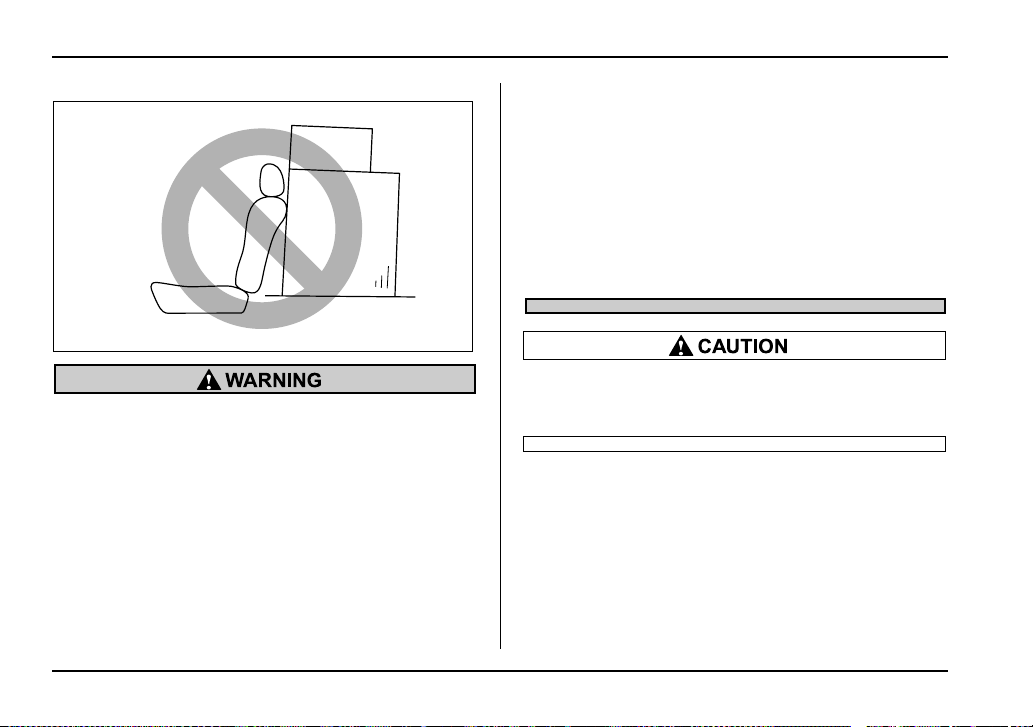
8-18
Driving tips
y When you carry something inside the vehicle,
secure it whenever you can to prevent it from
being thrown around inside the vehicle during
sudden stops, sharp turns or in an accident.
y Do not pile heavy loads on the roof. These
loads raise the vehicle’s center of gravity and
make it more prone to tip over.
y Secure lengthy items properly to prevent
them from shooting forward and causing seri-
ous injury during a sudden stop.
y Never exceed the maximum load limit. If you
do, some parts on your vehicle can break, or it
can change the way your vehicle handles. This
could result in loss of control and cause per-
sonal injury. Also, overloading can shorten the
life of your vehicle.
y Do not place anything on the rear shelf be-
hind the rear seatback (for sedan) or the ex-
tended luggage cover (for wagon). Such items
could tumble forward in the event of a sudden
stop or a collision. This could cause serious in-
jury.
Do not carry spray cans, containers with flam-
mable or corrosive liquids or any other danger-
ous items inside the vehicle.
NOTE
For better fuel economy, do not carry unneeded
cargo.
HS8005BA

8-19
Driving tips
– CONTINUED –
Vehicle capacity weight
The load capacity of your vehicle is determined by
weight, not by available cargo space. The maximum
load you can carry in your vehicle is shown on the ve-
hicle placard attached to the driver’s side door pillar. It
includes the total weight of driver and all passengers
and their belongings, any optional equipment such as
a trailer hitch, roof rack or bike carrier, etc., and the
tongue load of a trailer.
GVWR and GAWR (Gross Vehicle
Weight Rating and Gross Axle Weight
Rating)
The certification plate attached to the driver’s side
HG8014BA
UGB510BA
UGB510CA
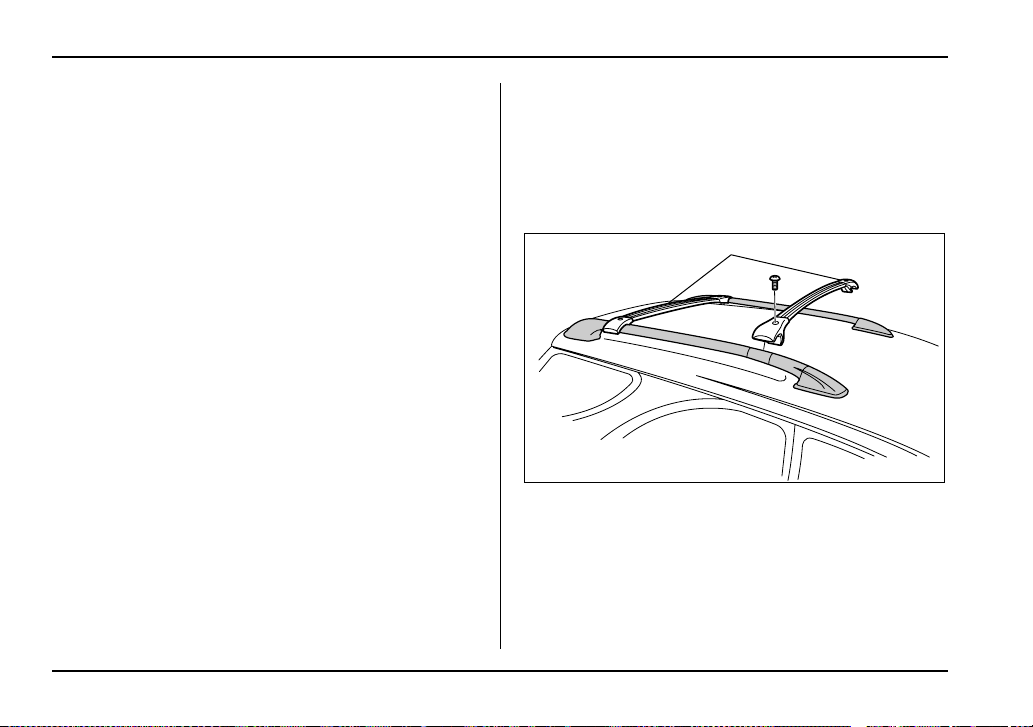
8-20
Driving tips
door jamb shows GVWR (Gross Vehicle Weight Rat-
ing) and GAWR (Gross Axle Weight Rating).
The GVW (Gross Vehicle Weight) must never exceed
the GVWR. GVW is the combined total of weight of the
vehicle, fuel, driver, all passengers, luggage, any op-
tional equipment and trailer tongue load. Therefore,
the GVW changes depending on the situation. The
GVWR equals Curb Weight (actual weight of your ve-
hicle – including standard equipment, fluids, emergen-
cy tools and spare tire assembly) plus the vehicle ca-
pacity weight.
In addition, the total weight applied to each axle
(GAW) must never exceed the GAWR. The front and
rear GAWs can be adjusted by relocating luggage in-
side the vehicle.
Even if the total weight of your luggage is lower than
the vehicle capacity weight, either front or rear GAW
may exceed the GAWR, depending on the distribution
of the luggage.
When possible, the load should be evenly distributed
throughout the vehicle.
If you carry heavy loads in the vehicle, you should con-
firm that GVW and front and rear GAWs are within the
GVWR and GAWR by putting your vehicle on a vehi-
cle scale, found at a commercial weighing station.
Do not use replacement tires with a lower load range
than the originals because they may lower the GVWR
and GAWR limitations. Replacement tires with a high-
er load range than the originals do not increase the
GVWR and GAWR limitations.
Roof rail and crossbar (if equipped)
1) Crossbar kit
The roof rail is not designed to carry cargo by itself.
Cargo can be carried after securing the roof crossbar
kit to the roof rail and installing the appropriate carry-
ing attachment. When installing the roof crossbar kit,
follow the manufacturer’s instructions.
1
HG8015BB
8-21
Driving tips
– CONTINUED –
When you carry cargo on the roof using the roof cross-
bar kit and a carrying attachment, never exceed the
maximum load limit explained below. You should also
be careful that your vehicle does not exceed the Gross
Vehicle Weight Rating (GVWR) and front and rear
Gross Axle Weight Rating (GAWR). See the “Loading
your vehicle” section in this chapter for information on
loading cargo into or onto your vehicle. The maximum
load limit of the cargo, crossbars and carrying attach-
ment must not exceed 100 lbs (45 kg). Place the
heaviest load at the bottom, nearest the roof, and
evenly distribute the cargo. Always properly secure all
cargo.
y For cargo carrying purposes, the roof rail
must be used together with a roof crossbar kit
and the appropriate carrying attachment. The
roof rail must never be used alone to carry car-
go. Otherwise, damage to the roof or paint or a
dangerous road hazard due to loss of cargo
could result.
y When using the roof crossbar kit, make sure
that the total weight of the crossbars, carrying
attachment and cargo does not exceed the
maximum load limit. Overloading may cause
damage to the vehicle and create a safety haz-
ard.
T Installing carrying attachments on the cross-
bars
When installing any carrying attachment such as a
bike carrier, ski carrier, kayak carrier, cargo basket,
etc. on the crossbars, follow the manufacturer’s in-
structions and make sure that the attachment is se-
curely fixed to the crossbars. Use only attachments
designed specifically for the crossbars. A set of the
crossbars is designed to carry loads (cargo and at-
tachment) of not more than 100 lbs (45 kg). Before
operating the vehicle, make sure that the cargo is
properly secured on the attachment.
NOTE
Remember that the vehicle’s center of gravity is al-
tered with the weight of the load on the roof, thus
affecting the driving characteristics.
Drive carefully. Avoid rapid starts, hard cornering
and abrupt stops. Crosswind effects will be in-
creased.
T Removal and installation of the crossbars
The crossbars can be removed when you do not use
the roof to carry cargo.
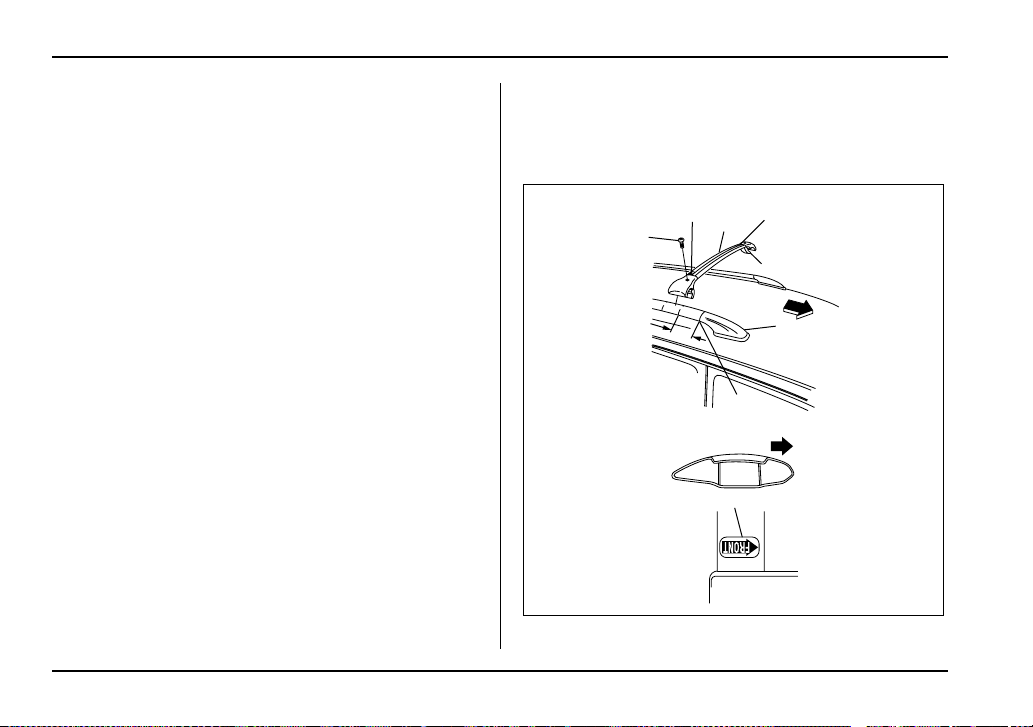
8-22
Driving tips
V To remove the crossbar
1. Loosen and remove the T-30 torx® head screw
from the top of each crossbar end support.
2. Rotate the lower clamp on the bottom of each end
support downward approximately 90°.
3. Carefully raise the crossbar from roof rails.
V To install the crossbar
Front crossbar:
Front crossbar has 100 LBS. Load Label on left hand
side.
1
2
3
4
5
6
7
a
8
F
F
UG8031BB

8-23
Driving tips
– CONTINUED –
F: Front of vehicle
1) T30 torx® head screw
2) Front arrow label
3) Front crossbar
4) 100LBS load label
5) Lower clamp
6) Roof rail end support
7) Joint line
8) Front arrow label
a: 3 inches (76 mm)
1. Before placing the crossbar on the roof rails, make
sure that the T-30 torx® head screw is removed from
the top of each crossbar end support.
2. Rotate the lower clamp on the bottom of each end
support downward approximately 90°.
3. With the front direction arrow label on the top right
side of the crossbar pointing toward the front of the ve-
hicle, carefully place the crossbar across the top of the
vehicle so that the crossbar end supports rest on the
top of the roof rails approximately 3 inches (76 mm)
rearward from the seam (joint) between the front roof
rail support and the roof rail.
4. Rotate (raise) the lower clamp up to the bottom of
the roof rail and loosely tighten the T-30 torx® head
screw with the torx® wrench provided, through the top
of the end support and into the threaded insert in the
lower clamp on each end of the crossbar.
NOTE
It may be necessary to squeeze the lower clamp
and the end support together to compress the
pads and gain a better alignment of the pieces
while trying to start the screw. Use care not to
crossthread the screw in the insert.
5. Adjust the alignment of the crossbar on the roof
rails, and if available, use a T-30 torx® bit and torque
wrench and tighten the T-30 torx® head screws to 30
to 35 lbf·in (3.4 to 4.0 N·m, 0.35 to 0.41 kgf·m) of
torque (or tighten securely with the torx® wrench pro-
vided).
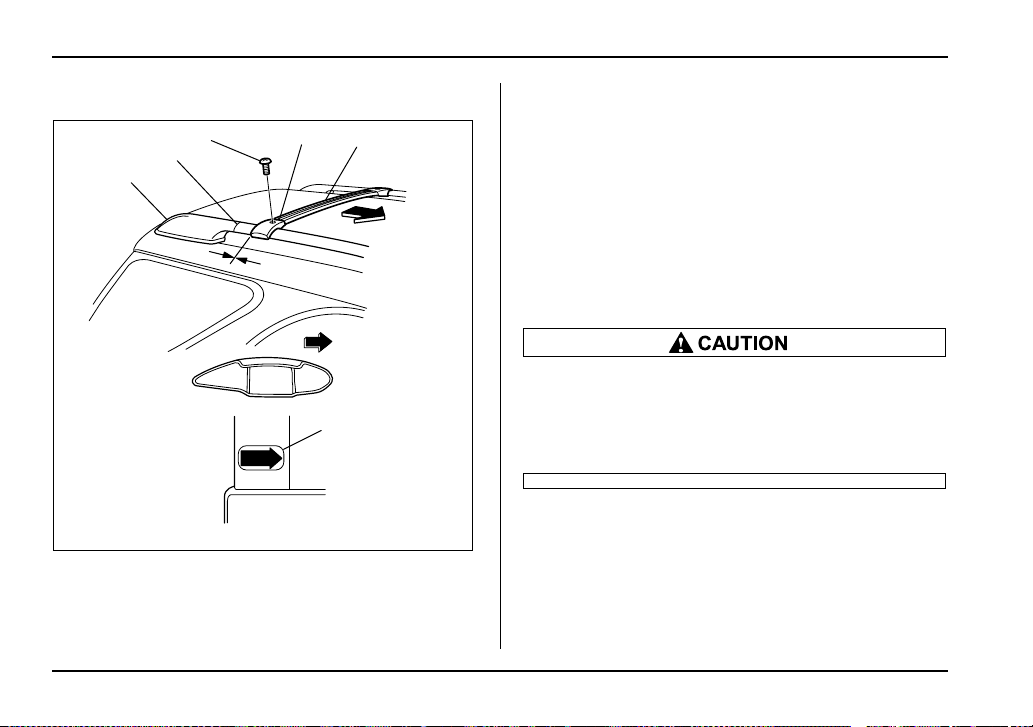
8-24
Driving tips
Rear crossbar:
F: Front of vehicle
1) T30 torx® head screw
2) Front arrow label
3) Rear crossbar
4) Roof rail end support
5) Joint line
6) Front arrow label
a: 0 inch (0 mm)
Install the rear crossbar in the same manner as the
front crossbar.
NOTE
The rear crossbar should be positioned just in
front of the rear seam (joint) between the rear roof
rail support and the roof rail.
Do not carry cargo on the roof when the cross-
bars are removed. Luggage on the roof will be
thrown forward or backward in sudden stops or
rapid accelerations, resulting in a dangerous
road hazard.
NOTE
Before each use of the roof crossbar, make sure
the four T-30 crossbar clamp screws have been
checked, and retightened if necessary to 35 lbf·in
(4.0 N·m, 0.41 kgf·m), as outlined in Step #5 above.
FRONT
ONT
6
3
F
2
1
5
a
4
F
UG8041BB

8-25
Driving tips
– CONTINUED –
Trailer hitch (if equipped)
The trailer hitch is designed to tow a Class 1 rated
load. A maximum of 2,000 lbs (906 kg) gross trailer
weight and a maximum of 200 lbs (90 kg) gross
tongue weight are permissible for the trailer hitch.
When you tow a trailer, follow the instructions in the
section “Trailer towing” in this chapter.
y Never exceed the maximum weight specified
for the trailer hitch. Exceeding the maximum
weight could cause an accident resulting in se-
rious personal injuries. Permissible trailer
weight changes depending on the situation. Re-
fer to the section “Trailer towing” in this chap-
ter for possible recommendations and limita-
tions.
y Trailer brakes are required when the towing
load exceeds 1,000 lbs (453 kg). Be sure your
trailer has safety chains and that each chain
will hold the trailer’s maximum gross weight.
Towing trailers without safety chains could cre-
ate a traffic safety hazard if the trailer separates
from the hitch due to coupling damage or hitch
ball damage.
y Be sure to check the hitch pin and safety pin
for positive locking placement before towing a
trailer. If the ball mount comes off the hitch re-
ceiver, the trailer could get loose and create a
traffic safety hazard.
y Use only the ball mount supplied with this
hitch. Use the hitch only as a weight carrying
hitch. Do not use with any type of weight dis-
tributing hitch.
Connecting a trailer
1. Remove the receiver cover from the hitch receiver
tube. Then insert the ball mount into the hitch receiver
tube.
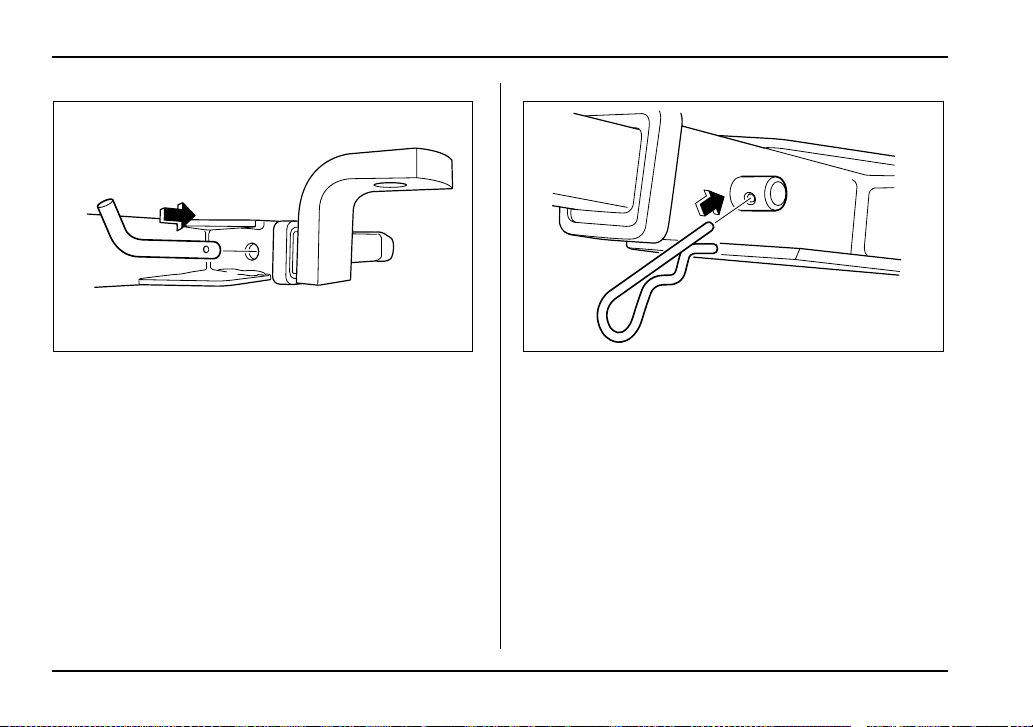
8-26
Driving tips
2. Insert the hitch pin into the hole on the hitch receiv-
er tube so that the pin passes through the ball mount.
3. Insert the safety pin securely into the hitch pin.
4. Pull the ball mount to make sure it does not come
off the hitch receiver.
UG8032BA HS8012BA
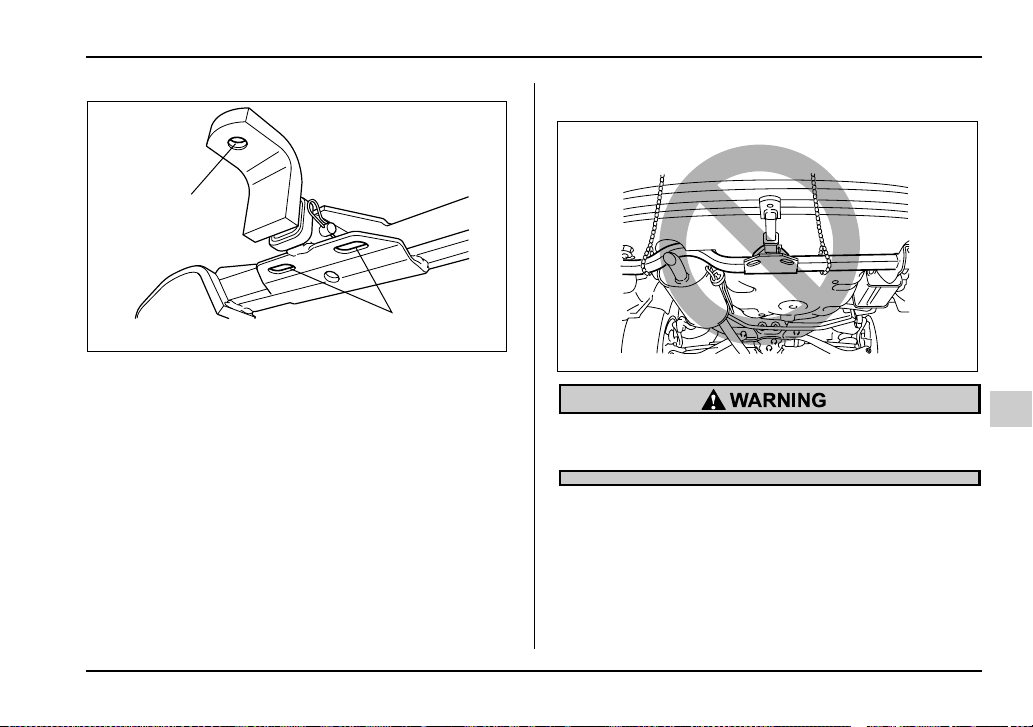
8-27
Driving tips
– CONTINUED –
1) Hitch ball installation point
2) Hooks for safety chains
5. Use only a hitch ball that is appropriate for the ball
mount and your trailer. The hitch ball must be securely
installed on the ball mount.
6. Connect your trailer to the hitch ball.
7. Connect the trailer and the hitch with safety chains
that will hold the trailer’s maximum gross weight. The
chains should cross under the trailer tongue to prevent
the tongue from dropping onto the ground in case it
should disconnect from the hitch ball. Allow sufficient
slack in the chains taking tight-turn situations into ac-
count; however, be careful not to let them drag on the
ground.
Do not connect safety chains to part of the ve-
hicle other than the safety chain hooks.
1
2
UG8033BB
UG8034BA
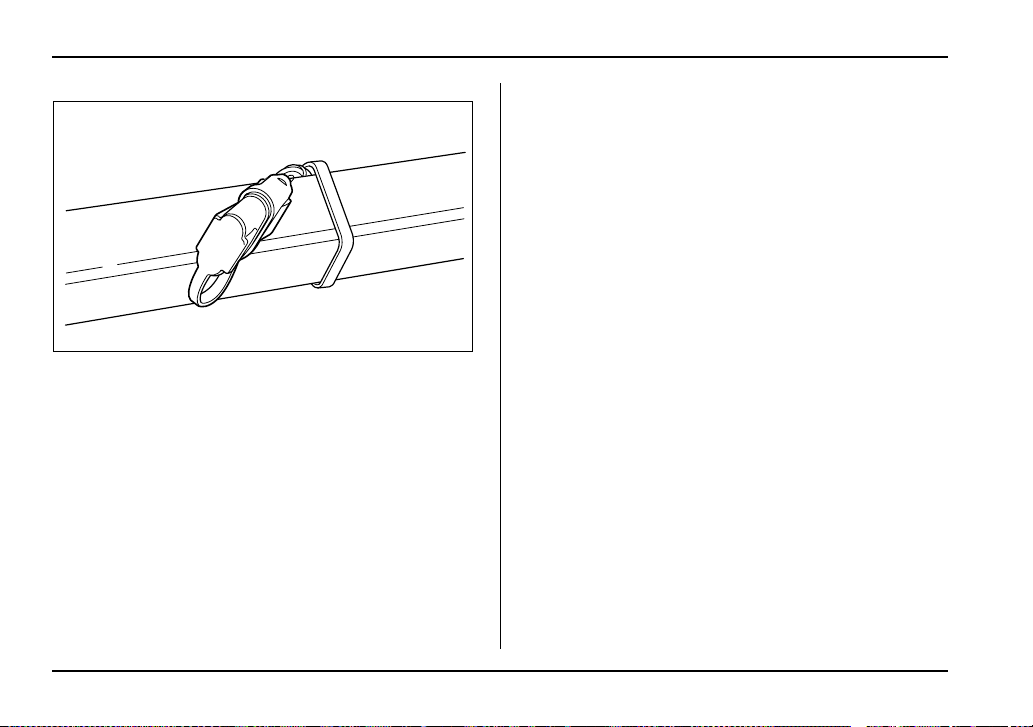
8-28
Driving tips
Hitch harness connector – Wagon
8. Connect the hitch wire harness’s black four-pin
wire connector to the towing trailer’s wire harness
9. Confirm proper function of the hitch wire harness
by individually activating the brake, right turn signal,
left turn signal, stop, and parking lights on the trailer.
NOTE
Always disconnect the trailer wire harness before
launching or retrieving a watercraft.
When you do not tow a trailer
y Remove the ball mount from the hitch receiver tube
and insert the receiver cover onto the hitch receiver
tube.
y Place the dust cap over the four-pin connector of the
hitch wire harness to protect against possible damage.
y Occasionally lubricate terminals of the four-pin con-
nector using terminal grease.
HS8015BA
8-29
Driving tips
– CONTINUED –
Trailer towing
Your vehicle is designed and intended to be used pri-
marily as a passenger-carrying vehicle. Towing a trail-
er puts additional loads on your vehicle’s engine, driv-
etrain, brakes, tires and suspension and has an ad-
verse effect on fuel economy.
If you do decide to tow a trailer, your safety and satis-
faction depend upon proper use of correct equipment
and cautious operation of your vehicle. Seek the ad-
vice of your SUBARU dealer to assist you in purchas-
ing a hitch and other necessary towing equipment ap-
propriate for your vehicle. In addition, be sure to follow
the instructions on correct installation and use provid-
ed by the trailer and other towing equipment manufac-
turers.
SUBARU assumes no responsibility for injuries or ve-
hicle damage that result from trailer towing equipment,
or from any errors or omissions in the instructions ac-
companying such equipment or for your failure to fol-
low the proper instructions.
Warranties and maintenance
SUBARU warranties do not apply to vehicle damage
or malfunction caused by trailer towing. If you use your
vehicle to tow a trailer, more frequent maintenance will
be required due to the additional load. (Refer to “Main-
tenance schedule under severe driving conditions” in
the “Warranty and Maintenance Booklet”.)
Under no circumstances should a trailer be towed with
a new vehicle or a vehicle with any new powertrain
component (engine, transmission, differential, wheel
bearings, etc.) for the first 1,000 miles (1,600 km) of
driving.
Maximum load limits
Never exceed the maximum load limits ex-
plained below. Exceeding the maximum load
limits could cause personal injury and/or vehi-
cle damage.
y Adequate size trailer brakes are required
when the trailer and its cargo exceed 1,000 lbs
(453 kg) total weight.
y Before towing a trailer, check the trailer total
weight, GVW, GAWs and tongue load. Make
sure the load and its distribution in your vehicle
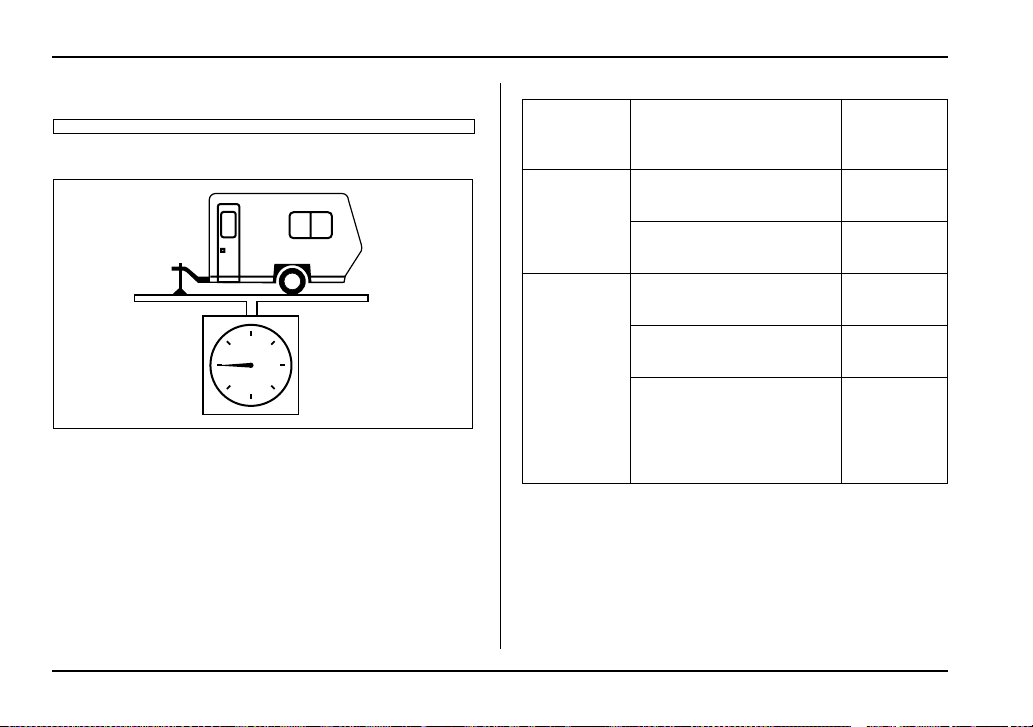
8-30
Driving tips
and trailer are acceptable.
T Total trailer weight
Total trailer weight
The total trailer weight (trailer weight plus its cargo
load) must never exceed the maximum weight shown
in the following table.
HS8016AA
Model Conditions Maximum to-
tal trailer
weight
MT models When towing a trailer with-
out brakes.
1,000 lbs
(453 kg)
When towing a trailer with
brakes.
2,000 lbs
(906 kg)
AT models When towing a trailer with-
out brakes.
1,000 lbs
(453 kg)
When towing a trailer with
brakes.
2,000 lbs
(906 kg)
When towing a trailer on a
long uphill grade continu-
ously for over 5 miles (8 km)
with an outside temperature
of 104°F (40°C) or above.
1,000 lbs
(453 kg)
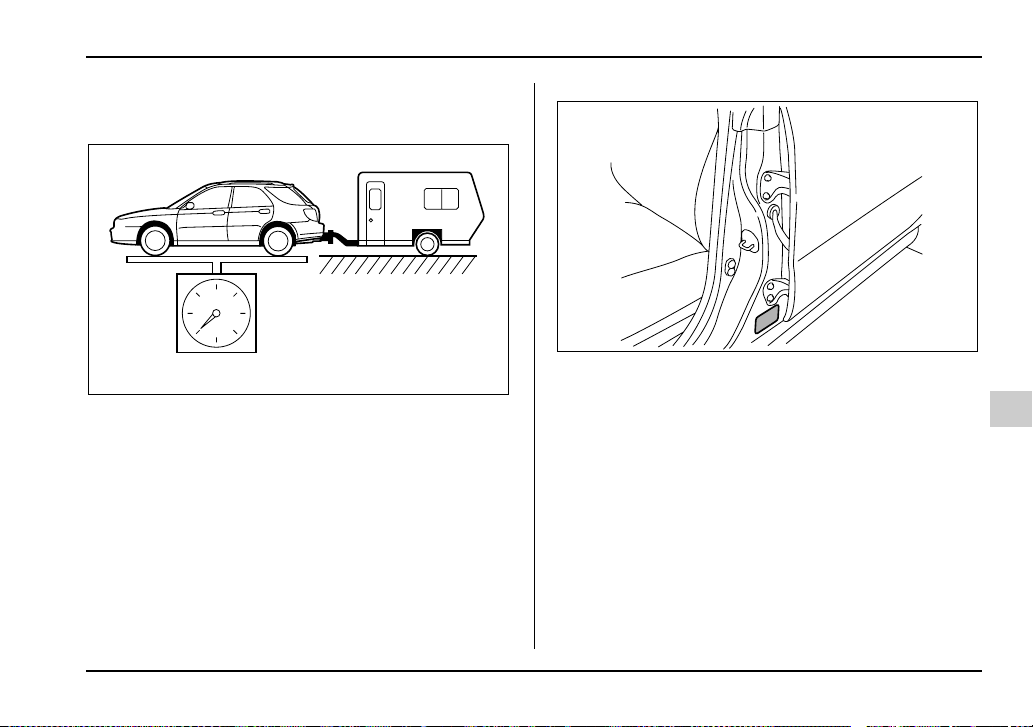
8-31
Driving tips
– CONTINUED –
T Gross Vehicle Weight (GVW) and Gross Vehicle
Weight Rating (GVWR)
Gross Vehicle Weight
The Gross Vehicle Weight (GVW) must never exceed
the Gross Vehicle Weight Rating (GVWR).
Gross Vehicle Weight (GVW) is the combined total of
the weight of the vehicle, driver, passengers, luggage,
trailer hitch, trailer tongue load and any other optional
equipment installed on your vehicle. Therefore, the
GVW changes depending on the situation. Determine
the GVW each time before going on a trip by putting
your vehicle and trailer on a vehicle scale.
Certification label
GVWR is shown on the certification plate located on
the driver’s side door jamb of your vehicle.
HG8017AA
UGB510CA
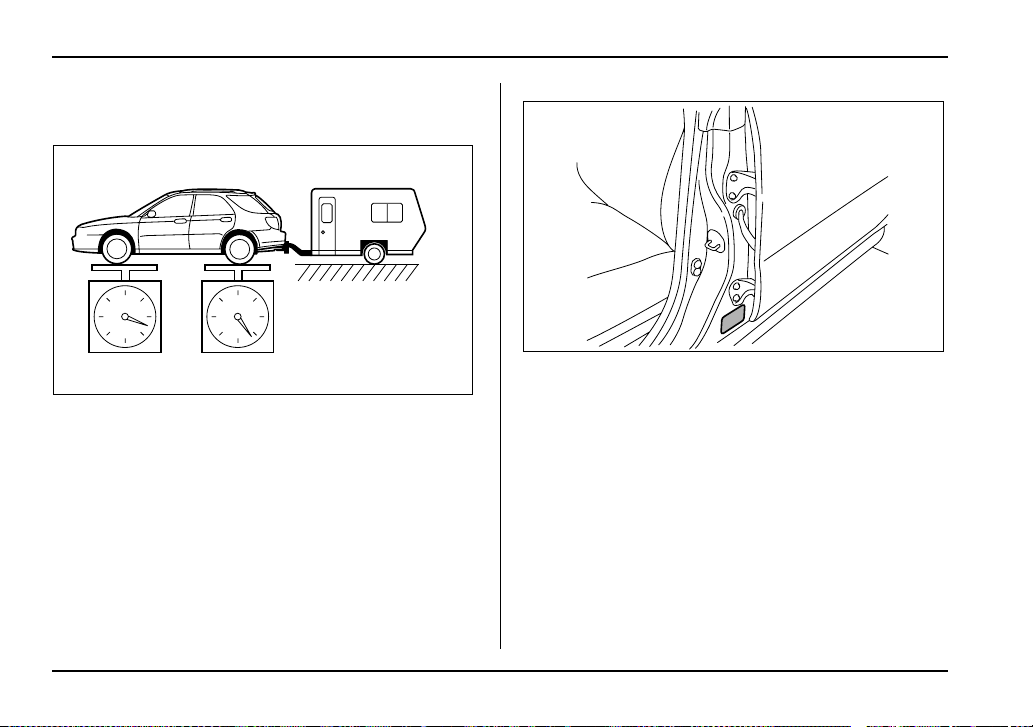
8-32
Driving tips
T Gross Axle Weight (GAW) and Gross Axle
Weight Rating (GAWR)
Gross Axle Weight
The total weight applied to each axle (GAW) must nev-
er exceed the Gross Axle Weight Rating (GAWR). The
front and rear GAWs can be adjusted by relocating
passengers and luggage inside the vehicle. The front
and rear GAWR are also shown on the certification
plate.
Certification label
To check both GVWR and GAWR and to confirm that
the total weight and weight distribution are within safe
driving limits, you should have your vehicle and trailer
weighed at a commercial weighing station.
Be sure that all cargo is firmly secured to prevent a
change in weight distribution while driving.
HG8018AA
UGB510CA
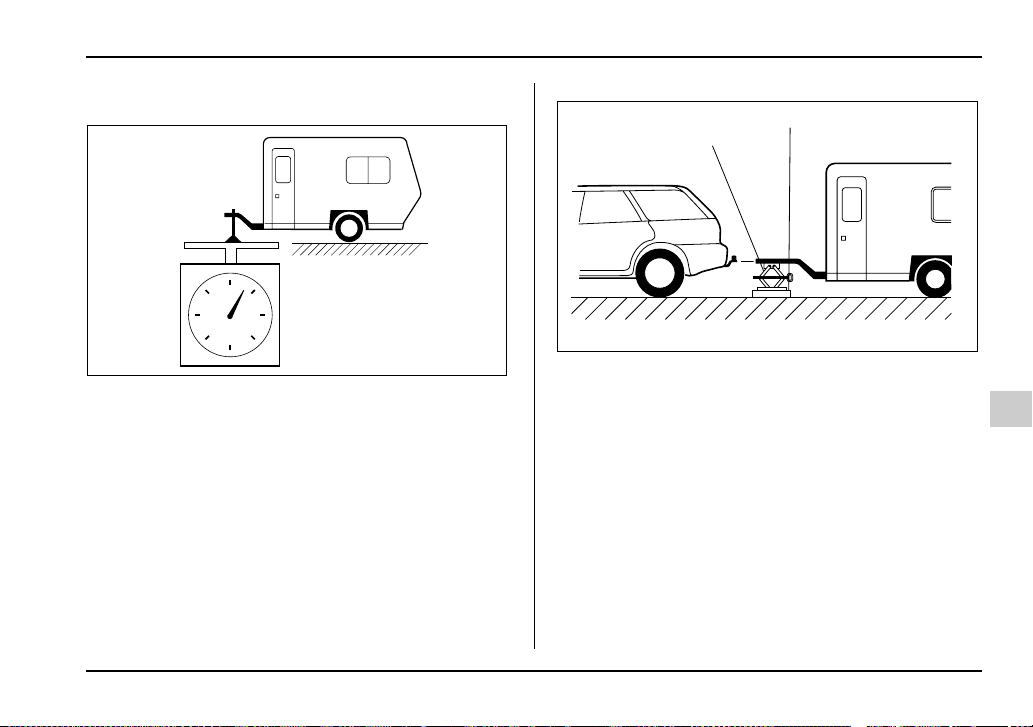
8-33
Driving tips
– CONTINUED –
T Tongue load
Tongue load
Ensure that the trailer tongue load is from 8 to 11 per-
cent of the total trailer weight and does not exceed the
maximum value of 200 lbs (90 kg).
1) Jack
2) Bathroom scale
The tongue load can be weighed with a bathroom
scale as shown in the following illustration. When
weighing the tongue load, be sure to position the tow-
ing coupler at the height at which it would be during ac-
tual towing, using a jack as shown.
HS8019AA
1
2
HS8020BB
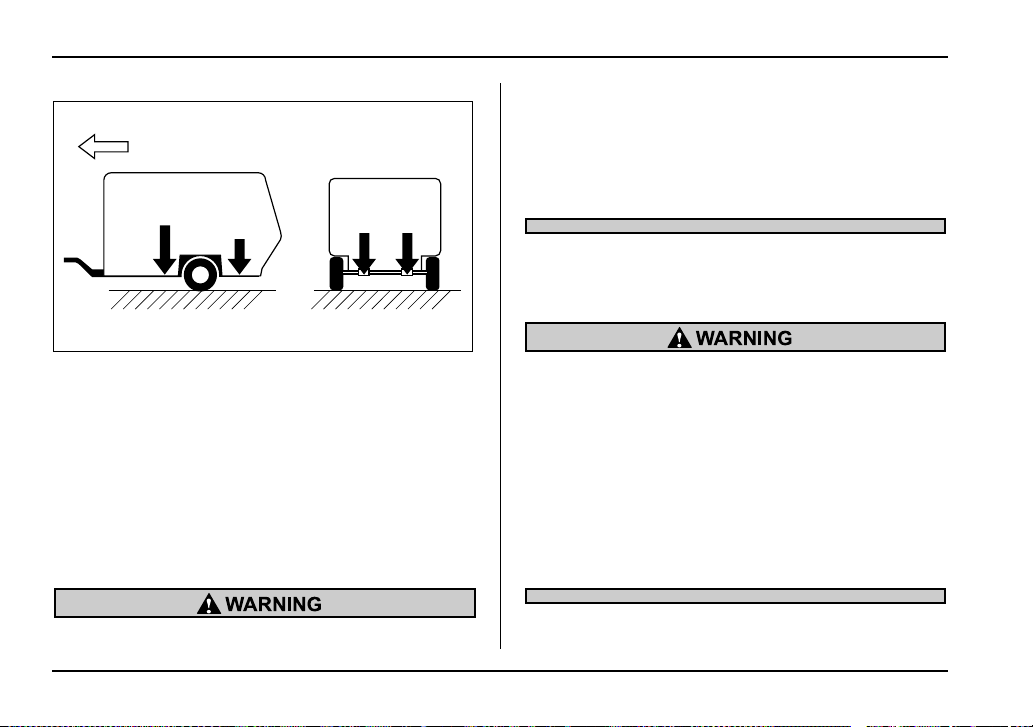
8-34
Driving tips
F: Front of vehicle
The tongue load can be adjusted by proper distribution
of the load in the trailer. Never load the trailer with
more weight in the back than in the front; approximate-
ly 60 percent of the trailer load should be in the front
and approximately 40 percent in the rear. Also, distrib-
ute the load as evenly as possible on both the left and
right sides.
Be sure that all cargo is firmly secured to prevent a
change in weight distribution while driving.
If the trailer is loaded with more weight in the
back of trailer’s axle than in the front, the load
is taken off the rear axle of the towing vehicle.
This may cause the rear wheels to skid, espe-
cially during braking or when vehicle speed is
reduced during cornering, resulting in over-
steer, spin out and/or jackknifing.
Trailer hitches
Choose a proper hitch for your vehicle and trailer.
Never drill the frame or under-body of your ve-
hicle to install a commercial trailer hitch. If you
do, dangerous exhaust gas, water or mud may
enter the passenger compartment through the
drilled hole. Exhaust gas contains carbon mon-
oxide, a colorless and odorless gas which is
dangerous, or even lethal, if inhaled. Also, drill-
ing the frame or under-body of your vehicle
could cause deterioration of strength of your
vehicle and cause corrosion around the drilled
hole.
F
60%
40%
50%
50%
HS8021BB
8-35
Driving tips
– CONTINUED –
y Do not modify the vehicle exhaust system,
brake system, or other systems when installing
a hitch or other trailer towing equipment.
y Do not use axle-mounted hitches as they can
cause damage to the axle housing, wheel bear-
ings, wheels or tires.
T WAGON including OUTBACK SPORT
The use of a genuine SUBARU trailer hitch is recom-
mended. A genuine SUBARU hitch is available from
your SUBARU dealer.
If use of a non-genuine hitch is unavoidable, be sure
the hitch is suited to your vehicle and trailer. Consult
with a professional hitch supplier to assist you in
choosing an appropriate hitch for your vehicle. Be sure
to follow all of the hitch manufacturer’s instructions for
installation and use.
Never use a hitch that mounts only to the rear bumper.
The bumper is not designed to handle that type of
load.
For all types of hitches, regularly check that the hitch
mounting bolts and nuts are tight.
T SEDAN
SUBARU does not offer accessory trailer hitches.
Consult with a professional hitch supplier to assist you
in choosing an appropriate hitch for your vehicle. Be
sure to follow all of the hitch manufacturer’s instruc-
tions for installation and use.
Never use a hitch that mounts only to the rear bumper.
The bumper is not designed to handle that type of
load.
Regularly check that the hitch mounting bolts and nuts
are tight.
Connecting a trailer
T Trailer brakes
If your trailer’s total weight (trailer weight plus its cargo
weight) exceeds 1,000 lbs (453 kg), the trailer is re-
quired to be equipped with its own brake system. Elec-
tric brakes or surge brakes are recommended, and
must be installed properly. Check that your trailer’s
brakes conform with Federal, state/province and/or
other applicable regulations. Your SUBARU’s brake
system is not designed to be tapped into the trailer’s
hydraulic brake system.
Please ask your SUBARU dealer and professional
trailer supplier for more information about the trailer’s
brake system.
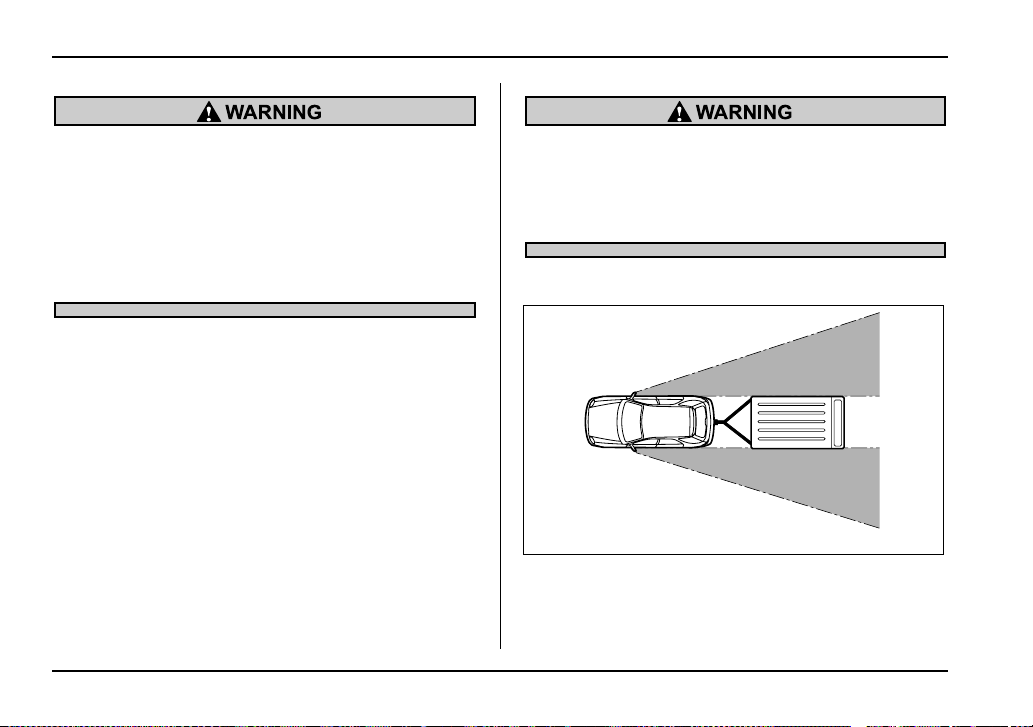
8-36
Driving tips
y Adequate size trailer brakes are required
when the trailer and its cargo exceed 1,000 lbs
(453 kg) total weight.
y Do not directly connect your trailer’s hydrau-
lic brake system to the hydraulic brake system
in your vehicle. Direct connection would cause
the vehicle’s brake performance to deteriorate
and could lead to an accident.
T Trailer safety chains
In case the trailer hitch connector or hitch ball should
break or become disconnected, the trailer could get
loose and create a traffic safety hazard.
For safety, always connect the towing vehicle and
trailer with trailer safety chains. Pass the chains cross-
ing each other under the trailer tongue to prevent the
trailer from dropping onto the ground in case the trailer
tongue should disconnect from the hitch ball. Allow
sufficient slack in the chains taking tight-turn situations
into account; however, be careful not to let them drag
on the ground.
For more information about the safety chain connec-
tion, refer to the instructions for your hitch and trailer.
Always use safety chains between your vehicle
and the trailer. Towing a trailer without safety
chains could create a traffic safety hazard if the
trailer separates from the hitch due to coupling
damage or hitch ball damage.
T Side mirrors
After hitching a trailer to your vehicle, check that the
standard side mirrors provide a good rearward field of
view without significant blind spots. If significant blind
spots occur with the vehicle’s standard side mirrors,
HG8019BA
8-37
Driving tips
– CONTINUED –
use towing mirrors that conform with Federal, state/
province and/or other applicable regulations.
T Trailer lights
Connection of trailer lights to your vehicle’s electrical
system requires modifications to the vehicle’s lighting
circuit to increase its capacity and accommodate wir-
ing changes. To ensure the trailer lights are connected
properly, please consult your SUBARU dealer. Check
for proper operation of the turn signals, the brake
lights and parking lights each time you hitch up.
Direct splicing or other improper connection of
trailer lights may damage your vehicle’s electri-
cal system and cause a malfunction of your ve-
hicle’s lighting system.
T Tires
Make sure that all the tires on your vehicle are properly
inflated to the pressure specified on the tire placard lo-
cated on the left center pillar of your vehicle.
Trailer tire condition, size, load rating and proper infla-
tion pressure should be in accordance with the trailer
manufacturer’s specifications.
In the event your vehicle gets a flat tire when towing a
trailer, ask a commercial road service to repair the flat
tire.
If you carry a regular size spare tire in your vehicle or
trailer as a precaution against getting a flat tire, be
sure that the spare tire is firmly secured.
Never tow a trailer when the temporary spare
tire is used. The temporary spare tire is not de-
signed to sustain the towing load. Use of the
temporary spare tire when towing can result in
failure of the spare tire and/or less stability of
the vehicle.
Trailer towing tips
y Never exceed 45 mph (72 km/h) when towing
a trailer in hilly country on hot days.
y When towing a trailer, steering, stability,
stopping distance and braking performance
will be different from normal operation. For
safety’s sake, you should employ extra caution
8-38
Driving tips
when towing a trailer and you should never
speed. You should also keep the following tips
in mind:
T Before starting out on a trip
y Check that the vehicle and vehicle-to-hitch mount-
ing are in good condition. If any problems are appar-
ent, do not tow the trailer.
y Check that the vehicle sits horizontally with the trail-
er attached. If the vehicle is tipped sharply up at the
front and down at the rear, check the total trailer
weight, GVW, GAWs and tongue load again, then con-
firm that the load and its distribution are acceptable.
y Check that the tire pressures are correct.
y Check that the vehicle and trailer are connected
properly. Confirm that
– the trailer tongue is connected properly to the
hitch ball.
– the trailer lights connector is connected properly
and trailer’s brake lights illuminate when the vehi-
cle’s brake pedal is pressed, and that the trailer’s
turn signal lights flash when the vehicle’s turn signal
lever is operated.
– the safety chains are connected properly.
– all cargo in the trailer is secured safety in position.
– the side mirrors provide a good rearward field of
view without a significant blind spot.
y Sufficient time should be taken to learn the “feel” of
the vehicle/trailer combination before starting out on a
trip. In an area free of traffic, practice turning, stopping
and backing up.
T Driving with a trailer
y You should allow for considerably more stopping
distance when towing a trailer. Avoid sudden braking
because it may result in skidding or jackknifing and
loss of control.
y Avoid abrupt starts and sudden accelerations. If
your vehicle has a manual transmission, always start
out in first gear and release the clutch at moderate en-
gine revolution.
y Avoid uneven steering, sharp turns and rapid lane
changes.
y Slow down before turning. Make a longer than nor-
mal turning radius because the trailer wheels will be
closer than the vehicle wheels to the inside of the turn.
In a tight turn, the trailer could hit your vehicle.
y Crosswinds will adversely affect the handling of
your vehicle and trailer, causing sway. Crosswinds
can be due to weather conditions or the passing of
large tracks or buses. If swaying occurs, firmly grip the
steering wheel and slow down immediately but gradu-
ally.
y When passing other vehicles, considerable dis-
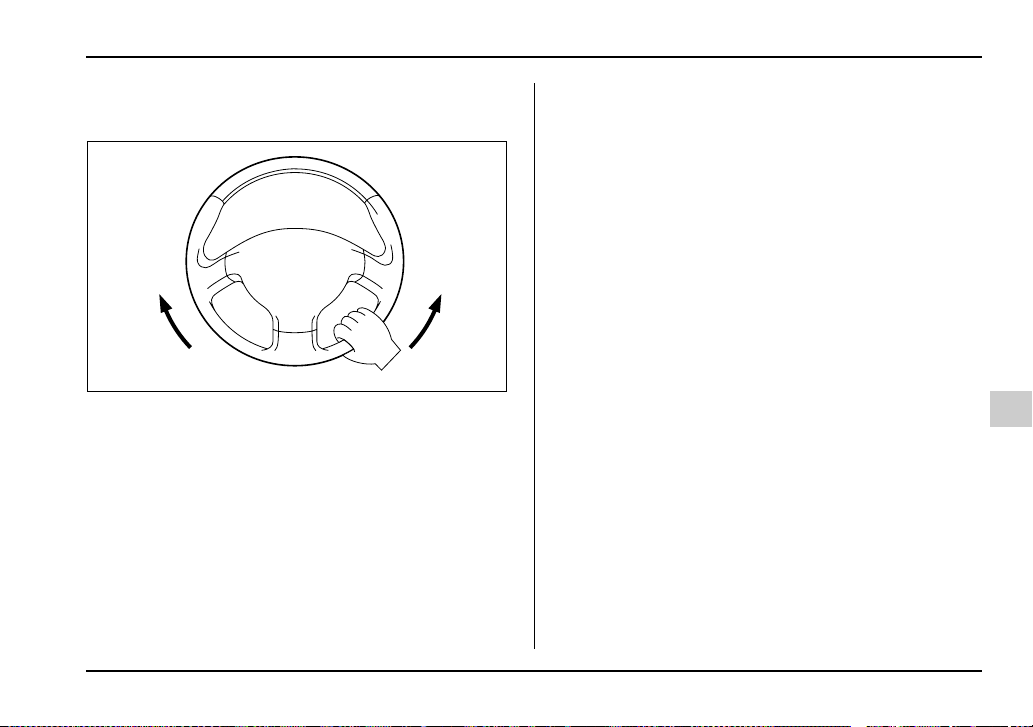
8-39
Driving tips
– CONTINUED –
tance is required because of the added weight and
length caused by attaching the trailer to your vehicle.
1) Left turn
2) Right turn
y Backing up with a trailer is difficult and takes prac-
tice. When backing up with a trailer, never accelerate
or steer rapidly. When turning back, grip the bottom of
the steering wheel with one hand and turn it to the left
for a left turn, and turn it to the right for a right turn.
y If the ABS warning light illuminates while the vehicle
is in motion, stop towing the trailer and have repairs
performed immediately by the nearest SUBARU deal-
er.
T Driving on grades
y Before going down a steep hill, slow down and shift
into lower gear (if necessary, use 1st gear) in order to
utilize the engine braking effect and prevent overheat-
ing of your vehicle’s brakes. Do not make sudden
downshifts.
y When driving uphill in hot weather, the air condition-
er may turn off automatically to protect the engine from
overheating.
y When driving uphill in hot weather, pay attention to
the water temperature gauge pointer (for all vehicles)
and AT OIL TEMP warning light (for AT vehicles) since
the engine and transmission are relatively prone to
overheating under these conditions. If the water tem-
perature gauge pointer approaches the OVERHEAT
zone or the AT OIL TEMP warning light illuminates,
immediately switch off the air conditioner and stop the
vehicle at the nearest safe place. Refer to the “Engine
overheating” section in chapter 9, and “Warning and
indicator lights” section in chapter 3.
y If your vehicle has an automatic transmission, avoid
using the accelerator pedal to stay stationary on an
uphill slope instead of using the parking brake or foot
brake. That may cause the transmission fluid to over-
heat. Also, if your vehicle is equipped with an automat-
ic transmission, avoid driving with the gear selector le-
ver in “D” when towing a heavy trailer to prevent fluid
1
2
UG8035BB

8-40
Driving tips
overheating. A lower gear should be used.
T Parking on a grade
Always block the wheels under both vehicle and trailer
when parking. Apply the parking brake firmly. You
should not park on a hill or slope. But if parking on a
hill or slope cannot be avoided, you should take the
following steps:
1. Apply the brakes and hold the pedal down.
2. Have someone place wheel blocks under both the
vehicle and trailer wheels.
3. When the wheel blocks are in place, release the
regular brakes slowly until the blocks absorb the load.
4. Apply the regular brakes and then apply the park-
ing brake; slowly release the regular brakes.
5. Shift into 1st or reverse gear (manual transmission)
or “P” (automatic transmission) and shut off the en-
gine.

9-1
9
In case of emergency
If you park your vehicle in case of an
emergency ................................................. 9-2
Temporary spare tire .................................... 9-3
Flat tires ......................................................... 9-5
Changing a flat tire ........................................... 9-5
Jump starting ................................................ 9-13
How to jump start ............................................. 9-14
Engine overheating ....................................... 9-16
If steam is coming from the engine
compartment .................................................. 9-16
If no steam is coming from the engine
compartment .................................................. 9-16
Towing ........................................................... 9-17
Towing and tie-down hooks ............................ 9-18
Using a flat-bed truck ....................................... 9-20
Towing with all wheels on the ground ............ 9-21
Rear gate – if the rear gate cannot be
unlocked ..................................................... 9-22
Moonroof – if the moonroof cannot be
closed ......................................................... 9-23
Maintenance tools ......................................... 9-24
Jack and jack handle ........................................ 9-24
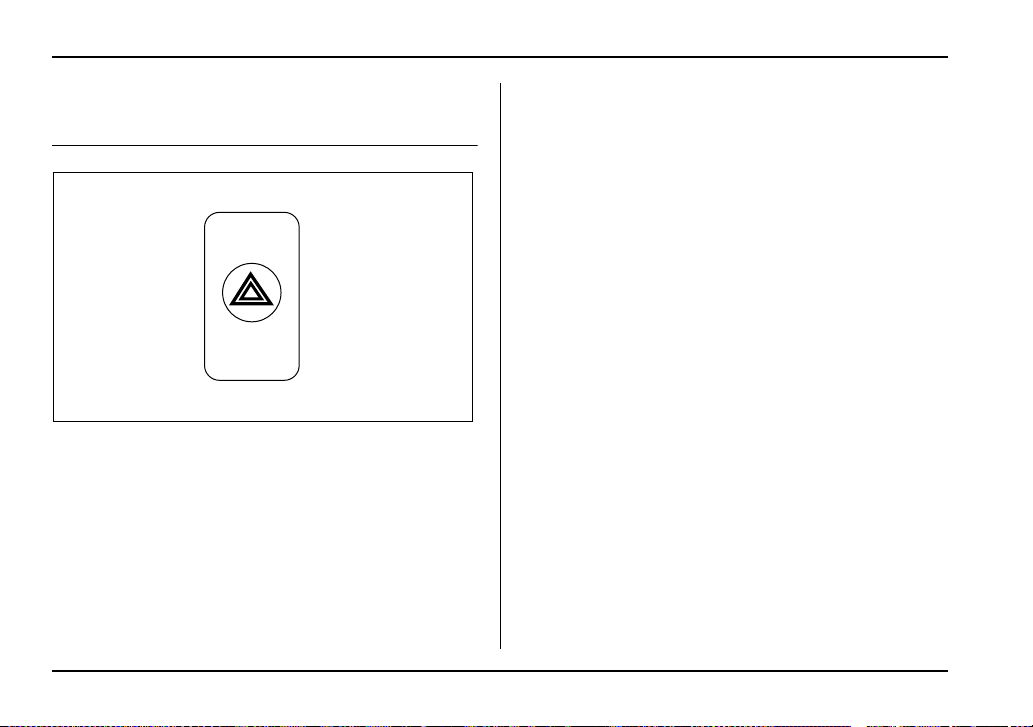
9-2
In case of emergency
In case o f emergen cy
If you park your vehicle in case of an
emergency
The hazard warning flasher should be used in day or
night to warn other drivers when you have to park your
vehicle under emergency conditions.
Avoid stopping on the road. It is best to safely pull off
the road if a problem occurs.
The hazard warning flasher can be activated regard-
less of the ignition switch position.
Turn on the hazard warning by pushing the hazard
warning flasher switch. Turn it off by pushing the
switch again.
NOTE
When the hazard warning flasher is on, the turn
signals do not work.
HS3019AA
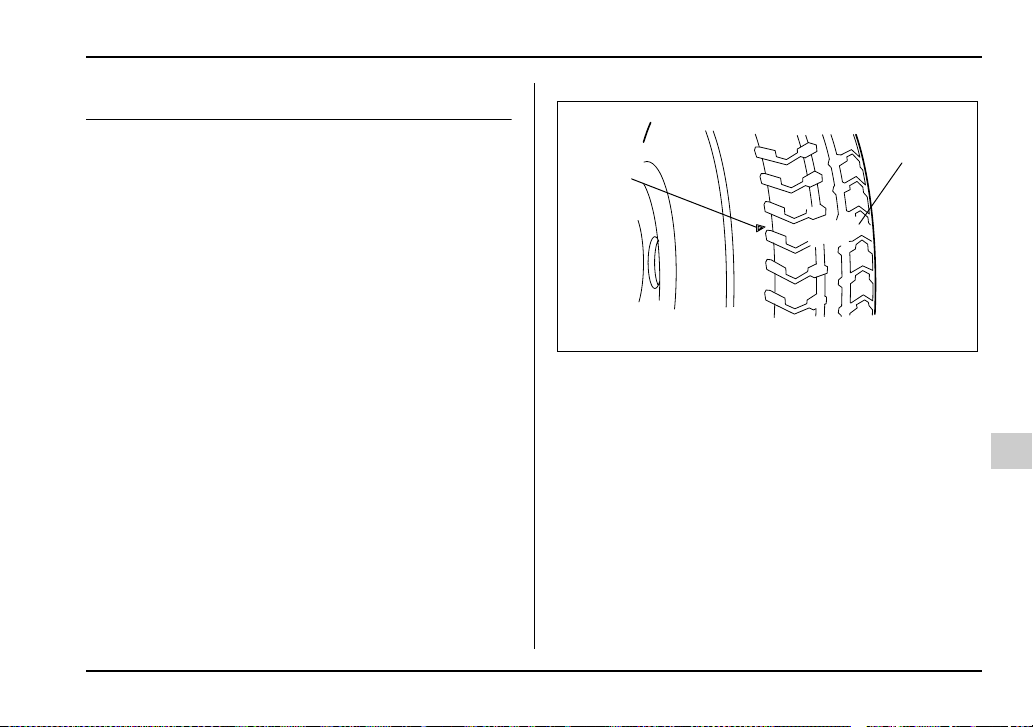
9-3
In case of emergency
– CONTINUED –
Temporary spare tire
The temporary spare tire is smaller and lighter than a
conventional tire and is designed for emergency use
only. Remove the temporary spare tire and re-install
the conventional tire as soon as possible because the
spare tire is designed only for temporary use.
Check the inflation pressure of the temporary spare
tire periodically to keep the tire ready for use. The cor-
rect pressure is 60 psi (420 kPa, 4.2 kg/cm
2
).
When using the temporary spare tire, note the follow-
ing:
y Do not exceed 50 mph (80 km/h).
y Do not put a tire chain on the temporary spare tire.
Because of the smaller tire size, a tire chain will not fit
properly.
y Do not use two or more temporary spare tires at the
same time.
y Do not drive over obstacles. This tire has a smaller
diameter, so road clearance is reduced.
1) Tread wear indicator bar
2) Indicator location mark
y When the wear indicator appears on the tread, re-
place the tire.
1
2
US9525BB
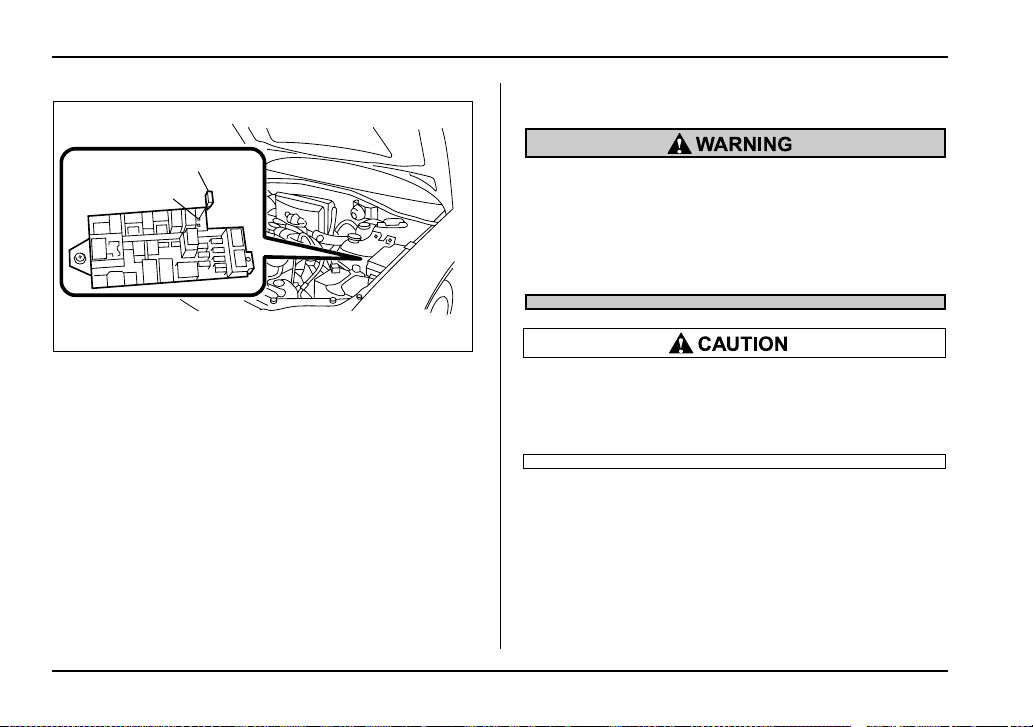
9-4
In case of emergency
1) Spare fuse
2) FWD connector
NOTE
(If your vehicle is AWD with automatic transmis-
sion, except Turbo models) Before driving your
vehicle with the temporary spare tire, put a spare
fuse inside the FWD connector in the main fuse
box located in the engine compartment and con-
firm that the Front-wheel drive warning light
“AWD” in the combination meter comes on. The
all wheel drive capability of the vehicle has now
deactivated. After re-installing the conventional
tire, remove the spare fuse from the FWD connec-
tor in order to reactivate all wheel drive.
Never tow a trailer when the temporary spare
tire is used. The temporary spare tire is not de-
signed to sustain the towing load. Use of the
temporary spare tire when towing can result in
failure of the spare tire and/or less stability of
the vehicle and may lead to an accident.
Never use any temporary spare tire other than
the original. Using other sizes may result in se-
vere mechanical damage to the drive train of
your vehicle.
1
2
USB501BB
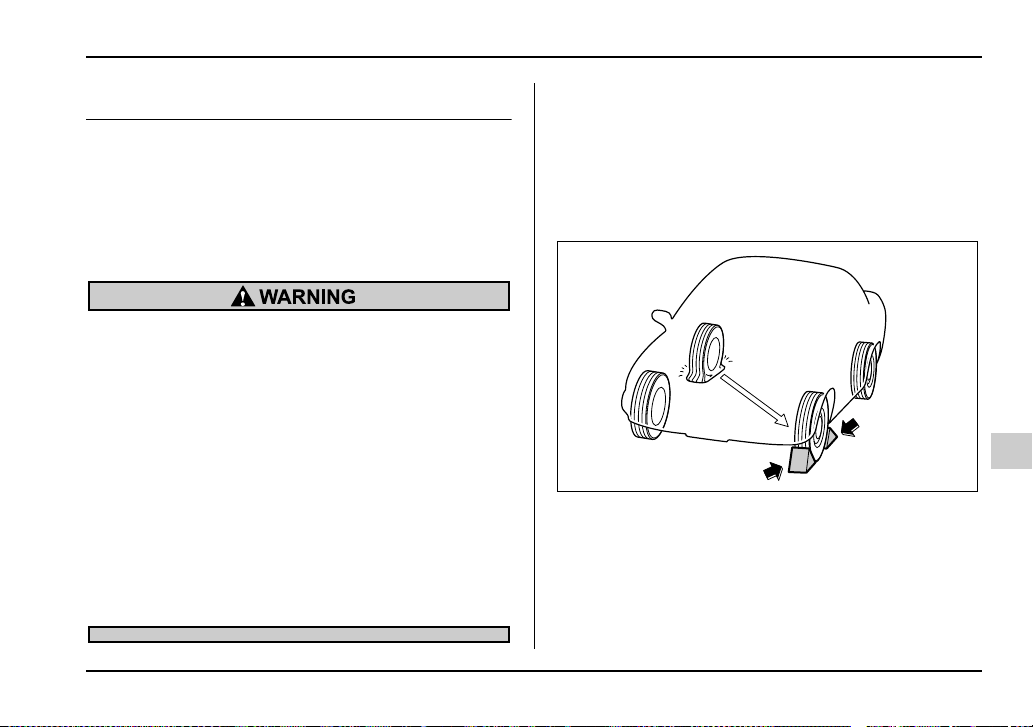
9-5
In case of emergency
– CONTINUED –
Flat tires
If you have a flat tire while driving, never brake sud-
denly; keep driving straight ahead while gradually re-
ducing speed. Then slowly pull off the road to a safe
place.
Changing a flat tire
y Do not jack up the vehicle on an incline or a
loose road surface. The jack can come out of
the jacking point or sink into the ground and
this can result in a severe accident.
y Use only the jack provided with your vehicle.
The jack supplied with the vehicle is designed
only for changing a tire. Never get under the ve-
hicle while supporting the vehicle with this
jack.
y Always turn the engine off before raising the
flat tire off the ground using the jack. Never
swing or push the vehicle supported with the
jack. The jack can come out of the jacking point
due to a jolt and this can result in a severe acci-
dent.
1. Park on a hard, level surface, whenever possible,
then stop the engine.
2. Set the parking brake securely and shift a manual
transmission vehicle in reverse or an automatic trans-
mission vehicle in the “P” (Park) position.
3. Turn on the hazard warning flasher and have ev-
eryone get out of the vehicle.
4. Put wheel blocks at the front and rear of the tire di-
agonally opposite the flat tire.
HS9003BA
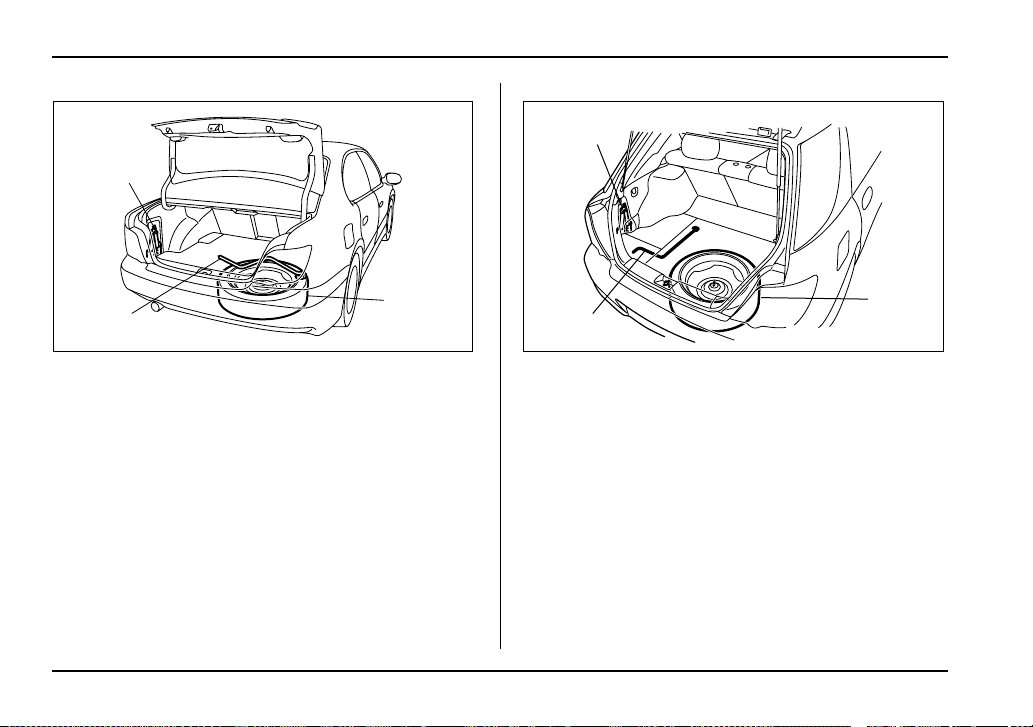
9-6
In case of emergency
Sedan
1) Jack
2) Jack handle
3) Spare tire
Wagon
1) Jack
2) Jack handle
3) Spare tire
5. Take out the spare tire, jack, and wheel nut wrench.
The spare tire is stored under the floor of the trunk or
cargo area.
To remove the spare tire, proceed as follows:
1
2
3
UG9045BB
3
1
2
UG9502BB
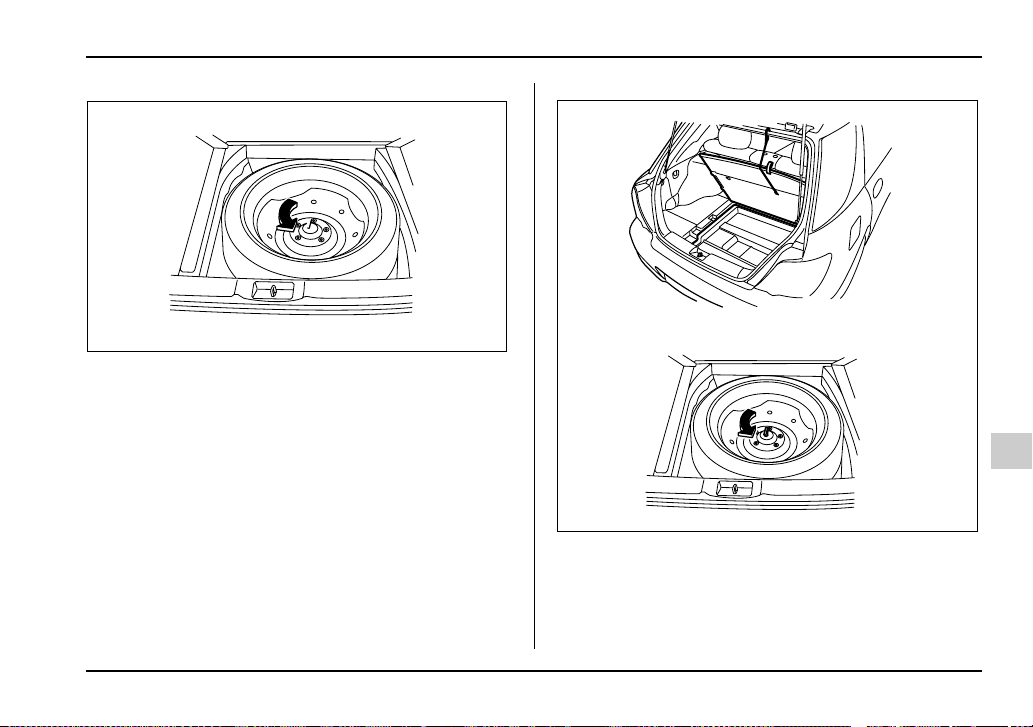
9-7
In case of emergency
– CONTINUED –
Sedan: Remove the floor cover from the trunk. Re-
move the storage compartment (if so equipped).Turn
the attaching bolt counterclockwise, then take the
spare tire out.
Wagon: Open the lid and hang the hook provided on
the under side of the lid on the rear edge of the roof to
keep the lid open.
Remove the storage compartment (if so equipped).
UG9503BA
UG9504BA
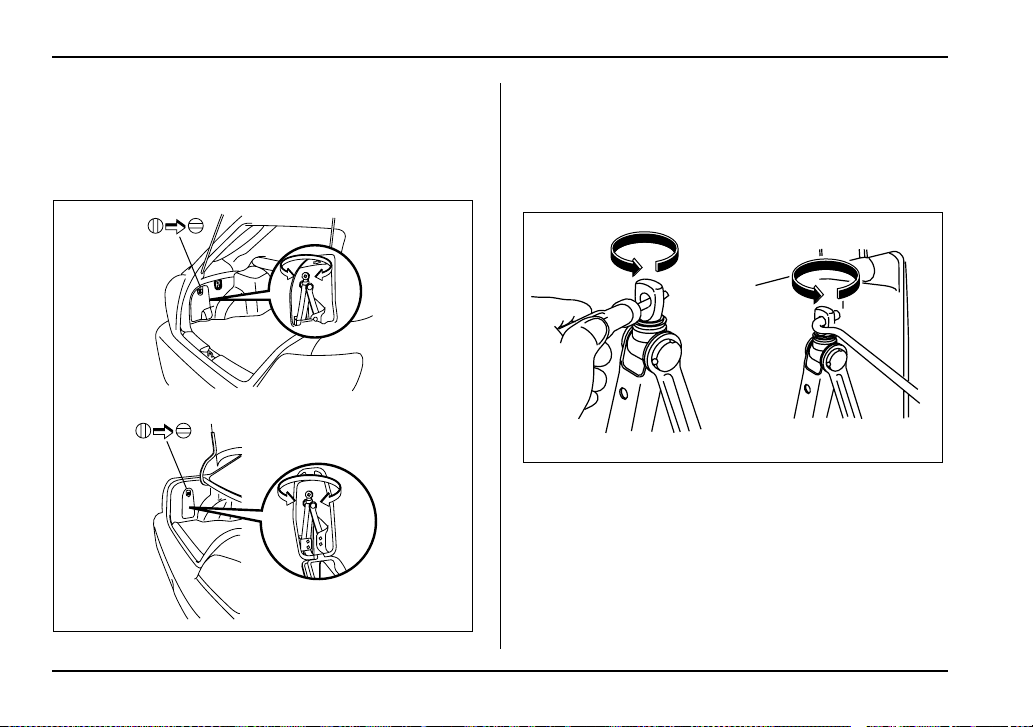
9-8
In case of emergency
Turn the attaching bolt counterclockwise, then take
spare tire out.
If the spare tire provided in your vehicle is a temporary
spare tire, carefully read the section “Temporary spare
tire” in this chapter and strictly follow the instructions.
The jack is stored on the left side of the trunk or cargo
area.
To take out the jack:
Remove the cover, turn the jackscrew counterclock-
wise to loosen it, then remove the jack.
If the jackscrew is too tight to be loosened by hand,
loosen it using a screwdriver or the jack handle.
The jack handle is stored under the spare tire cover.
NOTE
Make sure the jack is well lubricated before using
it.
UG9505BA
HG9017BA
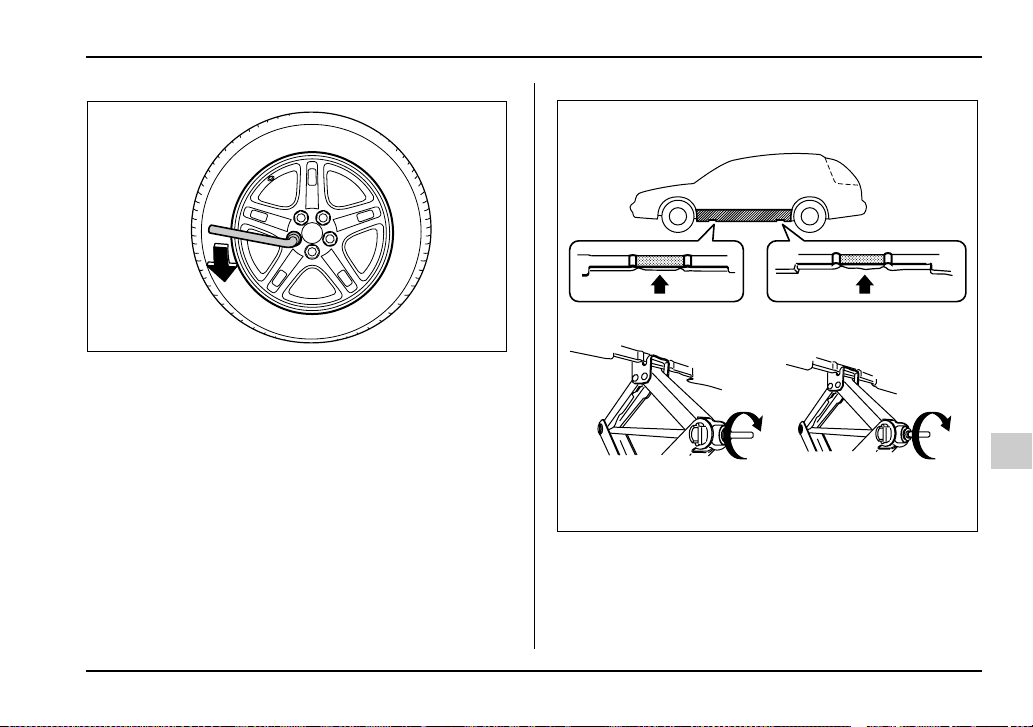
9-9
In case of emergency
– CONTINUED –
6. Loosen the wheel nuts using the wheel nut wrench
but do not remove the nuts.
Vehicle with side sill skirt
UG9047BA
HG9020BA
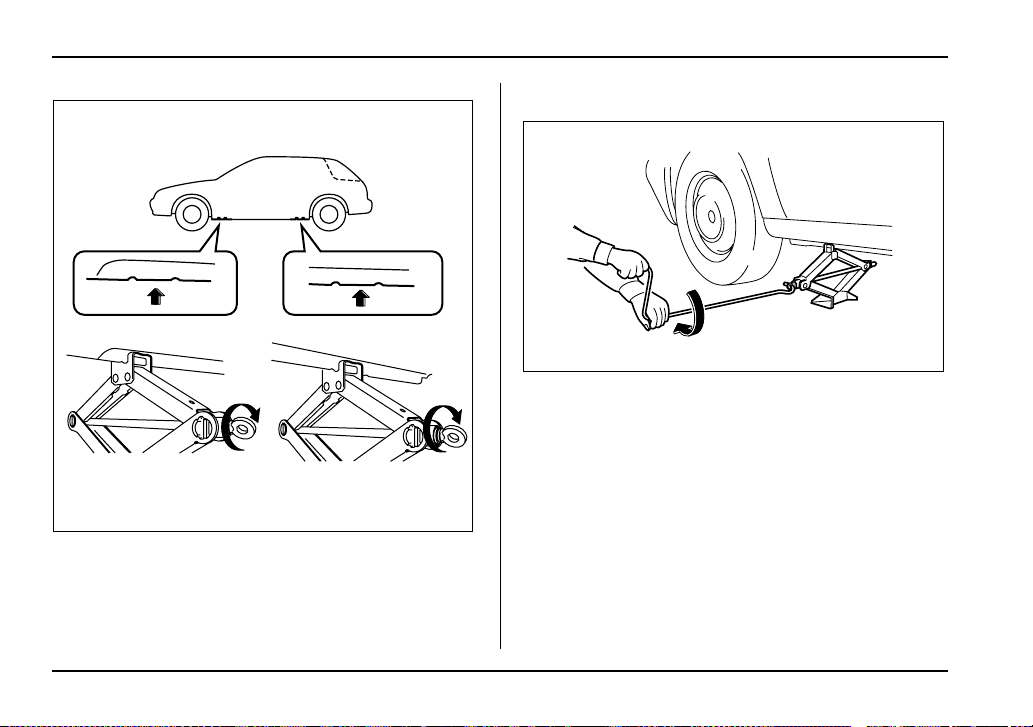
9-10
In case of emergency
Others
7. Place the jack under the side sill at the front or rear
jack-up point closest to the flat tire.
Turn the jackscrew by hand until the jack head engag-
es firmly into the jack-up point.
8. Insert the jack handle into the jackscrew, and turn
the handle until the tire clears the ground. Do not raise
the vehicle higher than necessary.
9. Remove the wheel nuts and the flat tire.
HG9021BA
UG9510BA
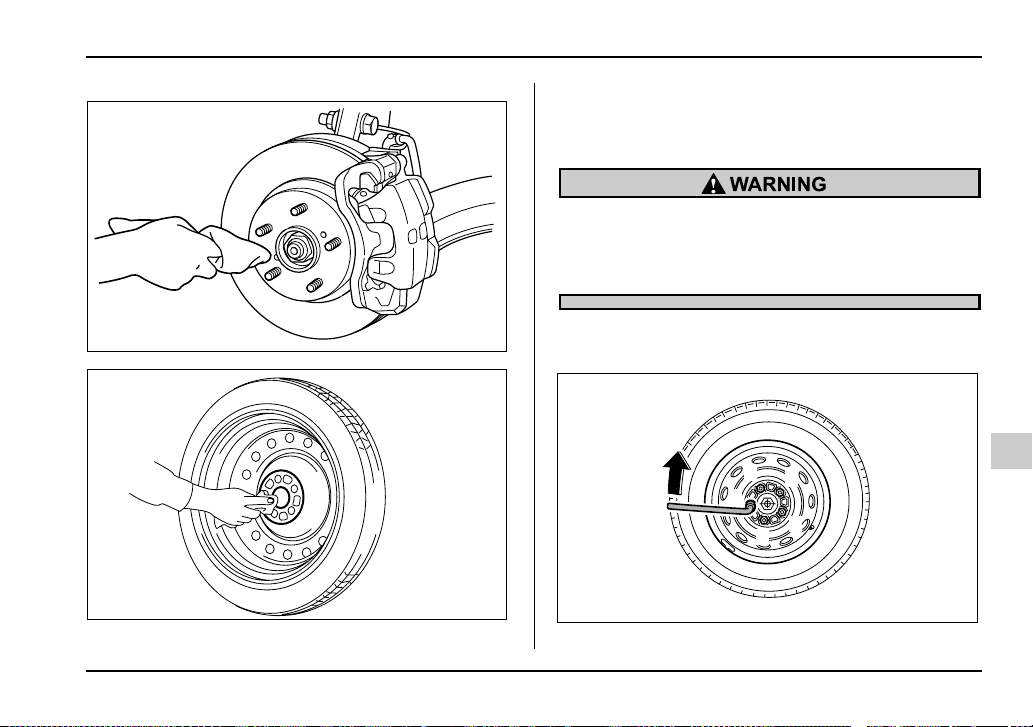
9-11
In case of emergency
– CONTINUED –
10.Before putting the spare tire on, clean the mounting
surface of the wheel and hub with a cloth.
11.Put on the spare tire. Replace the wheel nuts.
Tighten them by hand.
Do not use oil or grease on the wheel studs or
nuts when the spare tire is installed. This could
cause the nuts to become loose and lead to an
accident.
12.Turn the jack handle counterclockwise to lower the
vehicle.
HS9011BA
UB9220BA
1
4
2
5
3
UG9511BB
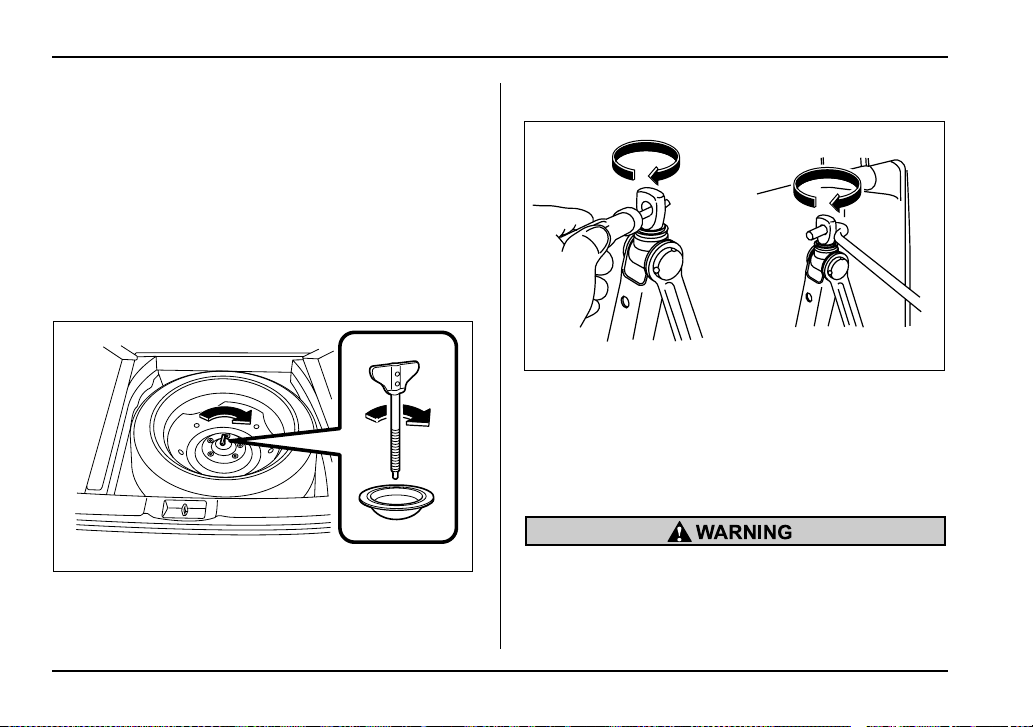
9-12
In case of emergency
13.Use the wheel nut wrench to securely tighten the
wheel nuts to the specified torque, following the tight-
ening order in the illustration.
The torque for tightening the nuts is 58 to 72 lbf·ft (80
to 100 N·m, 8 to 10 kgf·m). This torque is equivalent to
applying about 88 to 110 lbs (40 to 50 kg) at the top of
the wheel nut wrench. Never use your foot on the
wheel nut wrench or a pipe extension on the wrench
because you may exceed the specified torque. Have
the wheel nut torque checked at the nearest automo-
tive service facility.
14.Store the flat tire in the spare tire compartment.
Put the spacer and tighten the attaching bolt firmly.
Also store the jack and wheel nut wrench in their stor-
age locations.
After placing the jack in its storage location, turn the
jackscrew clockwise by hand until it becomes too hard
to turn. Then, tighten it by an additional 1/4 – 1/3 of a
turn using a screwdriver or the jack handle. Unless the
jack is properly secured, it may rattle while the vehicle
is moving.
Never place a tire or tire changing tools in the
passenger compartment after changing
wheels. In a sudden stop or collisions, loose
equipment could strike occupants and cause
HS9014BA
HG9019BA
9-13
In case of emergency
– CONTINUED –
injury. Store the tire and all tools in the proper
place.
Jump starting
y Battery fluid is SULFURIC ACID. Do not let it
come in contact with the hooks, skin, clothing
or the vehicle.
If battery fluid gets on you, thoroughly flush the
exposed area with water immediately. Get med-
ical help if the fluid has entered your hooks.
If battery fluid is accidentally swallowed, imme-
diately drink a large amount of milk or water,
and obtain immediate medical help.
Keep everyone including children away from
the battery.
y The gas generated by a battery explodes if a
flame or spark is brought near it. Do not smoke
or light a match while jump starting.
y Never attempt jump starting if the discharged
battery is frozen. It could cause the battery to
burst or explode.
y Whenever working on or around a battery, al-
ways wear suitablehookprotectors, and remove
metal objects such as rings, bands or other
metal jewelry.
y Be sure the jumper cables and clamps on
them do not have loose or missing insulation.
9-14
In case of emergency
Do not jump start unless cables in suitable con-
dition are available.
y A running engine can be dangerous. Keep
your fingers, hands, clothing, hair and tools
away from the cooling fan, belts and any other
moving engine parts. Removing rings, watches
and ties is advisable.
When your vehicle does not start due to a run down
(discharged) battery, the vehicle may be jump started
by connecting your battery to another battery (called
the booster battery) with jumper cables.
Jump starting is dangerous if it done incorrectly. If you
are unsure about the proper procedure for jump start-
ing, consult a competent mechanic.
How to jump start
1. Make sure the booster battery is 12 volts and the
negative terminal is grounded.
2. If the booster battery is in another vehicle, do not let
the two vehicles touch.
3. Turn off all unnecessary lights and accessories.
4. Connect the jumper cables exactly in the sequence
illustrated.
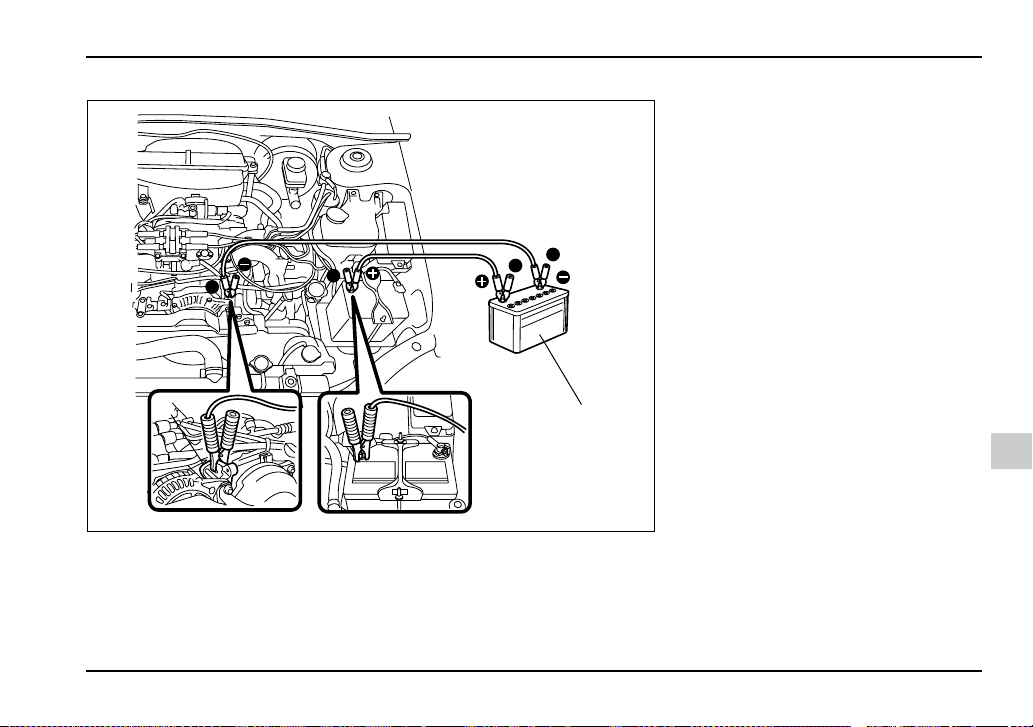
9-15
In case of emergency
– CONTINUED –
1) Booster battery
2) Engine lifting bracket
3
2
2
1
4
1
UG9512BB
1)Connect one jumper cable to the
positive (+) terminal on the dis-
charged battery.
2)Connect the other end of the
jumper cable to the positive (+) ter-
minal of the booster battery.
3)Connect one end of the other
cable to the negative (–) terminal
of the booster battery.
4)Connect the other end of the ca-
ble to the engine lifting bracket.
Make sure that the cables are not
near any moving parts and that the
cable clamps are not in contact
with any other metal.
9-16
In case of emergency
5. Start the engine of the vehicle with the booster bat-
tery and run it at moderate speed. Then start the en-
gine of the vehicle that has the discharged battery.
6. When finished, carefully disconnect the cables in
exactly the reverse order.
Engine overheating
Never attempt to remove the radiator cap until
the engine has been shut off and has fully
cooled down. When the engine is hot, the cool-
ant is under pressure. Removing the cap while
the engine is still hot could release a spray of
boiling hot coolant, which could burn you very
seriously.
If the engine overheats, safely pull off the road and
stop the vehicle in a safe place.
If steam is coming from the engine
compartment
Turn the engine off and get everyone away from the
vehicle until it cools down.
If no steam is coming from the engine
compartment
1. Keep the engine running at idling speed.
2. Open the hood to ventilate the engine compart-
ment.
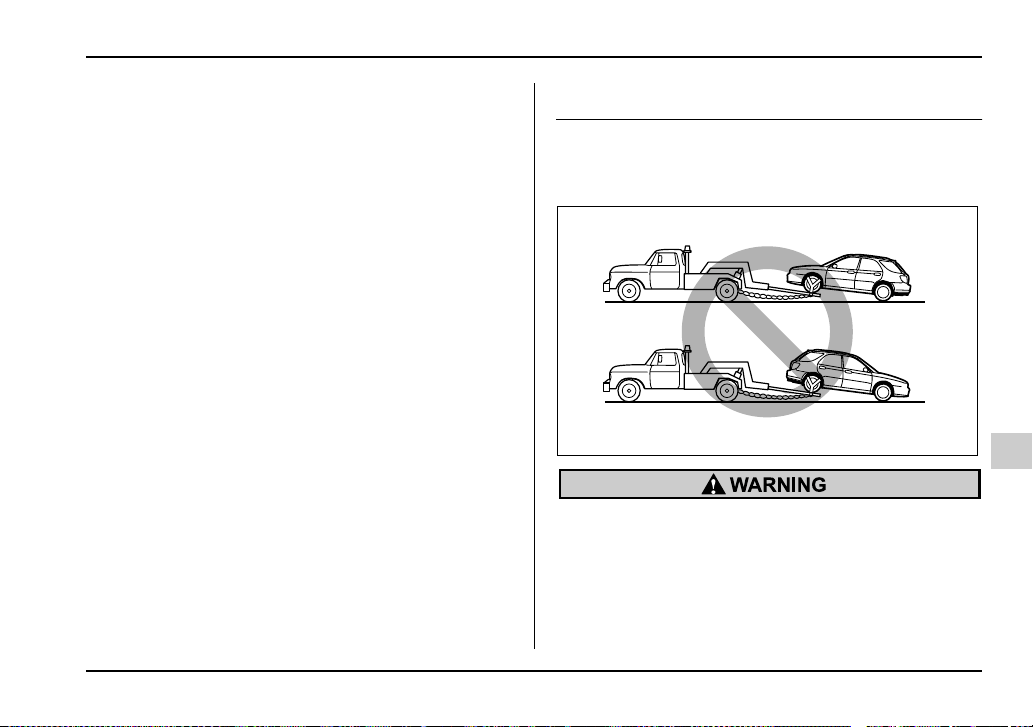
9-17
In case of emergency
– CONTINUED –
Confirm that the cooling fan is turning. If the fan is not
turning, immediately turn the engine off and contact
your authorized dealer for repair.
3. After the engine coolant temperature has dropped,
turn off the engine.
If the temperature gauge stays at the overheated
zone, turn the engine off.
4. After the engine has fully cooled down, check the
coolant level in the reserve tank.
If the coolant level is below the “LOW” mark, add cool-
ant up to the “FULL” mark.
5. If there is no coolant in the reserve tank, add cool-
ant to the reserve tank. Then remove the radiator cap
and fill the radiator with coolant.
If you remove the radiator cap from a hot radiator, first
wrap a thick cloth around the radiator cap, then turn
the cap counterclockwise slowly without pressing
down until it stops. Release the pressure from the ra-
diator. After the pressure has been fully released, re-
move the cap by pressing down and turning it.
Towing
If towing is necessary, it is best done by your SUBARU
dealer or a commercial towing service. Observe the
following procedures for safety.
Never tow AWD vehicles (both AT and MT) with
the front wheels raised off the ground while the
rear wheels are on the ground, or with the rear
wheels raised off the ground while the front
wheels are on the ground. This will cause the
vehicle to spin away due to the operation or de-
UG9513BA
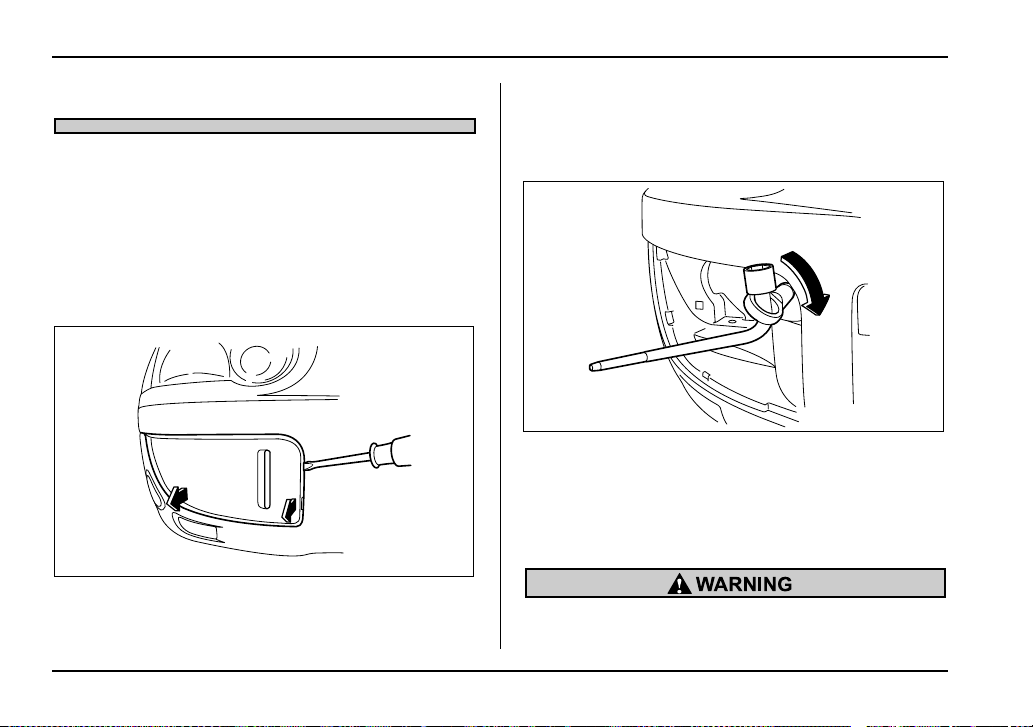
9-18
In case of emergency
terioration of the center differential.
Towing and tie-down hooks
The towing hooks should be used only in an emergen-
cy (e.g., to free a stuck vehicle from mud, sand or
snow).
Front towing hook:
1. Take out the towing hook, screwdriver and wheel
nut wrench from the on board tool bag.
2. Insert a flat-head screwdriver into the slot at point A
on the front passenger side fog light cover, then use it
to pry the cover upward. The tabs at point A on the fog
light cover will come free of the bumper.
3. Pull the entire fog light cover toward you.
4. Screw the towing hook into the threaded hole until
its thread becomes invisible.
5. Tighten the towing hook securely using the wheel
nut wrench.
After towing, remove the towing hook from the vehicle
and stow it in the tool bag.
Fit the fog light cover on the bumper.
y Do not use the towing hook except when tow-
ing your vehicle.
A
UG9030BB
UG9526BA
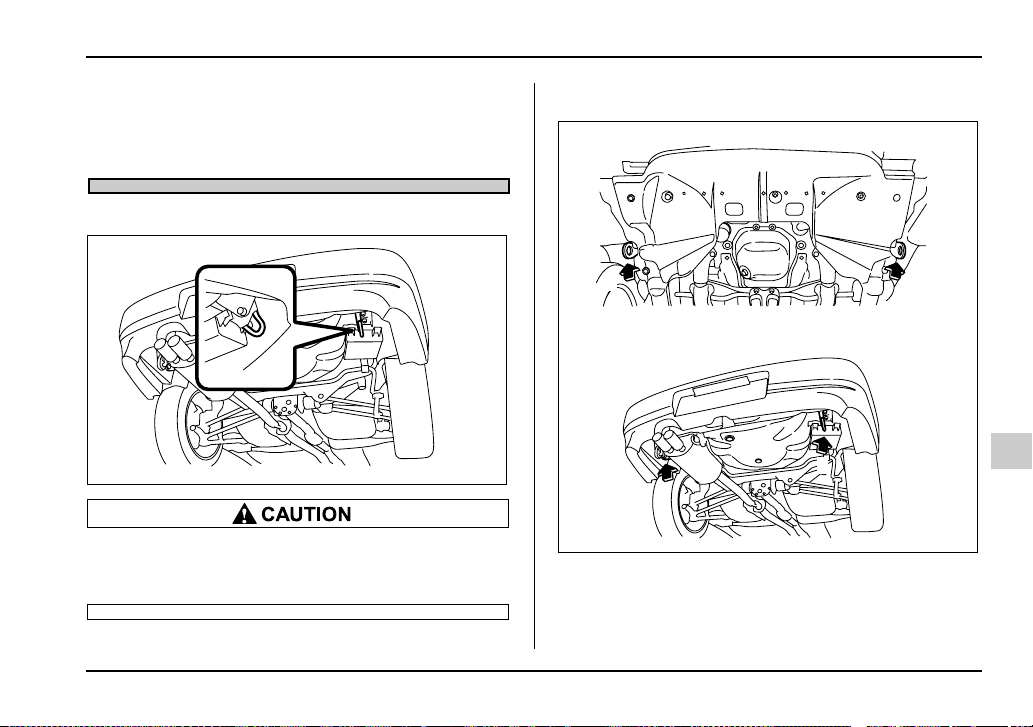
9-19
In case of emergency
– CONTINUED –
y Be sure to remove the towing hook after tow-
ing. Leaving the towing hook mounted on the
vehicle could interfere with proper operation of
the SRS airbag system in a frontal collision.
Rear towing hook:
To prevent deformation to the front bumper and
the towing hook, do not apply excessive lateral
load to the towing hook.
Tie-down hooks:
1) Tie-down hook
2) Towing and tie-down hook
HS9018BA
1
1
2
1
HG9018BB
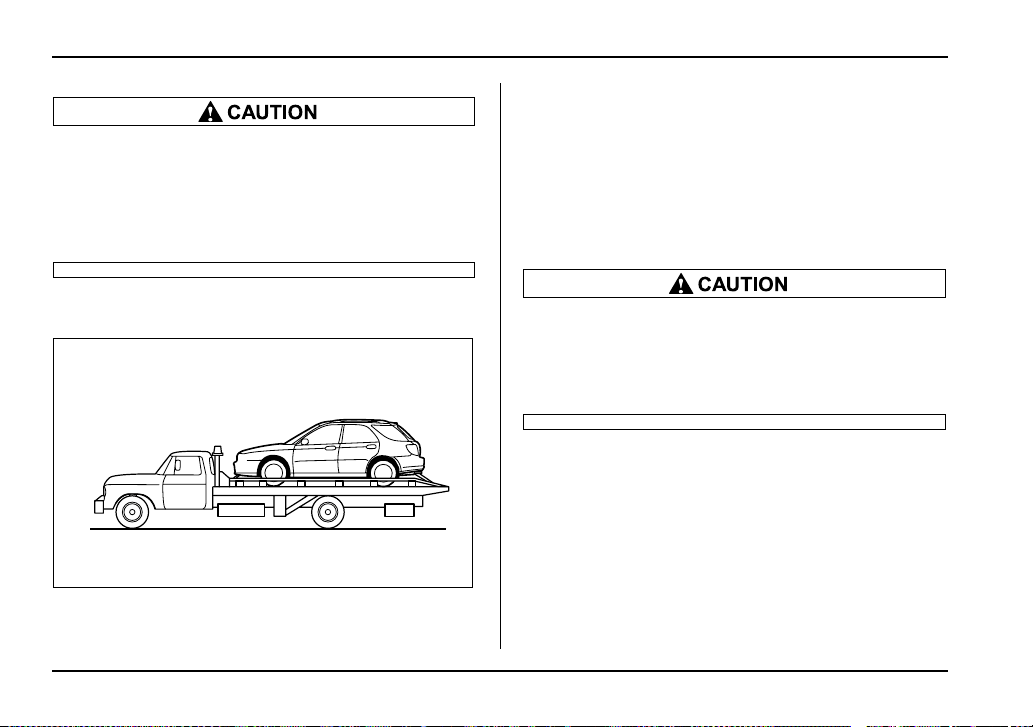
9-20
In case of emergency
y Use only the specified towing hook and tie-
down hook. Never use suspension parts or oth-
er body parts for towing or tie-down purposes.
y Never use the tie-down hook on the under-
side of the vehicle closest to the muffler for
towing purposes.
Using a flat-bed truck
This is the best way to transport your vehicle. Use the
following procedures to ensure safe transportation.
1. Shift the selector lever into the “P” position for au-
tomatic transmission vehicles or “1st” for manual
transmission vehicles.
2. Pull up the parking brake lever firmly.
3. Secure the vehicle onto the carrier properly with
safety chains. Each safety chain should be equally
tightened and care must be taken not to pull the chains
so tightly that the suspension bottoms out.
If your vehicle has a front underspoiler and rear
underspoiler (both optional), be careful not to
scrape them when placing the vehicle on the
carrier and when removing the vehicle from the
carrier.
HG9023AA
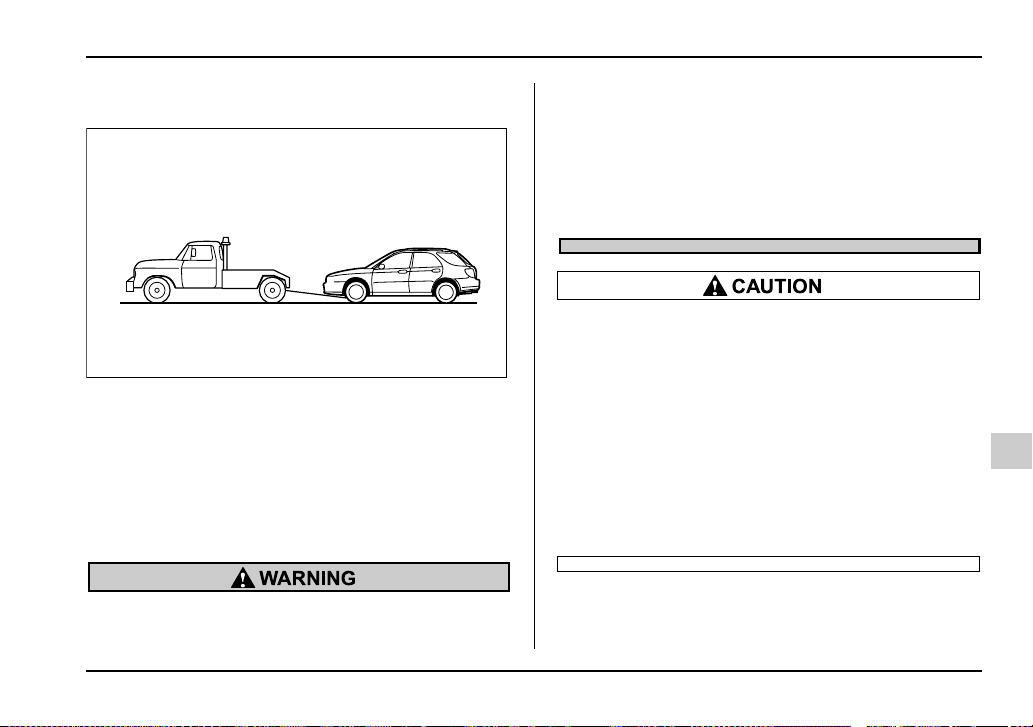
9-21
In case of emergency
– CONTINUED –
Towing with all wheels on the ground
1. Check the transmission and differential oil levels
and add oil to bring it to the upper level if necessary.
2. Release the parking brake and put the transmis-
sion in neutral.
3. The ignition switch should be in the “ACC” position
while the vehicle is being towed.
4. Take up slack in the towline slowly to prevent dam-
age to the vehicle.
y Never turn the ignition switch to the “LOCK”
position while the vehicle is being towed be-
cause the steering wheel and the direction of
the wheels will be locked.
y Remember that the brake booster and power
steering do not function when the engine is not
running. Because the engine is turned off, it will
take greater effort to operate the brake pedal
and steering wheel.
y If transmission failure occurs, transport your
vehicle on a flat-bed track.
y Do not run the engine while being towed us-
ing this method. Transmission damage could
result if the vehicle is towed with the engine
running.
y For vehicles with automatic transmission,
the traveling speed must be limited to less than
20 mph (30 km/h) and the traveling distance to
less than 31 miles (50 km). For greater speeds
and distances, transport your vehicle on a flat-
bed track.
HG9024AA
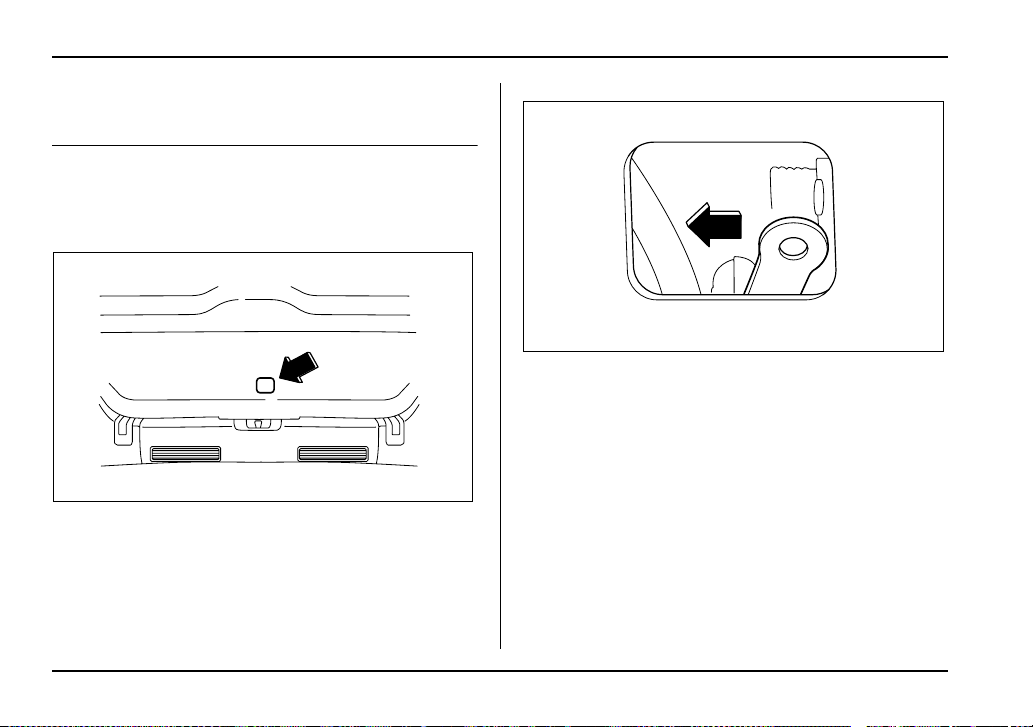
9-22
In case of emergency
Rear gate – if the rear gate cannot be
unlocked
In the event that you cannot unlock the rear gate by
operating the power door locking switches or the re-
mote keyless entry system, you can unlock it from in-
side the cargo area.
0
1. Remove the access cover at the bottom-center of
the rear gate trim.
2. Locate the rear gate lock release lever behind the
rear gate trim panel.
3. Unlock the rear gate by pressing the lever inside
the trim to the left.
4. Open the rear gate from outside by raising the rear
gate handle.
UG9522BA
UG9523BA
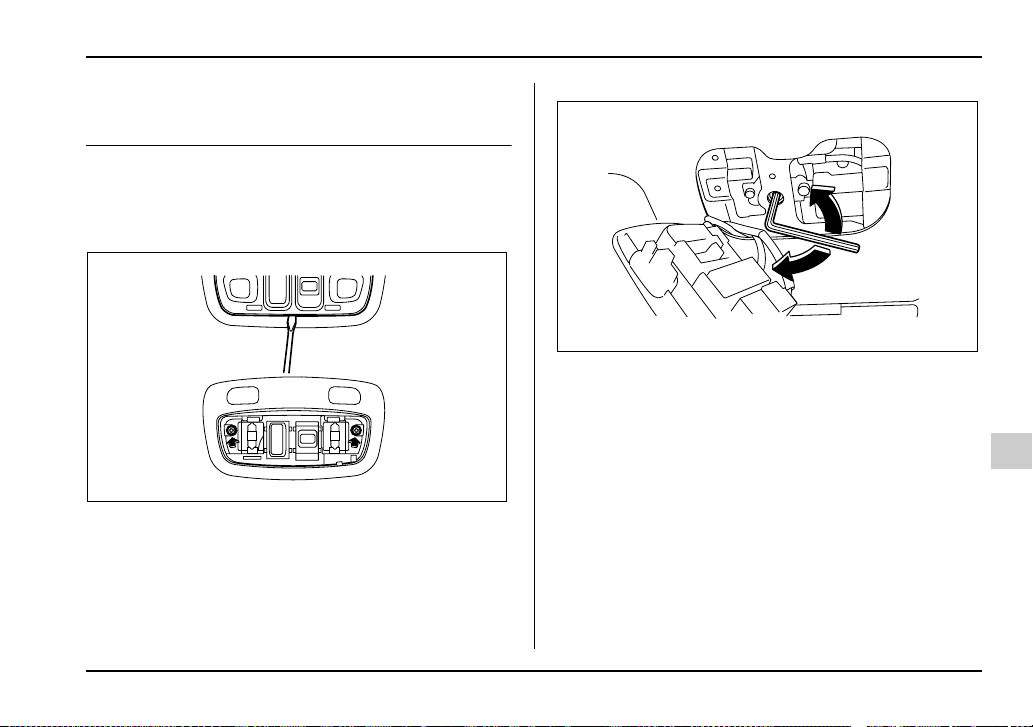
9-23
In case of emergency
– CONTINUED –
Moonroof – if the moonroof cannot be
closed
If the moonroof cannot be closed with the moonroof
switch, you can close the moonroof manually.
1. Take out the hex-headed wrench from the glove
compartment and screwdriver from the tool bag.
2. Remove the map light lens by prying the edge of
the lens using a flat-bladed screwdriver.
3. Remove the two screws that retain the moonroof
switch body. Then, remove the moonroof switch.
4. Insert the wrench in the end of the motor shaft.
To lower the moonroof, turn the wrench clockwise.
To close the moonroof, turn the wrench counterclock-
wise.
Have your vehicle checked and repaired by an autho-
rized SUBARU dealer.
UG9519BA
UG9520BA
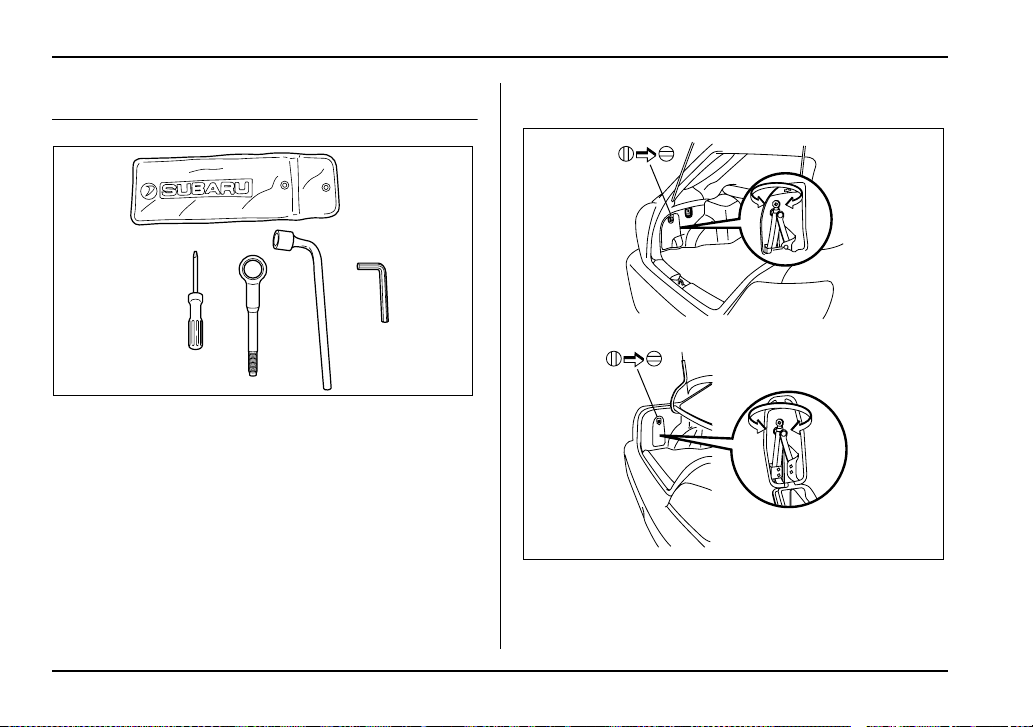
9-24
In case of emergency
Maintenance tools
Your vehicle is equipped with the following mainte-
nance tools:
Screwdriver
Towing hook (eye bolt)
Wheel nut wrench
Hex-headed wrench (vehicles with moonroof)
Jack and jack handle
The jack is stored on the left side of the trunk or cargo
area.
To take out the jack, turn the jackscrew counterclock-
UG9048AA
UG9505BA
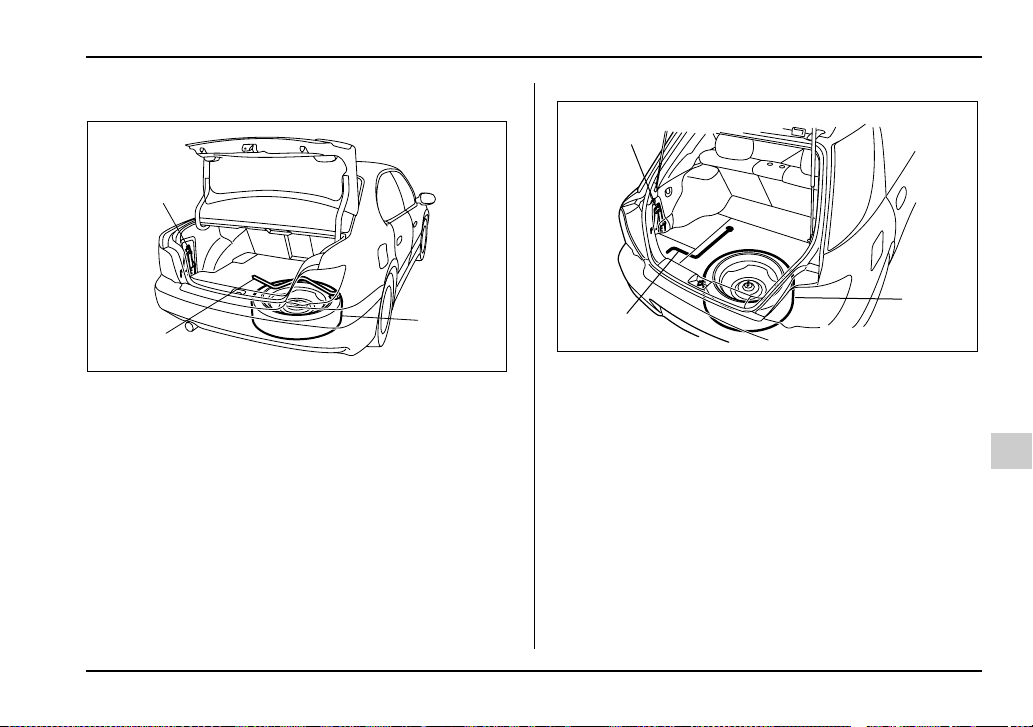
9-25
In case of emergency
– CONTINUED –
wise to loosen it, then remove the jack.
Sedan
1) Jack
2) Jack handle
3) Spare tire
Wagon
1) Jack
2) Jack handle
3) Spare tire
The jack handle is stored under the spare tire cover.
For how to use the jack, refer to “Flat tires”.
1
2
3
UG9045BB
3
1
2
UG9502BB


10-1
10
Appearance care
Exterior care .................................................. 10-2
Washing ............................................................. 10-2
Waxing and polishing ....................................... 10-3
Cleaning aluminum wheels .............................. 10-3
Corrosion protection .................................... 10-4
Most common causes of corrosion ................ 10-4
To help prevent corrosion ............................... 10-5
Cleaning the interior ..................................... 10-6
Seat fabric ......................................................... 10-6
Leather seat materials ...................................... 10-6
Synthetic leather upholstery ........................... 10-6
Climate control panel, audio panel, instrument
panel, console panel, and switches ............. 10-7

10-2
Appearance care
Appearan ce care
Exterior care
Washing
The best way to preserve your vehicle’s beauty is fre-
quent washing. Wash the vehicle at least once a
month to avoid contamination by road grime.
Wash dirt off with a wet sponge and plenty of luke-
warm or cold water. Do not wash the vehicle with hot
water and in direct sunlight.
Salt, chemicals, insects, tar, soot and bird droppings
should be washed off by using a light detergent, as re-
quired. If you use a light detergent, make certain that
it is a neutral detergent. Do not use strong soap or
chemical detergents. All cleaning agents should be
promptly flushed from the surface and not allowed to
dry there. Rinse the vehicle thoroughly with plenty of
lukewarm water. Wipe the remaining water off with a
chamois or soft cloth.
NOTE
When having your vehicle washed in an automatic
car wash, make sure beforehand that the car wash
is of suitable type. Automatic car wash brushes or
other equipment may damage the rear wiper and
rear/roof spoiler (if equipped).
y When washing the vehicle, the brakes may
get wet. As a result, the brake stopping dis-
tance will be longer. To dry the brakes, drive the
vehicle at a safe speed while lightly pressing
the brake pedal to heat up the brakes.
y Do not wash the engine compartment and
area adjacent to it. If water enters the engine air
intake, electrical parts or the power steering flu-
id reservoir, it will cause engine trouble or
faulty power steering respectively.
T Washing the underbody
Chemicals, salts and gravel used for deicing road sur-
faces are extremely corrosive, accelerating the corro-
sion of underbody components, such as the exhaust
system, fuel and brake lines, brake cables, floor pan
and fenders, and suspension.
Thoroughly flush the underbody and inside of the
fenders with lukewarm or cold water at frequent inter-
vals to reduce the harmful effects of such agents.
Mud and sand adhering to the underbody components
may accelerate their corrosion.
After driving off-road or on muddy or sandy roads,
wash the mud and sand off the underbody. Carefully

10-3
Appearance care
– CONTINUED –
flush the suspension and axle parts, as they are par-
ticularly prone to mud and sand buildup. Do not use a
sharp-edged tool to remove caked mud.
NOTE
Be careful not to damage brake hoses, sensor har-
nesses, and other parts when washing suspen-
sion components.
T Using a warm water washer
y Keep a good distance of 12 in (30 cm) or more be-
tween the washer nozzle and the vehicle.
y Do not wash the same area continuously.
y If a stain will not come out easily, wash by hand.
Some warm water washers are of the high tempera-
ture, high pressure type, and they can damage or de-
form the resin parts such as mouldings, or cause wa-
ter to leak into the vehicle.
Waxing and polishing
Always wash and dry the vehicle before waxing and
polishing.
Use a good quality polish and wax and apply them ac-
cording to the manufacturer’s instructions. Wax or pol-
ish when the painted surface is cool.
Be sure to polish and wax the chrome trim, as well as
the painted surfaces. Loss of wax on a painted surface
leads to loss of the original luster and also quickens
the deterioration of the surface. It is recommended
that a coat of wax be applied at least once a month, or
whenever the surface no longer repels water.
If the appearance of the paint has diminished to the
point where the luster or tone cannot be restored,
lightly polish the surface with a fine-grained com-
pound. Never polish just the affected area, but include
the surrounding area as well. Always polish in only
one direction. A No. 2000 grain compound is recom-
mended. Never use a coarse-grained compound.
Coarser grained compounds have a smaller grain-size
number and could damage the paint. After polishing
with a compound, coat with wax to restore the original
luster. Frequent polishing with a compound or an in-
correct polishing technique will result in removing the
paint layer and exposing the undercoat. When in
doubt, it is always best to contact your SUBARU deal-
er or an auto paint specialist.
NOTE
Be careful not to block the windshield washer noz-
zles with wax when waxing the vehicle.
Cleaning aluminum wheels
y Promptly wipe the aluminum wheels clean of any
kind of grime or agent. If dirt is left on too long, it may

10-4
Appearance care
be difficult to clean off.
y Do not use soap containing grit to clean the wheels.
Be sure to use a neutral cleaning agent, and later rinse
thoroughly with water. Do not clean the wheels with a
stiff brush or expose them to a high-speed washing
device.
y Clean the vehicle (including the aluminum wheels)
with water as soon as possible when it has been
splashed with sea water, exposed to sea breezes, or
driven on roads treated with salt or other agents.
Corrosion protection
Your SUBARU has been designed and built to resist
corrosion. Special materials and protective finishes
have been used on most parts of the vehicle to help
maintain fine appearance, strength, and reliable oper-
ation.
Most common causes of corrosion
The most common causes of corrosion are:
1. The accumulation of moisture retaining dirt and de-
bris in body panel sections, cavities, and other areas.
2. Damage to paint and other protective coatings
caused by gravel and stone chips or minor accidents.
Corrosion is accelerated on the vehicle when:
1. It is exposed to road salt or dust control chemicals,
or used in coastal areas where there is more salt in the
air, or in areas where there is considerable industrial
pollution.
2. It is driven in areas of high humidity, especially
when temperatures range just above freezing.
3. Dampness in certain parts of the vehicle remains
for a long time, even though other parts of the vehicle
may be dry.
4. High temperatures will cause corrosion to parts of
the vehicle which cannot dry quickly due to lack of

10-5
Appearance care
– CONTINUED –
proper ventilation.
To help prevent corrosion
Wash the vehicle regularly to prevent corrosion of the
body and suspension components. Also, wash the ve-
hicle promptly after driving on any of the following sur-
faces:
y roads that have been salted to prevent them from
freezing in winter
y mud, sand, or gravel
y coastal roads
After the winter has ended, it is recommended that the
underbody be given a very thorough washing.
Before the beginning of winter, check the condition of
underbody components, such as the exhaust system,
fuel and brake lines, brake cables, suspension, steer-
ing system, floor pan, and fenders. If any of them are
found to be rusted, they should be given an appropri-
ate rust prevention treatment or should be replaced.
Contact your SUBARU dealer to perform this kind of
maintenance and treatment if you need assistance.
Repair chips and scratches in the paint as soon as you
find them.
Check the interior of the vehicle for water and dirt ac-
cumulation under the floor mats because that could
cause corrosion. Occasionally check under the mats
to make sure the area is dry.
Keep your garage dry. Do not park your vehicle in a
damp, poorly ventilated garage. In such a garage, cor-
rosion can be caused by dampness. If you wash the
vehicle in the garage or put the vehicle into the garage
when wet or covered with snow, that can cause damp-
ness.
If your vehicle is operated in cold weather and/or in ar-
eas where road salts and other corrosive materials are
used, the door hinges and locks, trunk lid lock, and
hood latch should be inspected and lubricated period-
ically.
10-6
Appearance care
Cleaning the interior
Use a vacuum cleaner to get rid of the dust and dirt.
Wipe the vinyl areas with a clean, damp cloth.
Seat fabric
Remove loose dirt, dust or debris with a vacuum
cleaner. If the dirt is caked on the fabric or hard to re-
move with a vacuum cleaner, use a soft blush then
vacuum it.
Wipe the fabric surface with a tightly wrung cloth and
dry the seat fabric thoroughly. If the fabric is still dirty,
wipe using a solution of mild soap and lukewarm water
then dry thoroughly.
If the stain does not come out, try a commercially-
available fabric cleaner. Use the cleaner on a hidden
place and make sure it does not affect the fabric ad-
versely. Use the cleaner according to its instructions.
Leather seat materials
The leather used by SUBARU is a high quality natural
product which will retain its distinctive appearance and
feel for many years with proper care.
Allowing dust or road dirt to build up on the surface can
cause the material to become brittle and to wear pre-
maturely. Regular cleaning with a soft, moist, natural
fiber cloth should be performed monthly, taking care
not to soak the leather or allow water to penetrate the
stitched seams.
A mild detergent suitable for cleaning woolen fabrics
may be used to remove difficult dirt spots, rubbing with
a soft, dry cloth afterwards to restore the luster. If your
SUBARU is to be parked for a long time in bright sun-
light, it is recommended that the seats and headrests
be covered, or the windows shaded, to prevent fading
or shrinkage.
Minor surface blemishes or bald patches may be treat-
ed with a commercial leather spray lacquer. You will
discover that each leather seat section will develop
soft folds or wrinkles, which is characteristic of genu-
ine leather.
Synthetic leather upholstery
The synthetic leather material used on the SUBARU
may be cleaned using mild soap or detergent and wa-
ter, after first vacuuming or brushing away loose dirt.
Allow the soap to soak in for a few minutes and wipe
off with a clean, damp cloth. Commercial foam-type
cleaners suitable for synthetic leather materials may
be used when necessary.

10-7
Appearance care
– CONTINUED –
NOTE
Strong cleaning agents such as solvents, paint
thinners, window cleaner or gasoline must never
be used on leather or synthetic interior materials.
Climate control panel, audio panel, in-
strument panel, console panel, and
switches
Gently wipe away contamination using a clean, soft
cloth moistened with cold or lukewarm water.
NOTE
Do not use organic solvents such as paint thin-
ners or gasoline, or strong cleaning agents that
contain those solvents.


11-1
11
Maintenance and service
Maintenance schedule ................................. 11-3
Maintenance precautions ............................ 11-3
Before checking or servicing in the engine
compartment .................................................. 11-4
When you do checking or servicing in the
engine compartment while the engine is
running ............................................................ 11-5
Engine hood .................................................. 11-5
Engine compartment overview ................... 11-8
2.5-liter non-turbo models ................................ 11-8
2.0-liter turbo models ....................................... 11-9
2.5-liter turbo models ....................................... 11-10
Engine oil ...................................................... 11-11
Checking the oil level ....................................... 11-11
Changing the oil and oil filter .......................... 11-12
Recommended grade and viscosity ................ 11-16
Recommended grade and viscosity under
severe driving conditions .............................. 11-18
Synthetic oil ....................................................... 11-18
Cooling system ............................................. 11-18
Cooling fan, hose and connections ................ 11-19
Engine coolant .................................................. 11-19
Air cleaner element ...................................... 11-24
Replacing the air cleaner element ................... 11-24
Spark plugs ................................................... 11-28
Recommended spark plugs ............................. 11-28
Drive belts ..................................................... 11-29
Manual transmission oil ............................... 11-30
Checking the oil level ....................................... 11-30
Recommended grade and viscosity ................ 11-31
Automatic transmission fluid ...................... 11-32
Checking the fluid level .................................... 11-32
Recommended fluid ......................................... 11-34
Front differential gear oil (AT vehicles) ...... 11-35
Checking the oil level ....................................... 11-35
Recommended grade and viscosity ............... 11-35
Rear differential gear oil ............................... 11-36
Checking the gear oil level .............................. 11-36
Recommended grade and viscosity ............... 11-37
Power steering fluid ...................................... 11-38
Checking the fluid level .................................... 11-38
Recommended fluid ......................................... 11-39
Brake fluid ..................................................... 11-40
Checking the fluid level .................................... 11-40
Recommended brake fluid ............................... 11-40
Clutch fluid (MT vehicles) ............................ 11-41
Checking the fluid level .................................... 11-41
Recommended clutch fluid .............................. 11-42
Brake booster ................................................ 11-42
Brake pedal .................................................... 11-43
Checking the brake pedal free play ................ 11-43
Checking the brake pedal reserve distance ... 11-43
Clutch pedal (MT vehicles) ........................... 11-44
Checking the clutch function .......................... 11-44
Checking the clutch pedal free play ............... 11-44
Replacement of brake pad and lining ......... 11-45
Breaking-in of new brake pads and linings .... 11-45
Parking brake stroke .................................... 11-46
Tires and wheels ........................................... 11-47

11-2
Maintenance and service
Types of tires .................................................... 11-47
Tire inspection .................................................. 11-47
Tire pressures and wear .................................. 11-48
Wheel balance ................................................... 11-51
Wear indicators ................................................. 11-51
Tire rotation ....................................................... 11-52
Tire replacement ............................................... 11-53
Wheel replacement ........................................... 11-53
Aluminum wheels ......................................... 11-54
Intercooler water spray (WRX-STi) ............. 11-55
Windshield washer fluid .............................. 11-56
Replacement of wiper blades ...................... 11-57
Windshield wiper blades assembly ................ 11-57
Windshield wiper blade rubber ....................... 11-58
Rear window wiper blade assembly ............... 11-59
Rear window wiper blade rubber .................... 11-60
Battery ........................................................... 11-63
Fuses ............................................................. 11-65
Main fuse ....................................................... 11-68
Installation of accessories .......................... 11-68
Replacing bulbs ............................................ 11-69
Headlights (U.S.-spec. WRX-STi) .................... 11-70
Headlights (Except U.S.-spec. WRX-STi) ....... 11-71
Front turn signal light bulbs ............................ 11-73
Parking light ...................................................... 11-74
Front fog light ................................................... 11-78
Rear combination lights ................................... 11-78
License plate light ............................................ 11-81
Dome light, map light and cargo area light .... 11-81
Trunk light ......................................................... 11-82
High mount stop light ...................................... 11-83
11-3
Maintenance and service
– CONTINUED –
Maintenance a nd service
Maintenance schedule
The scheduled maintenance items required to be ser-
viced at regular intervals are shown in the “Warranty
and Maintenance Booklet”.
For details of your maintenance schedule, read the
separate “Warranty and Maintenance Booklet”.
Maintenance precautions
When maintenance and service are required, it is rec-
ommended that all work be done by an authorized
SUBARU dealer.
If you perform maintenance and service by yourself,
you should familiarize yourself with the information
provided in this section on general maintenance and
service for your SUBARU.
Incorrect or incomplete service could cause improper
or unsafe vehicle operation. Any problems caused by
improper maintenance and service performed by you
are not eligible for warranty coverage.
y Testing of an All-Wheel Drive vehicle must
NEVER be performed on a single two-wheel dy-
namometer or similar apparatus. Attempting to
do so will result in transmission damage and in
uncontrolled vehicle movement and may cause
an accident or injuries to persons nearby.
y Always select a safe area when performing
maintenance on your vehicle.
y Always be very careful to avoid injury when
working on the vehicle. Remember that some of
11-4
Maintenance and service
the materials in the vehicle may be hazardous if
improperly used or handled, for example, bat-
tery acid.
y Your vehicle should only be serviced by per-
sons fully competent to do so. Serious person-
al injury may result to persons not experienced
in servicing vehicles.
y Always use the proper tools and make certain
that they are well maintained.
y Never get under the vehicle supported only
by a jack. Always use a safety stands to sup-
port the vehicle.
y Never keep the engine running in a poorly
ventilated area, such as a garage or other
closed areas.
y Do not smoke or allow open flames around
the fuel or battery. This will cause a fire.
y Because the fuel system is under pressure,
replacement of the fuel filter should be per-
formed only by your SUBARU dealer.
y Wear adequate eye protection to guard
against getting oil or fluids in your eyes. If
something does get in your eyes, thoroughly
wash them out with clean water.
y Do not tamper with the wiring of the SRS air-
bag system or seatbelt pretensioner system, or
attempt to take its connectors apart, as that
may activate the system or it can render it inop-
erative. The wiring and connectors of these
systems are yellow for easy identification. NEV-
ER use a circuit tester for these wiring.
If your SRS airbag or seatbelt pretensioner
needs service, consult your nearest SUBARU
dealer.
Before checking or servicing in the en-
gine compartment
y Always stop the engine and set the parking
brake firmly to prevent the vehicle from mov-
ing.
y Always let the engine cool down. Engine
parts become very hot when the engine is run-
ning and remain hot for some time after the en-
gine is stopped.
y Do not spill engine oil, engine coolant, brake
fluid or any other fluid on hot engine compo-
nents. This may cause a fire.
y Always remove the key from the ignition
switch. When the ignition switch is in the “ON”
position, the cooling fan may operate suddenly
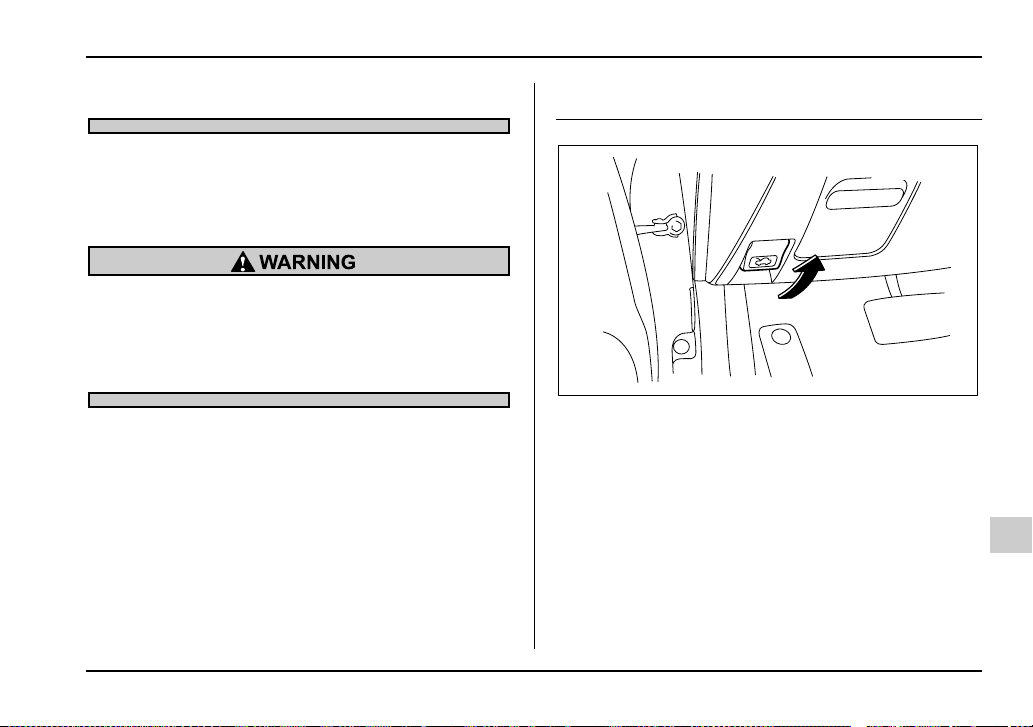
11-5
Maintenance and service
– CONTINUED –
even when the engine is stopped.
When you do checking or servicing in
the engine compartment while the en-
gine is running
A running engine can be dangerous. Keep your
fingers, hands, clothing, hair and tools away
from the cooling fan, belts and any other mov-
ing engine parts. Removing rings, watches and
ties is advisable.
Engine hood
0
To open the hood:
1. If the wiper blades are lifted off the windshield, re-
turn them to their original positions.
2. Pull the hood release knob under the instrument
panel.
HSB014BA
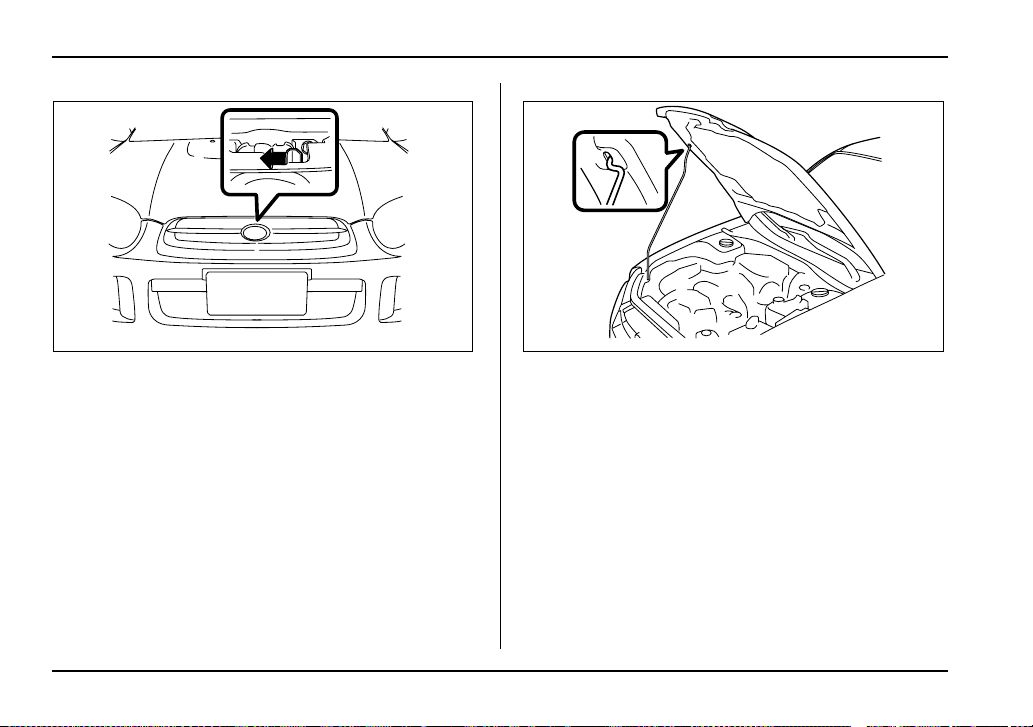
11-6
Maintenance and service
3. Release the secondary hood release located under
the front grille by moving the lever toward the left.
Lift up the hood, release the hood prop from its retain-
er and put the end of the hood prop into the slot in the
hood.
To close the hood:
All models except WRX and WRX-STi:
1. Lift the hood slightly and remove the hood prop
from the slot in the hood and return the prop to its re-
tainer.
2. Lower the hood until it approaches about 5.9 in (15
cm) from the closed position and let it drop.
WRX and WRX-STi:
1. Lift the hood slightly and remove the hood prop
UGB502BA UGB503BA
11-7
Maintenance and service
– CONTINUED –
from the slot in the hood and return the prop to its re-
tainer.
2. Lower the hood until it approaches about 12 in (30
cm) from the closed position and let it drop.
After closing the hood, be sure the hood is securely
locked.
If this does not close the hood, release it from a slightly
higher position. Do not push the hood forcibly to close
it. It could deform the metal.
Always check that the hood is properly locked
before you start driving. If it is not, it might fly
open while the vehicle is moving and block
your view, which may cause an accident and
serious bodily injury.
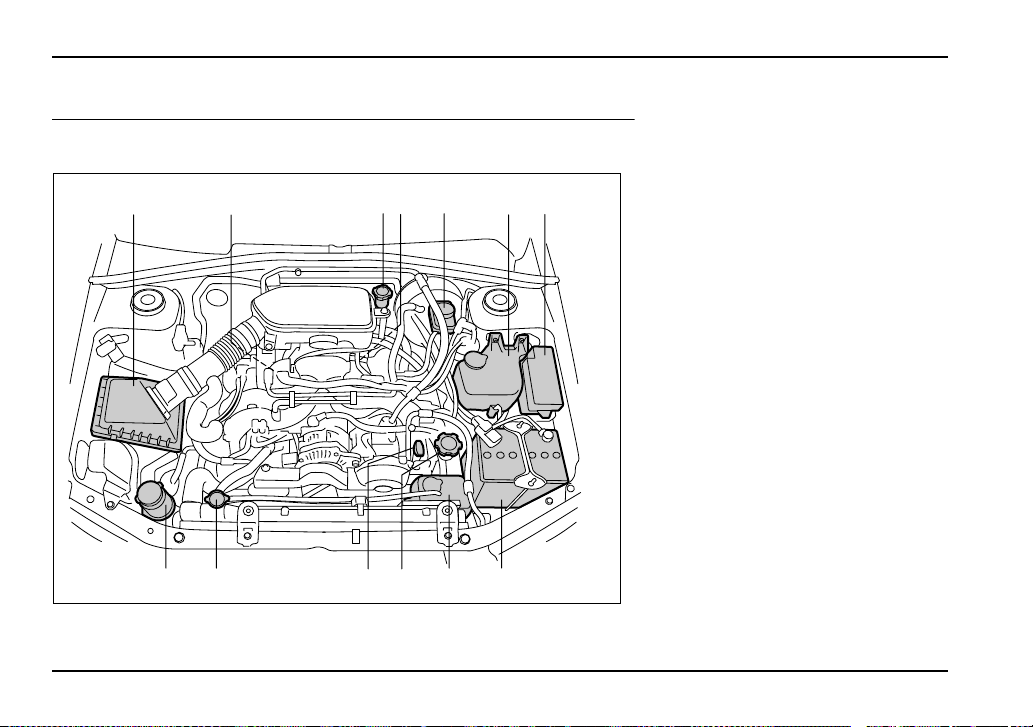
11-8
Maintenance and service
Engine compartment overview
2.5-liter non-turbo models
13 12 11 10 9 8
2354617
USB102BB
1) Air cleaner element (page 11-
24)
2) Manual transmission oil level
gauge (MT) (page 11-30) or Dif-
ferential gear oil level gauge
(AT) (page 11-35)
3) Clutch fluid reservoir (page 11-
41)
4) Automatic transmission fluid lev-
el gauge (page 11-32)
5) Brake fluid reservoir (page 11-
40)
6) Windshield washer tank (page
11-56)
7) Fuse box (page 11-65)
8) Battery (page 11-63)
9) Engine coolant reservoir (page
11-19)
10) Engine oil filler cap (page 11-11)
11) Engine oil level gauge (page 11-
11)
12) Radiator cap (page 11-19)
13) Power steering fluid reservoir
(page 11-38)
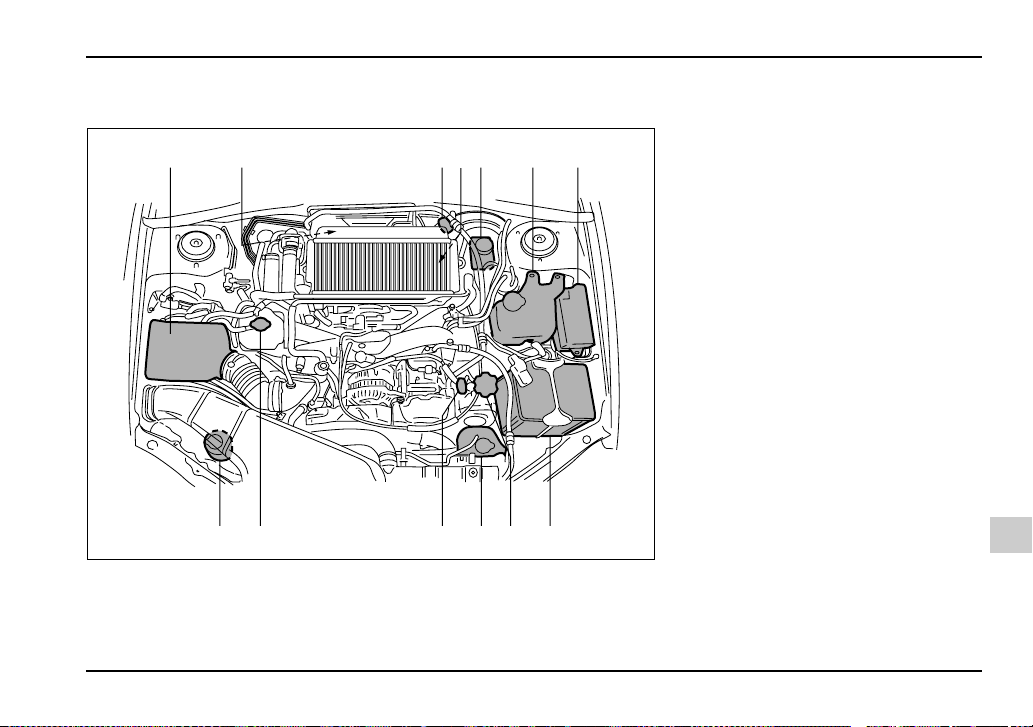
11-9
Maintenance and service
– CONTINUED –
2.0-liter turbo models
34 5 6 712
13 12 11 10 9 8
UGB138BB
1) Manual transmission oil level
gauge (MT) (page 11-30) or Dif-
ferential gear oil level gauge
(AT) (page 11-35)
2) Air cleaner element (page 11-
24)
3) Clutch fluid reservoir (page 11-
41)
4) Automatic transmission fluid lev-
el gauge (page 11-32)
5) Brake fluid reservoir (page 11-
40)
6) Windshield washer tank (page
11-56)
7) Fuse box (page 11-65)
8) Battery (page 11-63)
9) Engine oil filler cap (page 11-11)
10) Engine coolant reservoir (page
11-19)
11) Engine oil level gauge (page 11-
11)
12) Radiator cap (page 11-19)
13) Power steering fluid reservoir
(page 11-38)
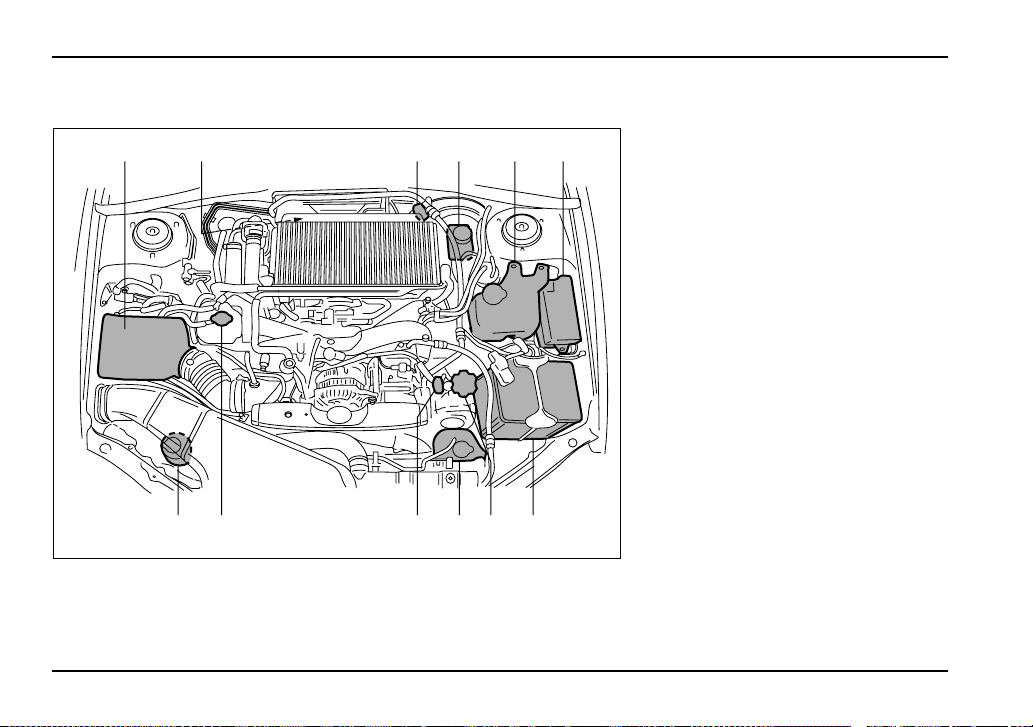
11-10
Maintenance and service
2.5-liter turbo models
34 5 6
7
12
12 11 10 9 8
UGB139BB
1) Manual transmission oil level
gauge (MT) (page 11-30)
2) Air cleaner element (page 11-
24)
3) Clutch fluid reservoir (page 11-
41)
4) Brake fluid reservoir (page 11-
40)
5) Windshield washer tank (page
11-56)
6) Fuse box (page 11-65)
7) Battery (page 11-63)
8) Engine oil filler cap (page 11-11)
9) Engine coolant reservoir (page
11-19)
10) Engine oil level gauge (page 11-
11)
11) Radiator cap (page 11-19)
12) Power steering fluid reservoir
(page 11-38)
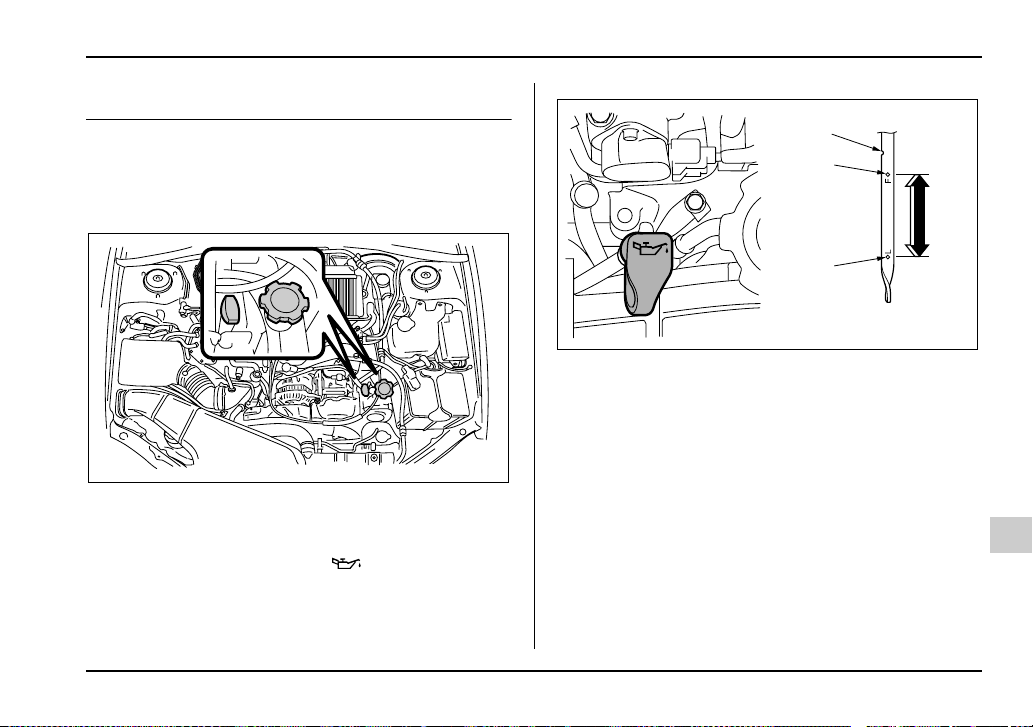
11-11
Maintenance and service
– CONTINUED –
Engine oil
Checking the oil level
Check the engine oil level at each fuel stop.
1. Park the vehicle on a level surface and stop the en-
gine.
2. Pull out the dipstick, wipe it clean, and insert it
again.
3. Be sure the dipstick is correctly inserted until it
stops with the graphic symbol on its top appear-
ing as shown in the illustration.
2.5-liter turbo models
1) Notch
2) Upper level
3) Lower level
HGB056BA
1
2
3
UGB081BB
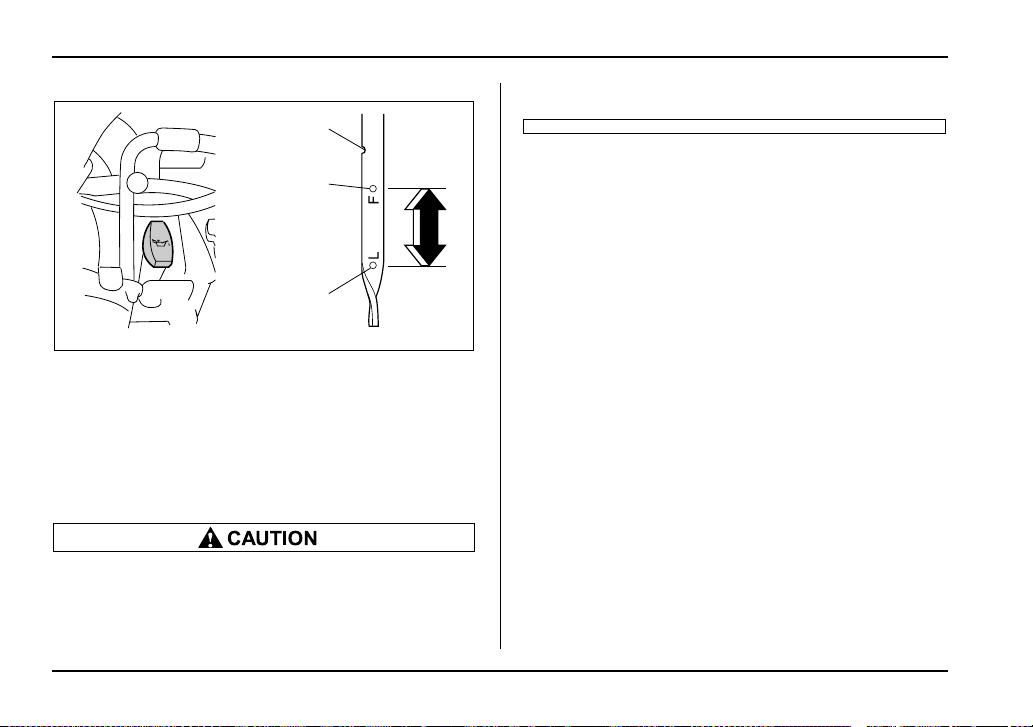
11-12
Maintenance and service
2.5-liter non-turbo and 2.0-liter turbo models
1) Notch
2) Upper level
3) Lower level
4. Pull out the dipstick again and check the oil level on
it. If it is below the lower level, add oil to bring the level
up to the upper level.
y Use only engine oil with the recommended
grade and viscosity.
y Be careful not to spill engine oil when adding
it. If oil touches the exhaust pipe, it may cause
a bad smell, smoke, and/or a fire.
If you check the oil level just after stopping the engine,
wait a few minutes for the oil to drain back into the oil
pan before checking the level.
Just after driving or while the engine is warm, the en-
gine oil level reading may be in a range between the
upper level and the notch mark. This is caused by ther-
mal expansion of the engine oil.
To prevent overfilling the engine oil, do not add any
additional oil above the upper level when the engine is
cold.
Changing the oil and oil filter
Change the oil and oil filter according to the mainte-
nance schedule in the “Warranty and Maintenance
Booklet”.
The engine oil and oil filter must be changed more fre-
quently than listed in the maintenance schedule when
driving on dusty roads, when short trips are frequently
made, or when driving in extremely cold whether.
1. Warm up the engine by letting the engine idle for
about 10 minutes to ease draining the engine oil.
2. Park the vehicle on a level surface and stop the en-
gine.
1
2
3
UGB082BB
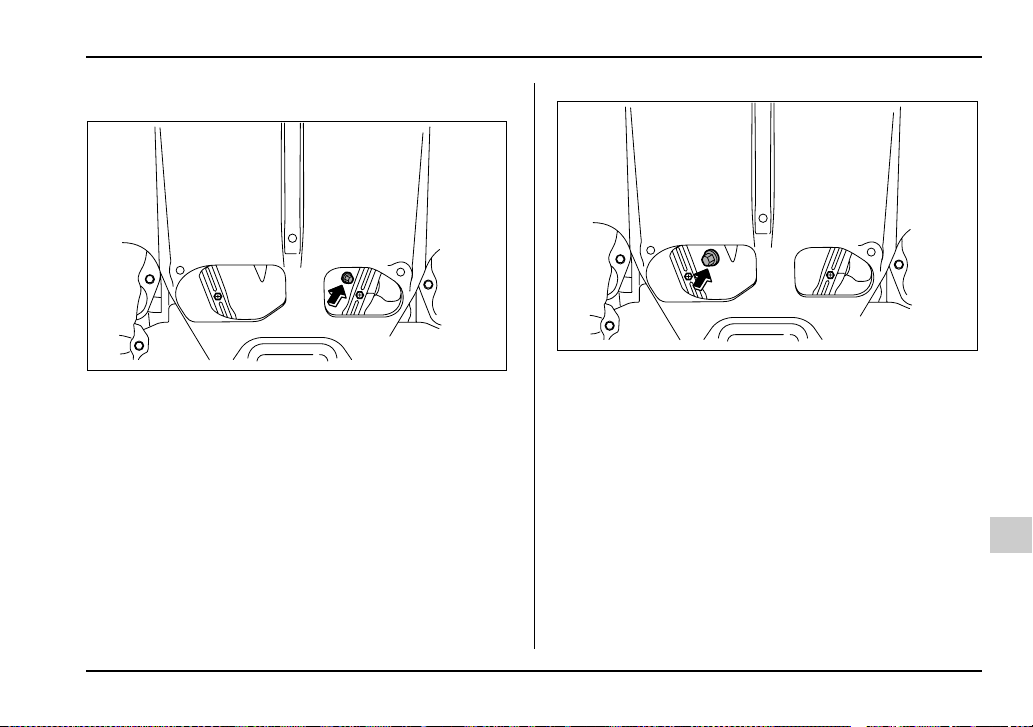
11-13
Maintenance and service
– CONTINUED –
3. Remove the oil filler cap.
2.5-liter turbo models
2.0-liter turbo models
UGB071BA
UGB085BA
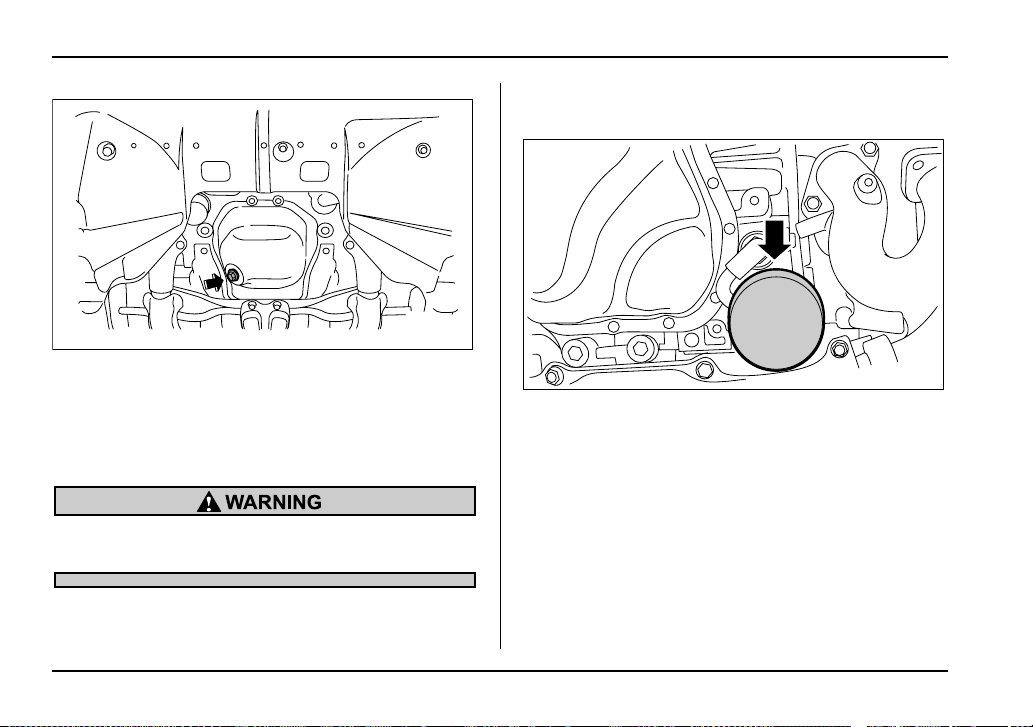
11-14
Maintenance and service
2.5-liter non-turbo models
4. Drain out the engine oil by removing the drain plug
while the engine is still warm. The used oil should be
drained into an appropriate container and disposed of
properly.
Be careful not to burn yourself with hot engine
oil.
5. Wipe the seating surface of the drain plug with a
clean cloth and tighten it securely with a new sealing
washer after the oil has completely drained out.
6. Remove under cover (for Turbo).
Turbo models
UGB057DA
UGB083BA
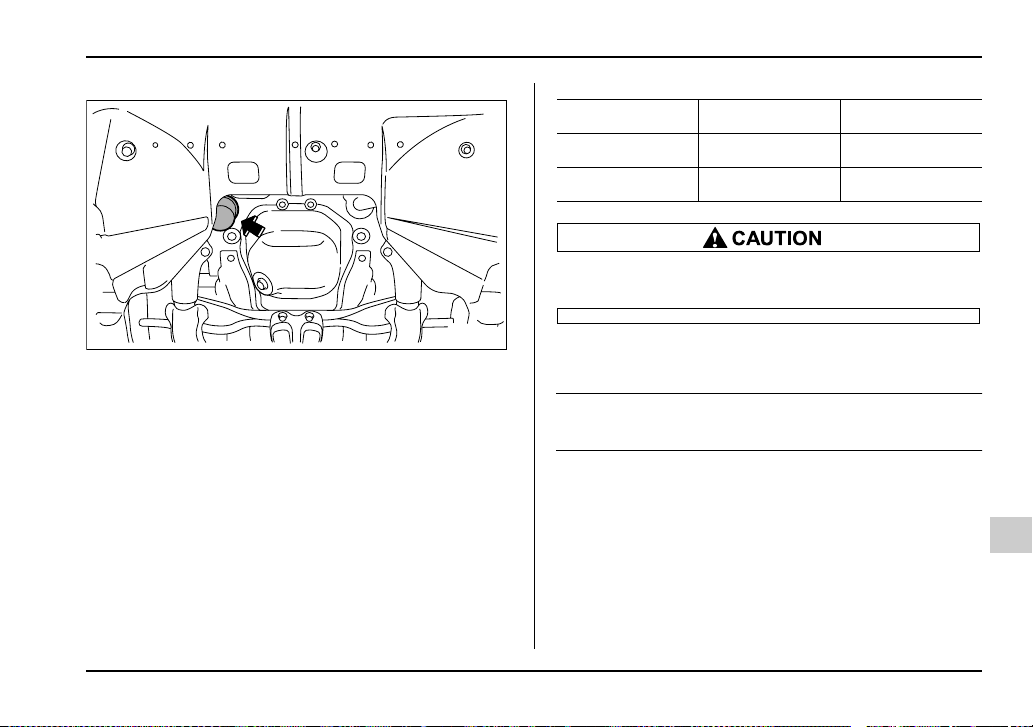
11-15
Maintenance and service
– CONTINUED –
Non-turbo models
7. Remove the oil filter with an oil filter wrench.
8. Before installing a new oil filter, apply a thin coat of
engine oil to the seal.
9. Clean the rubber seal seating area of the bottom of
engine and install the oil filter by hand turning. Be
careful not to twist or damage the seal.
10.Tighten the oil filter by the amount indicated in the
following table after the seal makes contact with the
bottom of engine.
Never over tighten the oil filter because that can
result in an oil leak.
11.Reinstall under cover (for Turbo).
12.Pour engine oil through the filler neck.
Oil capacity (guideline):
4.2 US qt (4.0 liters, 3.5 Imp qt)
The oil quantity indicated above is only guideline.
The necessary quantity of oil depends on the quantity
of oil that has been drained. The quantity of drained oil
differs slightly depending on the temperature of the oil
and the time the oil is left flowing out. After refilling the
engine with oil, therefore, you must the dipstick to con-
firm that the level is correct.
13.Start the engine and make sure that no oil leaks ap-
pear around the filter’s rubber seal and drain plug.
UGB057EA
Oil filter color Part number Amount of rotation
Black 15208AA080 1 rotation
White 15208AA09A 2/3 – 3/4 rotation
11-16
Maintenance and service
14.Run the engine until it reaches the normal operat-
ing temperature. Then stop the engine and wait a few
minutes to allow the oil drain back. Check the oil level
again and if necessary, add more engine oil.
Be careful not to spill engine oil when adding it.
If oil touches the exhaust pipe, it may cause a
bad smell, smoke, and/or a fire.
Recommended grade and viscosity
Oil grade:
ILSAC GF-3, which can be identified with the new
API certification mark (Starburst mark)
or API classification SL with the words “ENERGY
CONSERVING” (if you cannot obtain the oil with
SL grade, you may use SJ grade “ENERGY CON-
SERVING” oil).
These recommended oil grades can be identified by
looking for either or both of the following marks dis-
played on the oil container.
API Service label
1) Indicates the oil quality by API designations
2) Indicates the SAE oil viscosity grade
3) Indicates that the oil has fuel saving capabilities
A
P
I
S
E
R
V
I
C
E
S
L
E
N
E
R
G
Y
C
O
N
S
E
R
V
I
N
G
SAE
5W
30
1
2
3
HSB022BB
11-17
Maintenance and service
– CONTINUED –
New API Certification Mark (Starburst Mark)
In choosing an oil, you want the proper quality and vis-
cosity, as well as one that will add to fuel economy.
The following table lists the recommended viscosities
and applicable temperatures.
When adding oil, different brands may be used togeth-
er as long as they are the same API classification and
SAE viscosity as those recommended by SUBARU.
SAE viscosity No. and applicable temperature
*: 5W-30 is preferred.
Engine oil viscosity (thickness) affects fuel economy.
Oils of lower viscosity provide better fuel economy.
However, in hot weather, oil of higher viscosity is re-
quired to properly lubricate the engine.
Use only engine oil with the recommended
grade and viscosity.
A
M
E
R
I
C
A
N
P
E
T
R
O
L
E
U
M
I
N
S
T
I
T
U
T
E
C
E
R
T
I
F
I
E
D
HSB023AA
5W-30*
10W-30, 10W-40
-30 -20 -10 0 10 20 30 40
-20
06020 80 10040
UGB084BA
11-18
Maintenance and service
Recommended grade and viscosity
under severe driving conditions
If the vehicle is used in desert areas, in areas with very
high temperatures, or used for heavy-duty applica-
tions such as towing a trailer, use of oil with the follow-
ing grade and viscosities is recommended.
API classification SL (or SJ):
SAE viscosity No.: 30, 40, 10W-50, 20W-40, 20W-50
Synthetic oil
You can use synthetic engine oil that meets the same
requirements given for conventional engine oil. When
using synthetic oil, you must use oil of the same clas-
sification, viscosity and grade shown in this owner’s
manual, and must follow the oil and filter changing in-
tervals shown in the maintenance schedule.
Cooling system
Never attempt to remove the radiator cap until
the engine has been shut off and has cooled
down completely. Since the coolant is under
pressure, you may suffer serious burns from a
spray of boiling hot coolant when the cap is re-
moved.
y The cooling system has been filled at the fac-
tory with a high quality, corrosion-inhibiting,
year-around coolant which provides protection
against freezing down to –33°F (–36°C). For
adding, use genuine SUBARU coolant or an
equivalent: a mixture of 50% soft water and 50%
ethylene-glycol basis coolant. Use of improper
coolants may result in corrosion in the cooling
system. It is important to maintain protection
against freezing and corrosion, even if freezing
temperatures are not expected. Never mix dif-
ferent kinds of coolant.
y Do not splash the engine coolant over paint-
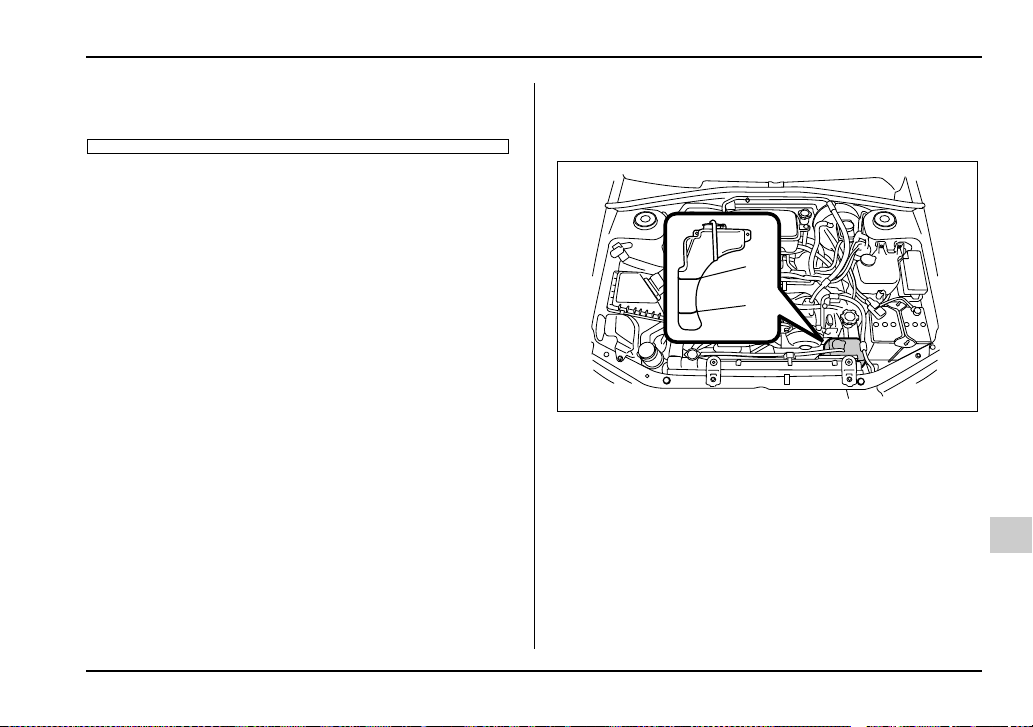
11-19
Maintenance and service
– CONTINUED –
ed parts. The alcohol contained in the engine
coolant may damage the paint surface.
Cooling fan, hose and connections
Your vehicle employs an electric cooling fan which is
thermostatically controlled to operate when the engine
coolant reaches a specific temperature.
If the radiator cooling fan does not operate even when
the engine coolant temperature gauge exceeds the
normal operating range, the cooling fan circuit may be
defective. Check the fuse and replace it if necessary.
If the fuse is not blown, have the cooling system
checked by your SUBARU dealer.
If frequent addition of coolant is necessary, there may
be a leak in the engine cooling system. It is recom-
mended that the cooling system and connections be
checked for leaks, damage, or looseness.
Engine coolant
T Checking the coolant level
1) “FULL” level mark
2) “LOW” level mark
Check the coolant level at each fuel stop.
1. Check the coolant level on the outside of the reser-
voir while the engine is cool.
2. If the level is close to or lower than the “LOW” level
mark, add coolant up to the “FULL” level mark. If the
reserve tank is empty, remove the radiator cap and re-
fill as required.
FULL
LOW
1
2
UGB134BB

11-20
Maintenance and service
1) Rubber gaskets
3. After refilling the reserve tank and the radiator, re-
install the caps and check that the rubber gaskets in-
side the radiator cap are in the proper position.
y Be careful not to spill engine coolant when
adding it. If coolant touches the exhaust pipe, it
may cause a bad smell, smoke, and/or a fire.
y Do not splash the engine coolant over paint-
ed parts. The alcohol contained in the engine
coolant may damage the paint surface.
T Changing the coolant
1) Drain plug
Always add genuine Subaru cooling system condition-
er whenever the coolant is replaced.
Change the engine coolant and add genuine Subaru
cooling system conditioner using the following proce-
dures according to the maintenance schedule.
1. Remove the under cover.
2. Place a proper container under the drain plug and
loosen the drain plug.
1
HSB026BB
1
HSB027BB
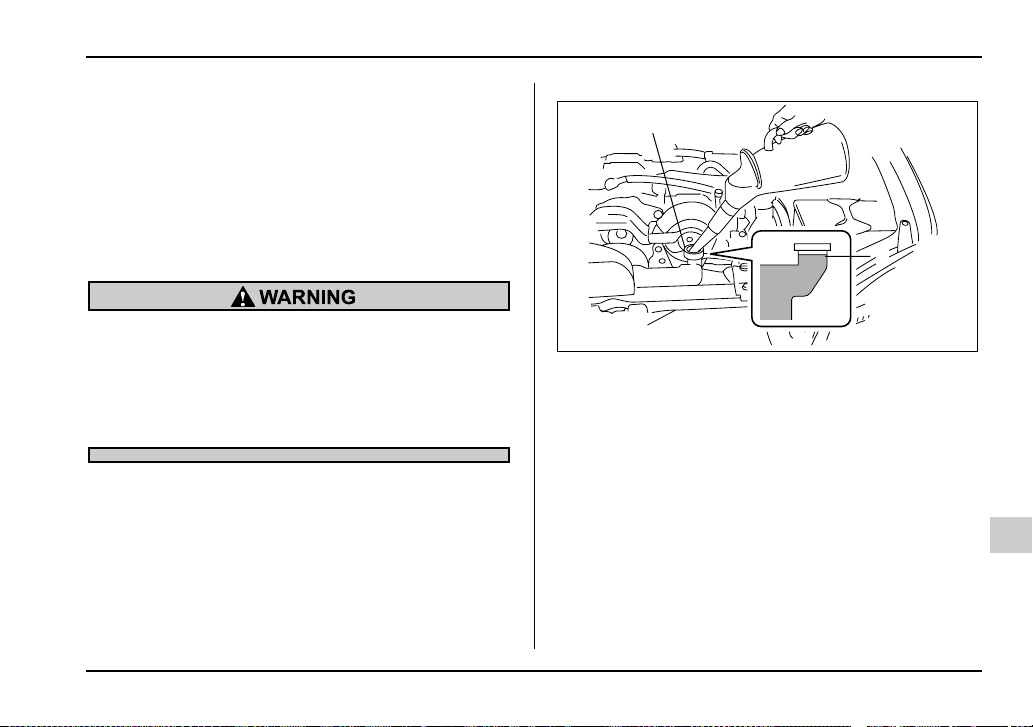
11-21
Maintenance and service
– CONTINUED –
3. Loosen the radiator cap to drain the coolant from
the radiator. Then drain the coolant from the reserve
tank. Tighten the drain plug securely.
NOTE (Turbo model only)
The cap (without tabs) on top of the radiator does
not need to be removed. To add coolant, remove
the cap (with tabs) on the coolant tank on top of
the engine.
Never attempt to remove the radiator cap until
the engine has been shut off and has cooled
down completely. Since the coolant is under
pressure, you may suffer serious burns from a
spray of boiling hot coolant when the cap is re-
moved.
4. Install the under cover.
Non-turbo models
1) Filler neck
2) Fill up to this level
1
2
UGB508BB
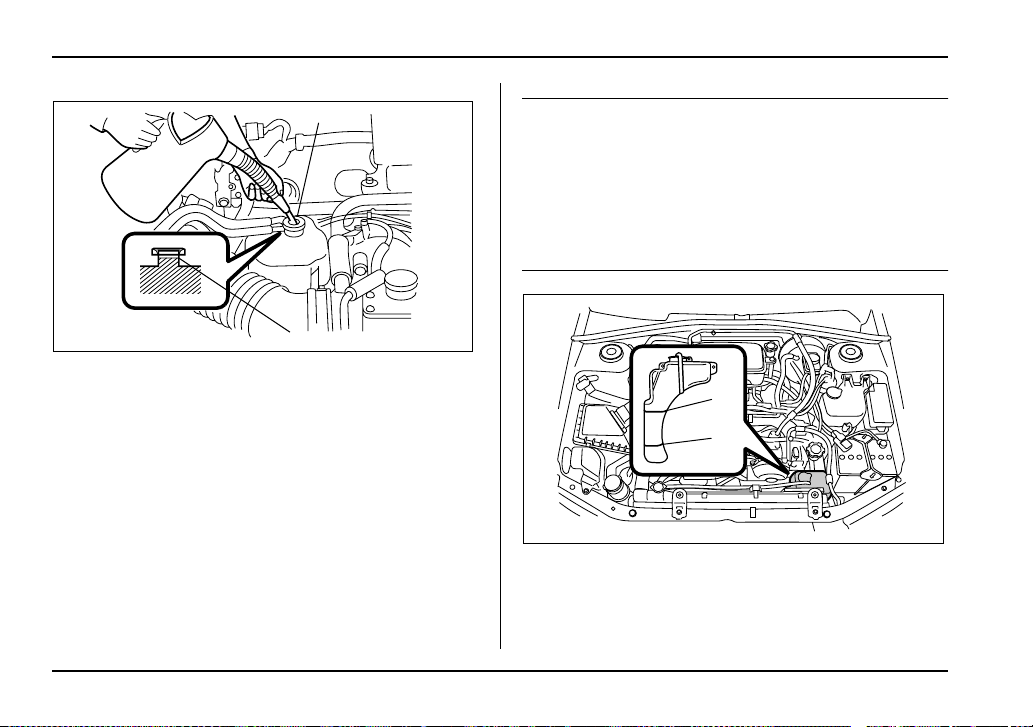
11-22
Maintenance and service
Turbo models
1) Filler neck
2) Fill up to this level
5. Slowly pour the coolant and fill up to just below the
filler neck, allowing enough room to add genuine
Subaru cooling system conditioner in the radiator. Add
genuine Subaru cooling system conditioner until the
coolant level reaches the filler neck. Do not pour the
coolant too quickly, as this may lead to insufficient air
bleeding and trapped air in the system.
Guideline of coolant quantity (including coolant in reservoir
tank):
Non-turbo models:
MT. 7.4 US qt (7.0 liters, 6.2 Imp qt)
AT. 7.3 US qt (6.9 liters, 6.1 Imp qt)
Turbo models:
MT. 8.1 US qt (7.7 liters, 6.8 Imp qt)
AT. 8.0 US qt (7.6 liters, 6.7 Imp qt)
1) “FULL” level mark
2) “LOW” level mark
1
2
UGB140BB
FULL
LOW
1
2
UGB134BB
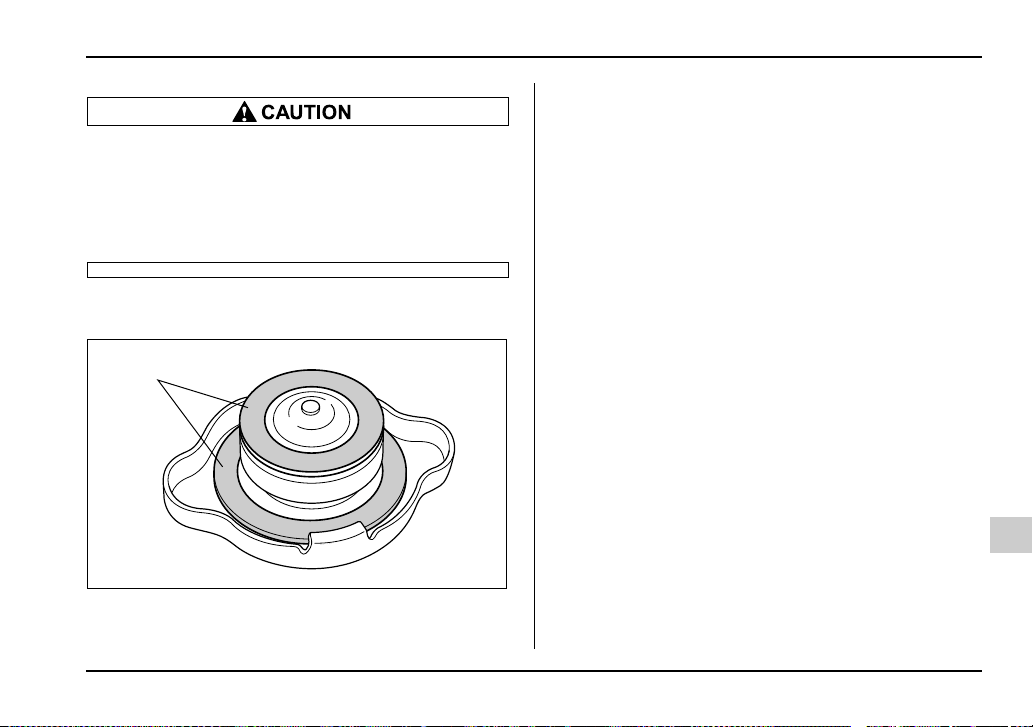
11-23
Maintenance and service
– CONTINUED –
y Be careful not to spill engine coolant when
adding it. If coolant touches the exhaust pipe, it
may cause a bad smell, smoke, and/or a fire.
y Do not splash the engine coolant over paint-
ed parts. The alcohol contained in the engine
coolant may damage the paint surface.
6. Pour the coolant and fill to the reservoir tank’s
“FULL” level mark.
1) Rubber gaskets
7. Put the radiator cap back on and tighten firmly. At
this time, make sure that the rubber gasket in the radi-
ator cap is correctly in place.
8. Start and run the engine for more than five minutes
at 2,000 to 3,000 rpm.
9. Stop the engine and wait until the coolant cools
down (122 to 140°F [50 to 60°C]). If there is any loss
of coolant, add coolant to the radiator’s filler neck and
to the reserve tank’s “FULL” level.
10.Put the radiator cap and reservoir cap back on and
tighten firmly.
1
HSB026BB
11-24
Maintenance and service
Air cleaner element
The air cleaner element functions as a filter screen.
When the element is perforated or removed, engine
wear will be excessive and engine life shortened.
The air cleaner element is a viscous type. It is unnec-
essary to clean or wash the element.
Do not operate the engine with the air cleaner
element removed. The air cleaner element not
only filters intake air but also stops flames if the
engine backfires. If the air cleaner element is
not installed when the engine backfires, you
could be burned.
Replacing the air cleaner element
Replace the air cleaner element according to the
maintenance schedule in the “Warranty and Mainte-
nance Booklet”. Under extremely dusty conditions, re-
place it more frequently. It is recommended that you
always use genuine SUBARU parts.
T Non-turbo models
1. Unsnap the two clamps holding the air cleaner
case cover.
UGB092BA
11-25
Maintenance and service
– CONTINUED –
2. Push the air cleaner case cover in the direction of
the arrow shown in the drawing.
1) Air cleaner case cover
2) Air cleaner element
3. Open the air cleaner case cover and remove the air
cleaner element.
4. Clean the inside of the air cleaner cover and case
with a damp cloth and install a new air cleaner ele-
ment.
UGB104BA
1
2
UGB093BB
11-26
Maintenance and service
5. To install the air cleaner case cover, insert the
three projections on the air cleaner case into the slits
on the air cleaner case cover and then snap the two
clamps on the air cleaner case cover.
T Turbo models
1. Unsnap the two clamps holding the air cleaner
case cover.
UGB094BA
USB521BA
11-27
Maintenance and service
– CONTINUED –
1) Air cleaner case cover
2) Air cleaner element
2. Open the air cleaner case cover and remove the air
cleaner element.
3. Clean the inside of the air cleaner cover and case
with a damp cloth and install a new air cleaner ele-
ment.
4. To install the air cleaner case cover, insert the two
projections on the air cleaner case cover into the slits
on the air cleaner case and then snap the two clamps
on the air cleaner case cover.
2
1
UGB126BB USB523BA
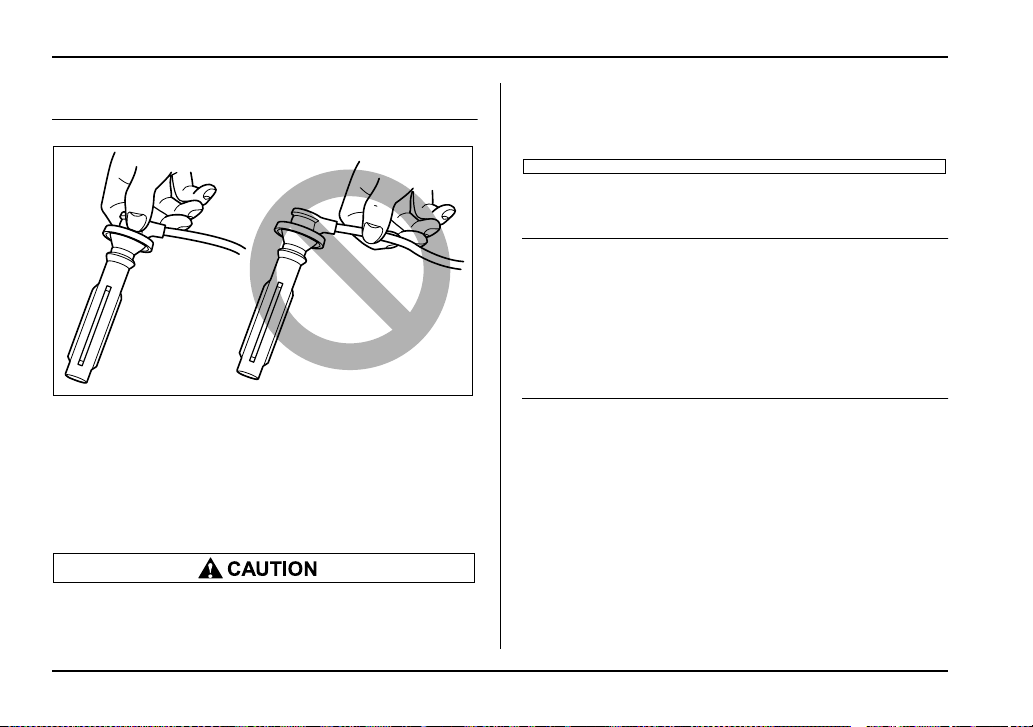
11-28
Maintenance and service
Spark plugs
It may be difficult to replace the spark plugs. It is rec-
ommended that you have the spark plugs replaced by
your SUBARU dealer.
The spark plugs should be replaced according to the
maintenance schedule in the “Warranty and Mainte-
nance Booklet”.
y When disconnecting the spark plug cables,
always grasp the spark plug cap, not the ca-
bles.
y Make sure the cables are replaced in the cor-
rect order.
Recommended spark plugs
2.5-liter non-turbo models:
FR5AP-11
2.0-liter turbo models:
PFR6G (NGK)
2.5-liter turbo models:
IFLR6B (NGK)
HSB032BA
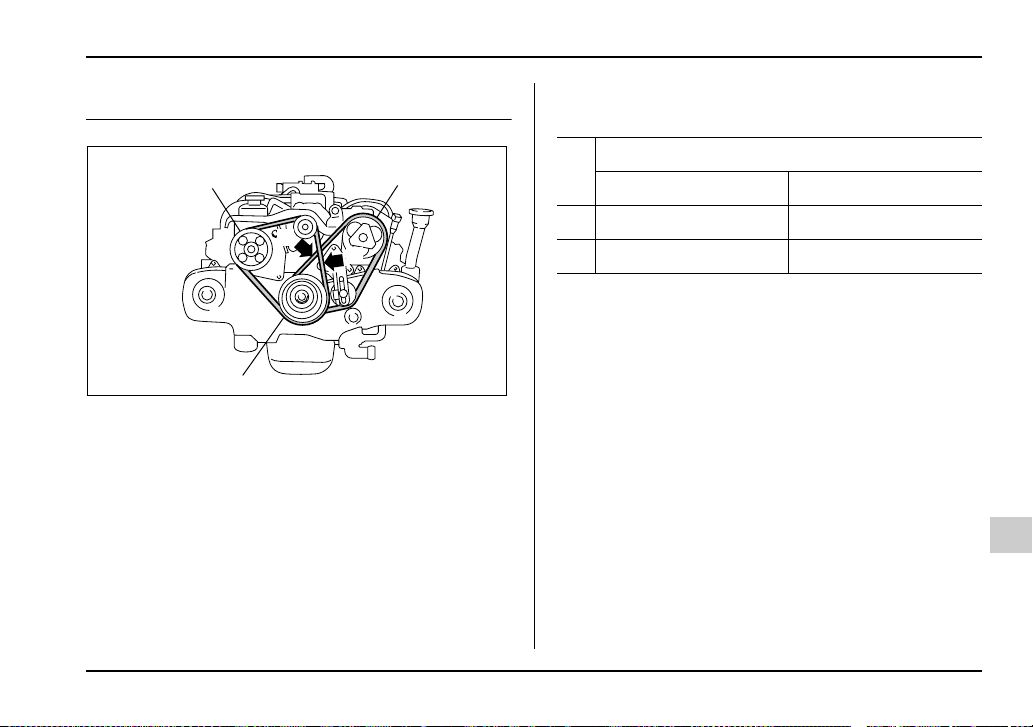
11-29
Maintenance and service
– CONTINUED –
Drive belts
1) Power steering pump pulley
2) Air conditioner compressor pulley
3) Crank pulley
The alternator, power steering pump, and air condi-
tioner compressor depend on drive belts. Satisfactory
performance requires that belt tension be correct.
To check belt tension, place a straightedge (ruler)
across two adjacent pulleys and apply a force of 22 lbs
(98 N, 10 kg) midway between the pulleys by using a
spring scale. Belt deflection should be the amount
specified. If a belt is loose, cracked, or worn, contact
your SUBARU dealer.
in (mm)
2
3
A
B
1
HSB033BB
Deflection
New belt Used belt
A 0.28 – 0.35 (7.0 – 9.0) 0.35 – 0.43 (9.0 – 11.0)
B 0.30 – 0.33 (7.5 – 8.5) 0.35 – 0.40 (9.0 – 10.0)
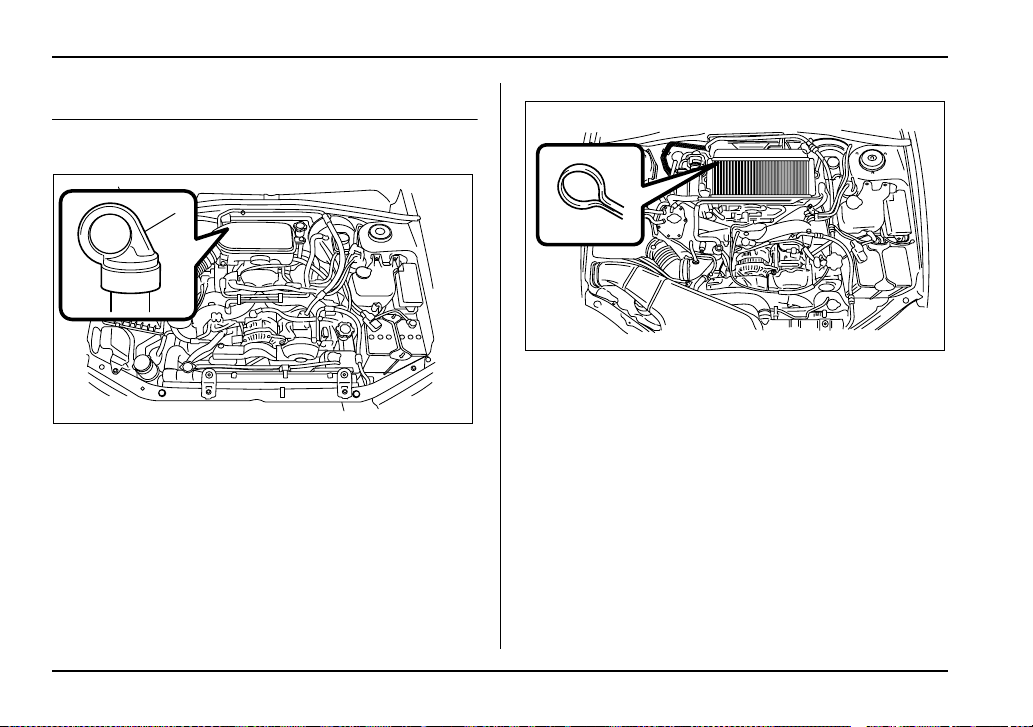
11-30
Maintenance and service
Manual transmission oil
Checking the oil level
5 speed transmission (Non-turbo model)
1) Yellow handle
5 speed transmission (Turbo model)
1
UGB134CB
UGB132BA

11-31
Maintenance and service
– CONTINUED –
6 speed transmission
1. Park the vehicle on a level surface and stop the en-
gine.
2. Pull out the dipstick, wipe it clean, and insert it
again.
1) Upper level
2) Lower level
3. Pull out the dipstick again and check the oil level on
it. If it is below the lower level, add oil through the dip-
stick hole to bring the level up to the upper level.
Recommended grade and viscosity
Each oil manufacturer has its own base oils and addi-
tives. Never use different brands together.
Oil grade:
API classification GL-5
UGB548CA
L
F
FL
1
2
1
2
USB526BB
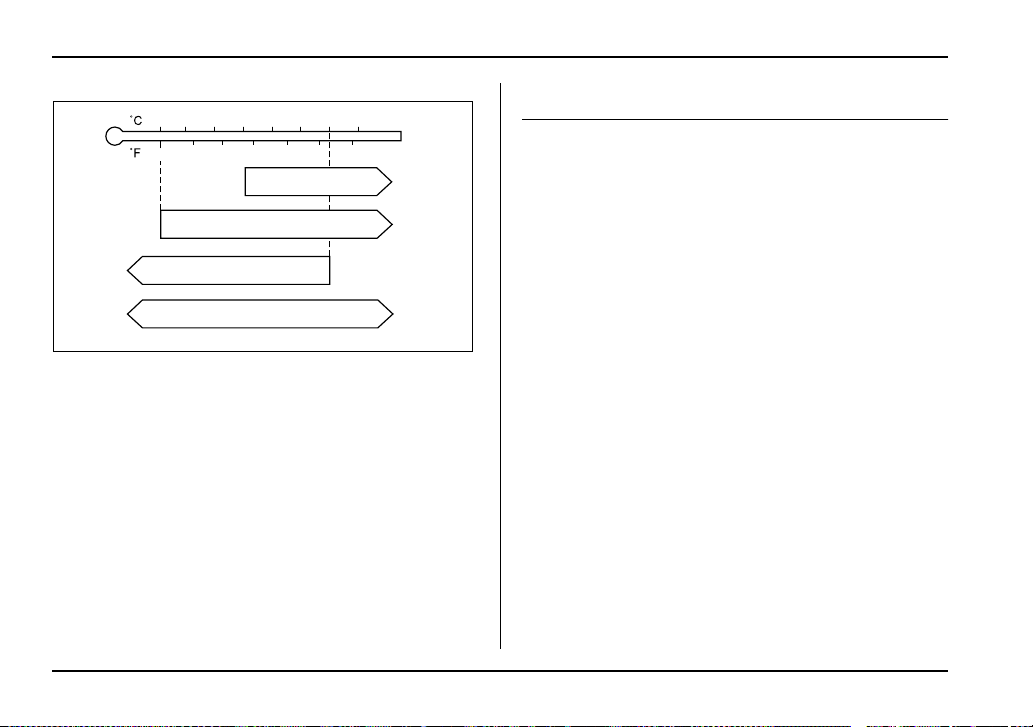
11-32
Maintenance and service
SAE viscosity No. and applicable temperature
Automatic transmission fluid
Checking the fluid level
The automatic transmission fluid expands largely as
its temperature rises; the fluid level differs according to
fluid temperature. Therefore, there are two different
scales for checking the level of hot fluid and cold fluid
on the dipstick.
Though the fluid level can be checked without warm-
ing up the fluid on the “COLD” range, we recommend
checking the fluid level when the fluid is at operating
temperature.
T Checking the fluid level when the fluid is hot
1. Drive the vehicle several miles to raise the temper-
ature of the transmission fluid up to normal operating
temperature; 158 to 176°F (70 to 80°C) is normal.
2. Park the vehicle on a level surface and set the park-
ing brake.
3. First shift the selector lever in each position. Then
shift it in the “P” position, and run the engine at idling
speed.
-30 -20 -10 0 10 20 30 40
-20 0 6020
80W
75W/90
80 10040
85W
90
HSB036BA

11-33
Maintenance and service
– CONTINUED –
Non-turbo model
1) Yellow handle
Turbo model
1) Yellow handle
1
UGB134DB
1
UGB121BB
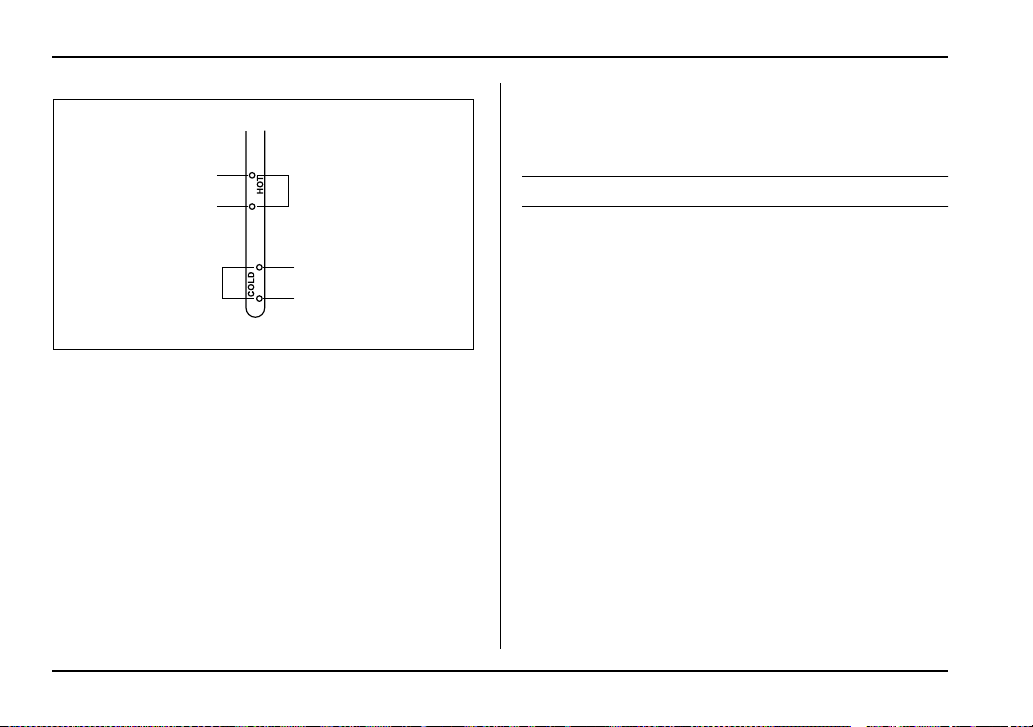
11-34
Maintenance and service
A) HOT range
B) COLD range
1) Upper level
2) Lower level
4. Pull out the dipstick and check the fluid level on the
gauge. If it is below the lower level on the “HOT”
range, add the recommended automatic transmission
fluid up to the upper level.
T Checking the fluid level when the fluid is cold
When the fluid level has to be checked without time to
warm up the automatic transmission, check to see that
the fluid level is between the lower level and upper lev-
el on the “COLD” range. If it is below that range, add
fluid up to the upper level. Be careful not to overfill.
Recommended fluid
“Dexron III” Type Automatic Transmission Fluid
LF
LF
1
2
1
2
B
A
HGB061BB
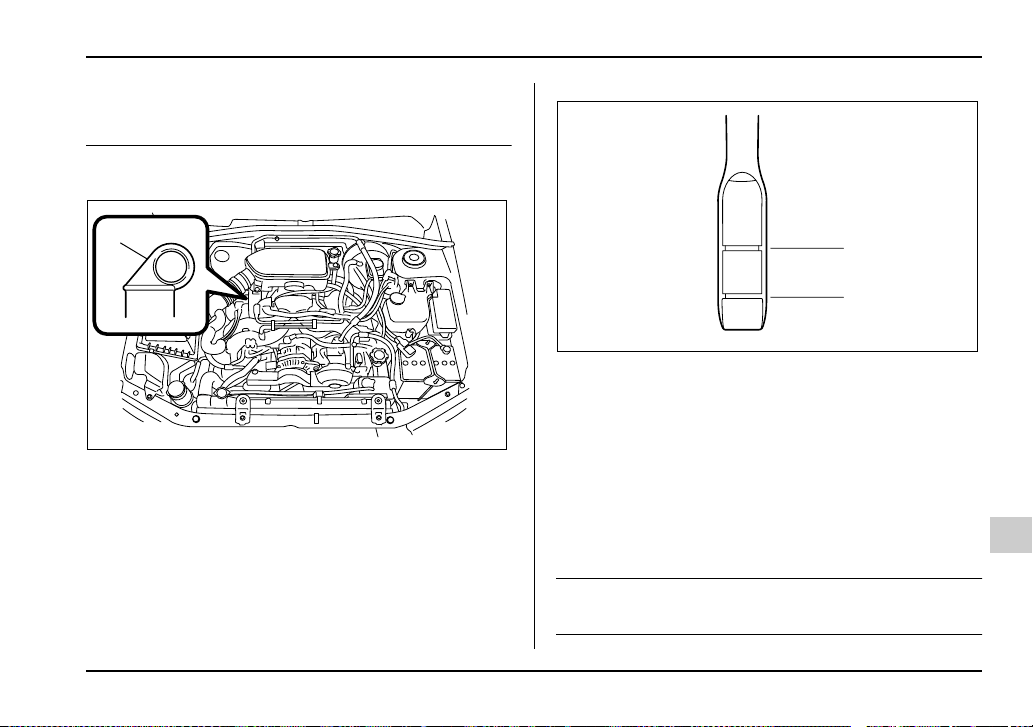
11-35
Maintenance and service
– CONTINUED –
Front differential gear oil (AT vehi-
cles)
Checking the oil level
1) Yellow handle
1. Park the vehicle on a level surface and stop the en-
gine.
2. Pull out the dipstick, wipe it clean, and insert it
again.
1) Upper level
2) Lower level
3. Pull out the dipstick again and check the oil level on
it. If it is below the lower level, add oil to bring the level
up to the upper level.
Recommended grade and viscosity
Each oil manufacturer has its own base oils and addi-
tives. Never use different brands together.
Oil grade:
API classification GL-5
1
UGB134EB
L
F
1
2
HSB040BB
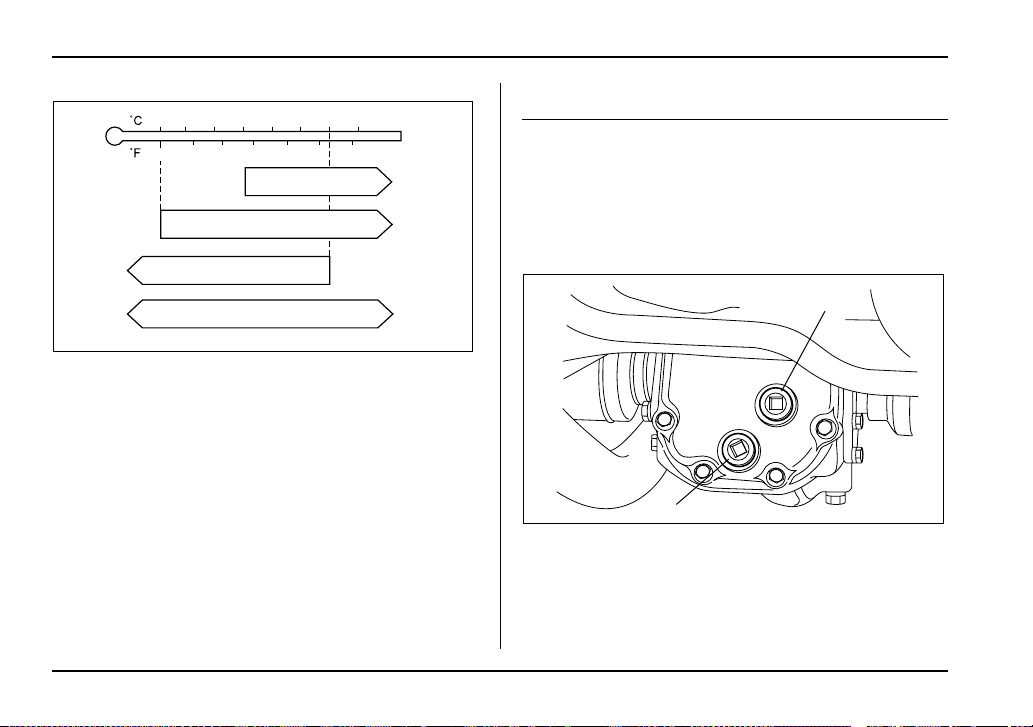
11-36
Maintenance and service
SAE viscosity No. and applicable temperature
Rear differential gear oil
Checking the gear oil level
Your vehicle may be equipped with a rear differential
protector. The differential protector provides protec-
tion to the rear differential assembly during off-road
use. Removal of the rear differential protector is not re-
quired when checking the oil level.
1) Filler plug
2) Drain plug
-30 -20 -10 0 10 20 30 40
-20 0 6020
80W
75W/90
80 10040
85W
90
HSB036BA
2
1
HSB042BB
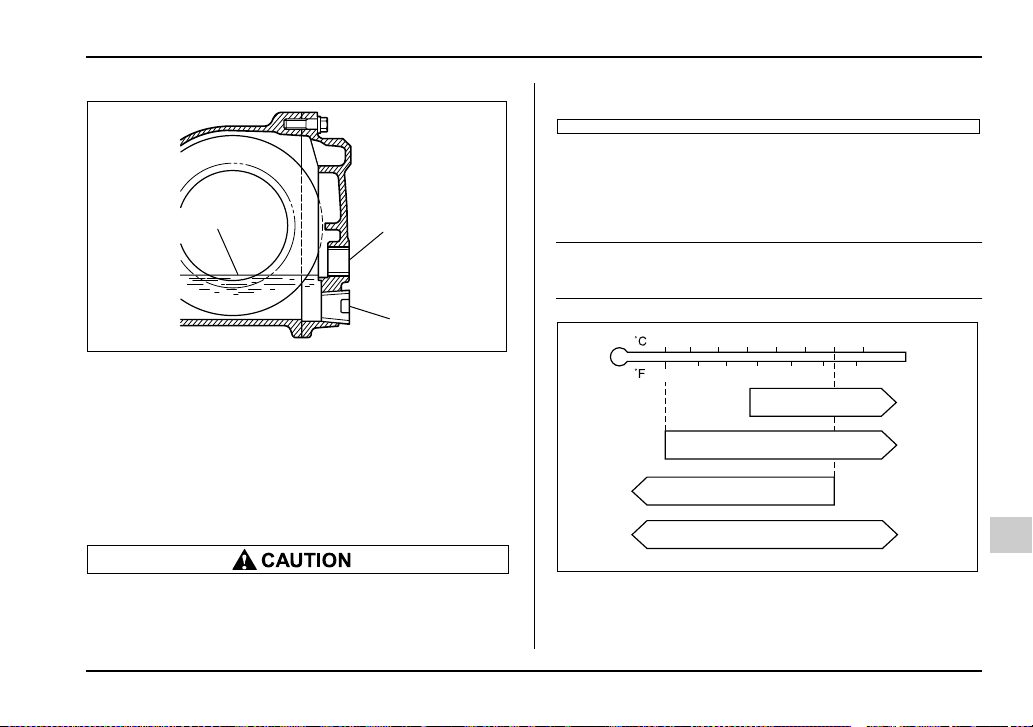
11-37
Maintenance and service
– CONTINUED –
1) Filler hole
2) Drain hole
3) Oil level
Remove the plug from the filler hole and check the oil
level. The oil level should be kept even with the bottom
of the filler hole. If the oil level is below the bottom
edge of the hole, add oil through the filler hole to raise
the level.
If the vehicle requires frequent refilling, there
may be an oil leak. If you suspect a problem,
have the vehicle checked at your SUBARU deal-
er.
Recommended grade and viscosity
Each oil manufacturer has its own base oils and addi-
tives. Never use different brands together.
Oil grade:
API classification GL-5
SAE viscosity No. and applicable temperature
Except Sti version
3
1
2
HSB043BB
-30 -20 -10 0 10 20 30 40
-20 0 6020
80W
75W/90
80 10040
85W
90
HSB036BA
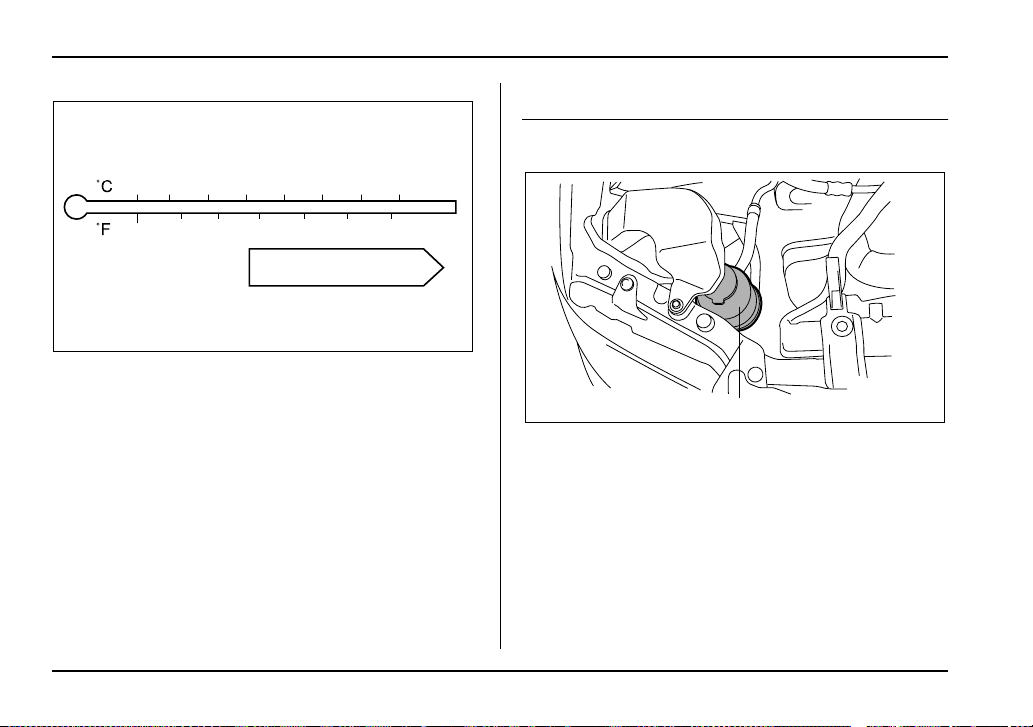
11-38
Maintenance and service
SAE viscosity No. and applicable temperature
Sti version
Power steering fluid
Checking the fluid level
1) Reservoir tank
The power steering fluid expands greatly as its tem-
perature rises; the fluid level differs according to fluid
temperature. Therefore, the reservoir tank has two dif-
ferent checking ranges for hot and cold fluids.
Check the power steering fluid level monthly.
1. Park the vehicle on a level surface, and stop the en-
gine.
-30 -20 -10 0 10 20 30 40
-20 0 6020 80 10040
90
UGB087AA
1
UGB097BB
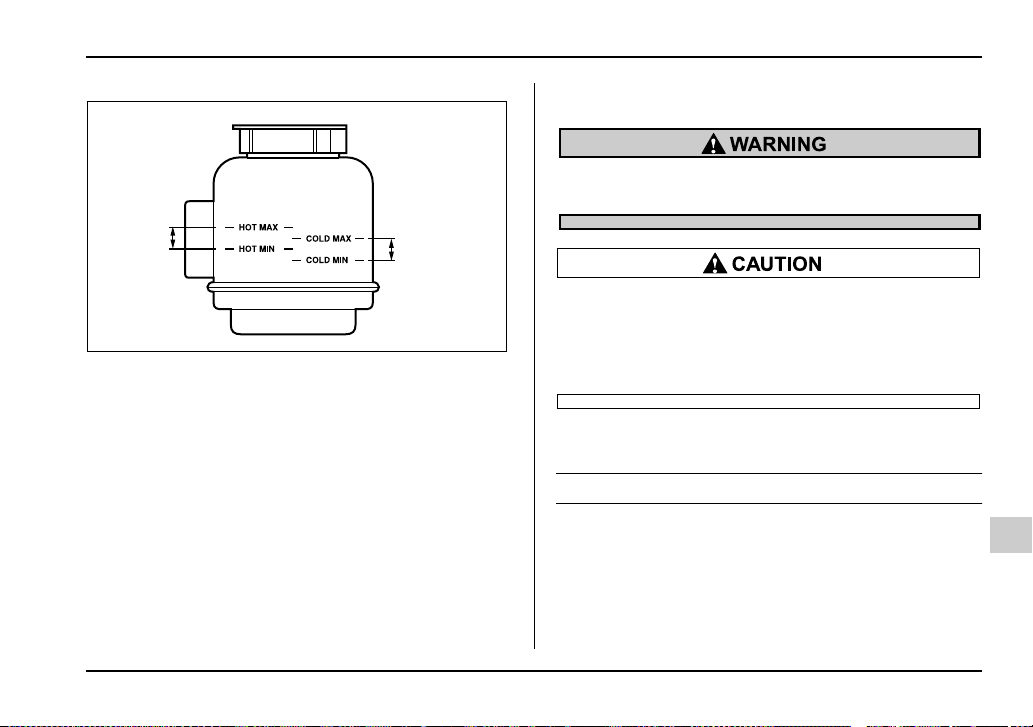
11-39
Maintenance and service
– CONTINUED –
1) Specified range
2. Check the fluid level of the reservoir tank.
When the fluid is hot after the vehicle has been run:
Check that the oil level is between “HOT MIN” and
“HOT MAX” on the surface of the reservoir tank.
When the fluid is cool before the vehicle is run: Check
that the oil level is between “COLD MIN” and “COLD
MAX” on the surface of the reservoir tank.
3. If the fluid level is lower than the applicable “MIN”
line, add the recommended fluid as necessary to bring
the level between the “MIN” and “MAX” line.
If the fluid level is extreme low, it may indicate possible
leakage. Consult your SUBARU dealer for an inspec-
tion.
Be careful not to burn yourself because the flu-
id may be hot.
y When power steering fluid is being added,
use only clean fluid, and be careful not to allow
any dirt into the tank. And never use different
brands together.
y Avoid spilling fluid when adding it in the tank.
Recommended fluid
“Dexron III” Type Automatic Transmission Fluid
1
1
HSB045BB
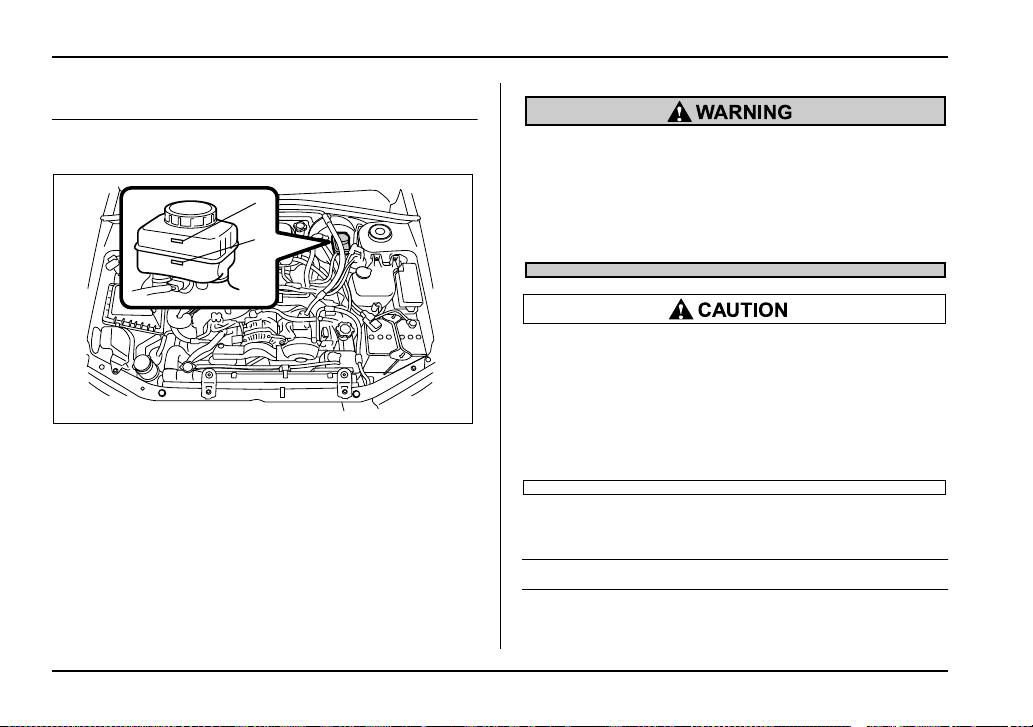
11-40
Maintenance and service
Brake fluid
Checking the fluid level
1) “MAX” level mark
2) “MIN” level mark
Check the fluid level monthly.
Check the fluid level on the outside of the reservoir. If
the level is below “MIN”, add the recommended brake
fluid to “MAX”.
Use only brake fluid from a sealed container.
y Brake fluid absorbs moisture from the air.
Any absorbed moisture can cause a dangerous
loss of braking performance.
y If the vehicle requires frequent refilling, there
may be a leak. If you suspect a problem, have
the vehicle checked at your SUBARU dealer.
y Never use different brands of brake fluid to-
gether.
y When adding brake fluid, be careful not to al-
low any dirt into the reservoir.
y Never splash the brake fluid over painted sur-
faces or rubber parts. Alcohol contained in the
brake fluid may damage them.
Recommended brake fluid
FMVSS No. 116, fresh DOT 3 brake fluid
MAX
MAX
MIN
MIN
1
2
UGB134FB
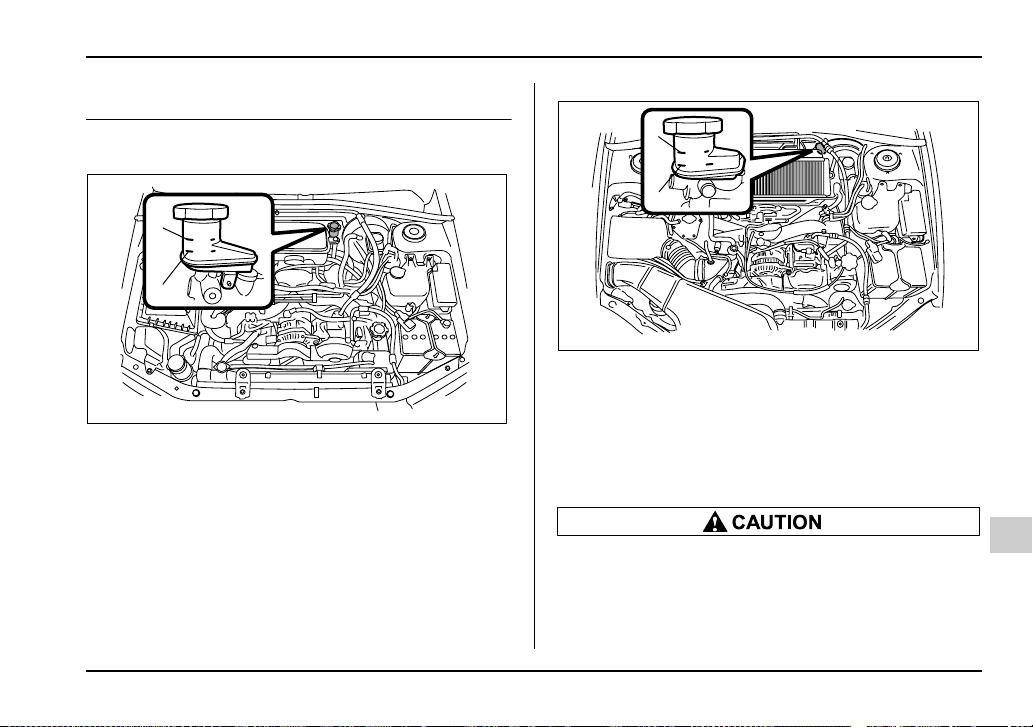
11-41
Maintenance and service
– CONTINUED –
Clutch fluid (MT vehicles)
Checking the fluid level
1) “MAX” level mark
2) “MIN” level mark
1) “MAX” level mark
2) “MIN” level mark
Check the fluid level on the outside of the reservoir. If
the level is below “MIN” level mark, add the recom-
mended clutch fluid to “MAX” level mark.
Use only clutch fluid from a sealed container.
y Clutch fluid absorbs moisture from the air.
Any absorbed moisture can cause improper
clutch operation.
y If the vehicle requires frequent refilling, there
may be a leak. If you suspect a problem, have
MAX
MIN
1
2
UGB134GB
MAX
MIN
UGB132CB
1
2
11-42
Maintenance and service
the vehicle checked at your SUBARU dealer.
y Never use different brands of clutch fluid to-
gether.
y When clutch fluid is added, be careful not to
allow any dirt into the tank.
Recommended clutch fluid
FMVSS No. 116, fresh DOT 3 brake fluid
Brake booster
If the brake booster does not operate as described be-
low, have it checked by your SUBARU dealer.
1. With the engine off, depress the brake pedal sever-
al times, applying the same pedal force each time. The
distance the pedal travels should not vary.
2. With the brake pedal depressed, start the engine.
The pedal should move slightly down to the floor.
3. With the brake pedal depressed, stop the engine
and keep the pedal depressed for 30 seconds. The
pedal height should not change.
4. Start the engine again and run for about one minute
then turn it off. Depress the brake pedal several times
to check the brake booster. Brake booster operates
properly if the pedal stroke decreases with each de-
pression.
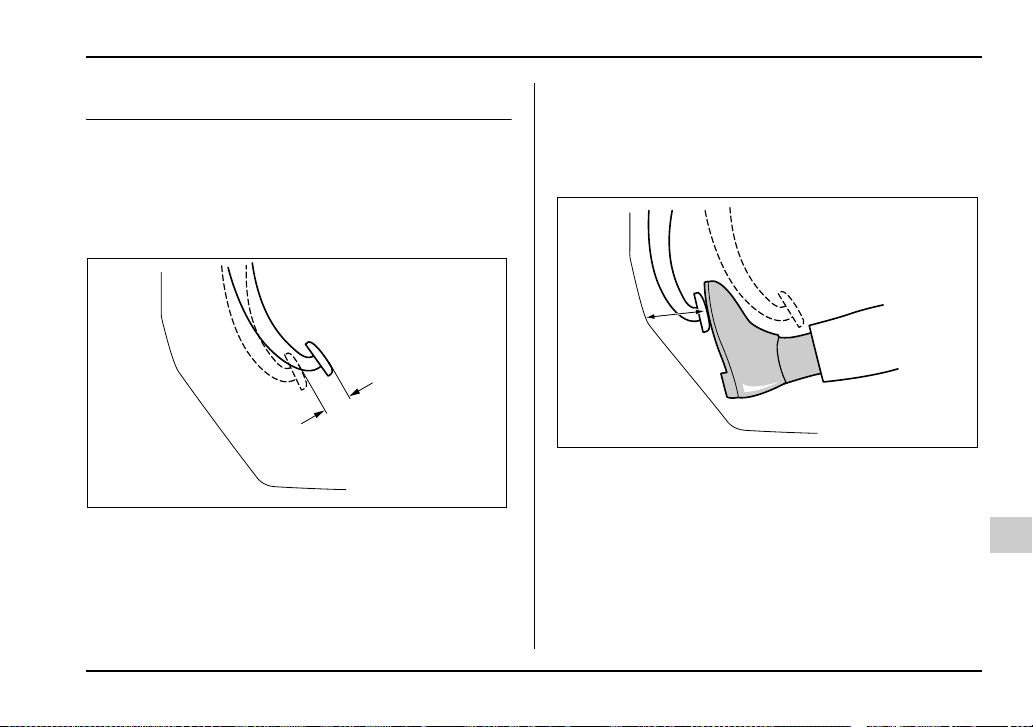
11-43
Maintenance and service
– CONTINUED –
Brake pedal
Check the brake pedal free play and reserve distance
according to the maintenance schedule in the “War-
ranty and Maintenance Booklet”.
Checking the brake pedal free play
1) 0.04 – 0.12 in (1.0 – 3.0 mm)
Stop the engine and firmly depress the brake pedal
several times. Lightly press the brake pedal down with
one finger to check the free play with a force of less
than 2 lbs (10 N, 1 kg).
If the free play is not within proper specification, con-
tact your SUBARU dealer.
Checking the brake pedal reserve dis-
tance
1) More than 2.56 in (65 mm)
Depress the pedal with a force of approximately 66 lbs
(294 N, 30 kg) and measure the distance between the
upper surface of the pedal pad and the floor.
When the measurement is smaller than the specifica-
tion, or when the pedal does not operate smoothly,
contact with your SUBARU dealer.
1
HSB049BB
1
HSB050BB
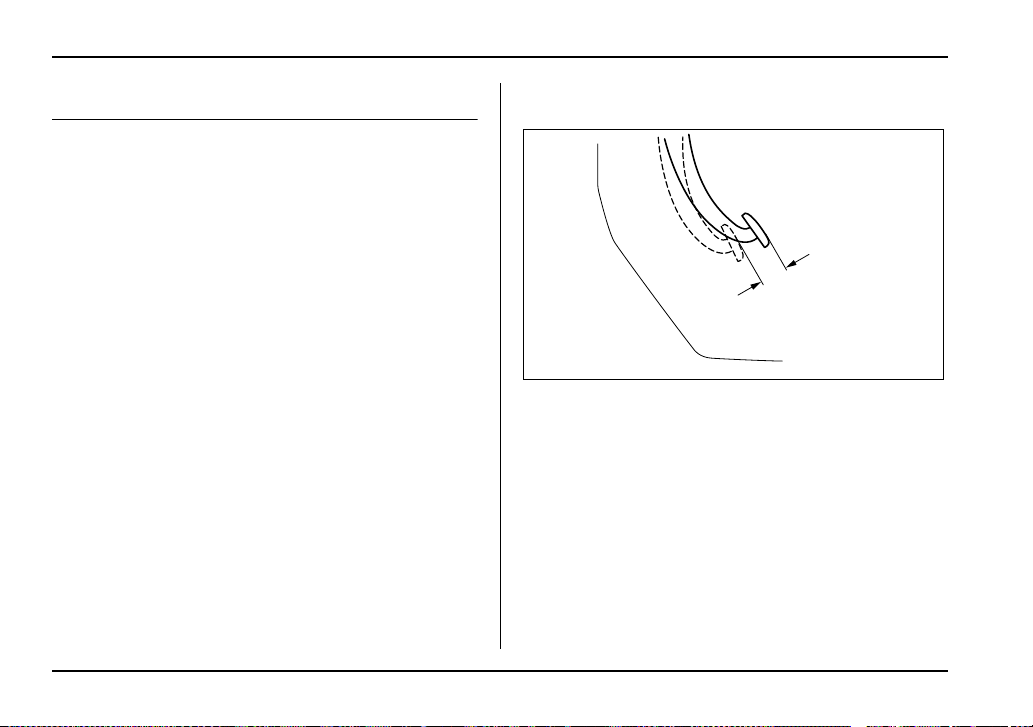
11-44
Maintenance and service
Clutch pedal (MT vehicles)
Check the clutch pedal free play and reserve distance
according to the maintenance schedule in the “War-
ranty and Maintenance Booklet”.
Checking the clutch function
Check the clutch engagement and disengagement.
1. With the engine idling, check that there are no ab-
normal noises when the clutch pedal is depressed,
and that shifting into 1st or reverse feels smooth.
2. Start the vehicle by releasing the pedal slowly to
check that the engine and transmission smoothly cou-
ple without any sign of slippage.
Checking the clutch pedal free play
1) 0.16 – 0.51 in (4.0 –13.0 mm)
Lightly press the clutch pedal down with your finger
until you feel resistance, and check the free play.
If the free play is not within proper specification, con-
tact your SUBARU dealer.
1
HSB049BB
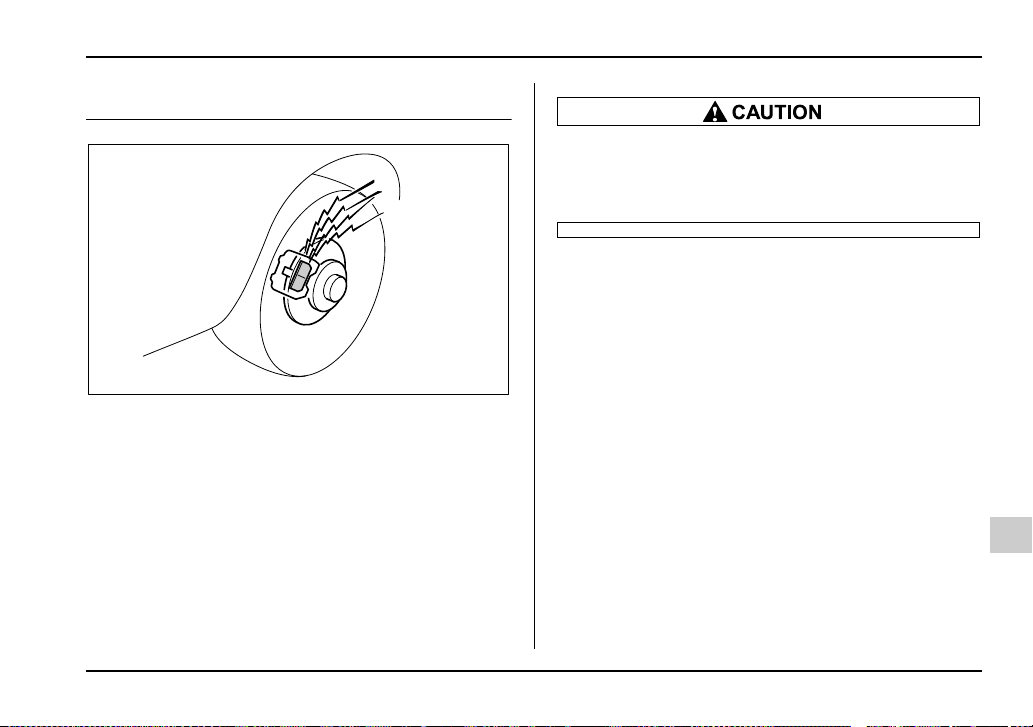
11-45
Maintenance and service
– CONTINUED –
Replacement of brake pad and lining
The right front disc brake and the right rear disc brake
have an audible wear indicators on the brake pads. If
the brake pads wear close to their service limit, the
wear indicator makes a very audible scraping noise
when the brake pedal is applied.
If you hear this scraping noise each time you apply the
brake pedal, have the brake pads serviced by your
SUBARU dealer as soon as possible.
If you continue to drive despite the scraping
noise from the audible brake pad wear indica-
tor, it will result in the need for costly brake ro-
tor repair or replacement.
Breaking-in of new brake pads and lin-
ings
When replacing the brake pad or lining, use only gen-
uine SUBARU parts. After replacement, the new parts
must be broken in as follows:
T Brake pad and lining
While maintaining a speed of 30 to 40 mph (50 to 65
km/h), step on the brake pedal lightly. Repeat this five
or more times.
T Parking brake lining
1. Drive the vehicle at a speed of about 22 mph (35
km/h).
2. With the parking brake release button pushed in,
pull the parking brake lever SLOWLY and GENTLY.
(Pulling with a force of approximately 33 lbs [147 N, 15
kg].)
3. Drive the vehicle for about 220 yards (200 meters)
HS7012BA
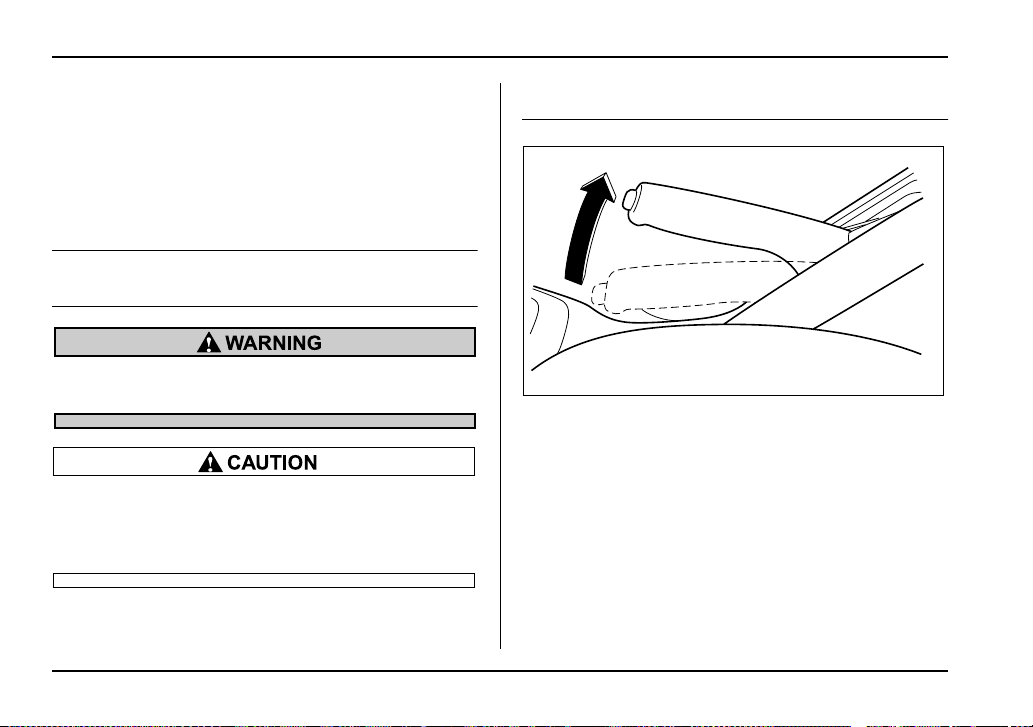
11-46
Maintenance and service
in this condition.
4. Wait 5 to 10 minutes for the parking brake to cool
down. Repeat this procedure.
5. Check the parking brake stroke. If the parking
brake stroke is out of the specified range, adjust it by
turning the adjusting nut located on the parking brake
lever.
Parking brake stroke:
7 – 8 notches / 44 lbs (196 N, 20 kg)
A safe location and situation should be select-
ed for break-in driving.
Pulling the parking brake lever too forcefully
may cause the rear wheels to lock. To avoid
this, be certain to pull the lever up slowly and
gently.
Parking brake stroke
Check the parking brake stroke according to the main-
tenance schedule in the “Warranty and Maintenance
Booklet”. When the parking brake is properly adjusted,
braking power is fully applied by pulling the lever up
seven to eight notches gently but firmly (about 44 lbs
[196 N, 20 kg]). If the parking brake lever stroke is not
within the specified range, have the brake system
checked and adjusted at your SUBARU dealer.
UG7509CA
11-47
Maintenance and service
– CONTINUED –
Tires and wheels
Types of tires
You should be familiar with type of tires present on
your vehicle.
The factory-fitted 17-inch tires on the WRX-STi are
summer tires. The factory-fitted tires on other versions
are all-season tires. The 17-inch tires that can be deal-
er-fitted on the WRX as an option are summer tires.
T All season tires
All season tires are designed to provide an adequate
measure of traction, handling and braking perfor-
mance in year-round driving including snowy and icy
road conditions. However all season tires do not offer
as much traction performance as winter (snow) tires in
heavy or loose snow or on icy roads.
All season tires are identified by “ALL SEASON” and/
or “M+S” (Mud & Snow) on the tire sidewall.
T Summer tires
Summer tires are high-speed capability tires best suit-
ed for highway driving under dry conditions.
Summer tires are inadequate for driving on slippery
roads such as on snow-covered or icy roads.
If you drive your vehicle on snow-covered or icy roads,
we strongly recommend the use of winter (snow) tires.
When installing winter tires, be sure to replace all four
tires.
T Winter (snow) tires
Winter tires are best suited for driving on snow-cov-
ered and icy roads. However winter tires do not per-
form as well as summer tires and all season tires on
roads other than snow-covered and icy roads.
Tire inspection
Check on a daily basis that the tires are free from se-
rious damage, nails, and stones. At the same time,
check the tires for abnormal wear.
Contact your SUBARU dealer immediately if you find
any problem.
NOTE
y When the wheels and tires strike curbs or are
subjected to harsh treatment as when the vehicle
is driven on a rough surface, they can suffer dam-
age that cannot be seen with the naked eye. This
type of damage does not become evident until
time has passed. Try not to drive over curbs, pot-
holes or on other rough surfaces. If doing so is un-
avoidable, keep the vehicle’s speed down to a
walking pace or less, and approach the curbs as
squarely as possible. Also, make sure the tires are
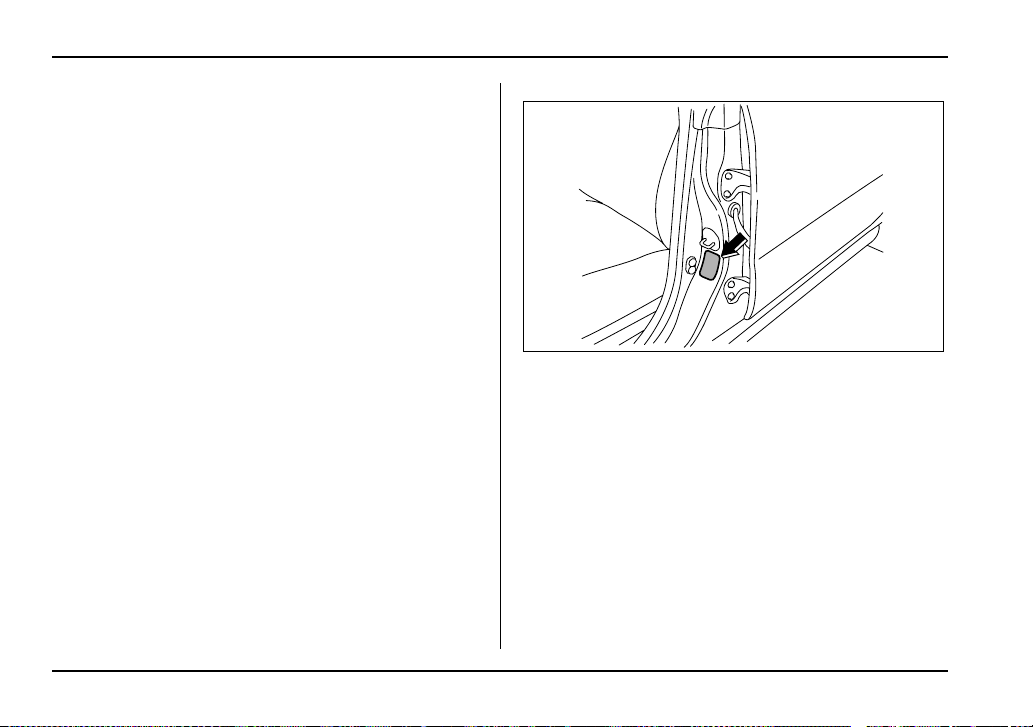
11-48
Maintenance and service
not pressed against the curb when you park the
vehicle.
y If you feel unusual vibration while driving or find
it difficult to steer the vehicle in a straight line, one
of the tires and/or wheels may be damaged. Drive
slowly to the nearest authorized SUBARU dealer
and have the vehicle inspected.
Tire pressures and wear
Maintaining the correct tire pressures helps to maxi-
mize the tires’ service lives and is essential for good
running performance. Check and, if necessary, adjust
the pressure of each tire (including the spare) at least
once a month (for example, during a fuel stop) and be-
fore any long journey.
Check the tire pressures when the tires are cold. Use
a pressure gauge to adjust the tire pressures to the
values shown on the tire placard. The tire placard is lo-
cated on the door pillar on the driver’s side.
Driving even a short distance warms up the tires and
increases the tire pressures. Also, the tire pressures
are affected by the outside temperature. It is best to
check tire pressure outdoors before driving the vehi-
cle.
When a tire becomes warm, the air inside it expands,
causing the tire pressure to increase. Be careful not to
mistakenly release air from a warm tire to reduce its
pressure.
UGB510BA
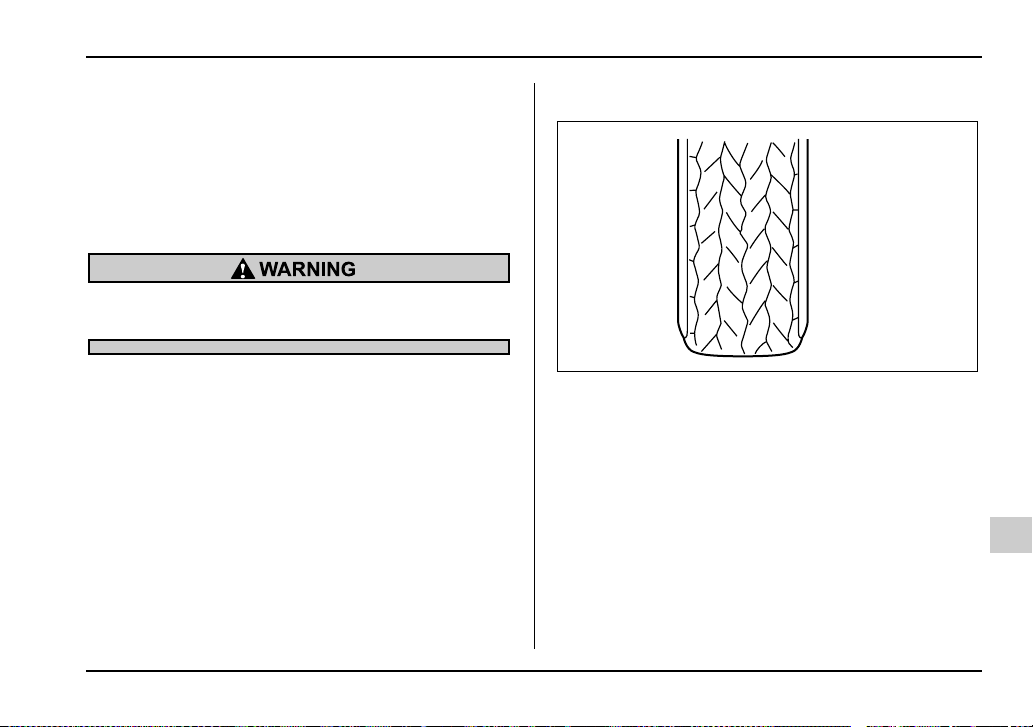
11-49
Maintenance and service
– CONTINUED –
NOTE
y The air pressure in a tire increases by approxi-
mately 4.3 psi (30 kPa, 0.3 kgf/cm
2
) when the tire
becomes warm.
y The tires are considered cold when the vehicle
has been parked for at least three hours or has
been driven less than one mile (1.6 km).
Do not let air out of warm tires to adjust pres-
sure. Doing so will result in low tire pressure.
Incorrect tire pressures detract from controllability and
ride comfort, and they cause the tires to wear abnor-
mally.
y Correct tire pressure (tread worn evenly)
Roadholding is good, and steering is responsive. Roll-
ing resistance is low, so fuel consumption is also low-
er.
HSB052AA
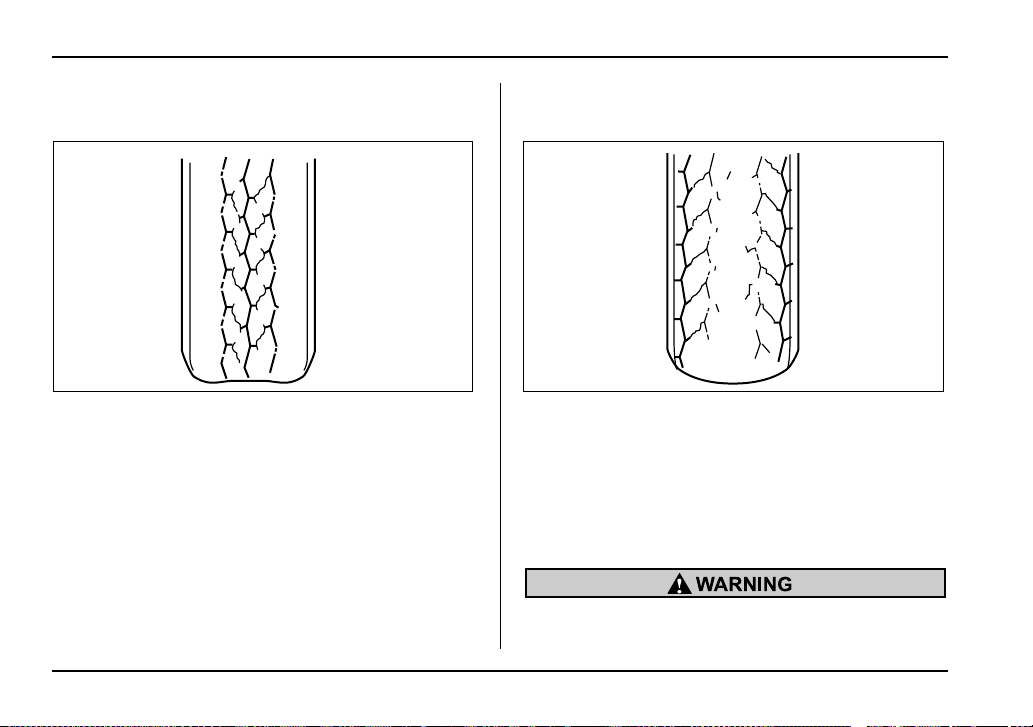
11-50
Maintenance and service
y Abnormally low tire pressure (tread worn at
shoulders)
Rolling resistance is high, so fuel consumption is also
higher.
y Abnormally high tire pressure (tread worn in cen-
ter)
Ride comfort is poor. Also, the tire magnifies the ef-
fects of road-surface bumps and dips, possibly result-
ing in vehicle damage.
If the tire placard shows tire pressures for the vehicle
when fully loaded and for the vehicle when towing a
trailer, adjust the tire pressures to the values that
match current loading conditions.
Driving at high speeds with excessively low tire
pressures can cause the tires to deform severe-
HSB053AA HSB054AA

11-51
Maintenance and service
– CONTINUED –
ly and to rapidly become hot. A sharp increase
in temperature could cause tread separation,
and destruction of the tires. The resulting loss
of vehicle control could lead to an accident.
Wheel balance
Each wheel was correctly balanced when your vehicle
was new, but the wheels will become unbalanced as
the tires become worn during use. Wheel imbalance
causes the steering wheel to vibrate slightly at certain
vehicle speeds and detracts from the vehicle’s
straight-line stability. It can also cause steering and
suspension system problems and abnormal tire wear.
If you suspect that the wheels are not correctly bal-
anced, have them checked and adjusted by your
SUBARU dealer. Also have them adjusted after tire re-
pairs and after tire rotation.
NOTE
Loss of correct wheel alignment* causes the tires
to wear on one side and reduces the vehicle’s run-
ning stability. Contact your SUBARU dealer if you
notice abnormal tire wear.
*: The suspension system is designed to hold each wheel at
a certain alignment (relative to the other wheels and to the
road) for optimum straight-line stability and cornering perfor-
mance.
Wear indicators
A) New tread
B) Worn tread
1) Tread wear indicator
Each tire incorporates a tread wear indicator, which
becomes visible when the depth of the tread grooves
decreases to 0.063 in (1.6 mm). A tire must be re-
placed when the tread wear indicator appears as a
solid band across the tread.
A
1
B
HSB055BB
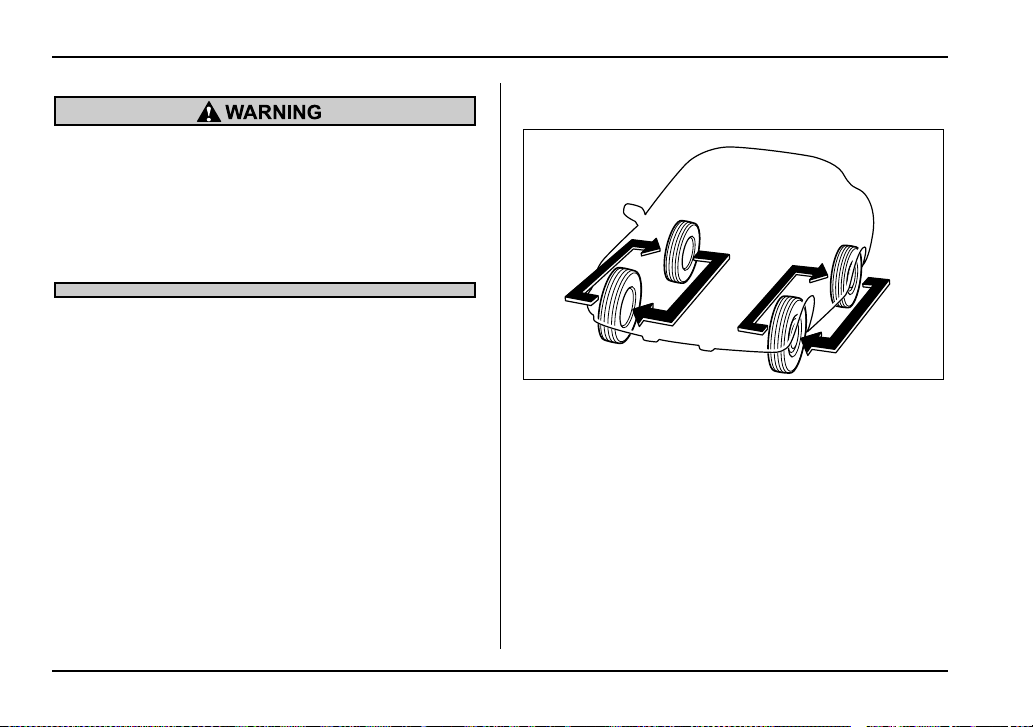
11-52
Maintenance and service
When a tire’s tread wear indicator becomes vis-
ible, the tire is worn beyond the acceptable limit
and must be replaced immediately. With a tire
in this condition, driving at high speeds in wet
weather can cause the vehicle to hydroplane.
The resulting loss of vehicle control can lead to
an accident.
NOTE
For safety, inspect tire tread regularly and replace
the tires before their tread wear indicators become
visible.
Tire rotation
Tire wear varies from wheel to wheel. To maximize the
life of each tire and ensure that the tires wear uniform-
ly, it is best to rotate the tires every 7,500 miles
(12,500 km). Rotating the tires involves switching the
front and rear tires on the right hand side of the vehicle
and similarly switching the front and rear tires on the
left hand side of the vehicle. (Each tire must be kept on
its original side of the vehicle.)
Replace any damaged or unevenly worn tire at the
time of rotation. After tire rotation, adjust the tire pres-
sures and make sure the wheel nuts are correctly
tightened.
HSB056BA
11-53
Maintenance and service
– CONTINUED –
After driving approximately 600 miles (1,000 km),
check the wheel nuts again and retighten any nut that
has become loose.
Tire replacement
The wheels and tires are important and integral parts
of your vehicle’s design; they cannot be changed arbi-
trarily. The tires fitted as standard equipment are opti-
mally matched to the characteristics of the vehicle and
were selected to give the best possible combination of
running performance, ride comfort, and service life. It
is essential for every tire to have a size and construc-
tion matching those shown on the tire placard and to
have a speed symbol and load index matching those
shown on the tire placard.
Using tires of a non-specified size detracts from con-
trollability, ride comfort, braking performance, speed-
ometer accuracy and odometer accuracy. It also cre-
ates incorrect body-to-tire clearances and inappropri-
ately changes the vehicle’s ground clearance.
All four tires must be the same in terms of manufactur-
er, brand (tread pattern), construction, and size. You
are advised to replace the tires with new ones that are
identical to those fitted as standard equipment.
For safe vehicle operation, SUBARU recommends re-
placing all four tires at the same time.
y All four tires must be the same in terms of
manufacturer, brand (tread pattern), construc-
tion, degree of wear, speed symbol, load index
and size. Mixing tires of different types, sizes or
degrees of wear can result in damage to vehi-
cle’s power train. Use of different types or sizes
of tires can also dangerously reduce controlla-
bility and braking performance and can lead to
an accident.
y Use only radial tires. Do not use radial tires
together with belted bias tires and/or bias-ply
tires. Doing so can dangerously reduce control-
lability, resulting in an accident.
Wheel replacement
When replacing wheels due, for example, to damage,
make sure the replacement wheels match the specifi-
cations of the wheels that are fitted as standard equip-
ment. Replacement wheels are available from
SUBARU dealers.
11-54
Maintenance and service
Use only those wheels that are specified for
your vehicle. Wheels not meeting specifica-
tions could interfere with brake caliper opera-
tion and may cause the tires to rub against the
wheel well housing during turns. The resulting
loss of vehicle control could lead to an acci-
dent.
NOTE
When any of the wheels is removed and replaced
for tire rotation or to change a flat tire, always
check the tightness of the wheel nuts after driving
approximately 600 miles (1,000 km). If any nut is
loose, tighten it to the specified torque.
Aluminum wheels
Aluminum wheels can be scratched and damaged
easily. Handle them carefully to maintain their appear-
ance, performance, and safety.
y When any of the wheels is removed and replaced
for tire rotation or to change a flat, always check the
tightness of the wheel nuts after driving approximately
600 miles (1,000 km). If any nut is loose, tighten it to
the specified torque.
y Never apply oil to the threaded parts, wheel nuts, or
tapered surface of the wheel.
y Never let the wheel rub against sharp protrusions or
curbs.
y Be sure to fit tire chains on uniformly and completely
around the tire, otherwise the chains may scratch the
wheel.
y When wheel nuts, balance weights, or the center
cap is replaced, be sure to replace them with genuine
SUBARU parts designed for aluminum wheels.
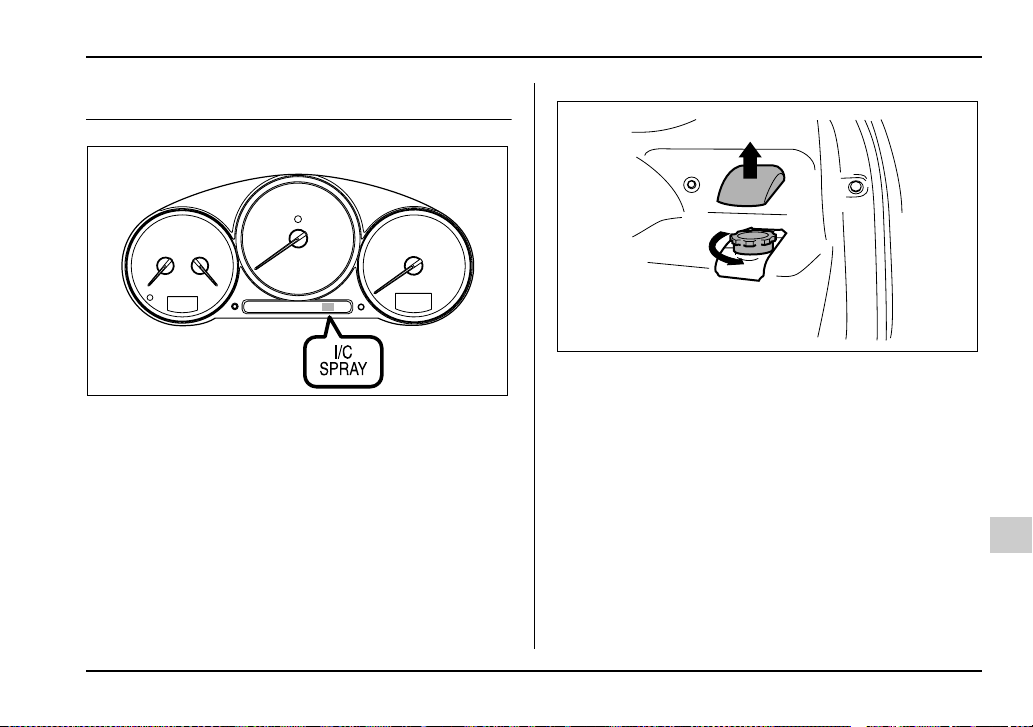
11-55
Maintenance and service
– CONTINUED –
Intercooler water spray (WRX-STi)
Add water to the intercooler water spray tank when the
intercooler water spray warning light in the combina-
tion meter comes on. The warning light comes on
when the water in the tank has decreased to approxi-
mately 0.4 liters (0.4 US qt, 0.4 Imp qt).
The tank is located on the right hand side of the trunk.
NOTE
y Use only pure water for refilling.
y In cold weather (when you do not use the inter-
cooler water spray), keep the tank half-empty in
case the water freezes. A larger amount of water
could break the tank if it froze.
UGB079BA
UGB514BA
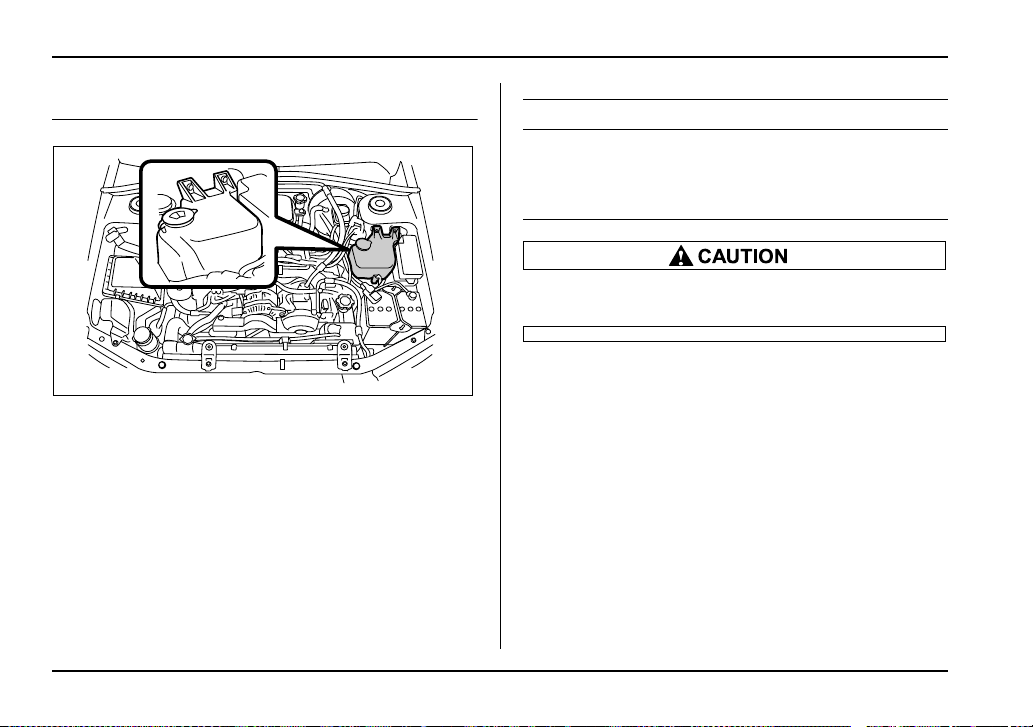
11-56
Maintenance and service
Windshield washer fluid
Check the level of the washer fluid at each fuel stop. If
the level is low, fill the fluid up to the neck of the reser-
voir.
Use windshield washer fluid. If windshield washer fluid
is unavailable use clean water.
In areas where water freezes in winter, use an anti-
freeze type windshield washer fluid. SUBARU Wind-
shield Washer Fluid contains 58.5% methyl alcohol
and 41.5% surfactant, by volume. Its freezing temper-
ature varies according to how much it is diluted, as in-
dicated in the following table.
Never use engine coolant as washer fluid be-
cause it could cause paint damage.
UGB134HA
Washer Fluid Concentration Freezing Temperature
30% 10.4°F (–12°C)
50% –4°F (–20°C)
100% –49°F (–45°C)
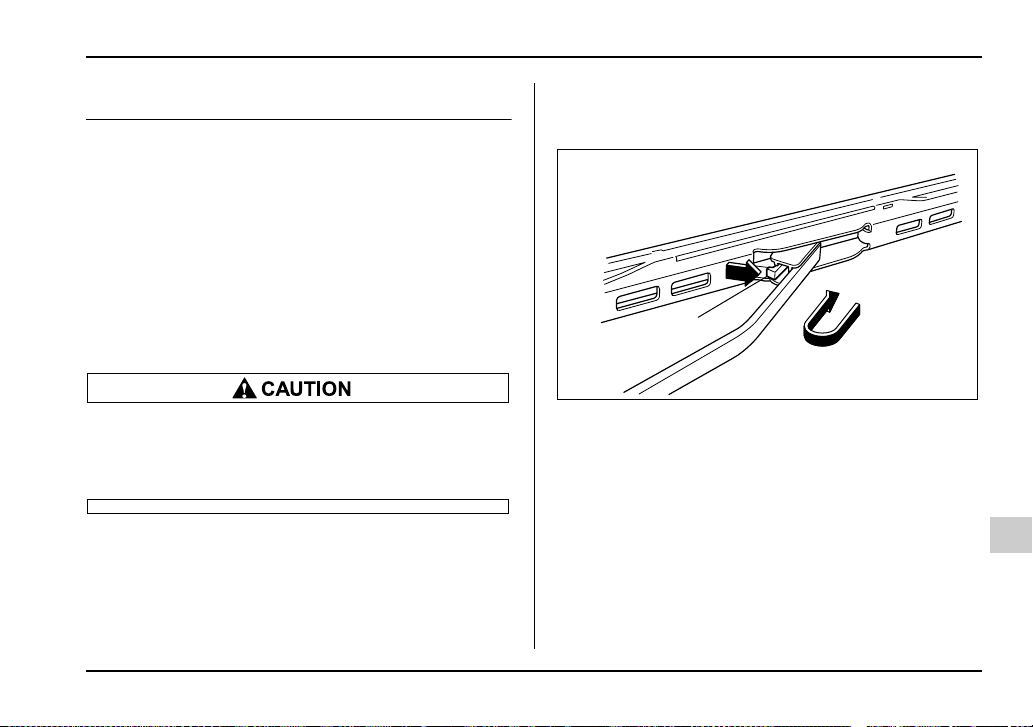
11-57
Maintenance and service
– CONTINUED –
Replacement of wiper blades
Grease, wax, insects, or other material on the wind-
shield or the wiper blade results in jerky wiper opera-
tion and streaking on the glass. If you cannot remove
the streaks after operating the windshield washer or if
the wiper operation is jerky, clean the outer surface of
the windshield (or rear window) and the wiper blades
using a sponge or soft cloth with a neutral detergent or
mild-abrasive cleaner. After cleaning, rinse the wind-
shield and wiper blades with clean water. The wind-
shield is clean if beads do not form when you rinse the
windshield with water.
Do not clean the wiper blades with gasoline or
a solvent, such as paint thinner or benzene.
This will cause deterioration of the wiper
blades.
If you cannot eliminate the streaking even after follow-
ing this method, replace the wiper blades using the fol-
lowing procedures:
Windshield wiper blades assembly
1. Raise the wiper arm off the windshield.
1) Stopper
2. Remove the wiper blade assembly by holding its
pivot area and pushing it in the direction shown by the
arrow while depressing the wiper blade stopper.
3. Install the wiper blade assembly to the wiper arm.
Make sure that it locks in place.
4. Hold the wiper arm by hand and slowly lower it in
position.
1
UGB133BB
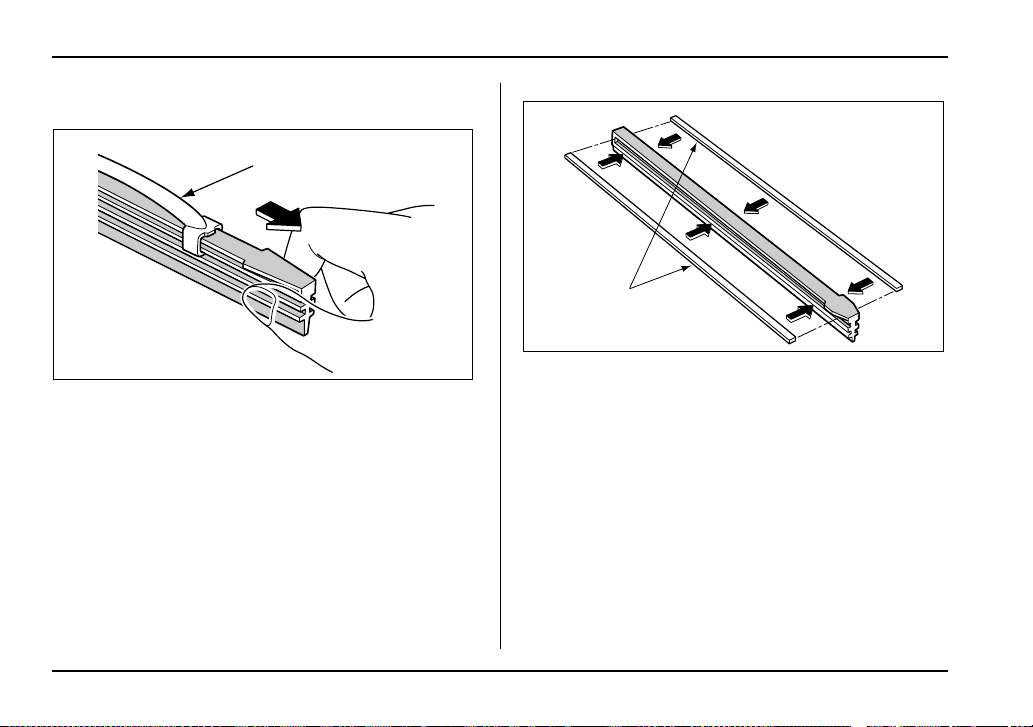
11-58
Maintenance and service
Windshield wiper blade rubber
0
1) Metal support
1. Grasp the locked end of the blade rubber assembly
and pull it firmly until the stoppers on the rubber are
free of the metal support.
1) Metal spines
2. If the new blade rubber is not provided with two
metal spines, remove the metal spines from the old
blade rubber and install them in the new blade rubber.
1
HSB059BB
1
HSB060BB

11-59
Maintenance and service
– CONTINUED –
3. Align the claws of the metal support with the
grooves in the rubber and slide the blade rubber as-
sembly into the metal support until it locks.
1) Stopper
2)
4. Be sure to position the claws at the end of the metal
support between the stoppers on the rubber as shown.
If the rubber is not retained properly, the wiper blade
may scratch the windshield.
Rear window wiper blade assembly
1. Raise the wiper arm off the rear window.
HSB061BA
1
HSB062BB
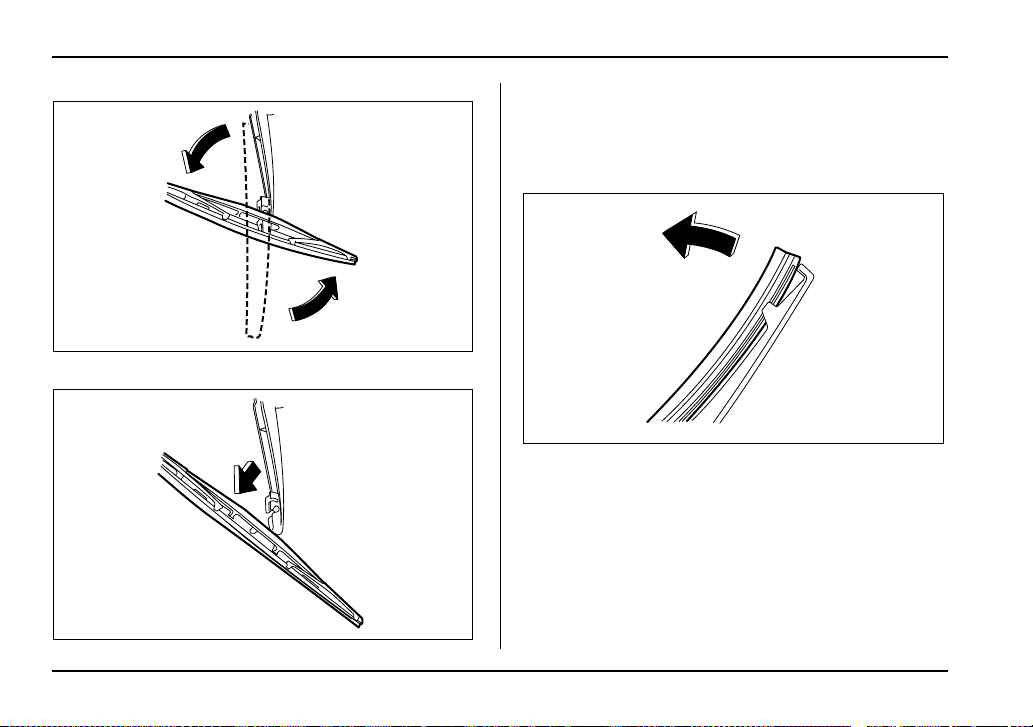
11-60
Maintenance and service
2. Turn the wiper blade assembly counterclockwise.
3. Pull the wiper blade assembly toward you to re-
move it from the wiper arm.
Rear window wiper blade rubber
1. Pull out the end of the blade rubber assembly to un-
lock it from the plastic support.
UBB554BA
UBB555BA
UBB523BA
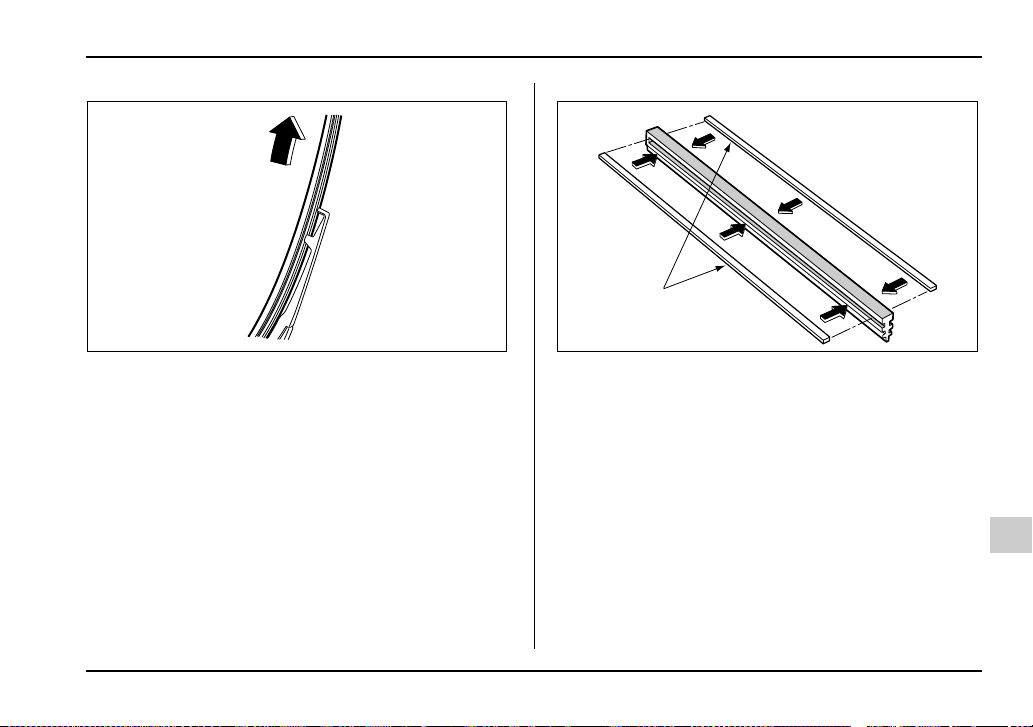
11-61
Maintenance and service
– CONTINUED –
2. Pull the blade rubber assembly out of the plastic
support.
A) Metal spines
3. If the new blade rubber is not provided with two
metal spines, remove the metal spines from the old
blade rubber and install them in the new blade rubber.
USB586BA
A
USB583BC
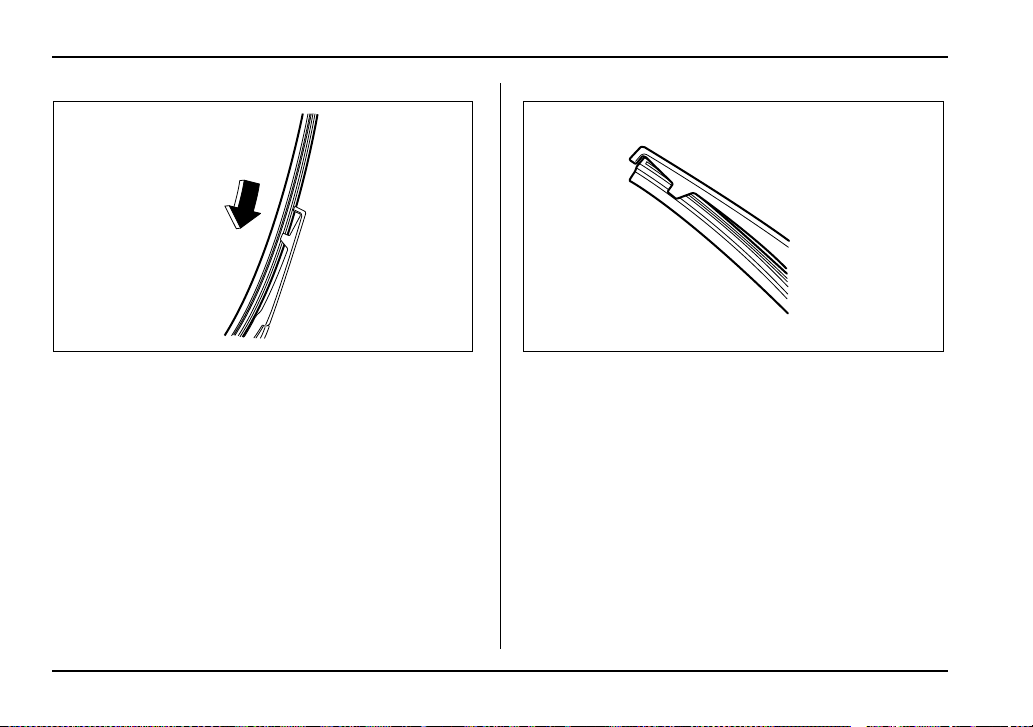
11-62
Maintenance and service
4. Align the claws of the plastic support with the
grooves in the blade rubber assembly, then slide the
blade rubber assembly into place.
Securely retain both ends of the rubber with the stop-
pers on the plastic support ends. If the rubber is not re-
tained properly, the wiper may scratch the rear win-
dow glass.
5. Install the wiper blade assembly to the wiper arm.
Make sure that it locks in place.
6. Hold the wiper arm by hand and slowly lower it in
position.
USB586CA USB584BA
11-63
Maintenance and service
– CONTINUED –
Battery
y Before beginning work on or near any bat-
tery, be sure to extinguish all cigarettes, match-
es, and lighters. Never expose a battery to an
open flame or electric sparks. Batteries give off
a gas which is highly flammable and explosive.
y For safety, in case an explosion does occur,
wear eye protection or shield your eyes when
working near any battery. Never lean over a bat-
tery.
y Do not let battery fluid contact eyes, skin,
fabrics, or paint because battery fluid is a cor-
rosive acid. If battery fluid gets on your skin or
in your eyes, immediately flush the area with
water thoroughly. Seek medical help immedi-
ately if acid has entered the eyes.
If battery fluid is accidentally swallowed, imme-
diately drink a large amount of milk or water,
and seek medical attention immediately.
y To lessen the risk of sparks, remove rings,
metal watchbands, and other metal jewelry.
Never allow metal tools to contact the positive
battery terminal and anything connected to it
WHILE you are at the same time in contact with
any other metallic portion of the vehicle be-
cause a short circuit will result.
y Keep everyone including children away from
the battery.
y Charge the battery in a well-ventilated area.
y Battery posts, terminals and related accesso-
ries contain lead and lead compounds, chemi-
cals known to the State of California to cause
cancer and reproductive harm. Batteries also
contain other chemicals known to the State of
California to cause cancer. Wash hands after
handling.
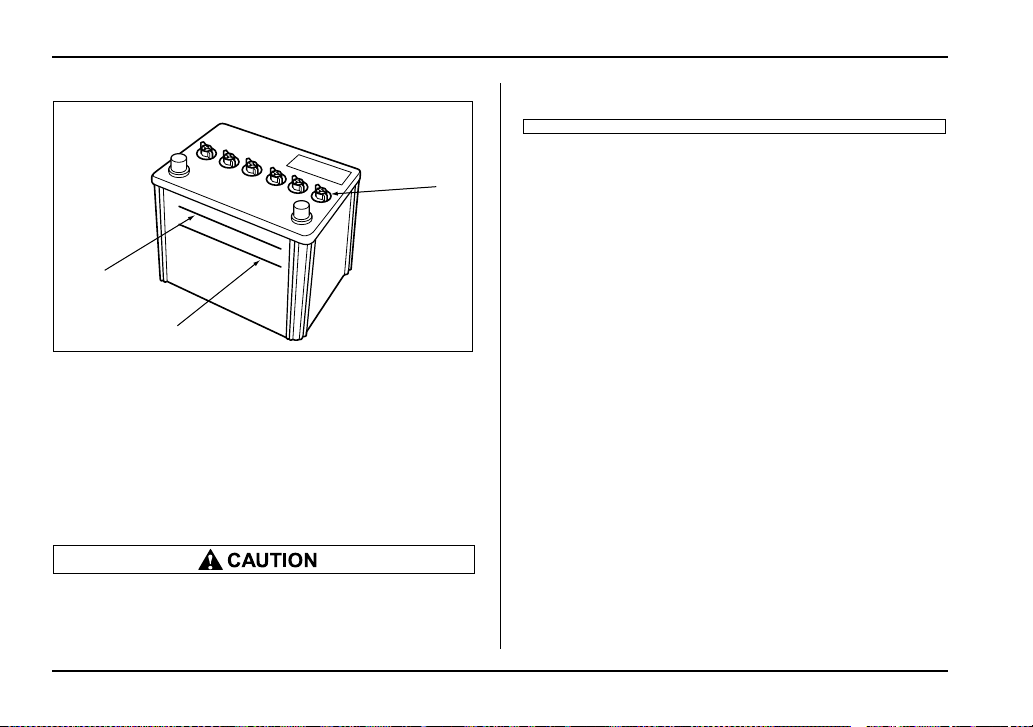
11-64
Maintenance and service
1) Cap
2) Upper level
3) Lower level
It is unnecessary to periodically check the battery fluid
level or periodically refill with distilled water.
However, if the battery fluid level is below the lower
level, remove the cap. Fill to the upper level with dis-
tilled water.
Never use more than 10 amperes when charg-
ing the battery because it will shorten battery
life.
UPPER LEVEL
LO
WE R
LE
VE L
LOWER LEVEL
1
2
3
UGB117BB
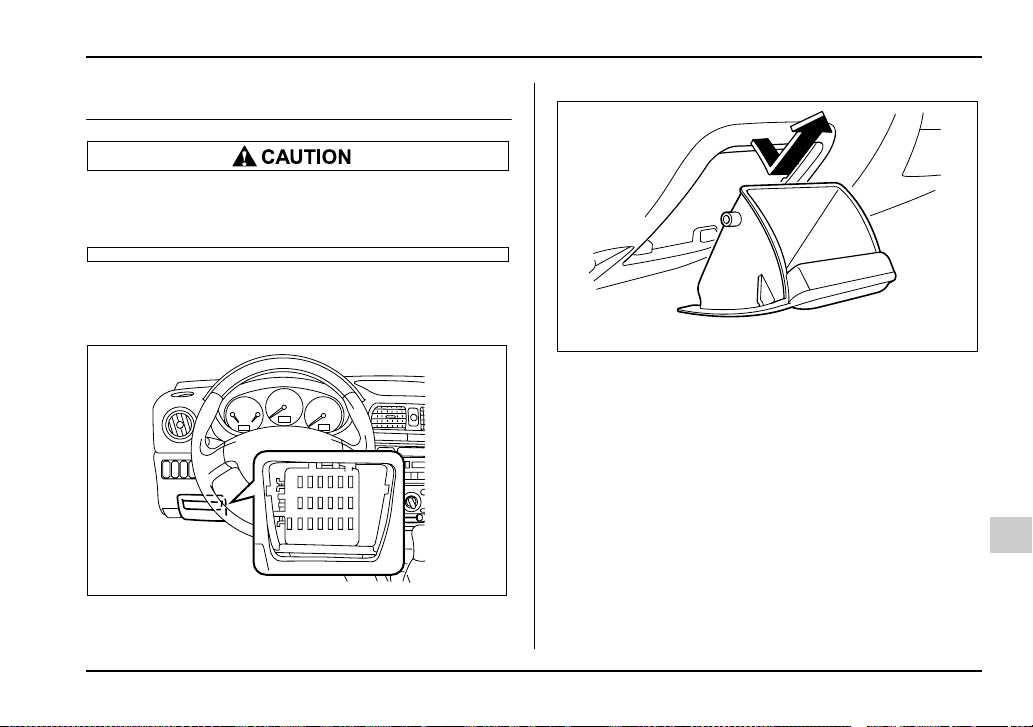
11-65
Maintenance and service
– CONTINUED –
Fuses
Never replace a fuse with one having a higher
rating or with material other than a fuse be-
cause serious damage or a fire could result.
The fuses are designed to melt during an overload to
prevent damage to the wiring harness and electrical
equipment. The fuses are located in two fuse boxes.
One is located under the instrument panel behind the
coin tray on the driver’s seat side.
To remove the coin tray, open the cover and pull the
coin tray out.
UGB088BA
UGB550BA
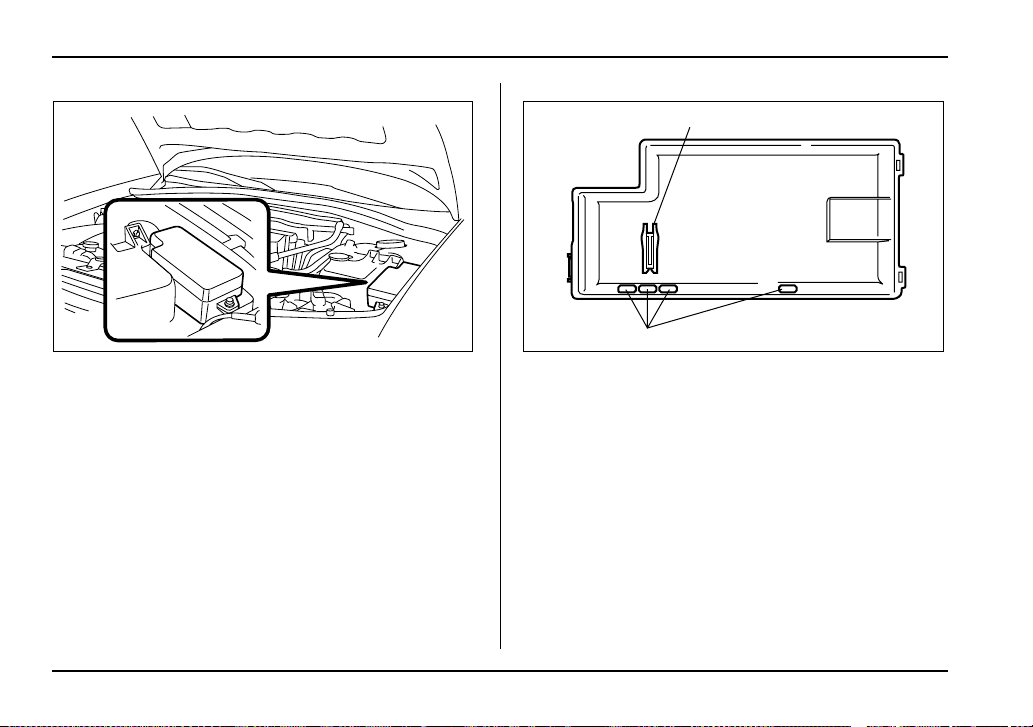
11-66
Maintenance and service
The other one is housed in the engine compartment.
1) Fuse puller
2) Spare fuse
The fuse puller and spare fuses are stored in the main
fuse box cover in the engine compartment.
HSB065BA
1
2
HSB066BB
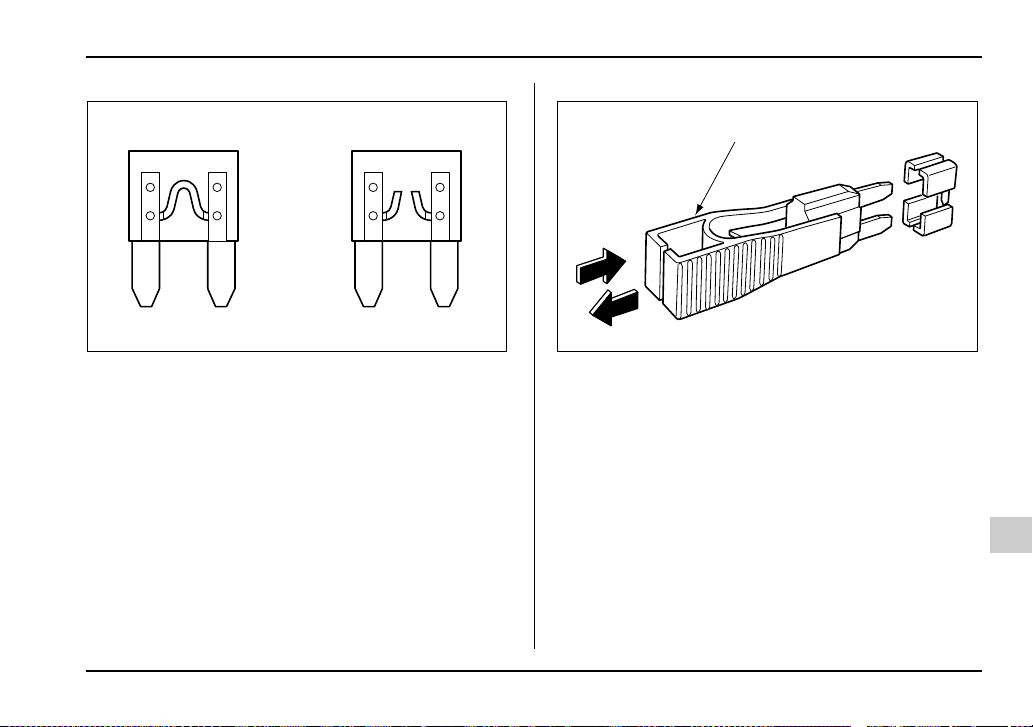
11-67
Maintenance and service
– CONTINUED –
A) Good
B) Blown
If any lights, accessories or other electrical controls do
not operate, inspect the corresponding fuse. If a fuse
has blown, replace it.
1. Turn the ignition switch to the “LOCK” position and
turn off all electrical accessories.
2. Remove the cover.
3. Determine which fuse may be blown. The back side
of each fuse box cover and the “Fuses and circuits”
section in chapter 12 in this manual show the circuit for
each fuse.
1) Fuse puller
4. Pull out the fuse with the fuse puller.
5. Inspect the fuse. If it has blown, replace it with a
spare fuse of the same rating.
6. If the same fuse blows again, this indicates that its
system has a problem. Contact your SUBARU dealer
for repairs.
AB
HSB067BB
1
HSB068BB
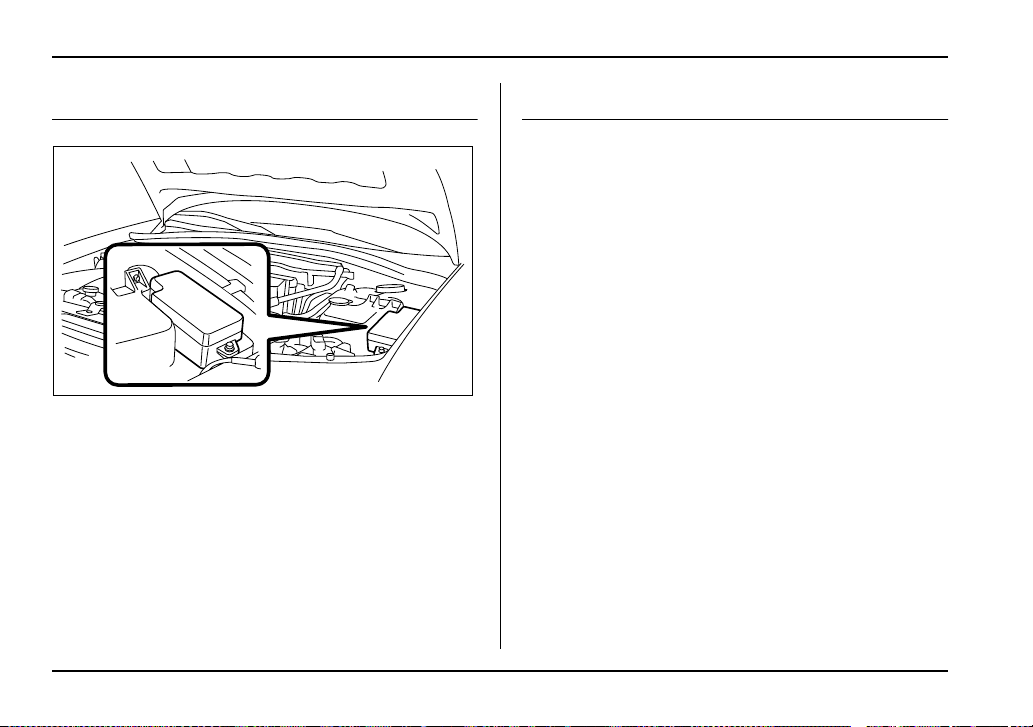
11-68
Maintenance and service
Main fuse
Main fuse box
The main fuses are designed to melt during an over-
load to prevent damage to the wiring harness and
electrical equipment. Check the main fuses if any elec-
trical component fails to operate (except the starter
motor) and other fuses are good. A melted main fuse
must be replaced. Use only replacements with the
same specified rating as the melted main fuse. If a
main fuse blows after it is replaced, have the electrical
system checked by your nearest SUBARU dealer.
Installation of accessories
Always consult your SUBARU dealer before installing
fog lights or any other electrical equipment in your ve-
hicle. Such accessories may cause the electronic sys-
tem to malfunction if they are incorrectly installed or if
they are not suited for the vehicle.
HSB065BA
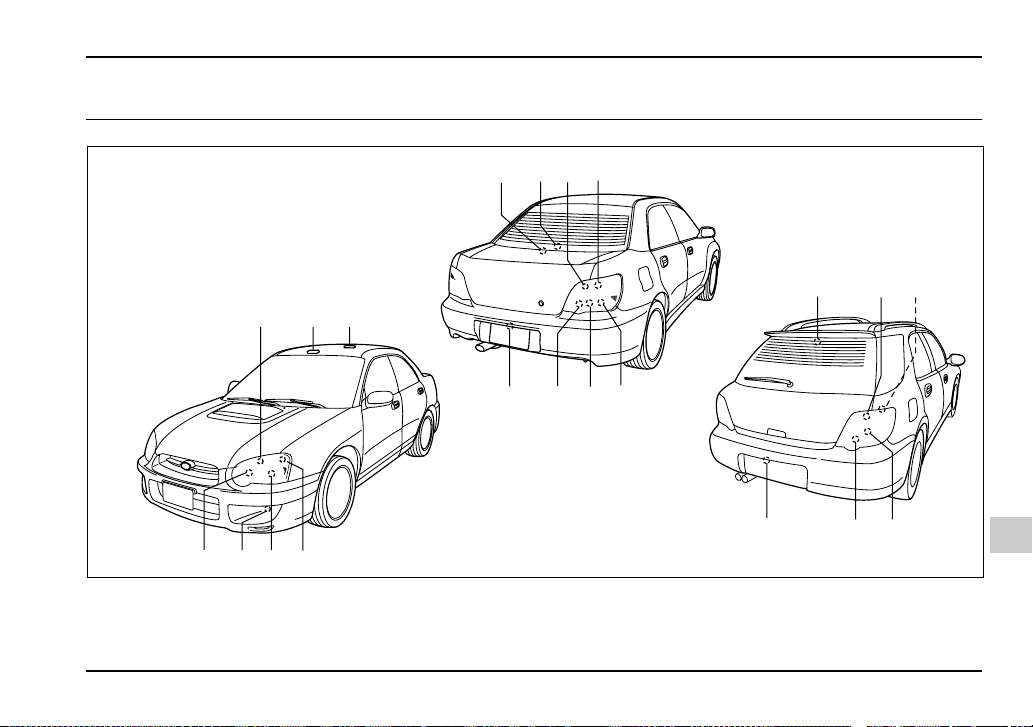
11-69
Maintenance and service
– CONTINUED –
Replacing bulbs
981011
14 13 12
10 11
65 47
123
15
15
14 16
9
UGB135BB
11-70
Maintenance and service
Headlights (U.S.-spec. WRX-STi)
High-intensity-discharge (HID) bulbs are used
for the low beams of the headlights on the U.S.-
spec. WRX-STi. These HID bulbs use an ex-
tremely high voltage. To avoid the risk of an
electric shock and resulting serious injury, you
should not attempt to replace them. Neither
should you attempt to replace the high-beam
bulbs, remove/refit the headlight assemblies,
or remove any headlight-assembly compo-
nents. For replacement of the headlight bulbs
(low-beam and high-beam), removal and instal-
lation of the headlight assemblies, and removal
of headlight-assembly components, contact
your SUBARU dealer.
Wattage Bulb No.
1) Front turn signal 12V-21W –
2) Spot light 12V-8W –
3) Room light 12V-8W –
4) Parking light 12V-5W 168
5) Low beam head light
U.S.-spec. WRX-STi 12V-35W D2R
Except U.S.-spec.
WRX-STi
12V-55W H1
6) Front fog light 12V-55W H3
7) High beam head light 12V-60W 9005
(HB3)
8) Trunk room light 12V-16W W16W
9) High mount stop light
Sedan
(in compartment) 12V-18W 921
(in rear spoiler) 12V-1.2W –
Wagon 12V-13W 912
10) Backup light 12V-21W 7440
11) Rear turn signal 12V-21W
(Amber)
–
12) Brake/tail light 12V-21/5W 7443
13) Tail light 12V-21/5W 7443
14) Brake light 12V-21W 7440
15) License plate light 12V-5W 168
16) Cargo area light 12V-13W –
Wattage Bulb No.
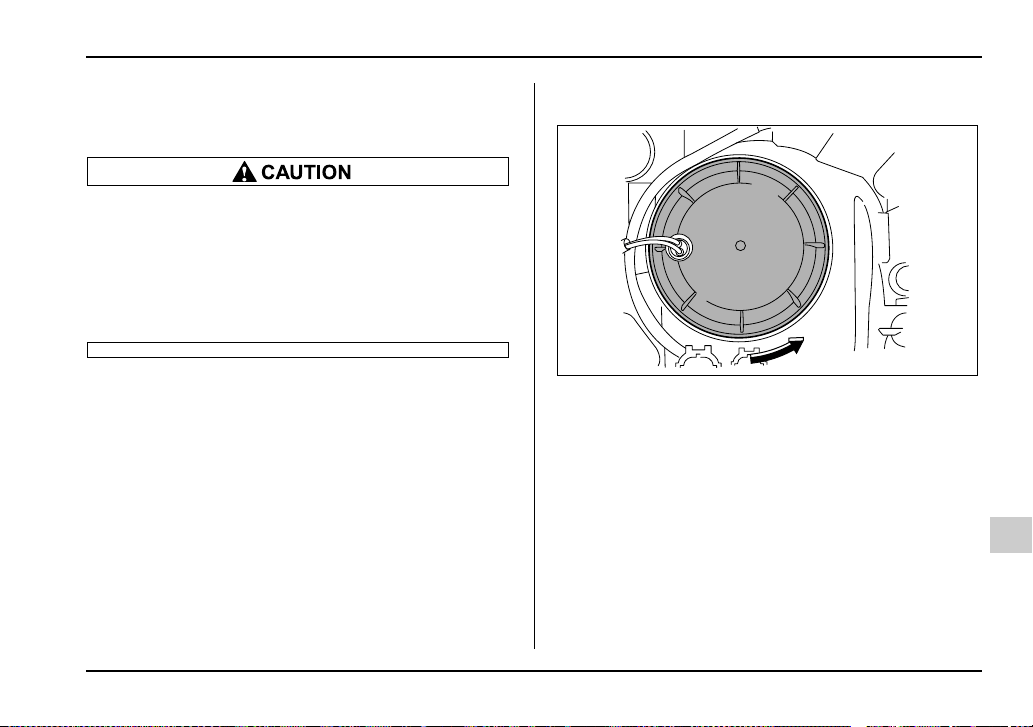
11-71
Maintenance and service
– CONTINUED –
Headlights (Except U.S.-spec. WRX-
STi)
Halogen headlight bulbs become very hot while
in use. If you touch the bulb surface with bare
hands or greasy gloves, finger prints or grease
on the bulb surface will develop into hot spots
and cause the bulb to break. If there are finger
prints or grease on the bulb surface, wipe them
away with a soft cloth moistened with alcohol.
NOTE
y If headlight aiming is required, consult your
SUBARU dealer for proper adjustment of the head-
light aim.
y It may be difficult to replace the bulbs. Have
your SUBARU dealer replace the bulbs if neces-
sary.
T Low beam light bulbs
1. Remove the bulb cover, by turning it counterclock-
wise.
UGB516BA
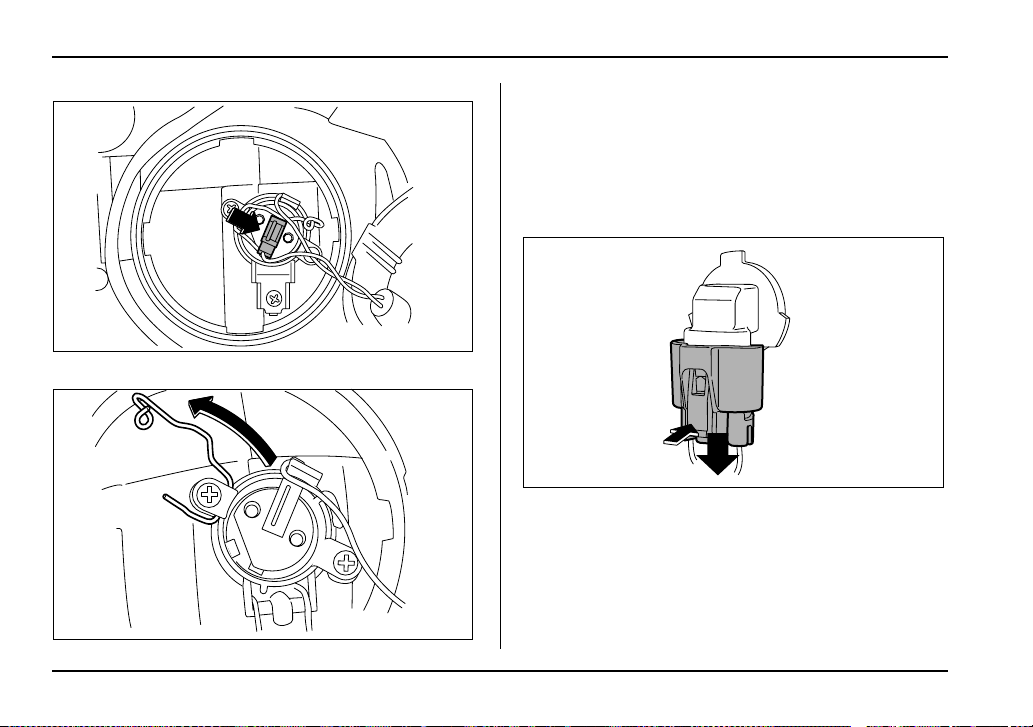
11-72
Maintenance and service
2. Disconnect the electrical connector.
3. Remove the retainer spring.
4. Replace the bulb, then set the retainer spring se-
curely.
5. Reconnect the electrical connector.
6. Install the bulb cover.
T High beam light bulbs
1. Disconnect the electrical connector from the bulb.
UGB517BA
UGB518BA
UGB519CA
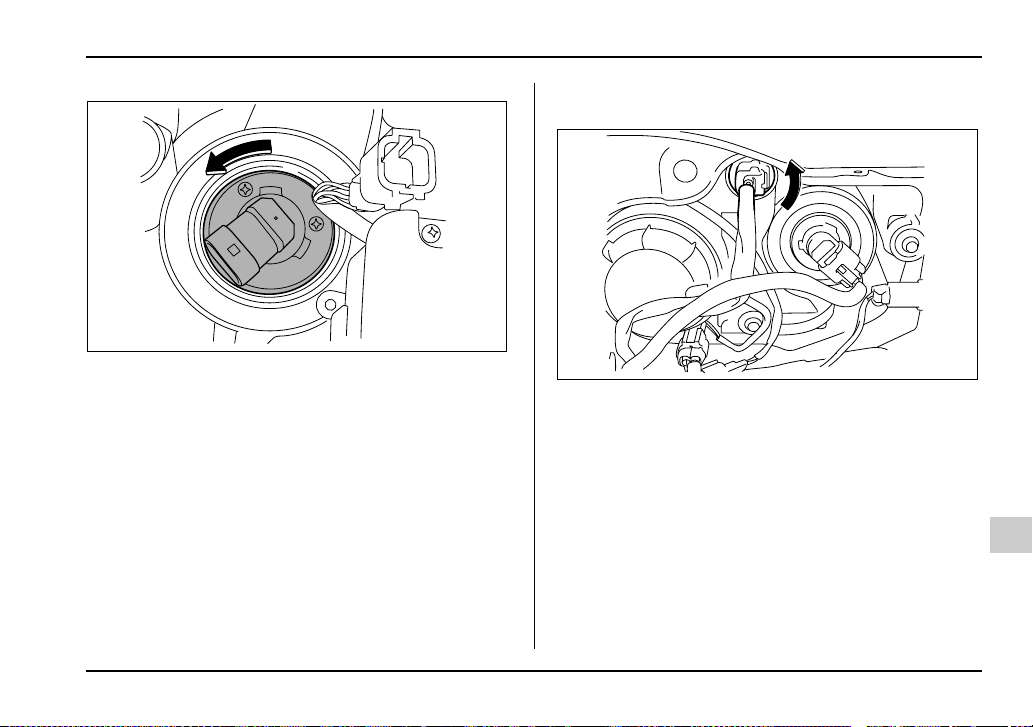
11-73
Maintenance and service
– CONTINUED –
2. Remove the bulb from the headlight assembly by
turning it counterclockwise.
3. Replace the bulb with new one.
4. Reconnect the electrical connector. At this time,
use care not to touch the bulb surface.
5. To install the bulb to the headlight assembly, turn it
clockwise until it clicks.
Front turn signal light bulbs
1. Remove the bulb socket from the headlight assem-
bly by turning it counterclockwise.
UGB520BA
UGB536CA
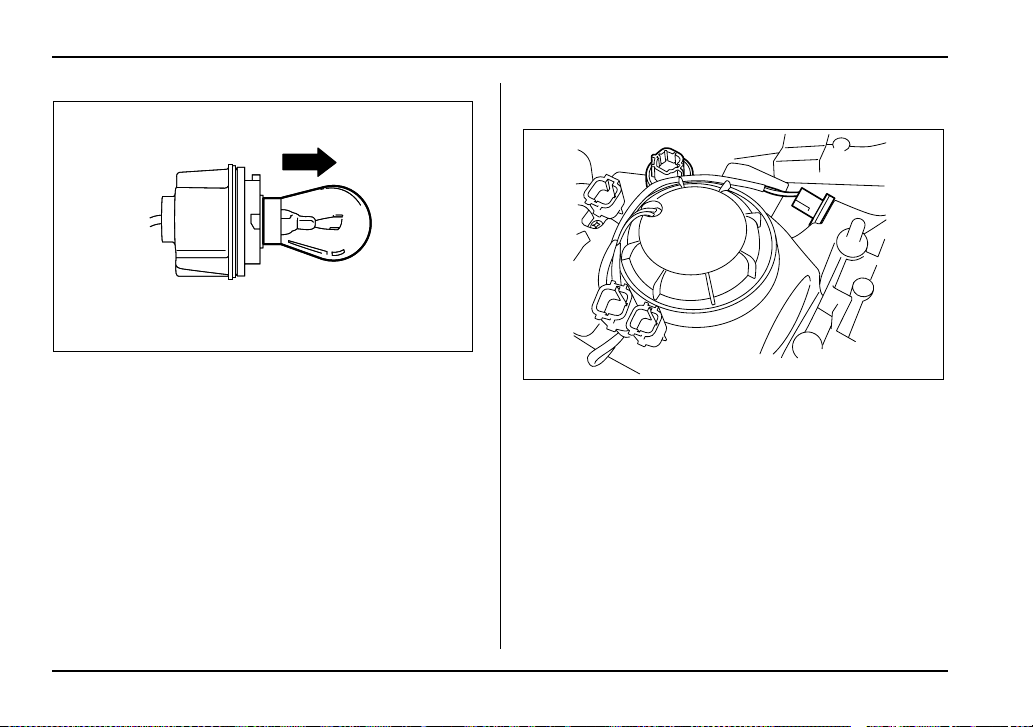
11-74
Maintenance and service
2. Pull the bulb out of the socket. Install a new bulb.
3. Set the bulb socket into the headlight assembly and
turn it clockwise until it locks.
4. Install the headlight assembly and the front grille in
the reverse order of removal.
Parking light
1) Parking light
The headlight assembly must be removed before the
parking light bulbs can be replaced. When the head-
light assembly has been removed and then rein-
stalled, it may become necessary to make a headlight
aiming adjustment. It may be difficult to replace the
bulbs. Have your SUBARU dealer replace the bulbs if
necessary.
UGB531BA
1
UGB523BB
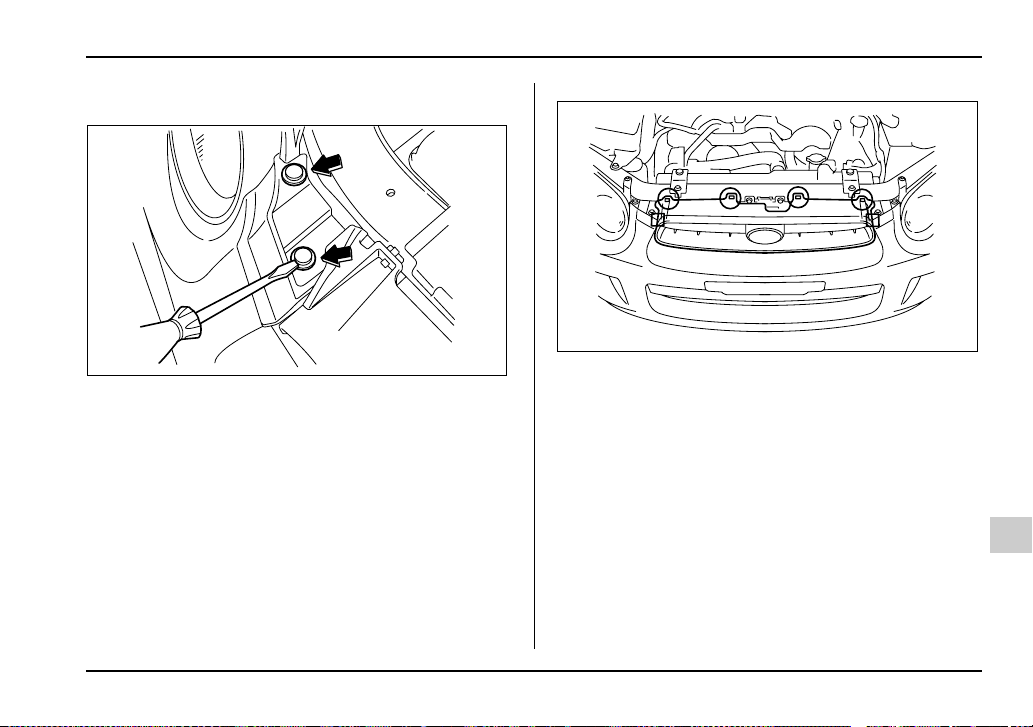
11-75
Maintenance and service
– CONTINUED –
T Before removing the headlight assembly
0
1. Loosen four clips at the top of the front bumper.
c:Clip
: Hook
UGB525BA
UGB528BA
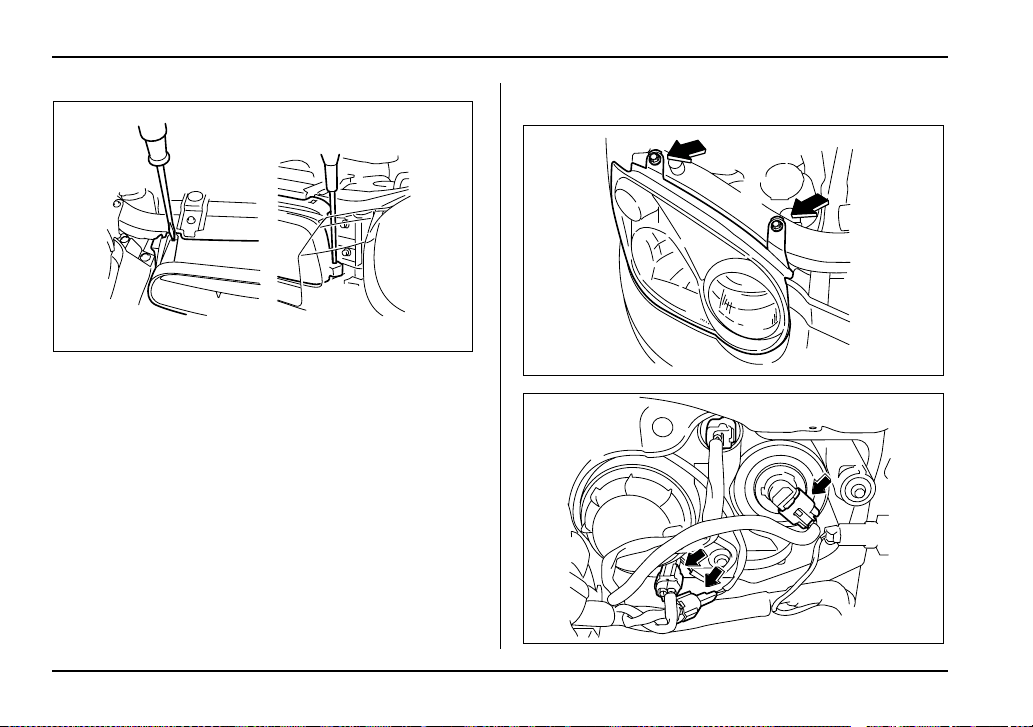
11-76
Maintenance and service
2. Remove the front grille. Use a screwdriver to de-
tach the four clips at the top and the two hooks on
each side.
T Removal of headlight assembly
UGB529BA
UGB534BA
UGB533CA
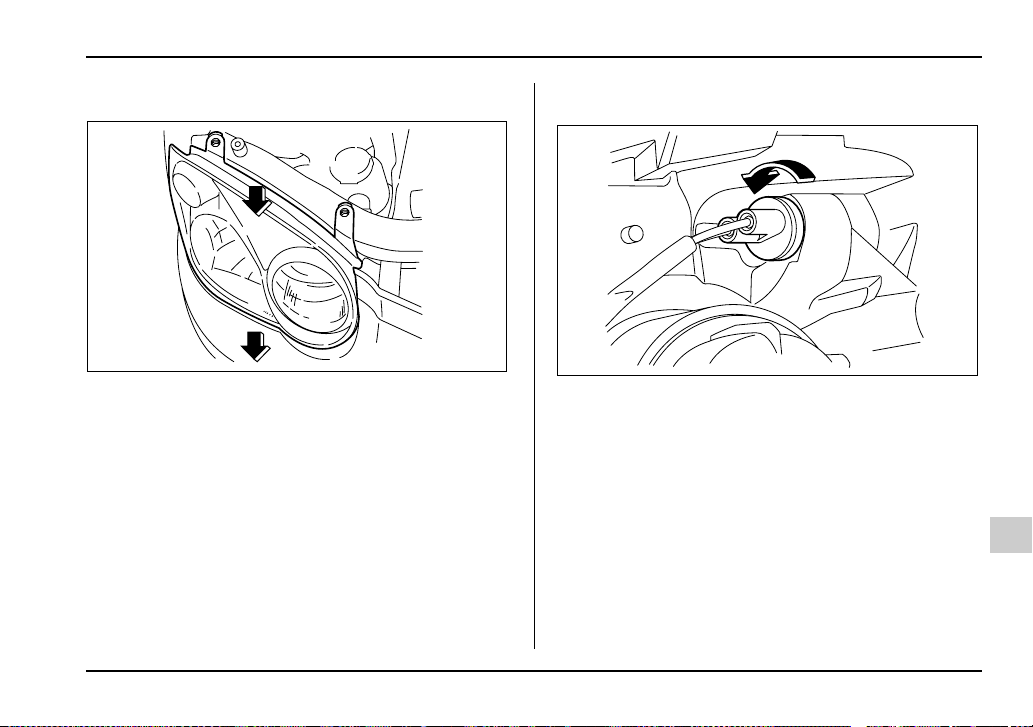
11-77
Maintenance and service
– CONTINUED –
1. Remove two bolts and disconnect connectors.
2. Pull the headlight assembly toward you and re-
move it from the vehicle.
T Parking light bulbs
1. Remove the bulb socket from the headlight assem-
bly by turning it counterclockwise.
UGB551BA
UGB535BA
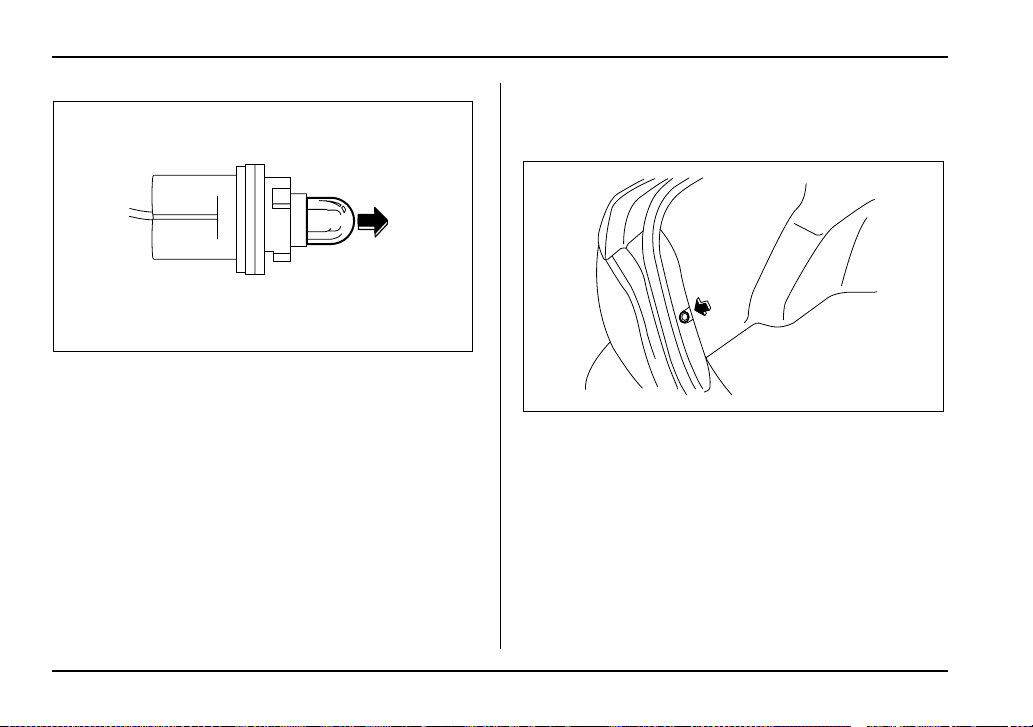
11-78
Maintenance and service
2. Pull the bulb out of the socket. Install a new bulb.
3. Set the bulb socket into the headlight assembly and
turn it clockwise until it locks.
4. Install the headlight assembly and the front grille in
the reverse order of removal.
Front fog light
It may be difficult to replace the bulbs. Have your
SUBARU dealer replace the bulbs if necessary.
Rear combination lights
T Sedan
1. Remove the clip from the rear trunk trim with a
screwdriver.
UGB532BA
UGB538BA
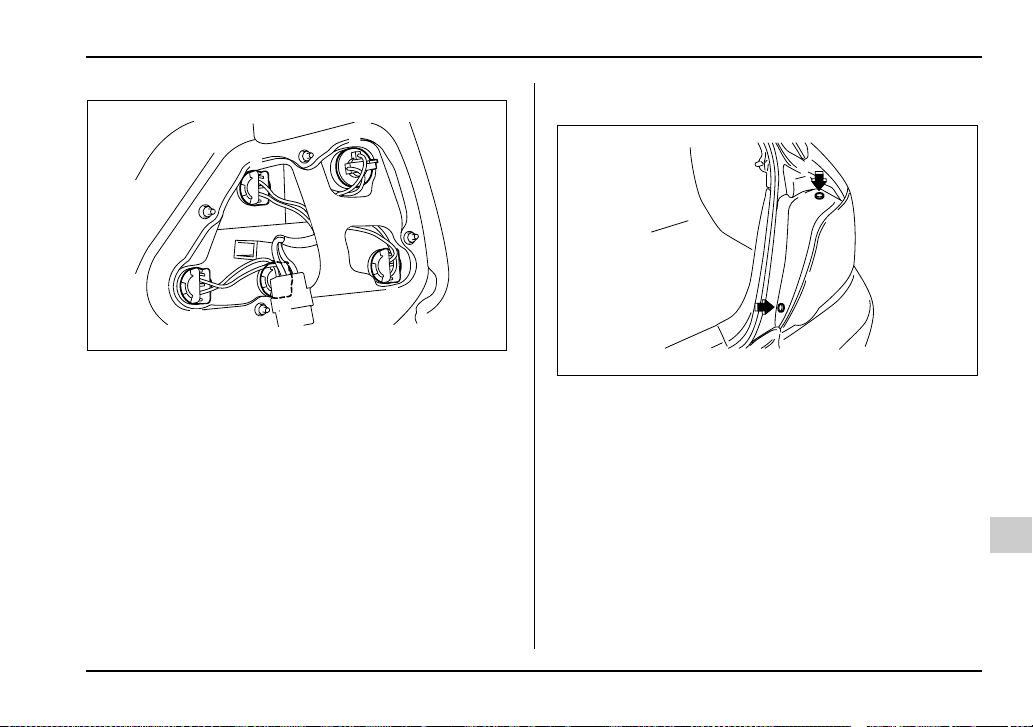
11-79
Maintenance and service
– CONTINUED –
1) Backup light
2) Rear turn signal light
3) Brake/tail light
4) Tail light
5) Brake light
2. Open the rear portion of the side trunk trim panel.
3. Remove the bulb holder from the rear combination
light assembly by turning it counterclockwise.
4. Remove the bulb from the socket by pushing it and
turning counterclockwise. Install a new bulb.
5. Set the bulb holder into the rear combination light
assembly and turn it clockwise until it locks.
6. Secure the rear trunk trim panel with the clips.
T Wagon
1. Using a Phillips screwdriver, remove the upper and
lower screws that secure the side cover of the rear
combination light assembly.
5
54
2
3
1
UGB539BB
UGB540BA
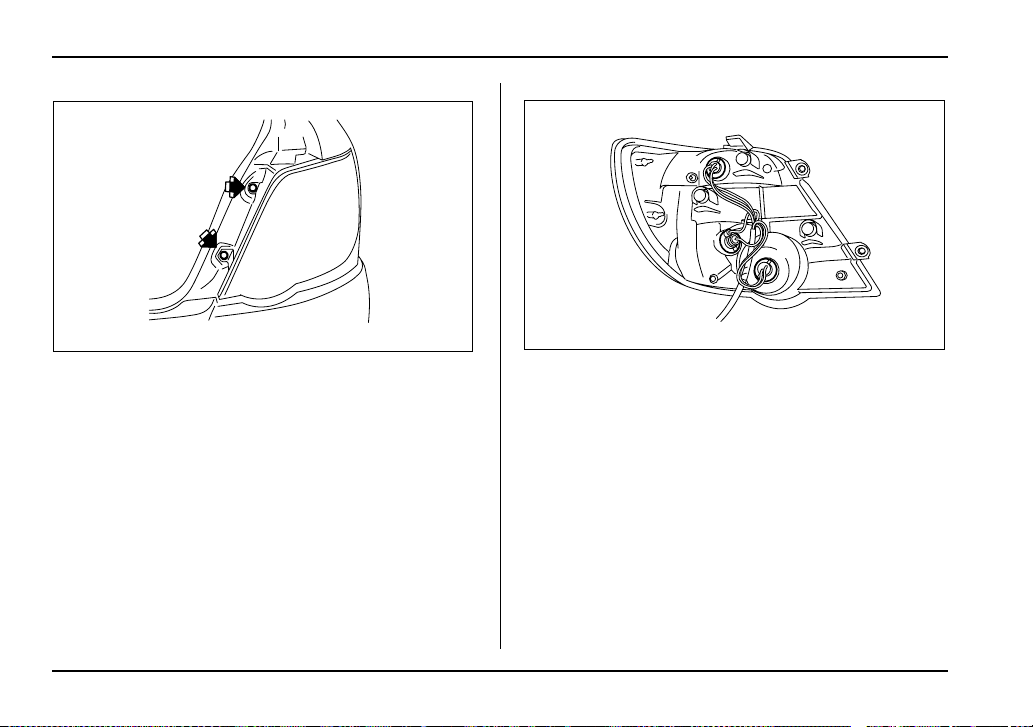
11-80
Maintenance and service
2. Remove the upper and lower screws. Then, slide
the rear combination lamp assembly to the rear and
remove it from the vehicle.
1) Brake/tail light
2) Rear turn signal light
3) Backup light
3. Remove the bulb holder from the rear combination
light assembly by turning it counterclockwise.
4. Remove the bulb from the socket by pushing it and
turning counterclockwise. Install a new bulb.
5. Set the bulb holder into the rear combination light
assembly and turn it clockwise until it locks.
6. Close the cover and latch the lock.
7. Reinstall the rear combination light assembly and
its side cover.
UGB541BA
2
1
3
UGB542BB
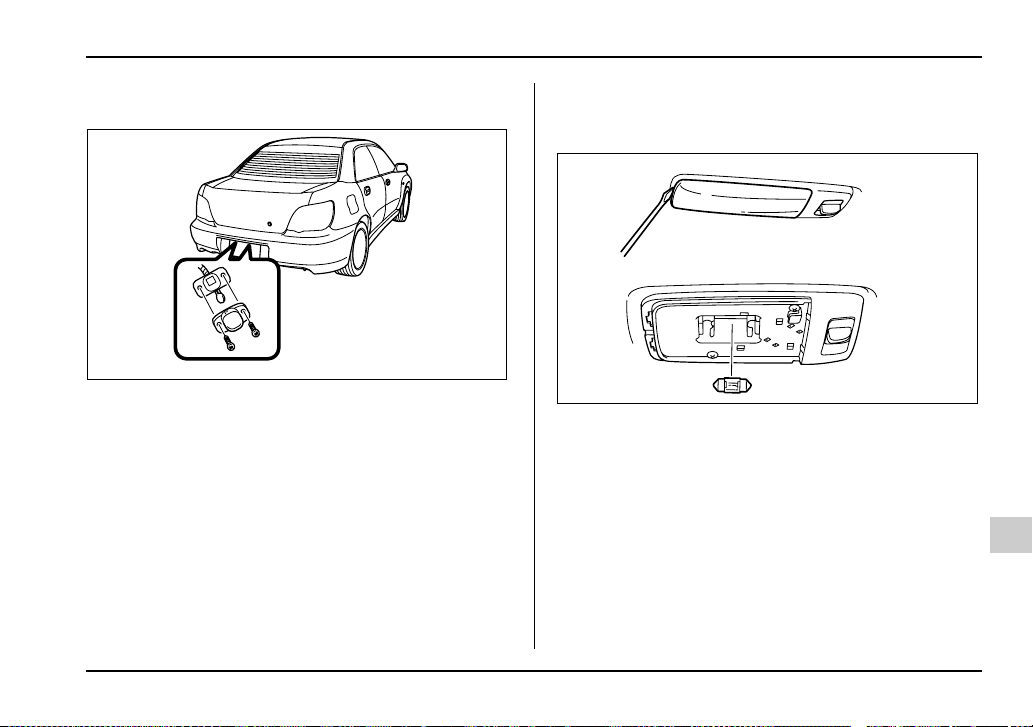
11-81
Maintenance and service
– CONTINUED –
License plate light
1. Remove the mounting screws using a Phillips
screwdriver.
2. Remove the cover and lens.
3. Pull the bulb out of the socket. Install a new bulb.
4. Reinstall the lens and cover.
5. Tighten the mounting screws.
Dome light, map light and cargo area
light
UGB136BA
HSB088BA
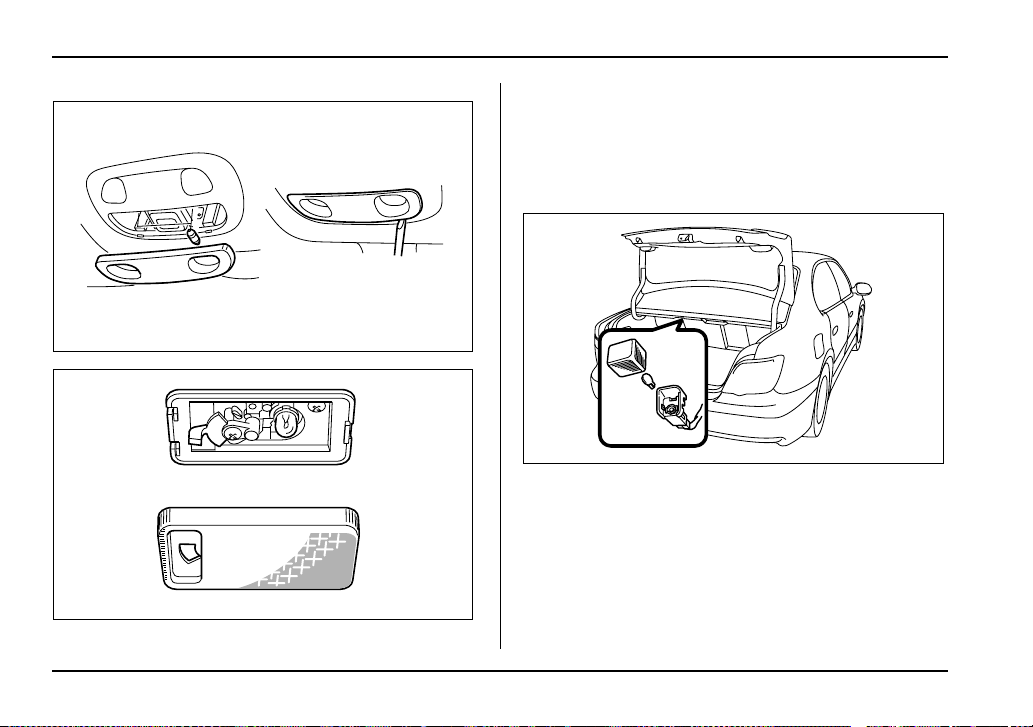
11-82
Maintenance and service
1. Remove the lens by prying the edge of the lens with
a flat-head screwdriver.
2. Pull the bulb out of the socket. Install a new bulb.
3. Reinstall the lens.
Trunk light
0
1. Remove the cover by squeezing its sides and pull-
ing it.
2. Pull the bulb out of the socket. Install a new bulb.
3. Reinstall the cover.
UGB544BA
UGB078BA
UGB137BA
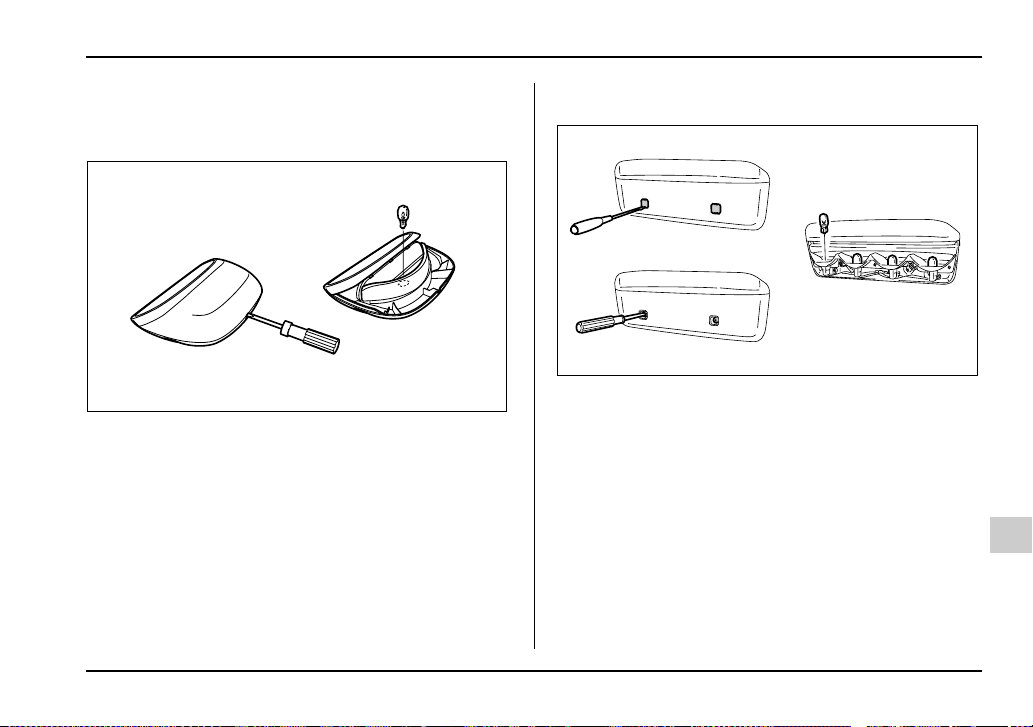
11-83
Maintenance and service
– CONTINUED –
High mount stop light
T Sedan
1. Remove the high mount stop light cover by prying
the edge with a screwdriver.
2. Pull the bulb out of the socket. Install a new bulb.
3. Reinstall the cover.
T Wagon
1. Remove the mounting screw covers by prying the
edge with a screwdriver.
2. Remove the mounting screws using a Phillips
screwdriver and then remove the high mount stop light
cover.
3. Remove the bulbs from the socket by pushing it
and turning counterclockwise. Install a new bulb.
4. Reinstall the cover.
5. Tighten the mounting screws then reinstall the cov-
ers.
NOTE
Other bulbs may be difficult to replace. Have your
UGB546BA
HSB091BA

11-84
Maintenance and service
SUBARU dealer replace these bulbs if necessary.

12-1
12
Specifications
Specifications ................................................ 12-2
Dimensions ....................................................... 12-2
Engine ................................................................ 12-3
Electrical system .............................................. 12-3
Capacities .......................................................... 12-4
Tires ................................................................... 12-5
Wheel alignment ............................................... 12-6
Fuses and circuits ........................................ 12-7
Fuse panel located behind the coin tray ....... 12-7
Fuse panel located in the engine
compartment .................................................. 12-9
Bulb chart ...................................................... 12-10
Vehicle identification .................................... 12-11
12-2
Specifications
Specifications
Specifications
These specifications are subject to change without notice.
Dimensions
in (mm)
*1: Measured with vehicle empty
AT: Automatic transmission
MT: Manual transmission
Item Sedan Wagon
2.5-liter
non-turbo
2.0-liter turbo 2.5-liter
turbo
2.5-liter non-turbo 2.0-liter turbo
RS, RS sport
package
WRX WRX-STi RS OUTBACK
SPORT
WRX
Drive system AWD
Transmission type AT MT AT MT MT AT MT AT MT AT MT
Overall length 173.8 (4,415)
Overall width Sedan 68.5 (1,740) –
Wagon – 66.7 (1,695) 67.3 (1,710) 66.7 (1,695)
Overall height Without
roofrail
56.7 (1,440) 56.3
(1,430)
57.7 (1,465) 58.1 (1,475) 57.7 (1,465)
With roofrail – 58.5 (1,485) 58.9 (1,495) 58.5 (1,485)
Wheel base 99.4 (2,525) 100
(2,540)
99.4 (2,525)
Tread Front 58.5 (1,485) 58.7
(1,490)
57.7 (1,465) 57.5 (1,460) 57.7 (1,465)
Rear 58.1 (1,475) 58.3 (1,480) 58.9
(1,495)
57.3 (1,455)
Ground clearance
*1
5.9 (150) 6.1 (155) 5.7 (145) 5.9 (150) 6.3 (160) 6.1 (155)
12-3
Specifications
– CONTINUED –
Engine
Electrical system
AT: Automatic transmission
MT: Manual transmission
Engine model EJ253
(2.5-liter, SOHC, non-turbo)
EJ205 (2.0-liter, DOHC, turbo) EJ257 (2.5-liter, DOHC, turbo)
Engine type Horizontally opposed, liquid cooled 4 cylinder, 4-stroke gasoline engine
Displacement cc (cu-in) 2,457 (150) 1,994 (122) 2,457 (150)
Bore × Stroke in (mm) 3.9 × 3.1 (99.5 × 79.0) 3.6 × 2.9 (92.0 × 75.0) 3.9 × 3.1 (99.5 × 79.0)
Compression ratio 10.0 : 1 8.0 : 1 8.2 : 1
Firing order 1 – 3 – 2 – 4
Battery type and
capacity (5HR)
MT 12V-48AH (55D23L)
AT With 2.5-liter non-turbo engine 12V-52AH (75D23L)
With 2.0-liter turbo engine 12V-52AH (65D23L)
Alternator 2.5-liter non-turbo and
2.0-liter turbo engine
12V-75A
2.5-liter turbo engine 12V-90A
Spark plugs 2.5-liter non-turbo engine FR5AP-11
2.0-liter turbo engine PFR6G (NGK)
2.5-liter turbo engine IFLR6B (NGK)
12-4
Specifications
Capacities
AT: Automatic transmission
MT: Manual transmission
Fuel tank 15.9 US gal (60 liters, 13.2 Imp gal)
Engine oil 4.2 US qt (4.0 liters, 3.5 Imp qt)
Transmission oil (MT) 5 speed 3.7 US qt (3.5 liters, 3.1 Imp qt)
6 speed 4.3 US qt (4.1 liters, 3.6 Imp qt)
Transmission oil (AT) 10.0 US qt (9.5 liters, 8.4 Imp qt)
Power steering gear fluid 0.7 US qt (0.7 liter, 0.6 Imp qt)
Engine coolant 2.5-liter non-turbo engine MT 7.4 US qt (7.0 liters, 6.2 Imp qt)
AT 7.3 US qt (6.9 liters, 6.1 Imp qt)
2.0-liter turbo engine MT 8.1 US qt (7.7 liters, 6.8 Imp qt)
AT 8.0 US qt (7.6 liters, 6.7 Imp qt)
2.5-liter turbo engine MT 8.1 US qt (7.7 liters, 6.8 Imp qt)
12-5
Specifications
– CONTINUED –
Tires
*1: The recommended cold tire pressure for the 215/45R17 87W tire is not indicated on the vehicle placard attached to the driver’s
side B-pillar since this tire is a dealer option for the WRX. If your vehicle is equipped with 215/45R17 87W tires, be sure to adjust
them to the air pressure shown on this page.
Item RS, RS sport package,
WRX
WRX (option tire)*1 WRX-STi
Tire size P205/55R16 89V 215/45R17 87W 225/45R17 90W
Wheel size 16 × 6
1
/
2
JJ 17 × 7 JJ 17 × 8 JJ
Pressure Front 32 psi
(220 kPa, 2.2 kgf/cm
2
)
33 psi
(230 kPa, 2.3 kgf/cm
2
)
36 psi
(250 kPa, 2.5 kgf/cm
2
)
Rear 29 psi
(200 kPa, 2.0 kgf/cm
2
)
32 psi
(220 kPa, 2.2 kgf/cm
2
)
30 psi
(210 kPa, 2.1 kgf/cm
2
)
Temporary spare tire Size T135/70 D16 T135/70 D17
Pressure 60 psi (420 kPa, 4.2 kgf/cm
2
)
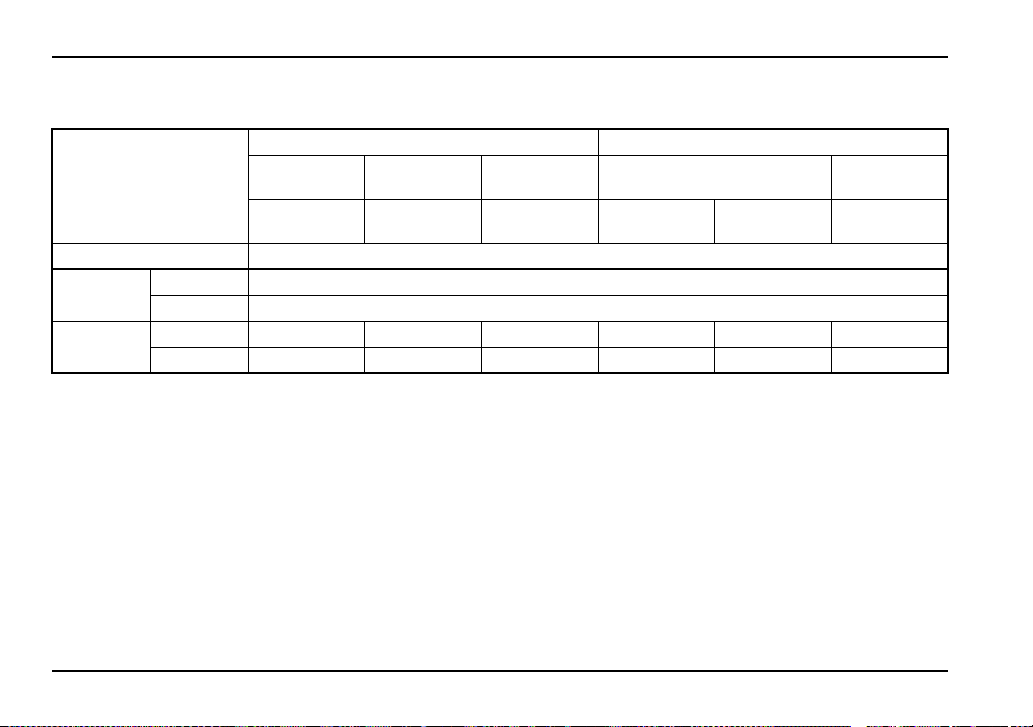
12-6
Specifications
Wheel alignment
Item Sedan Wagon
2.5-liter
non-turbo
2.0-liter turbo 2.5-liter turbo 2.5-liter non-turbo 2.0-liter turbo
RS, RS sport
package
WRX WRX-STi RS OUTBACK
SPORT
WRX
Drive system AWD
Toe Front 0 in (0 mm)
Rear 0 in (0 mm)
Camber Front –0°15’ –0°25’ –0°30’ –0°10’ –0°05’ –0°20’
Rear –1°25’ –1°30’ –1°40’ –1°15’ –1°10’ –1°20’
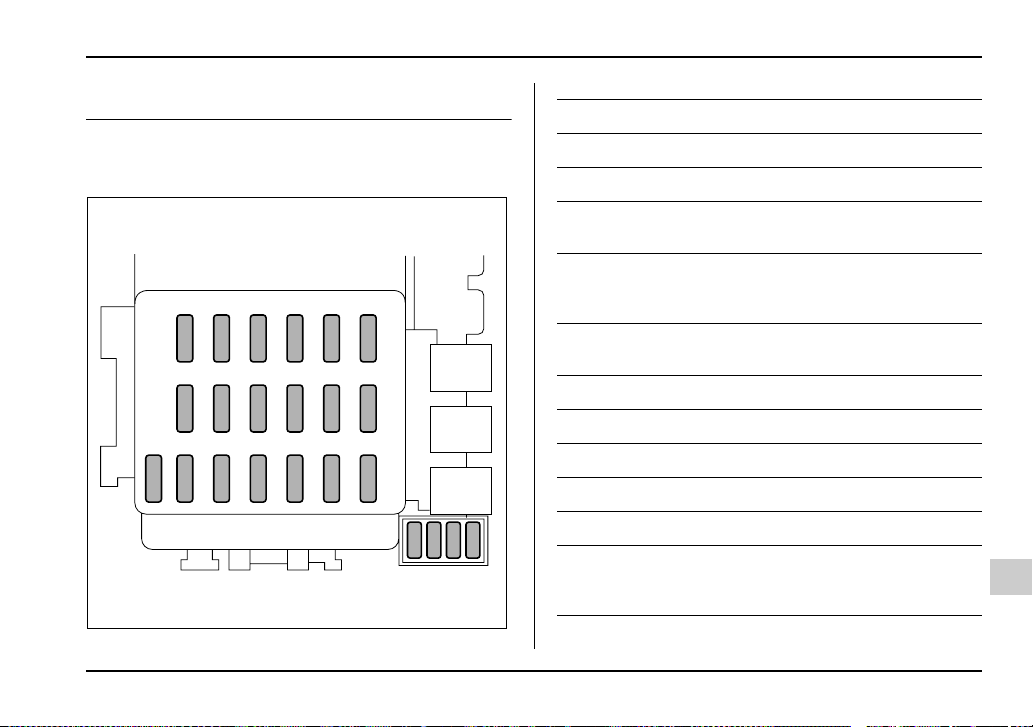
12-7
Specifications
– CONTINUED –
Fuses and circuits
Fuse panel located behind the coin
tray
1
23456
78
910
11
12
13
14 15
16 17 18 19
20 21 22 23
HSC001BB
Fuse panel Fuse rating Circuit
1 15A y Heater fan
2 15A y Heater fan
3 15A y Power door lock
y Remote keyless entry
4 20A y Cigarette lighter
y Remote controlled rear
view mirrors
5 10A y Tail light
y Parking light
6 15A y SRS airbag
7 15A y Fog light
8 20A y ABS solenoid
9 15A y Radio
10 Empty
11 15A y Engine ignition system
y SRS airbag
y AT control system
12-8
Specifications
12 10A y Illumination brightness
control
13 10A y Combination meter
y SRS lamp
14 10A y Rear window wiper and
washer
15 30A y Windshield wiper and
washer
16 20A y Brake light
17 15A y Air conditioner
18 15A y Backup light
y Cruise control
19 20A y Mirror heater
20 Empty
21 Empty
22 10A y ABS ignition
Fuse panel Fuse rating Circuit
23 20A y Accessory power outlet
(cargo)
y Seat heater
Fuse panel Fuse rating Circuit

12-9
Specifications
– CONTINUED –
Fuse panel located in the engine com-
partment
A) FWD socket (AT models except Turbo)
B) Main fuse
C) Engine sensor (Non-turbo models)
A
1
2
3
C
B
4
5
6
7
8
91011
12
UGC012BB
Fuse panel Fuse rating Circuit
1 20A y Radiator cooling fan
(Main)
2 20A y Radiator cooling fan
(Sub)
3 30A y ABS motor
4 20A y Rear window defogger
5 15A y Hazard warning flasher
y Horn
6 15A y Turn signal lights
7 10A y Automatic transmis-
sion control unit
8 10A y Alternator
9 15A y Headlight (right side)
10 15A y Headlight (left side)
11 20A y Lighting switch
12 20A y Clock
y Interior light

12-10
Specifications
Bulb chart
Description Wattage Bulb type
Headlight
U.S.-spec. WRX-
STi version
Low beam 12V-35W D2R
High beam 12V-60W 9005 (HB3)
Except U.S.-spec.
WRX-STi version
Low beam 12V-55W H1
High beam 12V-60W 9005 (HB3)
Front fog light 12V-55W H3
Front turn signal 12V-21W –
Parking light 12V-5W 168
Rear combination
light
Brake light (Sedan) 12V-21W 7440
Brake/tail light 12V-21/5W 7443
Turn signal light 12V-21W
(Amber) –
Tail light (Sedan) 12V-21/5W 7443
Back-up light 12V-21W 7440
High mount stop light
Sedan
(in compartment) 12V-18W 921
Sedan
(in rear spoiler) 12V-1.2W –
Wagon 12V-13W 912
License plate light 12V-5W 168
Trunk room light 12V-16W W16W
Cargo area light 12V-13W –
Front ashtray light 12V-1.4W –
Dome light 12V-8W –
Map light 12V-8W –
Description Wattage Bulb type
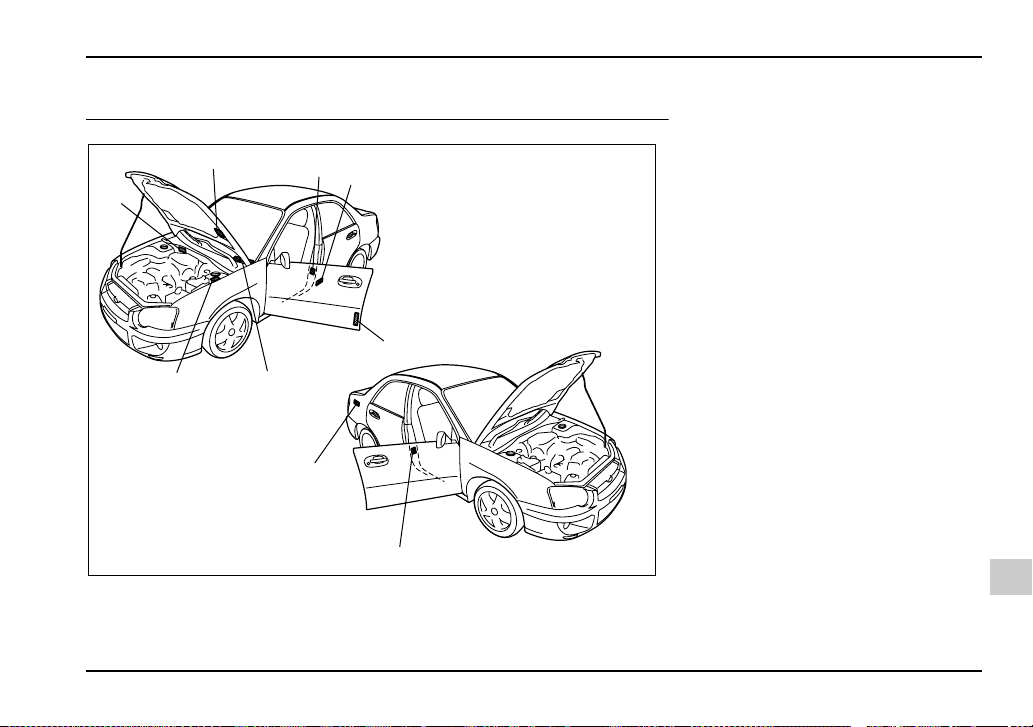
12-11
Specifications
– CONTINUED –
Vehicle identification
2
1
7
6
9
8
4
3
5
UGC013BB
1) Vehicle identification number
2) Vacuum hose connections la-
bel/Emission control label
3) Tire inflation pressure label
4) Certification plate
5) Bar cord label (U.S. only)
6) Vehicle identification number
plate
7) Model number plate
8) Radio noise label (Canada only)
9) Fuel label


13-1
13
Consumer information and Reporting safety defects
Tire information ............................................. 13-2
Tire labeling ....................................................... 13-2
Recommended tire inflation pressure ............ 13-5
Glossary of tire terminology ............................ 13-7
Tire care – maintenance and safety
practices ......................................................... 13-8
Vehicle load limit – how to determine ............. 13-9
Determining compatibility of tire and vehicle
load capacities ............................................... 13-13
Adverse safety consequences of overloading
on handling and stopping and on tires ........ 13-14
Steps for Determining Correct Load Limit ..... 13-14
Uniform tire quality grading standards ....... 13-15
Treadwear .......................................................... 13-15
Traction AA, A, B, C .......................................... 13-15
Temperature A, B, C ......................................... 13-16
Reporting safety defects (USA) ................... 13-17

13-2
Consumer information and Reporting safety defects
Consumer inf ormation and R eporting saf ety defects
For U.S.A.
The following information has been compiled accord-
ing to Code of Federal Regulations “Title 49, Part
575”.
Tire information
Tire labeling
Many markings (e.g. Tire size, Tire Identification
Number or TIN) are placed on the sidewall of a
tire by tire manufacturers. These marking can
provide you with useful information on the tire.
T Tire size
Your vehicle comes equipped with P-Metric tire
size. It is important to understand the sizing sys-
tem in selecting the proper tire for your vehicles.
Here is a brief review of the tire sizing system
with a breakdown of its individual elements.
V P Metric
With the P-Metric system, Section Width is mea-
sured in millimeters. To convert millimeters into
inches, divide by 25.4. The Aspect Ratio (Sec-
tion Height divided by Section Width) helps pro-
vide more dimensional information about the tire
size.
Example:
(1) P = Certain tire type used on light duty vehi-
cles such as passenger cars
(2) Section Width in millimeters
(3) Aspect Ratio (= section height ÷ section
width).
(4) R = Radial Construction
(5) Rim diameter in inches
V Load and Speed Rating Descriptions
The load and speed rating descriptions will ap-
pear following the size designation.
They provide two important facts about the tire.
First, the number designation is its load index.
Second, the letter designation indicates the tire’s
speed rating.
P 205 / 55 R 16
(1)
(2)
(3) (4) (5)
13-3
Consumer information and Reporting safety defects
– CONTINUED –
Example:
(6) Load Index: A numerical code which speci-
fies the maximum load a tire can carry at the
speed indicated by its speed symbol, at maxi-
mum inflation pressure.
For example, “90” means 1,323 lbs (600 kg), “89”
means 1,278 lbs (580 kg).
Load indices apply only to the tire, not to
the vehicle. Putting a load rated tire on any
vehicle does not mean the vehicle can be
loaded up to the tire’s rated load.
(7) Speed Rating: An alphabetical system de-
scribing a tire’s capability to travel at established
and predetermined speeds.
For example, “V” means 149 mph (240 km/h)
y Speed ratings apply only to the tire, not
to the vehicle. Putting a speed rated tire on
any vehicle does not mean the vehicle can
be operated at the tire’s rated speed.
y The speed rating is void if the tires are
worn out, damaged, repaired, retreaded, or
otherwise altered from their original condi-
tion. If tires are repaired, retreaded, or oth-
erwise altered, they may not be suitable for
original equipment tire designed loads and
speeds.
T Tire Identification Number (TIN)
Tire Identification Number (TIN) is marked on the
intended outboard sidewall. The TIN is com-
posed of four groups. Here is a brief review of the
TIN with a breakdown of its individual elements.
(1) Manufacturer’s Identification Mark
P 205 / 55 R 16 89 V
Size designation
(6) (7)
DOT XX XX XXX XXXX
(1) (2)
(3)
(4)
13-4
Consumer information and Reporting safety defects
(2) Tire Size
(3) Tire Type Code
(4) Date of Manufacture
The first two figures identify the week, starting
with “01” to represent the first full week of the cal-
endar year; the second two figures represent the
year. For example, 0101 means the 1st week of
2001.
T Other markings
The following makings are also placed on the
sidewall.
V Maximum permissible inflation pressure
The maximum cold inflation pressure to which
this tire may be inflated. For example, “300 kpa
(44 PSI) MAX. PRESS”
V Maximum load rating
The load rating at the maximum permissible
weight load for this tire. For example, “MAX.
LOAD 580 kg (1279 LBS) @ 300 kpa (44 PSI)
MAX. PRESS.”
Maximum load rating applies only to the
tire, not to the vehicle. Putting a load rated
tire on any vehicle does not mean the vehi-
cle can be loaded up to the tire’s rated
load.
V Construction type
Applicable construction of this tire.
For example, “TUBELESS STEEL BELTED RA-
DIAL”
V Construction
The generic name of each cord material used in
the plies (both sidewall and tread area) of this
tire.
For example, “PLIES: TREAD 2 STEEL + 2
POLYESTER SIDEWALL 2 POLYESTER”
V Uniform Tire Quality Grading (UTQG)
For details, refer to “Uniform tire quality grading
standards” in this chapter.
13-5
Consumer information and Reporting safety defects
– CONTINUED –
Recommended tire inflation pressure
T Recommended cold tire inflation pressure
Recommended cold tire inflation pressure for your vehicle’s tires is as follows,
*1: The recommended cold tire pressure for the 215/45R17 87W tire is not indicated on the vehicle plac-
ard attached to the driver’s side B-pillar since this tire is a dealer option for the WRX. If your vehicle is
equipped with 215/45R17 87W tires, be sure to adjust them to the air pressure shown on this page.
Item RS, RS sport
package, WRX
WRX (option tire)
*1
WRX-STi
Tire size P205/55R16 89V 215/45R17 87W 225/45R17 90W
Wheel size 16 × 6
1
/
2
JJ 17 × 7 JJ 17 × 8 JJ
Pressure Front 32 psi (220 kPa,
2.2 kgf/cm
2
)
33 psi (230 kPa,
2.3 kgf/cm
2
)
36 psi (250 kPa,
2.5 kgf/cm
2
)
Rear 29 psi (200 kPa,
2.0 kgf/cm
2
)
32 psi (220 kPa,
2.2 kgf/cm
2
)
30 psi (210 kPa,
2.1 kgf/cm
2
)
Temporary spare
tire
Size T135/70 D16 T135/70 D17
Pressure 60 psi (420 kPa, 4.2 kgf/cm
2
)
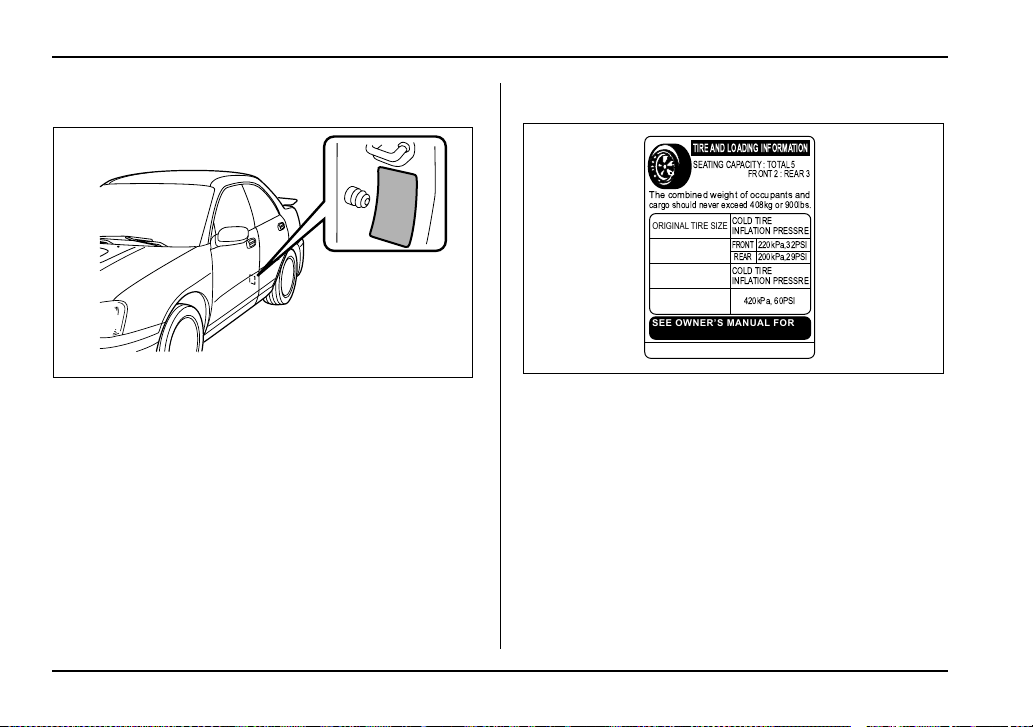
13-6
Consumer information and Reporting safety defects
T Vehicle placard
The vehicle placard is affixed to the driver’s side
B-pillar.
Example:
The vehicle placard shows original tire size, rec-
ommended cold tire inflation pressure on each
tire at maximum loaded vehicle weight, seating
capacity and loading information.
T Adverse safety consequences of under-in-
flation
Driving at high speeds with excessively low tire
pressures can cause the tires to flex severely
and to rapidly become hot. A sharp increase in
temperature could cause tread separation, and
failure of the tire(s). Possible resulting loss of ve-
UGD502BA
MD
TIRE AND LOADING INFORMATION
SEATING CAPACITY : TOTAL5
ORIGINAL TIRE SIZE
SEE OWNER’S MANUAL FOR
ADDITIONAL INFORMATION
COLD TIRE
INFLATION PRESSRE
COLD TIRE
INFLATION PRESSRE
FRONT
REAR
220kPa,32PSI
200kPa,29PSI
P205/55R16
T135/70D16
420kPa, 60PSI
COMPACT SPARE TIRE
The combined weight of occupants and
cargo should never exceed 408kg or 900lbs.
FRONT 2 : REAR 3
UGD513AA

13-7
Consumer information and Reporting safety defects
– CONTINUED –
hicle control could lead to an accident.
T Measuring and adjusting air pressure to
achieve proper inflation
Check and, if necessary, adjust the pressure of
each tire (including the spare) at least once a
month and before any long journey. Check the
tire pressures when the tires are cold. Use a
pressure gauge to adjust the tire pressures to the
specific values. Driving even a short distance
warms up the tires and increases the tire pres-
sures. Also, the tire pressures are affected by the
outside temperature. It is best to check tire pres-
sure outdoors before driving the vehicle. When a
tire becomes warm, the air inside it expands,
causing the tire pressure to increase. Be careful
not to mistakenly release air from a warm tire to
reduce its pressure.
Glossary of tire terminology
y Cold tire pressure
The pressure in a tire that has been driven less
than 1 mile or has been standing for three hours
or more.
y Maximum inflation pressure
The maximum cold inflation pressure to which a
tire may be inflated.
y Recommended inflation pressure
The cold inflation pressure recommended by a
vehicle manufacturer.
y Intended outboard sidewall
1)The sidewall that contains a whitewall, bears
white lettering or bears manufacturer, brand,
and/or model name molding that is higher or
deeper than the same molding on the other
sidewall of the tire, or
2)The outward facing sidewall of an asymmet-
rical tire that has a particular side that must al-
ways face outward when mounting on a vehi-
cle.
y Accessory weight
The combined weight (in excess of those stan-
dard items which may be replaced) of floor mats,
leather seats and cross bars to the extent that
these items are available as factory-installed
equipment (whether installed or not).
y Curb weight
The weight of a motor vehicle with standard
equipment including the maximum capacity of fu-
el, oil, and coolant and air conditioning.

13-8
Consumer information and Reporting safety defects
y Maximum loaded vehicle weight
The sum of curb weight, accessory weight, vehi-
cle capacity weight and production options
weight.
y Normal occupant weight
150 lbs (68 kg) times the number of occupants (3
occupants).
y Occupant distribution
Distribution of occupants in a vehicle, 2 in front,
1 in rear seat.
y Production options weight
The combined weight of those installed regular
production options weighing over 5.1 lbs (2.3 kg)
in excess of those standards items which they
replace, not previously considered in curb weight
or accessory weight.
y Vehicle capacity weight
The total weight of cargo, luggage and occu-
pants that can be added to the vehicle.
y Vehicle maximum load on a tire
Load on an individual tire that is determined by
distributing to each axle its share of the maxi-
mum loaded vehicle weight and dividing by two.
y Vehicle normal load on a tire
Load on an individual tire that is determined by
distributing to each axle its share of the curb
weight, accessory weight, and normal occupant
weight and dividing by two.
Tire care – maintenance and safety
practices
y Check on a daily basis that the tires are free
from serious damage, nails, and stones. At the
same time, check the tires for abnormal wear.
y Inspect the tire tread regularly and replace the
tires before their tread wear indicators become
visible. When a tire’s tread wear indicator be-
comes visible, the tire is worn beyond the ac-
ceptable limit and must be replaced immediately.
With a tire in this condition, driving at even low
speeds in wet weather can cause the vehicle to
hydroplane. Possible resulting loss of vehicle
control can lead to an accident.
y To maximize the life of each tire and ensure
that the tires wear uniformly, it is best to rotate
the tires every 7,500 miles (12,500 km). Rotating
the tires involves switching the front and rear
tires on the right hand side of the vehicle and
similarly switching the front and rear tires on the
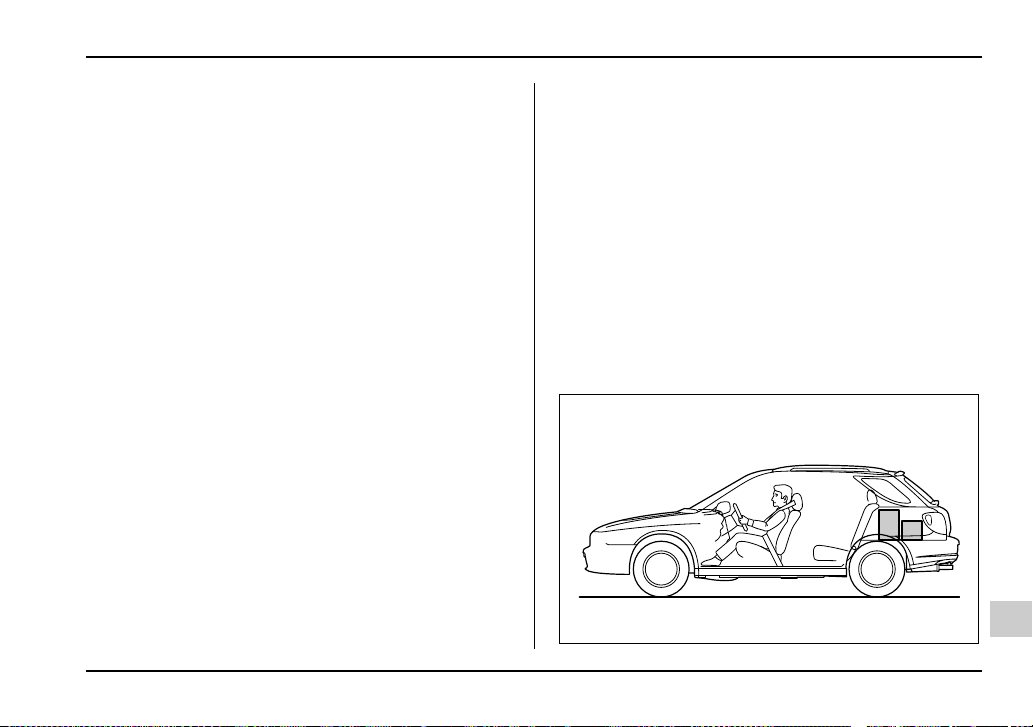
13-9
Consumer information and Reporting safety defects
– CONTINUED –
left hand side of the vehicle. (Each tire must be
kept on its original side of the vehicle.) Replace
any damaged or unevenly worn tire at the time of
rotation. After tire rotation, adjust the tire pres-
sures and make sure the wheel nuts are correct-
ly tightened. A tightening torque specification
and a tightening sequence specification for the
wheel nuts can be found “Flat tires” in Chapter 9.
Vehicle load limit – how to determine
The load capacity of your vehicle is determined
by weight, not by available cargo space. The
load limit of your vehicle is shown on the vehicle
placard attached to the driver’s side B-pillar. Lo-
cate the statement “The combined weight of oc-
cupants and cargo should never exceed XXX kg
or XXX lbs” on your vehicle’s placard.
The vehicle placard also shows seating capacity
of your vehicle.
The total load capacity includes the total weight
of driver and all passengers and their belong-
ings, any cargo, any optional equipment such as
a trailer hitch, roof rack or bike carrier, etc., and
the tongue load of a trailer. Therefore cargo ca-
pacity can be calculated by the following method.
Cargo capacity = Load limit – (total weight of oc-
cupants + total weight of optional equipment +
tongue load of a trailer (if applicable))
For towing capacity information and weight lim-
its, refer to “Trailer towing” in Chapter 8.
T Calculating total and load capacities vary-
ing seating configurations
Calculate the available load capacity as shown in
the following examples:
Example 1A
UGD504BA
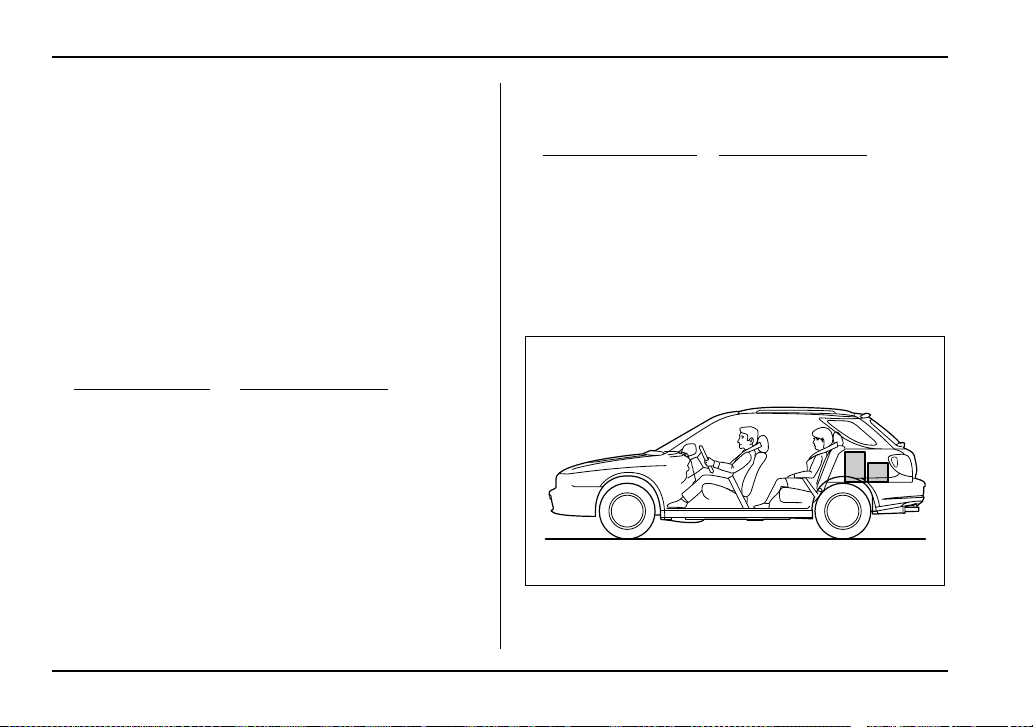
13-10
Consumer information and Reporting safety defects
Vehicle capacity weight of the vehicle is 900 lbs
(408 kg), which is indicated on the vehicle plac-
ard with the statement “The combined weight of
occupants and cargo should never exceed 900
lbs or 408 kg”.
For example, if the vehicle has one occupant
weighing 154 lbs (70 kg) plus cargo weighing
662 lbs (300 kg).
1. Calculate the total weight.
2. Calculate the available load capacity by sub-
tracting the total weight from the vehicle capacity
weight of 900 lbs (408 kg).
3. The result of step 2 shows that a further 84 lbs
(38 kg) of cargo can be carried.
Example 1B
For example, if a person weighing 176 lbs (80
kg) now enters the same vehicle (bringing the
Total weight
= 154 lbs (70 kg) + 662 lbs (300 kg)
= 816 lbs (370 kg)
(Occupant) (Cargo)
Available Load Capacity
= 900 lbs (408 kg) – 816 lbs (370 kg)
= 84 lbs (38 kg)
(Vehicle
capacity weight)
(Total weight)
HG8014BA

13-11
Consumer information and Reporting safety defects
– CONTINUED –
number of occupants to two), the calculations
are as follows:
1. Calculate the total weight.
2. Calculate the available load capacity.
3. The total weight now exceeds the capacity
weight by 92 lbs (42 kg), so the cargo weight
must be reduced by 92 lbs (42 kg) or more.
Example 2A
Vehicle capacity weight of the vehicle is 900 lbs
(408 kg), which is indicated on the vehicle plac-
ard with the statement “The combined weight of
occupants and cargo should never exceed 408
kg or 900 lbs”.
For example, the vehicle has one occupant
weighing 165 lbs (75 kg) plus cargo weighing
375 lbs (170 kg). In addition, the vehicle is fitted
with a trailer hitch weighing 22 lbs (10 kg), to
which is attached a trailer weighing 1,764 lbs
(800 kg). 10% of the trailer weight is applied to
Total weight
= 154 lbs (70 kg) + 176 lbs (80 kg)
+ 662 lbs (300 kg)
= 992 lbs (450 kg)
(Occupant)
(Cargo)
Available Load Capacity
= 900 lbs (408 kg) – 992 lbs (450 kg)
= –92 lbs (–42 kg)
(Vehicle
capacity weight)
(Total weight)
UGD505BA
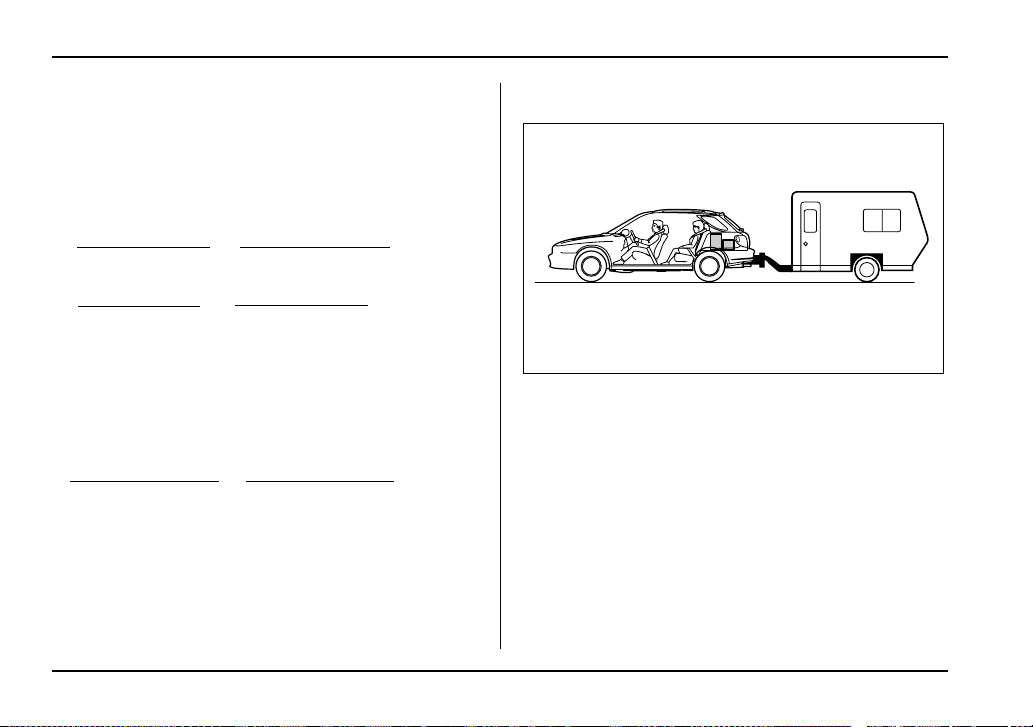
13-12
Consumer information and Reporting safety defects
the trailer tongue (i.e. Tongue load = 176 lbs (80
kg)).
1. Calculate the total weight.
2. Calculate the available load capacity.
3. The result of step 2 shows that a further 162
lbs (73 kg) of cargo can be carried.
Example 2B
For example, if a person weighing 143 lbs (65
kg) and a child weighing 40 lbs (18 kg) now enter
the same vehicle (bringing the number of occu-
pants to three), and a child restraint system
weighing 11 lbs (5 kg) is installed in the vehicle
for the child to use, the calculations are as fol-
lows:
1. Calculate the total weight.
Total weight
= 165 lbs (75 kg) + 375 lbs (170 kg)
+ 22 lbs (10 kg) + 176 lbs (80 kg)
= 738 lbs (335 kg)
(Occupant) (Cargo)
(Trailer hitch)
(Tongue load)
Available Load Capacity
= 900 lbs (408 kg) – 738 lbs (335 kg)
= 162 lbs (73 kg)
(Vehicle
capacity weight)
(Total weight)
UGD506BA
13-13
Consumer information and Reporting safety defects
– CONTINUED –
2. Calculate the available load capacity.
3. The total weight now exceeds the capacity
weight by 32 lbs (15 kg), so the cargo weight
must be reduced by 32 lbs (15 kg) or more.
Determining compatibility of tire and
vehicle load capacities
The sum of four tires’ maximum load ratings
must exceed the maximum loaded vehicle
weight (“GVWR”). In addition, sum of the maxi-
mum load ratings of two front tires and of two
rear tires must exceed each axle’s maximum
loaded capacity (“GAWR”). Original equipment
tires are designed to fulfill those conditions.
The maximum loaded vehicle weight is referred
to Gross Vehicle Weight Rating (GVWR). And
each axle’s maximum loaded capacity is referred
to Gross Axle Weight Rating (GAWR). The
GVWR and each axle’s GAWR are shown on the
vehicle certification label affixed to the driver’s
door.
The GVWR and front and rear GAWRs are de-
termined by not only the maximum load rating of
tires but also loaded capacities of the vehicle’s
suspension, axles and other body parts.
Therefore, this means that the vehicle cannot
necessarily be loaded up to the tire’s maximum
load rating on the tire sidewall.
Total weight
= 165 lbs (75 kg) + 143 lbs (65 kg) + 40 lbs (18 kg)
+ 11 lbs (5 kg) + 375 lbs (170 kg)
+ 22 lbs (10 kg) + 176 lbs (80 kg)
= 932 lbs (423 kg)
(Occupant)
(Cargo)
(Trailer hitch)
(Child restraint)
(Tongue load)
Available Load Capacity
= 900 lbs (408 kg) – 932 lbs (423 kg)
= –32 lbs (–15 kg)
(Vehicle
capacity weight)
(Total weight)

13-14
Consumer information and Reporting safety defects
Adverse safety consequences of over-
loading on handling and stopping and
on tires
Overloading could affect vehicle handling, stop-
ping distance, vehicle and tire as shown below.
This could lead to an accident and possibly result
in severe personal injury.
y Vehicle stability will deteriorate.
y Heavy and/or high-mounted loads could in-
crease the risk of rollover.
y Stopping distance will increase.
y Brakes could overheat and fail.
y Suspension, bearings, axles and other body
parts could break or experience accelerated
wear that will shorten vehicle life.
y Tires could fail.
y Tread separation could occur.
y Tire could separate from its rim.
Steps for Determining Correct Load
Limit
1. Locate the statement “The combined weight
of occupants and cargo should never exceed
XXX pounds” on your vehicle’s placard.
2. Determine the combined weight of the driver
and passengers that will be riding in your vehicle.
3. Subtract the combined weight of the driver
and passengers from XXX kilograms or XXX
pounds.
4. The resulting figure equals the available
amount of cargo and luggage load capacity. For
example, if the “XXX” amount equals 1,400 lbs
(635 kg) and there will be five- 150 lbs (68 kg)
passengers in your vehicle, the amount of avail-
able cargo and luggage load capacity is 650 lbs.
(1,400 – 750 (5 x 150) = 650 lbs.)
5. Determine the combined weight of luggage
and cargo being loaded on the vehicle. That
weight may not safely exceed the available car-
go and luggage load capacity calculated in Step
4.
6. If your vehicle will be towing a trailer, load
from your trailer will be transferred to your vehi-
cle. Consult this manual to determine how this
reduces the available cargo and luggage load
capacity of your vehicle.
13-15
Consumer information and Reporting safety defects
– CONTINUED –
Uniform tire quality grading stan-
dards
This information indicates the relative perfor-
mance of passenger car tires in the area of
treadwear, traction, and temperature resistance.
This is to aid the consumer in making an in-
formed choice in the purchase of tires.
Quality grades can be found where applicable on
the tire sidewall between tread shoulder and
maximum section width. For example:
Treadwear 200 Traction AA Temperature A
The quality grades apply to new pneumatic tires
for use on passenger cars. However, they do not
apply to deep tread, winter type snow tires,
space-saver or temporary use spare tires, tires
with nominal rim diameters of 12 inches or less,
or to some limited production tires.
All passenger car tires must confirm to Federal
Safety Requirements in addition to these grades.
Treadwear
The treadwear grade is a comparative rating
based on the wear rate of the tire when tested
under controlled conditions on a specified gov-
ernment test course.
For example, a tire graded 150 would wear one
and one-half (1-1/2) times as well on the govern-
ment course as a tire graded 100. The relative
performance of tires depends upon the actual
conditions of their use, however, and may depart
significantly from the norm due to variations in
driving habits, service practices and differences
in road characteristics and climate.
Traction AA, A, B, C
The traction grades, from highest to lowest, are
AA, A, B and C. Those grades represent the
tire’s ability to stop on wet pavement as mea-
sured under controlled conditions on specified
government test surfaces of asphalt and con-
crete. A tire marked C may have poor traction
performance.
The traction grade assigned to this tire is
based on straight-ahead braking traction
13-16
Consumer information and Reporting safety defects
tests, and does not include acceleration,
cornering, hydroplaning, or peak traction
characteristics.
Temperature A, B, C
The temperature grades are A (the highest), B,
and C, representing the tire’s resistance to the
generation of heat and its ability to dissipate heat
when tested under controlled conditions on a
specified indoor laboratory test wheel. Sustained
high temperature can cause the material of the
tire to degenerate and reduce tire life, and exces-
sive temperature can lead to sudden tire failure.
The grade C corresponds to a level of perfor-
mance which all passenger car tires must meet
under the Federal Motor Vehicle Safety Stan-
dards No. 109. Grades B and A represent higher
levels of performance on the laboratory test
wheel than the minimum required by law.
The temperature grade for this tire is es-
tablished for a tire that is properly inflated
and not overloaded. Excessive speed, un-
derinflation, or excessive loading, either
separately or in combination, can cause
heat buildup and possible tire failure.
13-17
Consumer information and Reporting safety defects
– CONTINUED –
Reporting safety defects (USA)
If you believe that your vehicle has a defect
which could cause a crash or could cause in-
jury or death, you should immediately inform
the National Highway Traffic Safety Admin-
istration (NHTSA) in addition to notifying
Subaru of America, Inc.
If NHTSA receives similar complaints, it may
open an investigation, and if it finds that a
safety defect exists in a group of vehicles, it
may order a recall and remedy campaign.
However, NHTSA cannot become involved
in individual problems between you, your
dealer, or Subaru of America, Inc. To con-
tact NHTSA, you may either call the Auto
Safety Hotline toll-free at 1-800-424-9393
(or 366-0123 in the Washington D.C. area)
or write to: NHTSA, U.S. Department of
Transportation, Washington, D.C. 20590.
You can also obtain other information about
motor vehicle safety from the Hotline.


14-1
14
Index

14-2
Index
A
ABS (Anti-lock Brake System) ........................... 7-31
Warning light ........................................ 3-23, 7-32
Accessories .............................................. 5-3, 11-68
Accessory power outlet .............................. 6-8, 6-11
Active head restraint ............................................ 1-6
Air cleaner element ......................................... 11-24
Air conditioner operation ..................................... 4-9
Air filtration system ............................................ 4-18
Air flow selection ................................................. 4-2
All-wheel drive warning light (for AWD AT
vehicles) ........................................................ 3-26
Aluminum wheels ............................................ 11-54
Antenna system .................................................. 5-2
Anti-lock Brake System (ABS) ........................... 7-31
Arming the system ............................................. 2-17
Armrest ................................................................ 1-9
Ashtray .............................................................. 6-12
AT OIL TEMPerature warning light ................... 3-22
Audio set ............................................................. 5-3
Auto-dimming mirror/compass .......................... 3-46
Automatic climate control system ...................... 4-11
Automatic transmission ..................................... 7-22
Capacities ..................................................... 12-4
Fluid ............................................................ 11-32
Selector lever ................................................ 7-23
Shift lock release .......................................... 7-27
Temperature warning light ............................ 3-22
Automatic/Emergency Locking Retractor
(A/ELR) .......................................................... 1-15
B
Battery ............................................................. 11-63
Jump starting ................................................ 9-13
Replacement (Remote keyless entry
system) ...................................................... 2-11
Brake
Booster ....................................................... 11-42
Fluid ............................................................ 11-40
Pad and lining ............................................. 11-45
Pedal .......................................................... 11-43
Brake pedal
Free play .................................................... 11-43
Reserve distance ........................................ 11-43
Brake system .................................................... 7-30
Warning light ................................................ 3-24
Braking .............................................................. 7-30
Breaking-in of new brake pads and
linings ....................................................... 11-45
Tips ............................................................... 7-30
Bulb
Chart ........................................................... 12-10
Replacing ................................................... 11-69

14-3
Index
C
Capacities .......................................................... 12-4
Cargo
Area cover .................................................... 6-14
Area light ............................................. 6-2, 11-81
Tie-down hooks ............................................ 6-17
Catalytic converter ............................................... 8-4
Center
Console .......................................................... 6-6
Ventilators ....................................................... 4-3
Changing
Flat tire ............................................................ 9-5
Oil and oil filter ............................................ 11-12
Charge warning light ......................................... 3-22
CHECK ENGINE warning light/
Malfunction indicator lamp ............................. 3-21
Checking
Brake pedal free play .................................. 11-43
Brake pedal reserve distance ..................... 11-43
Clutch function ............................................ 11-44
Clutch pedal free play ................................. 11-44
Engine oil level ........................................... 11-11
Fluid level ................. 11-32, 11-38, 11-40, 11-41
Gear oil level ........................ 11-30, 11-35, 11-36
Child restraint systems ...................................... 1-32
Installation with A/ELR seatbelt .................... 1-36
Lower and tether anchorages ....................... 1-43
Child safety ............................................................. 7
Locks ............................................................ 2-23
Chime
Key ................................................................. 3-5
Seatbelt ............................................... 1-15, 3-20
Cigarette lighter socket ........................................ 6-9
Cleaning
Aluminum wheels ......................................... 10-3
Interior .......................................................... 10-6
Ventilator grille .............................................. 4-17
Climate control system
Automatic ...................................................... 4-11
Manual ............................................................ 4-4
Clock ................................................................. 3-29
Clutch fluid ....................................................... 11-41
Clutch pedal .................................................... 11-44
Coat hook .......................................................... 6-14
Coin tray .............................................................. 6-6
Cooling system ................................................ 11-18
Corrosion protection ................................. 8-14, 10-4
Cruise control .................................................... 7-38
Indicator light ................................................ 3-27
Set indicator light .......................................... 3-27
Cup holder ........................................................... 6-7
D
Daytime running light system ............................ 3-32

14-4
Index
Differential gear oil
Front ........................................................... 11-35
Rear ............................................................ 11-36
Dimensions ........................................................ 12-2
Disarming the system ........................................ 2-19
Disc brake pad wear warning indicators ............ 7-31
Dome light ................................................ 6-2, 11-81
Door locks ........................................................... 2-6
Door open warning light .................................... 3-26
Drive belts ....................................................... 11-29
Driver’s control center differential ...................... 7-18
Auto indicator light ........................................ 3-28
Indicator lights .............................................. 3-28
Driving
Drinking ............................................................. 9
Drugs ................................................................. 9
Foreign countries ............................................ 8-6
Mobile phone ................................................... 10
Pets ................................................................. 11
Snowy and icy roads .................................... 8-13
Tips ............................................... 7-14, 7-17, 8-7
Tired or sleepy ................................................. 10
E
EBD (Electronic brake force distribution)
system ........................................................... 7-34
Electrical system ............................................... 12-3
Electronic Brake Force Distribution (EBD)
system ........................................................... 7-34
Emergency Locking Retractor (ELR) ................ 1-14
Engine
Compartment overview ................................ 11-8
Coolant ....................................................... 11-19
Exhaust gas (Carbon monoxide) ................ 8, 8-3
Hood ............................................................. 11-5
Oil ............................................................... 11-11
Overheating .................................................. 9-16
Starting ........................................................... 7-9
Stopping ....................................................... 7-11
Exterior care ...................................................... 10-2
F
Flat tires .............................................................. 9-5
Floor mat ........................................................... 6-13
Fluid level
Automatic transmission .............................. 11-32
Brake .......................................................... 11-40
Clutch ......................................................... 11-41
Power steering ........................................... 11-38
Fog light button ................................................. 3-36
Folding down the rear seat ................................ 1-12
Front
Differential gear oil ..................................... 11-35
Fog light ...................................................... 11-78

14-5
Index
Seatbelt pretensioners .................................. 1-28
Seats .............................................................. 1-2
Turn signal light .......................................... 11-73
Fuel ..................................................................... 7-2
Economy hints ................................................ 8-2
Filler lid and cap ............................................. 7-4
Gauge .................................................. 3-10, 3-17
Requirements ................................................. 7-2
Fuses ............................................................... 11-65
Fuses and circuits ............................................. 12-7
G
GAWR (Gross Axle Weight Rating) ................... 8-19
Glove box ............................................................ 6-5
GVWR (Gross Vehicle Weight Rating) .............. 8-19
H
Hazard warning flasher ....................................... 3-7
Head restraint adjustment (Front) ........................ 1-5
Headlight beam leveler ...................................... 3-34
Headlight flasher ............................................... 3-31
Headlight indicator light ..................................... 3-28
Headlights .............................................. 3-30, 11-70
Headrest adjustment (Wagon) ........................... 1-11
Heater operation .................................................. 4-6
High beam indicator light ................................... 3-27
High mount stop light ....................................... 11-83
Horn ................................................................... 3-51
Hose and connections ..................................... 11-19
I
Ignition switch ...................................................... 3-3
Illuminated entry ................................................ 2-11
Illumination brightness control ........................... 3-33
Immobilizer .......................................................... 2-3
Indicator light
High beam .................................................... 3-27
Selector lever position .................................. 3-27
Turn signal .................................................... 3-27
Inside mirror ...................................................... 3-45
Intercooler water spray .................................... 11-55
Switch ........................................................... 3-44
Warning light ................................................. 3-26
Interior light .......................................................... 6-2
Internal trunk lid release handle ........................ 2-28
J
Jack and jack handle ......................................... 9-24
Jump starting ..................................................... 9-13
K
Key
Interlock release ............................................. 3-6

14-6
Index
Number ........................................................... 2-3
Reminder chime ............................................. 3-5
Keys .................................................................... 2-2
L
Leather seat materials ....................................... 10-6
Light
Cargo area .......................................... 6-2, 11-81
Dome ................................................... 6-2, 11-81
Map ..................................................... 6-3, 11-81
Light control switch ............................................ 3-30
Limited slip differential (LSD) ............................ 7-28
Loading your vehicle ......................................... 8-17
LSD (Limited slip differential) ............................ 7-28
M
Main fuse ......................................................... 11-68
Maintenance
Precautions .................................................. 11-3
Schedule ...................................................... 11-3
Seatbelt ........................................................ 1-27
Tools ............................................................. 9-24
Malfunction indicator lamp (Check Engine
light) ............................................................... 3-21
Manual climate control system ............................ 4-4
Manual transmission
5 speeds ....................................................... 7-15
6 speeds ....................................................... 7-12
Map light ................................................... 6-3, 11-81
Maximum load limits .......................................... 8-29
Meters and gauges .................................... 3-7, 3-15
Mirrors ............................................................... 3-45
Moonroof .................................................. 2-33, 9-23
N
New vehicle break-in driving – the first 1,000
miles (1,600 km) .............................................. 8-2
O
Odometer/Trip meter .................................. 3-8, 3-15
Off road driving .................................................... 8-8
Oil filter ............................................................ 11-12
Oil level
Engine ........................................................ 11-11
Front differential (AT vehicles) ................... 11-35
Manual transmission .................................. 11-30
Rear differential .......................................... 11-36
Oil pressure warning light .................................. 3-22
Outside mirrors .................................................. 3-48
Outside temperature indicator .................. 3-12, 3-19
Overheating engine ........................................... 9-16

14-7
Index
P
Parking
Brake ............................................................ 7-36
Brake stroke ............................................... 11-46
Light switch ................................................... 3-35
Tips ............................................................... 7-36
Periodic inspections ............................................ 8-6
Power
Door locking switches ..................................... 2-8
Steering ........................................................ 7-29
Steering fluid ............................................... 11-38
Windows ....................................................... 2-24
Preparing to drive ................................................ 7-9
Printed antenna ................................................... 5-2
R
Rear
Combination lights ...................................... 11-78
Differential gear oil ...................................... 11-36
Differential oil temperature warning light ...... 3-23
Gate .............................................................. 2-31
Seats .............................................................. 1-8
Rear seat
Folding down (Wagon) ................................. 1-12
Rear window
Defogger button ............................................ 3-41
Wiper and washer switch .............................. 3-40
Recommended
Automatic transmission fluid ....................... 11-34
Brake fluid ................................................... 11-40
Clutch fluid .................................................. 11-42
Oil grade and viscosity ................... 11-16, 11-18,
11-31, 11-35, 11-37
Power steering fluid .................................... 11-39
Spark plugs ................................................. 11-28
Remote keyless entry system ............................. 2-9
Replacement
Brake pad and lining ................................... 11-45
Wiper blades ............................................... 11-57
Replacing
Air cleaner element ..................................... 11-24
Battery (Remote keyless entry system) ........ 2-11
Lost transmitters (keyless entry system) ...... 2-13
Replacing bulbs ............................................... 11-69
Cargo area light .......................................... 11-81
Dome light .................................................. 11-81
Front fog light .............................................. 11-78
Front turn signal light .................................. 11-73
Headlights ................................................... 11-70
High mount stop light .................................. 11-83
License plate light ....................................... 11-81
Map light ..................................................... 11-81
Parking light ................................................ 11-74
Rear combination lights .............................. 11-78

14-8
Index
Trunk light ................................................... 11-82
REV indicator light and buzzer .......................... 3-13
Rocking the vehicle ........................................... 8-16
Roof rail and crossbar ....................................... 8-20
S
Seat
Fabric ........................................................... 10-6
Heater ............................................................. 1-7
Seatbelt .................................................................. 6
Maintenance ................................................. 1-27
Pretensioners ............................................... 1-28
Safety tips ..................................................... 1-13
Warning light and chime ...................... 1-15, 3-20
Seatbelts ........................................................... 1-13
Security system ................................................. 2-17
Selector lever .................................................... 7-23
Position indicator .......................................... 3-27
Shift lock release ............................................... 7-27
Side ventilators .................................................... 4-3
Snow tires ......................................................... 8-14
Sounding a panic alarm ..................................... 2-11
Spark plugs ..................................................... 11-28
Specifications .................................................... 12-2
Speedometer .............................................. 3-8, 3-15
SRS airbag (Supplemental Restraint System
airbag) ....................................................... 6, 1-53
SRS airbag system monitors ............................. 1-73
SRS airbag system servicing ............................ 1-74
SRS airbag system warning light ...................... 3-20
SRS frontal airbag ............................................. 1-57
SRS side airbag ................................................ 1-65
Starting the engine .............................................. 7-9
State emission testing (U.S. only) ....................... 7-7
Stopping the engine .......................................... 7-11
Storage compartments ........................................ 6-5
Sun shades ....................................................... 2-35
Sun visors ........................................................... 6-4
Supplemental Restraint System airbag
(SRS) ............................................................. 1-53
Synthetic leather upholstery .............................. 10-6
T
Tachometer ................................................ 3-9, 3-16
Temperature gauge .................................. 3-11, 3-18
Temporary spare tire ........................................... 9-3
Tilt steering wheel ............................................. 3-50
Tire
Chains .......................................................... 8-16
Inspection ................................................... 11-47
Pressures and wear ................................... 11-48
Replacement .............................................. 11-53
Rotation ...................................................... 11-52
Tires .................................................................. 12-5

14-9
Index
Types .......................................................... 11-47
Tires and wheels ............................................. 11-47
Top tether anchorages ...................................... 1-47
Towing ............................................................... 9-17
All wheels on the ground .............................. 9-21
Flat-bed truck ................................................ 9-20
Trailer
Hitch ............................................................. 8-25
Hitches .......................................................... 8-34
Towing .......................................................... 8-29
Towing tips ................................................... 8-37
Trunk lid ............................................................. 2-27
Release handle ............................................. 2-28
Trunk light ........................................................ 11-82
Turn signal
Indicator lights .............................................. 3-27
Lever ............................................................. 3-32
U
Under-floor storage compartment ...................... 6-18
V
Valet mode ........................................................ 2-20
Vanity mirror ........................................................ 6-4
Vehicle
Capacity weight ............................................ 8-19
Identification ............................................... 12-11
Symbols ............................................................. 4
Ventilator ............................................................. 4-2
W
Warning and indicator lights .............................. 3-20
Warning lights
ABS .............................................................. 3-23
All-wheel drive .............................................. 3-26
Anti-lock Brake system ................................. 3-23
AT OIL TEMPerature .................................... 3-22
Brake system ................................................ 3-24
Charge .......................................................... 3-22
CHECK ENGINE .......................................... 3-21
Door open ..................................................... 3-26
Oil pressure .................................................. 3-22
R.Diff TEMPerature ...................................... 3-23
Seatbelt ............................................... 1-15, 3-20
SRS airbag system ....................................... 3-20
Warranties and maintenance ............................ 8-29
Washing ............................................................ 10-2
Waxing and polishing ........................................ 10-3
Wear indicators ............................................... 11-51
Wheel
Alignment ...................................................... 12-6
Balance ....................................................... 11-51
Replacement .............................................. 11-53
Windows ............................................................ 2-24

14-10
Index
Windshield
Windshield washer fluid .............................. 11-56
Wiper and washer switches .......................... 3-38
Wiper deicer .................................................. 3-43
Winter driving .................................................... 8-11
Wiper and washer ............................................. 3-36
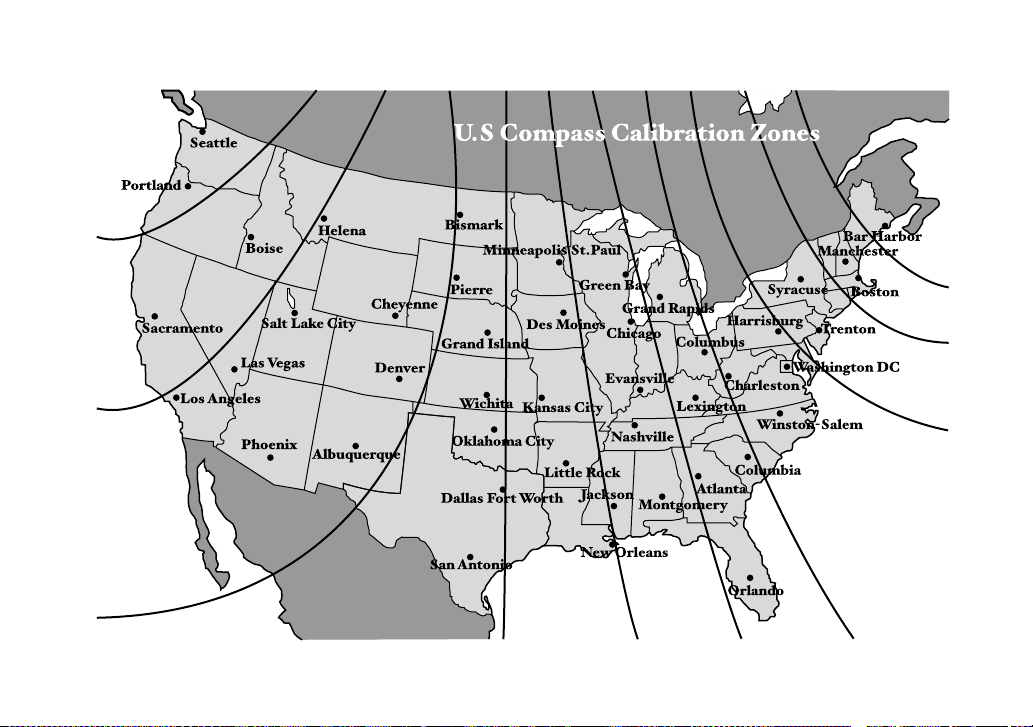
10
9
8
7
6
5
4
3
11
12
13
HSF028AA
GAS STATION REFERENCE
Fuel:
T 2.5-liter non-turbo models
Use only unleaded gasoline with an octane rating of 87 AKI
or higher.
T 2.0-liter turbo models
Use premium unleaded gasoline with an octane rating of 91
AKI or higher. If premium unleaded gasoline is not avail-
able, regular unleaded gasoline with octane rating of 87
AKI or higher may be temporarily used. For optimum en-
gine performance and driveability, it is required that you
use premium grade unleaded gasoline.
T 2.5-liter turbo models
Use premium unleaded gasoline with an octane rating of 93
AKI or higher. If premium unleaded gasoline with an octane
rating of 93 AKI is not available, premium unleaded gaso-
line with octane rating of 91 AKI or higher may be tempo-
rarily used. For optimum engine performance and driveabil-
ity, it is required that you use premium grade unleaded gas-
oline with an octane rating of 93 AKI or higher.
Fuel octane rating
This octane rating is the average of the Research Octane
and Motor Octane numbers and is commonly referred to as
the Anti Knock Index (AKI). Refer to “Fuel” section in this
manual.
Fuel capacity:
15.9 US gal (60 liters, 13.2 Imp gal)
Engine oil:
Use only API classification SL with the words “ENERGY
CONSERVING” and the New API certification mark (star-
burst mark) displayed on the container.
Engine oil capacity:
4.2 US qt (4.0 liters, 3.5 Imp qt)
Cold tire pressure:
*1: The recommended cold tire pressure for the 215/45R17 87W tire is not indicated on the vehicle placard attached to the
driver’s side B-pillar since this tire is a dealer option for the WRX. If your vehicle is equipped with 215/45R17 87W tires, be
sure to adjust them to the air pressure shown on this page.
Item RS, RS sport package, WRX WRX (option tire)
*1
WRX-STi
Tire size P205/55R16 89V 215/45R17 87W 225/45R17 90W
Wheel size 16 × 6
1
/
2
JJ 17 × 7 JJ 17 × 8 JJ
Pressure Front 32 psi (220 kPa, 2.2 kgf/cm
2
) 33 psi (230 kPa, 2.3 kgf/cm
2
) 36 psi (250 kPa, 2.5 kgf/cm
2
)
Rear 29 psi (200 kPa, 2.0 kgf/cm
2
) 32 psi (220 kPa, 2.2 kgf/cm
2
) 30 psi (210 kPa, 2.1 kgf/cm
2
)
Temporary
spare tire
Size T135/70 D16 T135/70 D17
Pressure 60 psi (420 kPa, 4.2 kgf/cm
2
)