C
1
M
E
J
S
K
L
U
D
R
2
3
4
5
6
7
8
9
00

TABLE OF CONTENTS
CAMRY_HV_U
1
1
Before driving
Information on the hybrid system and adjusting and op-
erating features such as door locks, mirrors, and steer-
ing column.
2
When driving
Driving, stopping and safe-driving information.
3
Interior fea-
tures
Air conditioning and audio systems, as well as other in-
terior features for a comfortable driving experience.
4
Maintenance
and care
Cleaning and protecting your vehicle, performing do-it-
yourself maintenance, and maintenance information.
5
When trouble
arises
What to do if the vehicle needs to be towed, gets a flat
tire, or is involved in an accident.
6
Vehicle
specifications
Detailed vehicle information.
7
For owners
Reporting safety defects for U.S. owners and seat belt
instructions for Canadian owners
Index
Alphabetical listing of information contained in this
manual.

TABLE OF CONTENTS Index
CAMRY_HV_U
2
1-1. Hybrid system
Hybrid system ...................... 22
1-2. Key information
Keys ..................................... 35
1-3. Opening, closing and
locking the doors
Smart key system................. 37
Wireless remote control ....... 48
Doors.................................... 51
Trunk .................................... 55
1-4. Adjustable components
(seats, mirrors,
steering wheel)
Front seats ........................... 58
Rear seats............................ 60
Head restraints..................... 61
Seat belts ............................. 63
Steering wheel ..................... 71
Anti-glare inside rear view
mirror.................................. 72
Outside rear view mirrors ..... 74
1-5. Opening and closing the
windows
Power windows .................... 76
Moon roof ............................. 78
1-6. Refueling
Opening the fuel tank cap .... 82
1-7. Theft deterrent system
Immobilizer system............... 87
1-8. Safety information
Correct driving posture ......... 89
SRS airbags ......................... 91
Front passenger occupant
classification system......... 103
Child restraint systems ....... 108
Installing child restraints ..... 112
2-1. Driving procedures
Driving the vehicle .............. 124
Power (ignition) switch........ 135
Transmission ...................... 139
Turn signal lever ................. 141
Parking brake ..................... 142
Horn.................................... 143
2-2. Instrument cluster
Gauges and meters ............ 144
Indicators and warning
lights ................................. 147
Multi-information display..... 150
2-3. Operating the lights and
wipers
Headlight switch ................. 154
Fog light switch................... 158
Windshield wipers and
washer.............................. 159
1
Before driving
2
When driving

1
2
3
4
5
6
7
CAMRY_HV_U
3
2-4. Using other driving
systems
Cruise control...................... 161
Driving assist systems ........ 165
2-5. Driving information
Cargo and luggage ............. 169
Vehicle load limits ............... 172
Winter driving tips ............... 173
Trailer towing ...................... 177
Dinghy towing ..................... 178
3-1. Using the air conditioning
system and defogger
Automatic air conditioning
system .............................. 182
Rear window and
outside rear view
mirror defoggers ............... 190
3-2. Using the audio system
Audio system types............. 191
Using the radio.................... 194
Using the CD player............ 201
Playing MP3 and WMA
discs.................................. 209
Operating an iPod
®
............. 217
Operating a USB
memory............................. 224
Optimal use of the audio
system .............................. 231
Using the AUX adapter ....... 236
Using the steering wheel
audio switches .................. 238
3-3. Using the Bluetooth
®
audio system
Bluetooth
®
audio system.... 241
Using the Bluetooth
®
audio system .................... 244
Operating a Bluetooth
®
enabled portable player.... 249
Setting up a Bluetooth
®
enabled portable player.... 251
Bluetooth
®
audio system
setup ................................ 256
3-4. Using the hands-free
phone system
(for cellular phone)
Hands-free phone system
(for cellular phone)
features ............................ 257
Using the hands-free
phone system
(for cellular phone) ........... 261
Making a phone call ........... 269
Setting a cellular phone...... 273
Security and system
setup ................................ 278
Using the phone book ........ 282
3-5. Using the interior lights
Interior lights list ................. 290
• Interior light ...................... 291
• Personal lights.................. 292
3
Interior features

TABLE OF CONTENTS Index
CAMRY_HV_U
4
3-6. Using the storage features
List of storage features....... 293
• Glove box......................... 294
• Console box ..................... 294
• Cup holders...................... 296
• Auxiliary boxes ................. 297
3-7. Other interior features
Sun visors .......................... 300
Vanity mirrors ..................... 301
Clock .................................. 302
Ashtray ............................... 303
Power outlet ....................... 304
Seat heaters....................... 306
Armrest............................... 308
Floor mat ............................ 309
Trunk features .................... 310
Garage door opener........... 312
Compass ............................ 317
4-1. Maintenance and care
Cleaning and protecting
the vehicle exterior........... 322
Cleaning and protecting
the vehicle interior............ 324
4-2. Maintenance
Maintenance
requirements .................... 327
General maintenance......... 329
Emission inspection and
maintenance (I/M)
programs.......................... 332
4-3. Do-it-yourself maintenance
Do-it-yourself service
precautions....................... 333
Hood ................................... 336
Positioning a floor jack........ 337
Engine compartment .......... 339
12-volt battery..................... 348
Tires.................................... 352
Tire inflation pressure ......... 361
Wheels................................ 365
Air conditioning filter ........... 367
Key battery ......................... 370
Checking and replacing
fuses................................. 373
Light bulbs .......................... 383
5-1. Essential information
Emergency flashers............ 390
If your vehicle needs to be
towed................................ 391
If you think something is
wrong................................ 394
Event data recorder ............ 395
4
Maintenance and care
5
When trouble arises

1
2
3
4
5
6
7
CAMRY_HV_U
5
5-2. Steps to take in an
emergency
If a warning light turns
on or a warning buzzer
sounds... .......................... 397
If a warning message is
displayed........................... 406
If you have a flat tire............ 417
If the hybrid system will
not start............................. 427
If the shift lever cannot be
shifted from P.................... 429
If you lose your keys ........... 430
If the electronic key does
not operate properly.......... 431
If the vehicle’s 12-volt
battery is discharged......... 434
If your vehicle overheats..... 438
If the vehicle becomes
stuck ................................. 442
6-1. Specifications
Maintenance data
(fuel, oil level, etc.)............ 446
Fuel information .................. 455
Tire information ................... 458
6-2. Customization
Customizable features ........ 470
6-3. Initialization
Items to initialize ................. 473
Reporting safety defects
for U.S. owners ................ 476
Seat belt instructions
for Canadian owners
(in French)........................ 477
Abbreviation list........................ 482
Alphabetical index .................... 483
What to do if... .......................... 494
6
Vehicle specifications
7
For owners
Index
CAMRY_HV_U
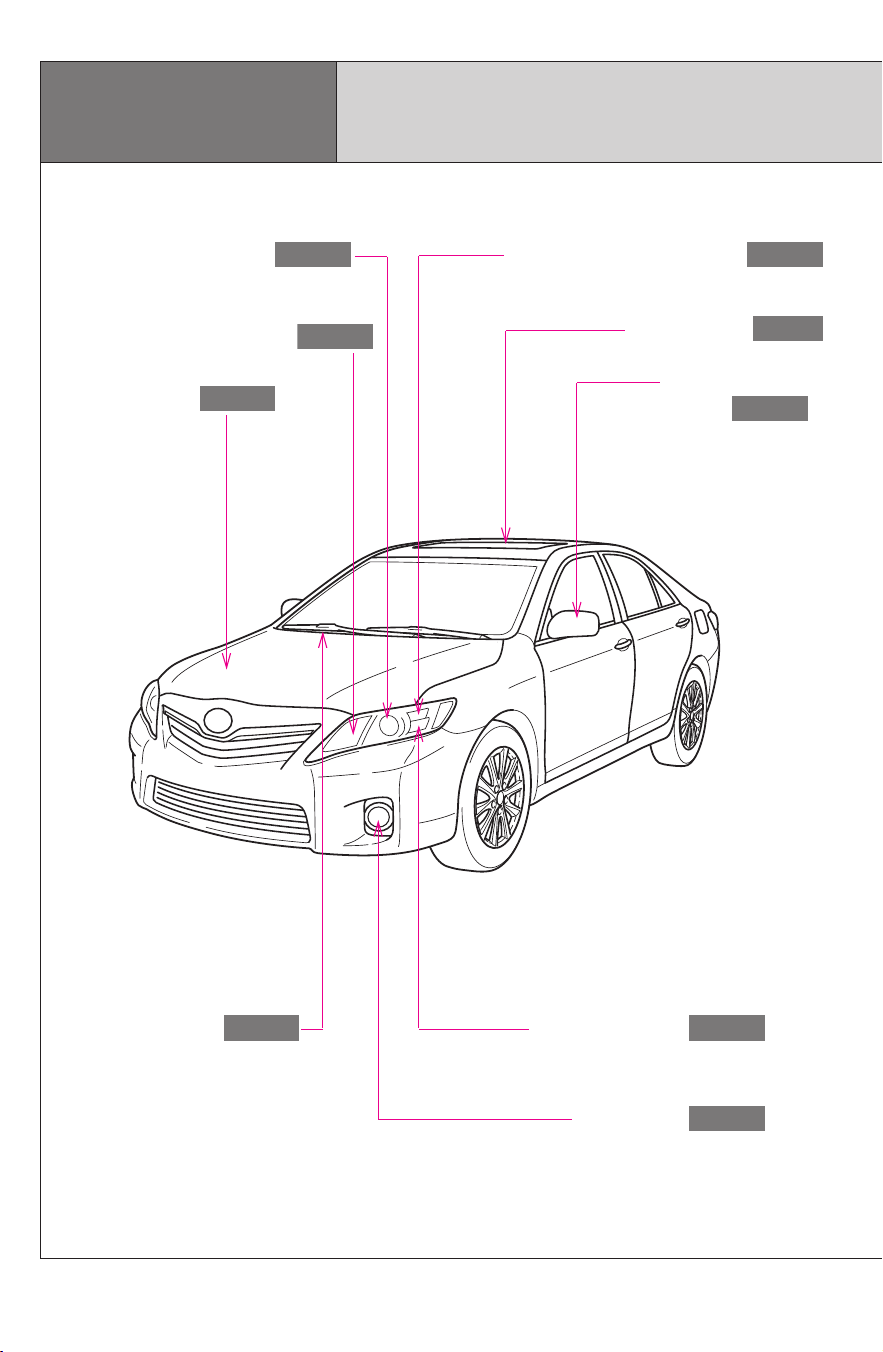
6
Headlights (low beam)
P. 154
Pictorial index
Exterior
Turn signal lights
P. 141
Hood
P. 336
Windshield wipers
P. 159
Outside rear view
mirrors
P. 74
Headlights (high beam)
P. 154
Moon roof ∗
P. 78
Side marker/parking lights
P. 154
Fog lights ∗
P. 158
CAMRY_HV_U
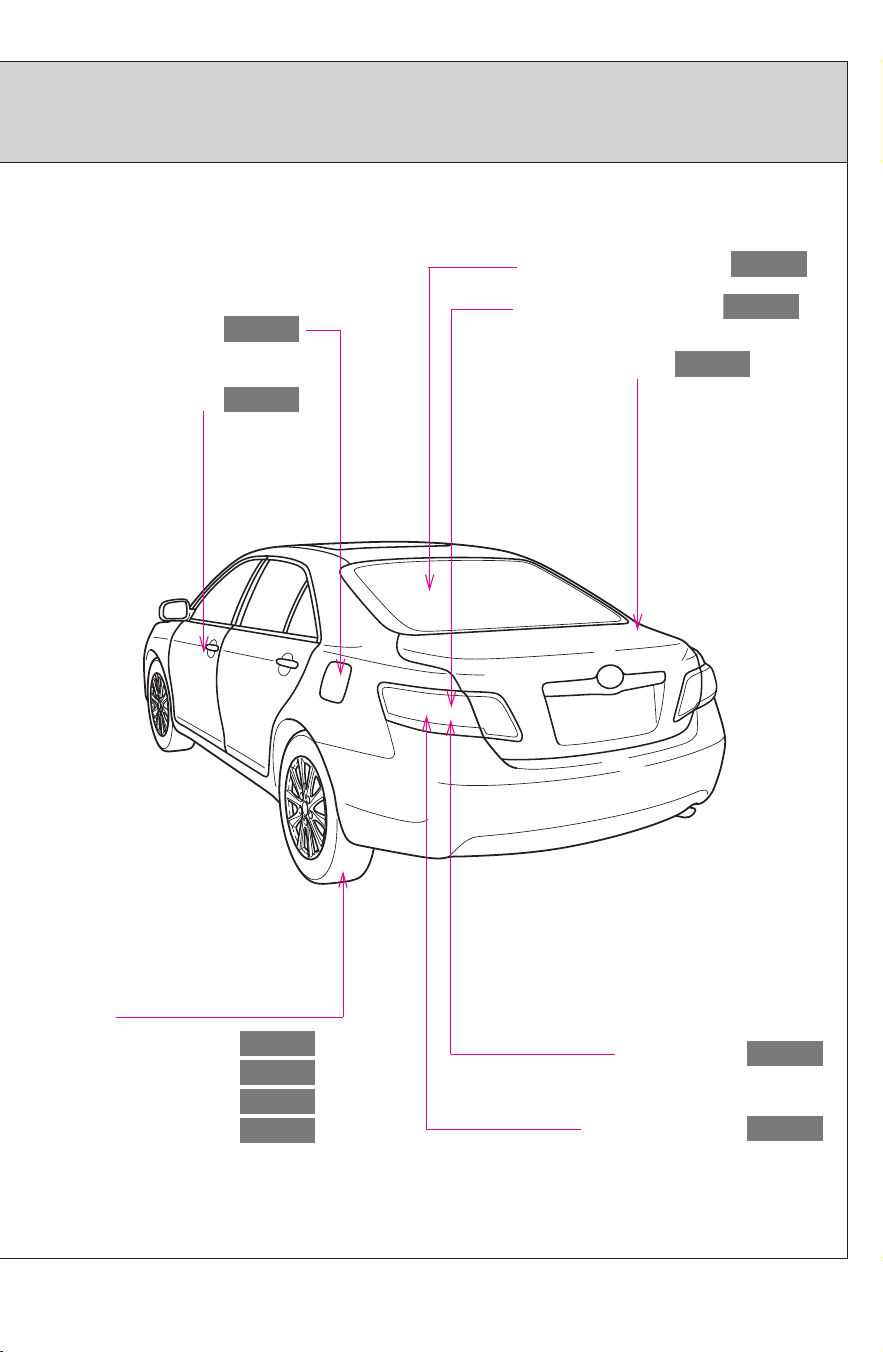
7
Tires
●Rotation
●Replacement
●Inflation pressure
●Information
P. 352
P. 417
P. 453
P. 458
Trunk
P. 55
Doors
P. 51
Fuel filler door
P. 82
Rear turn signal lights
P. 141
Rear window defogger
P. 190
∗: If equipped
Stop/tail lights
P. 154
Side marker lights
P. 154
CAMRY_HV_U
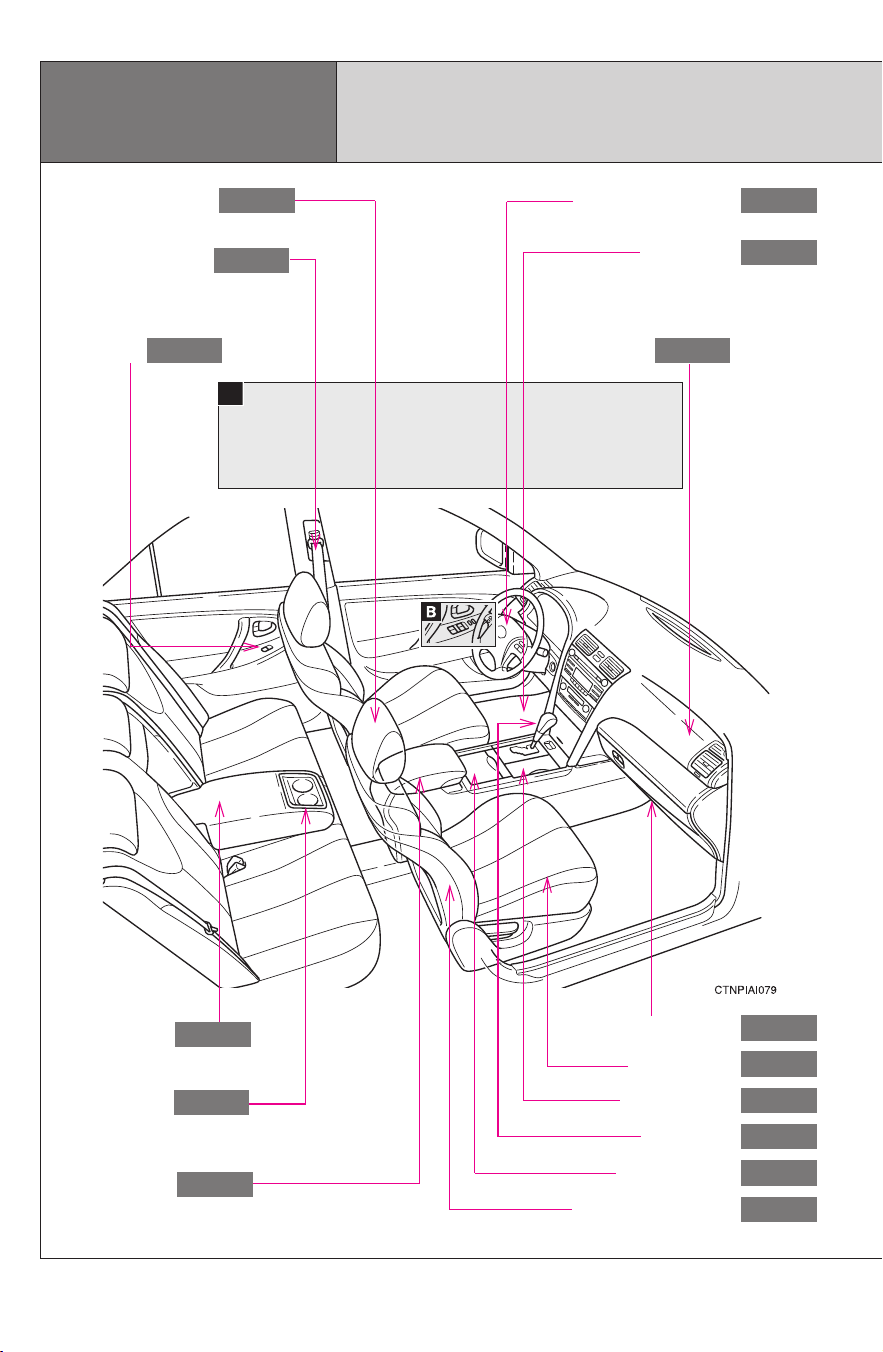
8
Glove box
P. 294
Front seats
P. 58
Shift lever
P. 139
SRS side airbags
P. 91
Power window
switches
P. 76
Seat belts
P. 63
SRS front passenger
airbag
P. 91
SRS driver airbag
P. 91
A
Console box
P. 294
Interior
Pictorial index
Floor mat
P. 309
Head restraints
P. 61
Armrest
P. 308
Cup holders
P. 296
Auxiliary box
P. 297
Cup holders
P. 296
CAMRY_HV_U
9
A
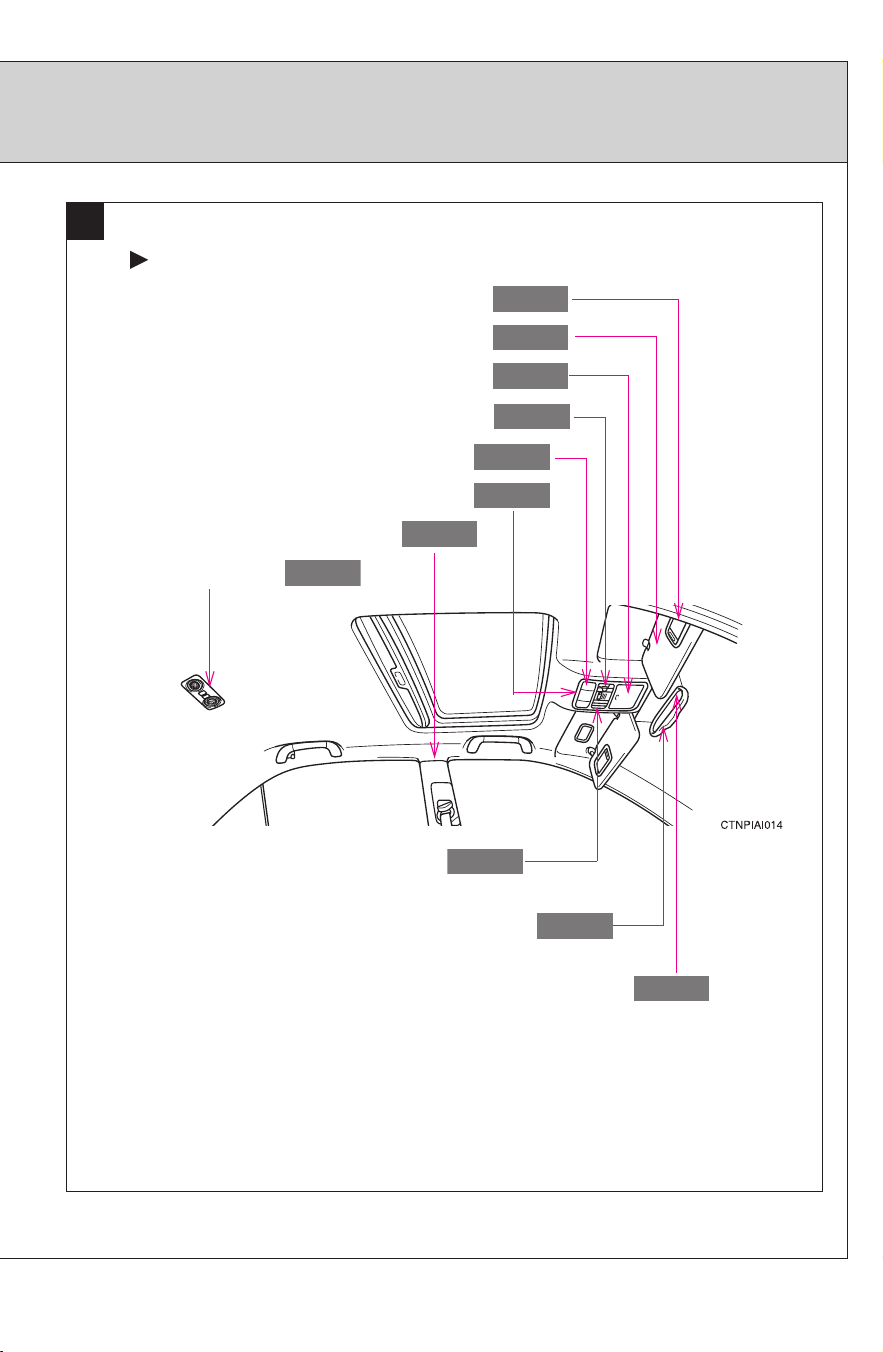
Interior light
P. 291
Vanity mirrors
P. 301
Moon roof switches
P. 78
Sun visors
P. 300
SRS curtain shield airbags
P. 91
Compass ∗
P. 317
Garage door opener switches ∗
P. 312
Auxiliary box
P. 297
∗: If equipped
Vehicles with moon roof
Front personal lights
P. 292
Rear personal lights
P. 292
Anti-glare inside rear view mirror
P. 72
CAMRY_HV_U
10
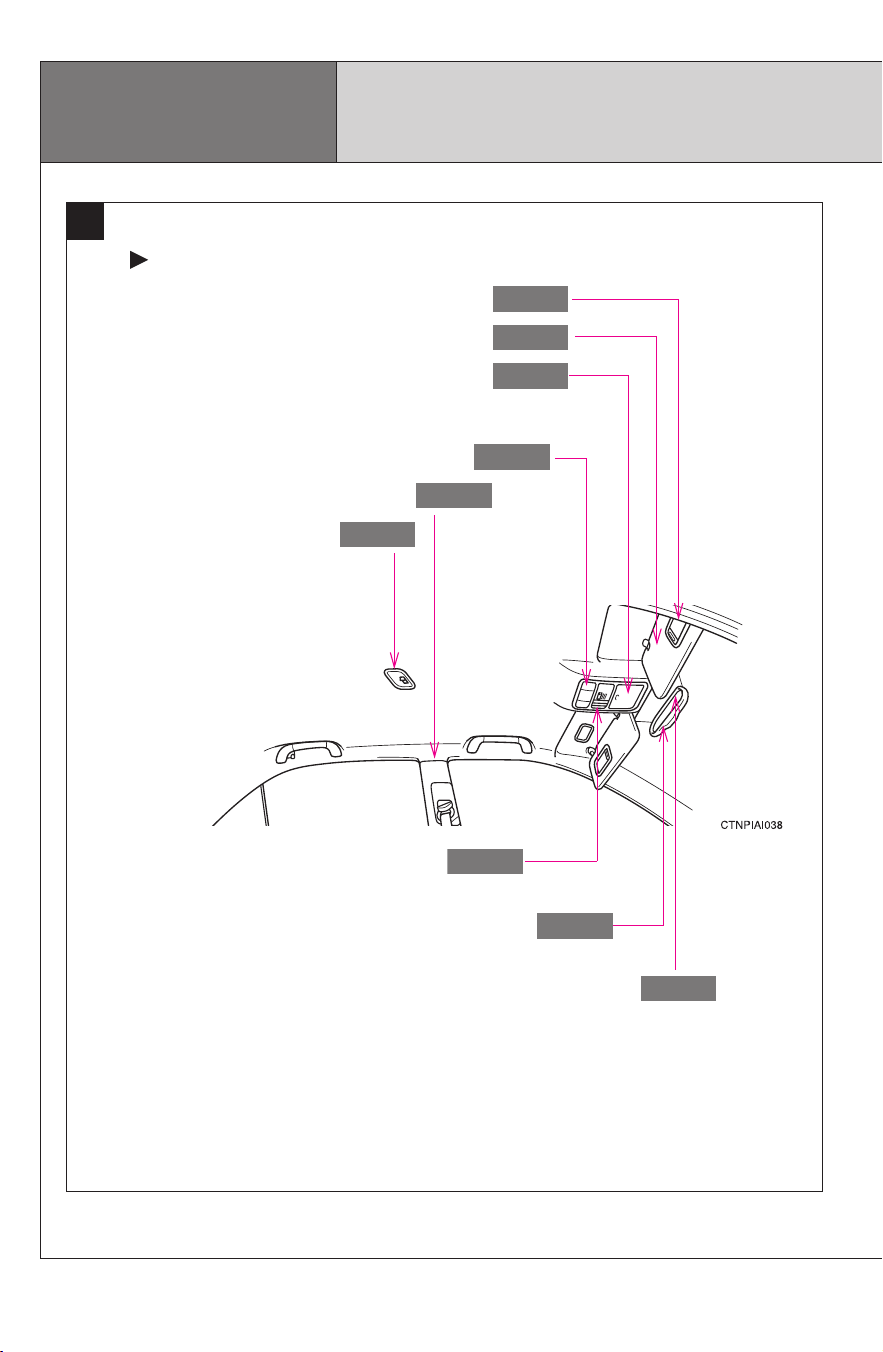
Interior light
P. 291
Vanity mirrors
P. 301
Sun visors
P. 300
SRS curtain shield airbags
P. 91
Compass ∗
P. 317
Garage door opener switches ∗
P. 312
Auxiliary box
P. 297
Front personal lights
P. 292
Anti-glare inside rear view mirror
P. 72
Pictorial index
Interior
A
Vehicles without moon roof
CAMRY_HV_U
11
B
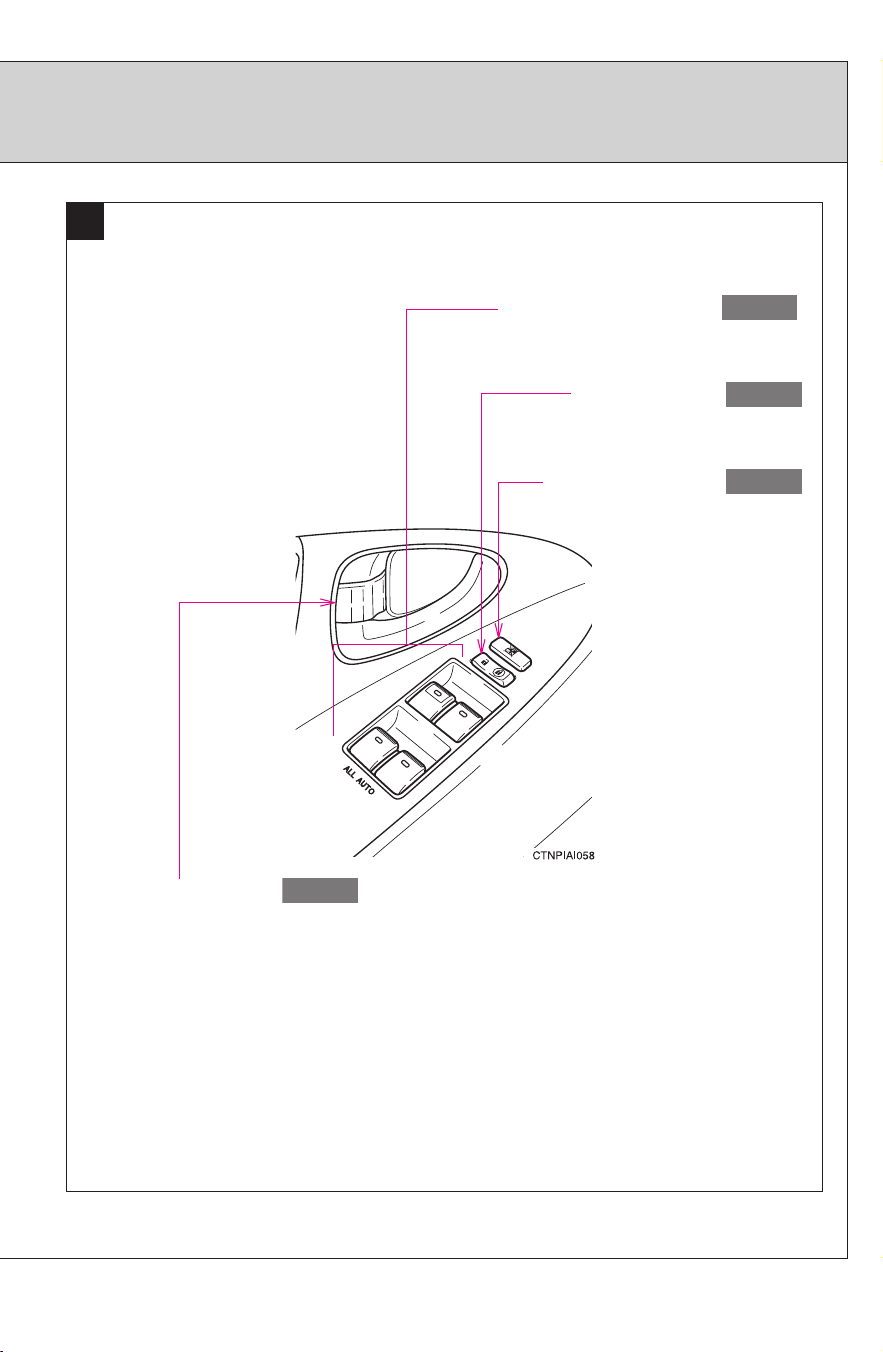
Window lock switch
P. 76
Power window switches
P. 76
Door lock switch
P. 51
∗: If equipped
Inside lock button
P. 51
CAMRY_HV_U
12
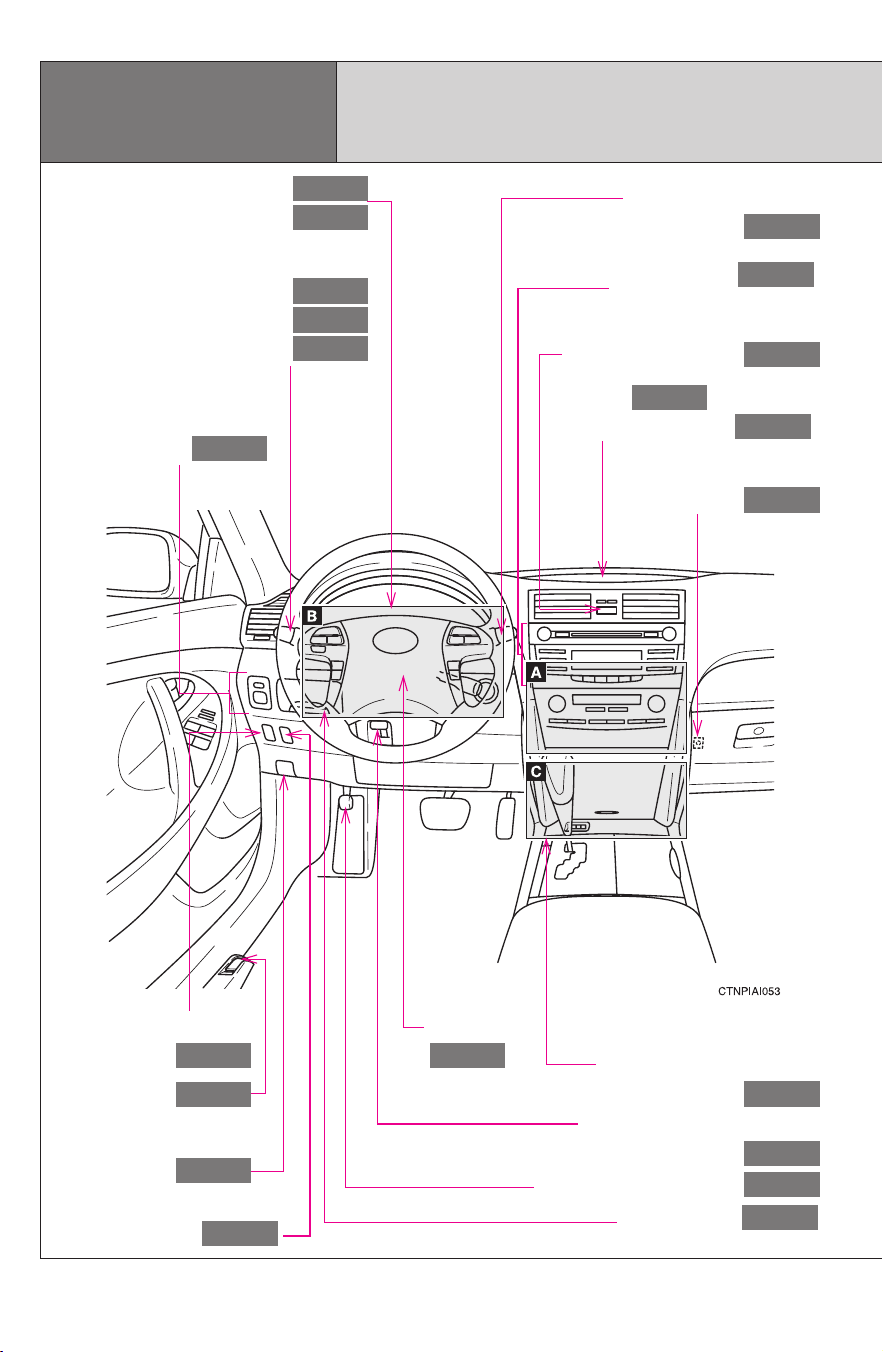
Gauges and meters
Multi-information display
P. 144
P. 150
Tilt and telescopic steering
control lever
P. 71
Hood lock release
lever
P. 336
Pictorial index
Fuel filler door opener
P. 82
Headlight switch
Turn signal lever
Fog light switch ∗
P. 154
P. 141
P. 158
Instrument panel
Audio system
Navigation system *
1
P. 191
Windshield wiper and
washer switch
P. 159
Clock
Security indicator
P. 302
P. 87
Outside rear view
mirror switches
P. 74
Tire pressure warning
reset switch
P. 353
Auxiliary box
P. 297
Parking brake pedal
P. 142
Trunk opener
P. 55
“ECO HEAT/COOL”
switch
P. 182
Emergency flashers
P. 390
Shift lock override button
P. 429
Horn
P. 143
CAMRY_HV_U
13
∗: If equipped
*
1
: Refer to “Navigation System Owner’s Manual”.
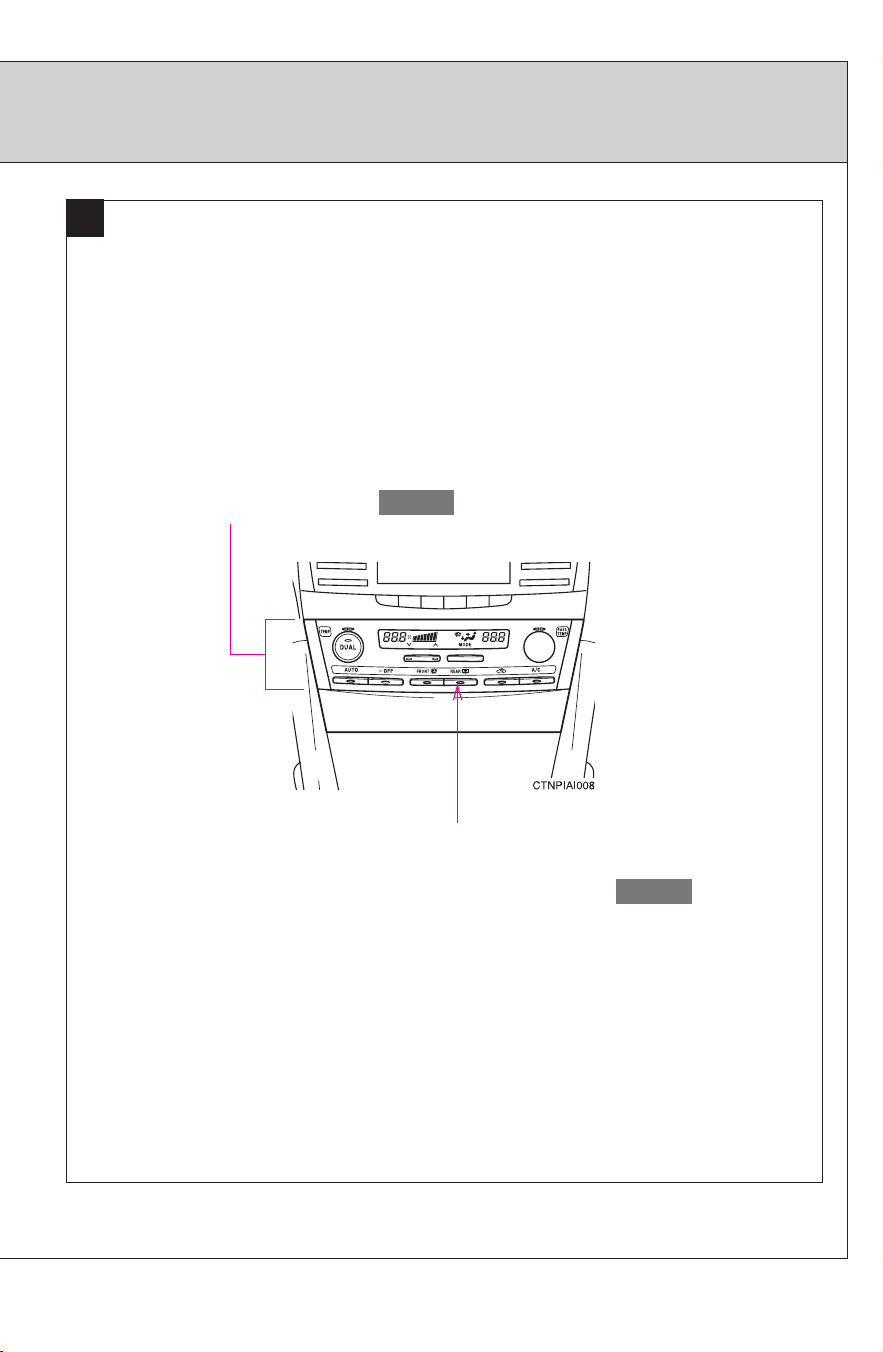
Rear window defogger switch/
Rear window defogger switch and
outside rear view mirror defogger switch
∗
P. 190
A
Air conditioning system
P. 182
CAMRY_HV_U
14
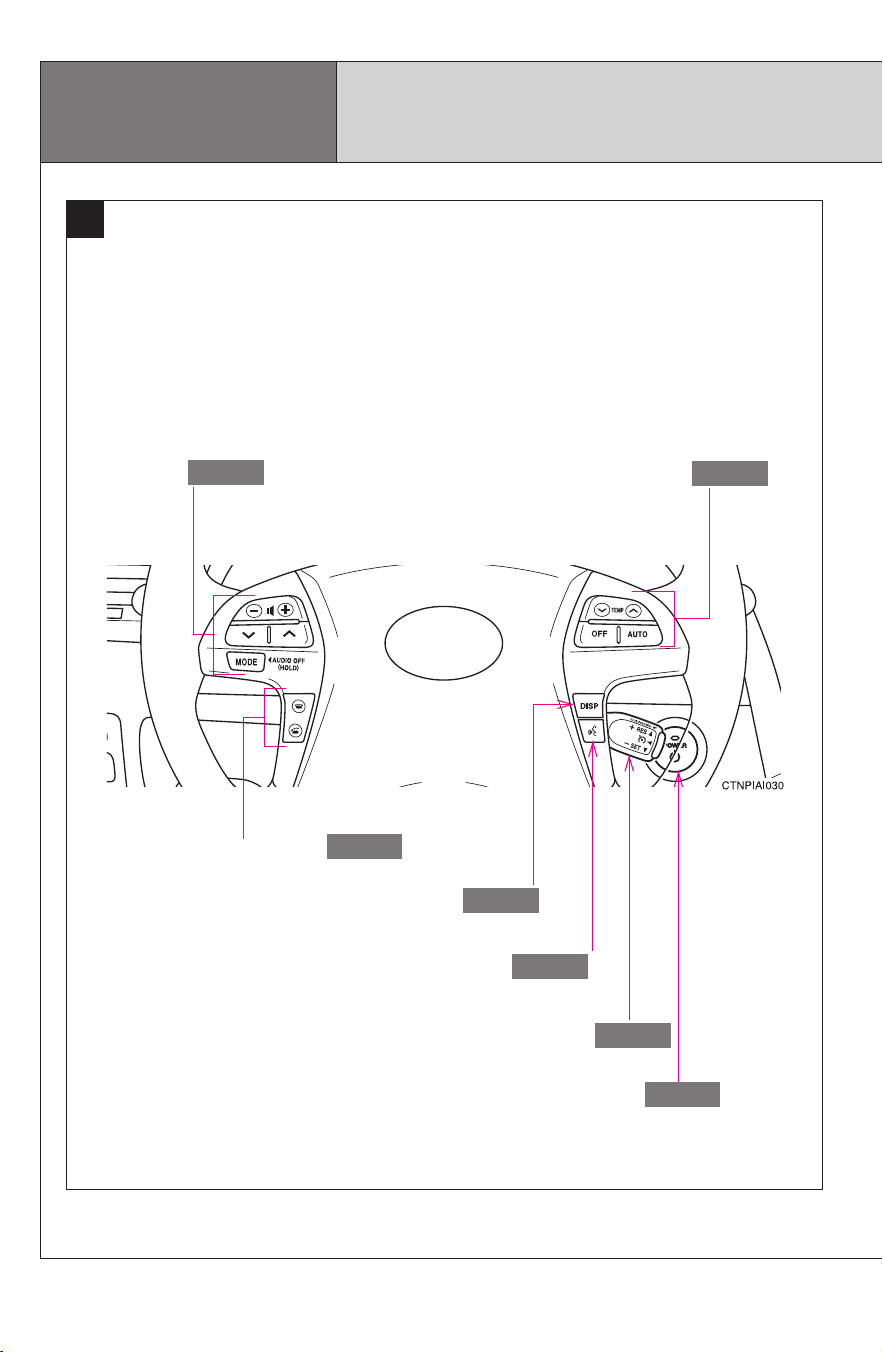
B
Cruise control switch
P. 161
Pictorial index
Instrument panel
Talk switch ∗ *
1
P. 262
Air conditioning remote
control switches
P. 187
“DISP” switch
P. 151
Telephone switches ∗ *
1
P. 262
Audio remote control
switches
P. 238
Power (ignition) switch
P. 135
CAMRY_HV_U
15
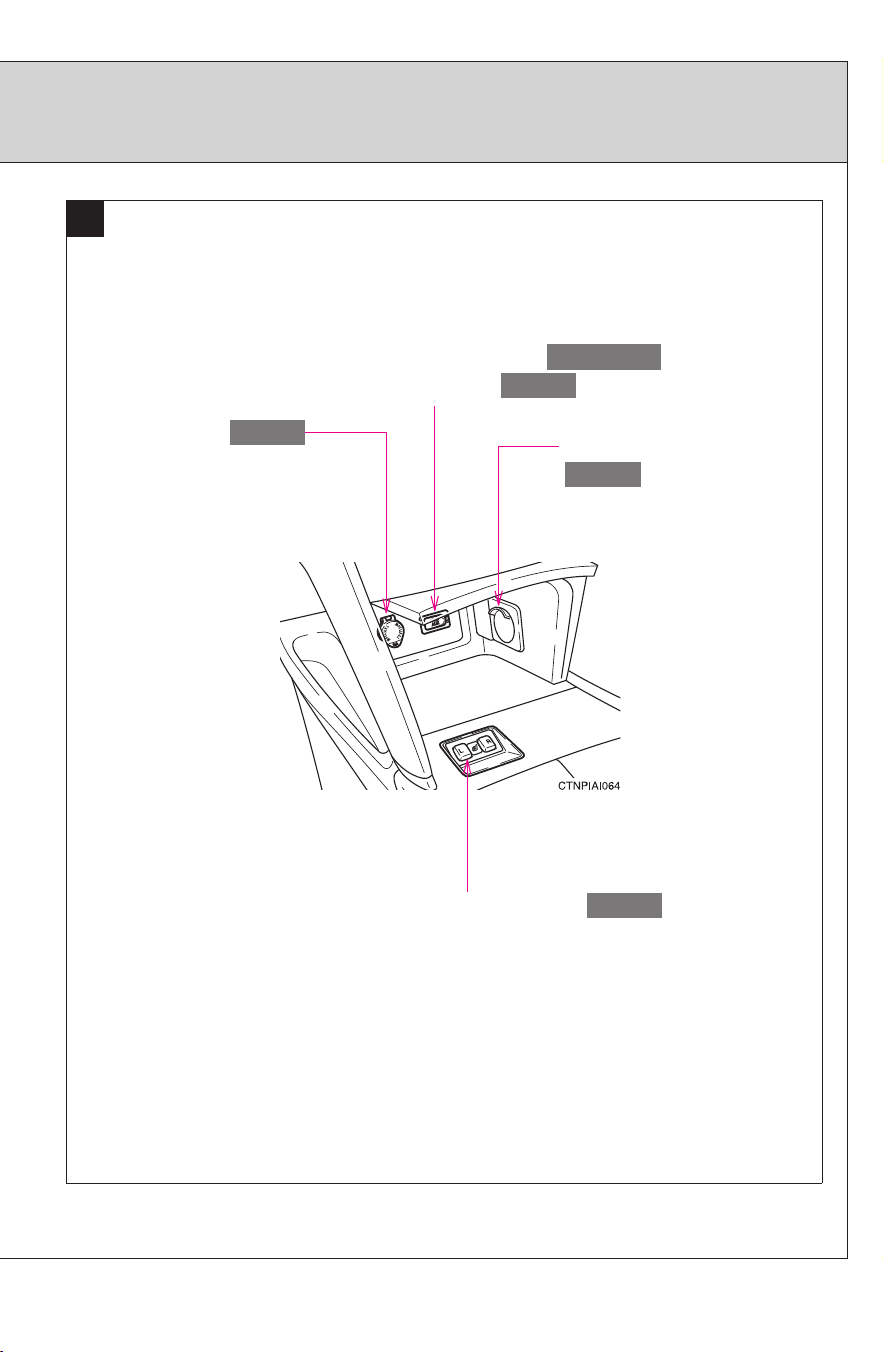
C
USB/AUX adapter ∗
AUX adapter ∗
P. 217, 224
P. 236
Seat heater switches ∗
P. 306
Power outlet
P. 304
Cable pass-through
P. 299
∗: If equipped
*
1
: Refer to “Navigation System Owner’s Manual”.

CAMRY_HV_U
16
For your information
Main Owner’s Manual
Please note that this manual covers all models and all equipment, including
options. Therefore, you may find some explanations for equipment not
installed on your vehicle.
All specifications provided in this manual are current at the time of printing.
However, because of the Toyota policy of continual product improvement, we
reserve the right to make changes at any time without notice.
Depending on specifications, the vehicle shown in the illustrations may differ
from your vehicle in terms of equipment.
Noise from under vehicle after turning off the hybrid system
Approximately five hours after the hybrid system is turned off, you may hear
sound coming from under the vehicle for several minutes. This is the sound
of a fuel evaporation leakage check and it does not indicate a malfunction.
Accessories, spare parts and modification of your Toyota
A wide variety of non-genuine spare parts and accessories for Toyota
vehicles are currently available on the market. You should know that these
parts are not covered by Toyota warranty and that Toyota is not responsible
for their performance, repair, or replacement, or for any damage they may
cause to, or adverse effect they may have on, your Toyota vehicle.
This vehicle should not be modified with non-genuine Toyota products.
Modification with non-genuine Toyota products could affect its performance,
safety or durability, and may even violate governmental regulations. In
addition, damage or performance problems resulting from the modification
may not be covered under warranty.

CAMRY_HV_U
17
Installation of a mobile two-way radio system
As the installation of a mobile two-way radio system in your vehicle may
affect electronic systems such as the multi-port fuel injection system/sequen-
tial multi-port fuel injection system, cruise control system, anti-lock brake
system, SRS airbag system or seat belt pretensioner system, be sure to
check with your Toyota dealer for precautionary measures or special instruc-
tions regarding installation.
Despite their electromagnetic shielding high voltage parts and cables on
hybrid vehicles emit approximately the same amount of electromagnetic
waves as conventional gasoline powered vehicles or home electronic appli-
ances.
Unwanted noise may occur in the reception of the mobile two-way radio.
Scrapping your Toyota
The SRS airbag and seat belt pretensioner devices in your Toyota contain
explosive chemicals. If the vehicle is scrapped with the airbags and seat belt
pretensioners left as they are, this may cause an accident such as fire. Be
sure to have the systems of the SRS airbag and seat belt pretensioner
removed and disposed of by a qualified service shop or by your Toyota
dealer before you scrap your vehicle.
Perchlorate Material
Special handling may apply, See www.dtsc.ca.gov/hazardouswaste/perchlor-
ate.
Your vehicle has components that may contain perchlorate. These compo-
nents may include airbags, seat belt pretensioners, and wireless remote con-
trol batteries.

CAMRY_HV_U
18
CAUTION
■ General precautions while driving
Driving under the influence: Never drive your vehicle when under the influ-
ence of alcohol or drugs that have impaired your ability to operate your vehi-
cle. Alcohol and certain drugs delay reaction time, impair judgment and
reduce coordination, which could lead to an accident that could result in
death or serious injury.
Defensive driving: Always drive defensively. Anticipate mistakes that other
drivers or pedestrians might make and be ready to avoid accidents.
Driver distraction: Always give your full attention to driving. Anything that dis-
tracts the driver, such as adjusting controls, talking on a cellular phone or
reading can result in a collision causing death or serious injury to you, your
occupants or others.
■ General precaution regarding children’s safety
Never leave children unattended in the vehicle, and never allow children to
have or use the key.
Children may be able to start the vehicle or shift the vehicle into neutral.
There is also a danger that children may injure themselves by playing with
the cigarette lighter, the windows, or other features of the vehicle. In addi-
tion, heat build-up or extremely cold temperatures inside the vehicle can be
fatal to children.

CAMRY_HV_U
19
CAUTION
■ Disposal of the hybrid battery (traction battery)
If your vehicle is disposed of without the hybrid battery having been
removed, there is a danger of serious electric shock if high voltage parts,
cables and their connectors are touched. In the event that your vehicle must
be disposed of, the hybrid battery must be disposed of by your Toyota dealer
or a qualified service shop. If the hybrid battery is not disposed of properly, it
may cause electric shock that can result in death or serious injury.
CAMRY_HV_U
20
Symbols used throughout this manual
Cautions & Notices
Symbols used in illustrations
CAUTION
This is a warning against anything which may cause death or injury to people if
the warning is ignored. You are informed about what you must or must not do
in order to reduce the risk of injury to yourself and others.
NOTICE
This is a warning against anything which may cause damage to the vehicle or
its equipment if the warning is ignored. You are informed about what you must
or must not do in order to avoid or reduce the risk of damage to your Toyota
and its equipment.
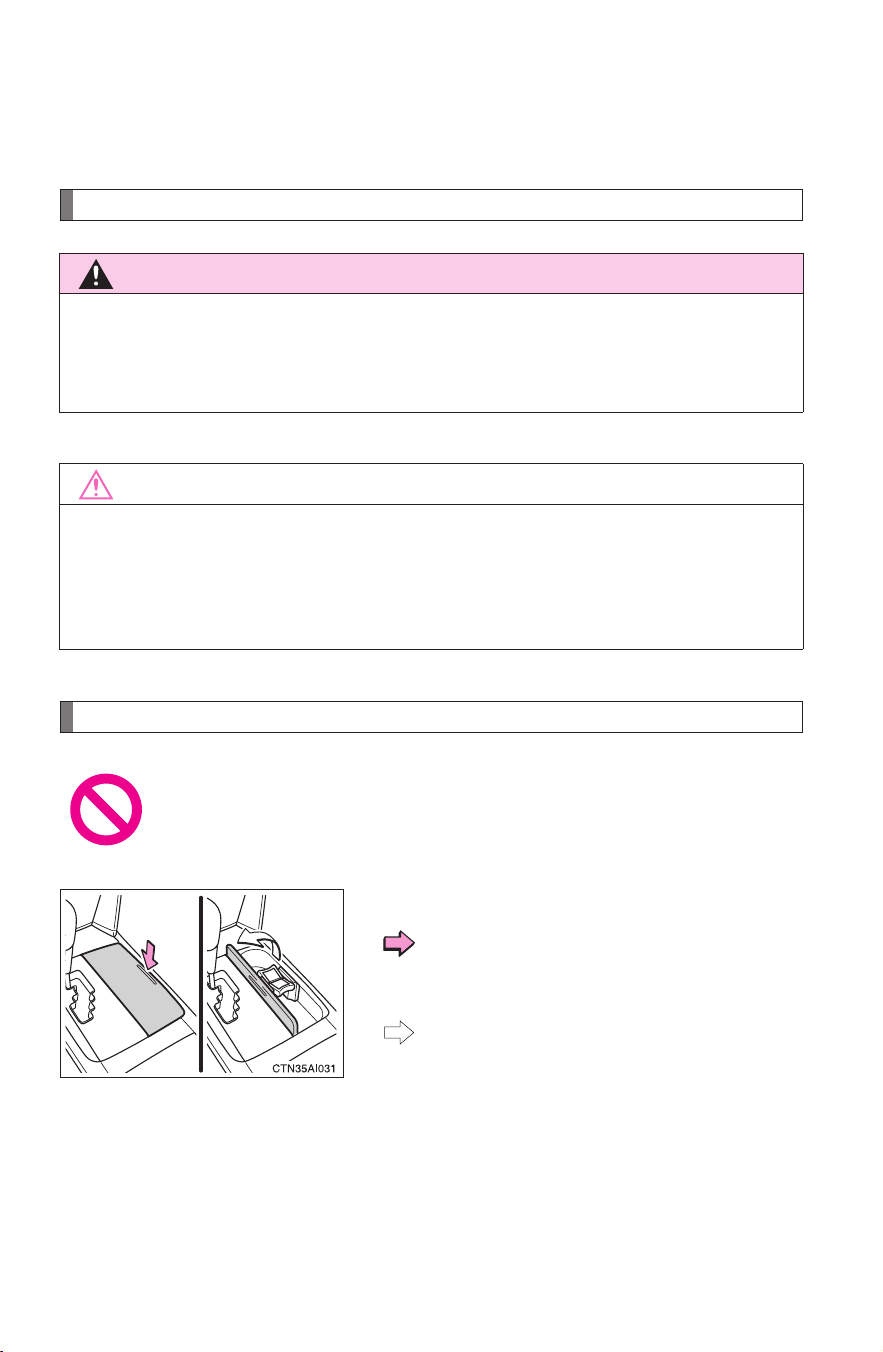
Safety symbol
The symbol of a circle with a slash through it means “Do not”, “Do
not do this”, or “Do not let this happen”.
Arrows indicating operations
Indicates the action (pushing, turning,
etc.) used to operate switches and other
devices.
Indicates the outcome of an operation
(e.g. a lid opens).

Before driving
1
21
CAMRY_HV_U
1-1. Hybrid system
Hybrid system .................... 22
1-2. Key information
Keys ................................... 35
1-3. Opening, closing and
locking the doors
Smart key system .............. 37
Wireless remote control ..... 48
Doors ................................. 51
Trunk.................................. 55
1-4. Adjustable components
(seats, mirrors,
steering wheel)
Front seats ......................... 58
Rear seats.......................... 60
Head restraints................... 61
Seat belts........................... 63
Steering wheel ................... 71
Anti-glare inside rear
view mirror ....................... 72
Outside rear view
mirrors.............................. 74
1-5. Opening and closing
the windows
Power windows .................. 76
Moon roof........................... 78
1-6. Refueling
Opening the fuel tank
cap ................................... 82
1-7. Theft deterrent system
Immobilizer system ............ 87
1-8. Safety information
Correct driving posture....... 89
SRS airbags....................... 91
Front passenger occupant
classification system ...... 103
Child restraint systems..... 108
Installing child
restraints ........................ 112
22
CAMRY_HV_U
1-1. Hybrid system
Hybrid system
Your vehicle is a hybrid vehicle. It has characteristics different from
conventional vehicles. Be sure you are closely familiar with the char-
acteristics of your vehicle, and operate with care.
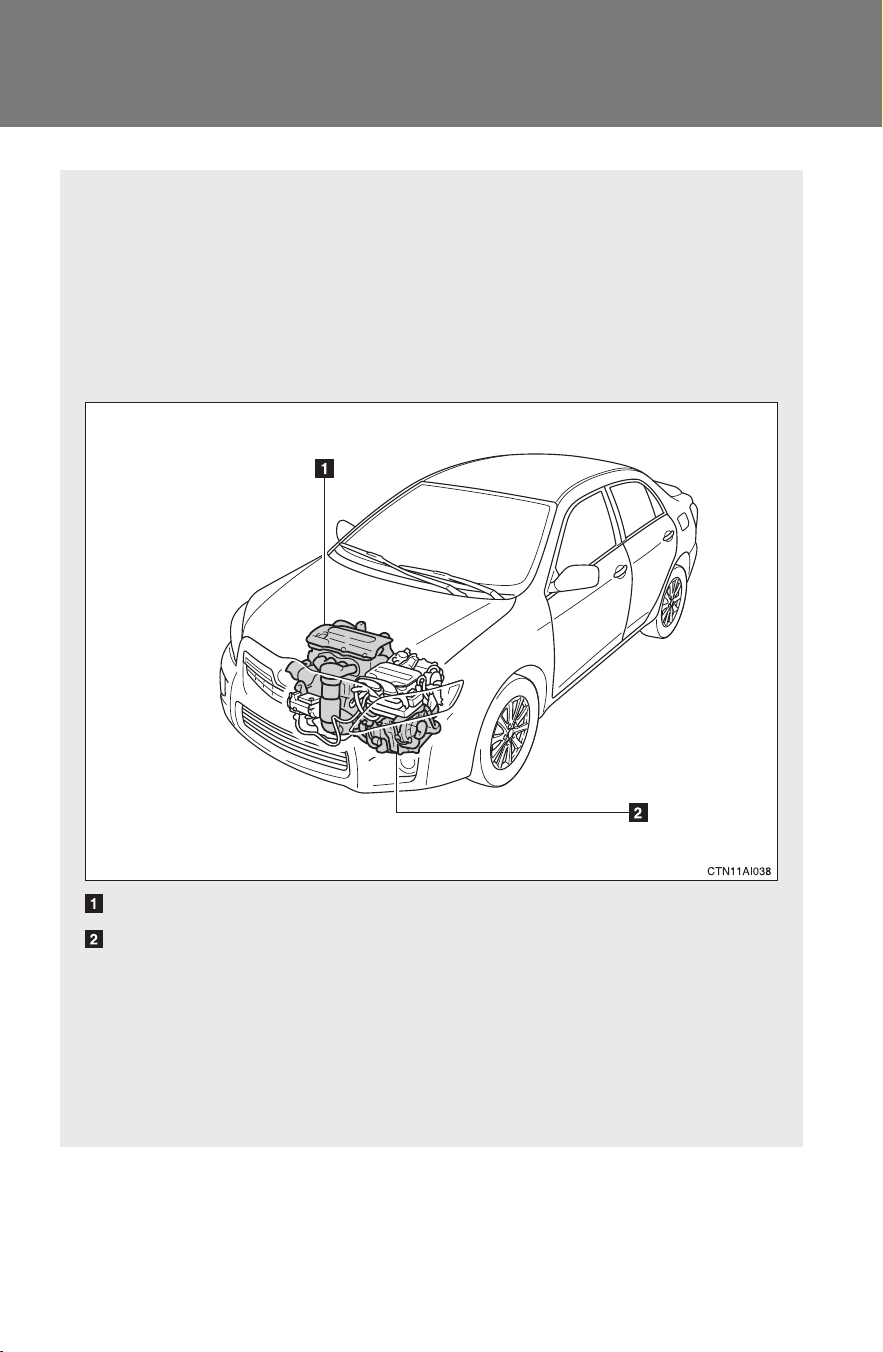
The hybrid system combines a gasoline engine and an electric
motor (traction motor) according to driving conditions, improving
fuel efficiency and reducing exhaust emissions.
Gasoline engine
Electric motor (traction motor)
■ When stopped/during take-off
The gasoline engine stops when the vehicle is stopped. During
take-off, the electric motor (traction motor) drives the vehicle. At
slow speeds or when traveling down a gentle slope, the engine
is stopped and the motor is used.

23
1-1. Hybrid system
1
Before driving
CAMRY_HV_U
■ Regenerative braking
The electric motor converts kinetic energy to electric energy when:
● The accelerator pedal is released.
● The brake pedal is depressed with the shift lever in D or R.
■ Conditions in which the gasoline engine may not stop
The gasoline engine starts and stops automatically. However, it may not stop
automatically in the following conditions:
● During gasoline engine warm-up
● During hybrid battery (traction battery) charging
● During low or high hybrid battery (traction battery) temperature
■ Charging the battery
● As the gasoline engine charges the hybrid battery (traction battery), the
battery does not need to be charged from an outside source. However, if
the vehicle is left parked for a long time the hybrid battery will slowly dis-
charge. For this reason, be sure to drive the vehicle at least once every
several months for at least 30 minutes or 10 miles (16 km). If the hybrid
battery becomes fully discharged, you are unable to jump-start the vehi-
cle with the 12-volt battery, contact your Toyota dealer.
● If the shift lever is in N, the hybrid battery (traction battery) will not be
charged. When driving in heavy traffic, operate the vehicle with the shift
lever in D to avoid discharging the battery.
■ During normal driving
The gasoline engine is predominantly used. The electric motor
(traction motor) charges the hybrid battery as necessary.
■ When accelerating sharply
The power of the hybrid battery (traction battery) is added via
the electric motor (traction motor) to that of the gasoline engine.
■ When braking (regenerative braking)
The electric motor (traction motor) charges the hybrid battery
(traction battery).

24
1-1. Hybrid system
CAMRY_HV_U
● To help prevent the 12-volt battery from becoming discharged, drive the
vehicle at least once a month, and operate the accessories only when
the “READY” indicator is on. When parking the vehicle, make sure the
doors and trunk are closed and all lights are turned off.
■ After the 12-volt battery has discharged or has been changed or
removed
The gasoline engine may not stop even if the vehicle is running on the hybrid
battery (traction battery). If this continues for a few days, contact your Toyota
dealer.
■ Sounds and vibrations specific to a hybrid vehicle
There may be no engine sounds or vibration even though the vehicle is able
to move. Always put the shift lever in P when parked.
The following sounds or vibrations may occur when the hybrid system is
operating, and are not a malfunction:
● Motor sounds may be heard from the engine compartment.
● Sounds may be heard from the hybrid battery (traction battery) behind
the rear seat when the hybrid system starts or stops.
● Sounds may be heard from the transaxle when the hybrid system starts
or stops, or while the vehicle is idling.
● Engine sounds may be heard when accelerating sharply.
● Sounds may be heard due to the regenerative braking when you press
the brake pedal.
● Vibration may be felt when the gasoline engine starts or stops.
● Cooling fan sounds may be heard from the air intake vents behind the
rear seat.
■ Maintenance, repair, recycling, and disposal
Contact your Toyota dealer regarding maintenance, repair, recycling and dis-
posal. Do not dispose of the vehicle yourself.
25
1-1. Hybrid system
1
Before driving
CAMRY_HV_U
High voltage components
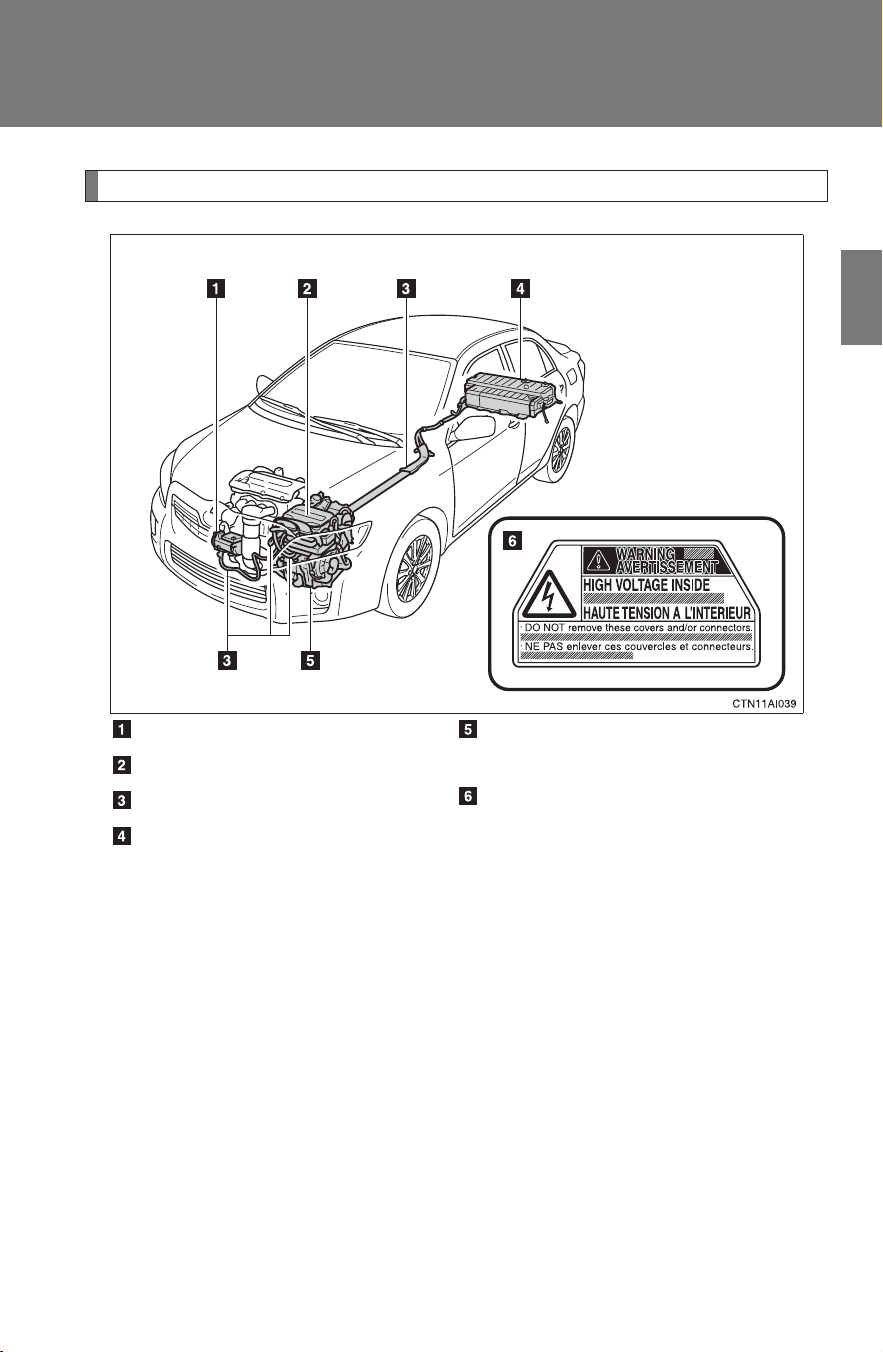
Take care when handling the hybrid system, as it contains a high volt-
age system (about 650V at maximum) as well as parts that become
extremely hot when the hybrid system is operating. Obey the caution
labels attached to the vehicle.
Air conditioning compressor
Power control unit
High voltage cables
Hybrid battery (traction bat-
tery) and DC/DC converter
Electric motor (traction
motor) and transaxle
Caution label
26
1-1. Hybrid system
CAMRY_HV_U
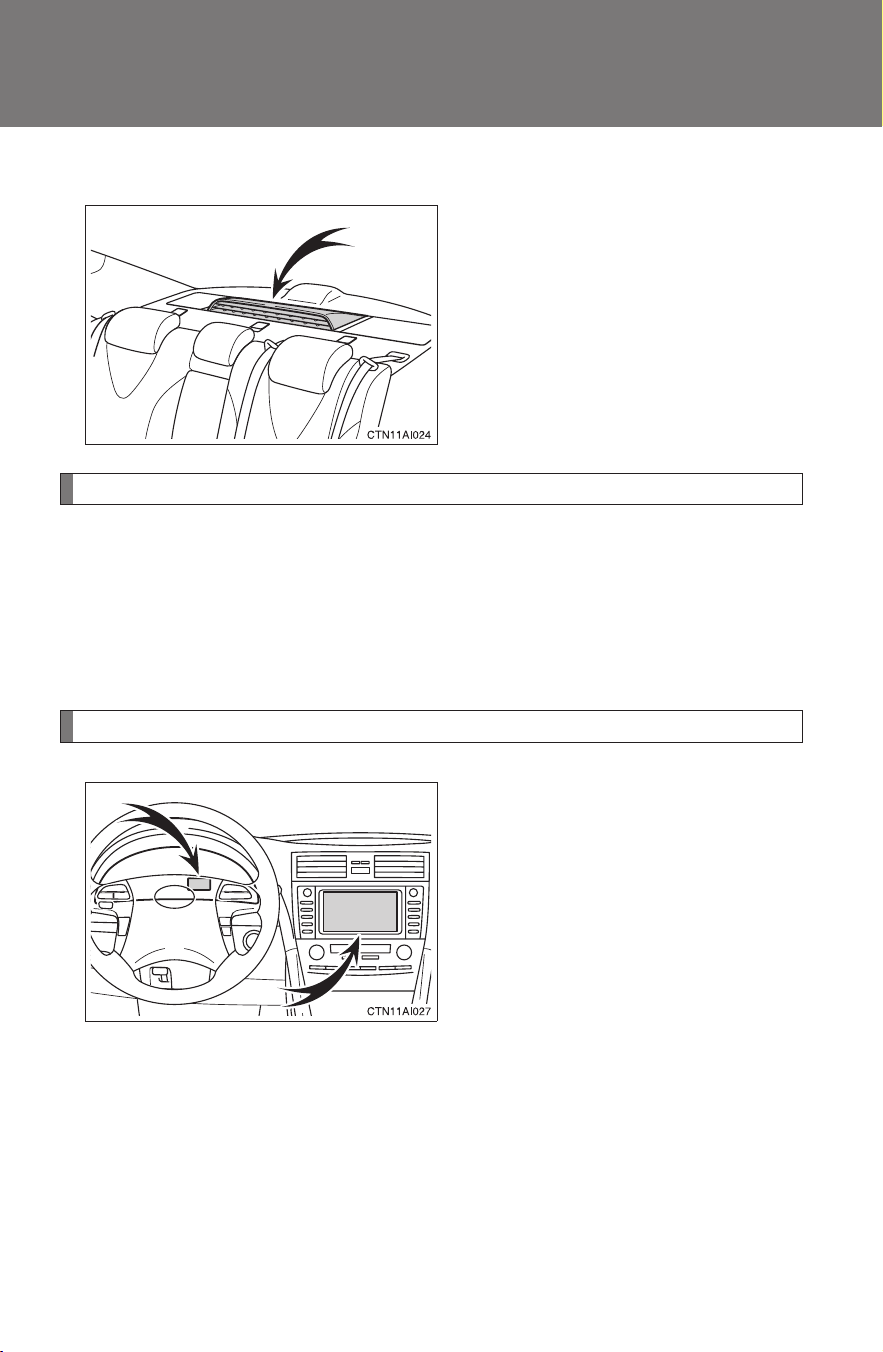
■ Hybrid battery air vent
There is an air intake vent on the
package tray for the purpose of
cooling the hybrid battery (trac-
tion battery). If the vent becomes
blocked, the hybrid battery may
overheat, leading to a reduction in
hybrid battery output.
Emergency shut off system
The emergency shut off system blocks off the high voltage current
and stops the fuel pump to minimize the risk of electrocution and fuel
leakage when a certain level of impact is detected by the impact sen-
sor. If the emergency shut off system activates, your vehicle will not
restart. To restart the hybrid system, contact your Toyota dealer.
Energy monitor/consumption/past record screen
You can view the status of your
hybrid system on the multi-infor-
mation display (→P. 150) and the
navigation system screen*
(→P. 27, 29).
The following images are exam-
ples only, and may vary slightly
from actual conditions.
*: Vehicles with Navigation System
27
1-1. Hybrid system
1
Before driving
CAMRY_HV_U
■ Energy monitor
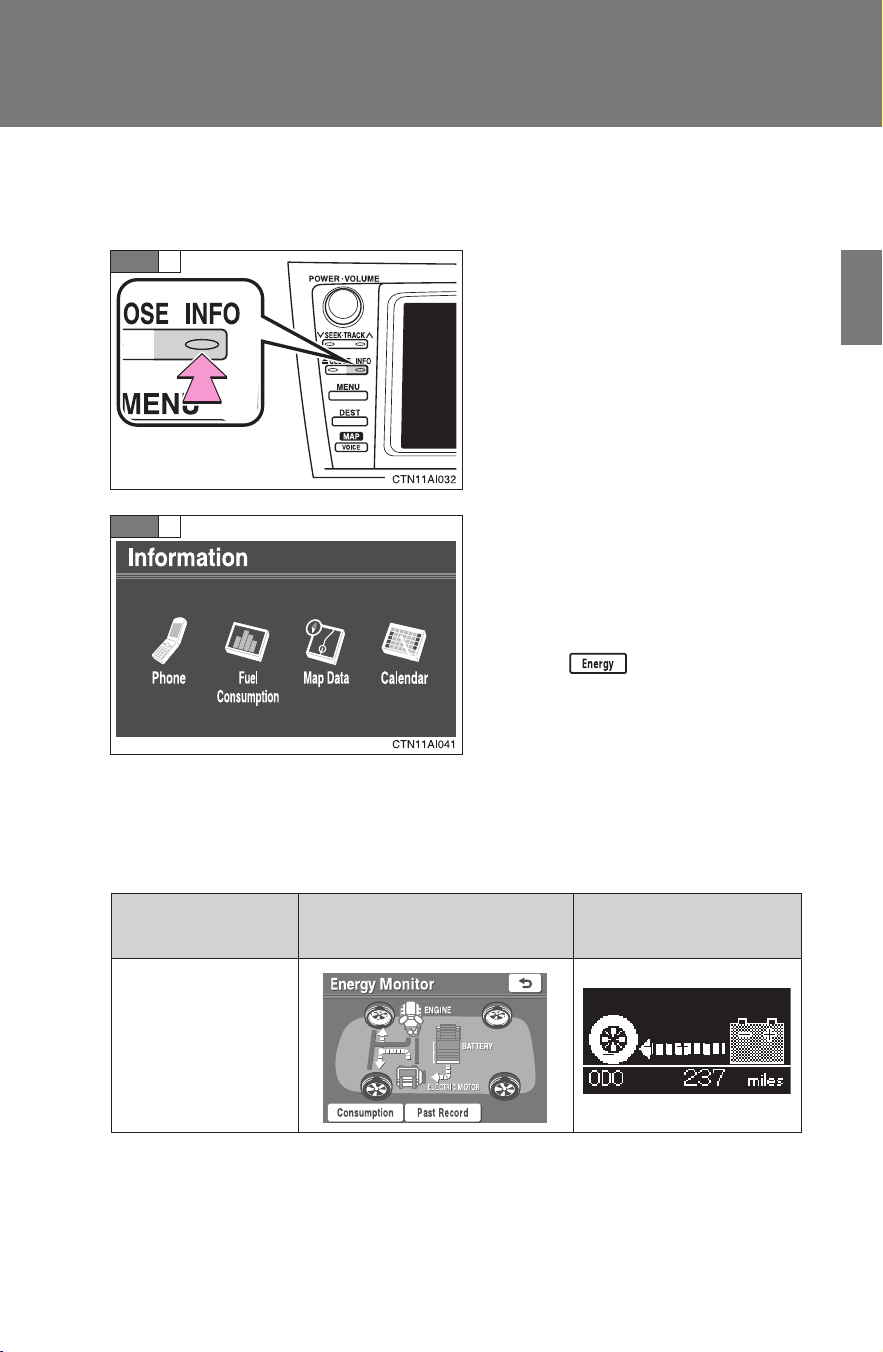
● How to display on the navigation system screen (if equipped):
Press “INFO”.
Touch “Fuel Consumption” on
the “Information” screen.
If the “Consumption” or “Past
Record” screen is displayed,
touch .
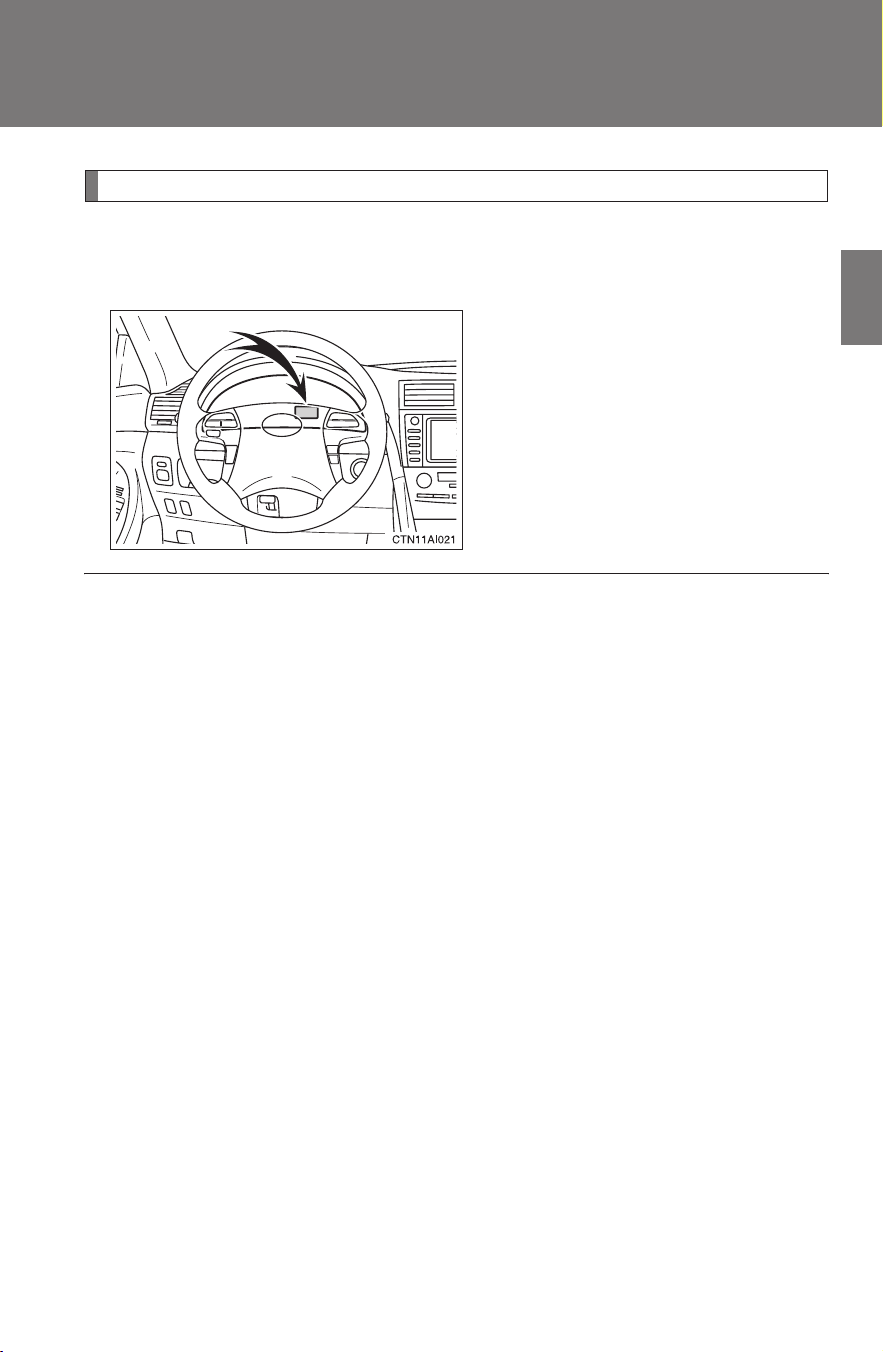
● How to display on the multi-information display:
Press the
“DISP” switch on the steering wheel several times to
select the energy monitor display.
STEP
1
STEP
2
Navigation system screen
Multi-information
display
When the vehi-
cle is powered
by the electric
motor (traction
motor)
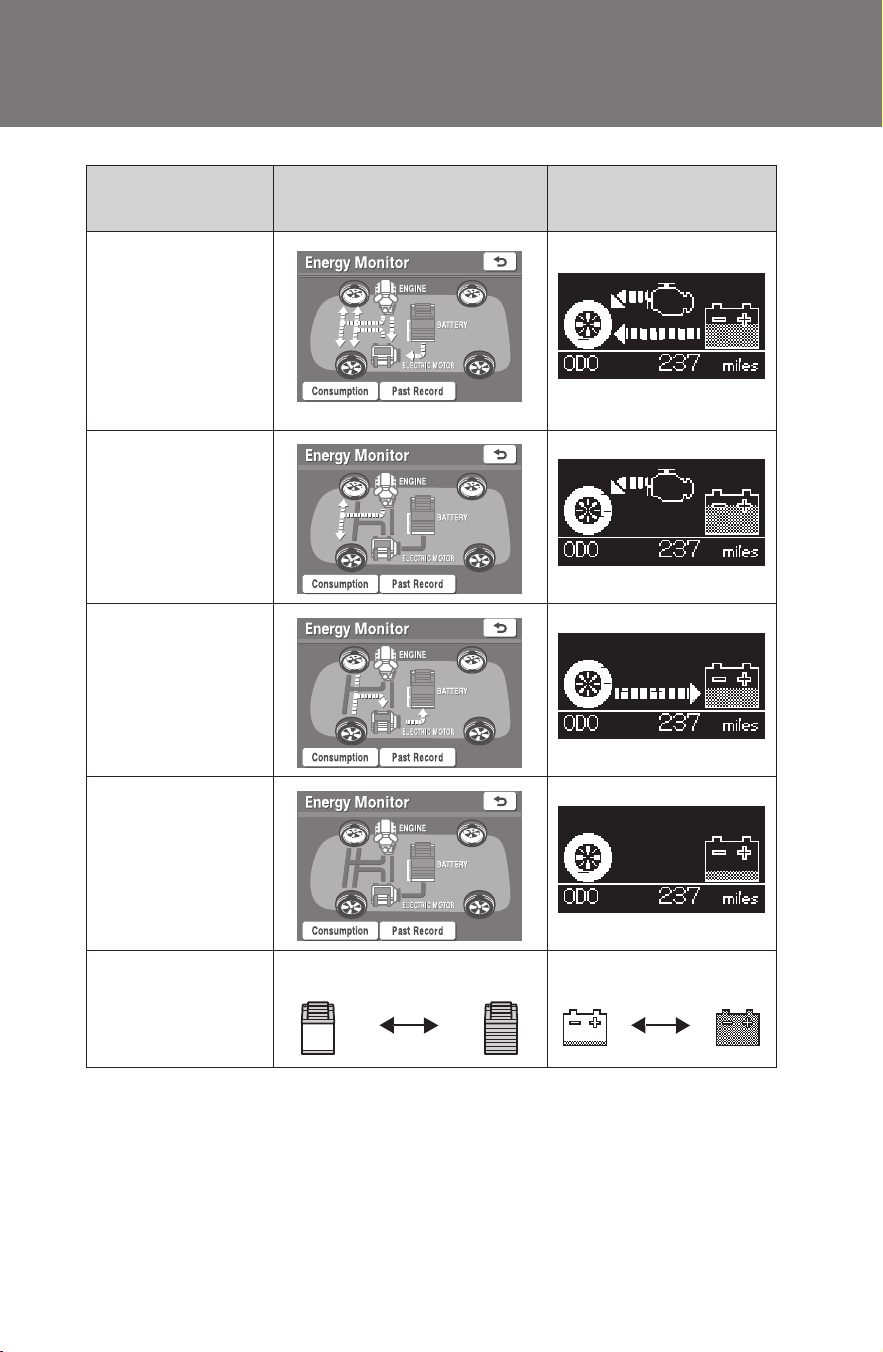
28
1-1. Hybrid system
CAMRY_HV_U
When the vehi-
cle is powered
by both the gas-
oline engine and
the electric
motor (traction
motor)
When the vehi-
cle is powered
by the gasoline
engine
When the vehi-
cle is charging
the hybrid bat-
tery (traction
battery)
When there is
no energy flow
Hybrid battery
(traction bat-
tery) status
Low Full Low Full
Navigation system screen
Multi-information
display
29
1-1. Hybrid system
1
Before driving
CAMRY_HV_U
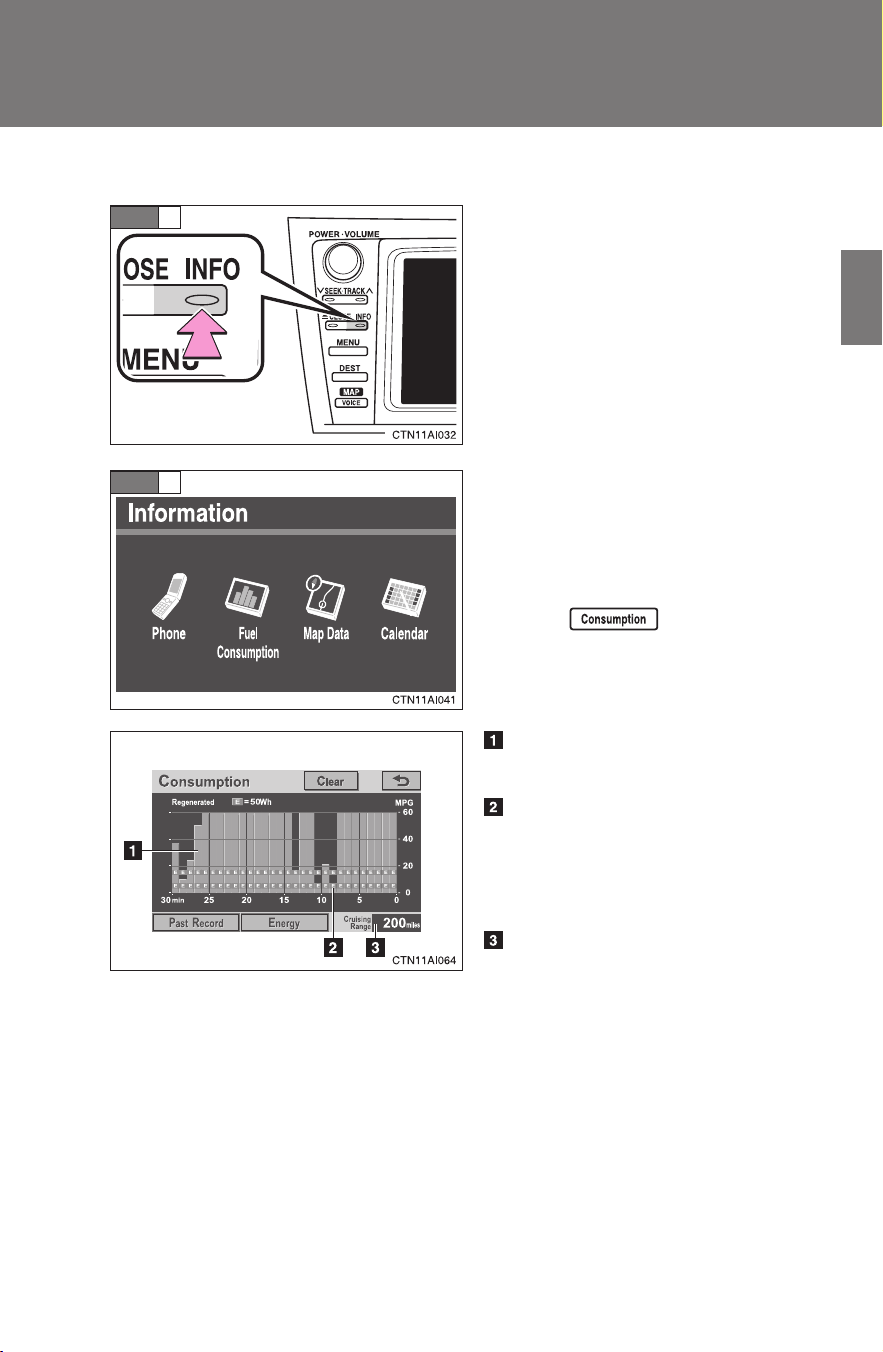
■ Consumption (navigation system only)
Press “INFO”.
Touch “Fuel Consumption” on
the “Information” screen.
If the “Energy Monitor” or “Past
Record” screen is displayed,
touch .
Fuel consumption in the past
30 minutes
Regenerated energy in the
past 30 minutes
One symbol indicates 50 Wh.
Up to 4 symbols are shown.
Cruising range
STEP
1
STEP
2
30
1-1. Hybrid system
CAMRY_HV_U
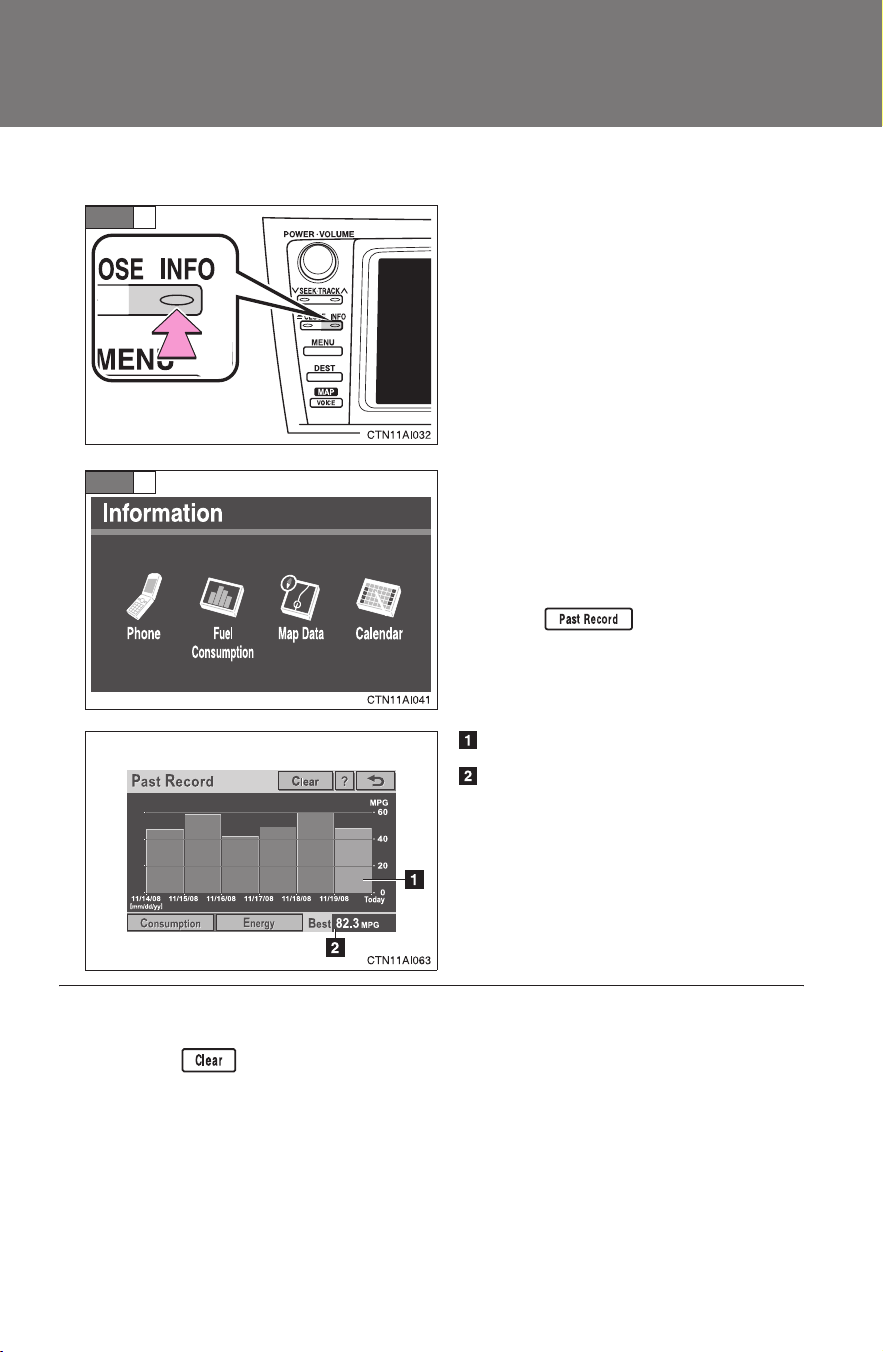
■ Past Record (navigation system only)
Press “INFO”.
Touch “Fuel Consumption” on
the “Information” screen.
If the “Energy Monitor” or “Con-
sumption” screen is displayed,
touch .
Average fuel consumption
Best fuel economy among
average
STEP
1
STEP
2
■ Resetting the consumption data
Touching will reset the fuel consumption or past record.
31
1-1. Hybrid system
1
Before driving
CAMRY_HV_U
Hybrid warning message
A message is automatically displayed when a malfunction occurs in
the hybrid system or an improper operation is attempted.
If a warning message is shown
on the multi-information display,
read the message and follow the
instructions. (→P. 406)
■ If a warning light comes on or a warning message is displayed, or the
12-volt battery has been disconnected
The hybrid system may not start. In that case, try to start the system again. If
the “READY” indicator does not come on, contact your Toyota dealer.
■ When refueling, the fuel filler door may take a few moments to open
As part of emission system operation, it may take up to 10 seconds for the
fuel filler door to automatically release after the opener switch is pressed.
Before refueling is possible, a message will be shown on the multi-informa-
tion display. (→P. 82)
■ Running out of fuel
When the vehicle has run out of fuel and the hybrid system cannot be
started, refuel the vehicle with at least enough gasoline to make the low fuel
level warning light (→P. 400) go off. If there is only a small amount of fuel,
the hybrid system may not be able to start. (The minimum amount of fuel to
add to make the low fuel level warning light go out is about 2.5 gal. [9.8 L,
2.1 Imp. gal.], when the vehicle is on a level surface. This value may vary
when the vehicle is on a slope.)
32
1-1. Hybrid system
CAMRY_HV_U
■ Hybrid battery (traction battery)
The hybrid battery (traction battery) has a limited service life. The lifespan of
the hybrid battery (traction battery) can change in accordance with driving
style and driving conditions.
CAUTION
■ High voltage precautions
The vehicle has high voltage DC and AC systems as well as a 12-volt sys-
tem. DC and AC high voltage is very dangerous and can cause severe burns
and electric shock that may result in death or serious injury.
● Never touch, disassemble, remove or replace the high voltage parts,
cables and their connectors.
● The hybrid system will become hot after starting as the system uses high
voltage. Be careful of both the high voltage and the high temperature, and
always obey the caution labels attached to the vehicle.
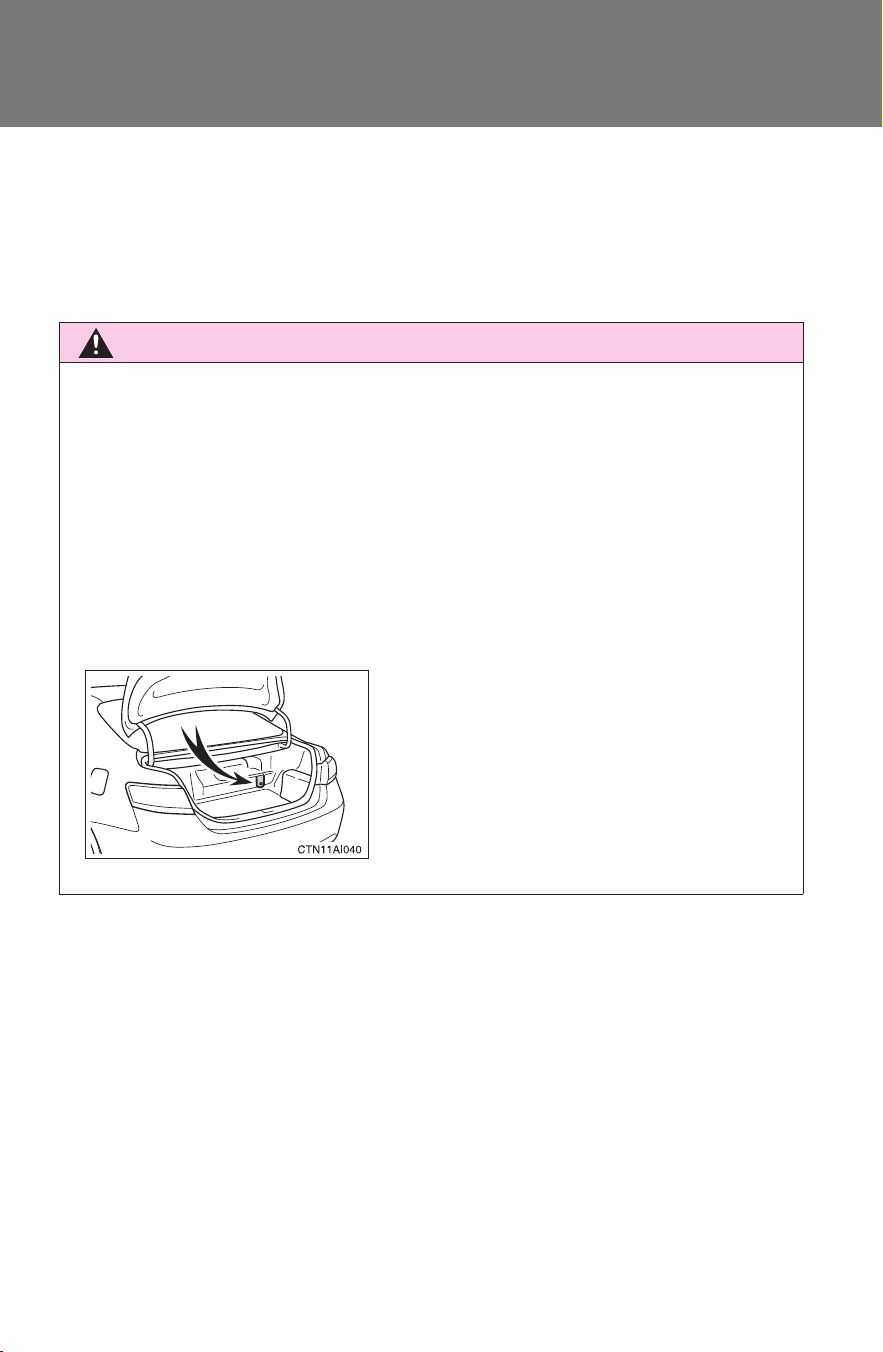
● Never try to open the service plug
access hole located in the luggage
compartment. The service plug is used
only when the vehicle is serviced and is
subject to high voltage.

33
1-1. Hybrid system
1
Before driving
CAMRY_HV_U
CAUTION
■ Road accident cautions
Observe the following precautions to reduce the risk of injury.
● Pull your vehicle off the road, put the shift lever in P, apply the parking
brake, and turn the hybrid system off.
● Do not touch the high voltage parts, cables and connectors.
● If electric wires are exposed inside or outside your vehicle, an electric
shock may occur. Never touch exposed electric wires.
● If a fluid leak occurs, do not touch it as it may be strong alkaline electrolyte
from the hybrid battery (traction battery). If it comes into contact with your
skin or eyes, wash it off immediately with a large amount of water or if pos-
sible, boric acid solution. Seek immediate medical attention.
● If a fire occurs in the hybrid vehicle, leave the vehicle as soon as possible.
Never use a fire extinguisher that is not meant for electric fires. Using even
a small amount of water may be dangerous.
● If your vehicle needs to be towed, do so with the front wheels raised. If the
wheels with the electric motor (traction motor) are on the ground when
towing, the motor may continue to generate electricity. This may cause an
electricity leakage leading to a fire. (
→P. 391)
■ Nickel-metal hydride battery
Your vehicle contains a sealed nickel-metal hydride battery. If disposed of
improperly, it is hazardous to the environment and there is a risk of severe
burns and electrical shock that may result in death or serious injury.
■ If the system activates
● Carefully check to see if there are exposed high voltage parts or cables.
Never touch the parts or cables. (
→P. 25 )
● Carefully inspect the ground under the vehicle. If you find that liquid has
leaked onto the ground, the fuel system may have been damaged. Leave
the vehicle as soon as possible.

34
1-1. Hybrid system
CAMRY_HV_U
NOTICE
■ Hybrid battery air vent
● Do not put foreign objects over the air vent. The hybrid battery (traction
battery) may overheat and be damaged.
● Clean the air vent regularly to prevent the hybrid battery (traction battery)
from overheating.
● Do not wet the air vent. It may cause a short circuit and damage the hybrid
battery (traction battery).
● Do not load a large amount of water such as water cooler bottles into the
vehicle. If water spills over the hybrid battery (traction battery), the battery
may be damaged.
35
1
Before driving
CAMRY_HV_U
1-2. Key information
Keys
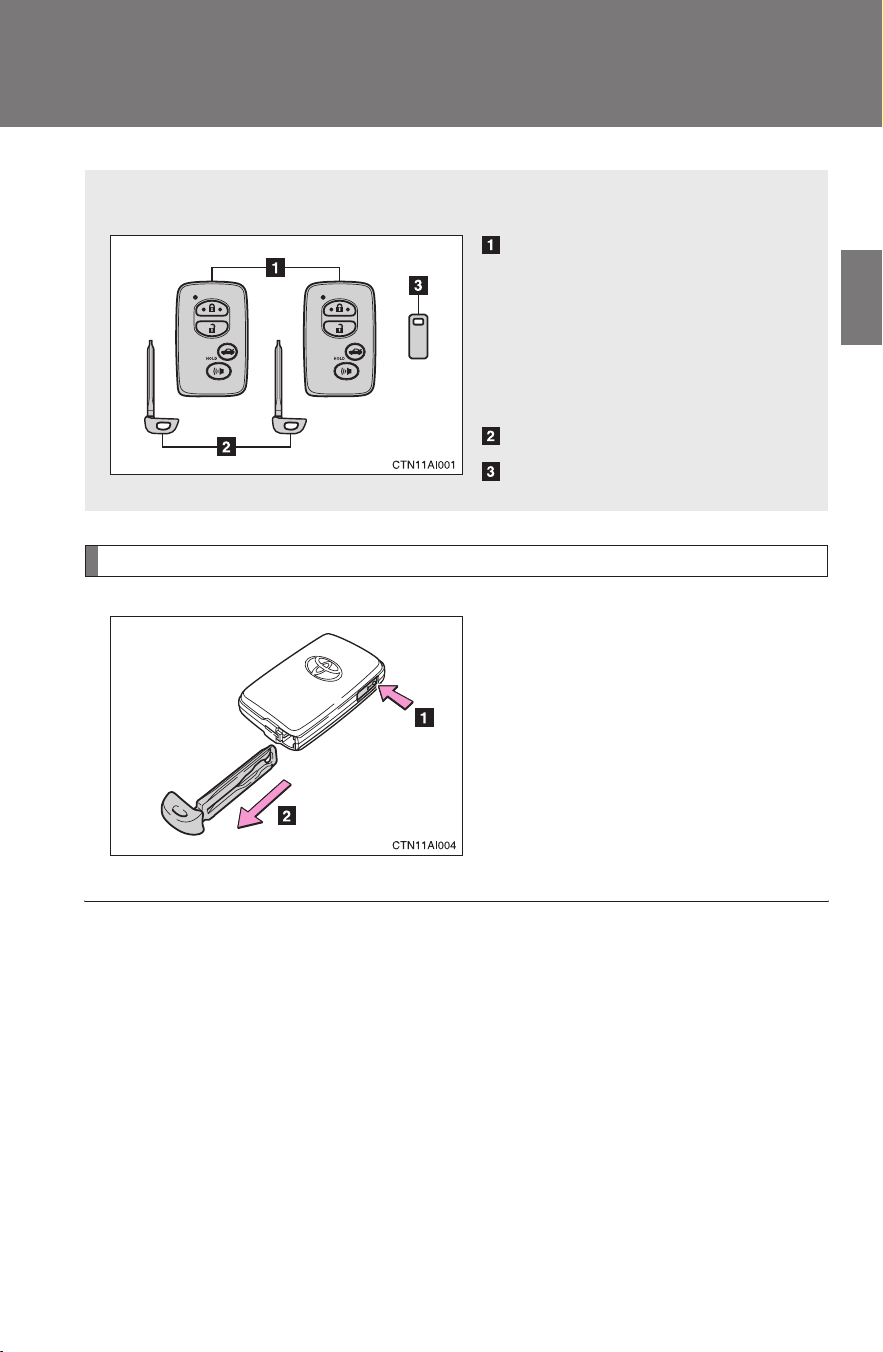
Using the mechanical key
Take out the mechanical key.
After using the mechanical key,
store it in the electronic key. Carry
the mechanical key together with
the electronic key. If the electronic
key battery is depleted or the
entry function does not operate
properly, you will need the
mechanical key. (→P. 431)
The following keys are provided with the vehicle.
Electronic keys
• Operating the smart key
system (→P. 37)
• Operating the wireless
remote control function
(→P. 4 8 )
Mechanical keys
Key number plate
■ When required to leave a key to the vehicle with a parking attendant
Lock the glove box as circumstances demand. Set the luggage security sys-
tem. (→P. 55, 294)
Remove the mechanical key for your own use and provide the attendant with
the electronic key only.
■ Key number plate
Keep the plate in a safe place such as your wallet, not in the vehicle. In the
event that a key is lost, a new key can be made by your Toyota dealer using
the key number plate. (→P. 430)

36
1-2. Key information
CAMRY_HV_U
■ When riding in an aircraft
When bringing an electronic key onto an aircraft, make sure you do not
press any buttons on the electronic key while inside the aircraft cabin. If you
are carrying an electronic key in your bag etc, ensure that the buttons are
not likely to be pressed accidentally. Pressing a button may cause the elec-
tronic key to emit radio waves that could interfere with the operation of the
aircraft.
NOTICE
■ To prevent key damage
● Do not subject the keys to strong shocks, expose them to high tempera-
tures by placing them in direct sunlight, or get them wet.
● Do not expose the keys to electromagnetic materials or attach any mate-
rial that blocks electromagnetic waves to the key surface.
● Do not disassemble the electronic key.
37
1
Before driving
CAMRY_HV_U
1-3. Opening, closing and locking the doors
Smart key system
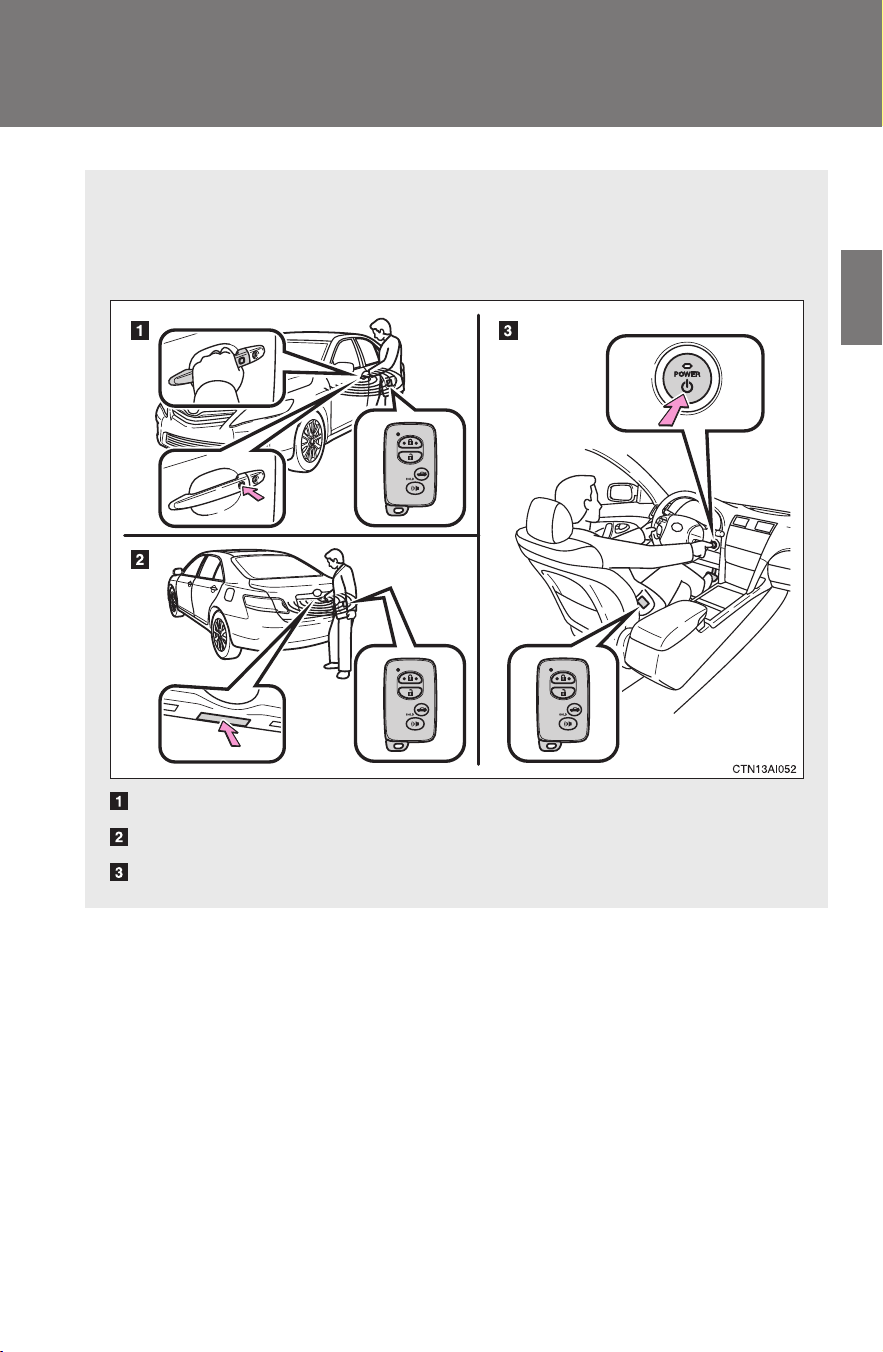
The following operations can be performed simply by carrying the
electronic key on your person, for example in your pocket.
(The driver should always carry the electronic key.)
Locks and unlocks the doors (→P. 3 8 )
Unlocks the trunk (→P. 3 8 )
Starts and stops the hybrid system (→P. 135)
38
1-3. Opening, closing and locking the doors
CAMRY_HV_U
Unlocking and locking the doors (front door handles only)
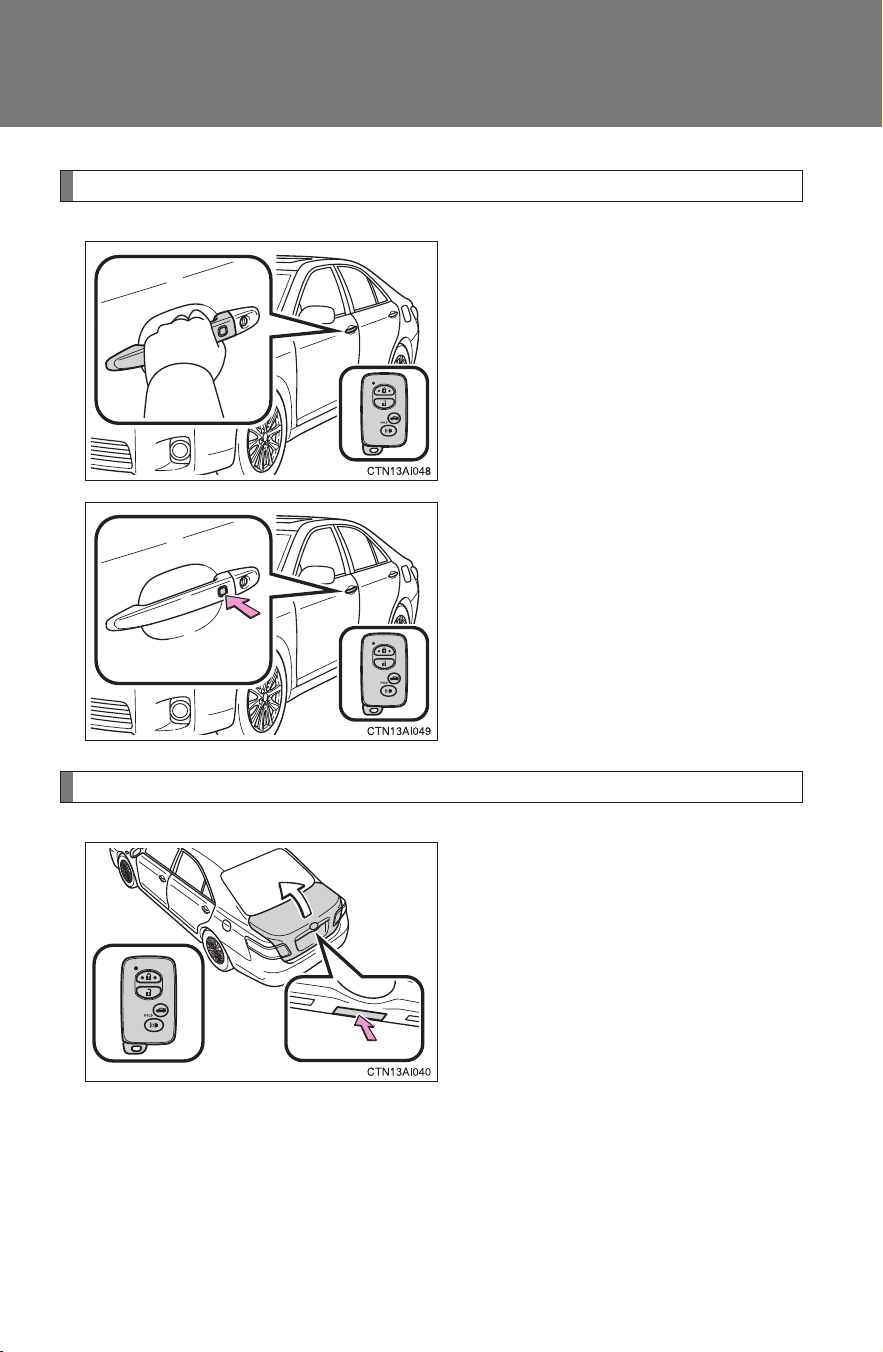
Grip the handle to unlock the
door.
Make sure to touch the sensor on
the back of the handle.
The door cannot be unlocked for
3 seconds after the door is
locked.
Press the lock button to lock the
door.
Unlocking the trunk
Press the button to unlock the
trunk.
39
1-3. Opening, closing and locking the doors
1
Before driving
CAMRY_HV_U
Antenna location and effective range
■ Antenna location
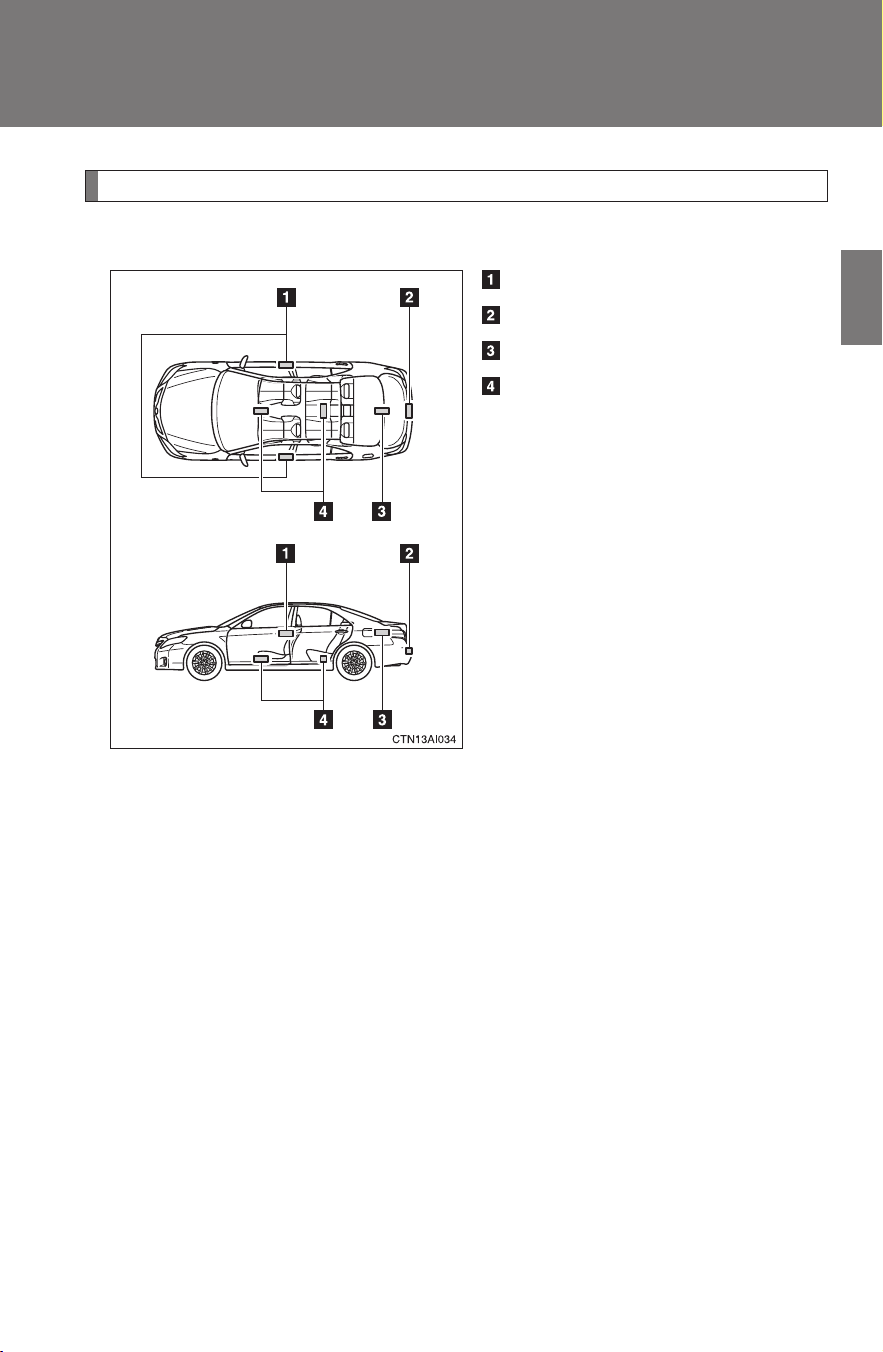
Antennas outside the cabin
Antenna outside the trunk
Antenna inside the trunk
Antennas inside the cabin
40
1-3. Opening, closing and locking the doors
CAMRY_HV_U
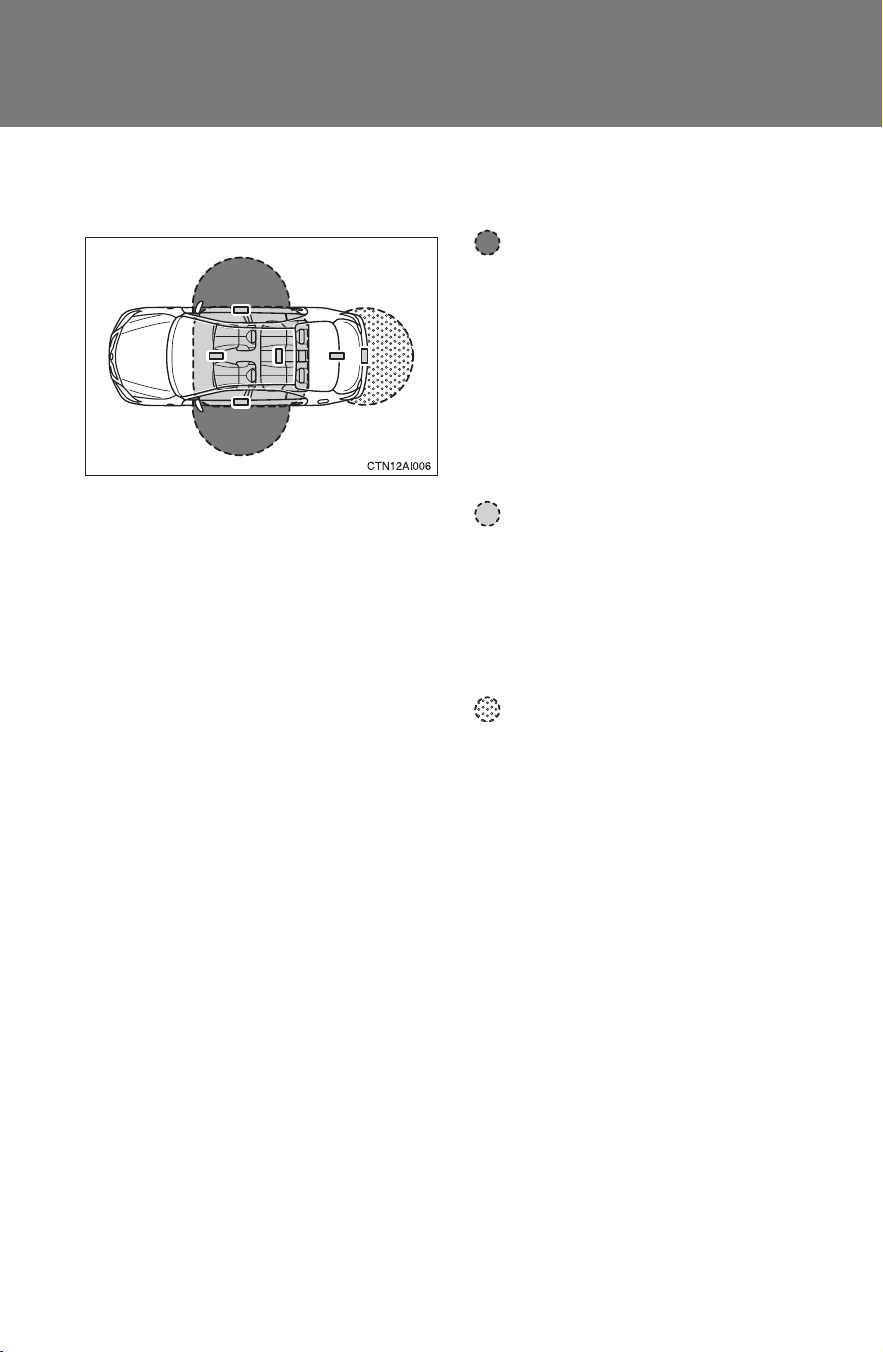
■ Effective range (areas within which the electronic key is
detected)
When locking or unlocking
the doors
The system can be operated
when the electronic key is
within about 2.3 ft. (0.7 m) of
either of the outside front
door handles. (Only the
doors detecting the key can
be operated.)
When starting the hybrid
system or changing
“POWER” switch modes
The system can be operated
when the electronic key is
inside the vehicle.
When unlocking the trunk
The system can be operated
when the electronic key is
within about 2.3 ft. (0.7 m) of
the trunk release button.
41
1-3. Opening, closing and locking the doors
1
Before driving
CAMRY_HV_U
■ Operation signals
A buzzer sounds and the emergency flashers flash to indicate that the doors
have been locked/unlocked. (Locked: Once; Unlocked: Twice)
■ Conditions affecting operation
The smart key system uses weak radio waves. In the following situations,
the communication between the electronic key and the vehicle may be
affected, preventing the smart key system and wireless remote control from
operating properly. (Ways of coping: →P. 431)
● When the electronic key battery is depleted
● Near a TV tower, electric power plant, gas station, radio station, large dis-
play, airport or other facility that generates strong radio waves or electri-
cal noise
● When carrying a portable radio, cellular phone, cordless phone or other
wireless communication devices
● When the electronic key has come into contact with, or is covered by, a
metallic object
● When multiple electronic keys are in the vicinity
● When carrying or using the electronic key together with the following
devices that emit radio waves
• Another vehicle’s electronic key
• A wireless key that emits radio waves
• Personal computer
● If window tint with a metallic content or metallic objects are attached to
the rear window
■ Switching the door unlock function
It is possible to set which doors the entry function unlocks.
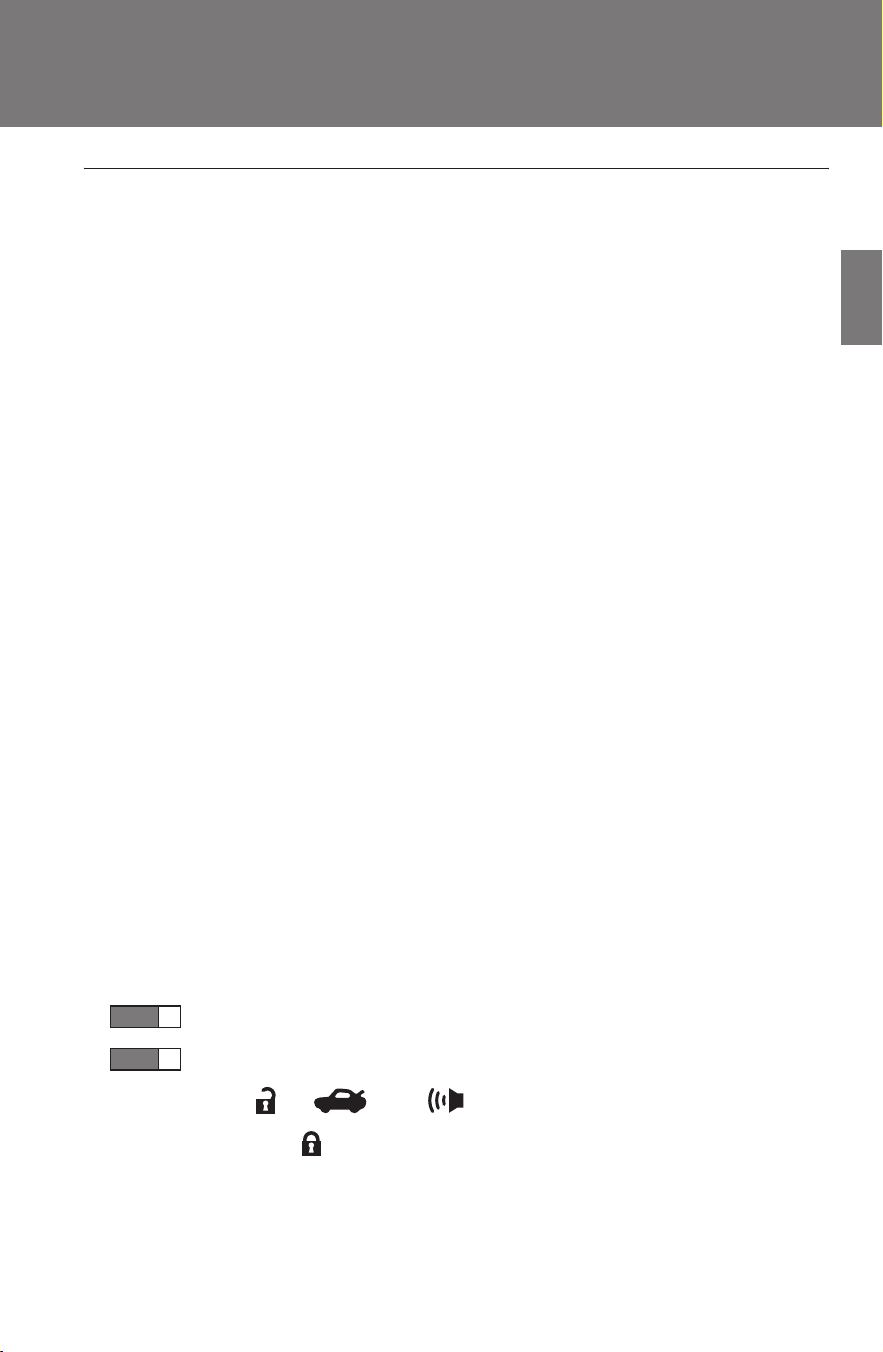
Turn the “POWER” switch OFF.
When the indicator on the key surface is off, press and
hold , , or for approximately 5 seconds while
pressing on the key.
STEP
1
STEP
2

42
1-3. Opening, closing and locking the doors
CAMRY_HV_U
The setting changes each time an operation is performed, as shown below.
(When changing the setting continuously, release the buttons, wait for at
least 5 seconds, and repeat step 2.)
■ Battery-saving function
In the following circumstances, the entry function is disabled in order to pre-
vent the 12-volt battery from discharging and the electronic key battery from
depleting.
● When the entry function has not been used for 2 weeks or more
● When the electronic key has been left within approximately 7 ft. (2 m) of
the vehicle for 10 minutes or more
The system will resume operation when...
● The vehicle is locked using the door handle lock switch.
● The vehicle is locked/unlocked using the wireless remote control func-
tion. (→P. 48)
● The vehicle is locked/unlocked using the mechanical key. (→P. 431)
Multi-information
display
Unlocking doors Beep
Hold the driver's door han-
dle to unlock only the
driver's door.
Exterior: Beeps three
times
Interior: Pings once
Hold the front passenger's
door handle to unlock all
doors
Hold either front door han-
dle to unlock all doors
Exterior: Beeps twice
Interior: Pings once

43
1-3. Opening, closing and locking the doors
1
Before driving
CAMRY_HV_U
■ Electronic key battery depletion
● The standard battery life is 1 to 2 years. (The battery becomes depleted
even if the electronic key is not used.) If the smart key system or the
wireless remote control function does not operate, or the detection area
becomes smaller, the battery may be depleted. Replace the battery when
necessary. (→P. 370)
● If the battery becomes low, an alarm will sound in the cabin when the
hybrid system stops. (→P. 413)
● To avoid serious deterioration, do not leave the electronic key within 3 ft.
(1 m) of the following electrical appliances that produce a magnetic field.
•TVs
• Personal computers
• Recharging cellular phones or cordless phones
• Table lamps
■ To operate the system properly
Make sure to carry the electronic key when operating the system. Do not get
the electronic key too close to the vehicle when operating the system from
the outside of the vehicle.
Depending on the position and holding condition of the electronic key, the
key may not be detected correctly and the system may not operate properly.
(The alarm may go off accidentally, or the door lock prevention may not func-
tion.)
■ Note for the smart key system
● Even when the electronic key is within the effective range (detection
areas), the system may not operate properly in the following cases.
• The electronic key is too close to the window or outside door handle,
near the ground, or in a high place when the doors are locked or
unlocked.
• The electronic key is near the ground or in a high place, or too close to
the rear bumper center when the trunk is unlocked.
• The electronic key is on the instrument panel, package tray, floor, or in
the auxiliary box of the driver's side instrument panel or glove box
when the hybrid system is started or the “POWER” switch modes are
changed.

44
1-3. Opening, closing and locking the doors
CAMRY_HV_U
● As long as the electronic key is within the effective range, the doors may
be locked or unlocked by anyone.
● Even if the electronic key is not inside the vehicle, it may be possible to
start the hybrid system if the electronic key is near the window.
● The doors may unlock if a large amount of water splashes on the door
handle, such as in the rain or in a car wash. (The doors will automatically
be locked after approximately 60 seconds if the doors are not opened
and closed.)
● Gripping the door handle when wearing a glove may not unlock the door.
● If the wireless remote control is used to lock the doors when the elec-
tronic key is near the vehicle, there is a possibility that the door may not
be unlocked by the entry function. (Use the wireless remote control to
unlock the doors.)
● A sudden approach to the effective range or door handle may prevent the
doors from being unlocked. In this case, return the door handle to the
original position and check that the doors unlock before pulling the door
handle again.
■ When the vehicle is not driven for extended periods
To prevent theft of the vehicle, do not leave the electronic key within 6 ft. (2
m) of the vehicle.
■ Security feature
If a door is not opened within approximately 60 seconds after the vehicle is
unlocked, the security feature automatically locks the vehicle again.
■ Alarms and warning indicators
A combination of exterior and interior alarms as well as warning messages
shown on the multi-information display are used to reduce the chance of
vehicle theft and accidents resulting from erroneous operation. Take appro-
priate measures according to the warning message on the multi-information
display. (→P. 406)

45
1-3. Opening, closing and locking the doors
1
Before driving
CAMRY_HV_U
The following table describes circumstances and correction procedures
when only alarms are sounded.
Alarm Situation Correction procedure
Exterior alarm
sounds once for
2 seconds
Tried to lock the doors
using the entry function
while the electronic key is
still inside the passenger
compartment
Retrieve the elec-
tronic key from the
passenger compart-
ment and lock the
doors again.
Closed the trunk while the
electronic key is still inside
the trunk and all doors are
locked
Retrieve the elec-
tronic key from the
trunk and close the
trunk lid.
Exterior alarm
sounds once for
10 seconds
Tried to lock the vehicle
using the entry function
while a door is open
Close all of the doors
and lock the doors
again.
Exterior alarm
sounds once for
60 seconds
Tried to exit the vehicle
with the electronic key and
lock the doors without first
turning the “POWER”
switch OFF
Turn the “POWER”
switch OFF and lock
the doors again.
Interior alarm
sounds continu-
ously
Tried to open the door and
exit the vehicle without
shifting the shift lever to P
when the “POWER” switch
is in ACCESSORY mode
or ON mode
Shift the shift lever to
P.
Interior alarm
beeps repeatedly
Turned the “POWER”
switch to ACCESSORY
mode while the driver's
door is open (Opened the
driver's door when the
“POWER” switch is in
ACCESSORY mode.)
Turn the “POWER”
switch OFF and close
the driver's door.
Turned the “POWER”
switch OFF while the
driver's door is open
Close the driver's
door.

46
1-3. Opening, closing and locking the doors
CAMRY_HV_U
■ If the smart key system does not operate properly
● Locking and unlocking the doors and trunk: Use the mechanical key.
(→P. 431)
● Starting the hybrid system:→P. 432
■ When the electronic key battery is fully depleted
→P. 370
■ Customization that can be configured at Toyota dealer
It is possible to deactivate the smart key system, etc.
(Customizable features →P. 470)
■ Certification for the smart key system
For vehicles sold in the U.S.A.
FCC ID: NI4TMLF-2
FCC ID: HYQ14AAB
FCC ID: HYQ13BZH
FCC ID: HYQ14ABK
FCC ID: HYQ13BZW
NOTE:
This device complies with Part 15 of the FCC Rules. Operation is subject to
the following two conditions: (1) this device may not cause harmful interfer-
ence, and (2) this device must accept any interference received, including
interference that may cause undesired operation.

47
1-3. Opening, closing and locking the doors
1
Before driving
CAMRY_HV_U
FCC WARNING:
Changes or modifications not expressly approved by the party responsible
for compliance could void the user's authority to operate the equipment.
For vehicles sold in Canada
NOTE:
Operation is subject to the following two conditions: (1) this device may not
cause interference, and (2) this device must accept any interference, includ-
ing interference that may cause undesired operation of the device.
CAUTION
■ Caution regarding interference with electronic devices
● People with implanted pacemakers or cardiac defibrillators should keep
away from the smart key system antennas. (→P. 39)
The radio waves may affect the operation of such devices. If necessary,
the entry function can be disabled. Ask your Toyota dealer for details, such
as the frequency of radio waves and timing of emitting the radio waves.
Then, consult your doctor to see if you should disable the entry function.
● User of any electrical medical device other than implanted pacemakers
and implanted cardiac defibrillators should consult the manufacturer of the
device for information about its operation under the influence of radio
waves.
Radio waves could have unexpected effects on the operation of such
medical devices.
Ask your Toyota dealer for details for disabling the entry function.
48
1-3. Opening, closing and locking the doors
CAMRY_HV_U
Wireless remote control
■ Operation signals
Doors: A buzzer sounds and the emergency flashers flash to indicate that
the doors have been locked/unlocked.
(Locked: Once; Unlocked: Twice)
Trunk: A buzzer sounds to indicate that the trunk has been unlocked.
■ Door lock buzzer
If a door is not fully closed, a buzzer sounds continuously for 10 seconds if
an attempt to lock the door is made. Fully close the door to stop the buzzer,
and lock the vehicle once more.
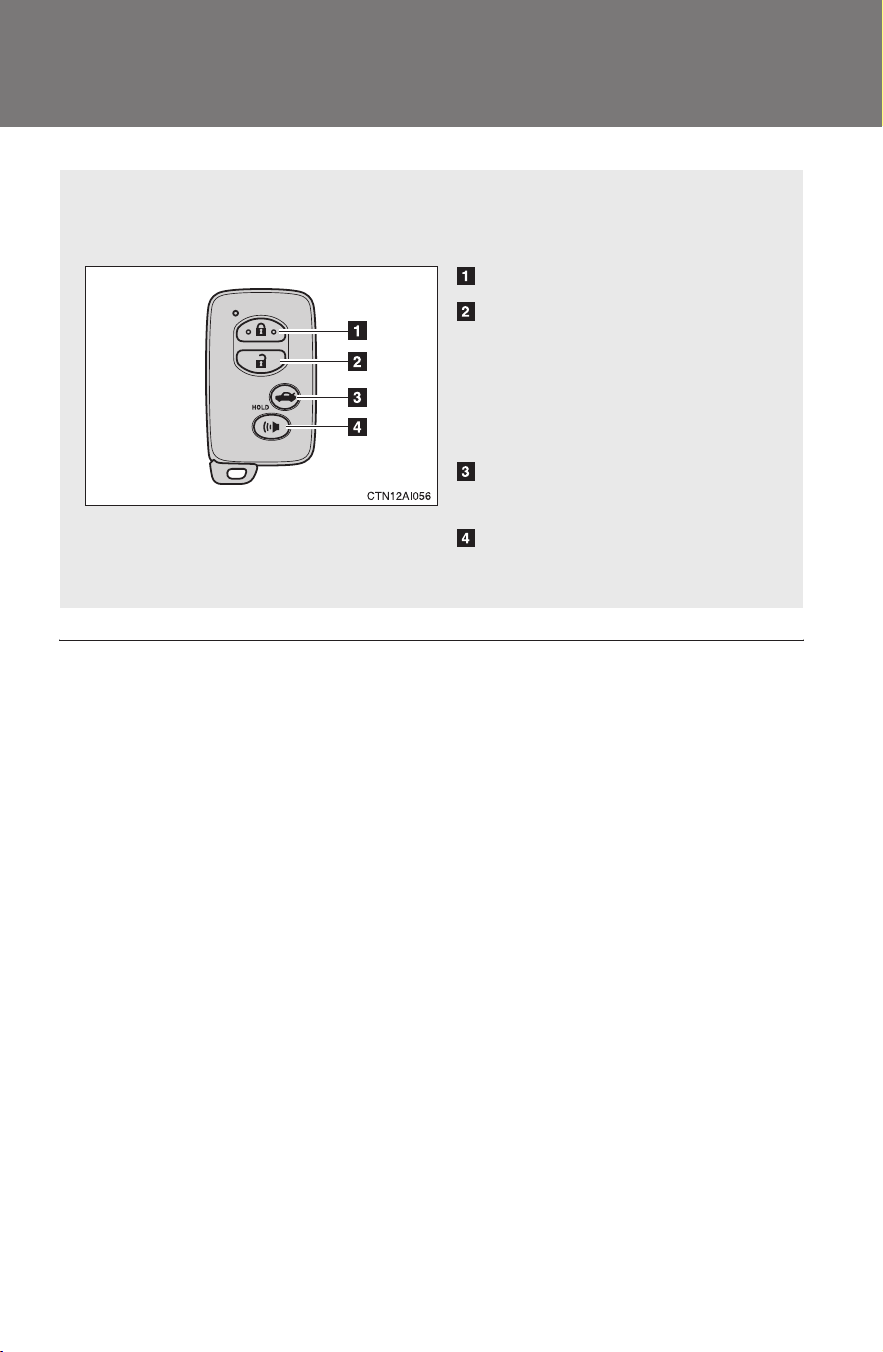
The wireless remote control can be used to lock and unlock the vehi-
cle from outside the vehicle.
Locks all doors
Unlocks all doors
Pressing the button unlocks
the driver’s door. Pressing the
button again within 3 seconds
unlocks the other doors.
Unlocks the trunk
(press and hold)
Sounds an alarm
(press and hold)
49
1-3. Opening, closing and locking the doors
1
Before driving
CAMRY_HV_U
■ Panic mode
■ Key battery depletion
→P. 4 3
■ Security feature
→P. 4 4
■ When the electronic key battery is fully depleted
→P. 370
■ Conditions affecting operation
→P. 4 1
■ Customization that can be configured at Toyota dealer
Settings (e.g. trunk unlocking function) can be changed.
(Customizable features →P. 470)
■ Certification for wireless remote control
For vehicles sold in the U.S.A.
FCC ID: NI4TMLF-2
FCC ID: HYQ14AAB
FCC ID: HYQ13BZH
FCC ID: HYQ14ABK
FCC ID: HYQ13BZW
NOTE:
This device complies with Part 15 of the FCC Rules. Operation is subject to
the following two conditions: (1) this device may not cause harmful interfer-
ence, and (2) this device must accept any interference received, including
interference that may cause undesired operation.
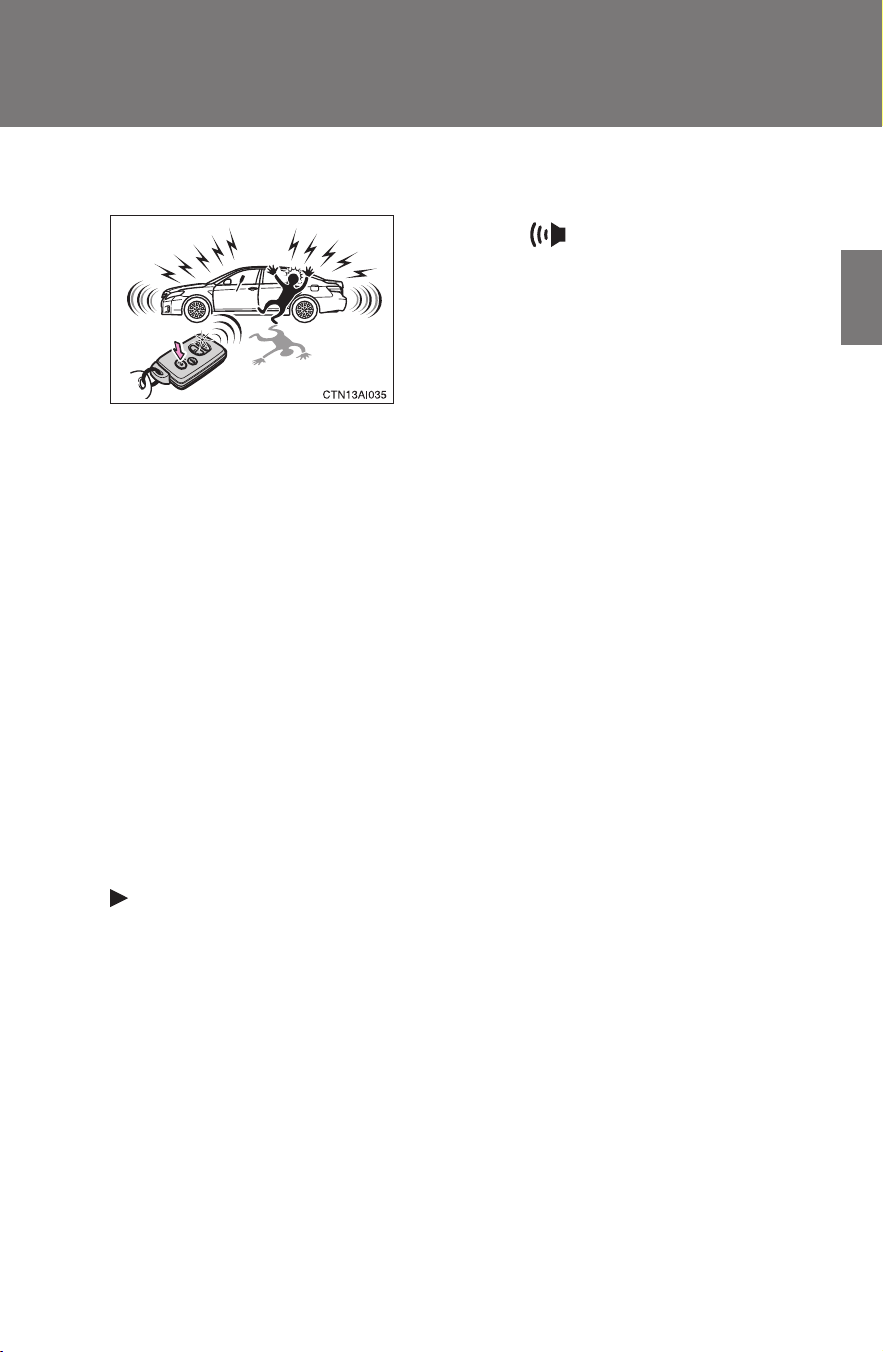
When is pressed for longer
than about one second, an alarm will
sound intermittently and the vehicle
lights will flash to deter any person from
trying to break into or damage your
vehicle.
To stop the alarm, press any button on
the wireless remote control.

50
1-3. Opening, closing and locking the doors
CAMRY_HV_U
FCC WARNING:
Changes or modifications not expressly approved by the party responsible
for compliance could void the user's authority to operate the equipment.
For vehicles sold in Canada
NOTE:
Operation is subject to the following two conditions: (1) this device may not
cause interference, and (2) this device must accept any interference, includ-
ing interference that may cause undesired operation of the device.
51
1
1-3. Opening, closing and locking the doors
Before driving
CAMRY_HV_U
Doors
The vehicle can be locked and unlocked using the entry function,
wireless remote control, key or door lock switch.
■ Entry function
→P. 3 7
■ Wireless remote control
→P. 4 8
■ Key
→P. 4 3 1
■ Door lock switch
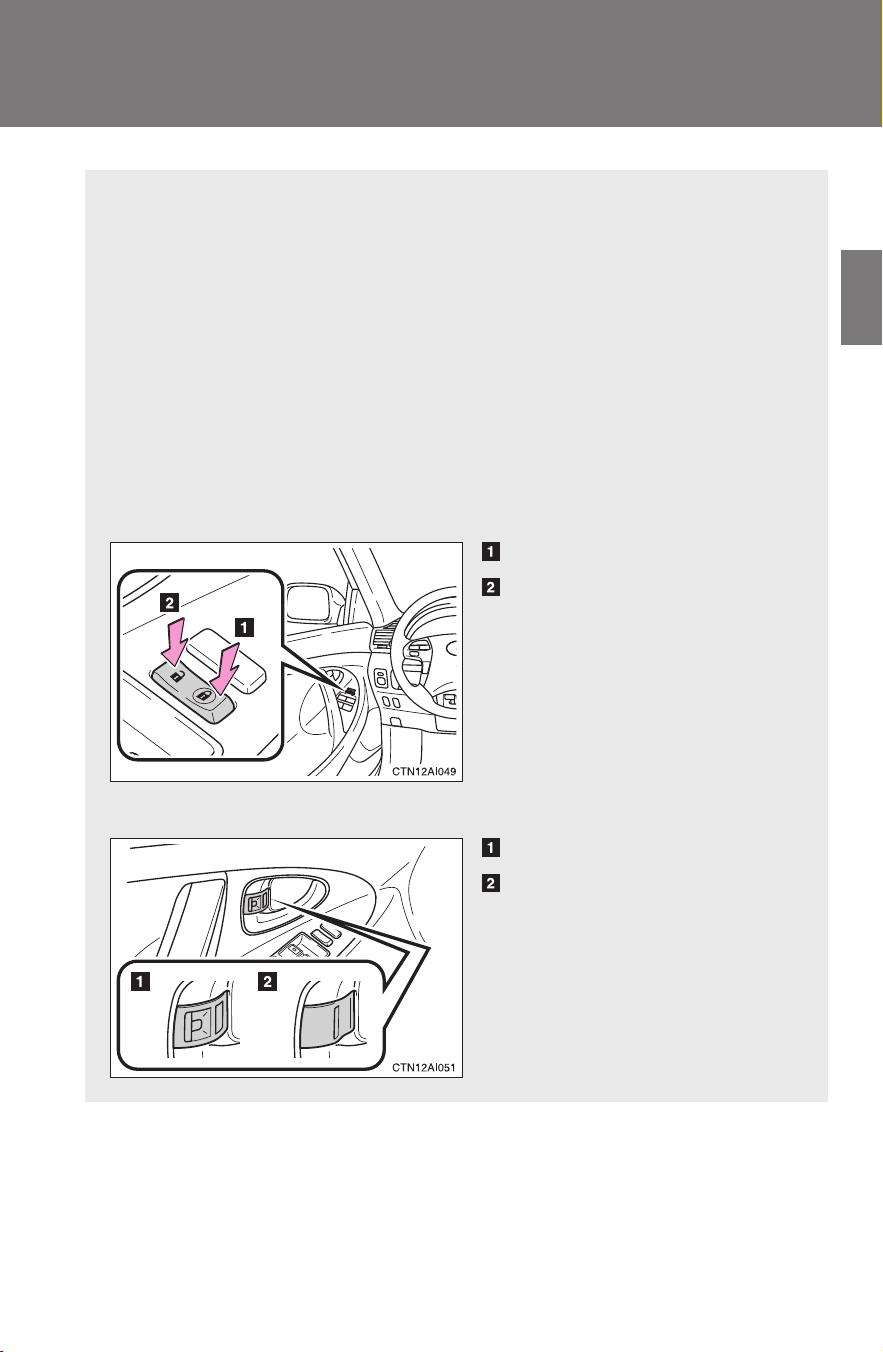
Locks all doors
Unlocks all doors
■ Inside lock button
Unlocks the door
Locks the door
The front doors can be opened
by pulling the inside handle
even if the lock buttons are in
the lock position.
52
1-3. Opening, closing and locking the doors
CAMRY_HV_U
Locking the front doors from the outside without a key
The door cannot be locked if the “POWER” switch is in ACCESSORY
or ON mode, or the electronic key is left inside the vehicle.
Depending on the position of the electronic key, the key may not be
detected correctly and the door may be locked.
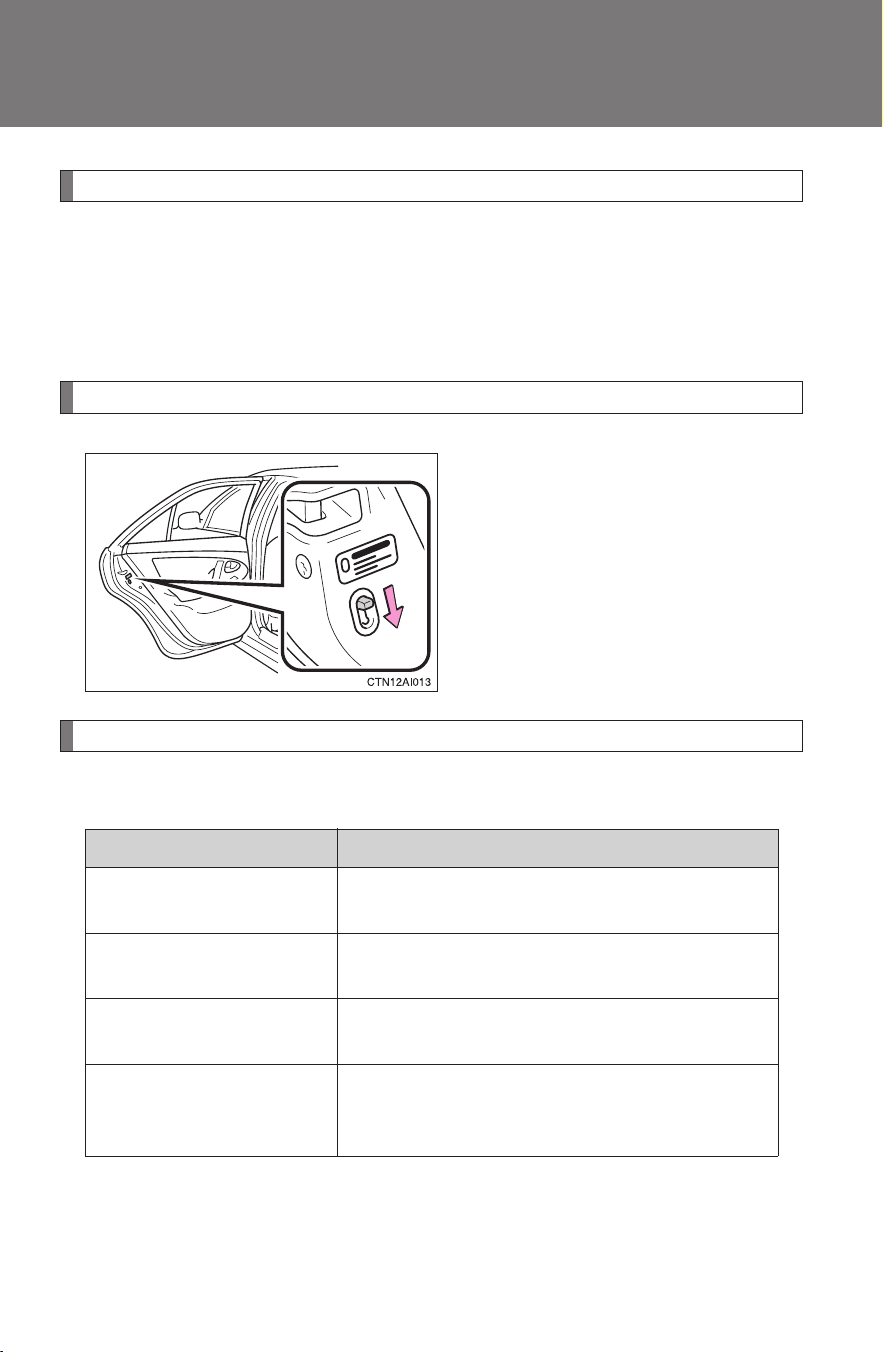
Rear door child-protector lock
The door cannot be opened from
inside the vehicle when the locks
are set.
These locks can be set to prevent
children from opening the rear
doors. Push down on each rear
door switch to lock both rear
doors.
Automatic door locking and unlocking systems
The following functions can be set or cancelled:
Function Operation
Shift position linked
door locking function
Shifting the shift lever out of P locks all
doors.
Shift position linked
door unlocking function
Shifting the shift lever to P unlocks all doors.
Speed linked door lock-
ing function
All doors are locked when the vehicle speed is
approximately 12 mph (20 km/h) or higher.
Driver's door linked door
unlocking function
All doors are unlocked when the driver's door
is opened within 10 seconds after turning the
“POWER” switch OFF.
53
1-3. Opening, closing and locking the doors
1
Before driving
CAMRY_HV_U
■ Setting and canceling the functions
To switch between set and canceled, follow the procedure below:
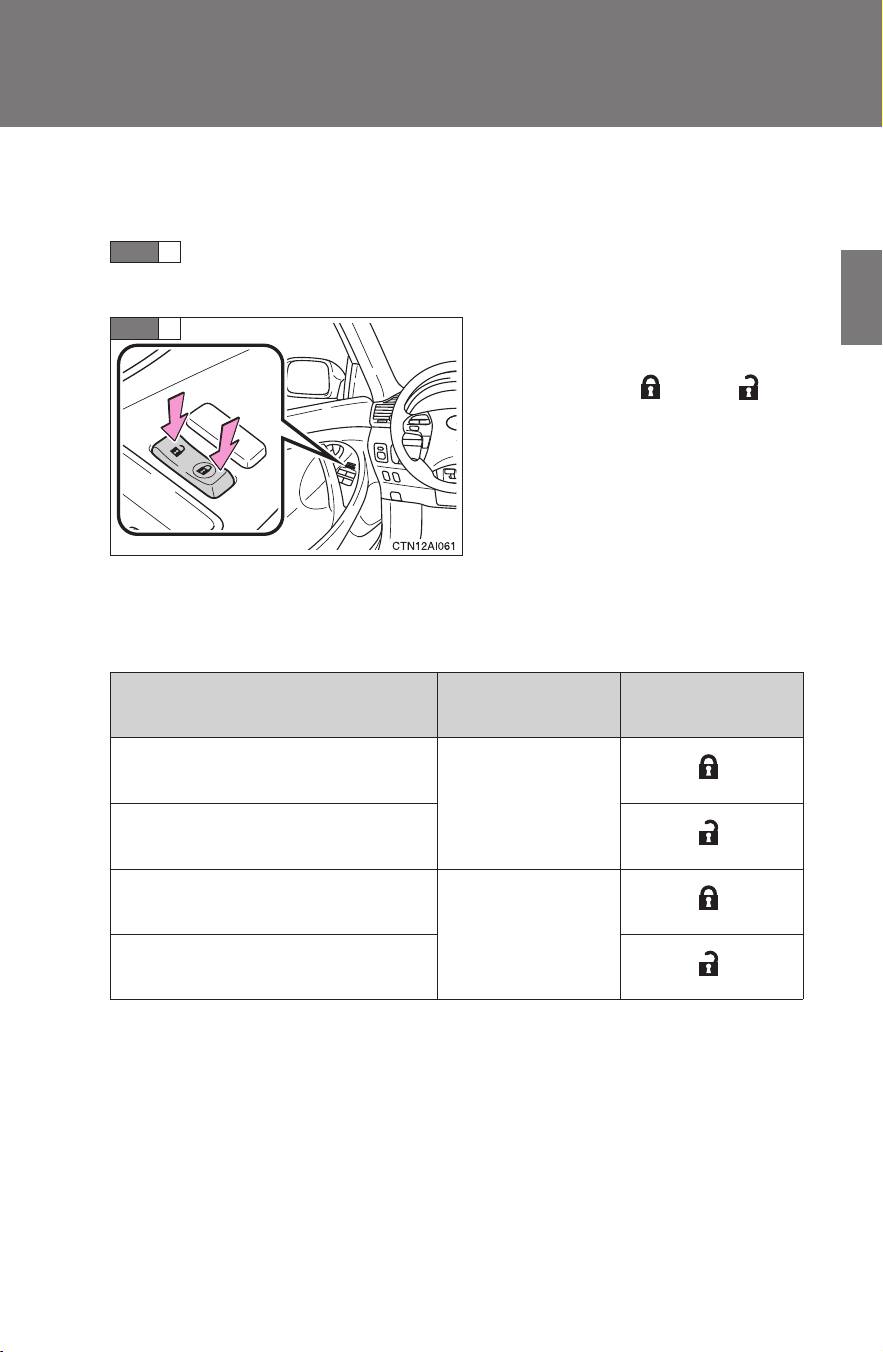
Close all the doors and switch the “POWER” switch to ON
mode. (Perform step 2 within 20 seconds.)
Shift the shift lever to P or N, and
press and hold the driver's door
lock switch (
or ) for
approximately 5 seconds and
then release.
The shift lever and switch posi-
tions corresponding to the
desired function to be set are
shown as follows.
Use the same procedure to can-
cel the function.
When the setting or canceling operation is complete, all doors are
locked and then unlocked.
STEP
1
STEP
2
Function
Shift lever
position
Driver’s door lock
switch position
Shift position linked door lock-
ing function
P
Shift position linked door
unlocking function
Speed linked door locking func-
tion
N
Driver's door linked door unlock-
ing function

54
1-3. Opening, closing and locking the doors
CAMRY_HV_U
■ Customization that can be configured at Toyota dealer
Settings (e.g. unlocking function using a key) can be changed.
(Customizable features →P. 470)
CAUTION
■ To prevent an accident
Observe the following precautions while driving the vehicle.
Failing to do so may result in a door opening and an occupant falling out,
resulting in death or serious injury.
● Always use a seat belt.
● Always lock the doors.
● Ensure that all doors are properly closed.
● Do not pull the inside handle of the doors while driving.
The doors may be opened and the passengers are thrown out of the vehi-
cle and it may result in serious injury or death.
Be especially careful for the front doors, as the doors may be opened even
if the inside lock buttons are in locked position.
● Set the rear door child protector locks when children are seated in the rear
seat.
55
1
1-3. Opening, closing and locking the doors
Before driving
CAMRY_HV_U
Trunk
Luggage security system
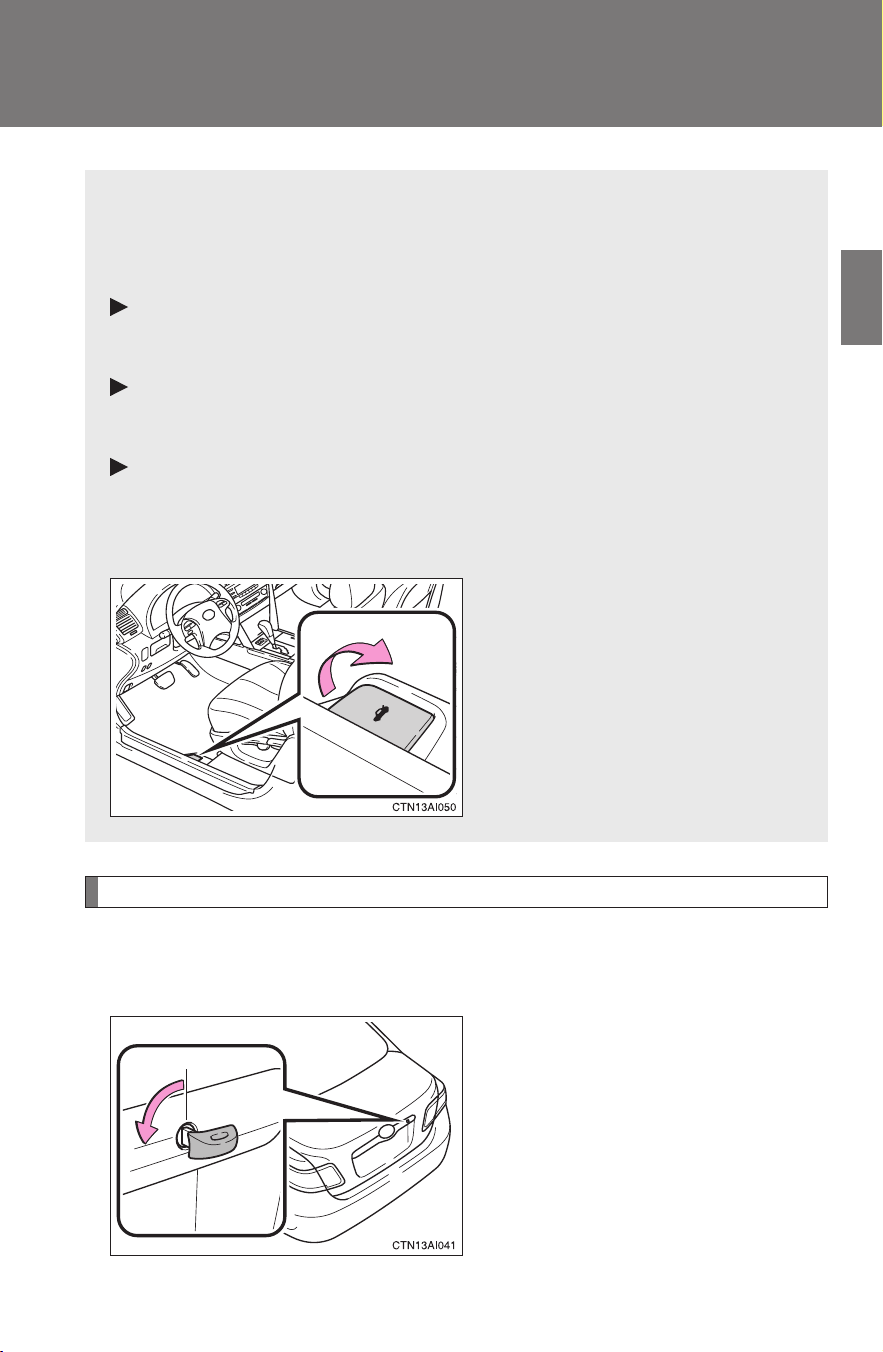
To protect luggage stored in the trunk against theft, do the following
procedure.
Turn the mechanical key coun-
terclockwise to lock the trunk
opener feature.
The trunk lid cannot be opened
even with the wireless remote
control or the entry function.
The trunk can be opened using the key, trunk opener, entry function
or wireless remote control.
■ Opening the trunk from outside the vehicle
Entry function
→P. 3 8
Wireless remote control
→P. 4 8
Key
→P. 4 3 1
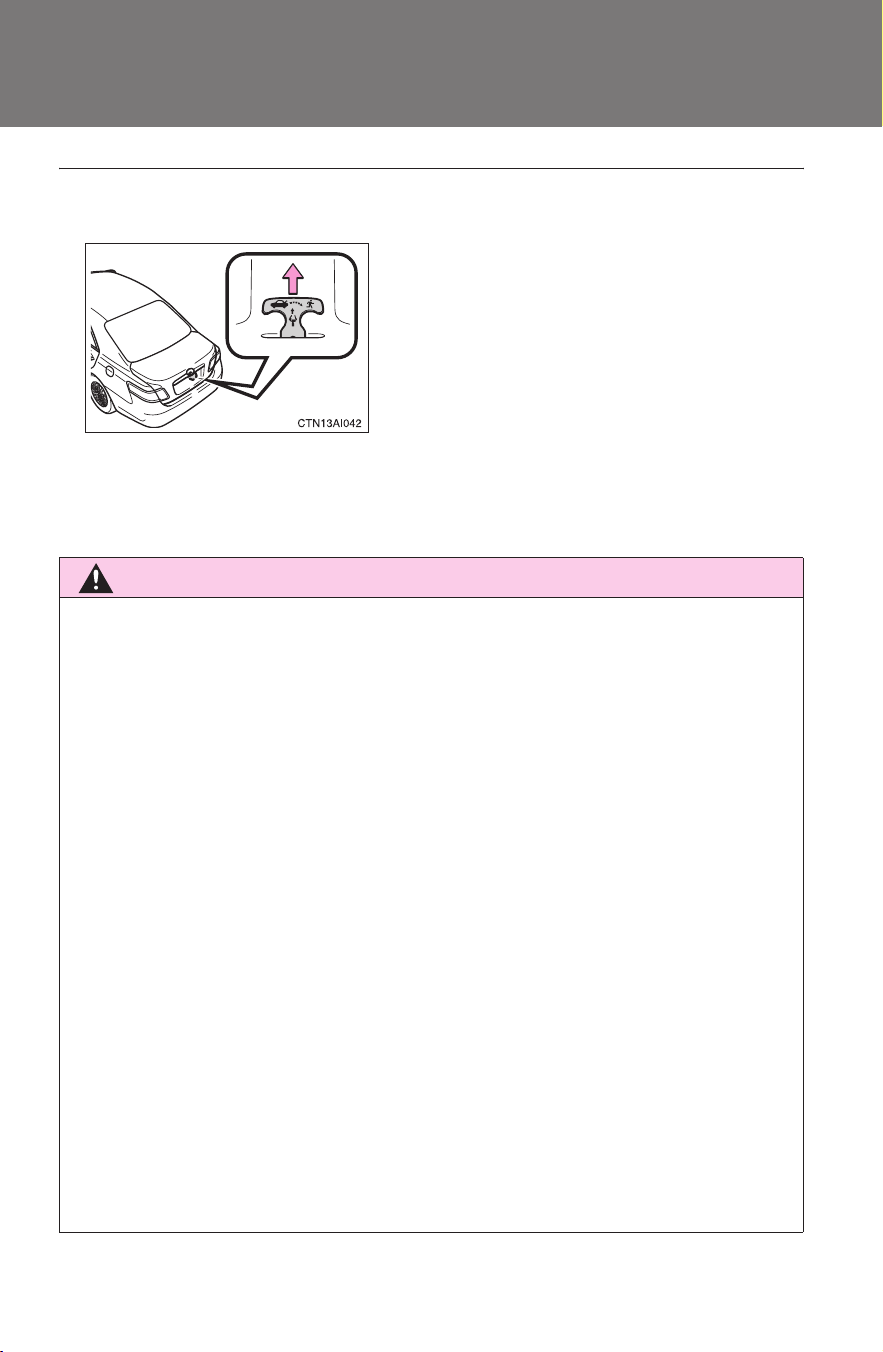
■ Opening the trunk from inside the vehicle
Pull the lever to release the
trunk lid.
56
1-3. Opening, closing and locking the doors
CAMRY_HV_U
■ Internal trunk release lever
■ Trunk light
The trunk light turns on when the trunk is opened.
CAUTION
■ Caution while driving
● Keep the trunk lid closed while driving.
If the trunk lid is left open, it may hit near-by objects while driving or lug-
gage in the trunk may be unexpectedly thrown out, causing an accident.
In addition, exhaust gases may enter the vehicle, causing death or a seri-
ous health hazard. Make sure to close the trunk lid before driving.
● Before driving the vehicle, make sure that the trunk lid is fully closed. If the
trunk lid is not fully closed, it may open unexpectedly while driving, caus-
ing an accident.
● Never let anyone sit in the trunk. In the event of sudden braking or a colli-
sion, they are susceptible to death or serious injury.
■ When children are in the vehicle
Observe the following precautions.
Failure to do so may result in death or serious injury.
● Do not allow children to enter the trunk.
If a child is accidentally locked in the trunk, they could overheat or suffo-
cate.
● Do not allow a child to open or close the trunk lid.
Doing so may cause the trunk lid to operate unexpectedly, or cause the
child’s hands, head, or neck to be caught by the closing trunk lid.
The trunk lid can be opened by pulling up
the glow-in-the-dark lever located on the
inside of trunk lid.
The lever will continue to glow for some
time after the trunk lid is closed.
57
1-3. Opening, closing and locking the doors
1
Before driving
CAMRY_HV_U
CAUTION
■ Using the trunk
Observe the following precautions.
Failure to do so may cause parts of the body to be caught, resulting in seri-
ous injury.
● Remove any heavy loads, such as snow and ice, from the trunk lid before
opening it. Failure to do so may cause the trunk lid to fall closed again
after it is opened.
● When opening or closing the trunk lid, thoroughly check to make sure the
surrounding area is safe.
● If anyone is in the vicinity, make sure they are safe and let them know that
the trunk is about to open or close.
● Use caution when opening or closing the trunk lid in windy weather as it
may move abruptly in strong wind.
● Do not attach any accessories other than genuine Toyota parts to the trunk
lid. Such additional weight on the trunk lid may cause the lid to fall closed
again after it is opened.
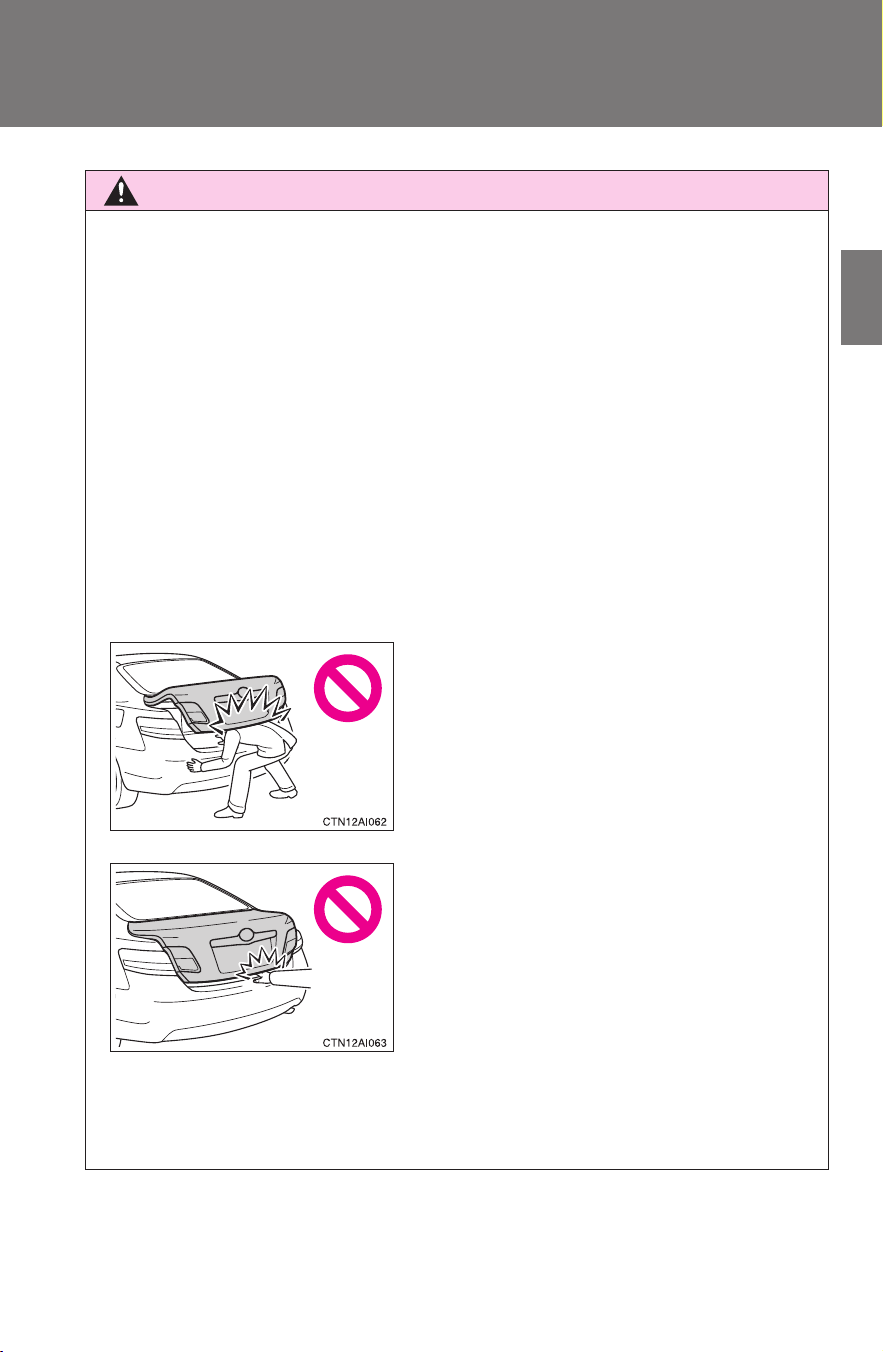
● The trunk lid may fall if it is not opened
fully. It is more difficult to open or close
the trunk lid on an incline than on a
level surface, so beware of the trunk lid
unexpectedly opening or closing by
itself. Make sure that the trunk lid is fully
open and secure before using the
trunk.
● When closing the trunk lid, take extra
care to prevent your fingers etc. from
being caught.
● When closing the trunk lid, make sure
to press it lightly on its outer surface.
58
CAMRY_HV_U
1-4. Adjustable components (seats, mirrors, steering wheel)
Front seats
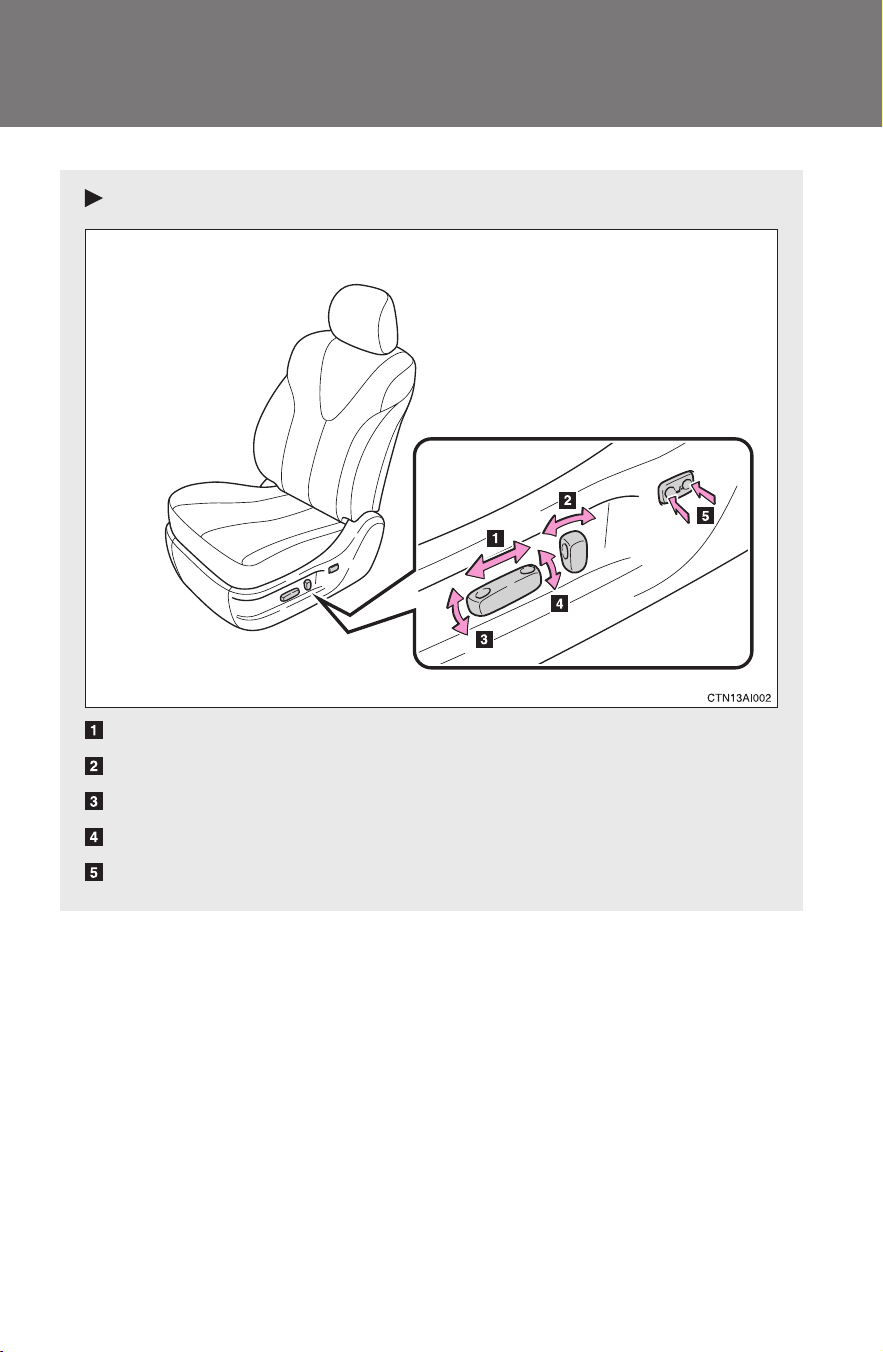
Power seat
Seat position switch
Seatback angle switch
Seat cushion (front) angle switch (driver’s side only)
Vertical height adjustment switch (driver’s side only)
Lumbar support switch (driver’s side only)
59
1-4. Adjustable components (seats, mirrors, steering wheel)
1
Before driving
CAMRY_HV_U
CAUTION
■ Seat adjustment
● Do not recline the seat more than necessary when the vehicle is in motion
to reduce the risk of sliding under the lap belt.
If the seat is too reclined, the lap belt may slide past the hips and apply
restraint forces directly to the abdomen or your neck may contact the
shoulder belt, increasing the risk of death or serious injury in the event of
an accident.
● Manual seat only: After adjusting the seat, make sure that the seat is
locked in position.
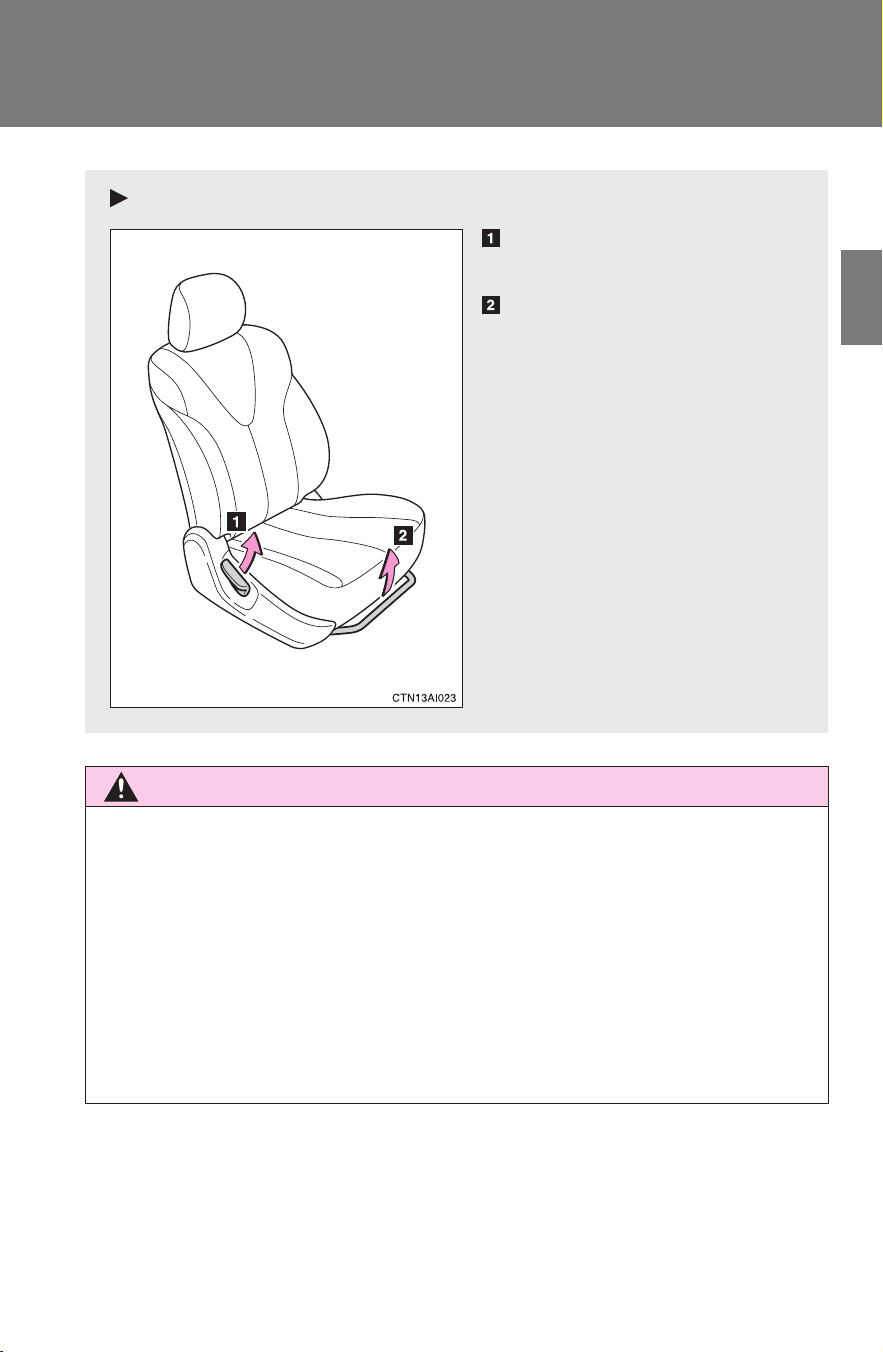
Manual seat
Seatback angle adjustment
lever
Seat position adjustment
lever
60
1-4. Adjustable components (seats, mirrors, steering wheel)
CAMRY_HV_U
Rear seats
CAUTION
■ After returning the seatback to the upright position
Observe the following precautions. Failure to do so may result in death or
serious injury.
● Make sure the seatback is securely locked by pressing forward and rear-
ward on the top of the seatback.
● Check that the seat belts are not twisted or caught in the seatback.
NOTICE
■ When right seatback is folded down
Make sure the luggage loaded in the enlarged trunk will not damage the
webbing of the rear center seat belt.
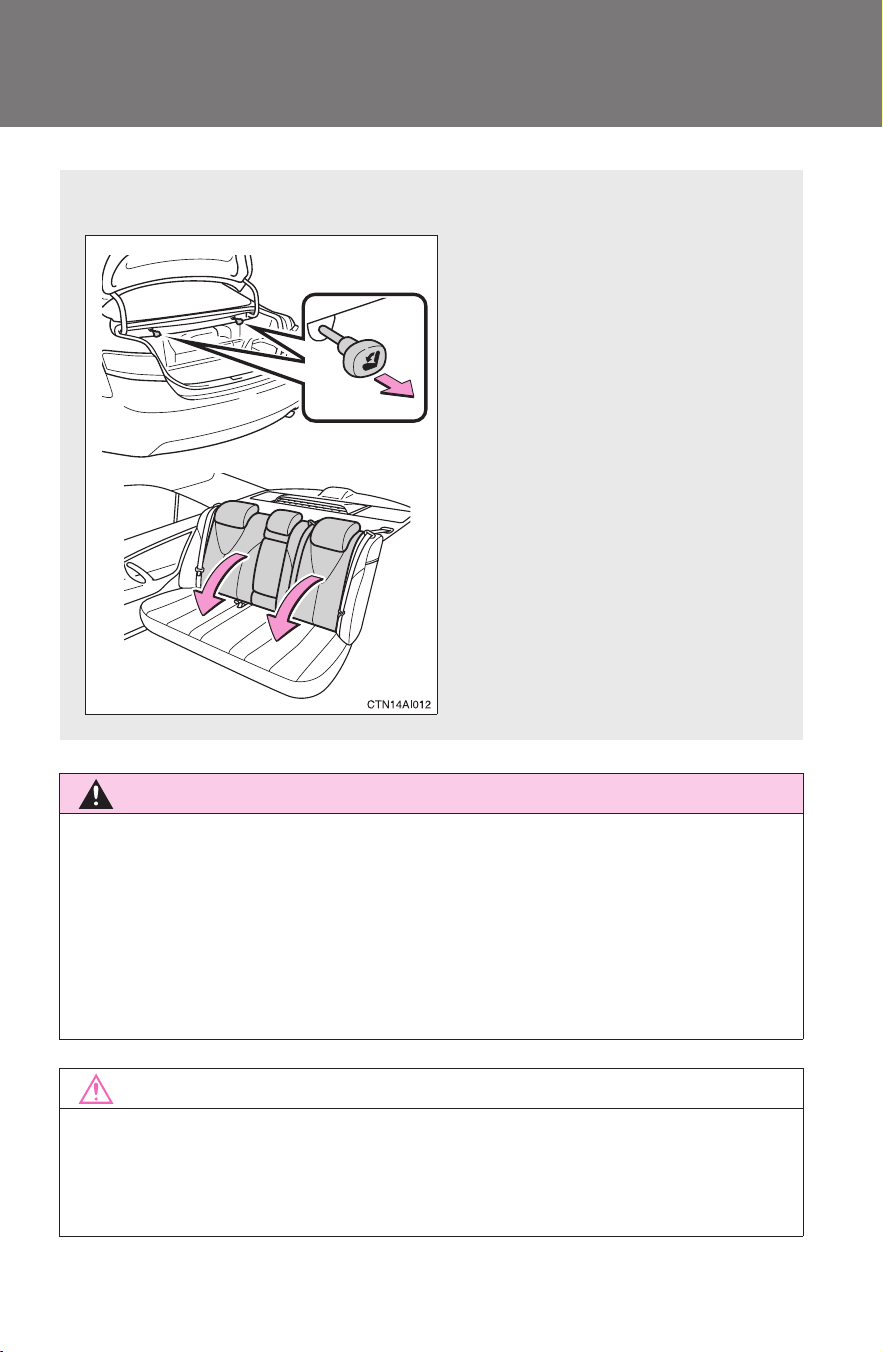
■ Folding down rear seatbacks
Pull the seatback lever in the
trunk for the seatback you
wish to fold down.
61
1
1-4. Adjustable components (seats, mirrors, steering wheel)
Before driving
CAMRY_HV_U
Head restraints
■ Removing the head restraints
■ Installing the head restraints
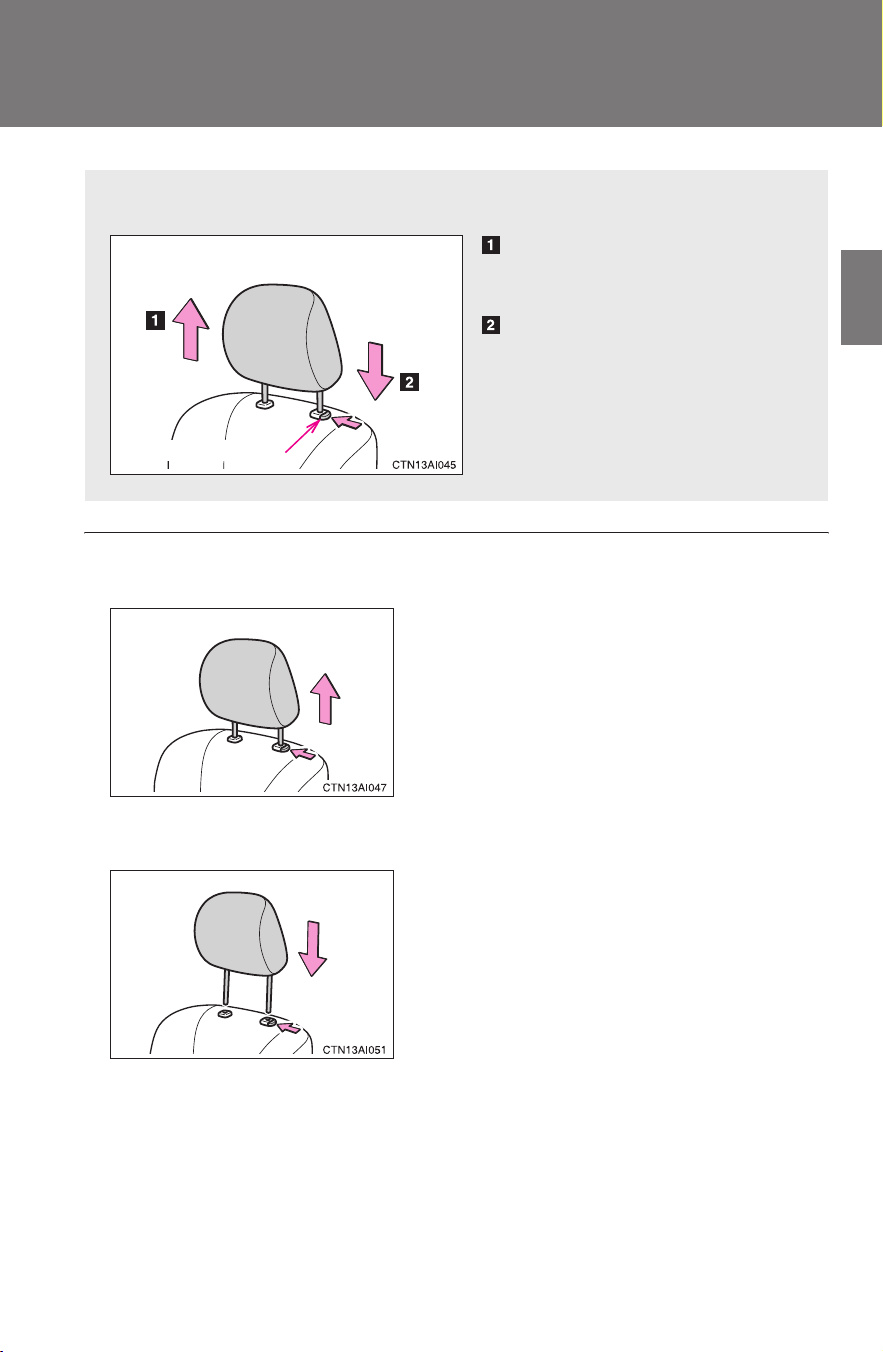
Head restraints are provided for all seats.
Up
Pull the head restraints up.
Down
Push the head restraint down
while pushing the lock release
button.
Lock release button
Pull the head restraint up while pressing
the lock release button.
Align the head restraint with the installa-
tion holes and push it down to the lock
position.
Press and hold the lock release button
when lowering the head restraint.
62
1-4. Adjustable components (seats, mirrors, steering wheel)
CAMRY_HV_U
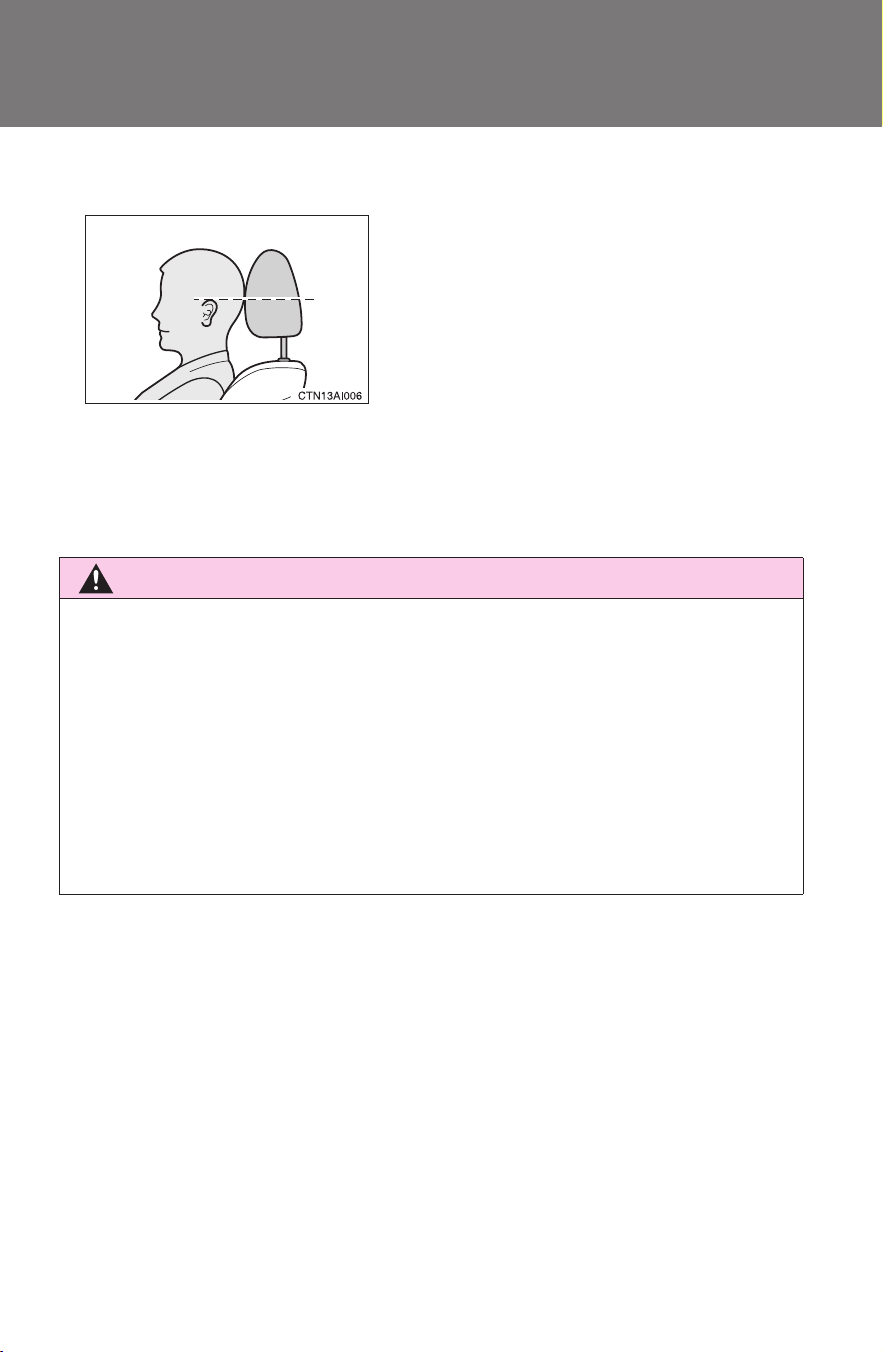
■ Adjusting the height of the head restraints
■ Adjusting the rear center seat head restraint
Always raise the head restraint one level from the stowed position when
using.
CAUTION
■ Head restraint precautions
Observe the following precautions regarding the head restraints. Failure to
do so may result in death or serious injury.
● Use the head restraints designed for each respective seat.
● Adjust the head restraints to the correct position at all times.
● After adjusting the head restraints, push down on them and make sure
they are locked in position.
● Do not drive with the head restraints removed.
Make sure that the head restraints are
adjusted so that the center of the head
restraint is closest to the top of your ears.
63
1
1-4. Adjustable components (seats, mirrors, steering wheel)
Before driving
CAMRY_HV_U
Seat belts
Make sure that all occupants are wearing their seat belts before driv-
ing the vehicle.
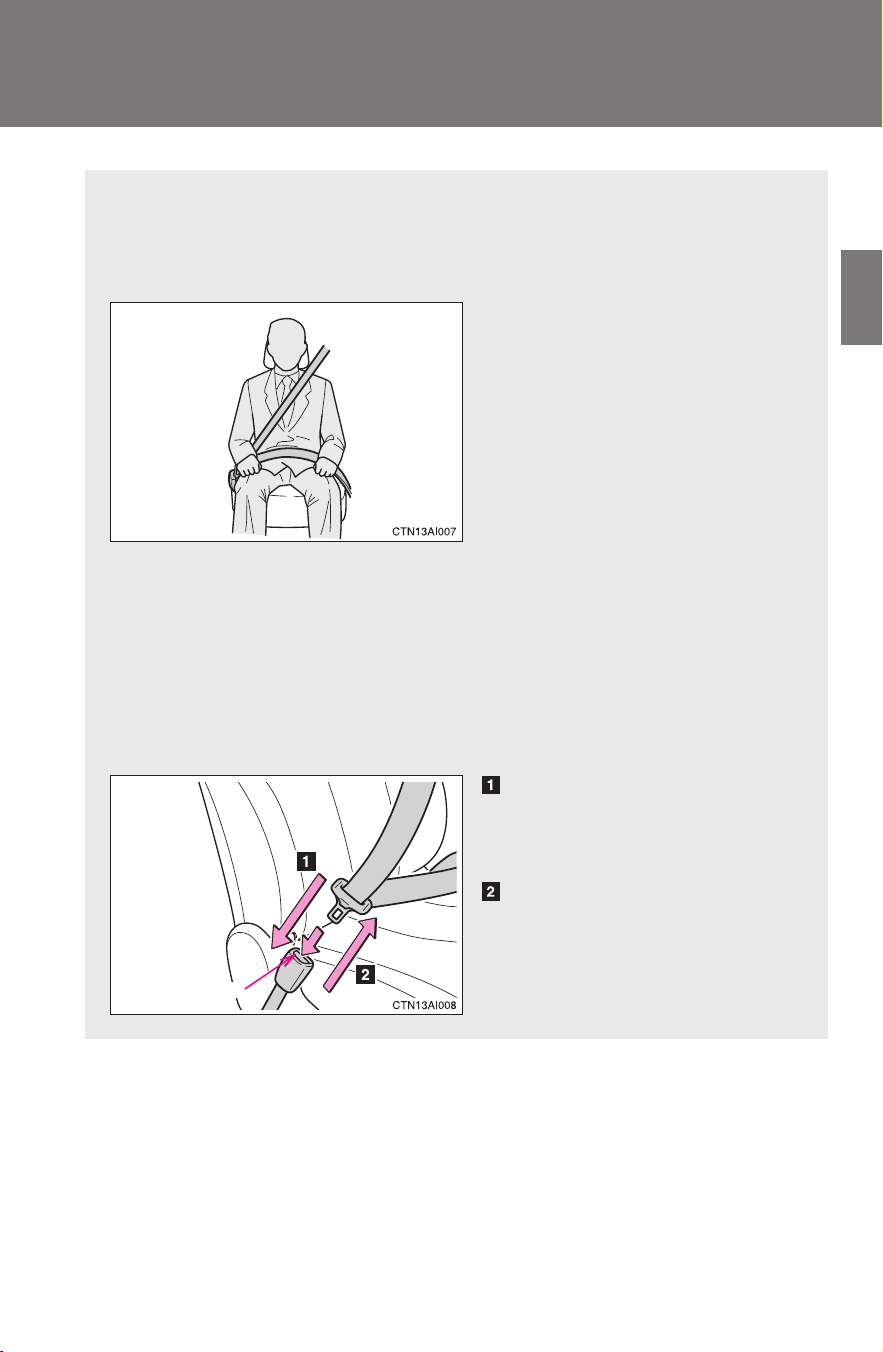
■ Correct use of the seat belts
● Extend the shoulder belt so
that it comes fully over the
shoulder, but does not
come into contact with the
neck or slide off the shoul-
der.
● Position the lap belt as low
as possible over the hips.
● Adjust the position of the
seatback. Sit up straight
and well back in the seat.
● Do not twist the seat belt.
■ Fastening and releasing the seat belt
Fastening the belt
Push the tab into the buckle
until a clicking sound is heard.
Releasing the belt
Press the release button.
Release button
64
1-4. Adjustable components (seats, mirrors, steering wheel)
CAMRY_HV_U
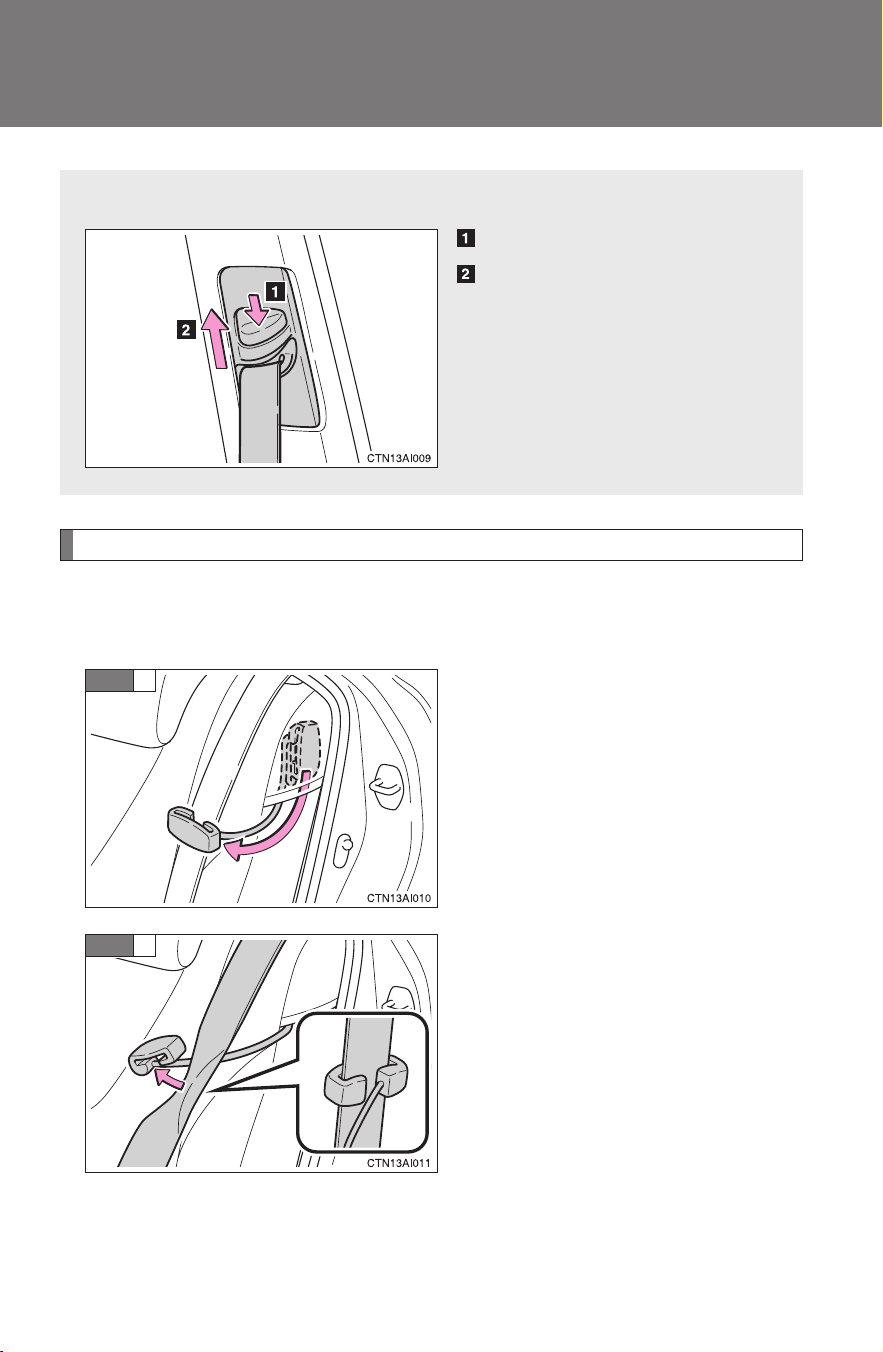
Seat belt comfort guide (outside rear seat)
If the shoulder belt fits close to a person's neck, use the seat belt
comfort guide.
Pull out the comfort guide from
the pocket.
Slide the belt past the slot of the
guide.
The elastic cord must be behind
the seat belt.
■ Adjusting the height of the belt (front seats)
Down
Up
Move the height adjuster up
and down as needed until you
hear a click.
STEP
1
STEP
2
65
1-4. Adjustable components (seats, mirrors, steering wheel)
1
Before driving
CAMRY_HV_U
Buckle, position and release the
seat belt.
Seat belt pretensioners (front seats)
The pretensioner helps the seat
belt to quickly restrain the occu-
pant by retracting the seat belt
when the vehicle is subjected to
certain types of severe frontal
collision.
The pretensioner may not acti-
vate in the event of a minor frontal
impact, a side impact or a rear
impact.
STEP
3
66
1-4. Adjustable components (seats, mirrors, steering wheel)
CAMRY_HV_U
■ Emergency locking retractor (ELR)
The retractor will lock the belt during a sudden stop or on impact. It may also
lock if you lean forward too quickly. A slow, easy motion will allow the belt to
extend so that you can move around fully.
■ Automatic locking retractor (ALR)
When a passenger's shoulder belt is completely extended and then
retracted even slightly, the belt is locked in that position and cannot be
extended. This feature is used to hold the child restraint system (CRS) firmly.
To free the belt again, fully retract the belt and then pull the belt out once
more. (→P. 112)
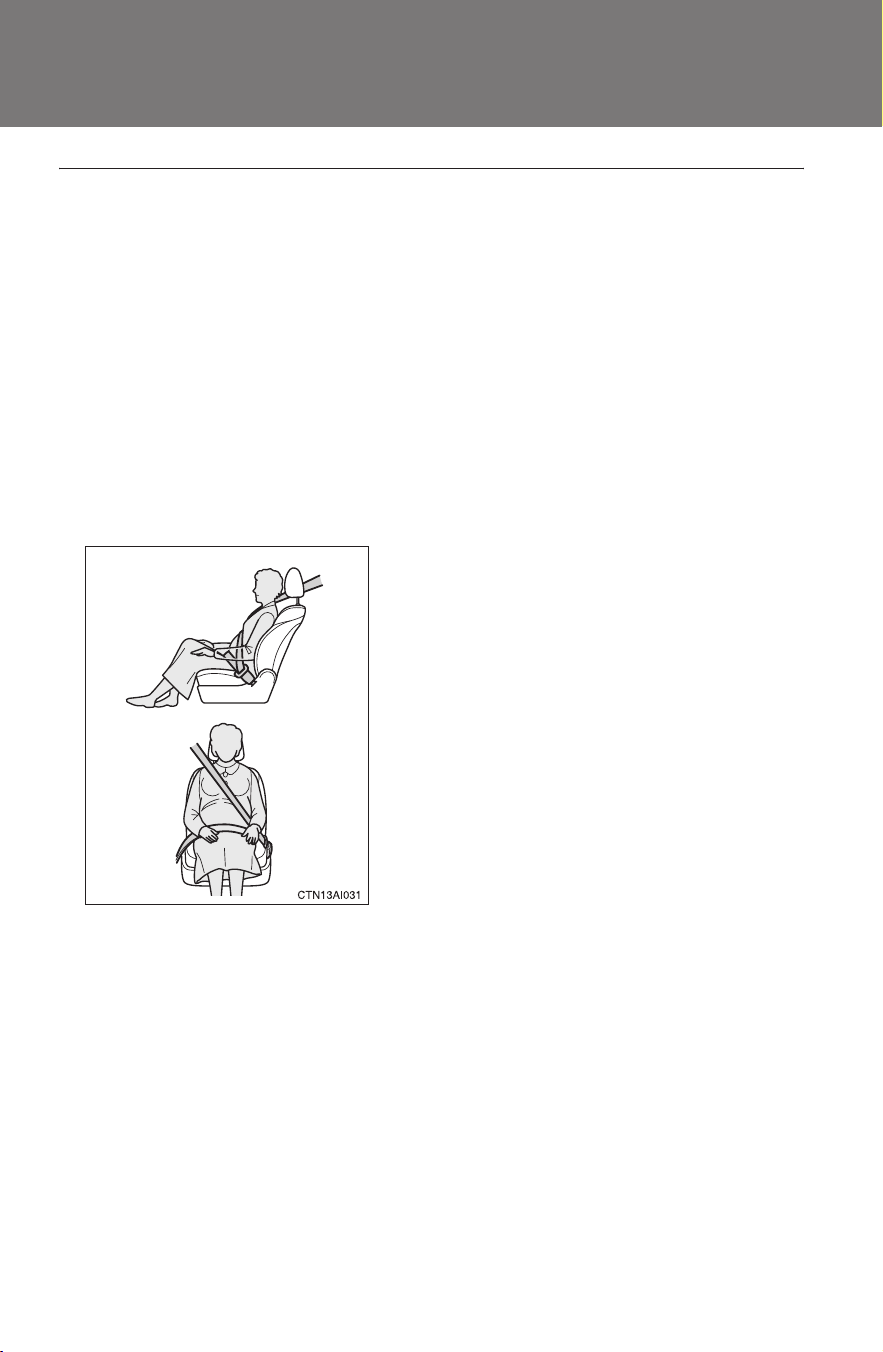
■ Pregnant women
■ People suffering illness
Obtain medical advice and wear the seat belt in the proper way.
Obtain medical advice and wear the seat
belt in the proper way. (→P. 63)
Women who are pregnant should position
the lap belt as low as possible over the
hips in the same manner as other occu-
pants. Extend the shoulder belt com-
pletely over the shoulder and position the
belt across the chest. Avoid belt contact
over the rounding of the abdominal area.
If the seat belt is not worn properly, not
only a pregnant woman, but also the fetus
could suffer death or serious injury as a
result of sudden braking or a collision.
67
1-4. Adjustable components (seats, mirrors, steering wheel)
1
Before driving
CAMRY_HV_U
■ Child seat belt usage
The seat belts of your vehicle were principally designed for persons of adult
size.
● Use a child restraint system appropriate for the child, until the child
becomes large enough to properly wear the vehicle's seat belt. (→P. 108)
● When the child becomes large enough to properly wear the vehicle's seat
belt, follow the instructions on P. 63 regarding seat belt usage.
■ Replacing the belt after the pretensioner has been activated
If the vehicle is involved in multiple collisions, the pretensioner will activate
for the first collision, but will not activate for the second or subsequent colli-
sions.
■ Seat belt extender
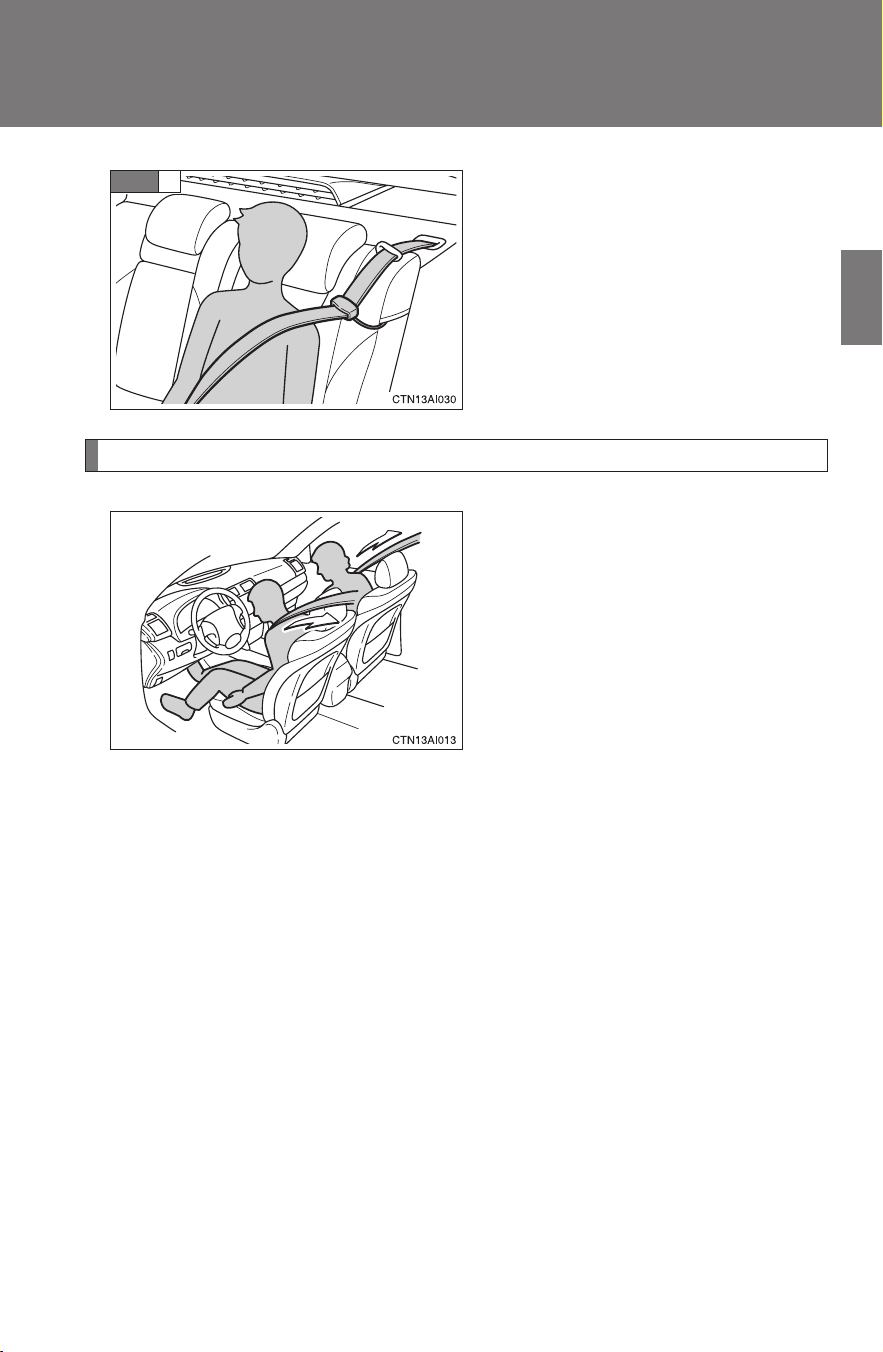
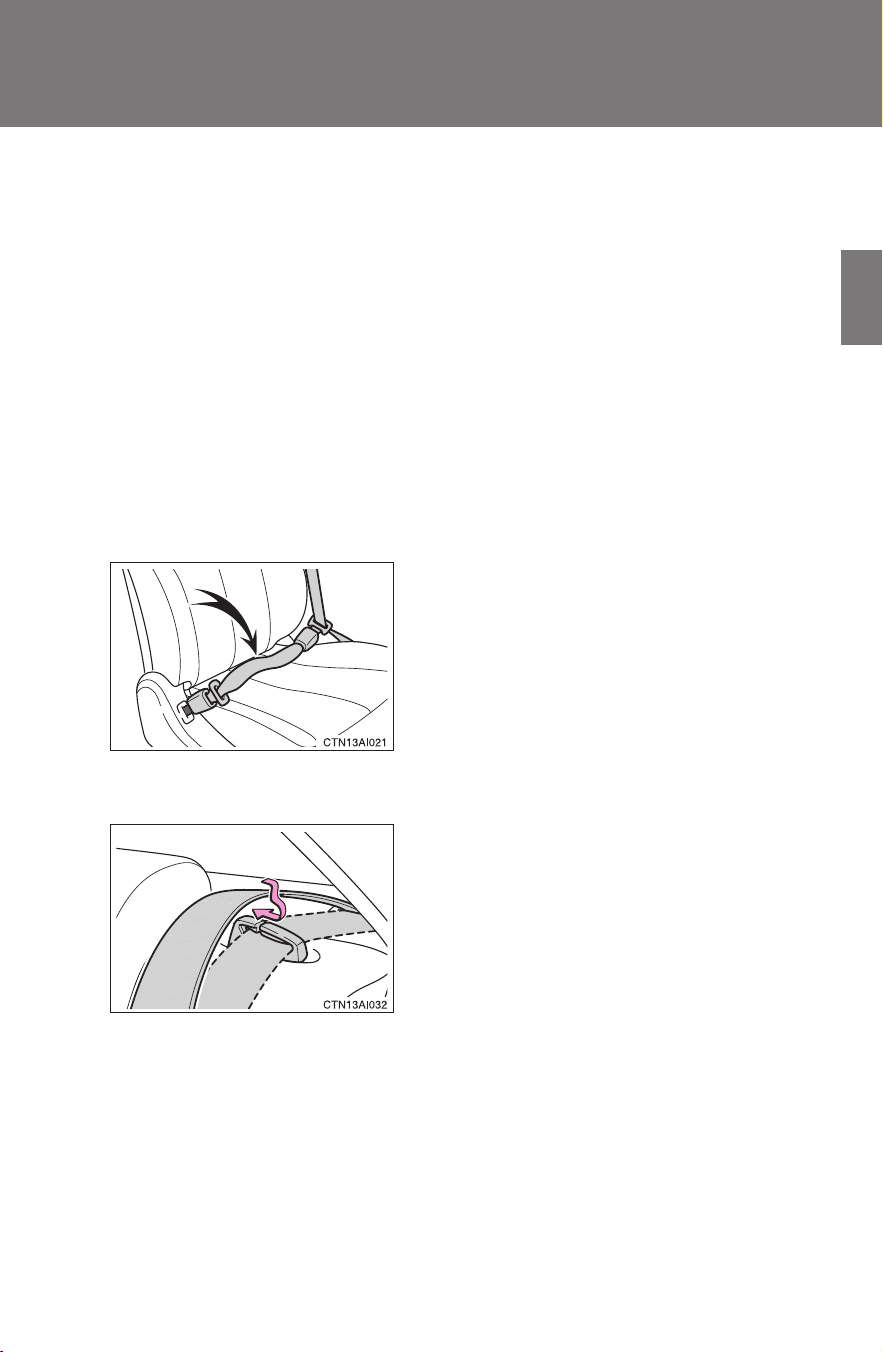
■ Rear seat belts
If your seat belts cannot be fastened
securely because they are not long
enough, a personalized seat belt
extender is available from your Toyota
dealer free of charge.
Use the seat belt after passing it through
the guide if the seat belt comes free from
the guide.

68
1-4. Adjustable components (seats, mirrors, steering wheel)
CAMRY_HV_U
CAUTION
Observe the following precautions to reduce the risk of injury in the event of
sudden braking, sudden swerving or an accident.
Failing to do so may cause death or severe injury.
■ Wearing a seat belt
● Ensure that all passengers wear a seat belt.
● Always wear a seat belt properly.
● Each seat belt should be used by one person only. Do not use a seat belt
for more than one person at once, including children.
● Toyota recommends that children be seated in the rear seat and always
use a seat belt and/or an appropriate child restraint system.
● Do not recline the seat any more than necessary to achieve a proper seat-
ing position. The seat belt is most effective when the occupants are sitting
up straight and well back in the seats.
● Do not wear the shoulder belt under your arm.
● Always wear your seat belt low and snug across your hips.
■ Adjustable shoulder anchor
Always make sure the shoulder belt is positioned across the center of your
shoulder. The belt should be kept away from your neck, but not falling off
your shoulder. Failure to do so could reduce the amount of protection in an
accident and cause death or serious injuries in the event of a sudden stop,
sudden swerve or accident. (→P. 6 4 )
■ Seat belt pretensioners
● Do not place anything, such as a cushion, on the front passenger's seat.
Doing so will disperse the passenger's weight, which prevents the sensor
from detecting the passenger's weight properly. As a result, the seat belt
pretensioner for the front passenger's seat may not activate in the event of
a collision.
● If the pretensioner has activated, the SRS warning light will come on. In
that case, the seat belt cannot be used again and must be replaced at
your Toyota dealer.

69
1-4. Adjustable components (seats, mirrors, steering wheel)
1
Before driving
CAMRY_HV_U
CAUTION
■ Child restraint lock function belt precaution
Do not allow children to play with the child restraint lock function belt. If the
belt becomes twisted around a child’s neck, it will not be possible to pull the
belt out leading to choking or other serious injuries that could result in death.
If this occurs and the buckle cannot be unfastened, scissors should be used
to cut the belt.
■ Seat belt damage and wear
● Do not damage the seat belts by allowing the belt, plate, or buckle to be
jammed in the door.
● Inspect the seat belt system periodically. Check for cuts, fraying, and loose
parts. Do not use a damaged seat belt until it is replaced. Damaged seat
belts cannot protect an occupant from death or serious injury.
● Ensure that the belt and tab are locked and the belt is not twisted.
If the seat belt does not function correctly, immediately contact your Toyota
dealer.
● Replace the seat assembly, including the belts, if your vehicle has been
involved in a serious accident, even if there is no obvious damage.
● Do not attempt to install, remove, modify, disassemble or dispose of the
seat belts. Have any necessary repairs carried out by your Toyota dealer.
Inappropriate handling of the pretensioner may prevent it from operating
properly resulting in death or serious injury.
● Always make sure the shoulder belt passes through the guide when using
the seat belt. Failure to properly position the belt may reduce the amount
of protection in an accident and could lead to serious injures in a collision
or sudden stop.
● Always make sure that the seat belt is not twisted, does not get caught in
the guide or the seatback and is arranged in the proper position.

70
1-4. Adjustable components (seats, mirrors, steering wheel)
CAMRY_HV_U
CAUTION
■ Using a seat belt comfort guide
● Make sure the belt is not twisted and that it lies flat. The elastic cord must
be behind the belt and the guide must be on the front.
● To reduce the chance of injury in case of a sudden stop, sudden swerve or
accident while driving, remove and store the comfort guide in its pocket
when it is not in use.
● Always make sure the shoulder belt is positioned across the center of the
shoulder. The belt should be kept away from the neck, and should not fall
off the shoulder.
Failure to observe these precautions could reduce the effectiveness of the
seat belt in an accident, causing death or serious injury.
■ Using a seat belt extender
● Do not wear the seat belt extender if you can fasten the seat belt without
the extender.
● Do not use the seat belt extender when installing a child restraint system
because the belt will not securely hold the child restraint system, increas-
ing the risk of death or serious injury in the event of an accident.
● The personalized extender may not be safe on another vehicle, when
used by another person, or at a different seating position other than the
one originally intended.
NOTICE
■ When using a seat belt extender
When releasing the seat belt, press on the buckle release button on the
extender, not on the seat belt.
This helps prevent damage to the vehicle interior and the extender itself.
71
1
1-4. Adjustable components (seats, mirrors, steering wheel)
Before driving
CAMRY_HV_U
Steering wheel
CAUTION
■ Caution while driving
Do not adjust the steering wheel while driving.
Doing so may cause the driver to mishandle the vehicle and cause an acci-
dent, resulting in death or serious injury.
■ After adjusting the steering wheel
Make sure that the steering wheel is securely locked.
Otherwise, the steering wheel may move suddenly, possibly causing an
accident and resulting in death or serious injury.
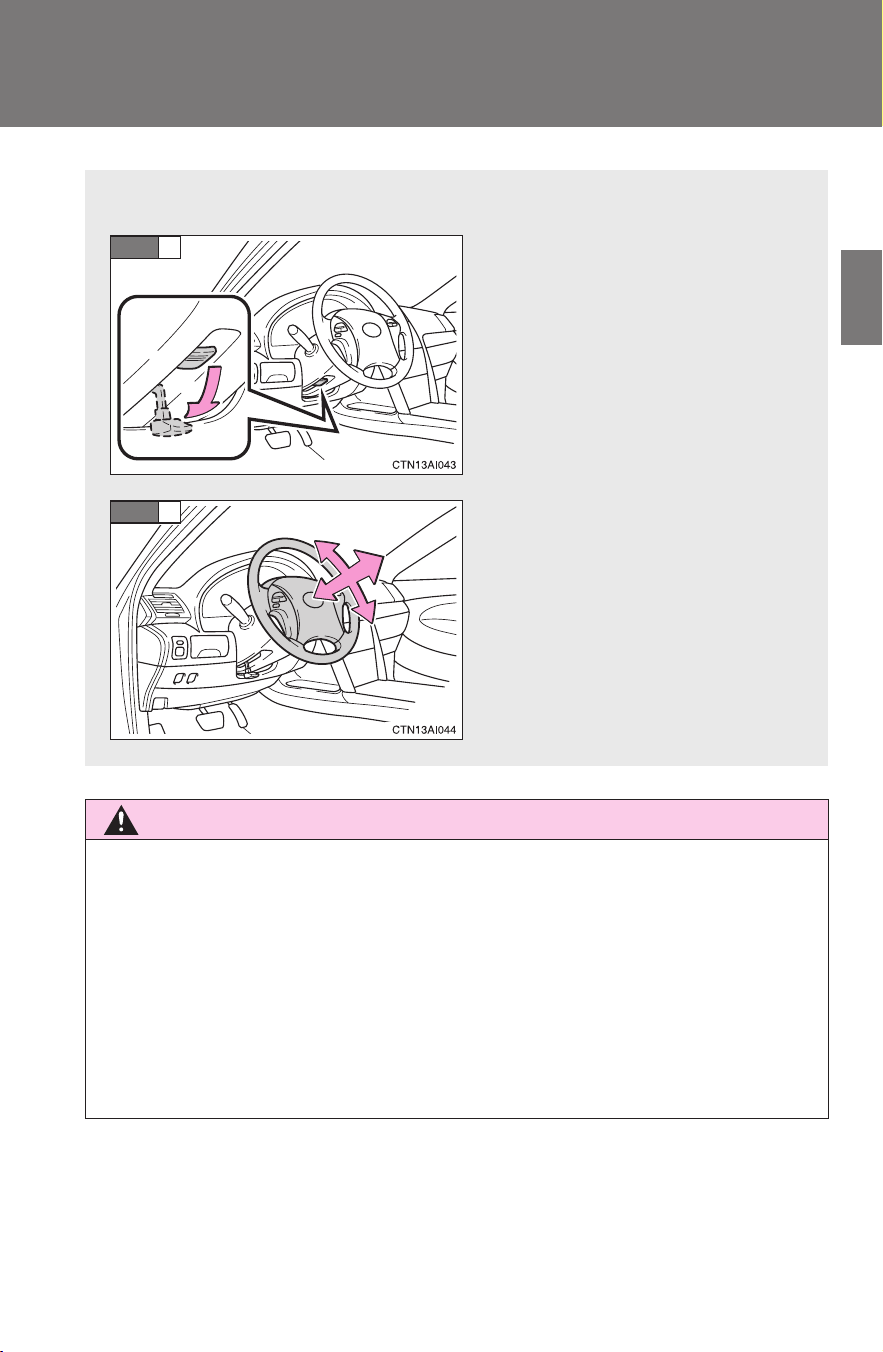
The steering wheel can be adjusted to a comfortable position.
Hold the steering wheel and
press the lever down.
Adjust to the ideal position by
moving the steering wheel
horizontally and vertically.
After adjustment, pull the lever
up to secure the steering
wheel.
STEP
1
STEP
2
72
1-4. Adjustable components (seats, mirrors, steering wheel)
CAMRY_HV_U
Anti-glare inside rear view mirror
Glare from the headlights of vehicles behind can be reduced by
using the following functions.
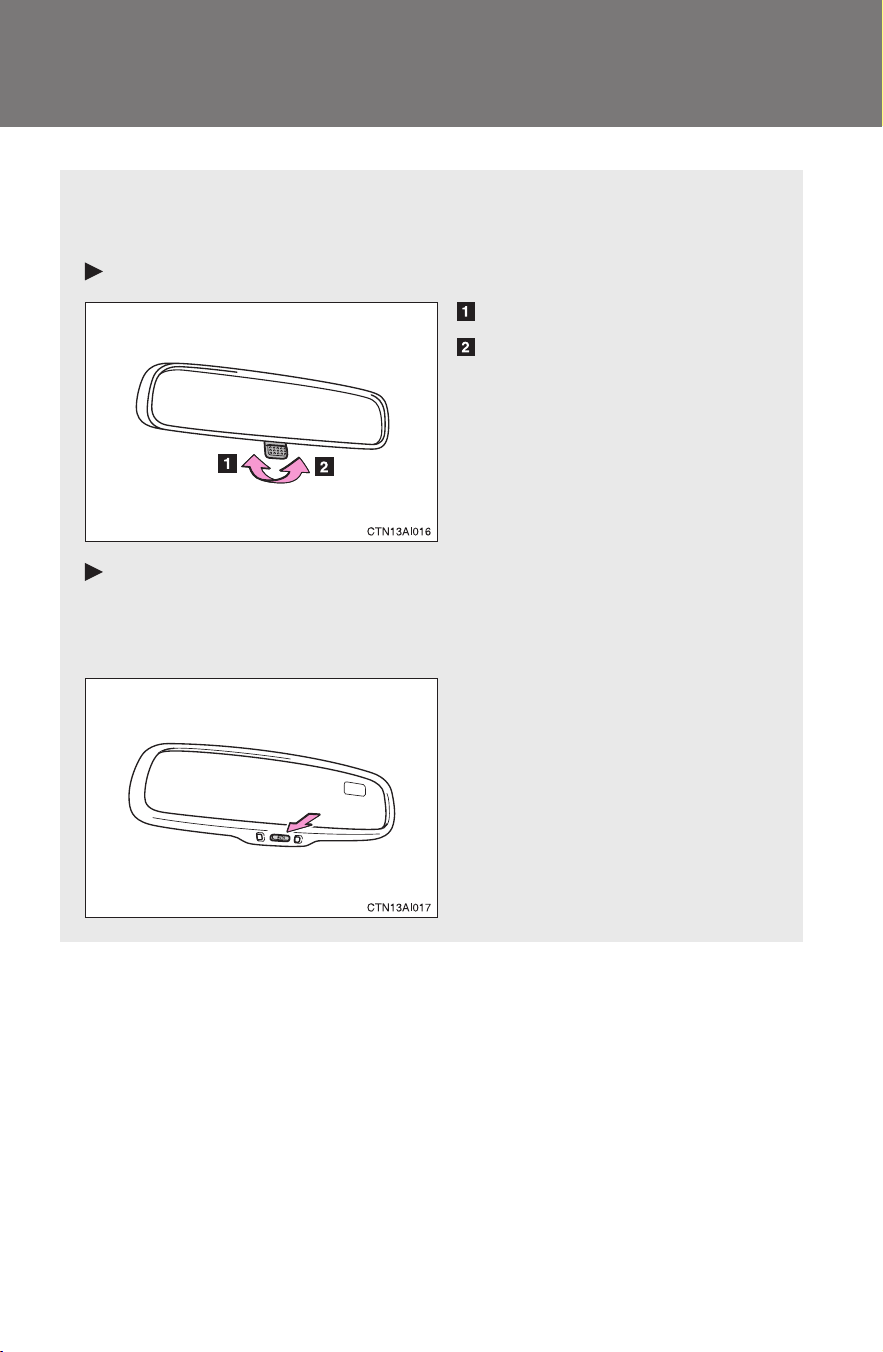
Manual anti-glare inside rear view mirror
Normal position
Anti-glare position
Auto anti-glare inside rear view mirror
In automatic mode, sensors are used to detect the headlights of
vehicles behind and the reflected light is automatically reduced.
Turns automatic mode on/off
The indicator comes on when
automatic mode is turned on.
The mirror will revert to the
automatic mode each time the
“POWER” switch is turned to
ON mode.
73
1-4. Adjustable components (seats, mirrors, steering wheel)
1
Before driving
CAMRY_HV_U
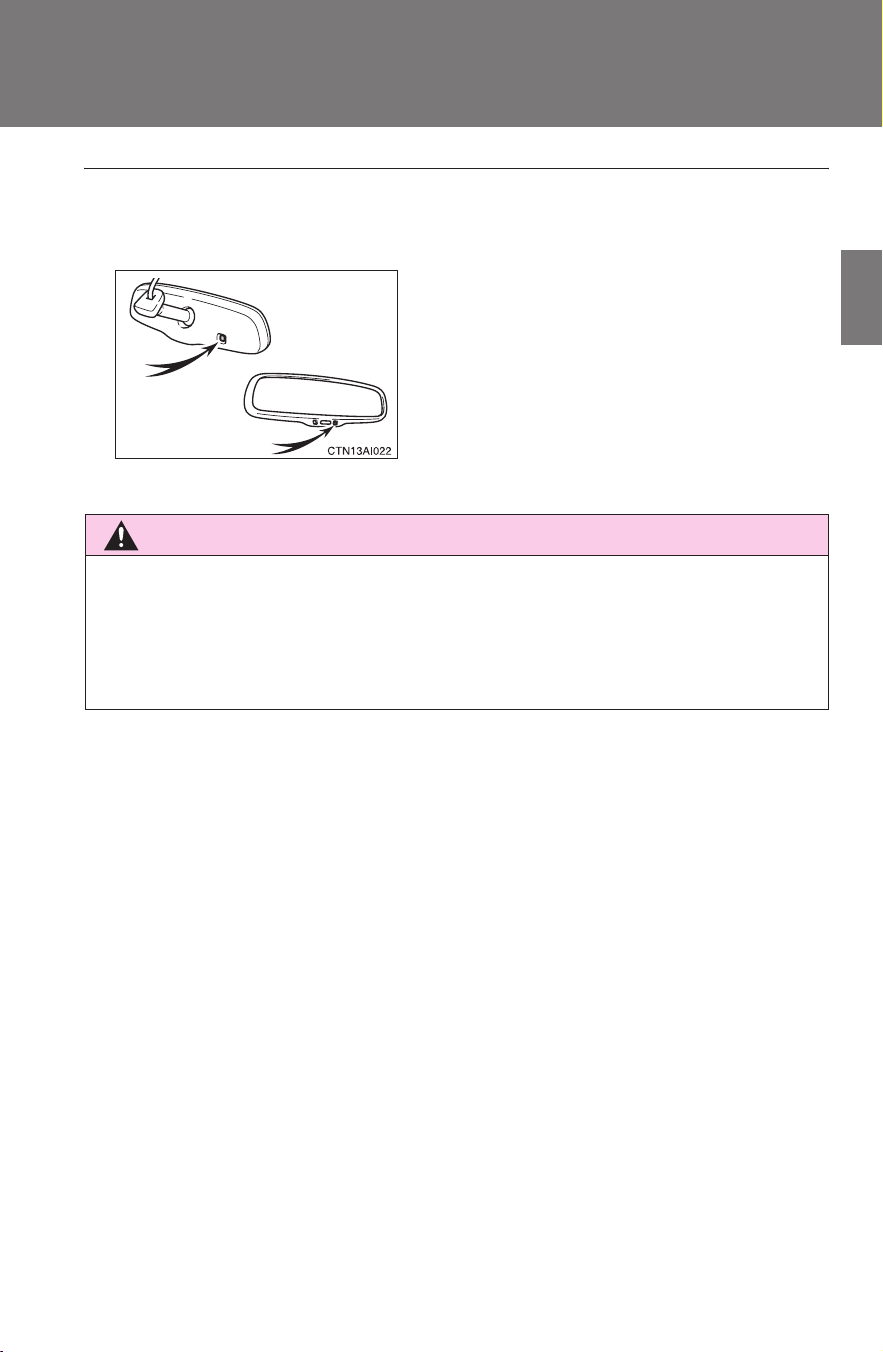
■ To prevent sensor error (vehicles with auto anti-glare inside rear view
mirror)
CAUTION
■ Caution while driving
Do not adjust the position of the mirror while driving.
Doing so may lead to mishandling of the vehicle and an accident, resulting in
death or serious injury.
To ensure that the sensors operate prop-
erly, do not touch or cover them.
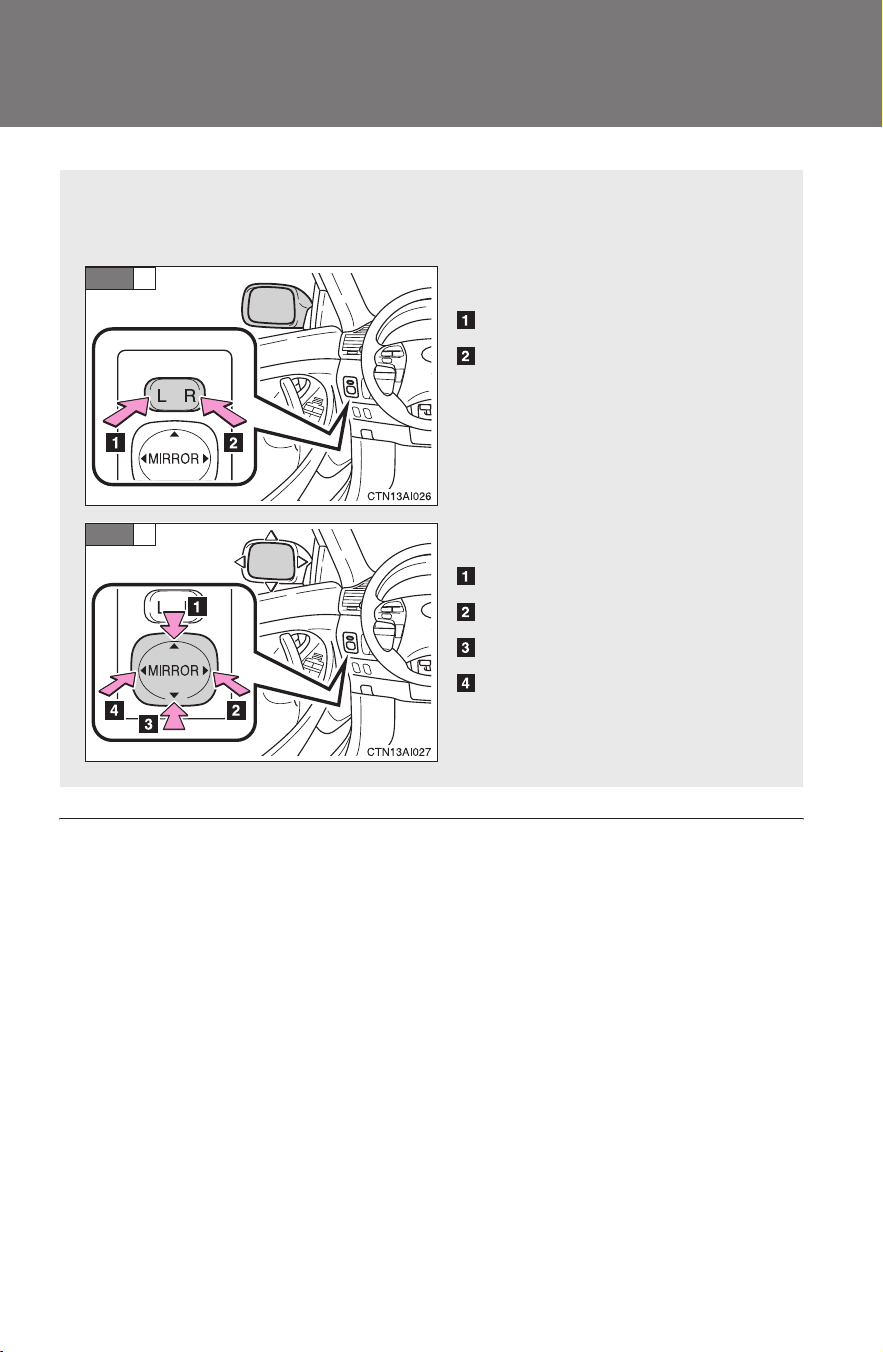
74
1-4. Adjustable components (seats, mirrors, steering wheel)
CAMRY_HV_U
Outside rear view mirrors
■ When the mirrors are fogged up (vehicles with mirror defoggers)
Turn on the mirror defoggers to defog the mirrors. (→P. 190)
Mirror angle can be adjusted using the switch when the “POWER”
switch is in ACCESSORY or ON mode.
Select a mirror to adjust.
Left
Right
Adjust the mirror.
Up
Right
Down
Left
STEP
1
STEP
2

75
1-4. Adjustable components (seats, mirrors, steering wheel)
1
Before driving
CAMRY_HV_U
CAUTION
■ When driving the vehicle
Observe the following precautions while driving.
Failing to do so may result in loss of control of the vehicle and cause an acci-
dent, resulting in death or serious injury.
● Do not adjust the mirrors while driving.
● Both the driver and passenger side mirrors must be properly adjusted
before driving.
■ When a mirror is moving
To avoid injury and mirror malfunction, be careful not to get your hand
caught by the moving mirror.
■ When the mirror defoggers are operating (vehicles with mirror defog-
gers)
Do not touch the rear view mirror surfaces, as they can become very hot and
burn you.
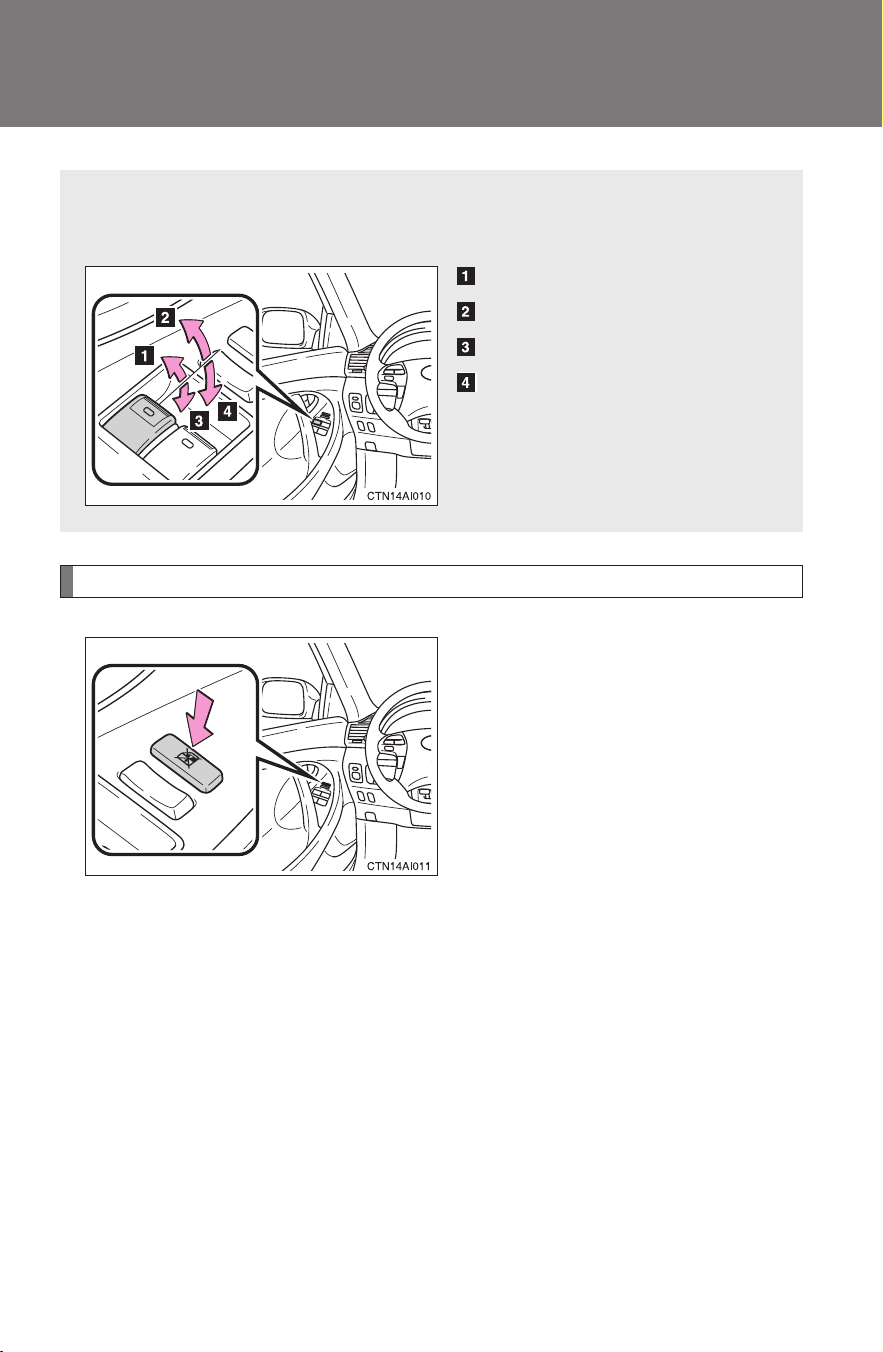
76
CAMRY_HV_U
1-5. Opening and closing the windows
Power windows
Lock switch
Press the switch down to lock
passenger window switches.
Use this switch to prevent chil-
dren from accidentally opening or
closing a passenger window.
The power windows can be opened and closed using the following
switches.
Closing
One-touch closing
*
Opening
One-touch opening
*
*: Pressing the switch in the
opposite direction will stop win-
dow travel partway.

77
1-5. Opening and closing the windows
1
Before driving
CAMRY_HV_U
■ The power windows can be operated when
The “POWER” switch is in ON mode.
■ Operating the power windows after turning the hybrid system off
The power windows can be operated for approximately 45 seconds after the
“POWER” switch is turned to ACCESSORY mode or turned OFF. They can-
not, however, be operated once either front door is opened.
CAUTION
■ Closing the windows
Observe the following precautions.
Failing to do so may result in death or serious injury.
● Check to make sure that all passengers do not have any part of their body
in a position where it could be caught when a window is being operated.
● Do not allow children to operate the power windows.
Closing a power window on someone can cause serious injury, and in
some instances, even death.
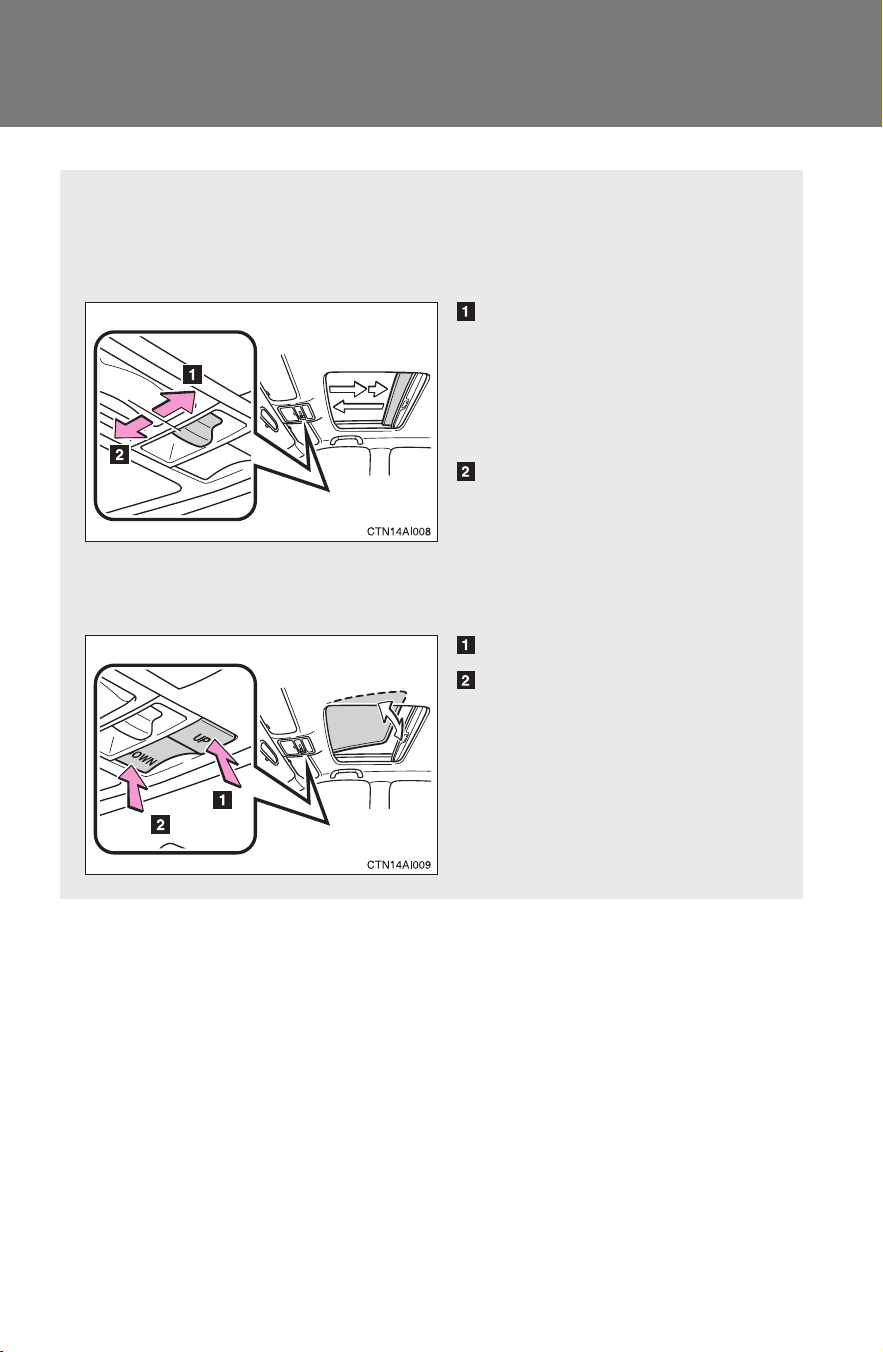
78
1-5. Opening and closing the windows
CAMRY_HV_U
Moon roof
∗
Use the overhead switches to open, close, and tilt the moon roof up
and down.
■ Opening and closing
Open
The moon roof stops slightly
before the fully open position.
Push the switch again to fully
open.
Close
Push the switch in either direc-
tion to stop the moon roof part-
way.
■ Tilt up and down
Tilt up
Tilt down
Push the switch in either direc-
tion to stop the moon roof part-
way.
∗: If equipped

79
1-5. Opening and closing the windows
1
Before driving
CAMRY_HV_U
■ The moon roof can be operated when
The “POWER” switch is in ON mode.
■ Operating the moon roof after turning the hybrid system off
The moon roof can be operated for approximately 45 seconds after the
“POWER” switch is turned to ACCESSORY mode or turned OFF. It cannot,
however, be operated once either front door is opened.
■ Jam protection function
If an object is detected between the moon roof and the frame while closing
or tilting down, travel is stopped and the moon roof opens slightly.
■ To reduce wind noise
Drive with the moon roof opened to slightly before the fully open position as
driving with the moon roof opened fully will cause wind noise.
■ Sunshade
The sunshade can be opened and closed manually. However, the sunshade
will open automatically when the moon roof is opened.
■ Moon roof open reminder function
An alarm will sound when the driver’s door is opened with the moon roof not
fully closed and the “POWER” switch OFF.

80
1-5. Opening and closing the windows
CAMRY_HV_U
■ When the moon roof does not close normally
Perform the following procedure:
● If the moon roof closes but then re-opens slightly
Stop the vehicle.
Press and hold the open/close switch in the close position.*
1
The moon roof will close, reopen and pause for approximately 10
seconds.*
2
Then it will close again, tilt up and pause for approxi-
mately 1 second. Finally, it will tilt down, open and close.
Check to make sure that the moon roof is completely closed and
then release the switch.
● If the moon roof tilts down but then tilts back up
Stop the vehicle.
Press and hold the “UP” switch*
1
until the moon roof moves into the
tilt up position and stops.
Release the “UP” switch once and then press and hold the “UP”
switch again.*
1
The moon roof will pause for approximately 10 seconds in the tilt up
position.*
2
Then it will adjust slightly and pause for approximately 1
second. Finally, it will tilt down, open and close.
Check to make sure that the moon roof is completely closed and
then release the switch.
*
1
: If the switch is released at the incorrect time, the procedure will
have to be performed again from the beginning.
*
2
: If the switch is released after the above mentioned 10 second
pause, automatic operation will be disabled. In that case, press
and hold the open/close switch in the close position or press
and hold the “UP” switch. The moon roof will tilt up and pause
for approximately 1 second. Then it will tilt down, open and
close. Check to make sure that the moon roof is completely
closed and then release the switch.
If the moon roof does not fully close even after performing the above proce-
dure correctly, have the vehicle inspected by your Toyota dealer.
STEP
1
STEP
2
STEP
3
STEP
1
STEP
2
STEP
3
STEP
4

81
1-5. Opening and closing the windows
1
Before driving
CAMRY_HV_U
CAUTION
■ Opening the moon roof
Observe the following precautions.
Failing to do so may cause death or serious injury.
● Do not allow any passengers to put their hands or heads outside the vehi-
cle while it is moving.
● Do not sit on top of the moon roof.
■ Closing the moon roof
Observe the following precautions.
Failing to do so may result in death or serious injury.
● Check to make sure that all passengers do not have any part of their bod-
ies in a position where they could be caught when the moon roof is being
operated.
● Do not allow children to operate the moon roof.
Closing the moon roof on someone can cause death or serious injury.
■ Jam protection function
● Never try jamming any part of your body to activate the jam protection
function intentionally.
● The jam protection function may not work if something gets caught just
before the moon roof fully closes.
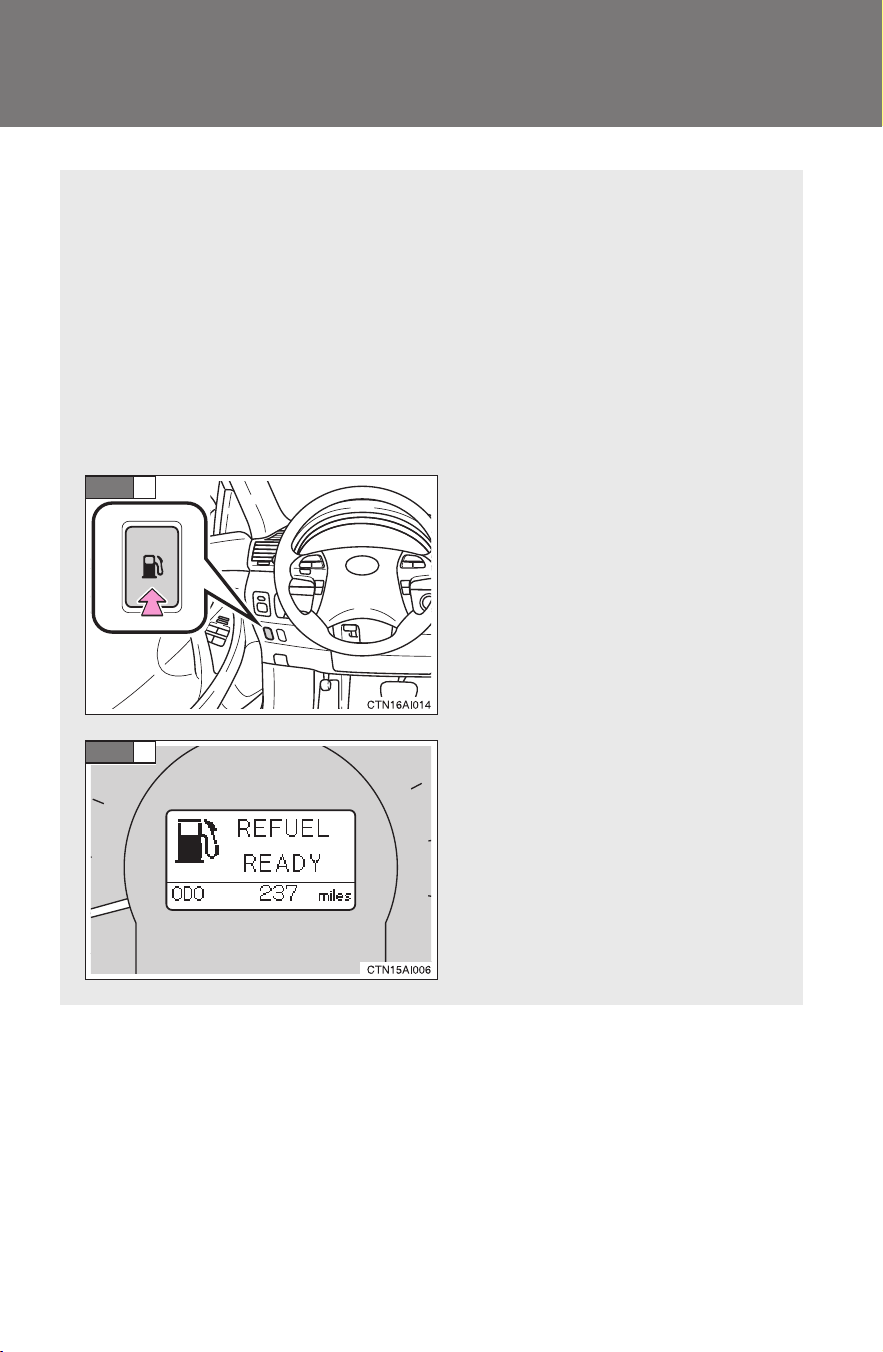
82
CAMRY_HV_U
1-6. Refueling
Opening the fuel tank cap
The fuel tank of your vehicle has a special structure, which requires
a reduction in fuel tank pressure before refueling. After the opener
switch has been pressed, it will take several seconds until the vehi-
cle is ready for refueling.
■ Before refueling the vehicle
Turn the “POWER” switch OFF and ensure that all the doors and
windows are closed.
■ Opening the fuel tank cap
Press the fuel filler door
opener switch.
When the message “REFUEL
READY” appears, the fuel
filler door will open.
STEP
1
STEP
2
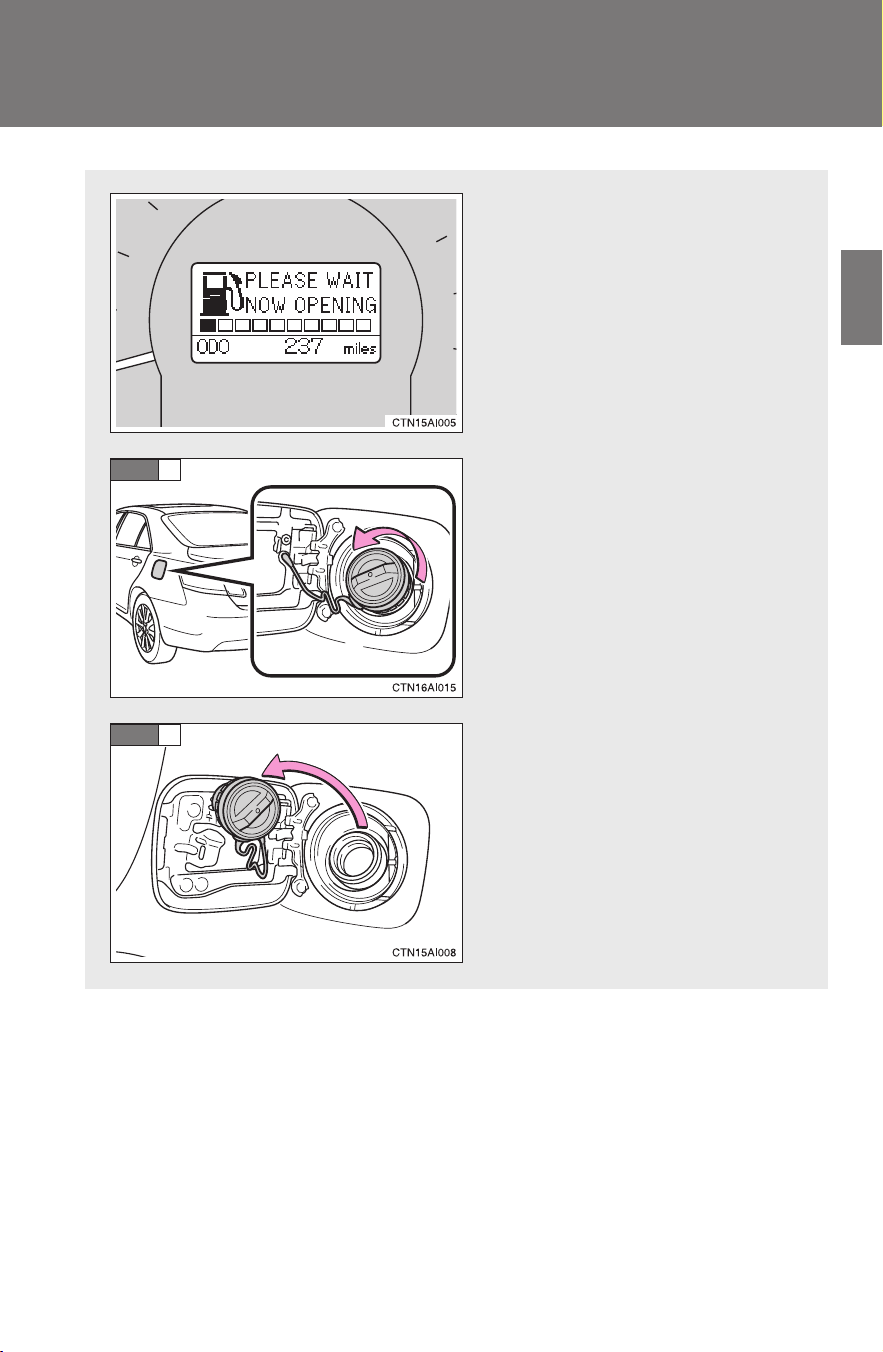
83
1-6. Refueling
1
Before driving
CAMRY_HV_U
If the pressure in the fuel tank
is high, the message
“PLEASE WAIT NOW
OPENING” will appear on the
multi-information display. It
may take up to 10 seconds.
Turn the fuel tank cap slowly
to open.
Hang the fuel tank cap on the
back of the fuel filler door.
STEP
3
STEP
4
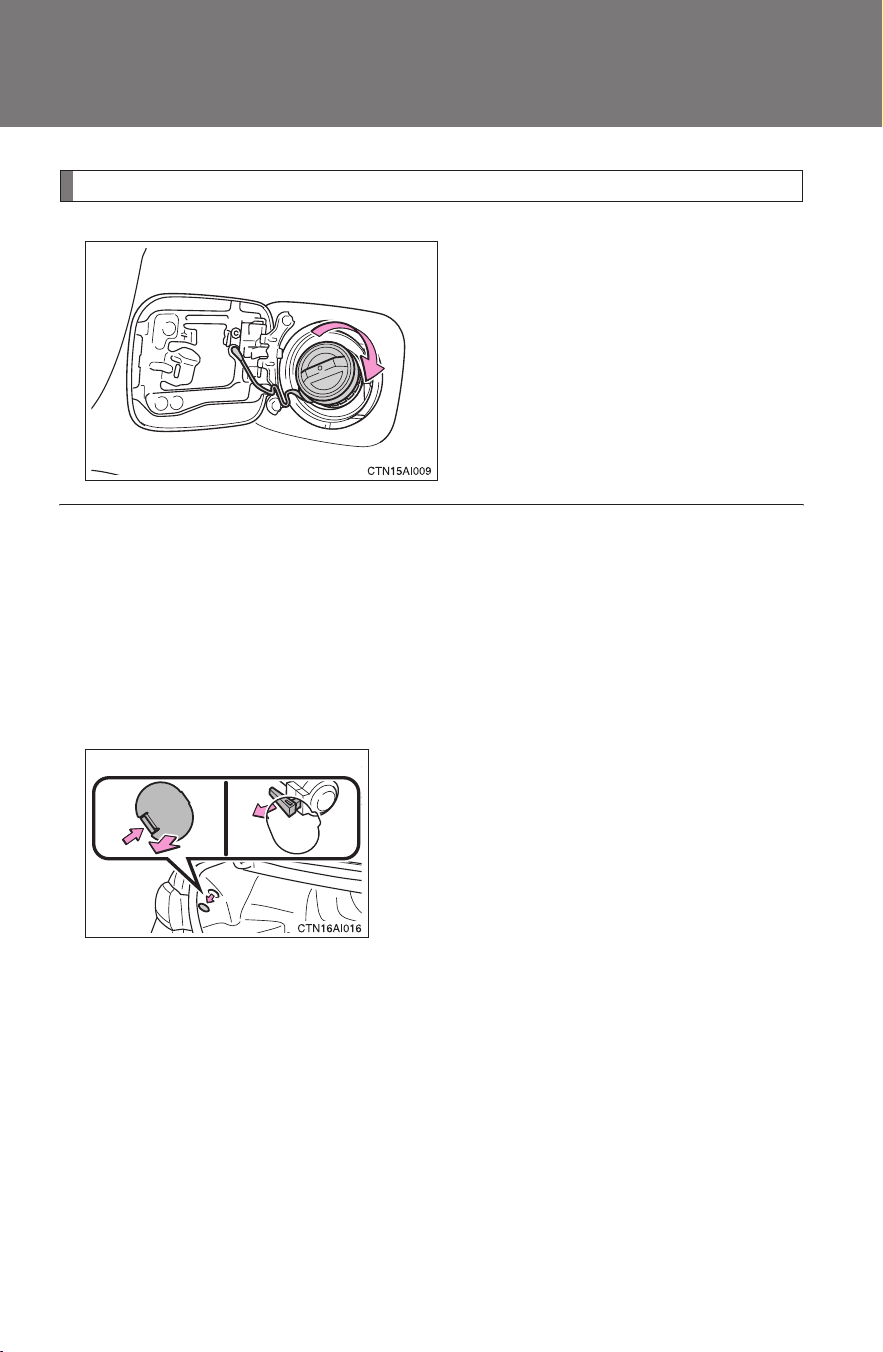
84
1-6. Refueling
CAMRY_HV_U
Closing the fuel tank cap
When replacing the fuel tank
cap, turn it until a clicking sound
is heard.
■ Fuel type
Unleaded gasoline (Octane rating 87 [Research Octane Number 91] or
higher)
■ Fuel tank capacity
17.2 gal. (65 L, 14.3 Imp. gal.)
■ When the fuel filler door opener is inoperable
● Using the lever to open the fuel filler door may not allow for an adequate
reduction in fuel tank pressure before refueling. To prevent fuel from spill-
ing out, turn the cap slowly when removing it.
During refueling, fuel may spill out from the filler opening due to air being
discharged from inside the fuel tank. Therefore, fill the fuel tank carefully
and slowly.
● If the fuel filler door opener switch
cannot be operated, contact your
Toyota dealer to service the vehicle.
In cases where refueling is urgently
necessary, the fuel filler door can be
opened using the lever in the trunk.

85
1-6. Refueling
1
Before driving
CAMRY_HV_U
CAUTION
■ Refueling the vehicle
Observe the following precautions while refueling the vehicle.
Failure to do so may result in death or serious injury.
● Touch the vehicle or some other metal surface to discharge any static
electricity.
Sparks resulting from discharging static electricity may cause the fuel
vapors to ignite.
● Always hold the grips on the fuel tank cap and turn it slowly to remove it.
A whooshing sound may be heard when the fuel tank cap is loosened.
Wait until the sound cannot be heard before fully removing the cap.
In hot weather, pressurized fuel may spray out of the filler neck and cause
injury.
● Do not allow anyone that has not discharged static electricity from their
bodies to come close to an open fuel tank.
● Do not inhale vaporized fuel.
Fuel contains substances that are harmful if inhaled.
● Do not smoke while refueling the vehicle.
Doing so may cause the fuel to ignite and cause a fire.
● Do not return to the vehicle or touch any person or object that is statically
charged.
This may cause static electricity to build up, resulting in a possible ignition
hazard.
■ When replacing the fuel cap
Do not use anything but a genuine Toyota fuel tank cap designed for your
vehicle. Doing so may cause a fire or other incident which may result in
death or serious injury.

86
1-6. Refueling
CAMRY_HV_U
NOTICE
■ Refueling
● Finish refueling within 30 minutes. If more than 30 minutes passes, the
internal valve closes. In this condition, fuel may spill out if you continue to
refuel the vehicle. About 5 minutes after the valve is closed, a message
“CLOSE FUEL LID” will appear on the multi-information display. To refuel
the vehicle again, tighten the fuel tank cap and close the fuel filler door,
and then push the fuel filler door opener switch again.
● Do not spill fuel during refueling.
Doing so may damage the vehicle, such as causing the exhaust systems
to operate abnormally or damaging fuel system components or the vehi-
cle's painted surface.
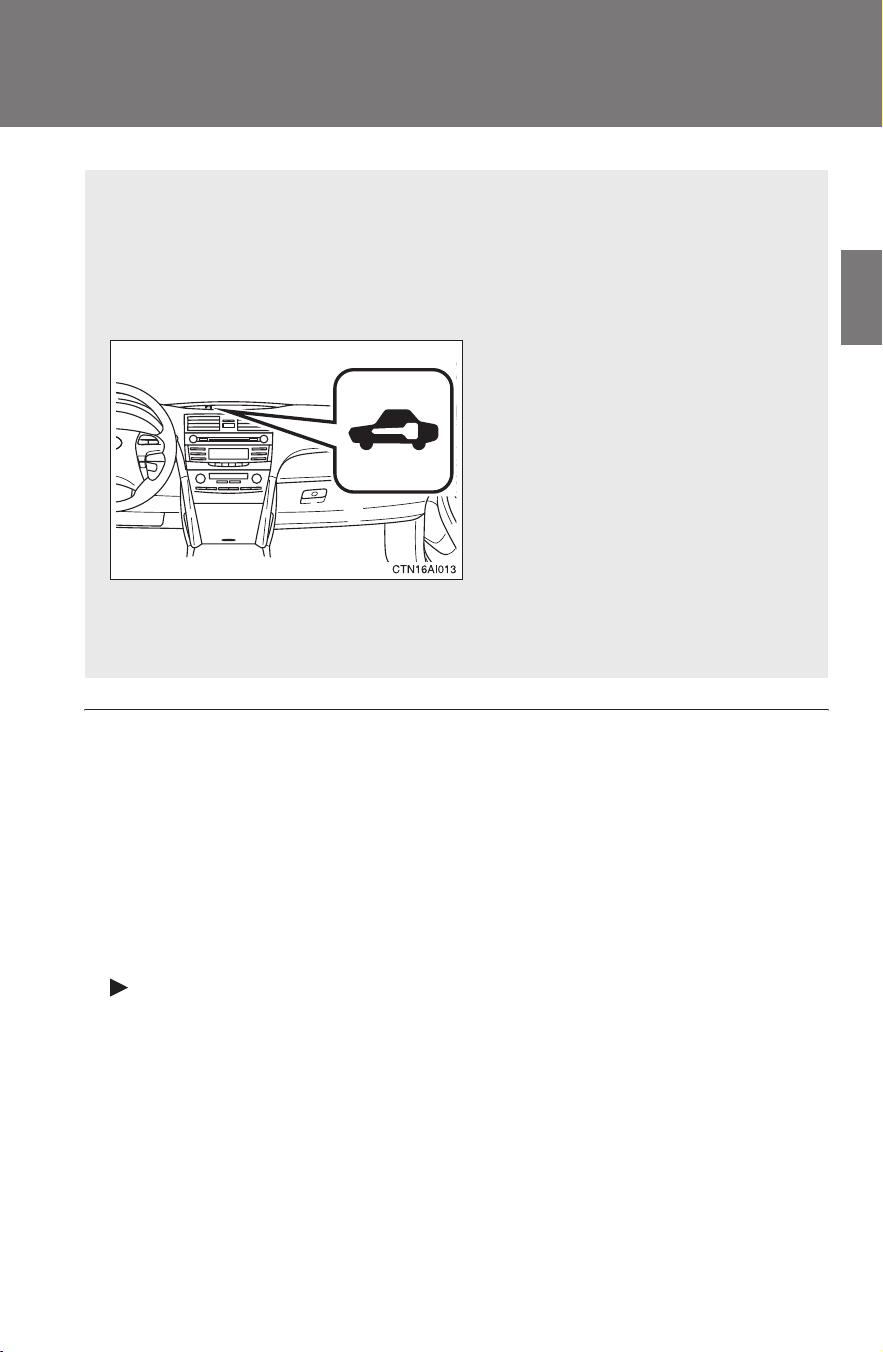
87
1
Before driving
CAMRY_HV_U
1-7. Theft deterrent system
Immobilizer system
■ System maintenance
The vehicle has a maintenance-free type of immobilizer system.
■ Conditions that may cause the system to malfunction
● If the key is in contact with a metallic object
● If the key is in close proximity to or touching a key to the security system
(key with a built-in transponder chip) of another vehicle
■ Certifications for the immobilizer system
For vehicles sold in U.S.A.
FCC ID: NI4TMIMB-1
This device complies with Part 15 of the FCC Rules. Operation is subject to
the following two conditions: (1) this device may not cause harmful interfer-
ence, and (2) this device must accept any interference received, including
interference that may cause undesired operation.
The vehicle's keys have built-in transponder chips that prevent the
hybrid system from starting if the key has not been previously regis-
tered in the vehicle's on-board computer.
Never leave the keys inside the vehicle when you leave the vehicle.
The indicator light flashes after
the “POWER” switch has been
turned OFF to indicate that the
system is operating.
The indicator light stops flash-
ing after the “POWER” switch
has been turned to ACCES-
SORY or ON mode to indicate
that the system has been can-
celed.
88
1-7. Theft deterrent system
CAMRY_HV_U
■ Certifications for the immobilizer system
For vehicles sold in Canada
This device complies with RSS-210 of Industry Canada.
Operation is subject to the following two conditions: (1) this device may not
cause interference, and (2) this device must accept any interference, includ-
ing interference that may cause undesired operation of the device.
CAUTION
Changes or modifications not expressly approved by the party responsible
for compliance could void the user’s authority to operate the equipment.
NOTICE
■ To ensure the system operates correctly
Do not modify or remove the system. If modified or removed, the proper
operation of the system cannot be guaranteed.
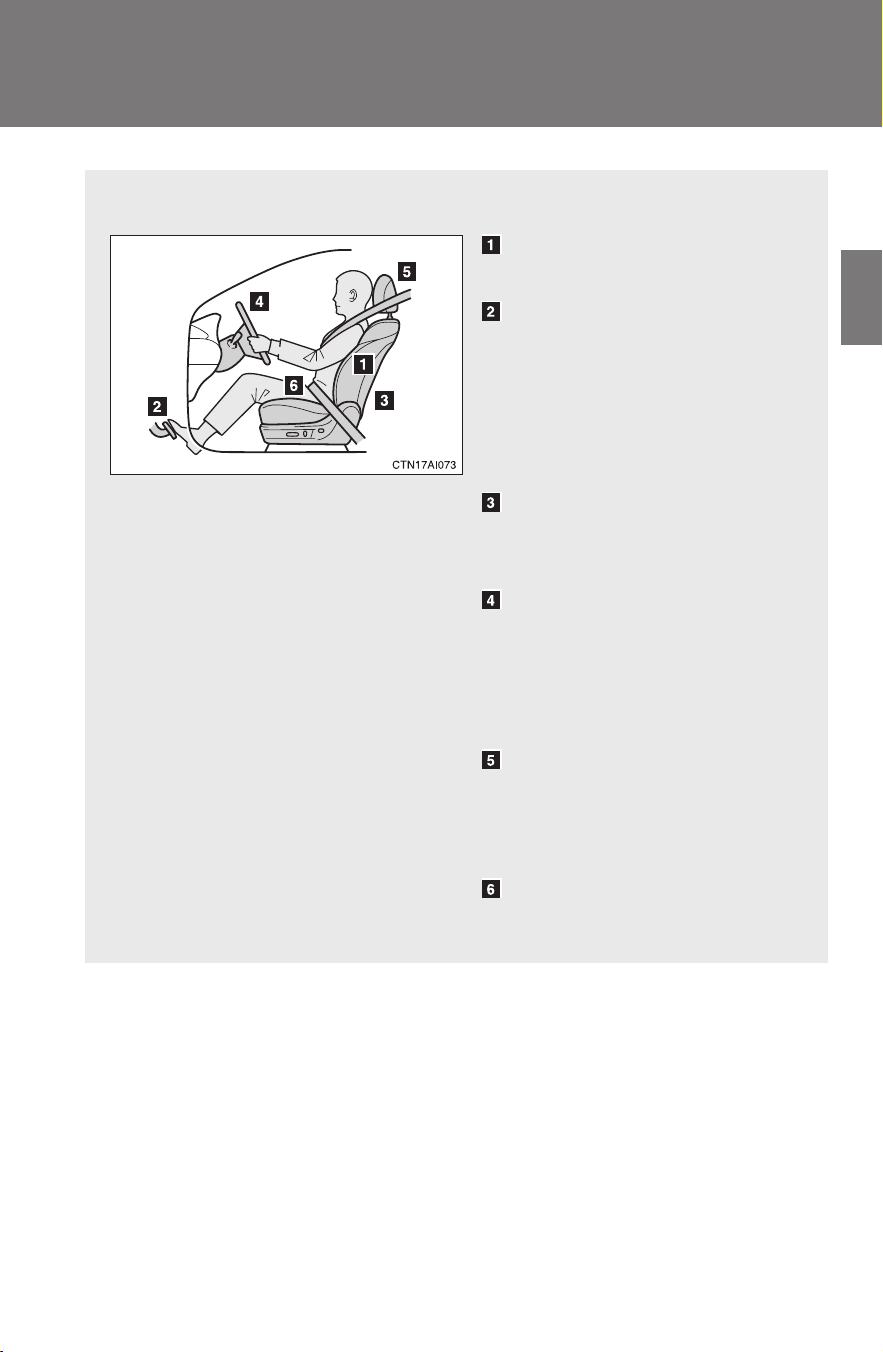
89
1
Before driving
CAMRY_HV_U
1-8. Safety information
Correct driving posture
Drive in a good posture as follows:
Sit upright and well back in
the seat. (→P. 5 8 )
Adjust the position of the
seat forward or backward to
ensure the pedals can be
reached and easily
depressed to the extent
required. (→P. 58)
Adjust the seatback so that
the controls are easily oper-
able.
Adjust the tilt and telescopic
positions of the steering
wheel downward so the air-
bag is facing your chest.
(→P. 7 1 )
Lock the head restraint in
place with the center of the
head restraint closest to the
top of your ears. (→P. 6 1)
Wear the seat belt correctly.
(→P. 6 3 )

90
1-8. Safety information
CAMRY_HV_U
CAUTION
■ While driving
● Do not adjust the position of the driver's seat while driving.
Doing so could cause the driver to lose control of the vehicle.
● Do not place a cushion between the driver or passenger and the seatback.
A cushion may prevent correct posture from being achieved, and reduce
the effectiveness of the seat belt and head restraint, increasing the risk of
death or serious injury to the driver or passenger.
● Do not place anything under the front seats.
Objects placed under the front seats may become jammed in the seat
tracks and stop the seat from locking in place. This may lead to an acci-
dent. The adjustment mechanism may also be damaged.
■ Adjusting the seat position
● Take care when adjusting the seat position to ensure that other passen-
gers are not injured by the moving seat.
● Do not put your hands under the seat or near the moving parts to avoid
injury.
Fingers or hands may become jammed in the seat mechanism.
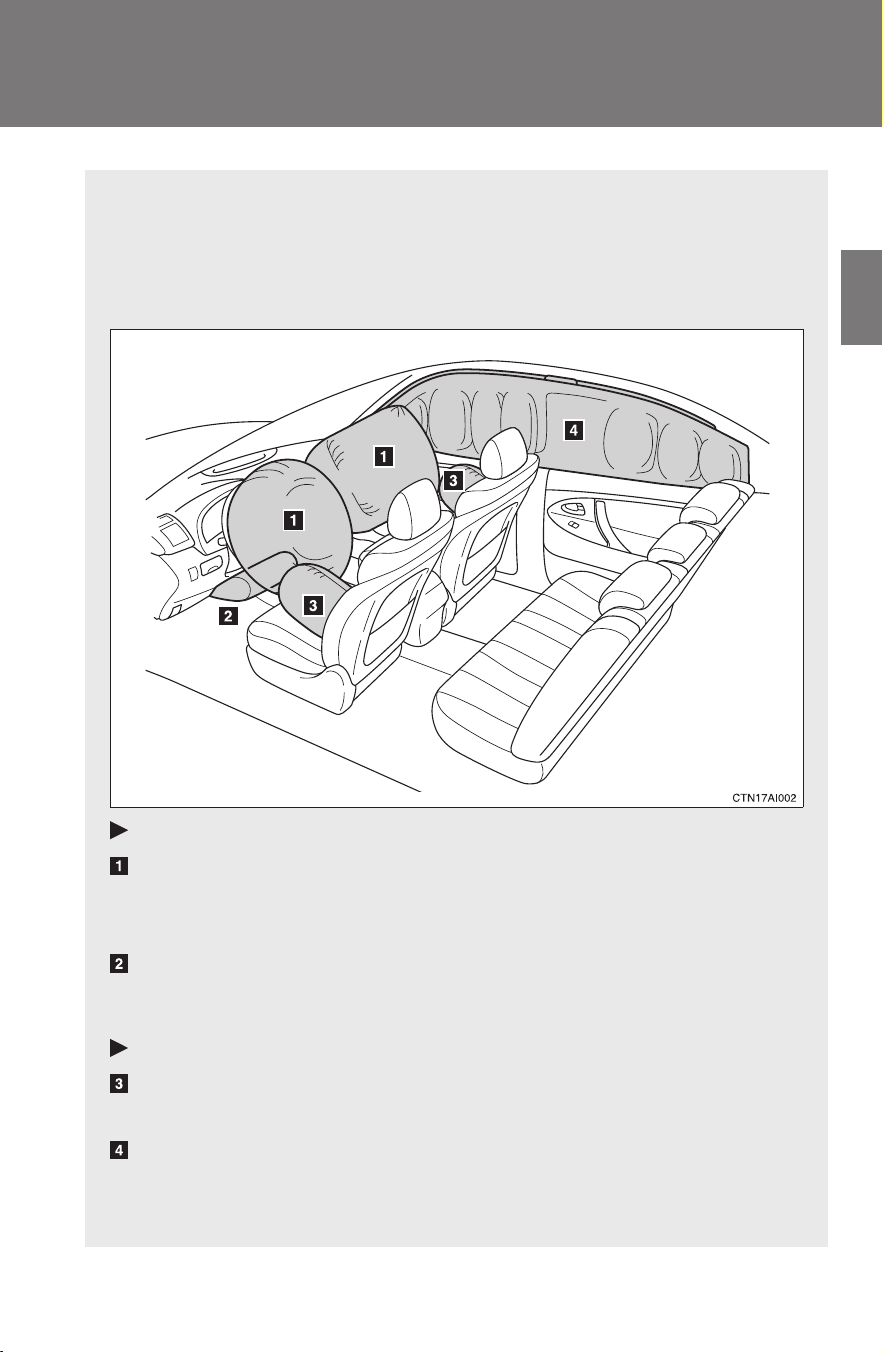
91
1
1-8. Safety information
Before driving
CAMRY_HV_U
SRS airbags
The SRS airbags inflate when the vehicle is subjected to certain
types of severe impacts that may cause significant injury to the
occupants. They work together with the seat belts to help reduce the
risk of death or serious injury.
Front airbags
Driver airbag/front passenger airbag
Can help protect the head and chest of the driver and front pas-
senger from impact with interior components.
Driver knee airbag
Can help provide driver protection.
Side and curtain shield airbags
Side airbags
Can help protect the torso of the front seat occupants.
Curtain shield airbags
Can help protect primarily the head of occupants in the outer
seats.
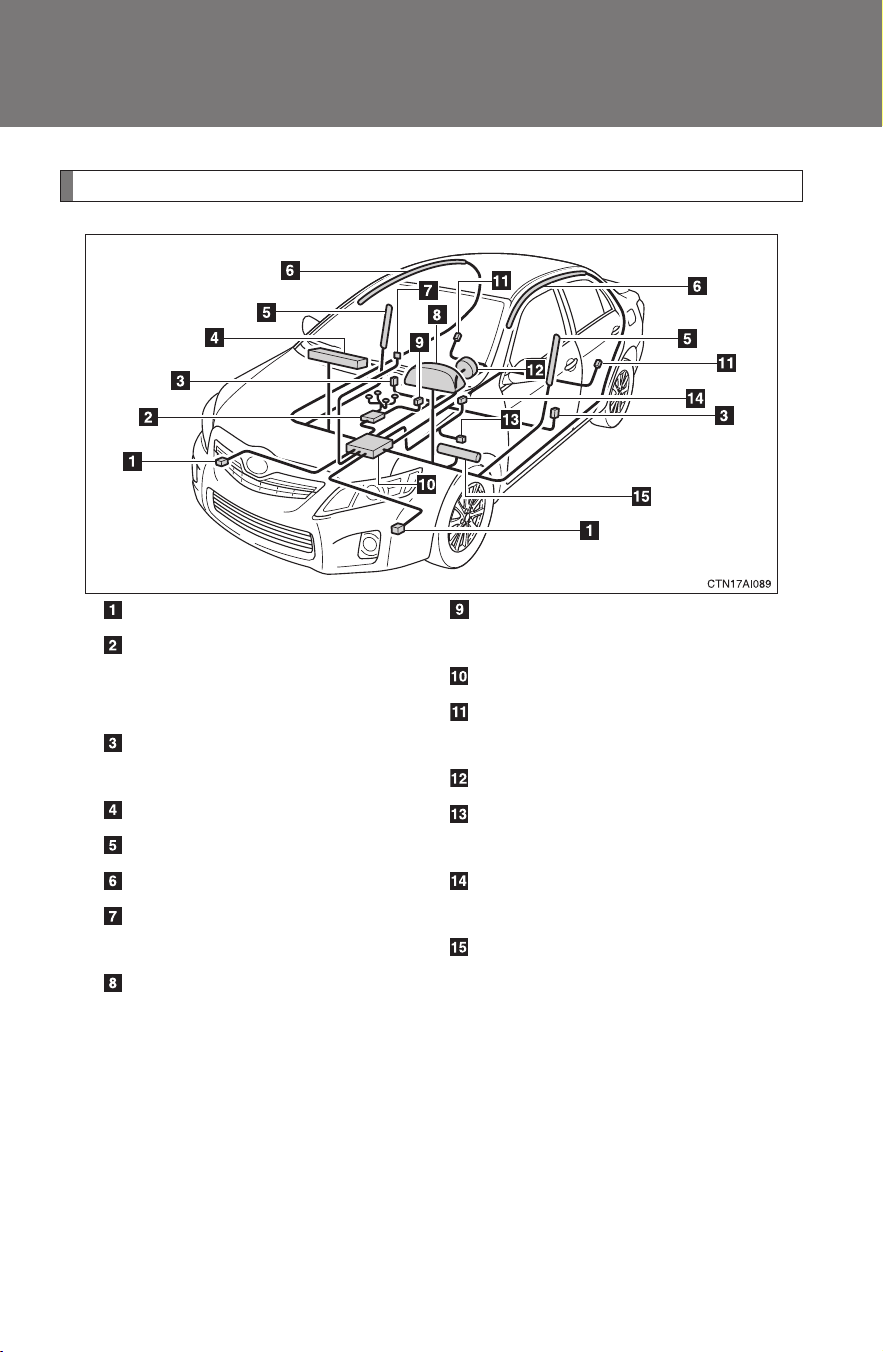
92
1-8. Safety information
CAMRY_HV_U
Airbag system components
Your vehicle is equipped with ADVANCED AIRBAGS designed based
on US motor vehicle safety standards (FMVSS208). The airbag sys-
tem controls airbag deployment power for the driver and front pas-
senger. The driver airbag system consists of the driver seat's position
sensor etc. The front passenger's airbag system consists of the front
passenger occupant classification sensor etc.
Front airbag sensors
Front passenger occupant
classification system (ECU
and sensors)
Side and curtain shield air-
bag sensors
Front passenger airbag
Side airbags
Curtain shield airbags
“AIR BAG ON” and “AIR
BAG OFF” indicator lights
SRS warning light
Front passenger’s seat belt
buckle switch
Airbag sensor assembly
Curtain shield airbag sen-
sors
Driver airbag
Driver’s seat position sen-
sor
Driver’s seat belt buckle
switch
Knee airbag

93
1-8. Safety information
1
Before driving
CAMRY_HV_U
The main SRS airbag system components are shown above. The
SRS airbag system is controlled by the airbag sensor assembly. The
airbag sensor assembly consists of a safing sensor and an airbag
sensor.
In certain types of severe frontal or side impacts, the SRS airbag sys-
tem triggers the airbag inflators. A chemical reaction in the inflators
quickly fills the airbags with non-toxic gas to help restrain the motion
of the occupants.

94
1-8. Safety information
CAMRY_HV_U
■ SRS warning light
This warning light system monitors the airbag sensor assembly, front airbag
sensors, side and curtain shield airbag sensors, curtain shield airbag sen-
sors, driver's seat position sensor, driver's seat belt buckle switch, front pas-
senger occupant classification system, “AIR BAG ON” indicator light, “AIR
BAG OFF” indicator light, front passenger's seat belt buckle switch, seat belt
pretensioner assemblies, inflators, interconnecting wiring and power
sources. (→P. 398)
■ If the SRS airbags deploy (inflate)
● Bruising and slight abrasions may result from contact with a deploying
(inflating) SRS airbag.
● A loud noise and white powder will be emitted.
● Parts of the airbag module (steering wheel hub, airbag cover and inflator)
as well as the front seats, and parts of the front and rear pillars and roof
side rail, may be hot for several minutes. The airbag itself may also be
hot.
● The front windshield may crack.
■ SRS airbag deployment conditions (front airbags)
● The front SRS airbags will deploy in the event of an impact that exceeds
the set threshold level (the level of force corresponding to an approxi-
mately 12 - 18 mph [20 - 30 km/h] frontal collision with a fixed wall that
does not move or deform).
However, this threshold velocity will be considerably higher if the vehicle
strikes an object, such as a parked vehicle or sign pole, which can move or
deform on impact, or if the vehicle is involved in an underride collision (e.g.
a collision in which the front of the vehicle “underrides”, or goes under, the
bed of a truck, etc.).
● It is possible that in some collisions where the forward deceleration of the
vehicle is very close to the designed threshold level, the SRS front air-
bags and the seat belt pretensioners may not activate together.
● The SRS front passenger airbag will not activate if there is no passenger
sitting in the front passenger seat. However, the front passenger airbag
may deploy if luggage is put in the seat, or the seat belt is fastened, even
if the seat is unoccupied. (→P. 103)
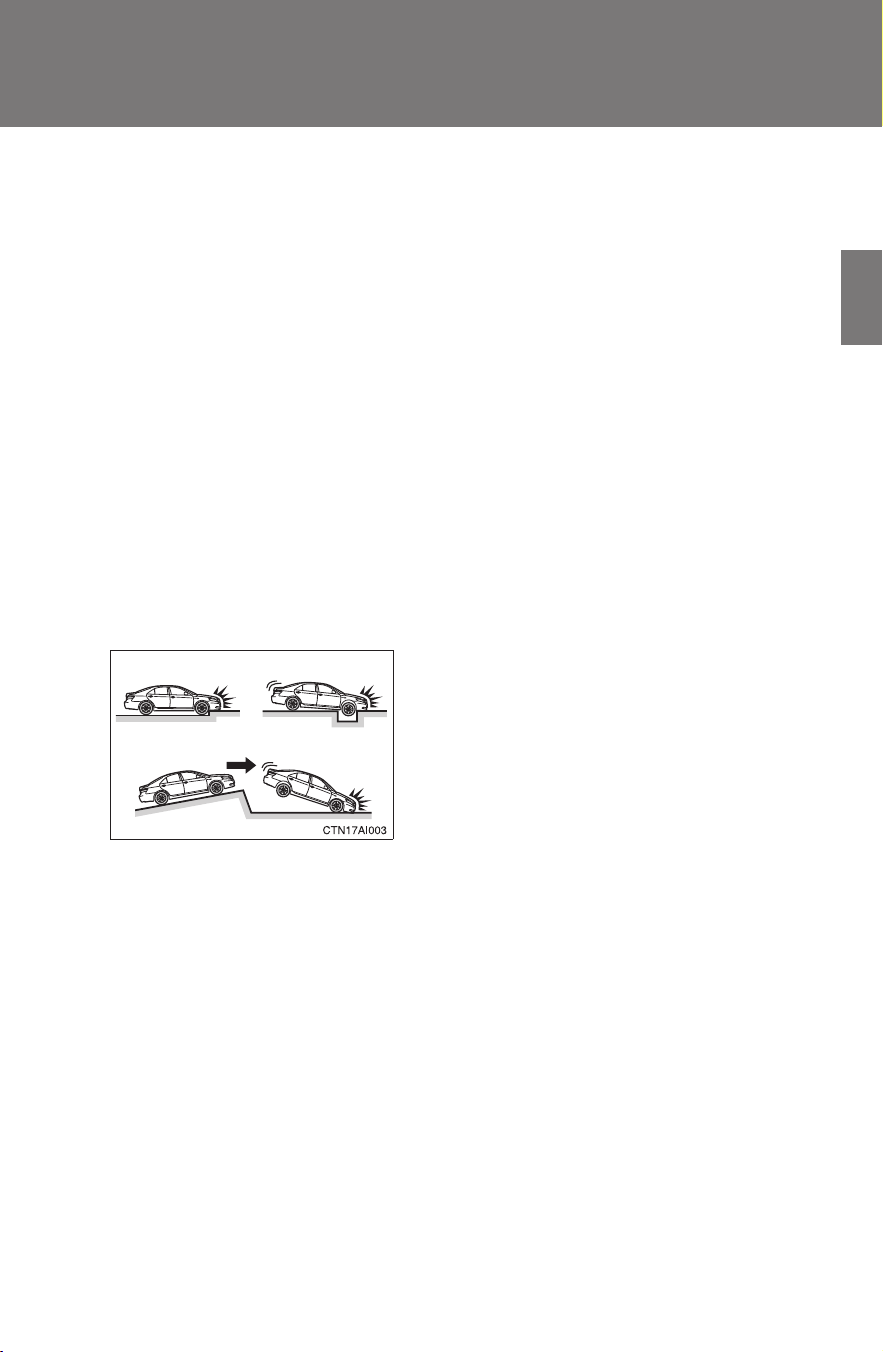
95
1-8. Safety information
1
Before driving
CAMRY_HV_U
■ SRS airbag deployment conditions (side airbags and curtain shield air-
bags)
● The SRS side airbags and SRS curtain shield airbags will deploy in the
event of an impact that exceeds the set threshold level (the level of force
corresponding to the impact force produced by an approximately 3300 lb.
[1500 kg] vehicle colliding with the vehicle cabin from a direction perpen-
dicular to the vehicle orientation at an approximately speed of 12 - 18
mph [20 - 30 km/h]).
● The SRS side airbag on the passenger seat will not activate if there is no
passenger sitting in the front passenger seat. However, the side airbag
on the passenger seat may deploy if luggage is put in the seat, even if
the seat is unoccupied. (→P. 103)
■ Conditions under which the SRS airbags may deploy (inflate), other
than a collision
The SRS front airbags may also deploy if a serious impact occurs to the
underside of your vehicle. Some examples are shown in the illustration.
● Hitting a curb, edge of pavement or
hard surface
● Falling into or jumping over a deep hole
● Landing hard or vehicle falling
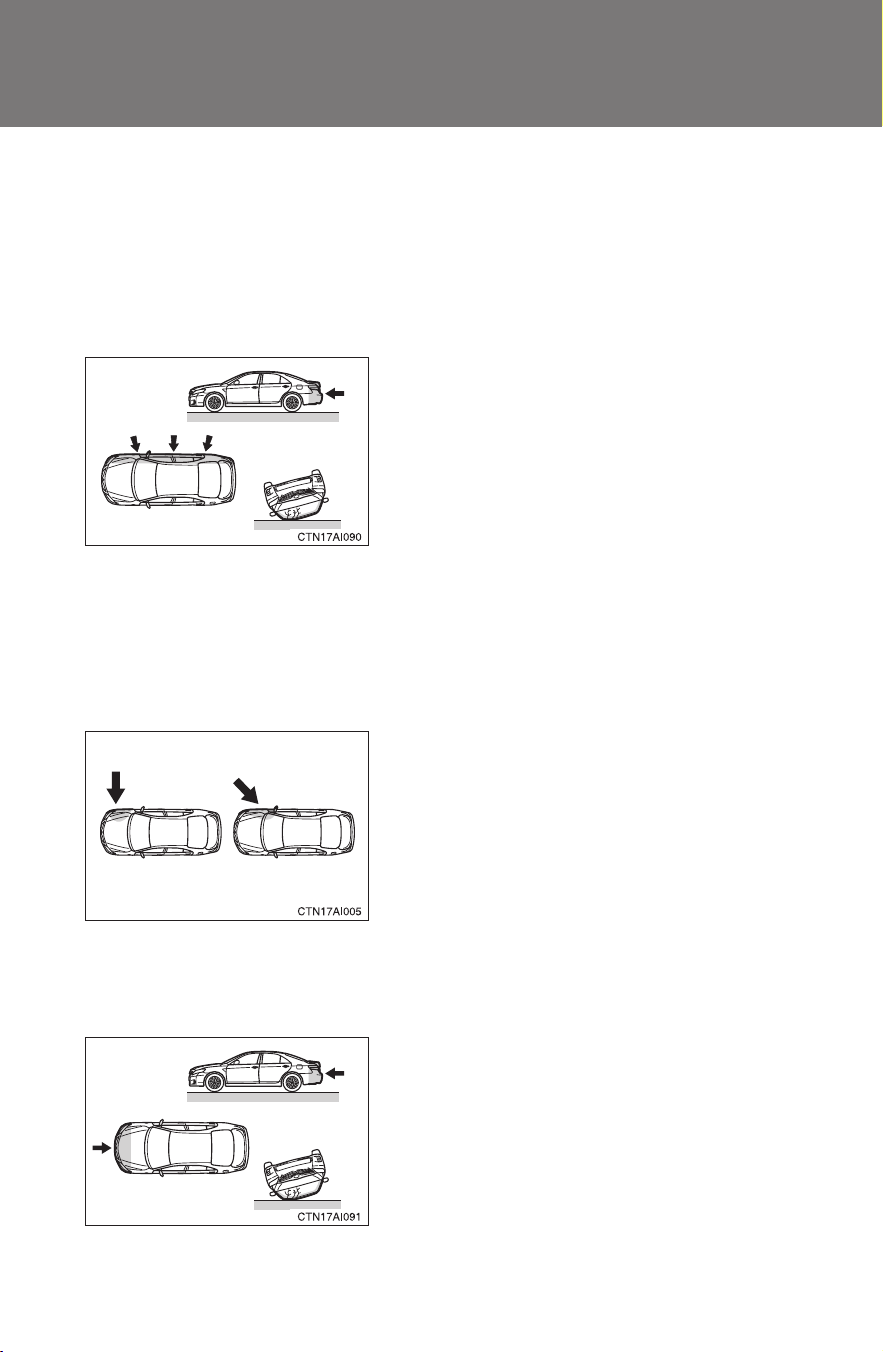
96
1-8. Safety information
CAMRY_HV_U
■ Types of collisions that may not deploy the SRS airbag (front airbags)
The SRS front airbags are generally not designed to inflate if the vehicle is
involved in a side or rear collision, if it rolls over, or if it is involved in a low-
speed frontal collision. But, whenever a collision of any type causes suffi-
cient forward deceleration of the vehicle, deployment of the SRS front air-
bags may occur.
■ Types of collisions that may not deploy the SRS airbag
(side airbags and curtain shield airbags)
The SRS side airbags and curtain shield airbag system may not activate if
the vehicle is subjected to a collision from the side at certain angles, or a col-
lision to the side of the vehicle body other than the passenger compartment.
The SRS side airbags and curtain shield airbags are not generally designed
to inflate if the vehicle is involved in a frontal or rear collision, if it rolls over,
or if it is involved in a low-speed side collision.
● Collision from the side
● Collision from the rear
● Vehicle rollover
● Collision from the side to the vehicle
body other than the passenger com-
partment
● Collision from the side at an angle
● Collision from the front
● Collision from the rear
● Vehicle rollover
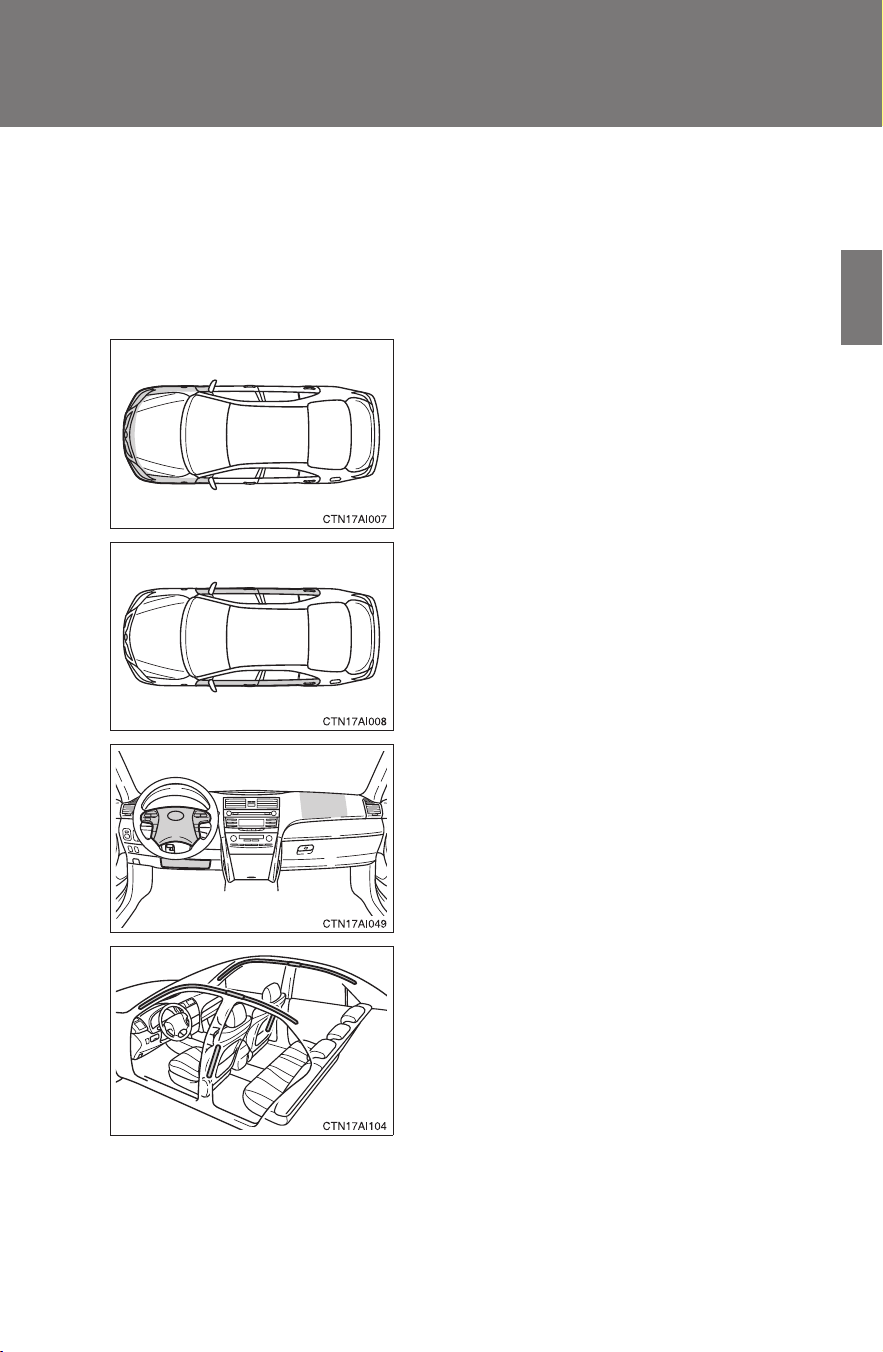
97
1-8. Safety information
1
Before driving
CAMRY_HV_U
■ When to contact your Toyota dealer
In the following cases, contact your Toyota dealer as soon as possible. Do
not disconnect the 12-volt battery cables before contacting your Toyota
dealer.
● Any of the SRS airbags have been inflated.
● The front of the vehicle is damaged or
deformed, or was involved in an acci-
dent that was not severe enough to
cause the SRS airbags to inflate.
● A portion of a door is damaged or
deformed, or the vehicle was involved
in an accident that was not severe
enough to cause the SRS side airbags
and curtain shield airbags to inflate.
● The pad section of the steering wheel
or dashboard near the front passenger
airbag cover or lower portion of the
instrument panel is scratched, cracked,
or otherwise damaged.
● The surface of the seats with the side
airbag is scratched, cracked, or other-
wise damaged.
● The portion of the front pillars, rear pil-
lars or roof side rail garnishes (padding)
containing the curtain shield airbags
inside is scratched, cracked or other-
wise damaged.

98
1-8. Safety information
CAMRY_HV_U
CAUTION
■ SRS airbag precautions
Observe the following precautions regarding the airbags.
Failure to do so may cause death or serious injury.
● The driver and all passengers in the vehicle must wear their seat belts
properly.
The SRS airbags are supplemental devices to be used with the seat belts.
● The SRS driver airbag deploys with considerable force, and can cause
death or serious injury especially if the driver is very close to the airbag.
The National Highway Traffic Safety Administration (“NHTSA”) advises:
Since the risk zone for the driver’s airbag is the first 2 - 3 in. (50 - 75 mm)
of inflation, placing yourself 10 in. (250 mm) from your driver airbag pro-
vides you with a clear margin of safety. This distance is measured from the
center of the steering wheel to your breastbone. If you sit less than 10 in.
(250 mm) away now, you can change your driving position in several
ways:
• Move your seat to the rear as far as you can while still reaching the
pedals comfortably.
• Slightly recline the back of the seat.
Although vehicle designs vary, many drivers can achieve the 10 in.
(250 mm) distance, even with the driver seat all the way forward, sim-
ply by reclining the back of the seat somewhat. If reclining the back of
your seat makes it hard to see the road, raise yourself by using a firm,
non-slippery cushion, or raise the seat if your vehicle has that feature.
• If your steering wheel is adjustable, tilt it downward. This points the air-
bag toward your chest instead of your head and neck.
The seat should be adjusted as recommended by NHTSA above, while
still maintaining control of the foot pedals, steering wheel, and your view of
the instrument panel controls.
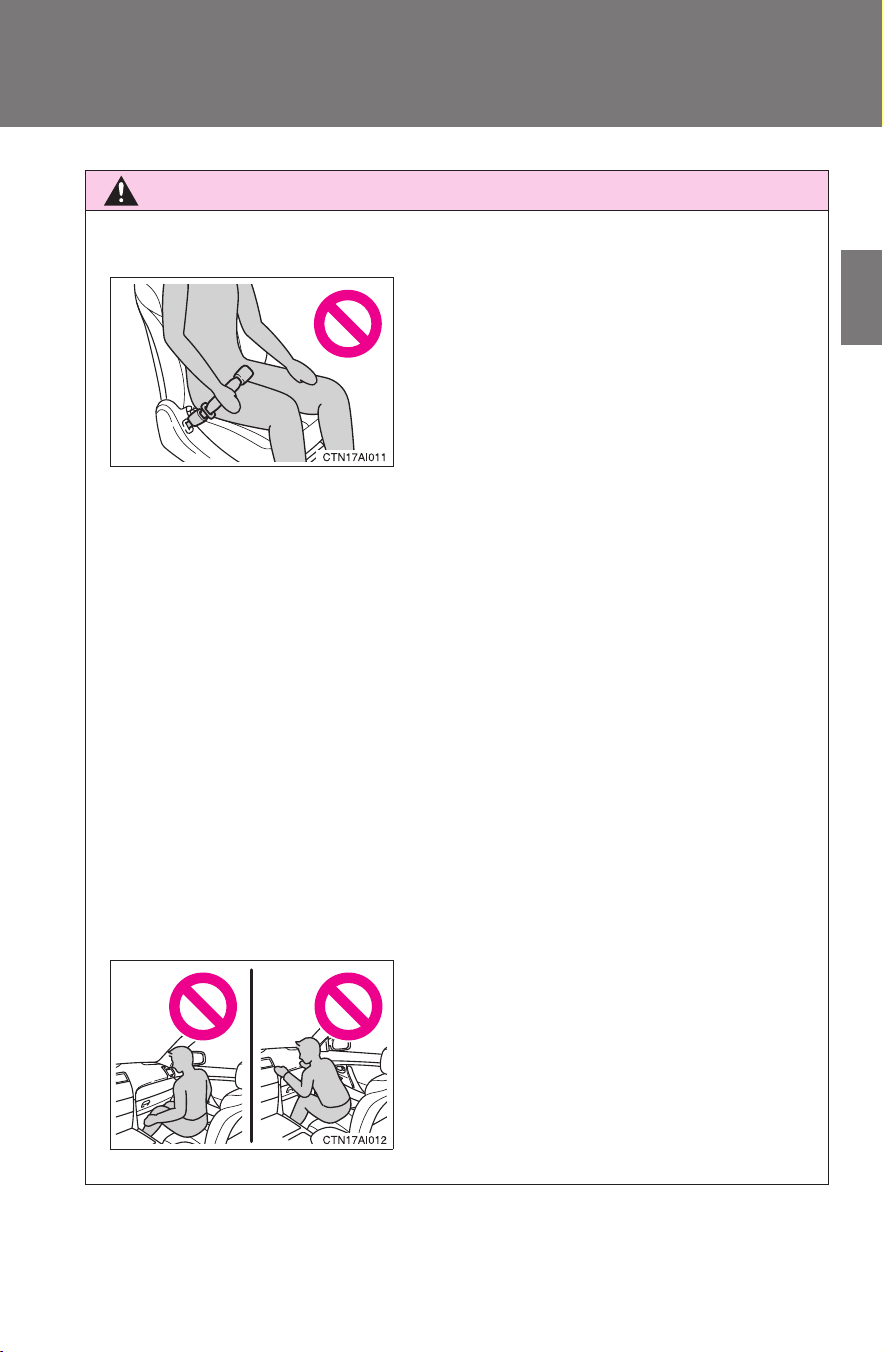
99
1-8. Safety information
1
Before driving
CAMRY_HV_U
CAUTION
■ SRS airbag precautions
● The SRS front passenger airbag also deploys with considerable force, and
can cause death or serious injury especially if the front passenger is very
close to the airbag. The front passenger seat should be as far from the air-
bag as possible with the seatback adjusted, so the front passenger sits
upright.
● Improperly seated and/or restrained infants and children can be killed or
seriously injured by a deploying airbag. An infant or child who is too small
to use a seat belt should be properly secured using a child restraint sys-
tem. Toyota strongly recommends that all infants and children be placed in
the rear seats of the vehicle and properly restrained. The rear seats are
the safest for infants and children. (→P. 108)
● If the seat belt extender has been con-
nected to the driver's seat belt buckle
but the seat belt extender has not also
been fastened to the latch plate of the
driver's seat belt, the SRS driver's air-
bag system will judge that the driver is
wearing the seat belt even though the
seat belt has not been connected. In
this case, the driver's airbag may not
activate correctly in a collision, resulting
in death or serious injury in the event of
collision. Be sure to wear the seat belt
with the seat belt extender.
● Do not sit on the edge of the seat or
lean against the dashboard.
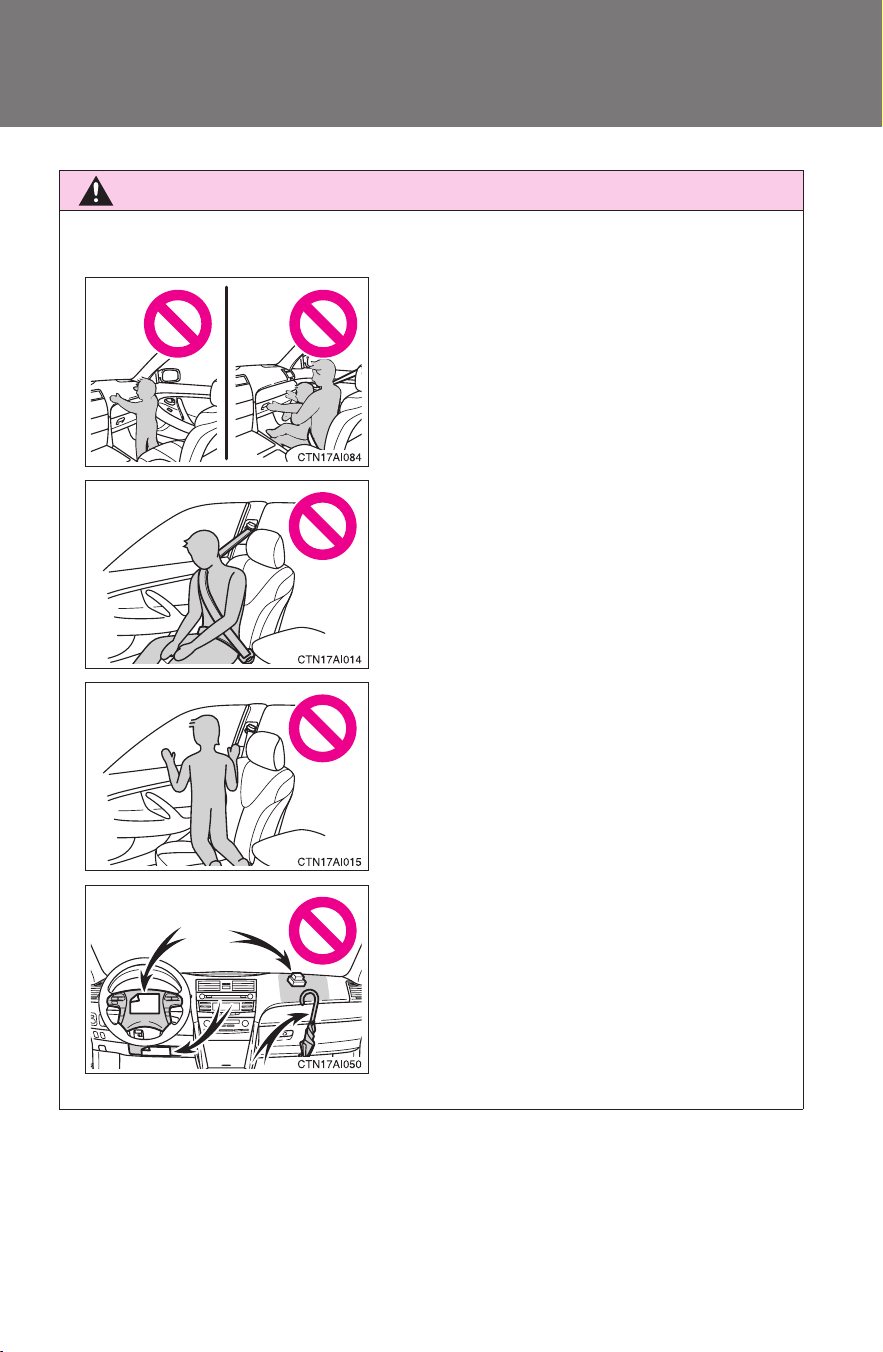
100
1-8. Safety information
CAMRY_HV_U
CAUTION
■ SRS airbag precautions
● Do not allow a child to stand in front of
the SRS front passenger airbag unit or
sit on the knees of a front passenger.
● Do not drive the vehicle while the driver
or passenger has items resting on their
knees.
● Do not lean against the door, the roof
side rail or the front, side and rear pil-
lars.
● Do not allow anyone to kneel on the
passenger seat toward the door or put
their head or hands outside the vehicle.
● Do not attach anything to or lean any-
thing against areas such as the dash-
board, steering wheel pad or lower
portion of the instrument panel.
These items can become projectiles
when SRS driver, front passenger and
knee airbags deploy.
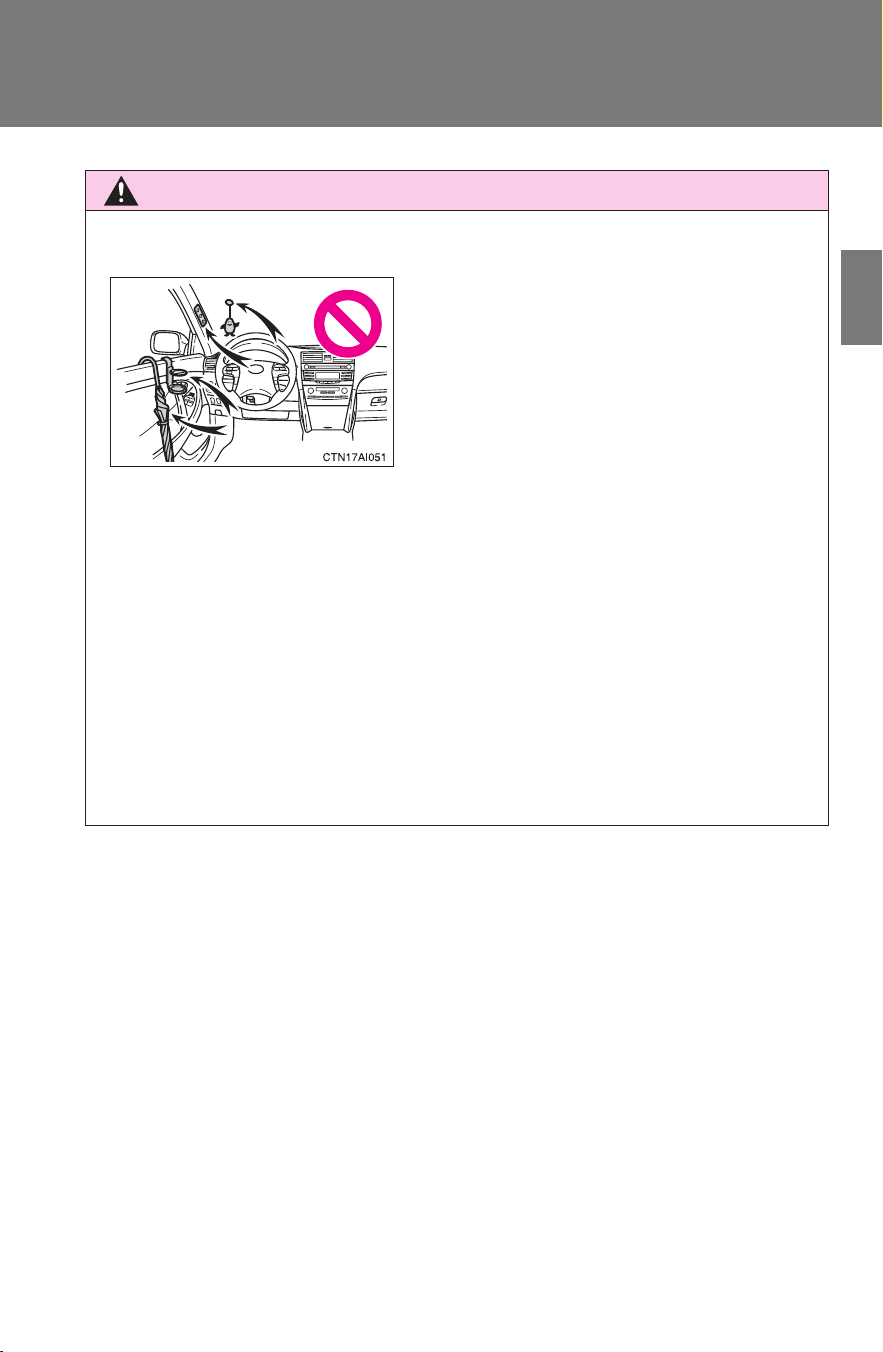
101
1-8. Safety information
1
Before driving
CAMRY_HV_U
CAUTION
■ SRS airbag precautions
● If a vinyl cover is put on the area where the SRS knee airbag will deploy,
be sure to remove it.
● Do not use seat accessories which cover the parts where the SRS side
airbags inflate as they may interfere with inflation of the airbags.
● Do not strike or apply significant levels of force to the area of the SRS air-
bag components (→P. 92).
Doing so can cause the SRS airbags to malfunction.
● Do not touch any of the component parts immediately after the SRS air-
bags have deployed (inflated) as they may be hot.
● Do not attach anything to areas such as
the door, windshield glass, side door
glass, front and rear pillars, roof side
rail or assist grip.
● Do not hang coat hangers or other hard
objects on the coat hooks. All of these
items could become projectiles and
seriously injure or kill you, should the
SRS curtain shield airbag deploy.

102
1-8. Safety information
CAMRY_HV_U
CAUTION
■ SRS airbag precautions
● If breathing becomes difficult after the SRS airbag has deployed, open a
door or window to allow fresh air in, or leave the vehicle if it is safe to do
so. Wash off any residue as soon as possible to prevent skin irritation.
● If the areas where the SRS airbags are stored, such as the steering wheel
pad and front and rear pillars garnishes, are damaged or cracked, have
them replaced by your Toyota dealer.
■ Modification and disposal of SRS airbag system components
Do not dispose of your vehicle or perform any of the following modifications
without consulting your Toyota dealer.
The SRS airbags may malfunction or deploy (inflate) accidentally, causing
death or serious injury.
● Installation, removal, disassembly and repair of the SRS airbags.
● Repairs, modifications, removal or replacement of the steering wheel,
instrument panel, dashboard, seats or seat upholstery, front, side and rear
pillars or roof side rail.
● Repairs or modifications of the front fender, front bumper, or side of the
occupant compartment.
● Installation of snow plows, winches, etc. to the front grille (bull bars, kan-
garoo bar etc.).
● Modifications to the vehicle's suspension system.
● Installation of electronic devices such as mobile two-way radios or CD
players.
● Modifications to your vehicle for a person with a physical disability.
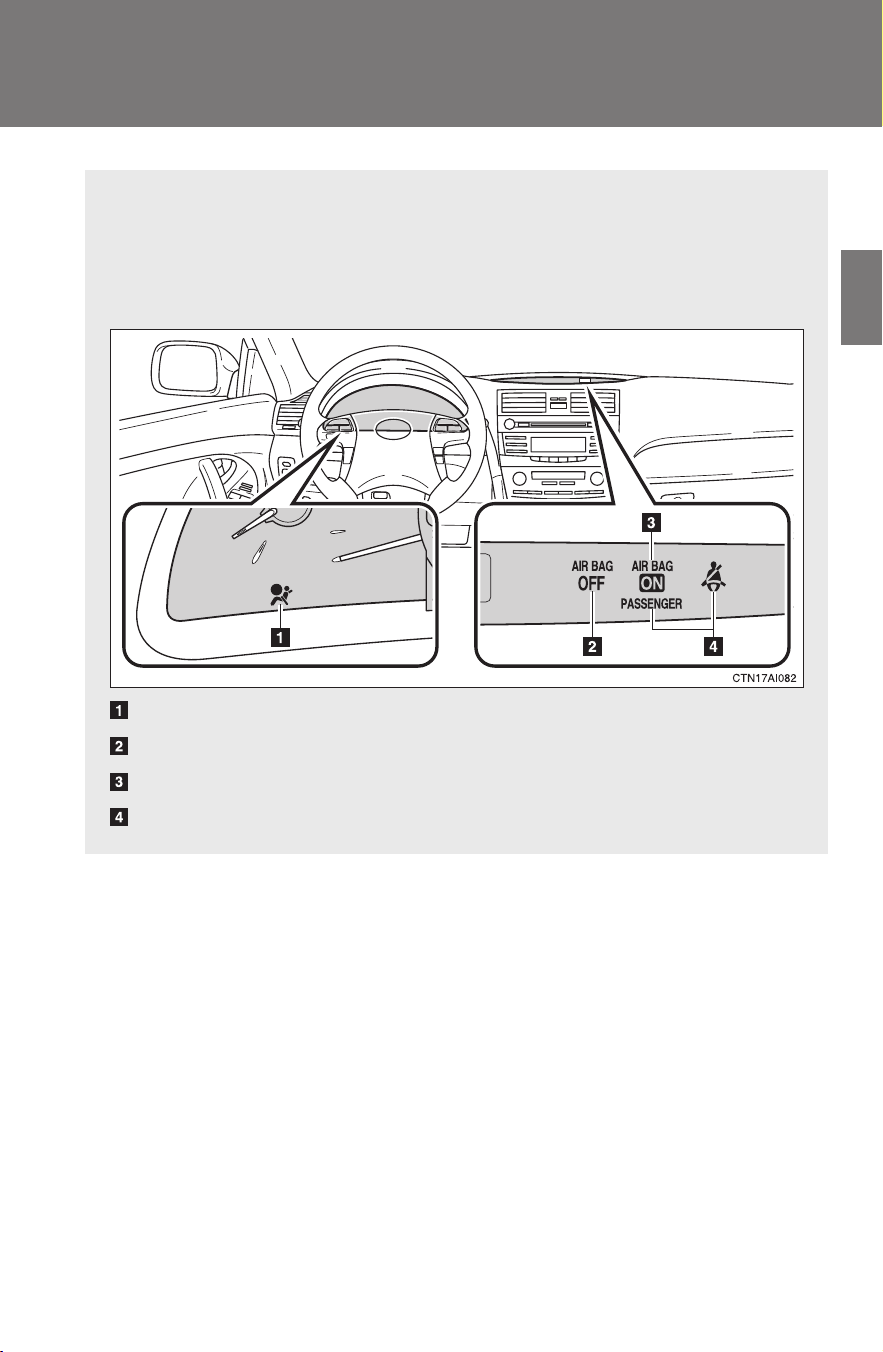
103
1
1-8. Safety information
Before driving
CAMRY_HV_U
Front passenger occupant classification system
Your vehicle is equipped with a front passenger occupant classifica-
tion system. This system detects the conditions of the front passen-
ger seat and activates or deactivates the devices for the front
passenger.
SRS warning light
“AIR BAG OFF” indicator light
“AIR BAG ON” indicator light
Front passenger's seat belt reminder light

104
1-8. Safety information
CAMRY_HV_U
Conditions and operation of the front passenger occupant classification system
■ Adult*
1
■ Child
*3
or child restraint system
*4
Indicator/
warning light
“AIR BAG ON” and “AIR BAG OFF” indi-
cator lights
“AIR BAG
ON”
SRS warning light Off
Front passenger’s seat belt reminder light Flashing
*2
Devices
Front passenger airbag
Activated
Side airbag on the front
passenger seats
Curtain shield airbag in the front
passenger side
Front passenger’s seat belt pretensioner
Indicator/
warning light
“AIR BAG ON” and “AIR BAG OFF” indi-
cator lights
“AIR BAG
OFF”
*5
SRS warning light Off
Front passenger’s seat belt reminder light Flashing
*2
Devices
Front passenger airbag
Deactivated
Side airbag on the front
passenger seats
Curtain shield airbag in the front
passenger side
Activated
Front passenger’s seat belt pretensioner

105
1-8. Safety information
1
Before driving
CAMRY_HV_U
■ Unoccupied
■ There is a malfunction in the system
*1: The system judges a person of adult size as an adult. When a
smaller adult sits in the front passenger seat, the system may rec-
ognize him/her as a child depending on his/her physique and pos-
ture.
*2: In the event the front passenger does not wear a seat belt.
*3: When a larger child who has outgrown a child restraint system
sits in the front passenger seat, the system may recognize him/
her as an adult depending on his/her physique or posture.
Indicator/
warning light
“AIR BAG ON” and “AIR BAG OFF” indi-
cator lights
Not illuminated
SRS warning light
Off
Front passenger’s seat belt reminder light
Devices
Front passenger airbag
Deactivated
Side airbag on the front
passenger seats
Curtain shield airbag in the front
passenger side
Activated
Front passenger’s seat belt pretensioner Deactivated
Indicator/
warning light
“AIR BAG ON” and “AIR BAG OFF” indi-
cator lights
“AIR BAG
OFF”
SRS warning light On
Front passenger’s seat belt reminder light Off
Devices
Front passenger airbag
Deactivated
Side airbag on the front
passenger seats
Curtain shield airbag in the front
passenger side
Activated
Front passenger’s seat belt pretensioner

106
1-8. Safety information
CAMRY_HV_U
*4: Never install a rear-facing child restraint system on the front pas-
senger seat. A forward-facing child restraint system should only
be installed on the front passenger seat when it is unavoidable.
(→P. 108)
*5: In case the indicator is not illuminated, consult this manual as for
installing the child restraint system properly. (→P. 112)
CAUTION
■ Front passenger occupant classification system precautions
Observe the following precautions regarding the front passenger occupant
classification system.
Failure to do so may cause death or serious injury.
● Wear the seat belt properly.
● Make sure the front passenger’s seat belt tab has not been left inserted
into the buckle before someone sits in the front passenger seat.
● Make sure the “AIR BAG OFF” indicator light is not illuminated when using
the seat belt extender for the front passenger seat. If the “AIR BAG OFF”
indicator light is illuminated, disconnect the extender tongue from the seat
belt buckle, then reconnect the seat belt. Reconnect the seat belt extender
after making sure the “AIR BAG ON” indicator light is illuminated. If you
use the seat belt extender while the “AIR BAG OFF” indicator light is illumi-
nated, the front passenger airbag and side airbag on the front passenger
side may not activate correctly, which could cause death or serious injury
in the event of collision.
● Do not apply a heavy load to the front passenger seat or equipment.
● Do not put weight on the front passenger seat by putting your hands or
feet on the front passenger seat seatback from the rear passenger seat.
● Do not let a rear passenger lift the front passenger seat with their feet or
press on the seatback with their legs.
● Do not put objects under the front passenger seat.

107
1-8. Safety information
1
Before driving
CAMRY_HV_U
CAUTION
■ Front passenger occupant classification system precautions
● Do not recline the front passenger seatback so far that it touches a rear
seat. This may cause the “AIR BAG OFF” indicator light to be illuminated,
which indicates that the passenger’s airbags will not deploy in the event of
a severe accident. If the seatback touches the rear seat, return the seat-
back to a position where it does not touch the rear seat. Keep the front
passenger seatback as upright as possible when the vehicle is moving.
Reclining the seatback excessively may lessen the effectiveness of the
seat belt system.
● If an adult sits in the front passenger seat, the “AIR BAG ON” indicator
light is illuminated. If the “AIR BAG OFF” indicator is illuminated, ask the
passenger to sit up straight, well back in the seat, feet on the floor, and
with the seat belt worn correctly. If the “AIR BAG OFF” indicator still
remains illuminated, either ask the passenger to move to the rear seat, or
if that is not possible, move the front passenger seat fully rearward.
● When it is unavoidable to install the forward-facing child restraint system
on the front passenger seat, install the child restraint system on the front
passenger seat in the proper order. (→P. 112)
● Do not modify or remove the front seats.
● Do not kick the front passenger seat or subject it to severe impact. Other-
wise, the SRS warning light may come on to indicate a malfunction of the
detection system. In this case, contact your Toyota dealer immediately.
● Child restraint systems installed on the rear seat should not contact the
front seatbacks.
● Do not use a seat accessory, such as a cushion or seat cover, that covers
the seat cushion surface.
● Do not modify or replace the upholstery of the front seat.

108
1-8. Safety information
CAMRY_HV_U
Child restraint systems
Points to remember
Studies have shown that installing a child restraint system on a rear
seat is much safer than installing one to the front passenger seat.
● Choose a child restraint system that suits your vehicle and is
appropriate to the age and size of the child.
● For installation details, follow the instructions provided with the
child restraint system.
General installation instructions are provided in this manual.
(→P. 11 2 )
A child restraint system for a small child or baby must be properly
restrained on the seat with the lap portion of the lap/shoulder belt.
The laws of all 50 states of U.S.A. and Canada now require the use of
child restraint systems.
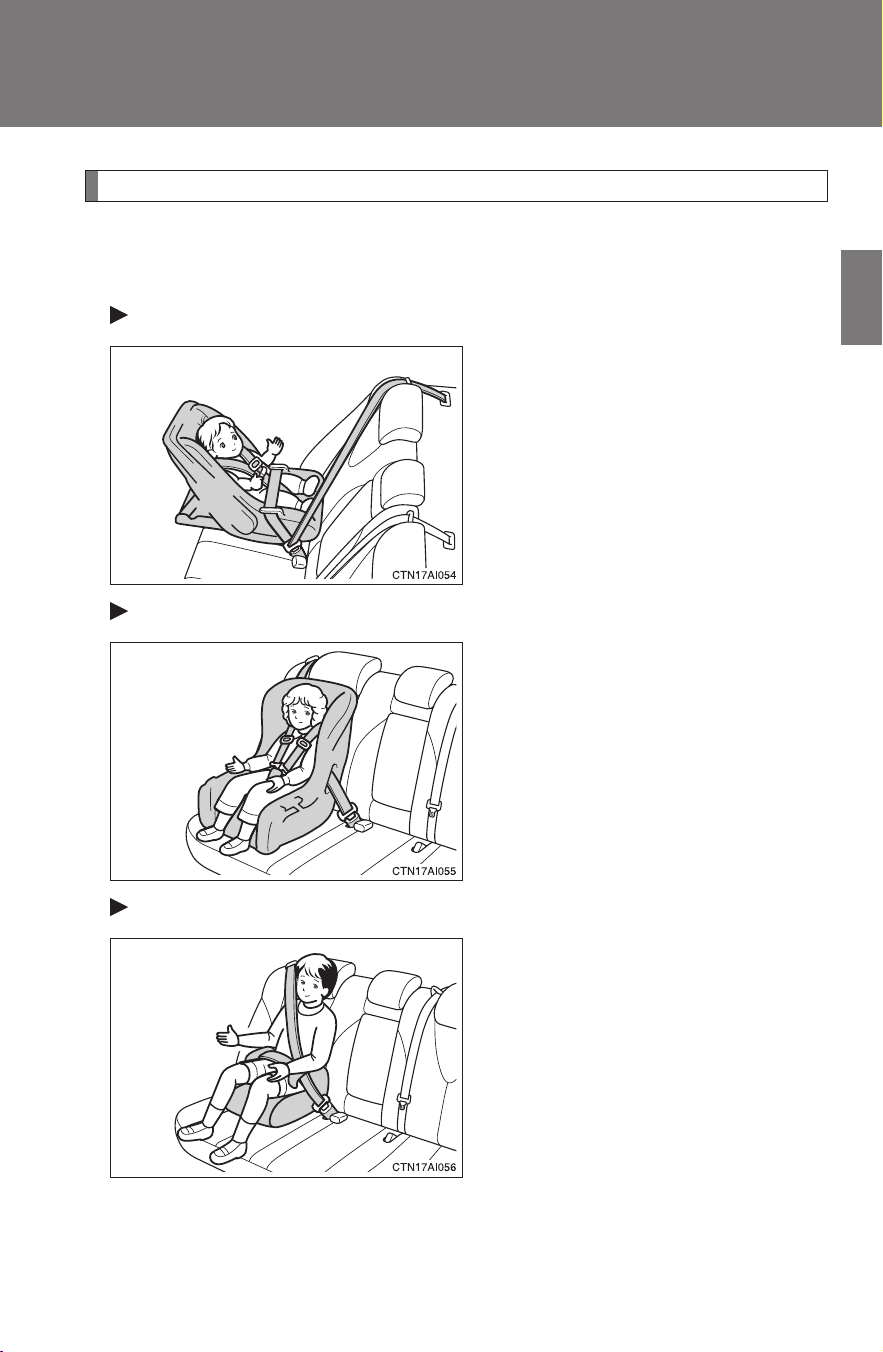
109
1-8. Safety information
1
Before driving
CAMRY_HV_U
Types of child restraints
Child restraint systems are classified into the following 3 types
according to the age and size of the child.
Rear facing Infant seat/convertible seat
Forward facing Convertible seat
Booster seat

110
1-8. Safety information
CAMRY_HV_U
■ Selecting an appropriate child restraint system
● Use a child restraint system appropriate for the child until the child
becomes large enough to properly wear the vehicle’s seat belt.
● If a child is too large for a child restraint system, sit the child on a rear
seat and use the vehicle's seat belt. (→P. 63)
CAUTION
■ Child restraint precautions
● For effective protection in automobile accidents and sudden stops, a child
must be properly restrained, using a seat belt or child restraint system
depending on the age and size of the child. Holding a child in your arms is
not a substitute for a child restraint system. In an accident, the child can be
crushed against the windshield, or between you and the vehicle's interior.
● Toyota strongly urges the use of a proper child restraint system that con-
forms to the size of the child, installed on the rear seat. According to acci-
dent statistics, the child is safer when properly restrained in the rear seat
than in the front seat.
● Never install a rear-facing child restraint system on the front passenger
seat even if the “AIR BAG OFF” indicator light is illuminated. In the event
of an accident, the force of the rapid inflation of the front passenger airbag
can cause death or serious injury to the child if the rear-facing child
restraint system is installed on the front passenger seat.
● A forward-facing child restraint system may be installed on the front pas-
senger seat only when it is unavoidable. A child restraint system that
requires a top tether strap should not be used in the front passenger seat
since there is no top tether strap anchor for the front passenger seat.
Adjust the seatback as upright as possible and always move the seat as
far back as possible even if the “AIR BAG OFF” indicator light is illumi-
nated, because the front passenger airbag could inflate with considerable
speed and force. Otherwise, the child may be killed or seriously injured.

111
1-8. Safety information
1
Before driving
CAMRY_HV_U
CAUTION
■ Child restraint precautions
● Do not use the seat belt extender when installing a child restraint system
on the front or rear passenger seat. If installing a child restraint system
with the seat belt extender connected to the seat belt, the seat belt will not
securely hold the child restraint system, which could cause death or seri-
ous injury to the child or other passengers in the event of a sudden stop,
sudden swerve or accident.
● Do not allow the child to lean his/her head or any part of his/her body
against the door or the area of the seat, front and rear pillars or roof side
rail from which the side airbags or curtain shield airbags deploy even if the
child is seated in the child restraint system. It is dangerous if the side air-
bags and curtain shield airbags inflate, and the impact could cause death
or serious injury to the child.
● Make sure you have complied with all installation instructions provided by
the child restraint manufacturer and that the system is properly secured. If
it is not secured properly, it may cause death or serious injury to the child
in the event of a sudden stop, sudden swerve or an accident.
■ Child restraint lock function belt precaution
Do not allow children to play with the child restraint lock function belt. If the
belt becomes twisted around a child’s neck, it will not be possible to pull the
belt out leading to choking or other serious injuries that could result in death.
If this occurs and the buckle cannot be unfastened, scissors should be used
to cut the belt.
■ When the child restraint system is not in use
● Keep the child restraint system properly secured on the seat even if it is
not in use. Do not store the restraint unsecured in the passenger compart-
ment.
● If it is necessary to detach the child restraint system, remove it from the
vehicle or store it securely in the trunk. This will prevent it from injuring
passengers in the event of a sudden stop, sudden swerve or accident.
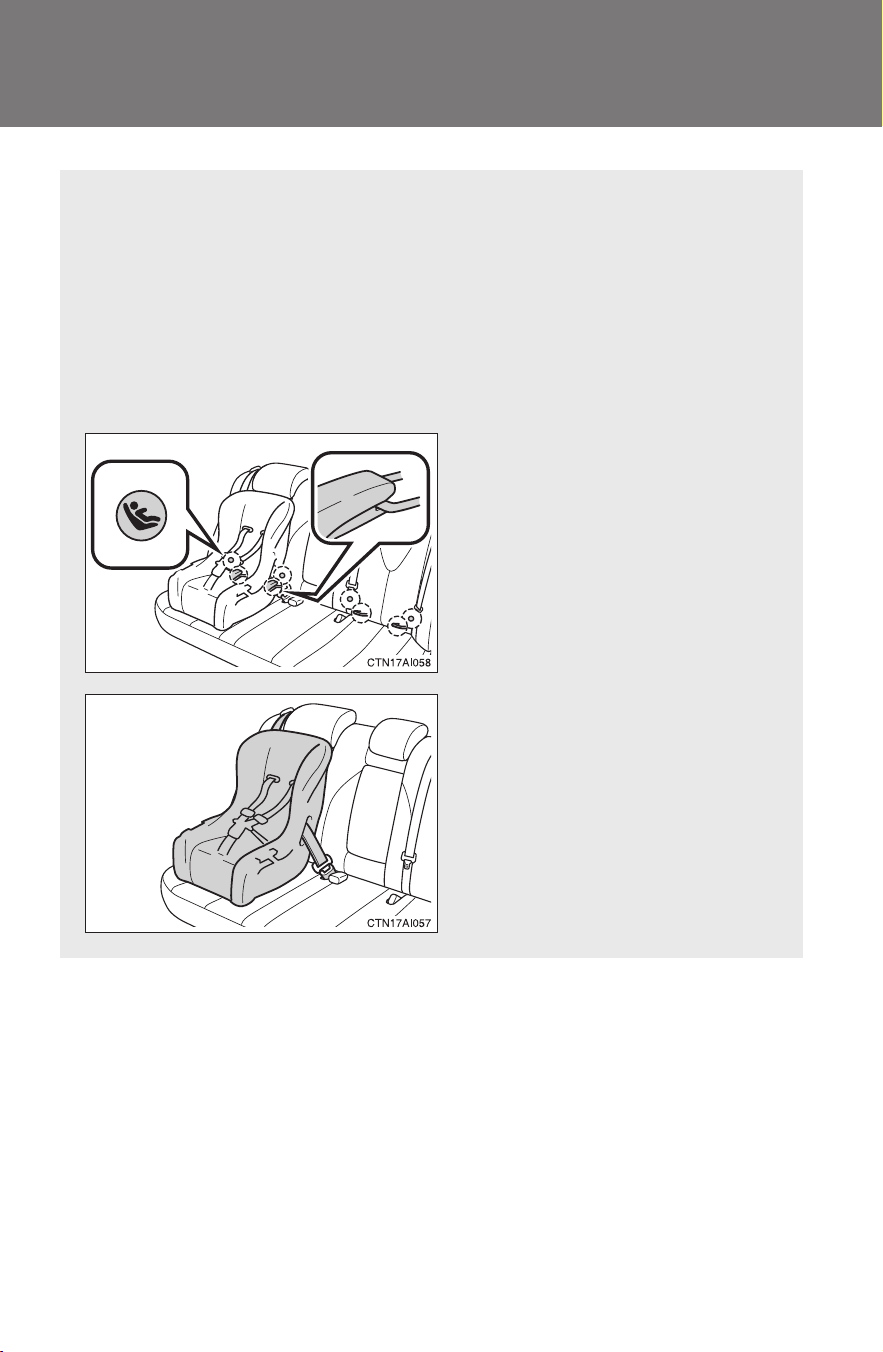
112
1-8. Safety information
CAMRY_HV_U
Installing child restraints
Follow the child restraint system manufacturer's instructions. Firmly
secure child restraints to the outside rear seats using the LATCH
anchors or a seat belt. Attach the top tether strap when installing a
child restraint.
The lap/shoulder belt can be used if your child restraint system is
not compatible with the LATCH (Lower Anchors and Tethers for Chil-
dren) system.
Child restraint LATCH anchors
LATCH anchors are provided
for the outside rear seats. (But-
tons displaying the location of
the anchors are attached to the
seats.)
Seat belts equipped with a
child restraint locking mecha-
nism (ALR/ELR belts except
driver’s seat belt) (→P. 63)
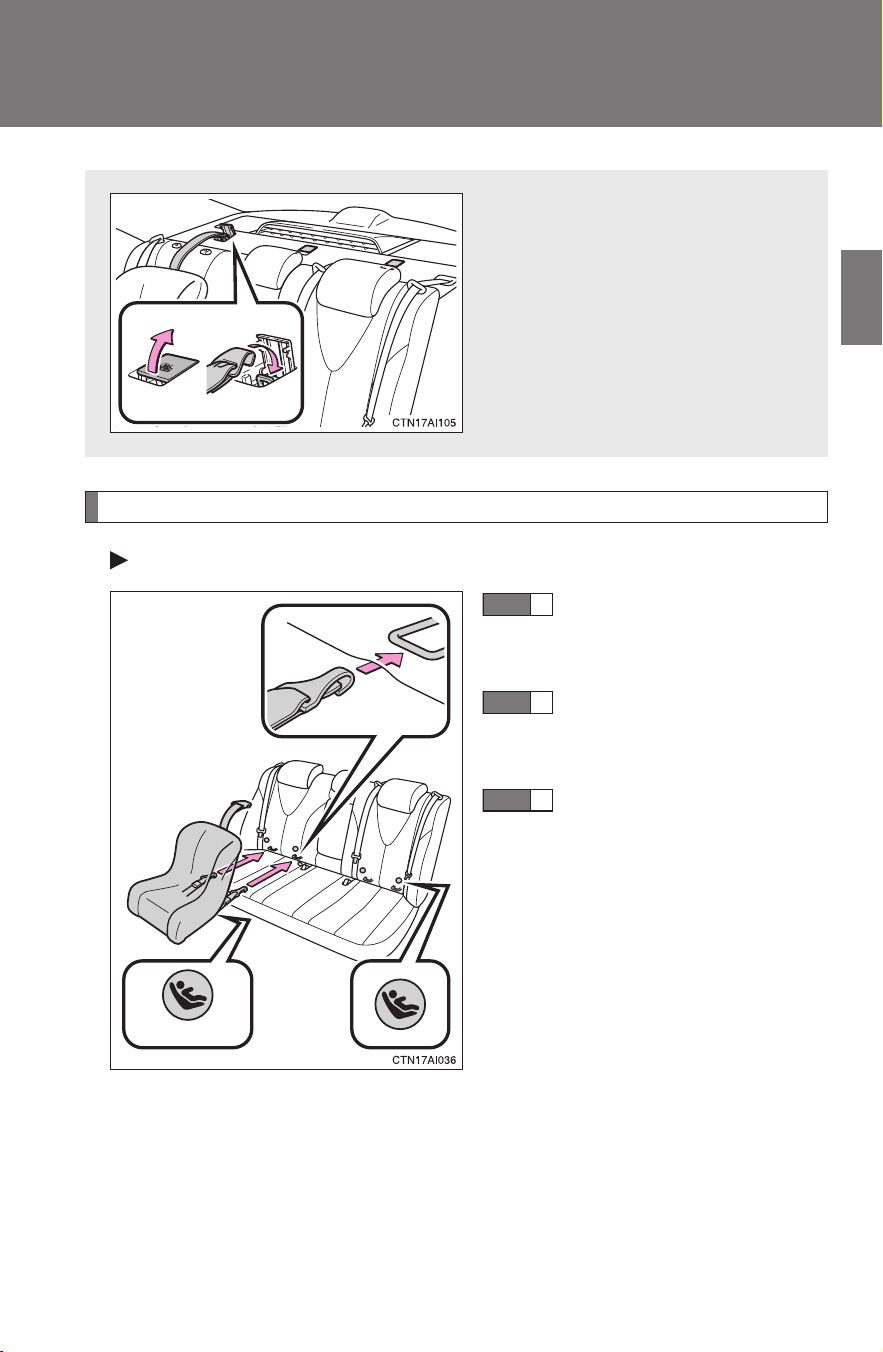
113
1-8. Safety information
1
Before driving
CAMRY_HV_U
Installation with LATCH system
Type A
Widen the gap between
the seat cushion and
seatback slightly.
Latch the hooks of the
lower straps onto the
LATCH anchors.
If the child restraint has a
top tether strap, the top
tether strap should be
latched onto the top
tether strap anchor.
For owners in Canada:
A symbol on a restraint system
indicates the presence of a lower
connector system.
Anchor bracket (for top tether
strap)
Anchor brackets are provided
for all rear seats.
Canada only
STEP
1
STEP
2
STEP
3
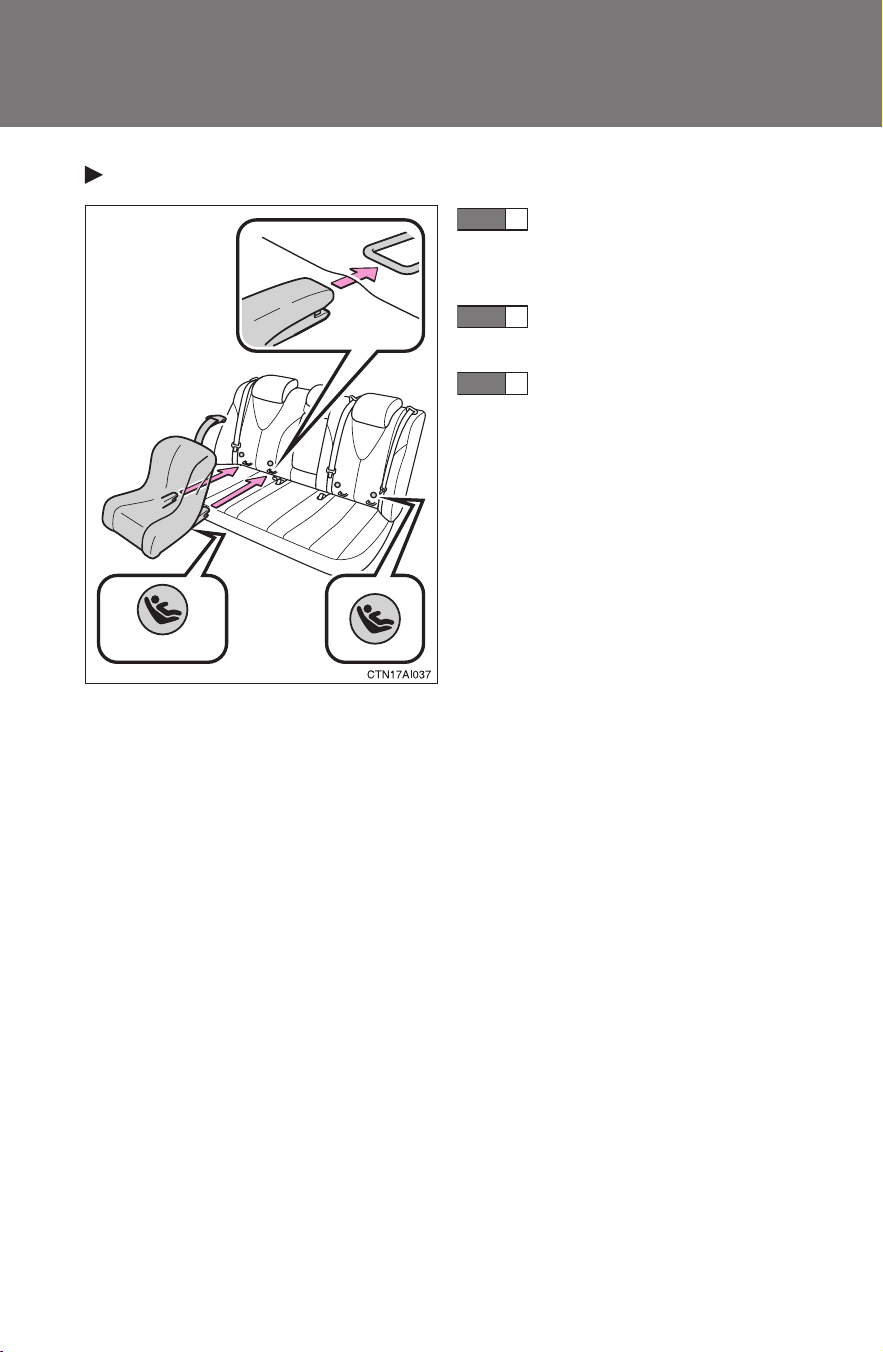
114
1-8. Safety information
CAMRY_HV_U
Type B
Widen the gap between
the seat cushion and
seatback slightly.
Latch the buckles onto
the LATCH anchors.
If the child restraint has a
top tether strap, the top
tether strap should be
latched onto the top
tether strap anchor.
For owners in Canada:
A symbol on a restraint system
indicates the presence of a lower
connector system.
Canada only
STEP
1
STEP
2
STEP
3
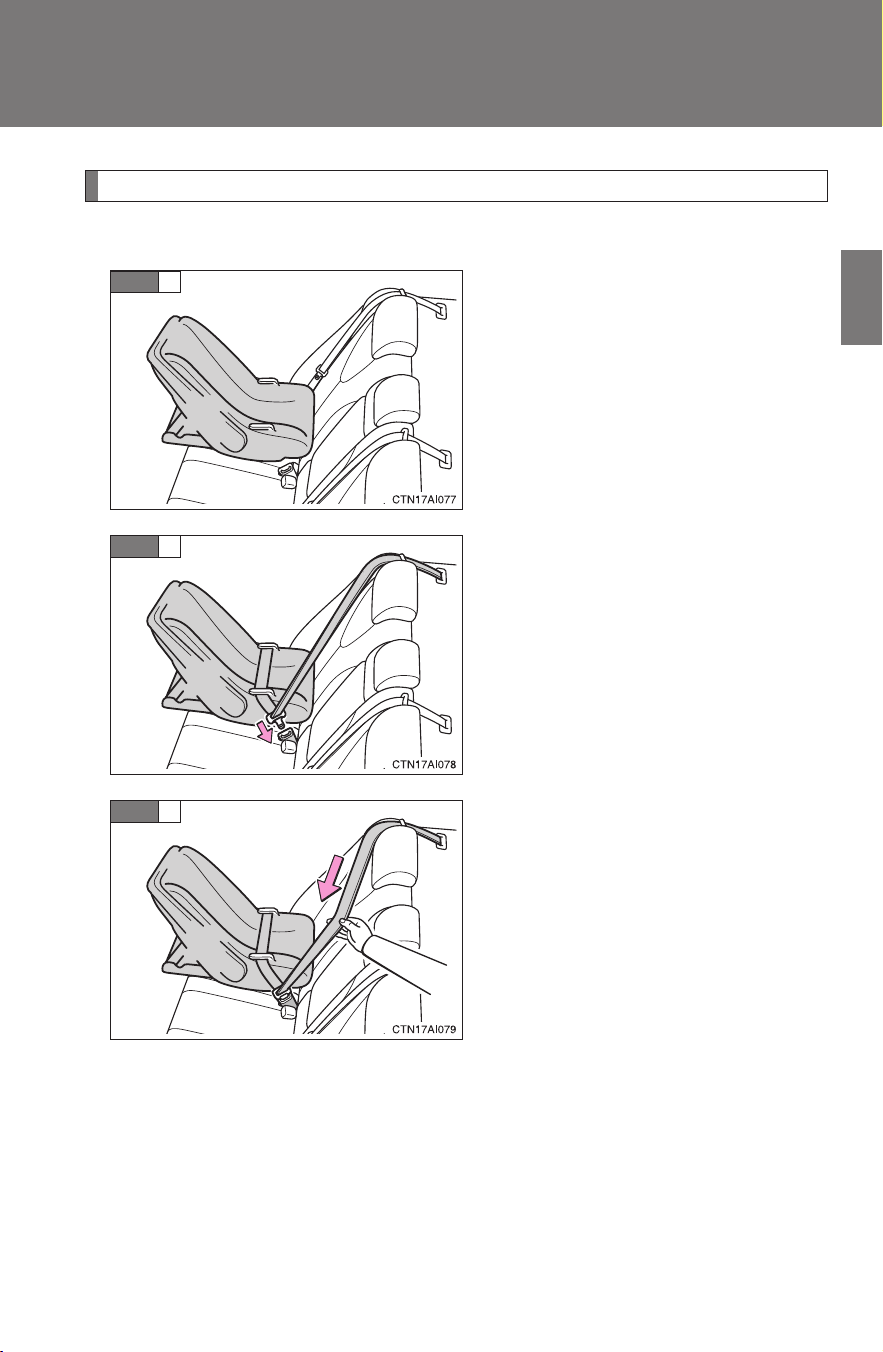
115
1-8. Safety information
1
Before driving
CAMRY_HV_U
Installing child restraints using a seat belt (child restraint lock function belt)
■ Rear facing Infant seat/convertible seat
Place the child seat on the rear
seat facing the rear of the vehi-
cle.
Run the seat belt through the
child seat and insert the plate
into the buckle. Make sure that
the belt is not twisted.
Fully extend the shoulder belt
and then allow it to retract
slightly in order to activate the
ALR lock mode.
Lock mode allows the seat belt to
retract only.
STEP
1
STEP
2
STEP
3
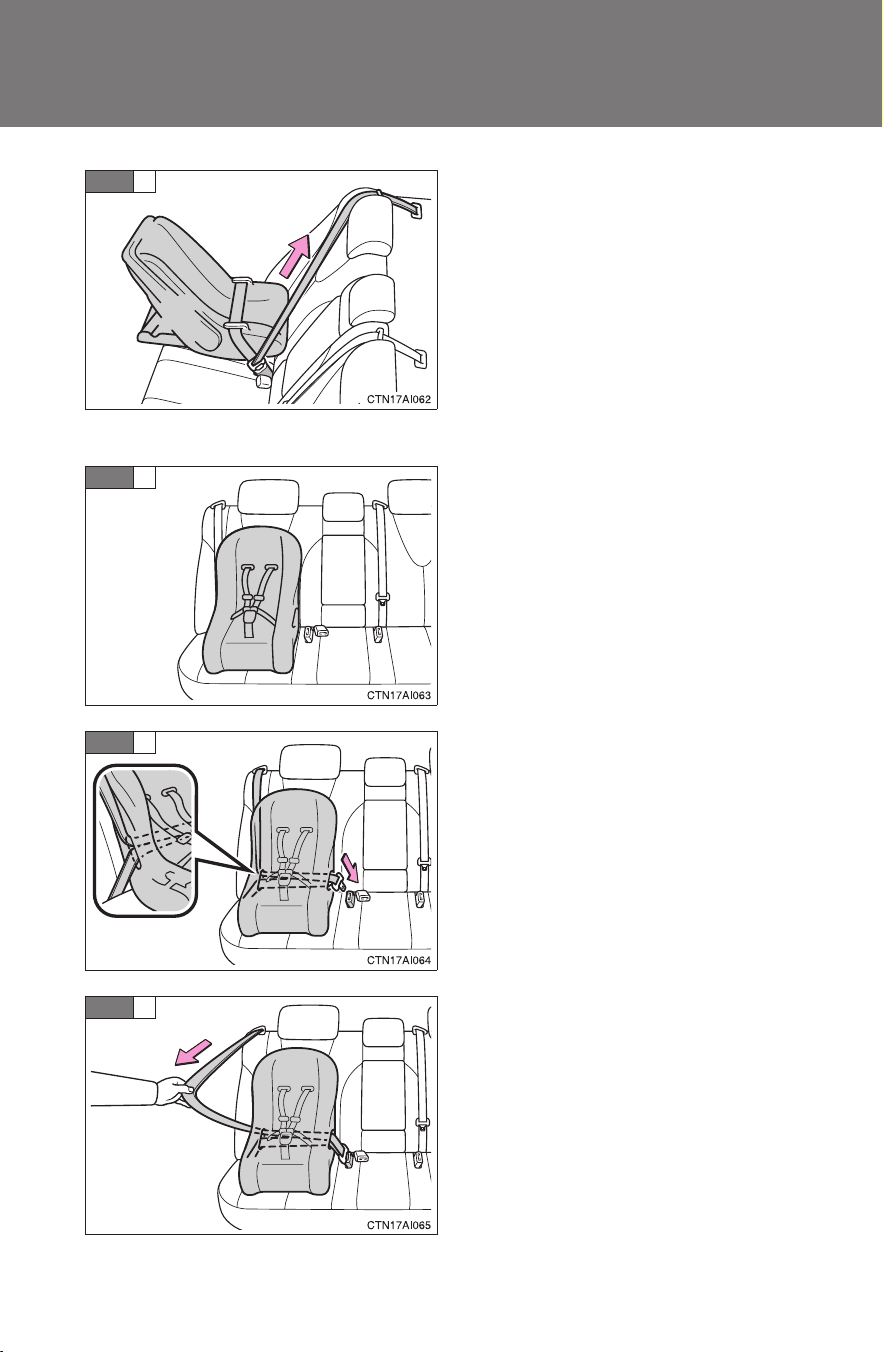
116
1-8. Safety information
CAMRY_HV_U
While pushing the child seat
down into the rear seat, allow the
shoulder belt to retract until the
child seat is securely in place.
After the shoulder belt has
retracted to a point where there is
no slack in the belt, pull the belt to
check that in cannot be extended.
■ Forward facing Convertible seat
Place the child seat on the seat
facing the front of the vehicle.
Run the seat belt through the
child seat and insert the plate
into the buckle. Make sure that
the belt is not twisted.
Fully extend the shoulder strap
and then allow it to retract
slightly into the ALR lock mode.
Lock mode allows the seat belt to
retract only.
STEP
4
STEP
1
STEP
2
STEP
3
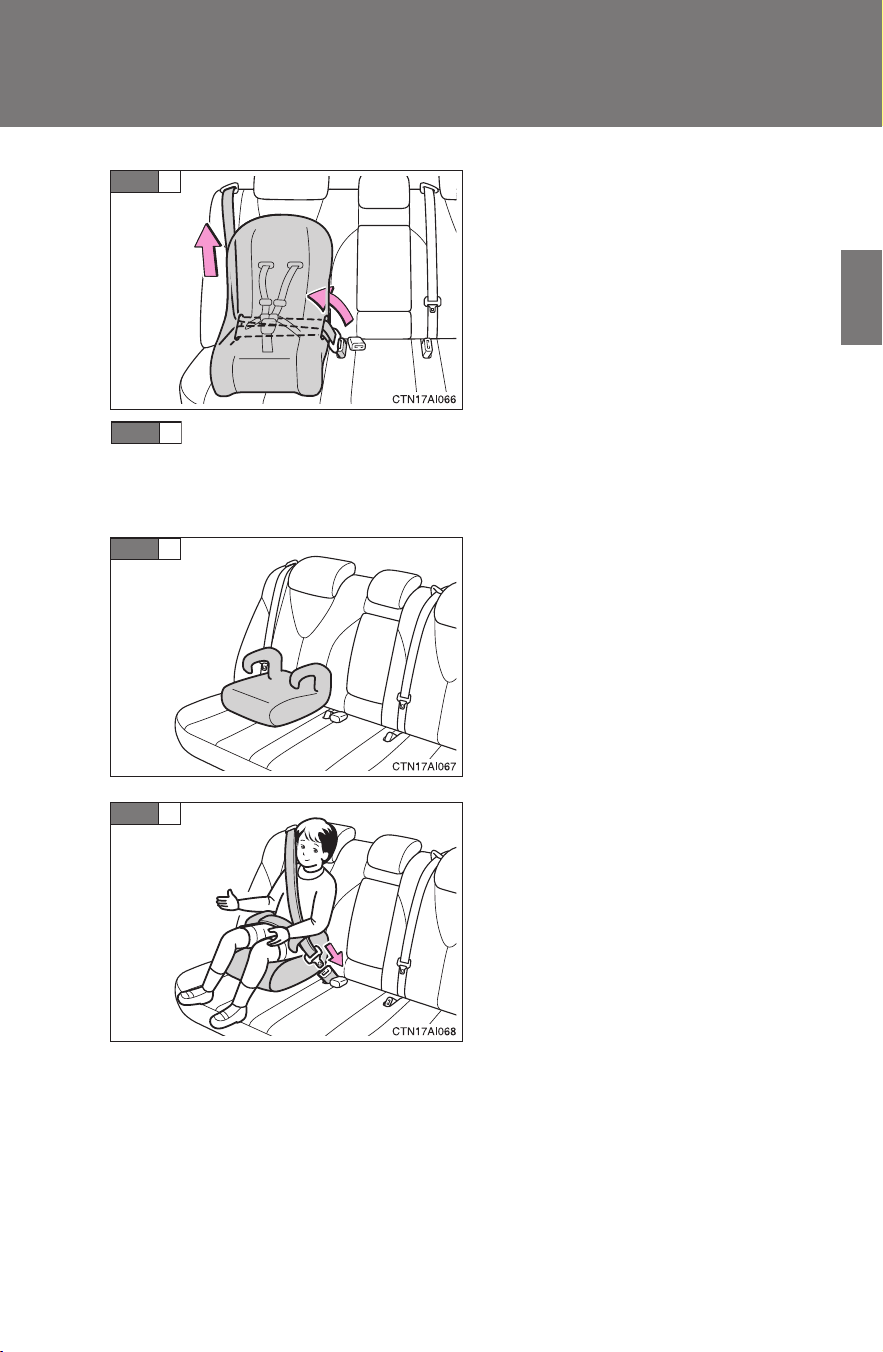
117
1-8. Safety information
1
Before driving
CAMRY_HV_U
While pushing the child seat into
the rear seat, allow the shoulder
belt to retract until the child seat
is securely in place.
After the shoulder belt has
retracted to a point where there is
no slack in the belt, pull the belt to
check that it cannot be extended.
If the child restraint has a top tether strap, the top tether strap
should be latched onto the top tether strap anchor. (→P. 11 8 )
■ Booster seat
Place the booster seat on the
seat facing the front of the vehi-
cle.
Sit the child in the booster seat.
Fit the seat belt to the booster
seat according to the manufac-
turer's instructions and insert the
plate into the buckle. Make sure
that the belt is not twisted.
Check that the shoulder belt is
correctly positioned over the
child's shoulder, and that the lap
belt is as low as possible.
(→P. 6 3 )
STEP
4
STEP
5
STEP
1
STEP
2
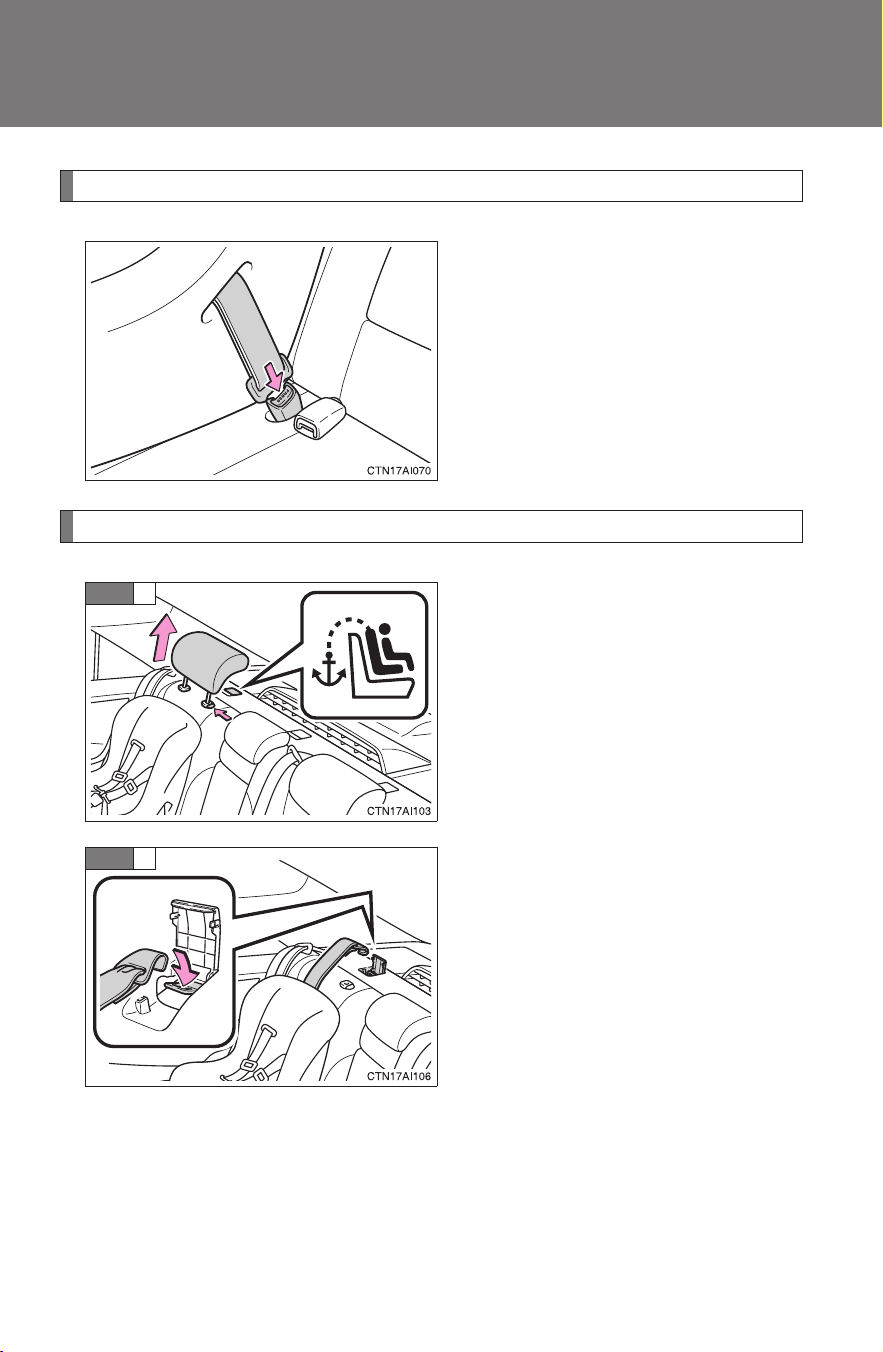
118
1-8. Safety information
CAMRY_HV_U
Removing a child restraint installed with a seat belt
Push the buckle release button
and fully retract the seat belt.
Child restraint systems with a top tether strap
Secure the child restraint using
the seat belt or LATCH anchors.
Remove the head restraint.
Open the anchor bracket cover,
latch the hook onto the anchor
bracket and tighten the top tether
strap.
Make sure the top tether strap is
securely latched.
STEP
1
STEP
2

119
1-8. Safety information
1
Before driving
CAMRY_HV_U
■ Laws and regulations pertaining to anchorages
The LATCH system conforms to FMVSS225 or CMVSS210.2.
Child restraint systems conforming to FMVSS213 or CMVSS213 specifica-
tions can be used.
This vehicle is designed to conform to the SAE J1819.
CAUTION
■ When installing a booster seat
Do not fully extend the shoulder belt to prevent the belt from going to ALR
lock mode: (→P. 66)
ALR mode causes the belt to tighten only which could cause injury or dis-
comfort to the child.
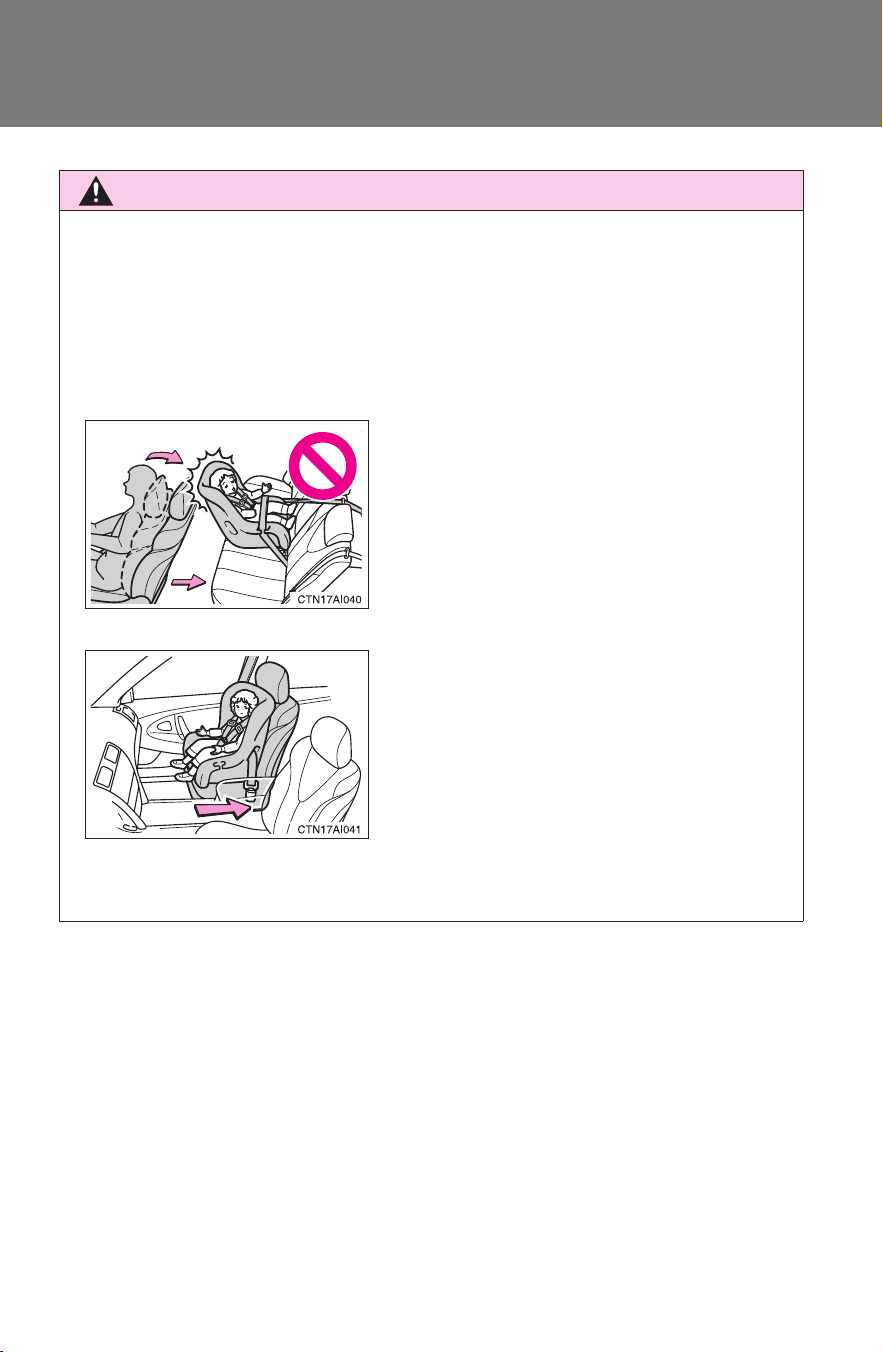
120
1-8. Safety information
CAMRY_HV_U
CAUTION
■ When installing a child restraint system
Follow the directions given in the child restraint system installation manual
and fix the child restraint system securely in place.
If the child restraint system is not correctly fixed in place, the child or other
passengers may be seriously injured or even killed in the event of sudden
braking, sudden swerving or an accident.
● If the driver's seat interferes with the
child restraint system and prevents it
from being attached correctly, attach
the child restraint system to the right-
hand rear seat.
● Adjust the front passenger seat so that
it does not interfere with the child
restraint system.
● Only put a forward-facing or booster
child seat on the front seat when
unavoidable. When installing a forward-
facing or booster child seat on the front
passenger seat, move the seat as far
back as possible even if the “AIR BAG
OFF” indicator light is illuminated. Fail-
ing to do so may result in death or seri-
ous injury if the airbags deploy (inflate).

121
1-8. Safety information
1
Before driving
CAMRY_HV_U
CAUTION
■ When installing a child restraint system
● When a booster seat is installed, always ensure that the shoulder belt is
positioned across the center of the child's shoulder. The belt should be
kept away from the child's neck, but not so that it could fall off the child's
shoulder. Failing to do so may result in death or serious injury in the event
of sudden braking, sudden swerving or an accident.
● Ensure that the belt and tab are securely locked and the seat belt is not
twisted.
● Push and pull the child seat from side to side and forward to be sure it is
secure.
● Follow all installation instructions provided by the child restraint system
manufacturer.
● When a child restraint system with a top tether strap is installed, do not
install the head restraint. The head restraint may interfere with the top
tether strap preventing secure installation of the child restraint system.
● Make sure to properly store the removed head restraint in a secure place
when you use the child restraint system on the rear seat.
■ Do not use a seat belt extender
If a seat belt extender is used when installing a child restraint system, the
seat belt will not securely hold the child restraint system, which could cause
death or serious injury to the child or other passengers in the event of sud-
den braking, sudden swerving or an accident.
■ To correctly attach a child restraint system to the anchors
When using the LATCH anchors, be sure that there are no foreign objects
around the anchors and that the seat belt is not caught behind the child
restraint system. Make sure the child restraint system is securely attached,
or it may cause death or serious injury to the child or other passengers in the
event of a sudden stop, sudden swerve or an accident.

122
1-8. Safety information
CAMRY_HV_U

When driving
2
123
CAMRY_HV_U
2-1. Driving procedures
Driving the vehicle............ 124
Power (ignition) switch ..... 135
Transmission.................... 139
Turn signal lever .............. 141
Parking brake................... 142
Horn ................................. 143
2-2. Instrument cluster
Gauges and meters ......... 144
Indicators and warning
lights .............................. 147
Multi-information
display............................ 150
2-3. Operating the lights and
wipers
Headlight switch............... 154
Fog light switch ................ 158
Windshield wipers and
washer ........................... 159
2-4. Using other driving
systems
Cruise control................... 161
Driving assist systems ..... 165
2-5. Driving information
Cargo and luggage .......... 169
Vehicle load limits ............ 172
Winter driving tips ............ 173
Trailer towing ................... 177
Dinghy towing .................. 178

124
CAMRY_HV_U
2-1. Driving procedures
Driving the vehicle
The following procedures should be observed to ensure safe driv-
ing.
■ Starting the hybrid system (→P. 135)
■ Driving
With the brake pedal depressed, shift the shift lever to D.
(→P. 139)
Release the parking brake. (→P. 142)
Gradually release the brake pedal and gently depress the
accelerator pedal to accelerate the vehicle.
■ Stopping
With the shift lever in D, depress the brake pedal.
If necessary, set the parking brake.
When the vehicle is stopped for an extended period of time, shift
the shift lever to P. (→P. 139)
■ Parking the vehicle
With the shift lever in D, depress the brake pedal.
Set the parking brake. (→P. 142)
Shift the shift lever to P. (→P. 139)
When parking on a hill, if necessary, block the wheels.
Turn the “POWER” switch OFF and stop the hybrid system.
Lock the door, making sure that you have the electronic key
on your person.
STEP
1
STEP
2
STEP
3
STEP
1
STEP
2
STEP
1
STEP
2
STEP
3
STEP
4
STEP
5

125
2-1. Driving procedures
2
When driving
CAMRY_HV_U
Starting on a steep uphill
Firmly set the parking brake and shift the shift lever to D.
Gently depress the accelerator pedal.
Release the parking brake.
■ Driving in the rain
● Drive carefully when it is raining, because visibility will be reduced, the
windows may become fogged-up, and the road will be slippery.
● Drive carefully when it starts to rain, because the road surface will be
especially slippery.
● Refrain from high speeds when driving on an expressway in the rain,
because there may be a layer of water between the tires and the road
surface, preventing the steering and brakes from operating properly.
■ Breaking in your new Toyota
To extend the life of the vehicle, the following precautions are recommended
to observe:
● For the first 186 miles (300 km):
Avoid sudden stops.
● For the first 994 miles (1600 km):
• Do not drive at extremely high speeds.
• Avoid sudden acceleration.
• Do not drive continuously in the low gears.
• Do not drive at a constant speed for extended periods.
■ Drum-in-disc type parking brake system
Your vehicle has a drum-in-disc type parking brake system. This type of
brake system needs bedding-down of the brake shoes periodically or when-
ever the parking brake shoes and/or drum are replaced. Have your Toyota
dealer perform the bedding down.
■ Operating your vehicle in a foreign country
Comply with the relevant vehicle registration laws and confirm the availability
of the correct fuel. (→P. 448)
STEP
1
STEP
2
STEP
3

126
2-1. Driving procedures
CAMRY_HV_U
■ For efficient use
● Put the shift lever into D when driving
In the N position, the gasoline engine operates but electricity cannot be
generated. The hybrid battery (traction battery) will be discharged requir-
ing unnecessary engine power to recharge.
● Drive your vehicle smoothly
Avoid abrupt acceleration and deceleration. Gradual acceleration and
deceleration will make more effective use of the electric motor (traction
motor) without having to use gasoline engine power.
● Avoid repeated acceleration
Repeated acceleration consumes hybrid battery (traction battery) power,
resulting in poor acceleration. Battery power can be restored by driving
with the accelerator pedal slightly released.
● Put the shift lever into P when parking
In the N position, the hybrid battery (traction battery) does not recharge.
Leaving the shift lever in N for an extended period of the time may dis-
charge the hybrid battery. The vehicle cannot run if the hybrid battery is
discharged.

127
2-1. Driving procedures
2
When driving
CAMRY_HV_U
■ Brake actuator
The brake actuator uses brake fluid pressurized by the pump to power-assist
the brakes. If the brake actuator fails during driving, the brake system warn-
ing light comes on and the buzzer sounds continuously. In this case, the
brakes may not work properly. If they do not work well, depress the brake
pedal firmly. If the brake system warning light comes on, immediately stop
your vehicle and contact your Toyota dealer.
In the following conditions, you may hear a sound in the engine compart-
ment. This is not a malfunction.
● The driver's door is opened with the hybrid system turned off.
● The brake pedal is depressed with the hybrid system turned off.
● After the hybrid system is turned on.
● The brake pedal is depressed repeatedly with the hybrid system turned
on.
● After the hybrid system is turned off.
The brake pedal may be hard to depress or the brake pedal stroke may be
short before turning the hybrid system on. This is not a malfunction.
■ When braking the vehicle
When applying brakes, you may hear a sound coming from the motor gener-
ator.
However, this does not indicate any trouble.

128
2-1. Driving procedures
CAMRY_HV_U
CAUTION
■ When starting the vehicle
Always keep your foot on the brake pedal while stopped with the hybrid sys-
tem operating. This prevents the vehicle from creeping.
■ When driving the vehicle
● Do not drive if you are unfamiliar with the location of the brake and accel-
erator pedals to avoid depressing the wrong pedal.
• Accidentally depressing the accelerator pedal instead of the brake
pedal will result in sudden acceleration that may lead to an accident
that could result in death or serious injury.
• When backing up, you may twist your body around, leading to a diffi-
culty in operating the pedals. Make sure to operate the pedals properly.
• Make sure to keep a correct driving posture even when moving the
vehicle only slightly, allowing you to depress the brake and accelerator
pedals properly.
• Depress the brake pedal using your right foot. Depressing the brake
pedal using your left foot may delay response in an emergency, result-
ing in an accident.
● The driver should pay attention to pedestrians when the vehicle is pow-
ered only by the electric motor (traction motor). Because there is no
engine noise, the pedestrians may misjudge the vehicle’s movement.
● Do not drive the vehicle over or stop the vehicle near flammable materials.
The exhaust system and exhaust gases can be extremely hot. This may
cause a fire if there is any flammable material nearby.
● Do not let the vehicle roll backwards while the shift lever is in a driving
position, or roll forward while the shift lever is in R.
Doing so may cause the hybrid system to stall or lead to poor brake and
steering performance, resulting in an accident or damage to the vehicle.

129
2-1. Driving procedures
2
When driving
CAMRY_HV_U
CAUTION
● If the smell of exhaust is noticed inside the vehicle, open the windows and
check that the trunk is closed. Large amounts of exhaust in the vehicle can
cause driver drowsiness and an accident, resulting in death or a serious
health hazard. Have the vehicle inspected by your Toyota dealer immedi-
ately.
● Do not under any circumstances shift the shift lever to P or R while the
vehicle is moving.
Doing so can cause significant damage to the transmission system and
may result in a loss of vehicle control.
● Do not shift the shift lever to N while the vehicle is moving.
Doing so may cause insufficient engine braking and lead to an accident.
● Do not turn the hybrid system off while driving.
The power steering and brake systems will not operate properly if the
hybrid system is off.
● Use engine braking to maintain a safe speed when driving down a steep
hill.
Using the brakes continuously may cause the brakes to overheat and lose
effectiveness. (→P. 140)
● When stopped on an inclined surface, use the brake pedal and parking
brake to prevent the vehicle from rolling backward or forward and causing
an accident.
● Do not adjust the position of the steering wheel, the seat, or the inside or
outside rear view mirrors while driving.
Doing so may result in a loss of vehicle control that can cause accidents
that may result in death or serious injury.
● Always check that all passengers' arms, heads or other parts of their bod-
ies are not outside the vehicle, as this may result in death or serious injury.
● Do not drive in excess of the speed limit. Even if the legal speed limit per-
mits it, do not drive over 85 mph (140 km/h) unless your vehicle has high-
speed capability tires. Driving over 85 mph (140 km/h) may result in tire
failure, loss of control and possible injury. Be sure to consult a tire dealer
to determine whether the tires on your vehicle are high-speed capability
tires or not before driving at such speeds.

130
2-1. Driving procedures
CAMRY_HV_U
CAUTION
■ When driving on slippery road surfaces
● Sudden braking, acceleration and steering may cause tire slippage and
reduce your ability to control the vehicle, resulting in an accident.
● Sudden changes in braking force, such as engine braking and regenera-
tive braking caused by shifting the shift lever to the B position, may cause
the vehicle to skid, resulting in an accident.
● After driving through a puddle, lightly depress the brake pedal to make
sure that the brakes are functioning properly. Wet brake pads may prevent
the brakes from functioning properly. If the brakes on only one side are wet
and not functioning properly, steering control may be affected, resulting in
an accident.
■ When shifting the shift lever
Be careful not to shift the shift lever with the accelerator pedal depressed.
This may lead to unexpected rapid acceleration of the vehicle that may
cause an accident and result in death or serious injury.
■ When the vehicle is stopped
● Do not race the engine.
If the vehicle is in any gear other than P or N the vehicle may accelerate
suddenly and unexpectedly, and may cause an accident.
● Do not leave the vehicle with the hybrid system on for a long time.
If such a situation cannot be avoided, park the vehicle in an open space
and check that exhaust fumes do not enter the vehicle interior.
● In order to prevent accidents due to the vehicle rolling away, always keep
depressing the brake pedal while the “READY” indicator is on. Apply the
parking brake as necessary.
● If the vehicle is stopped on an incline, in order to prevent accidents caused
by the vehicle rolling forward or backward, always depress the brake pedal
and securely apply the parking brake as needed.
● Avoid revving or racing the engine.
Running the engine at high speed while the vehicle is stopped may cause
the exhaust system to overheat, which could result in a fire if combustible
material is nearby.

131
2-1. Driving procedures
2
When driving
CAMRY_HV_U
CAUTION
■ When the vehicle is parked
● Do not leave glasses, cigarette lighters, spray cans, or soft drink cans in
the vehicle when it is in the sun.
Doing so may result in the following.
• Gas may leak from a cigarette lighter or spray can, and may lead to a
fire.
• The temperature inside the vehicle may cause the plastic lenses and
plastic material of eye glasses to deform or crack.
• Soft drink cans may fracture, causing the contents to spray over the
interior of the vehicle, and may also cause a short circuit in the vehi-
cle's electrical components.
● Always apply the parking brake, shift the shift lever to P, stop the hybrid
system and lock the vehicle.
Do not leave the vehicle unattended while the hybrid system is operating.
● Do not touch the exhaust pipe while the hybrid system is operating or
immediately after turning the hybrid system off.
Doing so may cause burns.
● Do not leave the hybrid system operating in an area with snow build-up, or
where it is snowing. If snowbanks build up around the vehicle while the
hybrid system is operating, exhaust gases may collect and enter the vehi-
cle. This may lead to death or a serious health hazard.
■ Exhaust gases
Exhaust gases include harmful carbon monoxide (CO) that is colorless and
odorless. Inhaling exhaust gases may lead to death or a serious health haz-
ard.
● If the vehicle is in a poorly ventilated area, stop the hybrid system. In a
closed area, such as a garage, exhaust gases may collect and enter the
vehicle. This may lead to death or a serious health hazard.
● The exhaust should be checked occasionally. If there is a hole or crack
caused by corrosion, damage to a joint or abnormal exhaust noise, be
sure to have the vehicle inspected and repaired by your Toyota dealer.
Failure to do so may allow exhaust gases to enter the vehicle, resulting in
death or a serious health hazard.

132
2-1. Driving procedures
CAMRY_HV_U
CAUTION
■ When taking a nap in the vehicle
Always turn the hybrid system off. Otherwise, you may accidentally move the
shift lever or depress the accelerator pedal, which could cause an accident
or fire due to hybrid system overheating. Additionally, if the vehicle is parked
in a poorly ventilated area, exhaust gases may collect and enter the vehicle,
leading to death or a serious health hazard.
■ When braking the vehicle
● When the brakes are wet, drive more cautiously. Braking distance
increases when the brakes are wet, and may cause one side of the vehicle
to brake differently than the other side. Also the parking brake may not
securely hold the vehicle.
● If the electronically controlled brake system does not operate, do not fol-
low other vehicles closely and avoid downhills or sharp turns that require
braking.
In this case, braking is still possible, but it will require more force on the
pedal than usual. Braking distance may also increase.
● The brake system consists of 3 individual hydraulic systems: If one of the
systems fails, the others will still operate. In this case, the brake pedal
should be depressed more firmly than usual and braking distance
becomes longer.
Do not drive your vehicle if any hydraulic circuit has failed. Have your
brakes fixed immediately.

133
2-1. Driving procedures
2
When driving
CAMRY_HV_U
NOTICE
■ When driving the vehicle
Do not use the accelerator pedal or depress the accelerator and brake ped-
als together to hold the vehicle on a hill.
■ When parking the vehicle
Always put the shift lever in P. Failure to do so may cause the vehicle to
move or the vehicle may accelerate suddenly if the accelerator pedal is acci-
dentally depressed.
■ Avoiding damage to vehicle parts
● Do not turn the steering wheel fully in either direction and hold it there for a
long time.
Doing so may damage the power steering motor.
● When driving over bumps in the road, drive as slowly as possible to avoid
damaging the wheels, underside of the vehicle, etc.
■ If you hear a squealing or scraping noise (brake pad wear limit indica-
tors)
Have the brake pads checked and replaced by your Toyota dealer as soon
as possible.
Rotor damage can result if the pads are not replaced when needed.
It is dangerous to drive the vehicle when the wear limits of the brake pads
and/or that of the brake discs are exceeded.
■ If you get a flat tire while driving
A flat or damaged tire may cause the following situations. Hold the steering
wheel firmly and gradually press the brake pedal to slow down the vehicle.
● It may be difficult to control your vehicle.
● The vehicle will make abnormal sounds.
● The vehicle will behave abnormally.
Replace a flat tire with a new one. (→P. 419)

134
2-1. Driving procedures
CAMRY_HV_U
NOTICE
■ When encountering flooded roads
Do not drive on a road that has flooded after heavy rain etc. Doing so may
cause the following serious damage to the vehicle.
● Engine stalling
● Short in electrical components
● Engine damage caused by water immersion
In the event that you drive on a flooded road and the vehicle is flooded, be
sure to have your Toyota dealer check the following.
● Brake function
● Changes in quantity and quality of oil and fluid used for the engine, hybrid
system transaxle, etc.
● Lubricant condition for the bearings and suspension joints (where possi-
ble) and the function of all joints, bearings, etc.
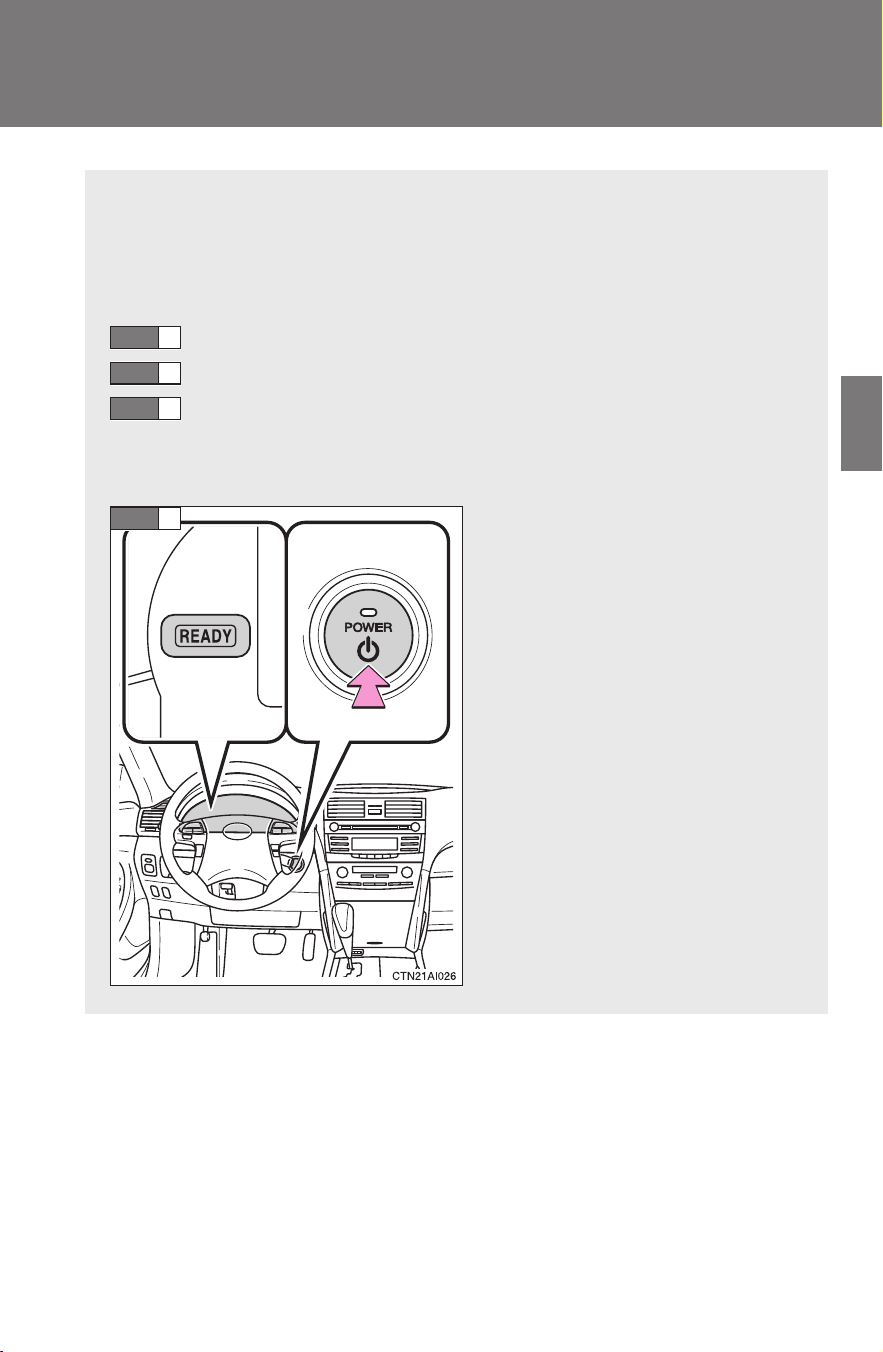
135
2-1. Driving procedures
2
When driving
CAMRY_HV_U
Power (ignition) switch
Performing the following operations when carrying the electronic
key on your person starts the hybrid system or changes “POWER”
switch modes.
■ Starting the hybrid system
Check that the parking brake is set.
Check that the shift lever is set in P.
Sit in the driver’s seat and firmly depress the brake pedal.
The “POWER” switch indicator turns green. If the indicator does
not turn green, the hybrid system cannot be started.
Press the “POWER” switch.
The hybrid system can be
started from any mode.
After a while, the “READY”
indicator comes on with a beep
sound.
The vehicle can move when
the “READY” indicator is on
even if the engine is stopped.
STEP
1
STEP
2
STEP
3
STEP
4
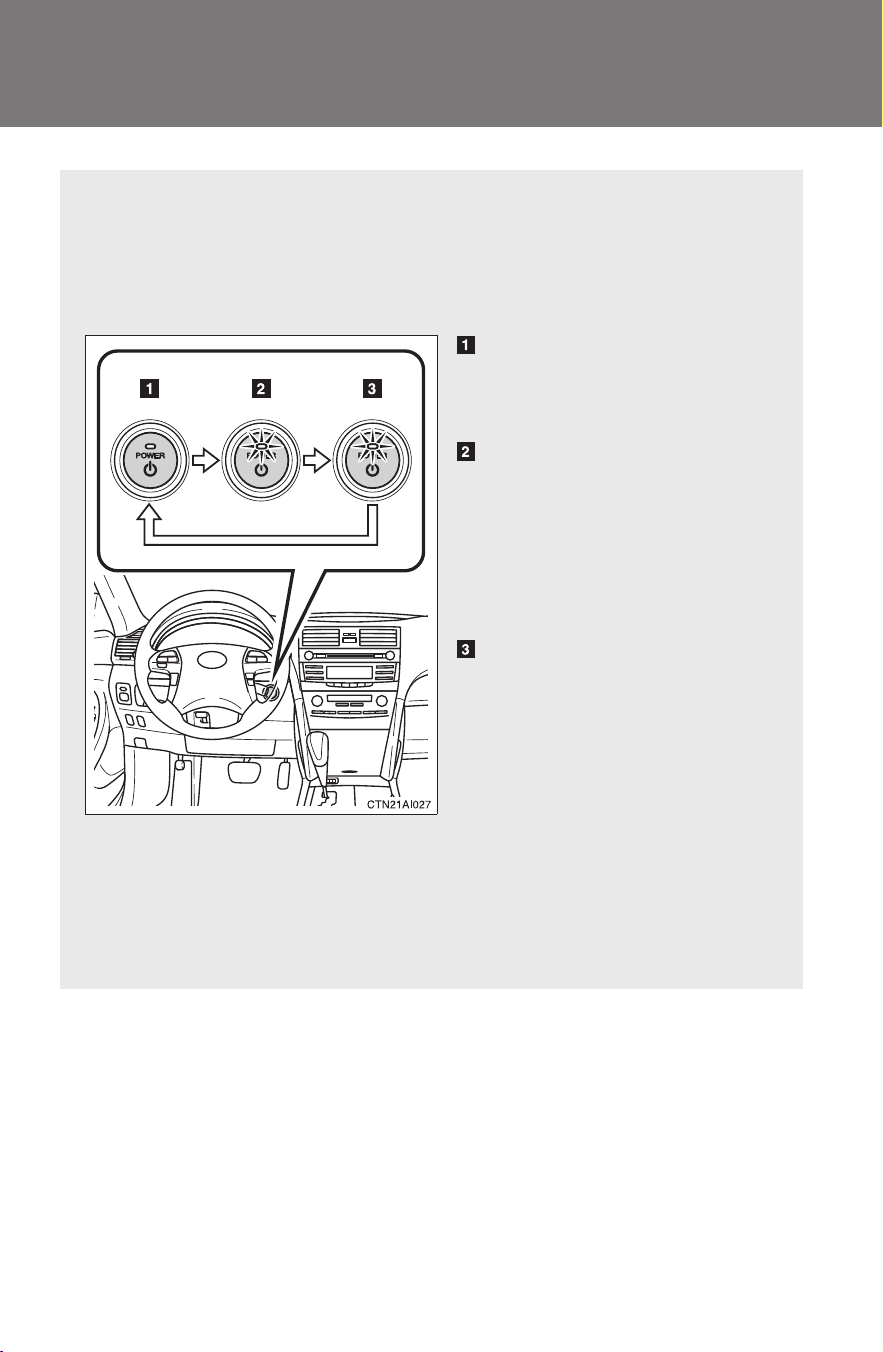
136
2-1. Driving procedures
CAMRY_HV_U
■ Changing “POWER” switch mode
Modes can be changed by pressing the “POWER” switch with
the brake pedal released. (The mode changes each time the
switch is pressed.)
OFF*
Emergency flashers can be
used.
ACCESSORY mode
Some electrical components
such as the audio system can
be used.
The “POWER” switch indicator
turns amber.
ON mode
All electrical components can
be used.
The “POWER” switch indicator
turns amber.
*: If the shift lever is in a position
other than P when turning off
the hybrid system, the
“POWER” switch will be turned
to ACCESSORY mode, not to
OFF.
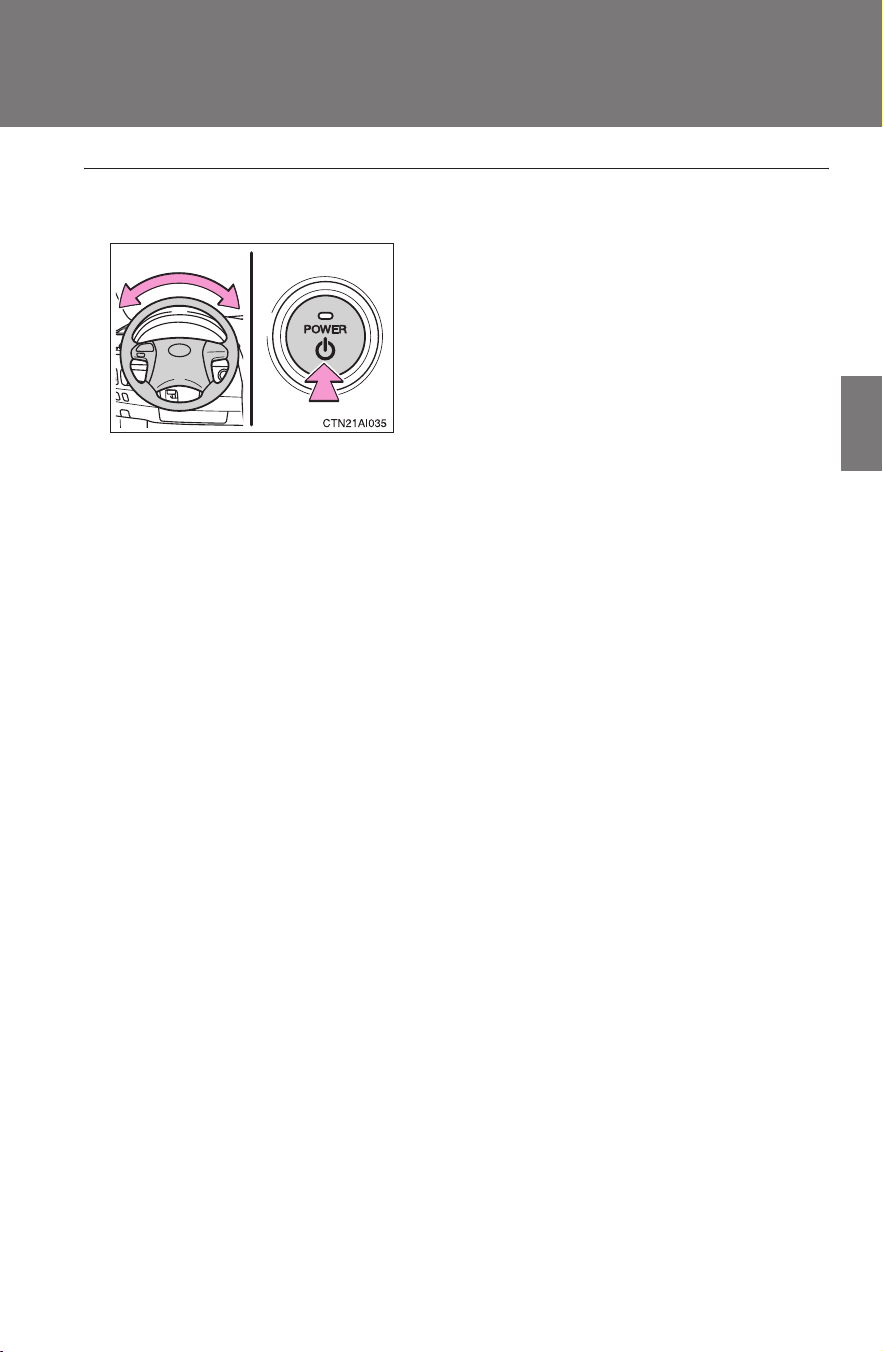
137
2-1. Driving procedures
2
When driving
CAMRY_HV_U
■ Steering lock release
■ If the hybrid system does not start
The immobilizer system may not have been deactivated. (→P. 87)
■ When the “POWER” switch indicator flashes in amber
The system may be malfunctioning. Have the vehicle inspected by your
Toyota dealer immediately.
■ If the “READY” indicator does not come on
If the “READY” indicator does not come on when you press the “POWER”
switch with the shift lever in P and the brake pedal depressed, contact your
Toyota dealer immediately.
■ Auto power off function
If the vehicle is left in ACCESSORY mode for more than an hour with the
shift lever in P, the “POWER” switch will automatically turn off.
■ When the ambient temperature is low, such as during winter driving
conditions
It may take time until the “READY” indicator comes on.
■ Sounds and vibrations specific to a hybrid vehicle
→P. 2 4
■ When the hybrid system is malfunctioning
→P. 398
■ Electronic key battery depletion
→P. 4 3
Make sure that the steering wheel lock is
released.
To release the steering wheel lock, gently
turn the wheel left or right while pressing
the “POWER” switch.
If the steering wheel lock does not
release, the “POWER” switch indicator
will flash green.

138
2-1. Driving procedures
CAMRY_HV_U
■ When the electronic key battery is discharged
→P. 370
■ Conditions affecting operation
→P. 4 1
■ Note for the smart key system
→P. 4 3
CAUTION
■ When starting the hybrid system
Always start the hybrid system while sitting in the driver's seat. Do not
depress the accelerator pedal while starting the hybrid system under any cir-
cumstances.
Doing so may cause an accident resulting in death or serious injury.
■ Stopping the hybrid system in an emergency
If you want to stop the hybrid system in an emergency while driving the vehi-
cle, push and hold the “POWER” switch for more than 3 seconds.
However, do not touch the “POWER” switch while driving except in an emer-
gency. If the hybrid system stops while the vehicle is being driven, this could
lead to an unexpected accident.
NOTICE
■ To prevent the 12-volt battery from being discharged
Do not leave the “POWER” switch in ACCESSORY or ON mode for long
periods without the hybrid system on.
■ When starting the hybrid system
● Do not race a cold engine.
● If the hybrid system becomes difficult to start, have the hybrid system
checked immediately.
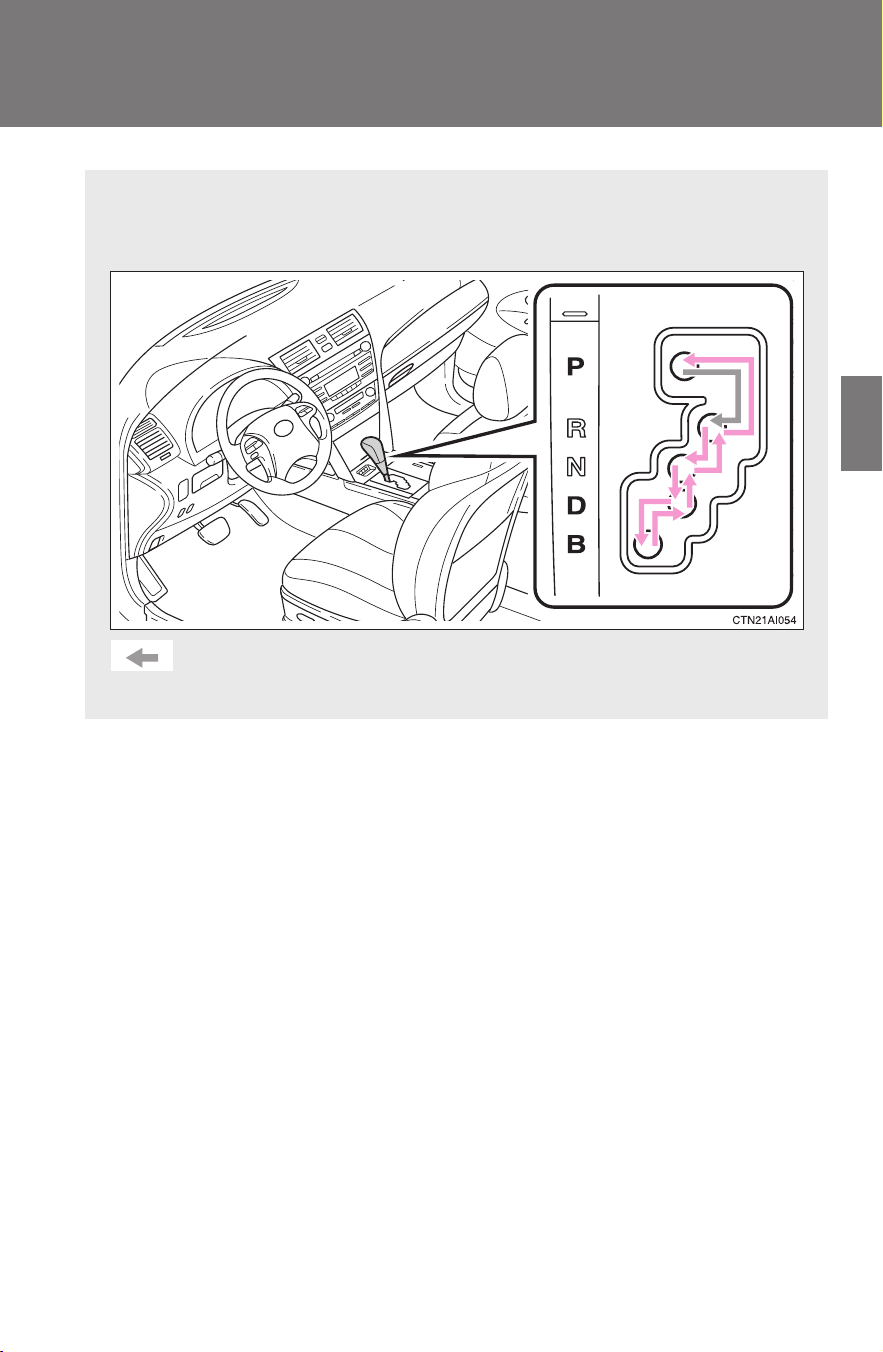
139
2-1. Driving procedures
2
When driving
CAMRY_HV_U
Transmission
Select a shift position appropriate for the driving conditions.
■ Shifting the shift lever
While the “POWER” switch is in ON mode, depress the
brake pedal and move the shift lever.

140
2-1. Driving procedures
CAMRY_HV_U
■ When in heavy traffic
If the shift lever is in N, the hybrid battery (traction battery) will not be
charged. To help prevent the battery from discharging, avoid putting the shift
lever in N for an extended period of time.
■ If the shift lever cannot be shifted from P
→P. 429
■ Shift position uses
Shift position Function
P Parking the vehicle or starting the hybrid system
R Reversing
N Neutral
D Normal driving
B Position for engine braking
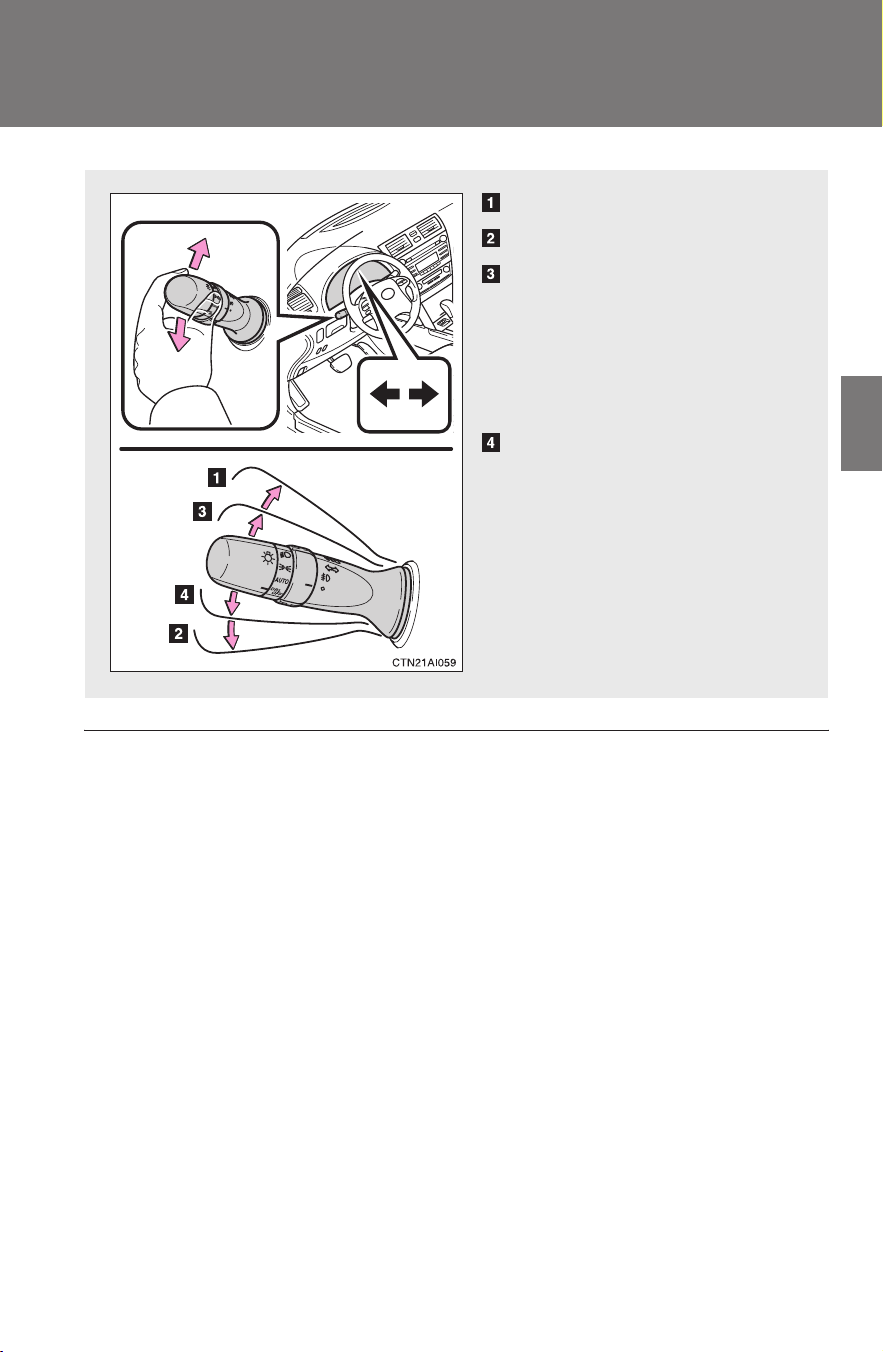
141
2-1. Driving procedures
2
When driving
CAMRY_HV_U
Turn signal lever
■ Turn signals can be operated when
The “POWER” switch is in ON mode.
■ If the indicators flash faster than usual
Check that a light bulb in the front or rear turn signal lights has not burned
out.
Right turn
Left turn
Move and hold the lever
partway to signal a lane
change.
The right hand signal will flash
until you release the lever.
Move and hold the lever
partway to signal a lane
change.
The left hand signal will flash
until you release the lever.
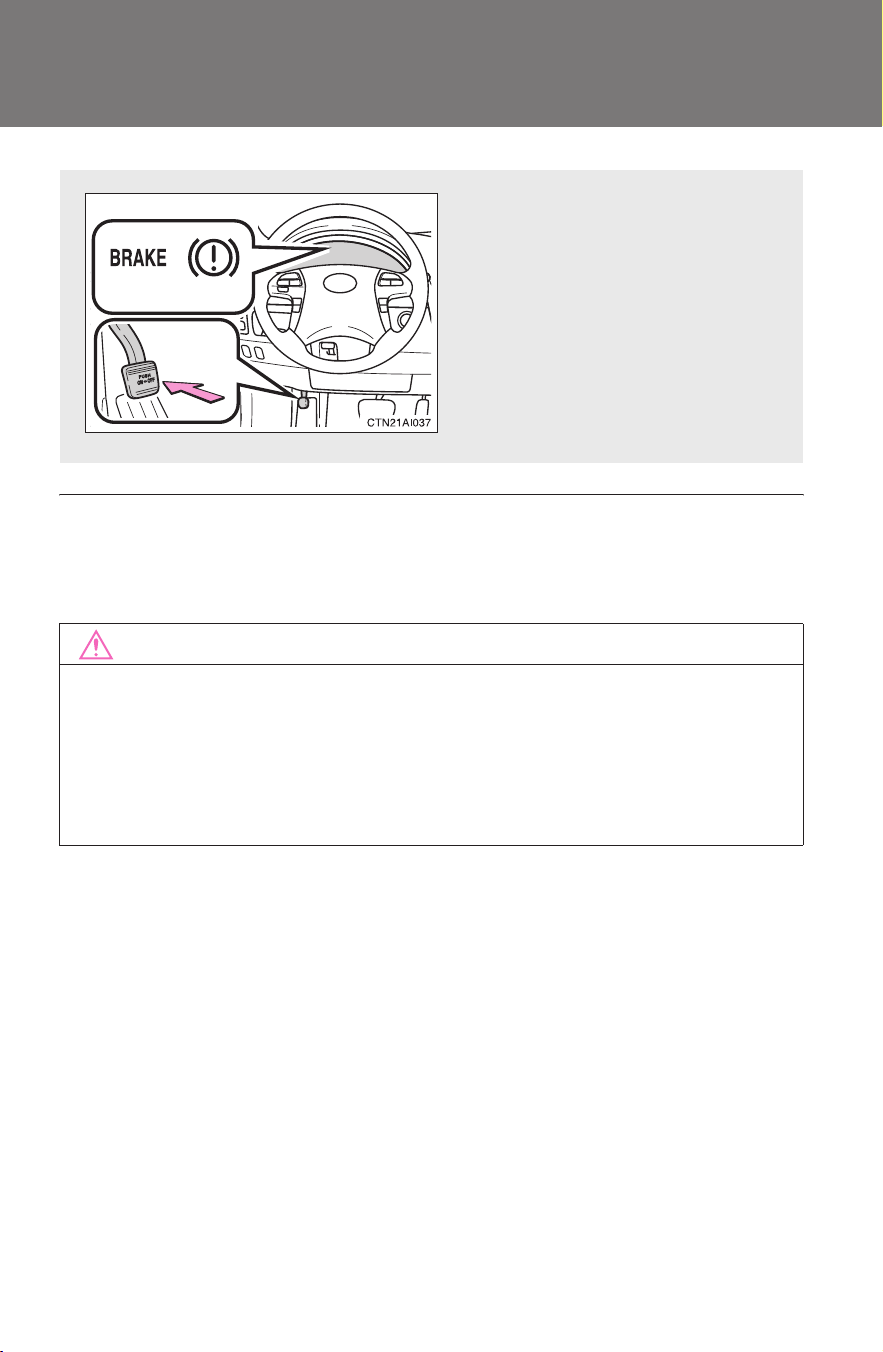
142
2-1. Driving procedures
CAMRY_HV_U
Parking brake
■ Usage in winter time
See “Winter driving tips” for parking brake usage in winter time. (→P. 173)
NOTICE
■ Before driving
Fully release the parking brake.
Driving the vehicle with the parking brake set will lead to brake components
overheating, which may affect braking performance and increase brake
wear.
Sets the parking brake*
(Depressing the pedal again
releases the parking brake.)
*: Fully depress the parking
brake pedal with your left
foot while depressing the
brake pedal with your right
foot.
U.S.A. Canada
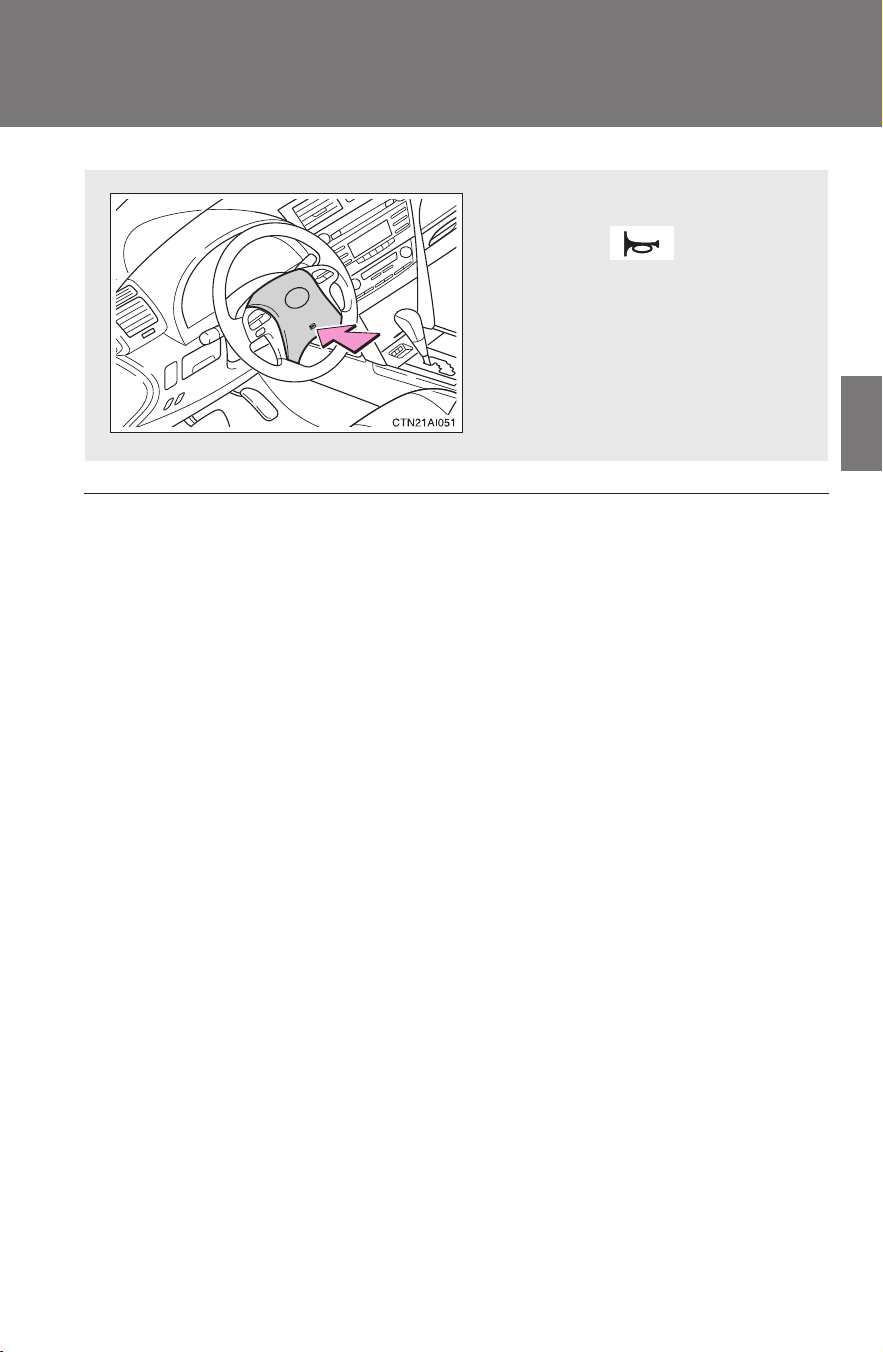
143
2-1. Driving procedures
2
When driving
CAMRY_HV_U
Horn
■ After adjusting the steering wheel
Make sure that the steering wheel is securely locked.
The horn may not sound if the steering wheel is not securely locked.
(→P. 71)
To sound the horn, press on or
close to the mark.
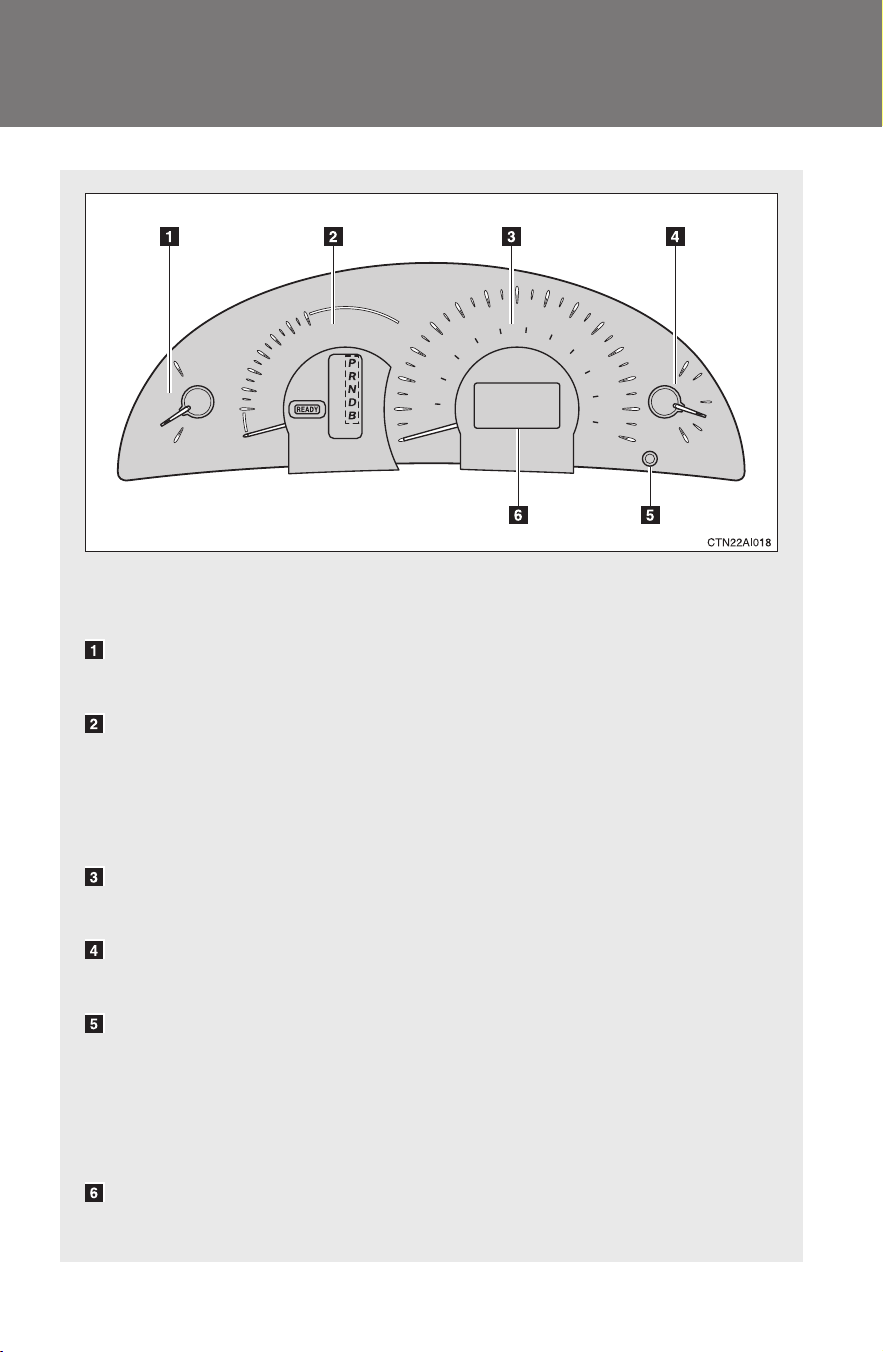
144
CAMRY_HV_U
2-2. Instrument cluster
Gauges and meters
The following gauges, meters and displays illuminate when the
“POWER” switch is in ON mode.
Engine coolant temperature gauge
Displays the engine coolant temperature.
Fuel economy meter
Displays the current fuel consumption in analog form when the hybrid
system is operating.
When only the electric motor (traction motor) powers the vehicle, the
needle indicates “E-MODE”.
Speedometer
Displays the vehicle speed.
Fuel gauge
Displays the quantity of fuel remaining in the tank.
Odometer/trip meter/instrument panel light control and trip meter
reset button
Switches between odometer and trip meter. Pushing and holding the
button when the trip meter is being displayed will reset the trip meter.
Instrument panel light control: →P. 145
Multi-information display
→P. 150
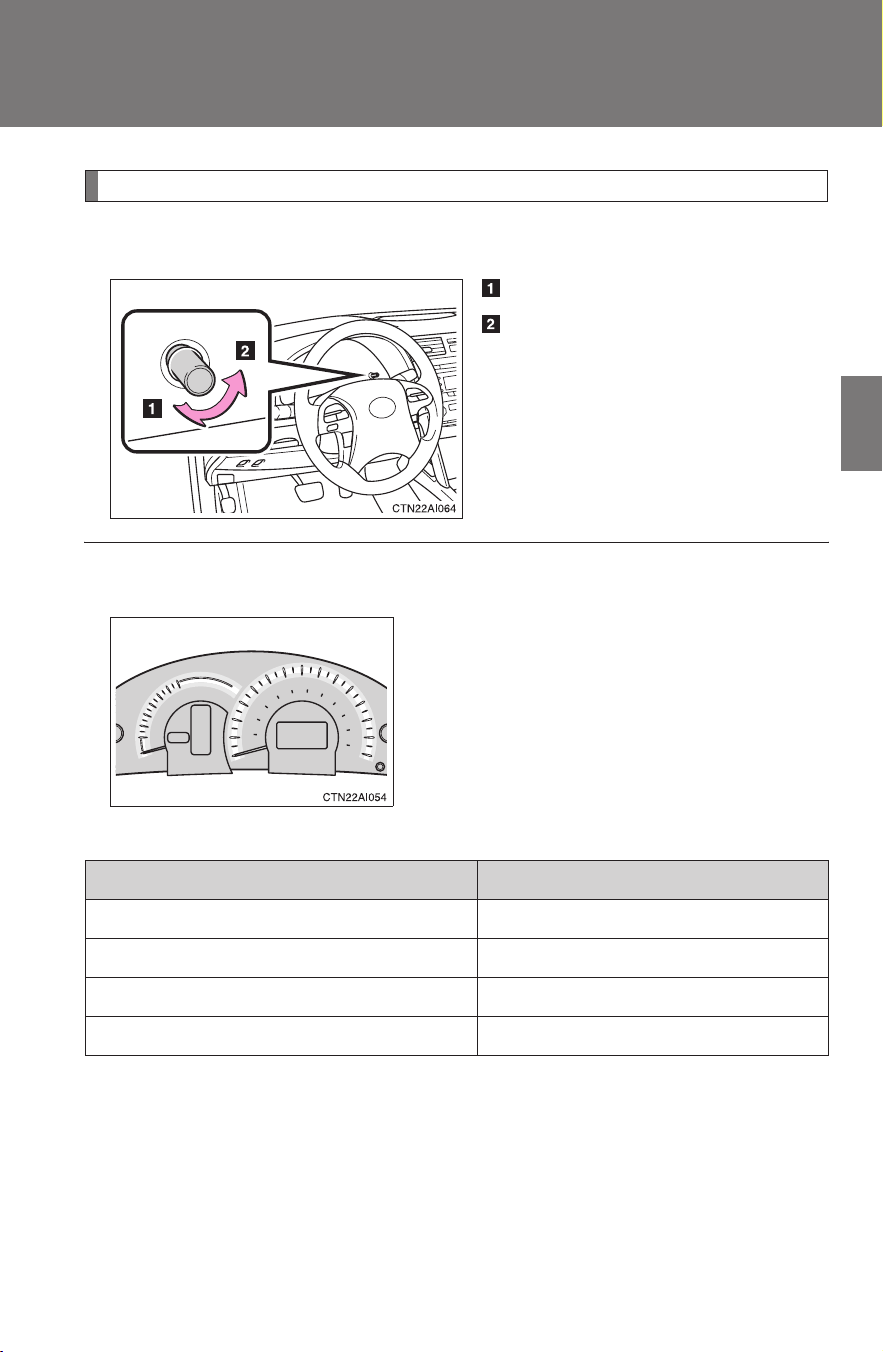
145
2-2. Instrument cluster
2
When driving
CAMRY_HV_U
Instrument panel light control
The brightness of the instrument panel lights can be adjusted.
Brighter
Darker
When the headlight switch is
turned on, the brightness will
be reduced slightly unless the
control dial is turned fully
clockwise.
■ Eco drive level
Average fuel consumption The brightness of the arcs
25 MPG or less (9.0 L/100km or more) Does not illuminate
26 to 30 MPG (8.8 to 8.0 L/100km) Illuminates weakly
31 to 35 MPG (7.8 to 7.0 L/100km) Illuminates brightly
36 MPG or more (6.8 L/100km or less) Illuminates most brightly
The brightness of the arcs around the fuel
economy meter and speedometer
change according to the eco drive level.
The higher the fuel economy, the brighter
the light becomes.
The eco drive level is also displayed on
the multi-information display. (→P. 151)

146
2-2. Instrument cluster
CAMRY_HV_U
NOTICE
■ To prevent damage to the engine and its components
The gasoline engine may be overheating if the engine coolant temperature
gauge is in the red zone (H). In this case, immediately stop the vehicle in a
safe place. Check the gasoline engine after it has cooled completely.
(
→P. 438)
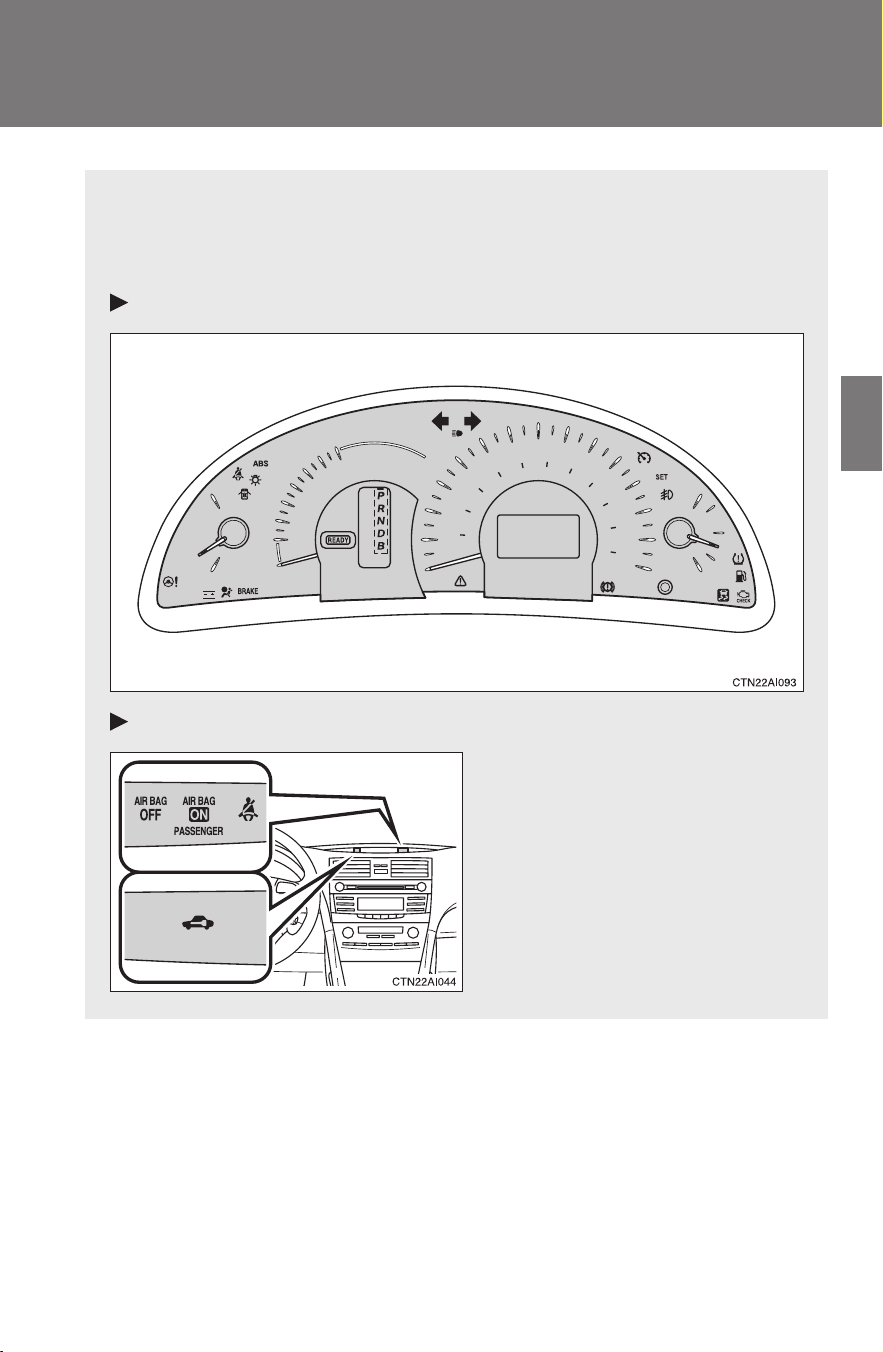
147
2-2. Instrument cluster
2
When driving
CAMRY_HV_U
Indicators and warning lights
The indicator and warning lights on the instrument cluster and cen-
ter panel inform the driver of the status of the vehicle’s various sys-
tems.
Instrument cluster
Center panel
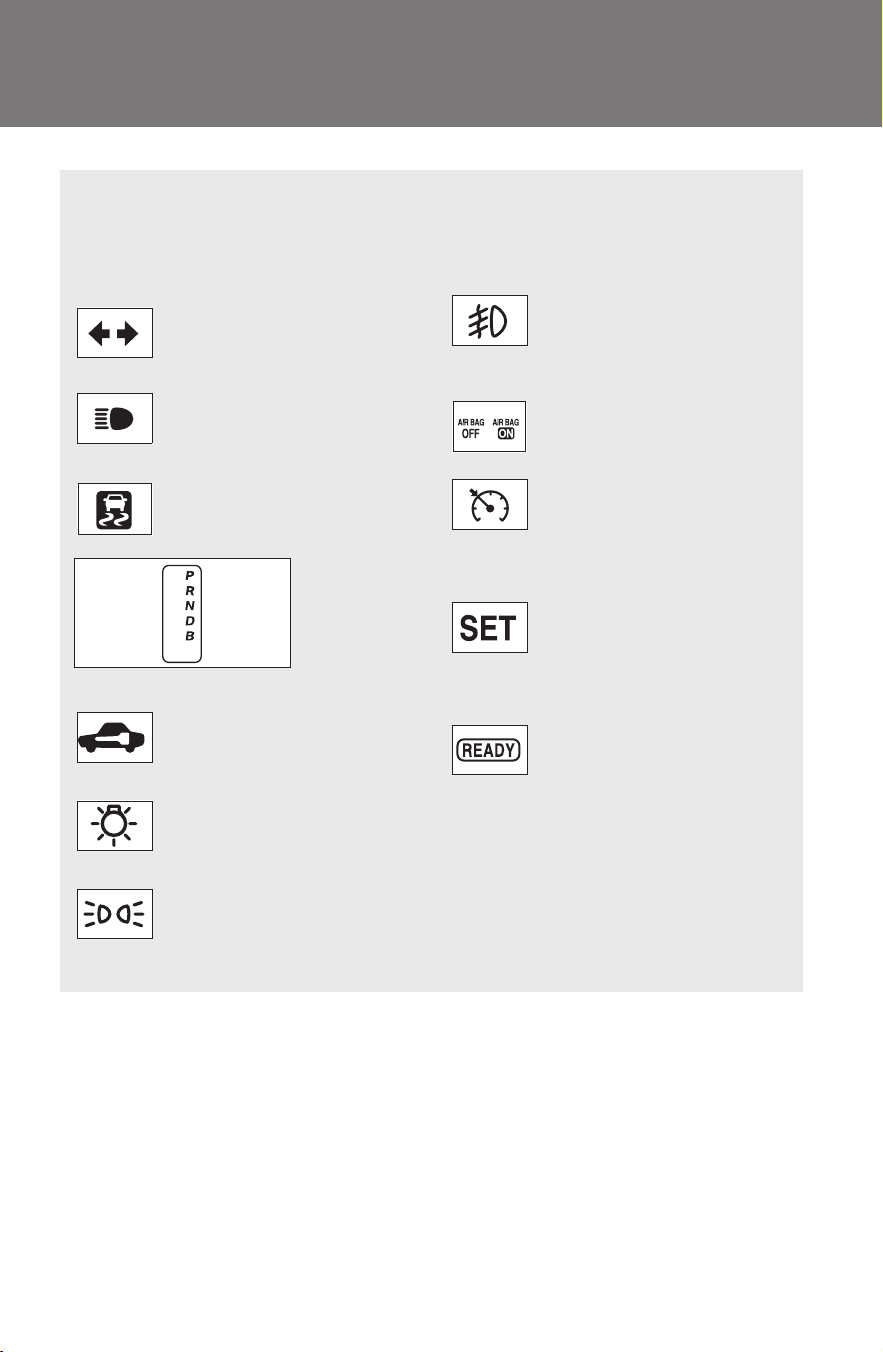
148
2-2. Instrument cluster
CAMRY_HV_U
■ Indicators
The indicators inform the driver of the operating state of the
vehicle’s various systems.
Turn signal indicator
(→P. 141)
(if equipped)
Front fog light indicator
(→P. 158)
Headlight high beam
indicator (→P. 155)
SRS airbag on-off indi-
cator (→P. 103)
Slip indicator
(→P. 166)
Cruise control indicator
(→P. 161)
Shift position indicators (→P. 139)
Cruise control set indi-
cator (→P. 161)
(if equipped)
Immobilizer indicator
(→P. 87)
Driving ready indicator
(→P. 135)
(U.S.A.)
Headlight indicator
(→P. 154)
(CANADA)
Tail light indicator
(→P. 154)
*
1
*
1
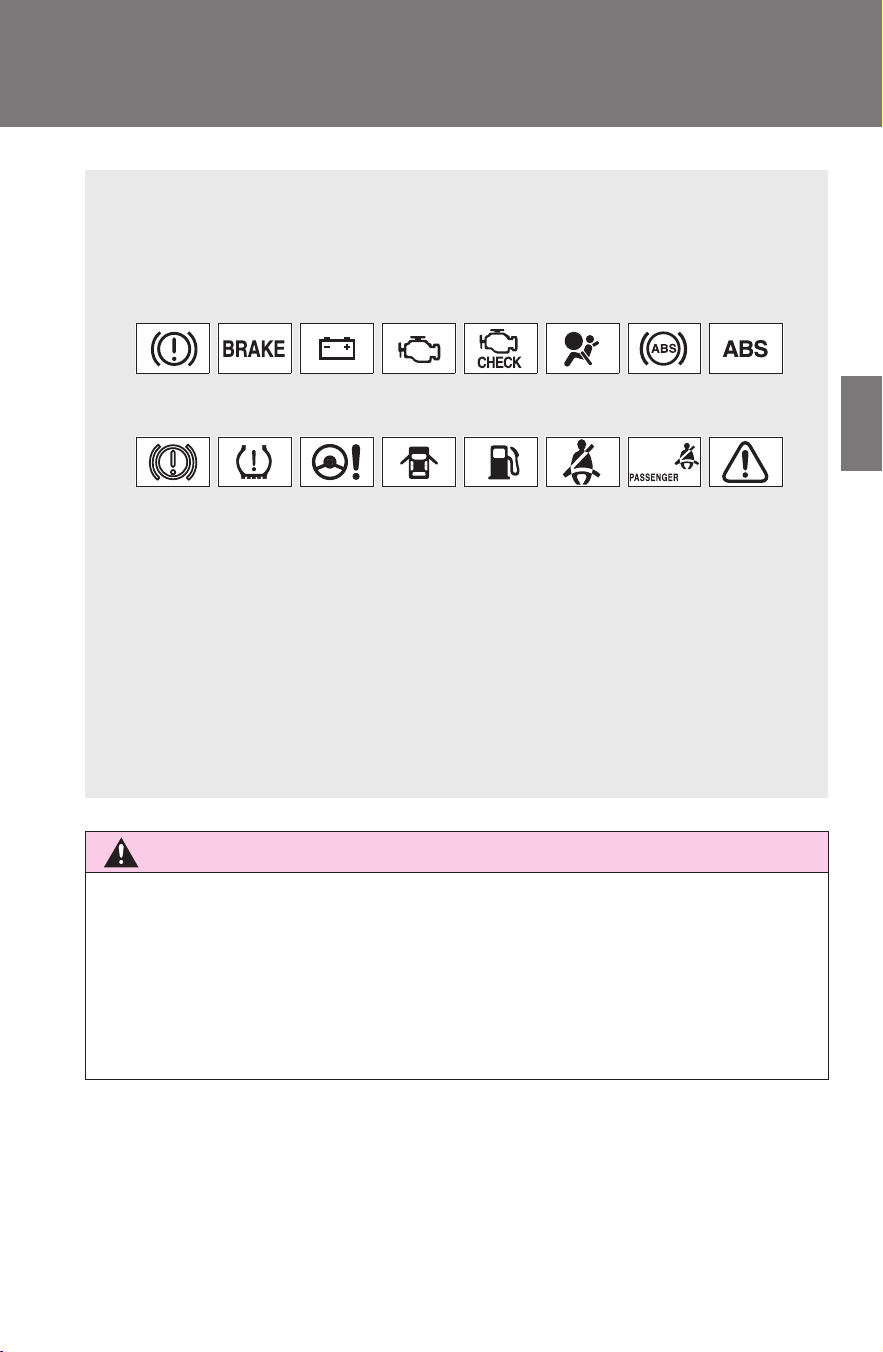
149
2-2. Instrument cluster
2
When driving
CAMRY_HV_U
CAUTION
■ If a safety system warning light does not come on
Should a safety system light such as the ABS or the SRS warning light not
come on when you start the hybrid system, this could mean that these sys-
tems are not available to help protect you in an accident, which could result
in death or serious injury. Have the vehicle inspected by your Toyota dealer
immediately if this occurs.
■ Warning lights
Warning lights inform the driver of malfunctions in any of the
vehicle’s systems. (→P. 397)
*1
: These lights turn on when the “POWER” switch is turned to ON
mode to indicate that a system check is being performed. They will
turn off after the hybrid system is started, or after a few seconds.
There may be a malfunction in a system if a light does not come on,
or if the lights do not turn off. Have the vehicle inspected by your
Toyota dealer for details.
*2
: For vehicles sold in U.S.A.
*3
: For vehicles sold in Canada
(red
indicator)
(yellow
indicator)
*
1, 3
*
1, 2
*
1
*
1, 3
*
1, 2
*
1
*
1, 3
*
1, 2
*
1
*
1, 2
*
1
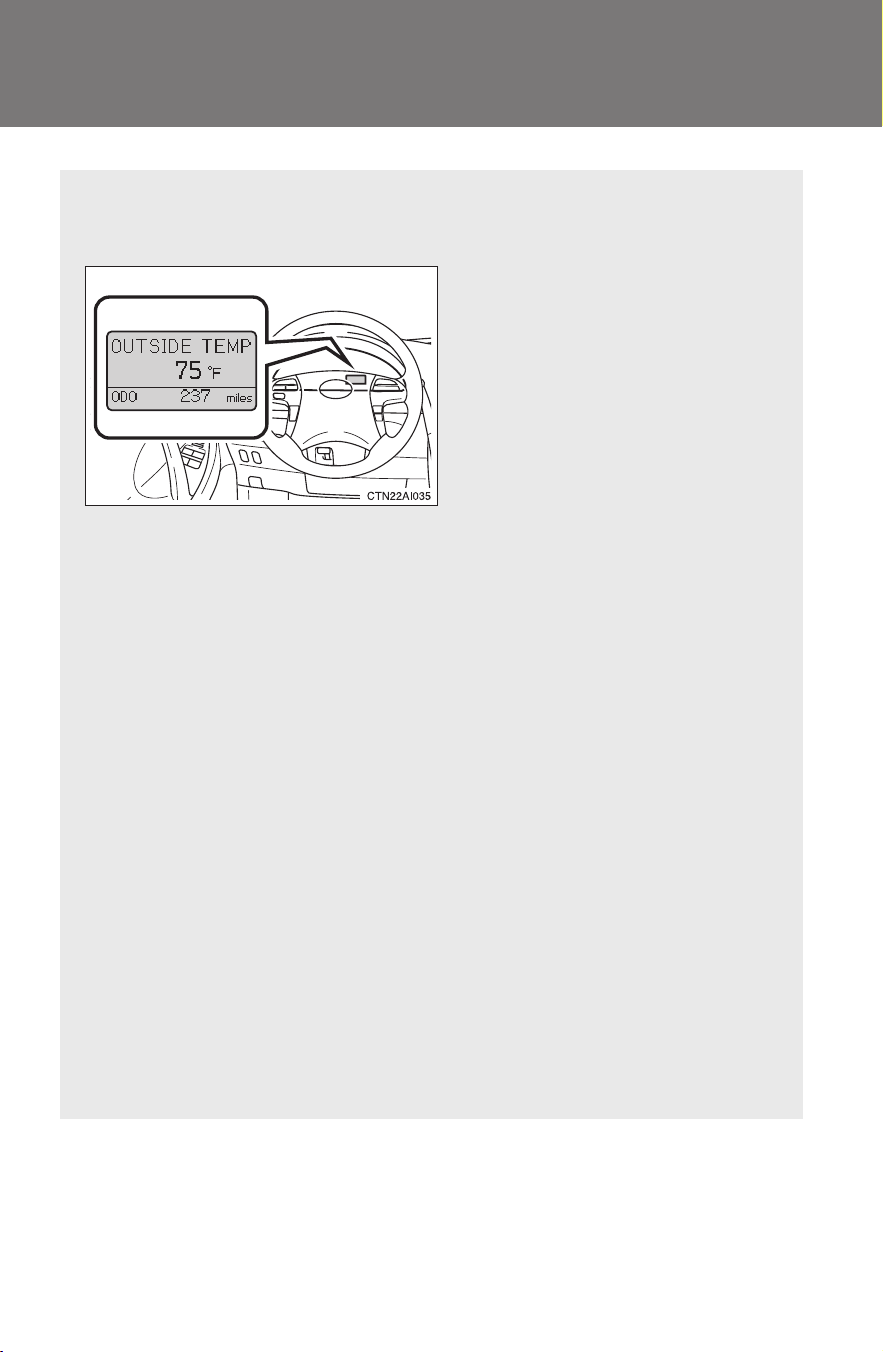
150
2-2. Instrument cluster
CAMRY_HV_U
Multi-information display
The multi-information display presents the driver with a variety of
driving-related data, including the outside temperature.
● Outside temperature dis-
play (→P. 151)
Indicates the outside tempera-
ture.
● Trip information
(→P. 151)
Displays driving range, fuel
consumption and other cruis-
ing-related information.
● Warning messages
(→P. 406)
Automatically displayed when
a malfunction occurs in one of
the vehicle’s systems.
● Odometer and trip meter
display
Odometer: Displays the total
distance the vehicle has been
driven.
Trip meter: Displays the dis-
tance the vehicle has been
driven since the meter was last
reset. Trip meters A and B can
be used to record and display
different distances indepen-
dently.
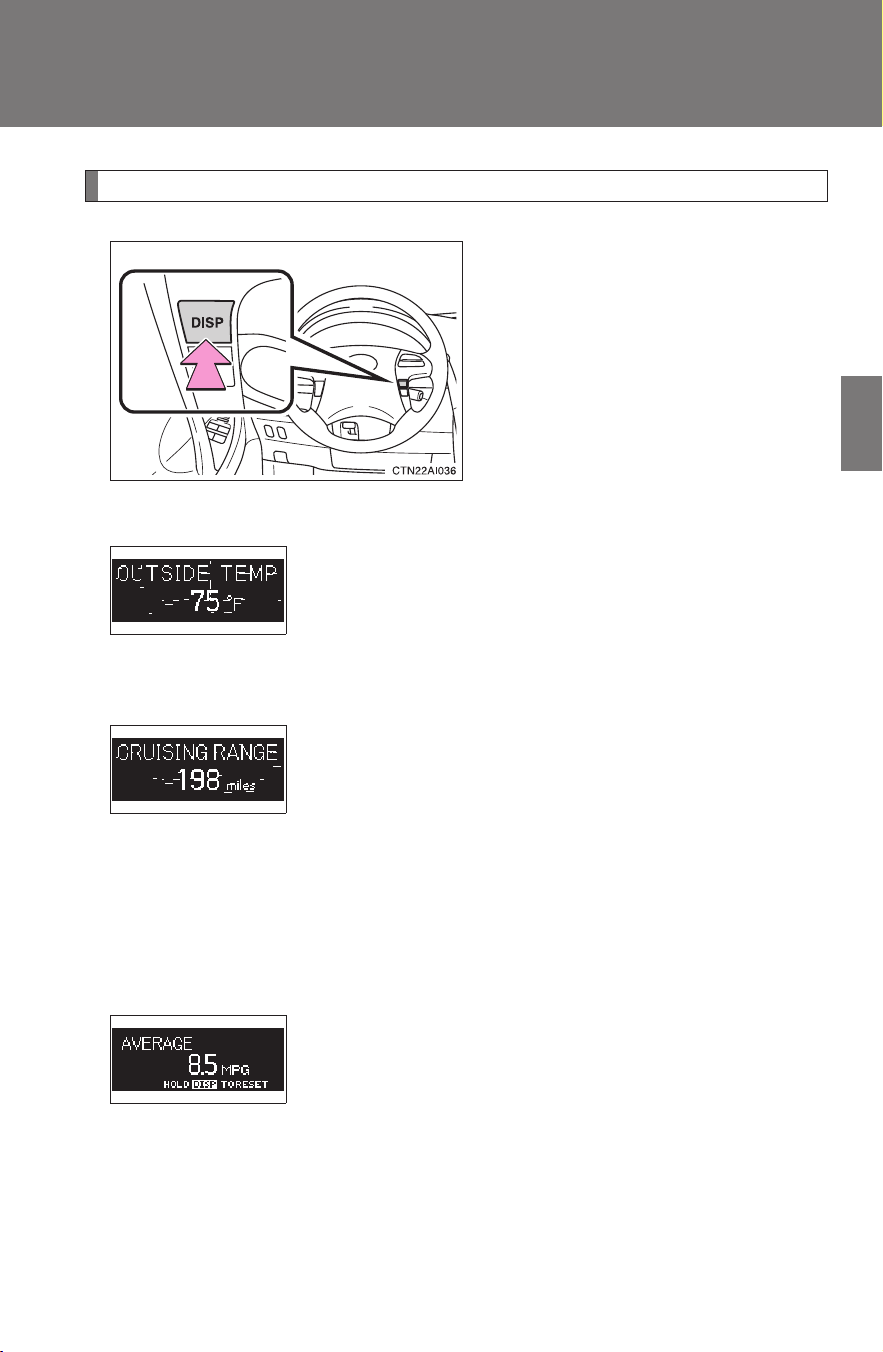
151
2-2. Instrument cluster
2
When driving
CAMRY_HV_U
Switch the display
Display items can be switched
by pressing the “DISP” button.
The display will return to the out-
side temperature display when
the “DISP” button is pressed and
held.
● Outside temperature
● Cruising range
● Average fuel consumption
Displays the outside air temperature.
The temperature range that can be displayed is from
-40°F (-40°C) to 122°F (50°C).
Displays the estimated maximum distance that
can be driven with the quantity of fuel remaining.
• This distance is computed based on your average
fuel consumption. As a result, the actual distance
that can be driven may differ from that displayed.
• When only a small amount of fuel is added to the
tank, the display may not be updated.
Displays the average fuel consumption since the
function was reset.
The function can be reset by pressing the “DISP” but-
ton for longer than one second when the average fuel
consumption is displayed.
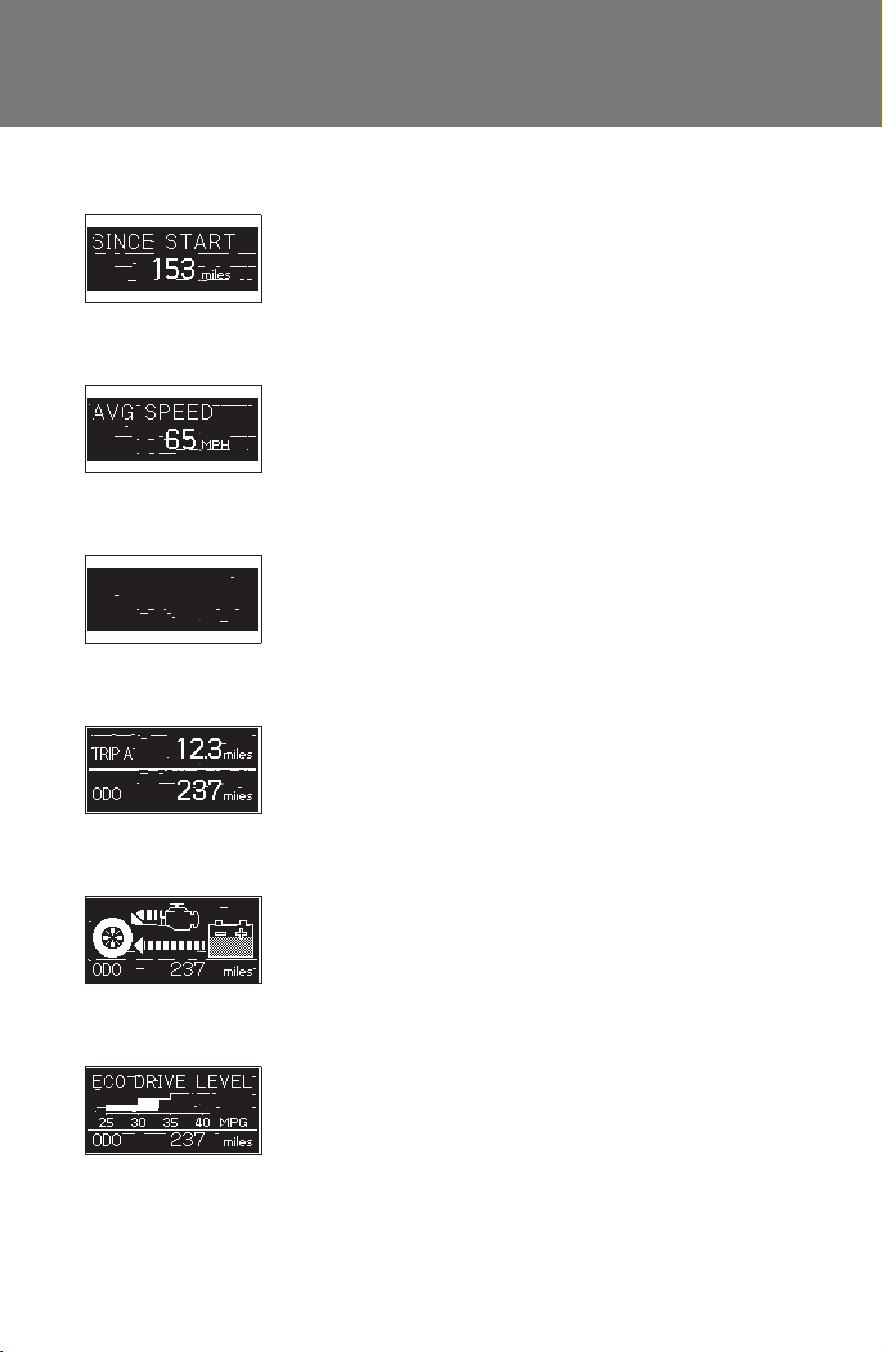
152
2-2. Instrument cluster
CAMRY_HV_U
● Driving distance
● Average vehicle speed
● Cruise information off
● Zoom display of odometer and trip meter
● Energy monitor
● Eco drive level
Displays the driving distance since the hybrid sys-
tem was started.
Displays the average vehicle speed since the
hybrid system was started.
Displays the odometer and trip meters only.
Displays the odometer and one of the trip meters
simultaneously.
Displays the operating condition of the hybrid sys-
tem. (→P. 2 7 )
Displays the eco drive level and the average fuel
consumption since the hybrid system was started.
When the eco drive level increases, the eco drive
level display may appear on the display, even if other
information is currently being shown. This does not
indicate a malfunction.

153
2-2. Instrument cluster
2
When driving
CAMRY_HV_U
■ Outside temperature display
In the following situations, the correct outside temperature may not be dis-
played, or the display may take longer than normal to change.
● When stopped, or driving at low speeds (less than 12 mph [20 km/h])
● When the outside temperature has changed suddenly (at the entrance/
exit of a garage, tunnel, etc.)
NOTICE
■ The multi-information display at low temperatures
Allow the interior of the vehicle to warm up before using the liquid crystal
information display. At extremely low temperatures, the information display
monitor may respond slowly, and display changes may be delayed.
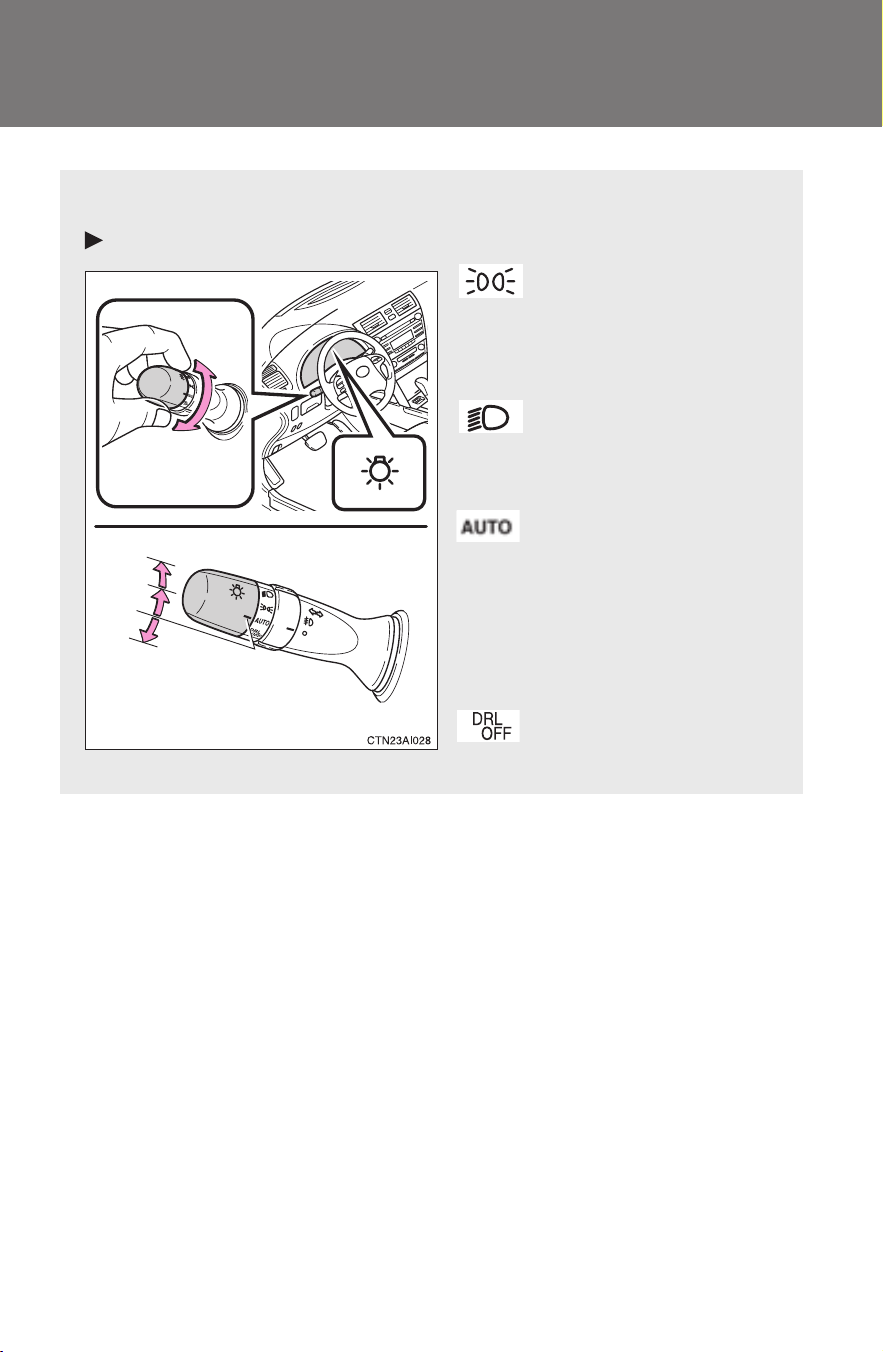
154
CAMRY_HV_U
2-3. Operating the lights and wipers
Headlight switch
The headlights can be operated manually or automatically.
For U.S.A.
The side marker, park-
ing, tail, license plate
and instrument panel
lights turn on.
The headlights and all
lights listed above turn
on.
The headlights and
parking lights turn on
and off automatically.
(When the “POWER”
switch is turned to ON
mode)
Daytime running light
system is off.
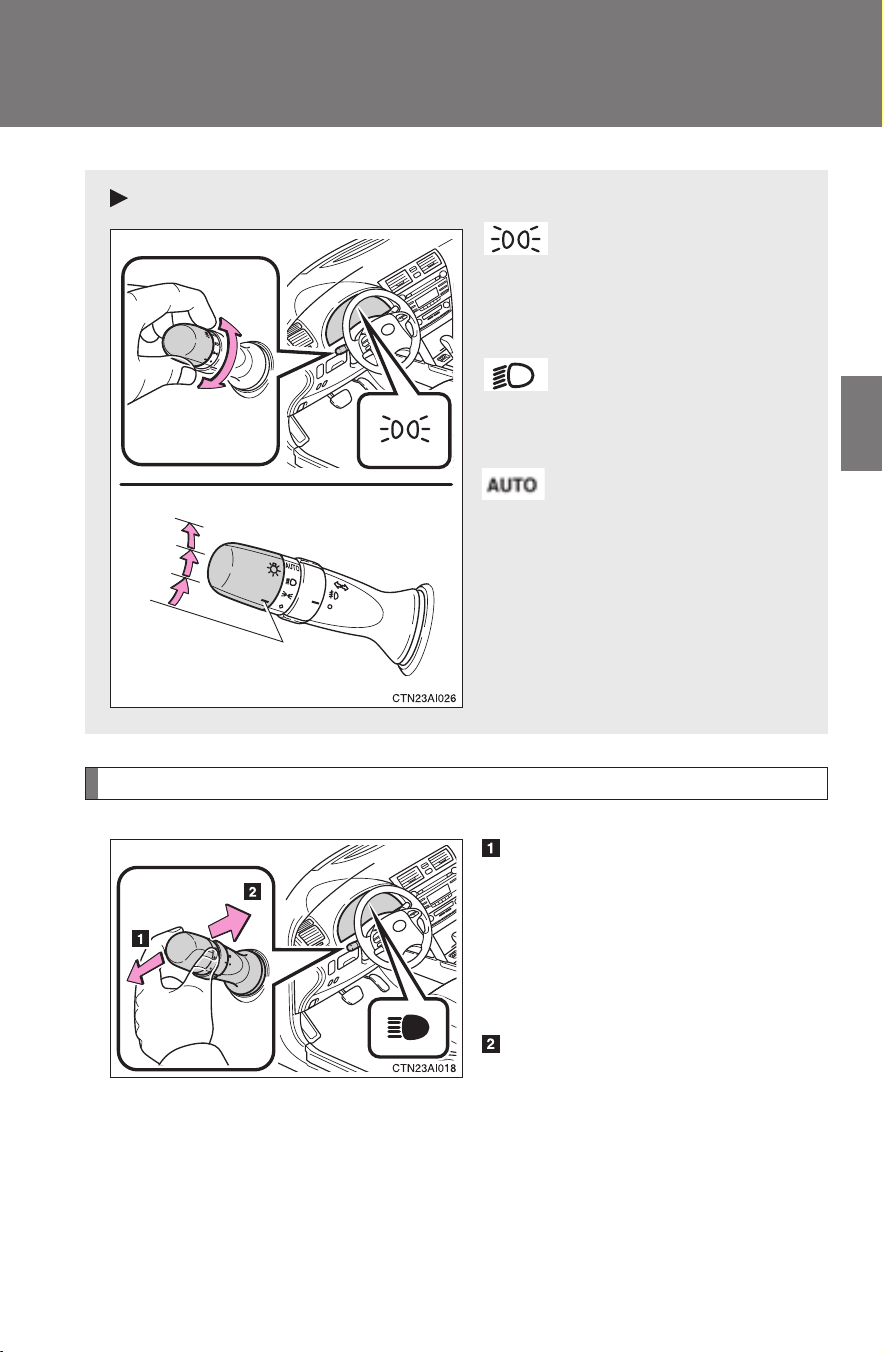
155
2-3. Operating the lights and wipers
2
When driving
CAMRY_HV_U
Turning on the high beam headlights
With the headlights on, push
the lever forward to turn on the
high beams.
Pull the lever back to the center
position to turn the high beams
off.
Pull the lever toward you to
turn on the high beams.
Release the lever to turn them off.
You can flash the high beams
with the headlights on or off.
For Canada
The side marker, park-
ing, tail, license plate
and instrument panel
lights turn on.
The headlights and all
lights listed above turn
on.
The headlights and
parking lights turn on
and off automatically.
(When the “POWER”
switch is turned to ON
mode)
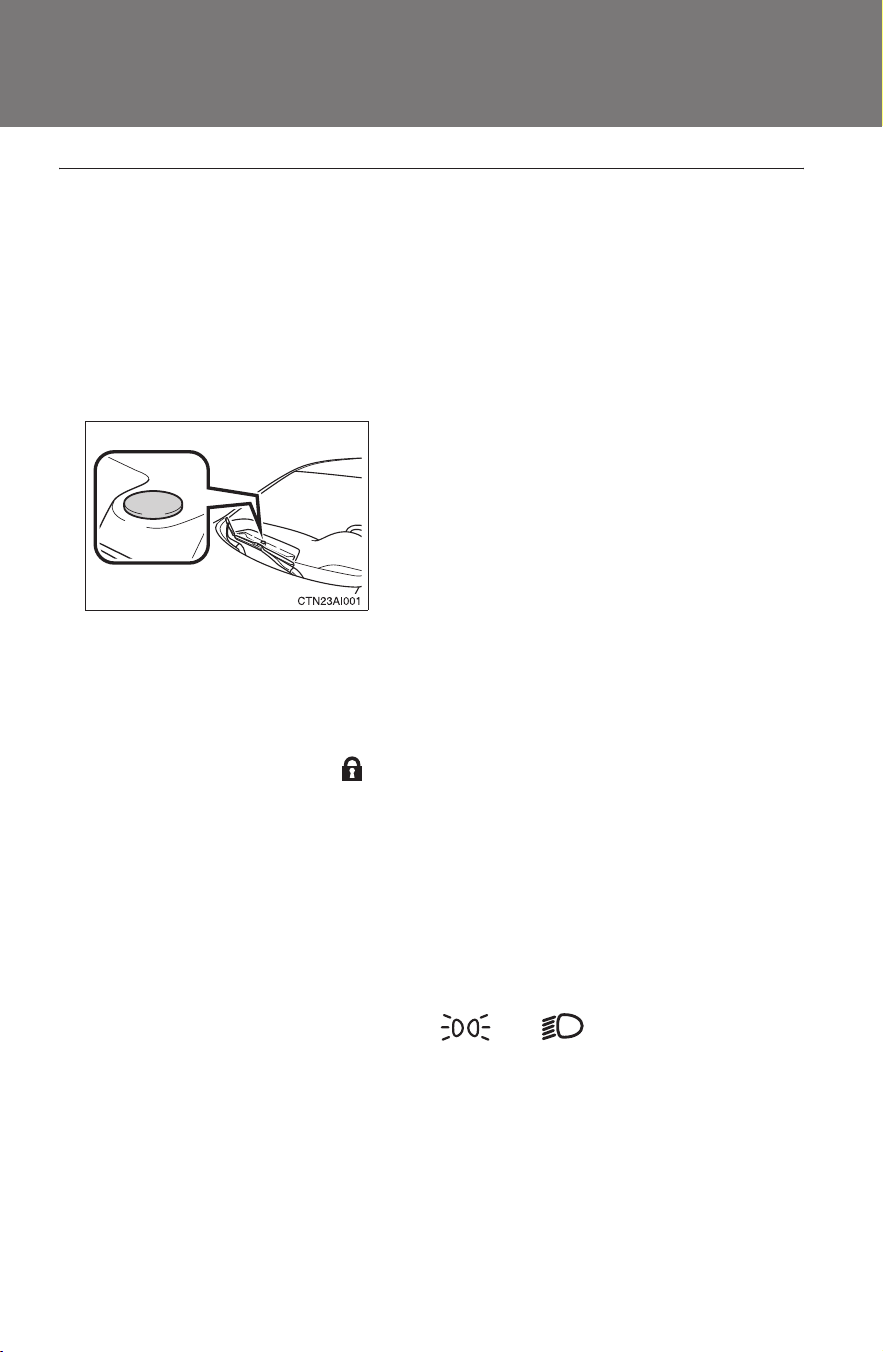
156
2-3. Operating the lights and wipers
CAMRY_HV_U
■ Daytime running light system
To make your vehicle more visible to other drivers, the headlights turn on
automatically (at a reduced intensity) whenever the hybrid system is started
and the parking brake is released. Daytime running lights are not designed
for use at night.
For U.S.A.: Daytime running lights can be turned off by operating the switch.
■ Headlight control sensor
■ Automatic light off system
● When the headlights are on: The headlights and tail lights turn off 30 sec-
onds after all doors are closed with the “POWER” switch OFF. (The lights
turn off immediately if on the key is pressed after all doors are
locked.)
● When only the tail lights are on: The tail lights turn off automatically if the
“POWER” switch is turned to ACCESSORY mode or turned OFF and the
driver’s door is opened.
● If any of the doors or trunk lid is left open, the lights automatically turn off
after 20 minutes.
To turn the lights on again, turn the “POWER” switch to ON mode, or turn the
headlight switch off and then back to or position.
■ Customization that can be configured at Toyota dealer
Settings of light sensor sensitivity can be changed.
(Customizable features →P. 470)
The sensor may not function properly if
an object is placed on the sensor, or any-
thing that blocks the sensor is affixed to
the windshield.
Doing so interferes with the sensor
detecting the level of ambient light and
may cause the automatic headlight sys-
tem to malfunction.

157
2-3. Operating the lights and wipers
2
When driving
CAMRY_HV_U
NOTICE
■ To prevent the 12-volt battery from being discharged
Do not leave the lights on longer than necessary when the hybrid system is
off.
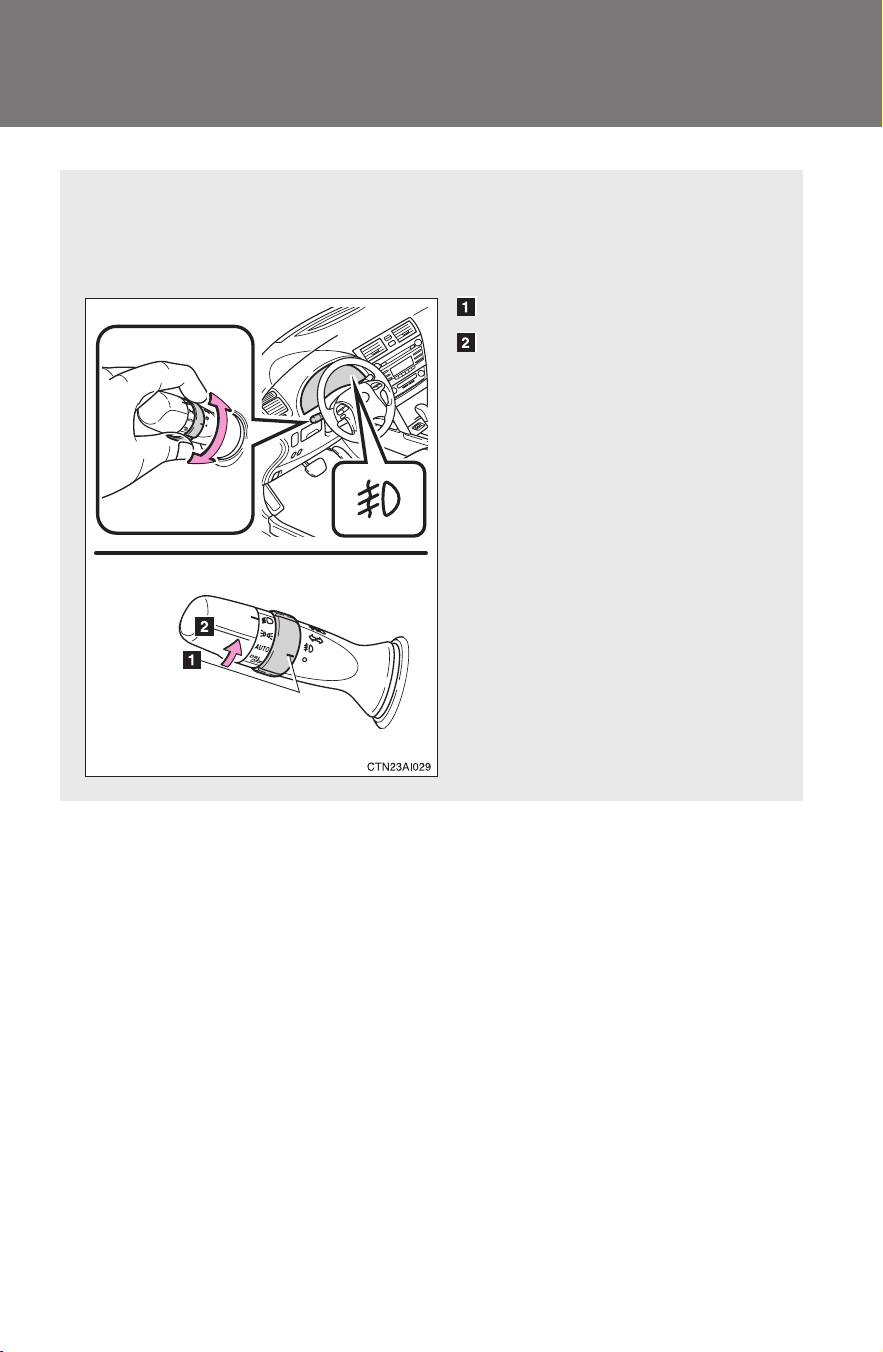
158
2-3. Operating the lights and wipers
CAMRY_HV_U
Fog light switch
∗
The fog lights improve visibility in difficult driving conditions, such
as in rain or fog. They can be turned on only when the headlights are
on low beam.
Off
Front fog lights on
∗: If equipped
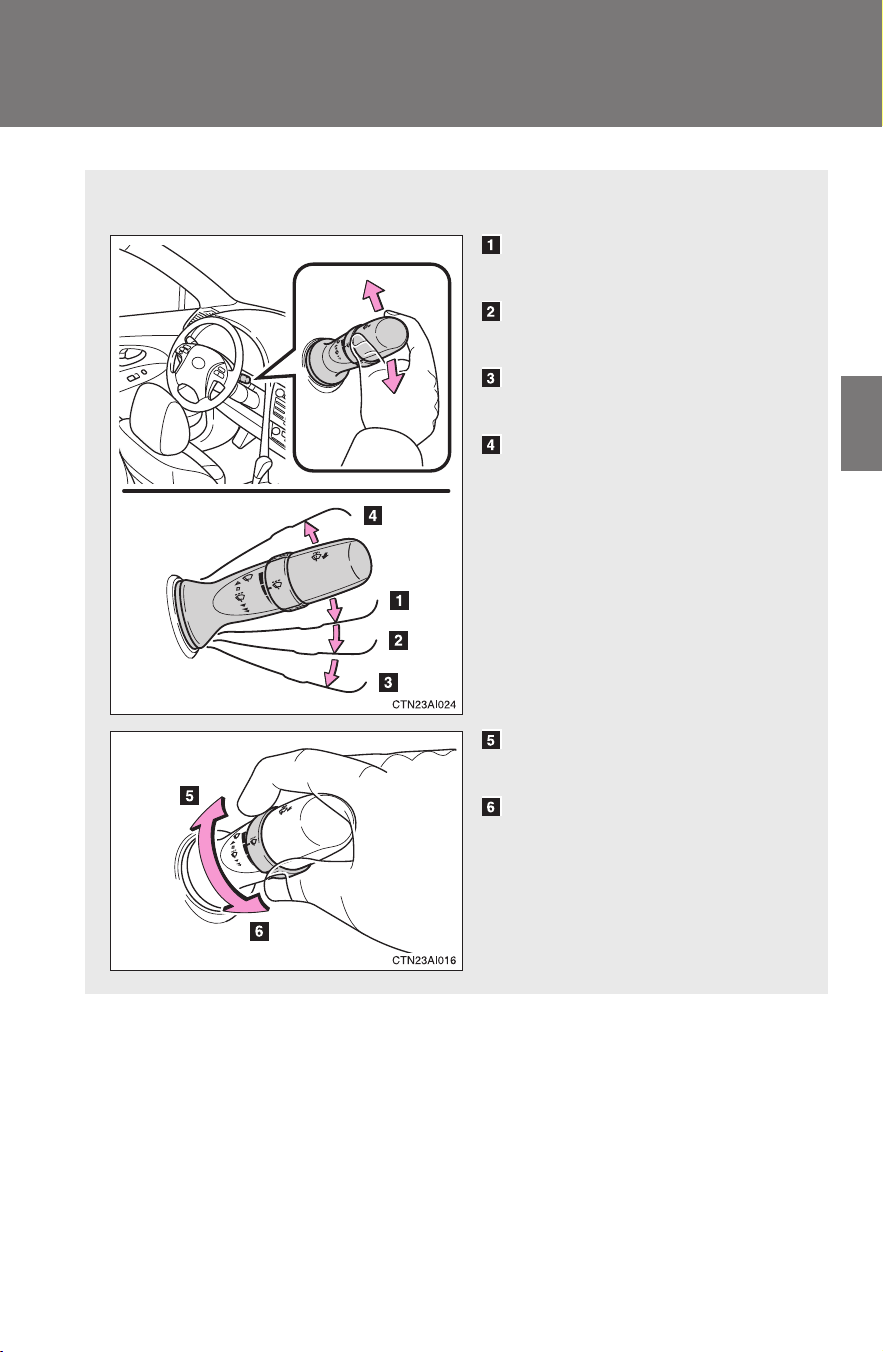
159
2-3. Operating the lights and wipers
2
When driving
CAMRY_HV_U
Windshield wipers and washer
Wiper intervals can be adjusted for intermittent operation.
Intermittent windshield
wiper operation
Low speed windshield wiper
operation
High speed windshield
wiper operation
Temporary operation
Increases the intermittent
windshield wiper frequency
Decreases the intermittent
windshield wiper frequency
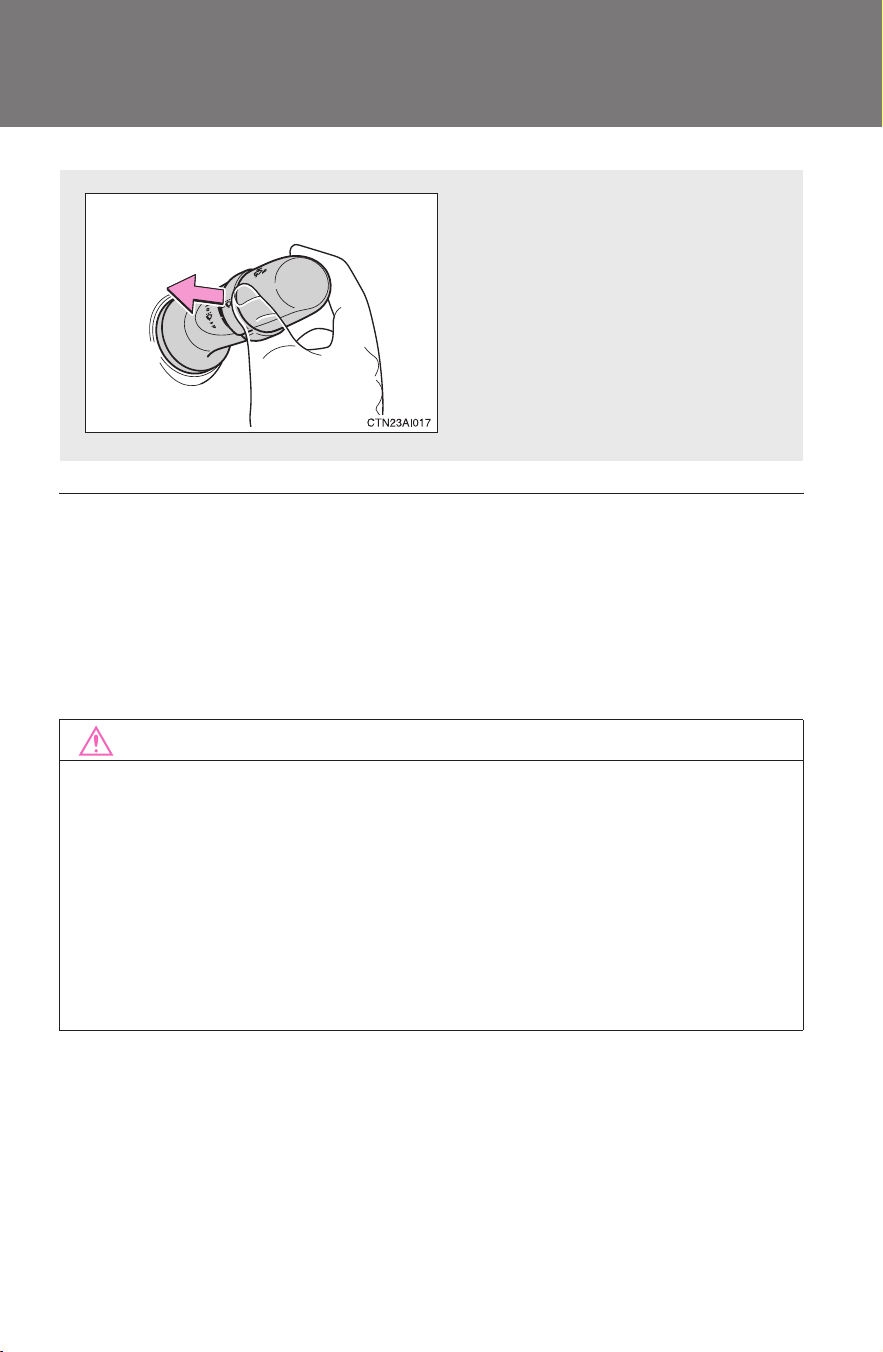
160
2-3. Operating the lights and wipers
CAMRY_HV_U
■ The windshield wipers and washer can be operated when
The “POWER” switch is in ON mode.
■ If no windshield washer fluid sprays
Check that the washer nozzles are not blocked and if there is washer fluid in
the windshield washer fluid reservoir.
NOTICE
■ When the windshield is dry
Do not use the wipers, as they may damage the windshield.
■ When there is no washer fluid spray from the nozzle
Damage to the washer fluid pump may be caused if the lever is pulled
toward you and held continually.
■ When a nozzle becomes blocked
Do not try to clear it with a pin or other object. The nozzle will be damaged.
Wash/wipe operation
Wipers operate automatically.
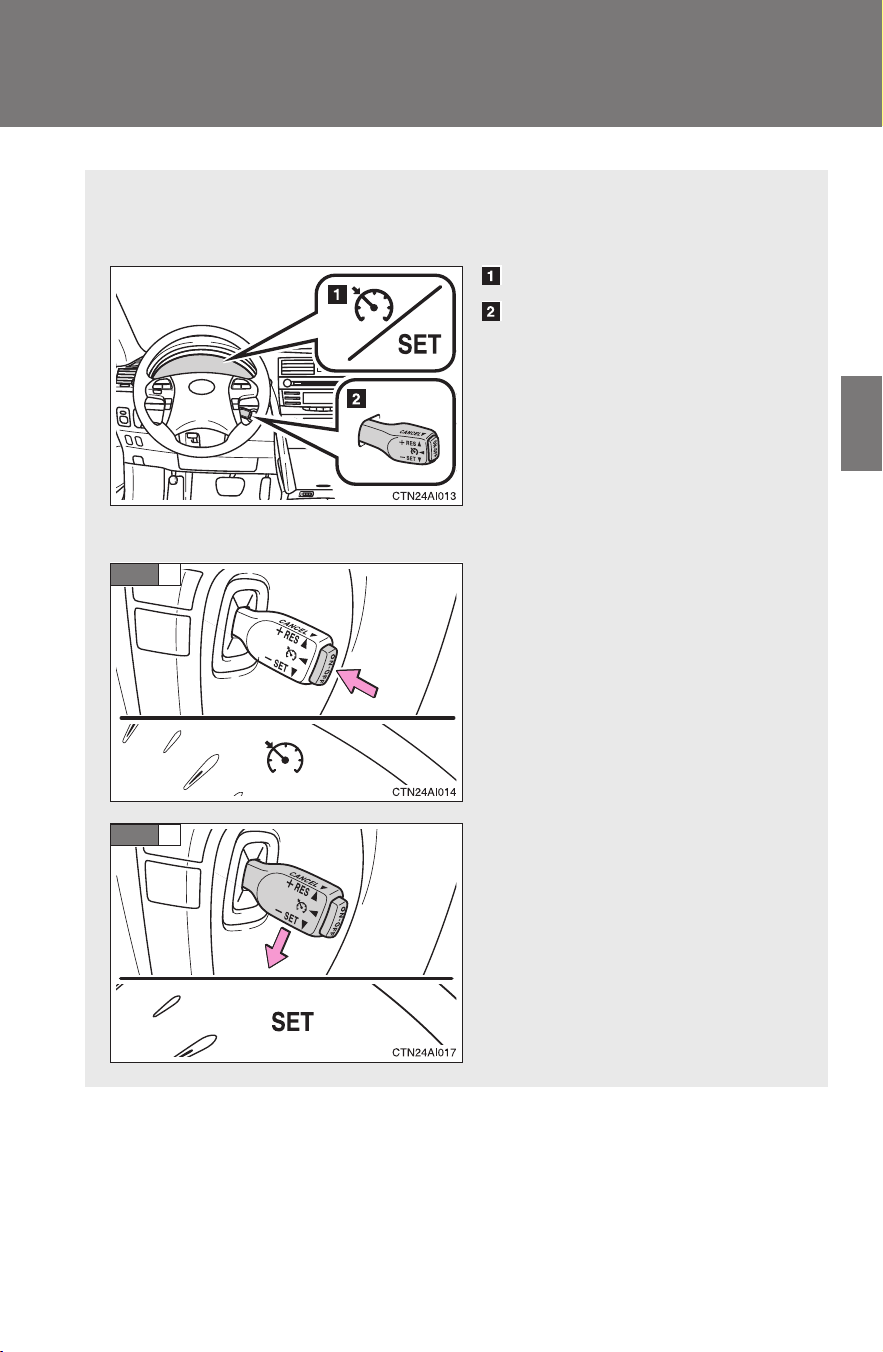
161
2
When driving
CAMRY_HV_U
2-4. Using other driving systems
Cruise control
Use the cruise control to maintain a set speed without using the
accelerator.
Indicators
Cruise control switch
■ Setting the vehicle speed
Turn the “ON-OFF” button on.
At this time, the cruise control
indicator will come on.
Press the button once more to
deactivate the cruise control.
Accelerate or decelerate to
the desired speed and push
the lever down to set the
cruise control speed.
At this time, the cruise control
set indicator will come on.
STEP
1
STEP
2
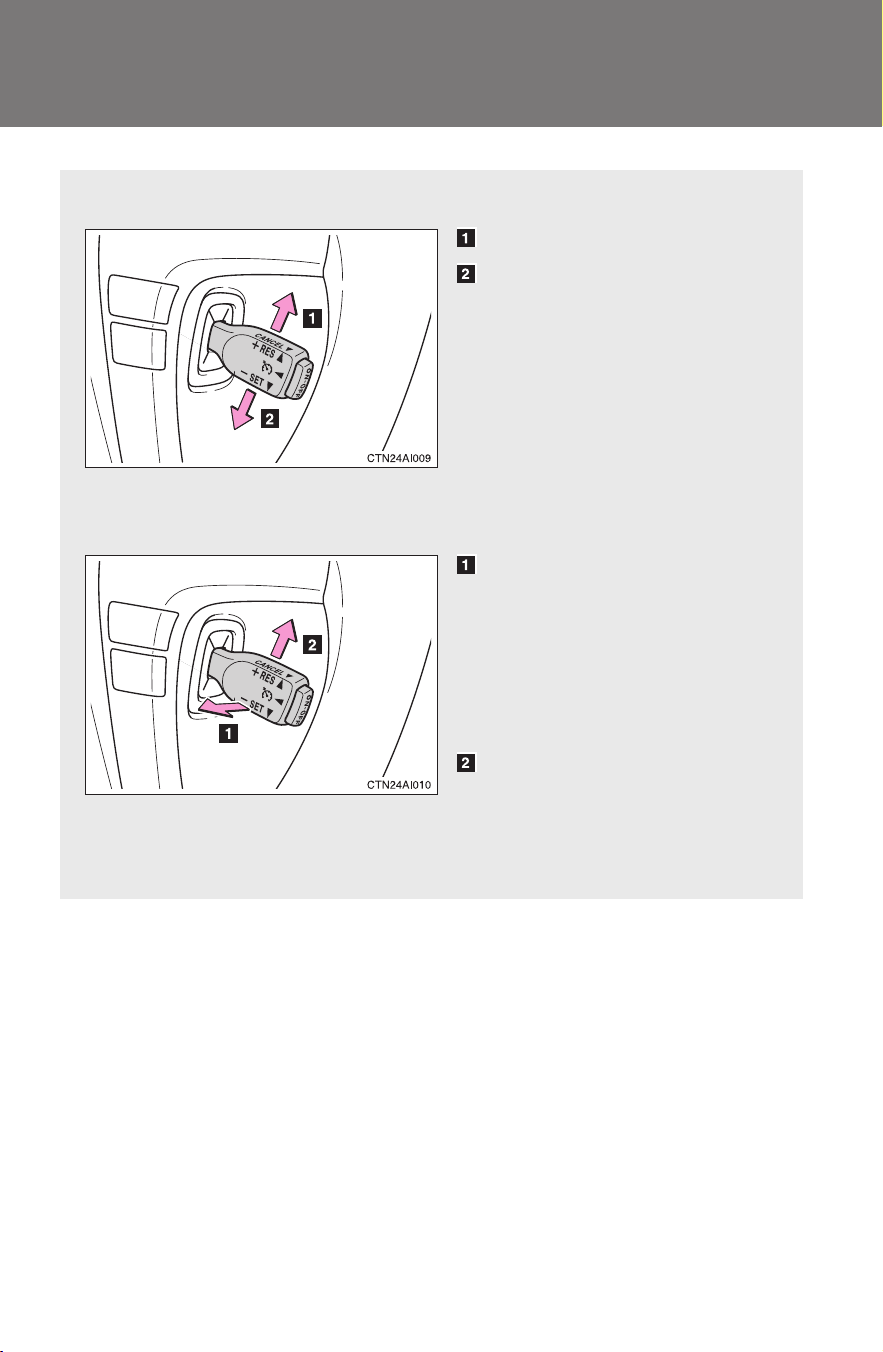
162
2-4. Using other driving systems
CAMRY_HV_U
■ Adjusting the speed setting
Increase speed
Decrease speed
Hold the lever until the desired
speed setting is obtained.
Fine adjustment of the set
speed (approximately 1.0 mph
[1.6 km/h]) can be made by
lightly pushing the lever up or
down and releasing it.
■ Canceling and resuming regular acceleration
Cancel
Pull the lever towards you to
cancel cruise control.
The speed setting is also can-
celed when the brakes are
applied.
Resume
To resume cruise control and
return to the set speed, push
the lever up.

163
2-4. Using other driving systems
2
When driving
CAMRY_HV_U
■ Cruise control can be set when
● The shift lever is in D.
● Vehicle speed is between approximately 25 mph and 125 mph (40 km/h
and 200 km/h).
■ Accelerating
The vehicle can be accelerated normally. After acceleration, the set speed
resumes.
■ Automatic cruise control cancellation
The set speed is automatically canceled in any of the following situations.
● Actual vehicle speed falls more than 10 mph (16 km/h) below the preset
vehicle speed.
At this time, the memorized set speed is not retained.
● Actual vehicle speed is below 25 mph (40 km/h).
● VSC is activated.
■ If the cruise control indicator light flashes
Press the “ON-OFF” button once to deactivate the system, and then press
the button again to reactivate the system.
If the cruise control speed cannot be set or if the cruise control cancels
immediately after being activated, there may be a malfunction in the cruise
control system. Contact your Toyota dealer and have your Toyota inspected.

164
2-4. Using other driving systems
CAMRY_HV_U
CAUTION
■ To avoid operating the cruise control by mistake
Keep the “ON-OFF” button off when not in use.
■ Situations unsuitable for cruise control
Do not use cruise control in any of the following situations.
Doing so may result in control of the vehicle being lost and could cause an
accident resulting in death or serious injury.
● In heavy traffic
● On roads with sharp bends
● On winding roads
● On slippery roads, such as those covered with rain, ice or snow
● On steep hills

165
2-4. Using other driving systems
2
When driving
CAMRY_HV_U
Driving assist systems
To help enhance driving safety and performance, the following sys-
tems operate automatically in response to various driving situations.
Be aware, however, that these systems are supplementary and
should not be relied upon too heavily when operating the vehicle.
■ ABS (Anti-lock Brake System)
Helps to prevent wheel lock when the brakes are applied suddenly, or if
the brakes are applied while driving on a slippery road surface.
■ Brake assist
Generates an increased level of braking force after the brake pedal is
depressed, when the system detects a panic stop situation.
■ VSC (Vehicle Stability Control)
Helps the driver to control skidding when swerving suddenly or turning
on slippery road surfaces.
■ TRAC (Traction Control)
Helps to maintain drive power and prevent the front wheels from spin-
ning when starting the vehicle or accelerating on slippery roads.
■ EPS (Electric Power Steering)
Employs an electric motor to reduce the amount of effort needed to turn
the steering wheel.
■ VDIM (Vehicle Dynamics Integrated Management)
Provides integrated control of the ABS, VSC, TRAC and EPS systems.
Maintains vehicle stability when swerving on slippery road surfaces by
controlling the brakes, hybrid system output, and steering assist.
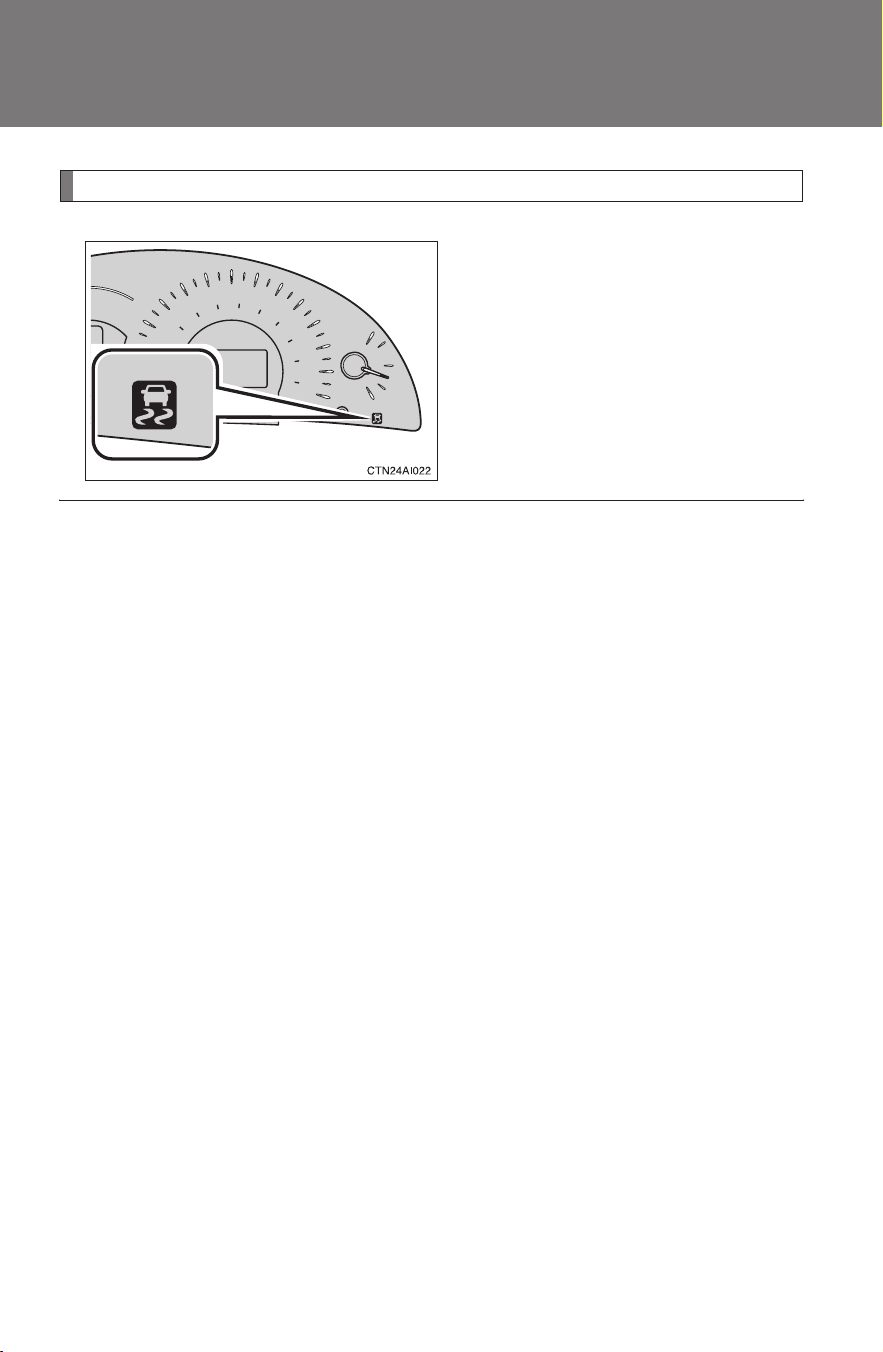
166
2-4. Using other driving systems
CAMRY_HV_U
When VSC and TRAC are operating
If the vehicle is in danger of slip-
ping or the front wheels spin, the
indicator flashes to indicate that
VSC/TRAC have been engaged.
A buzzer (intermittent) sounds to
indicate that VSC is operating.
■ Sounds and vibrations caused by ABS, brake assist, VSC and TRAC
● A sound may be heard from the engine compartment when the hybrid
system is started or just after the vehicle begins to move. This sound
does not indicate that a malfunction has occurred in any of these sys-
tems.
● Any of the following conditions may occur when the above systems are
operating. None of these indicates that a malfunction has occurred.
• Vibrations may be felt through the vehicle body and steering.
• A motor sound may be heard after the vehicle comes to a stop.
■ Reduced effectiveness of EPS
The effectiveness of EPS is reduced to prevent the system from overheating
when there is frequent steering input over an extended period of time. The
steering wheel may feel heavy as a result. Should this occur, refrain from
excessive steering input or stop the vehicle and turn the hybrid system off.
The system should return to normal within 10 minutes.
■ If the slip indicator comes on...
It may indicate a malfunction in the VSC and TRAC. Contact your Toyota
dealer.

167
2-4. Using other driving systems
2
When driving
CAMRY_HV_U
CAUTION
■ ABS does not operate effectively when
● Tires with inadequate gripping ability are used (such as excessively worn
tires on a snow covered road).
● The vehicle hydroplanes while driving at high speed on the wet or slick
road.
■ Stopping distance when ABS is operating on the wet or slick roads
ABS is not designed to shorten the vehicle's stopping distance. Always
maintain a safe distance from the vehicle in front of you in the following situ-
ations.
● When driving on dirt, gravel or snow-covered roads
● When driving with tire chains
● When driving over bumps in the road
● When driving over roads with potholes or uneven roads
■ TRAC may not operate effectively when
Directional control and power may not be achievable while driving on slip-
pery road surfaces, even if the TRAC system is operating.
Do not drive the vehicle in conditions where stability and power may be lost.

168
2-4. Using other driving systems
CAMRY_HV_U
CAUTION
■ When VSC is activated
The slip indicator light flashes and a warning buzzer sounds. Always drive
carefully. Reckless driving may cause an accident. Exercise particular care
when the indicator light flashes and a buzzer sounds.
■ Replacing tires
Make sure that all tires are of the same size, brand, tread pattern and total
load capacity. In addition, make sure that the tires are inflated to the recom-
mended tire pressure level.
The ABS and VSC system will not function correctly if different tires are fitted
on the vehicle.
Contact your Toyota dealer for further information when replacing tires or
wheels.
■ Handling of tires and suspension
Using tires with any kind of problem or modifying the suspension will affect
the driving assist systems, and may cause the system to malfunction.

169
2
When driving
CAMRY_HV_U
2-5. Driving information
Cargo and luggage
Capacity and distribution
Cargo capacity depends on the total weight of the occupants.
(Cargo capacity) = (Total load capacity) - (Total weight of occupants)
Steps for Determining Correct Load Limit
(1) Locate the statement “The combined weight of occupants and
cargo should never exceed XXX kg or XXX lbs.” on your vehi-
cle’s placard.
(2) Determine the combined weight of the driver and passengers
that will be riding in your vehicle.
(3) Subtract the combined weight of the driver and passengers from
XXX kg or XXX lbs.
(4) The resulting figure equals the available amount of cargo and
luggage load capacity.
For example, if the “XXX” amount equals 1400 lbs. and there will
be five 150 lb passengers in your vehicle, the amount of avail-
able cargo and luggage load capacity is 650 lbs. (1400 - 750 (5 ×
150) = 650 lbs.)
(5) Determine the combined weight of luggage and cargo being
loaded on the vehicle. That weight may not safely exceed the
available cargo and luggage load capacity calculated in Step 4.
Take notice of the following information about storage precau-
tions, cargo capacity and load.
● Stow cargo and luggage in the trunk whenever possible.
● Be sure all items are secured in place.
● Be careful to keep the vehicle level. Placing the weight as far for-
ward as possible helps maintain vehicle balance.
● For better fuel economy, do not carry unnecessary weight.
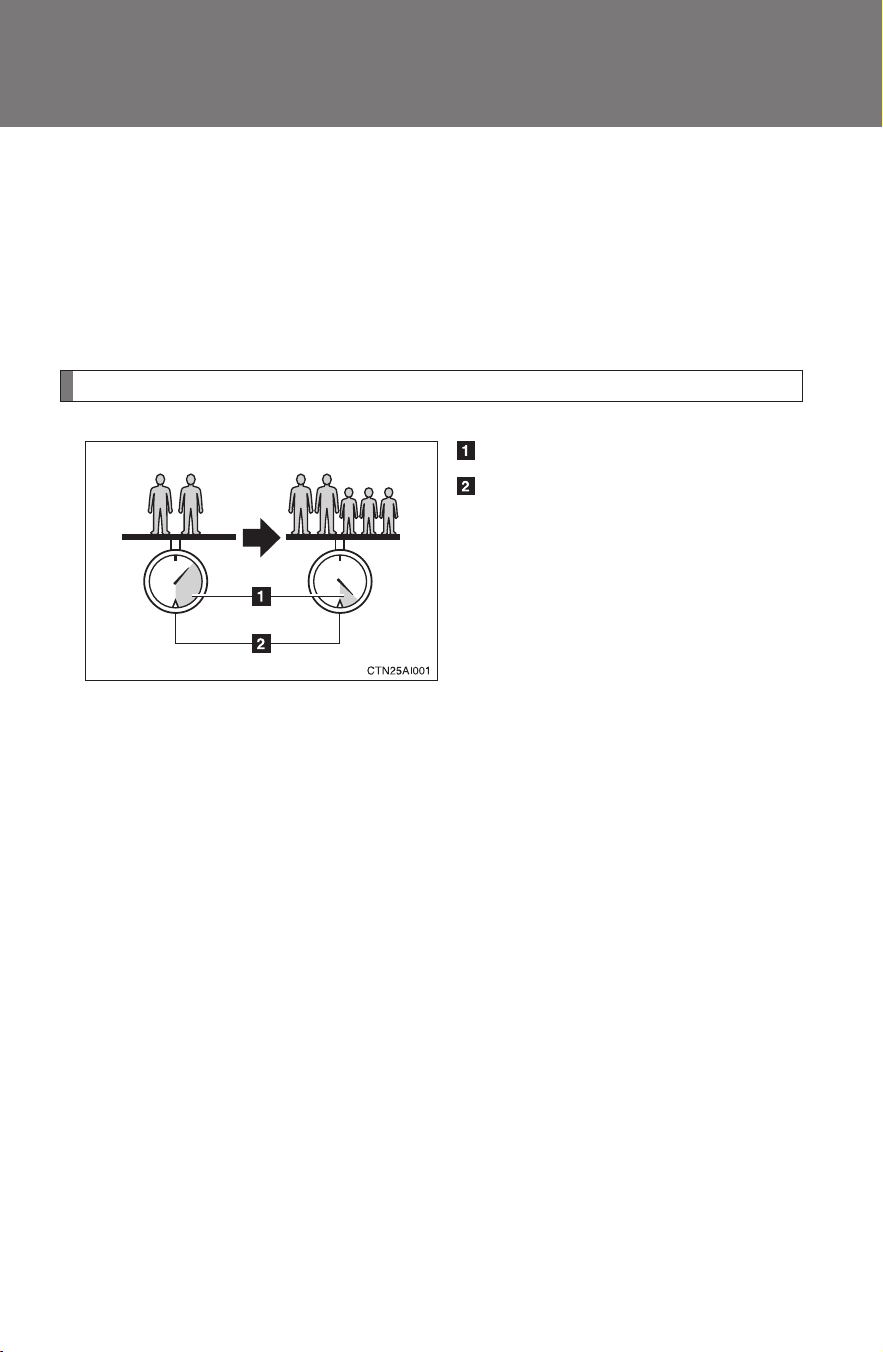
170
2-5. Driving information
CAMRY_HV_U
(6) If your vehicle will be towing a trailer, load from your trailer will be
transferred to your vehicle. Consult this manual to determine how
this reduces the available cargo and luggage load capacity of
your vehicle.
Toyota does not recommend towing a trailer with your vehicle. Your
vehicle is not designed for trailer towing.
Example on your vehicle
Cargo capacity
Total load capacity
When 2 people with the combined weight of 366 lb. (166 kg) are
riding in your vehicle, which has a total load capacity of 900 lb. (410
kg), the available amount of cargo and luggage load capacity will be
as follows:
900 lb. - 366 lb. = 534 lb. (410 kg -166 kg = 244 kg)
In this condition, if 3 more passengers with the combined weight of
388 lb. (176 kg) get on, the available cargo and luggage load will be
reduced as follows:
534 lb. - 388 lb. = 146 lb. (244 kg - 176 kg = 68 kg)
As shown in the above example, if the number of occupants
increases, the cargo and luggage load will be reduced by an amount
that equals the increased weight due to the additional occupants. In
other words, if an increase in the number of occupants causes an
excess of the total load capacity (combined weight of occupants plus
cargo and luggage load), you must reduce the cargo and luggage on
your vehicle.

171
2-5. Driving information
2
When driving
CAMRY_HV_U
CAUTION
■ Storage precautions
Observe the following precautions.
Failing to do so may result in death or serious injury.
● To prevent cargo and luggage from sliding forward during braking, do
not stack anything in the enlarged trunk. Keep cargo and luggage low,
as close to the floor as possible.
● Never allow anyone to ride in the enlarged trunk. It is not designed for
passengers. They should ride in their seats with their seat belts prop-
erly fastened. Otherwise, they are much more likely to suffer death or
serious bodily injury, in the event of sudden braking, sudden swerving
or an accident.
● Do not place cargo or luggage in or on the following locations as the
item may get under the brake or accelerator pedal and prevent the
pedals from being depressed properly, block the driver’s vision, or hit
the driver or passengers, causing an accident.
• Driver’s feet
• Front passenger or rear seats (when stacking items)
• Package tray
• Instrument panel
• Dashboard
● Secure all items in the occupant compartment, as they may shift and
injure someone during sudden braking, sudden swerving or an acci-
dent.
■ Capacity and distribution
● Do not exceed the maximum axle weight rating or the total vehicle
weight rating.
● Even if the total load of occupant's weight and the cargo load is less
than the total load capacity, do not apply the load unevenly.
Improper loading may cause deterioration of steering or braking con-
trol which may cause death or serious injury.

172
2-5. Driving information
CAMRY_HV_U
Vehicle load limits
■ Total load capacity and seating capacity
These details are also described on the tire and loading information
label. (→P. 361)
CAUTION
■ Overloading the vehicle
Do not overload the vehicle.
It may not only cause damage to the tires, but also degrade steering and
braking ability, resulting in an accident.
Vehicle load limits include total load capacity, seating capacity,
towing capacity and cargo capacity.
■ Total load capacity: 900 lb. (410 kg)
Total load capacity means the combined weight of occupants, cargo
and luggage.
■ Seating capacity: 5 occupants (Front 2, Rear 3)
Seating capacity means the maximum number of occupants whose
estimated average weight is 150 lb. (68 kg) per person.
■ Towing capacity
Toyota does not recommend towing a trailer with your vehicle.
■ Cargo capacity
Cargo capacity may increase or decrease depending on the weight
and the number of occupants.

173
2-5. Driving information
2
When driving
CAMRY_HV_U
Winter driving tips
Carry out the necessary preparations and inspections before driving
the vehicle in winter. Always drive the vehicle in a manner appropri-
ate to the prevailing weather conditions.
■ Pre-winter preparations
● Use fluids that are appropriate to the prevailing outside tem-
peratures.
• Engine oil
• Engine/power control unit coolant
• Washer fluid
● Have the vehicle fitted with four snow tires or purchase a set
of tire chains for the front tires.
Ensure that all tires are the same size and brand, and that chains
match the size of the tires.
■ Before driving the vehicle
Perform the following according to the driving conditions.
● Do not try to forcibly open a window or move a wiper that is
frozen. Pour warm water over the frozen area to melt the ice.
Wipe away the water immediately to prevent it from freezing.
● To ensure proper operation of the climate control system fan,
remove any snow that has accumulated on the air inlet vents
in front of the windshield.
● Remove any ice that has accumulated on the vehicle chassis.
● Periodically check for and remove any excess ice or snow
that may have accumulated in the wheel well or on the
brakes.
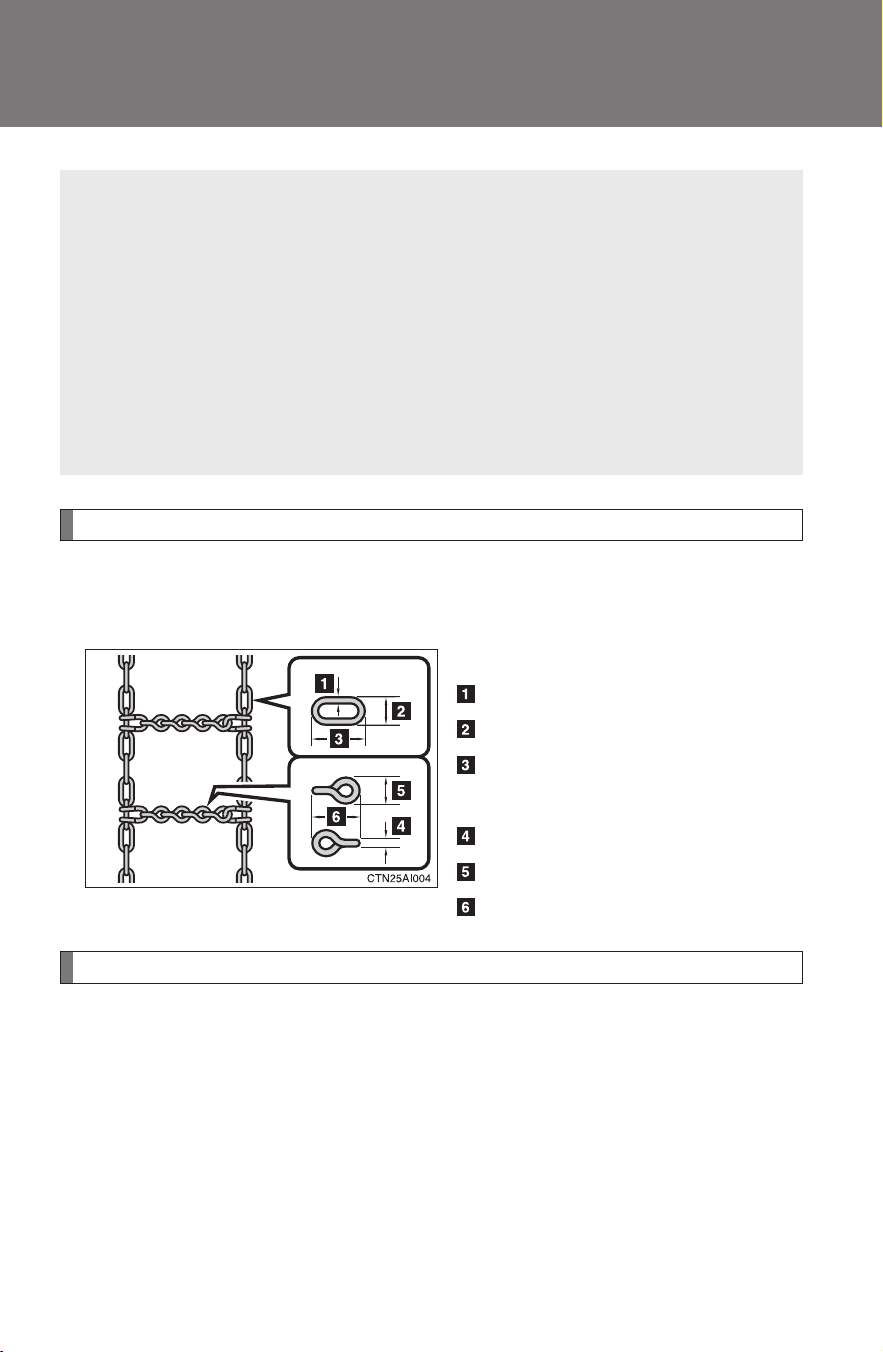
174
2-5. Driving information
CAMRY_HV_U
Selecting tire chains
Use the correct tire chain size when mounting the snow chains.
Chain size is regulated for each tire size.
Side chain:
0.12 in. (3 mm) in diameter
0.39 in. (10 mm) in width
1.18 in. (30 mm) in length
Cross chain:
0.16 in. (4 mm) in diameter
0.55 in. (14 mm) in width
0.98 in. (25 mm) in length
Regulations on the use of snow chains
● Regulations regarding the use of tire chains vary according to loca-
tion and type of road. Always check local regulations before install-
ing chains.
● Install the chains on the front tires.
● Retighten the chains after driving 1/4 - 1/2 mile (0.5 - 1.0 km).
■ When driving the vehicle
Accelerate the vehicle slowly and drive at a reduced speed suit-
able to road conditions.
■ When parking the vehicle
Park the vehicle and move the shift lever to P without setting the
parking brake. The parking brake may freeze up, preventing it
from being released. If necessary, block the wheels to prevent
inadvertent sliding or creeping.

175
2-5. Driving information
2
When driving
CAMRY_HV_U
■ Tire chains
Observe the following precautions when installing and removing chains.
● Install and remove tire chains in a safe location.
● Install tire chains on the front tires only. Do not install tire chains on rear
tires.
● Install tire chains following the instructions provided in the accompanying
manual.
CAUTION
■ Driving with snow tires
Observe the following precautions to reduce the risk of accidents.
Failing to do so may result in a loss of vehicle control and cause death or
serious injury.
● Use tires of the size specified for your vehicle.
● Maintain the recommended level of air pressure.
● Do not drive in excess of 75 mph (120 km/h), regardless of the type of
snow tires being used.
● Use snow tires on all, not just some wheels.
■ Driving with tire chains
Observe the following precautions to reduce the risk of accidents.
Failing to do so may result in the vehicle being unable to be driven safely,
and may cause death or serious injury.
● Do not drive in excess of the speed limit specified for the tire chains being
used or 30 mph (50 km/h), whichever is lower.
● Avoid driving on bumpy road surfaces or over potholes.
● Avoid sudden turns and braking, as use of chains may adversely affect
vehicle handling.
● Slow down sufficiently before entering a curve to ensure that vehicle con-
trol is maintained.

176
2-5. Driving information
CAMRY_HV_U
NOTICE
■ Repairing or replacing snow tires
Request repairs of and obtain replacement snow tires from Toyota dealers or
legitimate tire retailers.
This is because the removal and attachment of snow tires affects the opera-
tion of the tire pressure warning valves and transmitters.
■ Fitting tire chains
The tire pressure warning valves and transmitters may not function correctly
when tire chains are fitted.
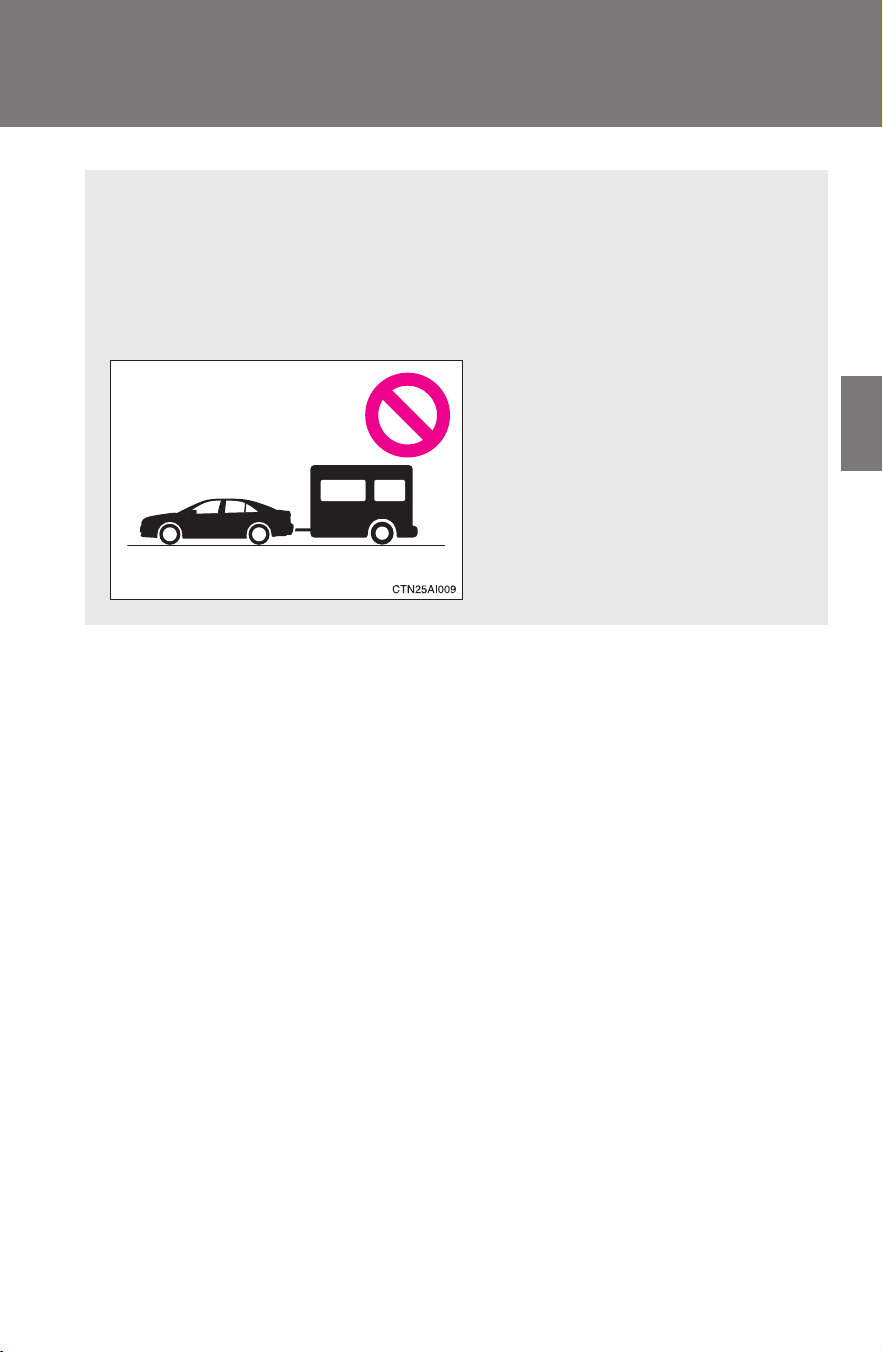
177
2-5. Driving information
2
When driving
CAMRY_HV_U
Trailer towing
Toyota does not recommend towing a trailer with your vehicle.
Toyota also does not recommend the installation of a tow hitch or
the use of a tow hitch carrier for a wheelchair, scooter, bicycle, etc.
Your Toyota is not designed for trailer towing or for the use of tow
hitch mounted carriers.
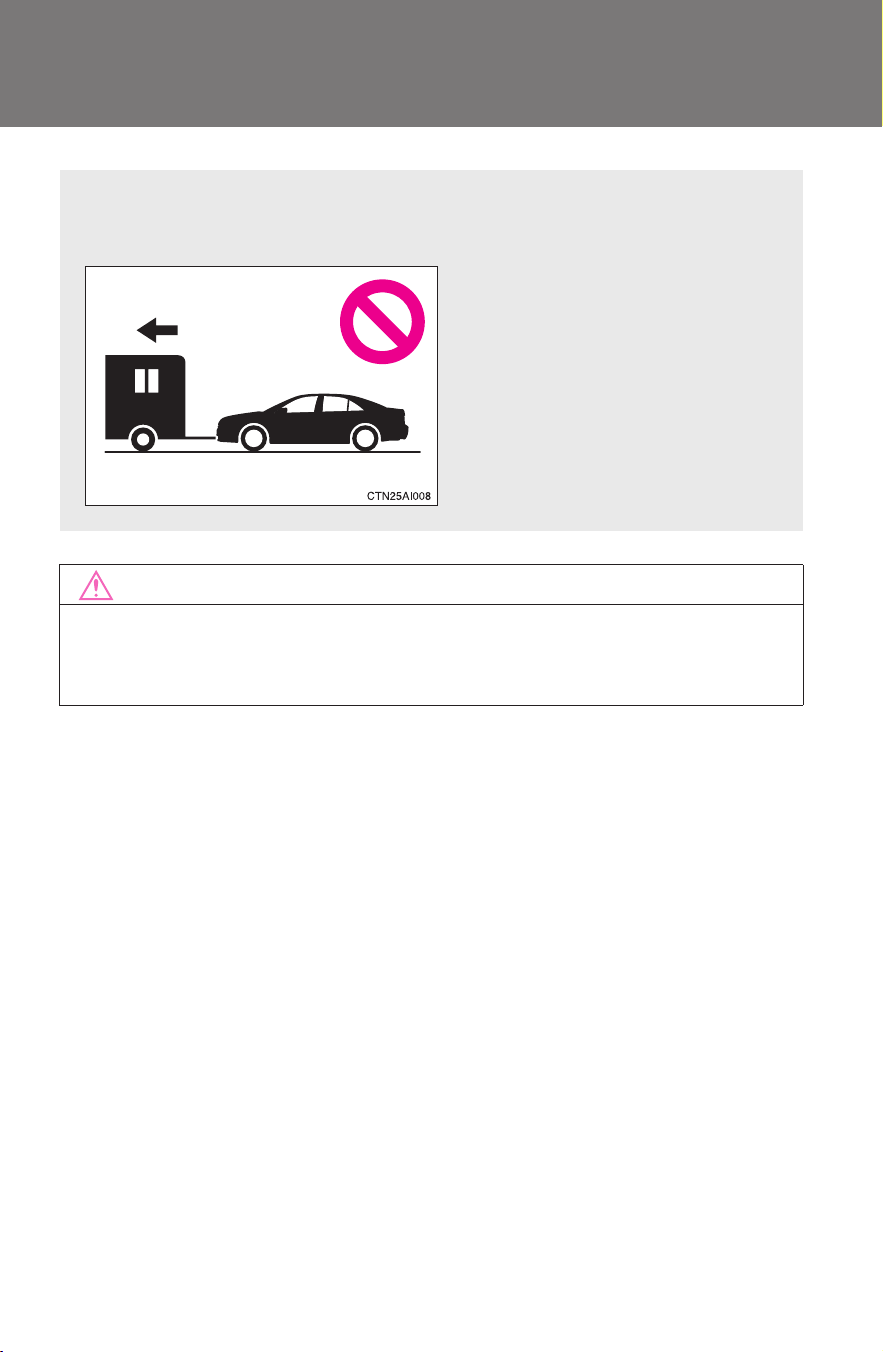
178
2-5. Driving information
CAMRY_HV_U
Dinghy towing
NOTICE
■ To avoid serious damage to your vehicle
Do not tow your vehicle with four wheels on the ground.
Your vehicle is not designed to be dinghy towed (with 4 wheels on
the ground) behind a motor home.

179
2-5. Driving information
2
When driving
CAMRY_HV_U

180
CAMRY_HV_U
3-1. Using the air conditioning
system and defogger
Automatic air
conditioning system ....... 182
Rear window and
outside rear view
mirror defoggers ............ 190
3-2. Using the audio system
Audio system types.......... 191
Using the radio................. 194
Using the CD player......... 201
Playing MP3 and WMA
discs............................... 209
Operating an iPod
®
.......... 217
Operating a USB
memory.......................... 224
Optimal use of the audio
system ........................... 231
Using the AUX adapter .... 236
Using the steering wheel
audio switches ............... 238

Interior features
3
181
CAMRY_HV_U
3-3. Using the Bluetooth
®
audio system
Bluetooth
®
audio
system ........................... 241
Using the Bluetooth
®
audio system.................. 244
Operating a Bluetooth
®
enabled portable
player ............................. 249
Setting up a Bluetooth
®
enabled portable
player ............................. 251
Bluetooth
®
audio system
setup .............................. 256
3-4. Using the hands-free
phone system
(for cellular phone)
Hands-free phone system
(for cellular phone)
features.......................... 257
Using the hands-free
phone system
(for cellular phone)......... 261
Making a phone call......... 269
Setting a cellular phone ... 273
Security and system
setup .............................. 278
Using the phone book...... 282
3-5. Using the interior lights
Interior lights list ............... 290
• Interior light .................... 291
• Personal lights ............... 292
3-6. Using the storage
features
List of storage features .... 293
• Glove box....................... 294
• Console box ................... 294
• Cup holders ................... 296
• Auxiliary boxes............... 297
3-7. Other interior features
Sun visors ........................ 300
Vanity mirrors................... 301
Clock ................................ 302
Ashtray............................. 303
Power outlet ..................... 304
Seat heaters..................... 306
Armrest ............................ 308
Floor mat.......................... 309
Trunk features.................. 310
Garage door opener......... 312
Compass.......................... 317
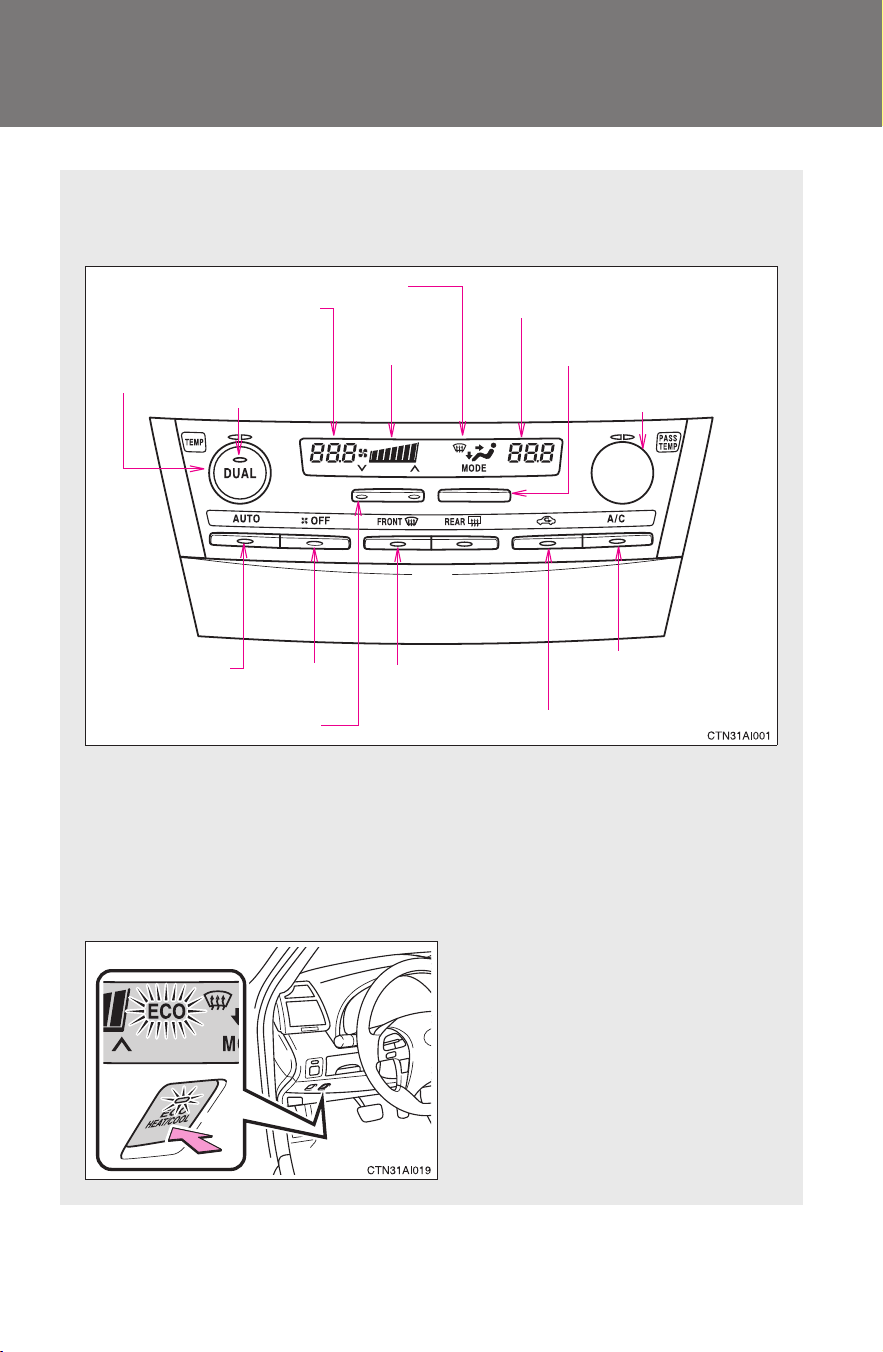
182
CAMRY_HV_U
3-1. Using the air conditioning system and defogger
Automatic air conditioning system
Air outlets are automatically selected and fan speed is automatically
adjusted according to the temperature setting.
■ “ECO HEAT/COOL” switch
“ECO HEAT/COOL” mode enables the air conditioning to be oper-
ated at a reduced capacity in order to limit use of the hybrid battery
(traction battery). The effectiveness of the air conditioning will be
lower than normal.
On/off
When “ECO HEAT/COOL”
mode is turned on, the switch
indicator will come on and the
“ECO” indicator will appear on
the air conditioning display.
Air conditioning
on/off switch
Front passenger’s side temperature
setting display
Driver’s side temper-
ature control
“DUAL” button
Automatic mode
Off
Driver’s side temperature
setting display
Fan speed
(fan speed selector)
Outside air or recirculated air mode
Fan speed
display
Change the air outlets used
(air flow selector button)
Front passenger’s side
temperature control
Windshield defogger
Air outlet display
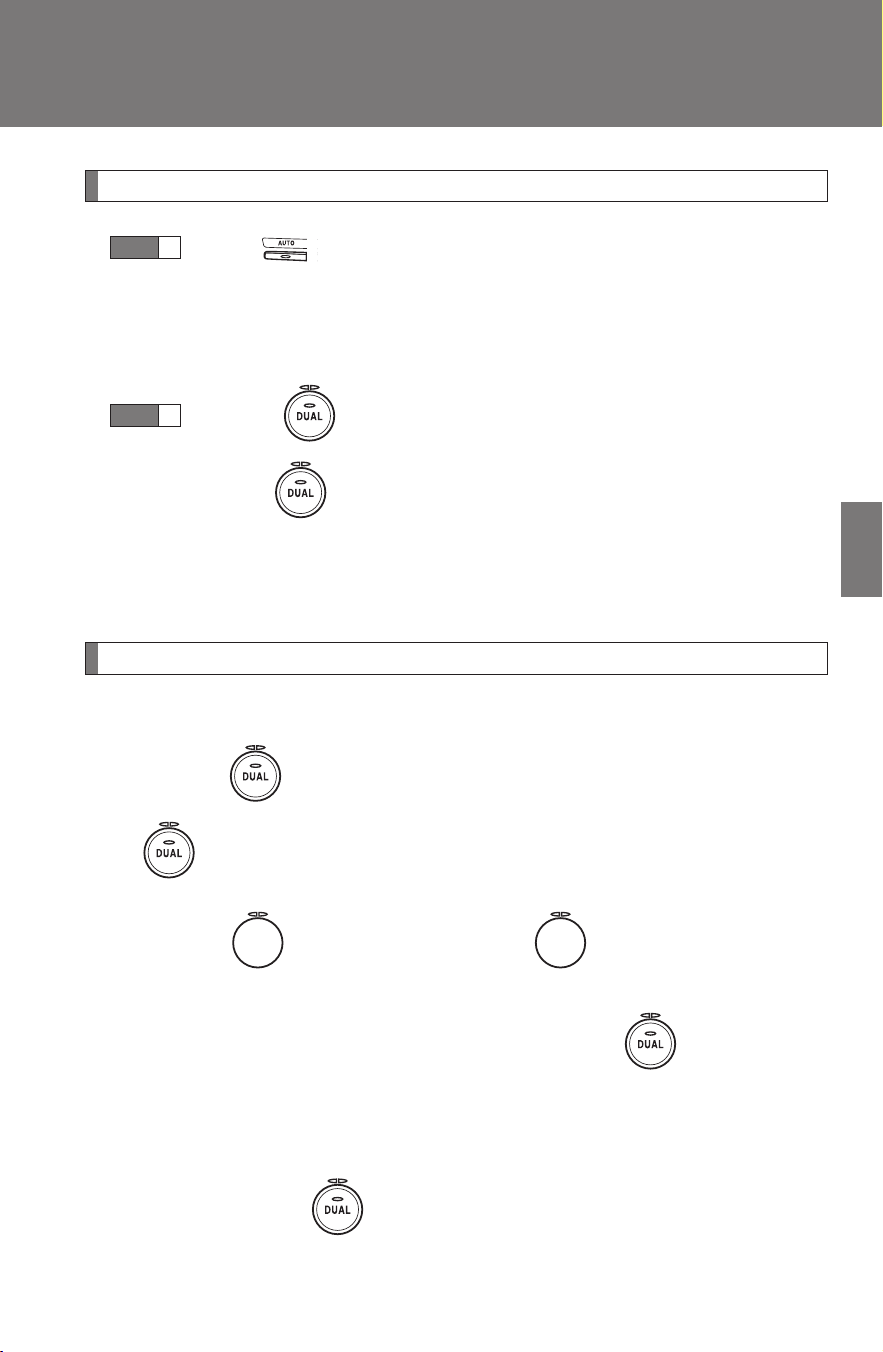
183
3-1. Using the air conditioning system and defogger
3
Interior features
CAMRY_HV_U
Using the automatic mode
Press .
The air conditioning system will begin to operate. Air outlets
and fan speed are automatically adjusted according to the
temperature setting.
Turning to the right increases the temperature and
turning to the left decreases the temperature on the
driver’s side.
The temperature for the driver and passenger seats can be set sep-
arately. (→P. 183)
Adjusting the settings
■ Adjusting the temperature setting
Turning to the right increases the temperature and turning
to the left decreases the temperature on the driver’s side.
Turning to the right (increase) or to the left (decrease) on
the passenger’s side to separately adjust the temperature for the pas-
senger’s and driver’s side (dual mode). Press to return the
driver's and passenger side temperatures to the same setting (simulta-
neous mode).
The air conditioning system switches between dual and simultaneous
mode each time is pressed.
STEP
1
STEP
2
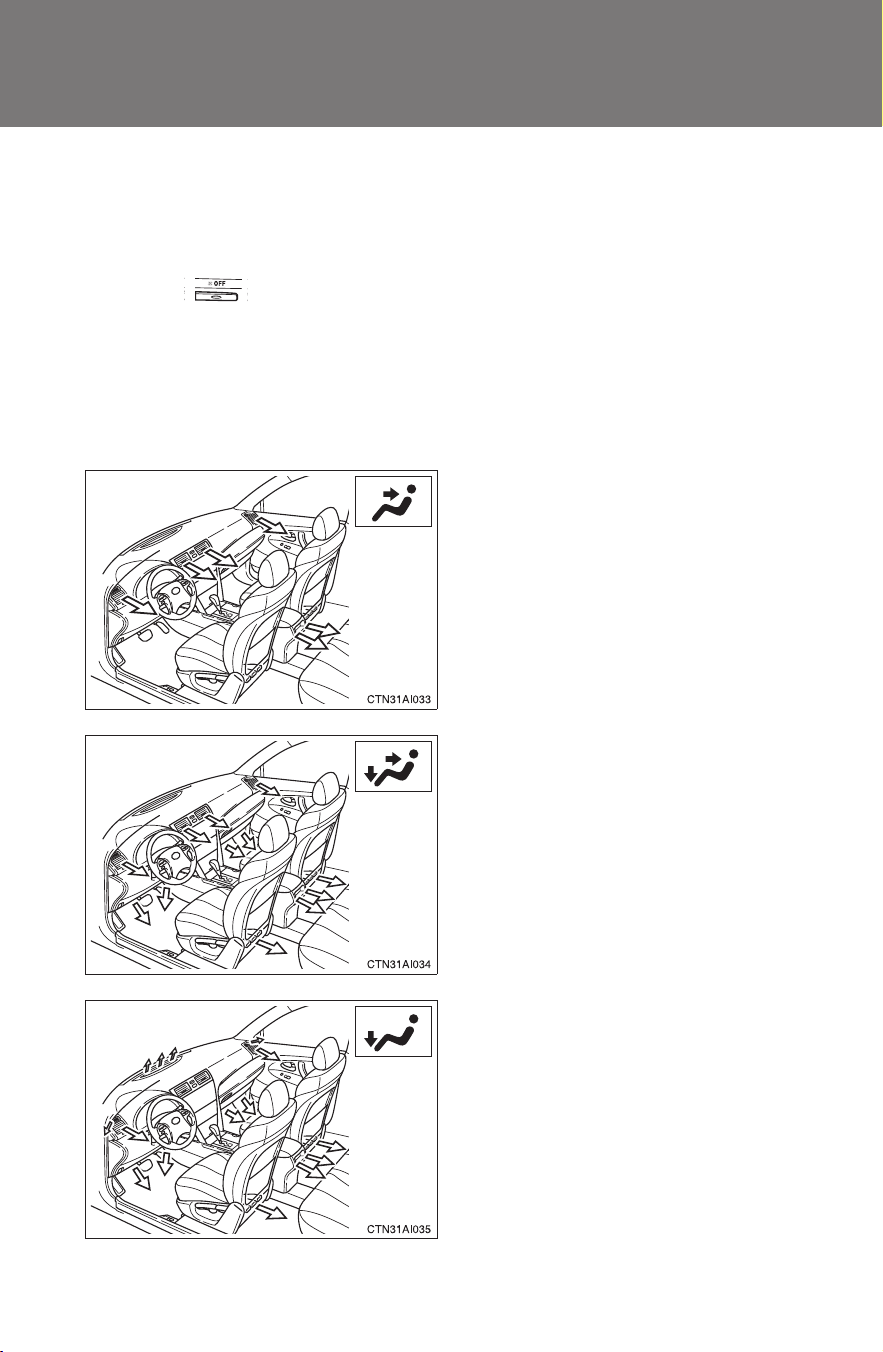
184
3-1. Using the air conditioning system and defogger
CAMRY_HV_U
■ Adjusting the fan speed
Press “∧” (increase) or “∨” (decrease) on the fan speed selector.
The fan speed is shown on the display. (7 levels)
Press to turn the fan off.
■ Changing the air outlets
Press the air flow selector button.
The air outlets switch each time the button is pressed. The air flow
shown on the display indicates the following.
Air flows to the upper body.
Air flows to the upper body and
feet.
Air flows to the feet.
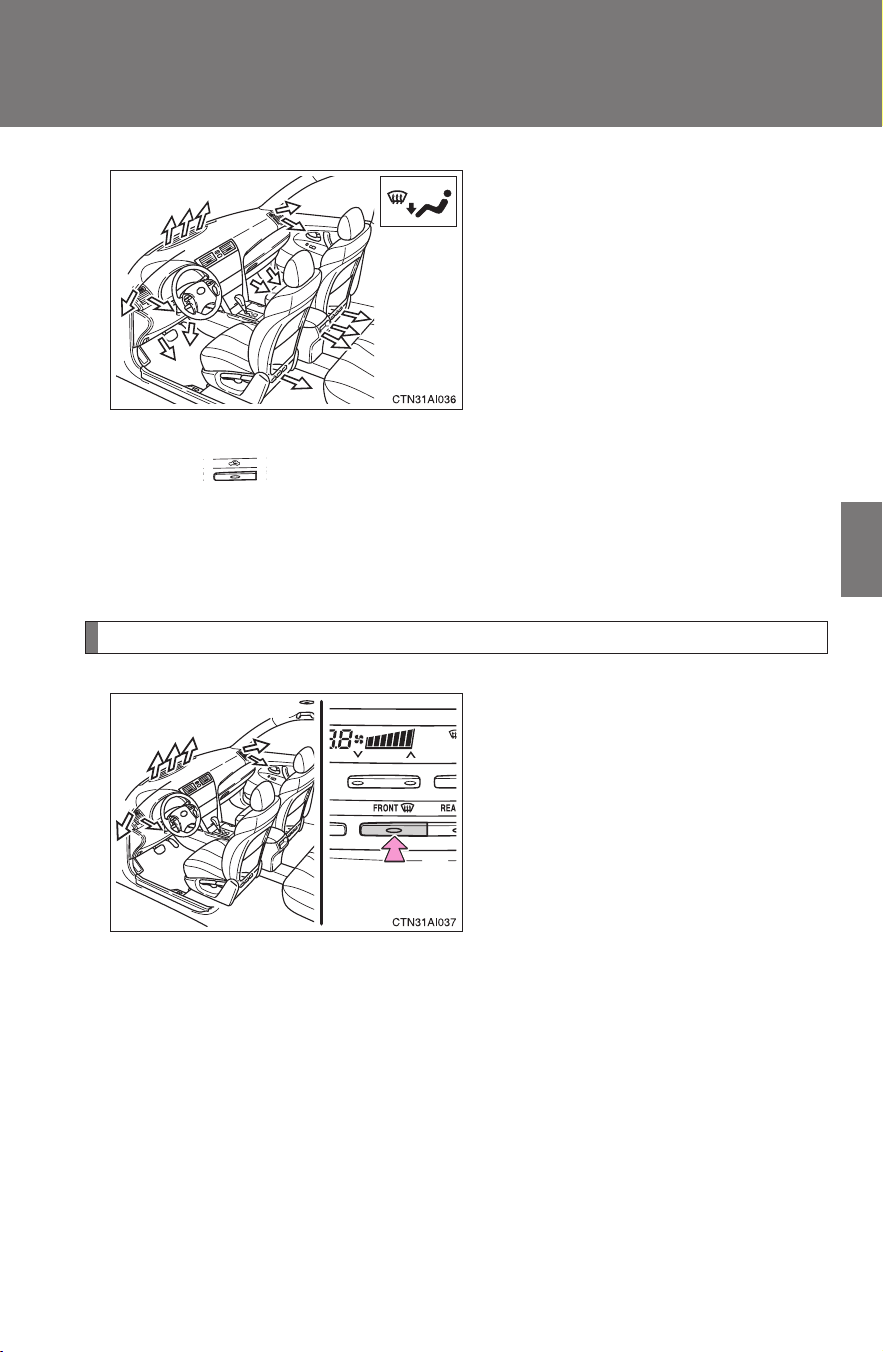
185
3-1. Using the air conditioning system and defogger
3
Interior features
CAMRY_HV_U
Air flows to the feet and the
windshield defogger operates.
Recirculated air mode will auto-
matically switch to outside air
mode.
■ Switching between outside air and recirculated air modes
Press .
The mode switches between outside air mode (indicator off) and
recirculated air mode (indicator on) modes each time the button is
pressed.
Defogging the windshield
Defogging
The air conditioning system con-
trol operates automatically.
Recirculated air mode will auto-
matically switch to outside air
mode. It is not possible to return
to recirculated air mode when the
windshield defogger switch is on.
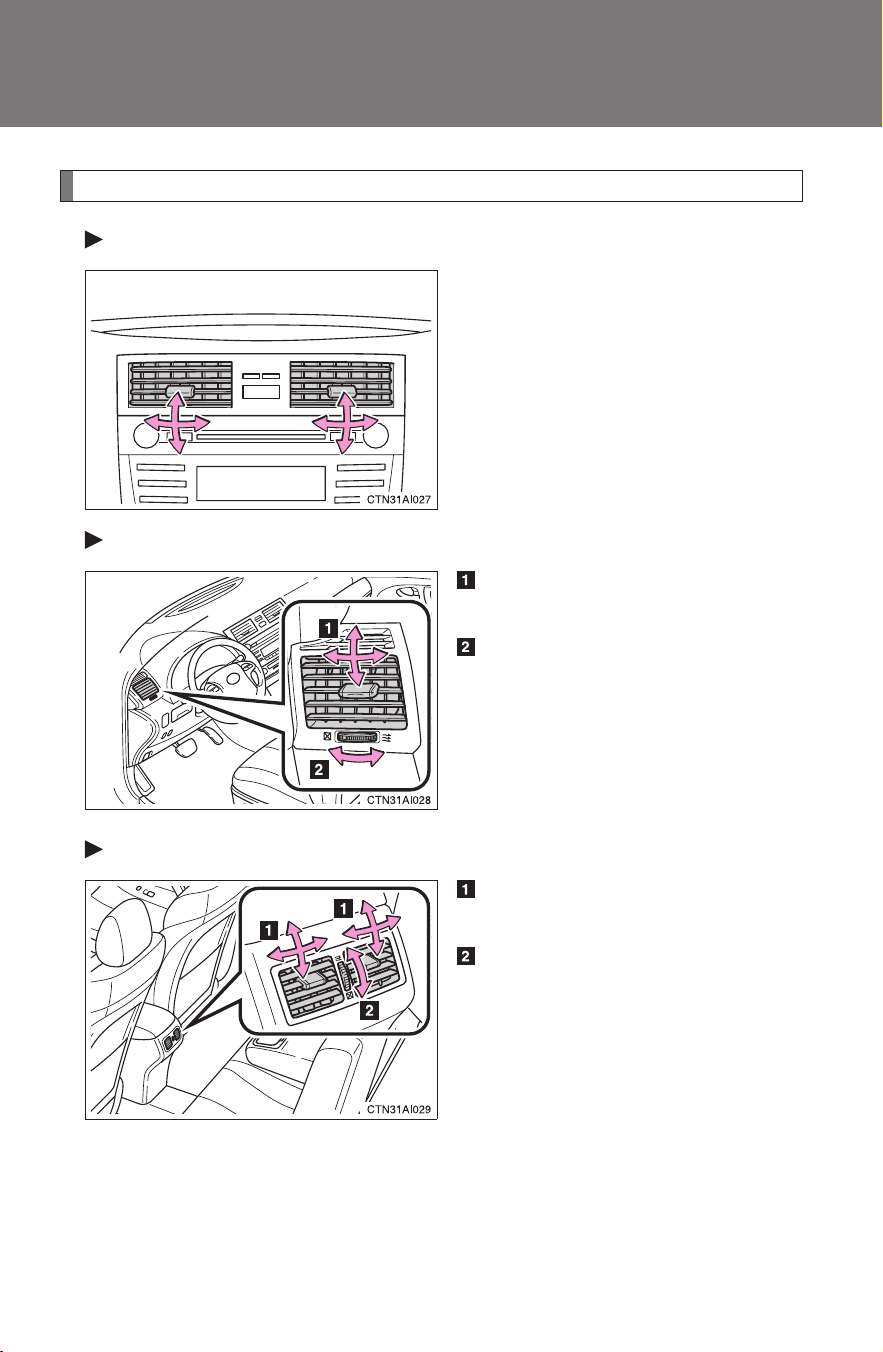
186
3-1. Using the air conditioning system and defogger
CAMRY_HV_U
Adjusting the position of and opening and closing the air outlets
Center outlets
Direct air flow to the left or right,
up or down.
Right and left side outlets
Direct air flow to the left or
right, up or down.
Turn the knob right to open the
vent and left to close the vent.
Rear outlets
Direct air flow to the left or
right, up or down.
Turn the knob up to open the
vent and down to close the
vent.
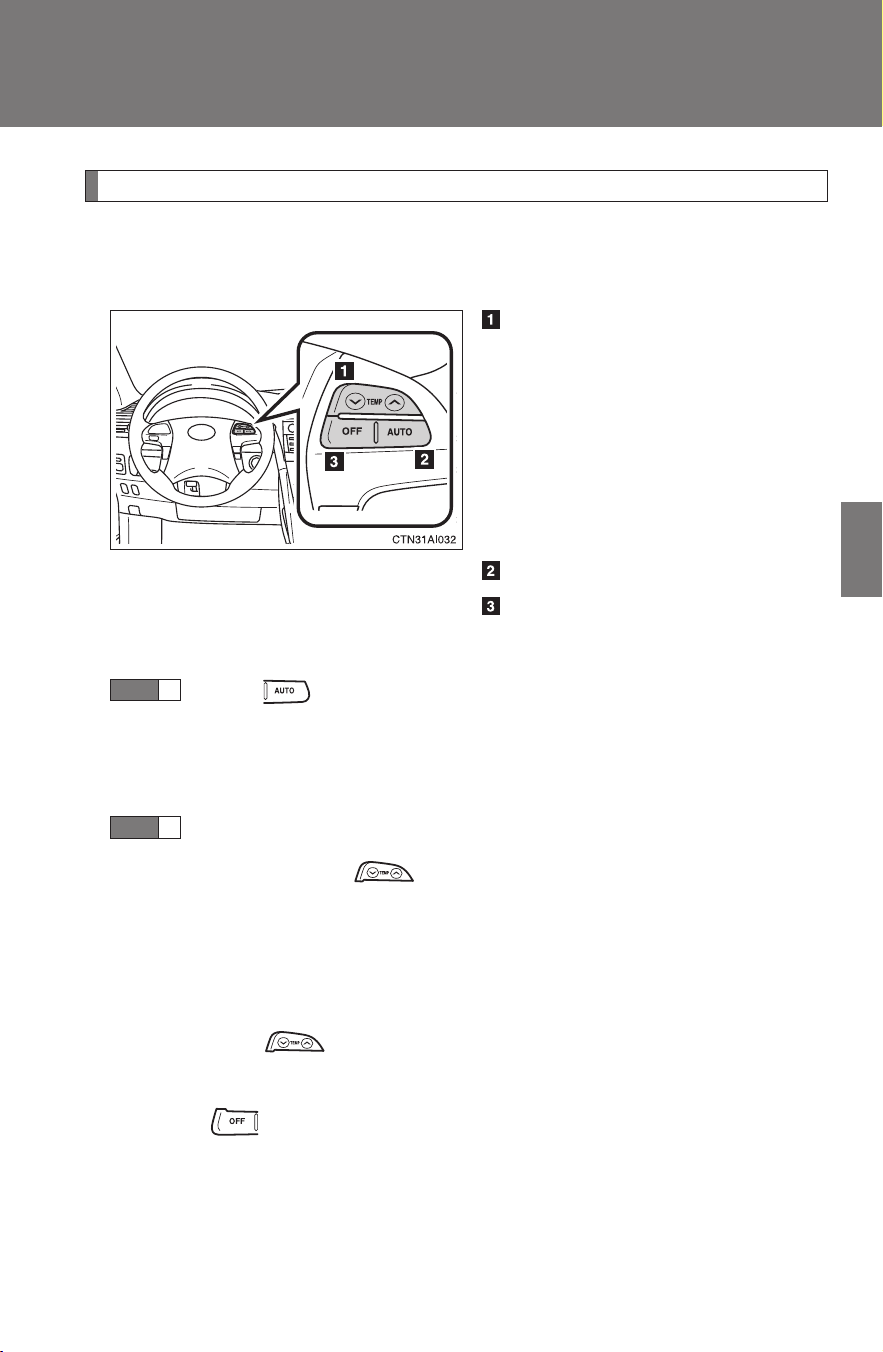
187
3-1. Using the air conditioning system and defogger
3
Interior features
CAMRY_HV_U
Steering wheel switches
Some air conditioning features can be controlled using the switches
on the steering wheel.
Temperature selector
“DUAL” button indicator on: Indi-
vidual setting on the driver's side
only.
“DUAL” button indicator off:
Simultaneous setting on the
driver’s and front passenger’s
sides.
Automatic mode
Off
■ Using the automatic mode
Press .
The air conditioning system will begin to operate. Air outlets
and fan speed are automatically adjusted according to the
temperature setting. (→P. 188)
Press “∧” to increase the temperature and “∨” to decrease the
temperature on .
The temperature for the driver and passenger seat can be set sepa-
rately. (→P. 188)
■ Adjusting the temperature setting
Press “∧” to increase the temperature and “∨” to decrease the tem-
perature on .
■ Turning off the air conditioning system
Press .
STEP
1
STEP
2

188
3-1. Using the air conditioning system and defogger
CAMRY_HV_U
■ Using the automatic mode
Fan speed is adjusted automatically in accordance with the temperature set-
ting and ambient conditions. As a result, the following may occur.
● Immediately after
is pressed, the fan may stop for a while until
warm or cool air is ready to flow.
● Cool air may flow to the area around the upper body when the heater is
on.
■ Using the system in recirculated air mode
The windows will fog up more easily if the recirculated air mode is used for
an extended period.
■ When the “ECO HEAT/COOL” mode is canceled
● The temperature control is set at “LO” (the lowest temperature) or “HI”
(the highest temperature).
● The air flow is set in the floor/windshield mode or windshield mode.
● The “ECO HEAT/COOL” switch is pushed again.
■ Switching between outside air and recirculated air modes
Recirculated air mode or outside air mode may be automatically switched to
in accordance with the temperature setting and the inside temperature.
■ Window defogger feature
Recirculated air mode may automatically switch to outside air mode in situa-
tions where the windows need to be defogged.
■ When outside air temperature approaches 32°F (0°C)
The air conditioning system may not operate even when
is pressed.
■ When the indicator light on flashes
Press
and turn off the air conditioning system before turning it on
once more. There may be a problem in the air conditioning system if the indi-
cator light continues to flash. Turn the air conditioning system off and have it
inspected by your Toyota dealer.
■ Windshield air flow button
When the “POWER” switch is set at ON mode after the 12-volt battery is
reconnected, the indicator light on the button may flash and a motor sound
may be heard. This does not indicate a malfunction.
189
3-1. Using the air conditioning system and defogger
3
Interior features
CAMRY_HV_U
■ Plasmacluster*
This air conditioning system adopts plasmacluster technology, which helps
to keep good air quality in the cabin by emitting positive and negative ions
through the driver's side vent.
A slight noise may be heard during operation. This is not a malfunction. Also,
static electricity may be discharged near the driver's side vent due to the
high voltage used to operate the system.
To clean the drive's side vent, turn the system off and wipe the vent using a
soft cloth.
*: Plasmacluster technology is manufactured under license from the
SHARP Corporation.
“Plasmacluster” is a trademark of the SHARP Corporation.
CAUTION
■ To prevent the windshield from fogging up
Do not use during cool air operation in extremely humid weather.
The difference between the temperature of the outside air and that of the
windshield can cause the outer surface of the windshield to fog up, blocking
your vision.
■ Plasmacluster
Do not disassemble or repair the system because it contains high voltage
parts. Call your Toyota dealer if the system needs repair.
NOTICE
■ To prevent the 12-volt battery from being discharged
Do not leave the air conditioning system on longer than necessary when the
hybrid system is off.
■ To prevent damage to the Plasmacluster
Do not insert anything into the driver's side vent, attach anything to it, or use
sprays around the drive's side vent. These things may cause the system not
to work properly.
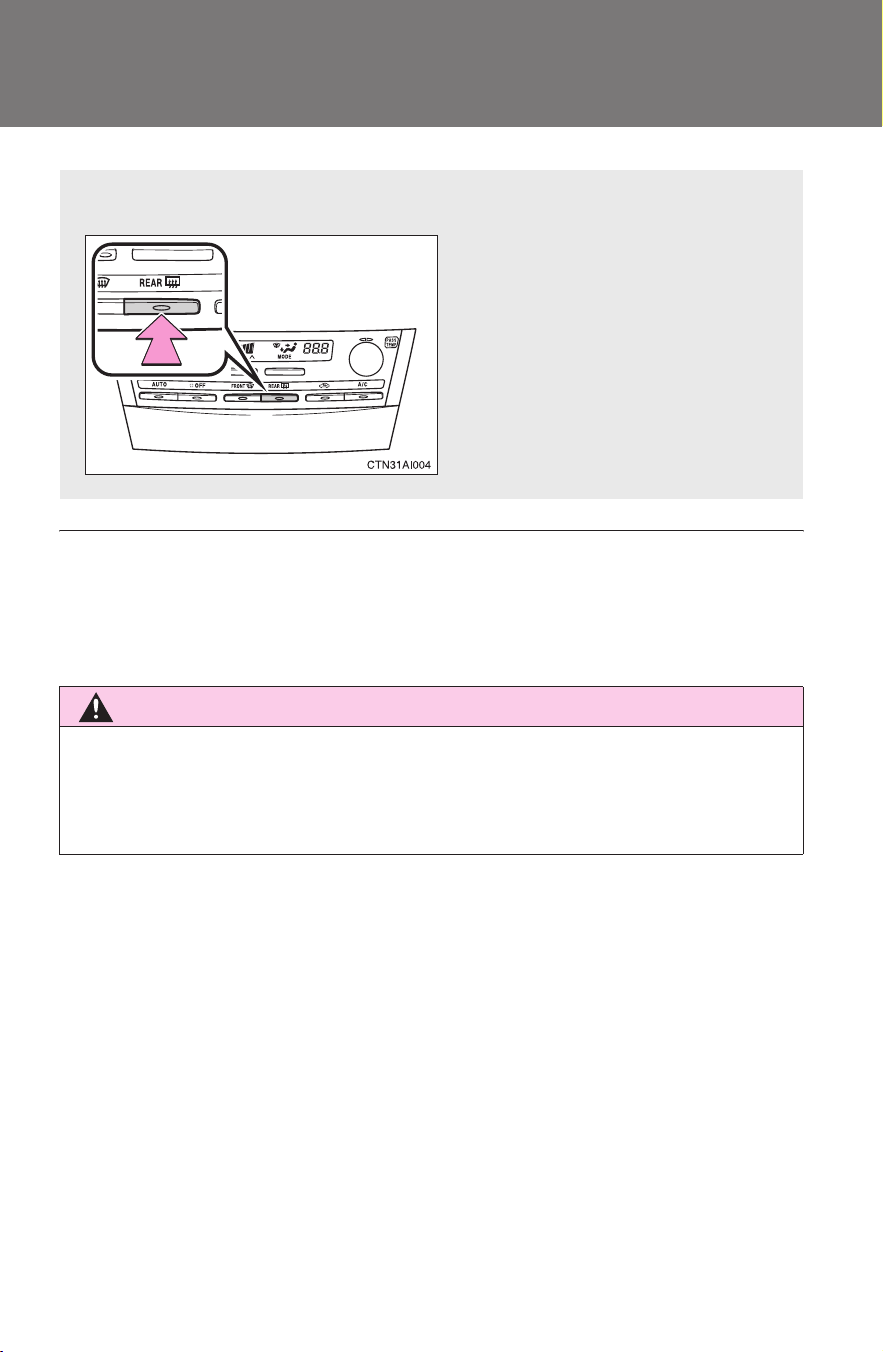
190
3-1. Using the air conditioning system and defogger
CAMRY_HV_U
Rear window and outside rear view mirror defoggers
■ Outside rear view mirror defoggers (if equipped)
Turning the rear window defogger on will turn the outside rear view mirror
defoggers on.
CAUTION
■ Outside rear view mirror defoggers (if equipped)
The surfaces of the outside rear view mirrors become hot. Do not touch
them to prevent from burning yourself.
Clear the rear window using the defogger.
On/off
The defoggers will automati-
cally turn off the operation
time. The operation time is
between 15 minutes and 1
hour depending on the ambient
temperature and vehicle
speed.
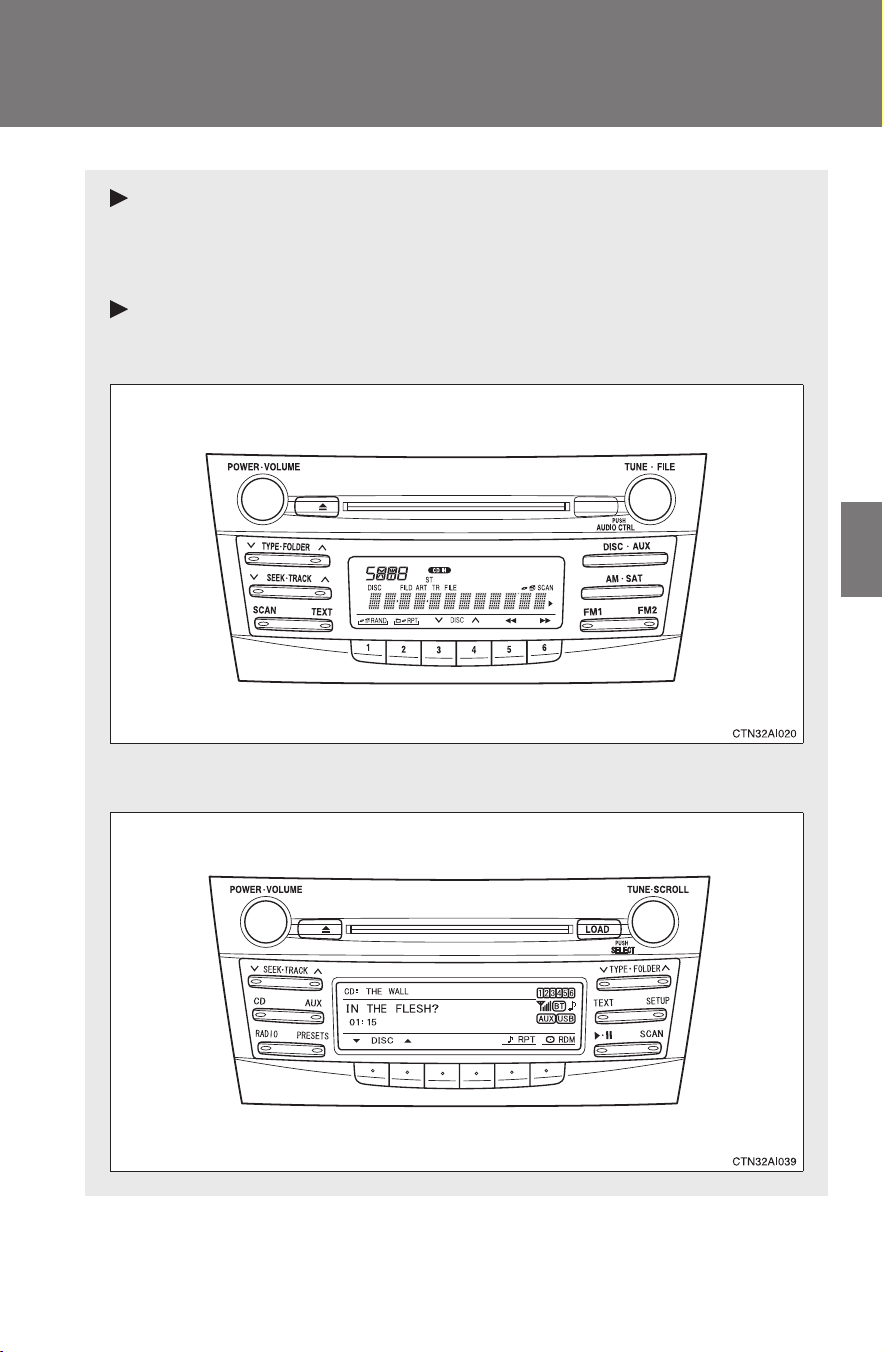
191
3
Interior features
CAMRY_HV_U
3-2. Using the audio system
Audio system types
With navigation system
Owners of models equipped with a navigation system should refer
to the “Navigation System Owner's Manual”.
Without navigation system
Type A: CD player with changer controller and AM/FM radio
Type B: CD player with changer and AM/FM radio
192
3-2. Using the audio system
CAMRY_HV_U
Language settings (type B only)
The language used for all voice guidance, voice recognition and mes-
sages may be changed.
Press .
Press that corresponds to “MORE”.
Press that corresponds to “LANG”.
Press that corresponds to the desired language.
For vehicles sold in the U.S.A.
“ENG” (English) or “ESP” (Spanish)
For vehicles sold in Canada
“ENG” (English) or “FRAN” (French)
Title Page
Using the radio P. 194
Using the CD player P. 201
Playing MP3 and WMA discs P. 209
Operating an iPod
®
P. 217
Operating a USB memory P. 224
Optimal use of the audio system P. 231
Using the AUX adapter P. 236
Using the steering wheel audio switches P. 238
STEP
1
STEP
2
STEP
3
STEP
4

193
3-2. Using the audio system
3
Interior features
CAMRY_HV_U
■ Using cellular phones
Interference may be heard through the audio system's speakers if a cellular
phone is being used inside or close to the vehicle while the audio system is
operating.
CAUTION
■ For vehicles sold in U.S.A. and Canada
● Part 15 of the FCC Rules
FCC Warning:
Any unauthorized changes or modifications to this equipment will void the
user’s authority to operate this device.
● Laser products
• Do not take this unit apart or attempt to make any changes yourself.
This is an intricate unit that uses a laser pickup to retrieve information
from the surface of compact discs. The laser is carefully shielded so
that its rays remain inside the cabinet. Therefore, never try to disas-
semble the player or alter any of its parts since you may be exposed to
laser rays and dangerous voltages.
• This product utilizes a laser.
Use of controls or adjustments or performance of procedures other
than those specified herein may result in hazardous radiation expo-
sure.
NOTICE
■ To prevent battery discharge
Do not leave the audio system on longer than necessary with the engine off.
■ To avoid damaging the audio system
Take care not to spill drinks or other fluids over the audio system.
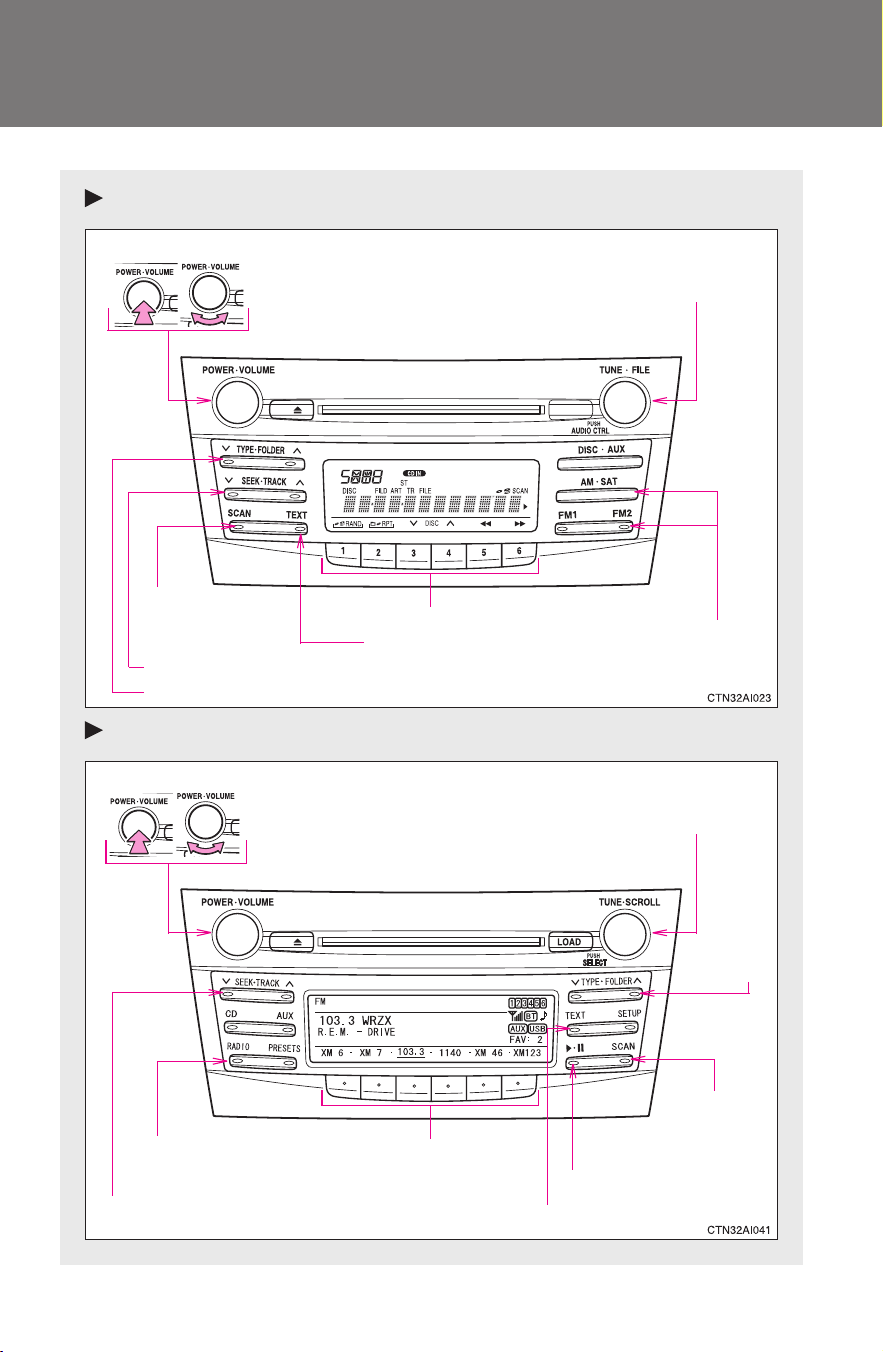
194
3-2. Using the audio system
CAMRY_HV_U
Using the radio
Type A
Type B
Volume
Scanning for
receivable stations
Station selector
Seeking the frequency
Adjusting the frequency
(AM, FM mode) or channel
(SAT mode)
AM⋅SAT/FM
mode buttons
Power
Displaying radio text
messages
Changing the channel
AM/FM/SAT mode
button
Station selector
Seeking the frequency
Adjusting the frequency
(AM, FM mode) or channel
(SAT mode)
Displaying radio text messages
Changing
the channel
Scanning
for receivable
stations
VolumePower
Silencing a sound
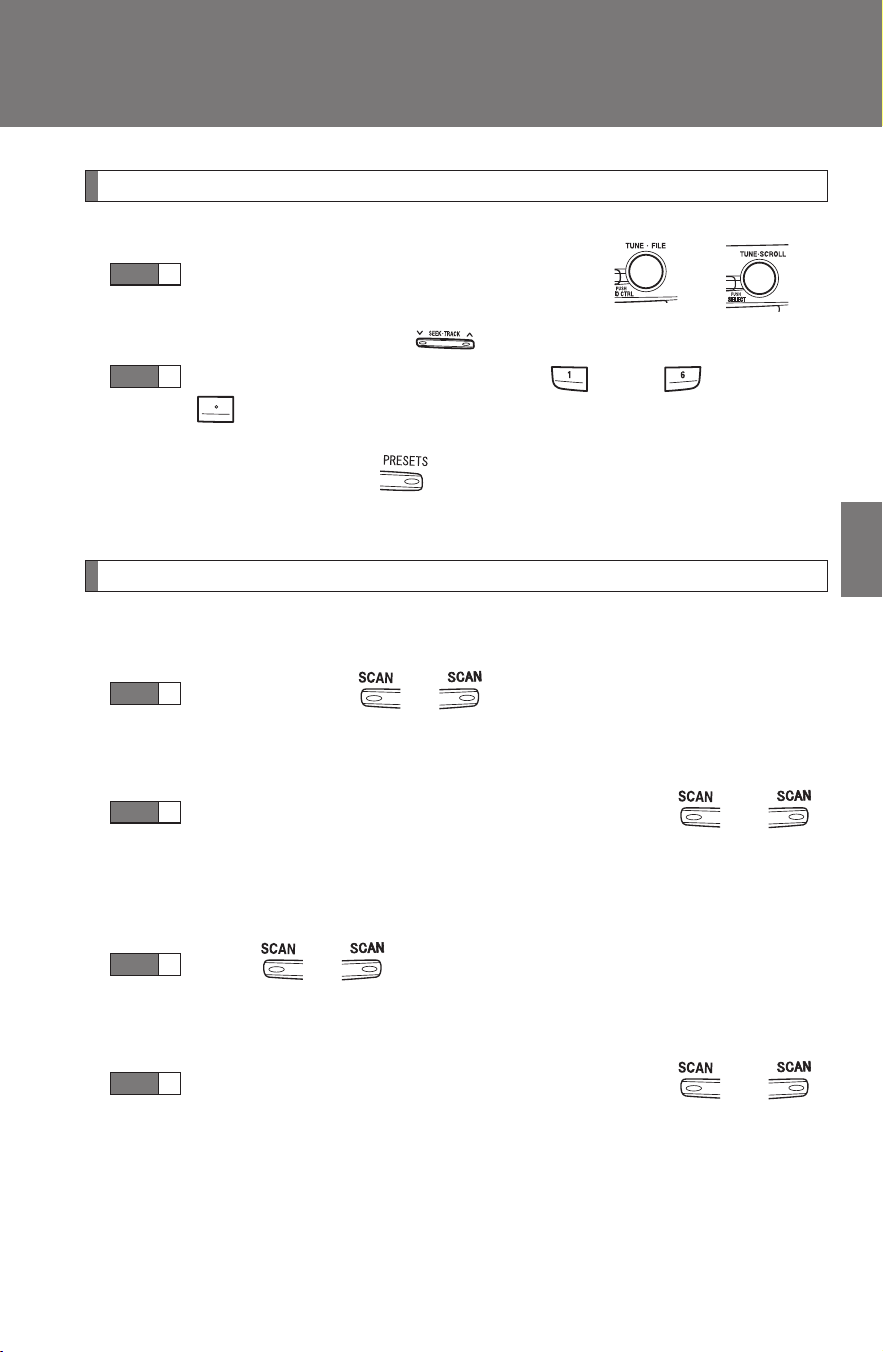
195
3-2. Using the audio system
3
Interior features
CAMRY_HV_U
Setting station presets (excluding XM
®
Satellite Radio)
Search for desired stations by turning or or
pressing “
∧” or “∨” on .
Press and hold a button (from to or one of
) until you hear a beep.
Type B: Each time is pressed, station pages are changed.
There are a total of 6 pages.
Scanning radio stations (excluding XM
®
Satellite Radio)
■ Scanning the preset radio stations
Press and hold or until you hear a beep.
Preset stations will be played for 5 seconds each.
When the desired station is reached, press or
again.
■ Scanning all radio stations within range
Press
or .
All the stations with reception will be played for 5 seconds each.
When the desired station is reached, press or
again.
STEP
1
STEP
2
STEP
1
STEP
2
STEP
1
STEP
2
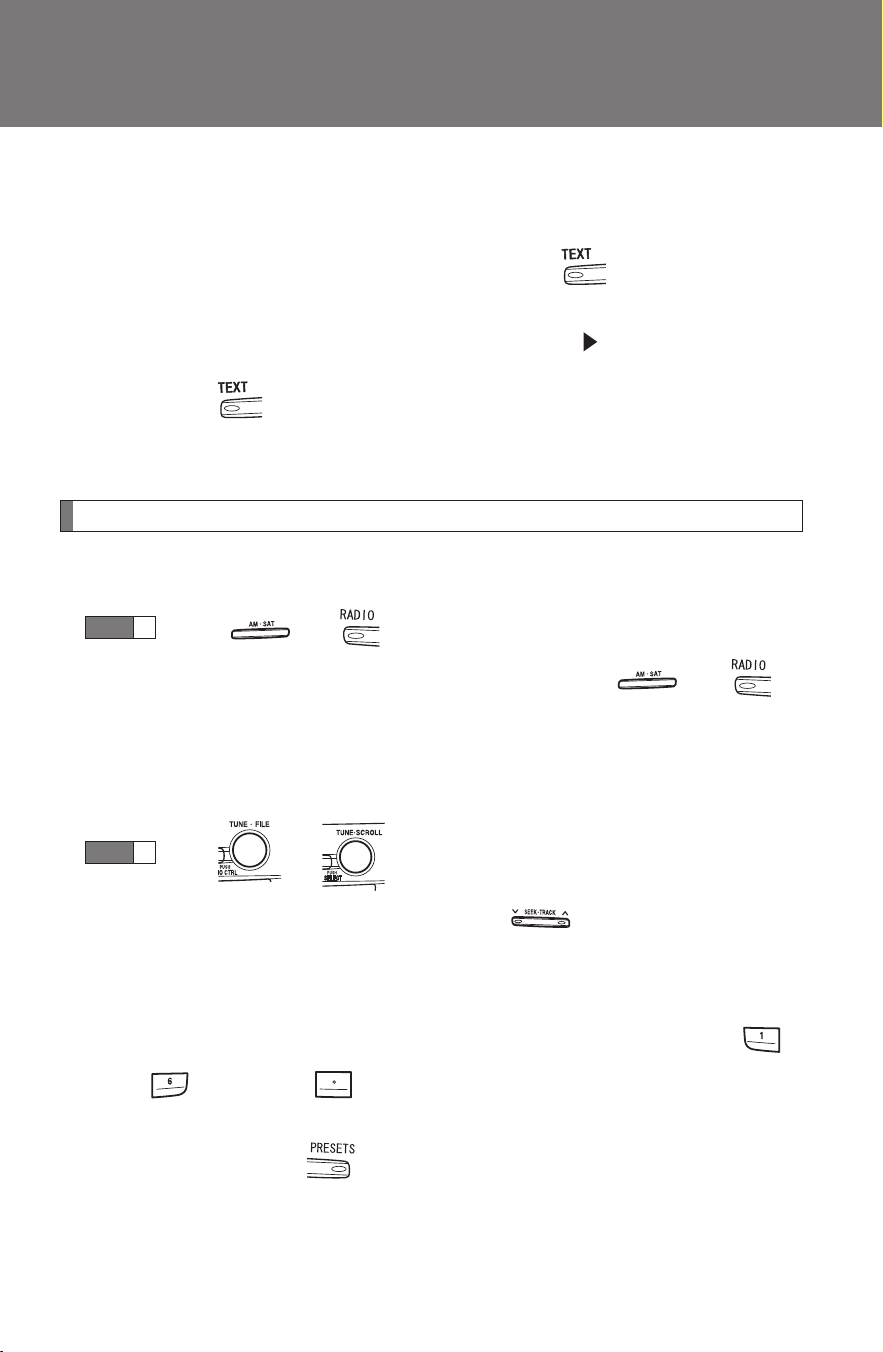
196
3-2. Using the audio system
CAMRY_HV_U
■ Displaying radio text messages (for type B, FM mode only)
When a new radio text message is received, “MSG” is shown on
the display. To display the message, press .
If the text continues past the end of the display, “ ” is displayed. Press
and hold until you hear a beep.
Text messages are not displayed while driving.
XM
®
Satellite Radio (if equipped)
■ Receiving XM
®
Satellite Radio
Press or .
The display changes as follows each time or is
pressed.
Type A: AM → SAT1 → SAT2 → SAT3
Type B: AM → FM → SAT
Turn or to select the desired channel in all the
categories or press “∧” or “∨” on to select the desired
channel in the current category.
■ Setting XM
®
Satellite Radio channel presets
Select the desired channel. Press and hold a button (from
to or one of ) until you hear a beep.
Type B: Each time is pressed, station pages are changed. There
are a total of 6 pages.
STEP
1
STEP
2

197
3-2. Using the audio system
3
Interior features
CAMRY_HV_U
■ Changing the channel category
Press “∧” or “∨” on or .
■ Scanning XM
®
Satellite Radio channels
● Scanning channels in the current category
Press or .
When the desired channel is reached, press or
again.
● Scanning the preset channels
Press and hold or until you hear a beep.
When the desired channel is reached, press or
again.
■ Displaying text information
Press or .
Type A: Each time is pressed, the display changes in the following
order:
Channel name → Title (song/program title) → Name (artist name/feature)
→ Channel number.
STEP
1
STEP
2
STEP
1
STEP
2

198
3-2. Using the audio system
CAMRY_HV_U
Type B: Each time is pressed, the display changes in the following
order:
Title (song/program title) → Title (song/program title)/Name (artist name/
feature).
■ When the battery is disconnected
All preset stations are erased. (type A only)
■ Reception sensitivity
● Maintaining perfect radio reception at all times is difficult due to the con-
tinually changing position of the antenna, differences in signal strength
and surrounding objects, such as trains, transmitters, etc.
● The radio antenna is mounted inside the rear window. To maintain clear
radio reception, do not attach metallic window tinting or other metallic
objects to the antenna wire mounted inside the rear window.
■ XM
®
Satellite Radio
An XM
®
Satellite Radio is a tuner designed exclusively to receive broadcasts
provided under a separate subscription. Availability is limited to the 48 con-
tiguous states and 10 Canadian provinces.
● XM
®
subscriptions
For detailed information about XM
®
Satellite Radio or to subscribe:
U.S.A.
Visit on the web at www.xmradio.com
or call 1-800-967-2346.
Canada
Visit on the web at www.xmradio.ca
or call 1-877-438-9677.
● Radio ID
You will need the radio ID when activating XM
®
service or reporting a
problem. Select “CH000” using or , and the receiver's 8-
character ID number will appear.
● Satellite tuner
The tuner supports only Audio Services (Music and Talk) and the accom-
panying Text Information of XM
®
Satellite Radio.

199
3-2. Using the audio system
3
Interior features
CAMRY_HV_U
■ If XM
®
Satellite Radio does not operate normally
If a problem occurs with the XM
®
tuner, a message will appear on the dis-
play. Refer to the table below to identify the problem, and take the suggested
corrective action.
ANTENNA
or
CHECK
ANTENNA
The XM
®
antenna is not connected. Check
whether the XM
®
antenna cable is attached
securely.
There is a short-circuit in the antenna or the sur-
rounding antenna cable. See a Toyota certified
dealer.
UPDATING
You have not subscribed to XM
®
Satellite Radio.
The radio is being updated with the latest encryp-
tion code. Contact XM
®
Satellite Radio for sub-
scription information. When a contract is canceled,
you can choose the “CH000” and all free-to-air
channels.
The premium channel you selected is not autho-
rized. Wait for about 2 seconds until the radio
returns to the previous channel or “CH001”. If it
does not change automatically, select another
channel. If you want to listen to the premium chan-
nel, contact XM
®
Satellite Radio.
NO SIGNAL
The XM
®
signal is too weak at the current location.
Wait until your vehicle reaches a location with a
stronger signal.
LOADING
The unit is acquiring audio or program information.
Wait until the unit has received the information.
OFF AIR
or
CHANNEL OFF
AIR
The channel you selected is not broadcasting any
programming. Select another channel.
-----
There is no song/program title or artist name/fea-
ture associated with the channel at this time. No
action needed.

200
3-2. Using the audio system
CAMRY_HV_U
Contact the XM
®
Listener Care Center at 1-800-967-2346 (U.S.A.) or 1-877-
438-9677 (Canada)
■ Certifications for the radio tuner
This equipment has been tested and found to comply with the limits for a
class B digital device, pursuant to Part 15 of the FCC Rules. These limits are
designed to provide reasonable protection against harmful interference in a
residential installation. This equipment generates, uses and can radiate
radio frequency energy and, if not installed and used in accordance with the
instructions, may cause harmful interference to radio communications. How-
ever, there is no guarantee that interference will not occur in a particular
installation.
If this equipment does cause harmful interference to radio or television
reception, which can be determined by turning the equipment off and on, the
user is encouraged to try to correct the interference by trying one or more of
the following:
● Reorienting or relocating the receiving antenna.
● Increasing the separation between the equipment and receiver.
● Connecting the equipment into an outlet on a circuit different from that to
which the receiver is connected.
● Consulting the dealer or an experienced radio/TV technician for help.
---
The channel you selected is no longer available.
Wait for about 2 seconds until the radio returns to
the previous channel or “CH001”. If it does not
change automatically, select another channel.
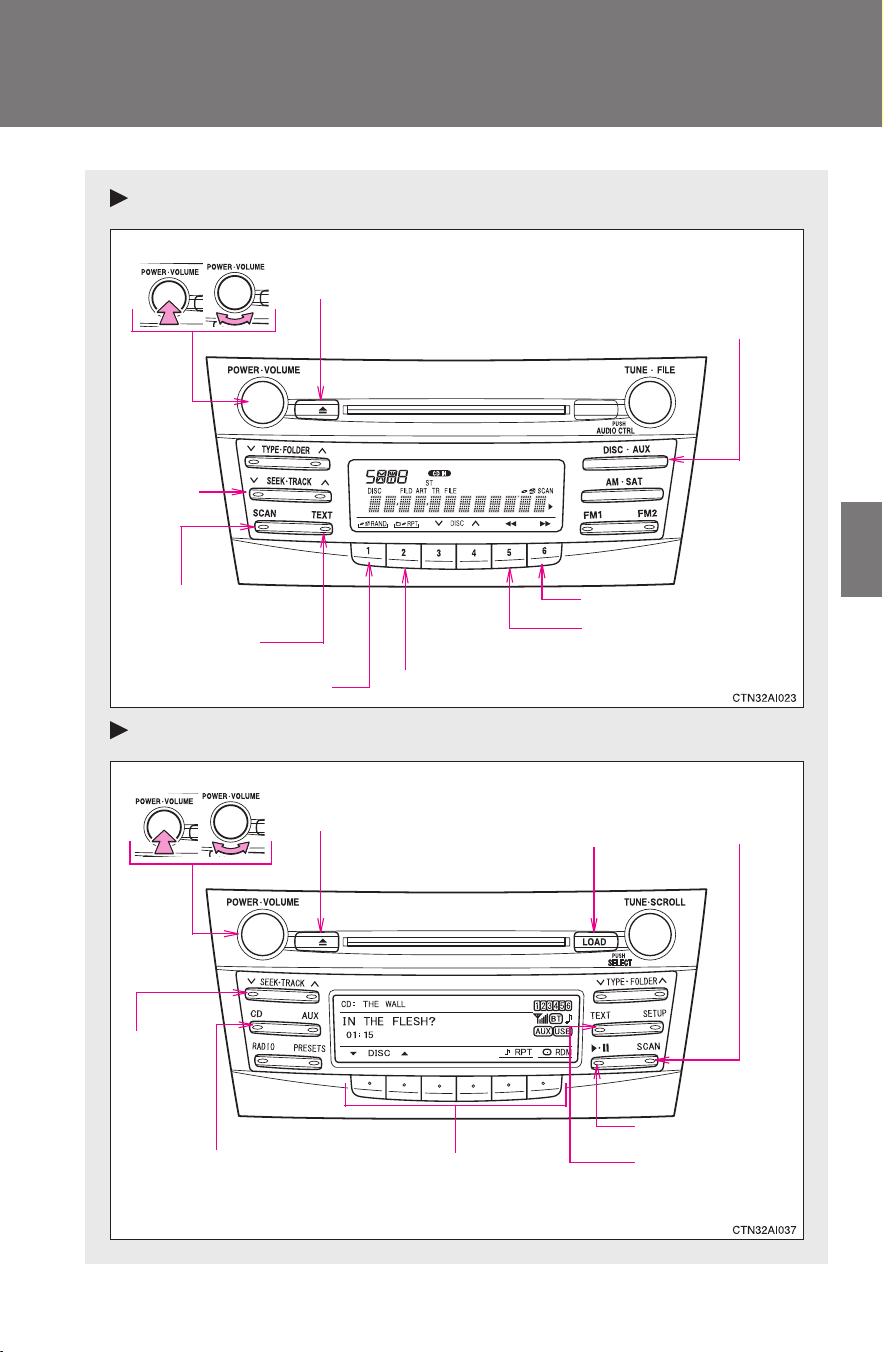
201
3-2. Using the audio system
3
Interior features
CAMRY_HV_U
Using the CD player
Type A
Type B
Volume
Random playback
Repeat play
Playback
Power
CD eject
Displaying text
messages
Selecting
a track
Fast-forward
Reverse
Searching playback
VolumePower
CD eject
Fast-
forwarding
and
reversing
Searching
playback
CD load
Playback/pause
Displaying text
messages
Selector buttonsPlayback
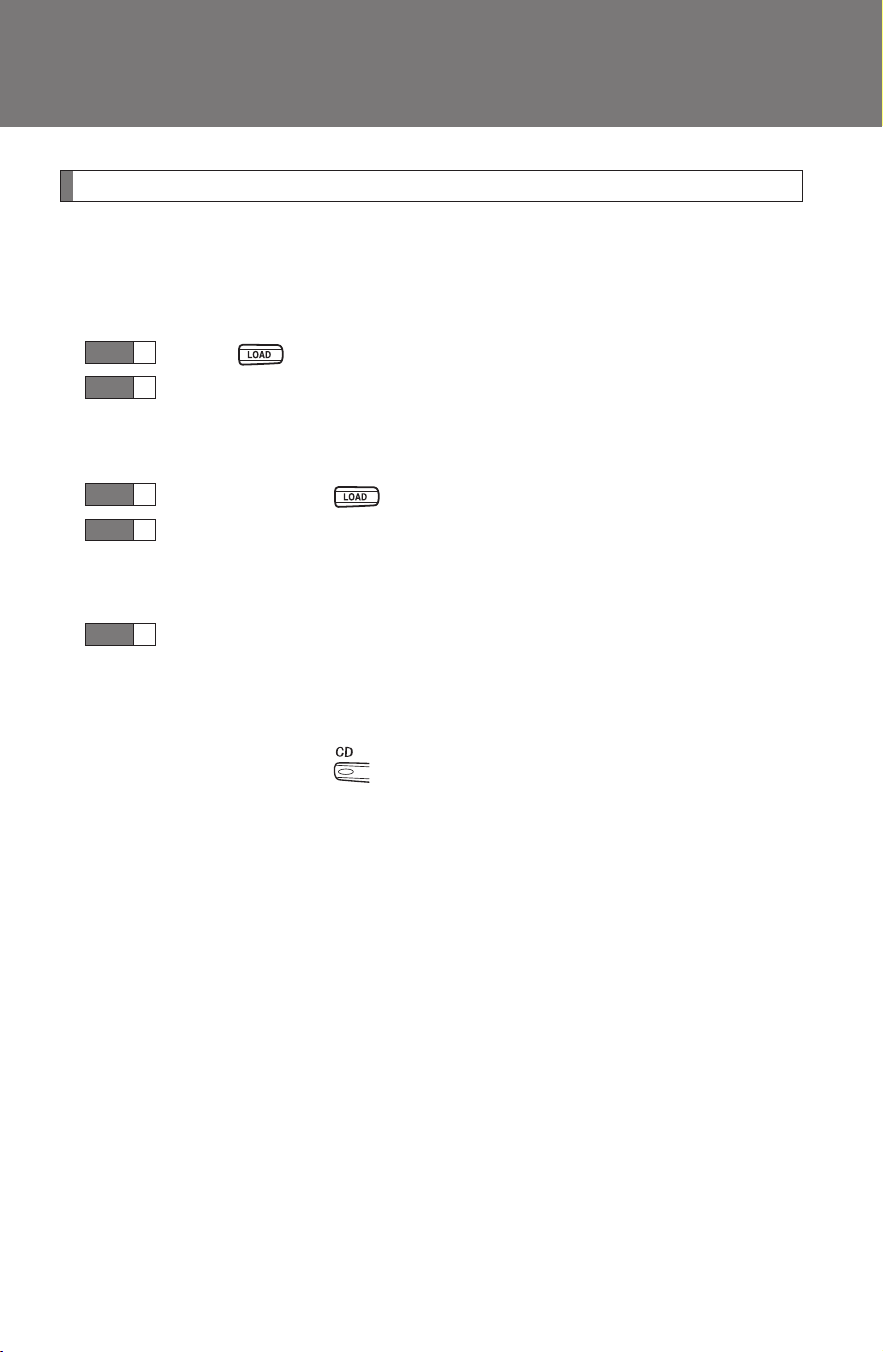
202
3-2. Using the audio system
CAMRY_HV_U
Loading CDs
■ Loading a CD (type A)
Insert a CD.
■ Loading a CD (type B)
Press .
When the indicator on the slot turns from amber to green,
insert a CD.
■ Loading multiple CDs (type B only)
Press and hold until you hear a beep.
When the indicator on the slot turns from amber to green,
insert a CD.
The indicator on the slot turns to amber when the CD is inserted.
When the indicator on the slot turns from amber to green
again, insert the next CD.
Repeat the procedure for the remaining CDs.
To cancel, press . If you do not insert a disc within 15 seconds,
loading will be canceled automatically.
STEP
1
STEP
2
STEP
1
STEP
2
STEP
3
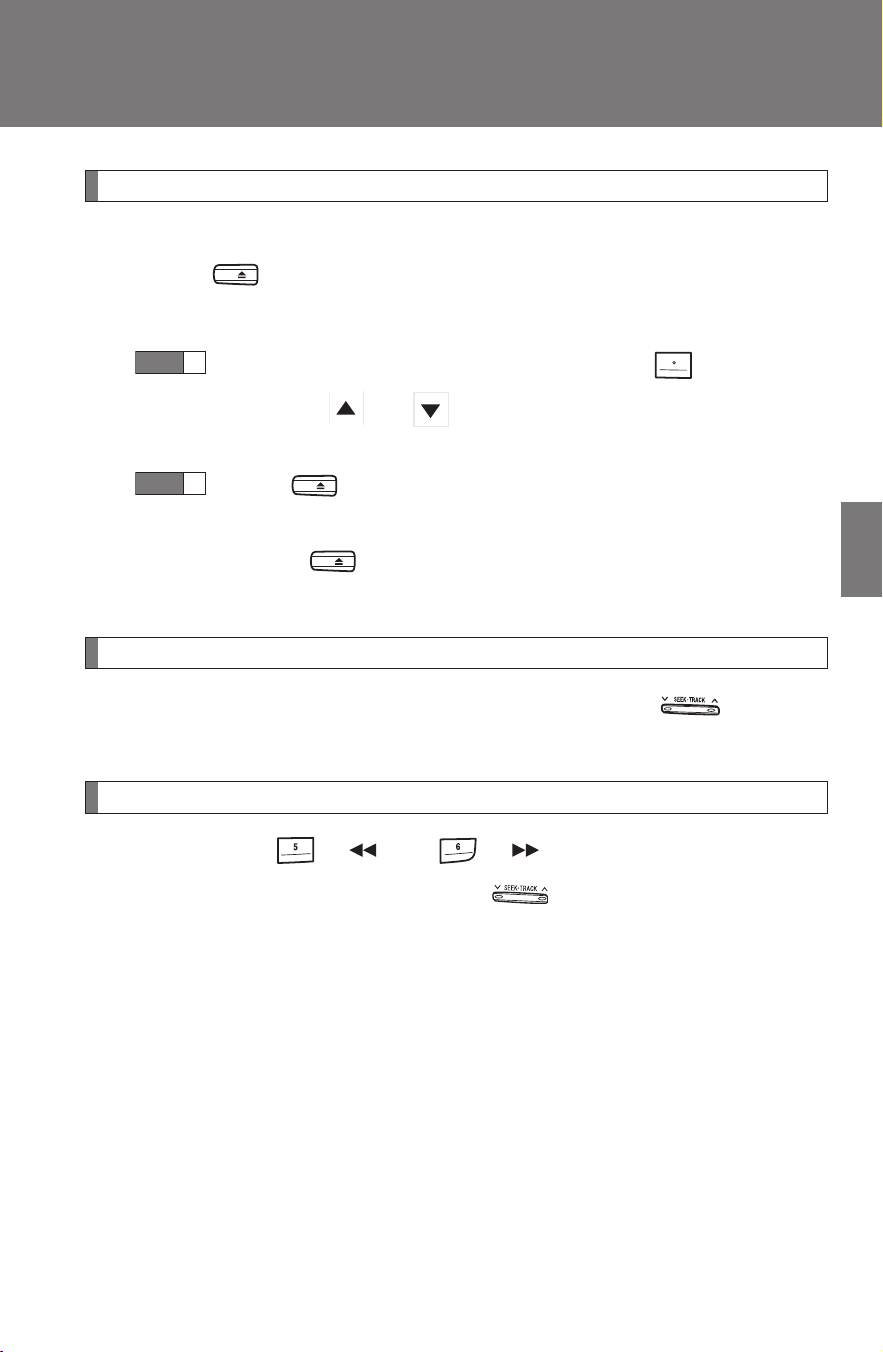
203
3-2. Using the audio system
3
Interior features
CAMRY_HV_U
Ejecting CDs
■ Ejecting a CD (type A)
Press and remove the CD.
■ Ejecting a CD (type B)
To select the CD to be ejected, press that corre-
sponds to “ ” or “ ”.
The selected CD number is shown on the display.
Press and remove the CD.
■ Ejecting all the CDs (type B only)
Press and hold until you hear a beep, and then remove the
CDs.
Selecting a track
Press “
∧” to move up or “∨” to move down using until the
desired track number is displayed.
Fast-forwarding and reversing tracks
Type A: Press ( ) or ( ).
Type B: Press and hold “∧” or “∨” on .
STEP
1
STEP
2
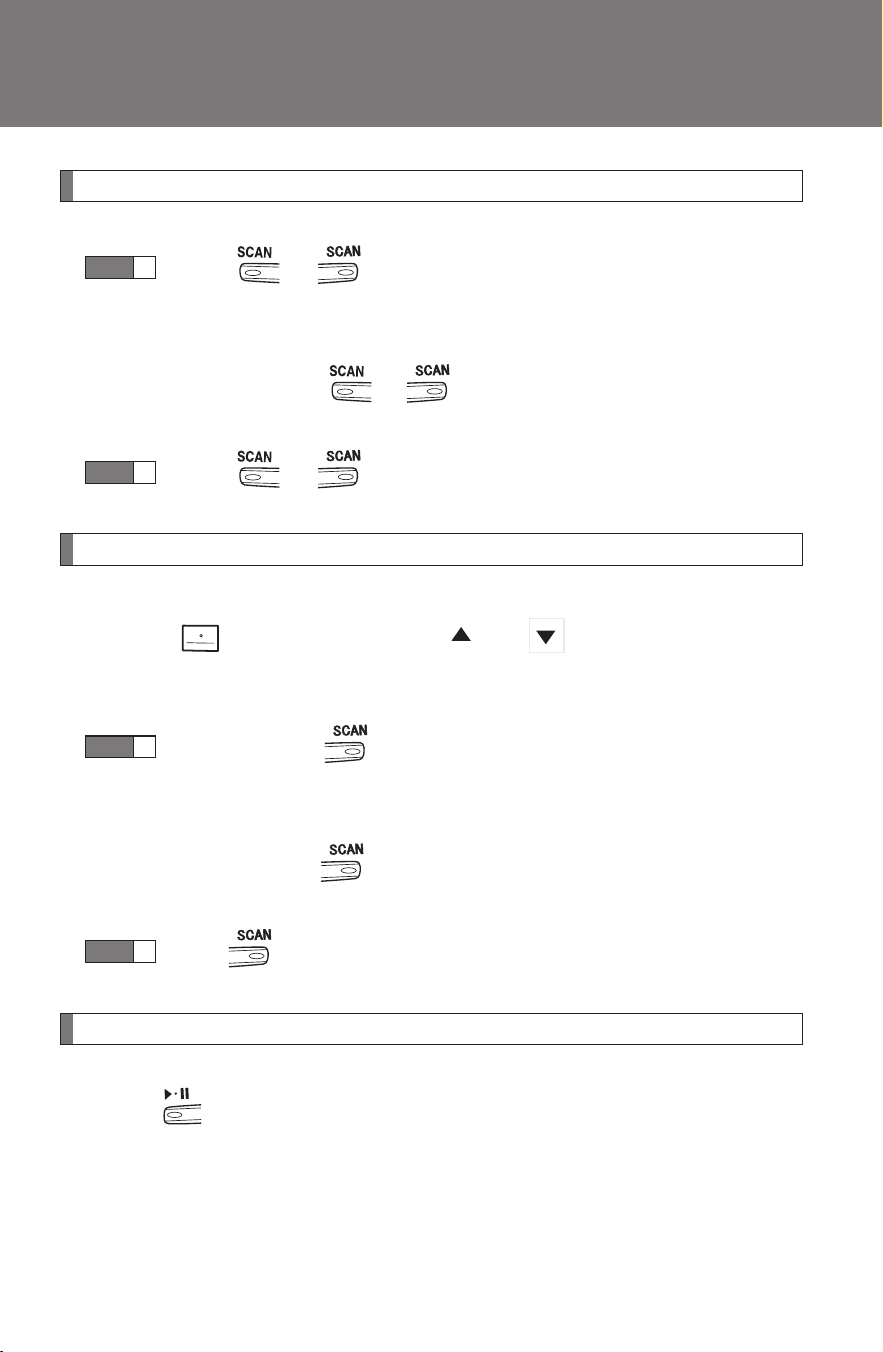
204
3-2. Using the audio system
CAMRY_HV_U
Scanning tracks
Press or .
The first ten seconds of each track will be played.
To cancel, press or again.
Press or again when the desired track is reached.
Selecting a CD (type B only)
■ Selecting a CD to play
Press that corresponds to “ ” or “ ”.
■ Scanning loaded CDs
Press and hold until you hear a beep.
The first ten seconds of the first track on each CD will be played.
To cancel, press again.
Press again when the desired CD is reached.
Playing and pausing tracks (type B only)
Press .
STEP
1
STEP
2
STEP
1
STEP
2
205
3-2. Using the audio system
3
Interior features
CAMRY_HV_U
Random playback
■ Current CD
Press (RAND) or that corresponds to “RDM”.
Songs are played in random order.
To cancel, press the same button until “OFF” is displayed.
■ All CDs (type B only)
Press that corresponds to “RDM” twice.
Tracks on all loaded CDs are played in random order.
To cancel, press the button again.
Repeat play
■ Repeating a track
Press (RPT) or that corresponds to “RPT”.
To cancel, press the same button until “OFF” is displayed.
■ Repeating all of the tracks on a CD (type B only)
Press that corresponds to “RPT” twice.
To cancel, press the button again.
Switching the display
Press or .
Type A: Each time is pressed, the display changes in the following
order:
Track no./Elapsed time → CD title → Track name.

206
3-2. Using the audio system
CAMRY_HV_U
Type B: Each time is pressed, the display changes in the following
order:
Track title → Track name/Artist name → Track name/Elapsed time.
■ Display (type A)
Up to 12 characters can be displayed at a time.
If there are 13 characters or more, pressing and holding for 1 second
or more will display the remaining characters.
A maximum of 24 characters can be displayed.
If is pressed for 1 second or more again or has not been pressed for 6
seconds or more, the display will return to the first 12 characters.
Depending on the contents recorded, the characters may not be displayed
properly or may not be displayed at all.
■ Error messages
“CD CHECK”: This indicates a problem either with the CD or
inside the player. The CD may be dirty, dam-
aged or inserted up-side down.
“WAIT” or “PLEASE WAIT”: Operation has stopped due to a high tempera-
ture inside the player. Wait for a while and
then press or . Contact your
Toyota dealer if the CD still cannot be played
back.
■ Discs that can be used
Discs with the marks shown below can be used.
Playback may not be possible depending on the recording format or disc
features, or due to scratches, dirt or deterioration.
CDs with copy-protection features may not be used.
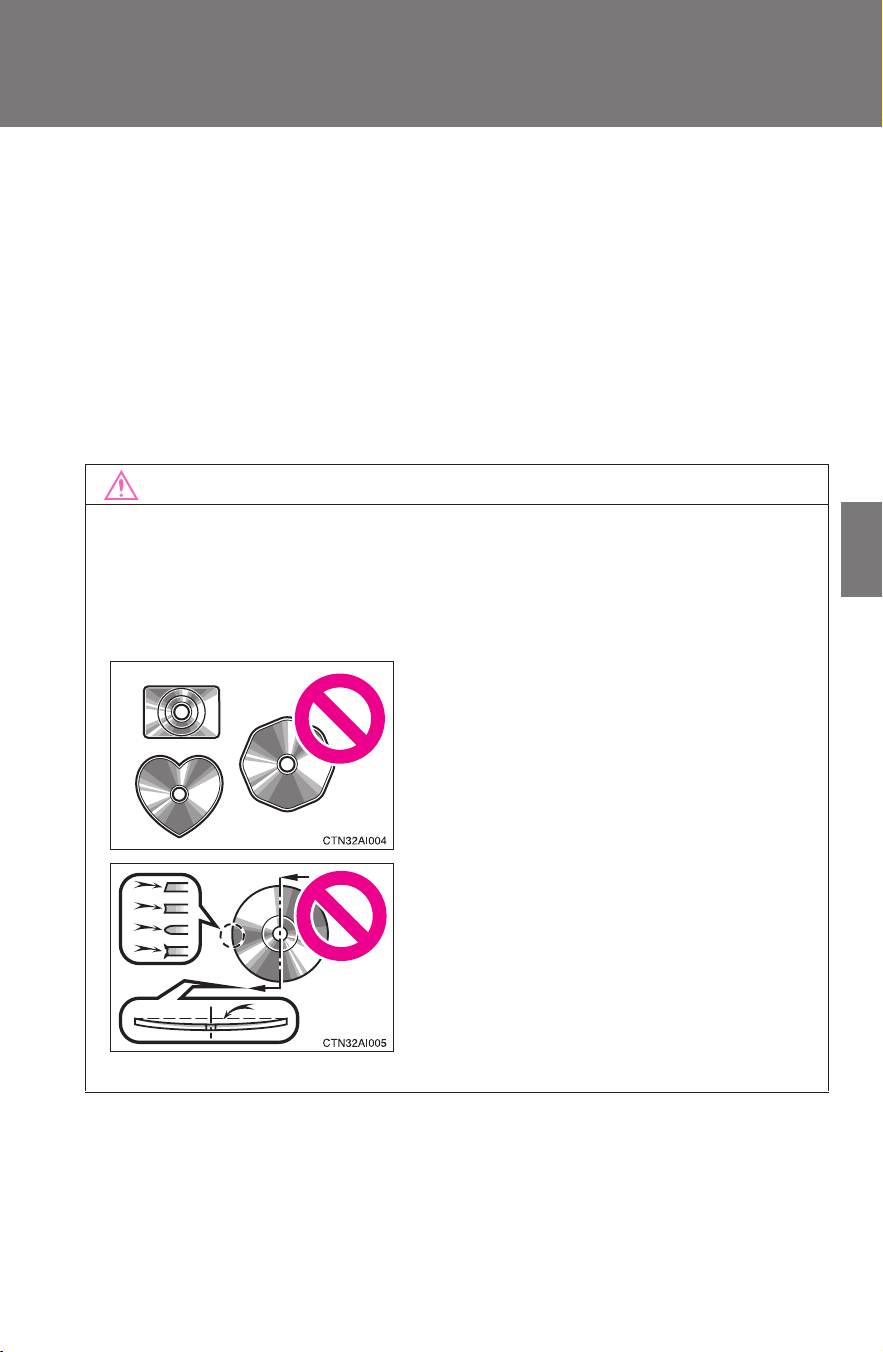
207
3-2. Using the audio system
3
Interior features
CAMRY_HV_U
■ CD player protection feature
To protect the internal components, playback is automatically stopped when
a problem is detected while the CD player is being used.
■ If CDs are left inside the CD player or in the ejected position for
extended periods
CDs may be damaged and may not play properly.
■ Lens cleaners
Do not use lens cleaners. Doing so may damage the CD player.
NOTICE
■ CDs and adapters that cannot be used
Do not use the following types of CDs, 3 in. (8 cm) CD adapters or Dual
Discs.
Doing so may damage the CD player and/or the CD insert/eject function.
● CD player with changer and AM/FM
radio: CDs that have a diameter that is
not 4.7 in. (12 cm)
● Low-quality and deformed CDs
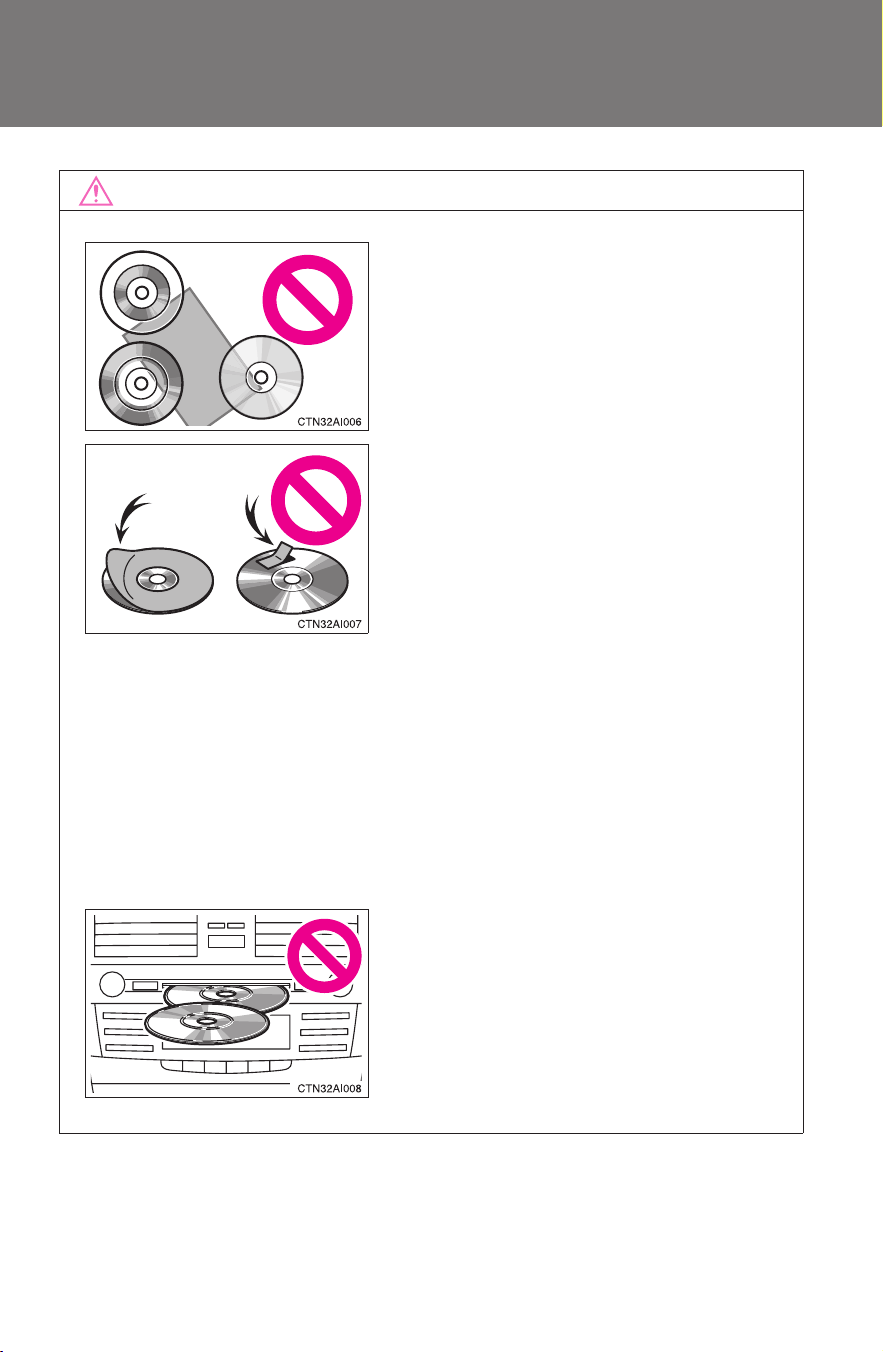
208
3-2. Using the audio system
CAMRY_HV_U
NOTICE
■ CD player precautions
Failure to follow the precautions below may result in serious damage to the
CDs or the player itself.
● Do not insert anything other than CDs into the CD slot.
● Do not apply oil to the CD player.
● Store CDs away from direct sunlight.
● Never try to disassemble any part of the CD player.
● CDs with a transparent or translucent
recording area
● CDs that have had tape, stickers or CD-
R labels attached to them, or that have
had the label peeled off
● Do not insert more than one CD at a
time.
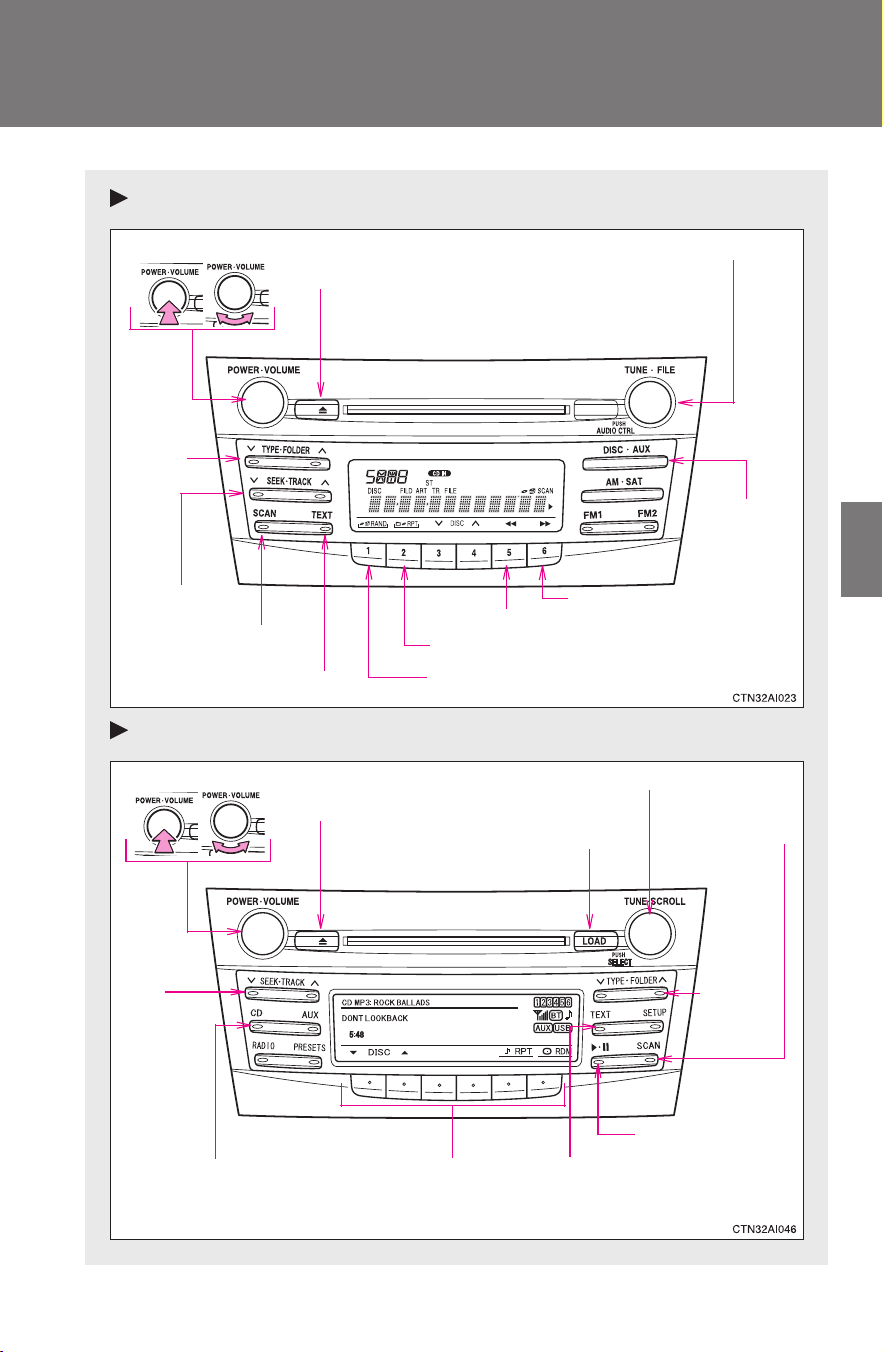
209
3-2. Using the audio system
3
Interior features
CAMRY_HV_U
Playing MP3 and WMA discs
Type A
Type B
Volume
Random playback
Selecting a file
Playback
Power
CD eject
Displaying text messages
Selecting a file
Repeat play
Searching playback
Selecting
a folder
Fast-forwarding
Reversing
Volume
Fast-
forwarding
and
reversing
Power
Disc eject
Selector buttons
Searching
playback
Selecting
a folder
and files
Disc load
Playback/pause
Displaying text messages
Selecting a file
Playback
210
3-2. Using the audio system
CAMRY_HV_U
Loading and ejecting MP3 and WMA discs
→P. 2 0 2
Selecting MP3 and WMA discs (type B only)
→P. 2 0 4
Selecting and scanning a folder
■ Selecting folders one at a time
Press “∧” or “∨” on or to select the desired folder.
■ Scanning the first file of all the folders
Press and hold or until you hear a beep.
The first ten seconds of the first file in each folder will be played.
When the desired folder is reached, press or
again.
■ Returning to the first folder
Press and hold “∨” on or until you hear a beep.
STEP
1
STEP
2
211
3-2. Using the audio system
3
Interior features
CAMRY_HV_U
Selecting and scanning files
■ Selecting one file at a time
Turn or or press “∧” or “∨” on or to
select the desired file.
■ Selecting the desired file by cueing the files in the folder
Press or .
When the desired file is reached, press or once again.
Fast-forwarding and reversing files
Type A: Press ( ) or ( ).
Type B: Press and hold “
∧” or “∨” on .
Playing and pausing files (type B only)
Press .
Random playback
■ Playing files from a particular folder in random order
Press (RAND) or that corresponds to “RDM”.
To cancel, press the same button until “OFF” is displayed.
■ Playing all of the files on a disc in random order (type B only)
Press that corresponds to “RDM” twice.
To cancel, press the button again.
212
3-2. Using the audio system
CAMRY_HV_U
Repeat play
■ Repeating a file
Press (RPT) or that corresponds to “RPT”.
To cancel, press the same button until the “OFF” is displayed.
■ Repeating all of the files in a folder (type B only)
Type A: Press and hold (RPT) until you hear a beep.
Type B: Press that corresponds to “RPT” twice.
To cancel, press the button again.
■ Repeating all of the files in a disc (type B only)
Press that corresponds to “RPT” three times.
To cancel, press the same button again.
Switching the display
Press or .
Type A: Each time is pressed, the display changes in the following
order:
Folder no./File no./Elapsed time → Folder name → File name → Album
title (MP3 only) → Track title → Artist name.
Type B: Each time is pressed, the display changes in the following
order:
Track title → Track title/Artist name → Track title/Album name → Track
title/Elapsed time.

213
3-2. Using the audio system
3
Interior features
CAMRY_HV_U
■ Display
→P. 206
■ Error messages
“CD CHECK”: This indicates a problem either with the CD or
inside the player. The CD may be dirty, dam-
aged or inserted up-side down.
“WAIT” or “PLEASE WAIT”: Operation has stopped due to a high tempera-
ture inside the player. Wait for a while and then
press or . Contact your Toyota
dealer if the CD still cannot be played.
■ Discs that can be used
→P. 206
■ CD player protection feature
→P. 207
■ If CDs are left inside the CD player or in the ejected position for
extended periods
→P. 207
■ Lens cleaners
→P. 207

214
3-2. Using the audio system
CAMRY_HV_U
■ MP3 and WMA files
MP3 (MPEG Audio LAYER3) is a standard audio compression format.
Files can be compressed to approximately 1/10 of their original size by using
MP3 compression.
WMA (Windows Media
TM
Audio) is a Microsoft audio compression format.
This format compresses audio data to a size smaller than that of the MP3
format.
There is a limit to the MP3 and WMA file standards and to the media/formats
recorded by them that can be used.
● MP3 file compatibility
• Compatible standards
MP3 (MPEG1 LAYER3, MPEG2 LSF LAYER3)
• Compatible sampling frequencies
MPEG1 LAYER3: 32, 44.1, 48 (kHz)
MPEG2 LSF LAYER3: 16, 22.05, 24 (kHz)
• Compatible bit rates
MPEG1 LAYER3: 64, 80, 96, 112, 128, 160, 192, 224, 256, 320 (kbps)
MPEG2 LSF LAYER3: 64, 80, 96, 112, 128, 144, 160 (kbps)
*
Compatible with VBR
• Compatible channel modes: stereo, joint stereo, dual channel and
monaural
● WMA file compatibility
• Compatible standards
WMA Ver. 7, 8, 9
• Compatible sampling frequencies
32, 44.1, 48 (kHz)
• Compatible bit rates
Ver. 7, 8: CBR 48, 64, 80, 96, 128, 160, 192 (kbps)
Ver. 9: CBR 48, 64, 80, 96, 128, 160, 192, 256, 320 (kbps)
*
Only compatible with 2-channel playback

215
3-2. Using the audio system
3
Interior features
CAMRY_HV_U
● Compatible media
Media that can be used for MP3 and WMA playback are CD-Rs and CD-
RWs.
Playback in some instances may not be possible, depending on the status
of the CD-R or CD-RW. Playback may not be possible or the audio may
jump if the disc is scratched or marked with fingerprints.
● Compatible disc formats
The following disc formats can be used.
• Disc formats: CD-ROM Mode 1 and Mode 2
CD-ROM XA Mode 2, Form 1 and Form 2
• File formats: ISO9660 Level 1, Level 2, (Romeo, Joliet)
MP3 and WMA files written in any format other than those listed above
may not play correctly, and their file names and folder names may not
be displayed correctly.
Items related to standards and limitations are as follows.
• Maximum directory hierarchy: 8 levels
• Maximum length of folder names/file names: 32 characters
• Maximum number of folders: 192 (including the root)
• Maximum number of files per disc: 255
● File names
The only files that can be recognized as MP3/WMA and played are those
with the extension .mp3 or .wma.
● Multi-sessions
As the audio system is compatible with multi-sessions, it is possible to play
discs that contain MP3 and WMA files. However, only the first session can
be played.
● ID3 and WMA tags
ID3 tags can be added to MP3 files, making it possible to record the track
title and artist name, etc.
The system is compatible with ID3 Ver. 1.0, 1.1, and Ver. 2.2, 2.3 ID3 tags.
(The number of characters is based on ID3 Ver. 1.0 and 1.1.)
WMA tags can be added to WMA files, making it possible to record the
track title and artist name in the same way as with ID3 tags.

216
3-2. Using the audio system
CAMRY_HV_U
● MP3 and WMA playback
When a disc containing MP3 or WMA files is inserted, all files on the disc
are first checked. Once the file check is finished, the first MP3 or WMA file
is played. To make the file check finish more quickly, we recommend you
do not write in any files other than MP3 or WMA files or create any unnec-
essary folders.
If the discs contain a mixture of music data and MP3 or WMA format data,
only music data can be played.
● Extensions
If the file extensions .mp3 and .wma are used for files other than MP3 and
WMA files, they will be mistakenly recognized and played as MP3 and
WMA files. This may result in large amounts of interference and damage
to the speakers.
● Playback
• To play MP3 files with steady sound quality, we recommend a fixed bit
rate of 128 kbps and a sampling frequency of 44.1 kHz.
• CD-R or CD-RW playback may not be possible in some instances,
depending on the characteristics of the disc.
• There is a wide variety of freeware and other encoding software for
MP3 and WMA files on the market, and depending on the status of the
encoding and the file format, poor sound quality or noise at the start of
playback may result. In some cases, playback may not be possible at
all.
• When files other than MP3 or WMA files are recorded on a disc, it may
take more time to recognize the disc. In some cases, playback may not
be possible at all.
• Microsoft, Windows, and Windows Media are the registered trade-
marks of Microsoft Corporation in the U.S. and other countries.
NOTICE
■ CDs and adapters that cannot be used (→P. 207)
■ CD player precautions (→P. 208)
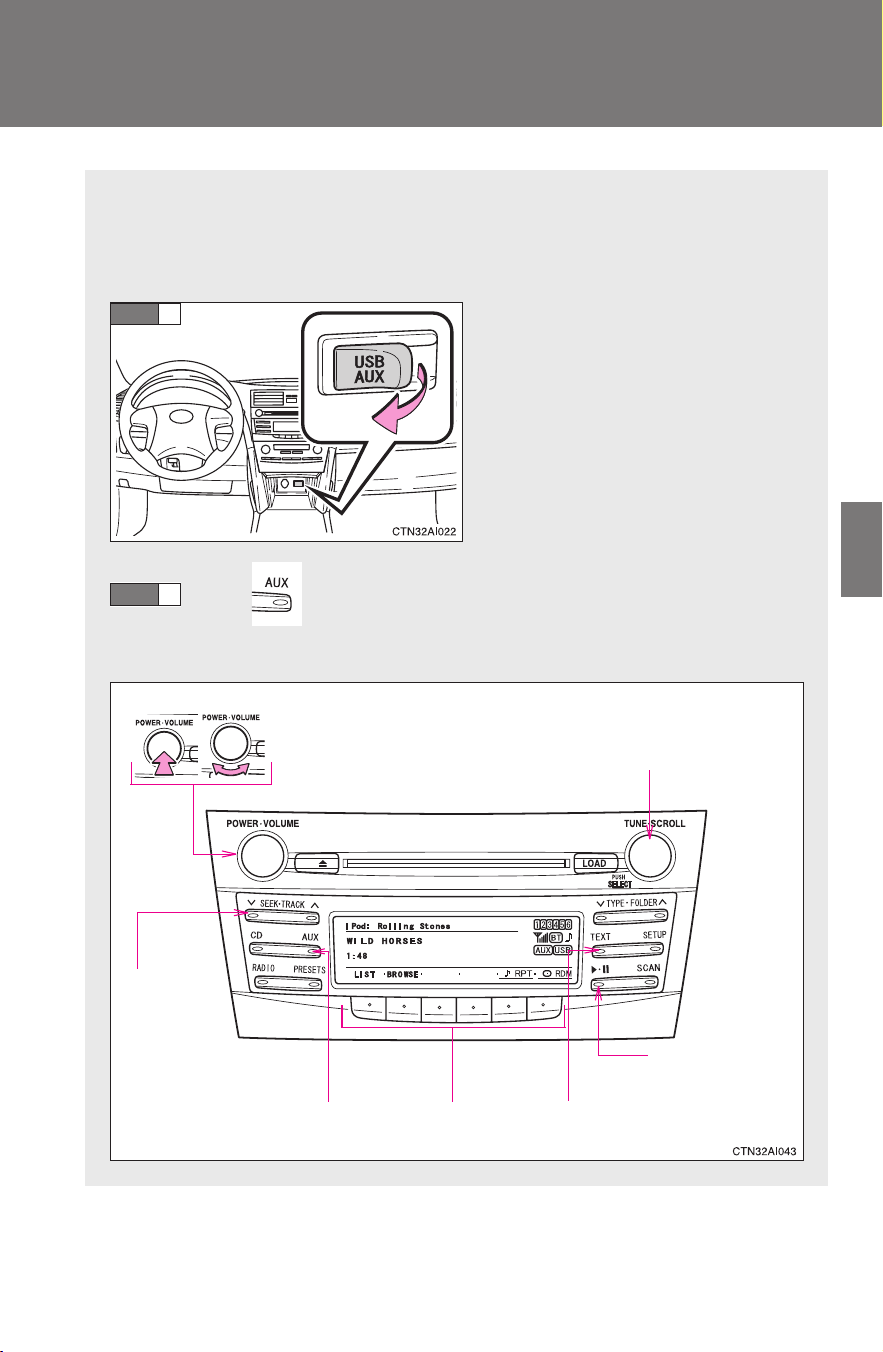
217
3-2. Using the audio system
3
Interior features
CAMRY_HV_U
Operating an iPod
®∗
Connecting an iPod
®
enables you to enjoy music from the vehicle
speakers.
■ Connecting an iPod
®
Open the cover and connect
an iPod
®
using an iPod
®
cable.
Press .
■ Control panel
STEP
1
STEP
2
Selector buttons
Fast-
forwarding
and reversing
VolumePower
Playback/pause
Displaying text messages
Selector knob
Playback
∗: If equipped

218
3-2. Using the audio system
CAMRY_HV_U
Selecting a play mode
Press that corresponds to “BROWSE” to select iPod
®
menu mode.
Press that corresponds to the desired play mode.
■ Play mode list
Depending on the model, the name of your iPod
®
may be displayed at
the top of the list.
Play mode
First
selection
Second
selection
Third
selection
Fourth
selection
PLIST
Playlist
select
Songs
select
--
ARTIST Artist select
Albums
select
Songs
select
-
ALBUM
Albums
select
Songs
select
--
GENRE Genre select Artists select
Albums
select
Songs
select
SONGS
Songs
select
---
PODCST
Albums
select
Songs
select
--
COMPSR
Composers
select
Albums
select
Songs
select
-
BOOK
Songs
select
---
STEP
1
STEP
2
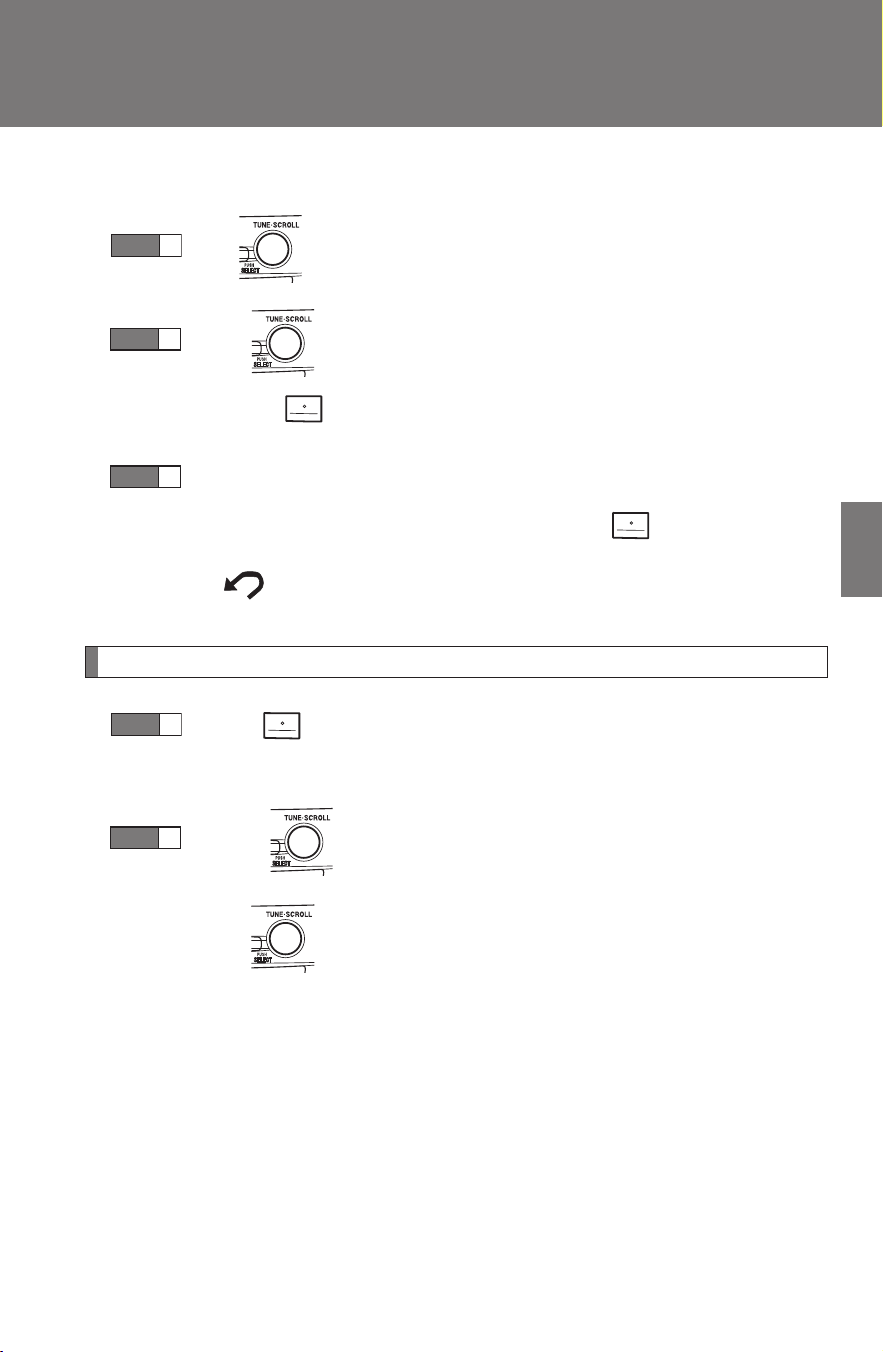
219
3-2. Using the audio system
3
Interior features
CAMRY_HV_U
■ Selecting a list
Turn to display the first selection list.
Press to select the desired item.
Pressing that corresponds to “MORE” changes to the second
selection list.
Repeat the same procedure to select the desired song name.
To return to the previous selection list, press that corresponds
to “ ”.
Selecting songs from a list
Press that corresponds to “LIST”.
The current play list is displayed.
Turning to select the desired song.
Press returns the screen from list display to the previous
screen.
STEP
1
STEP
2
STEP
3
STEP
1
STEP
2
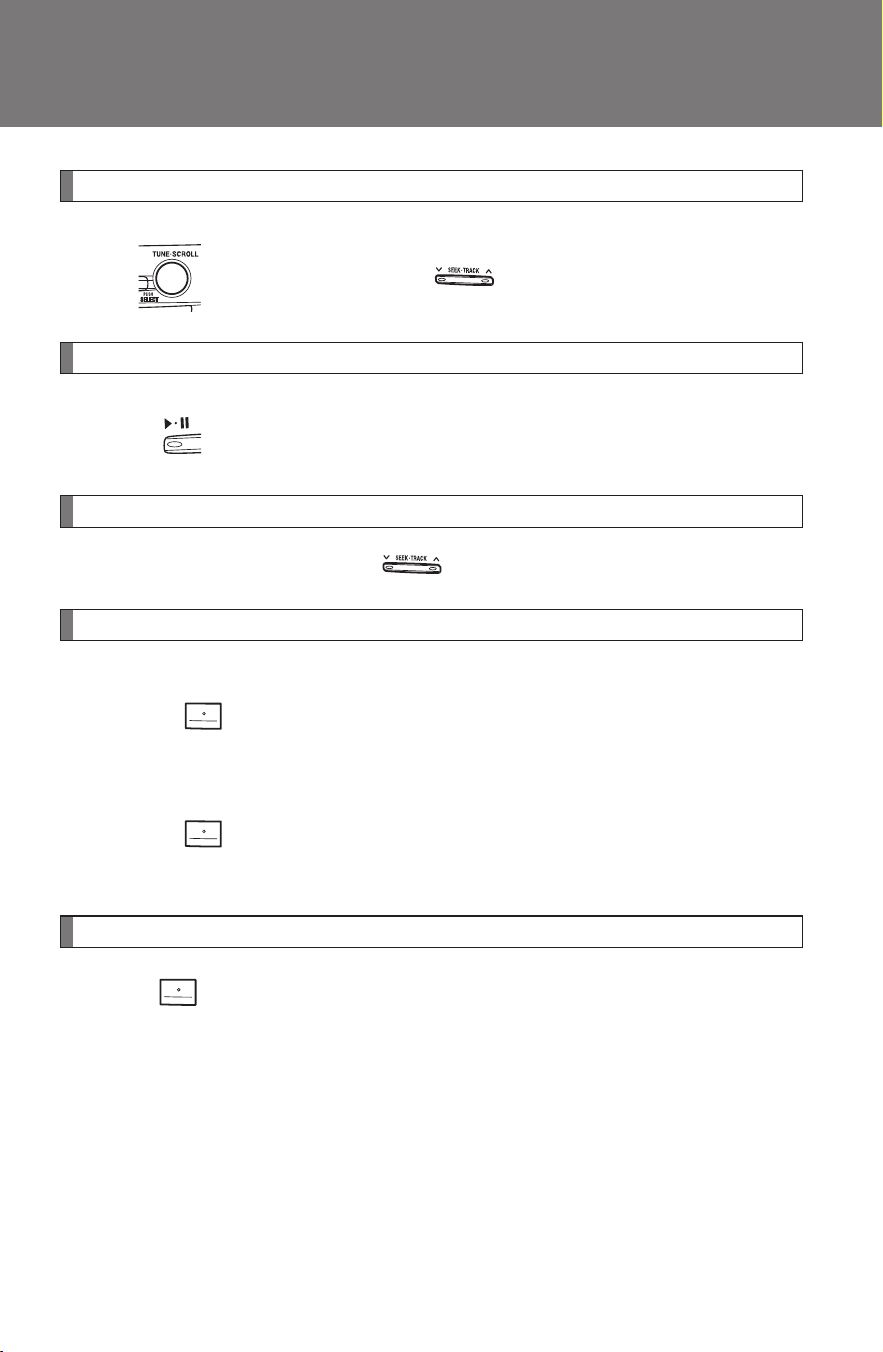
220
3-2. Using the audio system
CAMRY_HV_U
Selecting songs
Turn or press “∧” or “∨” on to select the desired song.
Playing and pausing songs
Press .
Fast-forwarding and reversing songs
Press and hold “
∧” or “∨” on .
Shuffle playback
■ Playing songs from one playlist or album in random order
Press that corresponds to “RDM”.
To cancel, press the button twice.
■ Playing songs from all the playlists or albums in random order
Press that corresponds to “RDM” twice.
To cancel, press the button again.
Repeat play
Press that corresponds to “RPT”.
To cancel, press the button again.
Even when the repeat play option has not been selected, playback will
automatically continue from the first song in the current play list once the
last song has ended.

221
3-2. Using the audio system
3
Interior features
CAMRY_HV_U
Switching the display
Press .
Each time is pressed, the display changes in the following order:
Track title → Track title/Artist name → Track title/Album name → Track
title/Elapsed time
■ About iPod
®
iPod
®
is registered trademarks of Apple computer, Inc.
■ iPod
®
functions
● When an iPod
®
is connected and the audio source is changed to iPod
®
mode, the iPod
®
will resume play from the same point in which it was last
used.
● Depending on the iPod
®
that is connected to the system, certain func-
tions may not be available. Disconnecting the device and reconnecting it
once again may resolve some malfunctions.
■ iPod
®
problems
To resolve most problems encountered when using your iPod
®
, disconnect
your iPod
®
from the vehicle iPod
®
connection and reset it.
For instructions on how to reset your iPod
®
, refer to your iPod
®
Owner's
Manual.
■ Cable pass-through
→P. 299

222
3-2. Using the audio system
CAMRY_HV_U
■ Error messages
“IPOD ERROR”: This indicates a problem in the iPod
®
, inside the
USB box or the connection between them.
“NO SONGS”: This indicates that there is no music data in the
iPod
®
.
“UPDATE YOUR IPOD”: This indicates that the version of the iPod
®
is not
compatible.
■ Compatible models
● iPod
®
5th generation Version 1.2 or later
● iPod
®
nano 3rd generation Version 1.0 or later
● iPod
®
nano 2nd generation Version 1.1.2 or later
● iPod
®
nano Version 1.2 or later
● iPod
®
touch Version 1.1 or later
● iPod
®
classic Version 1.0 or later
iPhone
®
, iPod
®
mini, iPod
®
shuffle, iPod
®
photo and 4th generation and ear-
lier models of iPod
®
are not compatible with this system.
Items related to standards and limitations are as follows:
● Maximum number of lists in device: 9999
● Maximum number of songs in device: 65,025
● Maximum number of songs per list: 65,025
223
3-2. Using the audio system
3
Interior features
CAMRY_HV_U
CAUTION
■ Caution while driving
Do not connect iPod
®
or operate the controls.
NOTICE
■ To prevent damage to iPod
®
● Do not leave iPod
®
in the vehicle. The temperature inside may become
high, resulting in damage to the player.
● Do not push down on or apply unnecessary pressure to the iPod
®
while it
is connected as this may damage the iPod
®
or its terminal.
● Do not insert foreign objects into the port as this may damage the iPod
®
or
its terminal.
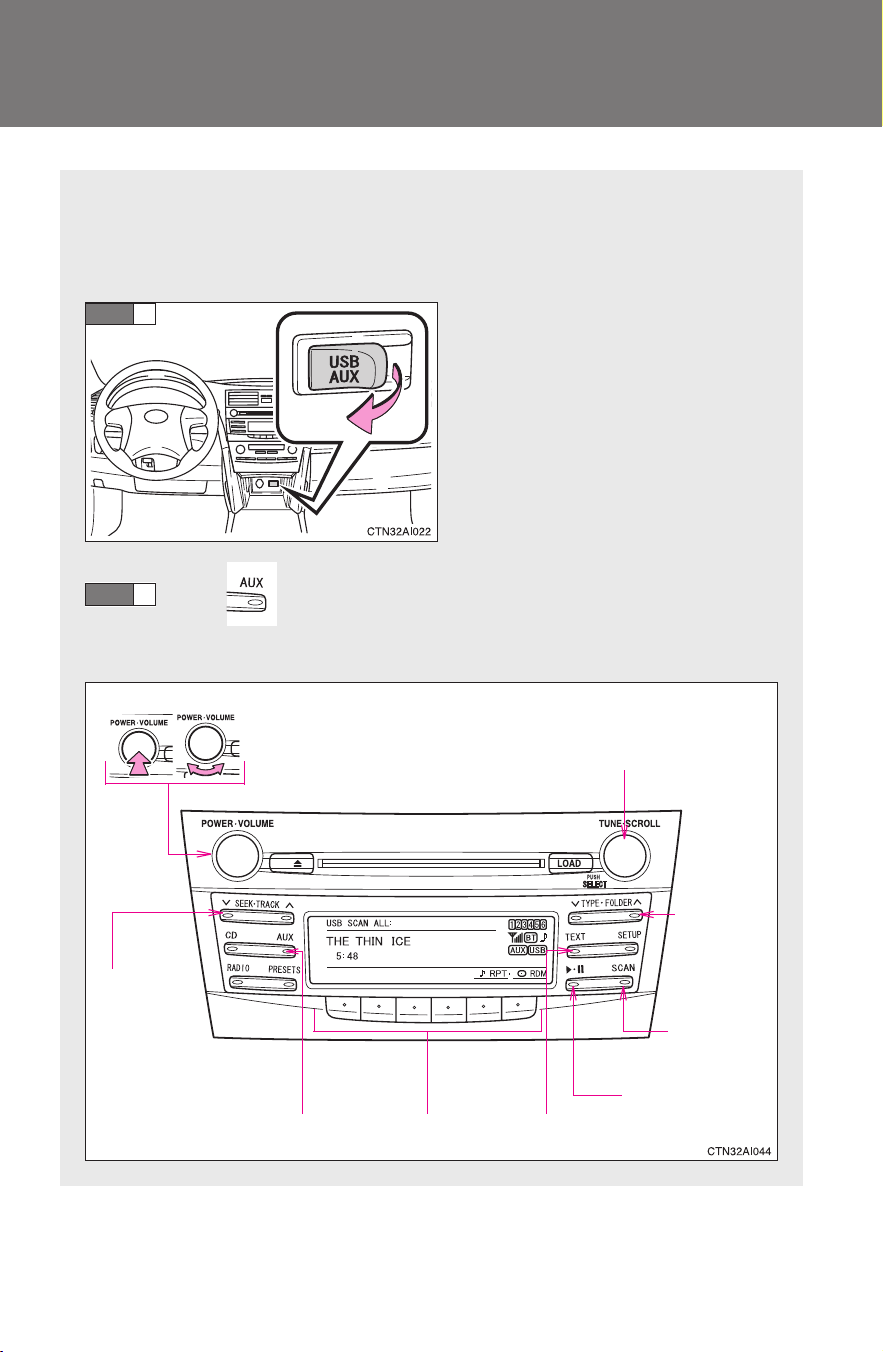
224
3-2. Using the audio system
CAMRY_HV_U
Operating a USB memory
∗
Connecting a USB memory enables you to enjoy music from the
vehicle speakers.
■ Connecting a USB memory
Open the cover and connect a
USB memory.
Press .
■ Control panel
STEP
1
STEP
2
Selector buttons
Fast-
forwarding
and reversing
VolumePower
Playback/pause
Searching
playback
Displaying text messages
Selector knob
Selecting
a folder
and files
Playback
∗: If equipped
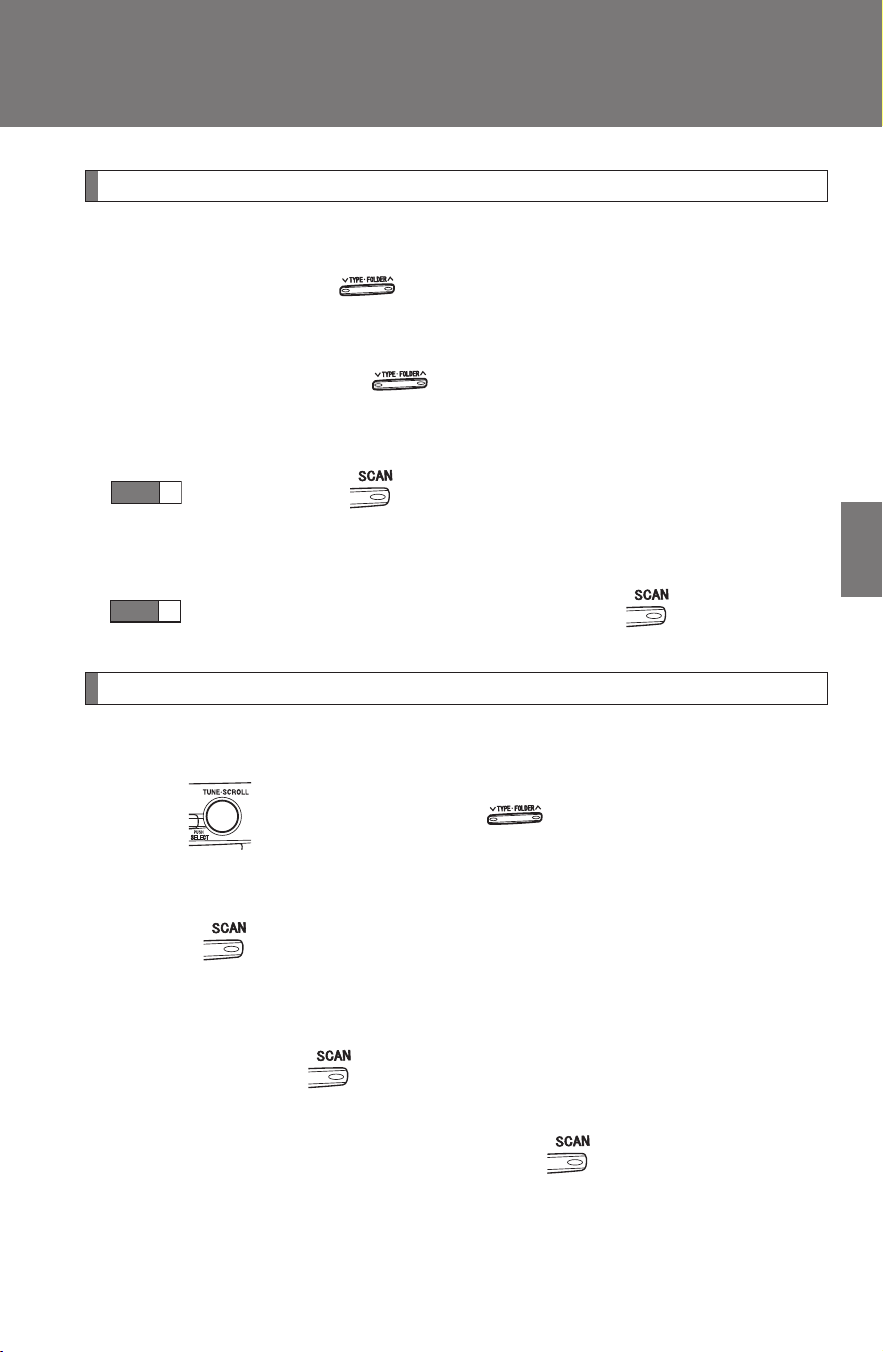
225
3-2. Using the audio system
3
Interior features
CAMRY_HV_U
Selecting and scanning a folder
■ Selecting a folder
Press “∧” or “∨” on to select the desired folder.
■ Returning to the first file of the first folder
Press and hold “∨” on until you hear a beep.
■ Scanning the first file of all the folders
Press and hold until you hear a beep.
The first ten seconds of the first file in each folder will be played.
When the desired folder is reached, press again.
Selecting and scanning files
■ Selecting a file
Turn or press “∧” or “∨” on to select the desired file.
■ Scanning the files in a folder
Press .
The first ten seconds of each file will be played.
To cancel, press again.
When the desired file is reached, press again.
STEP
1
STEP
2
226
3-2. Using the audio system
CAMRY_HV_U
Playing and pausing files
Press .
Fast-forwarding and reversing files
Press and hold “
∧” or “∨” on .
Random playback
■ Playing files from a folder in random order
Press that corresponds to “RDM”.
To cancel, press the button twice.
■ Playing all the files from a USB memory in random order
Press that corresponds to “RDM” twice.
To cancel, press the button again.
Repeat play
■ Repeating a file
Press that corresponds to “RPT”.
To cancel, press the button twice.
■ Repeating all the files in a folder
Press that corresponds to “RPT” twice.
To cancel, press the button again.

227
3-2. Using the audio system
3
Interior features
CAMRY_HV_U
Switching the display
Press the .
Each time is pressed, the display changes in the following order:
Track title → Track title/Artist name → Track title/Album name → Track
title/Elapsed time
■ USB memory functions
Depending on the USB memory that is connected to the system, certain
functions may not be available. Disconnecting the device and reconnecting it
once again may resolve some malfunctions.
■ Cable pass-through
→P. 299
■ Error messages
“USB ERROR”: This indicates a problem in the USB memory or its connec-
tion.
“NO MUSIC”: This indicates that no MP3/WMA files are included in the
USB memory.

228
3-2. Using the audio system
CAMRY_HV_U
■ USB memory
● Compatible device
USB memory that can be used for MP3 and WMA playback.
Depending on the type of USB device, playback may not be possible.
● Compatible device formats
The following device formats can be used:
• USB communication formats: USB2.0 FS (12 mbps)
• File formats: FAT16/32 (Windows)
• Correspondence class: Mass storage class
MP3 and WMA files written in any format other than those listed above
may not play correctly, and their file names and folder names may not
be displayed correctly.
Items related to standards and limitations are as follows:
• Maximum directory hierarchy: 8 levels
• Maximum number of folder in device: 999 (including the root)
• Maximum number of files in device: 65,025
• Maximum number of files per folder: 255
● MP3 and WMA files
MP3 (MPEG Audio LAYER 3) is a standard audio compression format.
Files can be compressed to approximately 1/10 of their original size using
MP3 compression.
WMA (Windows Media
TM
Audio) is a Microsoft audio compression format.
This format compresses audio data to a size smaller than that of the MP3
format.
There is a limit to the MP3 and WMA file standards that can be used and to
the media/formats on which the files are recorded.

229
3-2. Using the audio system
3
Interior features
CAMRY_HV_U
● MP3 file compatibility
• Compatible standards
MP3 (MPEG1 AUDIO LAYERII, III, MPEG2 AUDIO LAYERII, III,
MPEG2.5)
• Compatible sampling frequencies
MPEG1 AUDIO LAYERII, III: 32, 44.1, 48 (kHz)
MPEG2 AUDIO LAYERII, III: 16, 22.05, 24 (kHz)
MPEG2.5: 8, 11.025, 12 (kHz)
• Compatible bit rates (compatible with VBR)
MPEG1 AUDIO LAYERII, III: 32-320 (kbps)
MPEG2 AUDIO LAYERII, III: 32-160 (kbps)
MPEG2.5: 32-160 (kbps)
• Compatible channel modes: stereo, joint stereo, dual channel and
monaural
● WMA file compatibility
• Compatible standards
WMA Ver. 9
• Compatible sampling frequencies
HIGH PROFILE 32, 44.1, 48 (kHz)
• Compatible bit rates
HIGH PROFILE 32-320 (kbps, VBR)
● File names
The only files that can be recognized as MP3/WMA and played are those
with the extension .mp3 or .wma.
● ID3 and WMA tags
ID3 tags can be added to MP3 files, making it possible to record the track
title, artist name, etc.
The system is compatible with ID3 Ver. 1.0, 1.1, and Ver. 2.2, 2.3, 2.4 ID3
tags. (The number of characters is based on ID3 Ver. 1.0 and 1.1.)
WMA tags can be added to WMA files, making it possible to record the
track title and artist name in the same way as with ID3 tags.
● MP3 and WMA playback
When a device containing MP3 or WMA files is plugged, all files in the
USB memory device are first checked. Once the file check is finished, the
first MP3 or WMA file is played. To make the file check finish more quickly,
we recommend you do not write in any files other than MP3 or WMA files
or create any unnecessary folders.
230
3-2. Using the audio system
CAMRY_HV_U
● Extensions
If the file extensions .mp3 and .wma are used for files other than MP3 and
WMA files, they will be mistakenly recognized and played as MP3 and
WMA files. This may result in large amounts of interference and damage
to the speakers.
● Playback
• To play MP3 file with steady sound quality, we recommend a fixed bit
rate of at least 128 kbps and a sampling frequency of 44.1 kHz.
• There is a wide variety of freeware and other encoding software for
MP3 and WMA files on the market, and depending on the status of the
encoding and the file format, poor sound quality or noise at the start of
playback may result. In some cases, playback may not be possible at
all.
• Microsoft, Windows, and Windows Media are the registered trade-
marks of Microsoft Corporation in the U.S.A. and other countries.
CAUTION
■ Caution while driving
Do not use a USB memory, or connect a USB memory.
NOTICE
■ To prevent damage to a USB memory
● Do not leave a USB memory in the vehicle. The temperature inside may
become high, resulting in damage to the player.
● Do not push down on or apply unnecessary pressure to the USB memory
while it is connected as this may damage the USB memory or its terminal.
● Do not insert foreign objects into the port as this may damage the USB
memory or its terminal.
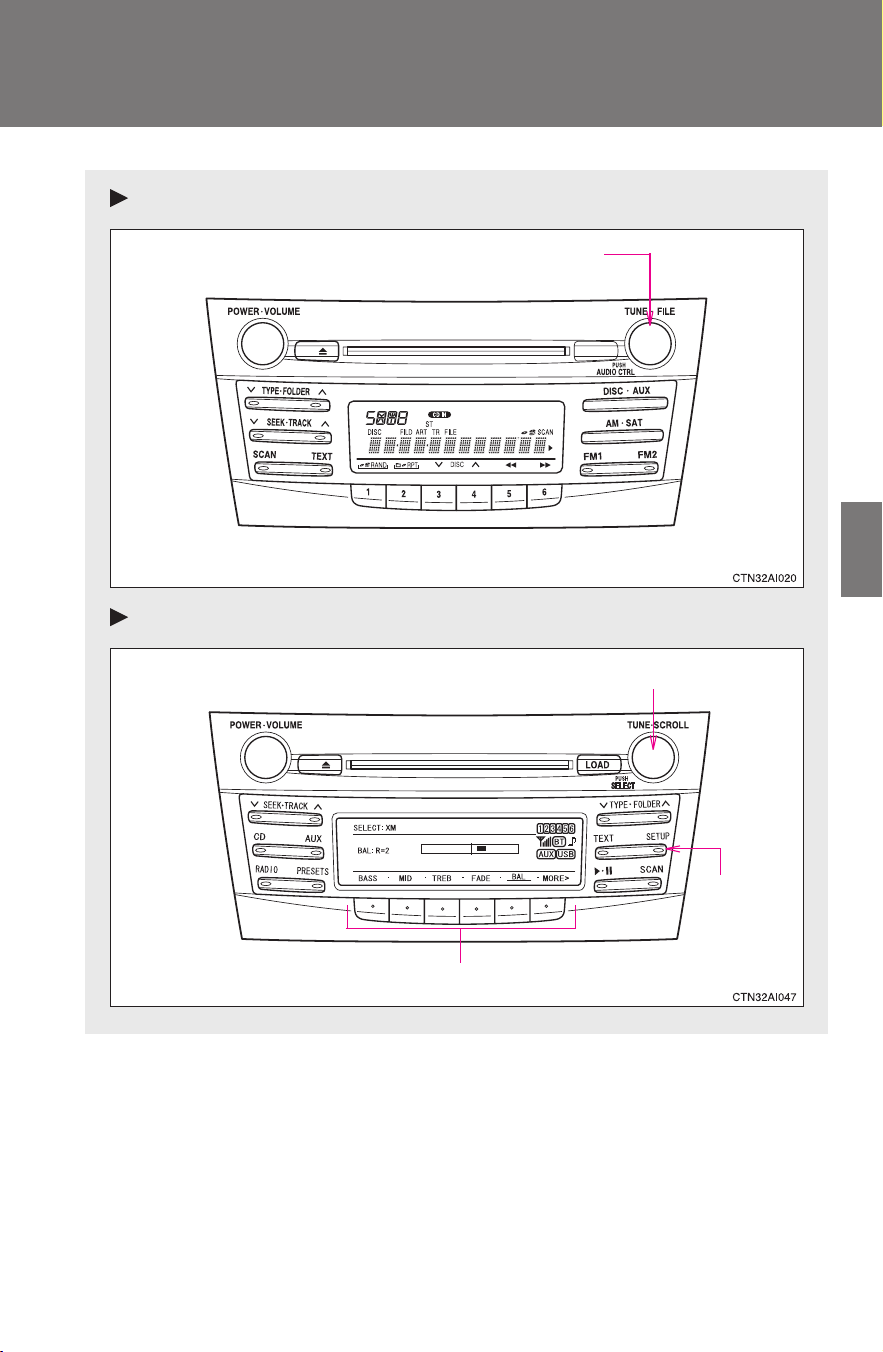
231
3-2. Using the audio system
3
Interior features
CAMRY_HV_U
Optimal use of the audio system
Type A
Type B
Adjusting the sound quality and ASL
Selector buttons
Adjusting the sound quality
Menu
button
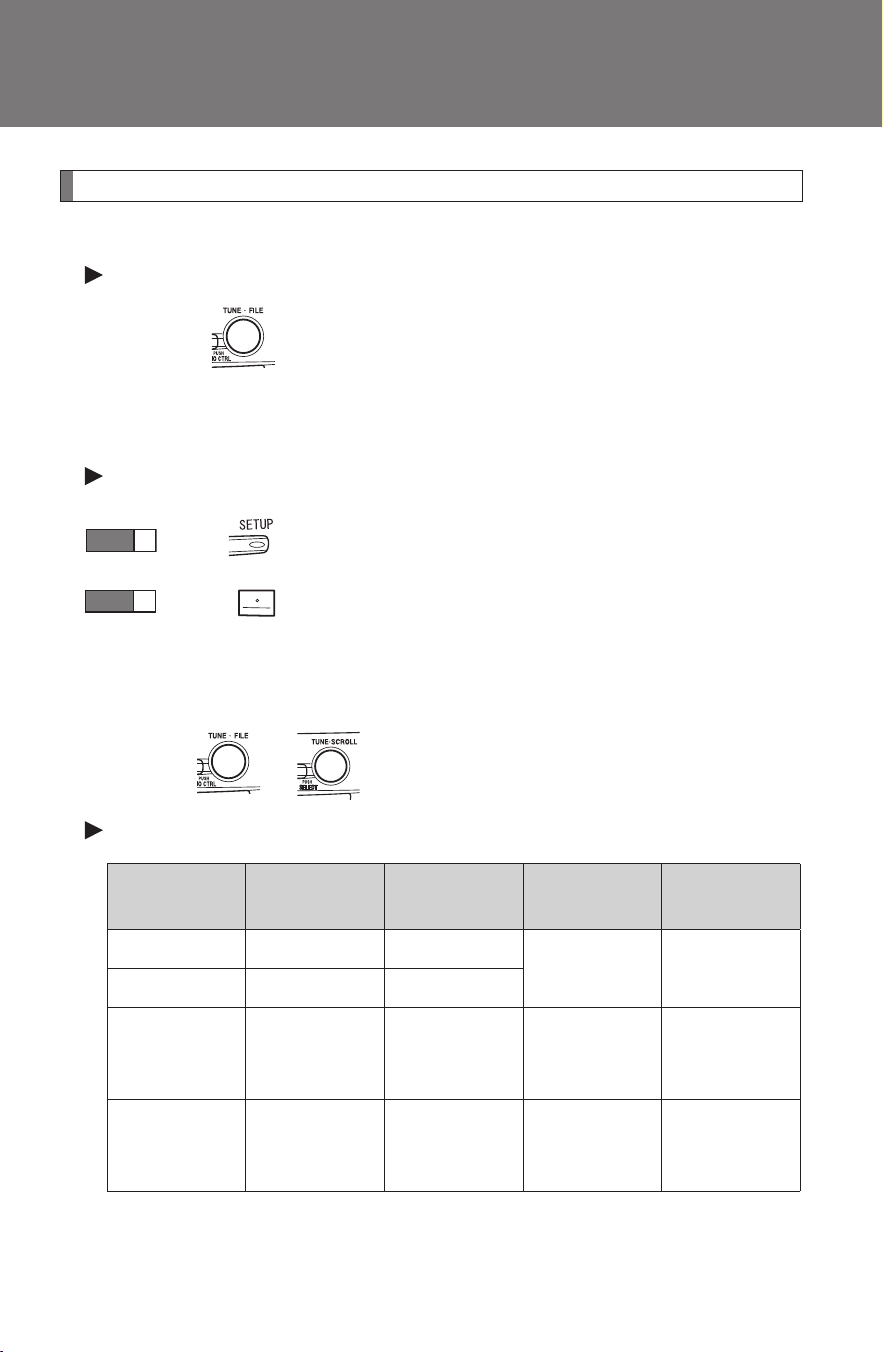
232
3-2. Using the audio system
CAMRY_HV_U
Using the audio control function
■ Changing sound quality modes
Type A
Pressing selects the mode to be changed in the following
order:
“BAS”→“TRE”→“FAD”→“BAL”→“ASL”
Type B
Press .
Press that corresponds to the desired mode.
“BASS”, “MID”, “TREB”, “FADE” or “BAL”
■ Adjusting sound quality
Turning or adjusts the level.
Type A
*: The sound quality level is adjusted individually in each radio
mode or CD mode.
STEP
1
STEP
2
Mode
displayed
Sound qual-
ity mode
Level
Turn to the
left
Turn to the
right
BAS Bass* -5 to 5
Low High
TRE Treble* -5 to 5
FAD
Front/rear
volume
balance
F7 to R7 Shifts to rear
Shifts to
front
BAL
Left/right
volume
balance
L7 to R7 Shifts to left Shifts to right
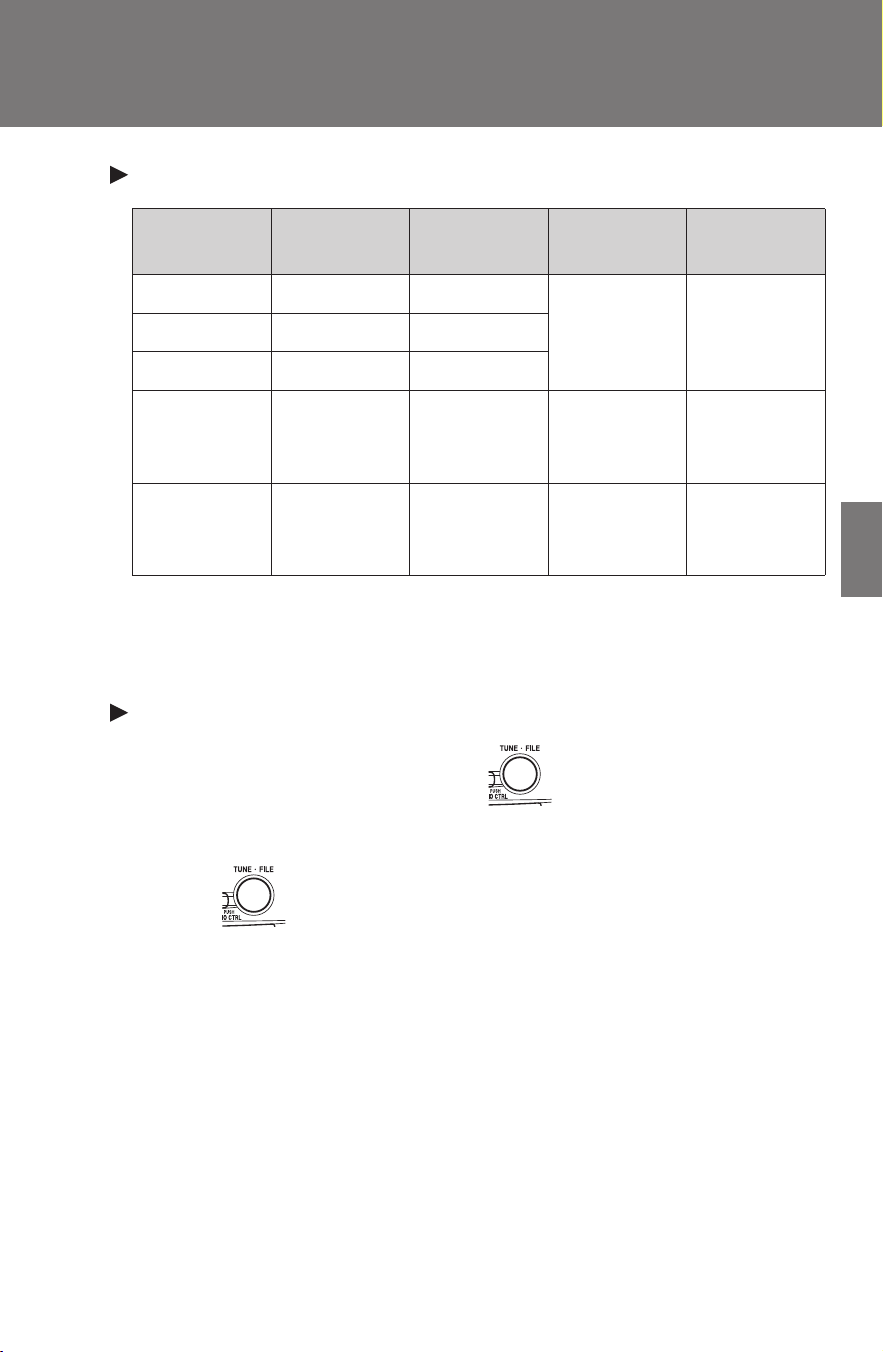
233
3-2. Using the audio system
3
Interior features
CAMRY_HV_U
Type B
*: The sound quality level is adjusted individually in each audio
mode.
■ Adjusting the Automatic Sound Levelizer (ASL)
Type A
When “ASL” is selected, turning to the right changes the
“ASL” level in the order of “LOW”, “MID” and “HIGH”.
Turning to the left turns “ASL” off.
ASL automatically adjusts the volume and tone quality according to vehi-
cle speed.
Mode
displayed
Sound qual-
ity mode
Level
Turn to the
left
Turn to the
right
BASS Bass* -5 to 5
Low HighMID Mid-range* -5 to 5
TREB Treble* -5 to 5
FADE
Front/rear
volume
balance
F7 to R7 Shifts to rear
Shifts to
front
BAL
Left/right
volume
balance
L7 to R7 Shifts to left Shifts to right
234
3-2. Using the audio system
CAMRY_HV_U
Type B
Press .
Press that corresponds to “MORE”.
Press that corresponds to “ASL”.
Press that corresponds to “ON” or “OFF”.
ASL automatically adjusts the volume and tone quality according to vehi-
cle speed.
■ Setting the number of preset pages (type B only)
The number of preset pages desired can be set from 1 to 6. The initial
setting is 6 pages.
Press .
Press that corresponds to “MORE”.
Press that corresponds to “PRESET”.
Press that corresponds to the desired number of preset
pages.
■ Language settings (type B only)
→P. 192
STEP
1
STEP
2
STEP
3
STEP
4
STEP
1
STEP
2
STEP
3
STEP
4

235
3-2. Using the audio system
3
Interior features
CAMRY_HV_U
■ Trademark owned by SRS Labs, Inc. (type A only)
The audio systems utilize SRS FOCUS
and SRS TruBass
audio
enhancement technologies, under license from SRS Labs, Inc., in all modes
except AM radio mode.
FOCUS, TruBass, SRS and
symbols are trademarks of SRS Labs,
Inc.
FOCUS and TruBass technologies are incorporated under license from
SRS Labs, Inc.
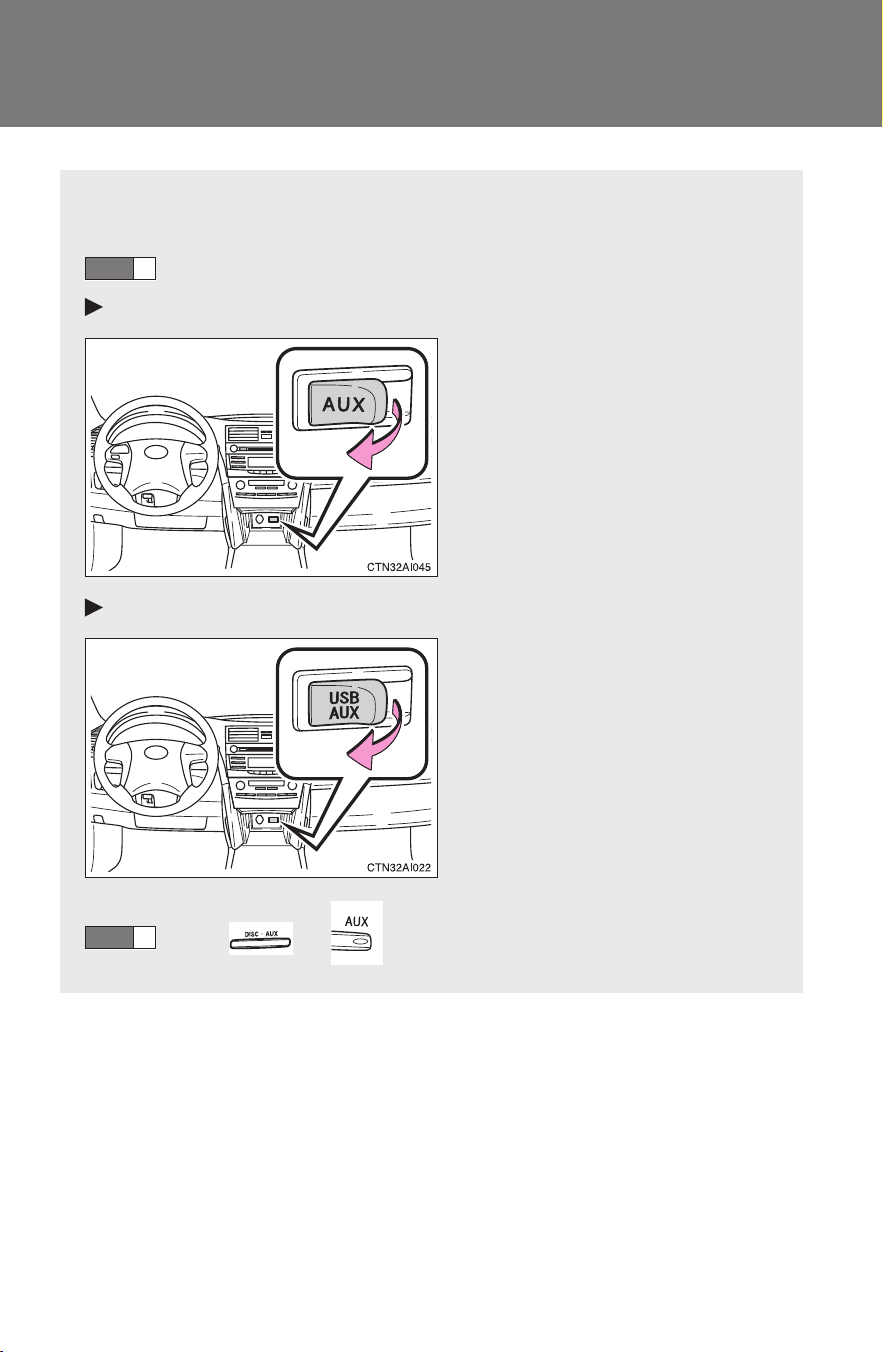
236
3-2. Using the audio system
CAMRY_HV_U
Using the AUX adapter
This adapter can be used to connect a portable audio device and lis-
ten to it through the vehicle’s speakers.
Open the cover and connect the portable audio device.
Type A
Type B
Press or .
STEP
1
STEP
2

237
3-2. Using the audio system
3
Interior features
CAMRY_HV_U
■ Operating portable audio devices connected to the audio system
The volume can be adjusted using the vehicle's audio controls. All other
adjustments must be made on the portable audio device itself.
■ When using a portable audio device connected to the power outlet
Noise may occur during playback. Use the power source of the portable
audio device.
■ Cable pass-through
→P. 299
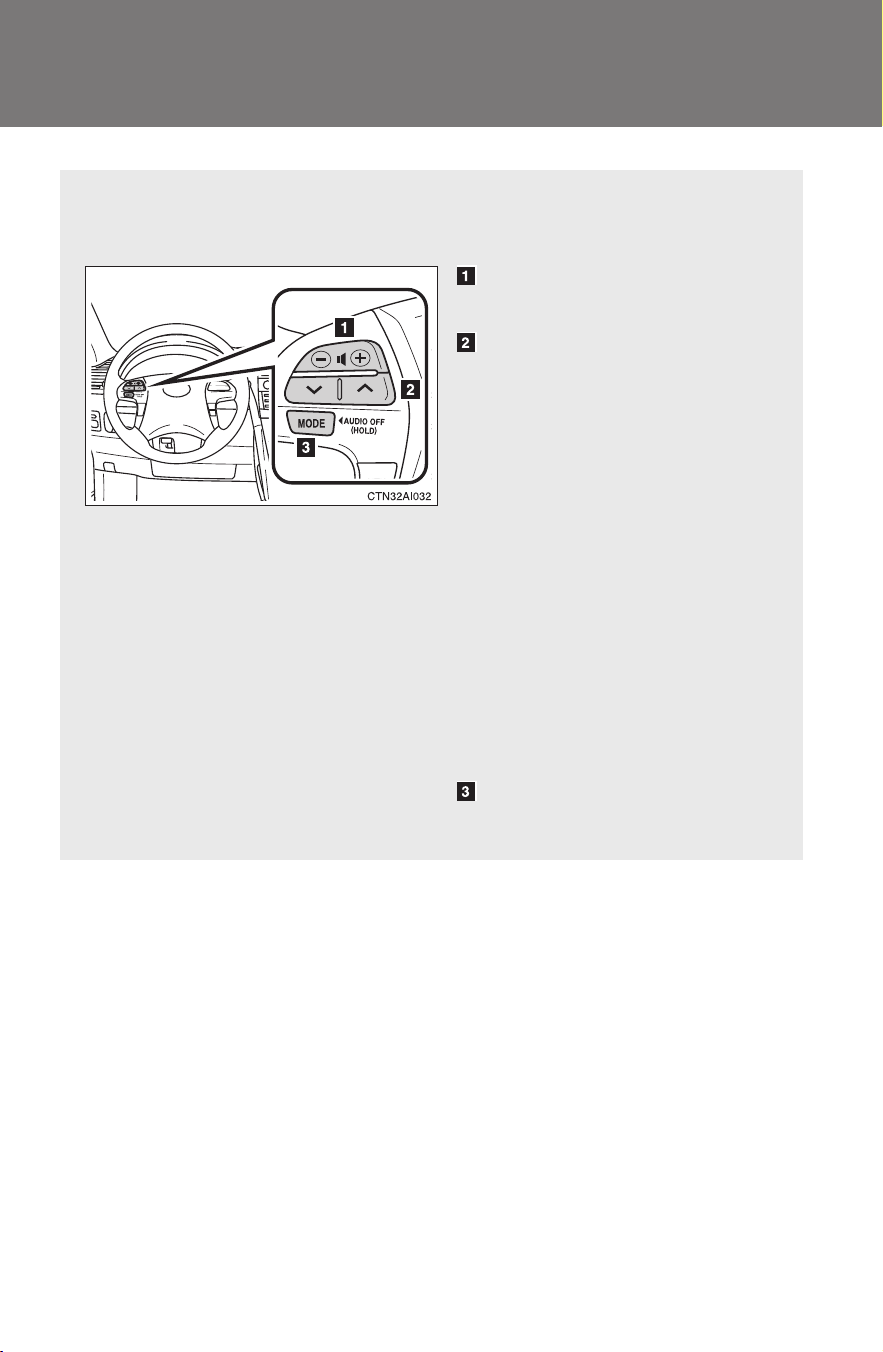
238
3-2. Using the audio system
CAMRY_HV_U
Using the steering wheel audio switches
Some audio features can be controlled using the switches on the
steering wheel.
Increases/decreases vol-
ume
Radio mode: Select radio
stations
CD mode: Select tracks,
files (MP3 and WMA) and
discs
iPod
®
mode:
Selects a song
USB memory mode:
Selects a file and
folder
Bluetooth
®
audio mode:
Selects a track and
album
Turn the power on, selects
an audio source
239
3-2. Using the audio system
3
Interior features
CAMRY_HV_U
Turning the power on
Press when the audio system is turned off.
The audio system can be turned off by holding the switch down until you
hear a beep.
Changing the audio source
Press when the audio system is turned on. The audio source
changes as follows each time the switch is pressed.
Type A:
FM1→FM2→CD→AUX→AM→SAT1→SAT2→SAT3
Type B:
FM→SAT→CD→CD changer→Bluetooth
®
Audio→AUX→
USB/iPod
®
→AM
Adjusting the volume
Press “+” on to increase the volume and “-” to decrease the
volume.
Press and hold the switch to continue increasing or decreasing the vol-
ume.
Selecting a radio station
Press to select the radio mode.
Press “∨” or “∧” on to select a preset station.
To scan for receivable stations, press and hold “∨” or “∧” on
until you hear a beep.
STEP
1
STEP
2
240
3-2. Using the audio system
CAMRY_HV_U
Selecting a track/file or folder
Press to select the CD, iPod
®
or USB memory mode.
Press “∨” or “∧” on to select the desired track/file.
Selecting a folder
Press to select the MP3 and WMA mode.
Press and hold “∨” or “∧” on until you hear a beep.
Selecting a disc in the CD player (CD player with changer only)
Press to select the CD mode.
Press and hold “∨” or “∧” on until you hear a beep.
CAUTION
■ To reduce the risk of an accident
Exercise care when operating the audio switches on the steering wheel.
STEP
1
STEP
2
STEP
1
STEP
2
STEP
1
STEP
2

241
3
Interior features
CAMRY_HV_U
3-3. Using the Bluetooth
®
audio system
Bluetooth
®
audio system
∗
■ Conditions under which the system will not operate
● If using a portable player that does not support Bluetooth
®
● If the portable player is switched off
● If the portable player is not connected
● If the portable player’s battery is low
● If the portable player is behind the seat or in the glove box or console box
● If metal is covering or touching the portable player
The Bluetooth
®
audio system enables you to enjoy music played on
a portable digital audio player (portable player) from the vehicle
speakers via wireless communication.
This audio system supports Bluetooth
®
, a wireless data system
capable of playing portable audio music without cables. If your por-
table player does not support Bluetooth
®
, the Bluetooth
®
audio sys-
tem will not function.
Owners of models equipped with a navigation system should refer to
the “Navigation System Owner's Manual”.
Title Page
Using the Bluetooth
®
audio system P. 244
Operating a Bluetooth
®
enabled portable player P. 249
Setting up a Bluetooth
®
enabled portable player P. 251
Bluetooth
®
audio system setup P. 256
∗: If equipped
242
3-3. Using the Bluetooth
®
audio system
CAMRY_HV_U
■ When transferring ownership of the vehicle
Be sure to initialize the system to prevent personal data from being improp-
erly accessed. (→P. 280)
■ About Bluetooth
®
■ Compatible models
● Bluetooth
®
specifications:
Ver. 1.2
● Following Profiles:
• A2DP (Advanced Audio Distribution Profile) Ver. 1.0
• AVRCP (Audio/Video Remote Control Profile) Ver. 1.0 or higher (Ver.
1.3 or higher recommended)
Portable players must correspond to the above specifications in order to be
connected to the Bluetooth
®
audio system. However, please note that some
functions may be limited depending on the type of portable player.
■ Certification for the Bluetooth
®
audio system
FCC ID: BABFT0001A
IC ID: 2024B-FT0001A
MADE IN JAPAN
This device complies with Part 15 of the FCC Rules and RSS-210 Rules.
Operation is subject to the following two conditions; (1) This device may not
cause harmful interference, and (2) This device must accept any interfer-
ence received, including interference that may cause undesired operation.
Bluetooth is a registered trademark of
Bluetooth SIG. Inc.
243
3-3. Using the Bluetooth
®
audio system
3
Interior features
CAMRY_HV_U
CAUTION
■ FCC WARNING
Changes or modifications in construction not expressly approved by the
party responsible for compliance could void the user's authority to operate
the equipment.
Radio frequency exposure. This device is approved for Mobile Application
only and, to comply with applicable FCC radio frequency exposure regula-
tions, must be used with a distance of at least 7.9in. (20cm) between the
antenna and the body of any person at all time during use.
■ Caution while driving
Do not connect portable players or operate the controls.
NOTICE
■ To prevent damage to portable players
Do not leave portable players in the vehicle. The temperature inside the
vehicle may become high, resulting in damage to the player.
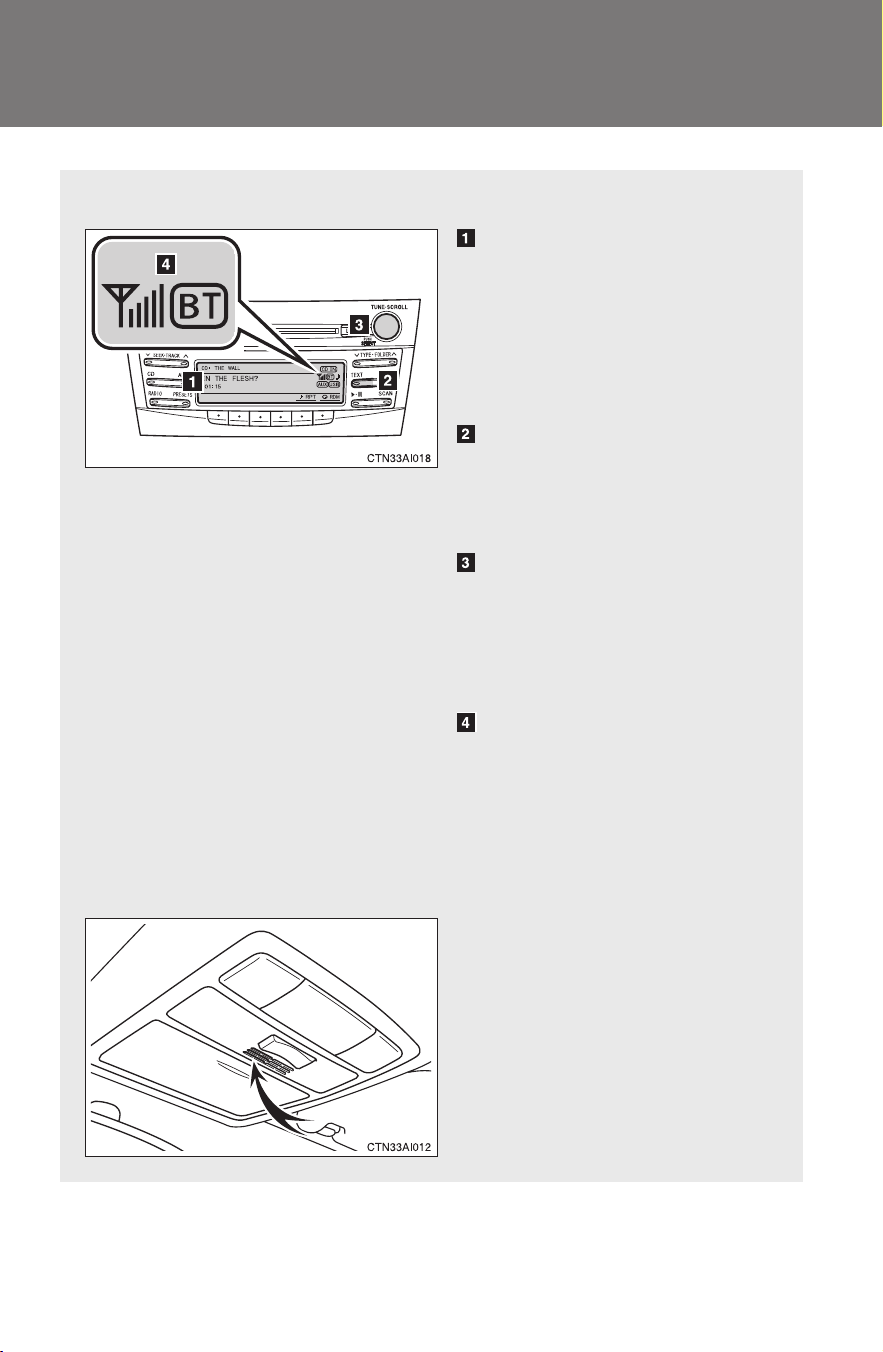
244
3-3. Using the Bluetooth
®
audio system
CAMRY_HV_U
Using the Bluetooth
®
audio system
■ Audio unit
Display
A message, name, number,
etc. is displayed.
Lower-case characters and
special characters cannot
be displayed.
Displays information that is
too long to be displayed at
one time on the display
(press and hold)
Selects items such as menu
and number
Turn: Selects an item
Press: Inputs the selected
item
Bluetooth
®
connection con-
dition
If “BT” is not displayed, the
Bluetooth
®
audio system
cannot be used.
■ Microphone

245
3-3. Using the Bluetooth
®
audio system
3
Interior features
CAMRY_HV_U
Operating the system using voice commands
By following voice guidance instructions output from the speaker,
voice commands enable to the operation of the Bluetooth
®
audio sys-
tem without the need to check the display or operate .
■ Operation procedure when using voice commands
Press the talk switch and follow voice guidance instructions.
■ Auxiliary commands when using voice commands
The following auxiliary commands can be used when operating the
system using a voice command:
“Cancel”: Exits the Bluetooth
®
audio system
“Repeat”: Repeats the previous voice guidance instruction
“Go back”: Returns to the previous procedure
“Help”: Reads aloud the function summary if a help comment is
registered for the selected function
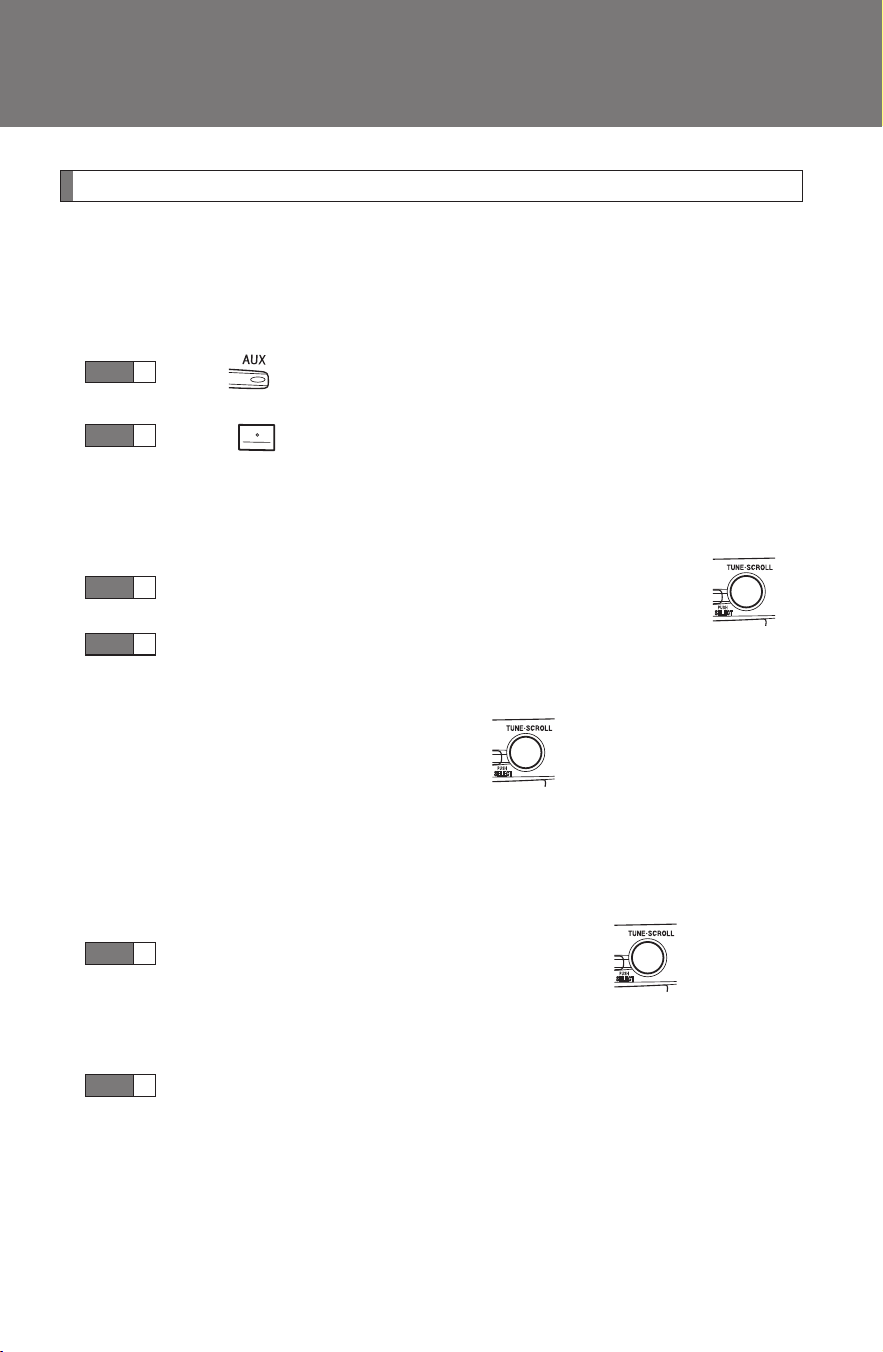
246
3-3. Using the Bluetooth
®
audio system
CAMRY_HV_U
Using the Bluetooth
®
audio system for the first time
Before using the Bluetooth
®
audio system, it is necessary to register
a Bluetooth
®
enabled portable player in the system. Follow the proce-
dure below to register (pair) a portable player:
Press until “BT AUDIO” is displayed.
Press that corresponds to “SETUP”.
The introductory guidance and portable player name registration
instructions are heard.
Select “Pair Audio Player” using a voice command or .
Register a portable player name by either of the following
methods:
a. Select “Record Name” using , and say the name to
be registered.
b. Press the talk switch and say the name to be registered.
A voice guidance instruction to confirm the input is heard.
Select “Confirm” using a voice command or .
A passkey is displayed and heard, and a voice guidance instruction
for inputting the passkey into the portable player is heard.
Input the passkey into the portable player.
Refer to the manual that comes with the portable player for the oper-
ation of the portable player.
Guidance for registration completion is heard.
STEP
1
STEP
2
STEP
3
STEP
4
STEP
5
STEP
6

247
3-3. Using the Bluetooth
®
audio system
3
Interior features
CAMRY_HV_U
If the portable player has a Bluetooth
®
phone, the phone can be reg-
istered at the same time. (→P. 263)
Menu list of the Bluetooth
®
audio system
■ Normal operation
“BT•A Setup” can be canceled by pressing the on-hook switch or saying
the voice command, “Cancel”.
First menu
Second
menu
Third menu Operation detail
“Setup”
“BT
•A
Setup”
“Pair Audio
Player”
Registering a portable player
“Select Audio
Player”
Selecting a portable player to
be used
“Change Name”
Changing the registered
name of a portable player
“List Audio Play-
ers”
Listing the registered porta-
ble players
“Set Passkey” Changing the passkey
“Delete Audio”
Deleting a registered porta-
ble player
“System
Setup”
“Guidance Vol-
ume”
Setting voice guidance vol-
ume
“Device Name”
Displaying the Bluetooth
®
device address and name
“Initialize” Initializing the system

248
3-3. Using the Bluetooth
®
audio system
CAMRY_HV_U
■ When using a voice command
For numbers, say a combination of single digits from zero to nine.
Say the command correctly and clearly.
■ Situations that the system may not recognize your voice
● When driving on rough roads
● When driving at high speeds
● When air is blowing out of the vents onto the microphone
● When the air conditioning fan emits a loud noise
■ Operations that cannot be performed while driving
● Operating the system with
● Registering a portable player to the system
■ Changing the passkey
→P. 254
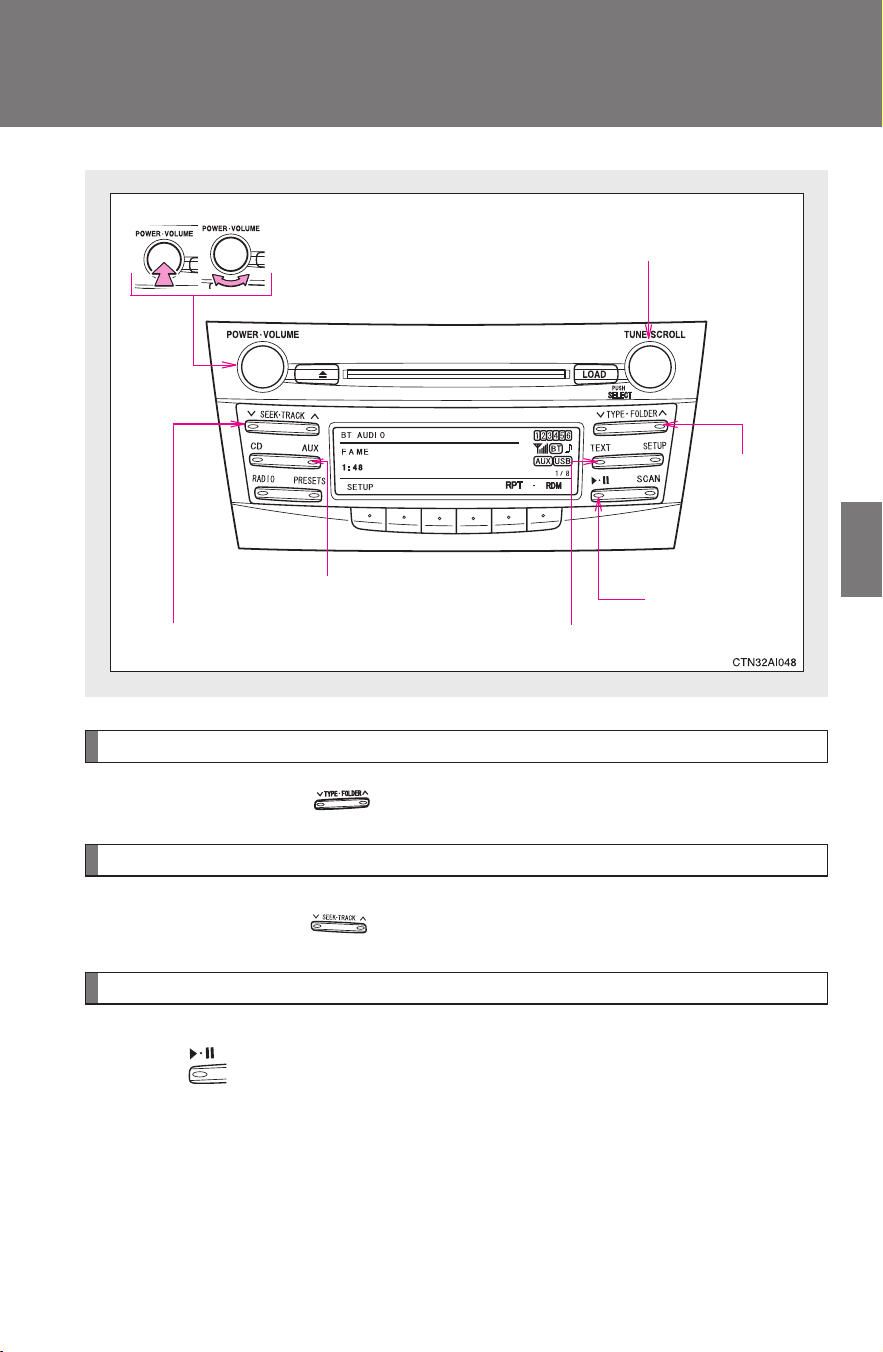
249
3-3. Using the Bluetooth
®
audio system
3
Interior features
CAMRY_HV_U
Operating a Bluetooth
®
enabled portable player
Selecting an album
Press “∨” or “∧” on .
Selecting tracks
Press “∧” or “∨” on .
Playing and pausing tracks
Press .
VolumePower
Playback/pause
Displaying text messages
Selector knob
Selecting an
album
Fast-forwarding and reversing
Playback
250
3-3. Using the Bluetooth
®
audio system
CAMRY_HV_U
Fast-forwarding and reversing tracks
Press and hold “
∧” or “∨” on .
Switching the display
Press the .
Each time is pressed, the display changes in the following order:
Track title → Track title/Artist name → Track title/Album name → Track
title/Elapsed time
Using the steering wheel audio switches
→P. 2 3 8
■ Bluetooth
®
audio system functions
Depending on the portable player that is connected to the system, certain
functions may not be available.
■ Error messages
“BT AUDIO ERROR”: This indicates a problem in the system.
251
3-3. Using the Bluetooth
®
audio system
3
Interior features
CAMRY_HV_U
Setting up a Bluetooth
®
enabled portable player
Registering a portable player in the Bluetooth
®
audio system allows
the system to function. The following functions can be used for reg-
istered portable players:
■ Functions and operation procedures
Press until “BT AUDIO” is displayed.
Press that corresponds to “SETUP”.
Select one of the following functions using a voice com-
mand or .
● Registering a portable player
“Pair Audio Player”
● Selecting a portable player to be used
“Select Audio Player”
● Changing the registered name
“Change Name”
● Listing the registered portable players
“List Audio Players”
● Changing the passkey
“Set Passkey”
● Deleting a registered portable player
“Delete Audio Player (Delete Audio)”
STEP
1
STEP
2
STEP
3
252
3-3. Using the Bluetooth
®
audio system
CAMRY_HV_U
Registering a portable player
Select “Pair Audio Player” using a voice command or , and
perform the procedure for registering a portable player. (→P. 246)
Selecting a portable player to be used
Select “Select Audio Player” using a voice command or
.
Select the portable player to be used by either of the following
methods, and select “Confirm” by using a voice command or
:
a. Press the talk switch and say the name of the desired por-
table player.
b. Press the talk switch and say “List Audio Players”. When
the name of the desired portable player is read aloud, press
the talk switch.
Press the talk switch and say “From Car” or “From Audio”, and
select “Confirm” by using a voice command or .
If “From Car” is selected, the portable player will be automatically
connected whenever the “POWER” switch is in either ACCESSORY
or IGNITION ON mode.
STEP
1
STEP
2
STEP
3
253
3-3. Using the Bluetooth
®
audio system
3
Interior features
CAMRY_HV_U
Changing the registered name of a portable player
Select “Change Name” using a voice command or .
Select the name of the portable player to be changed by
either of the following methods, and select “Confirm” using a
voice command or :
a. Press the talk switch and say the name of desired portable
player.
b. Press the talk switch and say “List Audio Players”. When
the name of the desired portable player is read aloud, press
the talk switch.
Press the talk switch or select “Record Name” using ,
and say the new name.
Select “Confirm” using a voice command or .
STEP
1
STEP
2
STEP
3
STEP
4
254
3-3. Using the Bluetooth
®
audio system
CAMRY_HV_U
Listing the registered portable players
Select “List Audio Players” using a voice command or . The list
of registered portable players will be read aloud.
When listing is complete, the system returns to “BT•A Setup”.
Pressing the talk switch while the name of a portable player is being
read aloud selects the portable player, and the following functions will
become available:
● Selecting a portable player: “Select Audio Player”
● Changing a registered name: “Change Name”
● Deleting a portable player: “Delete Audio Player (Delete Audio)”
Changing the passkey
Select “Set Passkey” using a voice command or .
Press the talk switch, say a 4 to 8-digit number, and select
“Confirm” using a voice command or .
When the entire number to be registered as a passkey has
been input, press again.
If the number to be registered has 8 digits, pressing of the knob is
not necessary.
STEP
1
STEP
2
STEP
3
255
3-3. Using the Bluetooth
®
audio system
3
Interior features
CAMRY_HV_U
Deleting a registered portable player
Select “Delete Audio Player (Delete Audio)” using a voice
command or .
Select the portable player to be deleted by either of the follow-
ing methods and select “Confirm” using a voice command or
:
a. Press the talk switch and say the name of the desired por-
table player.
b. Press the talk switch and say “List Audio Players”. When
the name of the desired portable player is read aloud, press
the talk switch.
If the portable player to be deleted is paired as a Bluetooth
®
phone,
the registration of the mobile phone can be deleted at the same time.
A voice guidance instruction to delete a mobile phone is heard.
Select “Confirm” by using a voice command or .
■ The number of portable players that can be registered
Up to 2 portable players can be registered in the system.
STEP
1
STEP
2
STEP
3

256
3-3. Using the Bluetooth
®
audio system
CAMRY_HV_U
Bluetooth
®
audio system setup
■ System setup items and operation procedures
→P. 278

257
3
Interior features
CAMRY_HV_U
3-4. Using the hands-free phone system (for cellular phone)
Hands-free phone system (for cellular phone) features
∗
This system supports Bluetooth
®
, which allows you to make or
receive calls without using cables to connect a cellular phone and
the system, and without operating the cellular phone.
Owners of models equipped with a navigation system should refer to
the “Navigation System Owner's Manual”.
■ Hands-free system quick guide
Setting a cellular phone. (→P. 261)
Adding an entry to the phonebook (Up to 20 names can be
stored) (→P. 282)
Dialing by inputting a name. (→P. 270)
STEP
1
STEP
2
STEP
3
∗: If equipped

258
3-4. Using the hands-free phone system (for cellular phone)
CAMRY_HV_U
Title Page
Using the hands-free phone system
■ Operating the system by using a voice
command
■ Using the hands-free phone system for
the first time
■ Menu list of the hands-free phone sys-
tem
P. 261
Making a phone call
■ Dialing by inputting a number
■ Dialing by inputting a name
■ Speed dialing
■ When receiving a phone call
■ Transferring a call
■ Using the call history memory
P. 269
Setting a cellular phone
■ Registering a cellular phone
■ Selecting the cellular phone to be used
■ Changing a registered name
■ Listing the registered cellular phones
■ Deleting a cellular phone
■ Changing the passkey
■ Turning the hands-free phone auto-
matic connection on/off
P. 273
Security and system setup
■ Setting or changing the PIN
■ Locking or unlocking the phone book
■ Setting voice guidance volume
■ Initialization
P. 278
Using the phone book
■ Adding a new phone number
■ Setting speed dials
■ Changing a registered name
■ Deleting registered data
■ Deleting speed dials
■ Listing the registered data
P. 282

259
3-4. Using the hands-free phone system (for cellular phone)
3
Interior features
CAMRY_HV_U
■ Conditions affecting operation
The hands-free phone system may not operate normally in the following situ-
ations:
● The cellular phone is turned off, or located outside the service area.
● The cellular phone has a low battery.
● The cellular phone is not connected to the system.
● The cellular phone is behind the seat or in the glove box, or metal mate-
rial covers or touches the phone.
■ When transferring ownership of the vehicle
Be sure to initialize the system to prevent personal data from being improp-
erly accessed.
■ Required profiles for the cellular phone
● HFP (Hands Free Profile) Ver. 1.0
● OPP (Object Push Profile) Ver. 1.1
■ About Bluetooth
®
■ Certification for the hands-free phone system
FCC ID: BABFT0001A
IC ID: 2024B-FT0001A
MADE IN JAPAN
This device complies with Part 15 of the FCC Rules and RSS-210 Rules.
Operation is subject to the following two conditions; (1) This device may not
cause harmful interference, and (2) This device must accept any interfer-
ence received, including interference that may cause undesired operation.
Bluetooth is a registered trademark of
Bluetooth SIG. Inc.
260
3-4. Using the hands-free phone system (for cellular phone)
CAMRY_HV_U
CAUTION
■ FCC WARNING
Changes or modifications in construction not expressly approved by the
party responsible for compliance could void the user's authority to operate
the equipment.
Radio frequency exposure. This device is approved for Mobile Application
only and, to comply with applicable FCC radio frequency exposure regula-
tions, must be used with a distance of at least 7.9in. (20cm) between the
antenna and the body of any person at all time during use.
■ Caution while driving
Do not use a cellular phone, or connect the Bluetooth
®
phone.
NOTICE
■ To prevent damage to a cellular phone
Do not leave a cellular phone in the vehicle. The temperature inside may
become high resulting in damage to the phone.
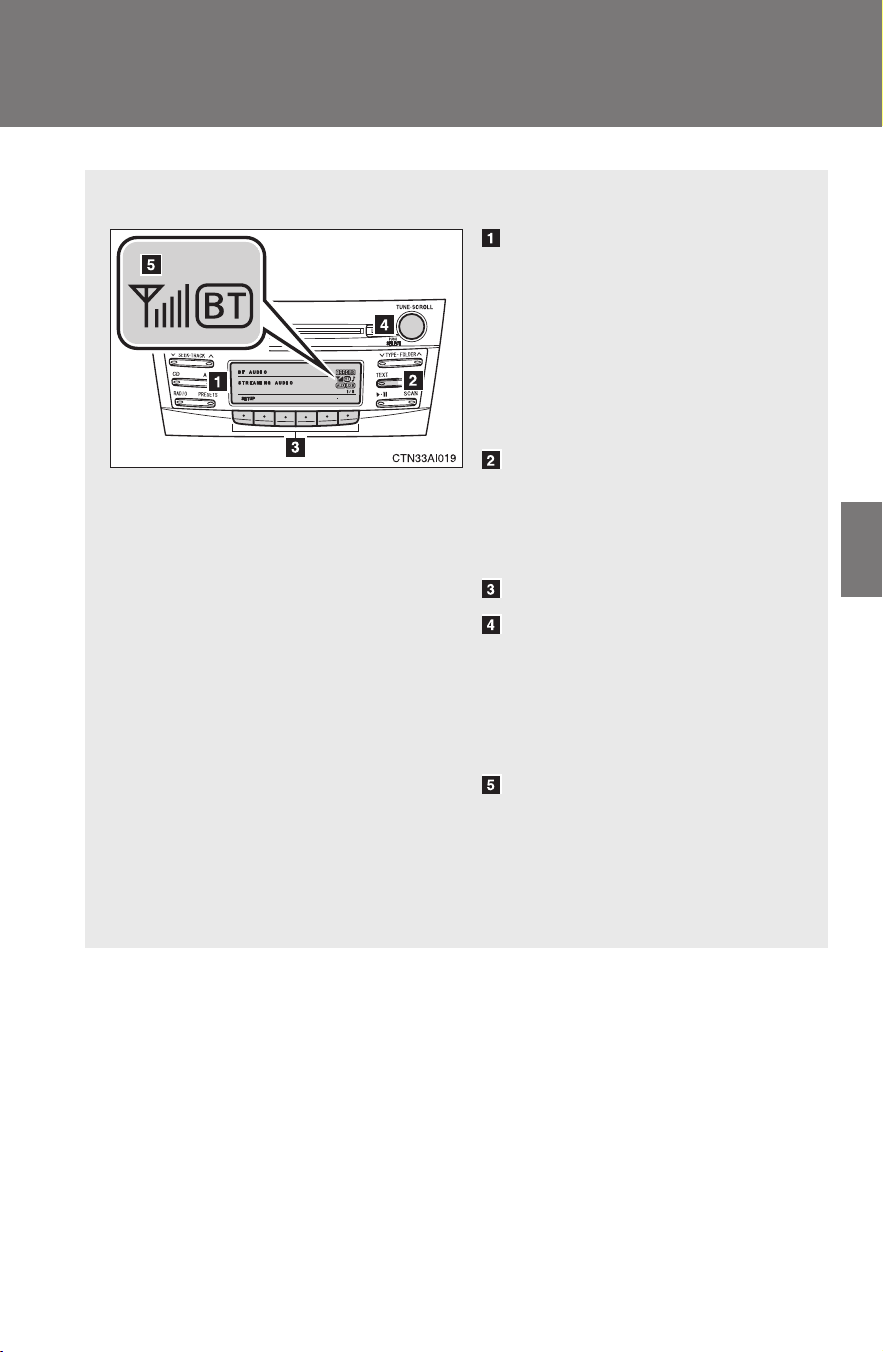
261
3-4. Using the hands-free phone system (for cellular phone)
3
Interior features
CAMRY_HV_U
Using the hands-free phone system (for cellular phone)
■ Audio unit
Display
A message, name, phone
number, etc. is displayed.
Lower-case characters and
special characters, such as
an umlaut, cannot be dis-
played.
Displays information that is
too long to be displayed at
one time on the display
(press and hold)
Selects speed dials
Selects items such as menu
or number
Turn: Selects an item
Press: Inputs the selected
item
Bluetooth
®
connection con-
dition and reception level
If “BT” is not displayed, the
hands-free phone system
cannot be used.
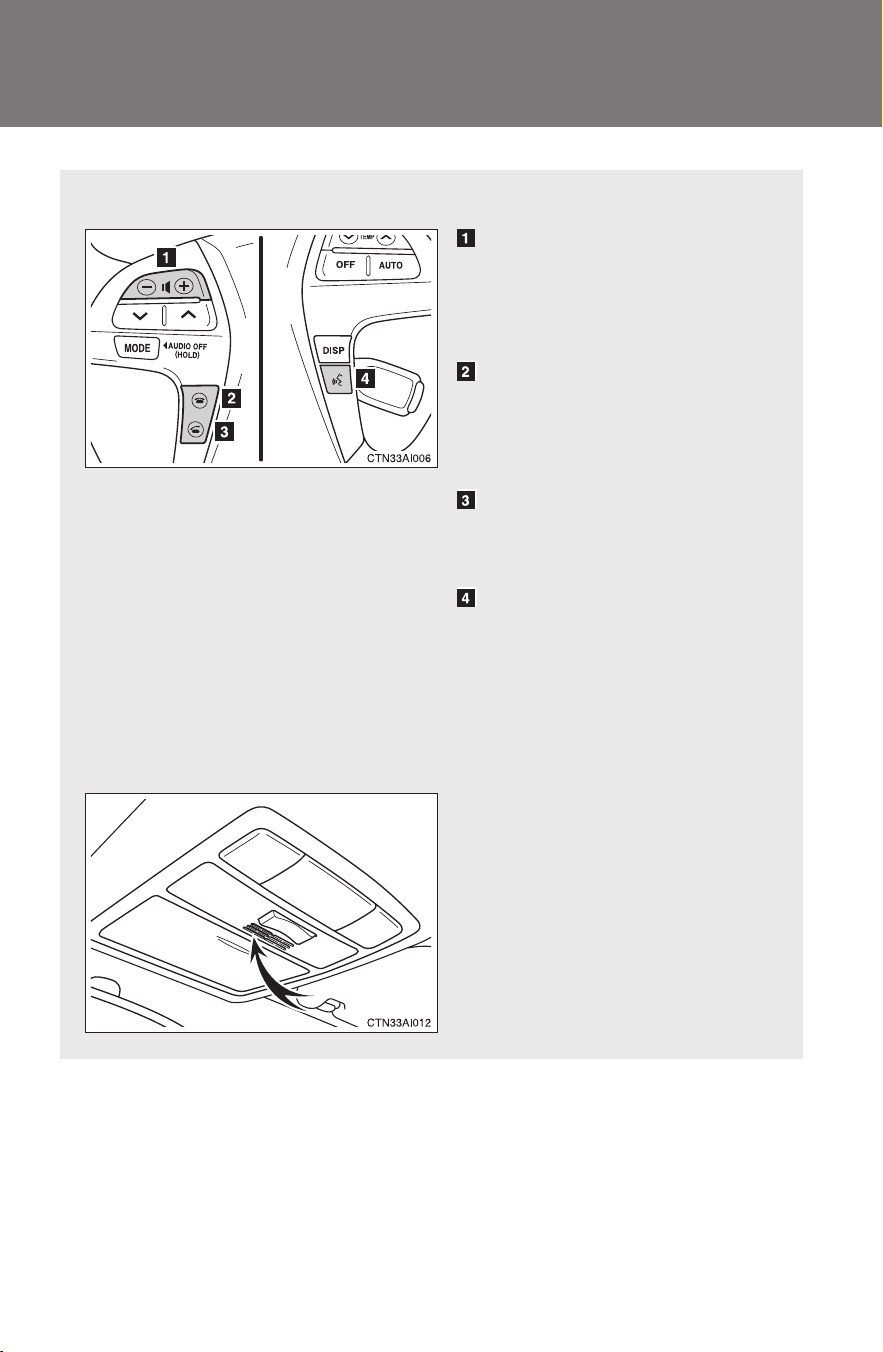
262
3-4. Using the hands-free phone system (for cellular phone)
CAMRY_HV_U
■ Steering wheel
Volume
The voice guidance volume
cannot be adjusted using this
button.
On-hook switch
Turns the hands-free sys-
tem off/ends a call/refuses a
call
Off-hook switch
Turns the hands-free sys-
tem on/starts a call
Talk switch
Turns the voice command
system on (press)/turns the
voice command system off
(press and hold)
■ Microphone

263
3-4. Using the hands-free phone system (for cellular phone)
3
Interior features
CAMRY_HV_U
Operating the system by using a voice command
By following voice guidance instructions output from the speaker,
voice commands enable to the operation of the hands-free phone
system without the need to check the display or operate .
■ Operation procedure when using a voice command
Press the talk switch and follow voice guidance instructions.
■ Auxiliary commands when using a voice command
The following auxiliary commands can be used when operating the
system using a voice command:
Cancel: Exits the hands-free phone system
Repeat: Repeats the previous voice guidance instruction
Go back: Returns to the previous procedure
Help: Reads aloud the function summary if a help comment is
registered for the selected function
Using the hands-free phone system for the first time
Before using the hands-free phone system, it is necessary to register
a cellular phone in the system. The phone registration mode will be
entered automatically when starting the system with no cellular
phone registered. Follow the procedure below to register a cellular
phone:
Press the off-hook switch or the talk switch.
The introductory guidance and phone name registration instructions
are heard.
STEP
1
264
3-4. Using the hands-free phone system (for cellular phone)
CAMRY_HV_U
Select “Pair Phone” using a voice command or .
Register a phone name by either of the following methods.
a. Select “Record Name” by using , and say a name to
be registered.
b. Press the talk switch and say a name to be registered.
A voice guidance instruction to confirm the input is heard.
Select “Confirm” by using a voice command or .
Registration to the hans-free phone system only
Select “Phone Only” using a voice command or .
Registration to the hans-free phone system and Bluetooth
®
audio
system at a same time
Select “Internal Audio (Int. Audio)” using a voice command or
.
Select “Confirm” by using a voice command or .
A passkey is displayed and heard, and a voice guidance instruction
for inputting the passkey into the cellular phone is heard.
Input the passkey into the cellular phone.
Refer to the manual that comes with the cellular phone for the oper-
ation of the phone.
Guidance for registration completion is heard.
STEP
2
STEP
3
STEP
4
STEP
5
STEP
5
STEP
6
STEP
7

265
3-4. Using the hands-free phone system (for cellular phone)
3
Interior features
CAMRY_HV_U
Menu list of the hands-free phone system
■ Normal operation
First menu
Second
menu
Third menu Operation detail
Callback - -
Dialing a number stored in
the incoming call history
memory
Redial - -
Dialing a number stored in
the outgoing call history
memory
Dial by
number
- - Dialing by inputting a number
Dial by
name
--
Dialing by inputting a name
registered in the phone book
Phonebook
Add Entry - Adding a new number
Change
Name
-
Changing a name in the
phone book
Delete
Entry
-
Deleting the phone book
data
Delete
Speed
Dial
-
Deleting a registered speed
dial
List
Names
- Listing the phone book data
Set
Speed
Dial
(Speed
Dial)
- Registering a speed dial

266
3-4. Using the hands-free phone system (for cellular phone)
CAMRY_HV_U
Setup
Security
Set PIN Setting a PIN code
Phonebook Lock Locking the phone book
Phonebook
Unlock
Unlocking the phone book
Phone
Setup
Pair Phone
Registering the cellular
phone to be used
Change Name
Changing a registered name
of a cellular phone
Delete Phone
Deleting a registered cellular
phone
List phones
Listing the registered cellular
phones
Select phone
Selecting a cellular phone to
be used
Set Passkey Changing the passkey
Hands-free
power
Setting a Hands-free power
on/off
System
Setup
Guidance Vol-
ume
Setting voice guidance vol-
ume
Device Name
Displaying a device informa-
tion
Initialize Initialization
First menu
Second
menu
Third menu Operation detail

267
3-4. Using the hands-free phone system (for cellular phone)
3
Interior features
CAMRY_HV_U
■ Using a short cut key
First menu Second menu Operation detail
Dial “XXX (name)” -
Dialing a number registered
in the phone book
Dial “XXX (number)” - Dialing the input numbers
Phone book add
entry
- Adding a new number
Phone book change
name
-
Changing the name of a
phone number in the phone
book
Phone book delete
entry
- Deleting phone book data
Phone book set
speed dial
- Registering a speed dial
Phone book delete
speed dial
- Deleting a speed dial
Phonebook
Phonebook Unlock Unlocking the phone book
Phonebook Lock Locking the phone book

268
3-4. Using the hands-free phone system (for cellular phone)
CAMRY_HV_U
■ Automatic volume adjustment
When vehicle speed is 50 mph (80 km/h) or more, the volume automatically
increases. The volume returns to the previous volume setting when vehicle
speed drops to 43 mph (70 km/h) or less.
■ When using a voice command
For numbers, say a combination of single digits from zero to nine, # (pound),
∗ (star), and + (plus).
Say a command correctly and clearly.
■ Situations that the system may not recognize your voice
● When driving on a rough road
● When driving at high speeds
● When air is blowing out of the vents onto the microphone
● When the air conditioning fan emits a loud noise
■ Operations that cannot be performed while driving
● Operating the system with
● Registering a cellular phone to the system
■ Changing the passkey
→P. 276

269
3-4. Using the hands-free phone system (for cellular phone)
3
Interior features
CAMRY_HV_U
Making a phone call
Dialing by inputting a number
Press the talk switch and say “Dial by number”.
Press the talk switch and say the phone number.
Dial by one of the following methods:
a. Press the off-hook switch.
b. Press the talk switch and say “Dial”.
c. Select “Dial” by using .
■ Making a phone call
● Dialing by inputting a number
“Dial by number”
● Dialing by inputting a name
“Dial by name”
● Speed dialing
● Dialing a number stored in the outgoing history memory
“Redial”
● Dialing a number stored in the incoming history memory
“Call back”
■ Receiving a phone call
● Answering the phone
● Refusing the call
■ Transferring a call
■ Using the call history memory
● Dialing
● Storing data in the phone book
● Deleting
STEP
1
STEP
2
STEP
3
270
3-4. Using the hands-free phone system (for cellular phone)
CAMRY_HV_U
Dialing by inputting a name
Press the talk switch and say “Dial by name”.
Select a registered name to be input by either of the following
methods:
a. Press the talk switch and say a registered name.
b. Press the talk switch and say “List names”. Press the talk
switch while the desired name is being read aloud.
Dial by one of the following methods:
a. Press the off-hook switch.
b. Press the talk switch and say “Dial”.
c. Select “Dial” by using .
Speed dialing
Press the off-hook switch.
Press the preset button in which the desired number is regis-
tered.
Press the off-hook switch.
When receiving a phone call
■ Answering the phone
Press the off-hook switch.
■ Refusing the call
Press the on-hook switch.
STEP
1
STEP
2
STEP
3
STEP
1
STEP
2
STEP
3
271
3-4. Using the hands-free phone system (for cellular phone)
3
Interior features
CAMRY_HV_U
Transferring a call
A call can be transferred between the cellular phone and system
while dialing, receiving a call, or during a call. Use one of the follow-
ing methods:
a. Operate the cellular phone.
Refer to the manual that comes with the cellular phone for the oper-
ation of the phone.
b. Press the off-hook switch
*1
.
c. Press the talk switch and say “Call Transfer”
*2
.
*1
: This operation can be performed only when transferring a call
from the cellular phone to the system during a call.
*2
: While the vehicle is in motion, a call cannot be transferred from
the system to the cellular phone.
Using the call history memory
Follow the procedure below to use a number stored in the call history
memory:
Press the talk switch and say “Redial” (when using a number
stored in the outgoing call history memory) or “Call back”
(when using a number stored in the incoming call history
memory).
Select the number by either of the following methods:
a. Say “Previous” or “Go back” until the desired number is dis-
played.
b. Select the desired number by using .
STEP
1
STEP
2
272
3-4. Using the hands-free phone system (for cellular phone)
CAMRY_HV_U
The following operations can be performed:
Dialing: Press the off-hook switch or select “Dial” by using a voice
command or .
Storing the number in the phone book: Select “Store” by using a
voice command or .
Deleting: Select “Delete” by using a voice command or .
■ Call history
Up to 5 numbers can be stored in each of the outgoing and incoming call his-
tory memories.
■ When talking on the phone
● Do not talk simultaneously with the other party.
● Keep the volume of the received voice down. Otherwise, voice echo will
increase.

273
3-4. Using the hands-free phone system (for cellular phone)
3
Interior features
CAMRY_HV_U
Setting a cellular phone
Registering a cellular phone
Select “Pair Phone” by using a voice command or , and do the
procedure for registering a cellular phone. (→P. 263)
Registering a cellular phone in the hands-free phone system allows
the system to function. The following functions can be used for reg-
istered cellular phones:
■ Functions and operation procedures
To enter the menu for each function, follow the steps below by
using a voice command or :
● Registering a cellular phone
1. “Setup” → 2. “Phone Setup” → 3. “Pair Phone”
● Selecting the cellular phone to be used
1. “Setup” → 2. “Phone Setup” → 3. “Select Phone”
● Changing a registered name
1. “Setup” → 2. “Phone Setup” → 3. “Change Name”
● Listing the registered cellular phones
1. “Setup” → 2. “Phone Setup” → 3. “List Phones”
● Deleting a cellular phone
1. “Setup” → 2. “Phone Setup” → 3. “Delete”
● Changing the passkey
1. “Setup” → 2. “Phone Setup” → 3. “Set Passkey”
274
3-4. Using the hands-free phone system (for cellular phone)
CAMRY_HV_U
Selecting the cellular phone to be used
Select “Select Phone” by using a voice command or .
Pattern A
Select the cellular phone to be used by either of the following
methods, and select “Confirm” by using a voice command or
:
a. Press the talk switch and say the desired phone name.
b. Press the talk switch and say “List phones”. While the name
of the desired cellular phone is being read aloud, press the
talk switch.
Pattern B
Select the cellular phone to be used by using .
Changing a registered name
Select “Change Name” by using a voice command or .
Select the name of the cellular phone to be changed by either
of the following methods:
a. Press the talk switch and say the desired phone name, and
select “Confirm” by using a voice command or .
b. Press the talk switch and say “List phones”. While the
desired phone name is being read aloud, press the talk
switch.
STEP
1
STEP
2
STEP
2
STEP
1
STEP
2
275
3-4. Using the hands-free phone system (for cellular phone)
3
Interior features
CAMRY_HV_U
c. Select the desired phone name by using .
Press the talk switch or select “Record Name” by using ,
and say a new name.
Select “Confirm” by using a voice command or .
Listing the registered cellular phones
Selecting “List Phones” by using a voice command or causes
the list of registered cellular phones to be read aloud.
When listing is complete, the system returns to “Phone Setup”.
Pressing the talk switch while the name of a cellular phone is being
read selects the cellular phone, and the following functions will be
available:
• Selecting a cellular phone: “Select Phone”
• Changing a registered name: “Change Name”
• Deleting a cellular phone: “Delete Phone”
STEP
3
STEP
4
276
3-4. Using the hands-free phone system (for cellular phone)
CAMRY_HV_U
Deleting a cellular phone
Select “Delete Phone” by using a voice command or .
Select the cellular phone to be deleted by either of the follow-
ing methods and select “Confirm” by using a voice command
or :
a. Press the talk switch and say the name of the desired cellu-
lar phone.
b. Press the talk switch and say “List phones”. While the name
of the desired cellular phone is being read aloud, press the
talk switch.
Changing the passkey
Select “Set Passkey” by using a voice command or .
Press the talk switch, say a 4 to 8-digit number, and select
“Confirm” by using a voice command or .
The number should be input 1 digit at a time.
When the entire number to be registered as a passkey has
been input, press again.
STEP
1
STEP
2
STEP
1
STEP
2
STEP
3
277
3-4. Using the hands-free phone system (for cellular phone)
3
Interior features
CAMRY_HV_U
Turning the hands-free phone automatic connection on/off
■ Turning off the automatic connection
Select “Handsfree Power” by using a voice command or
.
Select “Turn off” by using a voice command or .
■ Turning on the automatic connection
Select “Handsfree Power” by using a voice command or
.
Select “Turn on” by using a voice command or .
■ The number of cellular phones that can be registered
Up to 6 cellular phones can be registered in the system.
STEP
1
STEP
2
STEP
1
STEP
2
278
3-4. Using the hands-free phone system (for cellular phone)
CAMRY_HV_U
Security and system setup
Setting or changing the PIN
■ Setting a PIN
Select “Set PIN” by using a voice command or .
Enter a PIN by using a voice command or .
When using , input the code 1 digit at a time.
To enter the menu of each setting, follow the steps below:
■ Security setting items and operation procedure
● Setting or changing the PIN (Personal Identification Number)
1. “Setup” → 2. “Security” → 3. “Set PIN”
● Locking the phone book
1. “Setup” → 2. “Security” → 3. “Phonebook Lock”
● Unlocking the phone book
1. “Setup” → 2. “Security” → 3. “Phonebook Unlock”
■ System setup items and operation procedure
● Setting voice guidance volume
1. “Setup” → 2. “System Setup” → 3. “Guidance Volume”
● Initialization
1. “Setup” → 2. “System Setup” → 3. “Initialize”
can only be used for system setup operation.
STEP
1
STEP
2
279
3-4. Using the hands-free phone system (for cellular phone)
3
Interior features
CAMRY_HV_U
■ Changing the PIN
Select “Set PIN” by using a voice command or .
Enter the registered PIN by using a voice command or .
Enter a new PIN by using a voice command or .
When using , input the code 1 digit at a time.
Locking or unlocking the phone book
Select “Phonebook lock” or “Phonebook unlock” by using a
voice command or .
Input the PIN by either of the following methods and select
“Confirm” by using a voice command or :
a. Press the talk switch and say the registered PIN.
b. Input a new PIN by using .
STEP
1
STEP
2
STEP
3
STEP
1
STEP
2
280
3-4. Using the hands-free phone system (for cellular phone)
CAMRY_HV_U
Setting voice guidance volume
Select “Guidance Volume” by using .
Change the voice guidance volume.
To decrease the volume: Turn counterclockwise.
To increase the volume: Turn clockwise.
Initialization
Select “Initialize” and then “Confirm” by using .
Select “Confirm” by using .
STEP
1
STEP
2
STEP
1
STEP
2

281
3-4. Using the hands-free phone system (for cellular phone)
3
Interior features
CAMRY_HV_U
■ Initialization
● The following data in the system can be initialized:
• Phone book
• Outgoing and incoming call history
• Speed dials
• Registered cellular phone data
• Security code
● Once the initialization has been completed, the data cannot be restored
to its original state.
■ When the phone book is locked
The following functions cannot be used:
● Dialing by inputting a name
● Speed dialing
● Dialing a number stored in the call history memory
● Using the phone book

282
3-4. Using the hands-free phone system (for cellular phone)
CAMRY_HV_U
Using the phone book
Adding a new phone number
The following methods can be used to add a new phone number:
● Inputting a phone number by using a voice command
● Transferring data from the cellular phone
● Inputting a phone number by using
● Selecting a phone number from outgoing or incoming call history
To enter the menu of each setting, follow the steps below:
● Adding a new phone number
1. “Phonebook” → 2. “Add Entry”
● Setting speed dial
1. “Phonebook” → 2. “Set Speed Dial (Speed Dial)”
● Changing a registered name
1. “Phonebook” → 2. “Change Name”
● Deleting registered data
1. “Phonebook” → 2. “Delete Entry”
● Deleting speed dial
1. “Phonebook” → 2. “Delete Speed Dial”
● Listing the registered data
1. “Phonebook” → 2. “List Names”
283
3-4. Using the hands-free phone system (for cellular phone)
3
Interior features
CAMRY_HV_U
■ Adding procedure
Select “Add Entry” by using a voice command or .
Use one of the following methods to input a telephone num-
ber:
Inputting a telephone number by using a voice command
STEP2-1 Select “By Voice” by using a voice command or
.
STEP2-2 Press the talk switch, say the desired number, and
select “Confirm” by using a voice command.
Transferring data from the cellular phone
STEP2-1 Select “By Phone” and then “Confirm” by using a
voice command or .
STEP2-2 Transfer the data from the cellular phone.
Refer to the manual that comes with the cellular phone for
the details of transferring data.
STEP2-3 Select the data to be registered by either of the fol-
lowing methods:
a. Say “Previous” or “Next” until the desired data is
displayed, and select “Confirm” by using a voice
command.
b. Select the desired data by using .
STEP
1
STEP
2
284
3-4. Using the hands-free phone system (for cellular phone)
CAMRY_HV_U
Inputting a phone number by using
STEP2-1 Select “Manual Input” by using .
STEP2-2 Input a phone number by using , and press
once again.
Input the phone number 1 digit at a time.
Selecting a phone number from outgoing or incoming call history
STEP2-1 Select “Call History” by using a voice command or
.
STEP2-2 Select “Outgoing” or “Incoming” by using a voice
command or .
STEP2-3 Select the data to be registered by either of the fol-
lowing methods:
a. Say “Previous” or “Go back” until the desired data
is displayed, and select “Confirm” by using a
voice command.
b. Select the desired data by using .
285
3-4. Using the hands-free phone system (for cellular phone)
3
Interior features
CAMRY_HV_U
Select the name to be registered by either of the following
methods, and select “Confirm” by using a voice command or
:
a. Press the talk switch and say the desired name.
b. Select “Record Name” by using , and say the desired
name.
Select “Confirm” by using a voice command or .
In , selecting “Set Speed Dial (Speed Dial)” instead of “Con-
firm” registers the newly added phone number as a speed dial.
STEP
3
STEP
4
STEP
3
286
3-4. Using the hands-free phone system (for cellular phone)
CAMRY_HV_U
Setting speed dials
Select “Set Speed Dial (Speed Dial)” by using a voice com-
mand or .
Select the data to be registered as a speed dial by either of
the following methods:
a. Press the talk switch, say desired number, and select “Con-
firm” by using a voice command or
.
b. Press the talk switch, and say “List names”. While the
desired name is being read aloud, press the talk switch,
and select “Confirm” by using a voice command or .
c. Select the desired data by using .
Select the desired preset button, and register the data into
speed dial by either of the following methods:
a. Press the desired preset button, and select “Confirm” by
using a voice command or .
b. Press and hold the desired preset button.
STEP
1
STEP
2
STEP
3
287
3-4. Using the hands-free phone system (for cellular phone)
3
Interior features
CAMRY_HV_U
Changing a registered name
Select “Change Name” by using a voice command or .
Select the name to be changed by either of the following
methods.
a. Press the talk switch, say desired name, and select “Con-
firm” by using a voice command or
.
b. Press the talk switch, and say “List names”. While the
desired name is being read aloud, press the talk switch,
and select “Confirm” by using a voice command or .
c. Select the desired name by using .
Select “Record Name” with or the talk switch.
Say a new name, and select “Confirm” by using a voice com-
mand or .
STEP
1
STEP
2
STEP
3
STEP
4
288
3-4. Using the hands-free phone system (for cellular phone)
CAMRY_HV_U
Deleting registered data
Select “Delete Entry” by using a voice command or .
Select the data to be deleted by either of the following meth-
ods, and select “Confirm” by using a voice command or
:
a. Press the talk switch, and say the name of the desired
phone number to be deleted.
b. Press the talk switch, say “List phones”. While the name of
the desired phone number is being read aloud, press the
talk switch.
Deleting speed dials
Select “Delete Speed Dial” by using a voice command or
.
Press the preset button in which the desired speed dial is reg-
istered, and select “Confirm” by using a voice command or
.
STEP
1
STEP
2
STEP
1
STEP
2

289
3-4. Using the hands-free phone system (for cellular phone)
3
Interior features
CAMRY_HV_U
Listing the registered data
Selecting “List names” by using a voice command causes a list of the
registered data to be read aloud.
When listing is complete, the system returns to “Phonebook”.
Pressing the talk switch while the desired data is being read aloud
selects the data, and the following function will be available.
• Dialing: “Dial”
• Changing a registered name: “Change Name”
• Deleting an entry: “Delete Entry”
• Setting a speed dial: “Set Speed Dial (Speed Dial)”
■ Limitation of number of digits
A phone number that exceeds 24 digits cannot be registered.
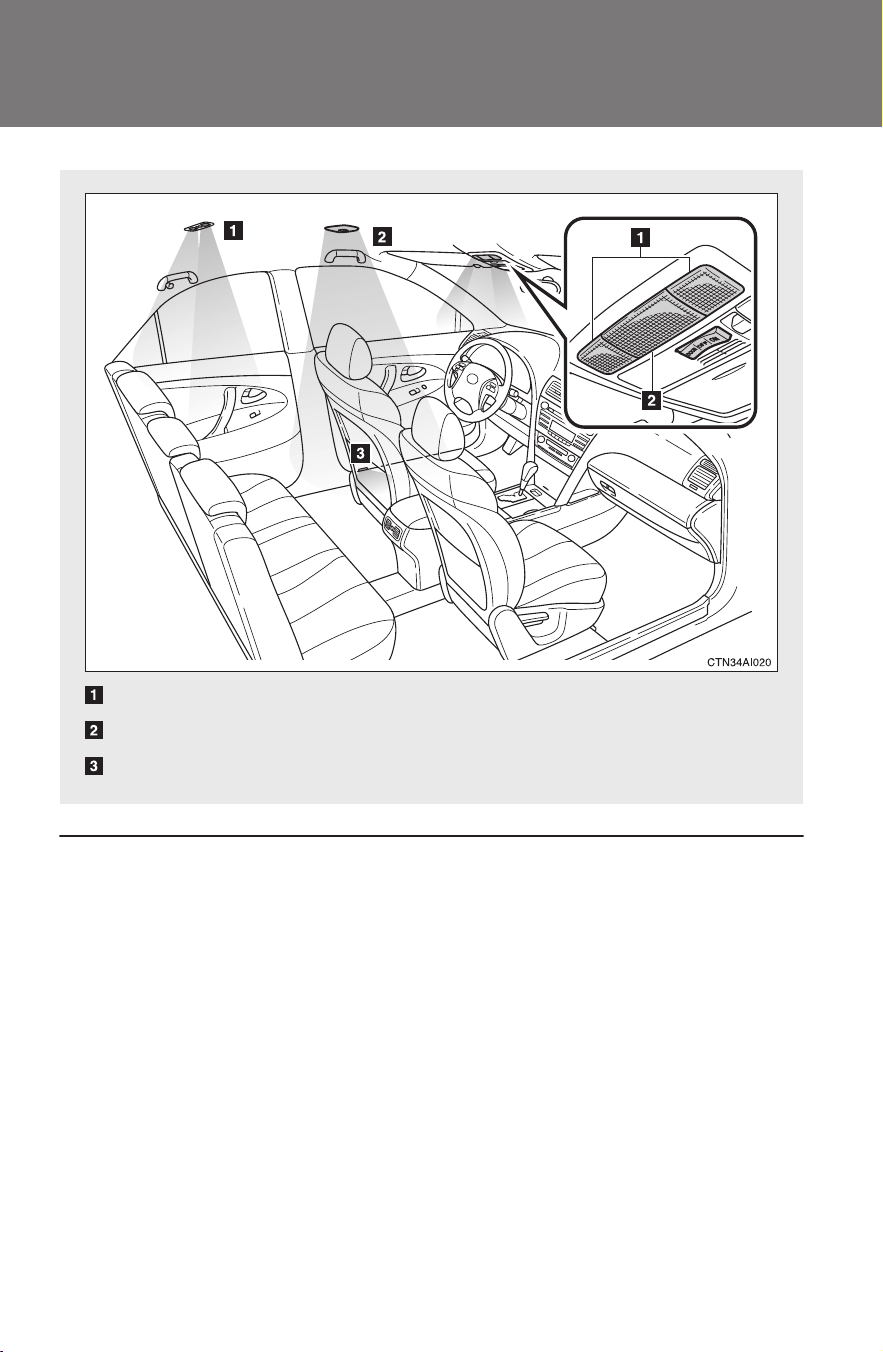
290
CAMRY_HV_U
3-5. Using the interior lights
Interior lights list
■ Illuminated entry system
The interior light (with the switch in the “DOOR” position) automatically turns
on/off according to “POWER” switch mode, the presence of the electronic
key, whether the doors are locked/unlocked and whether the doors are
open/closed.
■ To prevent the 12-volt battery from being discharged
If the interior light remains on when the door is not fully closed and the inte-
rior light switch is in the “DOOR” position, the light will go off automatically
after 20 minutes.
■ Customization that can be configured at Toyota dealer
Settings (e.g. the time elapsed before lights turn off) can be changed.
(Customizable features →P. 470)
Personal lights (→P. 292)
Interior light (→P. 291)
Front door courtesy light
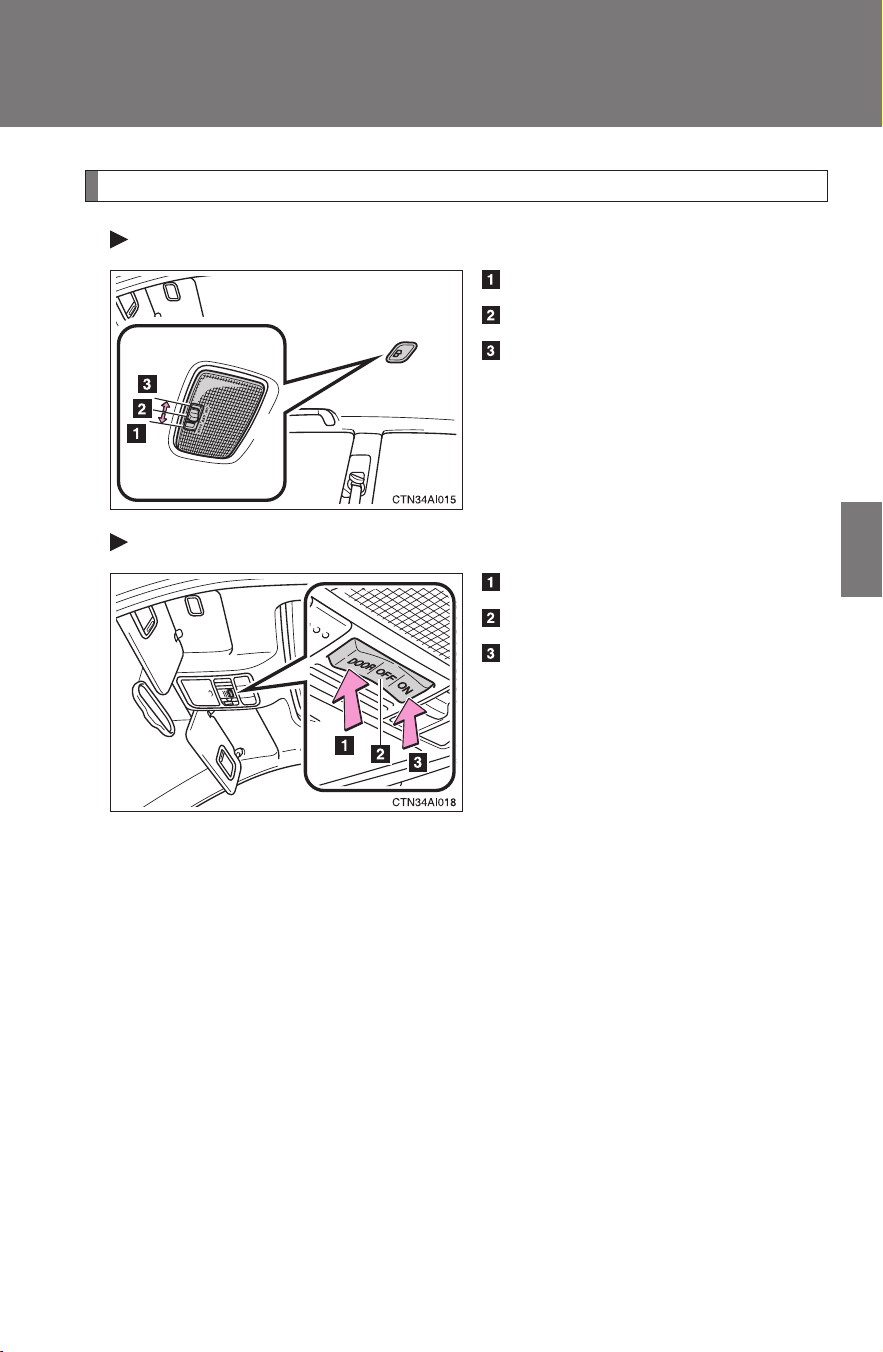
291
3-5. Using the interior lights
3
Interior features
CAMRY_HV_U
Interior light
Vehicles without moon roof
Door position
Off
On
Vehicles with moon roof
Door position
Off
On
Interior light
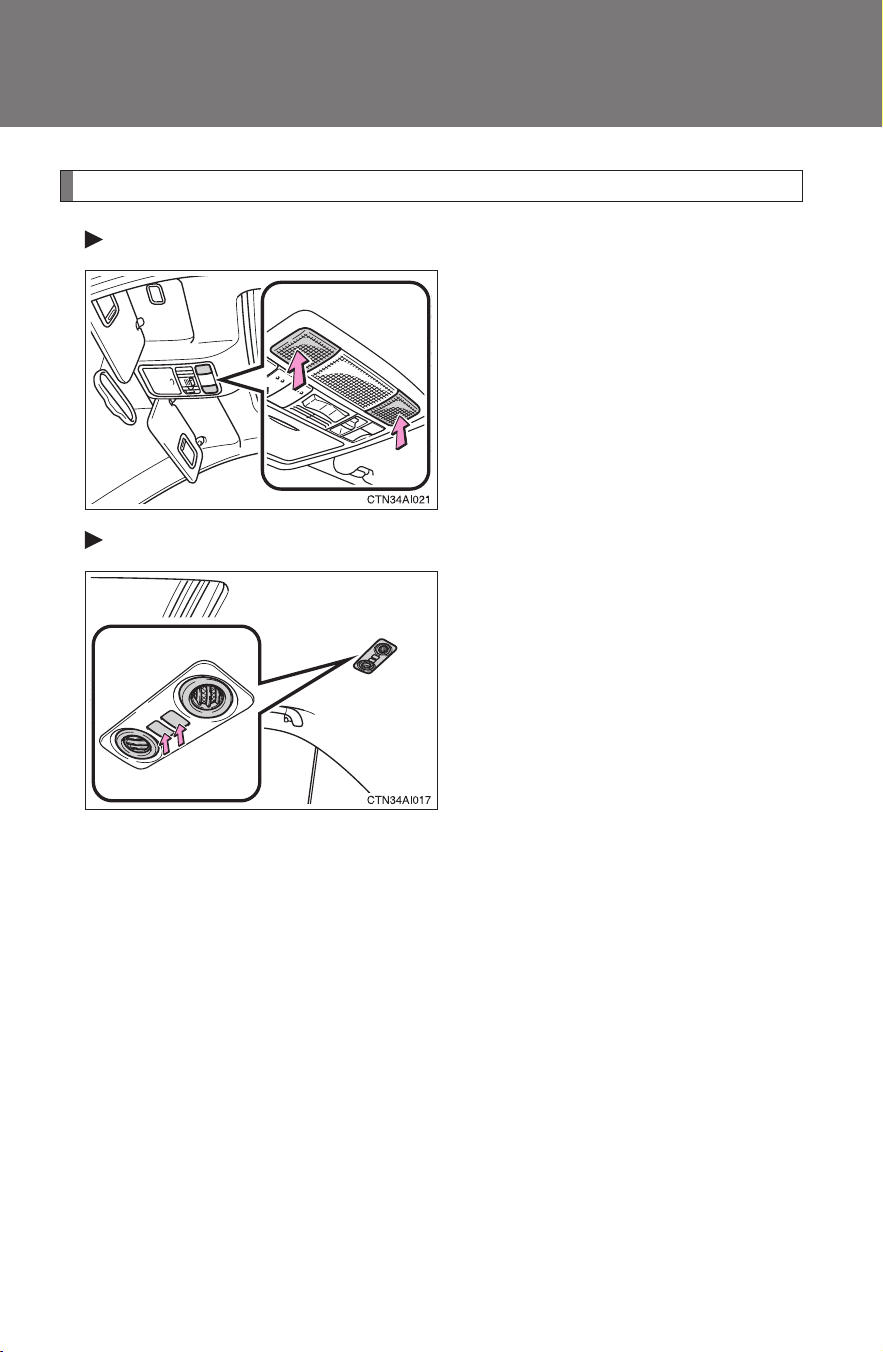
292
3-5. Using the interior lights
CAMRY_HV_U
Personal lights
Front
On/off
Rear (vehicles with moon roof)
On/off
When either of the rear side
doors is opened, the light on that
side turns on automatically. Clos-
ing the rear side doors will turn
the lights off.
Personal lights
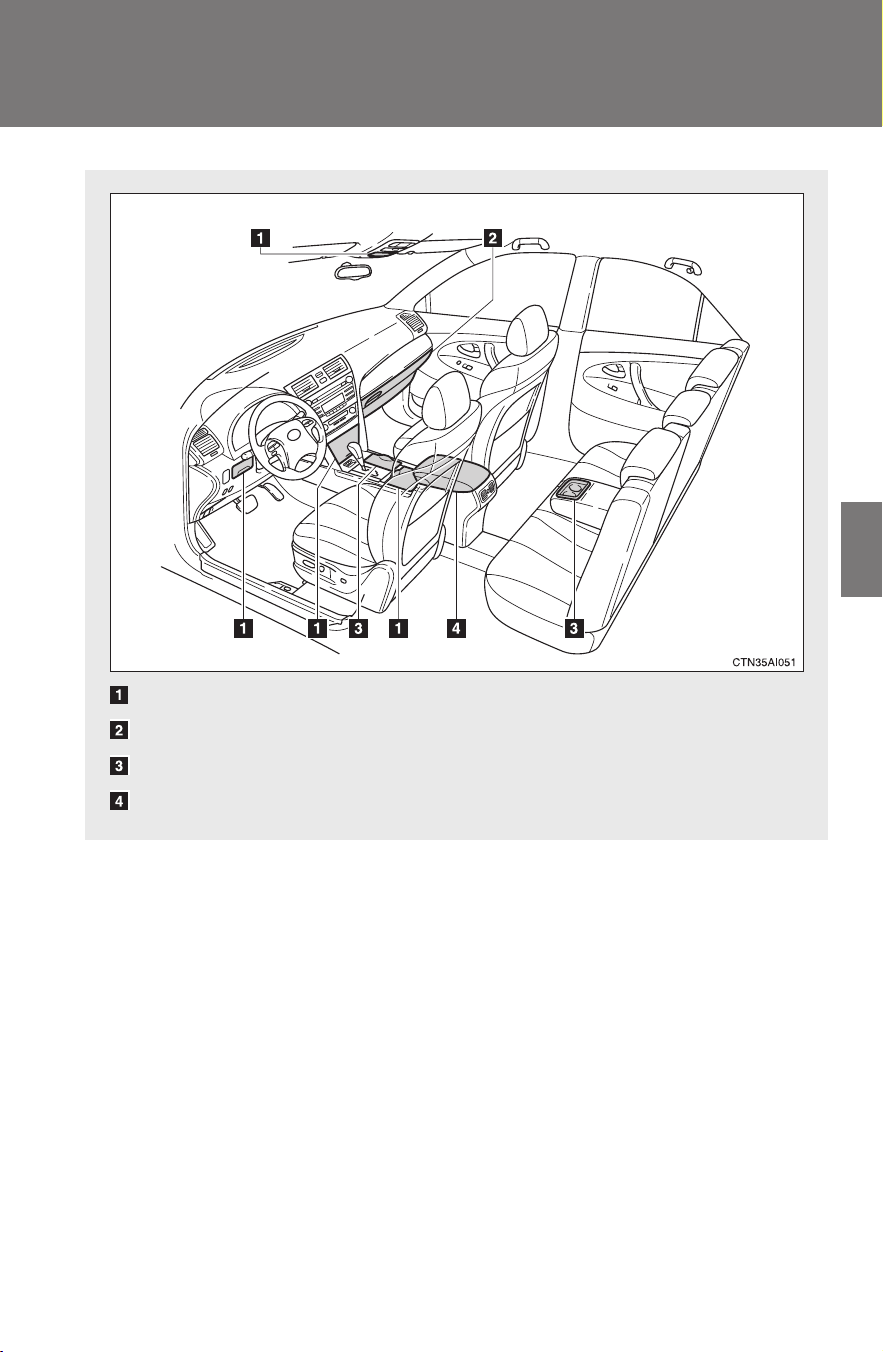
293
3
Interior features
CAMRY_HV_U
3-6. Using the storage features
List of storage features
Auxiliary boxes
Glove box
Cup holders
Console box
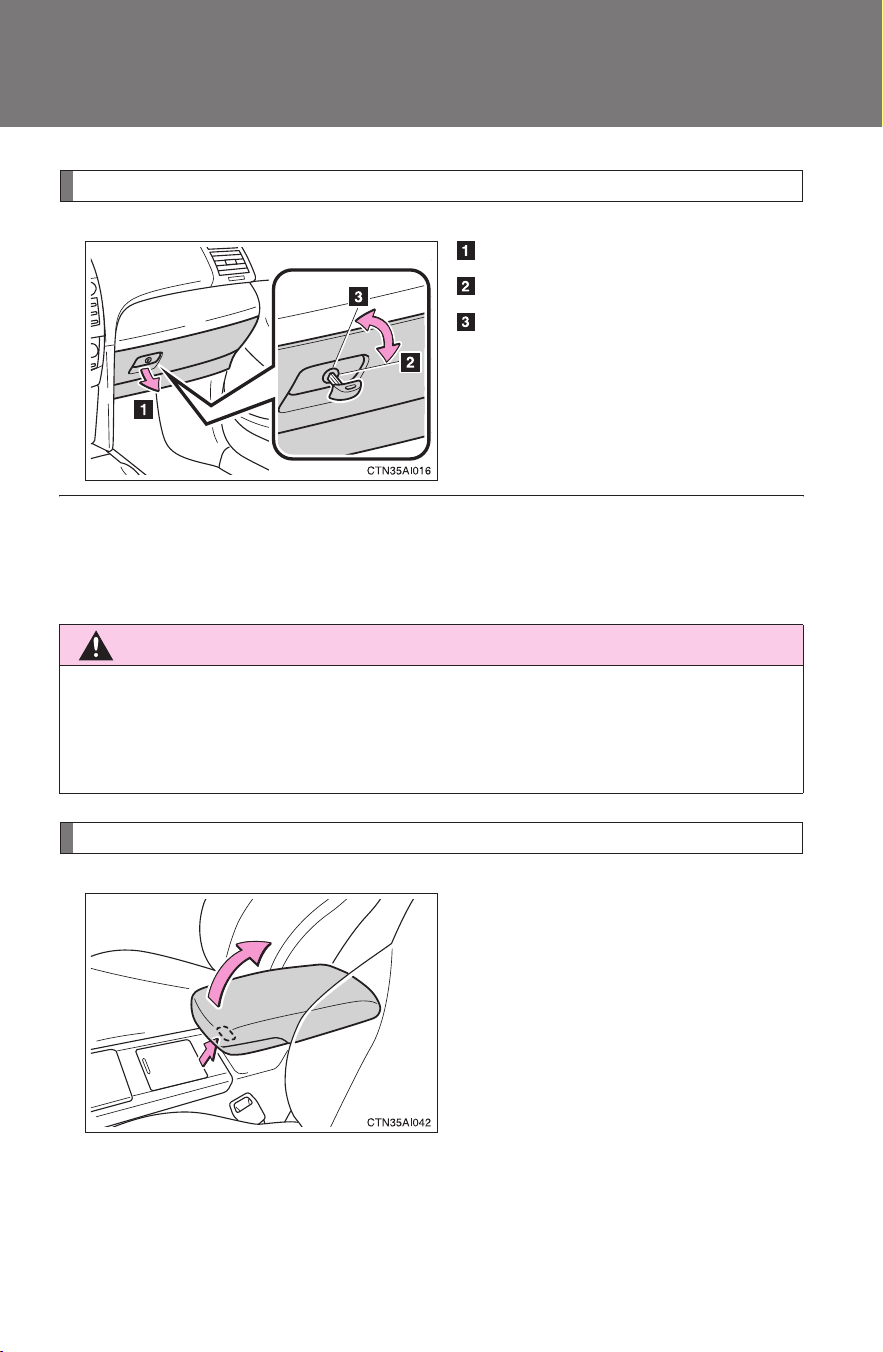
294
3-6. Using the storage features
CAMRY_HV_U
Glove box
Open (pull the lever)
Lock with the mechanical key
Unlock with the mechanical
key
Console box
Lift the lid while pulling the lever.
■ Glove box light
The glove box light turns on when the tail lights are turned on.
CAUTION
■ Caution while driving
Keep the glove box closed.
Injuries may result in the event of an accident or sudden braking.
Glove box and console box
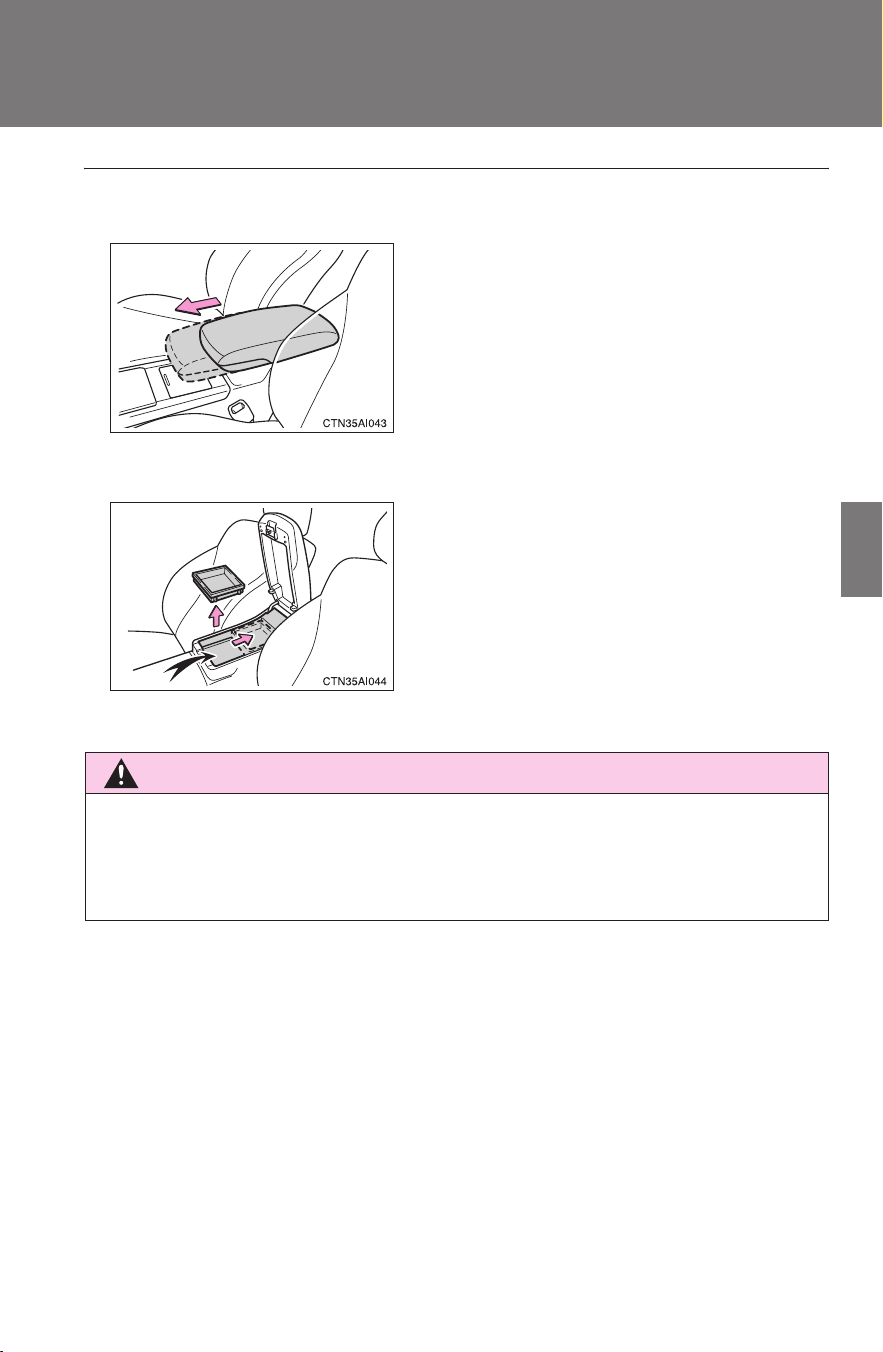
295
3-6. Using the storage features
3
Interior features
CAMRY_HV_U
■ When using the console box lid as an armrest (if equipped)
■ Tray in the console box
CAUTION
■ Caution while driving
Keep the console box closed.
Injuries may result in the event of an accident or sudden braking.
If necessary, the console box lid can slide
forward. Pull the lid forward by grasping
the front of the lid.
The tray slides forward/backward and can
be removed.
Console box
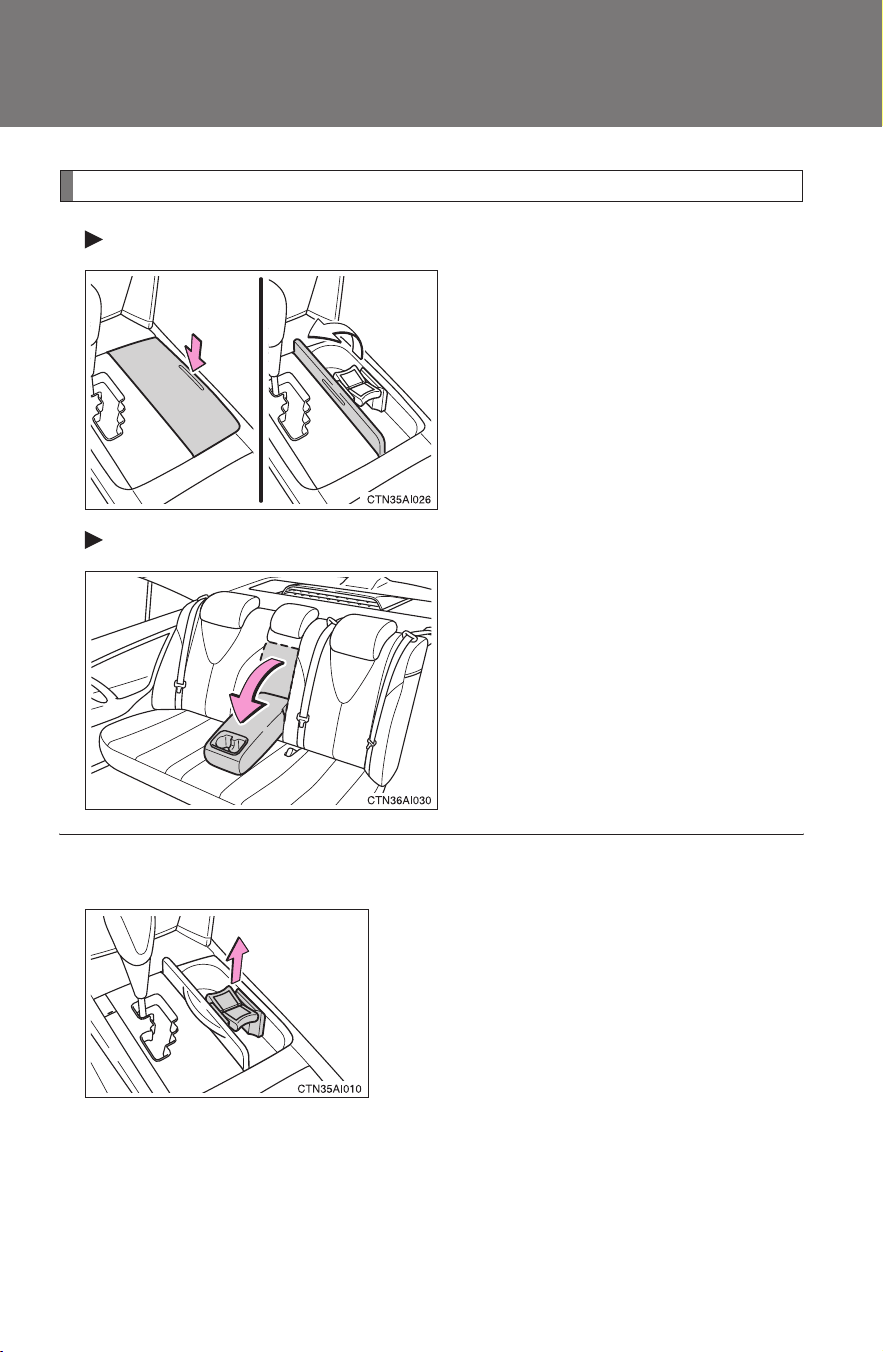
296
3-6. Using the storage features
CAMRY_HV_U
Cup holders
Front
Push the lid.
Rear
Pull the armrest down.
■ Using the cup holder (front) to store small items
Remove the holder.
Cup holders
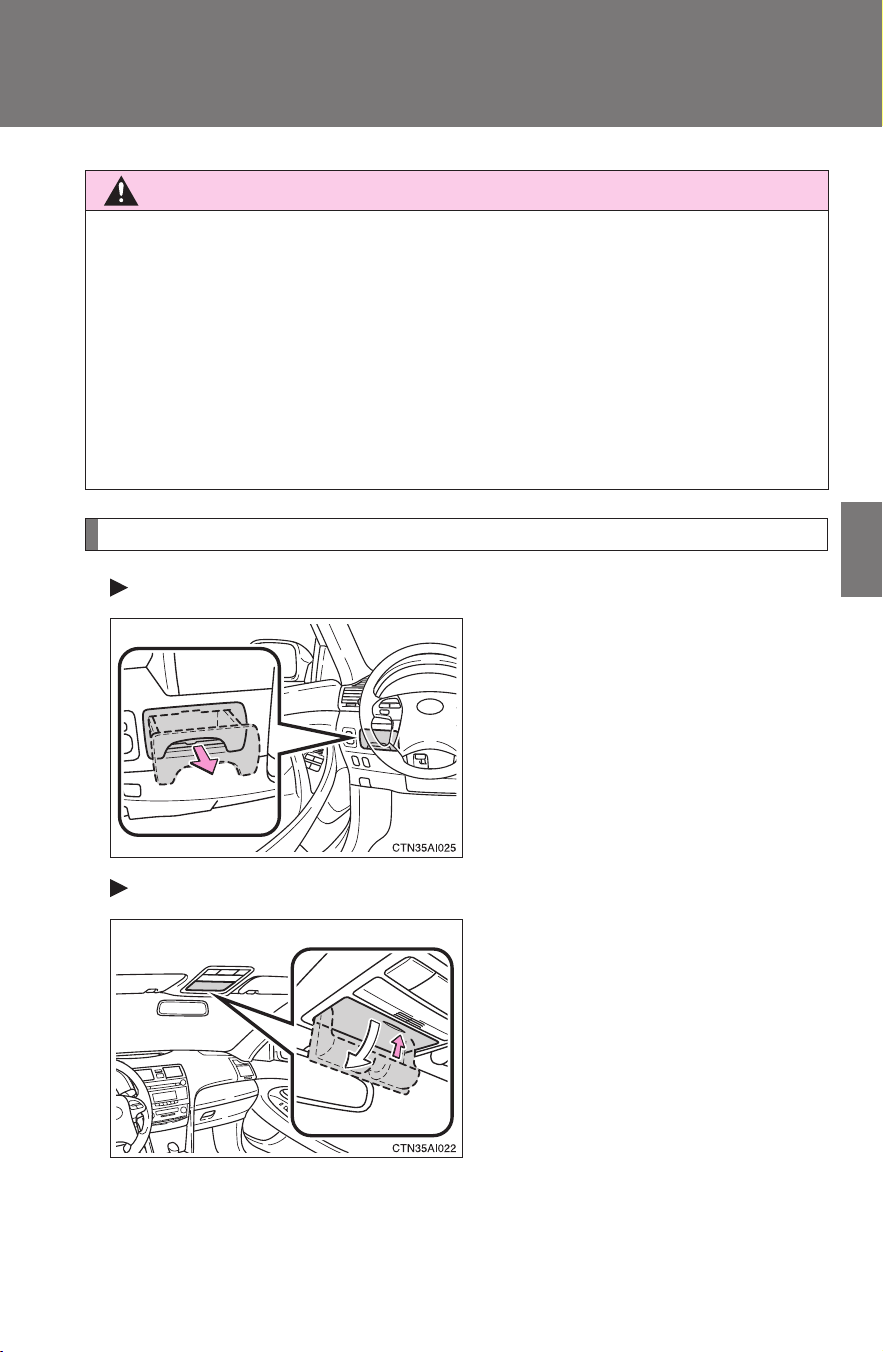
297
3-6. Using the storage features
3
Interior features
CAMRY_HV_U
Auxiliary boxes
Driver's side instrument panel
Pull the handle.
Overhead console
Push the lid.
CAUTION
■ Items unsuitable for the cup holder
Do not place anything other than cups or aluminum cans in the cup holders.
Other items may be thrown out of the holders in the event of an accident or
sudden braking and cause injury. If possible, cover hot drinks to prevent
burns.
■ When not in use
Keep the cup holders closed.
Injuries may result in the event of an accident or sudden braking.
Cup holders and auxiliary boxes
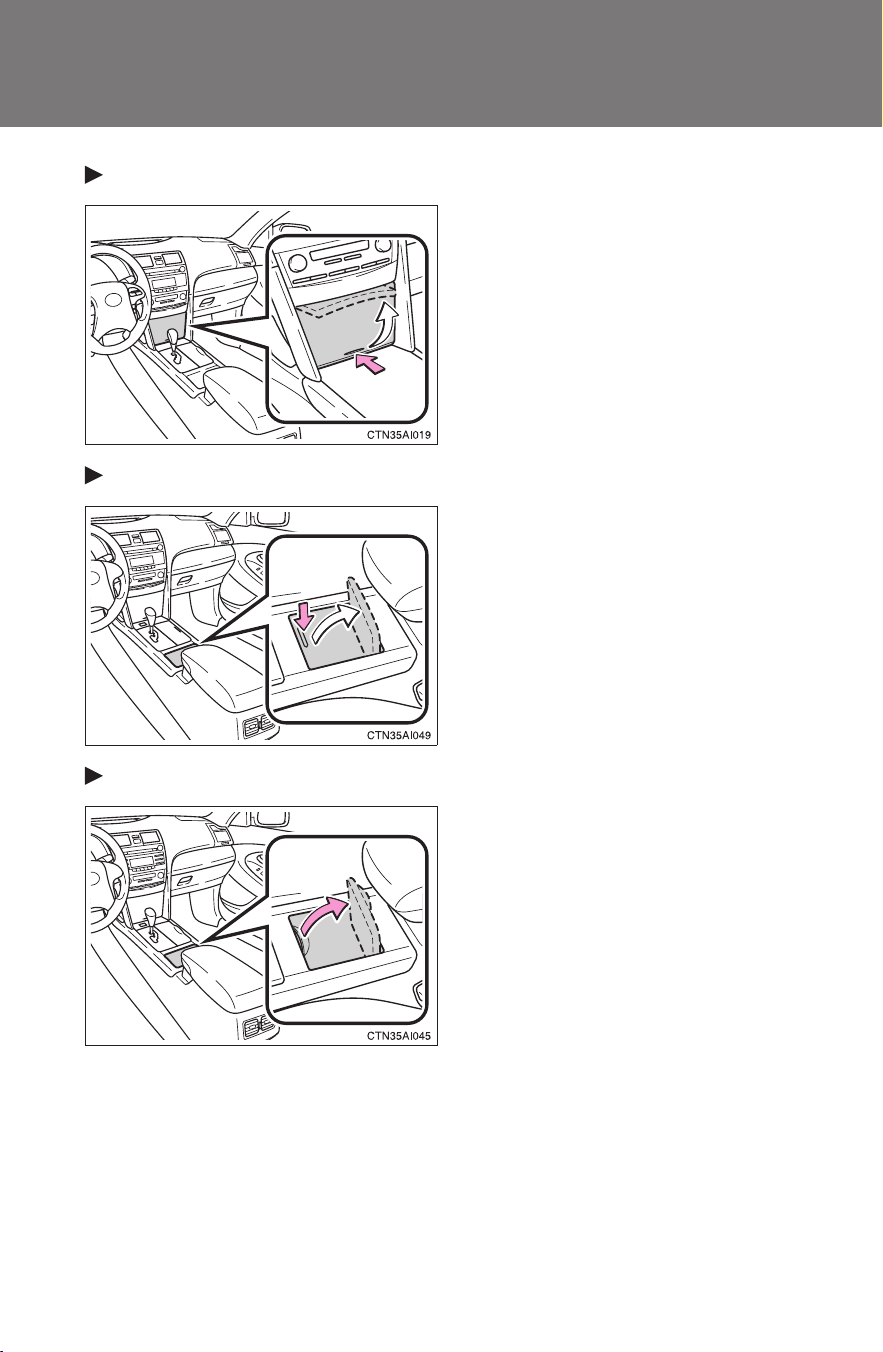
298
3-6. Using the storage features
CAMRY_HV_U
Front console
Push the lid.
Center console (type A)
Push the lid.
Center console (type B)
Lift the lid.
Auxiliary boxes
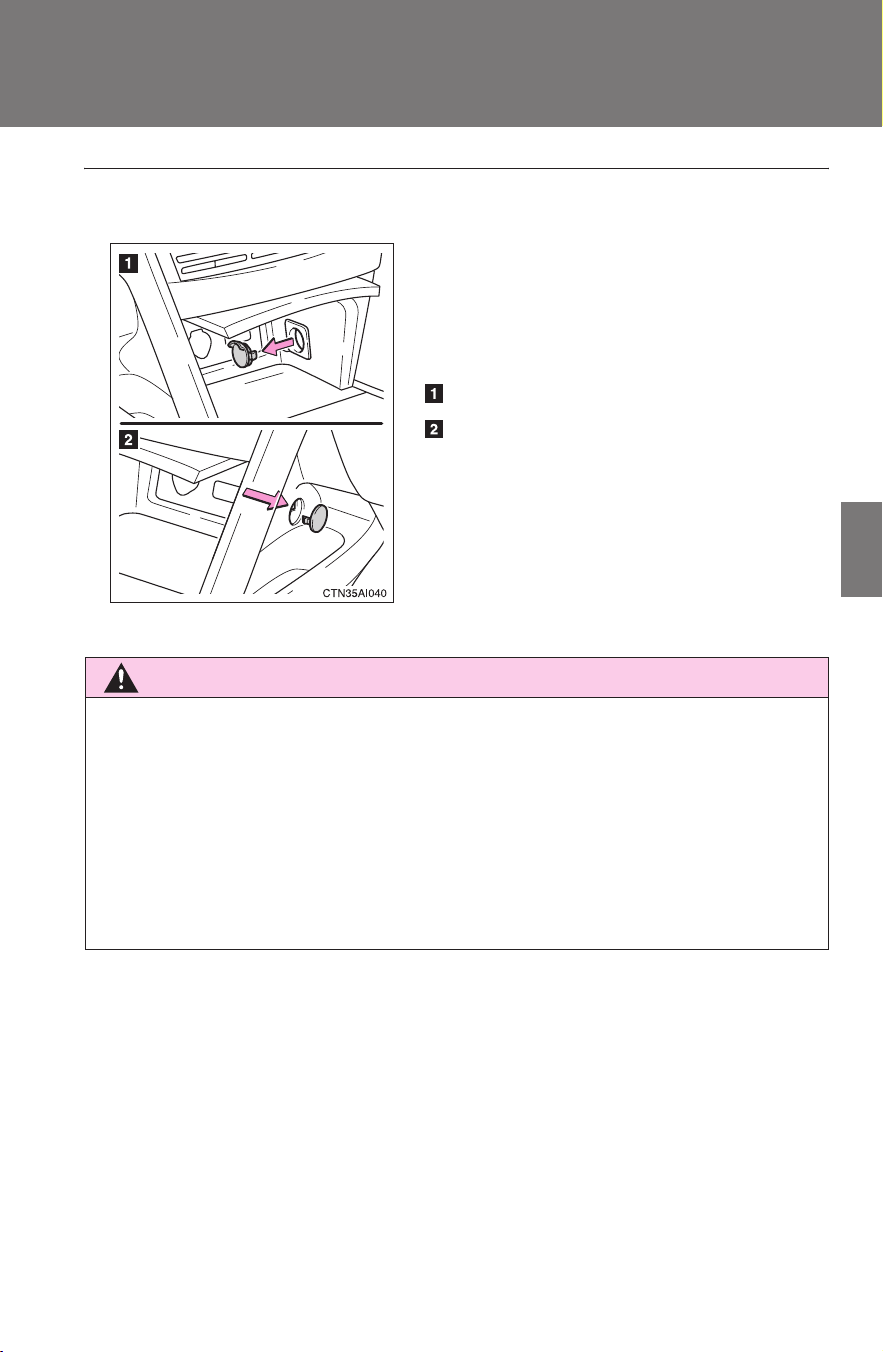
299
3-6. Using the storage features
3
Interior features
CAMRY_HV_U
■ Cable pass-through
CAUTION
■ Caution while driving
Keep the auxiliary boxes closed.
Injuries may result in the event of an accident or sudden braking.
■ Items that should not be left in the overhead console
Do not leave glasses or lighters in the console.
If the interior of the vehicle becomes hot, lighters may explode and glasses
may warp or become cracked.
The auxiliary box of the front console is
provided with a hole that allows cables to
be passed into the cabin from the inside
power outlet and AUX or USB/AUX
adapter.
Remove the lid.
Push out and remove the outer lid.
Auxiliary boxes
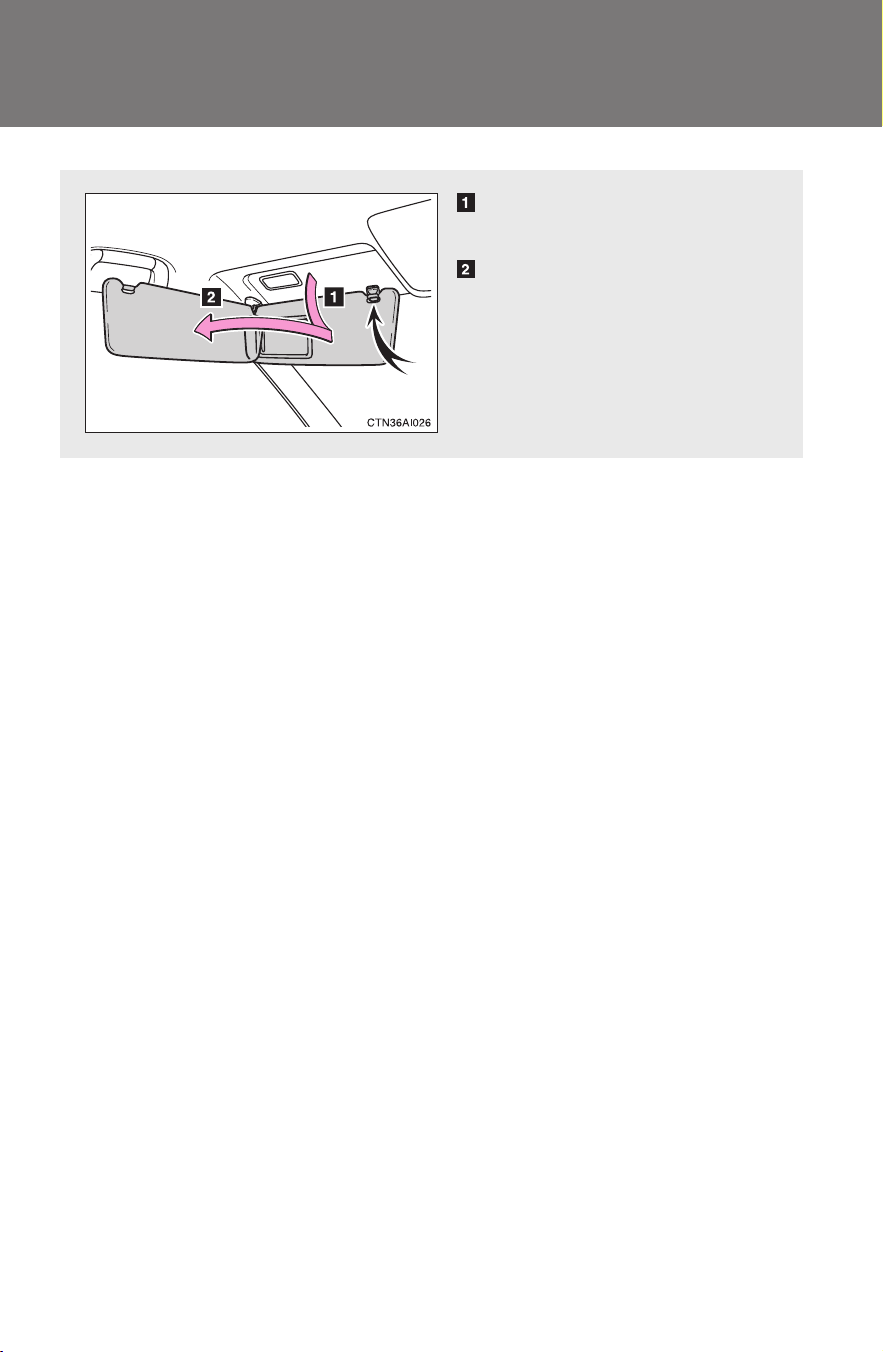
300
CAMRY_HV_U
3-7. Other interior features
Sun visors
Forward position:
Flip down.
Side position:
Flip down, unhook, and
swing to the side.
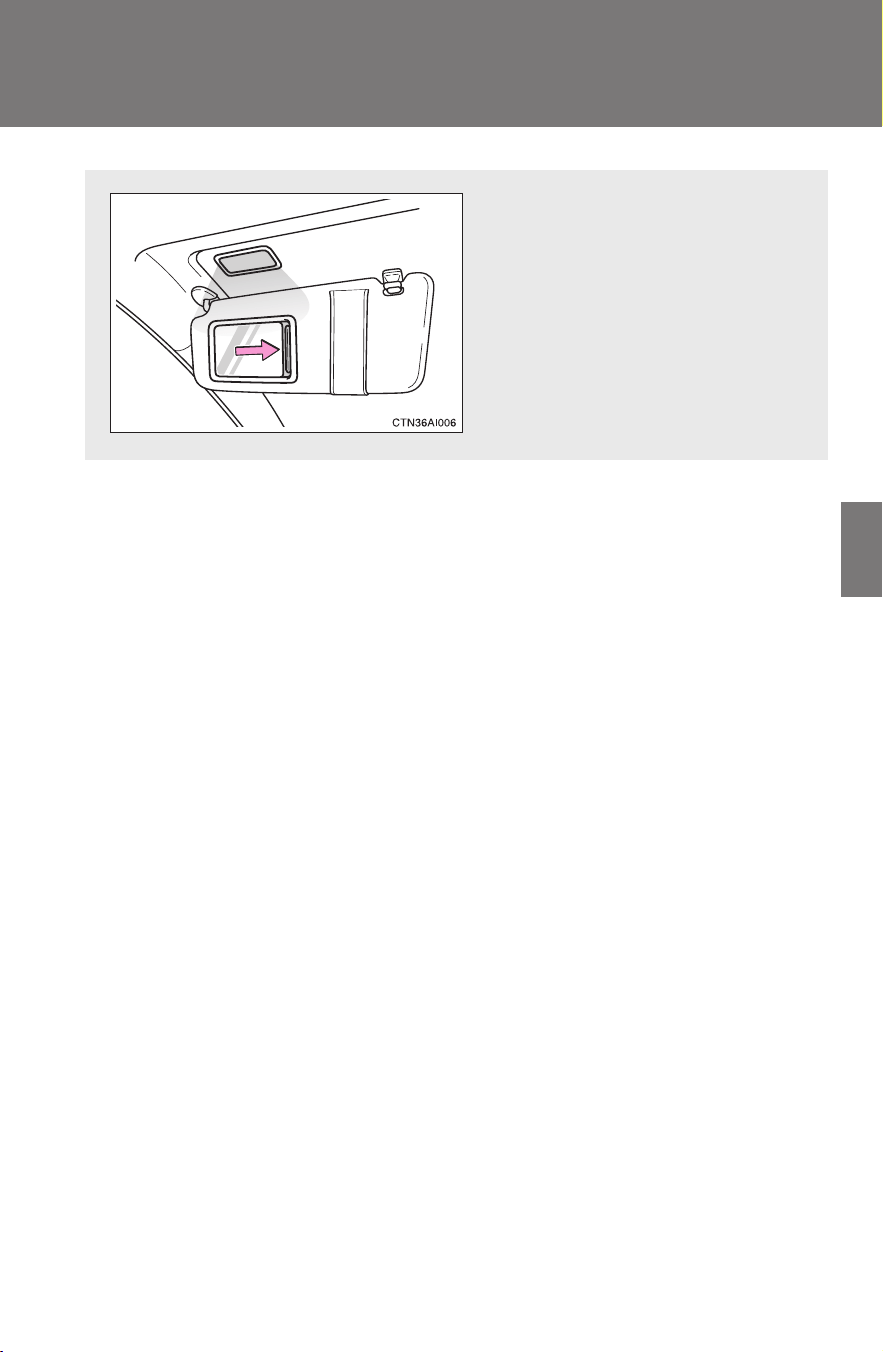
301
3-7. Other interior features
3
Interior features
CAMRY_HV_U
Vanity mirrors
Slide the cover.
The light turns on when the
cover is opened. (if equipped)
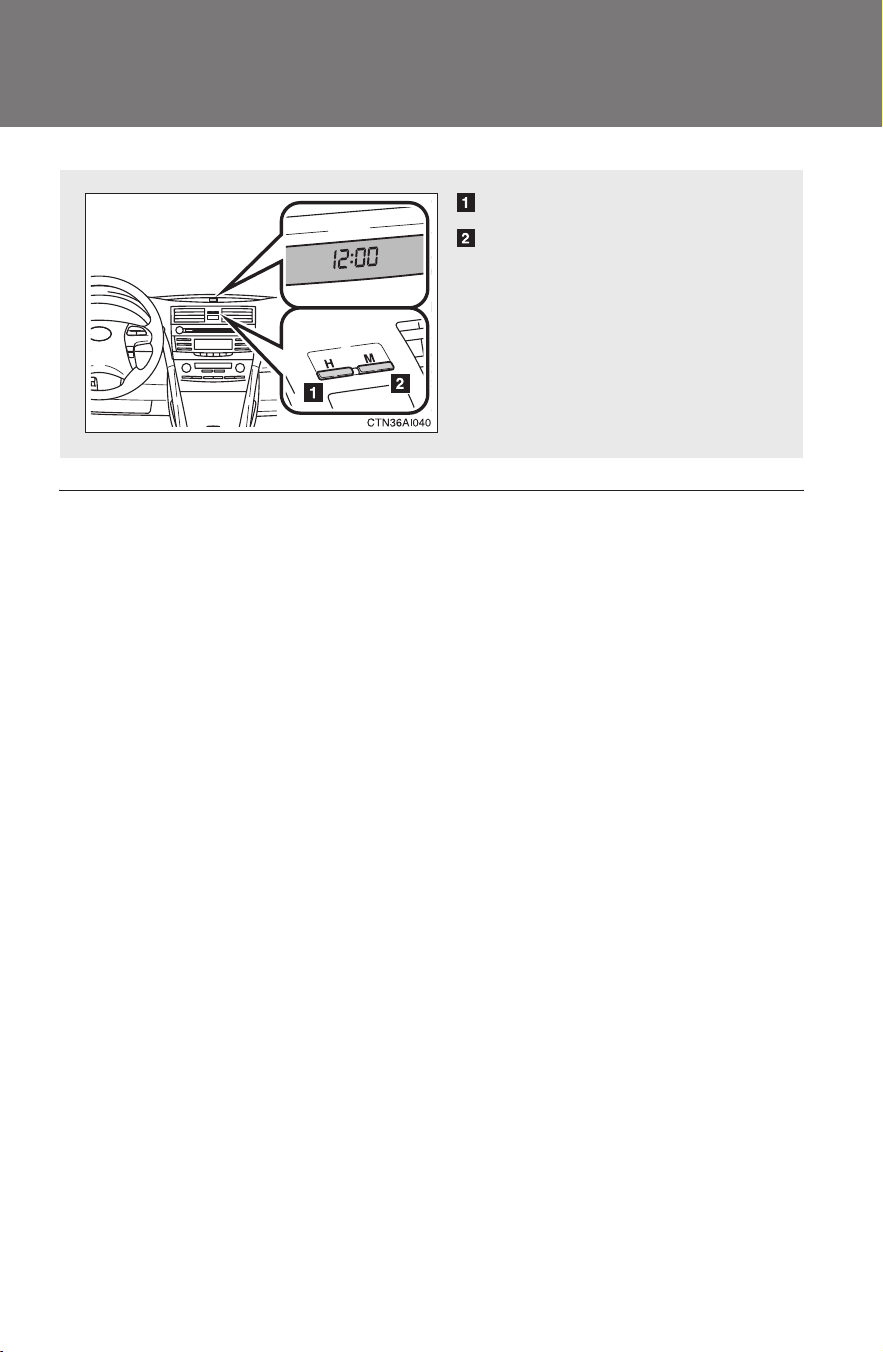
302
3-7. Other interior features
CAMRY_HV_U
Clock
■ The clock is displayed when
The “POWER” switch is in ACCESSORY or ON mode.
Adjusts the hour.
Adjusts the minutes.
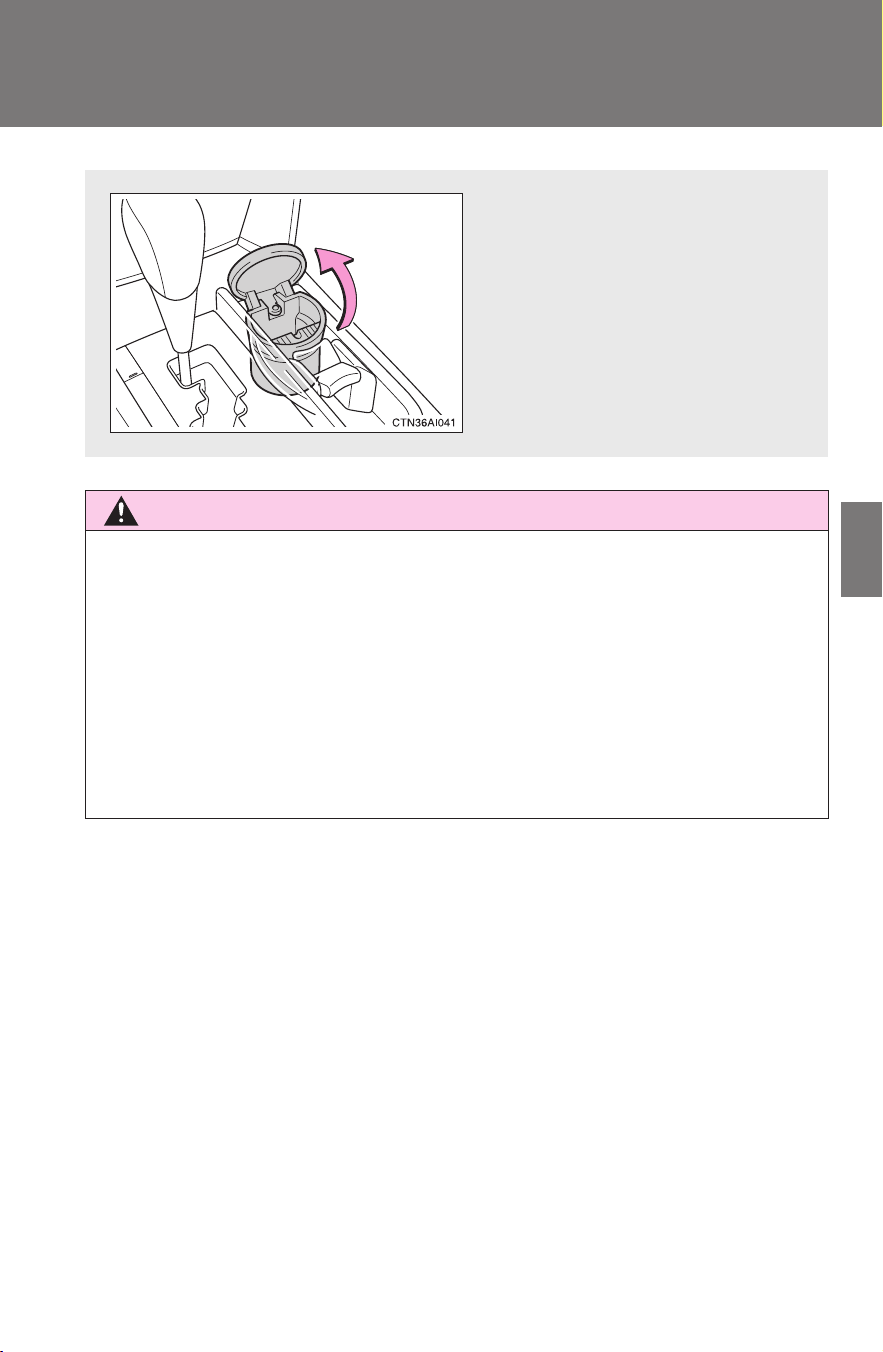
303
3-7. Other interior features
3
Interior features
CAMRY_HV_U
Ashtray
∗
CAUTION
■ When not in use
Keep the ashtray closed.
Injuries may result in the event of sudden braking, sudden swerving or an
accident.
■ To prevent fire
● Fully extinguish matches and cigarettes before putting them in the ashtray,
then make sure the ashtray is fully closed.
● Do not place paper or any other type of flammable object in the ashtray.
An ashtray can be installed in
a cup holder. (→P. 296)
∗: If equipped
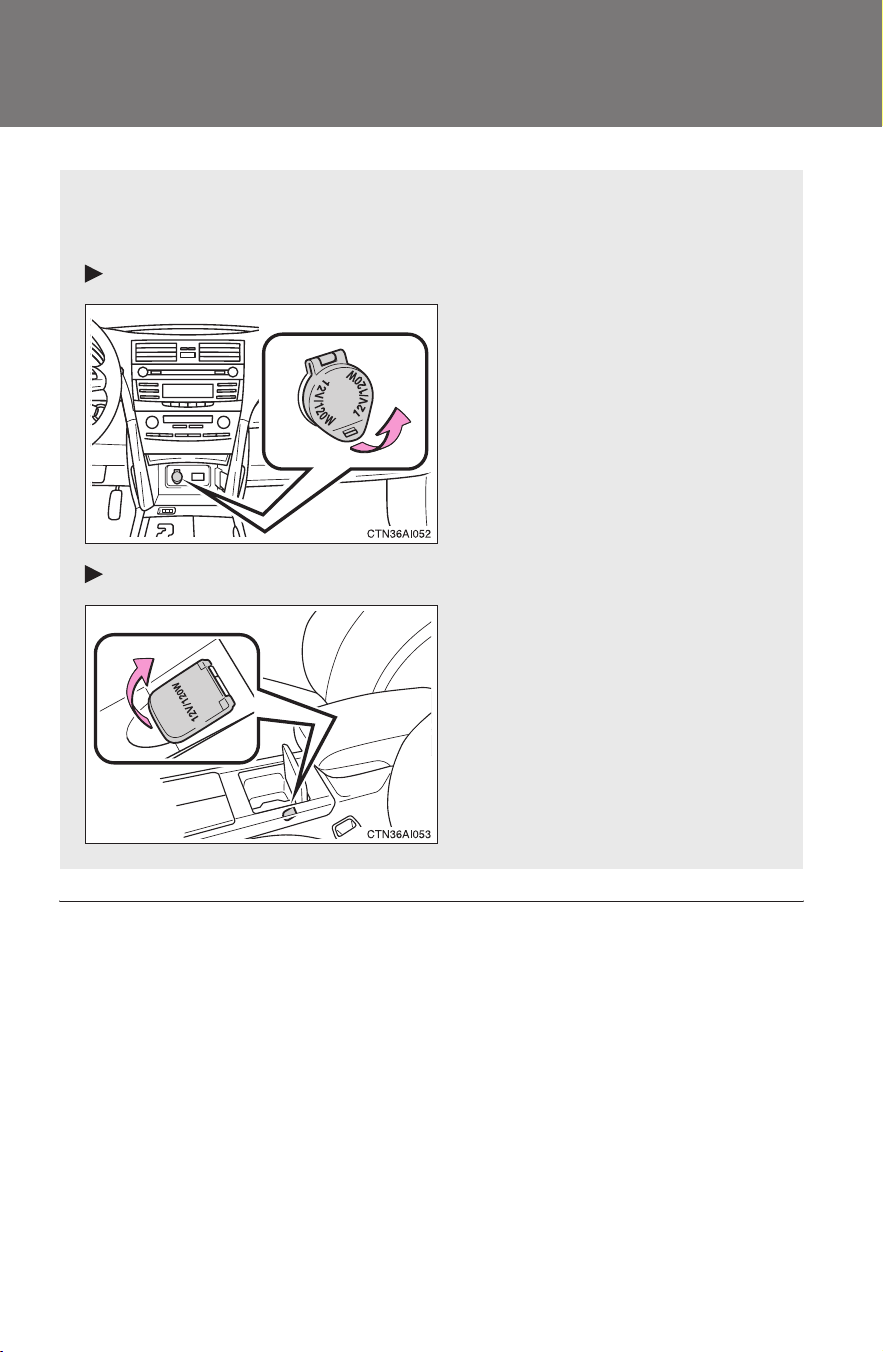
304
3-7. Other interior features
CAMRY_HV_U
Power outlet
■ The power outlet can be used when
The “POWER” switch is in ACCESSORY or ON mode.
■ Cable pass-through
Connected cables can be passed through the hole in the auxiliary box to the
front passenger’s side of the auxiliary box. (→P. 299)
The power outlet can be used for 12 V accessories that run on less
than 10 A.
Front console
Center console

305
3-7. Other interior features
3
Interior features
CAMRY_HV_U
NOTICE
■ To avoid damaging the power outlet
Close the power outlet lid when the power outlet is not in use.
Foreign objects or liquids that enter the power outlet may cause a short cir-
cuit.
■ To prevent the fuse from being blown
Do not use an accessory that uses more than 12 V 10 A.
■ To prevent the 12-volt battery from being discharged
Do not use the power outlet longer than necessary when the hybrid system
is off.
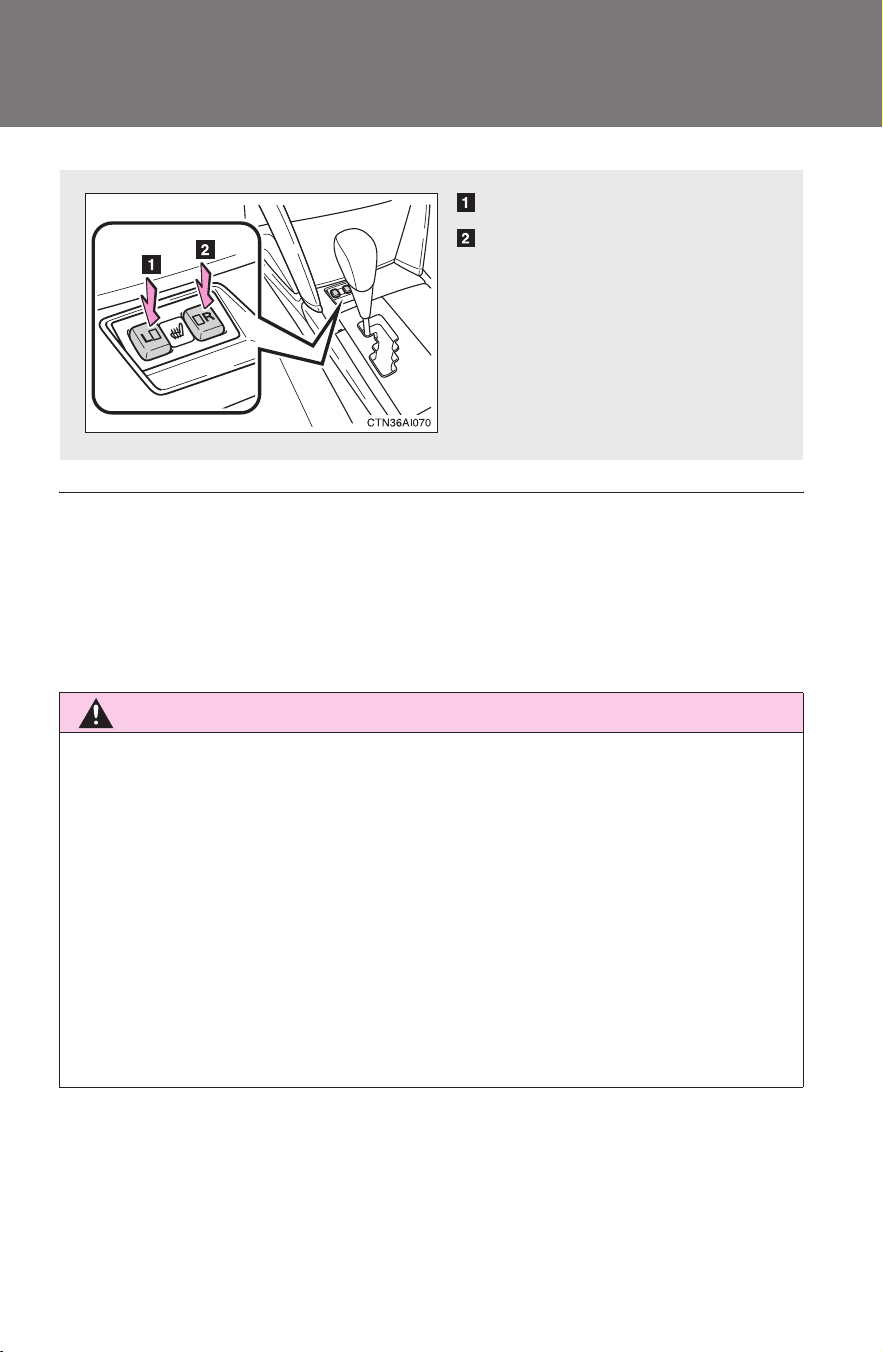
306
3-7. Other interior features
CAMRY_HV_U
Seat heaters
∗
■ The seat heaters can be used when
The “POWER” switch is in ON mode.
■ When not in use
Turn the seat heater off. The indicator light turns off.
CAUTION
■ Burns
● Use caution when seating the following persons in a seat with the seat
heater on to avoid the possibility of burns:
• Babies, small children, the elderly, the sick and the disabled
• Persons with sensitive skin
• Persons who are fatigued
• Persons who have taken alcohol or drugs that induce sleep (sleeping
drugs, cold remedies, etc.)
● Do not cover the seat with anything when using the seat heater.
Using the seat heater with a blanket or cushion increases the temperature
of the seat and may lead to overheating.
Heats the left front seat
Heats the right front seat
The indicator light comes on.
∗: If equipped

307
3-7. Other interior features
3
Interior features
CAMRY_HV_U
NOTICE
■ To prevent seat heater damage
Do not put unevenly weighted objects on the seat and do not stick sharp
objects (needles, nails, etc.) into the seat.
■ To prevent the 12-volt battery from being discharged
Turn the switches off when the hybrid system is off.
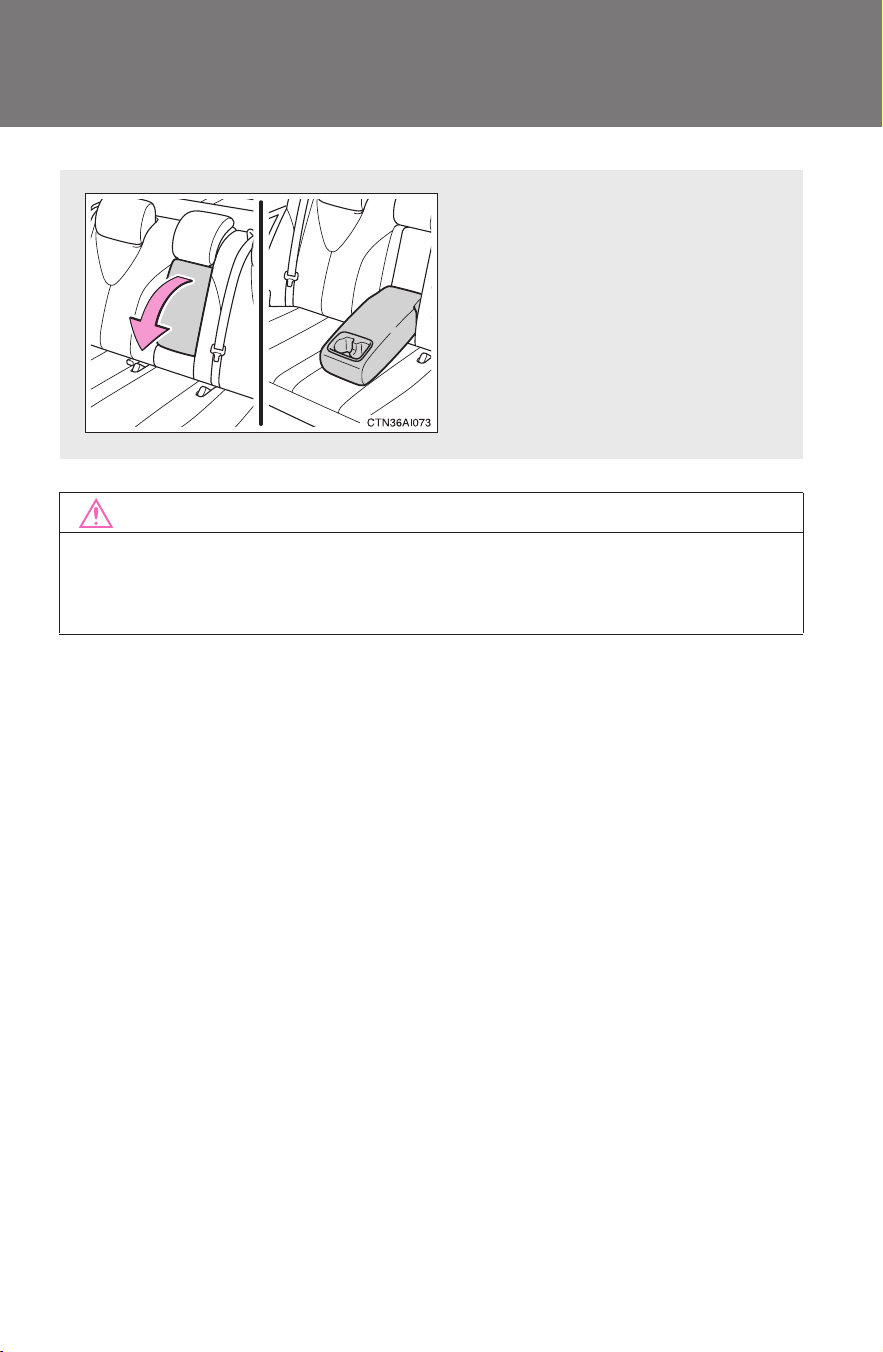
308
3-7. Other interior features
CAMRY_HV_U
Armrest
NOTICE
■ To prevent damage to the armrest
Do not place too much strain on the armrest.
Pull the armrest down for use.
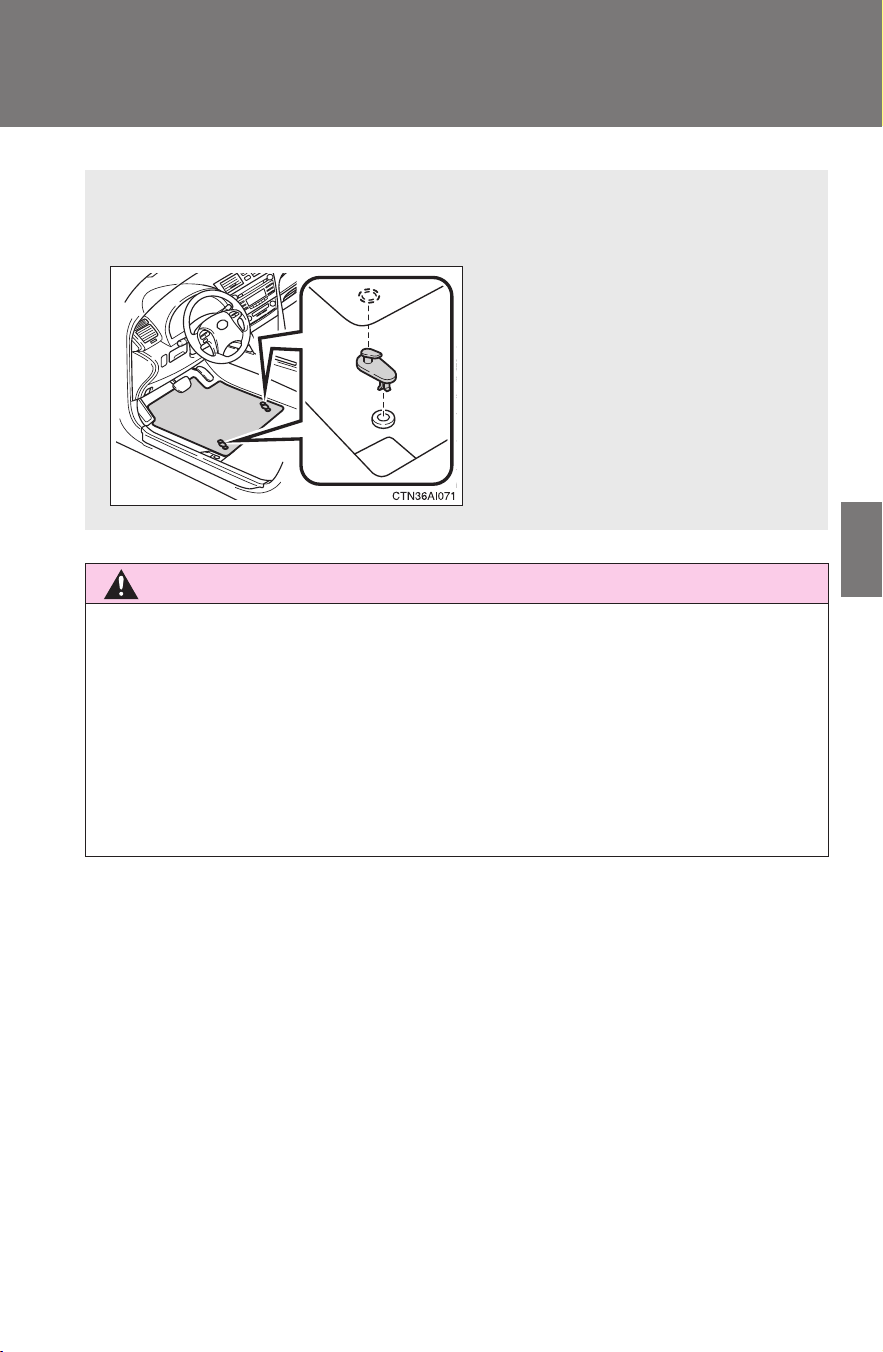
309
3-7. Other interior features
3
Interior features
CAMRY_HV_U
Floor mat
CAUTION
■ When inserting the floor mat
Observe the following precautions.
Failure to do so may result in the floor mat slipping and interfering with the
movement of the pedals during driving, resulting in an accident.
● Make sure the floor mat is properly placed on the vehicle carpet and the
correct side faces upward.
● Do not place floor mats on the top of existing mats.
Securely place a mat that matches the size of the space on the car-
pet.
Secure the driver's floor mat
using the hooks provided.
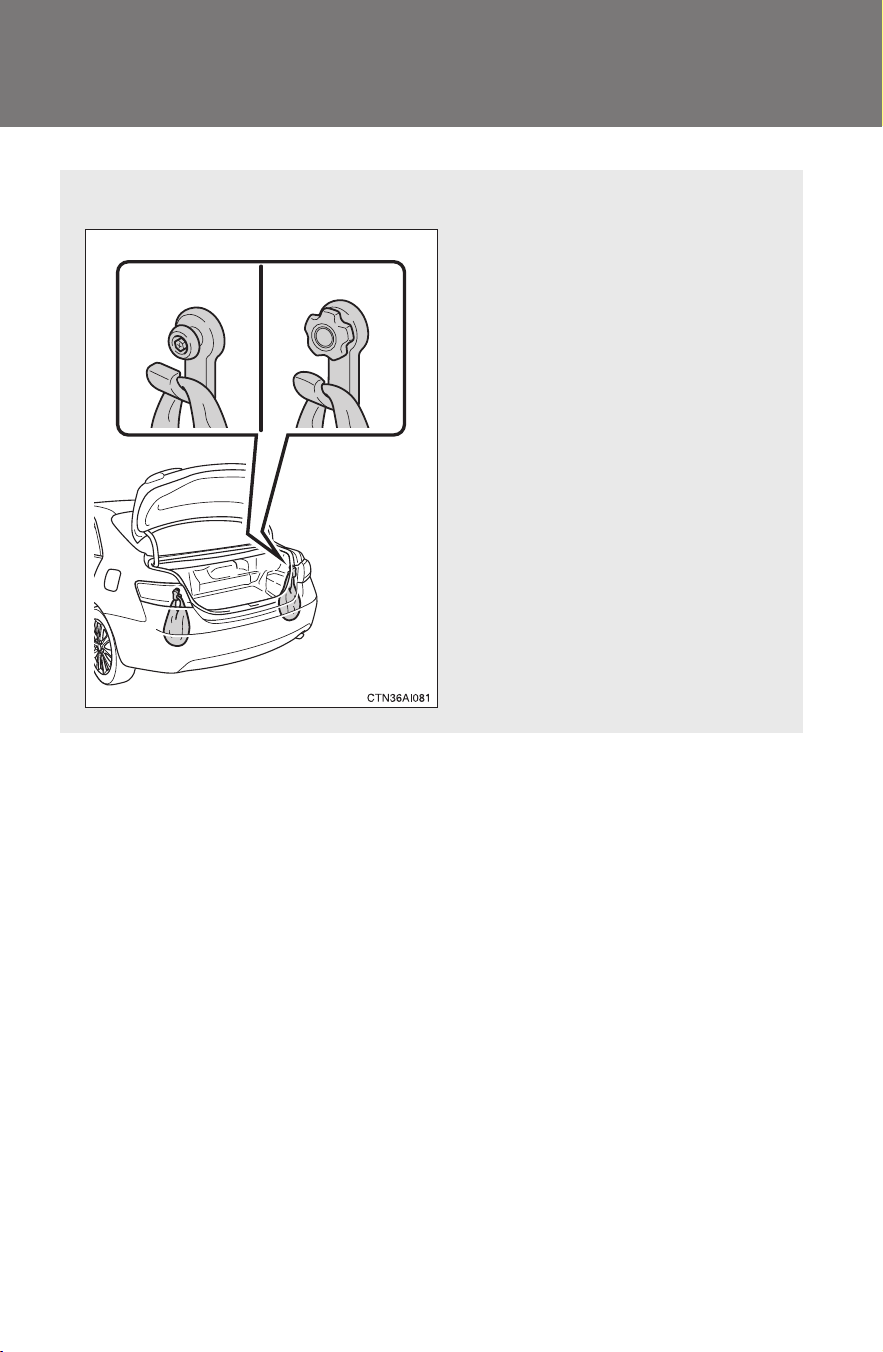
310
3-7. Other interior features
CAMRY_HV_U
Trunk features
■ Grocery bag hooks
Type A Type B
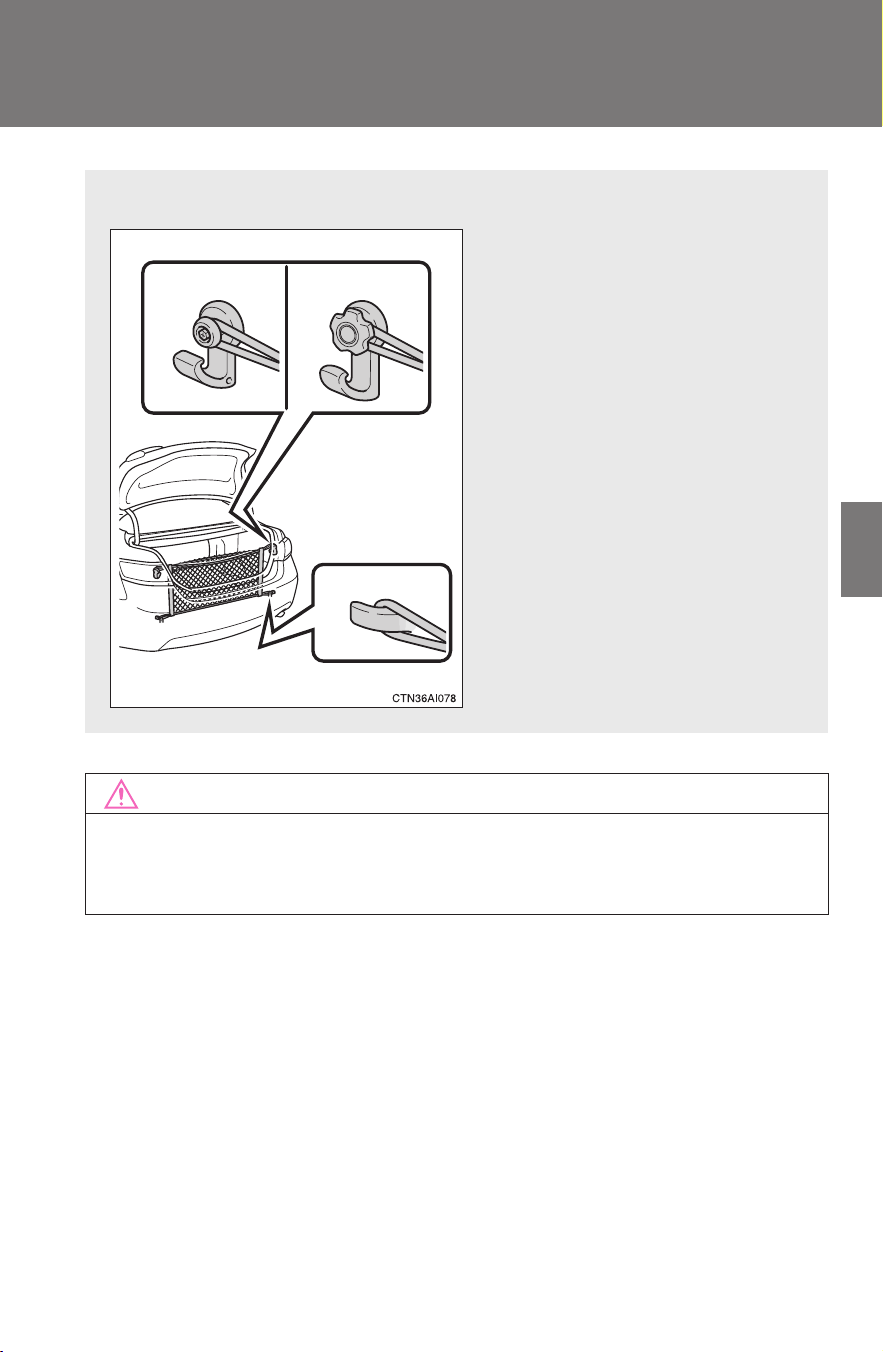
311
3-7. Other interior features
3
Interior features
CAMRY_HV_U
NOTICE
■ To prevent damage to the cargo net hooks
Avoid hanging things other than a cargo net on them.
■ Cargo net
Type A Type B
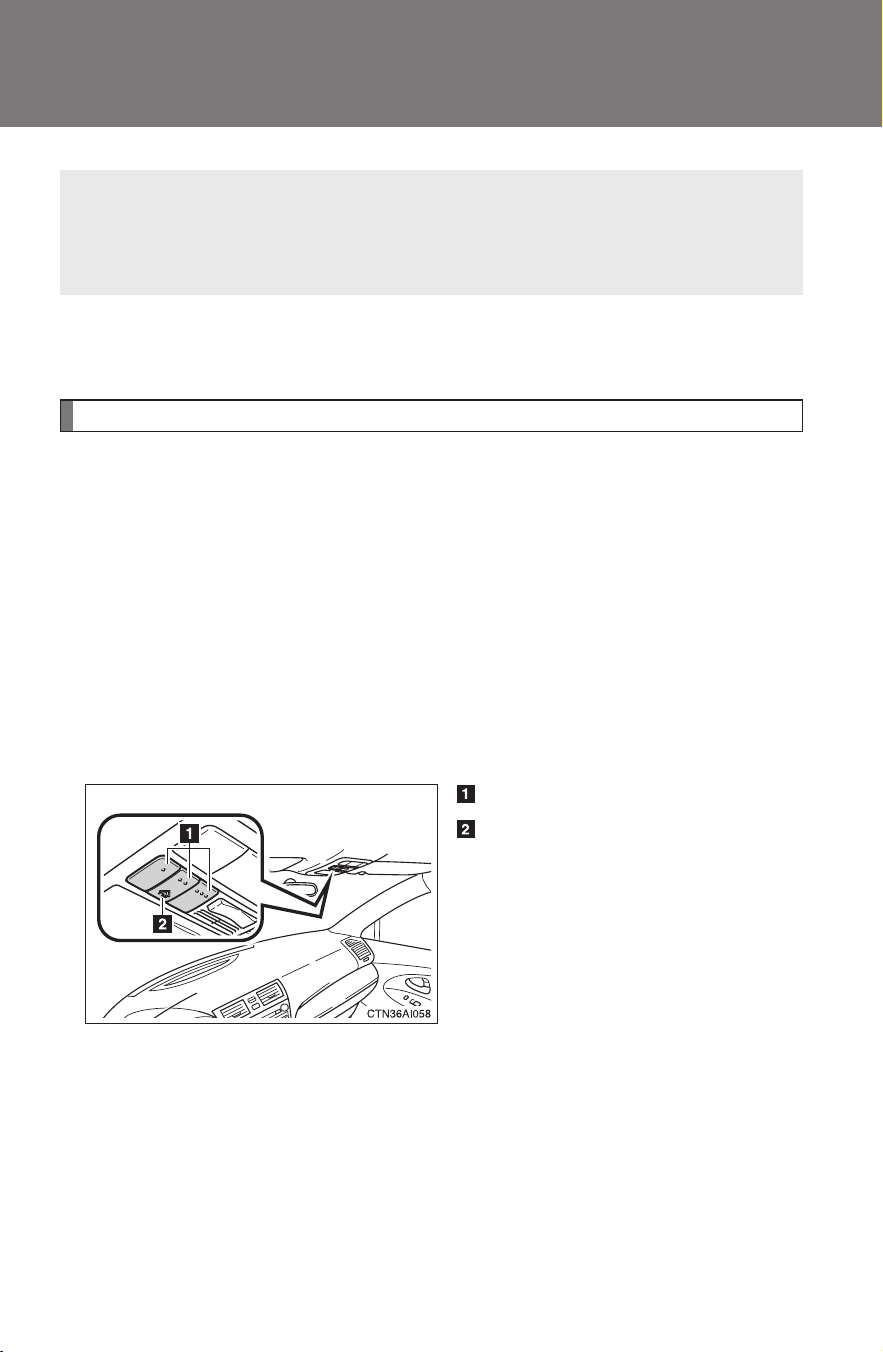
312
3-7. Other interior features
CAMRY_HV_U
Garage door opener
∗
The garage door opener (HomeLink
Universal Transceiver) is manufac-
tured under license from HomeLink
.
Programming HomeLink
(for U.S. owners)
To ensure correct programming into the HomeLink
, install a new
battery in the hand-held transmitter prior to programming. Failure to
install a new battery into the hand-held transmitter will affect both the
range and accuracy of the HomeLink
in your vehicle.
The battery side of the hand-held transmitter must be pointed away
from the HomeLink
during the programming process.
The HomeLink
compatible transceiver in your vehicle has 3 buttons
which can be programmed to operate 3 different devices. Refer to the
programming method below appropriate for the device.
Buttons
Indicator
The garage door opener can be programmed to operate garage
doors, gates, entry doors, door locks, home lighting systems, secu-
rity systems, and other devices.
∗: If equipped
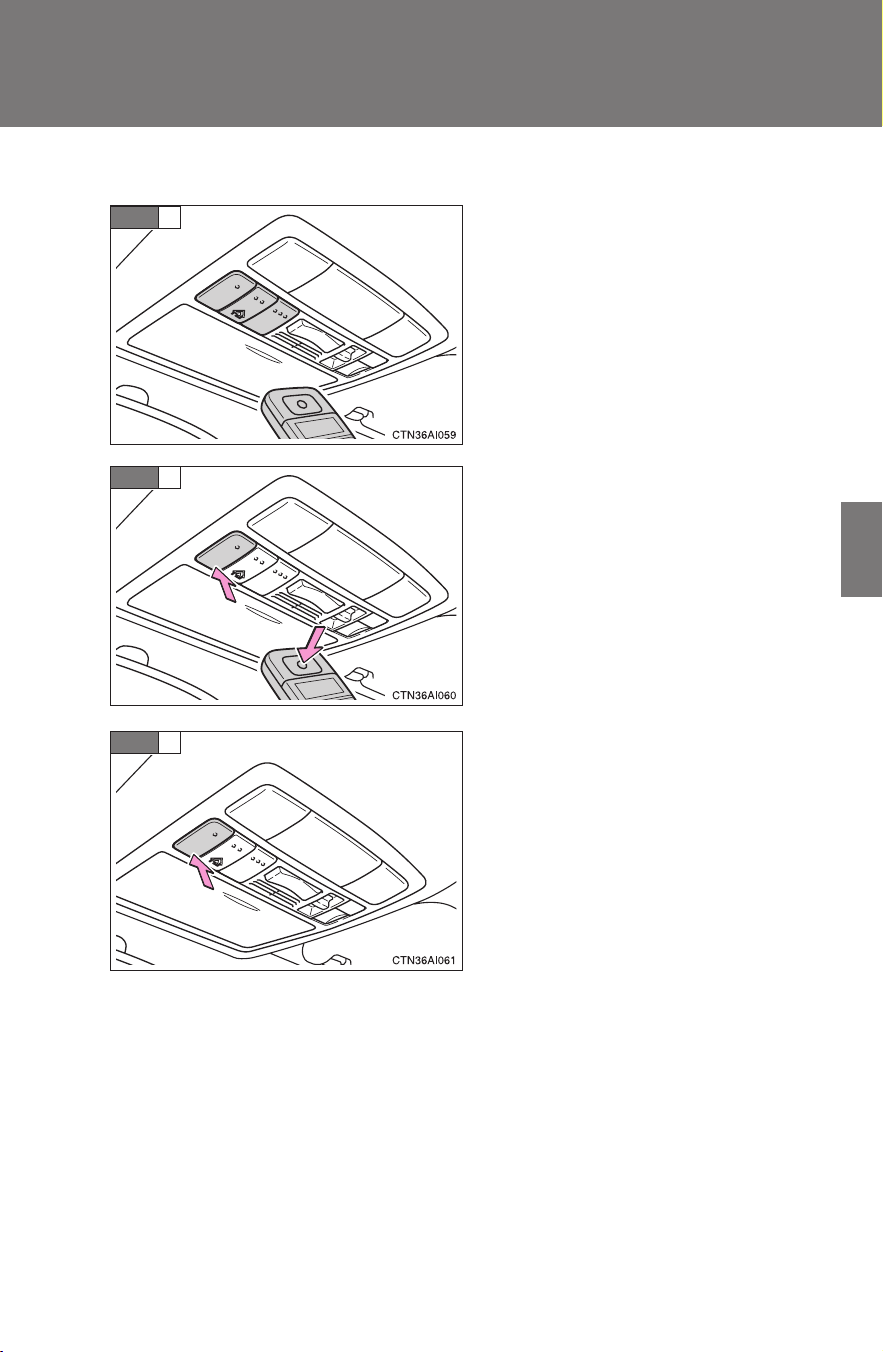
313
3-7. Other interior features
3
Interior features
CAMRY_HV_U
■ Programming HomeLink
Point the remote control for the
device 1 to 3 in. (25 to 75 mm)
from the HomeLink
control but-
tons.
Keep the indicator light on
HomeLink
in view while pro-
gramming.
Press and hold down one of the
buttons on HomeLink
and the
button on the transmitter. When
the indicator light on HomeLink
changes from a slow to a rapid
flash after 20 seconds, you can
release both buttons.
Test the operation of HomeLink
by pressing the newly pro-
grammed button.
If programming a garage door
opener, check to see if the garage
door opens and closes. If the
garage door does not operate,
see if your garage transmitter is
of the Rolling Code type. Press
and hold the programmed
HomeLink
button. The garage
door has the rolling code feature
if the indicator light (on
HomeLink
) flashes rapidly for 2
seconds and then remains lit. If
your transmitter is of the Rolling
Code type, proceed to the head-
ing “Programming a rolling code
system”.
STEP
1
STEP
2
STEP
3

314
3-7. Other interior features
CAMRY_HV_U
Repeat the steps above to program another device for each of
the remaining HomeLink
buttons.
■ Programming a Rolling Code system (for U.S. owners)
If your device is Rolling Code equipped, follow the steps under the
heading “Programming HomeLink
” before proceeding with the
steps listed below.
Locate the training button on the ceiling-mounted garage door
opener motor. The exact location and color of the button may
vary by brand of garage door opener.
Refer to the operation manual supplied with the garage door opener
for the location of the training button.
Press the training button.
Following this step, you have 30 seconds in which to initiate step 3
below.
Press and release the vehicle’s programmed HomeLink
but-
ton twice. The garage door may open.
If the garage door opens, the programming process is complete. If
the door does not open, press and release the button a third time.
This third press and release will complete the programming process
by opening the garage door.
The ceiling-mounted garage door opener motor should now recog-
nize the HomeLink
transceiver and operate the garage door.
Repeat the steps above to program another rolling code sys-
tem for any of the remaining HomeLink
buttons.
■ Programming an entry gate (for U.S. owners)/Programming all
devices in the Canadian market
Place your transmitter 1 to 3 in. (25 to 75 mm) away from the
surface of HomeLink
.
Keep the indicator light on HomeLink
in view while programming.
Press and hold the selected HomeLink
button.
Repeatedly press and release (cycle) the device’s remote
control button for two seconds each until step 4 is complete.
STEP
4
STEP
1
STEP
2
STEP
3
STEP
4
STEP
1
STEP
2
STEP
3
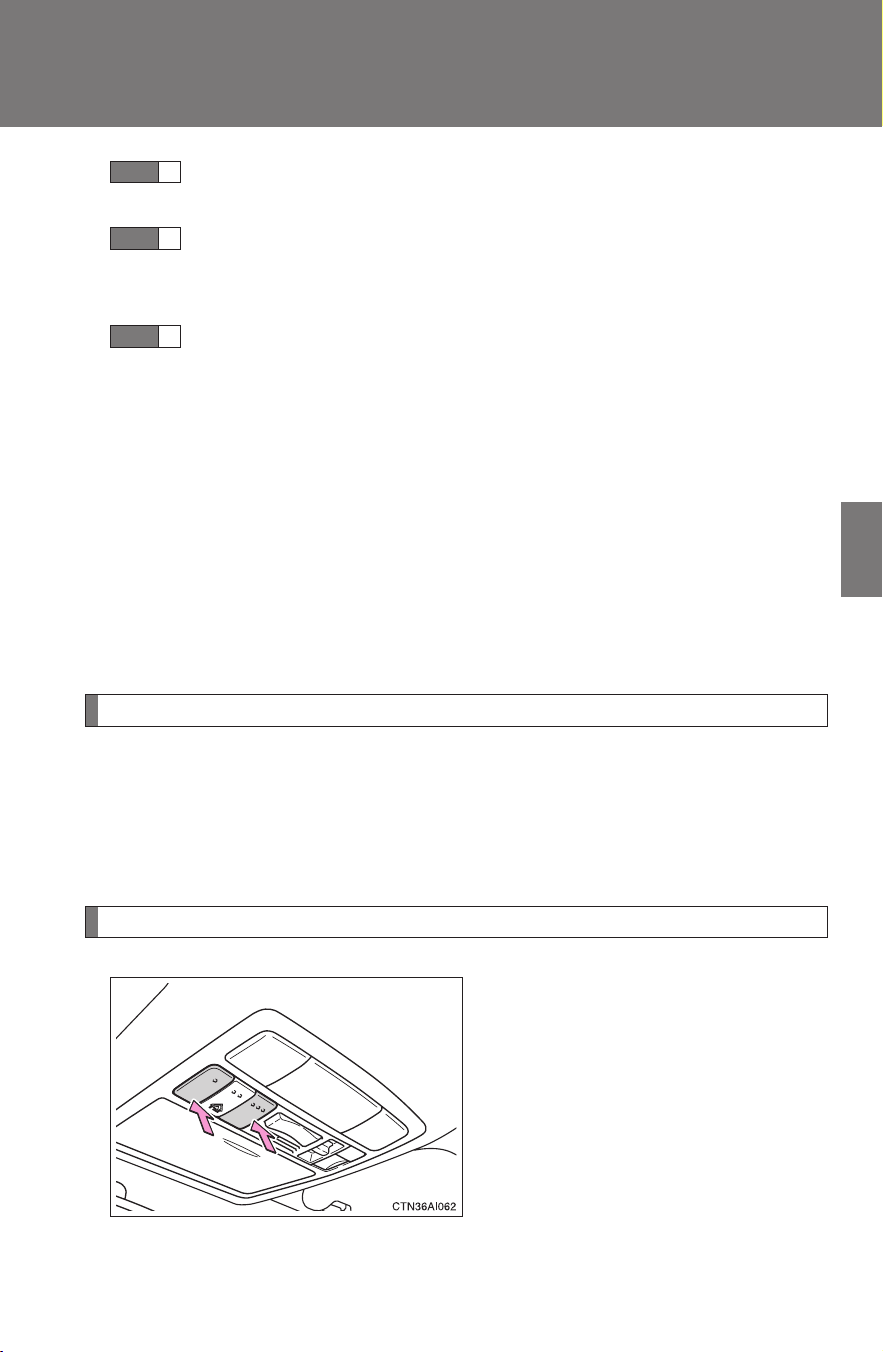
315
3-7. Other interior features
3
Interior features
CAMRY_HV_U
When the indicator light on the HomeLink
compatible trans-
ceiver starts to flash rapidly, release the buttons.
Test the operation of HomeLink
by pressing the newly pro-
grammed button. Check to see if the gate/device operates
correctly.
Repeat the steps above to program another device for each of
the remaining HomeLink
buttons.
■ Programming other devices
To program other devices such as home security systems, home
door locks or lighting, contact your authorized Toyota dealer for
assistance.
■ Reprogramming a button
The individual HomeLink
buttons cannot be erased but can be
reprogrammed. To reprogram a button, follow the “Programming”
instructions.
Operating HomeLink
Press the appropriate HomeLink
button. The HomeLink
indicator
light on the HomeLink
transceiver should turn on.
HomeLink
continues to send a signal for up to 20 seconds as long as the
button is pressed.
Erasing the entire HomeLink
memory (all three programs)
Press and hold down the 2 out-
side buttons for 20 seconds until
the indicator light flashes.
If you sell your vehicle, be sure to
erase the programs stored in the
HomeLink
memory.
STEP
4
STEP
5
STEP
6

316
3-7. Other interior features
CAMRY_HV_U
■ Before programming
● Install a new battery in the transmitter.
● The battery side of the transmitter must be pointed away from
HomeLink
.
■ Certification for the garage door opener
For vehicles sold in the U.S.A.
FCC ID: CB2300NHL3
NOTE:
This device complies with Part 15 of the FCC Rules. Operation is subject to
the following two conditions: (1) this device may not cause harmful interfer-
ence, and (2) this device must accept any interference received, including
interference that may cause undesired operation.
FCC WARNING:
Changes or modifications not expressly approved by the party responsible
for compliance could void the user's authority to operate the equipment.
For vehicles sold in Canada
NOTE:
Operation is subject to the following two conditions: (1) this device may not
cause interference, and (2) this device must accept any interference, includ-
ing interference that may cause undesired operation of the device.
■ When support is necessary
Visit on the web at www.homelink.com
or call 1-800-355-3515.
CAUTION
■ When programming a garage door or other remote control device
The garage door may operate, so ensure people and objects are out of dan-
ger to prevent potential harm.
■ Conforming to federal safety standards
Do not use the HomeLink
compatible transceiver with any garage door
opener or device that lacks safety stop and reverse features as required by
federal safety standards.
This includes any garage door that cannot detect an obstruction object. A
door or device without these features increases the risk of death or serious
injury.
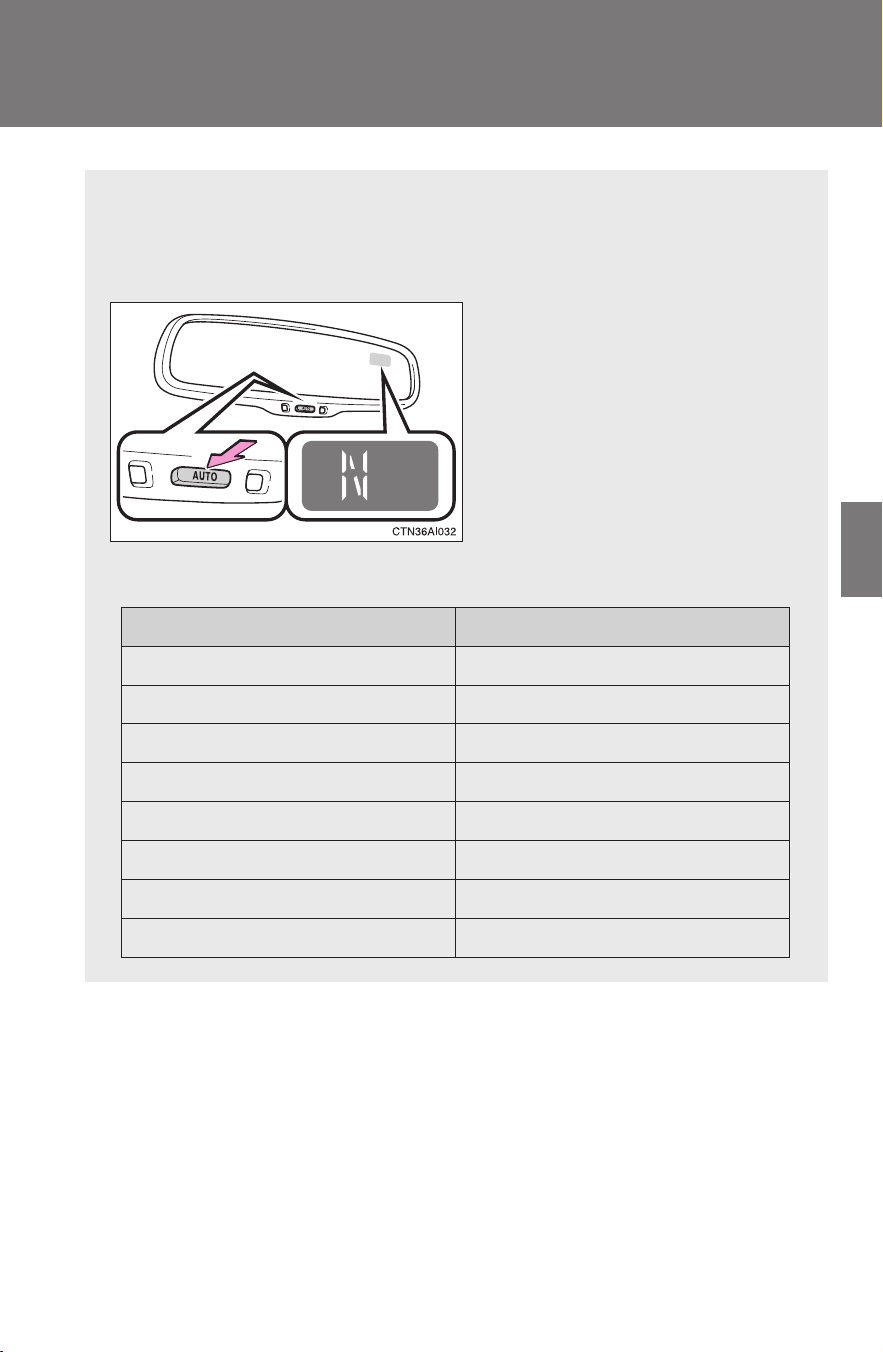
317
3-7. Other interior features
3
Interior features
CAMRY_HV_U
Compass
∗
The compass on the anti-glare inside rear view mirror indicates the
direction in which the vehicle is heading.
■ Operation
To turn the compass on or off,
press and hold “AUTO” for 3
seconds.
■ Displays and directions
Display Direction
NNorth
NE Northeast
EEast
SE Southeast
S South
SW Southwest
WWest
NW Northwest
∗: If equipped
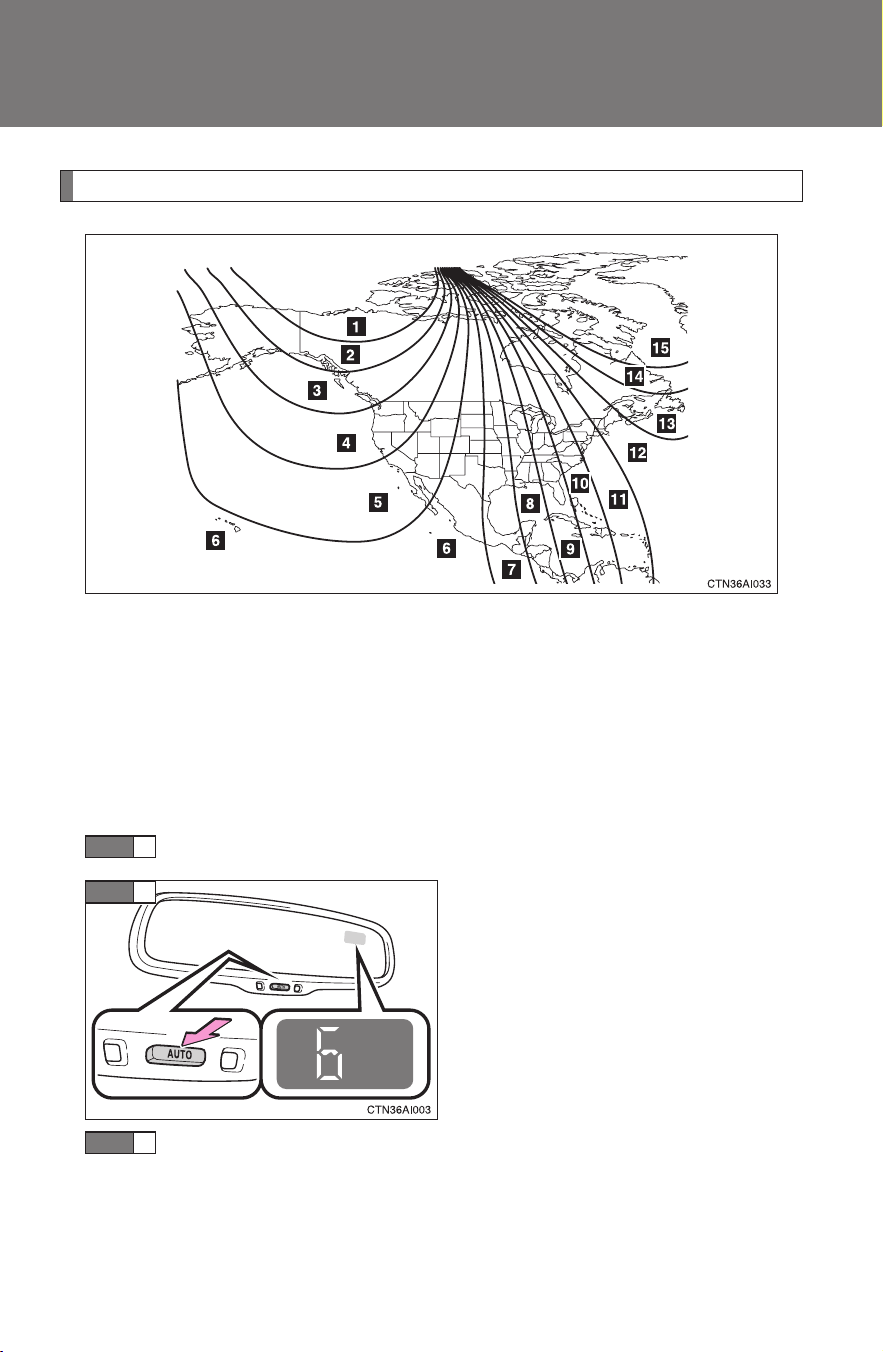
318
3-7. Other interior features
CAMRY_HV_U
Calibrating the compass
The direction display deviates from the true direction determined by
the earth’s magnetic field. The amount of deviation varies according
to the geographic position of the vehicle.
If you cross over a map boundary shown in the illustration, the compass
will deviate.
To obtain higher precision or perfect calibration, refer to the following.
■ Deviation calibration
Stop the vehicle in a place where it is safe to drive in a circle.
Press and hold “AUTO” for 6
seconds.
A number (1 to 15) appears on
the compass display.
Press “AUTO” and, referring to the map above, select the
number of the zone where you are.
If the direction is displayed several seconds after adjustment, the
calibration is complete.
STEP
1
STEP
2
STEP
3
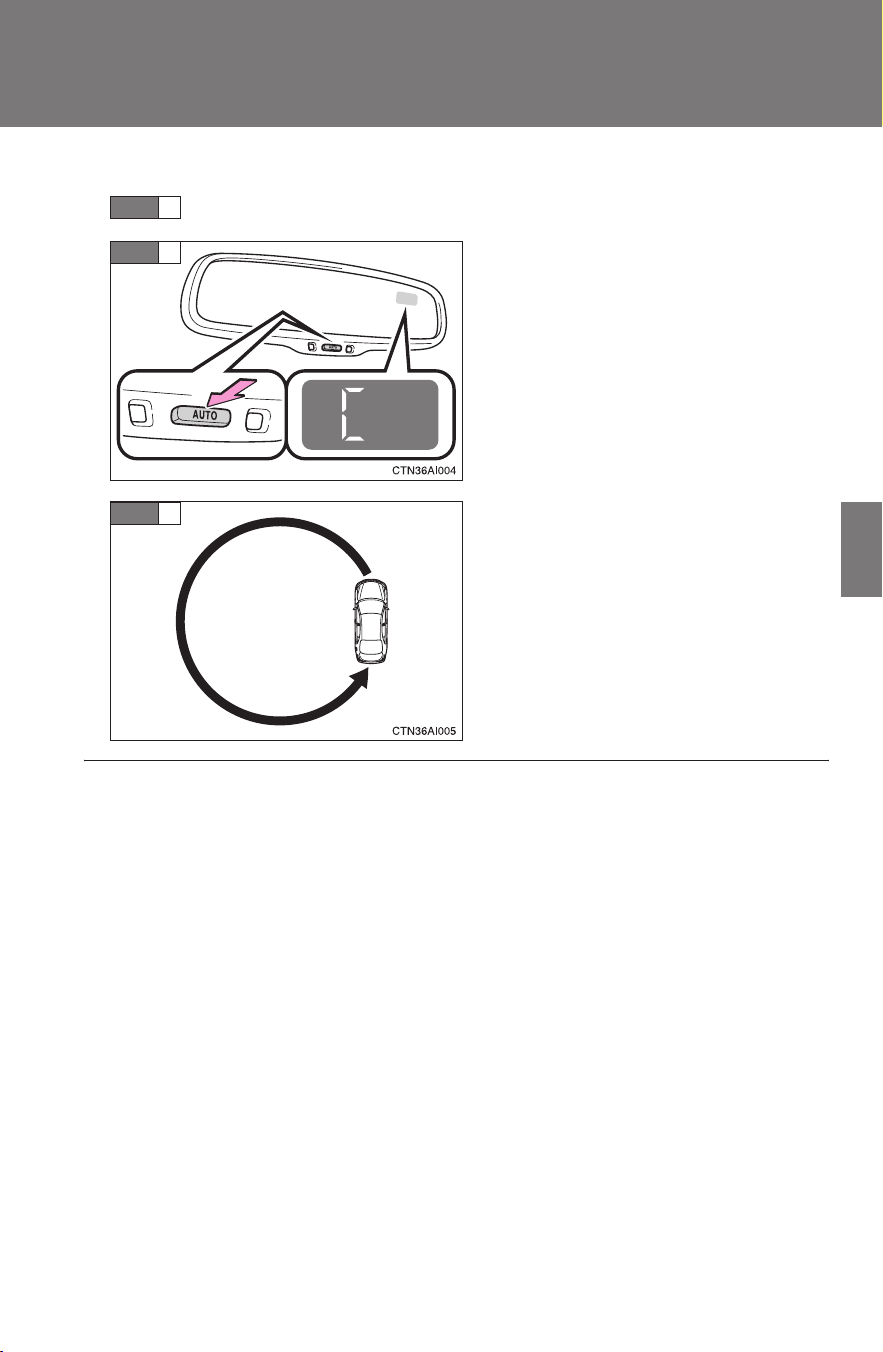
319
3-7. Other interior features
3
Interior features
CAMRY_HV_U
■ Circling calibration
Stop the vehicle in a place where it is safe to drive in a circle.
Press and hold “AUTO” for 9
seconds.
C appears on the compass dis-
play.
Drive the vehicle at 5 mph (8 km/
h) or less in a circle until a direc-
tion is displayed.
If there is not enough space to
drive in a circle, drive around the
block until the direction is dis-
played.
STEP
1
STEP
2
STEP
3
■ Conditions unfavorable for correct operation
The compass may not show the correct direction in the following situations:
● The vehicle is stopped immediately after turning.
● The vehicle is on an inclined surface.
● The vehicle is in a place where the earth's magnetic field is subject to
interference by artificial magnetic fields (underground car park/parking
lot, under a steel tower, between buildings, roof car park/parking lot, near
an intersection, near a large vehicle, etc.).
● The vehicle has become magnetized.
(There is a magnet or metal object near the anti-glare inside rear view
mirror.)
● The 12-volt battery has been disconnected.
● A door is open.

320
3-7. Other interior features
CAMRY_HV_U
CAUTION
■ While driving the vehicle
Do not adjust the display. Be sure to adjust the display only when the vehicle
is stopped.
■ When doing the circling calibration
Be sure to secure a wide space, and watch out for people and vehicles in the
neighborhood. Do not violate any local traffic rules while performing circling
calibration.
NOTICE
■ To avoid compass malfunctions
Do not place magnets or any metal objects near the anti-glare inside rear
view mirror.
Doing this may cause a malfunction of the compass sensor.
■ To ensure normal operation of the compass
● Do not perform circling calibration of the compass in a place where the
earth's magnetic field is subject to interference by artificial magnetic fields.
● During calibration, do not operate electric systems (moon roof, power win-
dows, etc.) as they may interfere with the calibration.

Maintenance and care
4
321
CAMRY_HV_U
4-1. Maintenance and care
Cleaning and protecting
the vehicle exterior......... 322
Cleaning and protecting
the vehicle interior.......... 324
4-2. Maintenance
Maintenance
requirements.................. 327
General maintenance....... 329
Emission inspection and
maintenance (I/M)
programs........................ 332
4-3. Do-it-yourself
maintenance
Do-it-yourself service
precautions .................... 333
Hood ................................ 336
Positioning a floor jack ..... 337
Engine compartment........ 339
12-volt battery .................. 348
Tires ................................. 352
Tire inflation pressure ...... 361
Wheels ............................. 365
Air conditioning filter......... 367
Key battery....................... 370
Checking and replacing
fuses .............................. 373
Light bulbs........................ 383

322
CAMRY_HV_U
4-1. Maintenance and care
Cleaning and protecting the vehicle exterior
■ Automatic car washes
● Fold the mirrors back before washing the vehicle.
● Brushes used in automatic car washes may scratch the vehicle surface
and harm your vehicle’s paint.
■ High pressure car washes
● Do not allow the nozzles of the car wash to come within close proximity
of the windows.
● Before car wash, check that the fuel filler door on your vehicle is closed
properly.
■ Aluminum wheels
● Remove any dirt immediately by using a neutral detergent. Do not use
hard brushes or abrasive cleaners. Do not use strong or harsh chemical
cleaners. Use the same mild detergent and wax as used on the paint.
● Do not use detergent on the wheels when they are hot, for example after
driving for long distance in the hot weather.
● Wash detergent from the wheels immediately after use.
Perform the following to protect the vehicle and maintain it in prime
condition:
● Working from top to bottom, liberally apply water to the vehicle
body, wheel wells and underside of the vehicle to remove any
dirt and dust.
● Wash the vehicle body using a sponge or soft cloth, such as a
chamois.
● For hard-to-remove marks, use car wash soap and rinse thor-
oughly with water.
● Wipe away any water.
● Wax the vehicle when the waterproof coating deteriorates.
If water does not bead on a clean surface, apply wax when the vehicle
body is cool.
323
4-1. Maintenance and care
4
Maintenance and care
CAMRY_HV_U
■ Bumpers
Do not scrub with abrasive cleaners.
CAUTION
■ Caution about the exhaust pipe
Exhaust gasses cause the exhaust pipe to become quite hot.
When washing the vehicle, be careful not to touch the pipe until it has cooled
sufficiently, as touching a hot exhaust pipe can cause burns.
NOTICE
■ To prevent paint deterioration and corrosion on the body and compo-
nents (aluminum wheels etc.)
● Wash the vehicle immediately in the following cases:
• After driving near the sea coast
• After driving on salted roads
• If you see coal tar or tree sap on the paint surface
• If you see dead insects or insect droppings on the paint
• After driving in an area contaminated with soot, oily smoke, mine dust,
iron powder or chemical substances
• If the vehicle becomes heavily soiled in dust or mud
• If liquids such as benzene and gasoline are spilled on the paint surface
● If the paint is chipped or scratched, have it repaired immediately.
● To prevent the wheels from corroding, remove any dirt and store in a place
with low humidity when storing the wheels.
■ Cleaning the exterior lights
● Wash carefully. Do not use organic substances or scrub with a hard brush.
This may damage the surfaces of the lights.
● Do not apply wax on the surfaces of the lights.
Wax may cause damage to the lenses.

324
4-1. Maintenance and care
CAMRY_HV_U
Cleaning and protecting the vehicle interior
The following procedures will help protect your vehicle's interior and
keep it in top condition:
■ Protecting the vehicle interior
Remove dirt and dust using a vacuum cleaner. Wipe dirty sur-
faces with a cloth dampened with lukewarm water.
■ Cleaning the leather areas
● Remove dirt and dust using a vacuum cleaner.
● Wipe any excess dirt and dust with a soft cloth dampened with
diluted detergent.
Use a diluted water solution of approximately 5% neutral wool deter-
gent.
● Wring out any excess water from the cloth and thoroughly
wipe off all remaining traces of detergent.
● Wipe the surface with a dry, soft cloth to remove any remain-
ing moisture. Allow the leather to dry in a shaded ventilated
area.
■ Synthetic leather areas
● Remove loose dirt using a vacuum cleaner.
● Apply a mild soap solution to the synthetic leather.
● Allow the solution to soak in for a few minutes. Remove the
dirt and wipe off the solution with a clean, damp cloth.

325
4-1. Maintenance and care
4
Maintenance and care
CAMRY_HV_U
■ Caring for leather areas
Toyota recommends cleaning the interior of the vehicle at least twice a year
to maintain the quality of the vehicle's interior.
■ Shampooing the carpets
There are several commercial foaming-type cleaners available. Use a
sponge or brush to apply the foam. Rub in overlapping circles. Do not apply
water. Excellent results are obtained by keeping the carpet as dry as possi-
ble.
■ Seat belts
Clean with mild soap and lukewarm water using a cloth or sponge. Also
check the belts periodically for excessive wear, fraying or cuts.
CAUTION
■ Water in the vehicle
● Do not splash or spill liquid in the vehicle, such as on the floor, in the
hybrid battery (traction battery) air vents, or in the trunk.
Doing so may cause the hybrid battery, electrical components etc. to mal-
function or catch fire.
● Do not get any of the SRS components or wiring in the vehicle interior wet.
(→P. 92)
Electrical malfunction may cause the airbags to deploy or not function
properly, resulting in death or severe injury.
■ Cleaning the interior (especially instrument panel)
Do not use polish wax or polish cleaner. The instrument panel may reflect off
the windshield, obstructing the driver's view and leading to an accident,
resulting in death or serious injury.

326
4-1. Maintenance and care
CAMRY_HV_U
NOTICE
■ Cleaning detergents
● Do not use organic substances such as benzene or gasoline, acidic or
alkaline solutions, dye, bleach or other detergent. Doing so may discolor
the vehicle interior or cause streaks or damage to painted surfaces.
● Do not use polish wax or polish cleaner. The instrument panel's or other
interior part’s painted surface may be damaged.
■ Preventing damage to leather surfaces
Observe the following precautions to avoid damage to and deterioration of
leather surfaces.
● Remove any dust or dirt on leather surfaces immediately.
● Do not expose the vehicle to direct sunlight for extended periods of time.
Park the vehicle in the shade, especially during summer.
● Do not place items made of vinyl, plastic, or that contain wax, on the
upholstery, as they may stick to the leather surface if the vehicle interior
heats up significantly.
■ Water on the floor
Do not wash the vehicle floor with water.
Vehicle systems such as the audio system may be damaged if water comes
into contact with electrical components under the floor of the vehicle, and
may also cause the body to rust.
■ Cleaning the inside of the rear window
● Do not use glass cleaner to clean the rear window, as this may cause
damage to the rear window defogger heater wires or antenna. Use a cloth
dampened with lukewarm water to gently wipe the window clean. Wipe the
window in strokes running parallel to the heater wires or antenna.
● Be careful not to scratch or damage the heater wires or antenna.

327
4
Maintenance and care
CAMRY_HV_U
4-2. Maintenance
Maintenance requirements
■ Repair and replacement
It is recommended that genuine Toyota parts be used for repair to ensure
performance of each system. If non-Toyota parts are used in replacement or
if a repair shop other than a Toyota dealer performs repairs, confirm the war-
ranty coverage.
To ensure safe and economical driving, day-to-day care and regular
maintenance is essential. It is the owner’s responsibility to perform
regular checks. Toyota recommends the following maintenance.
■ General maintenance
Should be performed on a daily basis. This can be done by your-
self or by a Toyota dealer.
■ Scheduled maintenance
Should be performed at specified intervals according to the
maintenance schedule.
For details about maintenance items and schedules, refer to the
“Scheduled Maintenance Guide” or “Owner’s Manual Supplement”.
■ Do-it-yourself maintenance
You can perform some maintenance procedures yourself.
Please be aware that do-it-yourself maintenance may affect war-
ranty coverage.
The use of Toyota Repair Manuals is recommended.
For details about warranty coverage, see the separate “Owner’s
Warranty Information Booklet”, “Owner’s Manual Supplement”.

328
4-2. Maintenance
CAMRY_HV_U
■ Allow inspection and repairs to be performed by a Toyota dealer
● Toyota technicians are well-trained specialists and are kept up to date
with the latest service information. They are well informed about the
operations of all systems on your vehicle.
● Keep a copy of the repair order. It proves that the maintenance that has
been performed is under warranty coverage. If any problem should arise
while your vehicle is under warranty, your Toyota dealer will promptly
take care of it.
CAUTION
■ Warning in handling of 12-volt battery
● Engine exhaust, some of its constituents, and a wide variety of automobile
components contain or emit chemicals known to the State of California to
cause cancer and birth defects and other reproductive harm. Work in a
well ventilated area.
● Oils, fuels and fluids contained in vehicles as well as waste produced by
component wear contain or emit chemicals known to the State of
California to cause cancer and birth defects or other reproductive harm.
Avoid exposure and wash any affected area immediately.
● 12-volt battery posts, terminals and related accessories contain lead and
lead compounds which are known to cause brain damage. Wash your
hands after handling. (→P. 350)
329
4-2. Maintenance
4
Maintenance and care
CAMRY_HV_U
General maintenance
Engine compartment
Trunk
Items Check points
Brake fluid At the correct level? (→P. 346)
Engine/power control unit coolant At the correct level? (→P. 344)
Engine oil At the correct level? (→P. 340)
Exhaust system No fumes or strange sounds?
Radiator/condenser/hoses
Not blocked with foreign matter?
(→P. 346)
Washer fluid At the correct level? (→P. 347)
Items Check points
12-volt battery
Check the connections.
(→P. 348)
Listed below are the general maintenance items that should be
performed at the intervals specified in the “Owner’s Warranty
Information Booklet” or “Owner’s Manual Supplement/Scheduled
Maintenance Guide”. It is recommended that any problem you notice
should be brought to the attention of your Toyota dealer or qualified
service shop for advice.

330
4-2. Maintenance
CAMRY_HV_U
Vehicle interior
Items Check points
Accelerator pedal
• Moves smoothly (without uneven
pedal effort or catching)?
Transmission “Park” mechanism
• Can the vehicle be held securely
on an incline with the shift lever in
P?
Brake pedal
• Moves smoothly?
• Does it have appropriate clear-
ance and correct amount of free
play?
Brakes
• Not pull to one side when
applied?
• Loss of brake effectiveness?
• Spongy feeling brake pedal?
• Pedal almost touches floor?
Head restraints
• Move smoothly and lock
securely?
Indicators/buzzers • Function properly?
Lights • Do all the lights come on?
Parking brake
• Moves smoothly?
• Can hold the vehicle securely on
an incline?
Seat belts
• Does the seat belt system oper-
ate smoothly?
• Are the belts undamaged?
Seats
• Do the seat controls operate
properly?
Steering wheel
• Moves smoothly?
• Has correct free play?
• No strange noises?
331
4-2. Maintenance
4
Maintenance and care
CAMRY_HV_U
Vehicle exterior
Items Check points
Door/trunk • Operate smoothly?
Engine hood • The lock system works properly?
Fluid leaks
• Is there any leakage after park-
ing?
Tires
• Inflation pressure is correct?
• Tire surfaces not worn or dam-
aged?
• Tires rotated according to the
maintenance schedule?
• Wheel nuts are not loose?
CAUTION
■ If the hybrid system is running
Turn the hybrid system off and ensure that there is adequate ventilation
before performing maintenance checks.

332
4-2. Maintenance
CAMRY_HV_U
Emission inspection and maintenance (I/M) programs
Some states have vehicle emission inspection programs which
include OBD (On Board Diagnostics) checks. The OBD system moni-
tors the operation of the emission control system.
■ If the malfunction indicator lamp comes on
The OBD system determines that a problem exists somewhere
in the emission control system. Your vehicle may not pass the I/
M test and may need to be repaired. Contact your Toyota dealer
to service the vehicle.
■ Your vehicle may not pass the I/M test:
● When the 12-volt battery is disconnected or discharged
Readiness codes that are set during ordinary driving are
erased.
Also, depending on your driving habits, the readiness codes
may not be completely set.
● When the fuel tank cap is loose
The malfunction indicator lamp comes on as a temporary mal-
function and your vehicle may not pass the I/M test.
■ When the malfunction indicator lamp goes off after several
driving trips
The error code in the OBD system will not be cleared unless the
vehicle is driven 40 or more times.
■ If your vehicle does not pass the I/M test
Contact your Toyota dealer to prepare the vehicle for re-testing.

333
4
Maintenance and care
CAMRY_HV_U
4-3. Do-it-yourself maintenance
Do-it-yourself service precautions
If you perform maintenance yourself, be sure to follow the correct
procedures as given in these sections.
Items Parts and tools
12-volt battery condition
(→P. 348)
•Warm water
• Baking soda
• Grease
• Conventional wrench
(for terminal clamp bolts)
Brake fluid level (→P. 346)
Engine/power control unit coolant
level (→P. 344)
• “Toyota Super Long Life Coolant”
or similar high quality ethylene
glycol based non-silicate, non-
amine, non-nitrite and non-borate
coolant with long-life hybrid
organic acid technology.
For the U.S.A.:
“Toyota Super Long Life
Coolant” is pre-mixed with 50%
coolant and 50% deionized
water.
For Canada:
“Toyota Super Long Life
Coolant” is pre-mixed with 55%
coolant and 45% deionized
water.
• Funnel (used only for adding cool-
ant)
Engine oil level (→P. 340)
• Toyota Genuine Motor Oil or
equivalent
• Rag or paper towel, funnel
(used only for adding oil)

334
4-3. Do-it-yourself maintenance
CAMRY_HV_U
Items Parts and tools
Fuses (→P. 373)
Fuse with same amperage rating
as original
Light bulbs (→P. 383)
Bulb with same number and watt-
age rating as original
Radiator and condenser
(→P. 346)
Tire inflation pressure (→P. 361)
• Tire pressure gauge
• Compressed air source
Washer fluid (→P. 347)
• Water washer fluid containing
antifreeze (for winter use)
• Funnel

335
4-3. Do-it-yourself maintenance
4
Maintenance and care
CAMRY_HV_U
CAUTION
The engine compartment contains many mechanisms and fluids that may
move suddenly, become hot, or become electrically energized. To avoid death
or serious injury observe the following precautions.
■ When working on the engine compartment
● Make sure that the indicator on the “POWER” switch and the “READY”
indicator are both off.
● Keep hands, clothing, and tools away from the moving fan and engine
drive belt.
● Be careful not to touch the engine, power control unit, radiator, exhaust
manifold, etc. right after driving as they may be hot. Oil and other fluids
may also be hot.
● Do not leave anything that may burn easily, such as paper or rags, in the
engine compartment.
● Do not smoke, cause sparks or expose an open flame to fuel. Fuel fumes
are flammable.
■ When working near the electric cooling fans or radiator grille
Be sure the “POWER” switch is turned OFF.
With the “POWER” switch in ON mode, the electric cooling fans may auto-
matically start to run if the air conditioning is on and/or the coolant tempera-
ture is high. (→P. 346)
■ Safety glasses
Wear safety glasses to prevent flying or falling material, fluid spray, etc. from
getting in the eyes.
NOTICE
■ If you remove the air cleaner
Driving with the air cleaner removed may cause excessive engine wear due
to dirt in the air. Also, a backfire could cause a fire in the engine compart-
ment.
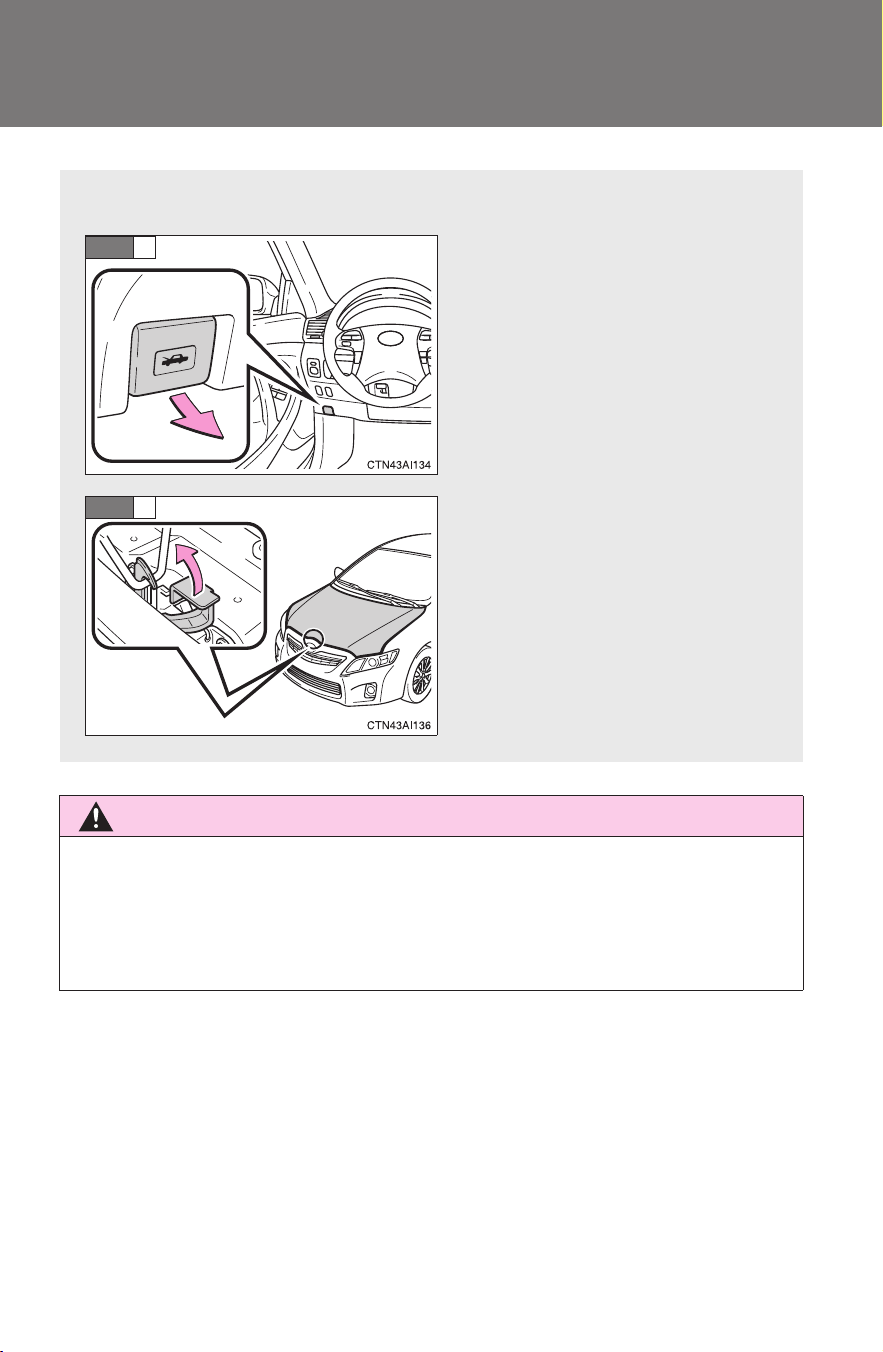
336
4-3. Do-it-yourself maintenance
CAMRY_HV_U
Hood
CAUTION
■ Pre-driving check
Check that the hood is fully closed and locked.
If the hood is not locked properly, it may open while the vehicle is in motion
and cause an accident, which may result in death or serious injury.
Release the lock from the inside of the vehicle to open the hood.
Pull the hood release lever.
The hood will pop up slightly.
Lift the auxiliary catch lever
and lift the hood.
STEP
1
STEP
2
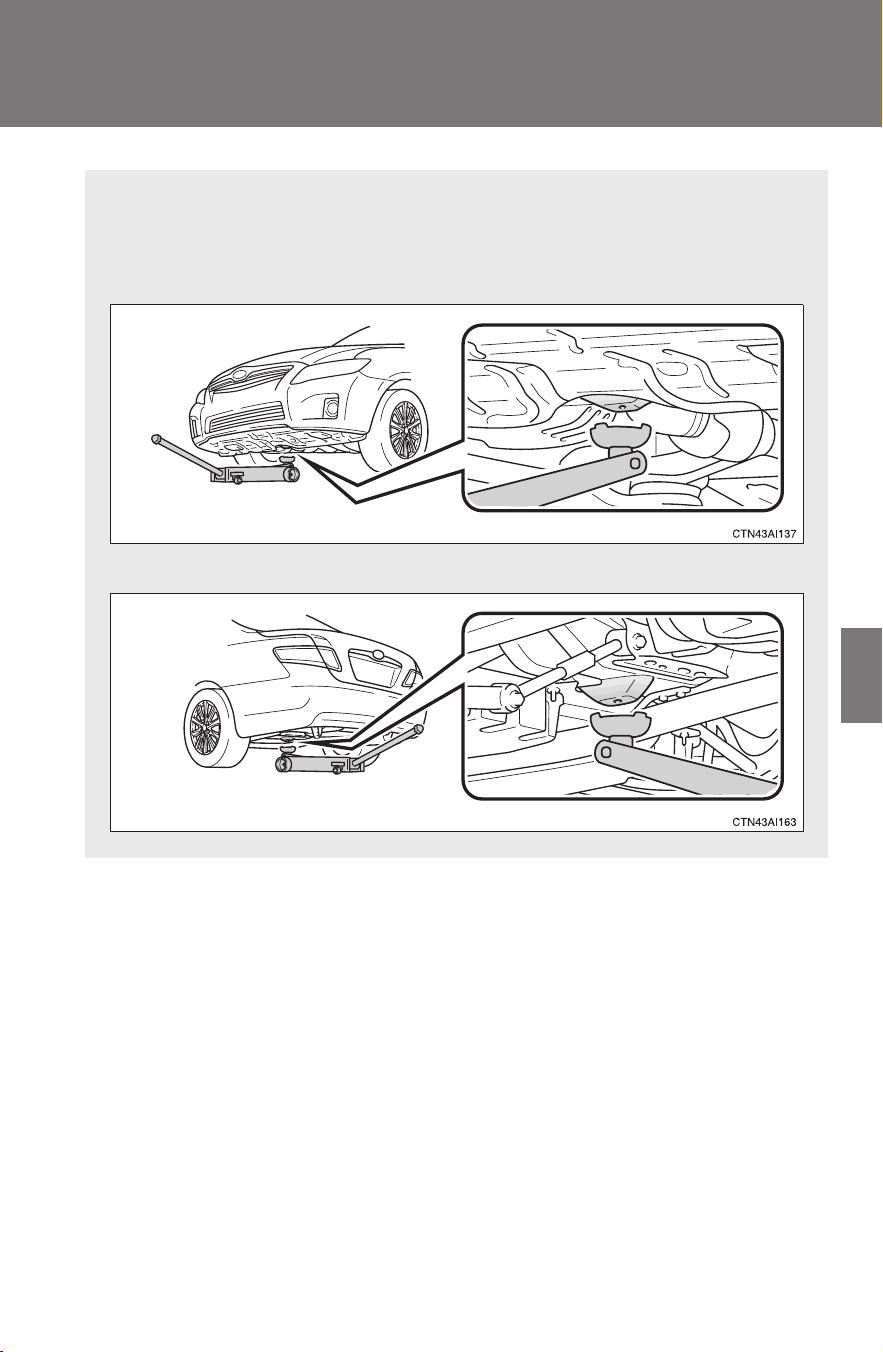
337
4-3. Do-it-yourself maintenance
4
Maintenance and care
CAMRY_HV_U
Positioning a floor jack
When raising your vehicle with a floor jack, position the jack cor-
rectly. Improper placement may damage your vehicle or cause injury.
■ Front
■ Rear
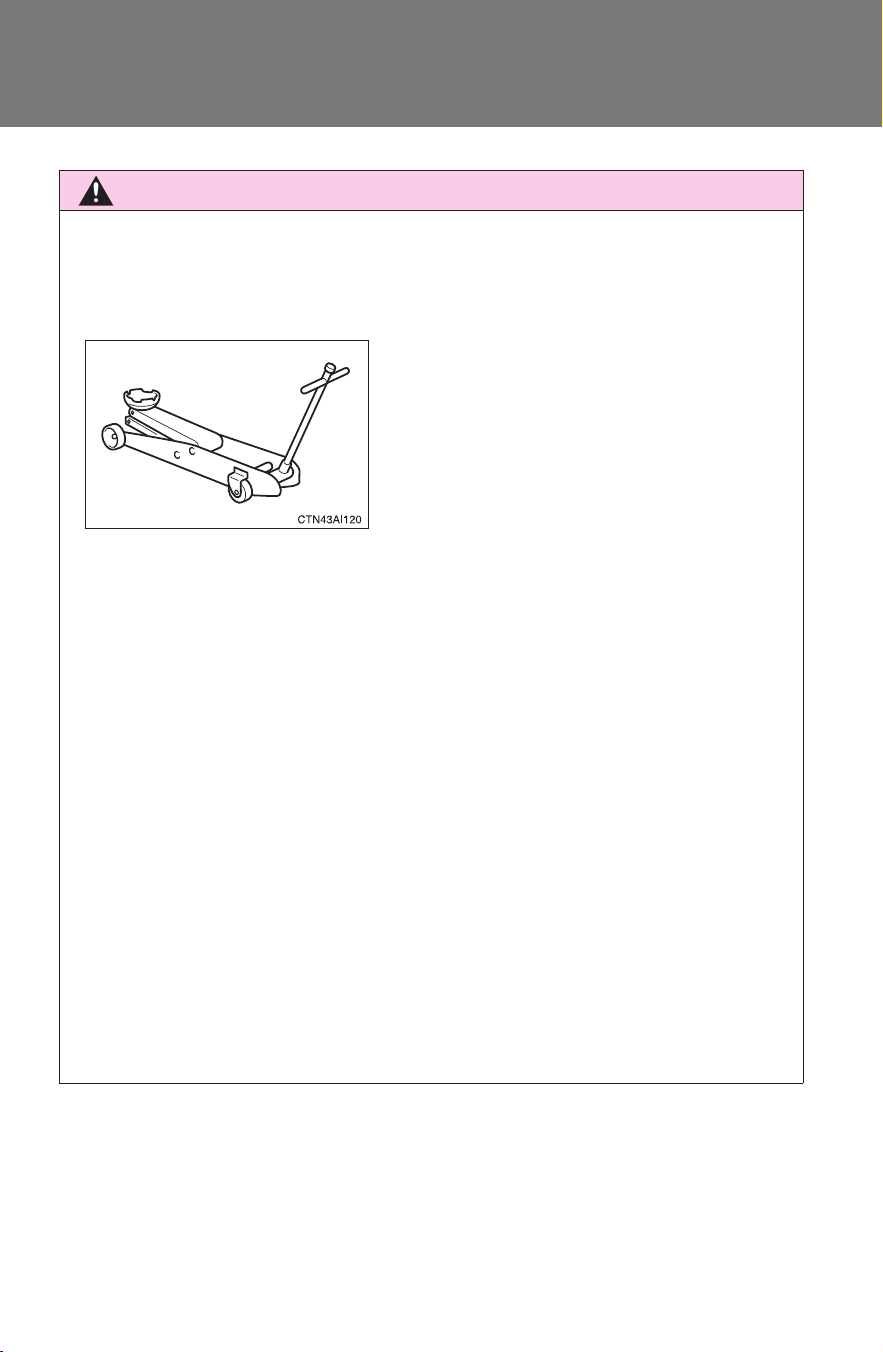
338
4-3. Do-it-yourself maintenance
CAMRY_HV_U
CAUTION
■ When raising your vehicle
Make sure to observe the following to reduce the possibility of death or seri-
ous injury:
● When using a floor jack, follow the instructions of the manual provided with
the jack.
● Do not use the jack that was supplied with your vehicle.
● Do not put any part of your body on get underneath the vehicle supported
only by the floor jack.
Always use floor jack and/or automotive jack stands on a solid, flat, level
surface.
● Do not start or run the hybrid system while the vehicle is supported by the
floor jack.
● Stop the vehicle on level firm ground, firmly set the parking brake and put
the shift lever in P.
● Make sure to set the floor jack properly at the jack point.
Raising the vehicle with an improperly positioned floor jack will damage
the vehicle and may cause the vehicle to fall off the floor jack.
● Do not raise the vehicle while someone is in the vehicle.
● When raising the vehicle, do not place any objects on top of or underneath
the floor jack.
● Lift up the vehicle using a floor jack
such as the one shown in the illustra-
tion.
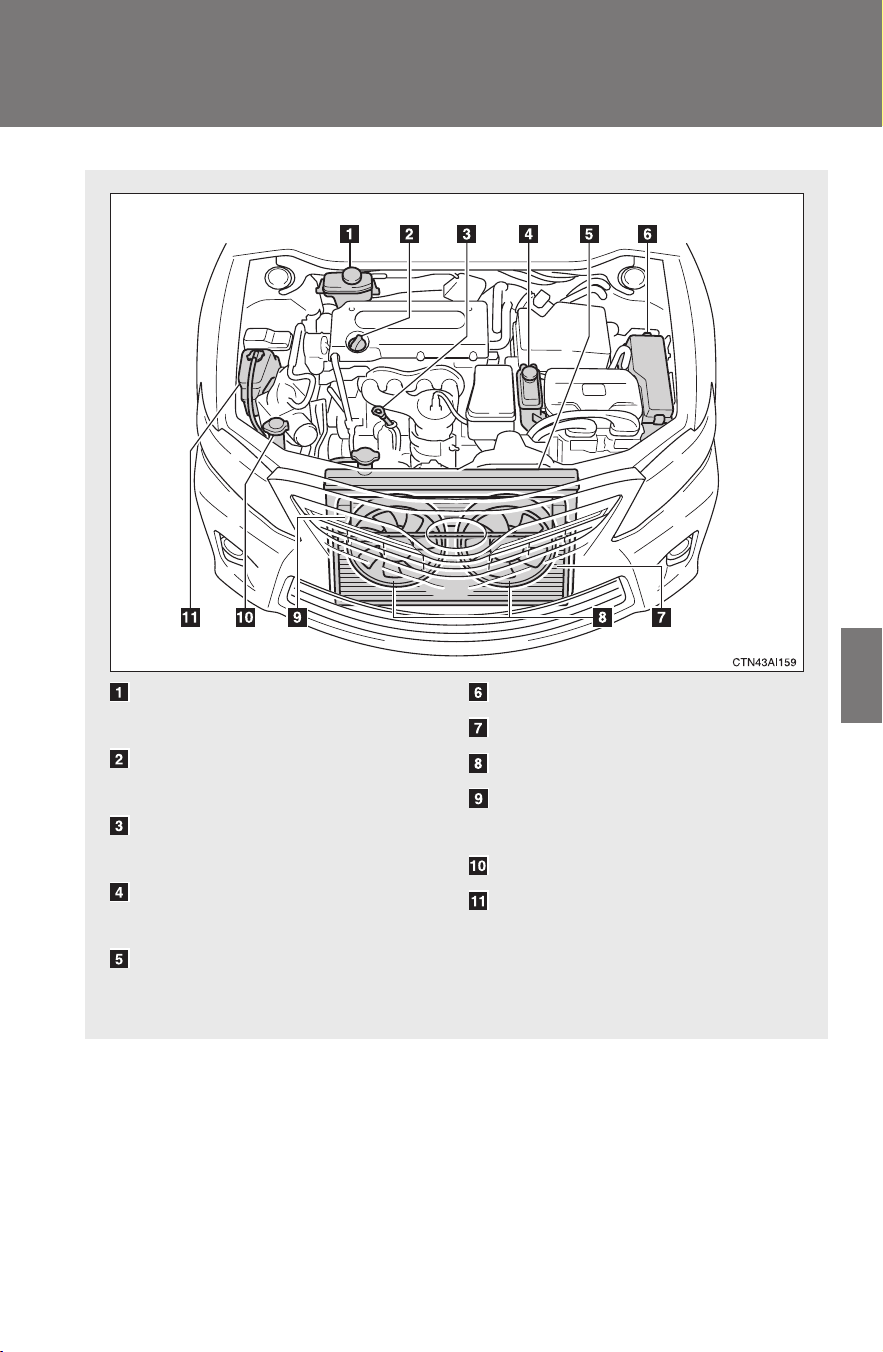
339
4-3. Do-it-yourself maintenance
4
Maintenance and care
CAMRY_HV_U
Engine compartment
Brake fluid reservoir
(→P. 346)
Engine oil filler cap
(→P. 341)
Engine oil level dipstick
(→P. 340)
Power control unit coolant
reservoir (→P. 344)
Engine coolant
radiator (→P. 346)
Fuse box (→P. 373)
Condenser (→P. 346)
Electric cooling fans
Power control unit coolant
radiator (→P. 346)
Washer fluid tank (→P. 347)
Engine coolant reservoir
(→P. 344)
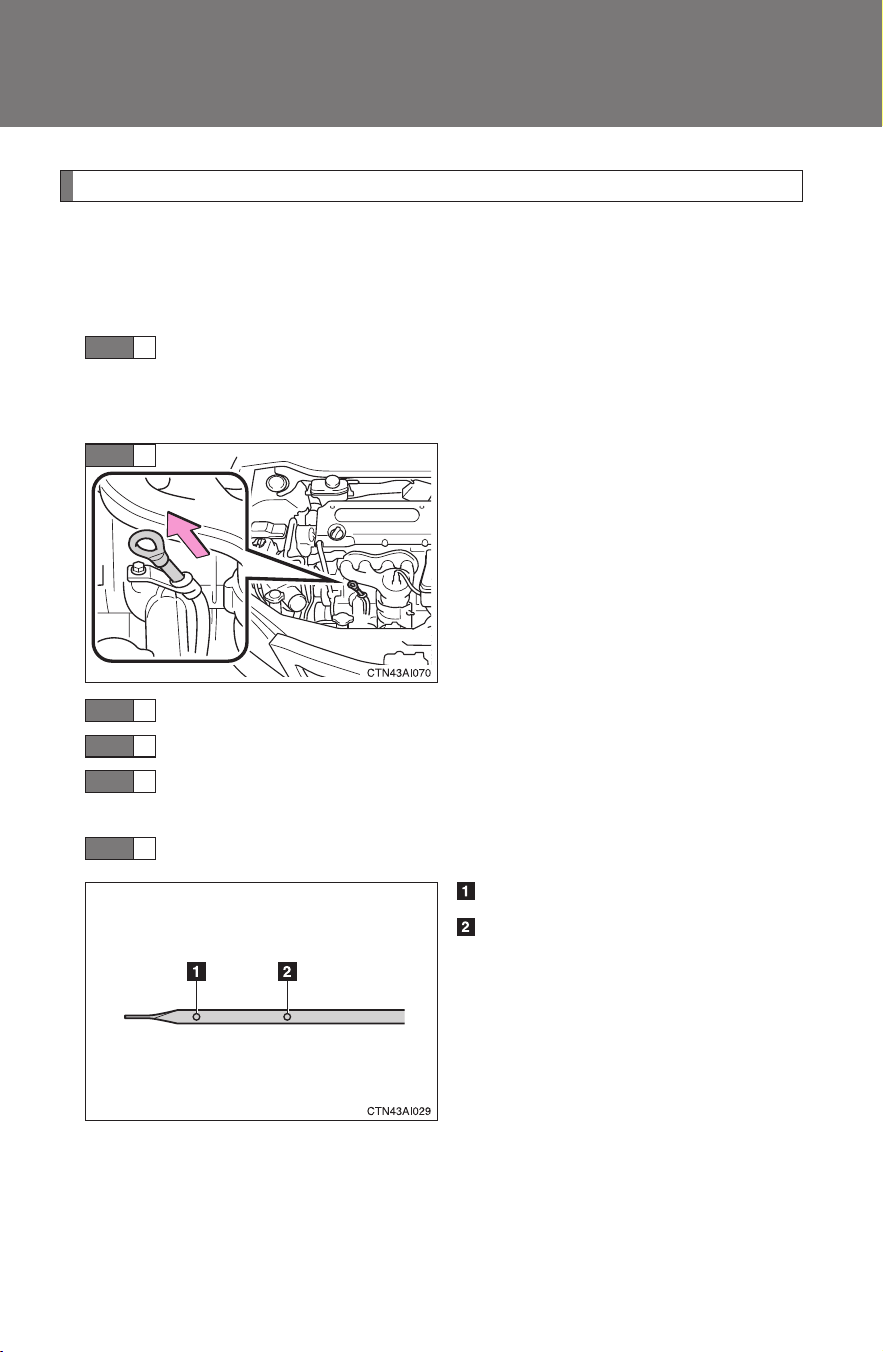
340
4-3. Do-it-yourself maintenance
CAMRY_HV_U
Engine oil
With the engine at operating temperature and turned off, check the oil
level on the dipstick.
■ Checking the engine oil
Park the vehicle on level ground. After turning off the engine,
wait more than five minutes for the oil to drain back into the
bottom of the engine.
Hold a rag under the end and
pull the dipstick out.
Wipe the dipstick clean.
Reinsert the dipstick fully.
Holding a rag under the end, pull the dipstick out and check
the oil level.
Wipe the dipstick and reinsert it fully.
Low
Full
STEP
1
STEP
2
STEP
3
STEP
4
STEP
5
STEP
6
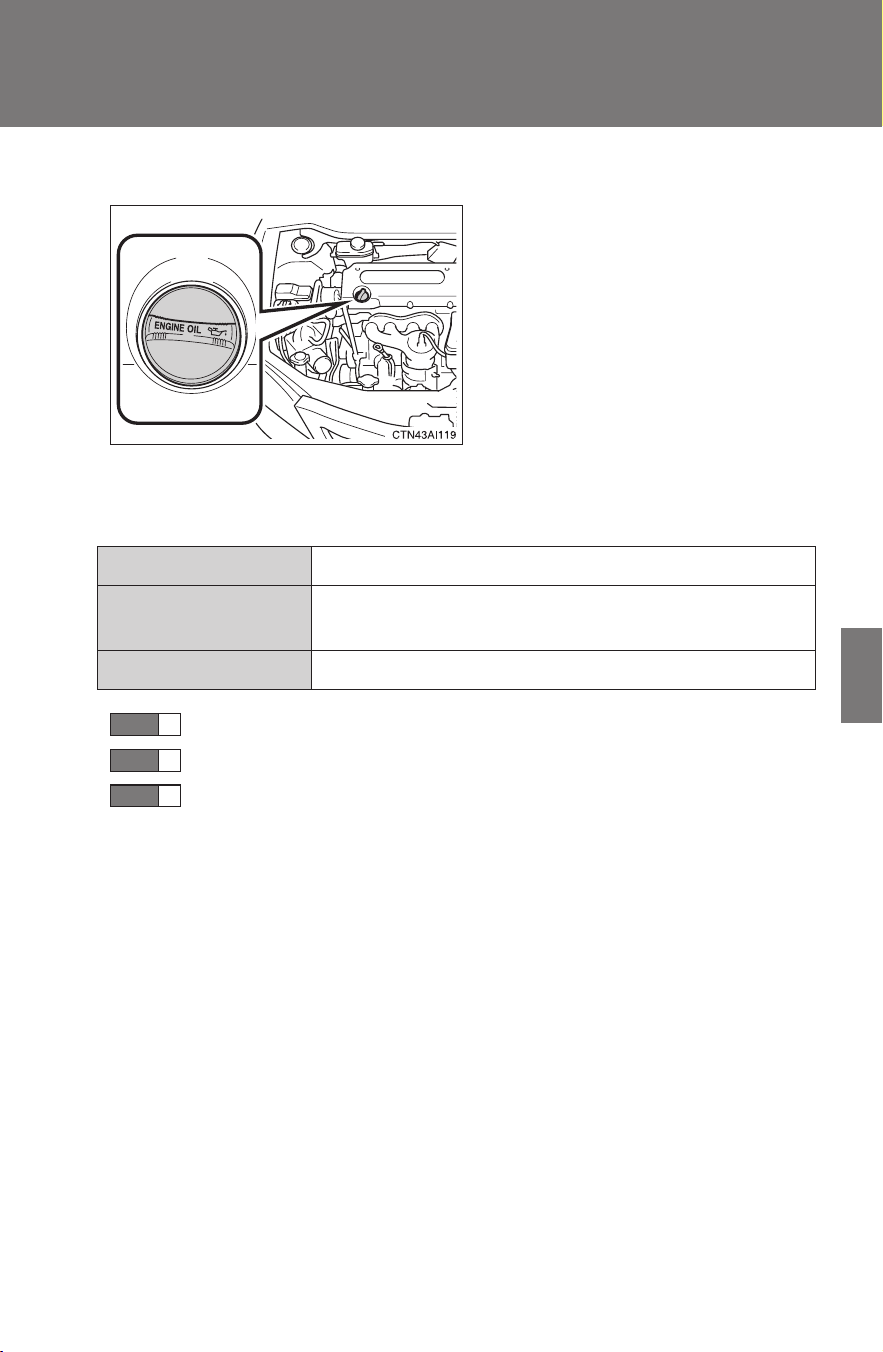
341
4-3. Do-it-yourself maintenance
4
Maintenance and care
CAMRY_HV_U
■ Adding engine oil
If the oil level is below or near
the low level mark, add engine
oil of the same type as already in
the engine.
Make sure to check the oil type and prepare the items needed before
adding oil.
Remove the oil filler cap by turning it counterclockwise.
Add engine oil slowly, checking the dipstick.
Install the filler cap, turning it clockwise.
Engine oil selection →P. 449
Oil quantity
(Low → Full)
1.2 qt. (1.1 L, 1.0 lmp. qt.)
Items Clean funnel
STEP
1
STEP
2
STEP
3

342
4-3. Do-it-yourself maintenance
CAMRY_HV_U
■ Engine oil consumption
● The amount of engine oil consumed depends on the oil viscosity, the
quality of the oil and the way the vehicle is driven.
● More oil is consumed under driving conditions such as high speeds and
frequent acceleration and deceleration.
● A new engine consumes more oil.
● When judging the amount of oil consumption, keep in mind that the oil
may have become diluted, making it difficult to judge the true level accu-
rately.
● Oil consumption: Max. 1.1 qt./600 miles, 0.9 Imp. qt./600 miles (1.0 L per
1000 km)
● If you consume more than 1.1 qt. (1.0 L, 0.9 Imp. qt.) every 600 miles
(1000 km), contact your Toyota dealer.
■ After changing the engine oil (U.S.A. only)
To reset the oil change system, follow the procedure below:
Turn off the hybrid system with the trip meter A reading shown.
(→P. 150)
The “POWER” switch must be set in ON mode while holding down
the trip meter reset knob. A message “OIL MILEAGE RESET
MODE” will appear on the display.
Hold down the knob for at least 5 seconds. A message “COM-
PLETE” will appear and the message “OIL MILEAGE RESET
MODE” goes off.
STEP
1
STEP
2
STEP
3
343
4-3. Do-it-yourself maintenance
4
Maintenance and care
CAMRY_HV_U
CAUTION
■ Used engine oil
● Used engine oil contains potentially harmful contaminants which may
cause skin disorders such as inflammation or skin cancer, so care should
be taken to avoid prolonged and repeated contact. To remove used engine
oil from your skin, wash thoroughly with soap and water.
● Dispose of used oil and filters only in a safe and acceptable manner. Do
not dispose of used oil and filters in household trash, in sewers or onto the
ground. Call your Toyota dealer, service station or auto parts store for
information concerning recycling or disposal.
● Do not leave used engine oil within the reach of children.
NOTICE
■ To prevent serious engine damage
Check the oil level on a regular basis.
■ When replacing the engine oil
● Be careful not to spill engine oil on the vehicle components.
● Avoid overfilling, as the engine could be damaged.
● Check the oil level on the dipstick every time you refill the vehicle.
● Be sure the engine oil filler cap is properly tightened.
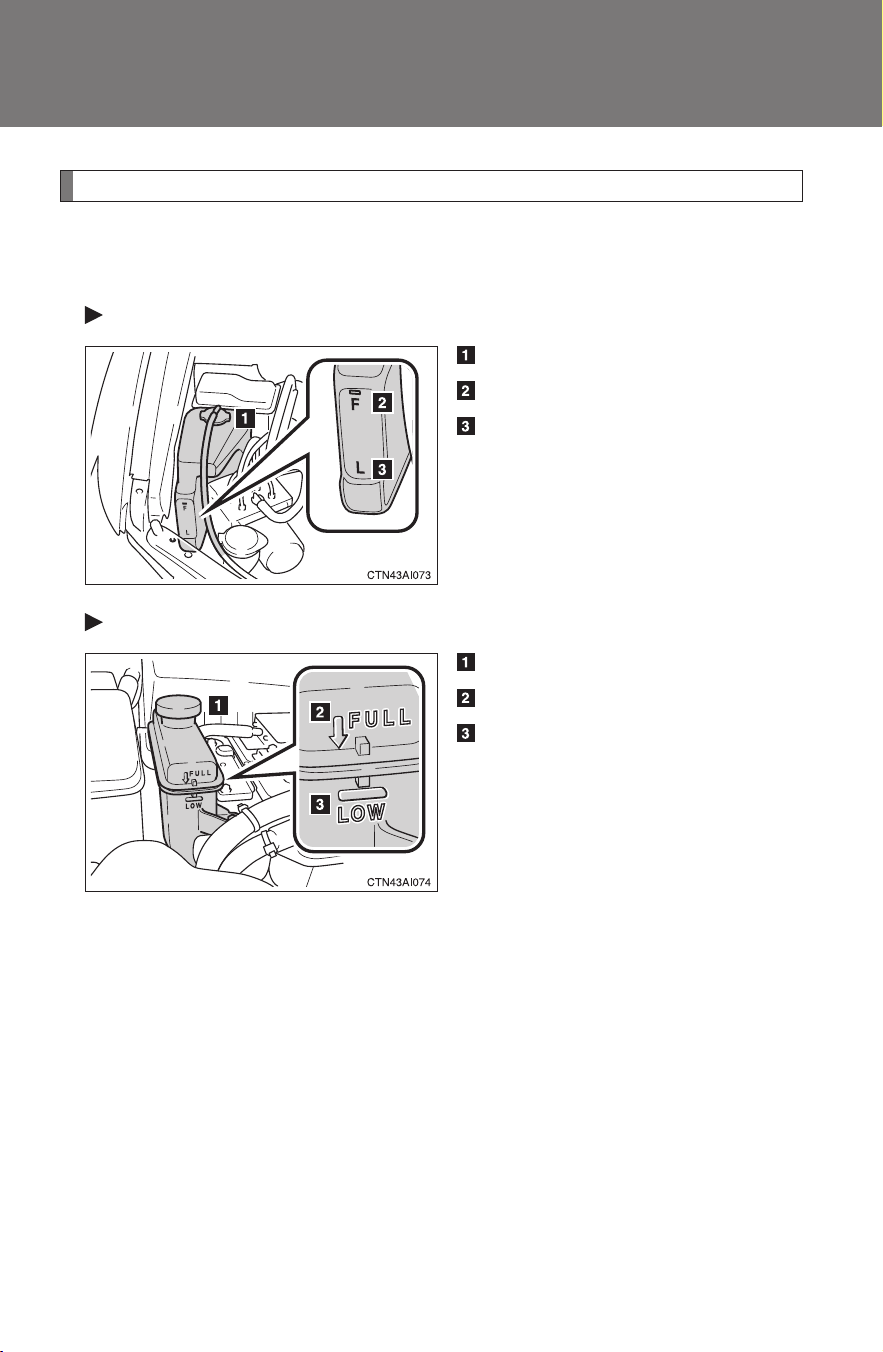
344
4-3. Do-it-yourself maintenance
CAMRY_HV_U
Coolant
The coolant level is satisfactory if it is between the “FULL” and “LOW”
lines on the reservoir when the hybrid system is cold.
Engine coolant reservoir
Reservoir cap
FULL
LOW
If the level is on or below the “L”
line, add coolant up to the “F” line.
(→P. 438)
Power control unit coolant reservoir
Reservoir cap
“FULL”
“LOW”
If the level is on or below the
“LOW” line, add coolant up to the
“FULL” line. (→P. 439)
345
4-3. Do-it-yourself maintenance
4
Maintenance and care
CAMRY_HV_U
■ If the coolant level drops within a short time after replenishing
Visually check the radiator, hoses, coolant reservoir caps, radiator cap, drain
cock and water pump.
If you cannot find a leak, have your Toyota dealer test the cap and check for
leaks in the cooling system.
■ Coolant selection
Only use “Toyota Super Long Life Coolant” or similar high quality ethylene
glycol based non-silicate, non-amine, non-nitrite, and non-borate coolant
with long-life hybrid organic acid technology.
U.S.A.: Toyota Super Long Life Coolant is a mixture of 50% coolant and
50% deionized water. (Enabled: -31°F [-35°C])
Canada: Toyota Super Long Life Coolant is a mixture of 55% coolant and
45% deionized water. (Enabled: -44°F [-42°C])
For more details about coolant, contact your Toyota dealer.
CAUTION
■ When the hybrid system is hot
Do not remove the coolant reservoir cap.
The cooling system may be under pressure and may spray hot coolant if the
cap is removed, causing burns or other injuries.
NOTICE
■ When adding coolant
Coolant is neither plain water nor straight antifreeze. The correct mixture of
water and antifreeze must be used to provide proper lubrication, corrosion
protection and cooling. Be sure to read the antifreeze or coolant label.
■ If you spill coolant
Be sure to wash it off with water to prevent damage to parts or paint.
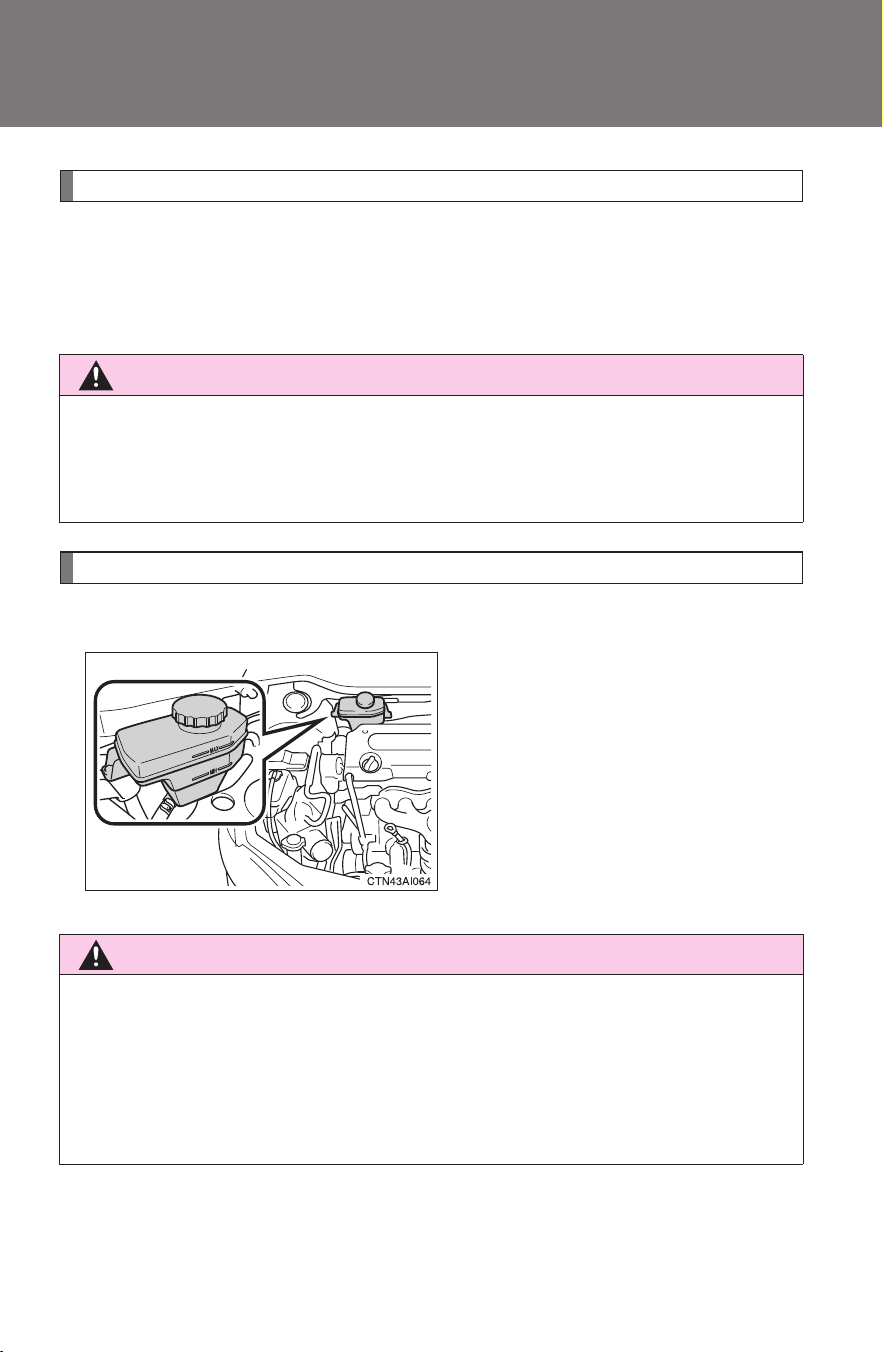
346
4-3. Do-it-yourself maintenance
CAMRY_HV_U
Radiators and condenser
Check the radiators and condenser and remove any foreign objects.
If any of the above parts are extremely dirty or you are not sure of
their condition, have your vehicle checked by your Toyota dealer.
Brake fluid
■ Checking fluid level
The brake fluid level should be
between the “MAX” and “MIN”
lines on the tank.
If the level is low, take your vehi-
cle to a Toyota dealer as soon as
possible. Do not drive your vehi-
cle if the red brake system warn-
ing light is on. Call a Toyota
dealer for assistance.
CAUTION
■ The radiators and condenser may be hot after driving
Do not touch the radiators or condenser, as they may be hot and may be
burned.
CAUTION
■ When filling the reservoir
Take care because brake fluid can harm your hands or eyes and damage
painted surfaces.
If fluid gets in your eyes, flush your eyes with clean water immediately.
If you still experience discomfort, see a doctor.
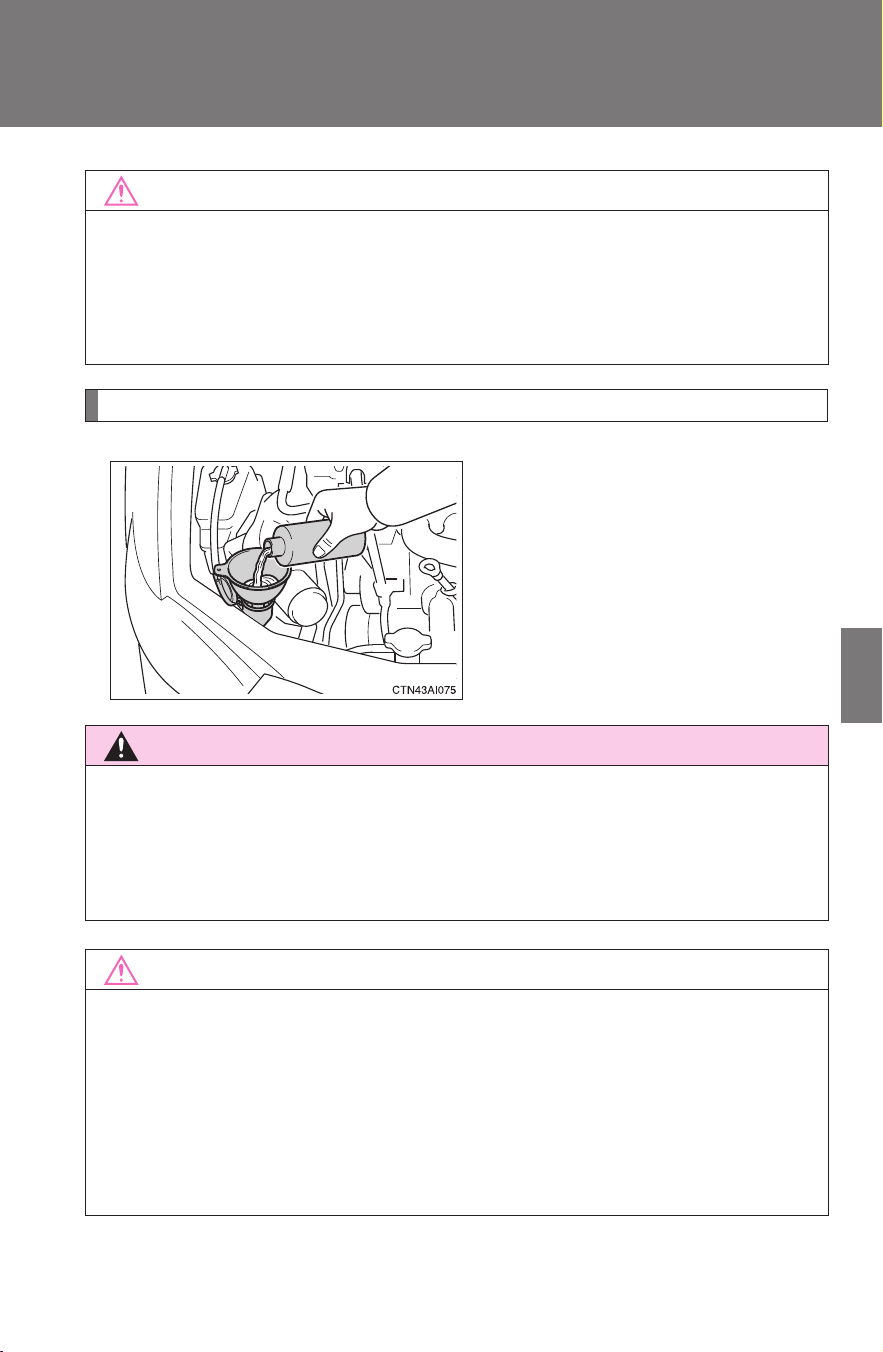
347
4-3. Do-it-yourself maintenance
4
Maintenance and care
CAMRY_HV_U
Washer fluid
Add washer fluid in the following
situations.
● Any washer does not work.
● The warning message
appears on the multi-informa-
tion display.
NOTICE
■ If the fluid level is low or high
It is normal for the brake fluid level to go down slightly as the brake pads
wear or when the fluid level in the accumulator is high.
If the reservoir needs frequent refilling, it may indicate a serious problem.
CAUTION
■ When refilling the washer fluid
Do not refill the washer fluid when the hybrid system is hot or operating, as
the washer fluid contains alcohol and may catch fire if spilled on the hybrid
system etc.
NOTICE
■ Do not use any fluid other than washer fluid
Do not use soapy water or engine antifreeze instead of washer fluid.
Doing so may cause streaking on the vehicle’s painted surfaces.
■ Diluting washer fluid
Dilute washer fluid with water as necessary.
Refer to the freezing temperatures listed on the washer fluid tank.
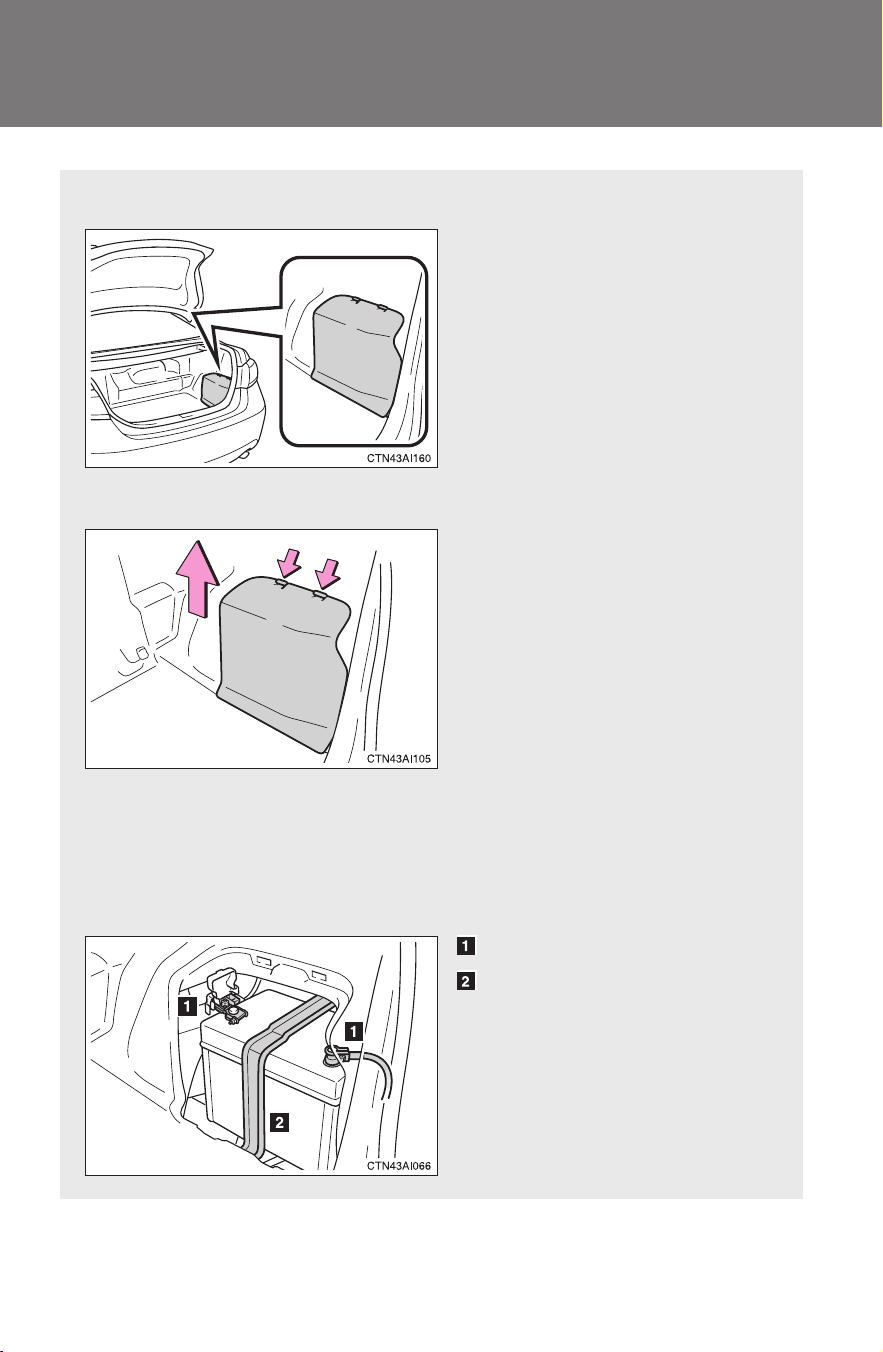
348
4-3. Do-it-yourself maintenance
CAMRY_HV_U
12-volt battery
■ Location
The 12-volt battery is located
in the right-hand side of the
luggage compartment.
■ Removing the 12-volt battery cover
Remove the 12-volt battery
cover.
■ Exterior
Make sure that the 12-volt battery terminals are not corroded
and that there are no loose connections, cracks, or loose
clamps.
Terminals
Hold-down clamp

349
4-3. Do-it-yourself maintenance
4
Maintenance and care
CAMRY_HV_U
■ Before recharging
When recharging, the 12-volt battery produces hydrogen gas which is flam-
mable and explosive. Therefore, observe the following before recharging:
● If recharging with the 12-volt battery installed on the vehicle, be sure to
disconnect the ground cable.
● Make sure the power switch on the charger is off when connecting and
disconnecting the charger cables to the 12-volt battery.
■ After recharging/reconnecting the 12-volt battery
In some cases, the hybrid system may not start. Follow one or both of the
following procedures:
● After opening and closing the driver’s door, wait 10 seconds then attempt
to start the hybrid system. (If the system does not start first time, repeat
the procedure.)
● With the shift lever in P and the “POWER” switch OFF, open and close
the driver’s door, then attempt to start the hybrid system.
If the system will not start even after multiple attempts at both methods, con-
tact your Toyota dealer.

350
4-3. Do-it-yourself maintenance
CAMRY_HV_U
CAUTION
■ Chemicals in the 12-volt battery
The 12-volt battery contains poisonous and corrosive sulfuric acid and may
produce hydrogen gas which is flammable and explosive. To reduce the risk
of death or serious injury, take the following precautions while working on or
near the 12-volt battery:
● Do not cause sparks by touching the 12-volt battery terminals with tools.
● Do not smoke or light a match near the 12-volt battery.
● Avoid contact with eyes, skin and clothes.
● Never inhale or swallow electrolyte.
● Wear protective safety glasses when working near the 12-volt battery.
● Keep children away from the 12-volt battery.
■ Where to safely charge the 12-volt battery
Always charge the 12-volt battery in an open area. Do not charge the 12-volt
battery in a garage or closed room where there is not sufficient ventilation.
■ How to recharge the 12-volt battery
Only perform a slow charge (5 A or less). The 12-volt battery may explode if
charged at a quicker rate.
■ Emergency measures regarding electrolyte
● If electrolyte gets in your eyes
Flush your eyes with clean water for at least 15 minutes and get immedi-
ate medical attention. If possible, continue to apply water with a sponge or
cloth while traveling to the nearest medical facility.
● If electrolyte gets on your skin
Wash the affected area thoroughly. If you feel pain or burning, get medical
attention immediately.
● If electrolyte gets on your clothes
It can soak through clothing on to your skin. Immediately take off the cloth-
ing and follow the procedure above if necessary.
● If you accidentally swallow electrolyte
Drink a large quantity of water or milk. Follow with milk of magnesia,
beaten raw egg or vegetable oil. Get emergency medical attention immedi-
ately.

351
4-3. Do-it-yourself maintenance
4
Maintenance and care
CAMRY_HV_U
CAUTION
■ When replacing the 12-volt battery
Use a 12-volt battery designed for the CAMRY HYBRID. Failure to do so
may cause gas (hydrogen) to enter the passenger compartment, causing a
fire or explosion.
For replacement of the 12-volt battery, contact your Toyota dealer.
NOTICE
■ When recharging the 12-volt battery
Never recharge the 12-volt battery while the hybrid system is operating.
Also, be sure all accessories are turned off.
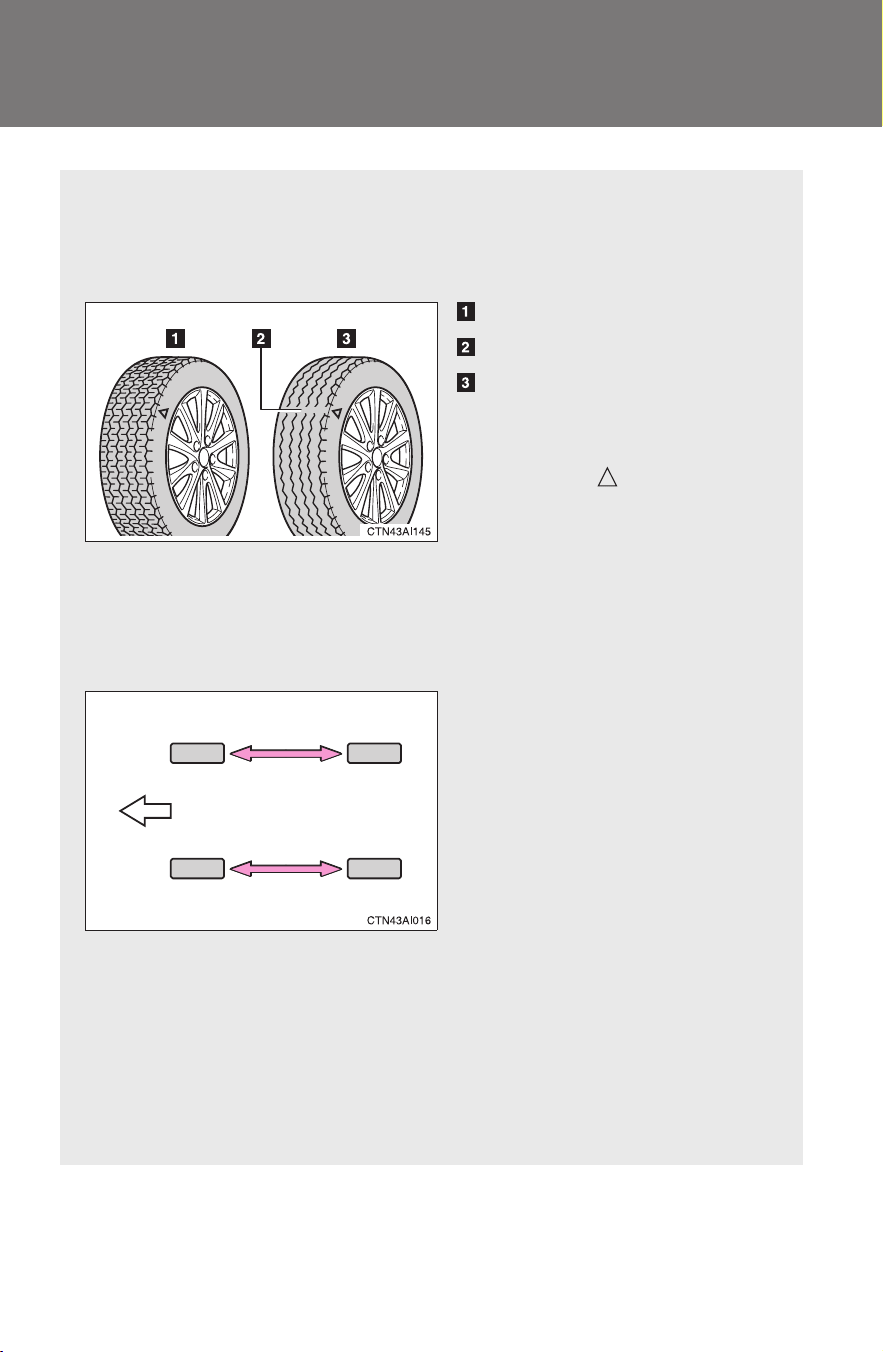
352
4-3. Do-it-yourself maintenance
CAMRY_HV_U
Tires
Replace or rotate tires in accordance with maintenance sched-
ules and treadwear.
■ Checking tires
New tread
Treadwear indicator
Worn tread
The location of treadwear
indicators is shown by the
“TWI” or “ ” marks, etc.,
molded on the sidewall of
each tire.
Check spare tire condition
and inflation pressure if not
rotated.
■ Tire rotation
Rotate the tires in the order
shown.
To equalize tire wear and
extend tire life, Toyota recom-
mends that tire rotation is
carried out at the same inter-
val as tire inspection.
■ The tire pressure warning system
Your Toyota is equipped with a tire pressure warning system that
uses tire pressure warning valves and transmitters to detect low
tire inflation pressure before serious problems arise. (→P. 400)
The compact spare tire is not equipped with a tire pressure warn-
ing valve and transmitter.
Front

353
4-3. Do-it-yourself maintenance
4
Maintenance and care
CAMRY_HV_U
Installing tire pressure warning valves and transmitters
When replacing tires or wheels, tire pressure warning valves and
transmitters must also be installed.
When new tire pressure warning valves and transmitters are
installed, new tire pressure warning valve and transmitter ID codes
must be registered in the tire pressure warning computer and tire
pressure warning system must be initialized. Have tire pressure
warning valve and transmitter ID codes registered by your Toyota
dealer. (→P. 354)
Initializing the tire pressure warning system
■ The tire pressure warning system must be initialized when the
tire inflation pressure is changed (such as when changing
traveling speed).
When the tire pressure warning system is initialized, the current tire
pressure is set as the pressure benchmark.
■ How to initialize the tire pressure warning system
Park the vehicle in a safe place and turn off the hybrid system.
Initialization is not performed while the vehicle is moving.
Adjust the tire pressure to the specified cold tire inflation pres-
sure level
. (→P. 4 5 3 )
Make sure to adjust the tire pressure to the specified cold tire
inflation pressure level. The tire pressure warning system will
operate based on this pressure level.
Turn the “POWER” switch to ON mode.
STEP
1
STEP
2
STEP
3
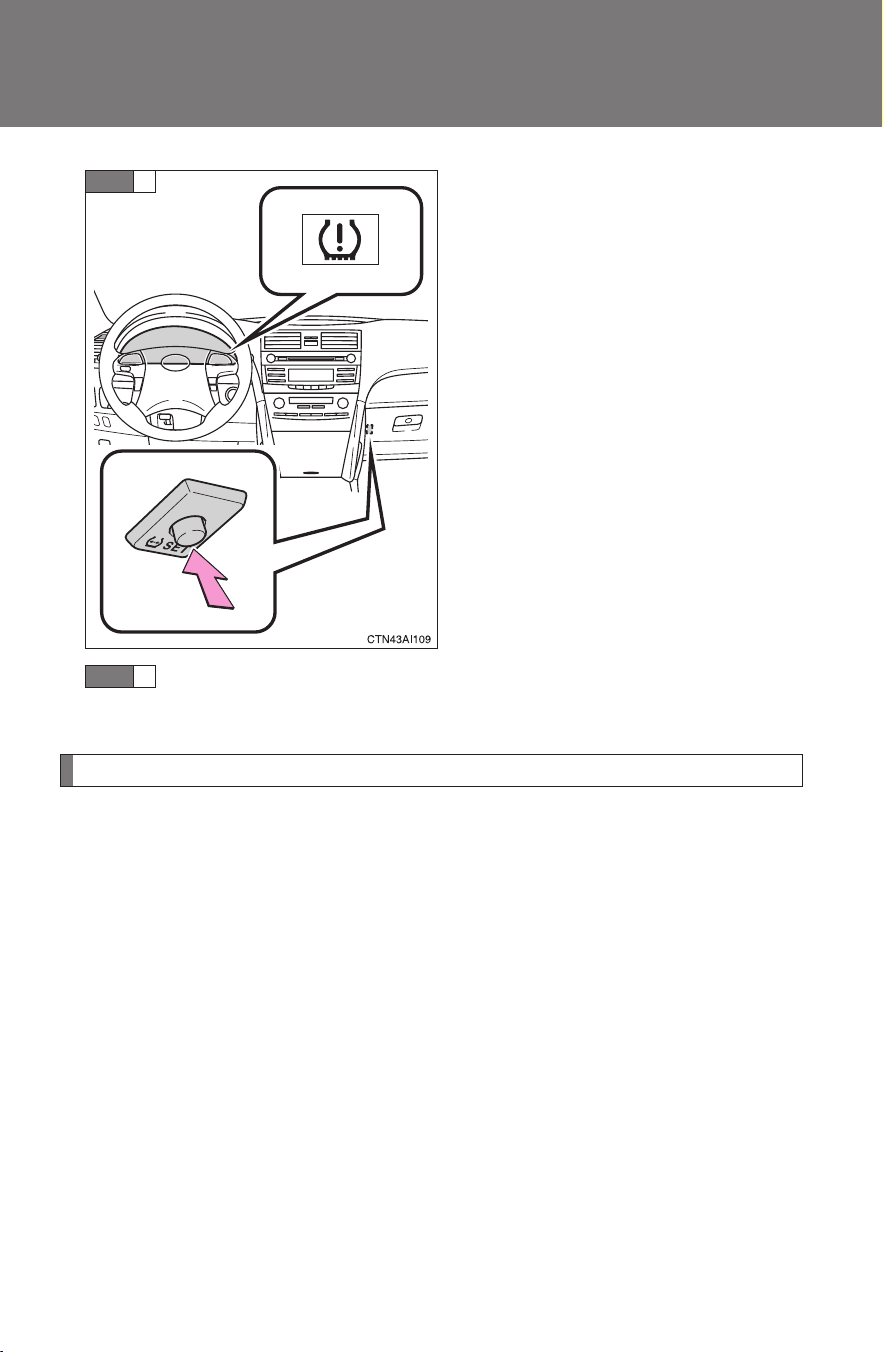
354
4-3. Do-it-yourself maintenance
CAMRY_HV_U
Push and hold the tire pressure
warning reset switch until the tire
pressure warning light blinks
slowly 3 times.
Wait for a few minutes with the ON mode, and then turn the
“POWER” switch to OFF mode.
Registering ID codes
The tire pressure warning valve and transmitter is equipped with a
unique ID code. When replacing a tire pressure warning valve and
transmitter, it is necessary to register the ID code of tire pressure
warning valve and transmitter. Have the ID code registered by your
Toyota dealer.
STEP
4
STEP
5

355
4-3. Do-it-yourself maintenance
4
Maintenance and care
CAMRY_HV_U
■ When to replace your vehicle’s tires
Tires should be replaced if:
● You have tire damage such as cuts, splits, cracks deep enough to
expose the fabric or bulges indicating internal damage
● A tire goes flat repeatedly or cannot be properly repaired due to the
size or location of a cut or other damage
If you are not sure, consult with your Toyota dealer.
■ Replacing tires and wheels
If the ID code of the tire pressure warning valve and transmitter is not
registered, the tire pressure warning system will not work properly. After
about 20 minutes, the tire pressure warning light comes on after blinking
for 1 minute to indicate a system malfunction.
■ Tire life
Any tire over 6 years old must be checked by a qualified technician even
if they have seldom or never been used or damage is not obvious.
■ If the tread wears down below 0.16 in. (4 mm) on snow tires
The effectiveness of snow tires is lost.
■ If you press the tire pressure warning reset switch accidentally
If initialization is performed, adjust the tire inflation pressure to the speci-
fied level and initialize the tire pressure warning system again.
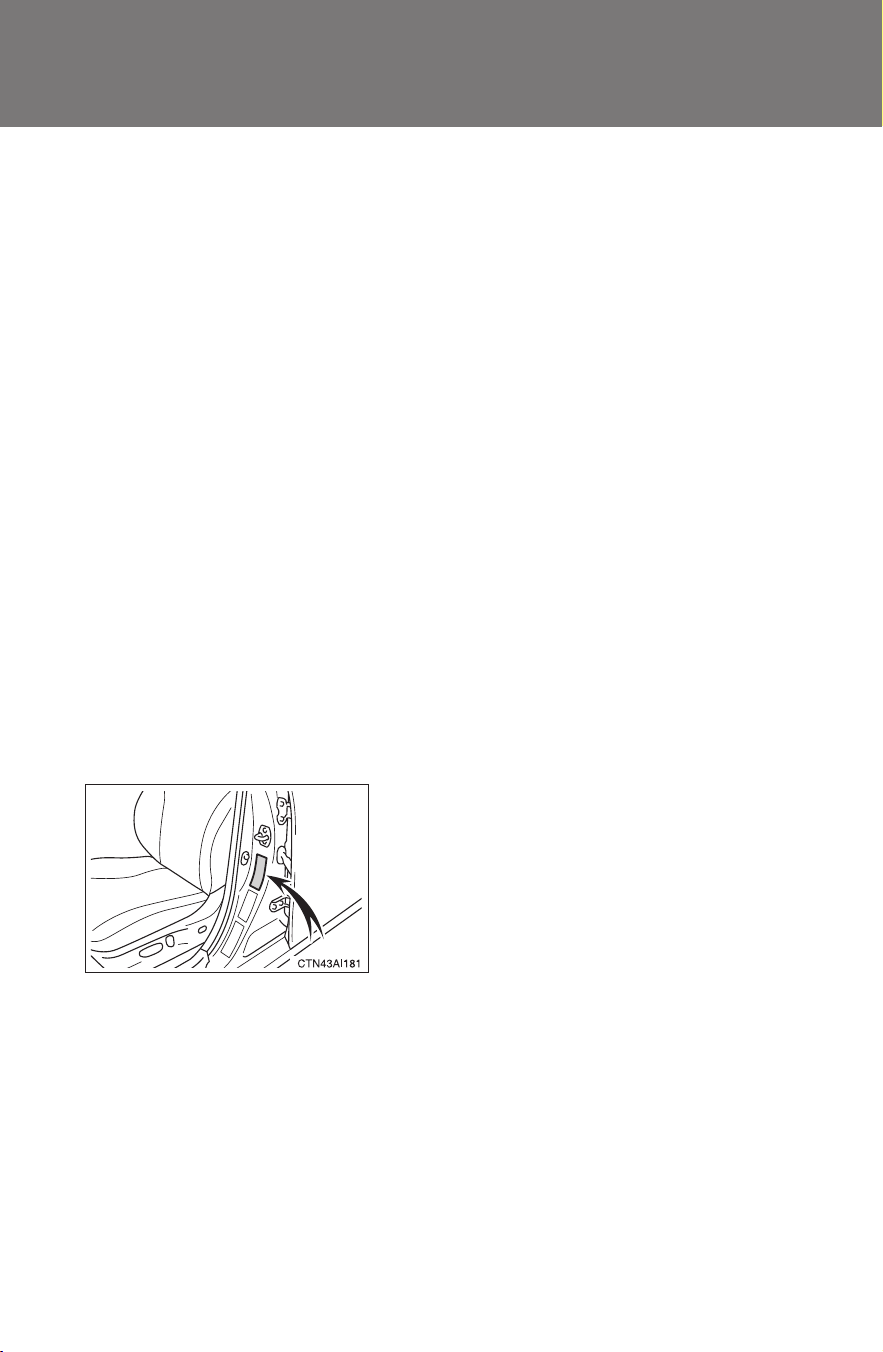
356
4-3. Do-it-yourself maintenance
CAMRY_HV_U
■ When the initialization of the tire pressure warning system has
failed
Initialization can be completed in a few minutes. However, in the follow-
ing cases, the settings has not been recorded and the system will not
operate properly. If repeated attempts to record tire inflation pressure
settings are unsuccessful, have the vehicle inspected by your Toyota
dealer.
● When operating the tire pressure warning reset switch, the tire pres-
sure warning light does not flash 3 times.
● After carrying out the initialization procedure, the tire pressure warn-
ing light blinks for 1 minute then stays on after driving for about 20
minutes.
■ Routine tire inflation pressure checks
The tire pressure warning system does not replace routine tire inflation
pressure checks. Make sure to check tire inflation pressure as part of
your routine of daily vehicle checks.
■ Maximum load of tire
Check that the maximum load of the replacement tire is greater than 1/2
of the Gross Axle Weight Ratings (GAWR) of either the front axle or the
rear axle, whichever is greater.
For the GAWR, see the Certification
Label. For the maximum load of the
tire, see the load limit at maximum cold
tire inflation pressure mentioned on the
sidewall of the tire. (→P. 458)

357
4-3. Do-it-yourself maintenance
4
Maintenance and care
CAMRY_HV_U
■ Tire types
1Summer tires
Summer tires are high-speed performance tires best suited to highway
driving under dry conditions. Since summer tires do not have the same
traction performance as snow tires, summer tires are inadequate for
driving on snow-covered or icy roads. For driving on snow-covered
roads or icy roads, the use of snow tires is recommended. When
installing snow tires, be sure to replace all four tires.
2 All season tires
All season tires are designed to provide better traction in snow and to
be adequate for driving in most winter conditions, as well as for use
year round. All season tires, however, do not have adequate traction
performance compared with snow tires in heavy or loose snow. Also,
all season tires fall short in acceleration and handling performance
compared with summer tires in highway driving.
3 Snow tires
For driving on snow-covered roads or icy roads, we recommend using
snow tires. If you need snow tires, select tires of the same size, con-
struction and load capacity as the originally installed tires. Since your
vehicle has radial tires as original equipment, make sure your snow
tires also have radial construction. Do not install studded tires without
first checking local regulations for possible restrictions. Snow tires
should be installed on all wheels. (→P. 173)
■ Initializing the tire pressure warning system
Initialize the tire pressure warning system with the tire inflation pressure
adjusted to the specified level.

358
4-3. Do-it-yourself maintenance
CAMRY_HV_U
■ Tire pressure warning system certification
FCC ID: PAXPMV107J
FCC ID: HYQ13BCX
IC ID: 3729A-PMV107J
IC ID: 1551A-13BCX
For vehicles sold in the U.S.A.
This device complies with Part 15 of the FCC Rules. Operation is subject
to the following two conditions: (1) This device may not cause harmful
interference, and (2) this device must accept any interference received,
including interference that may cause undesired operation.
FCC WARNING:
Changes or modifications not expressly approved by the party responsi-
ble for compliance could void the user's authority to operate the equip-
ment.
For vehicles sold in Canada
Operation is subject to the following two conditions: (1) this device may
not cause interference, and (2) this device must accept any interference,
including interference that may cause undesired operation of the device.

359
4-3. Do-it-yourself maintenance
4
Maintenance and care
CAMRY_HV_U
CAUTION
■ When inspecting or replacing tires
Observe the following precautions to prevent accidents.
Failure to do so may cause damage to parts of the drive train, as well as
dangerous handling characteristics, which may lead to an accident
resulting in death or serious injury.
● Do not mix tires of different makes, models or tread patterns.
Also, do not mix tires of remarkably different treadwear.
● Do not use tire sizes other than those recommended by Toyota.
● Do not mix differently constructed tires (radial, bias-belted, or bias-ply
tires).
● Do not mix summer, all season and winter tires.
■ When initializing the tire pressure warning system
Do not press the tire pressure warning reset switch without first adjusting
the tire inflation pressure to the specified level. Otherwise, the tire pres-
sure warning light may not come on even if the tire inflation pressure is
low, or it may come on when the tire inflation pressure is actually normal.

360
4-3. Do-it-yourself maintenance
CAMRY_HV_U
NOTICE
■ Repairing or replacing tires, wheels, tire pressure warning valves
and transmitters and tire valve caps
● When removing or fitting the wheels, tires or the tire pressure warning
valve and transmitter, contact your Toyota dealer as the tire pressure
warning valve and transmitter may be damaged if not handled correctly.
● When replacing tire valve caps, do not use tire valve caps other than those
specified. The cap may become stuck.
■
To avoid damaging the tire pressure warning valves and transmit-
ters
Do not use liquid sealants on flat tires.
■ Driving on rough roads
Take particular care when driving on roads with loose surfaces or pot-
holes.
These conditions may cause losses in tire air pressure, reducing the
cushioning ability of the tires. In addition driving on rough roads may
cause damage to the tires themselves, as well as the vehicle’s wheels
and body.
■ If tire inflation pressures become low while driving
Do not continue driving, or your tires and/or wheels may be ruined.
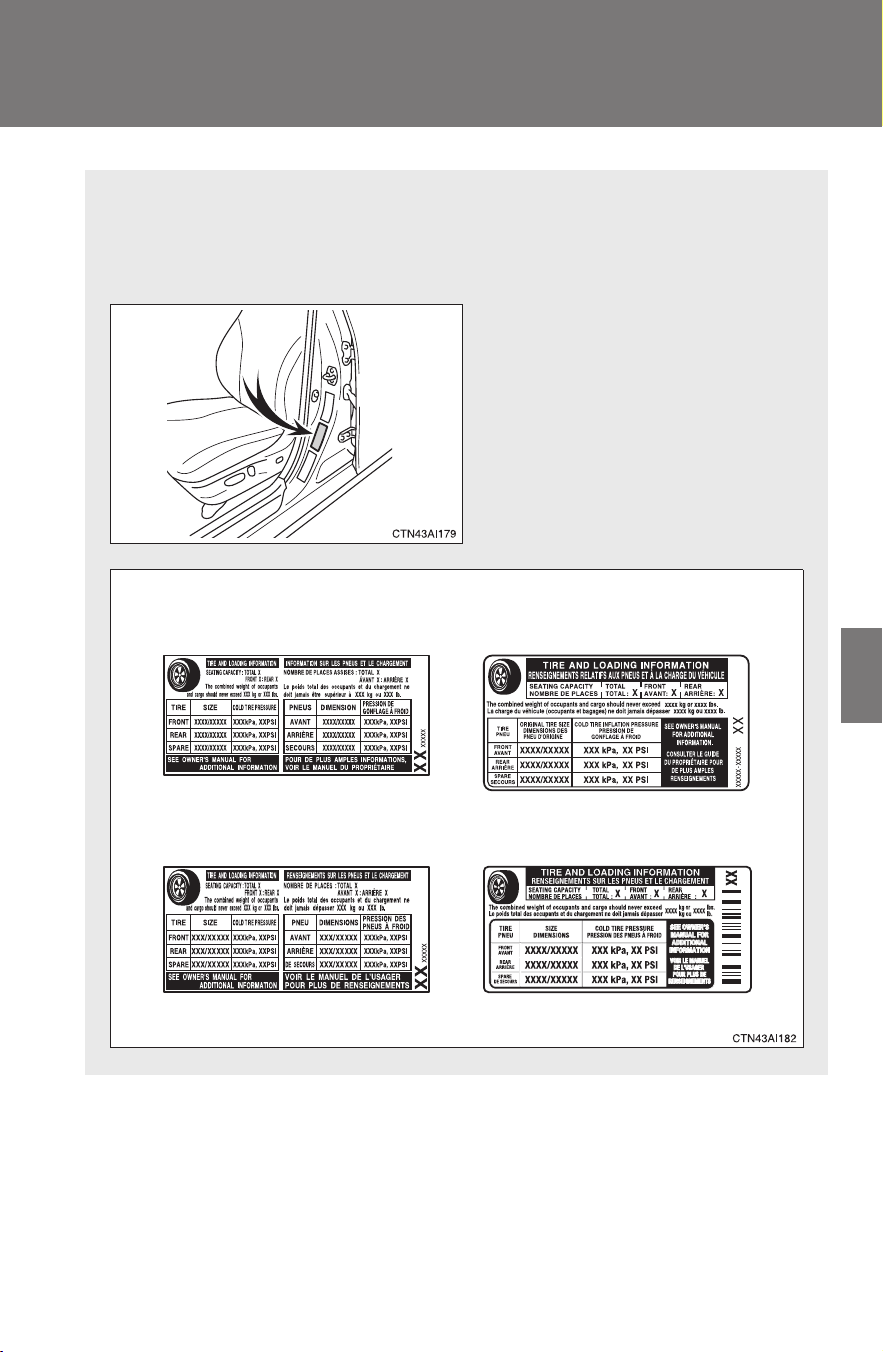
361
4-3. Do-it-yourself maintenance
4
Maintenance and care
CAMRY_HV_U
Tire inflation pressure
■ Tire inflation pressure
The recommended cold tire inflation pressure and tire size is dis-
played on the tire and loading information label. (→P. 453)
One of the following labels will
be attached to the driver’s side
center pillar.
Type B
Type D
Type A
Type C
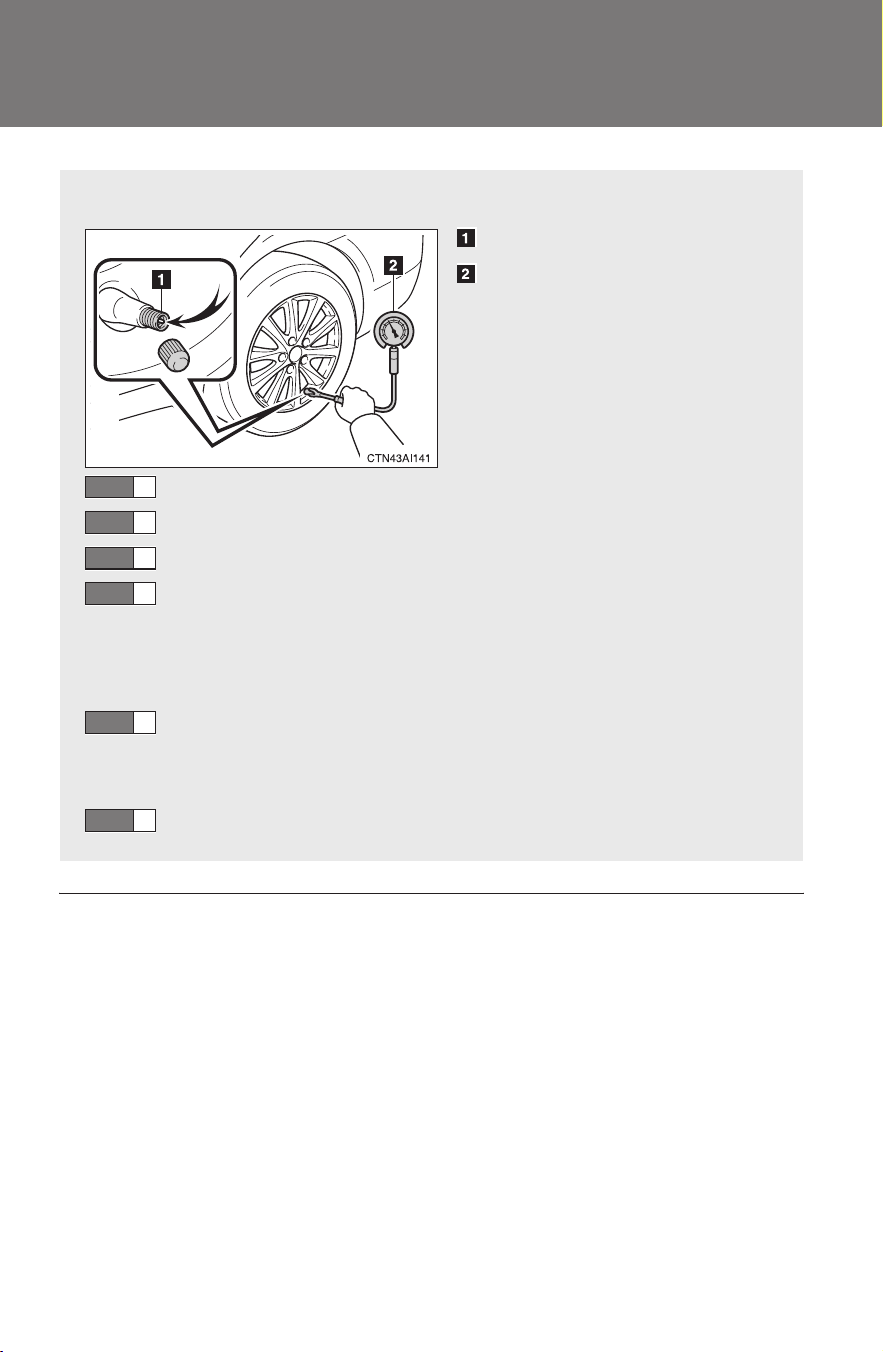
362
4-3. Do-it-yourself maintenance
CAMRY_HV_U
■ Tire inflation pressure check interval
You should check tire inflation pressure every two weeks, or at least
once a month.
Do not forget to check the spare tire.
■ Inspection and adjustment procedure
Tire valve
Tire pressure gauge
Remove the tire valve cap.
Press the tip of the tire pressure gauge onto the tire valve.
Read the pressure using the graduations of the gauge.
If the tire inflation pressure is not at the recommended
level, adjust the pressure.
If you add too much air, press the center of the valve to
lower.
After completing the tire inflation pressure measurement
and adjustment, apply soapy water to the valve and check
for leakage.
Reinstall the tire valve cap.
STEP
1
STEP
2
STEP
3
STEP
4
STEP
5
STEP
6

363
4-3. Do-it-yourself maintenance
4
Maintenance and care
CAMRY_HV_U
■ Effects of incorrect tire inflation pressure
Driving with incorrect tire inflation pressure may result in the following:
● Reduced fuel efficiency
● Reduced driving comfort and tire life
● Reduced safety
● Damage to the drive train
If a tire needs frequent refilling, have it checked by your Toyota dealer.
■ Instructions for checking tire inflation pressure
When checking tire inflation pressure, observe the following:
● Check only when the tires are cold.
If your vehicle has been parked for at least 3 hours and has not been
driven for more than 1 mile or 1.5 km, you will get an accurate cold
tire inflation pressure reading.
● Always use a tire pressure gauge.
The appearance of the tire can be misleading. In addition, tire infla-
tion pressures that are even just a few pounds off can degrade ride
and handling.
● Do not bleed or reduce tire inflation pressure after driving. It is normal
for the tire inflation pressure to be higher after driving.
● Never exceed the vehicle capacity weight.
Passengers and luggage weight should be placed so that the vehicle
is balanced.
364
4-3. Do-it-yourself maintenance
CAMRY_HV_U
CAUTION
■ Proper inflation is critical to save tire performance
Keep your tires properly inflated. Otherwise, the following conditions
may occur and result in an accident causing death or serious injury.
● Excessive wear
● Uneven wear
● Poor handling
● Possibility of blowouts resulting from overheated tires
● Poor sealing of the tire bead
● Wheel deformation and/or tire separation
● A greater possibility of tire damage from road hazards
NOTICE
■ When inspecting and adjusting tire inflation pressure
Be sure to reinstall the tire valve caps.
Without the valve caps, dirt or moisture could get into the valve and
cause air leakage, which could result in an accident. If the caps have
been lost, replace them as soon as possible.

365
4-3. Do-it-yourself maintenance
4
Maintenance and care
CAMRY_HV_U
Wheels
■ When replacing wheels
The wheels of your Toyota are equipped with tire pressure warning
valves and transmitters that allow the tire pressure warning system to
provide advanced warning in the event of a loss in tire inflation pressure.
Whenever wheels are replaced, the tire pressure warning valves and
transmitters must be installed. (→P. 353)
If a wheel is bent, cracked or heavily corroded, it should be
replaced.
Otherwise, the tire may separate from the wheel or cause loss of
handling control.
■ Wheel selection
When replacing wheels, care should be taken to ensure that
they are equivalent to those removed in load capacity, diameter,
rim width, and offset.
Replacement wheels are available at your Toyota dealer.
Toyota does not recommend using:
● Wheels of different sizes or types
● Used wheels
● Bent wheel that have been straightened
■ Aluminum wheel precautions
● Use only Toyota wheel nuts and wrenches designed for use
with your aluminum wheels.
● When rotating, repairing or changing your tires, check that the
wheel nuts are still tight after driving 1000 miles (1600 km).
● Be careful not to damage the aluminum wheels when using
tire chains.
● Use only Toyota genuine balance weights or equivalent and
use a plastic or rubber hammer when balancing your wheels.

366
4-3. Do-it-yourself maintenance
CAMRY_HV_U
CAUTION
■ When replacing wheels
● Do not use wheels that are a different size from those recommended in
the Owner’s Manual, as this may result in loss of handling control.
● Never use an inner tube in a leaking wheel which is designed for a
tubeless tire. Doing so may result in an accident, causing serious
injury or death.
NOTICE
■ Replacing tire pressure warning valves and transmitters
● Because tire repair or replacement may affect the tire pressure warn-
ing valves and transmitters, make sure to have tires serviced by your
Toyota dealer or other qualified service shop. In addition, make sure to
purchase your tire pressure warning valves and transmitters at your
Toyota dealer.
● Ensure that only genuine Toyota wheels are used on your vehicle.
Tire pressure warning valves and transmitters may not work properly
with non-genuine wheels.
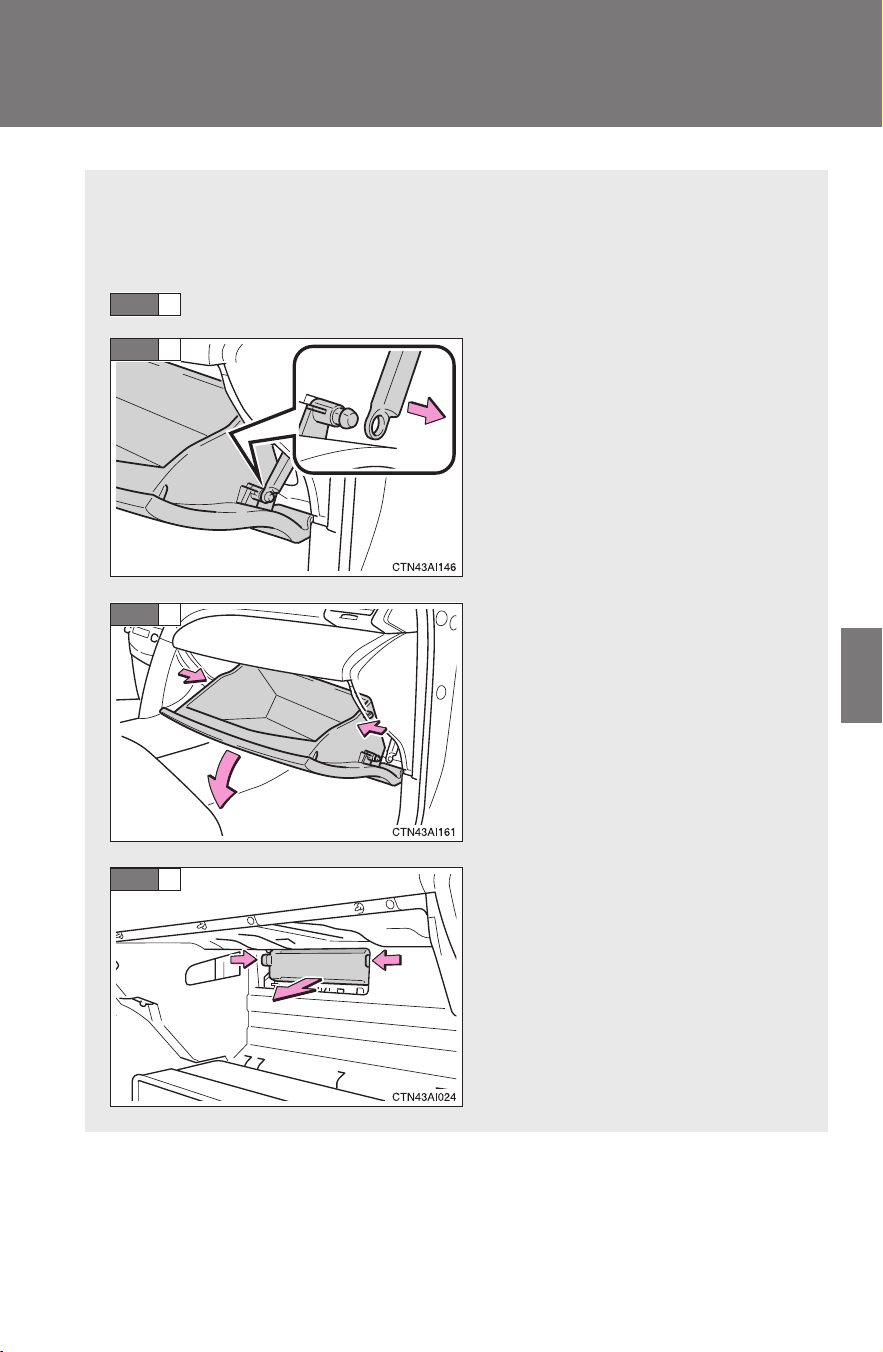
367
4-3. Do-it-yourself maintenance
4
Maintenance and care
CAMRY_HV_U
Air conditioning filter
The air conditioning filter must be cleaned or changed regularly to
maintain air conditioning efficiency.
■ Removal method
Turn the “POWER” switch OFF.
Open the glove box. Slide off
the damper.
Apply pressure to the glove
box as shown to disconnect
the claws.
Remove the filter cover.
STEP
1
STEP
2
STEP
3
STEP
4
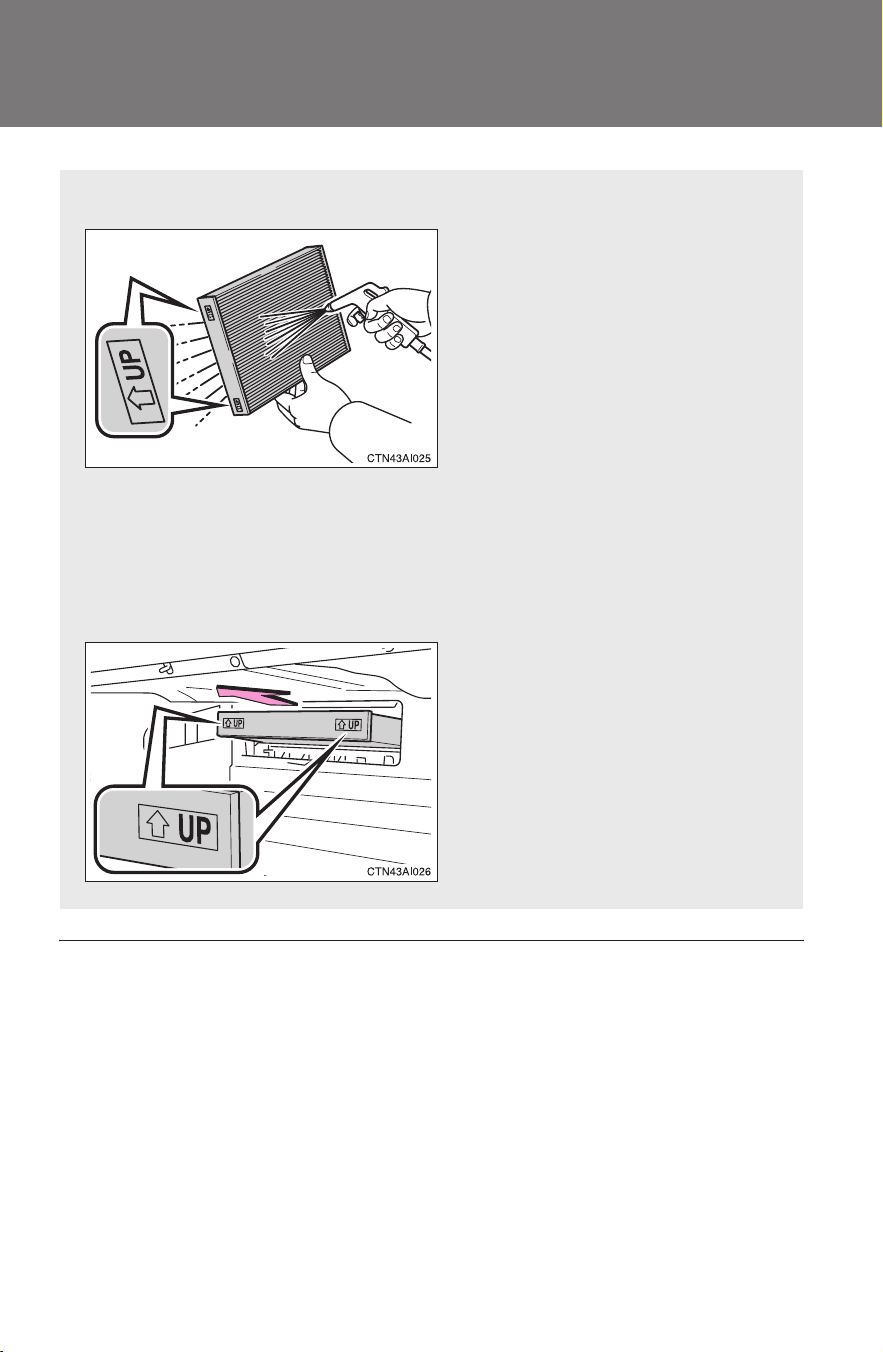
368
4-3. Do-it-yourself maintenance
CAMRY_HV_U
■ Checking interval
Inspect, clean and replace the air conditioning filter according to the mainte-
nance schedule. In dusty areas or areas with heavy traffic flow, more fre-
quent cleaning or early replacement may be required. (For scheduled
maintenance information, please refer to the “Scheduled Maintenance
Guide” or “Owner’s Manual Supplement”.)
■ If air flow from the vents decreases dramatically
The filter may be clogged. Check the filter and replace if necessary.
■ Cleaning method
If the filter is dirty, clean by
blowing compressed air
through the filter from the bot-
tom.
Hold the air gun 2 in. (5 cm)
from the filter and blow for
approximately 2 minutes at 72
psi (500 kPa, 5.0 kgf/cm
2
or
bar).
If an air gun is not available,
have the filter cleaned by your
Toyota dealer.
■ Replacement method
Remove the air conditioning
filter and replace it with a new
one.
The “↑UP” marks shown on
the filter should be pointing up.

369
4-3. Do-it-yourself maintenance
4
Maintenance and care
CAMRY_HV_U
NOTICE
■ To prevent damage to the system
● When using the air conditioning system, make sure that a filter is always
installed.
● When cleaning the filter, do not clean the filter with water.
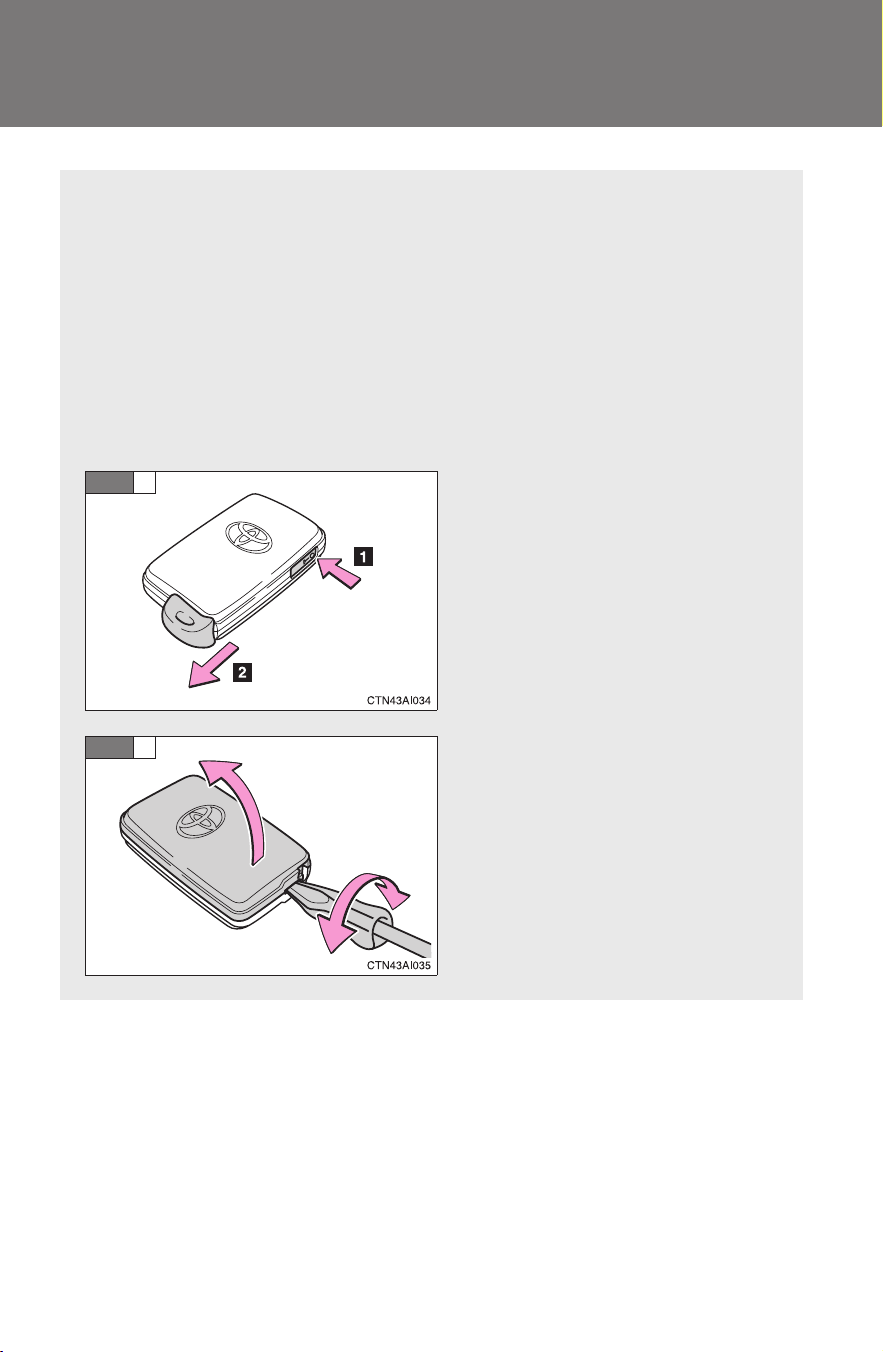
370
4-3. Do-it-yourself maintenance
CAMRY_HV_U
Key battery
Replace the battery with a new one if it is discharged.
■ You will need the following items:
● Flathead screwdriver (To prevent damage to the key, cover
the tip of the screwdriver with rag.)
● Small Phillips-head screwdriver
● Lithium battery CR1632
■ Replacing the battery
Take out the mechanical key.
Remove the cover.
STEP
1
STEP
2
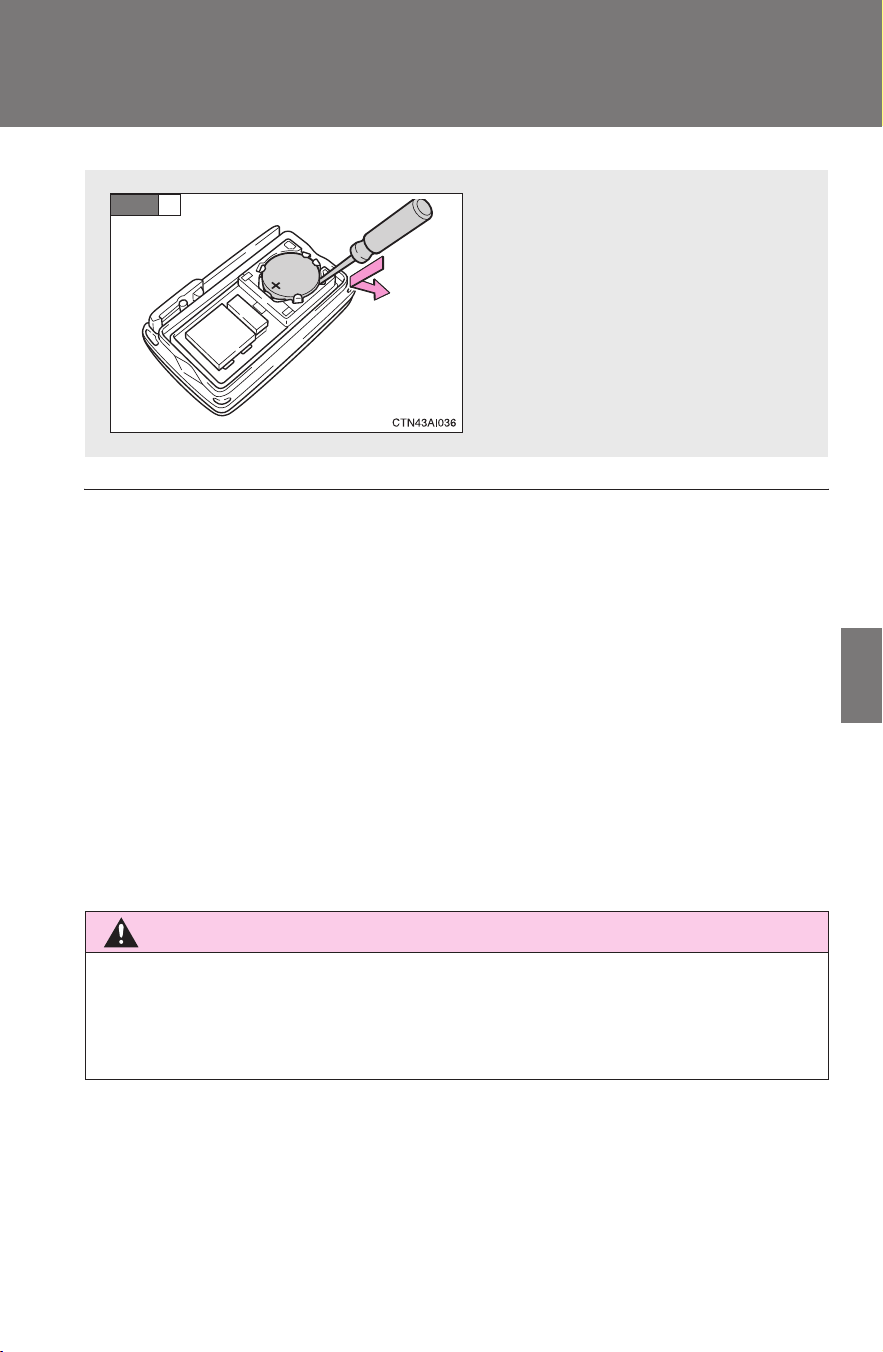
371
4-3. Do-it-yourself maintenance
4
Maintenance and care
CAMRY_HV_U
■ If the key battery is discharged
The following symptoms may occur.
● The smart key system and wireless remote control will not function prop-
erly.
● The operational range is reduced.
■ Use a CR1632 lithium battery
● Batteries can be purchased at your Toyota dealer, jewelers, or camera
stores.
● Replace only with the same or equivalent type recommended by your
Toyota dealer.
● Dispose of used batteries according to the local laws.
CAUTION
■ Removed battery and other parts
Keep away from children.
These parts are small and if swallowed by a child they can cause choking.
Remove the depleted battery.
Insert a new battery with the
“+” terminal facing up.
STEP
3

372
4-3. Do-it-yourself maintenance
CAMRY_HV_U
NOTICE
■ For normal operation after replacing the battery
Observe the following precautions to prevent accidents.
● Always work with dry hands.
Moisture may cause the battery to rust.
● Do not touch or move any other components inside the remote control.
● Do not bend either of the battery terminals.
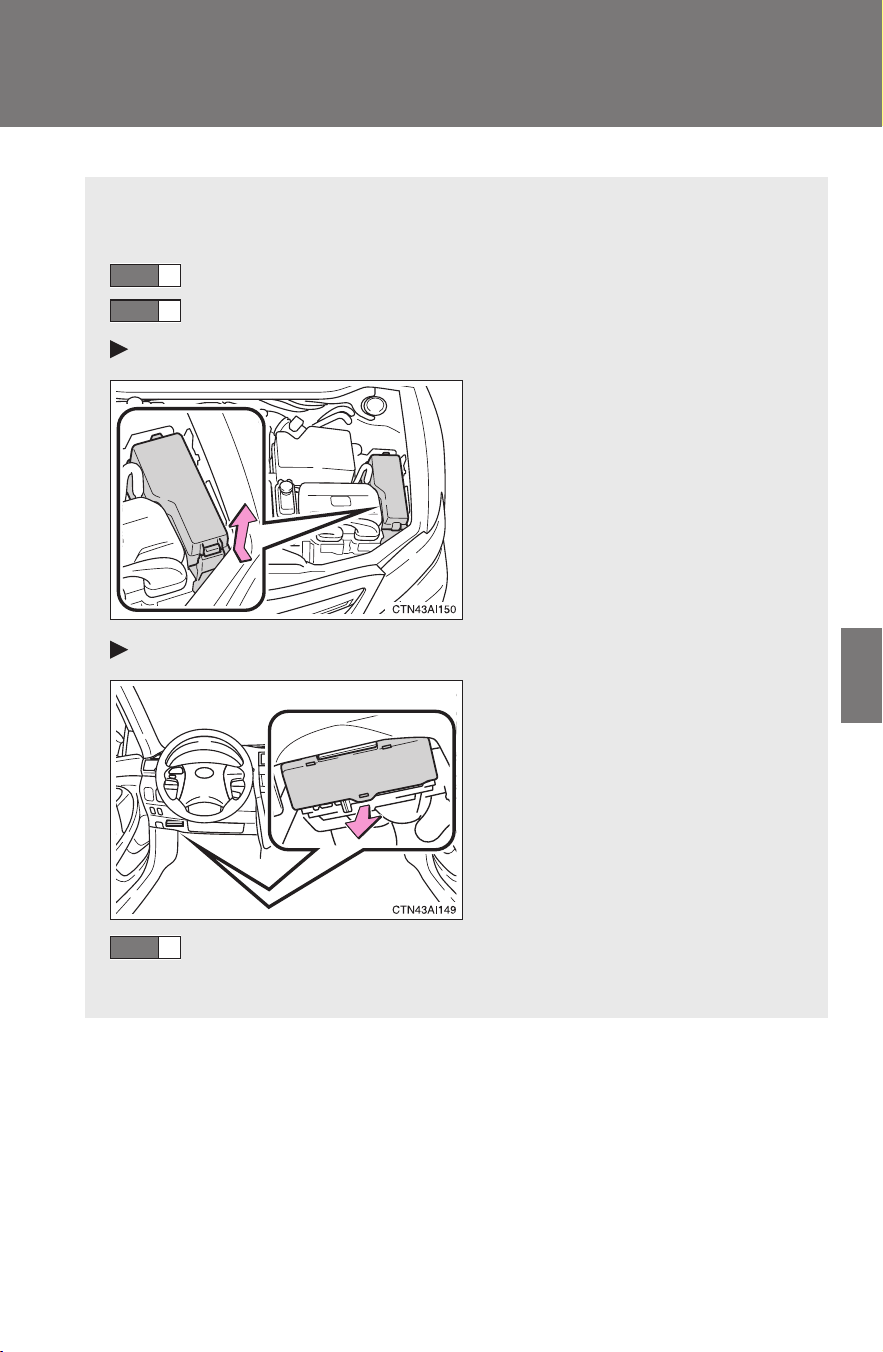
373
4-3. Do-it-yourself maintenance
4
Maintenance and care
CAMRY_HV_U
Checking and replacing fuses
If any of the electrical components do not operate, a fuse may have
blown. If this happens, check and replace the fuses as necessary.
Turn the “POWER” switch OFF.
Open the fuse box cover.
Engine compartment
Push the tab in and lift the lid
off.
Under the driver’s side instrument panel
Remove the lid.
After a system failure, see “Fuse layout and amperage rat-
ings” (→P. 375) for details about which fuse to check.
STEP
1
STEP
2
STEP
3
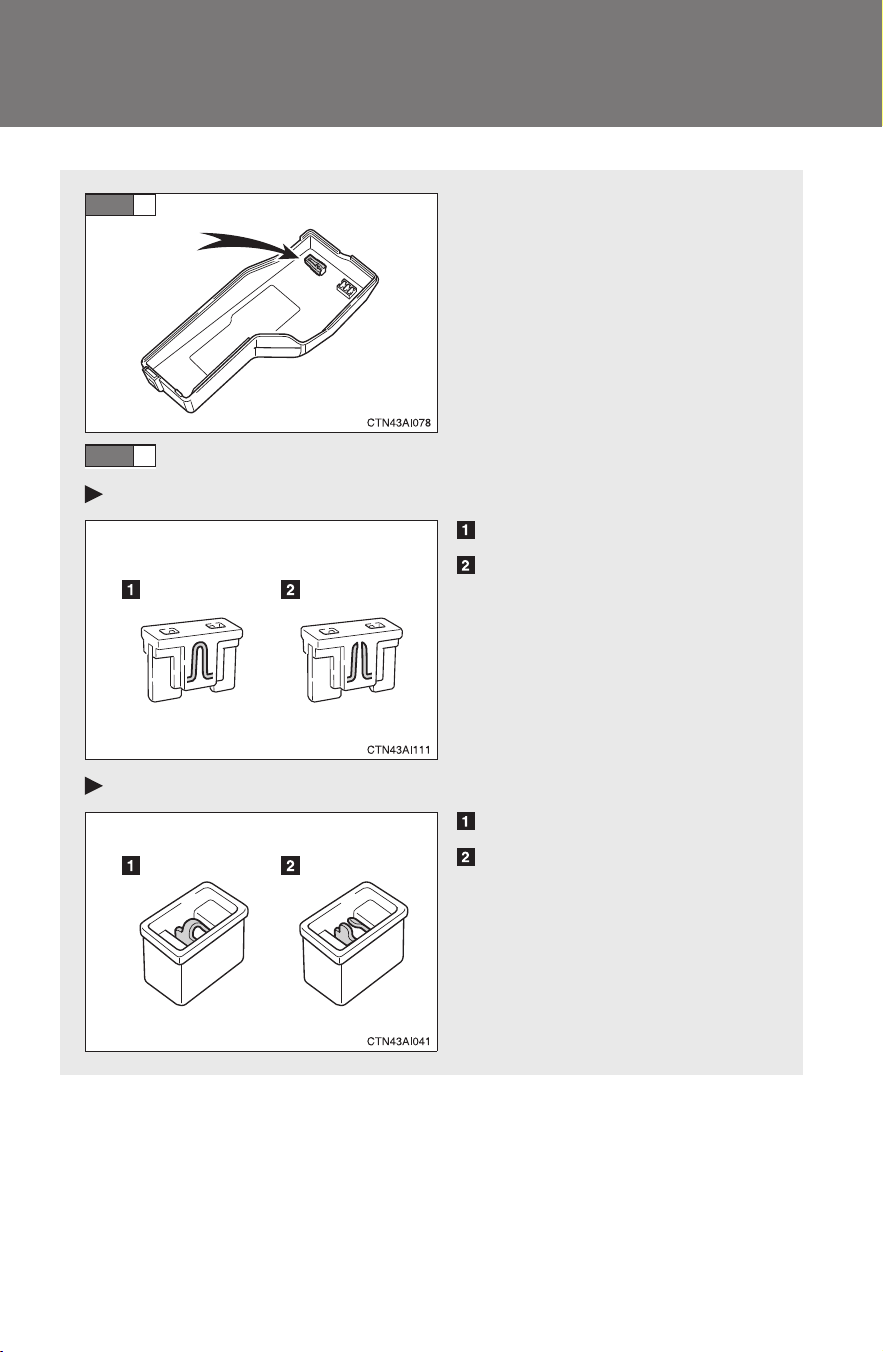
374
4-3. Do-it-yourself maintenance
CAMRY_HV_U
Take out the pullout tool.
Only type A fuse can be
removed using the pullout tool.
Check if the fuse has blown.
Type A
Normal fuse
Blown fuse
Replace it with one of an
appropriate amperage rating.
The amperage rating can be
found on the fuse box lid.
Type B
Normal fuse
Blown fuse
Replace it with one of an
appropriate amperage rating.
The amperage rating can be
found on the fuse box lid.
STEP
4
STEP
5
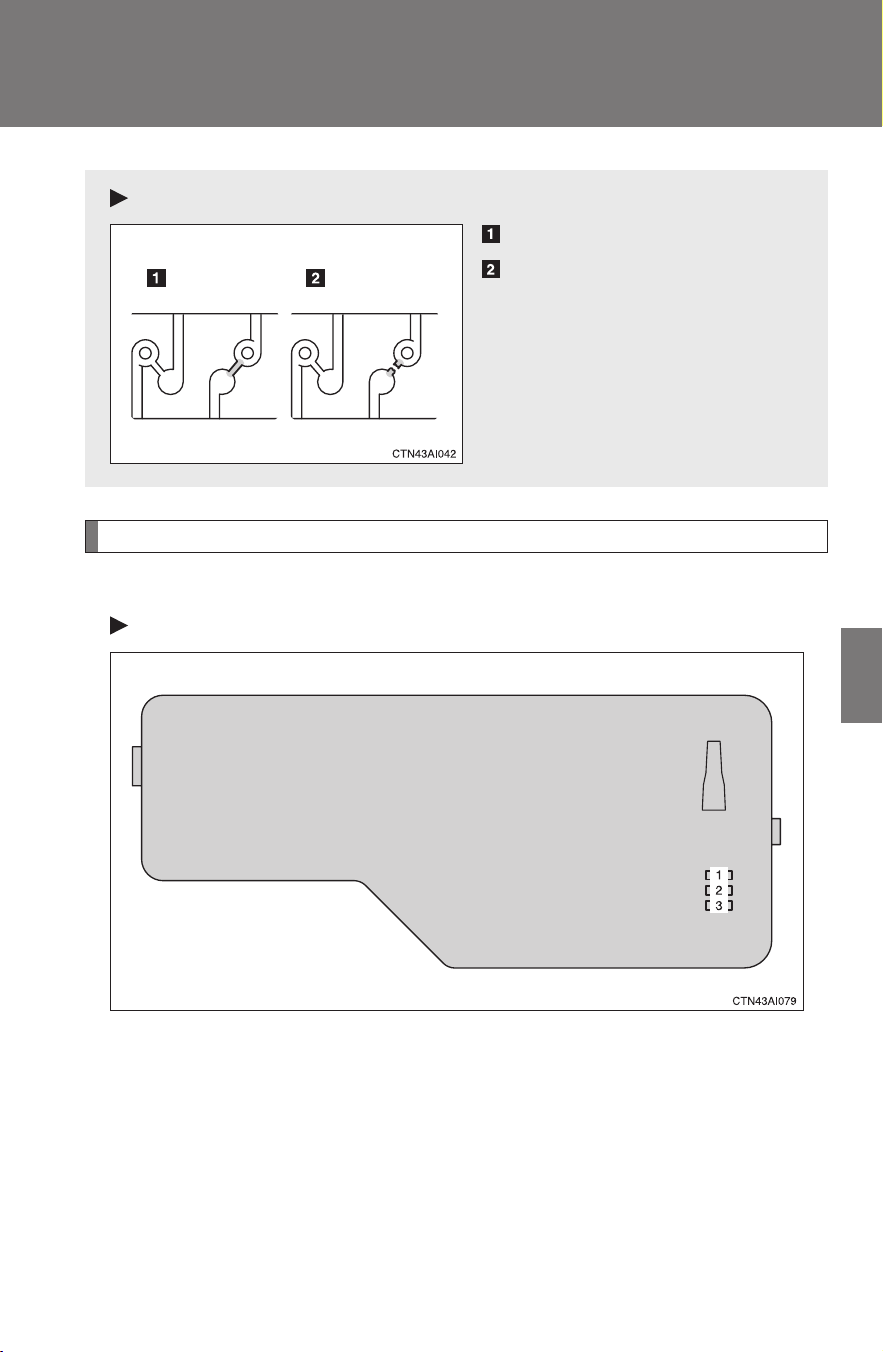
375
4-3. Do-it-yourself maintenance
4
Maintenance and care
CAMRY_HV_U
Fuse layout and amperage ratings
■ Engine compartment
Fuse box cover
Type C
Normal fuse
Blown fuse
Contact your Toyota dealer.
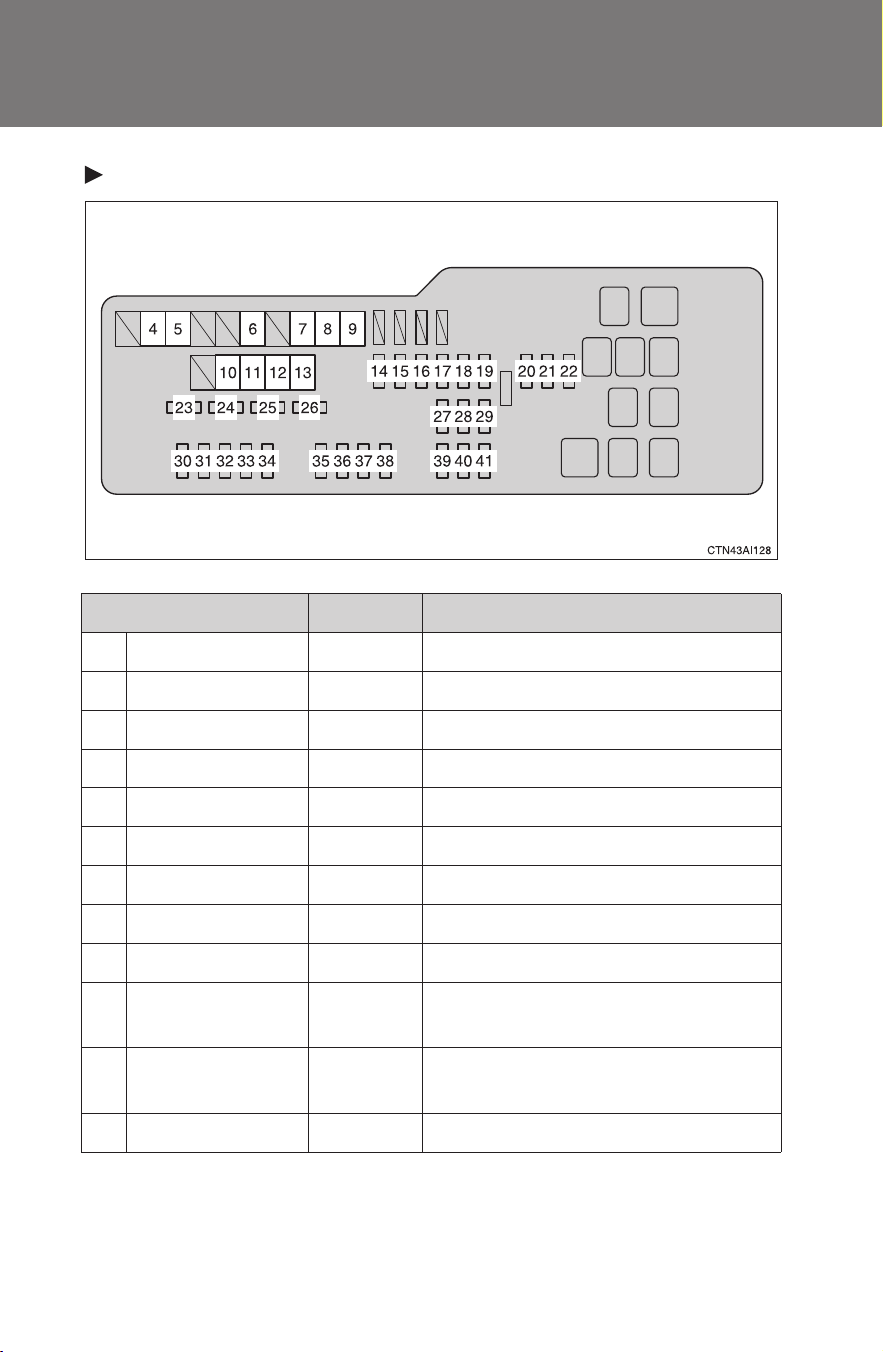
376
4-3. Do-it-yourself maintenance
CAMRY_HV_U
Fuse block
Fuse Ampere Circuit
1 SPARE 30 A Spare fuse
2 SPARE 15 A Spare fuse
3 SPARE 10 A Spare fuse
4 RDI FAN 40 A Electric cooling fans
5 CDS FAN 40 A Electric cooling fans
6 RR DEF 50 A Rear window defogger, MIR HTR
7 HTR SUB1 50 A PTC heater
8 HTR SUB2 50 A PTC heater
9 HTR 50 A Air conditioning system
10 ABS MTR1 50 A
Electronically controlled brake sys-
tem
11 ABS MTR2 40 A
Electronically controlled brake sys-
tem
12 EPS 80 A Electric power steering system

377
4-3. Do-it-yourself maintenance
4
Maintenance and care
CAMRY_HV_U
13 DC/DC 120 A
HTR, RR DEF, HTR SUB1, HTR
SUB2, RDI FAN, CDS FAN, TAIL,
PANEL, FR FOG, CIG, RADIO
No.2, ECU-ACC, PWR OUTLET,
GAUGE No.1, ECU-IG No.1, ECU-
IG No.2, H-LP LVL, WASH, A/C
No.2, S-HTR, WIP, P/SEAT, DOOR
No.2, POWER, RR DOOR LH, RR
DOOR RH, ECU-B No.2, OBD,
FUEL OPN, PWR, STOP, S/ROOF,
TI&TE, A/C, AM1
14 STR LOCK 20 A Steering lock system
15 IG2 20 A
Multiport fuel injection system/
sequential multiport fuel injection
system, starting system, GAUGE
NO.2, INJ, IGN
16 HAZ 15 A Emergency flashers
17 ETCS 10 A
Multiport fuel injection system/
sequential multiport fuel injection
system, hybrid system
18 BATT FAN 10 A Hybrid battery fan
19
ABS MAIN
NO.3
10 A
Electronically controlled brake sys-
tem
20
ABS MAIN
NO.1
10 A
Electronically controlled brake sys-
tem
21
ABS MAIN
NO.2
10 A
Electronically controlled brake sys-
tem
22 AM2 7.5 A Main body ECU
23 EFI MAIN 30 A
Multiport fuel injection system/
sequential multiport fuel injection
system, electronic throttle control
system, EFI NO.3
24 AMP 25 A Audio system
Fuse Ampere Circuit

378
4-3. Do-it-yourself maintenance
CAMRY_HV_U
25 IGCT 30 A Hybrid system ECU
26 DOOR NO.1 25 A Main body ECU, power door lock
27 RADIO NO.1 15 A Audio system, navigation system
28 ECU-B NO.1 10 A
Front passenger occupant classifi-
cation system, main body ECU
29 DOME 10 A
Gauges and meters, vanity lights,
trunk light, “POWER” switch light,
door courtesy lights, interior light,
personal lights, clock, smart key
system
30 H-LP(LH) 15 A Left-hand headlight (high beam)
31 H-LP(RH) 15 A Right-hand headlight (high beam)
32 H-LP(LL) 15 A Left-hand headlight (low beam)
33 H-LP(RL) 15 A Right-hand headlight (low beam)
34 HORN 10 A Horns
35 EFI NO.1 10 A
Multiport fuel injection system/
sequential multiport fuel injection
system, smart key system
36 MPX-B 10 A Gauges and meters
37 A/F 20 A No circuit
38 S-HORN 7.5 A No circuit
39 INV W/P 15 A
Hybrid system ECU, hybrid battery
(traction battery), DC/DC converter,
multiport fuel injection system/
sequential multiport fuel injection
system
40 IGCT No.2 10 A
Hybrid system ECU, motor genera-
tor ECU
41 EFI NO.3 10 A
Fuel tank system, multiport fuel
injection system/sequential multi-
port fuel injection system
Fuse Ampere Circuit
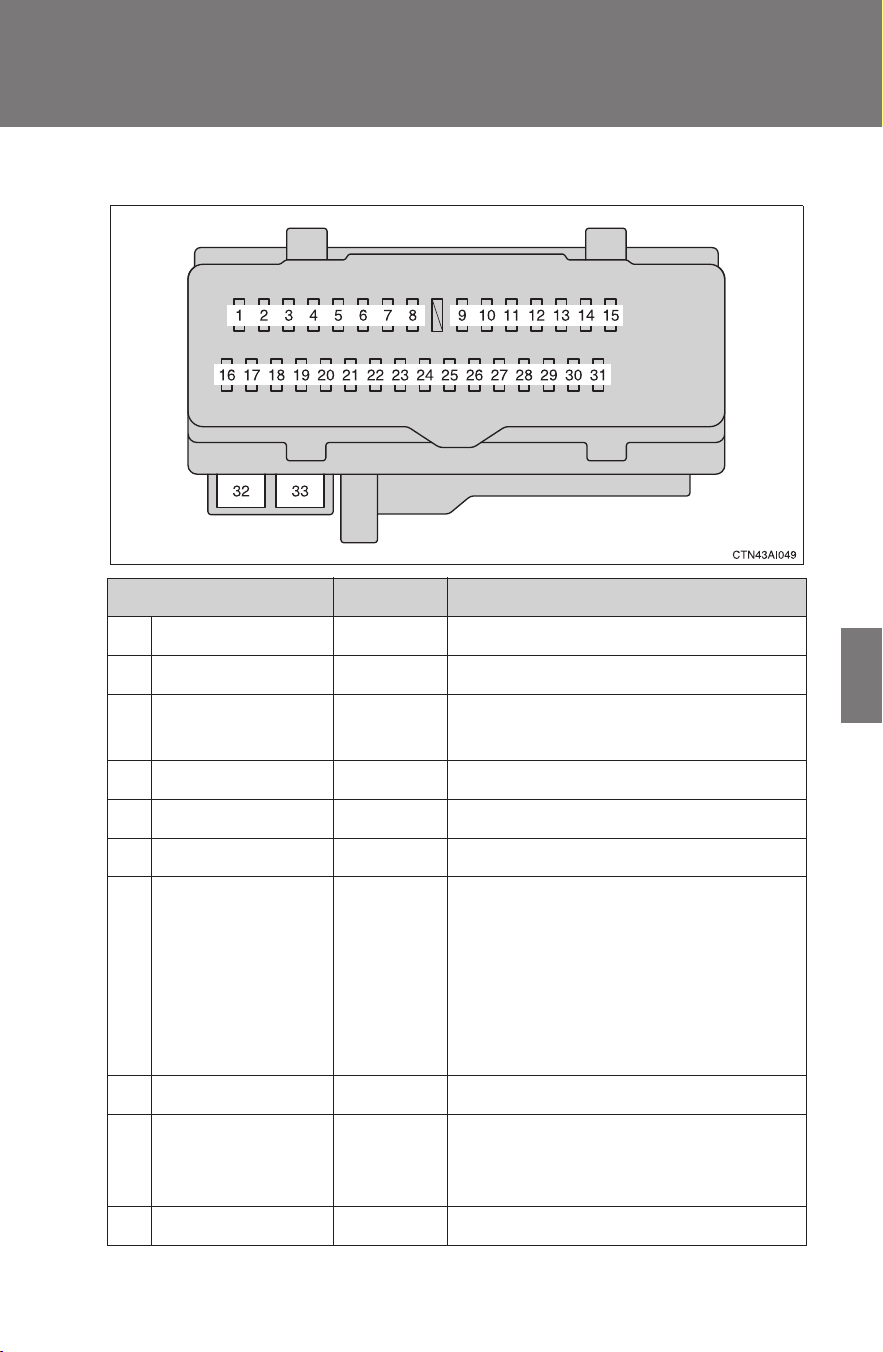
379
4-3. Do-it-yourself maintenance
4
Maintenance and care
CAMRY_HV_U
■ Under the instrument panel
Fuse Ampere Circuit
1 RR DOOR RH 25 A Rear right power window
2 RR DOOR LH 25 A Rear left power window
3 FUEL OPN 7.5 A
Fuel filter door opener, hybrid sys-
tem
4 FR FOG 15 A Front fog lights
5 OBD 7.5 A On-board diagnosis system
6 ECU-B NO.2 7.5 A Power windows
7 STOP 10 A
Stop lights, high mounted stop-
light, shift lock control system, mul-
tiport fuel injection system/
sequential multiport fuel injection
system, main body ECU, electroni-
cally controlled brake system, elec-
tronic throttle control system
8 TI&TE 30 A No circuit
9 AM1 7.5 A
Multiport fuel injection system/
sequential multiport fuel injection
system
10 A/C 7.5 A Air conditioning system

380
4-3. Do-it-yourself maintenance
CAMRY_HV_U
11 PWR 25 A Power windows
12 DOOR NO.2 25 A Main body ECU
13 S/ROOF 30 A Moon roof
14 TAIL 15 A
Front side marker/parking lights,
stop/tail lights, rear side marker
lights, license plate lights, front turn
signal lights, main body ECU
15 PANEL 7.5 A
Navigation system, seat heaters,
emergency flashers, air condition-
ing system, audio system, clock,
glove box light, instrument panel
lights, steering switches, rear win-
dow defogger
16 ECU IG NO.1 10 A
Main body ECU, electric moon
roof, tire pressure warning system,
auto anti-glare inside rear view mir-
ror, starting system, navigation sys-
tem
17 ECU IG NO.2 7.5 A
Electronically controlled brake sys-
tem, electric power steering sys-
tem, shift lock control system
18 A/C NO.2 10 A
Air conditioning system, rear win-
dow defogger
19 WASH 10 A Windshield wipers and washer
20 S-HTR 20 A Seat heaters
21 GAUGE NO.1 10 A Emergency flashers, back-up lights
22 WIP 25 A Windshield wipers and washer
23 H-LP LVL 7.5 A No circuit
24 INJ 15 A No circuit
Fuse Ampere Circuit

381
4-3. Do-it-yourself maintenance
4
Maintenance and care
CAMRY_HV_U
25 IGN 10 A
Multiport fuel injection system/
sequential multiport fuel injection
system, SRS airbag system, steer-
ing lock system, front passenger
occupant classification system,
smart key system, electronic throt-
tle control system
26 GAUGE NO.2 7.5 A Gauges and meters, clock
27 ECU-ACC 7.5 A
Clock, main body ECU, shift lock
control system, outside rear view
mirrors, smart key system
28 CIG 20 A No circuit
29 PWR OUTLET 20 A Power outlet
30 RADIO NO.2 7.5 A Audio system, navigation system
31 MIR HTR 10 A Outside rear view mirror defoggers
32 POWER 30 A Power windows
33 P/SEAT 30 A Power seat
■ After a fuse is replaced
● If the lights do not turn on even after the fuse has been replaced, a bulb
may need replacing. (→P. 383)
● If the replaced fuse blows again, have the vehicle inspected by your
Toyota dealer.
■ If there is an overload in the circuits
The fuses are designed to blow before the entire wiring harness is damaged.
Fuse Ampere Circuit
382
4-3. Do-it-yourself maintenance
CAMRY_HV_U
CAUTION
■ To prevent system breakdowns and vehicle fire
Observe the following precautions.
Failing to do so may cause damage, and possibly a fire or injury.
● Never use a fuse of a higher amperage rating than indicated, or use any
other object in place of a fuse.
● Always use a genuine Toyota fuse or equivalent.
Never replace a fuse with a wire, even as a temporary fix.
This can cause extensive damage or even fire.
● Do not modify the fuse or the fuse box.
NOTICE
■ Before replacing fuses
Have the cause of electrical overload determined and repaired by your
Toyota dealer, as soon as possible.
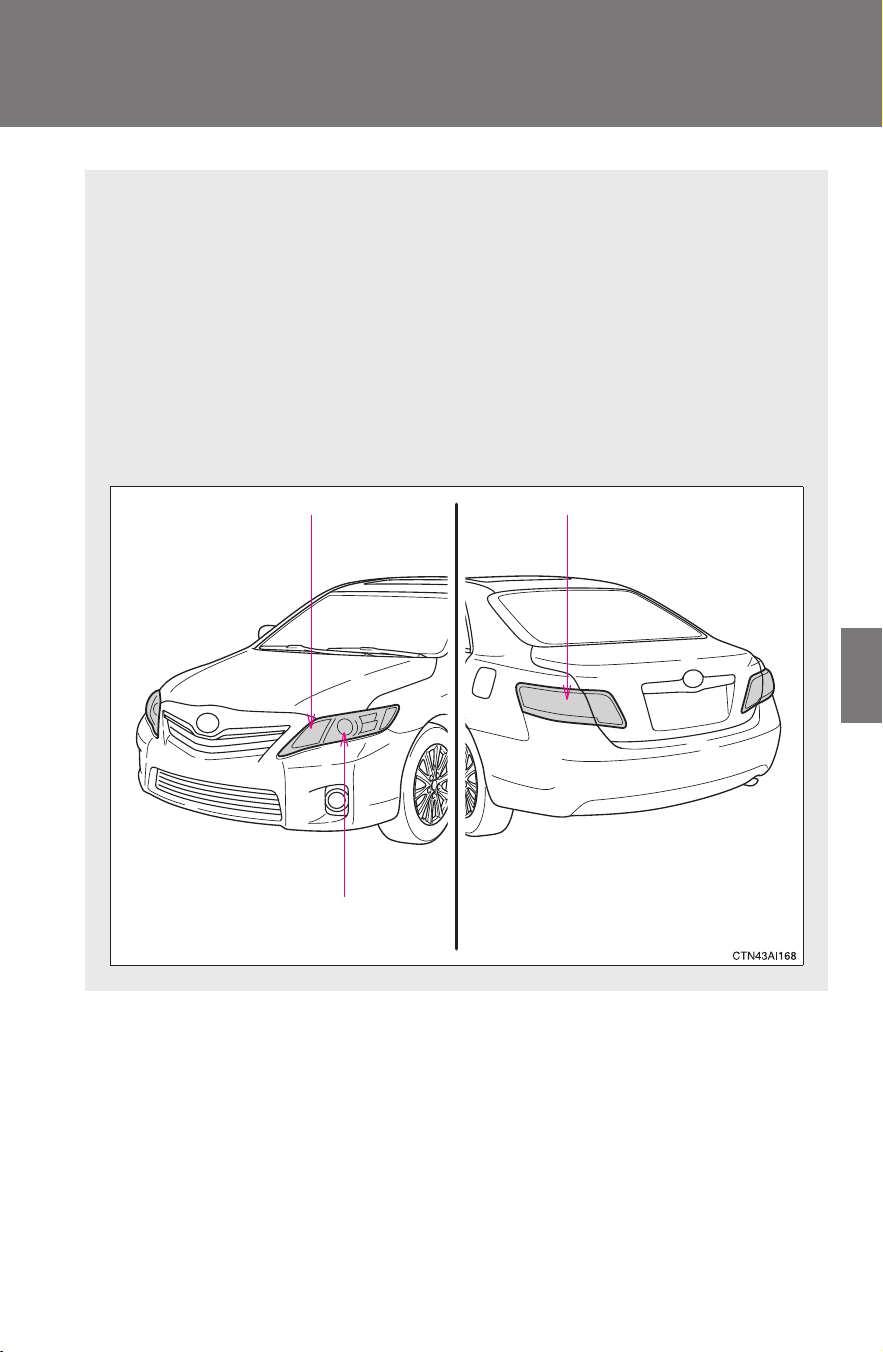
383
4-3. Do-it-yourself maintenance
4
Maintenance and care
CAMRY_HV_U
Light bulbs
You may replace the following bulbs yourself. The difficulty level of
replacement varies depending on the bulb. If necessary bulb
replacement seems difficult to perform, contact your Toyota dealer.
For more information about replacing other light bulbs, contact your
Toyota dealer.
■ Prepare a replacement light bulb.
Check the wattage of the light bulb being replaced. (→P. 454)
■ Bulb locations
Headlight high beam
Headlight low beam
Rear turn signal light
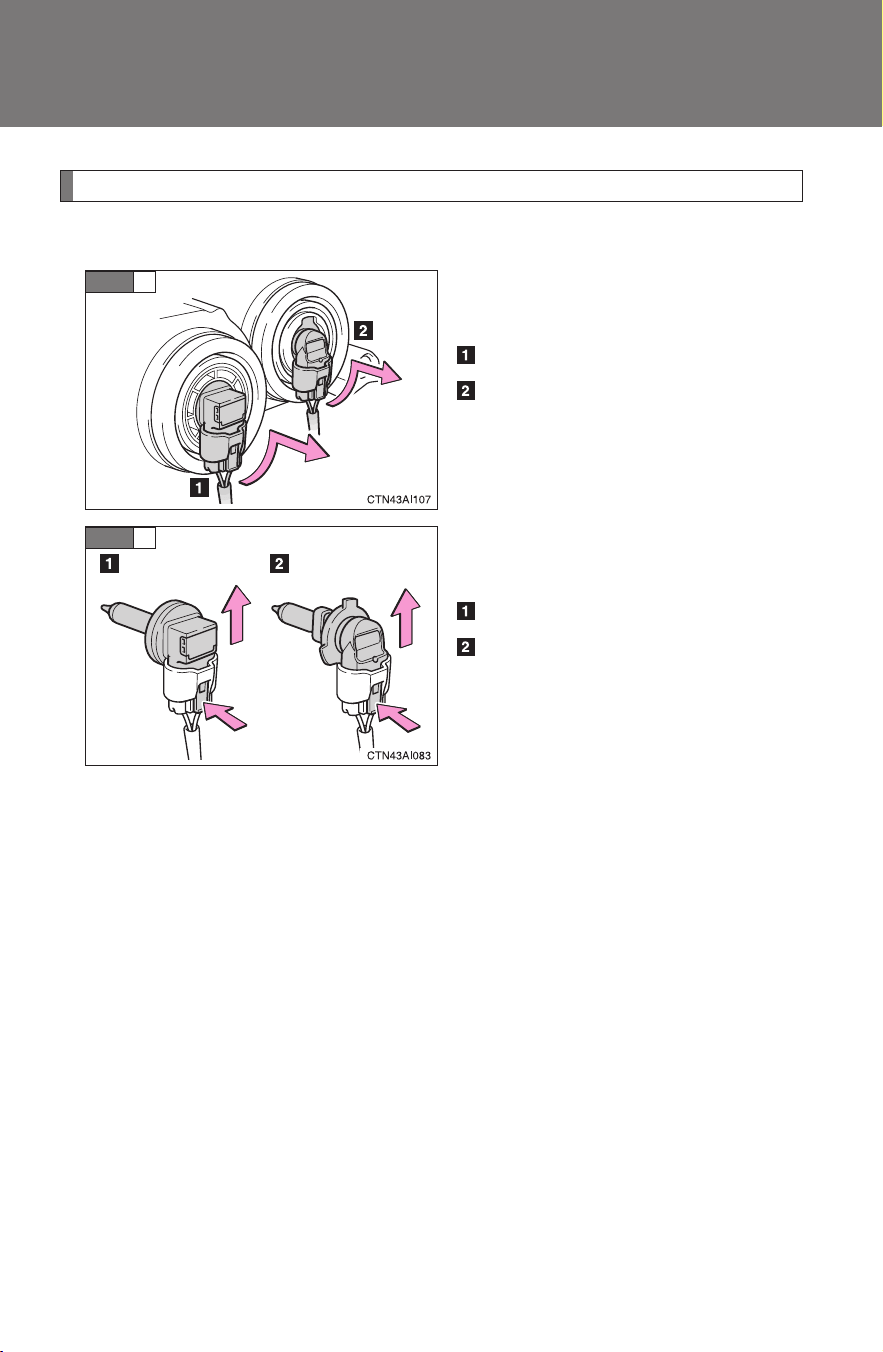
384
4-3. Do-it-yourself maintenance
CAMRY_HV_U
Replacing light bulbs
■ Headlights
Turn the bulb base counterclock-
wise.
Headlight (low beam)
Headlight (high beam)
Unplug the connector while
depressing the lock release.
Headlight (low beam)
Headlight (high beam)
STEP
1
STEP
2
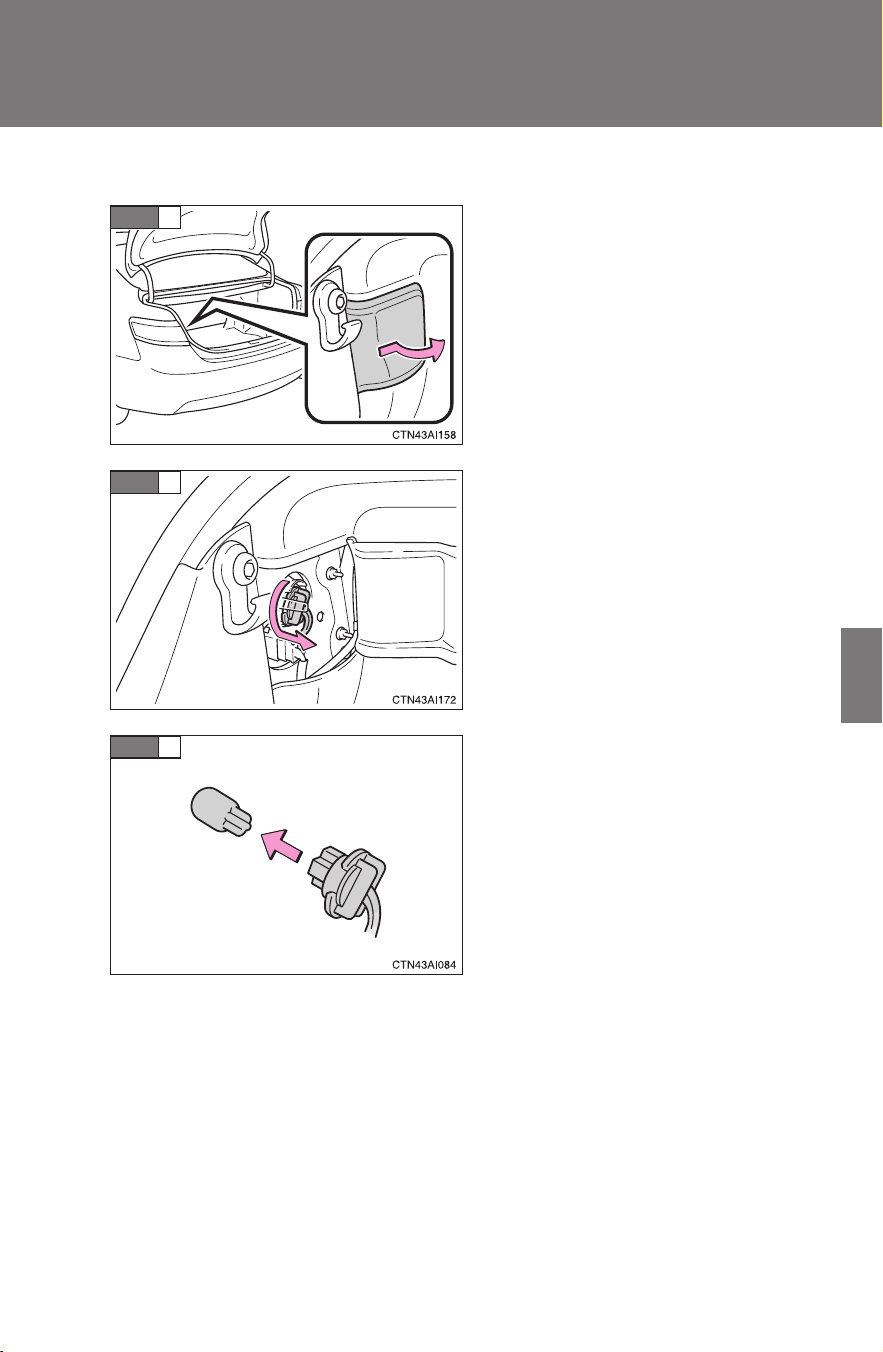
385
4-3. Do-it-yourself maintenance
4
Maintenance and care
CAMRY_HV_U
■ Rear turn signal lights
Open the trunk lid and remove
the cover.
Turn the bulb bases counter-
clockwise.
Remove the light bulb.
STEP
1
STEP
2
STEP
3

386
4-3. Do-it-yourself maintenance
CAMRY_HV_U
■ Lights other than the above
If any of the lights listed below has burnt out, have it replaced by
your Toyota dealer.
● Front fog lights (if equipped)
● Front turn signal lights
● High mounted stoplight
● Front side marker/parking lights
● Stop/tail lights
● Back-up lights
● License plate lights
● Rear side marker lights
■ Condensation build-up on the inside of the lens
Contact your Toyota dealer for more information in the following situations.
Temporary condensation build-up on the inside of the headlight lens does
not indicate a malfunction.
● Large drops of water have built up on the inside of the lens.
● Water has built up inside the headlight.
■ LED stop/tail lights and high mounted stoplight
The stop/tail lights and high mounted stoplight consists of a number of LEDs.
If any of the LEDs burn out, take your vehicle to your Toyota dealer to have
the light replaced.

387
4-3. Do-it-yourself maintenance
4
Maintenance and care
CAMRY_HV_U
CAUTION
■ Replacing light bulbs
● Turn off the headlights. Do not attempt to replace the bulb immediately
after turning off the headlights.
The bulbs become very hot and may cause burns.
● Do not touch the glass portion of the light bulb with bare hands. Hold the
bulb by the plastic or metal portion.
If the bulb is scratched or dropped it may blow out or crack.
● Fully install light bulbs and any parts used to secure them. Failing to do so
may result in heat damage, fire, or water entering the headlight unit. This
may damage the headlights or cause condensation to build up on the lens.
■ To prevent damage or fire
Make sure bulbs are fully seated and locked.

388
4-3. Do-it-yourself maintenance
CAMRY_HV_U

When trouble arises
5
389
CAMRY_HV_U
5-1. Essential information
Emergency flashers ......... 390
If your vehicle needs to
be towed ........................ 391
If you think something is
wrong ............................. 394
Event data recorder ......... 395
5-2. Steps to take in an
emergency
If a warning light turns
on or a warning buzzer
sounds... ....................... 397
If a warning message is
displayed........................ 406
If you have a flat tire......... 417
If the hybrid system will
not start.......................... 427
If the shift lever cannot
be shifted from P............ 429
If you lose your keys ........ 430
If the electronic key does
not operate properly....... 431
If the vehicle’s 12-volt
battery is discharged...... 434
If your vehicle
overheats ....................... 438
If the vehicle becomes
stuck .............................. 442
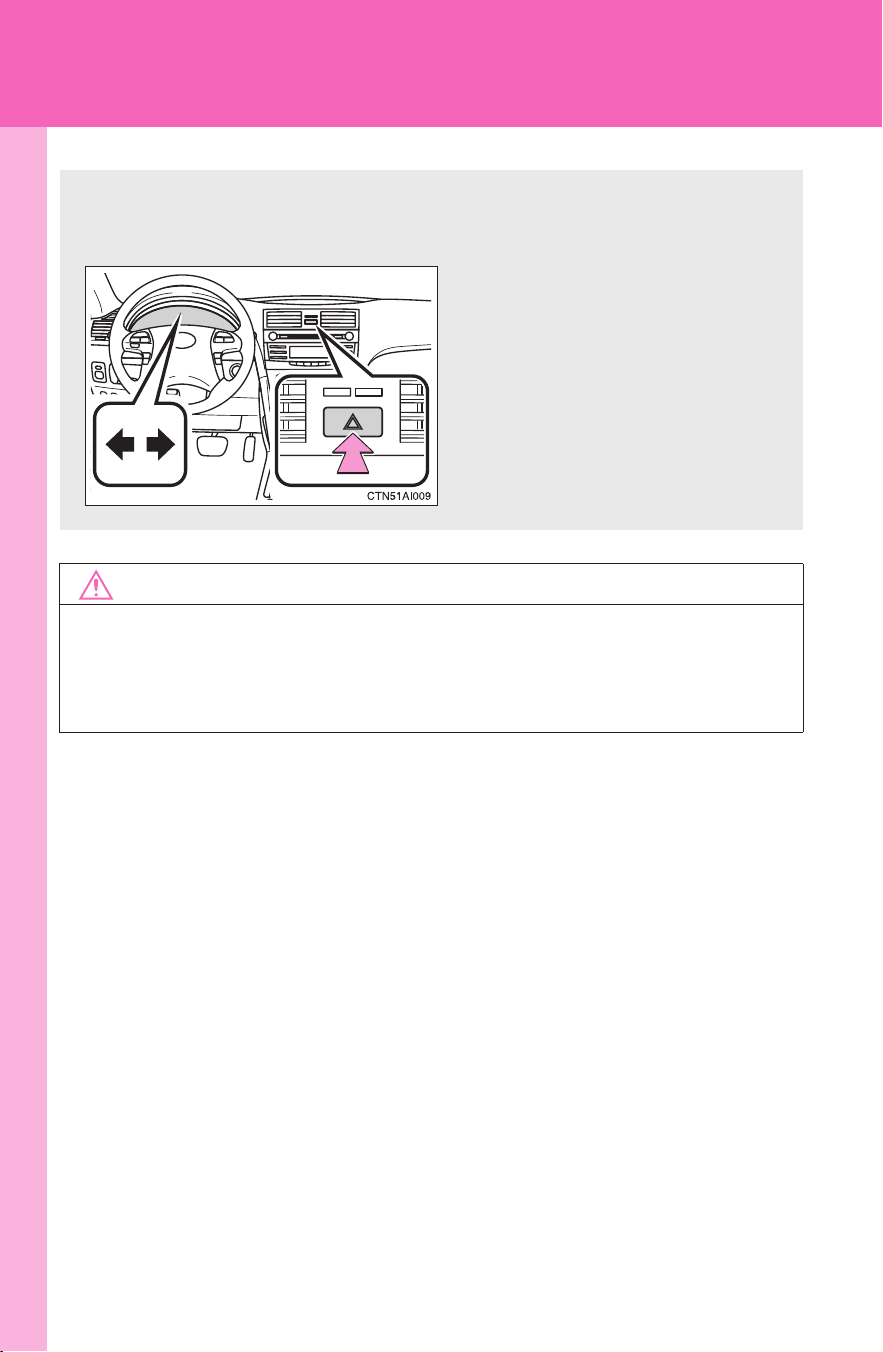
390
CAMRY_HV_U
5-1. Essential information
Emergency flashers
NOTICE
■ To prevent battery discharge
Do not leave the emergency flashers on longer than necessary when the
hybrid system is not operating.
Use the emergency flashers if the vehicle malfunctions or is
involved in an accident.
Press the switch to flash all
the turn signal lights. To turn
them off, press the switch
once again.

5
When trouble arises
391
5-1. Essential information
CAMRY_HV_U
If your vehicle needs to be towed
Before towing
The following may indicate a problem with your transmission. Contact
your Toyota dealer before towing.
● The hybrid system is operating, but the vehicle will not move.
● The vehicle makes an abnormal sound.
If towing is necessary, we recommend having your vehicle towed by
your Toyota dealer or a commercial towing service, using a lift-type
truck or a flat bed truck.
Use a safety chain system for all towing, and abide by all state/pro-
vincial and local laws.
If towing from the front, the vehicle's rear wheels and axles must be
in good condition. (→P. 392)
If they are damaged, use a towing dolly or flat bed truck.
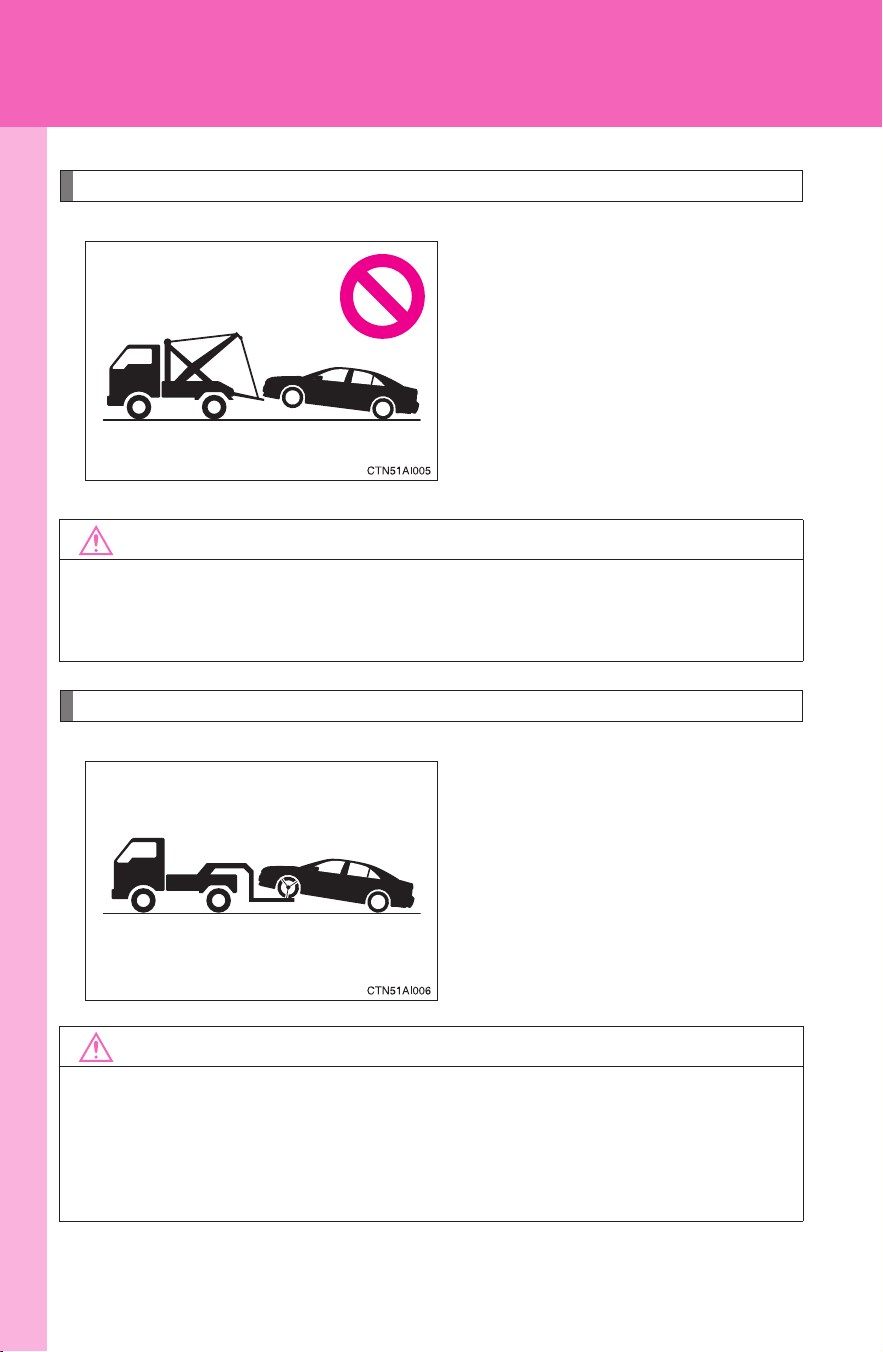
392
5-1. Essential information
CAMRY_HV_U
Towing with a sling-type truck
Towing with a wheel-lift type truck from the front
Release the parking brake.
NOTICE
■ To prevent body damage
Do not tow with a sling-type truck, either from the front or rear.
NOTICE
■ To prevent damaging the vehicle
When raising the vehicle, ensure adequate ground clearance for towing at
the opposite end of the raised vehicle. Without adequate clearance, the
vehicle could be damaged while being towed.
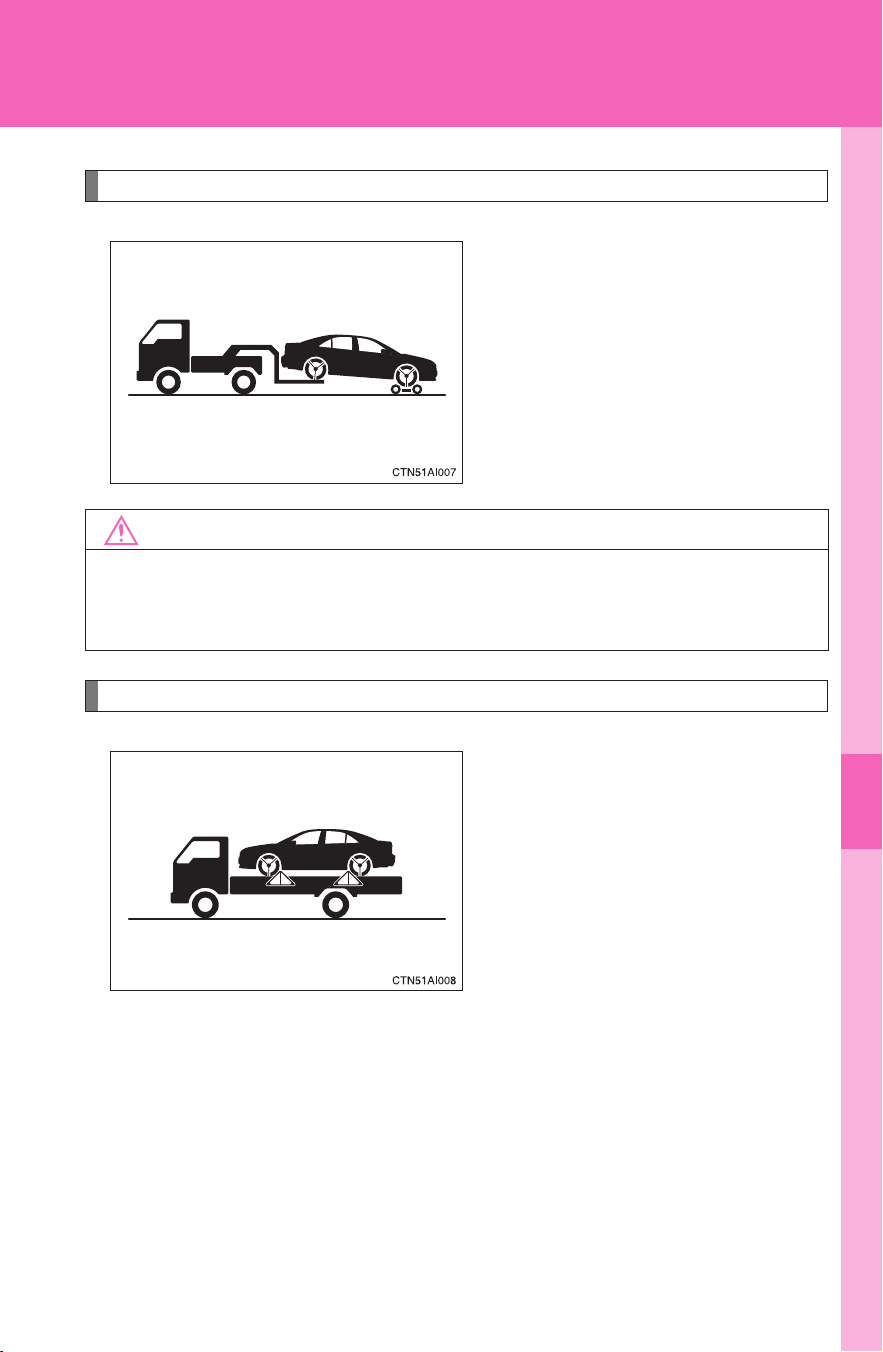
5
When trouble arises
393
5-1. Essential information
CAMRY_HV_U
Towing with a wheel-lift type truck from the rear
Use a towing dolly under the
front wheels.
Using a flat bed truck
If you use chains or cables to tie
down your vehicle, the angles
shaded in black must be 45°.
Do not overly tighten the tie
downs or the vehicle may be
damaged.
NOTICE
■ To prevent causing serious damage to the transmission
Never tow this vehicle from the rear with the front wheels on the ground.

394
5-1. Essential information
CAMRY_HV_U
If you think something is wrong
If you notice any of the following symptoms, your vehicle probably
needs adjustment or repair. Contact your Toyota dealer as soon as
possible.
■ Visible symptoms
● Fluid leaks under the vehicle
(Water dripping from the air conditioning after use is normal.)
● Flat-looking tires or uneven tire wear
● Engine coolant temperature gauge needle continually points
higher than normal
■ Audible symptoms
● Changes in exhaust sound
● Excessive tire squeal when cornering
● Strange noises related to the suspension system
● Pinging or other noises related to the hybrid system
■ Operational symptoms
● Engine missing, stumbling or running rough
● Appreciable loss of power
● Vehicle pulls heavily to one side when braking
● Vehicle pulls heavily to one side when driving on a level road
● Loss of brake effectiveness, spongy feeling, pedal almost
touches the floor

5
When trouble arises
395
5-1. Essential information
CAMRY_HV_U
Event data recorder
In a crash or a near car crash event
The SRS airbag sensor assembly contains the EDR. In a crash or a
near car crash event, this device may record some or all of the follow-
ing information:
● Gasoline engine speed
● Whether the brake pedal was applied or not
● Vehicle speed
● To what extent the accelerator pedal was depressed
● Position of the transmission shift lever
● Whether the driver and front passenger wore seat belts or not
● Driver's seat position
● Front passenger’s occupant classification
● SRS airbag deployment data
● SRS airbag system diagnostic data
● Front passenger’s occupant classification
The information above is intended to be used for the purpose of
improving vehicle safety performance. Unlike general data recorders,
the EDR does not record sound data such as conversation between
passengers.
Your vehicle has computers that monitor and control certain aspects
of your vehicle. These computers assist in driving and maintaining
optimal vehicle performance.
Besides storing data useful for troubleshooting, there is an event
data recorder (EDR) that records data in a crash or a near car
crash event.

396
5-1. Essential information
CAMRY_HV_U
Disclosure of the data
Toyota will not disclose the data recorded in an EDR to a third party
except when:
● An agreement from the vehicle's owner (or the leasing company for
a leased vehicle) is obtained
● Officially requested by the police or other authorities
● Used as a defense for Toyota in a law suit
● Ordered by a court law
However, if necessary Toyota will:
● Use the data for research on Toyota vehicle safety performance
● Disclose the data to a third party for research purposes without dis-
closing details of the vehicle owner, and only when it is deemed
necessary
● Disclose summarized data cleared of vehicle identification informa-
tion to a non-Toyota organization for research purposes
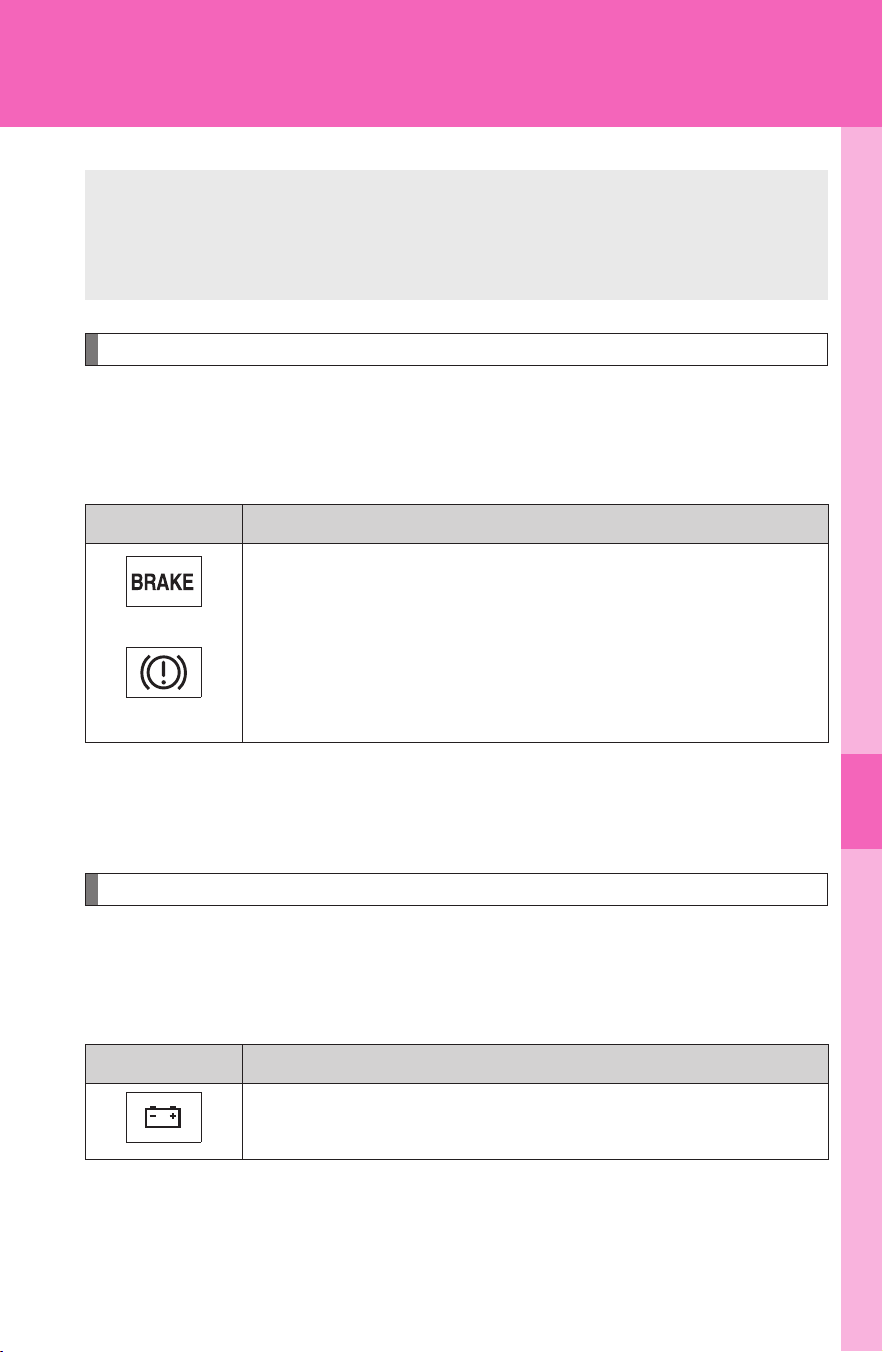
5
When trouble arises
397
CAMRY_HV_U
5-2. Steps to take in an emergency
If a warning light turns on or a warning buzzer sounds...
Stop the vehicle immediately. Continuing to drive the vehicle may be dangerous.
The following warning indicates a possible problem in the brake sys-
tem. Immediately stop the vehicle in a safe place and contact your
Toyota dealer.
*: Parking brake engaged warning buzzer: The buzzer sounds to indicate that
the parking brake is still engaged (with the vehicle having reached a speed
of 3 mph [5 km/h]).
Stop the vehicle immediately.
The following warning indicates the possibility of damage to the vehi-
cle that may lead to an accident. Immediately stop the vehicle in a
safe place and contact your Toyota dealer.
Warning light Warning light/Details
(U.S.A.)
(Canada)
Brake system warning light (red indicator) and warning
buzzer*
• Low brake fluid
• Malfunction in the electronically controlled brake system
This light also comes on when the parking brake is not
released. If the light turns off after the parking brake is fully
released the system is operating normally.
Warning light Warning light/Details
Charging system warning light
Indicates a malfunction in the vehicle’s charging system.
Calmly perform the following actions if any of the warning lights turn
on or flash. If a light turns on or flashes, but then turns off, this does
not necessarily indicate a malfunction in the system.
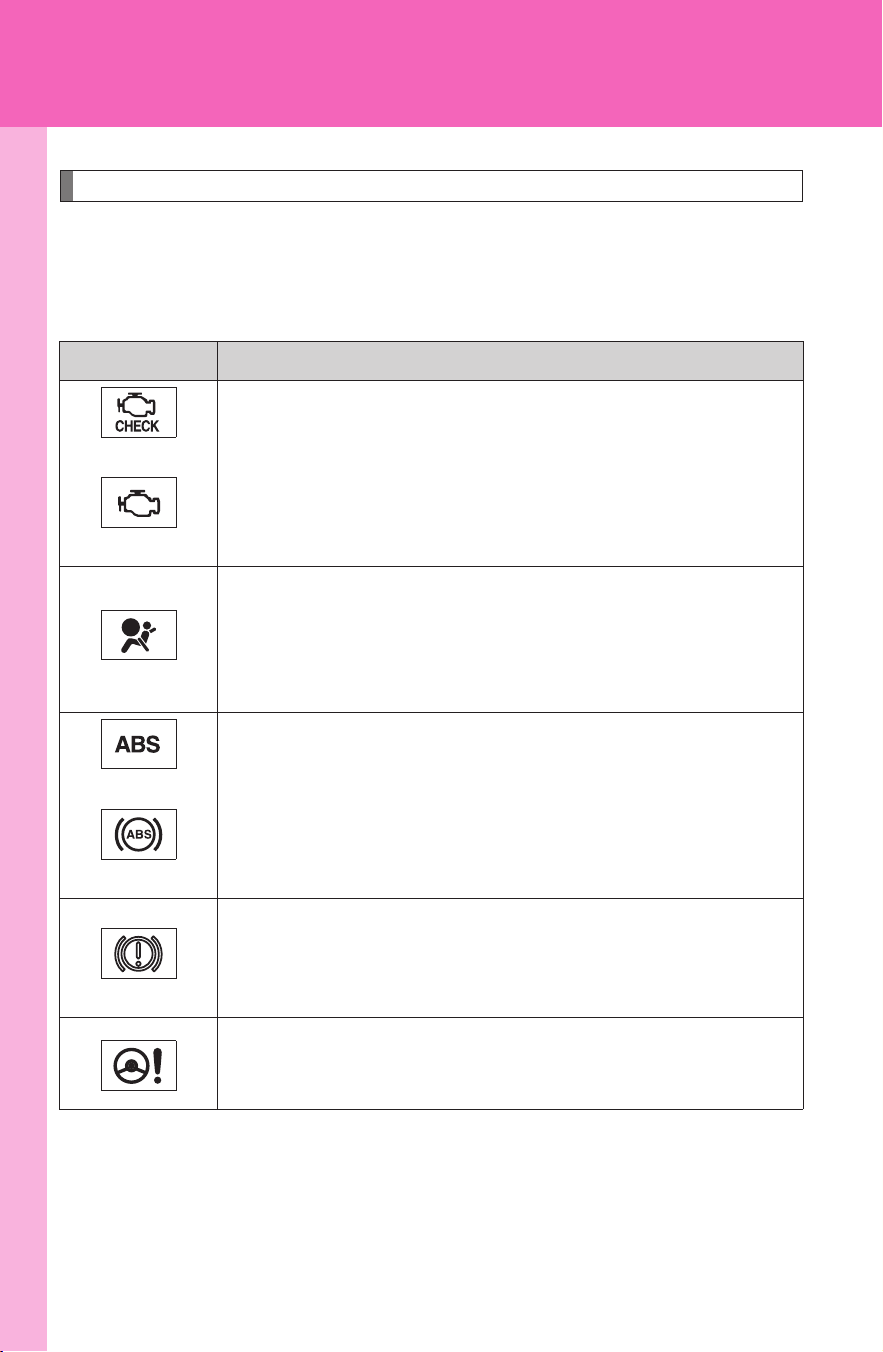
398
5-2. Steps to take in an emergency
CAMRY_HV_U
Have the vehicle inspected immediately.
Failing to investigate the cause of the following warnings may lead to
the system operating abnormally and possibly cause an accident.
Have the vehicle inspected by your Toyota dealer immediately.
Warning light Warning light/Details
(U.S.A.)
(Canada)
Malfunction indicator lamp
Indicates a malfunction in:
• The electronic engine control system;
• The electronic throttle control system; or
• The transmission control system.
SRS warning light
Indicates a malfunction in:
• The SRS airbag system;
• The front passenger occupant classification system; or
• The seat belt pretensioner system.
(U.S.A.)
(Canada)
ABS warning light
Indicates a malfunction in:
• ABS; or
• The brake assist system.
Brake system warning light (yellow indicator)
Indicates a malfunction in:
• The regenerative braking system; or
• The electronically controlled brake system.
Electric power steering warning light
Indicates a malfunction in the EPS (Electric Power Steering)
system.

5
When trouble arises
399
5-2. Steps to take in an emergency
CAMRY_HV_U
■ If the malfunction indicator lamp comes on while driving
First check the following:
● Is the fuel tank empty?
If it is, fill the fuel tank immediately.
● Is the fuel tank cap loose?
If it is, tighten it securely.
The light will go off after taking several driving trips.
If the light does not go off even after several trips, contact your Toyota dealer
as soon as possible.
■ Brake system warning light operation
The following does not indicate a malfunction:
● After the hybrid system is turned on, the red and yellow brake system
warning lights may stay on for about 60 seconds.
● Depressing the brake pedal repeatedly may turn on the red brake system
warning light and buzzer.
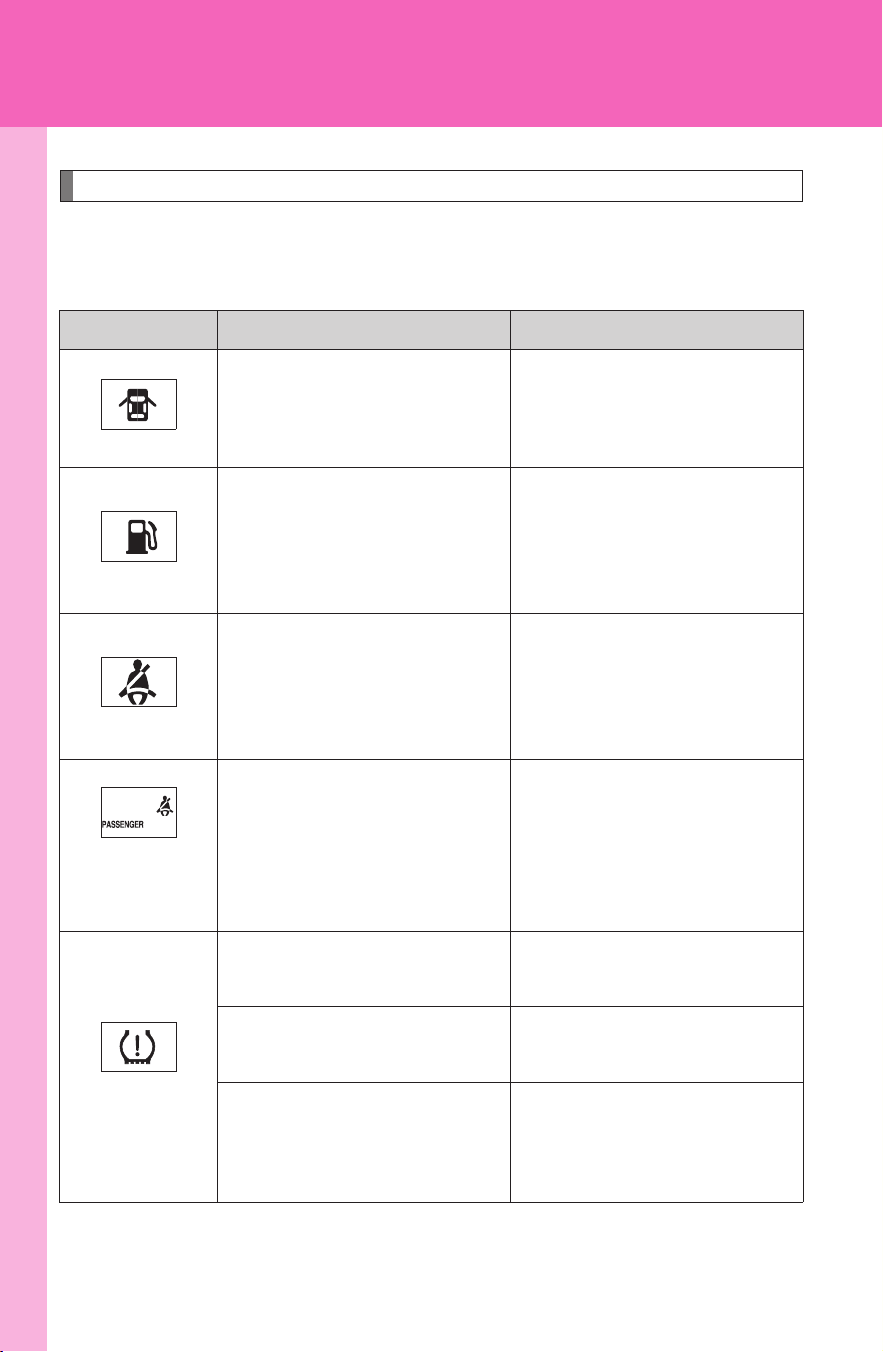
400
5-2. Steps to take in an emergency
CAMRY_HV_U
Follow the correction procedures.
After taking the specified steps to correct the suspected problem,
check that the warning light turns off.
Warning light Warning light/Details Correction procedure
Open door warning light
(warning buzzer)
*1
Indicates that a door or the
trunk is not fully closed.
Check that all doors and the
trunk are closed.
Low fuel level warning
light
Indicates that remaining
fuel is about 2.5 gal. (9.8
L, 2.1 lmp. gal.) or less
Refuel the vehicle.
Driver’s seat belt
reminder light
(warning buzzer)
*2
Warns the driver to fasten
his/her seat belt.
Fasten the seat belt.
(on the center
panel)
Front passenger’s seat
belt reminder light
(warning buzzer)
*2
Warns the front passen-
ger to fasten his or her
seat belt.
Fasten the seat belt.
(U.S.A.)
Tire pressure warning
light
When the light comes on:
Low tire inflation pressure.
Adjust the tire inflation
pressure.
When the light comes on
after blinking for 1 minute:
Malfunction in the tire
pressure warning system.
Have the system checked
by your Toyota dealer.

5
When trouble arises
401
5-2. Steps to take in an emergency
CAMRY_HV_U
*1
: Open door warning buzzer:
The open door warning buzzer sounds to alert the driver that one or more of
the doors is not fully closed (with the vehicle having reached a speed of 3
mph [5 km/h]).
*
2
:Driver's and front passenger’s seat belt reminders:
The driver’s and front passenger’s seat belts reminder sound to alert the
driver and front passenger that his or her seat belt is not fastened. The
buzzer sounds intermittently for 10 seconds after the vehicle has reached a
speed of at least 12 mph (20 km/h). Then, if the seat belt is still unfastened,
the buzzer will sound in a different tone for 20 more seconds.
Master warning light
A buzzer sounds and the
warning light comes on
and flashes to indicate that
the master warning system
has detected a malfunc-
tion.
→P. 406
■ Front passenger detection sensor and passenger seat belt reminder
● If luggage is placed on the front passenger seat, the front passenger
detection sensor may cause the warning light to flash, even if a passen-
ger is not sitting in the seat.
● If a cushion is placed on the seat, the sensor may not detect a passen-
ger, and the warning light may not operate properly.
■
When the tire pressure warning light comes on
Check the tire inflation pressure and adjust to the appropriate level.
Pushing the tire pressure warning reset switch does not turn off the tire
pressure warning light.
■ The tire pressure warning light may turn on due to natural causes
The tire pressure warning light may turn on due to natural causes such
as natural air leaks or tire inflation pressure changes caused by temper-
ature. In this case, adjusting the tire inflation pressure will turn off the
warning light (after a few minutes).
Warning light Warning light/Details Correction procedure

402
5-2. Steps to take in an emergency
CAMRY_HV_U
■ When a tire is replaced with a spare tire
The compact spare tire is not equipped with the tire pressure warning
valve and transmitter. If a tire goes flat, the tire pressure warning light will
not turn off even though the flat tire is replaced with the spare tire.
Replace the spare tire with the repaired tire and adjust the proper tire
inflation pressure. The tire pressure warning light will turn off after a few
minutes.
■ If the tire pressure warning system is inoperative
The tire pressure warning system will be disabled in the following condi-
tions:
(When the condition becomes normal, the system will work properly.)
● If tires not equipped with tire pressure warning valves and transmit-
ters are used.
● If the ID code on the tire pressure warning valves and transmitters is
not registered in the tire pressure warning computer.
● If the tire inflation pressure is 73 psi (500 kPa, 5.1 kgf/cm
2
or bar) or
higher.
The tire pressure warning system may be disabled in the following condi-
tions:
(When the condition becomes normal, the system will work properly.)
● If electronic devices or facilities using similar radio wave frequencies
are nearby.
● If a radio set at similar frequencies is in use in the vehicle.
● If a window tint that affects the radio wave signals is installed.
● If there is a lot of snow or ice on the vehicle, in particular around the
wheels or wheel housings.
● If non-genuine Toyota wheels are used. (Even if you use Toyota
wheels, the tire pressure warning system may not work properly with
some types of tires.)
● If tire chains are used.
■ If the tire pressure warning light comes on after blinking frequently
for 1 minute
If the tire pressure warning light comes on after blinking frequently for 1
minute when the “POWER” switch is turned to ON mode, have it
checked by your Toyota dealer.

5
When trouble arises
403
5-2. Steps to take in an emergency
CAMRY_HV_U
■ Customization that can be configured at Toyota dealer
The vehicle speed linked seat belt reminder buzzer can be disabled.
(Customizable features →P. 470)
However, Toyota recommends that the seat belt reminder buzzer be opera-
tional to alert the driver and front passenger that the seat belts are not fas-
tened.
CAUTION
■ If the tire pressure warning light comes on
Be sure to observe the following precautions. Failure to do so could
cause loss of vehicle control and result in death or serious injury.
● Stop your vehicle in a safe place as soon as possible. Adjust the tire
inflation pressure immediately.
● If the tire pressure warning light comes on even after tire inflation pres-
sure adjustment, it is probable that you have a flat tire. Check the tires.
If the tire is flat, change to the spare tire and have the flat tire repaired
by the nearest Toyota dealer.
● Avoid abrupt maneuvering and braking. If the vehicle tires deteriorate,
you could lose control of the steering wheel or the brakes.
■ If a blowout or sudden air leakage should occur
The tire pressure warning system may not activate immediately.

404
5-2. Steps to take in an emergency
CAMRY_HV_U
CAUTION
■ Maintenance of the tires
Each tire, including the spare (if provided), should be checked monthly
when cold and inflated to the inflation pressure recommended by the
vehicle manufacturer on the vehicle placard or tire inflation pressure
label (tire and load information label). (If your vehicle has tires of a differ-
ent size than the size indicated on the vehicle placard or tire inflation
pressure label [tire and load information label], you should determine the
proper tire inflation pressure for those tires.)
As an added safety feature, your vehicle has been equipped with a tire
pressure monitoring system (TPMS-tire pressure warning system) that
illuminates a low tire pressure telltale (tire pressure warning light) when
one or more of your tires is significantly under-inflated. Accordingly,
when the low tire pressure telltale (tire pressure warning light) illumi-
nates, you should stop and check your tires as soon as possible, and
inflate them to the proper pressure. Driving on a significantly under-
inflated tire causes the tire to overheat and can lead to tire failure.
Under-inflation also reduces fuel efficiency and tire tread life, and may
affect the vehicle's handling and stopping ability.
Please note that the TPMS (tire pressure warning system) is not a sub-
stitute for proper tire maintenance, and it is the driver's responsibility to
maintain correct tire pressure, even if under-inflation has not reached the
level to trigger illumination of the TPMS low tire pressure telltale (tire
pressure warning light).
5
When trouble arises
405
5-2. Steps to take in an emergency
CAMRY_HV_U
CAUTION
Your vehicle has also been equipped with a TPMS (tire pressure warning
system) malfunction indicator to indicate when the system is not operat-
ing properly. The TPMS (tire pressure warning system) malfunction indi-
cator is combined with the low tire pressure telltale (tire pressure
warning light). When the system detects a malfunction, the telltale will
flash for approximately one minute and then remain continuously illumi-
nated. This sequence will continue upon subsequent vehicle start-ups as
long as the malfunction exists. When the malfunction indicator is illumi-
nated, the system may not be able to detect or signal low tire pressure
as intended.
TPMS (tire pressure warning system) malfunctions may occur for a vari-
ety of reasons, including the installation of replacement or alternate tires
or wheels on the vehicle that prevent the TPMS (tire pressure warning
system) from functioning properly. Always check the TPMS (tire pres-
sure warning system) malfunction telltale after replacing one or more
tires or wheels on your vehicle to ensure that the replacement or alter-
nate tires and wheels allow the TPMS (tire pressure warning system) to
continue to function properly.
NOTICE
■ Precaution when installing a different tire
When a tire of a different specification or maker is installed, the tire pres-
sure warning system may not operate properly.
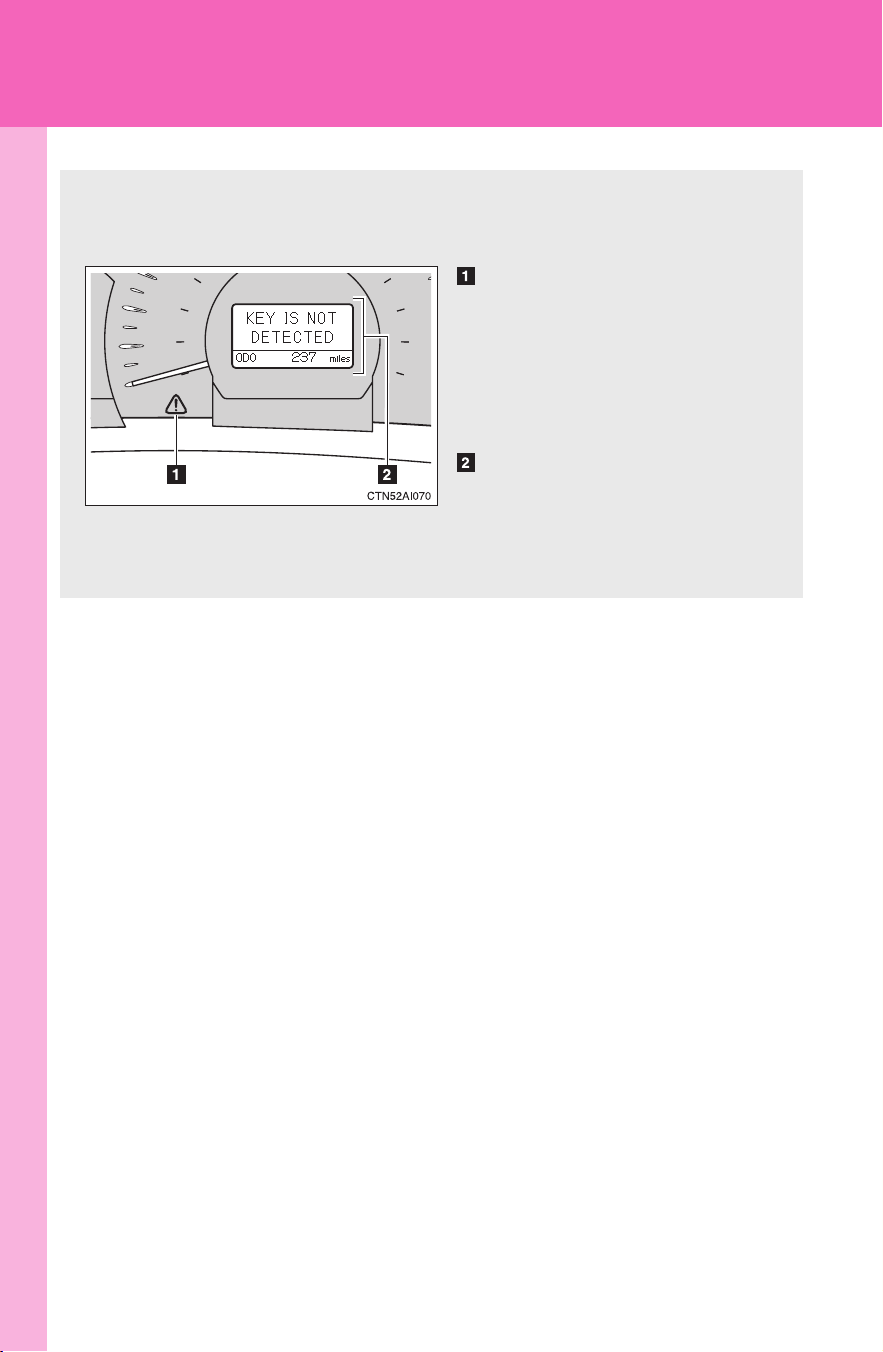
406
5-2. Steps to take in an emergency
CAMRY_HV_U
If a warning message is displayed
If a warning is shown on the multi-information display, stay calm and
perform the following actions:
Master warning light
The master warning light also
comes on or flashes in order to
indicate that a message is cur-
rently being displayed on the
multi-information display.
Multi-information display
If any of the warning lights turns on again after performing the fol-
lowing actions, contact your Toyota dealer.
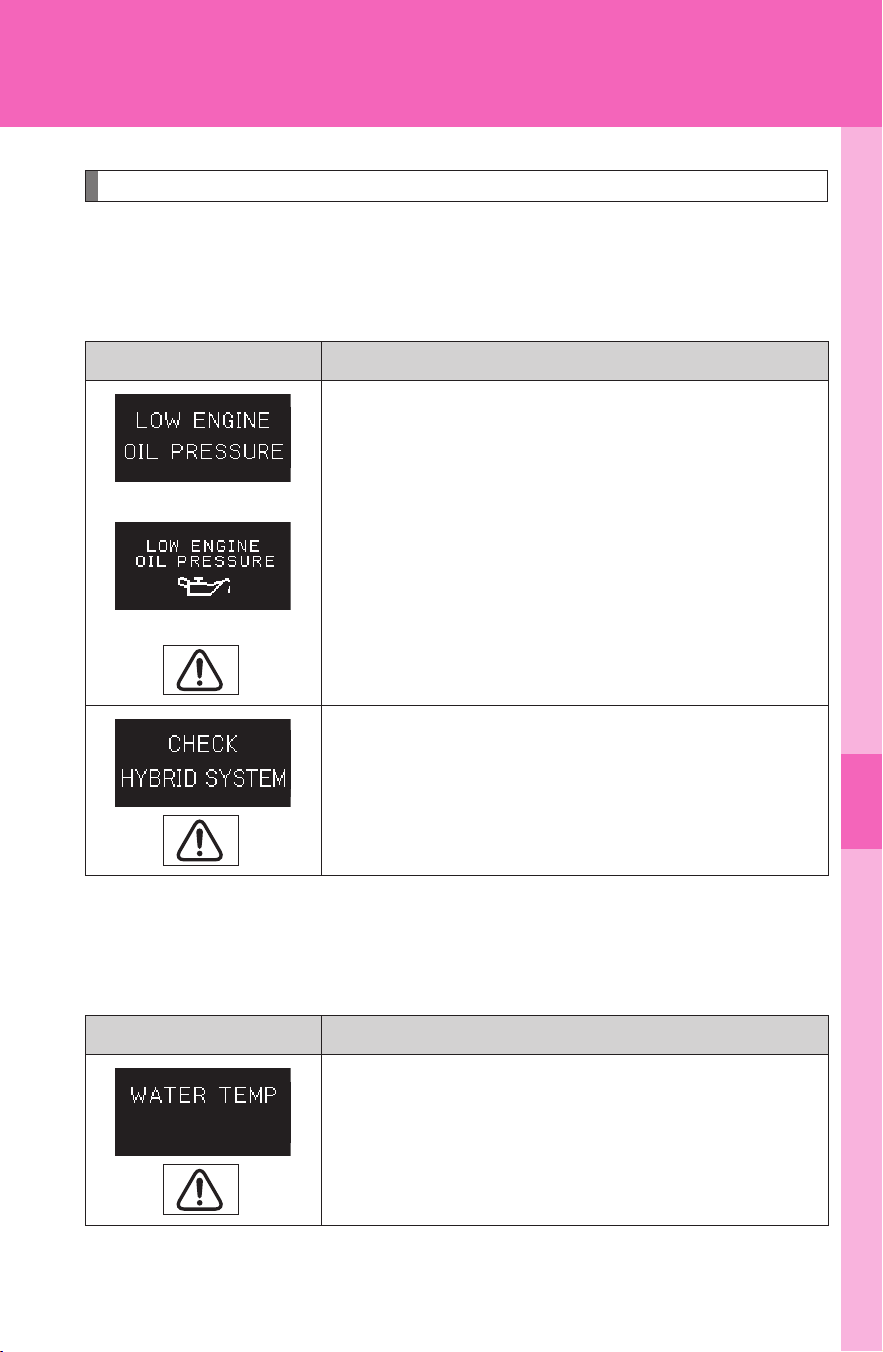
5
When trouble arises
407
5-2. Steps to take in an emergency
CAMRY_HV_U
Stop the vehicle immediately.
● The following warning indicates the possibility of damage to the
vehicle that may lead to an accident. Immediately stop the vehicle
in a safe place and contact your Toyota dealer.
● The following warning indicates the possibility of damage to the
vehicle that may lead to an accident. Immediately stop the vehicle
in a safe place and allow the engine to cool.
Warning message Details
(U.S.A.)
(Canada)
Indicates an abnormal engine oil pressure.
A buzzer also sounds.
The warning light may turn on if the engine oil
pressure is too low.
Indicates a malfunction in the hybrid system.
A buzzer also sounds.
Warning message Details
Indicates that the engine coolant temperature is
too high.
A buzzer also sounds.
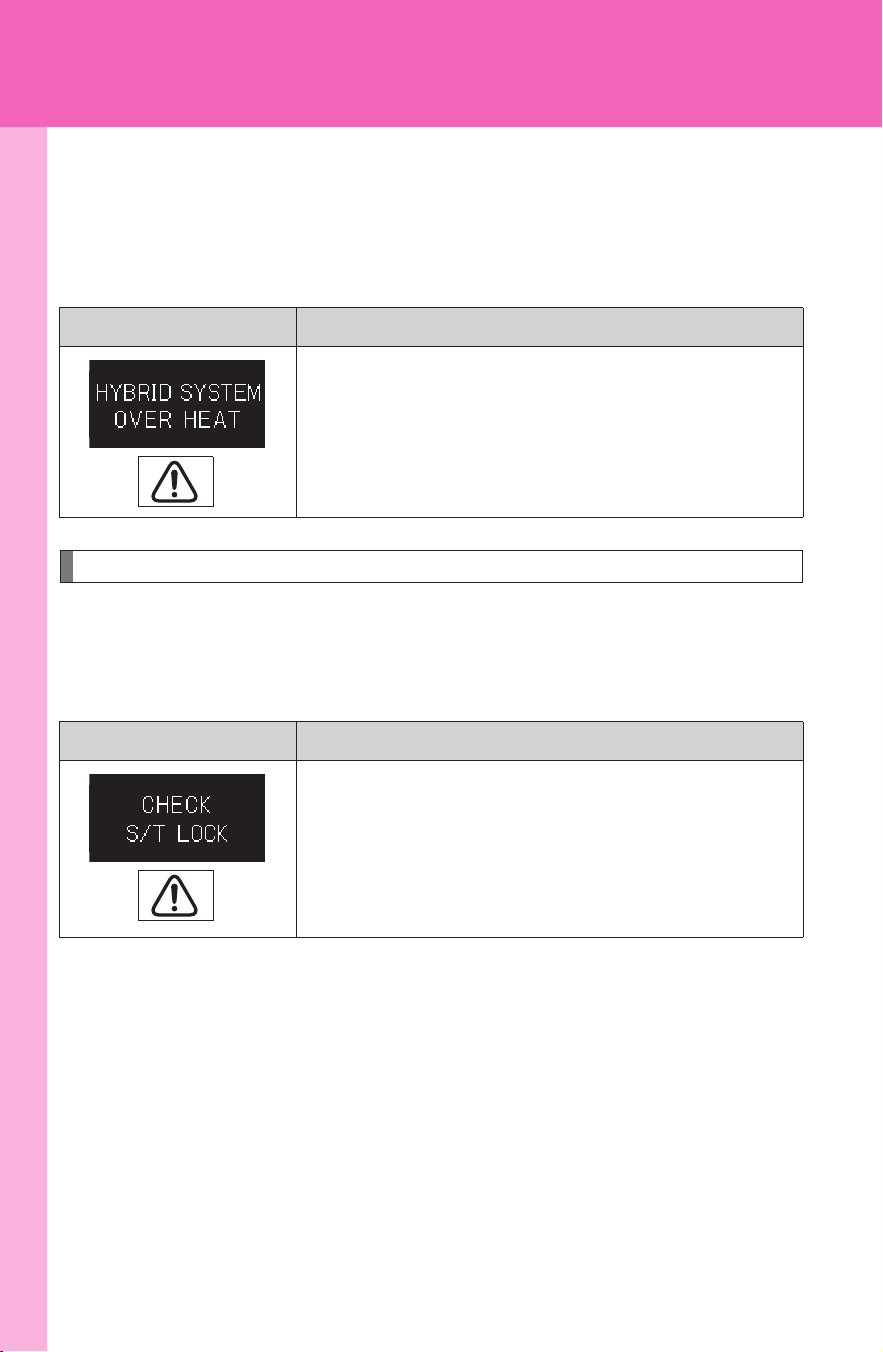
408
5-2. Steps to take in an emergency
CAMRY_HV_U
● The following warning indicates the possibility of damage to the
vehicle that may lead to an accident. Immediately stop the vehicle
in a safe place and allow the power control unit and electric motor
(traction motor) to cool.
Have the vehicle inspected immediately.
Failing to investigate the cause of the following warnings may lead to
the system operating abnormally and possibly cause an accident.
Have the vehicle inspected by your Toyota dealer immediately.
Warning message Details
Indicates that the temperature for the power
control unit coolant or electric motor (traction
motor) is too high.
A buzzer also sounds.
Warning message Details
Indicates a malfunction in the steering lock sys-
tem.
A buzzer also sounds.
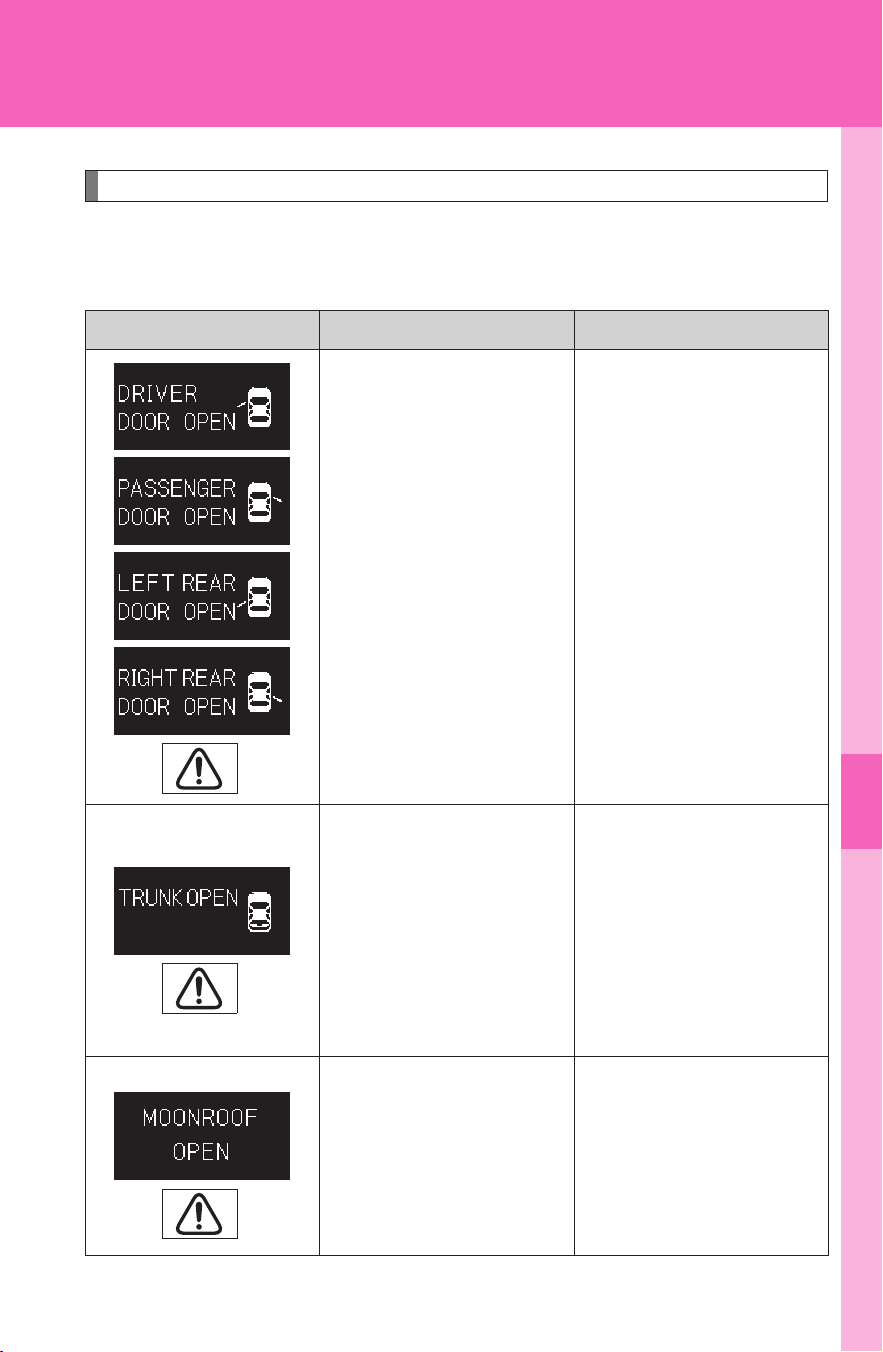
5
When trouble arises
409
5-2. Steps to take in an emergency
CAMRY_HV_U
Follow the correction procedures.
After taking the specified steps to correct the suspected problem,
check that the warning light turns off.
Warning message Details Correction procedure
Indicates that one or
more of the doors is
not fully closed.
A buzzer sounds to
indicate that one or
more of the doors is
not fully closed (with
the vehicle having
reached a speed of 3
mph [5 km/h]).
Make sure that all of the
doors are closed.
Indicates that the
trunk is not fully
closed.
A buzzer sounds to
indicate that the trunk
is not fully closed (with
the vehicle having
reached a speed of 3
mph [5 km/h]).
Close the trunk.
Indicates that the
moon roof is not fully
closed (with the
“POWER” switch is
turned OFF and the
driver's door open).
A buzzer also sounds.
Close the moon roof.
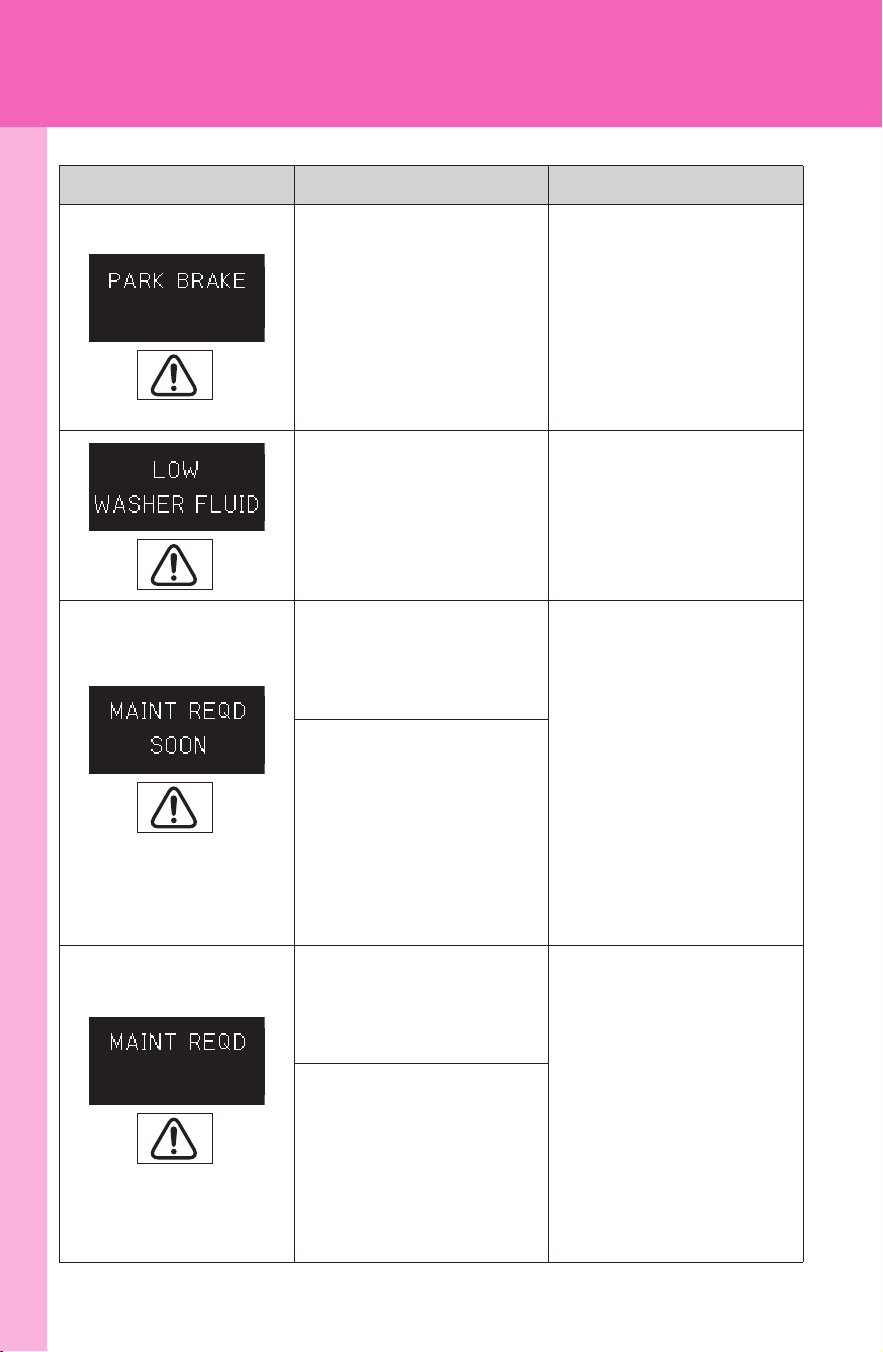
410
5-2. Steps to take in an emergency
CAMRY_HV_U
Indicates that the
parking brake is still
engaged with the
vehicle having
reached a speed of
more than 3 mph (5
km/h).
A buzzer also sounds.
Release the parking
brake.
Indicates that the
washer fluid level is
low.
A buzzer also sounds.
Add washer fluid.
(U.S.A. only)
Indicates that the
engine oil is sched-
uled to be changed.
A buzzer also sounds.
Check the engine oil,
and change if neces-
sary.
Comes on approxi-
mately 4500 miles
(7200 km) after the
engine oil is changed.
(The indicator will not
work properly unless
the oil maintenance
data has been reset).
(U.S.A. only)
Indicates that the
engine oil should be
changed.
A buzzer also sounds.
Check and change the
engine oil.
Comes on approxi-
mately 5000 miles
(8000 km) after the
engine oil is changed
(and the oil mainte-
nance data has been
reset).
Warning message Details Correction procedure
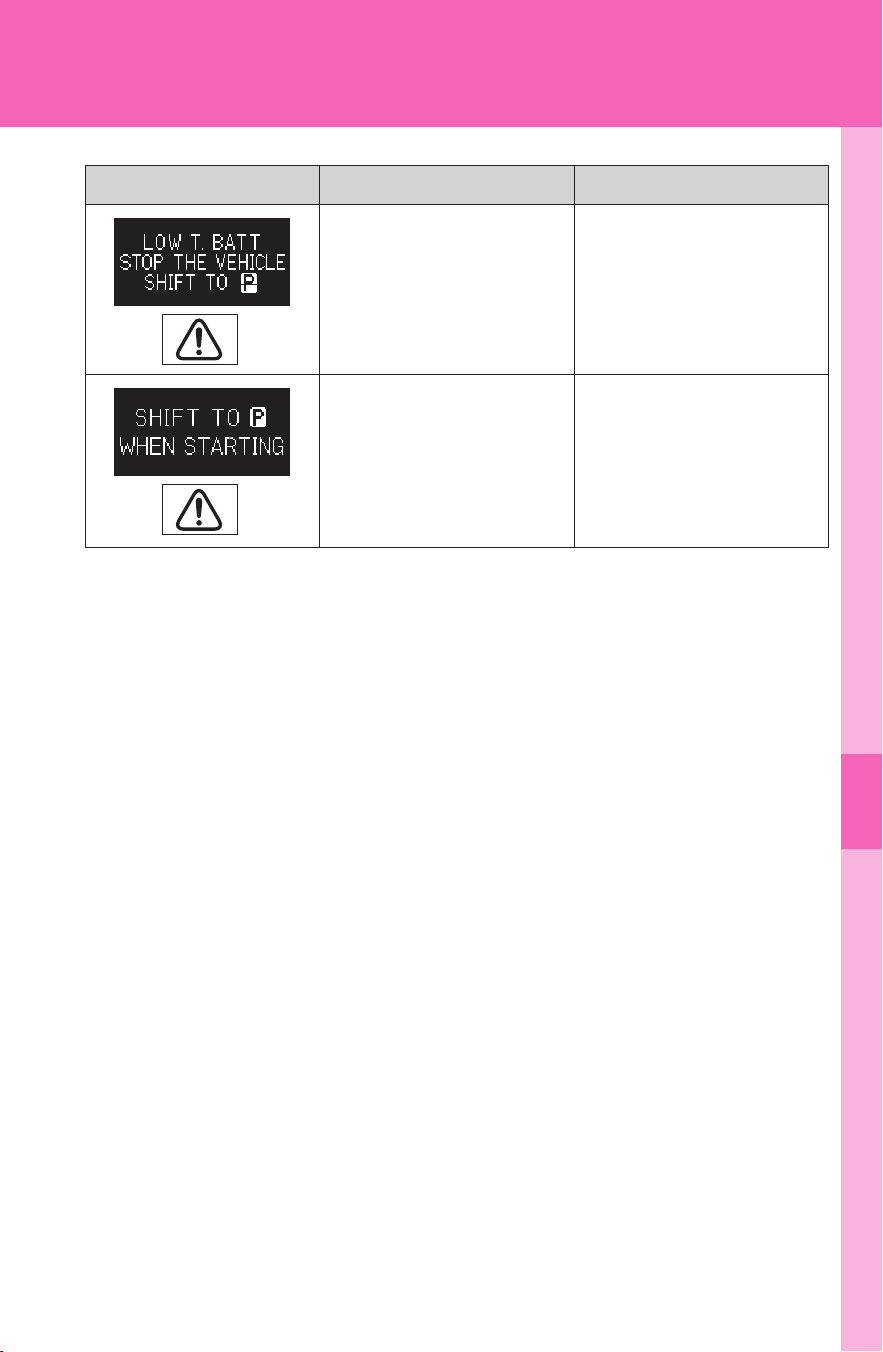
5
When trouble arises
411
5-2. Steps to take in an emergency
CAMRY_HV_U
Indicates that the
hybrid battery (trac-
tion battery) is low.
A buzzer also sounds.
Stop the vehicle and
shift the shift lever to P.
Indicates that the
transmission is not in
P when attempting to
start the hybrid sys-
tem.
A buzzer also sounds.
Shift the shift lever to P
before pressing the
“POWER” switch.
Warning message Details Correction procedure
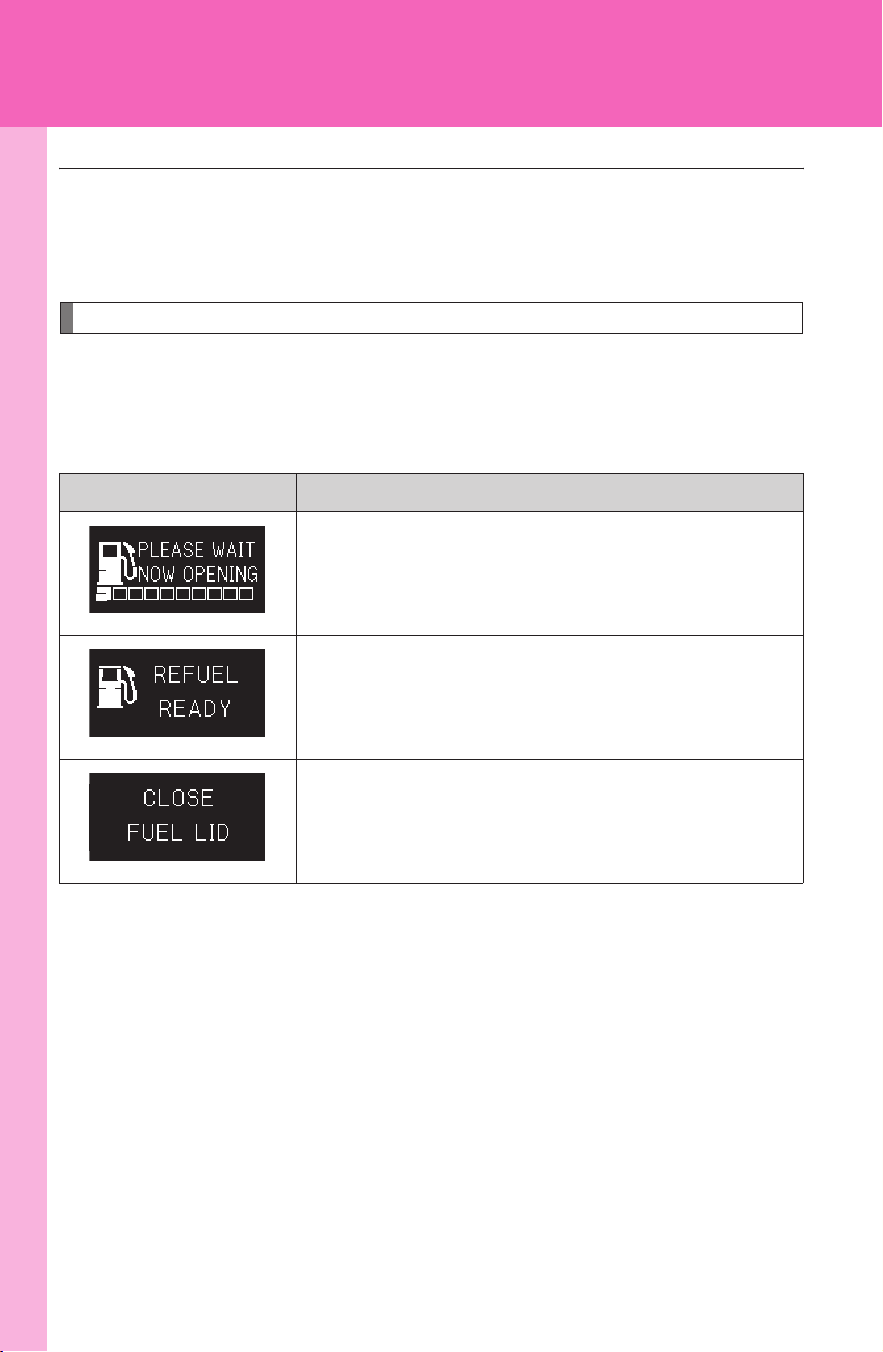
412
5-2. Steps to take in an emergency
CAMRY_HV_U
Messages displayed when refueling
The following messages are displayed after the fuel lid opener is
pressed. If the messages do not change or are displayed continu-
ously, have the vehicle checked by your Toyota dealer.
■ Changing the engine oil (U.S.A. only)
Make sure to reset the oil change system. (→P. 342)
Message Details
Preparing the vehicle for refueling.
Wait a moment.
You may commence refueling.
Finish refueling within 30 minutes.
Close the fuel lid.
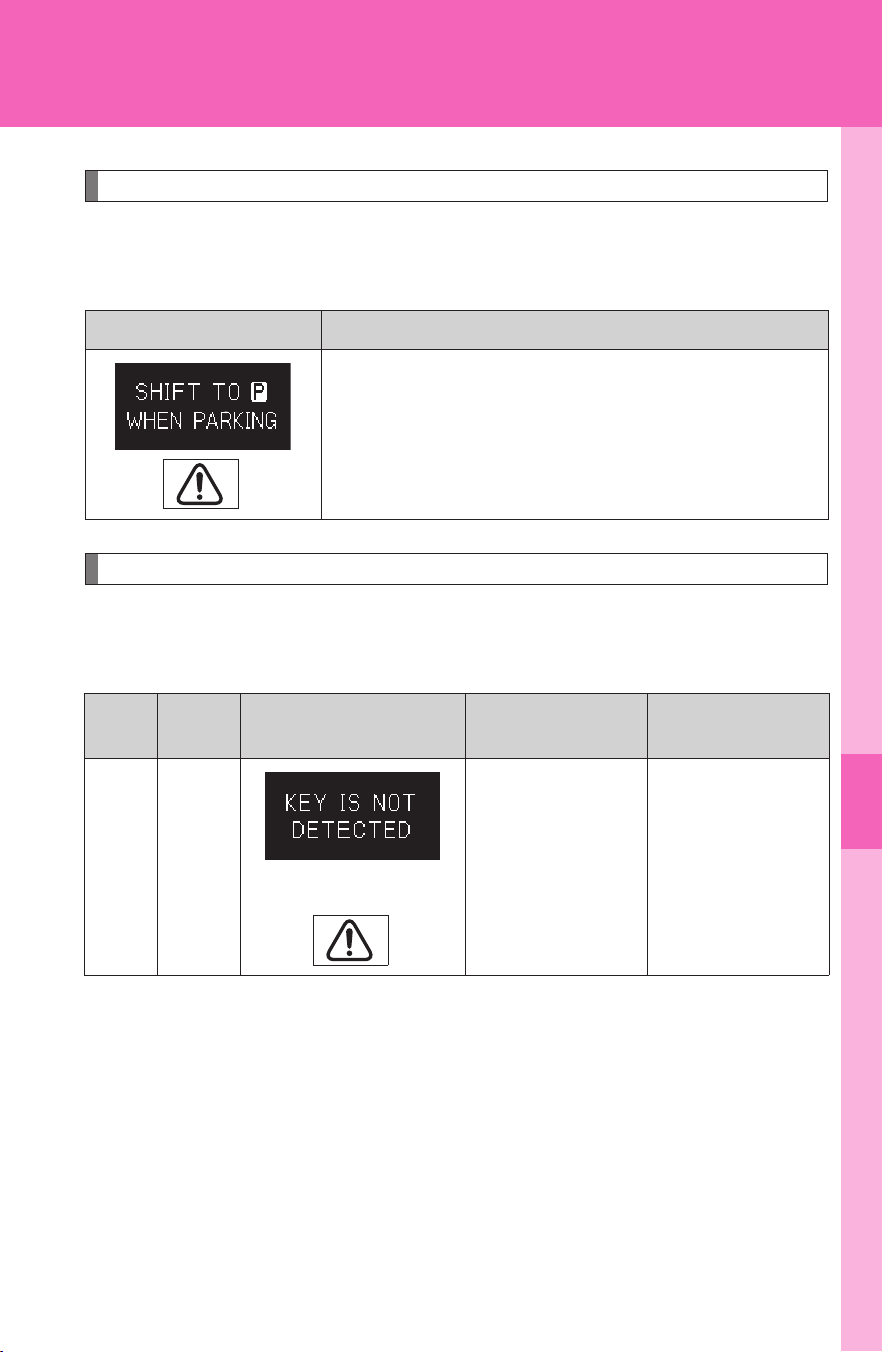
5
When trouble arises
413
5-2. Steps to take in an emergency
CAMRY_HV_U
Other messages
If the following message is displayed, take appropriate action and
confirm that the message has disappeared.
Follow the correction procedures.
After taking the specified steps to correct the suspected problem,
check that the warning light turns off.
Message Details
The driver’s door is opened when the transmis-
sion is not in P with the hybrid system on.
Shift the shift lever to P.
A buzzer also sounds.
Interior
buzzer
Exterior
buzzer
Warning message Details
Correction
procedure
Once
(Comes on for 8
seconds)
Indicates that
the electronic
key is not
present when
the “POWER”
switch is
pressed.
Confirm the
location of the
electronic key.
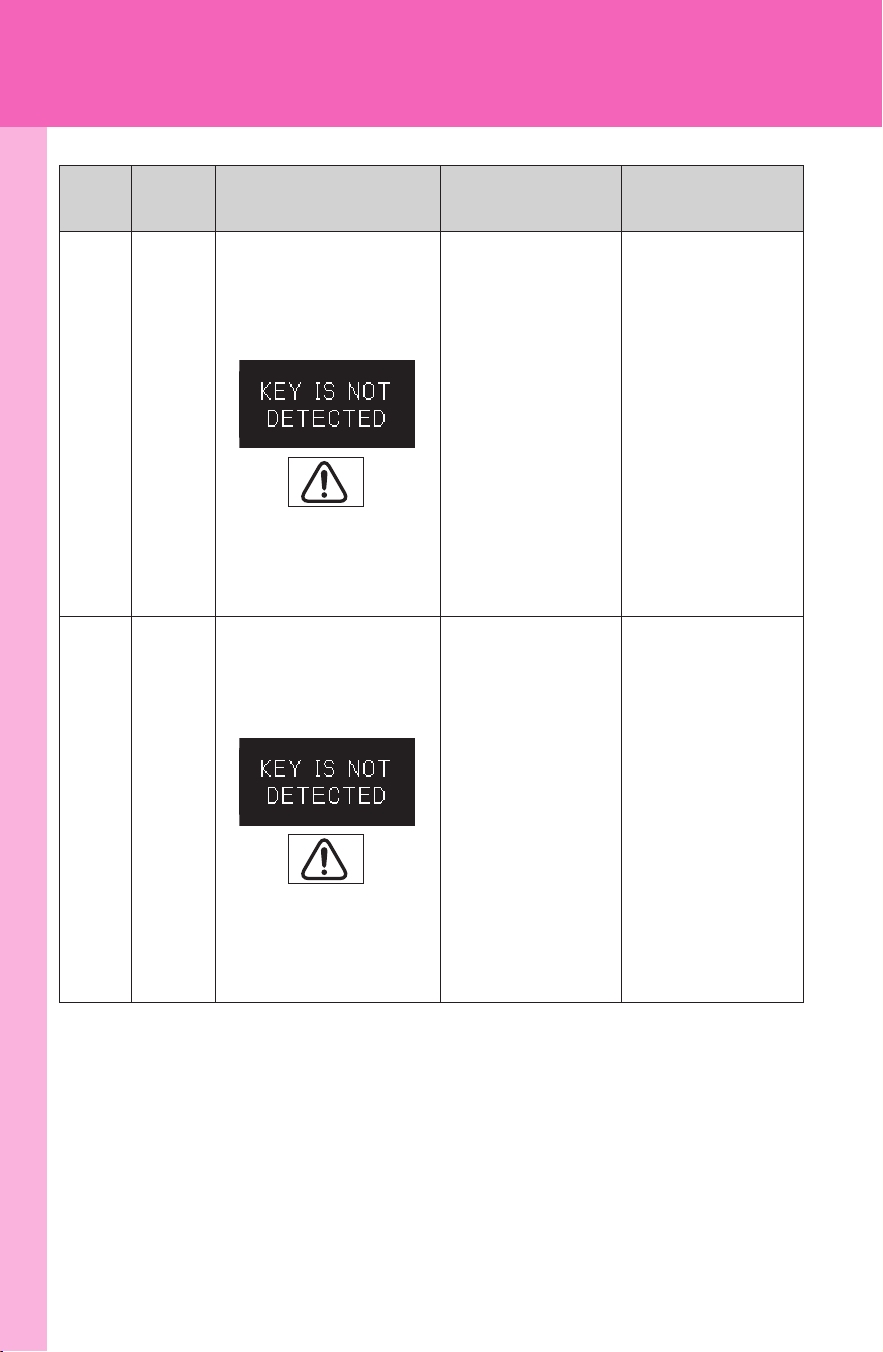
414
5-2. Steps to take in an emergency
CAMRY_HV_U
Once
3 times
Indicates that a
door other than
the driver’s door
has been
opened and
closed with the
“POWER”
switch in any
mode other
than OFF and
the electronic
key outside of
the detection
area.
Confirm the
location of the
electronic key.
Once
3 times
Indicates that
the driver’s door
has been
opened and
closed with the
shift lever in P,
the “POWER”
switch in any
mode other
than OFF and
the electronic
key outside of
the detection
area.
Turn the
“POWER”
switch OFF or
confirm the
location of the
electronic key.
Interior
buzzer
Exterior
buzzer
Warning message Details
Correction
procedure
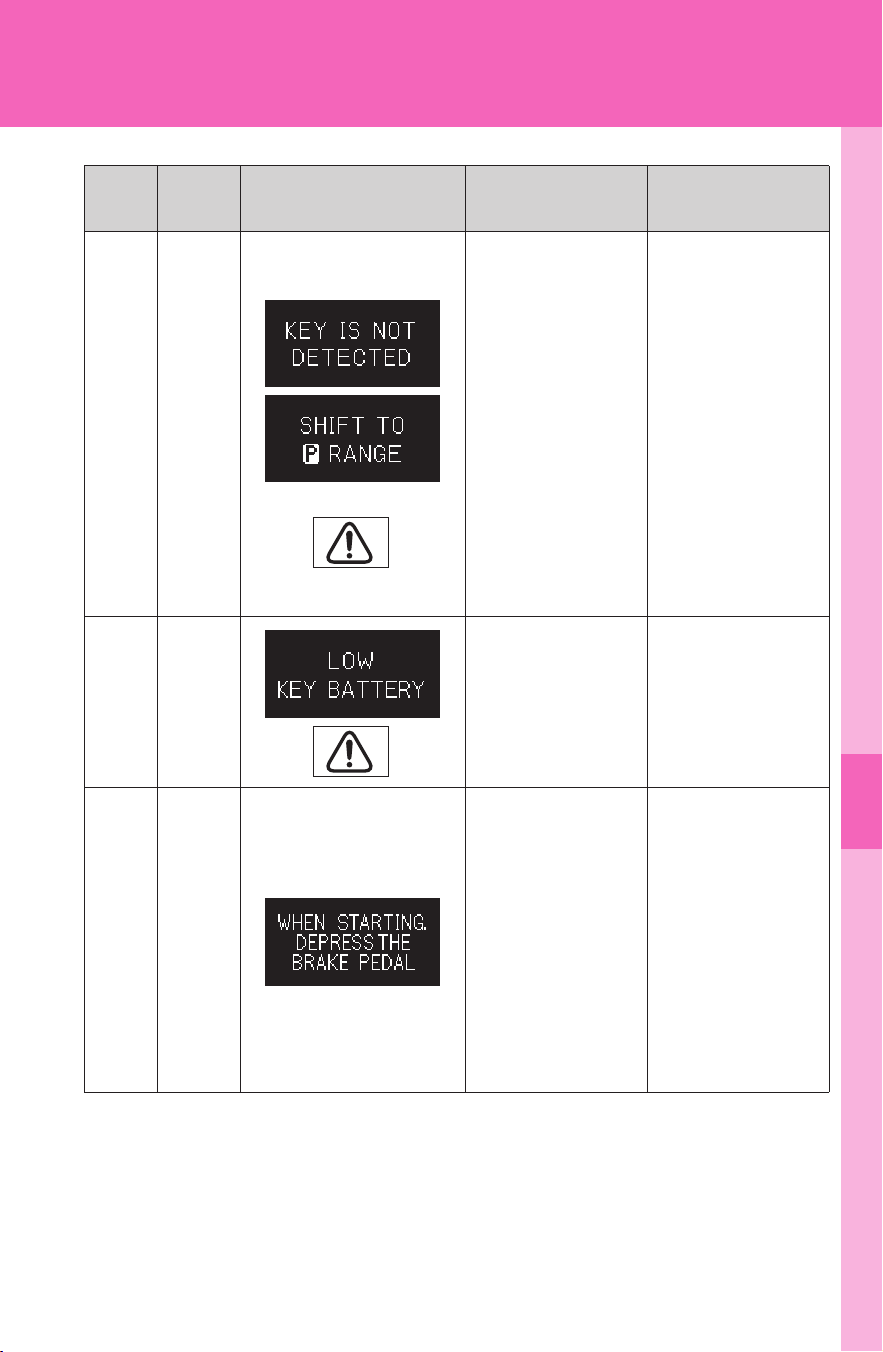
5
When trouble arises
415
5-2. Steps to take in an emergency
CAMRY_HV_U
Continuous
Continuous
(Displayed alternately)
Indicates that
the driver’s door
has been
opened and
closed (with the
shift lever not in
P, the “POWER”
switch in any
mode other
than OFF and
the electronic
key outside of
the detection
area).
• Shift the shift
lever to P.
• Confirm the
location of the
electronic key.
Once
Indicates that
the key battery
is low.
Replace the
battery.
(→P. 370)
Once
Indicates that a
door has been
opened or
closed and the
“POWER”
switch has been
turned twice to
ACCESSORY
mode the
“POWER”
switch OFF.
Press the
“POWER”
switch while
depressing the
brake pedal.
Interior
buzzer
Exterior
buzzer
Warning message Details
Correction
procedure
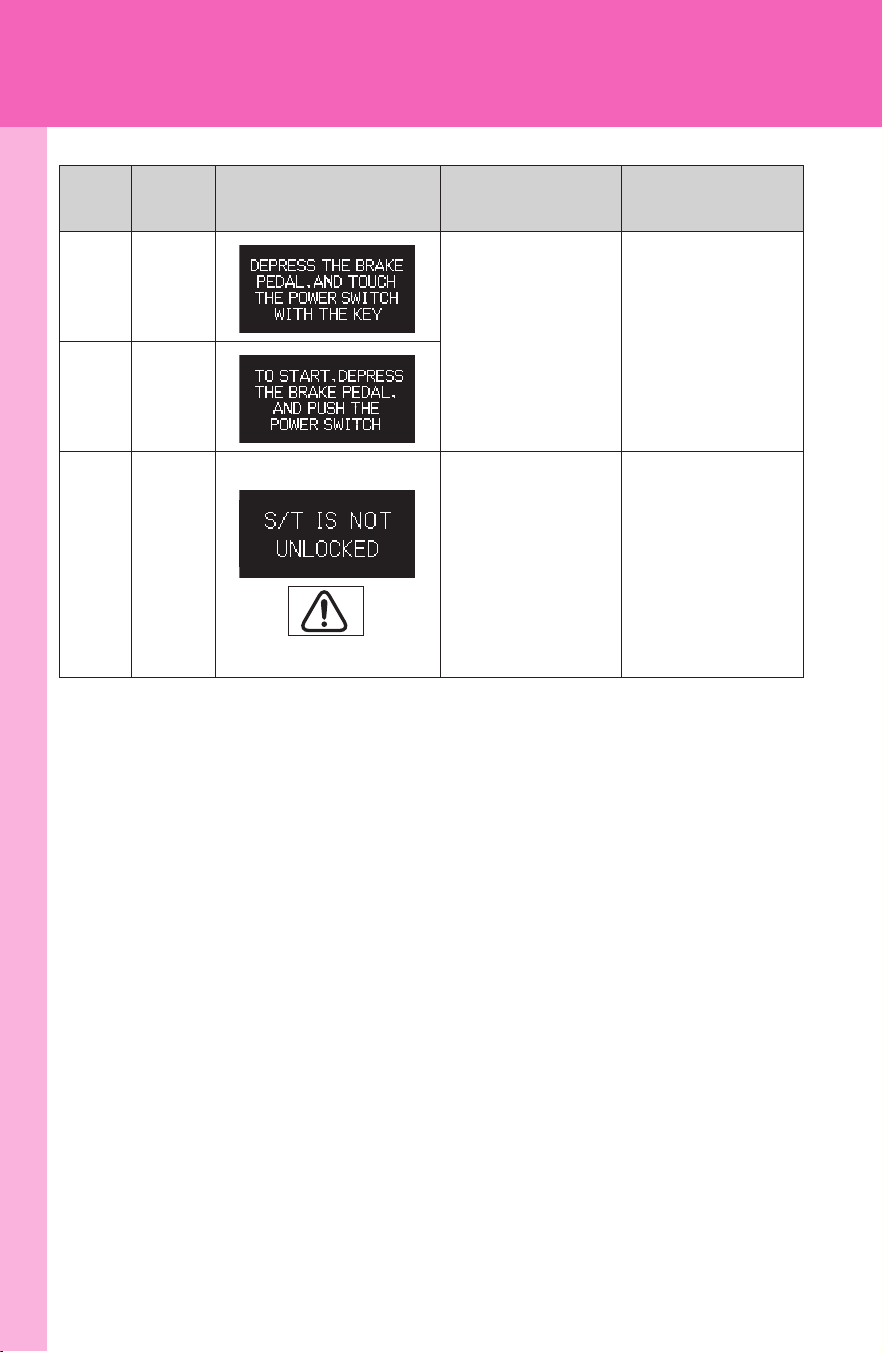
416
5-2. Steps to take in an emergency
CAMRY_HV_U
Once
Indicates that
the electronic
key does not
operate prop-
erly.
→P. 432
Once
Once
Indicates that
the steering
lock has not
released within
3 seconds of
pressing the
“POWER”
switch.
Press the
“POWER”
switch again
while turning
the steering
wheel with the
brake pedal
depressed.
Interior
buzzer
Exterior
buzzer
Warning message Details
Correction
procedure
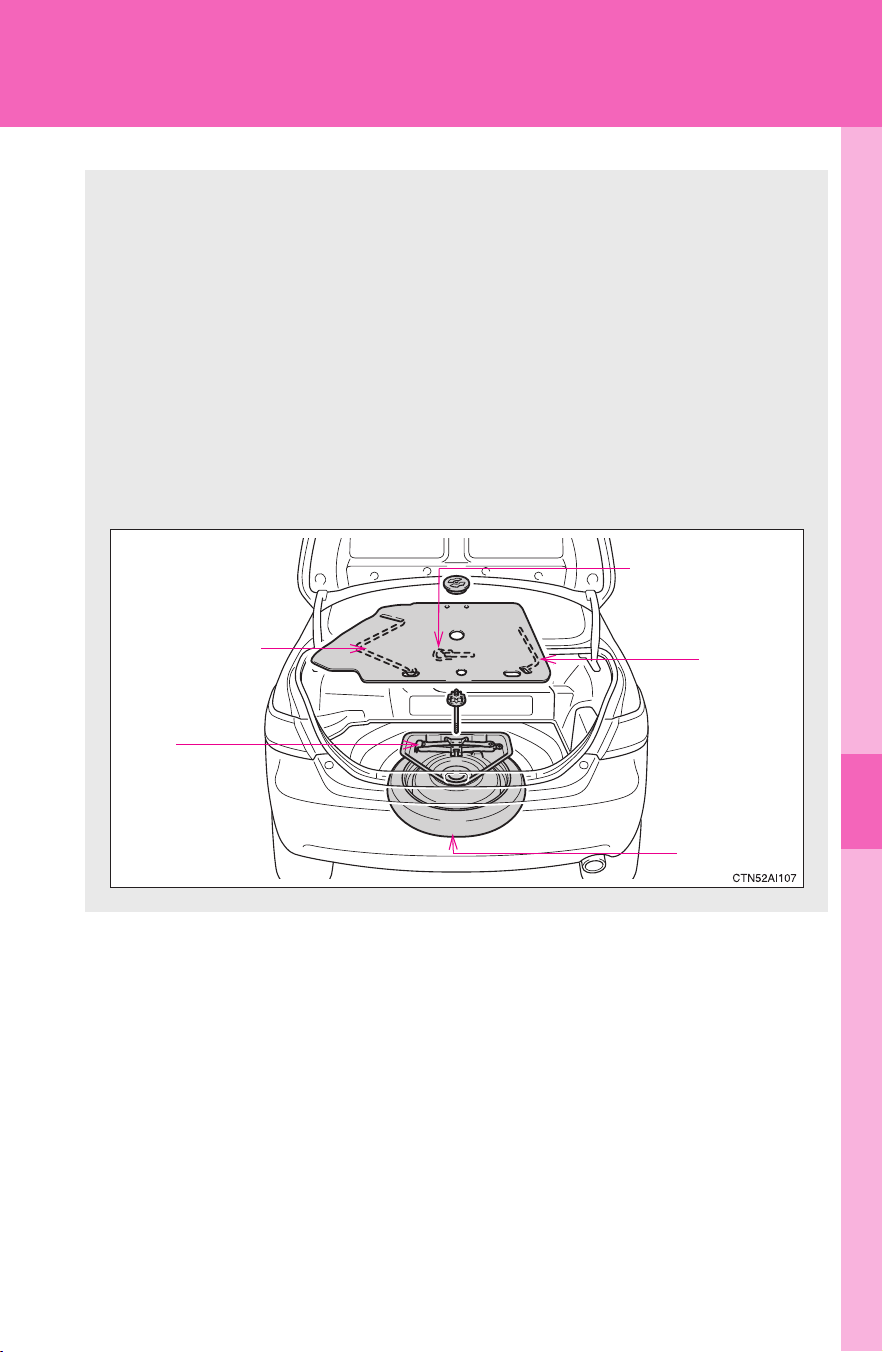
5
When trouble arises
417
5-2. Steps to take in an emergency
CAMRY_HV_U
If you have a flat tire
Remove the flat tire and replace it with the spare provided.
■ Before jacking up the vehicle
● Stop the vehicle on a hard, flat surface.
● Set the parking brake.
● Shift the shift lever to P.
● Stop the hybrid system.
● Turn on the emergency flashers.
■ Location of the spare tire, jack and tools
Transport eyelet
(if equipped)
Spare tire
Jack
Wheel
nut
wrench
Jack handle
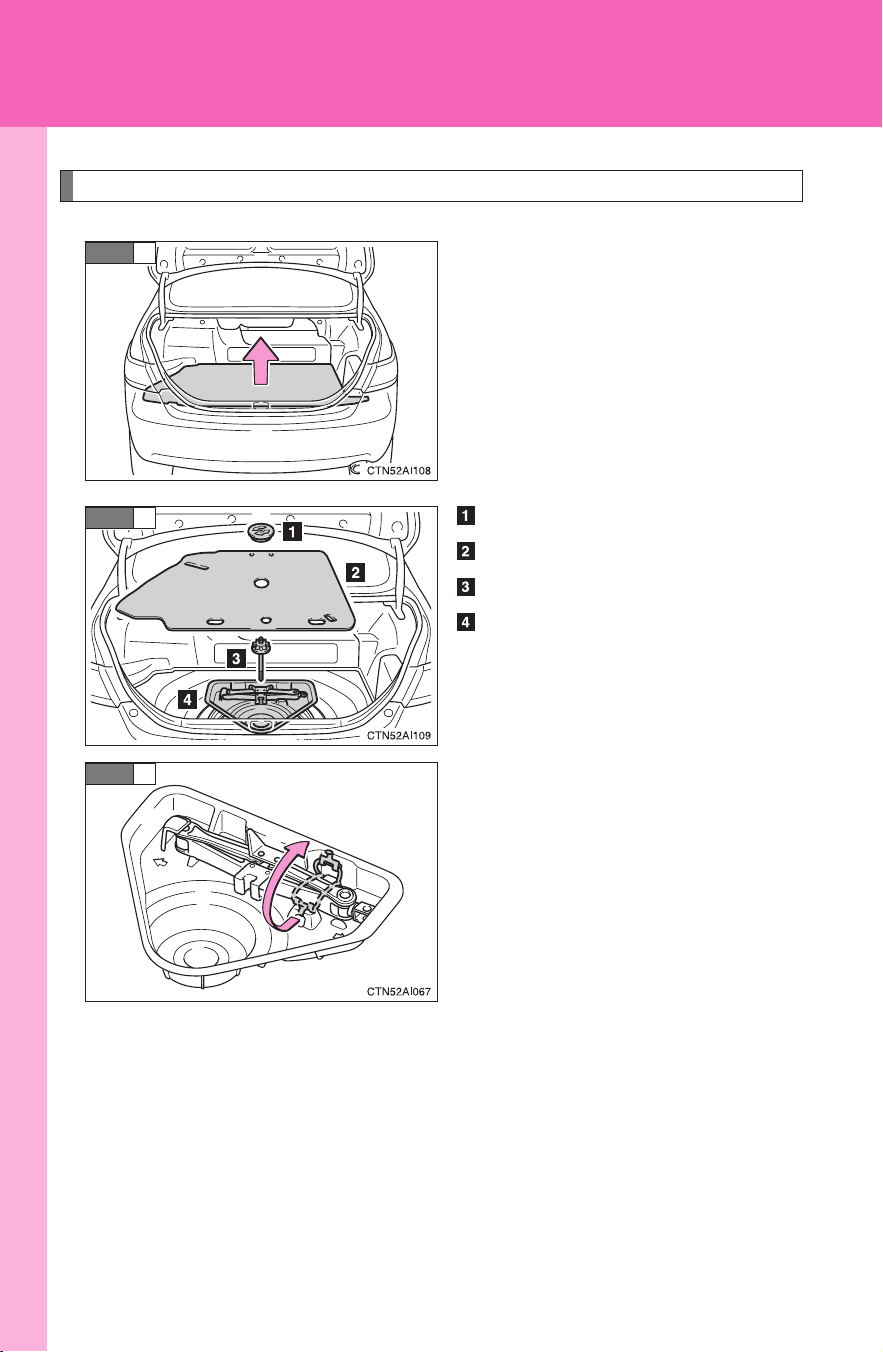
418
5-2. Steps to take in an emergency
CAMRY_HV_U
Taking out the jack and spare tire
Remove the luggage floor cover.
Loosen the nut and remove it.
Remove the spare tire cover.
Loosen the bolt and remove it.
Remove the jack tray.
Remove the hook.
STEP
1
STEP
2
STEP
3
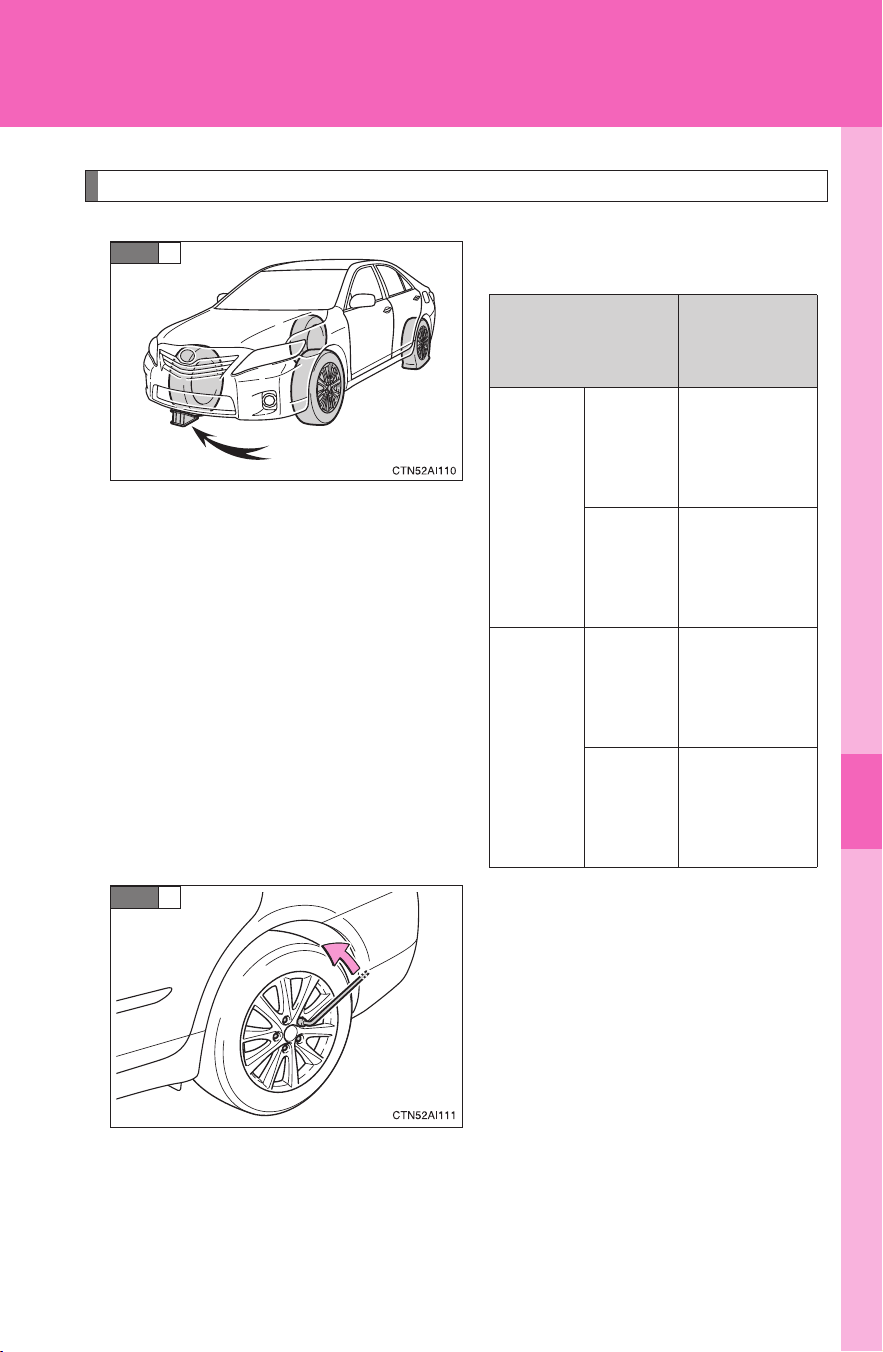
5
When trouble arises
419
5-2. Steps to take in an emergency
CAMRY_HV_U
Replacing a flat tire
Chock the tires.
Slightly loosen the wheel nuts
(one turn).
STEP
1
Flat tire
Wheel
chock posi-
tions
Front
Left-
hand
side
Behind the
rear right-
hand side
tire
Right-
hand
side
Behind the
rear left-
hand side
tire
Rear
Left-
hand
side
In front of
the front
right-hand
side tire
Right-
hand
side
In front of
the front
left-hand
side tire
STEP
2
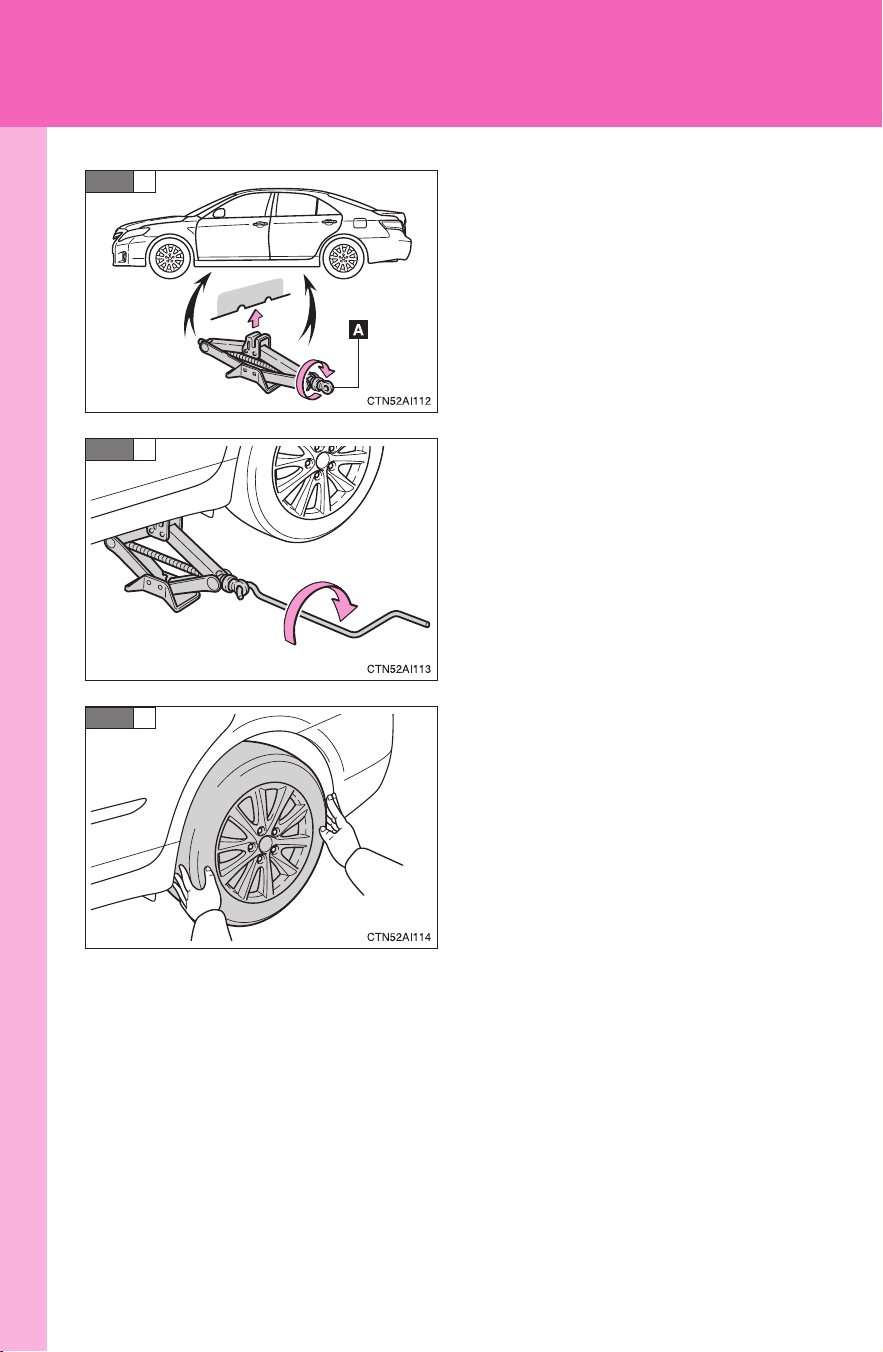
420
5-2. Steps to take in an emergency
CAMRY_HV_U
Turn the tire jack portion “A” by
hand until the notch of the jack is
in contact with the jack point.
Raise the vehicle until the tire is
slightly raised off the ground.
Remove all the wheel nuts and
the tire.
When resting the tire on the
ground, place the tire so that the
wheel design faces up to avoid
scratching the wheel surface.
STEP
3
STEP
4
STEP
5
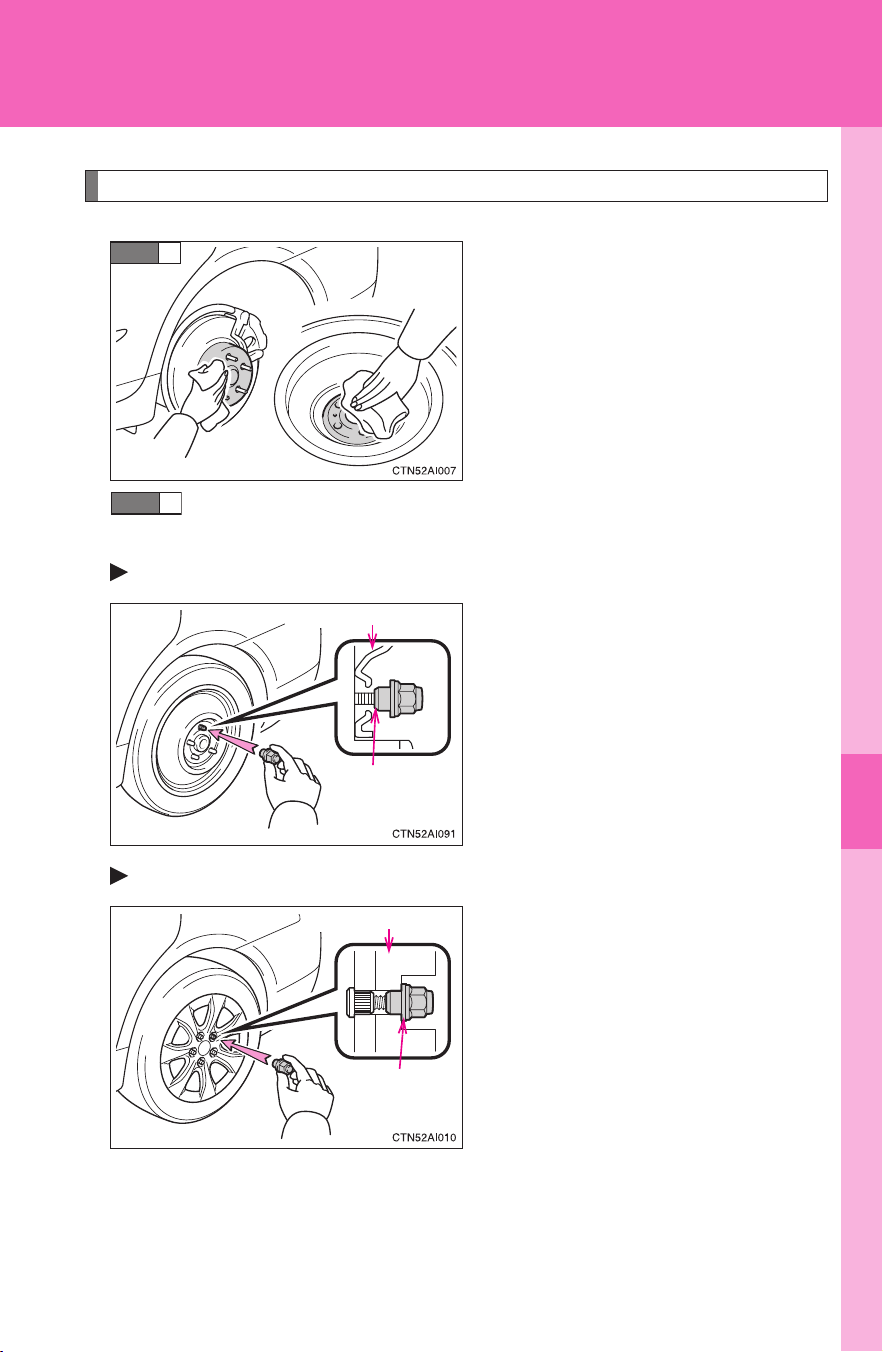
5
When trouble arises
421
5-2. Steps to take in an emergency
CAMRY_HV_U
Installing the tire
Remove any dirt or foreign mat-
ter from the wheel contact sur-
face.
If foreign matter is on the wheel
contact surface, the wheel nuts
may loosen while the vehicle is
in motion, and the tire may
come off the vehicle.
Install the tire and loosely tighten each wheel nut by hand by
approximately the same amount.
Replacing an aluminum wheel with a compact spare tire
Tighten the nuts until the tapered
portion comes into loose contact
with the disc wheel seat.
Replacing an aluminum wheel with an aluminum
Turn the nut washers until they
come into contact with the disc
wheel.
STEP
1
STEP
2
Disc wheel seat
Tapered
portion
Disc wheel
Washer
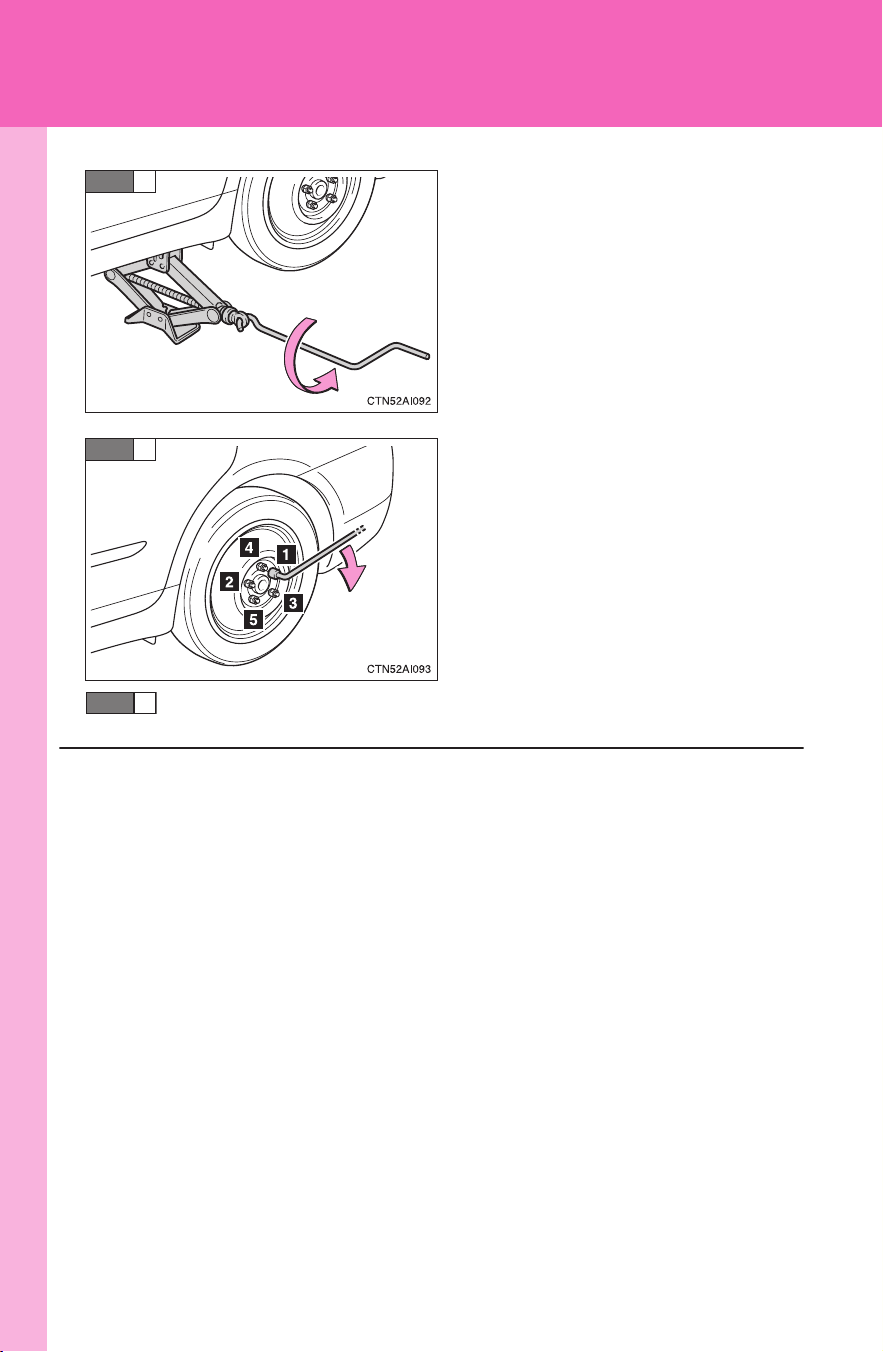
422
5-2. Steps to take in an emergency
CAMRY_HV_U
Lower the vehicle.
Firmly tighten each nut two or
three times in the order shown in
the illustration.
Tightening torque:
76 ft•lbf (103 N•m, 10.5 kgf•m)
Stow the flat tire, tire jack and all tools.
STEP
3
STEP
4
■ The compact spare tire
● The compact spare tire is identified by the label “TEMPORARY USE
ONLY” on the tire sidewall.
Use the compact spare tire temporarily only in an emergency.
● Make sure to check the tire pressure of the compact spare tire.
(→P. 453)
■ When using the compact spare tire
As the compact spare tire is not equipped with the tire pressure warning
valve and transmitter, low inflation pressure of the spare tire will not be
warned. Also, if you replace the compact spare tire after the tire pressure
warning light comes on, the light remains on.
STEP
5
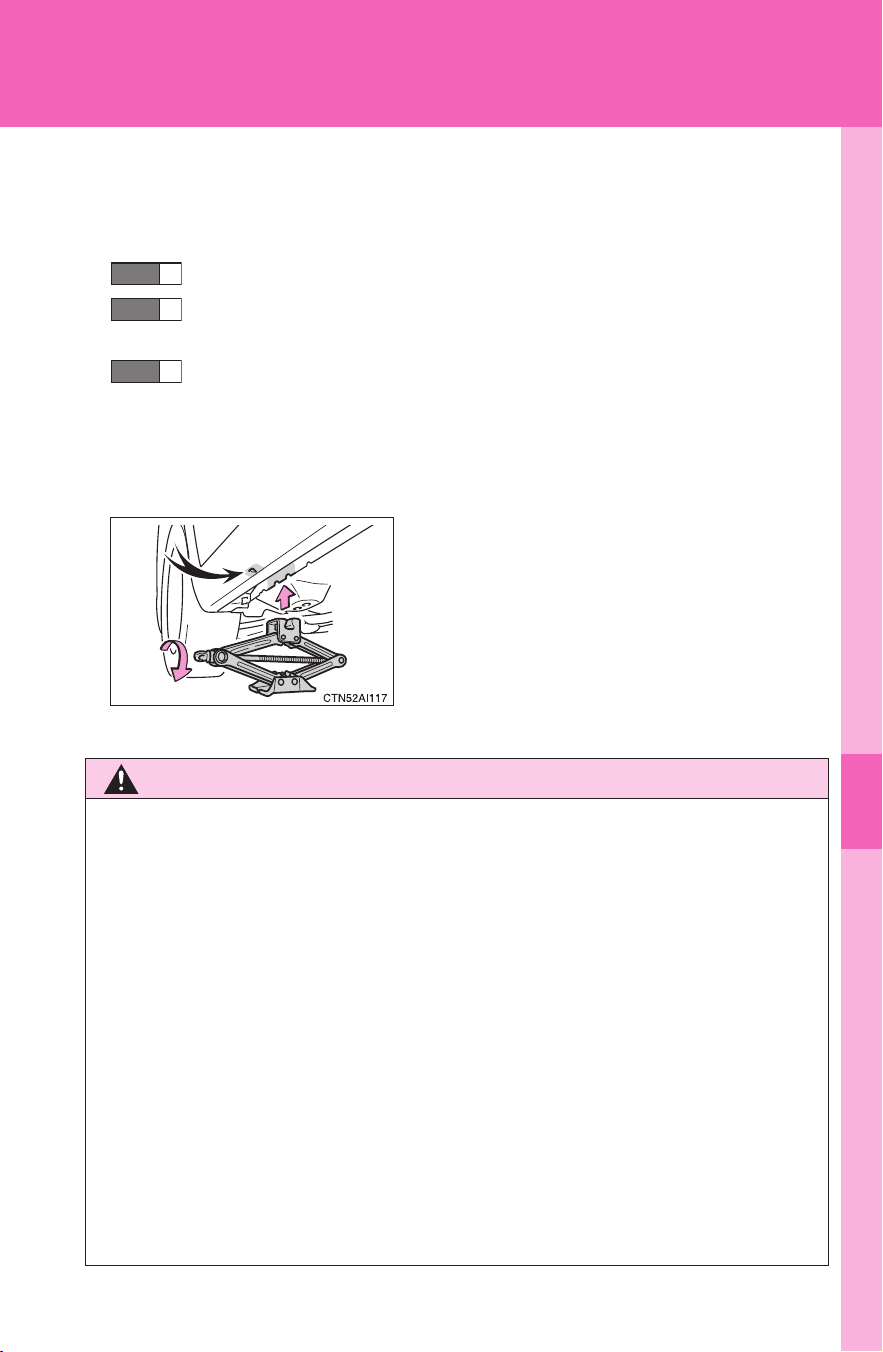
5
When trouble arises
423
5-2. Steps to take in an emergency
CAMRY_HV_U
■ If you have a flat front tire on a road covered with snow or ice
Install the compact spare tire on the rear of the vehicle. Perform the fol-
lowing steps and fit tire chains to the front tires.
Replace a rear tire with the compact spare tire.
Replace the flat front tire with the tire removed from the rear of
the vehicle.
Fit tire chains to the front tires.
■ After completing the tire change (U.S.A. only)
The tire pressure warning system must be reset. (→P. 353)
■ Jack point guide
CAUTION
■ Using the tire jack
Improper use of the tire jack may lead to death or serious injuries due to
the vehicle suddenly falling off the jack.
● Do not use the tire jack for any purpose other than replacing tires or
installing and removing tire chains.
● Only use the tire jack that comes with this vehicle for replacing a flat
tire.
Do not use it on other vehicles, and do not use other tire jacks for
replacing tires on this vehicle.
● Always check that the tire jack is securely set to the jack point.
● Do not put any part of your body under the vehicle while it is supported
by a jack.
● Do not start or run the hybrid system while your vehicle is supported by
the jack.
STEP
1
STEP
2
STEP
3
The jack point guides are located under
the rocker panel. They indicate the jack
point positions.

424
5-2. Steps to take in an emergency
CAMRY_HV_U
CAUTION
● Do not raise the vehicle while someone is in it.
● When raising the vehicle, do not put an object on or under the jack.
● Do not raise the vehicle to a height greater than that required to
replace the tire.
● Use a jack stand if it is necessary to get under the vehicle.
Take particular care when lowering the vehicle to ensure that no one
working on or near the vehicle will be injured.
■ Replacing a flat tire
Observe the following precautions to reduce the risk of death or serious
injury.
● Never use oil or grease on the wheel bolts or wheel nuts.
Oil and grease may cause the wheel nuts to be excessively tightened,
leading to bolt or disc wheel damage. In addition, the oil or grease can
cause the wheel nuts to loosen and the wheel may fall off, causing a
serious accident. Remove any oil or grease from the wheel bolts or
wheel nuts.
● Have the wheel nuts tightened with a torque wrench to 76 ft•lbf (103
N
•m, 10.5 kgf•m) as soon as possible after changing wheels.
Failure to follow these precautions could cause the nuts to loosen and
the wheel may fall off, which could lead to an accident causing death
or serious injury.
■ When using the compact spare tire
● Remember that your compact spare tire is specifically designed for
use with your vehicle. Do not use your compact spare tire on another
vehicle.
● Do not use two compact spare tires simultaneously.
● Replace the compact spare tire with a standard tire as soon as possi-
ble.
● Avoid sudden acceleration, deceleration and braking, as well as sharp
cornering.

5
When trouble arises
425
5-2. Steps to take in an emergency
CAMRY_HV_U
CAUTION
■ Speed limit when using the compact spare tire
Do not drive at speeds in excess of 50 mph (80 km/h) when a compact
spare tire is installed on the vehicle.
The compact spare tire is not designed for driving at high speeds. Failing
to observe this precaution may lead to an accident causing death or seri-
ous injury.
■ When the compact spare tire is attached
The vehicle speed may not be correctly detected, and the following sys-
tems may not operate correctly:
● ABS
● Brake assist
● VSC
● TRAC
● VDIM
● Navigation system (if equipped)

426
5-2. Steps to take in an emergency
CAMRY_HV_U
NOTICE
■ Do not drive the vehicle with a flat tire.
Do not continue driving with a flat tire.
Driving even a short distance with a flat tire can damage the tire and the
wheel beyond repair.
■ When replacing the tires
When removing or fitting the wheels, tires or the tire pressure warning
valve and transmitter, contact your Toyota dealer as the tire pressure
warning valve and transmitter may be damaged if not handled correctly.
■ To avoid damaging the tire pressure warning valves and transmit-
ters
Do not use liquid sealants on flat tires.
■ Be careful when driving over bumps with the compact spare tire
installed on the vehicle.
The vehicle becomes lower when driving with the compact spare tire
compared to when driving with standard tires. Be careful when driving
over uneven road surfaces.
■ Driving with tire chains and the compact spare tire
Do not fit tire chains to the compact spare tire.
Tire chains may damage the vehicle body and adversely affect driving
performance.

5
When trouble arises
427
5-2. Steps to take in an emergency
CAMRY_HV_U
If the hybrid system will not start
Reasons for the hybrid system not starting vary depending on the
situation. Check the following and perform the appropriate proce-
dure:
■ The hybrid system will not start, even though the correct
starting procedure is being followed. (→P. 135)
One of the following may be the cause of the problem.
● The electronic key may not be functioning properly. (→P. 431)
● There may be a malfunction in the immobilizer system.
(→P. 87)
● There may be a malfunction in the steering lock system.
● The hybrid system may be malfunctioning due to an electrical
problem such as an open circuit or a blown fuse. However,
depending on the type of malfunction, an interim measure is
available to start the hybrid system. (→P. 428)
■ The interior lights and headlights are dim, or the horn does
not sound or sounds at a low volume.
One of the following may be the cause of the problem.
● The 12-volt battery may be discharged. (→P. 434)
● The 12-volt battery terminal connections may be loose or cor-
roded.

428
5-2. Steps to take in an emergency
CAMRY_HV_U
Emergency start function
When the hybrid system does not start, the following steps can be
used as an interim measure to start the hybrid system if the
“POWER” switch is functioning normally.
Set the parking brake.
Shift the shift lever to P.
Turn the “POWER” switch to ACCESSORY mode.
Press and hold the “POWER” switch for about 15 seconds
while depressing the brake pedal firmly.
Even if the hybrid system can be started using the above steps, the
system may be malfunctioning. Have the vehicle checked by your
Toyota dealer.
■ The interior lights and headlights do not turn on, or the horn
does not sound.
One of the following may be the cause of the problem.
● One or both of the 12-volt battery terminals may be discon-
nected.
● The 12-volt battery may be discharged. (→P. 434)
● There may be a malfunction in the steering lock system.
Contact your Toyota dealer if the problem cannot be repaired, or if
repair procedures are unknown.
STEP
1
STEP
2
STEP
3
STEP
4
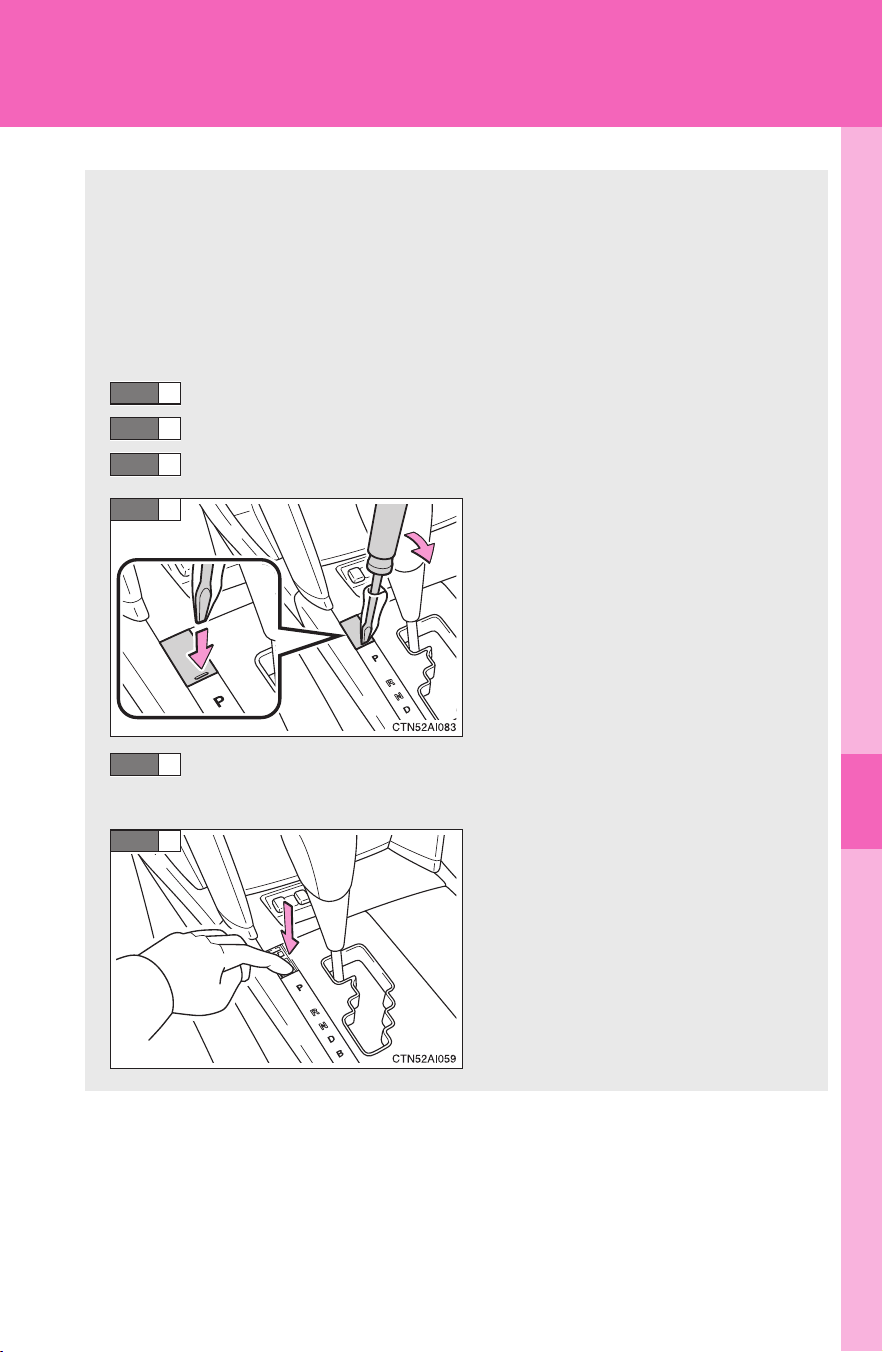
5
When trouble arises
429
5-2. Steps to take in an emergency
CAMRY_HV_U
If the shift lever cannot be shifted from P
If the shift lever cannot be shifted with your foot on the brake, there
may be a problem with the shift lock system (a system to prevent
accidental operation of the shift lever). Have the vehicle inspected by
your Toyota dealer.
The following steps may be used as an emergency measure to
ensure that the shift lever can be shifted.
Set the parking brake.
Turn the “POWER” switch to ACCESSORY mode.
Depress the brake pedal.
Pry the cover up with a flat-
head screwdriver or equiva-
lent.
Press the “POWER” switch and start the hybrid system. For
your safety, keep the brake pedal depressed.
Press the shift lock override
button.
The shift lever can be shifted
while the button is pressed.
STEP
1
STEP
2
STEP
3
STEP
4
STEP
5
STEP
6

430
5-2. Steps to take in an emergency
CAMRY_HV_U
If you lose your keys
New genuine Toyota keys can be made by your Toyota dealer using
the other key and the key number stamped on your key number
plate.
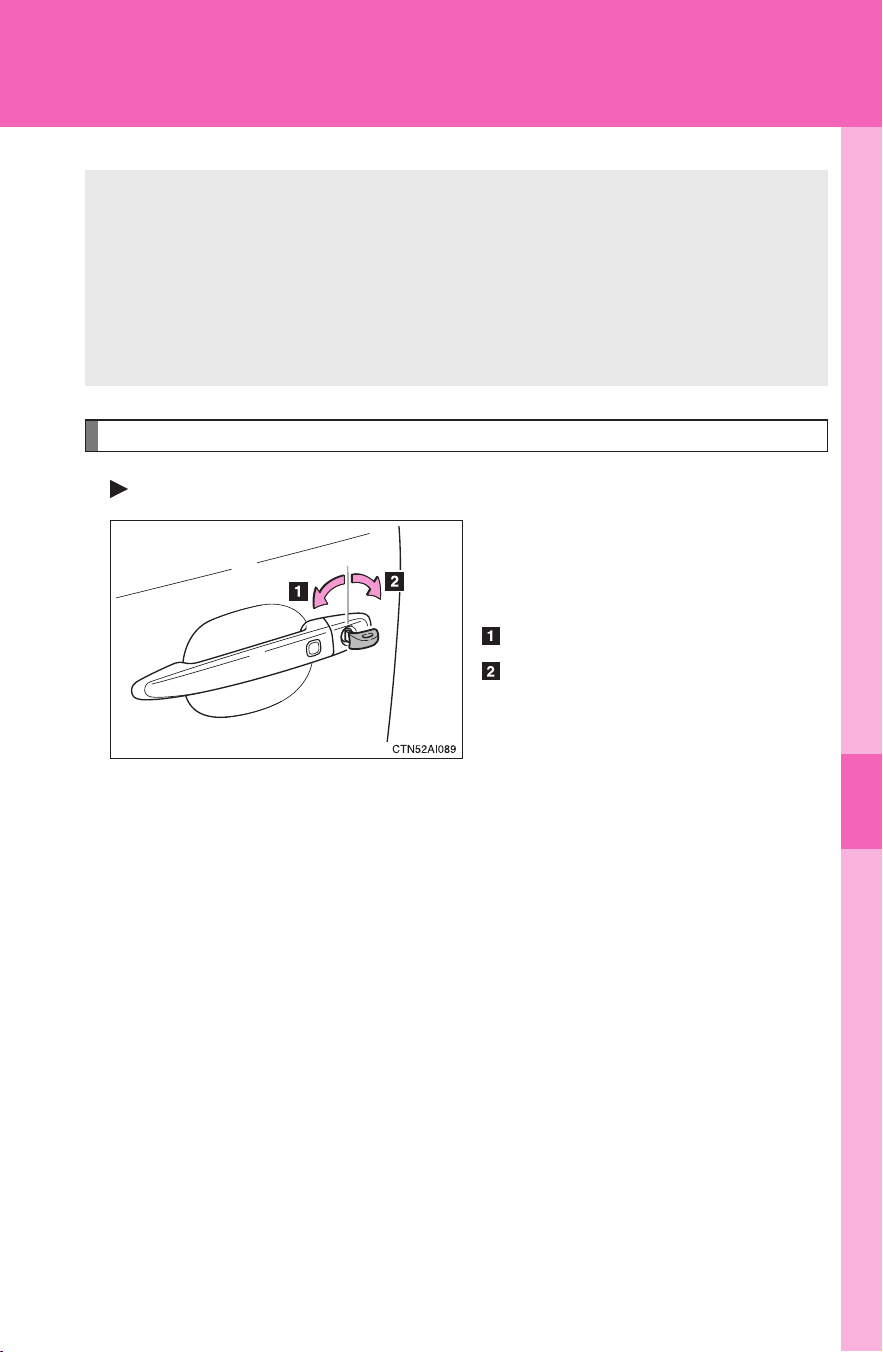
5
When trouble arises
431
5-2. Steps to take in an emergency
CAMRY_HV_U
If the electronic key does not operate properly
Locking and unlocking the doors and opening the trunk with the mechanical key
Doors
Using the mechanical key (→P. 3 5 )
in order to perform the following
operations:
Locks all doors
Unlocks all doors
Turning the key rearward unlocks
the driver's door. Turning the key
once again unlocks the other
doors.
If communication between the electronic key and the vehicle is inter-
rupted (→P. 41) or the electronic key cannot be used because the
battery is depleted, the smart key system and wireless remote con-
trol cannot be used. In such cases, the doors and trunk can be
opened or the hybrid system can be started by following the proce-
dure below.
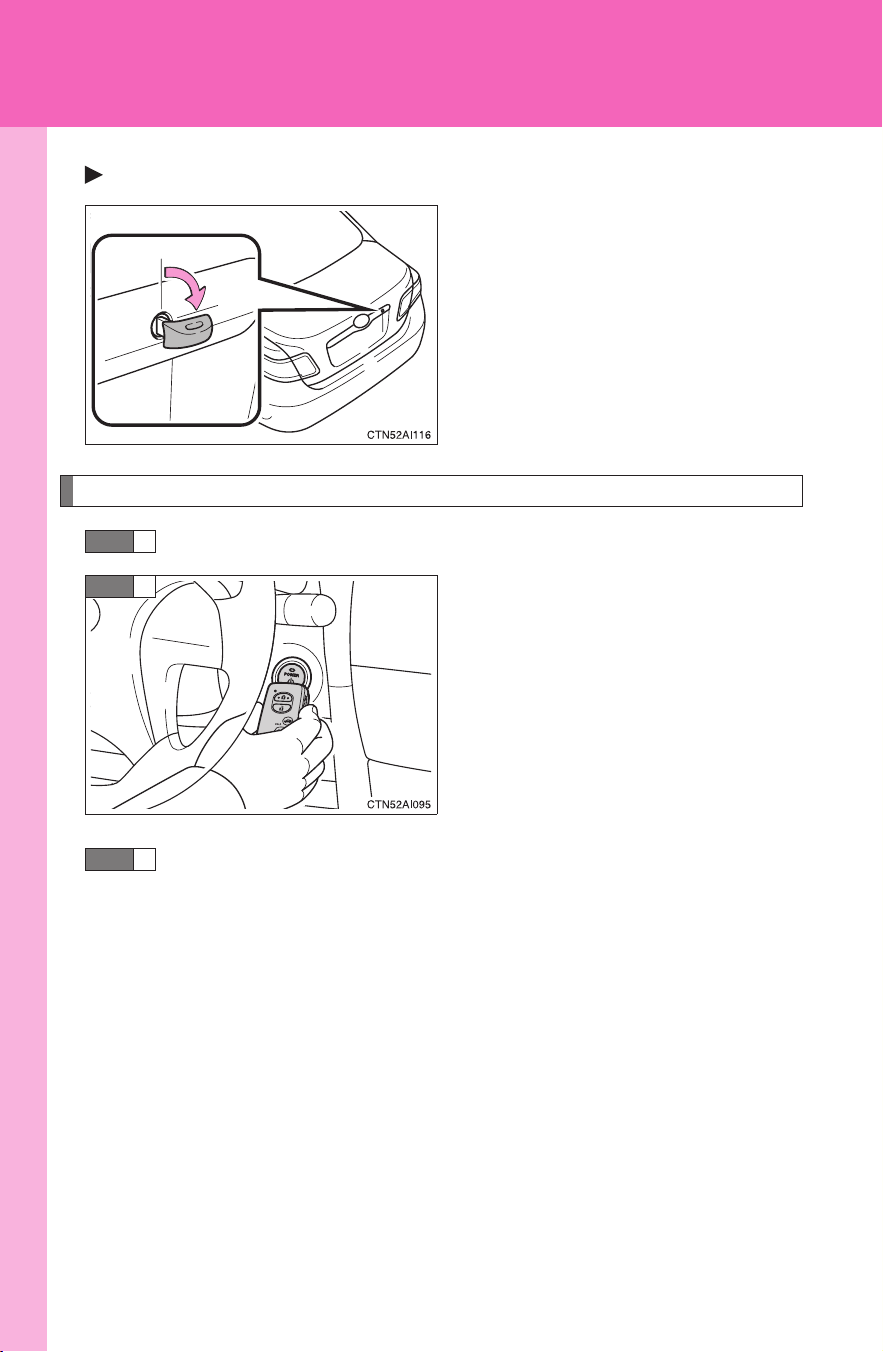
432
5-2. Steps to take in an emergency
CAMRY_HV_U
Trunk
Turn the mechanical key clock-
wise to open.
Changing “POWER” switch modes and starting the hybrid system
Shift the shift lever to P and apply the brakes.
Touch the Toyota emblem side of
the electronic key to the
“POWER” switch.
If any of the doors is opened and
closed and while the key is
touched to the “POWER” switch,
an alarm will sound to indicate
that the start function cannot
detect the electronic key.
To change the “POWER” switch modes: Within 10 seconds of
the buzzer sounding, release the brake pedal and press the
“POWER” switch. Modes can be changed each time the
switch is pressed. (→P. 136)
To start the hybrid system: Press the “POWER” switch within
10 seconds after the buzzer sounds, keeping the brake pedal
depressed.
In the event that the hybrid system still cannot be operated, contact
your Toyota dealer.
STEP
1
STEP
2
STEP
3

5
When trouble arises
433
5-2. Steps to take in an emergency
CAMRY_HV_U
■ Stopping the hybrid system
Shift the shift lever to P and press the “POWER” switch as you normally do
when stopping the hybrid system.
■ Replacing the key battery
As the above procedure is a temporary measure, it is recommended that the
electronic key battery be replaced immediately when the battery is depleted.
(→P. 370)
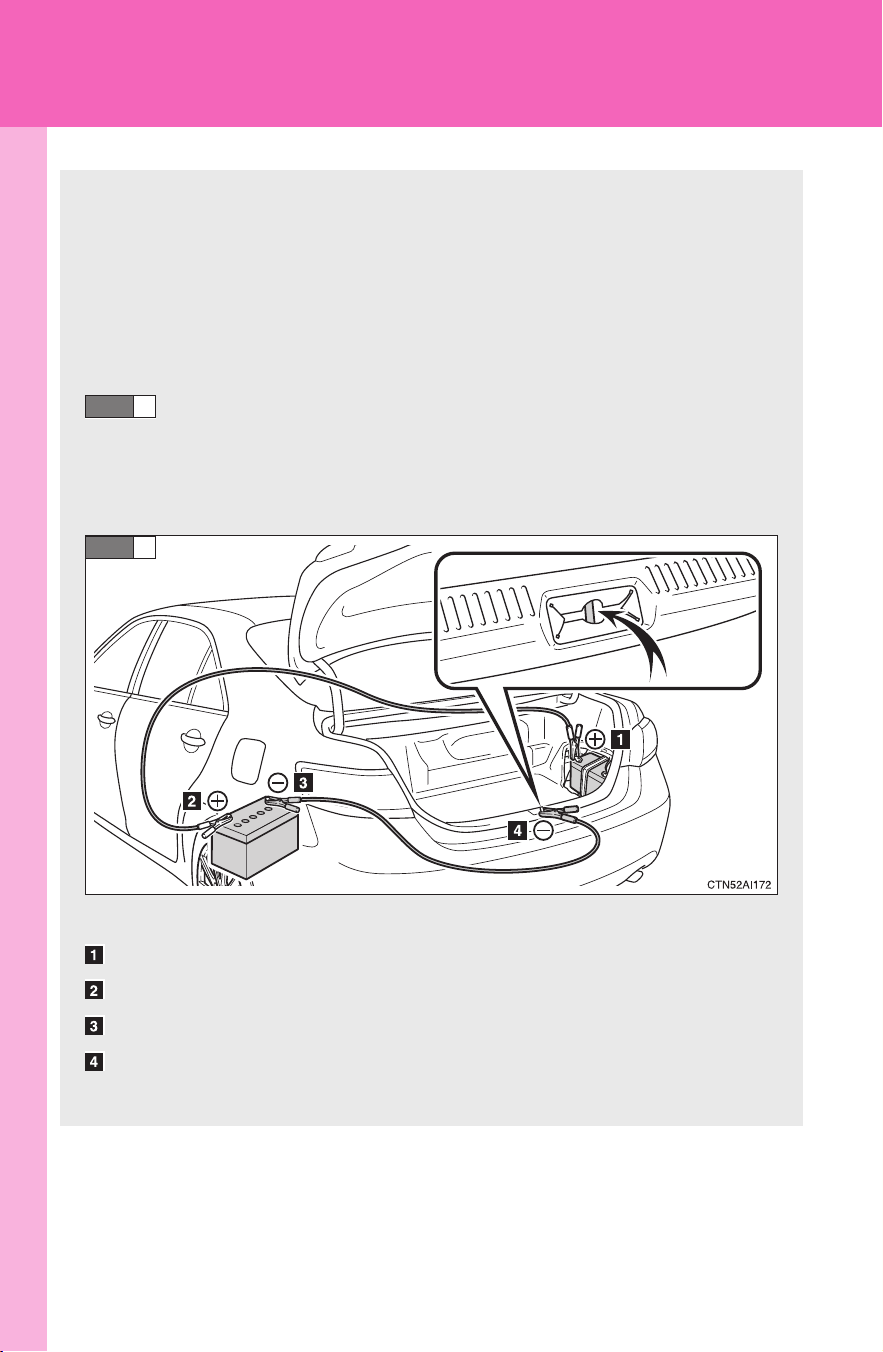
434
5-2. Steps to take in an emergency
CAMRY_HV_U
If the vehicle’s 12-volt battery is discharged
The following procedures may be used to start the hybrid system if
the vehicle's 12-volt battery is discharged.
You can call your Toyota dealer or qualified repair shop.
If you have a set of jumper (or booster) cables and a second vehi-
cle with a 12-volt battery, you can jump start your Toyota following
the steps below.
Open the trunk lid and remove the 12-volt battery cover.
(→P. 348)
In the event that the trunk opener cannot be used, use the
mechanical key to open the trunk. (→P. 431)
Connecting the jumper cables
Positive (+) battery terminal on your vehicle
Positive (+) battery terminal on the second vehicle
Negative (-) battery terminal on the second vehicle
Connect the jumper cable to ground on your vehicle as shown in
the illustration.
STEP
1
STEP
2

5
When trouble arises
435
5-2. Steps to take in an emergency
CAMRY_HV_U
■ Avoiding a discharged 12-volt battery
● Turn off the headlights and the audio system while the hybrid system is
turned off.
● Turn off any unnecessary electrical components when the vehicle is run-
ning at a low speed for an extended period, such as in heavy traffic, etc.
■ When the 12-volt battery is removed or discharged
The hybrid system may not start. (→P. 349)
■ Starting the hybrid system when the 12-volt battery is discharged
The hybrid system cannot be started by push-starting.
Start the engine of the second vehicle. Increase the gaso-
line engine speed slightly and maintain at that level for
approximately 5 minutes to recharge the 12-volt battery of
your vehicle.
Open and close any of the doors with the “POWER” switch
OFF.
Maintain the engine speed of the second vehicle and turn
the “POWER” switch to ON mode, then start the hybrid sys-
tem.
Make sure the “READY” indicator comes on. If the indicator
does not comes on, contact your Toyota dealer.
Once the hybrid system has started, remove the jumper
cables in the exact reverse order in which they were con-
nected.
Once the hybrid system starts, have the vehicle checked at your
Toyota dealer as soon as possible.
STEP
3
STEP
4
STEP
5
STEP
6

436
5-2. Steps to take in an emergency
CAMRY_HV_U
CAUTION
■ Avoiding 12-volt battery fires or explosions
Observe the following precautions to prevent accidentally igniting the flam-
mable gas that may be emitted from the 12-volt battery.
● Make sure each jumper cable is connected to the correct terminal.
● Do not allow the ends of the jumper cable used for the “+” terminals to
come into contact with any other parts or metal surface in the area, such
as brackets or unpainted metal.
● Do not allow the “+” and “-” terminals of the jumper cables to come into
contact with each other.
● Do not smoke, use matches, cigarette lighters or allow open flame near
the 12-volt battery.
■ 12-volt battery precautions
The 12-volt battery contains poisonous and corrosive acidic electrolyte,
while related parts contain lead and lead compounds. Observe the following
precautions when handling the 12-volt battery.
● When working with the 12-volt battery, always wear safety glasses and
take care not to allow any battery fluids (acid) to come into contact with
skin, clothing or the vehicle body.
● Do not lean over the 12-volt battery.
● In the event that battery fluid comes into contact with the skin or eyes,
immediately wash the affected area with water and seek medical attention.
Place a wet sponge or cloth over the affected area until medical attention
can be received.
● Always wash your hands after handling the 12-volt battery support, termi-
nals, and other battery-related parts.
● Do not allow children near the 12-volt battery.

5
When trouble arises
437
5-2. Steps to take in an emergency
CAMRY_HV_U
NOTICE
■ When handling jumper cables
Be careful that the jumper cables do not become tangled in the cooling fans
or any of the belts when connecting or disconnecting them.

438
5-2. Steps to take in an emergency
CAMRY_HV_U
If your vehicle overheats
Correction procedures
■ If “WATER TEMP” is shown on the multi-information display
Stop the vehicle in a safe place and turn off the air condition-
ing system.
Check to see if steam is coming out from under the hood.
If you see steam:
Stop the hybrid system. Carefully lift the hood after the
steam subsides and then restart the hybrid system.
If you do not see steam:
Leave the hybrid system operating and carefully lift the
hood.
Check to see if the cooling fan is operating.
If the fans are operating:
Wait until the temperature of the engine (shown on the
instrument cluster) begins to fall and then stop the hybrid
system.
If the fans are not operating:
Stop the hybrid system immediately and call your Toyota
dealer.
The following may indicate that your vehicle is overheating:
● “WATER TEMP” is shown on the multi-information display:
The engine may be overheating.
● “HYBRID SYSTEM OVER HEAT” is shown on the multi-informa-
tion display:
The power control unit may be overheating.
Follow the correction procedure as described below.
STEP
1
STEP
2
STEP
3
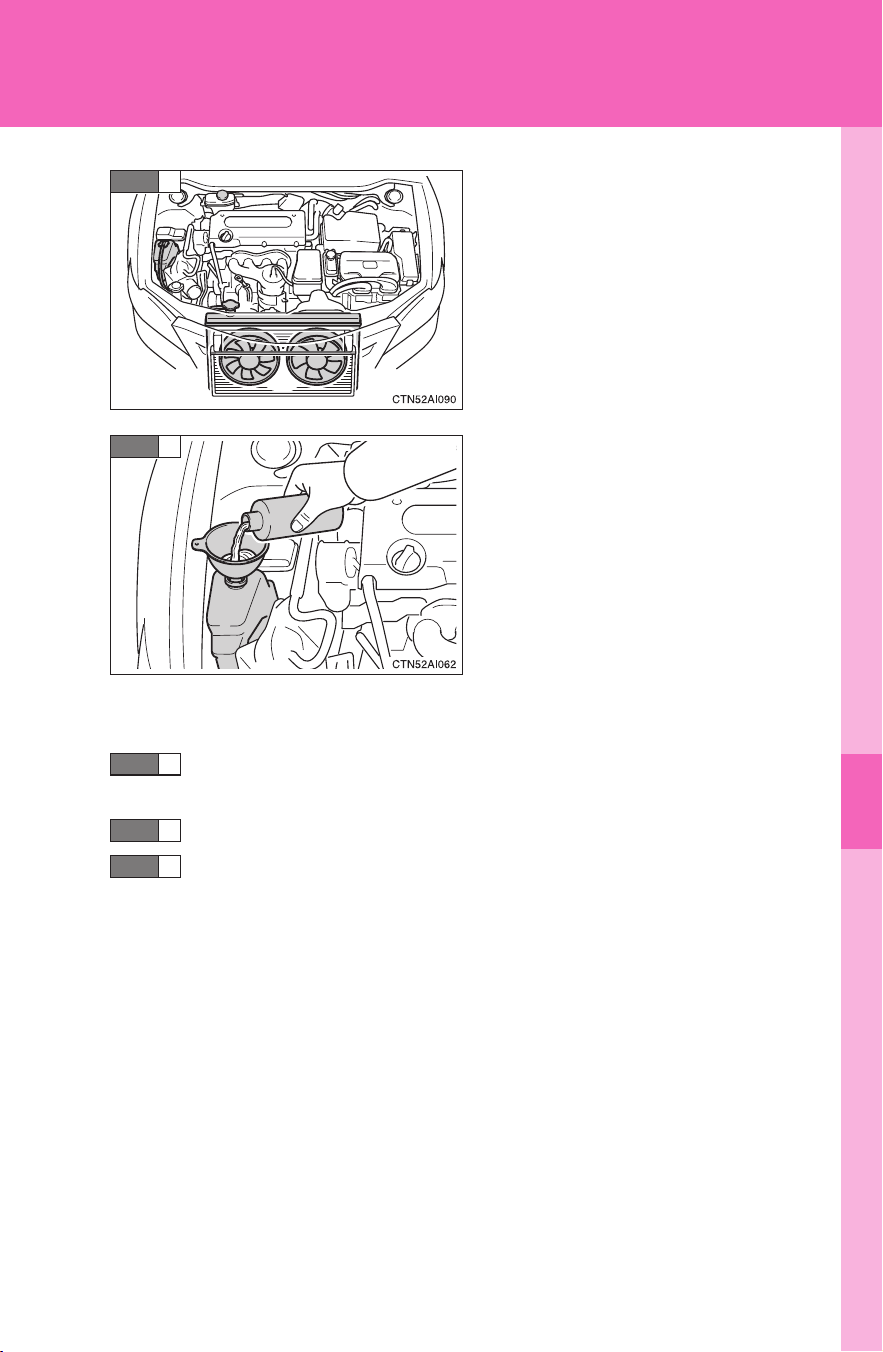
5
When trouble arises
439
5-2. Steps to take in an emergency
CAMRY_HV_U
After the hybrid system has
cooled down sufficiently, check
the engine coolant level and
inspect the radiator core (radia-
tor) for any leaks.
Add engine coolant if necessary.
Water can be used in an emer-
gency if engine coolant is unavail-
able.
(→P. 450)
■ If “HYBRID SYSTEM OVER HEAT” is shown on the multi-infor-
mation display
Stop the vehicle in a safe place and turn off the air condition-
ing system.
Leave the hybrid system operating and carefully lift the hood.
Check if the cooling fans are operating.
If the fans are operating:
Wait until “HYBRID SYSTEM OVER HEAT” disappears and
then stop the hybrid system.
If the message does not disappear, call your Toyota dealer.
If the fans are not operating:
Stop the hybrid system immediately and call your local
Toyota dealer.
STEP
4
STEP
5
STEP
1
STEP
2
STEP
3
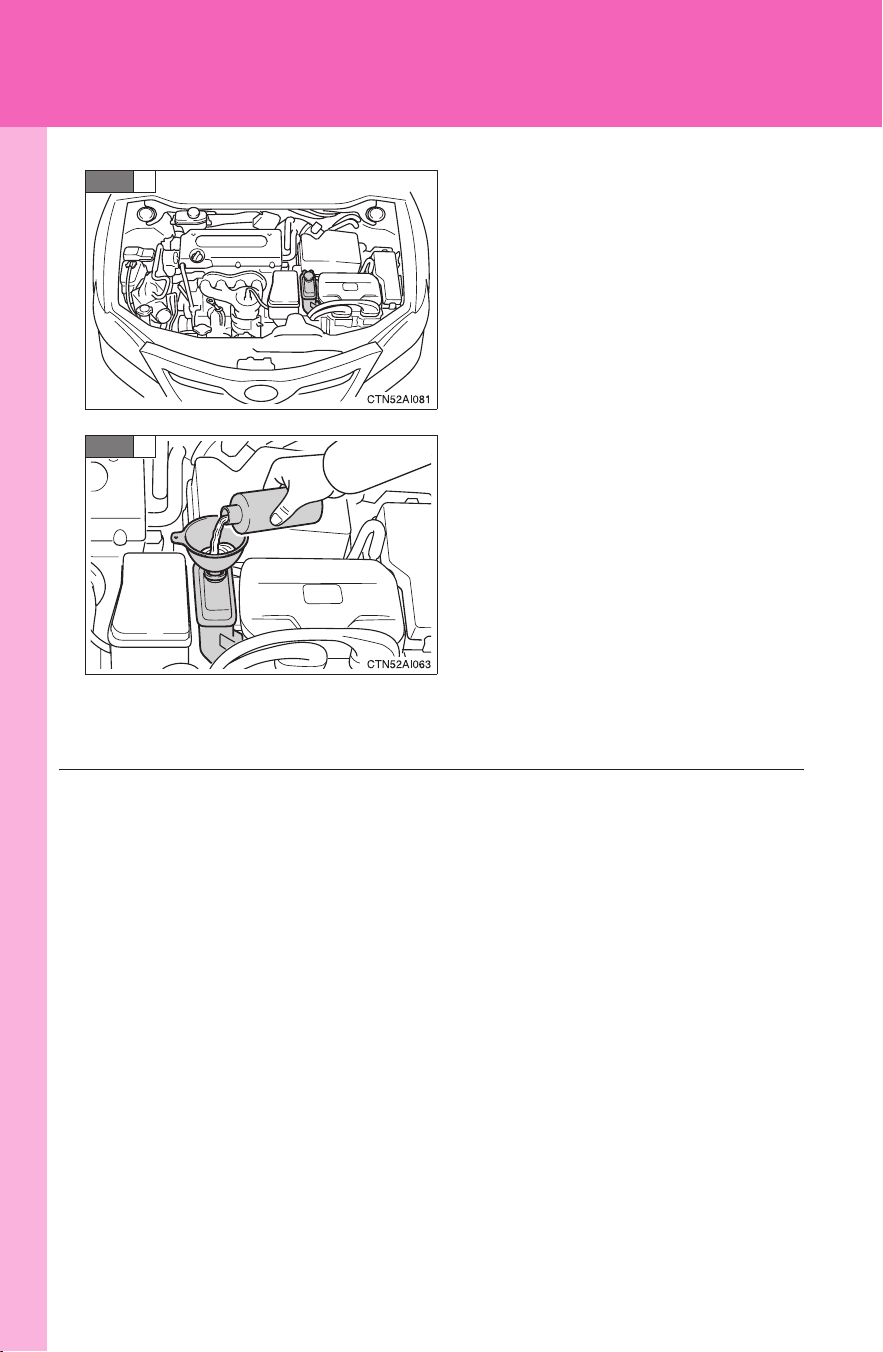
440
5-2. Steps to take in an emergency
CAMRY_HV_U
After the hybrid system has
cooled down, check the power
control unit coolant level and
inspect the cooling system for
leaks.
Add power control unit coolant if
necessary.
Water can be used in an emer-
gency if power control unit cool-
ant is unavailable. (→P. 450)
Have the vehicle checked at the nearest Toyota dealer as soon as
possible.
STEP
4
STEP
5
■ Overheating
The following symptoms may occur when your vehicle is overheating:
● Hybrid system output decreases.
● Steam is coming from the engine area.
5
When trouble arises
441
5-2. Steps to take in an emergency
CAMRY_HV_U
CAUTION
■ To prevent an accident or injury when inspecting under the hood of
your vehicle
● If steam is seen coming from under the hood, do not open the hood until
the steam has subsided. The engine compartment may be very hot, caus-
ing serious injury such as burns.
● With a hybrid vehicle, there are times when the gasoline engine automati-
cally starts to run or the cooling fans suddenly start to operate. Do not
touch or approach the rotating parts of the belt or fans. Doing so may lead
to fingers, clothes or tools getting caught, resulting in an accidental injury.
● Do not loosen the coolant reservoir cap while the hybrid system and radia-
tor are hot.
Serious injury, such as burns, may result from hot coolant and steam
released under pressure.
NOTICE
■ When adding engine/power control unit coolant
Wait until the hybrid system has cooled down before adding engine/power
control unit coolant.
When adding coolant, do so slowly. Adding cool coolant to a hot hybrid sys-
tem too quickly can cause damage to the hybrid system.
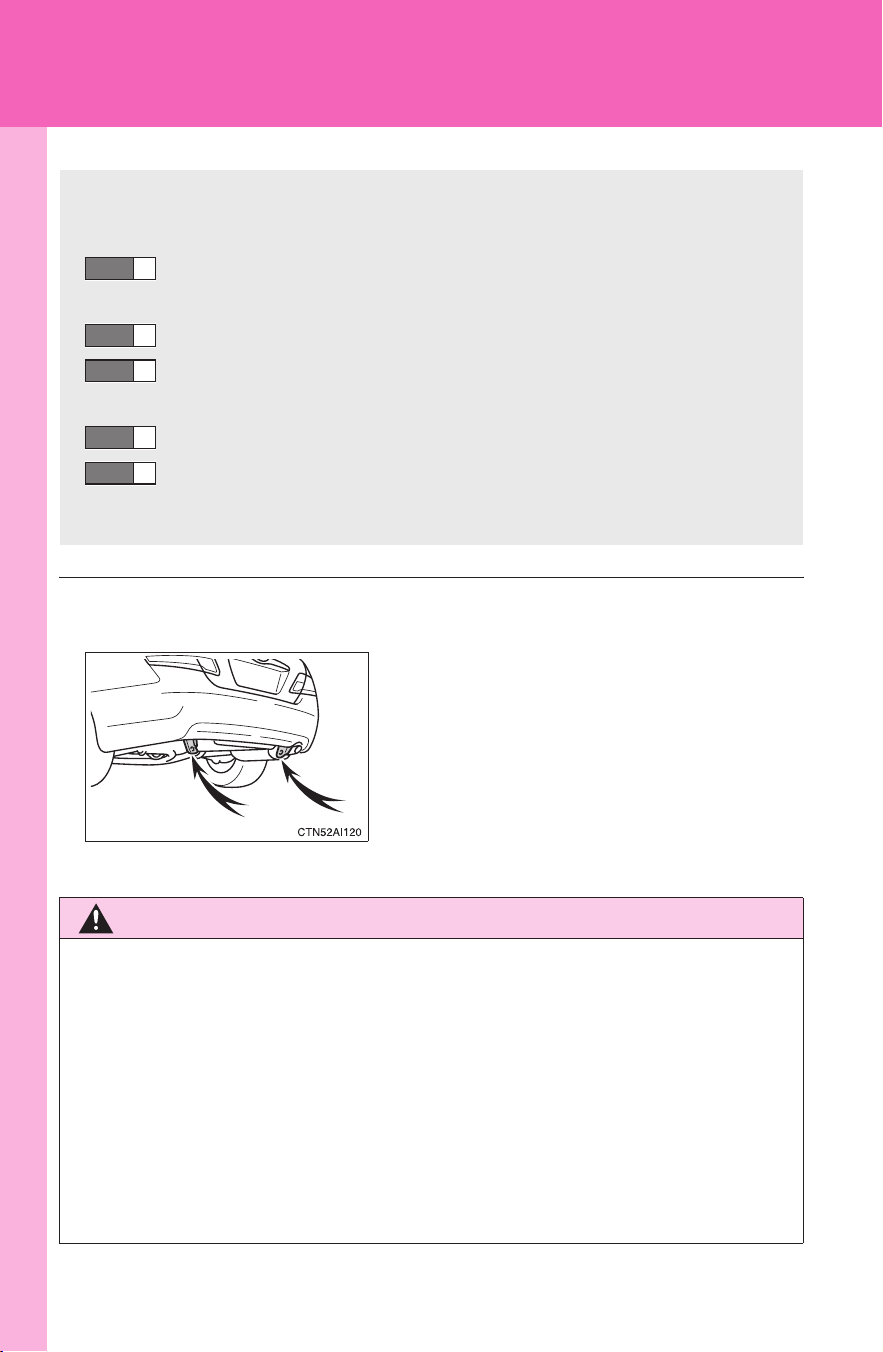
442
5-2. Steps to take in an emergency
CAMRY_HV_U
If the vehicle becomes stuck
■ Emergency hooks (if equipped)
CAUTION
■ When attempting to free a stuck vehicle
If you choose to rock the vehicle back and forth to free it, make sure the sur-
rounding area is clear, to avoid striking other vehicles, objects or persons.
The vehicle may also lunge forward or lunge back suddenly as it becomes
free. Use extreme caution.
■ When shifting the shift lever
Be careful not to shift the shift lever with the accelerator pedal depressed.
This may lead to unexpected rapid acceleration of the vehicle that may
cause an accident and result in death or serious injury.
Carry out the following procedures if the tires spin or the vehicle
becomes stuck in mud, dirt, or snow.
Stop the hybrid system. Set the parking brake and put the
shift lever in P.
Remove the mud, snow, or sand from around the stuck tire.
Place wood, stones or some other material to help provide
traction under the tires.
Restart the hybrid system.
Shift the shift lever to the D or R position and carefully apply
the accelerator to free the vehicle.
STEP
1
STEP
2
STEP
3
STEP
4
STEP
5
When your vehicle becomes stuck and
cannot move, the emergency hooks are
used for another vehicle to pull your vehi-
cle out in an emergency.
Your vehicle is not designed to tow
another vehicle.

5
When trouble arises
443
5-2. Steps to take in an emergency
CAMRY_HV_U
NOTICE
■ To avoid damaging the transmission and other components
● Avoid spinning the wheels.
● If the vehicle remains stuck after trying these procedures, the vehicle may
require towing to be freed.

444
5-2. Steps to take in an emergency
CAMRY_HV_U

Vehicle specifications
6
445
CAMRY_HV_U
6-1. Specifications
Maintenance data
(fuel, oil level, etc.)......... 446
Fuel information ............... 455
Tire information ................ 458
6-2. Customization
Customizable features ..... 470
6-3. Initialization
Items to initialize .............. 473
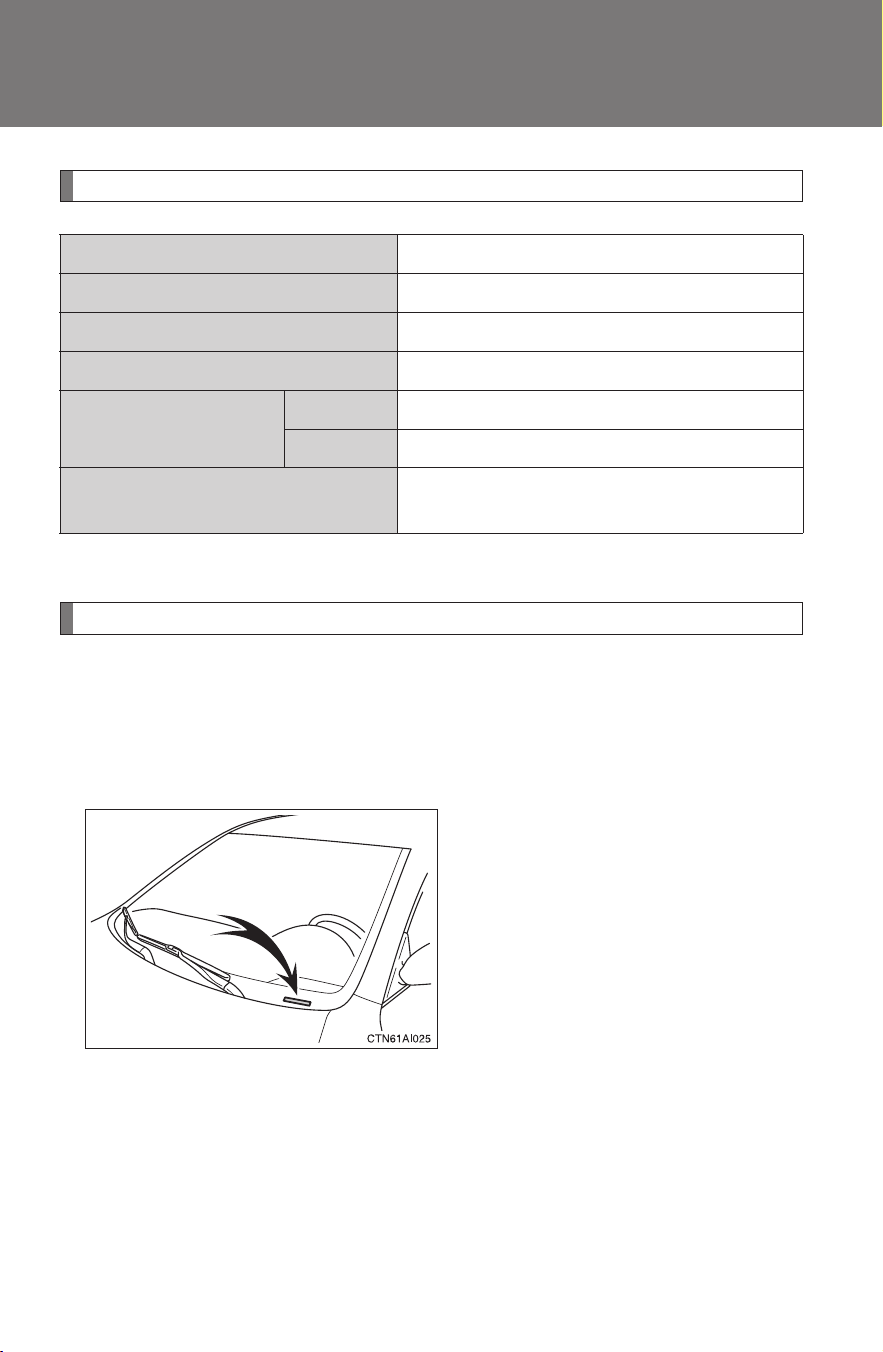
446
CAMRY_HV_U
6-1. Specifications
Maintenance data (fuel, oil level, etc.)
Dimensions and weights
*: Unladen vehicles
Vehicle identification
■ Vehicle identification number
The vehicle identification number (VIN) is the legal identifier for your
vehicle. This is the primary identification number for your Toyota. It is
used in registering the ownership of your vehicle.
This number is stamped on the
top left of the instrument panel.
Overall length 189.2 in. (4805 mm)
Overall width 71.7 in. (1820 mm)
Overall height* 57.9 in. (1470 mm)
Wheelbase 109.3 in. (2775 mm)
Tread
Front 62.0 in. (1575 mm)
Rear 61.6 in. (1565 mm)
Vehicle capacity weight
(Occupants + luggage)
900 lb. (410 kg)
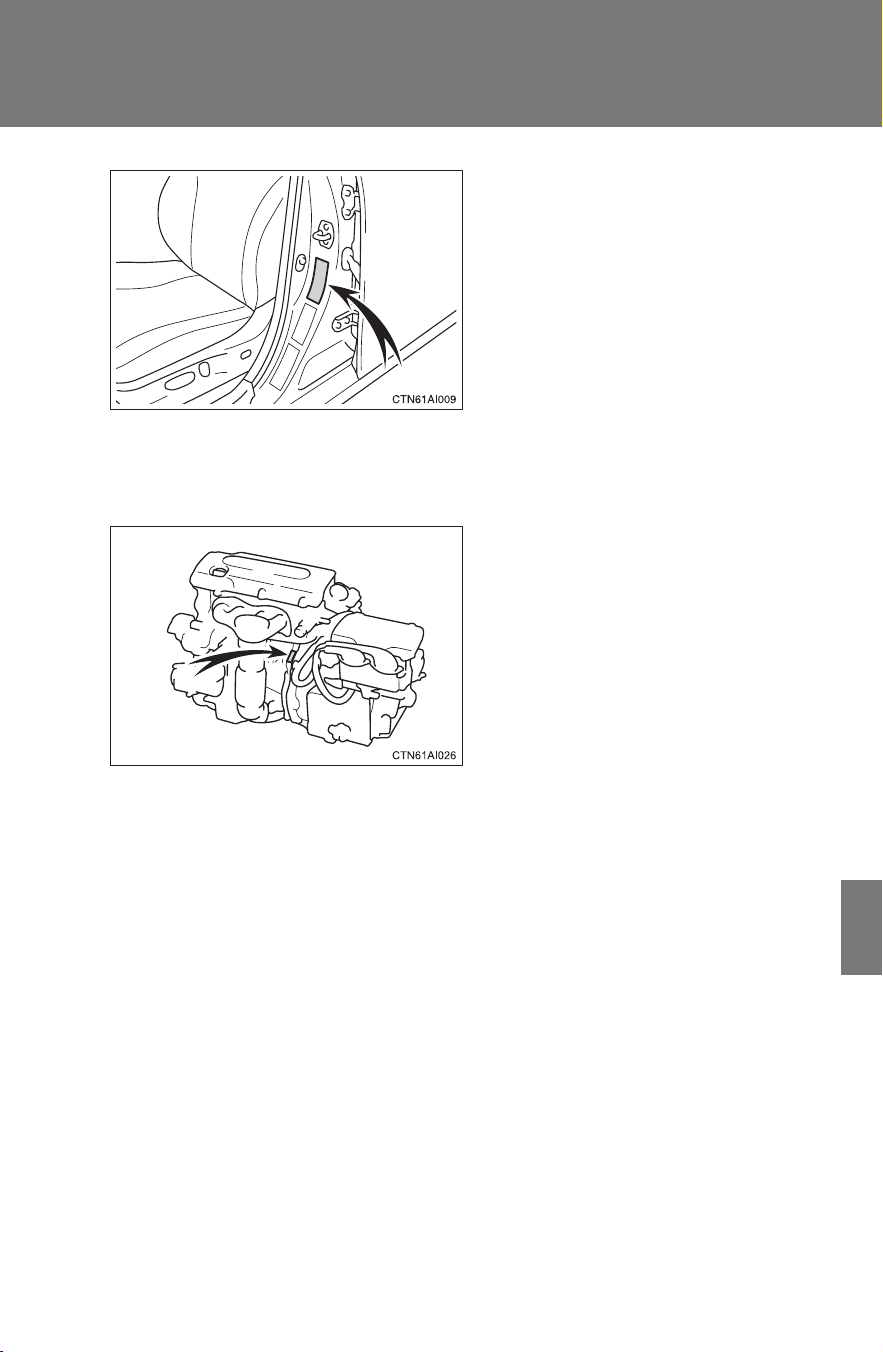
447
6-1. Specifications
6
Vehicle specifications
CAMRY_HV_U
This number is also on the Certi-
fication label on the driver’s side
center pillar.
■ Engine number
The engine number is stamped on the engine block as shown.
448
6-1. Specifications
CAMRY_HV_U
Engine
Fuel
Electric motor (traction motor)
Model 2AZ-FXE engine
Type 4 cylinder in-line, 4 cycle, gasoline
Bore and stroke 3.48 × 3.78 in. (88.5 × 96.0 mm)
Displacement 144.1 cu.in. (2362 cm
3
)
Drive belt tension Automatic adjustment
Valve clearance
(engine cold)
Intake
Exhaust
0.007 0.011 in. (0.19 0.29 mm)
0.015 0.019 in. (0.38 0.48 mm)
Fuel type Unleaded gasoline only
Octane rating 87 (Research Octane Number 91) or higher
Fuel tank capacity 17.2 gal. (65 L, 14.3 Imp. gal.)
Type Permanent magnet synchronous motor
Maximum output 105 kW
Maximum torque 199 ft•lbf (270 N•m, 27.5 kgf•m)
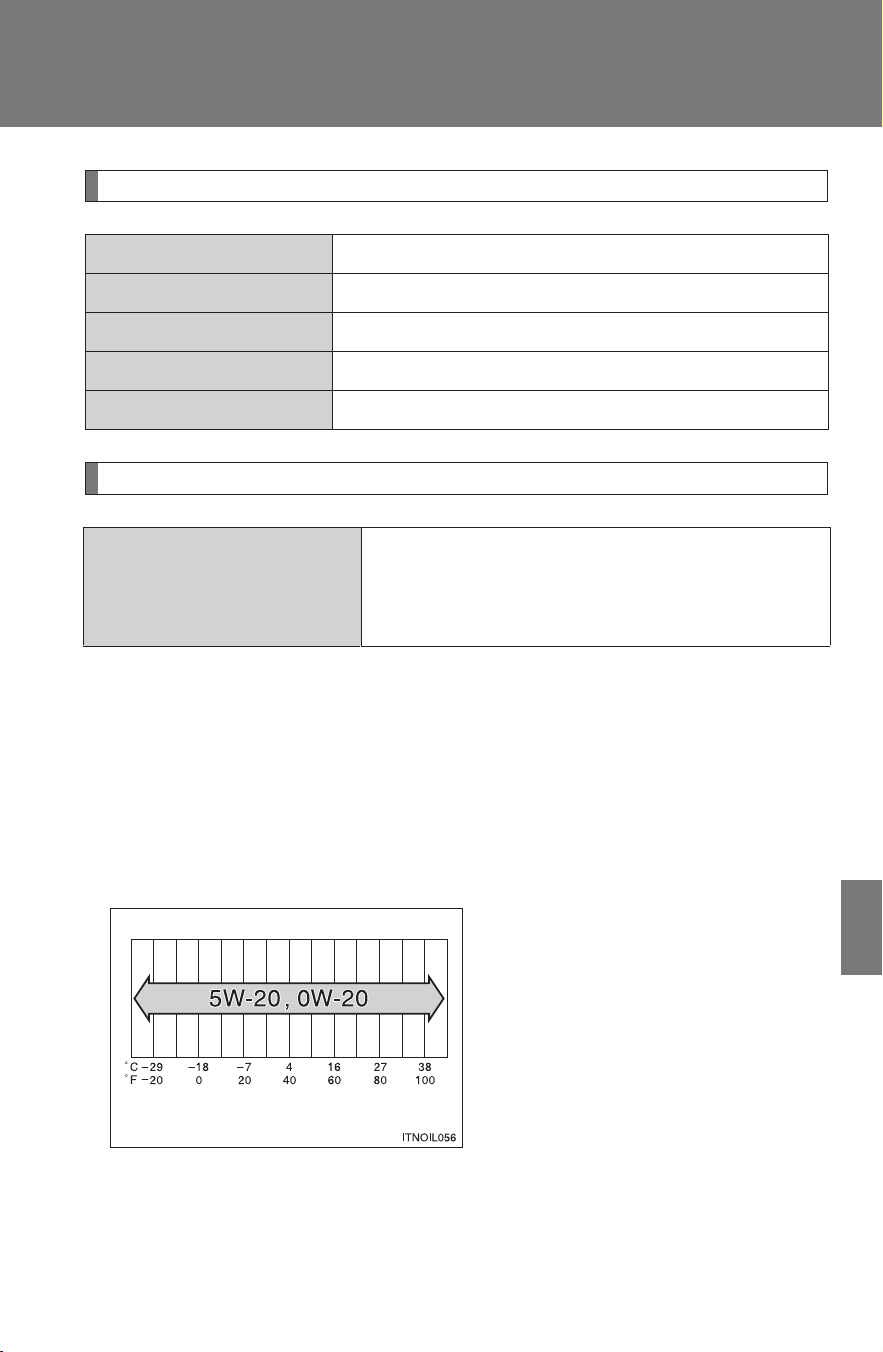
449
6-1. Specifications
6
Vehicle specifications
CAMRY_HV_U
Hybrid battery (traction battery)
Lubrication system
■ Engine oil selection
“Toyota Genuine Motor Oil” is used in your Toyota vehicle. Use
Toyota approved “Toyota Genuine Motor Oil” or equivalent to satisfy
the following grade and viscosity.
Oil grade: ILSAC multigrade engine oil
Recommended viscosity: SAE 5W-20 or 0W-20
SAE 5W-20 or 0W-20 engine oil
may be used. However, SAE
0W-20 is the best choice for
good fuel economy and good
starting in cold weather.
The 0W portion of the oil viscosity rating indicates the characteristic of the
oil which allows cold startability. Oils with a lower value before the W allow
for easier starting of the engine in cold weather.
Type Nickel-Metal hydride battery
Voltage 7.2 V/module
Capacity 6.5 Ah (3HR)
Quantity 34 modules
Overall voltage 244.8 V
Oil capacity
(drain and refill)
With filter
Without filter
4.5 qt. (4.3 L, 3.8 Imp. qt.)
4.3 qt. (4.1 L, 3.6 Imp. qt.)
Outside temperature
450
6-1. Specifications
CAMRY_HV_U
The 20 in 0W-20 indicates the oil viscosity when the oil is at its operating
temperature. An oil with a higher viscosity may be better suited if the vehi-
cle is operated at high speeds, or under extreme load conditions.
How to read oil container label:
The ILSAC (International Lubricant Standardization and Approval
Committee) Certification Mark is added to some oil containers to help
you select the oil you should use.
Cooling system
Gasoline engine
Power control
unit
6.6 qt. (6.2 L, 5.5 Imp. qt.)
3.1 qt. (2.9 L, 2.6 Imp. qt.)
Coolant type
Use either of the following.
• “Toyota Super Long Life Coolant”
• Similar high-quality ethylene glycol-based non-silicate,
non-amine, non-nitrite, and non-borate coolant with
long-life hybrid organic acid technology
Do not use plain water alone.
451
6-1. Specifications
6
Vehicle specifications
CAMRY_HV_U
Ignition system
Electrical system
Spark plug
Make
Gap
DENSO SK20R11
NGK IFR6A11
0.043 in. (1.1 mm)
NOTICE
■ Iridium-tipped spark plugs
Use only iridium-tipped spark plugs. Do not adjust spark plug gap.
12-volt battery
Open voltage at
68°F (20°C):
12.6 12.8 V Fully charged
12.2 12.4 V Half charged
11.8 12.0 V Discharged
(Voltage checked 20 minutes after the
hybrid system and all the lights are turned
off)
Charging rates 5 A max.
452
6-1. Specifications
CAMRY_HV_U
Transaxle
*: The fluid capacity is the quantity of reference. If replacement is nec-
essary, contact your Toyota dealer.
Brakes
*
1
: Minimum pedal clearance when depressed with a force of 110 lbf (490 N,
50 kgf) while the hybrid system is running
*
2
: Parking brake pedal travel when depressed with a force of 67 lbf (300 N, 31
kgf).
Steering
Fluid capacity* 4.3 qt. (4.1 L, 3.6 Imp. qt.)
Fluid type Toyota Genuine ATF WS
NOTICE
■ Transmission fluid type
Using transmission fluid other than “Toyota Genuine ATF WS” may cause
deterioration in shift quality, locking up of your transmission accompanied by
vibration, and ultimately damage the transmission of your vehicle.
Pedal clearance
*
1
3.1 in. (80 mm)
Pedal free play 0.04 0.08 in. (1 2 mm)
Brake pad wear limit 0.04 in. (1.0 mm)
Parking brake pedal travel
*
2
7 10 clicks
Fluid type SAE J1703 or FMVSS No.116 DOT 3
Free play Less than 1.2 in. (30 mm)

453
6-1. Specifications
6
Vehicle specifications
CAMRY_HV_U
Tires and wheels
Tire size P215/60R16 94V, T155/70D17 110M
Tire inflation pressure
(Recommended cold tire
inflation pressure)
Driving under normal conditions
Front: 32 psi (220 kPa, 2.2 kgf/cm
2
or
bar)*
Rear: 32 psi (220 kPa, 2.2 kgf/cm
2
or
bar)*
Spare: 60 psi (420 kPa, 4.2 kgf/cm
2
or
bar)
*: When driving at high speeds above
100 mph (160 km/h), in countries
where such speeds are permitted by
law, add 3 psi (20 kPa, 0.2 kgf/cm
2
or
bar) to the front tires and rear tires.
Never exceed the maximum cold tire
inflation pressure indicated on the tire
sidewall.
Wheel size
16 × 6 1/2 J or 16 × 6 1/2 JJ,
17 × 4 T (compact spare)
Wheel nut torque 76 ft•lbf (103 N•m, 10.5 kgf•m)

454
6-1. Specifications
CAMRY_HV_U
Light bulbs
A: H11 halogen bulbs B: HB3 halogen bulbs
C: Wedge base bulbs (clear) D: Wedge base bulbs (amber)
E: Double end bulbs
Light Bulbs Bulb No. W Type
Exterior
Headlights
Low beam
High beam
9005
55
60
A
B
Front side marker/
parking lights
5D
Front turn signal lights 21 D
Rear turn signal lights 21 C
License plate lights 5C
Back-up lights 921 16 C
Front fog lights
(if equipped)
55 A
Interior
Personal lights 5C
Interior light 8E
Door courtesy lights 168 5 C
Vanity lights 8C
Glove box light 1.2 C
Trunk light 3.8 C

455
6-1. Specifications
6
Vehicle specifications
CAMRY_HV_U
Fuel information
■ Fuel tank opening for unleaded gasoline
To help prevent incorrect fueling, your Toyota has a fuel tank opening that
only accommodates the special nozzle on unleaded fuel pumps.
■ If your engine knocks
● Consult your Toyota dealer.
● You may occasionally notice light knocking for a short time while acceler-
ating or driving uphill. This is normal and there is no need for concern.
■ Gasoline quality
In very few cases, driveability problems may be caused by the brand of gas-
oline you are using. If driveability problems persist, try changing the brand of
gasoline. If this does not correct the problem, consult your Toyota dealer.
■ Gasoline quality standards
● Automotive manufacturers in the U.S., Europe and Japan have devel-
oped a specification for fuel quality called the World-Wide Fuel Charter
(WWFC) that is expected to be applied worldwide.
● The WWFC consists of four categories that are based on required emis-
sion levels. In the U.S., category 4 has been adopted.
● The WWFC improves air quality by lowering emissions in vehicle fleets,
and improves customer satisfaction through better performance.
You must only use unleaded gasoline in your vehicle.
Select octane rating 87 (Research Octane Number 91) or higher. Use
of unleaded gasoline with an octane rating lower than 87 may result
in engine knocking. Persistent knocking can lead to engine damage.
At minimum, the gasoline you use should meet the specifications
of ASTM D4814 in the U.S.A. and CGSB3.5-M93 in Canada.

456
6-1. Specifications
CAMRY_HV_U
■ Toyota recommends the use of gasoline containing detergent additives
● Toyota recommends the use of gasoline that contains detergent additives
to avoid build-up of engine deposits.
● All gasoline sold in the U.S. contains detergent additives to clean and/or
keep clean intake systems.
■ Toyota recommends the use of cleaner burning gasoline
Cleaner burning gasoline, including reformulated gasoline that contains oxy-
genates such as ethanol or MTBE (Methyl Tertiary Butyl Ether) is available in
many areas.
Toyota recommends the use of cleaner burning gasoline and appropriately
blended reformulated gasoline. These types of gasoline provide excellent
vehicle performance, reduce vehicle emissions and improve air quality.
■ Toyota does not recommend blended gasoline
● Toyota allows the use of oxygenate blended gasoline where the oxygen-
ate content is up to 10% ethanol or 15% MTBE.
● If you use gasohol in your Toyota, be sure that it has an octane rating no
lower than 87.
● Toyota does not recommend the use of gasoline containing methanol.
■ Toyota does not recommend gasoline containing MMT
Some gasoline contains octane enhancing additive called MMT (Methylcy-
clopentadienyl Manganese Tricarbonyl).
Toyota does not recommend the use of gasoline that contains MMT. If fuel
containing MMT is used, your emission control system may be adversely
affected.
The malfunction indicator lamp on the instrument cluster may come on. If
this happens, contact your Toyota dealer for service.

457
6-1. Specifications
6
Vehicle specifications
CAMRY_HV_U
NOTICE
■ Notice on fuel quality
● Do not use improper fuels. If improper fuels are used the engine will be
damaged.
● Do not use leaded gasoline.
Leaded gasoline can cause damage to your vehicle’s catalytic converters
causing the emission control system to malfunction.
● Do not use gasohol other than that stated here.
Other gasohol may cause fuel system damage or vehicle performance
problems.
■ Fuel-related poor driveability
If after using a different type of fuel, poor driveability is encountered (poor
hot starting, vaporization, engine knocking, etc.), discontinue the use of that
type of fuel.
■ When refueling with gasohol
Take care not to spill gasohol. It can damage your vehicle's paint.
458
6-1. Specifications
CAMRY_HV_U
Tire information
Typical tire symbols
Standard tire
Compact spare tire
Tire size (→P. 461)
DOT and Tire Identification Number (TIN) (→P. 460)
Uniform tire quality grading
For details, see “Uniform Tire Quality Grading” that follows.
Location of treadwear indicators (→P. 352)

459
6-1. Specifications
6
Vehicle specifications
CAMRY_HV_U
Tire ply composition and materials
Plies are layers of rubber-coated parallel cords. Cords are the
strands which form the plies in a tire.
Radial tires or bias-ply tires
A radial tire has “RADIAL” on the sidewall. A tire not marked
“RADIAL” is a bias-ply tire.
“TUBELESS” or “TUBE TYPE”
A tubeless tire does not have a tube and air is directly filled in the
tire. A tube type tire has a tube inside the tire and the tube main-
tains the air pressure.
Load limit at maximum cold tire inflation pressure (→P. 356)
Maximum cold tire inflation pressure (→P. 453)
This means the pressure to which a tire may be inflated.
Summer tires or all season tires (→P. 357)
An all season tire has “M+S” on the sidewall. A tire not marked
“M+S” is a summer tire.
“TEMPORARY USE ONLY” (→P. 422)
A compact spare tire is identified by the phrase “TEMPORARY USE
ONLY” molded into its sidewall. This tire is designed for temporary
emergency use only.
460
6-1. Specifications
CAMRY_HV_U
Typical DOT and Tire Identification Number (TIN)
DOT symbol
*
Tire Identification Number
(TIN)
Tire manufacturer's identifica-
tion mark
Tire size code
Manufacturer's optional tire
type code (3 or 4 letters)
Manufacturing week
Manufacturing year
*: The DOT symbol certifies
that the tire conforms to
applicable Federal Motor
Vehicle Safety Standards.
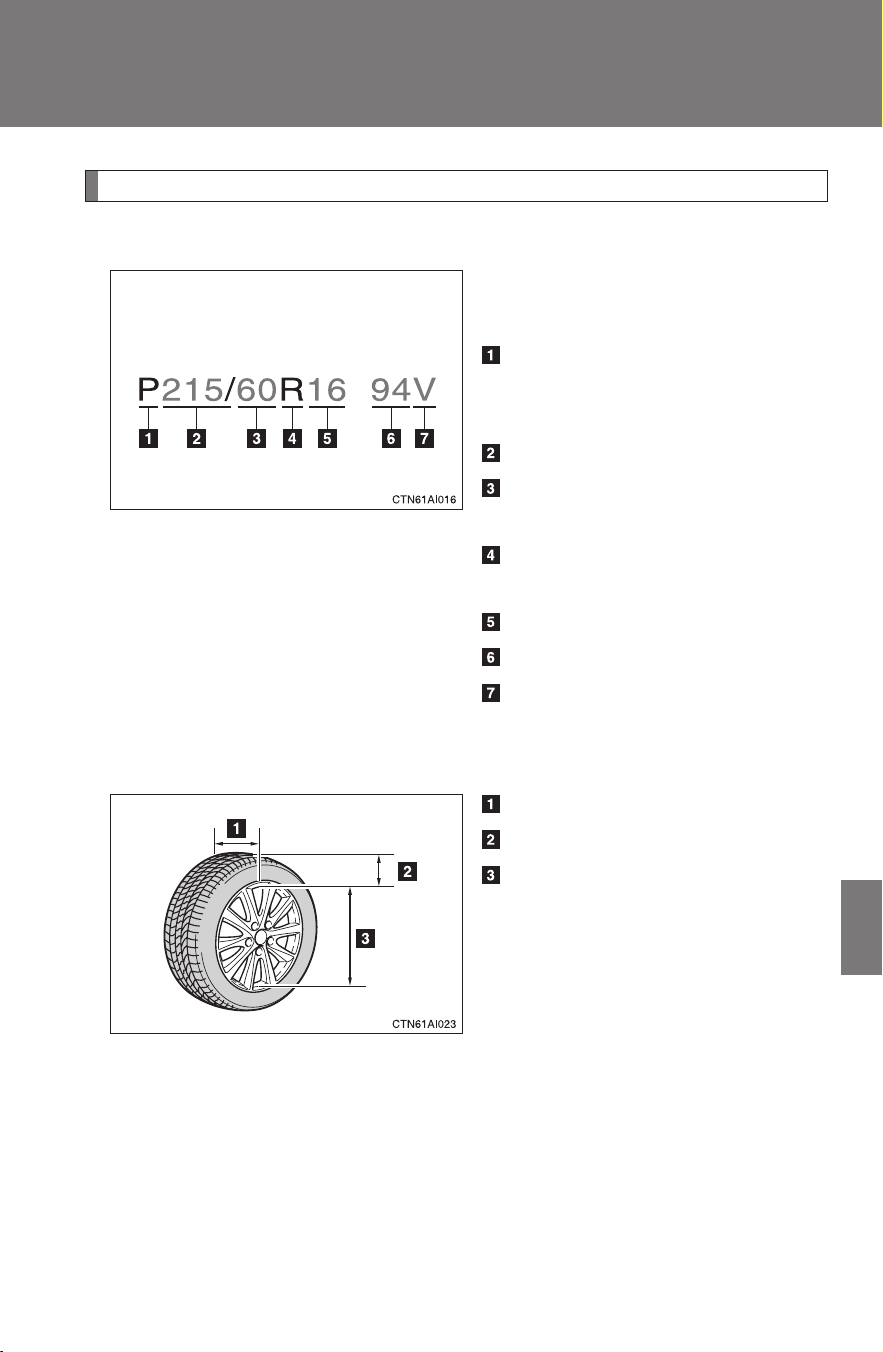
461
6-1. Specifications
6
Vehicle specifications
CAMRY_HV_U
Tire size
■ Typical tire size information
The illustration indicates typical
tire size.
Tire use
(P = Passenger car,
T = Temporary use)
Section width (millimeters)
Aspect ratio
(tire height to section width)
Tire construction code
(R = Radial, D = Diagonal)
Wheel diameter (inches)
Load index (2 or 3 digits)
Speed symbol
(alphabet with one letter)
■ Tire dimensions
Section width
Tire height
Wheel diameter
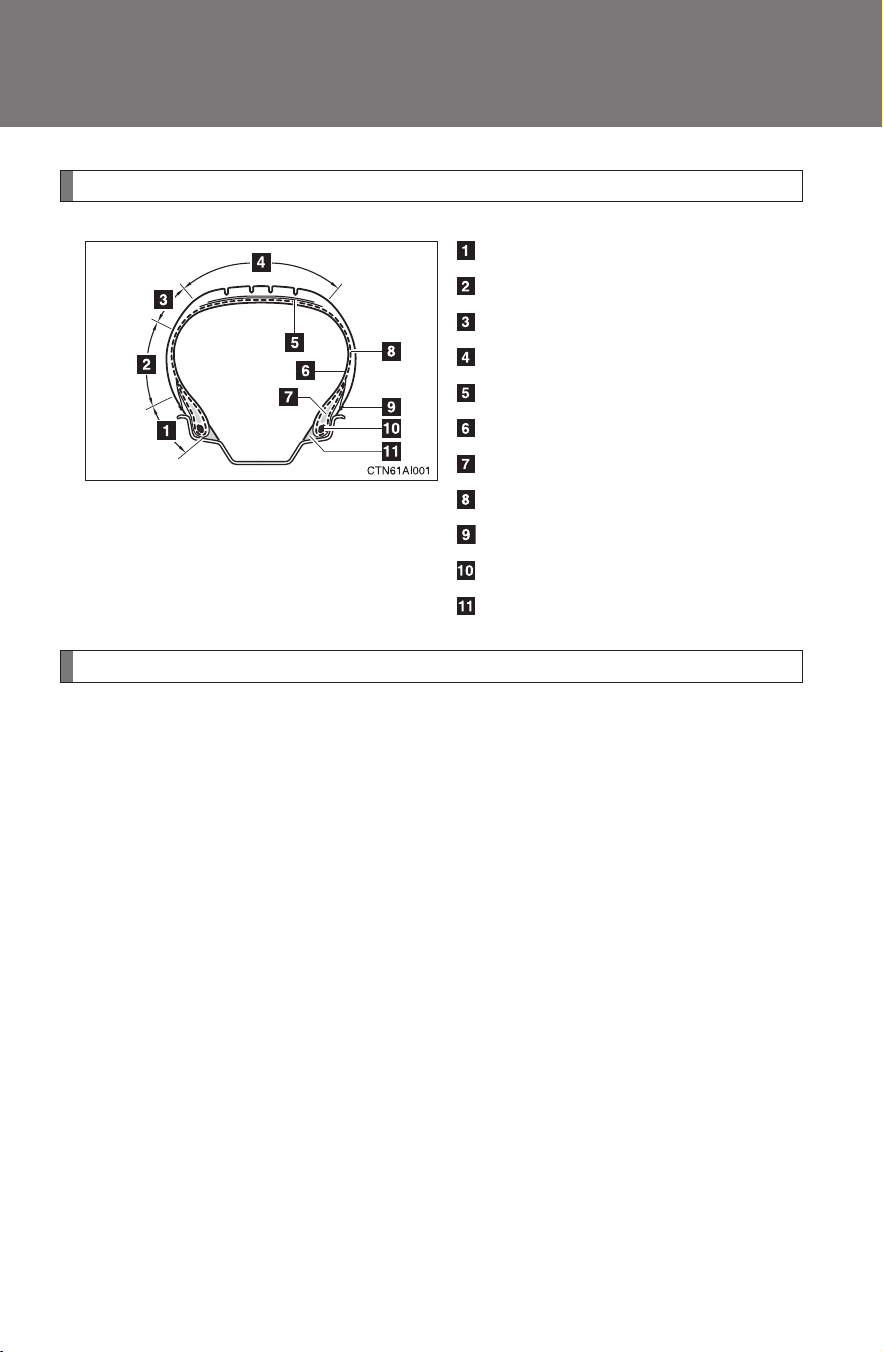
462
6-1. Specifications
CAMRY_HV_U
Tire section names
Bead
Sidewall
Shoulder
Tread
Belt
Inner liner
Reinforcing rubber
Carcass
Rim lines
Bead wires
Chafer
Uniform Tire Quality Grading
This information has been prepared in accordance with regulations
issued by the National Highway Traffic Safety Administration of the
U.S.A. Department of Transportation.
It provides the purchasers and/or prospective purchasers of Toyota
vehicles with information on uniform tire quality grading.
Your Toyota dealer will help answer any questions you may have as
you read this information.
■ DOT quality grades
All passenger vehicle tires must conform to Federal Safety
Requirements in addition to these grades. Quality grades can be
found where applicable on the tire sidewall between tread shoulder
and maximum section width.
For example: Treadwear 200 Traction AA Temperature A

463
6-1. Specifications
6
Vehicle specifications
CAMRY_HV_U
■ Treadwear
The treadwear grade is a comparative rating based on the wear
rate of the tire when tested under controlled conditions on a speci-
fied government test course.
For example, a tire graded 150 would wear one and a half (1-1/2)
times as well on the government course as a tire graded 100.
The relative performance of tires depends upon the actual conditions
of their use, however, and may depart significantly from the norm due
to variations in driving habits, service practices and differences in
road characteristics and climate.
■ Traction AA, A, B, C
The traction grades, from highest to lowest, are AA, A, B and C,
and they represent the tire's ability to stop on wet pavement as
measured under controlled conditions on specified government
test surfaces of asphalt and concrete.
A tire marked C may have poor traction performance.
Warning: The traction grade assigned to this tire is based on braking
(straight ahead) traction tests and does not include cornering (turn-
ing) traction.
■ Temperature A, B, C
The temperature grades are A (the highest), B, and C, represent-
ing the tire's resistance to the generation of heat and its ability to
dissipate heat when tested under controlled conditions on a speci-
fied indoor laboratory test wheel.
Sustained high temperature can cause the material of the tire to
degenerate and reduce tire life, and excessive temperature can lead
to sudden tire failure.
The grade C corresponds to a level of performance which all passen-
ger car tires must meet under the Federal Motor Vehicle Safety Stan-
dard No. 109.
Grades B and A represent higher levels of performance on the labo-
ratory test wheel than the minimum required by law.

464
6-1. Specifications
CAMRY_HV_U
Warning: The temperature grades for this tire are established for a
tire that is properly inflated and not overloaded.
Excessive speed, underinflation, or excessive loading, either sepa-
rately or in combination, can cause heat buildup and possible tire fail-
ure.
Glossary of tire terminology
Tire related term Meaning
Cold tire inflation pres-
sure
Tire pressure when the vehicle has been
parked for three hours or more, or has not
been driven more than 1 mile or 1.5 km under
that condition
Maximum inflation
pressure
The maximum cold inflated pressure to which a
tire may be inflated, shown on the sidewall of
the tire
Recommended infla-
tion pressure
Cold tire inflation pressure recommended by a
manufacturer
Accessory weight
The combined weight (in excess of those stan-
dard items which may be replaced) of auto-
matic transmission, power steering, power
brakes, power windows, power seats, radio
and heater, to the extent that these items are
available as factory-installed equipment
(whether installed or not)
Curb weight
The weight of a motor vehicle with standard
equipment, including the maximum capacity of
fuel, oil and coolant, and if so equipped, air
conditioning and additional weight optional
engine
Maximum loaded vehi-
cle weight
The sum of:
(a) Curb weight
(b) Accessory weight
(c) Vehicle capacity weight
(d) Production options weight

465
6-1. Specifications
6
Vehicle specifications
CAMRY_HV_U
Tire related term Meaning
Normal occupant
weight
150 lb. (68 kg) times the number of occupants
specified in the second column of Table 1
* that
follows
Occupant distribution
Distribution of occupants in a vehicle as speci-
fied in the third column of Table 1
* below
Production options
weight
The combined weight of installed regular pro-
duction options weighing over 5 lb. (2.3 kg) in
excess of the standard items which they
replace, not previously considered in curb
weight or accessory weight, including heavy
duty brakes, ride levelers, roof rack, heavy duty
battery, and special trim
Rim
A metal support for a tire or a tire and tube
assembly upon which the tire beads are seated
Rim diameter
(Wheel diameter)
Nominal diameter of the bead seat
Rim size designation Rim diameter and width
Rim type designation
The industry manufacturer's designation for a
rim by style or code
Rim width Nominal distance between rim flanges
Vehicle capacity
weight (Total load
capacity)
The rated cargo and luggage load plus 150 lb.
(68 kg) times the vehicle's designated seating
capacity
Vehicle maximum load
on the tire
The load on an individual tire that is determined
by distributing to each axle its share of the
maximum loaded vehicle weight, and dividing
by two
Vehicle normal load
on the tire
The load on an individual tire that is determined
by distributing to each axle its share of curb
weight, accessory weight, and normal occu-
pant weight (distributed in accordance with
Table 1
* below), and dividing by two

466
6-1. Specifications
CAMRY_HV_U
Tire related term Meaning
Weather side
The surface area of the rim not covered by the
inflated tire
Bead
The part of the tire that is made of steel wires,
wrapped or reinforced by ply cords and that is
shaped to fit the rim
Bead separation
A breakdown of the bond between components
in the bead
Bias ply tire
A pneumatic tire in which the ply cords that
extend to the beads are laid at alternate angles
substantially less than 90 degrees to the cen-
terline of the tread
Carcass
The tire structure, except tread and sidewall
rubber which, when inflated, bears the load
Chunking
The breaking away of pieces of the tread or
sidewall
Cord The strands forming the plies in the tire
Cord separation
The parting of cords from adjacent rubber com-
pounds
Cracking
Any parting within the tread, sidewall, or inner-
liner of the tire extending to cord material
CT
A pneumatic tire with an inverted flange tire
and rim system in which the rim is designed
with rim flanges pointed radially inward and the
tire is designed to fit on the underside of the
rim in a manner that encloses the rim flanges
inside the air cavity of the tire
Extra load tire
A tire designed to operate at higher loads and
at higher inflation pressures than the corre-
sponding standard tire
Groove The space between two adjacent tread ribs
Innerliner
The layer(s) forming the inside surface of a
tubeless tire that contains the inflating medium
within the tire

467
6-1. Specifications
6
Vehicle specifications
CAMRY_HV_U
Tire related term Meaning
Innerliner separation
The parting of the innerliner from cord material
in the carcass
Intended outboard
sidewall
(a) The sidewall that contains a whitewall,
bears white lettering, or bears manufac-
turer, brand, and/or model name molding
that is higher or deeper than the same
molding on the other sidewall of the tire, or
(b) The outward facing sidewall of an asym-
metrical tire that has a particular side that
must always face outward when mounted
on a vehicle
Light truck (LT) tire
A tire designated by its manufacturer as prima-
rily intended for use on lightweight trucks or
multipurpose passenger vehicles
Load rating
The maximum load that a tire is rated to carry
for a given inflation pressure
Maximum load rating
The load rating for a tire at the maximum per-
missible inflation pressure for that tire
Maximum permissible
inflation pressure
The maximum cold inflation pressure to which
a tire may be inflated
Measuring rim
The rim on which a tire is fitted for physical
dimension requirements
Open splice
Any parting at any junction of tread, sidewall, or
innerliner that extends to cord material
Outer diameter The overall diameter of an inflated new tire
Overall width
The linear distance between the exteriors of
the sidewalls of an inflated tire, including eleva-
tions due to labeling, decorations, or protective
bands or ribs
Passenger car tire
A tire intended for use on passenger cars, mul-
tipurpose passenger vehicles, and trucks, that
have a gross vehicle weight rating (GVWR) of
10,000 lb. or less.

468
6-1. Specifications
CAMRY_HV_U
Tire related term Meaning
Ply A layer of rubber-coated parallel cords
Ply separation
A parting of rubber compound between adja-
cent plies
Pneumatic tire
A mechanical device made of rubber, chemi-
cals, fabric and steel or other materials, that,
when mounted on an automotive wheel, pro-
vides the traction and contains the gas or fluid
that sustains the load
Radial ply tire
A pneumatic tire in which the ply cords that
extend to the beads are laid at substantially 90
degrees to the centerline of the tread
Reinforced tire
A tire designed to operate at higher loads and
at higher inflation pressures than the corre-
sponding standard tire
Section width
The linear distance between the exteriors of
the sidewalls of an inflated tire, excluding ele-
vations due to labeling, decoration, or protec-
tive bands
Sidewall
That portion of a tire between the tread and
bead
Sidewall separation
The parting of the rubber compound from the
cord material in the sidewall
Snow tire
A tire that attains a traction index equal to or
greater than 110, compared to the ASTM-E
1136 Standard Reference Test Tire, when
using the snow traction test as described in
ASTM F-1805-00, Standard Test Method for
Single Wheel Driving Traction in a Straight Line
on Snow-and Ice-Covered Surfaces, and which
is marked with an Alpine Symbol (
) on at
least one sidewall
Te s t ri m
The rim on which a tire is fitted for testing, and
may be any rim listed as appropriate for use
with that tire

469
6-1. Specifications
6
Vehicle specifications
CAMRY_HV_U
*:Table 1 Occupant loading and distribution for vehicle normal load
for various designated seating capacities
Tire related term Meaning
Tread
That portion of a tire that comes into contact
with the road
Tread rib
A tread section running circumferentially
around a tire
Tread separation Pulling away of the tread from the tire carcass
Treadwear indicators
(TWI)
The projections within the principal grooves
designed to give a visual indication of the
degrees of wear of the tread
Wheel-holding fixture
The fixture used to hold the wheel and tire
assembly securely during testing
Designated seating
capacity, Number of
occupants
Vehicle normal load,
Number of occupants
Occupant distribution in
a normally loaded vehi-
cle
2 through 4 2 2 in front
5 through 10 3
2 in front, 1 in second
seat
11 through 15 5
2 in front, 1 in second
seat, 1 in third seat, 1
in fourth seat
16 through 20 7
2 in front, 2 in second
seat, 2 in third seat, 1
in fourth seat

470
CAMRY_HV_U
6-2. Customization
Customizable features
Item Function Default setting
Customized
setting
Smart key
system
(
→P. 37)
Smart key system On Off
Operation signal
(Emergency flashers)
On Off
Operation signal
(Buzzer)
On Off
Your vehicle includes a variety of electronic features that can be per-
sonalized to your preferences. Programming these preferences
requires specialized equipment and may be performed by your
Toyota dealer.
Some function settings are changed simultaneously with other functions
being customized. Contact your Toyota dealer.

471
6-2. Customization
6
Vehicle specifications
CAMRY_HV_U
Wireless
remote con-
trol
(
→P. 48)
Wireless remote control On Off
Unlocking operation
Driver's door
unlocked in one
step, all doors
unlocked in two
steps
All doors
unlocked in one
step.
Automatic door lock
function to be activated
if door is not opened
after being unlocked
On Off
Time elapsed before
automatic door lock
function is activated if
door is not opened after
being unlocked
60 seconds
30 seconds
120 seconds
Operation signal
(Emergency flashers)
On Off
Operation signal
(Buzzer)
On Off
Door lock buzzer On Off
Panic function On Off
Trunk unlocking func-
tion
On Off
Trunk unlocking opera-
tion
Press and hold
Press twice
One short press
Item Function Default setting
Customized
setting

472
6-2. Customization
CAMRY_HV_U
Door lock
(
→P. 51)
Unlocking using a key
Driver's door
unlocked in one
step, all doors
unlocked in two
steps
All doors
unlocked in one
step.
Speed-detecting auto-
matic door lock function
Off On
Opening driver's door
unlocks all doors
Off On
Shifting gears to P
unlocks all doors.
On Off
Shifting gears to posi-
tion other than P locks
all doors.
On Off
Automatic
light control
system
(
→P. 154)
Light sensor sensitivity Level 3 Level 1 to 5
Time elapsed before
headlights automati-
cally turn off after doors
are closed
30 seconds
0 seconds
60 seconds
90 seconds
Lights
(
→P. 154)
Daytime running light
system (U.S.A. only)
On Off
Illumination
(
→P. 290)
Time elapsed before
lights turn off
15 seconds
7.5 seconds
30 seconds
Operation when the
doors are unlocked
On Off
Operation after the
hybrid system is off
On Off
Seat belt
reminder
(
→P. 400)
Vehicle speed linked
seat belt reminder
buzzer
On Off
Item Function Default setting
Customized
setting

473
6
Vehicle specifications
CAMRY_HV_U
6-3. Initialization
Items to initialize
Item When to initialize Reference
Engine oil mainte-
nance data (U.S.A.)
After changing engine oil P. 342
Tire pressure warn-
ing system
When the tire inflation pressure is
charged (such as when changing
traveling speed).
P. 353
The following items must be initialized for normal system operation
in cases such as after the 12-volt battery is reconnected, or mainte-
nance is performed on the vehicle.

474
6-3. Initialization
CAMRY_HV_U

For owners
7
475
CAMRY_HV_U
Reporting safety defects
for U.S. owners .............. 476
Seat belt instructions
for Canadian owners
(in French) ..................... 477

476
CAMRY_HV_U
Reporting safety defects for U.S. owners
If you believe that your vehicle has a defect which could cause a
crash or could cause injury or death, you should immediately
inform the National Highway Traffic Safety Administration (NHTSA)
in addition to notifying Toyota Motor Sales, U.S.A., Inc. (Toll-free:
1-800-331-4331).
If NHTSA receives similar complaints, it may open an investigation,
and if it finds that a safety defect exists in a group of vehicles, it
may order a recall and remedy campaign. However, NHTSA can-
not become involved in individual problems between you, your
dealer, or Toyota Motor Sales, U.S.A., Inc.
To contact NHTSA, you may call the Vehicle Safety Hotline toll-free
at 1-888-327-4236 (TTY: 1-800-424-9153); go to http://
www.safercar.gov
; or write to: Administrator, NHTSA, 1200 New
Jersey Ave, S.E., Washington, DC 20590. You can also obtain
other information about motor vehicle safety from http://
www.safercar.gov.
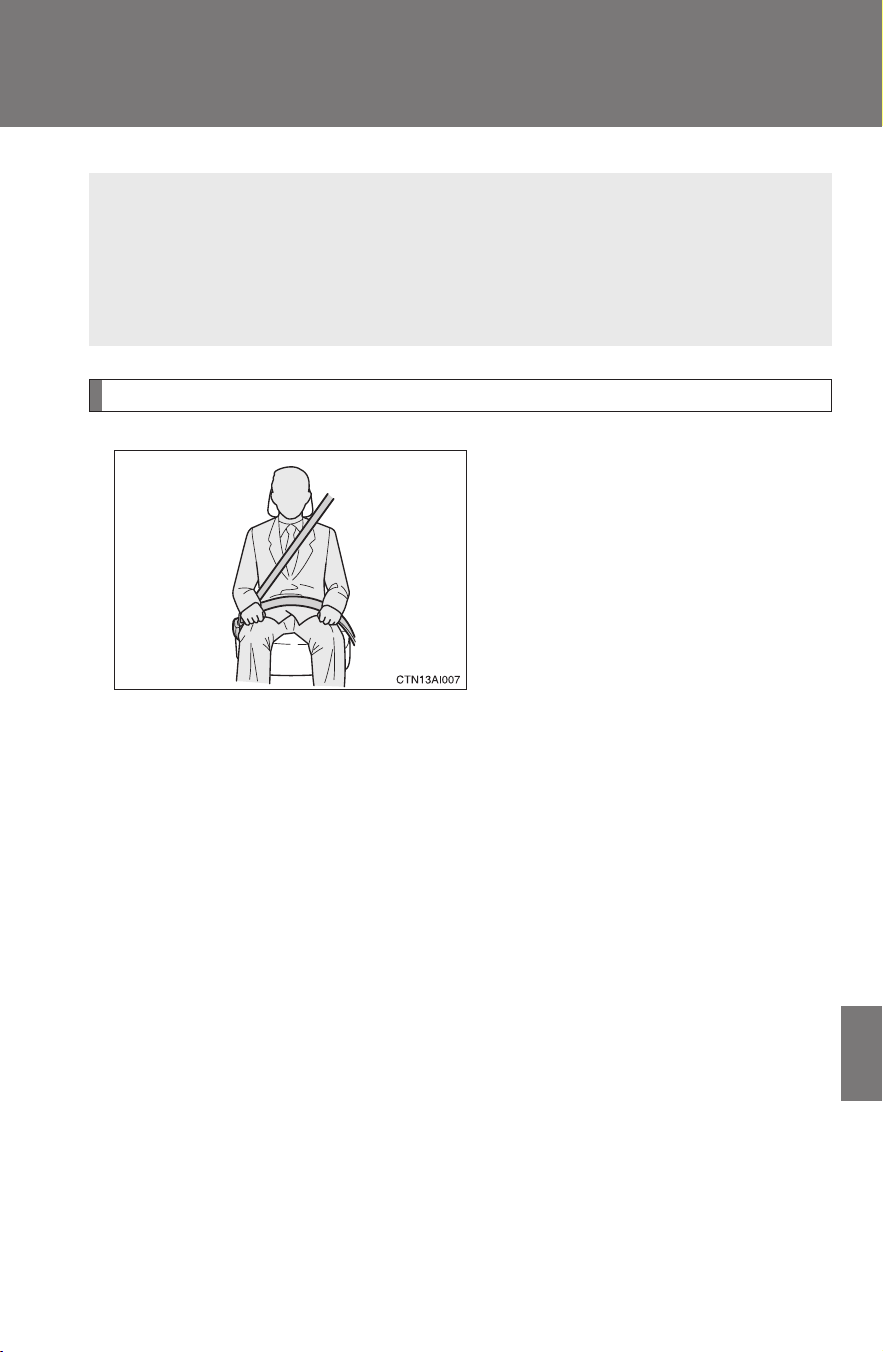
477
7
CAMRY_HV_U
For owners
Seat belt instructions for Canadian owners (in French)
Utilisation correcte des ceintures de sécurité
● Tendez la sangle diagonale de
sorte qu'elle couvre
complètement l'épaule, sans
entrer en contact avec le cou
ou glisser de l'épaule.
● Placez la sangle abdominale
le plus bas possible sur les
hanches.
● Réglez la position du dossier
de siège. Asseyez-vous le dos
le plus droit possible et calez-
vous bien dans le siège.
● Ne vrillez pas la ceinture de
sécurité.
The following is a French explanation of seat belt instructions
extracted from the seat belt section in this manual.
See the seat belt section for more detailed seat belt instructions in
English.
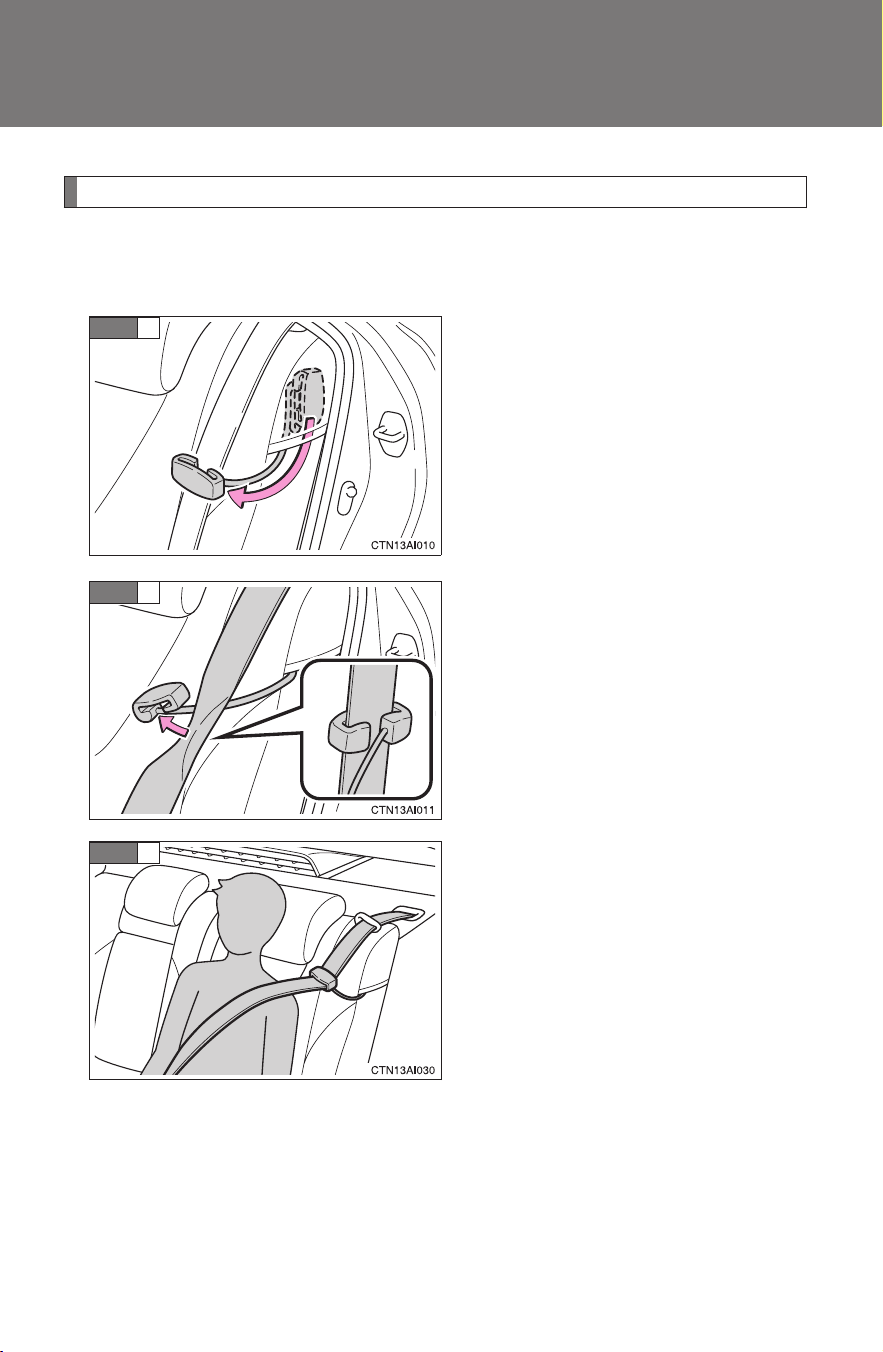
478
CAMRY_HV_U
Guide de confort de ceinture de sécurité (siège arrière extérieur)
Si la sangle diagonale gêne la personne au niveau du cou, utilisez le
guide confort de la ceinture de sécurité.
Sortez le guide confort de sa
poche.
Engagez la ceinture dans le
guide.
Le cordon élastique doit passer
sous la ceinture de sécurité.
Bouclez, positionnez et lâchez la
ceinture de sécurité.
1
ÉT APE
2
ÉT APE
3
ÉT APE
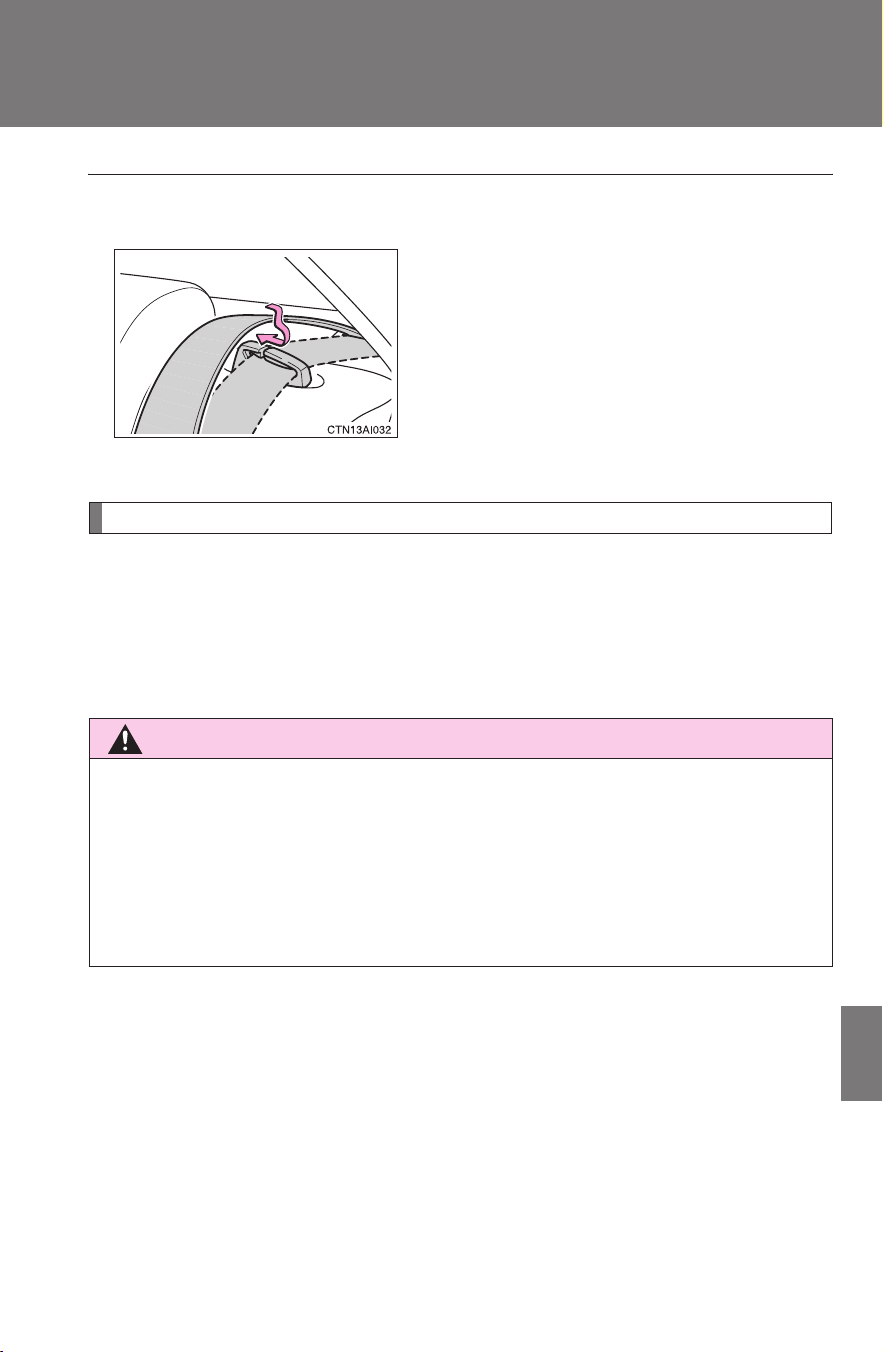
479
7
CAMRY_HV_U
For owners
Entretien et soin
■ Ceintures de sécurité arrière
■ Ceintures de sécurité
Nettoyez avec un chiffon ou une éponge humectée d'eau savonneuse tiède.
Profitez de l'occasion pour vérifier régulièrement que les ceintures ne sont
pas effilochées, entaillées, ou ne paraissent pas exagérément usées.
ATTENTION
■ Détérioration et usure des ceintures de sécurité
Inspectez les ceintures de sécurité périodiquement. Contrôlez qu'elles ne
sont pas entaillées, effilochées, et que leurs ancrages ne sont pas
desserrés. N'utilisez pas une ceinture de sécurité défectueuse avant qu'elle
ne soit remplacée. Une ceinture de sécurité défectueuse n'apporte aucune
garantie de protection de l'occupant en cas d'accident.
Si la ceinture de sécurité est sortie de son
guide, repassez-la dedans avant de
l'utiliser.

480
CAMRY_HV_U

Index
481
CAMRY_HV_U
Abbreviation list ..................... 482
Alphabetical index.................. 483
What to do if... ........................ 494
For details of equipment related to the navigation
system and navigation system screen, refer to the
“Navigation System Owner's Manual”.

482
CAMRY_HV_U
Abbreviation list
Abbreviation/Acronym list
ABBREVIATIONS MEANING
A/C Air Conditioning
ABS Anti-lock Brake System
ALR Automatic Locking Retractor
CRS Child Restraint System
DISP Display
ECO Economical/Ecology
ECU Electronic Control Unit
EDR Event data recorder
ELR Emergency Locking Retractor
EPS Electric Power Steering
GAWR Gross Axle Weight Ratings
GVWR Gross Vehicle Weight Rating
I/M Emission inspection and maintenance
LATCH Lower Anchors and Tethers for Children
LED Light Emitting Diode
MMT Methylcyclopentadienyl Manganese Tricarbonyl
M + S Mud and Snow
MTBE Methyl Tertiary Butyl Ether
OBD On Board Diagnostics
SRS Supplemental Restraint System
TIN Tire Identification Number
TPMS Tire Pressure Warning System
TRAC Traction Control
VDIM Vehicle Dynamics Integrated Management
VIN Vehicle Identification Number
VSC Vehicle Stability Control

483
CAMRY_HV_U
Alphabetical index
Alphabetical index
A/C............................................ 182
ABS........................................... 165
Air conditioning filter.............. 367
Air conditioning system
Air conditioning filter............. 367
Automatic air conditioning
system................................ 182
Airbags
Airbag operating conditions.... 94
Airbag precautions for your
child...................................... 98
Airbag warning light.............. 398
Curtain shield airbag
operating conditions............. 95
Curtain shield airbag
precautions .......................... 98
Front passenger occupant
classification system .......... 103
General airbag precautions .... 98
Locations of airbags ............... 91
Modification and disposal of
airbags ............................... 102
Proper driving posture...... 89, 98
Side airbag operating
conditions............................. 95
Side airbag precautions.......... 98
SRS airbags ........................... 91
Antenna.................................... 198
Anti-lock brake system........... 165
Armrest .................................... 308
Ashtray..................................... 303
Audio input .............................. 236
Audio system
Antenna.................................198
Audio input ............................236
AUX adapter..........................236
CD player/changer ................201
MP3/WMA disc......................209
Optimal use...........................231
Portable music player............236
Radio.....................................194
Steering wheel audio
switch..................................238
Type ......................................191
Automatic air conditioning
system ....................................182
Automatic light control
system ....................................154
AUX adapter .............................236
Auxiliary boxes ........................297
A

484
Alphabetical index
CAMRY_HV_U
Back-up lights
Wattage.................................454
Battery
Checking ...............................348
Hybrid battery
(traction battery)....................25
If the vehicle has discharged
12-volt battery.....................434
Preparing and checking
before winter.......................173
Bluetooth
®
audio .....................241
Bluetooth
®
phone ....................257
Brake
Fluid ......................................346
Parking brake........................142
Brake assist..............................165
Break-in tips .............................125
Care
Exterior..................................322
Interior...................................324
Seat belts..............................325
Cargo capacity.........................169
Cargo net ..................................310
CD changer...............................201
CD player..................................201
Chains.......................................173
Child restraint system
Booster seats, definition........ 108
Booster seats, installation..... 112
Convertible seats,
definition .............................108
Convertible seats,
installation...........................112
Front passenger occupant
classification system...........103
Infant seats, definition...........108
Infant seats, installation ........112
Installing CRS with
LATCH anchors..................113
Installing CRS with
seat belts ............................115
Installing CRS with top
tether straps........................118
B C

485
Alphabetical index
CAMRY_HV_U
Child safety
Airbag precautions ................. 98
Child restraint system........... 108
Child-protectors...................... 52
How your child should wear
the seat belt ......................... 67
Installing child restraints....... 112
Moon roof precautions............ 81
Power window lock switch...... 76
Power window precautions..... 77
Removed key battery
precautions ........................ 371
Seat belt comfort guide .......... 64
Seat belt extender
precautions .......................... 70
Seat belt precautions.............. 68
Seat heater precautions ....... 306
Trunk precautions................... 56
12-volt battery
precautions ................ 350, 436
Child-protectors ........................ 52
Cleaning
Exterior................................. 322
Interior .................................. 324
Seat belts ............................. 325
Clock ........................................ 302
Compass.................................. 317
Condenser ............................... 346
Console box............................. 294
Cooling system
Engine overheating .............. 438
Cruise control.......................... 161
Cup holder ............................... 296
Curtain shield airbags .............. 91
Customizable features............ 470
Daytime running light
system ....................................156
Defogger
Rear window .........................190
Side mirror.............................190
Dimension.................................446
Dinghy towing ..........................178
Display
Trip information .....................151
Warning message .................406
Do-it-yourself maintenance.....333
Door courtesy light
Door courtesy light ................290
Wattage.................................454
Doors
Door glasses ...........................76
Door lock.....................37, 48, 51
Side mirrors.............................74
Driver's seat belt reminder
light.........................................400
Driving
Break-in tips ..........................125
Correct posture .......................89
Procedures............................124
Winter driving tips..................173
D

486
Alphabetical index
CAMRY_HV_U
“ECO HEAT/COOL” switch .....182
Electronic key
If your electronic key
battery is discharged...........431
Electric power steering ...........165
Emergency flashers
Switch....................................390
Emergency, in case of
If a warning light turns on......397
If a warning message is
displayed.............................406
If the electronic key does
not operate properly............431
If the hybrid system
will not start.........................427
If the shift lever cannot be
shifted from P......................429
If the vehicle has discharged
12-volt battery.....................434
If the warning buzzer
sounds ................................397
If you have a flat tire .............417
If you lose your keys .............430
If you think something is
wrong..................................394
If your vehicle becomes
stuck ...................................442
If your vehicle needs to be
towed ..................................391
If your vehicle overheats .......438
Engine
Compartment ........................339
Engine switch .......................135
Hood .....................................336
How to start the
hybrid system .....................135
Identification number............. 446
Ignition switch .......................135
If the hybrid system
will not start.........................427
Overheating ..........................438
Power switch.........................135
Engine/power control unit
coolant
Capacity................................450
Checking...............................344
Preparing and checking
before winter.......................173
Engine coolant temperature
gauge......................................144
Engine oil
Capacity................................449
Checking...............................340
Preparing and checking
before winter.......................173
Engine oil maintenance
data .........................................342
Engine switch...........................135
EPS............................................165
Event data recorder .................395
E

487
Alphabetical index
CAMRY_HV_U
Floor mat.................................. 309
Fluid
Brake.................................... 346
Washer................................. 347
Front passenger occupant
classification system............ 103
Front passenger's seat belt
reminder light........................ 400
Front seats
Adjustment ............................. 58
Front side marker lights
Wattage................................ 454
Front turn signal lights
Wattage................................ 454
Fuel
Capacity ............................... 448
Fuel gauge ........................... 144
Gas station information ........ 496
Information ........................... 455
Refueling ................................ 82
Type ..................................... 455
Fuel economy meter ............... 144
Fuel door.................................... 82
Fuel filler door ........................... 82
Fuses........................................ 373
Garage door opener................ 312
Gas station information.......... 496
Gauges ..................................... 144
Glove box................................. 294
Glove box light ........................ 294
Grocery bag hooks ................. 310
Hands-free phone system
(for cellular phone)
Hands-free phone system
(for cellular phone)..............257
Hazard lights
Switch....................................390
Head restraints
Adjusting ................................61
Headlights
Replacing light bulbs .............383
Switch....................................154
Wattage.................................454
Heaters
Seat heater............................306
Side mirror.............................190
Hood..........................................336
Hooks
Cargo hook............................310
Grocery bag hooks................310
Horn...........................................143
Hybrid system
Emergency shut off system.....26
Energy monitor/
consumption screen..............26
High voltage components........25
Power switch .........................135
I/M test.......................................332
Identification
Engine...................................446
Vehicle ..................................446
Ignition switch..........................135
Illuminated entry system.........290
Immobilizer system....................87
Indicator lights .........................147
Initialization
Items to initialize....................473
Inside rear view mirror ..............72
Interior lights
Interior lights..........................290
Switch....................................291
Wattage.................................454
F
G
H
I

488
Alphabetical index
CAMRY_HV_U
Jack
Positioning a floor jack ..........337
Vehicle-equipped jack ...........417
Jack handle ..............................417
Keyless entry..............................48
Keys
Electronic key..........................35
If you lose your keys .............430
If your electronic key
battery is discharged...........431
Key number.............................35
Keyless entry...........................48
Keys ........................................35
Mechanical key .......................35
Wireless remote control key....48
License plate lights
Wattage.................................454
Light bulbs
Replacing ..............................383
Wattage.................................454
Lights
Door courtesy lights ..............290
Emergency flasher switch .....390
Hazard light switch................390
Headlights switch ..................154
Interior light switch ................291
Personal light switch .............292
Replacing light bulbs .............383
Turn signal lever....................141
Vanity lights...........................301
Wattage.................................454
Load capacity...........................172
Lock steering column..............137
Maintenance
Do-it-yourself
maintenance.......................333
General maintenance............329
Maintenance data .................446
Maintenance requirements ...327
Meter
Instrument panel light
control.................................145
Meters...................................144
Mirrors
Inside rear view mirror ............72
Side mirror heater .................190
Side mirrors.............................74
Vanity mirrors........................301
Moon roof ...................................78
MP3 disc ...................................209
Multi-information
display ....................................150
Noise from under vehicle..........16
Odometer..................................144
Oil
Engine oil ..............................340
Opener
Fuel filler door .........................82
Hood .....................................336
Trunk.......................................55
Outside rear view mirrors
Adjusting and folding...............74
Outside temperature
display ....................................150
Overheating,
Hybrid system........................438
J
K
L
M
N
O

489
Alphabetical index
CAMRY_HV_U
Parking brake .......................... 142
Parking lights
Switch................................... 154
Wattage................................ 454
Personal lights
Switch................................... 292
Wattage................................ 454
Power outlet............................. 304
Power switch ........................... 135
Power windows ......................... 76
Radiator.................................... 346
Radio ........................................ 194
Rear seats
Folding down.......................... 60
Rear turn signal lights
Replacing light bulbs ............ 383
Wattage................................ 454
Rear window defogger............ 190
Replacing
Fuses.................................... 373
Key battery ........................... 370
Light bulbs............................ 383
Tires ..................................... 417
Reporting safety defects for
U.S. owners ........................... 476
Seat belts
Adjusting the seat belt.............63
Automatic Locking Retractor...66
Child restraint system
installation...........................112
Cleaning and maintaining
the seat belts ......................325
Emergency Locking
Retractor...............................66
How to wear your seat belt......63
How your child should wear
the seat belt ..........................67
Pregnant women,
proper seat belt use ..............66
Reminder light .......................400
Seat belt extenders .................67
Seat belt pretensioners ...........65
Seat heaters..............................306
Seating capacity.......................172
Seats
Adjustment ..............................58
Adjustment precautions...........59
Child seats/child restraint
system installation ..............112
Cleaning................................324
Head restraint..........................61
Properly sitting in the seat.......89
Seat heaters..........................306
P
R
S

490
Alphabetical index
CAMRY_HV_U
Service reminder
indicators ..............................147
Shift lever
If the shift lever cannot
be shifted from P.................429
Transmission.........................139
Shift lock system .....................429
Side airbags................................91
Side marker lights
Replacing lights bulbs ...........383
Switch....................................154
Wattage.................................454
Side mirror
Adjusting and folding...............74
Smart key system
Entry function ..........................37
Starting the hybrid system.....135
Spare tire
Inflation pressure...................361
Storage location ....................417
Spark plug ................................451
Specifications...........................446
Speedometer ............................144
Steering
Column lock release .............137
Steering wheel
Adjustment..............................71
Air conditioning system
switches..............................187
Audio switches......................238
Storage feature ........................293
Storage precautions ................171
Stuck
If your vehicle becomes
stuck ...................................442
Sun visors ................................300
Sunshade
Roof ........................................79
Switch
“ECO HEAT/COOL”
switch..................................182
Emergency flasher switch .....390
Engine switch .......................135
Hazard light switch................390
Ignition switch .......................135
Light switches .......................154
Power door lock switch ...........51
Power switch.........................135
Power window switch..............76
Window lock switch.................76
Wiper and washer switch ......159

491
Alphabetical index
CAMRY_HV_U
Tachometer.............................. 144
Tail lights
Switch................................... 154
Theft deterrent system
Immobilizer system................. 87
Tire inflation pressure ............ 361
Tire information
Glossary ............................... 464
Size ...................................... 461
Tire identification number..... 460
Uniform tire quality
grading............................... 462
Tires
Chains .................................. 173
Checking .............................. 352
If you have a flat tire ............. 417
Inflation pressure.................. 361
Inflation pressure sensor ...... 353
Replacing ............................. 417
Rotating tires ........................ 352
Size ...................................... 453
Snow tires............................. 173
Spare tire.............................. 417
Tools .........................................417
Total load capacity...................172
Towing
Dinghy towing........................178
Trailer towing.........................177
TRAC .........................................165
Traction control........................165
Transmission
If the shift lever cannot be
shifted from P......................429
Transmission.........................139
Trip information .......................150
Trip meter .................................144
Trunk
Opener ....................................55
Trunk light
Trunk light ...............................56
Wattage.................................454
Turn signal lights
Replacing light bulbs .............383
Switch....................................141
Wattage.................................454
T

492
Alphabetical index
CAMRY_HV_U
Vanity lights
Vanity lights...........................301
Wattage.................................454
Vanity mirrors...........................301
VDIM..........................................165
Vehicle dynamics integrated
management ..........................165
Vehicle identification
number ...................................446
Vehicle stability control...........165
VSC............................................165
Warning buzzers
Brake system ........................397
Open door .............................400
Seat belt reminder.................400
Warning lights
Anti-lock brake system..........398
Brake assist system ..............398
Brake system ........................397
Charging system ...................397
Electric power steering..........398
Low fuel level ........................400
Low tire pressure warning
light .....................................400
Malfunction indicator lamp ....398
Master warning light..............400
Open door .............................400
Pretensioners........................398
Seat belt reminder light .........400
SRS airbags..........................398
Warning messages
Engine coolant
temperature ........................407
Engine oil maintenance......... 409
Engine oil pressure ...............407
Hybrid system .......................407
Moon roof..............................409
Open door.............................409
Parking brake........................409
Smart key system .................413
Steering lock .........................408
Trunk.....................................409
Washer fluid..........................409
Washer
Checking...............................347
Preparing and checking
before winter.......................173
Switch ...................................159
Washing and waxing ...............322
Weight
Cargo capacity ......................169
Load limits.............................172
Weight...................................446
Wheels ......................................365
Window glasses ........................76
Window lock switch...................76
Windows
Power windows.......................76
Rear window defogger ..........190
Washer..................................159
V
W

493
Alphabetical index
CAMRY_HV_U
Windshield wipers................... 159
Wireless remote control key
Replacing the battery ........... 370
Wireless remote control.......... 48
WMA disc................................. 209
494
CAMRY_HV_U
What to do if...
What to do if...
A tire is punctured
P. 417
If you have a flat tire
The hybrid system does not start
P. 427
If the hybrid system will not start
P. 8 7
Immobilizer system
P. 434
If the 12-volt battery is discharged
P. 431
If the electronic key does not oper-
ate properly
The shift lever cannot be
moved
P. 429
If the shift lever cannot be shifted
from P
The coolant temperature is high
Steam can be seen coming
from under the hood
P. 438
If your vehicle overheats
A key is missing
P. 430
If you lose your keys
The 12-volt battery runs out
P. 434
If the 12-volt battery is discharged
The doors cannot be locked
P. 5 1
Doors
The vehicle is stuck in
mud or sand
P. 442
If the vehicle becomes stuck
A warning light or indicator light
comes on
P. 397
If a warning light turns on or a
warning buzzer sounds...
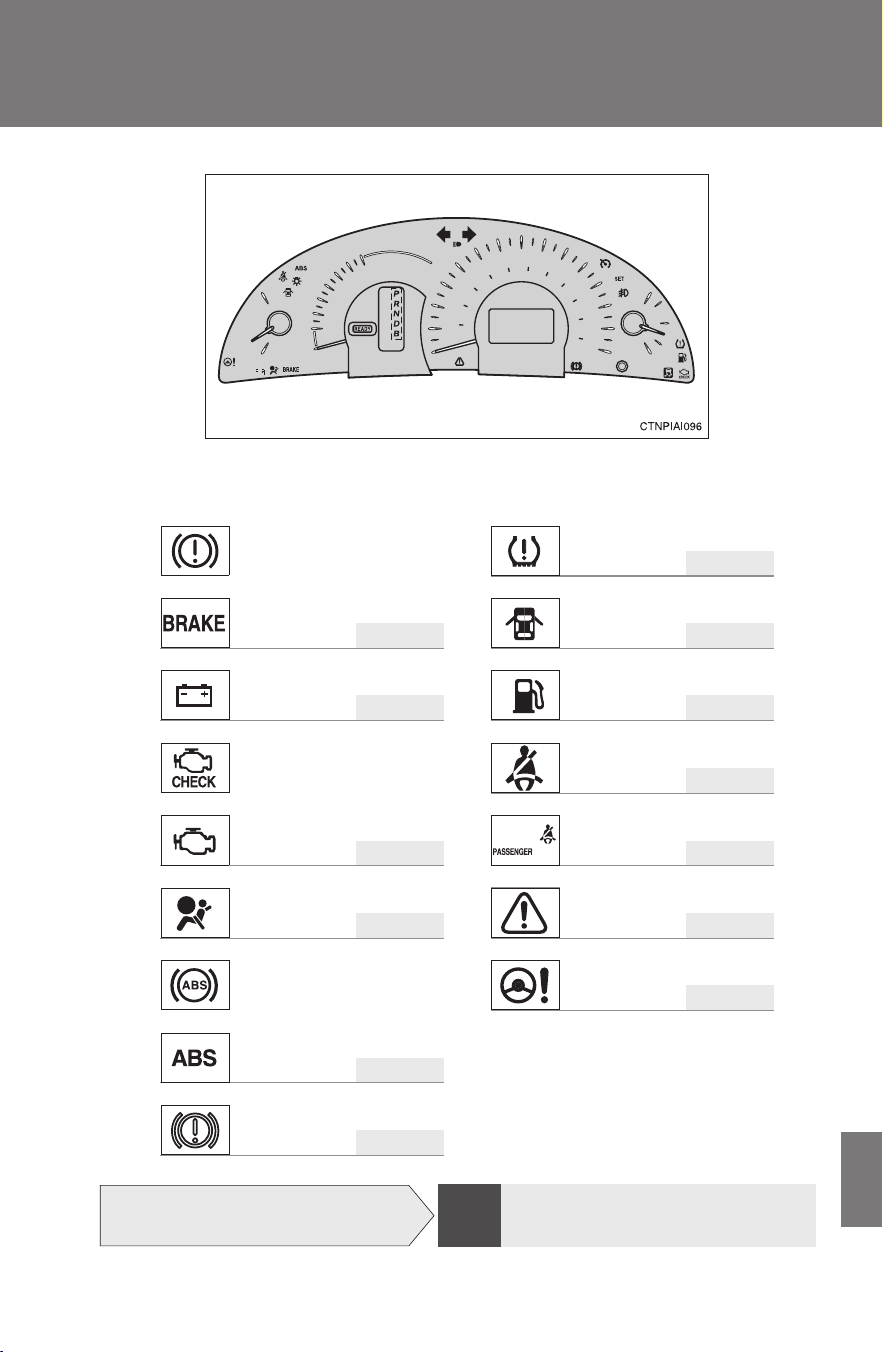
495
What to do if...
CAMRY_HV_U
■Warning lights
P. 400
or
P. 397 P. 400
P. 397 P. 400
P. 400
or
P. 398 P. 400
P. 398 P. 400
P. 398
or
P. 398
P. 398
Brake system warning
light (red indicator)
Tire pressure warning
light
Open door warning light
Charging system warn-
ing light
Low fuel level warning
light
Malfunction indicator
lamp
Driver’s seat belt
reminder light
Front passenger’s seat belt
reminder light
SRS warning light
Master warning light
ABS warning light Electric power steering
warning light
Brake system warning light
(yellow indicator)
The warning message is
displayed
P. 406
If a warning message is displayed
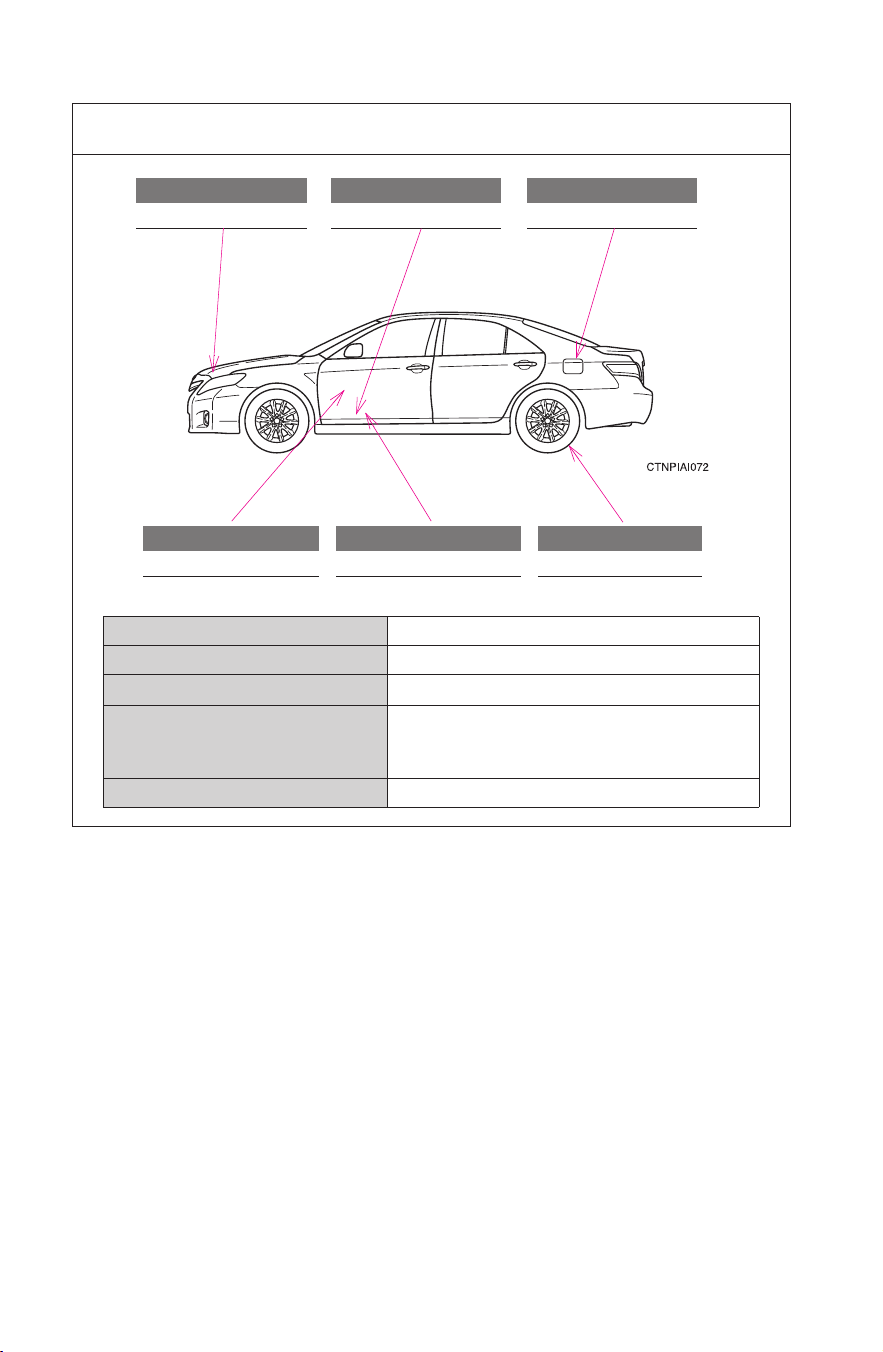
496
CAMRY_HV_U
GAS STATION INFORMATION
Auxiliary catch lever
P. 336
Trunk opener
P. 5 5
Fuel filler door
P. 8 2
Hood lock release lever
P. 336
Fuel filler door opener
P. 8 2
Tire inflation pressure
P. 453
Fuel tank capacity 17.2 gal. (65 L, 14.3 Imp. gal.)
Fuel type Unleaded gasoline only P. 84, 448
Cold tire inflation pressure P. 453
Engine oil
capacity
(Drain and refill)
qt. (L, Imp. qt.)
With filter 4.5 (4.3, 3.8)
Without filter 4.3 (4.1, 3.6)
Engine oil type P. 449

C
1
M
E
J
S
K
L
U
D
R
2
3
4
5
6
7
8
9
00