

X6
Owner's Manual for the vehicle
Thank you for choosing a BMW.
The more familiar you are with your vehicle, the better control
you will have on the road. We therefore strongly suggest:
Read this Owner's Manual before starting off in your new BMW.
Also use the Integrated Owner's Manual in your vehicle. It con‐
tains important information on vehicle operation that will help
you make full use of the technical features available in your
BMW. The manual also contains information designed to en‐
hance operating reliability and road safety, and to contribute to
maintaining the value of your BMW.
Any updates made after the editorial deadline can be found in
the appendix of the printed Owner's Manual for the vehicle.
Supplementary information can be found in the additional bro‐
chures in the onboard literature.
We wish you a safe and enjoyable trip.
The Owner's Manual is available in many countries as an app.
Additional information on the Internet:
www.bmw.com/bmw_drivers_guide
Online Edition for Part no. 01402981185 - VI/17

© 2017 Bayerische Motoren Werke
Aktiengesellschaft
Munich, Germany
Reprinting, including excerpts, only with the written
consent of BMW AG, Munich.
US English ID4 VI/17, 07 17 490
Printed on environmentally friendly paper, bleached
without chlorine, suitable for recycling.
Online Edition for Part no. 01402981185 - VI/17

Contents
The fastest way to find information on a partic‐
ular topic or item is by using the index, refer to
page 270.
The topics of Navigation, Entertainment, and
Communication can be called up via the fol‐
lowing Owner's Manuals: Integrated Owner's
Manual on the Control Display in the vehicle,
Online Owner's Manual, BMW Driver’s Guide
App.
6 Information
At a glance
16 Cockpit
20 iDrive
28 Voice activation system
31 Integrated Owner's Manual in the vehicle
Controls
36 Opening and closing
55 Settings
65 Transporting children safely
70 Driving
87 Displays
107 Lights
113 Safety
144 Driving stability control systems
152 Driving comfort
175 Climate control
183 Interior equipment
191 Storage compartments
Driving tips
200 Things to remember when driving
204 Loading
207 Saving fuel
Mobility
216 Refueling
218 Fuel
220 Wheels and tires
237 Engine compartment
240 Engine oil
244 Coolant
246 Maintenance
248 Replacing components
254 Breakdown assistance
260 Care
Reference
266 Technical data
268 Appendix
270 Everything from A to Z
Online Edition for Part no. 01402981185 - VI/17
Information
Using this Owner's Manual
Orientation
The fastest way to find information on a partic‐
ular topic is by using the index.
An initial overview of the vehicle is provided in
the first chapter.
Updates made after the editorial
deadline
Due to updates after the editorial deadline, dif‐
ferences may exist between the printed Own‐
er's Manual and the following Owner's Man‐
uals:
▷ Integrated Owner's Manual in the vehicle.
▷ Online Owner's Manual.
▷ BMW Driver’s Guide app.
Notes on updates can be found in the appen‐
dix of the printed Owner's Manual for the vehi‐
cle.
Owner's Manual for Navigation,
Entertainment, Communication
The Owner's Manual for Navigation, Entertain‐
ment, and Communication can be obtained as
printed book from the service center.
The topics of Navigation, Entertainment, and
Communication can be called up via the fol‐
lowing Owner's Manuals:
▷ Integrated Owner's Manual on the Control
Display in the vehicle.
▷ Online Owner's Manual.
▷ BMW Driver’s Guide app.
Additional sources of
information
Dealer’s service center
A dealer’s service center will be glad to answer
questions at any time.
Internet
The Owner's Manual and general information
on BMW, for example on technology, are avail‐
able on the Internet: www.bmwusa.com.
BMW Driver’s Guide App
The Owner's Manual is available in many coun‐
tries as an app. Additional information on the
Internet:
www.bmw.com/bmw_drivers_guide
Symbols and displays
Symbols in the Owner's Manual
Indicates precautions that must be followed
precisely in order to avoid the possibility of
personal injury and serious damage to the
vehicle.
◄ Marks the end of a specific item of
information.
Refers to measures that can be taken to
help protect the environment.
"..." Identifies display texts in vehicle used to
select individual functions.
›...‹ Verbal instructions to use with the voice
activation system.
Seite 6
Information
6
Online Edition for Part no. 01402981185 - VI/17

››...‹‹ Identifies the answers generated by the
voice activation system.
Action steps
Action steps to be carried out are presented as
numbered list. The steps must be carried out
in the defined order.
1. First action step.
2. Second action step.
Enumerations
Enumerations without mandatory order or al‐
ternative possibilities are presented as list with
bullet points.
▷ First possibility.
▷ Second possibility.
Symbols on vehicle components
Indicates that you should consult the
relevant section of this Owner's Manual for
information on a particular part or assembly.
Vehicle features and options
This Owner's Manual describes all models and
all standard, country-specific and optional
equipment that is offered in the model series.
Therefore, this Owner's Manual also describes
and illustrates features and functions that are
not available in your vehicle, for example be‐
cause of the selected optional features or the
country-specific version.
This also applies to safety-related functions
and systems.
When using these functions and systems, the
applicable laws and regulations must be ob‐
served.
For any options and equipment not described
in this Owner's Manual, refer to the Supple‐
mentary Owner's Manuals.
Your dealer’s service center is happy to answer
any questions that you may have about the
features and options applicable to your vehicle.
Status of the Owner's
Manual
Basic information
The manufacturer of your vehicle pursues a
policy of constant development that is con‐
ceived to ensure that our vehicles continue to
embody the highest quality and safety stan‐
dards. In rare cases, therefore, the features de‐
scribed in this Owner's Manual may differ from
those in your vehicle.
Updates made after the editorial
deadline
Due to updates after the editorial deadline, dif‐
ferences may exist between the printed Own‐
er's Manual and the following Owner's Man‐
uals:
▷ Integrated Owner's Manual in the vehicle.
▷ Online Owner's Manual.
▷ BMW Driver’s Guide app.
Notes on updates can be found in the appen‐
dix of the printed Owner's Manual for the vehi‐
cle.
For Your Own Safety
Intended use
Observe the following when using the vehicle:
▷ Owner's Manual.
▷ Information on the vehicle. Do not remove
stickers.
▷ Technical vehicle data.
▷ The traffic, speed, and safety laws where
the vehicle is driven.
▷ Vehicle documents and statutory docu‐
ments.
Seite 7
Information
7
Online Edition for Part no. 01402981185 - VI/17

Warranty
Your vehicle is technically configured for the
operating conditions and registration require‐
ments applying in the country of first delivery,
also known as homologation. If your vehicle is
to be operated in a different country it might be
necessary to adapt your vehicle to potentially
differing operating conditions and permit re‐
quirements. If your vehicle does not comply
with the homologation requirements in a cer‐
tain country you may not be able to lodge war‐
ranty claims for your vehicle there. Further in‐
formation on warranty is available from a
dealer’s service center.
Maintenance and repairs
Advanced technology, e. g. the use of modern
materials and high-performance electronics,
requires suitable maintenance and repair work.
The manufacturer of the vehicle recommends
that you entrust corresponding procedures to
a BMW dealer’s service center. If you choose
to use another service facility, BMW recom‐
mends use of a facility that performs work, for
instance maintenance and repair, according to
BMW specifications with properly trained per‐
sonnel, referred to in this Owner's Manual as
"another qualified service center or repair
shop".
If work is performed improperly, for instance
maintenance and repair, there is a risk of sub‐
sequent damage and related safety risks.
Parts and accessories
BMW recommends the use of parts and ac‐
cessory products approved by BMW.
Approved parts and accessories, and advice
on their use and installation are available from
a BMW dealer's service center.
BMW parts and accessories have been tested
by BMW for their safety and suitability in BMW
vehicles.
BMW warrants genuine BMW parts and acces‐
sories.
BMW does not evaluate whether each individ‐
ual product from another manufacturer can be
used with BMW vehicles without presenting a
safety hazard, even if a country-specific official
approval was issued. BMW does not evaluate
whether these products are suitable for BMW
vehicles under all usage conditions.
California Proposition 65 Warning
California laws require us to state the following
warning:
Engine exhaust and a wide variety of automo‐
bile components and parts, including compo‐
nents found in the interior furnishings in a vehi‐
cle, contain or emit chemicals known to the
State of California to cause cancer and birth
defects and reproductive harm. In addition,
certain fluids contained in vehicles and certain
products of component wear contain or emit
chemicals known to the State of California to
cause cancer and birth defects or other repro‐
ductive harm. Battery posts, terminals and re‐
lated accessories contain lead and lead com‐
pounds. Wash your hands after handling. Used
engine oil contains chemicals that have caused
cancer in laboratory animals. Always protect
your skin by washing thoroughly with soap and
water.
Service and warranty
We recommend that you read this publication
thoroughly. Your vehicle is covered by the fol‐
lowing warranties:
▷ New Vehicle Limited Warranty.
▷ Rust Perforation Limited Warranty.
▷ Federal Emissions System Defect War‐
ranty.
▷ Federal Emissions Performance Warranty.
▷ California Emission Control System Lim‐
ited Warranty.
Detailed information about these warranties is
listed in the Service and Warranty Information
Booklet for US models or in the Warranty and
Service Guide Booklet for Canadian models.
Seite 8
Information
8
Online Edition for Part no. 01402981185 - VI/17

Your vehicle has been specifically adapted and
designed to meet the particular operating con‐
ditions and homologation requirements in your
country and continental region in order to de‐
liver the full driving pleasure while the vehicle
is operated under those conditions. If you wish
to operate your vehicle in another country or
region, you may be required to adapt your ve‐
hicle to meet different prevailing operating
conditions and homologation requirements.
You should also be aware of any applicable
warranty limitations or exclusions for such
country or region. In such case, please contact
Customer Relations for further information.
Maintenance
Maintain the vehicle regularly to sustain the
road safety, operational reliability and the New
Vehicle Limited Warranty.
Specifications for required maintenance meas‐
ures:
▷ BMW Maintenance system
▷ Service and Warranty Information Booklet
for US models
▷ Warranty and Service Guide Booklet for
Canadian models
If the vehicle is not maintained according to
these specifications, this could result in seri‐
ous damage to the vehicle. Such damage is
not covered by the BMW New Vehicle Limited
Warranty.
Data memory
General information
Electronic control devices are installed in the
vehicle. Some of these are necessary for the
vehicle to function safely or provide assistance
during driving, for instance driver assistance
systems. Furthermore, control devices facili‐
tate comfort or infotainment functions.
Electronic control devices contain data memo‐
ries, which are able to temporarily or perma‐
nently store information about the condition of
the vehicle, component load, maintenance re‐
quirements, technical events or faults.
This information generally records the state of
a component, a module, a system or the envi‐
ronment, for instance:
▷ Operating states of system components,
e.g., fill levels, tire pressure, battery status.
▷ Status messages for the vehicle and its in‐
dividual components, e.g., wheel rotational
speed, wheel speed, deceleration, trans‐
verse acceleration, engaged safety belt in‐
dicator.
▷ Malfunctions and faults in important sys‐
tem components, for instance lights and
brakes.
▷ Information on vehicle-damaging events.
▷ Responses by the vehicle to special situa‐
tions such as airbag deployment or en‐
gagement of the stability control systems.
▷ Ambient conditions, e.g., temperature, rain
sensor signals.
The data is required to perform the control de‐
vice functions. Furthermore, it also serves to
recognize and correct malfunctions, and helps
the vehicle manufacturer to optimize vehicle
functions. The majority of this data is transient
and is only processed within the vehicle itself.
Only a small proportion of the data is stored in
event or fault memories and, if needed, in the
vehicle key.
Reading out data
When servicing, for instance during repairs,
service processes, warranty cases, and quality
assurance measures, this technical information
can be read out from the vehicle together with
the vehicle identification number. A dealer’s
service center or another qualified service cen‐
ter or repair shop can read out the information.
The socket for OBD Onboard Diagnosis re‐
quired by law in the vehicle is used to read out
the data. The data is collected, processed, and
used by the relevant organizations in the serv‐
Seite 9
Information
9
Online Edition for Part no. 01402981185 - VI/17

ice network. The data documents the technical
conditions of the vehicle, helps in locating
faults and improving quality, and is transferred
to the vehicle manufacturer, if needed.
Furthermore, the manufacturer has product
monitoring duties to meet in line with product
liability law. To fulfill these duties, the vehicle
manufacturer needs technical data from the
vehicle. Fault and event memories in the vehi‐
cle can be reset when a dealer’s service center
or another qualified service center or repair
shop performs repair or servicing work.
Data on the scope of servicing work performed
and maintenance records are stored in the ve‐
hicle by means of the service history and trans‐
ferred to the vehicle manufacturer. The vehicle
owner can contact a dealer's service center to
object to the data being stored and transferred
to the vehicle manufacturer. This objection ap‐
plies for as long as the vehicle owner remains
the proprietor of the vehicle.
Data entry and data transfer into the
vehicle
General information
Depending on the vehicle equipment, some
data can be transferred into the vehicle when
using comfort and infotainment functions,
for instance:
▷ Multimedia data such as music, films or
photos for playback in an integrated multi‐
media system.
▷ Address book data for use in conjunction
with an integrated hands-free system or an
integrated navigation system.
▷ Entered navigation destinations.
▷ Data on the use of Internet services.
This data can be stored locally in the vehicle or
is found on a device that has been connected
to the vehicle, e.g., a smartphone, USB stick or
MP3 player. If this data is stored in the vehicle,
it can be deleted at any time. This data is only
transmitted to third parties if expressly desired.
This depends on the personal settings se‐
lected for using online services.
Depending on the vehicle equipment, the fol‐
lowing comfort and individual settings can be
stored in the vehicle and modified at any time,
for instance:
▷ Settings for the seat and steering wheel
positions.
▷ Suspension and climate control settings.
▷ Individual settings, for instance lighting in
the car's interior.
Control via mobile devices
Depending on the vehicle equipment, mobile
devices connected to the vehicle, for instance
smartphones, can be controlled via the vehicle
control elements. The sound and picture from
the mobile device can be played back and dis‐
played through the multimedia system. Certain
information is transferred to the mobile device
at the same time. Depending on the type of
connection, this includes, for instance position
data and other general vehicle information.
This optimizes the way in which selected apps,
for instance navigation or music playback,
work.
There is no further interaction between the
mobile device and the vehicle, for instance ac‐
tive access to vehicle data. How the data will
be processed further is determined by the pro‐
vider of the particular app being used. The ex‐
tent of the possible settings depends on the
respective app and the operating system of the
mobile device.
Services
General information
If the vehicle has a wireless network connec‐
tion, this enables data to be exchanged be‐
tween the vehicle and other systems. The
wireless network connection is realized via an
in-vehicle transmitter and receiver unit or via
personal mobile devices brought into the vehi‐
Seite 10
Information
10
Online Edition for Part no. 01402981185 - VI/17

cle, for instance smartphones. This wireless
network connection enables 'online functions'
to be used. These include online services and
apps supplied by the vehicle manufacturer or
by other providers.
Services from the vehicle
manufacturer
Where online services from the vehicle manu‐
facturer are concerned, the corresponding
functions are described in the appropriate
place, for instance the Owner's Manual or
manufacturer's website. The relevant legal in‐
formation pertaining to data protection is pro‐
vided there too. Personal data may be used to
perform online services. Data is exchanged
over a secure connection, for instance with the
IT systems of the vehicle manufacturer in‐
tended for this purpose. Any collection, proc‐
essing, and use of personal data above and be‐
yond that needed to provide the services must
always be based on a legal permission, con‐
tractual arrangement or consent.
In addition, the vehicle manufacturer evaluates
anonymized information on transport infra‐
structure and how the infotainment system is
used. This information cannot be traced back
to individual vehicles or people. Evaluating the
data enables the manufacturer to further im‐
prove its products or services, for instance by
incorporating the most up-to-date traffic bulle‐
tins. The data transfer feature can be deacti‐
vated in the vehicle. Certain services and func‐
tions, some of which are subject to a charge,
can be deactivated by the driver. It is also pos‐
sible to activate or deactivate the data connec‐
tion as a whole. That is, with the exception of
functions and services required by law such as
Assist systems.
Services from other providers
When using online services from other provid‐
ers, these services are the responsibility of the
relevant provider and subject to their data pri‐
vacy conditions and terms of use. The vehicle
manufacturer has no influence on the content
exchanged during this process. Information on
the way in which personal data is collected and
used in relation to services from third parties,
the scope of such data, and its purpose, can be
obtained from the relevant service provider.
Event Data Recorder EDR
This vehicle is equipped with an event data re‐
corder EDR. The main purpose of an EDR is to
record, in certain crash or near crash-like situa‐
tions, such as an air bag deployment or hitting
a road obstacle, data that will assist in under‐
standing how a vehicle’s systems performed.
The EDR is designed to record data related to
vehicle dynamics and safety systems for a
short period of time, typically 30 seconds or
less.
The EDR in this vehicle is designed to record
such data as:
▷ How various systems in your vehicle were
operating.
▷ Whether or not the driver and passenger
safety belts were fastened.
▷ How far, if at all, the driver was depressing
the accelerator and/or brake pedal.
▷ How fast the vehicle was traveling.
This data can help provide a better under‐
standing of the circumstances in which
crashes and injuries occur.
EDR data is recorded by your vehicle only if a
nontrivial crash situation occurs; no data is re‐
corded by the EDR under normal driving condi‐
tions and no personal data, for instance name,
gender, age, and crash location, are recorded.
However, other parties, such as law enforce‐
ment, could combine the EDR data with the
type of personally identifying data routinely ac‐
quired during a crash investigation.
To read data recorded by an EDR, special
equipment is required, and access to the vehi‐
cle or the EDR is needed. In addition to the ve‐
hicle manufacturer, other parties, such as law
Seite 11
Information
11
Online Edition for Part no. 01402981185 - VI/17
enforcement, that have the special equipment,
can read the information if they have access to
the vehicle or the EDR.
Vehicle identification
number
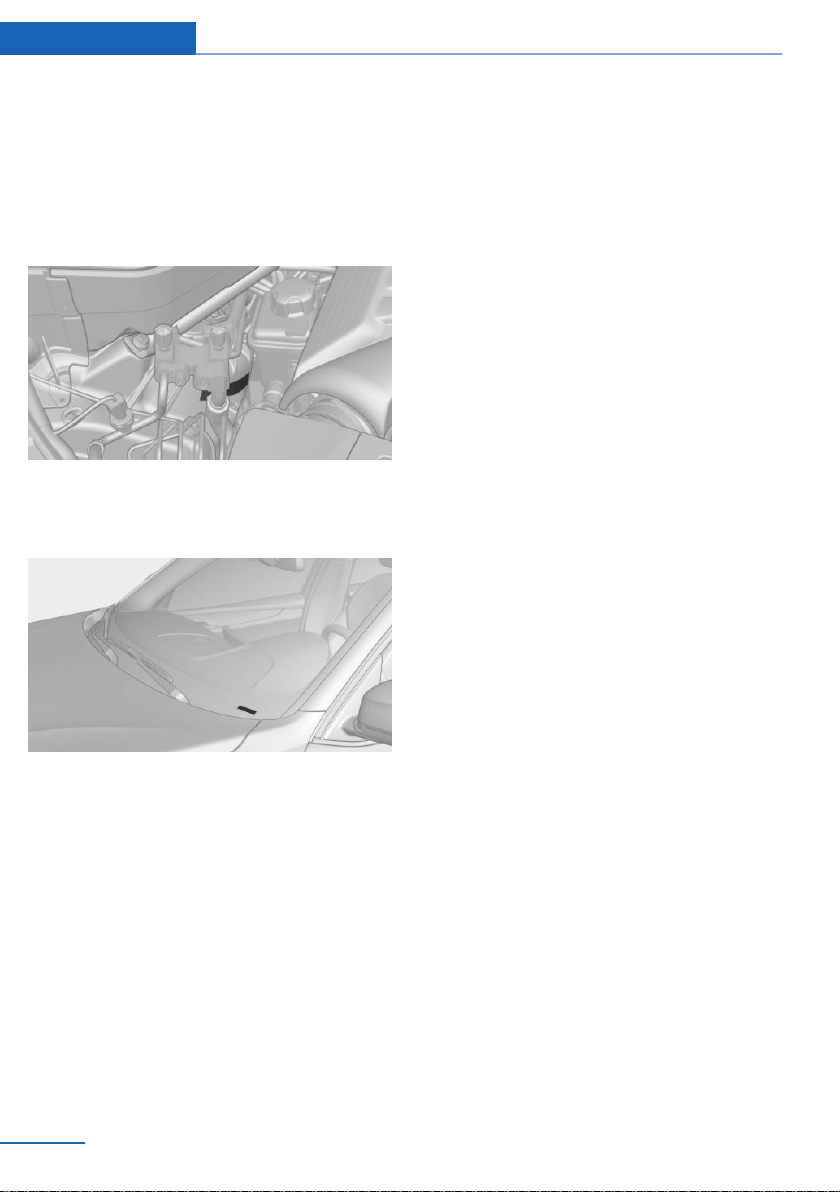
The vehicle identification number can be found
in the engine compartment, on the right-hand
side of the vehicle.
The vehicle identification number can also be
found behind the windshield.
Reporting safety defects
For US customers
The following only applies to vehicles owned
and operated in the US.
If you believe that your vehicle has a defect
which could cause a crash or could cause in‐
jury or death, you should immediately inform
the National Highway Traffic Safety Adminis‐
tration NHTSA, in addition to notifying BMW of
North America, LLC, P.O. Box 1227, West‐
wood, New Jersey 07675-1227, Telephone
1-800-831-1117.
If NHTSA receives similar complaints, it may
open an investigation, and if it finds that a
safety defect exists in a group of vehicles, it
may order a recall and remedy campaign.
However, NHTSA cannot become involved in
individual problems between you, your dealer,
or BMW of North America, LLC.
To contact NHTSA, you may call the Vehicle
Safety Hotline toll-free at 1-888-327-4236
(TTY: 1-800-424-9153); go to http://
www.safercar.gov; or write to: Administrator,
NHTSA, 400 Seventh Street, SW., Washing‐
ton, DC 20590. You can also obtain other in‐
formation about motor vehicle safety from
http://www.safercar.gov.
For Canadian customers
Canadian customers who wish to report a
safety-related defect to Transport Canada, De‐
fect Investigations and Recalls, may call the
toll-free hotline 1-800-333-0510. You can also
obtain other information about motor vehicle
safety from http://www.tc.gc.ca/roadsafety.
Seite 12
Information
12
Online Edition for Part no. 01402981185 - VI/17

Seite 13
Information
13
Online Edition for Part no. 01402981185 - VI/17
Online Edition for Part no. 01402981185 - VI/17

At a glance
This chapter shows the arrangement of the
buttons, switches and displays. Moreover, you
will become familiar with the available control
concepts and options quickly.
Online Edition for Part no. 01402981185 - VI/17
Cockpit
Vehicle features and options
This chapter describes all standard, country-
specific and optional features offered with the
series. It also describes features that are not
necessarily available in your vehicle, e. g., due
to the selected options or country versions.
This also applies to safety-related functions
and systems. When using these functions and
systems, the applicable laws and regulations
must be observed.
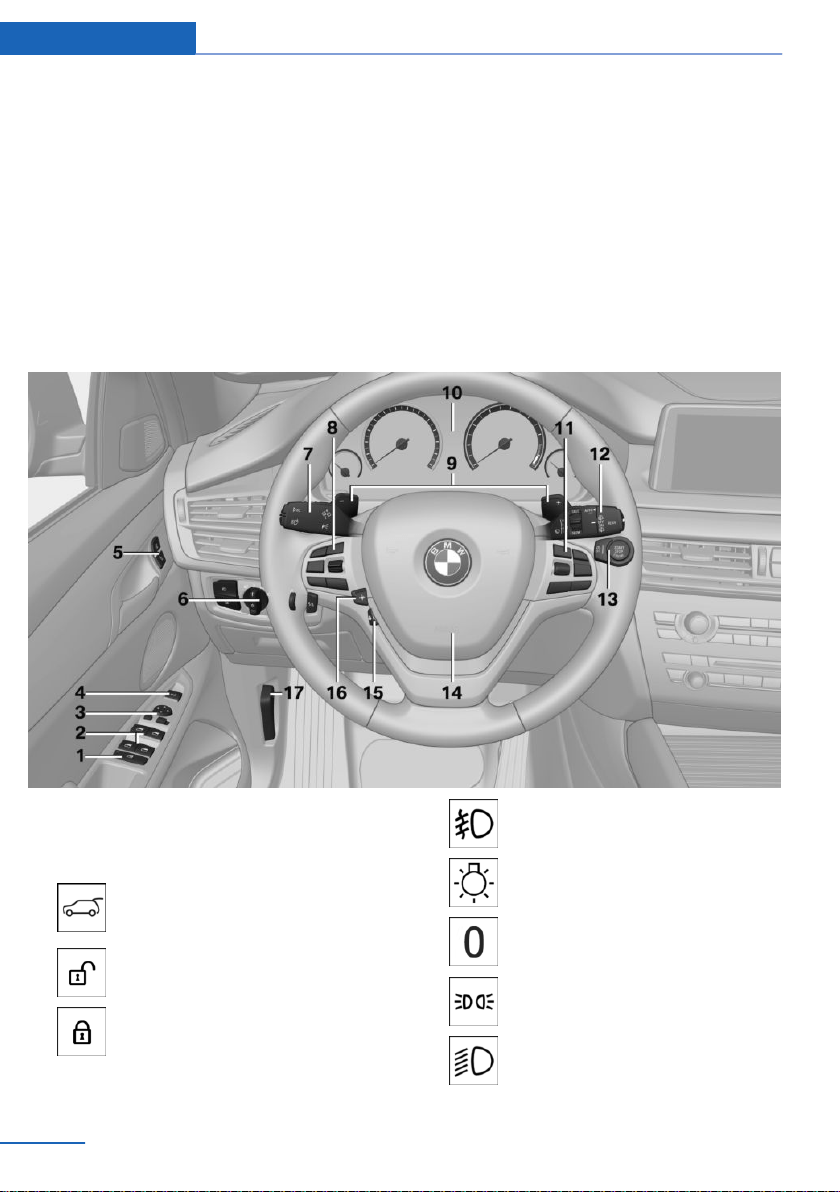
In the vicinity of the steering wheel
1 Rear window safety switch 52
2 Power windows 51
3 Exterior mirror operation 62
4 Opening and closing the tail‐
gate 43
5 Unlock central locking sys‐
tem 40
Locking central locking sys‐
tem 40
6 Lights
Front fog lights 110
Light switch 107
Lights off
Daytime running lights 109
Parking lights 107
Low beams 107
Seite 16
At a glance Cockpit
16
Online Edition for Part no. 01402981185 - VI/17
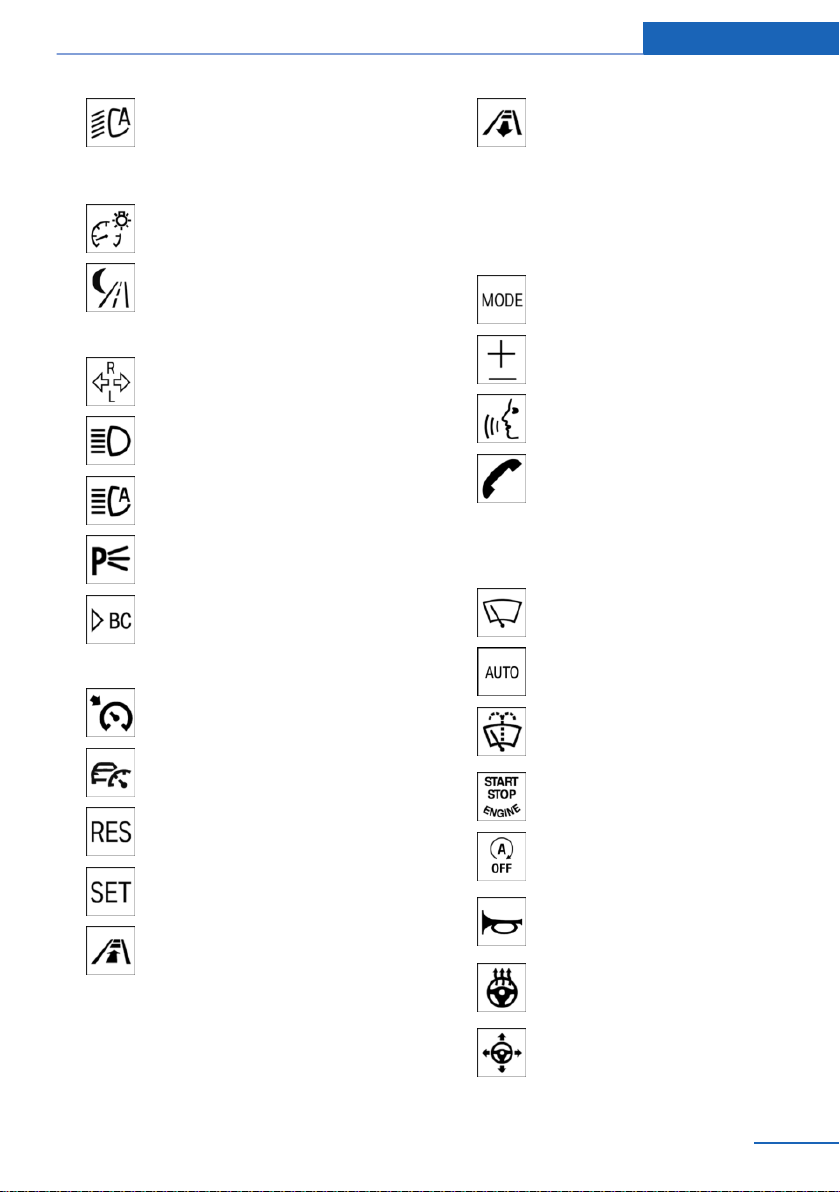
Automatic headlight con‐
trol 108
Adaptive Light Control 109
High-beam Assistant 109
Instrument lighting 111
Night Vision, switch on/switch off
heat image 133
7 Steering column stalk, left
Turn signal 77
High beams, head‐
light flasher 77
High-beam Assistant 109
Roadside parking lights 107
Onboard Computer 100
8 Steering wheel buttons, left
Cruise control on/off, inter‐
rupt 158
Active Cruise Control on/off, in‐
terrupt 152
Cruise control: resume speed
Cruise control: store speed
Active Cruise Control, reduce dis‐
tance
Active Cruise Control, increase
distance
Cruise control rocker switch
9 Shift paddles 85
10 Instrument cluster 87
11 Steering wheel buttons, right
Entertainment source
Volume
Voice activation 28
Telephone, see Owner's Manual
for Navigation, Entertainment and
Communication
Thumbwheel for selection lists 100
12 Steering column stalk, right
Wiper 78
Rain sensor 78
Clean the windshield and head‐
lights 78
13 Start/stop the engine and switch
the ignition on/off 71
Auto Start/Stop function 72
14 Horn, entire surface
15 Heated steering wheel 64
16 Adjust steering wheel 64
Seite 17
Cockpit At a glance
17
Online Edition for Part no. 01402981185 - VI/17
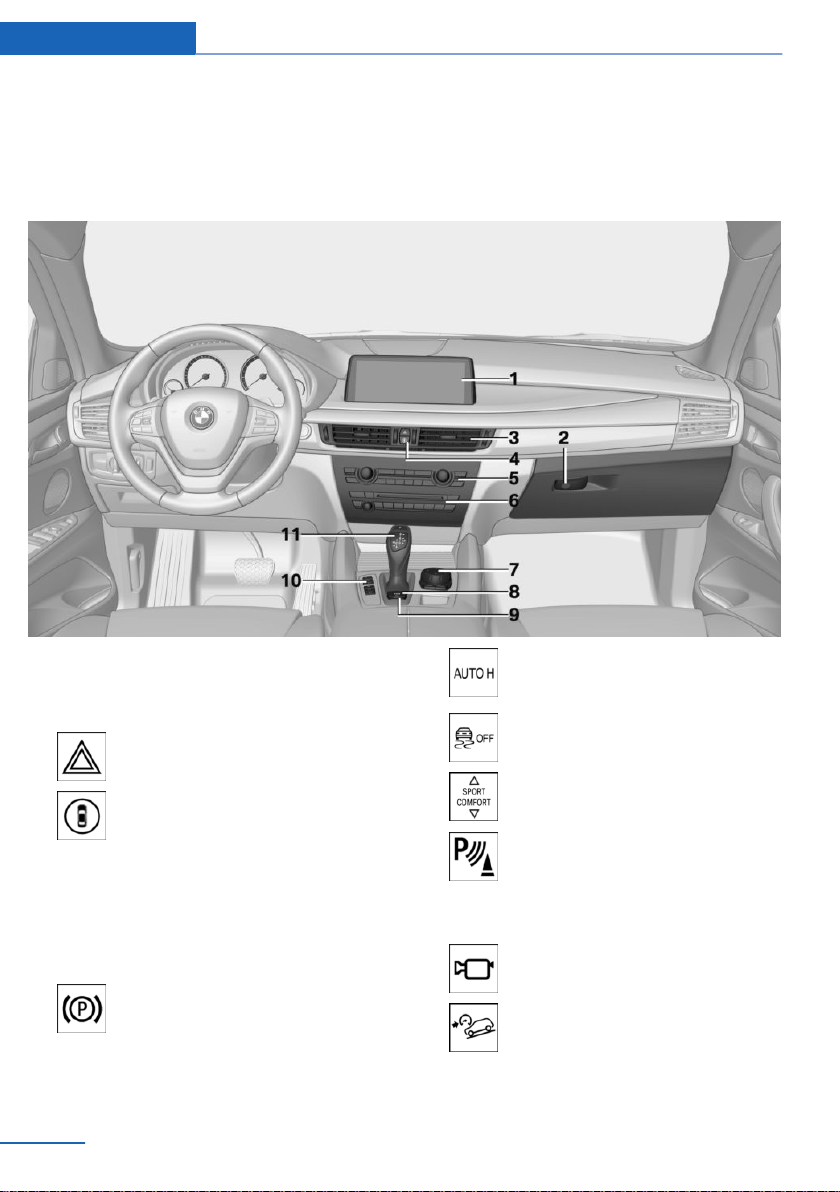
17 Unlock hood 237
In the vicinity of the center console
1 Control Display 20
2 Glove compartment 191
3 Ventilation 179
4 Hazard warning system 254
Intelligent Safety button 123
5 Automatic climate control 175
6 Radio/CD/multimedia, see Owner's Manual
for Navigation, Entertainment and Commu‐
nication 6
7 Controller with buttons 21
8 Parking brake 74
9 Automatic Hold 75
10 DSC Dynamic Stability Con‐
trol 145
Driving Dynamics Control 149
PDC Park Distance Control 161
Rearview camera 164
Top View 166
Parking assistant 170
Side View 168
HDC Hill Descent Control 147
Seite 18
At a glance Cockpit
18
Online Edition for Part no. 01402981185 - VI/17
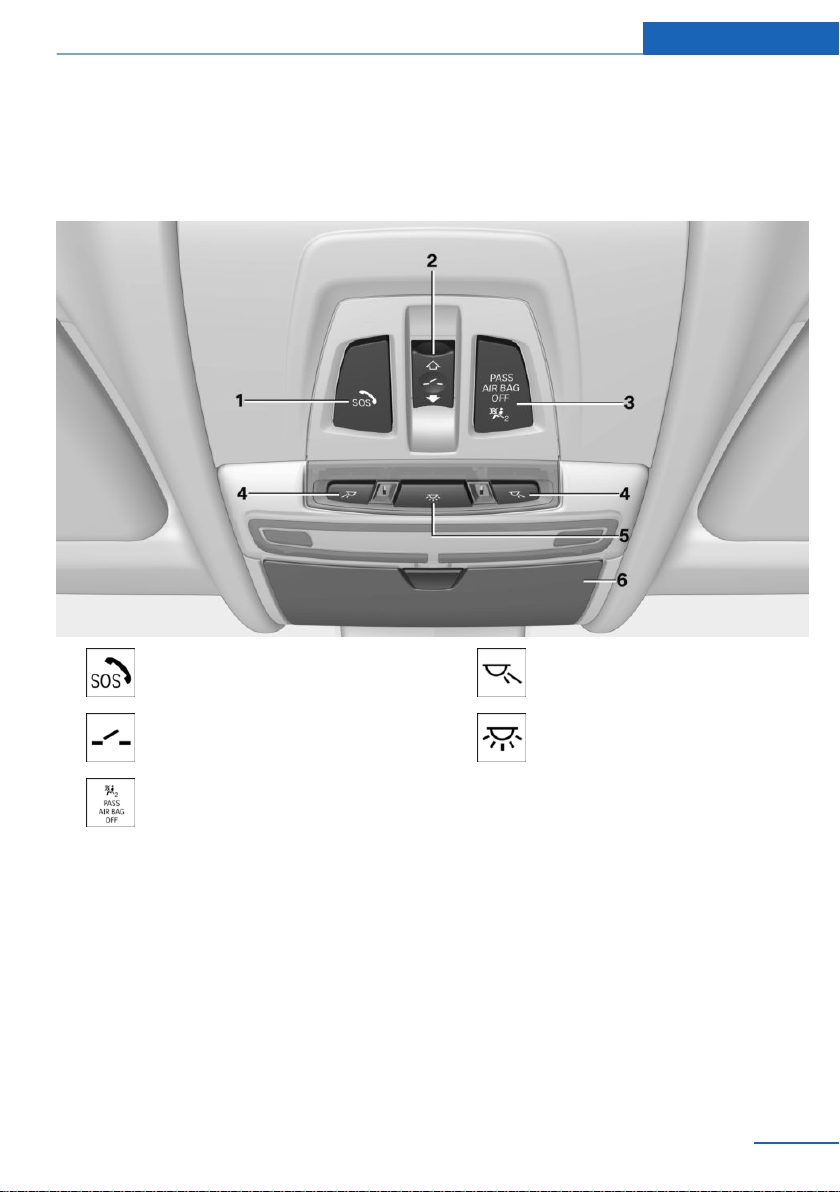
11 Transmission selector lever 81
In the vicinity of the roofliner
1 Emergency Request, SOS 254
2 Glass sunroof, electric 52
3 Indicator light, front-seat passen‐
ger airbag 116
4 Reading lights 111
5 Interior lights 111
6 Glasses compartment 193
Seite 19
Cockpit At a glance
19
Online Edition for Part no. 01402981185 - VI/17
iDrive
Vehicle features and options
This chapter describes all standard, country-
specific and optional features offered with the
series. It also describes features that are not
necessarily available in your vehicle, e. g., due
to the selected options or country versions.
This also applies to safety-related functions
and systems. When using these functions and
systems, the applicable laws and regulations
must be observed.
Concept
The iDrive combines the functions of many
switches. Thus, these functions can be oper‐
ated from a central location.
Safety information
WARNING
Operating the integrated information
systems and communication devices while
driving can distract from traffic. It is possible to
lose control of the vehicle. There is a risk of an
accident. Only use the systems or devices
when the traffic situation allows. If necessary,
stop and use the systems and devices while
the vehicle is stationary.◀
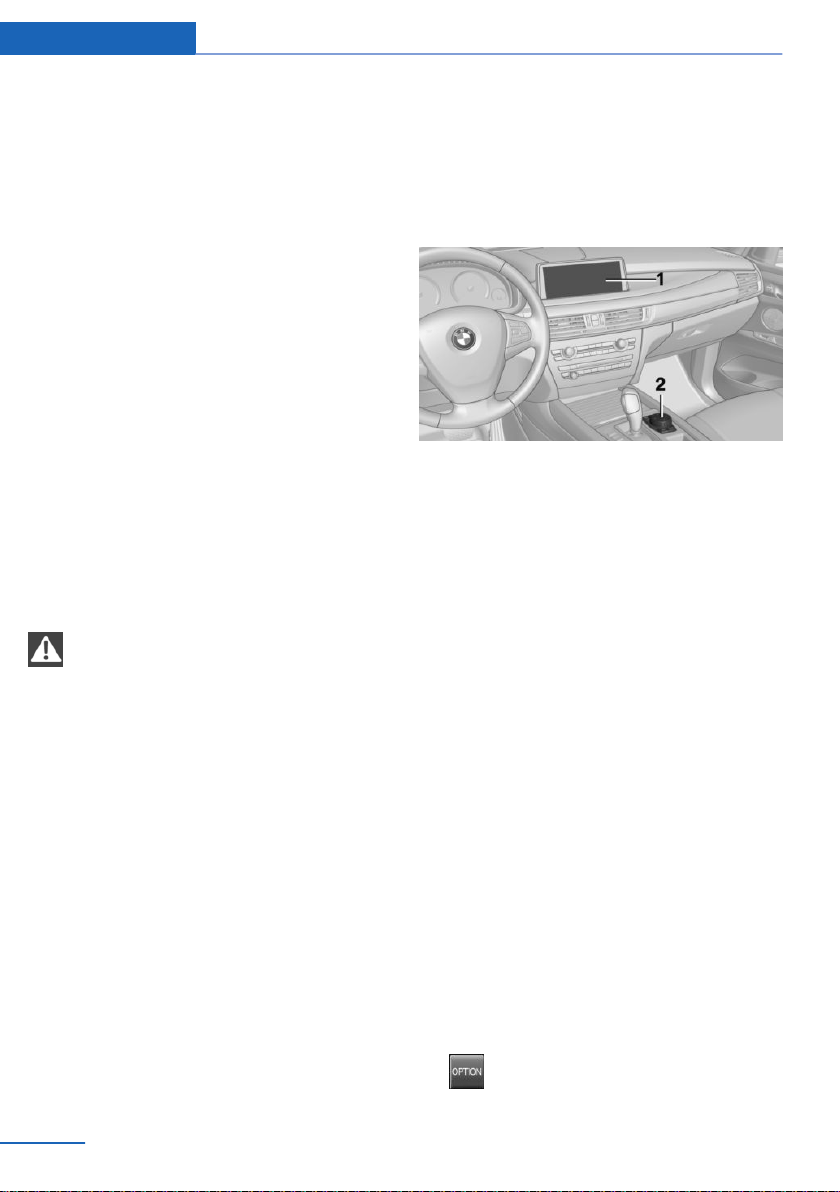
Overview of control elements
Operation
1 Control Display
2 Controller with buttons and, depending on
the equipment version, with touchpad
Control Display
General information
To clean the Control Display, follow the care
instructions.
Do not place objects close to the Control Dis‐
play; otherwise, the Control Display can be
damaged.
In the case of very high temperatures on the
Control Display, for instance due to intense so‐
lar radiation, the brightness may be reduced
down to complete deactivation. Once the tem‐
perature is reduced, for instance through
shade or air conditioning, the normal functions
are restored.
Switching on
1.
Switch on the ignition.
2. Press the controller.
Switching off
1. Press button.
Seite 20
At a glance iDrive
20
Online Edition for Part no. 01402981185 - VI/17
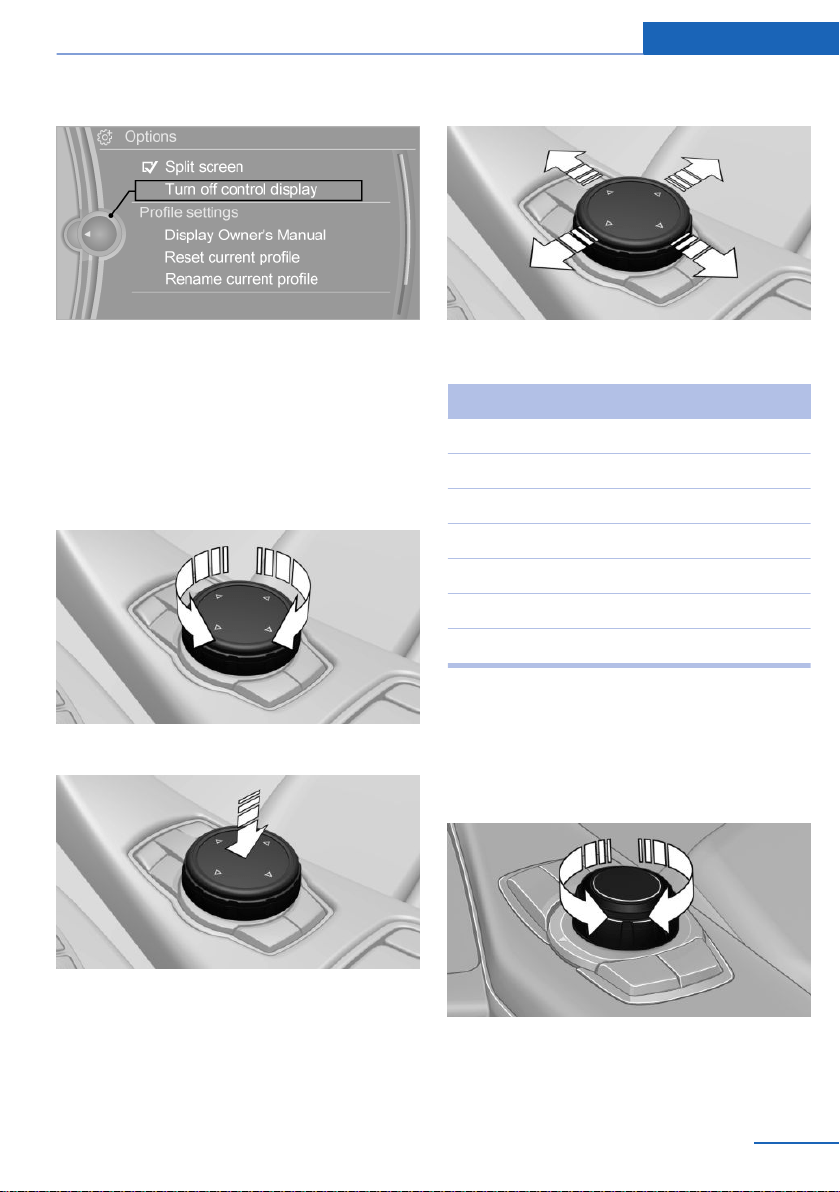
2. "Turn off control display"
Controller with navigation system
The buttons can be used to open the menus
directly. The Controller can be used to select
menu items and enter the settings.
Some iDrive functions can be operated using
the touchpad on the Controller.
1.
Turn.
2. Press.
3. Move in four directions.
Buttons on the controller
Button Function
MENU Opens the main menu.
RADIO Opens the Radio menu.
MEDIA Opens the Multimedia menu.
NAV Opens the Navigation menu.
TEL Opens the Phone menu.
BACK Displays the previous panel.
OPTION Open the Options menu.
Controller without navigation system
The buttons can be used to open the menus
directly. The Controller can be used to select
menu items and enter the settings.
1.
Turn.
Seite 21
iDrive At a glance
21
Online Edition for Part no. 01402981185 - VI/17
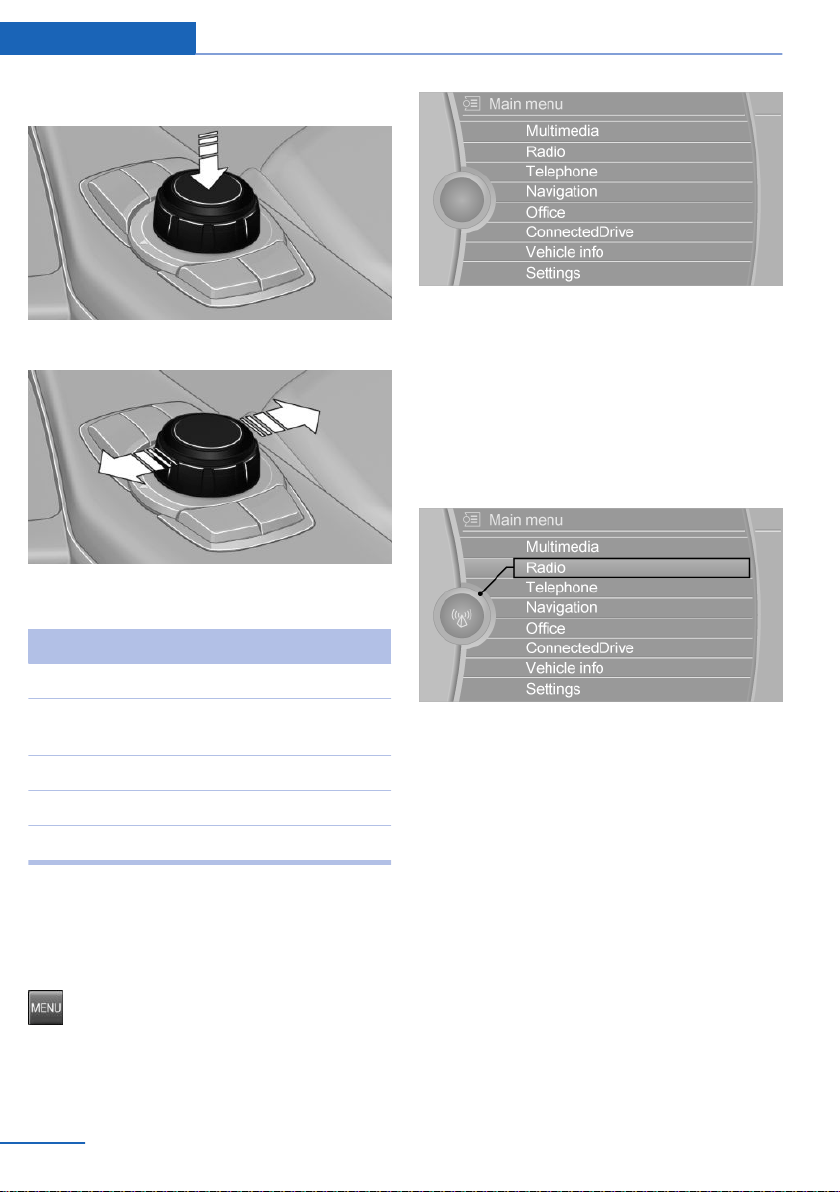
2. Press.
3. Move in two directions.
Buttons on the controller
Button Function
MENU Opens the main menu.
AUDIO Open audio menu last listened to,
switch between audio menus.
TEL Opens the Phone menu.
BACK Open previous panel.
OPTION Open the Options menu.
Operating concept
Opening the main menu
Press button.
The main menu is displayed.
All iDrive functions can be called up via the
main menu.
Selecting menu items
Highlighted menu items can be selected.
1.
Turn the controller until the desired menu
item is highlighted.
2. Press the controller.
Menu items in the Owner's Manual
In the Owner's Manual, menu items that can be
selected are set in quotation marks, e.g.,
"Settings".
Changing between panels
After a menu item is selected, e.g., "Radio", a
new panel is displayed. Panels can overlap.
▷ Move the controller to the left.
Closes current panel and shows previous
display.
Reopens previous display by pressing
BACK button. In this case, the current
panel is not closed.
▷ Move the controller to the right.
Seite 22
At a glance iDrive
22
Online Edition for Part no. 01402981185 - VI/17
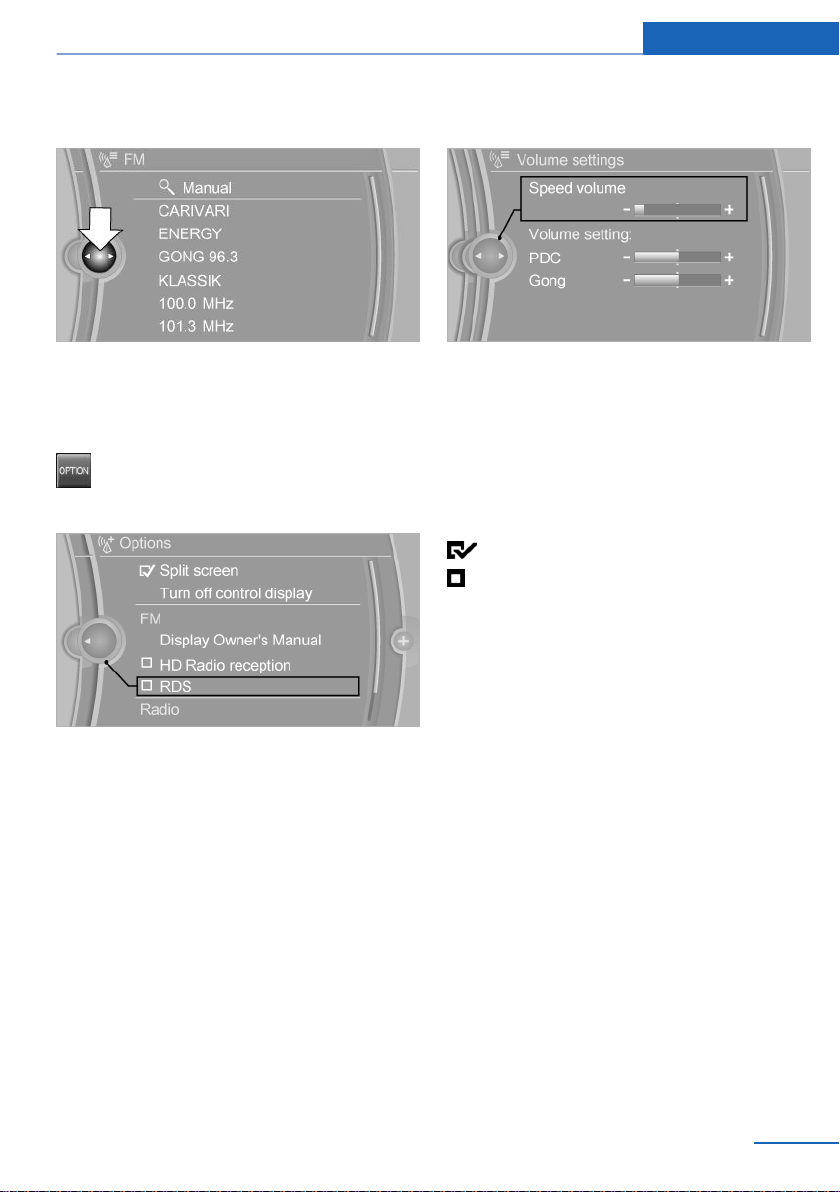
Opens new panel on top of previous
screen.
White arrows pointing to the left or right indi‐
cate that additional panels can be opened.
Opening the Options menu
Press button.
The "Options" menu is displayed.
Additional options: move the controller to the
right repeatedly until the "Options" menu is
displayed.
Options menu
The "Options" menu consists of various areas:
▷ Screen settings, e.g., "Split screen".
▷ Control options for the selected main
menu, e.g., for "Radio".
▷ If applicable, further operating options for
the selected menu, e.g., "Store station".
Changing settings
1.
Select a field.
2. Turn the controller until the desired setting
is displayed.
3. Press the controller.
Activating/deactivating the functions
Several menu items are preceded by a check‐
box. The checkbox indicates whether the func‐
tion is activated or deactivated. Selecting the
menu item activates or deactivates the func‐
tion.
Function is activated.
Function is deactivated.
Touchpad
Some iDrive functions can be operated using
the touchpad on the controller.
Selecting functions
1.
"Settings"
2. "Touchpad"
3. Select the desired function.
▷ "Speller": enter letters and numbers.
▷ "Interactive map": use the interactive
map.
▷ "Audio feedback": pronounces entered
letters and numbers.
Entering letters and numbers
Entering letters requires some practice at the
beginning. When entering, pay attention to the
following:
Seite 23
iDrive At a glance
23
Online Edition for Part no. 01402981185 - VI/17
▷ The system distinguishes between upper
and lower-case letters and numbers. To
make entries, it may be necessary to
change between upper and lower-case let‐
ters, numbers and characters, refer to
page 27.
▷ Enter characters as they are displayed on
the Control Display.
▷ Always enter associated characters, such
as accents or periods so that the letter can
be clearly recognized. The set language
determines what input is possible. Where
necessary, enter special characters via the
Controller.
▷ To delete a character, swipe to the left on
the touchpad.
▷ To enter a blank space, swipe to the right
in the center of the touchpad.
▷ To enter a hyphen, swipe to the right in the
upper area of the touchpad.
▷ To enter an underscore, swipe to the right
in the lower area of the touchpad.
Using interactive map
The interactive map in the navigation system
can be moved via the touchpad.
Function Operation
Interactive map. Swipe into respective
direction.
Enlarge/shrink in‐
teractive map.
Drag in or out on the
touchpad with fingers.
Display menu. Tap once.
Changing settings
You can use the touchpad to change Control
Display settings, for instance volume. Swipe
left or right accordingly.
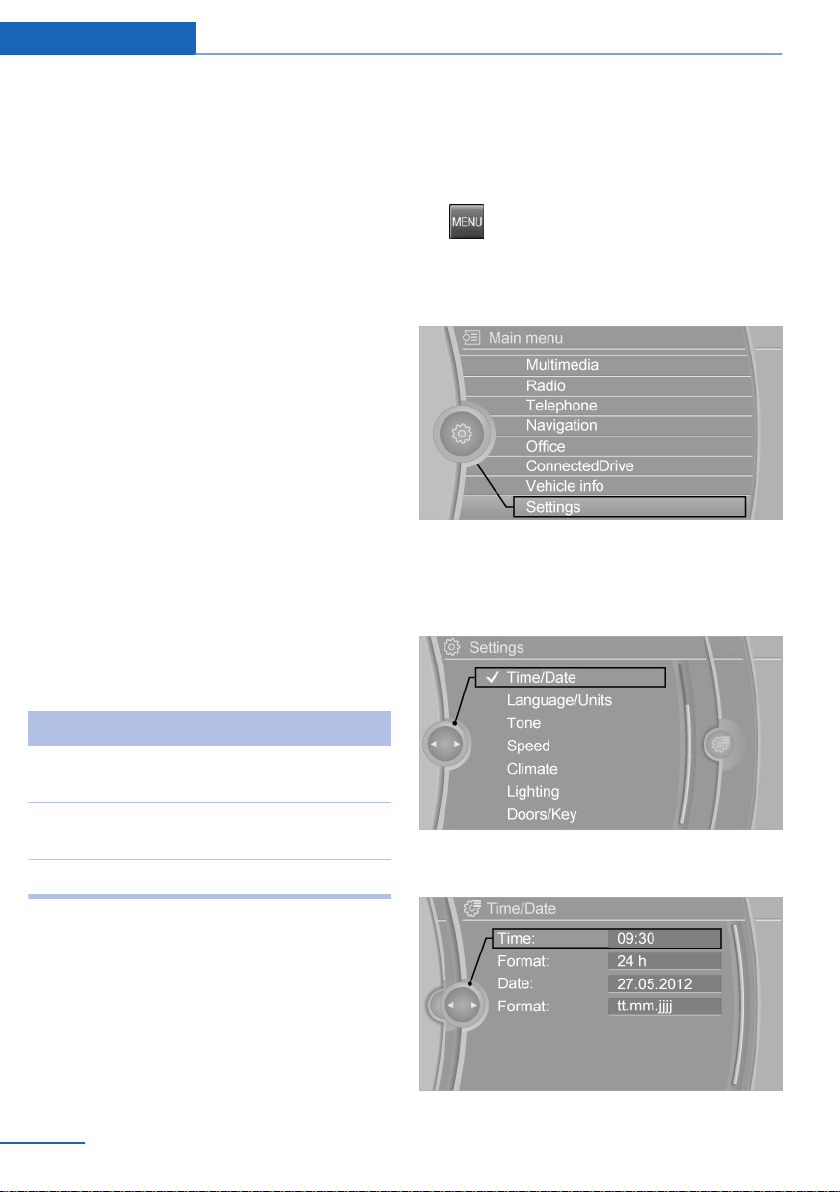
Example: setting the clock
Setting the clock
On the Control Display:
1.
Press button. The main menu is dis‐
played.
2. Turn the Controller until "Settings" is high‐
lighted, and then press the Controller.
3. If necessary, move the Controller to the left
to display "Time/Date".
4. Turn the Controller until "Time/Date" is
highlighted, and then press the Controller.
5. Turn the Controller until "Time:" is high‐
lighted, and then press the Controller.
Seite 24
At a glance iDrive
24
Online Edition for Part no. 01402981185 - VI/17
6. Turn the Controller to set the hours, and
then press the Controller.
7. Turn the Controller to set the minutes, and
then press the Controller.
Status information
Status field
The following information is displayed in the
status field at the top right:
▷ Time.
▷ Current entertainment source.
▷ Sound output, on/off.
▷ Wireless network reception strength.
▷ Phone status.
▷ Traffic bulletin reception.
Status field symbols
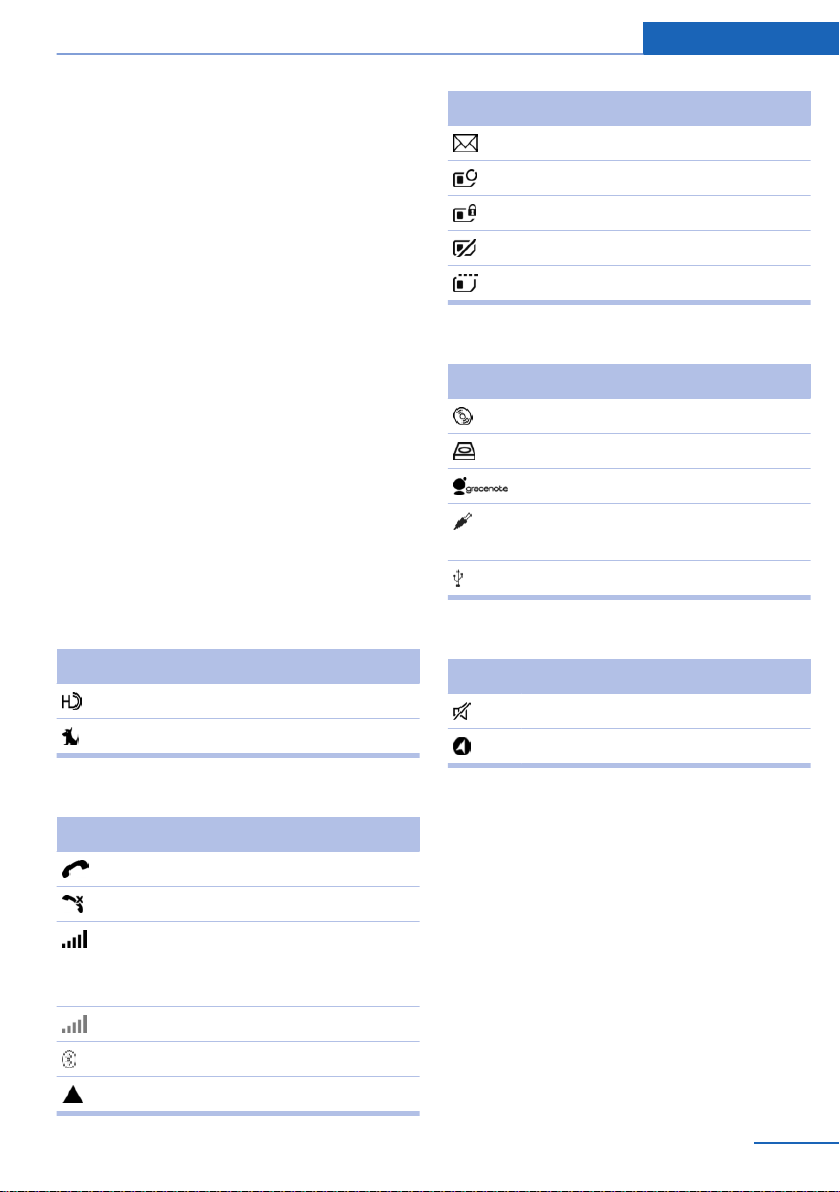
The symbols are grouped as follows:
Radio symbols
Symbol Meaning
HD Radio station is being received.
Satellite radio is switched on.
Telephone symbols
Symbol Meaning
Incoming or outgoing call.
Missed call.
Wireless network reception
strength.
Symbol flashes: network search.
Wireless network is not available.
Bluetooth is switched on.
Roaming is active.
Symbol Meaning
Text message was received.
Check the SIM card.
SIM card is blocked.
SIM card is missing.
Enter PIN.
Entertainment symbols
Symbol Meaning
CD/DVD player.
Music collection.
Gracenote® database.
AUX-IN port in the front or in the
rear.
USB audio interface.
Additional symbols
Symbol Meaning
Spoken instructions are turned off.
Check the current vehicle position.
Split screen
General information
Additional information can be displayed on the
right side of the split screen, e.g., information
from the onboard computer.
In the divided screen view, the so-called split
screen, this information remains visible even
when switching to another menu.
Seite 25
iDrive At a glance
25
Online Edition for Part no. 01402981185 - VI/17
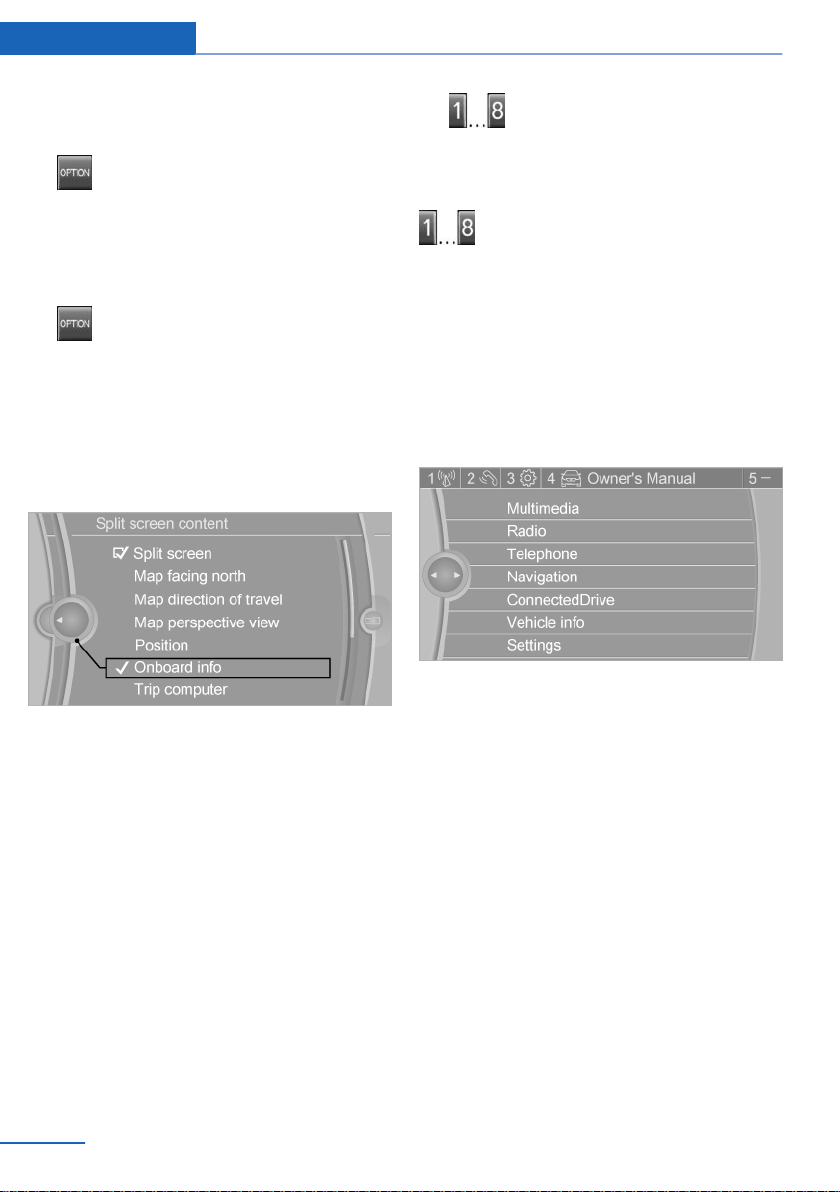
Switching the split screen on/off
On the Control Display:
1.
Press button.
2. "Split screen"
Selecting the display
On the Control Display:
1.
Press button.
2. "Split screen"
3. Move the Controller until the split screen is
selected.
4. Press the Controller or select "Split screen
content".
5. Select the desired menu item.
Programmable memory
buttons
General information
The iDrive functions can be stored on the pro‐
grammable memory buttons and called up di‐
rectly, for instance radio stations, navigation
destinations, phone numbers and menu en‐
tries.
Settings are stored for the profile currently
used.
Saving a function
1.
Highlight the function via iDrive.
2.
Press and hold the desired button,
until a signal sounds.
Running a function
Press button.
The function will work immediately.
This means, e.g., that the number is dialed
when a phone number is selected.
Displaying the key assignment
Touch buttons with finger. Do not wear gloves
or use objects.
The button assignment is displayed at the top
edge of screen.
Deleting the button assignments
1.
Press buttons 1 and 8 simultaneously for
approx. 5 seconds.
2. "OK"
Deleting personal data in the
vehicle
Concept
Depending on the usage, the vehicle saves
personal data, such as stored radio stations.
This personal data can be permanently deleted
using iDrive.
General information
Depending on the equipment package, the fol‐
lowing data can be deleted:
Seite 26
At a glance iDrive
26
Online Edition for Part no. 01402981185 - VI/17

▷ Personal Profile settings.
▷ Stored radio stations.
▷ Stored programmable memory buttons.
▷ Travel and Onboard Computer information.
▷ Music collection.
▷ Navigation, for instance stored destina‐
tions.
▷ Phone book.
▷ Online data, for instance Favorites, cook‐
ies.
▷ Voice notes.
▷ Login accounts.
Altogether, the deletion of the data can take up
to 30 minutes.
Functional requirement
Data can only be deleted while stationary.
Deleting data
Heed and follow the instructions on the Con‐
trol Display.
1.
Switch on the ignition.
2. "Settings"
3. Open "Options".
4. "Delete personal data"
5. "Continue"
6. "OK"
Entering letters and numbers
General information
On the Control Display:
1.
Turn the Controller: select letters or num‐
bers.
2. Select additional letters or numbers, if
needed.
3. "OK": confirm the entry.
Symbol Function
Press the Controller: delete letters
or number.
Press the Controller for an extended
period: delete all letters or numbers.
Switching between upper/lower case,
numbers and characters
Depending on the menu, you can switch be‐
tween entering upper and lower case letters
and numbers:
Symbol Function
Enter the letters.
Enter the numbers.
or Tip the Controller up.
Without navigation system
Select the symbol.
Entry comparison
When entering names and addresses, the
choice is narrowed down with every letter en‐
tered and letters may be added automatically.
Entries are continuously compared with data
stored in the vehicle.
▷ Only those letters are offered during entry
for which data is available.
▷ Destination search: place names can be
entered in all languages that are available
on the Control Display.
Seite 27
iDrive At a glance
27
Online Edition for Part no. 01402981185 - VI/17

Voice activation system
Vehicle features and options
This chapter describes all standard, country-
specific and optional features offered with the
series. It also describes features that are not
necessarily available in your vehicle, e. g., due
to the selected options or country versions.
This also applies to safety-related functions
and systems. When using these functions and
systems, the applicable laws and regulations
must be observed.
Concept
Most functions displayed on the Control Dis‐
play can be operated by voice commands via
the voice activation system. The system sup‐
ports you with announcements during input.
General information
▷ Functions that can only be used when the
vehicle is stationary cannot be used via the
voice activation system.
▷ The system uses a special microphone on
the driver's side.
▷ ›...‹ in the Owner's Manual denotes verbal
instructions to use with the voice activation
system.
▷ Say the commands, numbers, and letters
smoothly and with normal volume, empha‐
sis, and speed.
▷ Always say commands in the language of
the voice activation system.
Functional requirements
Via the Control Display, set a language that is
also supported by the voice activation system
so that the spoken commands can be identi‐
fied.
To set the language, refer to page 104.
Using the voice activation
system
Activating the voice activation system
1.
Press button on the steering
wheel.
2. Wait for the signal.
3. Say the command.
A command that is recognized by the voice
activation system is announced and dis‐
played in the instrument cluster.
This symbol in the instrument cluster indi‐
cates that the voice activation system is active.
If no other commands are possible, operate
the function via iDrive.
Terminating the voice activation
system
Press the button on the steering
wheel or ›Cancel‹.
Possible commands
General information
Most menu items on the Control Display can
be voiced as commands.
The available commands depend on the menu
that is currently displayed on the Control Dis‐
play.
There are short commands for many functions.
You may select list entries such as phone list
entries via voice activation. Read these list en‐
Seite 28
At a glance Voice activation system
28
Online Edition for Part no. 01402981185 - VI/17

tries out loud exactly as they are shown in the
respective list.
Having possible commands read aloud
You can have available commands read out
loud for you: ›Voice commands‹.
E.g., if the "Settings" menu is displayed, the
commands for the settings are read out loud.
Executing functions using short
commands
Execute functions on the main menu via short
commands. It almost doesn't matter which
menu item is selected, for instance ›Vehicle
status‹.
List of short commands for the voice activation
system, see Navigation, Entertainment, Com‐
munication Owner's Manual.
The list for short commands of the voice acti‐
vation system can be called up via the
Integrated Owner's Manual on the Control Dis‐
play.
Help dialog for the voice activation
system
Calling up help dialog: ›Help‹.
Additional commands for the help dialog:
▷ ›Help with examples‹: announces informa‐
tion about the current operating options
and the most important commands for
them.
▷ ›Help with voice activation‹: announces in‐
formation about the principle of operation
for the voice activation system.
Example: opening the tone
settings
Via the main menu
The commands of the menu items are spoken
just as they are selected via the controller.
1. Turn on the Entertainment sound output, if
needed.
2.
Press button on the steering
wheel.
3. ›Radio‹
4. ›Tone‹
Via short command
The desired tone settings can also be started
via a short command.
1.
Turn on the Entertainment sound output, if
needed.
2.
Press button on the steering
wheel.
3. ›Tone‹
Setting the voice dialog
You can set the system to use standard dialog
or a short version.
The short version of the voice dialog plays
back short messages in abbreviated form.
1.
"Settings"
2. "Language/Units"
Seite 29
Voice activation system At a glance
29
Online Edition for Part no. 01402981185 - VI/17
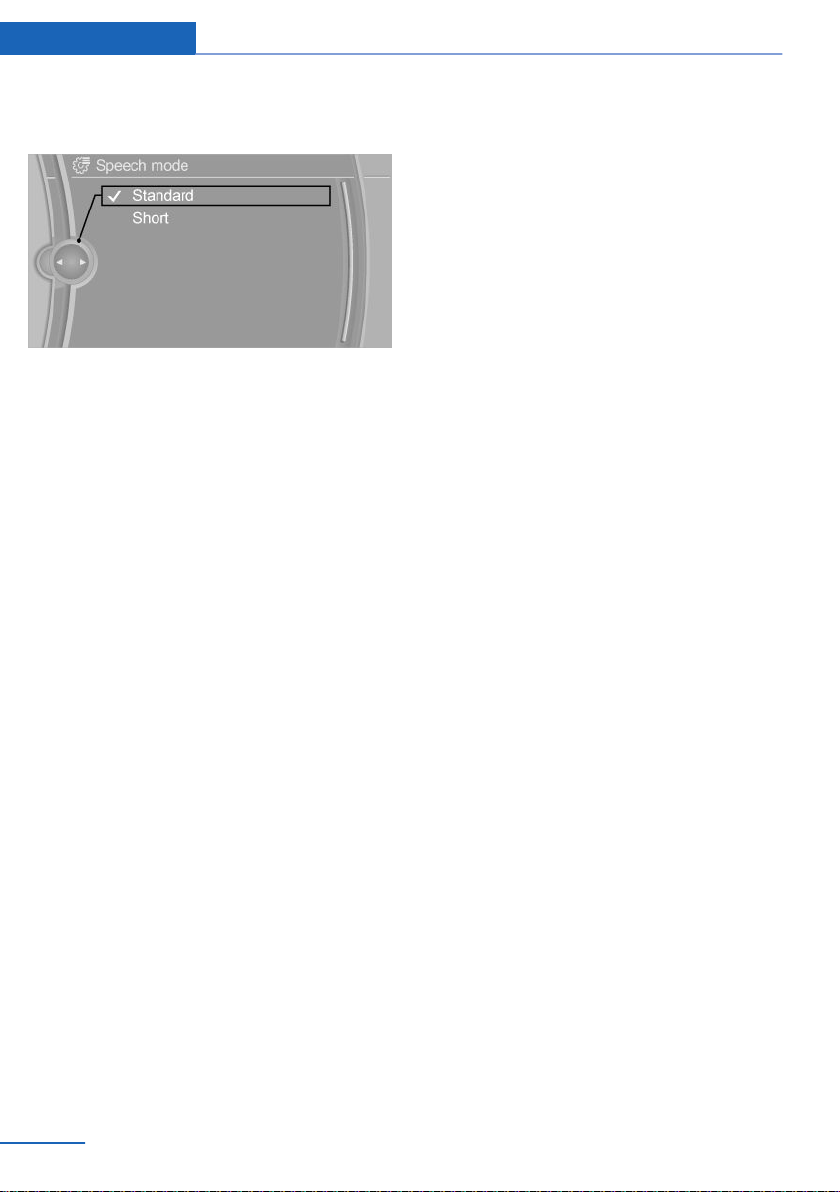
3. "Speech type:"
4. Select setting.
Adjusting the volume
Turn the volume button during the spoken in‐
structions until the desired volume is set.
▷ The volume remains constant even if the
volume of other audio sources is changed.
▷ The volume is stored for the profile cur‐
rently used.
Information on Emergency
Requests
Do not use the voice activation system to ini‐
tiate an Emergency Request. In stressful situa‐
tions, the voice and vocal pitch can change.
This can unnecessarily delay the establish‐
ment of a phone connection.
Instead, use the SOS button, refer to
page 254, close to the interior mirror.
Environmental conditions
▷ Keep the doors, windows, and glass sun‐
roof closed to prevent noise interference.
▷ Avoid making other noise in the vehicle
while speaking.
Seite 30
At a glance Voice activation system
30
Online Edition for Part no. 01402981185 - VI/17

Integrated Owner's Manual in the vehicle
Vehicle features and options
This chapter describes all standard, country-
specific and optional features offered with the
series. It also describes features that are not
necessarily available in your vehicle, e. g., due
to the selected options or country versions.
This also applies to safety-related functions
and systems. When using these functions and
systems, the applicable laws and regulations
must be observed.
Integrated Owner's Manual
in the vehicle
Concept
The Integrated Owner's Manual specifically
describes features and functions found in the
vehicle. The Integrated Owner's Manual can be
displayed on the Control Display.
Components of the Integrated
Owner's Manual
The Integrated Owner's Manual consists of
three parts, which offer various levels of infor‐
mation or possible access.
Quick Reference Guide
The Quick Reference Guide provides informa‐
tion on how to operate the vehicle, how to use
basic vehicle functions and what to do in case
of a breakdown. This information can also be
displayed while driving.
Search by images
Based on illustrations, image search provides
information and descriptions. This is useful,
e.g., when the terminology for a feature is not
known.
Owner's Manual
Search for information and descriptions by en‐
tering terms selected from the index.
Select components
1.
Press button.
2. Turn the controller: open "Vehicle info".
3. Press the controller.
4. Selecting desired range:
▷ "Quick reference"
▷ "Search by pictures"
▷ "Owner's Manual"
Leafing through the Owner's Manual
Page by page with link access
Turn the controller until the next or previous
page is displayed.
Page by page without link access
Scroll through the pages directly while skip‐
ping the links.
Highlight the symbol once. Now simply press
the Controller to browse from page to page.
Scroll back.
Scroll forward.
Seite 31
Integrated Owner's Manual in the vehicle At a glance
31
Online Edition for Part no. 01402981185 - VI/17

Context help - operating instructions
for the currently selected function
The relevant information can be opened di‐
rectly.
Opening via iDrive
Change directly to the Options menu from the
function on the Control Display:
1.
Press button or move the Controller
to the right repeatedly until the "Options"
menu is displayed.
2. "Display Owner's Manual"
Opening when a Check Control
message is displayed
Directly from the Check Control message on
the Control Display:
"Display Owner's Manual"
Changing between a function and the
operating instructions
To switch from a function, for instance radio, to
the Owner's Manual on the Control Display
and to alternate between the two displays:
1. Press button or move the Controller
to the right repeatedly until the "Options"
menu is displayed.
2. "Display Owner's Manual"
3. Select the desired page in the Owner's
Manual.
4.
Press button again to return to last
displayed function.
5.
Press button to return to the page of
the Owner's Manual displayed last.
To alternate continuously between the last dis‐
played function and the last displayed page of
the Owner's Manual, repeat steps 4 & 5.
Opens a new display every time.
Programmable memory buttons
General information
The Owner's Manual can be stored on the pro‐
grammable memory buttons and called up di‐
rectly.
Storing
1. "Owner's Manual" Select via iDrive.
2.
Press selected button for more
than 2 seconds.
Executing
Press button.
The Owner's Manual is displayed im‐
mediately.
Seite 32
At a glance Integrated Owner's Manual in the vehicle
32
Online Edition for Part no. 01402981185 - VI/17

Seite 33
Integrated Owner's Manual in the vehicle At a glance
33
Online Edition for Part no. 01402981185 - VI/17
Online Edition for Part no. 01402981185 - VI/17

Controls
The information in this chapter helps you in
confidently operating your vehicle. All features
and accessories that are useful for driving and
your safety, comfort and convenience are
described here.
Online Edition for Part no. 01402981185 - VI/17
Opening and closing
Vehicle features and options
This chapter describes all standard, country-
specific and optional features offered with the
series. It also describes features that are not
necessarily available in your vehicle, e. g., due
to the selected options or country versions.
This also applies to safety-related functions
and systems. When using these functions and
systems, the applicable laws and regulations
must be observed.
Remote control
General information
The vehicle is supplied with two remote con‐
trols with integrated key.
Each remote control contains a replaceable
battery. Replacing the battery, refer to
page 38.
You may set the key functions depending on
the optional features and country-specific ver‐
sion. Settings, refer to page 48.
The vehicle stores personal settings for every
remote control. Personal Profile, refer to
page 46.
The remote controls hold information about re‐
quired maintenance. Service data in the re‐
mote control, refer to page 246.
Safety information
WARNING
People or animals in the vehicle can lock
the doors from the inside and lock themselves
in. In this case, the vehicle cannot be opened
from the outside. There is a risk of injury. Take
the remote control with you so that the vehicle
can be opened from the outside.◀
WARNING
Unlocking from the inside is only possi‐
ble with special knowledge.
Persons who spend a lengthy time in the vehi‐
cle while being exposed to extreme tempera‐
tures are at risk of injury or death. Do not lock
the vehicle from the outside when there are
people in it.◀
WARNING
Unattended children or animals can
cause the vehicle to move and endanger them‐
selves and traffic, e.g., due to the following ac‐
tions:
▷ Pressing the Start/Stop button.
▷ Releasing the parking brake.
▷ Opening and closing the doors or win‐
dows.
▷ Engaging selector lever position N.
▷ Using vehicle equipment.
There is a risk of accidents or injuries. Do not
leave children or animals unattended in the ve‐
hicle. Take the remote control with you when
exiting and lock the vehicle.◀
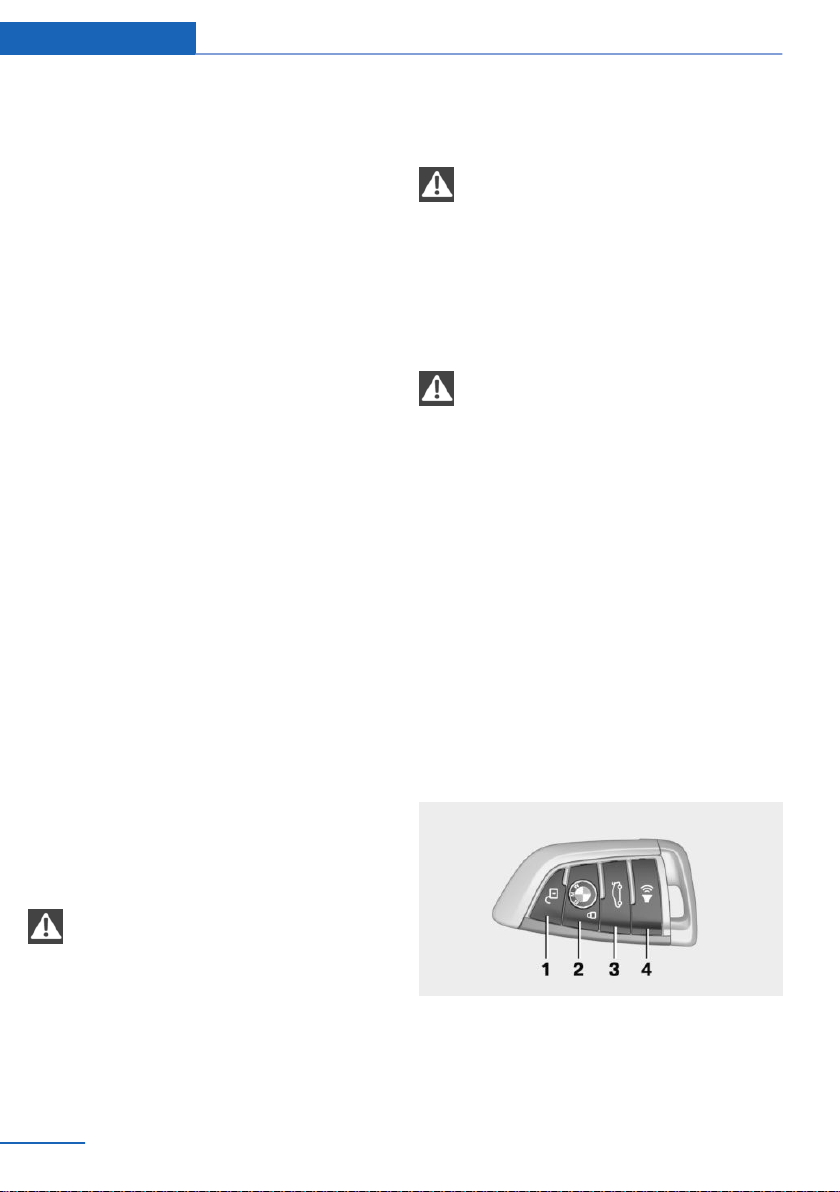
Overview
1 Unlocking
2 Locking
3 Opening the tailgate
4 Panic mode
Seite 36
Controls Opening and closing
36
Online Edition for Part no. 01402981185 - VI/17
Unlocking
Press button on the remote control.
Depending on the settings, refer to page 48,
the following access points are unlocked.
▷ Driver's door and fuel filler flap.
Press the button of the remote control
again to unlock the other vehicle access
points.
▷ All doors, tailgate, and fuel filler flap.
In addition, the following functions are exe‐
cuted:
▷ The settings stored in the driver profile, re‐
fer to page 46, are applied.
▷ The interior lights and courtesy lights are
activated. This function is not available, if
the interior lights were switched off man‐
ually.
▷ The welcome lights are switched on, if this
function was activated.
▷ The alarm system, refer to page 49, is
switched off.
The light functions may depend on the ambi‐
ent brightness.
Convenient opening
Press and hold this button on the re‐
mote control after unlocking.
The windows and the glass sunroof are
opened, as long as the button on the remote
control is pressed.
Locking
1.
Close the driver's door.
2.
Press button on the remote control.
The following functions are executed:
▷ All doors, the tailgate, and the fuel filler flap
are being locked.
▷ The alarm system, refer to page 49, is
switched on.
If the engine or ignition is still switched on
when you lock the vehicle, the vehicle horn
honks twice. In this case, the engine or ignition
must be switched off by means of the Start/
Stop button.
Switching on interior lights and
courtesy light
Press button on the remote control with
the vehicle locked.
This function is not available, if the interior
lights were switched off manually.
The light functions may depend on the ambi‐
ent brightness.
After locking, wait 10 seconds before pressing
the button again.
Tailgate
General information
To avoid locking it in the vehicle, do not place
the remote control in the cargo area.
Depending on your vehicle's equipment and
the country version, it is possible to specify
whether the doors are also unlocked when un‐
locking with the remote control. Adjusting the
settings, refer to page 48.
Safety information
WARNING
Body parts can be jammed when operat‐
ing the tailgate. There is a risk of injury. Make
sure that the area of movement of the tailgate
is clear during opening and closing.◀
NOTE
The tailgate swings back and up when it
opens. There is a risk of damage to property.
Make sure that the area of movement of the
tailgate is clear during opening and closing.◀
Seite 37
Opening and closing Controls
37
Online Edition for Part no. 01402981185 - VI/17
NOTE
Sharp-edged or pointed objects can hit
the rear window and heat conductors while
driving. There is a risk of property damage.
Cover the edges and ensure that pointed ob‐
jects do not hit the rear window.◀
Opening
Press button on the remote control for
approx. 1 second.
The tailgate opens automatically.
The tailgate cannot be opened with the remote
control while a trailer is being towed.
Panic mode
You can trigger the alarm system if you find
yourself in a dangerous situation.
▷ Press button on the remote con‐
trol and hold for at least 3 sec‐
onds.
▷ Briefly press the button on the remote con‐
trol three times in succession.
To switch off the alarm: press any button.
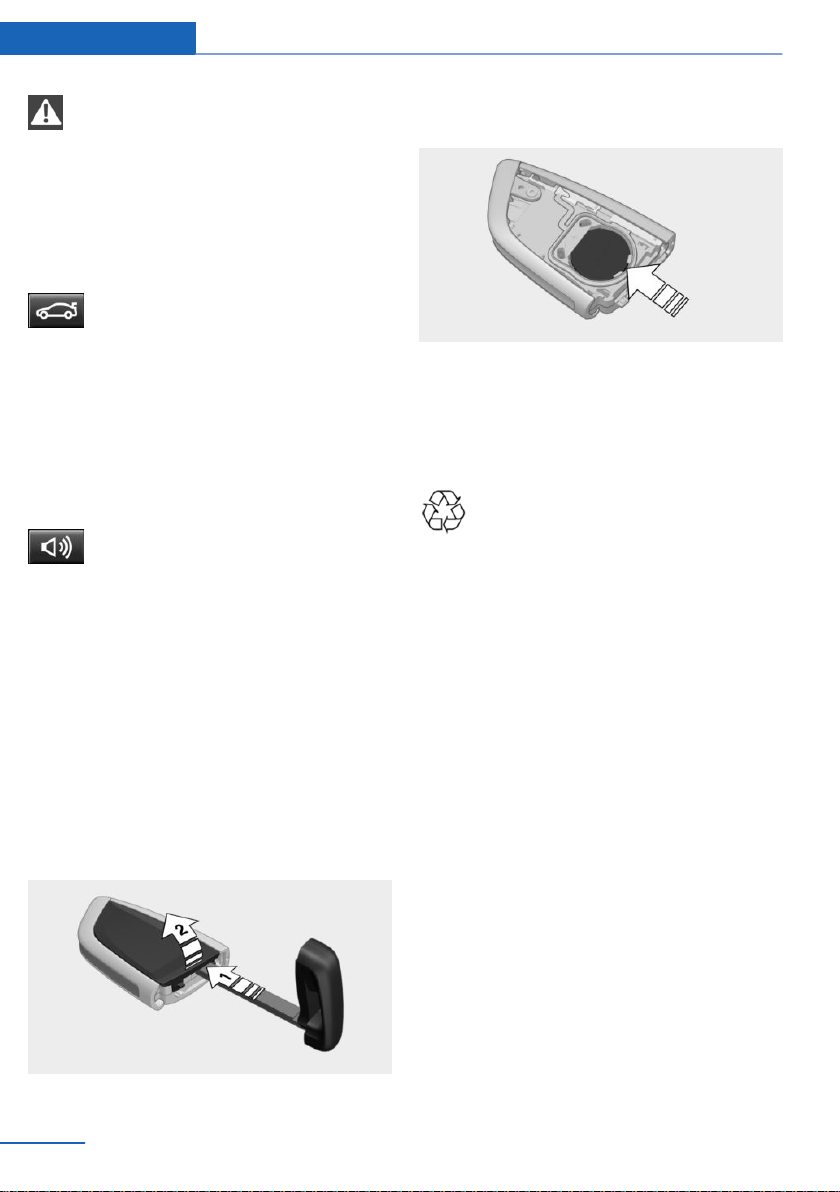
Replacing the battery
1.
Remove the integrated key from the re‐
mote control, refer to page 39.
2. Place the integrated key underneath the
battery compartment cover, arrow 1, and
lift the cover with a lever movement of the
integrated key, arrow 2.
3. Push battery in the direction of the arrow
using a pointed object and lift it out.
4. Insert a type CR 2032 battery with the pos‐
itive side facing up.
5. Press the cover closed.
6. Push the integrated key into the remote
control until it engages.
Have old batteries disposed of by a
dealer’s service center or another
qualified service center or repair shop
or take them to a collection point.
Additional remote controls
Additional remote controls are available from a
dealer’s service center or another qualified
service center or repair shop.
Loss of the remote controls
A lost remote control can be blocked and re‐
placed by a dealer’s service center or another
qualified service center or repair shop.
Malfunction
General information
A Check Control message is displayed.
Remote control detection by the vehicle may
malfunction under the following circumstan‐
ces:
▷ The battery of the remote control is dis‐
charged. Replacing the battery, refer to
page 38.
Seite 38
Controls Opening and closing
38
Online Edition for Part no. 01402981185 - VI/17
▷ Interference of the radio connection from
transmission towers or other equipment
with high transmitting power.
▷ Shielding of the remote control due to
metal objects.
Do not transport the remote control to‐
gether with metal objects.
▷ Interference of the radio connection from
mobile phones or other electronic devices
in direct proximity to the remote control.
Do not transport the remote control to‐
gether with electronic devices.
▷ Interference of radio transmission by a
charging process of mobile devices, for in‐
stance charging of a mobile phone.
▷ The remote control is in direct proximity of
the wireless charging tray.
Place the remote control down at a differ‐
ent location.
In the case of interference, the vehicle can be
unlocked and locked from the outside with the
integrated key, refer to page 39.
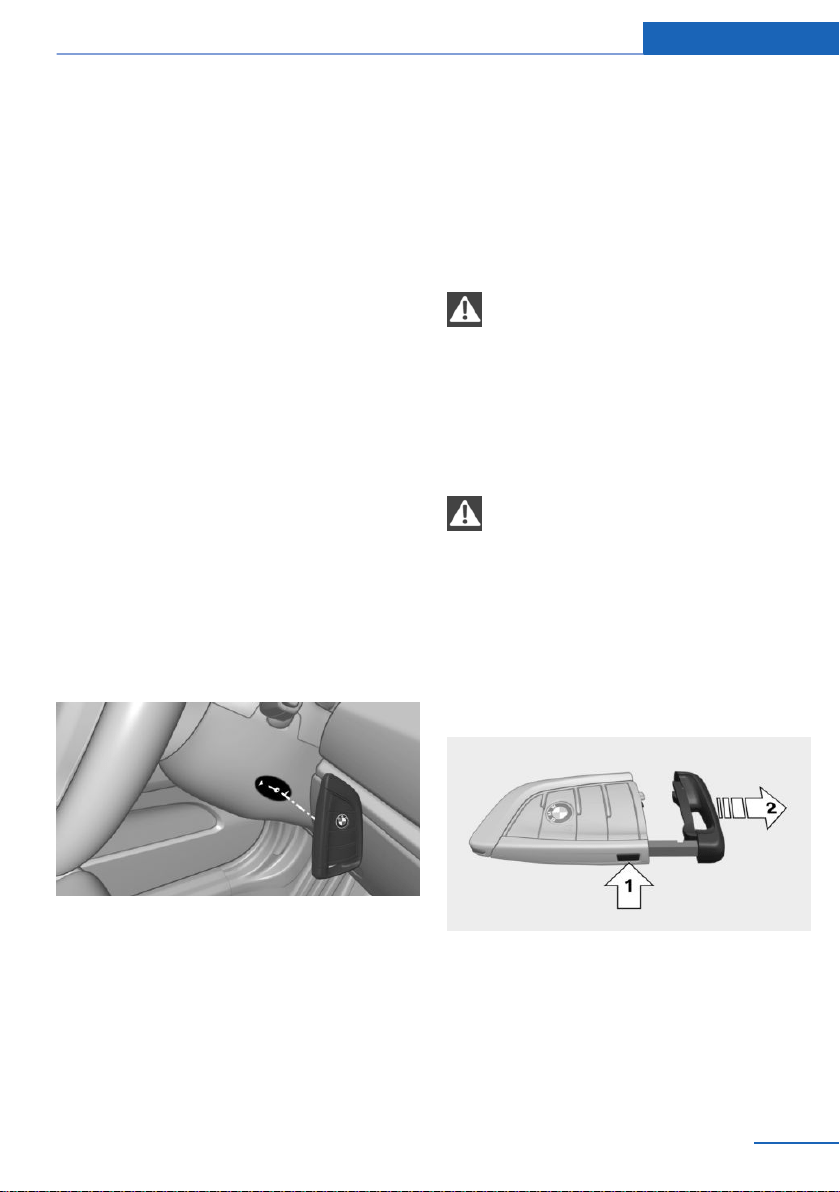
Starting the engine via emergency
detection of the remote control
1.
Hold the remote control with its back
against the marked area on the steering
column.
2. Start the engine within 10 seconds.
If the remote control is not detected, slightly
change the position of the remote control and
repeat the procedure.
Integrated key
General information
The driver's door can be locked and unlocked
without remote control using the integrated
key.
Safety information
WARNING
Unlocking from the inside is only possi‐
ble with special knowledge.
Persons who spend a lengthy time in the vehi‐
cle while being exposed to extreme tempera‐
tures are at risk of injury or death. Do not lock
the vehicle from the outside when there are
people in it.◀
NOTE
The door lock is permanently joined with
the door. The door handle can be moved.
When pulling the door handle with the
integrated key inserted, paint or the integrated
key can be damaged. There is a risk of damage
to property. Remove the integrated key before
pulling the outside door handle.◀
Removing
Press the button, arrow 1, and pull out the
integrated key, arrow 2.
Locking/unlocking via the door lock
1.
Remove lid on the door lock.
Seite 39
Opening and closing Controls
39
Online Edition for Part no. 01402981185 - VI/17
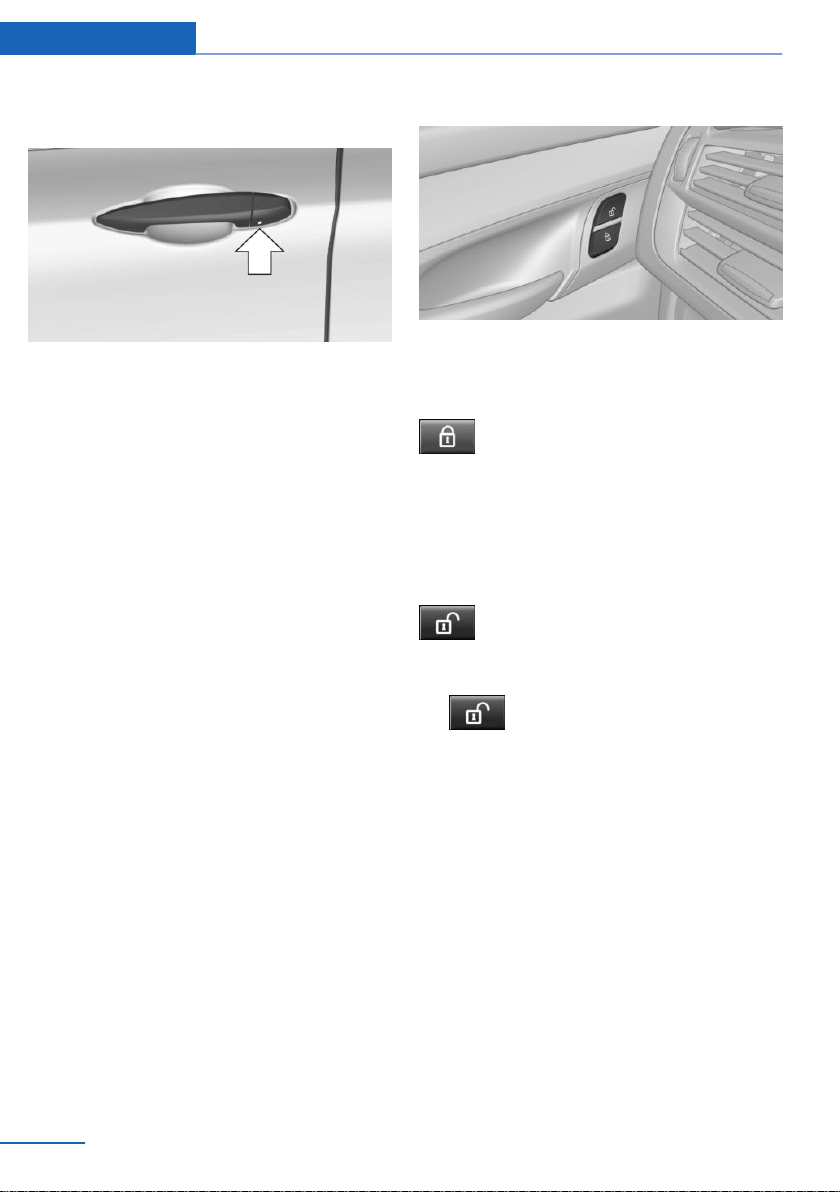
To do this, slide the integrated key into the
opening from below and remove the lid.
2. Unlock or lock the door lock using the
integrated key.
The other doors must be unlocked or locked
from the inside.
Alarm system
The alarm system is not switched on if the ve‐
hicle is locked with the integrated key.
The alarm system is triggered when the door is
opened, if the vehicle has been unlocked via
the door lock.
In order to stop the alarm, unlock the vehicle
with the remote control or switch on the igni‐
tion, if needed, through emergency detection
of the remote control, refer to page 39.
Buttons for the central
locking system
General information
In the event of a severe accident, the vehicle is
automatically unlocked. The hazard warning
system and interior lights come on.
Overview
Buttons for the central locking system.
Locking
Press the button with the front doors
closed.
The fuel filler flap remains unlocked.
The vehicle is not secured against theft when
locking.
Unlocking
Press button.
Opening
▷
Press button to unlock the doors
together, and then pull the door handle
above the armrest.
▷ Front doors: pull the door handle on the
door to open the door. The other doors re‐
main locked.
▷ Back doors: pull twice on the door handle
on the door to be opened; the first time un‐
locks the door, the second time opens it.
The other doors remain locked.
Comfort Access
Concept
The vehicle can be accessed without activat‐
ing the remote control.
Seite 40
Controls Opening and closing
40
Online Edition for Part no. 01402981185 - VI/17
All you need to do is to have the remote con‐
trol with you, such as in your pants pocket.
The vehicle automatically detects the remote
control when it is in close proximity or in the
vehicle's interior.
General information
Comfort Access supports the following func‐
tions:
▷ Unlocking and locking the vehicle.
▷ Convenient closing.
▷ Open the tailgate.
▷ Opening/closing the tailgate with no-touch
activation.
Functional requirements
▷ To lock the vehicle, the remote control
must be located outside of the vehicle near
the doors.
▷ The next unlocking and locking cycle is not
possible until after approx. 2 seconds.
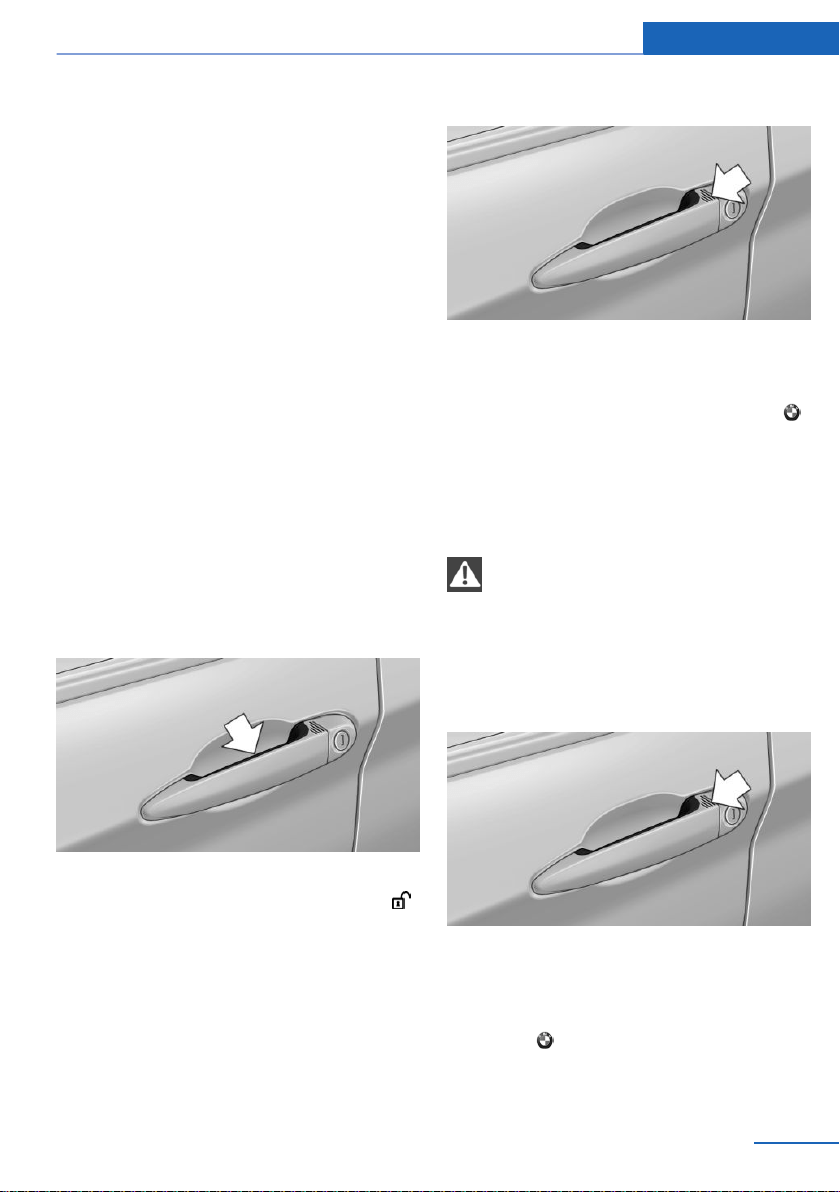
Unlocking
Grasp the handle of a vehicle door completely.
This corresponds with pressing the button
on the remote control.
Locking
Touch the surface on the handle of a vehicle
door with your finger for approx. 1 second
without grasping the door handle.
This corresponds with pressing the button
on the remote control.
Convenient closing
Safety information
WARNING
With convenient closing, body parts can
be jammed. There is a risk of injury. Make sure
that the area of movement of the doors is clear
during convenient closing.◀
Closing
Touch the surface on the handle of a vehicle
door, arrow, with your finger and hold it there
without grasping the door handle.
This corresponds with pressing and holding
the button on the remote control.
Seite 41
Opening and closing Controls
41
Online Edition for Part no. 01402981185 - VI/17
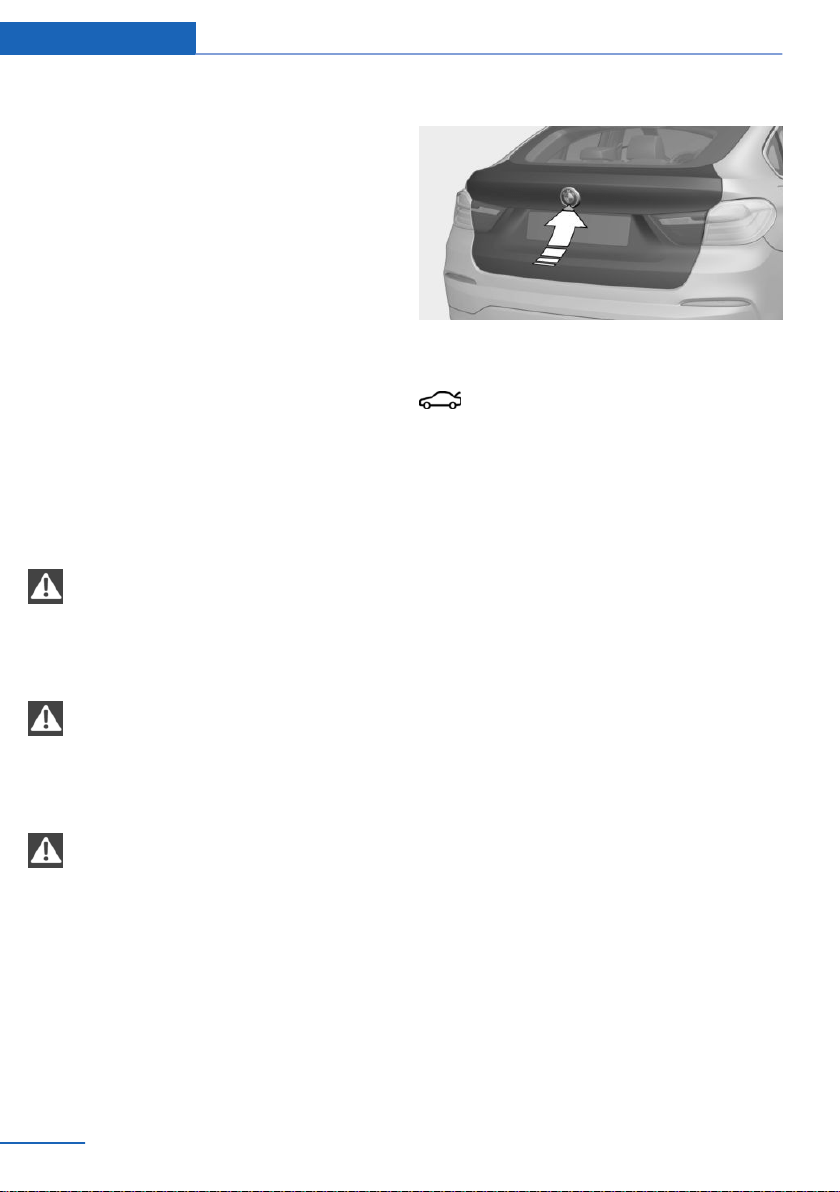
In addition to locking, the windows and the
glass sunroof close and the exterior mirrors
fold in.
Opening the tailgate
General information
To avoid locking it in the vehicle, do not place
the remote control in the cargo area.
If the remote control is in the sensor area, the
tailgate may open or close inadvertently if you
unintentionally move your foot or if something
else moves in the detection area.
The sensor has an approximate range of
5 ft/1.50 m extending from the rear of the vehi‐
cle.
If the tailgate is opened via Comfort Access,
locked doors are not unlocked.
Safety information
WARNING
Body parts can be jammed when operat‐
ing the tailgate. There is a risk of injury. Make
sure that the area of movement of the tailgate
is clear during opening and closing.◀
NOTE
The tailgate swings back and up when it
opens. There is a risk of damage to property.
Make sure that the area of movement of the
tailgate is clear during opening and closing.◀
NOTE
Sharp-edged or pointed objects can hit
the rear window and heat conductors while
driving. There is a risk of property damage.
Cover the edges and ensure that pointed ob‐
jects do not hit the rear window.◀
Opening
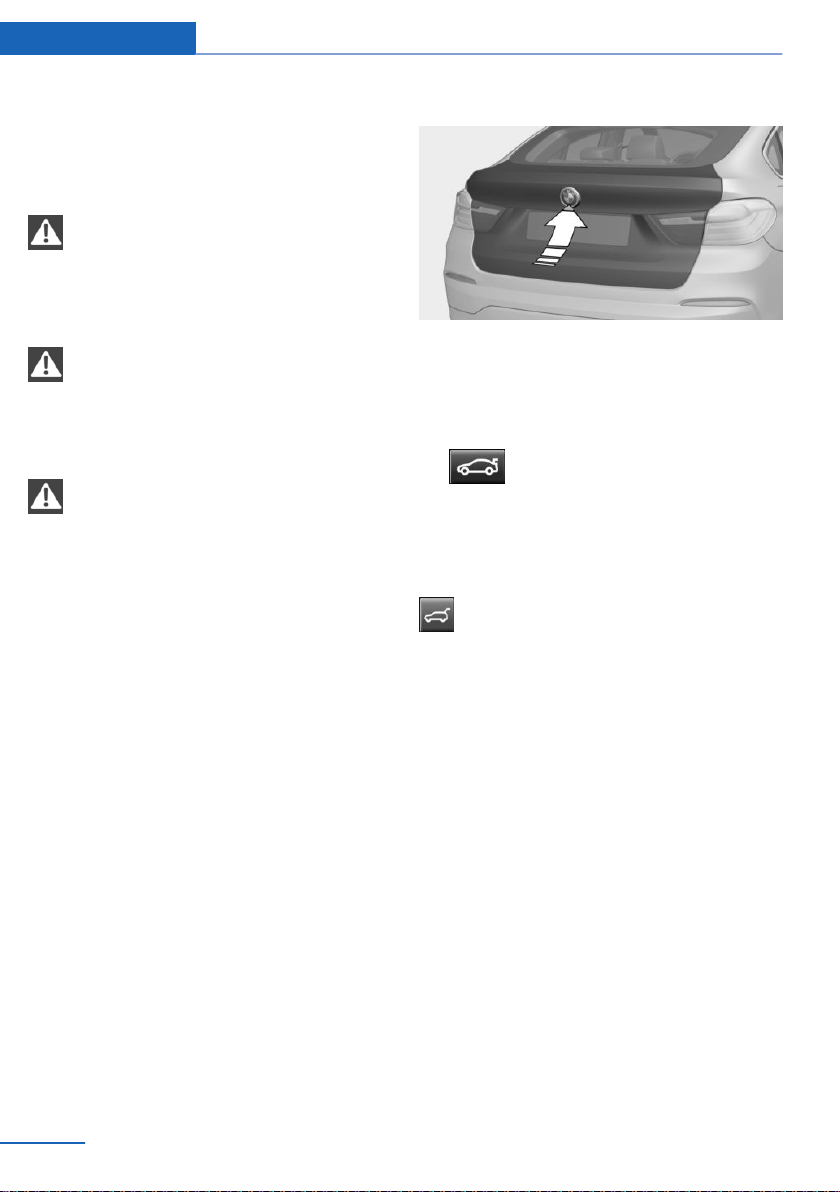
Press button next on tailgate.
This corresponds with pressing the button
on the remote control.
The tailgate opens automatically.
Opening and closing the tailgate with
no-touch activation
Concept
The tailgate can be opened and closed with
no-touch activation using the remote control
you are carrying. Two sensors detect a for‐
ward-directed foot motion in the central rear
area and the tailgate is opened or closed.
General information
To avoid locking it in the vehicle, do not place
the remote control in the cargo area.
If the remote control is in the sensor area, the
tailgate can be opened or closed inadvertently
by an unconscious or alleged recognized foot
movement.
The sensor has an approximate range of
5 ft/1.50 m extending from the rear of the vehi‐
cle.
If the tailgate is opened with no-touch activa‐
tion, locked doors are not unlocked.
Seite 42
Controls Opening and closing
42
Online Edition for Part no. 01402981185 - VI/17
Safety information
WARNING
During no-touch activation, vehicle parts
may be touched, e.g., hot exhaust system.
There is a risk of injury. When moving your
foot, make sure you have a firm stance and do
not touch the vehicle.◀
WARNING
Body parts can be jammed when operat‐
ing the tailgate. There is a risk of injury. Make
sure that the area of movement of the tailgate
is clear during opening and closing.◀
NOTE
The tailgate swings back and up when it
opens. There is a risk of damage to property.
Make sure that the area of movement of the
tailgate is clear during opening and closing.◀
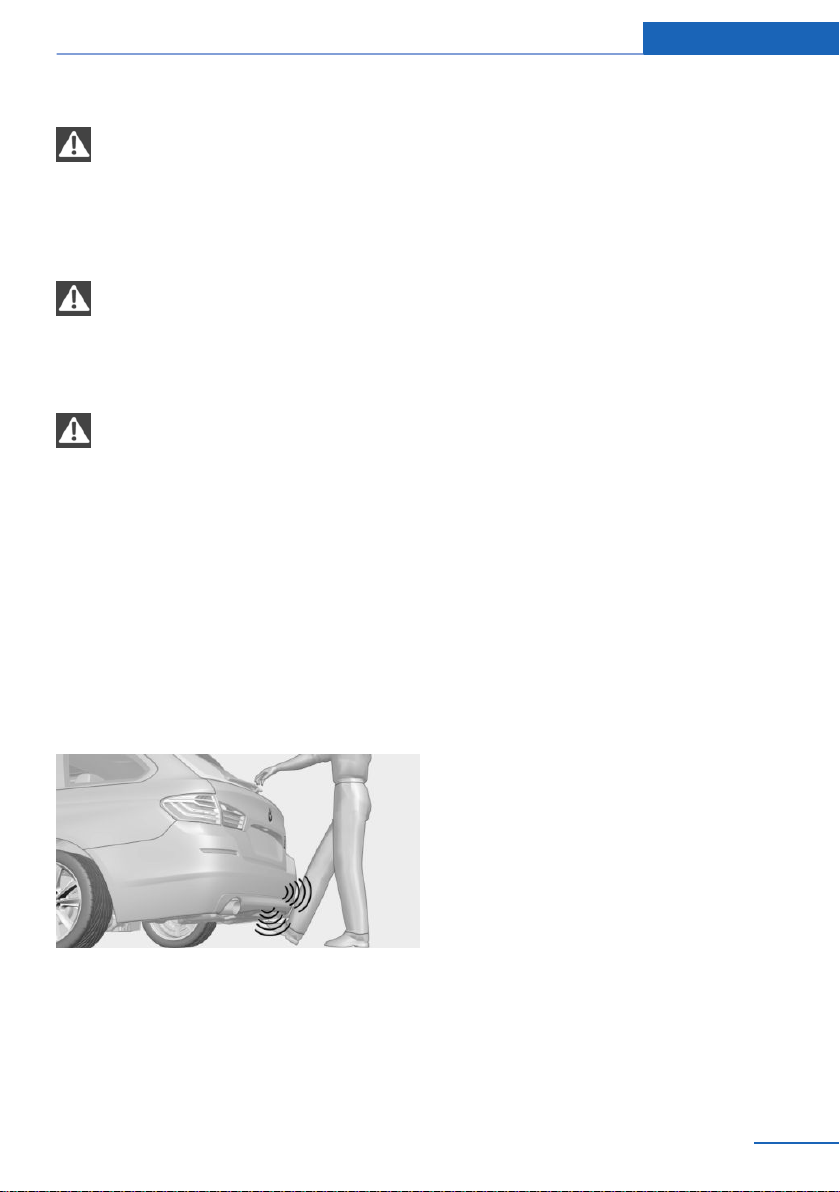
Performing the foot movement
1.
Stand in the middle behind the vehicle at
about an arm's length away from the rear
of the vehicle.
2. Wave a foot under the vehicle in the direc‐
tion of travel and immediately pull it back.
With this movement, the leg must pass
through the ranges of both sensors.
Opening
Perform the foot movement described earlier.
The tailgate is opened.
Before the opening, the hazard warning sys‐
tem flashes.
You can pause the opening operation by mov‐
ing your foot again.
Closing
Perform the foot movement described earlier.
The hazard warning system flashes on and an
acoustic signal sounds before the tailgate
closes.
You can interrupt the closing operation by
moving your foot again.
Malfunction
Remote control detection by the vehicle may
malfunction under the following circumstan‐
ces:
▷ The battery of the remote control is dis‐
charged. Replace the battery, refer to
page 38.
▷ Interference of the radio connection from
transmission towers or other equipment
with high transmitting power.
▷ Shielding of the remote control due to
metal objects.
Do not transport the remote control to‐
gether with metal objects.
▷ Interference of the radio connection from
mobile phones or other electronic devices
in direct proximity to the remote control.
Do not transport the remote control to‐
gether with electronic devices.
In the case of a malfunction, unlock and lock
the vehicle using the buttons of the remote
control or using the integrated key, refer to
page 39.
Tailgate
General information
To avoid locking it in the vehicle, do not place
the remote control in the cargo area.
Depending on your vehicle's equipment and
the country version, it is possible to specify
Seite 43
Opening and closing Controls
43
Online Edition for Part no. 01402981185 - VI/17
whether the doors are also unlocked when un‐
locking with the remote control. Adjusting the
settings, refer to page 48.
Safety information
WARNING
Body parts can be jammed when operat‐
ing the tailgate. There is a risk of injury. Make
sure that the area of movement of the tailgate
is clear during opening and closing.◀
NOTE
The tailgate swings back and up when it
opens. There is a risk of damage to property.
Make sure that the area of movement of the
tailgate is clear during opening and closing.◀
NOTE
Sharp-edged or pointed objects can hit
the rear window and heat conductors while
driving. There is a risk of property damage.
Cover the edges and ensure that pointed ob‐
jects do not hit the rear window.◀
Opening and closing
Opening
General information
When towing a trailer, the tailgate cannot be
opened with the remote control or with the
button in the driver's door.
Adjusting the opening height
You can set how far the tailgate should open.
When adjusting the opening height, ensure
that there is a clearance of at least 4 in/10 cm
above the tailgate.
1.
"Settings"
2. "Tailgate"
3. Turn the Controller until the desired open‐
ing height is selected.
4. Press the Controller.
From the outside
▷ Without Comfort Access: unlock vehicle.
With Comfort Access: unlock the vehicle or
have the remote control with you.
Press the button on tailgate's exterior.
▷ Press button on the remote con‐
trol for approx. 1 second.
If the vehicle is stationary, the tailgate opens
automatically to the adjusted opening height.
From the inside
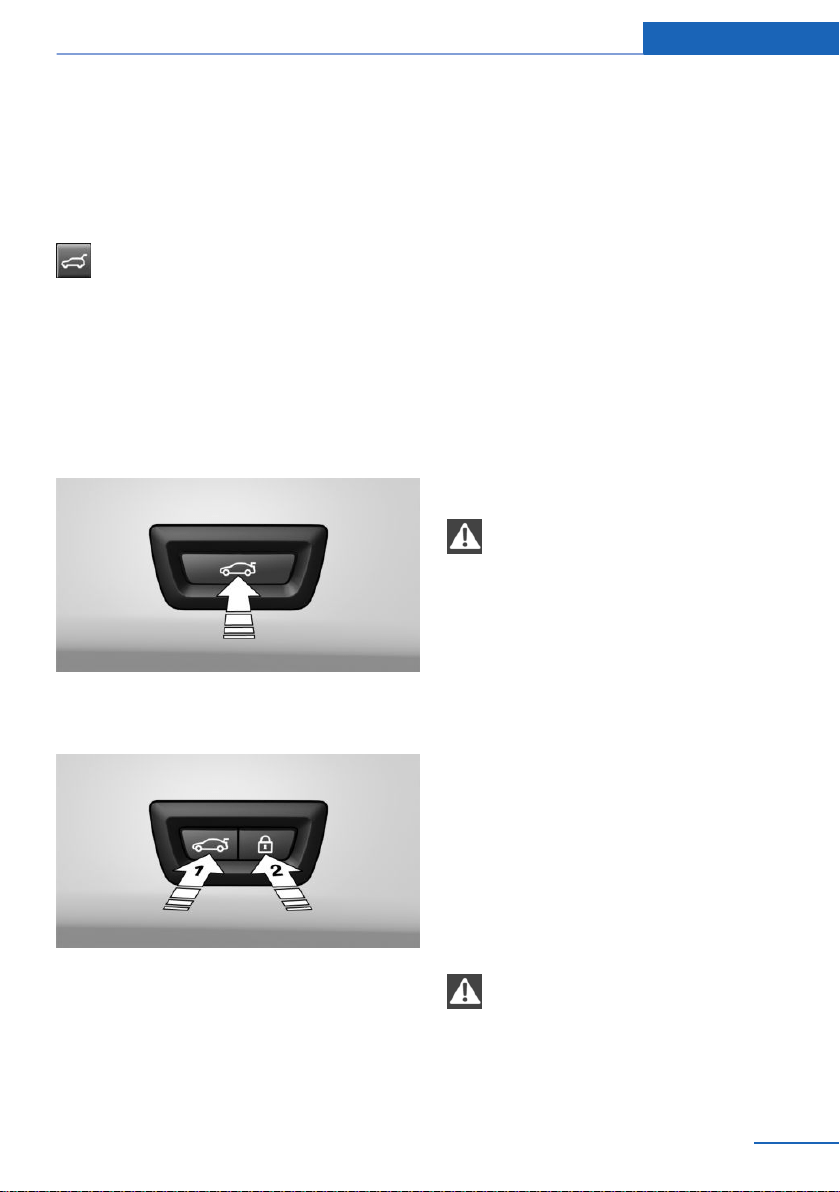
Press button in the driver's door.
If the vehicle is locked, selector lever po‐
sition P must be engaged first.
If the vehicle is stationary, the tailgate opens
automatically to the adjusted opening height.
Interruption of the opening procedure
The opening procedure is interrupted in the
following situations:
▷ When the vehicle starts moving.
▷ By pressing the button on the outside of
the tailgate.
▷ By pressing the button on the inside of the
tailgate.
▷ By pressing the button on the remote con‐
trol.
▷ By pressing or pulling the button in the
driver's door.
Seite 44
Controls Opening and closing
44
Online Edition for Part no. 01402981185 - VI/17
Closing
From the outside
Press the button on tailgate's exterior.
From the inside
Pull and hold the button in the driver
door.
The remote control must be located in the
car's interior for this function.
An acoustic signal sounds before the tailgate is
closed.
From inside the tailgate
Without Comfort Access:
Press button on the inside of the tailgate.
With Comfort Access:
▷ Press button, arrow 1, on the inside of the
tailgate.
▷ Press button, arrow 2.
The vehicle will be locked after closing the
tailgate. The driver's door must be closed
for this purpose and the remote control
must be outside of the vehicle in the area
of the tailgate.
Interruption of the closing procedure
The closing procedure is interrupted in the fol‐
lowing situations:
▷ If the vehicle starts off with a jerky move‐
ment.
▷ By pressing the button on the outside of
the tailgate.
▷ By pressing the button on the inside of the
tailgate.
▷ By releasing the button in the driver's door.
Malfunction
Safety information
WARNING
With manual operation of a blocked tail‐
gate, it can release itself unexpectedly from
the blockage. There is a risk of injury or risk of
property damage. Do not operate the tailgate
manually if it is blocked. Have it checked by a
dealer’s service center or another qualified
service center or repair shop.◀
Manual operation
Operate the unlocked tailgate manually with a
slow and smooth motion.
To close the tailgate fully, press down lightly
only. Closing occurs automatically.
Automatic Soft Closing
Safety information
WARNING
Body parts can be jammed while operat‐
ing the doors. There is a risk of injury. Make
sure that the area of movement of the doors is
clear during opening and closing.◀
Seite 45
Opening and closing Controls
45
Online Edition for Part no. 01402981185 - VI/17

Closing
Push the doors and, if applicable, the tailgate
lightly.
The closing happens automatically.
Personal Profile
Concept
Via Personal Profiles, individual settings for
several drivers can be stored and called up
again when required.
General information
There are three driver profiles with which per‐
sonal vehicle settings can be stored. Every re‐
mote control has one of these driver profiles
assigned.
If the vehicle is unlocked using a remote con‐
trol, the assigned personal driver profile will be
activated. All settings stored in the driver pro‐
file are automatically applied.
If several drivers use their own remote control,
the vehicle will adjust the personal settings
during unlocking. These settings are also re‐
stored, if the vehicle has been used in the
meantime by a person with a different remote
control.
Changes to the settings are automatically
stored in the driver profile currently activated.
If another driver profile is selected via iDrive,
the settings stored in it will be applied auto‐
matically. The new driver profile is assigned to
the remote control currently used.
There is an additional guest profile available
that is not assigned to any remote control: it
can be used to apply settings in the vehicle
without changing the personal driver profiles.
Functional requirements
For the system to be able to identify the driver
profile associated to a particular driver, the de‐
tected remote control must be clearly allo‐
cated to the driver.
This is the case when:
▷ The driver is only carrying his or her own
remote control.
▷ The driver unlocks the vehicle.
▷ The driver gets into the vehicle through the
driver's door.
Settings
The settings for the following systems and
functions are stored in the active profile. The
scope of storable settings depends on country
and equipment.
▷ Unlocking and locking.
▷ Lights.
▷ Climate control.
▷ Radio.
▷ Instrument cluster.
▷ Programmable memory buttons.
▷ Volumes, tone.
▷ Control Display.
▷ Navigation.
▷ PDC Park Distance Control.
▷ Rearview camera.
▷ Side View.
▷ Top View.
▷ Head-up Display.
▷ Driving Dynamics Control.
▷ Driver's seat position, exterior mirror posi‐
tion, steering wheel position.
▷ Intelligent Safety.
▷ Active Blind Spot Detection.
▷ Night vision.
Profile management
Opening profiles
Regardless of the remote control in use, a dif‐
ferent profile may be activated. This allows you
to call up personal vehicle settings, even if you
Seite 46
Controls Opening and closing
46
Online Edition for Part no. 01402981185 - VI/17

did not unlock the vehicle with your own re‐
mote control.
Using iDrive:
1. "Settings"
2. "Profiles"
3. Select a profile.
The following functions are executed:
▷ All settings stored in the called-up profile
are automatically applied.
▷ The called-up profile is assigned to the re‐
mote control being used at the time.
▷ If the profile is already assigned to a differ‐
ent remote control, this profile will apply to
both remote controls.
Using a guest profile
The guest profile is for individual settings that
are stored in none of the three personal pro‐
files.
Using iDrive:
1.
"Settings"
2. "Profiles"
3. "Guest"
The guest profile cannot be renamed. It is not
assigned to the current remote control.
Renaming profiles
A personal name can be assigned to every pro‐
file to avoid confusion between the profiles.
Using iDrive:
1.
"Settings"
2. "Profiles"
The active profile is selected.
3. Open "Options".
4. "Rename current profile"
Reset profiles
The settings of the profile currently in use are
reset to their factory settings.
Using iDrive:
1. "Settings"
2. "Profiles"
3. Open "Options".
4. "Reset current profile"
Exporting profiles
Most settings of the profile currently in use can
be exported.
Exporting is helpful when storing and retrieving
personal settings, for instance before deliver‐
ing the vehicle to a workshop. Profiles can be
taken to another vehicle equipped with the
Personal Profile function.
Using iDrive:
1.
"Settings"
2. "Profiles"
3. "Export profile"
4. BMW Online: "BMW Online"
USB interface: "USB device"
Importing profiles
Profiles exported via BMW Online can also be
imported via BMW Online.
Profiles stored on a USB storage device can be
imported via the USB interface.
Existing settings are overwritten with the im‐
ported profile.
Using iDrive:
1.
"Settings"
2. "Profiles"
3. "Import profile"
4. BMW Online: "BMW Online"
USB interface: "USB device"
Display profile list during start
The profile list can be displayed during each
start to select the desired profile.
Seite 47
Opening and closing Controls
47
Online Edition for Part no. 01402981185 - VI/17

Using iDrive:
1. "Settings"
2. "Profiles"
3. Open "Options".
4. "Display user list at startup"
System limits
A clear assignment between the remote con‐
trol and driver may not be possible in the fol‐
lowing cases, for example.
▷ The passenger unlocks the vehicle with his
or her own remote control, but another
person is driving.
▷ The driver unlocks the vehicle via Comfort
Access and has multiple remote controls
with him or her.
▷ The driver changes, but the vehicle is not
locked and unlocked.
▷ Multiple remote controls are located out‐
side of the vehicle.
Settings
General information
Depending on your vehicle's equipment and
the country version, various settings for open‐
ing and closing are possible.
These settings are stored for the driver profile,
refer to page 46, currently used.
Unlocking
Doors
Using iDrive:
1.
"Settings"
2. "Doors/key"
3. Select the symbol.
4. Select the desired function:
▷ "Driver's door only"
Only the driver's door and the fuel filler
flap are unlocked. Pressing again un‐
locks the entire vehicle.
▷ "All doors"
The entire vehicle is unlocked.
Tailgate
Using iDrive:
1. "Settings"
2. "Doors/key"
3. Select the symbol.
4. Select the desired function:
▷ "Tailgate"
The tailgate is opened.
▷ "Tailgate + door(s)"
The tailgate is opened and the doors
unlocked.
Confirmation signals from the vehicle
Using iDrive:
1.
"Settings"
2. "Doors/key"
3. Deactivate or activate the desired confir‐
mation signals.
▷ With alarm system:
"Acoustic sig. lock/unlock"
Unlocking is signaled by one honk of
the horn.
▷ "Flash when lock/unlock"
Unlocking is signaled by two flashes,
locking by one.
Automatic locking
Using iDrive:
1.
"Settings"
2. "Doors/key"
3. Select the desired function:
▷ "Lock if no door is opened"
Seite 48
Controls Opening and closing
48
Online Edition for Part no. 01402981185 - VI/17

The vehicle locks automatically after a
short period of time if no door is
opened after unlocking.
▷ "Lock after start driving"
The vehicle locks automatically after
you drive off.
Adjusting the last seat, mirror, and
steering wheel position
Using iDrive:
1. "Settings"
2. "Doors/key"
3. "Last seat position autom."
When the vehicle is unlocked, the driver's seat,
exterior mirrors and steering wheel resume
their last set positions.
Alarm system
General information
When the vehicle is locked, the vehicle alarm
system reacts to the following changes:
▷ Unauthorized opening of a door, the hood
or the tailgate.
▷ Movements in the car's interior.
▷ Changes in the vehicle tilt, e. g., during at‐
tempts at stealing a wheel or when towing
the vehicle.
▷ Disconnected battery voltage.
▷ Improper use of the socket for Onboard Di‐
agnosis.
The alarm system signals these changes visu‐
ally and acoustically:
▷ Acoustic alarm.
Depending on local regulations, the acous‐
tic alarm may be suppressed.
▷ By switching on the hazard warning sys‐
tem.
▷ By flashing the daytime running lights.
Switching on/off
When you lock and unlock the vehicle with the
remote control or with Comfort Access, the
alarm system is switched on/off at the same
time.
Opening the doors with the alarm
system switched on
The alarm system is triggered when a door is
opened if the door was unlocked using the
integrated key in the door lock.
Switching off the alarm, refer to page 50.
Opening the tailgate with the alarm
system switched on
The tailgate can be opened even when the
alarm system is switched on.
After the tailgate is closed, it is locked and
monitored again provided the doors are
locked. The hazard warning system flashes
once.
Panic mode
You can trigger the alarm system if you find
yourself in a dangerous situation.
▷ Press button on the remote con‐
trol and hold for at least 3 sec‐
onds.
▷ Briefly press the button on the remote con‐
trol three times in succession.
To switch off the alarm: press any button.
Seite 49
Opening and closing Controls
49
Online Edition for Part no. 01402981185 - VI/17
Indicator light on the interior mirror
▷ The indicator light flashes briefly every
2 seconds:
The alarm system is switched on.
▷ Indicator light flashes for approx. 10 sec‐
onds, then it flashes briefly every 2 sec‐
onds:
Interior motion sensor and tilt alarm sensor
are not active, as doors, hood, or tailgate
are not correctly closed. Correctly closed
access points are secured.
When the still open access points are
closed, interior motion sensor and tilt alarm
sensor will be switched on.
▷ The indicator light goes out after unlock‐
ing:
The vehicle has not been tampered with.
▷ The indicator light flashes after unlocking
until the engine ignition is switched on, but
no longer than approx. 5 minutes:
An alarm has been triggered.
Tilt alarm sensor
The tilt of the vehicle is monitored.
The alarm system responds in situations such
as attempts to steal a wheel or when the vehi‐
cle is towed.
Interior motion sensor
The windows and the glass sunroof must be
closed for the system to function properly.
Avoiding unintentional alarms
General information
The tilt alarm sensor and interior motion sen‐
sor can trigger an alarm, although no unauthor‐
ized action occurred.
Possible situations for an unwanted alarm:
▷ In automatic vehicle washes.
▷ In duplex garages.
▷ During transport on trains carrying vehi‐
cles, at sea or on a trailer.
▷ With animals in the vehicle.
The tilt alarm sensor and the interior motion
sensor can be switched off in such situations.
Switching off the tilt alarm sensor and
interior motion sensor
Press the remote control button again
within 10 seconds as soon as the vehicle
is locked.
The indicator lamp lights up for approx. 2 sec‐
onds and then continues to flash.
The tilt alarm sensor and interior motion sen‐
sor are turned off until the vehicle is locked
again.
Switching off the alarm
▷ Unlock the vehicle with the remote control
or switch on the ignition, if needed through
emergency detection of remote control, re‐
fer to page 38.
▷ With Comfort Access:
If you are carrying the remote control on
your person, grasp the door handle on the
driver's or front passenger door com‐
pletely.
Seite 50
Controls Opening and closing
50
Online Edition for Part no. 01402981185 - VI/17
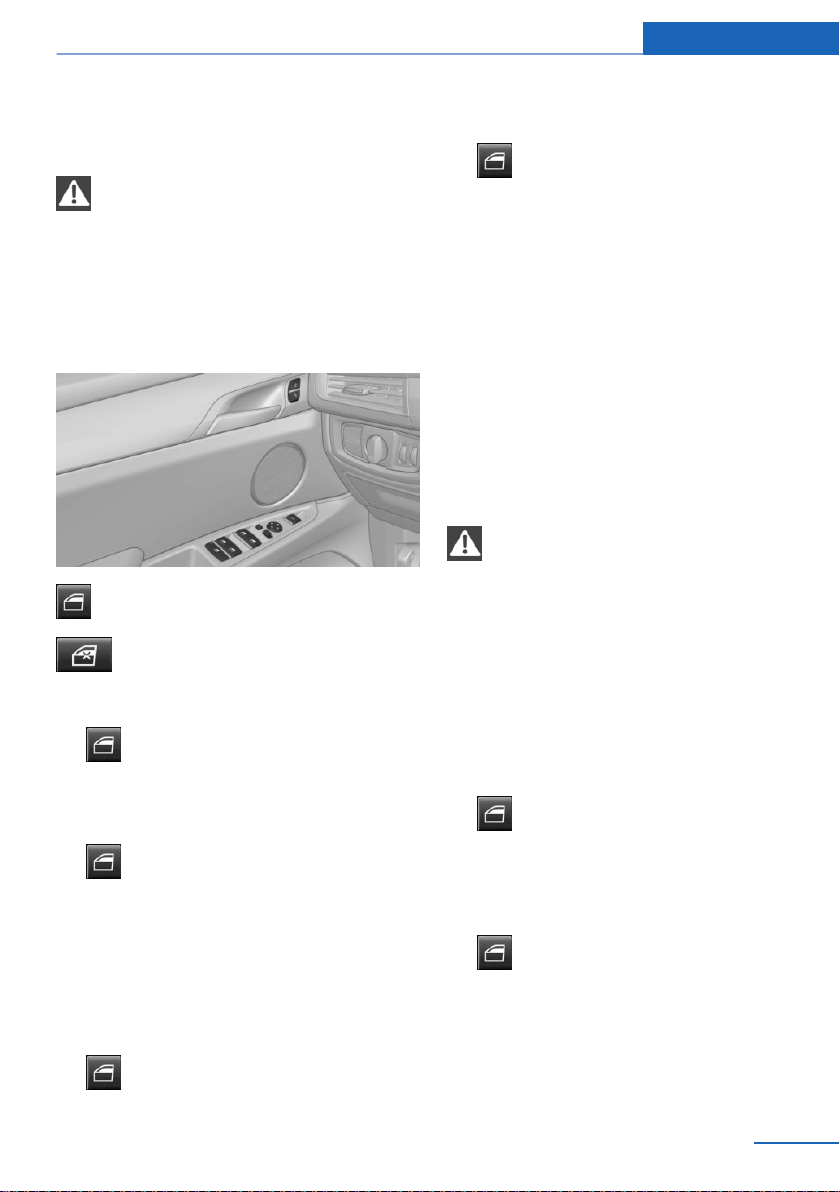
Power windows
Safety information
WARNING
When operating the windows, body parts
and objects can be jammed. There is a risk of
injury or risk of property damage. Make sure
that the area of movement of the windows is
clear during opening and closing.◀
Overview
Power windows
Safety switch
Opening
▷
Press the switch to the resistance
point.
The window opens while the switch is be‐
ing held.
▷
Press the switch beyond the resist‐
ance point.
The window opens automatically. Pressing
the switch again stops the motion.
Convenient opening via the remote control, re‐
fer to page 37.
Closing
▷
Pull the switch to the resistance
point.
The window closes while the switch is be‐
ing held.
▷
Pull the switch beyond the resistance
point.
The window closes automatically if the
door is closed. Pulling again stops the mo‐
tion.
Closing via Comfort Access, refer to page 41.
Pinch protection system
General information
If closing force exceeds a specific threshold as
a window closes, closing is interrupted.
The window opens slightly.
Safety information
WARNING
Accessories on the windows such as an‐
tennas can impact jam protection. There is a
risk of injury. Do not install accessories in the
area of movement of the windows.◀
Closing without the jam protection
system
In case of danger from the outside or if ice
might prevent normal closing, proceed as fol‐
lows:
1. Pull the switch past the resistance
point and hold it there.
The window closes with limited jam pro‐
tection . If the closing force exceeds a spe‐
cific threshold, closing is interrupted.
2.
Pull the switch past the resistance
point again within approx. 4 seconds and
hold it there.
The window closes without jam protec‐
tion .
Seite 51
Opening and closing Controls
51
Online Edition for Part no. 01402981185 - VI/17
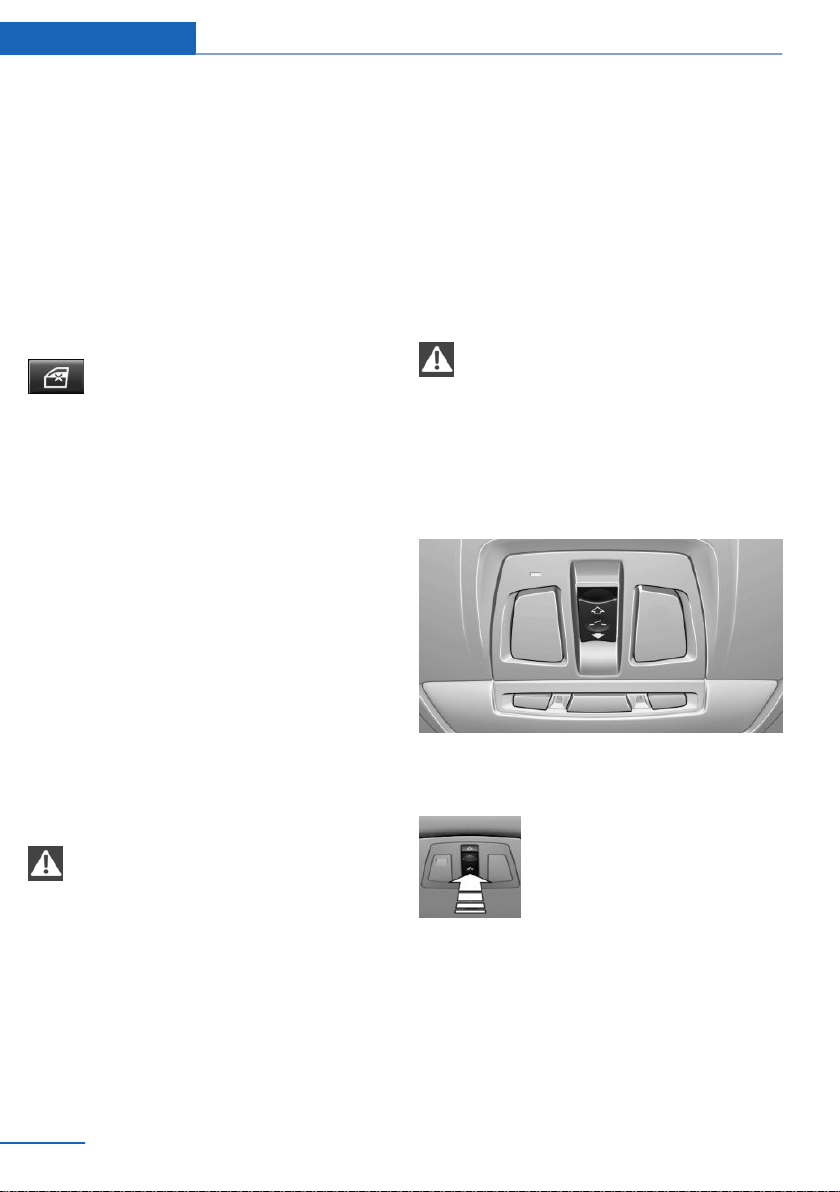
Safety switch
General information
The safety switch in the driver's door can be
used to prevent children, for instance from
opening and closing the rear windows using
the switches in the rear.
If an accident of a certain severity occurs, the
safety function is switched off automatically.
Switching on/off
Press button.
The LED lights up if the safety func‐
tion is switched on.
Roller sunblinds
General information
If you are no longer able to move a roller sun‐
blind after having activated it consecutively a
number of times, the system is blocked for a
limited time to prevent overheating. Let the
system cool.
It may not be possible to move roller sunblinds
at low interior temperatures.
Roller sunblinds for the rear side
windows
Pull out the roller sunblind at the loop and hook
it onto the bracket.
WARNING
With closed roller sunblinds and open
windows, the roller sunblinds can be loaded
heavily while driving due to the wind. The roller
sunblinds can be damaged and compromise
the occupants. There is a risk of injury. Do not
open the windows while driving if the roller
sunblinds are closed.◀
Glass sunroof, electric
General information
The glass sunroof and the sliding visor can be
operated together or separately using the
same switch.
The glass sunroof is operational when the igni‐
tion is switched on.
Safety information
WARNING
Body parts can be jammed when operat‐
ing the glass sunroof. There is a risk of injury.
Make sure that the area of movement of the
glass sunroof is clear during opening and clos‐
ing.◀
Overview
Tilting up and closing the tilted glass
sunroof
Push switch briefly upward.
▷ The closed glass sunroof
tilts and the sliding visor
opens slightly.
▷ The opened glass sunroof
closes until it is in the tilted
position. The sliding visor
does not move.
▷ The tilted glass sunroof closes.
Seite 52
Controls Opening and closing
52
Online Edition for Part no. 01402981185 - VI/17
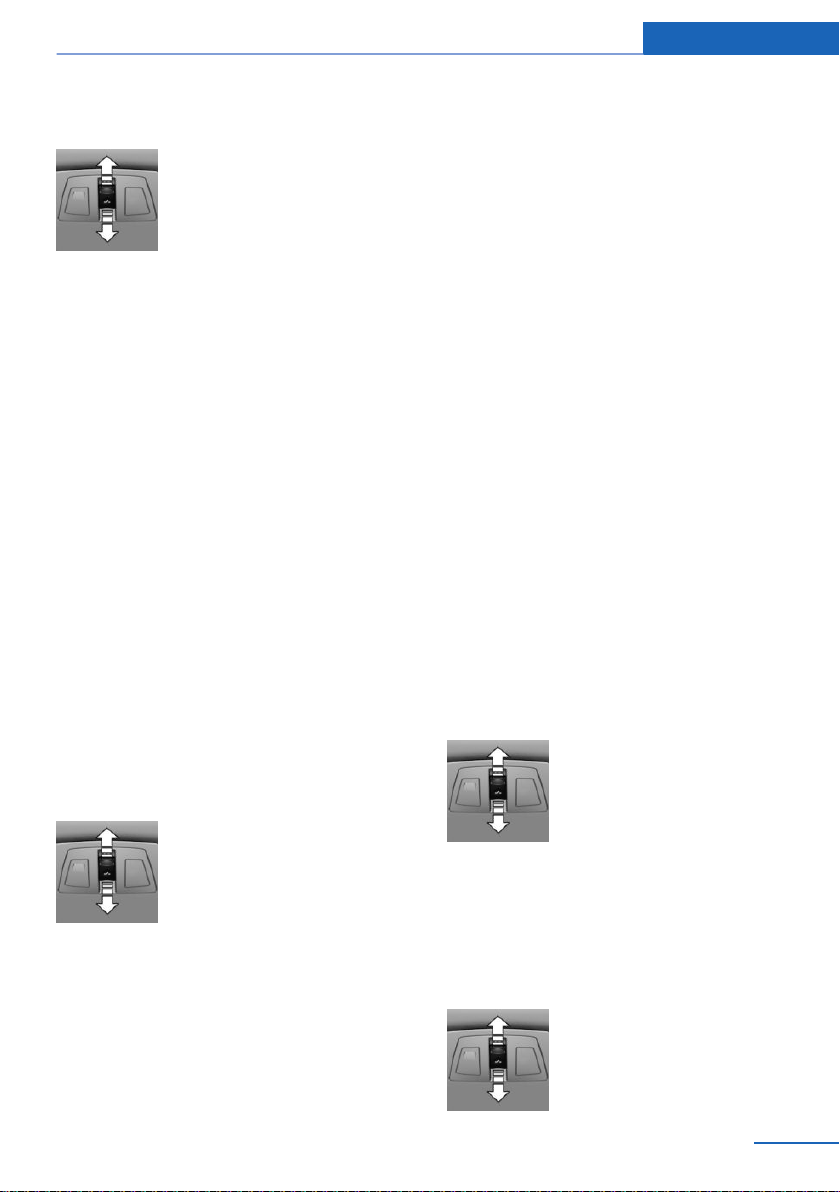
Opening/closing the glass sunroof and
sliding visor separately
▷ Press the switch in the de‐
sired direction to the resist‐
ance point and hold it there.
The sliding visor opens
while the switch is being
held. If the sliding visor is al‐
ready fully open, the glass
sunroof opens.
The glass sunroof closes
while the switch is being
held. If the glass sunroof is
already closed or in the tilted
position, the sliding visor
closes.
▷ Press the switch in the desired direction
past the resistance point.
The sliding visor opens automatically. If the
sliding visor is already fully open, the glass
sunroof opens automatically.
The glass sunroof closes automatically. If
the glass sunroof is already closed or in the
tilted position, the sliding visor closes au‐
tomatically.
Pressing the switch upward stops the mo‐
tion.
Opening/closing the glass sunroof and
sliding visor together
Briefly press the switch twice in
succession in the desired direc‐
tion past the resistance point.
The glass sunroof and sliding vi‐
sor move together. Pressing the
switch upward stops the motion.
Convenient opening via the remote control, re‐
fer to page 37.
Closing by means of Comfort Access, refer to
page 41.
Comfort position
If the glass sunroof is not completely opened
automatically, the comfort position has been
attained. In this position the wind noises in the
interior are the least.
If desired, continue the movement by pressing
the switch.
Jam protection system
General information
If the closing force exceeds a certain value
when closing the glass sunroof, the closing op‐
eration is interrupted once the roof reaches the
half-open position, or it is stopped when clos‐
ing from the tilted position. The glass sunroof
opens slightly.
Closing from the open position
without jam protection
If there is an external danger, proceed as fol‐
lows:
1.
Push the switch forward past the resist‐
ance point and hold.
The glass sunroof closes with limited jam
protection. If the closing force exceeds a
specific threshold, closing is interrupted.
2. Push the switch forward again past the re‐
sistance point and hold until the glass sun‐
roof closes without jam protection. Make
sure that the closing area is clear.
Closing from the raised position
without jam protection
If there is an external danger,
push the switch forward past the
resistance point and hold it.
Seite 53
Opening and closing Controls
53
Online Edition for Part no. 01402981185 - VI/17
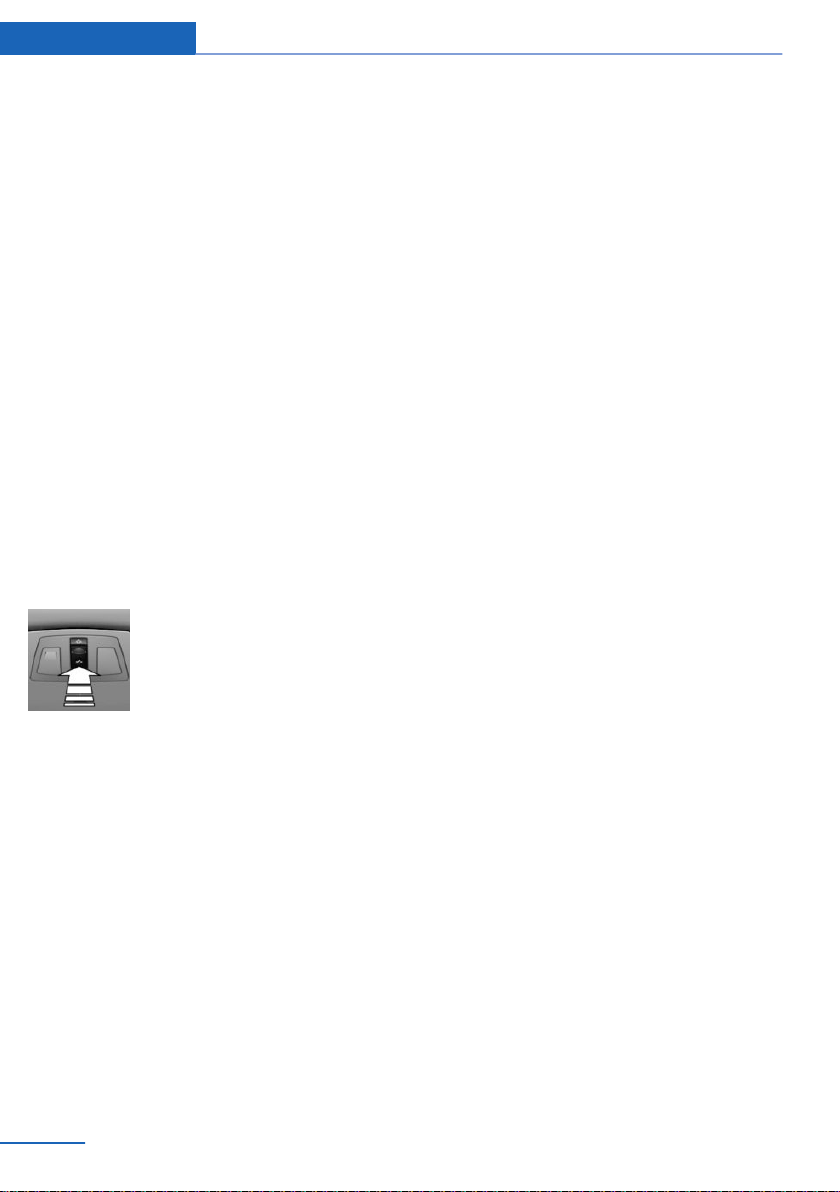
The glass sunroof closes without jam protec‐
tion.
Initializing after a power interruption
General information
After a power failure during the opening or
closing process, the glass sunroof can only be
operated to a limited extent.
The system can be initialized under the follow‐
ing conditions.
▷ The vehicle is parked in a horizontal posi‐
tion.
▷ The engine is running.
▷ The external temperature is above
41 ℉/5 ℃.
During initialization, the glass sunroof closes
without jam protection.
Make sure that the closing area is clear.
Initializing the system
Press the switch up and hold it
until the initialization is com‐
plete:
Initialization begins within
15 seconds and is completed
when the glass sunroof and sliding visor are
completely closed.
Seite 54
Controls Opening and closing
54
Online Edition for Part no. 01402981185 - VI/17
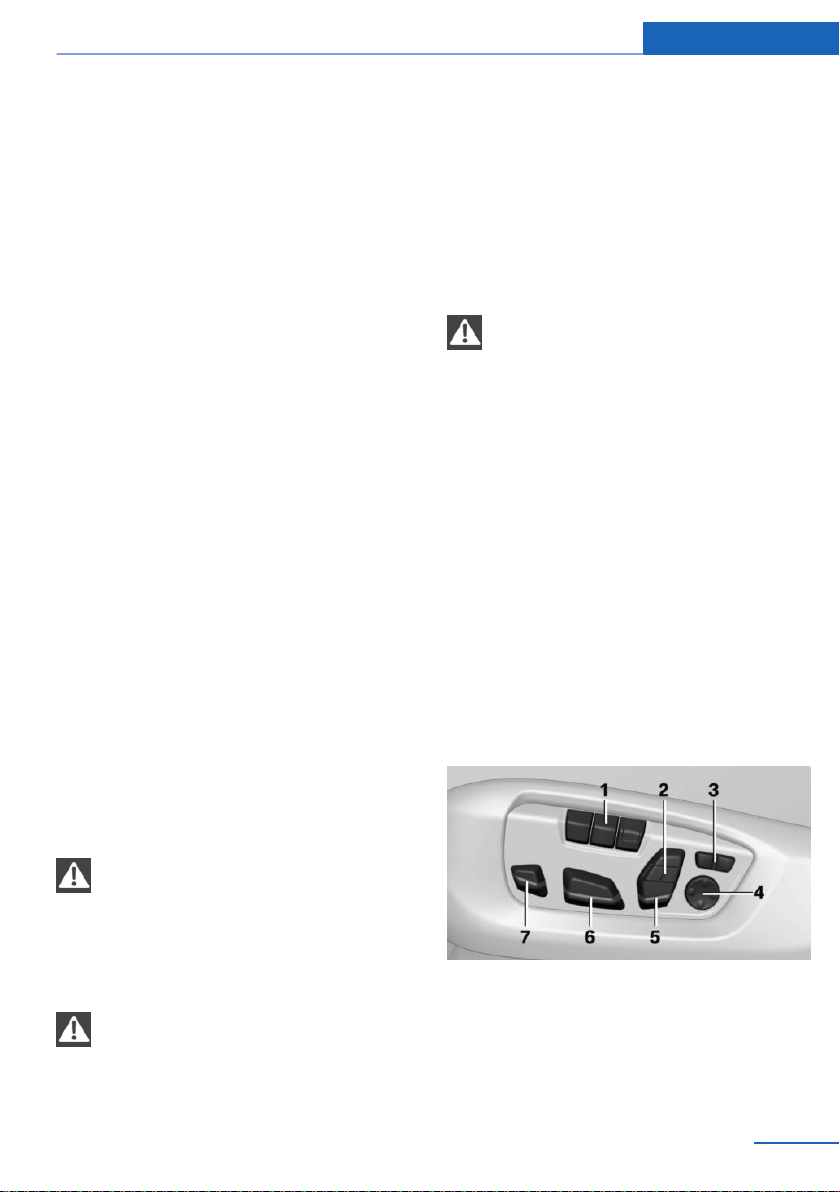
Settings
Vehicle features and options
This chapter describes all standard, country-
specific and optional features offered with the
series. It also describes features that are not
necessarily available in your vehicle, e. g., due
to the selected options or country versions.
This also applies to safety-related functions
and systems. When using these functions and
systems, the applicable laws and regulations
must be observed.
Sitting safely
An ideal seating position that meets the needs
of the occupants can make a vital contribution
to relaxed, fatigue-free driving.
In the event of an accident, the correct seating
position plays an important role. Follow the in‐
formation in the following chapters:
▷ Seats, refer to page 55.
▷ Safety belts, refer to page 59.
▷ Head restraints, refer to page 60.
▷ Airbags, refer to page 113.
Front seats
Safety information
WARNING
Seat adjustments while driving can lead
to unexpected movements of the seat. Vehicle
control could be lost. There is a risk of an acci‐
dent. Only adjust the seat on the driver's side
when the vehicle is stationary.◀
WARNING
With a backrest inclined too far to the
rear, the efficacy of safety gear, including
safety belts can no longer be ensured. There is
a risk of sliding under the safety belt in an acci‐
dent. There is a risk of injuries or danger to life.
Adjust the seat prior to starting the trip. Adjust
the backrest so that it is in the most upright
position as possible and do not adjust again
while driving.◀
WARNING
There is a risk of jamming when moving
the seats. There is a risk of injury or risk of
property damage. Make sure that the area of
movement of the seat is clear prior to any ad‐
justment.◀
Electrically adjustable seats
General information
The seat setting for the driver's seat is stored
for the profile currently used. When the vehicle
is unlocked via the remote control, the position
is automatically retrieved if the function, refer
to page 49, is activated for this purpose.
The current seat position can be stored using
the memory function, refer to page 61.
Overview
1 Memory function
2 Upper backrest
3 Backrest width
4 Lumbar support
5 Backrest tilt, head restraint
Seite 55
Settings Controls
55
Online Edition for Part no. 01402981185 - VI/17
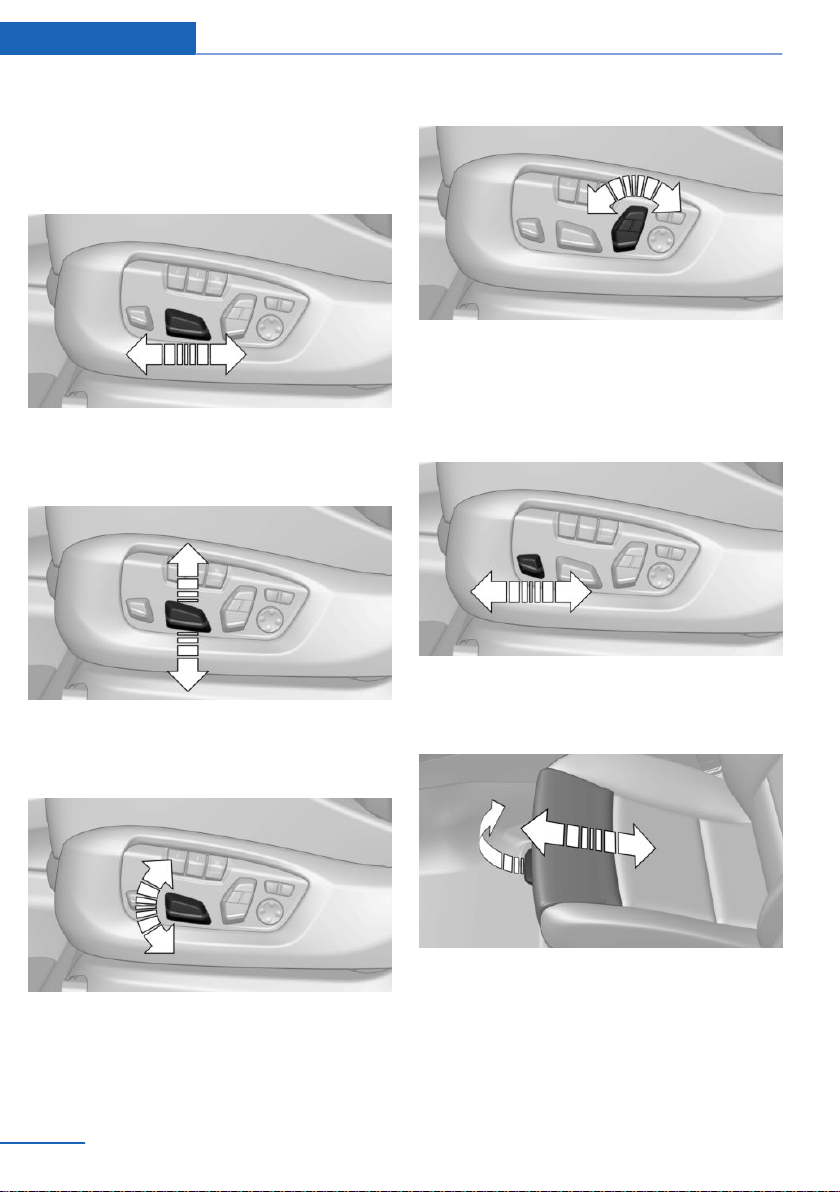
6 Forward/backward, height, seat tilt
7 Thigh support
Forward/backward
Push switch forward or backward.
Height
Push switch up or down.
Seat tilt
Move switch up or down.
Backrest tilt
Move switch forward or backward.
Thigh support
Multifunctional seat
Push switch forward or backward.
Sport seat
Pull the lever at the front of the seat and adjust
the thigh support.
Lumbar support
The curvature of the seat backrest can be ad‐
justed in a way that it supports the lumbar re‐
Seite 56
Controls Settings
56
Online Edition for Part no. 01402981185 - VI/17
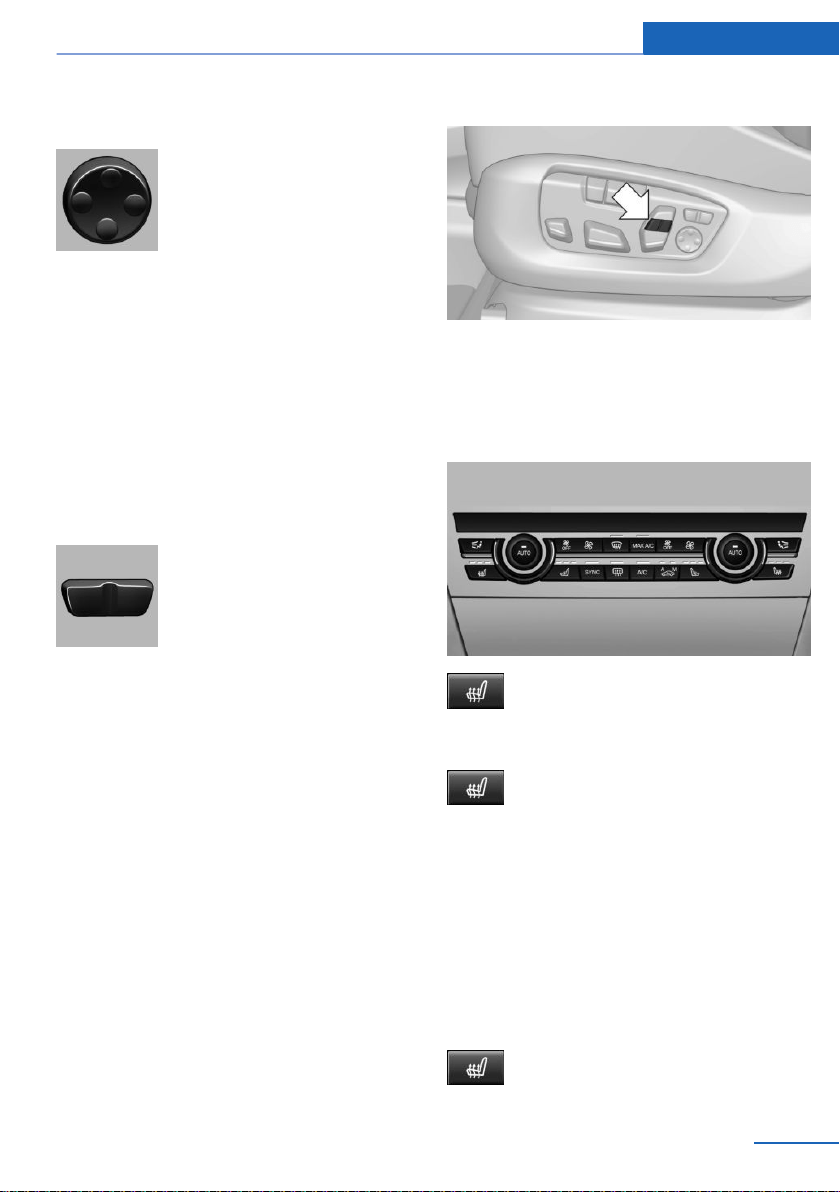
gion of the spine. The lower back and the
spine are supported for upright posture.
▷ Press the front/rear section
of the button:
The curvature is increased/
decreased.
▷ Press the upper/lower sec‐
tion of the button:
The curvature is shifted up/
down.
Backrest width
General information
You can change the backrest width by adjust‐
ing the side wings of the backrest.
Settings
▷ Press the front section of
the button:
The backrest width de‐
creases.
▷ Press the rear section of the
button:
The backrest width in‐
creases.
Upper backrest
General information
The upper backrest supports the back in the
shoulder area. A correct setting leads to a re‐
laxed seating position and reduces strain on
the shoulder muscles.
Settings
Press the button on the respective side.
Front seat heating
Overview
Seat heating
Switching on
Press button once for each tempera‐
ture level.
The maximum temperature is reached when
three LEDs are lit.
If the trip is continued within approx. 15 mi‐
nutes after a stop, seat heating is activated au‐
tomatically with the temperature selected last.
When ECO PRO is activated, the heater output
is reduced.
Switching off
Press and hold the button, until the
LEDs go out.
Seite 57
Settings Controls
57
Online Edition for Part no. 01402981185 - VI/17
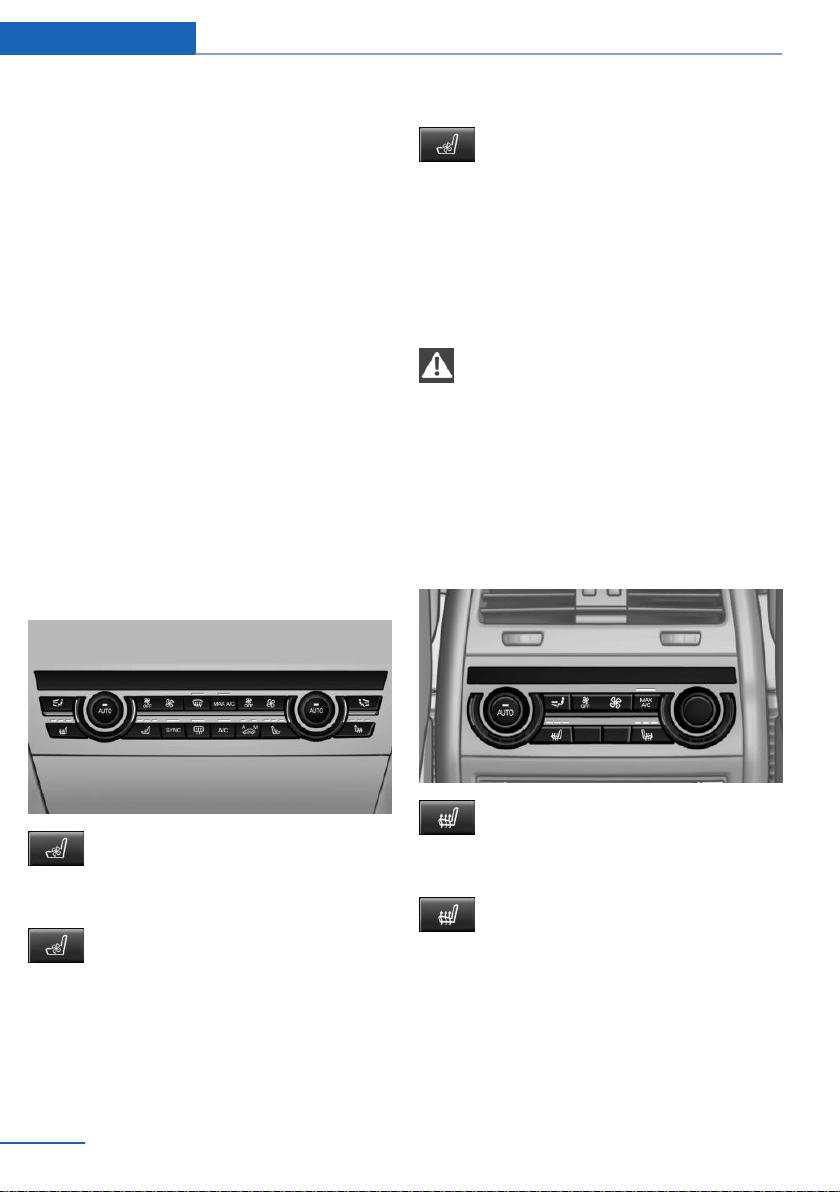
Seat heating distribution
The heating action in the seat cushion and the
seat backrest can be distributed in different
ways.
Using iDrive:
1. "Climate"
2. "Front seat heating"
3. Select desired seat.
4. Turn the Controller to set the seat heating
distribution.
Active seat ventilation, front
The concept
The seat cushion and backrest surfaces are
cooled by means of integrated fans.
The ventilation cools the seat, e.g., if the vehi‐
cle interior is overheated or for continuous
cooling at high temperatures.
Overview
Active seat ventilation
Switching on
Press button once for each ventilation
level.
The highest level is active when three LEDs
are lit.
The ventilation switches back by one level af‐
ter a short time.
Switching off
Press and hold the button, until the
LEDs go out.
Rear seats
Second row of seats
Safety information
WARNING
There is a risk of jamming when folding
down the center armrest in the rear. There is a
risk of injury. Make sure that the area of move‐
ment of the center armrest is clear during fold‐
ing down.◀
Rear seat heating
Overview
Seat heating
Switching on
Press button once for each tempera‐
ture level.
The maximum temperature is reached when
three LEDs are lit.
If the trip is continued within approx. 15 mi‐
nutes after a stop, seat heating is activated au‐
tomatically with the temperature selected last.
When ECO PRO is activated, the heater output
is reduced.
Seite 58
Controls Settings
58
Online Edition for Part no. 01402981185 - VI/17

Switching off
Press and hold the button, until the
LEDs go out.
Safety belts
Number of safety belts and safety belt
buckles
The vehicle is fitted with five safety belts to en‐
sure occupant safety. However, they can only
offer protection when adjusted correctly.
The two outer safety belt buckles of the rear
seat are intended for the persons sitting on the
left and right.
The center safety belt buckle of the rear seat is
intended for the person sitting in the middle.
General information
Always make sure that safety belts are being
worn by all occupants before driving off. Al‐
though airbags enhance safety by providing
added protection, they are not a substitute for
safety belts.
The upper shoulder strap's anchorage point
will be correct for adult seat occupants of ev‐
ery build if the seat is correctly adjusted.
Safety information
WARNING
If the safety belt is used to buckle more
than one person, the efficacy of safety gear, in‐
cluding safety belts can no longer be ensured.
There is a risk of injuries or danger to life. Do
not allow more than one person to wear a sin‐
gle safety belt. Infants and children are not al‐
lowed on an occupant's lap, but must be trans‐
ported and secured in designated child
restraint systems.◀
WARNING
The efficacy of safety gear, including
safety belts, can be limited or lost when safety
belts are fastened incorrectly. An incorrectly
fastened safety belt can cause additional inju‐
ries, for instance in the event of an accident or
during braking and evasive maneuvers. There
is a risk of injuries or danger to life. Make sure
that all occupants are wearing safety belts cor‐
rectly.◀
WARNING
With a rear backrest that is not locked,
the protective function of the middle safety
belt is not guaranteed. There is a risk of inju‐
ries or danger to life. If you are using the mid‐
dle safety belt, lock the wider rear seat back‐
rest.◀
WARNING
The protective effect of the safety belts
may not be fully functional or fail in the follow‐
ing situations:
▷ The safety belts or safety belt buckles are
damaged, soiled, or changed in any other
way.
▷ Belt tensioners or belt retractors were
modified.
Safety belts can be imperceptibly damaged in
the event of an accident. There is a risk of inju‐
ries or danger to life. Do not modify safety
belts, safety belt buckles, belt tensioners, belt
retractors or belt anchors and keep them
clean. Have the safety belts checked after an
accident at the dealer’s service center or an‐
other qualified service center or repair shop.◀
Correct use of safety belts
▷ Wear the safety belt twist-free and tight to
your body over your lap and shoulders.
▷ Wear the safety belt deep on your hips
over your lap. The safety belt may not
press on your stomach.
Seite 59
Settings Controls
59
Online Edition for Part no. 01402981185 - VI/17
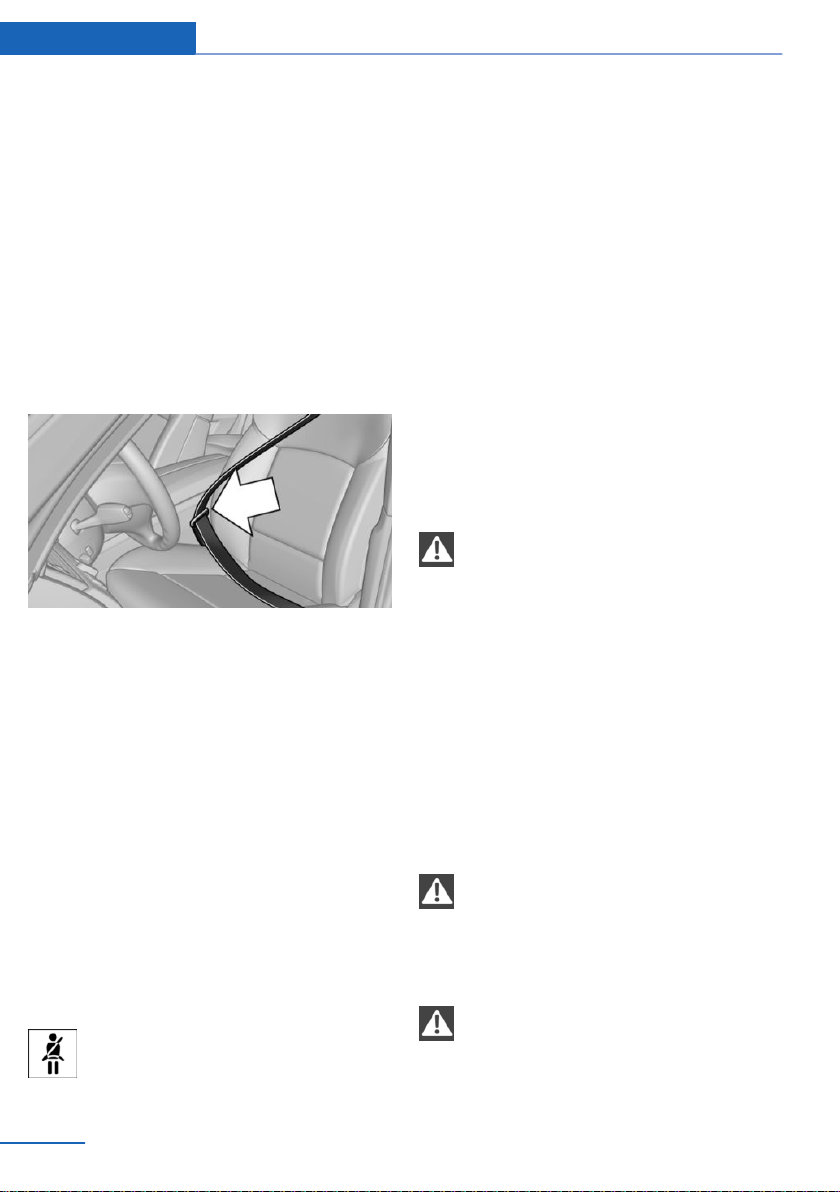
▷ Do not rub the safety belt against sharp
edges, or guide it or jam it in across hard or
fragile objects.
▷ Avoid thick clothing.
▷ Re-tighten the safety belt frequently up‐
ward around your upper body.
Buckling the safety belt
1. Slowly guide the safety belt out of the
holder when fastening it.
2. Insert the tongue plate into the safety belt
buckle. The safety belt buckle must en‐
gage audibly.
To ease accessibility to the safety belt buckle,
an adjustable slider is available on the belt to
help position the buckle when not in use.
When the safety belt is buckled, the belt strap
is automatically tightened once after the vehi‐
cle drove off.
Unbuckling the safety belt
1.
Hold the safety belt firmly.
2. Press the red button in the belt buckle.
3. Guide the safety belt back into its roll-up
mechanism.
Safety belt reminder for driver's and
passenger's seat
Display
The indicator light lights up and a sig‐
nal sounds. Make sure that the safety
belts are positioned correctly. The
safety belt reminder can also be activated if
objects are placed on the front passenger seat.
Safety mode
In critical situations, for example during an
emergency stop, the front safety belts tighten
automatically.
If the situation passes without an accident oc‐
curring, the belt tension relaxes.
If the belt tension does not loosen automati‐
cally, stop the vehicle and unbuckle the safety
belt using the red button in the buckle. Fasten
the safety belt before continuing on your trip.
Front head restraints
Safety information
WARNING
A missing protective effect due to re‐
moved or not correctly adjusted head re‐
straints can cause injuries in the head and
neck area. There is a risk of injury.
▷ Before driving, install the removed head re‐
straints on the occupied seats.
▷ Adjust the head restraint so its center sup‐
ports the back of the head at as close to
eye level as possible.
▷ Adjust the distance so that the head re‐
straint is as close as possible to the back of
the head. If necessary, adjust the distance
by adjusting the tilt of the backrest.◀
WARNING
Body parts can be jammed when moving
the head restraint. There is a risk of injury.
Make sure that the area of movement is clear
when moving the head restraint.◀
WARNING
Objects on the head restraint reduce the
protective effect in the head and neck area.
There is a risk of injury.
Seite 60
Controls Settings
60
Online Edition for Part no. 01402981185 - VI/17
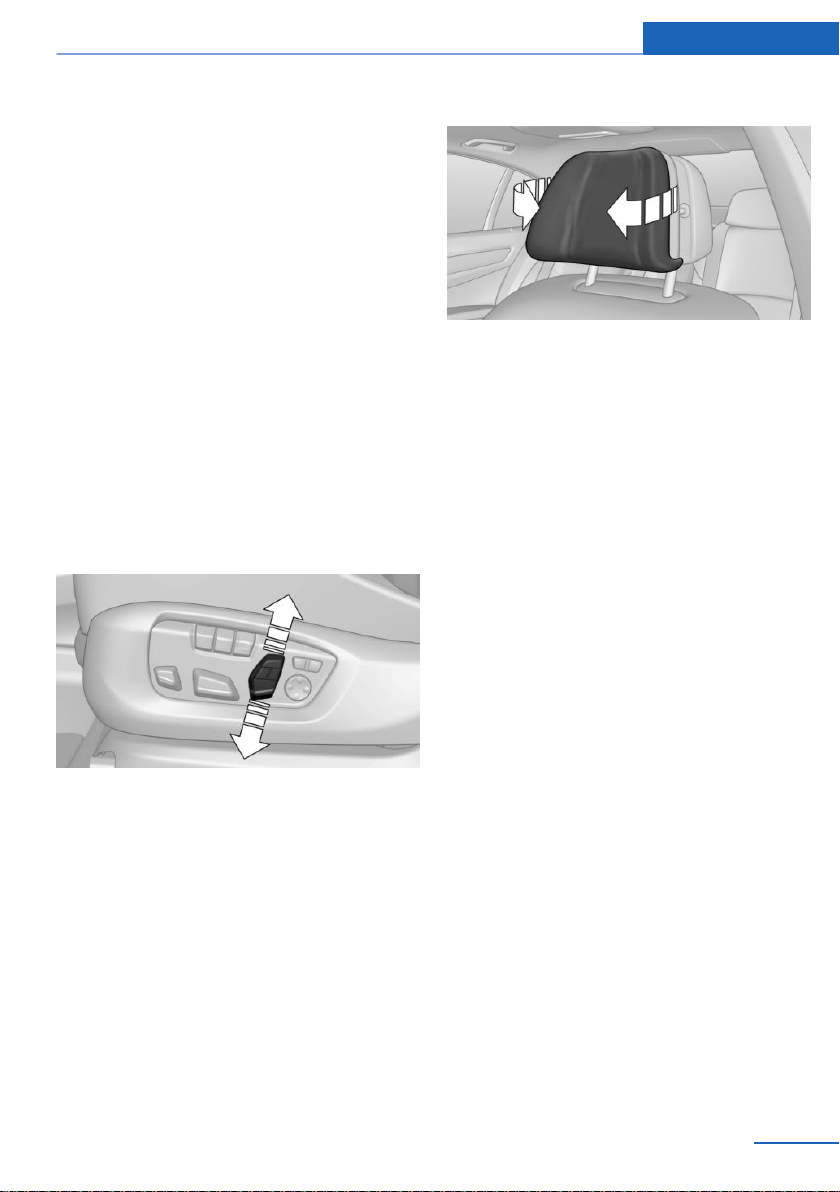
▷ Do not use seat or head restraint covers.
▷ Do not hang objects, for instance clothes
hangers, directly on the head restraint.
▷ Only use accessories that have been de‐
termined to be safe for attachment to a
head restraint.
▷ Do not use any accessories, for instance
pillows, while driving.◀
Active head restraint
In the event of a rear-end collision with a cer‐
tain severity, the active head restraint automat‐
ically reduces the distance from the head.
In the event of wear and tear due to an acci‐
dent, or if otherwise damaged, have the active
head restraint checked and if necessary re‐
placed
Adjusting the height: electrical head
restraints
Push switch up or down.
Distance to the back of the head:
electrical head restraints
The head restraint is automatically reposi‐
tioned when the upper backrest is adjusted.
Adjusting the side extensions
Fold the side extensions on the head restraint
forward for increased lateral support in the
resting position.
Removing
The head restraints cannot be removed.
Memory function
Concept
The following settings can be stored and, if
necessary, retrieved using the memory func‐
tion:
▷ Seat position.
▷ Exterior mirror position.
▷ Steering wheel position.
▷ Height of the Head-up Display.
General information
Two memory locations with different settings
can be set for each driver profile, refer to
page 46.
Depending on the vehicle equipment, the fol‐
lowing settings are not stored:
▷ Backrest width.
▷ Lumbar support.
Seite 61
Settings Controls
61
Online Edition for Part no. 01402981185 - VI/17
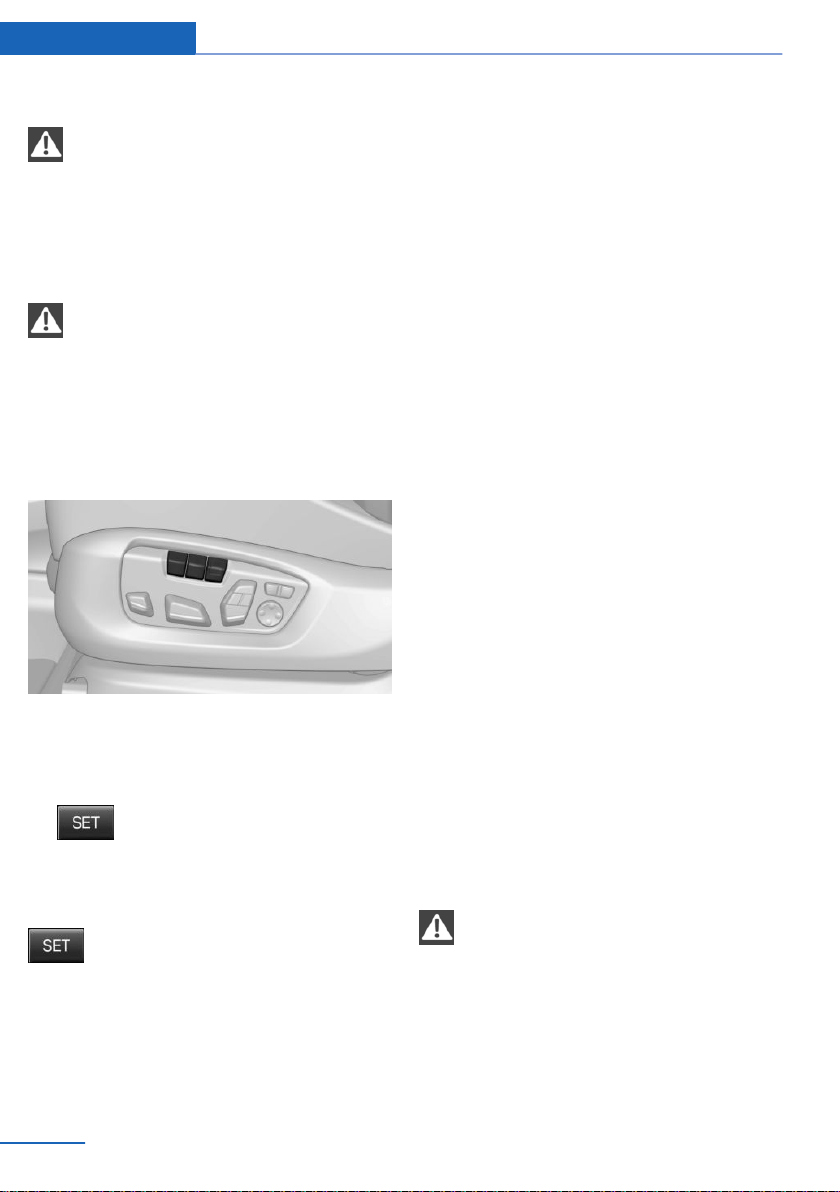
Safety information
WARNING
Using the memory function while driving
can lead to unexpected seat or steering wheel
movements. Vehicle control could be lost.
There is a risk of an accident. Only retrieve the
memory function when the vehicle is station‐
ary.◀
WARNING
There is a risk of jamming when moving
the seats. There is a risk of injury or risk of
property damage. Make sure that the area of
movement of the seat is clear prior to any ad‐
justment.◀
Overview
Storing
1.
Switch on the ignition.
2. Set the desired position.
3.
Press button. The LED in the but‐
ton lights up.
4. Press selected button 1 or 2 while the LED
is lit. The LED goes out.
Button was pressed inadvertently:
Press button again.
The LED goes out.
Calling up settings
The stored position is called up automatically.
Press selected button 1 or 2.
The procedure stops when a switch for setting
the seat or one of the memory buttons is
pressed.
While driving, the seat position adjustment on
the driver's side is interrupted after a short
time.
Calling up of a seat position
deactivated
After a brief period, calling up stored seat posi‐
tions is deactivated to save battery power.
To reactivate calling up of a seat position:
▷ Open or close the door or tailgate.
▷ Press a button on the remote control.
▷ Press the Start/Stop button.
Mirrors
Exterior mirrors
General information
The mirror on the front passenger side is more
curved than the driver's side mirror.
The mirror setting is stored for the driver pro‐
file currently in use. When the vehicle is un‐
locked via the remote control, the position is
automatically retrieved if the function, refer to
page 49, is activated for this purpose.
The current exterior mirror position can be
stored using the memory function, refer to
page 61.
Safety information
WARNING
Objects reflected in the mirror are closer
than they appear. The distance to the traffic
behind could be incorrectly estimated, for in‐
stance while changing lanes. There is a risk of
an accident. Estimate the distance to the traffic
behind by looking over your shoulder.◀
Seite 62
Controls Settings
62
Online Edition for Part no. 01402981185 - VI/17
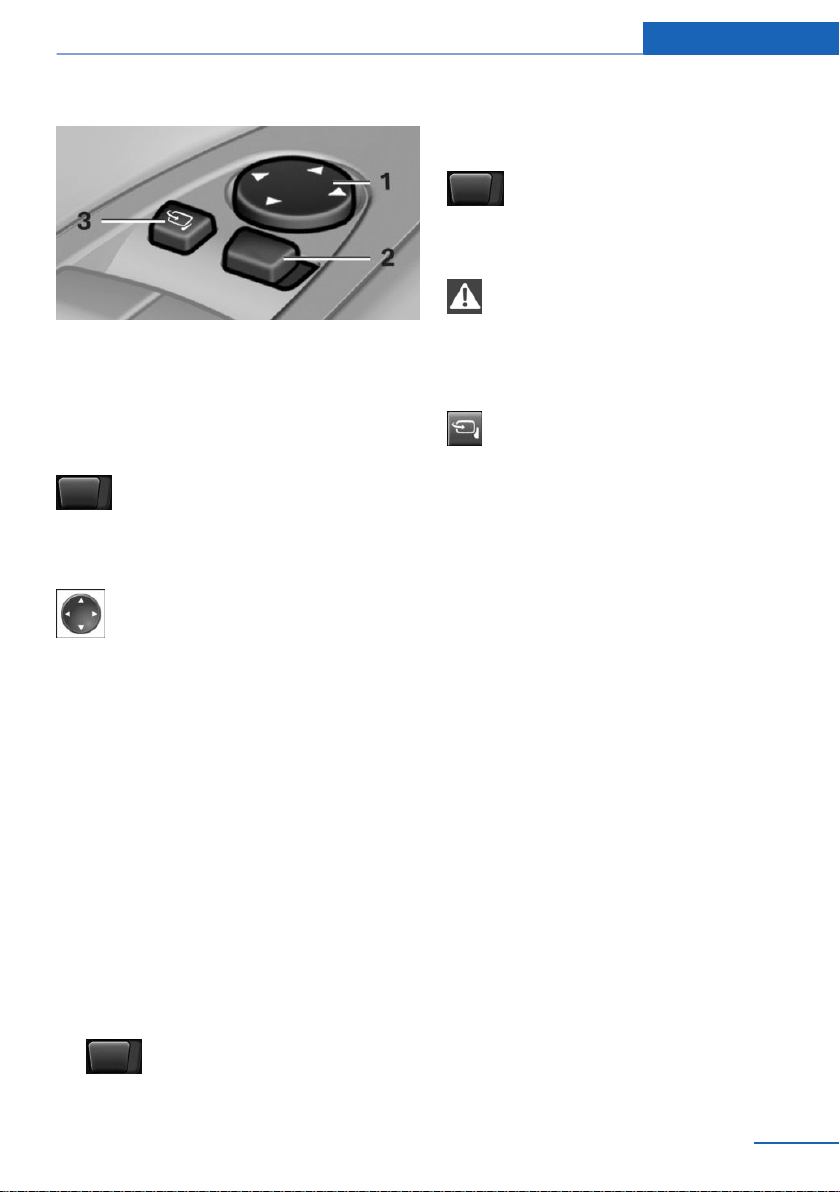
Overview
1 Settings 63
2 Left/right, Automatic Curb Monitor
3 Folding in and out 63
Selecting a mirror
To change over to the other mirror:
Slide the switch.
Adjusting electrically
Press button.
The mirror movement follows the but‐
ton movement.
Malfunction
In case of an electrical malfunction, adjust the
mirror by pressing the edges of the mirror
glass.
Automatic Curb Monitor, exterior
mirror
Concept
If reverse gear is engaged, the mirror glass on
the front passenger side is tilted downward.
This improves your view of the curb and other
low-lying obstacles when parking, for instance.
Activating
1. Slide the switch to the driver's side
mirror position.
2. Engage selector lever position R.
Deactivating
Slide the switch to the passenger's
side mirror position.
Folding in and out
NOTE
Depending on the vehicle width, the ve‐
hicle can be damaged in vehicle washes. There
is a risk of property damage. Before washing,
fold in the mirrors by hand or with the button.◀
Press button.
Folding is only possible up to a speed of ap‐
prox. 15 mph/20 km/h.
Folding the mirrors in and out is helpful in the
following situations:
▷ In vehicle washes.
▷ On narrow roads.
Mirrors that were folded in are folded out auto‐
matically at a speed of approx.
25 mph/40 km/h.
Automatic heating
Both exterior mirrors are automatically heated
whenever the engine is running.
Automatic dimming feature
The exterior mirror on the driver's side is auto‐
matically dimmed. Photocells in the interior
mirror are used to control this.
Seite 63
Settings Controls
63
Online Edition for Part no. 01402981185 - VI/17
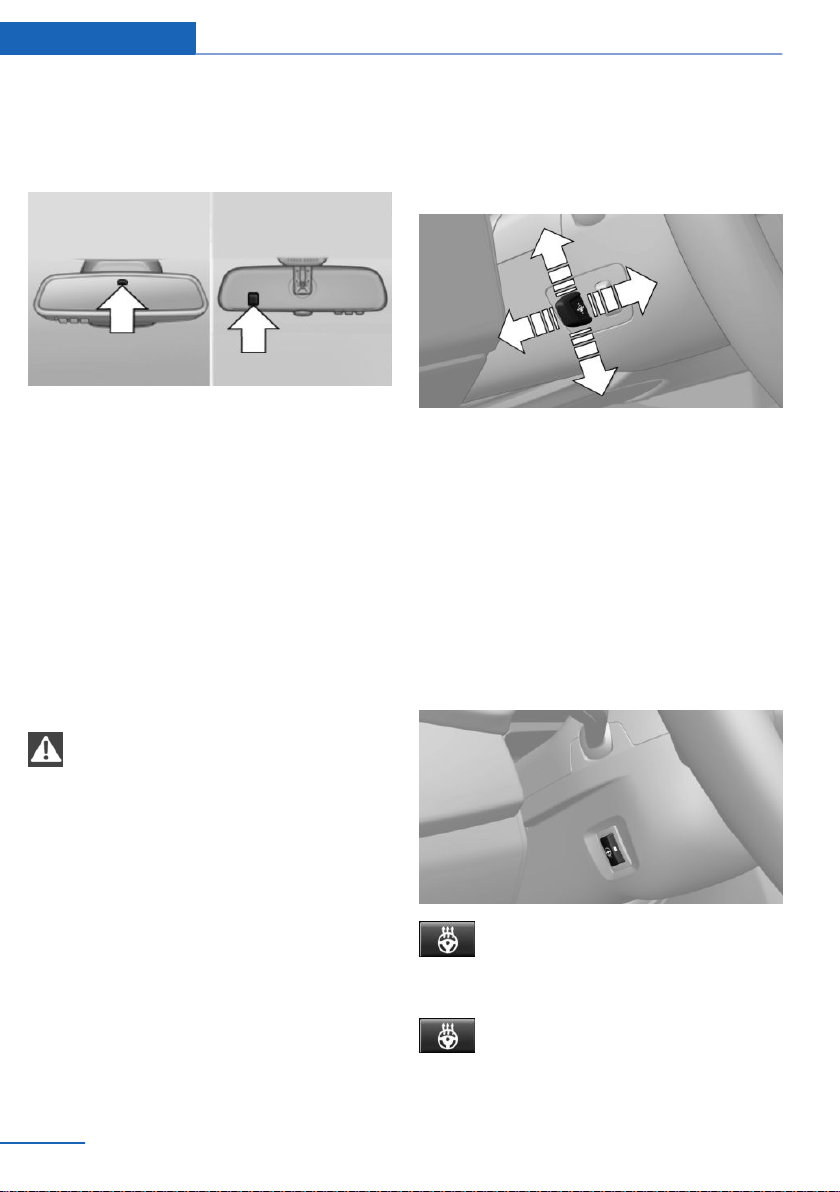
Interior mirror, automatic dimming
feature
Overview
Photocells are used for control:
▷ In the mirror glass.
▷ On the back of the mirror.
Functional requirements
▷ Keep the photocells clean.
▷ Do not cover the area between the inside
rearview mirror and the windshield.
Steering wheel
Safety information
WARNING
Steering wheel adjustments while driving
can lead to unexpected steering wheel move‐
ments. Vehicle control could be lost. There is a
risk of an accident. Adjust the steering wheel
while the vehicle is stationary only.◀
Electric steering wheel adjustment
General information
The steering wheel setting is stored for the
profile currently in use. When the vehicle is un‐
locked via the remote control, the position is
automatically retrieved if the function, refer to
page 49, is activated for this purpose.
The current steering wheel position can be
stored using the memory function, refer to
page 61.
Settings
Move the steering wheel to the preferred
height and angle to suit your seating position
by pressing the switch.
Assistance getting in and out
The steering wheel temporarily moves into the
highest position to make it easier to enter and
exit the vehicle.
Heated steering wheel
Overview
Heated steering wheel
Switching on/off
Press button.
▷ On: the LED lights up.
▷ Off: the LED goes out.
Seite 64
Controls Settings
64
Online Edition for Part no. 01402981185 - VI/17

Transporting children safely
Vehicle features and options
This chapter describes all standard, country-
specific and optional features offered with the
series. It also describes features that are not
necessarily available in your vehicle, e. g., due
to the selected options or country versions.
This also applies to safety-related functions
and systems. When using these functions and
systems, the applicable laws and regulations
must be observed.
The right place for children
Safety information
WARNING
Unattended children or animals can
cause the vehicle to move and endanger them‐
selves and traffic, e.g., due to the following ac‐
tions:
▷ Pressing the Start/Stop button.
▷ Releasing the parking brake.
▷ Opening and closing the doors or win‐
dows.
▷ Engaging selector lever position N.
▷ Using vehicle equipment.
There is a risk of accidents or injuries. Do not
leave children or animals unattended in the ve‐
hicle. Take the remote control with you when
exiting and lock the vehicle.◀
Always transport children in the rear
seat
General information
Accident research shows that the safest place
for children is in the rear seat.
Transport children younger than 13 years of
age or shorter than 5 ft/150 cm only in the rear
seat in suitable child restraint systems de‐
signed for the age, weight and size of the child.
Children 13 years of age or older must wear a
safety belt as soon as a suitable child restraint
system can no longer be used due to their age,
weight, and size.
Safety information
WARNING
The safety belt cannot be fastened cor‐
rectly on children shorter than 5 ft, 150 cm
without suitable additional child restraint sys‐
tems. The efficacy of safety gear, including
safety belts, can be limited or lost when safety
belts are fastened incorrectly. An incorrectly
fastened safety belt can cause additional inju‐
ries, for instance in the event of an accident or
during braking and evasive maneuvers. There
is a risk of injuries or danger to life. Secure chil‐
dren shorter than 5 ft, 150 cm using suitable
child restraint systems.◀
Children on the front passenger seat
General information
Should it ever be necessary to use a child re‐
straint system in the front passenger seat,
make sure that the front, knee and side airbags
on the front passenger side are deactivated.
Automatic deactivation of front-seat passen‐
ger airbags, refer to page 115.
Seite 65
Transporting children safely Controls
65
Online Edition for Part no. 01402981185 - VI/17

Safety information
WARNING
Active front-seat passenger airbags can
injure a child in a child restraint system when
the airbags are activated. There is a risk of in‐
jury. Make sure that the front-seat passenger
airbags are deactivated and that the PASSEN‐
GER AIRBAG OFF indicator lamp lights up.◀
WARNING
The stability of the child restraint system
is limited or compromised with incorrect seat
adjustment or improper installation of the child
seat. There is a risk of injuries or danger to life.
Make sure that the child restraint system fits
securely against the backrest. If possible, ad‐
just the backrest tilt for all affected backrests
and correctly adjust the seats. Make sure that
seats and backrests are securely engaged. If
possible, adjust the height of the head re‐
straints or remove them.◀
Installing child restraint
systems
General information
Pay attention to the specifications of the child
restraint system manufacturer when selecting,
installing, and using child restraint systems.
Safety information
WARNING
The protective effect of damaged child
restraint systems or of child restraint systems
exposed to an accident and their fastening
systems can be limited or lost. A child can
e.g.,not sufficiently restrained, for instance in
the event of an accident or braking and evasive
maneuvers. There is a risk of injuries or danger
to life. Have damaged child restraint systems
or of child restraint systems exposed to an ac‐
cident and their fastening systems checked
and possibly replaced by the dealer’s service
center or another qualified service center or re‐
pair shop.◀
WARNING
The stability of the child restraint system
is limited or compromised with incorrect seat
adjustment or improper installation of the child
seat. There is a risk of injuries or danger to life.
Make sure that the child restraint system fits
securely against the backrest. If possible, ad‐
just the backrest tilt for all affected backrests
and correctly adjust the seats. Make sure that
seats and backrests are securely engaged. If
possible, adjust the height of the head re‐
straints or remove them.◀
On the front passenger seat
Deactivating airbags
WARNING
Active front-seat passenger airbags can
injure a child in a child restraint system when
the airbags are activated. There is a risk of in‐
jury. Make sure that the front-seat passenger
airbags are deactivated and that the PASSEN‐
GER AIRBAG OFF indicator lamp lights up.◀
After installing a child restraint system in the
front passenger seat, make sure that the front,
knee and side airbags on the front passenger
side are deactivated.
Deactivate the front-seat passenger airbags
automatically, refer to page 115.
Seat position and height
Before installing a child restraint system, move
the front passenger seat as far back as possi‐
ble and bring it as far up as possible to obtain
the best possible position for the belt and to
offer optimal protection in the event of an acci‐
dent.
If the upper anchorage of the safety belt is lo‐
cated in front of the belt guide of the child seat,
move the passenger seat carefully forward un‐
Seite 66
Controls Transporting children safely
66
Online Edition for Part no. 01402981185 - VI/17
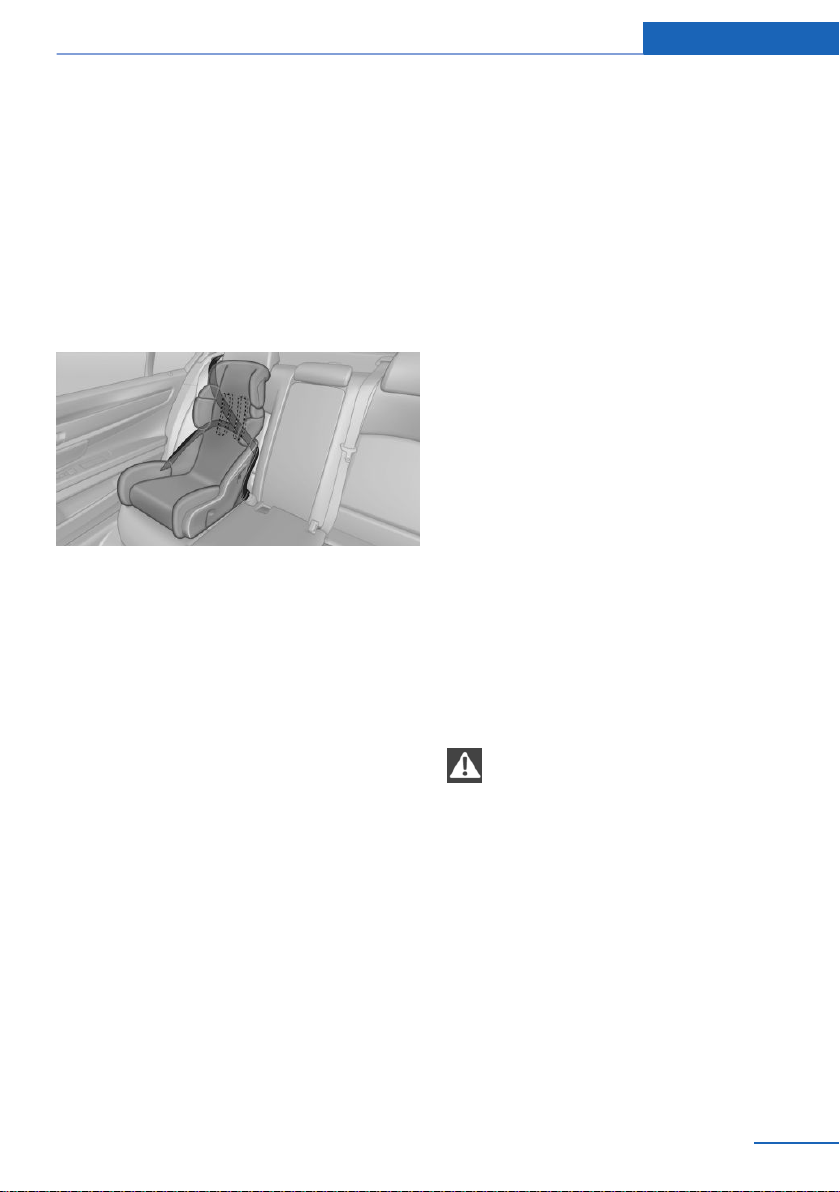
til the best possible belt guide position is
reached.
Backrest width
Adjustable backrest width: before installing a
child restraint system in the front passenger
seat, open the backrest width completely. Do
not change the backrest width again and do
not call up a memory position.
Child seat security
The rear safety belts and the front passenger
safety belt can be permanently locked to fas‐
ten child restraint systems.
Locking the safety belt
1. Pull out the belt strap completely.
2. Secure the child restraint system with the
safety belt.
3. Allow the belt strap to be pulled in and pull
it tight against the child restraint system.
The safety belt is locked.
Unlocking the safety belt
1. Unbuckle the belt buckle.
2. Remove the child restraint system.
3. Allow the belt strap to be pulled in com‐
pletely.
LATCH child restraint fixing system
General information
LATCH: Lower Anchors and Tether for Chil‐
dren.
Pay attention to the operating and safety infor‐
mation of the child restraint system manufac‐
turer when installing and using LATCH child
restraint fixing systems.
Mounts for the lower LATCH anchors
The lower anchors may be used to attach the
CRS to the vehicle seat up to a combined child
and CRS weight of 65 lb/30 kg when the child
is restrained by the internal harnesses.
Safety information
WARNING
If the LATCH child restraint fixing sys‐
tems are not correctly engaged, the protective
effect of the LATCH child restraint fixing sys‐
tem can be limited. There is a risk of injuries or
danger to life. Make sure that the lower an‐
chors are securely engaged and that the
LATCH child restraint fixing system fits se‐
curely against the backrest.◀
Seite 67
Transporting children safely Controls
67
Online Edition for Part no. 01402981185 - VI/17
Position
Symbol Meaning
The corresponding symbol
shows the mounts for the
lower LATCH anchors.
Seats equipped with lower an‐
chors are marked with a pair,
2, of LATCH symbols.
It is not recommended to use
the inner lower anchors of
standard outer LATCH posi‐
tions to fasten a child restraint
system on the middle seat.
Use the vehicle safety belt in‐
stead for the middle seat.
Mounts for the lower LATCH anchors are lo‐
cated behind the seat cover between the back‐
rest and the seat cushion.
Open the zipper to access the anchors.
Before installing LATCH child
restraint fixing systems
Pull the safety belt away from the area of the
child restraint system.
Assembly of LATCH child restraint
fixing systems
1.
Install child restraint system, see manufac‐
turer's information.
2. Ensure that both LATCH anchors are prop‐
erly connected.
Child restraint systems with tether
strap
Safety information
WARNING
If the upper retaining strap is incorrectly
used for the child restraint system, the protec‐
tive effect can be reduced. There is a risk of in‐
jury. Make sure that the upper retaining strap is
not guided across sharp edges and without
twisting to the upper retaining strap.◀
WARNING
If the rear backrest is not locked, the pro‐
tective effect of the child restraint system is
limited or there is none. In particular situations,
for instance braking maneuvers or in case of an
accident, the rear backrest can fold forward.
There is a risk of injuries or danger to life. Make
sure that the rear backrests are locked.◀
NOTE
The mounting points for the upper re‐
taining straps of child restraint systems are
only provided for these retaining straps. When
other objects are mounted, the anchors can be
damaged. There is a risk of property damage.
Only mount child restraint systems to the up‐
per retaining straps.◀
Anchors
The respective symbol shows the an‐
chor for the upper retaining strap.
Seats with an upper top tether are
marked with this symbol. It can be found on
the rear seat backrest or the rear window shelf.
Seite 68
Controls Transporting children safely
68
Online Edition for Part no. 01402981185 - VI/17
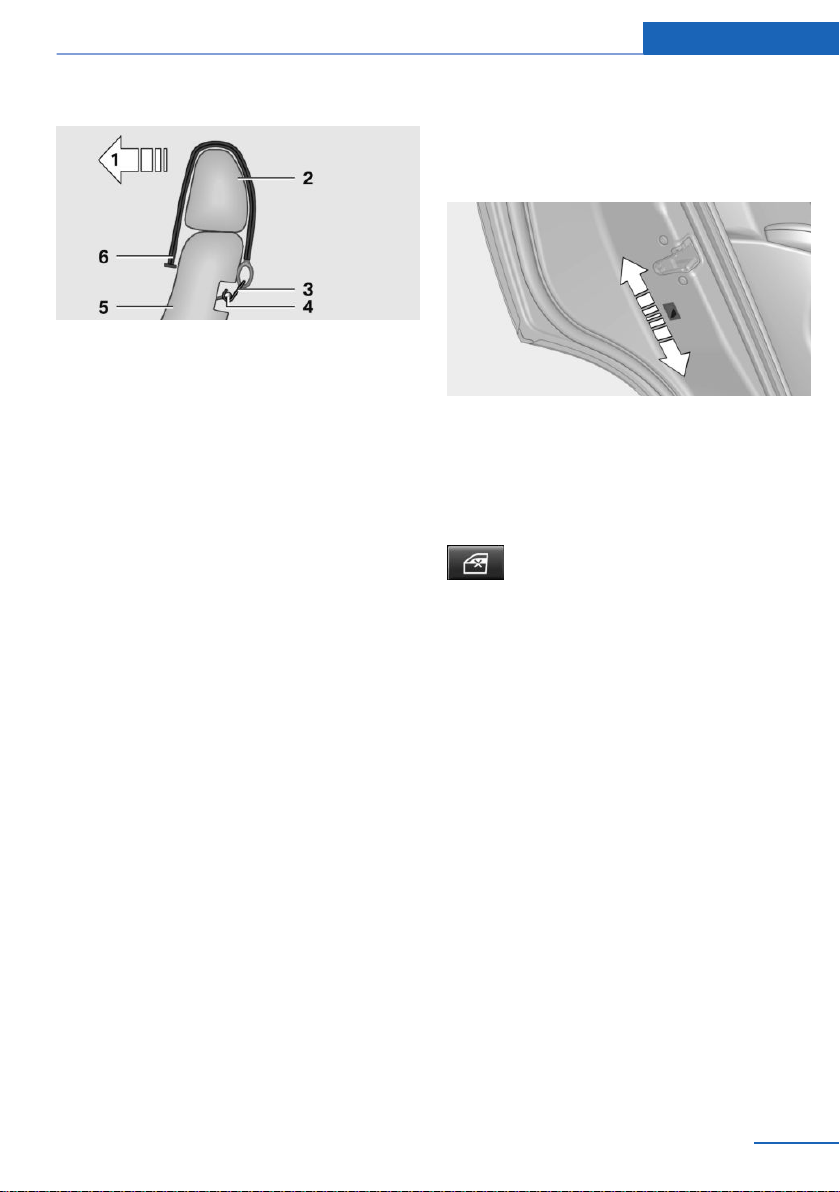
Routing the retaining strap
1 Direction of travel
2 Head restraint
3 Hook for upper retaining strap
4 Anchor/eye
5 Seat backrest
6 Upper retaining strap
Attaching the upper retaining strap to
the mounting point
1.
Middle seat: raise the head restraint if
needed.
2. Outer seats: guide the upper retaining
strap over the head restraint.
Middle seat: guide the upper retaining
strap between the supports of the head re‐
straint.
3. If there is a retaining strap, run it between
the backrest and the cargo cover.
4. Attach the hook of the retaining strap to
the mounting eye.
5. Tighten the retaining strap by pulling it
down.
6. Middle seat: lower and lock head restraints
as needed.
Locking the doors and
windows in the rear
Rear doors
Push the locking lever on the rear doors up.
The door can now be opened from the outside
only.
Safety switch for the rear
Press button on the driver's door.
The LED lights up if the safety func‐
tion is switched on.
This locks various functions so that they can‐
not be operated from the rear.
Seite 69
Transporting children safely Controls
69
Online Edition for Part no. 01402981185 - VI/17
Driving
Vehicle features and options
This chapter describes all standard, country-
specific and optional features offered with the
series. It also describes features that are not
necessarily available in your vehicle, e. g., due
to the selected options or country versions.
This also applies to safety-related functions
and systems. When using these functions and
systems, the applicable laws and regulations
must be observed.
Start/Stop button
Concept
Pressing the Start/Stop button
switches the ignition on or off
and starts the engine.
The engine starts with the brake
pedal pressed when you press
the Start/Stop button.
Ignition on
Press the Start/Stop button, and do not press
on the brake pedal at the same time.
All vehicle systems are ready for operation.
Most of the indicator/warning lights in the in‐
strument cluster light up for a varied length of
time.
To save battery power when the engine is off,
switch off the ignition and any unnecessary
electronic systems/power consumers.
Ignition off
Press the Start/Stop button again without
stepping on the brake.
All indicator lights in the instrument cluster go
out.
To save battery power when the engine is off,
switch off the ignition and any unnecessary
electronic systems/power consumers.
Safety measures
When switching off the ignition, the selector
lever position P is selected automatically if the
selector lever position D or R is selected.
The ignition is switched off automatically in the
following situations while the vehicle is station‐
ary and the engine is off:
▷ When locking the vehicle, and when the
low beams are switched on.
▷ Shortly before the battery is discharged
completely, so that the engine can still be
started.
▷ When opening or closing the driver door, if
the driver's safety belt is unbuckled and
the low beams are switched off.
▷ While the driver's safety belt is unbuckled
with driver's door open and low beams off.
▷ When the front doors are opened if there is
no other person sitting in the front seats.
The low beams switch to parking lights after
some minutes of no use.
Radio-ready state
General information
In the radio-ready state, certain power con‐
sumers remain ready for operation.
Activating
With the engine running, press the Start/Stop
button.
If the engine is not running and the ignition is
switched on: the system automatically acti‐
vates radio-ready state when the door is
opened if the lights are switched off or the day‐
time running lights are switched on.
Seite 70
Controls Driving
70
Online Edition for Part no. 01402981185 - VI/17

The radio-ready state remains active if, for in‐
stance the ignition is automatically switched
off for the following reasons:
▷ Opening or closing the driver's door.
▷ Unfastening of the driver's safety belt.
▷ When automatically switching from low
beams to parking lights.
Switching off automatically
The radio-ready state is switched off automati‐
cally in the following situations:
▷ If the driver's or front passenger door is
opened when exiting the vehicle, with the
engine switched off manually.
▷ If the ignition is switched off manually with
the Start/Stop button.
▷ After approx. 8 minutes.
▷ When the vehicle is locked using the cen‐
tral locking system.
▷ Shortly before the battery is discharged
completely, so that the engine can still be
started.
Starting the engine
Safety information
DANGER
If the exhaust pipe is blocked or ventila‐
tion is insufficient, harmful exhaust gases can
enter into the vehicle. The exhaust gases con‐
tain pollutants which are colorless and odor‐
less. In enclosed areas, exhaust gases can also
accumulate outside of the vehicle. There is
danger to life. Keep the exhaust pipe free and
ensure sufficient ventilation.◀
WARNING
An unsecured vehicle can begin to move
and possibly roll away. There is a risk of an ac‐
cident. Before exiting, secure the vehicle
against rolling.
In order to ensure that the vehicle is secured
against rolling away, observe the following:
▷ Set the parking brake.
▷ On uphill grades or on a downhill slope,
turn the front wheels in the direction of the
curb.
▷ On uphill grades or on a downhill slope,
also secure the vehicle, e.g., with a wheel
chock.◀
NOTE
In the case of repeated starting attempts
or repeated starting in quick succession, the
fuel is not burned or is inadequately burned.
The catalytic converter can overheat. There is
a risk of property damage. Avoid repeated
starting in quick succession.◀
Steptronic transmission
Starting the engine
1.
Depress the brake pedal.
2. Press the Start/Stop button.
The ignition is activated automatically for a
brief time and is stopped as soon as the engine
starts.
Engine stop
Safety information
WARNING
Unattended children or animals can
cause the vehicle to move and endanger them‐
selves and traffic, e.g., due to the following ac‐
tions:
▷ Pressing the Start/Stop button.
▷ Releasing the parking brake.
▷ Opening and closing the doors or win‐
dows.
▷ Engaging selector lever position N.
▷ Using vehicle equipment.
Seite 71
Driving Controls
71
Online Edition for Part no. 01402981185 - VI/17
There is a risk of accidents or injuries. Do not
leave children or animals unattended in the ve‐
hicle. Take the remote control with you when
exiting and lock the vehicle.◀
WARNING
An unsecured vehicle can begin to move
and possibly roll away. There is a risk of an ac‐
cident. Before exiting, secure the vehicle
against rolling.
In order to ensure that the vehicle is secured
against rolling away, observe the following:
▷ Set the parking brake.
▷ On uphill grades or on a downhill slope,
turn the front wheels in the direction of the
curb.
▷ On uphill grades or on a downhill slope,
also secure the vehicle, e.g., with a wheel
chock.◀
Steptronic transmission
Switching off the engine
1.
Engage selector lever position P with the
vehicle stopped.
2. Press the Start/Stop button.
The engine is switched off.
The radio-ready state is switched on.
3. Set the parking brake.
Auto Start/Stop function
Concept
The Auto Start/Stop function helps save fuel.
The system switches off the engine during a
stop, e.g., in traffic congestion or at traffic
lights. The ignition remains switched on. The
engine starts again automatically for driving
off.
General information
After every start of the engine using the Start/
Stop button, the Auto Start/Stop function is in
the last selected state. When the Auto Start/
Stop function is active, it is available when the
vehicle is traveling faster than about
3 mph/5 km/h.
Engine stop
Functional requirements
The engine is switched off automatically dur‐
ing a stop under the following conditions:
Steptronic transmission:
▷ The selector lever is in selector lever posi‐
tion D.
▷ The brake pedal remains pressed while the
vehicle is stationary or the vehicle is held
by Automatic Hold.
▷ The driver's safety belt is buckled or the
driver's door is closed.
The air flow from the air conditioner is reduced
when the engine is switched off.
Displays in the instrument cluster
The display indicates that the
Auto Start/Stop function is
ready for an Automatic engine
start.
The display indicates that the
conditions for an automatic en‐
gine stop have not been met.
Functional limitations
The engine is not switched off automatically in
the following situations:
▷ In case of a steep downhill grade.
▷ External temperature too low.
Seite 72
Controls Driving
72
Online Edition for Part no. 01402981185 - VI/17
▷ The external temperature is high and auto‐
matic climate control is running.
▷ The car's interior has not yet been heated
or cooled to the required level.
▷ The engine is not yet at operating temper‐
ature.
▷ The wheels are at a sharp angle or the
steering wheel is being turned.
▷ After driving in reverse.
▷ Where there is a risk of window condensa‐
tion when the automatic climate control is
switched on.
▷ Vehicle battery is heavily discharged.
▷ At higher elevations.
▷ The hood is unlocked.
▷ HDC Hill Descent Control is activated.
▷ The parking assistant is activated.
▷ Stop-and-go traffic.
▷ Selector lever in selector lever position N,
M/S or R.
▷ Use of fuel with high ethanol content.
Starting the engine
The engine starts automatically under the fol‐
lowing conditions:
▷ Steptronic transmission: by releasing the
brake pedal.
When Automatic Hold is activated: press
the accelerator pedal.
After the engine starts, accelerate as usual.
Safety mode
After the engine switches off automatically, it
will not start again automatically if any one of
the following conditions are met:
▷ The driver's safety belt is unbuckled and
the driver's door is open.
▷ The hood was unlocked.
Some indicator lights light up for a varied
length of time.
The engine can only be started via the Start/
Stop button.
Functional limitations
Even if driving off was not intended, the deacti‐
vated engine starts up automatically in the fol‐
lowing situations:
▷ Excessive warming of the car's interior
when the air conditioning is switched on.
▷ The steering wheel is turned.
▷ Steptronic transmission: change from se‐
lector lever position D to R, N or M/S.
▷ Steptronic transmission: change from se‐
lector lever position P to N, D, R or M/S.
▷ Where there is a risk of window condensa‐
tion when the automatic climate control is
switched on.
▷ Vehicle battery is heavily discharged.
▷ Excessive cooling of the car's interior when
the heating is switched on.
Activating/deactivating the system
manually
Using the button
Press button.
▷ LED comes on: auto Start/Stop function is
deactivated.
The engine is started during an automatic
engine stop.
The engine can only be stopped or started
via the Start/Stop button.
Seite 73
Driving Controls
73
Online Edition for Part no. 01402981185 - VI/17

▷ LED goes out: auto Start/Stop function is
activated.
Switching off the vehicle during an
automatic engine stop
During an automatic engine stop, the vehicle
can be switched off permanently, for instance
when leaving it.
Steptronic transmission:
1. Press the Start/Stop button. The ignition is
switched off. The Auto Start/Stop function
is deactivated.
Selector lever position P is engaged auto‐
matically.
2. Set the parking brake.
Engine start as usual via Start/Stop button.
Automatic deactivation
In certain situations, the Auto Start/Stop func‐
tion is deactivated automatically for safety rea‐
sons, e.g., if no driver is detected.
Malfunction
The Auto Start/Stop function no longer
switches off the engine automatically. A Check
Control message is displayed. It is possible to
continue driving. Have the system checked by
a dealer’s service center or another qualified
service center or repair shop.
Parking brake
Concept
The parking brake is used to prevent the vehi‐
cle from rolling when it is parked.
Safety information
WARNING
An unsecured vehicle can begin to move
and possibly roll away. There is a risk of an ac‐
cident. Before exiting, secure the vehicle
against rolling.
In order to ensure that the vehicle is secured
against rolling away, observe the following:
▷ Set the parking brake.
▷ On uphill grades or on a downhill slope,
turn the front wheels in the direction of the
curb.
▷ On uphill grades or on a downhill slope,
also secure the vehicle, e.g., with a wheel
chock.◀
WARNING
Unattended children or animals can
cause the vehicle to move and endanger them‐
selves and traffic, e.g., due to the following ac‐
tions:
▷ Pressing the Start/Stop button.
▷ Releasing the parking brake.
▷ Opening and closing the doors or win‐
dows.
▷ Engaging selector lever position N.
▷ Using vehicle equipment.
There is a risk of accidents or injuries. Do not
leave children or animals unattended in the ve‐
hicle. Take the remote control with you when
exiting and lock the vehicle.◀
Overview
Parking brake
Seite 74
Controls Driving
74
Online Edition for Part no. 01402981185 - VI/17
Setting
With a stationary vehicle
Pull the switch.
The LED lights up.
The indicator light lights up red. The
parking brake is set.
While driving
To use as emergency brake while driving:
Pull the switch and hold it. The vehicle brakes
hard while the switch is being pulled.
The indicator light lights up red, a sig‐
nal sounds and the brake lights light
up.
A Check Control message is displayed.
If the vehicle is slowed down to a speed of ap‐
prox. 2 mph/3 km/h the parking brake is set.
Releasing
Releasing manually
1.
Switch on the ignition.
2.
Steptronic transmission: press the
switch while the brake is pressed or selec‐
tor lever position P is set.
The LED and indicator light go out.
The parking brake is released.
Automatic release in cars with
Steptronic transmission
For automatic release, step on the accelerator
pedal.
The LED and indicator light go out.
The parking brake is automatically released
when you step on the accelerator under the
following conditions:
▷ Engine on.
▷ Drive mode engaged.
▷ Driver buckled in and doors closed.
Automatic Hold
Concept
This system assists the driver by automatically
setting and releasing the brake, such as when
moving in stop-and-go traffic.
The vehicle is automatically held in place when
it is stationary.
On inclines, the system prevents the vehicle
from rolling backward when driving off.
General information
Under the following conditions, Automatic
Hold is automatically deactivated and the park‐
ing brake is set:
▷ The engine is switched off.
▷ A door is opened and driver's safety belt is
unbuckled while the vehicle is stationary.
▷ The moving vehicle is brought to a stand‐
still using the parking brake.
The indicator light switches from green
to red and the letters AUTO H go out.
Safety information
WARNING
An unsecured vehicle can begin to move
and possibly roll away. There is a risk of an ac‐
cident. Before exiting, secure the vehicle
against rolling.
In order to ensure that the vehicle is secured
against rolling away, observe the following:
▷ Set the parking brake.
▷ On uphill grades or on a downhill slope,
turn the front wheels in the direction of the
curb.
▷ On uphill grades or on a downhill slope,
also secure the vehicle, e.g., with a wheel
chock.◀
Seite 75
Driving Controls
75
Online Edition for Part no. 01402981185 - VI/17
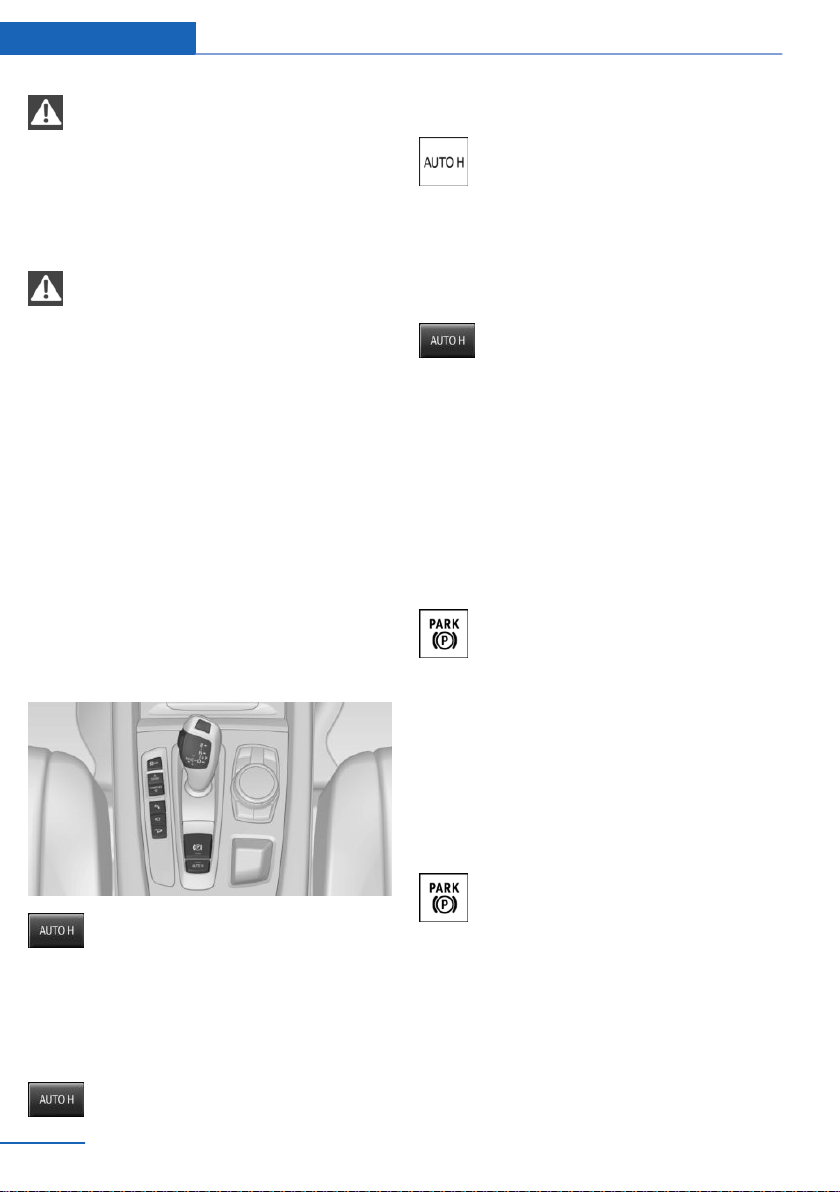
NOTE
If the vehicle is stationary, Automatic
Hold engages the parking brake. It prevents
the vehicle from rolling in a vehicle wash.
There is a risk of property damage. Deactivate
Automatic Hold prior to entering the vehicle
wash.◀
WARNING
Unattended children or animals can
cause the vehicle to move and endanger them‐
selves and traffic, e.g., due to the following ac‐
tions:
▷ Pressing the Start/Stop button.
▷ Releasing the parking brake.
▷ Opening and closing the doors or win‐
dows.
▷ Engaging selector lever position N.
▷ Using vehicle equipment.
There is a risk of accidents or injuries. Do not
leave children or animals unattended in the ve‐
hicle. Take the remote control with you when
exiting and lock the vehicle.◀
Overview
Automatic Hold
Activating
This function can be activated when the driv‐
er's door is closed, the safety belt is fastened
and the engine is running.
Press button.
The LED and the letters AUTO H light up.
The indicator light lights up.
Automatic Hold is activated.
Deactivating
When deactivating, additionally depress the
brake pedal if the vehicle is being held by Au‐
tomatic Hold.
Press button again.
The LED and the letters AUTO H go
out.
Automatic Hold is deactivated.
When the parking brake is set manually, Auto‐
matic Hold is deactivated automatically.
Driving
Automatic Hold is activated: the vehicle is au‐
tomatically secured against rolling after brak‐
ing to a standstill.
The indicator light lights up green.
Step on the accelerator pedal to drive
off.
The brake is released automatically.
The indicator light goes out.
Parking
The parking brake is automatically set if the
engine is switched off while the vehicle is be‐
ing held by Automatic Hold.
The indicator light changes from green
to red.
The parking brake is not set if the en‐
gine is switched off while the vehicle is coast‐
ing to a halt. Automatic Hold is deactivated.
Automatic Hold remains activated during the
engine stop brought about by the Auto Start/
Stop function.
Seite 76
Controls Driving
76
Online Edition for Part no. 01402981185 - VI/17
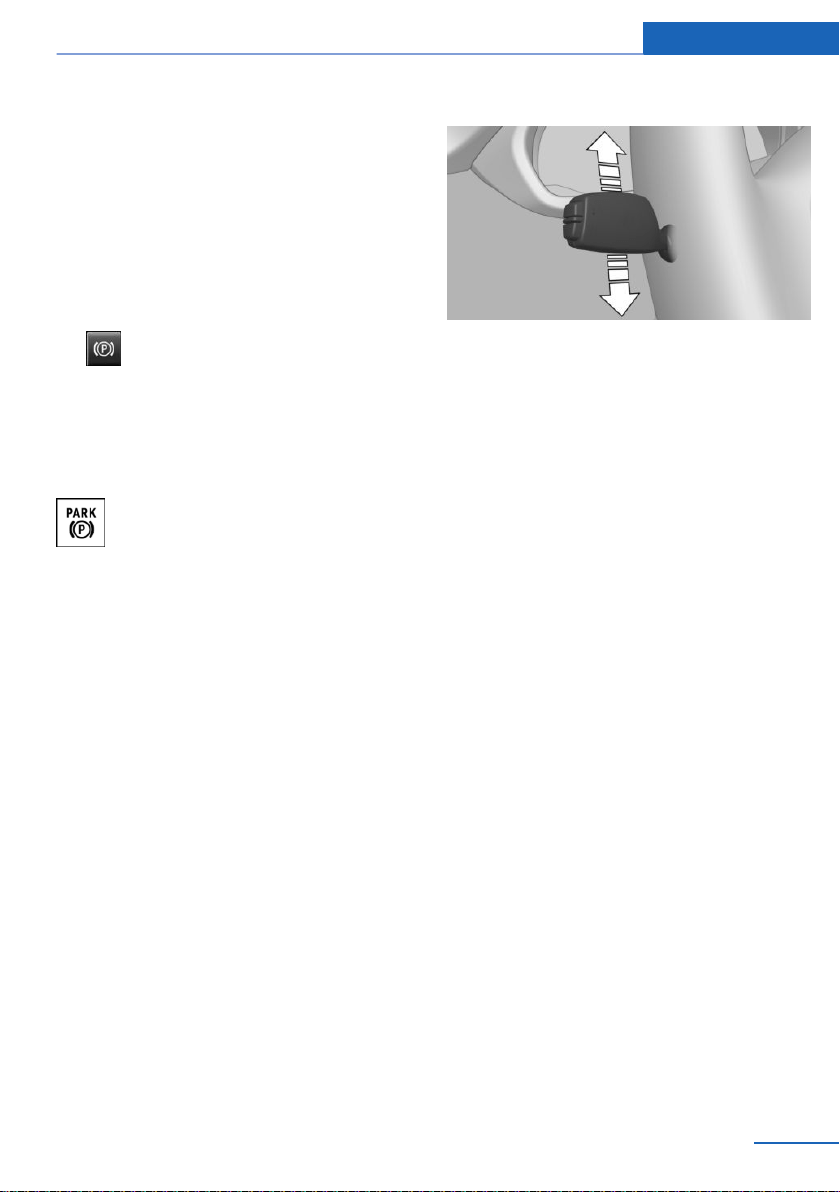
Malfunction
In the event of a failure or malfunction of the
parking brake, secure the vehicle against roll‐
ing using a wheel chock, e.g., when leaving it.
After a power failure
Putting the parking brake into
operation
1. Switch on the ignition.
2.
Press the switch while stepping on
the brake pedal or selector lever position P
is set.
It may take several seconds for the brake to be
put into operation. Any sounds associated with
this are normal.
The indicator light in the instrument
cluster goes out as soon as the parking
brake is ready for operation.
Turn signal, high beams,
headlight flasher
Turn signal
Turn signal in exterior mirror
When driving and during operation of the turn
signals or hazard warning system, do not fold
in the exterior mirrors, so that the signal lights
on the exterior mirror are easy to see.
Using turn signals
Press the lever past the resistance point.
The lever returns into its starting position after
actuation. To switch off manually, slightly tap
the lever to the resistance point.
Triple turn signal activation
Lightly tap the lever up or down.
The turn signal flashes three times.
The function can be activated or deactivated.
Using iDrive:
1.
"Settings"
2. "Lighting"
3. "Triple turn signal"
The setting is stored for the driver profile cur‐
rently used.
Signaling briefly
Press the lever to the resistance point and hold
it there for as long as you want the turn signal
to flash.
Malfunction
Unusually rapid flashing of the indicator lamp
indicates that a turn signal bulb has failed.
High beams, headlight flasher
Push the lever forward or pull it backward.
Seite 77
Driving Controls
77
Online Edition for Part no. 01402981185 - VI/17
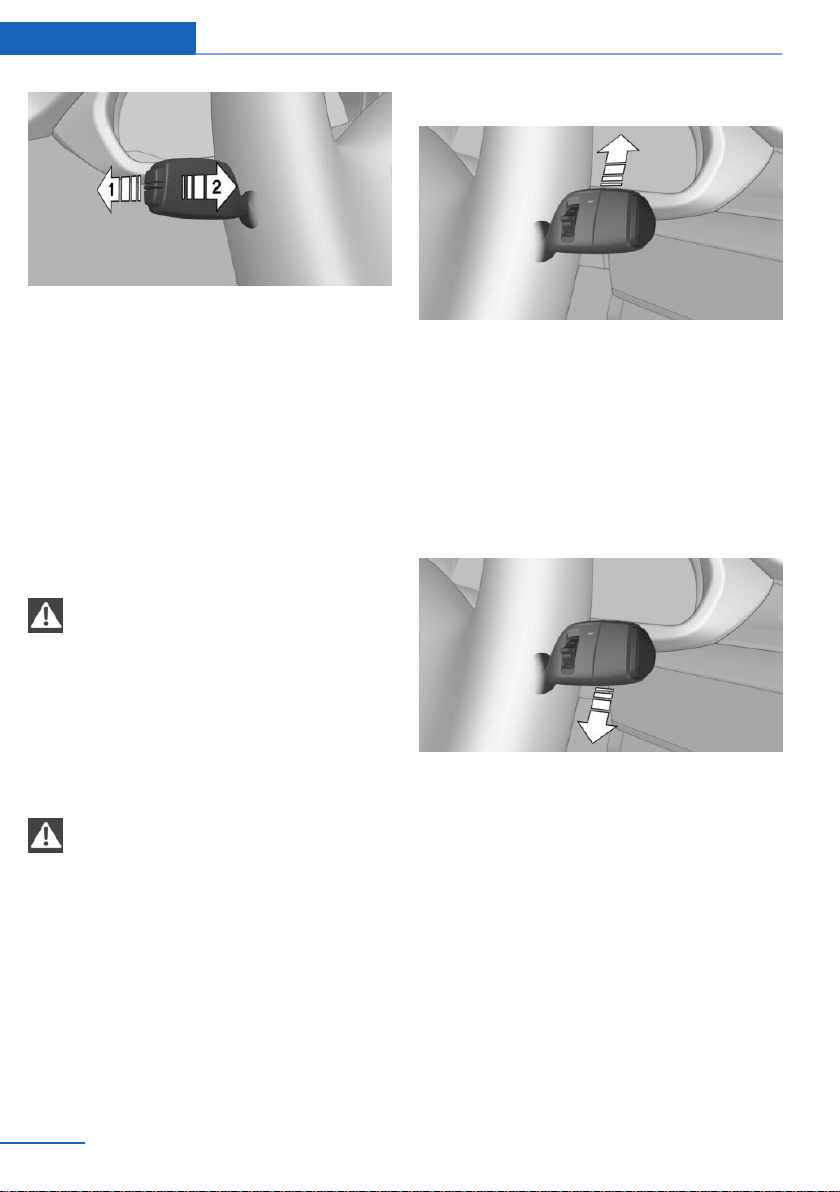
▷ High beams on, arrow 1.
▷ High beams off/headlight flasher, arrow 2.
Washer/wiper system
General information
Do not use the wipers if the windshield is dry,
as this may damage the wiper blades or cause
them to become worn more quickly.
Safety information
WARNING
If the wipers start moving in the folded
away state, body parts can be jammed or dam‐
age may occur to parts of the vehicle. There is
a risk of injury or risk of property damage.
Make sure that the vehicle is switched off
when the wipers are in the folded away state
and the wipers are folded in when switching
on.◀
NOTE
If the wipers are frozen to the windshield,
the wiper blades can be torn off and the wiper
motor can overheat when switching on. There
is a risk of damage to property. Defrost the
windshield prior to switching the wipers on.◀
Switching on
Tap up the lever or press it past the resistance
point.
▷ Normal wiper speed: tap up once.
▷ Fast wiper speed: tap up twice or tap once
beyond the resistance point.
The lever automatically returns to its initial po‐
sition when released.
Switching off and brief wipe
Press the lever down.
▷ To switch off from fast wiper speed: press
down twice.
▷ To switch off from normal wiper speed:
press down once.
▷ Brief wipe: press down once.
The lever automatically returns to its initial po‐
sition when released.
Interval mode or rain sensor
Concept
The rain sensor automatically controls the time
between wipes depending on the intensity of
the rainfall.
Seite 78
Controls Driving
78
Online Edition for Part no. 01402981185 - VI/17
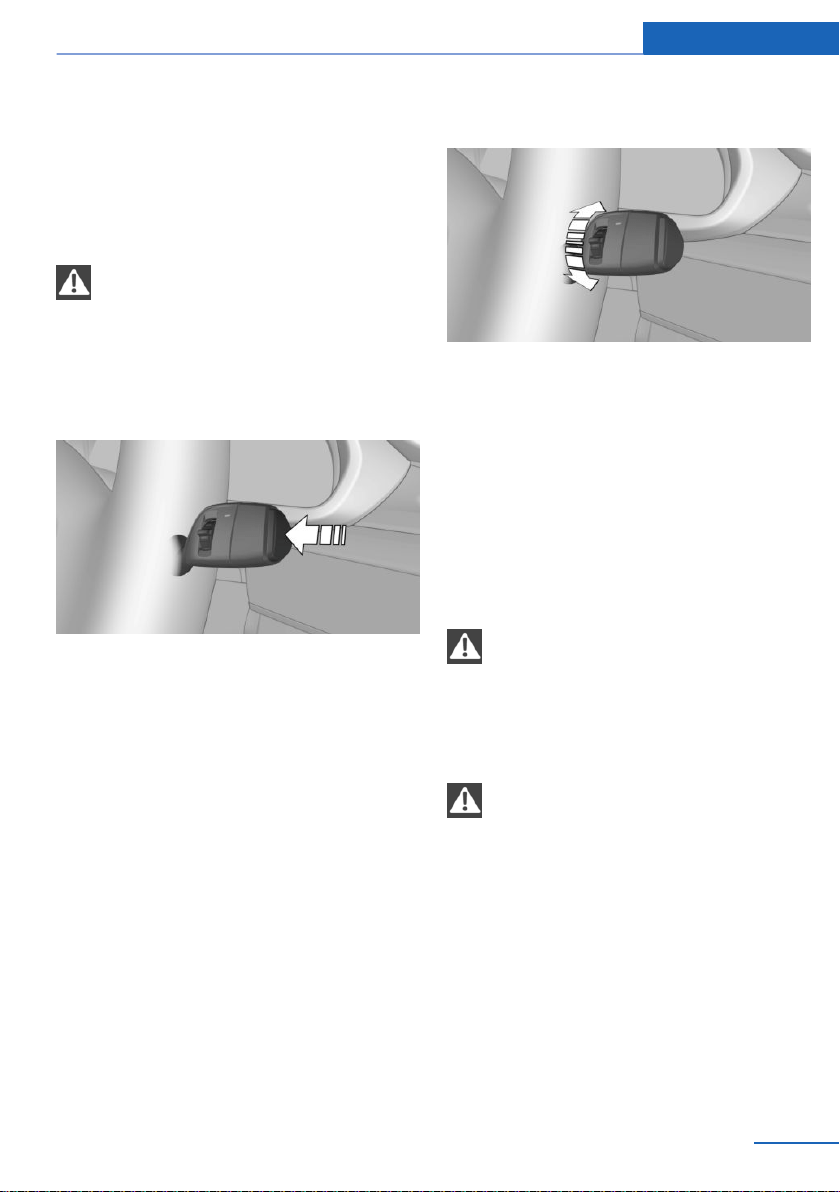
General information
The sensor is located on the windshield, di‐
rectly in front of the interior mirror. Without the
rain sensor, the frequency of the wiper opera‐
tion is preset.
Safety information
NOTE
If the rain sensor is activated, the wipers
can accidentally start moving in vehicle
washes. There is a risk of property damage.
Deactivate the rain sensor in vehicle washes.◀
Activating/deactivating
Press the button on the wiper lever.
Wiping is started.
If the vehicle is equipped with a rain sensor:
the LED in the wiper lever is illuminated.
If wipers are frozen to windshield, wiper opera‐
tion is deactivated.
During trip interruption with the rain sensor
switched on: if the trip is resumed within ap‐
prox. 15 minutes, the rain sensor is automati‐
cally activated again.
Setting the frequency or sensitivity of
the rain sensor
Turn the thumbwheel to adjust the frequency
or sensitivity of the rain sensor.
Up: short interval or high sensitivity of the rain
sensor.
Down: long interval or low sensitivity of the rain
sensor.
Windshield and headlight
washer system
Safety information
WARNING
The washer fluid can freeze onto the win‐
dow at low temperatures and obstruct the
view. There is a risk of an accident. Only use
the washer systems, if the washer fluid cannot
freeze. Use antifreeze, if needed.◀
NOTE
When the washer fluid reservoir is empty,
the wash pump cannot work as intended.
There is a risk of property damage. Do not use
the washer system when the washer fluid res‐
ervoir is empty.◀
Seite 79
Driving Controls
79
Online Edition for Part no. 01402981185 - VI/17
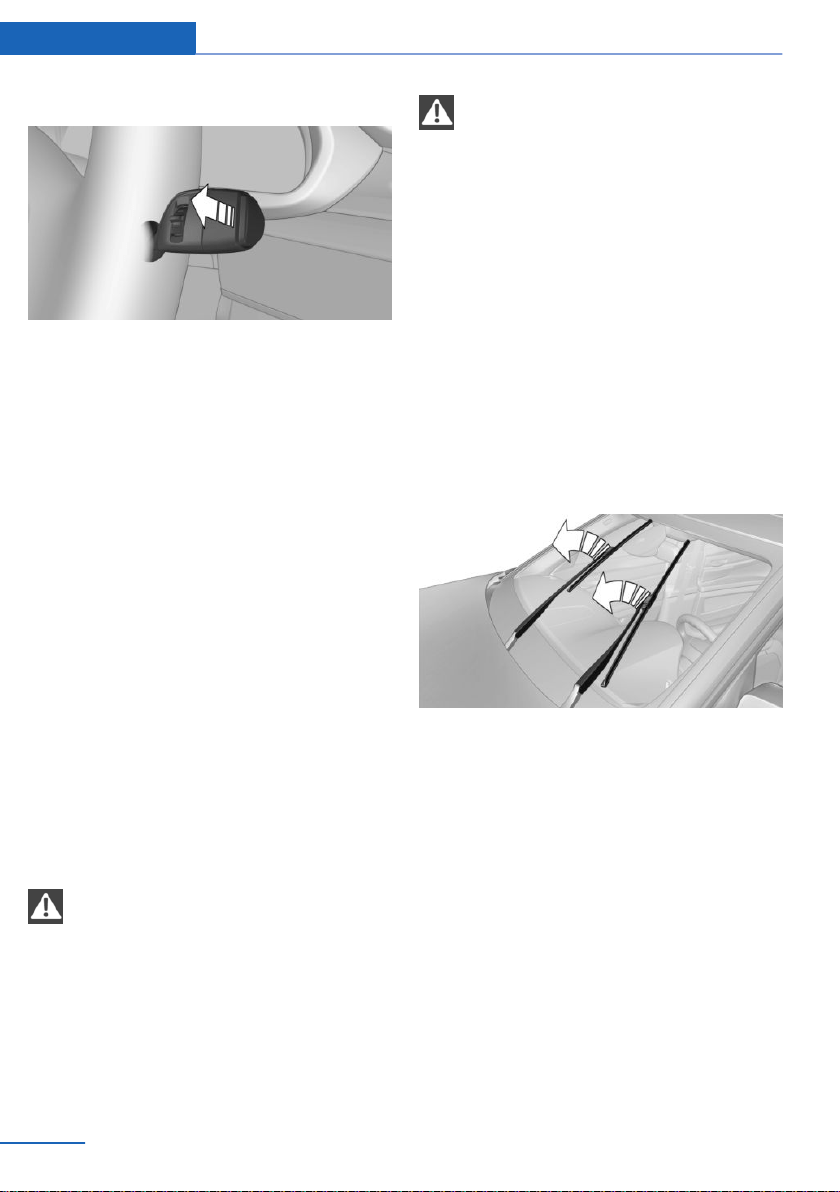
Cleaning the windshield
Pull the lever.
The system sprays washer fluid on the wind‐
shield and activates the wipers briefly.
In addition, the headlights are cleaned at regu‐
lar intervals when the vehicle's lights are
switched on.
Windshield washer nozzles
The washer jets are automatically heated
whenever the ignition is switched on.
Fold-away position of the wipers
Concept
The wipers can be folded away from the wind‐
shield in the fold-away position.
General information
Important, e.g., when changing the wiper
blades or when folding out under frosty condi‐
tions.
Safety information
WARNING
If the wipers start moving in the folded
away state, body parts can be jammed or dam‐
age may occur to parts of the vehicle. There is
a risk of injury or risk of property damage.
Make sure that the vehicle is switched off
when the wipers are in the folded away state
and the wipers are folded in when switching
on.◀
NOTE
If the wipers are frozen to the windshield,
the wiper blades can be torn off and the wiper
motor can overheat when switching on. There
is a risk of damage to property. Defrost the
windshield prior to switching the wipers on.◀
Folding away the wipers
1. Switch the ignition on and off again.
2. With frosty conditions, make sure that the
blades are not frozen to the windshield
3. Press the wiper lever up beyond the point
of resistance and hold it for approx. 3 sec‐
onds, until the wipers remain in a nearly
vertical position
4. Fold the wipers all the way away from the
windshield.
Folding down the wipers
After the wipers are folded back down, the
wiper system must be reactivated.
1.
Fold the wipers back down onto the wind‐
shield.
2. Switch on the ignition.
3. Push wiper lever down. Wipers return to
their resting position and are ready again
for operation.
Seite 80
Controls Driving
80
Online Edition for Part no. 01402981185 - VI/17
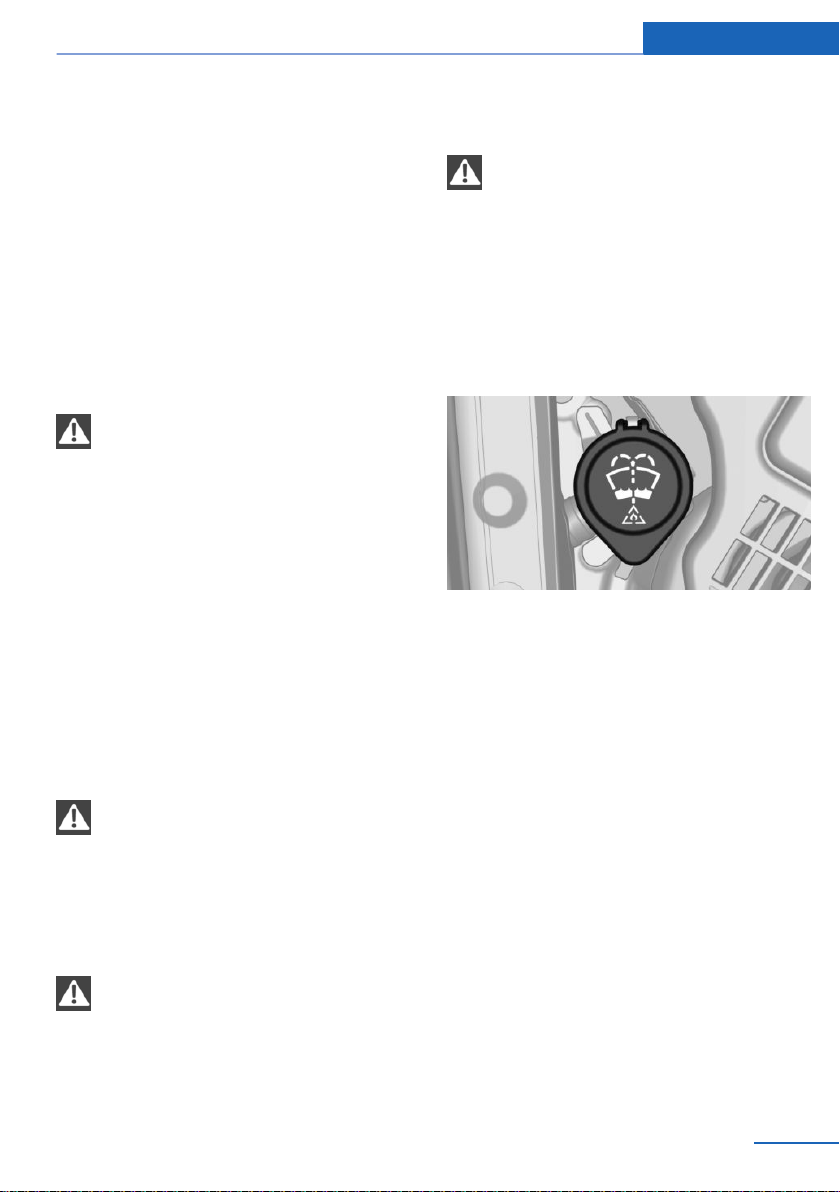
Washer fluid
General information
All washer nozzles are supplied from one res‐
ervoir.
Use a mixture of tap water and windshield
washer concentrate. If desired, a windshield
washer concentrate containing antifreeze can
be used.
Recommended minimum fill quantity:
0.2 US gal/1 liter.
Safety information
WARNING
Some antifreeze agents can contain
harmful substances and are flammable. There
is a risk of fire and a risk of injury. Observe the
instructions on the containers. Keep antifreeze
away from ignition sources. Do not refill oper‐
ating materials into different bottles. Store op‐
erating materials out of reach of children.
United States: the washer fluid mixture ratio is
regulated by the U.S. EPA and many individual
states; do not exceed the allowable washer
fluid dilution ratio limits that apply. Follow the
usage instructions on the washer fluid con‐
tainer.
Use of BMW’s Windshield Washer Concen‐
trate or the equivalent is recommended.◀
WARNING
Washer fluid can ignite and catch fire on
contact with hot engine parts. There is a risk of
injury or risk of property damage. Only add
washer fluid when the engine is cooled down.
Next, fully close the lid of the washer fluid res‐
ervoir.◀
NOTE
Silicon-containing additives in the
washer fluid for the water-repelling effect on
the windows can lead to damage to the wash‐
ing system. There is a risk of property damage.
Do not add silicon-containing additives to the
washer fluid.◀
NOTE
Mixing different windshield washer con‐
centrates or antifreeze can damage the wash‐
ing system. There is a risk of damage to prop‐
erty. Do not mix different windshield washer
concentrates or antifreeze. Follow the informa‐
tion and mixing ratios provided on the contain‐
ers.◀
Overview
The washer fluid reservoir is located in the en‐
gine compartment.
Malfunction
The use of undiluted windshield washer con‐
centrate or alcohol-based antifreeze can lead
to incorrect readings at temperatures below
+5 ℉/-15 ℃.
Steptronic transmission
Concept
The Steptronic transmission combines the
functions of an automatic transmission with
the possibility of manual shifting, if needed.
Seite 81
Driving Controls
81
Online Edition for Part no. 01402981185 - VI/17
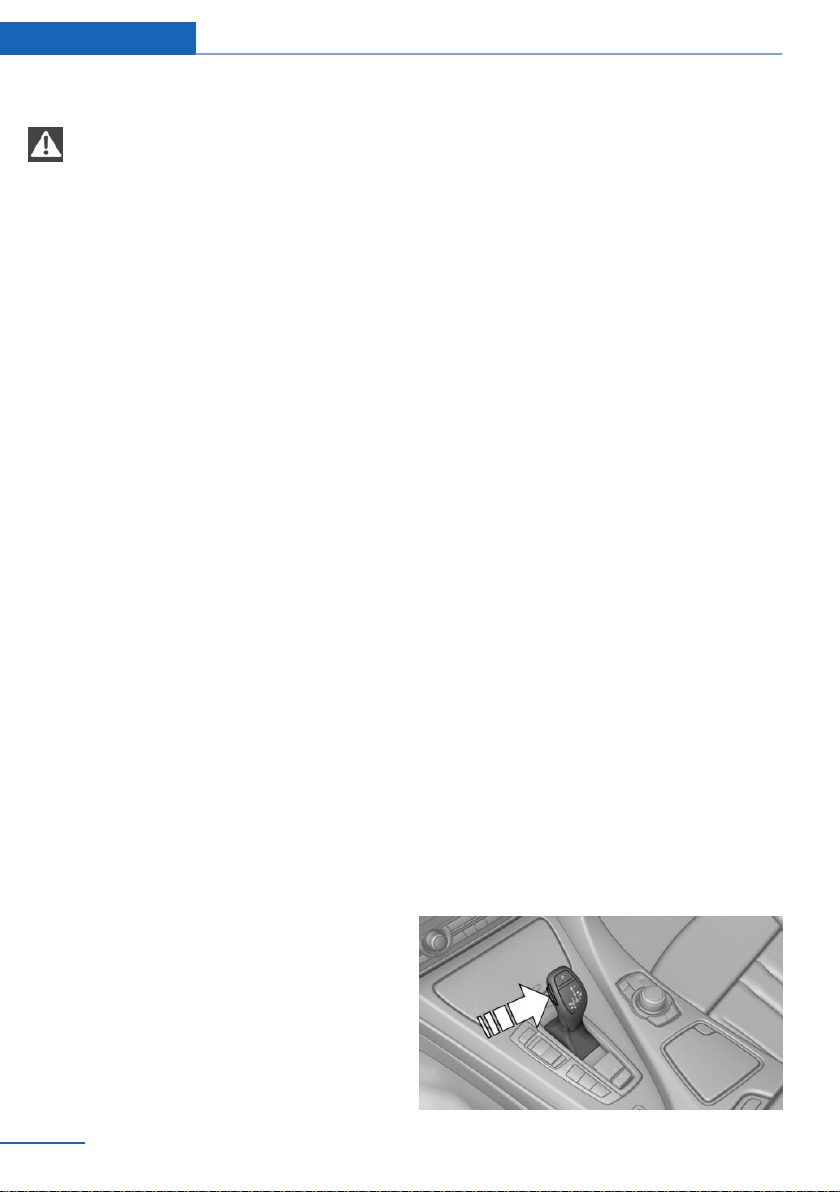
Safety information
WARNING
An unsecured vehicle can begin to move
and possibly roll away. There is a risk of an ac‐
cident. Before exiting, secure the vehicle
against rolling.
In order to ensure that the vehicle is secured
against rolling away, observe the following:
▷ Set the parking brake.
▷ On uphill grades or on a downhill slope,
turn the front wheels in the direction of the
curb.
▷ On uphill grades or on a downhill slope,
also secure the vehicle, e.g., with a wheel
chock.◀
Selector lever positions
Drive mode D
Selector lever position for normal vehicle oper‐
ation. All gears for forward travel are activated
automatically.
Reverse R
Engage selector lever position R only when the
vehicle is stationary.
Neutral N
The vehicle may be pushed or roll without
power, for instance in vehicle washes, refer to
page 83, in selector lever position N.
Parking position P
Selector lever position, for instance for parking
the vehicle.
The transmission blocks the drive wheels in
selector lever position P.
Engage selector lever position P only when the
vehicle is stationary.
Selector lever position P is engaged automati‐
cally in the following situations:
▷ After the engine is switched off when the
vehicle is in radio-ready state, refer to
page 70, or when the ignition is switched
off, refer to page 70, and when selector
lever position R or D is set.
▷ If, with the vehicle stationary and the selec‐
tor lever in position D or R, the driver's
safety belt unbuckled, the driver's door is
opened, and the brake pedal is not de‐
pressed.
Engaging selector lever positions
General information
To prevent the vehicle from creeping after you
select a drive mode, maintain pressure on the
brake pedal until you are ready to start.
Functional requirements
Only when the engine is running and the brake
pedal is depressed is it possible to change
from selector lever position P to another selec‐
tor lever position.
Engaging selector lever position D, N,
R
A selector lever lock prevents the following
faulty operation:
▷ Unintentional shifting into selector lever
position R.
▷ Unintentional shifting from selector lever
position P into another selector lever posi‐
tion.
1. Press and hold the button to release the
selector lever lock.
Seite 82
Controls Driving
82
Online Edition for Part no. 01402981185 - VI/17
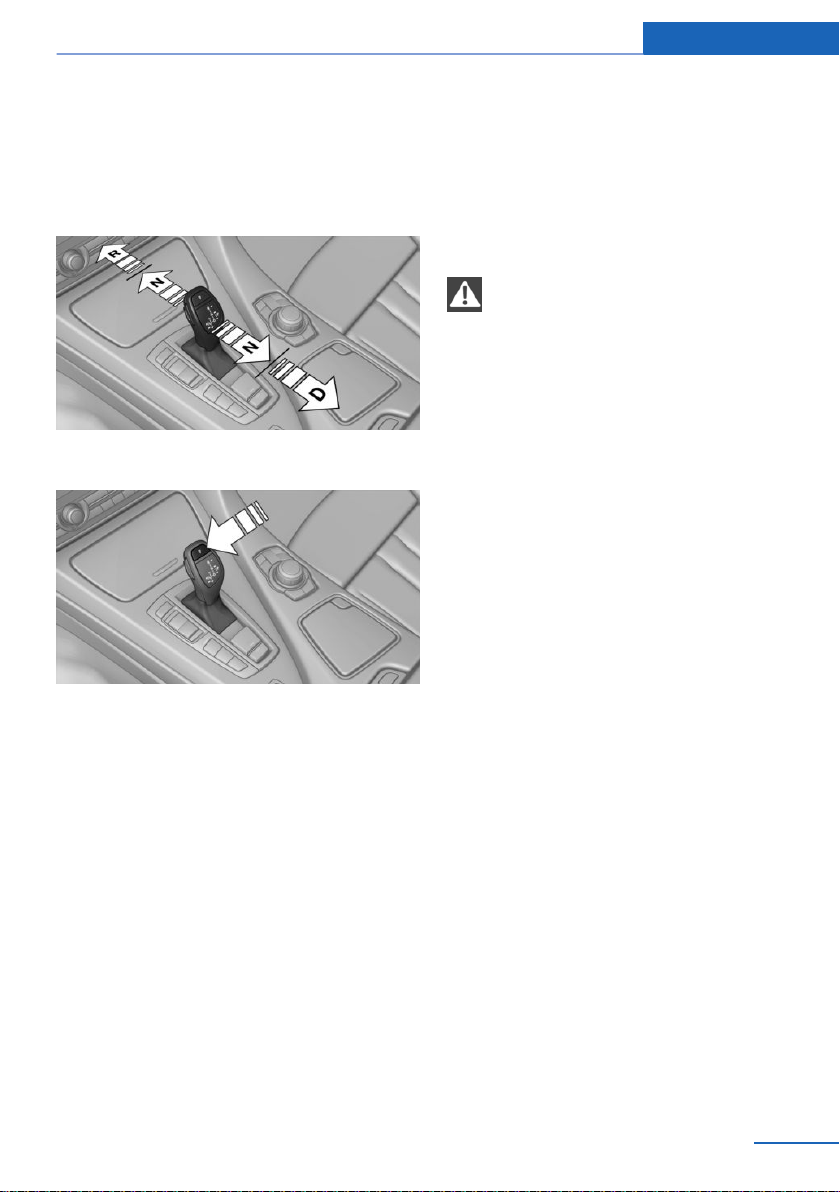
2. With the driver's safety belt fastened,
briefly push the selector lever in the de‐
sired direction, past a resistance point, if
needed. The selector lever automatically
returns to the center position when re‐
leased.
Engaging selector lever position P
Press button P.
Rolling or pushing the vehicle
General information
In some situations, the vehicle is to roll without
its own power for a short distance, for instance
in a vehicle wash, or be pushed.
Engaging selector lever position N
1.
Start the engine while pressing on the
brake pedal.
2. If necessary, release the parking brake.
3. If necessary, deactivate Automatic Hold,
refer to page 75.
4. Depress the brake pedal.
5. Touch the selector lever lock and engage
selector lever position N.
6. Switch the engine off.
In this way, the ignition remains switched
on, and a Check-Control message is dis‐
played.
The vehicle may roll.
NOTE
Selector lever position P is automatically
engaged when the ignition is switched off.
There is a risk of property damage. Do not
switch drive-ready state off in vehicle
washes.◀
Irrespective of the ignition, the selector lever
position P is automatically engaged after ap‐
prox. 15 minutes.
If there is a malfunction, you may not be able to
change the selector lever position.
Electronically unlock the transmission lock, if
needed, refer to page 85.
Kickdown
Kickdown is used to achieve maximum driving
performance.
Step on the accelerator pedal beyond the re‐
sistance point at the full throttle position.
Sport program M/S
Concept
The shifting points and shifting times in the
Sport program are designed for a sportier driv‐
ing style. The transmission, for instance shifts
up later and the shifting times are shorter.
Seite 83
Driving Controls
83
Online Edition for Part no. 01402981185 - VI/17
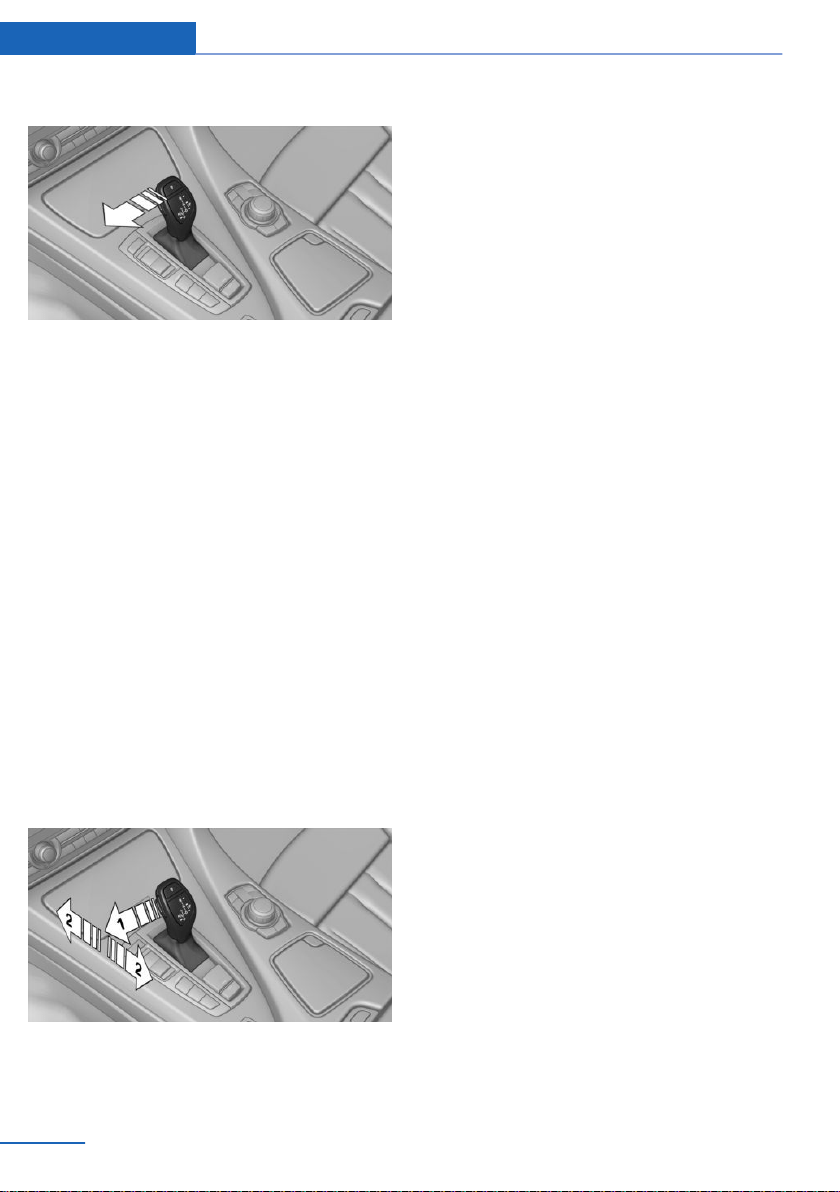
Activating the sport program
Press the selector lever to the left out of selec‐
tor lever position D.
The engaged gear is displayed in the instru‐
ment cluster, for instance S1.
The sport program of the transmission is acti‐
vated.
Ending the Sport program
Push the selector lever to the right.
D is displayed in the instrument cluster.
Manual mode M/S
Concept
Manual gear-shifting is possible in manual
mode.
Activating manual mode
1.
Press the selector lever to the left out of
selector lever position D, arrow 1.
2. Push the selector lever forward or pull it
backward, arrows 2.
Manual mode becomes active and the gear is
changed.
The engaged gear is displayed in the instru‐
ment cluster, for instance M1.
Shifting
▷ To shift down: press the selector lever for‐
ward.
▷ To shift up: pull the selector lever rear‐
wards.
The transmission continues shifting automati‐
cally in certain situations, for instance when
speed limits are reached.
Steptronic Sport transmission:
prevent automatic upshifting in M/S
manual mode
The Steptronic Sport transmission does not
automatically upshift in M/S manual mode
once the maximum speed is reached, if one of
the following conditions is met:
▷ DSC Dynamic Stability Control deacti‐
vated.
▷ Dynamic Traction Control DTC activated.
▷ SPORT+ activated.
Depending on the BMW M drive configuration,
this function is active independently of the
above-specified conditions.
In addition, there is no downshifting for kick‐
down.
With the respective transmission version, the
lowest possible gear can be selected by simul‐
taneously operating the kickdown and the left
shift paddles. This is not possible by switching
briefly via the shift paddles from selector lever
position D to manual mode M/S.
Ending the manual mode
Push the selector lever to the right.
D is displayed in the instrument cluster.
Seite 84
Controls Driving
84
Online Edition for Part no. 01402981185 - VI/17
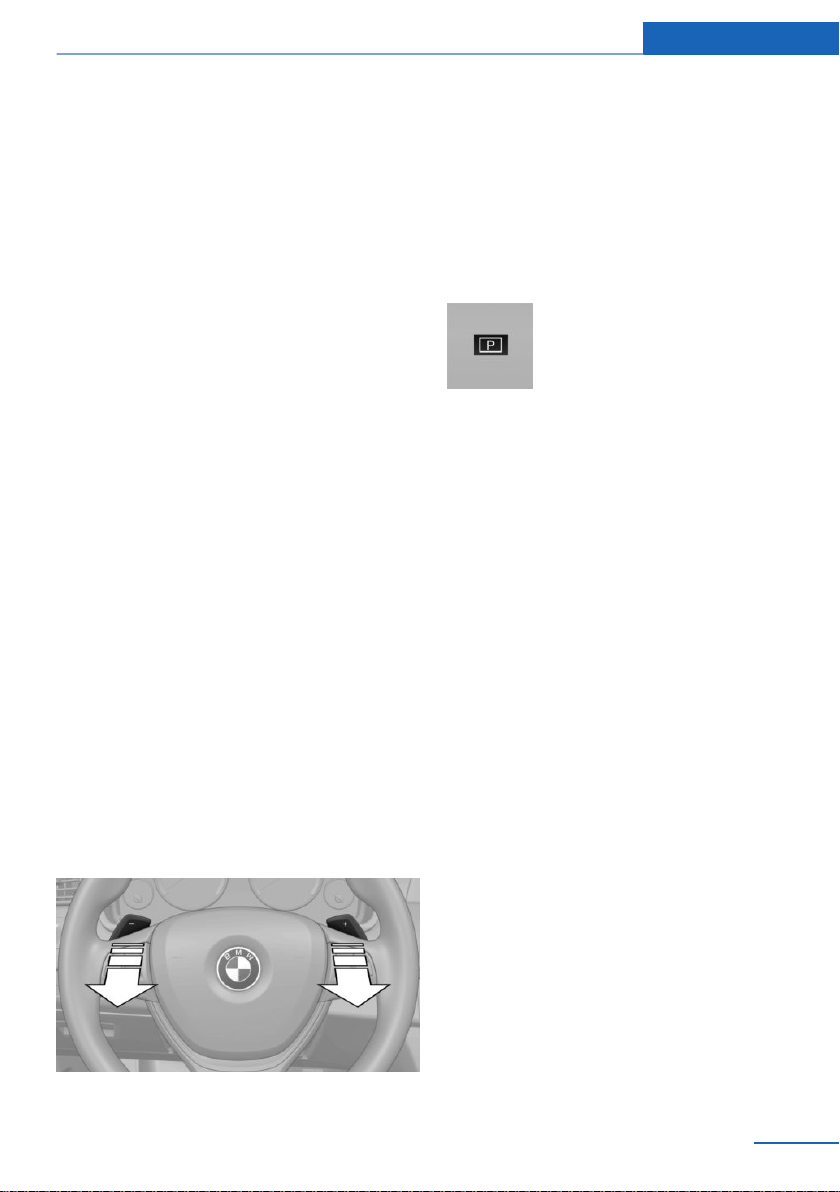
Shift paddles
Concept
The shift paddles on the steering wheel allow
you to shift gears quickly while keeping both
hands on the steering wheel.
General information
Shifting
The vehicle only shifts at suitable engine and
road speeds.
Short-term manual mode
In selector lever position D, actuating a shift
paddle switches into manual mode tempora‐
rily.
After conservative driving in manual mode
without acceleration or shifting via the shift
paddles for a certain amount of time, the trans‐
mission switches back to automatic mode.
With some transmission versions it is possible
to switch into automatic mode as follows:
▷ Pull and hold right shift paddle.
▷ In addition to the briefly pulled right shift
paddle, briefly pull the left shift paddle.
Continuous manual mode
In selector lever position S, actuating a shift
paddle switches into manual mode perma‐
nently.
Shifting
▷ To shift up: briefly pull right shift paddle.
▷ To shift down: briefly pull left shift paddle.
▷ With the respective transmission version,
the lowest possible gear can be selected
by pulling and holding the left shift paddle.
The selected gear is briefly displayed in the in‐
strument cluster, followed by the current gear.
Displays in the instrument cluster
The selector lever position is dis‐
played, for example P.
Electronic unlocking of the
transmission lock
General information
Electronically unlock the transmission lock to
maneuver vehicle from a danger area.
Unlocking is possible, if the starter can spin the
engine.
Before unlocking the transmission lock, set the
parking brake to prevent the vehicle from roll‐
ing away.
Engaging selector lever position N
1.
Press and hold down brake pedal.
2. Press the Start/Stop button. The starter
must audibly start.
3. Press the button on the selector lever, ar‐
row 1, and press and hold the selector
lever into selector lever position N, ar‐
row N, until selector lever position N is dis‐
played in the instrument cluster.
Seite 85
Driving Controls
85
Online Edition for Part no. 01402981185 - VI/17
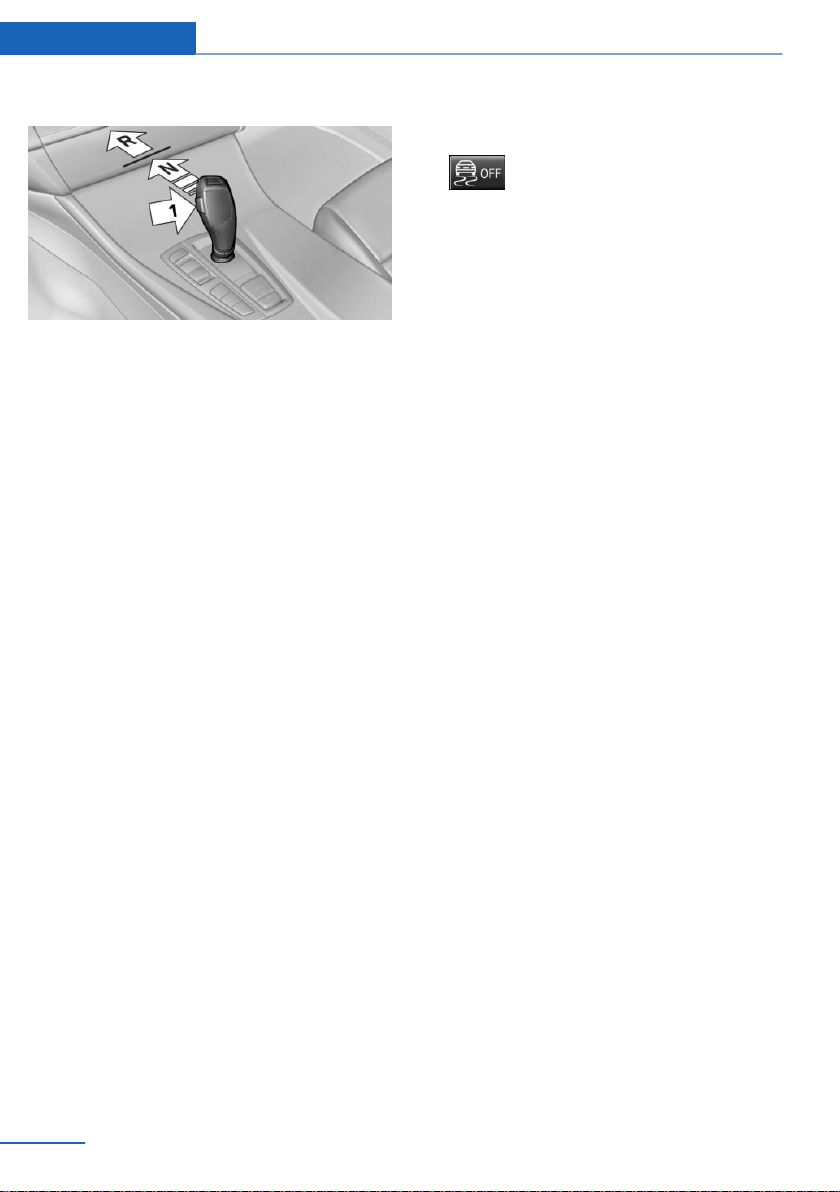
A Check Control message is displayed.
4. Release the selector lever.
5. Release brake, as soon as the starter
stops.
6. Maneuver the vehicle from the danger area
and secure it against moving on its own.
For additional information, see the chapter on
tow-starting and towing.
Steptronic Sport transmission:
Launch Control
Concept
Launch Control enables optimum acceleration
on surfaces with good traction under dry sur‐
rounding conditions.
General information
The use of Launch Control causes premature
component wear since this function represents
a very heavy load for the vehicle.
Do not use Launch Control during the break-in,
refer to page 200, period.
To start with Launch Control do not steer the
steering wheel.
Functional requirements
Launch Control is available when the engine is
warmed up, that is, after uninterrupted driving
of at least 6 miles/10 km.
Start with launch control
While the engine is running:
1.
Press button or select Sport+ with
the Driving Dynamics Control.
TRACTION is displayed in the instrument
cluster and the indicator light for DSC OFF
lights up.
2. Engage selector lever position S.
3. With the left foot, forcefully press down on
the brake.
4. Press and hold down the accelerator pedal
beyond the resistance point at the full
throttle position, kickdown.
A flag symbol is displayed in the instru‐
ment cluster.
5. The starting engine speed adjusts. Within
3 seconds, release the brake.
Repeated use during a trip
After Launch Control was used, the transmis‐
sion must cool down for approx. 5 minutes, be‐
fore Launch Control can be used again.
Launch Control adjusts to the surrounding
conditions, when used again.
After using Launch Control
To increase vehicle stability, activate DSC Dy‐
namic Stability Control again.
System limits
An experienced driver may be able to achieve
better acceleration values in DSC OFF mode.
Seite 86
Controls Driving
86
Online Edition for Part no. 01402981185 - VI/17
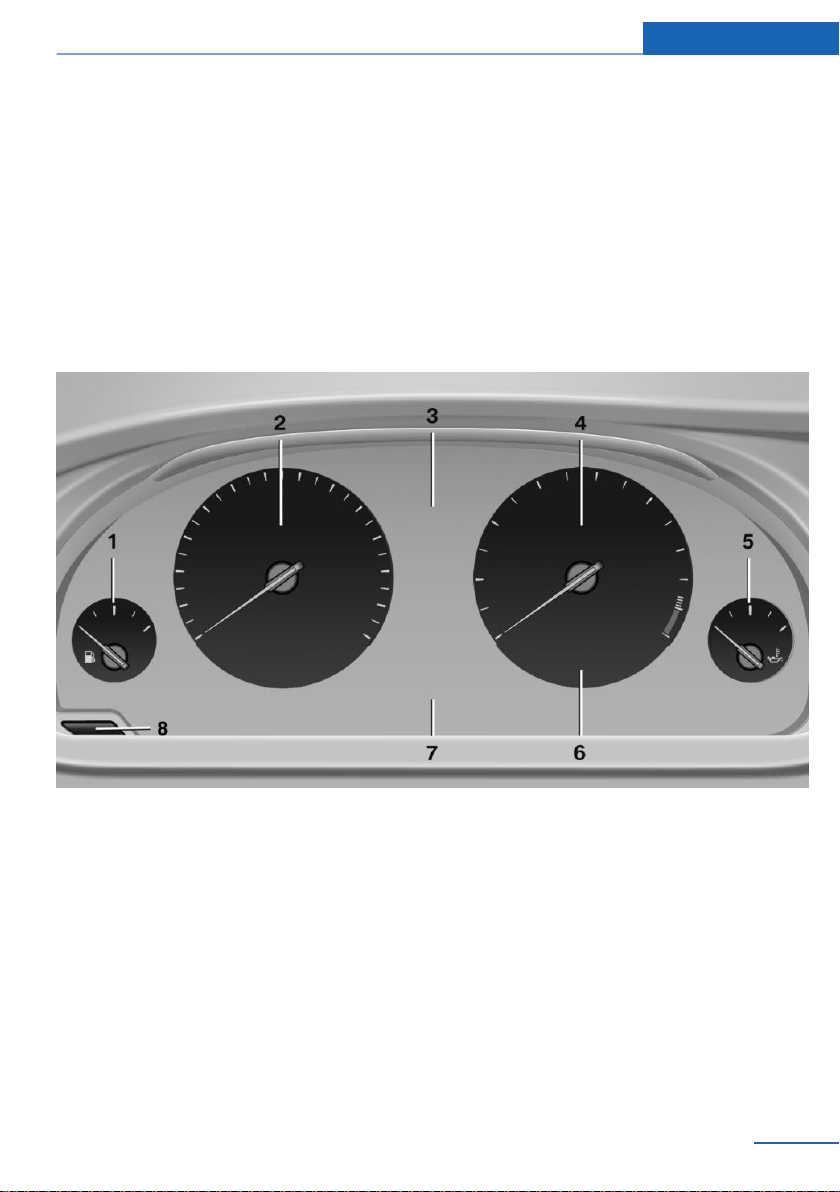
Displays
Vehicle features and options
This chapter describes all standard, country-
specific and optional features offered with the
series. It also describes features that are not
necessarily available in your vehicle, e. g., due
to the selected options or country versions.
This also applies to safety-related functions
and systems. When using these functions and
systems, the applicable laws and regulations
must be observed.
Overview, instrument cluster
1 Fuel gauge 95
2 Speedometer
3 Messages, for instance Check Control
4 Tachometer 95
5 Engine oil temperature 95
6 Current fuel consumption
7 Electronic displays 87
8 Reset miles 96
Electronic displays
▷ Selection lists, refer to page 100.
▷ External temperature, refer to page 96.
▷ Auto Start/Stop function, refer to page 72.
▷ Onboard Computer, refer to page 100.
▷ Date, refer to page 96.
▷ Energy recovery, refer to page 97.
▷ Transmission display, refer to page 85.
▷ Miles/trip miles, refer to page 96.
Seite 87
Displays Controls
87
Online Edition for Part no. 01402981185 - VI/17
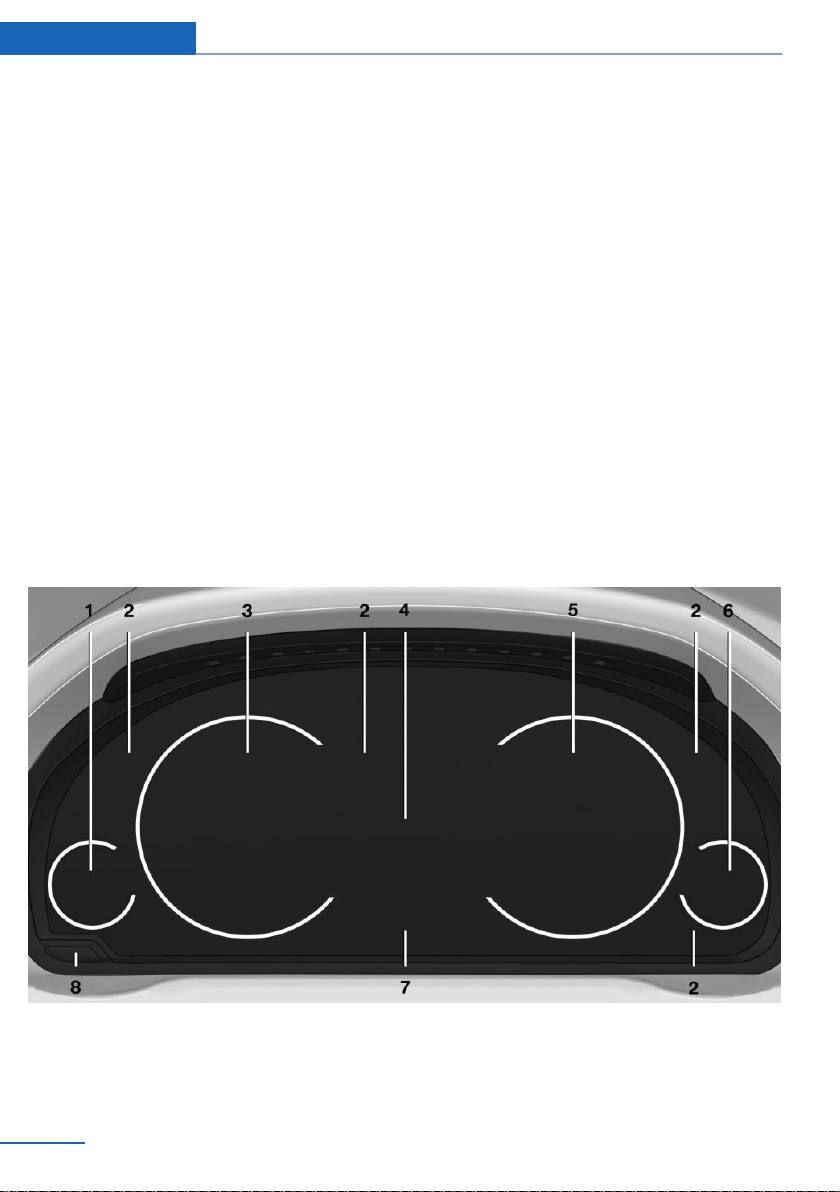
▷ Messages, for instance Check Control, re‐
fer to page 91.
▷ Current fuel consumption, refer to
page 97.
▷ Navigation display, see Owner's Manual for
Navigation, Entertainment and Communi‐
cation.
▷ Range, refer to page 96.
▷ Status, Driving Dynamics Control, refer to
page 149.
▷ Service requirements, refer to page 97.
▷ Speed Limit Info, refer to page 98.
▷ Time, refer to page 96.
Multifunctional instrument display
Concept
The instrument display is a variable display. In
the event of a program change, the display
rendition adapts to the respective program
through the Driving Dynamics Control.
General information
The change of the display type can be deacti‐
vated via iDrive.
Some of the displays in the instrument display
may differ from the way they are shown in this
Owner's Manual.
Overview
1 Fuel gauge 95
2 Indicator/warning lights 91
3 Speedometer
4 Variable displays
5 Tachometer 95
Selection lists 100
Seite 88
Controls Displays
88
Online Edition for Part no. 01402981185 - VI/17
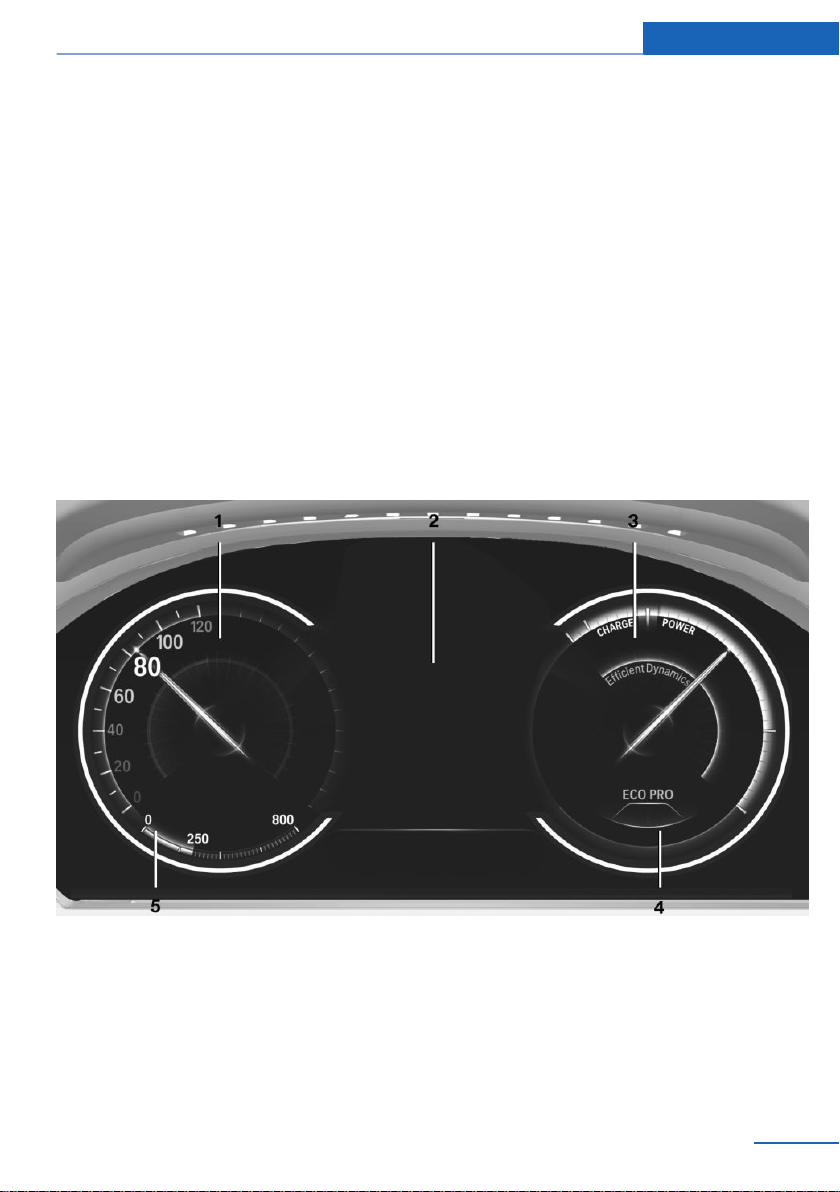
ECO PRO displays 208
6 Engine oil temperature 95
7 Onboard Computer 100
8 Reset miles 96
Switching the change of display on
and off
You can set whether the instrument display
automatically changes to the ECO PRO or
SPORT in the display when you switch driving
modes.
On the Control Display:
1. "Settings"
2. "Instrument cluster"
3. "ECO PRO Info"
Or "Driving mode view"
With Professional Navigation System:
switching zoom function on/off
The current speed can be shown enlarged in
the speedometer.
Using iDrive:
1. "Settings"
2. "Instrument cluster"
3. "Magnifier function"
ECO PRO displays
1 Speedometer
2 Variable displays: ECO PRO Tips, Deceler‐
ation assistant instructions, Driver assist
system displays
3 Efficiency display 208
4 Transmission display
5 ▷ Blue: bonus range
▷ Gray: range
Seite 89
Displays Controls
89
Online Edition for Part no. 01402981185 - VI/17
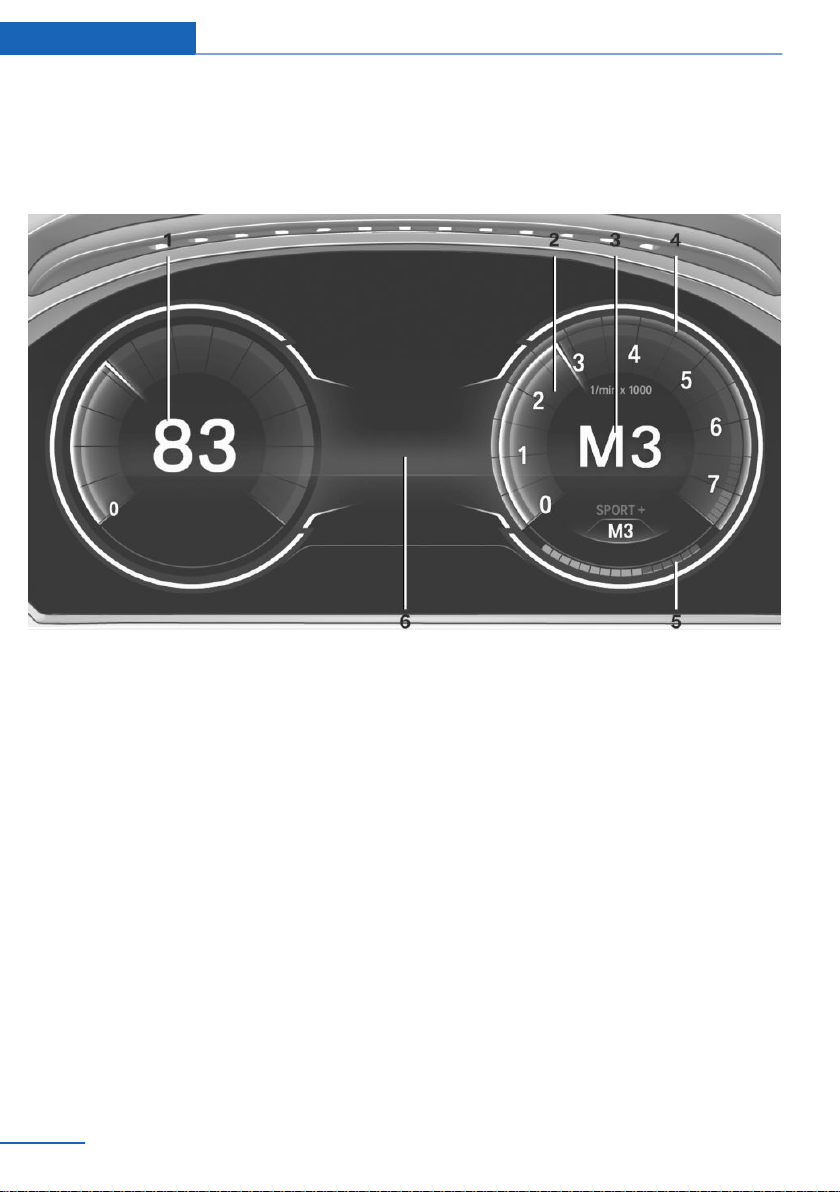
In the ECO PRO program the instrument dis‐
play switches to the ECO PRO displays. These
displays support a driving style that saves on
fuel consumption with more prominent repre‐
sentation of the efficiency display and various
ECO PRO tips.
Sport displays
1 Speedometer
2 Tachometer 95
3 Transmission display
4 Shift lights, when respectively equipped
5 Performance display
6 Variable displays
In the Sport and Sport+ programs the instru‐
ment display switches to a sporty view. This
view supports a sporty driving style with more
prominent representation of the tachometer,
the transmission displays, and the vehicle
speed.
Shift point indicator
The concept
The shift point indicator indicates the optimum
shift moment in the tachometer. Thus, with a
sporty driving style, the best possible vehicle
acceleration is achieved.
General information
Steptronic Sport transmission: shift lights are
shown, when the SPORT+ driving program is
activated. The M manual mode of the trans‐
mission must be activated too.
Switching on shift lights
Steptronic Sport transmission:
1. Select SPORT+ using the Driving Dynam‐
ics Control.
2. Activate the M/S manual mode of the
transmission.
Seite 90
Controls Displays
90
Online Edition for Part no. 01402981185 - VI/17
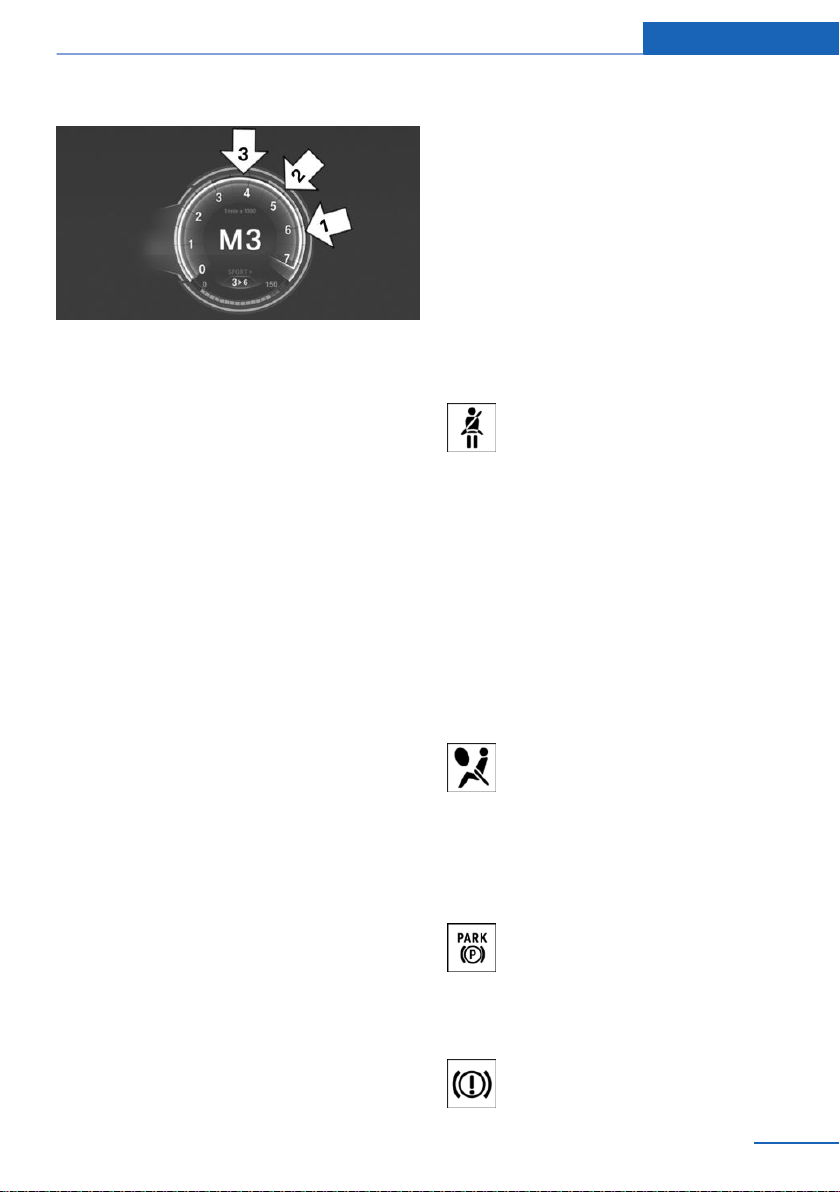
Display
▷ Current engine speed is displayed in the
tachometer.
▷ Arrow 1: successive yellow illuminated
fields indicate an increase in the speed.
▷ Arrow 2: successive orange illuminated
fields indicate the upcoming shift moment.
▷ Arrow 3: fields are illuminated in red. Do
not wait any further to shift.
When the maximum possible speed is
reached, the entire display flashes. When the
maximum speed is exceeded, the supply of
fuel is interrupted in order to protect the en‐
gine.
Check Control
Concept
The Check Control system monitors functions
in the vehicle and notifies you of malfunctions
in the monitored systems.
General information
A Check Control message is displayed as a
combination of indicator or warning lights and
SMS text messages in the instrument cluster
and in the Head-up Display.
In addition, an acoustic signal may sound and
an SMS text message may appear on the Con‐
trol Display.
Indicator/warning lights
General information
The indicator and warning lights in the instru‐
ment cluster can light up in a variety of combi‐
nations and colors.
Several of the lights are checked for proper
functioning and light up temporarily when the
engine is started or the ignition is switched on.
Red lights
Safety belt reminder
Safety belt on the driver's side is not
buckled. For some country-specific
models: passenger belt is not worn or
objects are detected on the front passenger
seat.
Indicator lamp flashes or is illuminated: safety
belt on the driver or passenger side is not
buckled. The safety belt reminder can also be
activated if objects are placed on the front pas‐
senger seat.
Make sure that the safety belts are positioned
correctly.
Airbag system
Airbag system and belt tensioner are
not working.
Have the vehicle checked immediately
by a dealer’s service center or another quali‐
fied service center or repair shop.
Parking brake
The parking brake is set.
Release the parking brake, refer to
page 75.
Brake system
Seite 91
Displays Controls
91
Online Edition for Part no. 01402981185 - VI/17
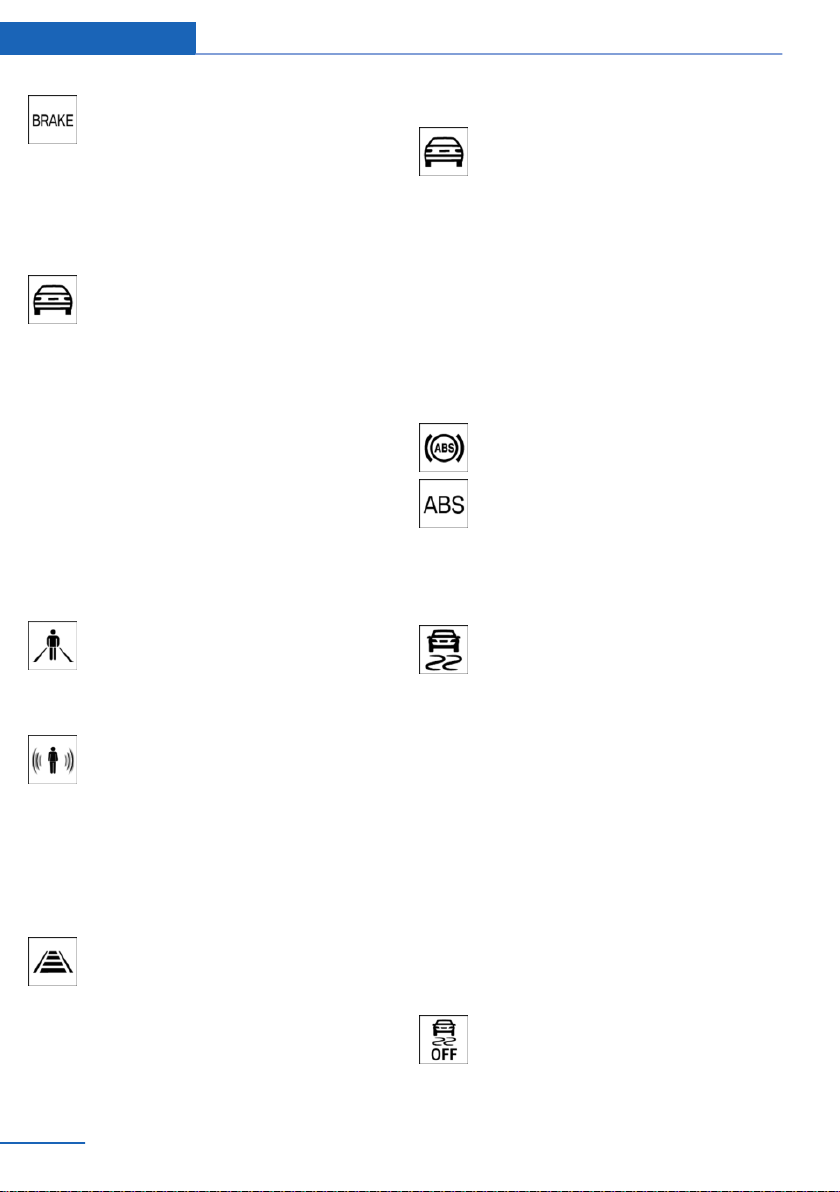
Braking system impaired. Continue to
drive moderately.
Have the vehicle checked immediately
by a dealer’s service center or another quali‐
fied service center or repair shop.
Approach control warning
Indicator light illuminates: advance
warning is issued, for example when
there is the impending danger of a col‐
lision or the distance to the vehicle ahead is
too small.
Increase distance.
Indicator light flashes: acute warning of the im‐
minent danger of a collision when the vehicle
approaches another vehicle at a relatively high
differential speed.
Intervention by braking or make an evasive ma‐
neuver.
Person warning
Symbol in the instrument cluster.
If a collision with a person detected in
this way is imminent, the symbol lights
up and a signal sounds.
Symbol in the instrument display.
If a collision with a person detected in
this way is imminent, the symbol lights
up and a signal sounds.
Orange lights
Active Cruise Control
The number bars shows the selected
distance from the vehicle driving
ahead.
Active Cruise Control with Stop&Go function,
ACC, refer to page 152.
Vehicle detection, Active Cruise Control
Indicator light illuminates: a vehicle has
been detected ahead of you.
Indicator light flashes: the conditions
are not adequate for the system to work.
The system was deactivated but applies the
brakes until you actively resume control by
pressing on the brake pedal or accelerator
pedal.
Yellow lights
Anti-lock Braking System ABS
Braking force boost may not be work‐
ing. Avoid abrupt braking. Take the lon‐
ger braking distance into account.
Have the system immediately checked
by a dealer’s service center or another
qualified service center or repair shop.
DSC Dynamic Stability Control
The indicator light flashes: DSC con‐
trols the drive and braking forces. The
vehicle is stabilized. Reduce speed and
modify your driving style to the driving circum‐
stances.
The indicator light lights up: DSC has malfunc‐
tioned.
Have the system checked by a dealer’s service
center or another qualified service center or re‐
pair shop.
DSC Dynamic Stability Control, refer to
page 145.
DSC Dynamic Stability Control is
deactivated or DTC Dynamic Traction
Control is activated
DSC Dynamic Stability Control is deac‐
tivated or DTC Dynamic Traction Con‐
trol is activated.
Seite 92
Controls Displays
92
Online Edition for Part no. 01402981185 - VI/17
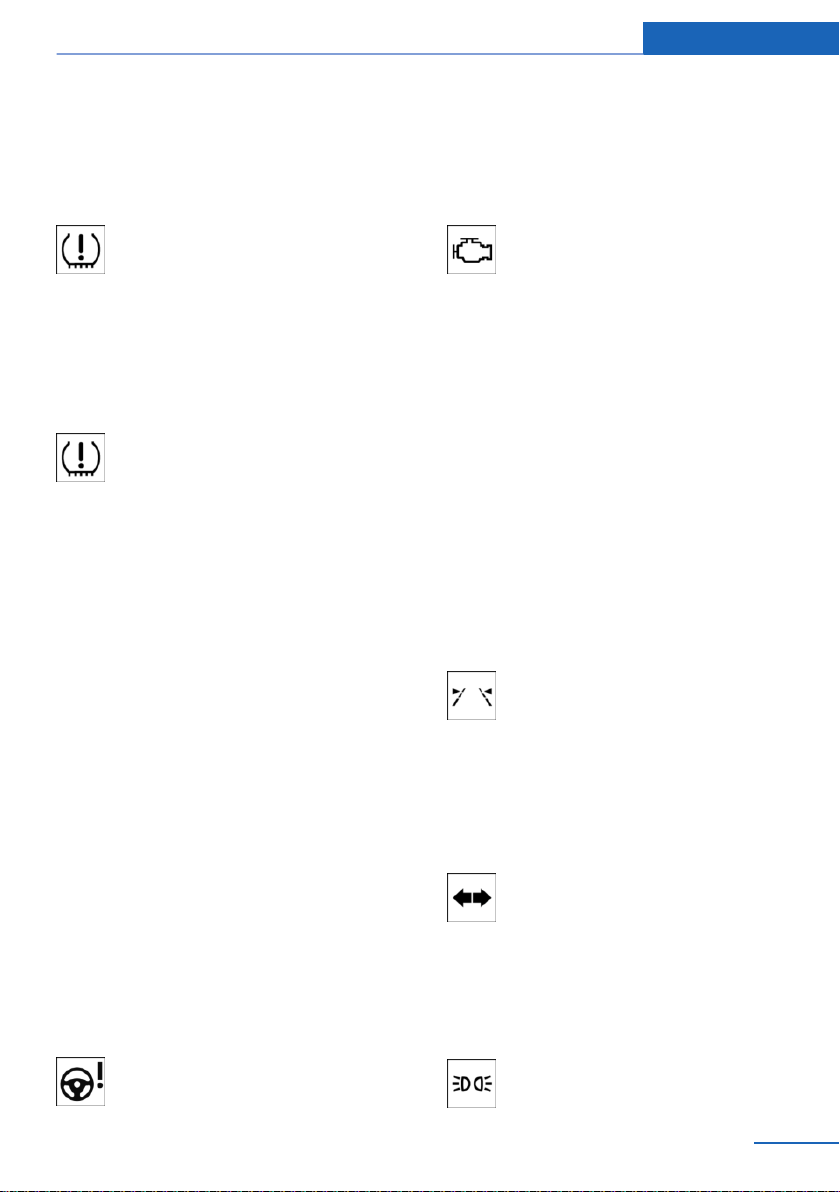
DSC Dynamic Stability Control, refer to
page 145, and DTC Dynamic Traction Control,
refer to page 146.
Flat Tire Monitor FTM
The Flat Tire Monitor signals a loss of
tire inflation pressure in a tire.
Reduce your speed and stop cau‐
tiously. Avoid sudden braking and steering ma‐
neuvers.
Flat Tire Monitor, refer to page 121.
Tire Pressure Monitor TPM
The indicator light illuminates.
The Tire Pressure Monitor reports a
low tire inflation pressure or a flat tire.
Follow the information in the Check Control
message.
The indicator light flashes and then illuminates
continuously.
No flat tire or loss of tire inflation pressure can
be detected.
▷ Interference caused by systems or devices
with the same radio frequency: after leav‐
ing the area of the interference, the system
automatically becomes active again.
▷ TPM was unable to complete the reset.
Reset the system again.
▷ A wheel without TPM electronics is
mounted: have it checked by a dealer’s
service center or another qualified service
center or repair shop as needed.
▷ Malfunction: have the system checked by a
dealer’s service center or another qualified
service center or repair shop.
Tire Pressure Monitor, refer to page 116.
Steering system
Steering system in some cases not
working.
Have the system checked by a dealer’s service
center or another qualified service center or re‐
pair shop.
Emissions
▷ The warning light lights up:
Emissions are deteriorating. Have
the vehicle checked as soon as
possible.
▷ The warning light flashes under certain cir‐
cumstances:
This indicates that there is excessive mis‐
firing in the engine.
Reduce the vehicle speed and have the
system checked immediately; otherwise,
serious engine misfiring within a brief pe‐
riod can seriously damage emission con‐
trol components, in particular the catalytic
converter.
Socket for Onboard Diagnosis, refer to
page 247.
Lane departure warning
System is switched on and under cer‐
tain circumstances warns if a detected
lane is left without flashing beforehand.
Lane departure warning, refer to page 137.
Green lights
Turn signal
Turn signal switched on.
Unusually rapid flashing of the indicator
light indicates that a turn signal bulb
has failed.
Turn signal, refer to page 77.
Parking lights, headlight
Parking lights or headlights are
switched on.
Seite 93
Displays Controls
93
Online Edition for Part no. 01402981185 - VI/17
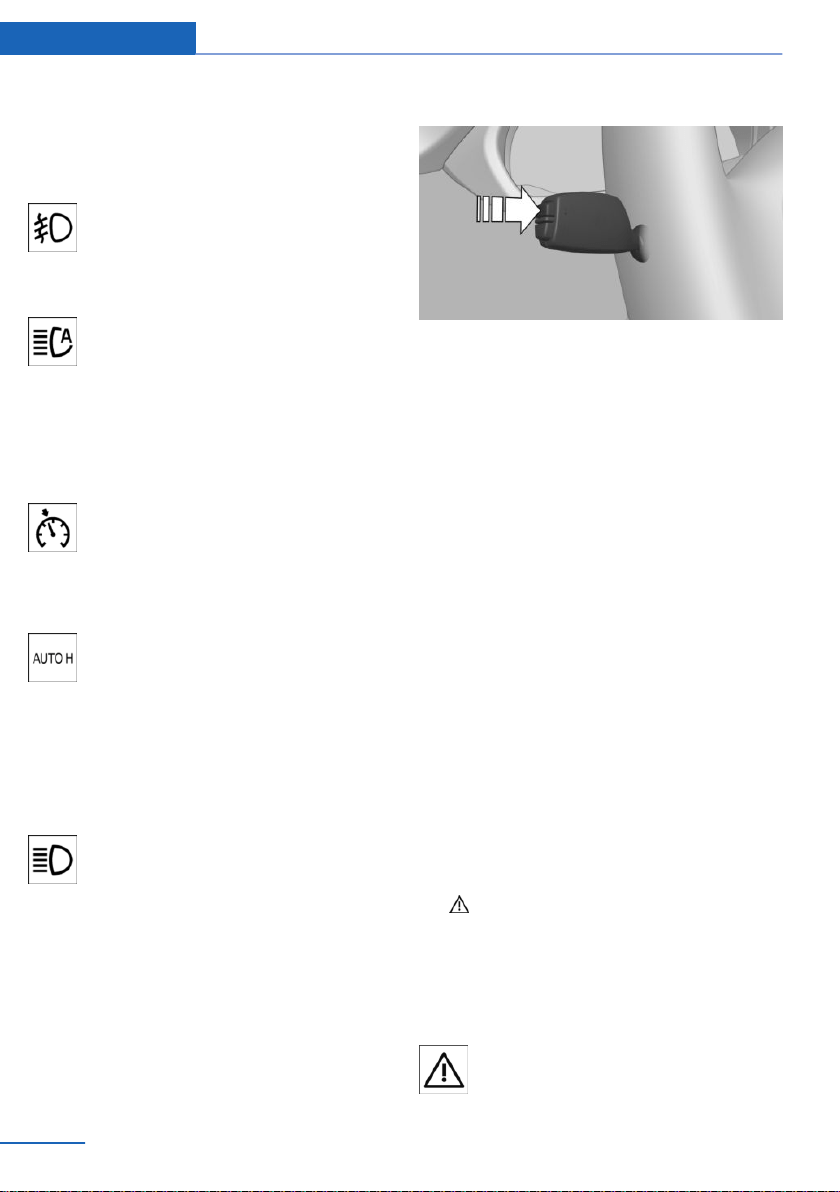
Parking lights/low beams, headlight control, re‐
fer to page 107.
Front fog lights
Front fog lights are switched on.
Front fog lights, refer to page 110.
High-beam Assistant
High-beam Assistant is switched on.
High beams are switched on and off
automatically depending on the traffic
situation.
High-beam Assistant, refer to page 109.
Cruise control
The system is switched on. It maintains
the speed that was set using the con‐
trol elements on the steering wheel.
Automatic Hold
Automatic Hold is activated. The vehi‐
cle is automatically held in place when
it is stationary.
Automatic Hold, refer to page 75.
Blue lights
High beams
High beams are switched on.
High beams, refer to page 77.
Hiding Check Control messages
Press and hold button on signal lever.
Continuous display
Some Check Control messages are displayed
continuously and are not cleared until the mal‐
function is eliminated. If several malfunctions
occur at once, the messages are displayed
consecutively.
These messages can be hidden for approx.
8 seconds. After this time, they are displayed
again automatically.
Temporary display
Other Check Control messages are hidden au‐
tomatically after approx. 20 seconds. These
Check Control messages are stored and can
be displayed again later.
Displaying stored Check Control
messages
Using iDrive:
1.
"Vehicle info"
2. "Vehicle status"
3. "Check Control"
4. Select the SMS text message.
Display
Check Control
At least one Check Control message is
displayed or is stored.
Seite 94
Controls Displays
94
Online Edition for Part no. 01402981185 - VI/17
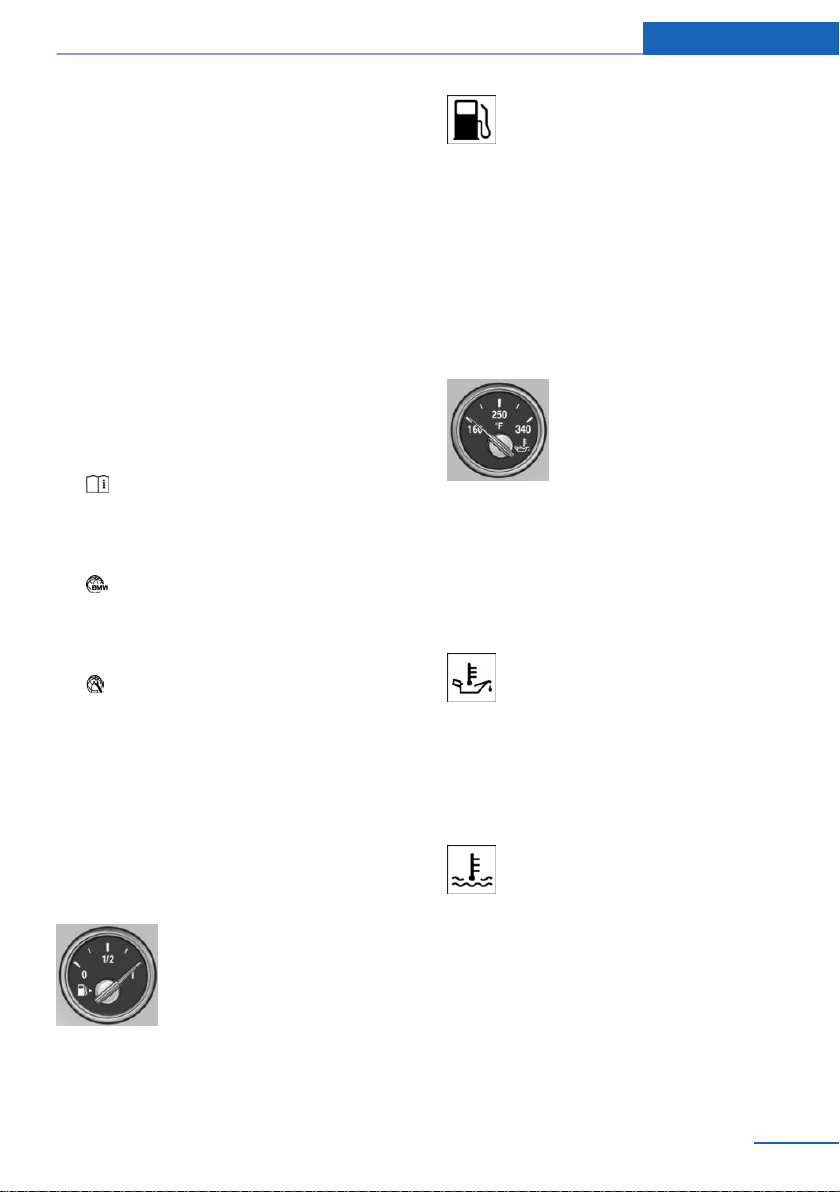
SMS text messages
SMS text messages in combination with a
symbol in the instrument cluster explain a
Check Control message and the meaning of
the indicator/warning lights.
Supplementary SMS text messages
Additional information, such as on the cause of
an error or the required action, can be called up
via Check Control.
With urgent messages the added text will be
automatically displayed on the Control Display.
Further help
Depending on the Check Control message,
further help can be selected.
▷ "Owner's Manual"
Display additional information about the
Check Control message in the Integrated
Owner's Manual.
▷ "Service request"
Contact a dealer’s service center or an‐
other qualified service center or repair
shop.
▷ "Roadside Assistance"
Contact Roadside Assistance.
Messages after trip completion
Special messages displayed while driving are
displayed again after the ignition is switched
off.
Fuel gauge
Depending on the equipment
version, the arrow beside the
fuel pump symbol shows which
side of the vehicle the fuel filler
flap is on.
Vehicle tilt position may cause the display to
vary.
Information on refueling, refer to page 216.
The yellow indicator light illuminates,
once the fuel reserve is reached.
Tachometer
Always avoid engine speeds in the red warning
field. In this range, the fuel supply is reduced to
protect the engine.
Engine oil temperature
▷ Cold engine: the pointer is at
the low temperature end.
Drive at moderate engine
and vehicle speeds.
▷ Normal operating tempera‐
ture: the pointer is in the
middle or in the left half of
the temperature display.
▷ Hot engine: the pointer is at the high end of
the temperature range. In addition, a Check
Control message is displayed.
When the engine oil temperature is too
high, a red indicator light is displayed.
Coolant temperature
If the coolant along with the engine becomes
too hot, a Check Control message is displayed.
A red indicator light is displayed.
Check the coolant level.
Seite 95
Displays Controls
95
Online Edition for Part no. 01402981185 - VI/17
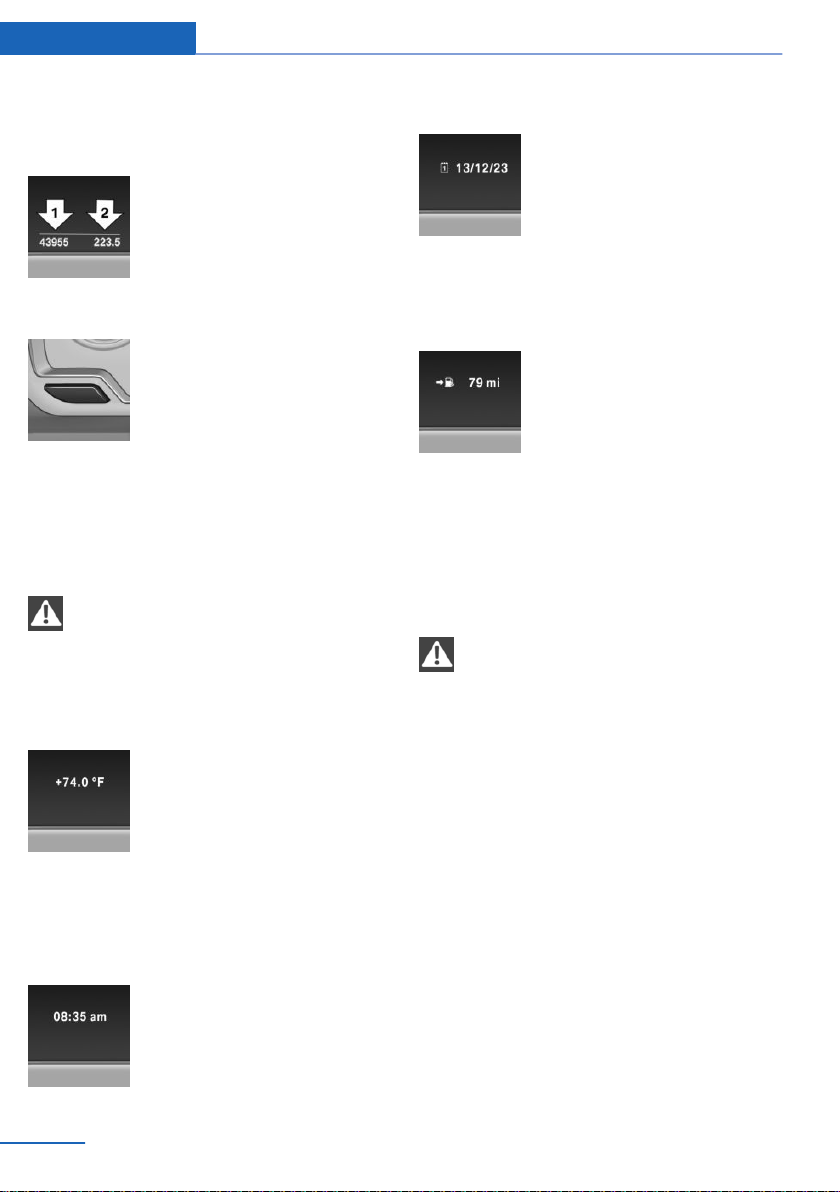
Odometer and trip odometer
Display
▷ Odometer, arrow 1.
▷ Trip odometer, arrow 2.
Show/reset miles
Press the button.
▷ When the ignition is
switched off, the time, the
external temperature and
the odometer are displayed.
▷ When the ignition is switched on, the trip
odometer is reset.
External temperature
WARNING
Even at temperatures above +37 ℉/+3 ℃
there can be a risk of icy roads, e.g., on bridges
or shady sections of road. There is a risk of an
accident. Adjust your driving style to the
weather conditions at low temperatures.◀
If the indicator drops to
+37 ℉/+3 ℃ or lower, a signal
sounds.
A Check Control message is
displayed.
There is an increased risk of ice on roads.
Time
The time is displayed at the bot‐
tom of the instrument cluster.
The time can be set on the Con‐
trol Display.
Date
The date is displayed in the On‐
board Computer.
The date and date format can be
set on the Control Display.
Range
Display
With a low remaining range:
▷ A Check Control message is
displayed briefly.
▷ The remaining range is
shown on the Onboard
Computer.
▷ With a dynamic driving style, for instance
taking curves aggressively, the engine
function is not always ensured.
The Check Control message appears continu‐
ously below a range of approx. 30 miles/50 km.
NOTE
With a range of less than 30 miles/50 km
it is possible that the engine will no longer have
sufficient fuel. Engine functions are not en‐
sured anymore. There is a risk of property
damage. Refuel promptly.◀
Displaying the cruising range
Depending on your vehicle's optional features,
the range can also be displayed as bar in the
instrument cluster.
Using iDrive:
1.
"Settings"
2. "Instrument cluster"
3. "Additional indicators"
Seite 96
Controls Displays
96
Online Edition for Part no. 01402981185 - VI/17

With navigation system: range with
destination guidance active
If the vehicle is equipped ac‐
cordingly, the estimated fuel
consumption to the destination
is displayed when destination
guidance is active.
Current fuel consumption
Display
Depending on your vehicle's op‐
tional features, the current fuel
consumption can be displayed
in the instrument cluster. Check
whether you are currently driv‐
ing in an efficient and environmentally-friendly
manner.
Displaying the current fuel
consumption
Using iDrive:
1.
"Settings"
2. "Instrument cluster"
3. "Additional indicators"
The bar display for the current fuel consump‐
tion is displayed in the instrument cluster.
Energy recovery
Display
The kinetic energy of the vehicle
is converted to electrical energy
while the vehicle is coasting.
The vehicle battery is partially
charged and fuel consumption
can be reduced.
Service requirements
Concept
The function displays the service requirements
and the corresponding maintenance scopes.
General information
After the ignition is turned on the instrument
cluster briefly displays available driving dis‐
tance or time to the next scheduled mainte‐
nance.
A service advisor can read out the current
service requirements from your remote con‐
trol.
Display
Detailed information on service
requirements
More information on the scope of service re‐
quired can be displayed on the Control Dis‐
play.
Using iDrive:
1.
"Vehicle info"
2. "Vehicle status"
3. "Service required"
Required maintenance procedures and le‐
gally mandated inspections are displayed.
4. Select an entry to call up detailed informa‐
tion.
Seite 97
Displays Controls
97
Online Edition for Part no. 01402981185 - VI/17
Symbols
Symbols Description
No service is currently re‐
quired.
The deadline for scheduled
maintenance or a legally man‐
dated inspection is approach‐
ing.
The service deadline has al‐
ready passed.
Entering appointment dates
Enter the dates for the mandatory vehicle in‐
spections.
Make sure that the vehicle's date and time are
set correctly.
Using iDrive:
1.
"Vehicle info"
2. "Vehicle status"
3. "Service required"
4. "§ Vehicle inspection"
5. "Date:"
6. Adjust the settings.
7. Confirm.
The entered date is stored.
Automatic Service Request
Data regarding the service status or legally
mandated vehicle inspections is automatically
transmitted to your dealer’s service center be‐
fore a service due date.
You can check when your dealer’s service cen‐
ter was notified.
Using iDrive:
1.
"Vehicle info"
2. "Vehicle status"
3. Open "Options".
4. "Last Service Request"
Gear shift indicator
Concept
The system recommends the most fuel effi‐
cient gear for the current driving situation.
General information
Depending on the vehicle's features and coun‐
try-specific version, the gear shift indicator is
active in the manual mode of the Steptronic
transmission.
Suggestions to shift gear up or down are dis‐
played in the instrument cluster.
On vehicles without a gear shift indicator, the
engaged gear is displayed.
Displaying
Example Description
Fuel efficient gear is set.
Shift into fuel efficient gear.
Speed Limit Info
Speed Limit Info
Concept
Speed Limit Info shows the current maximum
permitted speed in the instrument cluster.
General information
The camera in the area of the interior mirror
detects traffic signs at the edge of the road as
well as variable overhead sign posts. Traffic
signs with extra symbols for wet road condi‐
Seite 98
Controls Displays
98
Online Edition for Part no. 01402981185 - VI/17
tions, etc., are also detected and compared
with the vehicle's onboard data, such as from
the rain sensor, and will be displayed depend‐
ing on the situation. The system takes into ac‐
count the information stored in the navigation
system and also displays speed limits present
on routes without signs.
Safety information
WARNING
The system does not relieve from per‐
sonal responsibility to assess visibility and traf‐
fic situation. There is a risk of an accident. Ad‐
just driving style to traffic conditions. Watch
traffic closely and actively intervene where ap‐
propriate.◀
Overview
Camera
The camera is installed near the interior mirror.
Keep the windshield in front of the interior mir‐
ror clean and clear.
Switching on/off
Using iDrive:
1.
"Settings"
2. "Instrument cluster"
3. "Speed limit information"
If Speed Limit Info is switched on, it can be dis‐
played on the Info Display in the instrument
cluster via the Onboard Computer.
Display
The following is displayed in the instrument
cluster:
Speed Limit Info
Current speed limit.
Speed Limit Info not available.
Speed Limit Info can also be displayed in the
Head-up Display.
System limits
The system may not be fully functional and
may provide incorrect information in the fol‐
lowing situations:
▷ In heavy fog, wet conditions, or snowfall.
▷ When signs are fully or partially concealed
by objects, stickers or paint.
▷ When driving very close to the vehicle in
front of you.
▷ When driving toward bright lights or strong
reflections.
▷ When the windshield in front of the interior
mirror is fogged over, dirty or covered by a
sticker, etc.
▷ In the event of incorrect detection by the
camera.
▷ If the speed limits stored in the navigation
system are incorrect.
▷ In areas not covered by the navigation sys‐
tem.
▷ When roads differ from the navigation,
such as due to changes in road routing.
▷ When passing buses or trucks with a
speed sticker.
Seite 99
Displays Controls
99
Online Edition for Part no. 01402981185 - VI/17

▷ If the traffic signs are non-conforming.
▷ During calibration of the camera immedi‐
ately after vehicle delivery.
▷ When signs that are valid for a parallel road
are detected.
Selection lists
General information
Depending on your vehicle's equipment, the
following can be displayed or operated using
the buttons and the thumbwheel on the steer‐
ing wheel as well as the displays in the instru‐
ment cluster and the Head-up Display:
▷ Current audio source.
▷ Redial phone feature.
▷ Turn on voice activation system.
Activating a list and adjusting the
setting
On the right side of the steering wheel, turn
the thumbwheel to activate the corresponding
list.
1.
Turn the thumbwheel and select the de‐
sired setting.
2. Press the thumbwheel.
Display
Depending on your vehicle's optional features,
the list in the instrument cluster can differ from
the illustration shown.
Onboard Computer
Concept
The Onboard Computer displays different ve‐
hicle data in the instrument cluster, such as
average values.
Calling up information on the Info
Display
Press and hold button on signal lever.
Information is displayed in the Info Display of
the instrument cluster. Pressing the button re‐
peatedly displays additional information.
Information at a glance
Repeatedly pressing the button on the turn
signal lever calls up the following information in
the Info Display:
Seite 100
Controls Displays
100
Online Edition for Part no. 01402981185 - VI/17
▷ Range.
▷ Average consumption, fuel.
▷ Current consumption, fuel.
▷ Average speed.
▷ Date.
▷ Speed Limit Info.
▷ Depending on the equipment, the time of
arrival.
When destination guidance is activated in
the navigation system.
▷ Depending on the equipment, the distance
to destination.
When destination guidance is activated in
the navigation system.
▷ Compass display in the navigation system.
▷ ECO PRO bonus range.
Selecting information
Depending on the vehicle equipment version,
you can select what information from the On‐
board Computer is to be displayed on the Info
Display of the instrument cluster.
Using iDrive:
1.
"Settings"
2. "Instrument cluster"
3. Select the desired information.
Settings are stored for the profile currently
used.
Indication in the Info Display
The information from the On‐
board Computer is shown in the
Info Display in the instrument
cluster.
Information in detail
Range
Displays the estimated cruising range available
with the remaining fuel.
The range is calculated based on your driving
style over the last 20 miles/30 km.
Average fuel consumption
The average fuel consumption is calculated for
the period while the engine is running.
The average fuel consumption is calculated for
the distance traveled since the last reset by the
Onboard Computer.
Average speed
Periods in which the vehicle is parked with the
engine manually stopped are not included in
the calculation of the average speed.
Resetting average values
Press and hold button on turn signal lever.
Distance to destination
Depending on the vehicle equipment, the dis‐
tance remaining to the destination is displayed
if a destination is entered in the navigation sys‐
tem before the trip is started.
The distance to the destination is adopted au‐
tomatically.
Time of arrival
Depending on the vehicle equip‐
ment, the estimated time of ar‐
rival is displayed if a destination
is entered in the navigation sys‐
tem before the trip is started.
The time must be correctly set.
Seite 101
Displays Controls
101
Online Edition for Part no. 01402981185 - VI/17

Speed Limit Info
Further information, see chapter Speed Limit
Info.
Compass
With a navigation system: com‐
pass display for the driving di‐
rection.
Onboard Computer on the Control
Display
Concept
The Onboard Computer displays different ve‐
hicle data on the Control Display, such as aver‐
age values.
General information
The vehicle features two types of Onboard
Computers.
▷ "Onboard info": average values, such as
the fuel consumption, are displayed. The
values can be reset individually.
▷ "Trip computer": the values deliver an
overview of a certain distance and can be
reset as often as necessary.
Calling up the Onboard Computer or
trip computer
Using iDrive:
1.
"Vehicle info"
2. "Onboard info" or "Trip computer"
Resetting the Onboard Computer
Using iDrive:
1.
"Vehicle info"
2. "Onboard info"
3. "Consumpt." or "Speed"
4. "Yes"
Resetting the trip computer
Using iDrive:
1. "Vehicle info"
2. "Trip computer"
3. "Reset": all values are reset.
"Automatically reset": all values are reset
approx. 4 hours after the vehicle has come
to a standstill.
Sport displays
General information
On the Control Display, the current values for
performance and torque can be displayed if
the vehicle is appropriately equipped.
Displaying sport displays
Using iDrive:
1.
"Vehicle info"
2. "Sport displays"
Speed warning
Concept
A speed limit can be set that when reached will
cause a warning to be issued.
General information
The warning is repeated if the vehicle speed
exceeds the set speed limit again, after it has
dropped below it by 3 mph/5 km/h.
Displaying, setting or changing the
speed warning
Using iDrive:
1.
"Settings"
2. "Speed"
3. "Warning at:"
Seite 102
Controls Displays
102
Online Edition for Part no. 01402981185 - VI/17

4. Turn the Controller until the desired speed
is displayed.
5. Press the Controller.
Activating/deactivating the speed
warning
Using iDrive:
1. "Settings"
2. "Speed"
3. "Warning"
4. Press the Controller.
Setting your current speed as the
speed warning
Using iDrive:
1.
"Settings"
2. "Speed"
3. "Select current speed"
4. Press the Controller.
Settings on the Control
Display
Time
Setting the time zone
1.
"Settings"
2. "Time/Date"
3. "Time zone:"
4. Select the desired time zone.
The time zone is stored.
Setting the time
1.
"Settings"
2. "Time/Date"
3. "Time:"
4. Turn the controller until the desired hours
are displayed.
5. Press the controller.
6. Turn the controller until the desired mi‐
nutes are displayed.
7. Press the controller.
The time is stored.
Setting the time format
1. "Settings"
2. "Time/Date"
3. "Format:"
4. Select the desired format.
The time format is stored.
Automatic time setting
Depending on your vehicle's optional features,
the time, date and, if needed, the time zone are
updated automatically.
1.
"Settings"
2. "Time/Date"
3. "Auto time set"
Date
Setting the date
1.
"Settings"
2. "Time/Date"
3. "Date:"
4. Turn the Controller until the desired day is
displayed.
5. Press the Controller.
6. Make the settings for the month and year.
The date is stored.
Setting the date format
1.
"Settings"
2. "Time/Date"
3. "Format:"
4. Select the desired format.
The date format is stored.
Seite 103
Displays Controls
103
Online Edition for Part no. 01402981185 - VI/17
Language
Setting the language
1. "Settings"
2. "Language/Units"
3. "Language:"
4. Select the desired language.
Settings are stored for the profile currently
used.
Setting the voice dialog
Voice dialog for the voice activation system,
refer to page 29.
Units of measurement
Setting the units of measurement
To set the units for fuel consumption, route/
distance and temperature:
1.
"Settings"
2. "Language/Units"
3. Select the desired menu item.
4. Select the desired unit.
Settings are stored for the profile currently
used.
Brightness
Setting the brightness
To set the brightness of the Control Display:
1.
"Settings"
2. "Control display"
3. "Brightness"
4. Turn the controller until the desired bright‐
ness is set.
5. Press the controller.
Settings are stored for the profile currently
used.
Depending on the light conditions, the bright‐
ness settings may not be clearly visible.
Activating/deactivating the display of
the current vehicle position
Concept
If vehicle location has been activated, the cur‐
rent vehicle position can be displayed in the
BMW Connected app or in the Connected‐
Drive customer portal.
Activating/deactivating
Using iDrive:
1. "Settings"
2. "GPS tracking"
3. "GPS tracking"
Head-up Display
Concept
This system projects important information
into the driver's field of vision, e.g., the speed.
The driver can get information without averting
his or her eyes from the road.
Overview
Switching on/off
1.
"Settings"
2. "Head-Up Display"
3. "Head-Up Display"
Seite 104
Controls Displays
104
Online Edition for Part no. 01402981185 - VI/17

Display
Overview
The following information is displayed on the
Head-up Display:
▷ Speed.
▷ Navigation system.
▷ Check Control messages.
▷ Selection list from the instrument cluster.
▷ Driver assistance systems.
Some of this information is only displayed
briefly as needed.
Selecting displays in the Head-up
Display
Using iDrive:
1.
"Settings"
2. "Head-Up Display"
3. "Displayed information"
4. Select the desired displays in the Head-up
Display.
Settings are stored for the profile currently
used.
Setting the brightness
The brightness is automatically adjusted to the
ambient brightness.
The basic setting can be adjusted.
Using iDrive:
1.
"Settings"
2. "Head-Up Display"
3. "Brightness"
4. Turn the Controller until the desired bright‐
ness is set.
5. Press the Controller.
When the low beams are switched on, the
brightness of the Head-up Display can be ad‐
ditionally influenced using the instrument light‐
ing.
Settings are stored for the profile currently
used.
Adjusting the height
Using iDrive:
1. "Settings"
2. "Head-Up Display"
3. "Height"
4. Turn the Controller until the desired height
is reached.
5. Press the Controller.
Settings are stored for the profile currently
used.
The height of the Head-up Display can also be
stored using the memory function, refer to
page 61.
Setting the rotation
The screen of the Head-up Display can be ro‐
tated around its own axis.
Using iDrive:
1.
"Settings"
2. "Head-Up Display"
3. "Rotation"
4. Turn the Controller until the desired set‐
ting is selected.
5. Press the Controller.
Settings are stored for the profile currently
used.
Display visibility
The visibility of the displays in the Head-up
Display is influenced by the following factors:
▷ Certain sitting positions.
▷ Objects on the cover of the Head-up Dis‐
play.
▷ Sunglasses with certain polarization filters.
▷ Wet roads.
▷ Unfavorable light conditions.
Seite 105
Displays Controls
105
Online Edition for Part no. 01402981185 - VI/17

If the image is distorted, have the basic set‐
tings checked by a dealer’s service center or
another qualified service center or repair shop.
Follow the instructions for cleaning the Head-
up Display, refer to page 263.
Special windshield
The windshield is part of the system.
The shape of the windshield makes it possible
to display a precise image.
A film in the windshield prevents double im‐
ages from being displayed.
For this reason, it is strongly suggested to
have the special windshield replaced by a deal‐
er’s service center or another qualified service
center or repair shop, if necessary.
Seite 106
Controls Displays
106
Online Edition for Part no. 01402981185 - VI/17
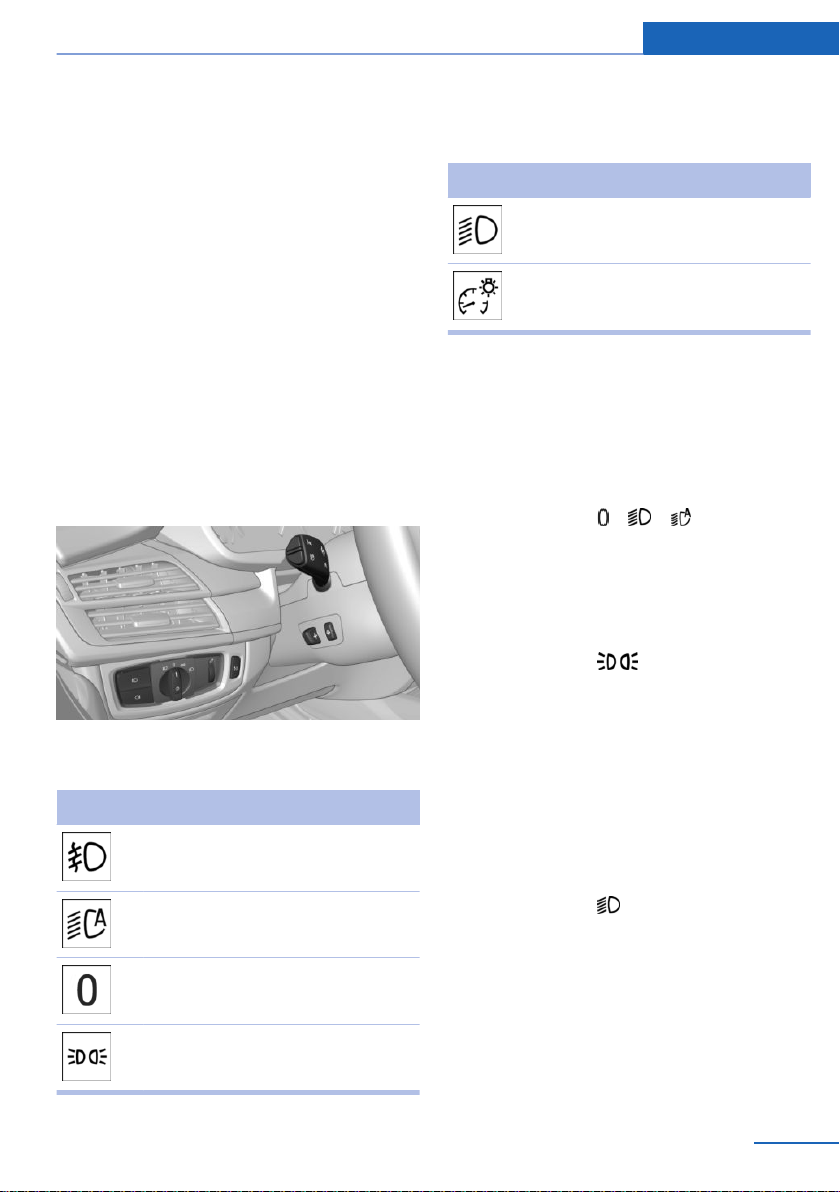
Lights
Vehicle features and options
This chapter describes all standard, country-
specific and optional features offered with the
series. It also describes features that are not
necessarily available in your vehicle, e. g., due
to the selected options or country versions.
This also applies to safety-related functions
and systems. When using these functions and
systems, the applicable laws and regulations
must be observed.
Overview
Switches in the vehicle
The light switch element is located next to the
steering wheel.
Symbol Function
Front fog lights
Automatic headlight control
Adaptive Light Control
Lights off
Daytime running lights
Parking lights
Symbol Function
Low beams
Instrument lighting
Parking lights, cornering
lights and roadside parking
lights
General information
Position of switch: , ,
If the driver's door is opened when the ignition
is switched off, the exterior lighting is automat‐
ically switched off.
Parking lights
Position of switch:
The vehicle is illuminated on all sides.
Do not use the parking lights for extended pe‐
riods; otherwise, they might drain the battery
and it would then be impossible to start the en‐
gine.
When parking, switch on the one-sided road‐
side parking light, refer to page 107.
Low beams
Position of switch:
The low beams light up when the ignition is
switched on.
Roadside parking light
Concept
The vehicle can be illuminated on one side.
Seite 107
Lights Controls
107
Online Edition for Part no. 01402981185 - VI/17
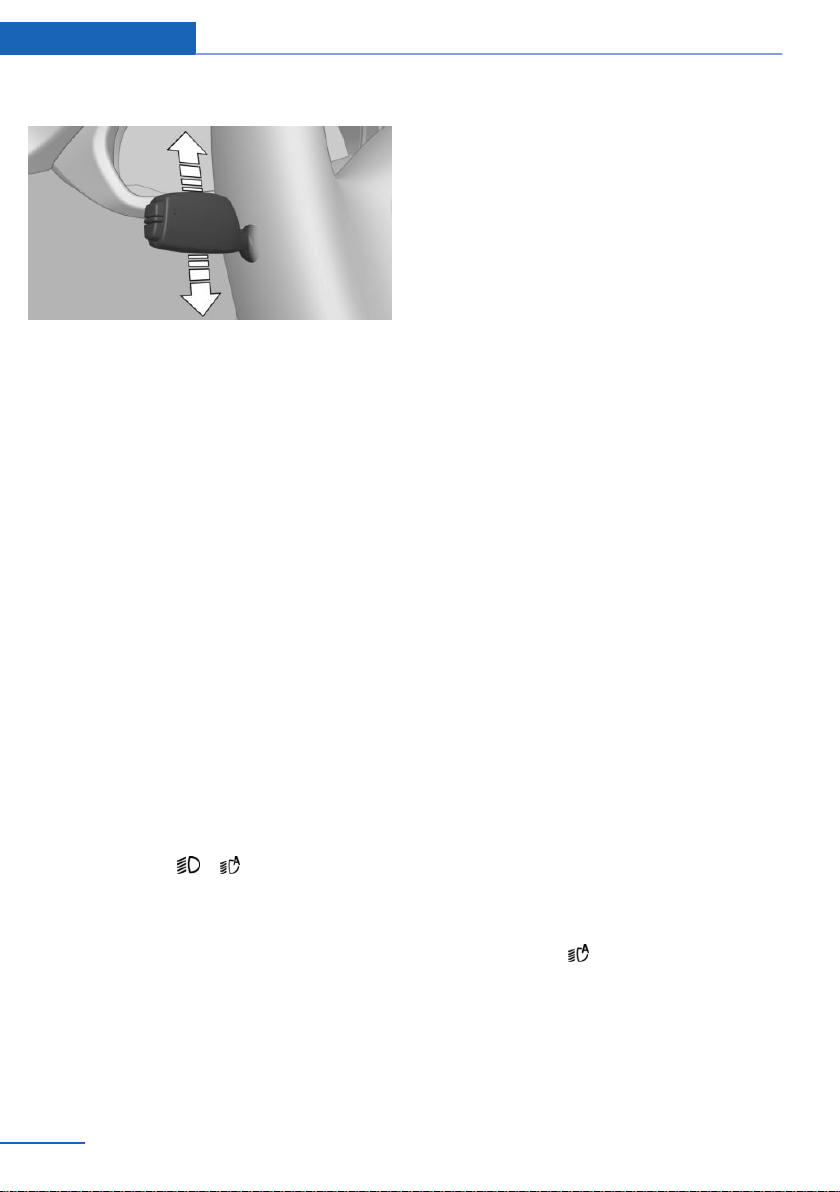
Switching on
With radio-ready state switched off, press the
lever either up or down past the resistance
point for approx. 2 seconds.
Switching off
Briefly press the lever to the resistance point in
the opposite direction.
Welcome lights and
headlamp courtesy delay
feature
Welcome lights
General information
Depending on the vehicle equipment and the
ambient brightness, individual light functions
may be switched on briefly when the vehicle is
unlocked.
Activating/deactivating
Position of switch:
,
Using iDrive:
1.
"Settings"
2. "Lighting"
3. "Welcome lights"
Settings are stored for the profile currently
used.
Headlamp courtesy delay feature
General information
The low beams stay lit for a short while if the
headlight flasher is switched on after the radio-
ready state is switched off.
Setting the duration
Using iDrive:
1. "Settings"
2. "Lighting"
3. "Pathway lighting:"
4. Set length of time.
The setting is stored for the driver profile cur‐
rently used.
Automatic headlight control
Concept
The low beams are switched on and off auto‐
matically depending on the ambient bright‐
ness, for instance in tunnels, in twilight or if
there is precipitation.
General information
A blue sky with the sun low on the horizon can
cause the lights to be switched on.
When emerging from a tunnel during the day,
the low beams are not switched off immedi‐
ately but instead only after approx. 2 minutes.
The low beams always stay on when the fog
light is switched on.
Activating
Position of switch:
The indicator light in the instrument cluster is
illuminated when the low beams are switched
on.
Seite 108
Controls Lights
108
Online Edition for Part no. 01402981185 - VI/17

System limits
The automatic headlight control cannot serve
as a substitute for your personal judgment of
lighting conditions.
For example, the sensors are unable to detect
fog or hazy weather. To avoid safety risks un‐
der these conditions, you should always switch
on the lights manually.
Daytime running lights
General information
Position of switch:
, ,
The daytime running lights light up when the
ignition is switched on. After the ignition is
switched off, the parking lights light up in posi‐
tion .
Activating/deactivating
In some countries, daytime running lights are
mandatory, so it may not be possible to deacti‐
vate the daytime running lights.
Using iDrive:
1.
"Settings"
2. "Lighting"
3. "Daytime running lamps"
The setting is stored for the driver profile cur‐
rently used.
Adaptive Light Control
The concept
Adaptive Light Control is a variable headlight
control system that enables dynamic illumina‐
tion of the road surface.
General information
Depending on the steering angle and other pa‐
rameters, the light from the headlight follows
the course of the road.
To avoid blinding oncoming traffic, the Adap‐
tive Light Control does not swivel to the driv‐
er's side when the vehicle is at a standstill.
Depending on the equipment version, Adap‐
tive Light Control consists of one or several
systems:
▷ Cornering light, refer to page 109.
Activating
Position of switch:
Adaptive Headlight Control is active when the
engine is running.
Cornering light
In tight curves, for instance on mountainous
roads or when turning, an additional, cornering
light is switched on that lights up the inside of
the curve better when the vehicle is moving
below a certain speed.
The cornering light is automatically switched
on depending on the steering angle or the use
of turn signals.
When driving in reverse, the cornering lights
may be automatically switched on regardless
of the steering angle.
Adaptive headlight range
control
The adaptive headlight range control compen‐
sates for acceleration and braking operations
in order not to blind the oncoming traffic and to
achieve optimum illumination of the roadway.
High-beam Assistant
Concept
The high-beam Assistant detects other traffic
participants early on and automatically
switches the high beams on or off depending
on the traffic situation.
Seite 109
Lights Controls
109
Online Edition for Part no. 01402981185 - VI/17
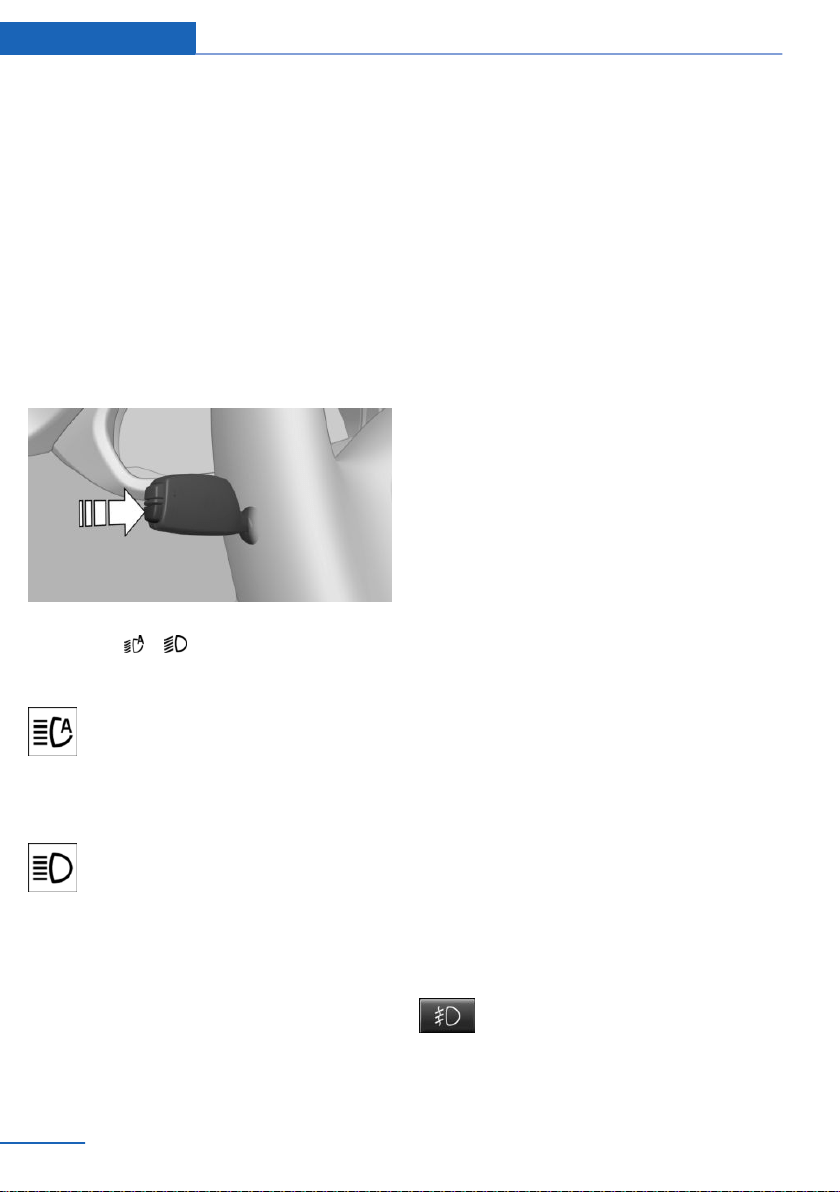
General information
The high-beam Assistant ensures that the high
beams are switched on, whenever the traffic
situation allows. In the low speed range, the
high beams are not switched on by the system.
The system responds to light from oncoming
traffic and traffic driving ahead of you, and to
adequate illumination, for instance in towns
and cities.
The high beams can be switched on and off at
any time as usual.
Activating/deactivating
Position of switch, depending on the vehicle
equipment: ,
Press and hold button on signal lever.
The indicator light in the instrument
cluster is illuminated when the low
beams are switched on.
The headlights are automatically switched be‐
tween low beams and high beams.
The blue indicator light in the instru‐
ment cluster lights up when the system
switches on the high beams.
The high-beam Assistant is deactivated when
manually switching the high beams on and off,
refer to page 77.
To reactivate the high-beam Assistant, press
the button on the turn signal lever.
System limits
The high-beam Assistant cannot serve as a
substitute for the driver's personal judgment of
when to use the high beams. In situation that
require this, therefore switch off manually.
The system is not fully functional in the follow‐
ing situations, and driver intervention may be
necessary:
▷ In very unfavorable weather conditions,
such as fog or heavy precipitation.
▷ When detecting poorly-lit road users such
as pedestrians, cyclists, horseback riders
and wagons; when driving close to train or
ship traffic; and at animal crossings.
▷ In tight curves, on hilltops or in depres‐
sions, in cross traffic or half-obscured on‐
coming traffic on highways.
▷ In poorly-lit towns and cities and in the
presence of highly reflective signs.
▷ When the windshield in front of the interior
mirror is fogged over, dirty or covered with
stickers, etc.
Fog lights
Front fog lights
Concept
The front fog lights work alongside the low
beams to illuminate a wider area of the road‐
way.
Functional requirement
The low beams must be switched on before
switching on the front fog lights.
Switching on/off
Press button.
The green indicator light lights up if
the front fog lights are switched on.
Seite 110
Controls Lights
110
Online Edition for Part no. 01402981185 - VI/17
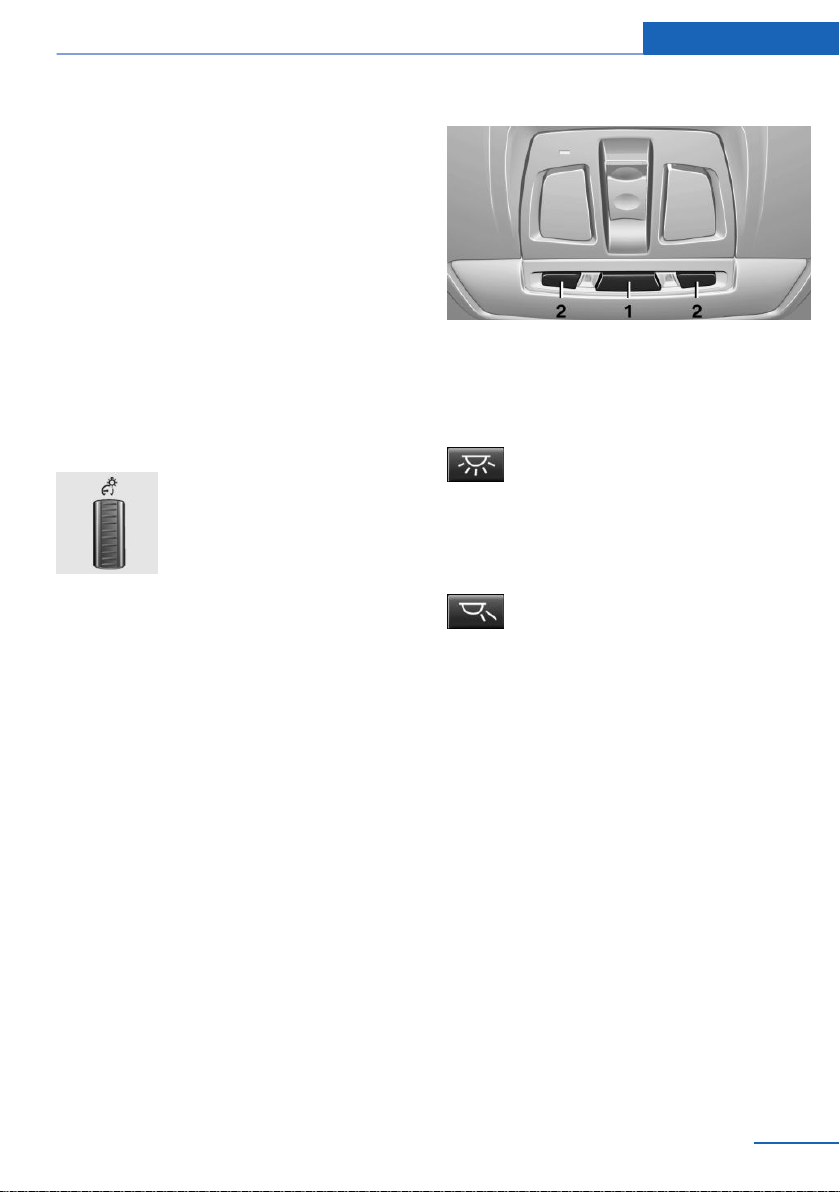
If the automatic headlight control, refer to
page 108, is activated, the low beams will
come on automatically when you switch on the
front fog lights.
When the high beams or headlight flasher are
activated, the front fog lights are not switched
on.
Instrument lighting
Functional requirement
The parking lights or low beams must be
switched on to adjust the brightness.
Settings
Adjust the brightness with the
thumbwheel.
Interior lights
General information
Depending on the equipment, the interior
lights, footwell lights, entry lamps, and cour‐
tesy lamps are controlled automatically.
Thumb wheel for the instrument lighting con‐
trols brightness of some of these features.
Overview
1 Interior lights
2 Reading lights
Switching the interior lights on/off
Press button.
To switch off permanently: press the button
and hold for approx. 3 seconds.
Switching the reading lights on/off
Press button.
Depending on the vehicle equipment, the
reading lights are located next to the interior
lights in the front and rear.
Ambient light
General information
Depending on your optional features lighting
can be adjusted for some lights in the car's in‐
terior.
Selecting color scheme
On the Control Display:
1.
"Settings"
2. "Lighting"
3. "Lighting design"
4. Select the desired setting.
To deactivate the ambient light: "Off".
Seite 111
Lights Controls
111
Online Edition for Part no. 01402981185 - VI/17

Setting the brightness
On the Control Display:
1. "Settings"
2. "Lighting"
3. "Brightness:"
4. Adjust the brightness.
Seite 112
Controls Lights
112
Online Edition for Part no. 01402981185 - VI/17
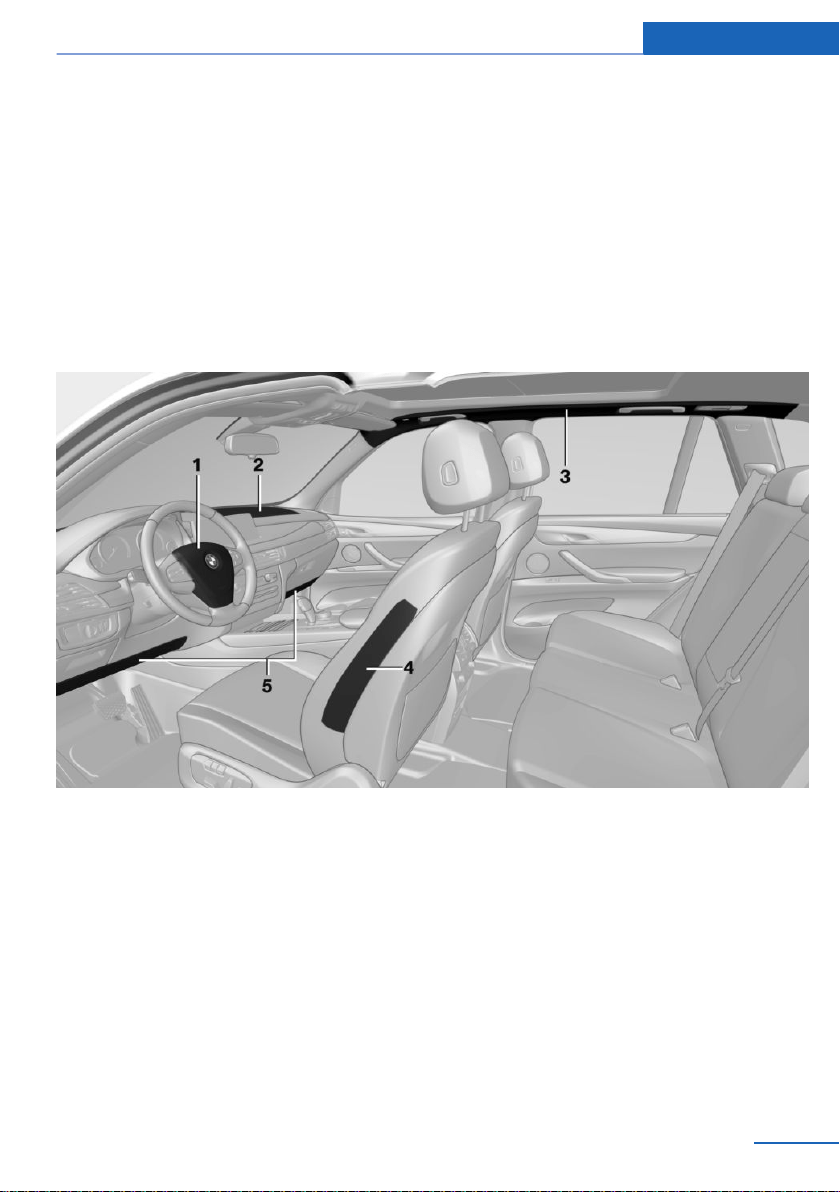
Safety
Vehicle features and options
This chapter describes all standard, country-
specific and optional features offered with the
series. It also describes features that are not
necessarily available in your vehicle, e. g., due
to the selected options or country versions.
This also applies to safety-related functions
and systems. When using these functions and
systems, the applicable laws and regulations
must be observed.
Airbags
1 Front airbag, driver
2 Front airbag, front passenger
3 Head airbag
4 Side airbag
5 Knee airbag
Front airbags
Front airbags help protect the driver and the
front passenger by responding to frontal im‐
pacts in which safety belts alone would not
provide adequate protection.
Side airbag
In a lateral impact, the side airbag supports the
side of the body in the chest and lap area.
Head airbag
In a lateral impact, the head airbag supports
the head.
Seite 113
Safety Controls
113
Online Edition for Part no. 01402981185 - VI/17
Ejection Mitigation
The head airbag system is designed as an
ejection mitigation countermeasure to reduce
the likelihood of ejections of vehicle occupants
through side windows during rollovers or side
impact events.
Knee airbag
The knee airbag supports the legs in a frontal
impact.
Protective action
Airbags are not triggered in every impact situa‐
tion, e.g., in less severe accidents or rear-end
collisions.
Information on optimum effect of the
airbags
WARNING
If the seat position is incorrect or the de‐
ployment area of the airbags is impaired, the
airbag system cannot provide protection as in‐
tended and may cause additional injuries due
to triggering. There is a risk of injuries or dan‐
ger to life. Follow the information on achieving
the optimum protective effect of the airbag
system.◀
▷ Keep a distance from the airbags.
▷ Always grasp the steering wheel on the
steering wheel rim. Hold your hands at the
3 o'clock and 9 o'clock positions, to keep
the risk of injury to your hands or arms as
low as possible when the airbag is trig‐
gered.
▷ Make sure that occupants keep their heads
away from the side airbag.
▷ Make sure that the front passenger is sit‐
ting correctly, i.e., keeps his or her feet and
legs in the floor area and does not support
them on the dashboard.
▷ There should be no additional persons, an‐
imals or objects between an airbag and a
person.
▷ Dashboard and windshield on the front
passenger side must stay clear - do not at‐
tach adhesive labels or coverings and do
not attach brackets or cables, for instance
for GPS devices or mobile phones.
▷ Do not apply adhesive materials to the air‐
bag cover panels, do not cover them or
modify them in any way.
▷ Do not use the cover of the front airbag on
the front passenger side as a storage area.
▷ Do not place slip covers, seat cushions or
other objects on the front passenger seat
that are not specifically suited for seats
with integrated side airbags.
▷ Do not hang pieces of clothing, such as
jackets, over the backrests.
▷ Never modify either the individual compo‐
nents or the wiring in the airbag system.
This also applies to steering wheel covers,
the dashboard, and the seats.
▷ Do not remove the airbag system.
Even when you follow all instructions very
closely, injury from contact with the airbags
cannot be fully ruled out in certain situations.
The ignition and inflation noise may lead to
short-term and, in most cases, temporary
hearing impairment in sensitive occupants.
Vehicle modifications for a person with disabili‐
ties may affect the air bag system; contact
BMW Customer Relations for further informa‐
tion.
Warnings and information on the airbags are
also found on the sun visors.
Functional readiness of the airbag
system
Safety information
WARNING
Individual components can be hot after
triggering of the airbag system. There is a risk
of injury. Do not touch individual compo‐
nents.◀
Seite 114
Controls Safety
114
Online Edition for Part no. 01402981185 - VI/17

WARNING
Improperly executed work can lead to
failure, malfunction or unintentional triggering
of the airbag system. In the case of a malfunc‐
tion, the airbag system might not trigger as in‐
tended despite the accident severity. There is
a risk of injuries or danger to life. Have the air‐
bag system checked, repaired, dismantled and
scrapped by a dealer’s service center or an‐
other qualified service center or repair shop.◀
Correct function
When the ignition is switched on, the
warning lamp in the instrument cluster
lights up briefly and thereby indicates
the operational readiness of the entire airbag
system and the belt tensioner.
Airbag system malfunctioning
▷ Warning lamp does not come on when the
ignition is turned on.
▷ The warning lamp lights up continuously.
Automatic deactivation of the front-
seat passenger airbags
Concept
The system reads if the front passenger seat is
occupied by measuring the human body's re‐
sistance.
Front, knee and side airbag on the front pas‐
senger's side are either activated or deacti‐
vated.
General information
Before transporting a child on the front pas‐
senger seat, refer to the safety notes and in‐
structions for children on the front passenger
seat, see Children.
Safety information
WARNING
To ensure the front-seat passenger air‐
bag function, the system must be able to de‐
tect whether a person is sitting in the front
passenger seat. The entire seat cushion area
must be used for this purpose. There is a risk
of injuries or danger to life. Make sure that the
front passenger keeps his or her feet in the
floor area.◀
Malfunction of the automatic
deactivation system
When transporting older children and adults,
the front-seat passenger airbags may be deac‐
tivated in certain sitting positions. In this case,
the indicator lamp for the front-seat passenger
airbags lights up.
In this case, change the sitting position so that
the front-seat passenger airbags are activated
and the indicator lamp goes out.
If it is not possible to activate the airbags, have
the person sit in the rear.
To enable correct recognition of the occupied
seat cushion
▷ Do not attach covers, cushions, ball mats
or other items to the front passenger seat
unless they are specifically determined to
be safe for use on the front passenger
seat.
▷ Do not place any electronic devices on the
passenger seat if a child restraint system is
to be installed on it.
▷ Do not place objects under the seat that
could press against the seat from below.
▷ No moisture in or on the seat.
Seite 115
Safety Controls
115
Online Edition for Part no. 01402981185 - VI/17
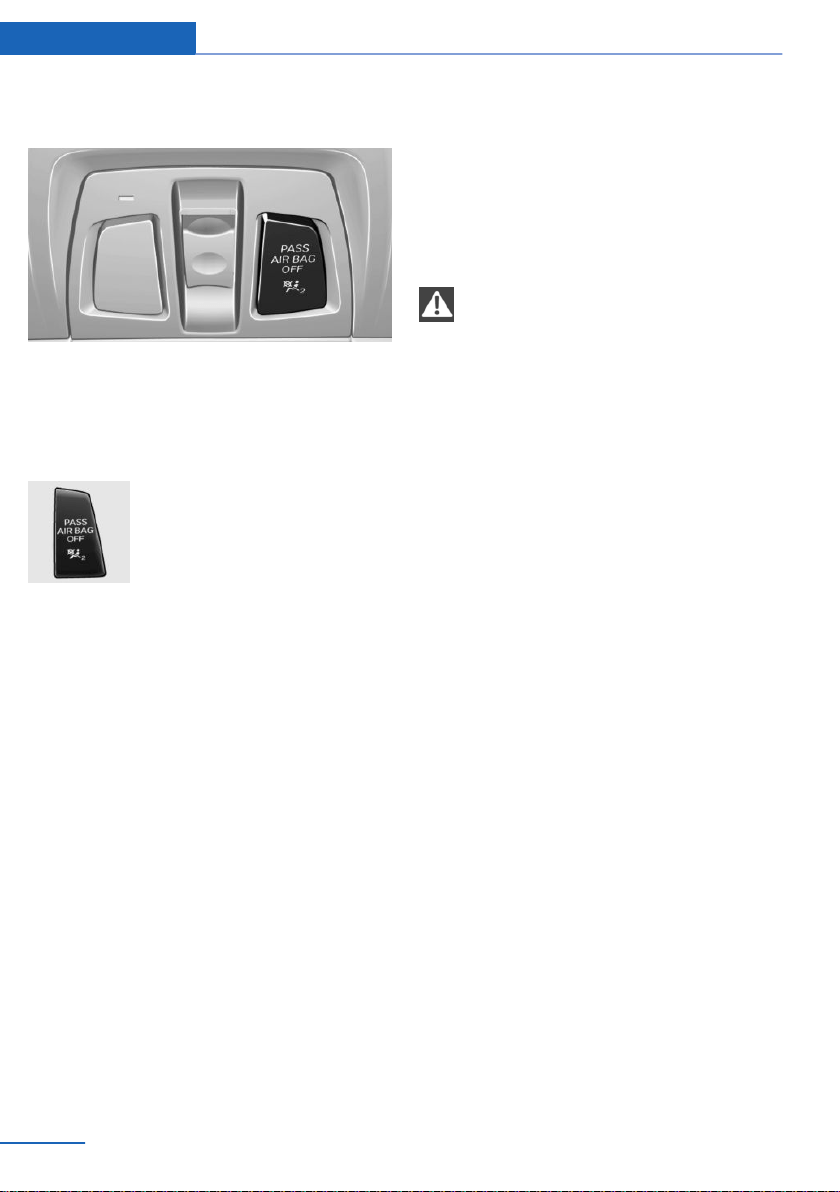
Indicator lamp for the front-seat
passenger airbags
The indicator lamp for the front-seat passen‐
ger airbags indicates the operating state of the
front-seat passenger airbags.
The lamp indicates whether the airbags are ei‐
ther activated or deactivated.
▷ The indicator lamp lights up
when a child is properly
seated in a child restraint fix‐
ing system or when the seat
is empty. The airbags on the
front passenger side are not
activated.
▷ The indicator lamp does not light up when,
e.g., a correctly seated person of sufficient
size is detected on the seat. The airbags
on the front passenger side are activated.
Detected child restraint systems
The system generally detects children seated
in a child restraint system, particularly in child
restraint systems required by NHTSA at the
point in time when the vehicle was manufac‐
tured. After installing a child restraint system,
make sure that the indicator light for the front-
seat passenger airbags lights up. This indi‐
cates that the child restraint system has been
detected and the front-seat passenger airbags
are not activated.
Strength of the driver's and front-seat
passenger airbag
The explosive power that activates driver's/
front-seat passenger airbags very much de‐
pends on the positions of the driver's/front
passenger seat.
To maintain the accuracy of this function over
the long term, calibrate the front seats as soon
as a respective message appears on the Con‐
trol Display.
Calibrating the front seats
WARNING
There is a risk of jamming when moving
the seats. There is a risk of injury or risk of
property damage. Make sure that the area of
movement of the seat is clear prior to any ad‐
justment.◀
A corresponding message appears on the
Control Display.
1.
Press the switch and move the respective
seat all the way forward, until it stops.
2. Press the switch forward again. The seat
still moves forward slightly.
3. Readjust the seat to the desired position.
The calibration procedure is completed when
the message on the Control Display disap‐
pears.
If the message continues to be displayed, re‐
peat the calibration.
If the message does not disappear after a re‐
peat calibration, have the system checked as
soon as possible.
Tire Pressure Monitor TPM
Concept
The system monitors tire inflation pressure in
the four mounted tires. The system warns you
if there is a significant loss of pressure in one
or more tires.
Seite 116
Controls Safety
116
Online Edition for Part no. 01402981185 - VI/17

General information
Sensors in the tire valves measure the tire in‐
flation pressure and, depending on the model,
the tire temperature.
With use of the system follow further informa‐
tion found under Tire inflation pressure, refer
to page 220.
Functional requirements
The following conditions must be met for the
system; otherwise, reliable flagging of a loss of
tire inflation pressure is not assured:
▷ After a tire or wheel replacement, a reset
was performed with the correct tire infla‐
tion pressure.
▷ After the tire inflation pressure was ad‐
justed to a new value, a reset was per‐
formed.
▷ Wheels with TPM wheel electronics.
Status display
Current status
The system status can be displayed on the
Control Display, e.g., whether or not the sys‐
tem is active.
Using iDrive:
1.
"Vehicle info"
2. "Vehicle status"
3. "Tire Pressure Monitor (TPM)"
The current status is displayed.
Tire conditions
General information
Tire and system status are indicated by the
color of the wheels and a SMS text message
on the Control Display.
All wheels green
System is active and will issue a warning re‐
lated to the tire inflation pressures stored dur‐
ing the last reset.
One to four yellow wheels
A flat tire or major drop in the tire inflation
pressure has occurred in the indicated tires.
Gray wheels
It may not be possible to identify tire pressure
losses.
Possible causes:
▷ Malfunction.
▷ The system is being reset.
Additonal information
The status control display additionally shows
the current tire inflation pressures and, de‐
pending on the model, tire temperatures. It
shows the actual values read; they may vary
depending on driving style or weather condi‐
tions.
Resetting the system
Using iDrive:
1.
"Vehicle info"
2. "Vehicle status"
3. "Perform reset"
4. Start the engine but do not drive off.
5. Reset tire inflation pressure: "Perform
reset".
6. Drive away.
The wheels are displayed in gray and the fol‐
lowing is displayed "Resetting Tire Pressure
Monitor (TPM)…".
After driving faster than 19 mph/30 km/h for a
short period, the set tire inflation pressures are
accepted as reference values. The reset is
completed automatically while driving.
Seite 117
Safety Controls
117
Online Edition for Part no. 01402981185 - VI/17
After a successfully completed Reset, the
wheels on the Control Display are shown in
green and "Tire Pressure Monitor (TPM)
active" is displayed.
You may interrupt this trip at any time. When
you continue the reset resumes automatically.
Messages
General information
A low tire inflation pressure may cause the
DSC Dynamic Stability Control to be switched
on.
Safety information
WARNING
A damaged regular tire with low or miss‐
ing tire inflation pressure impacts handling,
such as steering and braking response. Run-
flat tires can maintain limited stability. There is
a risk of an accident. Do not continue driving if
the vehicle is equipped with normal tires. Fol‐
low the information on run-flat tires and contin‐
ued driving with these tires.◀
If a tire inflation pressure check is
required
Message
A symbol with a Check Control message ap‐
pears on the Control Display.
Symbol Possible cause
The system has detected a wheel
change, but no reset was done.
No reset was performed for the sys‐
tem. The system issues a warning
based on the tire inflation pressures
stored during the last reset.
Inflation was not carried out accord‐
ing to specifications.
The tire inflation pressure has fallen
below the level of the last reset.
Measure
1.
Check the tire pressure and correct as
needed.
2. Reset the system.
If the tire inflation pressure is too low
Message
A yellow warning light is illuminated in
the instrument cluster.
In addition, a symbol with a Check Control
message appears on the Control Display.
Symbol Possible cause
There is a tire inflation pressure
loss.
No reset was performed for the sys‐
tem. The system issues a warning
based on the tire inflation pressures
stored during the last reset.
Measure
1.
Reduce your speed and drive moderately.
Do not exceed a speed of
80 mph/130 km/h.
2. At the next opportunity, for instance gas
station, check and correct the tire inflation
pressure in all four tires, if necessary.
Seite 118
Controls Safety
118
Online Edition for Part no. 01402981185 - VI/17
3. Reset the system.
If there is a significant loss of tire
inflation pressure
Message
A yellow warning light is illuminated in
the instrument cluster.
In addition, a symbol with the affected tire ap‐
pears in a Check Control message on the Con‐
trol Display.
Symbol Possible cause
There is a flat tire or a major loss in
tire inflation pressure.
No reset was performed for the sys‐
tem. The system issues a warning
based on the tire inflation pressures
stored during the last reset.
Measure
1.
Reduce your speed and stop cautiously.
Avoid sudden braking and steering maneu‐
vers.
2. Check whether the vehicle is fitted with
normal tires or run-flat tires.
Run-flat tires, refer to page 227, are la‐
beled with a circular symbol containing the
letters RSC marked on the tire's sidewall.
Actions in the event of a flat tire
Normal tires
1.
Identify the damaged tire.
To do this, check the air pressure in all four
tires, for instance using the tire pressure
gage of a flat tire kit.
If the tire inflation pressure in all four tires
is correct, the Tire Pressure Monitor may
not have been reset. In this case, perform
the reset.
If identification of flat tire damage is not
possible, please contact a dealer’s service
center or another qualified service center
or repair shop.
2. Repair the flat tire, e.g., with a flat tire kit or
by changing the wheel.
Use of sealant, for instance from the flat tire kit,
may damage the TPM wheel electronics. In
this case, have the electronics checked and re‐
placed at the next opportunity.
Run-flat tires
Safety information
WARNING
Your vehicle handles differently with a
run-flat with no or low inflation pressure; for in‐
stance, your lane stability when braking is re‐
duced, braking distances are longer and the
self-steering properties will change. There is a
risk of an accident.
Drive moderately and do not exceed a speed of
50 mph/80 km/h.◀
Maximum speed
You may continue driving with a damaged tire
at speeds up to 50 mph/80 km/h.
Continued driving with a flat tire
If continuing to drive with a damaged tire:
1.
Avoid sudden braking and steering maneu‐
vers.
2. Do not exceed a speed of 50 mph/80 km/h.
3. Check the air pressure in all four tires at
the next opportunity.
If the tire inflation pressure in all four tires
is correct, the Tire Pressure Monitor may
not have been reset. In this case, perform
the reset.
Seite 119
Safety Controls
119
Online Edition for Part no. 01402981185 - VI/17

Possible driving range with a
depressurized tire
The possible driving range varies depending
on the how the vehicle is loaded and used, e.g.,
speed, road conditions, external temperature.
The driving range may be less but may also be
more if an economical driving style is used.
If the vehicle is loaded with an average weight
and used under favorable conditions, its possi‐
ble driving range will be up to 50 miles/80 km.
Vehicle handling with damaged tires
Vehicles driven with a damaged tire will handle
differently, potentially leading to conditions
such as the following:
▷ Greater likelihood of swerving off course.
▷ Longer braking distances.
▷ Changed self-steering properties.
Modify your driving style. Avoid abrupt steer‐
ing maneuvers or driving over obstacles, for in‐
stance curbs or potholes.
Final tire failure
Vibrations or loud noises while driving can indi‐
cate the final failure of a tire.
Reduce speed and stop; otherwise, pieces of
the tire could come loose and cause an acci‐
dent.
Do not continue driving. Contact a dealer’s
service center or another qualified service cen‐
ter or repair shop.
System limits
Temperature
The tire inflation pressure depends on the
tire's temperature.
Driving or exposure to the sun will increase the
tire's temperature, thus increasing the tire in‐
flation pressure.
The tire inflation pressure is reduced when the
tire temperature falls again.
These circumstances may cause a warning
when temperatures fall very sharply.
Sudden tire pressure loss
The system cannot indicate sudden serious
tire damage caused by external circumstances.
Failure to perform a reset
The system does not function properly if a re‐
set has not been carried out, for instance a flat
tire is reported though tire inflation pressures
are correct.
Malfunction
The yellow warning light flashes and is
then illuminated continuously. A Check
Control message is displayed. It may
not be possible to identify tire pressure losses.
Examples and recommendations in the follow‐
ing situations:
▷ A wheel without TPM wheel electronics,
for instance an emergency wheel, is
mounted: have it checked by a dealer’s
service center or another qualified service
center or repair shop as needed.
▷ Malfunction: have system checked by a
dealer’s service center or another qualified
service center or repair shop.
▷ The system was unable to complete the
reset. Perform a system reset again.
▷ Interference caused by systems or devices
with the same radio frequency: after leav‐
ing the area of the interference, the system
automatically becomes active again.
Declaration according to NHTSA/
FMVSS 138 Tire Pressure Monitoring
System
Each tire, including the spare (if provided)
should be checked monthly when cold and in‐
flated to the inflation pressure recommended
by the vehicle manufacturer on the vehicle
placard or tire inflation pressure label. (If your
Seite 120
Controls Safety
120
Online Edition for Part no. 01402981185 - VI/17

vehicle has tires of a different size than the size
indicated on the vehicle placard or tire inflation
pressure label, you should determine the
proper tire inflation pressure for those tires.)
As an added safety feature, your vehicle has
been equipped with a tire pressure monitoring
system (TPMS) that illuminates a low tire pres‐
sure telltale when one or more of your tires is
significantly under-inflated. Accordingly, when
the low tire pressure telltale illuminates, you
should stop and check your tires as soon as
possible, and inflate them to the proper pres‐
sure. Driving on a significantly under-inflated
tire causes the tire to overheat and can lead to
tire failure. Under-inflation also reduces fuel ef‐
ficiency and tire tread life, and may affect the
vehicle's handling and stopping ability. Please
note that the TPMS is not a substitute for
proper tire maintenance, and it is the driver's
responsibility to maintain correct tire pressure,
even if under-inflation has not reached the
level to trigger illumination of the TPMS low
tire pressure telltale. Your vehicle has also
been equipped with a TPMS malfunction indi‐
cator to indicate when the system is not oper‐
ating properly. The TPMS malfunction indica‐
tor is combined with the low tire pressure
telltale. When the system detects a malfunc‐
tion, the telltale will flash for approximately one
minute and then remain continuously illumi‐
nated. This sequence will continue upon sub‐
sequent vehicle start-ups as long as the mal‐
function exists. When the malfunction indicator
is illuminated, the system may not be able to
detect or signal low tire pressure as intended.
TPMS malfunctions may occur for a variety of
reasons, including the installation of replace‐
ment or alternate tires or wheels on the vehicle
that prevent the TPMS from functioning prop‐
erly. Always check the TPMS malfunction tell‐
tale after replacing one or more tires or wheels
on your vehicle to ensure that the replacement
or alternate tires and wheels allow the TPMS
to continue to function properly.
FTM Flat Tire Monitor
Concept
The system detects tire inflation pressure loss
on the basis of rotation speed differences be‐
tween the individual wheels while driving.
In the event of a tire inflation pressure loss, the
diameter and therefore the rotational speed of
the corresponding wheel changes. The differ‐
ence will be detected and reported as a flat
tire.
The system does not measure the actual infla‐
tion pressure in the tires.
Functional requirements
The following conditions must be met for the
system; otherwise, reliable flagging of a loss of
tire inflation pressure is not assured:
▷ After a tire or wheel replacement, an initial‐
ization was performed with the correct tire
inflation pressure.
▷ After the tire inflation pressure was ad‐
justed to a new value, an initialization was
performed.
Status display
The current status of the flat tire monitor can
be displayed, for instance whether the RPA is
active.
Using iDrive:
1.
"Vehicle info"
2. "Vehicle status"
3. "Flat Tire Monitor (FTM)"
The status is displayed.
Initialization required
An initialization must be performed in the fol‐
lowing situations:
▷ After the tire inflation pressure has been
adjusted.
▷ After a tire or wheel replacement.
Seite 121
Safety Controls
121
Online Edition for Part no. 01402981185 - VI/17
Performing initialization
When initializing, the set tire inflation pres‐
sures serve as reference values in order to de‐
tect a flat tire. Initialization is started by con‐
firming the tire inflation pressures.
Do not initialize the system when driving with
snow chains.
Using iDrive:
1. "Vehicle info"
2. "Vehicle status"
3. "Perform reset"
4. Start the engine but do not drive off.
5. Start the initialization with "Perform reset".
6. Drive away.
The initialization is completed while driving,
which can be interrupted at any time.
The initialization automatically continues when
driving resumes.
Messages
General information
When a flat tire is indicated, DSC Dynamic Sta‐
bility Control is switched on, if needed.
Safety information
WARNING
A damaged regular tire with low or miss‐
ing tire inflation pressure impacts handling,
such as steering and braking response. Run-
flat tires can maintain limited stability. There is
a risk of an accident. Do not continue driving if
the vehicle is equipped with normal tires. Fol‐
low the information on run-flat tires and contin‐
ued driving with these tires.◀
Indication of a flat tire
A yellow warning light is illuminated in
the instrument cluster.
In addition, a symbol with a Check Control
message appears on the Control Display.
Symbol Possible cause
There is a flat tire or a major loss in
tire inflation pressure.
Measure
1. Reduce your speed and stop cautiously.
Avoid sudden braking and steering maneu‐
vers.
2. Check whether the vehicle is fitted with
normal tires or run-flat tires.
Run-flat tires, refer to page 227, are la‐
beled with a circular symbol containing the
letters RSC marked on the tire's sidewall.
Actions in the event of a flat tire
Normal tires
1.
Identify the damaged tire.
To do this, check the air pressure in all four
tires, for instance using the tire pressure
gage of a flat tire kit.
If the tire inflation pressure in all four tires
is correct, the Flat Tire Monitor may not
have been initialized. In this case, initialize
the system.
If identification of flat tire damage is not
possible, please contact a dealer’s service
center or another qualified service center
or repair shop.
2.
Repair the flat tire, e.g., with a flat tire kit or
by changing the wheel.
Run-flat tires
Safety information
WARNING
Your vehicle handles differently with a
run-flat with no or low inflation pressure; for in‐
stance, your lane stability when braking is re‐
duced, braking distances are longer and the
self-steering properties will change. There is a
risk of an accident.
Seite 122
Controls Safety
122
Online Edition for Part no. 01402981185 - VI/17

Drive moderately and do not exceed a speed of
50 mph/80 km/h.◀
Maximum speed
You may continue driving with a damaged tire
at speeds up to 50 mph/80 km/h.
Continued driving with a flat tire
If continuing to drive with a damaged tire:
1. Avoid sudden braking and steering maneu‐
vers.
2. Do not exceed a speed of 50 mph/80 km/h.
3. Check the air pressure in all four tires at
the next opportunity.
If the tire inflation pressure in all four tires
is correct, the Flat Tire Monitor may not
have been initialized. In this case, initialize
the system.
Possible driving range with a
depressurized tire
The possible driving range varies depending
on the how the vehicle is loaded and used, e.g.,
speed, road conditions, external temperature.
The driving range may be less but may also be
more if an economical driving style is used.
If the vehicle is loaded with an average weight
and used under favorable conditions, its possi‐
ble driving range will be up to 50 miles/80 km.
Vehicle handling with damaged tires
Vehicles driven with a damaged tire will handle
differently, potentially leading to conditions
such as the following:
▷ Greater likelihood of swerving off course.
▷ Longer braking distances.
▷ Changed self-steering properties.
Modify your driving style. Avoid abrupt steer‐
ing maneuvers or driving over obstacles, for in‐
stance curbs or potholes.
Final tire failure
Vibrations or loud noises while driving can indi‐
cate the final failure of a tire.
Reduce speed and stop; otherwise, pieces of
the tire could come loose and cause an acci‐
dent.
Do not continue driving. Contact a dealer’s
service center or another qualified service cen‐
ter or repair shop.
System limits
The system could be delayed or malfunction in
the following situations:
▷ A natural, even tire inflation pressure loss
in all four tires will not be recognized.
Therefore, check the tire inflation pressure
regularly.
▷ Sudden serious tire damage caused by ex‐
ternal circumstances cannot be recognized
in advance.
▷ When the system has not been initialized.
▷ When driving on a snowy or slippery road
surface.
▷ Sporty driving style: spinning traction
wheels, high lateral acceleration (drifting).
▷ When driving with snow chains.
Intelligent Safety
Concept
Intelligent Safety enables central operation of
the driver assistance system. Depending on
how the vehicle is equipped, Intelligent Safety
consists of one or more systems that can help
prevent an imminent collision.
▷ Approach control warning, refer to
page 124.
▷ Pedestrian warning, refer to page 131.
▷ Lane departure warning, refer to
page 137.
Seite 123
Safety Controls
123
Online Edition for Part no. 01402981185 - VI/17
▷ Active Blind Spot Detection, refer to
page 139.
Safety information
WARNING
The system does not relieve from per‐
sonal responsibility to assess visibility and traf‐
fic situation. There is a risk of an accident. Ad‐
just driving style to traffic conditions. Watch
traffic closely and actively intervene where ap‐
propriate.◀
WARNING
Indicators and warnings do not relieve
from personal responsibility. Due to system
limits, warnings or reactions of the system may
not be output or they may be output too late,
incorrectly, or without justification. There is a
risk of an accident. Adjust driving style to traf‐
fic conditions. Watch traffic closely and ac‐
tively intervene where appropriate.◀
WARNING
Due to system limits, individual functions
can malfunction during tow-starting/towing
with the Intelligent Safety systems activated.
There is a risk of an accident. Switch all Intelli‐
gent Safety systems off prior to tow-starting/
towing.◀
Overview
Button in the vehicle
Intelligent Safety button
Switching on/off
Some Intelligent Safety systems are automati‐
cally active after every departure. Some Intelli‐
gent Safety systems activate according to the
last setting.
Press button briefly:
▷ The menu for the intelligent safety
system is displayed. The systems
are individually switched off ac‐
cording to their respective set‐
tings.
▷ LED lights up orange or goes out respec‐
tive to their individual settings.
Adjust as needed. Individual settings are
stored for the profile currently used.
Press button again:
▷ All Intelligent Safety systems are
switched on.
▷ The LED lights up green.
Hold down button:
▷ All Intelligent Safety systems are
switched off.
▷ The LED goes out.
Approach control warning
Depending on the equipment, the collision
warning system consists of one of the follow‐
ing functions:
▷ Approach control warning with City light
braking function, refer to page 125.
▷ Approach control warning with braking
function, refer to page 127
Seite 124
Controls Safety
124
Online Edition for Part no. 01402981185 - VI/17
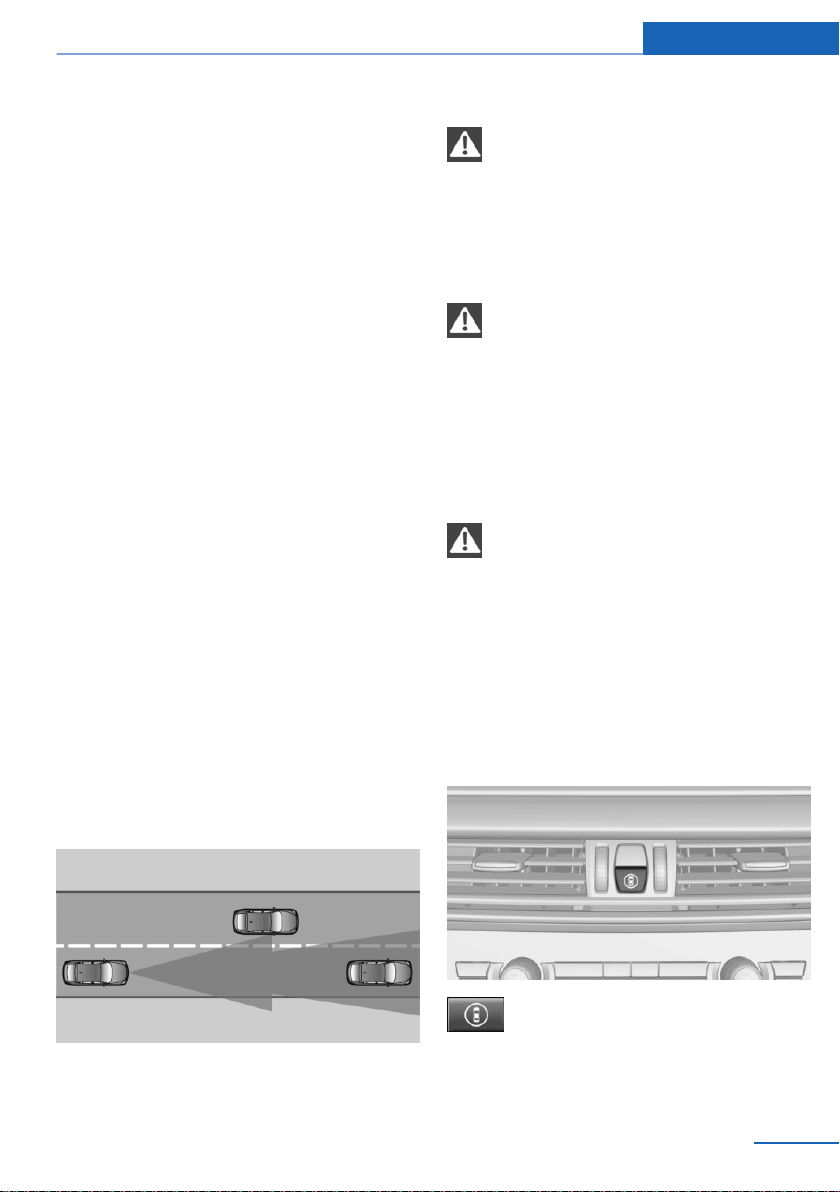
Approach control warning
with City light braking
function
Concept
The system can help prevent accidents. If an
accident cannot be prevented, the system will
help reduce the collision speed.
The system sounds a warning before an immi‐
nent collision and actuates brakes independ‐
ently, if needed.
The automatic braking intervention is done
with limited force and duration.
A camera in the area of the rearview mirror
controls the system.
The approach control warning is available even
if cruise control has been deactivated.
With the vehicle approaching another vehicle
intentionally, the approach control warning and
braking are delayed in order to avoid false sys‐
tem reactions.
General information
The system warns at two levels of an imminent
danger of collision at speeds from approx.
3 mph/5 km/h. Time of warnings may vary with
the current driving situation.
Appropriate braking kicks in at speeds of up to
35 mph/60 km/h.
Detection range
Objects that the system can detect are taken
into account.
Safety information
WARNING
The system does not relieve from per‐
sonal responsibility to assess visibility and traf‐
fic situation. There is a risk of an accident. Ad‐
just driving style to traffic conditions. Watch
traffic closely and actively intervene where ap‐
propriate.◀
WARNING
Indicators and warnings do not relieve
from personal responsibility. Due to system
limits, warnings or reactions of the system may
not be output or they may be output too late,
incorrectly, or without justification. There is a
risk of an accident. Adjust driving style to traf‐
fic conditions. Watch traffic closely and ac‐
tively intervene where appropriate.◀
WARNING
Due to system limits, individual functions
can malfunction during tow-starting/towing
with the Intelligent Safety systems activated.
There is a risk of an accident. Switch all Intelli‐
gent Safety systems off prior to tow-starting/
towing.◀
Overview
Button in the vehicle
Intelligent Safety button
Seite 125
Safety Controls
125
Online Edition for Part no. 01402981185 - VI/17
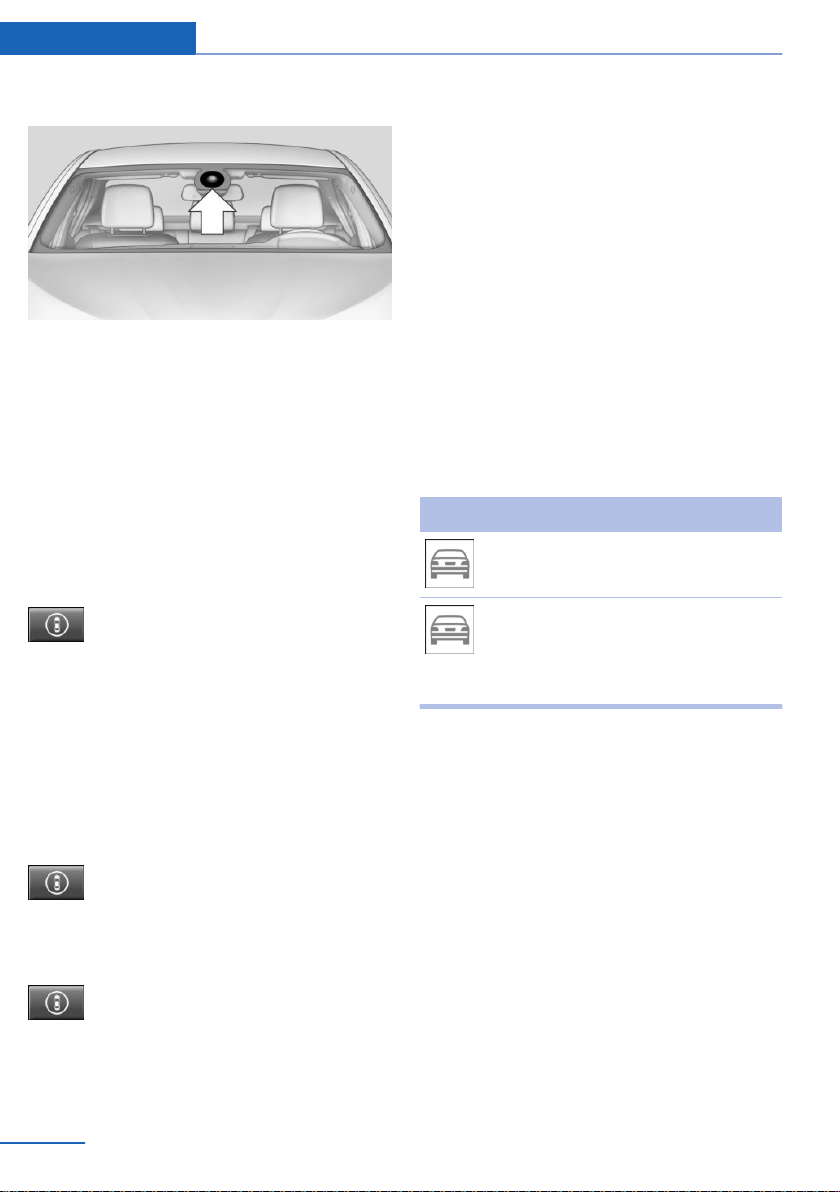
Camera
The camera is installed near the interior mirror.
Keep the windshield in front of the interior mir‐
ror clean and clear.
Switching on/off
Switching on automatically
The system is automatically active after every
driving off.
Switching on/off manually
Press button briefly:
▷ The menu for the intelligent safety
system is displayed. The systems
are individually switched off ac‐
cording to their respective set‐
tings.
▷ LED lights up orange or goes out respec‐
tive to their individual settings.
Adjust as needed. The individual settings are
stored for the driver profile currently in use.
Press button again:
▷ All Intelligent Safety systems are
switched on.
▷ The LED lights up green.
Hold down button:
▷ All Intelligent Safety systems are
switched off.
▷ The LED goes out.
Setting the warning time
The warning time can be set.
Using iDrive:
1. "Settings"
2. "Frontal Coll. Warning"
3. Activate the desired time on the Control
Display.
The selected time is stored for the driver pro‐
file currently used.
Warning with braking function
Display
A warning symbol appears in the instrument
cluster and in the Head-up Display if a collision
with a detected vehicle is imminent.
Symbol Measure
Symbol lights up red: prewarning.
Brake and increase distance.
Symbol flashes red and an acoustic
signal sounds: acute warning.
Brake and make an evasive maneu‐
ver, if necessary.
Prewarning
This warning is issued, e.g., when there is the
impending danger of a collision or the distance
to the vehicle ahead is too small.
The driver must intervene actively when there
is a prewarning.
Acute warning with braking function
Acute warning is displayed in case of the immi‐
nent danger of a collision when the vehicle ap‐
proaches another object at a high differential
speed.
The driver must intervene actively when there
is an acute warning. If necessary, the driver is
assisted by a minor automatic braking inter‐
vention in a possible risk of collision.
Seite 126
Controls Safety
126
Online Edition for Part no. 01402981185 - VI/17

Acute warnings can also be triggered without
previous forewarning.
Braking intervention
The warning prompts the driver himself/herself
to react. During a warning, the maximum brak‐
ing force is used. Prerequisite for the brake
booster is sufficiently quick and hard stepping
on the brake pedal. The system can assist with
some braking intervention if there is a risk of a
collision. At low speeds vehicles may thus
come to a complete stop.
The braking intervention is executed only if ve‐
hicle stability has not been restricted, for in‐
stance by deactivating the DSC Dynamic Sta‐
bility Control.
The braking intervention can be interrupted by
stepping on the accelerator pedal or by ac‐
tively moving the steering wheel.
Object detection can be restricted. Follow the
limitations of the detection range and func‐
tional restrictions.
System limits
Safety information
WARNING
The system can react not at all, too late,
incorrectly, or without justification due to the
system limits. There is a risk of accidents or
risk of damage to property. Follow the informa‐
tion regarding the system limits and actively
intervene, if needed.◀
Detection range
The system's detection potential is limited.
Thus, a system reaction might not come or
might come late.
E.g., the following situations may not be de‐
tected:
▷ Slow moving vehicles when you approach
them at high speed.
▷ Vehicles that suddenly swerve in front of
you, or sharply decelerating vehicles.
▷ Vehicles with an unusual rear appearance.
▷ Two-wheeled vehicles ahead of you.
Functional limitations
The system may not be fully functional in the
following situations:
▷ In heavy fog, wet conditions, or snowfall.
▷ In tight curves.
▷ If the driving stability control systems are
limited or deactivated, for instance DSC
OFF.
▷ If, depending on the vehicle equipment
version, the field of view of the camera in
the mirror or the radar sensor is dirty or ob‐
scured.
▷ Up to 10 seconds after the start of the en‐
gine via the Start/Stop button.
▷ During calibration of the camera immedi‐
ately after vehicle delivery.
▷ If there are constant blinding effects be‐
cause of oncoming light, for instance from
the sun low in the sky.
Warning sensitivity
The more sensitive the warning settings are,
for example the warning time, the more warn‐
ings are displayed. Therefore, there may also
be an excess of premature or unjustified warn‐
ings and reactions.
Collision warning with
braking function
The concept
The system can help prevent accidents. If an
accident cannot be prevented, the system will
help reduce the collision speed.
Seite 127
Safety Controls
127
Online Edition for Part no. 01402981185 - VI/17
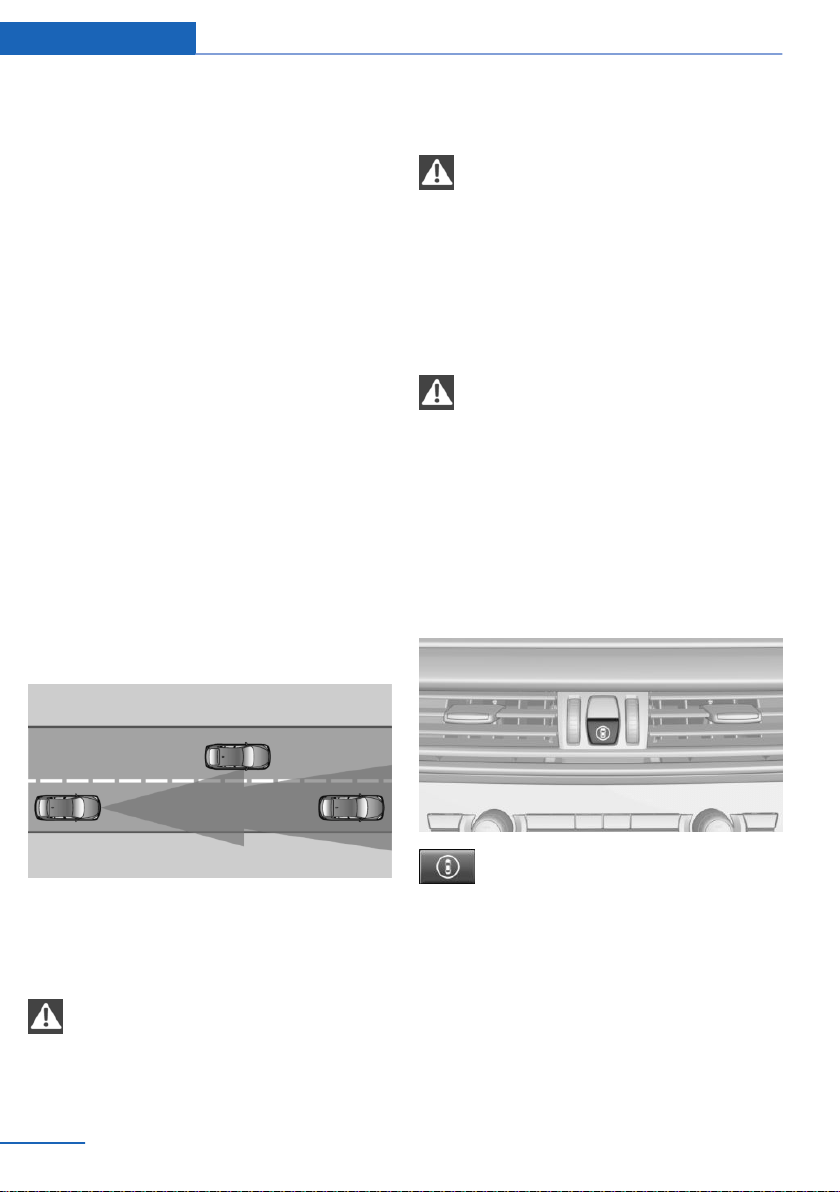
The system sounds a warning before an immi‐
nent collision and actuates brakes independ‐
ently if needed.
The automatic braking intervention may be
executed with maximum braking force and for
a brief period only as necessary.
If the vehicle is equipped with Active Cruise
Control with Stop&Go, the front-end collision
warning is controlled via the cruise control ra‐
dar sensor in conjunction with a camera.
The front-end collision warning is available
even if cruise control has been deactivated.
With the vehicle approaching another vehicle
intentionally, the collision warning and braking
are delayed in order to avoid false system re‐
actions.
General information
The system issues a two-phase warning of a
possible danger of collision with vehicles at
speeds above approx. 3 mph/5 km/h. Time of
warnings may vary with the current driving sit‐
uation.
Detection range
Objects that the system can detect are taken
into account.
Safety information
WARNING
The system does not relieve from per‐
sonal responsibility to assess visibility and traf‐
fic situation. There is a risk of an accident. Ad‐
just driving style to traffic conditions. Watch
traffic closely and actively intervene where ap‐
propriate.◀
WARNING
Indicators and warnings do not relieve
from personal responsibility. Due to system
limits, warnings or reactions of the system may
not be output or they may be output too late,
incorrectly, or without justification. There is a
risk of an accident. Adjust driving style to traf‐
fic conditions. Watch traffic closely and ac‐
tively intervene where appropriate.◀
WARNING
Due to system limits, individual functions
can malfunction during tow-starting/towing
with the Intelligent Safety systems activated.
There is a risk of an accident. Switch all Intelli‐
gent Safety systems off prior to tow-starting/
towing.◀
Overview
Button in the vehicle
Intelligent Safety button
Seite 128
Controls Safety
128
Online Edition for Part no. 01402981185 - VI/17
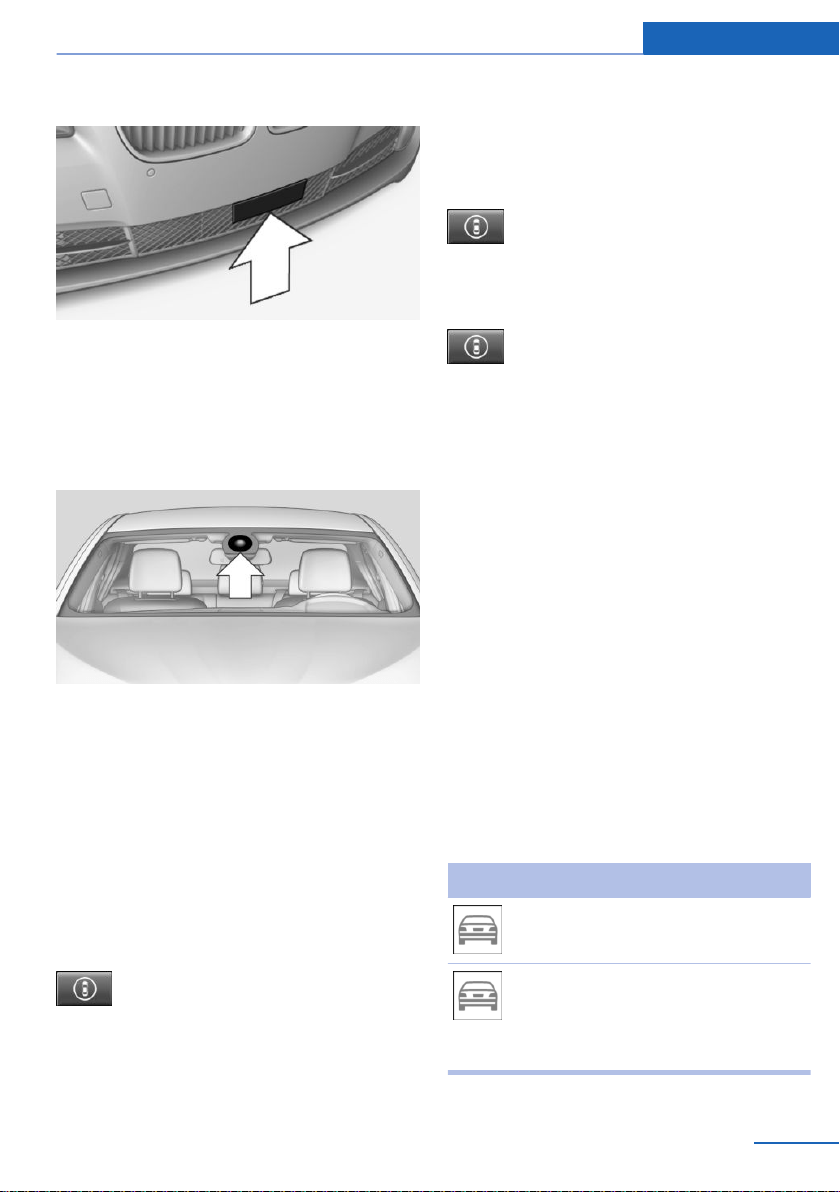
Radar sensor
The radar sensor is located in the lower area of
the front bumper.
Always keep radar sensor clean and unob‐
structed.
Camera
The camera is installed near the interior mirror.
Keep the windshield in the area behind the in‐
terior mirror clean and clear.
Switching on/off
Switching on automatically
The system is automatically active after every
driving off.
Switching on/off manually
Press button briefly:
▷ The menu for the intelligent safety
system is displayed. The systems
are individually switched off ac‐
cording to their respective set‐
tings.
▷ LED lights up orange or goes out respec‐
tive to their individual settings.
Adjust as needed. The individual settings are
stored for the driver profile currently in use.
Press button again:
▷ All Intelligent Safety systems are
switched on.
▷ The LED lights up green.
Hold down button:
▷ All Intelligent Safety systems are
switched off.
▷ The LED goes out.
Setting the warning time
The warning time can be set.
Using iDrive:
1.
"Settings"
2. "Frontal Coll. Warning"
3. Activate the desired time on the Control
Display.
The selected time is stored for the driver pro‐
file currently used.
Warning with braking function
Display
A warning symbol appears in the instrument
cluster and in the Head-up Display if a collision
with a detected vehicle is imminent.
Symbol Measure
Symbol lights up red: prewarning.
Brake and increase distance.
Symbol flashes red and an acoustic
signal sounds: acute warning.
Brake and make an evasive maneu‐
ver, if necessary.
Seite 129
Safety Controls
129
Online Edition for Part no. 01402981185 - VI/17

Prewarning
This warning is issued, e.g., when there is the
impending danger of a collision or the distance
to the vehicle ahead is too small.
The driver must intervene actively when there
is a prewarning.
Acute warning with braking function
Acute warning in displayed in case of the immi‐
nent danger of a collision when the vehicle ap‐
proaches another object at a high differential
speed.
The driver must intervene actively when there
is an acute warning. If necessary, the driver is
assisted by an automatic braking intervention
in a possible risk of collision.
Acute warnings can also be triggered without
previous forewarning.
Braking intervention
The warning prompts the driver himself/herself
to react. During a warning, the maximum brak‐
ing force is used. Prerequisite for the brake
booster is sufficiently quick and hard stepping
on the brake pedal. The system can assist with
automatic braking intervention if there is a risk
of a collision. The braking intervention can
bring the vehicle to a complete stop.
The braking intervention is executed only if ve‐
hicle stability has not been restricted, for in‐
stance by deactivating the DSC Dynamic Sta‐
bility Control.
At speeds above approx. 130 mph/210 km/h,
the braking intervention occurs as a brief brak‐
ing pressure. No automatic delay occurs.
The braking intervention can be interrupted by
stepping on the accelerator pedal or by ac‐
tively moving the steering wheel.
Object detection can be restricted. Follow the
limitations of the detection range and func‐
tional restrictions.
System limits
Safety information
WARNING
The system can react not at all, too late,
incorrectly, or without justification due to the
system limits. There is a risk of accidents or
risk of damage to property. Follow the informa‐
tion regarding the system limits and actively
intervene, if needed.◀
Detection range
The system's detection potential is limited.
Thus, a system reaction might not come or
might come late.
E.g., the following situations may not be de‐
tected:
▷ Slow moving vehicles when you approach
them at high speed.
▷ Vehicles that suddenly swerve in front of
you, or sharply decelerating vehicles.
▷ Vehicles with an unusual rear appearance.
▷ Two-wheeled vehicles ahead of you.
Functional limitations
The system may not be fully functional in the
following situations:
▷ In heavy fog, wet conditions, or snowfall.
▷ In tight curves.
▷ If the driving stability control systems are
limited or deactivated, for instance DSC
OFF.
▷ If, depending on the vehicle equipment
version, the field of view of the camera in
the mirror or the radar sensor is dirty or ob‐
scured.
▷ Up to 10 seconds after the start of the en‐
gine via the Start/Stop button.
▷ During calibration of the camera immedi‐
ately after vehicle delivery.
Seite 130
Controls Safety
130
Online Edition for Part no. 01402981185 - VI/17
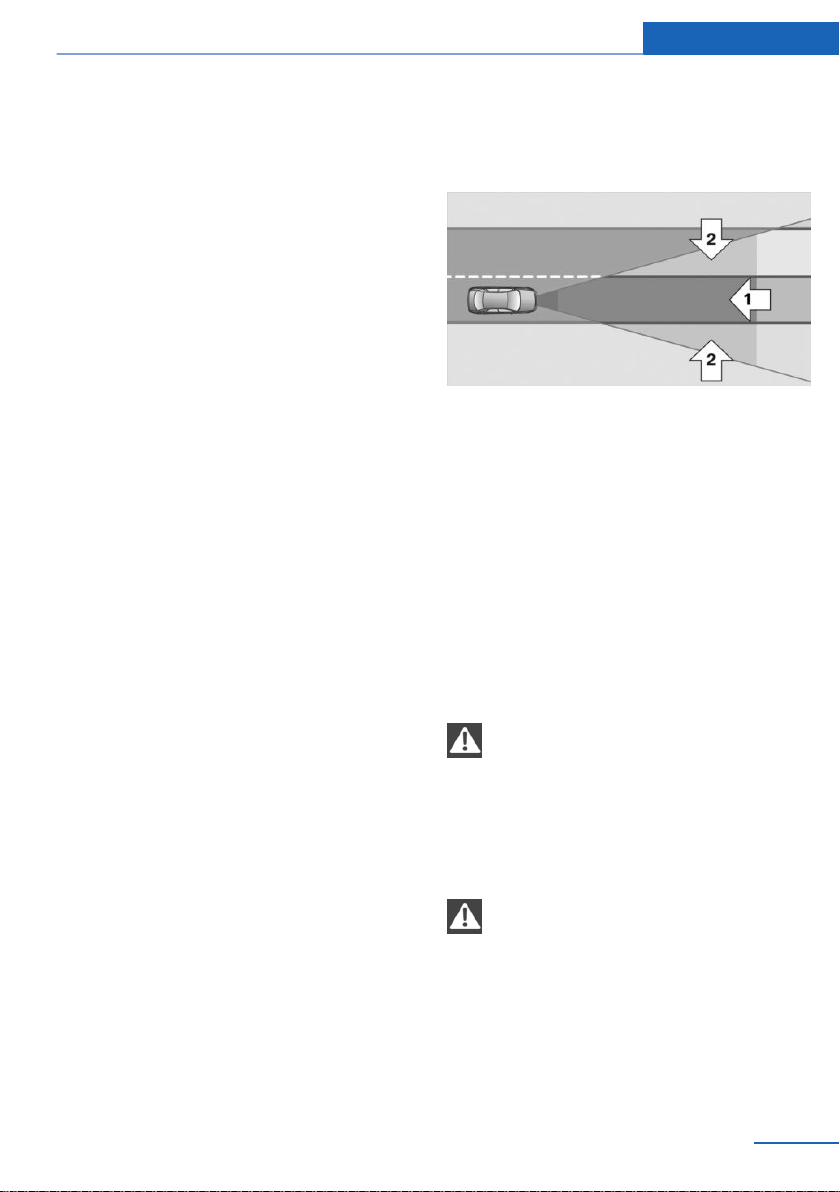
▷ If there are constant blinding effects be‐
cause of oncoming light, for instance from
the sun low in the sky.
Warning sensitivity
The more sensitive the warning settings are,
for example the warning time, the more warn‐
ings are displayed. Therefore, there may also
be an excess of premature or unjustified warn‐
ings and reactions.
Pedestrian warning
Depending on how the vehicle is equipped, the
function warns of an imminent collision with
pedestrians during daytime or nighttime.
The function is subdivided into the following
systems:
▷ During daytime:
Pedestrian warning with city braking func‐
tion, refer to page 131
▷ At night: Night vision, refer to page 133
Pedestrian warning with
Approach control
Concept
The system can help prevent accidents with
pedestrians.
When driving at city speeds, the system will is‐
sue a warning if there is imminent danger of a
collision with pedestrians and includes a brak‐
ing function.
The camera in the area of the rearview mirror
controls the system.
General information
With sufficient brightness, the system warns
about possible collision danger with pedes‐
trians starting at approx. 6 mph/10 km/h to ap‐
prox. 35 mph/60 km/h and assists with braking
before a collision.
The system reacts to people who are within
the detection range of the system.
Detection range
The detection area in front of the vehicle is div‐
ided into two areas:
▷ Central area, arrow 1, directly in front of the
vehicle.
▷ Expanded area, arrow 2, to the right and
left of the central area.
A collision is imminent if pedestrians are lo‐
cated within the central area. A warning is is‐
sued about pedestrians who are located within
the extended area only if they are moving in
the direction of the central area.
Safety information
WARNING
The system does not relieve from per‐
sonal responsibility to assess visibility and traf‐
fic situation. There is a risk of an accident. Ad‐
just driving style to traffic conditions. Watch
traffic closely and actively intervene where ap‐
propriate.◀
WARNING
Indicators and warnings do not relieve
from personal responsibility. Due to system
limits, warnings or reactions of the system may
not be output or they may be output too late,
incorrectly, or without justification. There is a
risk of an accident. Adjust driving style to traf‐
fic conditions. Watch traffic closely and ac‐
tively intervene where appropriate.◀
Seite 131
Safety Controls
131
Online Edition for Part no. 01402981185 - VI/17
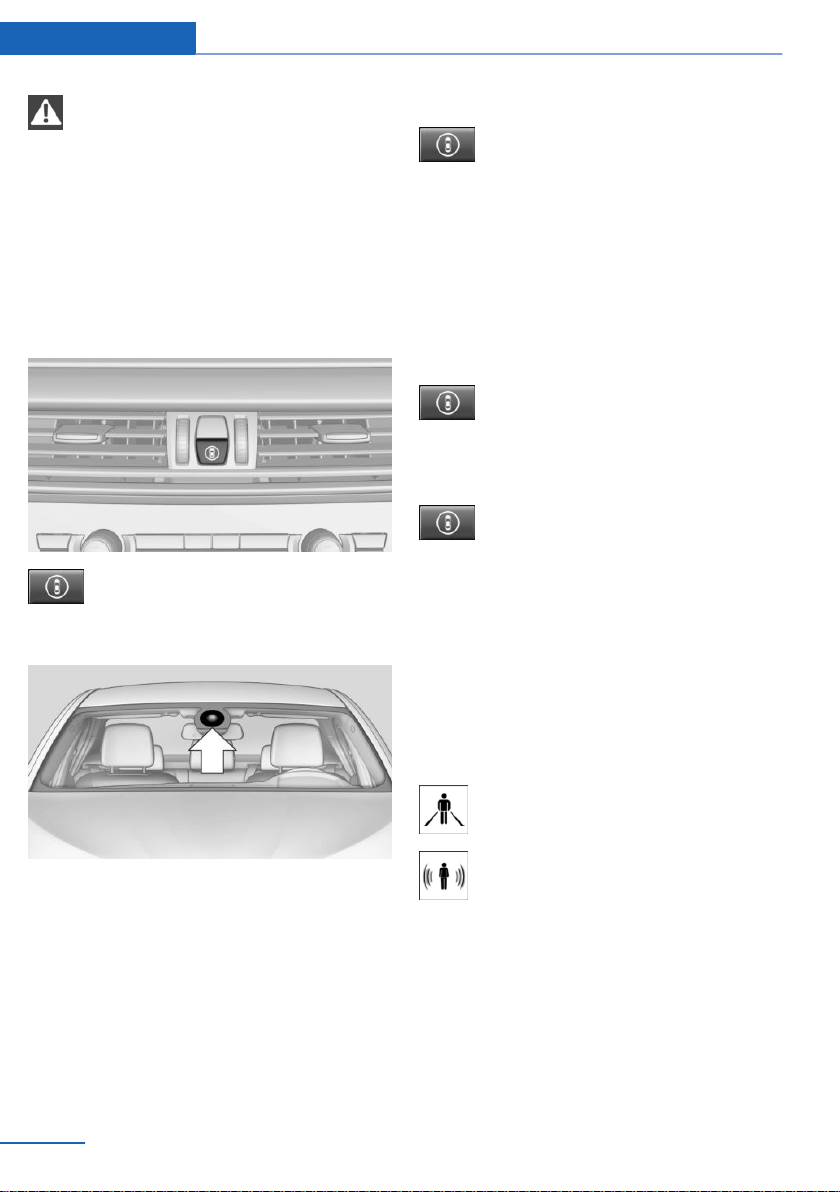
WARNING
Due to system limits, individual functions
can malfunction during tow-starting/towing
with the Intelligent Safety systems activated.
There is a risk of an accident. Switch all Intelli‐
gent Safety systems off prior to tow-starting/
towing.◀
Overview
Button in the vehicle
Intelligent Safety button
Camera
The camera is installed near the interior mirror.
Keep the windshield in front of the interior mir‐
ror clean and clear.
Switching on/off
Switching on automatically
The system is automatically active after every
driving off.
Switching on/off manually
Press button briefly:
▷ The menu for the intelligent safety
system is displayed. The systems
are individually switched off ac‐
cording to their respective set‐
tings.
▷ LED lights up orange or goes out respec‐
tive to their individual settings.
Adjust as needed. The individual settings are
stored for the driver profile currently in use.
Press button again:
▷ All Intelligent Safety systems are
switched on.
▷ The LED lights up green.
Hold down button:
▷ All Intelligent Safety systems are
switched off.
▷ The LED goes out.
Warning with braking function
Display
If a collision with a person detected in this way
is imminent, a warning symbol appears on the
instrument cluster and in the Head-up Display.
The red symbol is displayed and a sig‐
nal sounds.
With instrument display: the red sym‐
bol is displayed and a signal sounds.
Intervene immediately by braking or make an
evasive maneuver.
Braking intervention
The warning prompts the driver himself/herself
to react. During a warning, the maximum brak‐
ing force is used. Prerequisite for the brake
booster is sufficiently quick and hard stepping
on the brake pedal. The system can assist with
Seite 132
Controls Safety
132
Online Edition for Part no. 01402981185 - VI/17

some braking intervention if there is a risk of a
collision. At low speeds vehicles may thus
come to a complete stop.
The braking intervention is executed only if ve‐
hicle stability has not been restricted, for in‐
stance by deactivating the DSC Dynamic Sta‐
bility Control.
The braking intervention can be interrupted by
stepping on the accelerator pedal or by ac‐
tively moving the steering wheel.
Object detection can be restricted. Follow the
limitations of the detection range and func‐
tional restrictions.
System limits
Safety information
WARNING
The system can react not at all, too late,
incorrectly, or without justification due to the
system limits. There is a risk of accidents or
risk of damage to property. Follow the informa‐
tion regarding the system limits and actively
intervene, if needed.◀
Detection range
The detection potential of the camera is lim‐
ited.
Thus, a warning might not be issued or be is‐
sued late.
E.g., the following situations may not be de‐
tected:
▷ Partially covered pedestrians.
▷ Pedestrians that are not detected as such
because of the viewing angle or contour.
▷ Pedestrians outside of the detection range.
▷ Pedestrians having a body size less than
32 in/80 cm.
Functional limitations
The system may not be fully functional or may
not be available in the following situations:
▷ In heavy fog, wet conditions, or snowfall.
▷ In tight curves.
▷ If the driving stability control systems are
deactivated, for instance DSC OFF.
▷ If the field of view of the camera or the
windshield are dirty or covered.
▷ Up to 10 seconds after the start of the en‐
gine via the Start/Stop button.
▷ During calibration of the camera immedi‐
ately after vehicle delivery.
▷ If there are constant blinding effects be‐
cause of oncoming light, for instance from
the sun low in the sky.
▷ When it is dark outside.
Night Vision with Pedestrian
and Animal Detection
Concept
Night Vision with pedestrian and animal detec‐
tion is a night vision system.
An infrared camera scans the area in front of
the vehicle and issues a warning if it detects
pedestrians and animals on the street. Warm
objects that are similar in shape to human be‐
ings or animals are detected by the system. If
necessary, the thermal image can be displayed
on the Control Display.
Thermal image
The image shows the heat radiated by objects
in the field of view of the camera.
Seite 133
Safety Controls
133
Online Edition for Part no. 01402981185 - VI/17
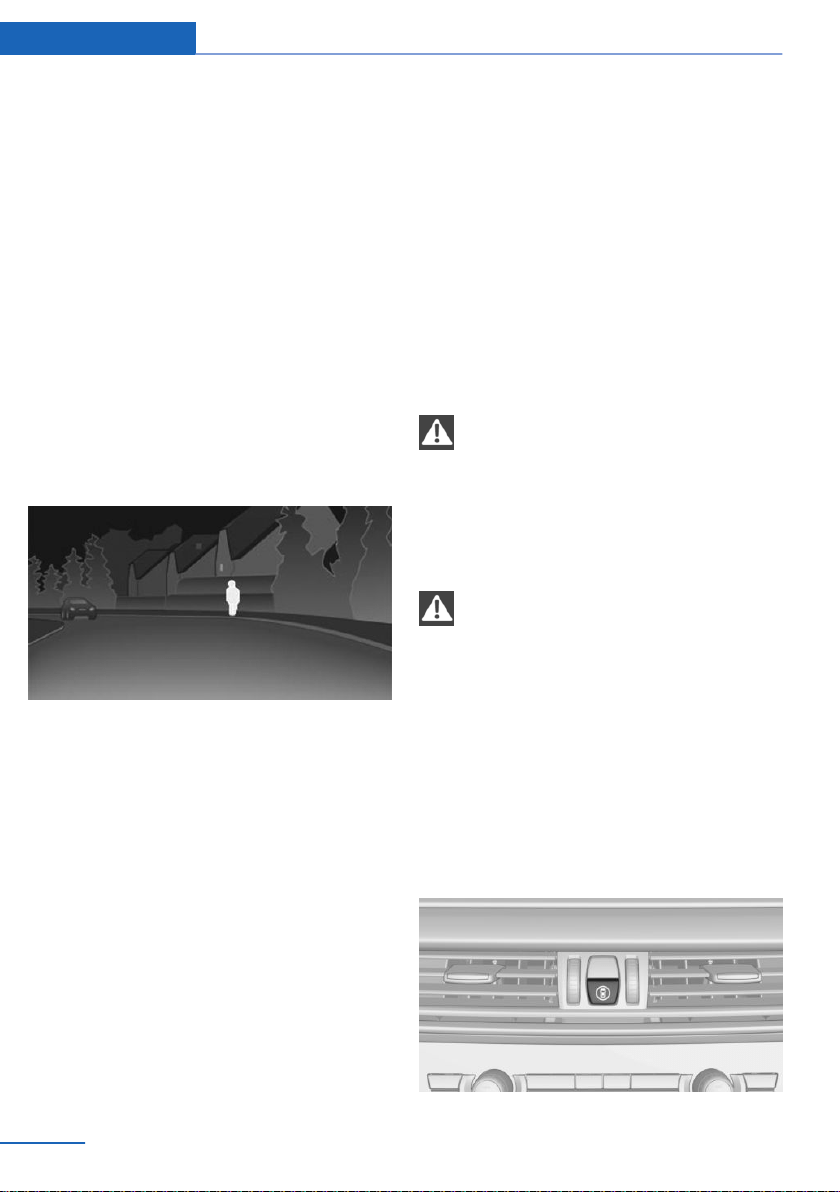
Warm objects have a light appearance and
cold objects a dark appearance.
The ability to detect an object depends on the
temperature difference between the object
and the background and on the level of heat
radiation emitted by the object. Objects that
are similar in temperature to the environment
or that radiate very little heat are difficult to de‐
tect.
For safety reasons, when driving at speeds
above approx. 3 mph/5 km/h and in low ambi‐
ent light, the image is only displayed when the
low beams are switched on.
A still image is displayed at regular intervals for
a fraction of a second.
Pedestrian and animal detection
Object detection and object warning only func‐
tion in darkness.
Objects whose form is similar to people with
sufficient heat radiation are detected.
In addition, the system also detects animals
above a certain minimum size, for instance
deer.
Display on the Control Display with thermal im‐
age activated:
▷ People detected by the system: in light
yellow.
▷ Animals detected by the system: in dark
yellow.
Range of object detection, with good ambient
conditions:
▷ Pedestrian detection: up to approx.
330 ft/100 m
▷ Detection of large animals: up to approx.
490 ft/150 m
▷ Detection of medium animals: up to ap‐
prox. 230 ft/70 m
Environmental influences can limit the availa‐
bility of object detection.
If the vehicle systems detect that the vehicle is
located in a residential area, the animal detec‐
tion is temporarily switched off.
Safety information
WARNING
The system does not relieve from per‐
sonal responsibility to assess visibility and traf‐
fic situation. There is a risk of an accident. Ad‐
just driving style to traffic conditions. Watch
traffic closely and actively intervene where ap‐
propriate.◀
WARNING
Indicators and warnings do not relieve
from personal responsibility. Due to system
limits, warnings or reactions of the system may
not be output or they may be output too late,
incorrectly, or without justification. There is a
risk of an accident. Adjust driving style to traf‐
fic conditions. Watch traffic closely and ac‐
tively intervene where appropriate.◀
Overview
Buttons in the vehicle
Seite 134
Controls Safety
134
Online Edition for Part no. 01402981185 - VI/17
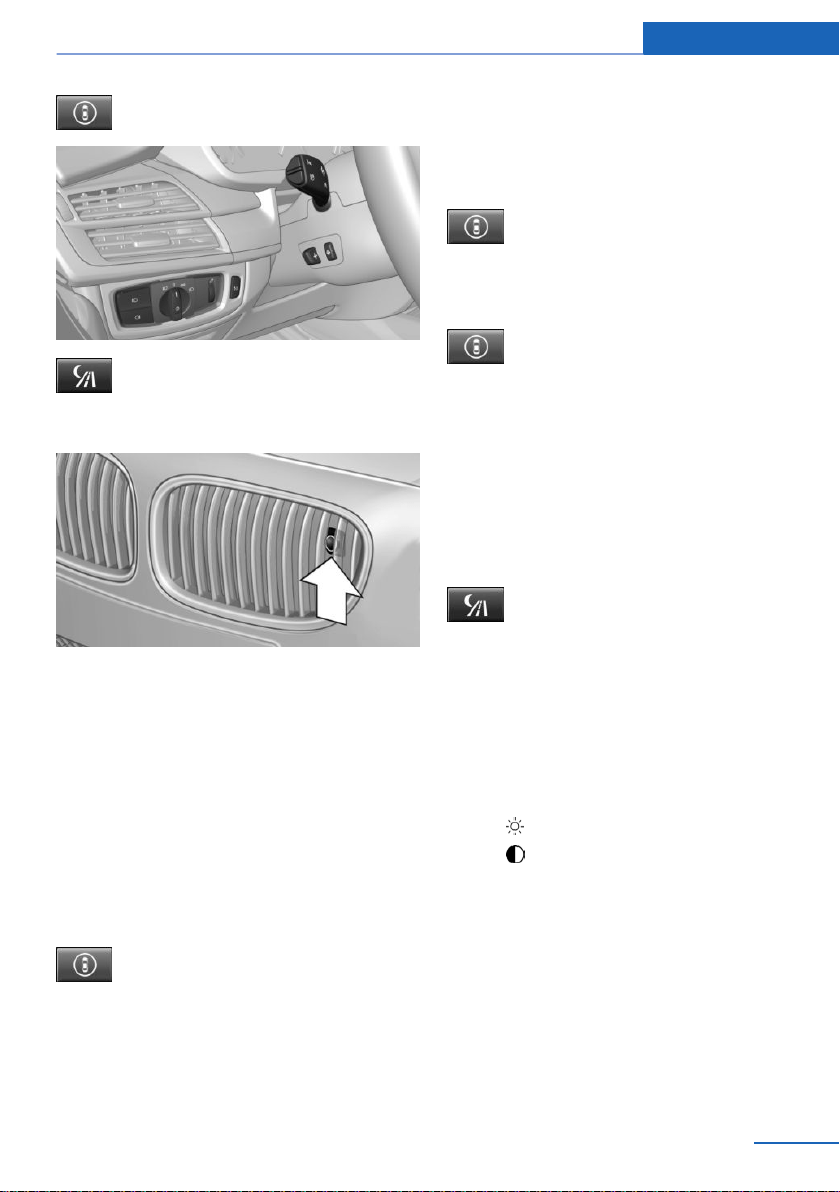
Intelligent Safety button
Switching on/switching off heat image
Camera
The camera is automatically heated when the
external temperatures are low.
The camera lens is automatically cleaned to‐
gether with the headlamps.
Switching on/off
Switching on automatically
When it is dark outside, the system is automat‐
ically active after every driving off.
Switching on/off manually
Press button briefly:
▷ The menu for the intelligent safety
system is displayed. The systems
are individually switched off ac‐
cording to their respective set‐
tings.
▷ LED lights up orange or goes out respec‐
tive to their individual settings.
Adjust as needed. The individual settings are
stored for the driver profile currently in use.
Press button again:
▷ All Intelligent Safety systems are
switched on.
▷ The LED lights up green.
Hold down button:
▷ All Intelligent Safety systems are
switched off.
▷ The LED goes out.
Switching on heat image additionally
The heat image from the Night Vision camera
can also be displayed on the Control Display.
This function has no effect on object detec‐
tion.
Press button.
The image from the camera is displayed on the
Control Display.
Adjustments via the iDrive
With heat image switched on:
1.
Press the Controller.
2. Select brightness or contrast.
▷ Select the symbol.
▷ Select the symbol.
3. Turn the Controller until the desired set‐
ting is selected.
4. Press the Controller.
Display
Warning of people or animals in
danger
If a collision with a person or an animal de‐
tected in this way is imminent, a warning sym‐
Seite 135
Safety Controls
135
Online Edition for Part no. 01402981185 - VI/17
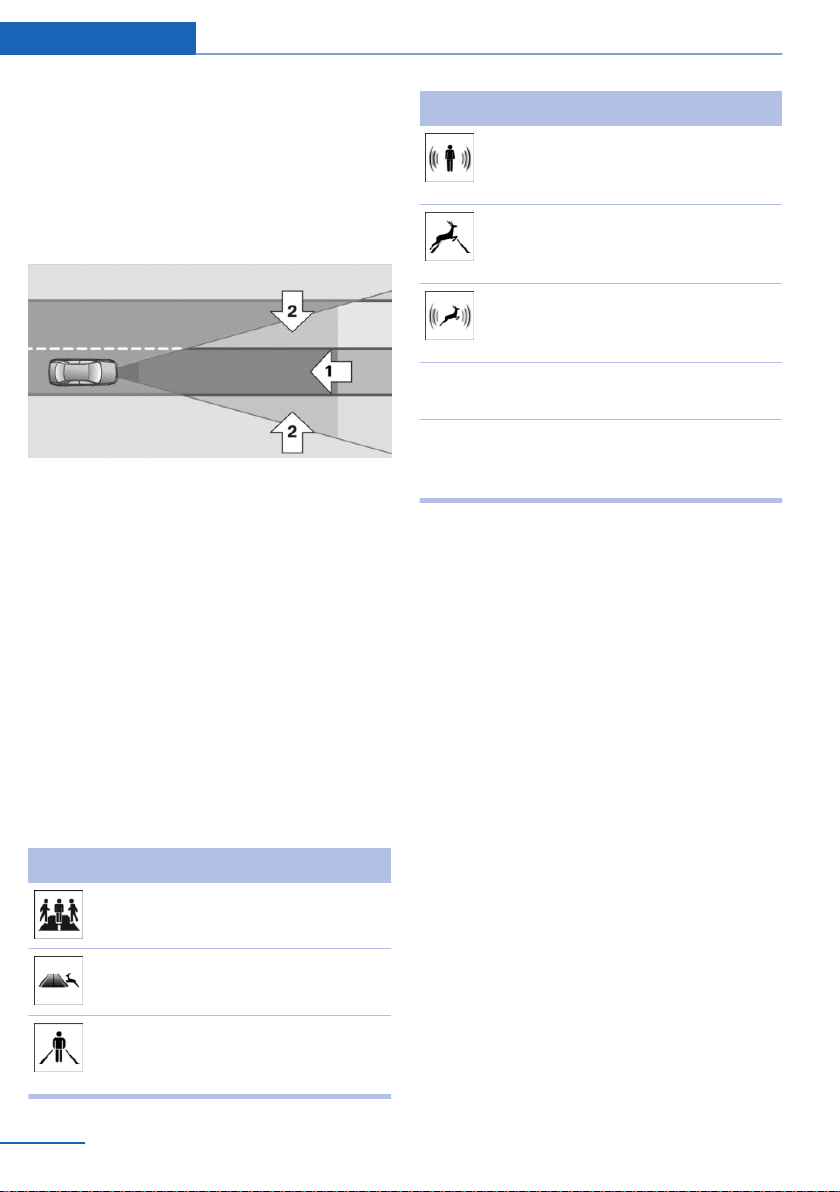
bol appears on the instrument cluster and in
the Head-up Display.
Although both the shape and the heat radiation
are analyzed, false warnings cannot be ruled
out.
Warning area in front of the vehicle
The warning area for the person warning con‐
sists of two parts:
▷ Central area, arrow 1, directly in front of the
vehicle.
▷ Expanded area, arrow 2, to the right and
left of the central area.
With animal warnings, no distinction is made
between the central or expanded area.
The entire area moves along with the vehicle in
the direction of the steering angle and changes
with the vehicle speed. As the vehicle speed
increases, the area becomes, for instance lon‐
ger and wider.
Symbols
Symbol Meaning
Prewarning: pedestrian
warning.
Prewarning: animal warn‐
ing.
Acute warning: pedestrian
warning in the instrument
cluster.
Symbol Meaning
Acute warning: pedestrian
warning in the instrument
display.
Acute warning: animal
warning in the instrument
cluster.
Acute warning: animal
warning in the instrument
display.
Symbol lights
up yellow.
Prewarning.
Symbol lights
up red and a
signal sounds.
Acute warning.
The displayed symbol may vary and shows the
side of the road on which the person or animal
was detected.
Display in the Head-up Display
The warning is displayed simultaneously in the
Head-up Display and on the instrument clus‐
ter.
Prewarning
Prewarning for persons is displayed when a
person is detected in the central area immedi‐
ately in front of the vehicle as well as on the left
or right side in the extended area.
Prewarning for animals is displayed when an
animal is detected in the front of the vehicle.
The driver must intervene actively by braking
or making an evasive maneuver when there is a
prewarning.
Acute warning
Acute warning is displayed if a person or an
animal is detected in direct proximity if front of
the vehicle.
Seite 136
Controls Safety
136
Online Edition for Part no. 01402981185 - VI/17

The driver must immediately intervene actively
by braking or making an evasive maneuver
when there is an acute warning.
System limits
Basic limits
The system may not be fully functional in the
following situations:
▷ On steep hills, in steep depressions or in
tight curves.
▷ If the camera is soiled or damaged.
▷ In heavy fog, rain or snowfall.
▷ At very high external temperatures.
Limits of pedestrian and animal
detection
In some situations, it may occur that pedes‐
trians are detected as animals or animals as
pedestrians.
Small animals are not detected by the object
detection function, even if they are clearly visi‐
ble in the image.
Limited detection, for example in the following
circumstances:
▷ People or animals who are fully or partially
covered, especially when their heads are
covered.
▷ People who are not in an upright position,
for example, lying down.
▷ Cyclists on unconventional bicycles (for
example, recumbent bicycles).
▷ After physical damage to the system, for
example, after an accident.
No display on the rear screen
The image from Night Vision cannot be dis‐
played on the rear screen.
Lane departure warning
Concept
The lane departure warning alerts when the
vehicle on roads with lane markings is about to
leave the lane.
General information
Depending on the country version, the system
issues a warning at speeds between
35 mph/55 km/h and 45 mph/70 km/h.
When switching on the system below this
speed, a message is displayed in the instru‐
ment cluster.
Warnings are issued by means of a steering
wheel vibration. The time of the warning may
vary depending on the current driving situa‐
tion.
The system does not provide a warning if the
turn signal is set before leaving the lane.
Safety information
WARNING
The system does not relieve from per‐
sonal responsibility to assess road and traffic
safety. There is a risk of an accident. Adjust
driving style to traffic conditions. Watch traffic
closely and actively intervene where appropri‐
ate. Do not jerk the steering wheel in response
to a warning.◀
WARNING
Indicators and warnings do not relieve
from personal responsibility. Due to system
limits, warnings or reactions of the system may
not be output or they may be output too late,
incorrectly, or without justification. There is a
risk of an accident. Adjust driving style to traf‐
fic conditions. Watch traffic closely and ac‐
tively intervene where appropriate.◀
Seite 137
Safety Controls
137
Online Edition for Part no. 01402981185 - VI/17
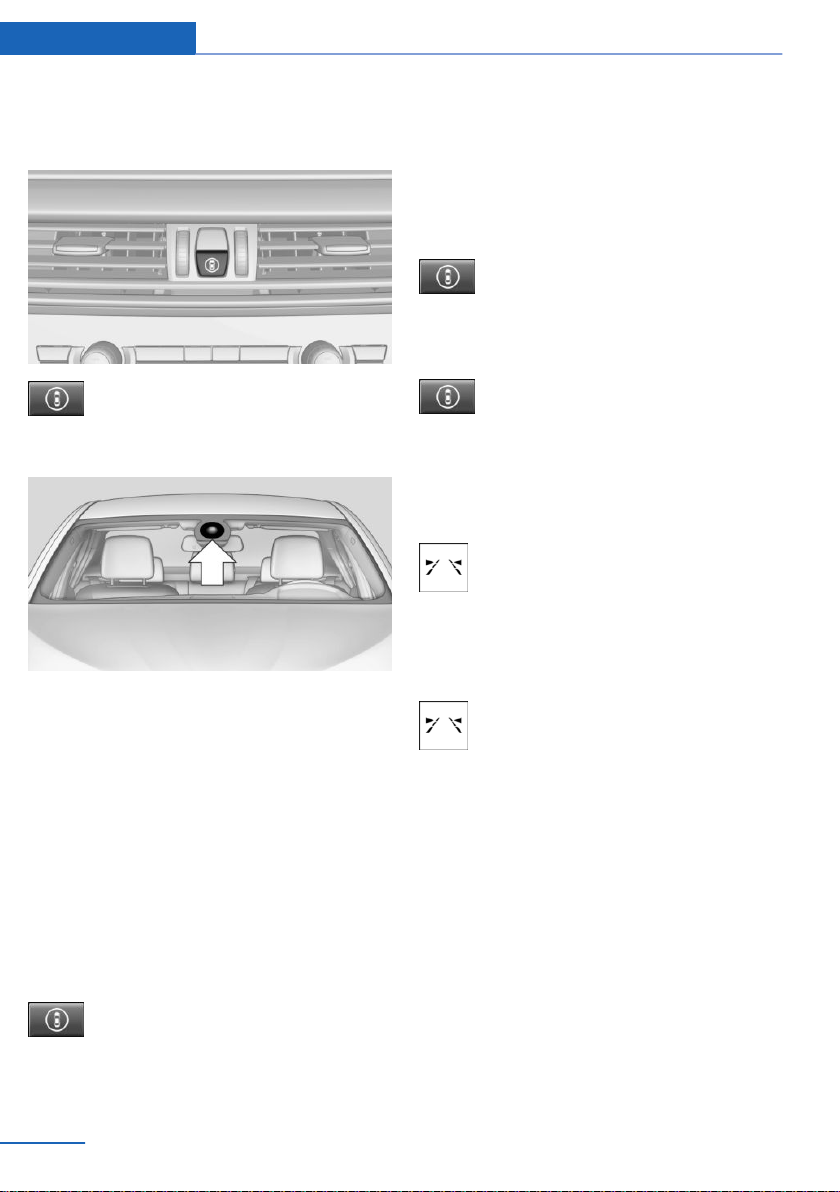
Overview
Button in the vehicle
Intelligent Safety button
Camera
The camera is installed near the interior mirror.
Keep the windshield in front of the interior mir‐
ror clean and clear.
Switching on/off
Switching on automatically
The lane departure warning is automatically
activated after departure, if the function was
switched on the last time the engine was stop‐
ped.
Switching on/off manually
Press button briefly:
▷ The menu for the intelligent safety
system is displayed. The systems
are individually switched off ac‐
cording to their respective set‐
tings.
▷ LED lights up orange or goes out respec‐
tive to their individual settings.
Adjust as needed. The individual settings are
stored for the driver profile currently in use.
Press button again:
▷ All Intelligent Safety systems are
switched on.
▷ The LED lights up green.
Hold down button:
▷ All Intelligent Safety systems are
switched off.
▷ The LED goes out.
Display in the instrument cluster
▷ Lines: system is activated.
▷ Arrows: at least one lane marking
was detected and warnings can be
issued.
Display in the instrument display
▷ Symbol orange: system is acti‐
vated.
▷ Green symbol: at least one lane
marking was detected and warn‐
ings can be issued.
Issued warning
If you leave the lane
If you leave the lane and if a lane marking has
been detected, the steering wheel vibrates.
If the turn signal is set before changing the
lane, a warning is not issued.
End of warning
The warning is canceled in the following situa‐
tions:
Seite 138
Controls Safety
138
Online Edition for Part no. 01402981185 - VI/17
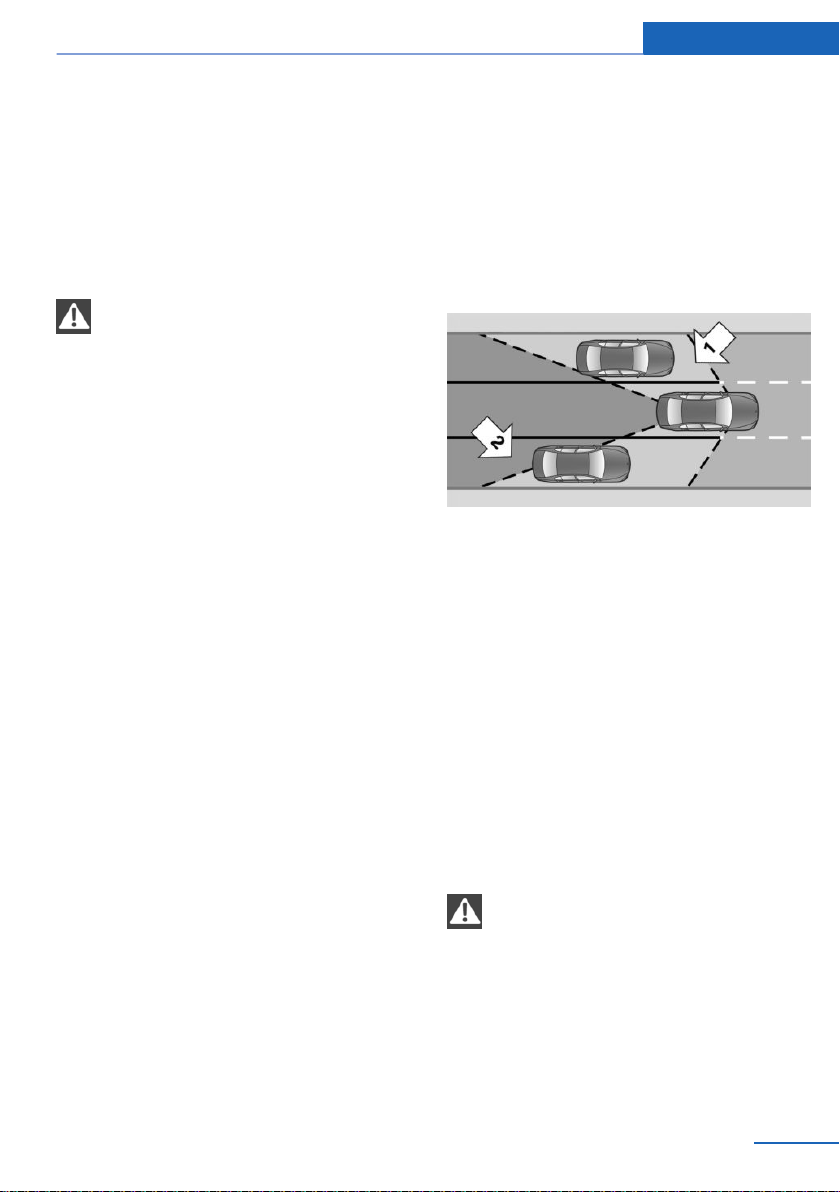
▷ Automatically after approx. 3 seconds.
▷ When returning to your own lane.
▷ When braking hard.
▷ When using the turn signal.
System limits
Safety information
WARNING
The system can react not at all, too late,
incorrectly, or without justification due to the
system limits. There is a risk of accidents or
risk of damage to property. Follow the informa‐
tion regarding the system limits and actively
intervene, if needed.◀
Functional limitations
The system may not be fully functional in the
following situations:
▷ In heavy fog, wet conditions, or snowfall.
▷ In the event of missing, worn, poorly visi‐
ble, merging, diverging, or multiple lane
markings such as in construction areas.
▷ When lane markings are covered in snow,
ice, dirt or water.
▷ In tight curves or on narrow lanes.
▷ When the lane markings are covered by
objects.
▷ When driving very close to the vehicle in
front of you.
▷ When driving toward bright lights.
▷ When the windshield in front of the interior
mirror is fogged over, dirty or covered with
stickers, etc.
▷ During calibration of the camera immedi‐
ately after vehicle delivery.
Active Blind Spot Detection
Concept
Active Blind Spot Detection detects vehicles in
the blind spot or vehicles approaching from
behind in the adjacent lane. A warning is is‐
sued in various gradations in these situations.
General information
Two radar sensors in the rear bumper monitor
the area behind and next to the vehicle at
speeds above approx. 30 mph/50 km/h.
The system indicates whether there are vehi‐
cles in the blind spot, arrow 1, or approaching
from behind in the adjacent lane, arrow 2.
The light in the exterior mirror housing is dim‐
med.
Before you change lanes after setting the turn
signal, the system issues a warning in the sit‐
uations described above.
The light in the exterior mirror housing flashes
and the steering wheel vibrates.
Safety information
WARNING
The system does not relieve from per‐
sonal responsibility to assess visibility and traf‐
fic situation. There is a risk of an accident. Ad‐
just driving style to traffic conditions. Watch
traffic closely and actively intervene where ap‐
propriate.◀
Seite 139
Safety Controls
139
Online Edition for Part no. 01402981185 - VI/17
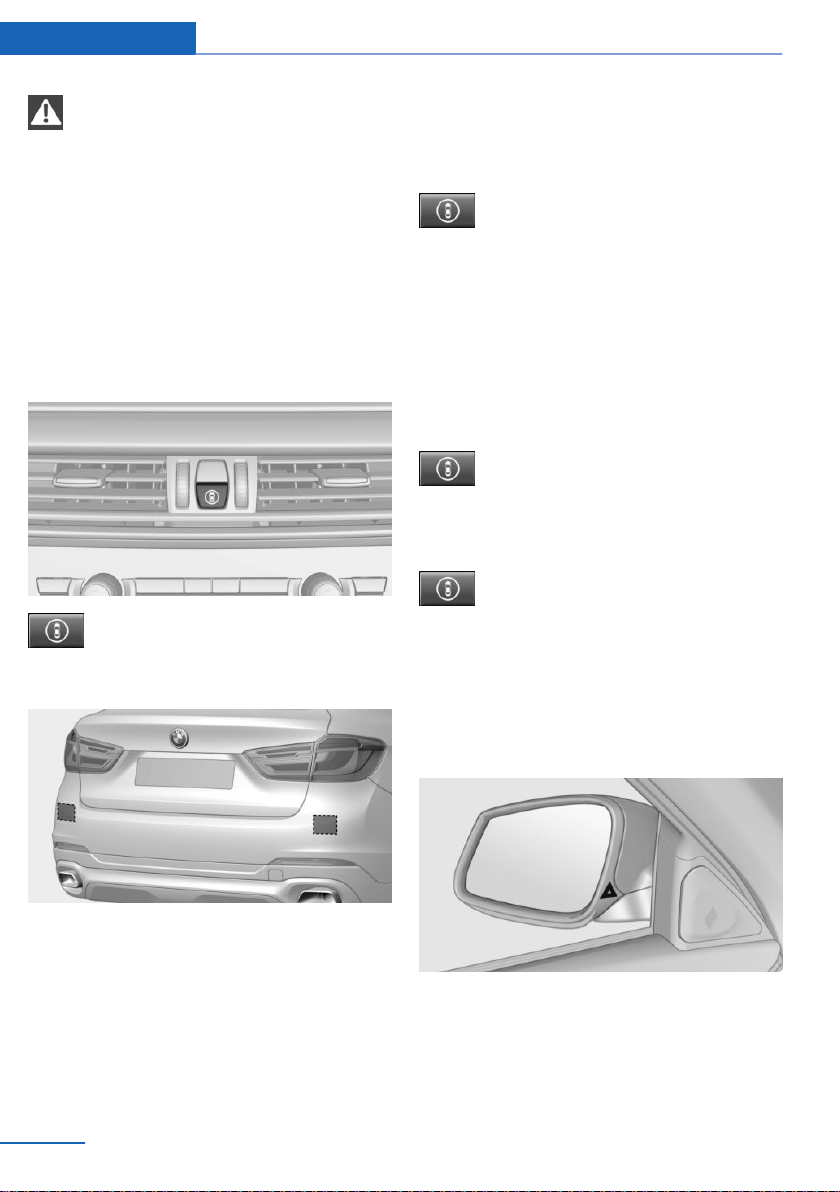
WARNING
Indicators and warnings do not relieve
from personal responsibility. Due to system
limits, warnings or reactions of the system may
not be output or they may be output too late,
incorrectly, or without justification. There is a
risk of an accident. Adjust driving style to traf‐
fic conditions. Watch traffic closely and ac‐
tively intervene where appropriate.◀
Overview
Button in the vehicle
Intelligent Safety button
Radar sensors
The radar sensors are located in the rear
bumper.
Switching on/off
Switching on automatically
The Active Blind Spot Detection is automati‐
cally activated after departure, if the function
was switched on the last time the engine was
stopped.
Switching on/off manually
Press button briefly:
▷ The menu for the intelligent safety
system is displayed. The systems
are individually switched off ac‐
cording to their respective set‐
tings.
▷ LED lights up orange or goes out respec‐
tive to their individual settings.
Adjust as needed. The individual settings are
stored for the driver profile currently in use.
Press button again:
▷ All Intelligent Safety systems are
switched on.
▷ The LED lights up green.
Hold down button:
▷ All Intelligent Safety systems are
switched off.
▷ The LED goes out.
Display
Lamp in the exterior mirror housing
Prewarning
The dimmed lamp in the exterior mirror hous‐
ing indicates when there are vehicles in the
blind spot or approaching from behind.
Seite 140
Controls Safety
140
Online Edition for Part no. 01402981185 - VI/17

Acute warning
If the turn signal is set while a vehicle is in the
critical zone, the steering wheel vibrates briefly
and the lamp in the exterior mirror housing
flashes brightly.
The warning stops when the turn signal is
switched off, or the other vehicle leaves the
critical zone.
Brief flashing
A brief flashing of the lamp during vehicle un‐
locking serves as system self-test.
System limits
Safety information
WARNING
The system can react not at all, too late,
incorrectly, or without justification due to the
system limits. There is a risk of accidents or
risk of damage to property. Follow the informa‐
tion regarding the system limits and actively
intervene, if needed.◀
Functional limitations
The system may not be fully functional in the
following situations:
▷ When a vehicle is approaching at a speed
much faster than your own.
▷ In heavy fog, wet conditions, or snowfall.
▷ In tight curves or on narrow lanes.
▷ If the bumper is dirty, iced up, or covered,
for instance by stickers.
▷ If cargo protrudes.
A Check Control message is displayed when
the system is not fully functional.
Brake force display
Concept
Additional brake lamps indicate emergency
braking to the traffic behind. This can reduce
the risk of a rear-end collision.
General information
▷ During normal brake application, the bot‐
tom brake lights light up.
▷ During heavy brake application, the top
brake lights additionally light up.
Active Protection
General information
The Active Protection safety package consists
of systems that are independent of each other:
▷ Attentiveness assistant.
▷ PreCrash.
▷ PostCrash.
Attentiveness assistant
Concept
The system can detect decreasing alertness or
fatigue of the driver during long, monotonous
trips, e.g., on highways. In this situation, it is
recommended that the driver takes a break.
Seite 141
Safety Controls
141
Online Edition for Part no. 01402981185 - VI/17

Safety information
WARNING
The system does not relieve from per‐
sonal responsibility to assess one's physical
state. An increasing lack of alertness or fatigue
may not be detected or not be detected in
time. There is a risk of an accident. Make sure
that the driver is rested and alert. Adjust driv‐
ing style to traffic conditions.◀
Function
The system is activated each time the engine
is started and cannot be switched off.
After travel has begun, the system monitors
certain aspects of the driver's behavior, so that
decreasing alertness or fatigue can be de‐
tected.
This procedure takes the following criteria into
account:
▷ Personal driving style, e.g., steering behav‐
ior.
▷ Driving conditions, e.g., length of trip.
Starting at approximately 43 mph/70 km/h, the
system is active and can display a recommen‐
dation to take a break.
Break recommendation
If the driver becomes less alert or fatigued, a
message is displayed in the Control Display
with the recommendation to take a break.
A recommendation to take a break is displayed
only once during an uninterrupted trip.
After a break, another recommendation to take
a break cannot be displayed until after approxi‐
mately 45 minutes.
System limits
The function may be limited in the following
situations, e.g., and will either output an incor‐
rect warning or no warning at all:
▷ When the clock is set incorrectly.
▷ When the vehicle speed is mainly below
about 43 mph/70 km/h.
▷ With a sporty driving style, such as during
rapid acceleration or when cornering fast.
▷ In active driving situations, such as when
changing lanes frequently.
▷ When the road surface is poor.
▷ In the event of strong side winds.
The system is reset approx. 45 minutes after
parking the vehicle, e.g., in the case of a break
during longer trips on highways.
PreCrash
The concept
With this system critical driving situations that
might result in an accident can be detected
above a speed of approx. 20 mph/30 km/h. In
these situations, preventive measures are au‐
tomatically taken to minimize the risk of an ac‐
cident as much as possible.
Critical driving situations may include:
▷ Emergency stop.
▷ Severe understeering.
▷ Severe oversteering.
If the vehicle includes the front-end collision
warning or front-end collision warning with
braking feature, impending collisions with vehi‐
cles driving ahead or stopped in front of you
can also be detected within the system's
range.
Safety information
WARNING
The system does not relieve from per‐
sonal responsibility. Due to the system limits,
critical situation could not be detected reliably
or in time. There is a risk of an accident. Adjust
driving style to traffic conditions. Watch traffic
closely and actively intervene where appropri‐
ate.◀
Seite 142
Controls Safety
142
Online Edition for Part no. 01402981185 - VI/17

Function
After the safety belt is buckled, the front safety
belts are automatically tightened once after the
vehicle drove off.
In critical driving situations, the following indi‐
vidual functions become active as needed:
▷ The front safety belts are automatically
pretensioned.
▷ Automatic closing of the windows.
▷ Automatic closing of the glass sunroof.
▷ For vehicles equipped with Comfort Seats:
automatic positioning of the backrest for
the front passenger seat.
After a critical driving situation without an acci‐
dent, the front safety belts are loosened again.
All other systems can be restored to the de‐
sired setting.
If the belt tension does not loosen automati‐
cally, stop the vehicle and unbuckle the safety
belt using the red button in the buckle. Fasten
the safety belt before continuing on your trip.
PostCrash
Concept
In the event of an accident, the system can
bring the vehicle to a halt automatically without
intervention by the driver in certain situations.
This can reduce the risk of a further collision
and the consequences thereof.
Harder vehicle braking
It can be necessary to bring the vehicle in cer‐
tain situations to a halt quicker.
To do this, for a short time the braking pres‐
sure applied when stepping on the brake pedal
must be higher than the braking pressure ach‐
ieved by the automatic braking function. This
interrupts automatic braking.
Interrupting automatic braking
It can be necessary to interrupt automatic
braking in certain situations, for example for an
evasive maneuver.
Interrupt automatic braking:
▷ By pressing the brake pedal.
▷ By pressing the accelerator pedal.
At standstill
After coming to a halt, the brake is released
automatically.
Seite 143
Safety Controls
143
Online Edition for Part no. 01402981185 - VI/17

Driving stability control systems
Vehicle features and options
This chapter describes all standard, country-
specific and optional features offered with the
series. It also describes features that are not
necessarily available in your vehicle, e. g., due
to the selected options or country versions.
This also applies to safety-related functions
and systems. When using these functions and
systems, the applicable laws and regulations
must be observed.
Anti-lock Braking System
ABS
ABS prevents locking of the wheels during
braking.
The vehicle maintains its steering power even
during full brake applications, thus increasing
active safety.
ABS is operational every time you start the en‐
gine.
Brake assistant
When you apply the brakes rapidly, this system
automatically produces the greatest possible
braking force boost. It reduces the braking dis‐
tance to a minimum during emergency stop.
This system utilizes all of the benefits provided
by the Antilock Brake System ABS.
Do not reduce the pressure on the brake pedal
for the duration of the emergency stop.
Adaptive brake assistant
In combination with Active Cruise Control, this
system ensures that the brakes respond even
more rapidly when braking in critical situations.
Drive-off assistant
Concept
This system supports driving off on inclines.
The parking brake is not required.
Driving off with the drive-off assistant
1. Hold the vehicle in place with the foot
brake.
2. Release the foot brake and drive off with‐
out delay.
After the foot brake is released, the vehicle is
held in place for approx. 2 seconds.
Depending on the vehicle load, the vehicle may
roll back slightly.
Automatic Differential Brake
The system controls the driving force by auto‐
matic braking intervention on individual
wheels. The function corresponds to a differ‐
ential lock: the system detects if a wheel be‐
gins to spin, because of loose road surface,
e.g., and automatically brakes it.
The driving force is diverted to the wheel with
better traction.
As a result, the engine force is transferred
more efficiently to the wheels during accelera‐
tions.
Dynamic Performance
Control DPC
The Dynamic Performance Control increases
both the agility of the vehicle as well as the
lane stability.
The system seamlessly handles the distribu‐
tion of the drive torque between the two rear
wheels.
Seite 144
Controls Driving stability control systems
144
Online Edition for Part no. 01402981185 - VI/17
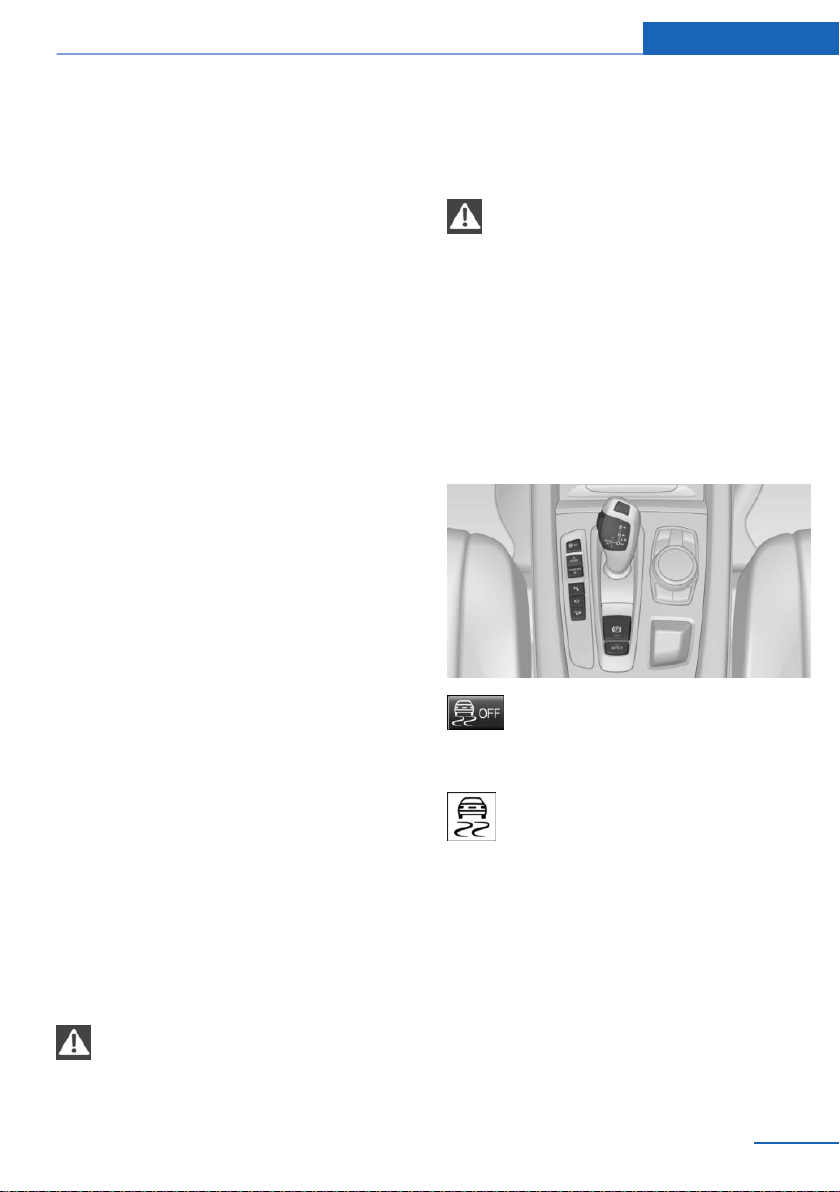
Depending on the situation, the drive torque is
shifted from the wheel on the inside of the
curve to the wheel on the outside of the curve
or vice-versa.
To increase the maneuverability, the rear
wheel on the outside of the curve is acceler‐
ated when a sporty driving style is used.
The steering responds directly; simultane‐
ously, the understeering tendency of the four-
wheel drive is reduced.
With the oversteering tendency, the system
exerts a stabilizing effect by accelerating the
rear wheel on the inside of the curve.
The system noticeably improves the traction
and simultaneously increases the driving
safety, especially on road surfaces having fluc‐
tuating coefficients of friction.
DSC Dynamic Stability
Control
Concept
Within the physical limits, the system helps to
keep the vehicle on a steady course by reduc‐
ing engine speed and by applying brakes to
the individual wheels.
General information
DSC detects the following unstable driving
conditions, for instance:
▷ Fishtailing, which can lead to oversteering.
▷ Loss of traction of the front wheels, which
can lead to understeering.
Dynamic Traction Control DTC, refer to
page 146, is a version of the DSC where for‐
ward momentum is optimized.
Safety information
WARNING
The system does not relieve from per‐
sonal responsibility to assess the traffic situa‐
tion. Based on the limits of the system, it can‐
not independently react to all traffic situations.
There is a risk of an accident. Adjust driving
style to traffic conditions. Watch traffic closely
and actively intervene where appropriate.◀
WARNING
When driving with roof load, e.g., with
roof-mounted luggage rack, driving safety may
not be ensured in driving-critical situations due
to the elevated center of gravity. There is a risk
of accidents or risk of property damage. Do not
deactivate Dynamic Stability Control DSC
when driving with roof load.◀
Overview
Button in the vehicle
DSC OFF button
Indicator/warning lights
The indicator lamp flashes: DSC con‐
trols the drive and braking forces.
The indicator lamp lights up: DSC has
malfunctioned.
Deactivating DSC: DSC OFF
When DSC is deactivated, driving stability is
reduced during acceleration and when driving
in curves.
To increase vehicle stability, activate DSC
again as soon as possible.
Seite 145
Driving stability control systems Controls
145
Online Edition for Part no. 01402981185 - VI/17
Deactivating DSC
Press and hold this button but not lon‐
ger than approx. 10 seconds, until the
indicator light for DSC OFF lights up in the in‐
strument cluster and displays DSC OFF.
DSC is switched off.
The steering and, depending on the equip‐
ment, suspension are tuned for sporty driving.
Activating DSC
Press button.
DSC OFF and the DSC OFF indicator
lamp go out.
Indicator/warning lights
When DSC is deactivated, DSC OFF is dis‐
played in the instrument cluster.
The indicator lamp lights up: DSC is
deactivated.
DTC Dynamic Traction
Control
Concept
DTC is a version of the DSC Dynamic Stability
Control where forward momentum is opti‐
mized.
The system ensures maximum headway on
special road conditions or loose road surfaces,
for instance unplowed snowy roads, but with
somewhat limited driving stability.
When DTC is activated, the vehicle has maxi‐
mum traction. Driving stability is limited during
acceleration and when driving in curves.
Drive carefully.
You may find it useful to briefly activate DTC
under the following special circumstances:
▷ When driving in slush or on uncleared,
snow-covered roads.
▷ When freeing vehicle from deep snow or
driving off from loose ground.
▷ When driving with snow chains.
Deactivating/activating DTC Dynamic
Traction Control
Activating DTC
Press button.
TRACTION is displayed in the instru‐
ment cluster and the indicator light for DSC
OFF lights up.
Deactivating DTC
Press button again.
TRACTION and the DSC OFF indica‐
tor light go out.
Indicator/warning lights
If DTC is activated, TRACTION is displayed in
the instrument cluster.
The indicator lamp lights up: DTC Dy‐
namic Traction Control is activated.
xDrive
xDrive is the all-wheel-drive system of your ve‐
hicle. Concerted action by the xDrive and DSC
Dynamic Stability Control further optimizes
traction and driving dynamics. The xDrive all-
wheel-drive system variably distributes the
drive forces to the front and rear axles as de‐
manded by the driving situation and road sur‐
face.
Display on the Control Display
Displaying xDrive view
1.
"Vehicle info"
2. "xDrive status"
3. "xDrive view"
Seite 146
Controls Driving stability control systems
146
Online Edition for Part no. 01402981185 - VI/17
The following information is displayed:
▷ With a navigation system: compass display
for the driving direction
▷ Pitch attitude with degree and percentage.
▷ Transverse gradient with degree indica‐
tion.
▷ Graphic display for the steering.
Displaying distribution of the drive
torque
1. "Vehicle info"
2. "xDrive status"
3. "Torque distribution"
HDC Hill Descent Control
Concept
HDC is a downhill driving assistant that auto‐
matically controls vehicle speed on steep
downhill gradients. Without applying the
brakes, the vehicle moves at slightly more than
walking speed. It the brakes are actively ap‐
plied, the system distributes force according to
the traction.
Vehicle stability and maneuverability are im‐
proved on downhill gradients.
Hill Descent Control can be activated at
speeds below approx. 22 mph/35 km/h. When
driving downhill, the vehicle reduces its speed
and then keeps its speed constant.
Only use HDC in low gears or in selector lever
position D or R.
Increasing or decreasing vehicle
speed
Specify desired speed in the range from ap‐
prox. 4 mph/6 km/h to approx. 15 mph/25 km/h
using the rocker switch of the cruise control on
the steering wheel. Vehicle speed can be
changed by lightly accelerating.
▷ Press the rocker switch up to the point of
resistance: the speed increases gradually.
▷ Press up the rocker switch past the point
of resistance: the speed increases while
the rocker switch is pressed.
▷ Press the rocker switch down to the point
of resistance: the speed decreases gradu‐
ally.
▷ Press the rocker switch down past the
point of resistance: when driving forward,
the speed decreases to approx.
6 mph/10 km/h; when reversing, the speed
decreases to approx. 4 mph/6 km/h.
Activating HDC
Press button; the LED above the button
lights up.
Deactivating HDC
Press button again. The LED goes out.
HDC is automatically deactivated above
approx. 37 mph/60 km/h.
Seite 147
Driving stability control systems Controls
147
Online Edition for Part no. 01402981185 - VI/17

Display in the instrument cluster
The selected speed is displayed
in the speedometer.
▷ Green: the system is actively
braking the vehicle.
▷ Orange: the system is on
standby.
Malfunction
A message is displayed in the instrument clus‐
ter. HDC is not available, for instance, at ele‐
vated brake temperatures.
Active roll stabilization
Concept
The system reduces the lateral tilt of the vehi‐
cle that occurs during rapid driving in curves or
during quick evasive maneuvers.
Driving stability and driving comfort are in‐
creased under all driving conditions. The sys‐
tem utilizes active stabilizer bars on the front
and rear axles that react immediately to all driv‐
ing situations.
Programs
The system offers two different programs.
Select the programs via the Driving Dynamics
Control.
SPORT
Sporty tuning for greater driving agility.
COMFORT
Comfort-oriented tuning for optimal comfort.
Vertical Dynamic Control
Concept
This system reduces undesirable vehicle mo‐
tion when using a dynamic driving style or trav‐
eling on uneven road surfaces.
This enhances the driving dynamics and driv‐
ing comfort depending on the road surface
condition and driving style.
Programs
The system offers several different programs.
Select the programs via the Driving Dynamics
Control.
SPORT/SPORT+
Consistently sporty control of the shock ab‐
sorbers for greater driving agility.
COMFORT/ECO PRO
Balanced tuning.
Self-leveling suspension
The concept
The self-leveling suspension keeps the vehicle
height and ground clearance constant. The
height of the vehicle at the rear axle is main‐
tained at a predefined level under all load con‐
ditions.
The system ensures consistent comfort by
keeping spring travel constant in all driving sit‐
uations.
Malfunction
A Check Control message is displayed. The
system is disrupted. Vehicle handling may be
altered and driving comfort may be noticeably
reduced. Visit the nearest dealer’s service cen‐
ter or another qualified service center or repair
shop.
Seite 148
Controls Driving stability control systems
148
Online Edition for Part no. 01402981185 - VI/17
Driving Dynamics Control
The concept
The Driving Dynamics Control can be used to
adjust the driving dynamics of the vehicle. For
this purpose various programs are available for
selection that are activated via the two buttons
of the Driving Dynamics Control and the DSC
OFF-button.
Overview
Button in the vehicle
Operating the programs
Press button Program
DSC OFF
TRACTION
SPORT+
SPORT
COMFORT
ECO PRO
Automatic program change
The system may automatically switch to COM‐
FORT in the following situations:
▷ Failure of DSC Dynamic Stability Control.
▷ The vehicle has a flat tire.
▷ When activating cruise control in TRAC‐
TION or DSC OFF mode.
DSC OFF
Driving stability is limited during acceleration
and when driving in curves.
To increase vehicle stability, activate DSC
again as soon as possible.
Deactivating DSC: DSC OFF
Press and hold this button but not lon‐
ger than approx. 10 seconds, until the
indicator lamp for DSC OFF lights up in the in‐
strument cluster and displays DSC OFF.
The DSC system is switched off.
Activating DSC
Press button.
DSC OFF and the DSC OFF indicator
lamp go out.
Indicator/warning lights
When DSC OFF is activated, DSC OFF is dis‐
played in the instrument cluster.
The indicator lamp lights up: DSC OFF
is activated.
TRACTION
Maximum traction on loose road surfaces. DTC
Dynamic Traction Control is switched on. Driv‐
ing stability is limited during acceleration and
when driving in curves.
Activating TRACTION
Press button.
TRACTION is displayed in the instru‐
ment cluster and the indicator lamp for DSC
OFF lights up.
Deactivating TRACTION
Press button again.
TRACTION and the DSC OFF indica‐
tor lamp go out.
Seite 149
Driving stability control systems Controls
149
Online Edition for Part no. 01402981185 - VI/17
Indicator/warning lights
If TRACTION is activated, TRACTION is dis‐
played in the instrument cluster.
The indicator lamp lights up: TRAC‐
TION is activated.
SPORT+
Concept
Sporty driving with optimized chassis and sus‐
pension and adjusted drivetrain with limited
driving stabilization.
General information
Dynamic Traction Control is switched on.
The driver handles several of the stabilization
tasks.
Activating SPORT+
Press button repeatedly until SPORT+
appears in the instrument cluster and
the DSC OFF indicator light lights up.
Automatic program change
When switching on the manual speed limiter or
activating cruise control, the program automat‐
ically switches to SPORT mode.
Indicator/warning lights
SPORT+ is displayed in the instrument cluster.
The DSC OFF indicator light is illumi‐
nated: Dynamic Traction Control DTC
is activated.
SPORT
Consistently sporty tuning of the suspension
and drivetrain for greater driving agility with
maximum driving stabilization.
Activating SPORT
Press button repeatedly until SPORT
is displayed in the instrument cluster.
Configuring SPORT
When the display is activated on the Control
Display, refer to page 151, the SPORT driving
mode can be set.
After the SPORT driving mode is activated, se‐
lect "Configure SPORT" on the display and
configure the program.
SPORT can also be configured before it is acti‐
vated.
Using iDrive:
1.
"Settings"
2. "SPORT mode" or: "Driving mode"
3. Configure driving mode.
The configuration is stored for the profile cur‐
rently used.
This configuration is retrieved when the
SPORT driving mode is activated.
COMFORT
Concept
For a balanced tuning with maximum driving
stabilization.
Activating COMFORT
Press button repeatedly until COM‐
FORT is displayed in the instrument
cluster.
In certain situations, the system automatically
changes to the NORMAL program, automatic
program change, refer to page 149.
ECO PRO
ECO PRO, refer to page 208, provides consis‐
tent tuning to minimize fuel consumption for
maximum range with maximum driving stabili‐
zation.
Seite 150
Controls Driving stability control systems
150
Online Edition for Part no. 01402981185 - VI/17
Comfort functions and the engine Controller
are adjusted.
The program can be configured to individual
specifications.
Activating ECO PRO
Press button repeatedly until ECO
PRO is displayed in the instrument
cluster.
Configuring ECO PRO
1. Activate ECO PRO.
2. "Configure ECO PRO"
Make the desired settings.
Displays in the instrument cluster
Selected program
The instrument cluster displays
the selected program.
Program selection
Pressing the button displays a
list of the selectable programs.
Depending on your vehicle's op‐
tional features, the list in the in‐
strument cluster can differ from
the illustration shown.
Display on the Control Display
Program changes can be displayed briefly on
the Control Display.
To do so, make the following settings:
1.
"Settings"
2. "Driving mode"
3. "Driving mode info"
Seite 151
Driving stability control systems Controls
151
Online Edition for Part no. 01402981185 - VI/17

Driving comfort
Vehicle features and options
This chapter describes all standard, country-
specific and optional features offered with the
series. It also describes features that are not
necessarily available in your vehicle, e. g., due
to the selected options or country versions.
This also applies to safety-related functions
and systems. When using these functions and
systems, the applicable laws and regulations
must be observed.
Active Cruise Control with
Stop & Go function ACC
Concept
Using this system, a desired speed and a dis‐
tance to a vehicle ahead can be adjusted using
the buttons on the steering wheel.
The system maintains the desired speed on
clear roads. For this purpose, the vehicle ac‐
celerates or brakes automatically.
If a vehicle is driving ahead of you, the system
adjusts the speed of your vehicle so that the
set distance to the vehicle ahead is main‐
tained. The speed is adjusted as far as the
given situation allows.
The distance can be adjusted in several steps.
For safety reasons, it depends on the respec‐
tive speed.
If the vehicle ahead of you brakes to a halt, and
then proceeds to drive again within a brief pe‐
riod, the system is able to detect this within the
given system limits.
General information
Depending on the driving settings, the features
of the cruise control can change in certain
areas.
Safety information
WARNING
The system does not relieve from per‐
sonal responsibility to assess the traffic situa‐
tion. Based on the limits of the system, it can‐
not independently react to all traffic situations.
There is a risk of an accident. Adjust driving
style to traffic conditions. Watch traffic closely
and actively intervene where appropriate.◀
WARNING
An unsecured vehicle can begin to move
and possibly roll away. There is a risk of an ac‐
cident. Before exiting, secure the vehicle
against rolling.
In order to ensure that the vehicle is secured
against rolling away, observe the following:
▷ Set the parking brake.
▷ On uphill grades or on a downhill slope,
turn the front wheels in the direction of the
curb.
▷ On uphill grades or on a downhill slope,
also secure the vehicle, e.g., with a wheel
chock.◀
WARNING
The desired speed can be incorrectly ad‐
justed or called up by mistake. There is a risk
of an accident. Adjust the desired speed to the
traffic conditions. Watch traffic closely and ac‐
tively intervene where appropriate.◀
WARNING
Risk of accident due to too high speed
differences to other vehicles, for instance in
the following situations:
▷ When fast approaching a slowly moving
vehicle.
▷ Suddenly swerving vehicle onto the own
lane.
▷ When fast approaching standing vehicles.
Seite 152
Controls Driving comfort
152
Online Edition for Part no. 01402981185 - VI/17
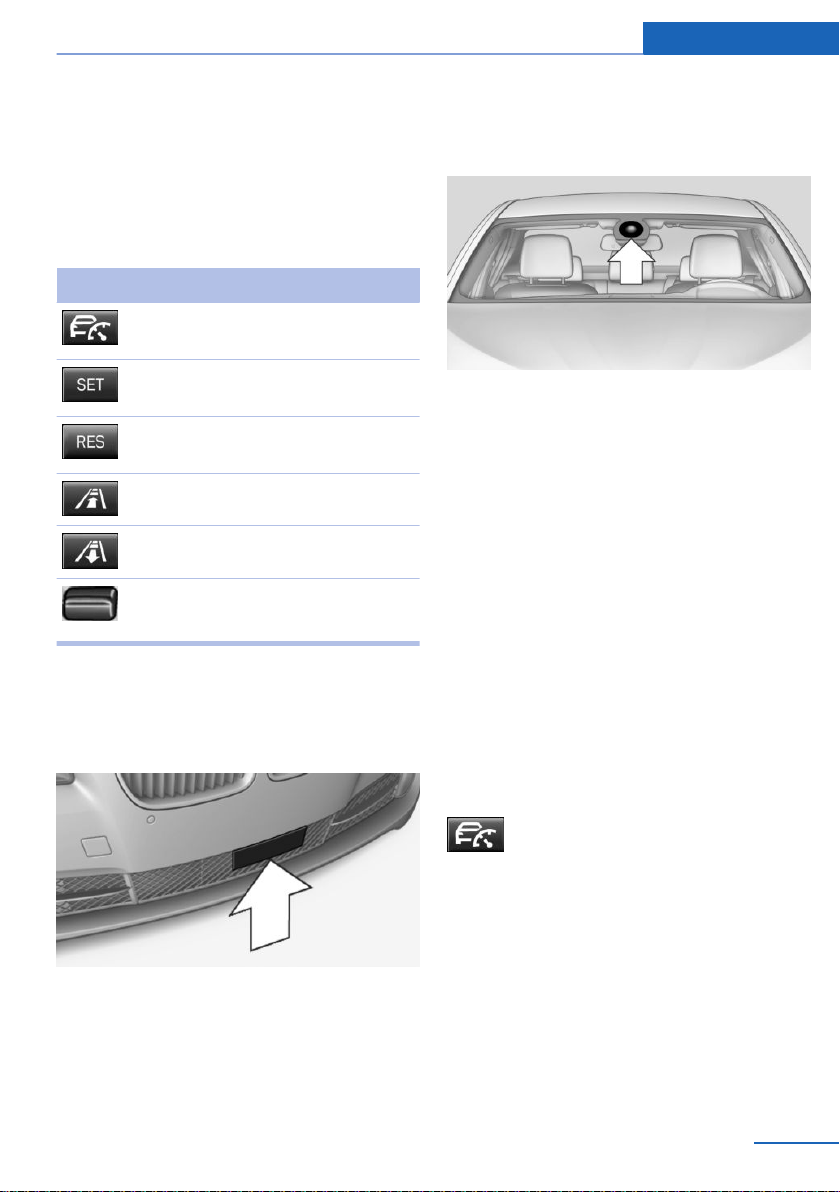
There is a risk of injuries or danger to life.
Watch traffic closely and actively intervene
where appropriate.◀
Overview
Buttons on the steering wheel
Button Function
Cruise control on/off, interrupt, refer
to page 153
Store/maintain speed, refer to
page 154
Resume speed, continue cruise con‐
trol, refer to page 155
Reduce distance, refer to page 155
Increase distance, refer to page 155
Rocker switch:
Set speed, refer to page 154
Radar sensor
A radar sensor is located in the front bumper
for detecting vehicles on the road ahead of the
vehicle.
Always keep radar sensor clean and unob‐
structed.
Camera
A camera in the area of the interior mirror
serves to detect vehicles.
Keep the windshield in front of the interior mir‐
ror clean and clear.
Functional requirements
Speed range
The system is best used on well-constructed
roads.
The minimum speed that can be set is
20 mph/30 km/h. The maximum speed that
can be set depends on the vehicle.
The system can also be activated when sta‐
tionary.
Switching on/off and interrupting
cruise control
Switching on
Press button on the steering wheel.
The indicator lights in the instrument cluster
light up and the mark in the speedometer is set
to the current speed.
Cruise control can be used.
DSC Dynamic Stability Control is switched on,
if necessary.
Switching off
To switch off the system while standing, step
on brake pedal at the same time.
Seite 153
Driving comfort Controls
153
Online Edition for Part no. 01402981185 - VI/17
Press button on the steering wheel.
▷ If active: press twice.
▷ If interrupted: press once.
The displays go out. The stored desired speed
is deleted.
Interrupting manually
Press button on the steering wheel.
If interrupting the system while stationary,
press on the brake pedal at the same time.
Interrupting automatically
The system is automatically interrupted in the
following situations:
▷ When the driver applies the brakes.
▷ When selector lever position D is disen‐
gaged.
▷ Dynamic Traction Control DTC is activated
or DSC Dynamic Stability Control is deacti‐
vated.
▷ If DSC Dynamic Stability Control inter‐
venes.
▷ When SPORT+ is activated with Driving
Dynamics Control.
▷ If the safety belt is unbuckled and the driv‐
er's door is opened while the vehicle is
standing still.
▷ If the system has not detected objects for
an extended period, for instance on a road
with very little traffic without curb or
shoulder markings.
▷ If the detection range of the radar is im‐
paired, for instance by dirt or heavy fog.
▷ After a stationary period of approx. 3 sec‐
onds when the vehicle has been braked to
a stop by the system.
Setting the speed
Maintaining/storing the speed
Press the rocker switch while the system is in‐
terrupted.
When the system is switched on, the current
speed is maintained and stored as the desired
speed.
The stored speed is displayed in the speedom‐
eter and briefly in the instrument cluster, refer
to page 155.
DSC Dynamic Stability Control is switched on,
if necessary.
The speed can also be stored by
pressing a button.
Press button.
Changing the speed
Press the rocker switch up or down repeatedly
until the desired speed is set.
If active, the displayed speed is stored and the
vehicle reaches the stored speed when the
road is clear.
Seite 154
Controls Driving comfort
154
Online Edition for Part no. 01402981185 - VI/17
▷ Each time the rocker switch is pressed to
the point of resistance, the desired speed
increases or decreases by approx.
1 mph/1 km/h.
▷ Each time the rocker switch is pressed
past the resistance point, the desired
speed changes by a maximum of 5 mph/
10 km/h.
Hold the rocker switch in position to repeat the
action.
Adjusting distance
Safety information
WARNING
The system does not relieve from per‐
sonal responsibility. Due to the system limits,
braking can be late. There is a risk of accidents
or risk of damage to property. Be aware to the
traffic situation at all times. Adjust the distance
to the traffic and weather conditions and main‐
tain the prescribed safety distance, possibly by
braking.◀
Reduce distance
Press button repeatedly until the de‐
sired distance is set.
Instrument cluster will display selected dis‐
tance, refer to page 155.
Increase distance
Press button repeatedly until the de‐
sired distance is set.
Instrument cluster will display selected dis‐
tance, refer to page 155.
Continuing cruise control
General information
An interrupted cruise control can be continued
by calling up the stored speed.
Make sure that the difference between current
speed and stored speed is not too large before
calling up the stored speed. Otherwise, unin‐
tentional braking or accelerating may occur.
In the following cases, the stored speed value
is deleted and cannot be called up again:
▷ When the system is switched off.
▷ When the ignition is switched off.
Calling up stored speed and distance
Press button with the system
switched on.
Displays in the instrument cluster
Desired speed and stored speed
▷ Marking lights up green:
system is active, the mark‐
ing indicates the desired
speed.
▷ Marking lights up orange:
system is interrupted, the
marking indicates the stored
speed.
▷ The marking does not light up: the system
is switched off.
With instrument display: the symbol is
displayed in the speedometer similarly
to the mark for the desired speed.
Brief status display
Selected desired speed.
If no speed is indicated, it is possible that the
conditions necessary for operation are not cur‐
rently fulfilled.
Distance to vehicle ahead of you
Selected distance to the vehicle ahead of you
is shown.
Seite 155
Driving comfort Controls
155
Online Edition for Part no. 01402981185 - VI/17
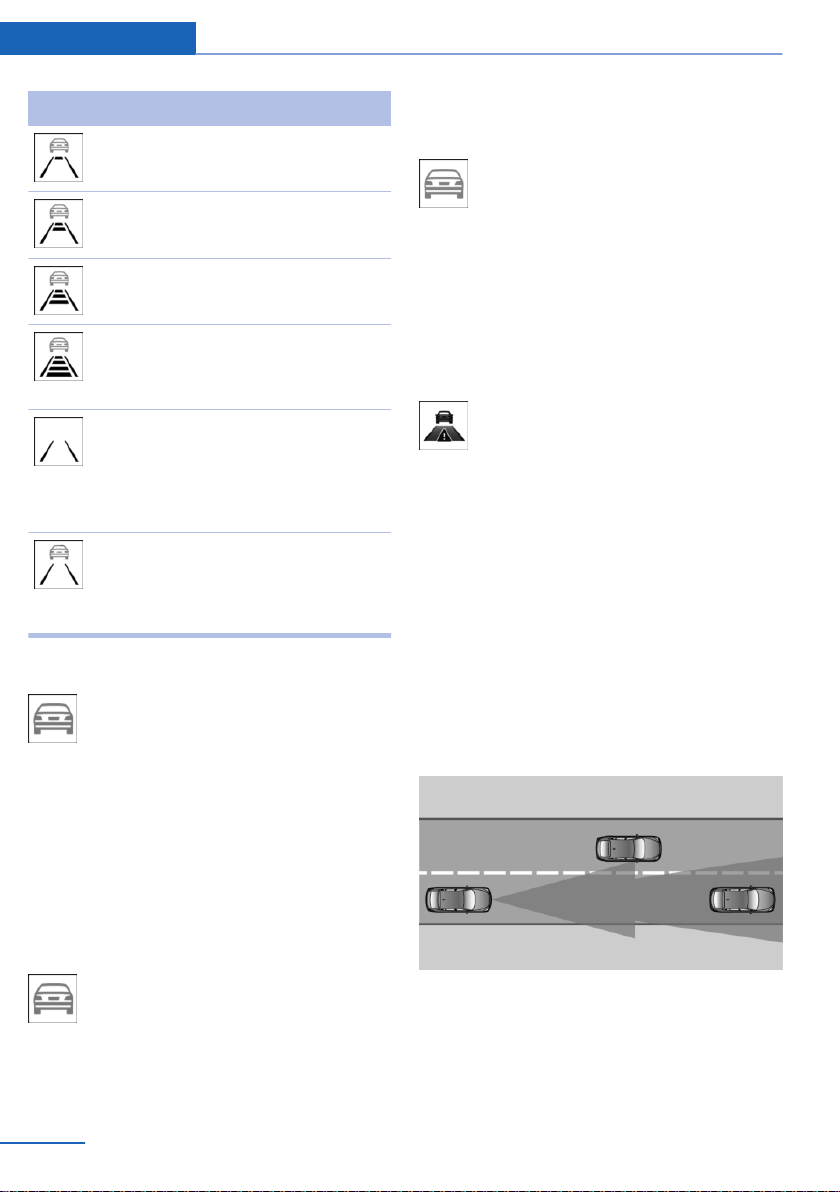
Distance display
Distance 1
Distance 2
Distance 3
Distance 4
This value is set automatically after
the system is switched on.
The system has been interrupted or
distance control is temporarily sup‐
pressed because the accelerator
pedal is being pressed; a vehicle
was not detected.
Distance control is temporarily sup‐
pressed because the accelerator
pedal is being pressed; a vehicle
was detected.
Detected vehicle
Symbol lights up orange:
A vehicle has been detected ahead of
you.
Rolling bars: the detected vehicle has driven
away.
ACC does not accelerate. To accelerate, acti‐
vate ACC by briefly stepping on the accelera‐
tor pedal or pressing the RES button or the
rocker switch.
Indicator/warning lights
Symbol flashes orange:
The conditions are not adequate for
the system to work.
The system was deactivated but applies the
brakes until you actively resume control by
pressing on the brake pedal or accelerator
pedal.
Symbol flashes red and a signal
sounds:
Brake and make an evasive maneuver,
if necessary.
Displays in the Head-up Display
Some system information can also be dis‐
played in the Head-up Display.
Distance information
The symbol is displayed when the dis‐
tance from the vehicle traveling ahead
is too short.
The distance information is active under the
following circumstances:
▷ Active Cruise Control switched off.
▷ Display in the Head-up Display selected,
refer to page 104.
▷ Distance too short.
▷ Speed greater than approx.
40 mph/70 km/h.
System limits
Detection range
The detection capacity of the system and the
automatic braking capacity are limited.
Two-wheeled vehicles for instance might not
be detected.
Seite 156
Controls Driving comfort
156
Online Edition for Part no. 01402981185 - VI/17
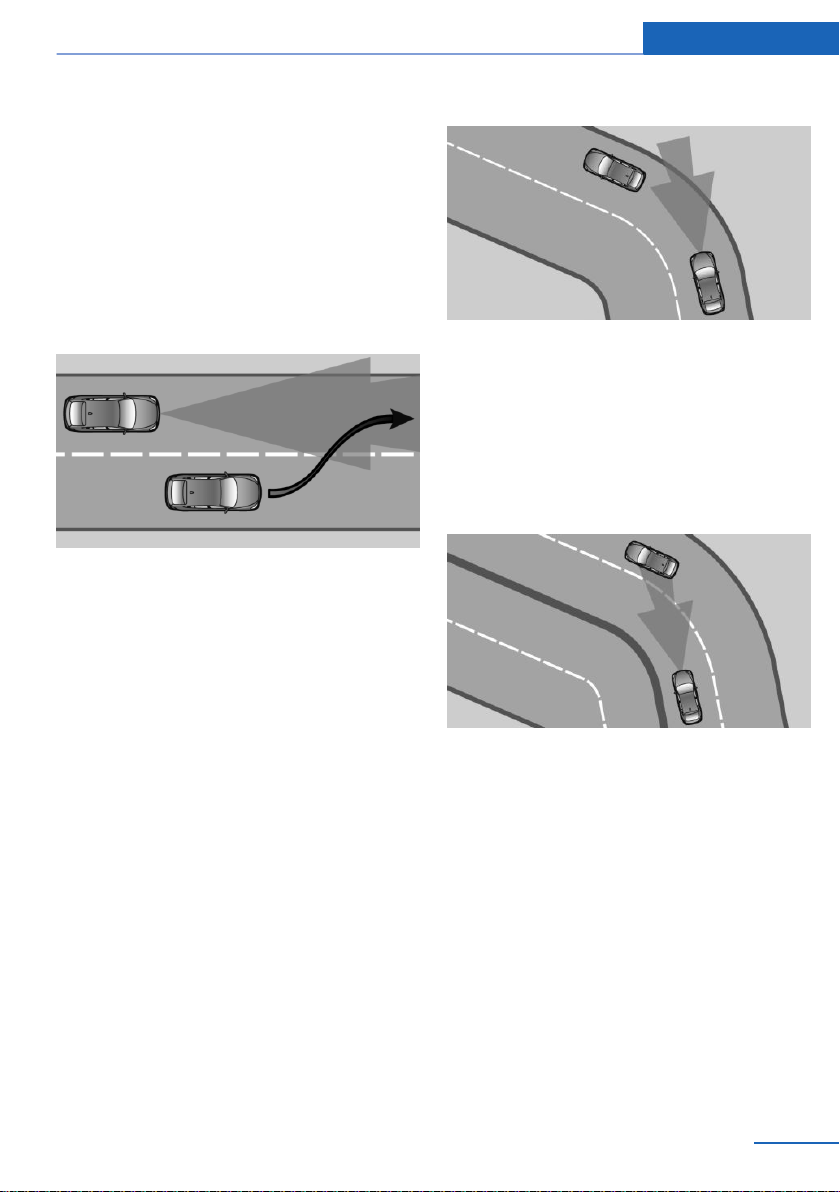
Deceleration
The system also does not decelerate in the fol‐
lowing situations:
▷ For pedestrians or similarly slow-moving
road users.
▷ For red traffic lights.
▷ For cross traffic.
▷ For oncoming traffic.
Swerving vehicles
A vehicle driving in front of you is not detected
until it is completely within the same lane as
your vehicle.
If a vehicle driving ahead of you suddenly
swerves into your lane, the system may not be
able to automatically restore the selected dis‐
tance. It may not be possible to restore the se‐
lected distance in certain situations, including
if you are driving significantly faster than vehi‐
cles driving ahead of you, for instance when
rapidly approaching a truck. When a vehicle
driving ahead of you is reliably detected, the
system requests that the driver intervene by
braking and carrying out evasive maneuvers, if
needed.
Cornering
If the desired speed is too high for a curve, the
speed is reduced slightly, although curves can‐
not be anticipated in advance. Therefore, drive
into a curve at an appropriate speed.
The system has a limited detection range. Sit‐
uations can arise in tight curves where a vehi‐
cle driving ahead will not be detected or will be
detected very late.
When you approach a curve the system may
briefly report vehicles in the next lane due to
the bend of the curve. If the system deceler‐
ates you may compensate it by briefly acceler‐
ating.
After releasing the accelerator pedal the sys‐
tem is reactivated and controls speed inde‐
pendently.
Driving away
In some situations, the vehicle cannot drive off
automatically; for example:
▷ On steep inclines.
▷ From bumps in the road.
In these cases, step on the accelerator pedal.
Seite 157
Driving comfort Controls
157
Online Edition for Part no. 01402981185 - VI/17

Weather
The following restrictions can occur under un‐
favorable weather or light conditions:
▷ Poorer vehicle recognition.
▷ Short-term interruptions for vehicles that
are already recognized.
Examples of unfavorable weather or light con‐
ditions:
▷ Wet conditions.
▷ Snowfall.
▷ Slush.
▷ Fog.
▷ Glare.
Drive attentively, and react to the current traffic
situation. If necessary, intervene actively, for
instance by braking, steering or evading.
Engine power
The desired speed is also maintained downhill,
but may not be maintained on uphill grades if
engine power is insufficient.
Malfunction
The system cannot be activated if the radar
sensor is not aligned correctly. This may be
caused by damage incurred, for instance dur‐
ing parking.
A Check Control message is displayed if the
system fails.
The function for detecting and responding
when approaching stationary vehicles may be
limited in the following situations:
▷ During calibration of the camera immedi‐
ately after vehicle delivery.
▷ If the camera is malfunctioning or dirty. A
Check Control message is displayed.
Cruise control
The concept
Using this system, a desired speed can be ad‐
justed using the buttons on the steering wheel.
The system maintains the desired speed. The
system accelerates and brakes automatically
as needed.
General information
Depending on the driving settings, the features
of the cruise control can change in certain
areas.
Safety information
WARNING
The system does not relieve from per‐
sonal responsibility to assess the traffic situa‐
tion. Based on the limits of the system, it can‐
not independently react to all traffic situations.
There is a risk of an accident. Adjust driving
style to traffic conditions. Watch traffic closely
and actively intervene where appropriate.◀
WARNING
The use of the system can lead to an in‐
creased risk of accidents in the following situa‐
tions, for instance:
▷ On winding roads.
▷ In heavy traffic.
▷ On slippery roads, in fog, snow, or wet
conditions, or on a loose road surface.
There is a risk of accidents or risk of damage to
property. Only use the system if driving at con‐
stant speed is possible.◀
WARNING
The desired speed can be incorrectly ad‐
justed or called up by mistake. There is a risk
of an accident. Adjust the desired speed to the
traffic conditions. Watch traffic closely and ac‐
tively intervene where appropriate.◀
Seite 158
Controls Driving comfort
158
Online Edition for Part no. 01402981185 - VI/17
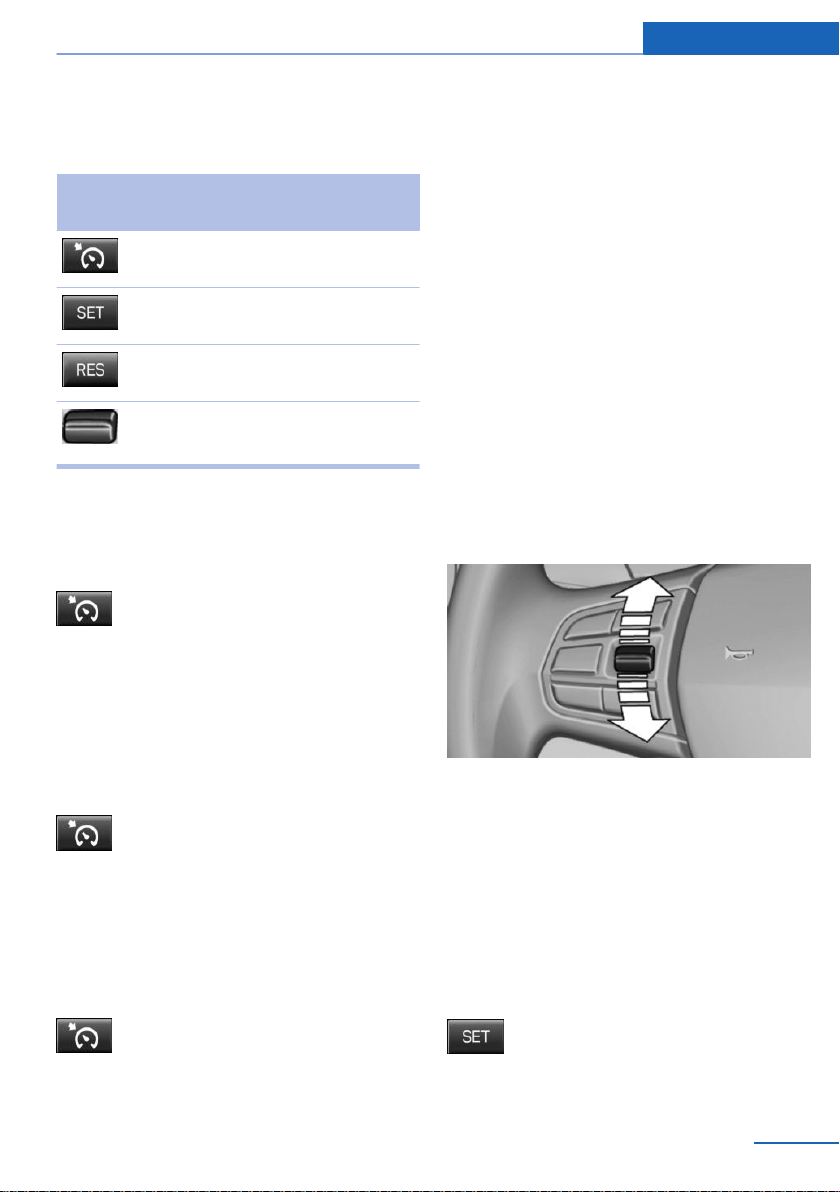
Overview
Buttons on the steering wheel
Press but‐
ton
Function
Cruise control on/off, interrupt‐
ing, refer to page 159.
Store/maintain speed, refer to
page 159.
Resume speed, continue cruise
control, refer to page 160.
Rocker switch:
Set speed, refer to page 160.
Switching on/off and interrupting
cruise control
Switching on
Press button on the steering wheel.
The marking in the speedometer is set to the
current speed.
The cruise control can be used.
DSC Dynamic Stability Control is switched on,
if necessary.
Switching off
Press button on the steering wheel.
▷ If active: press twice.
▷ If interrupted: press once.
The displays go out. The stored desired speed
is deleted.
Interrupting manually
When active, press the button.
Interrupting automatically
The system is automatically interrupted in the
following situations:
▷ When the driver applies the brakes.
▷ When selector lever position D is disen‐
gaged.
▷ Dynamic Traction Control DTC is activated
or DSC Dynamic Stability Control is deacti‐
vated.
▷ If DSC Dynamic Stability Control inter‐
venes.
▷ When HDC Hill Descent Control is acti‐
vated.
▷ When SPORT+ is activated with Driving
Dynamics Control.
Setting the speed
Maintaining/storing the speed
Press the rocker switch while the system is in‐
terrupted.
When the system is switched on, the current
speed is maintained and stored as the desired
speed.
The stored speed is displayed in the speedom‐
eter and briefly in the instrument cluster, refer
to page 160.
DSC Dynamic Stability Control is switched on,
if necessary.
The speed can also be stored by
pressing a button.
Press button.
Seite 159
Driving comfort Controls
159
Online Edition for Part no. 01402981185 - VI/17
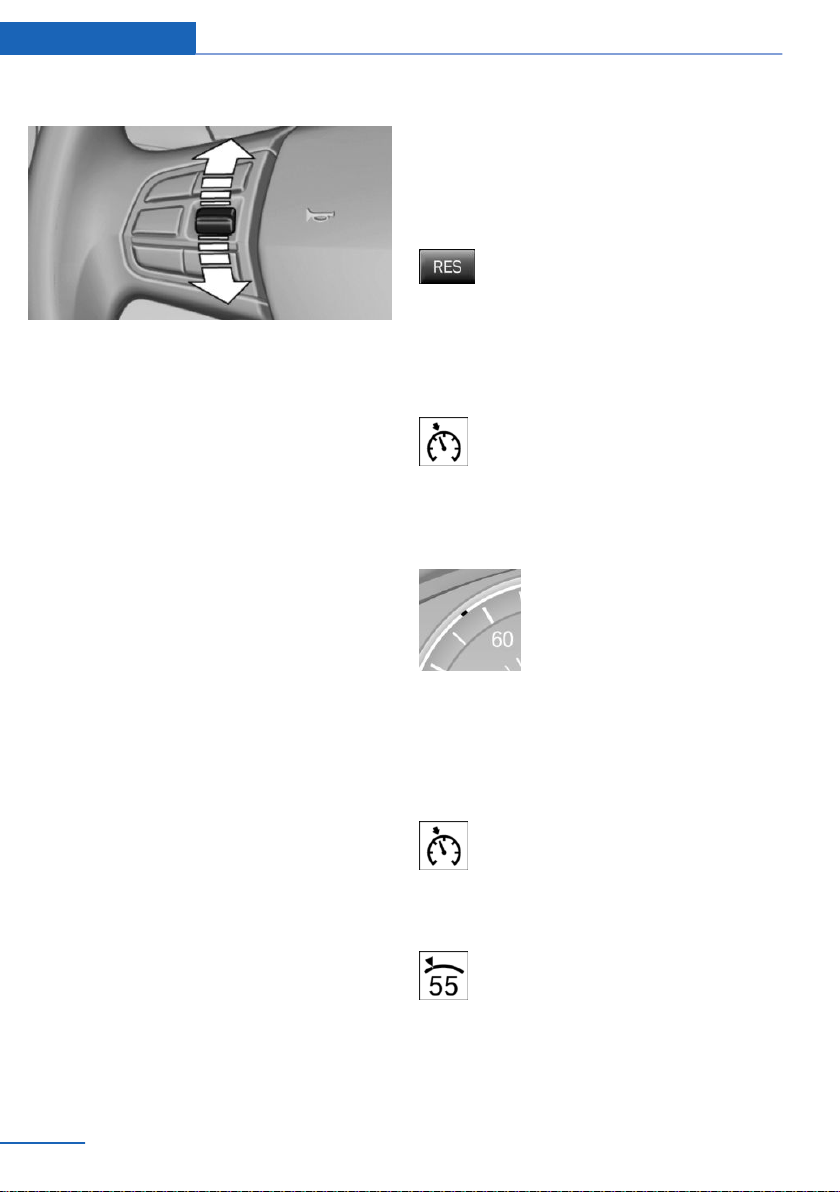
Changing the speed
Press the rocker switch up or down repeatedly
until the desired speed is set.
If active, the displayed speed is stored and the
vehicle reaches the stored speed when the
road is clear.
▷ Each time the rocker switch is pressed to
the point of resistance, the desired speed
increases or decreases by approx.
1 mph/1 km/h.
▷ Each time the rocker switch is pressed
past the resistance point, the desired
speed changes by a maximum of 5 mph/
10 km/h.
The maximum speed that can be set de‐
pends on the vehicle.
▷ Pressing the rocker switch to the resist‐
ance point and holding it accelerates or de‐
celerates the vehicle without requiring
pressure on the accelerator pedal.
After the rocker switch is released, the ve‐
hicle maintains its final speed. Pressing the
switch beyond the resistance point causes
the vehicle to accelerate more rapidly.
Continuing cruise control
General information
An interrupted cruise control can be continued
by calling up the stored speed.
Make sure that the difference between current
speed and stored speed is not too large before
calling up the stored speed. Otherwise, unin‐
tentional braking or accelerating may occur.
In the following cases, the stored speed value
is deleted and cannot be called up again:
▷ When the system is switched off.
▷ When the ignition is switched off.
Calling up stored speed
Press button.
The stored speed is reached and maintained.
Displays in the instrument cluster
Indicator lamp
Depending on how the vehicle is equip‐
ped, the indicator lamp in the instru‐
ment cluster indicates whether the sys‐
tem is switched on.
Desired speed and stored speed
▷ Marking lights up green:
system is active, the mark‐
ing indicates the desired
speed.
▷ Marking lights up orange:
system is interrupted, the
marking indicates the stored
speed.
▷ The marking does not light up: the system
is switched off.
With instrument display: the symbol is
displayed in the speedometer similarly
to the mark for the desired speed.
Brief status display
Selected desired speed.
If no speed is indicated, it is possible that the
conditions necessary for operation are not cur‐
rently fulfilled.
Seite 160
Controls Driving comfort
160
Online Edition for Part no. 01402981185 - VI/17
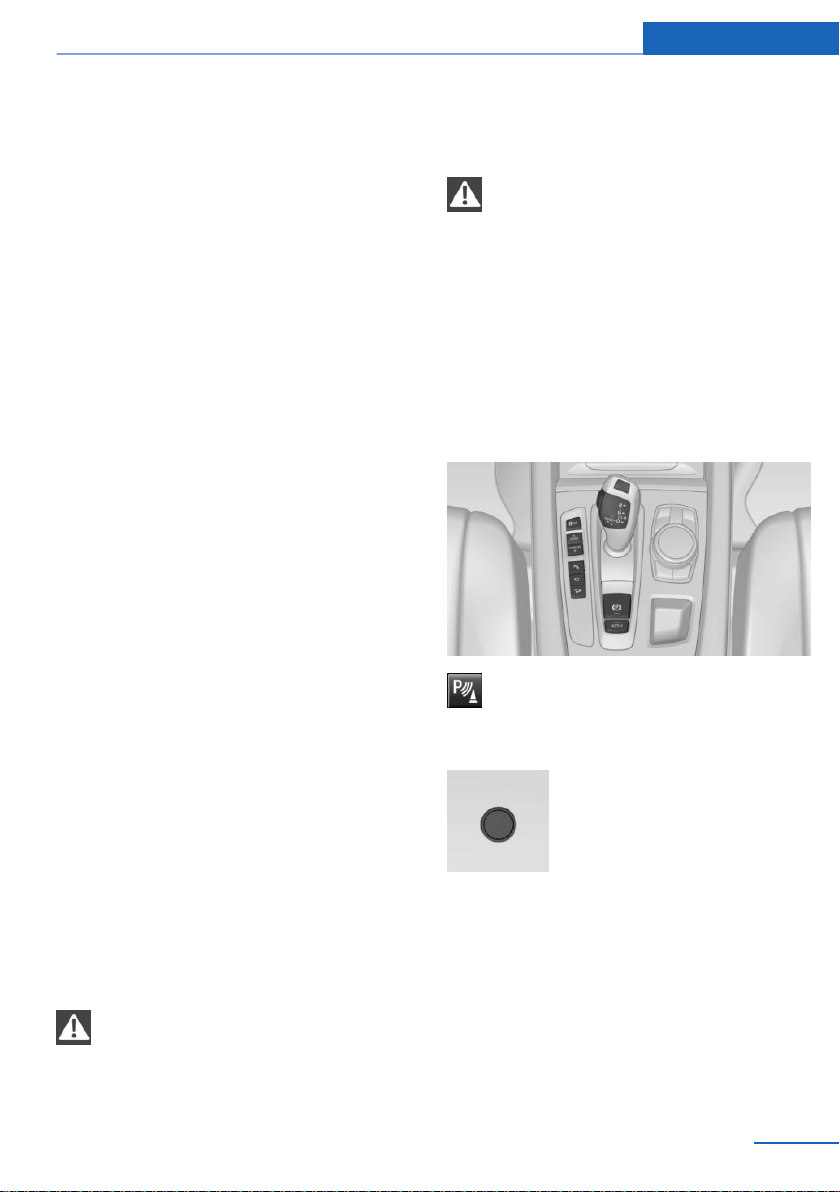
Displays in the Head-up Display
Some system information can also be dis‐
played in the Head-up Display.
System limits
Engine power
The desired speed is also maintained downhill,
but may not be maintained on uphill grades if
engine power is insufficient.
PDC Park Distance Control
Concept
PDC is a support when parking. When you
slowly approach an object in the rear - or also
in the front of the vehicle if the feature is availa‐
ble - then the object is reported through:
▷ Signal tones.
▷ Visual display.
General information
The ultrasound sensors for measuring the dis‐
tances are located in the bumpers.
The maneuvering range, depending on the ob‐
stacle and environmental conditions, is approx.
6 ft/2 m.
An acoustic warning is first given in the follow‐
ing situations:
▷ By the front sensors and the two rear cor‐
ner sensors at approx. 24 in/60 cm from
the object.
▷ By the rear middle sensors at a distance to
the object of approx. 5 ft/1.50 m.
▷ When a collision is imminent.
Safety information
WARNING
The system does not relieve from per‐
sonal responsibility to assess the traffic situa‐
tion. Based on the limits of the system, it can‐
not independently react to all traffic situations.
There is a risk of an accident. Adjust driving
style to traffic conditions. Watch traffic closely
and actively intervene where appropriate.◀
WARNING
Due to high speeds when PDC Park Dis‐
tance Control is activated, the warning can be
delayed due to physical circumstances. There
is a risk of injury or risk of damage to property.
Avoid approaching an object too fast. Avoid
driving off fast while PDC Park Distance Con‐
trol is not yet active.◀
Overview
With front PDC: button in vehicle
Park assistance button
Ultrasound sensors
Ultrasound sensors of the PDC,
for instance in the bumpers.
Functional requirements
Ensure full functionality:
▷ Do not cover sensors, for instance with
stickers, bicycle racks.
▷ Keep the sensors clean and unobstructed.
Seite 161
Driving comfort Controls
161
Online Edition for Part no. 01402981185 - VI/17

Switching on/off
Switching on automatically
The system switches on automatically in the
following situations:
▷ If selector lever position R is engaged
when the engine is running.
The rearview camera also switches on.
▷ If equipped with front PDC: when obsta‐
cles are detected behind or in front of the
vehicle by PDC and the speed is slower
than approx. 2.5 mph/4 km/h.
You may switch off automatic activation when
obstacles are detected. Using iDrive:
1.
"Settings"
2. "Parking"
3. Select setting.
The setting is stored for the driver profile
currently used.
If necessary, switch off automatic PDC activa‐
tion on obstacle detection, for instance in vehi‐
cle washes, to reduce false alarms.
Automatic deactivation during forward
travel
The system switches off when a certain driving
distance or speed is exceeded.
Switch the system back on, if needed.
With front PDC: switching on/off
manually
Press park assistance button.
▷ On: the LED lights up.
▷ Off: the LED goes out.
The rearview camera image is displayed if the
reverse gear is engaged when pressing the
park assistance button.
WARNING
Signal tones
An intermittent tone indicates when the vehi‐
cle is approaching an object. E.g., if an object
is detected to the left rear of the vehicle, a sig‐
nal tone sounds from the left rear speaker.
The shorter the distance to the object, the
shorter the intervals.
If the distance to a detected object is less than
approx. 10 inches/25 cm, a continuous tone is
sounded.
With front PDC: if objects are simultaneously
located both in front of and behind the vehicle,
an alternating continuous signal is sounded.
The signal tone is switched off, when selector
lever position P is engaged on vehicles with
Steptronic transmission.
Volume
The ratio of the PDC signal tone volume to the
entertainment volume can be adjusted.
Using iDrive:
1.
"Multimedia", "Radio" or "Settings"
2. "Tone"
3. "Volume settings"
4. "PDC"
5. Turn the Controller until the desired set‐
ting is selected.
6. Press the Controller.
Settings are stored for the profile currently
used.
Visual warning
The approach of the vehicle to an object can
be shown on the Control Display. Objects that
are farther away are already displayed on the
Control Display before a signal sounds.
A display appears as soon as Park Distance
Control (PDC) is activated.
Seite 162
Controls Driving comfort
162
Online Edition for Part no. 01402981185 - VI/17

The range of the sensors is represented in the
colors green, yellow and red.
When the image of the rearview camera is dis‐
played, the switch can be made to PDC:
"Rear view camera"
System limits
Safety information
WARNING
The system can react not at all, too late,
incorrectly, or without justification due to the
system limits. There is a risk of accidents or
risk of damage to property. Follow the informa‐
tion regarding the system limits and actively
intervene, if needed.◀
Limits of ultrasonic measurement
Ultrasonic measurements might not function in
the following situations:
▷ For small children and animals.
▷ For persons with certain clothing, for in‐
stance coats.
▷ With external interference of the ultra‐
sound, for instance from passing vehicles
or loud machines.
▷ When sensors are dirty, iced over, dam‐
aged or out of position.
▷ Under certain weather conditions such as
high relative humidity, wet conditions,
snowfall, extreme heat, or strong wind.
▷ With tow bars and trailer couplings of other
vehicles.
▷ With thin or wedge-shaped objects.
▷ With moving objects.
▷ With elevated, protruding objects such as
ledges or cargo.
▷ With objects with corners and sharp edges.
▷ With objects with a fine surface structure
such as fences.
▷ For objects with porous surfaces.
▷ If cargo protrudes.
▷ Low objects already displayed, for instance
curbs, can move into the blind area of the
sensors before or after a continuous tone
sounds.
False warnings
The system may issue a warning under the fol‐
lowing conditions even though there is no ob‐
stacle within the detection range:
▷ In heavy rain.
▷ When sensors are very dirty or covered
with ice.
▷ When sensors are covered in snow.
▷ On rough road surfaces.
▷ On uneven surfaces, such as speed
bumps.
▷ In large buildings with right angles and
smooth walls, for instance in underground
garages.
▷ In automatic vehicle washes.
▷ Due to heavy exhaust.
▷ Due to other ultrasound sources, for in‐
stance sweeping machines, high pressure
steam cleaners or neon lights.
If necessary, switch off automatic PDC activa‐
tion on obstacle detection, for instance in vehi‐
cle washes, to reduce false alarms.
Malfunction
A Check Control message is displayed.
The range of the sensors is shown as a shaded
area on the Control Display.
PDC has failed. Have the system checked by a
dealer’s service center or another qualified
service center or repair shop.
Seite 163
Driving comfort Controls
163
Online Edition for Part no. 01402981185 - VI/17
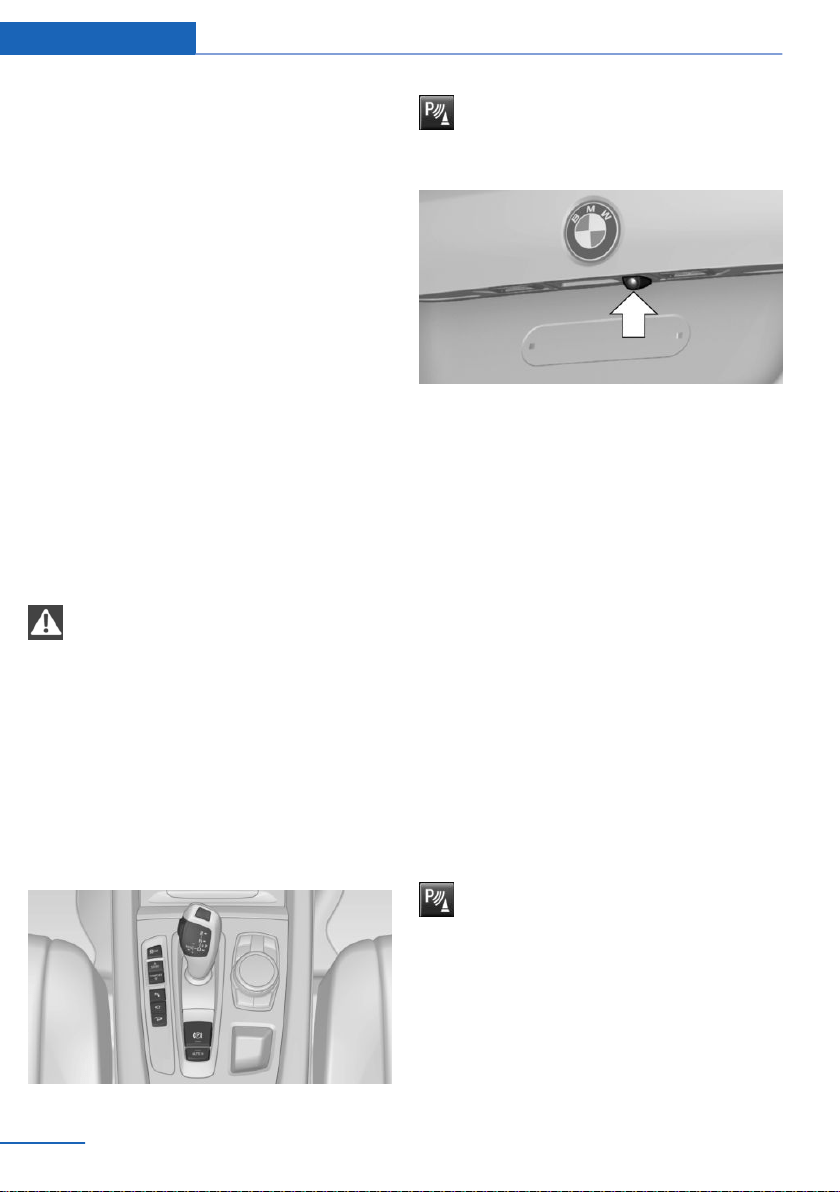
Surround View
Concept
Surround View comprises various camera as‐
sistance systems that help the driver when
parking, maneuvering, and at complex exits
and intersections.
▷ Rearview camera, refer to page 164
▷ Top View, refer to page 166.
▷ Side View, refer to page 168.
Rearview camera
Concept
The rearview camera provides assistance in
parking and maneuvering backwards. The area
behind the vehicle is shown on the Control
Display.
Safety information
WARNING
The system does not relieve from per‐
sonal responsibility to assess the traffic situa‐
tion. There is a risk of an accident. Adjust driv‐
ing style to traffic conditions. Watch traffic and
vehicle surroundings closely and actively inter‐
vene where appropriate.◀
Overview
If the vehicle is equipped accordingly:
button in the vehicle
Park assistance button
Camera
The camera lens is located in the handle of the
tailgate. The image quality may be impaired by
dirt.
Clean the camera lens if necessary.
Switching on/off
Switching on automatically
The system is switched on automatically if se‐
lector lever position R is engaged when the en‐
gine is running.
Automatic deactivation during forward
travel
The system switches off when a certain driving
distance or speed is exceeded.
Switch the system back on, if needed.
If the vehicle is equipped accordingly:
switching on/off manually
Press park assistance button.
▷ On: the LED lights up.
▷ Off: the LED goes out.
PDC Park Distance Control is shown on the
Control Display.
The rearview camera image is displayed if the
reverse gear is engaged when pressing the
park assistance button.
Seite 164
Controls Driving comfort
164
Online Edition for Part no. 01402981185 - VI/17
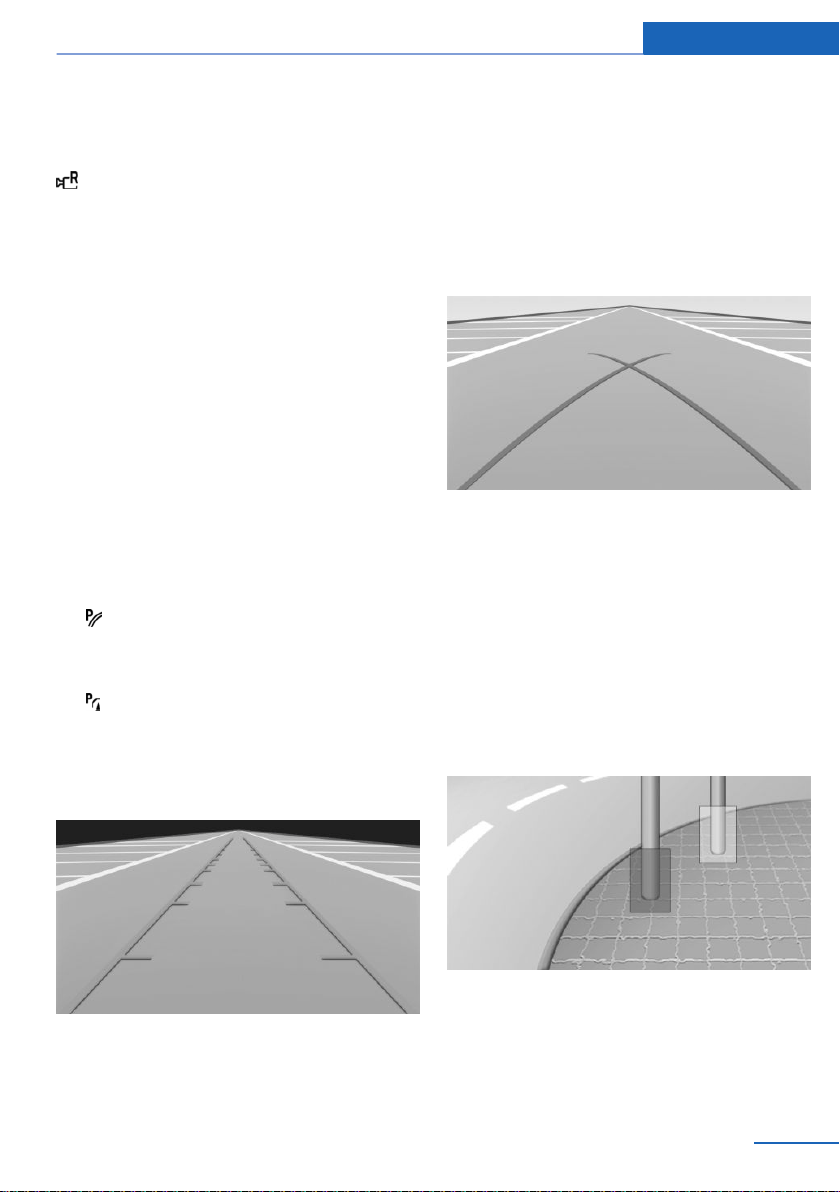
Switching the view via iDrive
With PDC Park Distance Control activated or
Top View switched on:
"Rear view camera"
The rearview camera image is displayed.
Display on the Control Display
Functional requirement
▷ The rearview camera is switched on.
▷ The tailgate is fully closed.
▷ Keep the recording range of the camera
clear. Protruding cargo or carrier systems
and trailers that are not connected to a
trailer power socket can lead to malfunc‐
tions.
Activating assistance functions
More than one assistance function can be ac‐
tive at the same time.
▷ Parking aid lines
"Parking aid lines"
Lanes and turning radius are indicated.
▷ Obstacle marking
"Obstacle marking"
If the vehicle is equipped accordingly, spa‐
tially shaped markings are displayed.
Pathway lines
Pathway lines can be superimposed on the im‐
age of the rearview camera.
Pathway lines help you to estimate the space
required when parking and maneuvering on
level roads.
Pathway lines depend on the current steering
angle and are continuously adjusted to the
steering wheel movements.
Turning radius lines
Turning radius lines can only be superimposed
on the rearview camera image together with
pathway lines.
Turning radius lines show the course of the
smallest possible turning radius on a level
road.
Only one turning radius line is displayed after
the steering wheel is turned past a certain an‐
gle.
Obstacle marking
If the vehicle is equipped accordingly, obsta‐
cles behind the vehicle are detected by the
PDC Park Distance Control sensors and the
rearview camera.
Seite 165
Driving comfort Controls
165
Online Edition for Part no. 01402981185 - VI/17
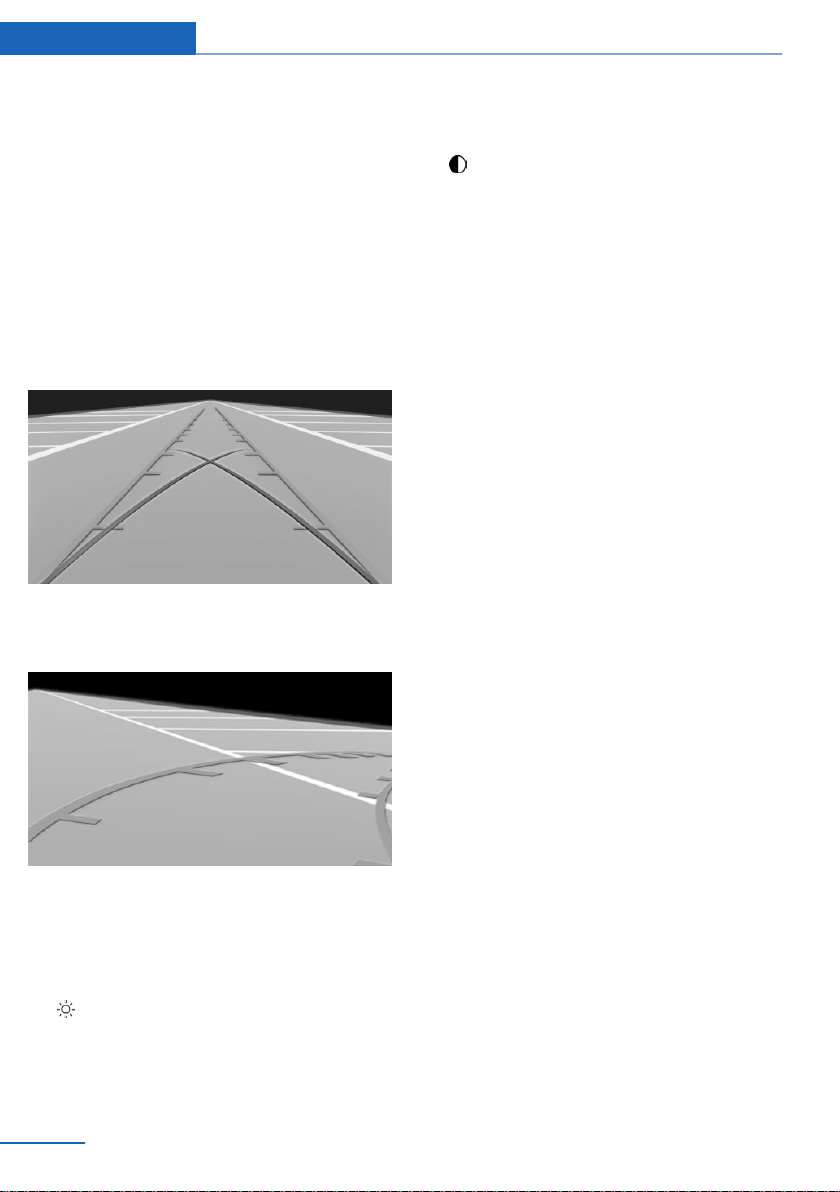
If the vehicle is equipped accordingly, obstacle
markings can be faded into the image of the
rearview camera.
The colored thresholds of the obstacle mark‐
ings match the markings of the PDC Park Dis‐
tance Control.
Parking using pathway and turning
radius lines
1. Position the vehicle so that the turning ra‐
dius lines lead to within the limits of the
parking space.
2. Turn the steering wheel to the point where
the pathway line covers the corresponding
turning radius line.
Display settings
Brightness
With the rearview camera switched on:
1.
Select the symbol.
2. Turn the controller until the desired setting
is reached, and press the controller.
Contrast
With the rearview camera switched on:
1. Select the symbol.
2. Turn the controller until the desired setting
is reached, and press the controller.
System limits
Detection of objects
Very low obstacles as well as high, protruding
objects such as ledges may not be detected by
the system.
If the vehicle is equipped accordingly, some
assistance functions also consider data from
PDC Park Distance Control.
Follow the notes in the PDC Park Distance
Control chapter.
The objects displayed on the Control Display
may be closer than they appear. Do not esti‐
mate the distance from the objects on the dis‐
play.
Top View
Concept
Top View provides assistance in parking and
maneuvering. The area around the vehicle is
shown on the Control Display.
General information
The image is captured by two cameras
integrated in the exterior mirrors, by the rear‐
view camera and a camera on the front of the
vehicle.
The range is no more than approx. 6.5 ft/2 m to
the side, front and rear.
Obstacles within this range are thus displayed
early on the Control Display.
Seite 166
Controls Driving comfort
166
Online Edition for Part no. 01402981185 - VI/17

Safety information
WARNING
The system does not relieve from per‐
sonal responsibility to assess the traffic situa‐
tion. There is a risk of an accident. Adjust driv‐
ing style to traffic conditions. Watch traffic and
vehicle surroundings closely and actively inter‐
vene where appropriate.◀
Overview
Button in the vehicle
Park assistance button
Cameras
Front camera
Rearview camera
Cameras at the bottom in the mirror housings.
The image quality may be impaired by dirt.
Clean the camera lenses if necessary.
Functional requirements
Top View can be used only to a limited extent
in the following situations:
▷ With a door open.
▷ With the tailgate open.
▷ With an exterior mirror folded in.
▷ In poor light.
The unavailable camera range is depicted by
shading.
Switching on/off
Switching on automatically
The system is switched on automatically if se‐
lector lever position R is engaged when the en‐
gine is running.
The rearview camera image is displayed. To
switch to the Top View:
"Rear view camera"
Seite 167
Driving comfort Controls
167
Online Edition for Part no. 01402981185 - VI/17
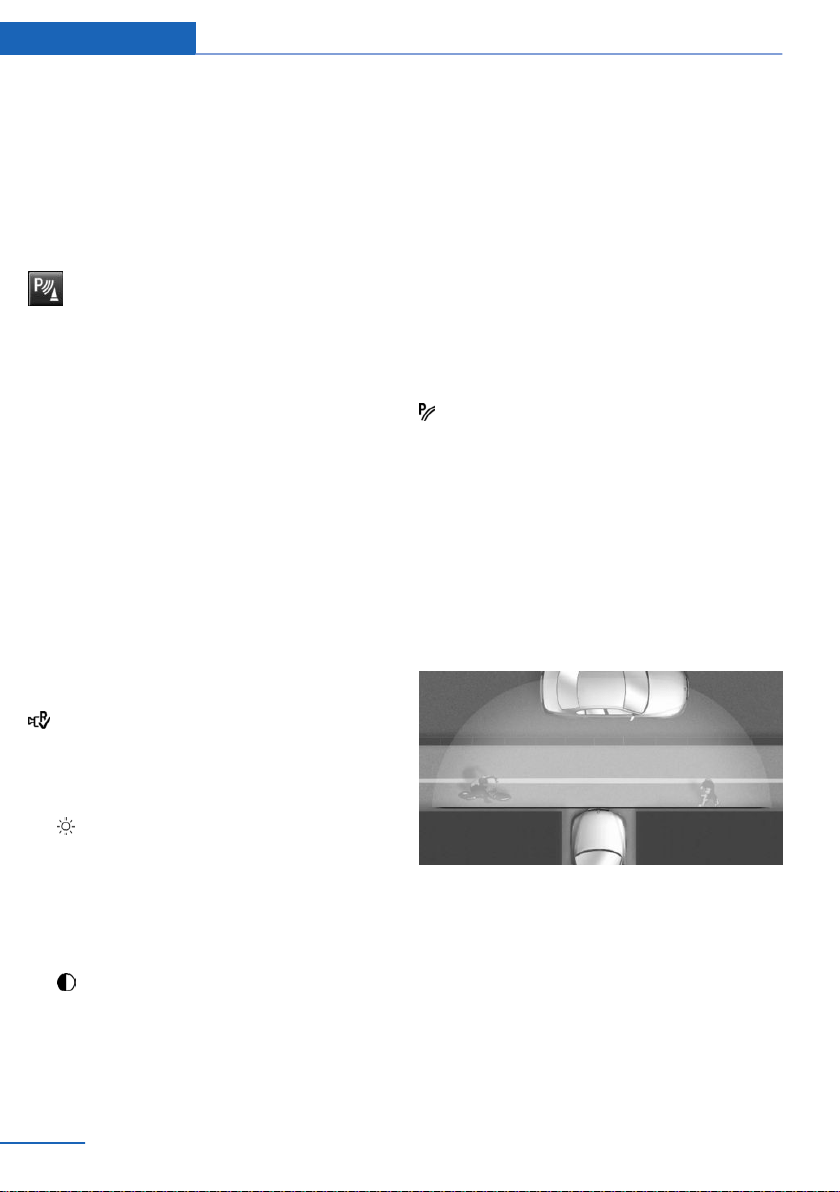
Automatic deactivation during forward
travel
The system switches off when a certain driving
distance or speed is exceeded.
Switch the system back on, if needed.
Switching on/off manually
Press park assistance button.
▷ On: the LED lights up.
▷ Off: the LED goes out.
Top View is displayed.
The rearview camera image is displayed when
the reverse gear is engaged when pressing the
park assistance button.
Display
Display on the Control Display
The area surrounding the vehicle can be dis‐
played on the Control Display.
The display appears as soon as Top View is
activated.
When the image of the rearview camera is dis‐
played, it is possible to switch to top view:
"Rear view camera"
Brightness
With Top View switched on:
1.
Select the symbol.
2. Turn the controller until the desired setting
is reached, and press the controller.
Contrast
With Top View switched on:
1.
Select the symbol.
2. Turn the controller until the desired setting
is reached, and press the controller.
Displaying the turning radius and
pathway lines
▷ The static, red turning radius line shows
the space needed to the side of the vehicle
when the steering wheel is turned all the
way.
▷ The variable, green pathway line assists
you in assessing the amount of space ac‐
tually needed to the side of the vehicle.
The lane line depends on the engaged
gear and the current steering angle. The
track line is continuously adjusted for the
steering wheel movement.
"Parking aid lines"
Turning circle and pathway lines are displayed.
System limits
A Check Control message is displayed when a
camera is not working.
Side View
Concept
Side View provides an early look at cross traffic
at blind driveways and intersections. Road
users concealed by obstacles to the left and
right of the vehicle can only be detected rela‐
tively late from the driver's seat. To improve
the viewing, each camera, front and rear on the
vehicle, detects the traffic area on the side.
Which camera is active is shown on the top
edge of the screen.
Seite 168
Controls Driving comfort
168
Online Edition for Part no. 01402981185 - VI/17
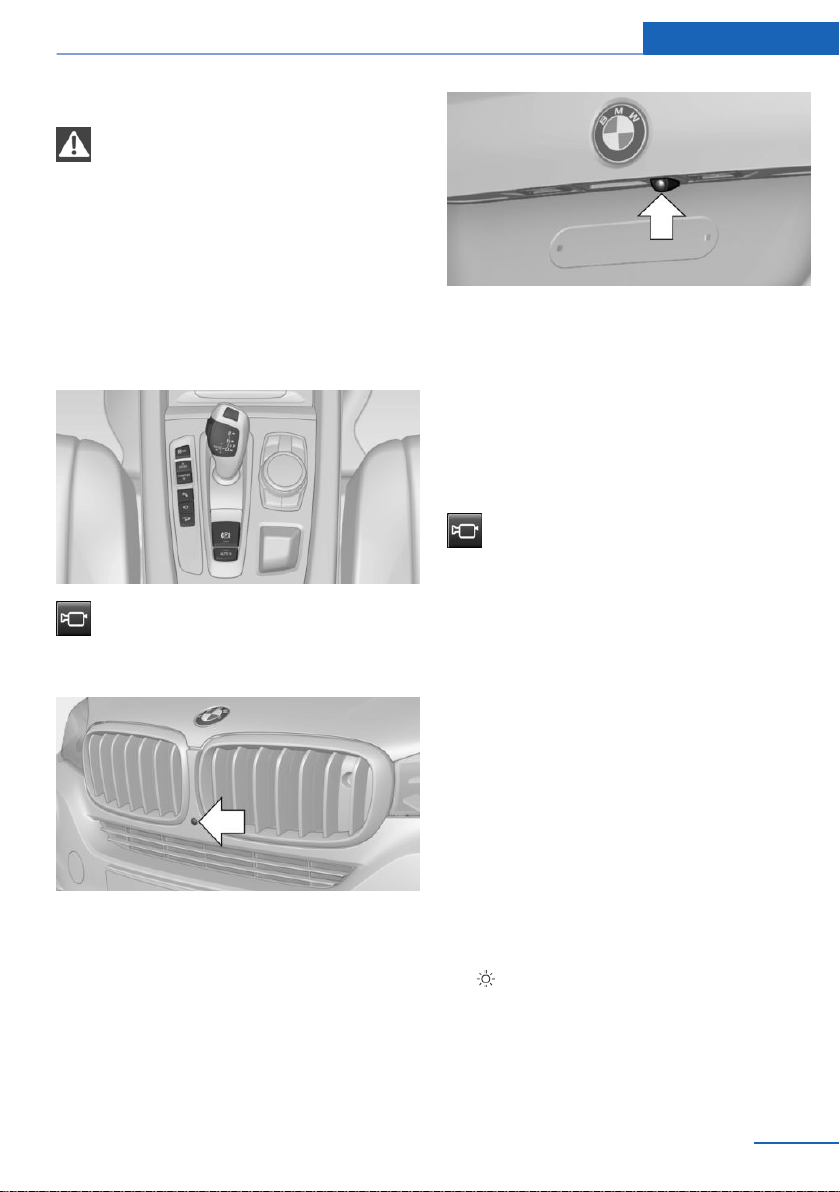
Safety information
WARNING
The system does not relieve from per‐
sonal responsibility to assess the traffic situa‐
tion. There is a risk of an accident. Adjust driv‐
ing style to traffic conditions. Watch traffic and
vehicle surroundings closely and actively inter‐
vene where appropriate.◀
Overview
Button in the vehicle
Side View
Cameras
Front camera
Rear camera
Two cameras are used for the detection.
The image quality may be impaired by dirt.
Clean the camera lenses, refer to page 263.
Switching on/off
Switching on/off manually
Press button.
Depending on the transmission position, the
picture of the front or rear camera is displayed.
Switching off automatically
By switching into a different function or when
changing gears.
Front Side View: when a certain driving dis‐
tance or speed is exceeded.
Display
General information
The traffic area in front of or behind the vehicle
is displayed on the Control Display.
Brightness
With the Side View switched on:
1.
Select the symbol.
2. Turn the controller until the desired setting
is reached, and press the controller.
Seite 169
Driving comfort Controls
169
Online Edition for Part no. 01402981185 - VI/17
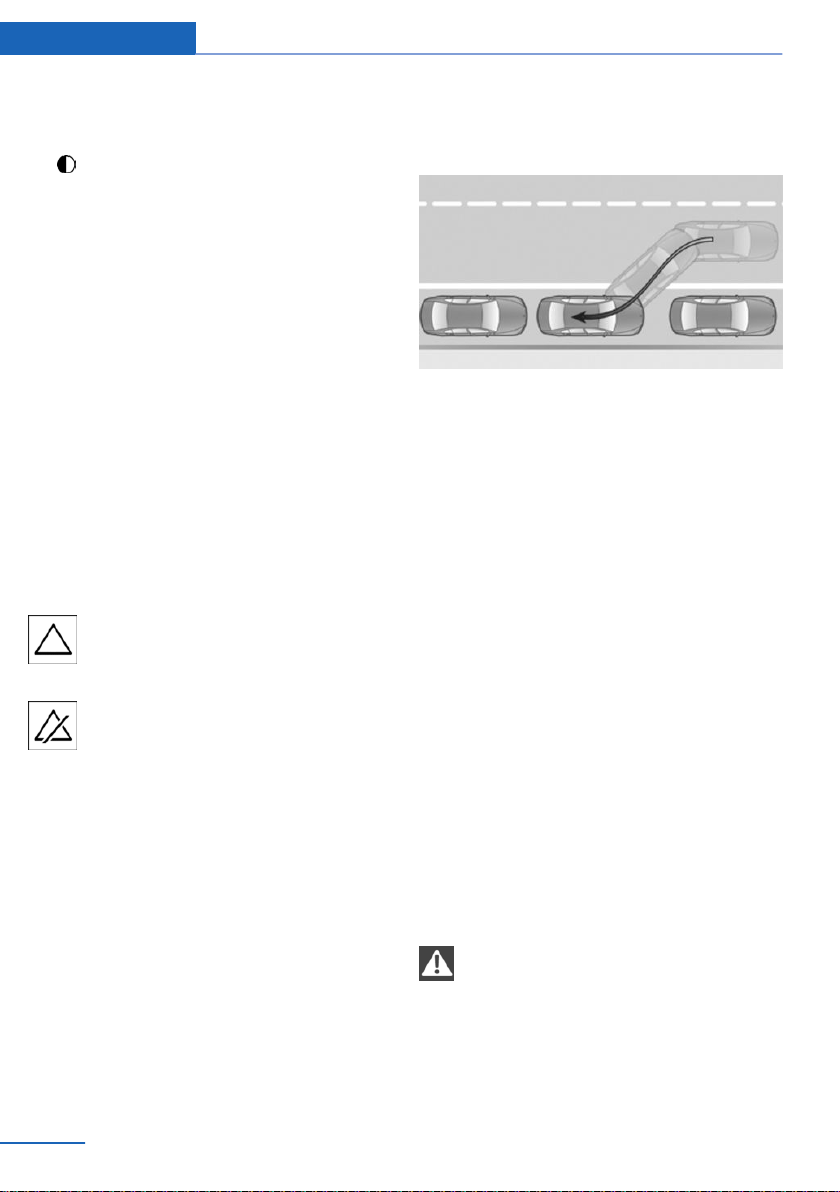
Contrast
With the Side View switched on:
1. Select the symbol.
2. Turn the controller until the desired setting
is reached, and press the controller.
Warning of crossing traffic
Concept
When an object approaching from the side is
detected by the front or rear camera, this is de‐
picted by a symbol in the Side View display.
Requirements
▷ Side View switched on.
▷ Your vehicle moves no faster than walking
speed.
▷ To detect approaching objects, sufficient
brightness, e.g., daylight is necessary.
Display
The yellow symbol is displayed if an
approaching vehicle is detected by the
camera.
A gray symbol is displayed if crossing
traffic cannot be detected.
System limits
In the following situations, the warning about
crossing traffic may be limited:
▷ In poor lighting or visibility conditions.
▷ If the camera is soiled or covered.
System limits
The objects displayed on the Control Display
under certain circumstances are closer than
they appear. Therefore, do not estimate the
distance from the objects on the display.
The viewing angle is approx. 180°.
Parking assistant
Concept
This system assists the driver in parking paral‐
lel to the road.
General information
Parking assistant handling is divided into three
steps:
▷ Switching on and activating.
▷ Parking space search.
▷ Parking.
Ultrasound sensors measure parking spaces
on both sides of the vehicle.
The parking assistant calculates the best pos‐
sible parking line and during the parking proce‐
dure takes control of steering, the acceleration
and braking, and if needed, changes the gears.
Press and hold the park assistance button for
the duration of the parking procedure.
System status and instructions on required ac‐
tions are displayed on the Control Display.
The parking assistant uses the sensors of PDC
Park Distance Control.
Safety information
WARNING
The system does not relieve from per‐
sonal responsibility to assess the traffic situa‐
tion. Based on the limits of the system, it can‐
not independently react to all traffic situations.
There is a risk of an accident. Adjust driving
Seite 170
Controls Driving comfort
170
Online Edition for Part no. 01402981185 - VI/17

style to traffic conditions. Watch traffic closely
and actively intervene where appropriate.◀
NOTE
The parking assistant can steer the vehi‐
cle over or onto curbs. There is a risk of dam‐
age to property. Watch traffic closely and ac‐
tively intervene where appropriate.◀
Also observe the safety information for PDC
Park Distance Control.
Overview
Button in the vehicle
Park assistance button
Ultrasound sensors
The ultrasound sensors for measuring parking
spaces are located on the side of the vehicle.
Functional requirements
Ultrasound sensors
Ensure full functionality:
▷ Do not cover sensors, for instance with
stickers.
▷ Keep the sensors clean and unobstructed.
For measuring parking spaces
▷ Maximum speed while driving forward ap‐
prox. 22 mph/35 km/h.
▷ Maximum distance to row of parked vehi‐
cles: 5 ft/1.5 m.
Suitable parking space
▷ Gap between two objects with a minimum
length of approx. 5 ft/1.5 m.
▷ Min. length of gap between two objects:
your vehicle's length plus approx.
4 ft/1.2 m.
▷ Minimum depth: approx. 5 ft/1.5 m.
For parking
▷ Doors and tailgate are closed.
▷ The parking brake is released.
▷ Driver's safety belt is fastened.
Switching on and activating
Switching on with the button
Press park assistance button.
The LED lights up.
The current status of the parking space search
is indicated on the Control Display.
Parking assistant is activated automatically.
Switching on with reverse gear
Shift into reverse.
The current status of the parking space search
is indicated on the Control Display.
To activate: "Parking Assistant"
Seite 171
Driving comfort Controls
171
Online Edition for Part no. 01402981185 - VI/17
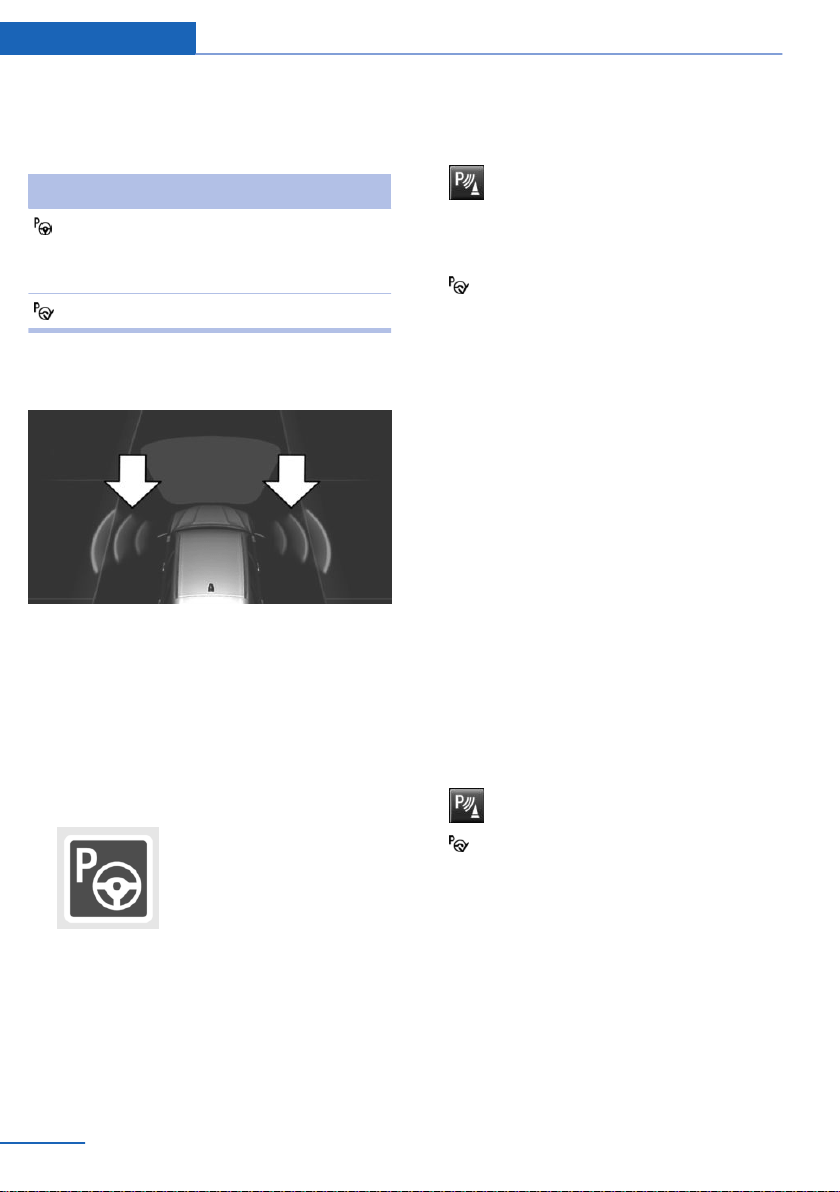
Display on the Control Display
System activated/deactivated
Symbol Meaning
Gray: the system is not available.
White: the system is available but
not activated.
The system is activated.
Parking space search and system
status
▷ Colored symbols, see arrows, on the side
of the vehicle image; the parking assistant
is activated and the parking space search
is active.
▷ Control Display shows suitable parking
spaces at the edge of the road next to the
vehicle symbol. When the parking assistant
is active, suitable parking spaces are high‐
lighted.
▷ The parking procedure is ac‐
tive. Steering control has
been taken over by system.
▷ Parking space search is always active
whenever the vehicle is moving forward
slow and straight, even if the system is de‐
activated. When the system is deactivated,
the displays on the Control Display are
shown in gray.
Parking using the parking assistant
Parking
1.
Press the park assistance button or
shift into reverse gear to switch on the
parking assistant, refer to page 171. Acti‐
vate the parking assistant, if needed.
Parking assistant is activated.
2. Pass the row of parked vehicles at a speed
of up to approx. 22 mph/35 km/h and at a
distance of maximum 5 ft/1.5 m.
The status of the parking space search and
possible parking spaces are displayed on
the Control Display, refer to page 172.
3. Follow the instructions on the Control Dis‐
play.
Press and hold the park assistance button
for the duration of the parking procedure.
At the end of the parking procedure, the P
selector lever position is set.
The end of the parking procedure is indi‐
cated on the Control Display.
4. Adjust the parking position yourself, if
needed.
Interrupting manually
The parking assistant can be interrupted at any
time:
▷ Press park assistance button.
▷ "Parking Assistant" Select the symbol
on the Control Display.
Interrupting automatically
The system is interrupted automatically in the
following situations:
▷ If the driver grasps the steering wheel or
takes over steering.
▷ Possibly on snow-covered or slippery road
surfaces.
Seite 172
Controls Driving comfort
172
Online Edition for Part no. 01402981185 - VI/17

▷ When there are obstacles that are hard to
overcome, such as curbs.
▷ When there are obstacles that suddenly
appear.
▷ If the PDC Park Distance Control displays
clearances that are too small.
▷ If a maximum number of parking attempts
or the time taken for parking is exceeded.
▷ When switching to another function on the
Control Display.
▷ When the park assistance button is re‐
leased.
▷ If the tailgate is open.
▷ If doors are open.
▷ When setting the parking brake.
▷ During acceleration.
▷ When braking.
▷ When unfastening the driver's safety belt.
A Check Control message is displayed.
Resuming
An interrupted parking procedure can be con‐
tinued, if needed.
Reactivate the parking assistant, refer to
page 171, and follow the instructions on the
Control Display.
Switching off
The system can be switched off as follows:
▷ Press park assistance button.
System limits
Safety information
WARNING
The system can react not at all, too late,
incorrectly, or without justification due to the
system limits. There is a risk of accidents or
risk of damage to property. Follow the informa‐
tion regarding the system limits and actively
intervene, if needed.◀
No parking assistance
The parking assistant does not offer assis‐
tance in the following situations:
▷ In tight curves.
Functional limitations
The system may not be fully functional in the
following situations:
▷ On bumpy road surfaces such as gravel
roads.
▷ On slippery ground.
▷ On steep uphill or downhill grades.
▷ With accumulations of leaves/snow in the
parking space.
▷ With ditches or edges, for instance an
edge of a port.
Limits of ultrasonic measurement
Ultrasonic measurements might not function in
the following situations:
▷ For small children and animals.
▷ For persons with certain clothing, for in‐
stance coats.
▷ With external interference of the ultra‐
sound, for instance from passing vehicles
or loud machines.
▷ When sensors are dirty, iced over, dam‐
aged or out of position.
▷ Under certain weather conditions such as
high relative humidity, wet conditions,
snowfall, extreme heat, or strong wind.
▷ With tow bars and trailer couplings of other
vehicles.
▷ With thin or wedge-shaped objects.
▷ With moving objects.
▷ With elevated, protruding objects such as
ledges or cargo.
▷ With objects with corners and sharp edges.
Seite 173
Driving comfort Controls
173
Online Edition for Part no. 01402981185 - VI/17

▷ With objects with a fine surface structure
such as fences.
▷ For objects with porous surfaces.
▷ If cargo protrudes.
▷ Low objects already displayed, for instance
curbs, can move into the blind area of the
sensors before or after a continuous tone
sounds.
Parking spaces that are not suitable may be
detected or suitable parking spaces may not
be detected at all.
Malfunction
A Check Control message is displayed.
The parking assistant failed. Have the system
checked by a dealer’s service center or an‐
other qualified service center or repair shop.
Seite 174
Controls Driving comfort
174
Online Edition for Part no. 01402981185 - VI/17
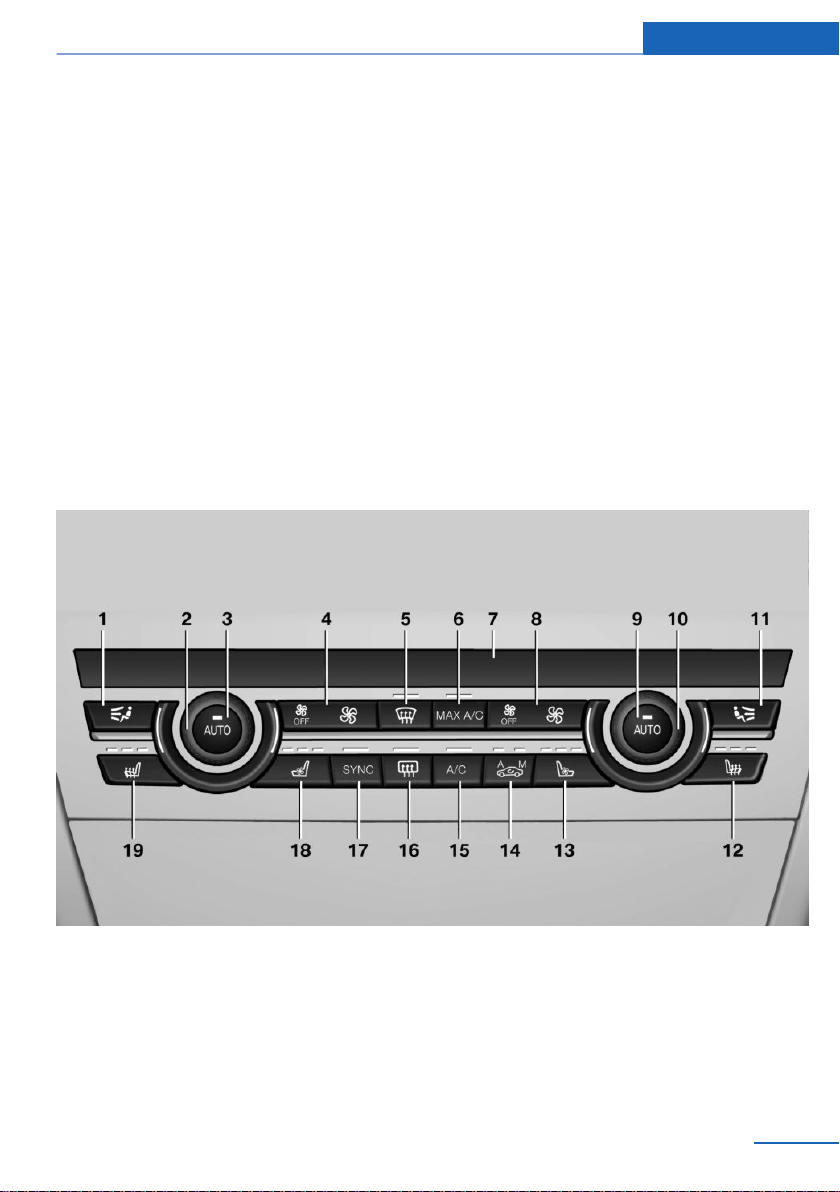
Climate control
Vehicle features and options
This chapter describes all standard, country-
specific and optional features offered with the
series. It also describes features that are not
necessarily available in your vehicle, e. g., due
to the selected options or country versions.
This also applies to safety-related functions
and systems. When using these functions and
systems, the applicable laws and regulations
must be observed.
Interior air quality
The air quality inside the vehicle is improved
by an emissions-tested interior, a microfilter,
and a climate-control system for regulating
temperature, air flow, and recirculated-air
mode.
In addition there are other functions which de‐
pend on the vehicle's equipment, for instance
microfilter/activated-charcoal filter, automatic
climate control with automatic recirculated-air
control AUC, and parked-car ventilation.
Automatic climate control
1 Air distribution, left
2 Temperature, left
3 AUTO program, left
4 Air flow, AUTO intensity, left, residual heat
5 Remove ice and condensation
6 Maximum cooling
7 Display
8 Air flow, AUTO intensity, right
9 AUTO program, right
10 Temperature, right
11 Air distribution, right
12 Seat heating, right 57
Seite 175
Climate control Controls
175
Online Edition for Part no. 01402981185 - VI/17
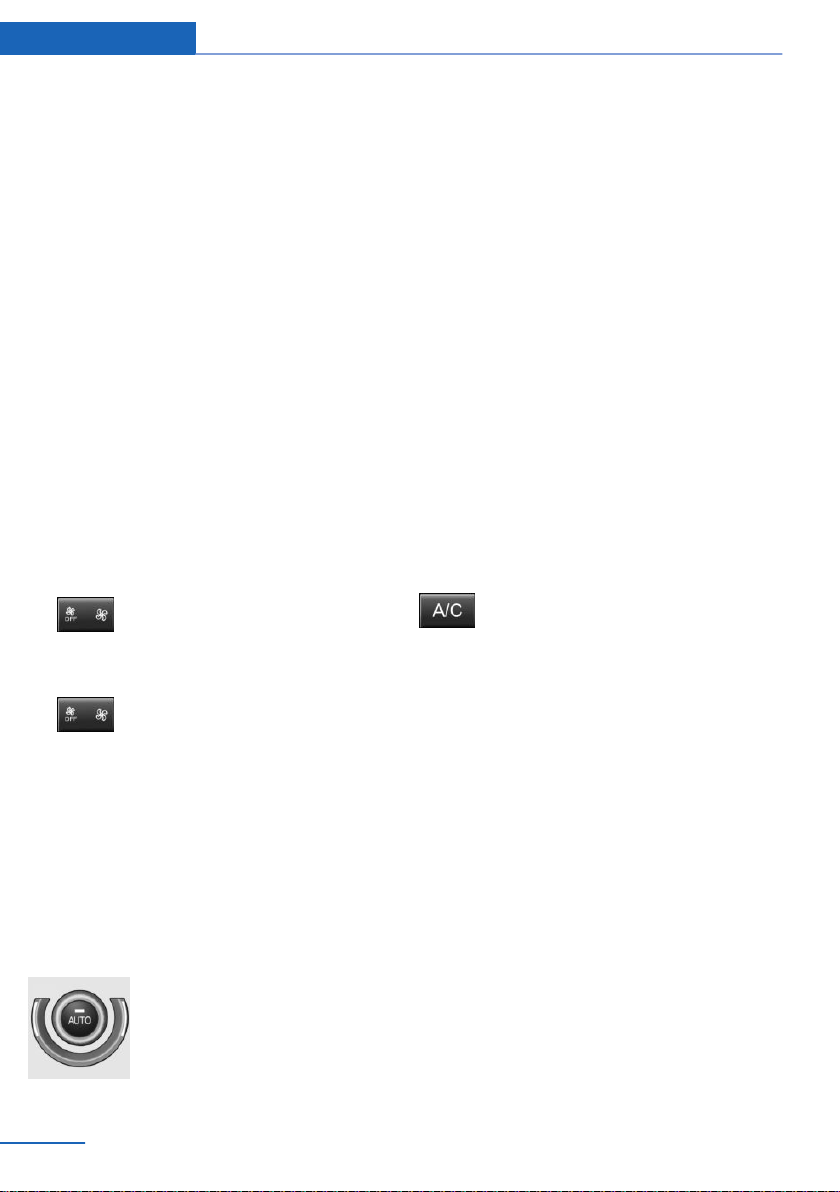
13 Active seat ventilation, right 58
14 Automatic recirculated-air control/recircu‐
lated-air mode
15 Air conditioning
16 Rear window defroster
17 SYNC program
18 Active seat ventilation, left 58
19 Seat heating, left 57
Climate control functions in detail
Switching the system on/off
Switching on
Press any button except for the following:
▷ Rear window defroster.
▷ Left side of air flow button.
▷ Seat heating.
▷ Seat ventilation.
▷ If necessary, SYNC program.
Switching off
▷ Complete system:
Press and hold the left button on
the driver's side until the control
panel switches off.
▷ On the front passenger side:
Press and hold the left button on
the front passenger side.
Temperature
Concept
The automatic climate control achieves the set
temperature as quickly as possible, if needed,
by using the maximum cooling or heating ca‐
pacity, and then keeps it constant.
Settings
Turn the ring to set the desired
temperature.
Do not rapidly switch between different tem‐
perature settings. Otherwise, the automatic cli‐
mate control will not have sufficient time to ad‐
just the set temperature.
Air conditioning
Concept
The air in the car's interior will be cooled and
dehumidified and, depending on the tempera‐
ture setting, warmed again.
The car's interior can only be cooled with the
engine running.
Switching on/off
Press button.
Air conditioning is switched on or off.
Depending on the weather, the windshield and
side windows may fog up briefly when the en‐
gine is started.
The air conditioning is switched on automati‐
cally with the AUTO program.
When using the automatic climate control,
condensation water, refer to page 203, devel‐
ops and drains underneath the vehicle. This is
normal.
Maximum cooling
Concept
The system is set to the lowest temperature,
optimum air flow and recirculated-air mode.
General information
The function is available above an external
temperature of approx. 32 ℉/0 ℃ and with the
engine running is indicated.
Seite 176
Controls Climate control
176
Online Edition for Part no. 01402981185 - VI/17

Switching on/off
Press button.
Air flows out of the vents to the upper body re‐
gion. The vents need to be open for this.
The air flow can be adjusted with the air flow
active.
AUTO program
Concept
Air flow, air distribution and temperature are
controlled automatically.
Switching on/off
Press button.
Depending on the selected tempera‐
ture, the intensity of the AUTO program, and
outside influences, the air is directed to the
windshield, side windows, upper body, and
into the floor area.
The air conditioning, refer to page 176, is
switched on automatically with the AUTO pro‐
gram.
At the same time, a condensation sensor con‐
trols the program so as to prevent window
condensation as much as possible.
Intensity
With the AUTO program switched on, the in‐
tensity can be set. This changes the automatic
control for the air flow and air distribution.
Press the left or right side of the but‐
ton: decrease or increase intensity.
The selected intensity is shown on the display
of the automatic climate control.
Automatic recirculated-air control/
recirculated-air mode
Concept
The automatic recirculated-air control AUC
detects odors or pollutants in the outside air.
The outside air supply is shut off and the inte‐
rior air is recirculated.
General information
If the system is activated, a sensor detects pol‐
lutants in the outside air and controls the shut-
off automatically.
If the system is deactivated, outside air contin‐
uously flows into the car's interior.
With constant recirculated-air mode, the air
quality in the car's interior deteriorates and the
fogging of the windows increases.
Switching on/off
Press button repeatedly to select an
operating mode:
▷ LEDs off: outside air flows in continuously.
▷ Left LED on, automatic recirculated-air
control: a sensor detects pollutants in the
outside air and shuts off automatically.
▷ Right LED on, recirculated-air mode: the
supply of outside air into the vehicle is per‐
manently blocked.
If the windows are fogged over, switch off the
recirculated-air mode and press the AUTO
button on the driver's side to utilize the con‐
densation sensor. Make sure that air can flow
to the windshield.
Controlling the air flow manually
Concept
The air flow for climate control can be adjusted
manually.
Seite 177
Climate control Controls
177
Online Edition for Part no. 01402981185 - VI/17
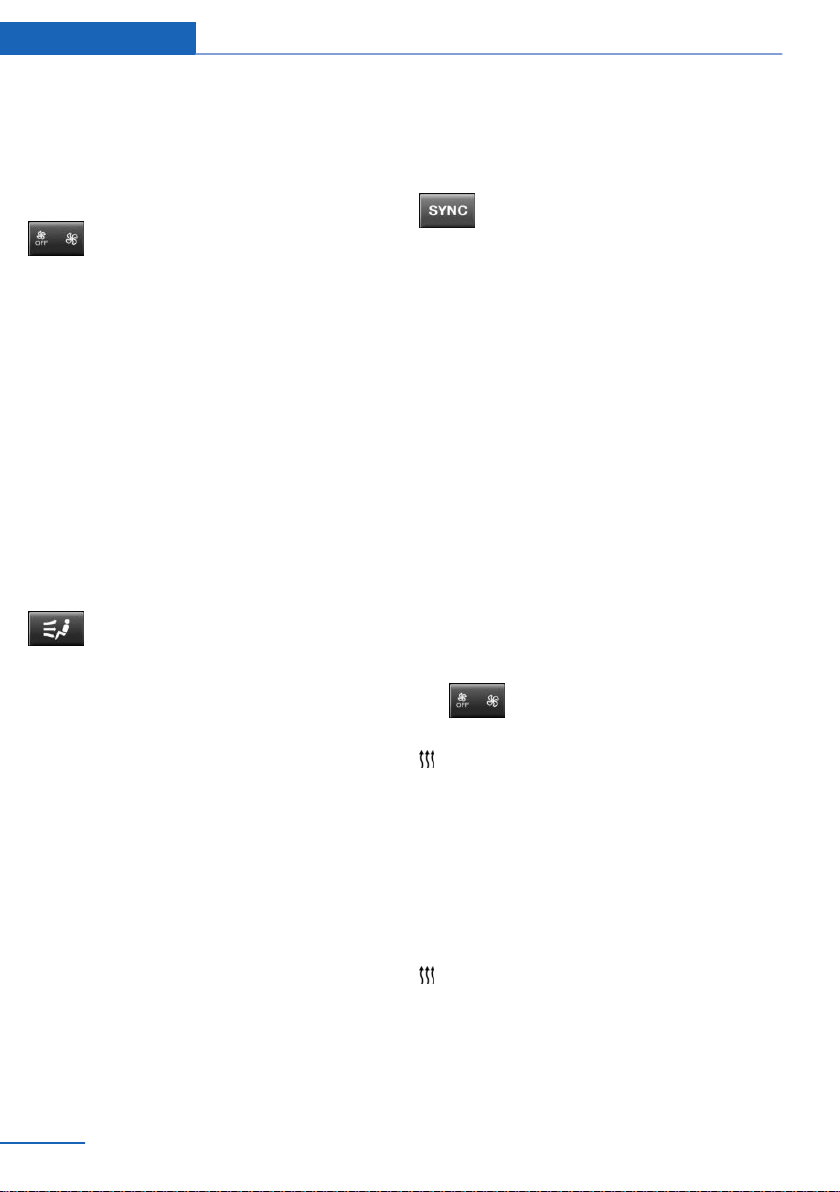
General information
To manually adjust air flow switch off AUTO
program first.
Operation
Press the left or right side of the but‐
ton: decrease or increase air flow.
The selected air flow is shown on the display of
the automatic climate control.
The air flow of the automatic climate control
may be reduced automatically to save battery
power.
Controlling the air distribution
manually
Concept
The air distribution for climate control can be
adjusted manually.
Operation
Press button repeatedly to select a
program:
▷ Upper body region.
▷ Upper body region and floor area.
▷ Floor area.
▷ Windows and floor area.
▷ Windows, upper body region, and floor
area.
▷ Windows: driver's side only.
▷ Windows and upper body region.
If the windows are fogged over, press the
AUTO button on the driver's side to utilize the
condensation sensor.
SYNC program
Concept
The system enables the transfer of current
settings on the driver's side for temperature,
air flow, air distribution, and the AUTO pro‐
gram to the front passenger side and to the left
and right rear.
Switching on/off
The program is also switched off if the
settings on the front passenger side or
in the rear are changed.
Residual heat
Concept
The heat stored in the engine is used to heat
the car's interior. This is possible up to 15 mi‐
nutes after switching off the engine.
Functional requirement
▷ Warm engine.
▷ The battery is sufficiently charged.
▷ External temperature below 77 ℉/25 ℃.
The availability of the function is shown on the
display of the automatic climate control.
Switching on
1.
Switching off the ignition.
2.
Press the right side of the button
on the driver's side.
The symbol appears on the display of the
automatic climate control.
The interior temperature, air flow and air distri‐
bution can be adjusted with the ignition
switched on.
Switching off
At the lowest fan speed, press the left side of
the button on the driver's side.
The symbol on the display of the automatic
climate control flashes.
Seite 178
Controls Climate control
178
Online Edition for Part no. 01402981185 - VI/17
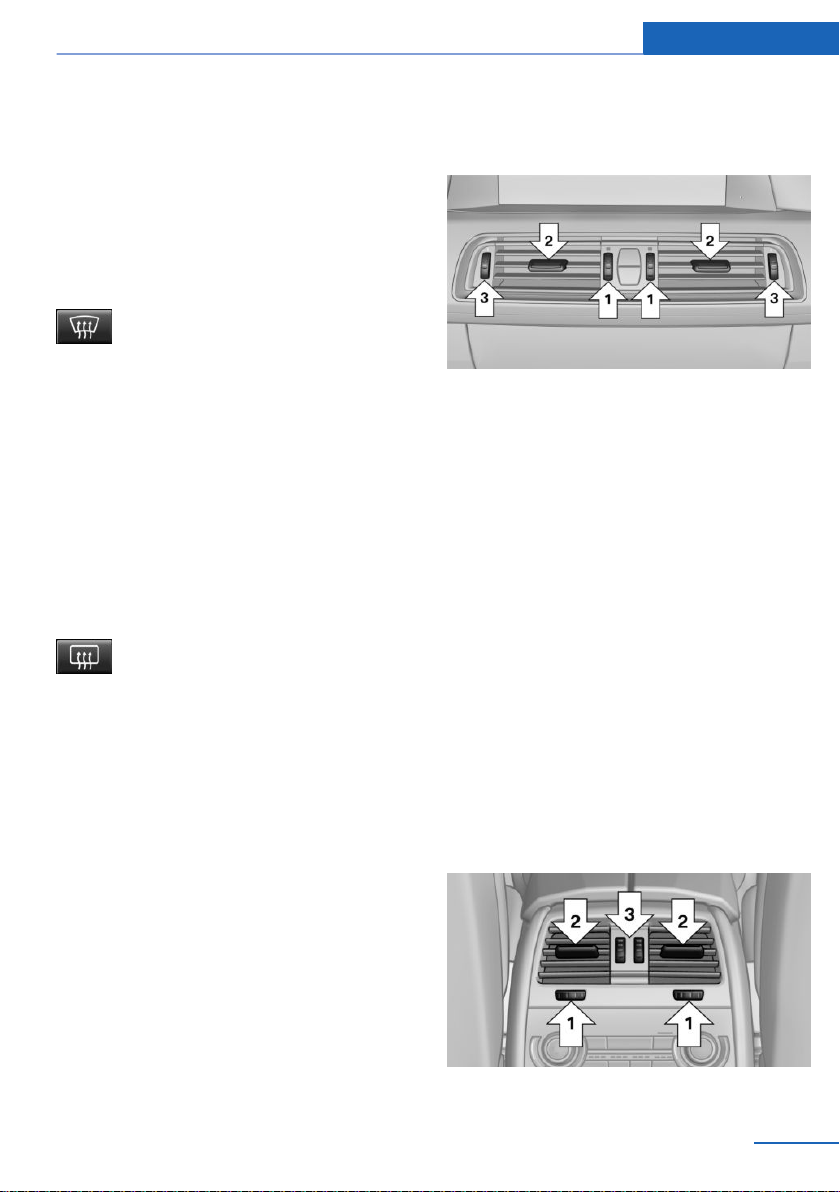
Defrosting windows and removing
condensation
Concept
Ice and condensation are quickly removed
from the windshield and the front side win‐
dows.
Switching on/off
Press button.
The LED is illuminated with the sys‐
tem switched on.
For this purpose, point the side vents towards
the side windows as needed.
The air flow can be adjusted with the air flow
active.
If the windows are fogged over, you can also
switch on the air conditioning or press the
AUTO button to utilize the condensation sen‐
sor.
Rear window defroster
Press button. The LED lights up.
The rear window defroster switches
off automatically after a certain period of time.
Microfilter/activated-charcoal filter
The microfilter removes dust and pollen from
the incoming air.
The activated-charcoal filter removes gaseous
pollutants from the outside air that enters the
vehicle.
Have this combined filter changed during vehi‐
cle maintenance, refer to page 246.
Ventilation
Front ventilation
▷ Thumbwheels to vary the ventilation tem‐
perature in the upper body region, arrow 1.
Toward blue: colder.
Toward red: warmer.
This does not change the set interior tem‐
perature for the driver and front passenger.
▷ Lever for changing the air flow direction,
arrow 2.
▷ Thumbwheels for opening and closing the
vents continuously, arrows 3.
Settings
▷ Ventilation for cooling:
Direct vent in your direction when car's in‐
terior is too hot.
▷ Draft-free ventilation:
Adjust the vent to let the air flow past you.
Ventilation in rear, center
▷ Thumbwheels to vary the temperature, ar‐
row 1.
Seite 179
Climate control Controls
179
Online Edition for Part no. 01402981185 - VI/17
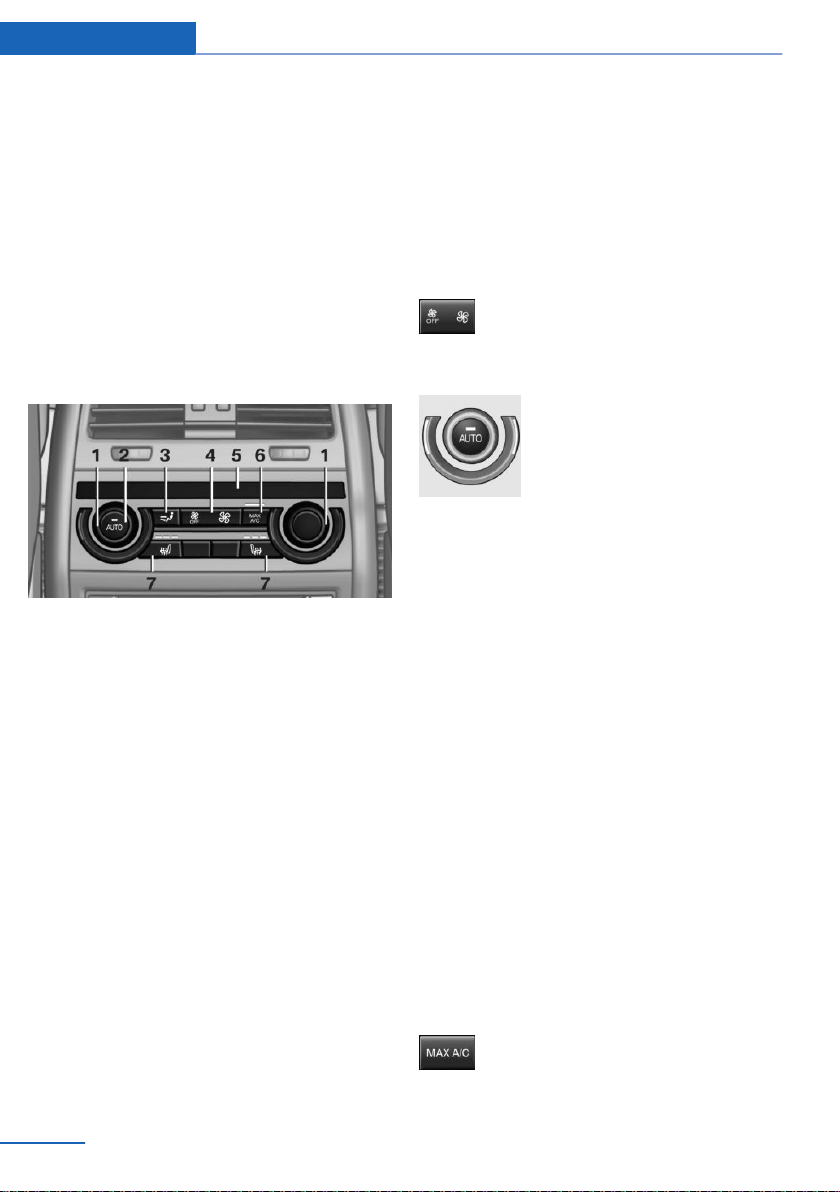
Toward blue: colder.
Toward red: warmer.
▷ Lever for changing the air flow direction,
arrow 2.
▷ Thumbwheels for continuous opening and
closing of the vents, arrow 3.
Rear automatic climate
control
Overview
1 Temperature
2 AUTO program
3 Air distribution settings
4 Air flow, AUTO intensity
5 Display
6 Maximum cooling
7 Seat heating 58
Switching the rear automatic climate
control on/off
1.
"Settings"
2. "Climate"
3. "Rear climate"
The rear automatic climate control is not op‐
erational if the automatic climate control is
switched off or if the function for defrosting or
defogging the windows is active.
Switching the system on/off
Switching on
Press any button except for the following:
▷ Left side of air flow button.
▷ Seat heating.
Switching off
Press and hold the left button.
Temperature
Turn the ring to set the desired
temperature.
The automatic climate control achieves this
temperature as quickly as possible, if needed,
by using the maximum cooling or heating ca‐
pacity, and then keeps it constant.
Do not rapidly switch between different tem‐
perature settings. The automatic climate con‐
trol will not have sufficient time to adjust the
set temperature.
Maximum cooling
Concept
The system is set to the lowest temperature,
maximum air flow and recirculated-air mode.
General information
Air is cooled as quickly as possible:
▷ Above an external temperature of approx.
32 ℉/0 ℃.
▷ When the engine is running.
Switching on/off
Press button.
Seite 180
Controls Climate control
180
Online Edition for Part no. 01402981185 - VI/17

Air flows out of the vents to the upper body re‐
gion. The vents need to be open for this.
AUTO program
Concept
Air flow, air distribution and temperature are
controlled automatically.
Switching on/off
Press button.
Depending on the selected tempera‐
ture, the AUTO intensity, and outside influen‐
ces, the air is directed to the upper body and
into the floor area.
The air conditioning is switched on automati‐
cally with the AUTO program.
Intensity
With the AUTO program switched on, the in‐
tensity can be set. This changes the automatic
control for the air flow and air distribution.
Press the left or right side of the but‐
ton: decrease or increase intensity.
The selected intensity is shown on the display
of the automatic climate control.
Controlling the air flow manually
Concept
The air flow for climate control can be adjusted
manually.
General information
To manually adjust air flow switch off AUTO
program first.
Operation
Press the left or right side of the but‐
ton: decrease or increase air flow.
The selected air flow is shown on the display of
the automatic climate control.
Controlling the air distribution
manually
Concept
The air distribution for climate control can be
adjusted manually.
Operation
Press button repeatedly to select a
program:
▷ Upper body region.
▷ Upper body region and floor area.
▷ Floor area.
Parked-vehicle ventilation
Concept
The parked-vehicle ventilation ventilates the
vehicle interior and lowers its temperature, if
needed.
General information
The system can be switched on and off di‐
rectly or by using two preset departure times.
The activation time is automatically deter‐
mined based on the temperature. The system
promptly switches on before the selected de‐
parture time.
Operation can be performed via iDrive.
Functional requirements
Parked-car ventilation
▷ Departure time preselected: depends on
the internal, external, and set desired tem‐
perature.
▷ Direct operation: does not depend on the
external temperature.
Seite 181
Climate control Controls
181
Online Edition for Part no. 01402981185 - VI/17

▷ Battery is sufficiently charged.
If parked-car ventilation is switched on, the
vehicle battery will be discharged. Thus,
limit the maximum activation time to save
the vehicle battery. The system will be
available again after engine starting and/or
a short trip.
▷ Make sure that the vehicle's date and time
are set correctly.
▷ Open the vents to allow air to flow out.
Switching on/off directly
On the Control Display:
1.
"Settings"
2. "Climate"
3. "Activate now"
The symbol on the automatic climate con‐
trol flashes if the system is switched on.
The system continues to run for some time af‐
ter being switched off.
Setting the departure time
On the Control Display:
1.
"Settings"
2. "Climate"
3. Select the departure time.
Turn the Controller until the desired depar‐
ture time field has been selected and press
Controller.
4. Set the time.
Turn the Controller until the desired time is
set and press the Controller.
Activating the departure time
On the Control Display:
1.
"Settings"
2. If necessary, "Climate"
3. Activating the desired departure time:
"for departure at"
The symbol on the automatic climate con‐
trol lights up when the departure time is acti‐
vated.
The symbol on the automatic climate con‐
trol flashes when the system has been
switched on.
The system will only be switched on within the
next 24 hours. After that, it needs to be reacti‐
vated.
Seite 182
Controls Climate control
182
Online Edition for Part no. 01402981185 - VI/17
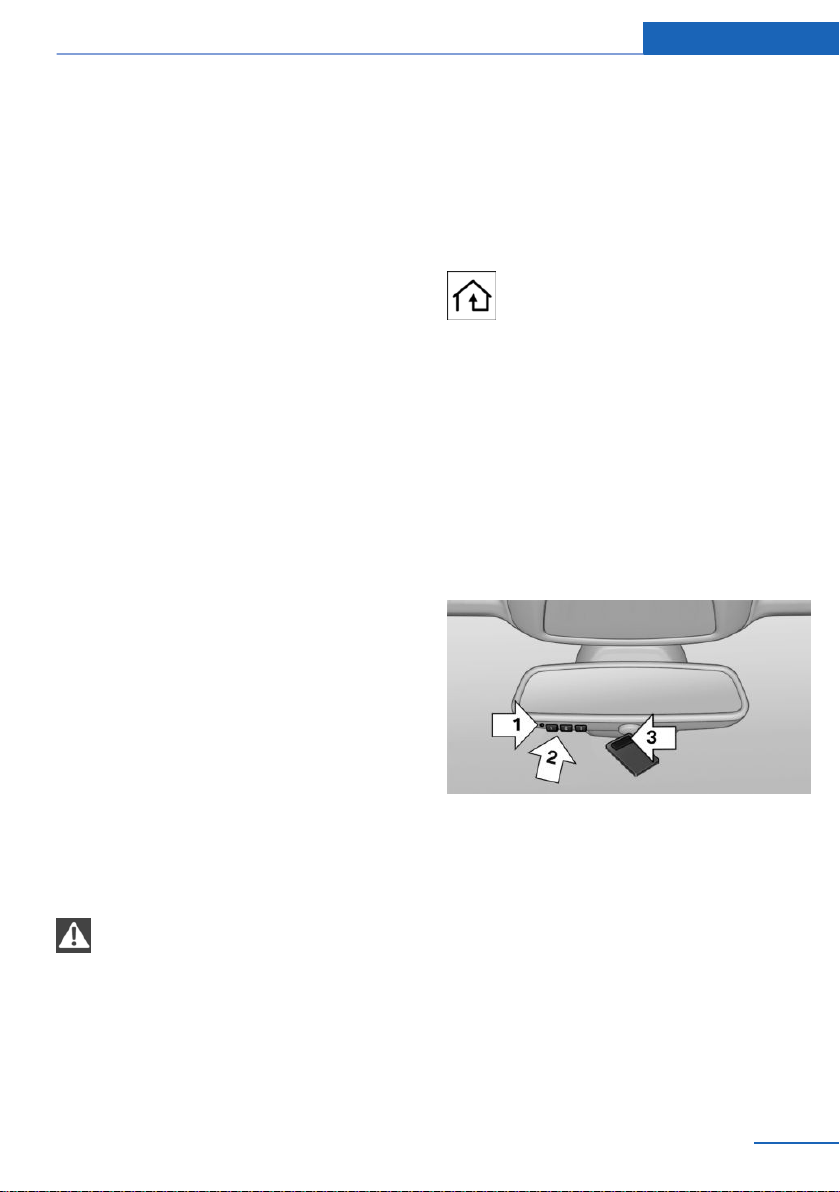
Interior equipment
Vehicle features and options
This chapter describes all standard, country-
specific and optional features offered with the
series. It also describes features that are not
necessarily available in your vehicle, e. g., due
to the selected options or country versions.
This also applies to safety-related functions
and systems. When using these functions and
systems, the applicable laws and regulations
must be observed.
Universal Integrated Remote
Control
Concept
The integrated Universal Remote Control in
the interior mirror can operate up to 3 func‐
tions of remote-controlled systems, such as
garage door drives, barriers, or lighting sys‐
tems. The Integrated Universal Remote Con‐
trol replaces up to 3 different hand-held trans‐
mitters. To operate the remote control, the
buttons on the interior mirror must be pro‐
grammed with the desired functions. The
hand-held transmitter for the particular system
is required in order to program the remote con‐
trol.
Before selling the vehicle, delete the stored
functions for the sake of security.
Safety information
WARNING
Body parts can be jammed when operat‐
ing remote-controlled systems, for instance
the garage door, using the integrated Universal
Remote Control. There is a risk of injury or risk
of damage to property. Make sure that the area
of movement of the respective system is clear
during programming and operation. Also follow
the safety instructions of the hand-held trans‐
mitter.◀
Compatibility
If this symbol is printed on the packag‐
ing or in the owner's manual of the sys‐
tem to be controlled, the system is
generally compatible with the integrated Uni‐
versal Remote Control.
If you have any questions, please contact:
▷ A dealer’s service center or another quali‐
fied service center or repair shop.
▷ www.homelink.com on the Internet.
HomeLink is a registered trademark of Gentex
Corporation.
Control elements on the interior mirror
▷ LED, arrow 1.
▷ Buttons, arrow 2.
▷ The hand-held transmitter, arrow 3, is re‐
quired for programming.
Programming
General information
1.
Switch on the ignition.
2. Initial setup:
Press and hold the two outer buttons on
the interior mirror simultaneously for ap‐
Seite 183
Interior equipment Controls
183
Online Edition for Part no. 01402981185 - VI/17

proximately 20 seconds until the LED on
the interior mirror flashes. This erases all
programming of the buttons on the interior
mirror.
3. Hold the hand-held transmitter for the sys‐
tem to be controlled approx. 1 to 3 in‐
ches/2.5 to 8 cm away from the buttons of
the interior mirror. The required distance
depends on the hand-held transmitter.
4. Simultaneously press and hold the button
of the desired function on the hand-held
transmitter and the button to be program‐
med on the interior mirror. The LED on the
interior mirror will begin flashing slowly.
5. Release both buttons as soon as the LED
flashes more rapidly. The LED flashing
faster indicates that the button on the inte‐
rior mirror has been programmed.
If the LED does not flash faster after at
least 60 seconds, change the distance be‐
tween the interior mirror and the hand-held
transmitter and repeat the step. Several
more attempts at different distances may
be necessary. Wait at least 15 seconds be‐
tween attempts.
Canada: if programming with the hand-
held transmitter was interrupted, hold
down the interior mirror button and repeat‐
edly press and release the hand-held
transmitter button for 2 seconds.
6.
To program other functions on other but‐
tons, repeat steps 3 to 5.
The systems can be controlled using the inte‐
rior mirror buttons.
Special feature of the rolling code
wireless system
If you are unable to operate the system after
repeated programming, please check if the
system to be controlled features a rolling code
radio system.
Read the system's owner's manual, or press
the programmed button on the interior mirror
longer. If the LED on the interior mirror starts
flashing rapidly and then stays lit constantly for
2 seconds, the system features a rolling code
radio system. Flashing and continuous illumi‐
nation of the LED will repeat for approximately
20 seconds.
For systems with a rolling code radio system,
the integrated Universal Remote Control and
the system also have to be synchronized.
Please read the owner's manual to find out
how to synchronize the system.
Synchronizing is easier with the aid of a sec‐
ond person.
Synchronizing the universal remote control
with the system:
1.
Park the vehicle within range of the re‐
mote-controlled system.
2. Program the desired button on the interior
mirror as described.
3. Locate and press the synchronizing button
on the system being programmed. You
have approx. 30 seconds for the next step.
4. Hold down the programmed button on the
interior mirror for approximately 3 seconds
and then release it. If necessary, repeat this
step up to three times in order to finish
synchronization. Once synchronization is
complete, the programmed function will be
carried out.
Reprogramming individual buttons
1.
Switch on the ignition.
2. Press and hold the interior mirror button to
be programmed.
3. As soon as the interior mirror LED starts
flashing slowly, hold the hand-held trans‐
mitter for the system to be controlled ap‐
prox. 1 to 3 inches/2.5 to 8 cm away from
the buttons of the interior mirror. The re‐
quired distance depends on the hand-held
transmitter.
Seite 184
Controls Interior equipment
184
Online Edition for Part no. 01402981185 - VI/17
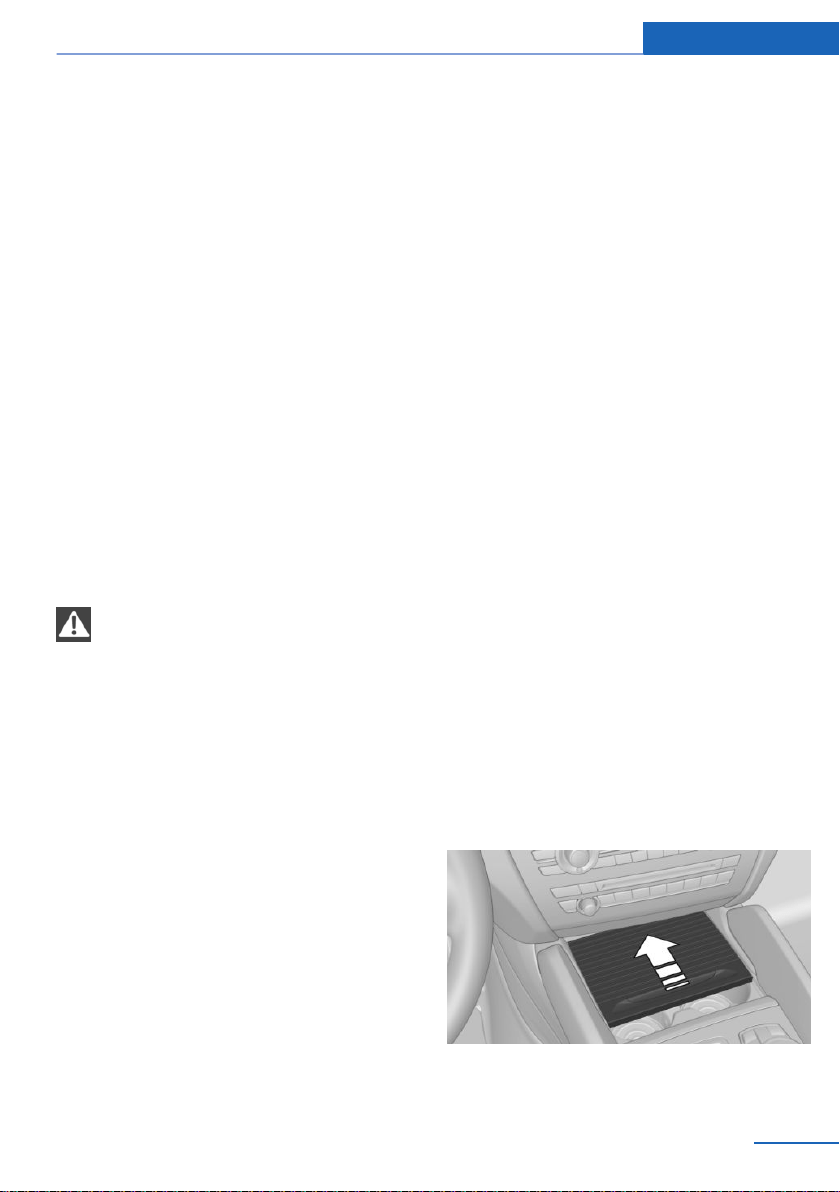
4. Likewise, press and hold the button of the
desired function on the hand-held trans‐
mitter.
5. Release both buttons as soon as the inte‐
rior mirror LED flashes more rapidly. The
LED flashing faster indicates that the but‐
ton on the interior mirror has been pro‐
grammed. The system can then be con‐
trolled by the button on the interior mirror.
If the LED does not flash faster after at
most 60 seconds, change the distance and
repeat the programming starting with
step 4. Several more attempts at different
distances may be necessary. Wait at least
15 seconds between attempts.
Canada: if programming with the hand-
held transmitter was interrupted, hold
down the interior mirror button and repeat‐
edly press and release the hand-held
transmitter button for 2 seconds.
Operation
WARNING
Body parts can be jammed when operat‐
ing remote-controlled systems, for instance
the garage door, using the integrated Universal
Remote Control. There is a risk of injury or risk
of damage to property. Make sure that the area
of movement of the respective system is clear
during programming and operation. Also follow
the safety instructions of the hand-held trans‐
mitter.◀
The system, such as the garage door, can be
operated using the button on the interior mirror
while the engine is running or when the ignition
is started. To do this, hold down the button
within receiving range of the system until the
function is activated. The interior mirror LED
stays lit while the wireless signal is being
transmitted.
Deleting stored functions
All stored functions will be deleted. The func‐
tions cannot be deleted individually. Press and
hold the two outer buttons on the interior mir‐
ror simultaneously for approximately 20 sec‐
onds until the LED on the interior mirror
flashes rapidly.
Sun visor
Glare shield
Fold the sun visor down or up.
Glare shield from the side
Folding out
1.
Fold the sun visor down.
2. Unhook it from the holder and swing it to
the side.
3. Move it back to the desired position.
Folding up
Proceed in the reverse order to close the sun
visor.
Vanity mirror
A vanity mirror is located in the sun visor be‐
hind a cover. When the cover is opened, the
mirror lighting switches on.
Ashtray
Opening
Slide the cover forward.
Seite 185
Interior equipment Controls
185
Online Edition for Part no. 01402981185 - VI/17
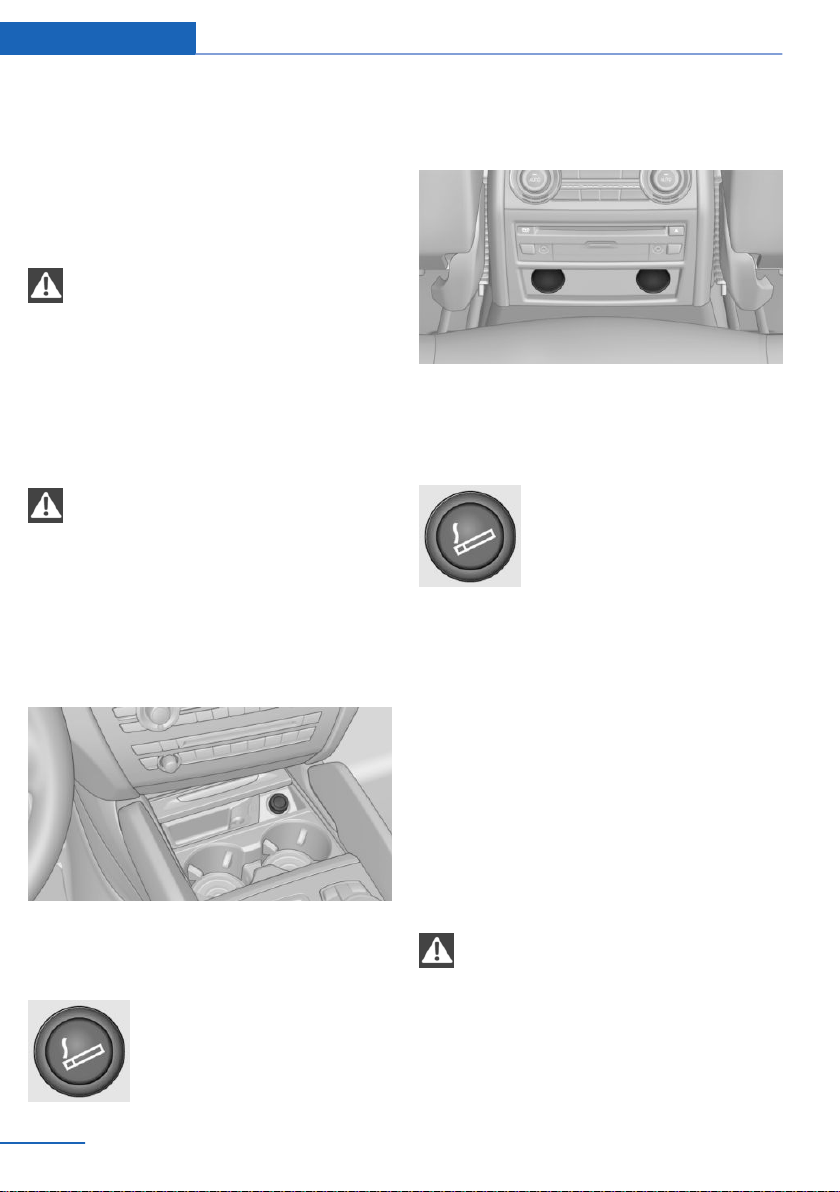
Emptying
Take out the insert.
Lighter
Safety information
WARNING
Contact with hot heating elements or the
hot socket of the cigarette lighter can cause
burns. Flammable materials can ignite if the
cigarette lighter falls down or is held against
the respective objects. There is a risk of fire
and injuries. Hold the cigarette lighter by its
handle. Make sure that children do not use the
cigarette lighter and burn themselves.◀
NOTE
If metal objects fall into the socket, they
can cause a short circuit. There is a risk of
property damage. Replace the cigarette lighter
or socket cover again after using the socket.◀
Front
Overview
The lighter is located next to the ashtray.
Controls
Push in the lighter.
The lighter can be removed as
soon as it pops back out.
Rear
Overview
The cigarette lighter is located in the rear cen‐
ter console.
Controls
Push in the lighter.
The lighter can be removed as
soon as it pops back out.
Sockets
General information
The lighter socket can be used as a socket for
electrical equipment while the engine is run‐
ning or when the ignition is switched on.
The total load of all sockets must not exceed
140 watts at 12 volts.
Do not damage the socket by using non-com‐
patible connectors.
Safety information
WARNING
Devices and cables in the unfolding area
of the airbags, for instance portable navigation
devices, can hinder the unfolding of the airbag
or be thrown around in the car's interior when
unfolding. There is a risk of injury. Make sure
that devices and cables are not in the airbag's
area of unfolding.◀
Seite 186
Controls Interior equipment
186
Online Edition for Part no. 01402981185 - VI/17
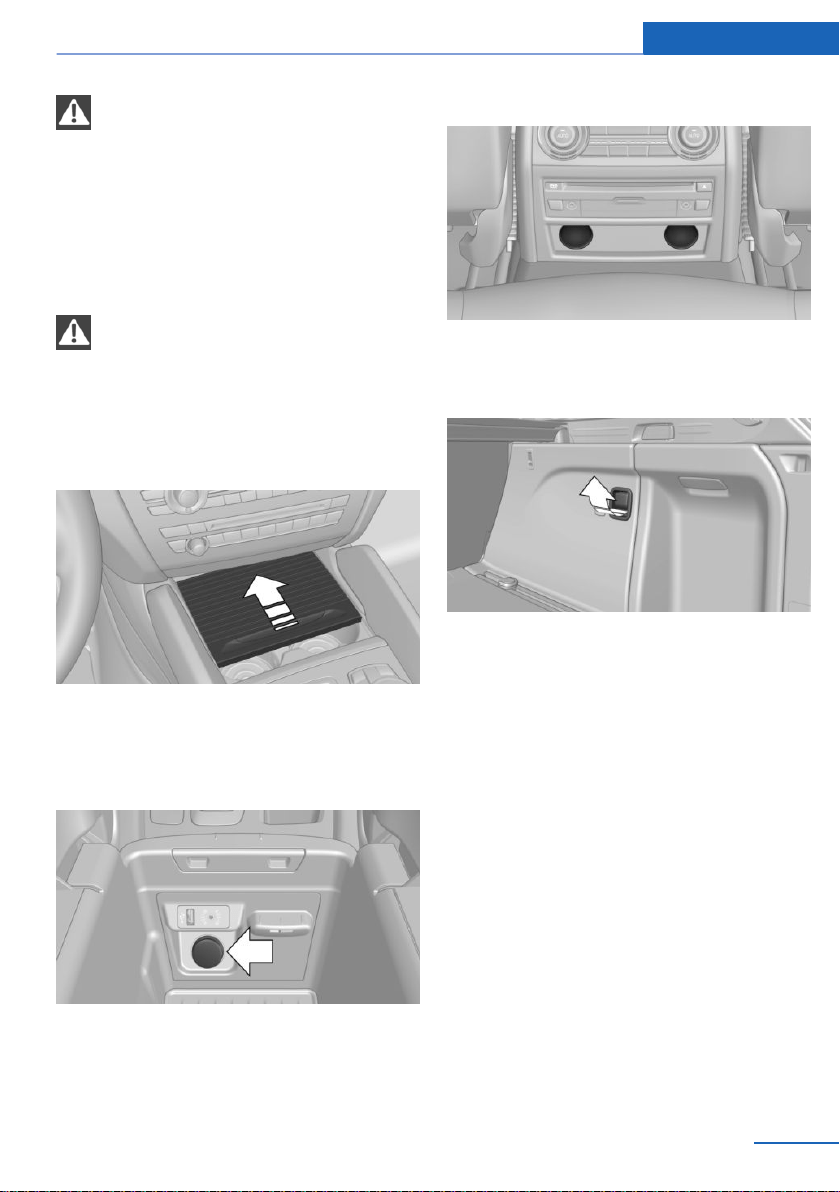
NOTE
Battery chargers for the vehicle battery
can work with high voltages and currents,
which means that the 12 volt on-board net‐
work can be overloaded or damaged. There is
a risk of property damage. Only connect bat‐
tery chargers for the vehicle battery to the
starting aid terminals in the engine compart‐
ment.◀
NOTE
If metal objects fall into the socket, they
can cause a short circuit. There is a risk of
property damage. Replace the cigarette lighter
or socket cover again after using the socket.◀
Front center console
Slide the cover forward.
Remove the cover or cigarette lighter.
Center armrest
Remove the cover.
Rear center console
Remove the cover or cigarette lighter.
In the cargo area
Fold open the cover.
USB interface/AUX-IN port
Concept
Mobile devices with USB port can be con‐
nected to the USB interface.
A mobile audio device, for instance a MP3
player, can be connected using the AUX-IN
port.
General information
The following devices can be connected:
▷ Mobile phones supported by the USB in‐
terface.
▷ Audio devices with USB port, e.g., MP3
player.
▷ USB storage devices.
Seite 187
Interior equipment Controls
187
Online Edition for Part no. 01402981185 - VI/17
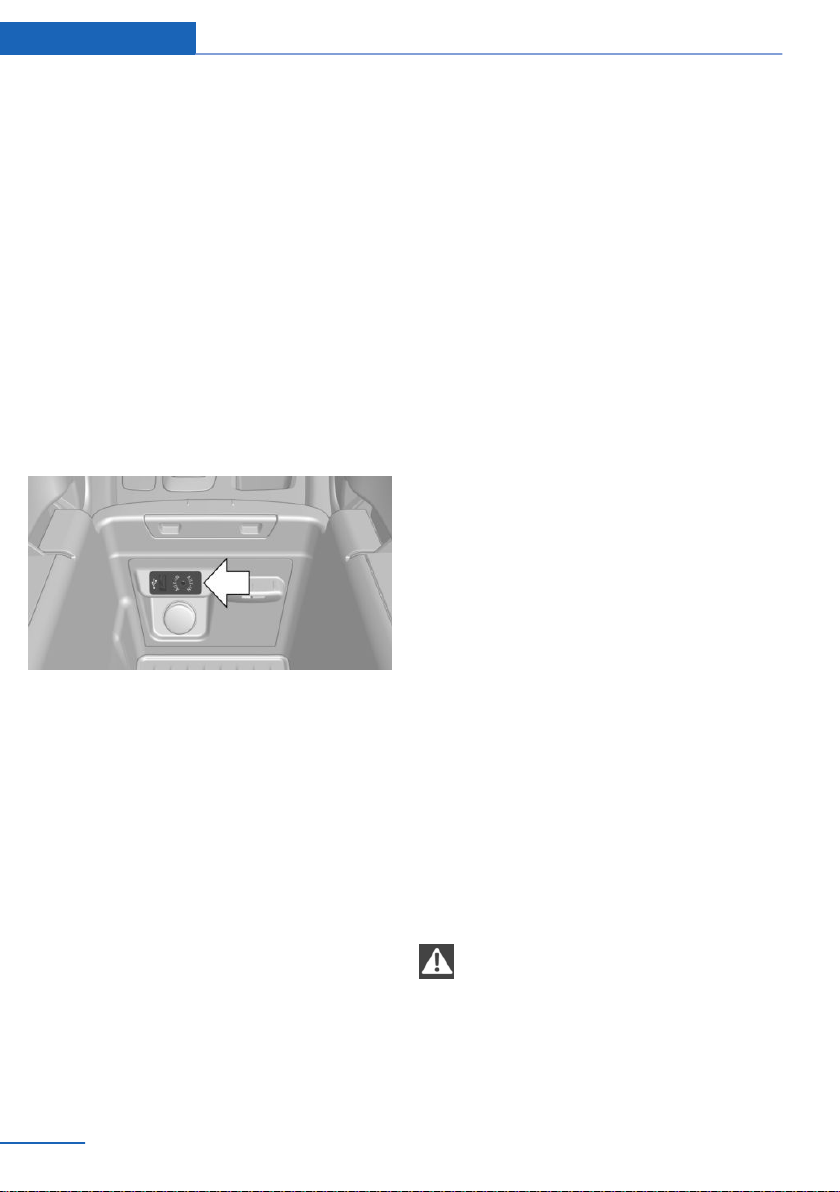
Common file systems are supported.
FAT32 and exFAT are the recommended
formats.
Information about compatible USB media can
be found at www.bmwusa.com/bluetooth.
The following applications are possible:
▷ Exporting and importing driver profiles, re‐
fer to page 46.
▷ Playing music files via USB audio.
▷ Adding music files to the music collection
and saving the music collection.
▷ Playing videos via USB video.
▷ Loading of software updates.
Overview
The USB interface and the AUX-IN port are lo‐
cated in the center armrest.
Connecting an external device
Observe the following when connecting:
▷ Do not use force when plugging the con‐
nector into the USB interface.
▷ Use a flexible adapter cable.
▷ Protect the USB storage device against
mechanical damage.
▷ Due to the large number of USB media
available on the market, it cannot be guar‐
anteed that every device is operable on the
vehicle.
▷ Do not expose USB media to extreme envi‐
ronmental conditions, such as very high
temperatures; refer to the owner's manual
of the device.
▷ Due to the many different compression
techniques, proper playback of the media
stored on the USB storage device cannot
be guaranteed in all cases.
▷ A connected USB storage device will be
supplied with charging current via the USB
interface if the device supports this. At
higher temperatures, the USB storage de‐
vice may cause a reduction in the charging
current.
▷ To ensure proper transmission of the
stored data, do not charge a USB storage
device via the onboard socket, when it is
connected to the USB interface.
▷ Depending on how the USB storage device
is being used, settings may be required on
the USB storage device, refer to the own‐
er's manual of the device.
Non-compatible USB media:
▷ USB hard drives.
▷ USB hubs.
▷ USB memory card readers with multiple in‐
serts.
▷ HFS-formatted USB media.
▷ MTP devices.
▷ Devices such as fans or lamps.
Cargo area
Cargo cover
Safety information
WARNING
Loose objects or devices with a cable
connection to the vehicle, e.g., mobile phones,
can be thrown into the vehicle's interior while
driving, e.g., in the event of an accident or dur‐
ing braking and evasive maneuvers. There is a
risk of injury. Secure loose objects or devices
Seite 188
Controls Interior equipment
188
Online Edition for Part no. 01402981185 - VI/17
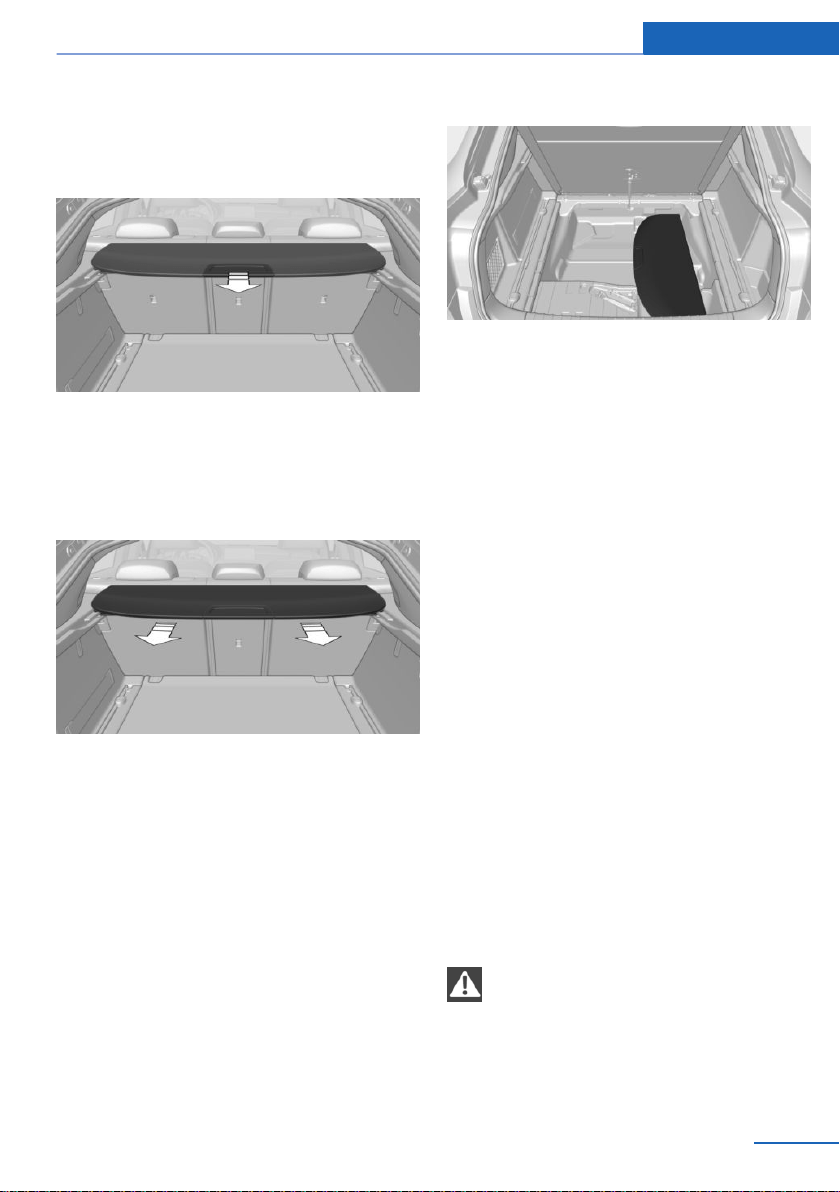
with a cable connection to the vehicle in the
vehicle's interior.◀
General information
Unfold cargo cover out towards the rear.
Removing
The cover can be removed to load bulky lug‐
gage.
1.
Grasp folded-up cargo cover under the top
fold on both sides.
2. Pull the cover rearward out of the two side
brackets.
Stowing
Depending on the equipment of your vehicle,
you can stow the cover under the cargo floor
panel.
Installing
When installing, follow the reverse procedure.
1.
Put the cargo cover in place left and right.
2. Lift the cover slightly to the rear and push
toward the front until it engages on both
side brackets.
Enlarging the cargo area
Concept
The cargo area can be enlarged by folding
down the rear seat backrest.
General information
The rear seat backrest is divided at a ratio of
40–20–40. The side rear seat backrests and
the center section can be folded down sepa‐
rately.
The rear seat backrests can be folded down
from the rear.
Safety information
WARNING
Danger of jamming with folding down the
backrests. There is a risk of injury or risk of
property damage. Make sure that the area of
movement of the rear backrest and the of the
head restraint is clear prior to folding down.◀
Seite 189
Interior equipment Controls
189
Online Edition for Part no. 01402981185 - VI/17
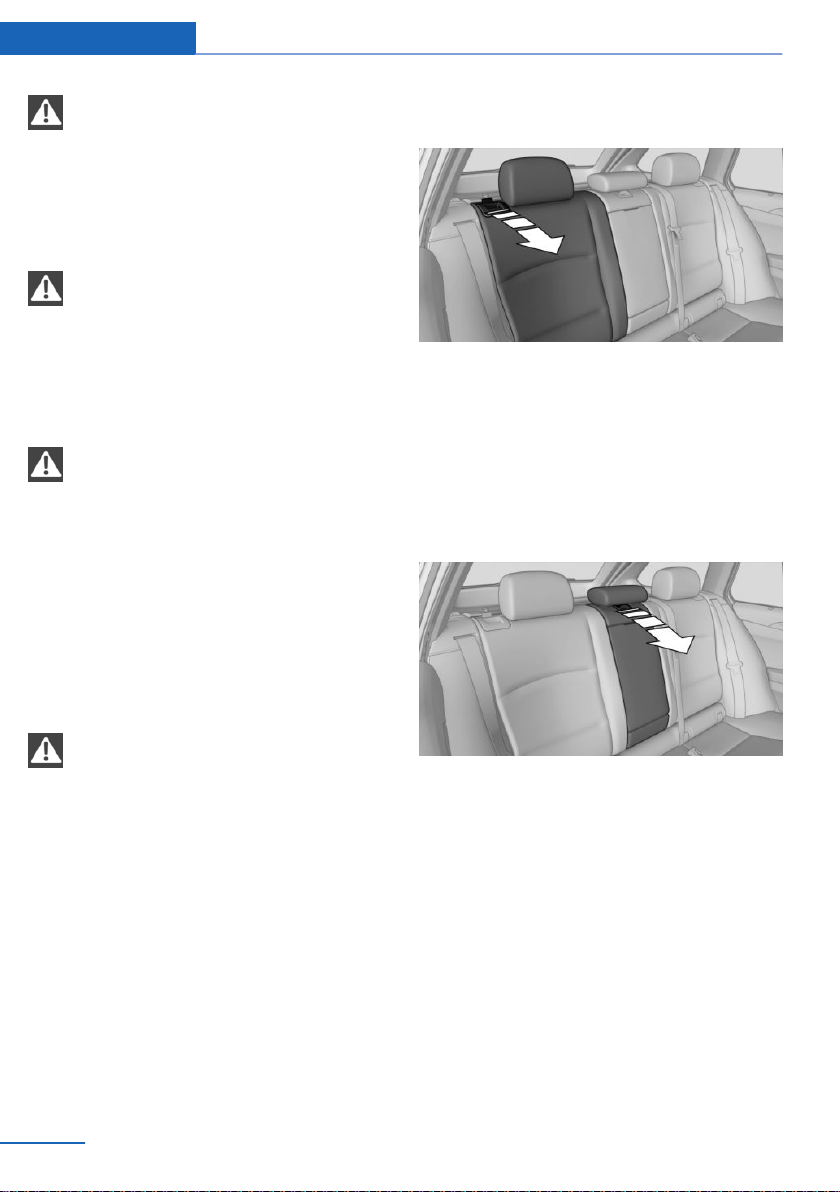
WARNING
If a rear seat backrest is not locked, un‐
secured cargo can be thrown into the car's in‐
terior, for instance in case of an accident, brak‐
ing or evasive maneuver. There is a risk of
injury. Make sure that the rear seat backrest is
locked after folding it back.◀
WARNING
With a rear backrest that is not locked,
the protective function of the middle safety
belt is not guaranteed. There is a risk of inju‐
ries or danger to life. If you are using the mid‐
dle safety belt, lock the wider rear seat back‐
rest.◀
WARNING
The stability of the child restraint system
is limited or compromised with incorrect seat
adjustment or improper installation of the child
seat. There is a risk of injuries or danger to life.
Make sure that the child restraint system fits
securely against the backrest. If possible, ad‐
just the backrest tilt for all affected backrests
and correctly adjust the seats. Make sure that
seats and backrests are securely engaged. If
possible, adjust the height of the head re‐
straints or remove them.◀
NOTE
Vehicle parts can be damaged when
folding down the rear backrest. There is a risk
of property damage. Make sure that the area of
movement of the rear backrest including head
restraint is clear when folding down.◀
Folding down the rear seat backrest
from the rear
Reach into the recess and pull the rear seat
backrest forward.
Fold down the middle section
1.
Push the center head restraint down if nec‐
essary.
2. Reach into the recess and pull the center
section forward.
Ski and snowboard bag
The ski and snowboard bag is contained in a
protective jacket in the cargo area.
Follow the installation and owner's manual in‐
cluded in the protective jacket.
Seite 190
Controls Interior equipment
190
Online Edition for Part no. 01402981185 - VI/17
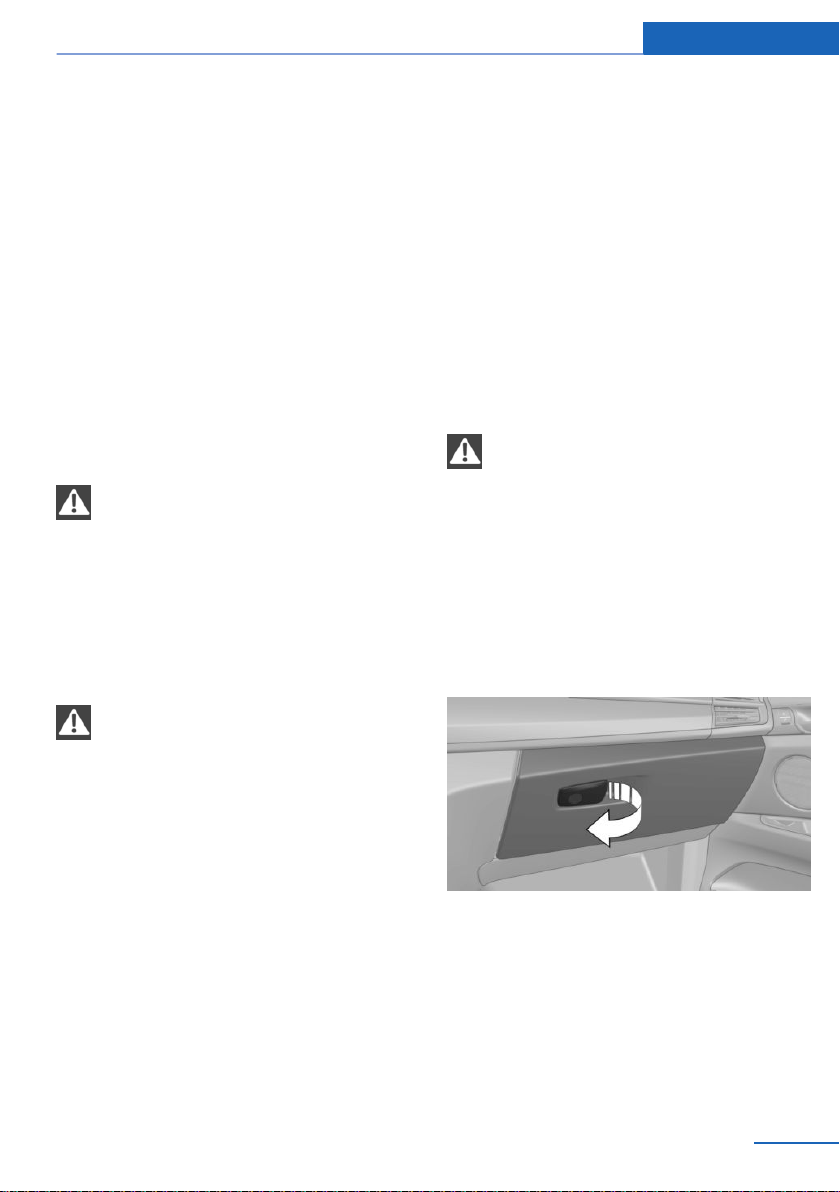
Storage compartments
Vehicle features and options
This chapter describes all standard, country-
specific and optional features offered with the
series. It also describes features that are not
necessarily available in your vehicle, e. g., due
to the selected options or country versions.
This also applies to safety-related functions
and systems. When using these functions and
systems, the applicable laws and regulations
must be observed.
Safety information
WARNING
Loose objects or devices with a cable
connection to the vehicle, e.g., mobile phones,
can be thrown into the vehicle's interior while
driving, e.g., in the event of an accident or dur‐
ing braking and evasive maneuvers. There is a
risk of injury. Secure loose objects or devices
with a cable connection to the vehicle in the
vehicle's interior.◀
NOTE
Anti-slip pads such as anti-slip mats can
damage the dashboard. There is a risk of prop‐
erty damage. Do not use anti-slip pads.◀
Storage compartments
The following storage compartments are avail‐
able in the vehicle interior:
▷ Glove compartment on the front passenger
side, refer to page 191.
▷ Glove compartment on the driver's side,
refer to page 192.
▷ Compartments in the doors, refer to
page 192.
▷ Storage compartment on the center con‐
sole, refer to page 192.
▷ Center armrest, refer to page 193.
▷ Glasses compartment, refer to page 193.
Glove compartment
Front passenger side
Safety information
WARNING
Folded open, the glove compartment
protrudes in the vehicle's interior. Objects in
the glove compartment can be thrown into the
vehicle's interior while driving, e.g., in the event
of an accident or during braking and evasive
maneuvers. There is a risk of injury. Always
close the glove compartment immediately after
using it.◀
Opening
Pull the handle.
The light in the glove compartment switches
on.
The retaining strap in the glove compartment
is used to store small objects.
Closing
Fold cover closed.
Seite 191
Storage compartments Controls
191
Online Edition for Part no. 01402981185 - VI/17
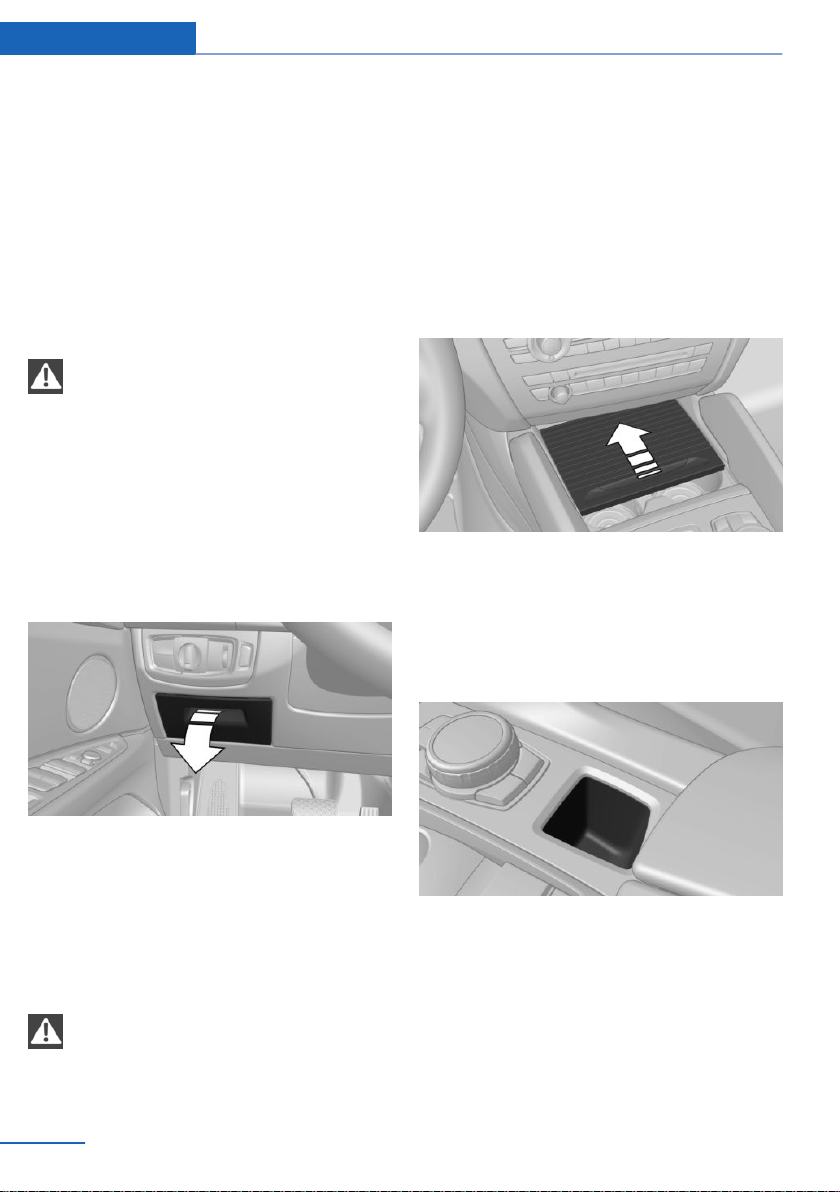
Locking
The glove compartment can be locked with an
integrated key. This prevents access to the
glove compartment.
After the glove compartment is locked, the re‐
mote control can be handed over, such as at a
hotel, without the integrated key.
Driver's side
Safety information
WARNING
Folded open, the glove compartment
protrudes in the vehicle's interior. Objects in
the glove compartment can be thrown into the
vehicle's interior while driving, e.g., in the event
of an accident or during braking and evasive
maneuvers. There is a risk of injury. Always
close the glove compartment immediately after
using it.◀
Opening
Pull the handle.
Closing
Fold cover closed.
Compartments in the doors
WARNING
Breakable objects, for instance glass
bottles or glasses, can break in the event of an
accident. Broken glass can be scattered in the
car's interior. There is a risk of injury. Do not
use any breakable objects while driving. Only
stow breakable objects in lockable storage
compartments.◀
Storage compartment on the
center console
Opening
Slide the cover forward.
Closing
Slide the cover rearward.
Small storage compartment
Storage possibility for small objects, for exam‐
ple, coins.
Seite 192
Controls Storage compartments
192
Online Edition for Part no. 01402981185 - VI/17
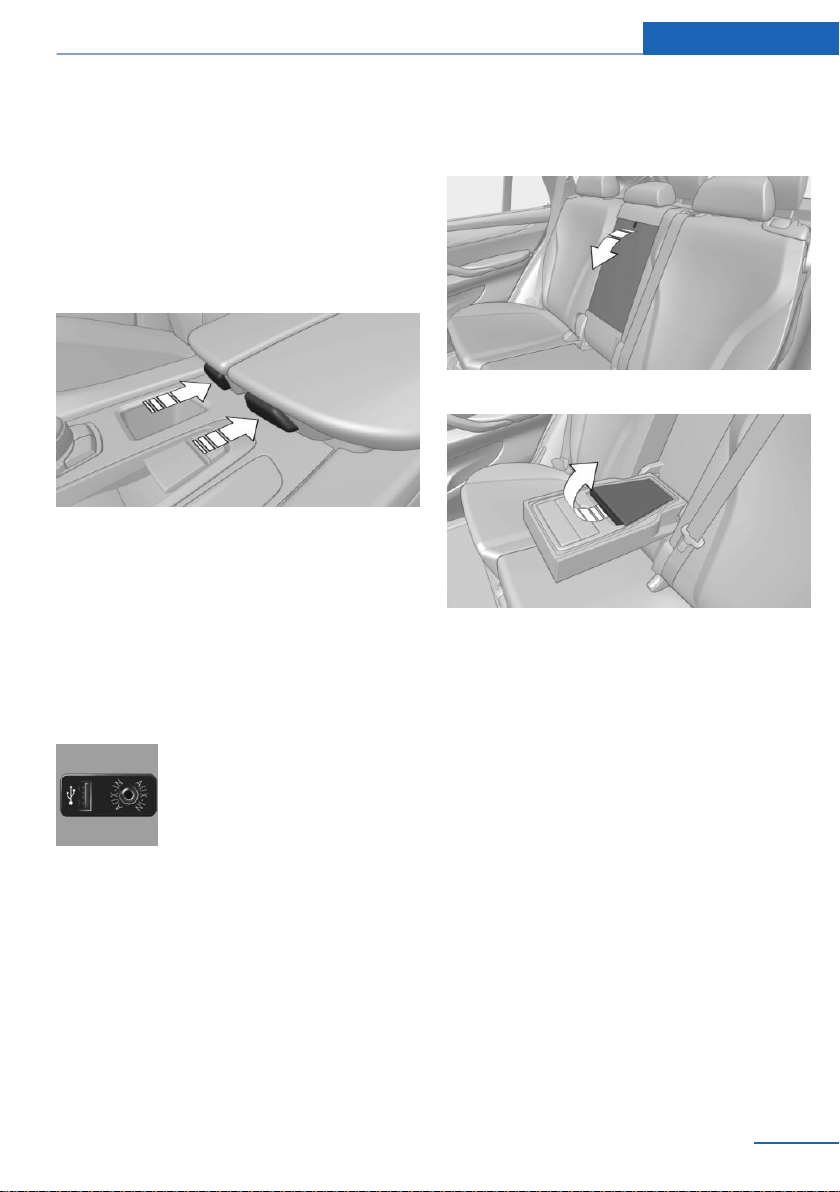
Center armrest
Front
Overview
A storage compartment is located in the center
armrest between the front seats.
Opening
Push the cover down slightly and press the
button, see arrow. The respective cover folds
up.
Closing
Fold the respective cover down until it latches.
Connection for an external audio
device
An external audio device, for in‐
stance an MP3 player, can be
connected via the AUX-IN port
or the USB audio interface in the
center armrest.
Rear
Overview
A storage compartment is located in the center
armrest between the seats.
Opening
1. Pull the loop and fold down the center arm‐
rest.
2. Pull the handle.
Closing
Press cover down until it latches.
Glasses compartment
Overview
The compartment for eye glasses is located
between the interior mirror and interior lights.
Seite 193
Storage compartments Controls
193
Online Edition for Part no. 01402981185 - VI/17
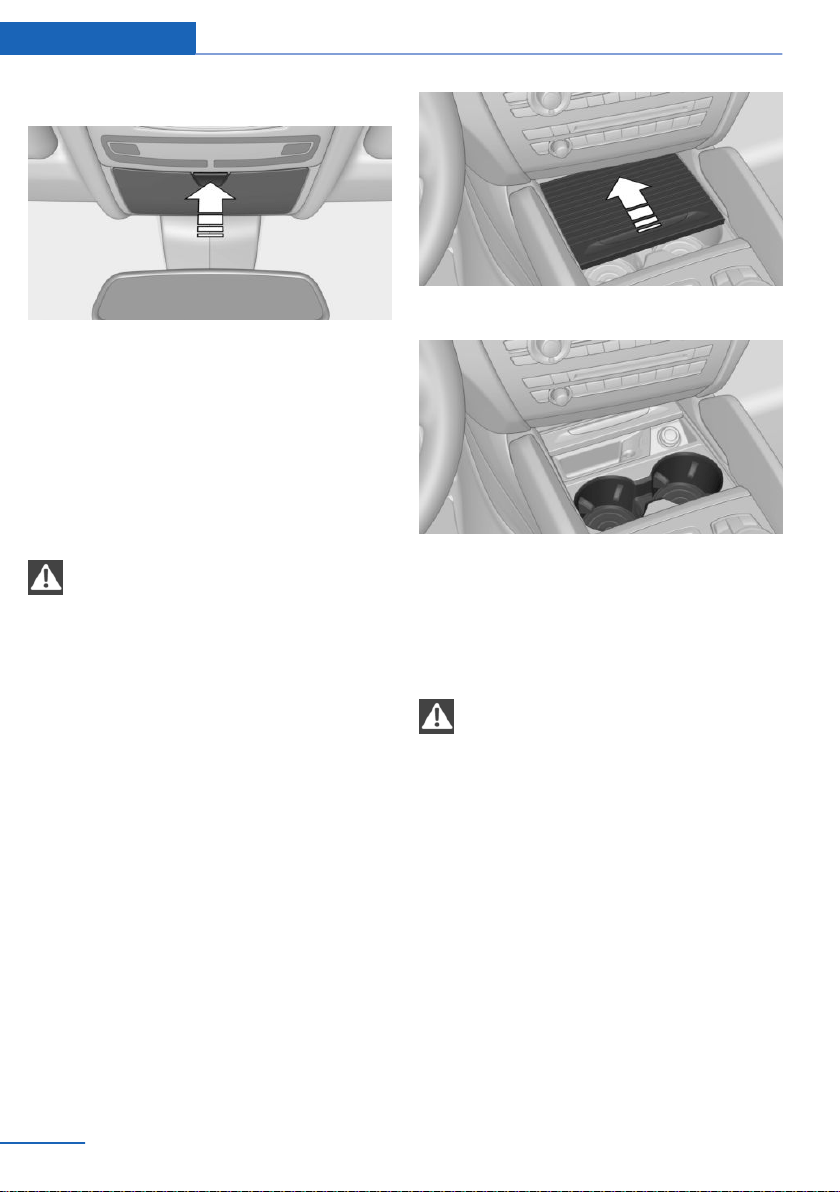
Opening
Press button.
Closing
Press the cover up until it latches.
Cup holders
Safety information
WARNING
Unsuitable containers in the cup holder
and hot beverages can damage the cup holder
and increase the risk of injury in the event of an
accident. There is a risk of injury or risk of
property damage. Use light-weight, unbreaka‐
ble, and sealable containers. Do not transport
hot beverages. Do not force objects into the
cup holder.◀
Front
Overview
In the center console.
Slide the cover forward.
Two cup holders are located in the center con‐
sole.
Rear
Safety information
NOTE
With an open cup holder, the center arm‐
rest cannot be folded back up. There is a risk
of property damage. Press back the covers be‐
fore the center armrest is folded up.◀
Overview
In the center armrest.
Seite 194
Controls Storage compartments
194
Online Edition for Part no. 01402981185 - VI/17
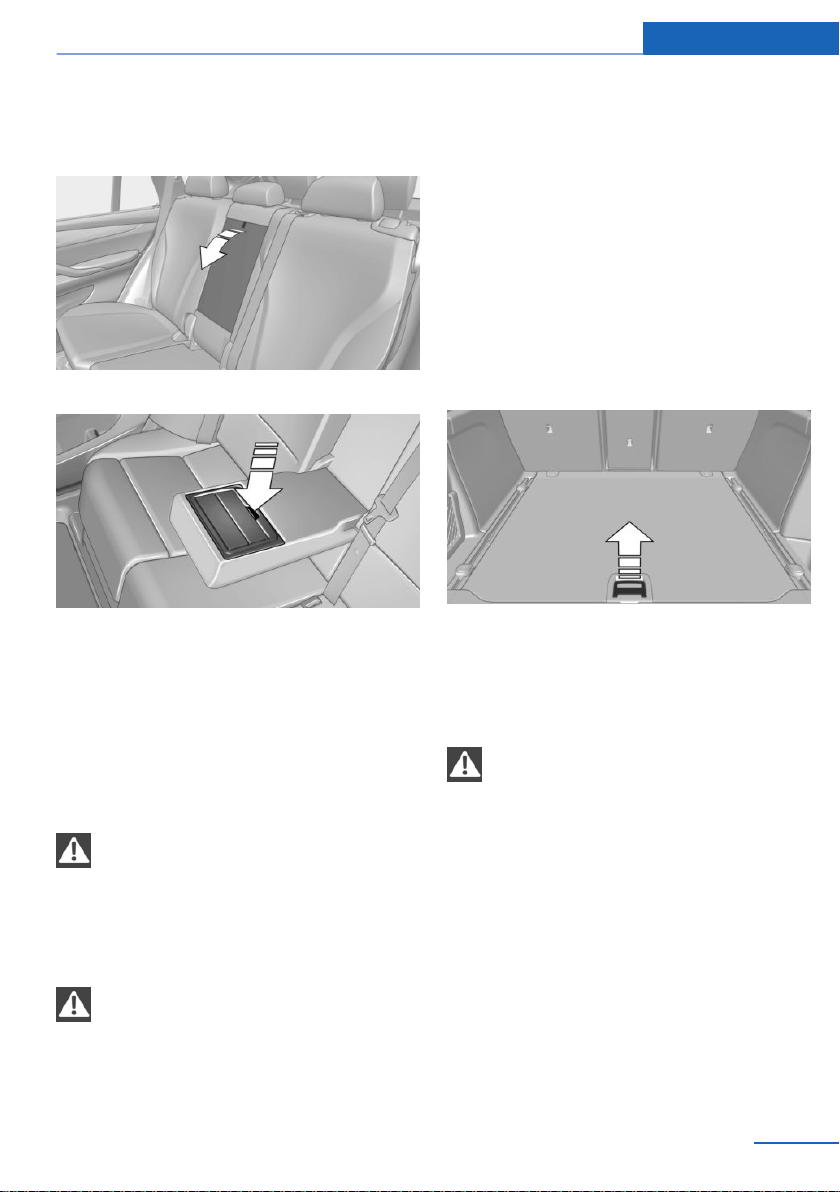
Opening
1. Pull the loop and fold down the center arm‐
rest.
2. Press button.
Closing
Press both covers inward back against each
other.
Clothes hooks
Safety information
WARNING
Clothing articles on the clothes hooks
can obstruct the view while driving. There is a
risk of an accident. When suspending clothing
articles from the hooks, ensure that they will
not obstruct the driver's view.◀
WARNING
Improper use of the clothes hooks can
lead to a risk of objects flying about during
braking and evasive maneuvers. There is a risk
of injury and risk of property damage. Only
hang lightweight objects, e.g., clothing articles,
from the clothes hooks.◀
General information
Two folding clothes hooks are provided in the
rear of the vehicle. Press sideways onto the
edge to fold open.
Storage compartments in the
cargo area
Storage space under cargo floor panel
Fold up the cargo floor panel. The storage
space under the cargo floor panel is subdi‐
vided.
Multi-function hook
WARNING
Improper use of the multi-function hooks
can lead to a risk of objects flying about during
braking and evasive maneuvers. There is a risk
of injury and risk of property damage. Only
hang lightweight objects, e.g., shopping bags,
from the multi-function hooks. Only transport
heavy luggage in the cargo area if it has been
appropriately secured.◀
Seite 195
Storage compartments Controls
195
Online Edition for Part no. 01402981185 - VI/17
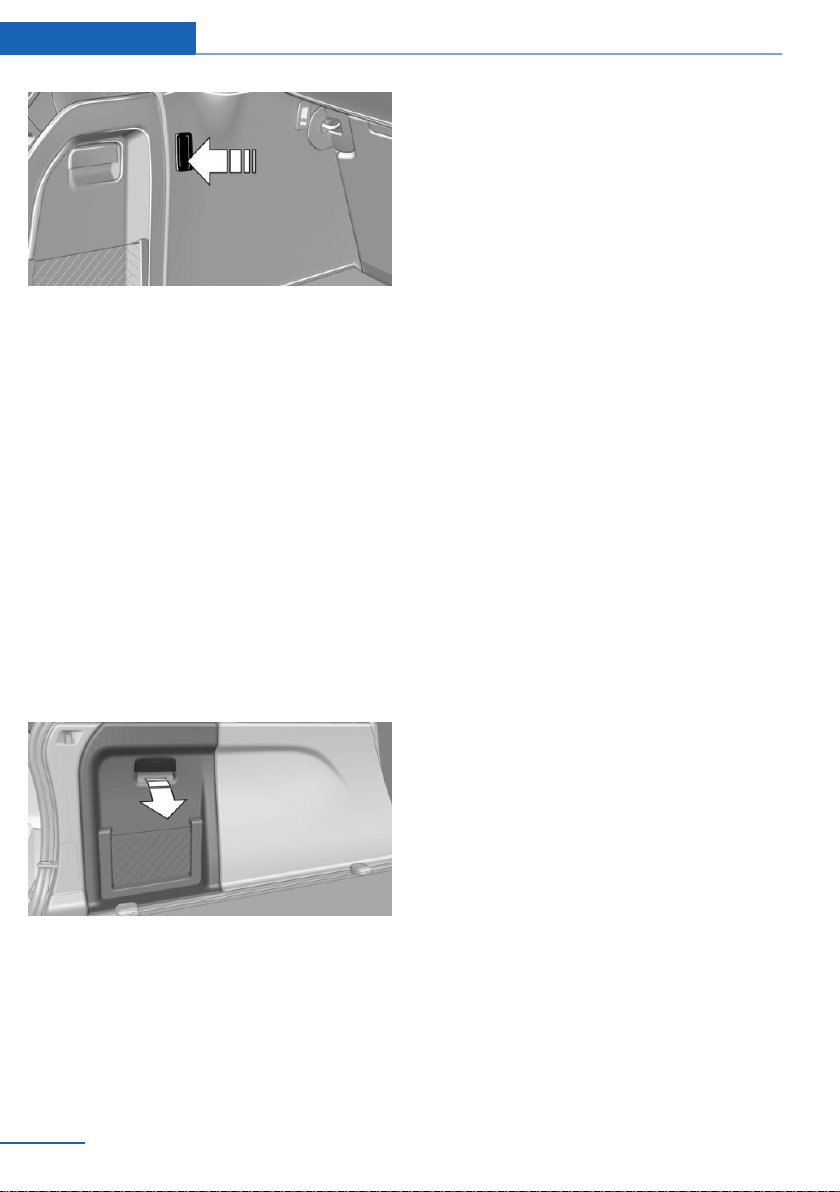
Depending on the installed equipment version,
there are one or two multi-function hooks in
the cargo area.
Retaining strap
A retaining strap is available on the left side
trim for fastening small objects.
Net
Smaller objects can be stored in the net on the
left side of the cargo area.
Storage compartment on the right
side
A waterproof storage compartment is available
on the right side of the cargo area.
Left side storage compartment
Pull the handle.
Lashing eyes in the cargo area with
rail
To secure the cargo, refer to page 205, there
are lashing eyes in the cargo area.
Cargo net, FlexNet
To secure the cargo, refer to page 205, the
flexible cargo net can also be used.
Seite 196
Controls Storage compartments
196
Online Edition for Part no. 01402981185 - VI/17

Seite 197
Storage compartments Controls
197
Online Edition for Part no. 01402981185 - VI/17
Online Edition for Part no. 01402981185 - VI/17

Driving tips
This chapter provides you with information
useful in dealing with specific driving and
operating modes.
Online Edition for Part no. 01402981185 - VI/17
Things to remember when driving
Vehicle features and options
This chapter describes all standard, country-
specific and optional features offered with the
series. It also describes features that are not
necessarily available in your vehicle, e. g., due
to the selected options or country versions.
This also applies to safety-related functions
and systems. When using these functions and
systems, the applicable laws and regulations
must be observed.
Breaking-in period
General information
Moving parts need to begin working together
smoothly.
The following instructions will help you to ach‐
ieve a long vehicle life and good efficiency.
During break-in, do not use the Launch Con‐
trol.
Safety information
WARNING
Due to new parts and components,
safety and driver assistance systems can react
with a delay. There is a risk of an accident. Af‐
ter installing new parts or with a new vehicle,
drive conservatively and intervene early if nec‐
essary. Observe the break-in procedures of
the respective parts and components.◀
Engine, transmission, and axle drive
Up to 1,200 miles/2,000 km
Do not exceed the maximum engine and road
speed:
▷ For gasoline engine 4,500 rpm and
100 mph/160 km/h.
Avoid full load or kickdown under all circum‐
stances.
From 1,200 miles/2,000 km
The engine and vehicle speed can gradually be
increased.
Tires
Tire traction is not optimal due to manufactur‐
ing circumstances when tires are brand-new;
they achieve their full traction potential after a
break-in time.
Drive conservatively for the first
200 miles/300 km.
Brake system
Brake discs and brake pads only reach their full
effectiveness after approx. 300 miles/500 km.
Drive moderately during this break-in period.
Following part replacement
The same break-in procedures should be ob‐
served if any of the components above-men‐
tioned have to be renewed in the course of the
vehicle's operating life.
General driving notes
Closing the tailgate
Safety information
WARNING
An open tailgate protrudes from the vehi‐
cle and can endanger occupants and other
traffic participants or damage the vehicle in the
event of an accident, braking or evasive ma‐
neuvers. In addition, exhaust fumes may enter
the car's interior. There is a risk of injury or risk
of damage to property. Do not drive with the
tailgate open.◀
Seite 200
Driving tips Things to remember when driving
200
Online Edition for Part no. 01402981185 - VI/17
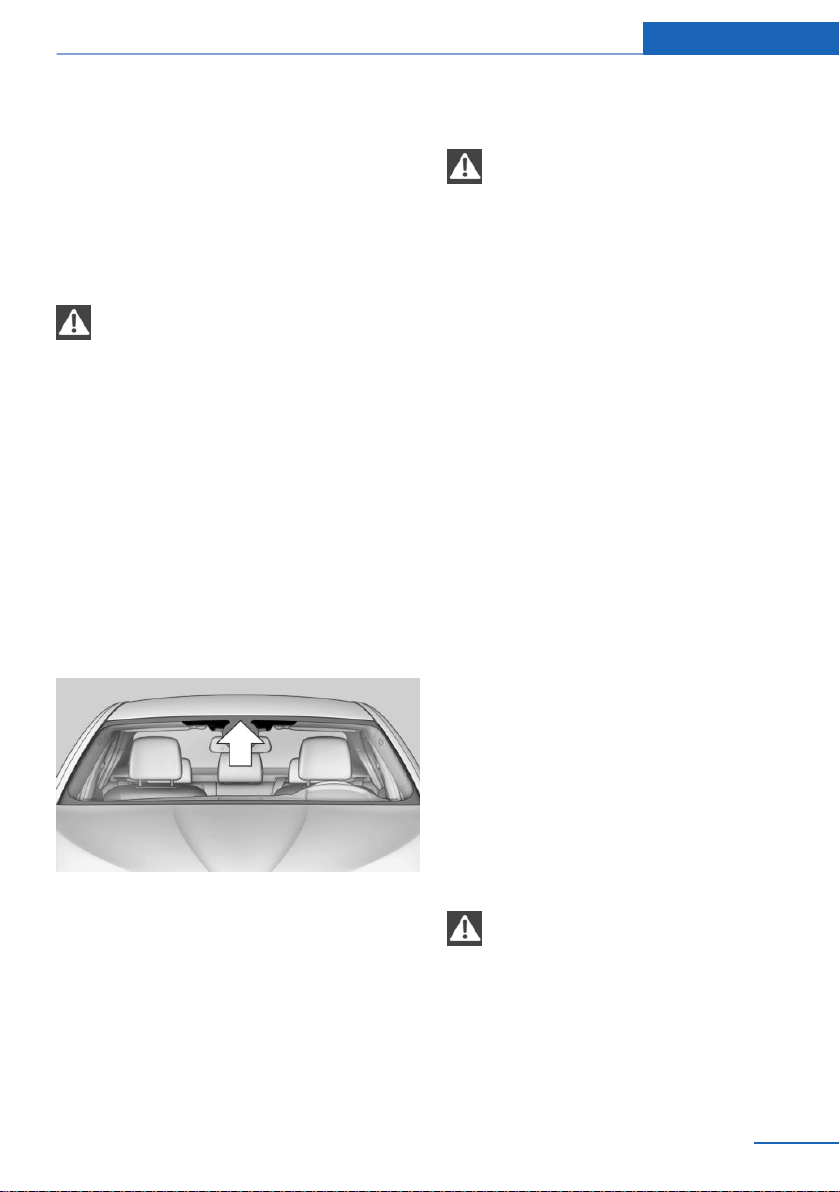
Driving with the tailgate open
If driving with the tailgate open cannot be
avoided:
▷ Close all windows and the glass sunroof.
▷ Greatly increase the air flow from the vents.
▷ Drive moderately.
Hot exhaust system
WARNING
During driving operation, high tempera‐
tures can occur underneath the vehicle body,
e.g., caused by the exhaust gas system. If
combustible materials, such as leaves or grass,
come in contact with hot parts of the exhaust
gas system, these materials can ignite. There
is a risk of injury or risk of property damage. Do
not remove the heat shields installed and never
apply undercoating to them. Make sure that no
combustible materials can come in contact
with hot vehicle parts in driving operation, idle
or during parking. Do not touch the hot ex‐
haust system.◀
Climate control windshield
The marked area is not covered with heat re‐
flective coating.
Use this area for garage door openers, devices
for electronic toll collection, etc.
Mobile communication devices in the
vehicle
WARNING
Vehicle electronics and mobile phones
can influence one another. There is radiation
due to the transmission operations of mobile
phones. There is a risk of injury or risk of prop‐
erty damage. If possible, in the vehicle's inte‐
rior use only mobile phones with direct con‐
nections to an exterior antenna in order to
exclude mutual interference and deflect the ra‐
diation from the vehicle's interior.◀
Hydroplaning
On wet or slushy roads, a wedge of water can
form between the tires and road surface.
This phenomenon is referred to as hydroplan‐
ing. It is characterized by a partial or complete
loss of contact between the tires and the road
surface, ultimately undermining your ability to
steer and brake the vehicle.
Driving through water
General information
When driving through water, observe the fol‐
lowing:
▷ Drive through calm water only.
▷ Drive through water only if it is not deeper
than maximum 17.6 inches/45 cm.
▷ Drive through water no faster than walking
speed, up to 3 mph/5 km/h.
Safety information
NOTE
When driving too quickly through too
deep water, water can enter into the engine
compartment, the electrical system or the
transmission. There is a risk of property dam‐
age. When driving through water, do not ex‐
ceed the maximum indicated water level and
the maximum speed for driving through wa‐
ter.◀
Seite 201
Things to remember when driving Driving tips
201
Online Edition for Part no. 01402981185 - VI/17

Braking safely
The vehicle is equipped with ABS as a stand‐
ard feature.
Perform an emergency stop in situations that
require such.
Steering is still responsive. You can still avoid
any obstacles with a minimum of steering ef‐
fort.
Pulsation of the brake pedal and sounds from
the hydraulic circuits indicate that ABS is in its
active mode.
In certain braking situations, the perforated
brake discs can emit functional noises. Func‐
tional noises have no effect on the perform‐
ance and operational reliability of the brake.
Objects in the movement area around
pedals and floor area
WARNING
Objects in the driver's floor area can limit
the pedal distance or block a depressed pedal.
There is a risk of an accident. Stow objects in
the vehicle such that they are secured and
cannot enter into the driver's floor area. Use
floor mats that are suitable for the vehicle and
can be safely attached to the floor. Do not use
loose floor mats and do not layer several floor
mats. Make sure that there is sufficient clear‐
ance for the pedals. Ensure that the floor mats
are securely fastened again after they were re‐
moved, for instance for cleaning.◀
Driving in wet conditions
When roads are wet, salted, or in heavy rain,
gently press the brake pedal every few miles.
Ensure that this action does not endanger
other traffic.
The heat generated during braking dries brake
discs and brake pads and protects them
against corrosion.
In this way braking efficiency will be available
when you need it.
Hills
General information
Drive long or steep downhill gradients in the
gear that requires least braking effort. Other‐
wise, the brakes may overheat and reduce
brake efficiency.
You can increase the engine's braking effect
by shifting down, going all the way to first gear,
if needed.
Safety information
WARNING
Light but consistent brake pressure can
lead to high temperatures, brakes wearing out
and possibly even brake failure. There is a risk
of an accident. Avoid placing excessive stress
on the brake system.◀
WARNING
In idle state or with the engine switched
off, safety-relevant functions, for instance en‐
gine braking effect, braking force boost and
steering assistance, are restricted or not avail‐
able at all. There is a risk of an accident. Do not
drive in idle state or with the engine switched
off.◀
Brake disc corrosion
Corrosion on the brake discs and contamina‐
tion on the brake pads are increased by the fol‐
lowing circumstances:
▷ Low mileage.
▷ Extended periods when the vehicle is not
used at all.
▷ Infrequent use of the brakes.
▷ Aggressive, acidic, or alkaline cleaning
agents.
Corrosion buildup on the brake discs will cause
a pulsating effect on the brakes in their re‐
sponse - generally this cannot be corrected.
Seite 202
Driving tips Things to remember when driving
202
Online Edition for Part no. 01402981185 - VI/17

Condensation water under the parked
vehicle
When using the automatic climate control,
condensation water develops and collects un‐
derneath the vehicle.
Driving on poor roads
Concept
Because of its greater ground clearance, the
vehicle can be driven on a variety of road types
and qualities.
All-wheel drive can help improve forward mo‐
mentum.
Safety information
NOTE
Objects in unpaved areas, e.g., stones or
branches, can damage the vehicle. There is a
risk of property damage. Do not drive on un‐
paved terrain.◀
When driving on poor roads
For your own safety, for the safety of passen‐
gers and of the vehicle, heed the following
points:
▷ Become familiar with the vehicle before
starting a trip; do not take risks while driv‐
ing.
▷ Adjust the speed to the road surface con‐
ditions. The steeper and more uneven the
road surface, the slower the speed should
be.
▷ When driving on steep uphill or downhill
grades: add engine oil and coolant up to
near the MAX mark. Uphill and downhill
grades can be traveled up to no more than
50 %.
▷ On steep downhill grades, use Hill Descent
Control HDC.
Starting out is possible on uphill grades up
to 32 %. The permissible side tilt is 50 %.
▷ Avoid that the chassis bottom coming in
contact with the ground.
The ground clearance is no more than
7.8 inches/20 cm and can vary according
to the vehicle's load.
▷ When wheels continue to spin, depress the
accelerator so that driving stability control
systems can distribute the driving force to
the wheels. Activate DTC Dynamic Trac‐
tion Control if available.
After a trip on poor roads
After a trip on poor roads, check wheels and
tires for damage to maintain driving safety.
Clear heavy soiling from the body.
Driving on racetracks
Higher mechanical and thermal loads during
racetrack operation lead to increased wear.
This wear is not covered by the warranty. The
vehicle is not designed for use in motor sports
competition.
Seite 203
Things to remember when driving Driving tips
203
Online Edition for Part no. 01402981185 - VI/17

Loading
Vehicle features and options
This chapter describes all standard, country-
specific and optional features offered with the
series. It also describes features that are not
necessarily available in your vehicle, e. g., due
to the selected options or country versions.
This also applies to safety-related functions
and systems. When using these functions and
systems, the applicable laws and regulations
must be observed.
Safety information
WARNING
High gross weight can overheat the tires,
damage them internally and cause a sudden
drop in tire inflation pressure. Driving charac‐
teristics may be negatively impacted, reducing
lane stability, lengthening the braking distan‐
ces and changing the steering response.
There is a risk of an accident. Pay attention to
the permitted load capacity of the tires and
never exceed the permitted gross weight.◀
WARNING
Loose objects or devices with a cable
connection to the vehicle, e.g., mobile phones,
can be thrown into the vehicle's interior while
driving, e.g., in the event of an accident or dur‐
ing braking and evasive maneuvers. There is a
risk of injury. Secure loose objects or devices
with a cable connection to the vehicle in the
vehicle's interior.◀
WARNING
Improperly stowed objects can shift and
be thrown into the vehicle's interior, e.g., in the
event of an accident or during braking and eva‐
sive maneuvers. Vehicle occupants can be hit
and injured. There is a risk of injury. Stow and
secure objects and cargo properly.◀
NOTE
Fluids in the cargo area can cause dam‐
age. There is a risk of property damage. Make
sure that no fluids leak in the cargo area.◀
Steps for Determining
Correct Load Limit
1. Locate the statement “The combined
weight of occupants and cargo should
never exceed XXX kg or XXX lbs.” on your
vehicle’s placard.
2. Determine the combined weight of the
driver and passengers that will be riding in
your vehicle.
3. Subtract the combined weight of the driver
and passengers from XXX kg or XXX lbs.
4. The resulting figure equals the available
amount of cargo and luggage load ca‐
pacity. For example, if the “XXX” amount
equals 1,400 lbs. and there will be five
150 lb passengers in your vehicle, the
amount of available cargo and luggage load
capacity is 650 lbs. (1,400–750 (5 x 150) =
650 lbs.)
5. Determine the combined weight of lug‐
gage and cargo being loaded on the vehi‐
cle. That weight may not safely exceed the
available cargo and luggage load capacity
calculated in Step 4.
6. If your vehicle will be towing a trailer, load
from your trailer will be transferred to your
vehicle. Consult this manual to determine
how this reduces the available cargo and
luggage load capacity of your vehicle.
Seite 204
Driving tips Loading
204
Online Edition for Part no. 01402981185 - VI/17
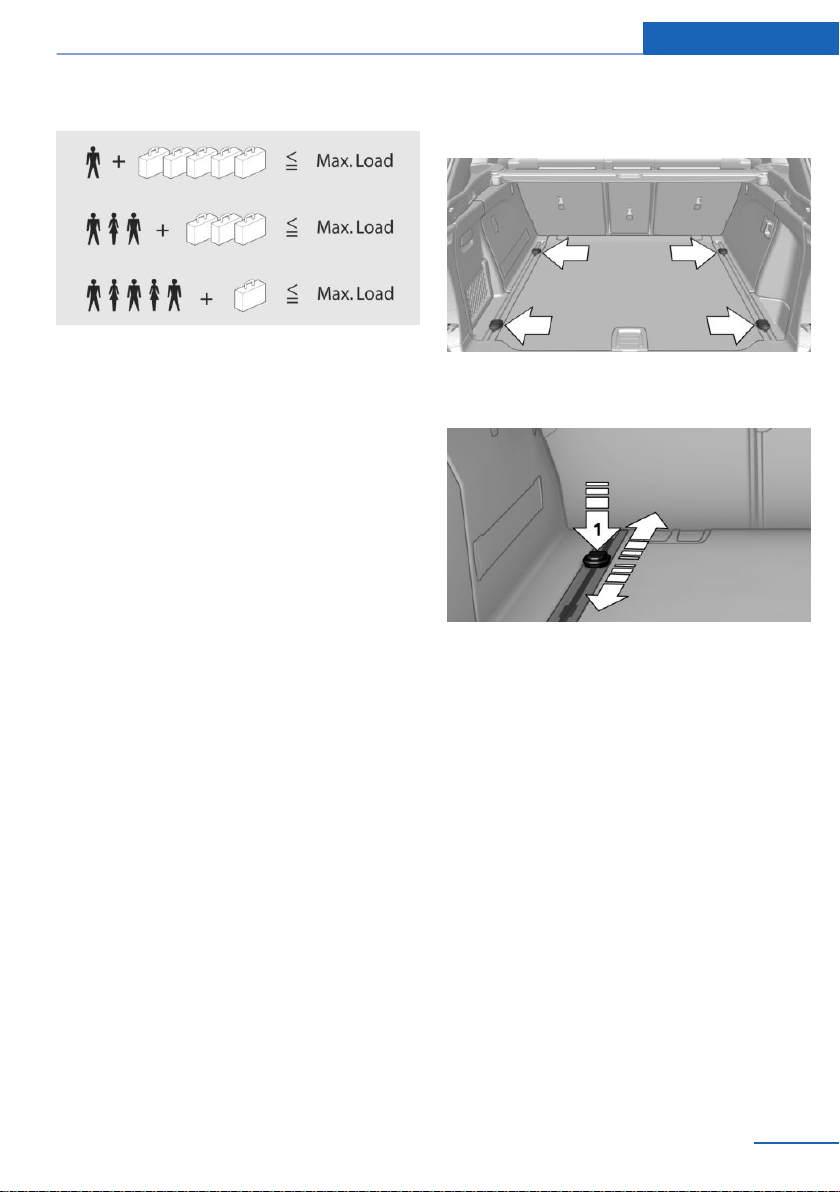
Load
The maximum load is the sum of the weight of
the occupants and the cargo.
The greater the weight of the occupants, the
less cargo that can be transported.
Stowing and securing cargo
▷ Cover sharp edges and corners on the
cargo.
▷ Heavy cargo: stow as far forward as possi‐
ble, directly behind and at the bottom of
the rear passenger seat backrests.
▷ Very heavy cargo: when the rear seat is not
occupied, secure each of the outer safety
belts in the opposite buckle.
▷ If necessary, fold down the rear backrests
to stow cargo.
▷ Do not stack cargo above the top edge of
the backrests.
▷ Smaller and lighter cargo: secure with
ratchet straps or with a cargo net or draw
straps.
▷ Larger and heavy cargo: secure with cargo
straps.
Lashing eyes in the cargo
area with rails
To secure the cargo there are four movable
lashing eyes in the cargo area.
To slide the lashing eyes, press the button, ar‐
row 1. Make sure that the lashing eyes latch at
the new position.
The lashing eyes at the openings in the rails
can be removed.
Attach load securing aids, such as lashing
straps, retaining straps, draw straps or cargo
nets, to the lashing eyes in the cargo area.
Cargo net, FlexNet
The flexible cargo net is hooked into eyes and
offers a stowage option in the cargo area. The
storage net can be attached to the following
eyes:
Seite 205
Loading Driving tips
205
Online Edition for Part no. 01402981185 - VI/17
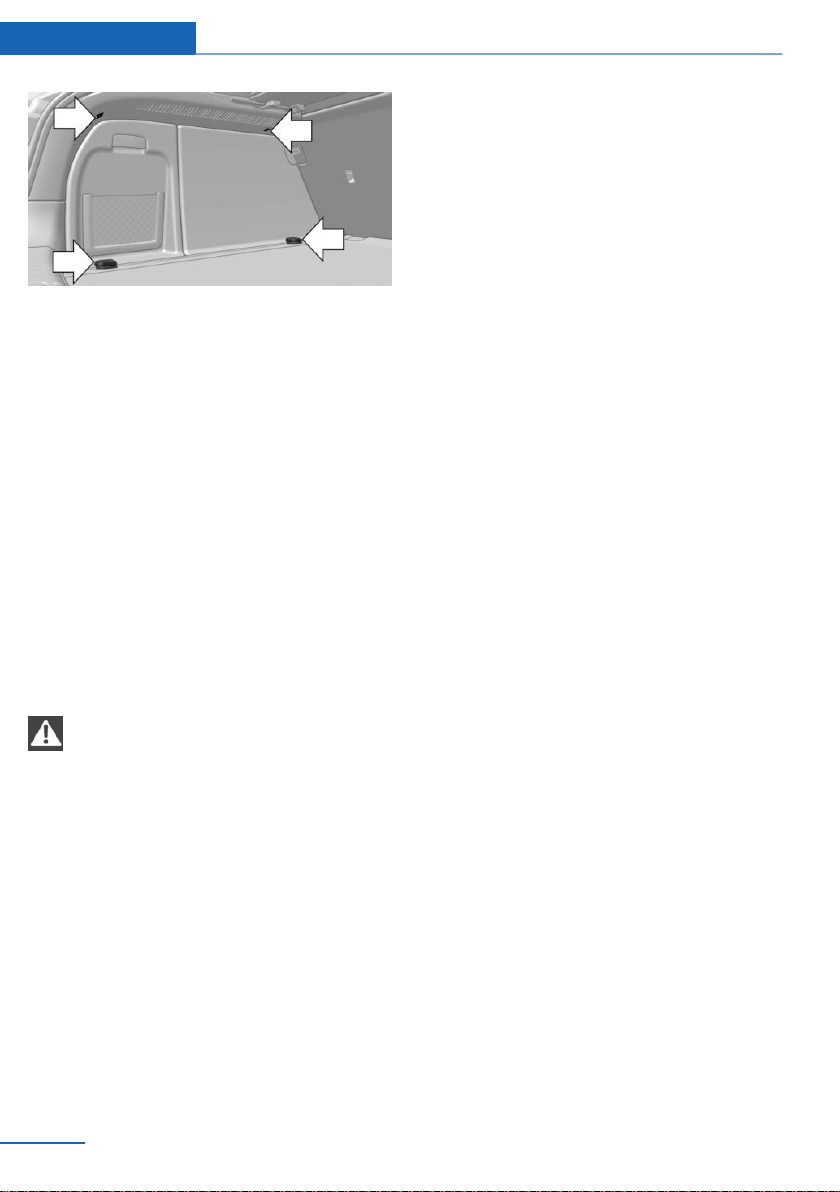
▷ Lashing eyes in the rails.
▷ Eyes on the cargo area wall.
The eyes are located on both sides of the
cargo area.
Attach load securing aids, such as cargo
straps, lashing straps, retaining straps, draw
straps or cargo nets, to the lashing eyes in the
cargo area.
Roof-mounted luggage rack
General information
Installation only possible with roof rack.
Roof racks are available as special accessories.
Safety information
WARNING
When driving with roof load, e.g., with
roof-mounted luggage rack, driving safety may
not be ensured in driving-critical situations due
to the elevated center of gravity. There is a risk
of accidents or risk of property damage. Do not
deactivate Dynamic Stability Control DSC
when driving with roof load.◀
Securing
Follow the installation instructions of the roof
rack.
Loading
Because roof-mounted luggage racks raise the
vehicle's center of gravity when loaded, they
have a major effect on vehicle handling and
steering response.
Therefore, note the following when loading
and driving:
▷ Do not exceed the approved roof/axle
loads and the approved gross vehicle
weight.
▷ Be sure that adequate clearance is main‐
tained for tilting and opening the glass
sunroof.
▷ Distribute the roof load uniformly.
▷ The roof load should not extend past the
loading area.
▷ Always place the heaviest pieces on the
bottom.
▷ Secure the roof luggage firmly, e.g., using
ratchet straps.
▷ Do not let objects project into the opening
path of the tailgate.
▷ Drive cautiously and avoid sudden acceler‐
ation and braking maneuvers. Take corners
gently.
Seite 206
Driving tips Loading
206
Online Edition for Part no. 01402981185 - VI/17

Saving fuel
Vehicle features and options
This chapter describes all standard, country-
specific and optional features offered with the
series. It also describes features that are not
necessarily available in your vehicle, e. g., due
to the selected options or country versions.
This also applies to safety-related functions
and systems. When using these functions and
systems, the applicable laws and regulations
must be observed.
General information
The vehicle contains advanced technologies
for the reduction of fuel consumption and
emission values.
Fuel consumption depends on a number of dif‐
ferent factors.
Carrying out certain measures, such as a mod‐
erate driving style and regular maintenance,
can influence fuel consumption and the envi‐
ronmental impact.
Remove unnecessary cargo
Additional weight increases fuel consumption.
Remove attached parts
following use
Remove roof-mounted luggage racks which
are no longer required following use.
Attached parts on the vehicle impair the aero‐
dynamics and increase the fuel consumption.
Close the windows and glass
sunroof
Driving with the glass sunroof and windows
open results in increased air resistance and
thereby reduces the range.
Tires
General information
Tires can affect fuel consumption in various
ways, for instance tire size may influence fuel
consumption.
Check the tire inflation pressure
regularly
Check and, if needed, correct the tire inflation
pressure at least twice a month and before
starting on a long trip.
Low tire inflation pressure increases rolling re‐
sistance and thus raises fuel consumption and
tire wear.
Drive away immediately
Do not wait for the engine to warm-up while
the vehicle remains stationary. Start driving
right away, but at moderate engine speeds.
This is the quickest way of warming the cold
engine up to operating temperature.
Look well ahead when
driving
Driving smoothly and proactively reduces fuel
consumption.
Avoid unnecessary acceleration and braking.
By maintaining a suitable distance to the vehi‐
cle driving ahead of you.
Seite 207
Saving fuel Driving tips
207
Online Edition for Part no. 01402981185 - VI/17

Avoid high engine speeds
Driving at low engine speeds lowers fuel con‐
sumption and reduces wear.
If necessary, observe the vehicle's gear shift
indicator, refer to page 98.
Use coasting
When approaching a red light, take your foot
off the accelerator and let the vehicle coast to
a halt.
For going downhill take your foot off the accel‐
erator and let the vehicle roll.
The flow of fuel is interrupted while coasting.
Switch off the engine during
longer stops
Switching off the engine
Switch off the engine during longer stops, for
instance at traffic lights, railroad crossings or in
traffic congestion.
Auto Start/Stop function
The Auto Start/Stop function of the vehicle au‐
tomatically switches off the engine during a
stop.
If the engine is switched off and then restarted
rather than leaving the engine running con‐
stantly, fuel consumption and emissions are
reduced. Savings can begin within a few sec‐
onds of switching off the engine.
In addition, fuel consumption is also deter‐
mined by other factors, such as driving style,
road conditions, maintenance or environmental
factors.
Switch off any functions that
are not currently needed
Functions such as seat heating and the rear
window defroster require a lot of energy and
reduce the range, especially in city and stop-
and-go traffic.
Switch off these functions if they are not
needed.
The ECO PRO driving program supports the
energy conserving use of comfort features.
These functions are automatically deactivated
partially or completely.
Have maintenance carried
out
Have the vehicle maintained regularly to ach‐
ieve optimal vehicle efficiency and service life.
BMW recommends that maintenance work be
performed by a BMW dealer’s service center.
For information on the BMW Maintenance
System, refer to page 246.
ECO PRO
Concept
ECO PRO supports a driving style that saves
on fuel consumption. For this purpose, the en‐
gine control and comfort features, for instance
the climate control output, are adjusted.
In addition, context-sensitive instructions are
displayed to assist with an optimized fuel con‐
sumption driving style.
The achieved extended range is displayed in
the instrument cluster as bonus range.
General information
The system includes the following
EfficientDynamics functions and displays:
▷ ECO PRO bonus range, refer to page 209.
Seite 208
Driving tips Saving fuel
208
Online Edition for Part no. 01402981185 - VI/17
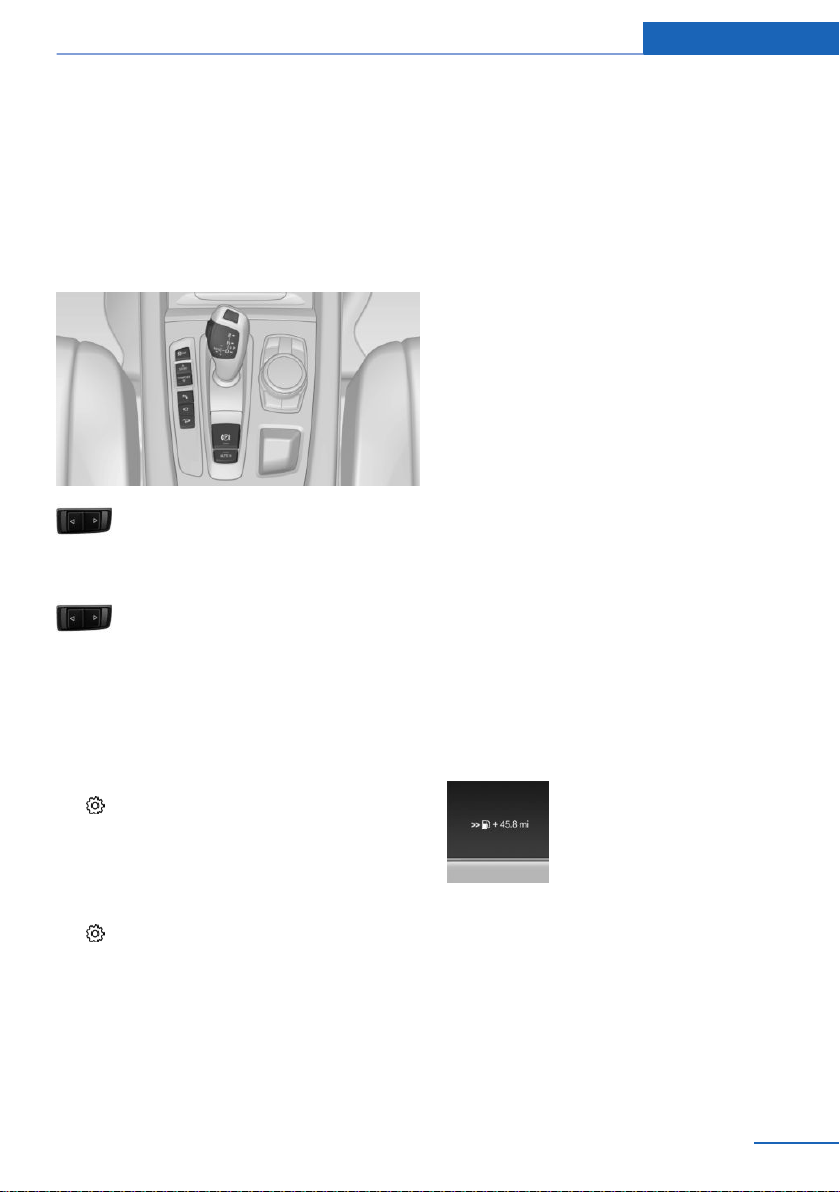
▷ ECO PRO tip, driving tip, refer to
page 210.
▷ ECO PRO climate control, refer to
page 209.
▷ Coasting driving condition, refer to
page 211.
Overview
Driving Dynamics Control
Activating ECO PRO
Press button repeatedly until ECO
PRO is displayed in the instrument
cluster.
Configuring ECO PRO
Via the Driving Dynamics Control
1.
Activate ECO PRO.
2. "Configure ECO PRO"
Using iDrive
1.
"Settings"
2. If necessary, "Driving mode"
3. "Configure ECO PRO"
ECO PRO limit
▷ "ECO PRO speed warning":
An ECO PRO tip is displayed if the speed
of the set ECO PRO limit is exceeded.
▷ "Tip at:":
Set the desired ECO PRO speed.
ECO PRO climate control
To activate ECO PRO climate control:
"ECO PRO climate control"
Climate control is set to be fuel-efficient.
That is, it is possible to deviate slightly from
the set temperature or to heat or cool the car's
interior more slowly, to economize on fuel con‐
sumption.
The mirror heating is made available when ex‐
ternal temperatures are very cold.
ECO PRO potential savings
Shows potential savings with the current set‐
tings in percentages.
Display in the instrument cluster
Display in the instrument display
When ECO PRO driving mode is activated, the
display switches to a special configuration.
Some of the displays may differ from the dis‐
play in the instrument cluster.
Blue bar segments symbolize the gained bo‐
nus range in stages.
In addition, the bonus range is highlighted in
blue in the total range display.
ECO PRO bonus range
An adjusted driving style helps
you extend your driving range.
This may be displayed as the
bonus range in the instrument
cluster.
The bonus range is shown in the range display.
The bonus range is automatically reset every
time the vehicle is refueled.
Seite 209
Saving fuel Driving tips
209
Online Edition for Part no. 01402981185 - VI/17
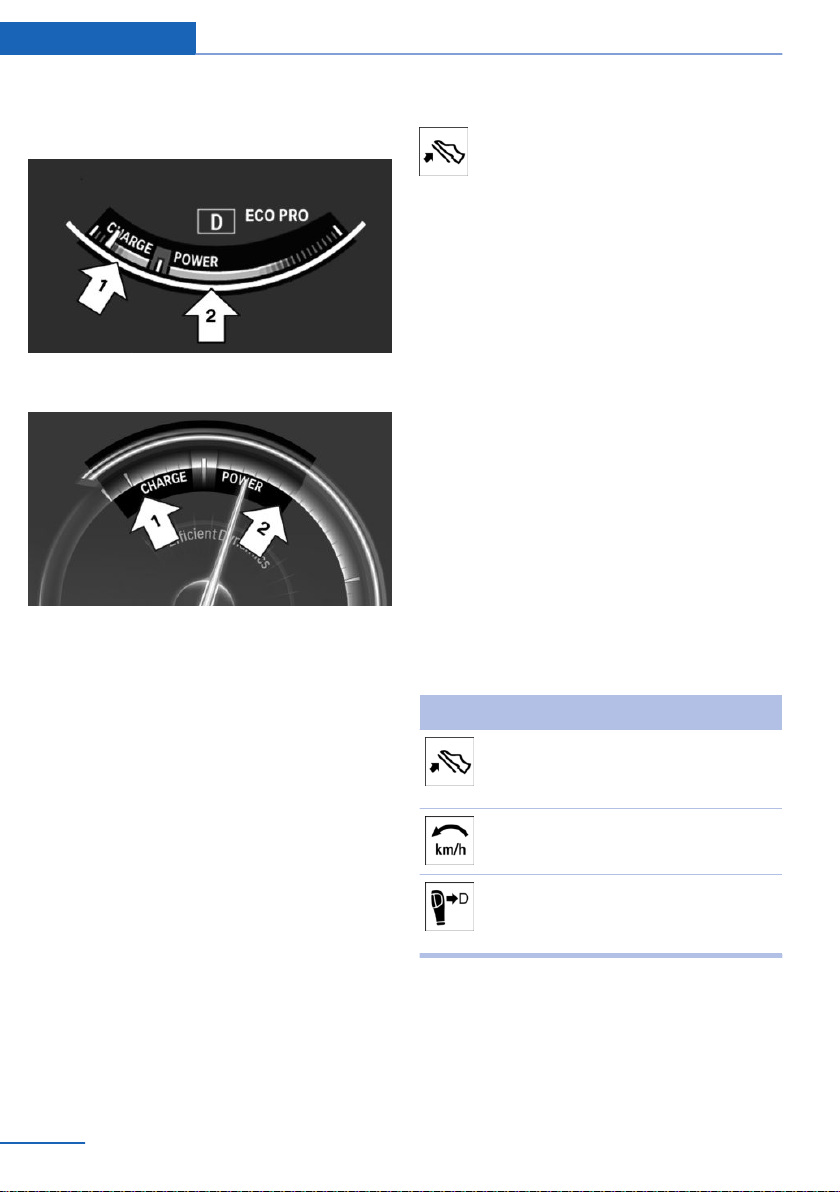
ECO PRO efficiency display
Display in the instrument cluster
Display in the instrument display
A mark in the efficiency display informs about
the current driving style.
Mark in the area of arrow 1: display of the en‐
ergy recovered by coasting or when braking.
Mark in the area of arrow 2: display when ac‐
celerating.
Your driving style's efficiency is shown by the
bar's color:
▷ Blue display: efficient driving style as long
as the mark moves within the blue range.
▷ Gray display: modify driving style, for in‐
stance by backing off the accelerator
pedal.
The display turns blue as soon as all conditions
for driving with optimized fuel efficiency are
met.
ECO PRO tip, driving tip
The arrow indicates that the driving
style can be adjusted to be more fuel
efficient, for instance by backing off the
accelerator.
Activating the ECO PRO efficiency
display and ECO PRO tips
The ECO PRO efficiency display and ECO
PRO tips in the instrument cluster appear
when the ECO PRO display is activated.
Activating the display via iDrive:
1.
"Settings"
2. "Instrument cluster"
3. "ECO PRO Info"
In the instrument display:
1.
"Settings"
2. "Instrument cluster"
3. "Driving mode view"
ECO PRO tip, symbols
An additional symbol and text instructions are
displayed.
Symbol Measure
For efficient driving back off the ac‐
celerator or delay accelerating to al‐
low time to assess road conditions.
Reduce speed to the selected ECO
PRO speed.
Steptronic transmission: switch
from M/S to D and avoid manual
shift interventions.
Indications on the Control Display
Displaying EfficientDynamics info
Information on fuel consumption and technol‐
ogy can be displayed while driving.
Seite 210
Driving tips Saving fuel
210
Online Edition for Part no. 01402981185 - VI/17

Using iDrive:
1. "Vehicle info"
2. "EfficientDynamics"
Displaying EfficientDynamics info
The current efficiency can be displayed.
"EfficientDynamics info"
The following systems are displayed:
▷ Auto Start/Stop function.
▷ Energy recovery.
▷ Climate control output.
Display ECO PRO tips
"ECO PRO tips"
Settings are stored for the profile currently
used.
Coasting
Concept
The function helps to conserve fuel.
To do this, under certain conditions the engine
is automatically decoupled from the transmis‐
sion when selector lever position D is set. The
vehicle continues traveling with the engine
idling to reduce fuel consumption. Selector
lever position D remains engaged.
This driving condition is referred to as coast‐
ing.
As soon as you step on the brake or accelera‐
tor pedal, the engine is automatically coupled
again.
General information
Coasting is a component of the ECO PRO driv‐
ing mode.
Coasting is automatically activated when ECO
PRO mode is called via the Driving Dynamics
Control.
The function is available in a certain speed
range.
A proactive driving style helps the driver to use
the function often and supports the fuel-con‐
serving effect of coasting.
Functional requirements
In ECO PRO mode, this function is available in
a speed range from approximately
30 mph/50 km/h to 100 mph/160 km/h if the
following conditions are met:
▷ Accelerator pedal and brake pedal are not
operated.
▷ The selector lever is in selector lever posi‐
tion D.
▷ Engine and transmission are at operating
temperature.
Operation via shift paddles
Concept
Depending on your vehicle's equipment, the
coasting mode can be influenced with the shift
paddles.
Activating/deactivating coasting via shift
paddles
1.
Shift to the highest gear by pulling the right
shift paddle.
2. To activate coasting mode, actuate the
right shift paddle again.
To deactivate, actuate the left shift paddle.
Display
Display in the instrument cluster
The mark in the efficiency dis‐
play below the tachometer is
backlit in blue and is located at
the zero point. The tachometer
approximately indicates idle
speed.
The coasting point indicator is illuminated at
the zero point during coasting.
Seite 211
Saving fuel Driving tips
211
Online Edition for Part no. 01402981185 - VI/17
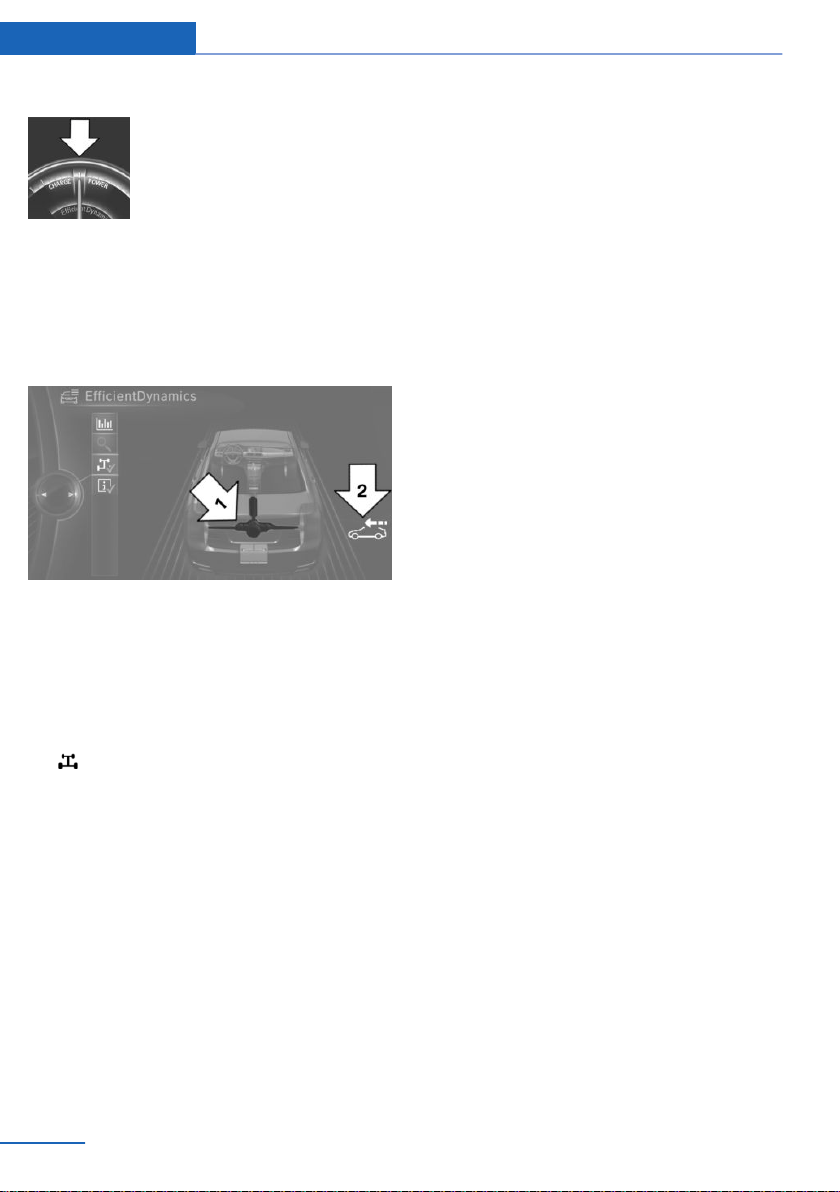
Display in the instrument display
The mark in the efficiency dis‐
play is backlit in blue and is lo‐
cated at the zero point.
The coasting point indicator is il‐
luminated at the zero point dur‐
ing coasting.
Indications on the Control Display
The coasting driving condition is displayed in
EfficientDynamics Info while this driving mode
is active.
Color code blue, arrow 1, and symbol, arrow 2:
driving condition coasting.
Displaying EfficientDynamics info
1.
"Vehicle info"
2. "EfficientDynamics"
3. "EfficientDynamics info"
Deactivating the function manually
The function can be deactivated in the Config‐
ure ECO PRO menu, e.g., to use the braking
effect of the engine when traveling downhill.
Settings are stored for the profile currently
used.
System limits
The function is not available if one of the fol‐
lowing conditions applies:
▷ DSC OFF or TRACTION activated.
▷ If cruise control is activated.
▷ If driving in the dynamic limit range.
▷ If driving on steep uphill or downhill grades.
▷ If the battery charge state is temporarily
too low.
▷ If the vehicle electrical system is drawing
excessive current.
Seite 212
Driving tips Saving fuel
212
Online Edition for Part no. 01402981185 - VI/17

Seite 213
Saving fuel Driving tips
213
Online Edition for Part no. 01402981185 - VI/17

Online Edition for Part no. 01402981185 - VI/17

Mobility
In order to always ensure your mobility, you will
find important information on operating fluids,
wheels and tires, maintenance and Roadside
Assistance in the following.
Online Edition for Part no. 01402981185 - VI/17
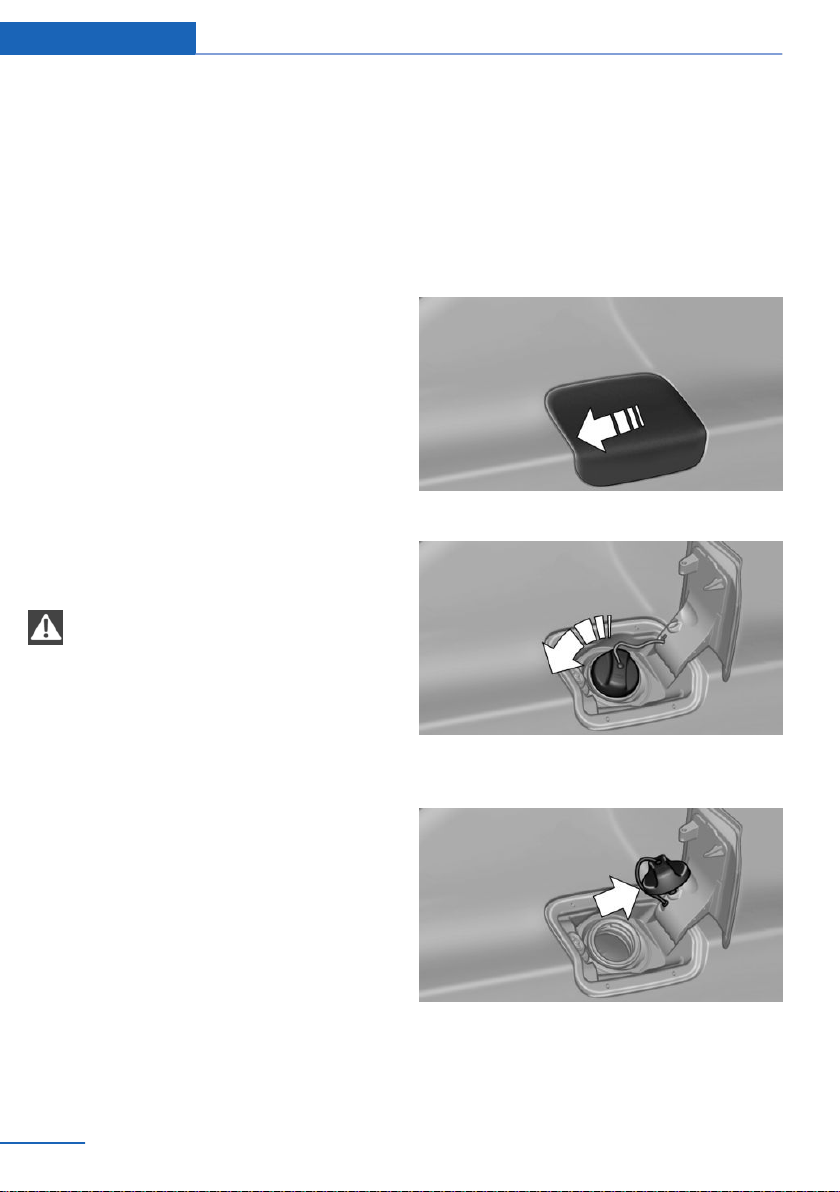
Refueling
Vehicle features and options
This chapter describes all standard, country-
specific and optional features offered with the
series. It also describes features that are not
necessarily available in your vehicle, e. g., due
to the selected options or country versions.
This also applies to safety-related functions
and systems. When using these functions and
systems, the applicable laws and regulations
must be observed.
General information
Follow the fuel recommendation, refer to
page 218, prior to refueling.
Safety information
NOTE
With a range of less than 30 miles/50 km
it is possible that the engine will no longer have
sufficient fuel. Engine functions are not en‐
sured anymore. There is a risk of property
damage. Refuel promptly.◀
Fuel cap
Opening
1. Briefly press the rear edge of the fuel filler
flap.
2. Turn the fuel cap counterclockwise.
3. Place the fuel cap in the bracket attached
to the fuel filler flap.
Seite 216
Mobility Refueling
216
Online Edition for Part no. 01402981185 - VI/17

Closing
WARNING
The retaining strap of the fuel cap can be
jammed and crushed during closing. The cap
cannot be correctly closed. Fuel or fuel vapors
can escape. There is a risk of injury or risk of
property damage. Pay attention that the retain‐
ing strap is not jammed or crushed when clos‐
ing the lid.◀
1. Fit the cap and turn it clockwise until you
clearly hear a click.
2. Close the fuel filler flap.
Manually unlocking fuel filler flap
E.g., in the event of an electrical malfunction.
Have fuel filler flap unlocked by a dealer’s serv‐
ice center or another qualified service center or
repair shop.
Observe the following when
refueling
General information
The fuel tank is full when the filler nozzle clicks
off the first time.
Observe safety regulations posted at the gas
station.
Safety information
NOTE
Fuels are toxic and aggressive. Overfill‐
ing of the fuel tank can damage the fuel sys‐
tem. Painted surfaces may be damaged by
contact with fuel. Escaping fuel can harm the
environment. There is a risk of property dam‐
age. Avoid overfilling.◀
Seite 217
Refueling Mobility
217
Online Edition for Part no. 01402981185 - VI/17

Fuel
Vehicle features and options
This chapter describes all standard, country-
specific and optional features offered with the
series. It also describes features that are not
necessarily available in your vehicle, e. g., due
to the selected options or country versions.
This also applies to safety-related functions
and systems. When using these functions and
systems, the applicable laws and regulations
must be observed.
Fuel recommendation
General information
Depending on the region, many gas stations
sell fuel that has been customized to winter or
summer conditions. Fuel that is available in
winter, e.g., helps make a cold start easier.
Gasoline
General information
For the best fuel efficiency, the gasoline
should be sulfur-free or very low in sulfur con‐
tent.
Fuels that are marked on the gas pump as con‐
taining metal must not be used.
Fuels with a maximum ethanol content of
10 %, i. e., E10, may be used for refueling.
Ethanol should meet the following quality stan‐
dards:
US: ASTM 4806–xx
CAN: CGSB-3.511–xx
xx: comply with the current standard in each
case.
Safety information
NOTE
Do not press the Start/Stop button after
refueling with the wrong fuel. Furthermore, the
catalytic converter is permanently damaged.
There is a risk of property damage. Do not re‐
fuel or add the following in the case of gasoline
engines:
▷ Leaded gasoline.
▷ Metallic additives, e.g., manganese or iron.
Do not press the Start/Stop button after refuel‐
ing with the wrong fuel. Contact a dealer’s
service center or another qualified service cen‐
ter or repair shop.◀
NOTE
Incorrect fuels can damage the fuel sys‐
tem and the engine. There is a risk of damage
to property. Do not use fuels with a higher per‐
centage of ethanol than recommended. Do not
refuel with fuels containing methanol, e.g. M5
to M100.◀
NOTE
Fuel that does not comply with the mini‐
mum quality can compromise engine function
or cause engine damage. There is a risk of
property damage. Do not fill with fuel that does
not comply with the minimum quality.◀
CAUTION
The use of poor-quality fuels may result
in harmful engine deposits or damage. Addi‐
tionally, problems relating to drivability, start‐
ing and stalling, especially under certain envi‐
ronmental conditions such as high ambient
temperature and high altitude, may occur.
If drivability problems are encountered, we rec‐
ommend switching to a high quality gasoline
brand and a higher octane grade — AKI num‐
ber — for a few tank fills. To avoid harmful en‐
Seite 218
Mobility Fuel
218
Online Edition for Part no. 01402981185 - VI/17
gine deposits, it is highly recommended to
purchase gasoline from Top Tier retailers.
Failure to comply with these recommendations
may result in the need for unscheduled main‐
tenance.◀
Recommended fuel grade
BMW recommends AKI 91.
Minimum fuel grade
BMW recommends AKI 89.
If you use gasoline with this minimum AKI Rat‐
ing, the engine may produce knocking sounds
when starting at high external temperatures.
This has no effect on the engine life.
Seite 219
Fuel Mobility
219
Online Edition for Part no. 01402981185 - VI/17
Wheels and tires
Vehicle features and options
This chapter describes all standard, country-
specific and optional features offered with the
series. It also describes features that are not
necessarily available in your vehicle, e. g., due
to the selected options or country versions.
This also applies to safety-related functions
and systems. When using these functions and
systems, the applicable laws and regulations
must be observed.
Tire inflation pressure
General information
The tire characteristics and tire inflation pres‐
sure influence the following:
▷ The service life of the tires.
▷ Road safety.
▷ Driving comfort.
▷ Fuel consumption.
Safety information
WARNING
A tire with low or missing tire inflation
pressure impacts handling, such as steering
and braking response. There is a risk of an ac‐
cident. Regularly check the tire inflation pres‐
sure, and correct it as needed, e.g., twice a
month and before a long trip.◀
Checking the tire inflation pressure
General information
Only check the tire inflation pressure when the
tires are cold, i.e.:
▷ Driving range of max. 1.25 miles/2 km has
not been exceeded.
▷ If the vehicle has not moved again for at
least 2 hours after a trip.
The tire inflation pressure specifications only
relate to cold tires or tires at the same temper‐
ature as the ambient temperature.
Tires heat up while driving. The tire inflation
pressure increases with the tire temperature.
The displays of inflation devices may under-
read by up to 0.1 bar/2 psi.
Tires have a natural, consistent loss of tire in‐
flation pressure.
Check whether all valve caps are screwed onto
the tire valves.
Also check the tire inflation pressure of the
emergency wheel in the cargo area regularly,
and correct it as needed.
After correcting the tire inflation
pressure
For run-flat tires: reinitialize run-flat tires.
For the Tire Pressure Monitor TPM: reset the
Tire Pressure Monitor TPM.
Tire inflation pressure specifications
The tire inflation pressure table, refer to
page 221, contains all tire inflation pressure
specifications for the specified tire sizes at the
ambient temperature. The tire inflation pres‐
sure values apply to tire sizes approved by the
manufacturer of the vehicle for the vehicle
type.
To identify the correct tire inflation pressure,
please note the following:
▷ Tire sizes of your vehicle.
▷ Maximum permitted driving speed.
Tire inflation pressures up to
100 mph/160 km/h
For speeds of up to 100 mph/160 km/h and for
optimum driving comfort, note the pressure
Seite 220
Mobility Wheels and tires
220
Online Edition for Part no. 01402981185 - VI/17
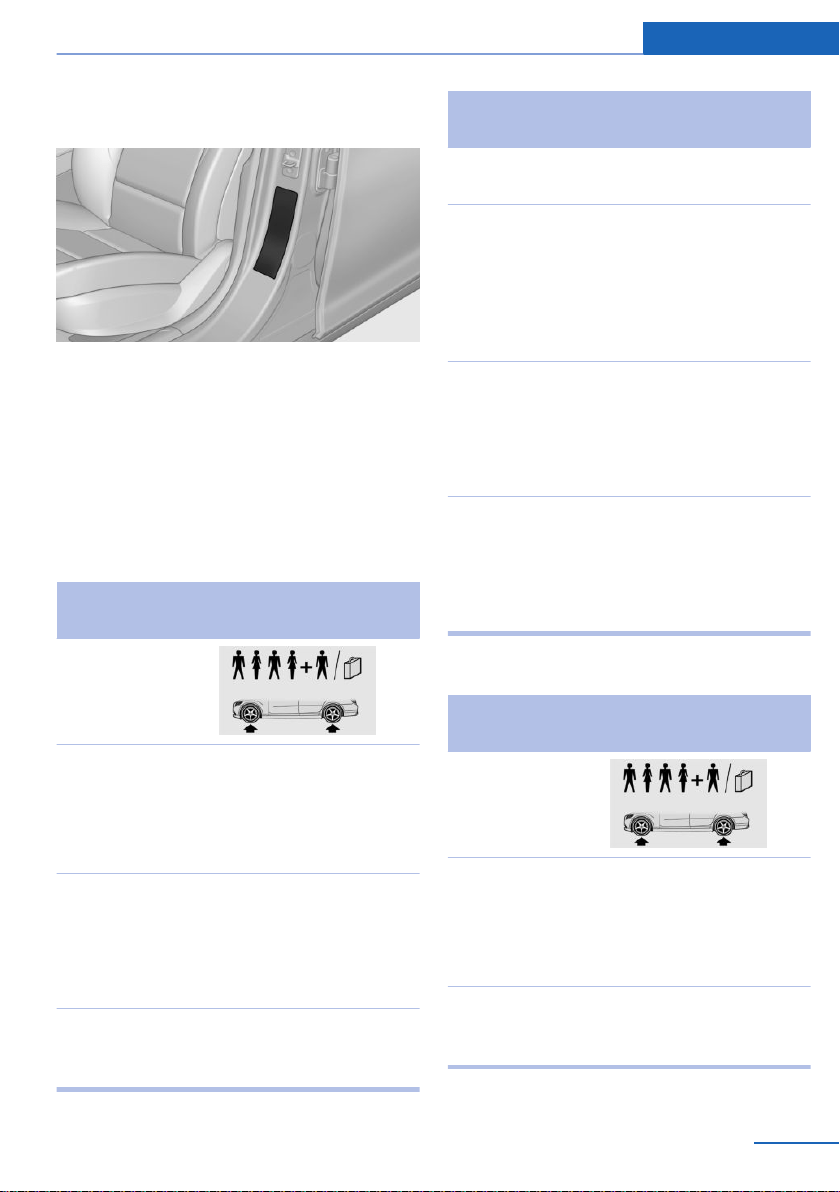
values in the tire inflation pressure table, refer
to page 221, and adjust as necessary.
These pressure values can also be found on
the tire inflation pressure label on the driver's
door pillar.
Do not exceed a speed of 100 mph/160 km/h.
Tire inflation pressure values up to
100 mph/160 km/h
X6 sDrive35i, X6 xDrive35i
Tire size Pressure specifications
in bar/PSI
Specifications in
bar/PSI with cold
tires
255/50 R 19 107
H M+S XL A/S
RSC
255/50 R 19 107
H M+S XL RSC
2.2 / 32 2.6 / 38
Front:
255/50 R 19 107
W XL RSC
2.2 / 32 -
Rear: 285/45 R 19
111 W XL RSC
- 2.4 / 35
Front:
275/40 R 20 106
W XL RSC
2.2 / 32 -
Tire size Pressure specifications
in bar/PSI
Rear: 315/35 R 20
110 W XL RSC
- 2.4 / 35
Front:
275/40 R 20 106
V M+S XL RSC
2.2 / 32 -
Rear: 315/35 R 20
110 V M+S XL
RSC
- 2.4 / 35
Front:
285/35 R 21 105
Y XL RSC
2.4 / 35 -
Rear: 325/30 R 21
108 Y XL RSC
- 2.6 / 38
Emergency wheel:
T 155/90 D 18
113 M
T 155/90 R 18
113 M
Speed up to a max. of
50 mph / 80 km/h
4.2 / 60
X6 xDrive50i
Tire size Pressure specifications
in bar/PSI
Specifications in
bar/PSI with cold
tires
255/50 R 19 107
H M+S XL A/S
RSC
255/50 R 19 107
H M+S XL RSC
2.3 / 33 2.8 / 41
Front:
255/50 R 19 107
W XL RSC
2.3 / 33 -
Seite 221
Wheels and tires Mobility
221
Online Edition for Part no. 01402981185 - VI/17
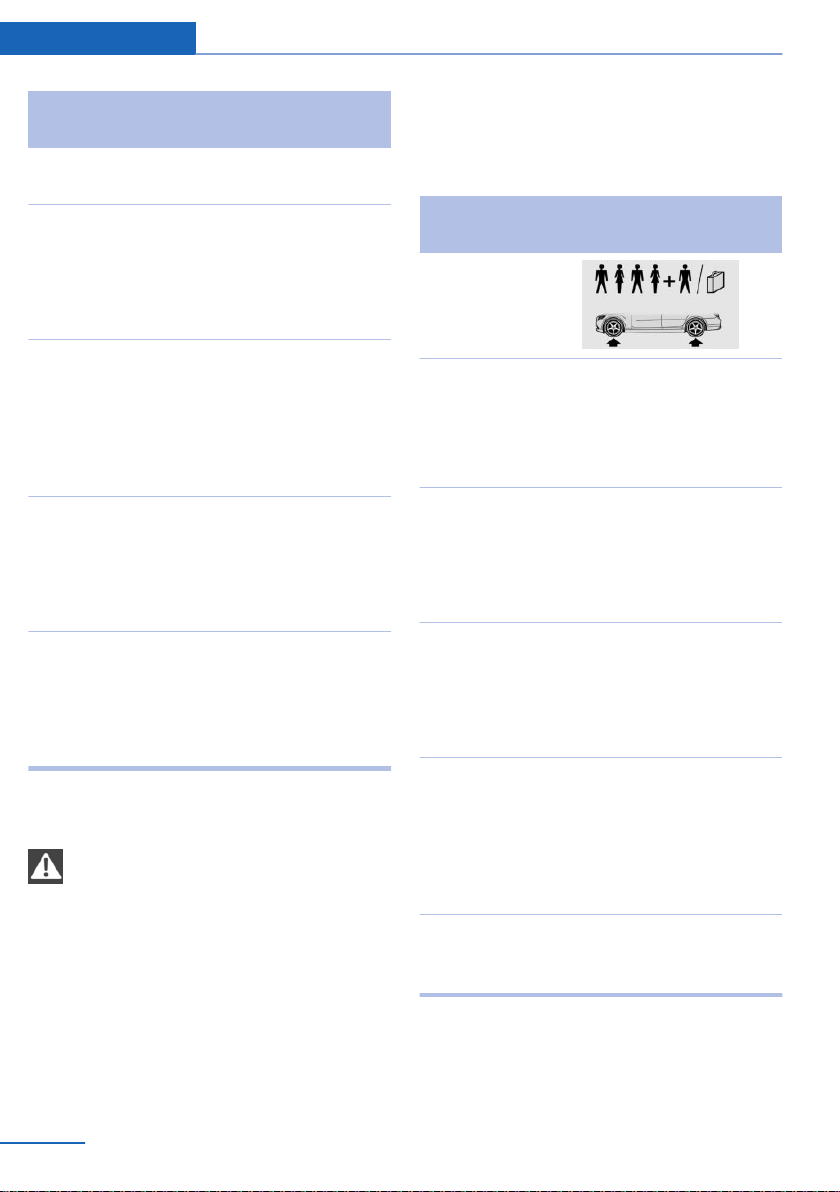
Tire size Pressure specifications
in bar/PSI
Rear: 285/45 R 19
111 W XL RSC
- 2.6 / 38
Front:
275/40 R 20 106
W XL RSC
2.3 / 33 -
Rear: 315/35 R 20
110 W XL RSC
- 2.6 / 38
Front:
275/40 R 20 106
V M+S XL RSC
2.3 / 33 -
Rear: 315/35 R 20
110 V M+S XL
RSC
- 2.6 / 38
Front:
285/35 R 21 105
Y XL RSC
2.5 / 36 -
Rear: 325/30 R 21
108 Y XL RSC
- 2.8 / 41
Emergency wheel:
T 155/90 D 18
113 M
T 155/90 R 18
113 M
Speed up to a max. of
50 mph / 80 km/h
4.2 / 60
Tire inflation pressures at max.
speeds above 100 mph/160 km/h
WARNING
In order to drive at maximum speeds in
excess of 100 mph/160 km/h, please observe,
and, if necessary, adjust tire pressures for
speeds exceeding 100 mph/160 km/h from the
relevant table on the following pages. Other‐
wise, tire damage and accidents could occur.◀
For speeds over 100 mph/160 km/h and for
optimum driving comfort, note the pressure
values in the tire inflation pressure table, refer
to page 222, and adjust as necessary.
Tire inflation pressure values over
100 mph/160 km/h
X6 sDrive35i, X6 xDrive35i
Tire size Pressure specifications
in bar/PSI
Specifications in
bar/PSI with cold
tires
255/50 R 19 107
H M+S XL A/S
RSC
255/50 R 19 107
H M+S XL RSC
2.5 / 36 2.9 / 42
Front:
255/50 R 19 107
W XL RSC
2.5 / 36 -
Rear: 285/45 R 19
111 W XL RSC
- 2.8 / 41
Front:
275/40 R 20 106
W XL RSC
2.7 / 39 -
Rear: 315/35 R 20
110 W XL RSC
- 3.0 / 44
Front:
275/40 R 20 106
V M+S XL RSC
2.7 / 39 -
Rear: 315/35 R 20
110 V M+S XL
RSC
- 3.0 / 44
Front:
285/35 R 21 105
Y XL RSC
2.7 / 39 -
Seite 222
Mobility Wheels and tires
222
Online Edition for Part no. 01402981185 - VI/17
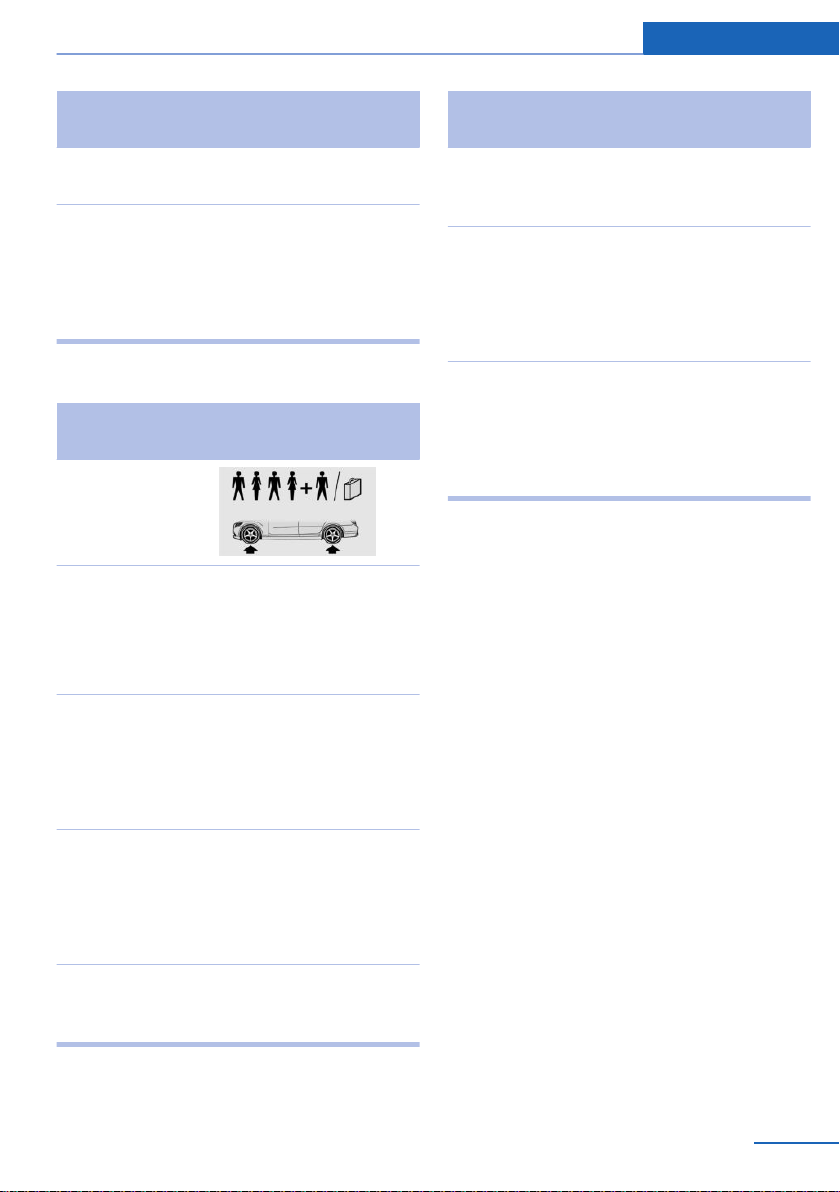
Tire size Pressure specifications
in bar/PSI
Rear: 325/30 R 21
108 Y XL RSC
- 3.1 / 45
Emergency wheel:
T 155/90 D 18
113 M
T 155/90 R 18
113 M
Speed up to a max. of
50 mph / 80 km/h
4.2 / 60
X6 xDrive50i
Tire size Pressure specifications
in bar/PSI
Specifications in
bar/PSI with cold
tires
255/50 R 19 107
H M+S XL A/S
RSC
255/50 R 19 107
H M+S XL RSC
2.8 / 41 3.2 / 46
Front:
255/50 R 19 107
W XL RSC
2.8 / 41 -
Rear: 285/45 R 19
111 W XL RSC
- 3.1 / 45
Front:
275/40 R 20 106
W XL RSC
3.0 / 44 -
Rear: 315/35 R 20
110 W XL RSC
- 3.2 / 46
Front:
275/40 R 20 106
V M+S XL RSC
3.0 / 44 -
Tire size Pressure specifications
in bar/PSI
Rear: 315/35 R 20
110 V M+S XL
RSC
- 3.2 / 46
Front:
285/35 R 21 105
Y XL RSC
3.0 / 44 -
Rear: 325/30 R 21
108 Y XL RSC
- 3.4 / 49
Emergency wheel:
T 155/90 D 18
113 M
T 155/90 R 18
113 M
Speed up to a max. of
50 mph / 80 km/h
4.2 / 60
Tire identification marks
Tire size
245/45 R 18 96 Y
245: nominal width in mm
45: aspect ratio in %
R: radial tire code
18: rim diameter in inches
96: load rating, not for ZR tires
Y: speed rating, before the R on ZR tires
Maximum tire load
Maximum tire load is the maximum permissible
weight for which the tire is approved.
Locate the maximum tire load on the tire side‐
wall and the Gross Axle Weight Rating – GAWR
– on the certification label on the driver’s door
pillar.
Divide the tire load by 1.1. It must be greater
than one-half of the vehicle’s Gross Axle
Weight Rating – GAWR. Note, front vs. rear
GAWR and tire loads, respectively.
Seite 223
Wheels and tires Mobility
223
Online Edition for Part no. 01402981185 - VI/17

Speed letter
Q = up to 100 mph/160 km/h
R = up to 106 mph/170 km/h
S = up to 112 mph/180 km/h
T = up to 118 mph/190 km/h
H = up to 131 mph/210 km/h
V = up to 150 mph/240 km/h
W = up to 167 mph/270 km/h
Y = up to 186 mph/300 km/h
Tire Identification Number
DOT code: DOT xxxx xxx 2117
xxxx: manufacturer code for the tire brand
xxx: tire size and tire design
2117: tire age
Tires with DOT codes meet the guidelines of
the U.S. Department of Transportation.
Tire age
Recommendation
Regardless of the tire tread, replace tires at
least every 6 years.
Manufacture date
You can find the manufacture date of the tire
on the tire's sidewall.
Designation Manufacture date
DOT … 2117 21st week of 2017
Uniform Tire Quality Grading
Quality grades can be found where applicable
on the tire sidewall between tread shoulder
and maximum section width.
E.g.: Treadwear 200; Traction AA; Tempera‐
ture A
DOT Quality Grades
Treadwear
Traction AA A B C
Temperature A B C
All passenger vehicle tires must conform to
Federal Safety Requirements in addition to
these grades.
Treadwear
The treadwear grade is a comparative rating
based on the wear rate of the tire when tested
under controlled conditions on a specified gov‐
ernment test course. E.g., a tire graded 150
would wear one and one-half, 1 g, times as well
on the government course as a tire graded
100. The relative performance of tires depends
upon the actual conditions of their use, how‐
ever, and may depart significantly from the
norm due to variations in driving habits, service
practices and differences in road characteris‐
tics and climate.
Traction
The traction grades, from highest to lowest,
are AA, A, B, and C.
Those grades represent the tire's ability to
stop on wet pavement as measured under
controlled conditions on specified government
test surfaces of asphalt and concrete. A tire
marked C may have poor traction performance.
The traction grade assigned to this tire is
based on straight-ahead braking traction tests,
and does not include acceleration, cornering,
hydroplaning, or peak traction characteristics.
Temperature
The temperature grades are A, the highest, B,
and C, representing the tire's resistance to the
generation of heat and its ability to dissipate
heat when tested under controlled conditions
on a specified indoor laboratory test wheel.
Sustained high temperature can cause the ma‐
terial of the tire to degenerate and reduce tire
life, and excessive temperature can lead to
sudden tire failure. The grade C corresponds
to a level of performance which all passenger
vehicle tires must meet under the Federal Mo‐
tor Vehicle Safety Standard No. 109. Grades
Seite 224
Mobility Wheels and tires
224
Online Edition for Part no. 01402981185 - VI/17
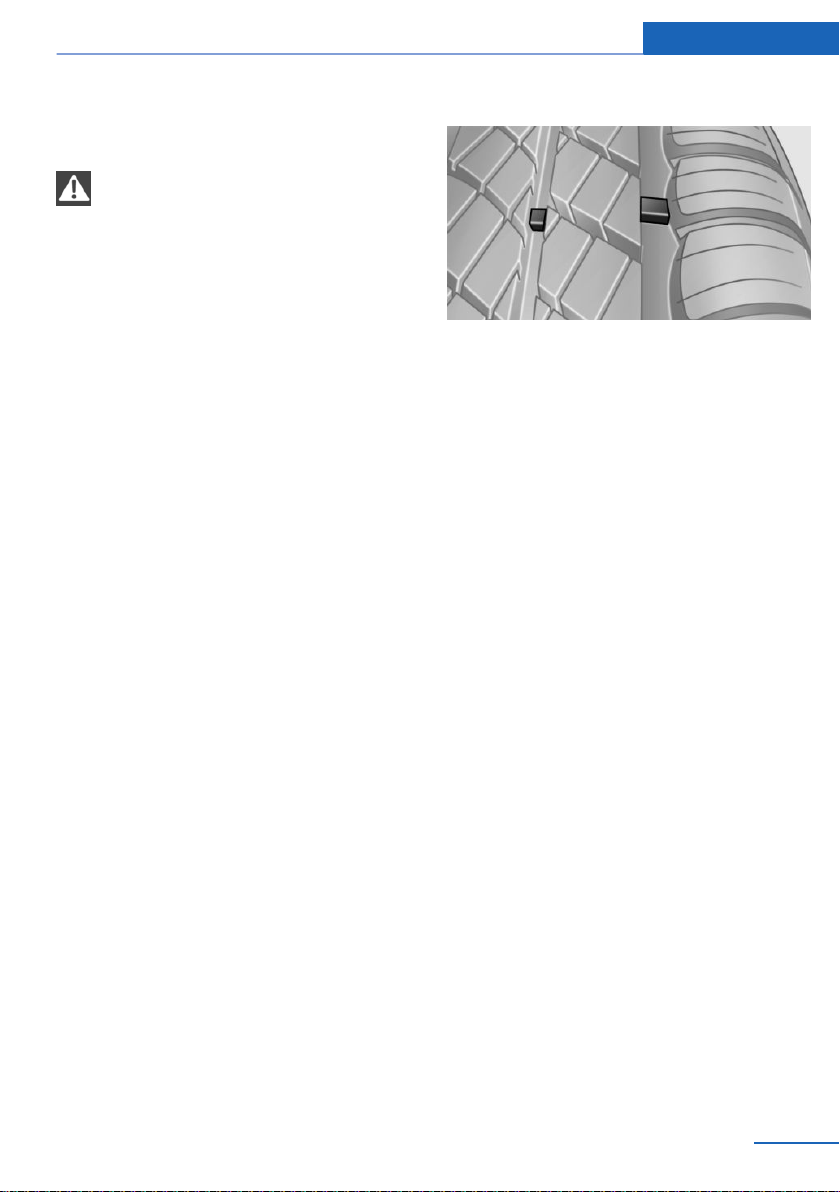
Band A represent higher levels of performance
on the laboratory test wheel than the minimum
required by law.
WARNING
The temperature grade for this tire is es‐
tablished for a tire that is properly inflated and
not overloaded. Excessive speed, underinfla‐
tion, or excessive loading, either separately or
in combination, can cause heat buildup and
possible tire failure.◀
RSC – Run-flat tires
Run-flat tires, refer to page 227, are labeled
with a circular symbol containing the letters
RSC marked on the sidewall.
M+S
Winter and all-season tires with better cold
weather performance than summer tires.
Tire tread
Summer tires
Do not drive with a tire tread of less than
0.12 in/3 mm, otherwise there is an increased
risk of hydroplaning.
Winter tires
Do not drive with a tire tread of less than
0.16 in/4 mm, as such tires are less suitable for
winter operation.
Minimum tread depth
Wear indicators are distributed around the
tire's circumference and have the legally re‐
quired minimum height of 0.063 in‐
ches/1.6 mm.
The positions of the wear indicators are
marked on the tire sidewall with TWI, Tread
Wear Indicator.
Tire damage
General information
Inspect your tires regularly for damage, foreign
objects lodged in the tread, and tread wear.
Driving over rough or damaged road surfaces,
as well as debris, curbs and other obstacles
can cause serious damage to wheels, tires and
suspension parts. This is more likely to occur
with low-profile tires, which provide less cush‐
ioning between the wheel and the road. Be
careful to avoid road hazards and reduce your
speed, especially if your vehicle is equipped
with low-profile tires.
Indications of tire damage or other vehicle mal‐
functions:
▷ Unusual vibrations.
▷ Unusual tire or running noises.
▷ Unusual handling such as a strong ten‐
dency to pull to the left or right.
Damage can be caused by the following situa‐
tions, for instance:
▷ Driving over curbs.
Seite 225
Wheels and tires Mobility
225
Online Edition for Part no. 01402981185 - VI/17
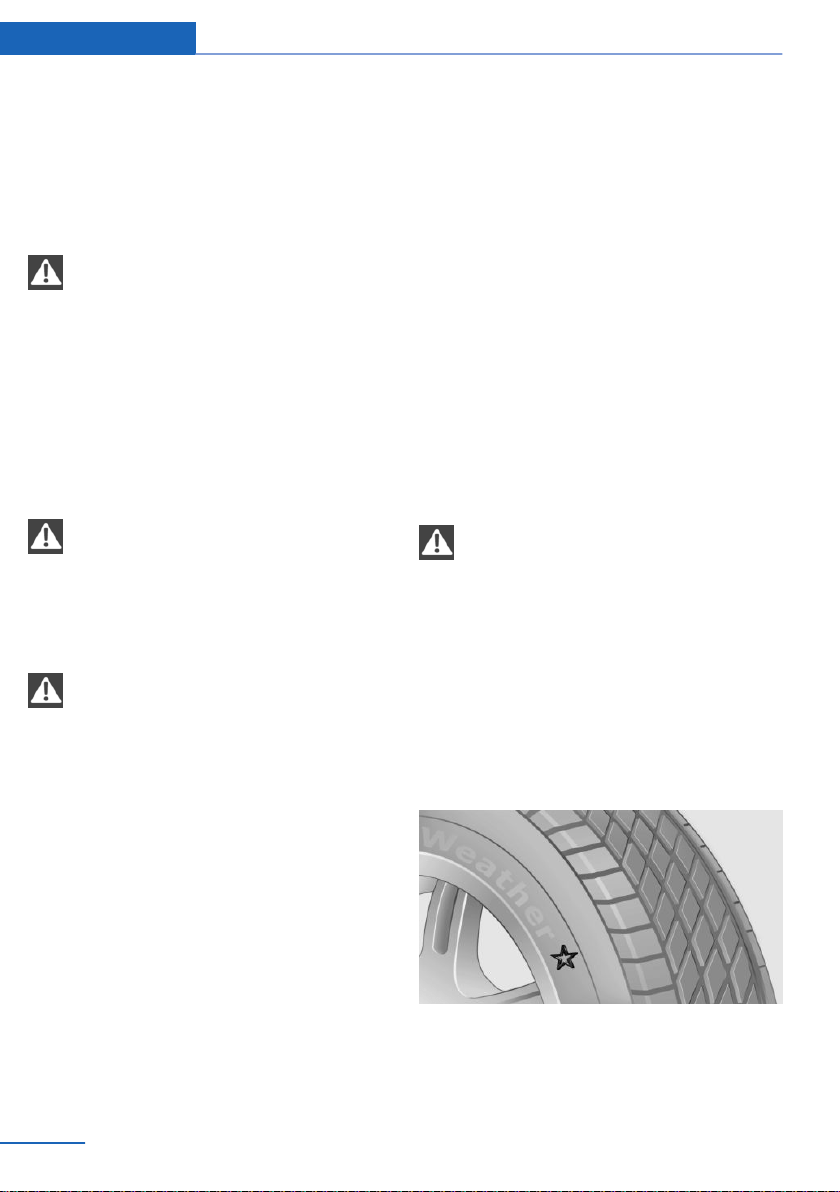
▷ Road damage.
▷ Tire inflation pressure too low.
▷ Vehicle overloading.
▷ Incorrect tire storage.
Safety information
WARNING
Damaged tires can lose tire inflation
pressure, which can lead to loss of vehicle
control. There is a risk of an accident. If tire
damage is suspected while driving, immedi‐
ately reduce speed and stop. Have wheels and
tires checked. For this purpose, drive carefully
to the nearest dealer’s service center or an‐
other qualified service center or repair shop.
Have vehicle towed or transported as
needed.◀
WARNING
Damaged tires can lose tire inflation
pressure, which can lead to loss of vehicle
control. There is a risk of an accident. Do not
repair damaged tires, but have them re‐
placed.◀
WARNING
Tires can become damaged by driving
over obstacles, e.g., curbs or road damage, at
high speed. Larger wheels have a smaller tire
cross-section. The smaller the tire cross-sec‐
tion, the higher the risk of tire damage. There
is a danger of accidents and property damage.
If possible, drive around obstacles, or drive
over them slowly and carefully.◀
Changing wheels and tires
Mounting
Have mounting and wheel balancing carried
out by a dealer’s service center or another
qualified service center or repair shop.
Wheel and tire combination
General information
You can ask the dealer’s service center or an‐
other qualified service center or repair shop
about the correct wheel/tire combination and
wheel rim versions for the vehicle.
Incorrect wheel/tire combinations impair the
function of a variety of systems such as ABS or
DSC.
To maintain good handling and vehicle re‐
sponse, use only tires with a single tread con‐
figuration from a single manufacturer.
Following tire damage, have the original wheel/
tire combination remounted on the vehicle as
soon as possible.
Safety information
WARNING
Wheels and tires which are not suitable
for your vehicle can damage parts of the vehi‐
cle, for instance due to contact with the body
due to tolerances despite the same official size
rating. There is a risk of an accident. The man‐
ufacturer of your vehicle strongly suggests
that you use wheels and tires that have been
recommended by the vehicle manufacturer for
your vehicle type.◀
Recommended tire brands
For each tire size, the manufacturer of the ve‐
hicle recommends certain tire brands. The tire
brands can be identified by a star on the tire
sidewall.
Seite 226
Mobility Wheels and tires
226
Online Edition for Part no. 01402981185 - VI/17

New tires
Tire traction is not optimal due to manufactur‐
ing circumstances when tires are brand-new;
they achieve their full traction potential after a
break-in time.
Drive conservatively for the first
200 miles/300 km.
Retreaded tires
The manufacturer of your vehicle does not rec‐
ommend the use of retreaded tires.
WARNING
Retreaded tires can have different tire
casing structures. With advanced age the serv‐
ice life can be limited. There is a risk of an acci‐
dent. The manufacturer of your vehicle does
not recommend the use of retreaded tires.◀
Winter tires
Winter tires are recommended for operating on
winter roads.
Although so-called all-season M+S tires pro‐
vide better winter traction than summer tires,
they usually do not provide the same level of
performance as winter tires.
Maximum speed of winter tires
If the maximum speed of the vehicle is higher
than the permissible speed for the winter tires,
then attach a label showing the permissible
maximum speed in the field of view. The label
is available from a dealer’s service center or
another qualified service center or repair shop.
With winter tires mounted, observe and do not
exceed the permissible maximum speed.
Run-flat tires
If you are already using run-flat tires, for your
own safety you should replace them only with
the same kind. No spare tire is available in the
case of a flat tire. Further information is availa‐
ble from a dealer’s service center or another
qualified service center or repair shop.
Rotating wheels between axles
Different wear patterns can occur on the front
and rear axles depending on individual driving
conditions. The tires can be rotated in pairs
between the axles to achieve even wear. Fur‐
ther information is available from a dealer’s
service center or another qualified service cen‐
ter or repair shop. After rotating, check the tire
pressure and correct, if needed.
Rotating the tires between the axes is not per‐
missible on vehicles with different tire sizes or
rim sizes on the front and rear axles.
Storing tires
Air pressure
Do not exceed the maximum tire inflation pres‐
sure indicated on the side wall of the tire.
Storage
Store wheels and tires in a cool, dry and dark
place.
Always protect tires against all contact with oil,
grease, and solvents.
Do not leave tires in plastic bags.
Remove dirt from wheels or tires.
Run-flat tires
Concept
Run-flat tires permit continued driving under
restricted conditions even in the event of a
complete loss of tire inflation pressure.
General information
The wheels consist of tires that are self-sup‐
porting, to a limited degree, and possibly spe‐
cial rims.
The support of the sidewall allows the tire to
remain drivable to a restricted degree in the
event of a tire inflation pressure loss.
Seite 227
Wheels and tires Mobility
227
Online Edition for Part no. 01402981185 - VI/17
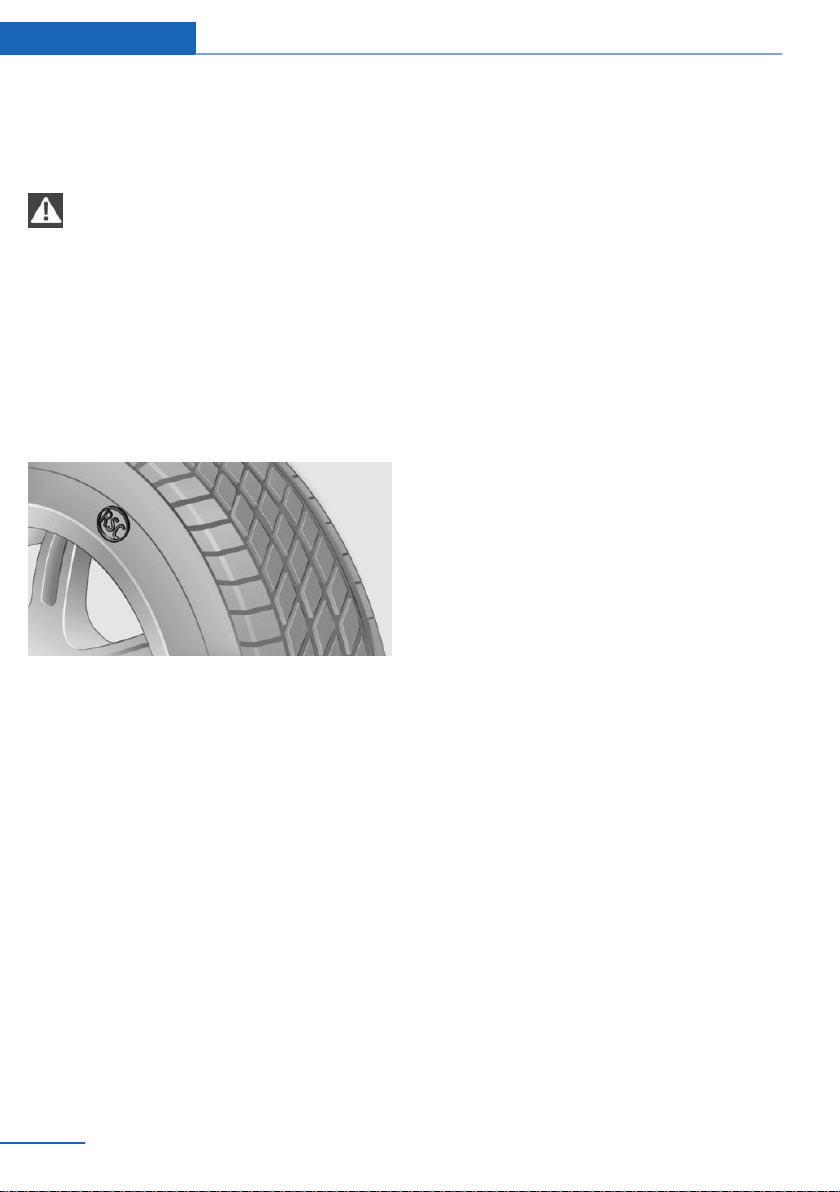
Follow the instructions for continued driving
with a flat tire.
Safety information
WARNING
Your vehicle handles differently with a
run-flat with no or low inflation pressure; for in‐
stance, your lane stability when braking is re‐
duced, braking distances are longer and the
self-steering properties will change. There is a
risk of an accident.
Drive moderately and do not exceed a speed of
50 mph/80 km/h.◀
Label
The tires are marked on the tire sidewall with
RSC Run-flat System Component.
Repairing a flat tire
Safety measures
▷ Park the vehicle as far away as possible
from passing traffic and on solid ground.
▷ Switch on the hazard warning system.
▷ Secure the vehicle against rolling away by
setting the parking brake.
▷ Turn the steering wheel until the front
wheels are in the straight-ahead position
and engage the steering wheel lock.
▷ Have all vehicle occupants get out of the
vehicle and ensure that they remain out‐
side the immediate area in a safe place,
such as behind a guardrail.
▷ If necessary, set up a warning triangle at an
appropriate distance.
Mobility System
Concept
With the Mobility System, minor tire damage
can be sealed temporarily to enable continued
travel. To accomplish this, sealant is pumped
into the tires, which seals the damage from the
inside.
General information
▷ Follow the instructions on using the Mobi‐
lity System found on the compressor and
sealant container.
▷ Use of the Mobility System may be ineffec‐
tive if the tire puncture measures approx.
1/8 inches/4 mm or more.
▷ Contact a dealer’s service center or an‐
other qualified service center or repair
shop if the tire cannot be made drivable.
▷ If possible, do not remove foreign bodies
that have penetrated the tire. Only remove
foreign objects if they are visibly protruding
from the tire.
▷ Pull the speed limit sticker off the sealant
container and apply it to the steering
wheel.
▷ The use of a sealant can damage the TPM
wheel electronics. In this case, have the
TPM wheel electronics replaced at the
next opportunity.
▷ The compressor can be used to check the
tire inflation pressure.
Storage
The Mobility System is located under the
cargo floor panel.
Seite 228
Mobility Wheels and tires
228
Online Edition for Part no. 01402981185 - VI/17
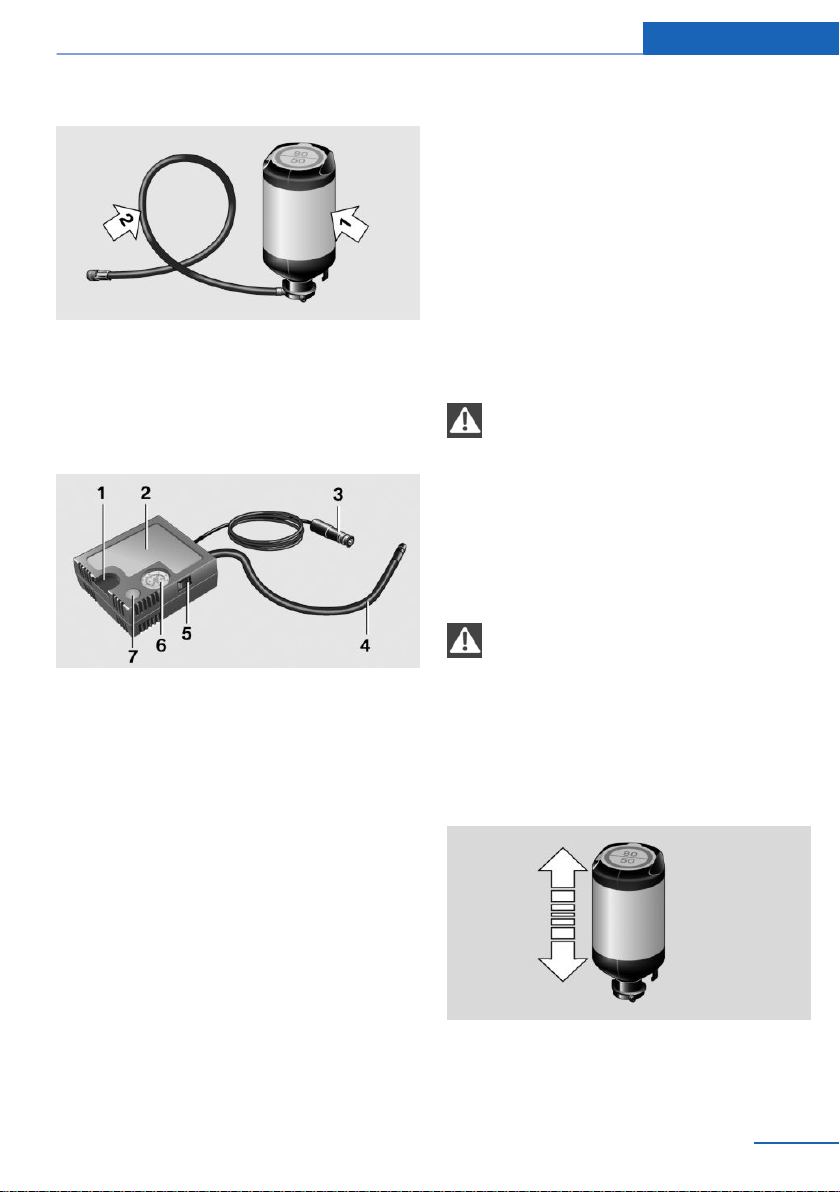
Sealant container
▷ Sealant container, arrow 1.
▷ Filling hose, arrow 2.
Observe use-by date on the sealant container.
Compressor
1 Holder for sealant container
2 Compressor
3 Connector/cable for socket
4 Connection hose
5 On/off switch
6 Inflation pressure dial
7 Reduce inflation pressure
Safety measures
▷ Park the vehicle as far away as possible
from passing traffic and on solid ground.
▷ Switch on the hazard warning system.
▷ Secure the vehicle against rolling away by
setting the parking brake.
▷ Turn the steering wheel until the front
wheels are in the straight-ahead position
and engage the steering wheel lock.
▷ Have all vehicle occupants get out of the
vehicle and ensure that they remain out‐
side the immediate area in a safe place,
such as behind a guardrail.
▷ If necessary, set up a warning triangle at an
appropriate distance.
Filling the tire with sealant
Safety information
DANGER
If the exhaust pipe is blocked or ventila‐
tion is insufficient, harmful exhaust gases can
enter into the vehicle. The exhaust gases con‐
tain pollutants which are colorless and odor‐
less. In enclosed areas, exhaust gases can also
accumulate outside of the vehicle. There is
danger to life. Keep the exhaust pipe free and
ensure sufficient ventilation.◀
NOTE
The compressor can overheat during ex‐
tended operation. There is a risk of property
damage. Do not run the compressor for more
than 10 min.◀
Filling
1.
Shake the sealant container.
Seite 229
Wheels and tires Mobility
229
Online Edition for Part no. 01402981185 - VI/17
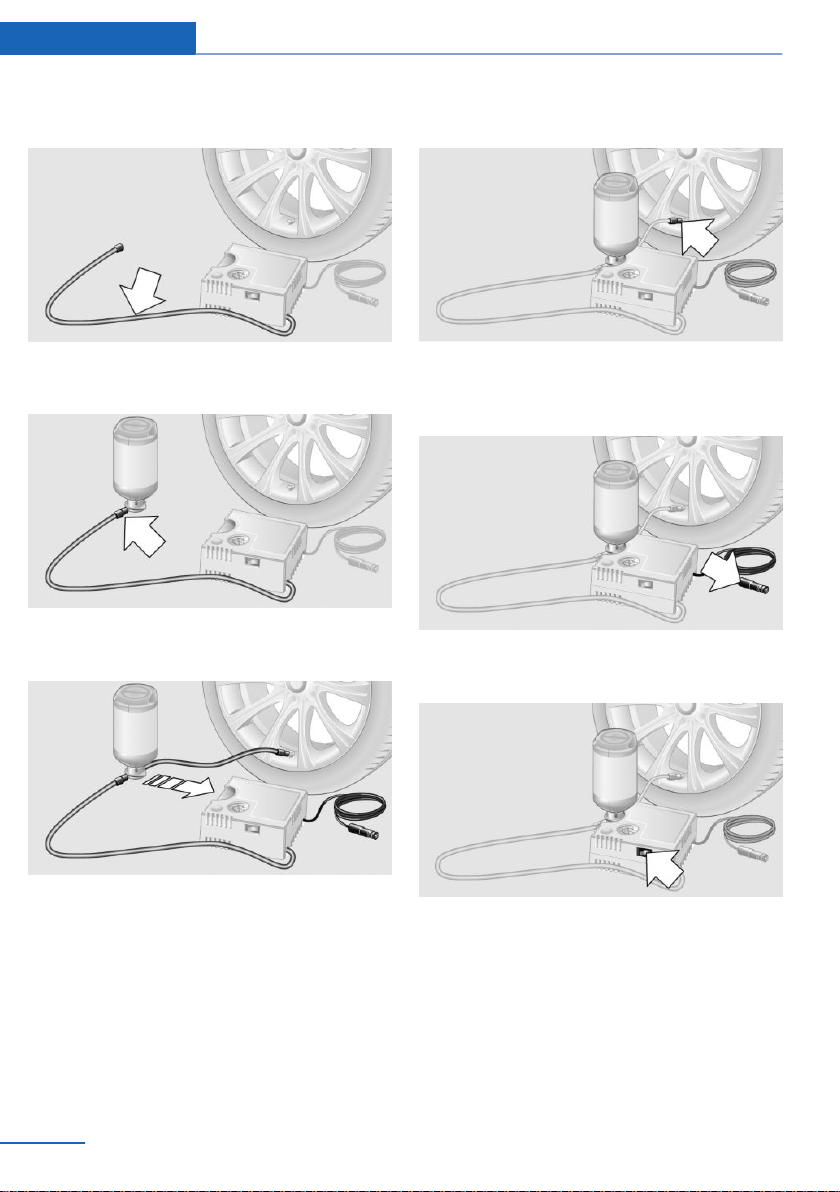
2. Pull the connection hose fully out of the
compressor housing. Do not kink the hose.
3. Screw the connection hose onto the con‐
nector of the sealant container.
4. Insert the sealant container on the com‐
pressor housing in an upright position.
5. Remove the valve cap from the tire valve
and screw the filling hose of the sealant
container onto the tire valve of the non‐
working wheel.
6. With the compressor switched off, insert
the plug into the power socket inside the
vehicle.
7. With the ignition switched on or the engine
running, switch on the compressor.
Let the compressor run for max. 10 minutes to
fill the tire with sealant and achieve a tire infla‐
tion pressure of approx. 2.5 bar.
While the tire is being filled with sealant, the
tire inflation pressure may sporadically reach
approx. 5 bar. Do not switch off the compres‐
sor at this point.
Seite 230
Mobility Wheels and tires
230
Online Edition for Part no. 01402981185 - VI/17

If a tire inflation pressure of 2 bar is not
reached:
1. Switch off the compressor.
2. Pull the connector out of the power socket
inside the vehicle.
3. Unscrew the filling hose from the tire valve.
4. Drive 33 ft/10 m forward and back to dis‐
tribute the sealant in the tire.
5. Inflate the tire again using the compressor.
If a tire inflation pressure of 2 bar cannot be
reached, contact your dealer’s service cen‐
ter or another qualified service center or
repair shop.
Stowing the Mobility System
1.
Unscrew the filling hose of the sealant con‐
tainer from the tire valve.
2. Pull the compressor connector out of the
socket inside the vehicle.
3. Unscrew the connection hose of the com‐
pressor from the sealant container.
4. Connect the filling hose of the sealant con‐
tainer previously connected to the tire
valve with the available connector on the
sealant container.
This prevents leftover sealant escaping
from the sealant container.
5. Wrap and store the sealant container in
suitable material to avoid dirtying the cargo
area.
6. Stow the Mobility System back in the
cargo area.
Distributing the sealant
Immediately drive approx. 5 miles/10 km to en‐
sure that the sealant is evenly distributed in the
tire.
Do not exceed the permissible maximum
speed of 50 mph/80 km/h.
If possible, do not drive at speeds less than
12 mph/20 km/h.
Correcting the tire inflation pressure
1. Stop at a suitable location.
2. Screw the connection hose of the com‐
pressor directly onto the tire valve stem.
3. Insert the connector into the power socket
inside the vehicle.
4. Correct the tire inflation pressure to
2.5 bar.
▷ Increase tire inflation pressure: with the
ignition switched on or the engine run‐
ning, switch on the compressor.
▷ Reduce tire inflation pressure: press
the button on the compressor.
Continuing the trip
Do not exceed the maximum permissible
speed of 50 mph/80 km/h.
Reinitialize the run-flat tires.
Reset the Tire Pressure Monitor TPM.
Replace the nonworking tire and the sealant
container of the Mobility System at the next
opportunity.
Snow chains
Fine-link snow chains
The manufacturer of your vehicle recommends
use of fine-link snow chains. Certain types of
fine-link snow chains have been tested by the
manufacturer of the vehicle and recommended
as road-safe and suitable.
Information regarding suitable snow chains is
available from a dealer’s service center or an‐
other qualified service center or repair shop.
Use
Use only in pairs on the rear wheels, equipped
with the tires of the following size:
▷ 255/50 R 19.
Follow the snow chain manufacturer's instruc‐
tions.
Seite 231
Wheels and tires Mobility
231
Online Edition for Part no. 01402981185 - VI/17

Do not initialize the run-flat tires after mount‐
ing snow chains, as doing so may result in in‐
correct readings.
Do not reset the Tire Pressure Monitor TPM
after mounting snow chains, as doing so may
result in incorrect readings.
When driving with snow chains, briefly activate
Dynamic Traction Control DTC, if needed.
Maximum speed with snow chains
Do not exceed a speed of 30 mph/50 km/h
when using snow chains.
Changing wheels/tires
General information
When using run-flat tires or a flat tire kit, a
wheel does not always need to be changed im‐
mediately when there is a loss of tire inflation
pressure due to a flat tire.
If needed, the tools for changing wheels are
available as accessories from a dealer’s service
center or another qualified service center or re‐
pair shop.
Safety information
DANGER
The vehicle jack is only provided for
short-term lifting of the vehicle for wheel
changes. Even if all safety measures are ob‐
served, there is a risk of the raised vehicle fall‐
ing, if the vehicle jack tilts over. There is a risk
of injuries or danger to life. If the vehicle is
raised, do not lie under the vehicle and do not
start the engine.◀
WARNING
The vehicle jack is provided by the vehi‐
cle manufacturer for changing wheels in the
event of a flat tire. The vehicle jack is not de‐
signed for frequent use, for instance for chang‐
ing from summer to winter tires. Using the ve‐
hicle jack frequently may cause it to jam or
become damaged. There is a risk of injury and
risk of damage to property. Only use the vehi‐
cle jack to change an emergency wheel or a
spare tire in the event of a flat tire.◀
WARNING
On soft, uneven or slippery ground, for
example snow, ice, tiles, etc., the vehicle jack
can slip away. There is a risk of injury. If possi‐
ble, change the wheel on a flat, solid, and slip-
resistant surface.◀
WARNING
The vehicle jack is optimized for lifting
the vehicle and for the jacking points on the
vehicle only. There is a risk of injury. Do not lift
any other vehicle or cargo using the vehicle
jack.◀
WARNING
If the vehicle jack is not inserted into the
jacking point provided for this purpose, the ve‐
hicle may be damaged or the vehicle jack may
slip when it is being cranked up. There is a risk
of injury or risk of damage to property. When
cranking up the vehicle jack, ensure that it is
inserted in the jacking point next to the wheel
housing.◀
WARNING
A vehicle that is raised on a vehicle jack
may fall off of the jack if lateral forces are ex‐
erted on it. There is a risk of injury and risk of
damage to property. While the vehicle is
raised, do not exert lateral forces on the vehicle
or pull abruptly on the vehicle. Have a stuck
wheel removed by a dealer’s service center or
another qualified service center or repair
shop.◀
Securing the vehicle against rolling
General information
The vehicle manufacturer recommends to ad‐
ditionally secure the vehicle against rolling
away when changing a wheel.
Seite 232
Mobility Wheels and tires
232
Online Edition for Part no. 01402981185 - VI/17
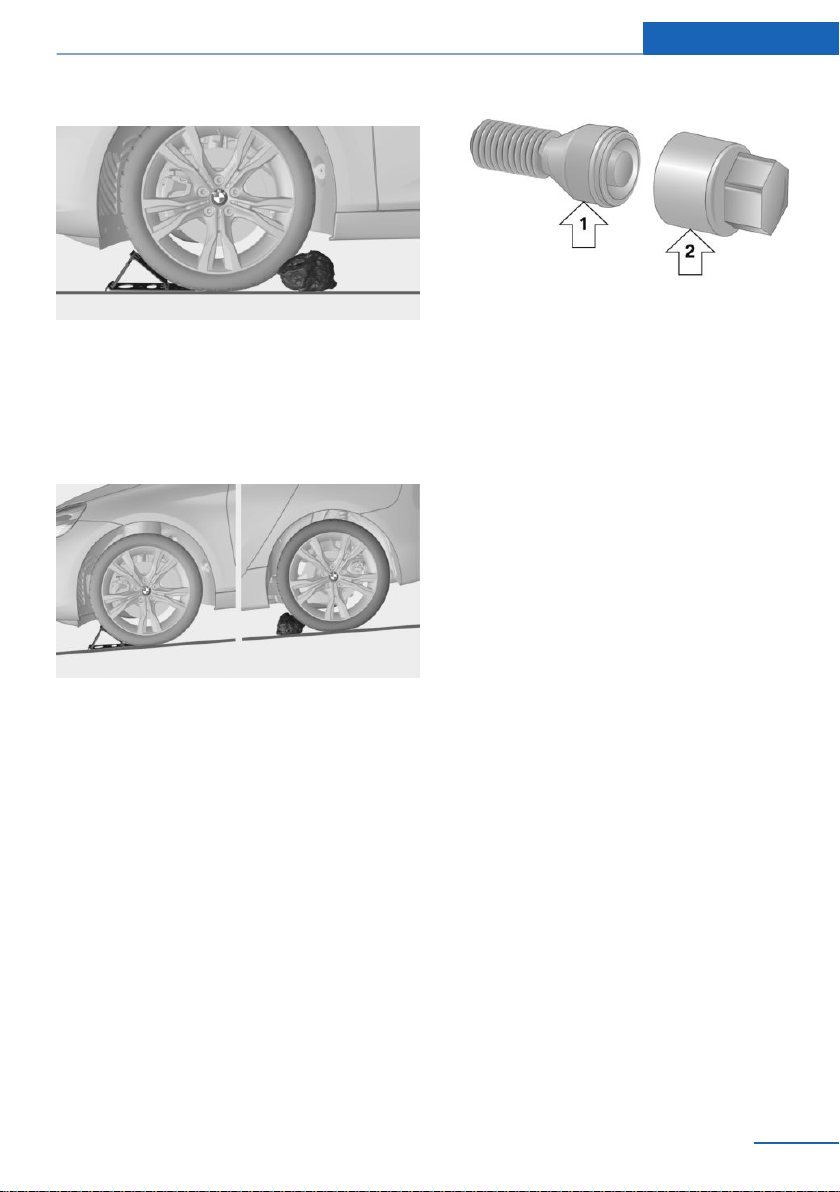
On a level surface
Place chocks or other suitable objects, for ex‐
ample a rock, in front of and behind the wheel
that is diagonally opposite to the wheel that
you wish to change.
On a slight downhill gradient
If you need to change a wheel on a slight
downhill grade, place chocks and other suita‐
ble objects, for instance a rock, under the
wheels of both the front and rear axles against
the rolling direction.
Lug bolt lock
Concept
The wheel lug bolts have a special coding. The
lug bolts can only be released with the adapter
which matches the coding.
Overview
The adapter of the lug bolt lock is in the on‐
board vehicle tool kit or in a storage compart‐
ment close to the onboard vehicle tool kit.
▷ Lug bolt, arrow 1.
▷ Adapter, arrow 2.
Unscrewing
1.
Attach the adapter to the lug bolt.
2. Unscrew the lug bolt.
3. Remove the adapter after unscrewing the
lug bolt.
Screwing on
1.
Attach the adapter to the lug bolt. If neces‐
sary, turn the adapter until it fits on the lug
bolt.
2. Screw on the lug bolt. The tightening tor‐
que is 140 Nm.
3. Remove the adapter and stow it after
screwing on the lug bolt.
Preparing the vehicle
▷ Park the vehicle on solid and non-slip
ground at a safe distance from traffic.
▷ Switch on the hazard warning system.
▷ Set the parking brake.
▷ Engage a gear or move the selector lever
to position P.
▷ As soon as permitted by the traffic flow,
have all vehicle occupants get out of the
vehicle and ensure that they remain out‐
side the immediate area in a safe place,
such as behind a guardrail.
▷ Depending on the equipment version, get
tools and the emergency wheel from the
vehicle.
Seite 233
Wheels and tires Mobility
233
Online Edition for Part no. 01402981185 - VI/17
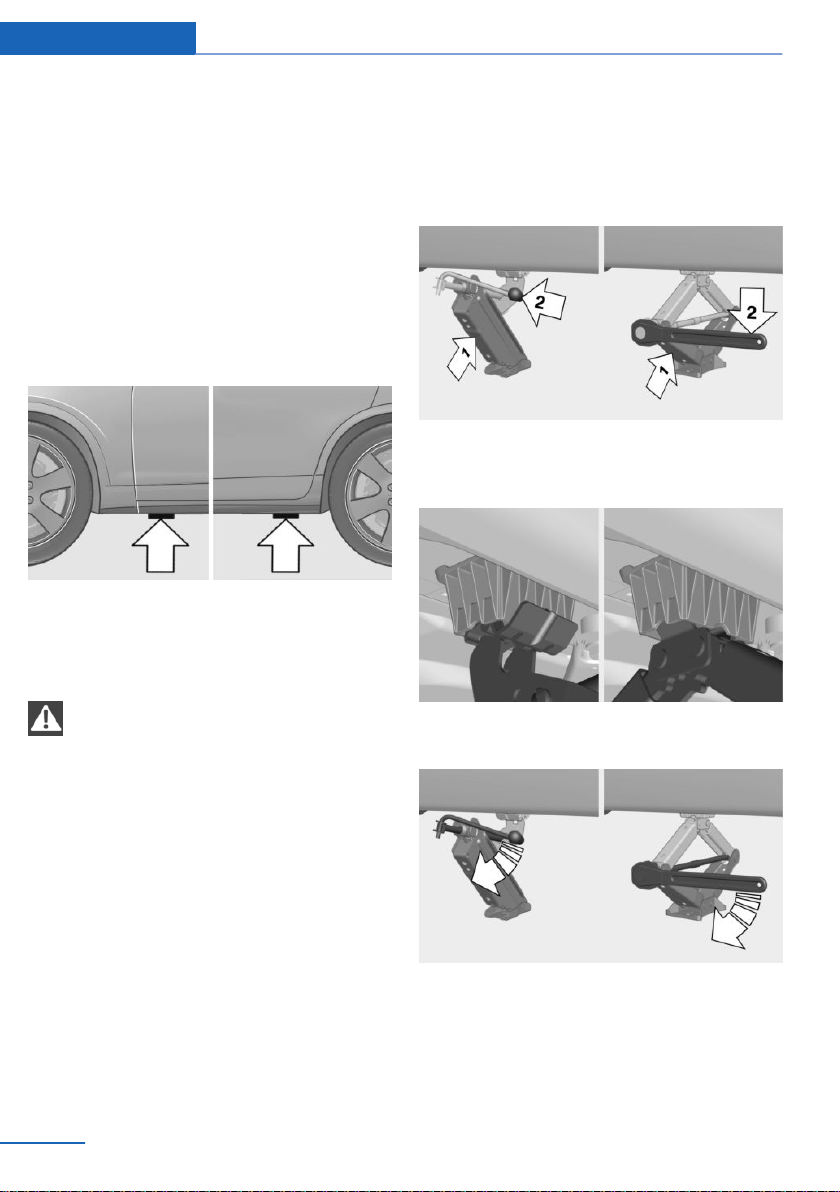
▷ If necessary, set up a warning triangle or
portable hazard warning light at an appro‐
priate distance.
▷ Do not place wood blocks or similar items
under the vehicle jack; otherwise, it cannot
reach its carrying capacity because of the
restricted height.
▷ Secure the vehicle additionally against roll‐
ing.
▷ Loosen the lug bolts a half turn.
Jacking points for the vehicle jack
The jacking points for the vehicle jack are lo‐
cated at the indicated positions.
Jacking up the vehicle
WARNING
Hands and fingers can be jammed when
using the vehicle jack. There is a risk of injury.
Comply with the described hand position and
do not change this position while using the ve‐
hicle jack.◀
1. Hold the vehicle jack with one hand, ar‐
row 1, and grasp the vehicle jack crank
with your other hand, arrow 2.
2. Insert the vehicle jack into the rectangular
recess of the jacking point closest to the
wheel to be changed.
3. Extend the vehicle jack by turning the vehi‐
cle jack crank or lever clockwise.
4. Take your hand away from the vehicle jack
as soon as the vehicle jack is under load
and continue turning the vehicle jack crank
or lever with one hand.
Seite 234
Mobility Wheels and tires
234
Online Edition for Part no. 01402981185 - VI/17
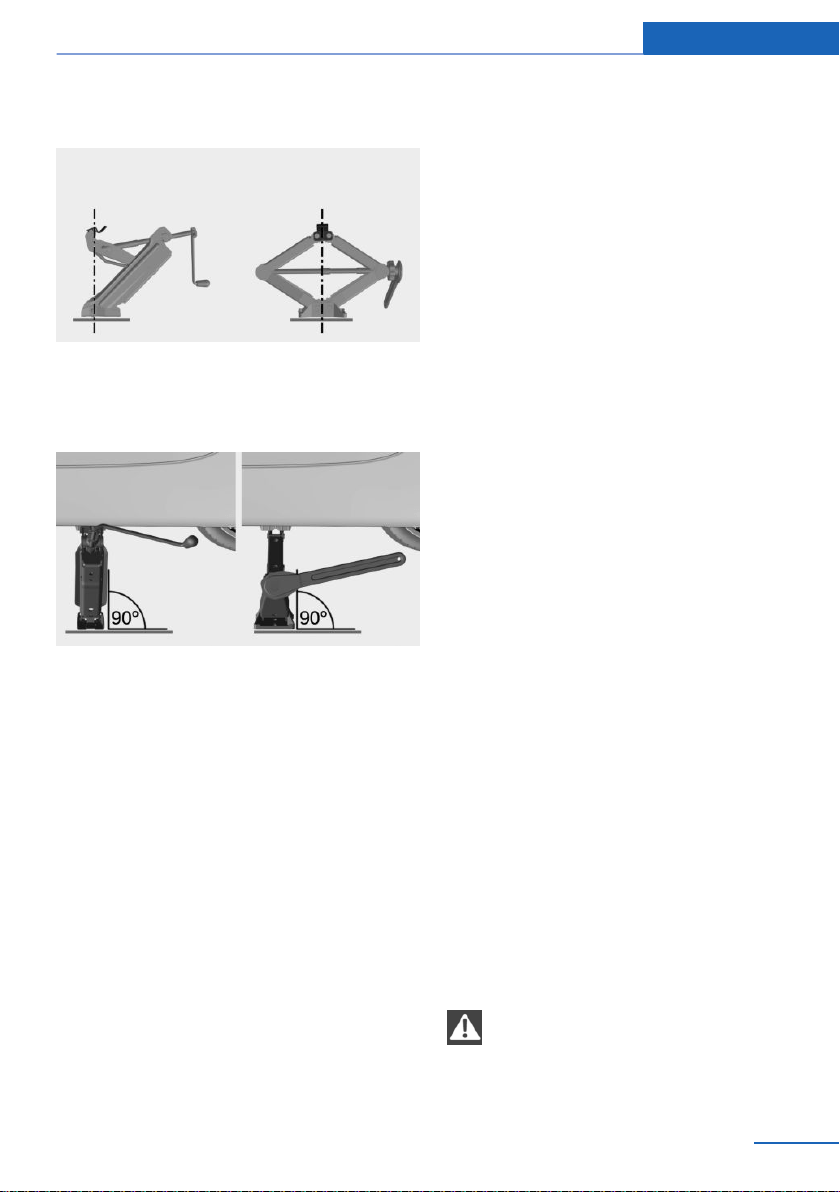
5. Make sure that the vehicle jack foot is ex‐
tended vertically.
6. Make sure that the vehicle jack foot stands
vertically and perpendicularly beneath the
jacking point after extending the vehicle
jack.
7. Crank up the vehicle jack until the entire
surface of the jack is in contact with the
ground and the wheel in question is raised
a maximum of 1.2 inches/3 cm off the
ground.
Mounting a wheel
Mount one emergency wheel only, as required.
1.
Unscrew the lug bolts.
2. Remove the wheel.
3. Put the new wheel or emergency wheel on
and screw in at least two lug bolts in a
crosswise pattern until hand-tight.
If non-original light-alloy wheels of the ve‐
hicle manufacturer are mounted, the ac‐
companying lug bolts may have to be used
as well.
4. Hand-tighten the remaining lug bolts and
tighten all lug bolts well in a crosswise pat‐
tern.
5. Turn the vehicle jack crank counterclock‐
wise to retract the vehicle jack and lower
the vehicle.
6. Remove the vehicle jack and stow it se‐
curely.
After the wheel change
1. Tighten the lug bolts crosswise. The tight‐
ening torque is 101 lb ft/140 Nm.
2. Stow the nonworking wheel in the cargo
area, if necessary.
The nonworking wheel cannot be stored
under the cargo floor panel because of its
size.
3. Check tire inflation pressure at the next op‐
portunity and correct as needed.
4. Reinitialize the run-flat tires.
Reset the Tire Pressure Monitor TPM.
5. Check to make sure the lug bolts are tight
with a calibrated torque wrench.
6. Have the damaged tire replaced at the
nearest dealer’s service center or another
qualified service center or repair shop.
Emergency wheel
Concept
In the event of a flat tire, the emergency wheel
can be used in place of the wheel with the de‐
fective tire. The emergency wheel is only in‐
tended for temporary use until the defective
tire/wheel has been replaced.
Safety information
WARNING
The emergency wheel has particular di‐
mensions. When driving with an emergency
wheel, changed driving properties may occur,
for instance reduced lane stability when brak‐
Seite 235
Wheels and tires Mobility
235
Online Edition for Part no. 01402981185 - VI/17

ing, longer braking distance, and changed self-
steering properties in the limit area. There is a
risk of an accident. Drive moderately and do
not exceed a speed of 50 mph/80 km/h.◀
Overview
The emergency wheel and the tools are lo‐
cated in the cargo area under the cargo floor
panel.
1 Emergency wheel
2 Vehicle jack
3 Vehicle jack crank
4 Lug bolt wrench
Removing the emergency wheel
1.
Remove the tool holder.
2. Unscrew the wing nut, arrow 1.
3. Remove the washer, arrow 2 to the side.
4. Remove the emergency wheel.
Seite 236
Mobility Wheels and tires
236
Online Edition for Part no. 01402981185 - VI/17
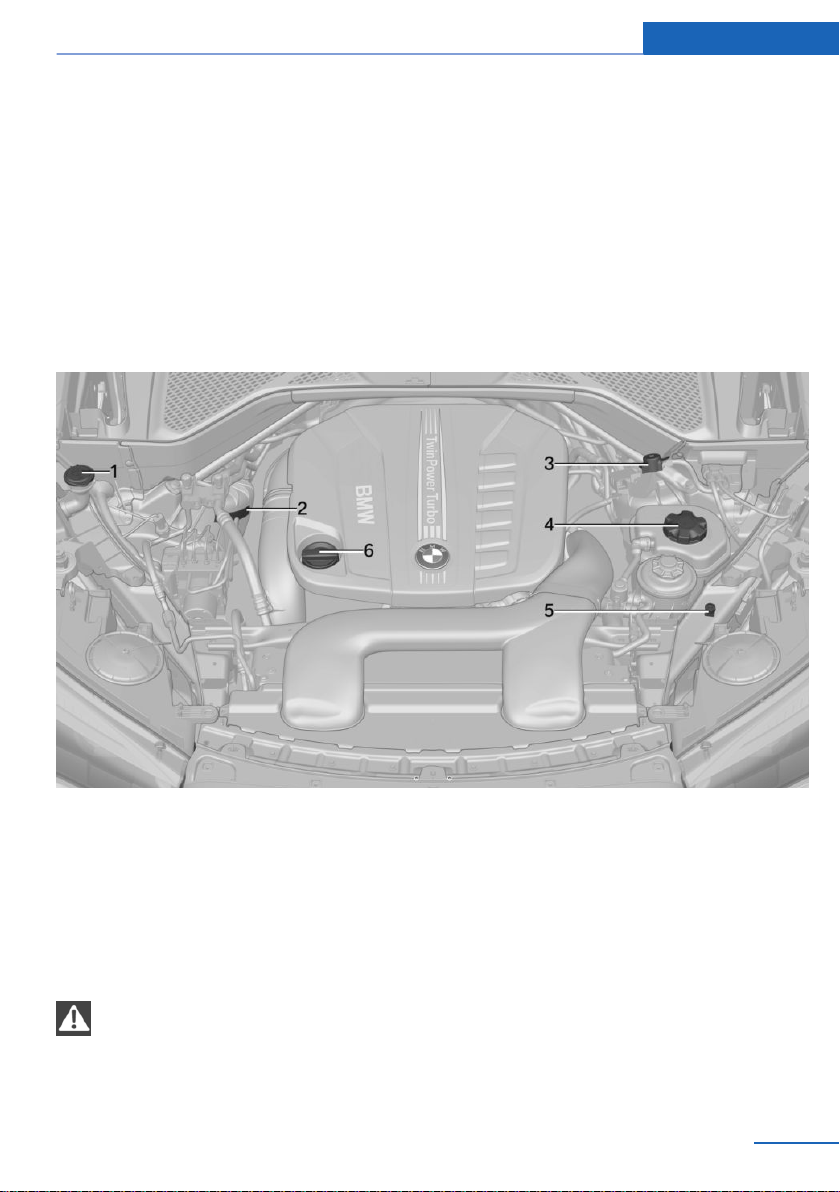
Engine compartment
Vehicle features and options
This chapter describes all standard, country-
specific and optional features offered with the
series. It also describes features that are not
necessarily available in your vehicle, e. g., due
to the selected options or country versions.
This also applies to safety-related functions
and systems. When using these functions and
systems, the applicable laws and regulations
must be observed.
Important features in the engine compartment
1 Filler neck for washer fluid
2 Vehicle identification number
3 Jump-starting, positive battery terminal
4 Coolant reservoir
5 Jump-starting, negative battery terminal
6 Oil filler neck
Hood
Safety information
WARNING
Improperly executed work in the engine
compartment can damage vehicle compo‐
nents and impair vehicle functions. There is a
risk of personal and property damage. The
manufacturer of your vehicle recommends
that, in the effort to avoid such risks, work in
the engine compartment be performed by a
dealer’s service center or another qualified
service center or repair shop.◀
Seite 237
Engine compartment Mobility
237
Online Edition for Part no. 01402981185 - VI/17
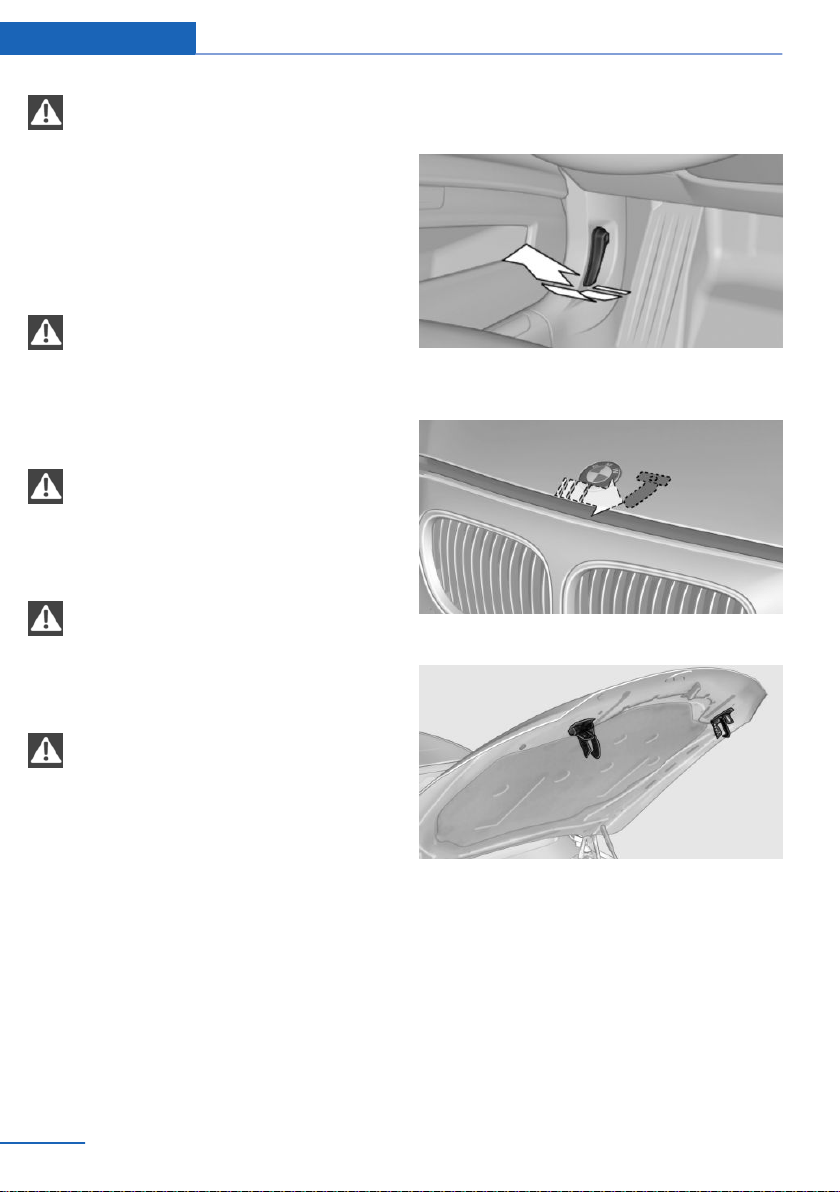
WARNING
The engine compartment accommo‐
dates moving components. Certain compo‐
nents in the engine compartment can also
move with the vehicle switched off, for in‐
stance the radiator fan. There is a risk of injury.
Do not reach into the area of moving parts.
Keep articles of clothing and hair away from
moving parts.◀
WARNING
There are protruding parts, for instance
locking hook, on the inside of the hood. There
is a risk of injury. If the hood is open, pay atten‐
tion to protruding parts and keep clear of these
areas.◀
WARNING
An incorrectly locked hood can open
while driving and restrict visibility. There is a
risk of an accident. Stop immediately and cor‐
rectly close the hood.◀
WARNING
Body parts can be jammed when open‐
ing and closing the hood. There is a risk of in‐
jury. Make sure that the area of movement of
the hood is clear during opening and closing.◀
NOTE
Folded-away wipers can be jammed
when the hood is opened. There is a risk of
property damage. Make sure that the wipers
with the wiper blades mounted are folded
down onto the windshield before opening the
hood.◀
Opening the hood
1. Pull the lever.
2. Press the release handle and open the
hood.
3. Be careful of protruding parts on the hood.
Seite 238
Mobility Engine compartment
238
Online Edition for Part no. 01402981185 - VI/17
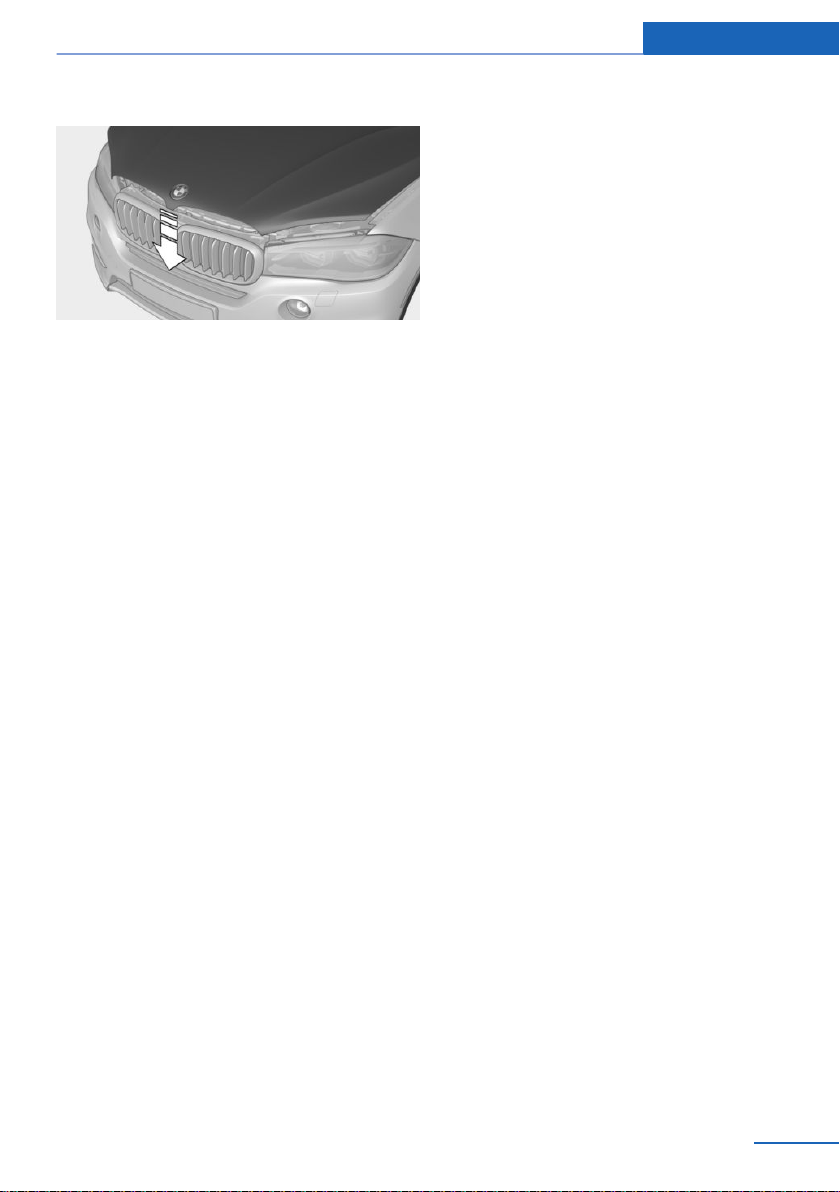
Closing the hood
Let the hood drop from a height of approx.
16 inches/40 cm and push down on it to lock it
fully.
The hood must engage on both sides.
Seite 239
Engine compartment Mobility
239
Online Edition for Part no. 01402981185 - VI/17
Engine oil
Vehicle features and options
This chapter describes all standard, country-
specific and optional features offered with the
series. It also describes features that are not
necessarily available in your vehicle, e. g., due
to the selected options or country versions.
This also applies to safety-related functions
and systems. When using these functions and
systems, the applicable laws and regulations
must be observed.
General information
The engine oil consumption is dependent on
your driving style and driving conditions.
Therefore, regularly check the engine oil level
after refueling by taking a detailed measure‐
ment.
The engine oil consumption can increase in
the following situations, for example:
▷ Sporty driving style.
▷ Break-in of the engine.
▷ Idling of the engine.
▷ With use of engine oil types that are classi‐
fied as not suitable.
Different Check Control messages appear on
the Control Display depending on the engine
oil level.
Safety information
NOTE
An engine oil level that is too low causes
engine damage. There is a risk of property
damage. Immediately add engine oil.◀
NOTE
Too much engine oil can damage the en‐
gine or the catalytic converter. There is a risk
of property damage. Do not add too much en‐
gine oil. When too much engine oil is added,
have oil level corrected by a dealer’s service
center or another qualified service center or re‐
pair shop.◀
Electronic oil measurement
General information
The electronic oil measurement has two meas‐
uring principles:
▷ Monitoring.
▷ Detailed measurement.
When making frequent short-distance trips or
using a dynamic driving style, for instance
when taking curves aggressively, regularly per‐
form a detailed measurement.
Monitoring
Concept
The engine oil level is monitored electronically
while driving and can be shown on the Control
Display.
If the engine oil level is outside its permissible
operating range, a Check Control message is
displayed.
Functional requirements
A current measured value is available after ap‐
prox. 30 minutes of normal driving.
Displaying the engine oil level
Using iDrive:
1.
"Vehicle info"
Seite 240
Mobility Engine oil
240
Online Edition for Part no. 01402981185 - VI/17

2. "Vehicle status"
3. "Engine oil level"
The engine oil level is displayed.
System limits
When making frequent short-distance trips or
using a dynamic driving style, it may not be
possible to calculate a measured value. In this
case, the measured value for the last, suffi‐
ciently long trip is displayed.
Detailed measurement
Concept
The engine oil level is checked when the vehi‐
cle is stationary and displayed via a scale.
If the engine oil level is outside its permissible
operating range, a Check Control message is
displayed.
General information
During the measurement, the idle speed is in‐
creased somewhat.
Functional requirements
▷ Vehicle is parked in a horizontal position.
▷ Steptronic transmission: selector lever in
selector lever position N or P and accelera‐
tor pedal not depressed.
▷ Engine is running and is at operating tem‐
perature.
Performing a detailed measurement
Using iDrive:
1.
"Vehicle info"
2. "Vehicle status"
3. "Measure engine oil level"
4. "Start measurement"
The engine oil level is checked and displayed
via a scale.
Adding engine oil
General information
Only add engine oil when the message is dis‐
played in the instrument cluster. The quantity
to be added is indicated in the message dis‐
played in the instrument cluster.
Only add suitable types of engine oil, refer to
page 242.
Safely park the vehicle and switch off the igni‐
tion before adding engine oil.
Take care not to add too much engine oil.
Safety information
WARNING
Operating materials, e.g., oils, greases,
coolants, fuels, can contain harmful ingredi‐
ents. There is a risk of injuries or danger to life.
Observe the instructions on the containers.
Avoid the contact of articles of clothing, skin or
eyes with operating materials. Do not refill op‐
erating materials into different bottles. Store
operating materials out of reach of children.◀
NOTE
An engine oil level that is too low causes
engine damage. There is a risk of property
damage. Immediately add engine oil.◀
NOTE
Too much engine oil can damage the en‐
gine or the catalytic converter. There is a risk
of property damage. Do not add too much en‐
gine oil. When too much engine oil is added,
have oil level corrected by a dealer’s service
center or another qualified service center or re‐
pair shop.◀
Overview
The oil filler neck is located in the engine com‐
partment, refer to page 237.
Seite 241
Engine oil Mobility
241
Online Edition for Part no. 01402981185 - VI/17
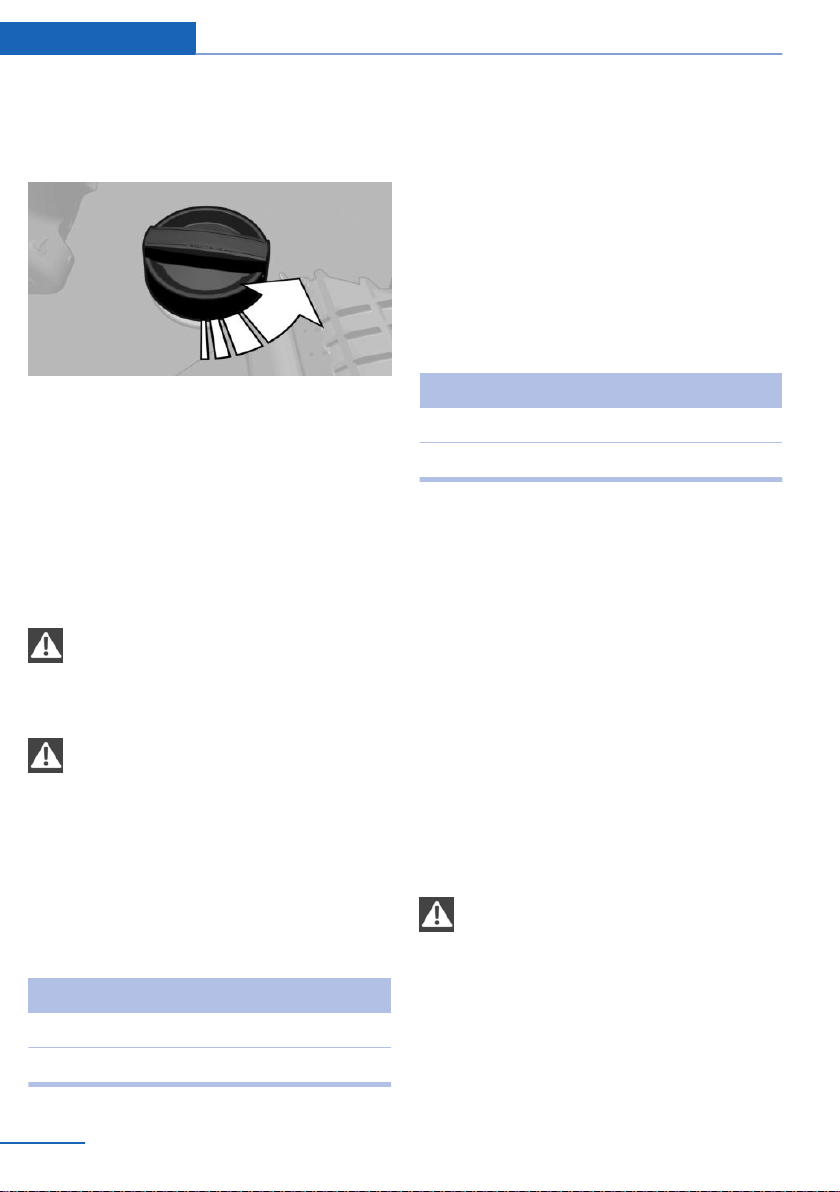
Adding engine oil
1. Opening the hood, refer to page 238
2. Turn the lid counterclockwise.
3. Add engine oil.
Engine oil types to add
General information
The engine oil quality is critical for the life of
the engine.
Safety information
NOTE
Oil additives can damage the engine.
There is a risk of property damage. Do not use
oil additives.◀
NOTE
Incorrect engine oil can cause malfunc‐
tions in the engine or damage it. There is a risk
of property damage. When selecting an engine
oil, make sure that the engine oil has the cor‐
rect oil rating.◀
Suitable engine oil types
You can add engine oils that meet the follow‐
ing oil rating standards:
Gasoline engine
BMW Longlife-01 FE.
BMW Longlife-14 FE+.
The oil rating BMW Longlife-14 FE+ is only
suitable for particular gasoline engines.
More information about suitable engine oil rat‐
ings and viscosities of engine oils can be re‐
quested from a dealer’s service center or an‐
other qualified service center or repair shop.
Alternative engine oil types
If an engine oil suitable for continuous use is
not available, up to 1 US quart/liter of an en‐
gine oil with the following oil rating can be
added:
Gasoline engine
BMW Longlife-01.
API SL, API SM, or API SN.
Viscosity grades
Gasoline engine:
When selecting an engine oil, make sure that
the engine oil has the viscosity grade SAE
0W-30 or SAE 0W-20. The suitable viscosity
grade is indicated on a label in the engine com‐
partment.
Viscosity class SAE 0W-20 is only suitable for
particular engines.
More information about suitable engine oil rat‐
ings and viscosities of engine oils can be re‐
quested from a dealer’s service center or an‐
other qualified service center or repair shop.
Engine oil change
NOTE
Engine oil that is not changed in timely
fashion can cause increased engine wear and
thus engine damage. There is a risk of property
damage. Do not exceed the service data indi‐
cated in the vehicle.◀
The vehicle manufacturer recommends that
you have a dealer’s service center or another
Seite 242
Mobility Engine oil
242
Online Edition for Part no. 01402981185 - VI/17

qualified service center or repair shop change
the engine oil.
Seite 243
Engine oil Mobility
243
Online Edition for Part no. 01402981185 - VI/17
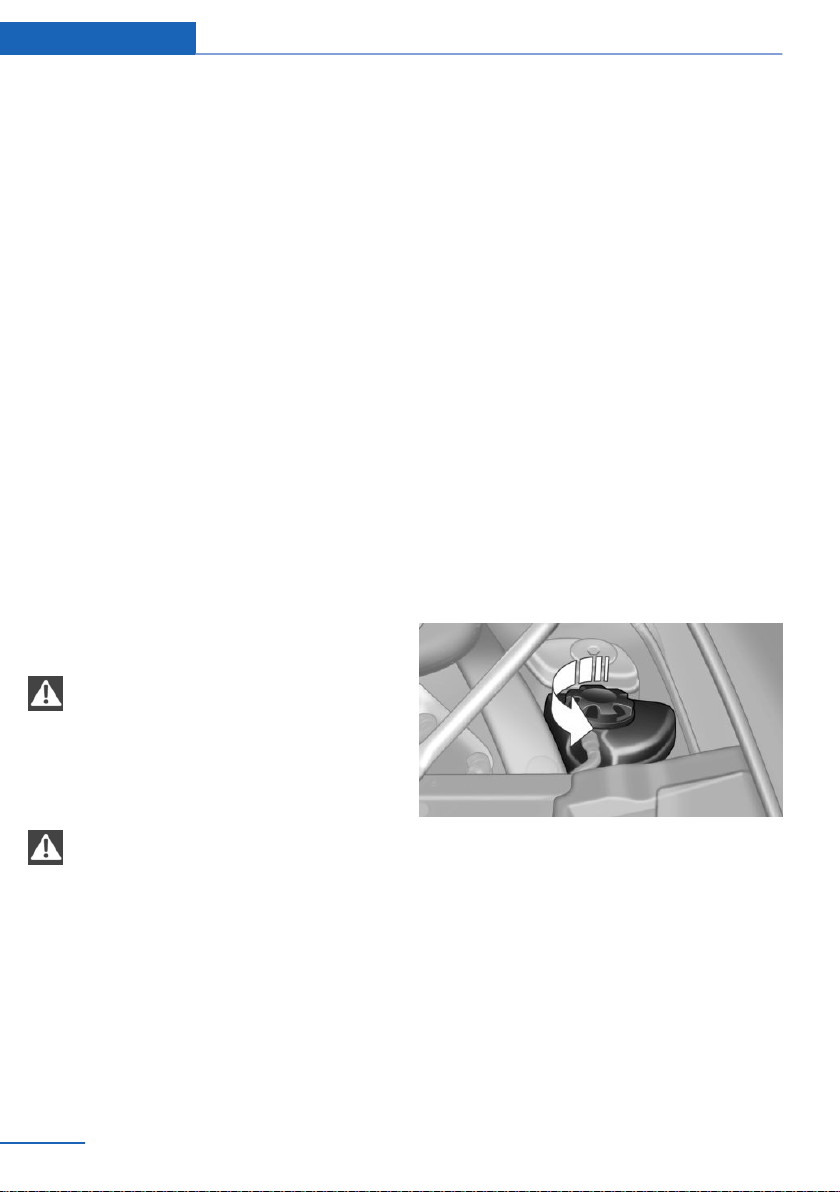
Coolant
Vehicle features and options
This chapter describes all standard, country-
specific and optional features offered with the
series. It also describes features that are not
necessarily available in your vehicle, e. g., due
to the selected options or country versions.
This also applies to safety-related functions
and systems. When using these functions and
systems, the applicable laws and regulations
must be observed.
General information
Not all commercially available additives are
suitable for the vehicle. Information about suit‐
able additives is available from a dealer’s serv‐
ice center or another qualified service center or
repair shop.
Safety information
WARNING
With the engine hot and the cooling sys‐
tem open, coolant can escape and lead to
scalding. There is a risk of injury. Only open
the cooling system with the engine cooled
down.◀
WARNING
Additives are harmful and incorrect addi‐
tives can damage the engine. There is a risk of
injury and risk of property damage. Do not al‐
low additives to come into contact with skin,
eyes or articles of clothing. Use suitable addi‐
tives only.◀
Coolant level
General information
If there is no Min. and Max. mark in the filler
neck of the coolant reservoir, have the coolant
level checked, if needed, by a dealer’s service
center or another qualified service center or re‐
pair shop and add coolant as needed.
Concept
Depending on the engine installation, the cool‐
ant reservoir is located on the right side or the
left side of the engine compartment.
Checking
1.
Let the engine cool.
2. Turn the lid of the coolant reservoir slightly
counterclockwise to allow any excess
pressure to dissipate, then open it.
Seite 244
Mobility Coolant
244
Online Edition for Part no. 01402981185 - VI/17
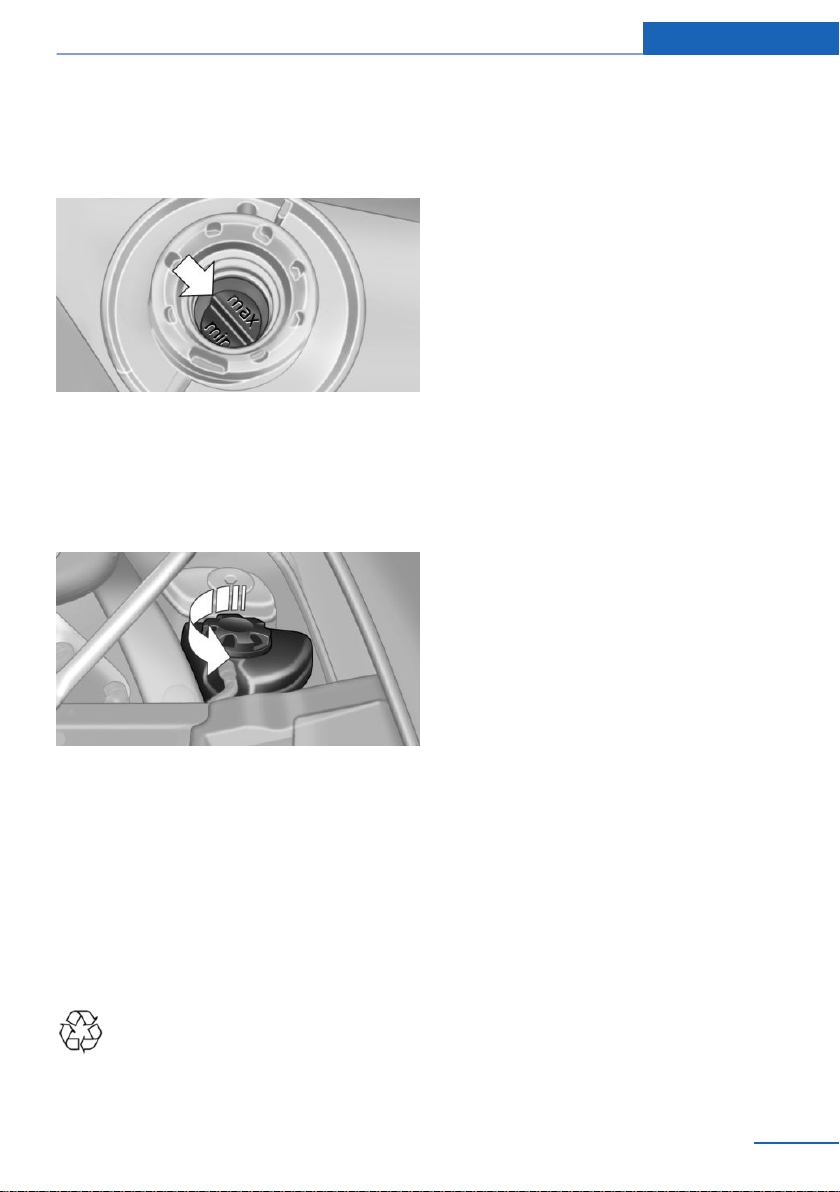
3. Open the coolant reservoir lid.
4. The coolant level is correct if it lies be‐
tween the minimum and maximum marks
in the filler neck.
Adding
1.
Let the engine cool.
2. Turn the lid of the coolant reservoir slightly
counterclockwise to allow any excess
pressure to dissipate, then open it.
3. If the coolant is low, slowly add coolant up
to the specified level; do not overfill.
4. Turn the lid until there is an audible click.
The arrows on the coolant reservoir and
the lid must point towards one another.
5. Have the cause of the coolant loss elimi‐
nated as soon as possible.
Disposal
Comply with the relevant environmen‐
tal protection regulations when dispos‐
ing of coolant and coolant additives.
Seite 245
Coolant Mobility
245
Online Edition for Part no. 01402981185 - VI/17

Maintenance
Vehicle features and options
This chapter describes all standard, country-
specific and optional features offered with the
series. It also describes features that are not
necessarily available in your vehicle, e. g., due
to the selected options or country versions.
This also applies to safety-related functions
and systems. When using these functions and
systems, the applicable laws and regulations
must be observed.
BMW maintenance system
The maintenance system indicates required
maintenance measures, and thereby provides
support in maintaining road safety and the op‐
erational reliability of the vehicle.
In some cases, scopes and intervals may vary
according to the country-specific version. Re‐
placement work, spare parts, fuels and lubri‐
cants, and wear materials are calculated sepa‐
rately. Further information is available from a
dealer’s service center or another qualified
service center or repair shop.
Condition Based Service
CBS
Concept
Sensors and special algorithms take into ac‐
count the driving conditions of the vehicle.
CBS uses these to calculate the need for
maintenance.
The system makes it possible to adapt the
amount of maintenance corresponding to your
user profile.
General information
Information on service requirements, refer to
page 97, can be displayed on the Control Dis‐
play.
Service data in the remote control
Information on the required maintenance is
continuously stored in the remote control. The
dealer’s service center can read this data out
and suggest a maintenance scope for the vehi‐
cle.
Therefore, hand the service advisor the remote
control with which the vehicle was driven most
recently.
Storage periods
Storage periods during which the vehicle bat‐
tery was disconnected are not taken into ac‐
count.
If this occurs, have a dealer's service center or
another qualified service center or repair shop
update the time-dependent maintenance pro‐
cedures, such as checking brake fluid and, if
necessary, changing the engine oil and the mi‐
crofilter/activated-charcoal filter.
Service and Warranty
Information Booklet for US
models and Warranty and
Service Guide Booklet for
Canadian models
Please consult your Service and Warranty In‐
formation Booklet for US models and Warranty
and Service Guide Booklet for Canadian mod‐
els for additional information on service re‐
quirements.
The manufacturer of your vehicle recommends
that maintenance and repair be performed by a
dealer’s service center or another qualified
Seite 246
Mobility Maintenance
246
Online Edition for Part no. 01402981185 - VI/17
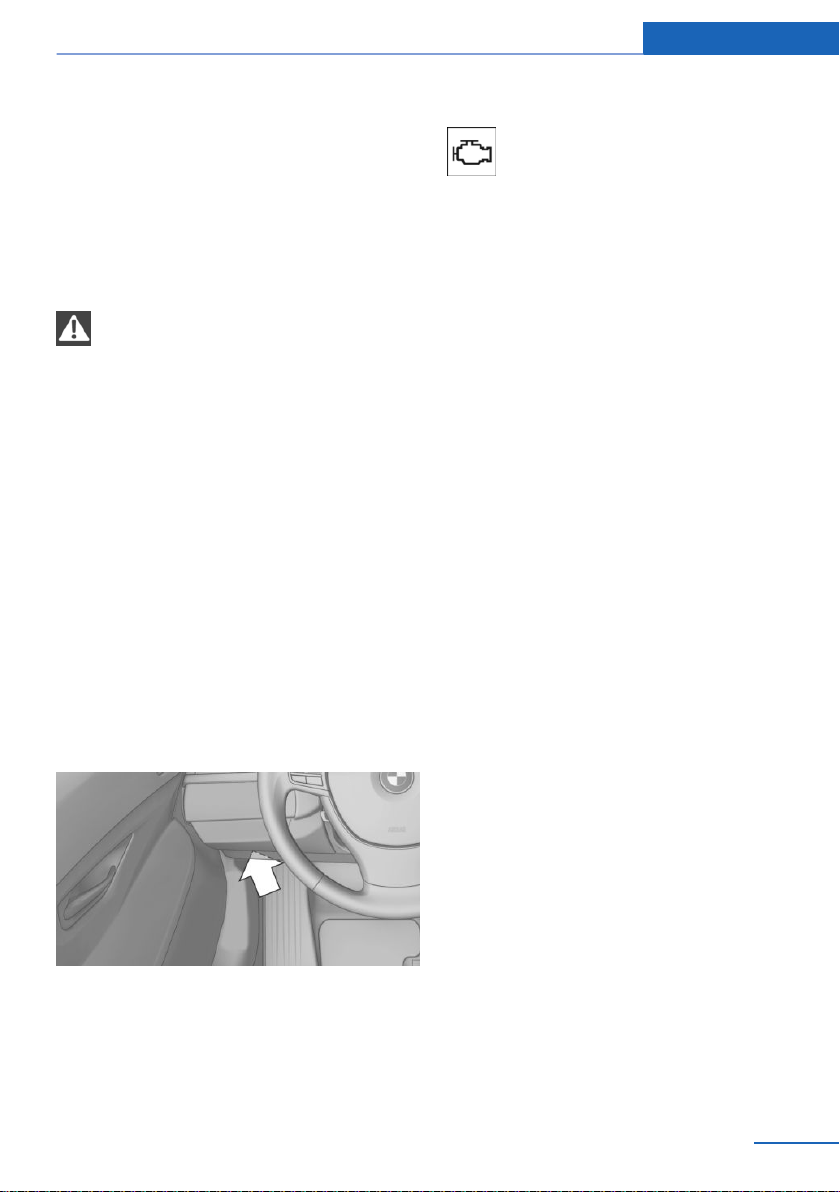
service center or repair shop. Records of regu‐
lar maintenance and repair work should be re‐
tained.
Socket for OBD Onboard
Diagnosis
Safety information
NOTE
The socket for Onboard Diagnosis is an
intricate component intended to be used in
conjunction with specialized equipment to
check the vehicle’s primary emissions system.
Improper use of the socket for Onboard Diag‐
nosis, or contact with the socket for Onboard
Diagnosis for other than its intended purpose,
can cause vehicle malfunctions and creates
risks of personal and property damage. Given
the foregoing, the manufacture of your vehicle
strongly recommends that access to the
socket for Onboard Diagnosis be limited to a
dealer's service center or another qualified
service center or repair shop or other persons
that have the specialized training and equip‐
ment for purposes of properly utilizing the
socket for Onboard Diagnosis.◀
Position
There is an OBD socket on the driver's side for
checking the primary components in the vehi‐
cle's emissions.
Emissions
▷ The warning lamp lights up:
Emissions are deteriorating. Have
the vehicle checked as soon as
possible.
▷ The warning lamp flashes under certain
circumstances:
This indicates that there is excessive mis‐
firing in the engine.
Reduce the vehicle speed and have the
system checked immediately; otherwise,
serious engine misfiring within a brief pe‐
riod can seriously damage emission con‐
trol components, in particular the catalytic
converter.
Seite 247
Maintenance Mobility
247
Online Edition for Part no. 01402981185 - VI/17
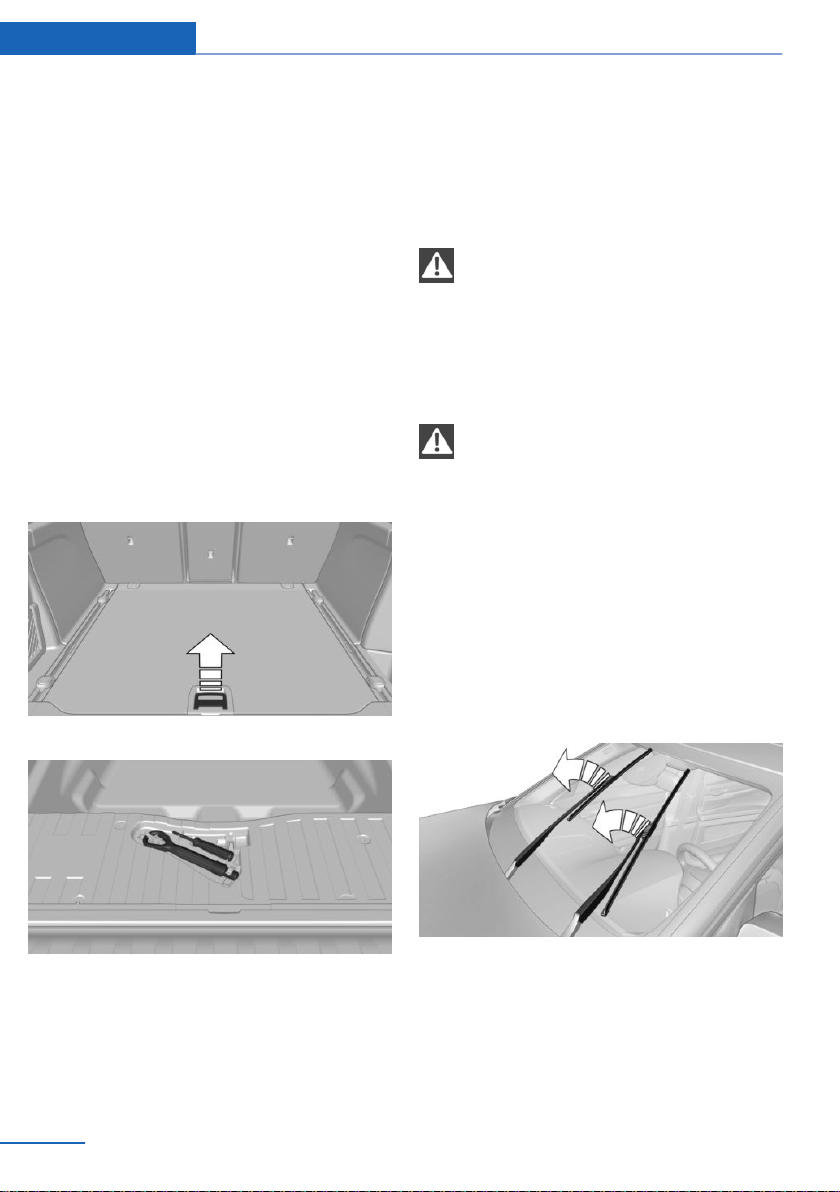
Replacing components
Vehicle features and options
This chapter describes all standard, country-
specific and optional features offered with the
series. It also describes features that are not
necessarily available in your vehicle, e. g., due
to the selected options or country versions.
This also applies to safety-related functions
and systems. When using these functions and
systems, the applicable laws and regulations
must be observed.
Onboard vehicle tool kit
1.
Fold up the cargo floor panel.
2. Remove the onboard vehicle tool kit.
Wiper blade replacement
Safety information
NOTE
If the wiper arm falls onto the windshield
without the wiper blades installed, the wind‐
shield can be damaged. There is a risk of prop‐
erty damage. Secure the wiper arm when re‐
placing the wiper blades and do not fold down
the wipers without the wiper blades installed.◀
NOTE
Folded-away wipers can be jammed
when the hood is opened. There is a risk of
property damage. Make sure that the wipers
with the wiper blades mounted are folded
down onto the windshield before opening the
hood.◀
Front
1.
To change the wiper blades, fold up the
wiper arms, refer to page 80.
2. Lift the wiper all the way off of the wind‐
shield.
Seite 248
Mobility Replacing components
248
Online Edition for Part no. 01402981185 - VI/17
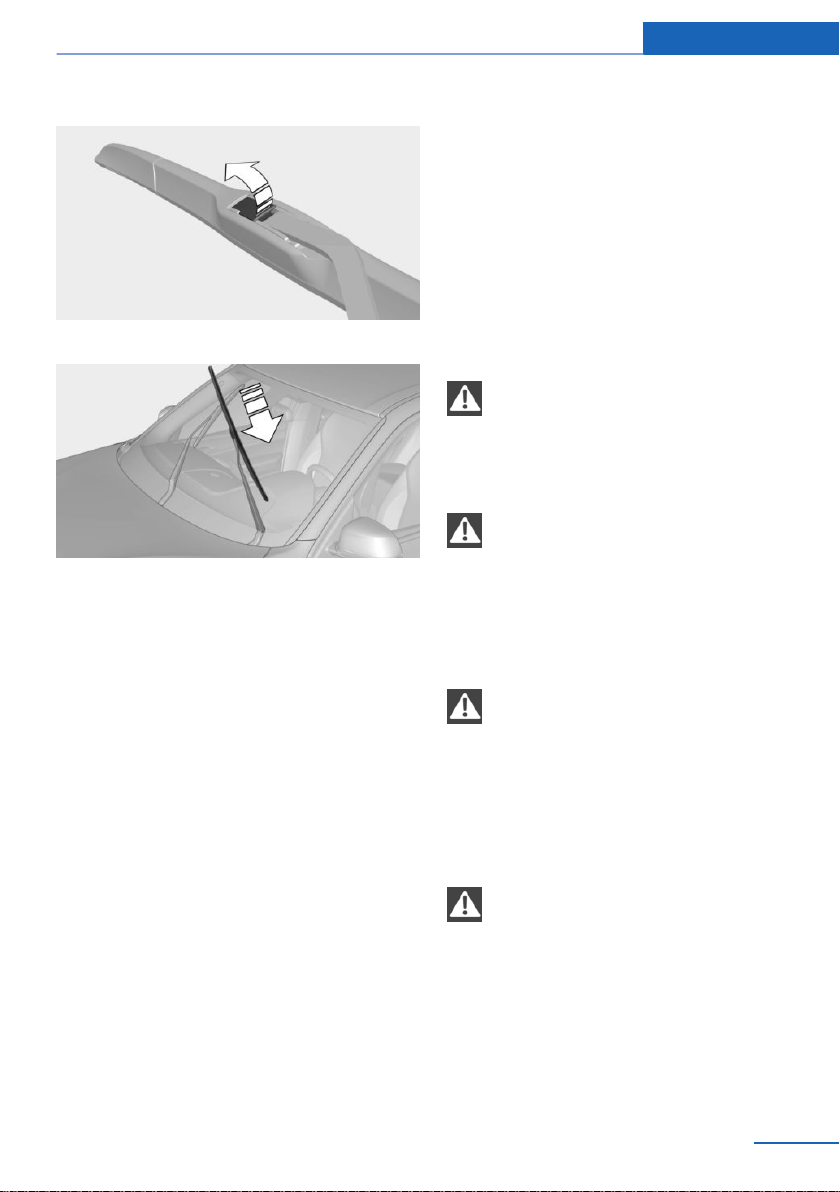
3. Fold open the holder.
4. Slide wiper blade out of the wiper arm.
5. Insert the new wiper blade and press it on
until it you hear it snap into the holder.
6. Fold down the wipers.
Light/bulb replacement
General information
Lights and bulbs
Lights and bulbs make an essential contribu‐
tion to vehicle safety.
The vehicle manufacturer recommends that
you have the relevant work carried out a deal‐
er’s service center or another qualified service
center or repair shop.
A spare light box is available from a dealer’s
service center or another qualified service cen‐
ter or repair shop.
Observe the safety information, refer to
page 249.
Light-emitting diodes (LEDs)
Some items of equipment use light-emitting
diodes installed behind a cover as a light
source. These light-emitting diodes, which are
related to conventional lasers, are officially
designated as Class 1 light-emitting diodes.
Observe the safety information, refer to
page 249.
Safety information
Lights and bulbs
WARNING
Bulbs can get hot during operation. Con‐
tact with the bulbs can cause burns. There is a
risk of injury. Only change bulbs after they
have cooled off.◀
WARNING
Work on switched-on lighting systems
can cause short circuits. There is a risk of in‐
jury or risk of property damage. When working
on the lighting system, switch off the lamps in
question. If necessary, heed the bulb manufac‐
turer's instructions.◀
NOTE
Dirty bulbs have a reduced service life.
There is a risk of property damage. Do not hold
new bulbs with your bare hands. Use a clean
cloth or something similar, or hold the bulb by
its base.◀
Xenon headlights
DANGER
There can be high voltage in the lighting
system. There is danger to life. The manufac‐
turer of your vehicle recommends that the
work on the lighting system including bulb re‐
placement be performed by a dealer’s service
center or another qualified service center or re‐
pair shop.◀
Seite 249
Replacing components Mobility
249
Online Edition for Part no. 01402981185 - VI/17
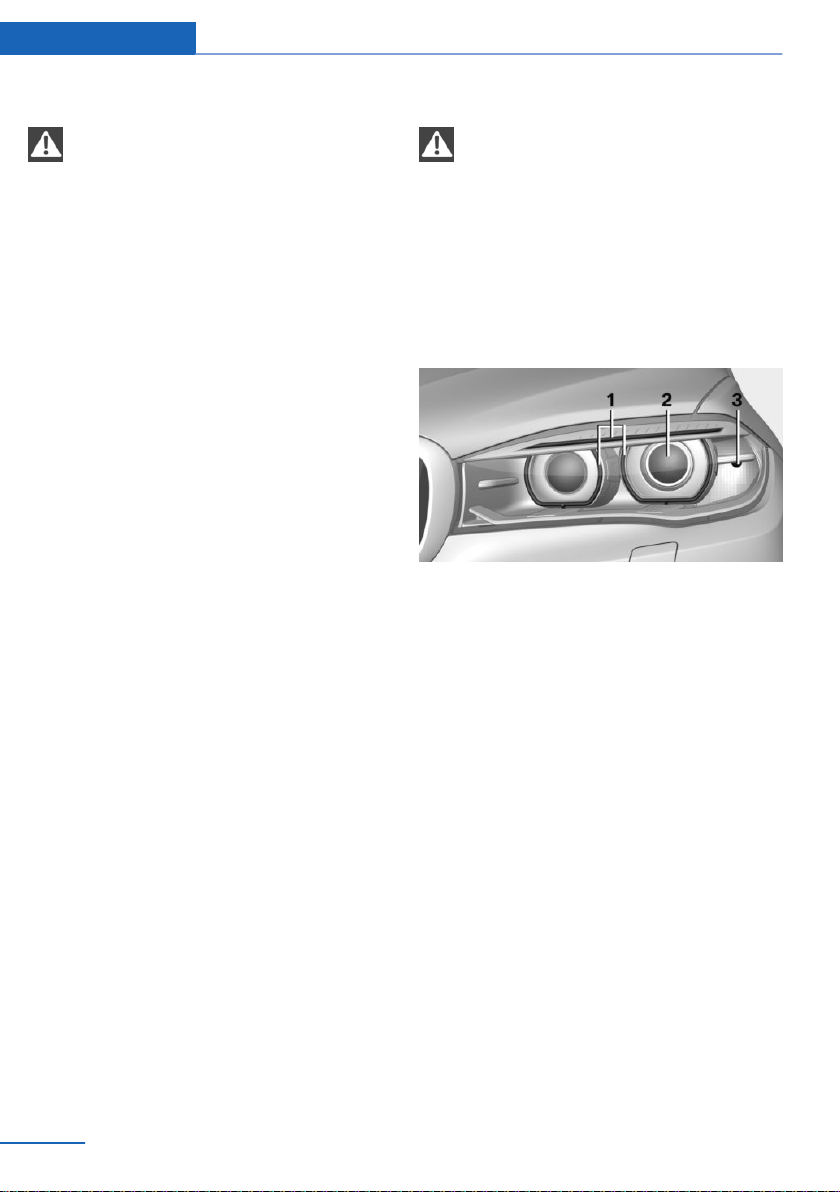
Light-emitting diodes (LEDs)
WARNING
Too intensive brightness can irritate or
damage the retina of the eye. There is a risk of
injury. Do not look directly into the headlights
or other light sources. Do not remove the LED
covers.◀
Headlight glass
Condensation can form on the inside of the ex‐
ternal lights in cool or humid weather. When
driving with the lights switched on, the con‐
densation evaporates after a short time. The
headlight glass does not need to be changed.
If despite driving with the headlights switched
on, increasing humidity forms, for instance wa‐
ter droplets in the light, have the headlights
checked.
Headlight setting
The headlight adjustments can be affected by
changing lights and bulbs. After the headlight
adjustment was changed, have it checked and,
if necessary, corrected by a dealer’s service
center or another qualified service center or re‐
pair shop.
Front lights, bulb replacement
Xenon headlights
General information
Because of the long life of these bulbs, the
likelihood of failure is very low. Switching the
lights on and off frequently shortens their life.
For checking and adjusting headlight aim, con‐
tact a dealer’s service center or another quali‐
fied service center or repair shop.
Safety information
DANGER
There can be high voltage in the lighting
system. There is danger to life. The manufac‐
turer of your vehicle recommends that the
work on the lighting system including bulb re‐
placement be performed by a dealer’s service
center or another qualified service center or re‐
pair shop.◀
Overview
1 Parking lights / daytime running lights
2 Low beams/high beams/headlight flasher
3 Turn signal
Xenon headlights
Low beams and high beams are designed with
xenon technology.
The parking lights and daylight running lights
are made using LED technology.
In the case of a malfunction, contact a dealer’s
service center or another qualified service cen‐
ter or repair shop.
LED headlights
With LED headlights, all front lights and side
indicators are designed with LED technology.
In the case of a malfunction, contact a dealer’s
service center or another qualified service cen‐
ter or repair shop.
Seite 250
Mobility Replacing components
250
Online Edition for Part no. 01402981185 - VI/17

Turn signal
Safety information
Observe the safety information, refer to
page 249.
Replacement
21-watt bulb, PY 21W.
1. Opening the hood, refer to page 238
2. Unscrew the lid counterclockwise and re‐
move it carefully.
The bulb is attached to the lid.
3. Turn the bulb clockwise to remove it.
4. Insert the new bulb and attach the cover in
the reverse order.
Turn signal in exterior mirror
The turn signals in the exterior mirrors feature
LED technology. In the case of a malfunction,
contact a dealer’s service center or another
qualified service center or repair shop.
Front fog lights/cornering lights
Safety information
Observe the safety information, refer to
page 249.
Replacement
55-watt bulb, H11.
1. Insert the screwdriver from the onboard
vehicle tool kit, with the flat side on the clip,
arrow 1.
2. Turn the screwdriver by 90°, arrow 2.
3. Remove the front fog lamp toward the
front.
4. Detach the connector.
5. Turn the bulb bracket and remove it.
6. Remove the bulb and replace it.
7. Proceed in reverse order to insert the front
fog lamp. Note the guide rails in doing so.
Seite 251
Replacing components Mobility
251
Online Edition for Part no. 01402981185 - VI/17
LED front fog lights
These front fog lights are made using LED
technology. In the case of a malfunction, con‐
tact a dealer’s service center or another quali‐
fied service center or repair shop.
Tail lights, bulb replacement
LED tail lights
These tail lights are made using LED technol‐
ogy. In the case of a malfunction, contact a
dealer’s service center or another qualified
service center or repair shop.
Vehicle battery
Maintenance
The battery is maintenance-free.
The added amount of acid is sufficient for the
service life of the battery.
More information about the battery can be re‐
quested from a dealer’s service center or an‐
other qualified service center or repair shop.
Replacing the vehicle battery
General information
The manufacturer of your vehicle recommends
that you have a dealer’s service center or an‐
other qualified service center or repair shop
register the vehicle battery to the vehicle after
the battery has been replaced. Once the bat‐
tery has been registered again, all comfort fea‐
tures will be available without restriction and
any Check Control messages displayed which
relate to comfort features will disappear.
Safety information
NOTE
Vehicle batteries that are not compatible
can damage vehicle systems and impair vehi‐
cle functions. There is a risk of personal and
property damage. Only vehicle batteries that
are compatible with your vehicle type should
be installed in your vehicle. Information on
compatible vehicle batteries is available at your
dealer’s service center.◀
Charging the battery
General information
Make sure that the battery is always suffi‐
ciently charged to guarantee that the battery
remains usable for its full service life.
A discharged battery is indicated by a
red indicator light.
The battery may need to be charged in the fol‐
lowing cases:
▷ When making frequent short-distance
drives.
▷ If the vehicle is not used for more than a
month.
Safety information
NOTE
Battery chargers for the vehicle battery
can work with high voltages and currents,
which means that the 12 volt on-board net‐
work can be overloaded or damaged. There is
a risk of property damage. Only connect bat‐
tery chargers for the vehicle battery to the
starting aid terminals in the engine compart‐
ment.◀
Starting aid terminals
In the vehicle, only charge the battery via the
starting aid terminals, refer to page 256, in the
engine compartment with the engine off.
Power failure
After a power loss, some equipment needs to
be newly initialized or individual settings up‐
dated, for example:
▷ Seat, mirror, and steering wheel memory:
store the positions again.
Seite 252
Mobility Replacing components
252
Online Edition for Part no. 01402981185 - VI/17
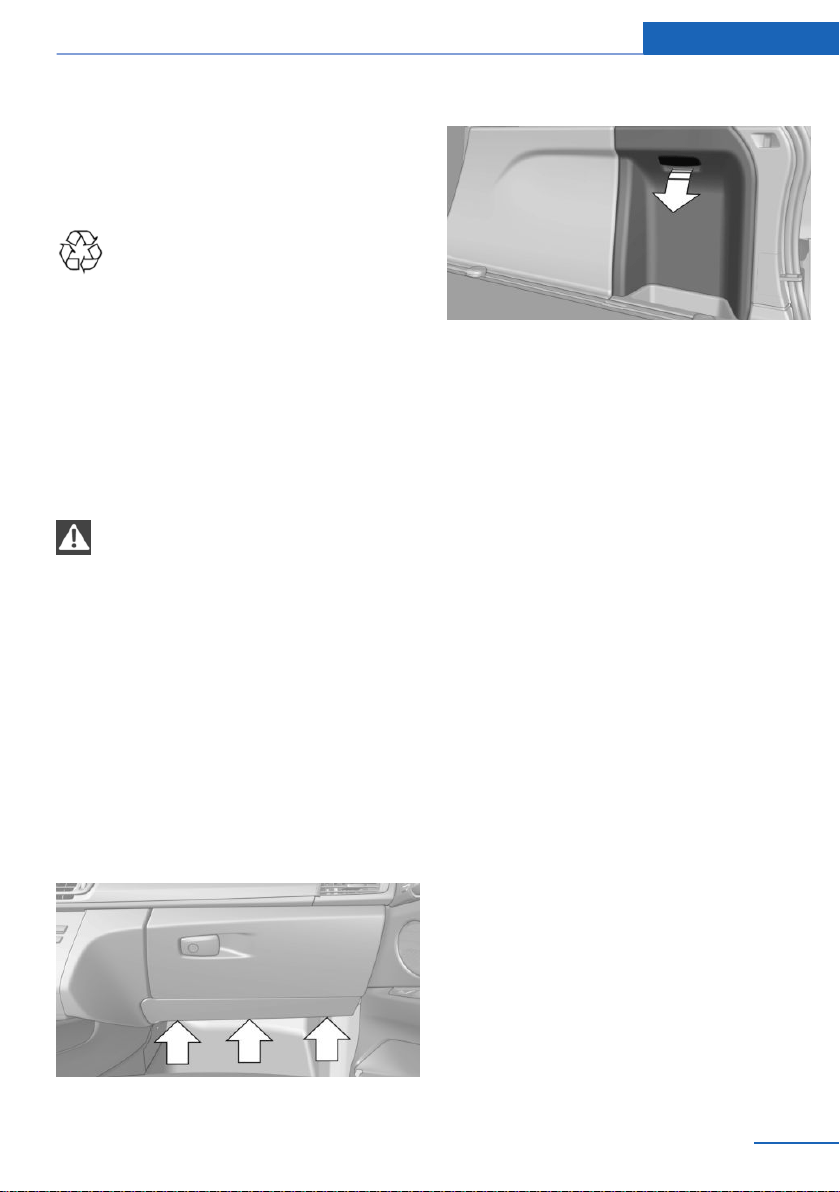
▷ Time: update.
▷ Date: update.
▷ Glass sunroof: initialize the system.
Disposing of old batteries
Have old batteries disposed of by a
dealer’s service center or another
qualified service center or repair shop
or take them to a collection point.
Maintain the battery in an upright position for
transport and storage. Secure the battery so
that it does not tip over during transport.
Fuses
Safety information
WARNING
Incorrect and repaired fuses can overload
electrical lines and components. There is a risk
of fire. Never attempt to repair a blown fuse.
Do not replace a nonworking fuse with a sub‐
stitute of another color or amperage rating.◀
Replacing a fuse
The fuses are located in two different places in
the vehicle.
Plastic tweezers and information on the fuse
types and locations are stored in the fuse box
in the cargo area.
In the vehicle's interior
Loosen fasteners, arrows, and open cover.
In the cargo area
Open the cover on the right side trim, arrow.
The fuse box is located behind the sound insu‐
lation.
Information on the fuse types and locations is
found on a separate sheet on the bottom of the
fuse box.
Seite 253
Replacing components Mobility
253
Online Edition for Part no. 01402981185 - VI/17
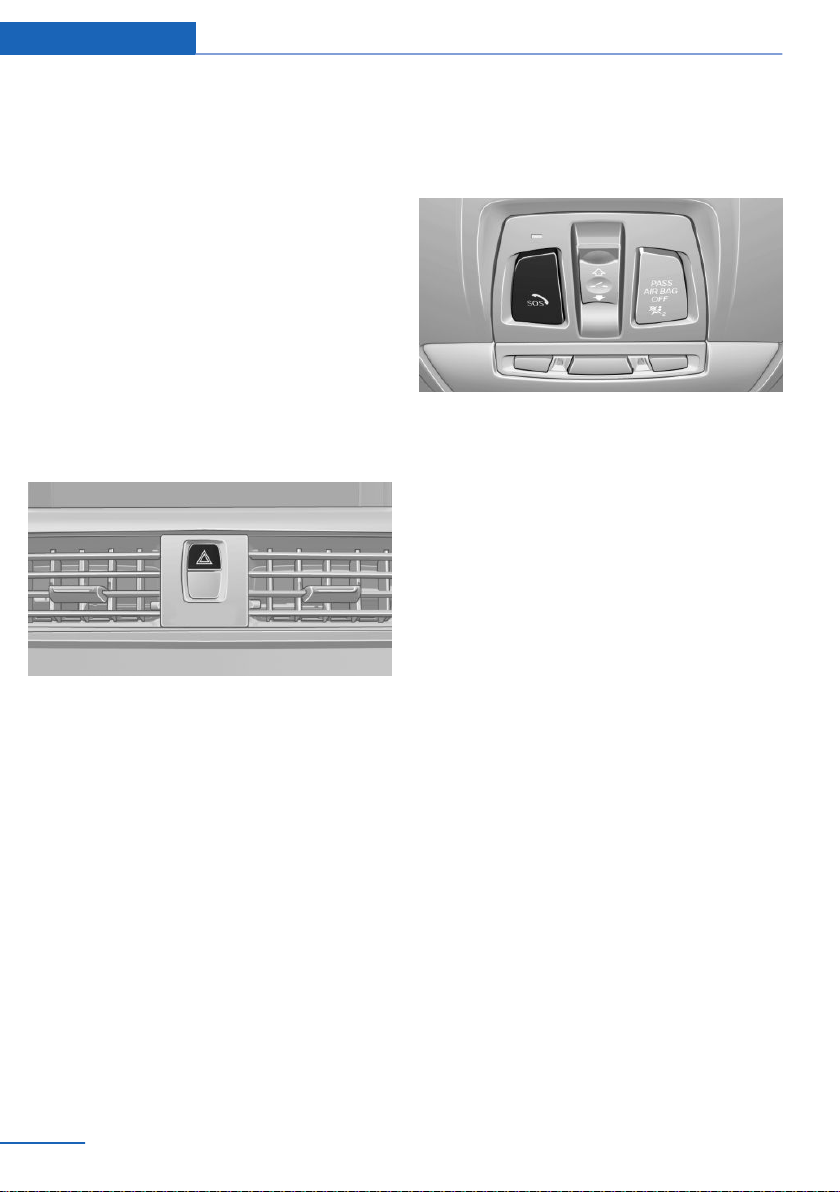
Breakdown assistance
Vehicle features and options
This chapter describes all standard, country-
specific and optional features offered with the
series. It also describes features that are not
necessarily available in your vehicle, e. g., due
to the selected options or country versions.
This also applies to safety-related functions
and systems. When using these functions and
systems, the applicable laws and regulations
must be observed.
Hazard warning flashers
The button is located in the center console.
The red light in the button flashes when the
hazard warning flashers are activated.
Intelligent emergency call
Concept
In case of an emergency, an Emergency Re‐
quest can be made through the system.
General information
Only press the SOS button in an emergency.
For technical reasons, the Emergency Request
cannot be guaranteed under unfavorable con‐
ditions.
Overview
SOS button in the roofliner
Functional requirements
▷ The SIM card integrated in the vehicle has
been activated.
▷ The radio-ready state is switched on.
▷ The Assist system is functional.
Initiating an Emergency Request
automatically
Under certain conditions, for instance if the air‐
bags trigger, an Emergency Request is auto‐
matically initiated immediately after an acci‐
dent of corresponding severity. Automatic
Collision Notification is not affected by press‐
ing the SOS button.
Initiating an Emergency Request
manually
1.
Press the cover briefly to open it.
2. Press the SOS button until the LED at the
button lights up green.
▷ The LED is illuminated green when an
Emergency Request has been initiated.
If a cancel prompt appears on the Control
Display, the Emergency Request can be
aborted.
Seite 254
Mobility Breakdown assistance
254
Online Edition for Part no. 01402981185 - VI/17
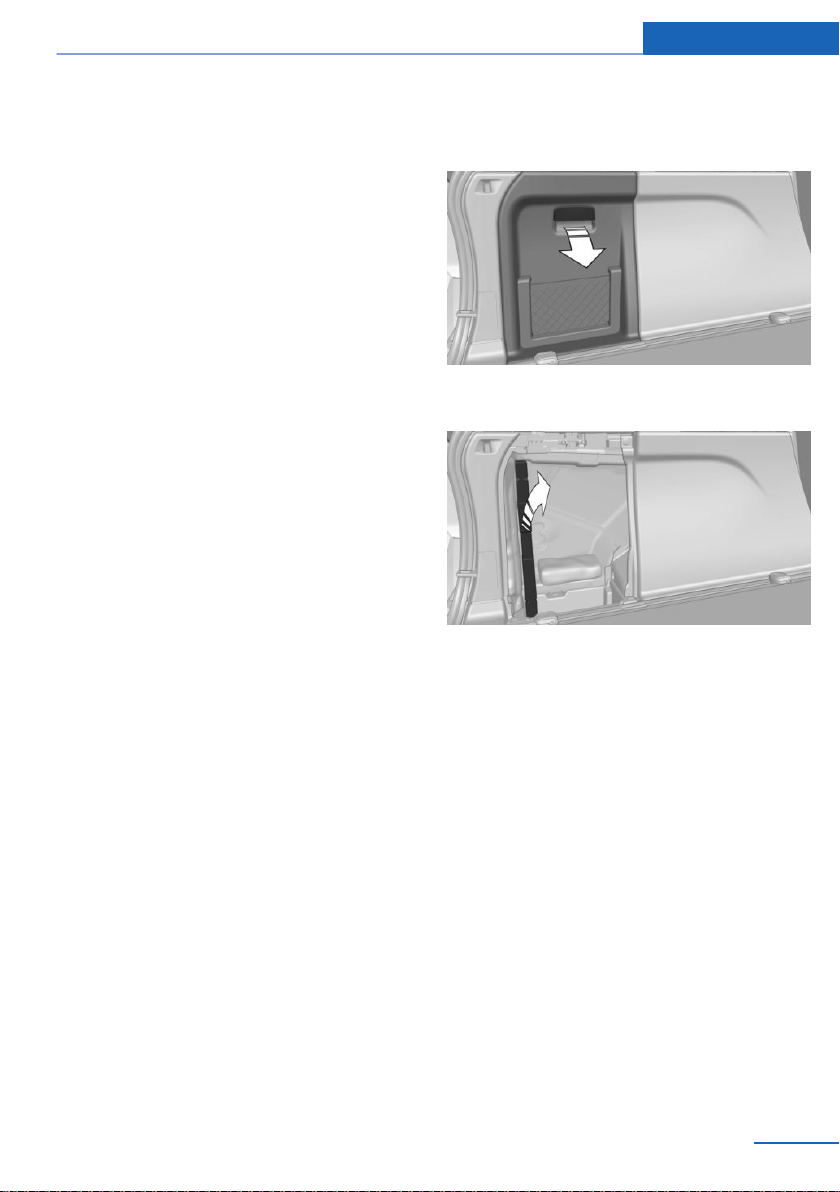
If the situation allows, wait in your vehicle
until the voice connection has been estab‐
lished.
▷ The LED flashes green when a connection
to the BMW Response Center has been
established.
The BMW Response Center then makes
contact with you and takes further steps to
help you.
Even if you are unable to respond, the
BMW Response Center can take further
steps to help you under certain circum‐
stances.
For this, data is transmitted to the BMW
Response Center which serves to deter‐
mine the necessary rescue measures. E.g.,
the current position of the vehicle, if it can
be established.
Even if you can no longer hear the BMW
Response Center through the loudspeak‐
ers, the BMW Response Center may still
be able to hear you.
The BMW Response Center ends the Emer‐
gency Request.
Roadside Assistance
Service availability
Roadside Assistance can be reached around
the clock in many countries. You can obtain as‐
sistance there in the event of a vehicle break‐
down.
Roadside Assistance
The Roadside Assistance phone number can
be viewed via iDrive or a connection to Road‐
side Assistance can be established directly.
Warning triangle
1. Open the cover on the left side trim.
2. Lift the warning triangle slightly and re‐
move in the direction of the car's interior.
First-aid kit
General information
Some of the articles have a limited service life.
Check the expiration dates of the contents
regularly and replace any expired items
promptly.
Seite 255
Breakdown assistance Mobility
255
Online Edition for Part no. 01402981185 - VI/17
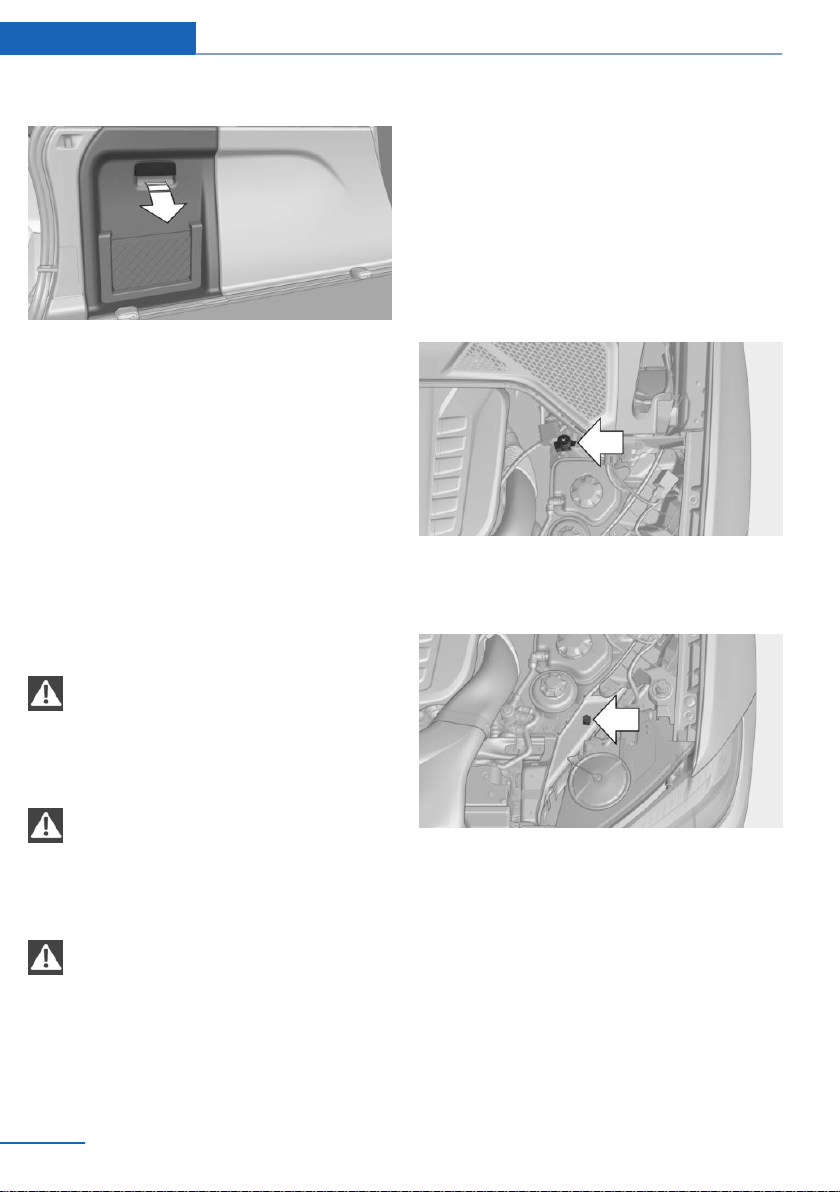
Storage
The first-aid kit is located behind the left-hand
cover in the cargo area.
To open, pull on the handle.
Jump-starting
General information
If the battery is discharged, the engine can be
started using the battery of another vehicle
and two jumper cables. Only use jumper ca‐
bles with fully insulated clamp handles.
Safety information
DANGER
Contact with live components can lead to
an electric shock. There is a risk of injuries or
danger to life. Do not touch any components
that are under voltage.◀
WARNING
If the jumper cables are connected in the
incorrect order, sparking may occur. There is a
risk of injury. Pay attention to the correct order
during connection.◀
NOTE
In the case of body contact between the
two vehicles, a short circuit can occur during
jump-starting. There is a risk of property dam‐
age. Make sure that no body contact occurs.◀
Preparation
1. Check whether the battery of the other ve‐
hicle has a voltage of 12 volts. The voltage
information can be found on the battery.
2. Switch off the engine of the assisting vehi‐
cle.
3. Switch off any electronic systems/power
consumers in both vehicles.
Starting aid terminals
The starting aid terminal in the engine com‐
partment acts as the battery's positive termi‐
nal.
The body ground or a special nut acts as the
battery negative terminal.
Seite 256
Mobility Breakdown assistance
256
Online Edition for Part no. 01402981185 - VI/17
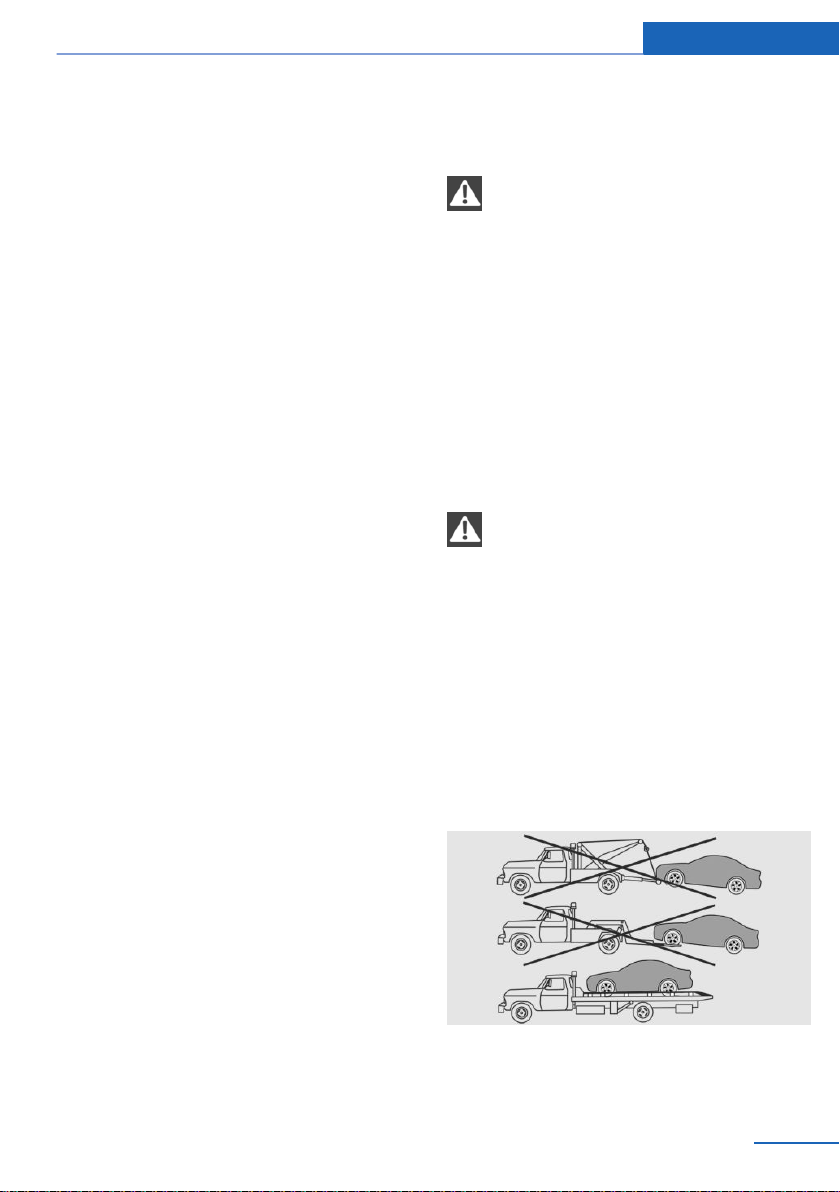
Connecting the cables
To prevent personal injury or damage to both
vehicles, adhere strictly to the following proce‐
dure.
1. Open the cover of the BMW starting aid
terminal.
2. Attach one terminal clamp of the positive
jumper cable to the positive terminal of the
battery, or to the corresponding starting
aid terminal of the vehicle providing assis‐
tance.
3. Attach the terminal clamp on the other end
of the cable to the positive terminal of the
battery, or to the corresponding starting
aid terminal of the vehicle to be started.
4. Attach one terminal clamp of the negative
jumper cable to the negative terminal of
the battery, or to the corresponding engine
or body ground of assisting vehicle.
5. Attach the second terminal clamp to the
negative terminal of the battery, or to the
corresponding engine or body ground of
the vehicle to be started.
Starting the engine
Never use spray fluids to start the engine.
1.
Start the engine of the assisting vehicle
and let it run for several minutes at an in‐
creased idle speed.
2. Start the engine of the vehicle that is to be
started in the usual way.
If the first starting attempt is not success‐
ful, wait a few minutes before making an‐
other attempt in order to allow the dis‐
charged battery to recharge.
3. Let both engines run for several minutes.
4. Disconnect the jumper cables in the re‐
verse order.
Check the battery and recharge, if needed.
Tow-starting and towing
Safety information
WARNING
Due to system limits, individual functions
can malfunction during tow-starting/towing
with the Intelligent Safety systems activated.
There is a risk of an accident. Switch all Intelli‐
gent Safety systems off prior to tow-starting/
towing.◀
Transporting the vehicle
General information
The vehicle is not permitted to be towed.
Safety information
NOTE
The vehicle can be damaged when tow‐
ing the vehicle with a single lifted axle. There is
a risk of property damage. The vehicle should
only be transported on a loading platform.◀
Pushing the vehicle
To remove a broken-down vehicle from the
danger area, it can be pushed for a short dis‐
tance.
Roll or push, refer to page 83, the vehicle.
Tow truck
The vehicle should only be transported on a
loading platform.
Seite 257
Breakdown assistance Mobility
257
Online Edition for Part no. 01402981185 - VI/17
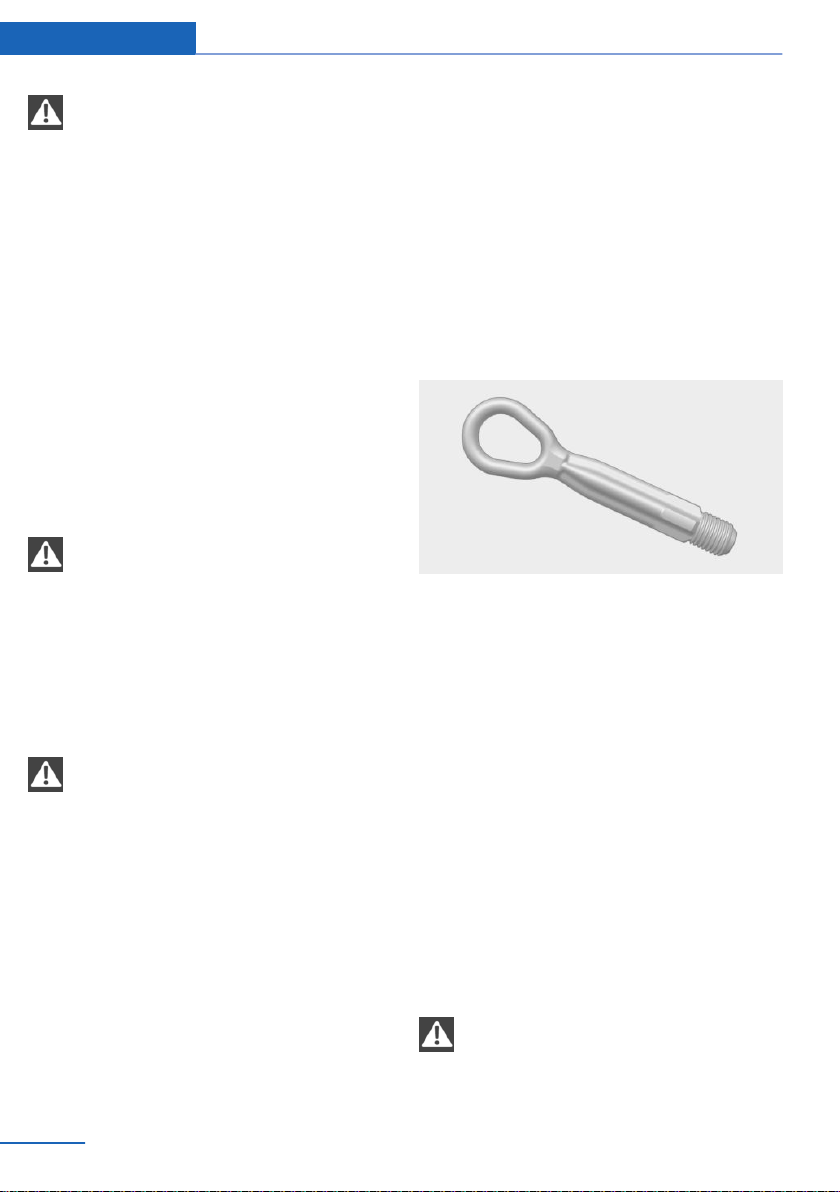
NOTE
The vehicle can become damaged when
lifting and securing it.
There is a risk of damage to property.
▷ Lift the vehicle using suitable means.
▷ Do not lift or secure the vehicle by its tow
fitting, body parts, or suspension parts.◀
Towing other vehicles
General information
Switch on the hazard warning system, depend‐
ing on local regulations.
If the electrical system has failed, clearly iden‐
tify the vehicle being towed by placing a sign
or a warning triangle in the rear window.
Safety information
WARNING
If the approved gross vehicle weight of
the towing vehicle is lighter than the vehicle to
be towed, the tow fitting can tear off or it will
not be possible to control the vehicle's re‐
sponse. There is a risk of an accident! Make
sure that the gross vehicle weight of the tow‐
ing vehicle is heavier than the vehicle to be
towed.◀
NOTE
If the tow bar or tow rope is attached in‐
correctly, damage to other vehicle parts can
occur. There is a risk of property damage. Cor‐
rectly attach the tow bar or tow rope to the tow
fitting.◀
Tow bar
The tow fittings used should be on the same
side on both vehicles.
Should it prove impossible to avoid mounting
the tow bar at an offset angle, please observe
the following:
▷ Maneuvering capability is limited going
around corners.
▷ The tow bar will generate lateral forces if it
is secured with an offset.
Tow rope
When starting to tow the vehicle, make sure
that the tow rope is taut.
Use nylon ropes or straps, which will enable
the vehicle to be towed without jerking.
Tow fitting
General information
The screw-in tow fitting should always be car‐
ried in the vehicle.
The tow fitting can be screwed in at the front
or rear of the vehicle.
The tow fitting and the onboard vehicle tool kit,
refer to page 248, are together in the cargo
area.
Use of the tow fitting:
▷ Use only the tow fitting provided with the
vehicle and screw it all the way in.
▷ Use the tow fitting for towing on paved
roads only.
▷ Avoid lateral loading of the tow fitting, for
instance do not lift the vehicle by the tow
fitting.
Safety information
NOTE
If the tow fitting is not used as intended,
there may be damage to the vehicle or to the
tow fitting. There is a risk of damage to prop‐
Seite 258
Mobility Breakdown assistance
258
Online Edition for Part no. 01402981185 - VI/17
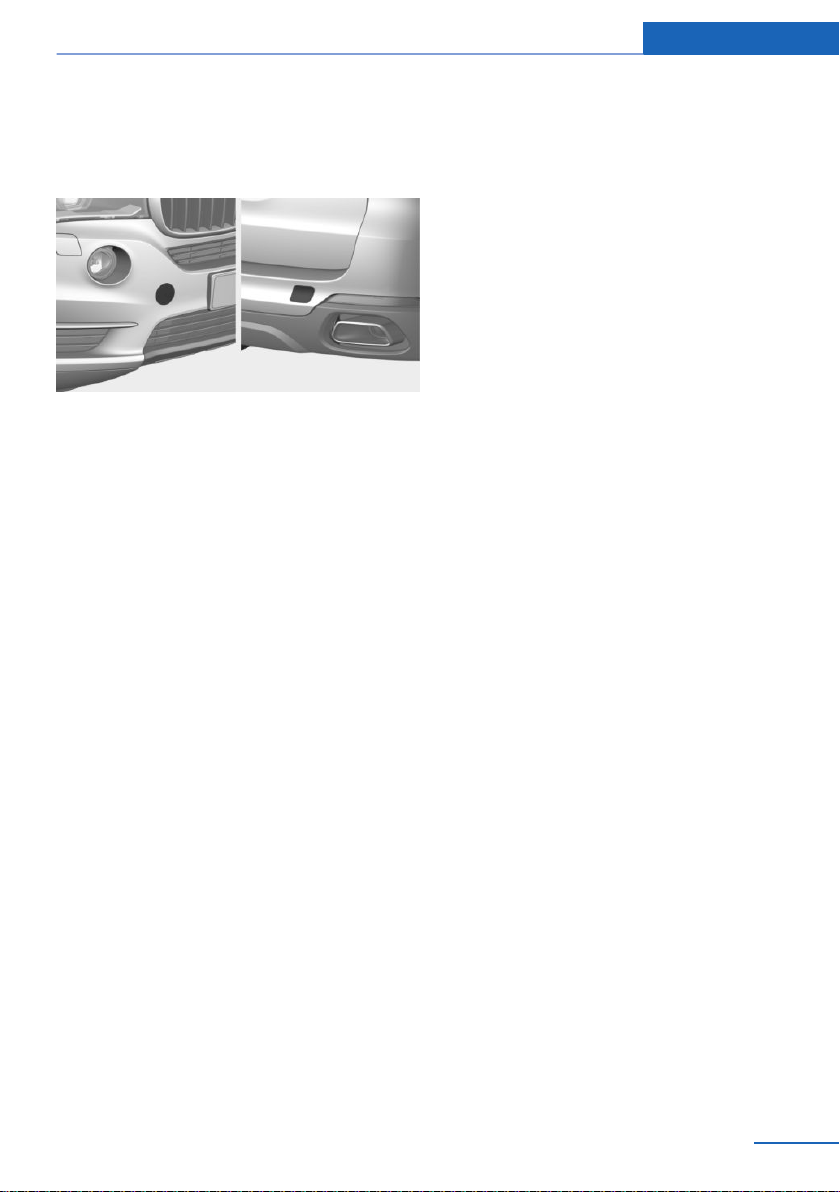
erty. Observe the notes on using the tow fit‐
ting.◀
Screw thread for tow fitting
Press on the mark on the edge of the cover to
push it out.
Tow-starting
Steptronic transmission
Do not tow-start the vehicle.
Tow-starting the engine is not possible due to
the transmission.
Have the reasons for the starting difficulties
corrected by a dealer’s service center or an‐
other qualified service center or repair shop.
Seite 259
Breakdown assistance Mobility
259
Online Edition for Part no. 01402981185 - VI/17

Care
Vehicle features and options
This chapter describes all standard, country-
specific and optional features offered with the
series. It also describes features that are not
necessarily available in your vehicle, e. g., due
to the selected options or country versions.
This also applies to safety-related functions
and systems. When using these functions and
systems, the applicable laws and regulations
must be observed.
Washing the vehicle
General information
Regularly remove foreign objects such as
leaves in the area below the windshield when
the hood is raised.
Wash your vehicle frequently, particularly in
winter. Intense soiling and road salt can dam‐
age the vehicle.
Steam blaster and high-pressure
washer
Safety information
NOTE
When cleaning with high-pressure wash‐
ers, components can be damaged due to the
pressure or temperatures being too high.
There is a risk of property damage. Maintain
sufficient distance and do not spray too long
continuously. Follow the operating instructions
for the high-pressure washer.◀
Distances and temperature
▷ Maximum temperature: 140 ℉/60 ℃.
▷ Minimum distance from sensors, cameras,
seals: 12 inches/30 cm.
▷ Minimum distance from glass sunroof:
31.5 in/80 cm.
Automatic vehicle washes
Safety information
NOTE
Improper use of automatic vehicle
washes can cause damage to the vehicle.
There is a risk of damage to property. Follow
the following instructions:
▷ Give preference to cloth vehicle washes or
those that use soft brushes in order to
avoid paint damage.
▷ Before driving into the vehicle wash, make
sure that the vehicle is not too large.
▷ Avoid vehicle washes with guide rails
higher than 4 in/10 cm to avoid damage to
the chassis.
▷ Observe the tire width of the guide rail to
avoid damage to tires and rims.
▷ Fold in exterior mirrors to avoid damage to
the exterior mirrors.
▷ Deactivate the wiper and, if necessary, rain
sensor to avoid damage to the wiper sys‐
tem.◀
Driving into a vehicle wash with a
Steptronic transmission
Safety information
NOTE
Selector lever position P is automatically
engaged when the ignition is switched off.
There is a risk of property damage. Do not
switch drive-ready state off in vehicle
washes.◀
Seite 260
Mobility Care
260
Online Edition for Part no. 01402981185 - VI/17

General information
In a vehicle wash, the vehicle must be able to
roll freely.
Roll or push the vehicle, refer to page 83.
Some vehicle washes do not permit persons in
the vehicle. The vehicle cannot be locked from
the outside when in selector lever position N. A
signal sounds when an attempt is made to lock
the vehicle.
Driving out of a vehicle wash
Ensure that the vehicle key is in the car.
Start the engine, refer to page 71.
Headlights
Do not rub wet headlights dry and do not use
abrasive or acidic cleaning agents.
Soak areas that have been dirtied, for instance
from insects, with shampoo and wash off with
water.
Thaw ice with de-icing spray; do not use an ice
scraper.
After washing the vehicle
After washing the vehicle, apply the brakes
briefly to dry them; otherwise, braking action
can be reduced. The heat generated during
braking dries brake discs and brake pads and
protects them against corrosion.
Completely remove all residues on the win‐
dows, to minimize loss of visibility due to
smearing and to reduce wiper noises and
wiper blade wear.
Vehicle care
Vehicle care products
General information
BMW recommends using vehicle care and
cleaning products from BMW. Suitable care
products are available from a dealer’s service
center or another qualified service center or re‐
pair shop.
Safety information
WARNING
Cleansers can contain substances that
are dangerous and harmful to your health.
There is a risk of injury. When cleaning the in‐
terior, open the doors or windows. Only use
products intended for cleaning vehicles. Fol‐
low the instructions on the container.◀
Vehicle paint
General information
Regular care contributes to driving safety and
value retention. Environmental influences in
areas with elevated air pollution or natural con‐
taminants, such as tree resin or pollen can af‐
fect the vehicle's paintwork. Tailor the fre‐
quency and extent of your vehicle care to
these influences.
Aggressive substances such as spilled fuel, oil,
grease or bird droppings, must be removed im‐
mediately to prevent the finish from being al‐
tered or discolored.
Matte finish
Only use cleaning and care products suitable
for vehicles with matte finish.
Leather care
Remove dust from the leather regularly, using
a cloth or vacuum cleaner.
Otherwise, particles of dust and road grime
chafe in pores and folds, and lead to increased
wear and premature degradation of the leather
surface.
To guard against discoloration, such as from
clothing, clean leather and provide leather care
roughly every two months.
Seite 261
Care Mobility
261
Online Edition for Part no. 01402981185 - VI/17
Clean light-colored leather more frequently be‐
cause soiling on such surfaces is substantially
more visible.
Use leather care products; otherwise, dirt and
grease will gradually break down the protective
layer of the leather surface.
Upholstery material care
General information
Vacuum the upholstery regularly with a vac‐
uum cleaner.
If upholstery is very dirty, for instance with bev‐
erage stains, use a soft sponge or microfiber
cloth with a suitable interior cleaner.
Clean the upholstery down to the seams using
large sweeping motions. Avoid rubbing the
material vigorously.
Safety information
NOTE
Open Velcro® fasteners on articles of
clothing can damage the seat covers. There is
a risk of property damage. Ensure that any Vel‐
cro® fasteners are closed.◀
Caring for special components
Light-alloy wheels
When cleaning the vehicle, use only neutral
wheel cleaners having a pH value from 5 to 9.
Do not use abrasive cleaning agents or steam
jets above 140 ℉/60 ℃. Follow the manufac‐
turer's instructions.
Aggressive, acidic or alkaline cleaning agents
can destroy the protective layer of adjacent
components, such as the brake disc.
After cleaning, apply the brakes briefly to dry
them. The heat generated during braking dries
brake discs and brake pads and protects them
against corrosion.
Chrome surfaces
Carefully clean components such as the radia‐
tor grille or door handles with an ample supply
of water, possibly with shampoo added, partic‐
ularly when they have been exposed to road
salt.
Rubber components
Environmental influences can cause surface
soiling of rubber parts and a loss of gloss. Use
only water and suitable cleaning agents for
cleaning.
Treat especially worn rubber parts with rubber
care agents at regular intervals. When cleaning
rubber seals, do not use any silicon-containing
vehicle care products in order to avoid damage
or noises.
Fine wood parts
Clean fine wood facing and fine wood compo‐
nents only with a moist rag. Then dry with a
soft cloth.
Plastic components
NOTE
Cleansers that contain alcohol or sol‐
vents, such as lacquer thinners, heavy-duty
grease removers, fuel, or such, can damage
plastic parts. There is a risk of property dam‐
age. Clean with a microfiber cloth. Dampen
cloth lightly with water.◀
Plastic components are e.g.:
▷ Imitation leather surfaces.
▷ Roofliner.
▷ Lamp lenses.
▷ Instrument cluster cover.
▷ Matt black spray-coated components.
▷ Painted parts in the interior.
Clean with a microfiber cloth.
Dampen cloth lightly with water.
Do not soak the roofliner.
Seite 262
Mobility Care
262
Online Edition for Part no. 01402981185 - VI/17

Safety belts
WARNING
Chemical cleansers can destroy the
safety belt webbing. Missing protective effect
of the safety belts. There is a risk of injuries or
danger to life. Use only a mild soapy solution
for cleaning the safety belts.◀
Dirty belt straps impede the reeling action and
thus have a negative impact on safety.
Use only a mild soapy solution, with the safety
belts clipped into their buckles.
Do not allow the switchs to retract the safety
belts until they are dry.
Carpets and floor mats
WARNING
Objects in the driver's floor area can limit
the pedal distance or block a depressed pedal.
There is a risk of an accident. Stow objects in
the vehicle such that they are secured and
cannot enter into the driver's floor area. Use
floor mats that are suitable for the vehicle and
can be safely attached to the floor. Do not use
loose floor mats and do not layer several floor
mats. Make sure that there is sufficient clear‐
ance for the pedals. Ensure that the floor mats
are securely fastened again after they were re‐
moved, for instance for cleaning.◀
Floor mats can be removed from the car's inte‐
rior for cleaning.
If the floor carpets are very dirty, clean with a
microfiber cloth and water or a textile cleaner.
To prevent matting of the carpet, rub back and
forth in the direction of travel only.
Sensor/camera lenses
To clean sensors and camera lenses, use a
cloth moistened with a small amount of glass
detergent.
Displays/Screens/protective glass of
the Head-up Display
NOTE
Chemical cleansers, moisture or fluids of
any kind can damage the surface of displays
and screens. There is a risk of property dam‐
age. Clean with a clean, antistatic microfiber
cloth.◀
NOTE
The surface of displays can be damaged
with improper cleaning. There is a risk of prop‐
erty damage. Avoid pressure that is too high
and do not use any scratching materials.◀
Clean with a clean, antistatic microfiber cloth.
Clean the protective glass of the Head-up Dis‐
play using a microfiber cloth and commercially
available dish-washing soap.
Long-term vehicle storage
When the vehicle is shut down for longer than
three months, special measures must be
taken. Further information is available from a
dealer’s service center or another qualified
service center or repair shop.
Seite 263
Care Mobility
263
Online Edition for Part no. 01402981185 - VI/17

Online Edition for Part no. 01402981185 - VI/17

Reference
This chapter contains the technical data and an
index that will quickly take you to the information
you need.
Online Edition for Part no. 01402981185 - VI/17

Technical data
Vehicle features and options
This chapter describes all standard, country-
specific and optional features offered with the
series. It also describes features that are not
necessarily available in your vehicle, e. g., due
to the selected options or country versions.
This also applies to safety-related functions
and systems. When using these functions and
systems, the applicable laws and regulations
must be observed.
General information
The technical data and specifications in this
Owner's Manual are used as guidance values.
The vehicle-specific data can deviate from this,
e.g., due to the selected special equipment,
country version or country-specific measure‐
ment method. Detailed values can be found in
the approval documents, on labels on the vehi‐
cle or can be obtained from a dealer’s service
center or another qualified service center or re‐
pair shop.
The information in the vehicle documents al‐
ways has priority over the information in this
Owner's Manual.
Dimensions
The dimensions can vary depending on the
model version, equipment or country-specific
measurement method.
The specified heights do not take into account
attached parts, e.g., a roof antenna, roof racks
or spoiler. The heights can deviate, e.g., due to
the selected special equipment, tires, load and
chassis version.
BMW X6
Width with mirrors inches/mm 85.4/2,170
Width without mirrors inches/mm 78.3/1,989
Height inches/mm 67/1,702
Length inches/mm 193.8/4,923
Wheelbase inches/mm 115.5/2,933
Smallest turning radius diam. ft/m 42.0/12.8
Seite 266
Reference Technical data
266
Online Edition for Part no. 01402981185 - VI/17

Weights
X6 sDrive35i
Approved gross vehicle weight lbs/kg 6,010/2,726
Load lbs/kg 1,110/503
Approved front axle load lbs/kg 2,730/1,238
Approved rear axle load lbs/kg 3,380/1,533
Approved roof load capacity lbs/kg 220/100
X6 xDrive35i
Approved gross vehicle weight lbs/kg 6,030/2,735
Load lbs/kg 1,110/503
Approved front axle load lbs/kg 2,750/1,247
Approved rear axle load lbs/kg 3,420/1,551
Approved roof load capacity lbs/kg 220/100
X6 xDrive50i
Approved gross vehicle weight lbs/kg 6,430/2,917
Load lbs/kg 1,110/503
Approved front axle load lbs/kg 2,980/1,352
Approved rear axle load lbs/kg 3,520/1,597
Approved roof load capacity lbs/kg 220/100
Capacities
US gal/liters Notes
Fuel tank, approx. 22.4/85.0 Fuel quality, refer to
page 218.
Seite 267
Technical data Reference
267
Online Edition for Part no. 01402981185 - VI/17

Appendix
Any updates to the Owner's Manual of the ve‐
hicle are listed here.
Updates made after the
editorial deadline
These chapters of the printed Owner's Manual
contain updates made after the editorial dead‐
line.
▷ Information:vehicle identification number,
refer to page 12.
▷ Safety: approach control warning with city
light braking function.
▷ Safety: approach control warning with light
braking function.
Seite 268
Reference Appendix
268
Online Edition for Part no. 01402981185 - VI/17

Seite 269
Appendix Reference
269
Online Edition for Part no. 01402981185 - VI/17

Everything from A to Z
Index
A
ABS, Antilock Brake Sys‐
tem 144
ACC, Active Cruise Control
with Stop & Go function 152
Acceleration Assistant, see
Launch Control 86
Accessories and parts 8
Activated-charcoal filter 179
Active Blind Spot Detec‐
tion 139
Active Cruise Control with
Stop & Go function
ACC 152
Active Guard, see Intelligent
Safety 123
Active Protection 141
Active roll stabilization 148
Active seat ventilation,
front 58
Adaptive brake assistant 144
Adaptive brake lights, see
Brake force display 141
Adaptive Light Control 109
Additives, oil 242
After washing vehicle 261
Airbags 113
Airbags, indicator/warning
light 114
Air circulation, see Recircu‐
lated-air mode 177
Air conditioning 176
Air, dehumidifying, see Air
conditioning 176
Air distribution, manual 178
Air flow, automatic climate
control 177
Air outlets, see Ventila‐
tion 179
Air pressure, tires 220
Alarm system 49
Alarm, unintentional 50
All-season tires, see Winter
tires 227
All-wheel-drive 146
Alternative oil types 242
Ambient light 111
Animal detection, see Night
Vision 133
Antifreeze, washer fluid 81
Antilock Brake System,
ABS 144
Anti-slip control, see
DSC 145
Anti-theft protection, lug
bolts 233
App, BMW Driver’s Guide 6
Approach control warning
with City light braking func‐
tion 125
Approved axle load 267
Apps, see Owner's Handbook
for Navigation, Entertain‐
ment, Communication 6
Arrival time 101
Ashtray 185
Assistance when driving
off 144
Attentiveness assistant 141
AUTO H button 75
AUTO H button, see Auto‐
matic Hold 75
AUTO intensity 177
Automatic climate con‐
trol 175
Automatic cruise control with
Stop & Go function 152
Automatic Curb Monitor 63
Automatic deactivation,
Front-seat passenger air‐
bags 115
Automatic headlight con‐
trol 108
Automatic Hold 75
Automatic locking 48
Automatic recirculated-air
control 177
Automatic tailgate 44
Automatic transmission, see
Steptronic transmission 81
Automatic vehicle wash 260
AUTO program, automatic cli‐
mate control 177
AUTO program, intensity 177
Auto Start/Stop function 72
Auto washing 260
AUX-IN port, general informa‐
tion 187
AUX-IN port, see Owner's
Handbook for Navigation,
Entertainment, Communica‐
tion 6
Average fuel consump‐
tion 101
Average speed 101
Axle loads, weights 267
B
Backrest curvature, see Lum‐
bar support 56
Backrest, seats 55
Backrest, width 57
Bad road trips 203
Band-aids, see First-aid
kit 255
Battery replacement, vehicle
battery 252
Battery replacement, vehicle
remote control 38
Battery, vehicle 252
Seite 270
Reference Everything from A to Z
270
Online Edition for Part no. 01402981185 - VI/17

Being towed, see Tow-start‐
ing and towing 257
Belts, safety belts 59
Beverage holder, cup
holder 194
Blinds, sun protection 52
Blocking, power window 52
Blu-ray, see Owner's Hand‐
book for Navigation, Enter‐
tainment, Communication 6
BMW Assist, see Owner's
Manual for Navigation, En‐
tertainment and Communi‐
cation
BMW Driver’s Guide app 6
BMW Homepage 6
BMW Internet page 6
BMW maintenance sys‐
tem 246
Bonus range, ECO PRO 209
Bottle holder, see Cup
holder 194
Brake assistant 144
Brake assistant, adaptive 144
Brake discs, break-in 200
Brake force display 141
Brake lights, brake force dis‐
play 141
Brake pads, break-in 200
Braking, information 202
Breakdown assis‐
tance 254, 255
Break-in 200
Brightness of Control Dis‐
play 104
Bulb replacement 249
Bulb replacement, front 250
Bulb replacement, rear 252
Bulbs and lights 249
Button, RES 155
Button, Start/Stop 70
Bypassing, see Jump-start‐
ing 256
C
Calendar, see Owner's Hand‐
book for Navigation, Enter‐
tainment, Communication 6
California Proposition 65
Warning 8
Calling up mirror adjust‐
ment 49
Calling up seat adjust‐
ment 49
Calling up steering wheel ad‐
justment 49
Camera-based assistance
systems, see Intelligent
Safety 123
Camera lenses, care 263
Camera, rearview cam‐
era 164
Camera, Side View 169
Camera, Top View 167
Can holder, see Cup
holder 194
Care, displays 263
Care, vehicle 261
Care, washing the vehi‐
cle 260
Cargo 204
Cargo area 188
Cargo area, enlarging 189
Cargo area, loading 205
Cargo area, storage compart‐
ments 195
Cargo cover 188
Cargo, stowing and secur‐
ing 205
Cargo straps 205
Carpet, care 263
Catalytic converter, see Hot
exhaust system 201
CBS Condition Based Serv‐
ice 246
CD/multimedia, see Owner's
Manual for Navigation, En‐
tertainment and Communi‐
cation
CD, see Owner's Handbook
for Navigation, Entertain‐
ment, Communication 6
Center armrest 193
Center console 18
Central Information Display
(CID), see Control Dis‐
play 20
Central locking system 40
Central screen, see Control
Display 20
Changes, technical, see For
Your Own Safety 7
Changing parts 248
Changing wheels 232
Changing wheels/tires 226
Chassis number, see Vehicle
identification number 12
Check Control 91
Checking the engine oil level
electronically 240
Checking the oil level elec‐
tronically 240
Children, seating position 65
Children, transporting
safely 65
Child restraint fixing system
LATCH 67
Child restraint system 65
Child restraint systems,
mounting 66
Child safety locks 69
Child seat, mounting 66
Child seats 65
Chrome parts, care 262
Cigarette lighter 186
City light braking function
warning with braking func‐
tion 127
Cleaning, displays 263
Climate control 175
Climate control wind‐
shield 201
Closing the tailgate with no-
touch activation 42
Clothes hooks 195
Seite 271
Everything from A to Z Reference
271
Online Edition for Part no. 01402981185 - VI/17

Coasting 211
Coasting with engine decou‐
pled, coasting 211
Coasting with idling en‐
gine 211
Cockpit 16
Combination switch, see Turn
signals 77
Combination switch, see
Wiper system 78
Comfort Access 40
COMFORT program, Driving
Dynamics Control 150
Compact wheel, see Emer‐
gency wheel 235
Compartments in the
doors 192
Compass 102
Compressor 228
Computer, see Onboard
Computer 100
Concierge Service, see Own‐
er's Handbook for Naviga‐
tion, Entertainment, Com‐
munication 6
Condensation on win‐
dows 179
Condensation under the vehi‐
cle 203
Condition Based Service
CBS 246
Confirmation signal 48
ConnectedDrive, see Owner's
Manual for Navigation, En‐
tertainment and Communi‐
cation
ConnectedDrive Services
Contacts, see Owner's Hand‐
book for Navigation, Enter‐
tainment, Communication 6
Container for washer fluid 81
Continued driving with a flat
tire 119, 123
Control Display 20
Control Display, settings 103
Controller 21
Control systems, driving sta‐
bility 144
Convenient opening with the
remote control 37
Coolant 244
Coolant level 244
Coolant temperature 95
Cooling, maximum 176
Cooling system 244
Cornering light 109
Corrosion on brake discs 202
Cosmetic mirror 185
Courtesy lights during un‐
locking 37
Courtesy lights with the vehi‐
cle locked 37
Cruise control 158
Cruise control, active with
Stop & Go function 152
Cruise control with distance
control, see active cruise
control, ACC 152
Cruise control without dis‐
tance control, see cruise
control 158
Cruising range 96
Cup holder 194
Current fuel consumption 97
D
Damage, tires 225
Data memory 9
Data, technical 266
Date 103
Date display 96
Daytime running lights 109
Defrosting, see Windows, de‐
frosting 179
Dehumidifying, air 176
Deleting personal data 26
Deletion of personal data 26
Departure time, parked-car
ventilation 182
Destination distance 101
Digital clock 96
Dimensions 266
Dimmable exterior mirrors 63
Dimmable interior mirror 64
Direction indicator, see Turn
signals 77
Display, electronic, instru‐
ment cluster 87
Display in windshield 104
Display lighting, see Instru‐
ment lighting 111
Displays 88
Displays, care 263
Disposal, coolant 245
Disposal, vehicle battery 253
Distance control, see
PDC 161
Distance to destination 101
Divided screen view, split
screen 25
Door key, see Remote con‐
trol 39
Downhill control 147
DPC, see Dynamic Perform‐
ance Control 144
Drive mode 149
Drive-off assistant 144
Drive-off assistant, see
DSC 145
Driver assistance, see Intelli‐
gent Safety 123
Driver’s Guide app, see BMW
Driver’s Guide app 6
Driving Dynamics Con‐
trol 149
Driving instructions, break-
in 200
Driving instructions, ECO
PRO 210
Driving notes, general 200
Driving on bad roads 203
Driving on racetracks 203
Driving stability control sys‐
tems 144
Driving tips 200
DSC Dynamic Stability Con‐
trol 145
Seite 272
Reference Everything from A to Z
272
Online Edition for Part no. 01402981185 - VI/17

DTC Dynamic Traction Con‐
trol 146
DVD, Video, see Owner's
Handbook for Navigation,
Entertainment, Communica‐
tion 6
Dynamic Performance Con‐
trol DPC 144
Dynamic Stability Control
DSC 145
Dynamic Traction Control
DTC 146
E
ECO PRO 208
ECO PRO, bonus range 209
ECO PRO display 208
ECO PRO displays 89
ECO PRO driving mode 208
ECO PRO mode 208
ECO PRO tips 210
Efficiency display, ECO
PRO 210
EfficientDynamics info 210
Electronic displays, instru‐
ment cluster 87
Electronic oil measure‐
ment 240
Electronic Stability Program
ESP, see DSC 145
e-mail, see Owner's Hand‐
book for Navigation, Enter‐
tainment, Communication 6
Emergency release, fuel filler
flap 217
Emergency Request 254
Emergency service, see
Roadside Assistance 255
Emergency unlocking, trans‐
mission lock 85
Emergency wheel 235
Energy Control 97
Energy recovery 97
Engine, automatic Start/Stop
function 72
Engine, automatic switch-
off 72
Engine compartment 237
Engine compartment, work‐
ing in 237
Engine coolant 244
Engine idling when driving,
coasting 211
Engine oil 240
Engine oil, adding 241
Engine oil additives 242
Engine oil change 242
Engine oil filler neck 241
Engine oil temperature 95
Engine oil types, alterna‐
tive 242
Engine oil types, suitable 242
Engine start, jump-start‐
ing 256
Engine start, see Starting the
engine 71
Engine stop 71
Engine temperature 95
Entering a destination, see
Owner's Handbook for Navi‐
gation, Entertainment, Com‐
munication 6
Entering an address, naviga‐
tion, see Owner's Manual for
Navigation, Entertainment
and Communication 6
Entering a vehicle wash 260
Equipment, interior 183
Error displays, see Check
Control 91
ESP Electronic Stability Pro‐
gram, see DSC 145
Exchanging wheels/tires 226
Exhaust system 201
Exiting a vehicle wash 260
Exterior mirror, automatic
dimming feature 63
Exterior mirrors 62
Exterior mirrors, malfunc‐
tion 63
External start 256
External temperature dis‐
play 96
External temperature warn‐
ing 96
Eyes for securing cargo 205
F
Failure message, see Check
Control 91
False alarm, see Unintentional
alarm 50
Fan, see Air flow 177
Filler neck for engine oil 241
Finding charging stations, see
Charging stations and points
of interest, see Owner's
Handbook for Navigation,
Entertainment, Communica‐
tion 6
Fine wood, care 262
First-aid kit 255
Flat tire, changing
wheels 232
Flat tire message, FTM 122
Flat tire message, TPM 119
Flat Tire Monitor FTM 121
Flat tire, repairing 228
Flat tire, Tire Pressure Moni‐
tor TPM 116
Flat tire warning light,
FTM 122
Flat tire warning light,
TPM 119
Flooding 201
Floor carpet, care 263
Floor mats, care 263
Fold-away position, wiper 80
Fold back rear seat back‐
rests 189
Foot brake 202
For Your Own Safety 7
Front airbags 113
Front center armrest 193
Front cup holder 194
Front fog lights 110
Seite 273
Everything from A to Z Reference
273
Online Edition for Part no. 01402981185 - VI/17

Front fog lights/cornering
lights, bulb replace‐
ment 251
Front fog lights, LED, bulb re‐
placement 252
Front lights 250
Front-seat passenger airbags,
automatic deactivation 115
Front-seat passenger airbags,
indicator lamp 116
Front seats 55
FTM Flat Tire Monitor 121
Fuel 218
Fuel cap 216
Fuel consumption, see Aver‐
age fuel consumption 101
Fuel filler flap 216
Fuel gauge 95
Fuel quality 218
Fuel recommendation 218
Fuel, tank capacity 267
Fuse 253
G
Garage door opener, see Uni‐
versal Integrated Remote
Control 183
Gasoline 218
Gear shift indicator 98
General driving notes 200
Glare shield 185
Glasses compartment 193
Glass sunroof, electric 52
Glass sunroof, initialize the
system 54
Glove compartment 191
GPS geolocation, vehicle po‐
sition 104
GPS, navigation, see Owner's
Handbook for Navigation,
Entertainment, Communica‐
tion 6
Gross vehicle weight, ap‐
proved 267
H
Handbrake, see Parking
brake 74
Hand-held transmitter, alter‐
nating code 184
Hands-free kit, see Owner's
Handbook for Navigation,
Entertainment, Communica‐
tion 6
Hazard warning flashers 254
HDC Hill Descent Con‐
trol 147
Head airbags 113
Headlamp courtesy delay fea‐
ture 108
Headlight control, auto‐
matic 108
Headlight flasher 77
Headlight glass 250
Headlights 250
Headlights, care 261
Head restraints, front 60
Head-up Display 104
Head-up Display, care 263
Head-up Display, see Mem‐
ory function 61
Heavy cargo, stowing
cargo 205
High-beam Assistant 109
High beams 77
High beams/low beams, see
High-beam Assistant 109
Hill Descent Control
HDC 147
Hills 202
Hill start assistant, see Drive-
off assistant 144
Holder for beverages 194
Homepage 6
Hood 237
Horn 16
Hot exhaust system 201
Hotline, see Owner's Hand‐
book for Navigation, Enter‐
tainment, Communication 6
HUD Head-up Display 104
Hydroplaning 201
I
Ice warning, see External
temperature warning 96
Icy roads, see External tem‐
perature warning 96
Identification marks, tires 223
Identification number, see Ve‐
hicle identification num‐
ber 12
iDrive 20
Ignition key, see Remote con‐
trol 39
Ignition off 70
Ignition on 70
Indicator/warning lights, see
Check Control 91
Indicator light, see Check
Control 91
Individual air distribution 178
Individual settings, see Per‐
sonal Profile 46
Inductive charging, see Wire‐
less charging, see Owner's
Handbook for Navigation,
Entertainment, Communica‐
tion 6
Inflation pressure, tires 220
Inflation pressure warning
FTM, tires 121
Info Display, see Onboard
Computer 100
Information 6
Initialize, Tire Pressure Moni‐
tor TPM 117
Initializing, Flat Tire Monitor
FTM 122
Instrument cluster 87
Instrument cluster, electronic
displays 87
Instrument display, multifunc‐
tional 88
Instrument lighting 111
Seite 274
Reference Everything from A to Z
274
Online Edition for Part no. 01402981185 - VI/17

Integrated key 39
Integrated Owner's Manual in
the vehicle 31
Intelligent emergency
call 254
Intelligent Safety 123
Intended use 7
Intensity, AUTO pro‐
gram 177
Interior equipment 183
Interior lights 111
Interior lights during unlock‐
ing 37
Interior lights with the vehicle
locked 37
Interior mirror, automatic dim‐
ming feature 64
Interior motion sensor 50
Internet page 6
Interval display, service re‐
quirements 97
Interval mode 78
In the vicinity of the center
console 18
In the vicinity of the roof‐
liner 19
In the vicinity of the steering
wheel 16
J
Jacking points for the vehicle
jack 234
Jam protection system, glass
sunroof 53
Jump-starting 256
K
Key/remote control 39
Keyless Go, see Comfort Ac‐
cess 40
Key Memory, see Personal
Profile 46
Key, see Remote control 36
Kickdown, Steptronic trans‐
mission 83
Knee airbag 114
L
Label on recommended
tires 226
Lane departure warning 137
Lane threshold, warning 137
Language on Control Dis‐
play 104
Lashing eyes 205
LATCH child restraint fixing
system 67
Launch Control 86
Leather, care 261
LED headlights, bulb replace‐
ment 250
LEDs, light-emitting di‐
odes 249
Letters and numbers, enter‐
ing 27
Light 107
Light-alloy wheels, care 262
Light control 109
Light-emitting diodes,
LEDs 249
Lighting 107
Light in the exterior mirror,
see Active Blind Spot De‐
tection 139
Light replacement 249
Light replacement, front 250
Light replacement, rear 252
Lights and bulbs 249
Light switch 107
Load 205
Loading 204
Location, vehicle posi‐
tion 104
Locking, automatic 48
Locking, settings 48
Low beams 107
Low beams, automatic, see
High-beam Assistant 109
Lower back support 56
Lug bolt lock 233
Luggage rack, see Roof-
mounted luggage rack 206
Lumbar support 56
M
Maintenance 246
Maintenance require‐
ments 246
Maintenance, service require‐
ments 97
Maintenance system,
BMW 246
Make-up mirror 185
Malfunction displays, see
Check Control 91
Malfunction, self-leveling sus‐
pension 148
Manual air distribution 178
Manual air flow 177
Manual brake, see Parking
brake 74
Manual operation, fuel filler
flap 217
Manual operation, PDC Park
Distance Control 162
Manual operation, rearview
camera 164
Manual operation, Top
View 168
Map update, see Owner's
Handbook for Navigation,
Entertainment, Communica‐
tion 6
Marking, run-flat tires 227
Master key, see Remote con‐
trol 39
Matte finish 261
Maximum cooling 176
Maximum speed, display 98
Maximum speed, winter
tires 227
Measurement, units of 104
Medical kit 255
Seite 275
Everything from A to Z Reference
275
Online Edition for Part no. 01402981185 - VI/17

Memory function 61
Menu in instrument clus‐
ter 100
Menus, operating, iDrive 20
Menus, see iDrive operating
concept 22
Messages, see Check Con‐
trol 91
Microfilter 179
Minimum tread, tires 225
Mirror 62
Mirror, see Memory func‐
tion 61
Mobile communication devi‐
ces in the vehicle 201
Mobility System 228
Modifications, technical, see
For Your Own Safety 7
Moisture in headlight 250
Monitor, see Control Dis‐
play 20
Mounting of child restraint
systems 66
Moving sun visor 185
MP3 player, see Audio, see
Owner's Handbook for Navi‐
gation, Entertainment, Com‐
munication 6
Multifunctional instrument
display 88
Multifunction steering wheel,
buttons 16
Music hard disk, see Owner's
Handbook for Navigation,
Entertainment, Communica‐
tion 6
N
Navigation, see Owner's
Manual for Navigation, En‐
tertainment and Communi‐
cation
Neck restraints, front, see
Head restraints 60
Neutral cleaner, see Wheel
cleaner 262
New wheels and tires 226
Night Vision 133
Night Vision device, see Night
Vision 133
Notes, see Owner's Hand‐
book for Navigation, Enter‐
tainment, Communication 6
O
OBD Onboard Diagnosis 247
OBD, see OBD Onboard Di‐
agnosis 247
Object detection, see Night
Vision 133
Obstacle marking, rearview
camera 165
Octane rating, see Recom‐
mended fuel grade 219
Odometer 96
Office, see Owner's Manual
for Navigation, Entertain‐
ment and Communication
Offroad trips 203
Oil 240
Oil, adding 241
Oil additives 242
Oil change 242
Oil change interval, service
requirements 97
Oil filler neck 241
Oil types, alternative 242
Oil types, suitable 242
Old batteries, disposal 253
Onboard Computer 100
Onboard Computer, Control
Display 102
Onboard vehicle tool kit 248
Online Entertainment, see
Owner's Handbook for Navi‐
gation, Entertainment, Com‐
munication 6
Opening and closing 36
Opening the tailgate with no-
touch activation 42
Operating concept, iDrive 20
Optional equipment 7
Outside air, see Automatic re‐
circulated-air control 177
Overheating of engine, see
Coolant temperature 95
P
Paint, vehicle 261
Panic alarm, see Panic
mode 49
Panic mode 49
Parallel parking assistant 170
Park Distance Control
PDC 161
Parked vehicle, condensa‐
tion 203
Parked-vehicle ventila‐
tion 181
Parking aid, see PDC 161
Parking assistant 170
Parking brake 74
Parking lights 107
Parking with Automatic
Hold 75
Parts and accessories 8
Passenger's side mirror, tilt‐
ing downward 63
Pathway lines, rearview cam‐
era 165
PDC Park Distance Con‐
trol 161
Pedestrian detection, see
Night Vision 133
Pedestrian warning with Ap‐
proach control 131
Personal Profile 46
Personal Profile, exporting
profiles 47
Pinch protection system, win‐
dows 51
Plastic, care 262
PostCrash 143
Seite 276
Reference Everything from A to Z
276
Online Edition for Part no. 01402981185 - VI/17

Power failure 252
Power sunroof, glass 52
Power windows 51
Prescribed engine oil
types 242
Pressure, tire air pres‐
sure 220
Pressure warning FTM,
tires 121
Profile, see Personal Pro‐
file 46
Programmable memory but‐
tons, iDrive 26
Protective function, glass
sunroof 53
Protective function, win‐
dows 51
Push-and-turn reel, see Con‐
troller 21
R
Racetrack operation 203
Radiator fluid 244
Radio-operated key, see Re‐
mote control 39
Radio-operated remote con‐
trol, opening/closing 36
Radio-ready state 70
Radio, see Owner's Manual
for Navigation, Entertain‐
ment and Communication
Rain sensor 78
Ratchet straps 205
Rear automatic climate con‐
trol 180
Rear center armrest 193
Rear drink holder 194
Rear lights 252
Rear seats 58
Rearview camera 164
Rearview mirror 62
Rear window defroster 179
Recirculated-air mode 177
Recommended fuel
grade 219
Recommended tire
brands 226
Refueling 216
Remaining range 96
Remote control/key 39
Remote control, additional 38
Remote control for audio, see
Owner's Handbook for Navi‐
gation, Entertainment, Com‐
munication 6
Remote control, loss 38
Remote control, malfunc‐
tion 38
Remote control, opening/
closing 36
Remote control, univer‐
sal 183
Remote services, App, see
Owner's Handbook for Navi‐
gation, Entertainment, Com‐
munication 6
Replacing parts 248
Replacing wheels/tires 226
Reporting safety malfunc‐
tions 12
RES button 155
RES button, see Active
Cruise Control ACC 152
RES button, see Cruise con‐
trol 158
Reserve warning, see
Range 96
Reset, Tire Pressure Monitor
TPM 117
Residual heat, automatic cli‐
mate control 178
Retreaded tires 227
Roadside Assistance 255
Roadside parking lights 107
Roller sunblinds 52
Rolling code hand-held trans‐
mitter 184
RON recommended fuel
grade 219
Roofliner 19
Roof load capacity 267
Roof-mounted luggage
rack 206
Route, navigation, see Own‐
er's Handbook for Naviga‐
tion, Entertainment, Com‐
munication 6
RSC Run Flat System Com‐
ponent, see Run-flat
tires 227
RTTI, see Owner's Handbook
for Navigation, Entertain‐
ment, Communication 6
Rubber components,
care 262
Run-flat tires 227
S
Safe braking 202
Safety belt reminder for driv‐
er's seat and front passen‐
ger seat 60
Safety belts 59
Safety belts, care 263
Safety locks, doors, and win‐
dows 69
Safety Package, see Active
Protection 141
Safety switch, windows 52
Safety systems, airbags 113
Saving fuel 207
Screen, see Control Dis‐
play 20
Screwdriver, see Onboard ve‐
hicle tool kit 248
Sealant 228
Seat belts, see Safety
belts 59
Seat heating, front 57
Seat heating, rear 58
Seating position for chil‐
dren 65
Seat, see Memory func‐
tion 61
Seats, front 55
Seats, rear 58
Seite 277
Everything from A to Z Reference
277
Online Edition for Part no. 01402981185 - VI/17

Seat ventilation, front 58
Securing cargo 205
Selection list in instrument
cluster 100
Selector lever, see Steptronic
transmission 81
Self-leveling suspension, air
suspension 148
Self-leveling suspension,
malfunction 148
Sensors, care 263
Service and warranty 8
Service requirements, Condi‐
tion Based Service
CBS 246
Service requirements, dis‐
play 97
Services, ConnectedDrive
SET button, see Active
Cruise Control ACC 152
SET button, see Cruise con‐
trol 158
Settings, locking/unlock‐
ing 48
Settings on Control Dis‐
play 103
Shifting, Steptronic transmis‐
sion 81
Shift paddles on the steering
wheel 85
Shift point indicator 90
Side airbags 113
Side View 168
Signaling, horn 16
Signals when unlocking 48
Sitting safely 55
Size 266
Ski and snowboard bag 190
Slide/tilt glass roof 52
Smoker's package 185
SMS, see Short messages,
see Owner's Handbook for
Navigation, Entertainment,
Communication 6
SMS text message, supple‐
mentary 95
Snow chains 231
Socket 186
Socket, OBD Onboard Diag‐
nostics 247
SOS button 254
Sound output, see Owner's
Handbook for Navigation,
Entertainment, Communica‐
tion 6
Spare tire, see Emergency
wheel 235
Speed, average 101
Speed Limit Info 98
Speed Limit Info, Onboard
Computer 102
Speed limits, display 98
Speed warning 102
Split screen 25
SPORT+ - program, driving
dynamics 150
Sport displays, torque dis‐
play, performance dis‐
play 102
SPORT program, driving dy‐
namics 150
Stability control systems 144
Standard equipment 7
Start/stop, automatic func‐
tion 72
Start/Stop button 70
Starting the engine 71
Stations, AM/FM, see Own‐
er's Handbook for Naviga‐
tion, Entertainment, Com‐
munication 6
Status control display,
tires 117
Status information, iDrive 25
Status of Owner's Manual 7
Steering wheel, adjusting 64
Steering wheel heating 64
Steering wheel, see Memory
function 61
Steptronic Sport transmis‐
sion, see Steptronic trans‐
mission 81
Steptronic transmission 81
Stopping the engine 71
Storage compartment on the
center console 192
Storage compartments 191
Storage compartments, loca‐
tions 191
Storage, tires 227
Storing the vehicle 263
Stowing and securing
cargo 205
Suitable engine oil types 242
Summer tires, tread 225
Sun visor 185
Supplementary SMS text
message 95
Surround View 164
Suspension settings 149
Switch for Dynamic Driving
Control 149
Switch, see Cockpit 16
Symbols 6
Symbols in the status field 25
SYNC program, automatic cli‐
mate control 178
T
Tachometer 95
Tailgate, automatic 44
Tailgate, closing with no-
touch activation 42
Tailgate, opening with no-
touch activation 42
Tailgate via remote con‐
trol 37
Tail lights 252
Technical changes, see For
Your Own Safety 7
Technical data 266
Telephone, see Owner's
Manual for Navigation, En‐
tertainment and Communi‐
cation
Teleservices, see Owner's
Handbook for Navigation,
Seite 278
Reference Everything from A to Z
278
Online Edition for Part no. 01402981185 - VI/17

Entertainment, Communica‐
tion 6
Television, TV, see Owner's
Handbook for Navigation,
Entertainment, Communica‐
tion 6
Temperature, automatic cli‐
mate control 176
Temperature display for ex‐
ternal temperature 96
Temperature, engine oil 95
Terminal, starting aid 256
Theft alarm system, see
Alarm system 49
Thermal camera, see Night
Vision 133
Thigh support 56
Tilt alarm sensor 50
Time 103
Time of arrival 101
Tire damage 225
Tire identification marks 223
Tire inflation pressure 220
Tire inflation pressure moni‐
tor, see FTM 121
Tire Pressure Monitor
TPM 116
Tire repair kit, see Mobility
System 228
Tires, changing 226
Tire sealant, see Mobility
System 228
Tires, everything on wheels
and tires 220
Tires, run-flat tires 227
Tire tread 225
Tone, see Owner's Manual for
Navigation, Entertainment
and Communication
Tool 248
Top View 166
Total vehicle weight 267
Touchpad 23
Towing 257
Tow-starting 257
TPM Tire Pressure Moni‐
tor 116
Traction control 146
TRACTION, driving dynam‐
ics 146
TRACTION program, driving
dynamics 149
Traffic bulletins, see Owner's
Handbook for Navigation,
Entertainment, Communica‐
tion 6
Transmission lock, electronic
unlocking 85
Transmission, Steptronic
transmission 81
Transporting children
safely 65
Tread, tires 225
Trip computer 102
Triple turn signal activa‐
tion 77
Trip odometer 96
Trip recorder, see Trip odom‐
eter 96
Turning radius lines, rearview
camera 165
Turn signals, operation 77
TV, see Owner's Handbook
for Navigation, Entertain‐
ment, Communication 6
U
Unintentional alarm 50
Units of measurement 104
Universal remote control 183
Unlock button, see Steptronic
transmission 81
Unlocking, settings 48
Unpaved roads, cross-coun‐
try trips 203
Updates made after the edito‐
rial deadline 7
Upholstery care 262
Upper backrest 57
USB interface, general infor‐
mation 187
USB port, see USB inter‐
face 187
Use, intended 7
V
Vanity mirror 185
Vehicle battery 252
Vehicle battery, replac‐
ing 252
Vehicle, break-in 200
Vehicle care 261
Vehicle care products 261
Vehicle features and op‐
tions 7
Vehicle identification num‐
ber 12
Vehicle jack 234
Vehicle key, see Remote con‐
trol 39
Vehicle paint 261
Vehicle position, vehicle loca‐
tion 104
Vehicle storage 263
Vehicle wash 260
Vehicle, washing 260
Ventilation 179
Ventilation, see Parked-vehi‐
cle ventilation 181
Venting, see Ventilation 179
Vent, see Ventilation 179
Vertical Dynamic Control 148
VIN, see Vehicle identification
number 12
Voice activation system 28
Voice command response,
see Owner's Handbook for
Navigation, Entertainment,
Communication 6
W
Warning/indicator lights, see
Check Control 91
Seite 279
Everything from A to Z Reference
279
Online Edition for Part no. 01402981185 - VI/17

Warning displays, see Check
Control 91
Warning light in the exterior
mirror, see Active Blind Spot
Detection 139
Warning messages, see
Check Control 91
Warning triangle 255
Warranty 8
Washer fluid 81
Washer nozzles, wind‐
shield 80
Washer system 78
Washing the vehicle 260
Water on roads 201
Weights 267
Welcome lights 108
Welcome lights during un‐
locking 37
Wheel cleaner 262
Wheels, changing 226
Wheels, everything on wheels
and tires 220
Wheels, Flat Tire Monitor
FTM 121
Wheels, Tire Pressure Moni‐
tor TPM 116
Window defroster, rear 179
Windows, powered 51
Windshield, climate con‐
trol 201
Windshield washer fluid 81
Windshield washer noz‐
zles 80
Windshield washer sys‐
tem 78
Windshield washer system,
see washer/wiper sys‐
tem 78
Windshield wiper 78
Winter storage, care 263
Winter tires, suitable
tires 227
Winter tires, tread 225
Wiper 78
Wiper blades, replacing 248
Wiper fluid 81
Wiper, fold-away position 80
Wiper system 78
Wireless charging dock, see
Owner's Handbook for Navi‐
gation, Entertainment, Com‐
munication 6
Wireless charging, see Wire‐
less charging, see Owner's
Handbook for Navigation,
Entertainment, Communica‐
tion 6
Wood, care 262
Word match concept 27
Wrench, see Onboard vehicle
tool kit 248
X
xDrive 146
xDrive, display 146
Xenon headlights, bulb re‐
placement 250
Seite 280
Reference Everything from A to Z
280
Online Edition for Part no. 01402981185 - VI/17


More about BMW
bmwusa.com
The Ultimate
Driving Machine®
01402981185 ue
*BL298118500C*
Online Edition for Part no. 01402981185 - VI/17